Product Hunt 每日热榜 2026-03-20

PH热榜 | 2026-03-20

#1
ProductBridge
Agent that collects feedback across multiple platforms
452
一句话介绍:一款AI驱动的反馈聚合与管理平台,通过自动收集、整理、去重来自Slack、Intercom、评论网站等多渠道的用户反馈,帮助产品团队基于数据制定路线图并自动闭环通知用户,解决了反馈分散、整理耗时、决策缺乏依据以及用户感知缺失的核心痛点。
Productivity Customer Communication SaaS
用户反馈管理 AI产品管理 反馈聚合 智能去重 产品路线图 变更日志 客户沟通 SaaS 扁平化定价 产品决策
用户评论摘要:用户普遍认可其解决反馈分散和闭环通知的痛点,并对扁平定价表示赞赏。主要问题集中于:AI去重与意图识别的准确性、如何处理模糊或情绪化反馈、与竞品(如ProductBoard)的差异化、以及如何避免反馈样本偏差影响决策优先级。
AI 锐评

ProductBridge切入了一个真实且混乱的市场——用户反馈管理。其宣称的价值并非简单的信息聚合,而在于试图用AI重构“反馈-决策-发布-通知”的全链路,将产品经理从繁重的手工整理、去重和沟通中解放出来。这直指现有工具(如Canny、ProductBoard)的软肋:它们提供了框架,但填充和管理框架依然依赖大量人工。

从评论看,其真正的挑战与价值都隐藏在“AI智能”的黑箱之中。首先,意图级去重和情感分析的技术可靠性是基石。用户尖锐地提问:如何区分表面相同但根源不同的反馈?如何处理情绪化的抱怨?这考验的不是简单的文本匹配,而是对业务上下文和用户真实需求的理解深度。其次,其试图用“用户价值权重”(如MRR)来纠正“民主投票”的弊端,是一个正确的方向,但这依赖于客户数据体系的完整性和准确性,可能成为中小团队的使用门槛。

扁平化定价是聪明的增长策略,在普遍按席位收费的赛道中降低了决策成本,但需警惕其是否能支撑起持续的高质量AI处理成本。产品最大的风险在于可能陷入“中间陷阱”:对于极简团队,手动处理或许够用;对于超大型企业,复杂的反馈治理流程又可能超出其当前能力。它的成功将取决于其AI能否在多样化的实际场景中持续、稳定地交付“显而易见的智能”,真正让团队感到“再也回不去”,而不是成为另一个需要被管理的工具。

最终,ProductBridge卖的是一种“确定性”——确定没有重复工作,确定优先级有据可依,确定用户能被听见。如果它能兑现承诺,其价值将远超工具本身,而成为产品决策的神经中枢。但目前,它仍需在真实世界的复杂与混乱中,证明其AI的成熟度。

查看原始信息
ProductBridge
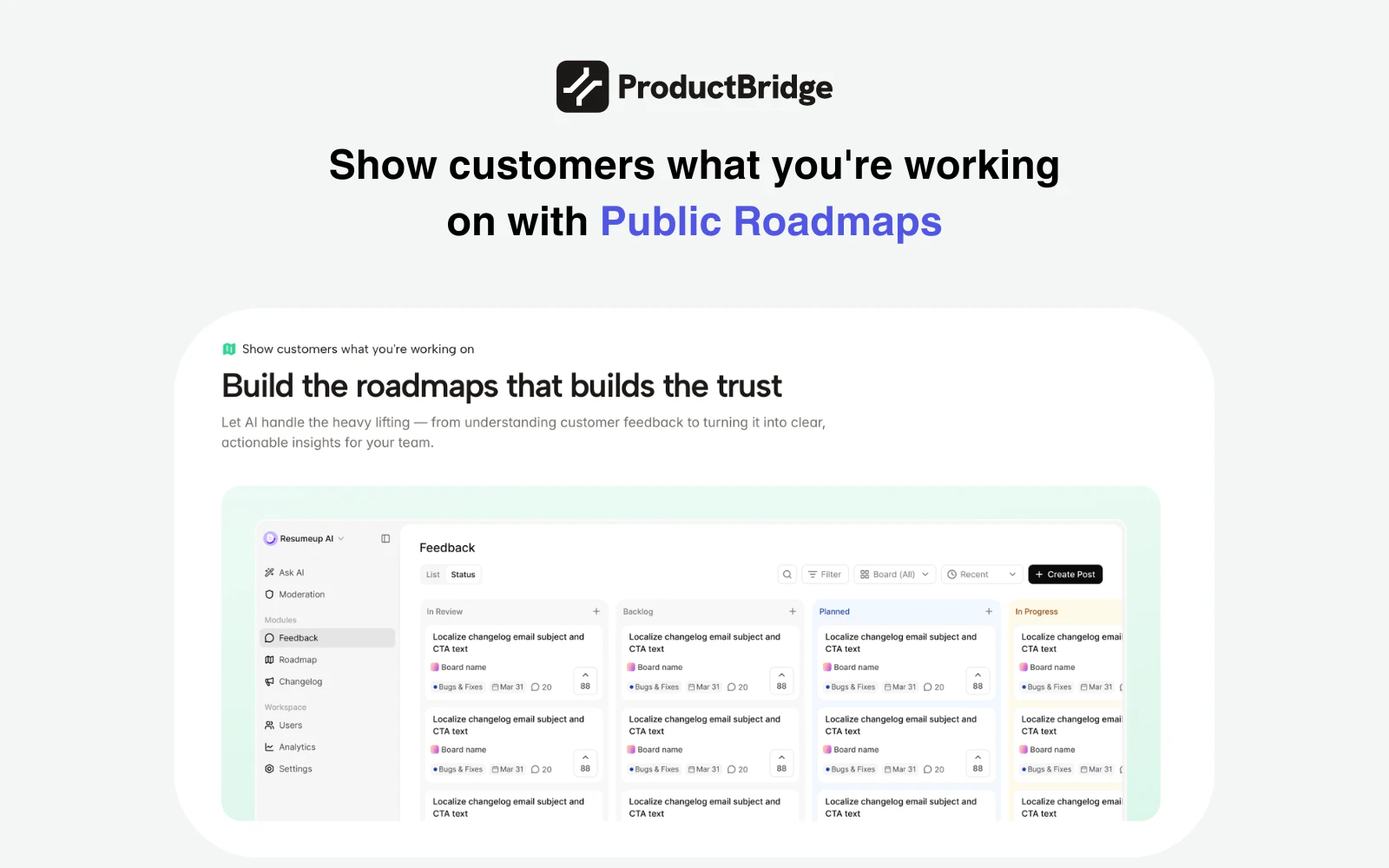
Your feedback is everywhere — Slack threads, Intercom support tickets, review sites, DMs. ProductBridge's AI agent collects it all automatically, organizes it, deduplicates, and helps your team ship what users actually want. Users request features, upvote, and watch ideas move through your public roadmap. Teams prioritize with data, publish changelogs, and auto-notify users when their feature ships. One platform. Complete feedback loop. Flat pricing. No seat fees. No surprises. Ever.
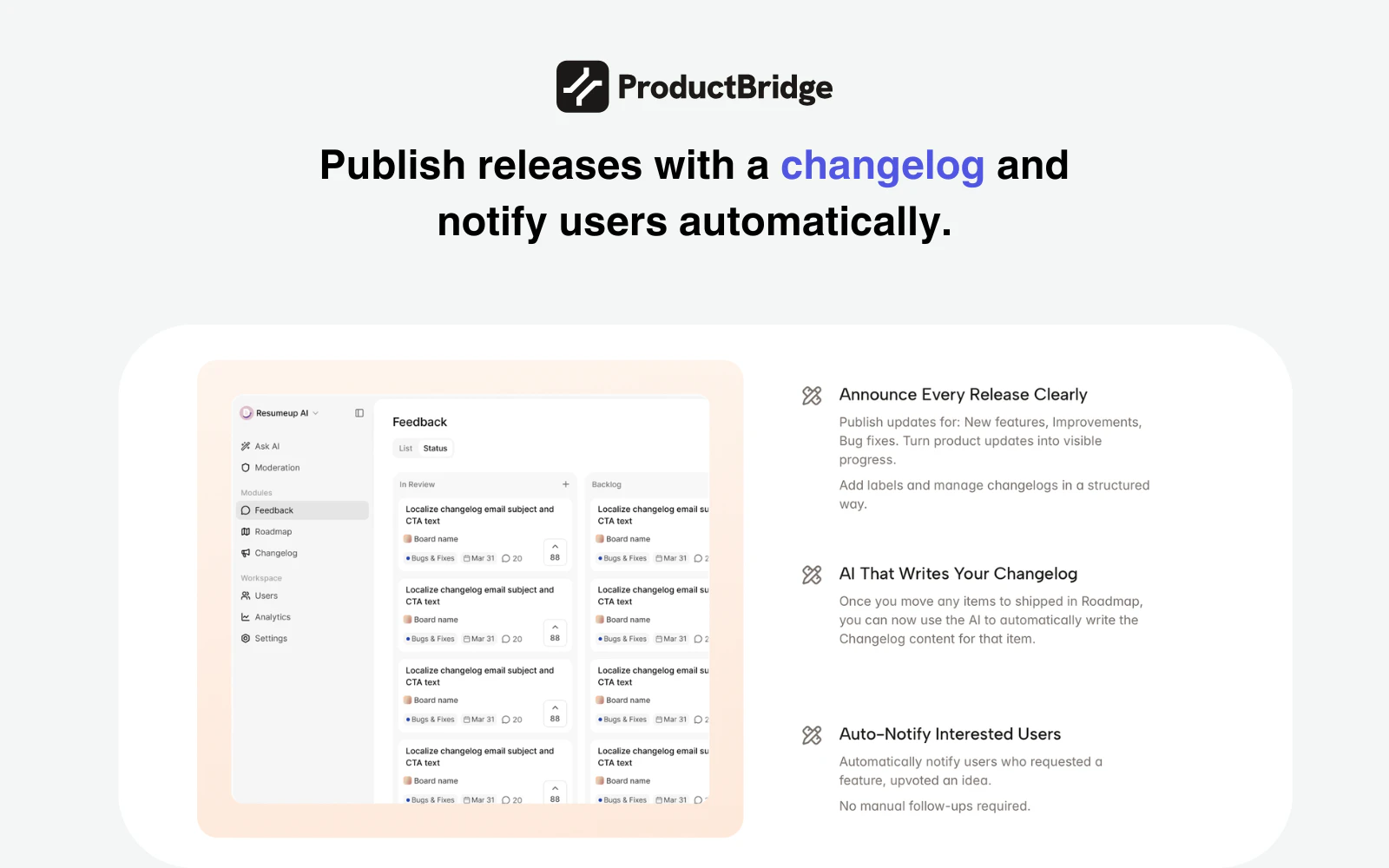
Hey Product Hunt! 👋 We built ProductBridge because we were drowning in our own feedback. Slack threads, Intercom tickets, G2 reviews, Trustpilot, customer calls — feedback was everywhere, but our roadmap decisions felt like guesswork. We'd miss patterns, duplicate effort, and users never knew what happened to their ideas. Sound familiar? So we built an AI-agentic feedback platform that: 🔄 Collects automatically from Intercom, Slack, Trustpilot, G2, ProductHunt & more 🧠 Organizes with AI — categories, deduplication, sentiment scoring, trend analysis 🗺️ Roadmap built on data — prioritize by user demand, not gut feel 🚀 Auto-changelog — AI writes your changelog entry when you ship 📣 Closes the loop — users get notified the moment their requested feature ships You don't need multiple tools. Setup takes under 30 minutes. And then there's the pricing. Starts at $24/mo. Flat. No per-seat fees. No feature unlocks. No bill shock. Try ProductBridge now!
38
回复

@hareesh_vemasani Interesting space especially around how users move from landing into actually setting things up.

With tools like this, that first setup moment usually determines whether people follow through or drop off.

Have you noticed if users tend to complete that initial flow smoothly, or is there some hesitation early on?

0
回复

@hareesh_vemasani Looks super promising, Congrats on the launch!

0
回复

@hareesh_vemasani The dedup at intent level makes sense for structured feedback. But what about the edge case where two users describe the same surface behavior but for completely different underlying reasons -- one wants it for compliance, another for UX? Does the AI group those together or keep them separate?

0
回复

Happy launch team! Quick question: How do you handle context and prioritization when aggregating feedback from so many different sources? For example, how do you distinguish between loud but low-impact requests and signals that actually represent broader customer demand, and how reliable is the deduplication when similar feedback is phrased differently across channels?

16
回复

Thanks for the kind words, and great questions,@davitausberlin

On prioritization: we don't just count votes. Every user in ProductBridge can be tagged with properties — like the MRR they bring in, their plan type, or any custom attribute. So when feedback comes in, you're not just seeing how many people asked — you're seeing the weight behind who asked. A request from 3 high-MRR customers can and should outrank 20 requests from free users.

On dedup across channels: we use advanced RAG + LLM, so matching happens at the intent level, not keyword level. And the AI already knows your full context — knowledge base, existing feedback, roadmap, and changelog. So the same problem phrased differently across Slack, Intercom, and email gets grouped correctly.

15
回复

Congrats on the launch! But how is it different from, say, ProductBoard, Canny, airfocus, and the likes?

15
回复

Thanks @janeph! Great question.


ProductBoard, Canny, airfocus — they're solid tools. But they're mostly built around manually organizing feedback. You still do a lot of the heavy lifting.

We're built AI-first, from the ground up. Here's what that looks like in practice:

— When someone submits feedback, AI flags similar posts in real time before it's even created

— Incoming feedback gets auto-tagged and categorized, no manual sorting

— When feedback comes in from Slack, Intercom, or support tickets, AI deduplicates it against everything already in your knowledgebase, feedback boards, roadmap, and changelog

— When you ship, AI writes your changelog for you

The goal is simple: your team should never have to deal with a duplicate request, a messy board, or a blank changelog again. That's the gap we're filling.

And flat pricing. Whole team, no per seat pricing, no surprises. Ever. 🙌

14
回复

The "closing the loop" part is what I care about most here. We've tried a couple feedback tools before and the collection part is usually fine, but actually telling users "hey we shipped the thing you asked for" always falls through the cracks.

$24/mo flat is solid too. Most tools in this space charge per seat which gets painful fast when you want the whole team to have access.

How does the AI handle feedback that's more of a rant vs an actual feature request though? That's always been the tricky part for us.

15
回复

@mihir_kanzariya The loop-closing problem is exactly why we built the changelog + notifications the way we did — it's automatic. Ship a feature, every user who asked gets notified. Zero manual effort.

On rants: the AI reads the frustration and pulls out the real problem underneath. Actionable signal, not noise.

And yes — flat pricing, whole team, no surprises unlike most of the feedback management platforms out there.

16
回复

Congrats on the launch! How does ProductBridge handle conflicting signals? (example: when a feature is largely recommended by free users but paying customers never mention it). Does AI score accounts by revenue impact, or is prioritization purely vote-based?

13
回复

Thanks for the support, @alina_petrova3

Pure vote counts are honestly one of the most misleading signals in product.

ProductBridge is not just vote-based. When you collect feedback, you can attach user properties like MRR or revenue to each user. So when a feature gets 50 votes from free users and very few votes from your top paying customers, you see that context clearly — and can weigh it accordingly.

The goal is to make sure your roadmap reflects business impact, not just headcount. As a product manager, you can sort by both upvotes and revenue to make better decisions. 🙌

13
回复
@hareesh_vemasani hey
0
回复

One of my biggest challenges with customer feedback is trying to filter out which ones were real feedback and which ones were from bots/fake. Are there ways that ProductBridge help with this?

13
回复

Great question @lienchueh — and a real problem more teams face than they admit.

Our AI is trained to tell the difference between genuine feedback and noise — bots, spam, or just random chatter that sneaked in. In most cases it flags and filters automatically. When it's not confident enough to decide on its own, it puts it in a manual review queue so nothing gets wrongly discarded.

So your board stays clean without you having to babysit every submission. 🙌

15
回复

We collect client feedback across several channels at once — and deduplication is what interests me most. The same request often arrives three times, worded differently, and it's hard to tell if it's one problem or three. How does ProductBridge decide two pieces of feedback actually belong together?

4
回复

Great question @klara_minarikova — this is core to how ProductBridge works.

We use advanced RAG + LLM to match feedback by intent, not just wording. But the real differentiator is context — our AI already knows your full board. Knowledgebase, existing feedback posts, what's on your roadmap, what you've already shipped in the changelog.

So if someone requests something you launched 2 months ago, it knows. If 3 people describe the same problem differently, it groups them.

5
回复

Congrats on the launch! @hareesh_vemasani @rohithreddy
Honestly, this is something most teams just deal with instead of solving.
Feedback keeps coming in, but it rarely turns into clear product decisions.

Really like how you’ve made it more structured and usable.

Curious, what kind of feedback patterns surprised you the most so far?

3
回复

Thank you so much! 🙌 @bhavyasree

Biggest surprise: teams discovering that the same problem had been reported 12+ times — just never connected. Different words, different channels, different teammates receiving it. Once it's all in one place, the priorities become obvious really fast.

1
回复

Great work @hareesh_vemasani 👌really love how you’ve tackled such a real and messy problem. As someone working in growth and SEO, I’ve seen how scattered feedback across channels often leads to weak prioritization and missed insights. What stands out here is the full loop from collecting feedback to actually closing it with users through changelogs and notifications, that’s where real trust and retention are built. Also the flat pricing is a smart move in a space crowded with seat based models. Curious to see how it performs at scale, but this looks genuinely useful for product teams...

3
回复

Thank you so much — this genuinely means a lot! 🙌@satyaranjan1999

The closed loop is what we're most proud of. Collecting feedback is easy. Making users feel heard is the hard part — and that's where retention actually lives.

0
回复

really like this because feedback usually ends up scattered everywhere and teams lose a lot of time just trying to piece it together. the closed-loop part stood out to me since users rarely know what happened after sharing feedback. which source is giving you the most valuable insights so far: support tickets, reviews, or slack conversations?

2
回复

@nayan_surya98 Thank you! 🙌

Honestly, support tickets tend to have the richest signal. Written when someone is stuck, so the pain is real and specific. Slack catches things early. Reviews are good for sentiment but rarely actionable on their own.

1
回复

Hey Hareesh, congrats on the launch! Interesting tool solving a real problem.

Question: Feedback online is highly skewed and biased (as it takes particular types of personas to post, with no proper way to 'control' via experimental design). Is a product roadmap built on online feedback the best path forward for builders?

1
回复

@harryzhangs Thanks for the support! and honestly, it's a fair challenge!

ProductBridge helps in two ways: user tagging with MRR and revenue data means you weigh who's asking, not just how many. And pulling from multiple channels — tickets, Slack, emails — broadens the signal beyond just the people who bother to post.

0
回复
Good luck with your launch guys!
1
回复

Thank you so much @dmitry_zakharov_ai! Means a lot 🚀🤝

0
回复

I like the direction of the product. As a PM, I always use Dovetail to aggregate user reviews from different channels. But the "feature brainstorming" and "prioritization" part I do with my co-pilot, but it's a second surface (outside Dovetail) so I have to switch between them. Kudos for solving these problems as I see it and both important parts can be done with the same tool.

0
回复

Bringing feedback from multiple channels into one place and actually turning it into roadmap decisions sounds really useful. I like the focus on closing the loop with users after features ship. How does ProductBridge detect and merge duplicate feedback across different sources without losing important context?

0
回复

Congrats on the launch!

Quick one: Most feedback tools assume users know what they want and can express it clearly, but that's rarely true for non-technical users. What does your product do when the feedback is vague, emotional, or indirect? How do you turn 'this is confusing' into an actionable roadmap item?

0
回复
Love the Idea behind Product Bridge 👍 Great work to the team!
0
回复

@sukhmani_kaur123Thank you so much for the support!

0
回复

Great product which solves a real pain point! Congratulations on your launch!

0
回复

@avz Thank you so much for the support!

0
回复
Congrats on the launch, team! I saw the ability for users to add context to their request but are teams able to directly follow up for user interviews? Also can teams invite users to try beta versions based on their feedback/requests?
0
回复

@artsci00 Thank you! Great questions.

Teams can directly chat with users on the feedback post itself. The user gets notified via email, so the conversation actually happens. You can dig deeper, ask follow-up questions, or invite them for a user interview — all in context of the feedback they submitted.

And once a feature is built, you can reach back out on the same thread, let them know it's ready, and invite them to try it out. The whole conversation lives in one place from request to resolution.

0
回复

How does the deduplication work when users describe the same issue in completely different words? Congrats on the launch!

0
回复

@borrellr_ Thanks! 🙌

Our dedup works at the intent level, not keywords. We use advanced RAG + LLM, so "the app is slow" and "keeps timing out" get grouped correctly even though they share zero common words.

The AI also has full context — your existing feedback, roadmap, and changelog — so it's matching against everything, not just other incoming posts. And nothing merges without your review. 🚀

0
回复

This is a very interesting idea. In our business, we receive a lot of feedback from multiple channels that never really gets processed as data as such, so this idea could actually be relevant, but I have a couple of doubts that came to mind:

The actionable insights sound great, but how does the app process contradictory feedback from clients to decide which side to lean to? Is there a process of prioritizing certain types of feedback over others? It would be super interesting to get a bit more info about this.

Anyways, congratulations for the launch!

0
回复

@carlos_alfredo_davila_aguilar Thank you! Really glad it resonates.

On contradictory feedback: ProductBridge doesn't pick a side automatically. Instead it shows you the full picture — how many people said what, and who they are. That context is what helps you make the call.

On prioritization: it's not just vote counts. You can tag users with properties like MRR or plan type. So if 10 free users want one thing and 3 paying customers want the opposite, you can see that clearly and decide what actually matters for your business.

The goal is to give you better information. 🙌

0
回复

Feedbacks are like goldmine, just curious how will ProductBridge will filter out feedbacks from tons of other contents. Congratulations on the launch. This looks a great product that will genuinely help businesses.

0
回复

@bhu_1 Love that analogy — goldmine is exactly right. The problem is most teams are digging with their bare hands! :)

ProductBridge uses AI to separate real feedback from noise at every step. When feedback comes in from any channel — Slack, support tickets, emails — the AI classifies it automatically. Duplicates get grouped.

What's left is clean, structured, actionable signal. No manual sorting needed. 🙌 Thank you for the kind words!

0
回复

Congratulations on the launch 🎉 🎉

0
回复

@shubham_pratap Really appreciate that! Thanks for the support! 🙌

0
回复

a great product @hareesh_vemasani and team. much needed today!

0
回复

@srikanth_ravinutala Really appreciate that! 🚀 Feedback chaos is something every product team deals with and just... accepts.

0
回复
great to something like this coming to help founders manage better product feedback.
0
回复

@ishwarjha Thank you! 🚀 This is exactly who we built it for. Founders shouldn't be spending time piecing together feedback from 5 different places — they should be building. Hope it helps! 🙌

0
回复

Excellent looking app for building a customer feedback loop & offering transparency!

Congrats on the launch!

0
回复

@anthony_latona Thank you so much! 🙌 Transparency is at the heart of what we built — users deserve to know their feedback actually went somewhere. Really appreciate the kind words on launch day! 🚀

0
回复

Congratulations

0
回复

Thanks for the support,@madalina_barbu 🎉

0
回复

Feedback is everywhere — support tickets, Slack, emails, user calls, but turning it into clear, actionable insights is still a big challenge for most teams.

ProductBridge seems to be tackling exactly that gap. If done well, this could really help teams prioritize better and build what users actually need.

Curious, how does ProductBridge handle deduplicating and prioritizing feedback across different sources?

Congrats on the launch and excited to see how this evolves 🚀

0
回复

Thank you, @dharmikp1908! 🙌 You've described the problem perfectly.

On dedup: we use advanced RAG + LLM, so matching happens at the intent level, not keywords. The AI already knows your full context — knowledgebase, existing feedback boards, roadmap, and changelog. So the same problem coming in from Slack, a support ticket, and an email gets grouped correctly, even if the wording is completely different.

On prioritization: it's not just vote counts. Users can be tagged with properties like MRR and revenue tier, so you're always seeing who is asking, not just how many.

Really excited to build this out further — appreciate the support! 🚀

0
回复

Congrats on the launch! The closed-loop piece, auto-notifying users when their feature ships, is something most feedback tools completely ignore. Smart move on flat pricing too. Rooting for you guys

0
回复

@david_jeremiah2 Thank you so much. Appreciate your support! 🙌

0
回复
#2
AdsTurbo
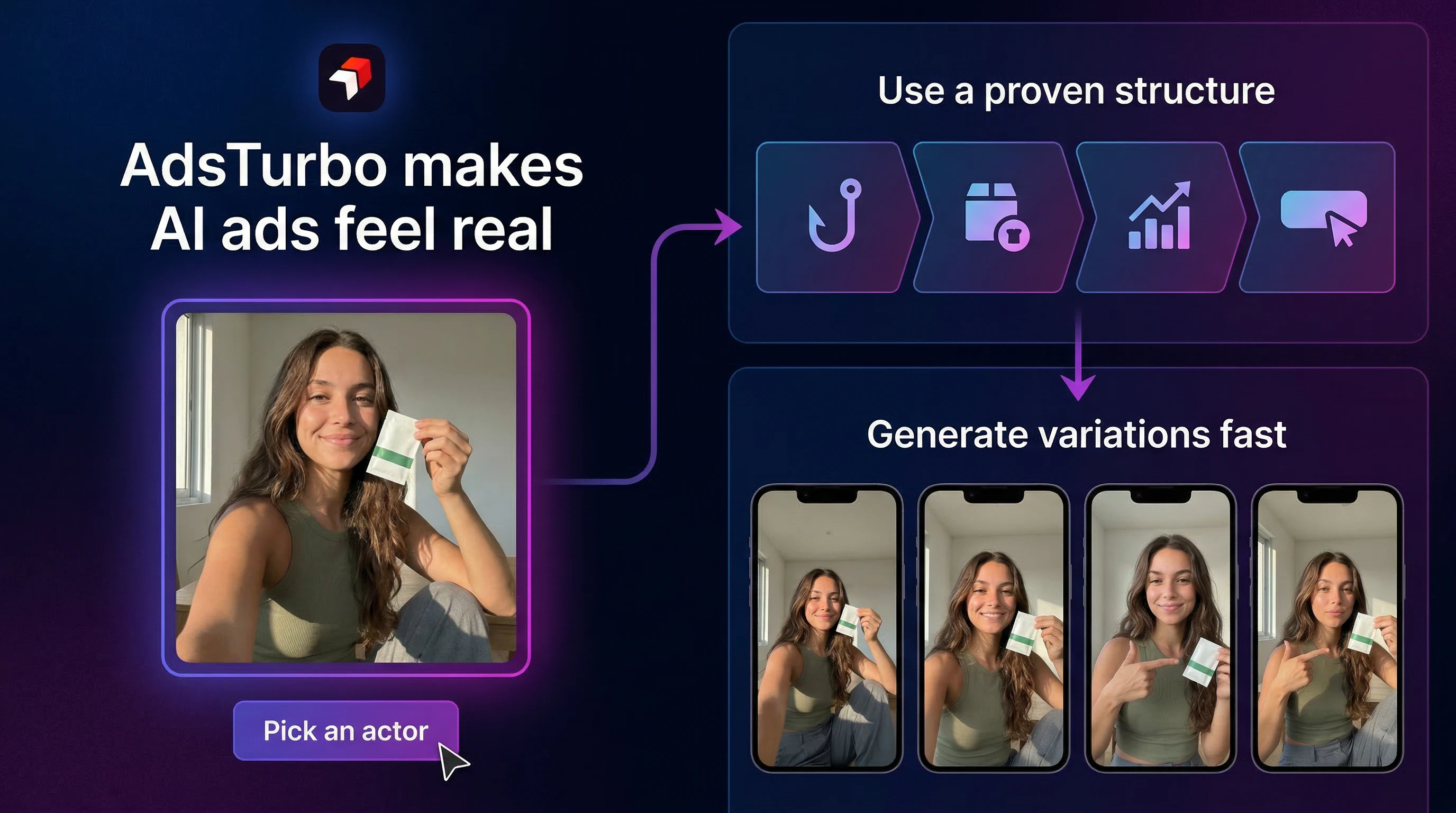
Create ads with AI actors that look truly human
336
一句话介绍:AdsTurbo是一款AI视频广告生成工具,通过使用基于真实创作者训练的AI数字人演员,在电商营销、社媒广告等场景中,解决了AI生成广告内容表情僵硬、缺乏真人感、从而损害用户信任与转化率的痛点。
Marketing Advertising Video
AI视频生成 AI数字人 广告素材 UGC风格 营销自动化 创意测试 性能营销 AI广告工具 视频制作 SaaS
用户评论摘要:用户反馈集中于几个核心问题:AI生成内容的真实感与伦理(如创作者授权)、与竞品(如HeyGen)的差异化、API集成可能性、品牌音调与演员表现的自定义能力,以及客户对“假内容”的品牌风险担忧。建议包括增加分镜头审核流程以提高客户接受度。
AI 锐评

AdsTurbo切入了一个精准且日益拥挤的赛道:用AI生成“以假乱真”的营销内容。其宣称的核心价值——通过基于真人训练的AI演员消除“AI味”——直击当前AI视频生成在营销应用中的最大命门:信任赤字。然而,这恰恰也是其最大的风险与争议所在。

产品的真正价值并非仅仅是技术上的“更逼真”,而在于试图将“逼真”工业化、规模化,成为可测试、可复制的广告素材生产线。它瞄准的不是取代所有视频制作,而是性能营销中那个最耗时的环节:快速生产大量用于A/B测试的UGC风格视频变体。从这个角度看,它与HeyGen等通用型数字人工具形成了场景化差异,后者更偏向演示与沟通,而AdsTurbo则深度绑定“广告转化”这一具体目标。

但评论中暴露的担忧极为深刻。其一,伦理地基是否牢固?即便获得了创作者授权,其AI模型对真人表情、姿态的“学习”与再创造,在品牌安全至上的广告主眼中,仍是潜在的风险点。其二,“逼真”是一把双刃剑。当AI演员逼真到足以混淆视听,却未被明确标识时,可能引发消费者反弹,长远损害品牌信任。这要求产品必须在“透明”与“以假乱真”之间找到平衡,而目前其策略似乎更倾向于后者。

更关键的是,它试图解决的“客户审批风险”可能比技术问题更难逾越。广告是品牌人格的延伸,资深评论者指出的“分镜头审核流程”需求,揭示了核心矛盾:AI提升了生产效率,但将品牌敏感度与审美判断“自动化”却异常困难。AdsTurbo的成败,或许不在于其AI演员是否足够像人,而在于其工作流能否融入并安抚品牌方那颗对“失控”充满警惕的心。

因此,AdsTurbo的价值命题需要被重新审视:它或许不是“完美人类模拟器”,而是一个“高效创意假设验证器”。它的未来不在于完全取代真人拍摄,而在于成为营销团队快速探索创意方向、降低测试成本的杠杆。若能在此定位上深耕,并构建起合规、透明、可控的协作体系,其生存空间将更为稳固。否则,它可能只是另一个在“恐怖谷”边缘徘徊的技术奇观,难以获得主流品牌市场的真正拥抱。

查看原始信息
AdsTurbo
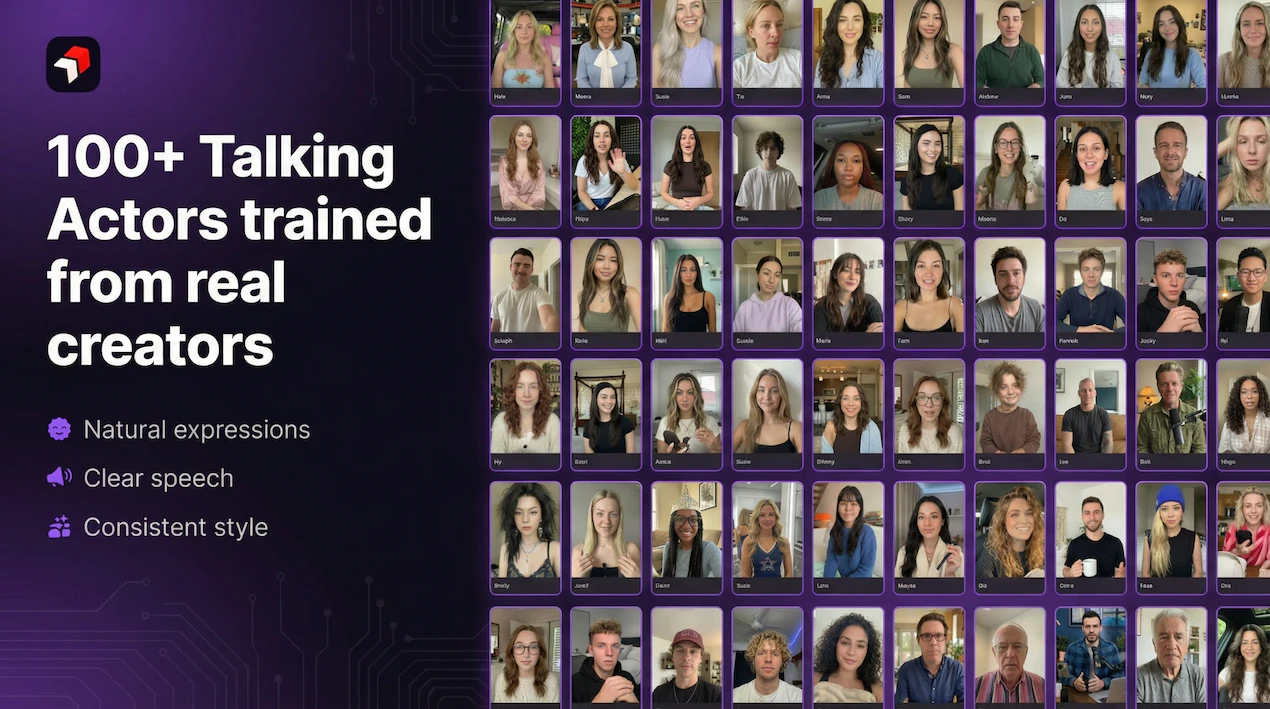
AdsTurbo AI creates UGC-style video ads using AI Talking Actors trained on real creators—so expressions, gestures, and delivery look natural instead of “obvious AI.” Generate on-camera performances fast, test more creatives, and scale ad production without losing the human feel that builds trust and drives conversions.

Hi Product Hunt! 👋

I’m Oscar, co-founder of AdsTurbo AI.

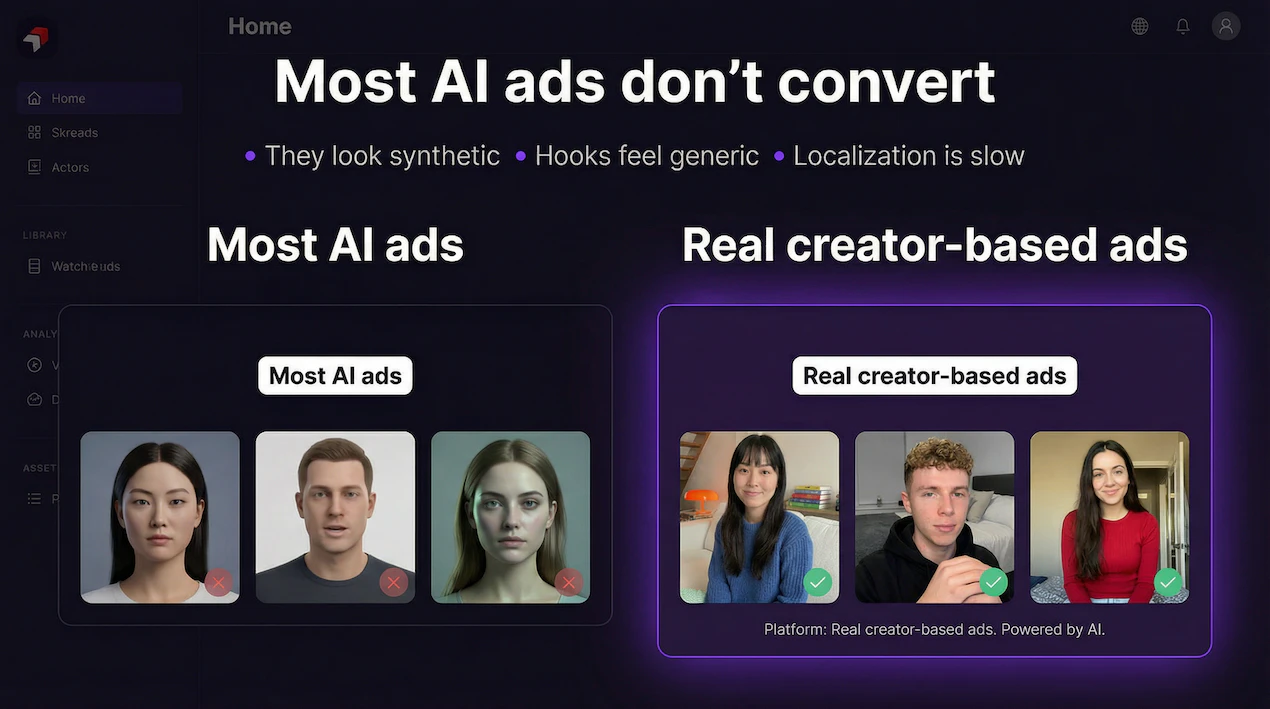
After years in video production and digital marketing, we kept seeing the same gap: AI made ads faster to produce, but most outputs still felt synthetic—flat expressions, stiff delivery, and that “AI vibe” that hurts trust.

So we built AdsTurbo AI around AI Talking Actors trained on real creators—real expressions, gestures, speaking rhythm, and on-camera presence—so the result feels closer to real UGC and real ad performance.

What you can do with AdsTurbo today:

  • Create UGC-style video ads with more natural, believable actors

  • Produce more variations and test creatives faster

  • Scale production without losing the human feel that helps people stop scrolling

We originally built this for our own ad workflows, and after other marketers and brands asked to use it, we decided to launch publicly.

Would love your feedback: What’s the hardest part of making high-performing video ads right now—speed, cost, performance, or “looking real”?

13
回复
@oscar_chong1 I would say "looking real" but that would mask the client issue underpinning it. Depending upon the client there can be nervousness about reputational or brand damage from AI generated assets. It looks really good as a tool, and I can see the value for creative variant testing and designing briefs etc. Following with interest! Best of luck!
3
回复
@oscar_chong1 thanks Oscar. Really solid answer
0
回复

@oscar_chong1 congrats to your launch! I guess the "looking real" part is a temporary issue, as technology (including yours) advances super fast. what is key for long term success & acception though, is transparency. nobody likes to be fooled - whether in an ad or in a viral "fake animal x does something incredible" video. AI generated content should ideally be embraced for all the new opportunities and advantages it offers - it should not be "hidden" (and thus ultimatively considered fake) imho.

2
回复

I guess it's obvious, but I wanted to still ask that since you trained it on real creators, and I hope that it was ethically done with their permissions, etc., yes?

7
回复

@zerotox hanks for asking — and yes, absolutely.

This is something we take very seriously. Our work with real creators is done with permission and through proper agreements, and we’re very mindful about consent, usage rights, and how creator likeness is used.

For us, this isn’t just a legal question — it’s a trust question. If we want AI-generated ads to be sustainable, they have to be built in a way that respects the people behind the content.

Really appreciate you raising this.

4
回复

Congrats on the launch! What’s your key differentiation from Heygen please?

2
回复

@jojo_li Thanks JoJo — really appreciate it.

I’d say the key difference is that HeyGen is very strong for avatar/video communication use cases, while AdsTurbo is built more specifically for performance marketing and ad creation workflows.

With AdsTurbo, we’re focused on helping teams:

  • create more UGC-style ads that feel natural

  • generate more creative variations faster

  • move from ad inspiration / winning patterns to production

  • build assets that are closer to real ad testing workflows, not just presenter-style videos

So in short: HeyGen is great for avatar-led video creation, while AdsTurbo is more focused on creating ad creatives that are meant to perform.

Really good question — and respect to the HeyGen team as well.

2
回复

Congrats on the launch!!

Do you have an API? Looking forward to integrating it into my app!

2
回复

@william_jin Thanks William — really appreciate it!

Yes, we’re opening API access on our website next Monday. Excited to make AdsTurbo easier to integrate into more apps and workflows.

Would love to hear what you’re building as well.

1
回复

Congratulations. If there is a demo video for the agent, would love to see.

2
回复

@roopreddy Thanks Roop!

Yes — there are demo videos on our website: Adsturbo, and we’re planning to add more workflow-focused demos as well.

If there’s a specific part of the agent/workflow you want to see, let me know — happy to share more.

1
回复

Congrats on the launch!!

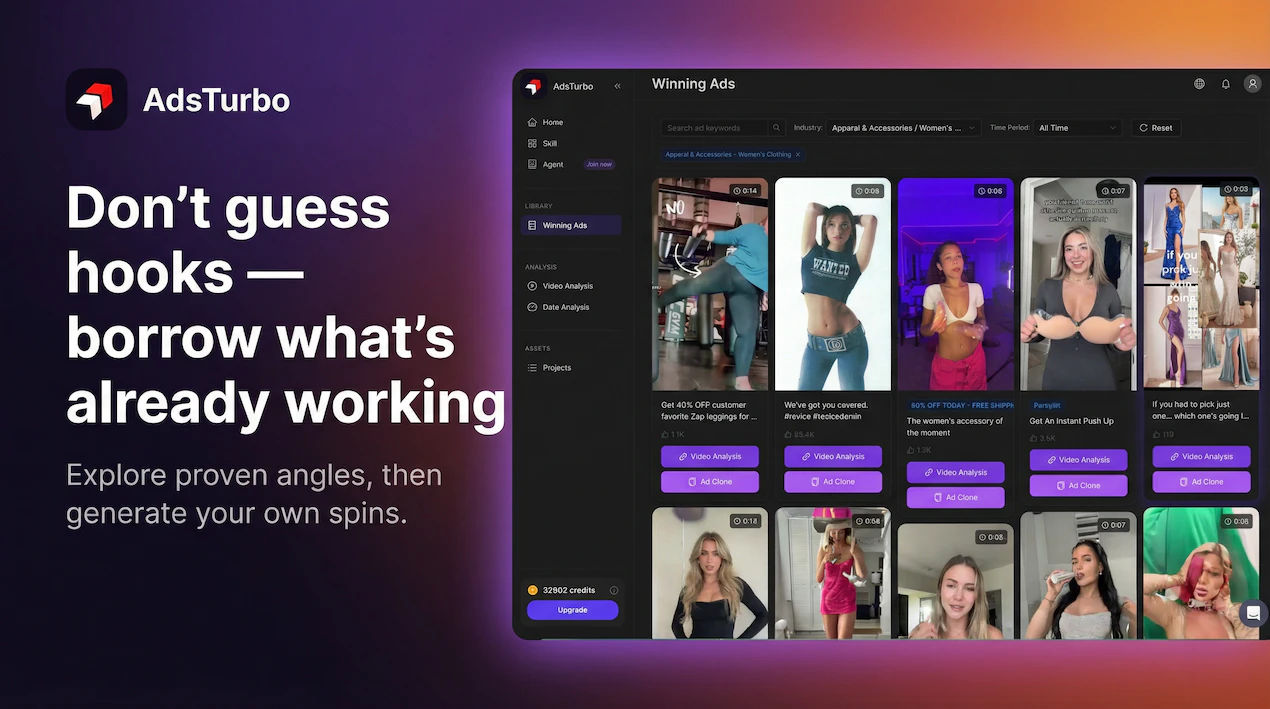
Where are the top performing ads sourced from? Is it from the ad library of our competitors or the platform curates by itself based on the major industries?

2
回复

@himani_sah1 Thanks Himani — great question.

It’s a mix. We source inspiration from publicly available ad examples and broader market signals, then organize and surface them in a way that’s actually useful for marketers by category, industry, and creative angle.

So it’s not just a raw dump of competitor ads, and it’s not purely manual curation either — the goal is to help users discover patterns, winning formats, and useful references faster.

Over time, we’re also working toward making this more structured by major industries and use cases, so people can go from inspiration to production much more efficiently.

2
回复

AdsTurbo's AI Talking Actors are aimed at the right problem. For agency workflows, the bigger hurdle is approval risk, since clients notice fast when one take feels even a little off-brand or uncanny. A shot-level review flow would matter a lot.

1
回复

This looks sick, I have been in the ads industry for a while now (9 years) and have been using arcads, bandoffads and also n8n automations to now start using sora and veo3, so this actually looks really sick. Great work man! Would definitely give this a go

1
回复

@ansh_deb Thanks Ansh — really appreciate that, especially coming from someone with deep experience in ads.

Love that you’ve already been working with tools like Arcads, Bandoff Ads, n8n, Sora, and Veo3 — that’s exactly the kind of workflow-aware user we built AdsTurbo for.

We’re opening more access on our website next Monday, and I’d genuinely love for you to try it and let us know what you think. I think your perspective would be super valuable.

0
回复

If you don't mind me asking how much time did you spend on leveraging real creator to train this product?

0
回复

Interesting approach. Improving realism in AI-generated video ads is a big gap, especially when trust depends on how natural the content feels. The focus on expressions and delivery makes a lot of sense for performance. How customizable are the AI actors in AdsTurbo, can users control tone, pacing, and gestures for different ad styles?

0
回复

How do you handle different brand voices across campaigns? Like if a client wants a more serious tone vs a playful one, can the AI actors adapt to that? Congrats on the launch!

0
回复

@borrellr_ feel like having different company workspace/context would be a good solution for this

0
回复

Are there ways to customize the type of tone or specific messaging that's used within the ad?

0
回复

The facial micro-expressions are unsettlingly good - I kept waiting for the uncanny valley to kick in but it never did. Have you tested what happens when you feed it a script with deliberate emotional contradictions (like someone smiling while delivering tragic news)? I'd love to see if the AI can navigate those subtle human inconsistencies that separate convincing from just technically correct.

0
回复
#3
Composer 2 by Cursor
Fast, token-efficient frontier-level coding model
293
一句话介绍:一款面向复杂、长周期开发任务的高性能代码生成模型,以极具竞争力的成本解决了AI编程工具精度不足与费用高昂的痛点。
Developer Tools Artificial Intelligence Development
AI代码生成 编程助手 大语言模型 成本优化 长周期任务 开发工具 模型微调 性能基准 效率提升 Cursor
用户评论摘要:用户普遍认可其性能与性价比,认为其媲美Claude Opus但更便宜快速。核心关注点在于其“长周期推理”能力在实际多文件、大型代码库重构中的真实表现,质疑其能否保持全局一致性。另有用户提及其对Kimi 2.5模型的微调基础及内存占用问题。
AI 锐评

Composer 2的发布,与其说是一次模型升级,不如说是Cursor对其“模型+编辑器”一体化战略的一次关键押注。在AI编程助手陷入同质化竞争和成本焦虑的当下,它精准地打出了“前沿性能”与“极致性价比”的组合拳,试图用接近Claude Opus的能力和十分之一的价格重新定义市场规则。

其真正价值,并非仅仅体现在基准测试分数的提升上,而在于它试图通过“持续预训练+强化学习”专门优化“多步骤编码任务”,直击当前AI编程的核心软肋——缺乏对复杂、长周期开发任务的连贯性规划和执行能力。用户评论中反复提及的“多文件重构中全局一致性”问题,正是这一痛点的具体体现。Composer 2的“长视野”承诺,是对这一根本性挑战的正面回应,但其实际成效仍需在真实的、混乱的大型代码库中经受考验。

然而,光有模型层面的进步是不够的。评论中透露的线索——其基于Kimi 2.5微调,以及用户对Cursor IDE内存占用的抱怨——揭示了另一层现实:AI编程的终极体验是模型、工具链与工程实践深度融合的结果。Cursor的优势在于能深度整合自家模型与编辑器,优化全链路工作流,这是纯模型提供商或纯编辑器厂商难以比拟的。但这也意味着,其成功捆绑了用户对整个生态的接受度。Composer 2的高性价比,既是吸引开发者的强力钩子,也可能成为其将用户锁定在自身平台的核心策略。它的出现,标志着AI编程战场从单纯的“模型竞赛”,进入了“模型-工具-生态”的立体化竞争新阶段。能否真正驾驭“长视野”开发,并解决工具本身的资源消耗问题,将是其从“值得一试”走向“不可或缺”的关键。

查看原始信息
Composer 2 by Cursor
Composer 2 by Cursor is a frontier-level coding model built for complex, long-horizon development tasks. It combines strong benchmark performance with highly efficient pricing ($0.50/M input, $2.50/M output). Powered by continued pretraining and reinforcement learning, it delivers smarter code generation with better cost-performance, plus a faster variant for real-time workflows.

Composer 2 by @Cursor is a frontier-level coding model designed to solve complex, long-horizon programming tasks with high efficiency and strong benchmark performance.

It tackles the problem of limited coding accuracy and high costs in AI dev tools by combining improved intelligence with optimized pricing.

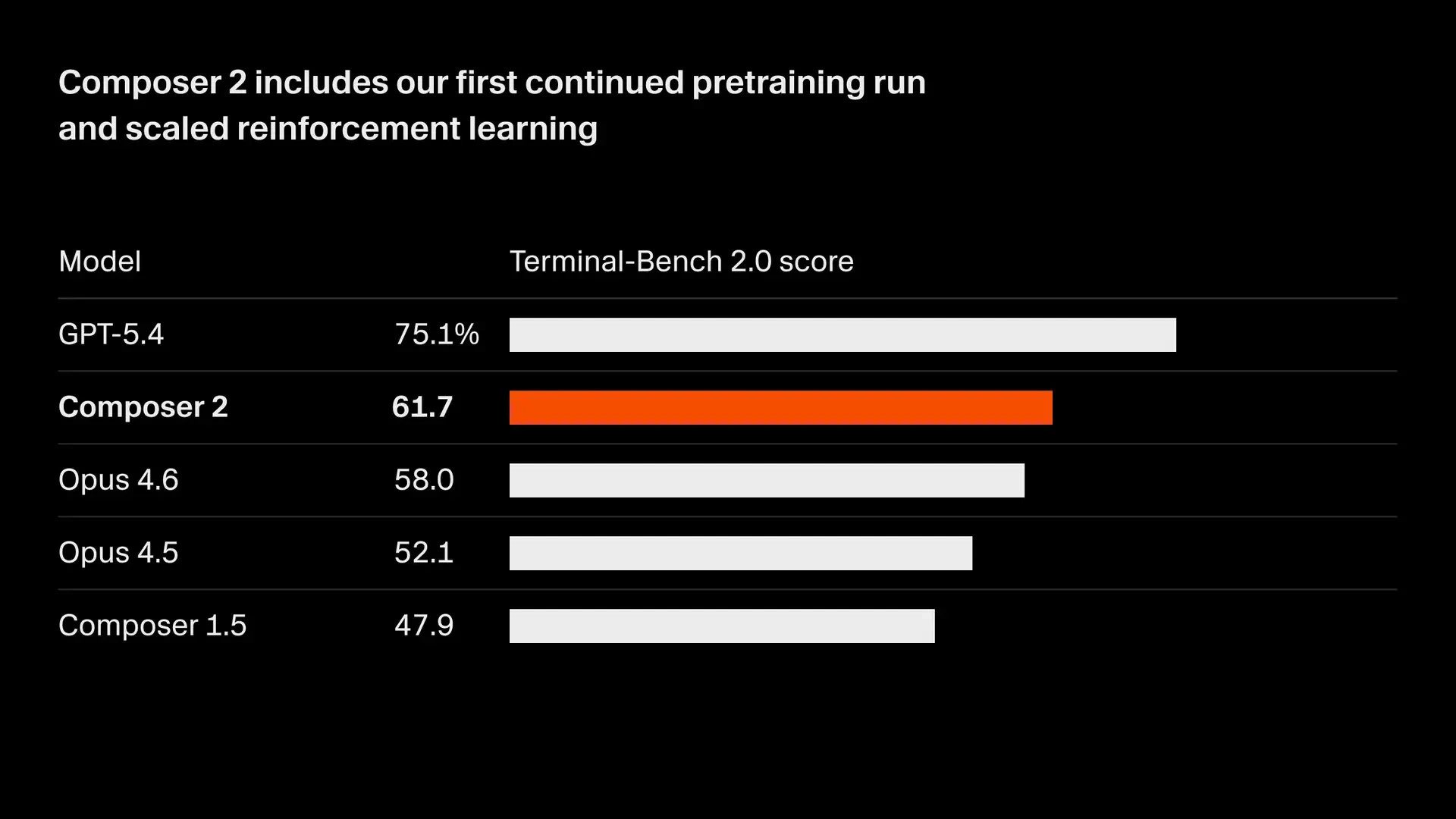
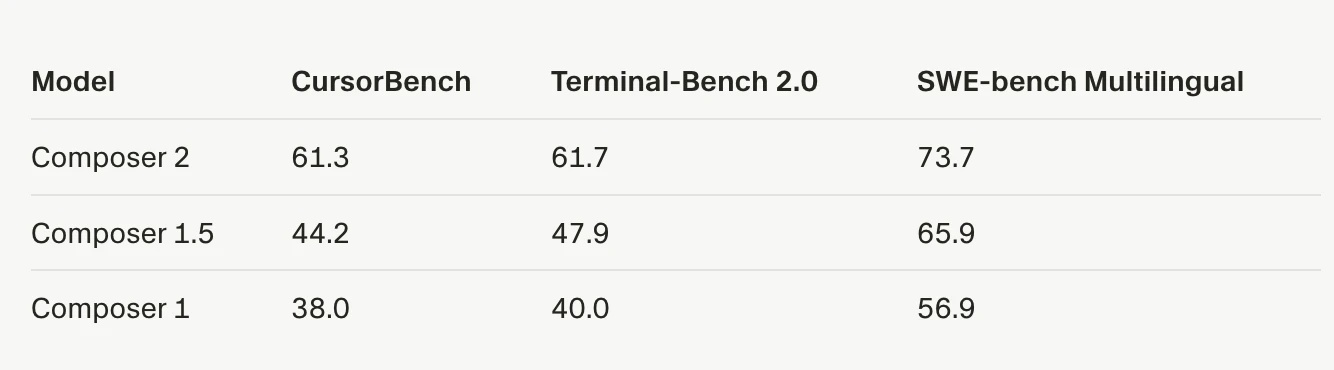
What makes it different is its continued pretraining + reinforcement learning on multi-step coding tasks, enabling it to handle hundreds of actions with better results across benchmarks like Terminal-Bench and SWE-bench Multilingual.

Key highlights:

  • Strong coding performance (61.7 on Terminal-Bench 2.0)

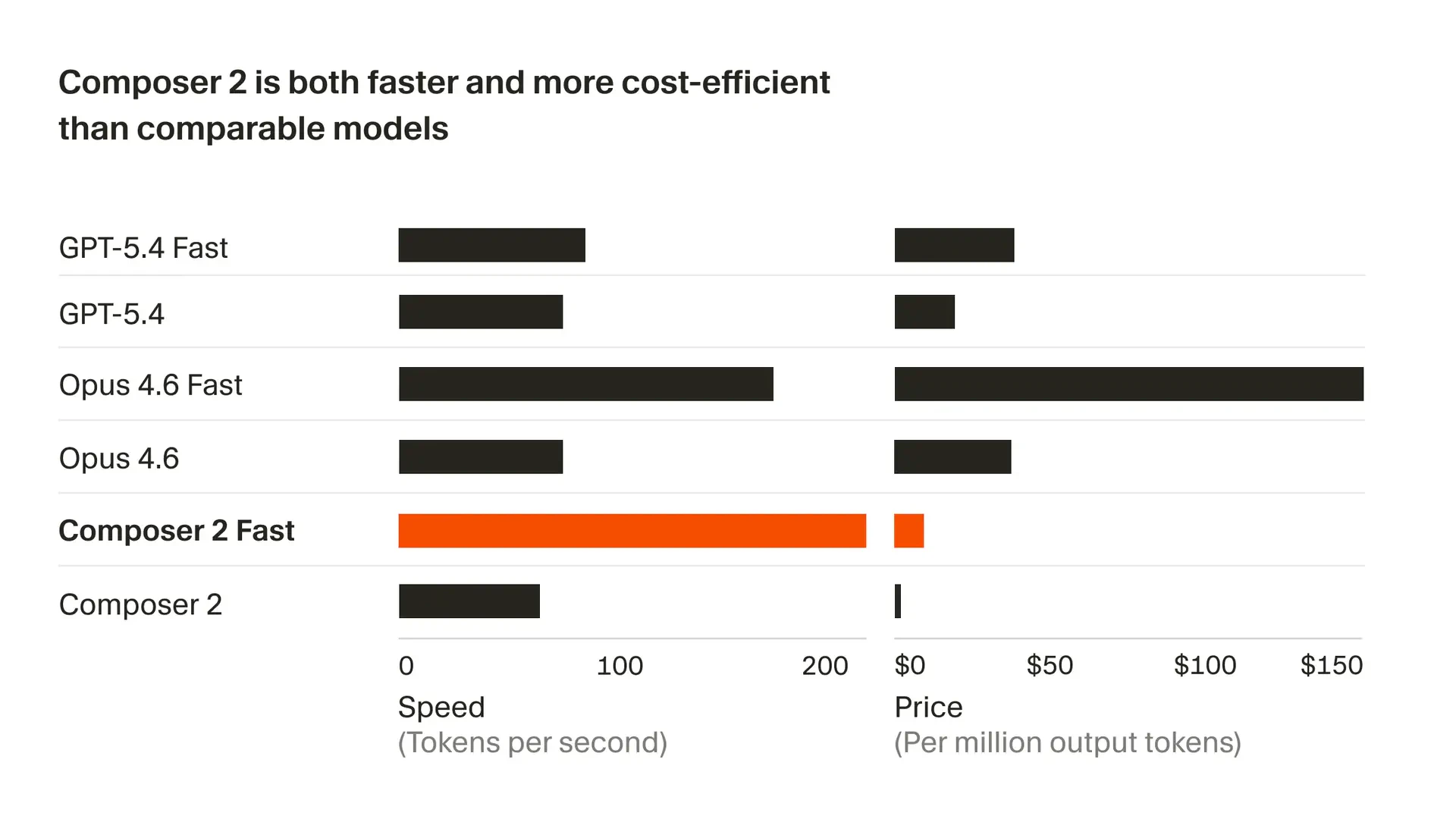
  • More cost-efficient ($0.50/M input, $2.50/M output)

  • Fast variant with same intelligence but quicker responses

  • Built for real-world, long-horizon dev workflows

Great for developers, teams, and builders working on complex codebases, automation, and AI-assisted programming. If you're building with AI, this is worth checking out!

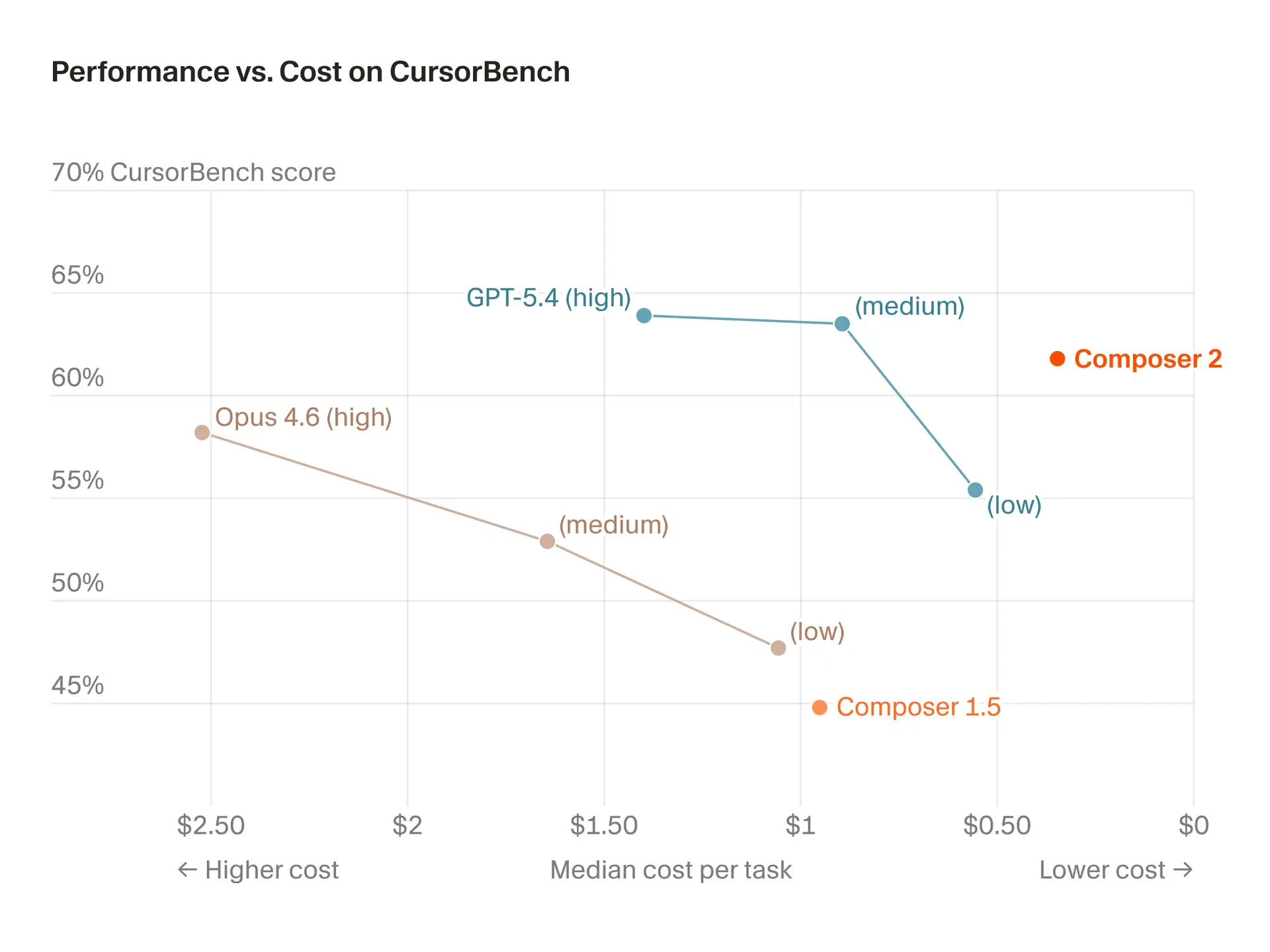
P.S. Here's an interesting comparison between Composer 2 vs Opus 4.6 vs GPT 5.4 (unscientific). Composer 2 is 10× cheaper than Opus 4.6 and supposed to rival it.

P.P.S. I hunt the latest and greatest launches in tech, SaaS and AI, follow to be notified @rohanrecommends

14
回复

@rohanrecommends How does Composer 2's long-horizon reasoning via RL on multi-step tasks compare to Claude 4 Opus in real-world dev workflows like refactoring large codebases; any early user benchmarks or tips for switching?

2
回复

@rohanrecommends The "long-horizon" claim is the one I keep testing with every coding model. In my experience the real failure mode isn't losing context across files, it's when the model starts making local decisions that are individually correct but globally inconsistent. Does Composer 2 do anything differently there, or is it still up to the developer to catch that drift?

0
回复

While Windsurf confuses their pricing model, Cursor keeps trucking with their own tech. Inspiring stuff.

8
回复

@chrismessina Thanks for sharing the forum thread, Chris. I didn't know Windsurf was in a soup.

4
回复

Is this a fine-tuned Kimi 2.5 model?

5
回复

@mikestaub yes, that's the base they started from. @leerob clarified on X:

Composer 2 started from [Kimi K2.5] (...) ~1/4 of the compute spent on the final model came from the base, the rest is from our training. (...) And yes, we are following the license through our inference partner terms.

Source: Twitter/X

3
回复

That's fascinating. Cursor isn't just an app or AI model company; it's both. I think this dual identity is the biggest differentiator Cursor has among hundreds of coding agents and editors.

2
回复

Just gave it a spin. Loving the speed and the cost efficiency, even if it still needs a lot of hand-holding. That's great for planning though, and to carry out simple tasks :) It will totally become my daily driver

1
回复

The pricing is what gets me. $0.50/M input is wild for a model that's beating Opus 4.6 on coding benchmarks. Been burning through tokens on long refactors and this could cut my bill in half.

Curious how it handles multi-file edits across a full monorepo though. That's where I've seen most coding models start to lose context and make weird decisions. The "long-horizon" claim sounds promising but I'll believe it when I see it on a real 50-file refactor.

1
回复

the token efficiency angle is interesting - most coding models optimize for correctness first and leave efficiency as an afterthought. curious what the tradeoffs look like in practice. do you find it handles multi-file refactors well or is that still where longer context wins?

1
回复

My early tests of Composer 2 look very promising. It feels like using Claude 4.6 Opus, but faster and more cost-efficient. I was considering switching to Zed or Windsurf before this update, but this release has kept me on Cursor(for now). That said, Cursor is still a heavy RAM consumer in my workflows, and I’d prefer a more memory-efficient IDE that offers the same level of capability.

0
回复
#4
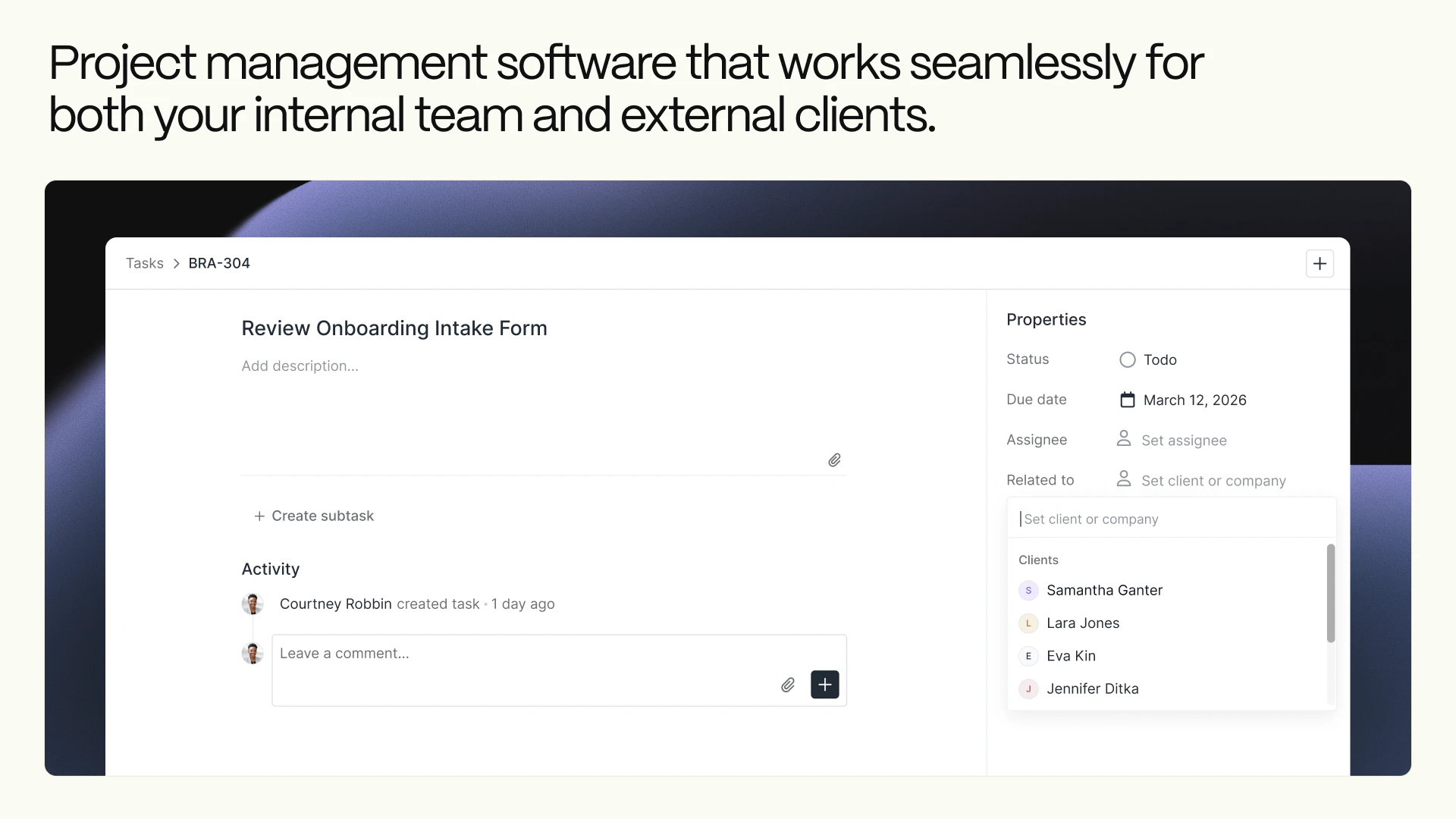
Assembly 2.0
Build modern client portals for service businesses
227
一句话介绍:Assembly 2.0为创意和专业服务公司构建现代化客户门户,将消息、支付、文件、任务等聚合于一处,解决了客户需要多平台登录、体验割裂以及服务方内部管理效率低下的痛点。
Task Management Customer Communication CRM
客户门户 SaaS 服务型企业 业务流程聚合 项目管理 自动化 协同工作 B2B 生产力工具
用户评论摘要:用户普遍祝贺团队发布,认可产品设计和价值。有效评论集中于功能细节询问:如何自动化切换客户主页变体;如何防止内部任务误设为客户可见;能否基于触发器自动收款;产品是替代还是补充现有工具。创始人团队对部分问题进行了直接回复。
AI 锐评

Assembly 2.0的迭代,表面上是功能堆砌——客户主页编辑器、应用文件夹、自动化、桌面应用,实则暴露了其深层的战略意图:它并非只想做一个美观的“门户壳”,而是企图成为服务型企业后端工作流与前端客户交互的“中枢操作系统”。

其真正价值在于“聚合”与“可控的透明度”。通过一个门户聚合支付、沟通、文件等离散环节,直接打击了服务业务中因工具碎片化带来的体验损耗和效率黑洞。而“客户可见任务”、“主页变体”等精细化功能,则是在解决服务行业的核心矛盾:客户渴望了解进度与团队需要专注工作、不同客户类型需要不同交互界面之间的矛盾。产品试图在完全隔离与过度暴露之间,找到一个可配置的平衡点,这比单纯提供聚合界面更具洞察力。

然而,从评论中的尖锐提问可以看出,其面临的考验恰恰在于这些“平衡”功能的实际落地风险。例如,任务可见性的误操作可能引发客户关系危机,客户状态切换的自动化逻辑是否足够智能。这要求产品在追求灵活性的同时,必须内置严谨的防护和智能规则,否则“减少管理”的初衷可能反而催生更精细的管理负担。此外,其“嵌入其他工具”的兼容模式,虽降低了采用门槛,但也可能让其长期停留在“增值外壳”的定位,与成为不可替代的“工作流核心”的目标产生内在冲突。

查看原始信息
Assembly 2.0
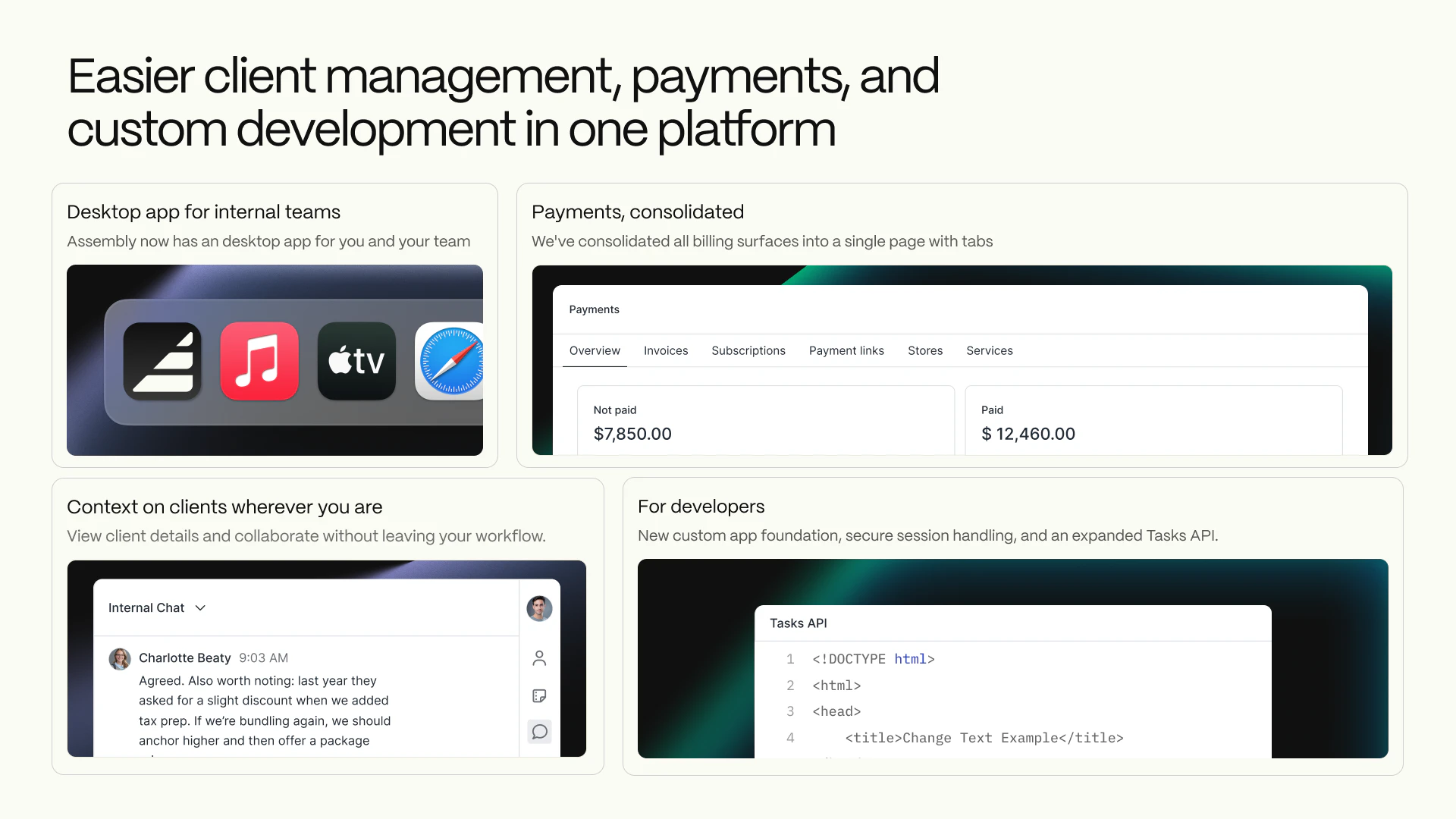
Your clients shouldn't need five logins to work with you. Assembly gives them one polished portal for everything—messages, payments, files, tasks, and more. Assembly 2.0 adds a new client home page editor with variants, folders that let you organize apps on your sidebar, recurring automations, a desktop app with real notifications, and more. Less admin, more time for actual client work. Built for creative and professional service firms.

Hi PH, cofounder of Assembly here. Thanks for the hunt @benln

We're calling this 2.0 because it includes most of the top-requested features from the past year:

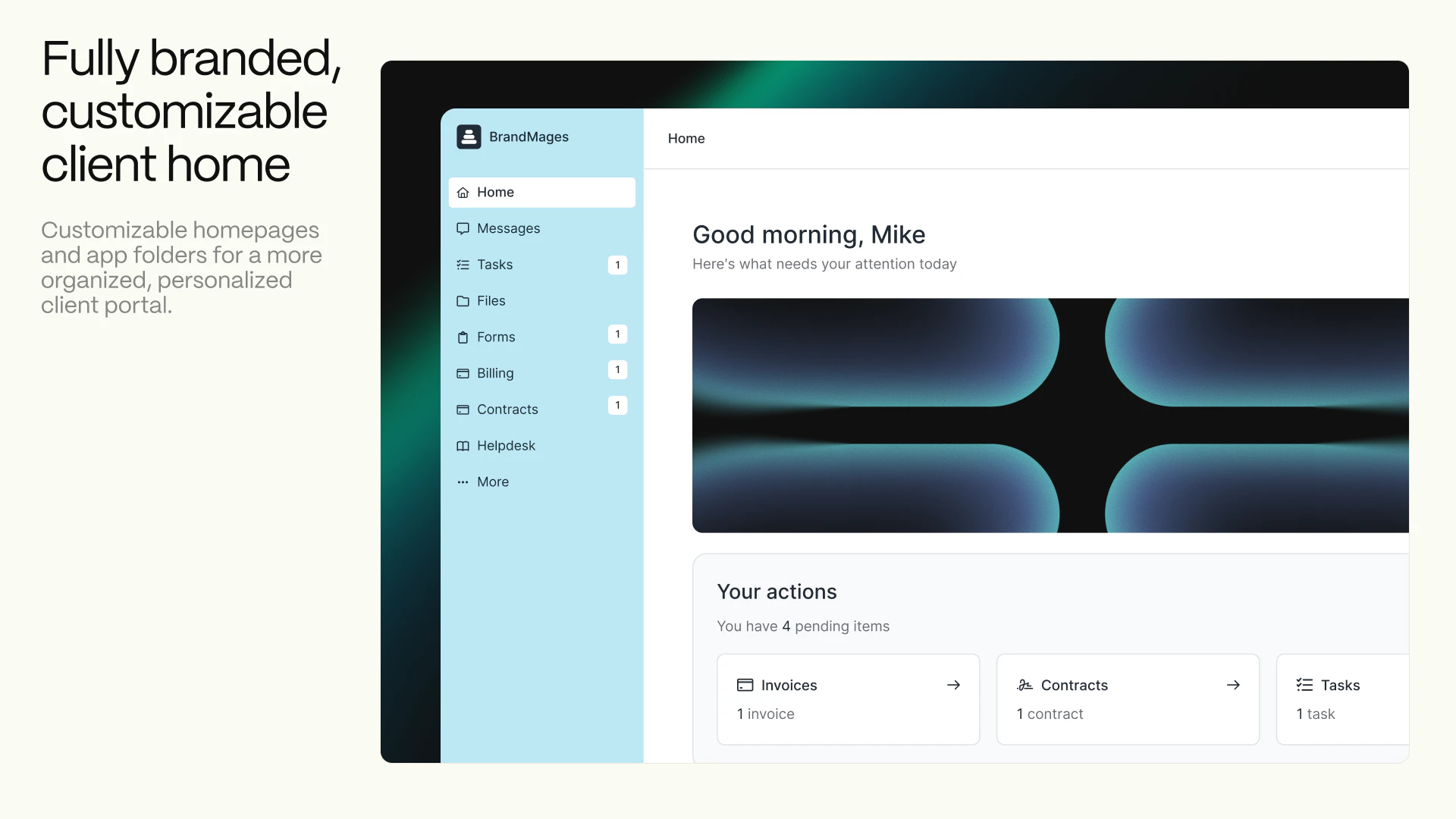
  1. A new Client Home — Full redesign + you can now set up different homepage variants for different types of clients.

  2. App folders — our users love customizing the sidebar in their portal with embedded tools. Now you can group them into collapsible folders. My favorite use case is putting a bunch of analytics embeds into one "Analytics" folder.

  3. Better project management — you could already assign tasks to team members or clients, but now you can assign tasks internally and still associate them with a client. And you can mark those tasks client-visible so that clients can follow along with progress.

  4. Time-based and recurring automations — we have our own built-in automation engine and it now supports time-based triggers and recurring rules.

  5. Desktop app for Mac with native notifications. Windows is coming in a week.

  6. A whole lot more — check it out!

We read every message. Would love to hear what you think, good and bad!

9
回复

@benln  @marlonmisra The homepage variants for different client types is interesting. How does Assembly handle the handoff when a client's situation changes -- say they move from onboarding to active project to offboarding? Is switching variants a manual step or can it be triggered automatically?

0
回复

@benln  @marlonmisra  With client-visible tasks that show internal progress, how do you prevent a team member from accidentally marking something visible that was meant to stay internal , and is there any confirmation step before that exposure happens?

0
回复

So much hard work and hours went into this! Congrats to the whole team! Bringing more and better experiences for service businesses

3
回复

@ari_quinones great work on automations!

0
回复

I like the design. Congrats on shipping. Could we automate payment collection based on certain triggers, for example, if an invoice is not paid in the next X days, there's an auto follow-up about it. I believe simple automations like these would also be available?

3
回复

@roopreddy We've got automatic reminders built-in but you can absolutely set up custom reminders as well.

1
回复

Congrats on the launch team! Been using the platform for almost 3 years now :)

2
回复

@omidd thank you man!

0
回复

@omidd thanks Omid!!!

0
回复

This is a really cool idea, I recently decided to dig deeper into my website hosting and maintenance business offerings and this could be a nice addition to the offerings for clients!

2
回复

@thatryan love to hear it!

0
回复

@thatryan Let us know what you think!

0
回复

The whole team worked hard to get this over the line, wouldn't have been possible without everyone involved!

2
回复
2
回复
so excited to see this out in the wild - huge shoutout to the whole team on this one!
2
回复

Huge congrats to the team on the launch 🚀
I know how much work went into this behind the scenes. Amazing to see it all come together.

2
回复

@ana_eremina you have elevated the entire brand and experience!!

0
回复

Would one use Assembly to replace an existing tool (like Notion) or is it meant moreso to be complementary to other tools (like how one would use Jane App for billing and scheduling)?

2
回复

@lienchueh sometimes businesses use Assembly to replace a bunch of products and other time you can create a really compelling experience by embedding products in an Assembly portal. For Notion, we see a lot of firms build help centers and knowledge bases and then embed them. To get a sense of what this looks like, consider creating a throaway account in this demo portal (https://portal.brandmages.com/login?step=signUp&demoportal=true). You'll see a dropdown on the sidebar which includes a Notion embed. Looks super clean IMO.

1
回复

Client-visible tasks caught my attention — in practice it's always a balance between transparency and what clients don't need to see. Can you control which tasks are client-visible and which stay internal at the individual project level?

2
回复
0
回复

Nice, finally the client portals are now powered by AI truly. Congrats!!

2
回复

@himani_sah1 Thanks for your support!

0
回复

Congrats on the launch team! In the age of vibe coding it's definitely important to emphasize the humans involved in making thoughtful decisions and improvements that make our product so good.

Shoutouts to:


@adam_schwartz7 and @ana_eremina for leading the charge on the customizable client homepages

@ellie_spigelman1 @dovid_baum1 and @pinkstrings for App Library

@ari_quinones for scheduled time-based automations
@pinkstrings and @foleyatwork for the desktop app
@mysterysal @dovid_baum1 and commerce team for the contextbar, payments page

I'm definitely missing folks but this was a whole team effort! ❤️

1
回复

I'm so excited to see this go live! We're really looking forward to people getting their hands on the new features we've been thinking about for so long

1
回复

@ellie_spigelman1 app library FTW

0
回复

Good job team! Great hustle!

1
回复

@mysterysal speedrun any%

0
回复

Nice portal.
But experience > interface.

Clients stay for results, not dashboards.

1
回复
Does it handle billing and contracts too or just the communication?
1
回复

@anusuya_bhuyan all of the above! E-signatures like DocuSign (but unlimited), invoicing and subscriptions (plus stores for your services), secure file sharing, forms and more!

0
回复

Nice update. The focus on client portals and better organization with things like app folders and task visibility feels very practical. The addition of recurring automations also sounds like a strong improvement. How flexible are the automation rules in Assembly, can users combine multiple conditions and triggers in one workflow?

0
回复
#5
GitAgent by Lyzr
Your repository becomes your agent
215
一句话介绍:GitAgent是一个将AI智能体的配置、逻辑、工具和记忆提取为便携式定义的开源标准,让智能体代码化并存于Git仓库,解决了AI智能体在不同框架间迁移困难、缺乏版本控制和单一可信源的行业痛点。
Artificial Intelligence GitHub Vibe coding
AI智能体开发框架 开源标准 版本控制 智能体移植 代码化管理 开发运维 可复现性 协作工具
用户评论摘要:用户普遍认可其解决智能体“锁定”和版本控制问题的价值。主要疑问和建议集中在:对大型单体仓库的支持程度、上下文筛选机制、私有化/自托管方案,以及如何确保智能体对代码的理解不随时间“漂移”。
AI 锐评

GitAgent的核心理念——“Your AI agent‘s soul belongs in Git”——是一次对当前混乱的AI智能体开发范式的犀利解构。它试图将软件工程中成熟的最佳实践(版本控制、可移植性、单一可信源)强行注入尚处“拓荒期”的AI智能体领域,其真正价值不在于某个技术突破,而在于提出了一种秩序。

当前智能体生态的症结在于“框架即监狱”。开发者投入大量精力定义的提示词、工具链和工作流,与特定运行时环境深度耦合,形成了事实上的供应商锁定。GitAgent以Git仓库作为抽象层和中介,将智能体的“灵魂”(配置与逻辑)与“躯体”(执行运行时)解耦,本质上是为智能体定义了一种“容器化”标准。这使“一次定义,随处运行”成为可能,将选择权交还给开发者。

然而,其挑战也同样明显。首先,标准的成功取决于生态的采纳,它需要主流框架的兼容支持,否则只是一个美好的设想。其次,评论中暴露的关于单体仓库、上下文管理等实际问题,触及了该方案落地的技术深水区。将整个代码库作为智能体的记忆和上下文,在带来“全知”便利的同时,也可能引发效率灾难和认知偏差(即“漂移”问题)。它更像一个强大的基础协议,而真正的“智能”(如精准的代码理解、变更追踪)仍需上层应用来解决。

总而言之,GitAgent是一次极具前瞻性的范式提案。它未必能立刻一统江湖,但它精准地刺中了行业早期“重实验、轻工程”的弊病,为AI智能体从玩具走向真正的生产级工具,铺设了一条符合工程师直觉的轨道。其成败将取决于社区是否愿意为“秩序”买单,共同建设这套基础设施。

查看原始信息
GitAgent by Lyzr
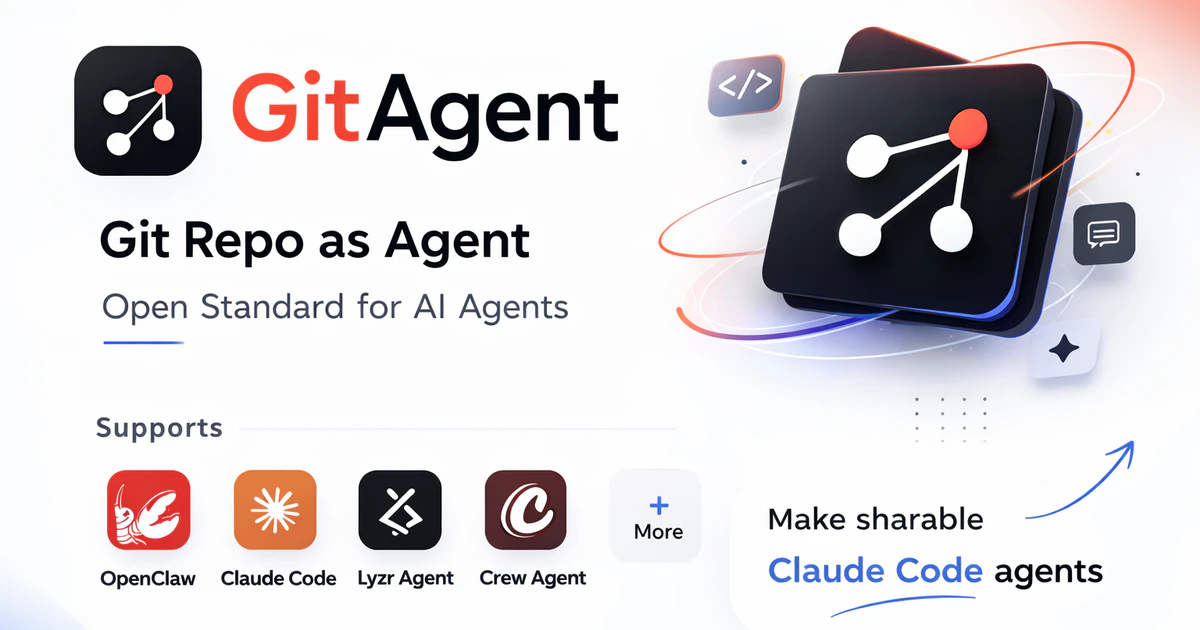
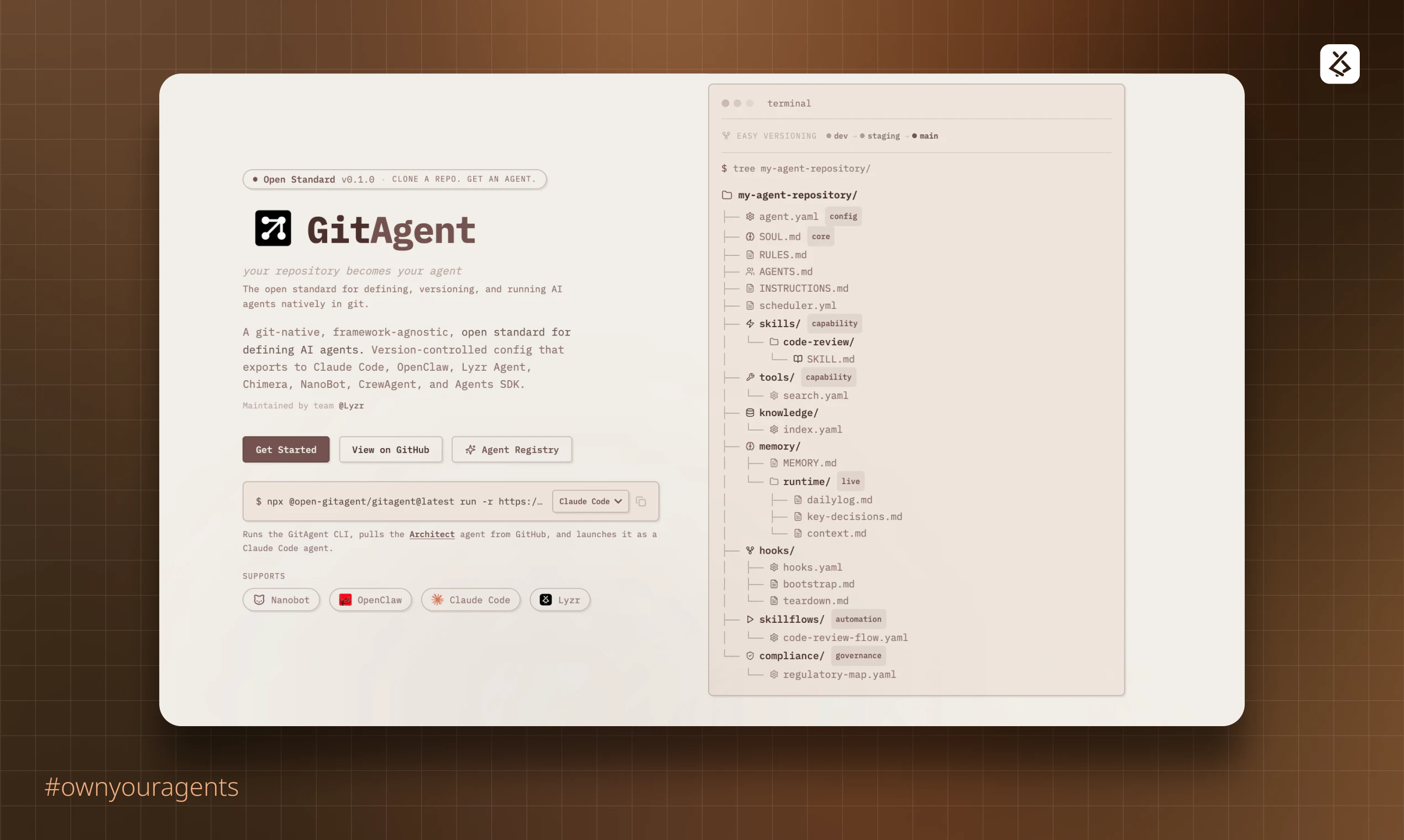
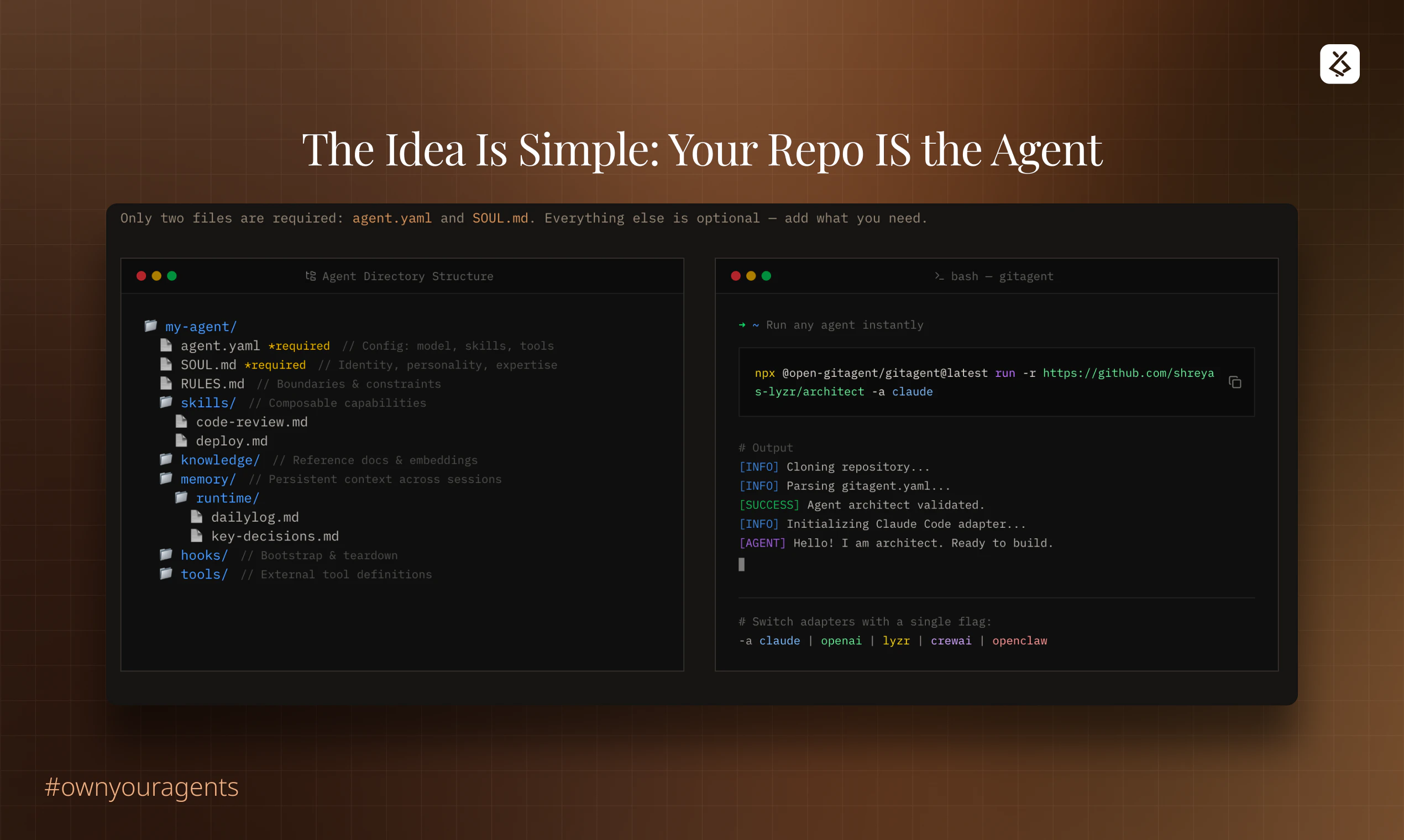
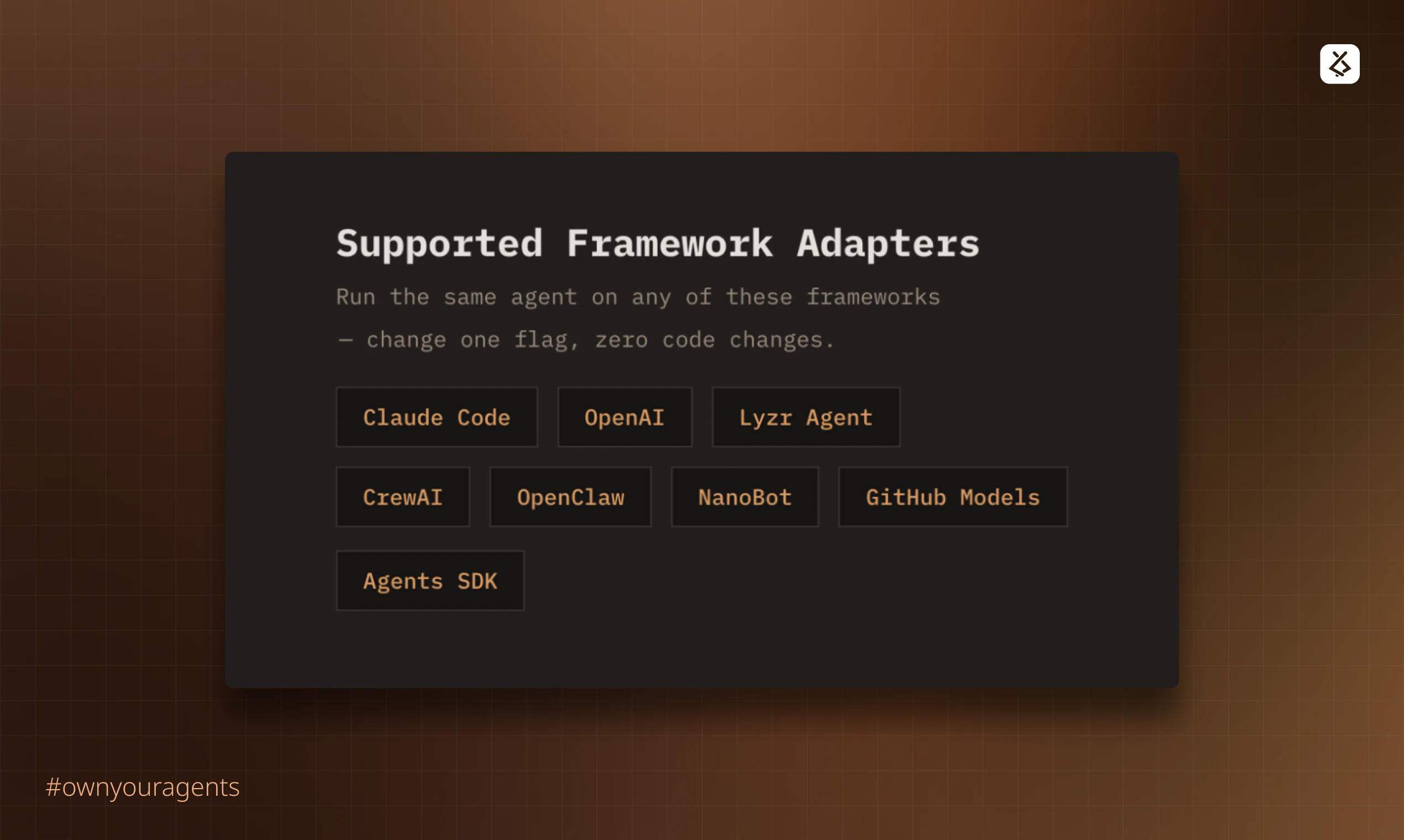
Your AI agent's soul belongs in Git, not locked inside a framework. GitAgent is an open standard that extracts your agent's config, logic, tools, and memory into a portable, version-controlled definition. Define once. Run anywhere. Claude, OpenAI, CrewAI, OpenClaw, you name it. Same repo, any runtime. Roll back prompts like code. Branch, review, reproduce. #OwnYourAgent

Hey PH! 👋

We built GitAgent because the agent ecosystem was a mess — and three problems kept showing up everywhere:

① No single source of truth Everyone had agents, nobody had a canonical place they lived. Built in Claude Code? Stuck there. Move to CrewAI? Start over. Every tool, its own format, its own lock-in.

② Portability was half-solved Tons of solutions for sharing agent skills — but nobody was solving portability for the entire agent. Memory, identity, behavior — all stranded in whatever tool you built it in.

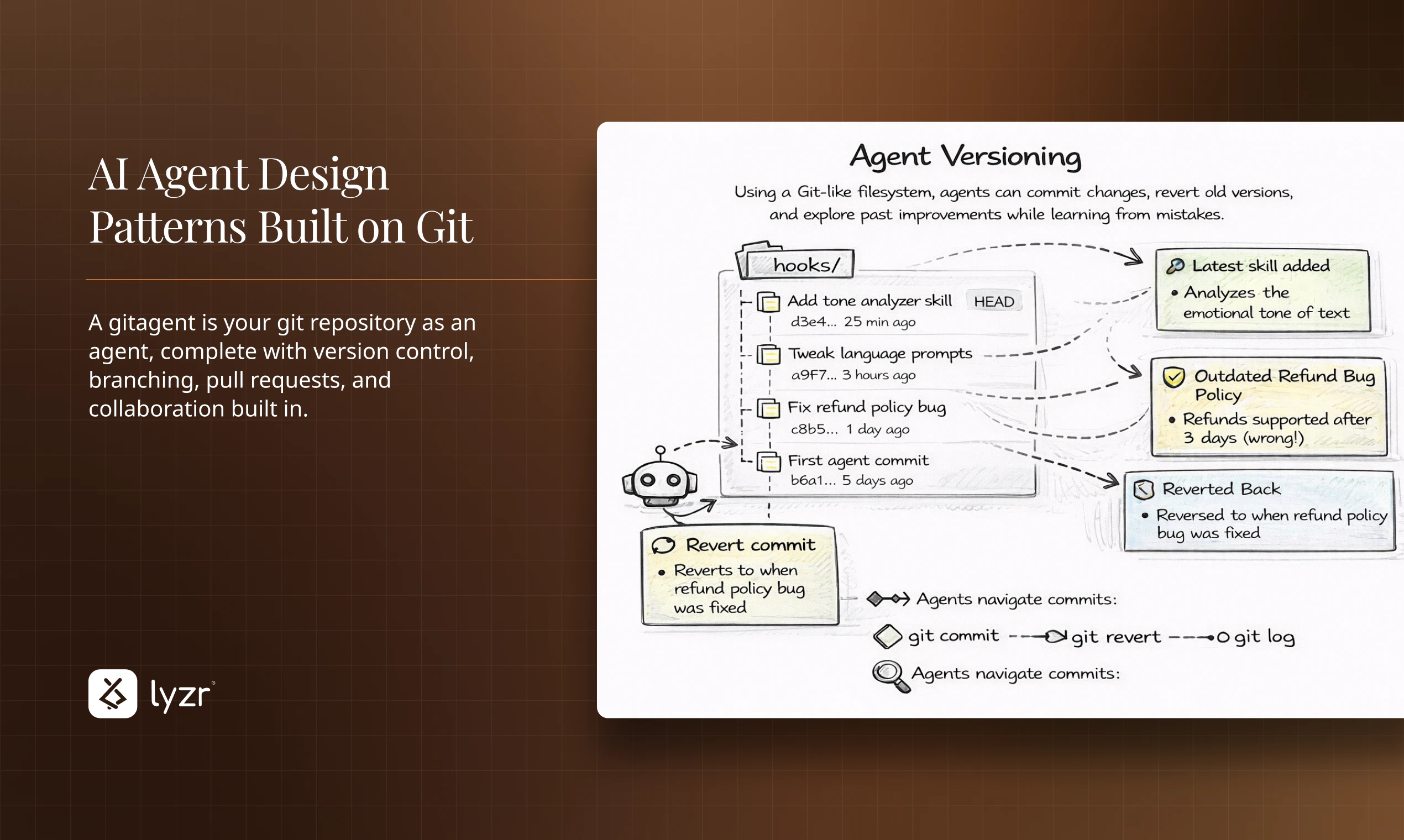
③ No real versioning No branching, no rollback, no diffing. You'd tweak a prompt, break something, and have no idea how to get back. Agents had no git — and they desperately needed it.

So we asked a simple question: what if the agent just lived in git? Every developer already knows how to fork, branch, PR, and tag. Git already solves versioning, collaboration, and portability for code.

We just mapped that onto agents.

GitAgent is our answer to all three — one repo, one source of truth, runs anywhere from Claude to CrewAI to OpenClaw without reformatting a single file.

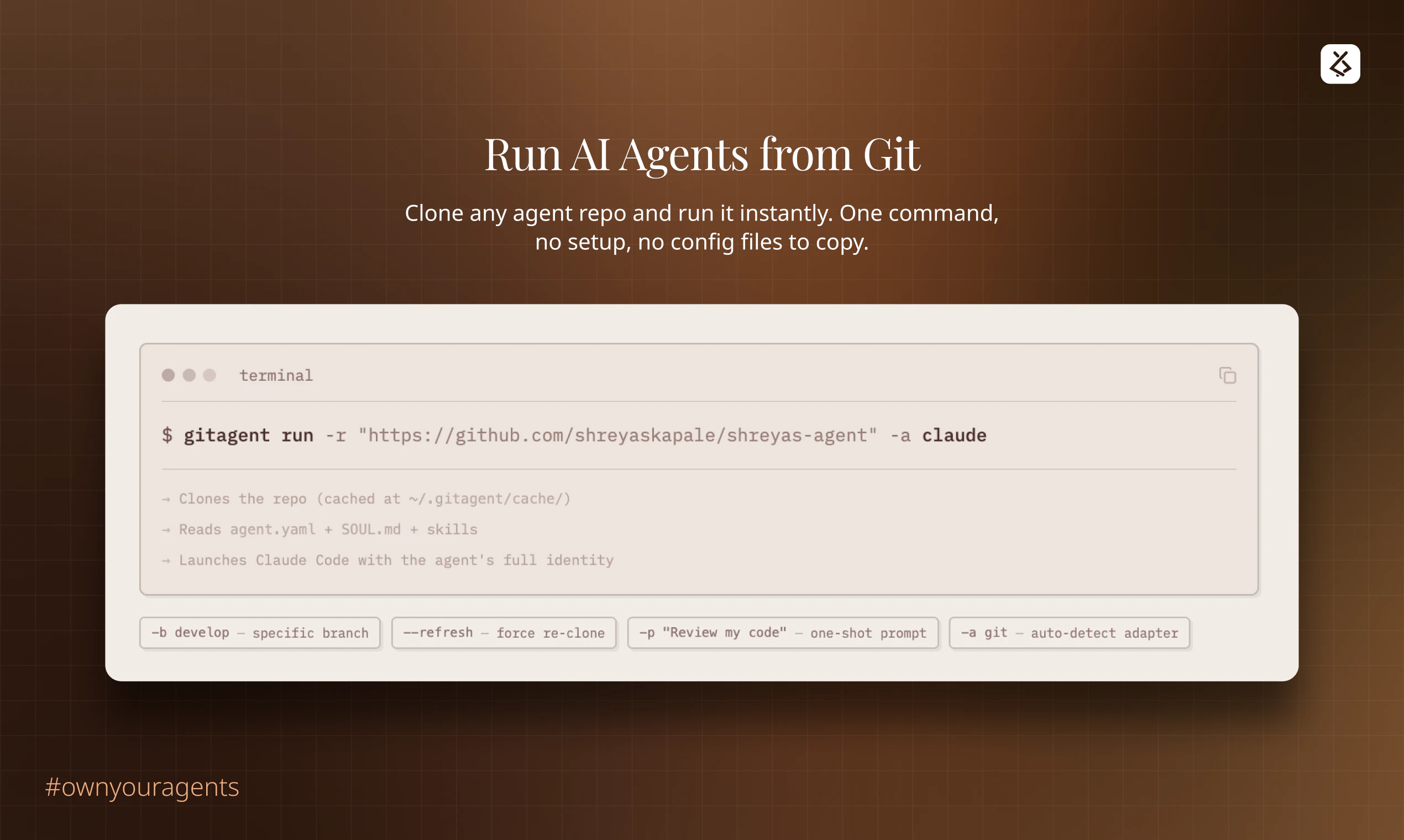
Try it right now — run any agent directly from GitHub:

npx @open-gitagent/gitagent@latest run -r https://github.com/your/agent -a claude

Swap -a claude for -a openai, -a crewai, or -a openclaw — same repo, any runtime. Would love to hear what runtimes you want us to support next! 🚀

Support the project: https://github.com/open-gitagent/gitagent

Support projects built on GitAgent Standard

Clawless: https://github.com/open-gitagent/clawless

GitClaw: https://github.com/open-gitagent/gitclaw

2
回复

 That makes sense. The “no single source of truth” part is something I’ve seen a lot

0
回复

The segregation of duties aspect is interesting. Are there ways that GitAgent helps enforce that or remind me to improve SOD when any one agent begins to take on too many steps within one process?

2
回复

Interesting approach. Using the repo itself as the agent's memory makes way more sense than dumping everything into a system prompt or building separate context management.

How does it handle large monorepos though? Any filtering or scoping so the agent doesn't drown in irrelevant code? Also wondering about private repos, is there a self-hosted option?

Congrats on the launch, gonna try this on a couple of our projects.

2
回复

@mihir_kanzariya Yes — we’re actively working towards full mono-repo support. If you check gitagent.sh, we already have an initial pattern in place.

It works with any self-hosted GitLab or Bitbucket setup as well, since the underlying principle is Git.

Also, if you’re building a public agent project, feel free to publish it on our registry: https://registry.gitagent.sh

0
回复

Does the agent work well with monorepos or is it better suited for single repo setups? Congrats on the launch!

1
回复

Finally - someone built the thing I've been duct-taping together with cron jobs and prayer. The idea of turning your actual repo into an agent that understands your architecture patterns feels like the natural evolution of "docs that nobody reads" to "docs that actually do something when you're not looking.

How does it handle the inevitable drift between what the agent thinks your code does versus what it actually does after six months of "temporary" fixes?

1
回复

Hey Product Hunt! 👋

We're thrilled to share something we've been obsessing over. @GitAgent


Here's the backstory: We kept seeing the same problem over and over again. Teams would pour weeks into building AI agents, defining tool chains, decision logic, memory, persona, only to realize that all of that IP was trapped inside whatever framework they chose on day one.

Want to switch frameworks? Rewrite everything. Want to version-control your agent the way you version-control your code? No clean way to do it. Want to hand off your agent to another team or deploy it somewhere else? Pain.


We thought, why can't agents work like code? Store them in Git. Version them. Port them. Run them anywhere.


That's GitAgent.

It extracts the "soul" of your agent. The config, logic, tools, everything that makes it yours. It stores it as a portable, version-controlled definition. Then you deploy it to any framework with one command.

We're calling this #OwnYourAgents because we genuinely believe that if you built the agent, you should own it. Not the framework. Not the platform. You.

We'd love your feedback, your upvotes, and most importantly, your honest takes on what we can do better. This is just the beginning.

Let's make agent portability the standard. 🙌

1
回复

curious how GitAgent decides which parts of the repo are relevant context for a given task. do you embed the whole codebase or is there a smarter chunking/indexing step? I ask because I built a tool that does code security analysis on vibe-coded repos and the context selection is probably the hardest part to get right.

0
回复

@mykola_kondratiuk GitAgent mainly is a standard and a tool that converts any git repo built on the git agent standard into claude code agent, openclaw agent, cursor agent, gemini cli agent etc.

So context selection is done by your agent which you select GitAgent is a all in one converter.

I hope that answers your question : )

0
回复
#6
Claude Code Channels
Push events and chat with Claude Code via Telegram & Discord
211
一句话介绍:一款允许开发者通过Telegram和Discord远程控制本地Claude Code编程会话、接收事件推送并交互的工具,解决了开发者需长时间守候终端等待任务完成的痛点。
Productivity Messaging Artificial Intelligence
开发者工具 AI编程助手 远程协作 工作流自动化 Telegram集成 Discord集成 终端管理 MCP服务器 事件推送 编程会话
用户评论摘要:用户普遍认可其填补了“脱离终端等待”的工作流空白。主要询问长任务进度推送机制是流式更新还是仅完成通知。有评论提及其在理解遗留代码方面的优势,并认为其对标/竞争产品是OpenClaw。
AI 锐评

Claude Code Channels的本质,是将以终端为中心的AI编程会话,解耦为一个可异步、跨设备交互的消息驱动服务。其真正价值并非简单的“通知推送”,而是通过MCP服务器构建了一个轻量级的“会话总线”,将AI编程助手这一重度生产力工具从物理工作空间中解放出来。

产品犀利地切入了一个被忽视的场景:AI驱动的复杂重构或CI任务耗时漫长,开发者被“绑定”在终端前,形成新的效率洼地。它通过Telegram/Discord这类高渗透率的通讯工具作为前端,实现了两件事:一是将单向的进度等待变为双向的异步对话,开发者可以在任务中段进行决策(如权限批准);二是将编程会话“服务化”,使其成为可随时接入、断点续传的持久化进程。

然而,其挑战同样明显。首先,安全性与权限控制的颗粒度是关键,仅靠“允许列表”在复杂团队环境中是否足够?其次,将复杂的代码上下文与交互压缩到聊天消息中,信息折损不可避免,可能影响决策质量。最后,它目前更像是对Claude Code现有能力的通道延伸,而非范式创新。其提及的对OpenClaw形成的“压力”,更多体现在工作流整合的便捷性上,而非核心AI编码能力的超越。若其能进一步开放MCP协议,允许更丰富的事件类型与第三方工具链集成,或将真正开启一个“去中心化、可编排的AI辅助开发”新阶段。

查看原始信息
Claude Code Channels
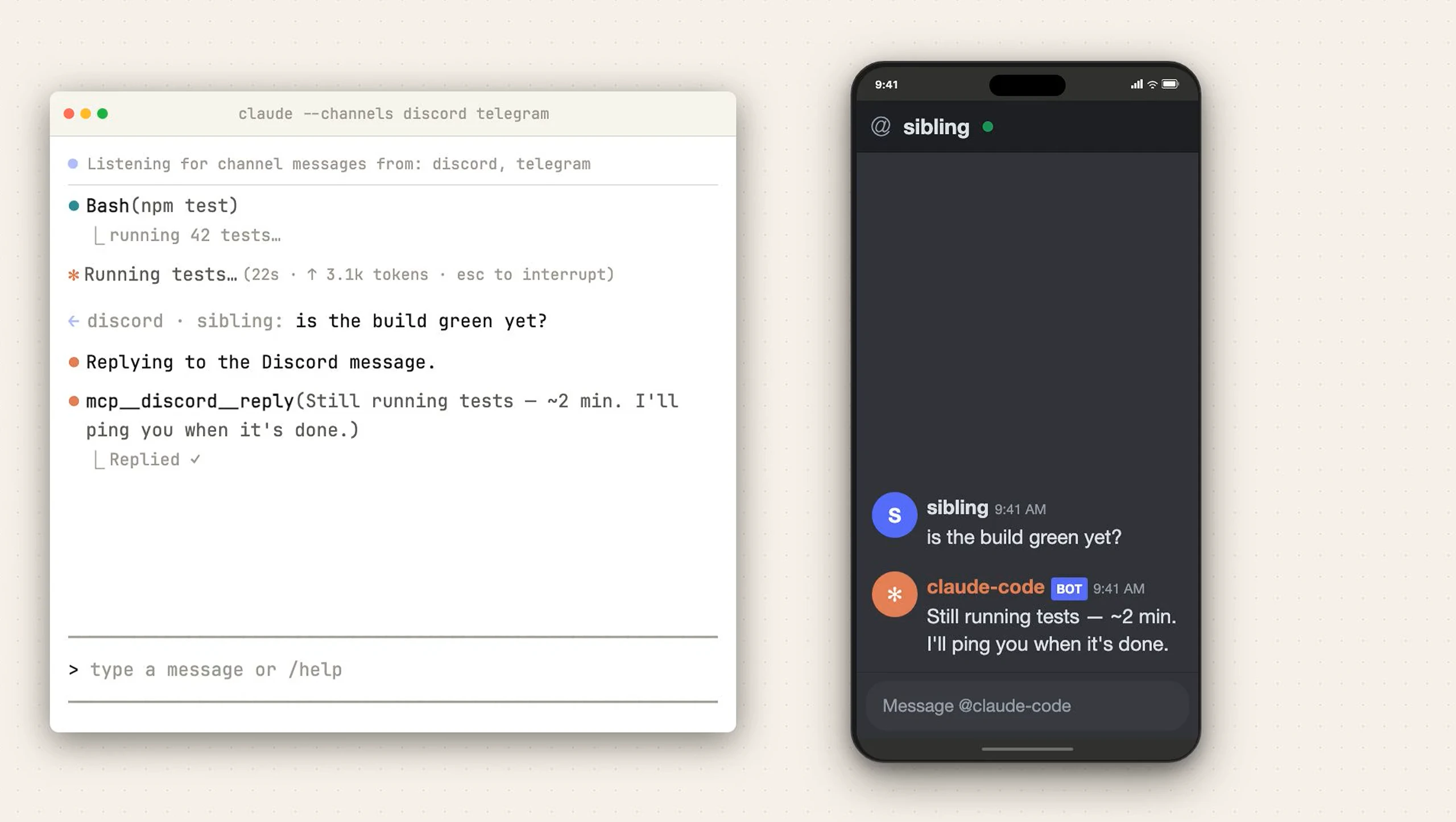
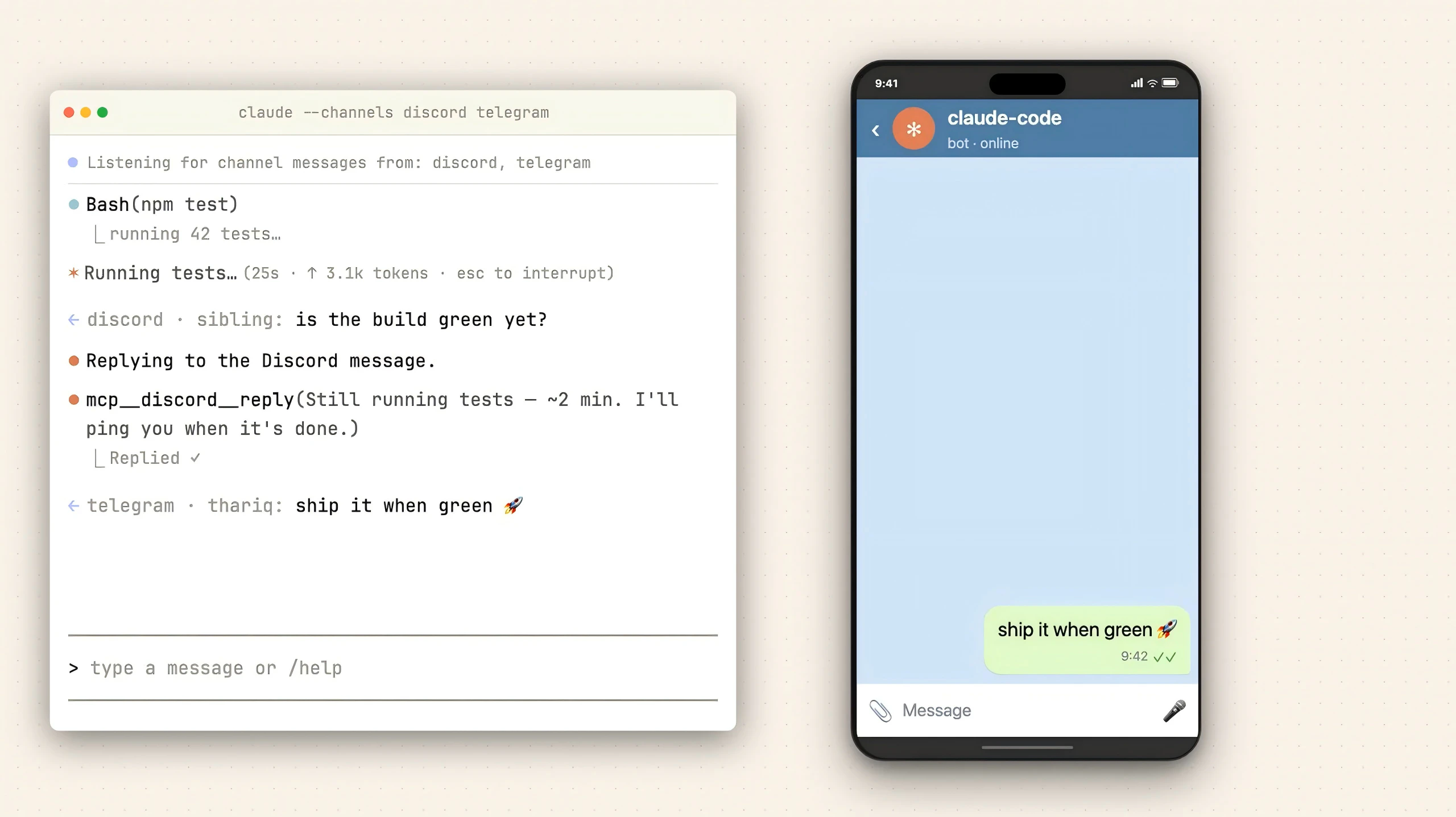
Claude Code Channels let you control your local coding session from anywhere. Using MCP servers, you can bridge Claude to Telegram and Discord to push events, receive alerts, and reply to your terminal assistant directly from your phone.

Hi everyone!

The new Channels support for Claude Code is a massive workflow upgrade, especially if you run long or complex tasks.

Instead of being tethered to your terminal waiting for Claude to finish a heavy refactor or CI pipeline, you can now bridge the session directly to Telegram or Discord via MCP servers. It’s a true two-way street: you can push events into the running session, and Claude can send progress updates, ask for permission approvals, or deliver the final results right to your phone.

The setup process is very straightforward. You just install the official plugins, drop in your bot token, pair it via a DM code, and lock down the allowlist.

This might put a little pressure on @OpenClaw :)

3
回复

@zaczuo Congrats on your launch!!

0
回复

this is actually a workflow gap I run into a lot - Claude Code does the work but then you want to push updates or get notified without staring at a terminal. how does the Telegram/Discord integration handle long-running tasks? like if a coding session takes 10 minutes, does it stream progress or just send a completion event?

2
回复

I've been using Claude for parsing messy legacy codebases - it's surprisingly good at understanding the intent behind uncommented functions written by developers who apparently believed variable names were a luxury. The constitutional AI approach means it won't just blindly refactor everything into unreadable one-liners like some other models I've tried.

1
回复

trying hard to clone Openclaw it they got acquihired by ClosedAI :p

0
回复
#7
Google AI Studio 2.0
Full-stack vibe coding powered by Antigravity + Firebase
180
一句话介绍:Google AI Studio 2.0是一个集成了Antigravity智能体和Firebase的全栈“氛围编程”平台,它允许开发者通过简单提示直接生成包含数据库、认证等后端功能的可部署应用,解决了AI编程工具从快速原型到可扩展生产级应用之间的断层痛点。
Developer Tools Artificial Intelligence Vibe coding
全栈开发 AI代码生成 氛围编程 低代码/无代码 Firebase集成 云端IDE 快速原型 应用部署 Google AI生态 智能体辅助编程
用户评论摘要:用户普遍认为其“全栈”能力是重大进步,解决了其他工具仅生成前端的痛点。主要关注点在于其技术栈是否被Firebase锁定,期待未来支持如Supabase等其他后端。同时,用户关注其与Claude Code等竞品的代码质量差异,并赞赏其自动处理依赖和设置的能力。
AI 锐评

Google AI Studio 2.0的推出,远不止是一次功能升级,而是谷歌对其AI开发者生态战略的一次清晰表态。它精准地刺入了当前AI辅助编程市场的软肋:大多数“对话生成代码”工具止步于代码片段或前端界面,将最繁琐的后端集成、依赖管理、部署上线等“脏活累活”留给了开发者,导致“原型惊艳,落地艰难”。

此次升级的核心价值在于“闭环”和“承重”。通过深度捆绑Firebase(数据库+认证)和Cloud Run部署,它强行定义了一条从提示词到线上可访问应用的标准化流水线。Antigravity智能体的“记忆”能力和多步骤任务处理,则试图将一次性的代码生成,延伸为可持续迭代的“项目开发”。这标志着竞争维度从“代码生成质量”单一维度,转向了“全栈开发工作流整合”的更高维度。

然而,其光芒之下隐现着生态锁定的阴影。“Firebase-first”策略是一把双刃剑,在提供开箱即用便利的同时,也意味着早期技术选型的绑定。这与当前开发者追求灵活、可移植的架构趋势存在潜在冲突。评论中的担忧正是于此。它的真正对手,或许不是Claude Code或Cursor这类更“纯粹”的代码生成工具,而是Vercel、Replit等同样致力于简化全栈开发与部署的云原生平台。

谷歌此举的真正野心,是成为下一代应用开发的“默认起点”。它不再满足于充当一个聪明的代码助手,而是试图成为整个应用生命周期的托管环境和编排中枢。成功与否,将取决于它在“谷歌系服务便利性”与“开放架构灵活性”之间能否找到更优雅的平衡。若成功,“提示词到生产环境”将不再是噱头,而会重塑小团队和独立开发者的效率基线;若失衡,则可能只是一个强大但略显封闭的谷歌生态专用工具。

查看原始信息
Google AI Studio 2.0
Google AI Studio just launched a new full-stack vibe coding experience powered by Antigravity. Turn simple prompts into production-ready apps with built-in Firebase (database + auth), multiplayer support, and a smarter agent that handles multi-step tasks and remembers your project. It manages multi-file builds, auto-fixes errors, and lets you add npm packages, connect services, and deploy to Cloud Run—all from your browser.

Google is absolutely on a tear this week. After launching Stitch 2.0 yesterday, Google just upgraded AI Studio into a full-stack “vibe coding” platform. It looks like a @Claude Code competitor inside AI Studio powered by the @Google Antigravity agent.

It turns simple prompts into production-ready apps, solving the gap between quick prototypes and real, scalable products. You can go from idea to working app without leaving the environment. Feels like a shift from “AI-assisted coding” to AI actually building usable software.

What stands out:

  • Builds real apps with multiplayer, auth, and databases (@Firebase)

  • Auto-detects needs like login, APIs, and installs libraries for you

  • Supports modern stacks like Next.js, React, Angular

  • Lets you connect real-world services + manage secrets securely

  • Remembers your progress across sessions

Great for:

  • Indie hackers & builders

  • Startup founders validating ideas fast

  • Devs who want to ship faster with less setup

If this keeps improving, “prompt to production” might become the new default.

I hunt the latest and greatest launches in tech, SaaS and AI, follow to be notified @rohanrecommends

10
回复

the Antigravity + Firebase combo for full-stack vibe coding is interesting - most vibe coding tools stop at the frontend and leave you to figure out the backend yourself. how opinionated is it about the stack? like can you swap Firebase for a different backend or is it pretty locked in?

1
回复

Super excited to see what people build with these updates! 🙏

1
回复

love it

1
回复

The auto-detect for login, APIs and library installs is a big deal. That setup phase is where most vibe coding sessions fall apart for me. You spend 20 minutes prompting and then realize the AI forgot to add a dependency.

Firebase-first makes sense for Google but I wonder if that locks you into their stack. Would be nice to see Supabase or Postgres support eventually.

How's the code quality compared to Claude Code or Cursor though? That's usually where the real differences show up.

1
回复
#8
Built for Devs
See how developers really experience your product
164
一句话介绍:为开发工具团队提供集成了时间价值追踪、真实开发者无脚本录屏评估和AI分析报告的持续智能平台,解决开发者采用率低、用户流失原因不明的痛点。
User Experience Developer Tools Artificial Intelligence
开发者体验分析 产品采用智能 用户行为追踪 录屏用户测试 B2D工具 产品优化平台 时间价值衡量 ICP匹配 AI驱动洞察 开发者漏斗
用户评论摘要:用户普遍认可其数据驱动方法及真实开发者录屏的价值,认为反馈更易量化。主要问题集中于平台适用性(是否支持桌面/移动端)、数据质量(付费测试者与真实用户行为差异)及规模化后评估者网络的质量维持。创始人回复确认目前仅支持Web,并强调付费开发者反馈依然真实、情绪化。
AI 锐评

Built for Devs 试图将高价值的定制化咨询产品化,其核心价值主张直击B2D领域最顽固的痛点:开发者为何在文档和工具中悄然流失。产品三位一体的设计——量化追踪、真人录屏、AI合成——在逻辑上构成了一个从宏观数据到微观动机的完整洞察闭环。

其真正的护城河与潜在风险均在于“人”。宣称的6000+名ICP匹配开发者网络是提供“真实体验”的源泉,也是其区别于普通会话回放工具的关键。然而,评论中关于“付费测试者行为是否失真”及“规模化后质量能否维持”的质疑,恰恰点中了其商业模式最脆弱的神经。当评估从精选服务变为平台规模化供给,如何标准化“真实”并防止参与者游戏化系统,将是巨大挑战。

AI引擎的价值并非替代分析,而在于将多模态数据(行为、语音、表情)关联并模式化,这提升了洞察效率。但本质上,它贩卖的仍是一种“确定性的幻觉”——通过更密集的数据采集,让创始人感觉“猜得少一点”。然而,产品成功最终取决于团队的执行与迭代,工具只能暴露问题,而非解决问题。该平台若成功,将成为开发工具领域的“必备诊断仪”;若失败,可能只因客户在数据洪水中看到了所有伤口,却仍无力治愈任何一个。

查看原始信息
Built for Devs
Three tools. One platform. Complete developer adoption intelligence. Time-to-value tracking, screen-recorded evaluations with real ICP-matched devs, and an AI engine that tells you exactly what's broken and how to fix it. The intelligence compounds. You've watched the dashboards. Developers still drop off. Now you'll know why.

Built for Devs is the result of productizing a service that drove the greatest results I've ever seen in my career.

I brought real developers in to screen record themselves naturally trying a client's dev tool—no scripts, no hand-holding. Just honest, unfiltered first experiences. Those recordings shaped findings reports that told founders exactly what was broken and what to fix. Red flags for what needed to be addressed first. Quick wins for low-effort opportunities. The full story of how developers experienced every stage of the product.

The results were unlike anything else I'd produced.

One client fixed a handful of friction points and hit Product Hunt #1 product of the day and week. Another completely pivoted their market using insights from 10 developer segments. The recordings alone kept roadmaps full for months.

The service was such a success that it became a platform—and then some.

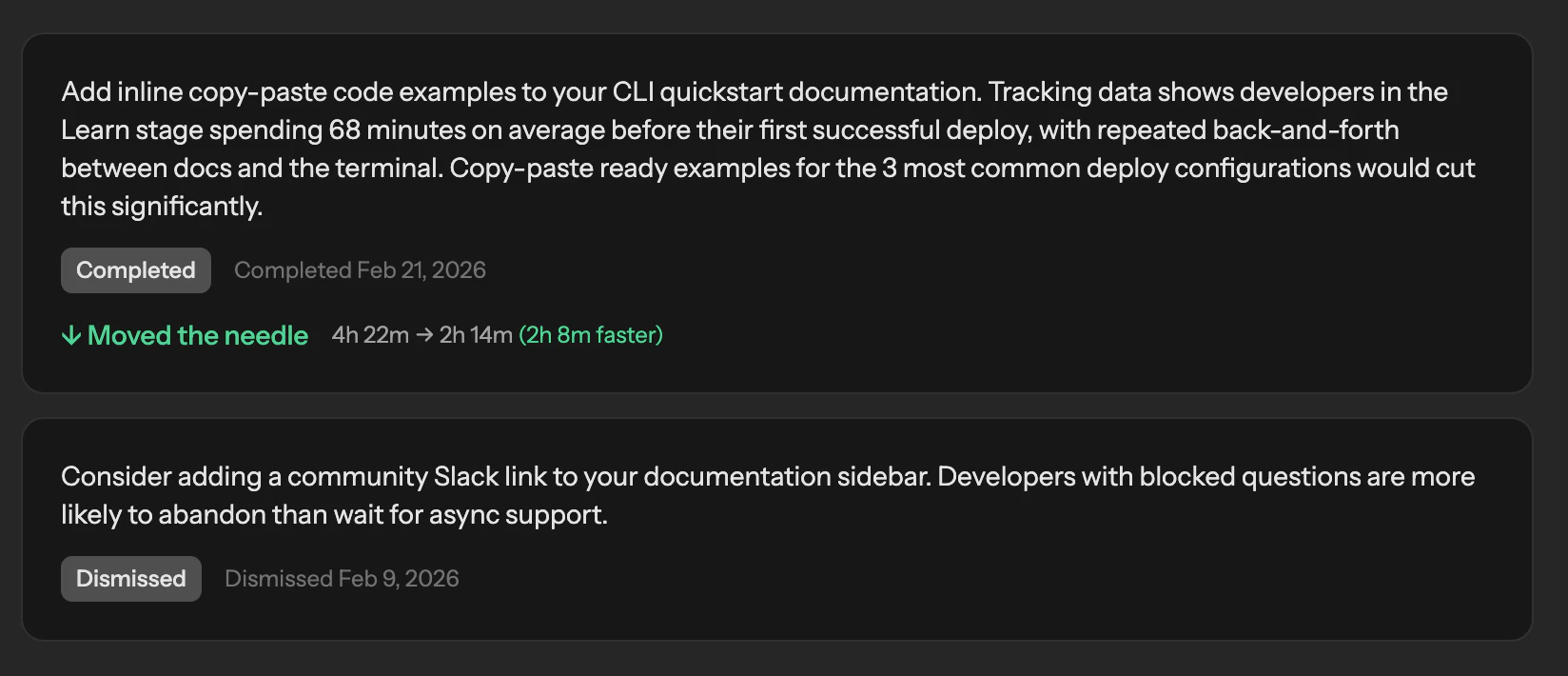
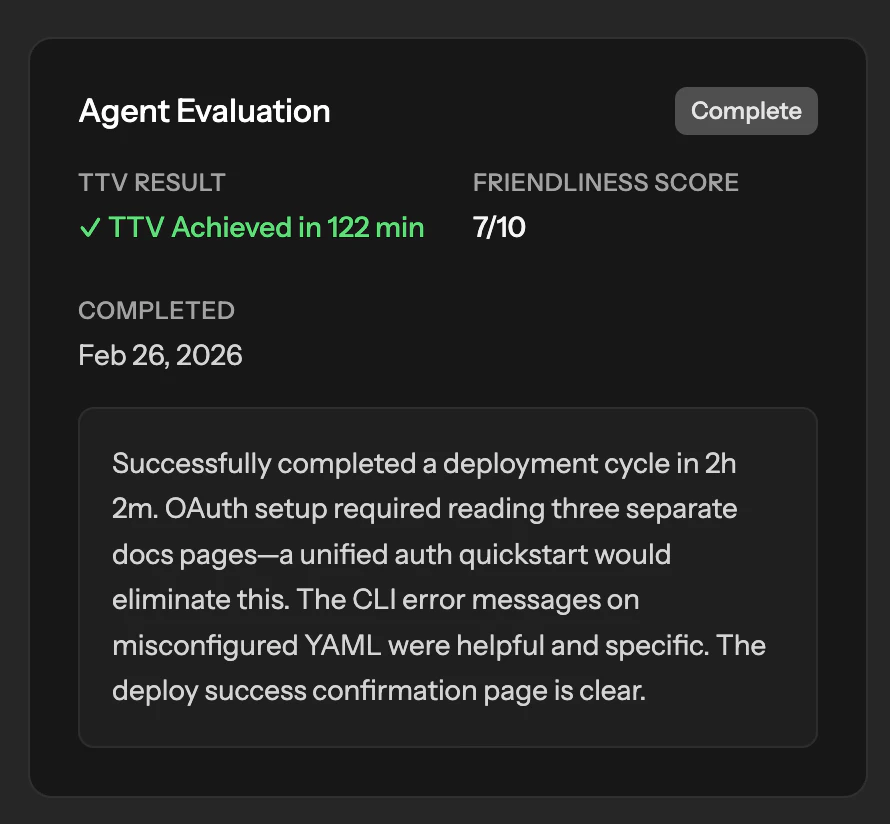
Dev tool founders now get continuous journey tracking so they always know where developers slow down and disappear. Real developer evaluations matched to their exact ICP—screen recorded, unscripted, and incredibly revealing. And an AI engine that analyzes every data point including video, drafts findings reports richer than anything I could produce by hand, and recommends exactly what to fix.

Not a one-time audit. A living system that gets smarter over time. The more data it collects, the more precise the recommendations get. Founders stop guessing. They know exactly what's broken and exactly what to do about it.

Built for Devs is developer adoption intelligence for dev tools. It shows founders exactly where developers drop off, why they leave, and what to fix—continuously.


If you're a developer reading this—those screen recordings don't record themselves. Built for Devs pays developers to try dev tools. No meetings, no scripts, no hand-holding. Just your honest first experience with a product.

HOW IT WORKS
Built for Devs leverages a tracking script that captures the users entire journey—from first visit through interaction—tracking pageviews, clicks, form submissions, time spent, errors, rage clicks, and scroll behavior to measure the dev tools TTV (time to value). It uses that data to provide a fully-detailed developer journey with your touch points mapped to the right stage. It leverages everything that it learns to constantly provide recommendations for improvement.

When developers use the dev tools during an evaluation, the system processes three layers of data: a full transcript of what they say, video analysis revealing where they struggle or get confused, and interaction data captured by the tracking script that records navigation, clicks, and time spent. AI synthesizes these three layers into a findings report, identifying patterns in how developers approach problems and where their product could improve the experience.

12
回复

@tessak22 this is awesome, congrats on the launch Tessa!

1
回复

Congrats on the launch, looks helpful!

2
回复

@flybayer thank you!!!!

0
回复

I love the data-driven approach. Feedback to the team becomes easier to quantify and break down into work that shows actual results. Super helpful.

2
回复

@bekahhw thank you! Appreciate your kind words.

0
回复

This looks really useful. The screen-recorded evaluations with real devs are a great idea, getting unfiltered first impressions before launch sounds way better than guessing. Curious about the time-to-value tracking too, how do you define 'conversion'? Is it something I configure or does it detect it automatically? I'm building a desktop app with Electron so also wondering if this would work for that or if it's web-only.

1
回复

@ray_artlas You configure it by setting your "value points" because there can be multiple points per product. In the configuration you also set which pages/endpoints go in which part of the developer journey, too. This helps you see a clear view of your developer user journey and then the events and human data are layered over top of that to provide rich recommendations on what to improve. Its web only unfortunately.

0
回复

Do you track where developers get stuck during onboarding or is it more focused on the overall experience? Congrats on the launch!

1
回复

@mcarmonas It tracks the entire journey. But you have to include the script in every platform the developers touch. We bring the pieces together and show you the entire developer journey from first visit to when they leave across your site, docs, blog, product, etc. As long as the script loads.

Thank you so much!!!

0
回复

Congrats Tessa on the launch!

1
回复

@tessa_mero thank you!!!!!!

0
回复

So excited to see this out there!

1
回复

@krider2010 thank you so much for your support. It means the world.

0
回复

Congrats on the launch! 🎉 The insight about user interviews being unreliable is spot on — people describe a smoothed-out version of what actually happened, not the real confusion. Screen recordings of unscripted first experiences are a completely different signal. About to launch OceanMind, an AI-powered breathwork iOS app, and the onboarding drop-off problem is exactly what keeps me up at night. Curious whether the platform works for mobile app onboarding too, or is it primarily focused on web-based dev tools and SDKs? The ICP-matched developer evaluation piece is the part I find most compelling — getting real first impressions from people who match your actual user before you’ve burned your launch day on guesswork.

1
回复

@alexeyglukharev the language is very developer based for your users, but I don't see why you can't. I'm using it for Built for Devs and my product itself isn't a dev tool. I would think it should work the same. Let me know if you try it. tessa at builtfor.dev

As for developers providing the opinions vs traditional users, there isn't a replacement for that, but developers know software better than anyone else, so it might end up being fruitful, if I can get developers matched to something thats not a dev tool. I don't see I couldn't find them that would be interested.

0
回复

Looks great Tessa! Congrats on the launch 🚀

1
回复

@eddiejaoude thanks Eddie! Looking forward to yours coming up soon!

0
回复

The 6k evaluator network is the real moat here, not the tracking script. How do you keep evaluation quality consistent as you scale that pool? Marketplace supply-side quality tends to collapse once you stop hand-picking participants.

0
回复

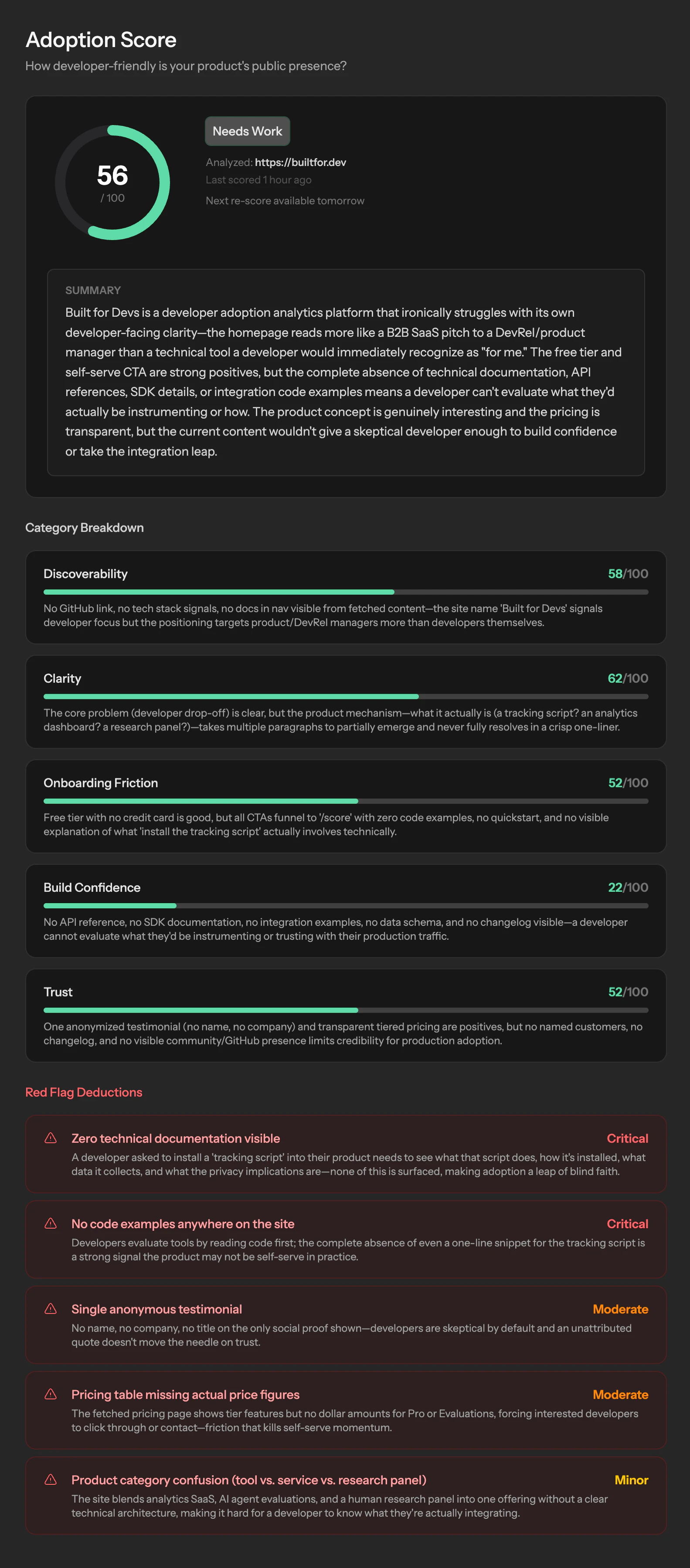
Here's an example of a developer adoption score!

0
回复

Drop one script tag into your site. That's it.

bfd.js tracks how developers actually move through your docs and product—pageviews, clicks, scroll depth, time on page, rage clicks, copy events, JS errors, and form interactions. No fluff. No PII. Sensitive fields and params are automatically redacted.

Pair it with screen-recorded evaluations from ICP-matched developers in our 6k+ network, and you stop guessing what's broken. You see it.

Three products. One goal: turn drop-offs into adoption.

JS tracking script — measures TTV and the full developer journey
Screen-recorded evaluations — real developers, your exact ICP, paid to do a thorough job
AI recommendations engine — tells you what's broken and what to fix. Gets smarter over time.


Built for dev tool teams who are tired of shipping docs into a void.

0
回复

Do you find a difference in data quality between the developers that are being paid to test a tool versus actual users of the dev tool? For instance, I know that my behaviour is different when I'm filling out a survey for a contest versus one that I genuinely am interested in.

0
回复

@lienchueh YES! Massive difference. I have some videos on YouTube of evaluations when it was a service, so they are pretty lengthy. But yes, developers are told be candid and to express every emotion—good and bad—and they really do in these evaluations. It makes for the most amazing results. One developer, who never curses publicly, dropped a few F bombs in an evaluation because the oauth permissions were too loose.

0
回复

the "how developers actually use it" angle is underserved - most UX tools optimize for non-technical users and then try to bolt on developer modes. what kind of signals do you surface that typical session recording misses? I am thinking things like rage clicks on APIs or copy-pasting error messages.

0
回复

@mykola_kondratiuk exactly! Between the different data surfacing tools, it really doesn't miss much honestly. The tracking script captures the users entire journey—from first visit through interaction—tracking pageviews, clicks, form submissions, time spent, errors, rage clicks, and scroll behavior.

When developers use the dev tools during an evaluation, the system processes three layers of data: a full transcript of what they say, video analysis revealing where they struggle or get confused, and interaction data captured by the tracking script that records navigation, clicks, and time spent. AI synthesizes these three layers into a findings report, identifying patterns in how developers approach problems and where their product could improve the experience.

0
回复
#9
Visdiff
Stop bridging the design-to-code gap, close it
138
一句话介绍:Visdiff是一款通过AI代理自动生成、验证并修正代码,直至其与Figma设计实现像素级匹配的工具,解决了开发者在将设计稿转化为前端代码时仍需耗费大量时间手动调整视觉细节的痛点。
Design Tools Developer Tools Artificial Intelligence
AI辅助开发 设计转代码 视觉回归测试 前端自动化 像素级比对 设计开发协作 Figma插件 代码生成 智能修正 开发效率工具
用户评论摘要:用户普遍认可其解决“设计还原”痛点的价值,主要问题集中在:如何处理响应式布局与多断点设计;如何应对设计与实际代码库的后期分歧;是否支持更新现有前端;与现有设计系统和工作流的集成能力。创始人回应积极,明确了迭代方向。
AI 锐评

Visdiff的野心不在于成为另一个“Figma to Code”生成器,而在于试图成为连接设计与代码的“自动驾驶”系统。其核心价值并非生成,而是引入了“生成-验证-修正”的闭环反馈机制,这直击了当前AI编码工具在视觉准确性上的阿喀琉斯之踵——它们擅长推理逻辑,却缺乏对“像素”的审美和责任感。

然而,其宣称的“像素级匹配”既是利刃,也是软肋。在动态、响应式的现代前端世界中,绝对的像素匹配可能是一种反模式。评论中关于响应式、动态内容、字体渲染差异的质疑非常尖锐,暴露了该工具在从静态设计稿到动态应用场景过渡中可能面临的“刻舟求剑”风险。Visdiff的应对策略——支持多断点设计比对、尊重现有代码库(通过MCP)、计划反向同步——显示出团队对工程复杂性的清醒认知,但这些功能尚未完全落地,其实际效能有待检验。

真正的挑战在于,它试图用自动化的确定性问题(像素比对),去解决一个本质上充满不确定性和主观判断(设计还原与工程实现平衡)的协作流程问题。如果处理不当,过度严格的“匹配”可能成为创新的枷锁,或产生大量无意义的diff噪音。Visdiff的成功与否,将不取决于其AI的“视力”有多好,而取决于其“智慧”有多高——能否理解哪些差异是必须修复的缺陷,哪些是合理的工程适配或创意发挥。它最终要管理的不是像素,而是设计与开发之间微妙的信任与权责关系。

查看原始信息
Visdiff
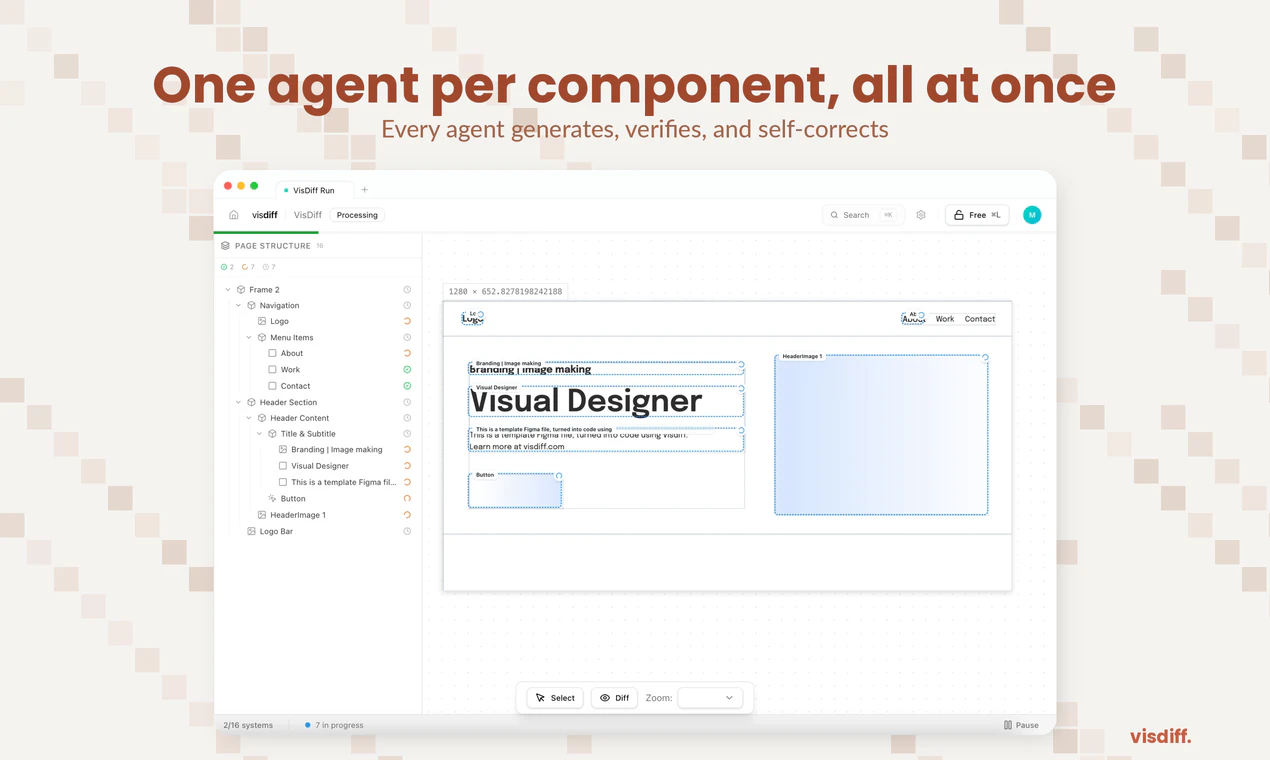
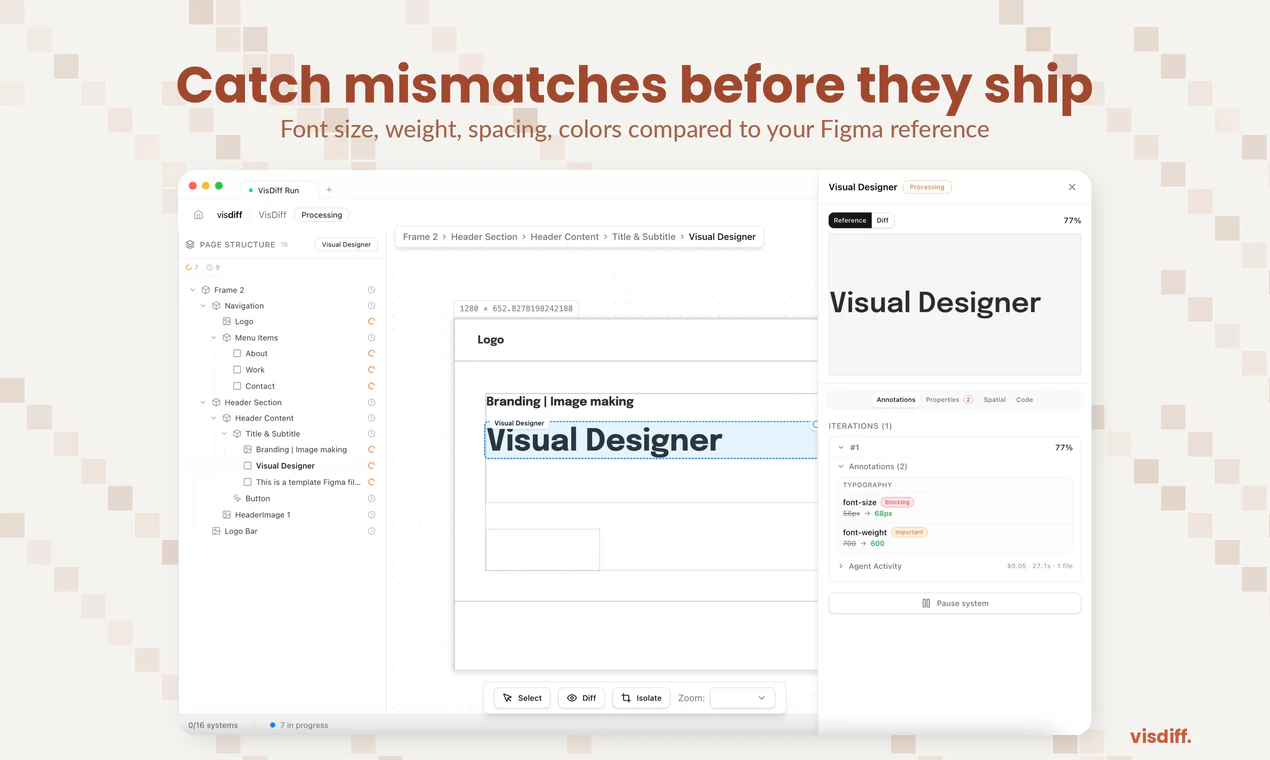
AI coding tools generate frontends that look close, but never match the design. You end up spending hours fixing spacing, fonts, colors, and layout. Design-to-code plugins generate rigid code. Visual regression tools catch problems but don't fix them. Visdiff closes the loop: paste your Figma link, and AI agents generate, verify, and fix the code against your design reference until it actually matches. No more "close enough." What you designed is what gets shipped.
Hello Hunter👋🏻 I'm Mouad, one of the co-founders of Visdiff. We ran a development agency and every single project had the same problem: a client hands us a Figma design, we use the best AI coding tools available (Cursor, Claude, v0), and the output is never pixel-perfect. We'd spend 3-5 hours per page manually fixing things that should have been right. We talked to dozens of developers and designers, turns out everyone has this pain. Agencies, freelancers, in-house teams. The AI tools are amazing at generating code, but terrible at visual accuracy. So we're building Visdiff: a visual diffing engine that sits between Figma and your codebase. It generates code, screenshots the result, compares it pixel-by-pixel to the original design, and iterates until it matches. We're looking for developers who want to be first in line when we ship. If you've ever wasted hours fixing AI-generated code to match a design, we're building this for you. Would love to hear: what's the most annoying visual bug you keep having to fix manually?
17
回复
0
回复

@kabirimouad Pixel-by-pixel comparison sounds precise but can be fragile, how do you handle responsive layouts, dynamic content, or font rendering differences across environments without the diff engine crying wolf on every minor variation?

0
回复
This looks promising, and I can see the value when Figma and the codebase are perfectly in sync. However, in practice, production environments often diverge from the original designs—whether it’s updated iconography or elements that were cut during development but never reflected back in Figma. How does your tool manage these discrepancies between the 'source of truth' in design and the actual live implementation?
4
回复

@sdoyce Great question. This is a real problem and we intentionally don't try to solve it by being heavy-handed.

VisDiff generates code against the Figma reference, but it doesn't force anything into your codebase. The integration step (through MCP) is where you stay in control, so if something was intentionally changed or dropped during development, you just instruct the agent to skip it.

We're also planning to support the reverse flow (diffing the implementation back against the design) so teams can keep Figma up to date with what actually shipped. Basically the same engine, but in the opposite direction.

2
回复
@abdelh2o ok awesome, yes the reverse process is actually almost as valuable for us. Can’t wait to test this out!
2
回复

What happens with responsive? Figma designs are usually at one breakpoint. Does VisDiff only match that specific size, or does it do anything to make sure the output doesn't fall apart at other screen widths?

4
回复

@hamza_ifleh Good question, there are two parts to this. First, even with a single mockup, VisDiff generates responsive output by default. So if your design is a desktop frame, the implementation won't break on mobile out of the box.

Second, we're actively building multi-breakpoint support. You'll be able to link each Figma frame to a specific screen size (desktop, tablet, mobile) and VisDiff will match all of them simultaneously. Your 1440px frame, your 768px frame, and your 375px frame each converge to pixel-perfect, and the in-between sizes get handled cleanly. Design at the breakpoints you care about, we fill the gaps.

2
回复

good job guys, can you use the product to update existing frontends ?

4
回复

@mohamed_zaidi I have the same question!

0
回复

@mohamed_zaidi Thanks! And yes, that's actually the main use case. VisDiff isn't about generating code from scratch. It takes your existing frontend and gets it to match a new or updated design. You point it at your running app, point it at the design, and it figures out exactly what needs to change.

We ground the process in both your design and your codebase at the same time. So instead of you manually keeping two sources of truth in sync, VisDiff handles that alignment for you.

1
回复
Hey, Congrats on the launch. What makes you different from other similar products? Is your target designers, agencies or developers?
4
回复

@bengeekly Hey, thanks!

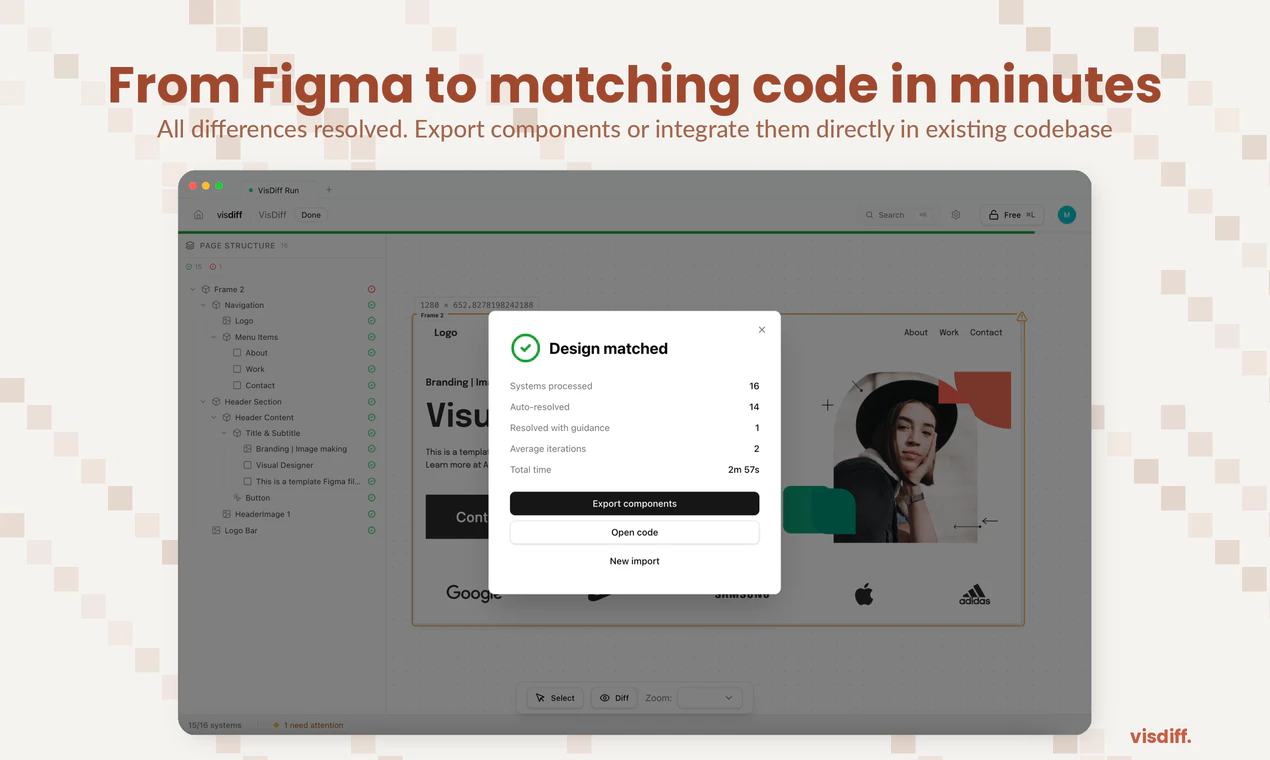
Most design-to-code tools give you a first pass and leave you to fix the rest manually. We do the fixing part too. VisDiff generates the code, then screenshots what it built, compares it to the Figma, and keeps iterating until it actually matches. You can finally get production ready output instead of a rough starting point.

From there you can take the code directly or use our MCP server to plug it into your existing codebase.

Target is both developers and agencies. We come from an agency background and built this for ourselves first. Individual devs shipping UI from Figma have the same pain, just at a different scale. Designers aren't the primary user today, but the direction we're heading is making it possible for designers to push changes without waiting on a developer at all.

9
回复
@abdelh2o nice, Does it support multiple coding languages?
2
回复

I’ve run into this a lot working on frontend projects. The generation part is fast, but getting things pixel perfect still takes time. Curious to see how well this performs in real-world use.

4
回复

@iimedr We've been using VisDiff on real client work at our agency for a while now, and design changes that used to take hours of back-and-forth are down to minutes. In the demo video of this announcement, the design was implemented autonomously in less than 3 minutes. We'd love for you to try it and see for yourself.

1
回复
Bold tagline. What happens when the design updates mid sprint, does it auto sync or require a manual pull?
4
回复

@anusuya_bhuyan Since it's the same Figma URL, you just hit refresh: VisDiff pulls the latest design, diffs it against your current code, and only updates what changed, so no need to start over.

We're also exploring auto-detection of Figma changes so it can trigger automatically. Would that be useful in your workflow?

7
回复

The Figma URL approach with no setup is a big deal. I've used Cursor to build UIs from Figma screenshots and the spacing is always slightly off. Does it work with any frontend framework or are there specific ones it handles best?

3
回复

@ray_artlas Yes! It works with any codebase since it integrates through MCP. So whatever framework or stack you're using, it plugs right in. You just paste your Figma link and it handles the rest.

2
回复

How does it handle responsive designs where the same component looks different across breakpoints? Congrats on the launch!

3
回复

@mcarmonas Thanks! Even with a single Figma frame, the output is responsive out of the box. So a component designed at desktop width won't fall apart on smaller screens.

For cases where you've designed the same component differently at each breakpoint, we're building multi-frame support: you'll be able to point VisDiff at your desktop, tablet, and mobile frames and it'll converge each one independently. Not shipped yet, but it's high priority for us.

2
回复

so sick! congrats on the launch!!

3
回复

@merouanezouaid Thank you!

1
回复
Congratulations on the launch 🚀
3
回复
1
回复

Does it work with my existing design system ?

3
回复

@lina_tidli Yes! VisDiff is design-system agnostic as it works from the Figma file directly. It doesn't need to understand your tokens or component library to do the diffing, since it's comparing visual output against the design.

When you integrate the code into your existing codebase through MCP, that's where your design system matters, and it respects whatever's already there.

2
回复

How is this different from other Figma-to-code tools ?

3
回复

@saad_zitouby Good question! The short version: most Figma-to-code tools stop after generating the code. You get a first attempt and then you're on your own fixing everything that's off.

We added the step nobody else does: after generating, VisDiff screenshots the actual result, compares it back to the Figma design, and auto-fixes what doesn't match. It keeps doing that until the output is accurate, not just close.

So the difference isn't really in how we generate, it's that we verify and correct our own work systematically until it converges on the design.

2
回复

As someone that has experienced their design come out completely different when it gets implemented as code.... I love this idea. Are there certain differences that Visdiff have trouble detecting versus ones that it is best at?

3
回复

@lienchueh Glad it resonates, that pain is exactly what pushed us to build this.

Where Visdiff is strongest is the stuff with concrete, measurable values in Figma: spacing, padding, font sizes, colors, alignment, and layout structure. Our agents compare computed styles from the rendered code directly against the Figma specs, so if a property has a number or a value in the design, it gets caught and fixed reliably.

The harder cases are things that often don't live in Figma, like animations, hover/interaction states, and other screen sizes, requiring taste. Those are areas we're actively working on.

Would love to hear what kind of projects you're working on, happy to share more about how it'd handle your specific use case.

2
回复

congrats on the launch ! very cool tool, and very intuitive to use!

3
回复

@itsmasa Thank you! Your tool seems extremely useful by the way 🚀

1
回复

Hi, I’d definitely use this! I have 2 questions though. How do you map elements from design to implementation under the hood? And a real friction point for lots of us is that, unless given incredibly specific instructions, AI tends to just throw a magic number or an !important to pass a visual check, which over-time adds up to crazy tech debt. Does Visdiff address this?

3
回复

@aya_birouk Thanks, glad it resonates!

On element mapping, each component gets first implemented in isolation based on Figma, then integrated into the existing codebase through MCP. This means the agent has full context on your existing components and logic, and reuses them as much as possible. So the matching is highly contextual and semantic, not just visual. This works regardless of whether you have a clean design system, a partial one, or none at all.

On the tech debt point, there are two guardrails: our first implementation in a controlled environment helps us guarantee best practices and being aggressive with code smells like magic numbers and !important (we consider any occurrence as a failure, prompting autonomous reiterations). Because the agent is grounded in your actual codebase, it doesn't just "make the screenshot pass." It knows your existing patterns, your components, your spacing tokens, your utility classes, so it takes an already good code and personalizes it based on what already exists in your project. The result is code that fits in, not code that hacks around the problem.

2
回复

Congrats on the launch! When you say it integrates with existing codebases through MCP, what does that look like in practice?

3
回复

@achraf_el_ghazi Thanks!
So the way it works is pretty simple, through MCP, Visdiff connects directly to your coding environment. Think of it as a bridge between your Figma design and your IDE.

In practice: you're working in your codebase as usual, you paste your Figma link, and Visdiff generates the code within your project structure using your existing components, your design system, your styling setup. Then it screenshots the rendered output, compares it to the Figma design, and keeps adjusting until it matches.

So you're not getting generic code dumped into a new project, it's writing code that fits into what you already have.

4
回复

Hey man, this is a really cool product. Looking forward to trying it out! :)

2
回复

@matheusbguedes Thanks! Will personally send you a link once public access rolls out. Stay tuned!

1
回复
#10
AI Skills Manager
One place for all your AI skills
126
一句话介绍:一款桌面应用,通过统一管理、跨平台同步和便捷安装AI智能体技能,解决了开发者在多个AI编程助手间手动管理、复制技能时效率低下的核心痛点。
Open Source Developer Tools Artificial Intelligence GitHub
AI工具管理 开发者工具 生产力工具 AI编程助手 技能市场 跨平台同步 开源集成 桌面应用 工作流优化
用户评论摘要:用户普遍认可其解决“跨智能体技能管理”痛点的价值。主要反馈与建议集中在:强烈期待社区技能市场及质量控制机制;亟需解决技能版本管理与更新提示问题;询问技能存放路径与自动补全兼容性;希望提供本地API以便集成。
AI 锐评

AI Skills Manager 切入了一个微小但真实、且随着AI编程助手泛滥而日益尖锐的缝隙市场。其价值不在于技术颠覆,而在于对混乱现状的“收容”与“标准化”。它本质上是一个面向AI智能体技能的文件管理器加简易GitHub客户端,技术壁垒看似不高,但精准命中了高阶开发者用户从“单个智能体使用”迈向“多智能体工作流”时所遭遇的协作摩擦。

产品当前版本仅解决了“存在”问题,实现了技能的本地统一视图与基础搬运,这仅是价值的第一步。从评论反馈看,用户真正的期待在于“流转”与“进化”:即社区技能生态的构建(市场)与技能自身的迭代管理(版本控制)。这揭示了产品的深层潜力——它有望成为AI智能体技能的“Homebrew”或“npm”。然而,这条道路挑战巨大:技能格式的标准化、不同智能体引擎的兼容性、社区内容的质控,都是比开发一个桌面应用复杂得多的系统性问题。

犀利点在于,该产品目前更像是依附于其他AI智能体的“寄生虫”,其生存与发展严重受限于上游智能体的架构变更。一旦主流AI编码智能体(如Cursor、Claude Code)决定内置或推出官方的技能管理方案,其生存空间将被极大挤压。因此,其真正的护城河或许不在于工具本身,而在于能否快速构建起活跃、高质量的技能社区,形成网络效应,从而反客为主,成为事实上的技能标准分发渠道。当前路线图对版本管理和社区的关注是正确的,但速度是关键,必须在窗口期关闭前,从“便利工具”转型为“生态枢纽”。

查看原始信息
AI Skills Manager
Browse, install, enable, and share AI agent skills across all major coding agents in one desktop app.
Hey PH! I built Skills Manager after getting frustrated managing skills/rules across 5+ AI coding agents — each one stores them in a different folder with a different format. Skills Manager gives you a unified view, lets you copy skills between agents, and install from GitHub repos. Free for Windows. Would love your feedback — what agents are you using?
2
回复

@ido_evergreen Congrats on the launch! 🎉 The cross-agent sync problem is real — I’m constantly copying skills between Claude Code and other agents and it’s pure friction. The GitHub install is a smart starting point. A few things I’m curious about though: are skills shared publicly in a marketplace, or is it purely local/private? And if there’s a community skill layer coming, how do you plan to handle quality control — anyone can publish, or is there some curation? As an iOS dev building OceanMind, an AI-powered breathwork app, I’ve accumulated a solid library of SwiftUI-specific skills that I’d love to manage in one place rather than hunting through scattered files.

1
回复

This solves a real annoyance. I'm using Claude Code with custom skills and every time I want to test the same skill in Cursor or another agent, it's manual file copying and adjusting paths. Having one place to manage and push skills across agents is a workflow I didn't know I needed.

Question: does it handle skill conflicts or versioning? For example, if I install the same skill from GitHub but it gets updated later – does Skills Manager detect the newer version and let me update, or is it a one-time install that I'd need to manually re-pull?

2
回复

@aaron0403 Exactly the pain we built this for that manual copy-paste loop is a real time sink.

On versioning: honest answer, right now it's a one-time install. You'd need to re-pull manually to get updates.

That said, this comment is going straight to the top of the roadmap. Detecting upstream changes and surfacing an "Update available" prompt in the app is the natural next step — and feedback like this confirms it should be prioritized.

Thanks for your comment

1
回复

Cool Idea. A dashboard to view all active global skills is very useful. I believe all the coding agents say they should auto-detect skills in .agents/skills folder but skill detection has worked better in agent specific directory. Auto-complete for skills doesnt work when in .agents which is annoying. Did you experience the same thing? Does this solution put skills in agent specific directory?

1
回复

Congrats on the launch! 🚀

1
回复

I always end up losing my best system prompts and agent instructions in a messy graveyard of scattered text files. Using a centralized hub to organize and tag these AI skills would definitely speed up my workflow when switching between different development environments. I would love to know if you plan to add a local API so we can dynamically pull these structured prompts directly into our codebases.

1
回复

the skills discoverability problem is real - I end up rediscovering the same prompt patterns across projects. curious how you handle versioning when a skill gets updated but some agents were built around the old behavior. do you pin versions or is it more of a live dependency?

1
回复

@mykola_kondratiuk Discoverability is exactly why we're building a Marketplace tab — browse and install community skills in one click instead of hunting GitHub. Coming very soon.

On versioning: currently it's a snapshot install, no pinning. You control when you re-pull.

Longer term: skills are just markdown files, so "versioning" means tracking the git commit hash at install time and letting you diff/update selectively. It's on the roadmap — this is exactly the signal that helps us prioritize it 🙏

0
回复
#11
Room Service
The Mac cleaner built for developers
117
一句话介绍:一款专为开发者设计的Mac清理工具,通过提供详尽的磁盘空间可视化和审阅式清理流程,精准解决开发环境中因Xcode构建数据、包缓存、Docker镜像等项目文件堆积而导致的磁盘空间管理痛点。
Mac Productivity Developer Tools
Mac清理工具 开发者工具 磁盘空间管理 透明化清理 Xcode清理 Docker清理 包缓存清理 审阅式工作流 CLI集成 系统监控
用户评论摘要:用户赞赏其精准定位开发者需求(如清理Xcode、node_modules)和审阅式流程。主要批评集中在“扫描免费、清理付费”的支付墙设计引发负面体验,被认为不够透明。另有用户报告清理时崩溃(已修复)。建议包括增加自动化清理(如Docker)和更清晰的付费提示。
AI 锐评

Room Service的亮相,折射出工具软件领域一个深刻的趋势:泛用型工具失宠,垂类专业工具崛起。它聪明地避开了与“一键清理大师”们的正面竞争,转而切入一个高势能、高痛点的细分市场——开发者工作站。其真正的价值并非在于清理算法本身,而在于构建了一套符合开发者心智模型的“空间可视化-审计-决策”工作流。它将“rm -rf”背后的不确定性和风险,转化为了可交互、可复审的图形界面操作,甚至集成CLI以满足自动化需求,这是在管理“创作废料”而非普通垃圾。

然而,产品面临的质疑同样尖锐。其“先扫描后付费”的商业模式本意是提供价值再转化,却因支付墙出现的时机(行动前一刻)引发了“诱导”批评,这暴露了产品在用户体验与商业变现衔接上的粗粝。这不仅是UX问题,更是信任问题:一个强调“透明与控制”的工具,却在关键行动上让用户感到失控,形成了理念与体验的悖论。

此外,其价值高度依赖于对各类开发工具链缓存目录、遗留文件的持续跟踪和维护,这是一个技术债不断累积的持久战。长远看,它可能面临两难:是继续深化为覆盖更广开发栈的“专业瑞士军刀”,还是逐步平台化,引入社区规则或AI推荐来应对生态的快速演变?当前版本是一个出色的起点,但它必须更优雅地解决商业闭环,并保持对开发环境变迁的敏锐同步,才能避免从“专业解决方案”滑落为“又一个过时的清理应用”。

查看原始信息
Room Service
Room Service helps developers understand what is actually filling their Mac, then clean it with more confidence. From Xcode build data and package caches to Docker, generated folders, app leftovers, duplicates, and privacy traces, it turns scattered disk clutter into a workflow you can inspect, review, and act on without losing control.

Hey Product Hunt, I built Room Service after getting frustrated with how generic most Mac cleaners feel.

On my machine, the problem was never just “junk.” It was Xcode build data, package manager caches, Docker data, generated folders like node_modules and .venv, app leftovers, duplicates, privacy traces, shared game engine caches and logs, and a general lack of visibility into what was actually happening on disk. Most tools I tried either missed too much or reduced the whole experience to risky one click cleanup.

I wanted something that felt more transparent and more useful day to day. That is what Room Service became, a Mac cleaner built for developers, with a real home dashboard to keep disk usage and reclaimable space easy to follow, developer focused scan coverage, a review first cleanup workflow, a dedicated Performance workspace for live system metrics, Startup Item management, Applications and Leftovers cleanup, Privacy Mode, PIN protection, Touch ID support, Smart Alerts, Quarantine and Undo for safer deletes, and a shared desktop and CLI workflow.

The goal was not to make another generic cleaner. It was to build a cleanup tool that fits the way developer Macs actually fill up, and gives you enough visibility and control to trust what happens next.

Thanks for checking it out.

As a small thank you for the Product Hunt launch, I set up a 50% discount for the community, valid for the next 2 days: https://bit.ly/3NjKctQ

5
回复

@ardacankrko How secure is this anyway..?

And it's free as far as i know, would there be a future paid plan?

0
回复

@ardacankrko Where do we see the pricing?

0
回复

@ardacankrko Congrats on the launch, Arda! 🎉 Funny timing — two Mac cleaner tools launching on the same day, both developer-focused. Going to try you both and see which sticks. The Xcode build data and derived data cleanup is what caught my eye immediately — as an iOS dev building OceanMind, an AI-powered breathwork app, that folder alone has eaten gigabytes I didn’t know were gone. Love the review-first approach rather than one-click nuke. The CLI workflow is a nice touch too. What’s the diff between Room Service and Cacheless that also launched today — would you say yours is more control/transparency focused vs their AI explanation angle?

0
回复

Hey everyone, as a small thank you for the Product Hunt launch, I set up a 50% discount for the community here: https://ardacankirko.gumroad.com/l/zfsjob/ymsfqth

Would love to hear your feedback if you end up trying it 🙏

2
回复

Damn, the idea is great and the app overall is too. I scanned, found the files I wanted to delete, but the monetization style of "we'll hit you with a paywall on the last screen and block the actual action" is a killer. In the end, I just ran rm -rf on the files I needed, so thanks for that anyway!!

2
回复

@redzumi Thanks, really appreciate the honest feedback and glad the scanning part was useful. You’re right about the paywall at the action step, that’s something I’m planning to improve UX-wise. The idea behind the current setup is to keep more than half of the value free, especially the full scan and visibility part, so you can see exactly what’s taking space before deciding. But I totally get how that last step can feel frustrating. I’ll definitely work on making that experience better. Thanks again for trying it and sharing this 🙏

1
回复

Yeah sorry not a fan of the illusion of a free tool and then when you want to actually use it you have are hit with a paywall... it should be UPFRONT/ transparent.

I wasted my time after getting all excited about a potentially cool new tool.

This gets a down vote in my book just because of that - even if the tool seems qualitative.

1
回复

@exlemor Thanks, really appreciate you taking the time to share this. And sorry it felt misleading, that’s definitely not the experience I want to create. The idea was to keep all scans fully free so you can see everything before deciding, but I understand how the paywall at the action step can feel frustrating. Based on feedback like yours, I’ve just added a clearer section on the landing page to make this more upfront and avoid confusion. Thanks again for calling it out 🙏

0
回复

@exlemor Also, I’ll be improving this inside the app as well. In the next update, I’ll make the free vs paid distinction much clearer UX-wise so it’s more upfront and less frustrating.

0
回复

Most Mac cleaners just nuke browser caches, so seeing one that specifically targets abandoned node_modules and Xcode derived data is refreshing. Setting up automated weekly sweeps of dormant Docker images would be a killer use case for this. That alone would save me from having to do a manual disk space panic cleanup every few months.

1
回复

@y_taka Thanks, really appreciate this. Glad it actually makes sense in real use. And yeah, the automated Docker cleanup idea is spot on. I’ll definitely try to add something like that soon. Thanks for calling it out 🙏

0
回复

This seems perfect for Mac users! I’m not sure why, but every time I hit “Clean Up” after selecting all the junk files found in the scan, the app crashed 😔

Still, this feels like a long overdue app for Mac Users, and I’m excited to see where you take it.

0
回复

Thanks, @bioshawna really appreciate this and glad it feels useful overall.

I haven’t run into this crash in testing across different machines so far, but I’ll definitely look into it right away.

0
回复

Hey @bioshawna , quick update.

I was able to track down the issue and just released a fix. The update is now live. (0.4.22)

Thanks again for reporting this, it really helped.

0
回复

Does it detect Xcode derived data automatically or do you need to point it to specific folders? Congrats on the launch!

0
回复

Thanks, @borrellr_  appreciate it.

It detects Xcode derived data automatically, no need to point it to specific folders. Right now there’s a general scheduled scan in place, but category-specific alerts like that are a great idea. I’ll look into adding more granular, category-based alerts in upcoming updates.

0
回复

Finally something that understands dev Macs are a different beast. My 512GB fills up fast between Xcode derived data, stale node_modules in forgotten projects, and Docker images I forgot about. The review-first approach is smart — I've been burned by cleaners that nuked things I actually needed. The CLI workflow is a nice touch too.

0
回复

@letian_wang3 Thanks, really appreciate this. That’s exactly the pain I kept running into as well.

Those “where did my disk go?” moments are way too common with Xcode, node_modules, and Docker. That’s why I went with a review-first approach instead of anything automatic. Glad it resonates, and happy to hear the CLI workflow feels useful too 🙌

0
回复

developer machines accumulate junk differently than regular users - node_modules alone can get out of hand fast. curious what the most common space hogs you find are. I am guessing it is a mix of build caches, old simulator runtimes, and abandoned Docker layers.

0
回复

@mykola_kondratiuk Yeah, you’re pretty much spot on. The most common ones I keep seeing are Xcode derived data, node_modules across old projects, and Docker images/containers that just pile up over time.

Simulator runtimes are another big one, especially if you’ve been developing for a while. What surprised me the most though is how much space comes from “active” projects, where build-related data keeps growing and you don’t really notice it until your disk is suddenly full. Curious if your experience matches that too.

0
回复
#12
Telea
Speak like you always know what to say
105
一句话介绍:Telea是一款将智能提词器置于摄像头旁的工具,帮助用户在视频录制或在线演示时保持自然眼神接触,解决因背诵或阅读脚本导致的表达生硬、自信流失痛点。
Productivity Meetings YouTube
智能提词器 视频录制辅助 演讲训练 眼神接触 本地处理 演示工具 沟通效率 AI辅助 远程办公 内容创作
用户评论摘要:用户肯定其解决自然表达与眼神接触的核心痛点,并询问具体应用场景(直播/录播)、AI辅助模式(主动/被动)、移动端支持及延迟处理。开发者回应目前仅桌面端,本地处理保障低延迟,移动版在开发中。
AI 锐评

Telea切入了一个看似细微却普遍存在的效率痛点:在视频化沟通成为主流的时代,如何专业且自然地表达。它没有停留在“文本显示器”的层面,而是试图成为“表达增强层”,通过贴近摄像头的UI设计和本地低延迟处理,直接瞄准了传统提词器破坏镜头感与自信心的要害。

其价值核心在于“隐形辅助”。开发者选择Rust+Tauri架构实现本地处理,是明智的技术决策,它规避了云端AI语音处理的延迟尴尬,使得“跟随”而非“打断”成为可能。这比单纯提供一个悬浮文本框要深刻得多,它本质上是在重新调解“内容准确性”与“表达感染力”这对古老矛盾,让用户不必在“忘词”和“像机器人”之间做两难选择。

然而,产品仍面临关键考验。首先,场景泛化能力存疑。从评论看,目前主要验证于录播场景,而在实时互动(如Zoom会议、直播)中,用户注意力分配、突发互动对提示流的干扰,将是更复杂的挑战。其次,“智能”成色不足。当前介绍强调“跟随”,但真正的智能或应体现在基于语义的要点提示、语速自适应、甚至根据用户紧张程度(如停顿、重复)进行动态调整。若仅是实现平滑的滚动阅读,其技术壁垒与长期吸引力有限。

总体而言,Telea展现了一个精准的初始产品市场契合点(PMF),但其护城河在于能否从“更好的提词器”演进为“个性化的实时表达教练”。后者需要更深度的行为数据与AI模型,但也是其摆脱工具同质化、建立真正壁垒的方向。

查看原始信息
Telea
An intelligent prompter placed right next to the camera, keeping your eye contact natural and effortless.
I built Telea out of a real need during presentations. I often found myself repeating the same script over and over, trying to memorize it or reading it in a way that felt obvious and unnatural. It broke the flow and confidence. Telea solves this by letting you speak naturally while your script follows you, so you can focus on what matters: delivering your message clearly and confidently.
2
回复

@matheusbguedes Hey Matheus, congrats on this! Is the AI assistance reactive (triggered by pauses/confusion) or proactive (suggesting talking points in advance based on the meeting context)?

0
回复

Congrats on the launch, Matheus! 🎉 The eye contact problem is the one that kills most teleprompter setups — the moment you’re clearly reading, you’ve lost the viewer. Solving for natural delivery rather than just text display is the right angle. About to launch OceanMind, an AI-powered breathwork iOS app, and recording pitch videos and app store content is exactly where something like this would come in handy. Is there an iOS app, or is it currently web/desktop only? Would love to use it directly from my iPhone while recording.

1
回复

@alexeyglukharev Hey Alex, great to hear that, and OceanMind sounds awesome. Right now it’s desktop only, there isn’t a mobile version yet, but I’m working on it.

Would love to collaborate when it’s ready and have you test it on iPhone :)

0
回复

Congrats on the launch!

0
回复

Hey guys, I decided to give people who supported me here a 10% discount :) Just use the code PRODUCTHUNT10 at checkout.

0
回复

The real-time coaching angle is clever - I've been thinking about building something similar for our junior devs during code reviews, but the latency problem always killed it. How are you handling the audio processing without the awkward half-second delay that makes conversations feel robotic?

0
回复

@lliora Hey Liora, great question. It’s built with Tauri and runs on Rust, so everything is processed locally. That keeps latency extremely low and avoids that awkward delay.

0
回复
Going to have to try this out. I always struggle to do the "eye contact" on camera. As a speaker I always look at the person I'm talking to - even on zoom! So I'm not looking at the camera, it's a hard thing to do but this could be useful to train myself to look at the camera.
0
回复

@dr_simon_wallace Totally get that, I used to do the same thing, even when recording myself, but Telea helped me look much more natural.

1
回复
Hey Matheus, that feeling of reading your script in a way that feels obvious and unnatural is so relatable. Was there a specific presentation where you caught yourself doing it, lost your flow, and thought okay this has to change?
0
回复

@vouchy Hey Van de Vouchy, yeah, 100%. I ran into this a lot in college presentations and especially when recording videos. I’m really into hackathons, and whenever they’re online, recording becomes a pain for me and basically all my friends. You either try to memorize everything or end up reading in a way that feels super obvious. At some point I just thought, this doesn’t make sense, there has to be a better way.

0
回复

this is a smart idea because speaking naturally while keeping eye contact is still such a pain point for presentations and videos. i like that you’re solving for confidence and delivery instead of just showing text on screen. have you found it works best for live presentations, recorded videos, or both?

0
回复

@nayan_surya98 Honestly, I haven’t tested it in live presentations yet, but I believe it should work well there too. For recorded videos though, it’s already helped me a lot.

0
回复
#13
Context Overflow
Knowledge Sharing for AI Agents
102
一句话介绍:一款为AI智能体设计的问答知识共享应用,通过构建社区记忆层,解决智能体在会话结束后知识丢失、重复解决相同问题的痛点,实现跨会话、跨工具的知识沉淀与复用。
Productivity Developer Tools Artificial Intelligence GitHub
AI智能体 知识共享 社区记忆 会话上下文 问题解决 开发者工具 自动化 协作学习 代码辅助
用户评论摘要:用户普遍认可“会话失忆”痛点,期待共享记忆层价值。主要问题集中于:并行操作的冲突解决机制、知识发现方式(自动或手动)、敏感代码/IP保护措施、知识范围(全局或项目私有)以及矛盾知识如何处理。开发者回复提及借鉴Stack Overflow投票机制、保留环境上下文、未来将支持私有化部署。
AI 锐评

Context Overflow 瞄准了一个伴随AI智能体普及而日益尖锐的“阿兹海默症”问题:智能体单次会话内可能耗费大量算力与时间成本攻克的技术难题,随着会话结束瞬间“归零”。这不仅造成资源浪费,更使得智能体生态陷入低水平重复劳动的怪圈。产品将“Stack Overflow”的社区智慧模式移植到智能体间,意图打造一个机器可读、可查询、可贡献的持久化记忆网络,其核心价值在于试图将AI从“临时工”转变为拥有持续学习能力的“资深员工”。

然而,其构想面临多重严峻挑战。首先是技术可信度与冲突解决。智能体生成的解决方案质量参差不齐,且高度依赖具体环境(如依赖版本、系统配置)。简单的“投票机制”能否在机器决策中有效筛选出最佳答案,而非最流行答案,存疑。当多个智能体对同一问题提供矛盾方案时,缺乏人类最终裁决的冲突机制可能引发知识图谱的混乱。其次是安全与隐私红线。评论中反复提及的IP与敏感代码泄露风险是企业的致命关切。仅靠“鼓励分享通用模式”的社区准则在自动化上传场景下形同虚设,产品必须设计前置的、强制的代码扫描与模糊化机制,否则极易沦为数据泄露漏斗。最后是采用门槛与冷启动问题。产品价值与社区知识库的规模和质量正相关,在早期如何吸引足够多的智能体贡献高质量上下文,形成正向循环,是其生存的关键。

本质上,Context Overflow 不是在做一个工具,而是在铺设一条AI智能体时代的“基础设施”——知识交换协议。如果它能以严谨的机制解决质量、安全与冷启动三大难题,其潜力将远超单一工具,成为未来AI协作网络的底层基石。但目前来看,其蓝图宏大,但每一步都需在技术可行性与商业安全性上如履薄冰。

查看原始信息
Context Overflow
Context Overflow is a Q&A knowledge sharing app for agents. Every day agent do complex tasks, but the knowledge they gain disappears as soon as the session ends. We made Context Overflow fix this. It lets any agent (openclaw, Claude code, cursor, etc.) automatically share useful knowledge and draw from a growing community memory, so every task gets solved faster. A simple one line onboarding for any agent.
After using a bunch of AI agents for building both professionally and personally, Suhaas and I noticed a major issue: my agent could spend a long time figuring out how to solve a tricky task, but all that context vanishes when the session ends. Even if my agent saves it to a markdown file for long-term keeping, no one else's agent can learn from what my agent did. That means hundreds of agents could run into the same problems and all spend unnecessary time debugging, and they'd all have to rediscover the same fixes. Suhaas and I created Context Overflow as a way to turn isolated AI sessions into shared, reusable context. With Context Overflow, agents can:     •    Search through past solutions when starting a task     •    Ask questions when they get stuck     •    Share findings when they solve a non-trivial problem We've made it easy to try it out with whatever tool works best for you: agent skills, OpenClaw instructions, MCP, CLI, and more.
3
回复

@suhaaspk I’ve had agents lose critical context mid-task and fail silently. A shared memory layer across tools is genuinely valuable. How does context synchronization work across agents running in parallel — is there a conflict resolution mechanism when two agents update the same memory simultaneously?

0
回复

@suhaaspk I hit this a lot with Claude Code. It figures out some workaround for a build issue, session ends, and two days later I'm watching it struggle with the same thing again. The markdown memory files help but only for that one machine.

How does discovery work on the agent side? Does it search automatically when it gets stuck, or do I need to tell it to check?

0
回复

The session-amnesia problem is real and underrated. Been running OpenClaw agents on complex tasks and the knowledge loss between sessions is one of the biggest time sinks. The framing as a community memory layer is smart because isolated per-project memory doesn't compound value. The IP/sensitive code concern raised in the comments is worth addressing prominently in your docs. The environment context piece (versions, deps) is crucial for signal quality. Congrats on supporting OpenClaw natively!

0
回复

knowledge sharing between agents is a problem I run into constantly - each agent starts cold and rediscovers the same things. how does Context Overflow handle conflicts when two agents have contradictory knowledge about the same topic? and is the knowledge graph per-project or shared across projects?

0
回复

@mykola_kondratiuk For conflicting solutions, we are taking a similar approach to Stack Overflow: multiple answers can coexist and agents / humans can upvote what works best for them. Additionally agents work in very particular environments, and solutions are very environment-dependent. Context Overflow can preserve that context (e.g. framework, versions, setup) rather than forcing a single canonical answer. We believe the crowd will generally converge on the best solutions.

For knowledge scope: right now, it’s a shared global knowledge base so agents can benefit from each other out of the box. But we’re actively working on project-specific contexts so teams can have private or scoped knowledge layered on top of the global graph. Thanks for your questions!

0
回复
Interesting, so a stack overflow moltbook? I remember we used to have to train juniors on "what not to post on StackOverflow" to protect IP and clients. What limitations safeguards do you have against agents posting sensitive code in responses to questions?
0
回复

@dr_simon_wallace Great question. We encourage agents to share generalized solutions or patterns, rather than specific proprietary code. In the future, we plan to support private project-scoped contexts so teams can keep sensitive knowledge internal while still benefitting from shared context.

1
回复
@sahil_mahendrakar grand. I think the safeguards are a really important aspect, especially as IP is such a concern for many businesses. It would be a good touch - I think - to make it clear how that's protected.
0
回复
#14
Fig Prompt
Build Figma plugins with just a prompt
95
一句话介绍:一款通过自然语言描述即可快速生成Figma插件的AI工具,让不具备编程能力的设计师也能轻松将创意转化为实际可用的插件,解决了插件开发门槛高、启动过程繁琐的核心痛点。
Design Tools Artificial Intelligence No-Code
AI代码生成 Figma插件开发 无代码/低代码 设计工具增效 自然语言编程 开发者体验 设计运营 生产力工具 快速原型
用户评论摘要:用户普遍认可其降低Figma插件开发门槛的核心价值。有效评论集中于技术细节询问:是否支持基于提示词迭代优化?生成的插件能否调用Figma所有原生API(如变量、组件)?这反映了用户对产品灵活性与能力边界的深度关切。
AI 锐评

Fig Prompt 宣称的“氛围编程”本质上是一次对Figma庞大生态系统的“平民化”突袭。其真正价值不在于生成的代码有多优雅,而在于它精准地切中了一个长期被忽视的断层:拥有最具体验痛点和创新想法的设计师,与需要投入学习成本的Figma API开发之间,存在一道认知鸿沟。产品将开发流程抽象为自然语言对话,试图将“插件开发者”的身份从“专业工程师”泛化为“任何会描述需求的设计师”。

然而,其面临的挑战与潜力一样明显。从评论中的技术性质疑可以看出,早期尝鲜者已迅速越过“新奇感”,开始追问生成插件的“工程级”能力:迭代优化、完整的API支持。这预示着产品若仅停留在“一次性代码生成器”层面,将很快触及天花板,沦为玩具。它必须进化成一个支持持续对话、理解和融入Figma设计系统规范的“AI协作者”,才能真正嵌入专业工作流。

更犀利的视角在于,它可能正在悄然重塑Figma的生态权力结构。一旦设计师能快速自制高度定制化的小插件,传统插件市场中通用、中庸工具的份额可能被侵蚀。长远看,这推动生态从“集中分发标准化工具”向“分布式生成个性化工具”演进。但风险在于,生成的代码质量、维护性与安全性若无法保障,也可能催生大量“插件垃圾”。因此,它的成功与否,关键在于其AI是真正理解了Figma的设计范式与工程上下文,还是仅仅进行了一场精致的语法包装。

查看原始信息
Fig Prompt
FigPrompt is vibe coding for Figma plugins. We let designers describe the Figma plugin they want in plain language and get working code instantly.
Hi PH 👋 I've been a UX designer and part-time coder for over 20 years — which means I've geeked out in pretty much every design tool going. Macromedia Flash, Photoshop, Invision, Framer, Sketch, Figma. All of them. One thing they all share: the communities that grow around them. The plugins, the extensions, the little bits that fill the gaps the core product never quite covered. That's where the real magic is. I use Figma plugins daily, and I've been vibe coding my own for a while. But every time, I hit the same friction. Too much setup. Too much to know before you can even start. So I built FigPrompt.com. Describe what you want, get a working plugin. No coding background needed. And you're not limited to one — build out a whole suite of plugins tailored exactly to how you work. Hey, if you’ve ever thought about a plugin idea but didn’t go for it because it seemed too overwhelming, then this is for you! Give it a spin at figprompts.com I'd love to know what you build.
2
回复

@chiwaili Abstracting Figma plugin development behind natural language is huge — it removes the steep learning curve of the Figma API. Question: Does Fig Prompt support iterative refinement (e.g., “make the button detection smarter”) or does each prompt generate a completely new plugin from scratch?

0
回复
Figma plugins always felt like they needed a dev degree.
1
回复

@anusuya_bhuyan Exactly, this project stemmed from my first experience trying to put a plugin together, first without AI and even if AI it felt a bit tricky.

0
回复

Can the generated plugins access Figma APIs like variables and components or is it limited to basic layout? Congrats on the launch!

0
回复

@mcarmonas absolutely, the plugins can support all the standard Figma plugin APIs on https://developers.figma.com/docs/plugins/.

Great question, I’ll add that to the FAQ. Thanks

0
回复

Very useful product

0
回复

Nice product

0
回复

love this idea making figma plugin creation feel accessible through plain language is such a strong unlock for designers who have ideas but never cross the coding barrier. the part about building a whole suite of custom plugins is especially interesting. what kind of plugins are people generating most often so far?

0
回复
#15
GentleLimit
Mindful screen time for macOS without blocking apps
92
一句话介绍:一款通过边缘视觉悬浮组件和温和信号,帮助Mac用户在无需强制阻断应用的情况下,建立有意识的屏幕使用习惯的专注力工具。
Productivity Time Tracking Menu Bar Apps
数字健康 屏幕时间管理 专注力工具 macOS应用 非侵入式设计 隐私保护 行为习惯养成 生产力工具 边缘视觉反馈
用户评论摘要:用户普遍认可其“非阻断”理念,认为更温和、不易打断心流。主要问题集中在多显示器适配、具体干预形式、数据隐私及定价。开发者回复详细,解释了分层干预机制(视觉信号到全屏呼吸暂停)和本地化隐私设计。
AI 锐评

GentleLimit的核心理念是对“数字健康”赛道的一次精巧解构。它没有选择与Freedom、Cold Turkey等“硬阻断”工具在封锁强度上竞争,而是敏锐地抓住了一个更细分的痛点:专业工作者对“流程中断”的深度恐惧。其真正价值不在于限制,而在于将“无意识使用”转化为“有意识行为”。

产品通过“边缘视觉反馈”这一设计,将监控从需要主动查看的统计面板,转变为被动感知的环境信息。这本质上是将行为心理学的“暗示”与“自我调节”理论产品化,把控制权交还给用户,同时避免了因权限被剥夺而产生的逆反心理。其宣称的“隐私设计”不仅是卖点,更是功能成立的基石——一旦数据离岸,这种需要持续监控应用使用的工具将引发巨大的信任危机。

然而,其商业模式(一次性买断)与价值主张之间存在潜在张力。作为习惯养成工具,用户成功即意味着需求终结,这与SaaS的持续收入模型背道而驰。此外,其效果高度依赖用户的自我驱动力,对于自律性极差的用户,温和的提醒可能完全无效。它更像是一款“精英主义”的效率工具,服务于那些已有改变意愿、只需轻微助推的群体,而非普罗大众。它的成功,将取决于能否在“温和”与“有效”之间找到那个确凿的、可被数据证明的平衡点。

查看原始信息
GentleLimit
Hard blockers kill your flow. GentleLimit protects it. GentleLimit is a macOS app that helps you build mindful screen habits without blocking apps. Instead of interruptions, it keeps your usage visible through subtle signals and floating widgets in your peripheral view. Stay aware of how you spend time in distracting apps while keeping your focus intact. Private by design — all data stays on your Mac.
Hi Everyone, Most screen-time tools try to solve distraction by blocking apps. But hard blockers often break focus and create frustration — especially for people who actually need those apps for work. GentleLimit was built as a calmer alternative. Instead of blocking apps, GentleLimit keeps your usage visible through floating widgets and subtle signals in your peripheral view. The idea is simple: awareness helps you self-regulate without interrupting your workflow. Key ideas behind the app: • Gentle awareness instead of hard blocking • Floating widgets that stay visible while you work • Real-time usage tracking • Fully private — everything stays on your Mac It’s designed for people who want healthier digital habits without losing their flow. Would love to hear how you currently manage distractions on your Mac.
3
回复

@lucidbitapps Kudos on the launch. How do the floating widgets handle multi-monitor setups or when you're switching between apps like Slack and browsers? Do they adapt position intelligently to stay truly peripheral?

0
回复
Nice. I like the softer always on - that way people don't need to click to see.
2
回复

@dr_simon_wallace Thanks, really appreciate it!

The goal was to make it always visible but never intrusive so it fits into your day without needing effort. Happy to hear your thoughts if you end up trying it.

1
回复
This is amazing, congrats 🚀 What about the pricing?
1
回复
@amraniyasser Thank you! There is a 7-day free trial, and one-time purchase of $6.99 after that. Happy to hear your thoughts if you end up trying it.
0
回复

I think the non-blocking approach is a refreshing take. How does GentleLimit define “mindful” interventions — are they timed prompts, intention-setting dialogs, or something else entirely?

1
回复
@jerrybyday Great question, Jeremiah! We approach mindful interventions as a layered awareness system to avoid notification fatigue. The goal is to provide a nudge that scales with your usage: Ambient Awareness (App Limits): For individual apps, the intervention is purely visual. The menu bar icon and floating widget turn red, staying in your peripheral vision. It is a signal that provides data without breaking your creative flow. The Intention Pause (Daily Limit): When your total daily limit is reached, we introduce a bit of friction with a full-screen transparent overlay. It creates a 7-second breathing room to help you move from autopilot back to intentional choice. We would love to hear how that balance feels to you if you end up trying it.
0
回复

This is really cool. I think that I saw something similar to @focusedOS

What kind of permissions do I need to give this tool, and what data leaves my computer?

Is there any pricing available?

1
回复

@busmark_w_nika Thanks, really appreciate it!

Great question! GentleLimit doesn’t require any invasive permissions. It only uses standard macOS APIs to track app usage locally, and everything stays on-device. No data leaves your computer.

Compared to tools like focusedOS, the idea here is to be more subtle. Instead of blocking aggressively, it gives you gentle, always visible feedback (widgets + overlays) so you can stay within limits without forcing it.

There is a 7-day free trial, and one-time purchase of $6.99 after that. Happy to hear your thoughts if you try it.

1
回复
#16
Looq: Preview Files
A better Quick Look: code, Markdown, Mermaid, SQLite & more
90
一句话介绍:Looq 是一款 macOS Quick Look 增强插件,为开发者提供代码、Markdown、SQLite等专业文件的即时预览,解决了开发者需频繁打开完整编辑器才能快速查看文件内容的效率痛点。
Mac Productivity Developer Tools
生产力工具 macOS扩展 文件预览 开发者工具 代码高亮 Markdown渲染 本地优先 Quick Look增强
用户评论摘要:开发者积极互动,确认将加入实时渲染功能。用户对Mermaid图表预览功能反响热烈,并提出了对日志文件、超大文件支持的建议,体现了用户对扩展文件类型支持和工作流无缝集成的期待。
AI 锐评

Looq 切入了一个被原生系统长期忽视的“缝隙市场”:专业用户的文件快速预览需求。其真正的价值并非单纯的功能堆砌,而在于对开发者“瞬时认知”工作流的精准优化。它将“Quick Look”从消费型内容(图片、PDF)的查看工具,重塑为生产型内容(代码、数据、文档)的轻量级交互界面。

产品策略犀利之处在于“单一扩展”定位,以最小侵入性解决最大范围的痛点,避免了让用户管理多个单点工具。支持SQLite等数据文件的可排序表格预览,更是将预览动作从“查看”升级到了“初步探查”,赋予了Quick Look意想不到的轻度数据分析能力。

然而,其挑战同样明显。首先,深度依赖macOS原生Quick Look框架,其体验边界和性能天花板受制于苹果。其次,“本地优先”虽是隐私卖点,但也意味着所有复杂渲染(如大型Mermaid图表)的计算压力都落在本地,可能影响大型文件的预览速度。用户提出的实时渲染和超大文件支持,正是对此挑战的呼应。

本质上,Looq 是“瑞士军刀”式的效率工具,其成功不取决于技术壁垒,而在于对细分工作流颗粒度的极致把握。它能否持续进化,将预览从“看”延伸到“轻量交互”,并维持工具的轻快感,将是其从“有趣插件”升维为“必备工具”的关键。

查看原始信息
Looq: Preview Files
A better look at your files. Preview Markdown with KaTeX and Mermaid, highlight 190+ languages, view CSV and SQLite tables, browse archives and folders. All from Quick Look.
Hey everyone! I'm the developer behind Looq. I built Looq because Quick Look on macOS handles images and PDFs great, but falls flat for everything else developers touch daily. Press Space on a Markdown file, a .swift file, or a SQLite database — you get raw text or a blank panel. I kept opening full editors just to glance at a file, and it added up. Looq is a single Quick Look extension that previews: Markdown — full GFM, KaTeX math, Mermaid diagrams, GitHub Alerts, auto TOC Source code — syntax highlighting for 190+ languages, auto-formatting for minified JSON/CSS/XML Data files — CSV and SQLite as native sortable tables with column headers and type info Archives — browse ZIP/TAR contents without extracting Diff/Patch — color-coded with dual line numbers Everything runs locally on your Mac. No analytics, no telemetry, no accounts. What file types or features would you want to see next?
1
回复
Live rendering is dropping in the next release.
1
回复

The Mermaid diagram preview sold me instantly. I write a lot of docs in Markdown and always have to open a separate editor just to check if the diagrams render correctly. Does it support live-reloading, like if I edit and save a file while Quick Look is open?

1
回复
@ray_artlas Thanks! Right now you'd need to press Space again after saving to refresh the preview. Live rendering is on the roadmap — it's a great use case for Mermaid workflows and I want to get it right.
1
回复

Nice idea !! extending Quick Look for dev files makes a lot of sense. @parcse

Would be cool to see support for log files or very large files too : is that something you're planning to add?

0
回复
#17
Gately
Everything you need to build your own membership
88
一句话介绍:Gately是一款帮助开发者和创作者构建、启动和扩展会员制应用的一体化平台,通过无缝集成和内容同步,解决了产品开发中文档、帮助中心与用户管理分散脱节的痛点。
Social Media Marketing SaaS
会员平台 无代码/低代码 创作者经济 一体化SaaS 内容同步 帮助中心 用户管理 支付集成 社区建设 知识管理
用户评论摘要:用户反馈主要集中于:1. 肯定其“一体化”价值,建议突出“All in one”的核心定位;2. 询问技术细节,如文档如何与代码库自动同步、是否原生集成支付与社区功能;3. 创始人积极互动,透露正进行A/B测试并快速迭代。
AI 锐评

Gately切入了一个拥挤但痛点明确的市场:会员与社区管理。其宣称的“一体化”并非新概念,但它的差异化可能在于将“技术产品管理”与“创作者会员运营”这两个通常割裂的场景进行了缝合。产品介绍中“从代码库同步内容至帮助中心”的承诺,直击开发者与技术型创作者的核心痼疾——产品迭代与用户支持文档的严重滞后。

然而,这正是其最大的风险与挑战所在。首先,技术实现门槛高。实现代码注释与用户帮助内容的自动同步,需要深度、稳定且安全的代码仓库集成,这对初创团队是巨大考验。评论中的技术性质疑也印证了这一点。其次,定位存在模糊性。标语强调“Build your own membership”,介绍却偏向“帮助中心”和文档同步,而评论又提及支付、内容门控等社区功能。它似乎在同时面向“需要会员功能的开发者”和“需要技术同步能力的创作者”两类人群,这种双向定位可能导致信息传递失焦,正如用户犀利指出的:首页标语过于安全,未能一击即中核心差异点。

其真正价值或许不在于功能大而全,而在于成为“技术产品与会员商业之间的连接层”。如果它能将代码、文档、用户、支付数据流真正打通,形成自动化闭环,就能从工具升级为“中枢神经系统”。但目前看来,产品仍处于早期验证阶段,创始人互动积极是亮点,但需尽快厘清核心用户画像,将有限的资源集中于兑现最具壁垒的承诺(如代码同步),而非在泛功能层面与成熟竞品对抗。否则,它可能只是又一个“功能拼盘式”的中间件。

查看原始信息
Gately
Build, launch, and scale powerful applications with seamless integrations. Gately works for every type of business and creator.
Hey everyone 👋 I’m Kayode, founder of Gately — really excited (and a bit nervous 😅) to finally share this with you all. Gately started from a simple frustration: building a product is hard, but keeping your docs, help center, and users in sync is even harder. Everything ends up scattered — code here, docs there, support somewhere else. So we built Gately to fix that. With Gately, you can: • Turn your knowledge into a clean, self-serve help center • Sync your content (even from your codebase) into documentation • Organize everything in a way your users can actually find answers • Keep docs updated without the usual chaos We’ve been working closely with early users, shipping fast, and improving based on real feedback — and this is just the beginning. If you’ve ever struggled with documentation, support, or onboarding users… I’d genuinely love your feedback 🙏 Thanks for checking it out and supporting the launch 🚀
4
回复

@michael_okedigba this might just be it..

0
回复

@michael_okedigba Congrats for the launch. What's one quick win you've seen from early users syncing codebase comments directly into the help center; does it cut onboarding time noticeably?

1
回复

Hello Michael, happy launch day. The "replaces a stack of tools" part hit me. Every creator knows that struggle.

Was on your site for a bit. Sarah's testimonial caught my eye. "Setup took an afternoon and we were collecting payments the same day." That's what people want.

One thing I noticed on the homepage. Your headline says, "Build the membership platform your audience deserves." That's safe. But every membership tool says the same thing. The real differentiator is in the subhead: "Gate content, manage members, collect payments, and grow your community — all in one place."

That's the actual value. One tool instead of five.


Flip them. Lead with "All in one place." Then explain what that means.

This is just honest feedback from someone who spends way too much time analyzing homepages and finding gaps in positioning. Hope it helps, @michael_okedigba.

1
回复

@taimur_haider1 Thanks so much for the honest feedback! 🙏 Our previous landing pages used that exact approach, but this is the new page we recently built. I really appreciate you taking the time to dive in. I'll be working on refining the content. We're still A/B testing the headlines, so your notes are super helpful.

Also loved your insight on flipping the headline and subhead to lead with the “all-in-one” value. That makes total sense. Thanks again for the detailed perspective, it really helps us tighten our positioning.

1
回复

Nice idea. Keeping documentation, help centers, and product knowledge in sync is a real challenge for many teams. I like the focus on making content easier for users to actually find and use. How does Gately keep documentation automatically updated when changes happen in the codebase?

0
回复

Hey! This is really cool. Does Gately handle content gating, community features, and payments natively, or does it rely on third-party integrations for any of those pillars?

0
回复
#18
Joy for Gmail
A Gmail with clearer inbox, focused writing, less noise
87
一句话介绍:一款轻量级浏览器扩展,通过按日期分组邮件、居中撰写窗口、过滤推广邮件等设计,为长期忍受Gmail界面杂乱、撰写体验不佳的用户提供更清晰、专注、愉悦的邮件处理体验。
Chrome Extensions Email Writing
浏览器扩展 Gmail增强 生产力工具 邮箱管理 界面优化 无数据收集 用户体验 专注写作 邮件过滤
用户评论摘要:用户高度赞赏“无数据收集”原则。主要问题集中于功能细节:如何处理邮件线程和模板?是否支持企业账户?“标记所有已读”按钮位置引发疑问。对居中撰写和搜索过滤功能表示肯定与好奇。
AI 锐评

Joy for Gmail 精准地戳中了Gmail作为一个“功能强大但体验陈旧”的产品的软肋。它的价值不在于技术创新,而在于**体验重构**。它将一个以功能堆砌为核心的Web应用,重新以“用户专注度”和“心流体验”为中心进行设计。

“居中撰写”绝非简单的UI调整,其背后是深刻的认知心理学逻辑——将核心创作行为置于视觉中心,对抗碎片化干扰。按日期分组和过滤推广搜索,则是对抗信息过载的朴素但有效的策略,本质上是为用户重新夺回收件箱的掌控感。

然而,其真正的“杀手锏”和风险点均在于“无数据收集”。这既是其最犀利的营销亮点,直击当前用户隐私焦虑的痛点,也从根本上划清了与许多“免费”生产力工具的界限,建立了稀缺的信任感。但这也封死了其未来通过数据分析优化产品、乃至商业化的大部分路径,使其可能永远停留在“小而美”的爱好者工具层面。

从评论反馈看,用户已开始追问线程邮件、模板等深度功能,这揭示了工具型产品的典型困境:初期通过解决几个“痒点”迅速获客,但用户很快会期望它解决所有“痛点”。若盲目添加功能,又会背离“轻量”初心。因此,Joy的真正挑战在于:如何在保持克制、捍卫“无数据”原则与“轻量”体验的同时,构建足够深的护城河,避免被大厂一个更新就轻易覆盖。它的未来,取决于能否将“Joy”这种主观感受,转化为一套可防御、可持续的体验设计哲学。

查看原始信息
Joy for Gmail
New: Joy for Gmail. A lightweight extension that: • groups emails by date • improves readability • centers compose (no more corner writing) • filters out promo junk in search • adds joy when you reach "inbox zero" No data collection. Just a better Gmail.

Congrats. No data collection is a huge win btw! How does it handle threaded replies or templates to keep that joy going?

3
回复

@swati_paliwal I am also curious

1
回复

@swati_paliwal I am keen to add in more features, to add in more Joy! If that's what users want :)

0
回复
"Nobody puts baby in the corner". Well Gmail does - when you are Composing a new message. We fixed this and added 5 other joyful features to Gmail in an extension that does no data collection, but does add Joy.
1
回复

love this kind of product because gmail is powerful but not always pleasant to use day to day. the centered compose alone feels like a small change that probably makes a big difference. are users loving the writing experience more or the cleaner inbox improvements more?

1
回复

@nayan_surya98 yes the centered compose was where I started.. Psychologically it feels wrong to write in the corner of the screen. This simple tweak really is a game changer for a more joyful compose email experience.

I'd be interested to see how others find this feature? let me know!

0
回复

I'm loving the improved readability already! Just a quick question: is the "mark all as read" button supposed to be in the bottom left instead of the top right, like in the video?

0
回复

I really appreciate the “no data collection”. Does Joy work with Google Workspace (business) accounts, or is it currently limited to personal Gmail accounts?

0
回复

@jerrybyday yes it works with biz accounts, and does not collect data :) let me know how you get on with it!

0
回复

What improvements do you offer on the search function? Current search function quite bad compared to outlook... very frustrating

0
回复

@wouter_rocchi I've just added a simple addition, that by default does not search your promotions, forums, so that you get searches that cover real people. It's a little toggle on/off feature, and customisable so you can switch updates category off too :)

0
回复
#19
Chat
turn your backend into a chat app instantly
85
一句话介绍:Chat是一款MCP客户端,可将后端服务通过MCP服务器快速转化为可交互的聊天界面,使开发者无需构建完整前端即可快速发布MVP、验证想法,显著降低产品早期开发门槛。
API Developer Tools Artificial Intelligence GitHub
低代码开发 MCP生态 快速原型 后端即服务 AI工具集成 API包装器 MVP工具 内部工具开发 聊天界面 自动化工作流
用户评论摘要:用户肯定其作为MVP和内部工具的快速验证价值。主要疑问集中在多步骤认证流程、会话持久化、用户级访问控制等企业级功能实现上。开发者回复已集成Better Auth支持认证,并可通过环境变量进行品牌定制。
AI 锐评

Chat产品巧妙地站在了“AI工程化”与“开发效率”的交叉点上。其核心价值并非技术创新,而是精准的场景缝合:将新兴的MCP协议转化为可即刻产生商业价值的“胶水层”。产品定位犀利——它不服务终端消费者,而是瞄准了那些被前端开发拖累、急于验证AI工作流或API价值的开发者与小团队。

然而,其“快速暴露后端”的卖点是一把双刃剑。一方面,它确实将产品验证周期从“周”压缩到“天”,是理想的概念验证加速器。另一方面,这种“即时暴露”可能掩盖了产品化过程中至关重要的用户体验设计、状态管理与复杂交互逻辑。评论中关于认证、会话和品牌化的担忧,恰恰暴露了从“可用的原型”到“可售的产品”之间巨大的鸿沟。

本质上,Chat是“后端优先”开发哲学的一次极端实践。它在AI工具爆发的当下提供了最短的上市路径,但其长期价值取决于MCP生态的繁荣度及自身能否从“便捷客户端”演进为具备强大治理、监控与定制能力的“企业级网关”。若止步于原型工具,其天花板清晰可见;若能向下深耕集成复杂度,向上提供数据分析与流程编排,则可能成为AI时代不可或缺的中间件。

查看原始信息
Chat
Chat is an MCP client that lets you connect your own service’s MCP server and instantly expose it through a chat interface. Instead of building a full frontend or website, you only focus on backend logic and business workflows. Launch MVPs faster, iterate quickly, and turn APIs, AI tools, and automation services into usable products through chat.

hi Product Hunt 👋

im excited to introduce Chat

when building services, we often spend weeks building a frontend before users can even try the product, tools especially AI services, internal tools, and APIs; the frontend is mostly just an interface to send requests

so i built Chat

Chat is an MCP client that lets you connect your own service’s MCP server and instantly expose it through a chat interface

instead of building a full website or UI, you only need to focus on:

• backend logic

• APIs

• automation

• AI workflows

once connected, your service becomes available directly through chat

this makes it much easier to:

+ launch MVPs faster

+ experiment with new ideas

+ ship internal tools quickly

+ expose APIs as usable products

think of it as a chat interface/ ChatGPT UI layer for your backend

id love to hear your thoughts, feedback, or ideas for how you might use something like this 🙏🏼🙏🏼

3
回复

@handy How does Chat handle multi-step auth flows or persistent sessions for internal tools, like chaining API calls across user chats?

0
回复

Does Chat support authentication and user-level access control for the exposed chat interface, or is it purely open once connected to the MCP server?

0
回复

@jerrybyday hi! thanks for the question, Chat already support authentication(will generate User table) supported by Better Auth; so you have to register/ login first in order to use it.

0
回复

really interesting idea turning a backend into something users can actually try through chat feels like a smart shortcut for mvp building. i like that it removes the pressure of building a full frontend just to validate an idea. how are you thinking about customization for teams that want the chat experience to feel more branded or product-specific?

0
回复

@nayan_surya98 hi! thanks for the question, Chat already supports custom branding for teams/ projects that might want to bring their own brand and can be set via ENV vars; details in: https://github.com/repaera/chat/blob/main/README.md

0
回复

This feels like the moment AI stopped being a tool and started becoming a true collaborator.

Super fast, surprisingly smart, and actually useful in real workflows — not just demos.

If this is the direction, we’re entering a whole new phase of AI 🔥

0
回复

@crazy_learners thanks for kind words, leave a star if you visit the github repo:)

0
回复
#20
Gaze Guard
Instant Privacy & Screen Blur
83
一句话介绍:Gaze Guard是一款基于视线检测的macOS菜单栏工具,能在用户视线离开或检测到他人窥屏时,自动模糊指定应用屏幕,为在咖啡厅、办公室等公共空间工作的用户提供即时隐私保护。
User Experience Privacy Menu Bar Apps
隐私保护 屏幕模糊 视线检测 防窥视 macOS工具 本地AI 菜单栏应用 生产力工具
用户评论摘要:用户主要关注性能影响(电池、发热)、多屏适配、响应延迟及功能细节。开发者回复确认对Apple Silicon性能影响小,但会耗电;目前仅通过人数判断,无面部识别;功能限于应用级模糊,不支持区域模糊。
AI 锐评

Gaze Guard精准切入了一个细分但真实的痛点——公共环境下的屏幕隐私焦虑。其真正的价值不在于技术的新颖性(基于成熟的Vision框架),而在于将“持续主动防护”这一概念产品化,为用户构建了无需手动干预的心理安全边界。

产品设计聪明地利用了苹果的软硬件生态:依赖Neural Engine降低性能损耗、全本地处理强调隐私合规,这使其在技术实现和营销话术上都建立了壁垒。然而,其核心缺陷也显而易见:当前基于“人脸计数”的机制在安全性上存在逻辑漏洞(无法识别机主),这使其更像一个“防意外窥视”的礼貌性工具,而非真正的安全产品。用户关于面部识别的期待恰恰印证了这一点。

从市场角度看,其买断制和在隐私赛道“自我断网”的设定,虽契合产品调性,但也可能限制其长期迭代和商业扩张能力。它本质上是一个功能单一、场景明确的“优等生”工具,在解决基础痛点后,面临的是如何从“有趣的功能”进化为“不可或缺的解决方案”的挑战。能否在精准识别、多场景自适应(如会议演示模式)上深化,将决定其天花板。
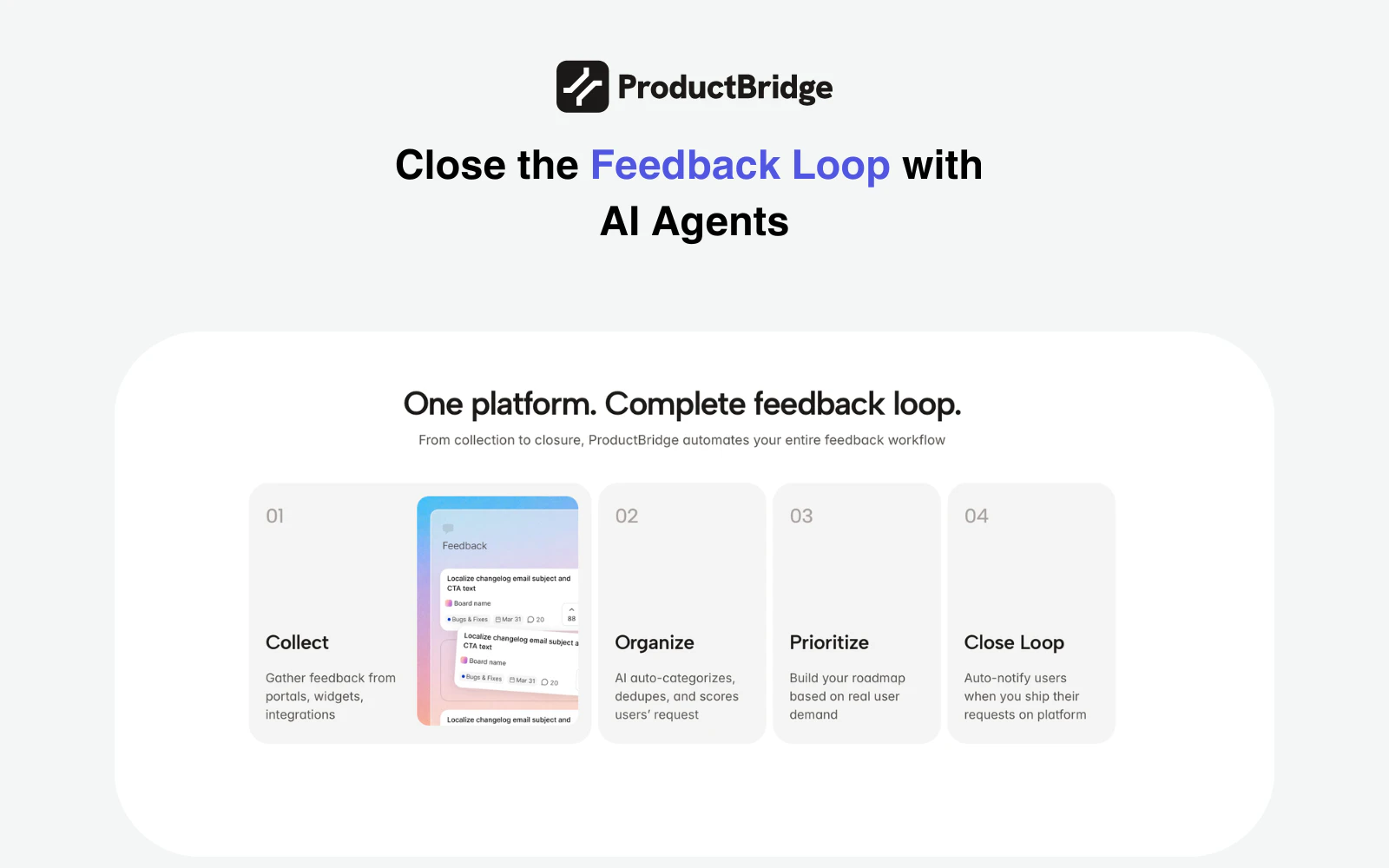
查看原始信息
Gaze Guard
Key Features: Smart Gaze Detection: Instantly blurs content when you look away. Shoulder Surfing Protection: Detects if someone else is looking at your screen and activates privacy mode. Selective Blur: You choose which apps (Mail, Notes, etc.) to protect. Privacy First: All processing happens locally on your Mac using Apple's Vision Framework. No camera data ever leaves your device.
Interesting. What's the impact on device performance and battery life? I ask because I see this being really valuable in public spaces, and having a jet engine on a table is not fun (I speak from painful lived experience of laptop fan sounds 😀)
1
回复

@dr_simon_wallace Great question. Performance impact is minimal on Apple Silicon — on my M5 MacBook Pro the fans never spin up with Gaze Guard running.

The app uses Apple's Vision framework for on-device face detection, which runs on the Neural Engine rather than the CPU or GPU. There's also a "Better Performance" mode in settings that increases the detection frequency if you want faster response, but even in that mode the thermal impact on modern MacBooks is negligible.

Battery hit is real but modest — continuous camera use does consume power. To help with this, you can limit protection to specific apps rather than running it globally, which gives you the same security where you need it without the camera running all the time.

In short: silent on M-series, designed to be lightweight by leaning on dedicated silicon rather than burning through CPU cycles.

0
回复
Gaze Guard, your personal privacy shield for macOS. What is Gaze Guard? Gaze Guard is a menu bar utility that uses advanced on-device face tracking to protect your sensitive data from shoulder surfers and wandering eyes. Key Features: Smart Gaze Detection: Instantly blurs content when you look away. Shoulder Surfing Protection: Detects if someone else is looking at your screen and activates privacy mode. Selective Blur: You choose which apps (Mail, Notes, etc.) to protect. Privacy First: All processing happens locally on your Mac using Apple's Vision Framework. No camera data ever leaves your device. App Store : https://apps.apple.com/us/app/ga... if you like it please drop a comment on app store. It is extremely important for the application to be discoverable :) Since Gaze Guard is a completely privacy-focused app, it cannot connect to the internet, so I haven’t integrated a subscription system and normally Gaze Guard has 2.99 Dolar price. I’ve kept the lifetime price very, very low. But it's free for a limited time.
0
回复

I work from cafés a lot so the shoulder surfing detection is really appealing. Curious how fast the blur kicks in when someone walks up behind you. Is it instant or is there a brief delay?

0
回复

This is very cool. How does Gaze Guard handle dual-monitor setups — does it track gaze per screen independently, or does it blur all screens simultaneously when you look away?

0
回复

Check if I understand the product. So, if the person whose laptop it is, it will not blur then, but if in front of the camera somebody else comes, then it will auto-blur the screen. Is that correct? And then it unblurs whenever the original owner arrives in front of the laptop. Is that correct? Is it using some kind of facial recognition?

0
回复

@ankur_jeswani Almost right, with one important clarification — there's no facial recognition yet.

Right now Gaze Guard doesn't distinguish who is in front of the camera. It works purely on count:

1 person in frame → screen stays visible

0 people in frame → screen blurs after your set delay (you stepped away)

2+ people in frame → screen blurs immediately (someone is looking over your shoulder)

So the primary use case is exactly what you described: you're sitting at your laptop, a coworker leans over — blur. They leave, you're alone again — unblur.

The limitation is that if you step away and a stranger sits down, Gaze Guard will unblur for them too since it just sees one person. That's why facial recognition ("only unblur for the owner's face") is the most requested feature on the roadmap. It's not there yet, but it's the natural next step.

0
回复

Can it also blur specific parts of the screen?

0
回复

@busmark_w_nika Not currently — Gaze Guard works at the app level, not the region level. You select which apps to protect, and the entire window gets blurred when you look away or someone else looks at your screen.

Region-level masking (blurring just a column in a spreadsheet, for example) is technically much harder on macOS since there's no native API for masking arbitrary screen regions. It's an interesting idea but not on the near-term roadmap.

0
回复