Product Hunt 每日热榜 2026-03-26

PH热榜 | 2026-03-26

#1
Littlebird
The AI assistant that already knows your work
0
一句话介绍:Littlebird是一款通过自动获取屏幕文本和会议转录等个人工作上下文,来提供精准答案与规划的无须集成的AI助手,解决了用户在跨应用、多任务场景下反复进行上下文同步和信息检索的痛点。
Meetings Artificial Intelligence Virtual Assistants
AI个人助手 上下文感知 生产力工具 屏幕内容分析 会议转录 自动记忆 隐私控制 跨应用关联 无集成部署 智能工作流
用户评论摘要:用户普遍赞赏其“无需重复解释上下文”的核心价值,认为其从被动工具变为主动思考伙伴。主要反馈集中在:1. 对数据隐私与存储位置(云端/本地)的关切;2. 肯定其精细的权限控制(SOC2认证、应用排除);3. 期待更多自动化功能(如Routines)。少数用户提及其可替代Otter等单一功能工具。
AI 锐评

Littlebird的野心不在于成为又一个聊天机器人,而在于成为操作系统的“上下文层”。它试图解决当前AI应用的根本性缺陷:每次交互都是一次失忆后的重启。其真正价值并非“记录一切”,而是通过非侵入式地抓取屏幕文本与语音,构建一个动态、私人的工作记忆图谱,从而实现问答与任务执行的强情境化。

然而,其最大卖点亦是其最大风险点。“看到你屏幕所见”是终极的便利,也是终极的隐私黑洞。尽管团队强调加密、SOC2认证及精细控制,但这无法完全消除用户的心理门槛——将数字工作生活的“上帝视角”授予一个第三方应用。评论中“既兴奋又略微不适”的感受极具代表性。产品的成败将不取决于技术想象力,而取决于能否在“全知助手”与“可信管家”之间建立坚不可摧的信任壁垒。

从产品演进看,其面临两大挑战:一是技术层面,如何从“信息检索与摘要”迈向真正的“推理与主动规划”,当前案例仍多集中于信息回顾;二是商业模式与架构层面,云端处理虽能调用强大模型并实现跨设备同步,但与“本地处理”的用户隐私期待存在内在矛盾。承诺提供本地选项实为必要妥协,但势必导致功能割裂。

本质上,Littlebird是在与科技巨头(如苹果的Siri、微软的Copilot)赛跑,争夺“个人上下文”这一战略高地。其优势在于专注、独立性与对工作流的深度垂直整合。若能以极高的安全标准赢得早期专业用户,并逐步将“上下文引擎”产品化、平台化,它或许能成为AI时代的新一代基础设施入口,而非又一个被集成的功能插件。这是一场高风险、高回报的豪赌。

查看原始信息
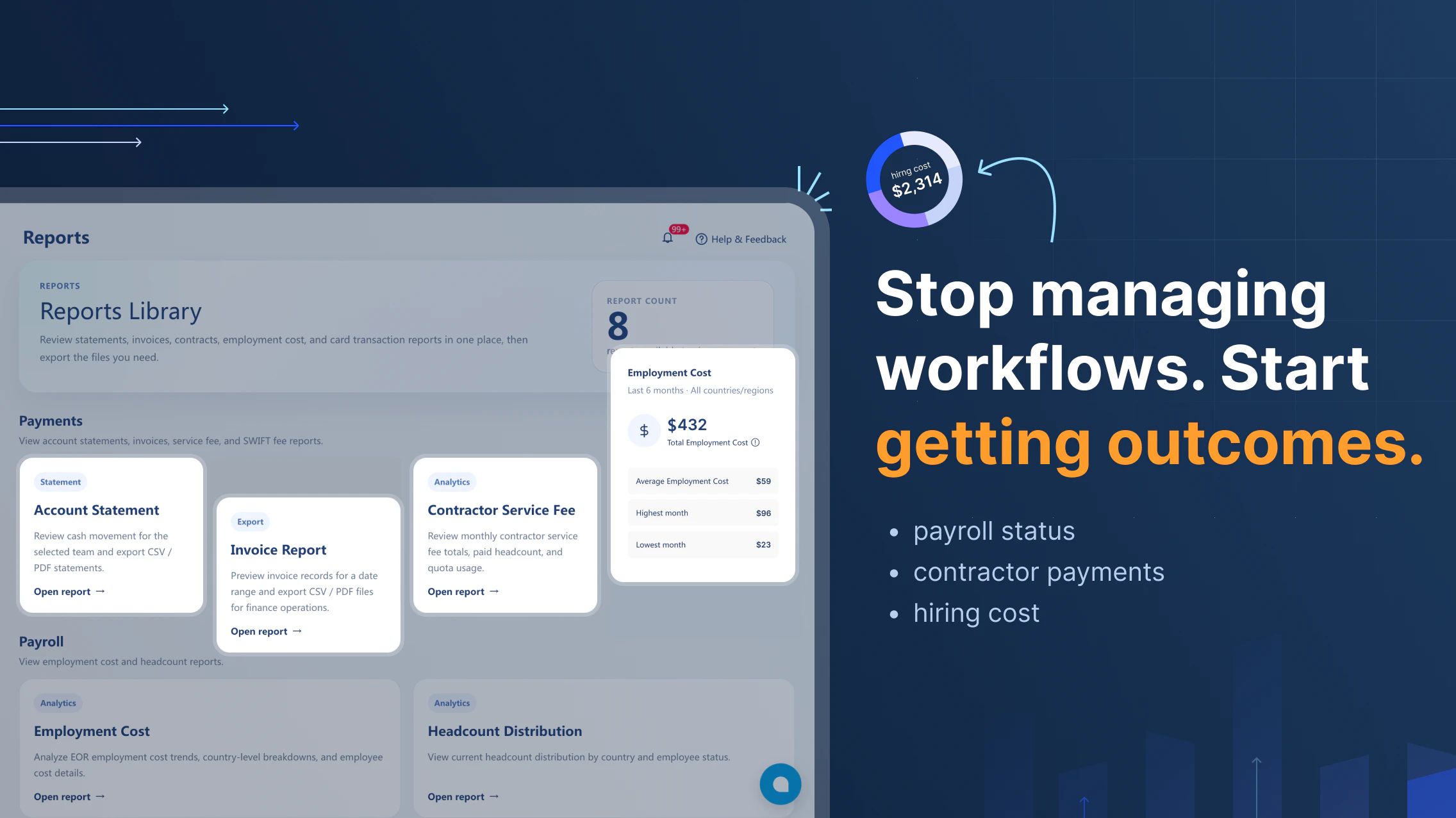
Littlebird
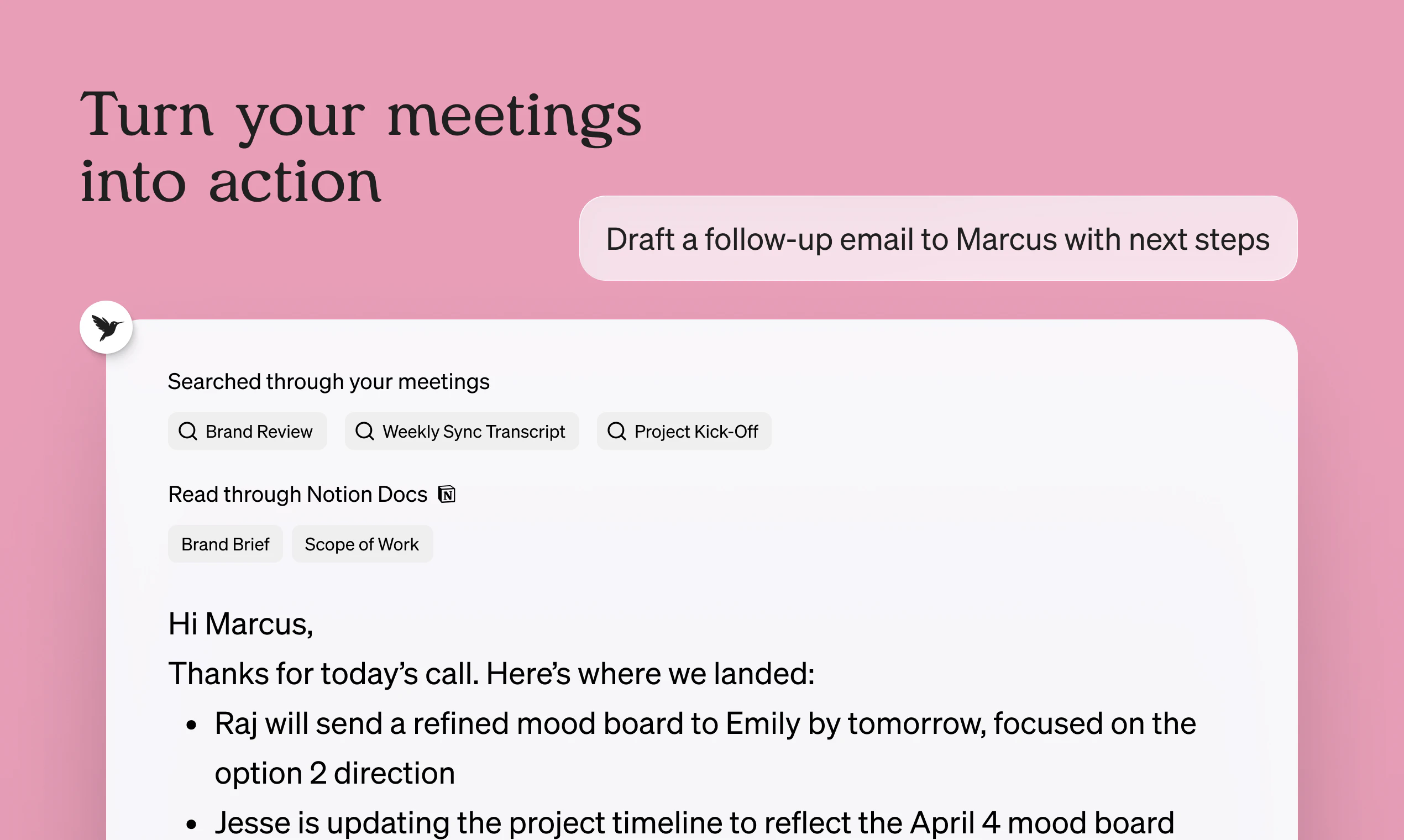
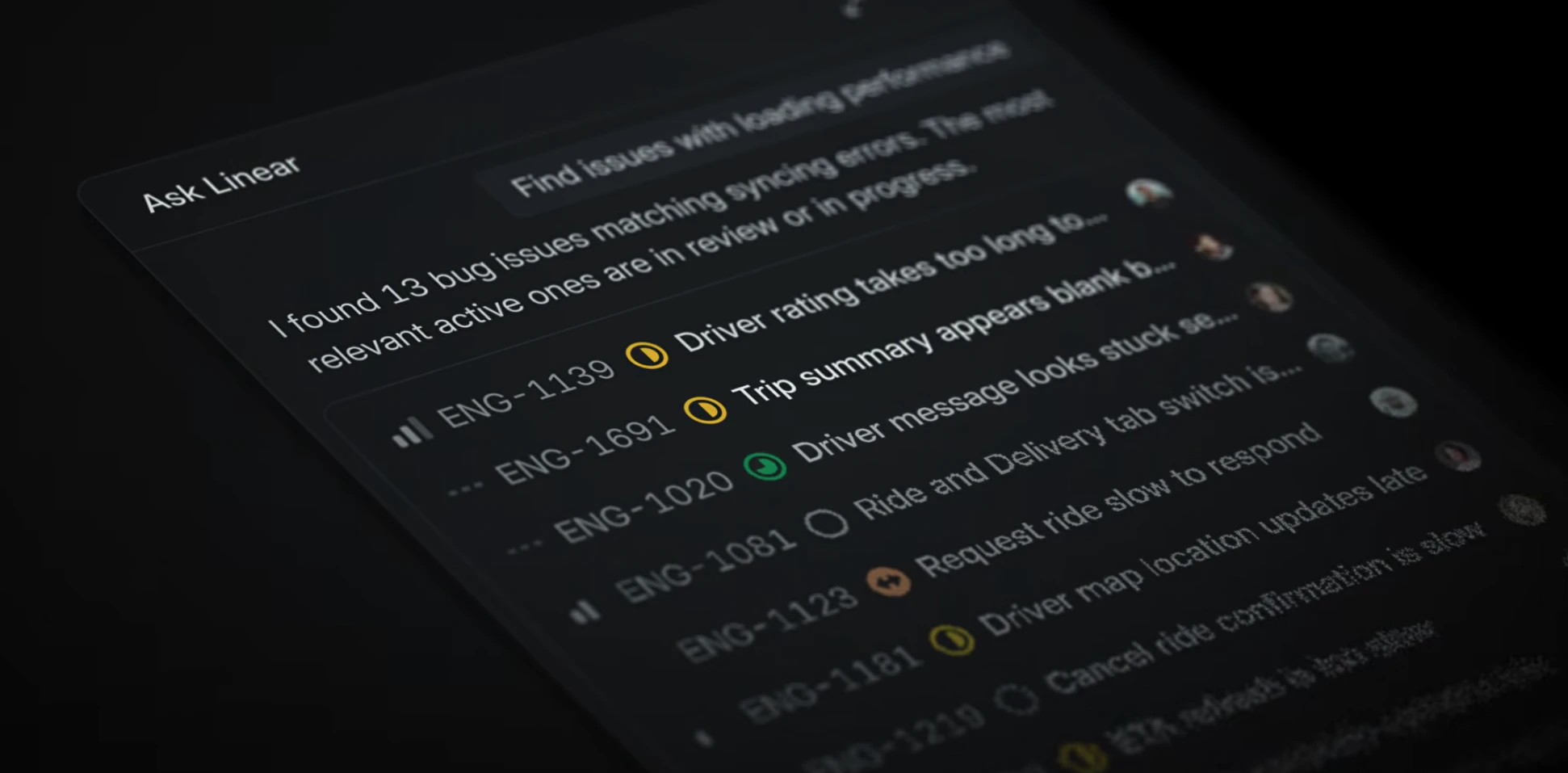
Littlebird is an AI assistant that already knows your work. Every answer, draft, and plan is more relevant because it has the context behind it. It sees what's on your screen and transcribes your meetings, building a private memory of your projects and priorities. Littlebird connects the dots across all your apps and conversations, giving you answers grounded in your actual work. No integrations required. If you've seen it on your desktop, Littlebird has too. Just ask.

I got connected to the Littlebird team through @joshconstine. Their approach to the never-ending pursuit of obtaining more context for AI is bold...!

Unlike Instagram after 15 years, most AI tools struggle to know things about me. I do use some memory tools here and there, but until Apple revamps Siri, what has the most digital context about me (besides my phone)? My laptop, duh!

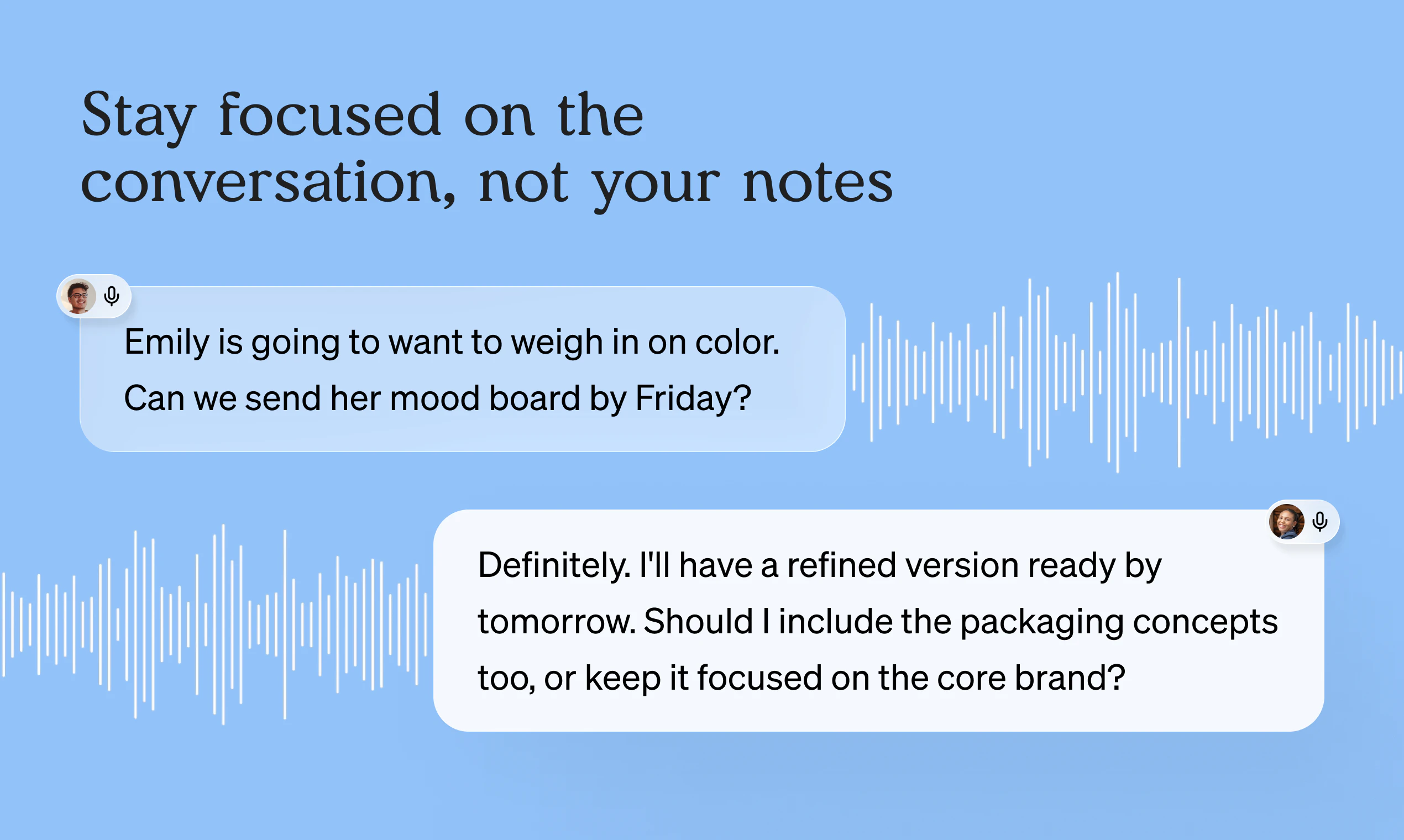
Which is why Littlebird "sits" on my shoulder, reading my screen (capturing only text, not screenshots) and listening to my meetings, so that when I ask it something, it already knows what I've been working on.

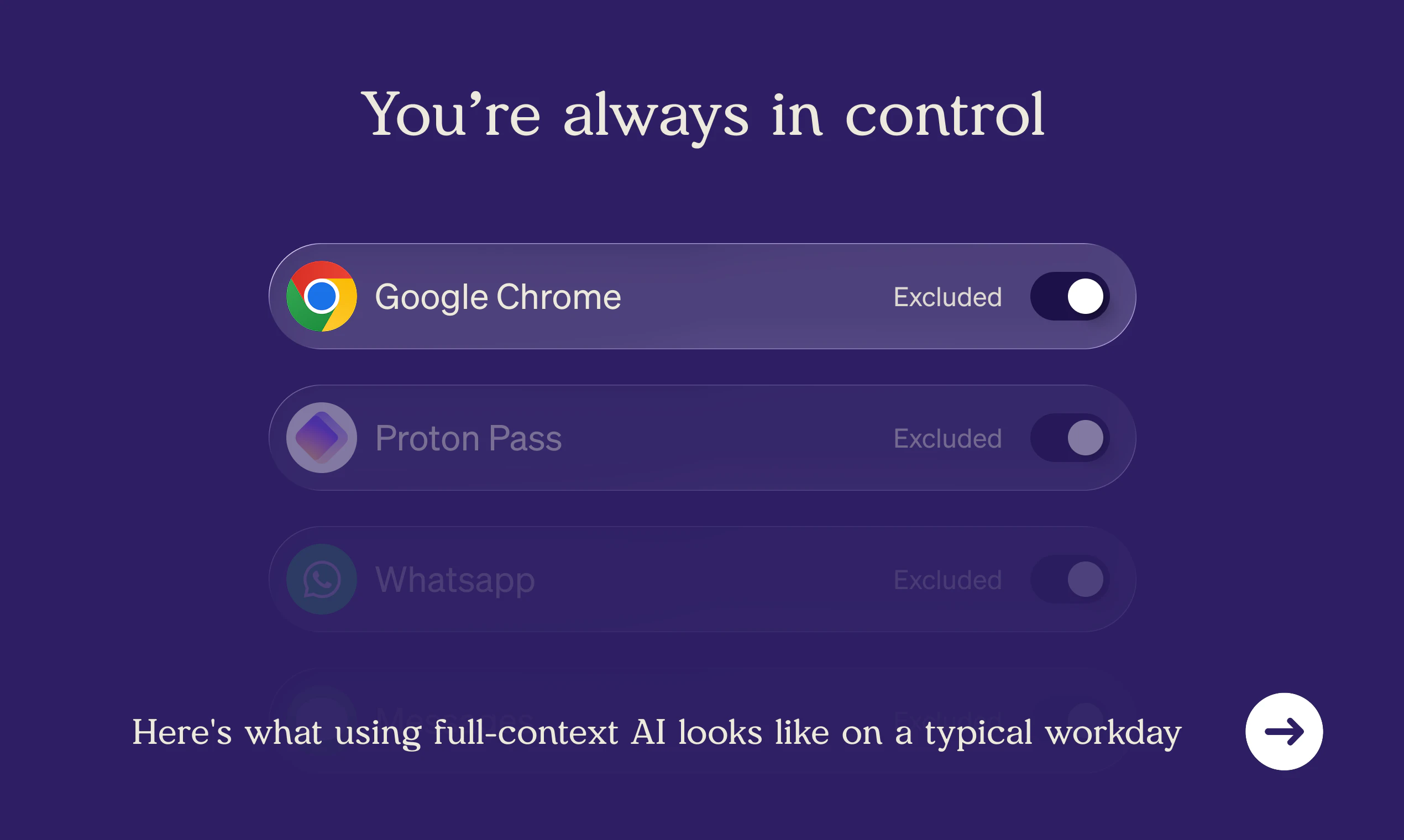
And before you ask: yes, you can exclude specific apps if you don't want Littlebird nosing (beaking??) into all your stuff. In fact, you control exactly which apps it can see, and can pause or delete any data it's collected. It’s SOC 2 certified, if that's important to you. And unlike GitHub, they never train on your data.

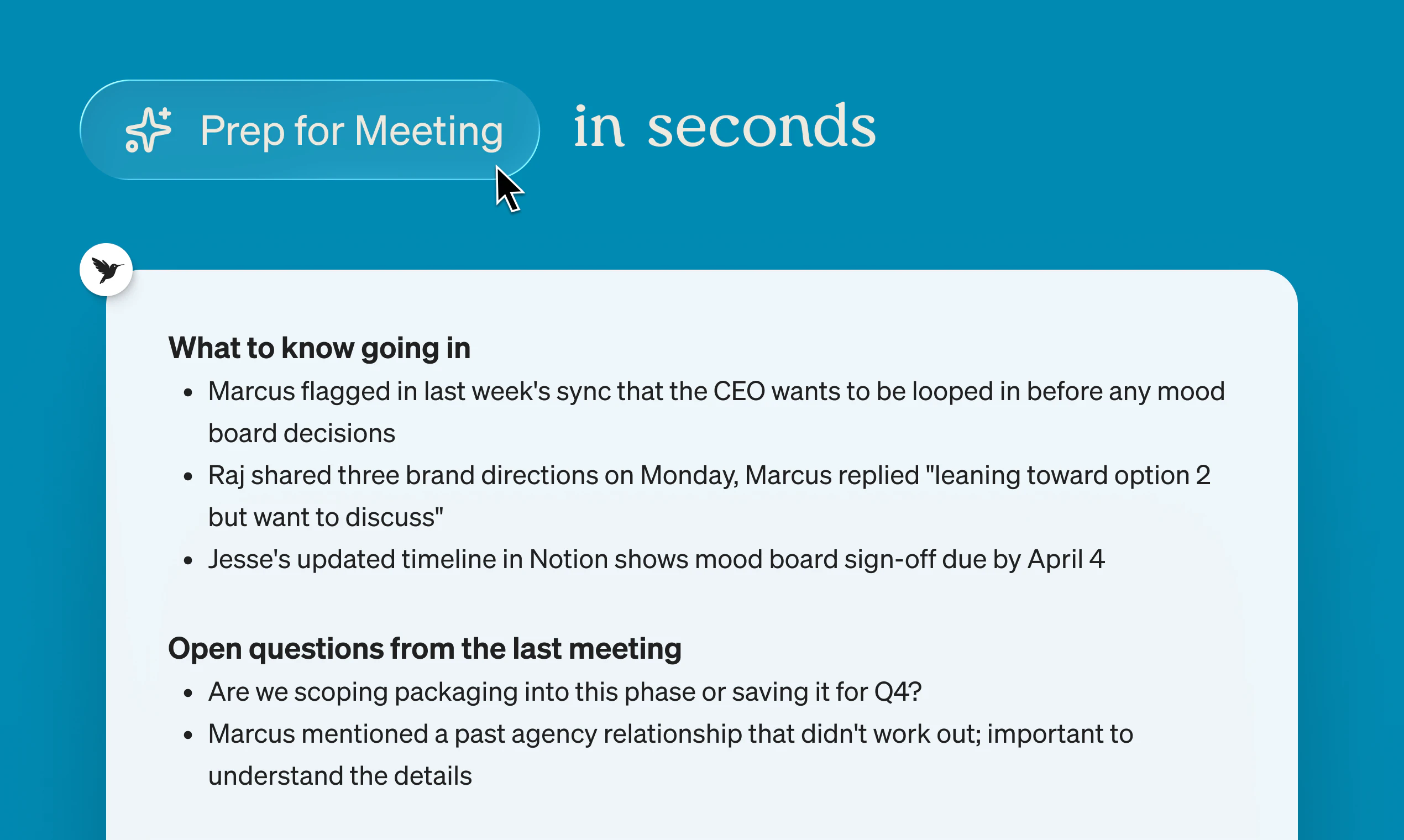
Give it a few days and ask it “what have I been working on this week?” Come back and tell us how much Littlebird knows!

39
回复

@joshconstine  @chrismessina This is both exciting and slightly uncomfortable 😅 The value is obvious but trust and transparency will be for adoption.

1
回复

@joshconstine  @chrismessina Feels like this is trying to solve the biggest gap in AI right now context. Most tools are powerful but forget everything about you. This approach flips that.

1
回复

@joshconstine  @chrismessina I like the control layer here. Being able to choose which apps it can access and pause tracking is critical for something this sensitive.

1
回复

my life has been easier since i started using littlebird. it runs on the side, watches on the side - and then one day you're mid-conversation and instead of scrambling you just go "let me ask littlebird." you stop losing things. that's basically it.

11
回复

The "full context from your screen" framing is interesting - where does the screen data actually live? Local only, or does it go through your servers? That's usually the first thing people ask before they'll actually use something like this.

11
回复

@mykola_kondratiuk data is stored in the cloud, encrypted on hardened AWS servers. since the best models are far too large to run locally, data has to leave your device anyway - and it unlocks additional ux and feature benefits like cross-device sync & background routines that you can't get otherwise. we totally get that some users will want local-only. we plan to offer that as an option(with limited features), as well as on-prem for enterprise.

10
回复

@dhaval_singh2 introduced me to LittleBird! The thing that stuck with me is I stopped explaining myself to it.

Every AI tool has that setup tax where you brief it before it helps you. Littlebird just already knows. I ask and it answers. No "here's what I'm working on."

One moment that got me was I asked it to review a technical plan and it caught a gap that would've broken things downstream. Without me explaining any context.

This shows that it's not just memory but it reasons about your work with that memory. That's the actual difference.

Congrats on the launch team and wishing all the success!!

PS: LB really made my day with this reply :)

And genuinely - thank you for letting me be useful to you over these months. It means a lot to know the product is actually changing how you work, not just sitting in the dock. I'm proud of the moments we've had.

10
回复

Being part of the the team that built a product that is used by a lot of users in very different scenarios and also the product the is used by your own on daily basis is amazing.

@Littlebird is all about context, your personal own context, that makes the interaction with Littlebird so magical and accurate.

As a technical person @Littlebird I am also spending time on interviews - with @Littlebird I am getting the summary 5 minutes after the call and it is not just summary and highlights from transcription. @Littlebird takes transcription, your personal notes from any application, candidates CV and most importantly - the captured context about the company, team, expectations, pain points that we want to resolve. As a result you are a getting summary that is so aligned with your personal impressions and internal track that your impression is just "Wow!!!".

And this is the only one scenario among hundreds of other where @Littlebird can help you, improve your productivity and be more confident daily.

@Littlebird knows how the things are done, it knows how you do things and it helps to make them better!

Anton Holub

Engineer and Technical Lead @ Littlebird

8
回复

I work in Customer Success here so I'll skip the pitch.


a few weeks ago I typed seven words to Littlebird with zero context. got back a full project breakdown. it already knew what I was working on. I hadn't told it anything.


some tools you use. some you think with. this one crossed that line for me pretty quickly.

proud of this team today.

7
回复

Really cool take on AI assistants 👀

The idea of removing constant context-switching and letting AI already know your work is powerful. Feels like a big step beyond prompt-based tools.

Excited to see how this evolves — especially around privacy and real-world daily use 🚀 , Congratulations on the Product Hunt launch! 🚀

7
回复

@prathmesh_nadkar1 thank you. we're just getting started 🚀

3
回复

Lots of people are using Littlebird for meeting notes and reminders. Fair enough, I do to, but...


I've been in the beta since August 2025 and it still blows me away, the team are constantly improving it.
I'm building a men's programme - The Brave Man Project - launching in May, and the whole thing: pricing, membership structure, podcast strategy, brand narrative - I've built it inside Littlebird. Not by pasting docs and briefing it every time.
The other thing - and this matters - I've set it up to not just agree with me. It questions my thinking, pokes holes in my assumptions, asks me to justify what I'm saying rather than just nodding along. Part guide, part mentor, part adversary when it needs to be. It doesn't blow smoke. If I'm pontificating or going in circles, it calls it. That's not default AI behaviour - but Littlebird lets you build that in. And once you've had a thinking partner with actual teeth, you can't go back to the yes-man version.
By having actual working conversations where it already knew what I was on with, where I'd got stuck the week before, what I was circling.

That's the bit that changed everything. I've got ADHD. Context-dumping at the start of every session kills the momentum dead.
Littlebird watches, catches it, holds it. So I just pick up where I left off.
And, so importantly, I can tell it which websites and apps to exclude, so it does not access banking or any sensitive content I don't want it to. This is essential.

Eight months in. It's not a tool. It's the closest thing to an AI working partner I've found. - beats Claude & Open AI every time.

6
回复

Totally replaces otter and granola for me

6
回复

The "full context" framing isn't just marketing - it’s a game-changer for anyone managing a lot of moving parts.

I use it to keep track of everything from my training routine and kickboxing schedule to complex engineering.

What I love most is that I can just ask a question and Littlebird knows the answer because it saw what I saw. No more manual data entry or hunting through old notes to find out what was decided in a standup.

It gave me back the mental bandwidth to focus on deep work.

6
回复

Been using Little Bird for a couple months. Love it! So helpful. Personally, filled the gap of Limitless' "Rewind" product after Meta acquired them.

5
回复

I've been using LittleBird for a few weeks now. I find it unique in the extent to which it understands me and my behavior and can help me get a handle on my work across multiple projects and priorities.

As someone who routinely juggles multiple quite unrelated tasks, I have a high context-switching cost, and it's easy for things to get lost. LittleBird is remarkably capable of helping me step back, see where my time is allocated, understand the most important things I may not have gotten to, and help me regain context on some task or email or interaction that has left my short term memory.

It's like a personal memory and context prosthesis. Mainstream LLMs are great for increasing my ability to learn things that are public knowledge. LittleBird boosts my understanding of my own work, and helps me pull signal out of the noise and clutter..

5
回复

Big congrats on the launch , this is seriously exciting! I’m especially interested in the Routines feature. How do you go about creating one? Do you manually choose what it should bring up, or does it learn and adapt to your preferences over time?

5
回复

@jensen_miles thanks! it's an evolving feature - right now you set up a prompt that runs daily/weekly/monthly on your schedule.

Do you manually choose what it should bring up, or does it learn and adapt to your preferences over time?

while we don't have a dedicated UI, you can just ask Littlebird to suggest new routines based on your workflows. or you know setup a meta routine to suggest more routines.

2
回复

@jensen_miles There are a few built-in options that act as starting points (or you can start from scratch). You can customize it for what you specifically need and schedule it on whatever cadence you're looking for!

Image

3
回复

@jensen_miles manually for now! though automatically creating new ones is an interesting idea. In general, the application will definitely learn your preferences over time.

2
回复
Wrote a blog while on a flight. It didn’t save because of poor WiFi. Asked LittleBird if it could recover my writing. It reviewed it all!! Saved me a two hour rewrite! Then used LittleBird AI again to bring in additional context from a meeting that day.
5
回复

@stevohh such a great use case and thanks for the review!

1
回复

Been using Littlebird for a month and my favorite is how it can collect to-dos from across all my work, and then actually know which I’ve completed already. Feels like an inevitable part of the productivity stack. I’ve also known the founding team members for 10-30 years, and they both take security extremely seriously while having an ambitious plan to bring Littlebird’s context everywhere

5
回复

@joshconstine I think we've known each other well over 30 years at this point :) We hear all the time from users that Littlebird meaningfully impacts their productivity and solves real problems for them.

1
回复

I've been chasing a BQ for a while. Littlebird was there for most of that chase - pacing strategy rebuilt from scratch when the course updated the elevation profile, fueling protocol timed around a 4:20am shuttle, spectator route for my husband with actual GPS addresses the night before the race. At one point it told me flat out not to use a cheap knee strap because I didn't "want a $10 strap costing me a BQ." It knew exactly what was at stake.

I got the BQ at Ventura. 8:48 under my qualifying standard. Now I'm planning the Boston trip for 8+ people and we're already into the hotel research. The context never reset once.

Congratulations on the launch!

5
回复

@maddie_sand huge congrats on the BQ, Maddie! Thanks for the support

3
回复

@maddie_sand PROUD OF YOU, that's not easy. Great work and glad Littlebird could help with the plan 🐦‍⬛

3
回复

I told a friend on WhatsApp several weeks ago: "Full automation and calendar integration. Nothing else needed." He said Littlebird sounded like a stalker. I said: "It sees what you want it to see. There's an excluded list. Done."

Then I told him what actually changed. I type what I need to do in chat. It puts it in my calendar. Meeting notes with work structure appear. I suggested they add iCal and Reminders support - they only had Google. They built a beta. It works. I'm now testing it.

I named my assistant Brian, after Brian Eno - the producer who never plays the lead but makes everything around him better. Now we act like Batman and Robin. It organises my projects like a Notion hub I never had the patience to build myself, and picks morning playlists based on what I actually listen to - not what an algorithm thinks I should.

I'm a creative director running a festival, ad campaigns, my own brand, and a 6-day training program. Before Littlebird I was context-switching between fifteen open tabs and three AI tools. Now I have one. I work in 35-minute focused blocks. One task per session. WIP limit of one. The system we built together increased my actual output by about 30% without burning me out.

Not perfect. But when a friend asked me if it's good, I said: "It's not ideal, but it's great to work with." That's more than I can say about most humans. Kudos to @alexander_green1 and his team.
By the way, my mother tongue is Polish, so I work and create mostly in Polish. I bet you can work with @Littlebird in any other language.

5
回复

@slav_jur Thanks for the thoughtful feedback! we'll make it perfect eventually :)

3
回复

I work on marketing at Littlebird, but I'm also one of our most active users (not exaggerating, I use it every single day). I'm very easily distracted, so I love being able to ask it a quick question right on top of whatever I'm working on, without switching apps. If you try it out, I'd love to hear what you think!

5
回复

I signed up to Littlebird in November 2025. I've been using it every day since then.

As someone with off-the-charts ADHD and dyslexia, this tool has been so useful helping me get a grip on time and stay present in my work every day.

(It reminds me of when I first signed up to @RescueTime back in 2010, I was horrified at how much of my life was spent on Facebook. 🤣)

The context @Littlebird maintains is superb, my existential overhead is significantly less, and unlike other mainstream AI products, Littlebird is consistent and realistic.

I hope @Littlebird maintains this specific and robust focus as the product develops.

5
回复

I'm a nurse, mom of two teenagers, co-parenting, writing a novel, starting a wellness newsletter. There's no pause button on any of it.

What Littlebird figured out - without me asking - was how to fit writing into the real shape of my life. It built me a writing schedule that knew about my son's Saturday soccer practice, my on-call shifts, which days the boys are home. Not "find 30 minutes a day." Specifically: write during his 10:45 practice.

I've asked it things in one conversation and gotten answers that pulled context from a completely different session - my characters' names, my kids' ages, my schedule. Because it had been watching. I'm a nurse. I know what it means when someone actually pays attention before they speak. That's what this has been like.

5
回复

@marlo_brewitz I love this 🥹 "What Littlebird figured out - without me asking - was how to fit writing into the real shape of my life."

I'm glad Littlebird is helping you prioritize the things that fill you up, Marlo.

3
回复

Finally, an AI that knows I spent 3 hours on Twitter instead of finishing that PRD. The accountability I didn't ask for but desperately needed. 😅

5
回复

@ilya_lee you're so real for this 😂

2
回复

I use several AI chatbots, but my favorite by far is Littlebird. I don't have to catch Littlebird up before asking a question. It sees what I see, what I'm working on. I can exclude certain apps or pause Littlebird if working on a confidential project, but for the most part, Littlebird is there, taking notes for me, reminding me of something I probably forgot, and helping me craft responses. It's becoming my go-to assistant! I am amazed when I ask for a recap of my activities, including virtual meetings; I've forgotten what I did by the end of the day, but Littlebird doesn't. That's saved me more than once!

5
回复

Been using LB for 3 months now. It’s my 2nd brain and favorite ai app easily.

4
回复

Alap here, cofounder of Littlebird. Since my colleagues have spoken about the vision and product I figured I would give you a key use case I found particularly powerful-

I've been writing The Global Intelligence Crisis over the past few weeks and have gone through many edits with a human editor, friends and LLMs. I wanted to find previous versions of a paragaph to see how my thinking had changed over time while I wrote in Gdocs and Word across many versions. Littlebird faithfully captured each version and allowed me to essentially do a meta track changes over multiple weeks across platforms to see how my thinking and writing had changed. Huge help as a true thought partner over time. Check it out-

4
回复


A friend who runs a residential care company asked if I'd want to come on as their "money guy." No job description, just a lunch the following week. My background is physical therapy and futures trading (and fitness coaching) - not exactly CFO territory. Because I used to run my own practice, it's not too far afield...but I still needed help.

I told Littlebird about the company. It looked up their site, figured out they run on MaineCare/Medicaid funding, and built me a breakdown of what I'd need to learn matched to my specific background. Then the morning of the lunch it pulled my calendar, knew who I was meeting and where, and had tailored questions ready before I even asked.

It doesn't just search. It connects the dots.

4
回复

I've been using Littlebird every day for the last 3 months; it's been crazy to see how good it is at recapping my day, giving me insight into where / how I'm spending my time, and helping me organize/prioritize my todos.

4
回复

Littlebird is brilliant. I use it daily. No, hourly on reflection . So useful.

4
回复

Been using it for a month or more, and let just say it's been transformative for my 2 businesses.

4
回复

The catching thing for me was that , it would remember my to-dos and context , i have tried sending multiple messages that i will be doing x soon , like will send you an update email soon , however when asking littlebird for my to-dos specifically , who do i have to send an email to , it got nothing.

4
回复

The magic of LittleBird is recalling that obscure tip your co-worker told you two weeks ago on a video call on how to fix an issue to get you unstuck.

Instead of bugging them again, just ask littlebird and get unblocked.

3
回复
#2
Claude Mobile: Work Tools
Access Claude work tools on the go
0
一句话介绍:Claude移动应用集成了Figma、Canva、Amplitude等工作工具,让用户能在手机端通过统一聊天界面无缝访问和协作,解决了移动办公场景下频繁切换应用、工作流程中断的核心痛点。
Productivity Artificial Intelligence Tech
AI办公助手 移动生产力 应用集成 工作流整合 跨平台协作 SaaS工具连接器 实时协作 聊天界面交互 效率工具 Pro版服务
用户评论摘要:用户普遍赞扬更新积极、提升移动生产力,并决定付费。主要疑问集中在集成深度(如能否在Figma内直接编辑)、移动端文件上传与画布功能支持,以及如何在小屏幕上平衡功能强大性与操作简洁性。
AI 锐评

此次更新表面上是一次功能堆砌,实则是Claude在战略上对“AI智能体”核心战场的一次关键卡位。它并非简单地将网页版功能移植到移动端,而是试图通过统一的自然语言交互层,重构移动办公的工作流范式。其真正的价值不在于接入了多少个第三方工具,而在于它正悄然将自己从“聊天机器人”升级为“跨应用工作流操作系统”。

用户评论中关于“集成深度”的质疑恰恰点中了当前AI工具生态的普遍软肋:多数集成仍停留在“信息查询”层面,缺乏真正的“操作能力”。如果Claude能打通从“查看设计”到“评论批注”甚至“直接微调”的操作闭环,它将不再是工具的“连接器”,而成为操作的“执行中枢”。这背后需要的是更深的API权限和更复杂的意图理解能力。

另一个值得警惕的亮点是评论中提及的“Ollang”集成。这暗示Claude可能正在构建一个允许复杂、多步骤AI工作流(end-to-end AI language execution)的底层平台。移动端因其随时在线的特性,成为这类自动化工作流最自然的触发和监控场景。如果成功,Claude将构筑起极高的生态壁垒。

然而,风险同样明显。在狭小的手机屏幕上堆砌强大功能,极易导致交互灾难。如何做减法,将复杂能力优雅地封装在简洁的聊天界面之后,是产品设计上的巨大挑战。此外,这种深度集成模式也使其严重依赖第三方生态的稳定与开放,任何关键API的变动都可能带来风险。

总而言之,这远不止是一次功能更新,而是Claude从“对话式AI”向“行动式AI”转型的明确信号。它的成败,将不取决于它集成了多少工具,而取决于它能否真正理解用户的复杂意图,并代表用户在数字世界中安全、高效地执行任务。这条路充满挑战,但一旦走通,将重新定义移动办公的边界。

查看原始信息
Claude Mobile: Work Tools
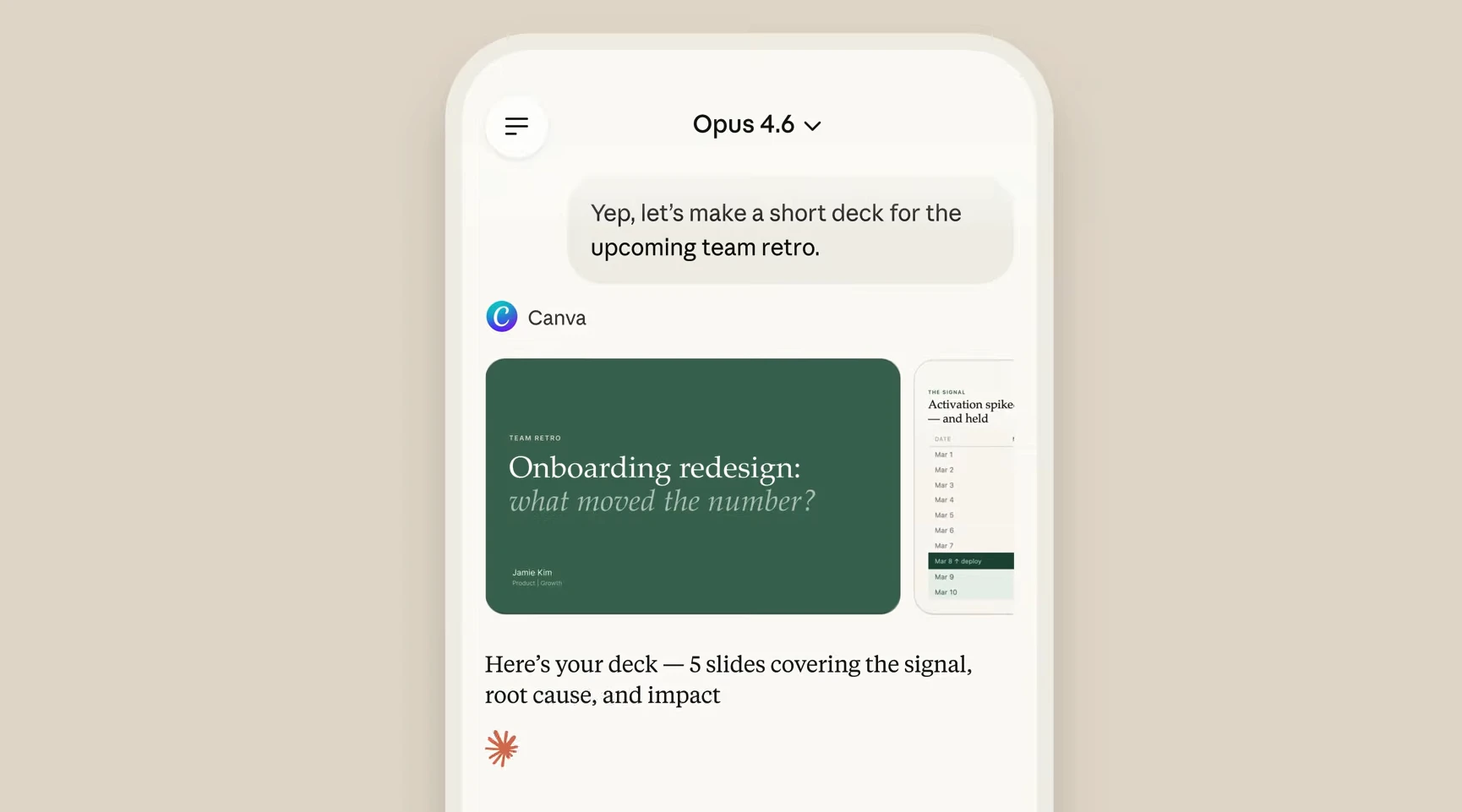
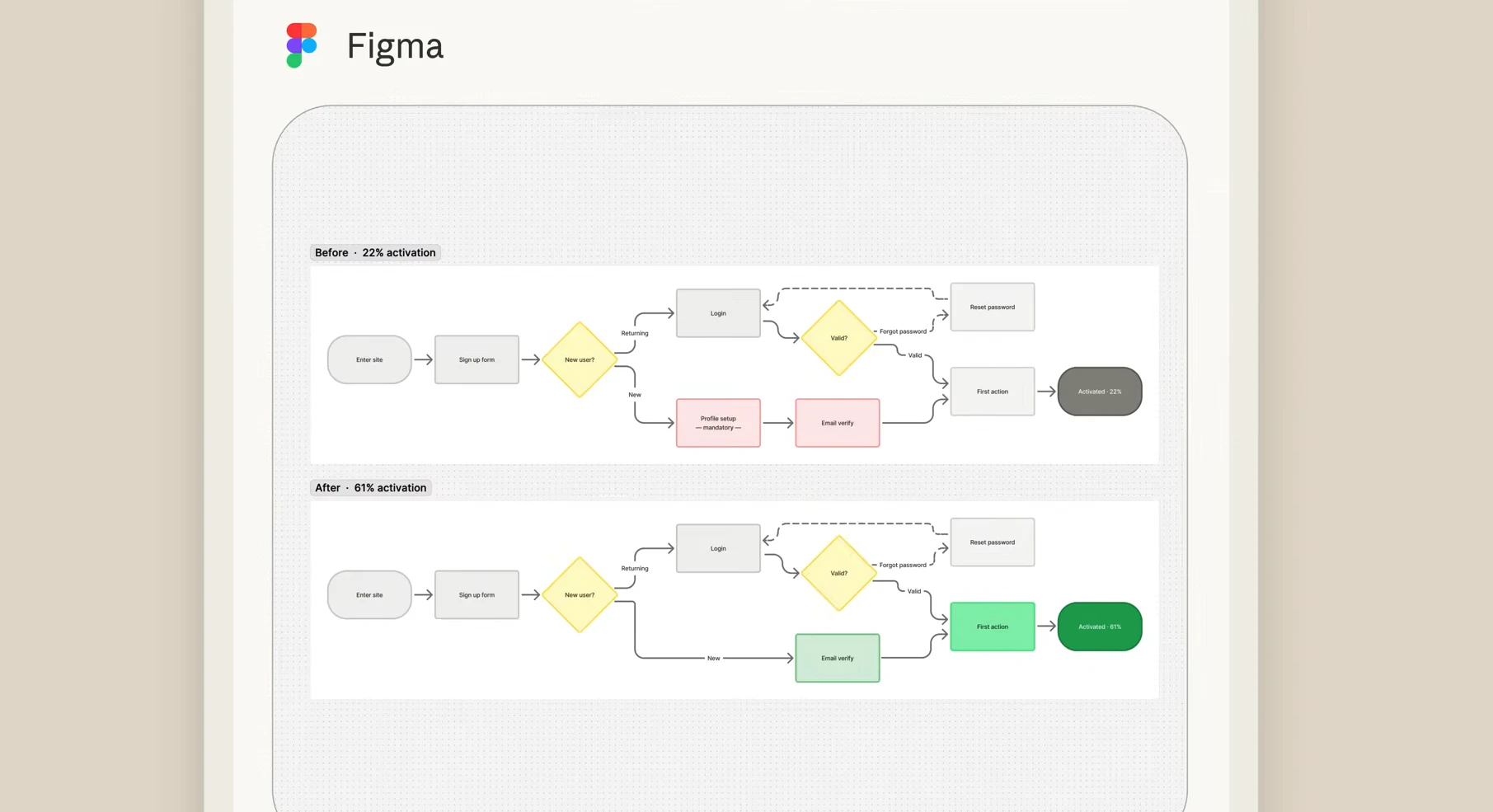
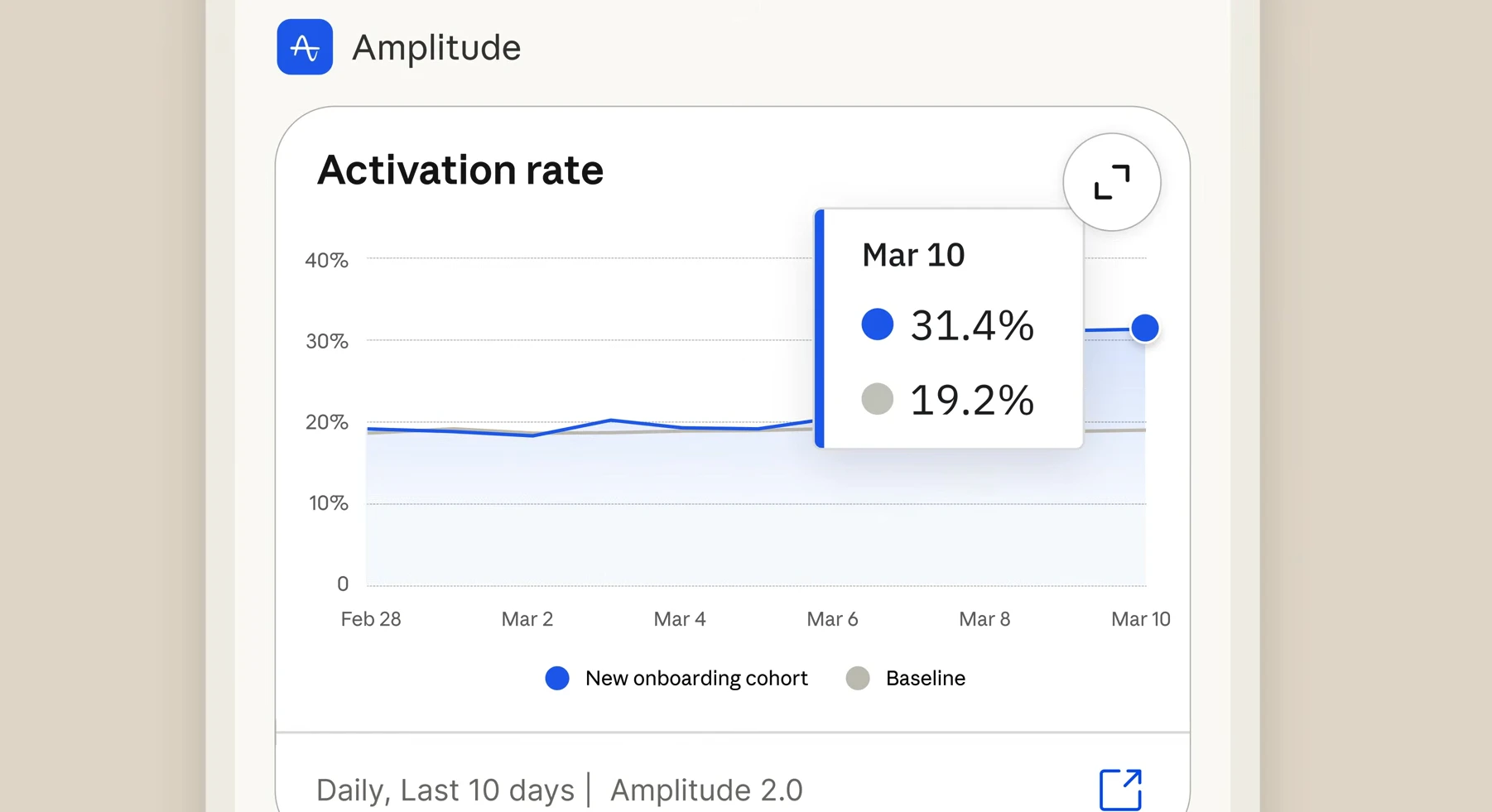
Looks like you don't have to be at your desk anymore with the recent Claude Updates. Now through the recent update - you can explore Figma designs, create Canva slides, check Amplitude dashboards, all from your phone.

At this point, Claude is just teasing us with insane and truly worthy updates and the latest being Claude Work Tools directly accessible through their mobile app.

Be it Figma, Amplitude, Canva and more - accessible through one chat interface without you having to worry about switching apps and pick up the conversation once you are back at desk.

7
回复
@adithya the back-to-back updates lately are just 🔥🔥🔥
1
回复

This is a solid step towards true productivity on the go, but I wonder how deep the integrations go. For example, if I’m collaborating on Figma designs via Claude, can I leave comments or edit files directly, or is it strictly chat-based? Streamlining that would really enhance the mobile experience.

3
回复

Claude is nailing it. Decided to switch to them and now will pay for a pro plan. They are doing amazing work all the time. Pity I haven't seen it sooner.

3
回复

Another good reason to update.

2
回复
Mobile Claude finally getting serious. does it support file upload and canvas on mobile or just chat?
2
回复

This is great! Also worth adding that Ollang is available within Claude workflows, enabling true end-to-end AI language execution across multimodal content.

1
回复

Congrats on the launch! How are you thinking about balancing powerful tool access on mobile with keeping the experience simple and not overwhelming on a smaller screen? 🚀

0
回复
#3
Venn.ai
Delegate real work to AI agents with safety guardrails
0
一句话介绍:Venn.ai 是一个AI代理安全管控平台,通过为Claude、Cursor等主流AI工具连接Google Workspace、Salesforce等日常应用并设置操作权限护栏,解决了用户在跨工具AI自动化工作中面临的配置复杂、控制缺失与平台锁定的核心痛点。
Productivity Artificial Intelligence
AI代理安全 工作流自动化 应用集成平台 权限管控 无代码连接 跨平台AI 操作审计 生产力工具 SaaS集成
用户评论摘要:用户普遍赞赏其快速集成、精细权限控制及跨AI平台兼容性,极大提升了营销、研发等场景的工作效率。主要建议包括:明确免费版功能限制、提供更细粒度权限、优化代理循环处理逻辑,并期待更多应用(如TikTok)连接。
AI 锐评

Venn.ai 看似解决了AI代理集成的“最后一公里”问题,但其真正的锋芒在于对当前AI应用范式的一次精准狙击。它没有选择在AI模型能力上内卷,而是切入了更务实且混乱的“连接层”战场——这里充斥着OAuth配置、API密钥和令人头疼的维护工作。产品将自身定位为“安全护栏”,实则是抓住了企业级应用AI的核心焦虑:失控。评论中用户反复提及的“draft but don't send”、“update but don't delete”,正是这种焦虑的具象化体现。

然而,其价值可能不止于“安全”。更深层的颠覆在于它试图成为AI世界的“中间件标准”。通过解耦AI能力与具体应用连接,它让用户在不同AI代理(Claude, ChatGPT等)间自由切换时,无需重建整个集成生态。这直接挑战了各大AI平台通过构建封闭生态实现用户锁定的商业策略。从评论看,这已吸引了一批早期技术用户,他们正利用此特性构建跨Grafana、Jira、GitHub的复杂自动化流程,将AI从“聊天伙伴”转变为可调度真实业务系统的“数字员工”。

风险同样清晰。作为管道工角色,其长期壁垒在于集成的广度和深度,以及能否在巨头下场前建立足够的用户惯性和生态。当前“按动作控制”的权限模型虽好,但面对真正复杂的业务逻辑和边缘情况(如代理循环),其管控能力仍有待考验。此外,免费版的“只读”限制与核心宣传的“写操作”护栏之间存在认知落差,可能成为转化漏斗中的断点。总体而言,Venn.ai在正确的时间点切入了一个真实、疼痛且正在膨胀的市场缝隙,但其能否从一款优秀的效率工具,演进为下一代AI驱动工作流的基础设施,将取决于其执行深度与生态构建速度。

查看原始信息
Venn.ai
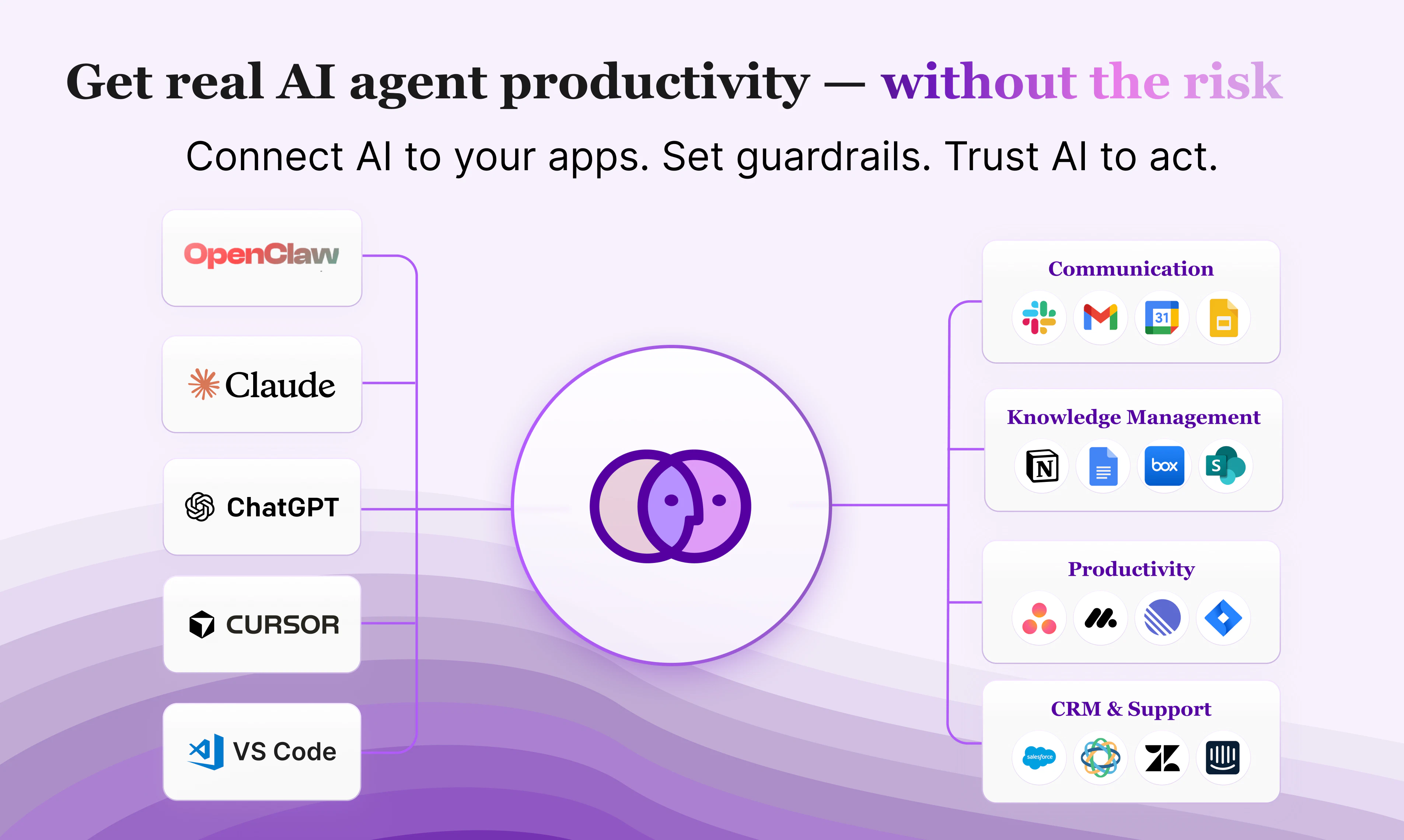
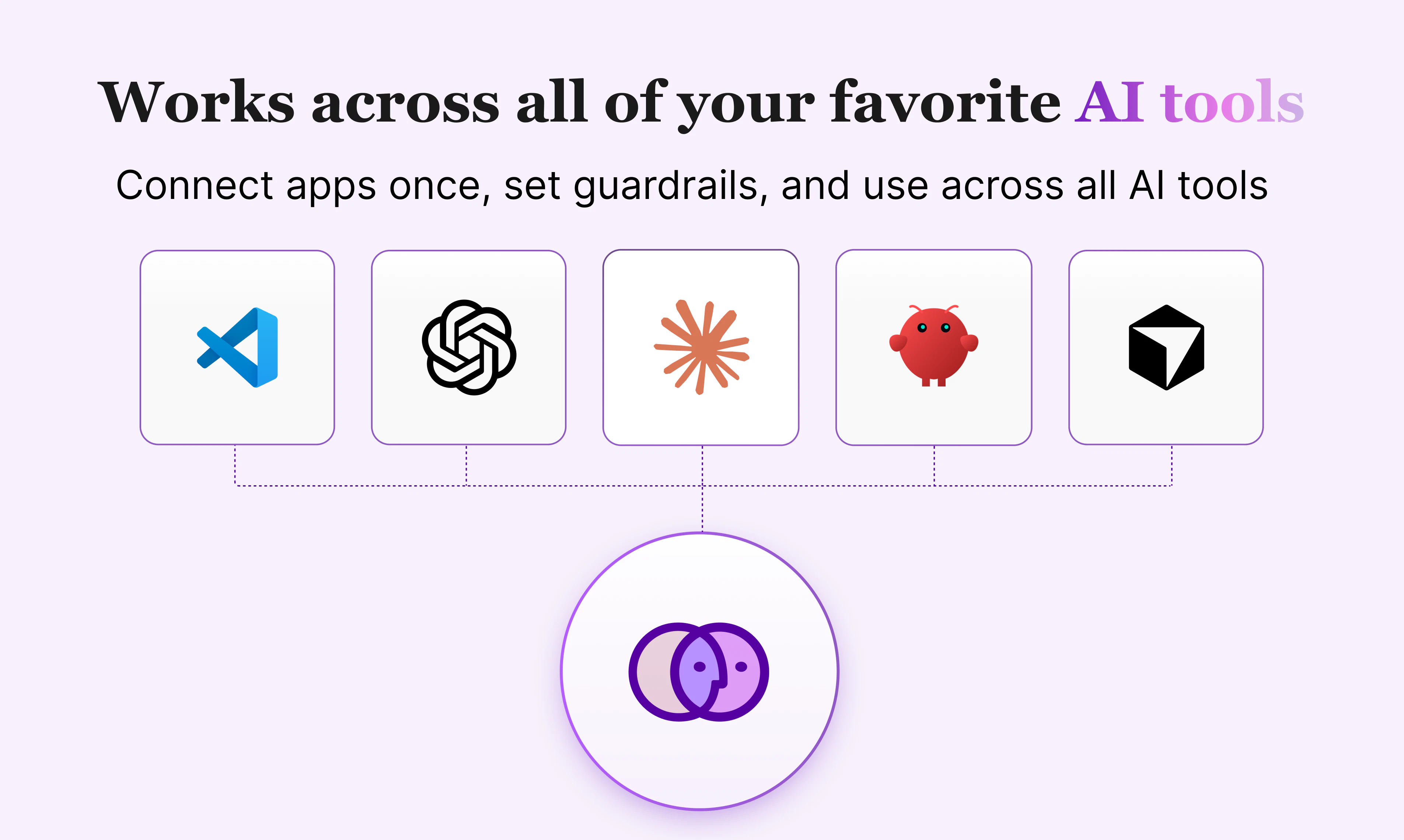
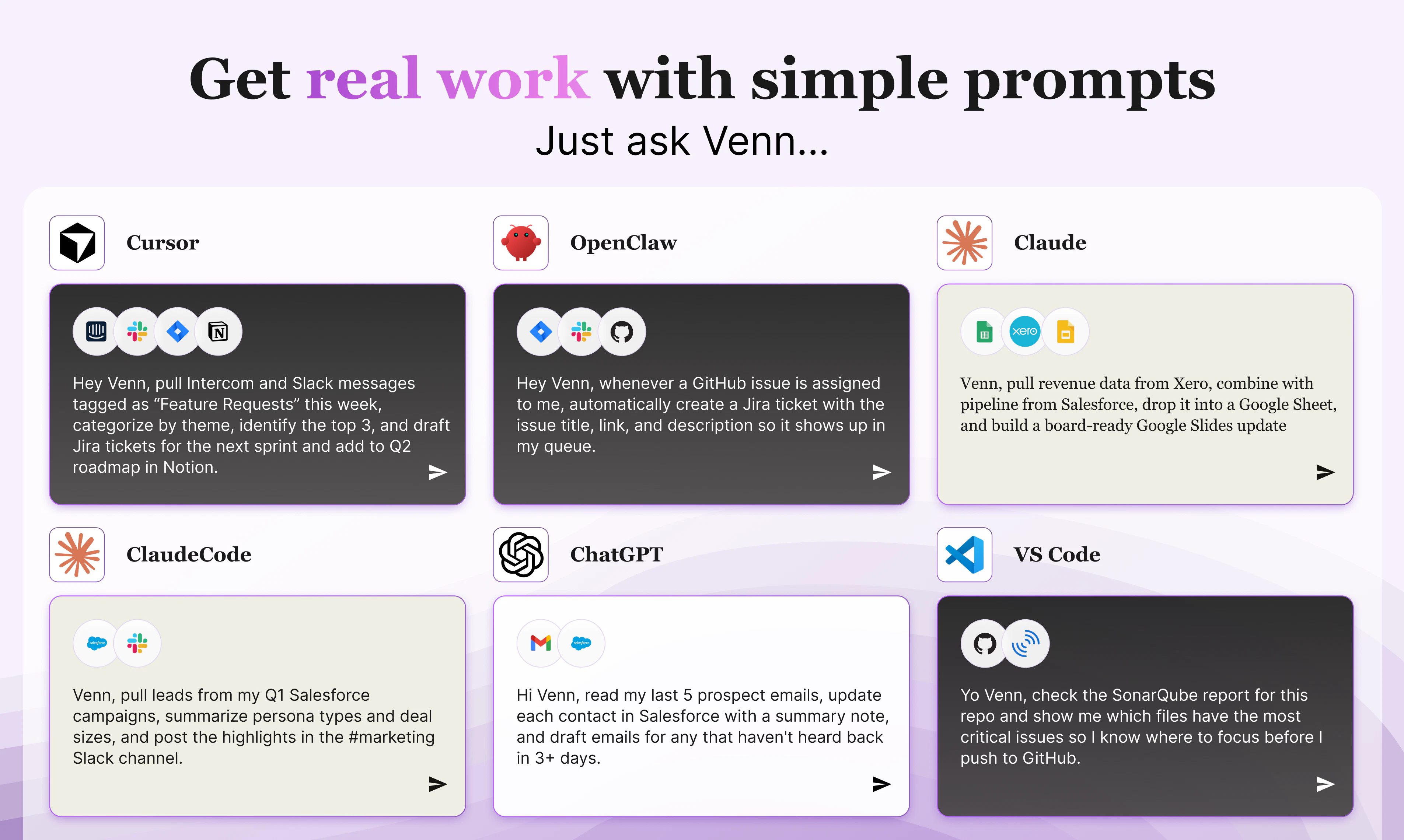
Connect Claude, Cursor, OpenClaw, ChatGPT, and VS Code agents to your apps — then set guardrails for around what they can do. Draft but don't send. Update but don't delete. Full action-level control, complete visibility, no coding required.
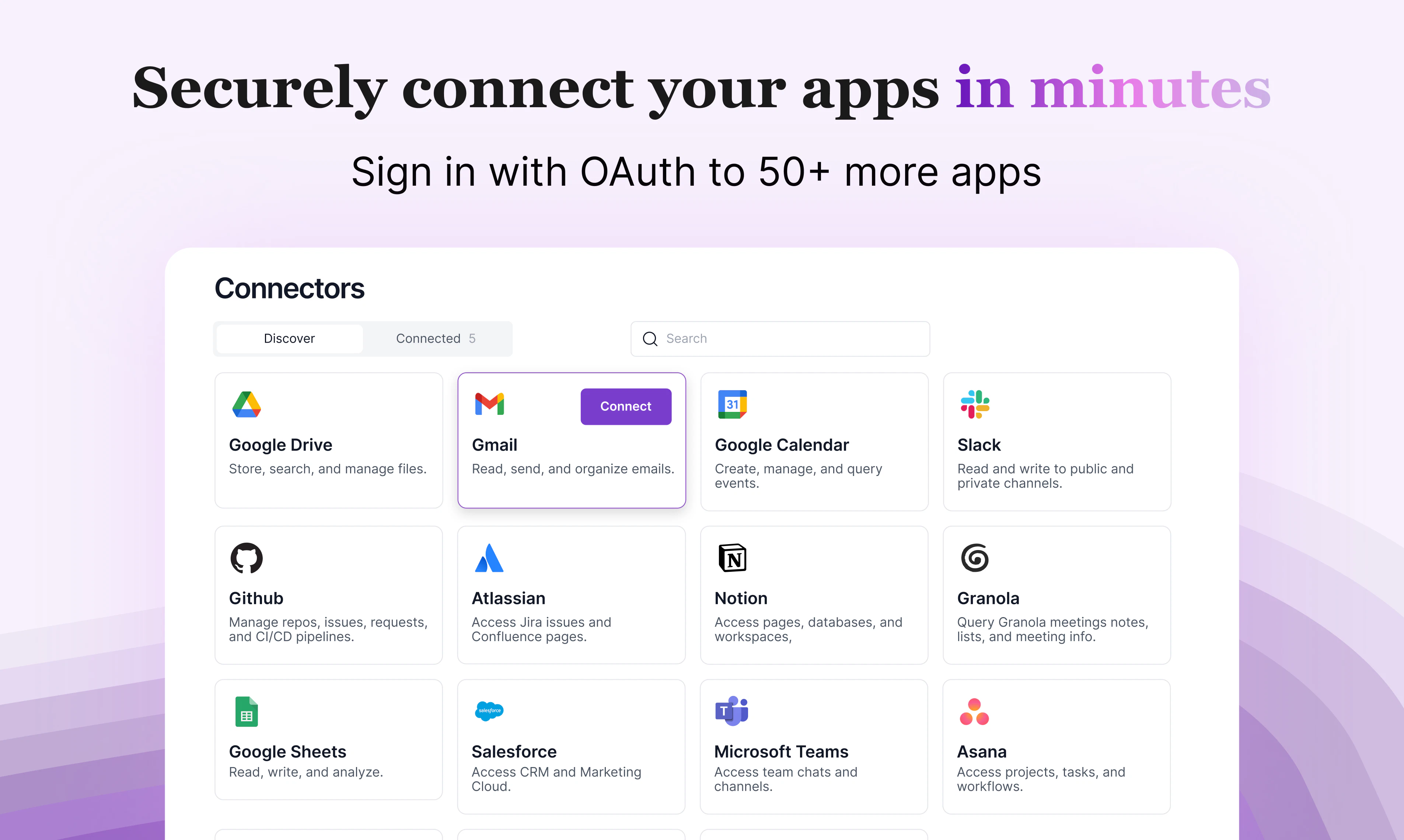
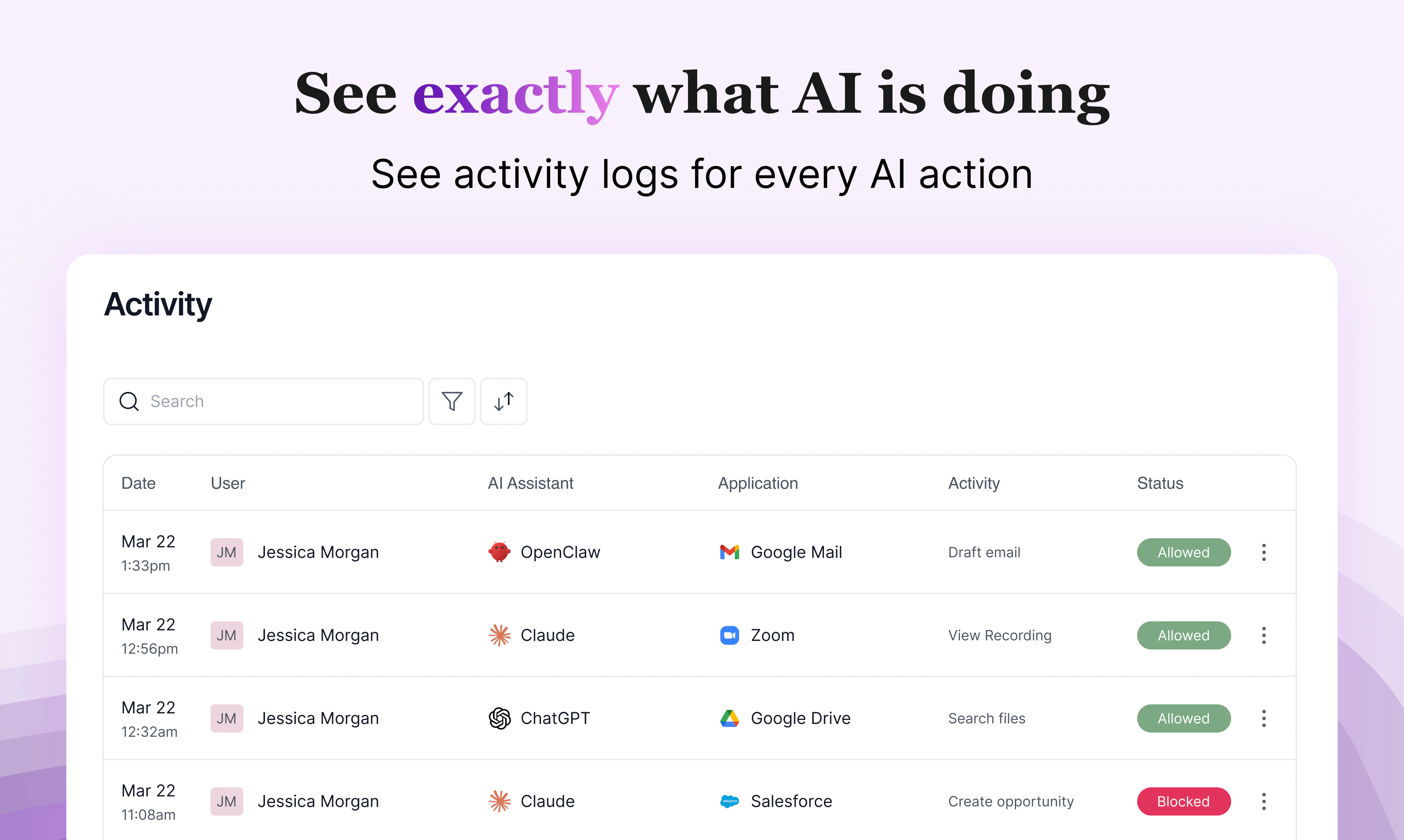
Hey Product Hunt, I'm Melissa Weir, VP of Marketing of Venn by Barndoor AI! 👋 AI agents are only as powerful as what they're connected to. Most people are leaving 80% of that power on the table. The Problem You're using OpenClaw, Claude, ChatGPT, VS Code or Cursor every day but everything you actually do lives across Google Workspace, Salesforce, Slack, Notion, and dozens of other apps. Most people don't know how to connect their AI and if they do, they run into three walls: ❌ Complex, time-consuming setup — Connecting your tools to an AI isn't plug-and-play. It requires technical configuration, OAuth apps, and ongoing maintenance. ❌ AI Platform lock-in — If you do get set up, your integrations only work in that one agent. Claude's connectors stay in Claude. ChatGPT's stay in ChatGPT. Switch agents, start over from scratch. ❌ No visibility, no control — Even when it's all connected, you have no control over what your AI is doing. A record updated. Data moved. An email sent. You find out after the fact if you find out at all. After living this problem ourselves, we built Venn. How Venn is Different 🚀 Delegate to AI without the anxiety. Venn connects your apps to your AI, puts you in control of what your agents can do, and gives you full visibility into every action they take. 🔷 Set up in minutes — Connect your apps and AI to Venn once. No coding, no complex configuration. Get up and running in under 5 minutes. 🔷 You decide what your AI can and can't do — AI shouldn't have unlimited access to everything. With Venn you set the permissions: which apps your AI can use, what actions it can take, and where the boundaries are. 🔷 Works with every AI you already use — OpenClaw, Claude, ClaudeCode, ChatGPT, Cursor, and VS Code. Your connected apps work across all of them. No rebuilding, no starting over when you switch. 🔷 See every move your agent makes — A clear activity log of every action your AI took, every app it touched, and whether it was allowed or blocked by the rules you set. Who is this for? If you want to get more out of AI in your work and personal life, Venn is for you. Whether you're a sales rep, product manager, marketer, project manager, analyst, engineer, or developer — if AI is part of how you work, Venn makes it work harder for you. Your AI. Your rules. 🔗 Get started for free at venn.ai — 7 day trial, no credit card required.
26
回复

@Venn.ai has made a huge difference in my day-to-day interaction with Claude - I can easily access a dozen MCPs simultaneously, and can direct it to talk to my personal email in one prompt and my business email in another. Getting customer info from salesforce, email, and granola, and summarizing it in a google sheet to plan followups has been incredibly powerful.

The product’s seamless integration into Openclaw has made it simple for me to let Openclaw interact with my apps but not do things it shouldn’t be doing. I run a sandboxed openclaw in a Digital Ocean droplet, and since it’s headless it’s really hard to authenticate to MCP servers. WIth @Venn.ai I simply told Openclaw to install the Venn skill, got an API key from Venn, and gave that key to Openclaw. And just like that Openclaw had access to the apps I wanted it to see, with limitations I set so it wouldn’t run wild.

21
回复

I manage paid campaigns across Google, Meta and LinkedIn. Lots of data, lots of context-switching, lots of time spent on things that shouldn't take that long.

What changed for me with Venn is that Claude can now actually reach into the tools I work in every day — Sheets, Docs, Drive, Gmail, Asana. Not just talk about them. The workflow I use most is pulling campaign performance into Sheets, having Claude flag what's off, and drafting a summary straight into Docs. What used to take a couple of hours is now something I kick off and come back to.

The permissions setup is also just... sensible. I'm comfortable with Claude reading and writing to Sheets, but I still want to review before anything goes out in Gmail. Venn lets me draw exactly that line.

Honestly didn't expect to get this much practical value out of it this fast. It's become a daily part of how I work.

19
回复

@dimitar_genev  It's great to learn about your workflow on Venn as it fits with exactly why we built Venn. We'll be launching new social apps like TikTok and Instagram over the next couple of weeks too.

P.S. I'm glad you appreciate the permissions setup. The permissions piece is something our team spent a lot of intentional time on!

7
回复

My favorite AI use case isn't just "automation." It is about unlocking capabilities that used to be gated by technical skills.

This week, I spent a few hours using @Cowork + @Venn.ai to setup scheduled tasks. They help me fill the gaps where our enterprise tools are too heavy or where I previously lacked the technical skills to get the job done.

Here is how I’m using agentic AI to run my workflow:

📊 Weekly Funnel Reporting

Use @Venn.ai connector to pull data from @Grafana , create an activation funnel report, and post it directly into Notion. I get visibility without needing a data warehouse or data analyst. While it’s not perfectly scalable since I can hit token limits on heavy logs, it is incredibly effective for short-term monitoring.

💌 Personalized Research Outreach

Use @Venn.ai connector to pull data from @Grafana, identify users who haven't completed product setup, and draft personalized emails in Gmail based on an email template stored in @Notion. This used to be a copy-paste nightmare. Since research happens in spurts, I could never justify the effort of a full HubSpot automation sequence. I still review, edit, and send manually because I don't trust AI with sending emails yet, so I turn off that capability in Venn's settings.

✅ Automated Response Tracking

I put multiple-choice answers directly in my emails to make it easier for users to respond. Use @Venn.ai connector to check my inbox daily, extract those answers, and log them into @Notion . It even records which subject lines have higher response rates in a Google Sheet for A/B testing.

Agentic AI isn't about replacing the big tools in our stack. It's about creating the custom connections we need to move fast and stay lean.

Are you using AI to automate your existing tasks, or are you using it to do things that were previously impossible for you?

19
回复
This is great news. I have really benefited from using Venn with Claude and have wanted to try OpenClaw and now this will give me the confidence to try it. Great product.
16
回复

@siobhana Thanks for your support!

2
回复

As a graphic & web designer, @Venn.ai has genuinely changed how I move through a project. I've been using it to connect Claude with Asana, Google Docs, Slides, Sheets, Figma, and Slack. Instead of jumping between tools to piece together context, I can track briefs, run design research, and start building out my projects all from one thread.

@Venn.ai helps me pull task details from Asana, reference brief docs, and feed that context directly into Claude, all while staying in control and knowing exactly what the AI can access and what it can't. And for client work especially, the security side is important. Connecting this many tools means you need to trust how your data is handled, and Venn takes that seriously.

15
回复

@tea_vel Thanks for sharing your experience with Venn! It's always so exciting to see how people work efficiently and securely with Venn and AI!

3
回复

The 'set guardrails' feature is exactly what’s missing in most AI agent workflows. How do you handle edge cases where the agent gets stuck in a loop? I'm building automation for TikTok leads today and safety is my #1 concern too. Great work!

14
回复

@lex_streamleadsThanks! What kind of automation do you want to do with TikTok leads? In the next two weeks, we'll be releasing connections to TikTok, Instagram, and LinkedIn all through Venn so curious to know how you want to use it.

For the agent stuck in a loop question, our team is looking into this and will get back to you.

9
回复

I'm biased because I helped create Venn with my team, but I think Venn is super useful. Instead of having to hook a ton of MCP servers to Cursor, Venn creates a sidekick that both finds my tools, runs them, and also makes sure I'm not doing something stupid in the process.

Great for those moments where you don't want to leave your flow but would like to post a ticket, consult a previous slack chat, write up org facing documentation, or see how your cluster's health is doing after deploying that last feature.

There's like a dozen business apps we all use and have to cross index on a daily basis. Venn is the portal to connect them all with your agent, and without having to bring a crufty platform along with you.

10
回复

I've struggled with integrating multiple AI agents while maintaining control, so I love the guardrails feature in Venn! How customizable are the action-level permissions?

10
回复

@trydoff Currently it's at a tool/action level, but we will introduce additional granularity in the coming days and weeks. What are you looking for?

9
回复

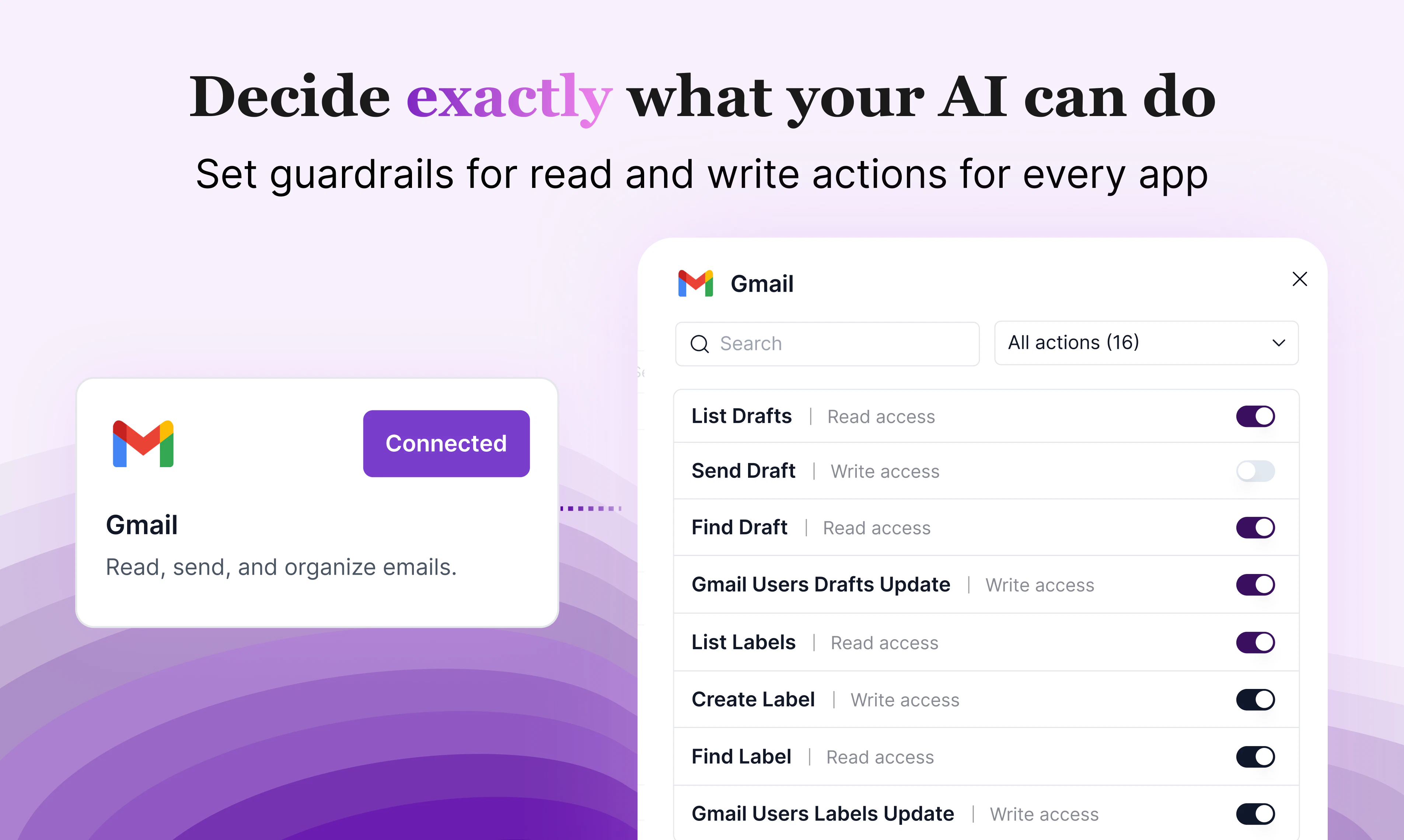
@trydoff The action level permissions are pretty granular. You have the ability to enable or disable any action provided by the tool. Here is a sample of just some of the actions that can be enabled/disabled for the notion tool. There are many more when you scroll. It's free to try! Check it out at Venn.ai

0
回复

You start by improving daily workflows with @Venn.ai -- automating those cross-tool recurring tasks that give you back more of your time. Then you quickly change your frame of thought to preparation, execution, discovery and more. Ask yourself, "What are the benefits of connecting @Slack to @Google Calendar to @Gmail to @Jira?" Some of the things I've improved...

  • Daily task management

  • Call notes organization

  • Outstanding tasks

  • Personal follow-ups

  • Sprint deadline mgmt

  • Improved alert monitoring

They say good developers are producing 10X with AI. My hunch is that Venn will 10X the efforts of business professionals that can leverage a single connection to all their current applications.

10
回复

Hey fellow AI nerds! I don't usually chime in on stuff like this but I have to say that even though I use Venn every day to build and maintain our systems here at Barndoor...you know the makers of Venn. AI has drastically improved my throughput here but since we launched our products the whole teams' productivity has sky rocketed! Here is a common use case:
Problem - We received a @Grafana alert around an anomalous set of errors in our, lets say, Flux Capacitor.

Initial Triage - I click the @Grafana alert link and preview the errors...there are a lot today for some reason...time travel isn't easy. The errors do not immediately result in any conclusive results.

Venn!!! - Connectors: @Grafana , Atlassian(Jira), @GitHub all configured with Venn to have minimal read only functionality except the ability to create a jira ticket.

Prompt - I'm seeing a surge in strange issues from our Flux Capacitor today. Here is a @Grafana link to the logs and the time range. Please:

  • Investigate the logs and correlate the findings with any running state in our Delorean during the times surrounding the incidents

  • Explain your findings and on my approval create a Jira ticket with the findings

  • Investigate the code base to find any potential mistakes in our time machine algorithms

Result - Nearly complete resolution of the issue from triage, to ticketing, to coding, and then review and merge 9 times out of 10 in under an hour.

Complex problems like these could often side track me for an entire day and now I'm back to building!

9
回复

I’m a big fan of Venn (I also advise the team).

The biggest unlock for me has been connecting Claude to GitHub and Amplitude.

Once Claude has real context, it becomes a much more powerful assistant:

  • Vibecoding with full codebase awareness

  • Data analysis grounded in actual product usage

It stops being a generic AI and starts feeling like a true extension of the team.

I’m sure there are many more use cases, but these alone have already been very valuable for me.

7
回复

@seanellis Thank you for your support!

2
回复

Congrats on getting Venn out there, @melissa_weir1. I like this line: [Put AI to work inside your apps without giving up control]. This is the kind of promise that makes a security-minded user stop.

Checked your site content. Two things stood out.


First, the pricing page shows a free tier with "connectors are read only" and a Pro tier at $5/month that unlocks read/write. That's great. But the hero section talks about "setting guardrails for what AI can read and write."

A user lands, reads that, then sees the pricing, and wonders: "Do I need to pay to actually let my AI do anything?"

That tension is there.

And the free tier is great for testing, but the message could be clearer upfront.

Second, the "how it works" section is four steps, but step 4 says "Ask your AI, 'Hey Venn, what can Venn do for me?'"

That's a nice demo, but it doesn't show the user doing real work.

A stronger step 4 would be a simple example like "Ask your AI to draft an email and schedule a meeting." That shows value immediately.

I attached a screenshot below for your convenience. Spotted a couple of other things that could cost you. Happy to share.

These are just insights from me because I audit product pages daily. Good luck!

7
回复

@taimur_haider1 Thank you so much for taking time to give us thoughtful feedback!

To clarify, is the confusion around whether you could set guardrails for the free tier? You can certainly turn off specific actions in the free tier.

Or is the question on whether you need to pay for your AI to take action? We do give a free 7 day trial for everyone to use all of Venn's full capabilities, both read and write.

Thank you for your feedback on #4. That is very on-point!

3
回复

If you're an @OpenClaw fan, @Venn.ai helps you graduate from all of those connections to SaaS apps you've vibe-configging and vibe-integrating (using random skills and CLIs). No shade on CLIs. But definitely shade on non-tech folks having to go into Google Cloud Console to create OAuth client IDs and secrets, just so that they can connect OpenClaw to Google Workspace apps (that's some advanced #BroAuth).

6
回复

@Venn.ai I LOVE Venn! It has genuinely changed how I work. My day spans Gmail, Slack, Notion, Asana, Google Drive, and more. With Venn, I can kick off a new hire onboarding sequence across all of them in one flow, and when it comes to recruiting, I can pull curated candidate feedback from Slack threads, emails, and docs into one place, send candidate follow-ups. There's no more hunting across systems to remember where a conversation landed.

The governance piece is what matters most to me as an HR person. I decide what Claude can and can't do, draft but don't send, update but don't delete. So much trust and efficiency with Venn! I get so much more done with Venn! 🙌

5
回复

Haven't used it yet, but I know the team behind and I highly recommend them!

5
回复

@raulpopa Thanks for your support!

1
回复

Hi Product Hunt community and friends! I'm Deborah and I work on Platform Strategy and wear a ton of hats at Barndoor. I'm proud to have been a part of launching Venn.

Below is a use-case I've shared on how I use Venn:
--------
At Barndoor AI, one of the things I work on is platform integrations, helping to ensure our product works seamlessly with everyone we integrate with, like Google, Notion, Figma and more.

One thing they all have in common is that their customer data has to be handled safely.

However, the requirements to work with each of these platforms is unique, from both technical and business sides.

This is exactly where Venn AI thrives.

I’m able to connect any of my AI agents (often Anthropic’s Claude) to all of my apps like GitHub, HubSpot, Slack, Jira, Google Drive. Having a centralized place across all of my data saves me so much time.

Venn AI also makes connections that scale in ways only an agent can.

It frees up my capacity to be more creative because I can take a step back and orchestrate across my workflows instead of jumping between tools. It’s reduced a lot of my context switching.

One of the best parts is that it leverages MCP with Barndoor’s security and a control plane I manage, so I can use AI agents across company systems with ease.
----

Now, our product also integrates with OpenClaw and every week, we add more app integrations! Please reach out to me if you have questions or need support getting setup, today and in the future!

4
回复
Congrats team on the launch!🎉🥂
4
回复

@rbluena Thanks for your support!

2
回复

Hello Product Hunt! We’re super proud to launch Venn.ai, a secure & convenient way to access all your business data from any AI client. Try it today!

3
回复

When you set action level guardrails like "draft but don't send," does the agent queue those drafts somewhere for batch review or do you approve them one by one in real time? Nice work on this!

3
回复

@borrellr_ Hey Ignacio. Ah, in this example, it would be the Gmail - Create Draft tool that you can set Venn to allow, but the Gmail - Send Email tool would be disallowed. And indeed, your agent / AI-app would create and create+save a draft. You can see all of the tools available by clicking on either Preview Actions or Manage Actions on Gmail when you're in the app.

2
回复

@borrellr_ There's 2 ways to do this:


1. The easy to bypass way: You can just write "create drafts in gmail, but don't send it" to the AI. Even for creating drafts, Venn will ask for permission first:

But since AI is nondeterministic, you never know when it will bypass your instructions and do something else. So...

  1. The more secure way: In the Venn UI, disable "Send Email."

This way, the AI can never send emails until you change that permission.

The drafts are created in gmail, ready for me to review and send:

3
回复

As a solutions engineer I am forced to do sales hygiene ( update opps, next steps, add notes, etc), with one prompt I can query my granola notes and update my opportunity in SFDC. huge time saver.

3
回复

I have not tried Venn yet, but that's about to change real fast. On first glance, I can already see the potential for this to make my AI workflows so much easier, more effective and efficient, and give me more peace of mind.

As a community professional, I'm very conscious and intentional about integrating AI into my work, because community is human, authentic, and rooted in trustful relationships. Guardrails are necessary for me to maintain the level of control I need to do my job well.

Appreciate the team of Makers for recognizing this need and building Venn. Stoked to give it a spin!

2
回复

@timfalls Thanks, Tim! Reach out any time if there’s anything I can help with. Maybe even a platform MCP server that you need that we currently don’t have up yet.

2
回复

seems cool! minor nit, but your reviews all have the same created date which makes them seem a bit suspicious, though they do seem to be real people :) https://reviews.venn.ai/reviews

2
回复

@catt_marroll Thanks for your feedback! Those were collected from our Beta users, and then migrated to a new system on that day. We were so busy getting more integrations into the product that we forgot to give the new system's review link to more people. I was just thinking we should collect more reviews again, and perhaps use a 3rd party website so it's more trustworthy. What websites do you trust for reviews on a tool like Venn.ai? Trustpilot or something else?

4
回复

Really cool concept: connecting multiple AI agents to your apps while adding guardrails and visibility feels like a huge step toward safe, real-world automation. Congrats on the launch! How do you decide what level of permissions an agent should have without slowing down its usefulness? 🚀

1
回复

@thegreatphon there's a lot of trial and error and personal comfort level that goes in it. For example, I'm comfortable with AI creating email drafts but not sending them.

In Venn, I can see what are the different actions available for a particular tool, and turn on and off permissions as I seem fit.

0
回复

Melissa, the guardrails you've built are crucial. Dimitar and Sean's experiences highlight how practical these permissions are, especially for sensitive operations. Having a clear activity log, as you described, is also non-negotiable for auditability and trust.

On the pricing, Taimur brings up valid points about the perception of the free tier versus the hero messaging. Clarifying that free users can still set read-only guardrails would directly address the tension he noted. I'd also be interested to see more detail in the "how it works" section particularly around the architecture of those guardrails and the activity logging.

0
回复

Interesting direction.

Delegating real work to agents feels like a much bigger shift than just automation.

Once agents can actually act inside systems, the problem seems to move from capability to control, not just what they can do, but how decisions are made within those boundaries.

There’s also an interesting tension between delegation and responsibility.

If an agent operates within allowed permissions but still makes the wrong call, where does that responsibility sit?

Curious how you think about this as Venn evolves.

0
回复
#4
PinchBench
Find the best AI model for your OpenClaw
0
一句话介绍:PinchBench是一款针对OpenClaw代码代理的LLM模型基准测试系统,通过统一测试真实任务来对比成功率、速度和成本,解决了开发者在选择AI模型时缺乏多维度、贴近生产环境数据的痛点。
Open Source Developer Tools GitHub
AI模型基准测试 LLM评估 代码代理 OpenClaw 性能对比 成本分析 开源工具 开发者工具 智能体评测
用户评论摘要:用户普遍认可其多维度(成功率、速度、成本)评测的价值,特别是成本维度。主要建议包括:扩充非编码任务评测范围、按任务类别细分排名、关注模型防“刷榜”及评测任务的代表性与更新频率。对“真实世界任务”的定义和防过拟合方法存在疑问。
AI 锐评

PinchBench的出现,直指当前AI代理生态中的一个核心矛盾:模型能力的快速迭代与开发者选型决策信息滞后、维度单一之间的脱节。它试图将“性价比”这个工程化落地的关键因素,从模糊的体感转化为可量化的基准数据。

其真正的价值不在于宣布“GPT-5.4目前最佳”这个瞬时结论,而在于构建一个持续运行的、开源透明的评测框架。这挑战了传统上由模型提供商主导的、往往突出单一优势的评测话语体系。将“成本”与“速度”置于和“成功率”同等重要的地位,是务实的体现,承认了在大多数生产场景中,边际收益递减的模型需要接受边际成本的严格审视。

然而,其面临的挑战与潜力一样显著。首先,“真实世界任务”的定义权至关重要,这决定了评测的导向是反映普遍需求还是特定倾向。评论中关于任务代表性、防过拟合的质疑,正是对其基准“权威性”根基的拷问。其次,当评测本身变得重要,就可能催生针对性的模型优化(“刷榜”),如何保持评测的“鲁棒性”是一大难题。最后,其价值最大化依赖于OpenClaw生态的繁荣与社区的积极参与,否则可能沦为小众工具。

本质上,PinchBench不仅仅是一个工具,更是一种倡导:AI模型的选择应是一种基于数据的、理性的工程决策,而非营销驱动的信仰选择。它的成功与否,将检验开源社区能否在AI基础设施层,建立起独立于巨头的、可信的第三方评估标准。这条路很长,但起点很有必要。

查看原始信息
PinchBench
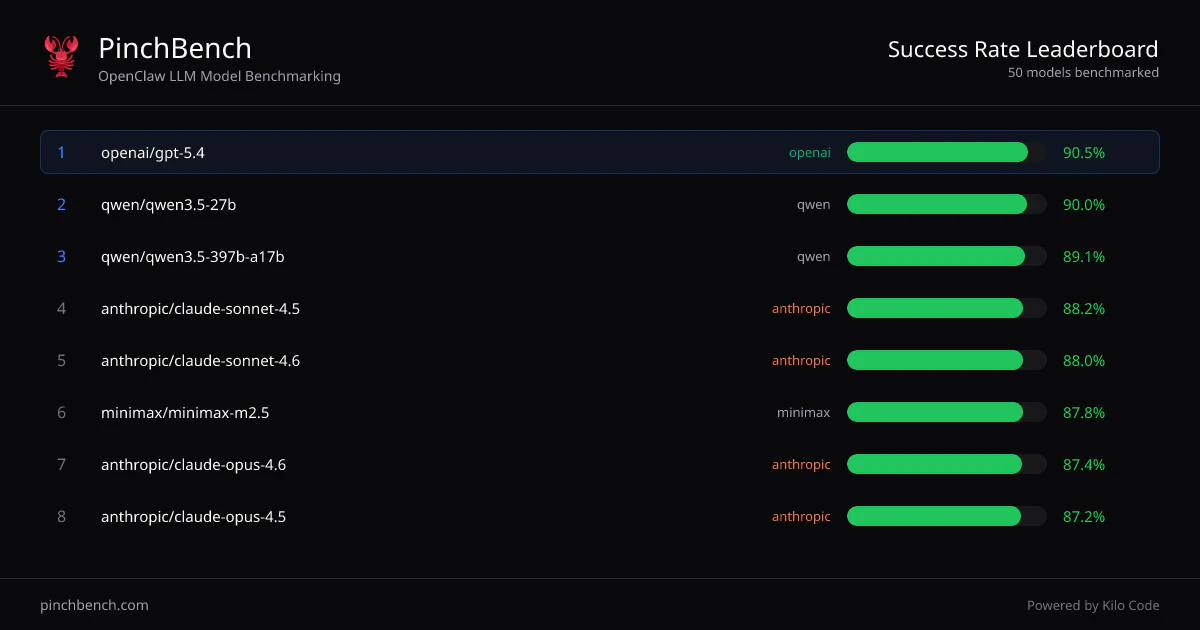
PinchBench is a benchmarking system for evaluating LLM models as OpenClaw coding agents. We run the same set of real-world tasks across different models and measure success rate, speed, and cost to help developers choose the right model for their use case. PinchBench is made with 🦀 by Kilo Code, the makers of KiloClaw.

When setting up your @OpenClaw, you might wonder what the best AI model for your agent is. PinchBench just lets you know.

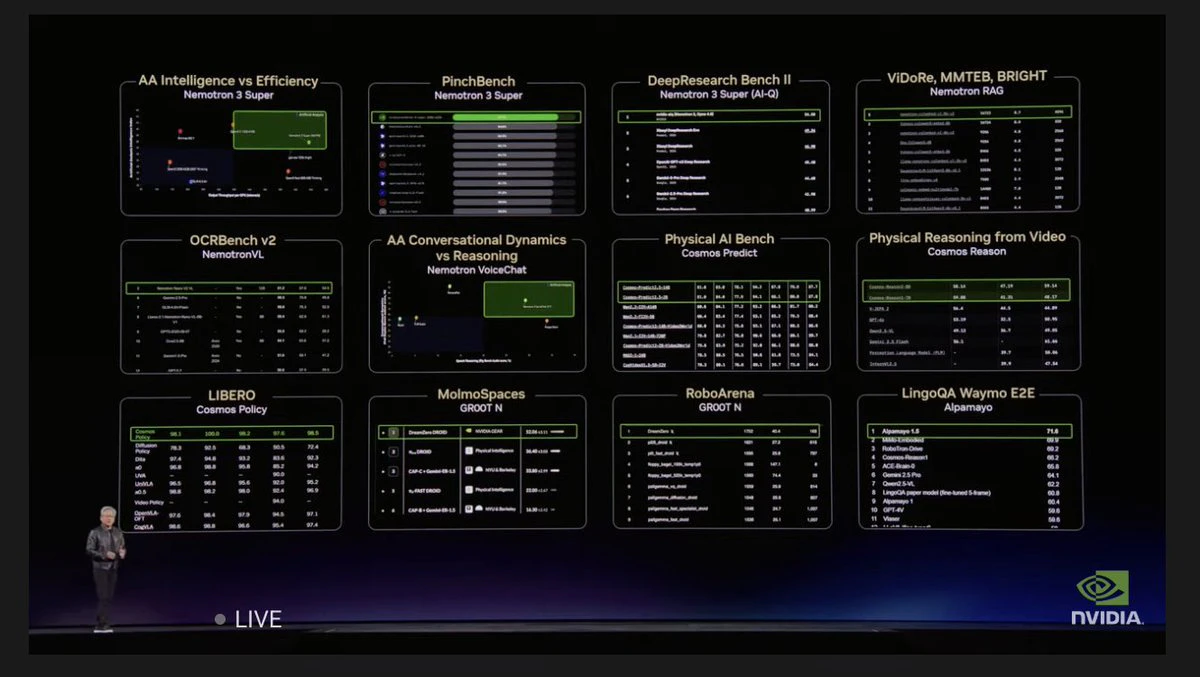
TL,DR: It's @OpenAI's GPT-5.4... for now!

S/O to @realolearycrew for building it 👏👏 - Give it a star on GitHub

7
回复

@fmerian There should be a spoiler alert warning here😅

3
回复

@realolearycrew  @fmerian Hey! When you say "real-world tasks," how representative is the task set, and how do you prevent the benchmark from being gamed by models that have been fine-tuned on similar coding distributions?

0
回复

@realolearycrew  @fmerian Benchmarking across success rate, speed, AND cost in one system is exactly what's been missing. Most model comparisons focus on one dimension, usually just quality, and ignore the tradeoffs that actually matter when you're running agents in production.

We operate multiple AI models across different workflows internally and the biggest decision isn't "which model is best" but "which model is best for THIS specific task at THIS cost threshold." A model that's 90% as good at 7% of the cost is the right choice for routine tasks. A model that catches edge cases other models miss is worth the premium for security-critical work. Having standardized benchmarks across real-world OpenClaw coding tasks gives developers the data to make that routing decision instead of guessing.

The fact that this runs against real-world tasks and not synthetic benchmarks is key. We see the same thing in security scanning: synthetic test cases tell you how a tool performs in ideal conditions. Real-world data tells you how it performs on the messy, unpredictable code that developers actually ship. Real-world benchmarks are always more valuable.

The OpenClaw ecosystem needed this. As the agent framework grows and more models compete for developer adoption, having an independent, standardized way to evaluate performance helps the entire community make better decisions. Congrats to the Kilo Code team on the launch!

3
回复

Nice benchmarks at the end of the use cases! I would like to see more benchmarks relocated to different levels of tasks (no coding).

3
回复

@clearloop thanks for the support, Tianyi!

the benchmark currently includes 23 tasks across different categories and the @KiloClaw team is planning to improve it, targeting 100 tasks on a wider range of use cases.

any specific tasks in mind? adding @realolearycrew in the loop

2
回复

@clearloop we are actively seeking feedback on the other types of tasks we should add!

Can you add your thoughts here: https://github.com/pinchbench/skill/issues/52

We also want it to be wider and cover lots of non-coding functions

4
回复
Benchmarks like SWE-bench (and agent eval harnesses built around it) are the default reference point for coding agents—what does PinchBench capture about *OpenClaw-in-the-loop* behavior (tool selection, memory, retries, file ops) that SWE-bench-style evaluations systematically miss, and where do you think SWE-bench is still the better signal?
3
回复

@curiouskitty I think that SWE bench is a great benchmark for Software Engineering tasks. The whole point of PinchBench is that u think OpenClaw goes so far beyond development work to all knowledge work and even personal assistant type tasks. So my goal is for PinchBench to reflect that more than just software engineering

1
回复

This is exactly what I was looking for. However, tasks should be scoped and agents should be ranked depending on task category.

Imho the most important agent to determine is the main one, the orchestrator, the one you talk to. But then, you will eventually want different subagents specialized in different tasks (and ideally not as expensive, depending on the task at hand). For those, the "best" agent (in terms of value for money) could be something else (i.e., for a simple but broad internet search, gemini flash is often more than enough).

2
回复

@wtfzambo1 Totally agree! Have you tried Auto Balanced model model in KiloClaw? That's exactly the idea behind it: smarter, more expensive models for architecting and orchestrating - cheaper ones for execution

1
回复

Okay, this is genuinely useful. I've been picking models for coding tasks based on whatever benchmark thread showed up in my feed that week, which is a terrible way to make that decision.

The cost dimension is what gets me. Success rate matters, but if a model takes 3x longer and costs 4x more to get there, that changes the math completely, depending on what you're building. Glad someone's actually measuring all three together.

Curious how you're defining task success — is it automated test output or is there a human eval component? That part always feels like the hardest thing to get right in coding benchmarks.

Congrats on shipping. The 🦀 was not lost on me.

2
回复

@ryszard_wisniewski Thank you for your support!
The best part is that you get to shape it because the benchmark is open source, and you can submit your own tests. More on this here: https://blog.kilo.ai/p/pinchbench-v2-call-for-contributors

0
回复

Not just Jensen - y'all gotta know which model's best for your claws!

And y'all can contribute to it, because it's open source 🫶
Great job @realolearycrew !!

2
回复

@realolearycrew  is the 🐐

0
回复
How often does the leaderboard update as new models drop?
2
回复

Great question - They do run benchmarks continuously as new models are released. For the record, the latest leaderboard update was on March 21st (5 days ago), and the current best scores:

  1. @OpenAI's GPT-5.4: 90.5%

  2. @Qwen 3.5-27B: 90.0%

  3. @Qwen 3.5-397B-A17B: 89.1%

How does your model stack up? 😸

0
回复

@anusuya_bhuyan typically we have new models up within a few hours. Although we also have partnerships with inference providers that can make that even faster.

For example we had a “stealth” version of Nemotron 3 Super before it even launched 😃

2
回复

Oh wow, the timing is amazing. I installed OpenClaw for the first time yesterday and was genuinely confused about which model to choose. I ended up using an OpenRouter API key with auto model selection, but the model choices felt a bit random. I’m really glad this product launched today, I’ll definitely be using this benchmark.👏

0
回复

With PinchBench testing real world tasks instead of synthetic benchmarks, how do you decide which tasks go into the benchmark suite and how often do you rotate them to avoid overfitting? Congrats on the launch!

0
回复

How do you make sure the results from PinchBench reflect real-world use especially when different projects have different complexity, tools and edge cases?

0
回复
#5
Mokkit
Turn any screenshot into a scroll-stopping animated visual
0
一句话介绍:Mokkit是一款浏览器工具,能将静态截图快速转化为吸引眼球的动画设备样机,解决了营销人员、开发者和创业者缺乏设计技能却需专业展示软件、应用或网站的痛点。
Design Tools Marketing Advertising
动画样机制作 设计工具 营销素材 无代码设计 浏览器应用 产品演示 视觉优化 转化率提升
用户评论摘要:用户普遍认可产品价值,认为其解决了演示素材制作的核心痛点。有效反馈集中在:发现移动端关键交互Bug;询问URL捕获范围(目前仅视口,全页功能在规划中);建议增加动画模板库;关注视频导出格式(已支持MP4/WebM)及如何保持动画多样性避免同质化。
AI 锐评

Mokkit切入了一个精准的缝隙市场:将静态产品截图“动态化”和“场景化”。其真正价值并非简单的动画叠加,而是试图将“专业级产品演示”这一高门槛任务,降维成近乎一键式的操作,直接对标营销环节中“临门一脚”的转化需求。

从评论看,其“浏览器基”的轻量化路线和明确的输出格式控制是明智的,降低了用户尝试成本。创始人回复中透露的关键洞察——“将已有动画内容嵌入静态样机框架效果最佳”——点明了产品的核心定位:它不是一个全能的动画制作工具,而是一个高效的“包装”与“提亮”工具,旨在提升现有素材的呈现质感。

然而,潜在挑战同样明显。首先,技术门槛的降低必然伴随同质化风险,评论中已有关注。工具提供的模板若不够丰富或自定义维度不足,极易导致产出物千篇一律,反而削弱其“提升吸引力”的初衷。其次,其价值严重依赖于外部素材(截图或录屏)的质量,工具本身不解决源头内容的生产问题。最后,移动端的交互Bug虽被归因于“不应在移动端使用”,但作为一款以分享和展示为核心产出的工具,任何终端的第一印象都至关重要,此问题暴露了产品在跨端体验考量上的不足。

总体而言,Mokkit若想从“有用的新奇工具”进化为“不可或缺的工作流组件”,必须在模板生态的丰富性、智能适配的灵活性(如自动适配多屏幕尺寸)以及更深度的自定义功能上持续深耕。它目前是一把好用的“包装刷”,但未来需要构建一整套“视觉语言系统”。

查看原始信息
Mokkit
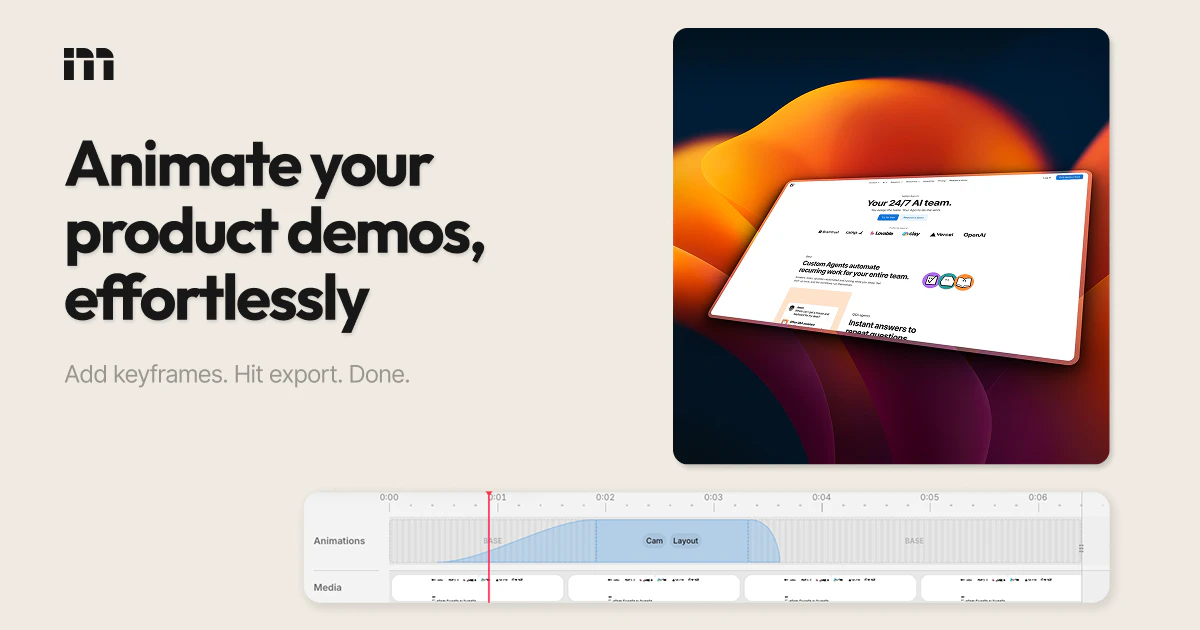
Transform your static screenshots into high-converting animated device mockups within seconds. Create transparent visuals that enhance your marketing materials without requiring any prior design skills. Perfect for showcasing software, apps, or websites in a professional and engaging way.
Hey Product Hunt! Creating product demos and mockups is a non-negociable when it comes to building apps online. It feels like that extra step you're lazy to take, but you also know that caring about your app's presentation will boost its performance. This is why I was looking for the perfect tool to create and animate mockups of my apps, but couldn't find it. Existing tools like shots.so or postspark.app are great, but the UX and animation templates just weren't working for me. So I built Mokkit with one mission in mind: to make it the ultimate browser-based mockup tool. The app is just out of beta, so let me know if there are things I could improve or bugs you may find! I hope you'll enjoy it!
12
回复

Love it!
My partner is launching his app next week, we'll definitely use Mokkit for it!

1
回复

This is really clean

You’re right, presentation plays a bigger role than most people think. I’ve seen solid products struggle just because they weren’t showcased properly.

Have you seen a noticeable difference in engagement or conversions when using animated mockups vs static ones?

1
回复

@dominion_okebe Thank you! I do think so yes, on specific use cases throwing in some motion catches the eye and makes a product demo look more professional. I'd say the main value is on video media inside static iphone/browser mockups though.

0
回复

Congrats on the launch! 🚀 Mokkit is a great tool.

I just ran a mobile sweep and found a Critical Interaction Bug: the 'Make your first mockup' button on the landing page requires 3+ taps before it triggers a response. This 'Ghost Click' issue is likely killing your conversion right now.

1
回复

@sergioding Thank you Sergio, I wasn't aware of that! To be fair the app itself shouldn't be accessible on mobile, will fix that, thanks again!

0
回复

I've been using screen recording tools for my product demos but they all end up looking kind of the same and a bit boring. I also tried generating animations with code but getting the quality right took way more time and effort than expected. This looks like it could save me a lot of that pain. Definitely going to try it for my next launch. Congrats on shipping, Ugo!

1
回复

@ray_artlas Thank you it means a lot! I'd say that what works the best (engagement-wise) is placing already-animated product demos or screen recording inside static mockups

0
回复

The irony of a Product Hunt launch where the product helps you make better Product Hunt launches. It's PH inception. 🎬

1
回复

@ilya_lee In a nutshell yes! It's surprisingly hard to show how a PH launch can be improved, on PH launch demo images...

0
回复

love this. QQ on the URL capture feature - when you paste a link, can it capture the full page or just the visible viewport?

1
回复

@jens_deryckere1 Thank you Jens! For now, just a regular screenshot, but soon you'll be able to change the viewport size, take full page shots, and even auto-scroll videos automatically

1
回复

I really like the idea of Mokkit! Turning static screenshots into animated mockups can totally elevate presentation quality, especially for those of us who've struggled with the visual elements in marketing materials. I’ve faced challenges with making my app stand out post-launch, so I'm curious: what’s the plan for adapting animations across different platforms and screen sizes?

1
回复

@trydoff Hey, thank you for your comment! I'm not sure I follow though... Mokkit lets you export animated mockup scenes as MP4 or WebM format, you can also pick the video's aspect ratio, so technically they can fit anywhere!

0
回复

Yeah! Mockup is key and agree with first impression is what really matters, so you're tool comes to change the game! All the best here Ugo!!

1
回复

@german_merlo1 Thank you man it means a lot, let me know if there are things we could improve!

0
回复

Absolutely love the editor's design. It's easy to know what's going on and clearly there's a lot of thought put into it. Great job! Best of luck to your launch!

1
回复

@enhancedjax Thank you for the kind words, let me know if there are things we can improve!

0
回复

The overall feel of the product is quite good, but I feel animations are bit limited, I hope you will add more animations down the line

1
回复

@nayan_surya98 Thank you for your feedback, we're currently crafting a template library to make it much faster and easier to create animations!

1
回复

@ugo_builds this is extremely useful. Love the VP. Good job! Eager to test extensively

1
回复

@gdc Thank you Giuseppe!

0
回复

Browser-based is the right call for a tool like this -curious whether you're planning to support video export for the animated mockups, or keeping it focused on GIF/static formats for now?

0
回复

Congrats on the launch! How do you balance speed with giving users enough control over animations and styles so everything doesn’t start looking the same?

0
回复
#6
PIO
Agnatically hire, onboard, & pay talent in 150+ countries
0
一句话介绍:PIO是一款全球人力资源运营平台,通过AI代理(PIO Agent/Genie)和嵌入式EOR服务,帮助企业在150多个国家无需设立本地实体即可合规地雇佣、入职和支付人才,解决了跨国雇佣中流程复杂、合规风险高和总成本不透明的核心痛点。
Hiring Productivity Artificial Intelligence
全球人力资源 雇佣即服务(EOR) 合规薪酬 AI智能体 跨国招聘 全球薪酬支付 入职管理 合规自动化 企业服务 SaaS
用户评论摘要:用户认可其简化全球雇佣、整合签证功能及节省时间的价值,核心关切在于成本估算的准确性、合规更新的及时性及相关法律责任归属,并对AI代理输出的可信度提出质疑。
AI 锐评

PIO的叙事从“功能集成平台”转向“AI代理驱动”,这揭示了其真正的野心:它并非又一个简单的全球雇佣SaaS聚合器,而是试图成为企业处理全球人力资源事务的“对话式操作系统”。其核心价值不在于接入了多少国家的EOR服务,而在于通过“Genie”这类AI代理,将复杂的本地合规规则、薪酬计算和雇佣流程封装成一个可自然语言交互的界面,将“管理”转化为“问答与执行”。

这直击了全球雇佣市场的本质矛盾:企业追求全球化敏捷,而各国法律却制造了碎片化壁垒。传统解决方案(法律顾问、本地PEO、多套HR系统)是将复杂性转移而非消除。PIO的AI代理模式,若其数据与规则引擎足够坚实,则可能将复杂性“黑箱化”,为用户提供确定性的答案和行动按钮。这带来了效率的飞跃,但也引入了新的风险——评论中关于“法律责任”和“输出可信度”的质疑极为尖锐。当决策依据从可审计的流程变为AI的即时回答时,信任机制必须重构。PIO的成败关键,将在于其能否构建一个远超传统咨询的、实时且精准的全球合规数据库,并建立清晰的责任保障体系,否则“一问即得”的便利背后可能是企业无法承受的风险。

因此,PIO的真正挑战不是技术,而是建立作为“全球雇佣基础设施”的权威与信任。它从工具演变为“代理”,意味着其商业模式也从软件订阅,潜在地转向了承担更深层责任的“合规保障服务”。

查看原始信息
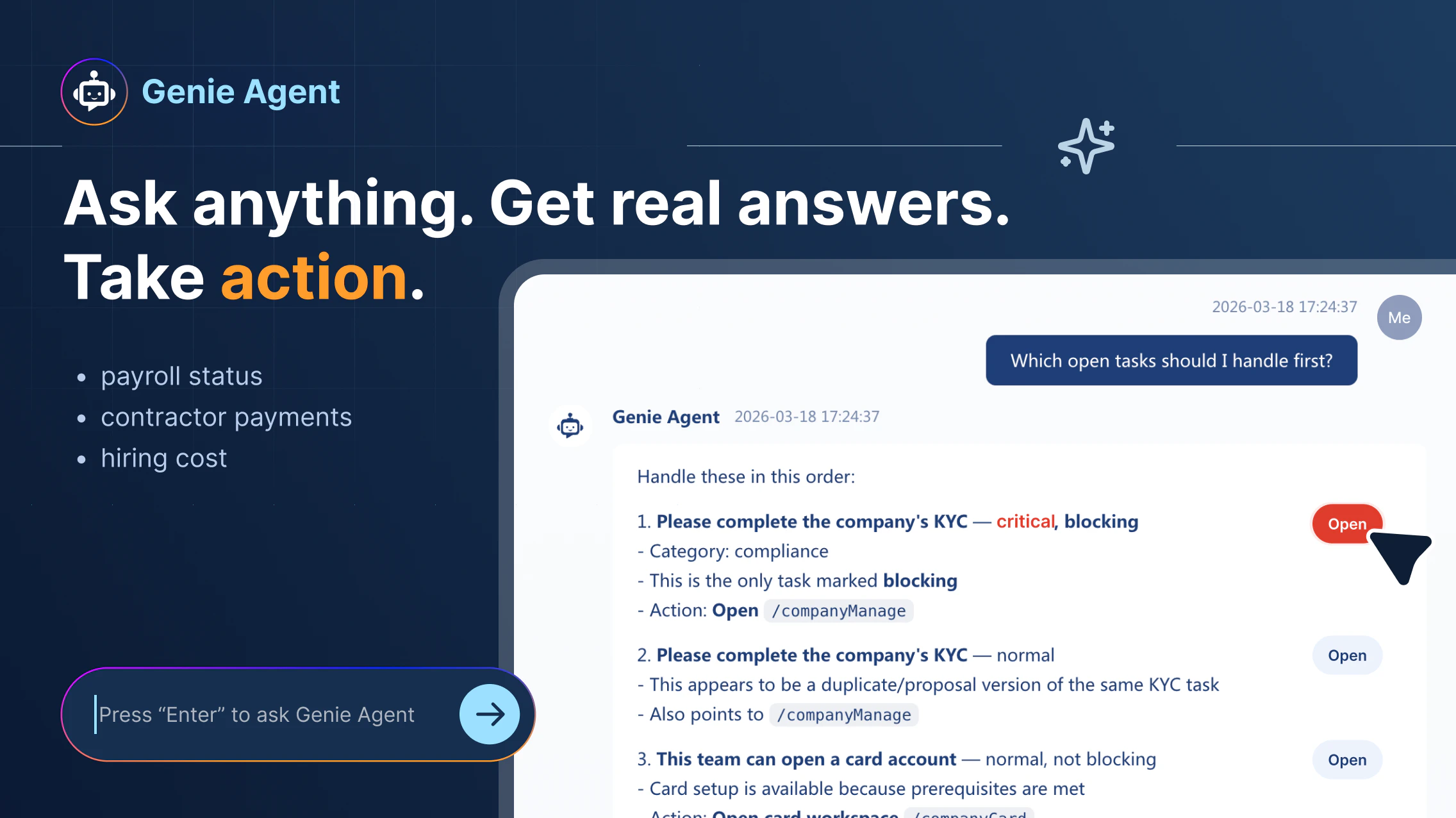
PIO
PIO helps you hire, onboard, and pay talent in 150+ countries without setting up entities. It brings payroll, compliance into one system. With PIO Agent, payroll becomes something you can simply ask. From contractor payments to EOR or the real cost of hiring in another country, you get answers instantly and take action in the same

Hey Product Hunt 👋 I’m Eric from PIO.

One thing we kept running into while expanding globally was how complicated hiring in another country actually is. It’s not just about finding the right person.

You have to deal with local regulations, contracts, payroll setup, taxes, and compliance requirements that vary from country to country. Even a simple question like “what’s the actual total cost of hiring someone in another country, including taxes and compliance” turns out to be hard to answer. You end up checking multiple systems, looking up local rules, and piecing everything together just to get a number you can trust.

That’s why we built PIO.
PIO helps you hire, onboard, and pay talent in 150+ countries without setting up entities. You no longer have to deal with multiple tools or spend hours on manual payroll work.

Everything is handled in one place. With PIO Agent, you don’t manage workflows anymore. You just ask, get answers, and take action instantly based on your actual payroll data.

Curious to hear from you:
What’s been the hardest part of hiring globally?
How do you currently figure out hiring costs across countries?

5
回复

@erictian Hiring in 150+ countries without an entity? That's a lot of potential headaches deleted from a CEO's brain. I love the shift from 'managing workflows' to just 'taking action.'

To your question: The hardest part is definitely the 'Total Cost of Ownership.' You think you’ve budgeted for a salary, but the local compliance and 'hidden' taxes always end up being the wildcard. Having one place to get a trusted number is huge. Congrats again!

0
回复

@erictian Hey , this really resonates with me ... I've personally struggled the most with figuring out the real hiring cost upfront , every country adds hidden layers and it gets messy fast. I rally like the idea of just asking instead of managing tools , that feels like a big shift . I'm curious though , how accurate are the cost estimates across different countries ?

1
回复

@erictian Hey When local labor laws change, and they change constantly across 150 countries, how quickly does the compliance layer update, and who's legally liable if a client acts on outdated information PIO provided?

0
回复

I'm Tan from PIO.

One thing we learned from running PIO is that more features don’t always make life easier for users. As the system grew, it became harder for people to discover useful functions and understand the right workflow.

We had onboarding and a big knowledge base, but the learning curve was still too high.

So we changed the model: instead of asking users to learn a more complex system, we made PIO agent-driven. Now the agent can help run payroll, catch issues, keep compliance requirements updated, and track things like contract signing progress.

Less software learning, more actual work getting done.

2
回复

The visa sponsorship feature is built right in. Usually that requires a completely separate vendor.

2
回复

PIO is always your best one stop global human resource agency! More handy features coming soon.

0
回复

@zack_zheng Yes, that was the goal. We wanted to remove the need for separate vendors and keep everything in one workflow.

0
回复

Can we use your app in China to hire foreign talent while remaining fully compliant with local regulations?

1
回复

@charlenechen_123 Sure! Via an EOR setup. In China, foreign hires require strict compliance with visas, permits, and local laws. PIO handles this through a local entity, so you can stay compliant without setting up your own.

0
回复

It sounds great to streamline global hiring, but how do you handle the local nuances and pitfalls that vary even within regions?

1
回复

@trydoff Great question. PIO is built with country-specific compliance baked in, so local rules, taxes, and requirements are handled within the system rather than left to guesswork. We also keep everything updated, so teams can move fast without missing local nuances.

0
回复

The EOR setup let us skip the whole local entity process. Saved us months of legal work.

1
回复

@s_cen PIO Genie was exactly born for handling tons of work for you, freeing you from workloads.

2
回复

@s_cen That's exactly the value PIO is built for. We help teams skip the local entity setup and move faster with EOR.

2
回复

@s_cen Getting answers about hiring costs and payment options instantly changes how I plan budgets and projects.

1
回复

Folks, eyes on our agentic feature! Sick of poking around first time visiting the website? Try our agent Genie! It is quite proactive; You ask, it responds. You command, it executes. Think of Genie your omni global hiring expert. It handles all heavy paperwork, research and repetative procedural tasks for you.
#ASK GENIE
#INSTRUCT GENIE
#TRUST GENIE

1
回复

Onboarding a new hire in the UK took about 15 minutes. Really streamlined experience.

1
回复

Glad to hear that our smooth service helped your business.

0
回复

@yuki1028 Great to hear that. That is exactly the experience we are aiming for.

0
回复

It's more about trust in the output. If someone is making payroll or hiring decisions across countries, even small inaccuracies can have real consequences.


How are you thinking about building confidence in those answers, especially when it’s coming through an agent?

0
回复

That's a problem we're facing right now! Will take a look right now!

0
回复

@jean_bonnenfant2 Looking forward to hearing the experience from you. Feedbacks are welcome. How can we improve our product to better serve your purpose?

0
回复

@jean_bonnenfant2 Glad this is relevant for you. If you run into any questions while exploring PIO, feel free to reach out.

0
回复

Congrats on the launch!! The fact that you can ask something like "what does it actually cost to hire in Germany" and get a real answer instantly is huge. We spent weeks piecing that together across spreadsheets and legal advisors when expanding our team across borders. This is the kind of tool that makes global hiring feel less like a compliance maze and more like something you can actually move fast on.

0
回复

@ceciliatran PIO agent "Genie" is always there standing by 24/7. Anytime. Anywhere.

0
回复

@ceciliatran Thank you, this means a lot. This is exactly the kind of pain point PIO is built for, and it’s great to hear it resonates from real experience.

0
回复
#7
Jentic Mini
Give your AI agents safe access to 10,000+ APIs
0
一句话介绍:Jentic Mini 是一款自托管、开源的API执行层,它解决了AI代理在安全调用外部API时面临的凭证管理、权限控制和代码耦合等核心痛点,让开发者能安全、便捷地赋予AI代理访问海量服务的能力。
Open Source Developer Tools Artificial Intelligence GitHub
AI代理安全 API网关 凭证管理 权限控制 开源中间件 自托管 执行层 零信任架构 工作流版本化 审计日志
用户评论摘要:用户高度评价其安全设计(凭证运行时注入、工具包密钥、一键吊销)和便捷性(集成上万API、简化连接流程)。主要问题与建议集中在:大规模部署时的凭证与限流管理、API目录的准确性与维护、多代理间凭证隔离的实践细节,以及如何避免工作流目录重复。
AI 锐评

Jentic Mini 的发布,精准刺中了当前AI代理热潮下被普遍忽视的“动脉出血点”——生产级安全与管控。它并非又一个简单的API聚合器,而是一个野心勃勃的“零信任代理执行层”。其真正价值不在于那“10,000+ APIs”的数字,而在于它试图重新定义AI代理与真实世界交互的边界和规则。

产品将安全与执行从代理逻辑中彻底解耦,通过“工具包密钥”这一抽象,实现了权限的细粒度化和即时吊销,这直接回应了业界对代理“失控”的深层恐惧。其运行时凭证注入机制,不仅解决了密钥泄露的显性风险,更巧妙地规避了提示词污染、日志缓存等隐性陷阱。而支持代理注册和检索版本化工作流(Arazzo Spec)的设计,暗示了其更深层的愿景:不仅是安全的管道,更是智能体“经验”和“工作记忆”的沉淀与管理平台,这可能是迈向稳定、可复用代理协作的关键一步。

然而,光环之下暗藏挑战。其一,其核心价值建立在API目录的质量与时效性上,而评论中透露的“无效或不全的OpenAPI描述”是行业痼疾,仅靠社区和覆盖层(Overlay)修补能否支撑起企业级可靠性存疑。其二,作为自托管方案,它将分布式系统固有的复杂性——如跨API的全局速率限制、高可用部署、监控告警——重新交还给了开发者,这与它试图解决的“胶水代码”痛苦形成了新的平衡。其三,其商业模式隐约可见:以开源、自托管的Mini版本作为入口和开发者体验层,为托管版企业平台引流。这种策略能否在拥挤的中间件市场构建起足够宽的护城河,取决于其能否将早期开发者的“安全感”依赖,转化为难以迁移的生态绑定。

总之,Jentic Mini 是一款极具洞见的产品,它证明AI代理生态的竞争正从“智能”本身,转向“安全”与“控制”的基础设施。它提供的不是锦上添花的功能,而是试图为狂飙的代理应用装上可靠的方向盘和刹车系统。其成功与否,将取决于它能否在开发者体验、系统可靠性和商业闭环之间找到最佳平衡点。

查看原始信息
Jentic Mini
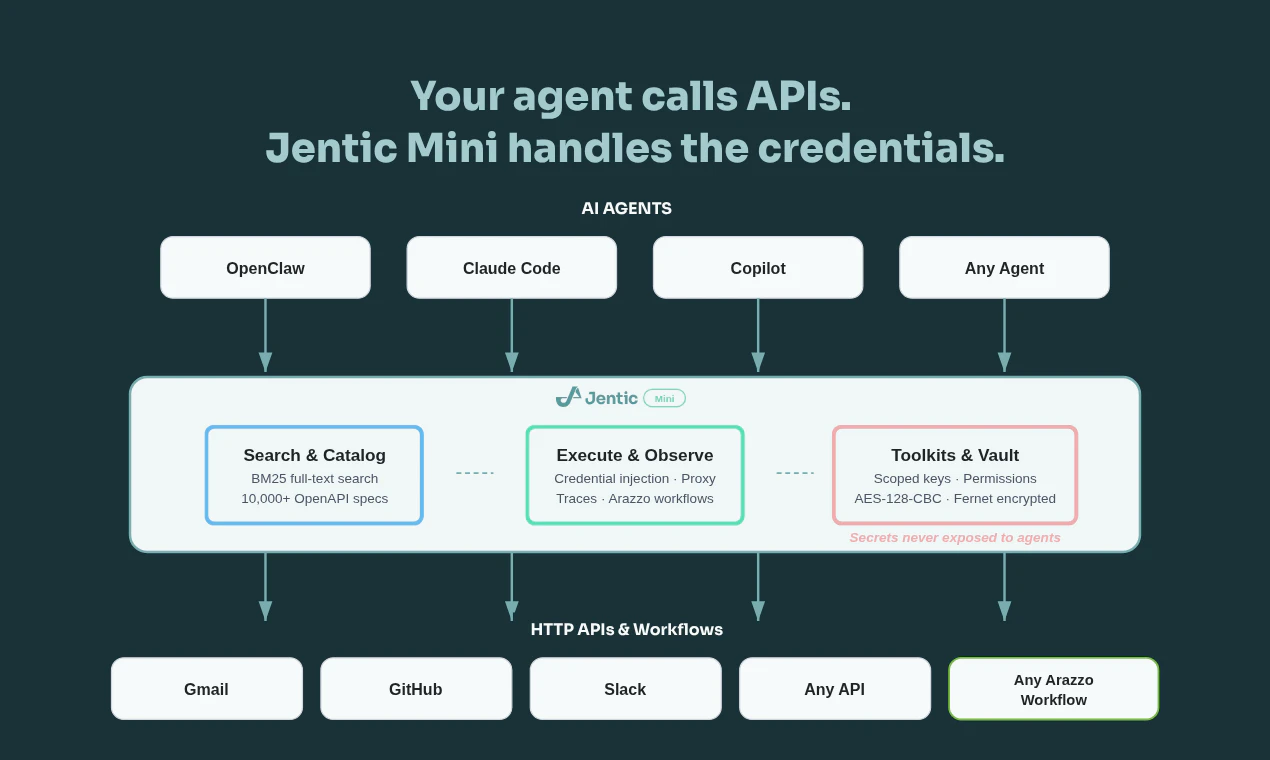
Building agents that call real APIs is painful. You end up hardcoding auth, juggling secrets in prompts, and writing glue code for every service. Jentic Mini is a self-hosted, open-source API execution layer that sits between your agent and the outside world. Your agent says what it wants to do. Jentic Mini finds the right API from a catalog of 10,000+, injects credentials at runtime, and brokers the request. Secrets never touch the agent.

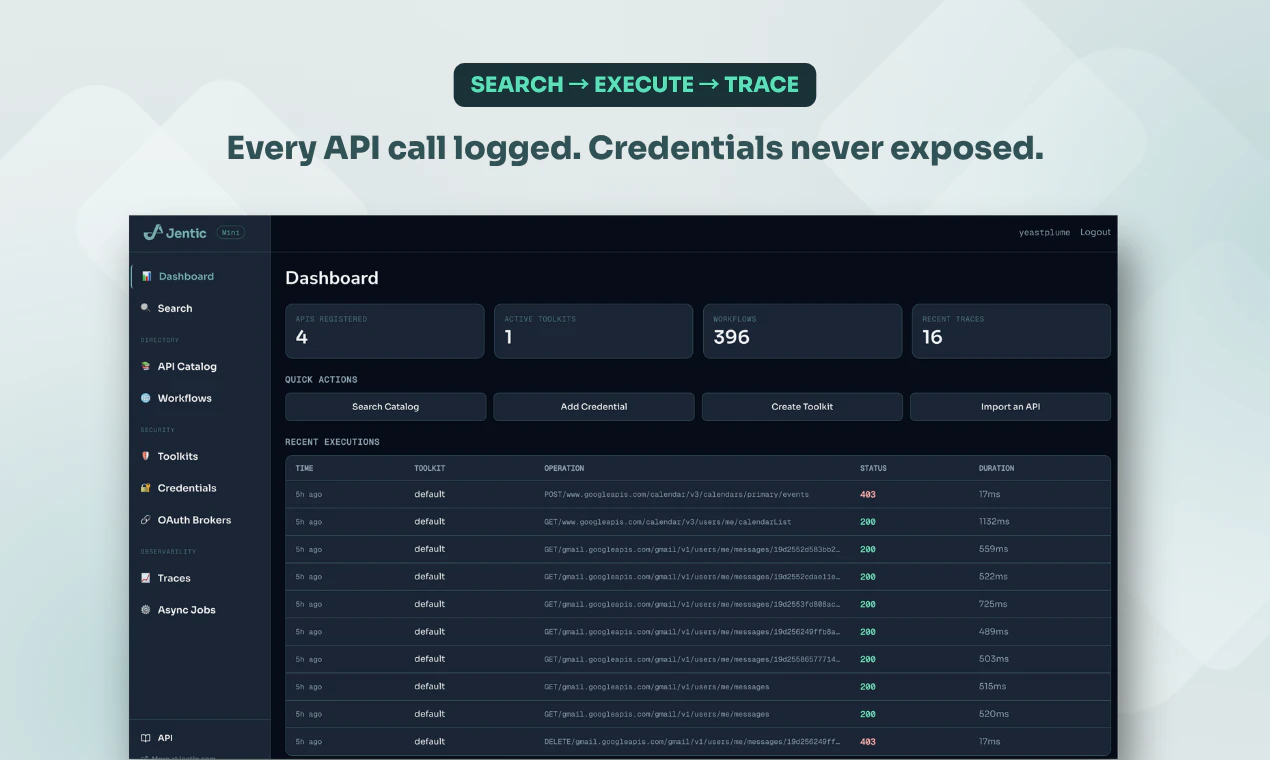
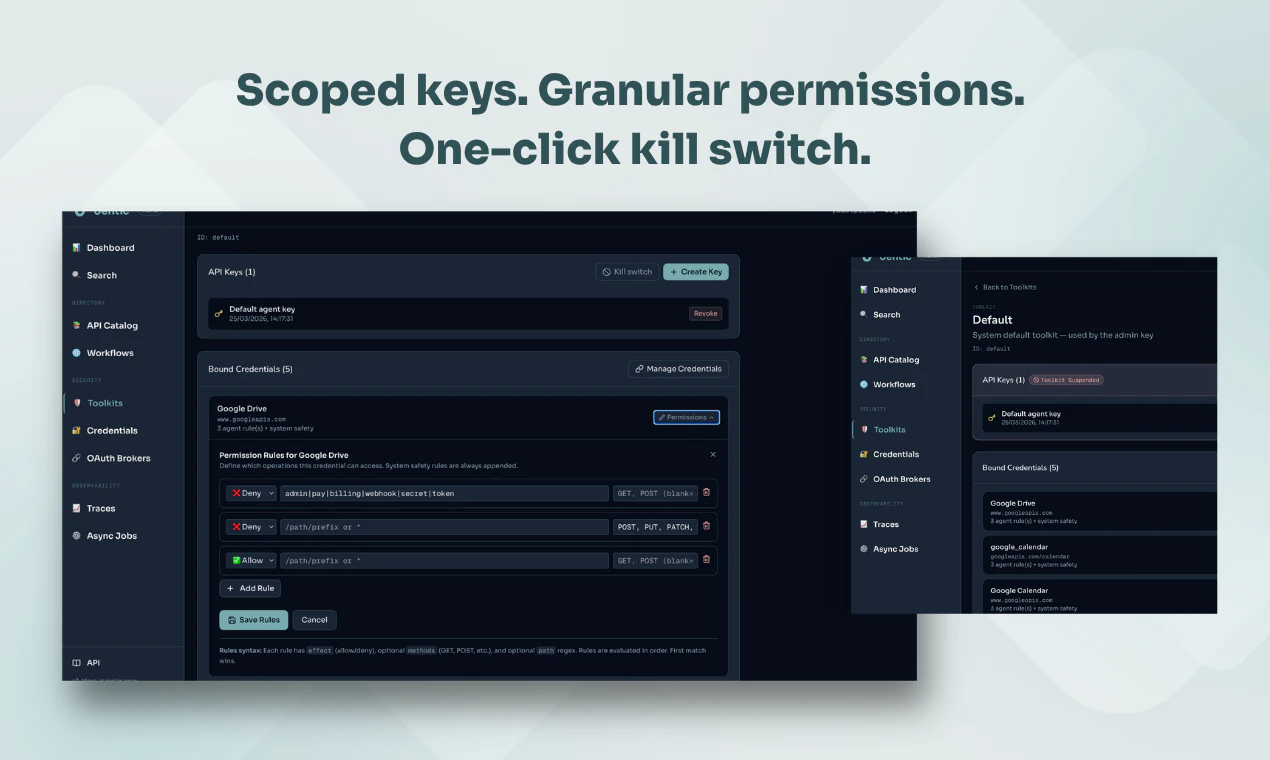
I've had the advantage of using Jentic Mini since version 0, and it has changed how I'm using openclaw (or should I say how my openclaw uses me?). I'm now willing to let it hook up to APIs and SaaS that would have been just too risky to give access to before. Example: thanks to jentic mini my claw can now compose drafts in gmail but does not have permission to send them. More than that, it makes connecting to lots of things and managing permissions super easy - just ask the agent to orchestrate you through the process of hooking up to anything while keeping its access minimal. No fumbling around in badly designed settings menus. And particularly proud of the killswitch - that one helps us all sleep better at night.

27
回复

Hey Product Hunt 👋

A message from Jentic’s CEO:

I'm Sean, co-founder of Jentic. We've spent the last 18 months working on a problem that anyone building AI agents has hit: how do you let an agent call real APIs without leaking credentials or losing control?

Here's the typical pattern today: you hardcode API keys into prompts, write bespoke wrapper functions for every service, and hope nothing gets logged, cached, or hallucinated back. It works for demos. It breaks in production.

What Jentic Mini actually does

It's an API execution layer — a FastAPI server you self-host in Docker — that sits between your agent and every API it needs to call. The architecture is straightforward:

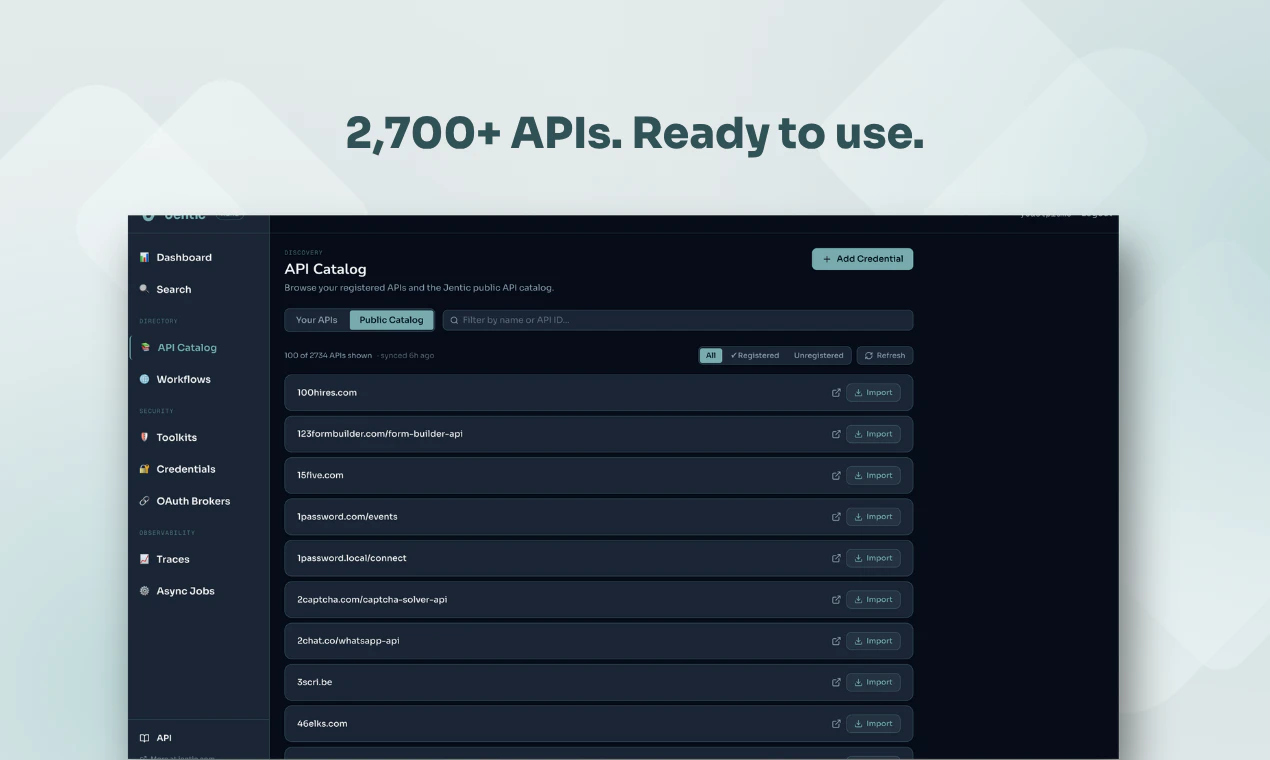
Search: Your agent queries a BM25 full-text index across 10,000+ API specs and 380 Arazzo workflow sources from our public catalog. It finds the right operation without you writing a single wrapper.
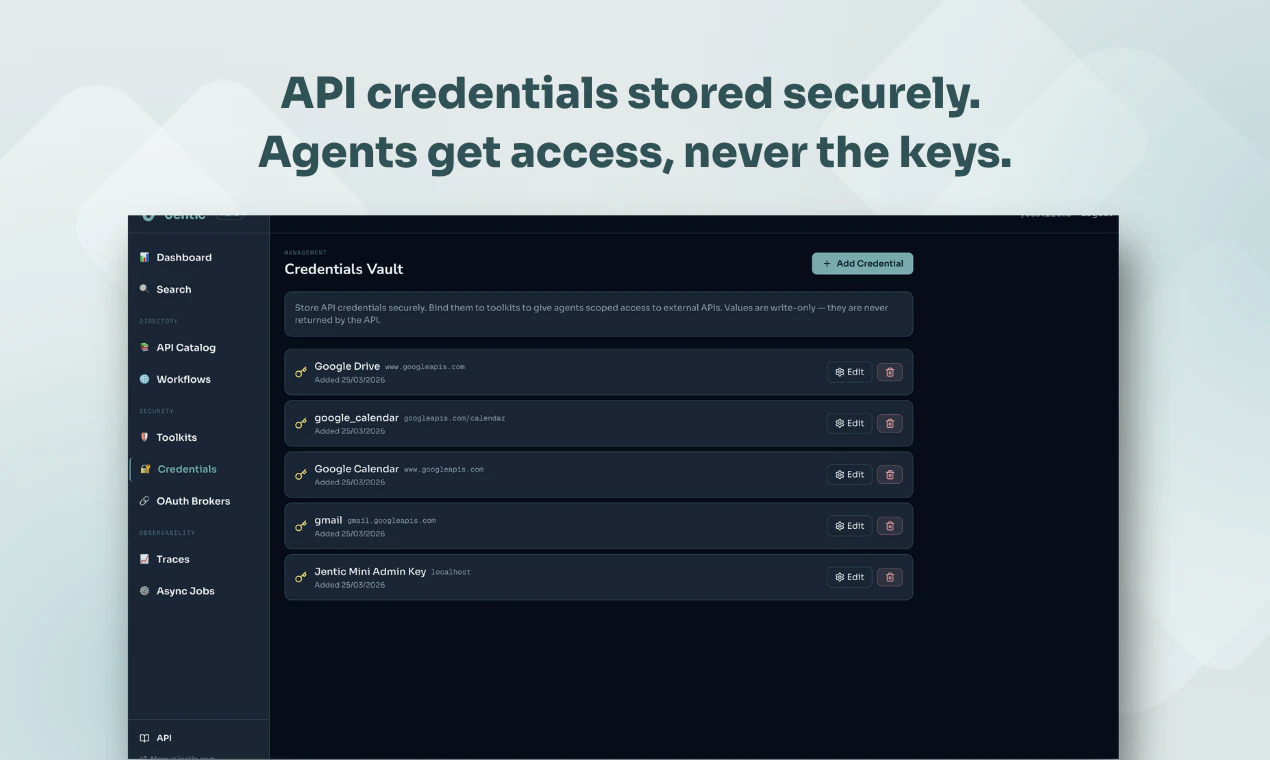
Execute: Jentic Mini brokers the request. Credentials are stored in a Fernet-encrypted local vault and injected at runtime. The agent never sees them. They're never returned via the API.
Toolkits: Each agent gets a scoped toolkit key (tk_xxx) with its own credential bundle and access policy. One key per agent, individually revocable. If something goes wrong, you kill the key. Done.
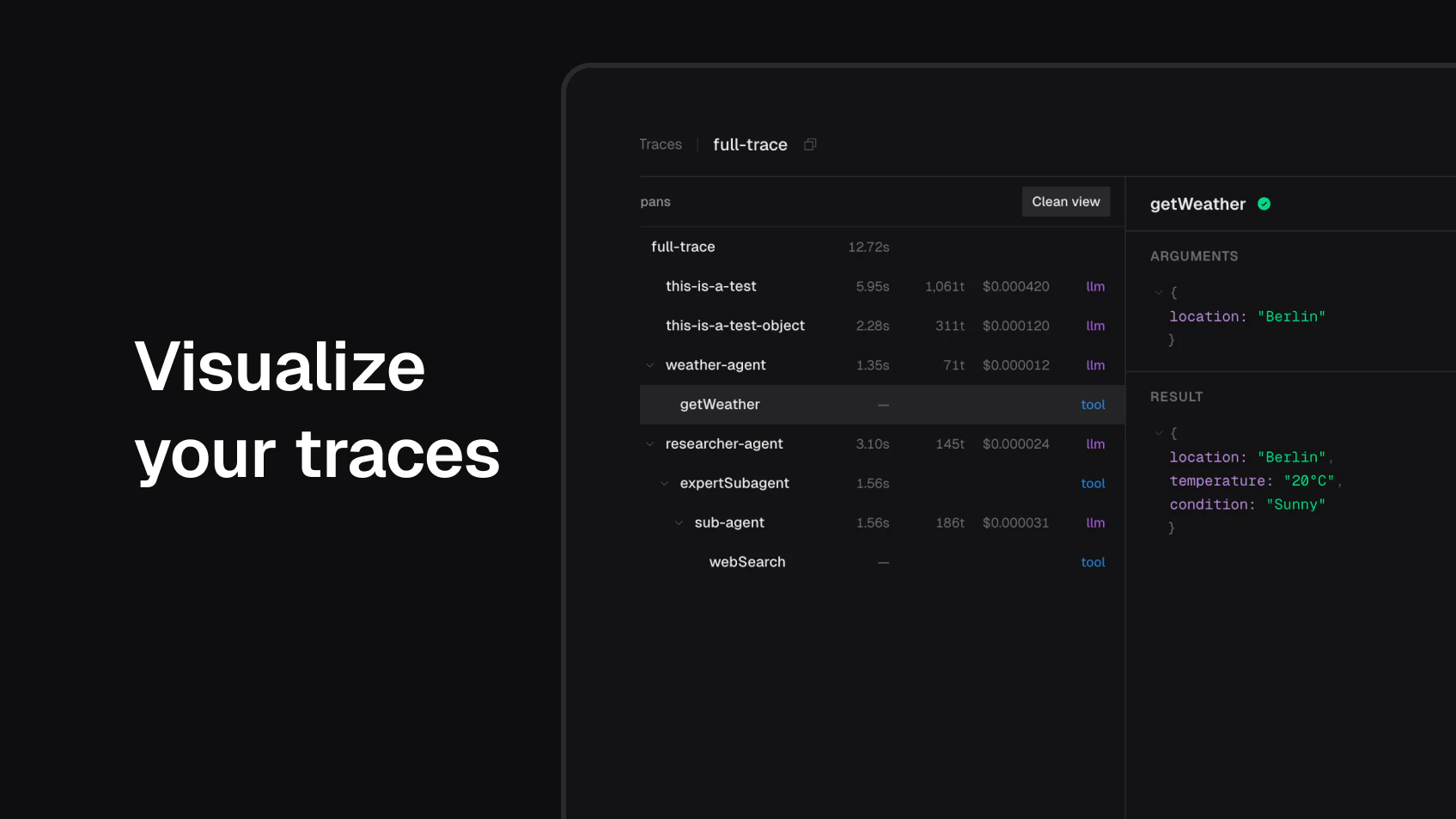
Observe: Full execution traces and audit logs. You can see exactly what your agent called, when, and what came back.

Why we built it

We're already running a hosted Jentic platform (with semantic search, Lambda-based brokering, SOC 2-grade security) and we're a verified connector in Claude. But we kept hearing the same thing from developers: "I want to run this myself." So we built Mini, same API surface, self-hosted, Apache 2.0 licensed.

Getting started is one command:


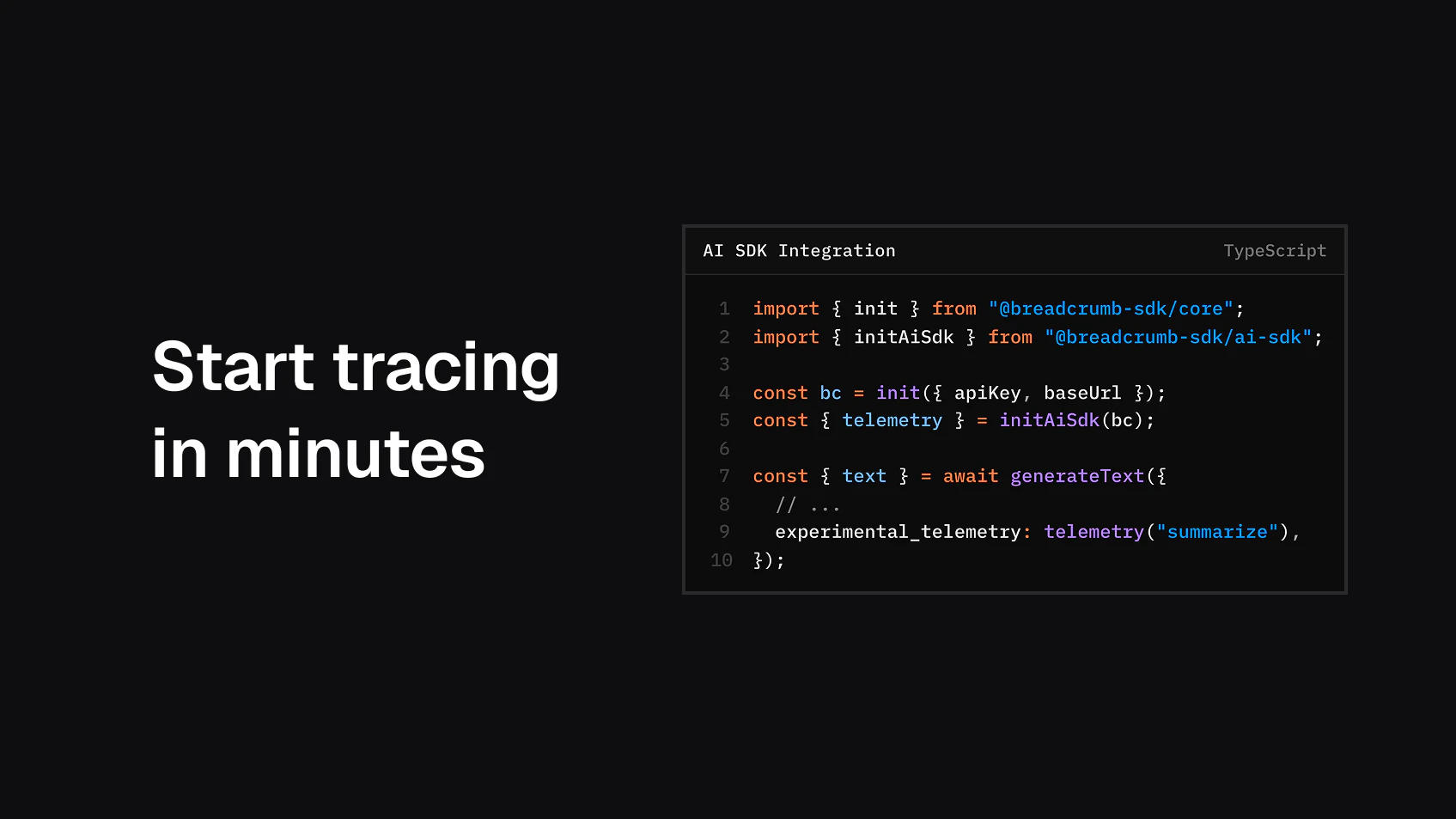
$ docker run -d --name jentic-mini -p 8900:8900 -v jentic-mini-data:/app/data jentic/jentic-mini


Add your API credentials through the UI at localhost:8900, and specs are auto-imported from the public catalog. Your agent authenticates with a toolkit key via the X-Jentic-API-Key header and starts searching and executing immediately.

What's next

This is early access. There will be rough edges. We're sharing it now because we want the community building with agents (OpenClaw, NemoClaw, LangChain, CrewAI, whatever your stack is) to test it, break it, and tell us what's missing.

Would love to hear what APIs and workflows you'd want to connect first.

25
回复

@char0n Yeah this is a real thing. Working with API keys across agents a lot and the balance is genuinely hard. You don't want to set up permissions for every single thing, that's just friction. But at the same time giving agents broad access is a risk that bites you eventually. Toolkit-scoped keys with a single killswitch is a clean way to think about it

0
回复

Thanks to everyone taking a look at Jentic Mini today.

What feels important to us about this launch is where it sits in the stack. General-purpose agents are getting much more capable, but the minute they need live access to real systems, credentials, permissions and control become a much bigger part of the story, which is the gap we wanted to address with Jentic Mini.

Very proud of the team for getting this out into the world. Keen to hear what people are building, which APIs you’d want to connect first, and where the rough edges still are. Let us know what you think!

18
回复

Jentic Mini (and Jentic as the enterprise version of it) address a number of challenges in the rapidly evolving space of AI agents. Agents become increasingly powerful and can solve increasingly complex problems. But finding the right tools to help them solving these problems can be tricky. Jentic helps by providing a sophisticated search facility, that helps minimize context use and allows agents to find the tools that they need.

Jentic also addresses the issue of access control: Agents should never get user credentials. Instead, they should get their own specific credentials which are then mapped to capability credentials in a separate place. This place is Jentic. This allows to fine-tune the access rights given to agents, and it also provides a centralized view of all agents and their access right. That way, agents can never share access credentials (because they never get them), and if something does go wrong, it is easy to tweak the access rights of specific agents or to completely revoke their access to resources and capabilities.

Try out Jentic Mini (or Jentic if you are looking for a SaaS solution) and be more confident when designing and evolving your agents!

17
回复

That lazy-load approach makes sense - way better than upfront credential sprawl. Interested to try it with a few of the messier enterprise APIs.

6
回复

Most people solving the "agent + credentials" problem hardcode keys, inject them into prompts, or hope their env/config stays private. That's not agentic power, that's exposure waiting to happen.

Jentic Mini sits between the agent and every API it touches. Credentials are injected at runtime, never in prompts, never in logs. The agent gets a scoped toolkit key. The real secrets never leave your instance.

What do I really love? The agent can formalise a workflow as an Arazzo Spec document, register it back into Jentic Mini, and retrieve it just-in-time (via our search facility). The workflow becomes a versioned asset, not a repeated guess. No more burning context or tokens on something already solved. And if the underlying API description needs improving, the agent can do that too. Using the Overlay spec to contribute it back in better shape.

Jentic Mini intimately understands OpenAPI, Arazzo, and Overlay. Not as an afterthought but as the foundation.

Credentials shouldn't be an agent's problem. In Jentic Mini, the agent guides you, it auto-requests permissions for the toolkits it needs, so you grant only what the task actually requires and nothing more.

12
回复

@frankkilcommins The biggest headache when connecting AI agents to external APIs isn't the API calls themselves, it's the mess of credentials, permissions, and governance around them. Most agent frameworks just ignore this and leave you stitching it together yourself. This is a game changer.

0
回复

Hey everyone, Jake here from the Jentic team! 👋

We're absolutely delighted to see such a great response today on Product Hunt.

We built Jentic Mini to solve a problem that almost anyone building AI agents has hit: how to let an agent call real APIs without leaking credentials or losing control. Instead of hardcoding keys into prompts or writing endless bespoke wrapper functions, Jentic Mini gives you a self-hosted API execution layer. It securely handles the credentials (your agent never sees them) and lets your agent instantly search and execute against 10,000+ API specs right out of the box.

If you have any questions, feedback, or run into any rough edges, just let us know below. The Jentic team is on-hand all day and happy to help.

10
回复

10,000+ APIs is wild - how do you handle auth across all of them? Storing credentials per agent sounds like a nightmare, and rate limit management across a fleet of agents hitting the same API is a real problem I've run into.

8
回复

@mykola_kondratiuk Both are challenges, and here's where we are.
Firstly, we don't store a credential per API up front. You only add credentials for the APIs you actually use. The broker handles injection regardless of auth pattern: bearer token, API key header, basic auth, OAuth. And if an API's OpenAPI document has wrong or missing security schemes (more common than it should be), agents can register a correction via our security scheme overlay flywheel (using the Overlay Spec from OAI). Those overlays get auto-confirmed on the first successful 2xx and are reused by all agents in that toolkit going forward.

Longer term, the right fix is better specs at source. We give providers the tools to get there: our AI-readiness scorecard scores APIs across six dimensions including security scheme completeness, and the underlying open source framework is available for anyone to run themselves. Validity and usability are not the same thing. The flywheel is a workaround for today. Better specs are the answer for tomorrow.

Jentic Mini doesn't do rate limit management yet on a per API basis. It's on the roadmap. Every call routes through the broker as a single chokepoint, so you have full trace visibility into who's hitting what. What we do prevent is the problem you've likely hit before: N agents with N hardcoded keys all hammering the same API independently. Credentials are centralised. You can bind the same credential to multiple toolkits, so all agents route through one provider API token if you want to manage quota centrally. Rate limiting enforcement and per-toolkit quota controls are next. If that's a blocker for your use case, keen to hear the specifics.

9
回复

Very cool. Will try w my hetzner vps. Openrouter but not just for LLMs!

8
回复

@ronankmcgovern thanks! All feedback welcome. Check out https://github.com/jentic/jentic-quick-claw for a quick start guide and some instructions for hetzner vps

5
回复

The ability to avoid hardcoding secrets and dynamically inject creds part is genius, it saves so much headache. What’s been the biggest challenge in curating the API catalog, especially in keeping it updated and reliable?

7
回复

@trydoff Thanks! The credential injection piece is where most setups fall apart, so glad it resonates.

The catalog challenge is real and multi-layered. The biggest headache? Invalid or incomplete OpenAPI descriptions. A lot of published specs are technically valid but practically unusable: wrong base URLs, missing auth schemes, undocumented parameters. Several of us have been deep in OpenAPI tooling for years, which helps us spot and fix issues fast. Where we need to upgrade or patch specs, we lean on the OAI Overlay spec rather than forking definitions, which keeps the chain clean.

Sourcing is the other piece: finding the canonical definition, tracking it, and knowing when it changes. We've built polling mechanisms for that, but the longer play is working directly with API providers on more integrated sync processes. That's where we're investing now.

For APIs where we only have docs and no reference definition, we use our jentic-api skill to generate the OpenAPI from the documentation. Not perfect, but it gets us 80% of the way there fast.

Community contributions are also helping in keeping coverage broad and current. If anyone here wants to help with a specific API, we'd love the input.

7
回复

Congratulations on the launch 🎉

6
回复

@shubham_pratap Thank you!

4
回复

the versioned workflow part is interesting
once agents start registering more of their own flows back into the system, how do you stop the catalog from turning into a pile of almost-duplicate specs over time?

6
回复

@artem_kosilov Thanks, we think about that topic a lot.

The first line of defence is search quality. The commercial variant uses a semantic search model that's significantly better at surfacing what already exists, so agents find the right workflow before they'd ever think to register a new one. You won't run that locally, but even the BM25 search in Jentic Mini benefits from the rich semantic metadata baked into each Arazzo workflow document, so discovery is still solid.

Agents can register workflows directly. We're adding human-in-the-loop review and similarity checking as part of the process, so near-duplicates get caught before they entrench.


The underlying structure helps too: workflows are registered docs following the Arazzo Specification standard with slug-based identity, so re-registering the same intent converges rather than forks. The format forces explicitness and you can diff two workflows to decide whether it's genuinely new or just an update.

5
回复

A few questions: Multi-agent orchestration — If multiple agents share a single Mini instance, how does credential isolation work across toolkit keys in practice? Can one agent's key ever accidentally resolve another's credentials?

6
回复

@larkloss You can have multiple toolkits to isolate different sets of APIs/credentials from each other. You call how you want to arrange it, but you can have all agents go through one toolkit, or have a different toolkit per agent (with different permissions policies) or anything in between.

12
回复

the credential injection at runtime is brilliant. how does the credential management work in practice? does it support role-based access for different agents? congrats on your launch!

5
回复

@piotr_ratkowski Thanks! The credential management is designed to be invisible to agents by design.

Credentials are Fernet-encrypted at rest in a local SQLite vault with write-only semantics. Once stored, the plaintext value is never returned by any API call. Agents never hold secrets. They hold a scoped toolkit key (tk_-prefixed) which the broker uses at request time to look up and inject the right credential for the upstream API being called.

Role-based access comes through toolkits. Create one per agent, each with its own key, IP restrictions, and allow/deny policy rules evaluated against the Capability ID (METHOD/host/path). Give one agent read-only access to Stripe, another full access, or deny DELETE/* across the board. A compromised agent key exposes only its scoped toolkit. No blast radius to other agents or credentials. And when adding we have a least-privilege approach. It's read-only operations by default.

When needed agents can also escalate. If they need access they don't currently have, they submit a permission request with a reason. You approve or deny it in the UI. The agent cand the workflow, but the human stays in the loop.

9
回复

@seanblanchfield1 @char0n

Hey guys, awesome tool.

I’m a researcher for the H1Gallery newsletters (you can google us).


We’re featuring Jentic in our April 3 issue. H1Gallery highlights excellent homepage headlines, and “10,000+ APIs. Zero credential exposure.” really stood out to us, love the clarity and contrast.

Would love to include a quick comment from your team about the copywriting strategy behind that headline and the broader messaging. Totally optional of course. the feature is happening either way, we'll see you in the April 3rd edition!

Thanks, really appreciate it. I dropped @seanblanchfield1 a comment on X as well.

Thank you in advance for your time and congrats on the launch!

1
回复

Really interesting layer to see emerging.

Separating decision from execution like this feels like a key step for agents to operate safely in real environments.

At that point, it’s not just about enabling agents to call APIs, but about defining the boundaries of what they are allowed to do and how trust is enforced across that layer.

It almost starts to look like a zero trust architecture for agents.

Curious how you think about this evolving.

Do you see Jentic more as an execution layer, or as a broader control plane for agent behavior over time?

1
回复

Absolutely love what the Jentic team are building and the conviction they've had from the start. This deserves a No.1 spot. LFG 🔥

1
回复

Sean, thanks for sharing some details on Jentic Mini. I appreciate the focus on a self-hosted, Apache 2.0 licensed solution; that's a necessity for many organizations I work with.

From my perspective, the real value here is the runtime credential injection and the scoped toolkit keys. Hardcoding keys or putting them in prompts is a non-starter in production. Also, the ability for an agent to formalize and register Arazzo workflow specs is clever.

That tackles API governance at scale, ensuring agents leverage documented and versioned assets rather than constantly reinventing API calls. I'm keen to see how the search across 10,000+ API specs performs under heavy load, especially with more complex queries.

0
回复
#8
Linear Agent
Synthesize context, makes recommendations, and takes action.
0
一句话介绍:一款深度集成在Linear项目管理工具中的AI智能体,通过理解产品路线图、任务和代码库,在复杂的多任务切换场景中,为开发者和团队自动合成上下文、提供建议并执行操作,从而减少手动查找和协调的认知负担。
Task Management SaaS Artificial Intelligence
AI智能体 项目管理 工作流自动化 软件开发 上下文感知 代码集成 团队协作 SaaS 生产力工具
用户评论摘要:用户普遍认可其“基于现有上下文”的理念与“可复用技能”的潜力,核心关切在于:AI处理多项目冲突优先级的逻辑、自动化工作流的可靠性、技能创建标准、自主行动边界,以及其长期定位是“辅助层”还是“核心执行系统”。
AI 锐评

Linear Agent的发布,远不止是在一款流行的项目管理工具上增添一个AI聊天机器人。其真正的野心在于,试图成为团队工作流中的“中枢神经系统”。它将AI从“信息检索者”升级为“上下文理解者”与“行动执行者”,这直接触及了现代知识工作者,尤其是开发者的核心痛点:信息过载与上下文切换损耗。

然而,其宣称的价值与面临的挑战同样尖锐。首先,“理解”的深度决定其上限。它声称理解代码,但能否真正解析实现复杂度来建议优先级?这涉及对代码语义而不仅仅是关联提交的分析,技术门槛极高。其次,“执行”的边界是信任的关键。哪些操作可自主完成(如自动归类任务),哪些必须经人批准(如创建项目或分配任务)?模糊的边界将导致用户因恐惧“失控”而不敢使用。最后,从“偶尔使用的助手”到“团队运行的系统”的飞跃,取决于其“可复用技能”生态的成败。这本质上是一场组织行为变革:团队需要形成共识,将最佳实践沉淀为标准化技能,否则该功能将迅速沦为一个用过即弃的玩具。

评论中关于“是顶层助手还是核心系统”的提问一针见血。目前看,Linear Agent更像一个战略布局:它正将Linear从“工作的记录系统”推向“工作的操作系统”。成功与否,不取决于其AI能否回答一个问题,而在于它能否可靠、安全、规模化地驱动真实、复杂的工作流,并让团队愿意将部分决策权委托给它。这条路充满诱惑,但也布满了关于可靠性、可控性与组织接受度的荆棘。

查看原始信息
Linear Agent
Introducing Linear Agent. Built directly into Linear and accessible everywhere, it understands your roadmap, issues, and code. Ask anything. Command everything.

Congrats on the launch! As a solo dev who is always context-switching, this looks incredibly useful. Quick question: how does the AI handle conflicting priorities if I have multiple urgent tickets across different projects? Would love to know how the logic works under the hood!

3
回复

Really like this approach

The idea that the context already exists and just needs to be surfaced is powerful. From what I’ve seen, the real challenge usually comes after that, making sure those workflows actually run consistently without breaking.

How reliable are the saved “skills” when reused across different scenarios?

1
回复

Linear just shipped an agent built directly into the product.

It understands your roadmap, issues, and code, and helps you act on that context without manually digging through threads, backlogs, and customer requests.

A few things worth knowing:

  • Ask it to find related issues, group them, and pull them into a new project — instead of doing that research yourself

  • Works across desktop, mobile, Slack, and Teams — accessible via @Linear in any comment or the chat shortcut (Cmd/Ctrl + J)

  • When a workflow works well, save it as a reusable skill and run it again manually or automatically

  • Triage automations let you trigger agent workflows the moment a new issue comes in (Business and Enterprise plans)

The underlying idea is straightforward: your workspace already has most of the context needed for good product decisions. Linear Agent just makes it accessible.

0
回复

Really interesting direction.

It feels like this goes beyond just surfacing context into something closer to an execution layer inside the product.

When the system not only understands issues, roadmap, and code, but starts recommending actions and triggering workflows, the center of gravity shifts from tracking work to actually driving it.

The reusable skills part seems especially important here.

Feels like that’s where this either becomes a real system for how teams operate, or stays as a layer people occasionally use.

Curious how you think about that long term.

Do you see Linear Agent evolving more as an assistant on top of workflows, or as the system that actually runs them?

0
回复

Really interesting direction: bringing agent workflows directly into a product development tool like Linear could seriously change how teams plan and execute work. Congrats on the launch! How do you make sure agent actions stay aligned with team priorities instead of creating noise or extra tasks?

0
回复

the reusable skills part is what caught my eye here
feels like that’s where this either becomes genuinely useful or just another assistant people try a few times
how are teams deciding which workflows are worth turning into skills vs just using ad hoc?

0
回复

finally, an AI agent that actually understands the full context instead of just individual tickets. curious how deep the code integration goes - can it suggest which issues to prioritize based on actual implementation complexity?

0
回复

Interesting! Can another agent talk to the Linear Agent asking it for context?

0
回复

Curious how "synthesizes context" works in practice - is it pulling from linked issues, comments, git commits? The "takes action" part is what I'm most interested in. What actions can it actually take autonomously vs what still needs human approval?

0
回复
#9
Spotify SongDNA
The interactive creative network behind your favorite music
0
一句话介绍:Spotify SongDNA是一款内置于播放页面的交互功能,它通过可视化歌曲背后的创作人员、采样来源等关系网络,在用户听歌时满足其对音乐创作背景和人文故事的好奇心与探索需求。
Music Spotify
音乐流媒体 歌曲信息挖掘 创作关系网络 交互式功能 音乐发现 幕后人员 采样溯源 粉丝经济 内容深度化
用户评论摘要:用户反馈两极。支持者认可其展现“创意世界”而非单纯技术名单的理念,认为能深化音乐欣赏。质疑者则担忧信息过载、界面不清、数据准确性不及维基百科,并指出Spotify桌面端功能更新迟缓的问题。另有用户询问歌曲覆盖范围及具体技术整合挑战。
AI 锐评

SongDNA的推出,是Spotify在音乐流媒体“内容深度战争”中一次精巧的落子。其真正价值并非在于提供了维基百科已有的静态制作名单,而在于试图将“歌曲”从一个孤立的音频文件,重构为一个以“人”为核心的动态创意网络。这直指流媒体时代音乐消费的一大痛点:音乐获取极度便利,但音乐背后的故事与人文连接却被极度稀释。产品试图将听歌行为从被动收听,牵引至主动探索,从而增加用户沉浸时间与平台黏性。

然而,其面临的挑战同样尖锐。首当其冲的是“数据壁垒”与“冷启动”问题:构建高质量、完整的创作关系图谱需要庞大、准确且持续更新的元数据,这远非易事,评论中对覆盖范围的质疑正是此点体现。其次,是严峻的“用户习惯”挑战:多数用户处于“背景音”或“歌单循环”的浅层消费模式,是否愿意深入探索存疑。评论中“我在这只是为了听音乐”的观点极具代表性。功能可能最终主要服务于音乐发烧友、创作者等小众群体,难以成为大众高频功能。

更深层看,SongDNA是Spotify应对“平台工具化”焦虑的产物。当所有平台曲库大同小异,差异化便转向体验与语境。它不再满足于做音乐的“水管工”,而想成为音乐的“策展人”与“解说员”。但风险在于,若信息呈现沦为杂乱无章的堆砌,或体验不及外部维基百科精准高效,此功能将迅速沦为食之无味的鸡肋。它的成败,不取决于概念是否新颖,而完全取决于执行是否轻盈、智能、并能真正激发用户那瞬间的探索欲。在AI席卷创作的当下,强调“人”的价值是一步好棋,但棋局胜负,仍系于最基础的体验细节。

查看原始信息
Spotify SongDNA
Spotify's SongDNA is a new interactive feature that reveals the creative lineage of your favorite tracks. Built into the Now Playing view, it lets you explore the writers, producers, samples, and the entire human network that brought a song to life.

Hi everyone!

SongDNA lets you explore what sits behind a song on @Spotify, not just in a technical credits sense, but as a whole creative world around the people who made it.

The barrier to making music is getting lower fast, but taste, strange inspiration, and the artists who cannot be reduced to one fixed style still matter the most. Those are exactly the things worth seeing more clearly, and worth giving a richer network to move through.

You might start by liking a sound, then end up caring about the songwriter, the producer, the sample, the cover, and then a much wider musical universe around them. I really think that in creative work, even after all the shock of "now I can make music too", it is time to put the center of attention back on people.

Art is not going to be capped by AI. 

2
回复

@zaczuo  I saw it enabled for me yesterday. I am there to listen music, not to get the details. I usually search Wikipedia for the details, because it's more accurate and trustworthy.

0
回复

@zaczuo The part about this not just being technical credits but a whole creative world around a song, I get that. Realistically, I’d keep looking because of how it connects people to people, but the key for me is whether it avoids becoming one of those products with lots of information and still no clear sense of where to click next.

0
回复

Is there much need for it? Color me skeptical.

0
回复

Another feature only avaliable in the mobile app? We are still waiting for the edit translation feature on desktop 7 months later.

0
回复

This is a unique way to uncover the creative journey behind songs. Did you face any challenges integrating this with Spotify's existing UI, especially in terms of user engagement?

0
回复

What determines which tracks are supported? And roughly what percentage of songs currently have a SongDNA ?

0
回复
#10
Lyria 3 Pro by Google Deepmind
Create longer AI music tracks with structure & control
0
一句话介绍:谷歌DeepMind推出的Lyria 3 Pro,通过生成最长3分钟、具备明确段落结构(如主歌、副歌)的AI音乐,解决了创作者在视频、游戏等内容制作中难以快速获得高质量、结构化背景音乐的痛点。
Music Artificial Intelligence Audio
AI音乐生成 结构化作曲 谷歌DeepMind 创意工具 视频配乐 开发者API 音频水印 内容创作 工作流集成
用户评论摘要:目前仅有一条高赞评论,为详细的推广介绍,而非真实用户反馈。该评论强调了其核心优势:生成长度达3分钟、结构可控的高保真音乐,以及通过API和谷歌生态(如Vertex AI、Google Vids)的深度集成,服务于开发者、创作者和企业的规模化生产。
AI 锐评

Lyria 3 Pro的发布,标志着AI音乐生成从“片段式玩具”向“工程化工具”的关键一跃。其宣称的“3分钟”与“结构控制”,直击当前AIGC音乐的核心短板——缺乏时间纵深与曲式逻辑,这使其不再是生成随机旋律片段,而是试图扮演一个懂得基本作曲法的“初级编曲助理”。

真正的价值不在于生成本身,而在于谷歌将其深度嵌入Vertex AI、Google AI Studio乃至Google Vids的生态策略。这意味着一方面,它向开发者提供了可编程的、具备商业级稳定性的音乐生成API,旨在成为应用内配乐的基础设施;另一方面,它与谷歌自家生产力工具(如视频编辑)无缝结合,意在形成从文本到视频到配乐的“内部闭环”,提升整个谷歌创作套件的粘性与生产力。SynthID水印则是其面对版权争议的防御性布局,试图为AI生成内容确立可追溯的“身份证”。

然而,挑战同样尖锐。首先,“结构”是否仅是用户提示词的机械拼接,而非真正的音乐情感发展与和声演进逻辑?这决定了其产出的艺术可用性上限。其次,在专业音乐人眼中,此类工具仍可能被视为缺乏灵魂的“高级模板”;而在大众市场,其集成于Gemini等应用的入口,能否形成足以挑战Simpler AI、Suno等明星产品的用户心智和体验?它更像谷歌面向B端和自身生态的“基建型”产品,技术展示与生态卡位的意义,或许暂时大于对消费级市场的颠覆。其成功与否,将取决于开发者和专业创作者能否利用其API,创造出超越工具本身预设的、真正惊艳的音乐应用。

查看原始信息
Lyria 3 Pro by Google Deepmind
Lyria 3 Pro in the Gemini app lets you create up to 3-minute AI-generated tracks with structured elements like verses, choruses, and bridges. From focus music to custom soundtracks and jingles, it unlocks richer creative control, with SynthID watermarking for responsible use.

Lyria 3 Pro by Google DeepMind is an advanced AI music generation model designed to create longer, structured tracks with greater creative control.

Most AI music tools generate short, unstructured clips with limited control over composition. Lyria 3 Pro enables up to 3-minute tracks with an understanding of musical structure—so you can prompt for intros, verses, choruses, and bridges.

What makes it different is its structural awareness + deep integrations across tools like Vertex AI, Google AI Studio, Gemini app, and Google Vids, making high-quality music generation accessible across workflows.

Key features:

  • Generate longer (up to 3 mins) high-fidelity tracks

  • Control song structure (intro, verse, chorus, bridge)

  • Works across APIs, apps, and creative tools

  • Built-in SynthID watermarking for responsible AI use

Benefits:

  • Faster music production at scale

  • More creative flexibility and experimentation

  • Seamless integration into video, apps, and content workflows

Who it’s for: Developers, creators, musicians, businesses, and anyone creating content with audio.


Use cases:

  • Soundtracks for games and videos

  • Music for vlogs, podcasts, tutorials

  • Creative experimentation and song iteration

  • Integrating AI music into apps and platforms

If you’re exploring AI for creative workflows, this is definitely worth checking out!

P.S. I hunt the latest and greatest launches in tech, SaaS and AI, follow to be notified @rohanrecommends

4
回复
#11
Anvil
Run a fleet of parallel Claude Codes
0
一句话介绍:一款专为并行AI编程代理工作流设计的开源IDE,通过一键Git工作树隔离、状态可视化与协调规划,解决开发者在同时运行多个Claude Code代理时面临的上下文切换混乱、代码冲突和管理效率低下等痛点。
Artificial Intelligence Maker Tools Development
AI编程IDE 并行代理协调 Git工作树隔离 开源开发工具 智能体编程 上下文管理 团队协作模拟 开发效率工具 Claude Code优化 代理生命周期管理
用户评论摘要:用户高度认可并行代理管理的需求痛点,重点关注冲突避免、状态隔离与跨代理依赖协调。核心问题包括:如何确保共享文件状态下的无冲突协作;长期发展重心是协调编排还是结果验证;是否支持其他AI代理;以及REPL编程式调用的实际用例。
AI 锐评

Anvil表面上是一个解决多Claude Code会话管理的效率工具,但其底层逻辑正在悄然重塑AI编程代理的协作范式。它没有停留在简单的终端标签页管理,而是通过Git工作树提供物理级代码隔离,将并行代理冲突从概率问题转变为架构可解问题。这看似是技术实现,实则是认知升维:将“多个AI助手”重新定义为“可编排的AI团队”。

产品最犀利的突破点在于其“执行层”潜质。当代理能通过计划文件协调、依赖映射甚至编程式REPL互相调用时,Anvil已从被动管理工具演变为主动协调框架。这回答了AI编程的核心矛盾:单个代理的上下文限制与复杂任务所需的多步骤、多专家协作之间的矛盾。用户提到的“面包屑循环”技能——在达到上下文限制时自动压缩并留下标记供后续代理接替——正是对此矛盾的优雅解构。

然而,其“Claude Code优先”策略既是利剑也是软肋。深度优化带来流畅体验,但也可能将其束缚在单一技术生态中。长远来看,其价值不在于管理多少个Claude,而在于能否抽象出一套通用的、面向异构AI代理的并行编程与协调协议。当前对“验证优先于编排”的思考方向正确,因为只有建立可信的结果验证机制,才能真正实现人类监督下的规模扩展,而非陷入代理数量增长的混乱递增。

Anvil的真正挑战在于:它试图在快速演进的AI代理生态中,定义一套尚未标准化的“协作语法”。成功则可能成为未来AI协同开发的底层标准;若固守单一生态,则可能仅是过渡性效率工具。其开源属性是明智的赌注,吸引社区共同定义这一未来标准,才是其从优秀工具迈向关键基础设施的潜在路径。

查看原始信息
Anvil
The IDE for parallel agent work. MIT licensed, farm to table, fun. With one click git worktree isolation, first class plan tracking, color coding for agent states, flexible layout arrangement, and so much more, Anvil is crafted to make developers extremely productive, minimizing context switching and maximizing agent parallelism.
Hello Product hunt, stoked to release Anvil to the world! I built Anvil after getting tired of managing multiple claude code sessions in my terminal. I felt the pain of constantly context switching between terminal tabs and git branches, forgetting which agent did what, agents bumping into each other on the same branch, not knowing when an agent was done or needing input etc... Anvil solves the annoyances of parallel agent work, so you can cook on new things while your agents run. Agent lifecycle, isolation, planning and coordination, context heigene is all handled by the IDE. But more than this, the goal Anvil is to push the frontier of what is possible with agent programming. I hope you get a chance to try out Anvil, let me know if you have any feedback, and please join the Discord. Lets cook some GPUs together 🔥
3
回复

@zachary_denham1 This is interesting, feels like it’s going a bit beyond just an IDE for running agents in parallel

The REPL + worktrees + the way agents coordinate with each other starts to look more like some kind of execution layer than just dev tooling

If that’s where this is heading, it probably changes the game from just productivity to how these systems are actually managed as they scale

Curious how you’re thinking about that longer term, feels like there’s something bigger here

0
回复
Looking ahead, do you think the long-term win is (a) better orchestration/coordination (plans, dependencies, conflict avoidance) or (b) better verification (tests, linters, review agents) so humans can supervise more agents with less attention—and what did you prioritize first inside Anvil and why?
3
回复

@curiouskitty this is a great question, I don't see the two (orchestration and verification) as mutually exclusive, but if I had to choose one I'd pick verification. Anvil starts with orchestration features because in order to get to verified results it often takes more work than one agent's context can handle.

For instance, I'll often use the anvil repl to loop claude until it can fully self verify, something that in one context window (even with compaction) would go awry.

2
回复

As someone who's wrestled with the chaos of parallel coding, I’m curious how do you ensure effective collaboration between agents without conflicts in shared file states?

2
回复

@trydoff Two approaches

1. If the two features are big or divergent enough, you can create multiple work trees for each agent, this gives them full isolation
2. If the agents should collaborate on the same branch, I usually coordinate through a plan file. This is a simple .md file that details the phases of what I'm trying to do sometimes with dependency mapping. From there agents can coordinate and tackle isolated components of the plan.

Claude is really good at creating the dependency graph of what needs to get done and what is parallellizable.

2
回复

I've been running 3-4 Claude Code sessions in tmux and losing track of which agent is doing what is a daily struggle. The git worktree isolation alone would save me from merge conflict hell. Does Anvil handle cross-agent dependency — e.g., Agent B waits for Agent A's PR before starting?

2
回复

@ilya_lee the way I would typically do this kind of thing is by writing a custom orchestration skill, and yes anvil is really great for this kind of thing.

You can start by creating a plan file initially which details all the PRs you want to create, then have a parent agent manage the different phases. These parent agents can actually create worktrees themselves should you need.

I'd be curious though what your typical use case is?

1
回复

How are you handling state isolation between parallel agents? When you run multiple Claude Codes on the same codebase, conflicts in shared files are the main issue I've hit. Do they each get their own branch or working copy?

2
回复

@mykola_kondratiuk Anvil makes using git worktrees very simple. This creates an isolated copy of your codebase for agents to run in. Worktrees are different than branches because you can have multiple checked out at the same time (its a full copy)

2
回复

this looks super fun, congrats! the REPL thing where Claude can call other Claudes programmatically sounds wild, any examples of what people are actually using that for?

2
回复

@jens_deryckere1 The most practical use case is calling claude in a loop to execute against a larger task or plan file. There is a skill /breadcrumb-loop which allows you to do this. Whats nice about this skill is it compacts when the agent hits 100k tokens in its context window, and leaves a "breadcrumb" markdown file for the next agent to read and continue with.

Other things I've seen are people orchestrating entire workflows like compound https://github.com/EveryInc/compound-engineering-plugin

Instead of running each step manually they will script the entire thing. I can't say I'd recommend this second one bc I think human in the loop is important for the planning phase to get things right and make sure the architecture is sound

2
回复

Is this forked from the VS Code as I am getting kinda similar vibe here. But the feature is really helpful considering running multiple claudes at a time and managing outputs becomes bit overwhelming.

2
回复

@nayan_surya98 this is built from scratch in rust and typescript! No fork here

2
回复

Feels like dev tools are moving from “AI assistant”

to “AI team”.

Parallel agents sounds powerful

but also messy if not managed well.

Curious how you keep control over multiple agents working at once.

2
回复

@new_user___2902025abb5753b18b341a5 a great plan and testing suite. Is super important, I rarely kick off agents fully blind

2
回复

Running parallel Claude Codes is a game changer for productivity. We've been using Claude heavily while building Parsli and the bottleneck is always sequential execution. How do you handle context sharing between the parallel instances?

0
回复

Really like the focus on parallel agent workflows and worktree isolation. Do you see Anvil staying deeply optimized for Claude Code specifically, or supporting other coding agents over time as well?

0
回复

Yo dude, I'm reaching out for a comment.

I’m a researcher for the H1Gallery newsletters (you can google us).

We’re featuring Anvil in our April 3 issue. H1Gallery highlights excellent homepage headlines, and we wanted to reach out to see if you wanted to share a quick comment. The clarity and directness in "The open source IDE for parallel agent work." is very refreshing. The animation is super cool as well. Love it

If you’re up for it, we’d love to get a short note on the copywriting strategy behind your headline and overall messaging. As well as where our readers can follow you on social media, I couldn't find an X account or Linkedin account of yours.

Totally optional to provide a quote for us. The feature is happening regardless, but it’d be great to include your perspective. It makes the newsletter more fun for our readers when we have comments from the creators behind the headlines.

Thanks, really appreciate your time.

0
回复

Working with claude code a lot lately.
Let's see how this website can help me, following and in radar! 😅

0
回复
#12
YouTube Transcript Tool
Convert YouTube videos to text instantly
0
一句话介绍:一款无需注册、完全免费的在线工具,可即时将任意YouTube视频转换为文字稿,解决了用户在研究、笔记、内容创作等场景下需要快速获取视频核心信息而无需观看全片的痛点。
Social Media Artificial Intelligence YouTube
视频转文字 YouTube工具 文字转录 免费工具 效率工具 内容创作 学习研究 无门槛使用
用户评论摘要:用户高度赞赏其免费、无需注册、即时高效的核心理念。主要建议包括:增加字幕与视频的同步滚动/点击跳转功能、支持更多语言、优化非内置字幕视频的处理能力、为内容重组添加说话人标签和时间戳,以及考虑集成AI摘要等高级功能。
AI 锐评

YouTube Transcript Tool 精准切入了一个被“免费增值”模式玩坏了的细分市场:视频转录。其宣称的“无注册、无限制、完全免费”直接命中了现有工具在用户体验和商业模式上的双重痛点——过度设障与过早变现。这与其说是一个技术突破,不如说是一次干净利落的用户体验宣言,用极致的简单和零门槛迅速建立信任。

然而,其真正的价值远不止于一个“更好用的转录工具”。在AI驱动的信息处理范式下,原始、准确、结构化的文本数据是黄金原料。这款工具本质上是一个高效、低成本的“视频文本化”管道,将海量的视频内容瞬间转化为可供AI(如RAG系统)消化、分析的文本流。用户评论中提及的“为RAG每30秒整理文本”的需求,恰恰暴露了其作为AI时代基础设施的潜力。

其面临的挑战同样清晰:一是技术天花板,即对无内置字幕视频的转录准确性,这决定了其从“便捷工具”升级为“可靠基础设施”的成败;二是功能单一性,在“转录”这个核心动作之外,用户已自发提出了同步播放、智能摘要、结构化输出等衍生需求,这些正是其构建护城河、避免被同类或巨头功能覆盖的关键。目前,它是一把锋利的手术刀,但要想不被当作一次性工具,开发者必须思考如何将其嵌入用户更复杂的工作流中,成为视频信息处理的枢纽,而非终点。

查看原始信息
YouTube Transcript Tool
Convert any YouTube video into text instantly. Paste a link and get the full transcript in seconds. Copy, download, or export as TXT. No signup, no limits, completely free. Perfect for saving time, taking notes, creating content, or quickly understanding long videos without watching everything. Fast, simple, and built for everyday use.
Hey everyone 👋, I built getyoutubetext.com because I kept needing transcripts from YouTube videos, and most tools were either slow, cluttered, or behind a paywall. This is a simple tool where you paste a YouTube link and instantly get the full transcript. You can copy it, download it, or quickly scan it instead of watching the entire video. It’s completely free and doesn’t require signup. I’m planning to add more features like better summaries and search inside transcripts. Would really appreciate your feedback on what to improve or add next.
4
回复

Hey everyone, do not forget to add your feedback if you use the tool please. Would help me improve it.

1
回复

@_mukund_ Just instant transcripts when you need them. For creators who repurpose videos into posts/blogs, would there be speaker labels or timestamps in upcoming features to make scanning even faster? Or are they already available? Great build.

0
回复

Would be interesting to know if you're planning to add search inside transcripts or highlights.

2
回复

@jacob_reed3 So the search is there you can search and it'll highlight the keyword

0
回复
Transcripts are so underused For research and repurposing. does it handle non-English videos as well? 
2
回复

@anusuya_bhuyan Yes if the video has a transcript in any other language it handles it. I am going to add a language feature as well.

0
回复

Free instant transcripts without a paywall or queue is the right starting point. Most tools cap you at a few videos then push a subscription. The real test is whether this handles videos without built-in captions, since that's where most free options fall apart.

2
回复

@piroune_balachandran Thank you so much, trying my best!!

0
回复

Honestly the no-signup thing sold me immediately. Every tool like this I've come across either hits you with a paywall after video #3 or makes you create an account just to see if it even works. This one just... works. Paste the link, get the transcript, done.

Only tried it once but it did exactly what it said it would. No complaints there.

One thing I kept wanting while using it, autoscroll synced to the video. So as the video plays, the transcript follows along automatically. Would make it way more useful for following along in real time rather than just grabbing the text and leaving. A "click a line, jump to that timestamp" feature would be a nice bonus too.

Good stuff, keep building.

1
回复

@ryszard_wisniewski Thanks, feedback noted am going to add this for sure the transcripts synced to vid with autoscroll and the click a line jump to that timestamp. thanks!!

0
回复

Yeah! I was looking for this tool. I needed to create content based on videos and it simplyfies x100 that process. Happy to see you helping on this!!! All the best here

1
回复

@german_merlo1 Thank you so much man!!

0
回复

Would you consider sharing it as open source?

0
回复

Hello
this is amazing, i never thought that this kind of link will allow to have transcription so easy just link and get think is really surprising. i didnt spend time so I came back here to say Thanks. (this is as user)

You build very powerful tool, clean landing page means - land on page, get task done in sec and move on. very very simple.

I am not sure weather its useful or not for you but users will copy text and go to AI to get required summaries or sections or get task done. so may be you can consider for the next step as well.


0
回复

Cool tool. I use CLI to download my videos to transcript for my RAG. One feature you could add is to collate the text every 30 seconds for RAG - this is my chat https://dosa.dev

0
回复

@naveenkumar can you please tell me what you mean by collate the text every 30 seconds for RAG?

1
回复
@_mukund_ e.g 00:00 hello ….. 00:30 I’m a robot In this format :)
0
回复
#13
MacNotch
Turn your MacBook notch into a modular dashboard
0
一句话介绍:MacNotch将MacBook的屏幕刘海变为模块化仪表盘,在无需切换窗口的场景下,解决了用户频繁查看信息、快速执行文件操作等效率痛点。
Mac Productivity Developer Tools
MacBook刘海工具 菜单栏增强 模块化仪表盘 系统监控 快速工具 原生应用 效率工具 文件快捷操作 一站式信息聚合
用户评论摘要:用户普遍认为创意有趣,但主要担忧集中在菜单栏空间占用、展开/折叠后的实际视觉效果不明确。开发者积极回应,解释折叠后尺寸与原生刘海一致,并承诺补充展示截图与视频。部分用户赞赏买断制与非订阅模式。
AI 锐评

MacNotch的核心理念是“变废为宝”,试图将苹果硬件设计上颇具争议的刘海区域,从视觉妥协扭转为功能资产。其真正价值不在于单个功能(天气、计时器等均有独立应用替代),而在于创造了一个**高触达、低干扰的“零级菜单”**——位于用户视觉焦点自然落点的刘海区域,实现了信息的“预加载”与操作的“短路径”。

然而,其成功高度依赖于两个脆弱的平衡:一是与系统菜单栏的**空间博弈**,刘海区域本就侵占状态栏空间,该应用虽声称折叠后尺寸一致,但展开后必然加剧菜单栏图标争夺战,这与核心用户(效率追求者)的需求存在根本冲突。二是**功能聚合的“度”**,从评论看,开发者意图将其打造成“工具箱”,但过度堆砌模块可能使其沦为臃肿的“控制中心”,丧失轻量、即用的初衷,与系统原生通知中心或LaunchBar等专业启动器相比优势模糊。

产品的亮点在于**原生Swift开发带来的系统级整合体验**(如直接拖放文件至刘海处理),以及将抽象操作(如AirDrop)赋予一个具象、有趣的实体交互点。这更像是一个精致的“系统玩具”而非生产力革命。其长期生存的关键,并非无限增加模块,而是能否围绕“刘海”这一独特区位,挖掘出不可替代的、符合肌肉记忆的交互范式(如拖放处理),否则极易在新鲜感过后被卸载。开发者对买断制的坚持值得赞赏,但这在某种程度上也限制了其持续迭代和生态构建的动力。

查看原始信息
MacNotch
MacNotch turns your MacBook notch into a modular dashboard. Weather, music, calendar, tasks, notes, Pomodoro timer, Bluetooth devices, system monitor, translation, app shortcuts, reminders, daily quotes and more, all at a glance, right where your eyes already go. Drag files onto the notch to AirDrop, zip, convert, or send to iCloud. Lightweight, native Swift, and designed to feel like it belongs on macOS.

Honestly? I just wanted the notch to earn its keep. MacNotch has grown into this big toolbox of things I hope you’ll actually use. I spent ages on the “does this feel native?” question, like it belongs on the Mac, not like a hack. Hope I’m in the ballpark. I’m not done: new releases are coming to make it smoother and more capable. And I’m genuinely open to input, so if you’ve got a wish list or a “this drives me nuts,” send it my way.

4
回复

That's an interesting idea, but in my case, I already don't have enough space on my MacBook for all the icons I'd like to have in the top bar, and an app like that would take up even more space... the screenshots show only a few items from the app menu - what happens if there are more?

2
回复

@szymon_kadzielawa Thanks for your comment Szymon. That is a great question and totally fair point.

When retracted, MacNotch takes exactly the same amount of space as your Mac’s notch.

If you already have many menu bar icons, some can sit under that notch area, but only while you interact with MacNotch.
The rest of the time, it stays compact and doesn’t permanently compete with your top bar space.

If you’re not already using one, I can also recommend a few good top bar app hiders, they do a great job at managing your top bar space.

You can also try MacNotch with the 14-day trial, and if it doesn’t fit your needs, I’m always open to suggestions.

1
回复

@szymon_kadzielawa yeah I would plus one on the need for screenshots showing what happens when this software is minimized/hidden. And a simple YouTube video showing the same thing would be really helpful.

1
回复

This looks really great and very creative! I love that it’s one time purchase software and not subscription.

It would be useful if there were screenshots or if on the video on your homepage, you showed what it looks like when there are apps running because I’m not clear if this overlays apps or if it actually takes up some of the top screen space.

And something showing it minimizing/hiding and only showing the notch or something similar would be great. As it stands right now, it seems I have to install this to actually understand how it fully works, which isn’t something customer should have to do. Great job though this looks really cool!

1
回复

@jasonrdunn Thank you so much for this feedback 🙌 . I’m really glad you appreciate the one-time purchase model. You’re absolutely right about the visuals, I should make that clearer. I’m going to add more screenshots, including how MacNotch looks when collapsed so it’s easier to understand before installing. Quick note in the meantime: when collapsed, MacNotch stays the same size as the built-in notch, so it doesn’t permanently take extra top bar space. Thanks again for taking the time to write this, it’s super helpful and I really appreciate it.

0
回复

Honestly bro this is just Fire.

1
回复

@_mukund_ Haha thank you bro, really appreciate it 🙌 Hope you enjoy using it, and if you try it, I’d love to hear your feedback.

0
回复
This looks super interesting! I run out of space in my toolbar so this would be useful and cool
1
回复

@eddiejaoude Thank you for the nice comment! I hope you'll enjoy using MacNotch. I’d love to hear your feedback, and there’s a dedicated feedback module right inside the app.

1
回复

I wish if we could have something similar for the windows too, I do use the Power toys but it is not as cool as this one, is this supported for ipads too?

1
回复

@nayan_surya98 Thanks for your comment, Nayan, I really appreciate it. For now it’s Mac-only (no Windows or iPad support yet). I’m putting all my energy into making the macOS experience great first, then I’ll see where it can go next. Honestly, I’m not even sure it would feel natural on Windows 😅

1
回复
When someone is choosing between MacNotch and apps like NotchNook or NotchHub, what are the 2–3 concrete differences that matter in daily use (performance model, customization depth, modules, pricing), and who is each product “for” in your view?
0
回复

As a Mac developer myself, I always felt like the notch was just wasted space. Really cool to see someone turn it into something actually useful. Being able to drag files onto it for AirDrop and zip is super practical. Love that it's built native in Swift. Definitely going to give it a try. Congrats on the launch!

0
回复
#14
Trivia by Typito AI
Create viral quiz & trivia videos with AI
0
一句话介绍:一款AI驱动的工具,帮助创作者、营销人员在无需剪辑技能的场景下,快速生成高互动性的问答/知识测试类短视频,解决内容吸引力和制作效率的痛点。
Social Media Artificial Intelligence Video
AI视频生成 短视频创作 互动内容 营销工具 社交媒体 问答测试 内容创作 自动化工具 用户参与 无代码编辑
用户评论摘要:用户普遍认可其解决痛点的价值与易用性,主要反馈集中于:1. 希望支持基于特定URL生成内容;2. 需增强对内容风格、难度、垂直度的调控能力;3. 探讨B2B应用场景(客户教育、建立思想领导力)与互动形式(如交互式播放器)的可能性。
AI 锐评

Trivia by Typito AI 精准切入了一个被内容算法验证的“流量密码”:以提问形式截停用户滚动,本质是产品化了一种高互动性的内容范式。其真正价值并非炫技式的AI生成,而在于将“发现有效模式-拆解制作流程-实现自动化”这一创作者隐性的经验认知,封装成了一个即插即用的标准化工具,降低了互动视频的创作门槛和试错成本。

然而,产品目前面临的深层挑战也清晰可见。首先,其内容生成逻辑高度依赖通用主题输入,这极易导致输出内容陷入“泛娱乐化”或“常识性重复”,与用户追求独特品牌调性和深度垂直内容的需求产生矛盾。评论中关于“调控难度、风格、垂直度”的追问,直指其AI模型在理解细分领域知识和适配多元语境上的能力边界。其次,当前“视频输出”的形态,固然适配现有社交平台,但也固化了其作为“内容生产资料”的定位,略显被动。团队已意识到的“交互式播放器”方向,或许才是将“测试”体验闭环、沉淀用户数据、乃至向轻量级SaaS工具演进的关键一步。

从市场定位看,它巧妙游走于B2C内容创作与B2B品牌营销之间。B2B用例的讨论揭示了其作为“互动化内容营销工具”的潜力,但如何从生成趣味 trivia 升级为产出与行业知识、产品价值深度绑定的“专业级互动内容”,是决定其能否突破工具属性、建立更高壁垒的核心。总体而言,这是一个思路清晰、切入点犀利的效率工具,但其长期生命力将取决于AI生成内容的质量深度与可定制性,以及能否从“视频生成器”进化为“互动体验构建平台”。

查看原始信息
Trivia by Typito AI
Most videos get ignored, but quiz videos don’t. Why? Because they ask a question, and your brain wants the answer. Trivia by Typito AI helps you create high-retention videos in seconds. Just enter a topic and it generates questions and answers, clean visuals, and ready-to-post videos for social platforms. No editing skills needed and no blank page problem. Built for creators, marketers, and anyone trying to win attention on short-form video—just hit export.
Hey everyone 👋 I’m Matthew, one of the makers of Trivia by Typito AI. We’ve spent years building video tools — and one pattern kept showing up: 👉 The videos that consistently perform… are the ones that ask a question. Trivia, quizzes, “guess what happens next” — they pull you in. But creating these videos repeatedly is surprisingly painful: • Coming up with questions • Structuring them visually • Getting timing right So we built Trivia to remove all of that. You give it a topic → it generates a ready-to-post quiz video. We’re still early, and I’d genuinely love your feedback: What worked? What felt off? Where did it break? Our team will be around all day 🙏
9
回复

@tmatthewj Really interesting concept, Matthew! You’re hitting a pain point I see constantly in the HR world, teams want to engage their audience but they’re bogged down by the 'manual' overhead of creating it.

I’m also launching AspectOS today; we’re both on a mission to help busy professionals stop 'managing from memory' (or manual editing!) and move toward a more automated, high-impact flow.

Dropped an upvote, hope you hit the Top 5 today! Quick question: Can the AI pull from a specific URL to generate the trivia, or is it purely topic-based?

0
回复

This is one of the simplest products i have used.
Prompt -> minor edits -> Publish.

All in under 3mins.

Would highly recommend this for anyone who is looking to make trivia videos.

3
回复

@rohith_veerajappa Thank you thank you for your kind words 🤗

0
回复

Quiz videos are one of those things people don’t scroll past, and packaging that into a quick workflow is actually useful.

How much can you tweak what it generates? Like tone, difficulty, or making it feel more niche instead of generic trivia.

1
回复

@basim_ahmad nice to hear from you. ☺️

We let you control difficulty at generation time (along with the prompt / topic), and you can tweak the output as well. The tone and niche-ness also gets influenced a lot by the inputs and the edits you can make.

But you've raised a good point - there's certainly more room to go further on tone and niche specificity so it feels less generic over time.

0
回复

I love the idea of leveraging trivia to grab attention in short-form videos. I’ve dabbled in video content creation, and keeping viewers engaged is a constant challenge. I see you’ve automated question generation; how do you balance quiz complexity to maintain engagement without overwhelming the audience? Would love to hear more about your approach!

1
回复

@trydoff Thanks for the question. For now, we leave it to the creator to determine whether the content would work for their audience (or if the right audience would them) since we don't have a direct way to determine how engaged the audience is.
Something like a interactive player as the output instead of a video would open up a lot of possibilities.
But for just a video output, we're still thinking of adding capabilities like quizzes with increasing difficulty, or other patterns of difficulty sequences or even just randomizing difficulty levels.

1
回复

Nice niche idea.

One question, I see applications in the entertainment area. Are there business use-cases?

How can a b2b brand benefit from a trivia video? Just curious

1
回复

@aslamabbas There are two use-cases I'm seeing, that's applicable for both B2B and B2C brands:
1/ Educating customers
2/ Positioning oneself as a thought leader
Each motivation kinda reinforces the other.

Attaching a frame from a video where a YouTube ecosystem product uses a quiz video to engage with their customers, to give an idea.

2
回复

Few years back I also made YT channel QuizWizz with this concept only AI was not a major thing back then, but yes Quiz videos are actually engaging, but the quizzes should be around something that feels easy to solve but when you try it becomes confusing.

1
回复

@nayan_surya98 Thanks for sharing! And I totally agree. The moment it feels “I should know this” is where people stop scrolling and engage with the content.


That’s been a big learning for us as well. We’re trying to systemize that a bit so people don’t have to manually figure out what works every time.

1
回复

Congratulations to the team! I had the chance to see product in action and it's quite remarkable.
The funny thing is, I am very tempted to start creating quizzes myself on Instagram but I don't know if I will have the time. I guess I have to just give it a shot. Sounds so much fun now!

0
回复
#15
slicer.dev
Copy interactive web components as AI prompts
0
一句话介绍:slicer.dev是一款浏览器扩展,能将网页上的交互式组件(含结构、状态、动画)提取为精准的AI提示词或React代码,解决了开发者/设计师仅靠截图无法让AI准确复现动态组件的核心痛点。
Chrome Extensions Design Tools Developer Tools Vibe coding
AI编程辅助 前端开发工具 组件提取 提示词工程 浏览器扩展 设计转代码 交互捕捉 开发效率 低代码
用户评论摘要:用户普遍认可其解决了“截图复现不准”的真实痛点,关注是否免费(目前有免费额度)、能否捕获交互/状态/动画(确认支持)、对动态组件和各类UI库的兼容性。开发者透露V2.0将支持组件去品牌化、重新设计和样式应用。
AI 锐评

slicer.dev瞄准了一个精准且日益凸显的缝隙市场:在“所见”与“所得”之间搭建结构化数据桥梁。其真正价值并非简单的代码生成,而是充当了一个高保真的“组件翻译器”。它将视觉层(HTML/CSS)、交互层(JavaScript事件)和状态逻辑,编码成AI能精准理解的提示词或直接可用的React代码,这本质上是在为AI编程Agent提供“标准化的视觉需求说明书”。

当前AI生成UI的瓶颈往往不在于技术,而在于需求描述的模糊性。开发者用自然语言描述一个交互动画,或试图让AI理解截图中的状态切换,信息损耗极大。slicer.dev通过技术手段(推测是分析DOM、样式和事件监听)将组件“解构”为结构化数据,极大压缩了信息熵,使得后续的AI生成或代码转换具备了高保真的基础。

然而,其挑战也显而易见。首先,技术天花板高:网页组件技术栈繁杂(各类框架、自定义Web Components),交互逻辑深浅不一,能否稳定、通用地提取复杂组件(如依赖全局状态管理的)存疑。其次,商业模式依赖两端:既要为用户提供足够好的提取效果,又需将用户导向Lovable、Cursor等特定AI构建工具,其价值与这些下游工具的生态绑定较深。最后,它解决的是“复制”问题,而非“创造”问题,其天花板在于优秀开源组件库和AI自身生成能力的进化速度。若未来AI能通过简单截图或描述就生成高质量交互组件,此类工具的中间件价值将被削弱。

但短期内,它确实为那些“灵感来源于现有网站”的快速原型开发提供了前所未有的流畅体验。其规划的2.0版本(去品牌化、样式应用)显示了向“组件再创作平台”演进的野心,这或许是其突破工具定位,建立更深护城河的关键一步。

查看原始信息
slicer.dev
Designers save references. This turns them into prompts. Extract any component from any website with interactions, animations, structure, states - and get a ready-to-use prompt for Lovable, Cursor, Claude Code, or wherever you build.

Hi, fellow builders and vibecoders!

When we build websites, we all start with inspiration: we find website we like, we screenshot it and we forward it to our designers or paste to vibecoding tools, hoping it will be fully recreated with 100% accuracy so that we can iterate it further. But it rarely is.

A screenshot does not capture interactions, animations, states. It's impossible for AI to recreate something from a flat image.

slicer.dev solves that: it copies all the information beyond a screenshot that makes a component interactive. On top of that it gives you React code or AI prompt that will create a reusable component in your project.

Works very simply: open browser extension → select a component → generate and copy the prompt (or a react code!)

Version 2.0 is already in works where you will be able to debrand/redesign/merge/apply style for extracted components.

6
回复
Looks exciting! Is it free?
1
回复

@danischenker Given I need use AI to generate code/prompt, I incur costs, so I cannot offer it for free. But you get a few exports for free to try when you sign up.

Also I'd be happy to exchange feedback for extra extractions :))

0
回复

This solves a problem I run into all the time. I see a component on a site, screenshot it, paste it into my AI tool, and the output never quite matches. Always felt like there should be a better way than just screenshotting and hoping for the best. Bookmarked. Congrats on the launch, Daumantas!

0
回复

Smart approach. The gap between "I see a component I like" and getting my agent to reproduce it is still way too big. Screenshots lose all the interactive behavior.

Does it capture state and interactions too, or mainly the visual structure?

0
回复

@jarmo_tuisk2 interactions, states and animations! Also responsiveness:)

1
回复

This fits a real gap - grabbing a component and getting a prompt that actually reproduces it is way better than describing it from scratch. Does it handle dynamic state or just the static render?

0
回复

@mykola_kondratiuk capture states too!

0
回复

Hey this is actually pretty neat!

Does it work with motion and basically all UI library components (MagicUI, React bits, etc)?

Either way, upvoted and I wish you a great launch Daumantas!

0
回复

@ugo_builds thanks!

Yeah it does! Scroll animations are not supported yet, but ones that are triggered by hovers or automated works!

0
回复
#16
Replay: Life Timeline
A visual timeline of where you've been
0
一句话介绍:一款极简的iOS应用,通过自动追踪用户位置并在设备本地构建可视化时间轴,解决了用户在回顾行程、记录旅行轨迹时对隐私泄露和数据同步不便的核心痛点。
iOS Productivity Privacy
个人时间轴 位置追踪 隐私安全 旅行记录 数据本地化 一次性买断 极简主义 生活日志 Google时间轴替代品
用户评论摘要:用户普遍赞赏其隐私保护(数据本地化)和一次性买断模式。核心反馈包括:期待照片与时间轴更深度整合、询问时间轴准确性及与Google时间轴的数据导入可能性、建议增加iCloud备份功能,并探讨了其与苹果“日记”等应用的协同使用场景。
AI 锐评

Replay精准切入了一个被巨头忽视的缝隙市场。它的真正价值并非技术创新,而是一次对用户数据主权和商业模式的“价值回归”。在谷歌时间轴因隐私、同步和体验问题让用户疲惫不堪时,Replay祭出了“数据永不离开设备”和“一次性买断”这两面最直接的旗帜,这与其说是一个功能卖点,不如说是对当前数据经济泛滥的一种道德批判和简洁反抗。

产品逻辑清晰:做减法,聚焦于被动、自动化的轨迹记录,将复杂的位置数据处理隐藏在后台,前端呈现极简时间轴。这抓住了“懒人记录”的核心需求——用户需要记忆的载体,但厌恶记录的负担。然而,其长期挑战也显而易见。首先,作为纯本地应用,其价值与设备生命周期强绑定,数据丢失风险和跨设备同步的缺失是用户体验的阿喀琉斯之踵,尽管开发者提及iCloud备份已在规划中。其次,其商业模式——一次性买断,在无后续服务成本的情况下看似高尚,但也可能限制了长期迭代和服务的可持续性动力,尤其是在处理持续更新的地图数据、机器学习模型优化等方面是否存在隐形成本,需要打一个问号。

从评论看,用户已不满足于单纯的时间轴,而是期待它成为“数字记忆中枢”,与照片、日记深度整合。这提示了产品的未来方向:从一个隐私至上的工具,演变为一个可信赖的、私人的生命日志平台。但必须警惕功能蔓延破坏其极简与隐私的立身之本。总体而言,Replay是一款理念领先于功能的产品,它用最朴素的方式赢得了隐私敏感用户的初步信任,但要想从“不错的替代品”成长为“不可替代的平台”,如何在保持核心原则的前提下,稳健地解决数据持久化、生态整合与商业可持续性问题,将是其必须通过的试炼。

查看原始信息
Replay: Life Timeline
Replay is an minimalistic iOS app that automatically tracks everywhere you go and builds a timeline of your day: every place you visited, how you got there, and how long you stayed. Replay keeps all your data entirely on your device with no account or sign-up required. Just download and start building your life timeline.

Hey Product Hunt! 👋🏻

I'm the solo dev behind Replay and I am incredibly excited to launch it!

Replay started as my frustration with Google Timeline. Syncing issues, privacy concerns, and an interface that never felt like something I'd actually want to open. I wanted something cleaner, private, and that just worked.

Replay turns that into a beautiful & private timeline. Every place you visited, how long you stayed, how you got there. All stored on your device, no account needed, no data leaving your phone.

Whether you're a frequent traveler wanting to remember every stop on a trip, someone who's just curious about their own patterns, or a former Google Timeline user looking for a real replacement, Replay is built for you.

Currently Replay's priced at $9.99 Lifetime ($4.99 for PHunters)! Pay once, keep forever. There is no reason for me to charge a monthly subscription as there are no costs incurred to run the app!

I'd love to hear your feedback, feature requests, and any ideas you might have. Don't forget to vote if you find it useful, and leave a review on the App Store if you gave it a try! Every bit of support means lots to me 🫡

Thanks so much for checking Replay out, feel free to ask any questions!

11
回复

@enhancedjax This is really compelling alternative to Google Timeline. The on device privacy angle alone makes it stand out in a big way.

1
回复

@enhancedjax Love the simplicity of the model. One time payment and no data leaving the device feels refreshing compared to most apps today.

1
回复

@enhancedjax This hits that sweet spot of privacy and usability 👌 Feels like something people would actually trust enough to use daily.

1
回复

I wanted this feature to be in google maps but they never added it this will help create memories of travel. Does this have gallery feature to sort pictures based on location?

2
回复

@nayan_surya98 Thank you for commenting! Yes we have native photos integration with your library, and will automatically appear in the timeline based on the time period. You can see them in action in the 2nd and 4th screen shots!

We're also looking forward to improving the in-app photo experience, so photos can be "front-and-foremost" in the UI. Let me know what you think about the current display!

1
回复

This is a nice idea. I can imagine using something like this for holidays, when it makes sense to attach memories and pics to a plan -- for when you come back and a few weeks later are talking to someone about where you've been. Interestingly, just this week I was notified by the Apple's built in Journal to do something similar at the end of a trip, i.e. save photos I'd taken and to add a note to capture a trip. I can see this fitting in nicely as an input to a journal entry as well. Good luck with the launch!

1
回复

@bhaskar_deol Yep, that's the major use case! For myself, I just leave Replay constantly running, and I also get the benefit of seeing how much time I spent at a place each month etc. at no hassle on my part! When it's time for a holiday abroad I don't have to remember to turn it on as it's designed to be hands-free.

0
回复

I’ve been testing Replay for a while now and I have enjoyed being able to just quickly look at my tracks for the day in an app that has been well thought out and offers a lot of detail. Oh, and thank you for the lifetime discount – purchased last night.

1
回复

@craigcpaterson Thank you very much!

1
回复

Looking nice!

How accurate is the timeline actually? I'm using the Google Timeline and it quite often gets confused with transportation type or also location data.

I was using Google for years, I'm on iPhone only one year now. Would nice to import all my location data from the Google Timeline. Could that be possible?

And what about iCloud sync? Don't want to lose my location data for whatever reasons.

0
回复

@vuhrmeister Thank you! We’re using a machine learning approach to classify each path to different transportation modes. We haven’t done an official benchmark against GT yet, but from our users the overall consensus is towards Replay being more accurate! Try it out and see how it does for you~

I’m a long time GT user as well! We already have GT import and iCloud backup in our MVP!

0
回复

Hey, this is pretty cool!

What are typical use cases for it, beyond replaying where you've been during the past days?

Upvoted, and I wish you a good launch!

0
回复

Hey @ugo_builds, thank you and I really appreciate the support!

Beyond just replaying your day, a lot of the value comes from having a passive record you can come back to later.

For one, it’s great for travel since it builds a full timeline without you needing to log anything, and it also helps with small things like remembering places you’ve been or reconstructing a trip weeks later.

Another intended use case is to spot patterns in their routines or as a companion to journaling apps where the timeline acts as a reference for writing.

0
回复
#17
vit
git for video editing.
0
一句话介绍:Vit 是一款集成于达芬奇调色软件中的版本控制工具,通过类似Git的分支管理功能,在视频编辑、调色、音效设计等多工种并行协作的场景下,解决了版本混乱、合并困难的核心痛点。
Productivity User Experience GitHub Tech
视频编辑协作工具 版本控制 达芬奇插件 元数据管理 分支工作流 非破坏性编辑 创意生产流程 专业媒体制作
用户评论摘要:用户反馈积极,认可其填补市场空白(替代昂贵企业方案)、不盲目追逐AI的务实理念。核心关切点在于:仅版本化时间线决策时,如何同步与管理原始媒体文件(路径、代理、链接等),以及为此设计了何种端到端工作流和容错机制。
AI 锐评

Vit 提出的“Git for video editing”概念,其真正的颠覆性不在于技术本身,而在于将软件工程中成熟、优雅的协作范式,强行注入到了历来以“工程”为耻、依赖混乱文件传输和线性流程的创意产业中。它聪明地避开了重资产陷阱——不存储视频数据,只追踪轻量JSON元数据,这使其轻巧、廉价且易于集成。然而,这也恰恰暴露了其理想主义的边界:视频协作最肮脏、最棘手的部分,从来不是时间线操作,而是海量、笨重、路径依赖的媒体资产本身。评论中尖锐的提问直指命门:Vit 解决了“决策”的版本化,但“素材”的同步与物流这个更大的泥潭,被有意或无奈地留给了用户和传统流程。这意味着Vit可能只是优化了协同的“最后一公里”,而前提是团队已经建立了规范的媒体管理基建。它的价值在于为专业团队提供了一个精准的“操作历史”回溯与合并工具,将协作冲突从物理文件层面提升到逻辑决策层面,是流程精细化和专业化的产物,而非拯救混乱团队的万能药。它不炫技,不AI,这种务实反而成了其在当前市场中的独特标签,但能否成功,取决于它能否与那些“肮脏”的底层媒体管理方案形成事实上的联盟或接口标准。

查看原始信息
vit
Vit integrates version control directly into DaVinci Resolve, allowing users to work on different features in parallel. For example, editors, colorists, and sound designers can all work on their own branches before merging their changes together at the end. Vit does this by tracking timeline decisions as lightweight JSON metadata (no storage of your videos).
We wanted to build something that integrates into industry standard tools instead of a new device. Not everything needs to be all about AI or Cursor for X.
3
回复

@lucashjin1 yesss, the only other tool i know that does this is enterprise grade and costs $1ks every month. Bravo!

0
回复

Hi fellow hunter! I'm also launching today, just checked out your product

Such a cool idea, it changes from all the AI and agent launches, I wish you success and upvoted you!

1
回复
A huge friction point in collaborative editing is media logistics (paths, proxies, relinking, LUTs/fonts/plugins). Since Vit versions timeline decisions only, what’s your recommended end-to-end workflow for keeping media in sync—and what are the failure modes you designed around?
1
回复
#18
DenchClaw
Open Source AI CRM hosted locally on your machine
0
一句话介绍:DenchClaw是一款本地化部署的开源AI CRM,通过OpenClaw框架将AI智能体深度集成于文件系统,为知识工作者和销售团队提供自动化客户管理与触达能力,解决了用户依赖多个云端AI工具、数据隐私顾虑及操作繁琐的痛点。
Productivity Artificial Intelligence
开源CRM 本地化部署 AI智能体 自动化销售 知识工作台 OpenClaw框架 隐私优先 文件系统集成 生产力工具 客户数据管理
用户评论摘要:用户肯定产品理念与团队,询问最低门槛体验任务。核心关切集中在多设备/团队协作时的数据同步方案、本地硬件性能优化、浏览器自动化技术细节(是否使用真实会话),以及产品在10人以上销售团队中的可扩展性。
AI 锐评

DenchClaw的野心远不止做一个“本地版AI CRM”。它试图以本地文件系统为基座,将OpenClaw这一“AI智能体操作系统”框架化、产品化,打造一个涵盖CRM、编码、内容创作等一切的“个人生产力终端”。其真正的价值在于提出了一种与当前主流的SaaS化、API中心化AI应用截然相反的范式:将数据和AI智能体牢牢锚定在用户本地。

这种“本地优先、AI原生”的架构,直击了企业级SaaS在数据隐私、成本累积和流程僵化方面的痛点,尤其吸引对数据敏感的用户和厌倦工具碎片化的极客。产品将复杂的OpenClaw能力封装为“一键安装”的可用软件,并类比为“Cursor for your Mac”,降低了使用门槛,是关键的推广策略。

然而,其面临的质疑也异常尖锐。评论中关于“多设备同步”和“团队规模化”的追问,恰恰击中了本地化范式的阿喀琉斯之踵。通过iCloud或GitHub同步的方案,在协同实时性和操作便捷性上,与云端CRM存在代差。而依赖真实浏览器会话进行自动化触达,虽规避了风控,却牺牲了可扩展性与稳定性。这使其在当前阶段更适配于独立工作者或极小型团队,离其“取代传统CRM”的愿景尚有巨大工程鸿沟需要跨越。

团队背景(YC、Naval Ravikant系)和创始人“自己每日使用”的叙事为其增信,但产品能否从“酷炫的极客玩具”演进为“可靠的商业基础设施”,取决于其如何在坚持本地化核心优势的前提下,优雅地解决协作与规模化的悖论。这不仅是技术挑战,更是产品哲学和路径选择的终极考验。

查看原始信息
DenchClaw
Fully Managed OpenClaw Framework for all knowledge work ever. CRM Automation and Outreach agents. The only local productivity tool you need.

Hi everyone, I am Kumar, co-founder of Dench.com. We were part of the YC Summer 2024 batch, back then we were an agentic workflow company that served very niche use cases like Legal Intake, Voice, and worked with a bunch of sales floors automating the most mundane enterprise tasks. Previously, I worked alongside Naval Ravikant on Airchat.

Building consumer, or per-individual prosumer software always gave me more joy than FDEing into an enterprise. It did not give me joy to manually keep adding new AI tools to the AI SDK harness on the cloud for every small new thing, at least not as much as a completely local software that is Open Source, has all the powers of OpenClaw (I can now talk to my CRM on Telegram!). The future is skills and file systems, all tools are skills, all skills are tools. I am going all in on it.

A few weeks ago, we launched Ironclaw (An Open Source OpenClaw CRM Framework) which now has around 1.3k stars. A lot of people confused us with NearAI’s Ironclaw, so we changed our name to DenchClaw.

OpenClaw today feels a lot like early React: the primitive is incredibly powerful, but the patterns are still forming, and everyone is piecing together their own way to actually use it. What made React explode wasn’t just React itself, but the emergence of frameworks like Gatsby and Next.js that turned raw capability into something opinionated, repeatable, and easy to adopt. That is how I think about DenchClaw. We are not just building on top of OpenClaw; we are trying to make it one of the clearest, most practical, and most complete ways to use OpenClaw in the real world. We are an OpenClaw Framework, we are aiming to be the most correct way to use OpenClaw.

Demo: https://youtu.be/pfACTbc3Bh4
GitHub: https://github.com/DenchHQ/Dench...
Install today with just one command: `npx denchclaw`
One Click Deploy on Cloud: https://dench.com

We entered YC with Merse (AI Audio Comic), it was an app that I personally never used. Michael Seibel confronted us on it, and said, “if you aren’t the best user of your consumer app, then who is?”.

I now use DenchClaw daily for everything I do, it also works as a coding agent like Cursor, DenchClaw built DenchClaw. I am addicted to DenchClaw now that I can ask it, “hey in the companies table only show me the ones who have more than 5 employees” and it updates it live than me having to manually add a filter.

On Dench, everything sits in a file system, the table filters, views, column toggles, calendar/gantt views, etc, so OpenClaw can directly work with it using Dench’s CRM skill.

The CRM is built on top of DuckDB, the smallest, most performant and at the same time also feature rich database we could find. Thank you DuckDB team!

It creates a new OpenClaw profile called “dench”, and opens a new OpenClaw Gateway… that means you can run all your usual openclaw commands by just prefixing every command with `openclaw --profile dench` . It will start your gateway on port 19001 range. You will be able to access the DenchClaw frontend at localhost:3100. Once you open it on Safari, just add it to your Dock to use it as a PWA.

Think of it as Cursor for your Mac which is based on OpenClaw. DenchClaw has a file tree view for you to use it as an elevated finder tool to do anything on your mac. I use it to create slides, do linkedin outreach using MY browser.

DenchClaw sees what you see, does what you do. It’s the everything app, that sits locally on your mac. All yours.
Just ask it “hey import my notion”, hey import everything from my hubspot”, and it will literally go into your browser, export all objects and documents and put it in its own workspace that you can use.

I want y’all to break it, stress test its CRM capabilities, how it streams subagents for lead enrichment, hook it your Apollo, Gmail, Notion and everything there is.

10
回复

@kumareth excited to try. what's the lowest lift task that i can ask it to do to get a sense of the potential?

2
回复

Hey PH! I'm Mark, co-founder of Dench.com. So excited to finally get DenchClaw into the hands of people. We've been using it every day ourselves and can't wait for you all to try it. Let us know what you think!

6
回复

@markrachapoom Kudos to you and your team. As someone building outreach workflows daily, how did you optimize subagent streaming for lead enrichment to keep it snappy on local hardware without cloud crutches?

2
回复

@markrachapoom Congrats on the launch! Quick question, for the outreach part, are you using an MCP browser or do you spin up your own? I'm doing browser automation via MCP myself, so the session is literally my Chrome, same IP, same cookies, same fingerprint. The whole point is making automated activity indistinguishable from a real session. There are cloud browser options too but then you're dealing with a different IP which is a whole other problem. Curious what your approach is here

1
回复

great work @kumareth and @markrachapoom

have been using denchclaw since it released couple weeks ago :)

3
回复

@markrachapoom  @daksh Thank you Daksh, how has it been?

1
回复

Since everything sits in a local file system and DuckDB, how do you handle syncing when someone wants to use DenchClaw across multiple machines or share a workspace with a teammate? Congrats on the launch!

2
回复

@borrellr_ For syncing across device, you can store your workspace on iCloud, or you can sync with GitHub for local collaboration with your collegues.

Cloud hosting with your own VM is also very close it can get to local, while you share it with the rest of your company.

0
回复

It looks like a great product for solopreneurs or companies with no sales team, how do you manage syncing every account when companies with 10+ salespeople want to use Dench ? It looks like it would be hell to scale this.

Anyway congrats on the launch, looks very promising.

1
回复

Local-first CRM is a smart angle — most teams don't need

their CRM data leaving their machine.

What's the sync story when you need to collaborate across devices?

And is the browser-driven outreach headless (Playwright-style)

or does it require a visible browser session?

1
回复

@fabrice_gangitano For syncing across device, you can store your workspace on iCloud, or you can sync with GitHub for local collaboration with your collegues.

Cloud hosting with your own VM is also very close it can get to local, while you share it with the rest of your company.

1
回复

@fabrice_gangitano The browser is a visible session like this, controlled by your OpenClaw.

1
回复

We’ve been using Dench for a couple of weeks now, and the product has been excellent. It has the potential to surpass legacy CRM platforms that aren’t built with AI at their core.

Kumar has also personally joined our team calls to help us get the most out of the product, which speaks volumes about the team’s commitment.

Overall, an outstanding product backed by a great team.

0
回复
#19
Dunky AI
Practice your elevator pitch with Dunky AI
0
一句话介绍:Dunky AI是一款AI驱动的电梯演讲练习工具,帮助初创公司创始人在融资前,通过即时、可操作的反馈来快速优化和打磨自己的项目推介,解决其缺乏高效、低成本专业反馈渠道的痛点。
Venture Capital Artificial Intelligence Fundraising
AI创业辅导 电梯演讲练习 融资路演 创始人工具 语音分析 即时反馈 VC视角 产品推介优化 SaaS
用户评论摘要:用户普遍认可其互动性和反馈的具体性。主要问题与建议包括:希望增加协助重写讲稿的功能;明确反馈是静态报告还是可对话式迭代;关注其评估维度(如差异性、商业模式);询问演讲时长限制;以及遇到语音识别网络错误的技术问题。
AI 锐评

Dunky AI的价值核心并非在于其AI技术本身有多颠覆,而在于它成功地将一个稀缺、高价值的资源——一线风险投资人的即时反馈——进行了产品化封装与有限规模的民主化。它解决的痛点是真实且尖锐的:创始人无处获得高质量反馈,而繁忙的VC无力进行规模化辅导。

其真正的犀利之处在于“数据护城河”与“定位精准”。产品明确宣称其模型基于Hustle Fund自身的数据训练,这使其反馈脱离了通用型AI教练的泛泛而谈,带上了特定机构的“口味”与偏好。这对于目标明确的创始人而言,其参考价值远超普通建议。它将自己定位为“低压力”的练习工具,而非决策工具,巧妙地规避了责任问题,同时满足了用户“窥探VC想法”的心理。

然而,其局限性同样明显。首先,模型的“单点数据”特性是一把双刃剑,在提供独特视角的同时,也可能带来偏颇,创始人需警惕将其反馈奉为圭臬。其次,从评论看,当前产品形态仍偏“单向评估”,而非“双向研讨”,在深度迭代和针对性攻坚方面能力存疑。最后,技术实现的稳定性(如语音识别错误)仍是用户体验的基础门槛。

本质上,Dunky AI是一个精心设计的“过滤器”和“模拟器”。它无法替代与真人的深度交流,但能极大提升创始人走向真人交流前的准备效率。它的成功与否,将取决于其反馈的“保真度”能否持续维持,以及能否从“诊断工具”进化成为更具协作性的“共创伙伴”。

查看原始信息
Dunky AI
Founders don't have time to work on a great pitch. So today, I'm excited to announce our launch of Dunky AI! We built Dunky AI to help you speed up the process of creating a compelling pitch. Work with Dunky to get instant feedback on how well you're communicating the most compelling components of your startup and understand what you need to address.
Elizabeth Yin here from Hustle Fund. A lot of founders have approached me over the years asking for feedback on their pitch before raising money. Unfortunately, we never figured out how to do this in a scaled way until now. So today we are launching Dunky AI, which is trained on our own data, and it should give you pretty accurate feedback as to what we would say at Hustle Fund. (Of course this is just one data point and tuned to the Hustle Fund investment model. So take this with a grain of salt. She also does make mistakes sometimes.) This is a low-pressure way to practice your pitch and address questions and concerns you will likely get from VCs before you pitch them. What you submit is not connected to our CRM - we won't look at that information (because who has time for that?) unless we need to debug something.
6
回复

@elizabeth_yin1 Loving this low-stakes way to polish a pitch, Elizabeth; super thoughtful for early founders grinding solo. One quick ask: what's the #1 pitch flaw Dunky catches most often that surprises founders?

2
回复

@elizabeth_yin1 Oh snap! I love this! And you're a VC, so I love this even more, someone who sees pitches for a living created this! Awesome!

1
回复

I’ve tried other pitch tools before, but this feels more interactive and actionable. It actually explains what to improve instead of generic tips

3
回复

@anil_yadav38 thank you!

1
回复

one question - does this only shares feedback or it also helps to rework on the pitch?

3
回复

@nayan_surya98 great q! right now it only shares feedback incl what needs to be addressed... but a rework of the pitch would be even better. great idea and thank you!

1
回复

Hey, this is pretty awesome!

Does it also help you challenge ideas and sales angles, or mostly just the copy and tone?

2
回复

@ugo_builds it challenges differentiation / how to stand out / concerns about the business model & approach, etc.

0
回复
Hey Elizabeth, that line about never figuring out how to give pitch feedback at scale is relatable for anyone who gets a lot of asks. Was there a specific week where the requests just piled up and you thought I want to help all these founders but there’s literally no way I can?
2
回复

@vouchy every week :) (unfortunately). we see about 1000 pitches per month. When I was a founder lobbing in emails to VCs, my ask was for just 10-15 min of their time (which didn't sound like a lot to me). But now in getting those emails, it's just impossible.

1
回复

i kept getting this error so wasn't able to try it out "Speech recognition error: network"

1
回复

@jibran_akhtar oh no - let me look into this. thank you for flagging!

0
回复

@jibran_akhtar thank you! According to Dunky, the issue was probably:
-wasn't https://
-or using a non Chrome browser
-or bad connection (Google's servers fo the speech recognition is very sensitive)
-or corporate firewall or VPN

Possible it was one of these? Thank you for helping me debug!

0
回复

Congrats on the launch! Is the feedback provided by Dunky static (a scorecard-style report) or conversational, meaning can founders go back and forth with Dunky to workshop specific sections like traction or market size?

1
回复

@rephelper thanks! I think it should be fairly dynamic, but if the feedback is that it thinks the idea is in too crowded of a space, that won't change.

0
回复

I would definitely use this! How long does it allow you to record? Asking because I'm wondering if this also work for meeting presentation.

1
回复

@jasmin_v oh, I think it will only work for an elevator pitch. It will probably die after four minutes, which is my best guess. great idea!

0
回复

This is clever. Most founders (myself included) struggle to tighten their pitch. How does the AI evaluate pitch quality — is it scoring clarity, conciseness, or audience fit? Would love to try this before our own launch.

0
回复
#20
Breadcrumb
Open-source LLM tracing for agent visibility
0
一句话介绍:Breadcrumb是一款开源、可自部署的LLM智能体追踪与可视化平台,专为开发者设计,通过三行代码集成、自动问题监测和自然语言查询,解决复杂AI智能体开发中难以调试和监控内部运行状态的痛点。
Open Source Analytics Developer Tools GitHub
LLM可观测性 智能体调试 开源软件 自托管 应用性能监控 AI开发工具 成本监控 追踪可视化 隐私优先
用户评论摘要:用户高度认可其解决智能体“静默失败”等调试痛点的价值,赞赏开源与自托管带来的隐私和可控性。主要关切点集中在与Claude等特定框架的兼容性,以及在海量嵌套智能体追踪场景下的扩展性,开发者回应其基于ClickHouse的架构能保障性能。
AI 锐评

Breadcrumb精准切入了一个正在爆发的需求缝隙:LLM智能体从“能跑”到“可靠可用”过程中的深度可观测性。它没有选择与LangSmith等全功能商业平台正面比拼,而是巧妙地将“轻量”、“开源自托管”和“AI驱动分析”作为差异化尖刀。

其真正价值不在于简单的日志收集,而在于试图用AI理解AI的行为。让另一个LLM实时监控追踪流,自动标记异常工具调用、循环、成本激增等问题,这实质上是在构建智能体系统的“免疫系统”。这有望将故障发现从被动、滞后的人工排查,转向主动、实时的预警。其“用自然语言查询追踪数据并生成图表”的功能,则进一步降低了监控和分析的门槛,符合开发者直觉。

然而,其挑战同样明显。在极度复杂的智能体工作流中,如何确保监控LLM的判断准确、可靠且本身不带来过高成本与延迟?这引入了“元监控”问题。其次,作为一个开源项目,其长期生命力取决于能否围绕核心监控能力,构建起丰富的集成生态和规则库。目前它更像一个精良的“侦察兵”,但智能体生产部署需要的是涵盖评估、测试、版本管理的“全副武装”。能否在保持简洁的同时,逐步构建这些能力,将决定它是止步于一个受欢迎的工具,还是成长为关键的基础设施。
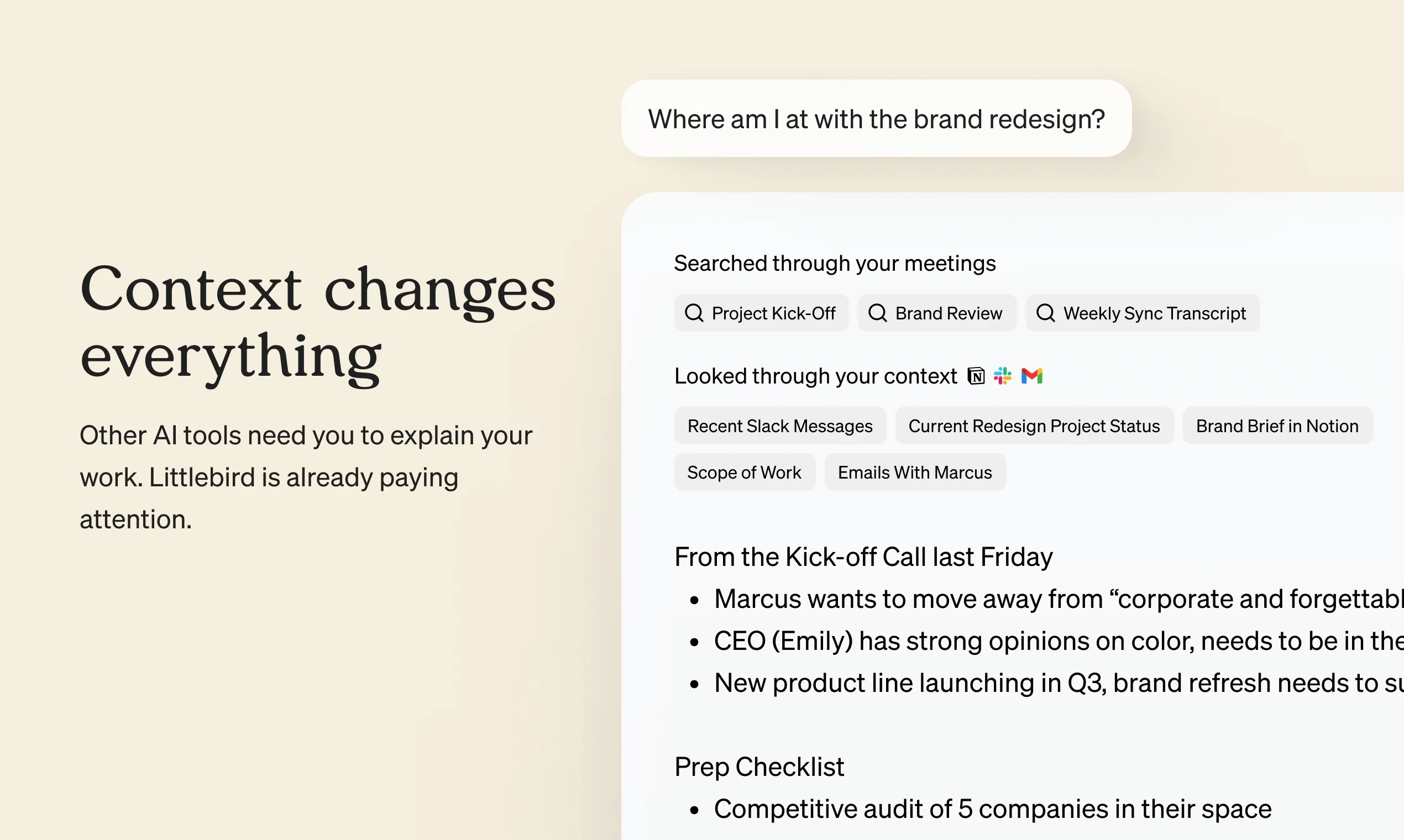
查看原始信息
Breadcrumb
Breadcrumb is the Plausible of LLM tracing. Self-hosted, open source, and built for developers who just want to understand what their agents are actually doing without the enterprise bloat of LangFuse or LangSmith. Three lines to get your app traced. An LLM watches every trace and automatically flags issues: wrong tool calls, looping agents, oversized models and cost spikes, all before you even know something's wrong. Ask questions about your traces in plain English and get charts back.

Hey everyone! AI agents are surprisingly easy to build. Understanding what they're doing is another story.

I recently had a complex coding agent where subagents silently stopped passing responses to each other. An error somewhere in the chain, but instead of failing loudly, the agents just worked around it. Output looked almost right. I only found it by accident after hours of debugging. With many, many tool calls and nested agents, you're mostly blind.
You can't fix what you can't see.

Breadcrumb gives you visibility into what your agents are actually doing. An LLM watches every trace and automatically surfaces issues like this: silent failures, agent loops, wrong tool calls, cost spikes, before you spend hours hunting them down. There's also an explore tab where you ask questions about your traces in plain English and get real charts back.
Open beta is live today. One click Railway deploy, fully self-hosted and open source.
A hosted version is planned (sign up here https://breadcrumb.sh/docs/setup...).

Give it a try here http://demo.breadcrumb.sh/!

Would love to hear what you're building and what you're struggling with when debugging your agents!

3
回复

Really like this, debugging agents gets painful fast once things get complex.

The “silent failure” issue is spot on, things look right but something breaks underneath. Visibility here feels super valuable.

Curious how this scales with lots of nested agents and traces?

Also big +1 on self-hosted + privacy.

1
回复

@wes_dieleman Absolutely!

The traces are stored in Clickhouse so even for large amounts of traces performance is good. Same goes for the UI, huge prompts should be no issue!

1
回复

Thanks you so much!!! I was always wondering where do I spend most of the money. Thanks also for contributing to privacy and opensource.

1
回复

@bogomep Glad to hear you like it! Let me know if you have any feedback!

0
回复

Does it work with Claude Agent SDK or Claude Code?

0
回复

@milko_slavov It can feed traces back to Claude code for your development workflow through MCP. Tracing agent SDK itself should also be possible with the breadcrumb typescript sdk

0
回复