Product Hunt 每日热榜 2026-04-03

PH热榜 | 2026-04-03

#1
ZooClaw
Your proactive team of AI specialists in one place
334
一句话介绍:ZooClaw是一个AI智能体协作平台,作为单一入口,将用户任务自动路由给具备结构化领域知识的专属AI专家,以零部署、无API密钥的便捷方式,为个人及小团队提供跨职能的自动化执行能力,解决用户在多任务处理中缺乏专业、主动型AI助手的痛点。
Productivity Artificial Intelligence
AI智能体平台 多智能体协作 无代码AI 工作流自动化 主动式AI 企业AI助手 自然语言交互 AI专家系统 开源模型降级 一人公司工具
用户评论摘要:用户肯定其“零配置”定位与主动执行能力,并关注:1. 复杂任务的路由与跨智能体协作机制;2. 企业级数据整合的可行性;3. 与底层框架OpenClaw的差异;4. 商业模式与免费层可持续性;5. 智能体的定制化与品牌化潜力。
AI 锐评

ZooClaw的叙事巧妙地将“AI即团队”的概念产品化,其真正价值不在于多智能体框架本身,而在于试图成为第一个为“非技术型专家”赋能的AI智能体消费级平台。它敏锐地抓住了两个关键摩擦点:“Token焦虑”和部署复杂性,通过托管服务和开源模型降级承诺提供心理与成本安全感,这是其最犀利的市场切入角度。

然而,其宣称的“主动”与“无缝路由”面临着严峻的技术与体验挑战。评论中多次提及的“模糊任务分解”与“跨域协调”问题,正是当前多智能体系统的阿喀琉斯之踵。平台能否从“多个单点工具”进化成真正具备“目标所有权”的协同大脑,而非陷入需要用户频繁调试的隐形调度地狱,将决定其产品天花板。创始人承认正在构建的“评估框架”和“协调层”印证了其核心挑战仍在攻坚中。

商业模式上,其“吸收成本”的承诺是一把双刃剑。通过自建GPU集群优化成本结构是合理路径,但“永远在线”的免费开源模型服务,在规模扩张后能否维持质量与成本的平衡,仍需观察。这更像是一个抢占用户心智与工作流的增长策略,最终必然导向对高价值专有模型和高级功能的付费。

总体而言,ZooClaw是一次面向大众市场的、大胆的产品化包装。它能否成功,不在于其技术是否最领先,而在于其工程团队能否将前沿的多智能体研究,转化为稳定、可预测且真正理解用户意图的“同事式”体验。当前版本更像一个充满潜力的宣言,其从“有趣故事”到“可靠基础设施”的蜕变之路,才刚刚开始。

查看原始信息
ZooClaw
ZooClaw is a single entry point to a team of AI specialists. Ask in natural language and your task is routed to the right agent, each with structured domain knowledge and a native-sounding voice. Built on OpenClaw, it stays synced with the latest models and can fall back to top open-source models, so work keeps moving. No setup, no deployment, no API keys, no token anxiety.

Hi Product Hunt! I'm Ning, founder of ZooClaw.

Back in February, I was playing around with OpenClaw and built an AI companion agent — just for fun. I shared it with my team.

What happened next really surprised me.

My HR lead — zero technical background — started playing with it and somehow turned her own expertise into a career planning agent. 33 iterations in one afternoon. It's now live on ZooClaw for anyone to use.

Another colleague built a social media agent. A post it created went viral overnight.

People didn't just use the agent — with the right tool, they started creating their own.

That's when it clicked: AI is incredibly powerful — but it needs the right people to guide it. Everyone has expertise that could help thousands of others — they just never had a way to turn it into something that scales.

So we built ZooClaw — a platform where your expertise becomes an AI specialist that works for you, and for others.

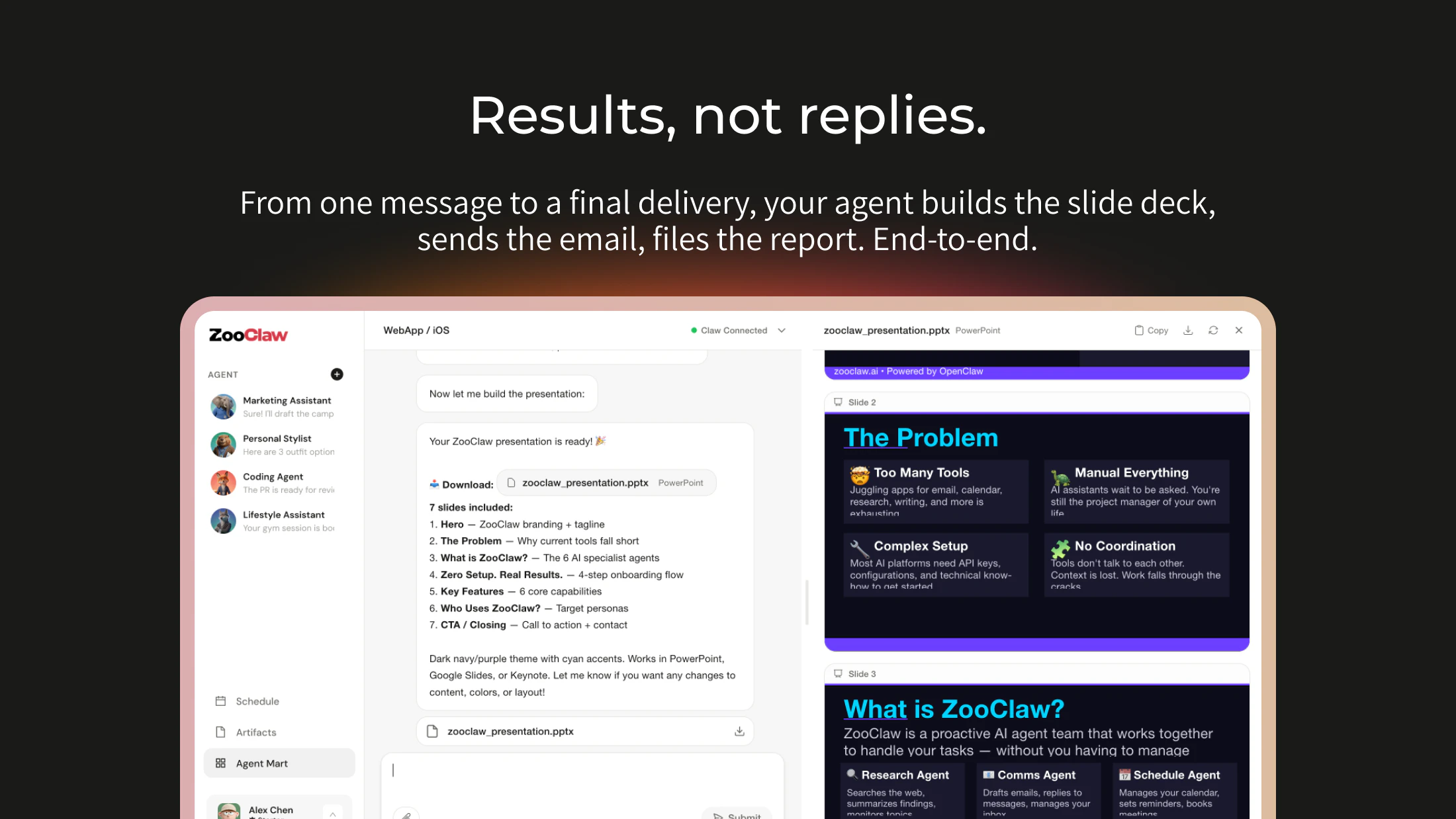
🦊 One entry point, multiple specialists — Fox for marketing, Owl for office tasks, Beaver for data analysis. The right agent picks up the right task automatically.

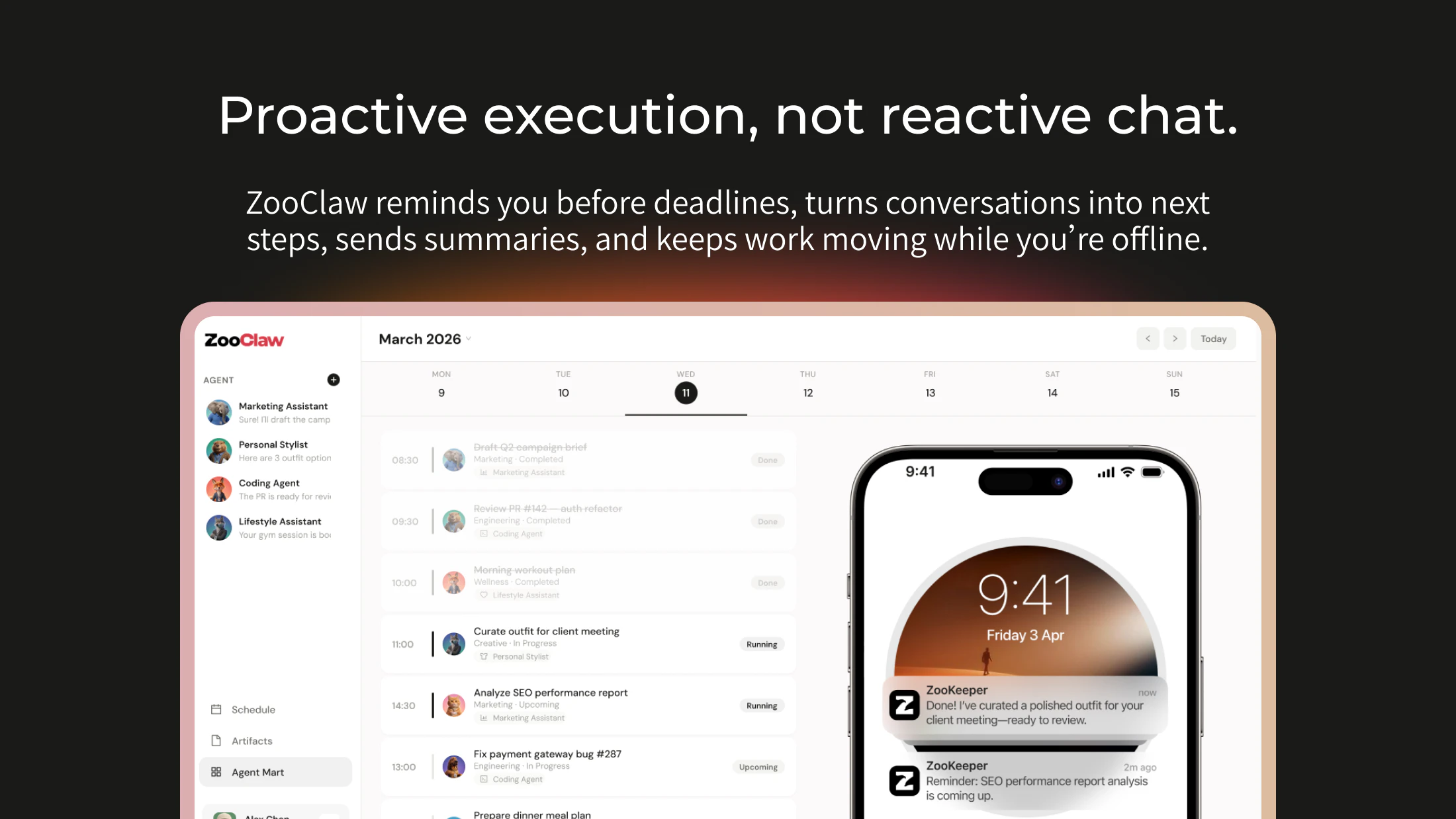
Proactive, not reactive — Your morning starts with results already waiting for you. Scheduled tasks, monitoring, follow-ups — handled while you sleep.

🔧 Zero setup, zero token anxiety — No API keys, no deployment. Best models first, open-source fallback when needed.

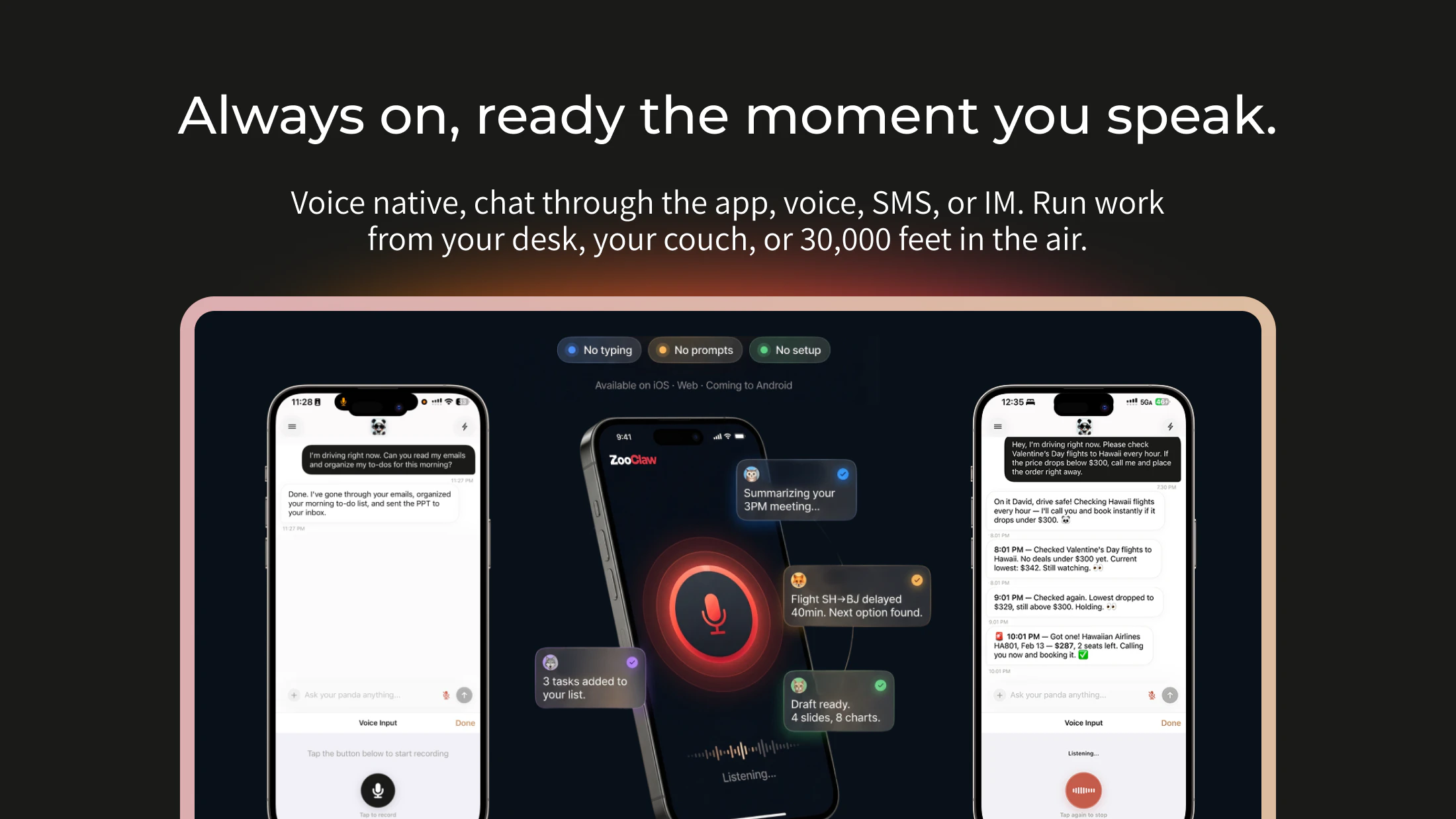
💬 Voice-first — Talk to your agents like you'd talk to a colleague. No prompts to craft, no UI to learn.

The era of the one-person company is here. But even a one-person company deserves a full team. That's what ZooClaw is — your team.

We're still early. I'd love to hear — what expertise do you have that you wish could work for you around the clock?

We're here all day. Your zoo is waiting 🚀

12
回复

@ninghu How customizable is it for sharing branded versions with clients without losing my voice?

3
回复

@ninghu Do you see more people shaping their own specialists like that, or mostly starting with the built-in ones?

0
回复

@ninghu Congrats on ZooClaw — love the “expertise → AI specialist” angle. Real execution leverage! Quick tip for scaling beyond PH: 3–5 guest posts on AI/tech blogs = fast domain authority + organic rankings for keywords like “AI workflow automation”.Zero traffic today? Totally normal at launch. Big potential tomorrw.

Happy to share a quick off-page plan if helpful

0
回复

Interesting! But if multiple agents can handle the same task (e.g., marketing or research) how does zooclaw decide which specialist is actually the best fit in real time?

3
回复

@lak7 Such a great question! Different specialists bring different strengths, so we believe the best fit really depends on the task and personal preference.

The trickier part is choosing between specialists of the same type — we don't want users overwhelmed. That's why we're building an evaluation framework, with some interesting findings already, e.g. which search skill works best for OpenClaw: https://blog.zooclaw.ai/p/best-search-skills-for-openclaw-in. Follow our eval work here: https://zooclaw.ai/eval/

2
回复

Really liked the story, especially the part where your HR lead kept iterating and actually built something usable, that feels pretty engaging. wonder what part do non tech users usually get stuck on when they try to build their first agent?

1
回复

@colin_yu_123 Honestly, the hardest part isn't a step in the process — it's that most people never think they can build one, so they never even start. What amazed me was watching our HR lead guide her "Soulmate" through a conversation and end up with a fully functional agent — scripts, skills, everything. The best part? She didn't even realize what she'd built until we pointed it out. That moment stuck with me: when the barrier is low enough and building feels like just having a conversation, people's creativity becomes the only real limit.

0
回复

Congrats on the product launch! I'd love to have Fox beside me and handle routine marketing issues. But how do you manage to consolidate enterprise-level context that is embedded in various systems and files, across multiple functions and apartments?

1
回复

@oscarliu Great question, and a genuinely hard one! Enterprise context consolidation is one of the most complex scenarios we're tackling. A key starting point is building connectors that plug into various data sources while respecting each system's access controls. We're actively working towards this — feel free to share more about your setup, always helpful as we build it out!

0
回复

Interesting angle.
Feels like the market is moving from AI as assistantAI as operator.
Curious how much of this is real repeatable execution vs strong launch storytelling

1
回复

@mikita_aliaksandrovich The assistant → operator framing makes sense — at the end of the day it's all about getting things done for people. We're still very early, and more focused on winning over our users than crafting a launch story — the Product Hunt launch was honestly a last minute decision for us. The real test is whether they keep coming back — that's the only metric that matters to us right now.

1
回复

This is really cool. Can a specialist hand off part of a task to another one mid-conversation?

1
回复

@ermakovich_sergey Exactly — like a real team! Not there yet, but inter-agent communication and coordination is our next big focus. Stay tuned!

0
回复

the "no token anxiety, no setup" angle is genuinely clever positioning. most people who'd benefit from a multi-agent setup are scared off by the infrastructure overhead, and removing that friction to get to an immediately useful team of specialists is the right instinct.

the tricky part will be routing quality on ambiguous or cross-domain requests. a single entry point works cleanly when tasks are discrete, but "help me prepare a business case for this new feature based on our usage data" spans writing, analysis, and product thinking at once. getting the routing to coordinate across agents or correctly decompose the task is where these systems tend to fall apart, and the failure mode isn't obvious to debug.

1
回复

@gabrielpineda 100% agree — routing on ambiguous, cross-domain tasks is genuinely hard, and the silent failure mode makes it even trickier to fix.

Our current thinking: the missing piece is goal ownership — having a coordinating layer that holds the intent end-to-end, not just dispatches tasks. And making that layer transparent and correctable, so when it drifts, users can actually see why and step in.

Still a hard problem we're actively working through. 😊

1
回复
congrats on the launch zooclaw!!
1
回复

@hehe6z Thanks a lot! Really appreciate the support! Can't wait to hear what you think of ZooClaw!

0
回复

Congrats for the launch!

But whats the difference from Openclaw?

0
回复

@mrrabbar Thanks! Great question. ZooClaw is built on top of OpenClaw, but they target very different audiences and use cases. OpenClaw is still very much a playground for engineers and technically-minded folks — powerful, but raw.

ZooClaw is designed for everyday users across a much broader range of real work scenarios. And that shift in audience demands a completely different product: intuitive onboarding, reliable always-on behavior, a zoo of specialists ready to go, and the kind of trust and consistency that non-techies need before they'll actually hand work off to an agent. That's a very different set of problems to solve than building a capable framework.

0
回复

the "no token anxiety" line hits hard. constantly monitoring usage across different APIs is such a productivity killer. how does the fallback to open-source models work when the main ones are overloaded? does it maintain quality or just keep things moving?

0
回复

@piotreksedzik Glad it resonates! Just to clarify — the fallback kicks in when credits run out, not due to overload. We run our own GPU cluster with inference optimization, so we can serve top open-source models at quality levels that handle real work. Of course it won't perform as well as the best proprietary models, but your agent stays functional and proactive regardless. That's the whole point.

0
回复

congrats on the launch, the proactive scheduling angle is genuinely different from most agent tools i've seen.

one thing i'm curious about though. "zero token anxiety" sounds great as a user but someone's eating that cost. is there a usage ceiling on the free tier, or are you subsidizing compute to grow and then switching to a credit model later? asking because i've watched a few AI tools launch with generous free tiers and then hit a wall when the unit economics catch up.

not trying to be cynical, honestly excited about what you're building.

0
回复

@futurestackreviews This is exactly the right question to ask — we've watched the same pattern play out.

We run our own GPU cluster with heavy inference optimization, so our cost structure is pretty different from teams relying on proprietary APIs.

When credits run out, we don't shut the agent down — we keep a generous baseline of tokens from top open-source models flowing so the agent stays always-on and proactive. An agent that goes dark when credits run out kind of defeats the purpose.

We're absorbing some of that cost, yes — but we think it's sustainable.

0
回复

"The era of the one-person company" resonates hard. Built Krafl-IO solo and the biggest challenge isn't the code, it's wearing every hat simultaneously. The idea of specialized agents handling different domains is compelling. We use a similar approach but narrower- 3 agents that each own one step of LinkedIn post generation. Curious how you handle agent handoffs when tasks cross domains.

0
回复

@flowghost Love the 3-agent setup — though we went a different direction: an agent should be a person, not a cog in the pipeline. If one person owns LinkedIn post generation end-to-end, one agent should too. Context stays intact, coordination overhead disappears.

Handoffs only kick in when you'd genuinely loop in someone else. Wonder if that'd make things feel more natural for your use case?

1
回复

Looks cool, is this built on openclaw?

0
回复

@james001 Yes! We track OpenClaw closely and stay up to date. The idea is zero friction — no setup, no token anxiety, just open it and your specialist agents are ready. Safer too :-p

0
回复

a really cool zoo

0
回复

@anthony_cai Haha, the coolest zoo you'll ever work with! :-p

0
回复

Congrats on the launch, Ning!

You mentioned a colleague built a social media agent and a post went viral overnight. Would you mind sharing the skill?

0
回复

@itsluo Thank you, Luo! That's a great idea — I'll have my colleague upload it to ZooClaw so everyone can benefit from it.

0
回复
#2
Google Gemma 4
Google's most intelligent open models to date
333
一句话介绍:Google推出的高性能开源AI模型家族,支持高级推理、多模态处理和智能体工作流,让开发者在移动设备到GPU等各类硬件上都能高效构建强大AI应用,解决了前沿AI能力对封闭生态和高昂算力依赖的痛点。
Open Source Developer Tools Artificial Intelligence
开源AI模型 多模态大模型 智能体工作流 本地部署 高性能推理 代码生成 长上下文 移动端优化 Apache 2.0许可 开发者工具
用户评论摘要:用户普遍对开源、本地运行及高性能表现感到兴奋,特别关注其在真实编程任务、Flutter/Dart代码生成、长流程智能体任务可靠性方面的实际表现,并询问其与同类模型相比的低计算开销具体优势。
AI 锐评

Gemma 4的发布,与其说是一次简单的版本迭代,不如说是谷歌在开源AI战略上的一次精准狙击。其核心价值并非单纯参数规模的膨胀,而是在“智力-参数比”和“智力-算力比”上做文章,直接瞄准了当前AI商业化落地中最尖锐的矛盾:对前沿能力的渴望与对算力成本、数据隐私、生态锁定的恐惧。

产品介绍中强调的“在手机上运行”和“Apache 2.0”,正是刺向封闭商业模型(如GPT、Claude)和臃肿开源模型的两把利刃。它试图重新定义“前沿”的标准——从纯粹的基准测试分数,转向涵盖部署灵活性、总拥有成本和开发者自主权的综合维度。评论中开发者对本地编码、离线模式、长工作流可靠性的关切,恰恰印证了市场痛点正从“能否做到”转向“能否以可控、可依赖的方式在自家环境中做到”。

然而,真正的考验刚刚开始。其一,“开源”的诚意与边界需审视。Apache 2.0提供了极大的自由度,但谷歌如何平衡开源生态与自身云服务(如Google AI Studio)的协同?其二,宣传的“高效”需在复杂现实任务中验证。评论中关于“10+工具调用”的智能体可靠性、与Llama同参数级的实际性能对比,都是其能否赢得企业级信任的关键。其三,作为“模型家族”,其不同尺寸变体在具体场景(如移动端、边缘计算)的打磨程度,将决定其渗透的深度。

本质上,Gemma 4是谷歌将AI战场从云端演示拉回到开发者本地终端的一次重要布局。它不满足于成为又一个备选模型,而是意在成为下一代“以我为基础”的AI应用开发标准。成功与否,取决于其宣称的“高效推理”能否经得起五花八门的真实生产环境的蹂躏,以及其开源生态能否形成足以挑战闭源巨头的创新势能。

查看原始信息
Google Gemma 4
Gemma 4 is Google DeepMind’s most capable open model family, delivering advanced reasoning, multimodal processing, and agentic workflows. Optimized for everything from mobile devices to GPUs, it enables developers to build powerful AI apps efficiently with high performance and low compute overhead.

Google's Gemma 4 looks like a serious leap forward in open AI models.

An open model family built for advanced reasoning and agentic workflows, it solves a key problem: getting frontier-level intelligence without massive compute costs or closed ecosystems.

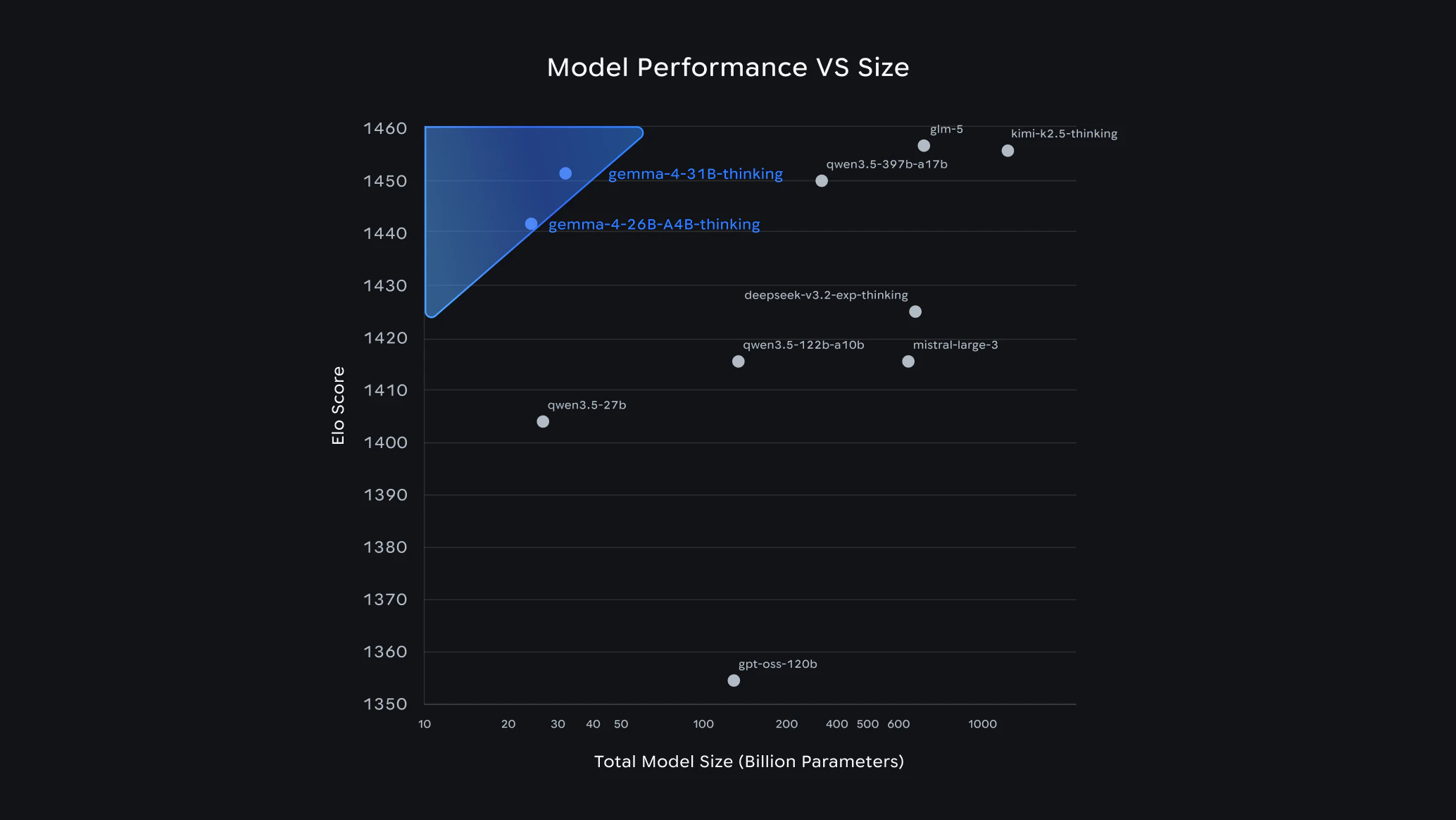
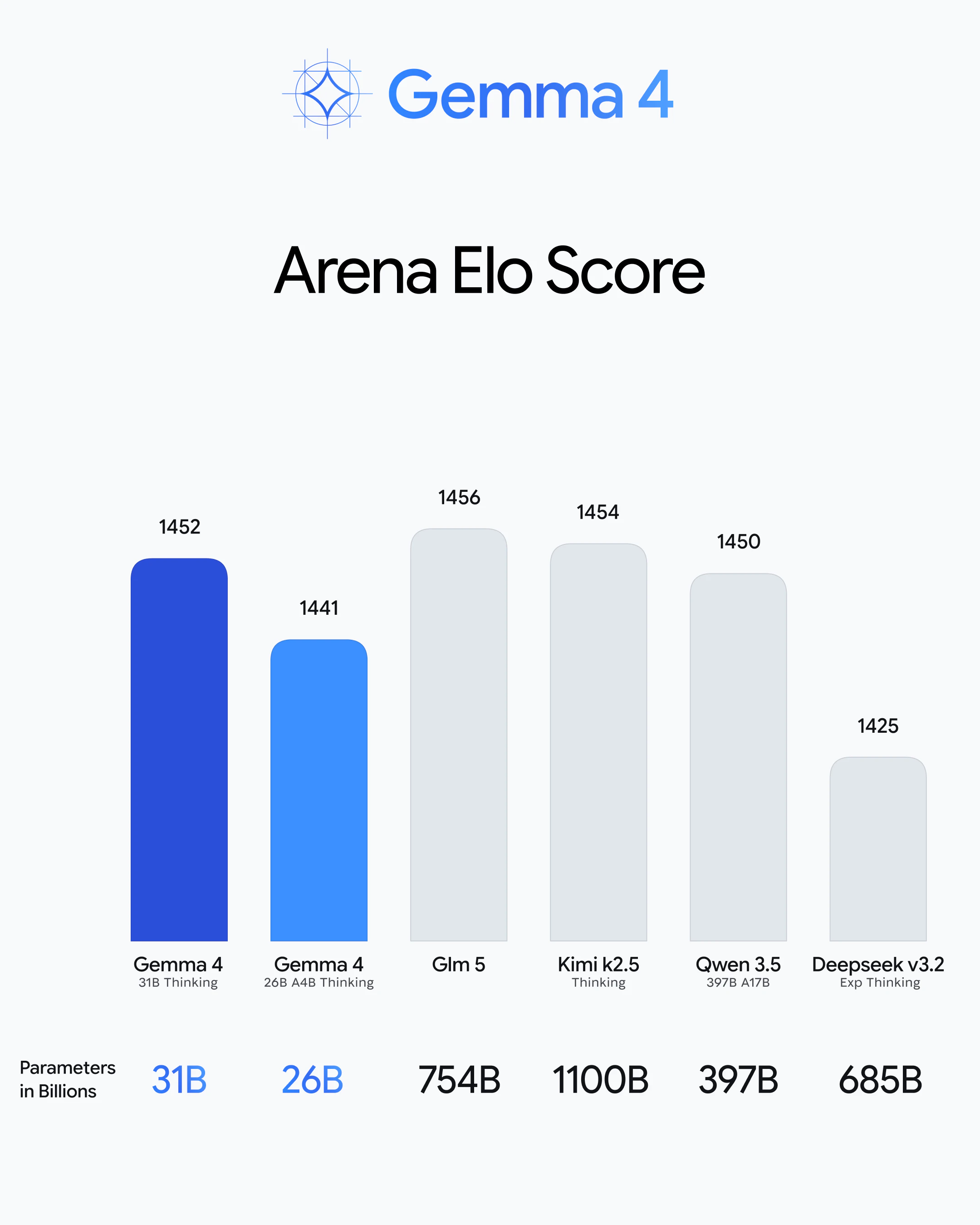
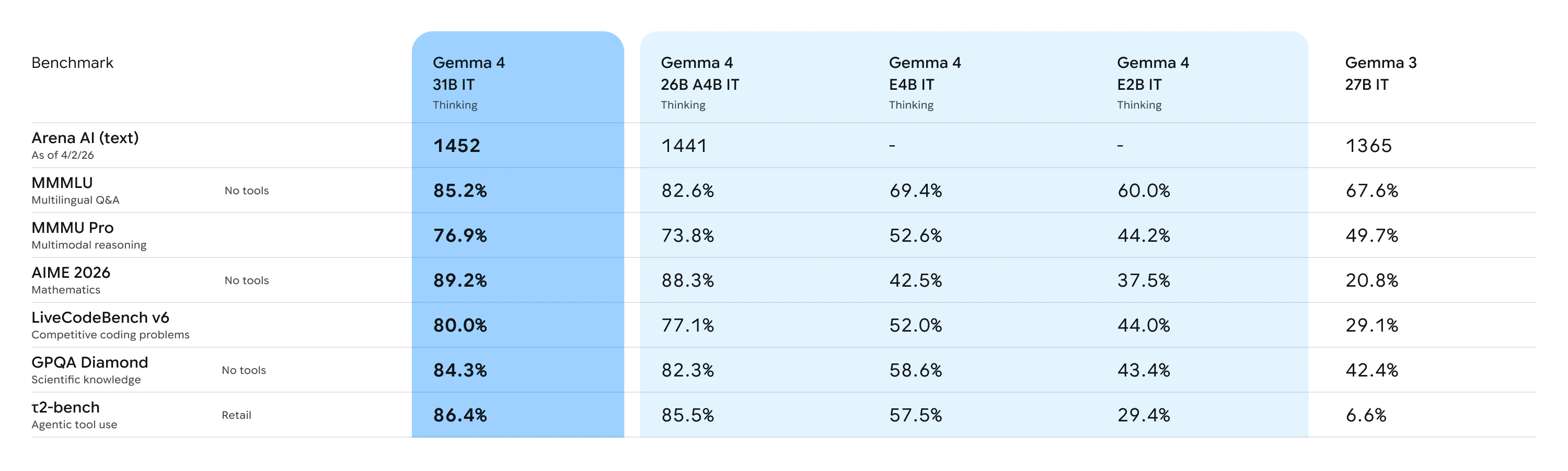
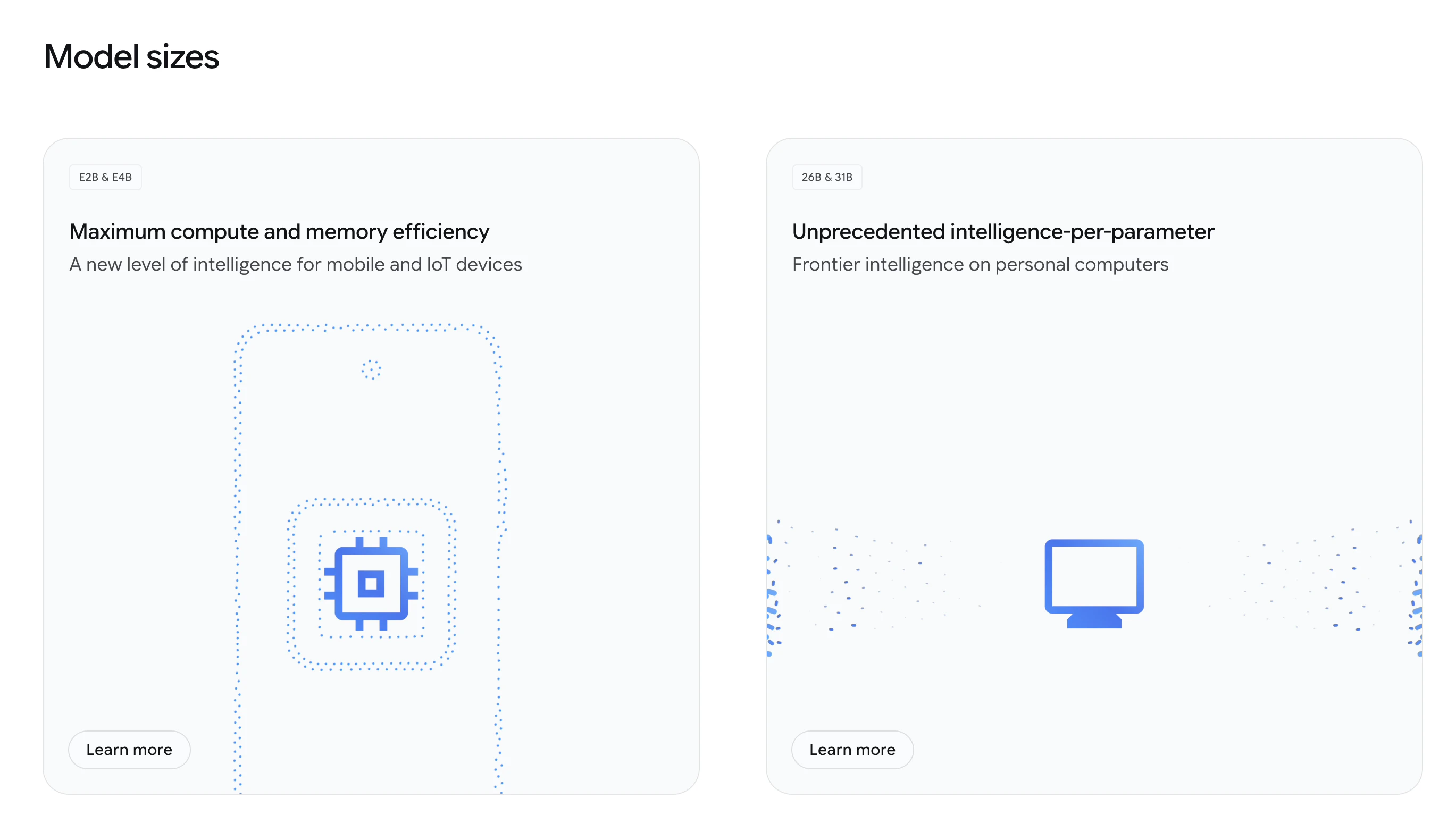
Stands out for its intelligence-per-parameter — outperforming models up to 20x larger while running efficiently on phones, laptops, and desktops.

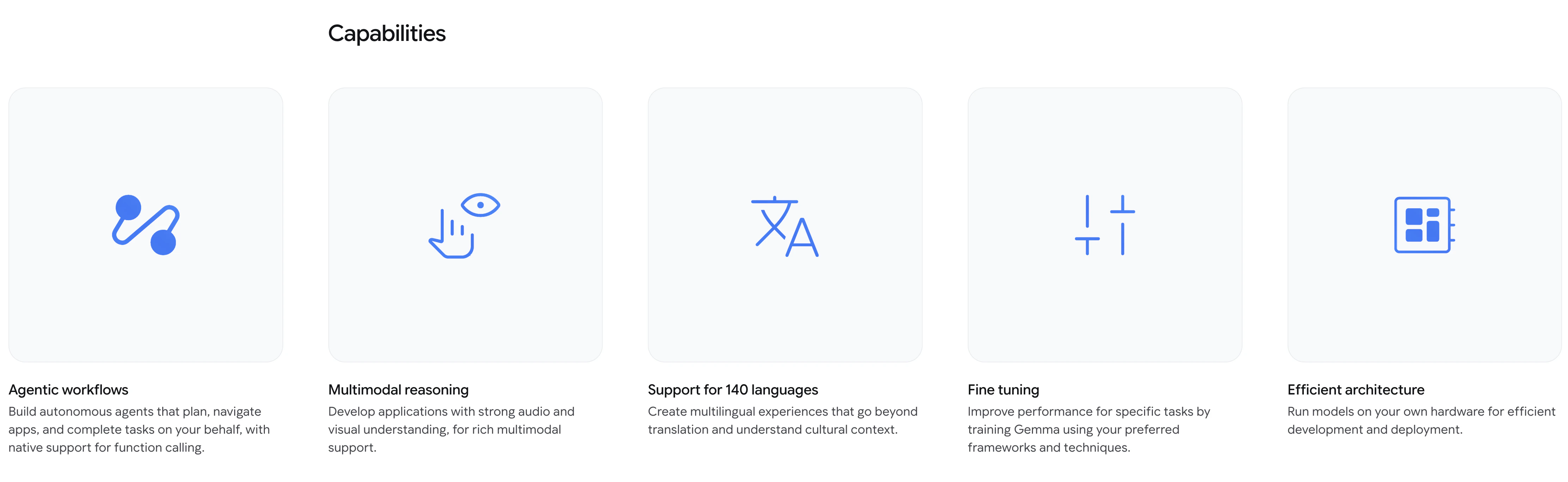
Key Features:

  • Advanced reasoning – Strong multi-step planning, math, and instruction-following

  • Agentic workflows – Native function calling, structured JSON output, and system instructions

  • Multimodal capabilities – Supports images, video, and audio inputs

  • Long context window – Up to 256K tokens for handling large documents and codebases

  • Code generation – High-quality offline coding and local AI assistants

  • 140+ languages – Built for global, multilingual applications

  • Hardware efficiency – Runs across mobile devices, laptops, and GPUs

It’s open (Apache 2.0), meaning developers get full control, flexibility, and the ability to run and fine-tune locally or in the cloud.

Start experimenting with Gemma 4 now in @Google AI Studio 2.0 or download the model weights from:

  1. Ollama

  2. Kaggle

  3. LM Studio

  4. Docker

  5. Hugging Face

Who's it for? developers, startups, and enterprises building AI agents, coding assistants, multimodal apps, or privacy-first solutions.

Whether you're building global applications in 140+ languages or local-first AI code assistants, Gemma 4 is built to be your foundation.

Read more here:

3
回复
@rohanrecommends Big fan of the new on-device model direction. I’ve already installed Gemma 4 on my phone and started using it — very impressive so far. What excites me most is that offline mode is now genuinely usable!
0
回复

Curious how it performs in real world coding tasks compared to larger closed models, especially for niche stacks.

3
回复
@alan_gregory me too, I’m planning to give it a shot today!
0
回复

Just posted about this on X today. Apache 2.0, runs on your own hardware, 256K context window. The fact that you can run this locally on a laptop and still get serious reasoning is wild. I'm curious how the Flutter/Dart code generation compares to the bigger closed models since that's most of what I write these days.

2
回复

Congrats on the launch! What design choice had the biggest impact on getting this level of performance while keeping compute requirements so low?

0
回复

This will make amazing local experiences for app creators, cant wait to test this in my App, been usung gemma3:4B with excelent results, so this is excelent news....Thank you Google

0
回复

The agentic workflow angle is the interesting part for me. Most open models get benchmarked on reasoning and coding, but the harder question for production use is how they handle multi-step tasks where the model needs to recover from partial failures.

Running Claude Code agents in parallel - local inference becomes appealing but reliability in long workflows is still the blocker. Anyone tested Gemma 4 on tasks with 10+ tool calls?

0
回复

curious about the "low compute overhead" claim - are you seeing meaningful performance gains over Llama models in the same parameter range? we're always evaluating new models for healthcare applications where inference speed matters a lot.

0
回复
#3
Cursor 3
Unified workspace for parallel local/cloud agents and MCPs
301
一句话介绍:Cursor 3是一个集成本地与云端AI智能体的一体化开发工作空间,解决了开发者在多工具、多环境间频繁切换和上下文割裂的痛点,显著提升了AI辅助编程的流畅度和效率。
Developer Tools
AI编程助手 智能体工作空间 云端与本地协同 并行AI代理 开发者工具 MCP集成 代码差异管理 一体化IDE 软件开发效率 上下文切换优化
用户评论摘要:用户普遍肯定其“并行本地/云端智能体”和“统一工作空间”方向,认为能极大减少上下文切换损耗。主要疑问集中在:并行智能体的冲突处理机制、跨智能体的上下文共享、MCP生态的开放与定制化程度,以及更新频繁带来的适应成本。
AI 锐评

Cursor 3的野心,远不止于做一个更好的AI代码补全工具。它试图定义下一代AI原生IDE的范式:将“工作空间”而非“编辑器”作为核心单元,系统性解决AI辅助开发流程中的固有断层。

其真正价值在于“连接”与“统筹”。当前开发者面临的困境是碎片化:本地AI编辑器、云端运行环境、Git操作、PR审查分散在不同窗口,形成严重的认知负荷。Cursor 3通过并行运行本地与云端智能体、实现会话无缝迁移、集成代码差异浏览和PR管理,本质上是在构建一个统一的“智能体调度中台”。这并非功能堆砌,而是对“人机协同编程工作流”的重构。用户评论中反复出现的“减少上下文切换”正是对此最直接的肯定。

然而,其面临的挑战同样尖锐。首先,技术复杂性剧增。评论中多次追问的“并行智能体冲突处理”和“共享内存”问题,直指多智能体协调的核心难题——如何保证并发的AI操作不互相干扰甚至破坏代码?这需要极精细的编排与状态管理能力。其次,生态锁定的风险。其力推的MCP(模型上下文协议)市场和插件体系,意在构建护城河,但在工具链快速演变的当下,开发者对“又一套需要适配的协议”态度谨慎,更关心其开放性与标准化程度。

Cursor 3的发布,标志着AI编程工具竞争已从“单点能力比拼”进入“工作流整合阶段”。它不再满足于成为你的一把更快的“锤子”,而是想成为指挥所有锤子、锯子协同工作的“整个工具箱”。成败关键在于,它能否在提供强大整合能力的同时,保持系统的稳定、透明与开放,避免成为又一个臃肿封闭的黑盒。如果成功,它将大幅提升复杂项目的AI辅助开发上限;若处理不好协调与开放的平衡,则可能只是一个美好的概念演示。

查看原始信息
Cursor 3
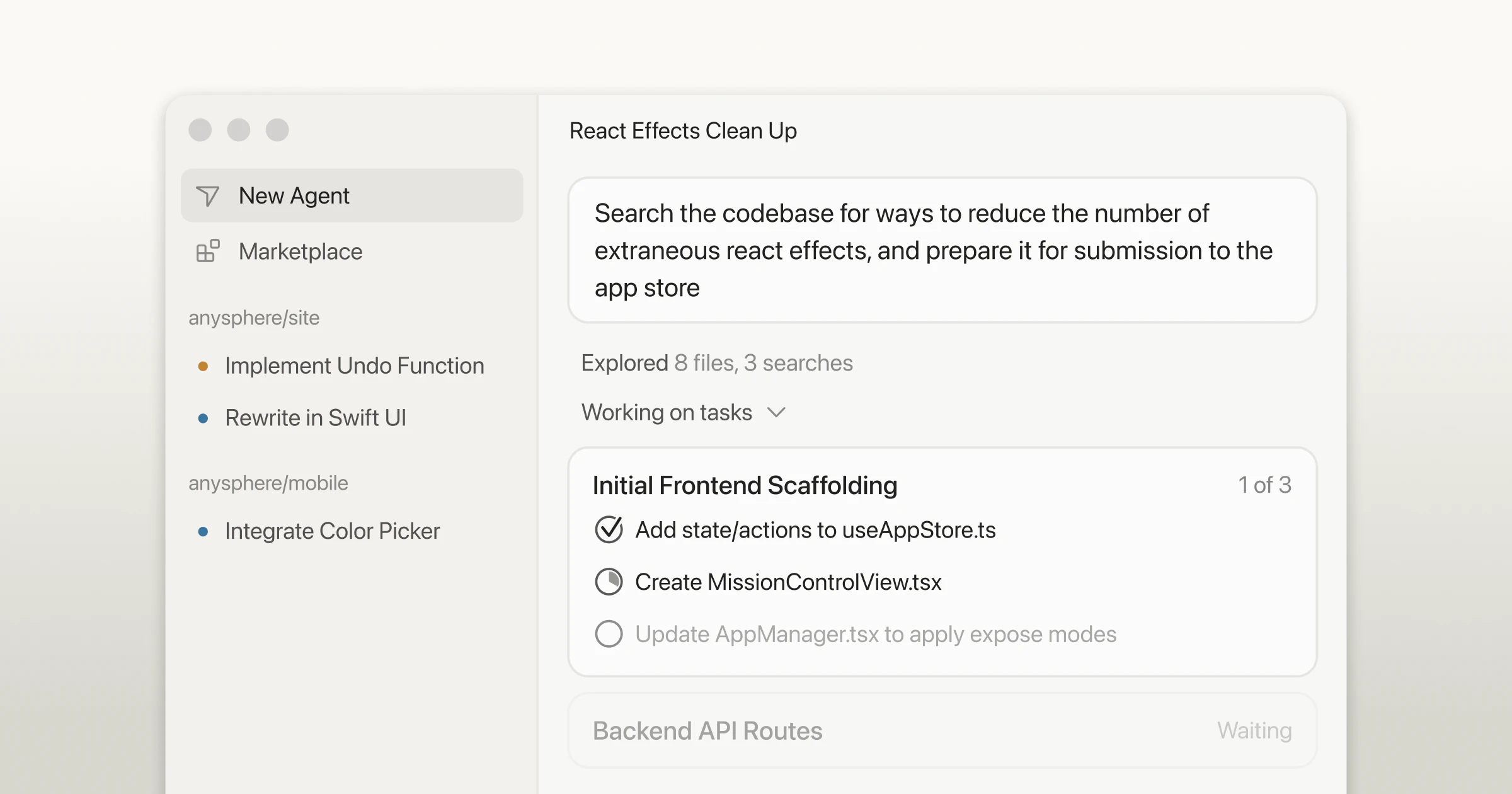
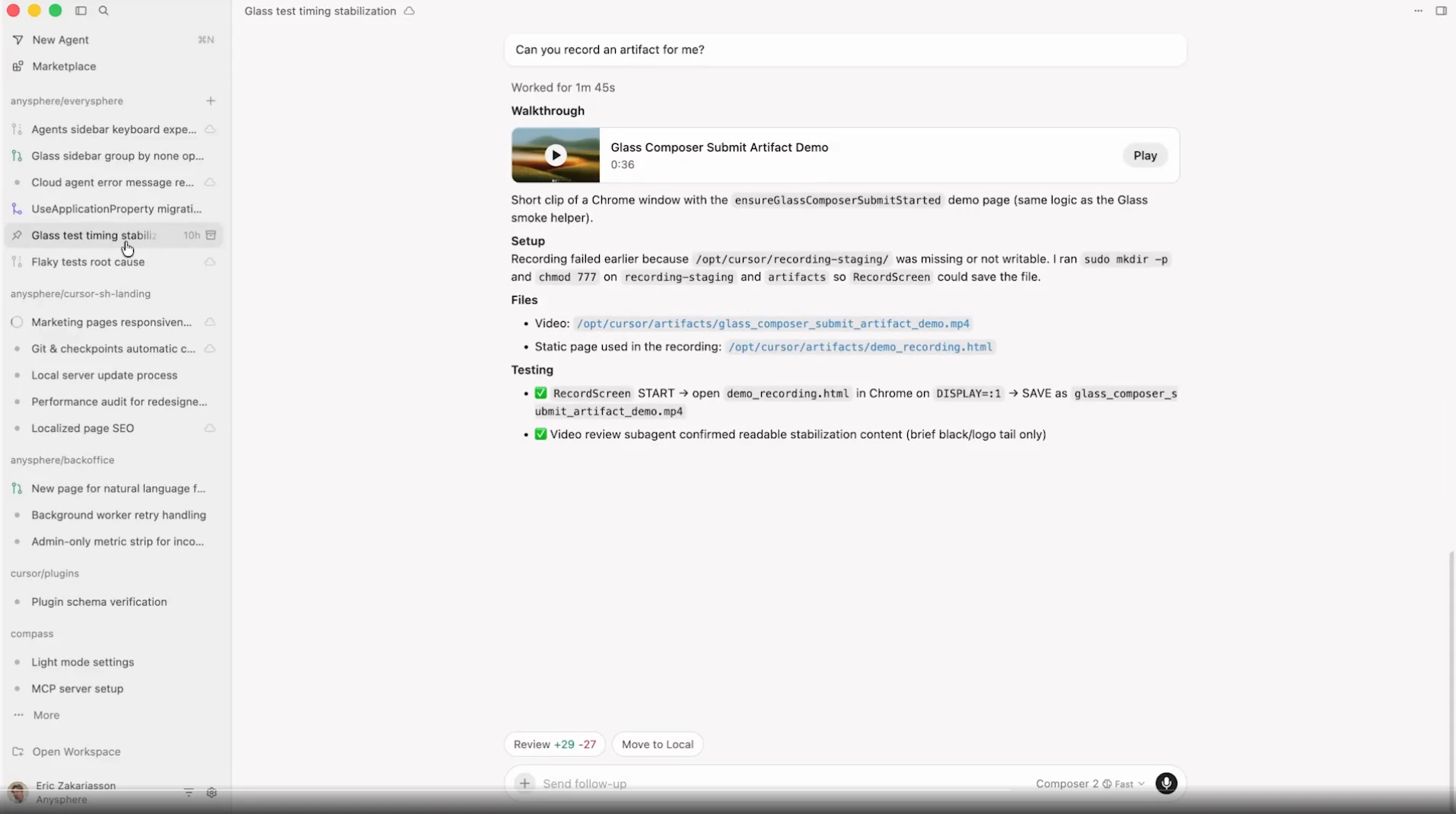
Cursor 3 is a unified workspace for building software with agents.

Cursor 3 is a unified workspace for building software with agents — faster, cleaner, and built from scratch around how engineers actually work with AI today.

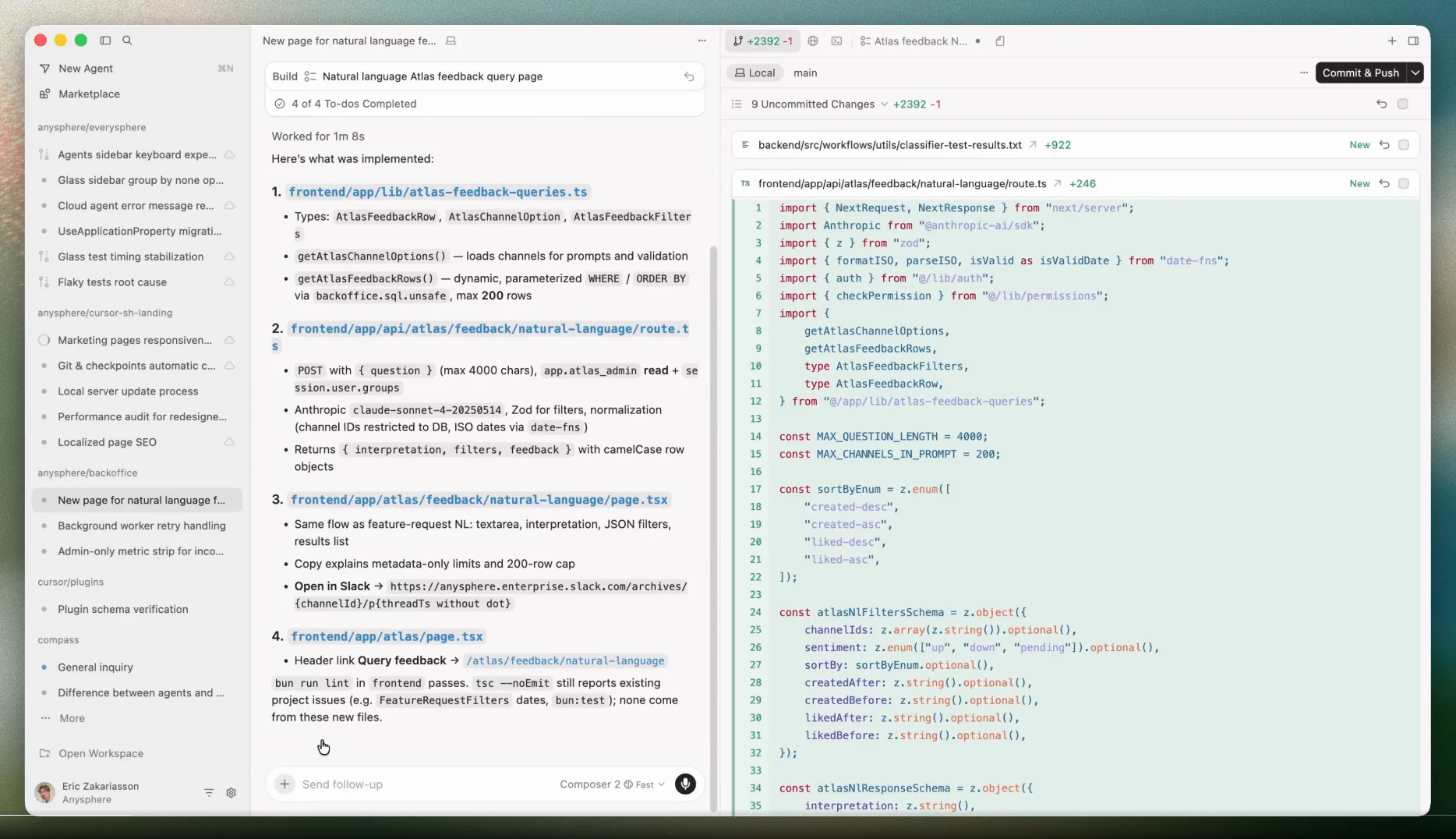
  • All agents in one place: local and cloud agents in a single sidebar, including ones kicked off from mobile, web, Slack, GitHub, and Linear

  • Parallel agents: run multiple agents across different repos simultaneously, with demos and screenshots to verify cloud agent output

  • Local ↔ cloud handoff: move agent sessions between environments instantly — push to cloud to keep running while offline, or pull local to test and iterate

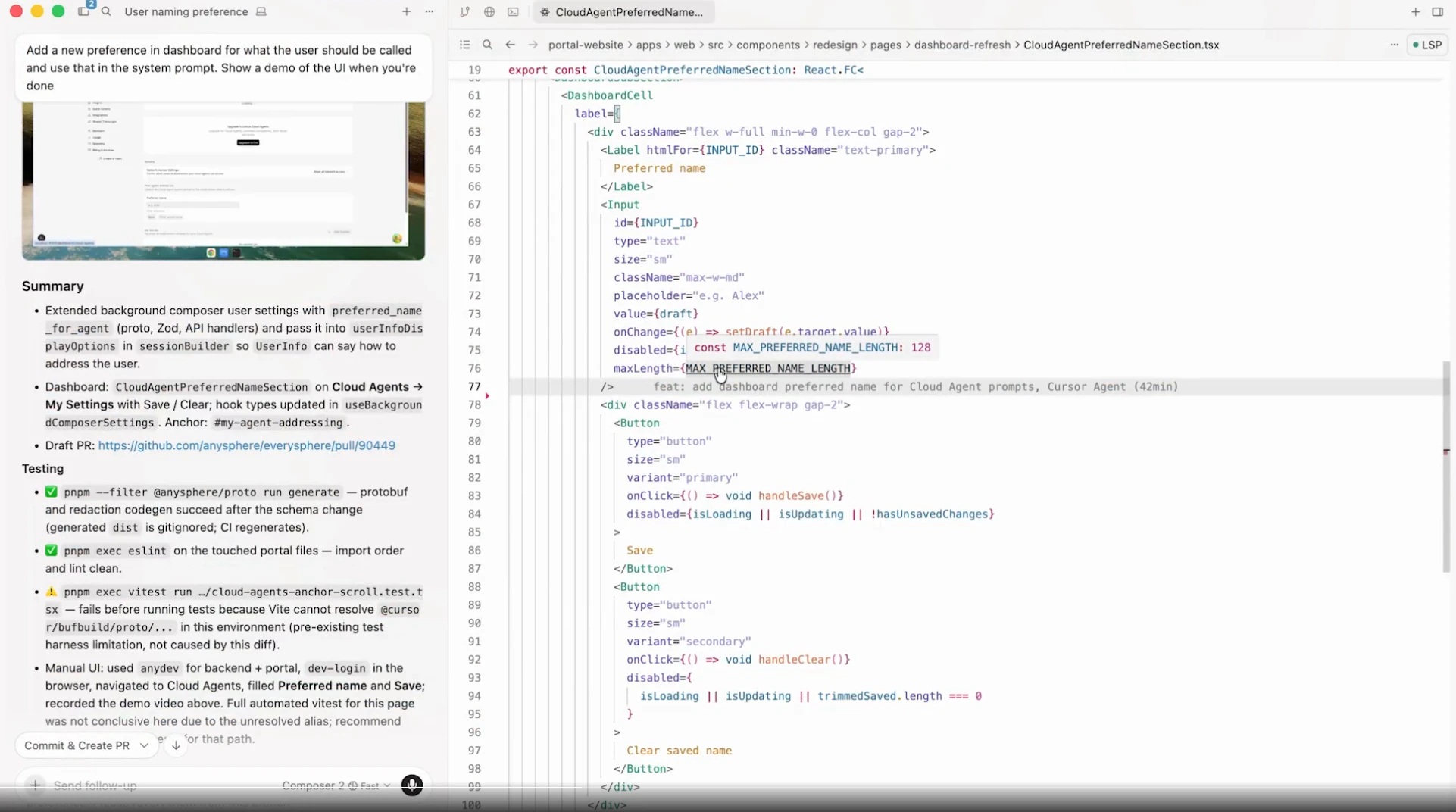
  • Diffs and PRs: review changes, stage, commit, and manage PRs from a cleaner diffs view

  • Integrated browser: agents can open, navigate, and prompt against local websites directly

  • Cursor Marketplace: browse and install plugins that extend agents with MCPs, skills, subagents, and more

  • Full IDE depth: view files and go-to-definition with full LSP support, anytime

3
回复

@adithya The local and cloud mix makes sense. That’s usually where things start getting messy. How are teams dealing with that part?

1
回复

@adithya Impressive work , The local cloud handoff and parallel agents could really streamline workflows for developers. Adding a feature to visualize agent outputs across multiple repos in a single dashboard might make it even more intuitive and efficient.

1
回复

Parallel local/cloud agents in a unified workspace is the right direction - context switching between Claude Code, a cloud runner, and your local terminal is where a lot of time disappears right now. The MCP piece is interesting too. How does Cursor 3 handle agent conflicts when two parallel agents try to touch the same file or resource at the same time?

2
回复

I have been having a great time with Cursor IDE. But there seems to be a lot of updates in recent times that seem so hard to catch up with. I have also been seen some breaking in external integration

0
回复

Curious how this handles context across multiple agents running in parallel — does it maintain shared memory between them?

0
回复

Congrats on your launch, Cursor team.

This developer tools race is insane.

You pick a tool, dive into it, and use it until their competitor releases a new version. I'm jumping between Cursor, Claude Code, and Codex.

0
回复
Honestly pretty disappointing of an update. If you didn’t tell me there was an update I wouldn’t have had any idea.
0
回复

Wow! Can't chase all these updates. But I'll get it anyway. All the best team!

0
回复

curious about the MCP integration piece - are you supporting custom protocol handlers or just the standard anthropic ones? we've been building some healthcare-specific MCPs and the tooling around that ecosystem still feels pretty early

0
回复

Parallel local/cloud agents in one workspace is the right direction - context switching between Claude Code, a cloud runner, and local terminal is where a lot of time disappears right now. How does Cursor 3 handle agent conflicts when two parallel agents try to touch the same file at the same time?

0
回复

most ai coding tools still assume you're working on one thing at a time in one place. you kick off a task, wait for it, then start the next. if you want to run something in the cloud, that's a different context, and if you need to review the diff or open a pr, you're back in the browser or a separate terminal tab. the agent does work, but the workflow is still fragmented.

what cursor 3 is doing differently is treating the workspace as the unit, not the editor. being able to run parallel agents across repos, hand off sessions between local and cloud without losing context, and review prs from the same place you kicked off the task, that collapses a real chunk of the context-switching overhead that currently just gets accepted as the cost of working with ai.

0
回复

Parallel agents is what I've been waiting for. Right now I'm bouncing between Claude Code in terminal and Cursor for UI stuff and the context switching kills the flow. If this actually lets me run local and cloud agents side by side in one workspace, that changes how I build. How's the MCP setup? Plug and play or does it need a lot of config?

0
回复
#4
VoiceOS
Say it and it's done. Work 10x faster with your voice.
228
一句话介绍:VoiceOS是一款通过自然语音指令,在Mac和Windows系统层面直接执行跨应用工作流的工具,解决了用户在频繁切换应用、手动导航界面时产生的注意力中断和效率低下痛点。
Productivity Audio
语音控制 生产力工具 工作流自动化 跨应用操作 人机交互 效率软件 桌面助手 无障碍辅助
用户评论摘要:用户普遍认可其解决“应用切换开销”的核心价值,并对确认步骤设计表示赞赏。主要问题与建议集中在:1. 集成应用列表(如Notion、Discord)的扩展需求;2. 对高风险操作准确性的担忧;3. 询问与开源方案(如OpenClaw)的差异;4. 探讨语音输入结构化数据(如填表)的场景优化。
AI 锐评

VoiceOS看似是又一个语音输入工具,但其真正的锋芒在于精准切入了现代知识工作的“隐形成本”——认知摩擦与上下文切换。它没有停留在“更快打字”的表层,而是直指效率黑洞:那些消耗心智的、机械性的应用跳转、窗口查找、按钮点击。这才是其与众多语音转文字工具的本质分野。

产品设计的“确认步骤”是一把双刃剑,也是其能否成功的关键。它聪明地缓解了用户对语音控制“失控”的深层恐惧,避免了因误识别而导致的灾难性操作,这是过去许多语音自动化产品失败的主因。然而,这也引入了新的中断,评论中关于“结构化数据输入”的质疑恰恰点中了其模式的天花板:对于需要连续输入多个字段的场景,逐项确认可能适得其反。团队“可关闭确认”的回应是一种妥协,但也将准确性与安全性的权衡抛回给了用户。

真正的挑战在于生态与泛化能力。用户的热情呼唤着“更多集成”,这暴露了此类工具的核心依赖:其价值与支持的应用程序深度绑定。每一个新集成都意味着繁重的适配、测试与维护。此外,自然语言指令在复杂、动态环境(如快节奏的群聊中指定回复对象)下的精准理解,仍是工程上的巨大考验。它目前更像一个精心编排的“语音快捷键”系统,而非真正理解意图的AI助手。

其潜力在于成为桌面操作系统的“语音层”,若能构建起强大的开发者生态与更智能的意图解析引擎,或许能重新定义人机交互的入口。但目前,它仍是一个在特定、定义良好的工作流中极具威力的效率利器,而非通用智能。

查看原始信息
VoiceOS
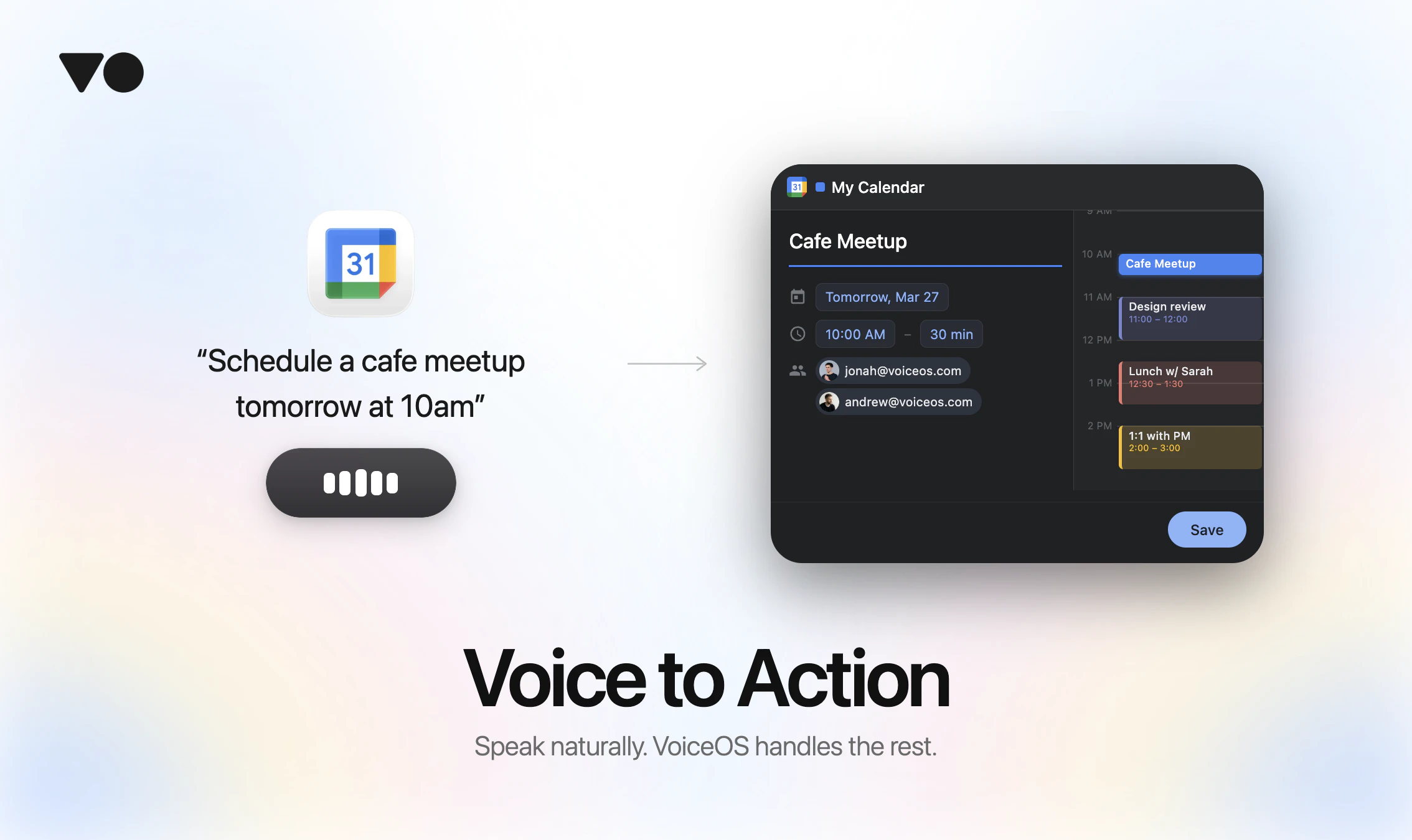
VoiceOS is the universal voice → action for your computer. Eliminates app-hopping, maximizes focus and productivity. Speak naturally, and VoiceOS instantly executes workflows while keeping you in control with a quick confirmation step. Works system-wide on Mac and Windows.

Hey Product Hunt,

I’m Jonah, co‑founder of VoiceOS.

We started building VoiceOS around one frustration: the gap between deciding to do something and actually getting it done on your computer.

You think: “Reply to that Slack message.” That’s half a second.

Then you cmd‑tab, find the channel, scroll to the right thread, type, re-read for tone, hit send. It’s 30–60 seconds of mechanical overhead for a half‑second intention.

VoiceOS closes that gap.

Huge shoutout to our Japanese community! We’ve invested in native Japanese localization across the UI and writing behavior because you’ve been incredibly supportive from day one.

VoiceOS includes a free 14‑day Pro trial. No credit card required.

What integrations should we build next?

4
回复

@jonahdaian As someone deep in content workflows (LinkedIn, Notion, email drafting), Notion integration for voice-dictated pages/blocks would be a game-changer for quick brainstorming. What do you think about prioritizing that?

2
回复

Is it dependent on the app or platform? What are the integrations available? @jonahdaian 

0
回复

@jonahdaian I like the idea, and the video does a great job of showing how it can be used (it’s very practical).

Good luck, guys!

3
回复

Super cool, will definitely try!! But how have you balanced speed and accuracy, especially when a wrong action (like sending a message) has higher stakes than wrong text?

3
回复

@lak7 You are right, balancing speed and accuracy is critical.

We spent a lot of time perfecting our testing infrastructure to mitigate this problem. Nonetheless, the issue is that the real world is a lot more complicated. This is why we built confirmation UI for each action so you always stay in control even at high takes.

2
回复

voice productivity tools have mostly tried to make typing faster, which misses where the time actually goes. the real friction in knowledge work is the navigation overhead: app-hopping, finding the right thread, clicking into the right field. voiceos is targeting the context-switching cost, not the keystroke cost, which is a meaningfully different problem to solve. the confirmation step before each action is a smart call too. it sidesteps the 'what if it does the wrong thing' concern that's quietly killed most voice automation products in the past.

2
回复

@gabrielpineda I could have not said it better myself

0
回复

I've been using VoiceOS for about a month+ now and it's INSANE. I've been able to navigate different apps, talk to my LLMs and go through my workflow a lot faster than before. It's like giving @Aqua Voice apps and tools. I've even been able to use it to talk/send messages to @Poke.com.

I was lucky to speak with the founders and their vision is definitely promising. I'm looking forward to seeing how voice can become the main interface of my computer.

For those looking to try, there are some kinks, but the team is super responsive in their Discord and patch out any bugs super fast.

Congrats @jonahdaian and @kai_brokering on the launch! PS - more integrations please!!!!

2
回复

@gabe Thank you for the support! We've been working around the clock, so we really appreciate you noticing the quick bug patches. We're also rapidly expanding our integrations, so stay tuned for more very soon!

1
回复

This is awesome. Like WisprFlow (which i love) on steroids

1
回复

@ross_geiger Thank you! I would agree

0
回复

(typed by voice OS) I've been using VoiceOS for a few months now, and it has helped my work tremendously. It makes tasks easier and more effective, and I can't really reply to emails without it lol

1
回复

@yvonne_zheng1 Thank you so much! I totally agree once someone turns voice pilled, there's no turning back!

0
回复

@yvonne_zheng1 Thanks for always giving us feedback Yvonne!!

0
回复

Hi my son who has Dyslexia and relies exclusively on speech to text, now uses VoiceOS exclusively. This is as big of a product endorsement anyone possibly could make.

1
回复

@realwitz You and your son have been a power user since day one! Thank you so much all the support :)

0
回复

This is really cool, I loved the intro ad, a lot of effort went in to this! Correct me if I'm wrong but this is like open claw with voice functionality right? just with no messy setup part and one more thing what extra features we get above open claw?

1
回复

@nayan_surya98 You nailed it! Although I would also add that we put a lot of effort into making custom confirmation UI for every integration we support

1
回复
I’m hooked on voice transcription for working Claude Code, and I love the idea of using voice to do control more of my workflow. Bravo. Excited to see where this goes.
0
回复

Happy launch day!

This looks really smooth. Curious about the workflows - how deep does the customization go?

Can users build their own multi-step chains or is it more about the pre-built integrations?

0
回复

This is interesting concept and congratulations to you.

Is this available to download for Windows?

0
回复

Cool launch. One thing I keep bumping into in the voice space — there's a real split between voice→action (do this thing) and voice→data (fill in 15 fields). For actions the confirmation step makes total sense. But for structured input like CRMs or intake forms, confirming every field kind of brings back the friction. Are you guys thinking about that side of things or staying focused on workflow automation?

0
回复

@webappski Right now we’re mainly focused on quick voice → action flows where speed matters most. But you can also set up custom map integrations to handle more structured stuff, so it’s pretty flexible depending on what you’re trying to do.

Also, you can turn off the confirmation step in settings if you want a more seamless input flow

0
回复

Love the mission of cutting down on mechanical overhead, but how are you ensuring VoiceOS handles nuanced commands in dynamic conversations, like coordinating on Discord or Slack?

0
回复

@trydoff You are totally right, we spent a lot of time building testing frameworks to fix this exact problem.
Nonetheless, the issue is that the real world is a lot more complicated.

This is why we built confirmation UI for each action so you always stay in control.

0
回复
What apps are supported for this? Is Discord supported?
0
回复

@billchirico Not yet but we are working on it. Any other ones?

0
回复

Looks cool! Can I also link this to Claude Code and use it for my coding tasks? Or does it need to have a separate integration for that?

0
回复

@syaman We are currently working on the integration for Claude Code to manage multiple sessions at once (meaning no more tab switching) and I can't wait to release it!

1
回复
#5
NotebookLM Custom Infographic Styles
Turn any source into a styled infographic
166
一句话介绍:NotebookLM的“自定义信息图样式”功能,能将任意研究资料一键转换为风格化信息图,解决了用户在研究成果视觉化过程中,耗时耗力、设计门槛高的核心痛点。
Design Tools Productivity Marketing
AI信息图生成 研究视觉化 内容创作工具 知识管理 一键设计 品牌一致性 快速出版 AI生产力 教育科技 营销内容
用户评论摘要:评论高度认可该功能填补了“研究理解”与“视觉传达”间的关键缺口,尤其赞赏其预设风格多样与自定义模式的潜力。主要局限在于无法手动拖拽编辑,属于提示词驱动,追求像素级完美控制仍需专业设计工具。
AI 锐评

NotebookLM此次更新,远非简单的“AI做图”功能叠加,而是一次对其产品战略定位的清晰宣告:它正从“个人研究助理”悄然进化为“知识产出引擎”。其真正价值不在于提供了10种预设模板,而在于通过“自定义模式”将“视觉风格”本身抽象为可被语言描述的指令,试图将品牌视觉规范这类高阶、感性的要求,封装进一个研究工具的流程中。

这犀利地戳中了现代知识工作流的软肋:我们善于用AI分析归纳,却在最后的“呈现”环节被迫跳转到另一套工具和语境中,创造力与思维流在此断层。NotebookLM试图用AI弥合这个断层,将视觉产出变为研究过程的自然延伸,而非额外负担。其“源文件锚定”的特性,也巧妙地与当前AI生成内容“幻觉”泛滥的痛点形成对比,强调了输出的可靠性与上下文一致性。

然而,其“提示驱动、不可手动编辑”的设定,是一把双刃剑。它用牺牲微操自由度,换来了极致的速度和一致性,这精准定位了“快速出版”和“内部沟通”场景,但暂时回避了专业级、客户级精细设计的需求。这反映出产品团队清醒的取舍:不做Figma或Canva的替代者,而是成为它们的前置“智能内容工厂”。

长远看,NotebookLM通过叠加音频、幻灯片、思维导图到如今的信息图,正在构建一个以“知识库”为中心的多模态产出矩阵。其野心或许是成为知识流转的“中枢神经系统”,将理解、整合与表达全流程内化。风险在于,每个单点功能都可能面临垂直领域专家的竞争,其成败关键在于这些功能能否围绕“基于源材料的可信合成”这一核心护城河,产生强大的协同效应,而非沦为功能杂烩。

查看原始信息
NotebookLM Custom Infographic Styles
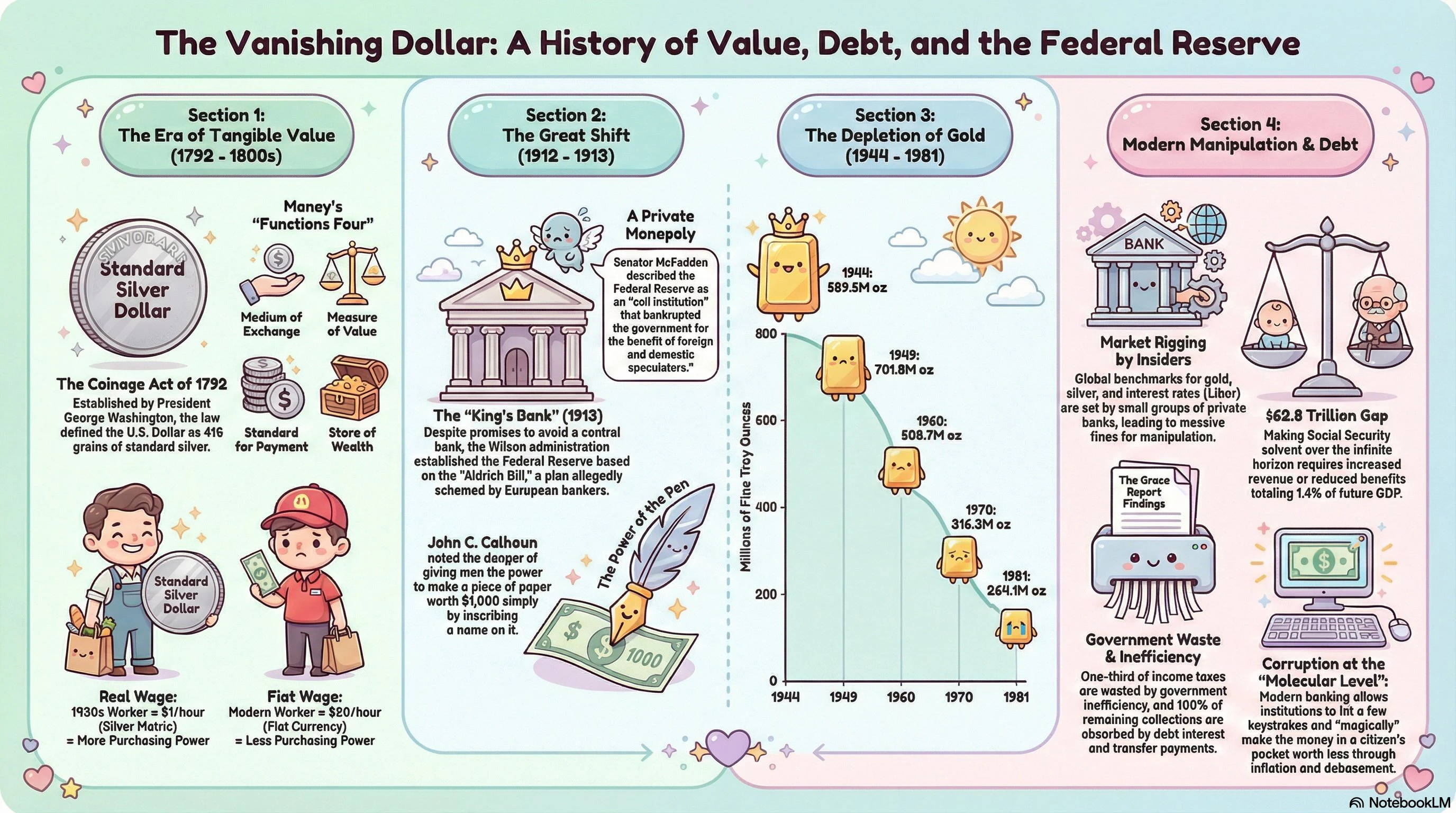
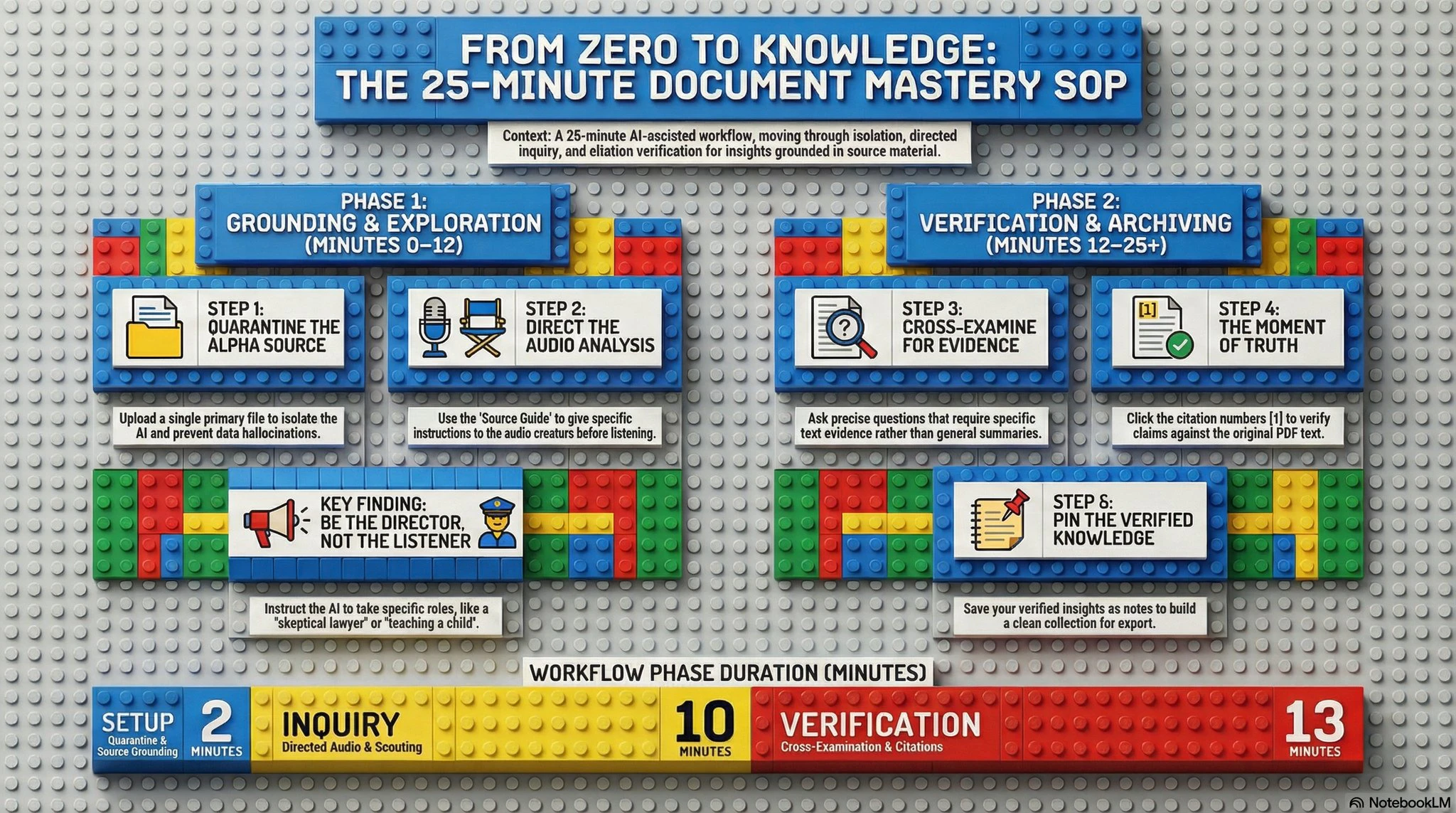
You've been copy-pasting AI summaries into Canva for too long. NotebookLM's Custom Infographic Styles turns your sources directly into polished visuals. 10 presets plus a custom mode. Sketch, anime, editorial, bricks, and more. Research-to-visual in seconds.

Visual communication has always been the bottleneck nobody talks about.

You do the research. You synthesize it with AI. Then you paste it into Canva, fight with layouts, pick fonts, give up, and ship something mediocre. The insight was great. The visual killed it. 😮‍💨

NotebookLM just quietly patched that gap. 🔧

Custom Infographic Styles gives you 10 visual presets plus a fully custom mode to transform any source material into a publication-ready infographic. One click. Source-grounded, not hallucinated. ✅

The styles are genuinely varied:

🌸 Kawaii for approachable, shareable content

📰 Editorial for thought leadership pieces

🗂️ Bento grid for modular, social-first layouts

🧊 3D clay for visual pop without the Blender learning curve

✏️ Sketch, anime, storyboard, bricks, professional rounding out the rest

The deeper unlock here is the custom mode. 🎨

You describe the aesthetic you want and NotebookLM builds around it. Color codes, tone, layout philosophy. This is where brand consistency starts becoming possible inside a research tool.

Who this is for right now:

🔬 Researchers who need to make dense material accessible

🏫 Educators turning syllabi or notes into visual explainers

🚀 Founders building decks or one-pagers from raw research

📣 Content teams who live in NotebookLM and hate the Canva commute

The honest limitation: you can't manually drag or edit elements. It's prompt-driven. If you need pixel-perfect control, you still go to Figma. But for "good enough to publish in 30 seconds," this clears that bar easily.

The trajectory here is what I find most interesting.

NotebookLM started as a research tool. Then it added audio overviews, slide decks, mind maps. Now styled infographics. It's quietly becoming a full production layer on top of your knowledge. The gap between "understanding something" and "communicating it visually" is collapsing.

Curious what use cases people here are most excited about. Are you using this for personal knowledge work, team communication, or client-facing outputs? 💬

1
回复
#6
Straude
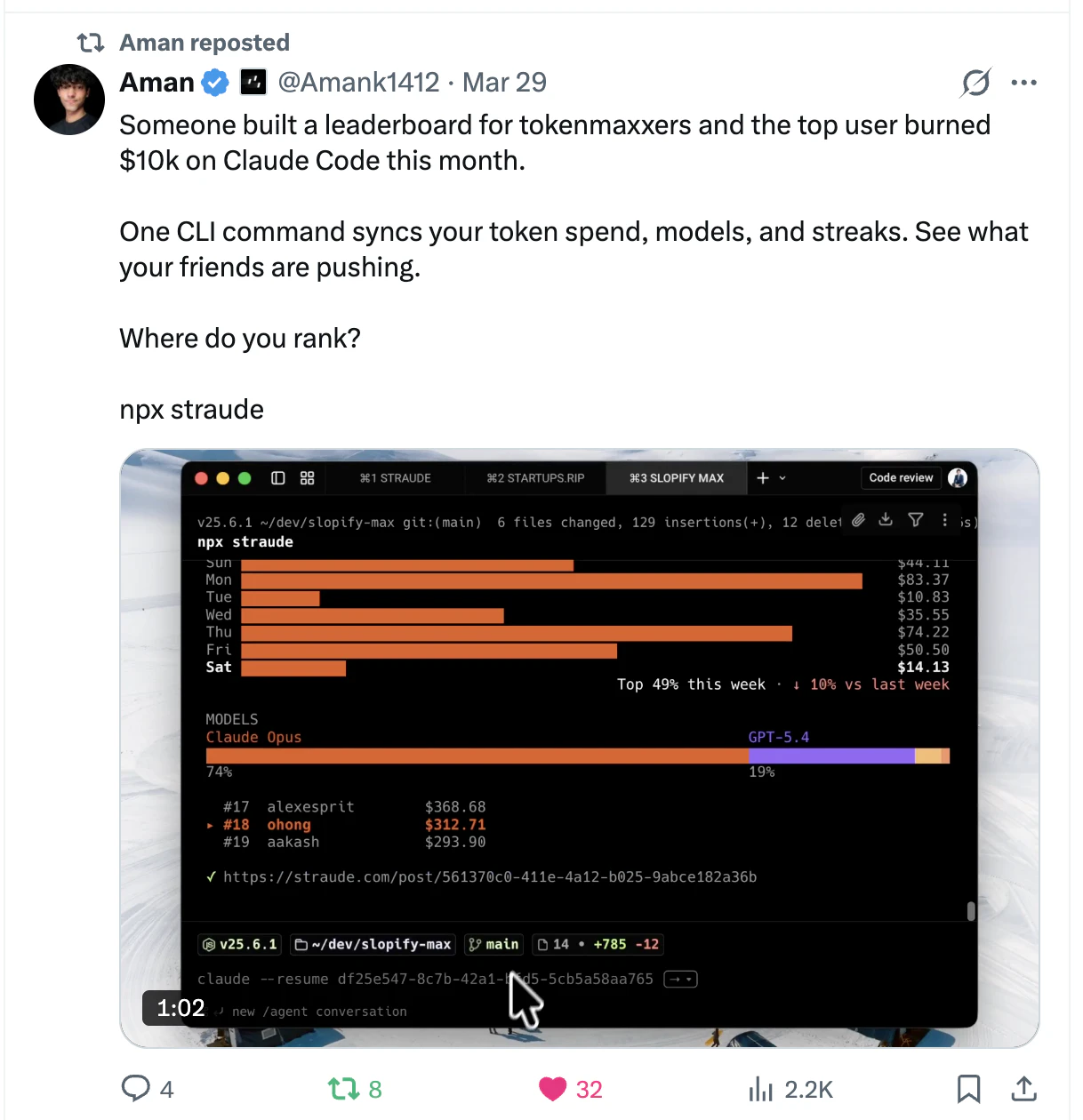
Strava for Claude Code, the global tokenmaxxing Leaderboard
144
一句话介绍:一款面向AI原生开发者的“代码运动”追踪工具,通过一行命令自动记录Claude Code等智能编码代理的token消耗与花费,并在全球排行榜中对比,解决了开发者使用AI编码时成本不透明、过程孤立的核心痛点。
Productivity Developer Tools Vibe coding
AI开发工具 Token追踪 开发者社区 代码代理 成本管理 排行榜 生产力工具 开源项目 AI趋势 硅谷文化
用户评论摘要:用户肯定产品时机与创意,关注团队排行榜、项目细分、排名权重(纯花费vs.产出质量)等扩展功能。开发者回应将增加团队功能,并探讨未来集成GitHub stars等质量指标。
AI 锐评

Straude精准捕捉了“AI原生”浪潮下的一个微妙需求:将不可见的token消耗转化为可量化的社交资本。其真正价值并非简单的成本监控——现有云服务账单也能做到——而在于用“Strava for Code”的叙事,将孤独的智能体编码过程游戏化、社群化,创造了“Tokenmaxxing”这一新的身份认同指标。

产品犀利地揭示了AI开发范式的转变:当编程从“写代码”变为“调教与消耗AI”,传统生产力度量(如代码行数)已然失效,token消耗量成为了实验强度与资源投入的粗暴代理。排行榜以“花费”论英雄,看似荒诞却直指本质:在AI探索的蛮荒期,试错规模本身就是竞争力的体现。这迎合了硅谷将一切指标化的癖好,但也暴露了其深层矛盾——它衡量的是“投入”而非“产出”,可能助长无意义的资源竞赛。

隐私设计(仅上传聚合数据)是明智的底线,但产品的长期挑战在于如何从“烧钱排行榜”演进为“价值证明平台”。若未来能如评论所期,引入项目影响力等验证指标,或从代码质量维度加权,或许能引导社区从比拼“烧钱”转向比拼“创新”。目前,它更像一个反映AI狂热的文化符号,其成功与否取决于能否在制造话题之后,为开发者提供超越虚荣的真实洞见与网络效应。

查看原始信息
Straude
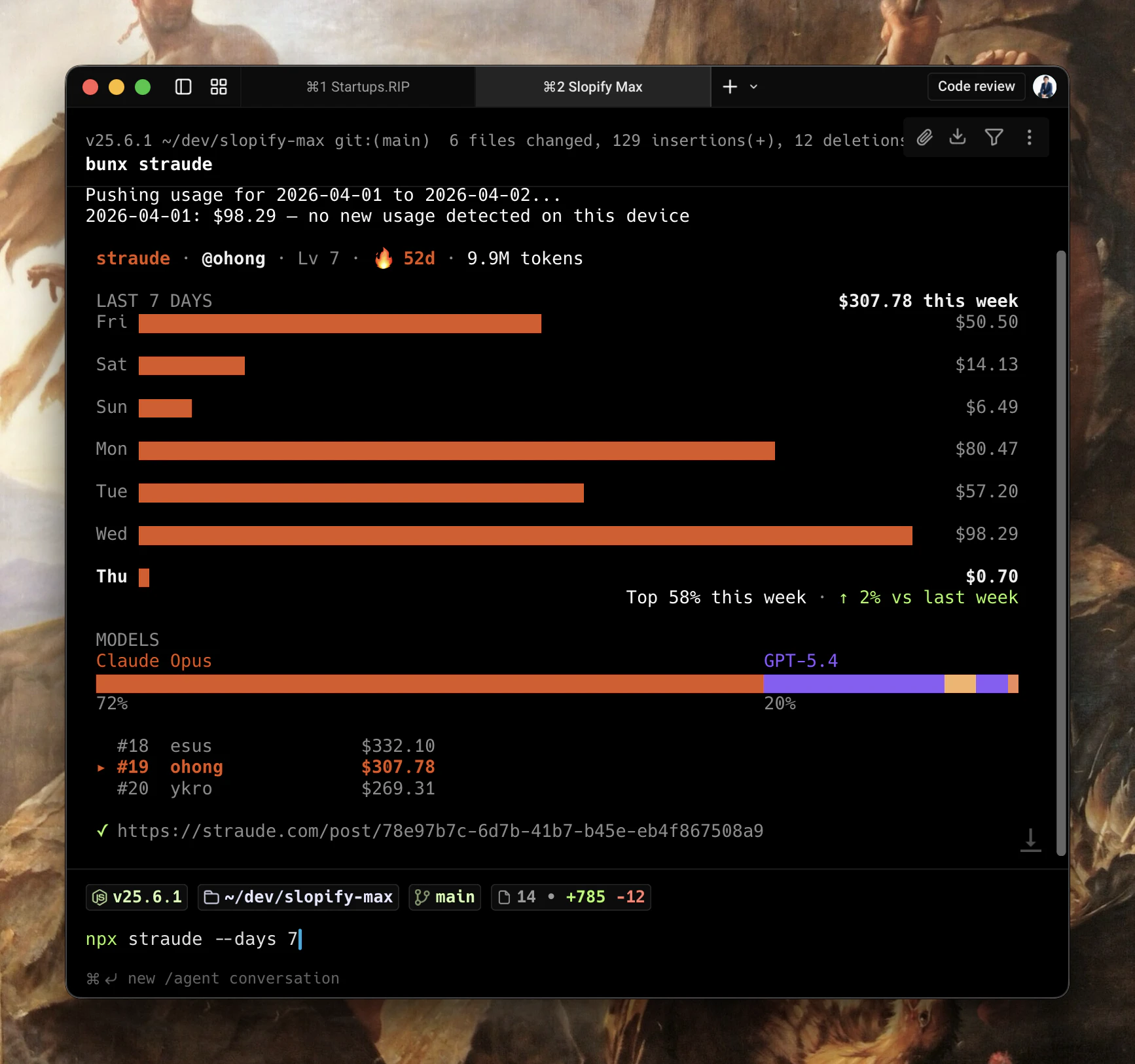
You spin up dozens of agents and spend thousands on tokens, but have no way to track or share the journey. One command logs your spend, streaks, and stats. Compare your pace to the top AI builders worldwide. Code like an athlete.

Hey PH! 👋 @markmdev and I made Straude.

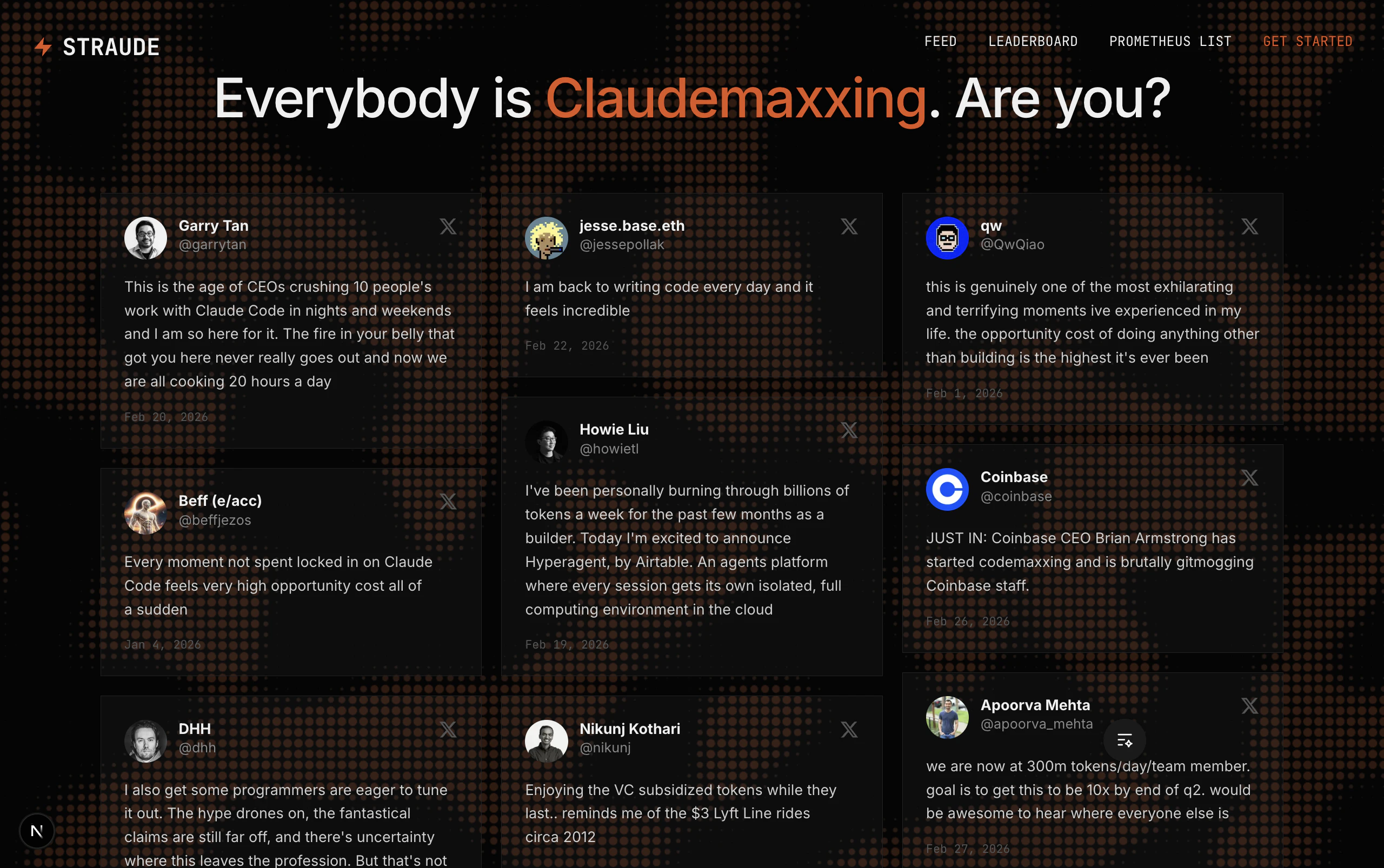
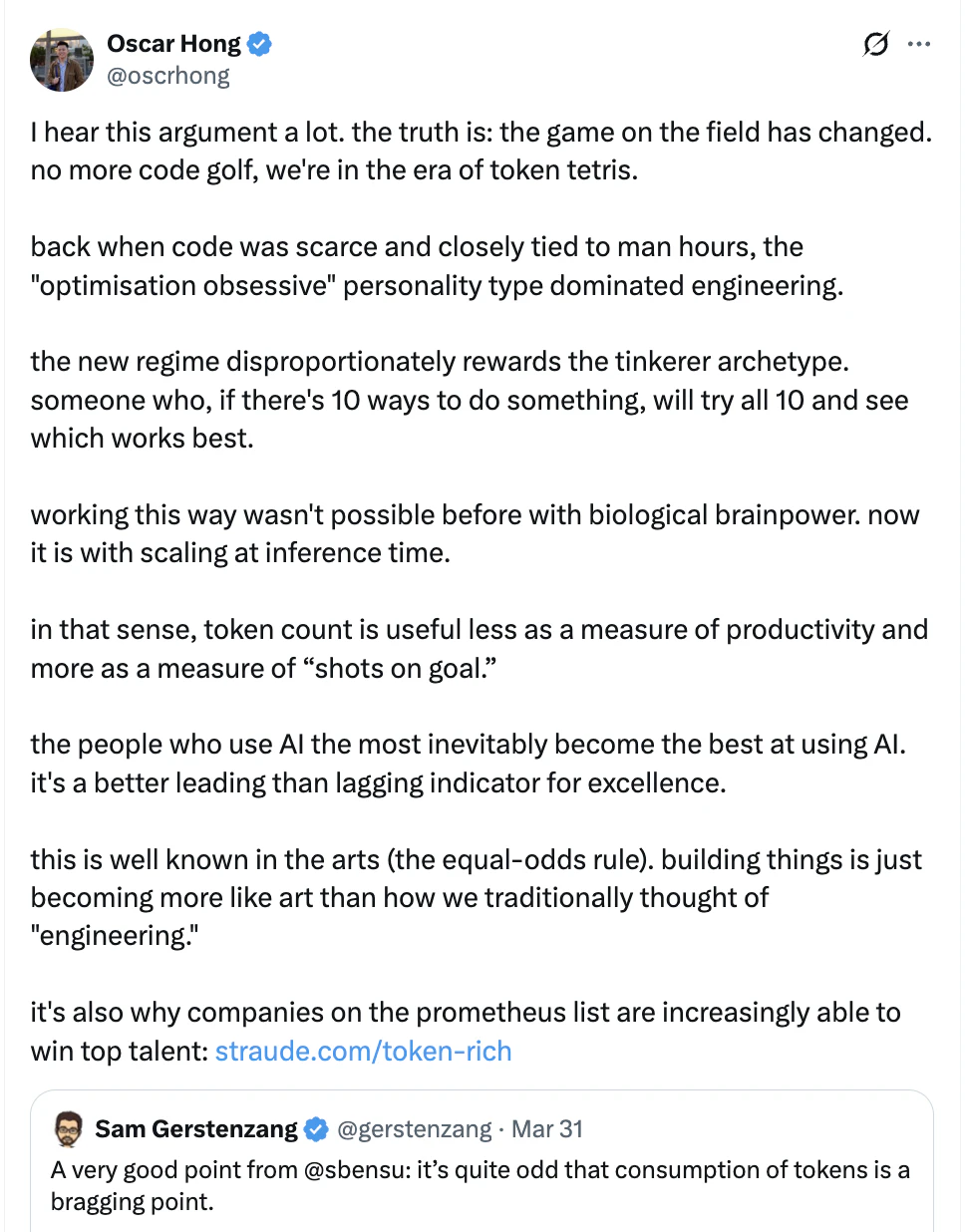
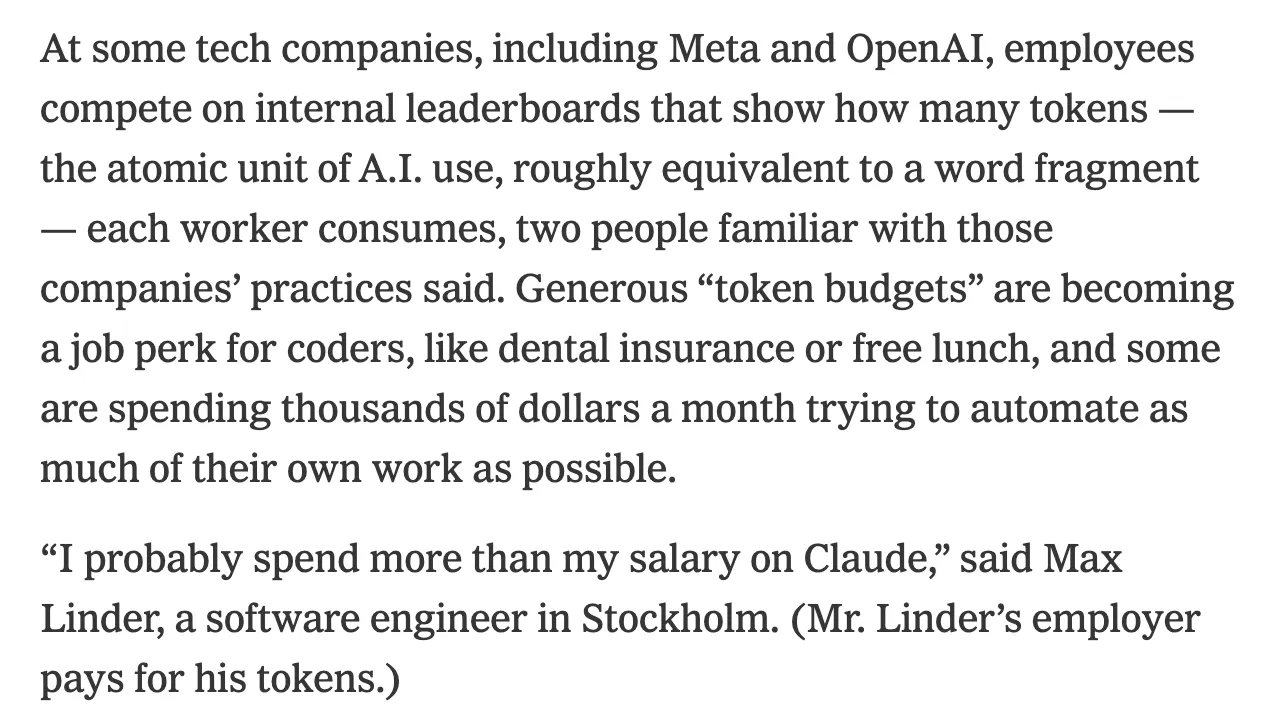
The NYTimes recently covered the "tokenmaxxing" trend sweeping across Silicon Valley — the idea that AI token consumption is becoming the new status metric for AI-native builders. Companies like Meta, OpenAI, and Shopify are tracking it on internal dashboards. Jensen Huang proposed giving engineers a token budget as high as 50% of their salary.

At the same time, I found the experience of agentic coding gets pretty isolating. You spin up dozens of agents and spend thousands on tokens, but have no way to track, compare, or share the journey. And since there’s no “town hall” where AI builders gather, you can’t easily learn from how the best builders are pushing these tools to their limits.

Straude fixes that:

  • One command `npx straude` logs your Claude Code or Codex sessions: tokens consumed, spend, models used. Support for other agents coming soon.

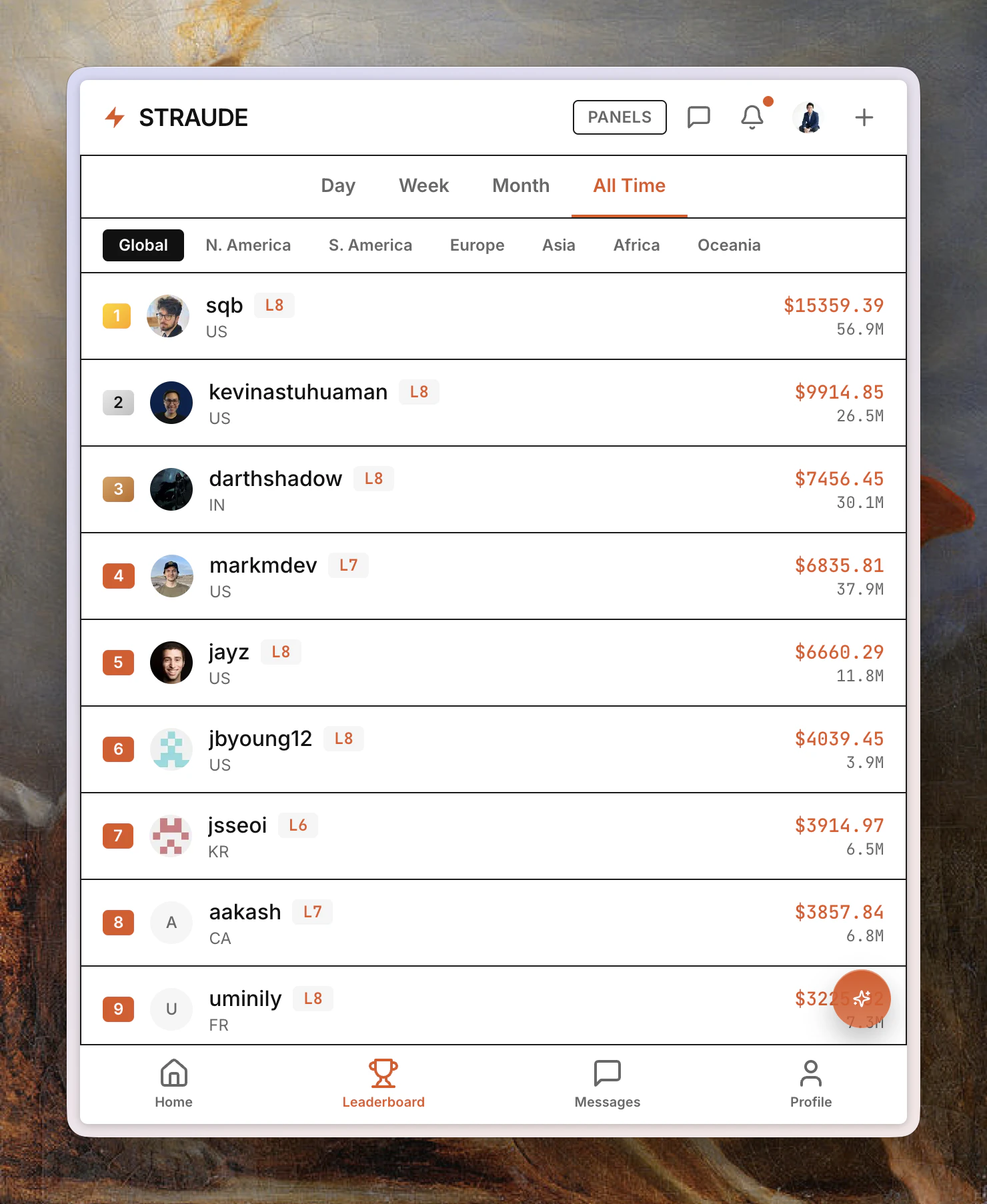
  • Compete on a global leaderboard, build your streak, and get inspired by what the top 1% of AI builders are pushing daily.

  • Privacy-first: only aggregate stats leave your machine, no code or session history.

  • Zero install, zero config.

How it works:

  1. Sign up at straude.com

  2. Run `npx straude` at the end of a Claude Code / Codex session

  3. Your stats sync to the feed and leaderboard automatically

It's completely free. The project is open source on GitHub.

Strava made lonely sport (running) social and fun. Straude does the same for agentic engineering. You wouldn't train for a marathon without logging your miles. Why would you burn through tokens without tracking on Straude?

We'd love for you to sign up, log your first session, and share Straude with the friend you know who burns the most tokens 🔥

Would love your feedback — what features would you want to see next?

4
回复

Awesome timing with this one. The leaderboard is a fun idea for the agent builders out there. Do you have plans to add team-based leaderboards or just keep it individual?

1
回复
@krutytskyi yes we do! Team & org based is our #1 request. Soon you’ll be able to get a verified badge with your org email(like on X). Would you join Straude with your team?
1
回复
@krutytskyi thanks for your support 🙏
1
回复

The end-of-month billing surprise is too real. I've been running Claude Code in parallel on a few projects and had zero idea what I was spending until the invoice hit - it's kind of absurd we don't have native visibility for this.

Strava framing makes sense here. Is the leaderboard purely by USD spent or is there any weighting for output quality? Curious what "winning" looks like on this.

1
回复
@mykola_kondratiuk currently leaderboard is total spend. Quality is harder to gauge & subjective, but over time we can integrate GH stars, traffic, & other verified stats users care about. Idea atm is that quantity is the path to quality (“shots on goal”). So token spend is less a measure of productivity writ large, more who’s experimenting the most with AI. What would you like to see us add?
0
回复

This is the most 2026 product I've seen all week and I mean that as a compliment. I'm genuinely curious what my monthly token spend looks like across projects because right now I have zero visibility on that. Does it break down by project or is it one global number?

1
回复

@thenomadcode Thanks for the kind words! It's just one global number for now, but that's a great idea. We'll look into how to show per-project in the future. So were you able to see your monthly token spend by running the straude command?

0
回复

So on this leaderboard what gets more weightage I mean does the top ranker has most amount of tokens spent or most amount of output from AI? I mean what is the ranking criteria?

1
回复

@nayan_surya98 The leaderboard is sorted by total spend in USD (think: token count x standard API pricing of the models used). We don't get any data on what is produced by the AI other than token stats. But some users use Straude like a work log and share what they did that day / session in the feed. Thx for checking us out!

0
回复
#7
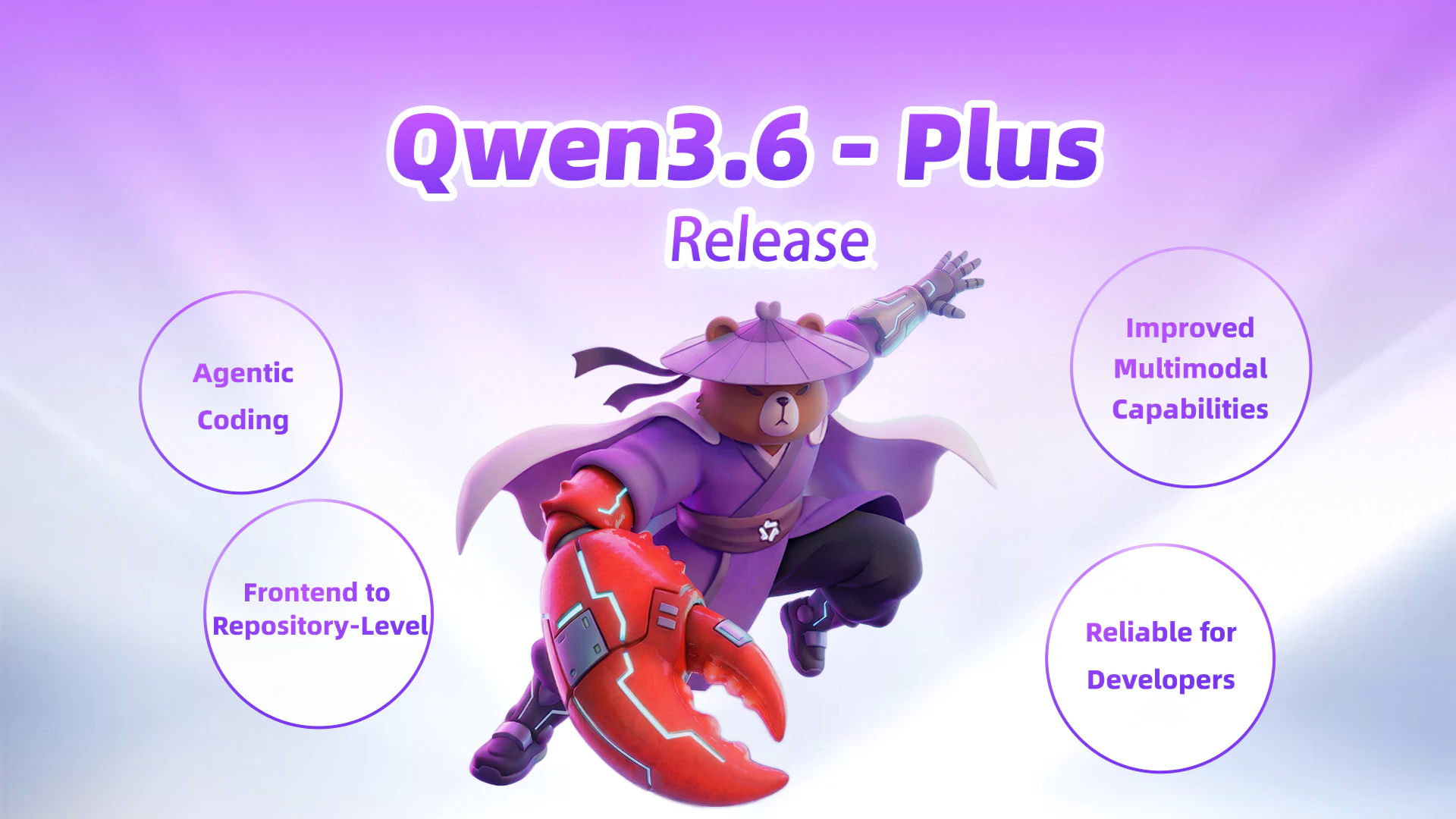
Qwen3.6-Plus
Multimodal AI optimized for real-world coding agents
134
一句话介绍:Qwen3.6-Plus是一款多模态AI模型,专为现实开发工作流优化,通过理解UI截图或描述自主规划、生成并迭代代码,解决了开发者在从设计到实现过程中需要反复手动编码和调试的核心痛点。
API Artificial Intelligence Development
AI编程助手 多模态大模型 代码生成 智能体 软件开发工具 长上下文 工作流集成 前端开发 自动化编程 API服务
用户评论摘要:评论高度评价其在真实场景(从前端到复杂仓库级任务)中自主分解问题、规划、测试和迭代的“智能体编码”能力,以及通过多模态理解实现从UI到代码的闭环。有效信息集中在其实用性提升和与开发工具的集成上。
AI 锐评

Qwen3.6-Plus的发布,与其说是一次简单的版本迭代,不如说是对“AI编程助手”赛道既定规则的一次突袭。它直指当前Copilot等工具仍存在的短板——即碎片化的代码补全与整体性、具身化开发任务处理之间的鸿沟。

其宣称的“智能体编码”能力是真正的价值锚点。这意味模型试图超越“高级语法提示”,转向具备问题拆解、路径规划、测试验证的自主任务执行能力。如果其演示属实,这标志着AI从“副驾驶”向可托管特定任务的“自动驾驶”模块演进的关键一步。而融合多模态理解(UI截图、设计稿),则是将这一能力从纯代码域扩展到了产品开发的最上游——需求与设计界面,试图打通产品原型到代码的“最后一公里”,其野心在于成为整个开发工作流的智能枢纽。

然而,光环之下仍需冷思考。首先,“智能体”能力的真实边界和可靠性存疑。复杂仓库任务的长期规划涉及对模糊需求、技术债务和团队协作的深度理解,当前技术能否稳定交付仍是巨大挑战。其次,其通过集成OpenClaw、Cline等工具构建生态的策略明智,但也揭示了其作为纯模型层的定位——它更像一个强大的“引擎”,而非完整的“汽车”,最终体验严重依赖下游工具链的整合质量。最后,在巨头林立的AI编程市场,其技术优势窗口期可能很短。Claude、GPT等同样在快速进化,且拥有更庞大的开发者生态。

总而言之,Qwen3.6-Plus的价值在于它清晰地勾勒出下一代AI编程助手的形态:具备自主任务能力的多模态智能体。它不再满足于扮演编写工具,而是立志成为理解意图、协调工具、产出解决方案的“执行者”。它的出现,将竞争维度从代码补全的准确率,提升到了对完整开发工作流的理解和重塑能力。成败关键在于,其“智能体”能力是营销话术,还是能经得起复杂现实项目考验的可靠生产力。

查看原始信息
Qwen3.6-Plus
Qwen3.6-Plus is Qwen’s latest hosted model with a 1M context window, major gains in agentic coding, stronger multimodal reasoning, and much tighter support for real development workflows across tools like OpenClaw, Claude Code, and Qwen Code.

Hi everyone!

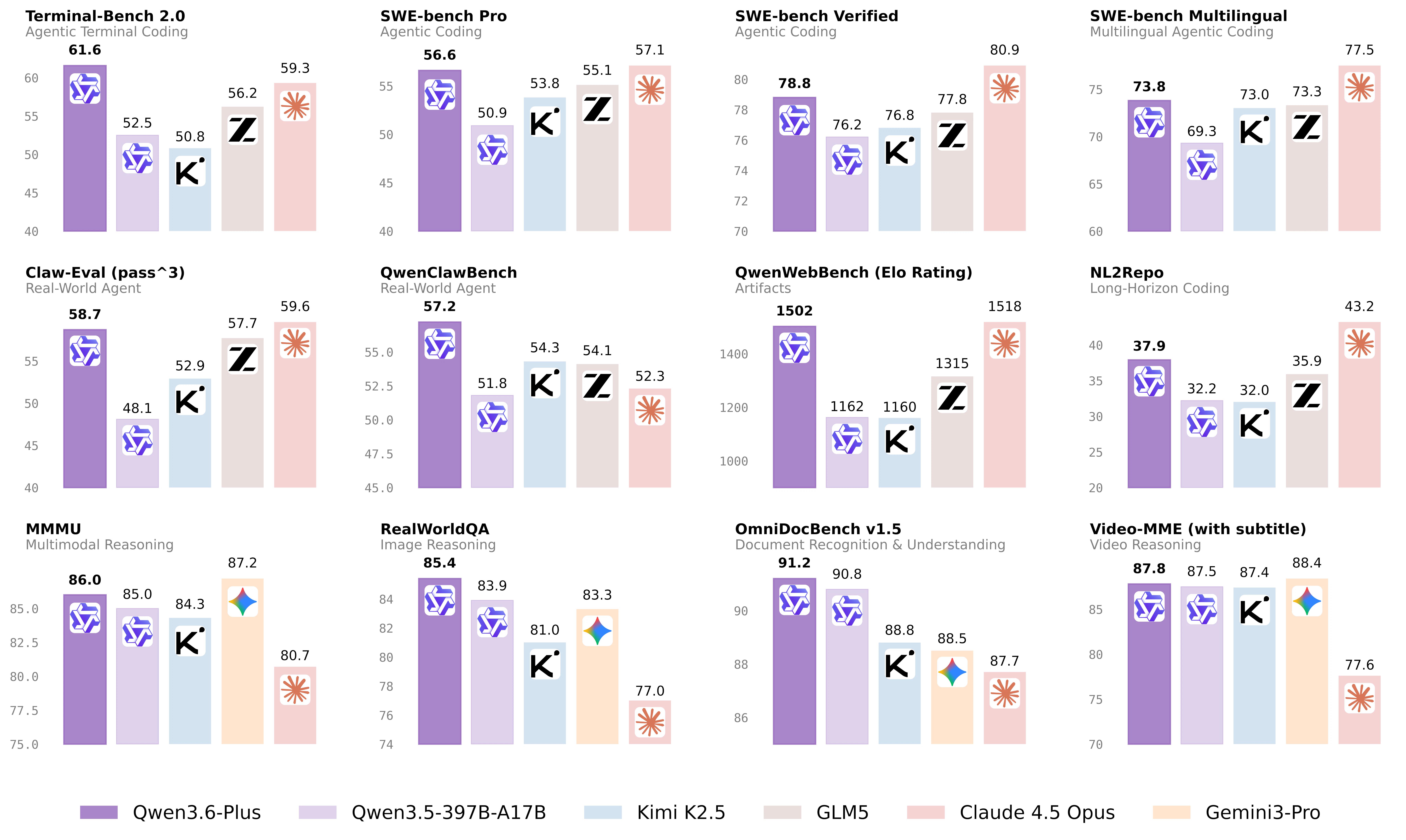
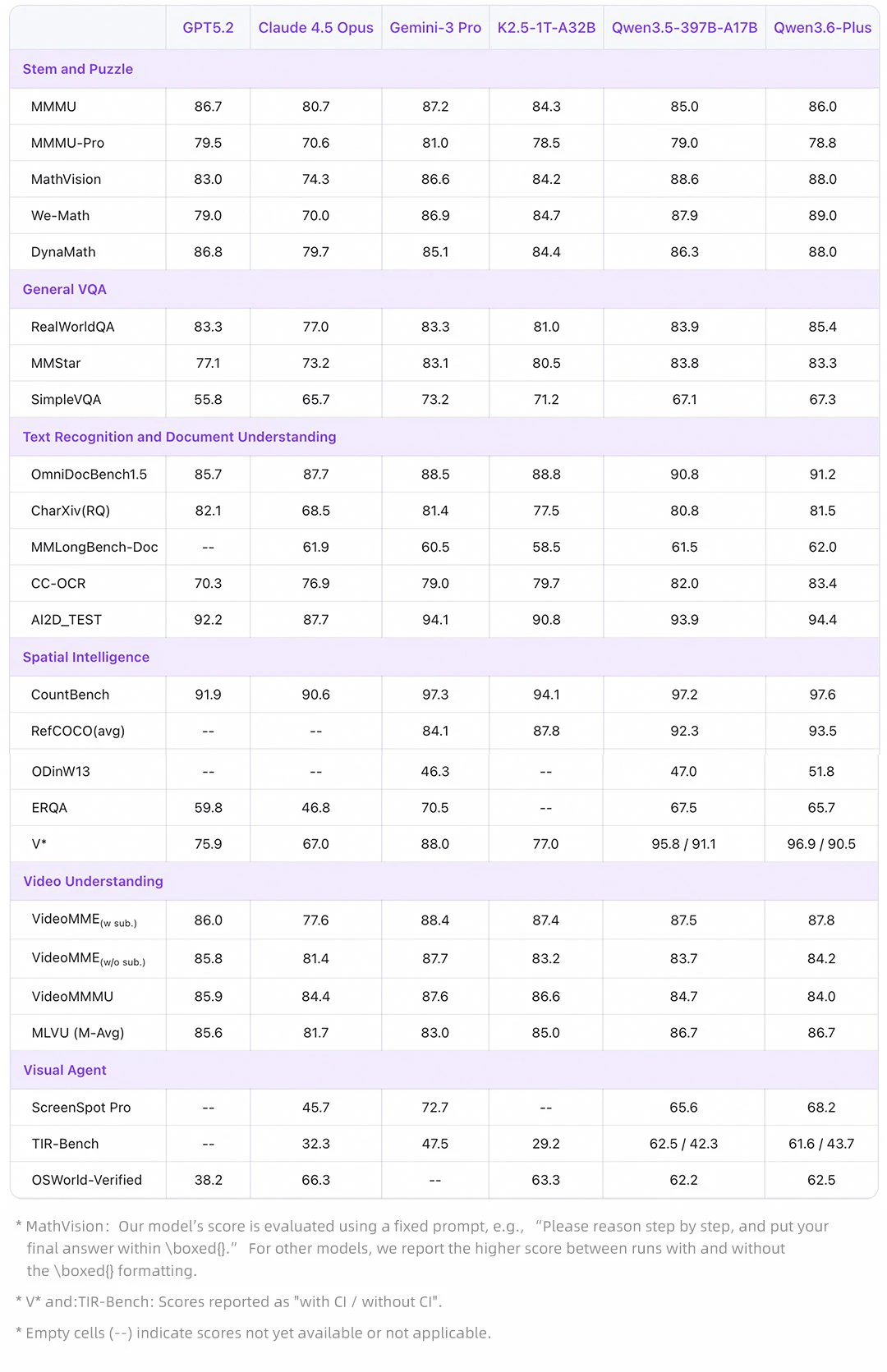
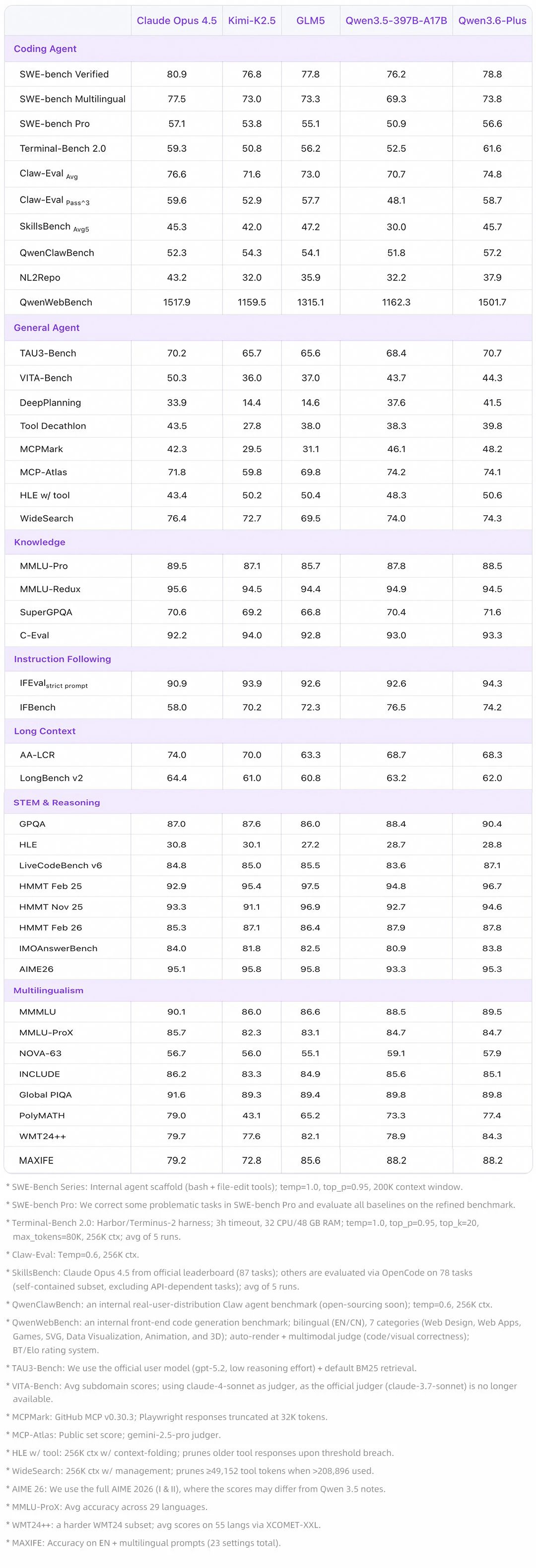
Qwen3.6-Plus is a massive upgrade over 3.5, especially with its emergent agentic coding capabilities. In real-world scenarios—from frontend web development to complex, repo-level tasks—it can autonomously break down the problem, plan a path, test, and iterate until the job is done.

Built on native multimodal data, it can look at UI screenshots, design drafts, or natural language descriptions to generate frontend pages, complete code, and modify interactions. It truly closes the loop from "understanding the UI" to "generating code" and "invoking tools to modify it," making multimodal models genuinely practical for everyday dev workflows.

It not only handles complex code management and cross-domain long-term planning for pros, but also drastically lowers the coding barrier for everyone else.

Qwen3.6-Plus is now generally available through the official API. You can seamlessly integrate it with @OpenClaw, @Claude Code, @Kilo Code, @Cline, @opencode and Qwen Code.

Bonus: Sign in with Qwen Code OAuth to enjoy 1,000 free calls per day!

4
回复
#8
ChatGPT on CarPlay
ChatGPT voice in CarPlay for hands-free driving AI on the go
127
一句话介绍:这是一款将ChatGPT语音助手深度集成到Apple CarPlay的APP,通过纯语音、免提的交互方式,为驾驶者提供在行车途中安全获取信息、延续对话和进行头脑风暴的AI解决方案。
Cars Artificial Intelligence Apple
车载语音助手 CarPlay应用 免提交互 AI驾驶伴侣 出行安全 语音AI 生产力工具 通勤场景 OpenAI生态 移动办公
用户评论摘要:用户普遍赞赏其“语音优先”的安全设计及通勤场景的实用性。主要反馈集中在:1. 肯定其为老旧车机提供了智能补充;2. 关注长对话的上下文保持能力与断点续接的可靠性;3. 建议增加自动保存或总结功能;4. 指出其缺乏唤醒词、无视觉界面、无法控制车辆功能等局限。
AI 锐评

这款产品远非简单的“手机App车机镜像”,其核心价值在于精准的场景定义与克制。它敏锐地抓住了“驾驶舱”这一特殊环境的根本矛盾:日益增长的信息处理需求与绝对安全驾驶要求之间的冲突。产品通过“语音唯一”的极简交互,将风险较高的视觉和手动操作彻底剥离,这是其最犀利的“安全第一”设计哲学。

然而,其真正的挑战与潜力都隐藏在“连续性”中。从评论高频提及的“长对话上下文”担忧可见,用户期待的并非简单的问答,而是能在碎片化、可能被突发路况打断的行车场景中,维持一个连贯的、可演进的任务线程(如持续创作、复杂问题探讨)。这要求产品在技术底层上具备更强的上下文记忆、智能断点续说和场景自适应能力,而目前看来这仍是未知数。

此外,产品的“孤立”状态既是优点也是瓶颈。无法与车载导航、空调、音乐进行联动,意味着它只是一个“聪明的乘客”,而非“懂车的副驾”。这固然规避了复杂集成和安全责任,但也限制了其体验上限。未来,若能在确保安全的前提下,通过API与车辆状态(如目的地、预计抵达时间)进行有限度的数据互通,其提供的建议和帮助将产生质的飞跃。

总体而言,这是一次出色的场景化落地,标志着AI从“随时可用”向“情境智能”的关键一步。它没有炫技,而是用克制定义了车载AI助理的初级形态。但其能否从“行车时的聊天玩具”进化为“真正的驾驶认知协作者”,取决于它如何优雅地解决连续性难题,以及在封闭的汽车生态中能找到多大的集成空间。

查看原始信息
ChatGPT on CarPlay
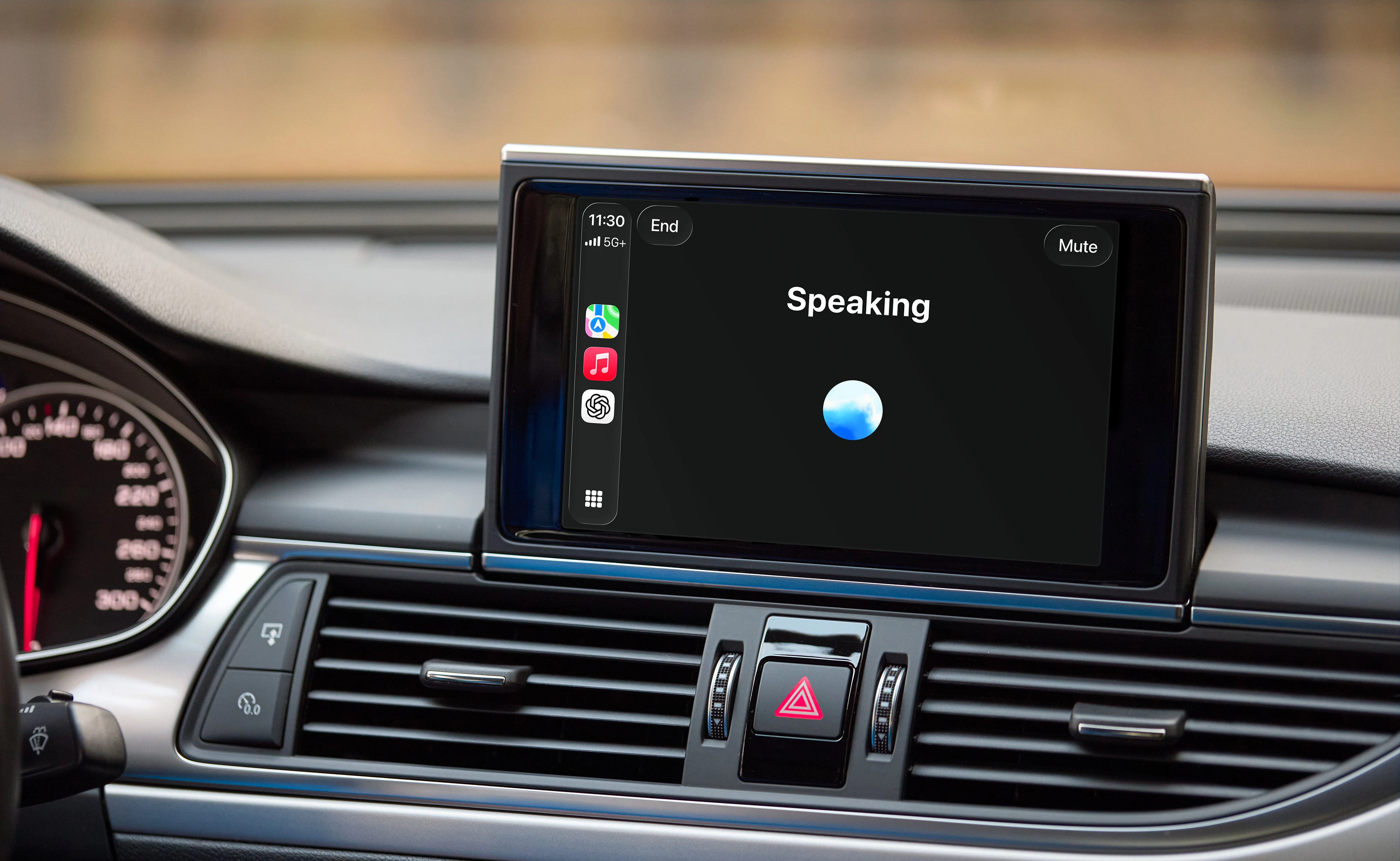
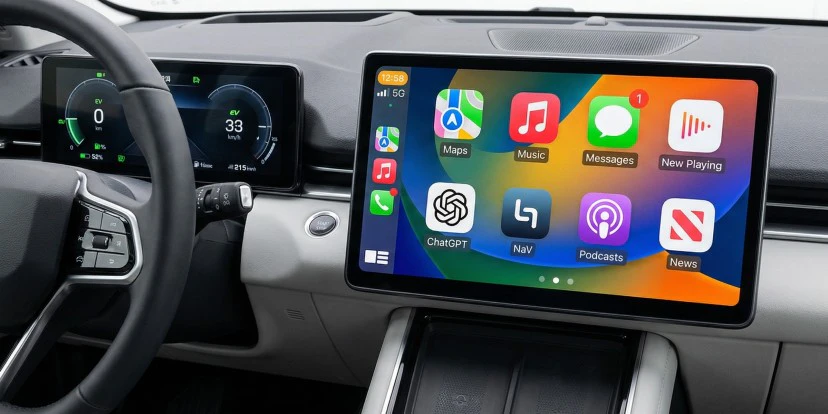
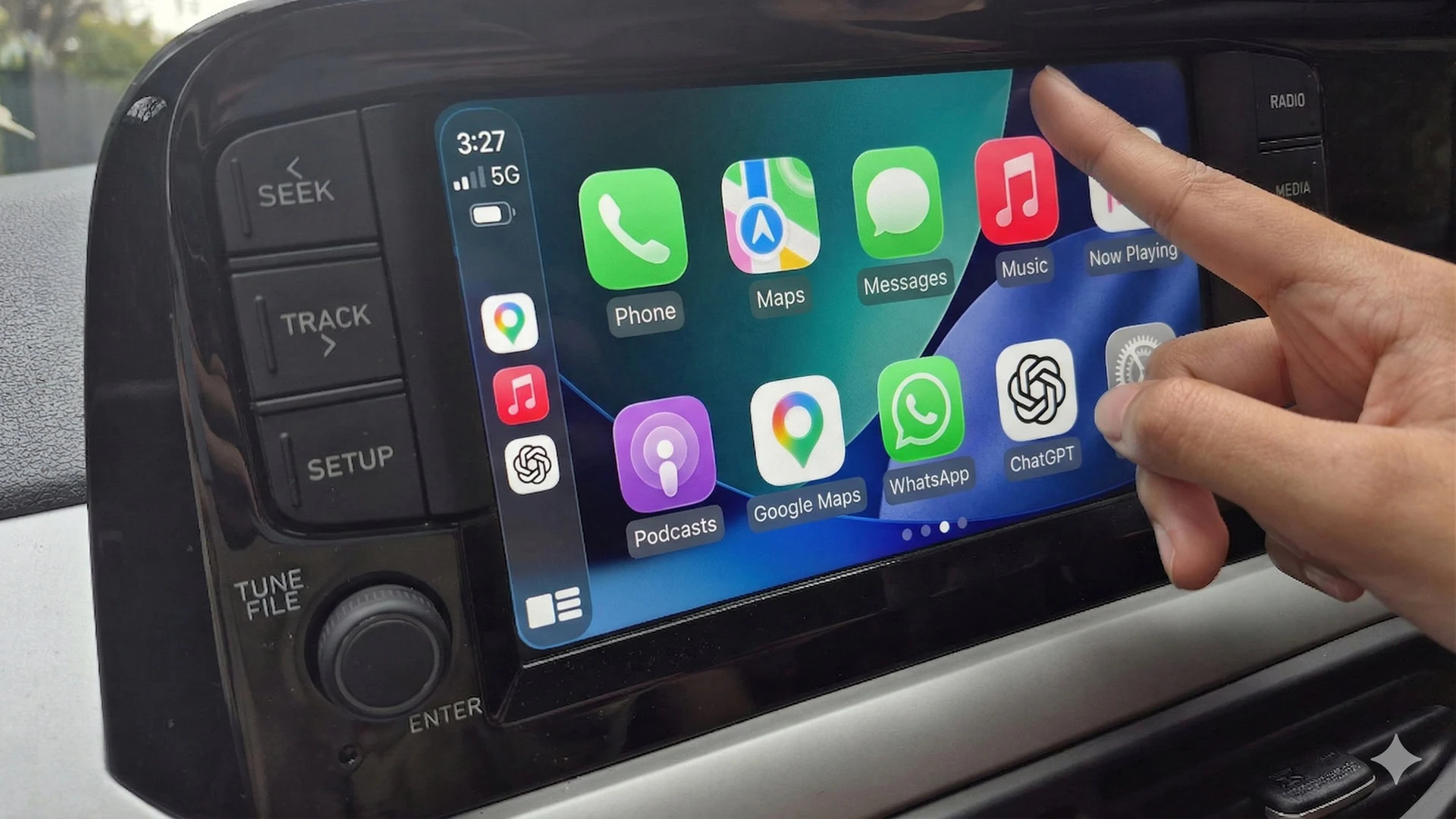
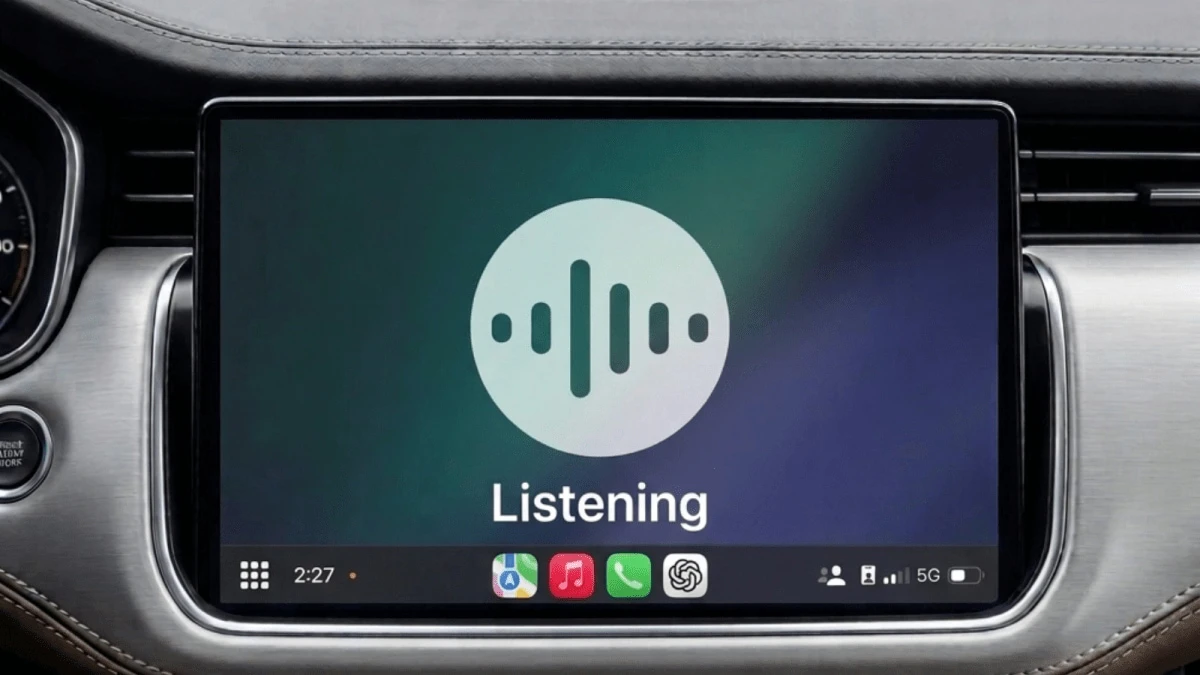
ChatGPT is now available in Apple CarPlay, bringing voice-first AI to your drive. Start or continue conversations hands-free using your iPhone. Works globally across all plans, making it easy to get answers and ideas safely while on the road.

Love this update from OpenAI 👏

What it is: ChatGPT is now available inside Apple CarPlay, enabling voice-first AI conversations while driving.

Problem → Solution: Typing or interacting with apps while driving is unsafe. This brings a hands-free, voice-native AI assistant directly to your car.

What stands out: Built specifically as a voice-first experience for driving, not just a mirrored app.

Features & benefits:

  • Start or resume chats via voice

  • Continue conversations or projects on the go

  • Automatic voice mode option

  • Works globally across all ChatGPT plans

Who it’s for: Drivers, commuters, and anyone who wants AI assistance safely while on the road

Use cases:

  • Ask questions hands-free

  • Continue work conversations

  • Brainstorm ideas while driving

Limitations:

  • Manual Launch: There is no "wake word" support; the app must be opened manually.

  • No Visuals: The interface is intentionally barebones, focusing solely on voice communication.

  • No Vehicle Control: ChatGPT cannot control car functions (climate, audio, navigation) or phone settings.

Clean, practical, and safety-first execution. Big step for ambient AI 👌

3
回复

@rohanrecommends As someone who brainstorms content ideas during my commutes, how do you see this evolving to handle multi-turn creative sessions without losing context mid-traffic?

1
回复

@rohanrecommends Can you please explain , How long conversation can save or how it will work for longer conversations ?

Their should be some backup plans...

1
回复

@rohanrecommends thank you . I was waiting for this

0
回复

Love this!

My old Mercedes has a terrible infotainment system, so I have to rely on my phone for maps, music, and podcasts. It’s really dangerous while driving.

ChatGPT for CarPlay looks like the perfect solution! Thanks for sharing, Rohan!

3
回复

@itsluo Really like the idea, voice -first ChatGPT in CarPlay just makes sense.

The ability to continue conversations on the go is super useful . A nice addition could be auto -saving or summarizing ideas after the drive , so nothing gets lost.

but still I am wondering that how well it handles longer conversations without losing context 🤔🤔

1
回复

@itsluo Please checkout Just Call AI

0
回复
#9
Otto by Audos.com
Your AI co-founder that builds, launches, and sells for you
122
一句话介绍:一款能根据用户想法自动构建落地页、投放广告并获取首批客户的AI联合创始人,为独立创业者和产品经理解决了从创意验证到市场启动阶段缺乏技术和运营资源的核心痛点。
Developer Tools Artificial Intelligence GitHub
AI创业 无代码开发 自动化营销 产品验证 智能代理 自主运营 增长黑客 独立开发者 敏捷启动 AI代理
用户评论摘要:用户肯定其快速验证想法的价值,但核心疑问集中在:1.迭代终止与成本控制机制;2.无初始流量用户的真实获客周期;3.在AI普遍化后,创业者的稀缺优势是什么(转向讨论“关系资本”与判断力)。开发者透露其核心创新在于自主决策循环。
AI 锐评

Otto呈现的“10小时获客”叙事极具诱惑,但需穿透两层滤镜:其一,案例依赖Kevin Rose的既有影响力,其“冷启动”实为“温启动”,对素人创业者的实际周期存疑;其二,产品将复杂的创业初期工程抽象为“描述即生成”的魔法,本质上是用确定性自动化流程应对高度不确定的市场探索,这隐含风险。

其真正价值并非替代创业者,而是重构了验证成本与速度的基准线。传统MVP需要数周开发与数百美元投入,Otto将其压缩至数小时与1美元门槛。这使“快速失败”得以极致践行,用户可从批量试错中筛选机会。然而,工具并未解决创业的核心难题——市场判断与持续增长。评论中关于“稀缺性转移”的讨论切中要害:当执行壁垒归零,竞争将上移至创意洞察、人群理解(其提到的“关系资本”)及策略调整的决策能力。Otto的“自主循环”目前聚焦于广告与页面的AB测试优化,仍属战术执行层面。

更值得关注的是其生态野心:通过终端命令、OpenClaw插件及网站多入口降低使用摩擦,并将核心能力封装为“Skill”供开发者集成。这暗示其志在成为AI代理生态的基础设施,而不仅是独立应用。最终,Otto是强大的“验证加速器”,但绝非“成功保证器”。它赋予个体前所未有的启动杠杆,同时也将市场更快推向“创意过剩”的状态——在这里,真正的护城河仍回归人类独有的洞察与连接。

查看原始信息
Otto by Audos.com
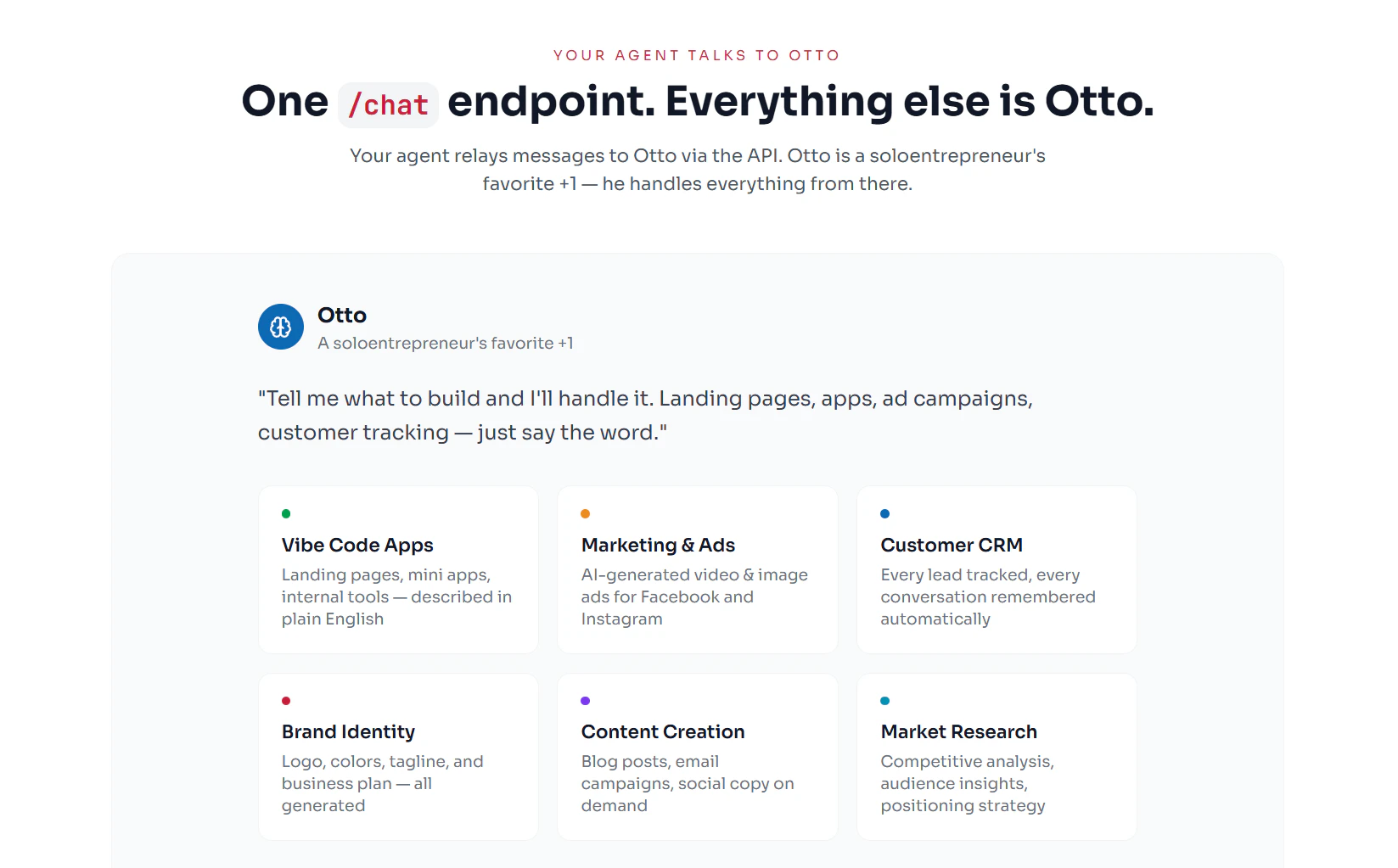
Describe your idea. Otto builds the landing page, runs ads, and lands your first customer - all on autopilot. Start from your terminal (npx skills add prehype/audos-agent-skill), OpenClaw, or Audos.com. Top up with $1, and we invest up to $50 in your idea. Kevin Rose used autonomous mode to go from a simple idea to a paying customer in under 10 hours. No code. No team. Today we're opening this up to everyone.
Hey fam - Alex from Audos.com here! Quick context: last week we launched the Audos Publishing House (https://www.producthunt.com/prod...) - our equity-free investment model for everyday entrepreneurs. Today, we're launching the engine underneath it. Otto is an AI co-founder that runs autonomously. You describe what you want to build. Otto handles everything - landing page, brand, ads, iteration - and keeps going until you have customers. Kevin Rose tested this. He put in a simple idea, and 10 hours later, had his first paying customer. No code, no team, fully on autopilot. Starting today, anyone can do this: - From your terminal: npx skills add prehype/audos-agent-skill - From OpenClaw chat - Or just go to Audos.com Top up with $1, and we'll invest up to $50 to get your idea off the ground. We're in the middle of an 8-week launch series unveiling Audos 2.0 - a new component every week. This is week 2. Next week: the human side :) Would love your feedback. Ask me anything.
3
回复

@ednevsky Super curious: for non-technical solopreneurs like me testing side ideas, how does Otto decide when to pause iteration and say "this isn't working," and what's the typical cost beyond the initial $1 top-up

2
回复

I see, its like finding diamond in mines of coal! But if everyone can spin up ai startups instantly, what becomes the real scarce advantage - distribution, ideas or something else?

2
回复

@lak7 We help each founder find their distribution edge

1
回复

@lak7 I think this is a super point, in fact, Nicholas and I (founders of Audos) just wrote a book about this topic called Me, My Customer and AI - the core thesis is what we call Relationship Capital. The ability for a founder to understand a customer group well enough to predict how to solve their problems. Happy to send you a book for free if you want it: https://www.memycustomerandai.com/

1
回复

Cool! It’s time to get started on my side project 👊🏻

1
回复

@gemskaya No excuses now

0
回复

Congrats on the launch! The Kevin Rose example is a clever proof point, but he’s not starting from scratch - he has an audience and name recognition doing most of the heavy lifting. What does the timeline to a first paying customer actually look like for someone with no existing distribution?

0
回复

Happy launch day! The $1 for $50 ad credit is a clever way to get started. How does Otto decide which ad channels to use for that first batch of tests?

0
回复

The question in the comments about what becomes scarce is the right one. I think it's judgment - when to kill an idea, when to pivot the positioning, when a channel isn't working. Otto can execute fast but someone still needs to make those calls.

Curious how you handle that - does it surface decision points to the founder, or mostly runs until metrics show failure?

0
回复

Really love how fast it is for people to go from "someone should build a company doing x - to execution with these tools."

0
回复

I built most of what's under the hood here. The thing that excites me most isn't the landing page generation or the ad setup - those are cool but honestly table stakes at this point.

It's the autonomous loop. Otto doesn't just execute a checklist and stop. It watches what's working, adjusts, and keeps going. That's a fundamentally new behavior – and it's fascinating to se how resourceful Otto can be, which as long been a characteristic of entrepreneurialism that we've studied.

Also - if you're a dev, check out the agent skill on GitHub (prehype/audos-agent-skill). You can plug this into Claude Code, Cursor, or any agent that supports skills. Would love to hear what you build with it.

0
回复
#10
StampCut
Stamp the world around you!
116
一句话介绍:一款允许用户用iPhone摄像头将现实世界中的任何物体(如植物、动物、物品)框选并捕捉为数字邮票的App,在日常生活和亲子互动场景中,以数字化方式满足了人们收藏与创造的情感需求,唤醒了童年收集邮票/贴纸的怀旧乐趣。
Apple
数字收藏 AR互动 创意工具 怀旧体验 亲子应用 内容生成 图像捕捉 轻量级娱乐 用户生成内容 情感化设计
用户评论摘要:用户反馈积极,普遍认为创意有趣并唤起童年收集邮票的怀旧记忆。主要建议包括:希望集成热敏打印机实现实体化输出(开发者已回应考虑支持),以及建议未来增加数字相册、地图标记等社交或管理功能。开发者互动频繁,透露已有约100名用户,并计划持续更新。
AI 锐评

StampCut的本质,并非一个技术复杂的图像处理工具,而是一个精巧的“情感触发器”和“数字仪式感”制造机。它敏锐地捕捉到了一个被主流效率工具忽略的痛点:在数字洪流中,人们对物理世界“占有”和“珍藏”的原始冲动与情感联结正在失焦。通过将拍照行为包装为“框选”与“捕捉邮票”的仪式,它将随手拍升格为一次有目的的“收藏”,赋予了普通物品以纪念意义。

其真正的价值在于低门槛地创造了“用户生成内容”的情感价值,而非实用价值。它避开了与专业图像软件的竞争,转而服务于记忆存档、亲子互动和怀旧情怀这种“软需求”。从评论看,其成功恰恰在于触动了成年用户对童年实物收藏(邮票、贴纸)的集体记忆,并通过“创造自己的邮票集”这一概念,提供了可分享的情感叙事。

然而,其面临的挑战也显而易见。首先是新鲜感消退后的留存问题:当收集行为本身缺乏社交互动、游戏化激励或实用出口时,很容易沦为“玩一次就删”的玩具。用户提出的“热敏打印”建议恰恰点出了关键——将数字情感锚定回物理实体,可能是延长生命周期的路径之一。其次,其商业模式模糊,目前更像是一个充满情怀的“副项目”。未来若想突破,或可向教育工具(儿童自然认知)、轻量级AR内容创作平台,或与实体品牌/IP联动的营销工具方向探索。

总而言之,StampCut是一个在正确方向上迈出的小巧一步。它证明了在AI和元宇宙的宏大叙事下,一个简单、聚焦于人类基本情感的数字小仪式,依然能获得共鸣。但它能否从“有趣的点子”成长为“可持续的产品”,取决于它能否为这份“情感收藏”找到更深层的互动场景与价值闭环。

查看原始信息
StampCut
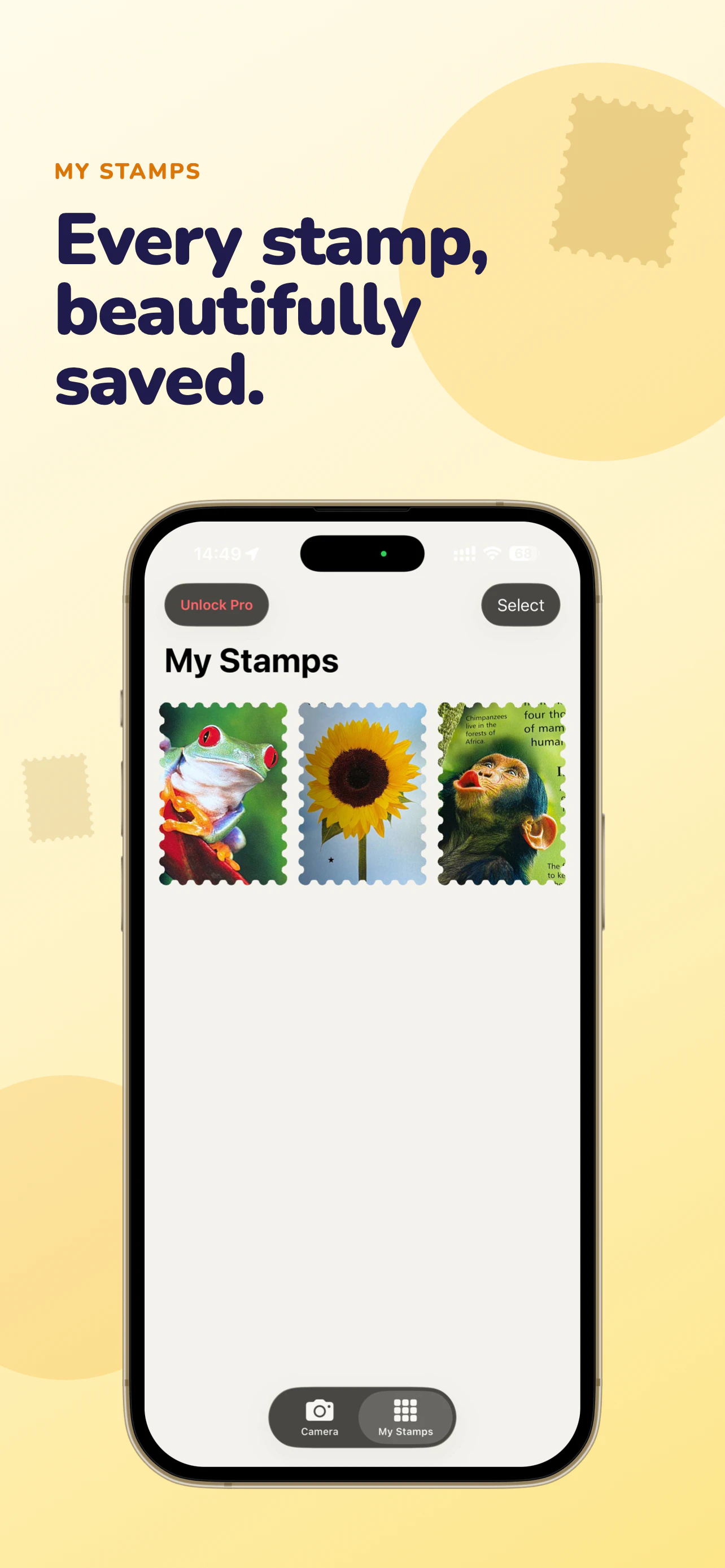
The world is full of stamps. Point your iPhone at anything – plants, animals, objects - frame it, and capture it as your own.
A week ago I saw a video of a non-existent app that could turn anything around you into a stamp. I showed it to my kids and they immediately asked me to build it. A few days later it was real. Yesterday it passed App Store review and went live. StampCut lets you turn anything into a digital collectible. Point your iPhone camera, capture it through a precision cutter frame, and save it as a stamp. Build your own collection from the world around you.
2
回复

Good idea, it could be cool, something like that label maker pistol with a camera integrated into this device and make those stamps physical :)

Something like this (but less 00s and more 2020) :D

1
回复

@busmark_w_nika 

Haha, I can add an option to export images in formats used by common thermal printers, like those in cash registers!

0
回复
Super fun, reminds me of my stamp collection I had as a kid with my father.. good times hahaha love the thermal paper idea someone else had!
0
回复

That's great one! i like the idea. its some nostalgic memories while creating, thanks

0
回复

@inagaraj 

Thank you for the support. I will continue developing the app to make it even more engaging and useful.
It’s true - almost everyone had stamp or sticker collections as a kid!

1
回复

You made me miss my old stamp collection, oh the memories!

0
回复

@modii 

Thanks for the kind words. I used to have a collection of stamps and Turbo gum stickers too, but I lost them. I’m planning to keep developing the app - I already have around 100 users.

I plan to add albums with different designs and a map to link albums to places I’ve visited, similar to the Been app.

0
回复
#11
EmDash CMS
EmDash is a new open-source CMS from Cloudflare
115
一句话介绍:EmDash是一款由Cloudflare推出的开源CMS,通过结合结构化内容、Astro优先的前端、Cloudflare原生部署和基于明确权限的插件模型,为开发者提供了一个更安全、轻量且现代化的WordPress替代方案,尤其适合需要高性能、易扩展且不信任过度开放权限的网站构建场景。
Open Source WordPress Website Builder GitHub
开源CMS 结构化内容 Astro框架 Cloudflare原生 插件模型 WordPress替代 轻量化 开发者工具 前端现代化 权限安全
用户评论摘要:用户普遍对基于Astro和Cloudflare的架构表示兴奋,认为其是深思熟虑的WordPress轻量替代品。主要反馈包括:期待生态发展、考虑从WordPress/Ghost迁移、赞赏其扩展性设计,但多数用户持观望态度,希望等待产品更加成熟稳定后再采用。
AI 锐评

EmDash CMS的发布,与其说是又一个开源CMS的诞生,不如说是Cloudflare对其开发者生态战略的一次精准卡位。它巧妙地将几个当前最受技术社区追捧的要素——Astro的现代前端架构、Cloudflare的边缘部署能力、以及“显式能力”的插件安全模型——打包成一个解决方案。其真正的价值并非在于功能层面的颠覆,而在于理念的转向:它直指传统CMS(如WordPress)的核心痛点——因历史包袱导致的臃肿、以及因插件系统过度信任带来的安全风险。

从评论中“最被低估的发布”、“轻量级WordPress替代品”等表述可以看出,市场对一款兼具现代开发体验和安全性的CMS存在明确需求。然而,EmDash面临的挑战同样清晰。其一,它将自己与Astro深度绑定,这既是优势也是枷锁,天然将用户群体限定在认可并已投入Astro技术栈的开发者中,市场天花板可见。其二,“显式能力”插件模型虽然安全,但提高了插件开发门槛,可能影响初期生态的繁荣速度,这与WordPress海量插件的吸引力形成直接矛盾。其三,作为新产品,“成熟度”和“稳定性”是潜在用户最大的顾虑,评论中多次出现的“观望”、“未来考虑迁移”便是明证。

因此,EmDash的价值主张非常犀利:它并非面向所有网站建设者,而是精准服务于那些重视性能、安全和控制权,且技术栈偏向现代JAMStack的开发者与团队。它能否成功,不在于能否复制WordPress的规模,而在于能否在“轻量、安全、云原生”这个细分赛道中,建立起足够强大的开发者共识和生态壁垒。Cloudflare的背书给了它极高的起跑线,但最终的胜负,仍将取决于其社区运营和迭代速度能否兑现其架构上的承诺。

查看原始信息
EmDash CMS
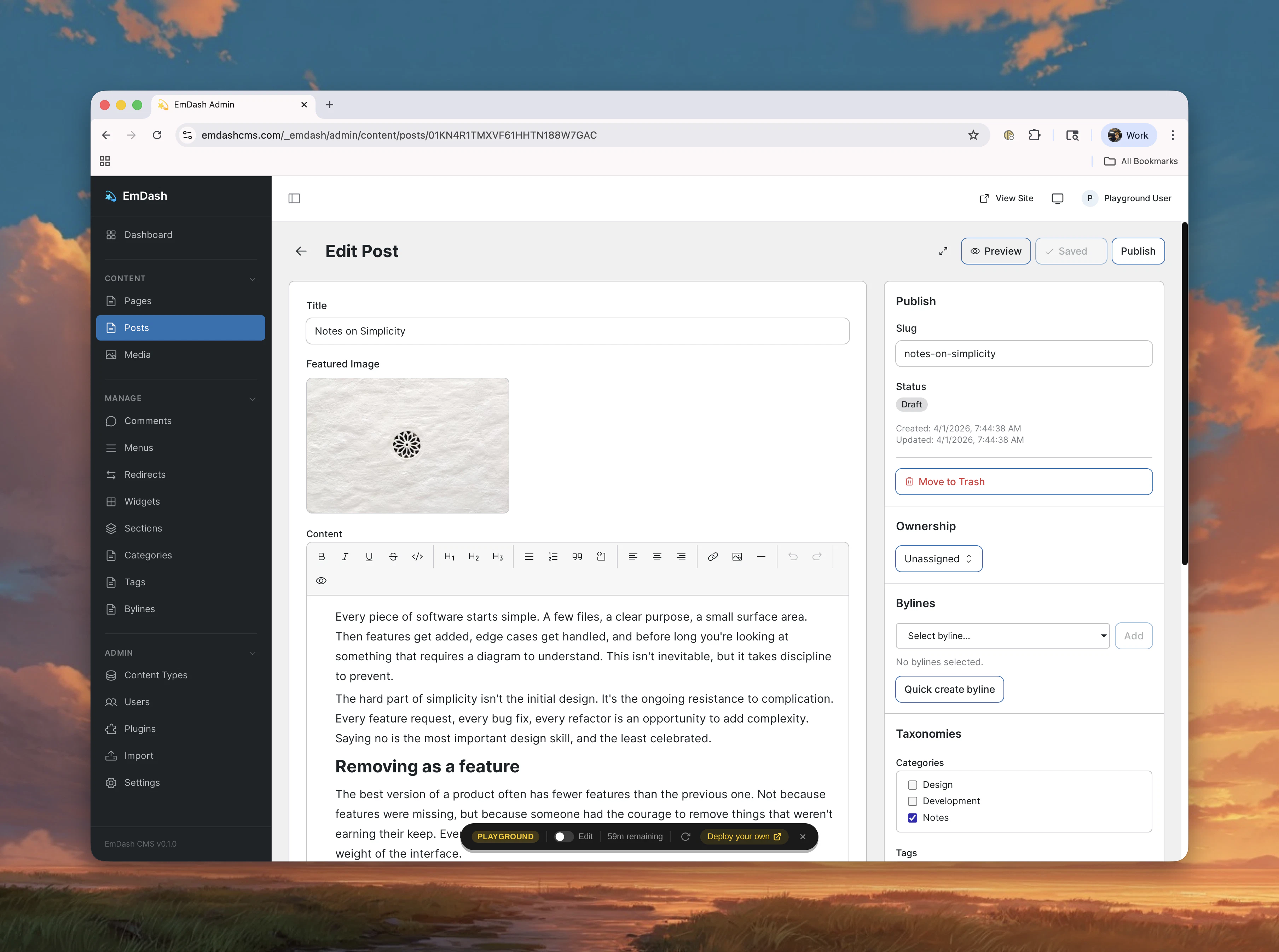
EmDash is a new open-source CMS from Cloudflare. The reason people care is not just that it exists. It is that EmDash combines structured content, an Astro-first frontend, Cloudflare-native deployment, and a plugin model built around explicit capabilities instead of broad default trust.

Exciting to see a CMS building so directly on top of Astro! Love that the importance of extensibility and plugins is being thought about from Day 1.

2
回复

@delucis i love astro. can't wait to convert my old wordpress websites to this.

0
回复

Congrats on the launch! The architecture here is really well thought out. I’m excited to watch this ecosystem grow and build on it!

0
回复

This may be the most under-appreciated launch of all times. It's about time for a lightweight WordPress alternative.

I run my main website on Ghost but I'm open to switch.

And how awesome is the name?! 🫸🫷

0
回复

I've been looking for a WordPress replacement for some of the older websites I manage for a while. All of my latest commercial clients' websites run on Astro, so I'm already familiar with how it works. I'm looking forward to seeing where EmDash CMS is heading, and I'll consider migrating to it in the future once it's a bit more mature and stable.

0
回复
#12
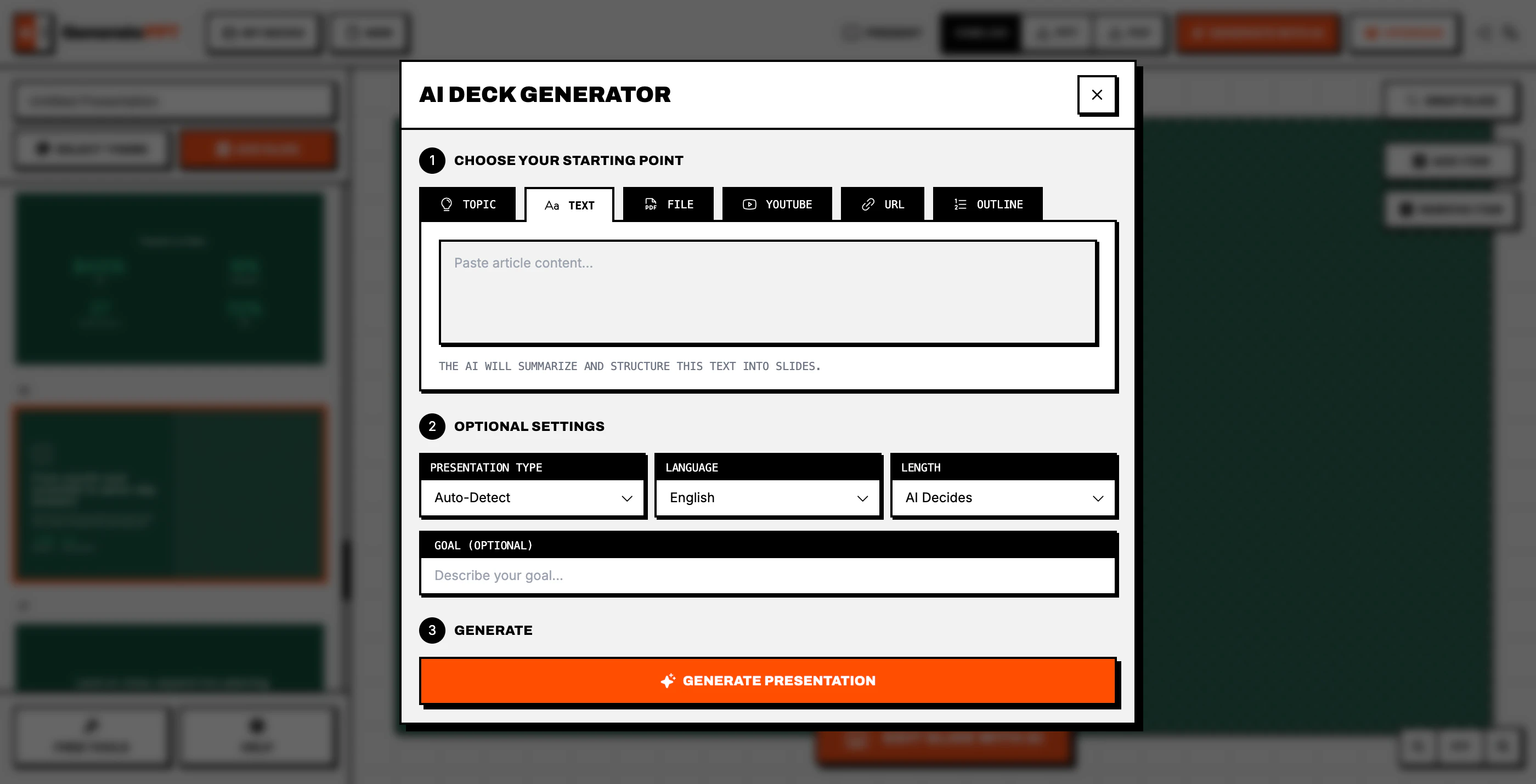
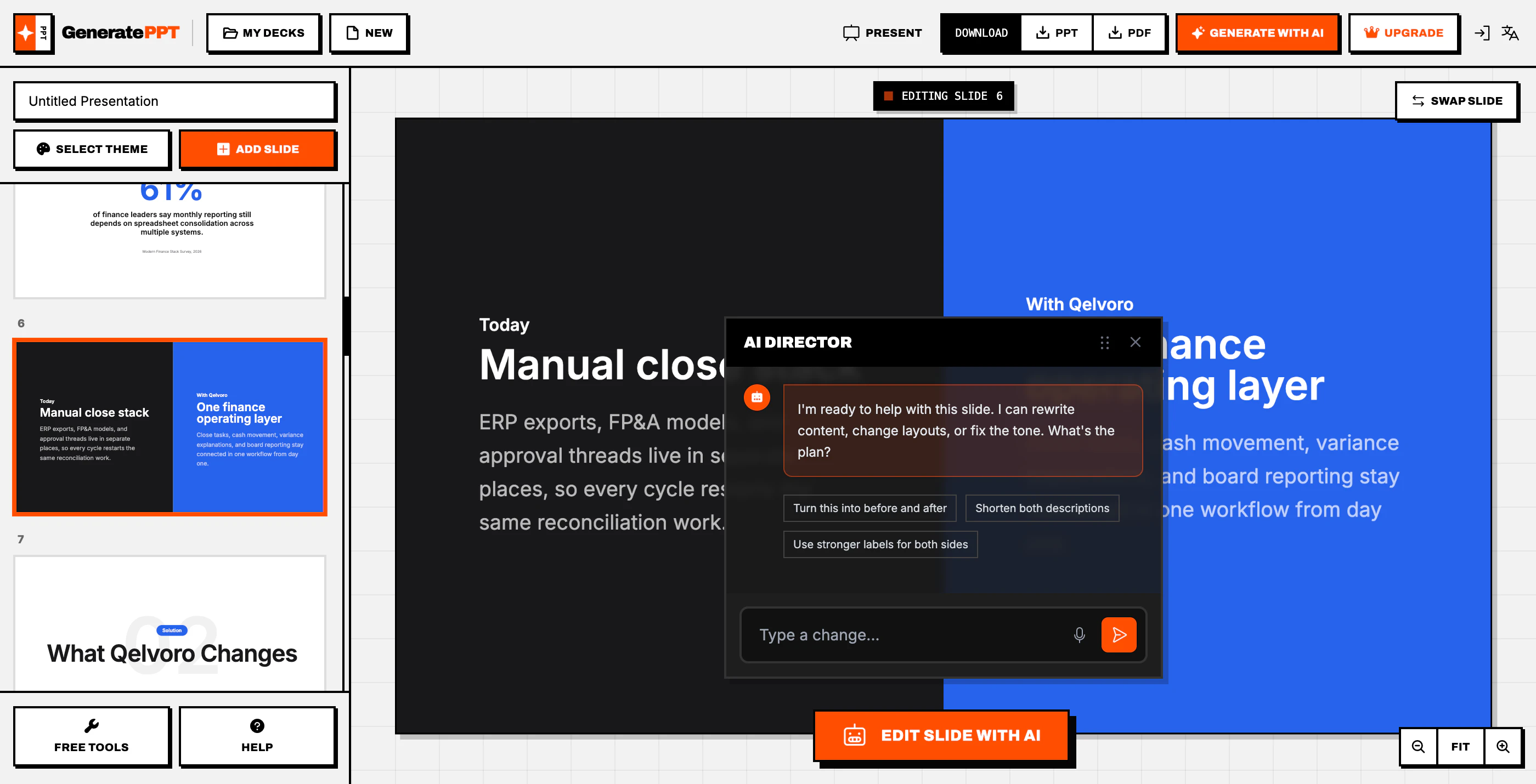
GeneratePPT
Instantly generated simple, design-forward slides
110
一句话介绍:一款“反臃肿”的AI演示文稿生成工具,为追求效率的专业人士快速将内容转化为设计简洁、专业的幻灯片,解决在传统工具中过度调整格式而非专注内容的痛点。
Design Tools Productivity Artificial Intelligence
AI演示文稿生成 效率工具 反臃肿设计 幻灯片制作 内容优先 极简主义 生产力工具 自动化设计
用户评论摘要:用户肯定其“反臃肿”理念与快速产出专业设计的能力。主要疑问集中于:与通用AI模型差异、生成后布局控制度、对复杂需求(动画、品牌)的支持、多品牌管理及文件格式支持(如PPTX)。开发者积极互动。
AI 锐评

GeneratePPT 的宣言与其说在推销功能,不如说在发起一场针对“工具膨胀”的叛变。它精准刺中了一个普遍困境:专业演示软件赋予用户无限控制权的同时,也偷走了他们最宝贵的时间。其真正价值并非技术层面的“AI生成幻灯片”——这已是红海,而在于产品哲学上的“设计约束”。通过主动放弃像素级拖拽和复杂动画,它用预设的、经过审美的布局库,承担了用户原本不擅长或不愿做的视觉决策。这是一种“专制的美学”,用有限的自由换取确定性的高效产出。

从评论看,其面临的挑战正是这一理念的双刃剑。拥趸盛赞其“做了正确的取舍”,而质疑者则自然追问控制权和复杂需求——这恰恰是它刻意放弃的战场。产品成功与否,不取决于能否满足所有需求,而在于能否在其划定的“效率优先”场景中做到极致。当前,文件格式支持等反馈属于合理的体验优化范畴,未动摇根本。然而,它必须持续证明:其AI生成的“设计感”能稳定超越通用模型的平庸输出,且其简洁工作流在应对稍复杂的真实商业场景(如多品牌)时仍游刃有余。否则,“反臃肿”可能沦为“功能残缺”的遮羞布。它的出现,是对“工具即服务”本质的一次犀利叩问:用户需要的,究竟是万能瑞士军刀,还是一把锋利专一的解剖刀?

查看原始信息
GeneratePPT
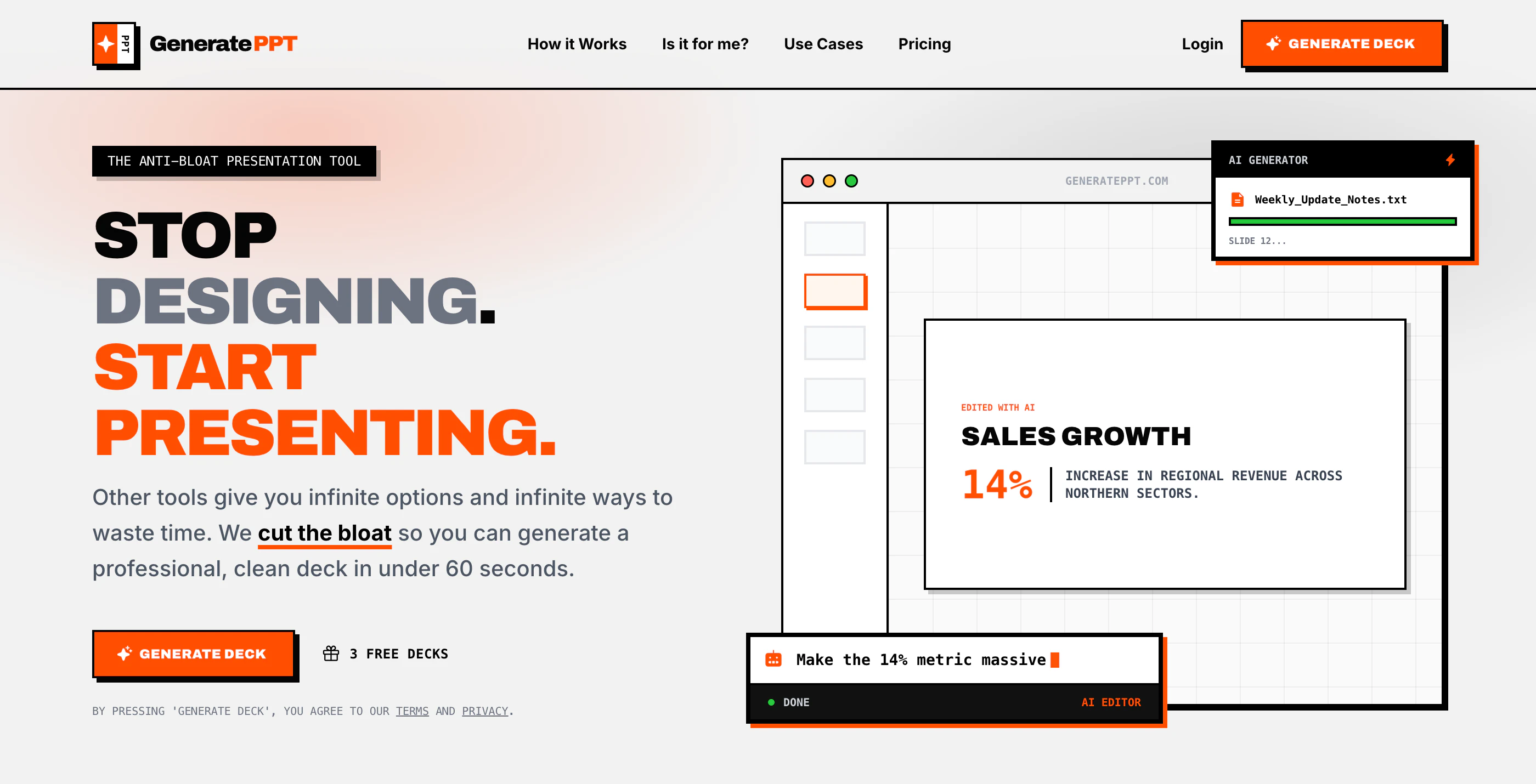
The anti bloat presentation tool. Built for professionals who value their time more than pixel perfect alignment.

Hi PH! After years of building design tools, one thing really stuck with me: most people are not trying to become designers. They don’t want endless controls or a “powerful” platform full of options. They just want to get the job done without fighting the tool.

That’s the idea behind GeneratePPT.

I kept seeing the same pattern in my previous products too. People were not asking for more complexity. They wanted less friction. Less time wasted tweaking things that should have been simple.

And presentations are one of the clearest examples of this. You open a slide builder to make something quickly, and somehow end up spending way too much time aligning elements or digging through options, when all you really needed was one good layout that looks clean and professional.

GeneratePPT is my response to that.

It’s not a creative suite. It’s a tool built to help you go from idea to polished deck fast, especially when the content matters more than playing designer.

It won’t be for everyone. If you want a million knobs and sliders, you’ll probably hate it! But if you want to make a solid presentation and move on with your day, that’s exactly who I built it for.

And personally, that matters a lot to me. Building tools like this has given me something I value more than money: time. That’s why I care so much about building products that save other people’s time too.

5
回复

@fer_momento What's one real-world example from your testing where GeneratePPT turned a content-heavy outline into a deck faster than traditional builders?​

0
回复

So we give the AI details and get the PPT's generated right? what extra do I get by using generate ppt instead doing it from general LLM's?

1
回复

@nayan_surya98 there’s wayyyy more to it than that. You’ve got 3 free decks to try it yourself and see the difference!

1
回复

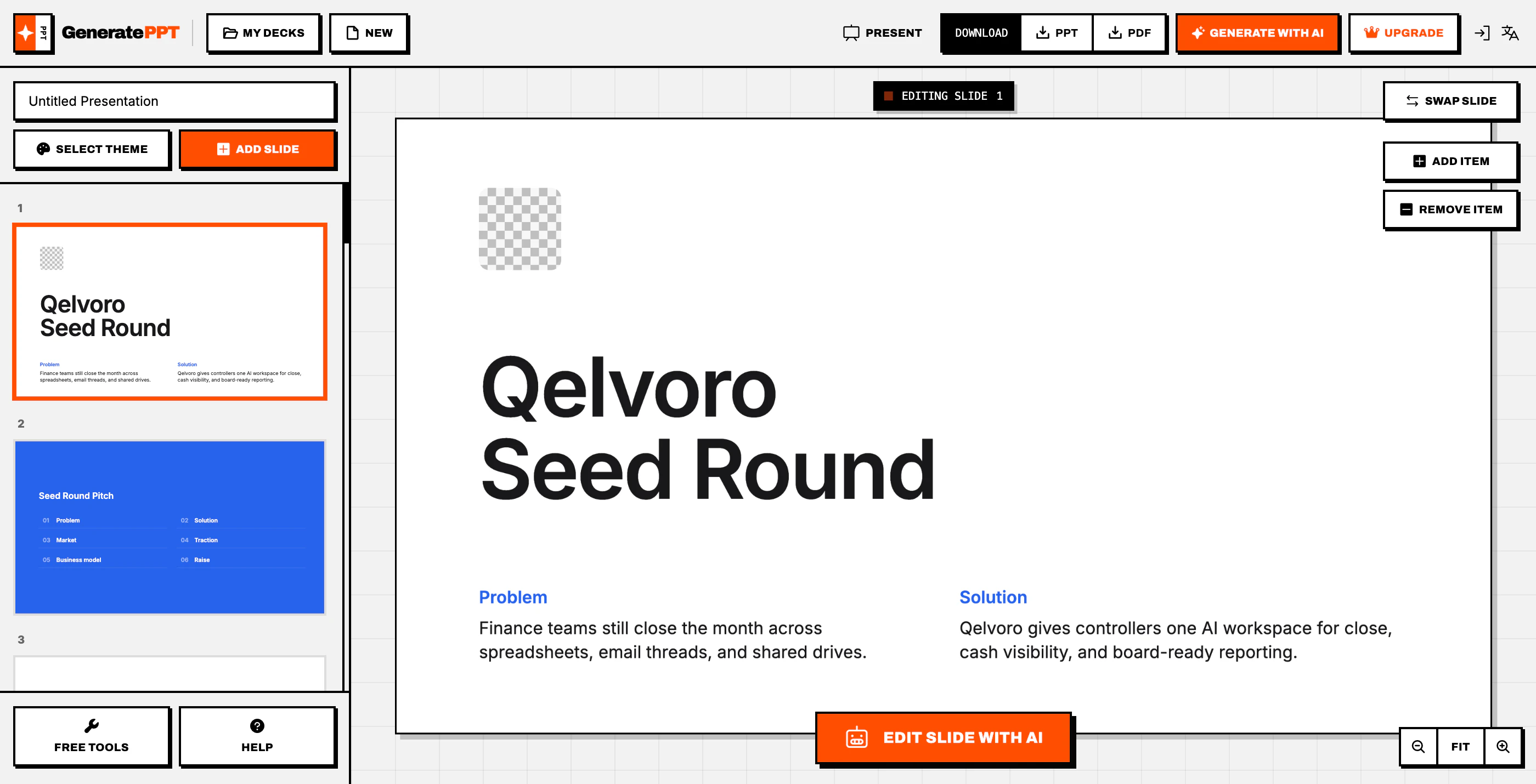
Instant slides that don't look like an AI made them is harder than it sounds. How much control do you have over the layout after generation?

0
回复

I love the anti-bloat idea, but how do you handle more complex content needs like animations or custom branding?

0
回复

@trydoff i don’t. that’s the whole anti-bloat thing.

0
回复

Creating a good PPT is always a pain point. Can I manage more than 1 brand under single subscription, or is it 1 account = 1 context?

0
回复

@syaman you can.

0
回复

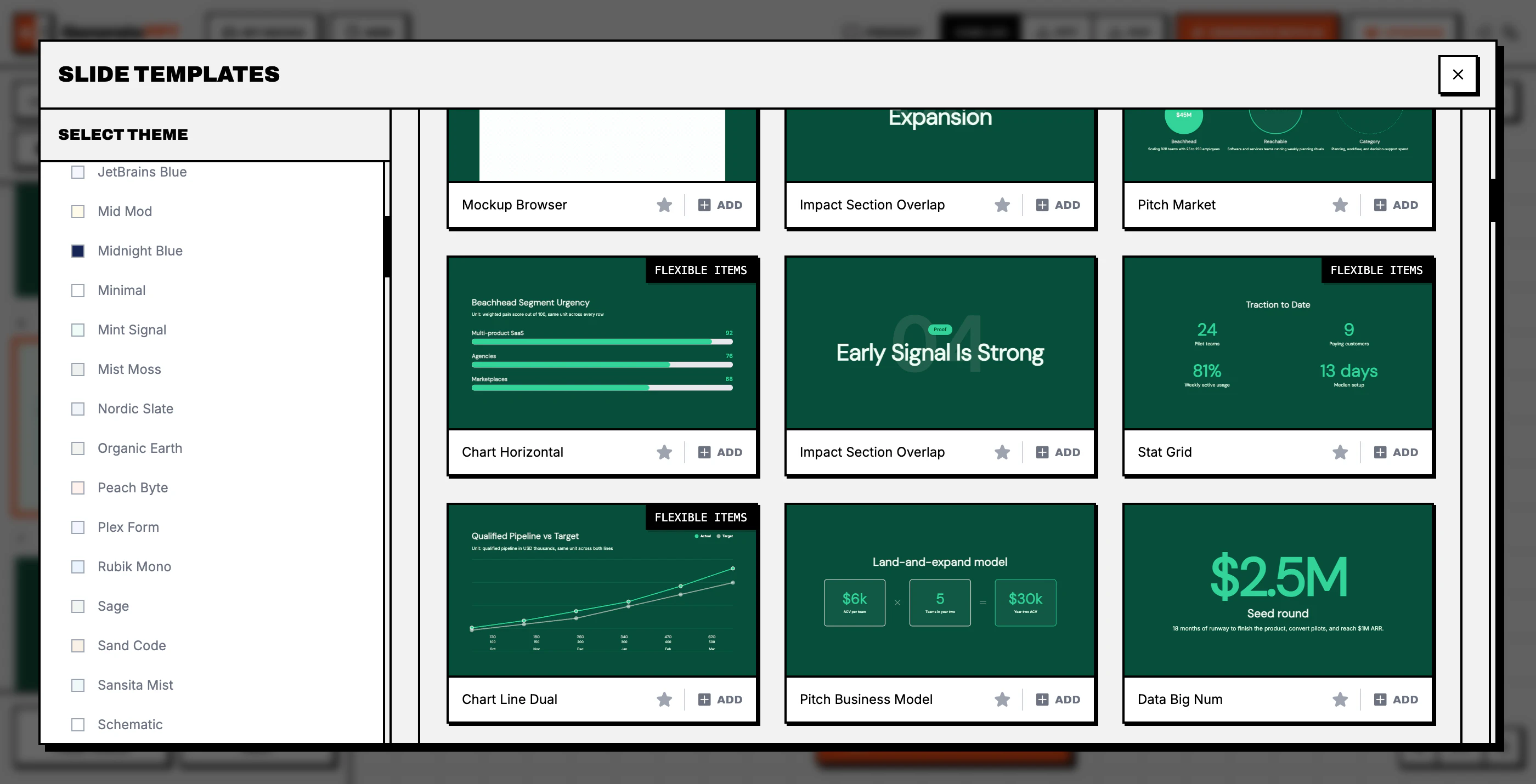
most ai slide generators fall apart at the visual layer. the content might be structured well enough, but the output ends up looking like every other ai-generated deck, which undermines the whole point if you're trying to make something that reads as professional.

generateppt's 'anti bloat' framing suggests they've approached this differently, by constraining the design surface instead of expanding it. pre-decided layouts and a curated slide library means the tool makes the visual choices that most people waste time on anyway. the trade-off (no drag-anywhere editing) is exactly the right one if the goal is a clean, fast output rather than a sandbox.

0
回复

@gabrielpineda what is this comment man 😭

0
回复

If the platform can genuinely manage the context of user-dumped materials well, I think this scratches the perfect spot I got what I want to put in a PPT, but it looks bad when I do it myself. I've been working as a freelance marketer for couple months, and just dumping all the contents to AI makes horrible PPT.

One issue I found using it - when uploading a file, it says it will only accept PDF, DOCX, TXT, I actually can upload another forms of file. Although it seems to be not processed, it gets messy. Maybe you could just block a file if type is inappropriate.

Also, as a marketer, most of my reference materials are in PPTX, JPG, or PNG. It'd be useful if these types are also supported.

0
回复

@teok555 thanks for the feedback! that’s strange is clearly set to accept only .pdf, .docx, .txt

did you try generating a deck and then customizing it a bit? curious how that part felt for you.

and yeah, support uploading pptx as source makes a lot of sense

0
回复
#13
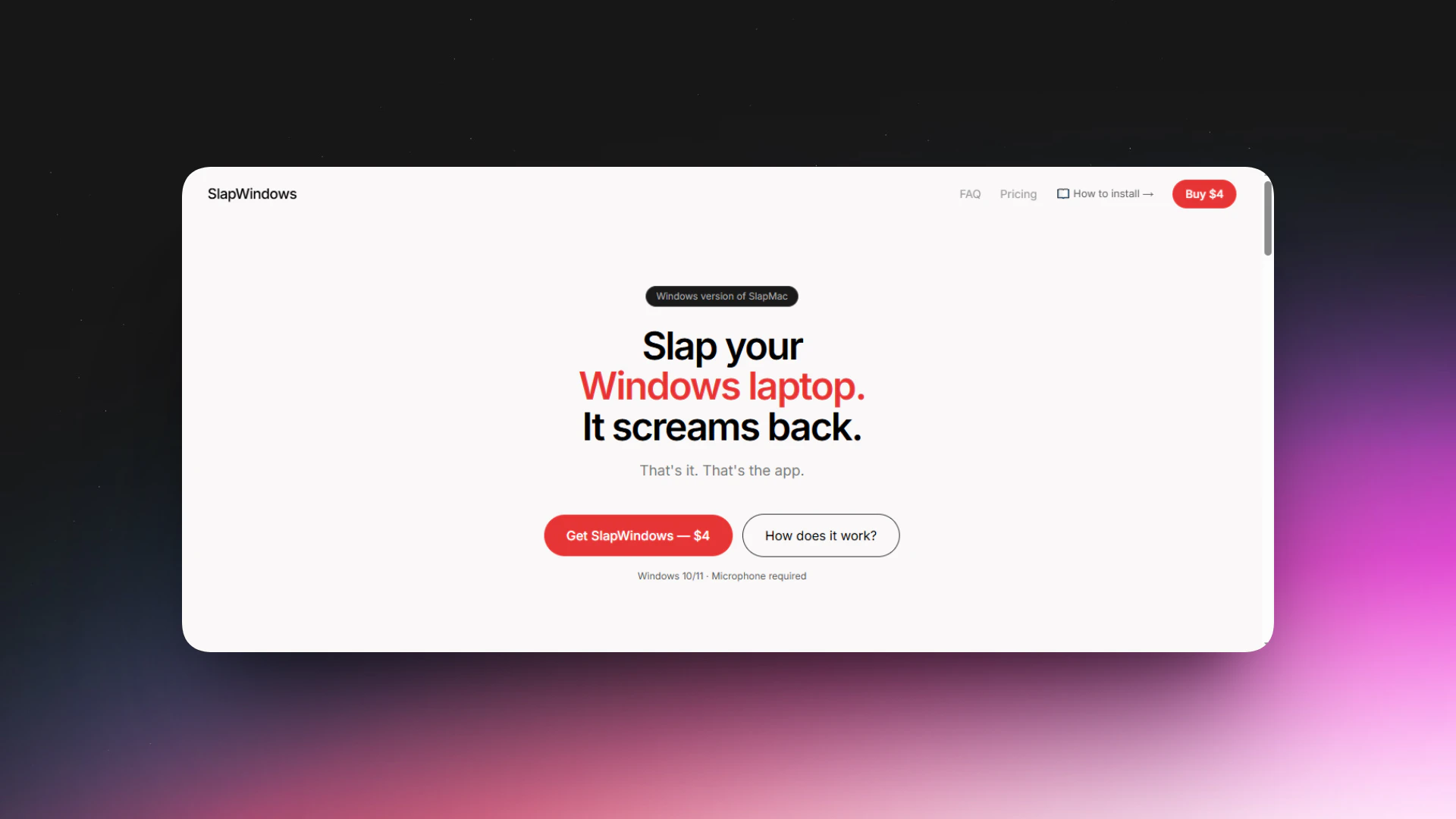
SlapWindows
Slap your Windows, it screams back
103
一句话介绍:一款为Windows用户设计的娱乐应用,通过麦克风侦测拍打桌面的动作,触发设备发出搞笑音效,在枯燥的工作场景中为用户提供无厘头的情绪宣泄和互动乐趣。
Funny Side Project Memes
娱乐软件 桌面互动 搞笑音效 压力缓解 恶作剧工具 猎奇应用 情感化交互 付费应用 Windows软件
用户评论摘要:用户反馈积极,认为产品有趣、“不必要但喜欢”。主要问题集中在支付故障(已解决)和内容分级(部分音效包18+)。有用户提及宠物被音效惊吓的趣事。开发者互动及时,修复了支付问题并进行了幽默回应。
AI 锐评

SlapWindows是一款将“无意义”作为核心卖点的数字玩具。它精准地捕捉到了现代办公场景中一种微妙的情感需求:对抗工具理性带来的异化与沉闷。笔记本电脑作为高效、冷静的生产力工具,其“沉默的凝视”本身构成了一种压力。此产品通过赋予设备拟人化的“反抗”行为——尖叫、抗议、放屁,完成了一次短暂的角色反转和权力解构,为用户提供了一种成本极低的情绪宣泄仪式。

然而,其真正的价值并非技术或功能创新,而是一次成功的文化符号复制与市场细分。它继承了slapMac的病毒式创意,并精准切入Windows这一更庞大的用户基本盘。产品设计的精明之处在于提供7种音效包,其中包含隐晦的“18+”内容,这实质上是将一次性玩笑转化为潜在的多次付费点,并利用社交尴尬和猎奇心理驱动传播。

风险与未来同样清晰。其核心体验高度依赖新鲜感,复购和长期留存存疑。音效内容的尺度可能成为分发平台的审核风险。从评论看,开发者的运营重点在支付通道和客服,这揭示了其本质是快速验证市场、追求短期现金流的微型商业实验。它未必能成为一个可持续的生意,但无疑是一次对“轻量级数字娱乐”边界的有趣探索,证明了在工具理性至上的软件生态中,情感化和娱乐化冗余仍存在市场缝隙。

查看原始信息
SlapWindows
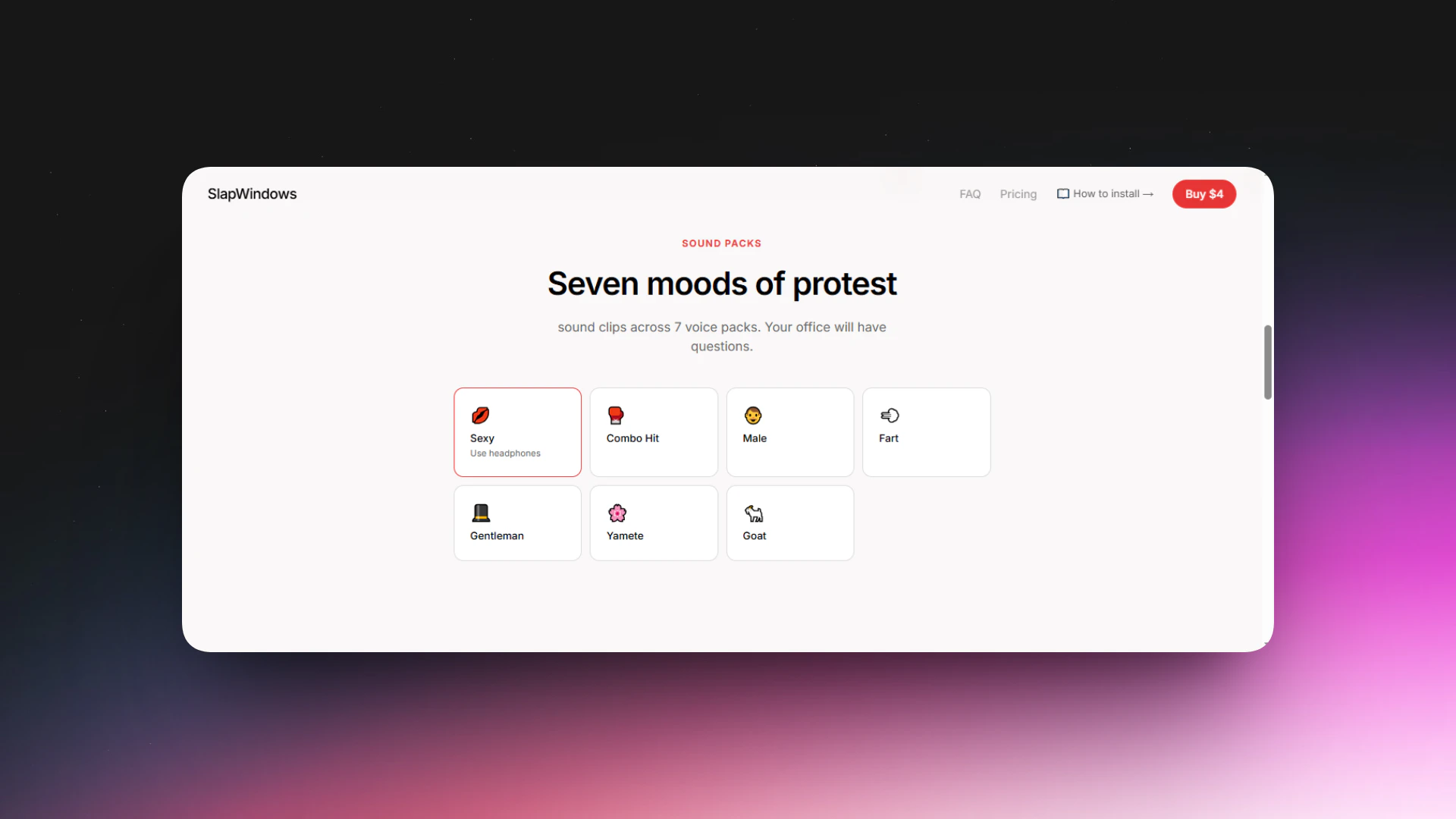
I built this product inspired by slapmac.com. Meet SlapWindows — the most unnecessary app you'll buy this year. And you'll love every second of it. Tired of your laptop just sitting there, silently judging you? Now it fights back. SlapWindows listens through your microphone and the moment it detects a slap on your desk or laptop lid — it screams, moans, farts, or dramatically protests in one of 7 hilarious voice packs. Your coworkers will have questions. You will have no regrets.
Hey Product Hunt! 👋 I built SlapWindows for windows users because my laptop deserved consequences. inspired by slapMac, I added 7 voice packs and a USB moaner mode, and now here we are. Would love your feedback — and yes, the Goat pack is absolutely worth it. 🐐
2
回复

Is this one version also 18+? :D For sure, asking before public embarrassment.

0
回复

@busmark_w_nika Umm… yeah, kinda 18+ 👀, but only one pack out of 7. Please check the website. There is currently a payment failure issue, so kindly wait.

0
回复

@busmark_w_nika I have resolved the payment issue, it is ok, now you can make the payment.

0
回复

My cat jumped onto the table, the laptop farted and now the cat is traumatized for life. Are u covering my vet therapy bills?😭🤣

0
回复

@eugene_chernyak 😭🤣 Official statement: We’re not responsible for emotional damage to cats… but we can offer unlimited virtual hugs 🐾

1
回复

Few days back only I upvoted slapmac as the idea was fun and asked for windows version! Thanks Man!

0
回复
@nayan_surya98 There is currently a payment failure issue on the website; I am working on fixing it.
0
回复

@nayan_surya98 I have resolved the payment issue, it is ok, now you can make the payment.

0
回复

This is so unnecessary… I love it 😂

0
回复
@hjkim_114 😂
0
回复

I knew it was coming after I saw slapMac, lol!

0
回复

@itsluo ofcourse

0
回复
#14
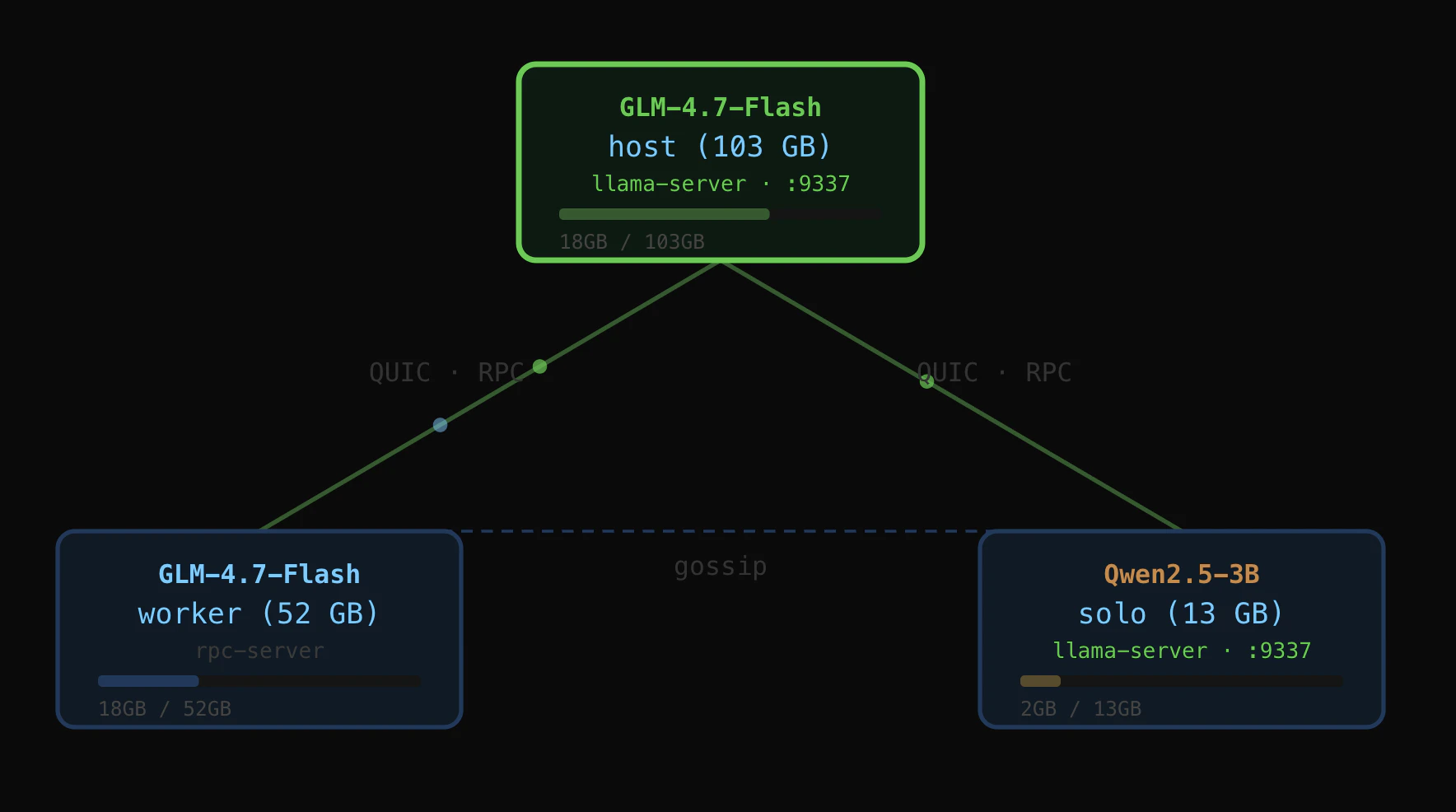
Mesh LLM
Pool compute to run powerful open models
94
一句话介绍:Mesh LLM 将闲置算力自动组网,构建成一个点对点的推理云,使开发者和团队能够便捷、低成本地部署和运行各类开源大模型,解决了私有化部署复杂、算力资源分散且利用率低的痛点。
Developer Tools Artificial Intelligence GitHub
分布式计算 点对点网络 大模型推理 开源模型部署 算力共享 私有模型服务 AI代理协作 去中心化AI 算力池化 OpenAI兼容
用户评论摘要:用户将其类比为“推理版的SETI@Home”,并高度评价其自动配置能力简化了部署。核心反馈聚焦于可靠性挑战:在动态、不稳定的闲置算力网络中,如何优雅处理节点退出、任务失败和重试,确保对上游AI应用透明,是产品面临的关键技术难题。
AI 锐评

Mesh LLM 描绘了一个诱人的去中心化算力乌托邦,但其核心价值与核心风险同出一源:利用“闲置算力”。这一定位既是其颠覆性所在,也是其阿喀琉斯之踵。

产品真正的创新点在于“自动配置的P2P网络”与“OpenAI兼容端点”。这并非简单的技术堆砌,而是试图在混乱的分布式环境中建立秩序和标准,大幅降低了个人与小型团队接入和调度异构算力的门槛。它让“随处运行私有模型”和“代理间P2P协作”从复杂的基础设施工程,简化为近乎即插即用的服务。这直接击中了当前AI开发中,算力成本高企与部署运维复杂的双重痛点,其愿景是让算力像网络带宽一样流动起来。

然而,评论一针见血地刺破了理想与现实的隔膜。“闲置算力”本质上是不可靠、异构且高度动态的。对于严肃的AI工作流,尤其是涉及状态保持的智能体任务,一次中间推理节点的闪退可能导致整个任务链失败。产品能否成功,不取决于其组网能力,而取决于其“隐形”的故障处理能力——包括智能路由、状态迁移、无缝重试以及最终一致性的保证。这需要极其复杂的分布式协调系统作为支撑,其难度远超提供一个标准API端点。

因此,Mesh LLM的价值不在于提供一个生产级的高可靠推理服务,而在于开创了一个新的算力资源配置范式。它更可能率先在开发测试、模型实验、研究协作以及对延迟和可靠性不敏感的批量任务场景中落地。若其能攻克动态网络下的可靠性难题,它将不仅仅是又一个推理工具,而可能成为未来去中心化AI基础设施的重要基座;若不能,它则可能只是一个极客玩具。其发展路径,将是对“牺牲可控性以换取弹性与成本优势”这一命题的一次关键实践检验。

查看原始信息
Mesh LLM
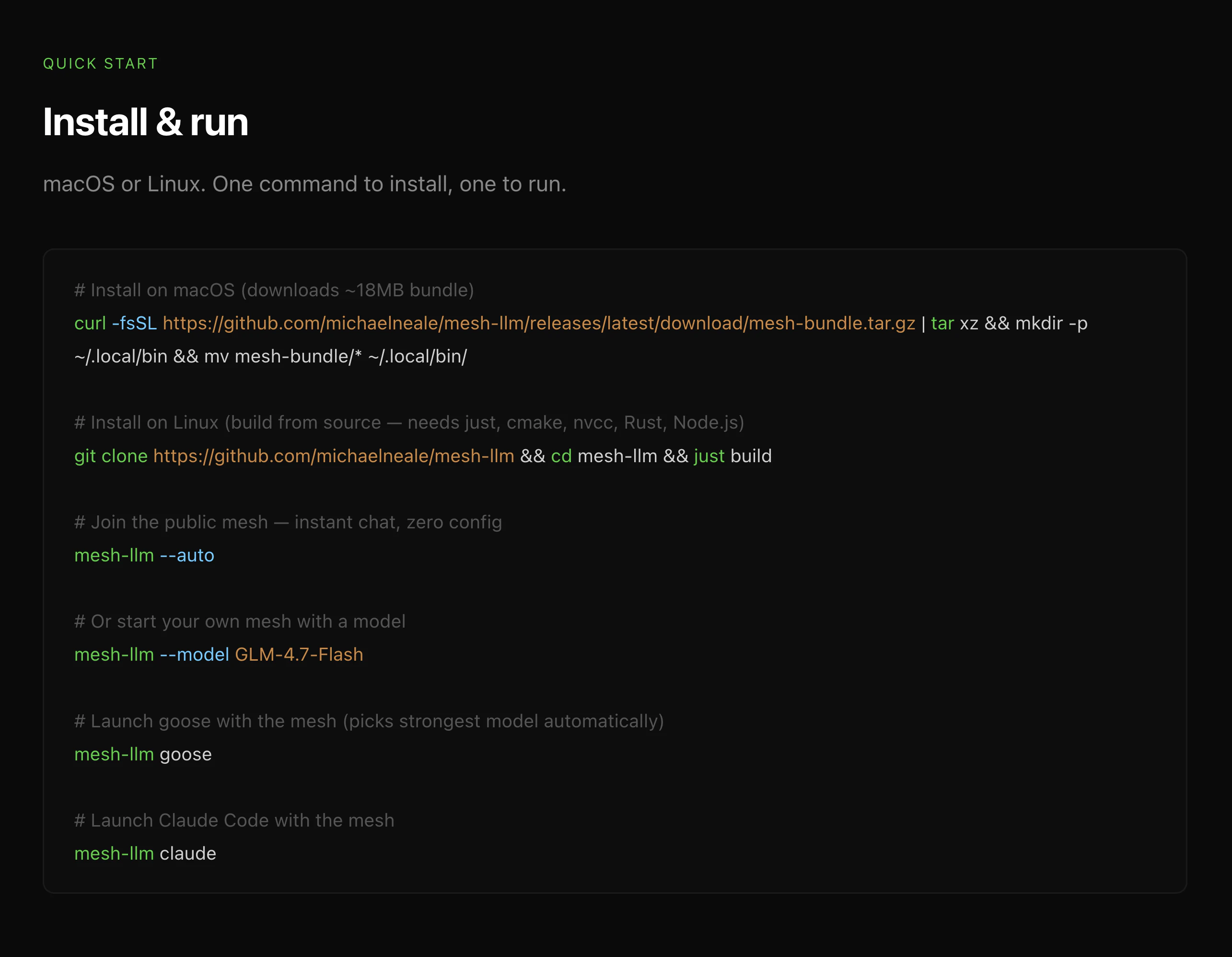
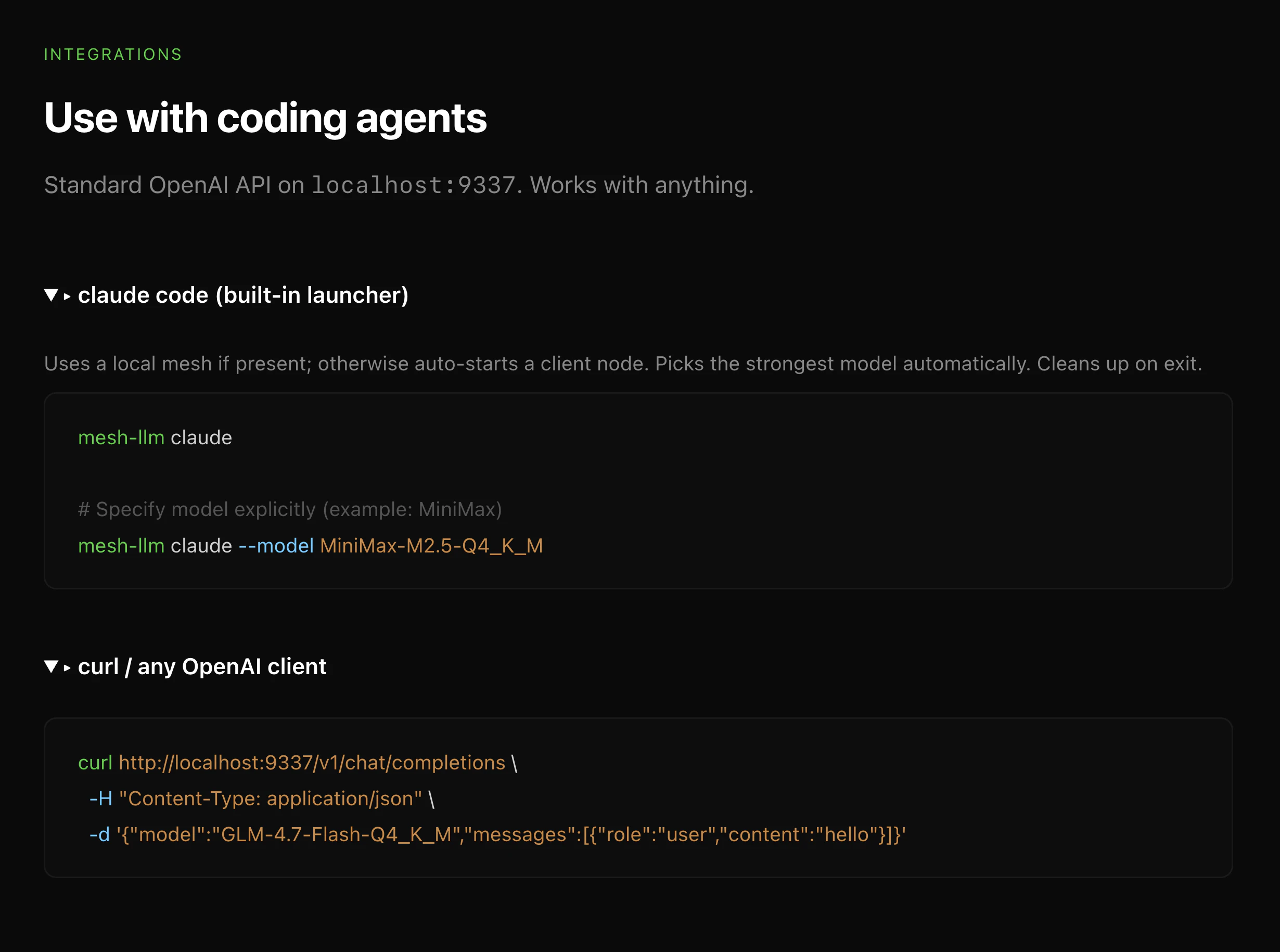
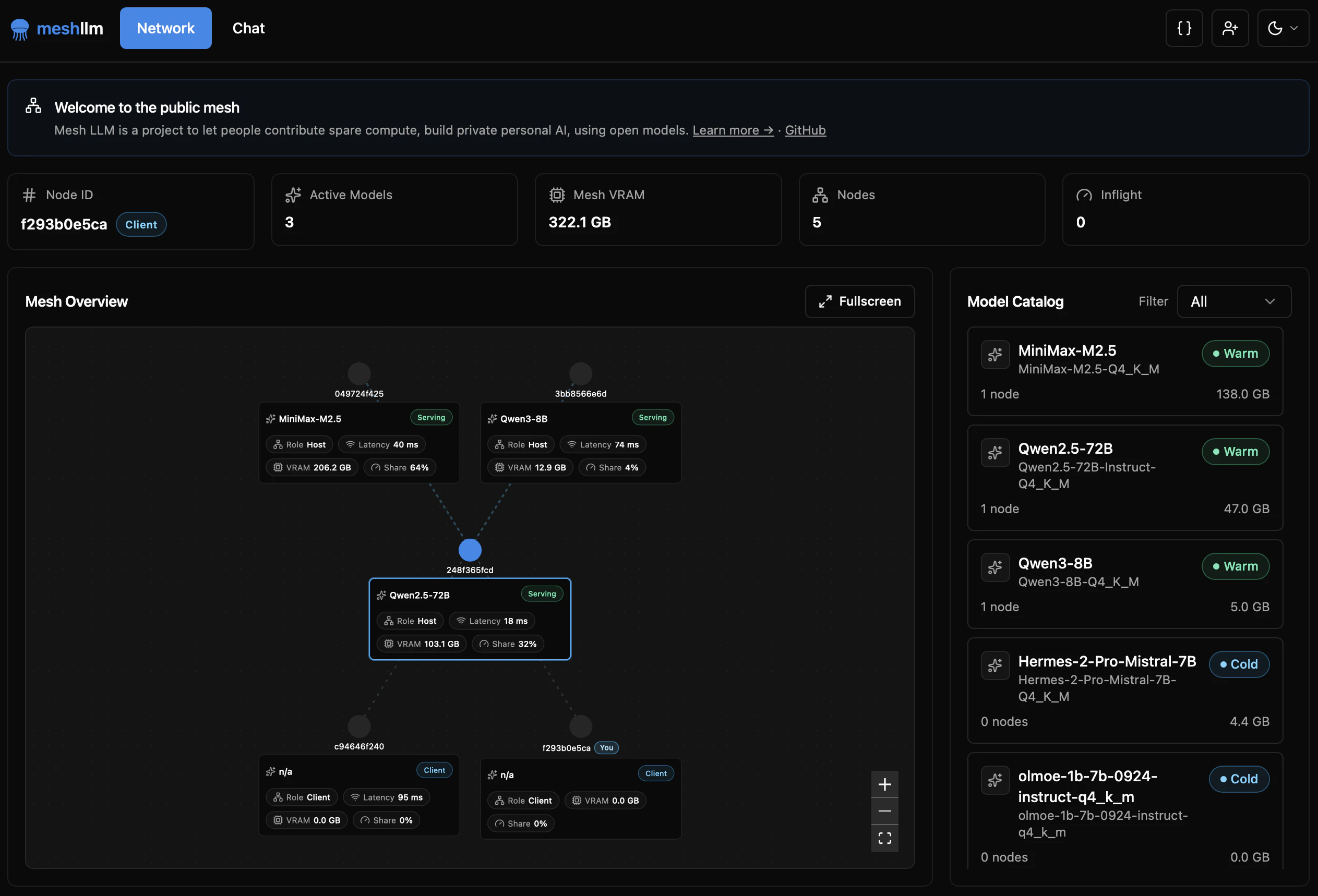
Turn spare capacity into an auto-configured p2p inference cloud. Serve many models, access your private models from anywhere, or share compute with others, let your agents collaborate p2p.

It's SETI at Home but for inference! 🤩

0
回复

the auto-configured p2p setup is the clever bit. most self-hosted inference solutions require you to manually manage which node is running what model, handle routing yourself, and accept that you'll be ssh-ing into machines whenever something needs updating. auto-configuring the mesh and exposing a standard openai-compatible endpoint means your existing agent tooling just works without a custom client.

where this gets hard is reliability under real agent workflows. spare capacity is honest framing, but spare capacity is also the most volatile kind. when an agent mid-task makes a follow-up call and the node has dropped or a worker left the mesh, the retry behavior matters a lot. handling partial failures gracefully without surfacing errors to whatever client is consuming the api is a non-trivial coordination problem, especially as the mesh grows beyond a few trusted machines.

0
回复
#15
Gerri
Put your contract redlines on autopilot
92
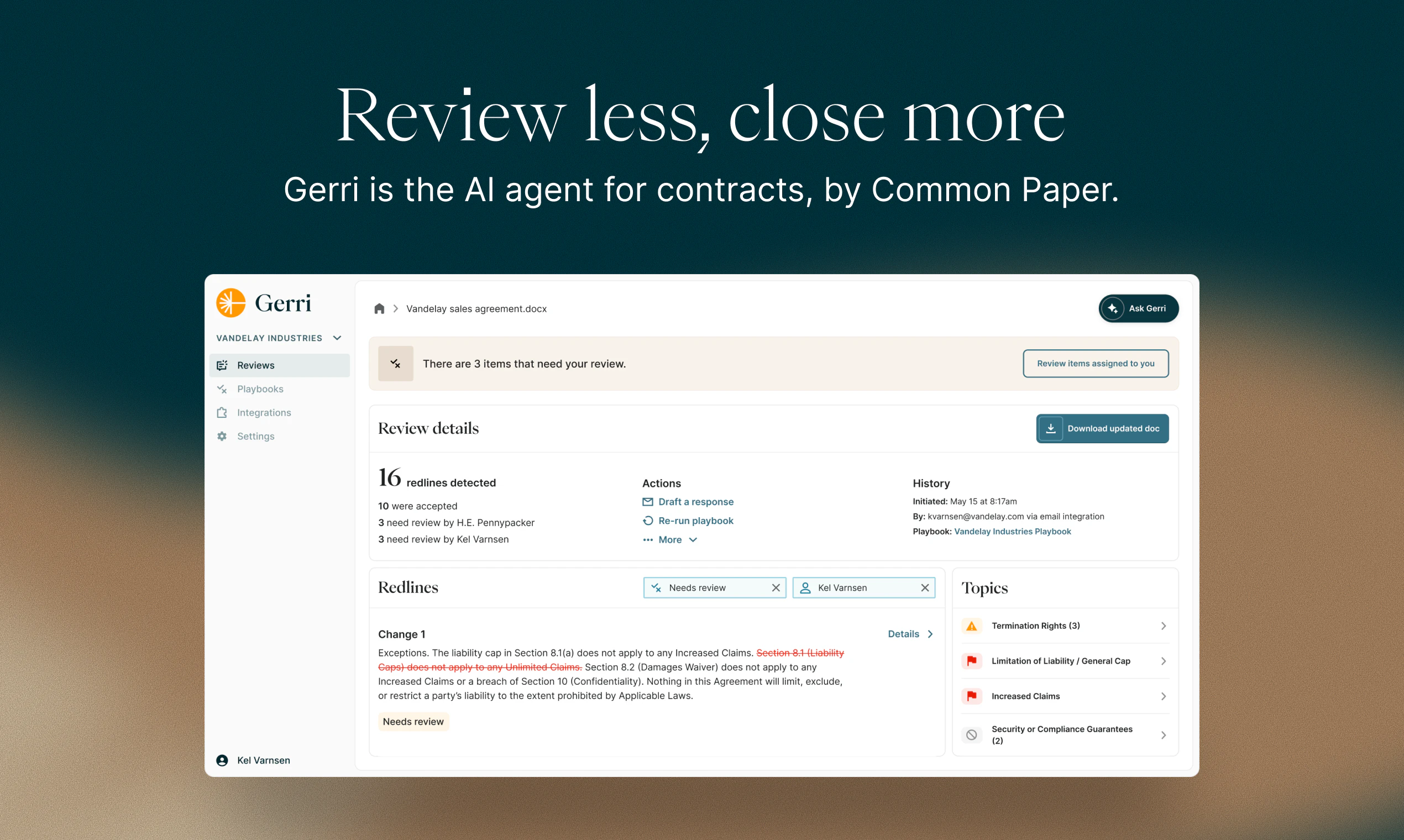
一句话介绍:Gerri是一款AI合同谈判代理,通过应用企业预设的谈判策略手册,自动审核合同、处理常规条款,并将复杂问题精准转交相应团队成员,在跨部门合同评审场景中,极大提升了合同处理效率,解决了合同审批流程冗长、重复性工作多、跨部门协同不畅的核心痛点。
Sales SaaS Legal
AI合同审核 智能谈判 自动化工作流 法律科技 企业效率工具 SaaS 跨部门协同 合同管理 风险合规 流程自动化
用户评论摘要:用户关注点集中在:1. 策略手册的定制化与学习能力(能否处理非标准条款、从人工覆写中学习);2. 启动门槛(是否需要预先有成文手册);3. 实施挑战(如何让非法律团队信任自动化、建立信心)。创始人回应提供了灵活的启动方案与建立信任的路径。
AI 锐评

Gerri的野心不在于成为又一个“AI律师助手”,而旨在成为企业合同工作流的“自动驾驶系统”。其真正价值并非单纯提升审阅速度,而是强制企业在使用前将模糊、分散在各人脑中的谈判立场,沉淀为可执行的、跨部门对齐的“策略手册”。这一过程本身,就是一次宝贵的合规与风控梳理。

产品巧妙地避开了“完全替代人类”的伦理与技术陷阱,将AI定位为“规则执行者”与“智能路由员”。它处理可预测的80%重复性问题,而将真正需要法律判断与商业妥协的20%复杂问题,连同上下文精准送达责任人。这种“人机协同”的设计,比鼓吹全自动审阅更为务实,也降低了落地阻力。

然而,其成功高度依赖于“策略手册”的质量与完备性,这构成了其主要门槛。从评论看,团队已意识到这点,提供了从零构建、历史合同挖掘、律所合作等多种启动路径。真正的考验在于,产品能否在后续迭代中,将“人类覆写”数据有效反馈至策略优化循环,实现手册的持续智能进化,从而形成更深的护城河。若仅停留在静态规则执行层面,其长期价值将大打折扣。总体而言,Gerri抓住了企业合同流程中“协同低效”这一更本质的痛点,设计思路清晰,但长期价值取决于其系统的学习与进化能力。

查看原始信息
Gerri
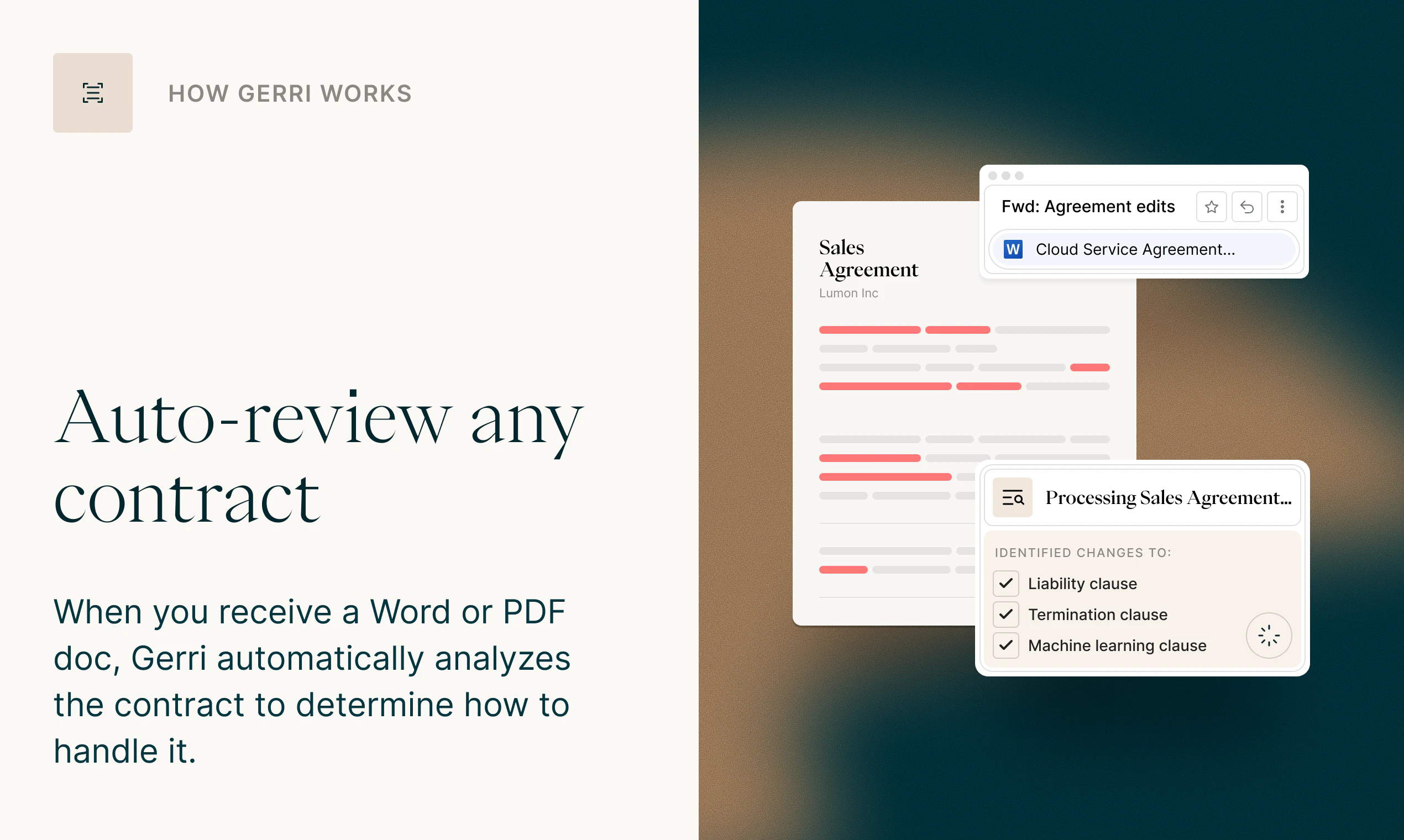
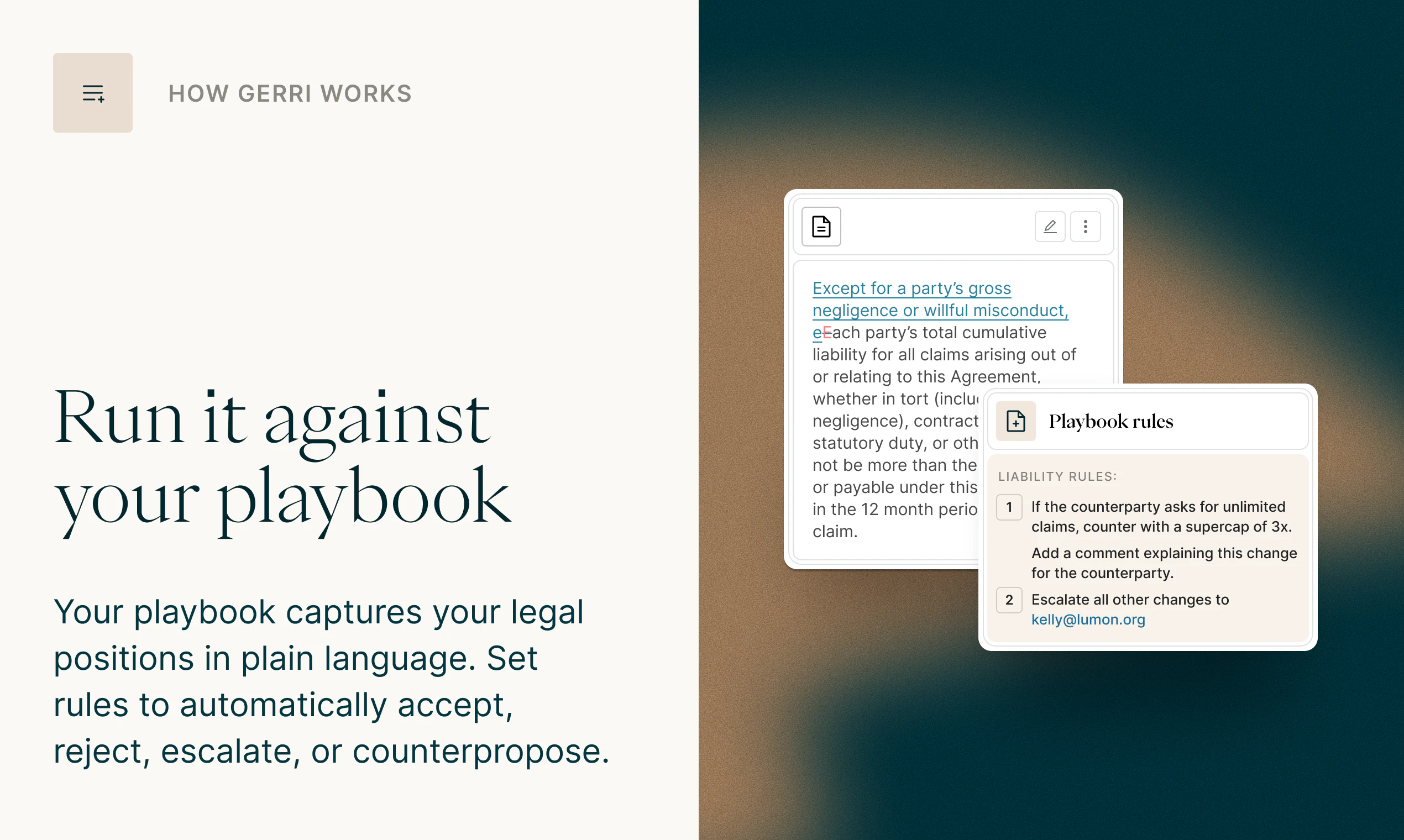
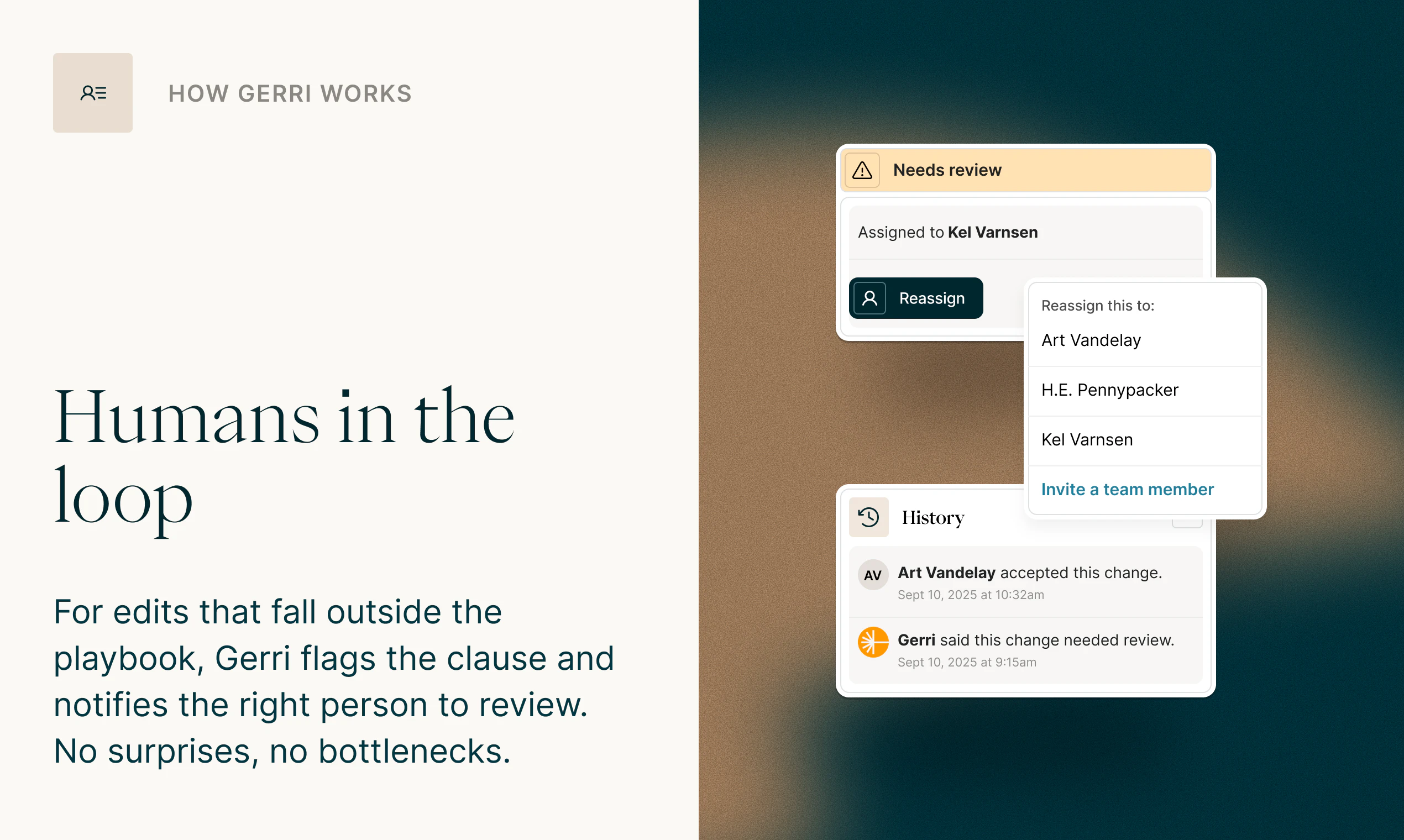
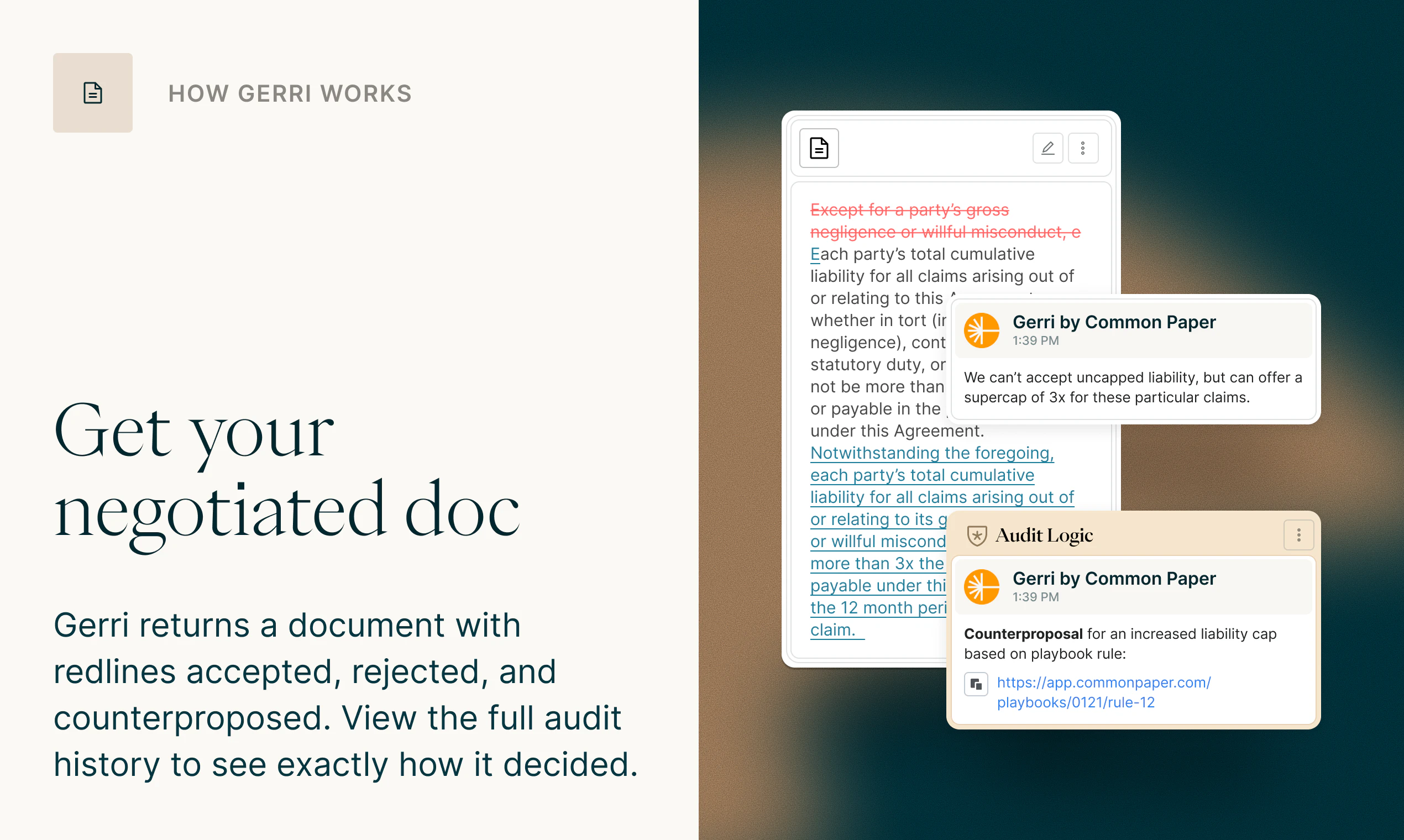
Gerri is the AI agent for contract negotiation. It reviews any contract and applies your playbook to automatically accept, reject, or push back. Anything outside the playbook gets routed to the right person on your team. Most AI contract tools only help the lawyer, but sales, finance, ops, and legal all have a stake in getting a deal signed. Gerri works for all of them. 90% reviewed in under 3 minutes. First 3 free.

Hey PH! I'm Jake Stein, co-founder and CEO of Common Paper.

We built Gerri because of a pattern we kept hearing from our users. Contracts were slowing deals down, and when we dug into why, the answer was almost always the same: redlines.

What surprised us was how repetitive the problem was. Most companies were seeing an 80/20 situation where a handful of the same issues came up on contract after contract. They wanted to loop in their attorneys for the really thorny legal issues, but not to answer the same questions over and over again. Also, many of the contract questions aren't legal at all, but instead need to be answered by a different member of the team.

What was missing was a way to decide once, and then have the system handle it automatically from that point forward. That's the core of how Gerri works: you build a playbook that reflects how your company actually negotiates, and Gerri's AI applies it to every contract that comes in. Accepts what you'd accept. Pushes back on what you'd push back on. And escalates the things that genuinely need a human, routing each issue to the right person (legal, sales, finance, etc.), then generating a clean file that's either ready to sign or send back to the other side.

The result is that 90% of contracts get reviewed in under 3 minutes, often before anyone on your team has realized that the contract arrived.

Happy to answer any questions about how the playbook works, how teams are using it, or anything else. And if you want to see it in action, there's a short demo linked above.

First 3 contracts are free at getgerri.ai

I'd love to hear how you're handling redlines today and what you wish existed

7
回复

@jakestein How customizable are the playbooks for non-standard clauses, and does Gerri learn from team overrides to suggest playbook updates over time?

0
回复

@jakestein I couldn't focus on the project—there were such cuties in the video ❤️

2
回复

does a company need a documented playbook before gerri can do anything, or does it help you build one from scratch?

based on the description, it sounds like the playbook comes first, since gerri "applies" it rather than creates it. that actually makes sense for later-stage teams where contract positions are already established but stuck in someone's head. the real unlock isn't the 3-minute review time, it's forcing cross-functional alignment on what's actually acceptable upfront, which is a conversation most companies avoid until a deal is already in trouble. :)

4
回复
@gabrielpineda that’s a great question. Most of the companies that use Gerri didn’t have a playbook before they started using it. There are a few options for creating one: 1) Our law firm partner creates one for you 2) We can mine your previously signed contracts for potential playbook rules that would have gotten you to a similar place as those accepted contracts, and then you can review to see if it matches your actual preferences 2) You can start with a sample playbook we provide and then iterate on that as you go
0
回复

@gabrielpineda  Good question! Most of the companies that use Gerri didn’t have a playbook before they started using it. There are a few options for creating one:

  • Our law firm partner creates one for you

  • We can mine your previously signed contracts for potential playbook rules that would have gotten you to a similar place as those accepted contracts, and then you can review to see if it matches your actual preferences

  • You can start with the sample playbook we provide and then iterate on that as you go

1
回复

Congrats on the launch! Let’s go!

3
回复

@stevenfabre Thank you! And btw Liveblocks is super cool!

0
回复

This could be a huge unlock for deal flow. The biggest hurdle I see is getting the non-legal teams to trust the automation. What does the onboarding look like to get a company's playbook into the system and build that initial confidence with the sales and finance folks?

1
回复

@krutytskyi Thank you and that's a great question! We can help with migrating existing playbooks into Gerri, although in many cases it's as easy as copying and pasting some text. The much trickier step, as you called out, is inspiring confidence. One thing that helps many teams is running some of their historical contracts through the system first. That way, they can see how Gerri follows their playbook and compare to what they did manually before.

Additionally, Gerri provides an auditable record of every decision it makes, the playbook rule(s) it used, and the rationale of how it was applied. The humans on the team have the option of overriding those decisions, and of course those are recorded as well. So the process is often like bringing on a new employee. You check their work at first until you're confident in them, and then you can give more and responsibility as they earn it

1
回复
#16
Turn It Gen Z
Turn any text into Gen Z slang instantly
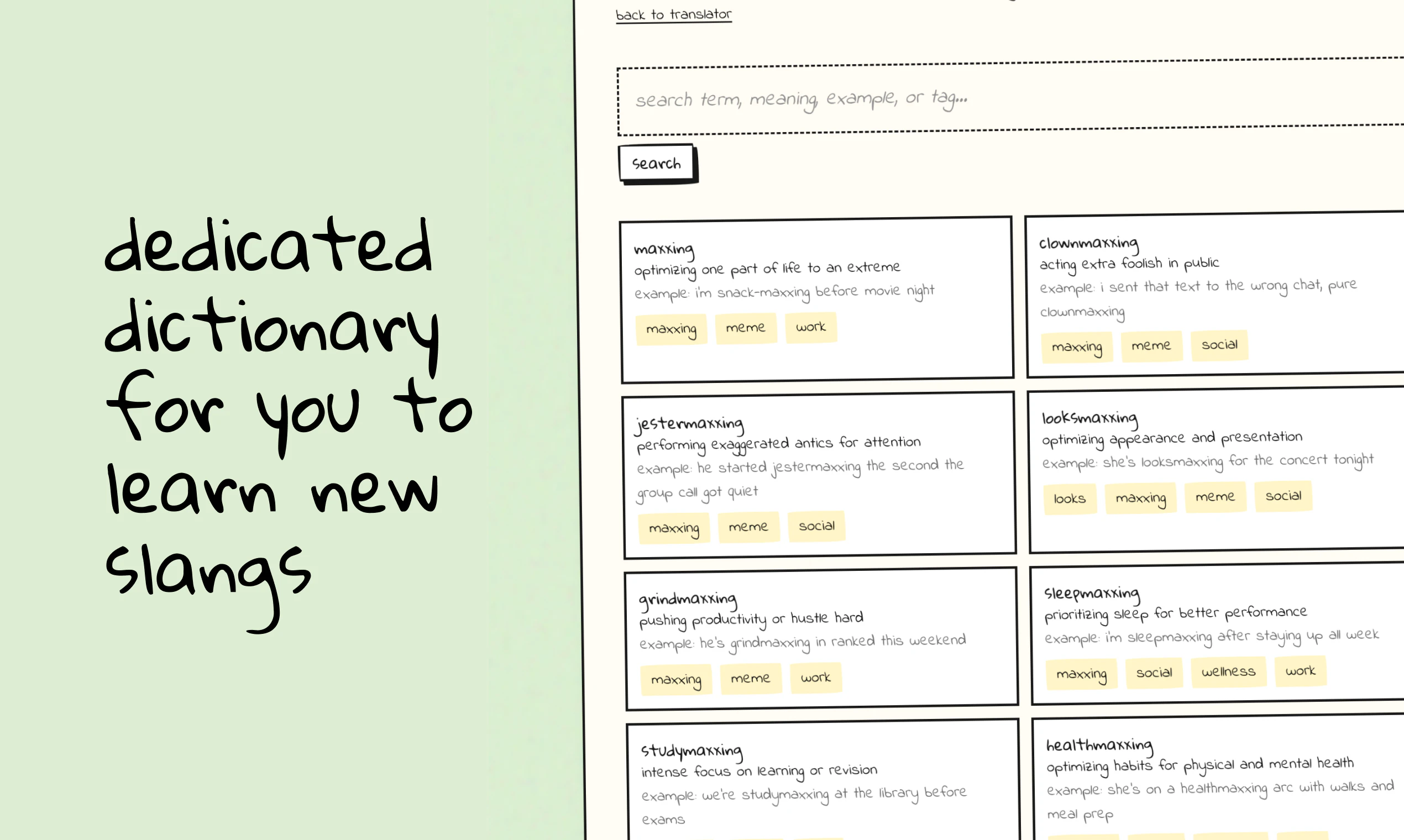
89
一句话介绍:一款将普通文本即时转换为多种风格Z世代俚语的AI工具,解决了营销人员、品牌方或年长用户在面向年轻群体时语言风格脱节、沟通不畅的痛点。
Funny Social Media Artificial Intelligence
AI文本转换 GenZ俚语 营销工具 社交内容创作 语言学习 风格滤镜 趣味应用 内容本地化 网络流行语 无登录使用
用户评论摘要:用户反馈积极,认为产品有趣且对社交内容创作有用,尤其对不熟悉年轻文化的群体是实用翻译器。主要建议是增加“反向翻译”(俚语转普通文本)功能,并持续更新俚语词典以保持时效性。
AI 锐评

Turn It Gen Z 表面上是一个充满戏谑感的“黑话生成器”,但其内核揭示了一个深刻的社会技术趋势:代际数字沟通鸿沟已从理解障碍演变为表达障碍。产品精准切入了一个利基但刚需的市场——品牌营销的“fellow kids”困境。其真正价值并非在于“翻译”的准确性(AI本身就在动态塑造网络俚语),而在于它作为一个“文化缓冲层”和“风格安全气囊”。

产品设计的精明之处在于两点:一是提供“解释模式”,这使其超越了娱乐工具,附加了学习价值,缓解了用户的认知焦虑;二是引入“强度滑块”和“俚语发明模式”,这本质上是对“文化真实性”的巧妙解构。它承认了品牌与原生文化之间的本质距离,并转而提供一种可调控的、戏仿式的参与方式,这比笨拙的模仿更安全,也更具自嘲式的传播弹性。

然而,其风险也在于此。当Z世代用户发现任何对话方都能通过工具瞬间“掌握”他们的语言时,这种亚文化符号系统便会加速通货膨胀和失效,导致新一轮的语言军备竞赛。工具在弥合鸿沟的同时,也可能在加剧文化的不安全感和疏离感。从长远看,它或许不是沟通的解决方案,而是沟通表演化的催化剂。其商业模式的可持续性,将高度依赖于它能否从“词典”进化为“文化风向标”,并在这场它亲手推动的语言演化赛中保持领先。

查看原始信息
Turn It Gen Z
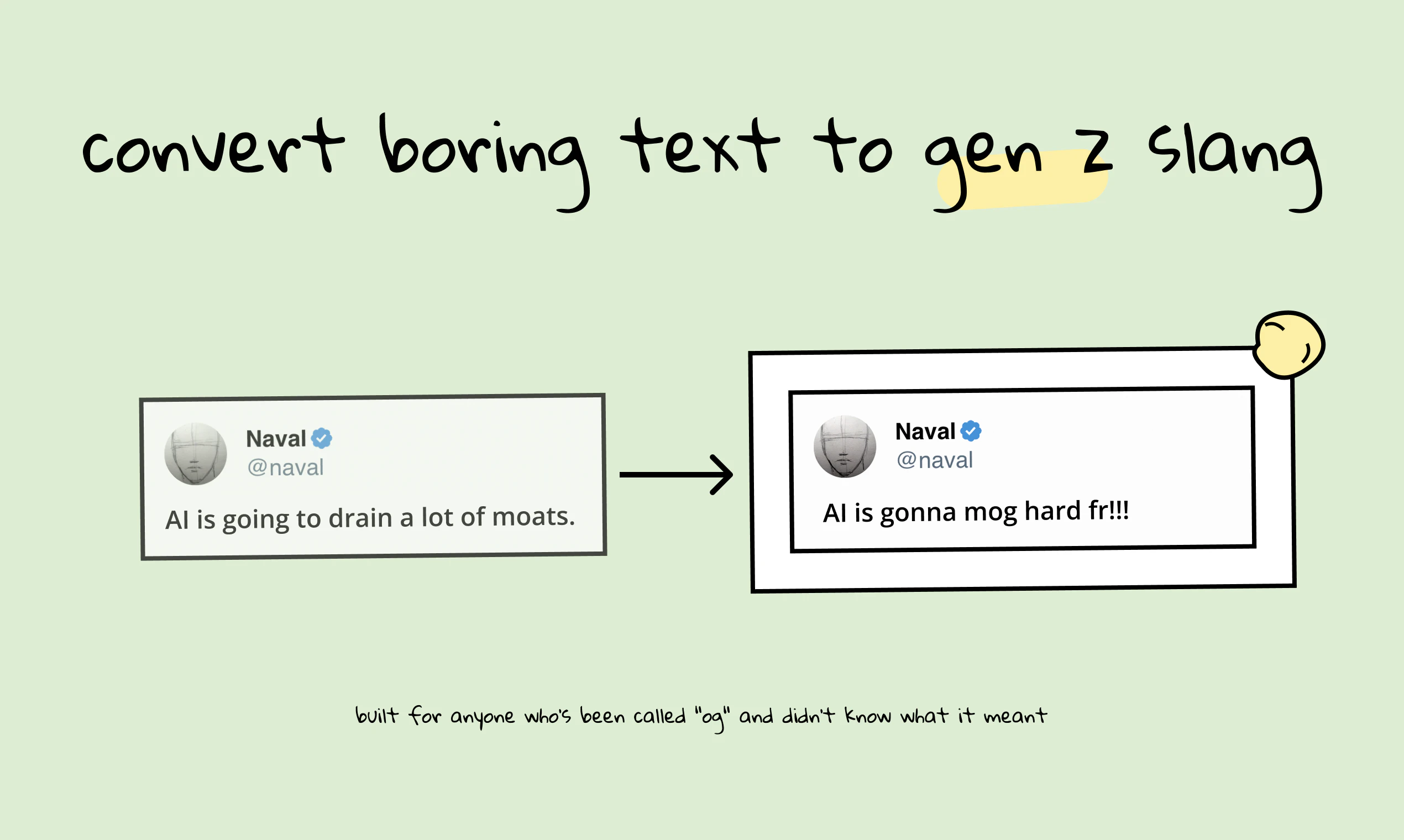
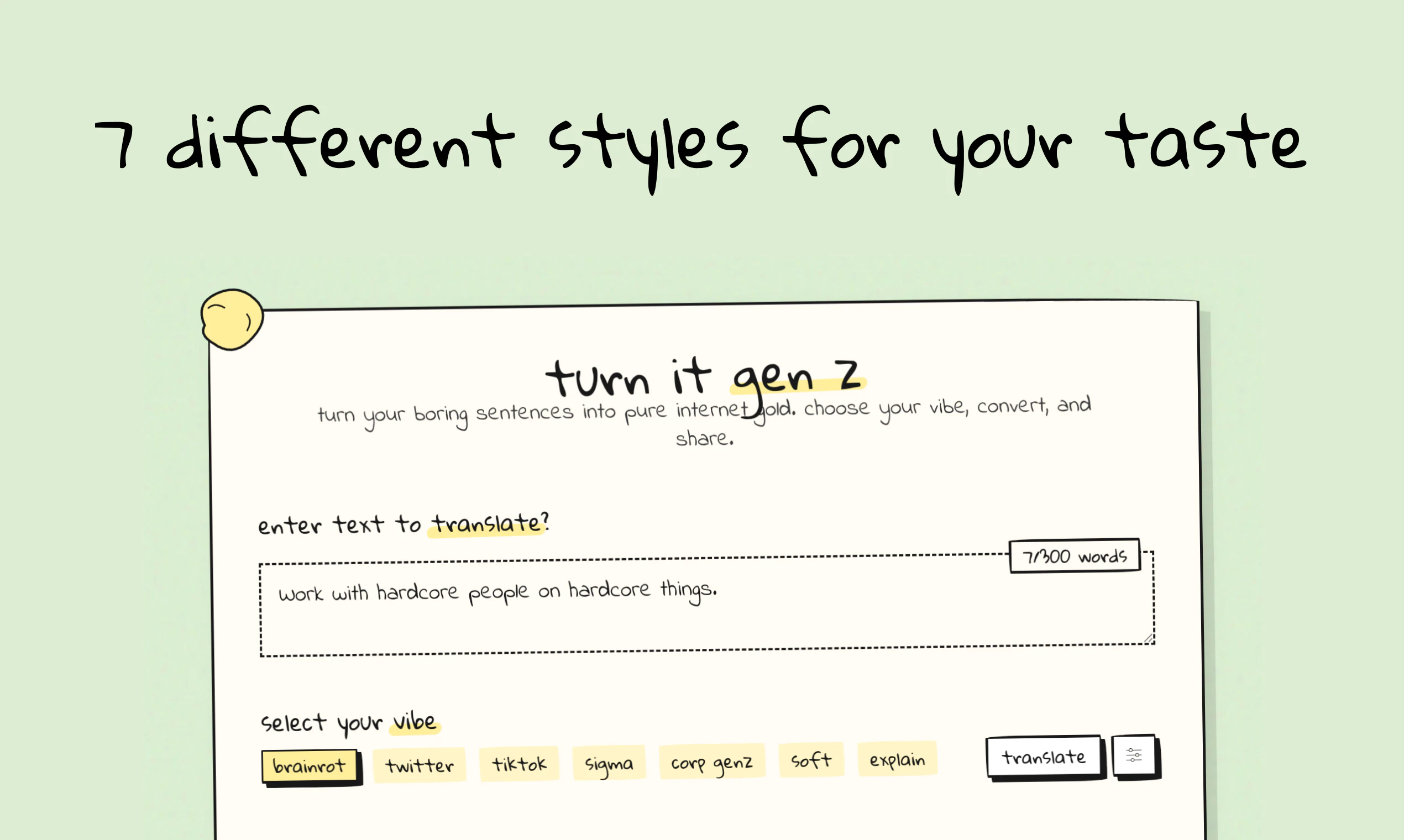
Turn It Gen Z translates your boring text into pure internet gold. Pick your vibe - brainrot, sigma, TikTok, corporate, soft, and more - then copy or share straight to X. No signup needed.

Hey Product Hunt! 👋

Turn It Gen Z translates your boring text into Gen Z slang instantly -
pick a vibe, hit convert, share to X or anywhere you want.

I built this because I kept seeing marketers and brands try to sound
young and failing spectacularly. The slang was wrong, the energy was
off, it was giving very "fellow kids." So I made an AI that actually
gets it.

There are 7 modes: brainrot, sigma, TikTok, Twitter, corporate, soft,
and an "explain" mode that translates AND glosses every term so you
actually learn the slang. Intensity slider goes from barely-there to
maximum chaos.

3 free translations, no signup. Rizz Pass unlocks unlimited + slang
invention mode (it generates slang that doesn't exist yet - it's unhinged).

Use PRODUCTHUNT80 for 80% off on Rizz Pass.

Would love to know: which mode do you try first? And what words are you
already using that are apparently ancient? 😭

3
回复

@liquidatorab We should have the vice versa as well :D Turning Gen Z slang to meaningful sentences...

1
回复

Needing AI to understand some slang feels like the "How do u do fellow kids" meme, haha. Seems like Im officialy old rn)

1
回复

@kostfast haha

1
回复

This is actually pretty fun 😂

Can see this being useful for social posts.

1
回复
@hjkim_114 haha, thanks. yupp it is one of the intended use cases.
0
回复

Interesting idea!

As a middle-aged person, I sometimes really struggle to understand Gen Z slang, especially when I'm working on products aimed at that group. It honestly feels like I need a translator.

1
回复

@justin2025 haha, thanks.

0
回复

This is interesting! also the dictionary is quite helpful for someone who wants to understand meaning of these words which they must have heard.

0
回复

@prateek_kumar28 Hey, thanks! I am working on updating the dictionary periodically, so that it always has the newest words and slangs.

0
回复
#17
FindThem
Describe ideal lead or investor - get their Linkedin & email
87
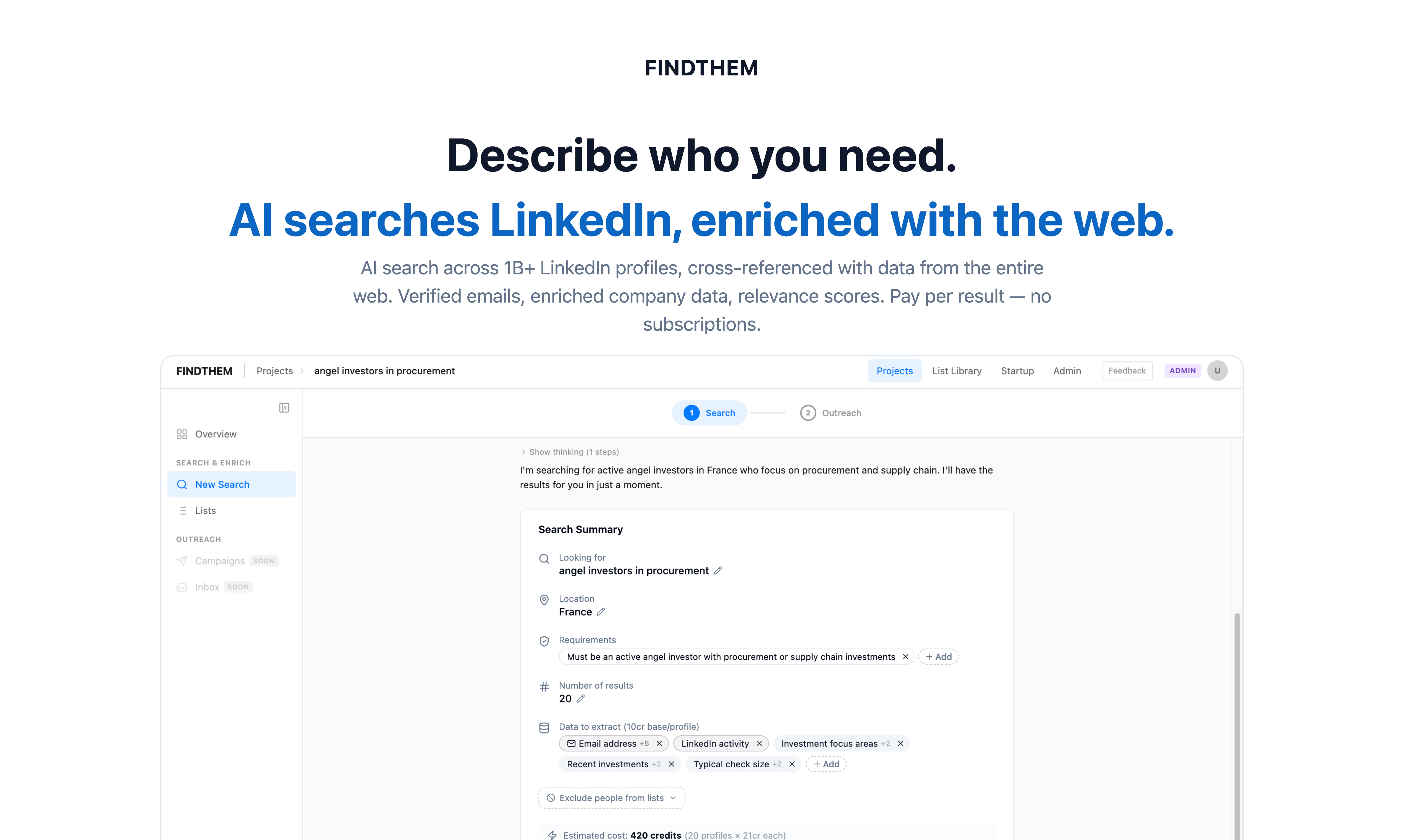
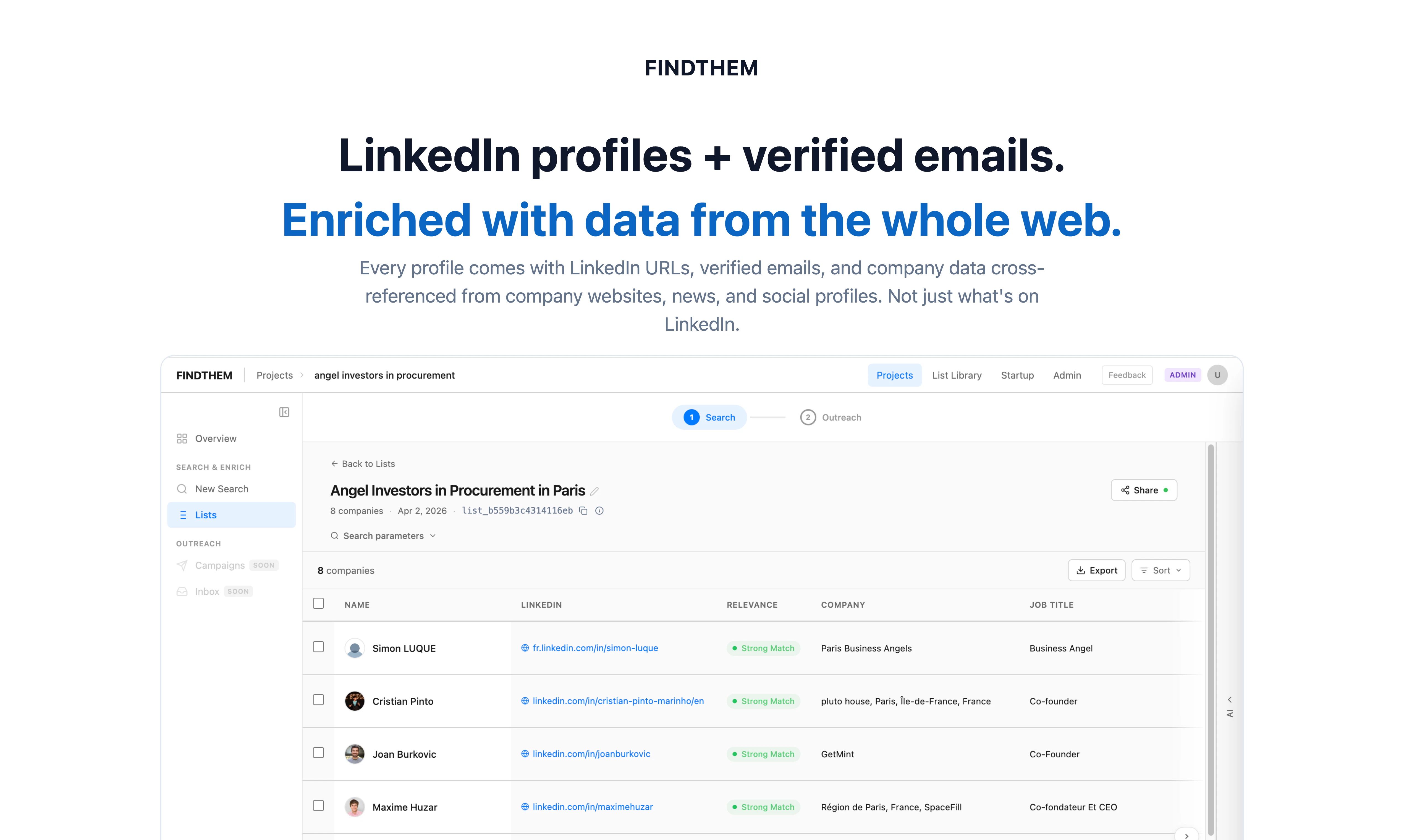
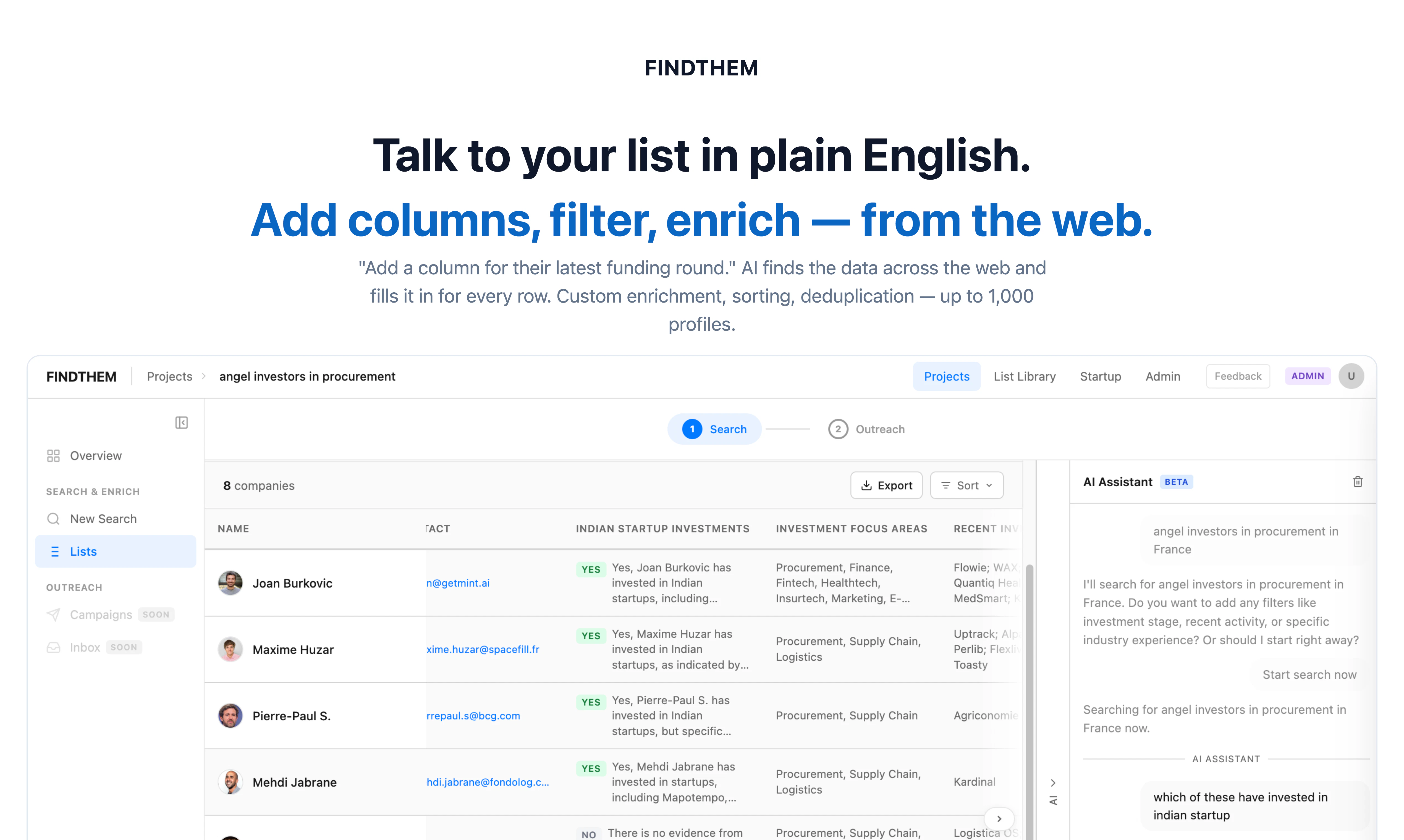
一句话介绍:FindThem是一款AI驱动的搜索引擎,通过自然语言描述,在海量LinkedIn资料及网络数据中精准定位理想客户、投资者或人才,并直接提供已验证的联系方式,解决了销售、招聘及融资场景下人工搜寻效率低下、成本高昂的核心痛点。
Hiring Sales Investing
AI搜索引擎 销售线索挖掘 投资者发现 招聘寻源 LinkedIn数据 自然语言搜索 按需付费 联系人信息验证 B2B工具 数据增强
用户评论摘要:用户反馈集中在:1)肯定按使用付费模式降低了尝试门槛;2)质疑线索导出后的转化效率,指出CRM对接与跟进是潜在瓶颈;3)探讨自然语言搜索与数据增强层的真正价值,认为其能捕捉传统筛选无法覆盖的上下文;4)关心批量搜索与导出功能;5)提出工具使线索发现变易后,高质量触达将成为更关键的竞争点。
AI 锐评

FindThem的亮相,与其说是一款新产品,不如说是对传统“人脉搜寻”工作流的一次精准解构与效率革命。其真正的锋芒并非简单的“AI搜索”标签,而在于它巧妙地用“按结果付费”的商业模式,刺穿了Sales Navigator等订阅制工具筑起的心理和财务高墙,以极低的试错成本吸引用户入场。这步棋很聪明,因为它深知目标用户——创业者、销售——对承诺性支出的高度敏感。

然而,产品介绍的华丽与用户评论的冷静形成了有趣对照。评论迅速将焦点从“如何找到人”转向了“找到之后怎么办”。一位用户的洞察尤为犀利:工具解决了发现(Prospecting)问题,却可能让转化(Conversion)问题悄然恶化。这揭示了FindThem乃至同类工具的价值天花板:它们本质上是“数据提取与增强引擎”,而非完整的“销售成功引擎”。其价值兑现严重依赖于用户后续的CRM系统成熟度与 Outreach(触达)能力。创始人预告的“AI撰写个性化触达”功能,正是试图向上游延伸价值、应对此质疑的直接回应。

更深层的分析在于其技术叙事。“自然语言搜索”是否只是美化过的过滤器?从回复看,其底气在于“语义搜索+网络数据增强”。这意味着它试图理解“一个有过退出的金融科技运营者”这类模糊描述,并关联到个人写作、演讲等非结构化数据。如果真能可靠实现,这确实超越了LinkedIn基于标题、职位的僵化筛选,为寻找那些“难以用头衔定义”的关键人物提供了新路径。但其技术壁垒与结果的可解释性(“相关性评分”是否真的可信)将是持续考验。

总之,FindThem精准切入了一个明确且痛苦的市场缝隙,并用创新的定价模式降低了使用门槛。但它所解决的只是漫长商业链路中的第一个环节。它的成功将不取决于能找到多少份资料,而取决于多少用户能用它找到的人,真正达成了交易、融资或招聘。工具让发现变“易”,但商业成功依然很“难”。

查看原始信息
FindThem
FindThem is an AI-powered search engine across 1B+ LinkedIn profiles enriched with Web Data. Find angel investors, sales prospects, hiring managers, and decision-makers with verified emails. Try free, credits per profile found & enrichment [No subscription].
Hey Product Hunt! 👋 I'm Kuda, the maker of FindThem. The problem: Every founder raising capital, every sales rep building a pipeline, and every recruiter sourcing candidates does the same thing, they spend hours scrolling through LinkedIn, guessing at search filters, and copy-pasting profiles into spreadsheets. LinkedIn Sales Navigator costs $100+/mo and still makes you do the manual work. To solve it I built: FindThem lets you describe who you're looking for in plain English like "angel investors in healthtech, based in EU, invested pre-seed in last 12 months" and our AI searches across 1B+ LinkedIn profiles, cross-referenced with data from the entire web. You get back verified emails, LinkedIn URLs, enriched company data, and a relevance score explaining why each person matches. How it works: Search → describe your ideal person in natural language Enrich → every result comes with verified contact data Export → CSV, plug into your CRM What makes us different: No LinkedIn Premium or Sales Navigator needed Pay per profile found — no subscriptions, no per-seat pricing AI relevance scoring explains why each match fits your criteria We're a small team and built this because we were tired of spending 10+ hours building a single prospect list manually. Now it takes minutes. Coming soon: AI-drafted personalized outreach for every person on your list. Would love to hear - what's your biggest frustration when trying to find the right people to reach out to? 💬 Try it free at findthem.pro -> no credit card needed.
2
回复

@kuda Congratulations on this. I'm going to try it out. But I must say the pay-per-profile model is smart, it removes the commitment barrier that makes founders hesitate to try new tools. The real question is what happens after the export. A CSV of verified leads is only as useful as the system receiving it. Most founders plug it into whatever CRM they already have, which often isn't set up to handle enriched data properly. I'm talking about wrong pipeline stages, no follow-up sequences, contact records that just sit there. The prospecting problem gets solved and the conversion problem quietly gets worse.

1
回复

does natural language search actually handle descriptions like 'fintech operator who's exited once and is now investing in b2b saas' differently from keyword search, or is the 'describe your ideal lead' interface just a more polished way to run the same structured filters?

from what i can read, the differentiation is in the enrichment layer. 1b+ profiles with web data layered on top of linkedin means the matching isn't limited to what's in someone's headline or job titles. if the enrichment actually captures context that structured fields miss, like conference speaking history, writing, or other signals, then natural language queries start to mean something qualitatively different. for use cases where the right person is hard to find by title alone, that's where this earns its pitch.

0
回复

@gabrielpineda The natural language search here is not polished filters , it is semantic search + verifiable requirements that get evaluated against 1B+ profiles enriched with web data, so "fintech operator who's exited once" can match someone whose LinkedIn says "GP at [fund]" but whose writing and talks reveal the operating background.

But yeah the enrichment layer is what makes natural language queries mean something qualitatively different.

0
回复

Quite useful! But if lead discovery becomes trivial with tools like this, do you think the real bottleneck shifts to outreach quality?

0
回复

@lak7 outreach quality was always the most important - this tool gives you more options

0
回复

This is going to be really helpful for HR's at our company, just a quick question how do we make a bulk search and bulk export?

0
回复

@nayan_surya98 hi you just search for how many profiles you need up to 1000 and then export as csv

0
回复
#18
Duck, Duck, Duck! by IDEO
An opinionated robot rubber duck for Claude code
86
一句话介绍:一款集成Claude AI的实体橡皮鸭,在编程调试场景中,通过语音互动和物理动作提供实时反馈与意见,解决了开发者需频繁切换屏幕焦点、缺乏环境感知和单向“橡皮鸭调试法”效率低下的痛点。
Robots Software Engineering GitHub Vibe coding
开发者工具 AI编程助手 实体交互 橡皮鸭调试法 环境感知计算 语音交互 硬件配件 编程调试 人机交互 Claude生态
用户评论摘要:用户反馈集中在三点:物理反应创造了独特的环境感知信号;其“有主见”的特性使其更像被动代码审查员;担心通知干扰(如Zoom共享屏幕时)及权限请求被忽略。开发者回复称其兼具“伴侣”和“纯权限提示”模式,并探讨实体形态是否让反馈更难以忽视。
AI 锐评

Duck, Duck, Duck! 表面上是一款颇具噱头的“会说话的橡皮鸭”,但其内核是一次对开发者工作流中“注意力经济”和“反馈通道”的激进实验。它试图用实体硬件打破屏幕的垄断,将AI的代码审查与建议,通过物理伺服动作和语音,注入开发者的实体环境。这远不止于趣味性。

其真正价值在于两点:一是开创了“环境感知调试”。评论中精准指出的“外围注意力”模式,正是其核心——将关键状态(运行、失败、犹豫)编码为轻微的物理动作或简短语音,让开发者在不中断主要任务流的情况下,保持对后台进程的态势感知。这直指多任务并行时认知负荷过载的痛点。

二是探索了“具身化AI批评”的效力。产品团队提出的问题切中要害:聊天窗口中的代码评审易于被忽略,但桌面上一个摇头晃脑的实体对象发出的意见,其心理权重截然不同。这触及了人机交互中一个深层议题:反馈的载体形式如何影响其被接受的程度?将AI人格化、实体化,可能显著提高开发者对代码规范、坏味道的重视程度,尽管也可能带来所谓的“情感伤害”。

然而,其风险与挑战同样尖锐。首先,它重度依赖特定生态(Claude Code),场景狭窄。其次,将通知从屏幕移至实体空间,并未根本解决“通知疲劳”问题,反而可能因其实体存在感,在需要专注时形成新的干扰源。用户担心的Zoom会议“社死”场景,正是此类风险的具体体现。最后,其“意见”的质量与分寸感将是成败关键。若AI建议流于琐碎或不够精准,这款价格不菲的“意见鸭”将迅速从新奇伴侣沦为恼人摆设。

本质上,这是一款先锋概念产品,其意义不在于当下解决多大问题,而在于大胆质疑并拓宽了开发工具的交互边界。它提出的问题——我们是否只能通过屏幕与AI协作?——比它当前给出的答案更为重要。

查看原始信息
Duck, Duck, Duck! by IDEO
Rubber duck debugging. But the duck talks back. Your rubber duck now has Claude and opinions. Duck Duck Duck listens in on your coding sessions, understands what's happening, and responds. Robot optional. - Speaks when Claude runs, fails, or hesitates - Reacts physically (yes, really) - Lets you approve actions with your voice - Occasionally questions your decisions Limitation of liability: We are not responsible for any emotional damage caused by the duck's opinions of your variable names.
So you let your Macbook send you notifications... and then you are on zoom, or sharing your screen and blow you up... so you shut that stuff down. Then, you use claude code. You send it off to do some stuff, then you go to another app, or you start hitting things on your desk with a hammer thinking everything is just fine. 30 minutes later you realize that 29 minutes ago claude got stuck waiting for your permission. Some people build robots to help clean your house, or to solve public transportation, or more ambitiously to improve a single desktop notification problem. Such as DuckDuckDuck. It has a servo. It has opinions. It has a backstory it refuses to share.
5
回复

the physical reaction angle is the most interesting bit. almost all developer tooling assumes your only feedback channel is the screen. having something in your physical space that reacts when claude runs or fails creates an ambient signal you can notice with peripheral attention instead of actively watching a terminal. it's a different mode of awareness entirely.

the 'opinionated' framing is doing more work than it looks. classic rubber duck debugging is you explaining the problem to something that doesn't respond. adding opinions, especially on your variable names and decisions, shifts it closer to a passive code reviewer than a debugging aid. that's a different value proposition and probably a different use case.

2
回复

@gabrielpineda You've articulated the ambient signal thing better than we did in our own description, so we might steal that framing, thanks!

The passive code reviewer point is something we've been sitting with. In practice the duck ends up being both things depending on the mode. Companion is closer to what you're describing, opinionated and reactive, while Permissions Only is almost purely ambient, a physical signal that something needs your attention without any editorial commentary. We didn't fully separate those value propositions in the marketing a bit intentionally because we were curious which parts people would respond to.

The thing we're most curious about is whether the physical presence changes any of the dynamic of the opinions. A code reviewer in a chat window is easy to ignore. A small yellow object on your desk tilting its head and saying something about your variable names is harder to dismiss -- we're finding there's something about the embodied form that makes the feedback land differently. (We think, but we'll see!)

1
回复

The physical reaction part makes it unique, I was wondering does it have specific physical reactions when you ignore it's suggestions.

2
回复
#19
Slide2Video
Turn slides into narrated videos
85
一句话介绍:Slide2Video 可将演示文稿在几分钟内自动转换为带旁白的视频,解决了创始人、营销人员和教育工作者从“完成幻灯片”到“发布可分享视频”流程繁琐、耗时过长的核心痛点。
Productivity Marketing Education
幻灯片转视频 AI视频生成 自动化工具 产品演示 教育科技 营销工具 效率工具 语音合成
用户评论摘要:用户反馈包括:创始人阐述开发初衷(解决多工具切换的繁琐流程);用户建议添加产品演示视频;有竞品指出其与“视频提取片段”功能的互补性;用户询问旁白功能细节,官方回复目前仅支持默认TTS语音,未来将增加选项。
AI 锐评

Slide2Video 瞄准了一个精准且普遍存在的“最后一公里”问题:大量有价值的内容沉淀在PPT中,却因视频制作的技术与时间门槛无法有效传播。其真正的价值不在于技术上的颠覆性,而在于工作流的极致压缩和封装。它将脚本、录音、对口型、剪辑、导出等多个离散环节打包成一个“黑箱”操作,用确定性对抗创作过程中的摩擦与不确定性。

然而,其当前形态也暴露了明显的MVP局限。仅支持单一默认TTS语音,这在高要求的营销或教育场景中是硬伤,机械的旁白会严重损害成品的情感说服力和专业度。用户评论中“建议添加演示视频”的请求,恰恰反衬出产品自身“用视频展示视频生成能力”这一自证环节的缺失,略显讽刺。

从生态位看,它并非面向专业视频制作,而是服务于“效率优先”的轻度视频化需求。其对手并非Adobe套件,而是用户“嫌麻烦干脆不做”的惰性。与评论中提到的NexClip AI(从长视频提取片段)的互补性洞察颇为犀利,二者分别扼守“从静到动”和“从长到精”的节点,共同描绘了AI对内容再生产流程的模块化解构趋势。若其能快速迭代,丰富语音库、引入基础剪辑控件,并开放API成为工作流中的一环,其想象空间将从独立工具扩展为内容自动化管道的关键组件。目前,它是一个解决真问题的“半成品”,前景取决于其迭代速度与生态整合能力。

查看原始信息
Slide2Video
Slide2Video turns your presentation into a complete narrated video in minutes. Upload your slides, choose a voice, and we generate scenes, voiceover, and timing automatically, so you can publish product demos, tutorials, and social content without manual editing. Built for founders, marketers, and educators who want to move fast from idea to video.
I started building Slide2Video after repeating the same painful workflow: great ideas lived in slides, but turning those slides into a polished video meant scripting, recording, editing, syncing, and exporting across multiple tools. The core problem I wanted to solve was time-to-publish. Most founders, marketers, and educators already have their content in decks, but video production is the bottleneck. I wanted a way to go from “finished slides” to “shareable narrated video” in minutes.
1
回复

@Slide2Video @tiga_liang can you add a video here in Product Hunt showing your slide to video working?

1
回复

@mich3lang3lo The screenshots just show how it works. But good idea I'm considering making a demo video using slide2video itself.

0
回复

Interesting — this solves the creation side, while we're solving the extraction side. At NexClip AI, educators import long lecture recordings and pull out topic-based clips. Slides → video and video → clips feel like natural complements for the education workflow.

0
回复

So this will add relevant voiceover on the existing slides right or we have something above that?

0
回复

The voiceover is generated with TTS and added to the video by default. For the MVP version, however, we only support a default voice. Next, we’ll add different voice options and even support user-customized voices.

0
回复
#20
MAI-Transcribe-1
Production ASR for noisy multilingual audio
82
一句话介绍:MAI-Transcribe-1是微软推出的生产级多语言语音转文本模型,专为嘈杂的真实世界音频设计,在客服、会议转录等复杂场景下,解决了现有ASR模型因口音、背景噪音和多语言导致的准确率骤降的痛点。
API Artificial Intelligence Audio
语音识别 语音转文本 多语言支持 抗噪模型 生产级ASR 批处理转录 人工智能服务 企业级应用
用户评论摘要:用户关注其在嘈杂、多语言真实场景下的准确性和鲁棒性,认为其定价有竞争力。有用户明确表示将从Whisper迁移测试。主要疑问集中于词语级时间戳的跨语言准确性,以及产品早期的用户获取策略。
AI 锐评

微软MAI-Transcribe-1的发布,看似是一次常规的模型迭代,实则是一次精准的“场景化屠刀”。它没有沉迷于在纯净实验室音频上与同行卷小数点后的精度,而是直插当前ASR应用最痛的腹地:真实世界的嘈杂与多语言混杂。其宣称的“为生产而建”,本质上是对现有主流开源方案(如Whisper)在工业场景中脆弱性的一次精准打击。

产品介绍中强调的“价格性能比”($0.36/小时)和2.5倍的批处理速度,是典型的微软式商业组合拳——不仅提供更好的技术,还通过更优的TCO(总拥有成本)和效率来撬动企业客户的迁移。这标志着ASR市场的竞争,正从单纯的“模型精度竞赛”转向“生产工作流解决方案”的整合能力比拼。

然而,光鲜的基准测试背后,真正的考验在于细节。如评论所指,词语级时间戳的跨语言准确性,正是视频剪辑、内容分析等深度应用的关键。模型在“嘈杂”与“多语言”这两个变量同时作用时的性能衰减曲线,才是其宣称的“强鲁棒性”的试金石。微软此次将模型直接推向生产定价,显示了其信心,但也意味着它将直接承受来自各行各业真实数据流的冲击。如果它能兑现承诺,将加速ASR从“可用”到“可靠”的基础设施化进程,否则,也可能只是又一个在营销话术上“过拟合”的案例。
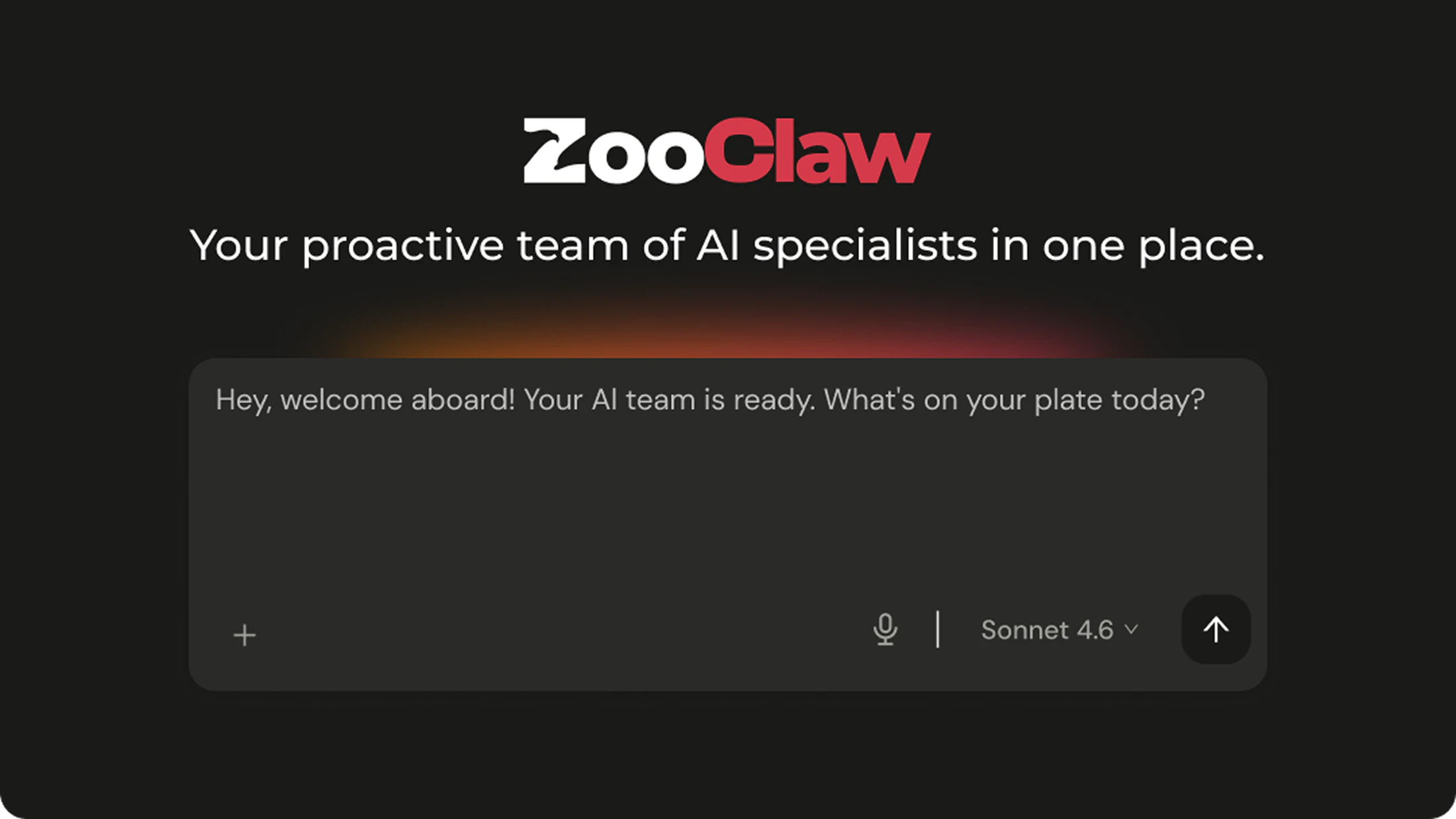
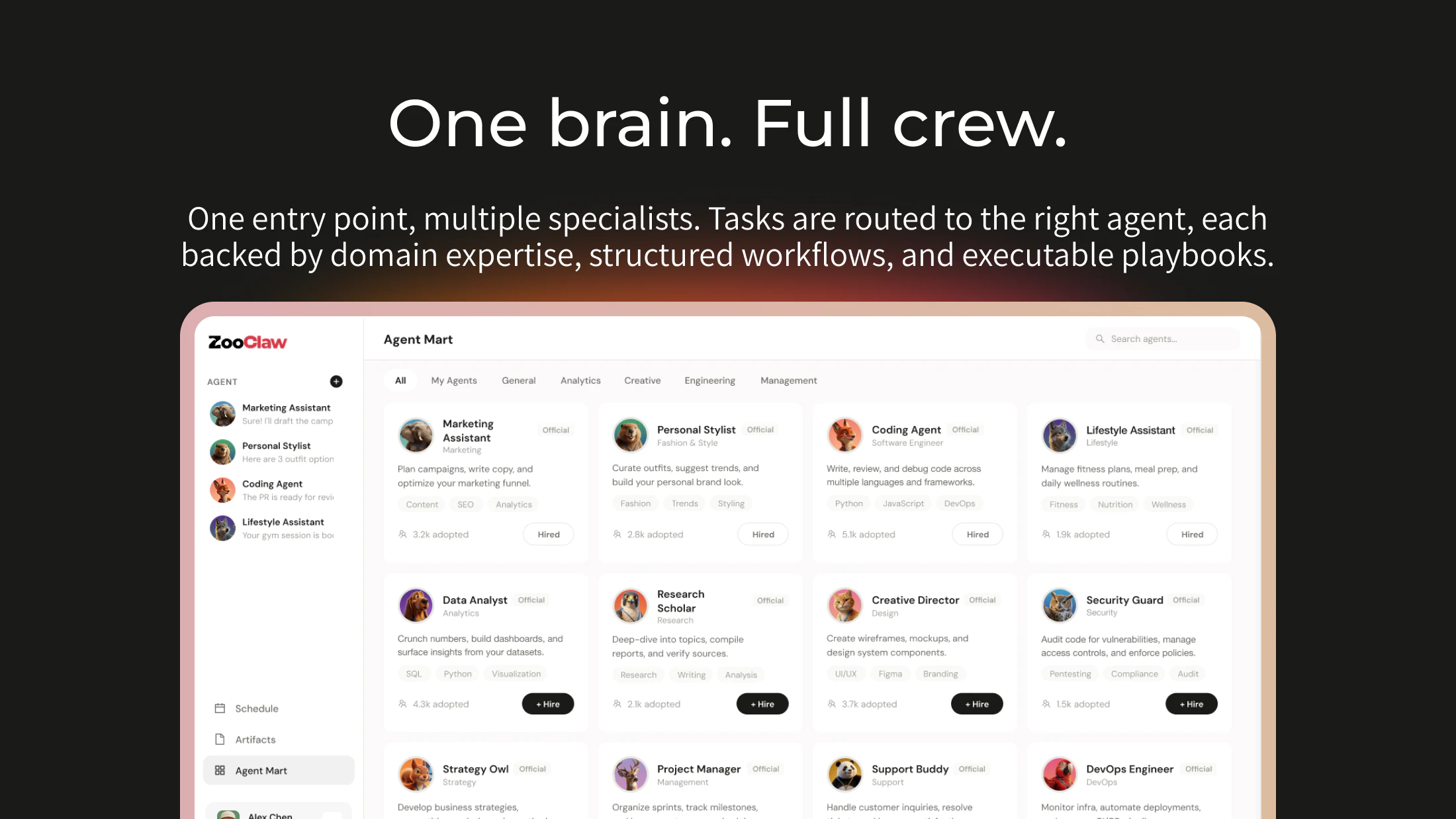
查看原始信息
MAI-Transcribe-1
MAI-Transcribe-1 is Microsoft’s new multilingual speech-to-text model built for real-world audio. It delivers best-in-class accuracy across 25 languages, strong robustness in noisy environments, faster batch transcription, and pricing aimed at production speech workflows.

I need to try ASR and it's perfect for me. Thanks Zac for hunting it! Feel I gonna love it

1
回复
Hi everyone! Benchmarks are only part of the story for ASR. In real products like voice agents, meeting transcription, and call center analytics, audio is rarely clean — and MAI-Transcribe-1 is clearly built for that reality. MS is positioning it around three things that actually matter in production: best-in-class accuracy across 25 languages, strong robustness to noisy real-world audio, and much better price-performance at $0.36 per hour of audio. On top of that, they say batch transcription is 2.5x faster than their current Azure Fast offering. An ASR that actually outperforms models like Scribe v2 and Whisper-large-v3... definitely seems worth testing out in a real integration. 🤔
0
回复

I run Whisper in prod for a voice input thing — accents and background noise break it constantly. If this actually handles noisy multilingual audio better, that alone is worth switching. $0.36/hr is solid too. Gonna try it this week.

0
回复

Multilingual ASR is a hard problem — especially for noisy audio. We deal with this at NexClip AI too, where accurate timestamps on every word are critical for topic-based video editing. Curious how MAI-Transcribe-1 handles word-level timestamp accuracy across languages?

0
回复

Congrats on the launch! 👏

Also launching today — curious, what worked best for you to get your first users?

0
回复