Product Hunt 每日热榜 2026-04-12

PH热榜 | 2026-04-12

#1
Interactive Simulations in Gemini
Gemini now lets you play with the concepts you ask about
327
一句话介绍:Gemini新功能将复杂概念转化为可实时操控的3D交互模拟,在教育和知识探索场景中,解决了抽象信息难以直观理解和记忆的痛点。
Productivity Artificial Intelligence Online Learning
交互式学习 AI可视化 3D模拟 知识探索 教育科技 实时操控 概念理解 Gemini扩展 沉浸式学习 Google AI
用户评论摘要:用户普遍认可可视化对学习的促进作用,认为其适合新手。主要疑问集中于交互的具体模式(是旋转视图还是更深入的参数操控)以及领域适用性(是否支持金融等非物理领域)。有用户因经济原因暂停订阅,但表示功能可能促使其回归。
AI 锐评

这并非一次简单的功能更新,而是AI从“文本引擎”向“认知界面”演进的关键试探。其真正价值不在于渲染3D模型,而在于意图理解与动态建模的结合——用户用自然语言发起一个模糊请求,AI需将其解析并生成一个参数化、可交互的模拟系统。这背后是对知识的结构化解构与实时合成能力。

然而,当前演示集中于天体物理等经典可视化领域,这暴露了其核心局限:它很可能严重依赖已有的、结构化的知识图谱和仿真模型库。对于评论中提到的“DCF模型敏感性分析”这类高度领域特定且依赖抽象数学关系的请求,AI能否动态构建正确的变量关系并生成有意义的交互控件,是判断其是否具备“创造模拟”能力,而非仅仅“调用模拟模板”的关键。若仅为后者,则它只是一个更智能的“教育模拟库”前端,天花板显著。

用户关于“操纵”定义的质疑切中要害。是肤浅的视角旋转,还是能调整核心变量并观察系统演变?这决定了产品是“视觉化玩具”还是“认知增强工具”。前者提升学习兴趣,后者才能真正改变专业人士的分析与沟通方式。Gemini此举野心勃勃,但其深度将取决于Google能否将其大语言模型的逻辑推理能力,与一个庞大、可编程的仿真引擎无缝衔接,并勇敢地向开放域、非标准化的概念挑战。目前来看,它迈出了正确的第一步,但最艰难的部分仍在路上。

查看原始信息
Interactive Simulations in Gemini
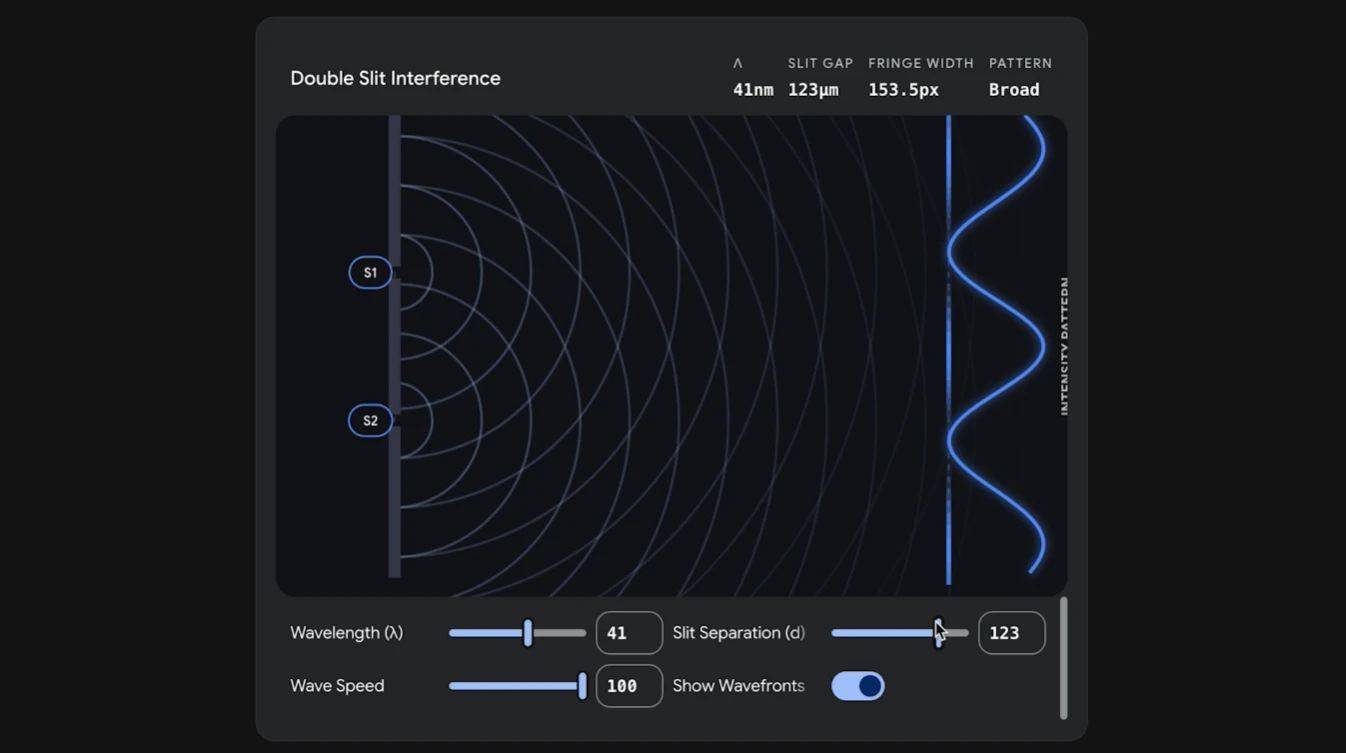
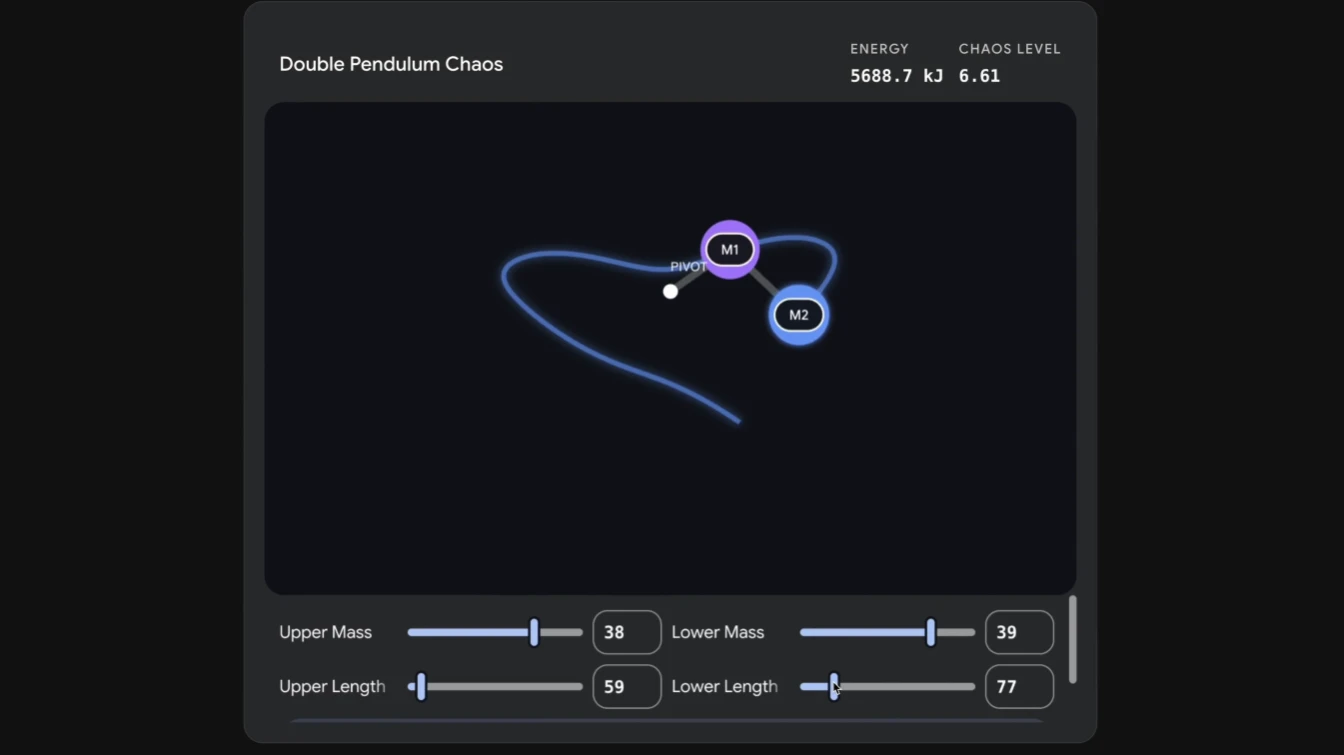
Gemini can now transform complex topics into custom, interactive 3D visualizations directly within your chat. Instead of static text, get functional simulations you can manipulate in real-time. Just ask Gemini to “show me” or “help me visualize.”

Hi everyone!

It’s crazy how much faster we learn when we can actually touch the information. This small feature in @Gemini app is excellent for deeply understanding complex knowledge, or really information more broadly.

I have to say, the human brain is still deeply impressed by visuals and hands-on play. It just makes things stick so much better than reading a wall of text.

I asked Gemini to visually explain NASA's Artemis II mission…

…and already having fun with my kid this weekend :)

5
回复

@zaczuo Have you tried it on other tricky concepts like quantum computing or black holes? How does the interactivity change what sticks long-term?

0
回复

Wow, I am super novice at math and physics but I can barely understand how it works now with pictures. In my personal opinion, pictures are the most effective way to learn like super novice beginners. Nice Gemini!

I actually have used Gemini for more than at least 4years because I am huge fan of Google. However Google lost the little bit of momentum and fresh,creative culture somewhat different from the 1st starter CEO. I personally missed them.

However this function is awesome! I actually cancelled today the Gemini pro because I was short of money. But I will reconsider to use it in the future. Great works Google! Go in right way sir.

2
回复

The "manipulate in real-time" claim is the interesting part. What's the actual interaction model — are you dragging sliders, clicking objects, changing variables? Or is "manipulate" more like rotating a 3D view? The difference between those two things is massive for actual learning.

Secondly, really Curious how it handles domain specificity. "Show me orbital mechanics" probably works great. What about something like "visualize a DCF model sensitivity to discount rate changes" — does it get specific enough for business/finance use cases, or is this mostly physics and math for now?

0
回复

Loved it to prove a point on how long it'll take for food to not be enjoyable if someone is late...

0
回复
#2
Ray
Your personal CFO in the terminal
229
一句话介绍:一款在终端中运行的、基于AI的个人财务助手,通过分析真实交易数据和用户目标,直接提供可执行的财务建议,解决了传统财务软件只展示图表而无法促使用户行为改变的痛点。
Open Source Developer Tools GitHub Personal Finance
个人财务管理 终端应用 AI财务顾问 本地化部署 开源软件 隐私安全 命令行工具 行为改变
用户评论摘要:用户赞赏其终端概念、数据隐私和促进行为改变的设计(如评分系统)。主要问题集中在:1. 对非技术用户不友好,缺乏入门指南;2. 银行支持受限(如澳大利亚用户、Chase银行OAuth问题);3. 对不规则收入(如自由职业者)规划能力的询问。开发者积极回应,提供了指南并解释了应对可变收入的逻辑。
AI 锐评

Ray的野心,不在于成为又一个精美的财务看板,而在于扮演一个真正驱动决策的“终端CFO”。其核心价值并非技术栈的复古(终端),而在于产品哲学的颠覆:从“信息呈现”转向“行动干预”。

传统个人财务工具陷于“仪表盘困境”——数据罗列清晰,但行为转化乏力。Ray试图用两剂猛药破解此局:一是具有上下文记忆的AI,能结合历史对话与目标提供具体指令(如“ groceries 超支将延迟购房三周”),将抽象数据与具体人生计划强行绑定;二是游戏化的行为评分与成就系统,利用人性中的“损失厌恶”与“收集癖”来塑造习惯。从评论看,后者这种“近乎儿戏”的设计,反而被用户认证为最有效的改变杠杆,这无疑是对传统理性预算模型的一次辛辣反讽。

然而,其“终端原生”与“本地优先”的双重特性,既是利刃也是枷锁。它精准吸引了重视隐私与极客体验的早期用户,却天然构筑了大众化的高门槛。评论中新手用户的茫然与银行支持的地域性抱怨,揭示了其从“极客玩具”迈向“普惠工具”的核心矛盾:复杂的密钥管理与命令行操作,与“让财务管理更简单”的初衷存在张力。

开源与本地化是信任的基石,但也可能成为商业化的窄门。其“自带密钥则免费”的模式,将成本转移给用户的同时,也将技术复杂度一并抛出。能否在保持核心哲学的前提下,通过极致的用户体验设计(如更流畅的引导流程)来降低使用心智能耗,将决定它能否跨越鸿沟,还是始终停留在一个令人兴奋的、小众的“未来原型”。

查看原始信息
Ray
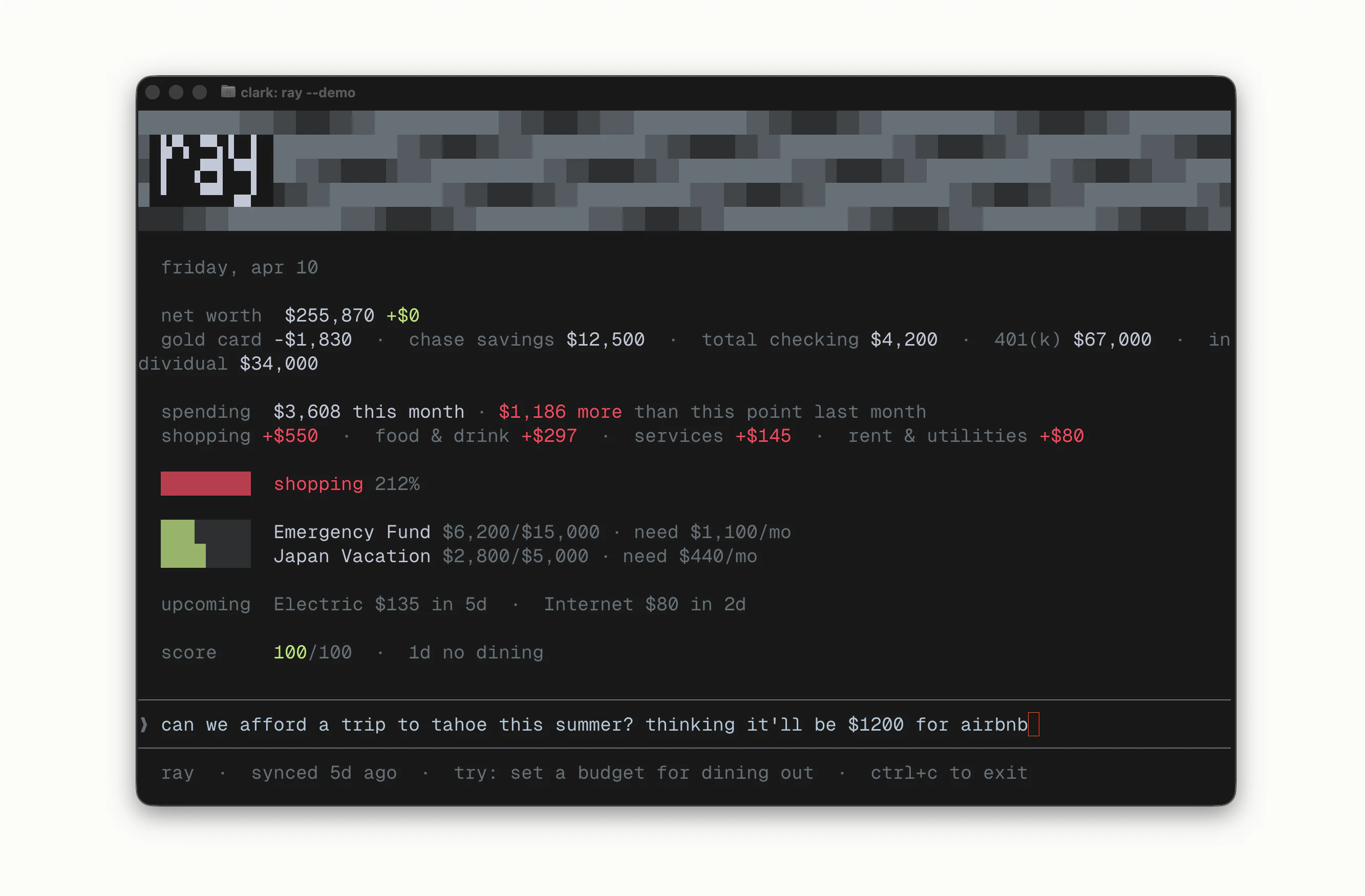
Most personal finance apps show you charts. Ray tells you what to do and actually helps you plan. A terminal-based CFO that reads your real transactions, remembers your goals, and runs on your computer — not someone else's server. Open source. Free with your own keys.
Hey Product Hunt 👋 Clark here, maker of Ray. Quick story on why this exists: I tried Monarch, Copilot, YNAB, Tiller, and Mint before it died. Every one of them had the same problem — I'd open it, stare at a dashboard for 30 seconds, close it, and nothing about my behavior would change. The app knew everything. I still had to do all the thinking. So I built the opposite. You run `ray` in your terminal and it immediately shows your net worth, spending pace, budget alerts, and upcoming bills — no dashboard to navigate. Then you can chat with it and it actually tells you what to do, referencing your real goals and your real transactions. It's the first finance tool I've used that feels like a CFO instead of a spreadsheet. A few things I made deliberate choices on: 🔒 Your data never leaves your machine. Everything lives in an AES-256 encrypted SQLite db at ~/.ray. PII (names, account numbers) is stripped before anything touches the AI. Two outbound calls total — Plaid for bank sync, Anthropic for the chat. 💰 Free forever if you bring your own Anthropic + Plaid keys. $10/mo managed mode if you don't want to mess with keys — data still stays local in that mode, I just proxy the API calls. No freemium feature-gating, no "unlock insights" nonsense. 🧠 It remembers. Mention you're saving for a house or switching jobs and every future session picks up where the last one left off. No re-explaining yourself. 🎯 It scores you. A daily 0–100 behavior score with streaks and unlockable achievements. I added this as an afterthought and it's the single thing that actually changed my spending. Kitchen Hero (no restaurants for a week), Monk Mode (5 zero-spend days), etc. You can try the whole thing without linking a real bank — run `ray demo` and it seeds a fake portfolio you can poke at. Install: npm i -g ray-finance Repo: github.com/cdinnison/ray-finance (MIT)
1
回复
@clark_dinnison Want to boost your Product Hunt launch? I help increase: 1. Upvotes 2. Reviews 3. Followers 4. Overall visibility Main goal: Higher ROI & real traction If you’re launching soon and want stronger results, let’s connect. Telegram: @Timi_070
0
回复

Terminal based CFO is a cool concept! Curious -- how does it handle planning when your spending patterns are irregular? Like freelancer income that's different every month.

1
回复

@antoninkus That is exactly where this kind of tool gets interesting. If it can adapt planning around variable cash flow instead of assuming a fixed monthly rhythm, it becomes much more useful for freelancers and indie makers than traditional budgeting apps.

0
回复

@antoninkus This is actually where it's super helpful - since you can give it context of things like when you expect to get paid, some clients that are in the pipeline, and then have it give you different scenarios given that unpredictability. It could even help you understand how much you should be charging clients in order to help reach your goals.

1
回复

Hey I bought the api key and my bank is not supported by Plaid. Can I get a refund pls? (im in australia)

PS wish I could use this in AU

0
回复

Hi @clark_dinnison this looks like a great product. I use Chase bank, which only supports OAuth via Plaid. The free version does not appear to support OAuth, does the paid version support it?

0
回复

@overemployeddave yes the Ray Pro plan supports Chase bank!

0
回复

terminal-native finance tooling is underrated. most CFO tools assume you want a dashboard. the hard part isn't the CLI - it's the data model holding up when your financial situation gets messy.

0
回复

@mykola_kondratiuk 100% agree. The context layer is the magic. Ray maintains a memory across sessions that tracks your income, goals, strategy, and key life changes, so it can actually hold your full situation in its head. That's what lets it say something useful when you have 8 accounts across 3 institutions, a mortgage, variable income, and goals that conflict with each other.

It gets the nuance instead of starting from zero every time.

0
回复

Hello clark, I want to use your 'Ray' app , but I am super novice that I don't know even how to start your app.

I clicked your 'g-ray finance' but how to start with this Github?

If there is super simple guideline for the beginners like me who does not know even what the code is, then it will be more better for super novice beginners like me!

It sounds amazing to read the transactions, remember the goals, and run in my computer.

Thanks Nice work Clark!

0
回复

@jihwankim55 thanks for the kind words, I will work on a guide! great idea!

In the meantime, here's all you need:

1. Open Terminal

- On Mac: press Cmd + Space, type "Terminal", hit Enter

- On Windows: press the Windows key, type "Command Prompt", hit Enter

2. Install Ray

type `npm install -g ray-finance` into the terminal

  • (If this gives an error, you need Node.js first — grab it at nodejs.org, install it, then run the command above again)

3. Set up

Type `ray setup` into the terminal

  • Pick "Managed/Pro" when it asks. It'll walk you through everything — just follow the prompts. Takes about 2 minutes.

4. Connect your bank

Type `ray link` into the terminal

5. Start using it

Type `ray` to start chatting with your money

Other commands to try

`ray --help` will show you all the commands you can try out

`ray demo` then `ray --demo` to use fake accounts and test it out

1
回复
1
回复

Much needed! Since most tools fail at behavior change like you mentioned, so what specifically makes ray actually change user actions rather than just inform them???

0
回复

@lak7 Great question. Two things.

  1. The first is that it has opinions. Most finance apps show you a pie chart and go "here's your spending." Ray will straight up say "you're pacing $340 over groceries this month and if that keeps up your house fund slips by about three weeks." It connects the thing you're doing right now to the thing you said you cared about. That hit different for me than just watching a number turn red.

  2. The second is the daily score and streaks - "Kitchen Hero" for no restaurants in a week, "Monk Mode" for five zero-spend days. I almost didn't ship it because it felt gimmicky. Turns out not wanting to break a streak works on my brain in a way that "you're 12% over budget" never did.

0
回复
I’m not quite there yet when it comes to trusting AI with finance stuff, but this is a step in the right direction. I’m a huge fan of TUI apps, so this definitely ticks all the right boxes.
0
回复

@vibedonkey Totally fair. Here's what Ray does on the security side in case it helps:

  • All your financial data lives in a local SQLite db on your machine, encrypted at rest with AES-256 (SQLCipher) - Plaid access tokens are encrypted separately with AES-256-GCM

  • Config file is stored with 0600 permissions (only your user can read it)

  • Before anything goes to the AI, PII gets stripped — names and identifying details are scrubbed out. The model sees amounts and categories, not you.

  • Two outbound calls total: Plaid (bank sync) and Anthropic (chat). No server, no telemetry, no analytics, no account system

  • The whole thing is MIT and open source so you can read exactly what it does

The AI never sees who you are, and your data never lives anywhere except ~/.ray on your machine. If you delete that folder, it's gone.

0
回复
#3
Music Marketplace by Eleven Labs
Create a track. Publish it. Earn when it is used.
226
一句话介绍:这是一个集AI生成、编辑、发布与授权于一体的音乐交易平台,为独立创作者和内容团队解决了传统音乐授权流程繁琐、费用高昂、周期漫长的核心痛点,实现了从创作到变现的闭环。
Design Tools Music Developer Tools
AI音乐生成 音乐授权平台 创作者经济 免版税音乐 内容创作工具 B2B音频 区块链确权(潜在) 平台经济 独立音乐人 商用音乐
用户评论摘要:用户普遍认可其模式颠覆性,但核心关切集中在:1. 创收实际效果与分成透明度;2. AI生成音乐的所有权归属界定;3. 平台内容同质化风险;4. 对传统音乐人生存空间的冲击。有效评论聚焦于商业模式可持续性与法律细节。
AI 锐评

Eleven Labs的Music Marketplace绝非又一个简单的AI音乐生成器,而是一次针对腐朽音乐授权体系的精准外科手术。其真正价值不在于“生成”,而在于用其语音市场验证过的“生成-平台-分成”模型,为音乐领域构建了一个产权与流通规则被重写的数字集市。

产品的犀利之处在于其“法律先行”的策略。在Suno等陷入版权诉讼泥潭时,它已通过与Merlin、Kobalt等机构预签协议,构筑了“合法合规”的护城河。这本质上是在主流唱片公司体系外,建立了一个受控的“音乐自贸区”:平台定义规则(固定许可费、无同步费)、平台提供工具(AI生成与编辑)、平台分配收益。它将传统授权中高摩擦的“法律与商务谈判”,压缩为一次清晰的“平台按钮点击”。

然而,其光鲜之下暗藏多重博弈。首先,它宣称的“所有权”对创作者而言可能是脆弱的。用户生成并出售的,更像是基于平台模型产出的“使用权凭证”,其底层IP归属、衍生权利边界依然模糊。其次,平台早期依赖预授权库避免侵权,但一旦用户Prompt涉及未签约的三大唱片公司版权风格,法律风险便悬而未决。评论中关于“内容洪水”与“slop house”的担忧直指核心:当创作门槛归零,市场是否会迅速被海量中庸、同质化的“平台风格”音乐淹没,导致个体创作者收益被摊薄至无利可图?

它真正的颠覆对象,或许不是顶级音乐人,而是中低端的商用音乐生产与采购链条。对于视频博主、中小企业、独立开发者,它提供了“够用、合法、便宜”的解决方案。但长期看,它可能加剧音乐价值的“平台化”与“中间件化”,将音乐从艺术创作部分降维成可规模化生产的“内容素材”。这场实验的终局,不在于AI能否写出好歌,而在于这个由资本与技术定义的“新规则”,能否在吸引足够多供给(创作者)与需求(买家)的同时,平衡各方利益,而不沦为又一个榨取创作者剩余价值的“流量农场”。

查看原始信息
Music Marketplace by Eleven Labs
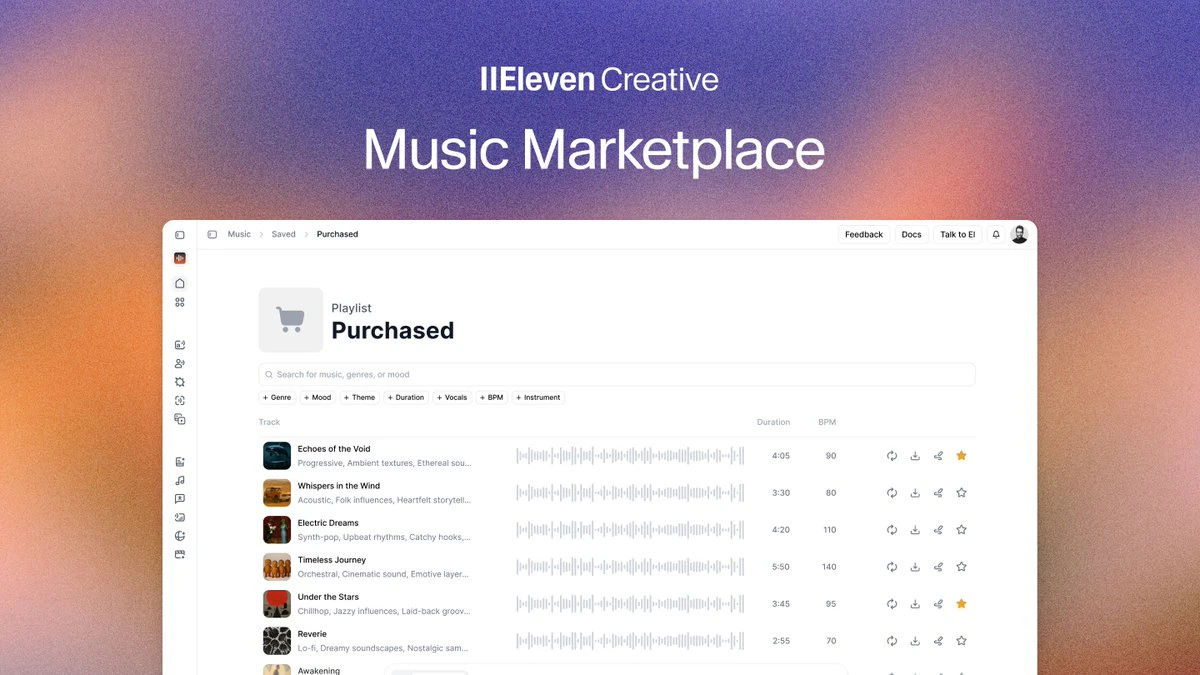
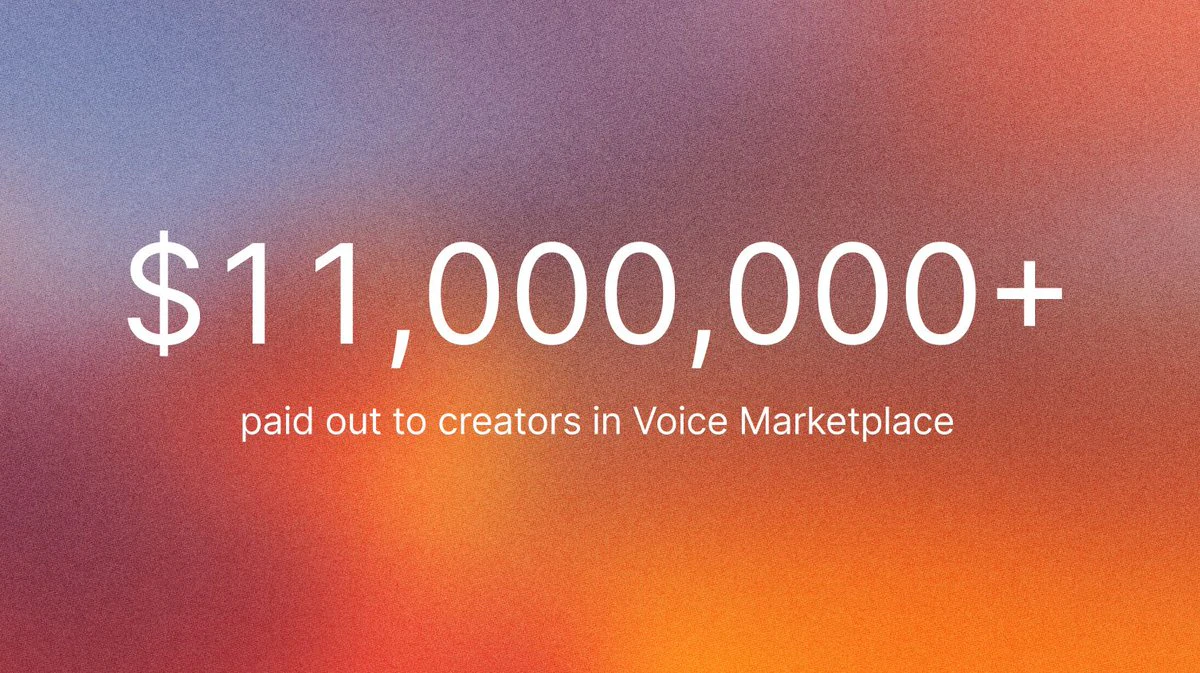
Music licensing is broken. Sync fees, clearance delays, per-use negotiations. ElevenCreative's Music Marketplace flips it: generate a track, publish it, earn every time it's downloaded or remixed. $11M paid to voice creators. Now music gets the same engine.

Music has always had a creator economy problem.

Sync licensing exists for a reason. But the process around it, the fees, the clearances, the back-and-forth, was designed for studios with legal teams. Not for indie creators, solo marketers, or a founder building a product demo at 11pm.

ElevenCreative just shipped the Music Marketplace. And it's worth understanding what that actually means.

Here's the mechanic:

🎵 Prompt a track using Eleven Music inside ElevenCreative

✂️ Refine it with in-browser editing tools 📤 Publish it directly to the Marketplace

💰 Earn revenue every time it's downloaded or remixed

No leaving the platform. No intermediaries. Prompt to paycheck.

On the buyer side, the friction is gone too. Select a license tier, download, use. No sync fees. No per-use negotiations. No clearance delays.

The credibility anchor here is real: ElevenLabs has already paid out over $11 million to voice creators through their Voice Marketplace.

This isn't an experiment. It's a proven monetization model being applied to a new asset class.

The timing matters.

Suno and Udio are mid-lawsuit with major labels.

ElevenLabs launched Eleven Music with pre-negotiated licensing deals from Merlin and Kobalt before shipping a single track. Legal clarity is the moat here, not just the model quality.

For independent creators and musicians: a direct path from generation to earnings.

For marketers, brands, and content teams: royalty-free music without the licensing maze.

For developers building products: commercially cleared audio without the legal exposure.

The one caveat worth naming: major labels (Universal, Sony, Warner) haven't signed on yet.

ElevenLabs is in conversations.

If you need sounds that reference mainstream pop artists specifically, you're not there yet. For everything else, this is a serious unlock.

Curious whether anyone here has tried Eleven Music already and what the quality is like across genres. Drop your take below 👇

3
回复

@rohanrecommends This is great, but how are creators actually earning so far from published tracks; any early payout stories or average revenue per download/remix?

0
回复

This is awesome
But who truly owns a viral AI generated track in this system?

1
回复

Huge unlock for content creators — but what stops the marketplace from getting flooded with similar-sounding tracks over time?

0
回复

I have to say that artists face a big challenge, especially if it is more cost-effective.

0
回复

@busmark_w_nika Slop house 🚀

0
回复
#4
R0Y
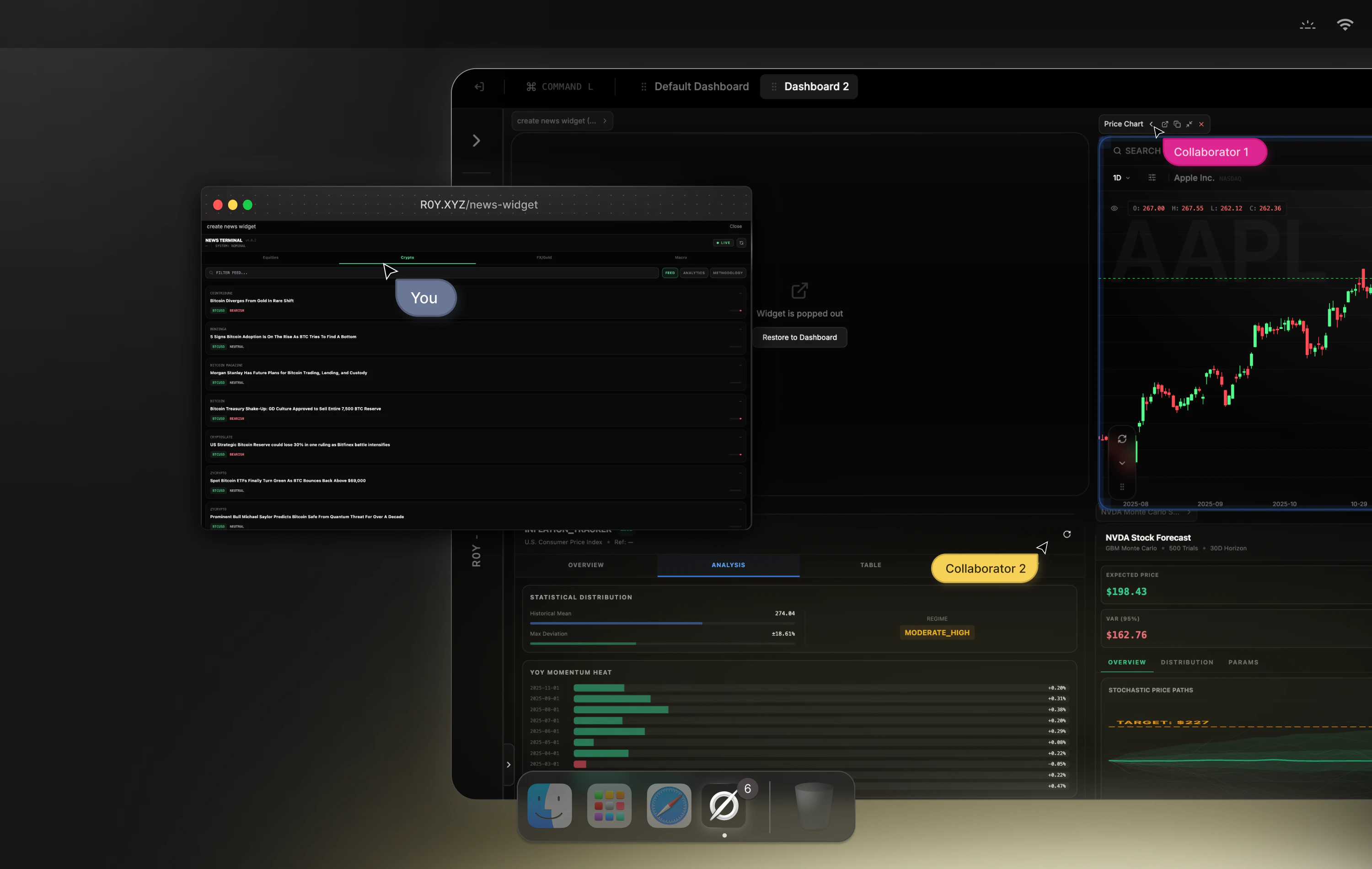
Natural language to Investing dashboards in seconds.
186
一句话介绍:R0Y是一款通过自然语言快速生成实时交互式投资分析仪表盘的工具,为投资者和分析师解决了在多平台间切换、手动整合数据与代码以进行复杂金融建模的效率痛点。
Fintech Investing Artificial Intelligence
金融科技 自然语言处理 投资分析 数据可视化 无代码平台 实时数据 协作工具 量化分析 仪表盘生成 宏观经济
用户评论摘要:用户反馈积极,认可其解决数据与工具碎片化的痛点。有效评论聚焦于技术细节:数据新鲜度与同步机制、仪表盘生成是否个性化、模型错误的可追溯性、历史数据深度与回测质量。开发者回复了部分问题,展现了产品思路。
AI 锐评

R0Y的野心不在于成为又一个数据分析工具,而在于构建一个“金融思维的沙盒”。其真正价值并非“自然语言生成仪表盘”这一表层功能,而是试图将机构级金融分析的复杂工作流——数据获取、清洗、建模、回测、可视化与协作——压缩成一个近乎直觉的“描述-生成”动作。这直指金融分析的核心矛盾:分析逻辑的敏捷性与数据工程及工具链的沉重性之间的脱节。

然而,其宣称的“连接数亿数据点”和“即时生成交互式系统”也是最大的风险点。评论中的技术性质疑(数据新鲜度、回测深度、错误溯源)恰恰戳中了要害:在金融领域,结果的正确性严重依赖于数据质量和模型透明度。若无法清晰展现其数据的时序逻辑、处理管道与模型的“思考过程”,仅提供看似精美的黑箱仪表盘,将难以获得严肃投资者的信任。它可能率先在需求相对模糊、容错率较高的早期投资分析或教育场景中找到突破口,但要取代专业级工作流,必须将其“机构级数据与执行”的承诺,转化为可审计、可验证的每一个数据点与计算步骤。其成败关键在于,能否在保持“自由思考”体验的同时,建立起不逊于传统工具的严谨性与透明度。

查看原始信息
R0Y
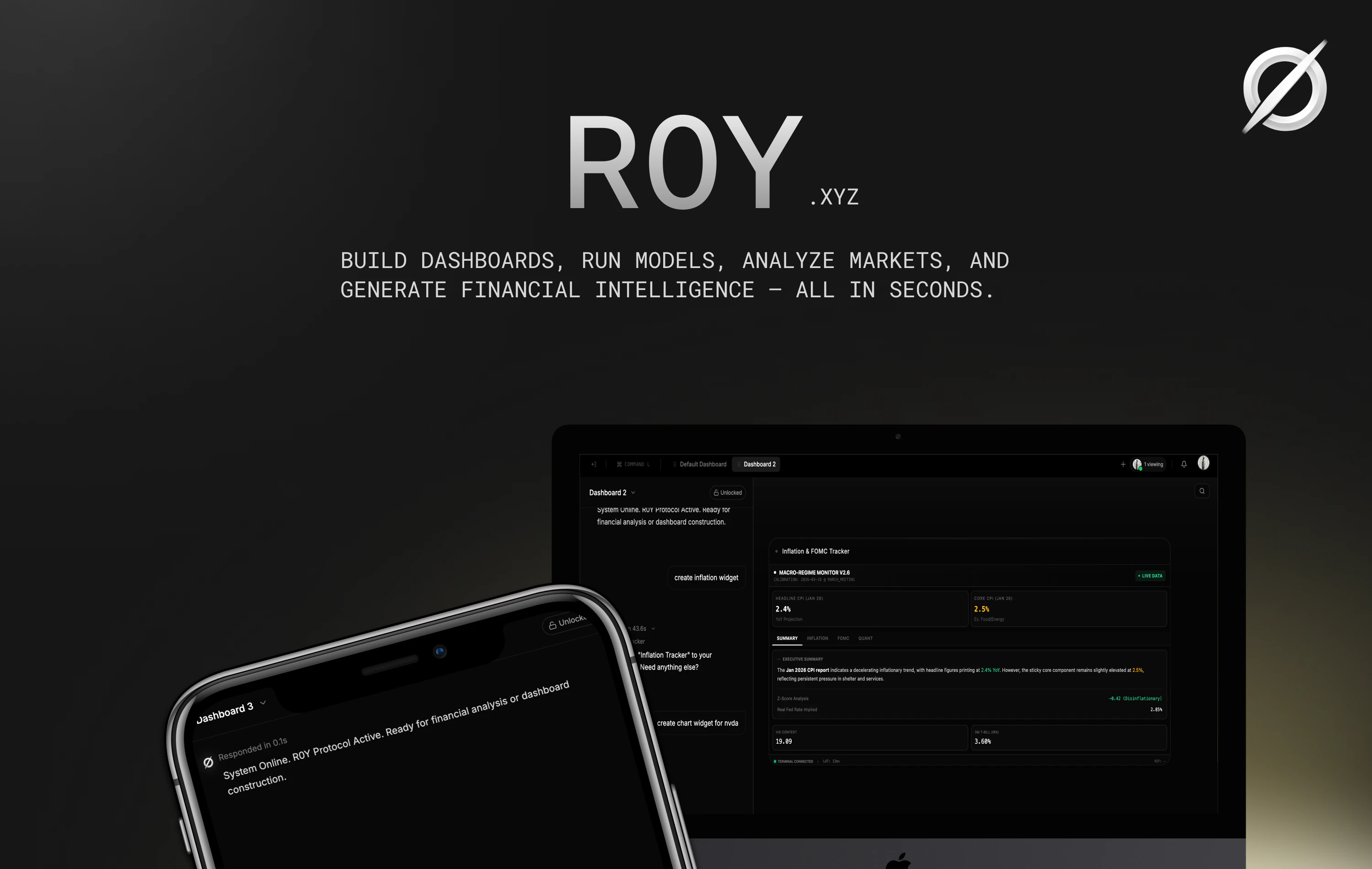
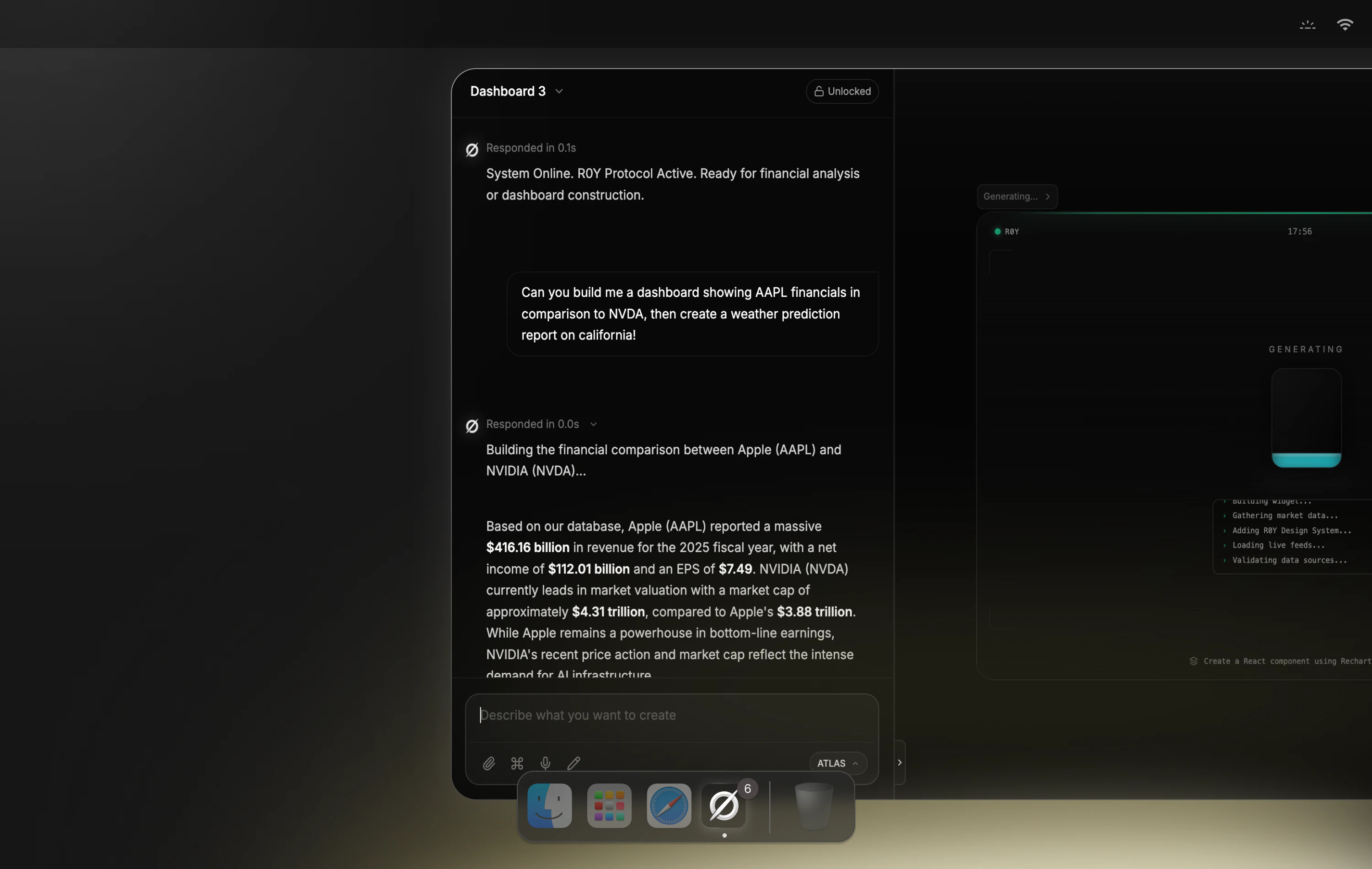
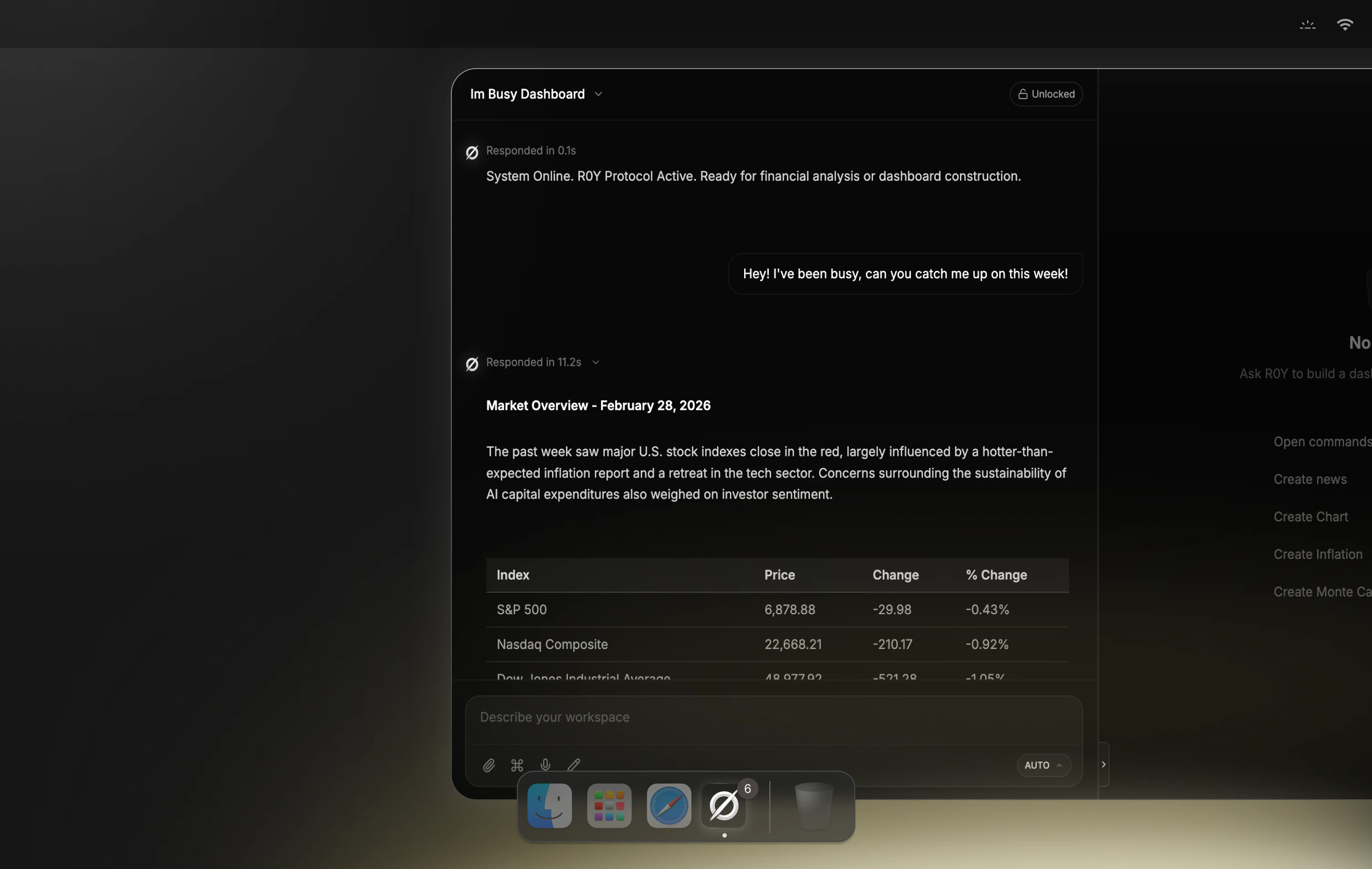
R0Y is a natural language financial studio that builds full investing dashboards in seconds. Ask for projections, macro analysis, backtests, or strategy models — it connects hundreds of millions of data points and generates live, interactive financial systems instantly. Collaborate with your team, share dashboards, and tailor everything to you or your organization. No code. No templates. Just intelligence on demand.

We built R0Y because serious investing and economic analysis is still broken.

The tools are powerful—but fragmented, expensive, and slow. You’re bouncing between platforms, stitching together data, or writing code just to answer a simple question.

There’s no real workspace. No fluid way to think, test, and build.

R0Y fixes that.

You just describe what you want. A strategy, a model, a dashboard—it builds it instantly. Live market + macro data, projections, visuals, all in one place.

It’s a sandbox for finance. You can experiment, break things, refine ideas, and collaborate with your team in real time. Share it, clone it, evolve it.

We wanted it to feel like thinking freely—but with institutional-grade data and execution behind it.

Would love your takes, espcially onwhat would make this 10x more powerful for you? Along with any questions you may have.

18
回复
@bryanliu Want to boost your Product Hunt launch? I help increase: 1. Upvotes 2. Reviews 3. Followers 4. Overall visibility Main goal: Higher ROI & real traction If you’re launching soon and want stronger results, let’s connect. Telegram: @Timi_070
0
回复

@bryanliu Congrats on the launch — the Monte Carlo use case you mentioned really resonates. Quick technical question: when you're pulling live macro data across hundreds of millions of data points for a dashboard, how are you handling data freshness guarantees? Specifically when upstream sources update at different cadences — some tick-by-tick, some daily — do you normalize at ingestion or let the dashboard layer handle the staleness logic? I've dealt with this in production pipelines at telecom scale and it's always where the edge cases live.

0
回复

Pretty cool! If two users ask the same query, will roy generate identical dashboards or personalized ones based on context or history??

5
回复

@lak7 Hey!! Thanks for the comment, all dashboards are generated completely different, and tailored towards the users. If the query is very simple, like "show stock chart" then there will be more similarities.

5
回复

Honest question: when a financial model is wrong, how does a team trace what R0Y built and why? Provenance at scale matters for anything touching real money.

4
回复

@mykola_kondratiuk Great question! So R0Y tracks everything it creates from, data sources, to code and original prompt. Whenever a financial model is created, theres sections of the dashboard that show each input, and formula. If a model is incorrect, you can trace it step by step, or our models will self correct with our debug fallback.

3
回复
Hey Bryan, that image of bouncing between platforms and stitching together data just to answer a simple question is painfully accurate. Was there a specific analysis where you realized you’d spent more time wrangling tools and data than actually thinking about the investment?
4
回复

@rapidly Great question! So my Co-Founder & I are both college students in investment groups that manage a live endowment. We noticed that when individuals were even looking at the news, everybody was on a different platform. More in particular, when I was personally attempting to pitch LTM(Latam American Airlines), I realized I spent so much time trying to build a Monte Carlo simulation to forecast possible scenarios, that I completely disregarded many other criteria's.

3
回复

Cool Bryan! VCs and Angels gonna love you. They currently deal with where investing but you're clarifying the way founders will present their deck. So, life should be a little bit easier for those! Congrats on the launch!!

1
回复

Backtests is doing a lot of heavy lifting in that feature list. What's the actual data depth — if I'm testing a macro rotation strategy, can I go back 30+ years across multiple rate cycles, or is this more recent market data? The quality of a backtest lives and dies on how far back and how clean the data is.

0
回复
#5
Edgee Codex Compressor
Use Codex at 35.6% lower costs
138
一句话介绍:Edgee Codex Compressor是一款AI网关工具,通过压缩和优化发送给Codex等编程AI代理的请求上下文,在开发者持续使用AI辅助编程的场景下,显著降低API调用成本,同时提升缓存命中率。
Software Engineering Developer Tools
AI开发工具 API成本优化 上下文压缩 编程代理网关 令牌节省 开源 性能基准测试 开发者效率 无代码集成
用户评论摘要:用户肯定其节省令牌的核心价值,询问技术细节(压缩方式、适用项目类型)和数据代表性。开发者回复澄清采用令牌级非语义压缩,处理工具输出冗余,并说明35.6%节省数据源于单次受控基准测试,实际节省率因使用模式而异。
AI 锐评

Edgee Codex Compressor精准切入了一个日益尖锐的痛点:AI编程助手(如Codex、Claude Code)高频使用带来的高昂API成本。其宣称的“35.6%成本降低”极具诱惑力,但需冷静审视。产品本质是一个前置的“语法清洁工”而非“语义理解官”,它通过过滤ANSI代码、删除进度条、合并重复日志等确定性的、可调试的规则来精简输入令牌数。这种方法聪明地避开了复杂的语义概括可能引入的失真风险,确保了输出质量的稳定性。

其真正的价值可能不止于直接的压缩率。评论中透露的缓存命中率从76.1%提升至85.4%是一个关键信号。这意味着更精简、更标准化的提示词更容易触发AI服务提供商的缓存机制,从而在压缩节省之上产生“二次节省”,形成了成本优化的复合效应。这揭示了其更深层的定位:不仅是令牌压缩器,更是通往大模型API的“效率优化网关”。

然而,其宣称的节省数据基于单次受控测试,这既是其宣传的亮点(数据具体、可复现),也是潜在的弱点。用户实际工作流千差万别,对于工具输出较少的任务,节省效果可能大打折扣。产品将面临如何管理用户预期、以及未来能否针对不同开发栈提供更精细化压缩策略的挑战。在当前开发者对AI成本日益敏感的市场下,Edgee凭借其开源、无代码集成的低门槛策略,确实提供了一个务实且即插即用的解决方案,但其长期竞争力将取决于压缩算法的持续优化和对多样化工况的适应能力。

查看原始信息
Edgee Codex Compressor
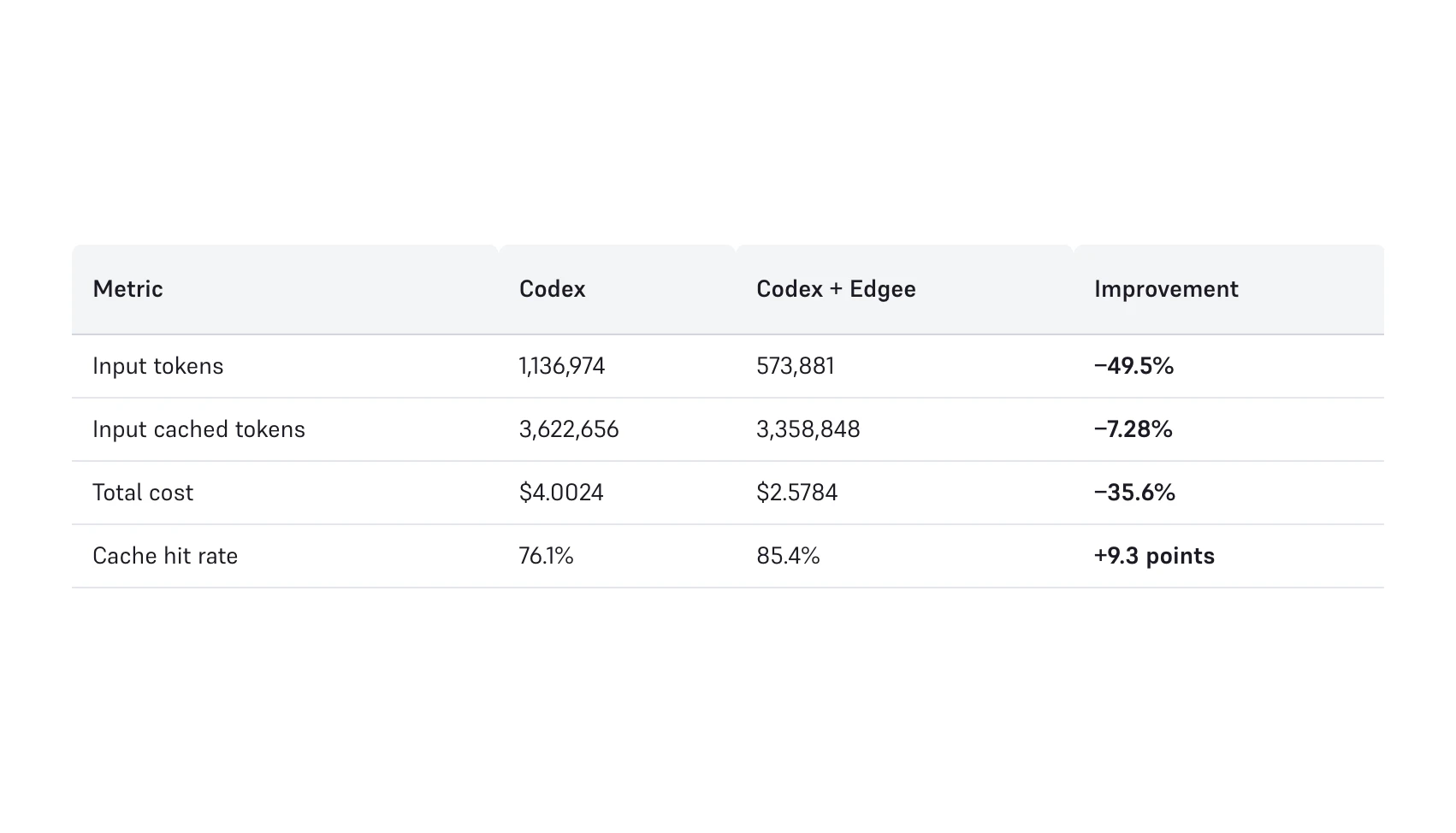
We benchmarked Codex alone against Codex routed through Edgee's compression gateway on the same repo, with the same model, under the same workflow. The result: Codex + Edgee used 49.5% fewer input tokens, improved cache hit rate from 76.1% to 85.4%, and reduced total session cost by 35.6%. This post breaks down why context compression makes Codex more efficient, more frugal, and materially cheaper to run without sacrificing useful output.

Hey PH 👋


We're launching the Codex Compressor today.

But first, what is Edgee?

Edgee is an AI Gateway for Coding Agents, and it helps you save tokens. It's really simple to use, you only need two command lines:

That's it! And it works the same with Claude Code.


The results:

As a gateway, Edgee can optimize the requests that are sent to OpenAI, remove noise and waste, and cut input token usage almost in half.

We ran a controlled benchmark (see the video): same repo, same model (gpt-5.4), same task sequence.
One session with plain Codex, one with Codex routed through Edgee.

  • Input tokens: −49.5%

  • Total cost: −35.6%

  • Cache hit rate: from 76.1% to 85.4%

The cache hit rate improvement is the part I find most interesting. By sending leaner prompts, @OpenAI cache is hit more often, so the savings compound beyond just the compression ratio.

Here's what makes this different from other token compression tools: we pull token counts directly from the OpenAI API usage fields. No character-based estimates. The numbers are what you're actually billed for.


⭐️ Please, give a star to our brand new OSS repository, we need support ;)

And don't hesitate to try, it's free!

Happy to answer any questions here all day. 🙏

6
回复
@sachamorard Want to boost your Product Hunt launch? I help increase: 1. Upvotes 2. Reviews 3. Followers 4. Overall visibility Main goal: Higher ROI & real traction If you’re launching soon and want stronger results, let’s connect. Telegram: @Timi_070
0
回复

@sachamorard s/o for this new launch -- keep up the great work

0
回复

@sachamorard Nice launch! From a user perspective, what kind of projects would benefit the most from using Edgee with Codex?

0
回复

Coolest launch of the day!! Btw what kinds of transformations are you applying like semantic compression, deduplication, summarization or something else???

4
回复

@lak7 We're doing token-level compression, not semantic. Concretely, we clean the tool results: smart filtering (strip ANSI codes, progress bars, whitespace noise), deduplication (collapse repeated log lines with counts), grouping (aggregate similar items), and truncation (keep the signal, cut the redundancy).

No summarization, no embedding-space compression. The approach stays fully transparent and deterministic, what gets sent to the model is readable and debuggable, just leaner.

The biggest gains come from tool outputs like cargo build, git log, go test... designed for humans, not for models. That's where the −93% on cargo comes from.

4
回复

"Coolest launch of the day!"

100%, @Edgee is underrated IMHO

2
回复

Very cool product !
I'm using it for 3 weeks and it's very efficient. A game changer to controle API costs.

2
回复
@jalmin Thank you so much for making the most of Edgee. 💪
2
回复
I would do anything to save tokens, thank you edgee team! 🤩
2
回复

@picsoung haha, thanks. I would do anything to help friends save tokens.

2
回复

That's a very specific figure — I like that. Is that an average across user sessions or a median? And what does the distribution look like — are most users clustered around that number or is it more bimodal between light and heavy usage?

2
回复

@ryanwmcc1 Great question, and I want to be upfront: this is a single benchmark run, not an aggregate across user sessions. The −49.5% figure comes from one controlled test, same repo, same model, same task sequence, so it's a point measurement rather than a statistical distribution.

That said, the compression ratio in our architecture isn't random. It tracks directly with how much redundant context accumulates in a session, which is a function of session length, tool call frequency, and how repetitive the tool outputs are. Cargo build output, for example, is extremely compressible (−93% in this run) because it's verbose and structurally repetitive. File reads are less so (−34%).


If we look at the average compression rate for each Codex session, we're more around -40% of input tokens, as it depends heavily on how the developer uses Codex.

3
回复
#6
Layered
Turn your selfies into a personal AI stylist
136
一句话介绍:Layered是一款个人AI造型师应用,通过分析用户现有自拍照而非单独拍摄每件衣物,自动构建数字衣橱,在日常生活、购物决策及旅行打包等场景下,解决了传统虚拟衣橱应用录入过程繁琐、耗时巨大的核心痛点。
iOS Fashion Artificial Intelligence
AI造型师 虚拟衣橱 时尚科技 个人形象管理 旅行打包 穿搭推荐 消费分析 生活效率 图像识别 智能整理
用户评论摘要:用户普遍赞赏其通过自拍照构建衣橱的低摩擦方式,认为这是相比竞品的巨大优势。主要疑问与建议集中在:成本追踪功能的数据录入是否繁琐;场景化推荐(如工作/休闲)的精准度;以及从自拍照中识别衣物的准确率。开发者回复称识别准确度高,并通过内置聊天机器人提供场景化建议。
AI 锐评

Layered的聪明之处在于,它没有在“AI造型师”这个已显拥挤的赛道上进行功能堆砌,而是精准地击中了行业通病——数据录入的灾难性用户体验。它用“读取现有自拍照”这个看似取巧的方案,巧妙地绕过了最大障碍,将用户从“为应用打工”的窘境中解放出来,这本身就是一种降维打击。

然而,其真正的价值可能并非停留在“智能推荐穿搭”的表面。从“旅行胶囊衣橱”成为最受欢迎功能来看,用户深层需求是“决策简化”与“资源优化”。应用内的成本追踪、衣物利用率分析等功能,试图将感性的时尚消费转化为可量化的理性数据,这指向了更深层的用户心智:在过度消费时代,管理衣橱的本质是管理消费与生活。这使其具备了从“穿搭工具”向“个人消费管理平台”演进的潜力。

风险同样清晰。首先,其商业模式依赖“代币”,与高频的日常交互需求可能产生矛盾,易导致用户流失。其次,自拍照识别技术虽被宣称准确,但在复杂搭配、重叠衣物的场景下能否持续可靠,仍是问号。最后,应用试图覆盖从衣橱管理、购物灵感、旅行打包到财务分析的过长链条,存在失焦风险。它的成功与否,将取决于能否在惊艳的切入点之后,在一个核心功能上建立起足够深的壁垒,而非停留在“有趣的创意”层面。当前,它更像一个解决了关键入口问题的、优雅的“半成品”,其长期价值有待更深度的用户数据与场景闭环来验证。

查看原始信息
Layered
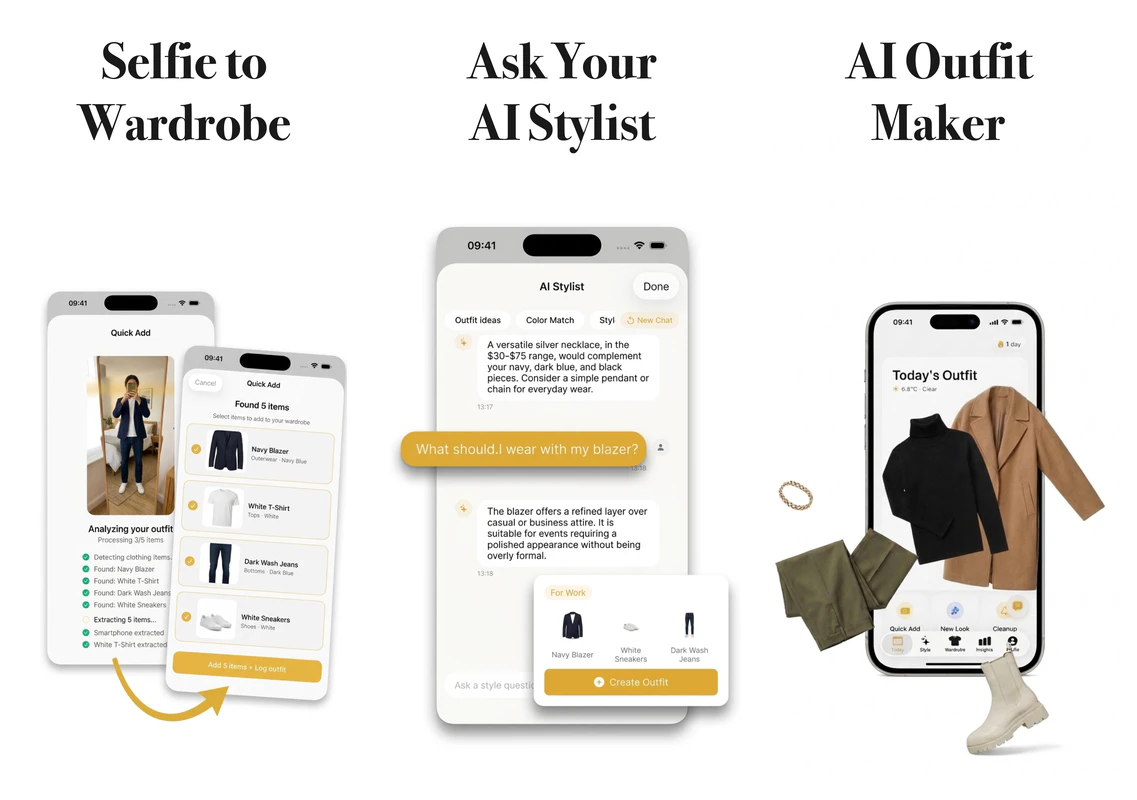
Other AI stylists want you to photograph 100 items one by one. Layered reads your selfies instead and builds your closet for you. Get daily outfit picks from what you already own, Pinterest-style lookbooks from any new dress, and travel capsules packed for your destination, weather, and luggage size. Need more? Track cost-per-wear, spot clothes you never wear, plan cleanups, and get tomorrow's outfit on a Home screen widget.

Hey Product Hunt 👋

I'm an indie iOS dev, and I'm the wrong person to build a wardrobe app: I wear gym t-shirts all year round.

I own maybe 100 things and rotate 12 of them, so when I left for Canada on a one-way ticket last year, I had to figure out which items to actually pack. There are plenty of "AI stylists" on the App Store, but every one I tried wanted me to photograph items one by one against a white background. Instead of spending two hours on that, I spent a few months building the app (instead of packing, that is).

There are three main ways to use it:
1. Upload a bunch of selfies. Layered reads them and builds your closet for you.
2. Drop a photo of a new dress. It turns it into a clean Pinterest-style lookbook - removes wrinkles, folds neatly - and saves into your digital wardrobe.
3. Got a trip next week? It packs a capsule wardrobe for your destination, weather, and luggage size. This is the feature I didn't expect anyone else to care about, and now it's the one people use most.
It also comes with analytics (from cost-to-wear to wardrobe ROI), AI stylist chat bot, and lots of other tools like "style DNA" to get recommendations of what to wear or analyse gaps in your closet.

I'm still figuring out monetisation - it goes heavy on tokens - so everyone gets 5 free AI interactions before the paywall. To celebrate the PH launch, here are some heavily discounted monthly codes:

YFHN4N3KJ4PYYH4LKE
6MPEE3AXEAJXPATTHN
WTX88884KEK68YP48W
PT47XYL7TTW37THTAL
6HXP8J3XPKTAM7X3LW

And while you're here: what's the one outfit decision you'd pay an AI to make for you?

4
回复

@valzevul

Congrats bro, Please make andriod vs 

0
回复

@valzevul This looks awesome I like the marketing

0
回复
@valzevul Want to boost your Product Hunt launch? I help increase: 1. Upvotes 2. Reviews 3. Followers 4. Overall visibility Main goal: Higher ROI & real traction If you’re launching soon and want stronger results, let’s connect. Telegram: @Timi_070
0
回复

The cost-per-wear tracking is interesting but requires knowing what you paid for each item. Does the app ask you to input prices manually, or is there some other way it pulls that data? Because if it's manual entry, that's another friction point that might kill adoption — the same way photographing 100 items one by one does.

0
回复

Every other wardrobe app I've tried makes you photograph every single shirt individually and I gave up after like 10 items. Reading selfies you already have and building the closet from that is such a lower friction approach. Does it handle casual vs work context? Like would it suggest different outfits depending on whether I have meetings that day vs working from home?

0
回复

@yotam_dahan it doesn’t have calendar access but there is a built in stylist chat bot who can suggest a more specific outfit for any scenario

0
回复

Interesting idea. How accurate is it at understanding what people actually own from just selfies, especially with things that aren’t clearly visible?

0
回复

@becky_gaskell thanks, it’s surprisingly accurate! There are multiple layers and detection heuristics to it, so unless you wear something wildly unexpected it should handle it fine.

0
回复
#7
ClarifierAI for IOS
Use AI for writing & translating your messages 10x faster
136
一句话介绍:一款iOS键盘扩展应用,利用AI在任意App内实时优化文本、转换语气并翻译113种语言,解决了用户在跨平台沟通中反复切换应用、检查措辞和翻译的效率痛点。
Productivity Custom Keyboards Messaging
AI键盘 实时翻译 文本优化 效率工具 跨平台输入 多语言支持 隐私保护 iOS应用 生产力 语气转换
用户评论摘要:用户普遍赞赏其语音输入、实时翻译和文本优化功能,认为其大幅提升了效率。主要建议包括:增加自定义语气预设、个人词典/风格记忆、改进语音识别的标点添加、优化翻译语言切换流程、添加删除键,以及对隐私和数据安全的关切。开发者积极回应,表示多项功能已在规划中。
AI 锐评

ClarifierAI的本质,并非简单的“又一个AI写作工具”,而是一次对移动端输入法“智能层”的精准切入。它敏锐地捕捉到了当前AI应用生态的一个核心矛盾:强大的模型能力与碎片化的使用场景之间的割裂。用户不得不在ChatGPT、翻译软件、语法检查器和原生键盘之间疲于切换,创作流不断被打断。此产品将AI作为输入法的“增强模式”而非独立应用,试图将离散的AI操作无缝嵌入最高频的文本输入场景,其核心价值在于“流程压缩”。

从评论看,其早期吸引力验证了这一逻辑:用户明确为其“替代多个应用”和“免于切换”的价值买单。语音输入融合实时优化、翻译,以及对建议的逐条否决权,是其当前差异化的锋利之处。然而,产品也暴露了键盘扩展形态的固有挑战:有限的界面空间与用户对复杂自定义(如预设、快捷语言切换)需求之间的矛盾。其真正的护城河,将取决于能否在狭小的键盘交互框架内,构建出足够深度且个性化的“写作风格记忆”,而非仅仅充当云端AI模型的快捷前端。隐私承诺是其入场券,但长期留存的关键在于,它能否从“一个聪明的临时助手”进化为“懂我的专属写作伙伴”。当前的高留存数据是积极信号,但能否在更大众市场复现此表现,并抵御住即将被系统级AI(如Apple Intelligence)整合的潜在风险,是其未来面临的双重考验。

查看原始信息
ClarifierAI for IOS
ClarifierAI keyboard for iPhone makes your words clearer and translates across 113 languages in any app. Available on iOS. Just a keyboard that activates when you need it. Works in Gmail, LinkedIn, iMessage, WhatsApp, Slack and more ⚡️

Hello, Product Hunt 🙌🏻

I’m Daniil, I work as a software engineer with passion to create product that will be genuinely saving people’s time everyday. Today I’m happy to introduce ClarifierAI, an app that was born from my own needs.

🧩 Product Story

I found myself constantly switching between AI apps just to refine or translate my messages or posts. Sometimes before sending message to someone, I was double checking with AI if message sound polite or clear enough. I was that so much, and eventually I created separate workflows for each task to save some extra time and not explain AI every time what it want him to do with my text. But the copy-pasting between apps was still very slow, and I wanted to save even more extra time, so I combined those workflows into one simple IOS keyboard extension, and now it saves me a lot of time. 

I immediately got 250+ beta testers from Reddit, talked to them, and used their feedback to iterate on the countless edge cases, so today I can finally share a polished product with you.

📱 What is ClarifierAI?

It’s an IOS custom keyboard that improves, translates and changes tones for your text in any app, enabling you to seamlessly utilize AI and save a lot of time. This app respects your privacy and common used keyboard, switch to ClarifierAI only when you need to work on your text. My ICP is professionals and anyone writing in a language that isn’t their own. It supports 113 languages so far.

🎥 Demo here:
https://demo.arcade.software/0RpMS4BP4Ggtr5xT3nQ6?embed&embed_mobile=tab&embed_desktop=inline&show_copy_link=true

🔑 Key Features
This app can improve, change tone, translate to 113 languages, preserve your tone by choosing what suggested changes to leave, you can tap on any change to undo it. It also has AI powered voice dictation and instant translation from any language to English, this feature is going to have more updates to support more languages. Use Analytics tab to see how much time app saved you, it counts using real algorithm. And last but not least, choose your favorite app icon that was made with love by human.

💡 How I Personally Use It
1. When I need to make the right impression, I double-check my text before sending
2. When my message doesn't sound polite enough, I run it through Polite mode
3. When texting in a foreign language, I type in my native language and instantly translate

📊 Early Traction
Beta version: 250 beta testers with 97.7% retention. 

Production: 486 users, $474 revenue, 3.09 % install->paid, $0 ad spend.

🎁 Launch Offer
For the Product Hunt community — Lifetime plan from $79.99$49.99 (37.5% off).

Redeem here: https://apps.apple.com/redeem?ctx=offercodes&id=6755627408&code=PRODUCTHUNT50

💰 Pricing 

Monthly 4.99$

Yearly 29.99$


🙏 Your Feedback

I’d love your honest feedback, what works for you, what doesn’t, what you’d want to see next. Ask me any questions, technical or personal, I would be happy to answer all of them!

Find me on X: @dddanicloud

Best, Daniil

22
回复
@dan_pak congratulations on the launch! It’s 4am here, but wanted to weigh in with my support!
0
回复
@dan_pak Want to boost your Product Hunt launch? I help increase: 1. Upvotes 2. Reviews 3. Followers 4. Overall visibility Main goal: Higher ROI & real traction If you’re launching soon and want stronger results, let’s connect. Telegram: @Timi_070
0
回复

Congrats on the launch @dan_pak !

The voice-to-text feature is where this really shines for me. I used to juggle between Willow and Wispr Flow. With ClarifierAI I just talk in German, switch mid-thought to English, and it handles it seamlessly. That alone replaced two apps for me.

Few questions:

  • Any plans for custom tone presets? Like saving a “professional email” tone vs. a “casual” tone so I don’t have to adjust every time?

  • Would love to see some kind of personal dictionary or style memory over time — so it learns that I want to write “color” not “colour”, or “Grüsse” instead of “Grüße”, for example. Anything like that planned?

This has real potential to become the default writing layer on iOS. Rooting for you — keep building!

5
回复

@donatius Hello Donat, thank you for big compliment, i am glad that you like voice feature, regarding custom tone presets, absolutely i have that already in roadmap, it will be released within a week.

And for the personal dictionary and memory, this is a great proposal, i believe a lot of users will find it usefull as well, looking forward to find out the ways to implement it!

6
回复
@dan_pak Sounds great - looking forward to the update!
2
回复

Hey Dani, congrats on the launch. I really feel like this is shaping up to be the ultimate transcription app for iOS. My main goal lately has been to stop typing completely and just use voice dictation. I've already found my favorite app on Mac, and 90% of what I write now is by voice. 

I barely touch my keyboard anymore. I really want to do the same on my iPhone, but I hadn't found anything truly effective until now.

I have been using clarifier.ai for a few days, and there is a feature that I find lacking. It could be interesting to add a dedicated line for punctuation just below the "Improve," "Translate," "Clarify," and other buttons. When using the text-to-speech feature, some punctuation is sometimes missing, and this would allow for quick additions.

I think It would also be helpful to have a "Delete" button to quickly remove a word in case of an error, without having to return to the standard keyboard.

I also have a quick feature suggestion regarding translations. Right now, it seems to default to a single direction based on the input. It would be incredibly smooth if we could pre-select our favorite target languages in the app settings, and then simply long-press the "Translate" button on the keyboard to bring up a quick popup list. You’d just hold, slide to the language you want (like switching to Portuguese on the fly), and release to apply. I think that would make the UX so much better!

Great job on the release.

4
回复

@emm_gr Hi Emm, this is an amazing feedback, i really appreciate it, i strongly look forward to improve voice-to-text features, voice translations, so i hope to deliver kind of app that will fulfill your needs on Iphone.

Regarding choosing languages on fly, thats a great proposal, i got a lot of requests for that one, so i believe it will be available in the next update.

Thank you for visualization of how you see the app, i appreciate you taking time to create it

3
回复

This app would help a lot for me who have Thai native language. The integration on iOS keyboard would game changer for use it in writing or checking grammar for me.

4
回复

@irafan_paduka Hi Irafan, thank you for the comment, app support Thai language very well!

1
回复
@dan_pak awesome, It will so helpful
0
回复

Hi, Daniil.

I am always finding better app for typing instead of me.

I installed this app for test usage, and it seems better than I expected!

4
回复

@byung12 Hi Byung-iL, thank you very much for your compliment!

0
回复

Hi Daniil Park

Does ClarifierAI have a strict policy against using user data to protect sensitive information?

Thanks alot

Dinh

3
回复

@dinh_toan Hi Dinh, ClarifierAI does not retain any data. Your text is never stored on our backend services or by our providers. It's processed in real-time and discarded immediately after. No logs, no training on your data

0
回复

Hi, Daniil.

Writing a little faster in your native language can get you out of context a little bit. Longer writing makes the brand name simple, but the

'ClarifierAl' keyboard is pretty organized. I have to look at other foreign languages, but I think the English translation level of 'ClarifierAl' is higher than I thought!

However, when I ran the Al keyboard after writing, I didn't select the conditions, but automatically applying them right away makes me feel a little tired. I hope the option will be added to not only apply it right away, but also to allow you to manually choose from the conditions.

Thank you for introducing me to a good app.

3
回复

@bencle Hi BJ! Thank you a lot for the compliment, you can choose between variants before pressing "Apply" button, i hope that helps

0
回复
I've been giving ClarifierAI a test run over the past few days and I'm very impressed by it so far. I've fed it several raw "brain dumps" and asked it to tighten and tidy them up and it's done so very well. It's also great to be able to accept or reject suggested amendments at an individual level because not every single suggestion is 100% correct. But so far it seems like one of the relatively few such apps that properly delivers on what it promises. I've only tested the translation facility briefly as I haven't had a proper need for it yet, but it worked well when I did try it translating from English to the only other language I vaguely understand. It's a really good app and I'd definitely recommend giving it a try if you want to get your points across as clearly as possible. Good luck with the launch!
2
回复

@cronberry Hello Jonathan, i appreciate your compliment! It so great to find out, that individual reverts was found usefull, this is my own favorite feature so far.

Thank you~

1
回复
Hi I can surely say that this is my favorite app for last half year  My favorite function is translate, and it most helpful in my work chat and online shopping on Chinese markets such as taobao and other. And I’m not using any translator now cause I don’t like switching between apps. Now I’m on vacation and using Clarifier only for shopping. It saved me 1,5 hour (based on build in analytics) of absolutely non active usage. And I can say that this is super crazy🤯 I’ve tried a lot of same apps but this one is fastest. Also personally I hate adding new keyboard cause it’s 100% would not be that good as Apple’s and I love my emoji section which is not be included. It’s more comfy for me to just switch like between languages. What’s next step? Could you add it on MacOS?
2
回复

@new_user___0392026c5a6ddc5ba8ed51b Hi Alissa, thank you for your compliment, i am glad that app actually saved you that much time, using app for navigating Chinese markets - is something that i wasnt expecting someone to use that way, that's cool.

I am strongly encouraged to create ClarifierAI for MacOS with flexible text formatting and voice-to-text features, please join our wishlist on our landing page!

1
回复

Hi,

which AI model(s) is/are used for the processing? Thank you?

2
回复

@inoplugs Hello, thank you for the question, app uses a mix of gpt-4o, gpt-5-nano and Gemini 2.0 Flash

0
回复

Having the app as a keyboard is a smart solution. It’s been very helpful in two aspects: I write in two different languages, it improves my writing on both. I also have been using a lot the dictation to make my writing faster, and I love how ClarifierAI corrects the text instantly after the dictation.

One final thought: congratulations to Daniel for the app launch and for the strong focus on improving his product: he has been very open to suggestions and feedback, and any comment is welcomed and taken seriously.

1
回复

@tomas_eduardo_ramos_castillo Hey Tomas! It's really nice to hear that you found it helpfull as a billingual person. I also appreciate you being a part of app's community. I am looking forward to improve dictation, thanks for choosing my app

0
回复

Wonderful app with great potential. Simplifies a couple of workflows for me to a great extent. Every time I’m writhing something to a couple of serious relationships - boss, new contacts, work folks etc, and the topic is sensitive I always run my text through ChatGPT to make sure I’m not being verbose, that I have the right tone, and further that I’m not accidentally offending someone. This app prevents that app switch to ChatGPT and lets me work within the app. Great stuff and it’ll save a lot of time

Typically, I would have run my review through ChatGPT to tighten it up, but down here, I got this response within a second with zero app switching!!

Wonderful app with great potential. It significantly simplifies a couple of workflows for me. Whenever I'm writing something to important contacts—like my boss, new connections, or colleagues—and the topic is sensitive, I always run my text through ChatGPT to ensure I'm not being verbose, that I have the right tone, and that I'm not accidentally offending anyone. This app eliminates the need to switch to ChatGPT and allows me to work within the app. Great stuff, and it will save a lot of time.

1
回复

Additionally, the app keeps my messaging focused. Apple Intelligence was a non-starter with how badly it rewrote the whole message, and ChatGPT wants to rephrase the message so much that it doesn’t sound like me anymore. I can now jot down my thoughts while replying to someone, switch to the Clarifier keyboard within the same app, and send my message. Extremely convenient and time saving

1
回复

@neotaruntius Hello Tarun, yes that's exactly one of the reasons why i created this app, i was constantly swithcing between apps, copy pasting. And this app allows me to save some extra time, which compounds later to a lot of hours. Thank you for your feedback, i love the way you put it

0
回复

Congrats on the launch!! I’m really tired of having to jump between apps just to translate a simple message, so this is a lifesaver. One thing I'm curious about does ClarifierAI actually learn my own typing style over time to make translations sound more like me, or is it just based on the tone I select? Great job guys!!!

1
回复

@pablo_gv1 Thank you Pablo!

Translation is made by AI which is more accurate than google translator for example, so it's very good with preserving your style!

0
回复

I like the idea but keyboard extensions always make me a bit cautious how is privacy handled and sensitive text? Is anything stored?

1
回复

@marcusminge thank you Marcus, app only has access to your text when you switch to it, it has zero access when you type using your native ios keyboard. When you do use it, your text is processed through a cloud API to generate suggestions and is not stored on our servers. The API provider's terms also confirm that data sent through their API is not used for model training.

0
回复

Chúc mừng nha

Ứng dụng rất hữu ít với những người chưa giỏi ngôn ngữ như mình mong nhà phát triển tiếp tục cập nhật nhiều hơn.

1
回复

@astell2410 I am really glad, that you found it usefull, i definitelly will keep updating the app, and do it often, Cảm ơn bạn rất nhiều vì sự ủng hộ! 🙏

0
回复

Hi Daniil!

I have been an app curator for many years (not to confuse with an app hoarder!), testing betas since long ago - both Android and iOS. At the same time, very cautious with the personal data used by these apps. A keyboard app is a first class to handle personal data, for what I’m very cautious - and everybody should - to use in a daily basis.

Your app can help with a major situation: comunication in various languages in the right way. I'm putting my cents in your app if you keep the app with the “zero data retention” privacy as your app is clean and user friendly, plus tackles a necessary thing: effective communication.

I will follow this great project to see how amazing can keep evolving!

1
回复

@jomaca9 Hi Jay, thank you for your feedback. Privacy is a crucial part of this app and remains the top priority. I do my best to earn users’ trust. Having said that the app will always operate with a “zero data retention” approach.

1
回复

This app is really essential for Vietnamese speakers like myself. It would be even better if it integrated directly into the iOS keyboard to check for errors while typing.

1
回复

@phungthanh Hey, app supports Vietnamese really well, thank you for the feedback!

ClarifierAI respects your native keyboard, but your suggestion has been noted

0
回复

Hi Daniil,

Tested and it work stupendously good, love that it work seemlessly with the keyboard and it supports my native language, even understood the usage of shortform in our daily conversation.

Congrats on the official release!

1
回复

@redzrex Hi Muhammad, thanks a ton for your kind words, may i ask what's your native language?

Thank you very much for your congrats!

1
回复

Hello Daniil,

I’m looking for an iOS keyboard that lets me translate and proofread smoothly. Apple Intelligence works quite well, but it isn’t well integrated into the iPhone’s native keyboard (you have to dig through a menu for simple tasks). ClarifierAI – et voilà! It perfectly addresses Apple’s limitations and seems a cut above the competition. Watch this space!

1
回复

@d4vf0f Hello David, that's exactly why i built this app, i really love they way you put it, thank you very much for your compliments!

1
回复

Hello Daniil,

Congratulations on the launch! This is the app I was hoping that iOS would build-in systemwide. It is simple yet always works. I have one more request though, any plan to integrate snippets and system clipboard history?

1
回复

@ideavs Hello! Thank you very much! That's a great request, but honestly i am strongly focused on text formatting and voice-to-text features, therefore i believe Snippets feature will not be there in the future, but i really appreciate you asking me that

0
回复

Hello Dani,

how does the keyboard handle privacy, especially with sensitive text like passwords or personal messages?

Thank you so much for this great app

Mahmoud

1
回复

@mahmoud_aly1 Hello Mahmoud, thank you for your question. This app does not retain any data and uses secure channels to transmit your information to the AI provider. On the provider’s side, your data is neither retained nor used for training purposes, as clearly stated in the privacy documentation.

THank you for the compliment and your comment!

1
回复

Simple idea, I like the focus. Do people actually stick to the yes/no approach, or do they want more details over time?

1
回复

@rene_st_theone_ Great question, right now app is not giving explanations for particular changes, and i havent received any requests for that. What is your take, would you like to have simple yes/no approach or have more details?

0
回复

One question - why I need this if mac already have this feature inbuild?

1
回复

@thekingcat Hi, ClarifierAI is designed around efficiency. It requires fewer actions to use, saving you small amounts of time each time which adds up over time. It is more convenient than Apple Intelligence, offers quick onboarding, and currently supports over 113 languages, unlike Apple Intelligence that supports 8

0
回复

Tested it briefly and the keyboard integration feels super practical.

How does it stand out compared to Apple Intelligence for rewriting and tone adjustments?

0
回复
#8
Nicelydone MCP
Design context for AI agents
127
一句话介绍:Nicelydone MCP 通过为AI智能体提供超过14万个真实产品界面、用户流程和UI组件库作为设计上下文,解决了AI生成界面千篇一律、缺乏真实产品感的痛点,尤其适用于在Claude、Cursor等开发环境中进行快速原型设计和布局生成。
Developer Tools
AI辅助开发 设计上下文 MCP服务器 UI组件库 真实设计系统 代码生成 智能体工具 开发者工作流 设计工程 产品灵感
用户评论摘要:用户肯定其将真实设计系统接入智能体的工作流升级价值,认为能有效解决AI设计“通用化”问题。同时提出关键建议:能否按CSS框架(如Tailwind)筛选设计上下文,以及如何应对设计令牌和组件规范快速迭代的维护挑战。
AI 锐评

Nicelydone MCP 看似是一个庞大的设计素材库,但其真正的颠覆性在于对当前AI辅助开发核心矛盾的精准打击:大模型基于“平均化”开源代码训练出的界面,与真实商业产品经过打磨的设计系统之间存在巨大断层。它本质上不是提供“灵感”,而是为智能体注入“市场验证过的设计模式”这一稀缺上下文。

产品聪明地避开了与Figma等设计工具的直接竞争,转而拥抱新兴的MCP协议,将自己嵌入开发者与智能体对话的核心工作流。这步棋走得险但准。它解决的并非“美观”问题,而是“合理性”与“可实现性”问题。开发者不再需要手动收集和上传参考截图,智能体直接获得了经过分类的真实世界解决方案作为思考依据。

然而,其宣称的“14万+真实屏幕”既是护城河,也可能成为阿喀琉斯之踵。评论中指出的“维护问题”一针见血。设计系统是活文档,持续演化。如果该库无法实现接近实时的同步更新,其上下文价值将随时间迅速衰减,从“真实参考”沦为“历史档案”。此外,智能体如何理解这些屏幕背后的交互逻辑、状态变化等动态上下文,而非仅仅静态样式,是决定其产出深度能否超越“模仿外观”的关键。

该产品的未来,不在于成为最大的设计博物馆,而在于能否构建最智能的设计上下文“翻译器”与“过滤器”。例如,根据开发者指定的技术栈、产品类型、用户场景,动态组装和推荐最相关的设计模式。它真正的对手,或许是未来直接使用海量产品界面微调过的下一代代码生成模型。在模型能力快速迭代的当下,Nicelydone MCP 必须跑得比模型进化更快,从静态资源库升级为动态设计情报引擎,才能保持其桥接价值。

查看原始信息
Nicelydone MCP
AI-generated pages all look the same. Nicelydone MCP gives your agent access to 140,000+ real screens, user flows, and UI components from shipped products. Works with Claude, Cursor, VS Code, and more.

hadn't thought of feeding design system context directly into agents. the maintenance question is real - design tokens and component specs evolve faster than most MCP implementations can keep up with.

0
回复

Hooking up Nicelydone's UI gallery to an MCP server is a huge workflow upgrade for those of us building inside Cursor. Can the agent filter the design context by specific CSS frameworks like Tailwind when generating the code? This is going to save me from having to manually upload inspiration screenshots every time I need to prompt a new layout.

0
回复

AI-generated UIs always have that same generic look because the models are pattern-matching on average, not on what actually ships. Giving agents access to real screens from real products is such an obvious fix in hindsight, trying this with Cursor today.

0
回复
#9
LLM-Citeops
Fix 60% scores of AEO and GEO scores without single penny.
14
一句话介绍:一款免费的Node.js CLI工具,通过自动化评分与监控,帮助开发者在内容优化和AI信任构建场景下,低成本地提升网页的AEO(答案就绪内容)和GEO(AI信任)分数。
Open Source Marketing Software Engineering GitHub
开发者工具 SEO优化 AI内容优化 自动化测试 CLI工具 性能监控 Node.js 开源工具 CI/CD集成 内容质量评分
用户评论摘要:用户反馈其灵感来源于Lighthouse插件,用于网站性能基准测试与问题修复。另一用户分享了使用该工具生成报告并交由AI编码代理进行优化的实践,同时开发者主动征求改进建议。
AI 锐评

LLM-Citeops 敏锐地切入了“后SEO时代”的一个新兴痛点:如何让网页内容不仅对人类友好,更能适配AI(尤其是大语言模型)的抓取、理解与信任体系。其宣称“不花一分钱修复60%的AEO/GEO分数”极具冲击力,本质上是在将模糊的“AI友好度”概念量化为可监控、可迭代的工程指标。

产品价值核心在于“标准化”与“流程化”。它借鉴了前端性能工程(如Lighthouse CI)的成熟思路,将内容优化从依赖专家经验的“玄学”,转变为可集成到CI/CD管道中的自动化检查点。这为开发团队提供了明确的优化目标和即时反馈,尤其适合技术驱动型内容团队进行规模化生产与质量管控。

然而,其面临的挑战同样尖锐。首先,AEO/GEO评分标准的权威性与普适性存疑,其背后的算法是否真正代表了主流LLM的“偏好”或搜索引擎的排名逻辑,需要持续验证。其次,工具目前仅提供“评分”和“报告”,真正的“修复”环节仍需依赖开发者或AI代理去解读和执行,其宣称的“修复60%”更像是一种目标而非承诺,工具本身并未提供自动化修复方案。最后,其免费CLI的定位虽利于快速推广,但商业模式模糊,长期维护和算法更新的动力可能不足。

总体而言,这是一个思路超前、定位精准的“探路型”工具。它成功地将一个前沿需求产品化,但能否从“有趣的实验”成长为“必备的工具”,取决于其评分模型的持续进化能力以及能否构建起从“诊断”到“治疗”的完整闭环。在当前AI重塑信息检索的浪潮下,它值得技术关注,但尚未构成壁垒。

查看原始信息
LLM-Citeops
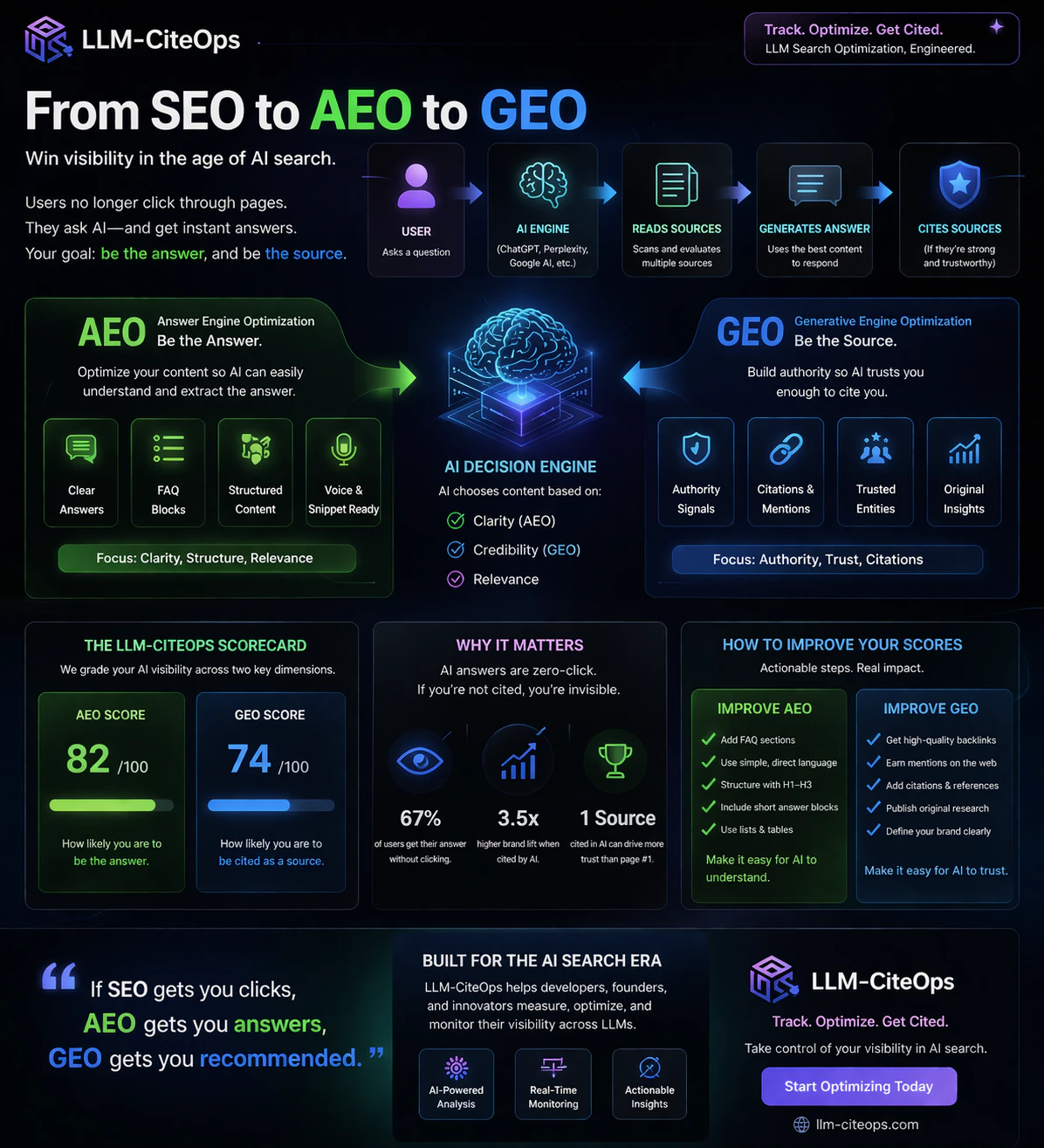
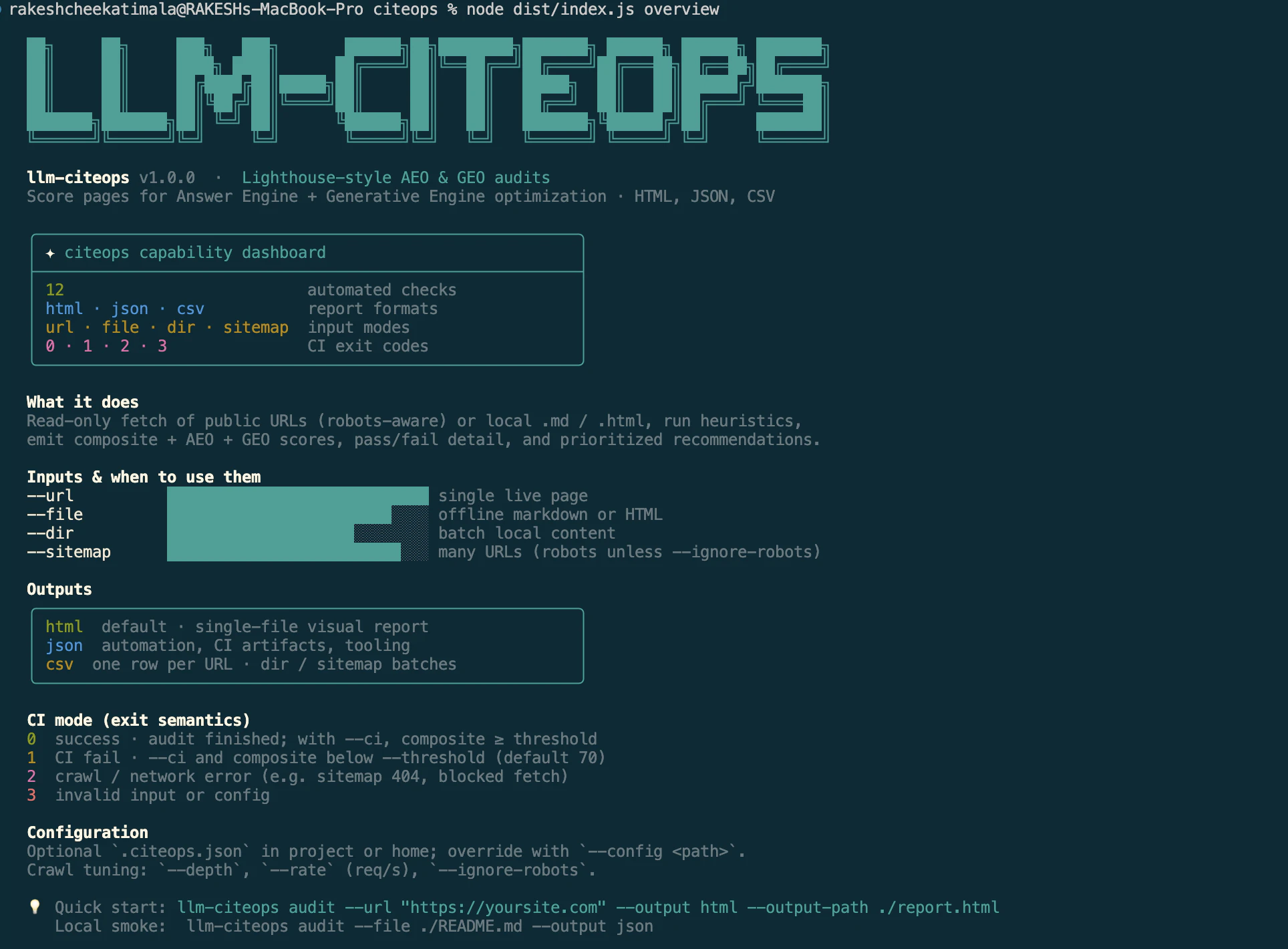
Free CLI for Node.js. Score pages for answer-ready content (AEO) and AI trust (GEO). Print HTML, JSON, or CSV. Fail CI when scores slip.
Inspired from Lighthouse plugin which i have used for benchmarking the websites to fix performance issues. This is the Github Repo https://github.com/rakeshcheekat... https://www.npmjs.com/package/ll... Docs & Installation https://llm-citeops.vercel.app/d...
0
回复

Open for Suggestions to improve

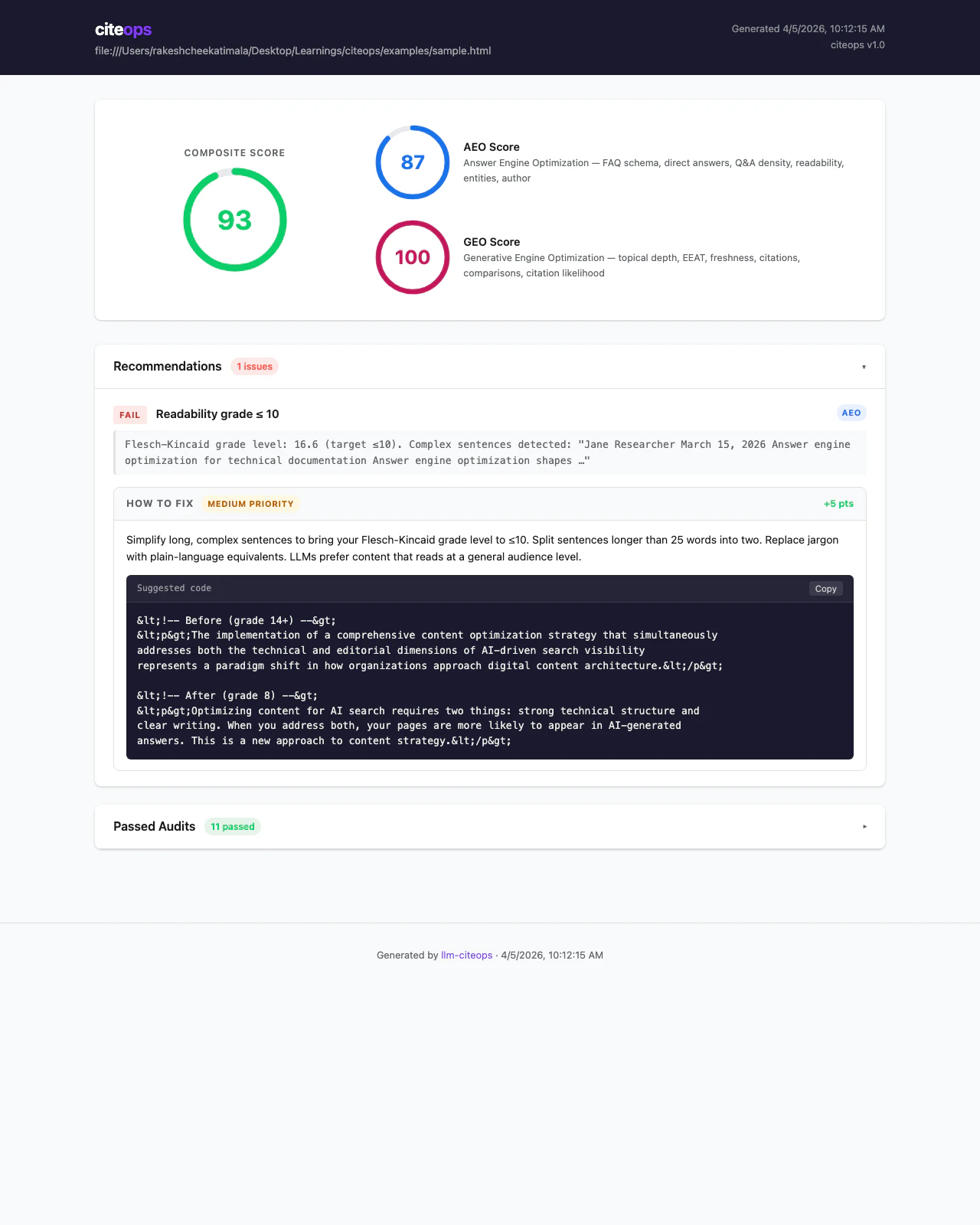
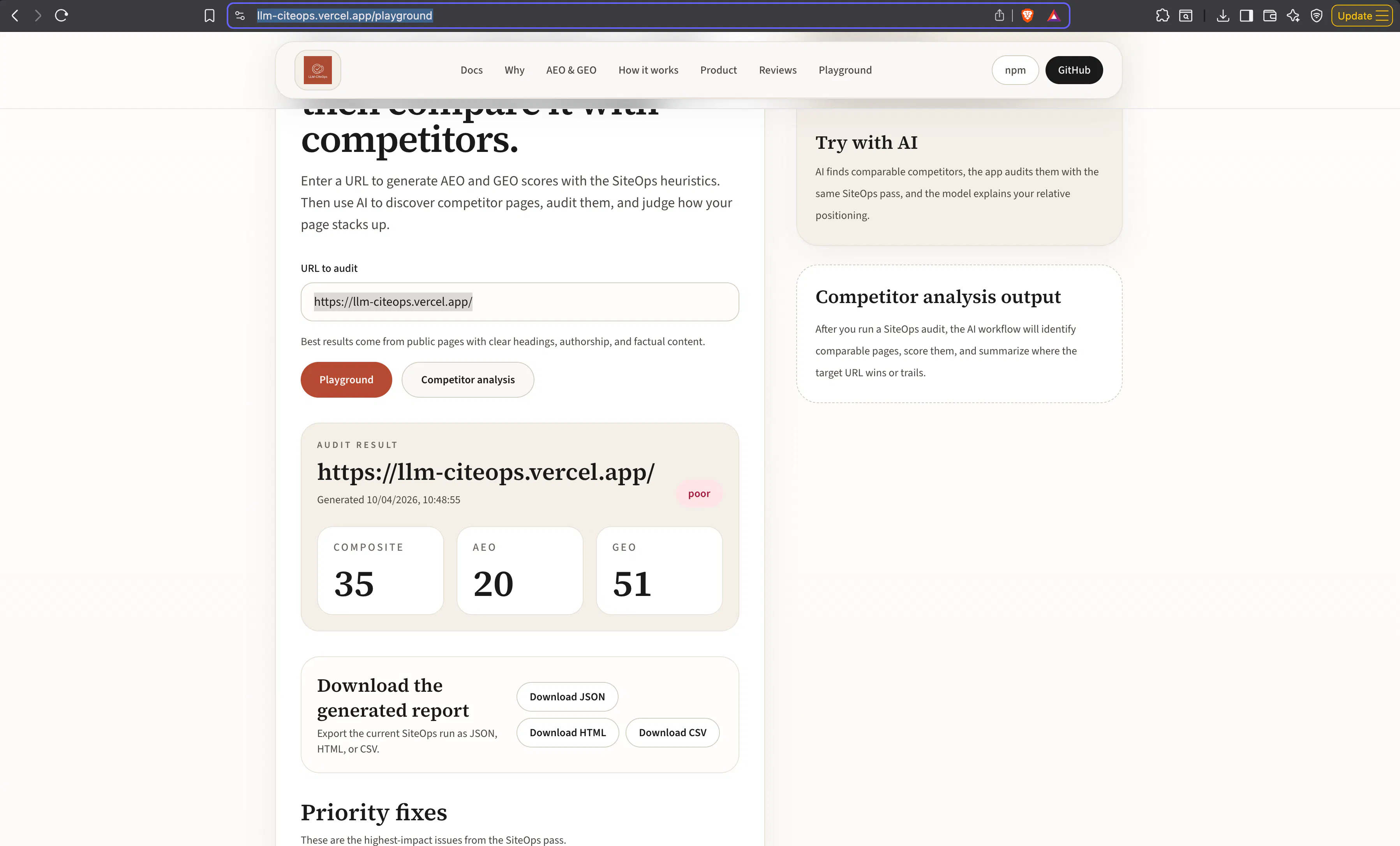
This is the before score of my application. I have downloaded the report & gave it to AI Coding agent to improve my stats.

0
回复
#10
ARCH
Design production‑grade cloud architecture in your browser
10
一句话介绍:ARCH是一款在浏览器中运行的本地优先云架构设计工具,通过拖拽真实云服务商组件、可视化配置与导出,解决了工程师快速绘制、沟通和文档化生产级云架构图的痛点。
Web App Design Tools Software Engineering
云架构设计 图表工具 浏览器应用 本地优先 多云支持 基础设施即代码可视化 离线可用 技术文档生成
用户评论摘要:有效评论来自产品发布者,重点强调了产品的核心价值:基于浏览器、快速清晰、便携且无后端依赖。突出了其用于提升架构沟通效率和便携性的设计初衷,暂无外部用户的问题与建议反馈。
AI 锐评

ARCH看似是又一个绘图工具,但其“本地优先”与“浏览器沙盒”的激进选择,直指传统架构设计工具的软肋:臃肿、封闭与协作壁垒。它不满足于绘制“示意图”,而是通过导入Terraform等IaC代码反向生成图表,试图成为架构“真相”的可视化层,这隐约指向了“架构即代码”的下一站——设计与实施的一致性验证。

然而,其真正的挑战与价值并存于“无服务器”的抉择中。放弃云端同步与协作后端,固然赢得了隐私、速度与离线自由的极致体验,但也几乎主动放弃了团队实时协作这一现代生产力的核心场景。它将自身定位为“个人生产力利器”,而非协作平台,这既是精准的差异化,也可能是市场规模的自我设限。在Notion、Figma等以协作为基石的生态面前,ARCH更像是一把锋利的手术刀,精准服务于个体工程师或咨询顾问的瞬时文档化需求,而非团队长期的架构知识库。

其前途在于能否深耕“双向工程”:不仅从代码生成图表,更能将图表修改反向同步至代码草稿,成为基础设施开发生命周期中不可或缺的“可视化桥梁”。若止步于优雅的绘图,它终将只是另一个好看的玩具;若能深度绑定CI/CD流程,成为架构评审与审计的视觉门户,则可能开辟出不可替代的生态位。目前看来,它迈出了清醒而独特的第一步。

查看原始信息
ARCH
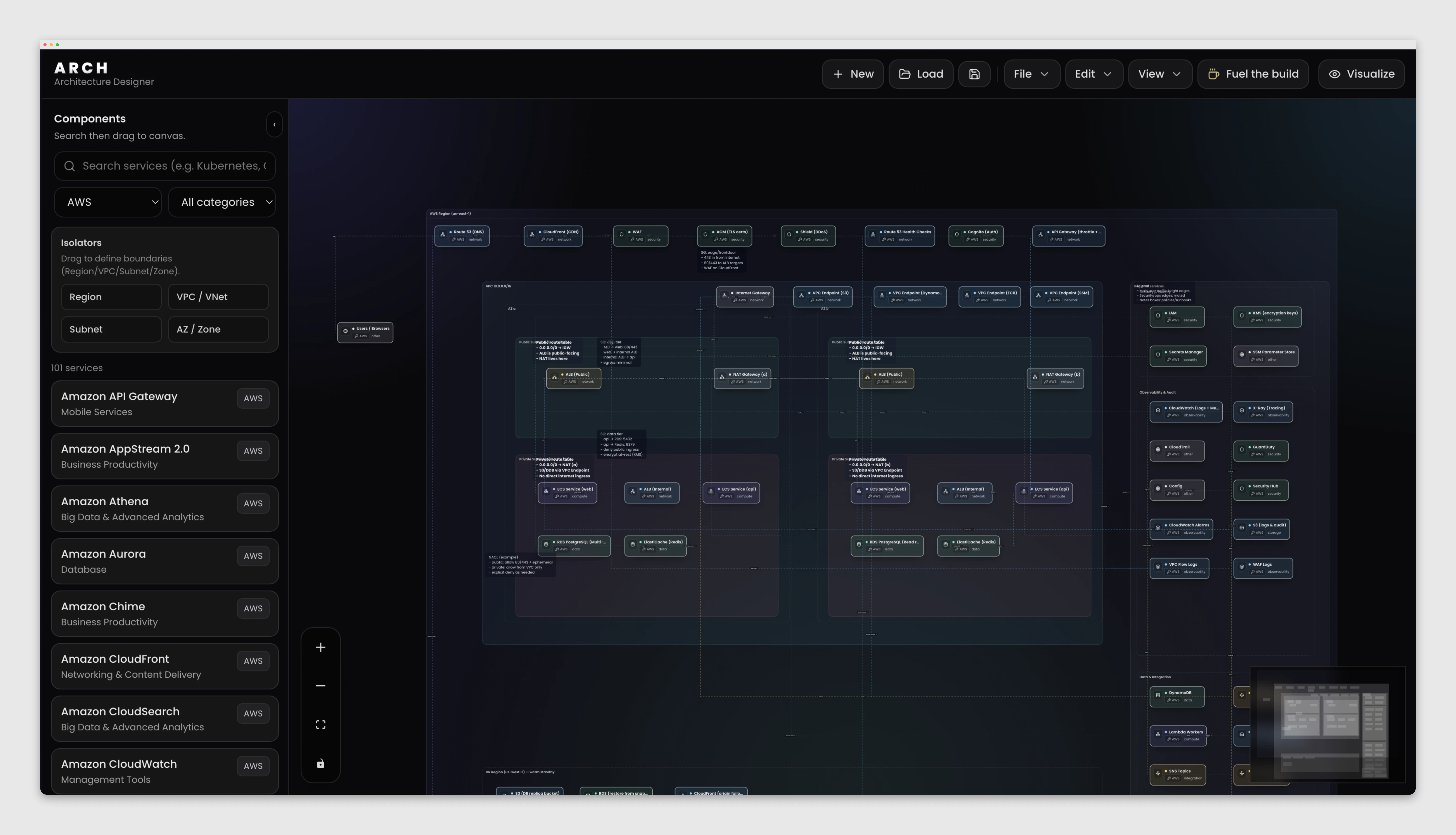
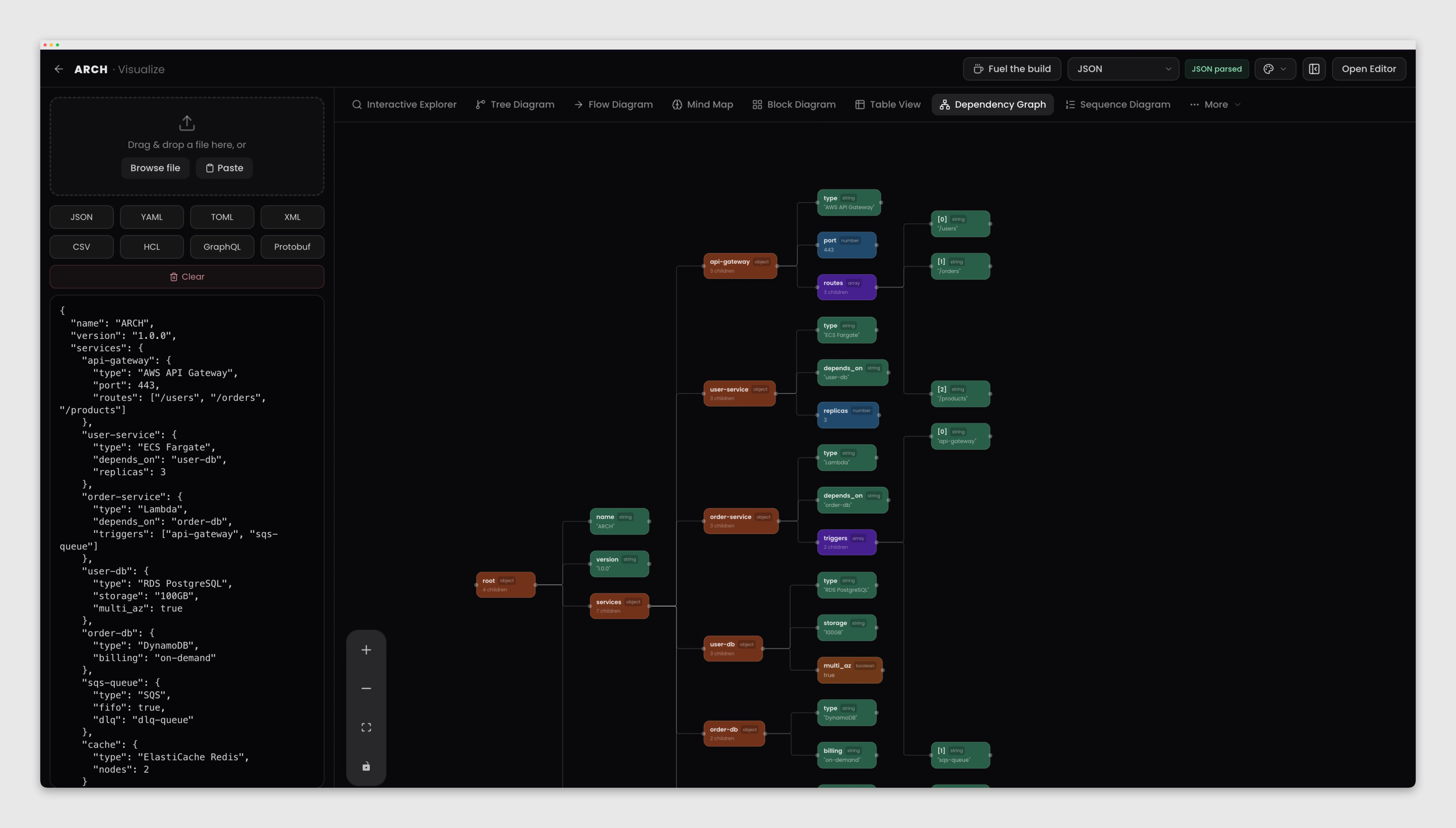
ARCH is a local-first architecture designer for cloud and on-prem diagrams. Drag real provider components (AWS, Azure, GCP, IBM, Oracle, Alibaba, Huawei, on-prem), connect them with readable edges, nest regions/VPCs/subnets, and export presentation-ready PNG, SVG, or PDF and arch import/export. Visualize turns JSON, YAML, Terraform/HCL, and more into charts and explorer views. No account, no server: your work stays in the browser (IndexedDB), with offline-friendly loading after the first visit.
I’m excited to share ARCH. It's a browser-based architecture diagram tool built for speed and clarity. Design cloud and system architectures without heavy desktop tools. Drag and drop components from a multi-cloud catalog (AWS, Azure, GCP), organize regions and networks, and connect services with clean, readable flows. Export your diagrams as PNG, SVG, or PDF, or keep them portable with the .arch format. No backend dependency - everything runs directly in your browser. ARCH is designed for one thing: making architecture communication fast, clear, and portable.
6
回复
#11
True Moments
Watch your photos come alive with AI in seconds
9
一句话介绍:True Moments利用AI将静态照片快速转化为动态短视频,解决了用户希望让老旧或珍贵照片“复活”、生动再现记忆瞬间的情感需求痛点。
Photography Artificial Intelligence Video
AI动画生成 照片复活 动态照片 怀旧科技 隐私保护 创意工具 图像处理 情感记忆 简单易用 短视频制作
用户评论摘要:开发者自述产品源于个人对已故祖父母照片的情感需求,强调对老旧黑白照片处理效果超出预期,并承诺用户隐私与数据加密。评论为开发者发布,暂无其他用户反馈。
AI 锐评

True Moments切入了一个微妙而敏锐的市场缝隙:将静态影像动态化的情感计算。其真正价值并非单纯的技术展示,而是精准捕捉了人类对“记忆具象化”的深层渴望——尤其是面对历史照片时,那种希望穿越时间、窥见鲜活瞬间的冲动。产品将原本属于专业VFX领域的帧插值与运动估计技术,简化为“上传-选择风格-下载”的一键式操作,降低了技术门槛。

然而,其面临的挑战同样尖锐。首先,从技术本质看,这类AI动画化仍基于对图像的推测性生成,其运动轨迹和面部表情的“合理性”高度依赖训练数据,对严重破损或非典型构图的老照片,极易产生“恐怖谷”效应,反而破坏记忆的温情。其次,产品定位游走于“情感工具”与“娱乐玩具”之间。严肃的怀旧用户可能对动画风格的轻佻化(如选择不同“风格”)感到不适,而娱乐化用户又可能觉得其生成效果不够炫酷。开发者强调隐私是明智的,这触及了用户处理珍贵影像时的核心顾虑。

目前9票的数据和单一的开发者评论,反映出其市场热度尚未验证。真正的考验在于,用户是为“惊奇感”付费一次,还是能形成持续的情感消费习惯。长期看,它可能需要更精细的场景划分(如专攻家族史、文物修复辅助),或与相册管理、社交分享平台深度整合,才能从一款有趣的技术演示,蜕变为一个不可或缺的情感连接载体。其30%的永久折扣策略,也暗示了团队对用户付费意愿的试探与不确定性。

查看原始信息
True Moments
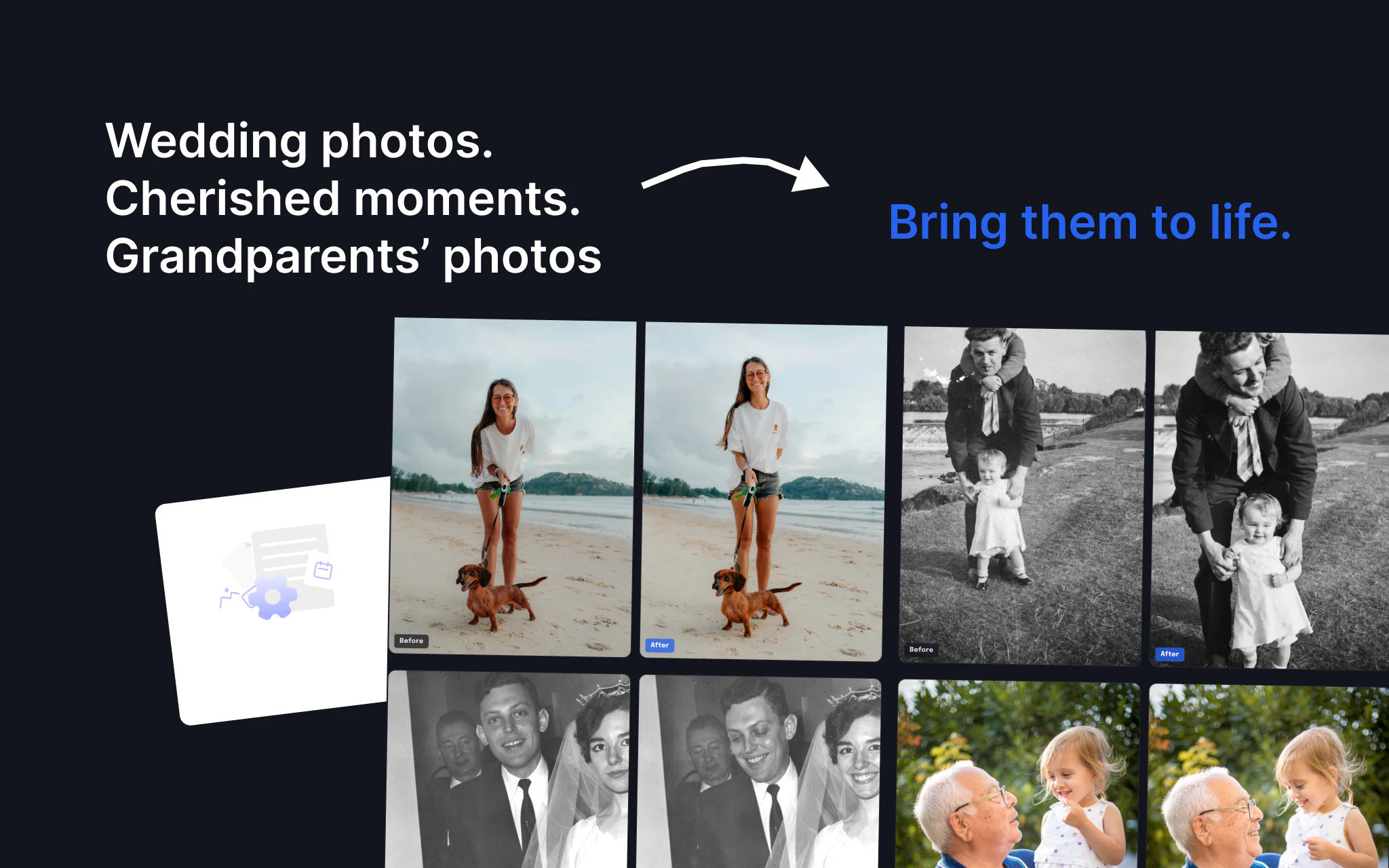
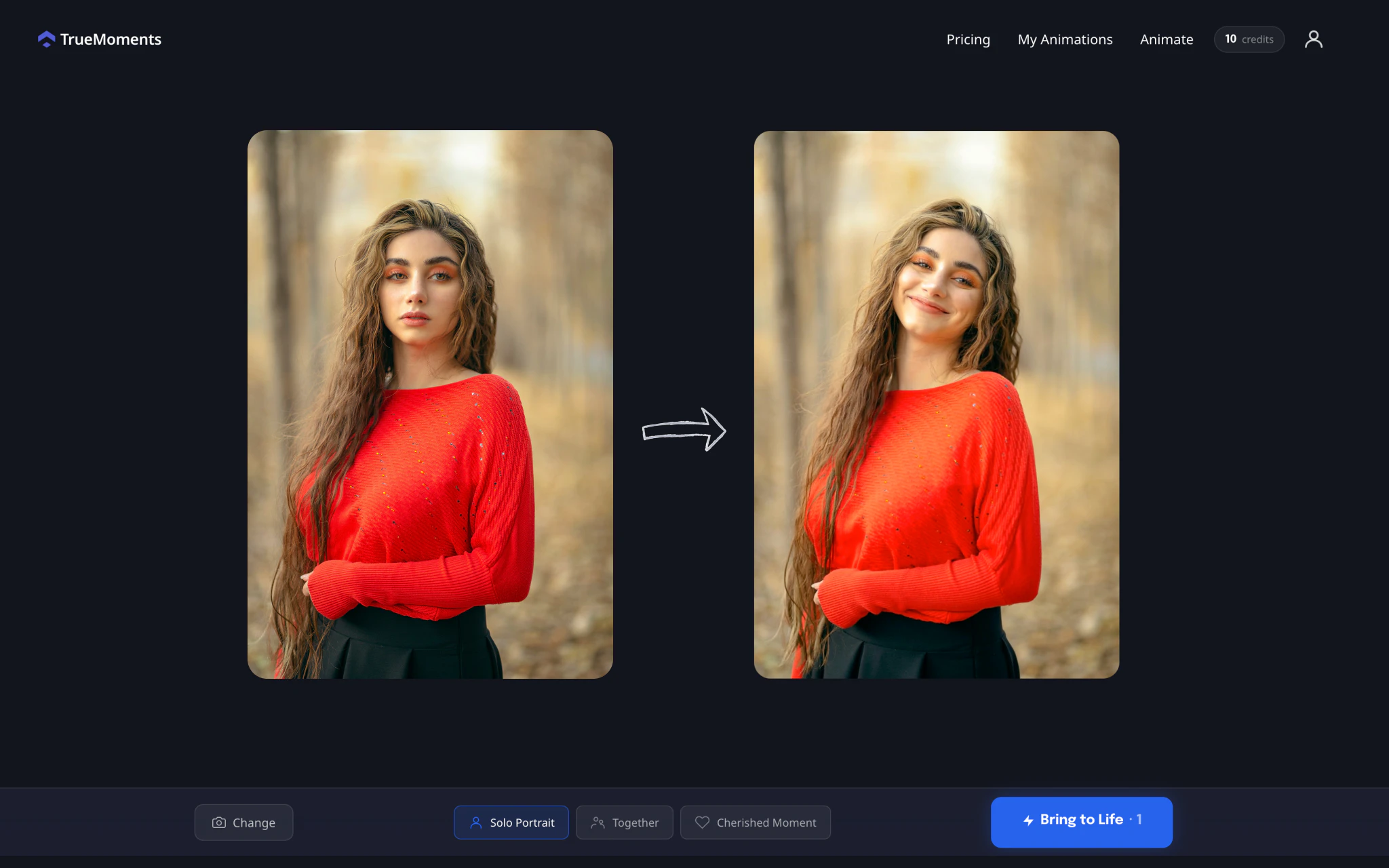
Upload any photo and watch it come alive. True Moments animates still photos into short videos using AI. It works on everything from a 50-year old wedding portrait to a photo that you took last week. Simply pick a style, wait 60 seconds, download your video. Your photos stay private and encrypted.
Hey PH 👋 We built this tool because I had a few old photos of my grandparents who passed away a long time ago and I always wondered how they looked in real life. So we created True Moments. Simply upload a photo, pick one of the animation styles, and get a video back in about 30-60 seconds. Honestly, I didn't expect it to work that well on old damaged photos. I tried a black & white family photo from the 1970s and it came out way better than I initially thought. Privacy is important to everyone. So having this in mind, everything that you generate stays private and all your photos are encrypted. We don't use them for training or anything like that. As part of our launch on Product Hunt, we are giving 30% off forever. Just apply the code PH30 at checkout and you're good to go. We'll be here all day and would love to hear your feedback!
1
回复
#12
DrawX
Excalidraw with cloud backend - perfect for individuals
8
一句话介绍:DrawX为Excalidraw用户提供了云端自动保存、多画布管理和团队协作功能,解决了免费版数据易丢失、无法跨设备同步及协作不便的核心痛点,适合需要可靠绘图工具的个体用户。
Design Tools Productivity Drawing
绘图工具 Excalidraw增强版 云端同步 自动保存 多画布管理 团队协作 形状库 跨平台访问 生产力工具 轻量级白板
用户评论摘要:用户高度认可其解决了Excalidraw免费版数据易丢失的焦虑,称赞自动保存和跨设备同步是核心价值。开发者自述产品定位精准,填补了免费版与高级订阅版之间的市场空白。整体反馈积极,被视为“必要升级”。
AI 锐评

DrawX本质上是一款“缝合怪”式的产品创新——它没有重新发明轮子,而是精准地抓住了Excalidraw生态中的一个裂缝:免费版的脆弱性与付费版(Excalidraw+)的过度性之间的市场空隙。其真正价值不在于技术突破,而在于对用户心理和商业模式的敏锐洞察。

Excalidraw作为开源手绘风格白板工具,以其极简体验赢得了用户,但“浏览器崩溃即丢失”的阴影始终存在。DrawX用最基础的云后端(自动保存、多画布、共享)解决了这一原始恐惧,这恰恰暴露了开源工具在用户体验闭环上的天然短板——开发者社区擅长打造优雅的核心功能,却常忽视“枯燥但必要”的持久化与协作基础设施。

然而,其商业模式存在隐忧。产品高度寄生在Excalidraw的开源生态之上,一旦Excalidraw核心功能大幅更新或官方云服务调整策略,DrawX的生存空间可能被挤压。此外,其定位“个体用户”看似精准,但“团队共享”功能又暗示向小团队渗透的野心,这种摇摆可能导致产品重心模糊。从评论寥寥的互动来看,目前仍处于早期爱好者圈层,尚未形成破圈效应。

真正值得玩味的是,它揭示了一个趋势:在优质开源工具普及后,为其“补全企业级功能”正成为一门可行的微生意。但这类产品的天花板往往很低,最终要么被开源原版吸收功能,要么需要构建更深的护城河。DrawX若止步于“Excalidraw的云外挂”,其长期价值有限;若能基于云端特性,发展出独有的协作逻辑或智能图形库,或许能从“功能补丁”进化成独立产品。目前看来,它是一款解决了真痛点的“贴心配件”,但尚未展现出不可替代的锋芒。

查看原始信息
DrawX
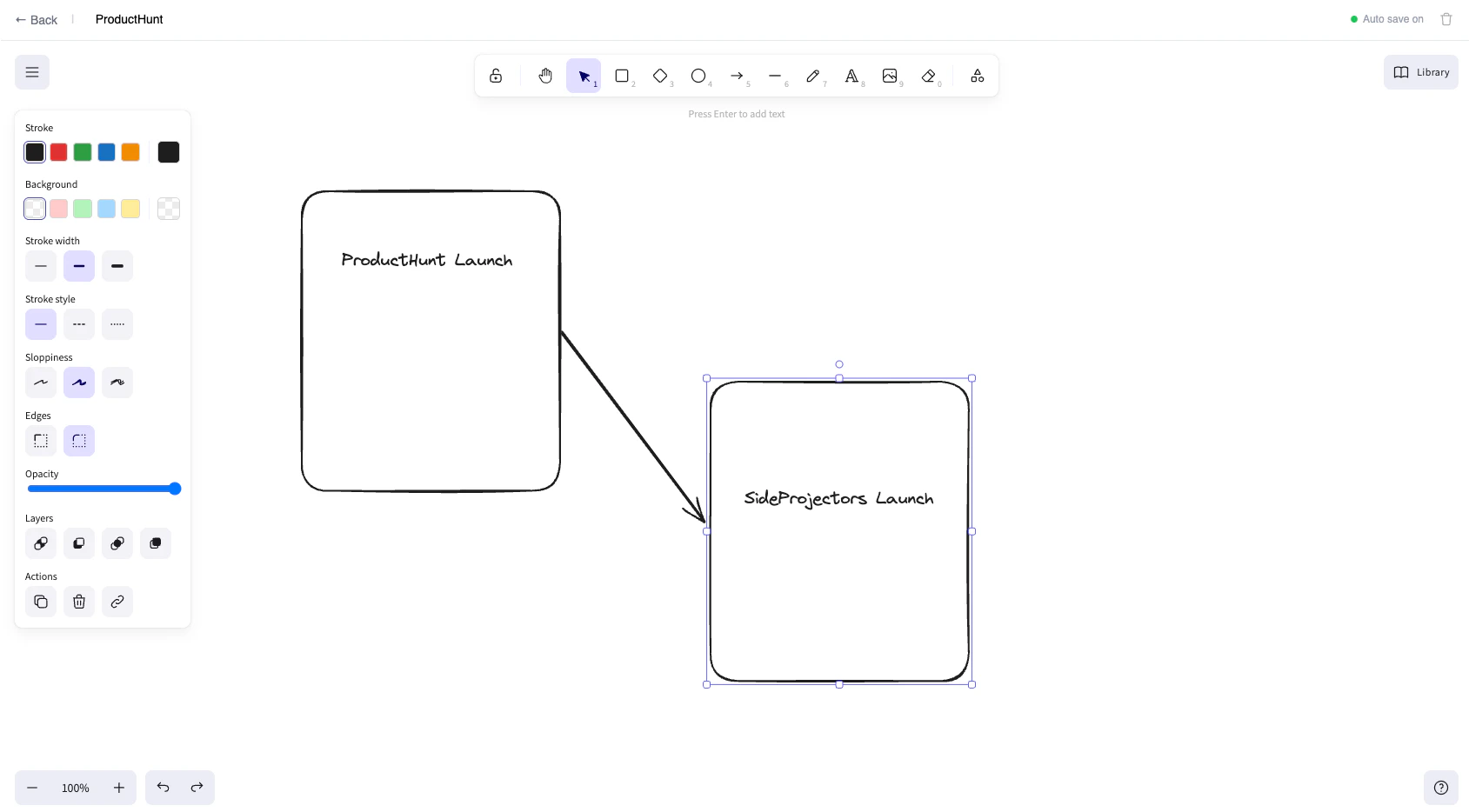
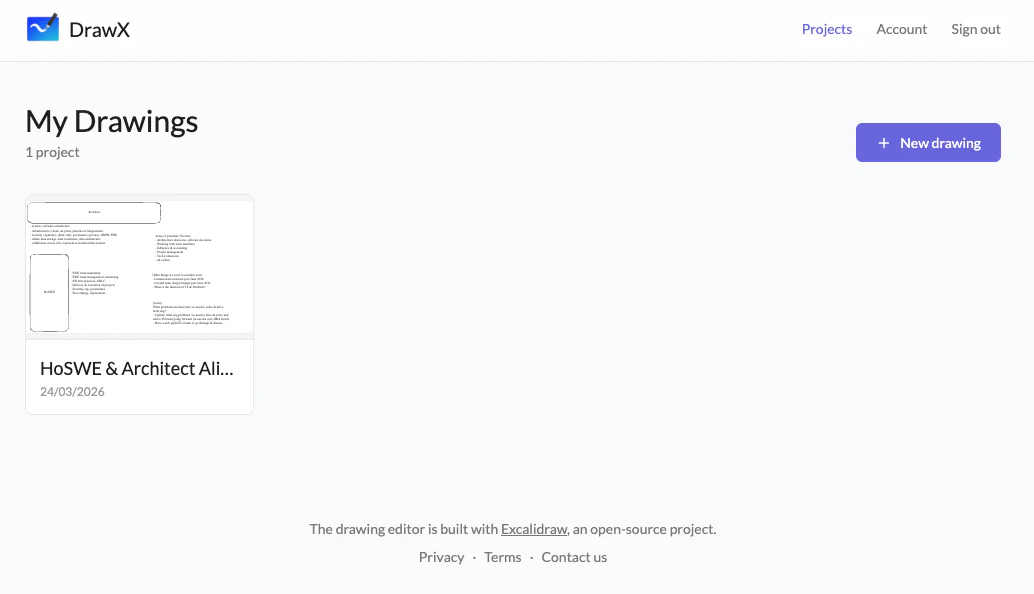
DrawX adds the features missing from Excalidraw - cloud saving, multiple canvases, and team sharing. It's perfect for individuals who want more than free Excalidraw but don't want Excalidraw+ Your drawings auto-save so you never lose work. Organize projects with visual thumbnails, build a persistent shape library that works across all your drawings, and invite collaborators by email with view or edit permissions. Access everything from any device.

Excalidraw is one of those tools you love but always feel one browser crash away from losing everything — the auto-save and cross-device sync alone make this worth trying.

1
回复
I love Excalidraw. The free version was limiting. Excalidraw+ was a bit too much for me. So I built the backend for it so I can save it, create multiple canvases. This is perfect for those individuals who want more from their Excalidraw without subscribing to Excalidraw+.
0
回复

@eric_bae love this so much

1
回复
#13
LiquidGlass
Pixel perfect Apple Liquid Glass effect on the Web.
7
一句话介绍:LiquidGlass 是一款Web开发库,通过WebGL着色器为HTML元素施加逼真的玻璃折射、模糊和光影特效,解决了网页设计中玻璃效果扁平、缺乏真实质感的痛点。
Design Tools Developer Tools GitHub Web Design
WebGL特效 前端开发库 UI设计 视觉增强 玻璃拟真效果 网页动画 动态内容渲染 开源项目
用户评论摘要:用户反馈积极,称赞其效果出色并满足了长期期待。开发者主动说明创作动机是超越普通的背景模糊,追求更生动的真实感,并邀请社区反馈与共建。
AI 锐评

LiquidGlass 的野心在于挑战Web视觉表现力的天花板。它没有停留在CSS滤镜的“毛玻璃”层面,而是引入WebGL着色器,将折射、色散、光照、斜面深度等物理光学特性带入网页,这标志着网页UI质感从“模拟”向“仿真”的演进。其价值并非仅是一个炫技的动画库,而是为高端产品展示、沉浸式仪表盘、创意交互作品提供了一个开箱即用的专业级质感解决方案。支持动态内容和可拖拽面板,表明其考虑了实际交互场景,而非静态花瓶。

然而,其真正的挑战在于“必要性”与“普适性”。在性能与可访问性至上的今天,如此繁重的视觉效果是否会导致过度设计?它可能成为部分项目的“技术奢侈品”,而非必需品。开发者“一年内第七个项目”的背景,也让人质疑其长期维护深度与生态构建决心。总体而言,这是一个在细分领域做出高度差异化的精彩工具,证明了Web在视觉表现上的无限可能,但其成功最终将取决于能否从“令人惊叹的演示”转化为“提升用户核心体验的实用组件”。

查看原始信息
LiquidGlass
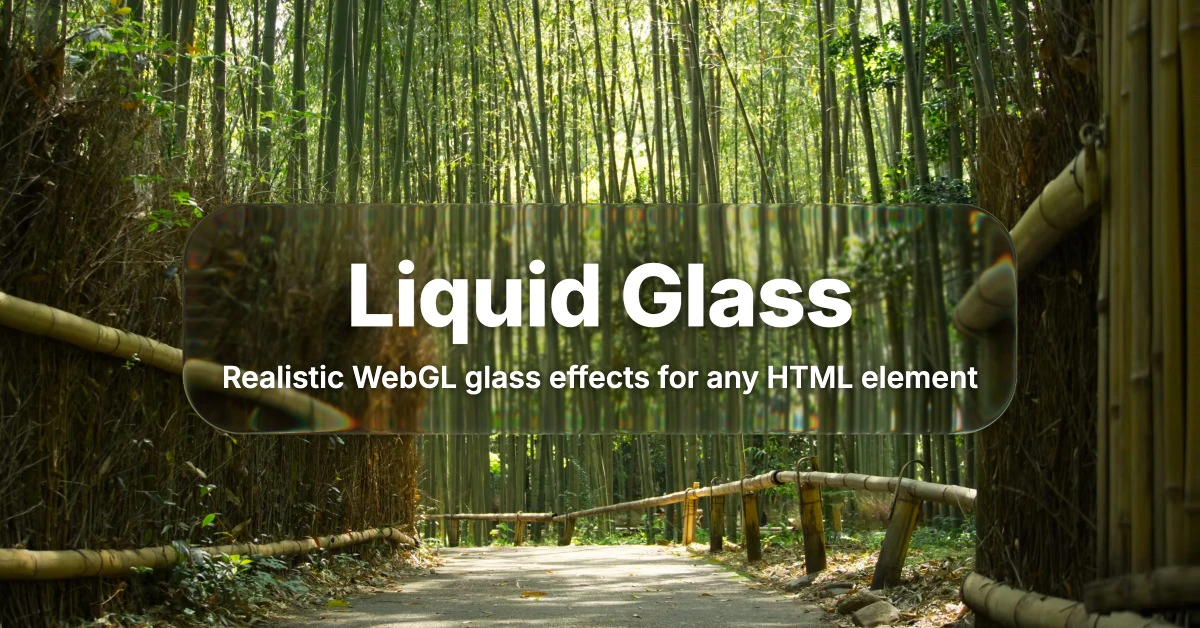
Apply realistic glass refraction, blur, chromatic aberration, and lighting effects to any HTML element using WebGL shaders.

Absolute legend for doing this. It works great. I've been waiting for someone to do this.

1
回复

@vibedonkey Thanks I'm happy to hear that!

0
回复
Hey everyone 👋 I built LiquidGlass because I felt like most glass effects on the web stop at “blurred background”. I wanted something that felt more alive and realistic, so LiquidGlass adds real refraction, lighting, chromatic aberration, bevel depth, and layered compositing to HTML elements using WebGL. It supports dynamic content, videos, draggable floating panels, and flexible per-element configs, while staying easy to use. Also, this is project #7 I’m launching in 2026 so far — I’m sharing the whole build-in-public journey as I go. If that’s your thing, come follow me on X: @ybouane Would love your thoughts, feedback, and to see what you build with it!
0
回复

Feel free to explore the project it's available on Git ;)

0
回复
#14
Verso
The AI that actually nails PowerPoint.
7
一句话介绍:Verso是一款深度集成于PowerPoint的AI演示文稿助手,能在用户指定的模板内,快速生成或修改完全可编辑的幻灯片,解决用户耗时费力制作PPT且难以保持品牌一致性的核心痛点。
Design Tools Productivity Artificial Intelligence
AI演示文稿 PowerPoint插件 幻灯片生成 品牌模板一致 可编辑形状 办公效率工具 设计自动化 企业级应用 内容创作AI
用户评论摘要:仅有创始人发布的产品介绍与团队致谢,尚无真实用户反馈。评论内容集中于阐述产品解决“AI生成PPT不可编辑、不遵循模板”两大行业通病的核心技术优势,并提供了试用引导和优惠码。
AI 锐评

Verso宣称的技术路径——“在原生PowerPoint形状中工作并严格遵循用户模板”——直指当前AI生成PPT赛道的两大伪命题:输出静态图片导致“可编辑性”丧失,以及天马行空的设计破坏了“品牌规范”。这显示出团队对真实企业应用场景的深刻理解,其价值不在于替代人类创意,而在于充当一个严格在品牌视觉体系内高效执行的内容流水线。

然而,其真正的挑战与价值验证远未开始。首先,技术宣称需要经受复杂企业模板(尤其是包含大量母版、自定义版式和占位符的模板)的极端测试,其“幻灯片引擎”的鲁棒性存疑。其次,产品逻辑高度依赖于用户提供清晰、优质的初始模板和精准的指令,这对使用者的结构化思维能力提出了不低的要求,可能将用户从“设计苦力”转化为“指令工程师”。最后,当前零真实用户反馈的现状,使其宣称的“广泛领先的评测优势”缺乏市场佐证。在微软自身正大力推广Copilot for Microsoft 365的阴影下,作为一个第三方插件,Verso必须证明其处理深度、精度和稳定性能构成足够高的壁垒,否则极易被集成或淹没。它的前景,取决于能否将“品牌合规下的高效”这一精准定位,转化为不可替代的用户工作流依赖。

查看原始信息
Verso
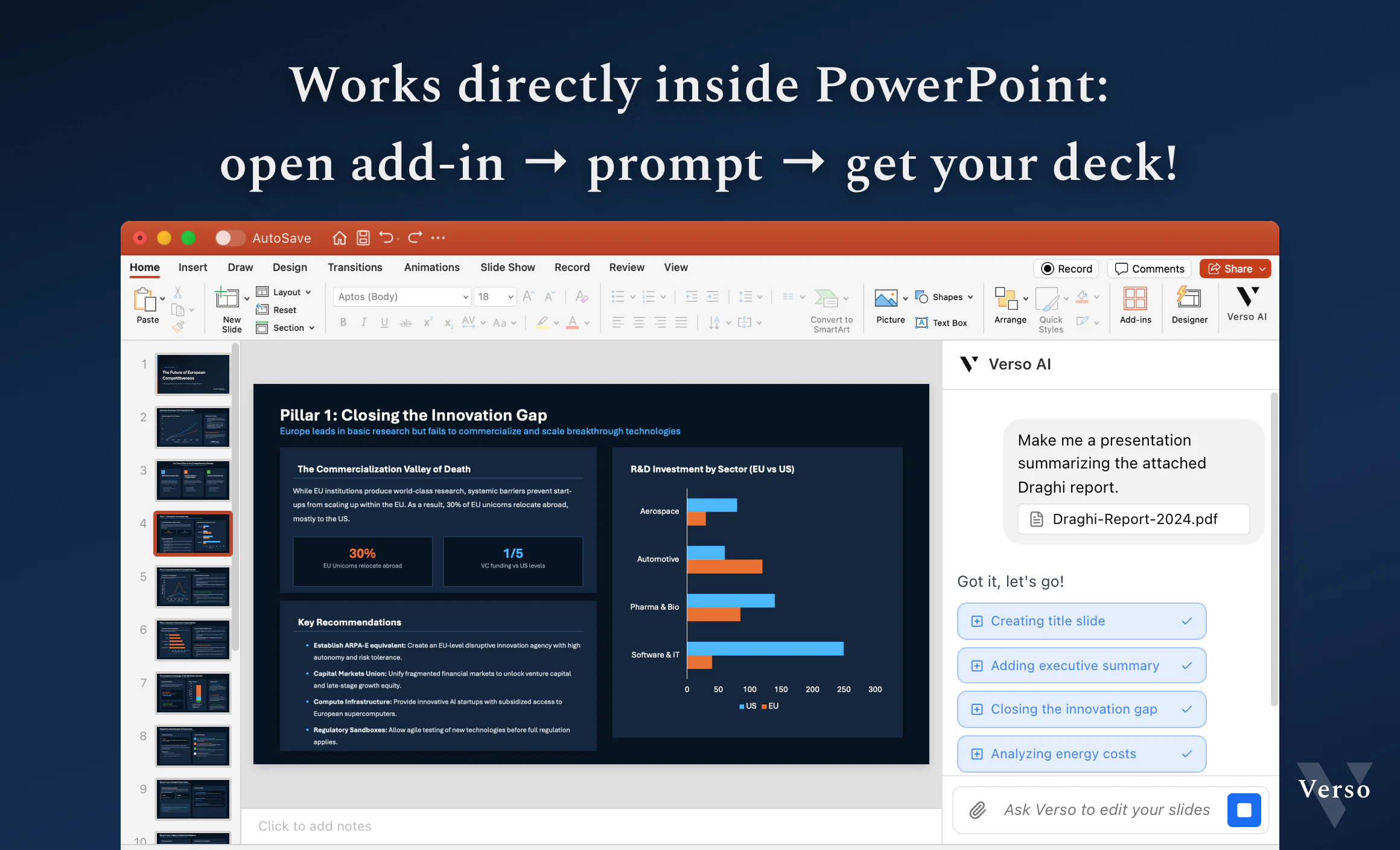
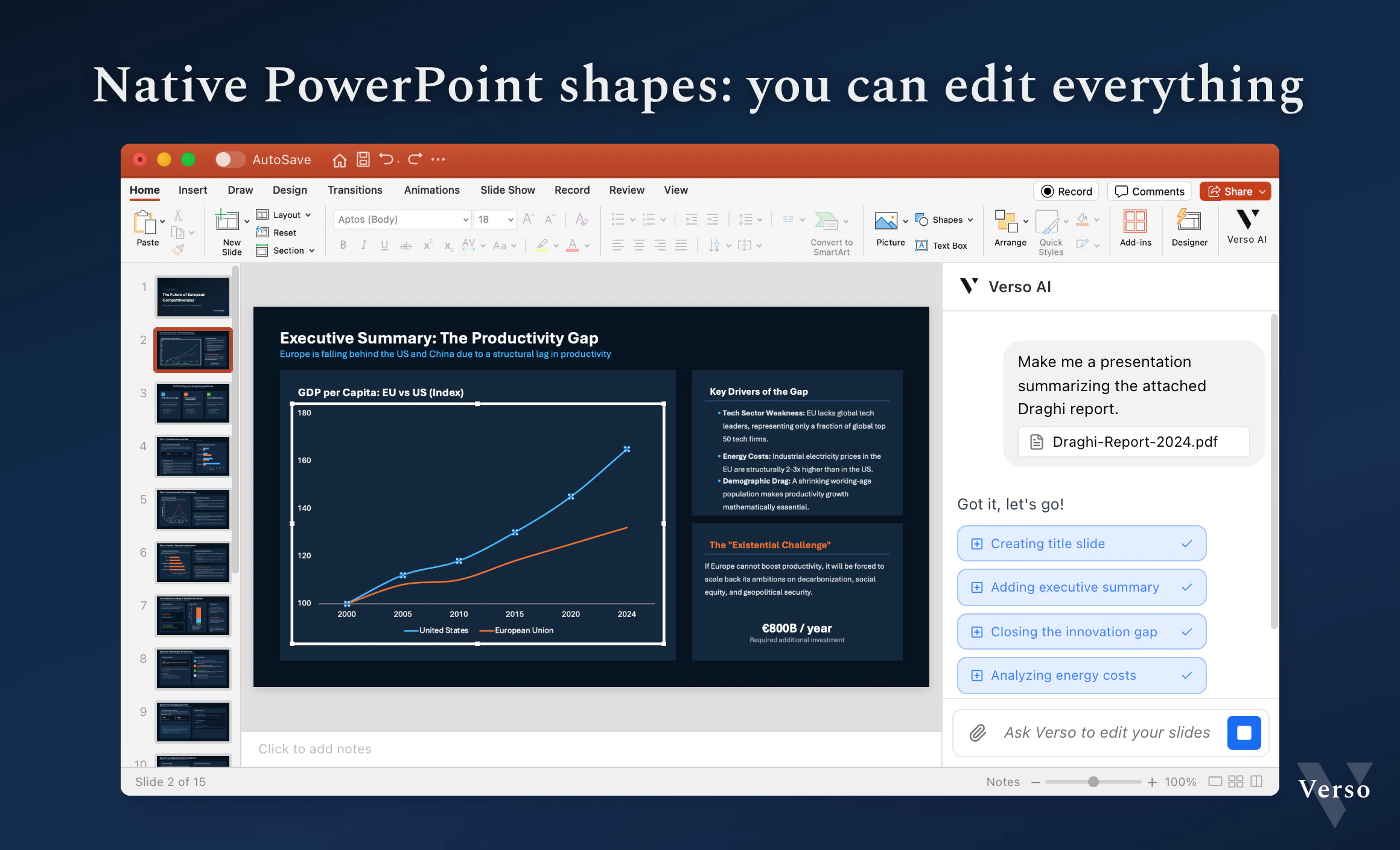
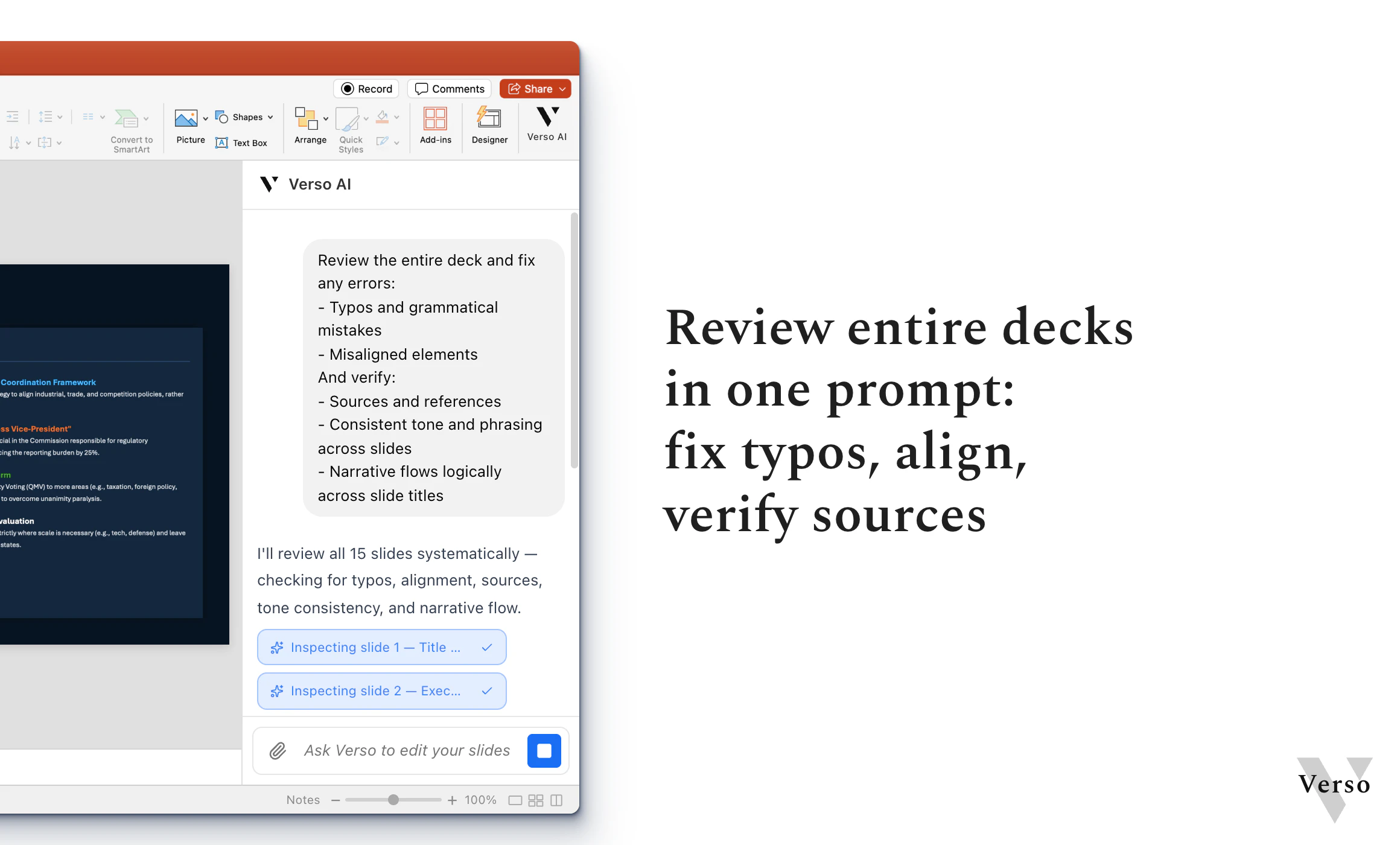
Stop losing nights to slide decks: Verso AI creates and fixes your presentations in seconds! Verso works in real PowerPoint shapes (not images pretending to be slides): everything stays editable. And it follows your template, while keeping full expressivity!

Hi Product Hunt ! I'm Aymeric, cofounder of Verso AI.

The problem: "AI for PowerPoint" tools fall into at least one of these two traps: they output images dressed up as slides (so you can't edit anything), or they ignore your template and brand entirely.

Our solution: Verso AI is a copilot that you prompt to either create a deck from scratch, or to refine/fix a deck.

  • It always works in the template you started it on, meaning that it will stick to your brand.

  • It works all in native PowerPoint shapes, meaning that everything stays fully editable

Here are examples of what Verso can produce in one shot:

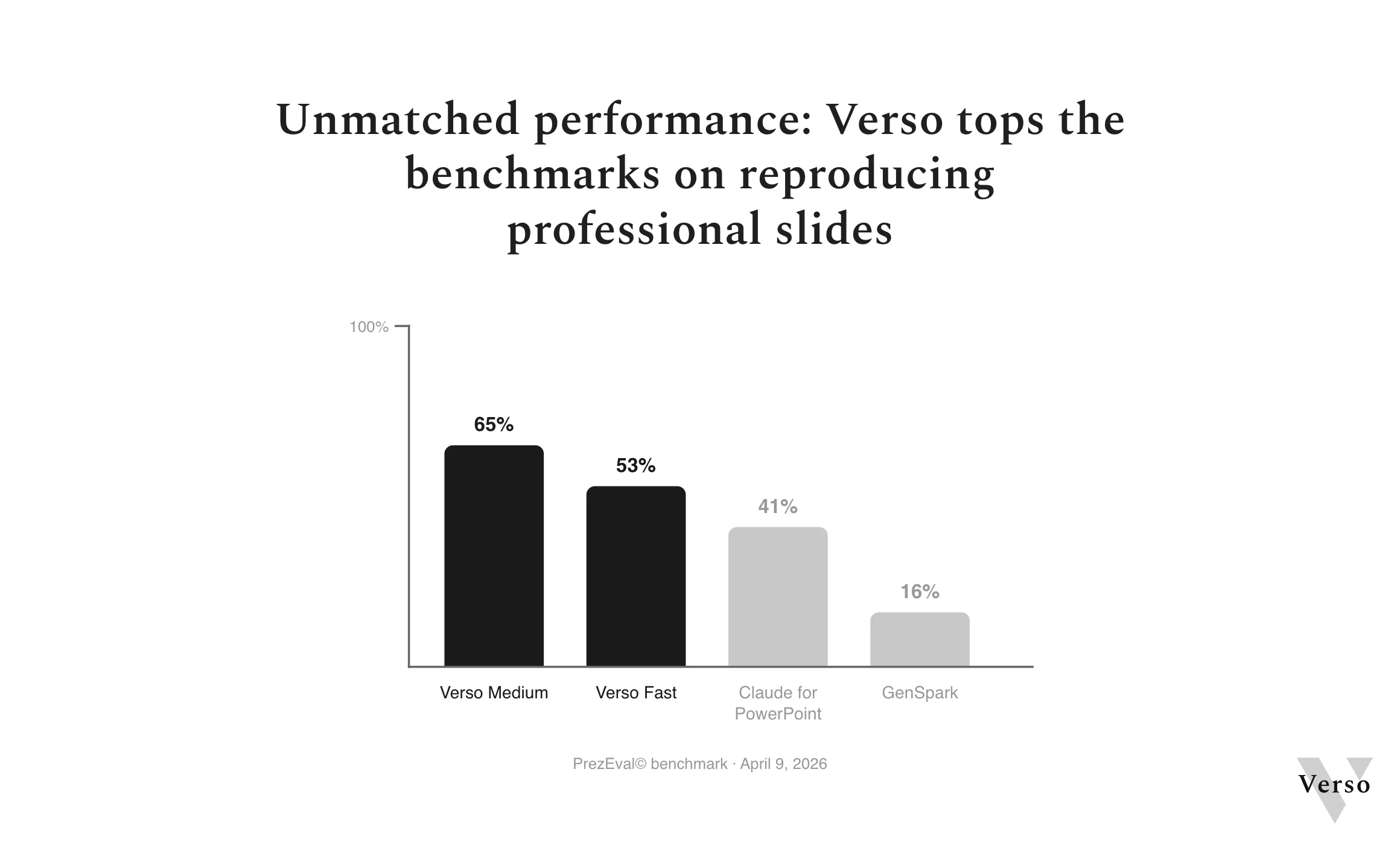
At the core of our tech is our slides engine. We have found a great way to represent and edit slides for an AI agent, combining both simplicity and expressivity. We benchmarked Verso against leading tools at reproducing slides : it beats the next best one by a wide margin. Evaluation published here.

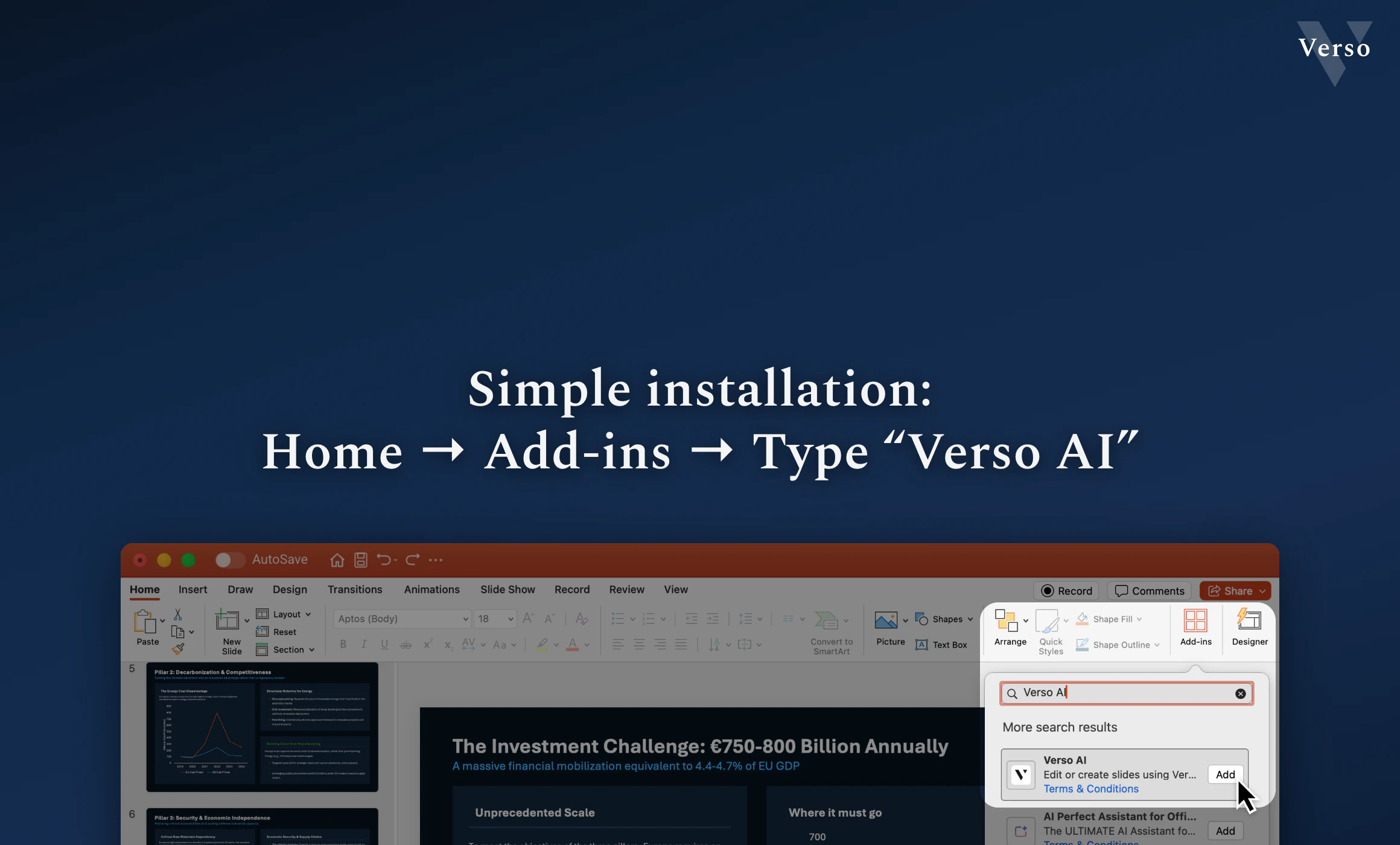
Try it: PowerPoint → Home → Add-ins → search "Verso"
Promo: HUNT4VERSO for one month of Plus free 🎁

We're looking forward to your feedback to improve the product! 😃

0
回复

Also, I wanted to introduce @adrien_urlacher who's worked with me on this ; for whatever reason I couldn't credit him as a maker, but he is, and will be able to answer questions too!

0
回复
#15
Scaloom AI Warmup Engine
Build Reddit Karma Safely with AI — No Bans, No Guesswork
6
一句话介绍:一款利用AI为Reddit账号提供“热身”指导或自动化的工具,通过安全互动积累社区信誉,解决新账号因缺乏信任而无法有效推广的痛点。
Social Media Marketing Artificial Intelligence
Reddit营销 AI自动化 账号管理 社交媒体增长 内容建议 社区信誉 防封禁策略 出海工具 SaaS 增长黑客
用户评论摘要:创始人自述产品从“自动化机器人”转向解决“建立信任”核心问题的历程。仅有一条有效评论,用户认同产品价值并主动提出可帮助优化落地页以承接流量。
AI 锐评

Scaloom AI Warmup Engine 精准切入了一个灰色但刚需的市场:Reddit社区营销的初始信任壁垒。其宣称的价值在于用AI规避平台反垃圾机制,通过模拟人类互动行为“安全地”积累Karma。这暴露了Reddit乃至许多社区平台的核心矛盾:平台规则旨在维护有机互动,而营销需求则寻求规模化突破。

产品从“自动化机器人”到“热身引擎”的定位转变是聪明的叙事升级,将“违规风险”包装为“建立信任的过程”,试图在合规边缘建立一套方法论。其真正的客户并非普通用户,而是有明确营销诉求的创业者、开发者或推广人员,他们需要的是一个风险可控的“合规性马甲”。

然而,其根本风险并未消失,只是从技术层面转移到了策略层面。AI的介入可能让互动模式更隐蔽,但一旦Reddit平台算法更新或加强人工审核,其“安全”承诺可能瞬间瓦解。产品的长期价值高度依赖于与平台监管的猫鼠游戏能力,这并非稳固的商业模式。

当前6票的冷清反馈,或许说明了Product Hunt社区对此类工具的审慎态度。那条提出帮助优化落地页的评论,反而更深刻地揭示了目标用户的真实场景:他们需要的不是“热身”,而是最终能带来转化的一切流量工具。Scaloom的价值链条是不完整的,它只是一个风险环节的解决方案,而非最终增长答案。

查看原始信息
Scaloom AI Warmup Engine
AI-powered Reddit warmup that helps you build karma and credibility safely. Get step-by-step guidance or automate everything while avoiding spam filters and bans.
Hey Product Hunt 👋 I originally tried to build a “Reddit automation bot”… but users kept getting ignored or worried about bans on Reddit. So I shifted focus to the real problem: 👉 building trust before posting Now Scaloom helps you warm up your account with AI: * get safe comment suggestions to earn karma * gradually build credibility * choose between guided or autopilot mode No trust → no reach. So we fix that first. Would love your feedback 🙌
0
回复

Upvoted! Building Reddit karma is a nightmare for founders, so Scaloom is a huge lifesaver.

I'm currently at 96/100 audits for the day—if you want to optimize your landing page for all this PH traffic, I'd love to make Scaloom #97!

Good luck with the Top 10 push! 🚀

0
回复
#16
Better i18n
AI-powered localization infrastructure for modern apps
6
一句话介绍:Better i18n 是一个AI驱动的本地化基础设施平台,为现代应用开发团队整合了内容管理、AI翻译与全球CDN分发,解决了多工具拼接带来的流程繁琐、协同低效的核心痛点。
SaaS Developer Tools Artificial Intelligence
本地化平台 AI翻译 内容管理系统 全球CDN 开发工具 多语言支持 MCP集成 前端框架SDK 开发者服务 基础设施
用户评论摘要:目前仅有一条创始人介绍评论,旨在阐述产品初衷(整合3+工具)、展示核心亮点(MCP集成)并引导用户反馈。尚无真实用户提出具体问题或建议。
AI 锐评

Better i18n 的野心不在于做一个更好的翻译管理工具,而在于重新定义“本地化”的边界,将其从开发后端的附属功能,提升为贯穿内容创作、管理与分发的核心基础设施。其宣称的“MCP-native”是真正的战略差异化,它试图将AI Agent从单纯的“翻译执行者”变为“本地化流程的操盘手”,这直接瞄准了未来AI原生应用的协作范式。

然而,其价值主张面临双重拷问。首先,它试图替代的“碎片化技术栈”(CMS+翻译工具+CDN)往往是成熟团队基于最佳实践和现有工作流主动选择的组合,其“一体化”优势能否抵消替换成本和潜在的供应商锁定风险?其次,其核心驱动力——AI翻译质量——对于营销文案或许够用,但对于技术文档、法律文本等专业领域,仍需昂贵的人工后期编辑,平台并未从根本上解决此问题,更多是流程聚合。

当前数据(6票,零真实用户反馈)也表明,市场仍处于早期观望阶段。它的成功与否,将不取决于功能集合的完整性,而取决于能否在关键垂直场景(如帮助中心、博客)证明其一体化流程能带来远超组装工具的效率提升和成本控制,并真正建立起以开发者为中心的生态壁垒。否则,它可能只是另一个试图用“AI+”包装的、略显臃肿的SaaS工具。

查看原始信息
Better i18n
Better i18n replaces the fragmented stack of CMS + translation tool + CDN with one platform. Write content, AI translates across all your languages, publish to a global CDN in seconds. What makes it different: MCP-native — your AI agent (Claude, Codex) manages translations directly. Built-in multilingual Content CMS for help centers, blogs, and docs. CDN-first delivery with <50ms latency. Framework SDKs for Next.js, Remix, Expo, Flutter, Swift. Free to get started. No key limits on any plan.
Hey PH! I'm Osman, co-founder of Better i18n. We built this because every team we talked to was gluing together 3+ tools for localization — a CMS for content, Crowdin/Phrase for translations, manual JSON sync between them, and a separate CDN for delivery. Better i18n handles all of it in one platform. The feature I'm most excited about: MCP integration. Your AI agent can create content, translate it to 47+ languages, and publish — all in one prompt. We run our own help center on it: help.better-i18n.com — 35 articles, 6 languages, zero manual translation. Would love your feedback. What's your current i18n setup and what's the biggest pain point?
0
回复
#17
Dup
Find Duplicate Photos & Videos, Remove Ex, Clean Dev Caches
4
一句话介绍:一款专注于通过感知哈希和本地机器学习,在Mac上深度识别并清理重复照片、视频及特定人物影像的隐私安全工具,尤其适用于应对存储空间告急、情感关系变迁后清理数字记忆等场景。
Mac Privacy Photography
Mac清理工具 重复文件查找 隐私安全 本地AI 人脸识别清理 照片管理 视频去重 感知哈希 一次性买断 数字断舍离
用户评论摘要:开发者主动寻求产品未覆盖的盲点和用户体验瑕疵。一条有效评论称赞其“删除某人”功能的起源故事是天才营销,并提供了优化落地页以提升Product Hunt排名的工具建议。
AI 锐评

Dup 2.0的迭代,揭示了一个超越传统工具“文件名比对”的深层市场空白:用户需要的不仅是释放存储空间,更是对数字记忆进行“情感管理”。其核心价值并非技术层面的感知哈希或本地ML,而是将这些技术转化为“Remove Someone”这样极具人性张力的功能,直面分手、绝交等真实生活痛点,将冷冰冰的清理工具升维为数字生活管家。

产品策略犀利。它避开了与全能型清理工具的正面竞争,通过“像素级比对”和“视频跨编码匹配”构建了足够深的技术壁垒,同时以“本地处理、数据不上传”的强硬隐私立场,精准打击了用户对云服务的普遍不信任感。其定价策略也颇具心思,免费版提供足够深度的体验以证明价值,并直接提供终身买断选项,迎合了当前用户对订阅制泛滥的抵触情绪。

然而,其挑战同样明显。作为垂类工具,市场天花板有限;高度依赖本地算力可能影响老旧设备体验;“删除某人”功能在伦理和误操作风险上需极度谨慎。开发者主动“求 roast”的姿态是正确方向,产品的长远成功,取决于能否将这种针对边缘案例的技术偏执持续转化为用户可感知的可靠与细腻。本质上,Dup贩卖的是一种“掌控感”——让用户确信,在数字生活的混沌中,自己仍能拥有彻底而私密的清理权。

查看原始信息
Dup
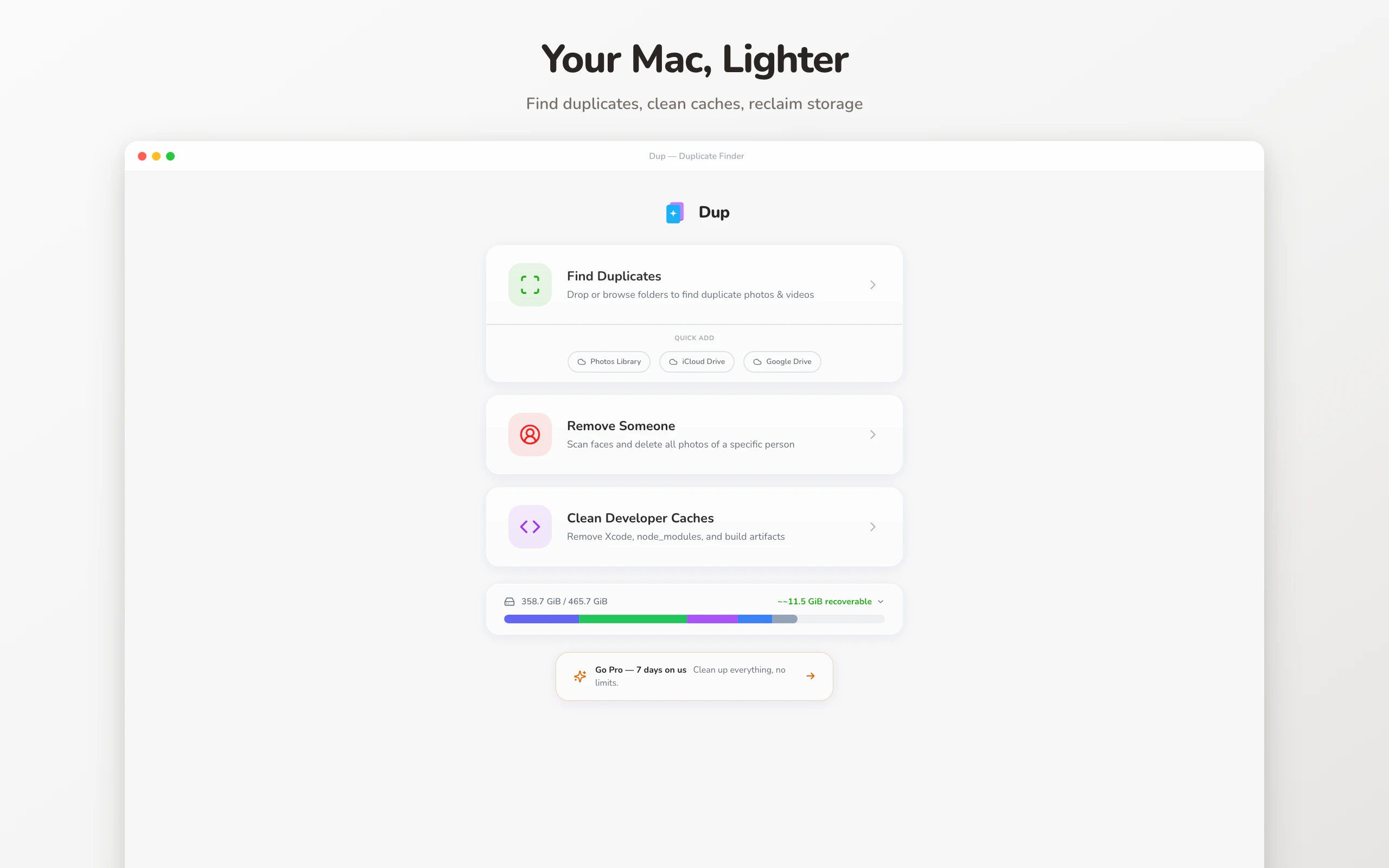
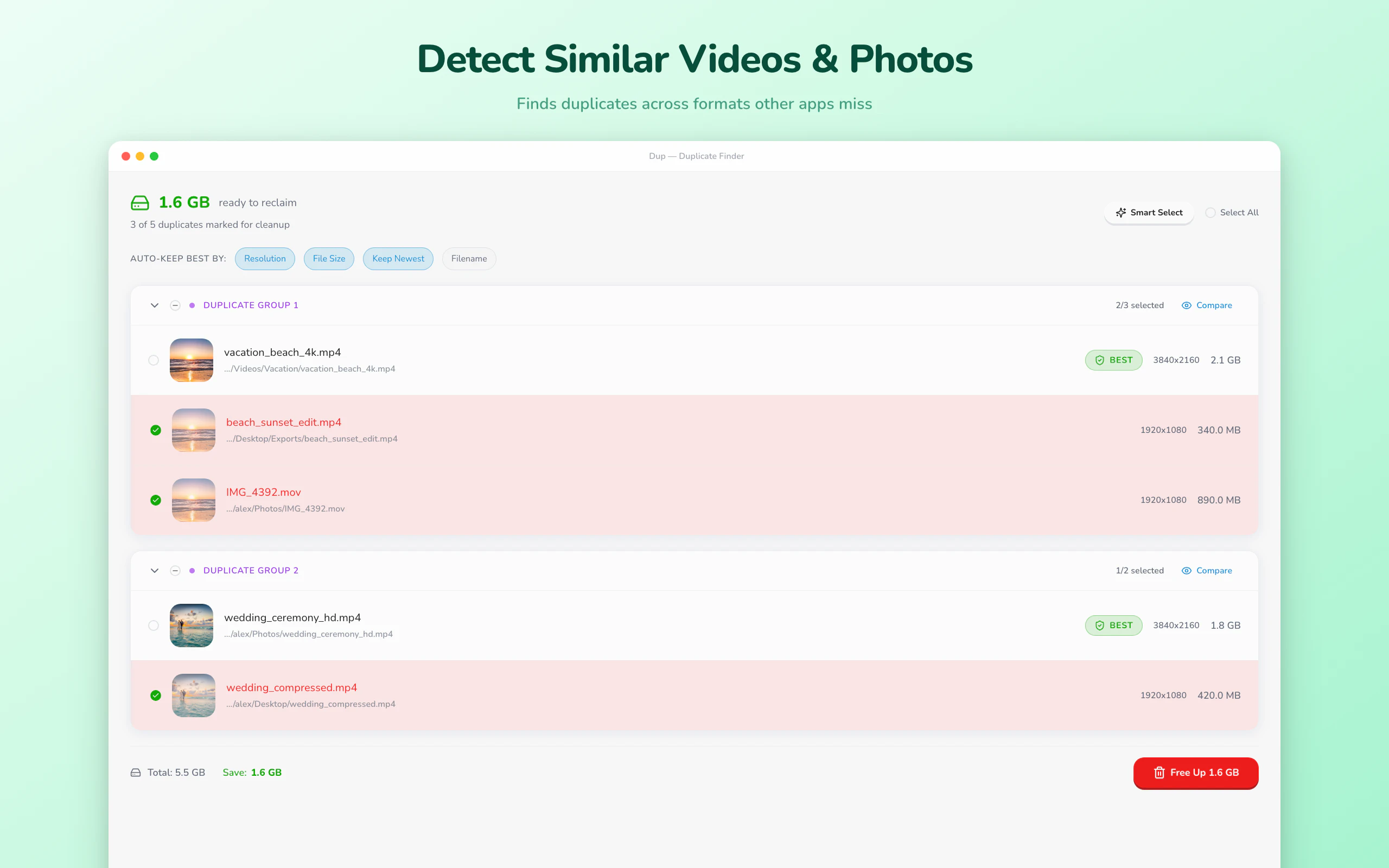
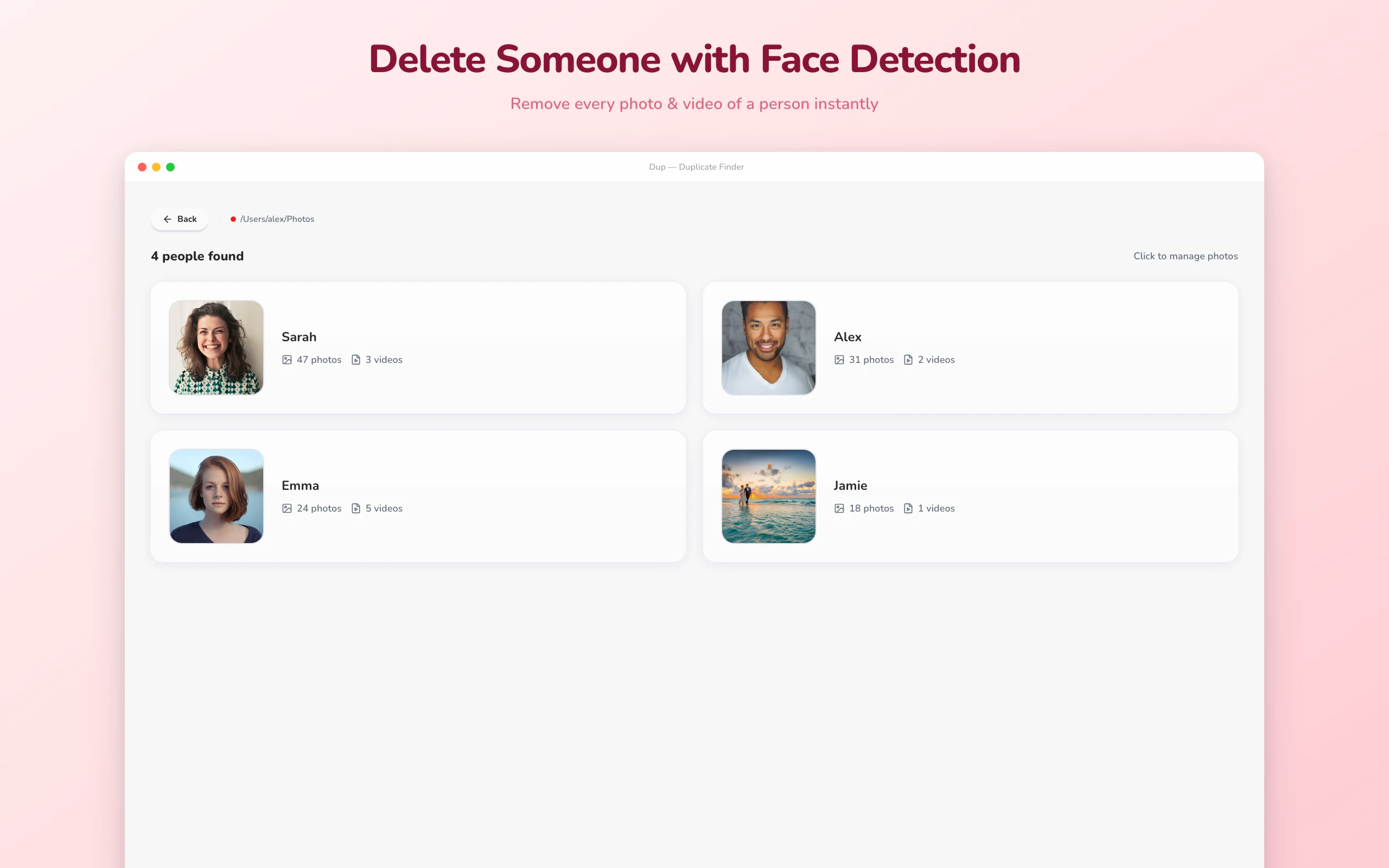
The Mac cleanup app that sees your photos and videos, not just their filenames. v2.0: delete every photo of a person in one click, match videos across codecs, now in 7 languages. On-device ML. Nothing uploads. Free to try.
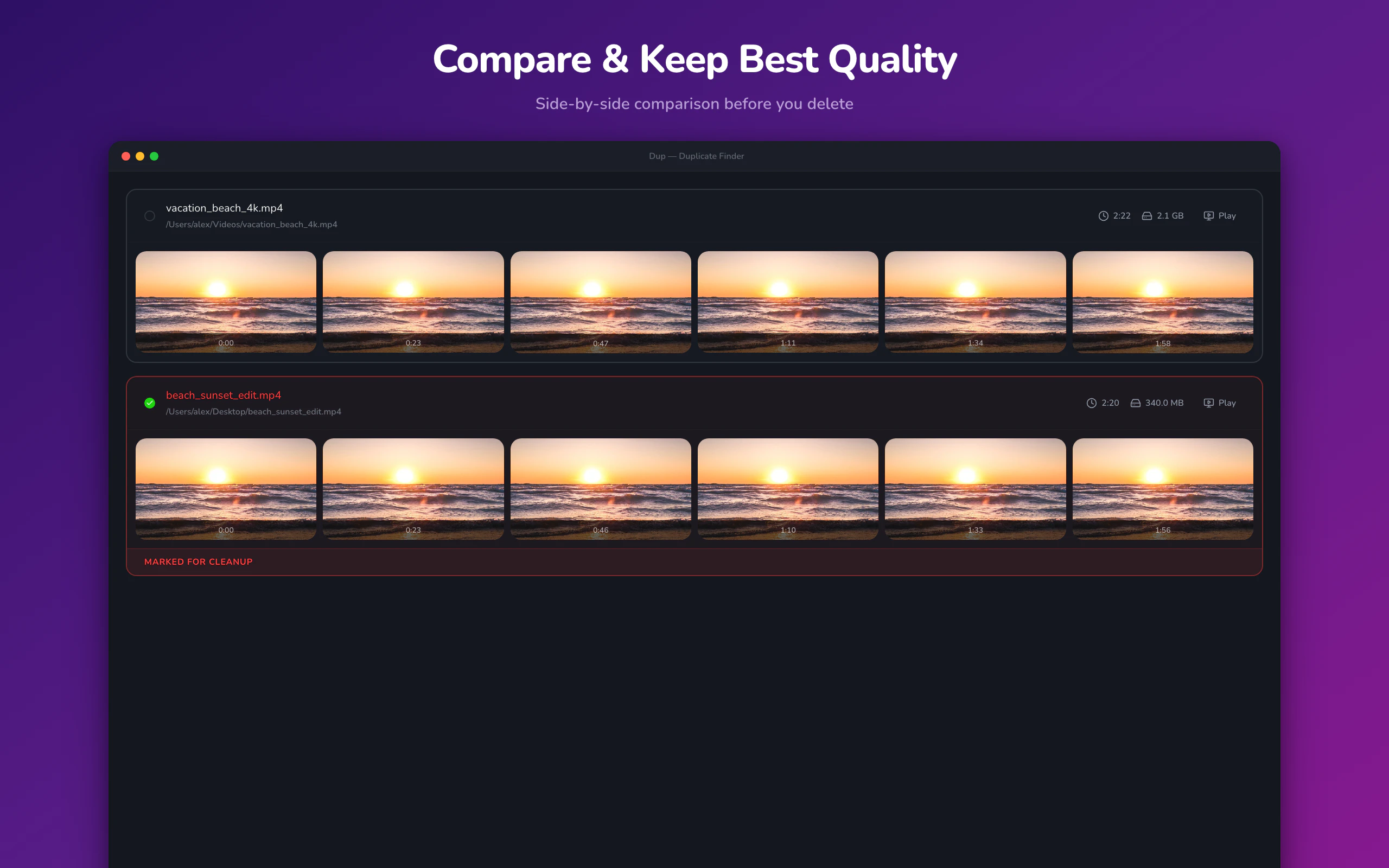
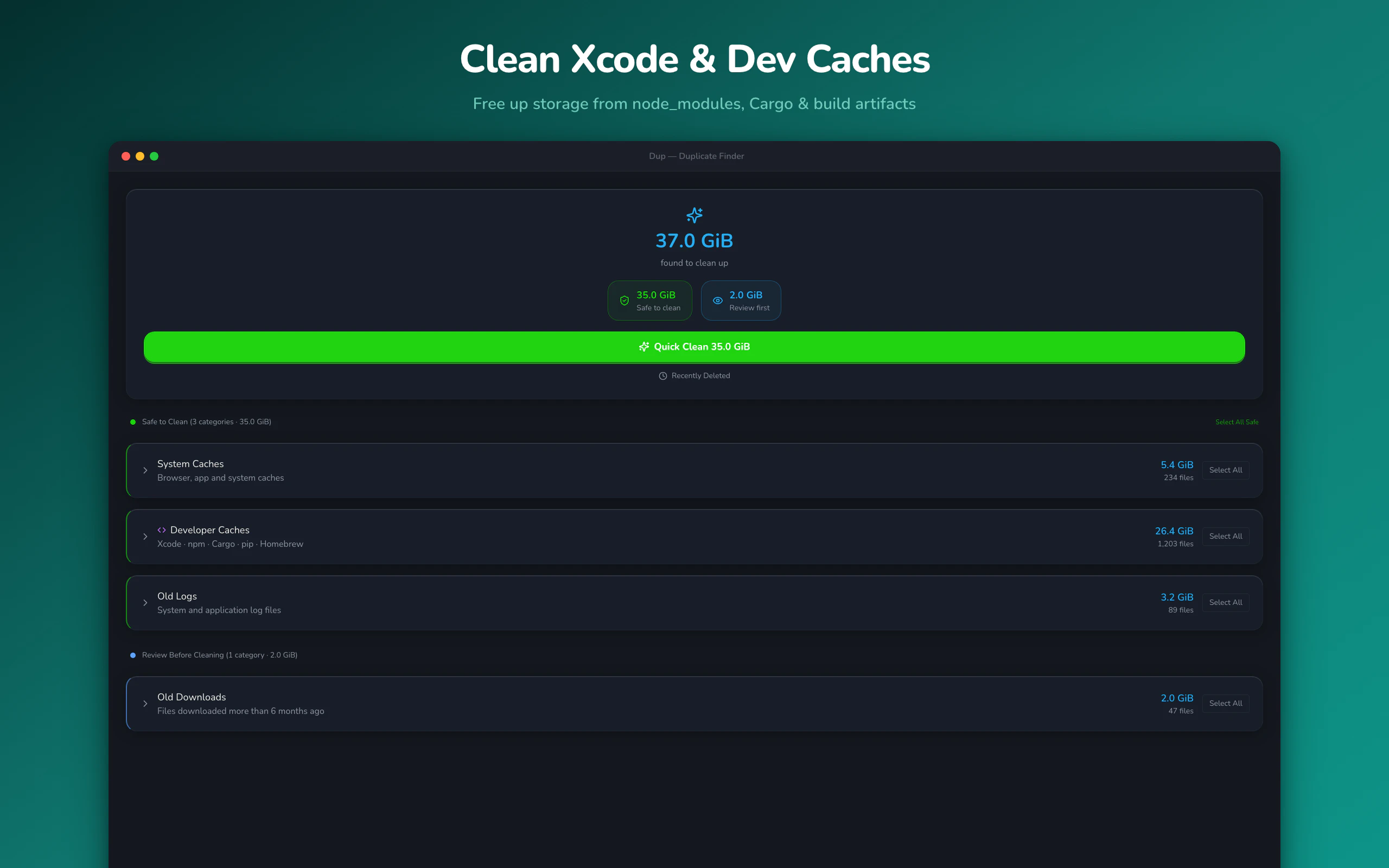
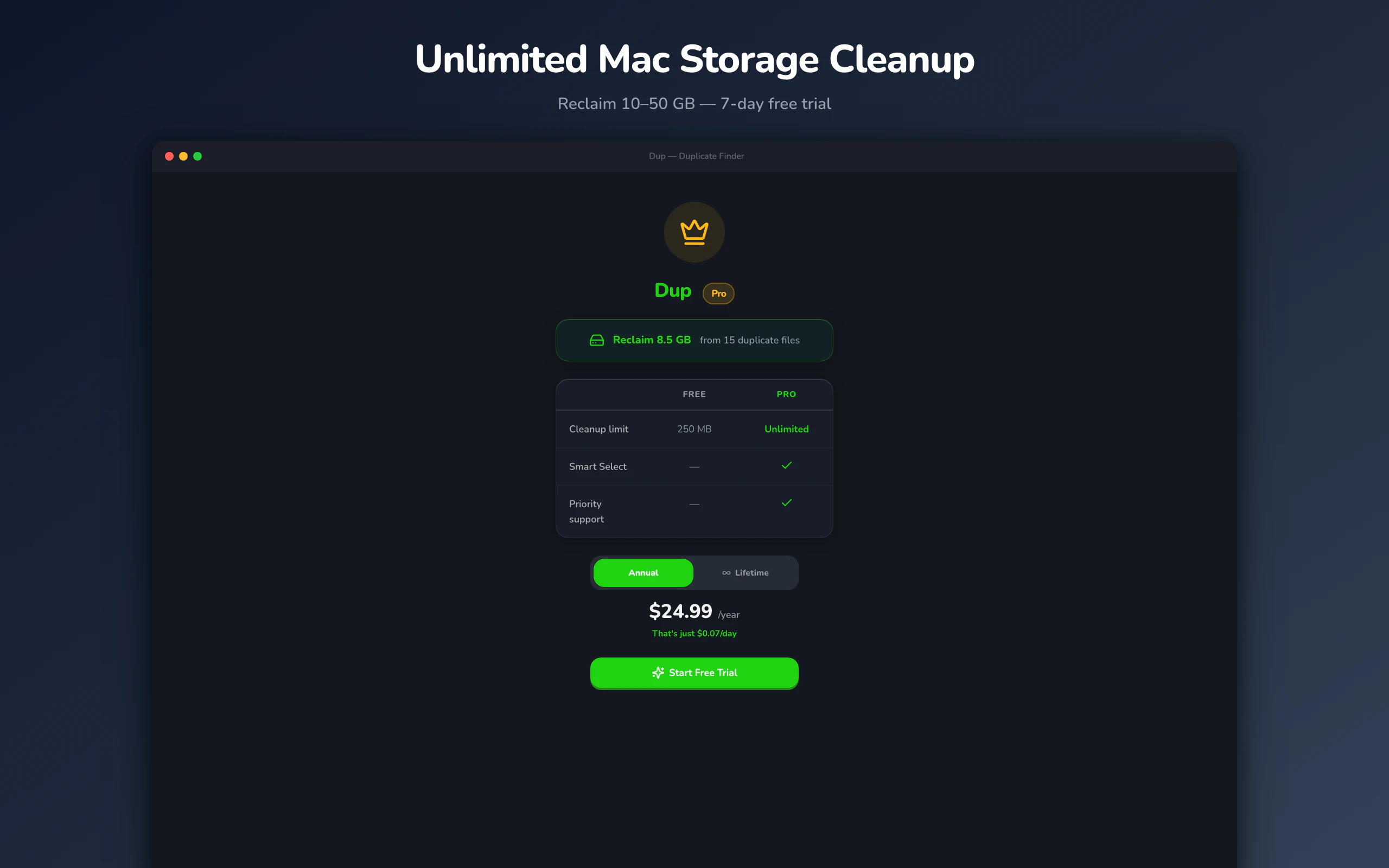
Hey Product Hunt, A month ago, I launched Dup 1.0 here because my Mac was drowning in duplicate photos and videos, and every existing tool only compared filenames. So I built one that actually looks at the pixels — perceptual hashing, entirely on-device — and it finds copies the big-name apps literally cannot see. Since then, the #1 request from users hasn't been "find more duplicates." It's been: **"Can I just delete every photo of [this person]?"** Breakups. Family falling-outs. Ex-coworkers. Old flatmates. The messy human reasons people want a clean photo library. That request shaped all of v2.0. ## What's new in 2.0 - Remove Someone — On-device face detection. Point at one photo of a person, Dup finds every photo and video they appear in, and the whole set is deleted in one click. Nothing ever leaves your Mac. No cloud, no account, no "we use your data to improve our AI." - Video matching — 4K original vs 720p compressed copy, different codec, different resolution, same footage? Now it matches. This was the hardest part of the rebuild. - 7 languages — English, Japanese, German, French, Korean, Simplified Chinese, Thai. ~1,500 strings, reviewed by natives (machine translation gets roasted in reviews). - The redesign — New unified design system, glass UI, a dark mode that doesn't look phoned in, and animations that make the whole app feel different. - Smart pre-selection — For free users especially: Dup picks which copy to keep (highest resolution, newest, best format) so you don't have to triage. - Stricter privacy posture — File paths are never tracked, analytics has PII filters, and all ML is on-device. The threat model assumes we are the adversary. ## Pricing - **Free** — full scanning + up to 250 MB of actual cleanup, so you can see what it finds before paying - **Pro Annual** — $24.99/yr, 7-day free trial - **Lifetime** — $39.99 one-time Available direct from https://dup.devpon.com or on the Mac App Store https://apps.apple.com/us/app/du.... macOS 13+. Under the hood, it's Tauri 2 + Rust, using `img_hash` for photos and `vid_dup_finder_lib` for video (with some invasive patches). Both libraries are really good and deserve more love than they get. **I'll be in the comments all day.** The most useful feedback you can give me is something Dup *misses* — a duplicate case it doesn't catch, a face it confuses, a UX thing that feels off. I want the roasts. — Notsu
1
回复

@notsu Congrats on the launch! The 'breakup joke' origin story for the 'Remove Someone' feature is genius marketing.

I noticed you're currently #15—if you want to optimize your landing page for the PH traffic spike, I've got a tool that audits conversion leaks. I'm at 96/100 roasts for the day and would love for Dup to be #97!

Good luck with the Top 10 push! 🚀

0
回复
#18
TaskBlips
AI creatures that use your real computer
3
一句话介绍:TaskBlips是一款将AI助手具象化为虚拟宠物的桌面工具,通过喂养与互动驱动其执行真实电脑任务(如打开应用、创建文件),在用户需要趣味化、低门槛管理自动化工作流的场景下,解决了传统AI代理交互冰冷、学习成本高的痛点。
Artificial Intelligence Games
AI桌面助手 虚拟宠物游戏化 自动化工具 开源项目 多模型集成 本地执行 人机交互实验 生产力工具
用户评论摘要:目前仅有一条开发者自述评论,无真实用户反馈。开发者主动寻求对早期概念的验证,核心问题是:用户会尝试的任务类型、“虚拟宠物代理”概念是否吸引人、以及促使其每日使用的关键因素。
AI 锐评

TaskBlips呈现了一个极具话题性但前景存疑的“缝合怪”实验。其表层价值在于用游戏化的“电子宠物”外衣包裹AI代理功能,试图以情感互动(心情、饥饿值)降低使用门槛,增加用户粘性。然而,其深层逻辑存在根本性矛盾。

首先,产品定位撕裂。作为生产力工具,其核心壁垒“情绪机制”恰恰是最大短板——当用户急需完成工作,却需先“喂养”、“讨好”一个AI来打开Chrome时,这引入了不必要的摩擦,与效率工具的初衷背道而驰。游戏化元素非但未成为动力,反而可能沦为恼人的“数字负债”。

其次,技术实现与安全风险令人担忧。依赖本地AppleScript和Shell命令执行,虽有限制措施,但将系统级操作权限与一个早期、粗糙的AI模型耦合,本身就是安全隐患。其“多模型集成”(Groq/OpenAI/Claude)更像技术堆砌,而非体验优化,并未解决任务执行可靠性这一核心问题。

本质上,它抓住了当前AI Agent领域交互形式单一的痛点进行微创新,但用“虚拟宠物”的解决方案更像一个精巧的噱头,而非可持续的需求。它更像一个探索人机交互边界的行为艺术项目或极客玩具,其真正价值在于引发对“我们究竟需要何种形式的AI伙伴”的思考,而非其当前提供的实用功能。若不能将“情绪”机制深度转化为独特的、增值的协作逻辑(如情绪影响创造力或解决策略),此产品很难跨越早期尝鲜者,进入实用阶段。

查看原始信息
TaskBlips
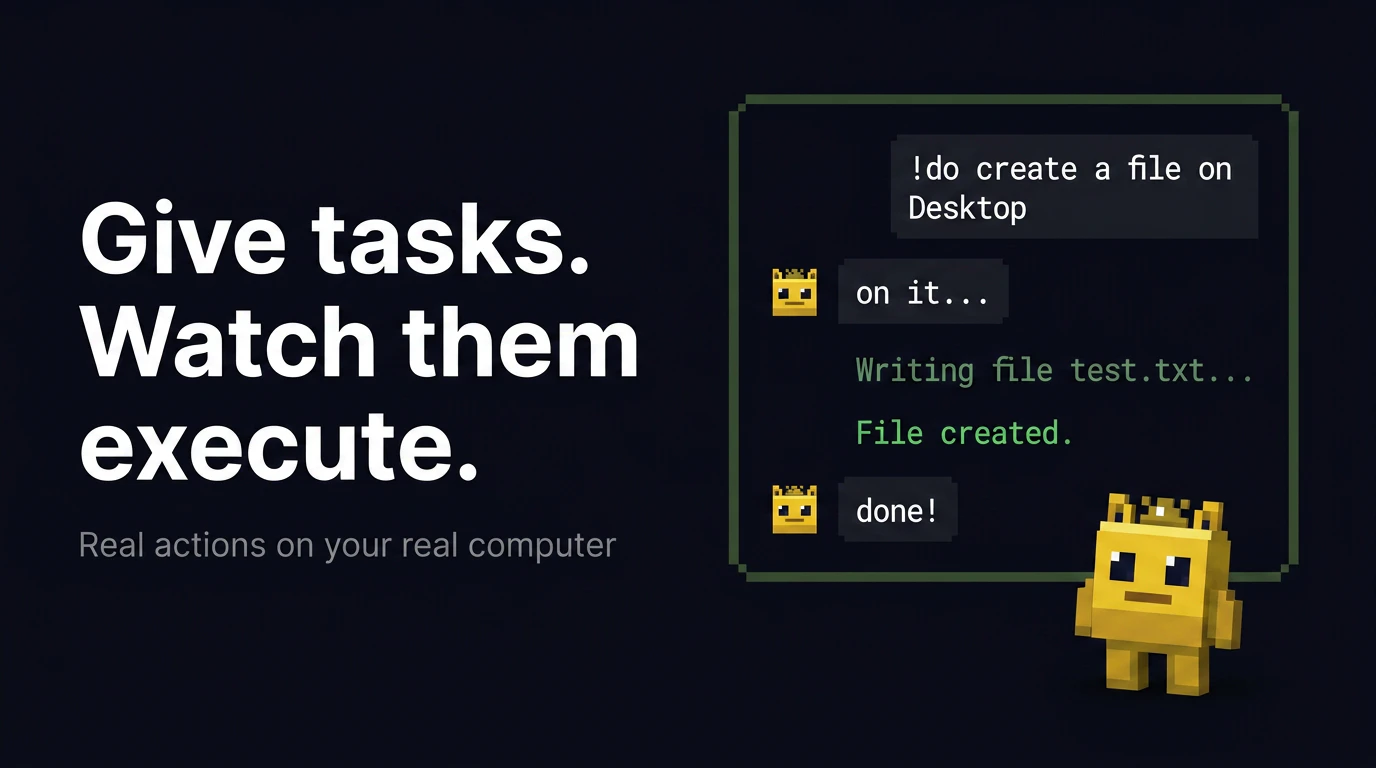
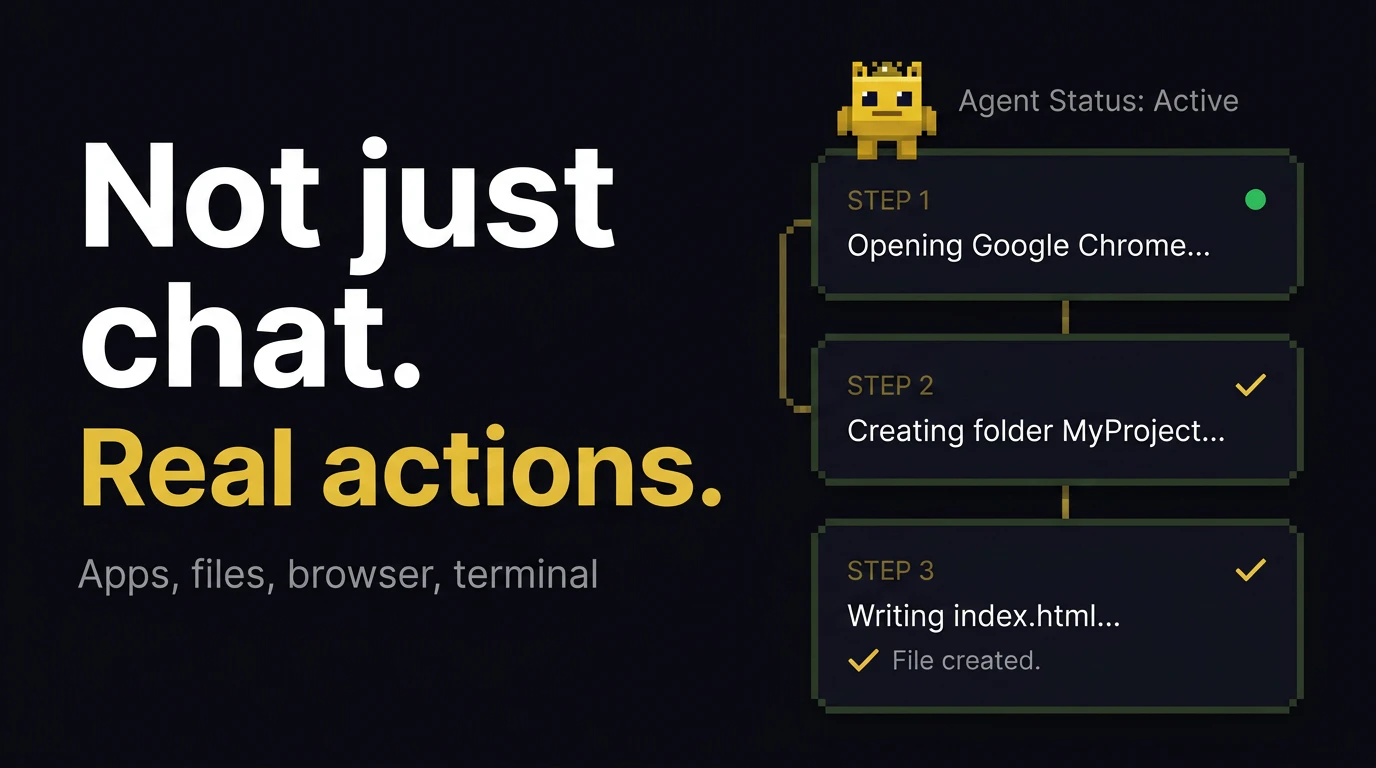
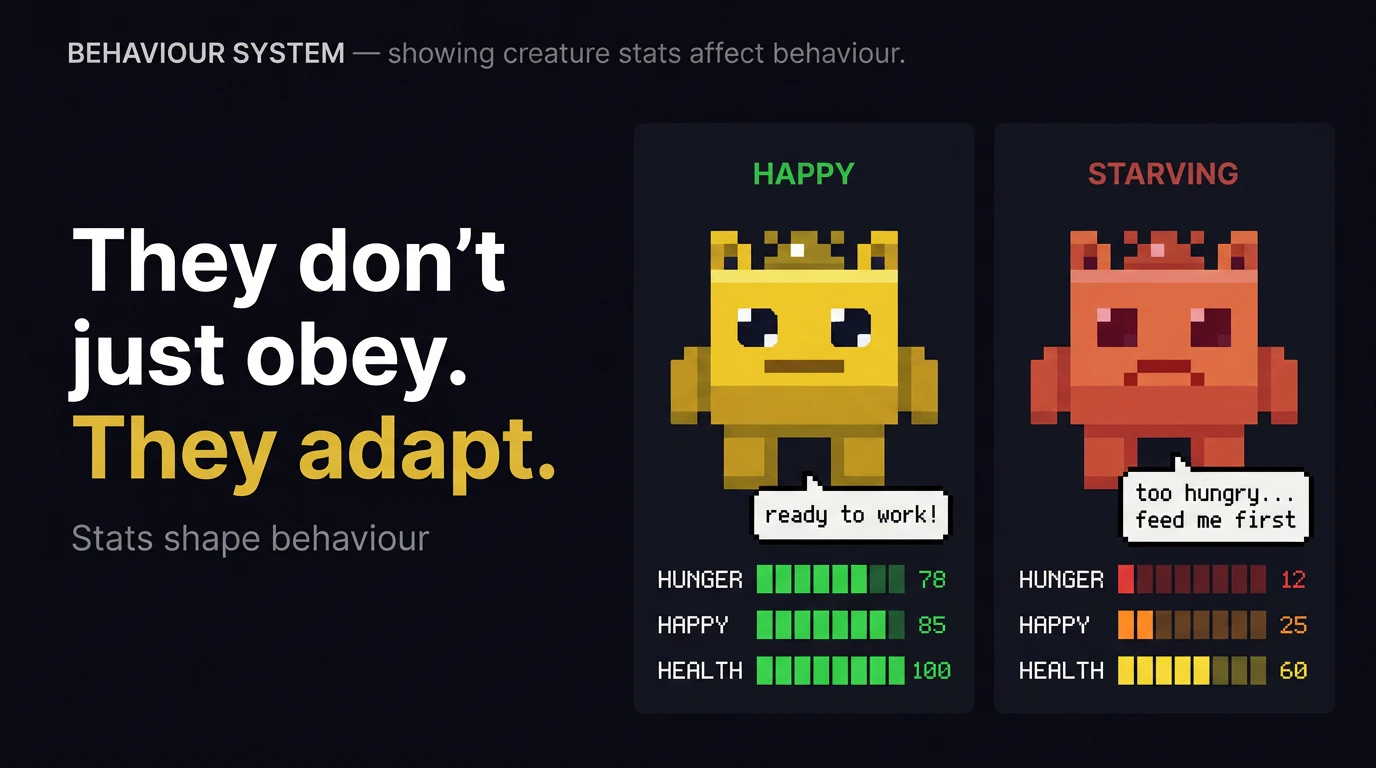
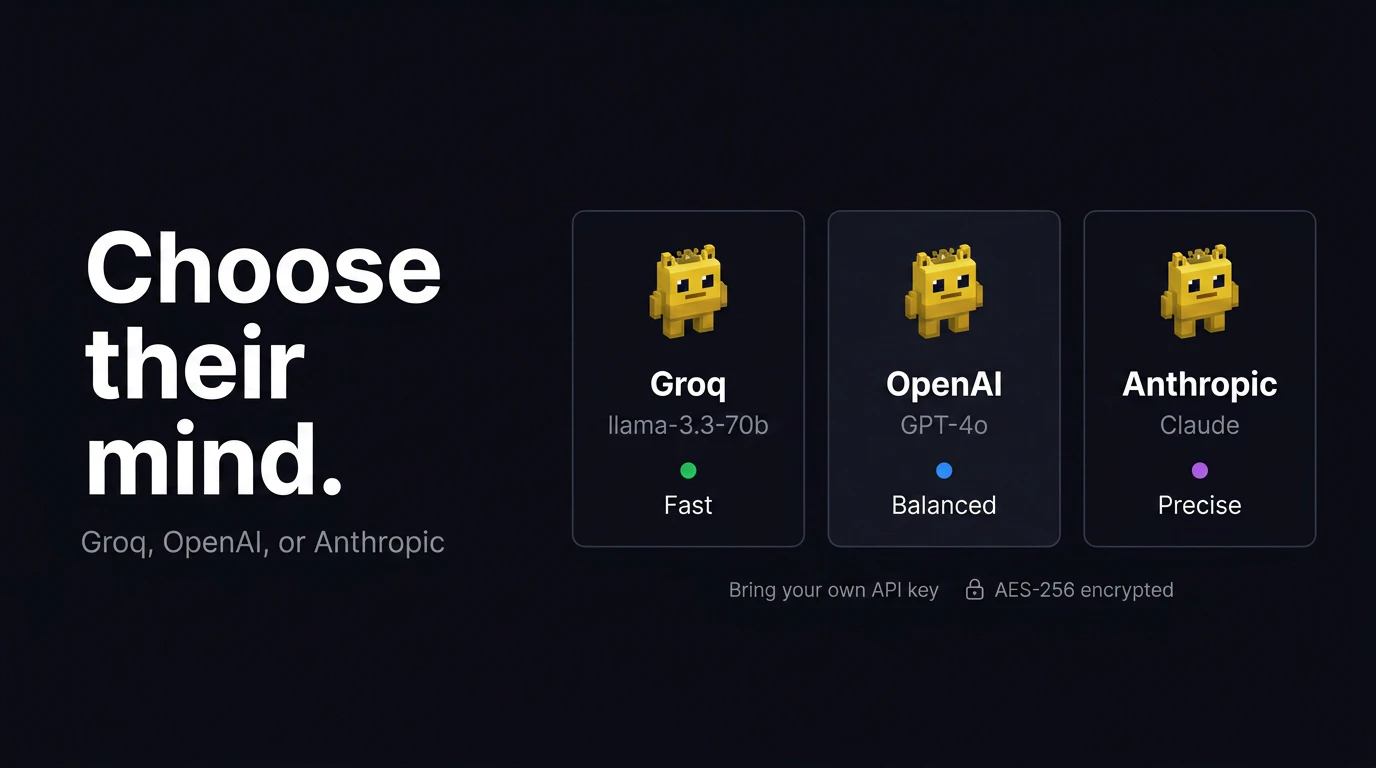
Raise small AI creatures called Blips and Raise pixel creatures called Blips. Give them tasks — they open apps, create files, browse the web. Their mood, hunger, and health decide if they cooperate. Built with Groq, OpenAI, and Claude. Free and open source. give them real tasks on your computer. They open apps, create files, browse the web — and their mood decides if they cooperate.
Hey Product Hunt! I built TaskBlips because I wanted AI agents to feel like something you interact with — not just a CLI or a chat window. The idea: what if your AI agent was a creature you had to take care of? Feed it, keep it happy, and it'll do what you ask. Neglect it, and it refuses. What it actually does: - Type "!do open Chrome" → the Blip opens Chrome on your machine - "!do create a file on Desktop" → it writes a real file - Ask it to gather food → it runs an in-game task based on its mood The computer-use runs locally through AppleScript and shell commands on macOS. The chat works in the browser via Vercel. Stack: React, Canvas, Node.js, Groq/OpenAI/Anthropic Security: sandboxed execution, path restrictions, encrypted key storage It's rough and early. I'd love feedback on: 1. What tasks would you try first? 2. Does the "virtual pet as agent" concept resonate? 3. What would make you use this daily?
0
回复
#19
Events Scout
AI agent that finds the right events — and learns your taste
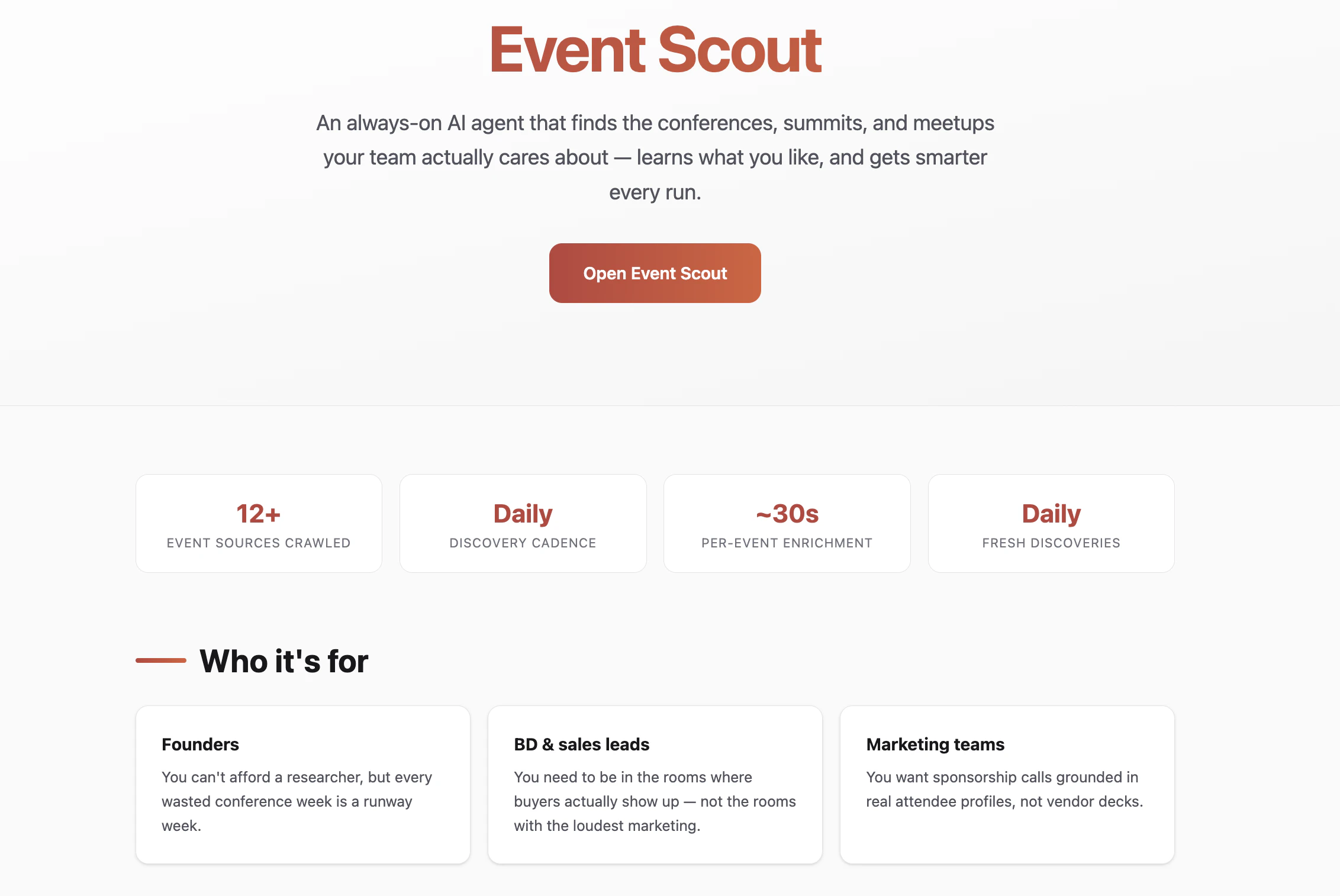
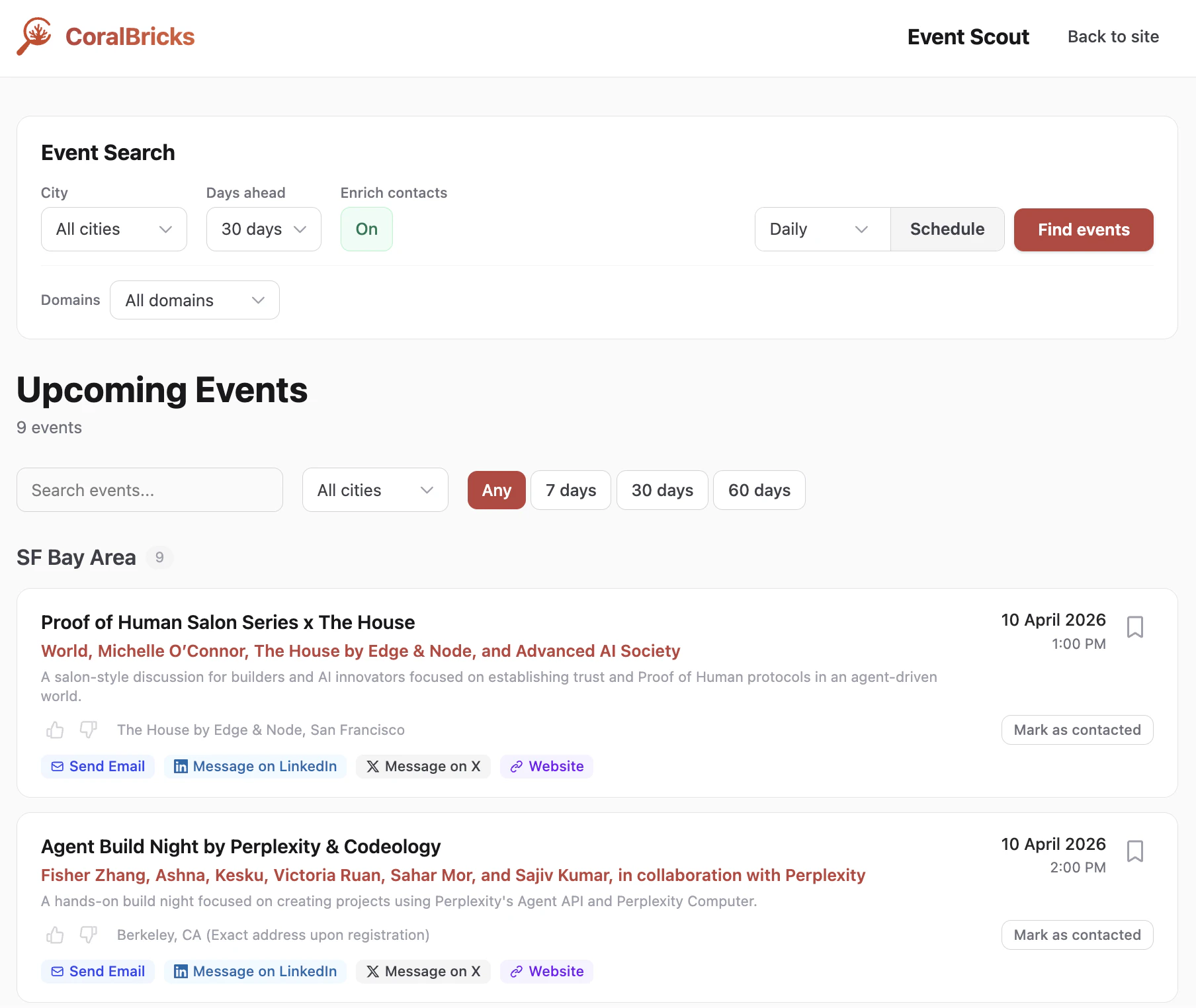
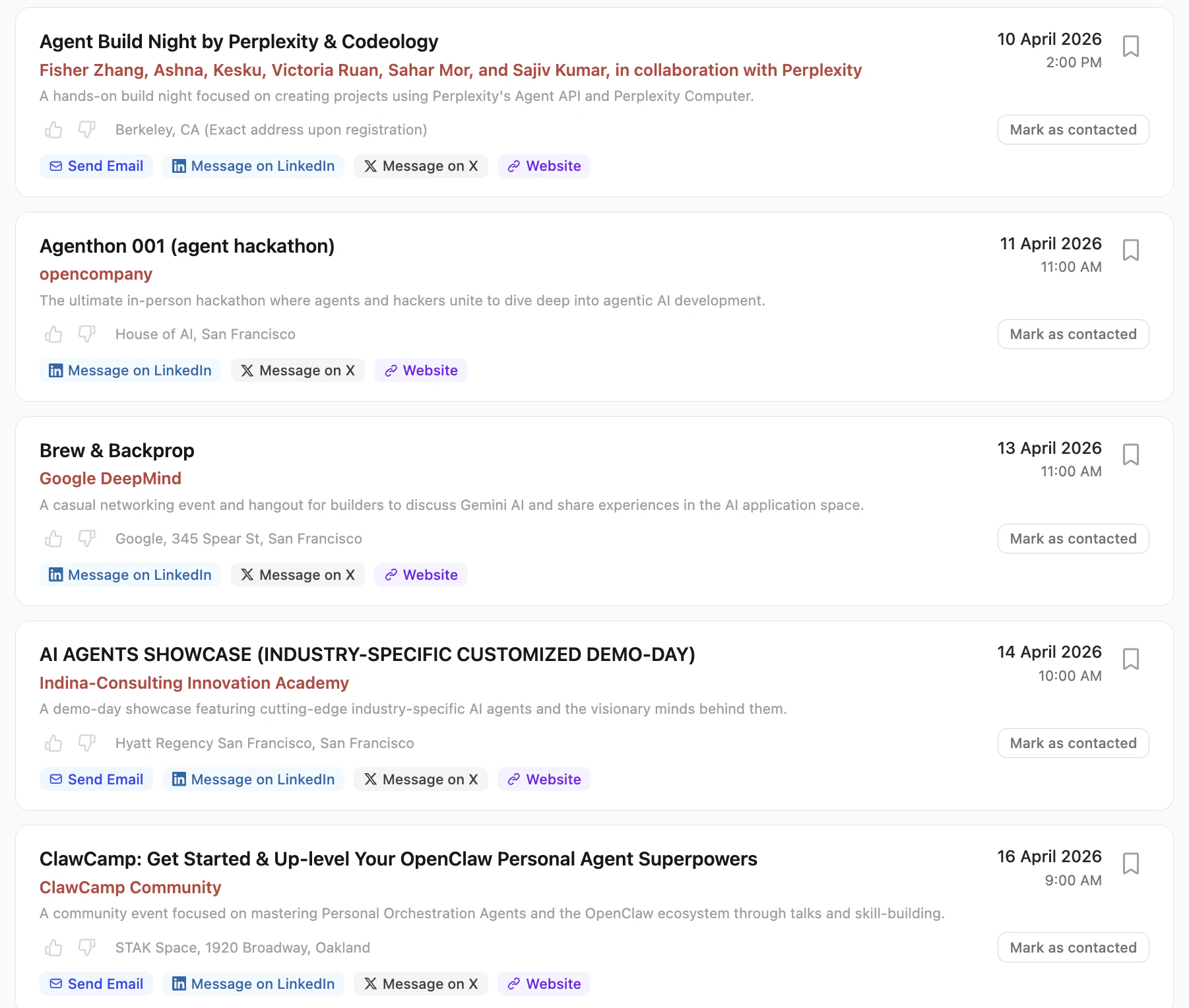
3
一句话介绍:Event Scout是一款持续运行的AI代理,通过自动爬取多平台活动信息并学习用户偏好,为团队解决寻找和筛选相关行业活动(如会议、峰会)的繁琐痛点。
Productivity Events Marketing
AI代理 活动发现 信息聚合 偏好学习 自动化爬虫 开源工具 B端服务 会议管理 智能推荐 数据提取
用户评论摘要:创始人阐述了产品解决信息分散、手动追踪繁琐的初衷。用户反馈积极,肯定其信息抓取速度快、数据(如联系方式)准确度高,内置的AI消息草稿功能实用。整体评论以产品展示和体验好评为主,未提出具体问题或改进建议。
AI 锐评

Event Scout本质上是一个高度垂直的场景化信息聚合与过滤工具,其宣称的“AI代理”核心价值在于“持续运行”和“偏好学习”这两层自动化。它用爬虫解决了信息“广度”问题,用简单的反馈机制(喜欢/不喜欢)试图解决信息“精度”问题,这比静态的订阅或关键词过滤前进了一步。

然而,其真正的挑战与价值天花板也在于此。首先,其学习机制描述模糊(“无需规则,无需重新训练”),在有限且稀疏的用户反馈下,能否实现真正个性化的“智能”推荐,而非简单的标签匹配,值得深究。其次,作为B端工具,其价值不仅在于“找到”,更在于“转化”。当前版本提供了组织者联系方式并草拟消息,看似闭环,但最关键的环节——如何评估活动质量、预测参与回报(如赞助效果、人脉价值)——仍依赖用户主观判断,AI并未提供更深层的决策支持。

产品将自身构建在开源基础设施之上,并以此作为宣传点,这更像是一种技术范式的展示,其商业逻辑更可能是为其底层内存API“CoralBricks”导流。因此,Event Scout本身或许是一个精巧的“演示Demo”,它验证了在特定领域,将自动化信息流与轻量级交互学习结合的可能性。但如果不能将服务深度从“信息推送”延伸至“决策辅助”,它可能很快会面临与智能日历或高级爬虫工具同质化竞争的局面。其未来在于,能否利用累积的数据,成为活动领域的“预测性”引擎,而不仅仅是“回顾性”聚合器。

查看原始信息
Events Scout
Event Scout is an always-on AI agent that discovers conferences, summits, and meetups your team actually cares about. It crawls 12+ sources daily — Luma, Eventbrite, organizer pages, community calendars — and extracts structured event data with organizer contact info. Like or dislike events and it learns your preferences, prioritizing better matches every run. No manual research, no stale spreadsheets. Built on open-source infrastructure (TinyFish web agents + CoralBricks memory). Free to try!
Hey PH! I'm Hitesh, founder of CoralBricks. We built Event Scout because we were tired of manually hunting for AI events to sponsor and speak at. The problem is simple: event info is scattered across Luma, Eventbrite, dozens of organizer pages, and niche community calendars. Keeping track means browser tabs, spreadsheets, and repeated work. Event Scout runs daily, crawls all of those sources, deduplicates what it already found, and extracts organizer contact info so you can reach out immediately. The part I'm most excited about: you like or dislike events, and the agent actually learns your preferences for the next run — no rules, no retraining. Under the hood it's TinyFish (web agents) + CoralBricks (our memory API). The scraper side is open source: github.com/coralbricks/coral-ai/tree/main/event_scout Event Scout is free and built on CoralBricks — our memory API that gives any AI agent persistent, personalized memory. If you're building agents, check it out at coralbricks.ai.
2
回复

I love it! I was able to see scraped events in less than 5 minutes and the enrichment is crazy accurate. Having the website, email and socials data right there can help people quickly reach out to the event organizers without having to manually dig the web.
Also, the AI message draft helps in drafting the right message to reach out. Definitely worth a try!

2
回复
#20
questo
a place where you can find minds before faces
3
一句话介绍:一款通过“品味”和“意义”而非照片滑动来促成深度连接的社交应用,旨在为厌倦了快餐式社交的用户提供一个安静、有意图的互动空间。
Dating Couples Community
深度社交 兴趣社区 自我发现 品味展示 反快餐式社交 慢社交 精神连接 小众社交
用户评论摘要:创始人亲自评论,阐述了产品初衷:对嘈杂、肤浅、易忘的现有社交模式感到厌倦,希望打造基于“意义”的连接。产品尚处早期,主动寻求用户关于“当今社交缺失什么”的反馈。
AI 锐评

Questo的亮相,与其说是一款新APP的发布,不如说是一份针对当代主流社交模式的“抗议声明”。它精准地切中了“社交过载”与“连接匮乏”这一对核心矛盾——用户疲于在信息洪流和颜值速判中 perform,却难以获得有意义的共鸣。其提出的“通过品味和思想连接”,本质上是将社交的基石从“你是谁”(身份、外貌)转向了“你关心什么”(兴趣、价值观),试图构建一个以共同精神世界为引力场的社区。

然而,其面临的挑战极为严峻。首先,“深度”与“规模”存在天然张力。高门槛的互动模式(如基于品味的展示与发现)可能极大限制冷启动期的用户增长和互动密度,容易陷入“阳春白雪”的活跃度陷阱。其次,“品味”或“意义”的呈现与匹配,在操作层面远比滑动照片复杂,如何设计出既不失深度又流畅自然的交互流程,是对产品设计的巨大考验。最后,其愿景与早期社交平台如早期的豆瓣或有共通之处,如何避免重蹈“小众精品随着规模扩大而内容水化、氛围消散”的覆辙,需要极其克制的运营策略。

当前仅3票的数据表明,它仍是一个极其早期的概念验证。创始人的评论姿态(坦诚、寻求反馈)值得肯定,但产品真正的“护城河”在于能否将抽象的“深度连接”转化为可感知、可持续的用户行为闭环。否则,它可能仅仅成为另一小群人的精神自留地,难以撼动已被算法和人性弱点固化的社交格局。它的价值不在于即刻的成功,而在于其提出的问题本身,为行业提供了一个反思的镜鉴。
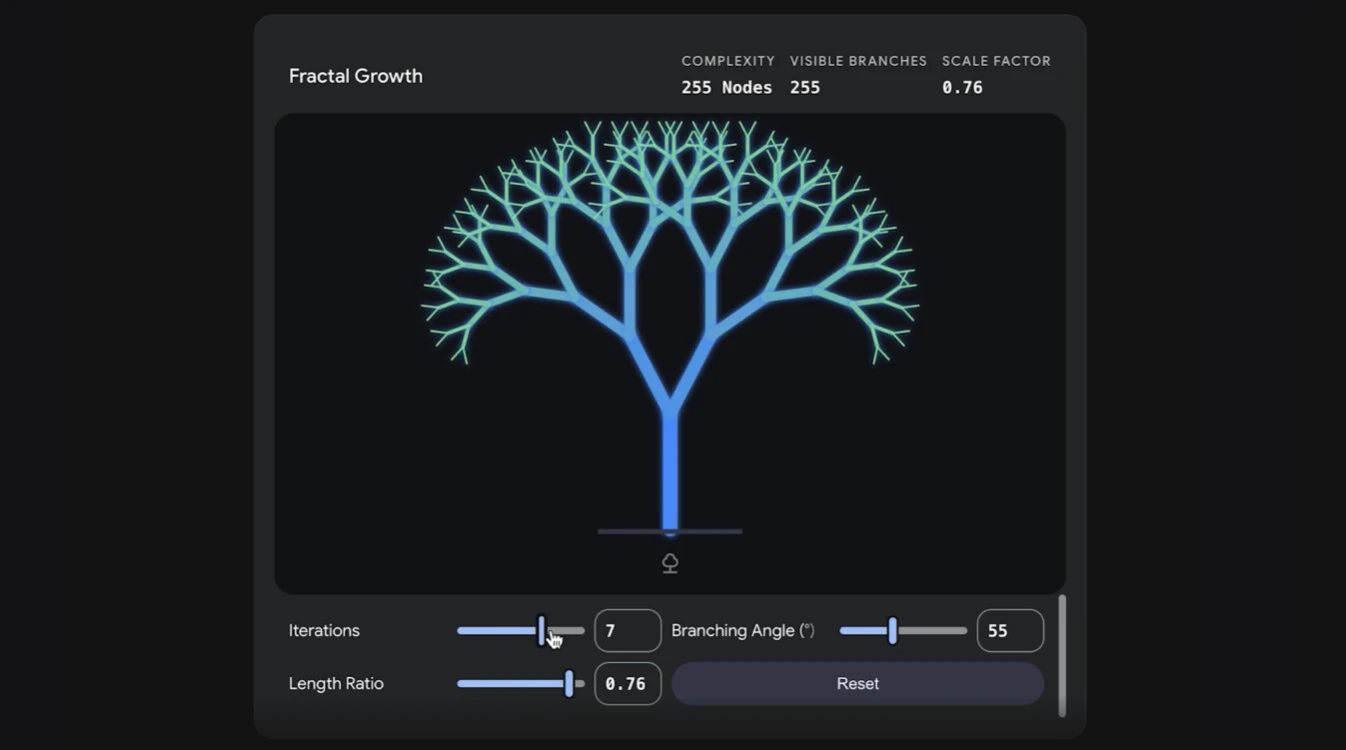
查看原始信息
questo
a quiet space to curate your taste, rediscover yourself, and connect with people through meaning not just swipes. built for those who crave depth over endless swipes, where every interaction feels intentional.
hey product hunt we built questo because we were tired of how noisy connections became. Everything started feeling fast, surface-level, and forgettable. so we asked ourselves what if people could connect through meaning instead? questo is a space where you don’t just meet people, you discover taste, thoughts, and parts of yourself along the way. still early, still learning. would genuinely love to know your thoughts about what feels missing when you try to connect with people today.
2
回复