Product Hunt 每日热榜 2026-04-15

PH热榜 | 2026-04-15

#1
Fathom 3.0
AI meeting notes: now bot-free, in ChatGPT & Claude + more
463
一句话介绍:Fathom 3.0是一款AI会议笔记工具,通过无机器人参与录制、全账户AI搜索及与主流AI助手集成,解决了用户在视频会议中难以同时专注参与和高效记录的核心痛点。
Productivity Meetings Artificial Intelligence
AI会议助手 智能笔记 会议转录 知识管理 生产力工具 SaaS 对话式AI 销售赋能 远程协作 工作流集成
用户评论摘要:用户普遍赞誉其准确性和对工作流的变革性影响,尤其欣赏实时摘要、行动项提取和搜索功能。主要反馈包括:期待支持多谷歌账户切换以更好服务自由职业者;希望iOS应用能包含在现有订阅中;指出了一些小瑕疵,如必须启动应用才能使用Zoom插件。
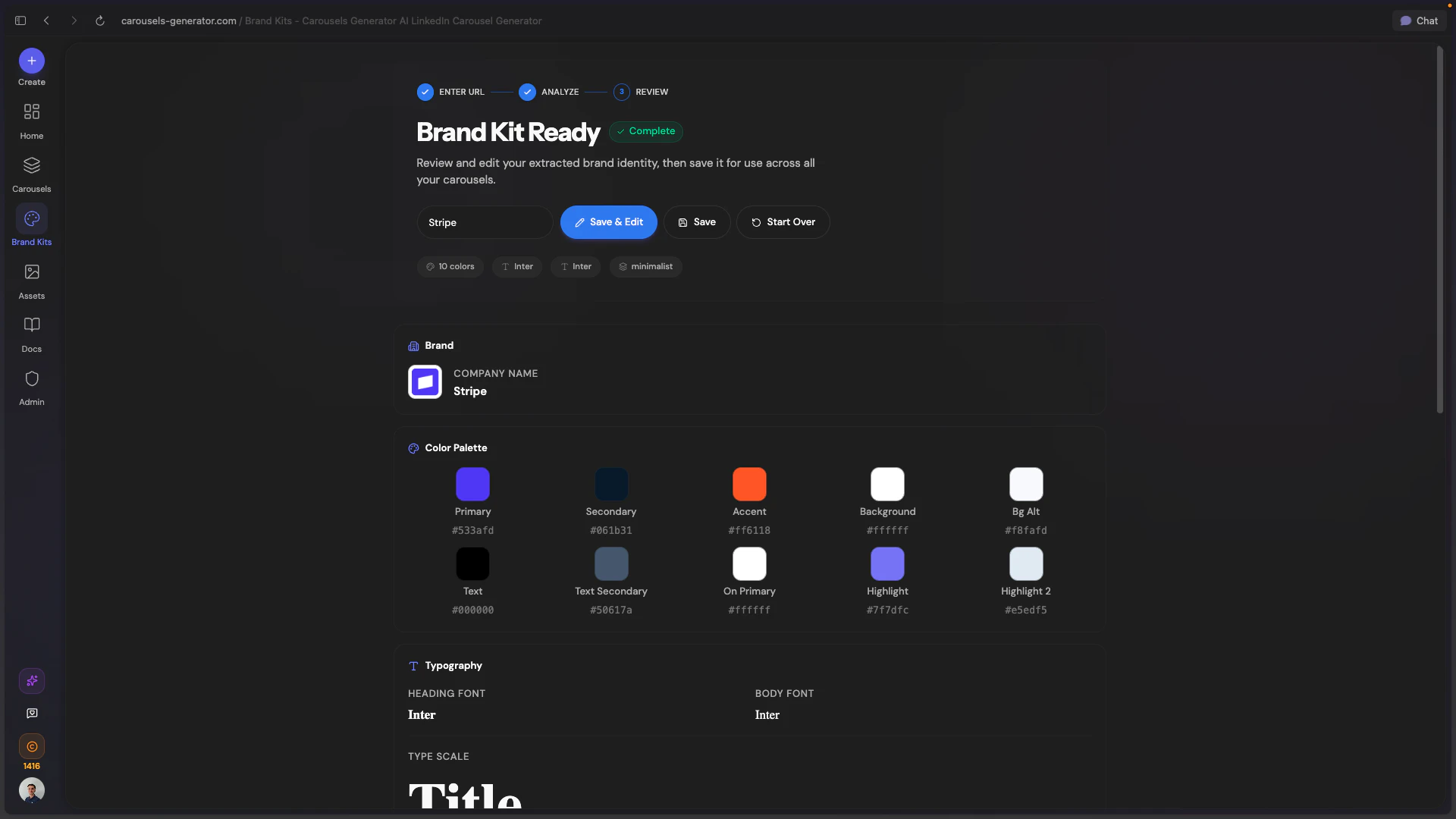
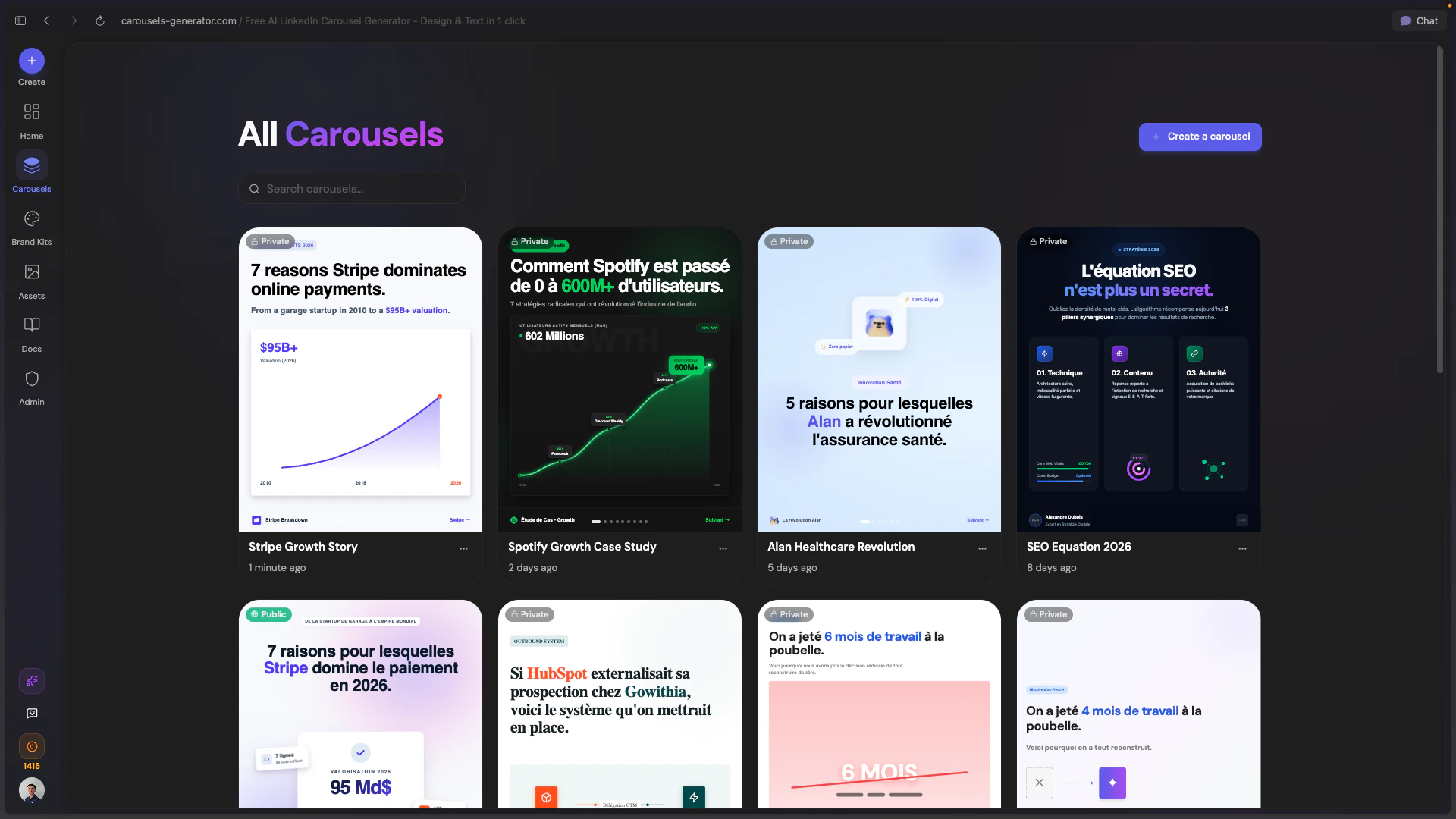
AI 锐评

Fathom 3.0的迭代,表面是功能堆砌,实则是战略重心的清晰转移:从“记录会议”升级为“消化并激活会议知识”。其核心价值已超越转录准确度竞赛,在于构建了一个以会议数据为源头的私有化知识图谱。

“无机器人录制”看似解决了社交尴尬的小痛点,实则降低了使用心理门槛,是推动全员采纳的关键设计。而“全历史AI搜索”将离散的会议记录串联成可查询的组织记忆,这才是对知识工作者真正的效率核弹。与Claude/ChatGPT的深度集成,更是精明之举,将自身定位为AI生态的“数据管道”,而非试图在生成式AI应用层与巨头竞争。

用户评论揭示了其真实壁垒:高度的场景普适性使其能渗透至销售、客服、 coaching、工程等多个领域,形成跨职能的刚性需求。从“个人效率工具”到“团队核心工作流”的转变,是其抵御Zoom等平台内置功能侵蚀、并让用户从Gong回流的关键。然而,其挑战也在于此:如何平衡“轻量易用”的初心与日益增长的、来自不同垂直领域的复杂需求?当会议知识库日益庞大,如何实现更智能的知识关联与洞察,而不仅仅是关键词检索,将是其下一个必须回答的问题。

查看原始信息
Fathom 3.0
The Fathom you know, leveled up. The best AI notetaking, now with bot-free capture, account-wide AI search & insights, Claude + ChatGPT integrations, live summaries & in-meeting scratchpads, and a redesigned desktop experience. And we’re not stopping there. It’s the most flexible meeting AI ever built.

Hey Product Hunt 👋


We've been here before. In 2021, you made Fathom #1 Product of the Day. In 2023, Fathom 2.0. Today we're back with something that feels genuinely different and we think you'll feel it too.


Two years ago, a great AI notetaker meant one solid summary when the call ended. That was the bar. We cleared it, and kept building.


Here's what's new:


🎙️ Bot-free capture - your call, your way The #1 feedback we've heard for years: "the bot joining my call is awkward." We heard you.

  • Choose meeting by meeting: bot-free transcript-only or audio capture (my personal favorite), or full video with the bot

  • All three deliver the same high-quality summaries, action items, and full speaker attribution

  • Mute-detection built in - we respect your privacy

  • Works in Slack Huddles too, so your quick syncs are as well-documented as your scheduled calls


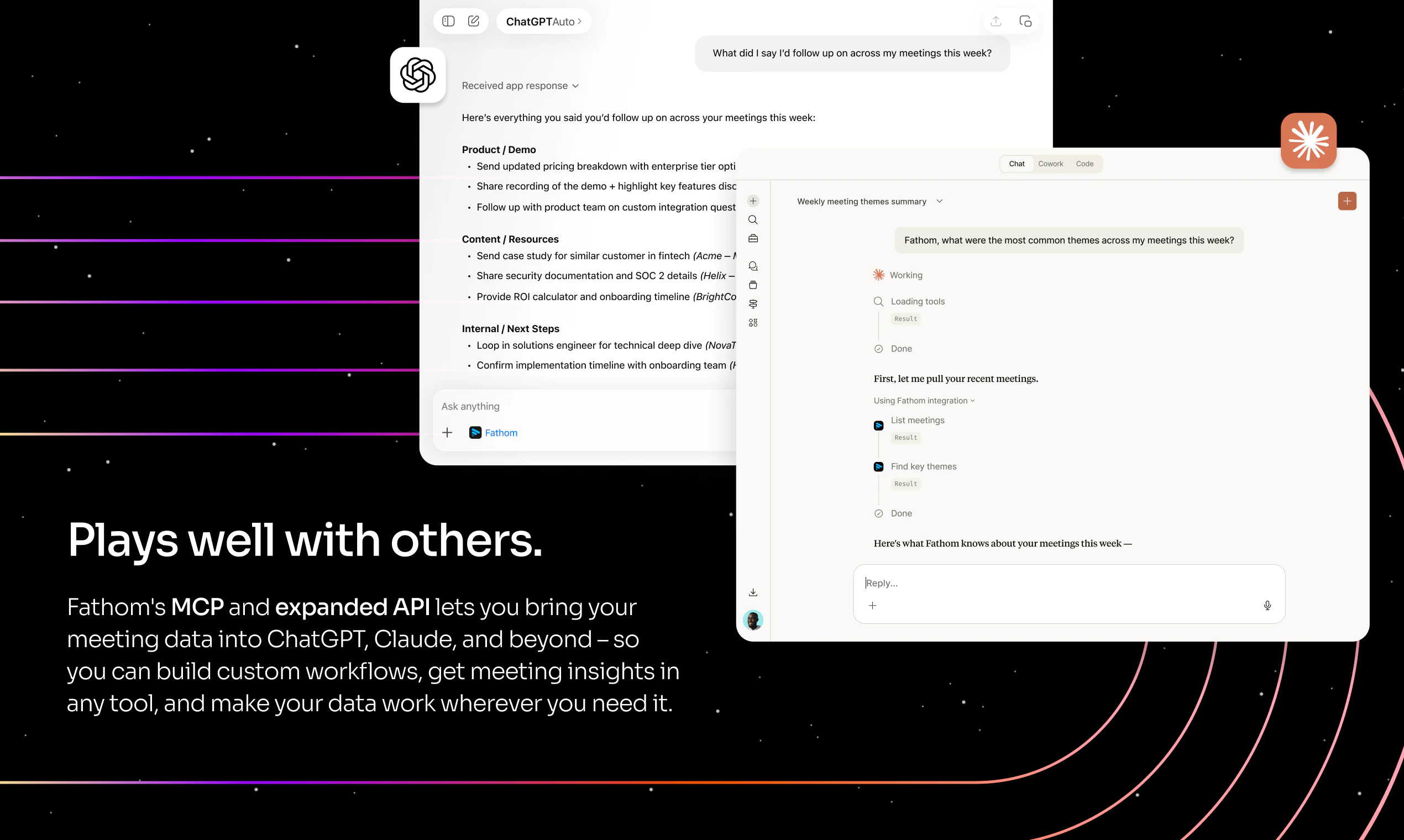
🤖 Claude + ChatGPT integrations Via our public API and MCP integrations, your meeting intelligence now lives inside the tools you already use.

  • Connect Fathom to Claude or ChatGPT

  • Turn any meeting into a draft email, QBR, brief, or plan - no copy-pasting

  • Available on all plans, Free through Business


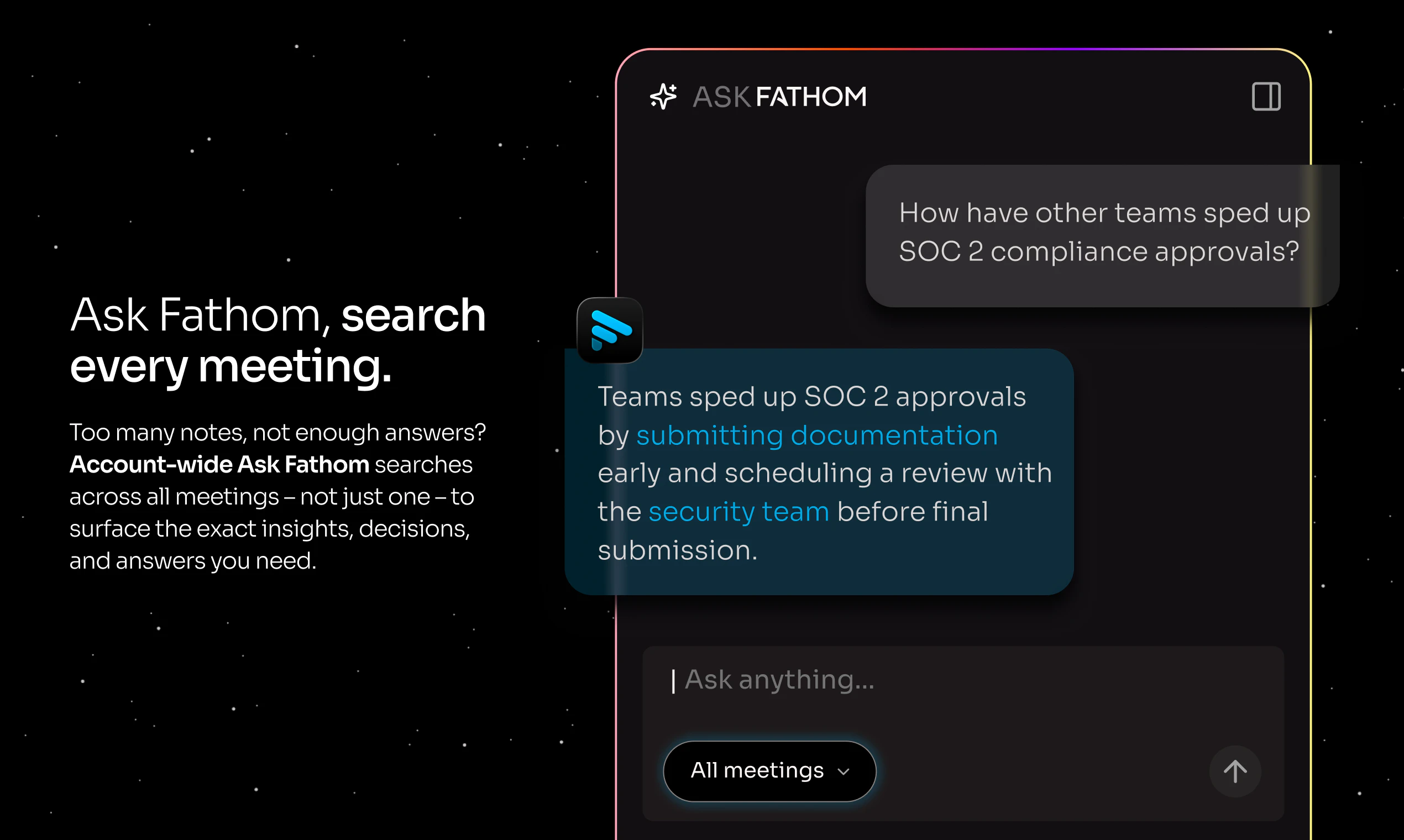
🔍 Ask Fathom - now across your entire meeting history Ask Fathom used to answer questions about one meeting at a time. Now it answers questions about all of them.

  • Ask "What are customers saying about our pricing?" or "What action items came out of my meetings last week?"

  • Get AI-generated answers with citations linked to the exact transcript moment

  • Your meeting history is now a searchable knowledge base


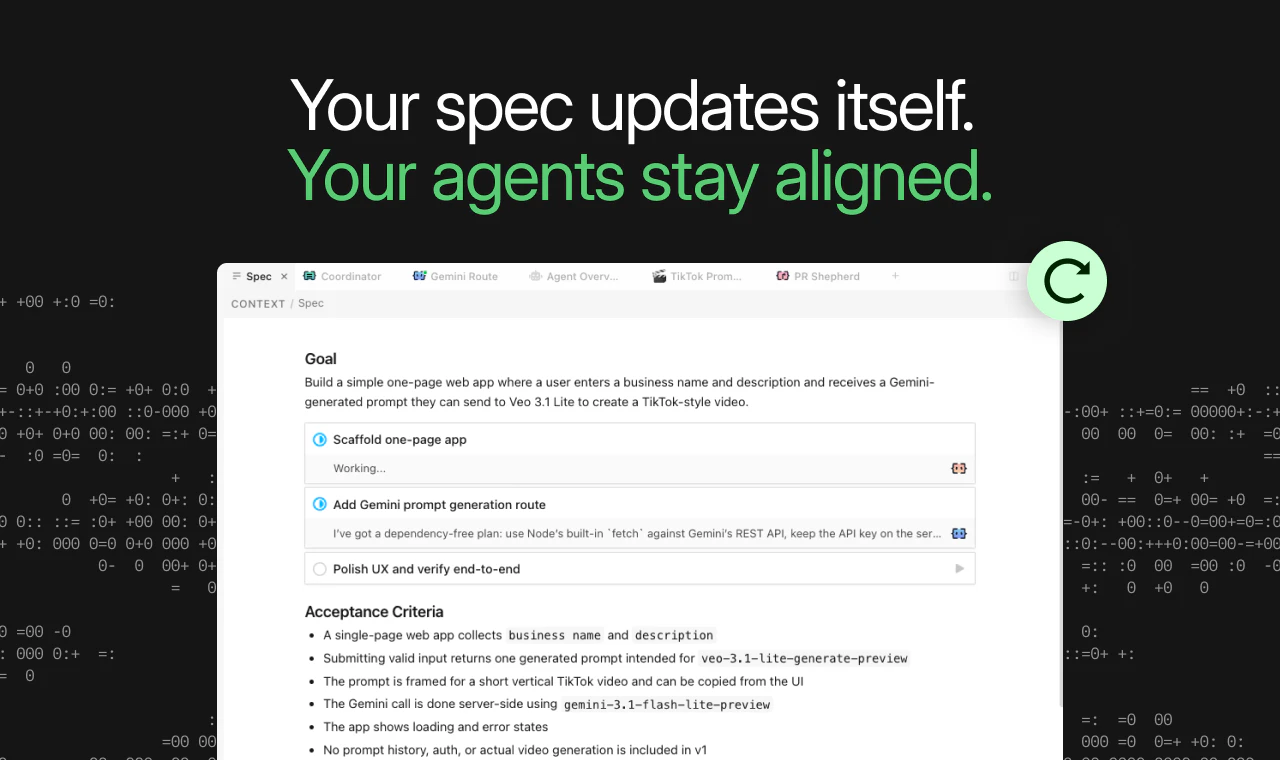
🖥️ Completely redesigned desktop experience

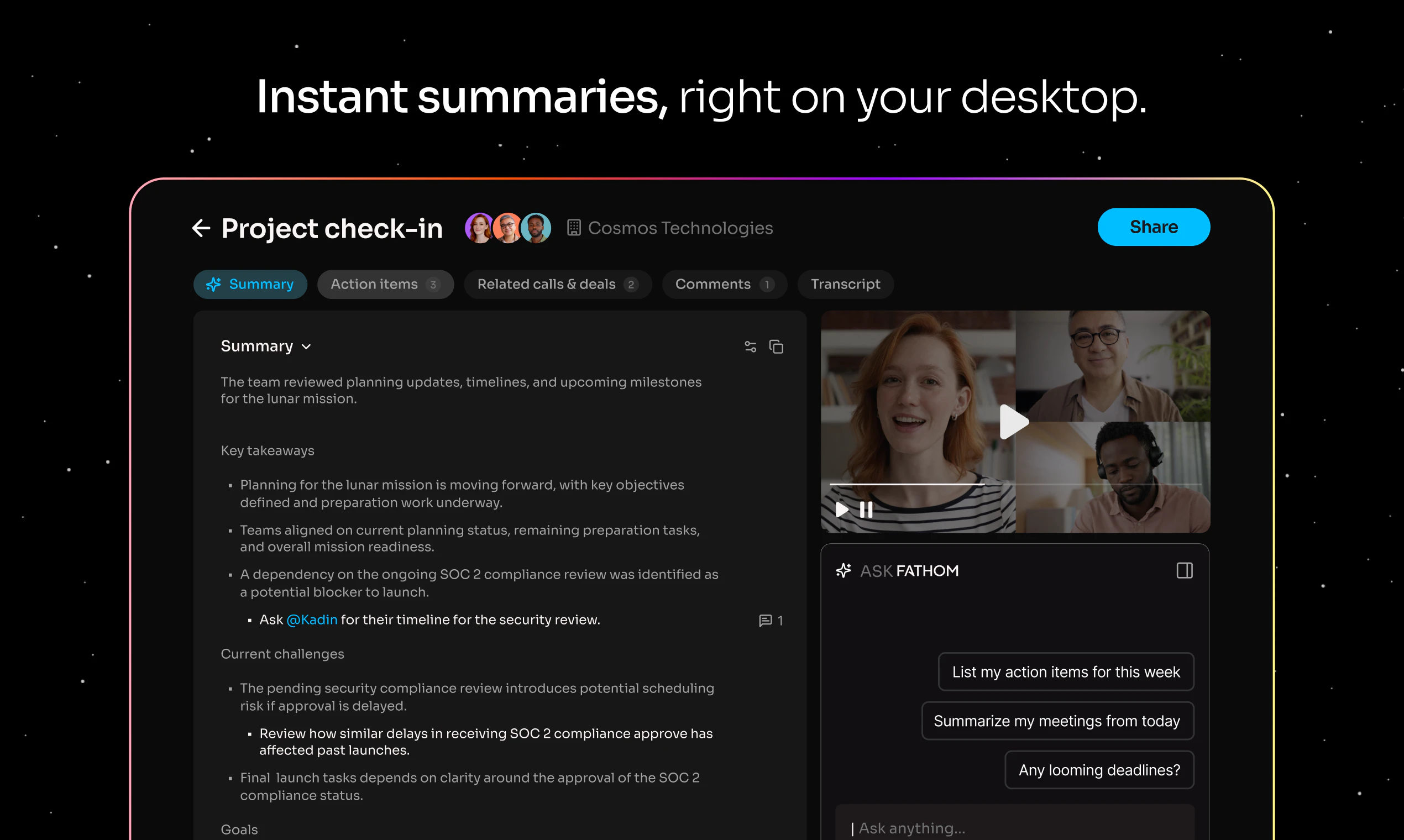
  • Live summaries appear during your meetings, not just after

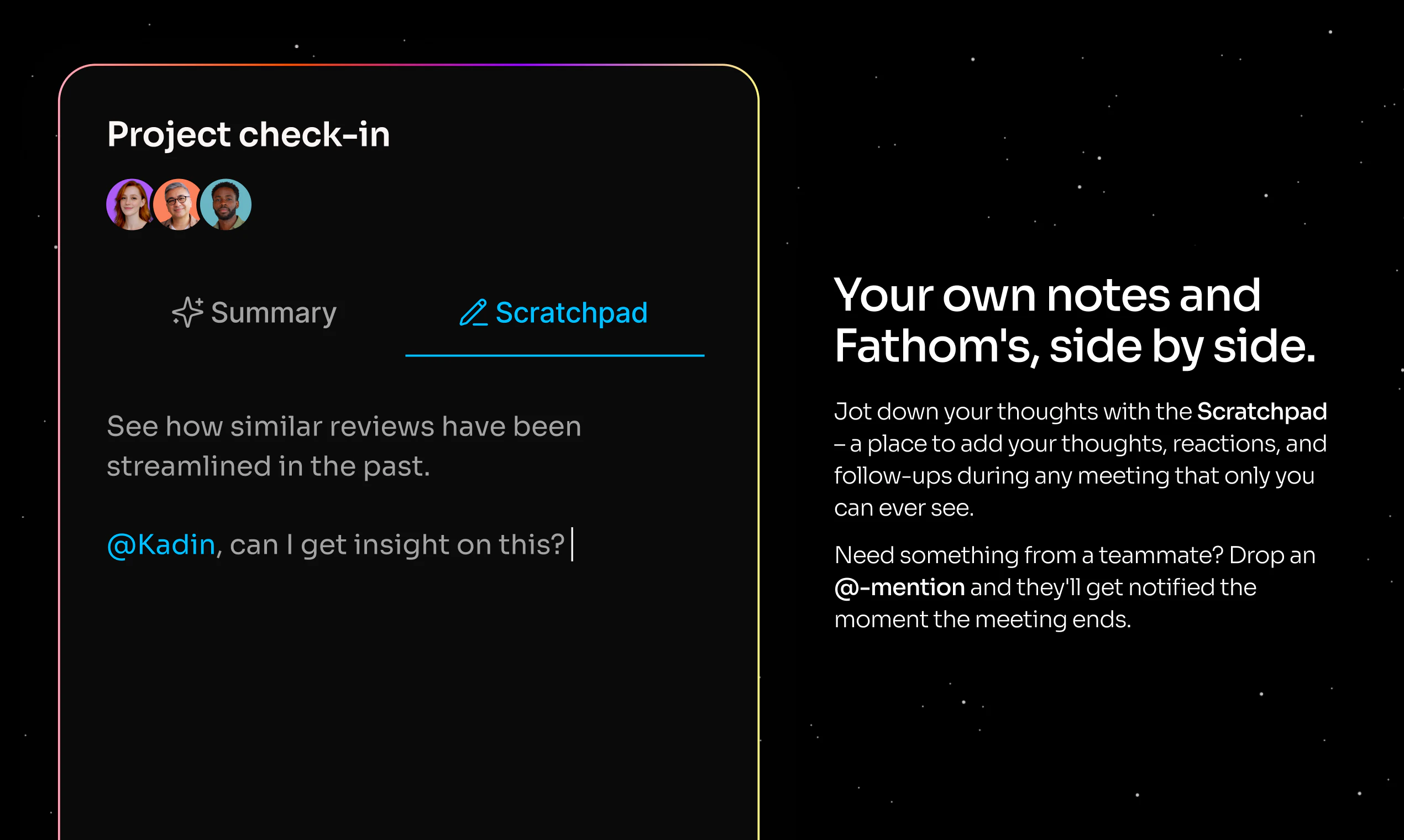
  • Built-in scratchpad folds your personal notes directly into your post-meeting summary

  • Less tab-switching. More focus.


📱 iOS app - coming very soon Not every important conversation happens on Zoom.

  • Capture in-person conversations on the go

  • Review meetings and access your full history anywhere

  • Pre-download on the App Store shortly

Why this matters:


"The real value of meetings isn't the notes, it's the knowledge inside them." That's been our north star since day one.


We've always had two customers: the person in the meeting who wants to be fully present, and the leader who needs visibility across their team. This update serves both in genuinely new ways.


And all of this is available for free - because it's your call data, and you should make the most of it.

Drop a question below. We'll be in the comments all day. 🚀


- Rich & the Fathom team

41
回复

Hey @richard_white congrats on the big update. Looking forward to playing with this. One question for a feature that I've been asking for some time to support already is the ability for multiple connected Google accounts, though.

As a freelancer working for different companies, I have access to multiple schedules. And now all my meetings that are recorded not from my main account can still be recorded, but always end up "Impromptu Google Meet Meeting" instead of properly knowing with whom the meeting was, etc.

Having the ability to access multiple different Google accounts to connect your schedule to, would make this so much better to work with, especially now that you can ask Fathom across your entire meeting history, as then all meetings are properly labeled to begin with.

6
回复

@richard_white I'm big fan of Fathom. Thanks for your product. Our entire company, including leadership, GTM, product, and engineering, uses recording and summarization to Slack. We’ve created several Slack channels for customer, sales, product, and competitor insights based on real-time calls. Your product has been incredibly helpful to us. Pls don't stop ;)

4
回复

@richard_white Love it. I already built a Fathom integration but now I can just use the native, Fathom version. Congrats.

3
回复

Fathom, you beautiful beautiful people.

I started using Fathom two years ago and it completely transformed how I coach.

I'm a Career Coach with ADHD. Taking notes on client calls was always a struggle. Things got dropped. It pulled me out of the conversation. Fathom fixed that. I could stay fully present while my clients got notes, action items, and full call recordings they could actually revisit instead of relying on memory.

I also use AI to help clients quantify their career achievements. The transcriptions are everything for that. I can stay in the moment, stay engaged, and still capture every detail I need later.

But the gap was always timing.

I couldn't access any of that until after the call ended. So I ended up running Otter alongside Fathom just to get real-time transcription I could feed into AI mid-call. Two tools doing one job. Not ideal, but it was the only way to surface insights while the conversation was still happening.

And phone calls? In-person meetings? Those weren't part of the workflow at all.

Now all of that is solved.

Live transcription during the call. Phone and in-person conversations captured. Everything I was stitching together with workarounds, built right in.

Congrats team. This is exactly what I needed!

Question: It looks like the iPhone App is a separate paid app. Is there a way to access it as an annual Fathom Subscriber already?

5
回复

Nevermind, I just realized this was a separate 3rd party app not made by the Fathom team!
https://apps.apple.com/ca/app/fathomai-note-taker/id6753595136

0
回复

@izzydoesizzy Izzy, thank you for sharing your story 🙏 Staying present while your clients get everything they need is exactly what we're building for. So glad our new experience closes those gaps for you!

On the iPhone app - heads up, that's not us, but we're working on our own! In the meantime, here's more info on that: https://help.fathom.video/en/articles/7865601

0
回复

I've tried a ton of similar products—we even temporarily switched to Zoom's "free" features—but we ended up coming right back to Fathom. It is hands down the best solution on the market. By far. With their new MCP server, it’s incredibly easy to integrate meeting content directly into our Customer Success workflows.

This is a great example of using AI to drive productivity, for real.
Kudos to@richard_white and the rest of the @Fathom team!

2
回复

  @ed_ceballos_everflow Ed, welcome back - and thank you! The Zoom detour makes the return even sweeter 😄 Really glad the MCP server is already making a difference in your workflows - that's exactly what we're going for 🙌

0
回复

Hey Woww,

Fathom is a must-have tool, I’ve been using it for about a year now. I remember I was the only one using it at the company, and now all EAs and even some C-levels are using it.

Why? Because it records, summarizes, and the best part, you can ask it for exactly what you need from each meeting.

At the end of the day, I do a quick audit and review things like:

  • What tasks were assigned to me?

  • What’s important or what did I highlight?

I also pair it with another AI tool that helps me summarize my entire day in about 10 minutes 🙂

2
回复

@paola_gomez_ribat Paola, going from solo user to C-suite adoption at your company - that's the best kind of growth story! Love how intentionally you're using it for your end-of-day audit. That's Fathom working exactly the way it should 🙌

0
回复

(FINALLY!) I have my OpenClaw connected to Fathom for transcripts, but have been frustrated at having to use Fathom + another note taker for non-zoom/Google meetings. Super happy I can bring this down to one tool that I like.

1
回复

@orionseven Bryan, one tool to rule them all - that's exactly the goal! Really glad we could close that gap for you 🎉

0
回复

As someone who was a top 1% Gong user (per Gong), Fathom checks all the boxes and then some.

Well, most. Most of the boxes.
There are a few oddities (can't use the Zoom app without launching fathom is an example), but this is the easiest and lightest call recording tool I've used in a while.

Fun fact: we unsubscribed and re-subscribed once they opened their API.
Highly recommended.

1
回复

@jb_barcelon JB, coming from a Gong superuser - we'll take "checks all the boxes and then some" 😄 Really glad the API brought you back, and hope you enjoy our enhanced experiences as much as we enjoyed building it 🙌

0
回复

I love Fathom. I have been using it for several years, and I have yet to find anything that compares. Today I went back to recording from 2024, went to "Ask Fathom" about a protocol I had done, and it was outlined in detail perfectly.

The customer service is fast and stays with you until you are clear.

I can't say enough about it.

1
回复

@esateys_stuchiner Esateys, thanks for sharing that example - that's exactly what we're building for. And thank you for the kind words about our support team, that means a lot to us 🙏

0
回复

As a life coach who does most of his work on Zoom, Fathom is absolutely indispensable! Not only does it record my sessions effortlessly, it provides me with huge value after the call in the form of transcripts, summaries, action lists (great for remembering homework I gave out!), and even the ability to ask Fathom questions for insights about individual sessions, all the sessions I've had with an individual client, or about patterns across the board, and so much more. Hard to imagine working without it!

1
回复

@propelcoaching Jeff, "hard to imagine working without it" - that's why we do what we do 🙏 The way you're using Ask Fathom across individual sessions and patterns over time is exactly what it's built for. Really glad it's working so well for your coaching practice 🙌

0
回复

I have been using Fathom for several years, and I've also left Fathom, trying to find a better solution. And I'm back! My favorite part is the Asana integration, which automatically pulls action items and sends them to Asana for me to follow up on.

1
回复

@hillary_sciscoe Hillary, welcome back! 🎉 The Asana integration is such a good one - action items going straight where they need to go is the dream. Really glad you found your way back to Fathom 🙌

0
回复

We've tested a lot of call recording and note-taking tools over the years as a high-volume sales team, and nothing has come close to Fathom.

At this point, it's fully embedded into how our team operates. Every AE uses it on every call, and it has genuinely changed the way we run discovery, training, and follow-ups.

A few things that stand out for us:

First, the automatic summaries are incredibly accurate. After a call, we immediately get a clean breakdown of key points, action items, and next steps. This alone saves our team hours every week and keeps deals moving without anything slipping through the cracks.

Second, the ability to instantly pull clips is a game changer. Whether it's a strong customer quote, an objection, or a key moment in a discovery call, we can grab that snippet and share it internally in seconds. This has been huge for coaching, deal reviews, and aligning our team.

Third, search and transcripts are fast and reliable. We regularly go back into past calls to find specific details, confirm requirements, or prep for follow-ups. No more digging through notes or trying to remember what was said.

From a sales leadership perspective, it's also been invaluable for training. New team members ramp faster because they can watch real calls, see what “good” looks like, and learn from actual conversations instead of theory.

It also keeps our entire team aligned. Everyone has visibility into conversations, which makes collaboration between sales, solutions, and leadership much smoother.

Bottom line, this isn't just a recording tool for us. It's become a core part of our sales workflow.

We absolutely love it and highly recommend it to any team that runs a serious volume of calls and wants better visibility, better coaching, and better execution.

1
回复

@new_user___10320269aaf636763dabaeb Joshua, wow - thank you for this! "Core part of our sales workflow" is exactly what we're going for. Love hearing it's showing up across discovery, coaching, and alignment, not just as a recording tool. Here's to many more great conversations! 🙌

0
回复

Pretty good. I'm surprised how many tidbits it can pickup. Gone are the days of having presenter/note-taker issue, as you know it's nearly impossible to do both WELL.

1
回复

@scott_marzigliano Scott, so true - trying to present and take notes at the same time is a losing battle! Really glad Fathom's got that covered for you 🎉

0
回复

We have been using Fathom since the very beginning. We are champions for the product and mention it as much as we can. We have also tested a few other options, but always find ourselves coming back to Fathom. It has been reliable and saved our butts on soooooo many meeting details. Saving the link to the meetings in our project management platform allows us to kick off the meeting, and assign the project in no time. We love Fathom and promote it on our socials and podcast all the time. Thanks FATHOM!!

1
回复

@eric_grotenhuis Eric, "saved our butts on soooooo many meeting details" might be my favorite review yet 😄 Thank you for being such a longtime champion - the shoutouts on socials and your podcast mean the world to us 🙌

0
回复

I use Fathom every single day and have no idea what I would do without it. It allows us to capture insights that inform everything from product and pricing to customer experience and context.

1
回复

@pfordmedia Patrick, love to hear that it's feeding into product, pricing, and CX decisions. That's Fathom working exactly the way it should!

0
回复

I've been waiting for these changes. So excited to check them out!

0
回复

I've really enjoyed using it over the last couple of years, first with teammates at work, and then eventually found some use cases in my personal life. I love having a catalog of video recordings to look back on and track trends, conversations, little moments of joy with friends and colleagues alike. I'm excited about the MCP support that's coming out that will make it even easier to search using natural language. Excited to try out 3.0!

0
回复

The bot-free approach is a huge deal. In finance, meeting context is everything — deal terms get discussed verbally, and if the notes are off, downstream decisions suffer. I host a podcast on financial modelling (ModeLoop Podcast on Spotify) and accurate transcription of technical finance discussions is genuinely hard. The Claude integration is interesting — curious whether it handles domain-specific terminology like DSCR, IRR waterfalls, and covenant structures well out of the box.

0
回复

Regular user here. Love the product, transcription and UX is on point. Stoked to see them officially launch here.

0
回复

Wow, would like to have a try in our next meeting. Congrats on the launch!

0
回复

I was an early Fathom user: it's been keeping track of my meetings for years.

The fact that I can now pull every meeting I've ever had into Claude or ChatGPT and instantly execute on whatever I discussed in that meeting—with the whole history of everything that came before— is just insane.

What a world we live in.

0
回复

Love, love, love Fathom - it saves so much of my brain power by recording all my meetings. I nevery have to look at my non-sensical scribble ever again! Great product.

0
回复

I've been a Fathom customer for many years and these are the top features we've wanted. Awesome launch!

0
回复

I've been using Fathom for three years and I have notes and transcripts from 500 meetings stored in the system. I've already been impressed with the account wide built in LLM chatbot and its ability to synthesize useful insights and summarize important points from across years worth of meetings.

0
回复

I love Fathom!! I use it for all my meetings. The summary and action items sent out to everyone on the call keeps us all on task!

0
回复

I love it so much! When Attio integration?

0
回复

@yura_filipchuk Yura, so glad you love it! We'll pass along your +1 for an Attio integration - that kind of feedback is exactly how things make it onto the list 🙌

0
回复

Long time user of Fathom here. there are several things about the new update that I find are a downgrade and can't turn off ...
1. A new window pops up when I start a meeting and give me notes that I don't need.
2. Another window now pops up after the meeting and gets in the way of my workflow.

I understand these can feel like a "value add" but they're really noise in my experience and degrade the experience overall. At minimum I'd love a way to turn them of.

0
回复

@watson_ Watson, really appreciate this feedback - and we're sorry the new experience isn't landing the way we intended. We'd love to dig into this with you directly. Can you reach out to us at help@fathom.video? We want to make sure Fathom works for your workflow, not against it 🙏

0
回复

This is the tool I consistently use the most. One of those things that makes you wonder how you survived before. Super stoked to try out the new features.

0
回复

@karl_eisenman1 Karl, thanks for commenting! So excited for you to dig into the new experience 🚀

0
回复

Fathom is the best!

0
回复

@sardor_akhmedov_ Sardor, thank you - right back at you! 🙌

0
回复

I love Fathom, and I love this new update.

0
回复

@yehuda_zahler Yehuda, love to hear it - thank you! 🎉

0
回复

Amazing product, need to try the bot-free capture.

Everyone wants AI without seeing AI bots.

Do you have any upcoming updates planned for the API? I’m aware of the webhooks, but I’m also interested in whether there’s a way to pull meeting notes data directly.

0
回复

@alxrda Alexandru, great question! There's already an API call to pull meeting summaries, plus our new MCP server depending on your use case. Our support team is happy to help you find the right fit - reach out at help@fathom.video 🙌

0
回复

Been a customer now for two+ years. It's an amazing product, and really excited about the new capabilities!

0
回复

@vladik_rikhter Vladik, thank you for the continued support! Really excited for you to dig into the new experience 🎉

0
回复
#2
Claude Code Routines
Put Claude Code tasks on autopilot with smart routines
460
一句话介绍:一款在Anthropic托管基础设施上运行AI编码自动化的工具,通过计划、API调用或GitHub事件触发,为工程团队自动执行代码审查、工单分类和部署验证等重复性工作,无需开发者保持本地环境运行。
Productivity API Developer Tools
AI编码自动化 开发运维自动化 无服务器架构 定时任务 GitHub集成 工程团队效率工具 智能代码审查 持续集成与交付 Anthropic生态 SaaS
用户评论摘要:用户普遍认可其“无需本地值守”的核心价值,能节省大量时间。主要关注点包括:与现有功能(如dispatches)的区分、15次/天的限额对团队的实际影响、对自动化结果的信任度,以及跨PR会话的上下文保持能力等技术细节。
AI 锐评

Claude Code Routines本质上是一款“AI智能体即服务”产品,其真正的颠覆性不在于自动化本身,而在于将AI编码能力从“交互式工具”重构为“可调度的基础设施资源”。这标志着AI辅助开发正从“副驾驶”模式迈向“自动驾驶”模式的关键一步。

产品巧妙地将三类触发器(定时、API、GitHub事件)统一封装,降低了开发者将AI能力嵌入CI/CD管道的认知负荷和运维成本。其最大卖点——在Anthropic基础设施上托管执行——看似是技术实现细节,实则是商业模式的精心设计:它通过锁定执行环境,将用户从零散的“API调用者”转化为深度依赖其托管平台的“生态居民”。这为Anthropic构建了更深的护城河。

然而,潜在风险不容忽视。首先,“黑盒自动化”带来的责任归属问题:当AI自主执行的代码审查或部署验证出现误判时,责任链条如何界定?其次,15次/天的运行限制暴露了其作为托管服务的成本控制本质,也暗示着大规模、高频次的企业级应用可能面临高昂的升级费用。最后,评论中关于“信任阈值”的质疑直指核心:工程团队是否真的敢于将关键流程,如PR合并或生产部署验证,完全托付给一个尚无法完全解释其决策逻辑的AI代理?

该产品的成功,将不取决于其自动化功能的多少,而取决于Anthropic能否建立起堪比人类工程师的、稳定可靠的“AI代理信誉体系”。否则,它很可能只会停留在处理低风险、高重复性任务的“高级脚本”层面,难以触及软件开发的核心决策流程。

查看原始信息
Claude Code Routines
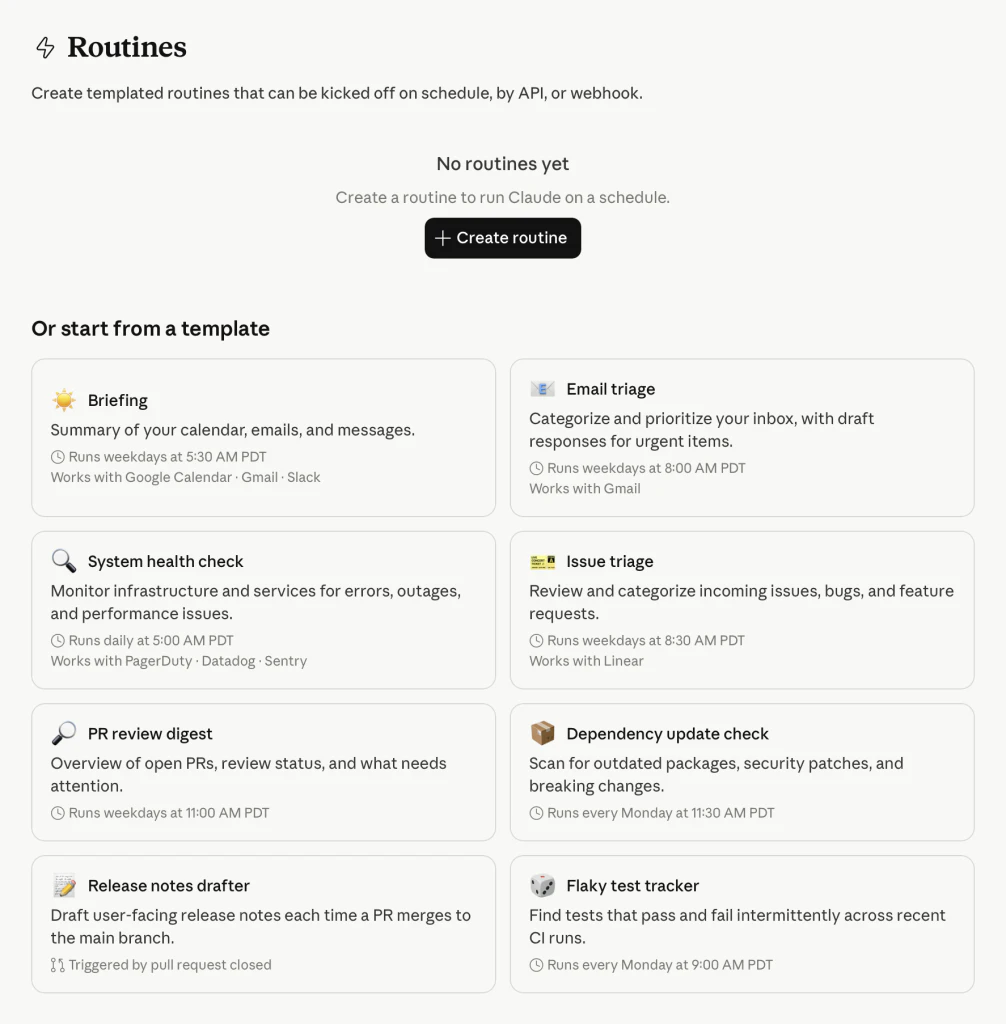
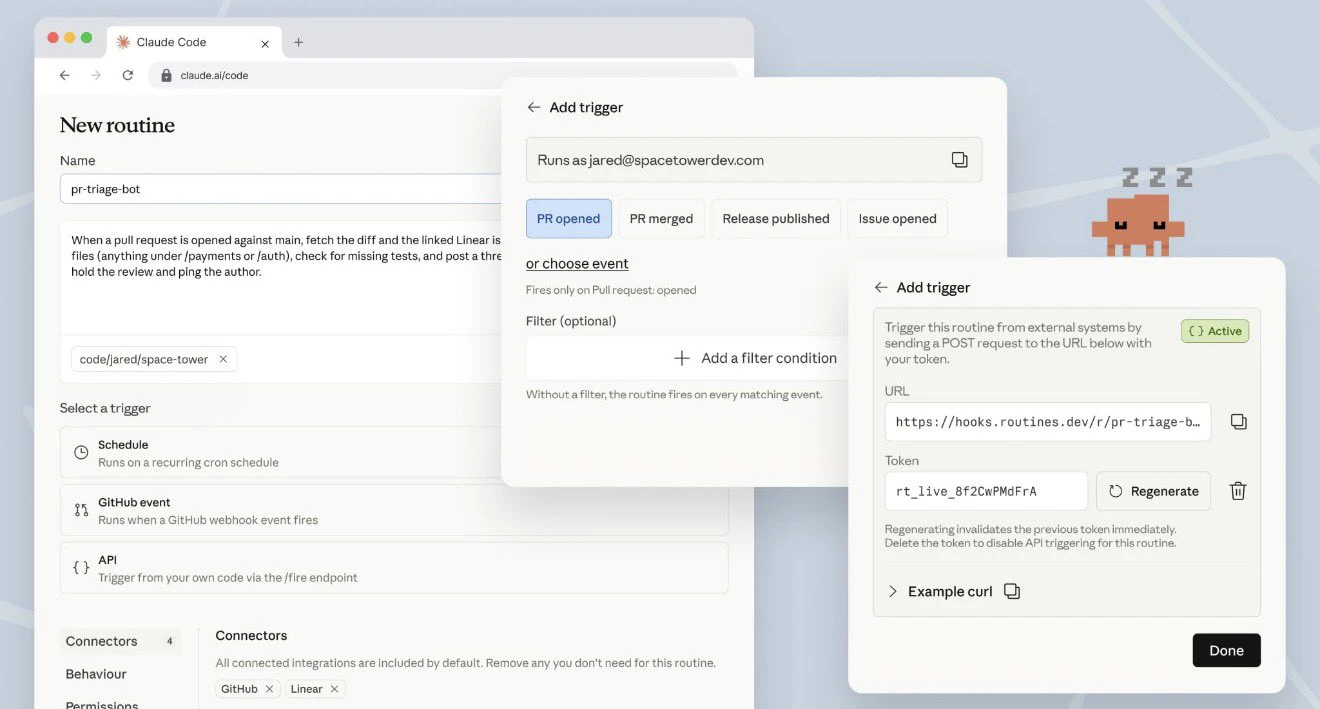
Claude Code Routines runs AI coding automations on Anthropic-managed infrastructure, triggered by schedule, API call, or GitHub event to autonomously review PRs, triage backlogs, or verify deployments without keeping your laptop open. You don't need to manage cron jobs or servers manually. For engineering teams on Pro, Max, Team, or Enterprise plans.

Claude Code Routines is a new automation layer inside Claude Code that lets developers configure scheduled or event-triggered AI coding tasks with no cron jobs, no servers, and no infrastructure to maintain.

The problem: Developers already using Claude Code to automate their dev cycle were still managing cron jobs, infrastructure, and MCP server tooling themselves. The AI was capable, but the plumbing was on you.

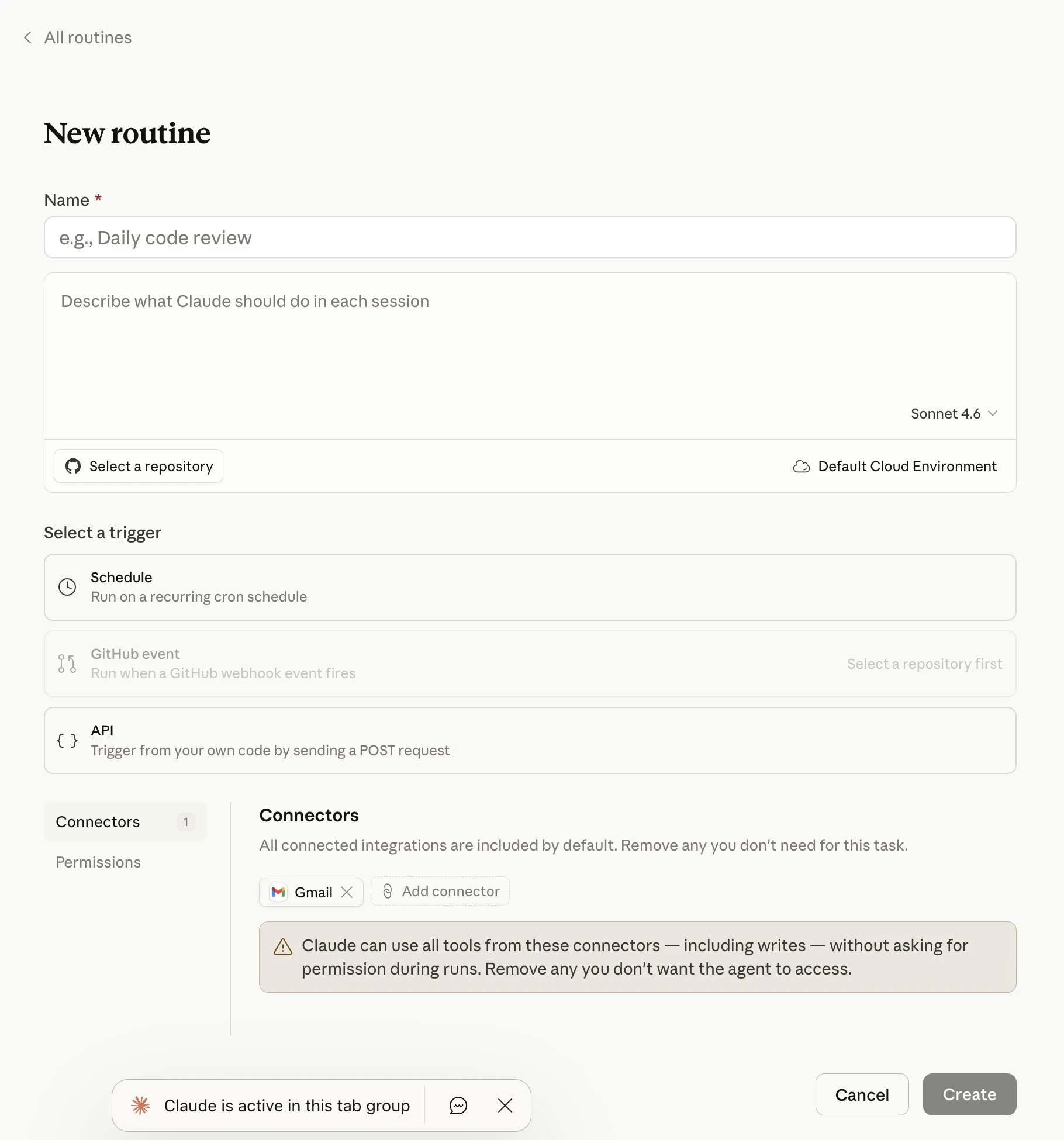
The solution: A routine is a Claude Code automation you configure once, including a prompt, repo, and connectors, and then run on a schedule, from an API call, or in response to an event. Routines run on Claude Code's web infrastructure, so nothing depends on your laptop being open.

Features worth noting:

Three trigger types in one surface.

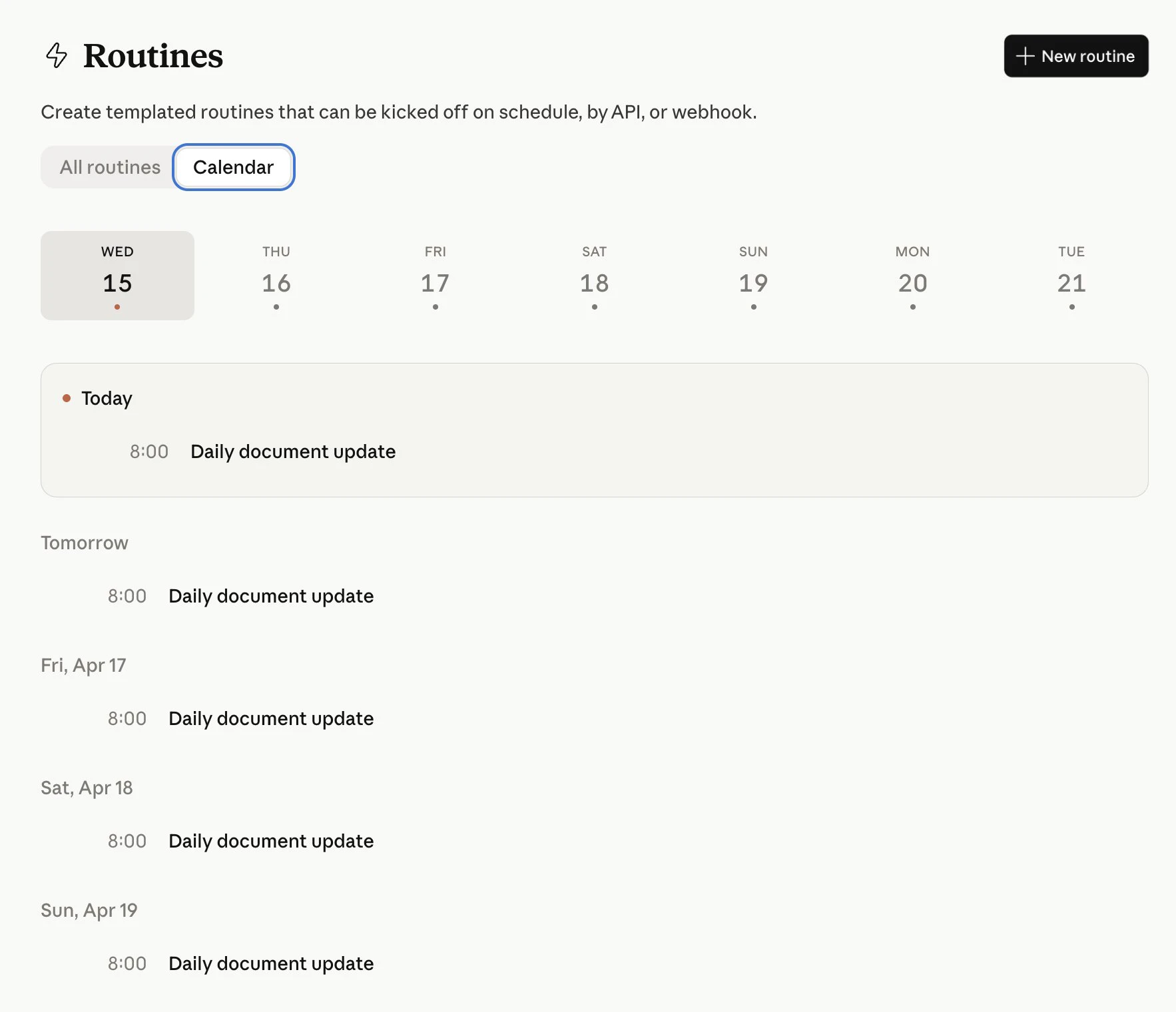
  • Scheduled routines — Triage, label, and post summaries automatically (hourly, nightly, or weekly)

  • API routines — Each routine gets its own endpoint + auth token; connect to deploy hooks, alerts, and dashboards

  • GitHub routines — Trigger on PRs via webhooks for reviews, triage, and auto-sync changes

Claude opens one session per PR and continues to feed updates from that PR to the session, so it can address follow-ups like comments and CI failures.

Who it's for: Engineering teams and solo devs who are already on Claude Code and have repetitive workflows they're currently handling with cron jobs, GitHub Actions, or manual scripts. Especially useful for on-call engineers who need faster alert triage and teams maintaining multi-language SDKs.

What repetitive dev workflow would you automate first if you had 15 routine runs a day?

P.S. I hunt the latest and greatest launches in tech, SaaS and AI, follow to be notified @rohanrecommends

8
回复

@rohanrecommends Claude Code Routines remove all the cron and infra pain, making AI‑driven reviews, triage, and PR follow‑ups truly hands‑off.

0
回复

@rohanrecommends Congratulations on the launch. It seems like a lot of teams have been trying to piece something like this together themselves. The AI was already available, but making sure it ran smoothly without constantly managing scripts or infrastructure was always a hassle.

What really stands out is how this changes one-time help into ongoing support. Things like PR reviews, triage, and small checks are exactly what tend to build up and slow teams down.

I keep wondering how teams will get used to letting this run by itself. When will it feel reliable enough to trust, and in which situations will people still want to double-check before relying on it completely?

0
回复

@rohanrecommends The GitHub routine that keeps one session per PR is the detail that makes this genuinely useful - most tools treat each push as isolated. Does the session retain context across force pushes too, or does that reset things?

0
回复
I thought you already had dispatches. Isn’t all these becoming confusing?
5
回复

@parkerituk I can see why it feels overlapping at first. The distinction I’m reading is that dispatches help route or trigger work, while routines package repeatable coding workflows with managed execution so your machine doesn’t need to stay online.

0
回复

Seems like a good idea especially trying to compete with OpenClaw that runs continuously. Could be useful to run cron jobs to scan code databases to increase code quality especially with the volume of code that Claude outputs. If it says what it's going to do then I think its a good addition. Would be nice if it developed a report on what it's learned during those cron sessions and how it will implement those thoughts into deeper levels of model customisation

2
回复

So Claude Code can now babysit your PRs overnight without your laptop staying open. For on-call engineers drowning in repetitive triage, that's not a small thing. Curious how the 15 daily routine limit holds up for bigger teams in practice. 🤔

1
回复

I started using Claude Code for repetitive tasks and I'm saving 25 minutes per delivery. That's not a small number when you multiply it across a week. Now Routines is dropping and I'm actually excited — which doesn't happen often.

1
回复

Love this! I use Claude Code daily to build my security scanner. Routines could be a game changer for repetitive scanning workflows.

1
回复

Claude keeps showing up in more workflows lately, especially for coding and long-form thinking. Curious what you see as the biggest unlock with things like Code Routines?

1
回复

@uxpinjack i feel we no longer have to be the plumber trying to connect diff parts but this feature sounds interesting!

0
回复

Love that it runs on Anthropic's infrastructure so you're not babysitting your laptop. That detail alone makes it actually usable

0
回复

I'm saving 25 minutes per delivery on repetitive tasks thanks to Claude Code. I can't wait to see what Routines can do.

0
回复
#3
Intent
Describe a feature and AI agents build, verify, and ship it
310
一句话介绍:Intent是一个为智能体驱动开发设计的开发者工作空间,通过将功能需求转化为规范说明,由AI智能体团队在隔离工作区内协同完成从实现到验证的全流程,解决了开发者在协调多个AI编码助手时面临的上下文断裂、进度跟踪和结果验证难题。
Productivity Developer Tools Artificial Intelligence
AI智能体开发平台 开发者工作空间 多智能体协作 规范驱动开发 自动化代码生成与验证 Git集成开发环境 智能编码助手 软件工程自动化 智能体编排层
用户评论摘要:用户高度认可其“协调者-专家”多智能体架构与“活的规范”设计,认为这是智能体开发的关键进化。主要关切点集中于:复杂混乱代码库的实际处理能力、输出代码质量的可信度、多任务并行可能产生的合并冲突,以及与传统SDLC工具的集成深度。
AI 锐评

Intent并非又一个“加强版Copilot”,其真正野心在于重构AI辅助开发的底层工作流。它摒弃了流行的单点提示交互模式,转而采用“规范驱动、多智能体协作”的工程化范式,这直指当前AI编码工具的核心缺陷:上下文碎片化与缺乏可验证性。

产品的核心价值在于两个“封装”:一是封装了复杂的智能体编排层,将技术团队自行搭建多智能体调度系统的数月工程成本,转化为开箱即用的服务;二是封装了完整的开发环境,将代码生成、测试、验证、调试等环节置于统一的、隔离的Git工作区内,使AI的输出不再是孤立的代码片段,而是可直接纳入现有Git工作流的、经过初步验证的变更集。

然而,其面临的挑战同样尖锐。首先,“规范”的质量决定输出的上限,这要求开发者从“写提示”转向“写机器可执行的严谨规范”,本身存在学习成本。其次,在高度耦合的遗留系统中,智能体能否真正理解跨模块的隐性依赖,仍需大规模实践检验。评论中关于合并冲突和依赖管理的担忧,正是其从技术演示走向工程实践必须跨越的鸿沟。

本质上,Intent试图将软件工程中的“分工协作”与“持续集成”理念AI化、自动化。它不再满足于充当“副驾驶”,而是想成为整个开发机组的“自动驾驶系统”。成败关键在于,这套系统在复杂、混乱的真实开发空域中,是能平稳导航,还是会因无法处理无数边缘情况而需要人类频繁接管。其演进方向,预示着AI辅助开发正从“工具增强”阶段,迈向“流程重塑”的新赛点。

查看原始信息
Intent
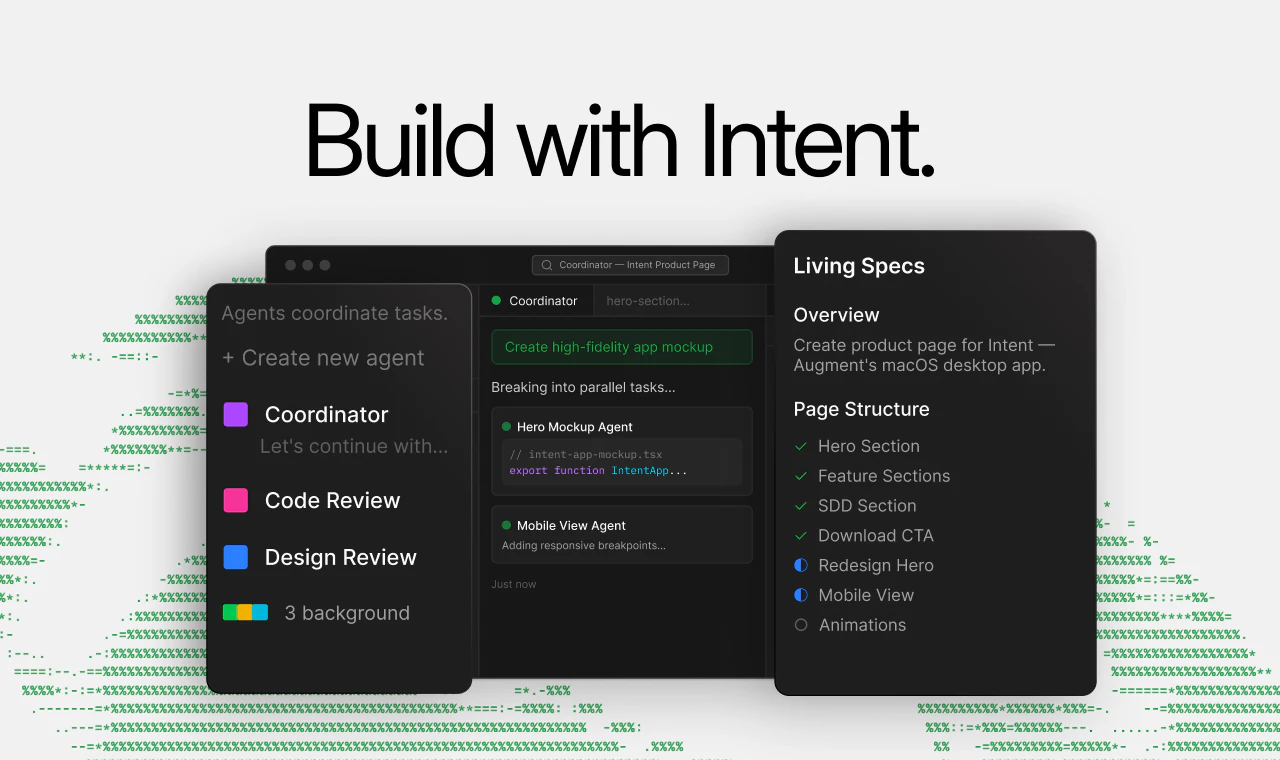
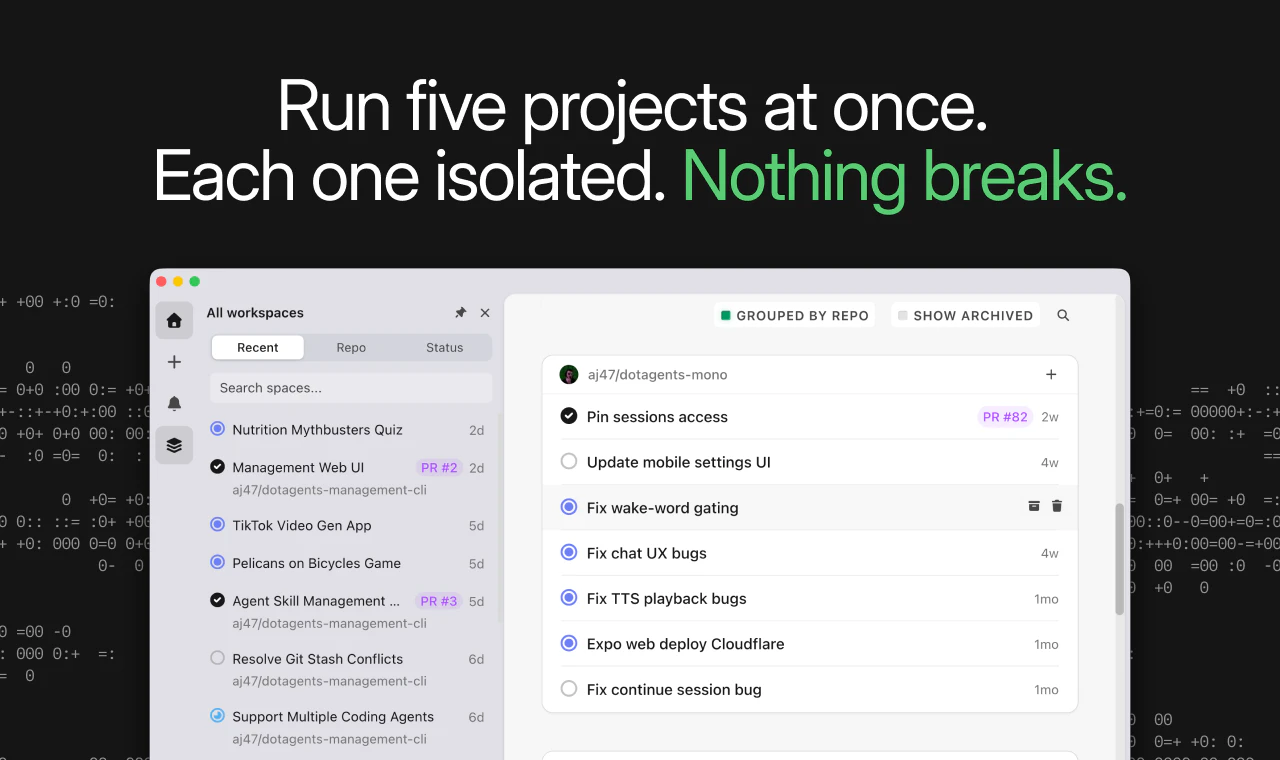
Intent is a developer workspace built for agent-driven development. Define a feature as a spec, and a team of agents coordinates the work (from implementation to verification) inside an isolated workspace with built-in code, terminal, and git.

Excited to hunt Intent by Augment Code today.

Intent is a developer workspace where agents coordinate and execute work end-to-end.

This isn’t a coding assistant. It’s an agent-driven development system.

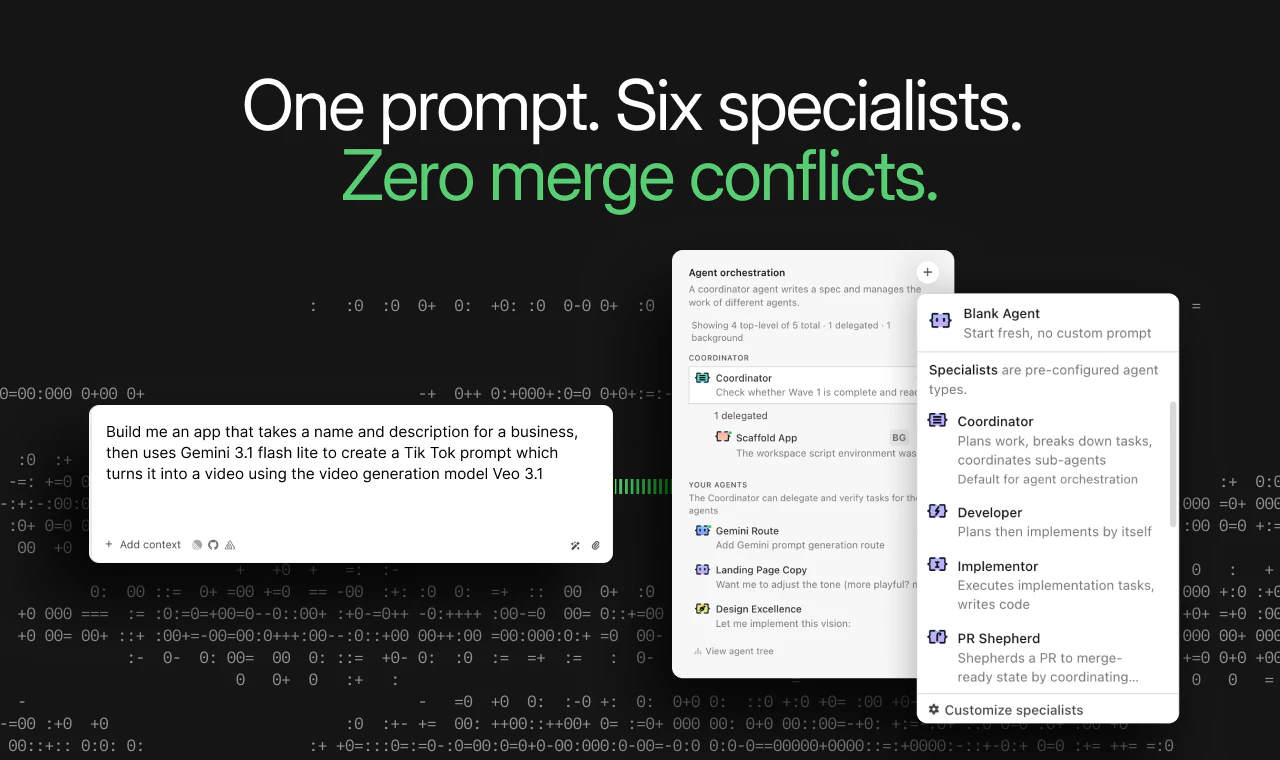
Instead of prompting one agent at a time, you define a spec and a coordinator breaks it into tasks, delegating to specialists (implement, verify, debug, review) running in parallel.

This adds up to:
• Specs that stay alive as work progresses
• Built-in verification loops, not just code generation
• A full workspace (editor, terminal, git)

If you’ve been exploring agentic dev but didn’t want to build the orchestration layer yourself , this is definitely worth a look.

14
回复

@byalexai I just upvoted. I am really impressed by how Intent treats "agentic dev" as a first-class workflow instead of just another AI sidebar. I am only concerned about the quality of the work for this agent.

1
回复

@byalexai It looks very nice! Congrats on the launch! 😊

0
回复

@byalexai The coordinator-to-specialist architecture is the right evolution for agentic development.

We've been running a similar multi-agent orchestration internally, a master coordinator that breaks work into tasks and delegates to specialized agents for implementation, testing, security review, and deployment. Building that orchestration layer yourself is genuinely painful. If Intent packages that into a ready-made workspace, it removes months of custom tooling.

The spec-driven approach is what stands out most. Most AI coding tools are prompt-driven, which means the context resets with every interaction. A living spec that stays alive as work progresses solves the biggest problem in agentic development: continuity. When you're coordinating multiple specialist agents across a complex task, they all need to reference the same source of truth. Specs as the persistent anchor is the correct architecture for that.

Built-in verification loops are critical too. Code generation without automated verification is just faster technical debt creation. Having verify, debug, and review agents running in parallel with implementation means issues get caught during the work, not after someone manually reviews it hours later.

Congrats on the hunt and the launch. The agentic dev space is moving fast and this feels like a meaningful step toward what the workflow should actually look like.

1
回复

Running agents one at a time while keeping track of what each one did is exhausting as a solo dev. The coordinator layer is the thing that's been missing.

3
回复

@coderoyd right

0
回复

@coderoyd yeah this resonates a lot — especially the “keeping track of what each one did” part

i’ve seen something similar outside of coding tools too

where the problem isn’t just doing the work

but knowing what actually needs attention across everything

even when everything is technically “tracked”

you still end up checking and stitching things together mentally

feels like the real bottleneck becomes:

not execution, but visibility of what actually matters now

curious — did the coordinator layer actually reduce that

or just move the complexity somewhere else?

0
回复

How well does it handle larger, messy codebases in practice, where context and dependencies aren’t always clear?

3
回复

@becky_gaskell From what I can tell the Context Engine is what handles this. It builds a semantic map of your entire codebase including cross-service dependencies so agents aren't just pattern-matching on local files. The isolated worktree approach also helps since agents can't step on each other mid execution. Worth testing on a non-critical workflow first since it's still early beta

0
回复

@becky_gaskell Thanks for asking, this is exactly where Augment Code shines.

We’re built to handle very large, complex codebases: monorepos, legacy monoliths, and even “spaghetti” code with lots of cross-cutting dependencies. Under the hood, we use our own Context Engine rather than a basic “embed + vector search” stack, which lets us reason over millions of lines of code with much higher fidelity than typical RAG-style tools.

If you’re dealing with a big or messy codebase you are at the good place.

1
回复

@becky_gaskell this is interesting — especially the “messy context” part

i think that’s where most systems struggle in general

not just handling complexity

but deciding what actually deserves attention inside it

because even if everything is connected

you still have to figure out what matters right now

otherwise it turns into more data to scan

curious if you feel like it actually reduces that

or just makes the complexity easier to navigate

0
回复

I've been using Augment Code on a large SaaS application with a strict domain-driven architecture, multi-tenancy, and dozens of interconnected domains. Most AI coding tools struggle with this kind

of complexity. Intent make it simple to launch coordinate agent to develop new feature in parallel!

2
回复

The code editor is really a great concept because I do have to maintain a separate workspace just for the nodes. And I hope it has voice-to-text built-in.

2
回复

@nayan_surya98 Thanks for the comment, it is really appreciated. We will follow up with the product team about your suggestion.

0
回复

This sounds cool, tell me, how I can trust on quality of this agent for work?

2
回复

@avinashvagh1 Totally fair question. A few concrete reasons teams trust Intent here:

  • It runs on Augment Code, which is SOC 2 Type II and ISO/IEC 42001 certified, with public security docs (no NDA needed).

  • Your code is never used for training, and the architecture is non-extractable with a Proof-of-Possession API, so it can’t exfiltrate code or leak across tenants.

  • You keep control via CMEK, encryption in transit/at rest, and continuous third-party pen-testing.

  • On quality: Intent is spec-first, with a coordinator + specialist agents + verifier that work in isolated git worktrees, so every change shows up as normal diffs you can review like any PR.

Public refs if you want to dig deeper: Trust Center trust.augmentcode.com and Security & Privacy augmentcode.com/security .

3
回复

Wrote up a post on how our teams collaborate within Intent. We've been able to effectively eliminate the designer/developer handoff. More details on the process, screenshots, etc: https://lukew.com/ff/entry.asp?2148

1
回复
Isolation and parallelism sound great until you hit merge conflicts and cross-service coupling. How does Intent structure workspaces/branches (e.g., via worktrees), handle dependency ordering between agent tasks, and reconcile changes into a clean PR without a human acting as the traffic cop?
1
回复

@curiouskitty Thanks for your question, it’s a good one.
Under the hood, Intent gives each task its own workspace backed by a git worktree + branch, so agents get an isolated checkout but share a single .git history for cheap branching and instant sync. The Coordinator turns your spec into a plan with explicit task dependencies, then runs specialist agents in waves: independent tasks in parallel, dependent ones after predecessors land, all staying aligned via a living spec that updates as work is done. On the back end, Intent has full git workflow built in (branching, commits, PRs, merge) plus auto-rebase/conflict surfacing, so you can stack or fan out branches without becoming the human traffic cop, you just review grouped changes per task/agent and ship.

4
回复

the isolated workspace approach is smart. removes the "works on my machine" problem entirely when agents are doing the building. how do you handle dependencies that need specific system configs or external APIs during the build process?

1
回复

@piotreksedzik In Intent, each workspace is an isolated git worktree + its own shell environment, so you treat it like a real dev box: you (or your team) define per-repo setup commands that run when a workspace spins up (e.g., installing system deps, running npm install/poetry install, seeding local DBs, etc.).

Agents then build and run inside that configured environment, not a generic sandbox, so anything that depends on specific system packages, tools, or build steps is handled by your setup script rather than brittle per-agent hacks.

For external APIs and services, workspaces are just normal terminals: you can bring in your own .env/secrets, point agents at staging/prod endpoints, and even wire MCP integrations for tools like Jira, Sentry, etc... Agents call into those the same way a human would from that shell and browser surface.

So instead of trying to virtualize every possible system config inside the agent, Intent standardizes the workspace bootstrap: once the workspace’s setup script has created the right system env + API wiring, any agent you run there sees the same, reproducible environment, which is why the “works on my machine” problem goes away when agents are doing the building.

1
回复
Any oss repo of work done by intent? Or any PRs on existing oss repos we can refer to? What kind of token usage can we expect as compared to similar setup in cursor/cc or compare to human orchestrator.
0
回复

I like this. It seems very interesting. CLI code understanding and agent-driven development make a lot of sense. I'm just wondering, does it do any browser work? That's where most of my time currently gets sucked going back to the browser and seeing if everything has been implemented okay. I think that would be a great problem to tackle anyways. Love the product, and we'll give it a try. Best of luck.

0
回复
Is there some form of hierarchy between the agents like in a real work scenario? Curious how they value each others opinions while working towards a shared goal
0
回复

@tanner_beetge Yes. In Intent, agents are usually hierarchical, not a flat swarm:

  • A controller agent acts like a tech lead: it understands the main goal, breaks it into subtasks, runs specialist agents, and decides what to accept/merge.

  • Specialist agents do focused work (code, tests, analysis) and report back, they don’t “vote,” their outputs are checked against the shared spec + workspace + tests/CI, and the controller, the verifier agent (plus the human) has final say.

So they “value” each other’s work through this structure and verification, not by arguing as equal peers.

1
回复

So does this work with multiple repos? Like old legacy code or needs a monorepo to work well?

0
回复

@0xaron It works one repo per workspace today, no true multi-repo/monorepo workspace support yet.

You don’t need a monorepo, but each workspace has to point at a single git repo, legacy code is fine as long as it’s in that repo.

We are working to make that easier in the future.

0
回复

Really interesting direction. Moving from copilots to coordinated agents working from a spec feels like a big shift. How do you see teams defining good specs so the output stays reliable?

0
回复

@uxpinjack The shift only works if you treat the spec as a living contract between humans and agents, not a fancy prompt.

What we’re seeing work in Intent:

  • Write for agents: structure, constraints, edge cases, and verification steps, not tutorials or giant summaries.

  • Keep it living: agents read from and write back to the spec as they work, and a verifier agent checks output against that spec before anything ships.

When teams treat spec quality and spec review as seriously as code review, reliability goes way up.

0
回复

Congrats on the launch! Wondering what’s its integration capabilities with many common SDLC software, because building in isolation is great until you need to do some real work.

0
回复

@nikitaeverywhere Intent doesn’t try to replace your SDLC stack, it plugs into it and gives you a unified workspace on top:

  • Git-native workspaces: Every Intent project runs in an isolated git worktree with full git workflow support (branches, commits, PRs, merge flow). You go from prompt → commit → PR → merged without leaving Intent.

  • You can connect all your MCPs in these workspaces just like you would in an IDE

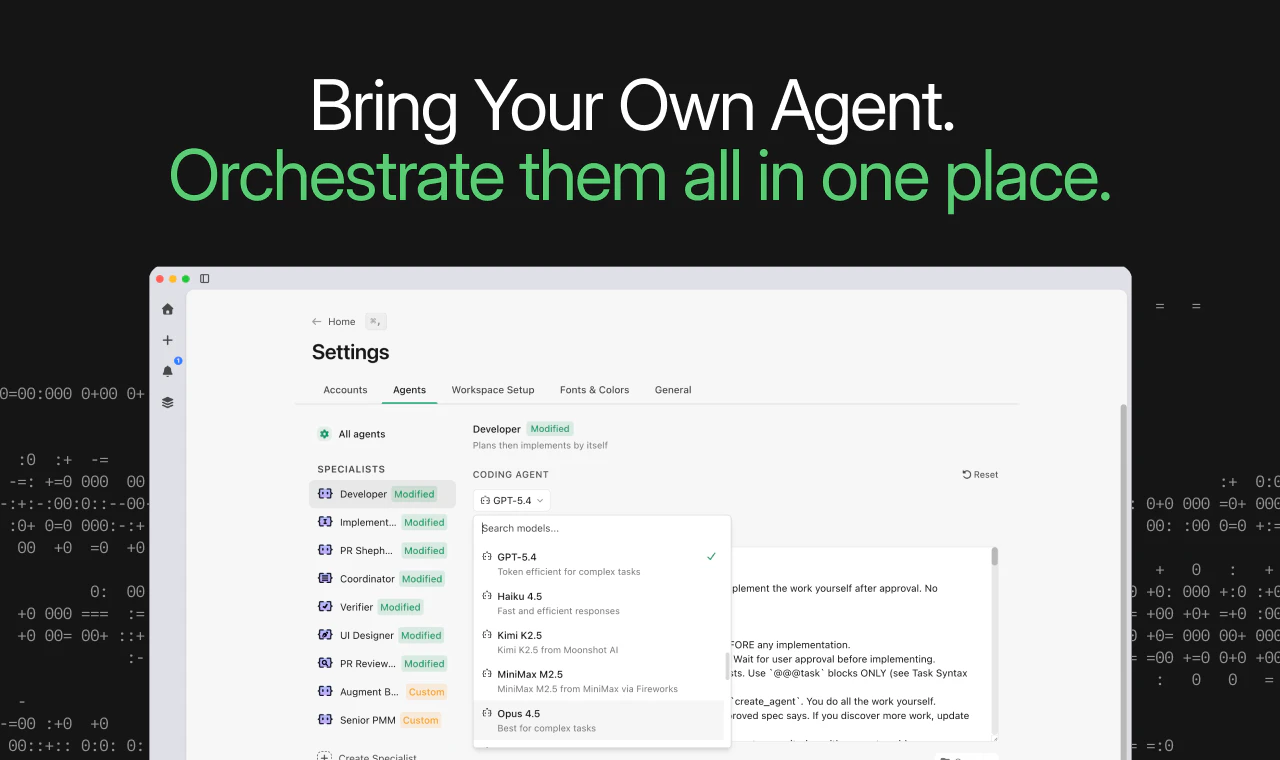
  • Bring-your-own agents & tools: Intent works with multiple agent providers (Claude Code, Codex, OpenCode, Augment’s own agents), so it can sit alongside existing IDEs and CI/CD instead of locking you in.

  • Workspace, not a toy sandbox: Because it’s built around git and a real terminal, the code, tests, and scripts agents run in Intent are the same ones your SDLC uses no “demo-only” environment.

Net: Intent is designed for “real work” in production repos, integrating with your existing git/PR-centric SDLC rather than a sealed-off playground.

0
回复

This is a complex thing. Who is the main target audience?

0
回复

@busmark_w_nika The main target audience for Intent is senior, power-user developers, company with very large codebase and engineering teams who are actively using or motivated to adopt multiple AI coding agents, and who feel the pain of juggling terminals, IDEs, repos, and prompts to ship production code.

In practice, this skews toward ICs and tech leads at high-caliber software companies who want a serious, orchestrated agent workspace.

0
回复

@byalexai the parallel execution model is interesting — when the coordinator breaks a spec into tasks, how does it handle requirements that turn out to be underspecified only after an agent starts working? Revert and re-plan, or does it try to resolve in-context?

0
回复

@jimmypk It tries to resolve in-context first, and only falls back to re-planning if that’s not possible.

Concretely: when an agent hits an underspecified requirement, the Coordinator treats it as a clarification/extension of the existing spec, updates the spec and task list incrementally, and then continues execution from the current wave rather than resetting the whole plan. Only if the new information fundamentally invalidates the existing plan (major scope/architecture change) would you see something closer to “revert and re-plan,” and even then it’s done as another planning pass, not an automatic rollback.

0
回复
#4
Lovable Desktop App
Organize projects with tabs & power workflows via local MCPs
260
一句话介绍:Lovable Desktop 是一款快速、轻量级的本地桌面应用,通过标签页组织项目和连接本地MCP服务器,解决了开发者在多项目工作流中工具分散、集成度低的痛点。
Design Tools Artificial Intelligence Vibe coding
桌面应用 本地优先 工作流优化 开发者工具 MCP集成 标签页管理 生产力工具 Mac原生体验
用户评论摘要:用户普遍认可其本地MCP连接的核心价值,认为能显著提升工作流效率。主要问题与建议集中在:希望了解已成功集成的具体MCP服务案例;询问是否增加代码安全沙箱功能;期待Xcode等特定生态集成;以及反映部分复杂任务处理能力有限和下载访问问题。
AI 锐评

Lovable Desktop App 精准地切入了一个正在形成的市场缝隙:AI原生开发者的本地化工作台。其宣称的“快速、轻量”直指Web版AI工具(如各类基于浏览器的AI IDE)的固有延迟与臃肿感,而“本地MCP支持”则是其真正的杀手锏。

MCP(模型上下文协议)本质上是为AI模型连接外部数据和工具的管道。Lovable将其“本地化”,意味着开发者可以将自建或私有的工具链(如本地数据库、内部API、定制化脚本)安全、高效地接入其AI辅助开发流程,无需经过云端,这同时满足了效率与数据安全的需求。它试图成为AI时代“本地终端”的新形态,一个以项目和标签页组织、以AI为协作者、但控制权牢牢掌握在本地的枢纽。

然而,其挑战同样明显。首先,生态壁垒。评论中关于“连接了哪些MCP服务器”的疑问暴露了其早期阶段的短板——价值完全取决于第三方MCP生态的丰富度。其次,定位模糊。它介于通用AI工作台(如Cursor)和垂直设计工具(如Figma)之间,评论中关于Xcode集成和复杂任务能力的质疑,说明它需要在“广而全”与“深而精”之间做出更清晰的选择。最后,其“本地优先”在保障安全的同时,也可能成为协作与分享的障碍。

它的真正价值并非替代某个具体开发工具,而是试图重新定义工具间的“连接方式”。如果它能成功构建一个繁荣的本地MCP插件市场,并形成稳定的核心工作流,它有可能成为新一代开发者桌面的入口。否则,它可能只是一个有趣但小众的效率插件集合壳。其成败,在于生态,而非功能本身。

查看原始信息
Lovable Desktop App
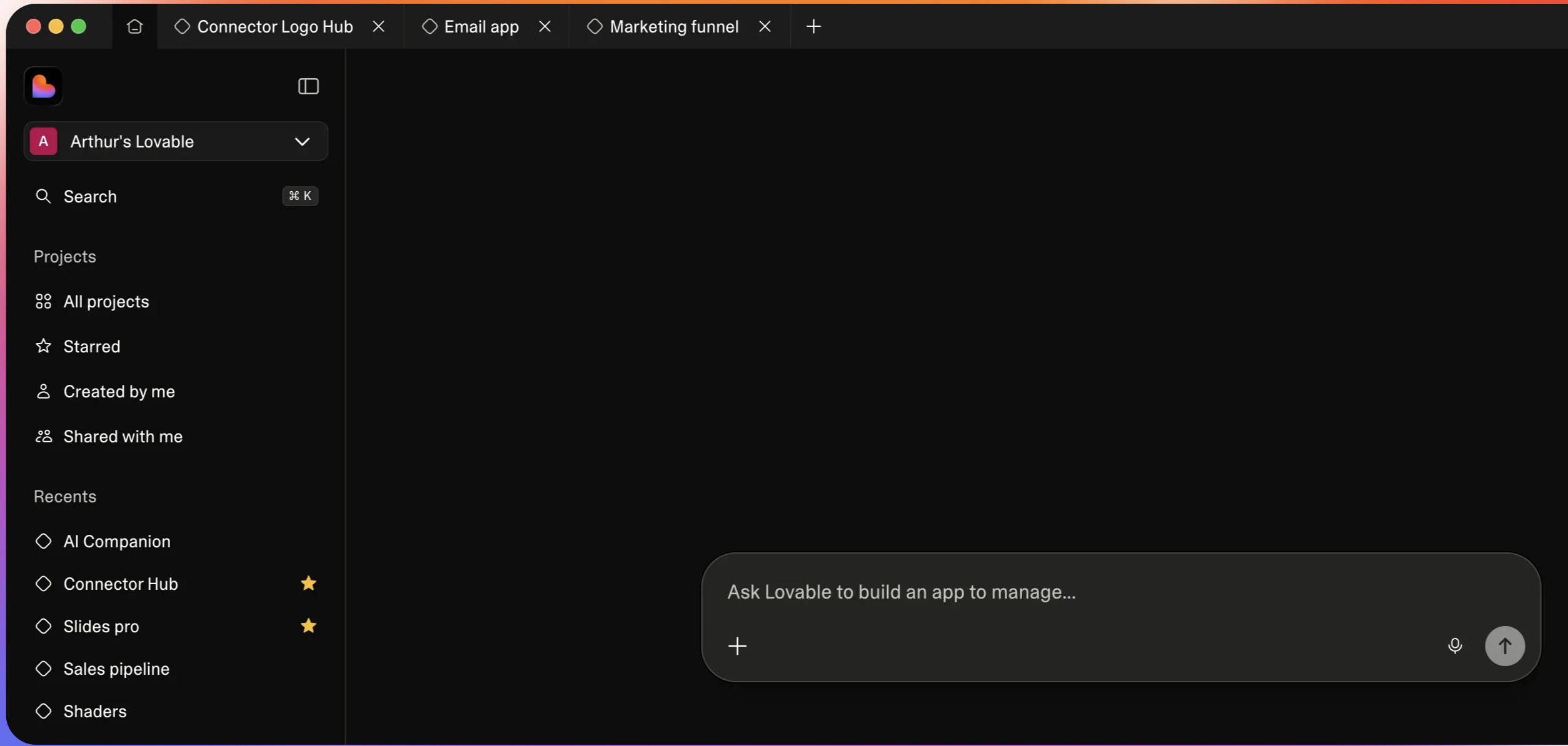
Lovable Desktop is here — fast, lightweight, and built for focus. Organize projects with tabs, connect to local MCPs, and streamline workflows seamlessly. Enjoy native keyboard shortcuts and a smooth Mac experience. Build faster, smarter, and locally.

Lovable Desktop is a fast, lightweight app designed to help you organize projects with tabs and connect directly to local MCPs, solving the friction of scattered workflows and limited local integrations.

What makes it stand out is its local-first approach with MCP support, combined with a clean tab-based workspace and native keyboard shortcuts for speed.

Key features:

  • Project tabs for multitasking

  • Direct local MCP connections

  • Native Mac performance & shortcuts

Perfect for builders, developers, and teams who want faster, more streamlined workflows on desktop.


If you’re building across multiple projects and want tighter local control, this is worth checking out.

P.S. I hunt the latest and greatest launches in tech, SaaS and AI, follow to be notified @rohanrecommends

6
回复

@rohanrecommends Beyond Figma and Paper, what other local MCP servers have users connected successfully, and any tips for devs integrating custom ones?

0
回复

Desktop apps for AI builders felt inevitable - browser tabs don't cut it when you're in deep flow. The MCP support is what makes this genuinely powerful. As someone building security tools for vibe-coded apps, I'm curious: does the desktop version add any security sandboxing for the generated code preview?

1
回复

The local MCP connection is the feature that changes everything, being able to connect your own tools directly without going through a browser tab is a huge workflow upgrade.

As an indie iOS maker who lives in Xcode, I'm curious: is there any plan for Xcode or Swift-specific integrations, or is Lovable primarily focused on web app development for now?

1
回复
Awesome. I’ve used loveable to create basic website flows for onboarding and their website design is great however I found the model struggled with complex tasks. Maybe with MCP configuration you can use lovable for design and something like Claude code as the brain ?
0
回复

I'd love to try it out, but ... safari can't open the page http://127...

0
回复
#5
Gemini Robotics ER 1.6
Google's SOTA robotics model for visual & spatial reasoning!
211
一句话介绍:Gemini Robotics ER 1.6是一款专注于视觉与空间推理的机器人模型,它通过处理空间指向、多视角任务成功检测和仪表读取等核心功能,为工业自动化等场景中“执行”与“验证”脱节的痛点提供了解决方案。
Robots Artificial Intelligence
机器人视觉语言模型 空间推理 工业自动化 具身智能 任务成功检测 仪表读取 机器人API 物理智能体 状态验证 机器人操作系统
用户评论摘要:用户高度评价其填补了机器人“执行指令”与“自主推理”间的关键空白,认为空间推理能力是物理AI的长期难题。有效评论提出了两个关键问题:一是模型在真实工厂环境(如仪表锈蚀、污损)下的鲁棒性;二是模型在机器人平台(如Spot)上链式推理的实时延迟表现。
AI 锐评

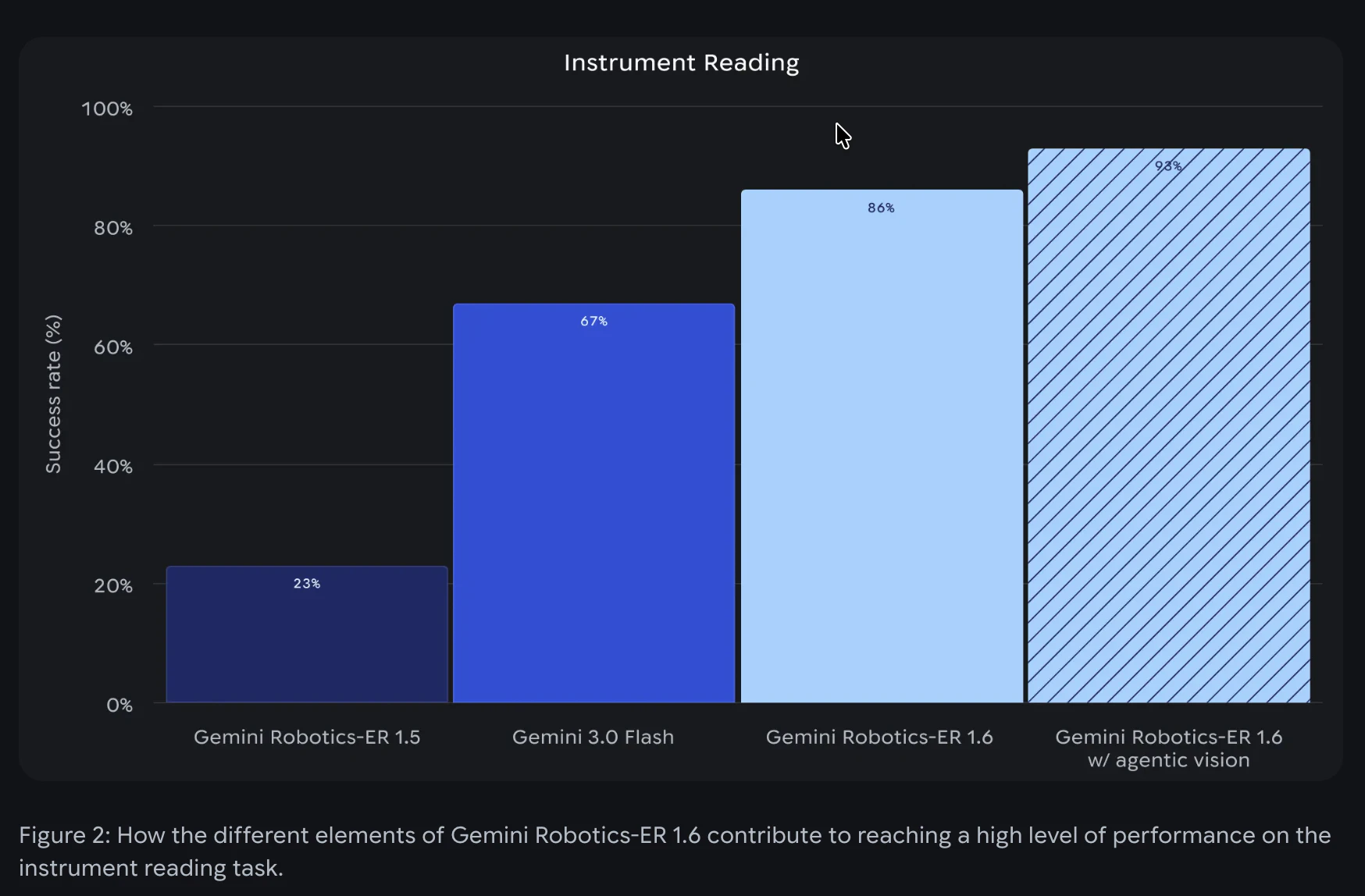
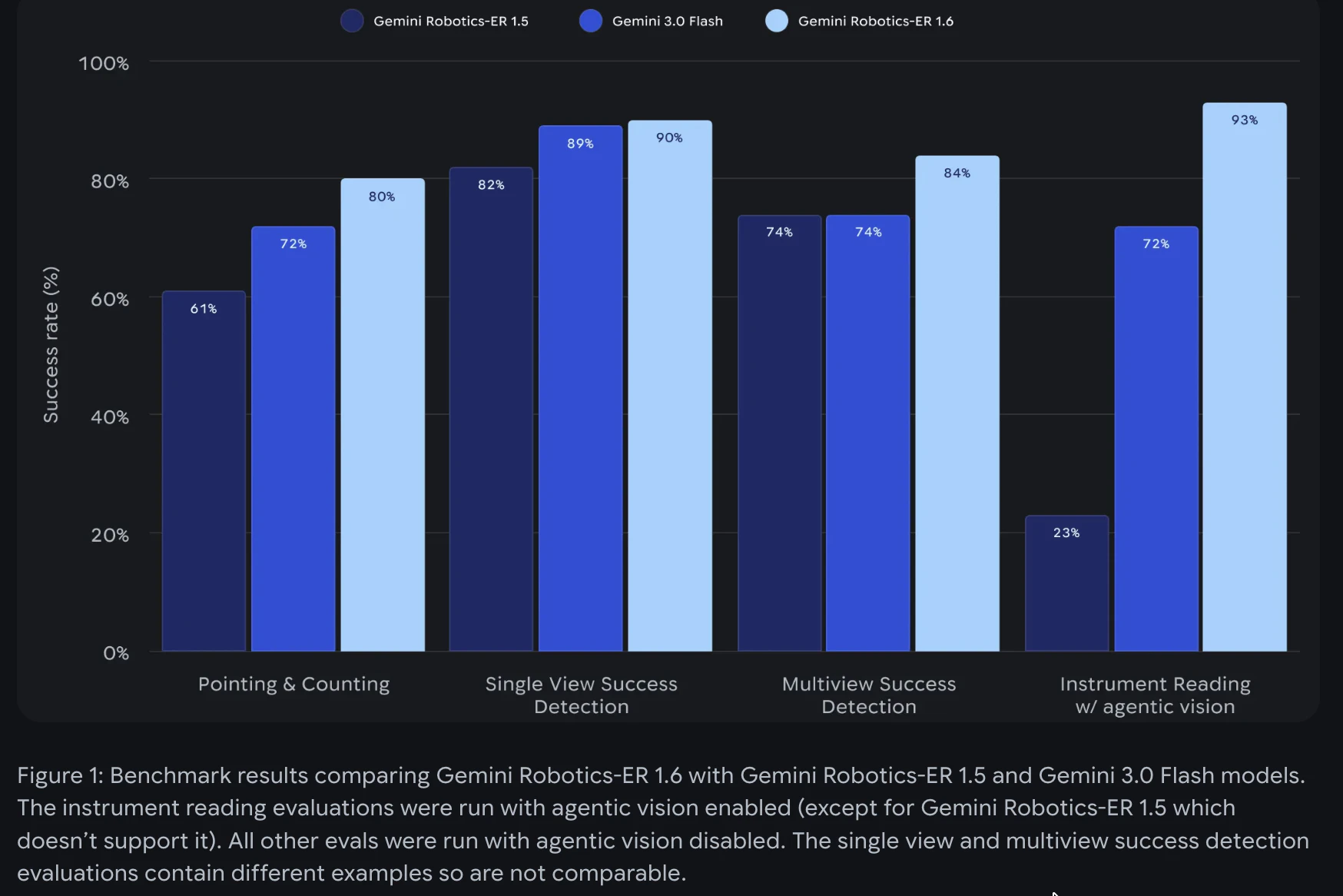
Gemini Robotics ER 1.6的发布,与其说是一款新产品,不如说是谷歌将其大模型能力向物理世界渗透的一次精准卡位。它的真正价值不在于单项技能的突破(如93%的仪表读取精度),而在于将“视觉-语言-动作”的闭环验证首次以标准化API的形式产品化,直击工业自动化“哑巴执行、人工核验”的沉疴。

模型标榜的“空间指向”、“多视角成功检测”等能力,本质上是在为机器人安装一个具备常识和任务上下文理解的“数字监工”。这标志着机器人AI从“开环脚本执行”迈向“闭环状态感知与决策”的关键一步。其“原生调用工具”和“链式推理”的设计,更是试图将大模型的规划能力与机器人的物理技能模块化拼接,野心在于成为机器人领域的“推理中间件”。

然而,炫酷的演示与残酷的车间之间存在鸿沟。评论中关于锈蚀仪表和实时延迟的质疑,恰恰点中了这类VLM模型落地工业的核心命门:对非结构化环境的极端鲁棒性,以及复杂推理链带来的决策延迟能否被实际流程所容忍。此外,将如此复杂的推理能力封装成API,固然降低了使用门槛,但也可能将系统中最不可控、最需调试的“大脑”部分置于黑箱之中,这对强调可靠性与确定性的工业场景是一把双刃剑。

总而言之,ER 1.6是一次极具指向性的尝试,它描绘了智能机器人应有的“自主验证”未来。但其成功与否,不取决于实验室精度,而取决于能否在昏暗、油污、震动且容错率极低的真实工厂里,稳定地交出毫秒级的可靠答案。它开启的赛道令人兴奋,但最艰苦的工程化爬坡,才刚刚开始。

查看原始信息
Gemini Robotics ER 1.6
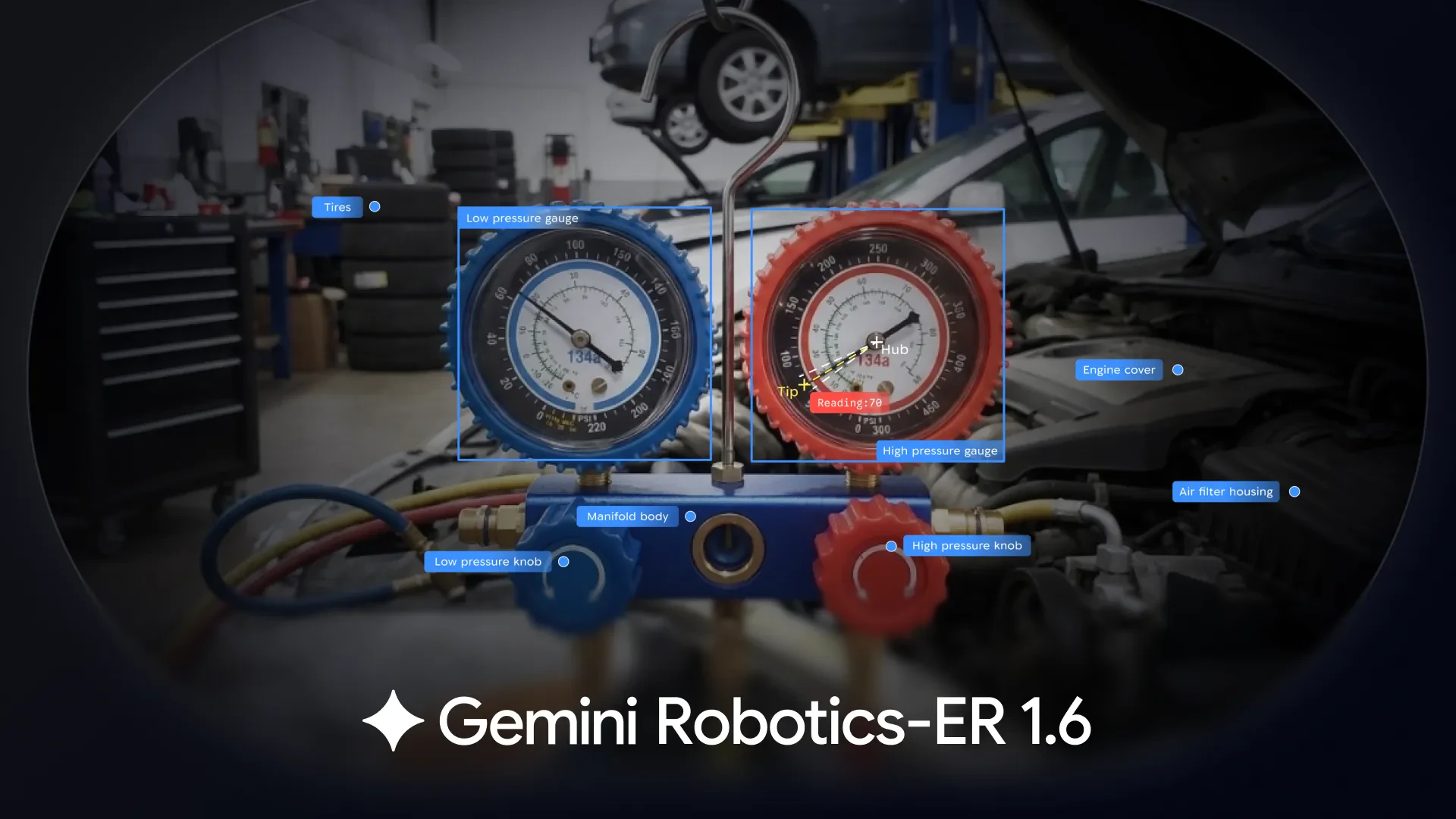
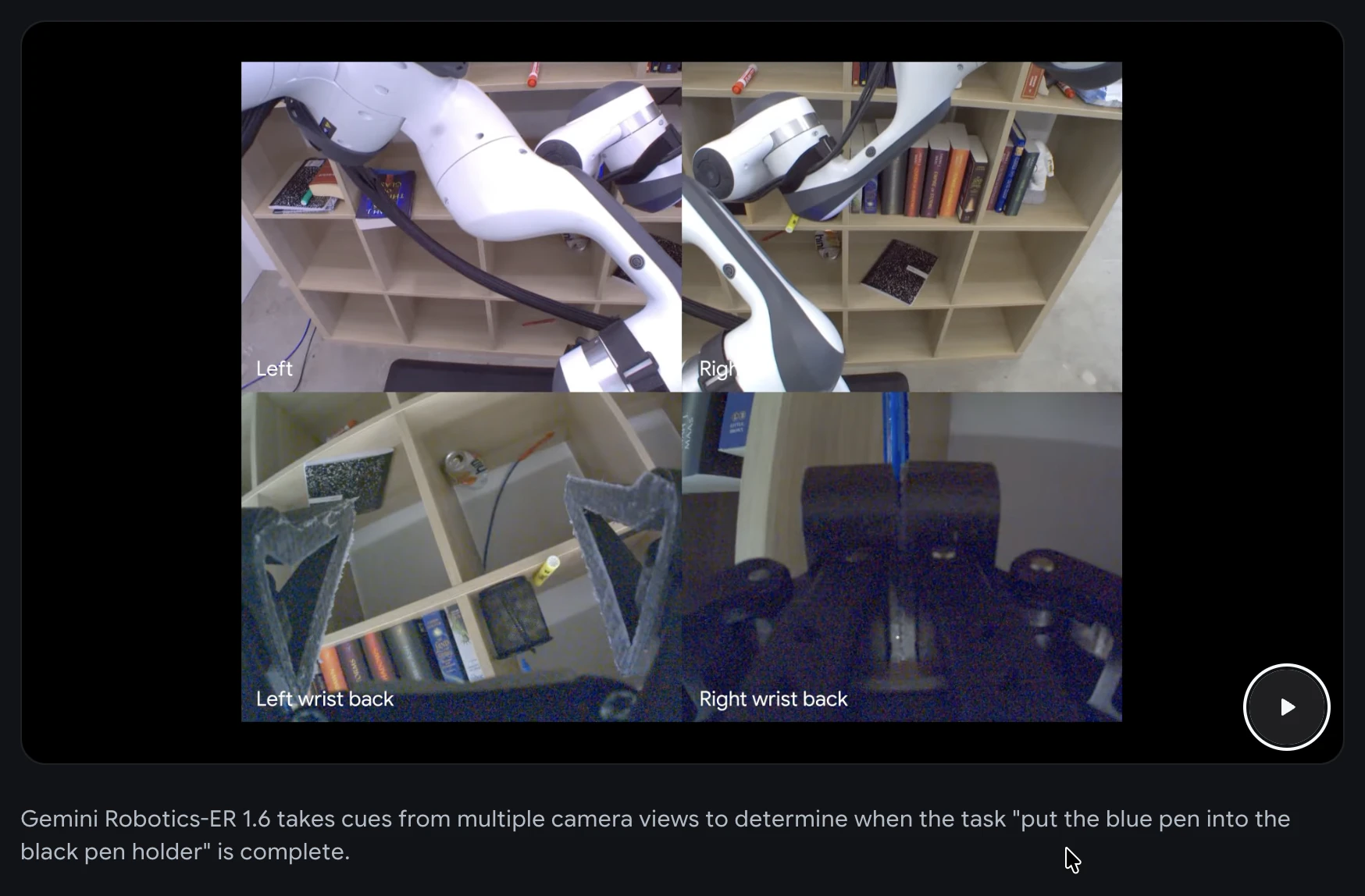
Gemini Robotics-ER 1.6 is a vision-language model for robot reasoning. It handles spatial pointing, multi-view success detection, and instrument reading. For robotics engineers and developers building physical agents via the Gemini API.

Gemini Robotics-ER 1.6 is the reasoning layer that lets robots like Boston Dynamics' Spot read analog gauges, count objects, and confirm when a task is actually done. Available now via the Gemini API.

I'm hunting this because there's a gap between "robot that follows instructions" and "robot that reasons about what it sees". That gap is exactly where industrial automation keeps getting stuck. ER 1.6 directly bridges that gap.

The problem: Most robot AI can execute. Very few can verify. Knowing when a task succeeded, reading a pressure dial in a poorly lit facility, or identifying the correct object among 40 similar ones requires embodied reasoning, not just vision.

The solution: A vision-language model that handles pointing, spatial counting, multi-view success detection, and instrument reading as first-class capabilities. It can call tools natively and chain reasoning steps to solve complex physical tasks.

Key capabilities:

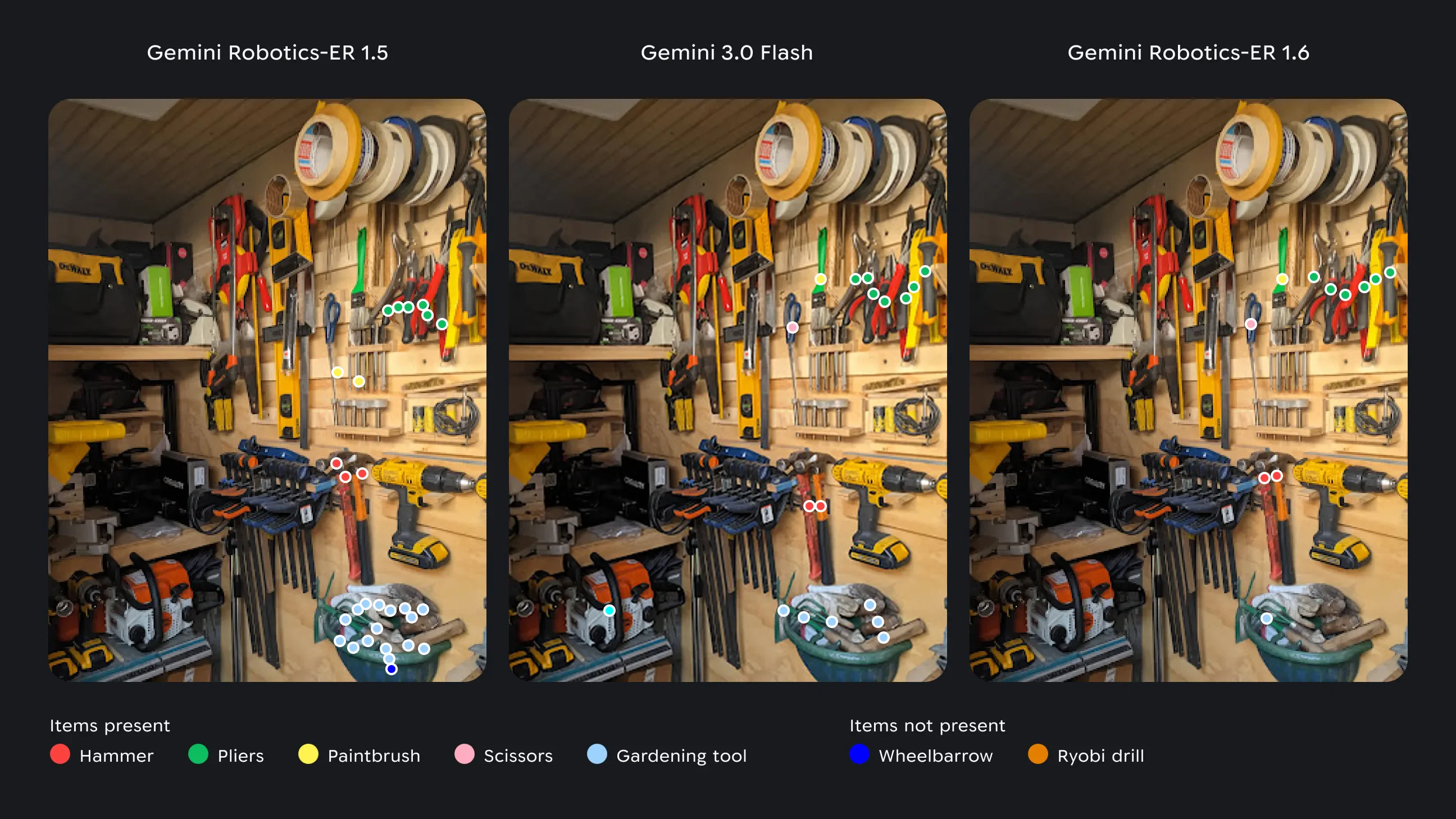
  • Spatial pointing: detect objects, map paths, find grasp points

  • Success detection: confirm tasks across multiple camera views

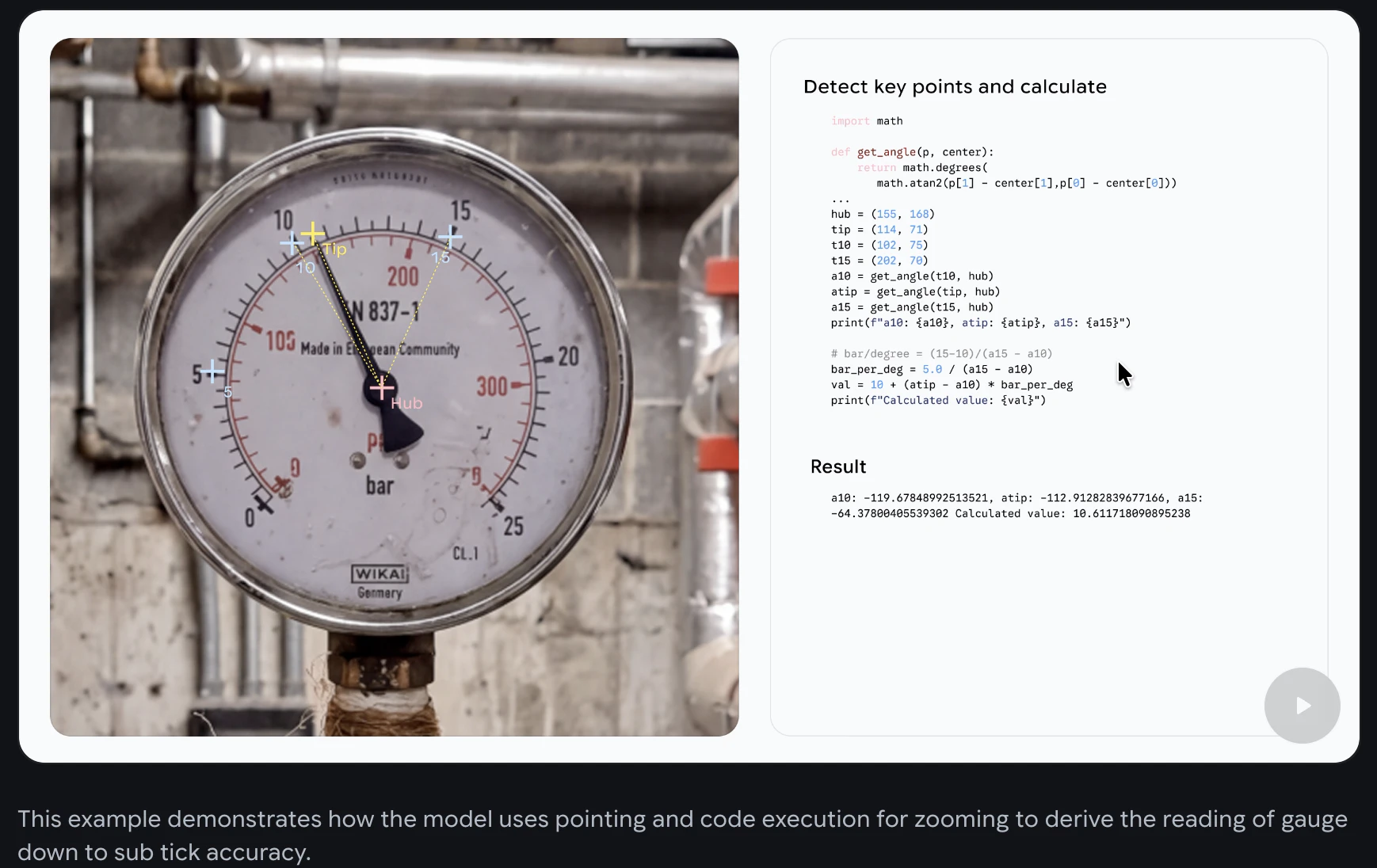
  • Instrument reading: read gauges, sight glasses, digital displays (93% accuracy)

  • Agentic tools: integrate Google Search, VLA models, custom functions

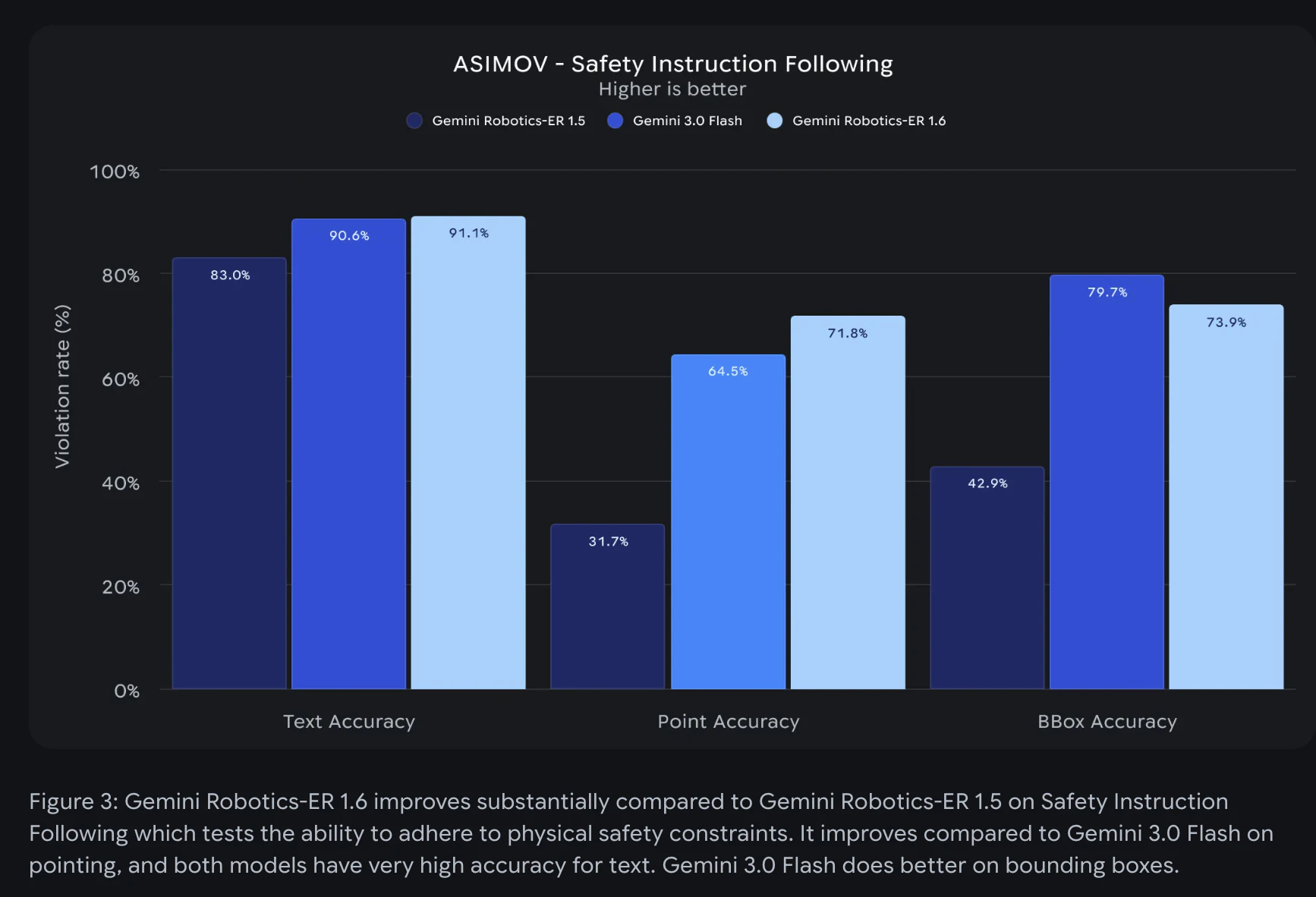
  • Safety constraints: respects material and weight limits

Who it's for: Robotics engineers, hardware AI teams, and developers building autonomous inspection or manipulation systems. Especially useful if you are integrating AI reasoning into industrial or field robotics.

P.S. I hunt the latest and greatest launches in tech, SaaS and AI, follow to be notified @rohanrecommends

6
回复

@rohanrecommends How does ER 1.6 handle edge cases like rusty/dirty gauges in real factories, and what's the latency like on Spot for chaining those reasoning steps?

1
回复

The spatial reasoning piece is what makes this interesting. That's been the hard problem for physical AI for a long time

0
回复
#6
CC-BEEPER
A floating macOS pager for Claude Code
195
一句话介绍:一款为Claude Code设计的macOS悬浮传呼机式伴侣,通过实时状态显示和自动化权限管理,解决了开发者需持续监控终端进程的痛点,解放了注意力。
Open Source Developer Tools Artificial Intelligence GitHub
macOS效率工具 Claude Code伴侣 状态监控 自动化权限管理 本地应用 开源软件 复古UI 悬浮窗口 开发者工具 生产力提升
用户评论摘要:用户赞赏其设计感和实用性,解决了终端“保姆式”监控问题。主要反馈集中在多会话状态显示逻辑、状态颜色编码建议、Windows版本需求、以及底层技术细节(如钩子可靠性、状态显示粒度)的探讨上。开发者积极回应,坦诚技术局限。
AI 锐评

CC-Beeper的价值远不止于一个花哨的桌面小部件。它精准切入了一个新兴的、却迅速变得核心的痛点:人类与AI编码助手协同工作时的“注意力税”与“信任成本”。在Claude Code等工具将AI动作深度嵌入开发流后,开发者陷入了两难:要么频繁切换上下文去终端审批,要么冒险使用全自动模式。此产品通过一个极简的、常驻的视觉通道,将AI代理的状态(工作中、需许可、完成、错误)轻量化但持续地广播给用户,本质上是为“人机结对编程”建立了非侵入式的状态同步协议。

其“YOLO/Strict”等四档自动接受模式,更是将模糊的信任决策产品化,让用户能根据任务风险动态调整干预级别,这比简单的开关高级得多。然而,其局限性同样明显:作为基于钩子的第三方工具,其状态抓取的深度和可靠性受制于上游(Claude Code)的接口设计,难以展示工具级(如读文件、执行命令)的细粒度状态,这也是评论中技术用户的核心关切。它更像一个优雅的“症状缓解剂”,而非根本解决方案。真正的未来在于AI助手自身能提供更丰富的状态API,或操作系统级的人机协作状态栏。但在此之前,CC-Beeper以其独特的复古隐喻和扎实的单点解决方案,为这个过渡期提供了极高的用户体验价值,并巧妙地将一个技术监控问题,转化成了一个充满个性与情感连接的桌面物件。

查看原始信息
CC-BEEPER
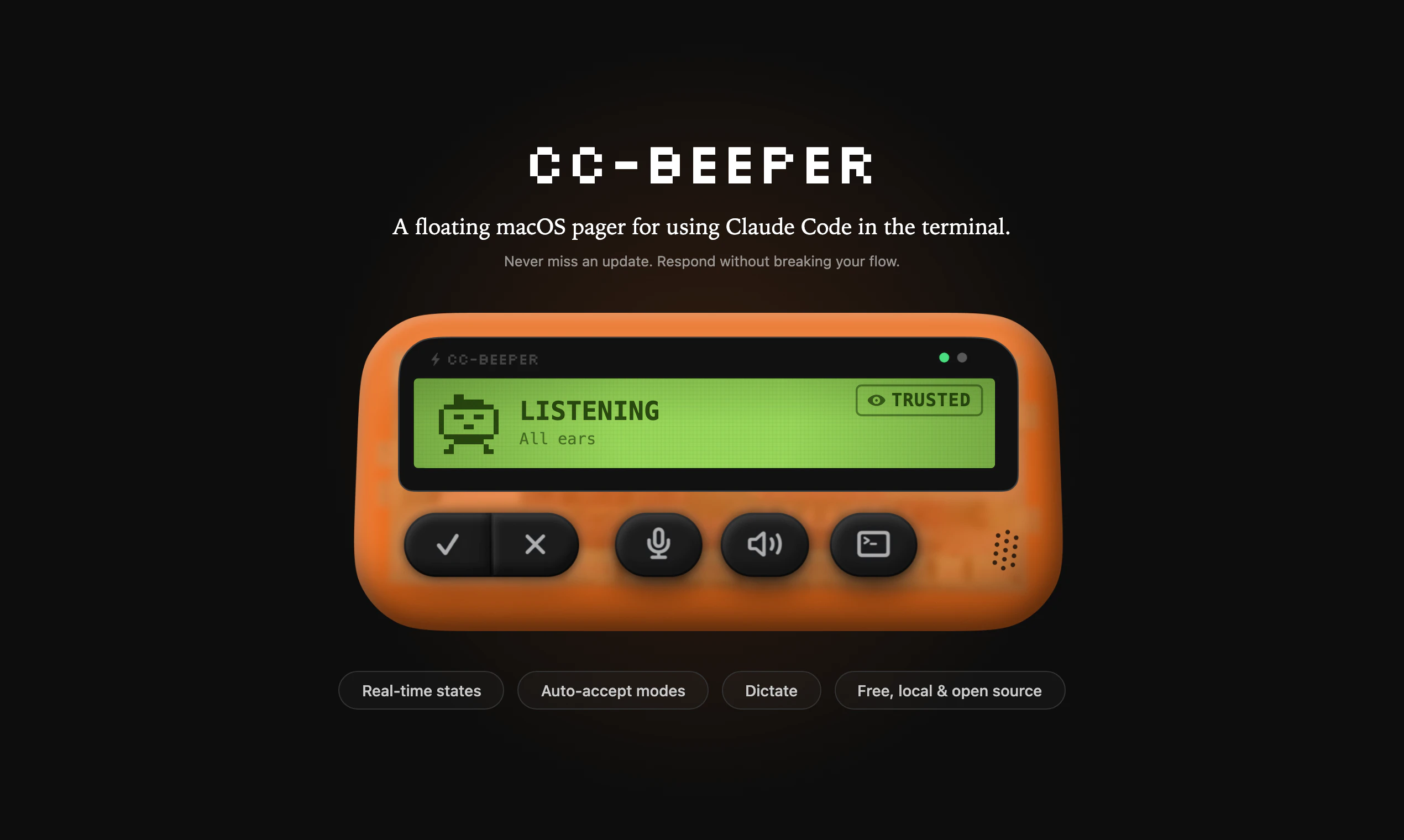
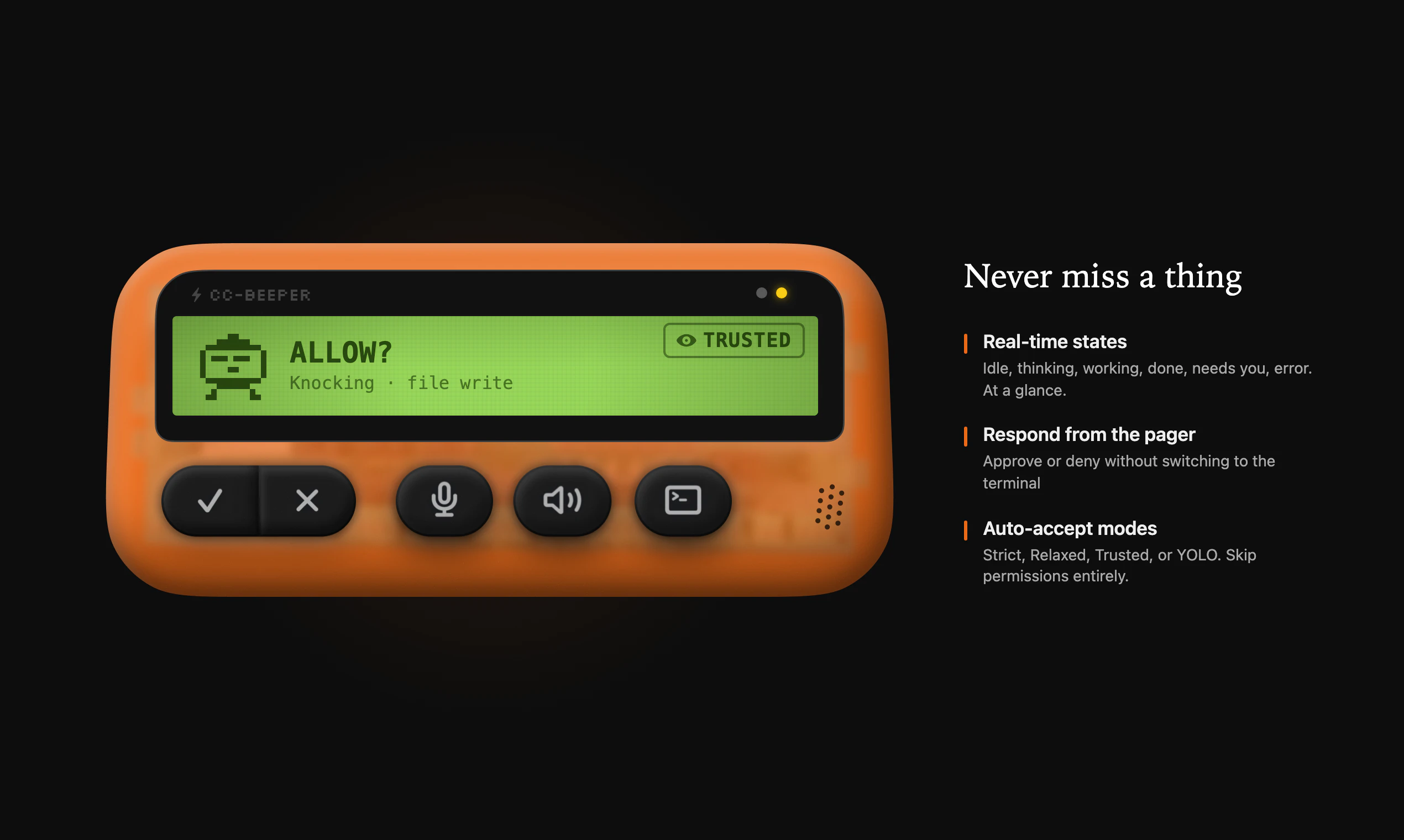
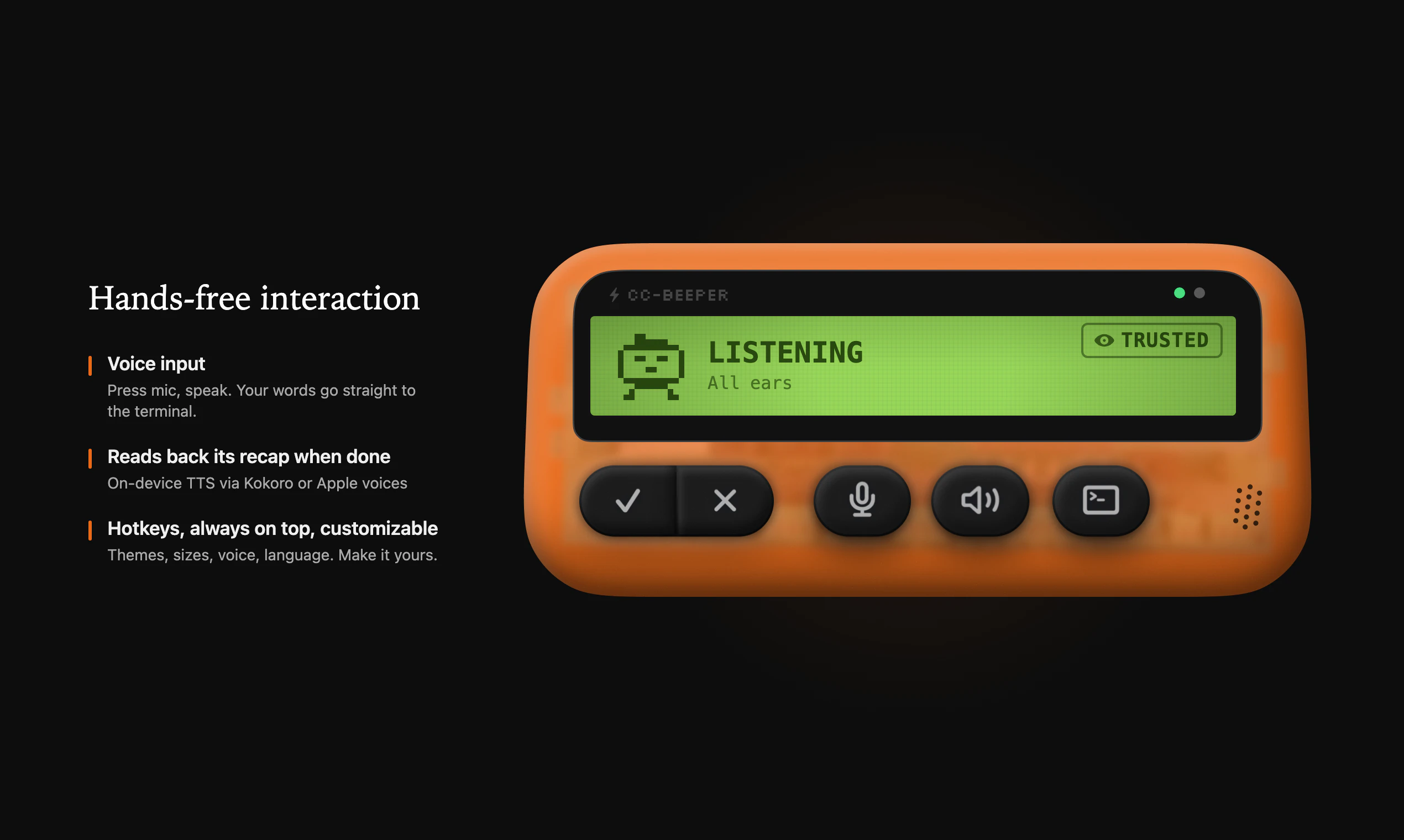
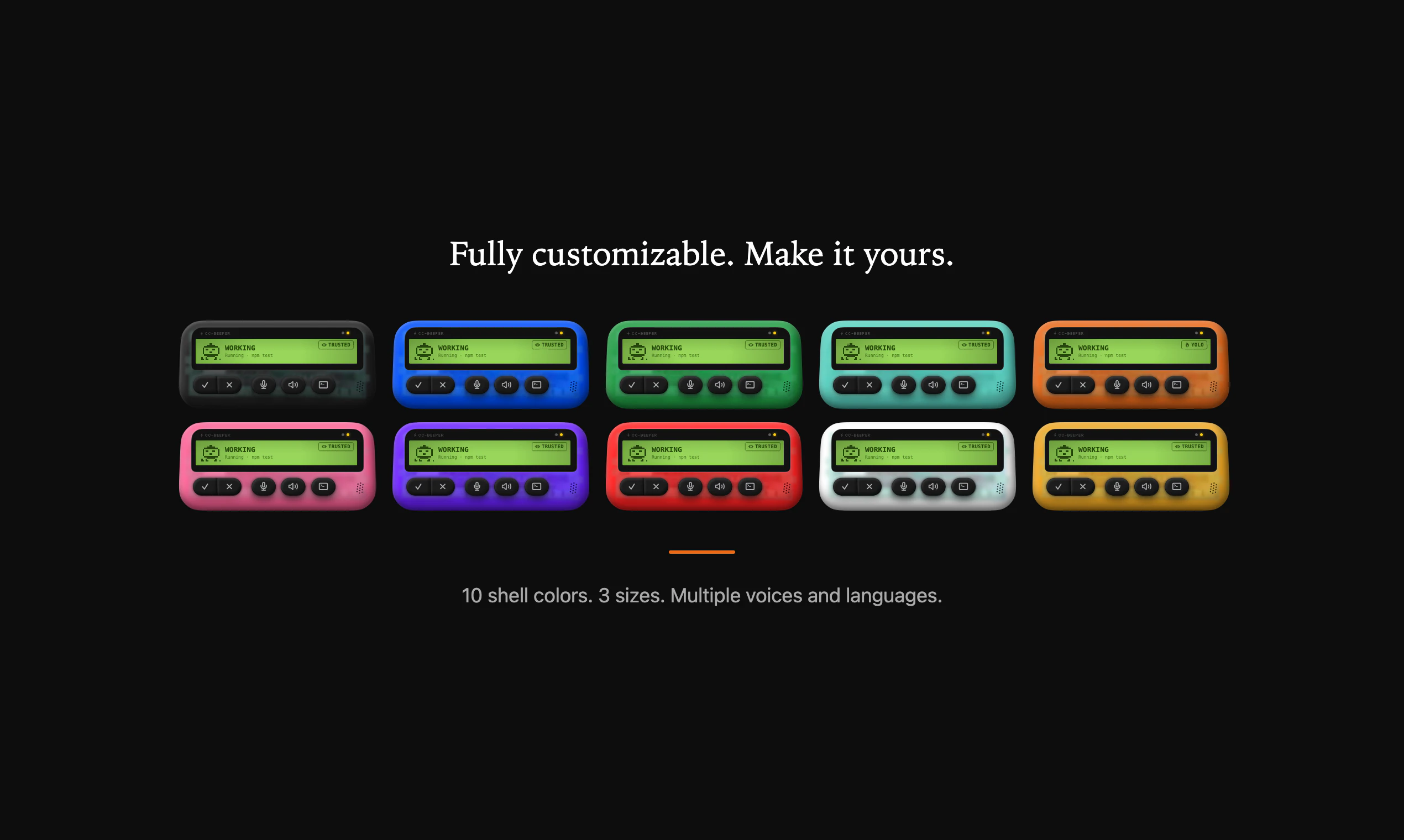
Native macOS companion for Claude Code. A floating retro pager that shows you what Claude is doing so you stop babysitting your terminal. Real-time LCD status with pixel art animations Four auto-accept modes (Strict / Relaxed / Trusted / YOLO) Voice input and spoken recaps Hotkeys, always on top Customisable themes, size, voice 100% local. Zero dependencies. Open source.
Hey PH, I'm a designer who uses Claude Code every day. I kept getting distracted by other work and coming back to find Claude had been waiting for a permission or had finished ages ago. So I vibe coded a floating retro pager that sits on my desktop. Started as a simple status monitor but it grew: permissions, voice input, spoken recaps, hotkeys, four auto-accept modes. I'm a designer so I had to go hard on the design: retro skeumorphic, 10 themes, pixel art animations, 3 sizes, etc. Even added a useless but fun little feature: double clap to start dictating (enabled in the settings). Everything runs locally. 100% Swift, zero dependencies. No accounts, no telemetry, no API keys. Just download and use it. First open source project, for sure imperfect, but I use it every day and wanted to share it. Ideas and feedback are welcome. https://github.com/vecartier/cc-... brew install --cask cc-beeper
2
回复

@vecartier Love it! Damn, I'm a sucker for good designers who divine it and ship products. Apps like this make digital interactions more alive, vibrant - nice job Victor ;).

1
回复

@vecartier What's one skeumorphic theme or animation you're most proud of, and any plans to open up custom theme support for the community?

0
回复

When you have multiple Claude sessions running at a time, do we get multiple pages, or does the page screen get increased with each Claude session?

2
回复

@nayan_surya98 So you keep one beeper at all times but it works across sessions. What i tried is creating a priority order between states across sessions (e.g. needing a permissions supersedes working/done state for another). But it's far from perfect. Honestly, I lack the technical skills to go the extra mile and I want it to remain a fun week-end project :)

0
回复

Having a beeper UI on my desktop in 2026 was not on my bingo card for the year.

1
回复

@jared_rhodes Imagine making one in 2026 even though you've never actually seen one in real life... Maybe I should have been an industrial designer instead of a software one eh

0
回复

This is super cool.

One suggestion: you could consider color-coding the statuses based on whether there's input needed from the user. (eg. "done" -> green, "error" -> red, "needs input" -> yellow).

1
回复
@andrew_g_stewart yeah it’s a good idea! I kept it monochrome to fit the retro LCD screen vibe. But I totally see the point
0
回复

This looks really great. I hope we have something similar for Windows Laptop too, sooner. Just in case, if there are multiple Claude sessions going on, how it will react, I am curious to know that.

1
回复

@akshay_k_hireid Hey, that's awesome :) let me know if I can help out. I answered Nayan above about that.

0
回复

Seriously, the state that attracted me the most was the error: “Something went wrong.”

A lot of times, I only see a summary at the very end of the run, and I end up getting lost in what actually happened during the execution flow. The real issue is that when there are multiple errors and the claude tries to handle them on its own, it becomes painful on my side. It affects the whole workflow.

Instead of finding out only at the end, I’d rather get real-time signals about errors as they happen, so I can step in immediately and help, rather than reacting after everything is already done. COOL!

1
回复
@tal_elor I don’t think my app solves this unfortunately. At the end of the day, it can only do so much. But I think this will get solved as models continue to improve. I’m pretty optimistic :)
0
回复

Looks very cool! Will give it a try!

1
回复

@antoninkus Amazing, let me know what you think!

0
回复
This fills a real gap - I've caught myself staring at the terminal waiting for Claude to finish way too many times. The four auto-accept modes are the right call, YOLO mode for scaffolding and Strict for anything touching prod. One question: does the LCD status show which tool Claude is currently using (file read vs bash vs edit)? That granularity would be genuinely useful for knowing when to intervene.
0
回复
@razazu it does / should to an extent. But it’s not perfect. The form factor is limited because of space on the LCD. I think there needs to be a balance between showing too little and too much. My reasoning was that showing too much is kinda pointless because you might as well go check the full terminal. Show too little and it gets kinda risky. I should add that I’m not technical so I don’t 100% what all the permissions mean when I accept them. But since I only do this in my spare time on low stakes side projects, it’s not that big of deal.
0
回复
@vecartier to be honest I would love it if anthropic / Claude code theme did it natively. Or someone more technical than me took over the project or jammed on it with me. At the end of the day, I’m not trying to compete with anyone or sell anything. Just love using Claude code and wanted to make my life easier (and maybe other people’s).
0
回复

Love the retro pager concept. It makes something pretty technical feel way more approachable. How did you decide what states and signals were most important to show in real time?

0
回复
@uxpinjack honestly via trial and error. At the beginning, I was mostly interested in knowing when it needed some kind of permission or it was done working. But then I realised it would also be valuable to know when it needed input, when there had been an error, or when it was just idle. And I also added a state for when it’s reading out loud its last message and for when it’s listening to me dictating. It really was an experiment that spiralled into side project. And I decided to polish it and launch, cause it might be useful for other people
0
回复

As a Claude Code user- this is clever. Does it work with the new agent/skill features too?

0
回复
@samir_tawadros it should be but I’m not 100% sure. It uses hooks and settings.json. As long as that’s there, it should be fine !
0
回复

naming the top trust level "yolo" is the most honest ux decision i've seen in a dev tool. been running claude code for months — you always end up at two extremes: approve everything manually or just run

  --dangerouslySkipPermissions and hope. strict to yolo as an actual dial makes trust a real decision.

0
回复
@webappski yeah let’s call a cat a cat. YOLO is dangerous, use it at your own risk eheh
0
回复
Can you walk through how the blocking PermissionRequest hook handling works end-to-end (especially holding a TCP connection open) and what reliability/edge cases you had to solve—multiple concurrent sessions, crashes, sleep/wake, terminal restarts, or Claude updates?
0
回复

@curiouskitty Hey, I'll try to answer this the best I can (with claude's help) since I'm not technical. It was mostly trial and error, prompting Claude Code to fix issues / change the way it works to my satisfaction. I should add that I ask a couple developer friends to check if it had any glaring security issues or problems, but so far they didn't spot any.

Claude Code's blocking hooks are basically an HTTP call that waits for a response. CC-Beeper runs a tiny local server, and when a permission request comes in, it just keeps that connection open while the widget asks you what to do. When you click Allow or Deny, it writes the answer back on that same open connection and closes it. Curl gives it around 55 seconds to respond before it gives up.                              

Re, the reliability stuff:

- Multiple sessions: pending prompts queue up in order, so answering one surfaces the next.

- Session moved on (you answered in the terminal instead, or Claude auto-resolved): it detects it from the next hook event and quietly releases the stuck prompt.

- Claude Code or CC-Beeper crashing: connections get cleaned up on drop, and a 5-minute watchdog resets the UI as a backstop.
                                                                       

- Restarts and Claude updates: the hook config in settings.json reads the port fresh every time, so nothing's baked in. If CC-Beeper isn't running, the hook fails cleanly and Claude falls back to its normal terminal prompt, so you're never locked out.

- Sleep/wake: honestly the weakest spot today. No explicit handler, stuff just times out and recovers.

It's probably imperfect, and if someone more technical / knowledgeable than me knows and want to improve it, it'd be amazing. That's also why I made it open source :)

0
回复

This is so fun. Did you ever think about trying to connect this with a real beeper? I also can't believe this is your first open source project. I'm definitely looking forward to seeing what you're building. This was great. Well done @vecartier!

0
回复

@gabe Thank you so much, it means so freaking much to get feedback like this!! I have not tried it yet, but that would be awesome. I'd pay for it haha

1
回复
#7
Roll
The disposable camera for your phone
152
一句话介绍:Roll是一款模仿一次性胶片相机体验的手机拍照应用,通过限制每卷12张、延迟冲洗(数周至一年)的机制,在社交聚会、旅行等场景下,帮助用户减少拍照焦虑与过度拍摄,回归专注当下时刻的拍摄乐趣。
Web App Photography Health
胶片模拟摄影 限制性拍照 延迟满足 数字健康 怀旧设计 极简相机 mindful tech 社交记录 异步分享 意图摄影
用户评论摘要:用户普遍赞赏其“限制促专注”的核心体验,认为其有效对抗“表演式拍照”与即时查看焦虑。主要问题与建议集中在:协作拍摄功能(如多人共拍一卷)、Android原生应用开发、用户行为数据(如拍摄节奏)、提前预览可能性及网格线等基础功能完善。
AI 锐评

Roll表面上贩卖的是复古情怀与延迟满足的惊喜感,但其真正的产品锋芒在于对现代数字摄影异化现象的一次精巧“矫正”。在算法驱动、无限连拍、即时美颜的当下,它将“限制”作为核心功能变量,本质上是在交易“便利性”以换取“仪式感”和“意图性”。这并非简单的功能倒退,而是对“拍照即表演”和“拍摄-审视”即时循环的主动切断。

其价值不在于替代主流相机,而在于创造一种“情境化”的拍摄模式:它将自己定位为“时刻相机”,天然适配旅行、聚会等有起止时间的社交容器。用户评论中高频出现的“专注当下”、“减少焦虑”印证了其击中了一部分用户的“数字过载”痛点。然而,其长期挑战也在于此:这种需要高度自律和情境预设的“拍摄仪式”,能否从尝鲜行为转化为稳定习惯?延迟查看的惊喜感是否会因重复而衰减?

创始人透露的“协作拍摄”方向是更聪明的延伸,将个人仪式转化为社交契约,有望提升用户粘性与传播节点。但需警惕过度功能化破坏其极简哲学的初心。Roll的启示在于:在堆砌功能的红海之外,通过做“减法”和引入“时间变量”,依然能开辟出具有情感厚度和反思性的数字产品空间。它能否从小众的“数字清流”成长为可持续的商业模式,取决于其能否在保持核心克制的同时,围绕“共享时刻”构建更丰富的异步社交体验。

查看原始信息
Roll
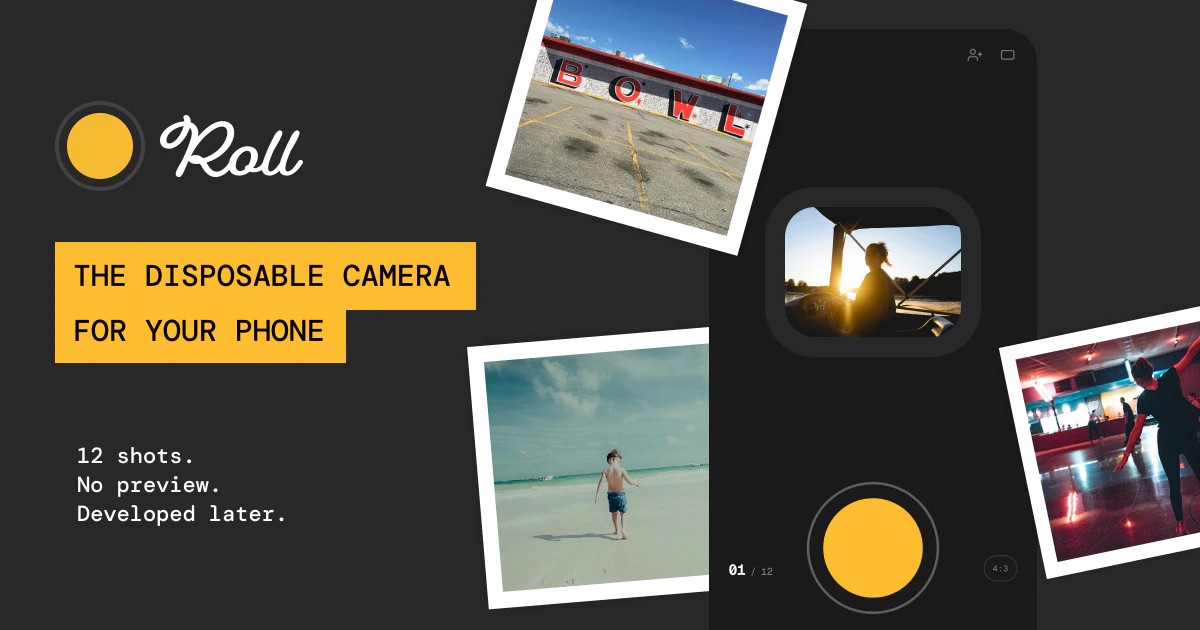
Roll is a mobile camera app that works like a disposable: you get 12 shots per roll, and when you’re done you choose when your photos “develop" from a couple of weeks up to a year—so opening them feels like a surprise again.
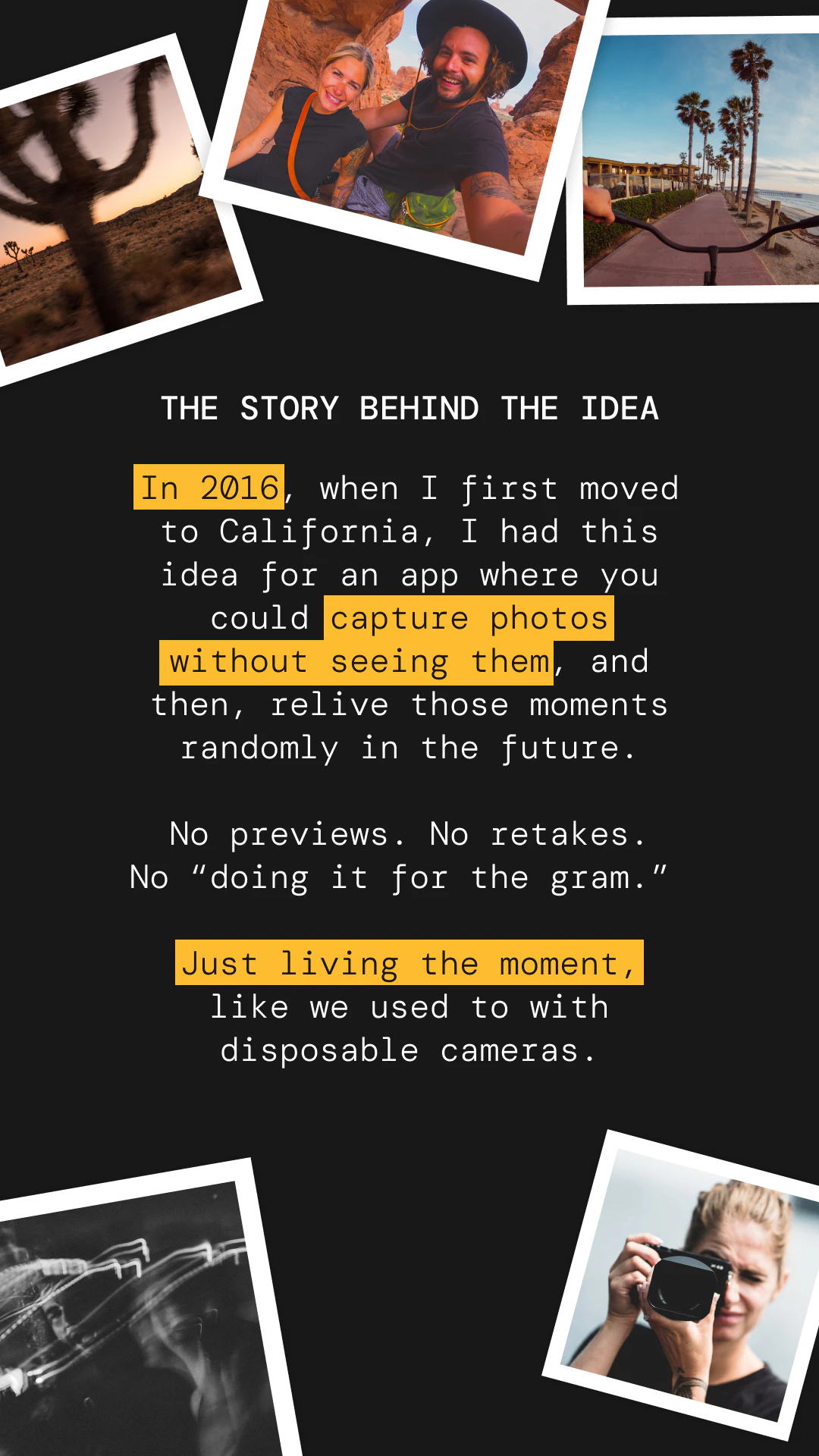
Hey PH, Claude here. I’m a designer at Adobe, and I’ve always been the friend with the camera at every dinner and road trip. I've had the original idea of Roll back in 2016 when I first move to California, at the time I had a very basic inVision prototype that I'd show to people but, no cash or time to build it. Somewhere along the way, “taking a photo” turned into “performing a moment.” Roll is my answer: twelve shots, no do-overs, no preview, then you wait for your roll to develop, like film used to. It’s free. I’d love your honest take: does limiting shots actually help you stay present, or does it get in the way? I’ll be here all day. — If it resonates, we’re at getroll.app (phone is best).
5
回复

@claude_piche  Honestly the best part is that it’s not actually “one-time use”, and I don’t need to plan ahead and buy a new one before a trip.

And to your question- yes, the limited shots actually help me stay more present and less in “the Instagram story mode”

2
回复
What are the most common real-world contexts where Roll becomes a repeat habit (e.g., dinners, trips, dating, family time), and have you seen any unexpected high-retention use cases—like group events or personal journaling—where the reveal timing becomes part of a ritual?
2
回复

@curiouskitty Such a great question! Most common ones are social moments like dinners, weekends with friends, and trips, where a “roll” naturally maps to a shared experience and gets closed at the end. I've been recently planning how we'll introduce the concept of collaborative rolls, where different users could contribute to a singular roll, so you get the POV of everyone that participated in a event!

Family time is another big one, especially with parents who want to stay present but still capture memories.

We’ve also seen some unexpected high-retention use cases, group events like bachelor parties or team offsites where one collective roll captures the vibe without over-documenting.

We're still early in the journey but, so far, mapping to a lot of the assumptions we've had up front!

0
回复

This is really a nostalgic concept. I remember having a disposable camera when I was really young. Having that same concept in the mobile itself feels really awesome. I hope you also launch one for the Android phones too.

2
回复

@nayan_surya98 Thanks for the love! You can actually go directly on https://getroll.app/ on your Android phone, it's a fully functional Web app.

0
回复

Really love this concept. Turning photos back into something you wait for instead of instantly reviewing feels surprisingly powerful. Have you seen people change how often they take photos because of the limit?

1
回复

@uxpinjack 

Yeah, the waiting part changes everything. It makes taking a photo feel a bit more intentional again, like you don’t want to waste a shot. People tend to slow down, take fewer photos, but better ones.

What’s interesting is it also pulls them out of that loop of checking right after. You take it and move on. Then later, when the photos come back, it actually feels like something.

Still early, but that shift from quantity to intention is definitely starting to show.

0
回复

Love this concept for so many reasons. Number 1 is my 2 year old daughter. Every time we take a photo of her, she has to see it immediately. This is a learned behavior from watching her mom and dad. Always taking several photos to get the perfect one instead of living in the moment, and whatever photo we snapped we got! Just one question, why did you land on 12 photos?

1
回复

@derek_curtis1 

Love that example (I have a 7years old).

Kids are actually the perfect mirror for this. They just copy what we do. That instinct to check right away isn’t natural, we taught it.

The 12 photos came from that same idea. It needed to feel limited enough that you think before tapping, but not so restrictive that it becomes frustrating. 12 felt like a sweet spot.

0
回复

Adore this concept, and design is outstanding ::chef's_kiss::

With so many products designed to make photos look like film, I love that Roll makes photography feel like film. Aspect ratio is a cool feature: I can make my images look like 120 film! Love the tips. How do I turn on gridlines (tip 10)?

I'm also curious (like others, below) about what behavior patterns you see as DAUs grow: are users tending to shoot all 12 images at once, or being more intentional and thrifty with their "Rolls".

Good luck! Will be following enthusiastically!

1
回复

@jacques_bromberg

Love this, appreciate it 🙏

“Feel like film” vs just “look like film” is exactly the goal.

Re: gridlines, not live yet actually (tip is a bit ahead of the product 😅), but it’s coming. Good nudge to prioritize it.

On behavior patterns: early signal is interesting.

There’s definitely a cohort that burns the 12 quickly (novelty / muscle memory from digital), but the more engaged users tend to slow down a lot and stretch a roll over time.

1
回复

Back in the day, where disposable cameras used to make the things feel alive because they were limited, and you could only take so many shots. With digital cameras nowadays, the amount of pictures you can click is unlimited. I love that you are bringing something new, and yeah, congratulations on the launch!

1
回复

@akshay_k_hireid That’s exactly what I was trying to bring back with Roll… fewer shots, more intention, and then that little surprise later on.

Really appreciate the kind words 🙏

0
回复

this hits different than all the AI photo apps flooding the market. reminds me of waiting to get film back from CVS and forgetting what you even shot. the anticipation was half the experience. curious if you're tracking any wellbeing metrics around reduced photo anxiety or phone usage patterns?

1
回复

@piotreksedzik Love that perspective! the anticipation really was half the magic.

Right now I’m not tracking any wellbeing metrics (trying to keep things super simple), but it’s something I’ve been thinking about a lot.

The goal with Roll is definitely to reduce that “check / retake / overthink” loop and make it feel lighter, more intentional.

0
回复

Hello, Claude. I really like the idea of this app - I remember the old days, too! I was wondering if you have to take all 12 photos in one session, or if (for example) you could take six photos today and six tomorrow? Good luck with your launch. Thank you!

1
回复

@cronberry Thanks Jonathan, really appreciate that 🙏

You don’t have to take all 12 in one go, you can spread them out however you like. So yeah, 6 today and 6 tomorrow totally works.

The idea is more about capturing moments as they happen, not forcing it into a single session 🙂

Appreciate the support!!

1
回复

This is awesome, I had an idea like this a few years back, but could never figure out the one filter "fits all scenarios" implementation. I think it's cool that you didn't try to turn it into an entire social media app. It's nice to just have a tool that serves its one purpose. Love how minimal the UI is as well, great work!

0
回复

@patrickcasella 

Love that. Yeah, I went down that rabbit hole too… trying to make something that “works for everything” and it just kills the magic.

At some point I realized the constraint is the product. The limitation is what makes it feel different, and honestly more fun to use.

Really appreciate this, means a lot 🙏

0
回复

Love how this leans into the constraint instead of fighting it. The "limited shots" friction is the whole reason disposables felt magical in the first place, you actually thought about each frame. Curious though, do people wait to "develop" the roll or does it break the spell when they peek early? And is there any social layer where friends see each other's rolls when they drop?

0
回复

@keith_hiyamojo 

Love that question. Right now the idea is pretty strict about preserving the magic, no peeking, no early “develop,” you only get the photos back later, randomly.

On the social side, not live yet, but definitely interesting. Feels less like a feed and more like “drops” from people you care about, where a roll just shows up and you relive it together. Trying to keep it intentional though, not another infinite scroll.

0
回复

Are you looking at anything around sharing "cameras" with contacts? If you think about weddings, where there used to be a trend of leaving a disposable camera on each table for people to use and get candid shots of the event, the bride and groom got the surprise doubly by not knowing who took the pictures or what they took them of. Having something similar, where the coordinating users could send invites to contacts, contacts would interact on their phones, and all the images taken would return to the coordinator for review/curation for a shared album the contacts have access to. I could see something like that really amping up the fun of the event use of the app and conceivably allow more gamification (ratings, reviews, comments in album) and possibly making the app more viral.

0
回复

@chrisbertrand7 

That’s a really great callout. Feels very on brand with what Roll is trying to do.

The disposable camera at weddings worked because it was shared, a bit messy, and full of surprises. Translating that to phones, where someone can spin up a “camera” and invite others in, feels like a natural extension.

I like the idea of everything flowing back to one person for curation. You keep the magic of not knowing what’s being captured, but still end up with something cohesive people can revisit later.

I’ve been thinking more about this direction. Making Roll something that lives around moments with other people, not just a solo thing. This definitely pushes it there.

0
回复

Reminder, if you've played with the app today, would love to get your feedback via this form! Thanks so much!
https://docs.google.com/forms/d/e/1FAIpQLSehEIMAmh51PyhdyYTpVK3-0CV0fr1osEtMkpNJ2W6LHY7W2A/viewform?usp=header

0
回复
I think it’s a great idea. Does the app apply any kind of film-like filter or just keep the photos vanilla? Reminds me a bit of those Leica digital cameras that don’t have screens.
0
回复

@nick_counts My answer is... you'll know once you complete a Roll! ;) Yeah the view finder was, by design put, verrrry small.

1
回复
#8
Mush
Combine Wi-Fi, Ethernet, and 5G for max download speed
133
一句话介绍:Mush是一款多接口下载引擎,通过在Wi-Fi、以太网和5G等网络间并行分发文件块,解决单一网络带宽瓶颈问题,显著提升大文件下载速度。
Productivity Software Engineering Development
网络加速 多路径传输 下载工具 带宽聚合 HTTP/BitTorrent支持 网络优化 并行下载 Windows/Linux应用 测试版软件 开发者工具
用户评论摘要:用户肯定其性能提升(HTTP下载从10分钟缩至秒级),询问复杂场景(认证、CDN限流、网络抖动)下的可靠性与完整性保障,探讨其与多路径TCP的技术关联及普适性限制,并关注平台可用性。
AI 锐评

Mush的本质,是在应用层对“多宿主”网络连接的一次巧妙劫持。它绕开了需要端到端支持的多路径TCP协议,通过文件分块与并行调度,将单一数据流暴力拆解到多个物理接口上,这在技术路径上是务实的,但也是妥协的。

其真正价值并非创造了新带宽,而是对现有闲置网络资源的“榨取式利用”。对于拥有多张网卡(如笔记本同时连接Wi-Fi和以太网)或可同时接入蜂窝与固网的用户,它确实能化零为整,尤其对HTTP大文件、种子资源尚可的BT下载有立竿见影的效果。开发者自述的测试数据也印证了这一点。

然而,其天花板也显而易见。首先,它严重依赖服务器端不施加严格的单IP或单连接限速策略。面对如今普遍采用智能限流与身份绑定的CDN、需要认证的私有下载源,其加速效果可能大打折扣甚至引发封禁。其次,多接口带来的复杂度剧增:连接稳定性不均、IP地址切换、数据包重组开销与完整性校验,都是潜在的风险点。评论中关于“最难处理的HTTP案例”的提问,恰恰戳中了其商业化落地的核心软肋。

因此,Mush更像是一柄为特定场景(友好服务器、多稳定接口、对突发提速需求强于绝对可靠性)打造的“特种工具”,而非替代传统下载的通用方案。它的出现,与其说是颠覆,不如说是对现有网络协议栈在灵活性与资源利用效率上不足的一次犀利补丁。其前景取决于能否在激进加速与稳健兼容之间找到更精细的平衡点。

查看原始信息
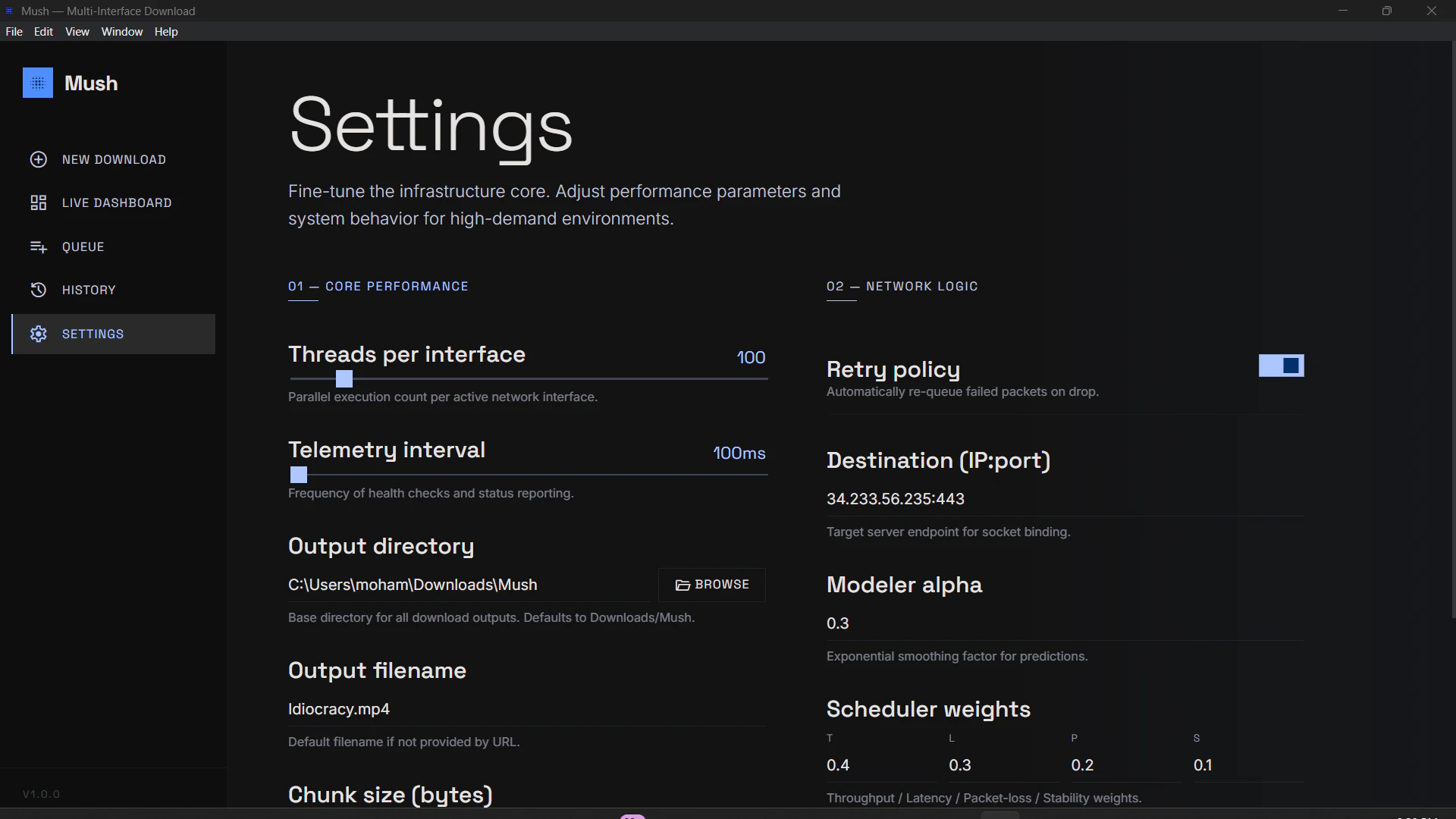
Mush
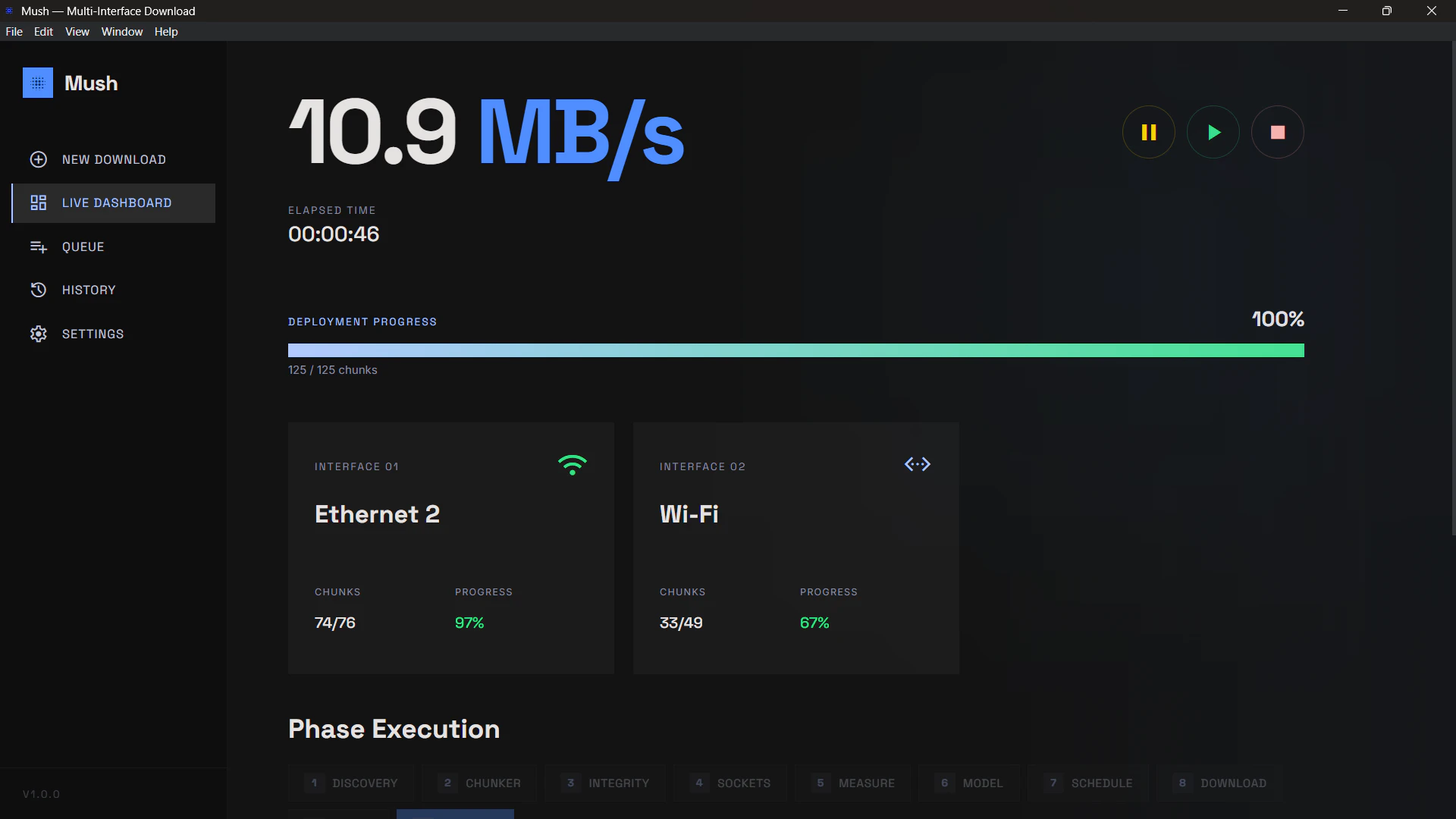
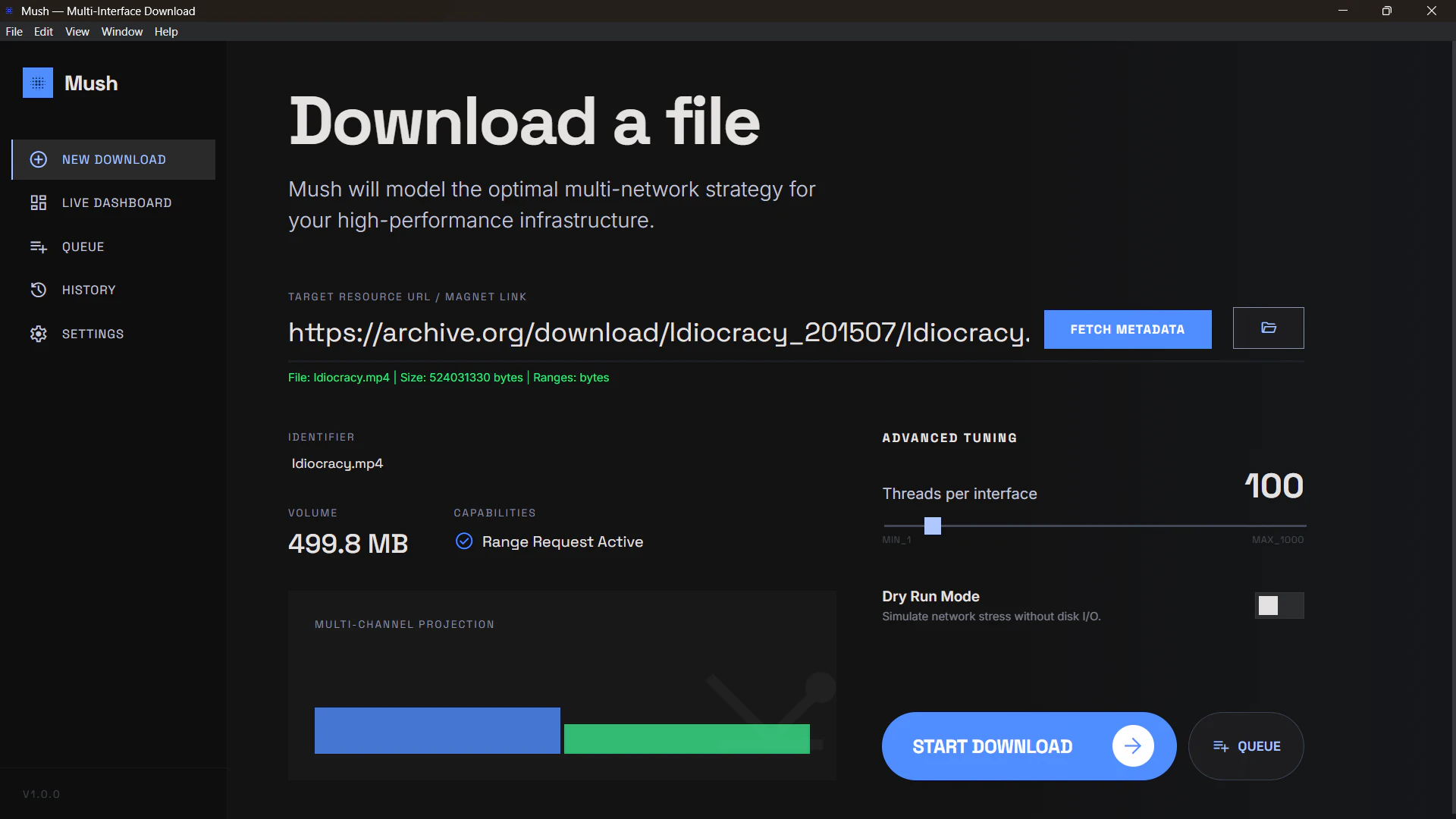
Mush is a multi-interface download engine that uses all available network connections instead of relying on a single one. It splits files into chunks and distributes them across WiFi, Ethernet, or tethered networks in parallel. It supports both HTTP and BitTorrent, includes live telemetry, and allows tuning of concurrency and scheduling. Performance depends on network conditions and server limits. Currently in beta.
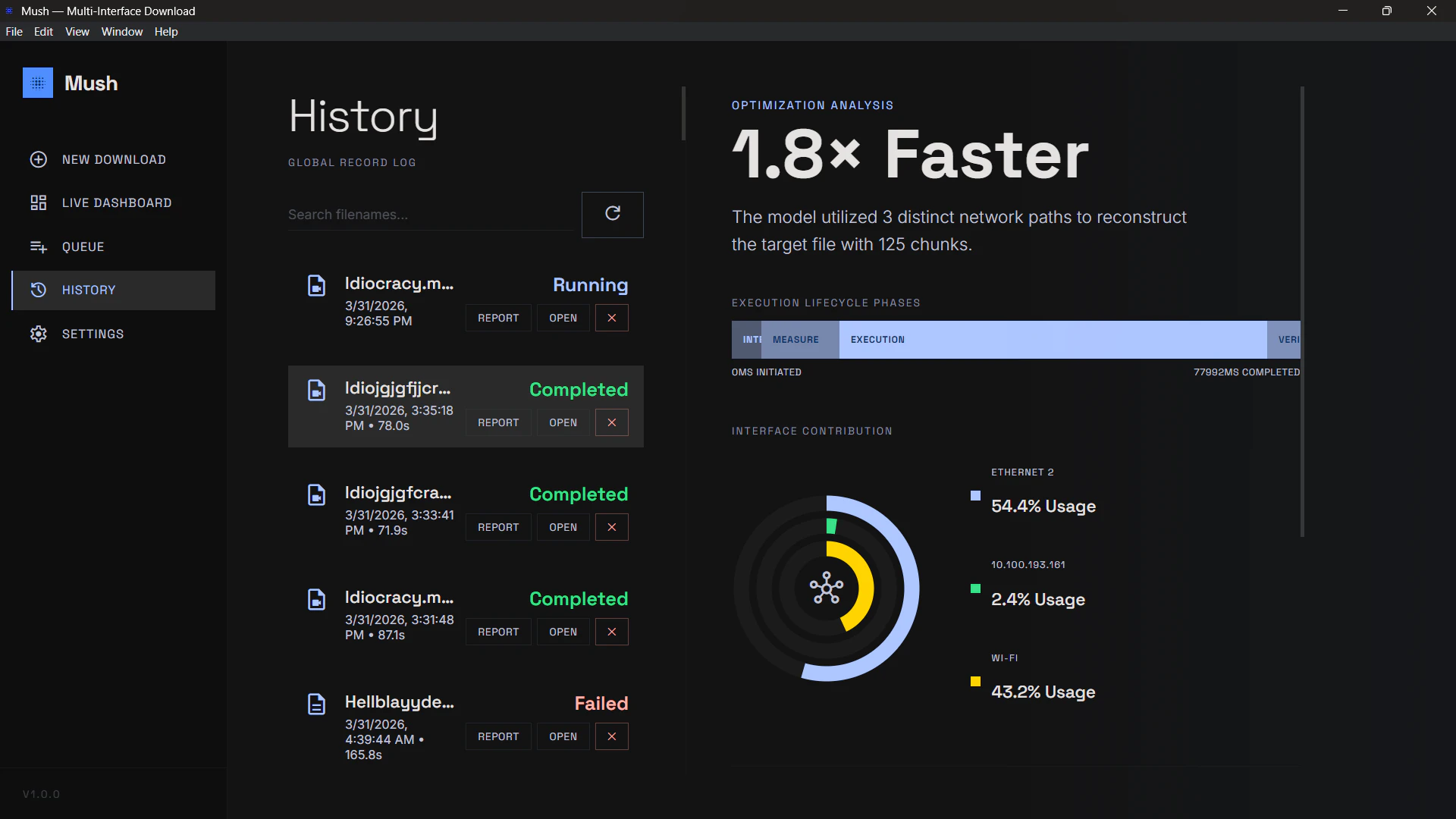
Hey everyone I built Mush because I kept running into the same problem. Even with a fast connection, downloads would get limited by a single interface or a small number of connections, while other networks on the system were just idle. I tested this pretty heavily before putting it out. For HTTP, I used files in the 400MB to 1GB range. For torrents, I tested with multiple files between 8GB and 12GB, running them three times across different setups. On HTTP, a download that would normally take around 10 minutes in a browser dropped to about 30 to 60 seconds with Mush on a single network, and closer to 10 to 20 seconds when multiple interfaces were active. For torrents, the gains were less extreme but more consistent. Speeds were roughly 2x in most cases, and it handled low seed torrents better without dropping or stalling as much. Mush tries to make better use of what is already available by splitting downloads across interfaces and managing them in parallel. It is still in beta and there are edge cases, so I am mainly looking for feedback from different setups. If you try it, I am interested in how it behaves on your network, especially where it does not improve much or breaks.
2
回复
How do you handle the hardest real-world HTTP cases—authenticated downloads, redirects, CDNs that throttle aggressively, flaky public Wi‑Fi, and mid-download interface drops—while still guaranteeing integrity and resumability across interfaces?
2
回复

This is actually insane. I'm curious to see what drove you to build this. It's something that I always hoped that I had but never really thought was possible. Gonna test it out

1
回复

Cool mate! Is it available everywhere? Anyway I feel it's a great deal for everybody here cause it helps founders to better perform in a daily basis by giving more and more speed. Wish you all the best here!

0
回复

@german_merlo1 Hey, this is currently available on Windows and Arch Linux platforms. Thanks for the compliment!

0
回复

This sounds pretty cool. I thought you could do this already with certain technologies, but I've never been able to do it. So if this makes it easier for that, that's brilliant. My Ethernet maxes out at a gigabit, and my internet connection is 8 gigabits. If I could have a bit of Wi-Fi on top, that will go a bit quicker still, and that's already a big win.

0
回复

Please correct me if I'm wrong but this feels like multipath TCP but at the application layer. If so the why browsers don’t already do this?

0
回复

@lak7 You're right, MPTCP was one of my inspirations, but, then you'd have to deal with the Three Way Handshake problem (both server and client need to be configured for MPTCP, which most servers aren't in order to reduce load/avoid DDOS or stress).

1
回复
#9
Google app for desktop
Ask anything with the Google app for desktop
124
一句话介绍:这是一款桌面端搜索应用,通过快捷键(Alt+Space)呼出搜索框,整合了网络搜索、本地文件、应用、Google Drive及AI对话功能,旨在提升用户在多场景下的信息获取与处理效率。
Search
桌面搜索工具 AI搜索助手 系统级集成 快捷键启动 Google Lens 多源搜索 生产力工具 人工智能应用
用户评论摘要:正面评论认可其便捷的全局搜索和AI集成功能。负面反馈集中在:1. 界面简陋,功能基础,与竞品(如Claude Desktop)相比体验不佳;2. 内置的Gemini AI(Live模式)响应机械,缺乏深度对话与研究能力,令人失望。
AI 锐评

Google此次推出的桌面应用,本质上是将其移动端的“搜索框霸权”向操作系统桌面的又一次战略延伸。其核心价值并非技术创新,而在于**生态整合与入口控制**。通过一个简单的快捷键,它将用户从“打开浏览器->进入Google主页”的路径中彻底解放出来,试图成为PC端最优先、最底层的查询入口。

然而,从用户反馈的尖锐批评中,暴露出Google在AI时代产品化能力的深层困境。产品被诟病为“简陋的聊天框”,以及Gemini Live模式交互生硬,这恰恰反映了Google将AI能力转化为流畅、可靠用户体验的“最后一公里”问题依然严重。在ChatGPT、Claude等竞品已通过独立桌面应用构建起沉浸式、高智能体感的当下,Google这款产品更像是一个仓促的防御性布局——它急于将AI搜索、Lens视觉搜索、本地与云端文件检索等分散优势打包交付,却忽略了整合体验的精致度与AI交互的情感化设计。

其真正的挑战在于,当搜索行为从“信息检索”演进为“任务执行”与“深度协作”时,一个单纯的“快速入口”价值正在衰减。用户需要的是能理解复杂意图、进行多轮探讨、并主动解决问题的智能体。目前看来,这款应用更像是一个功能聚合的“快捷方式”,而非一个智能进化后的“新物种”。它的成败,将不取决于功能列表的丰富度,而取决于其内置的AI能否摆脱机械应答,真正理解桌面上下文,成为用户思维的无缝延伸。否则,它很可能只是另一个被快捷键唤醒,却又迅速被遗忘的系统托盘图标。

查看原始信息
Google app for desktop
Explore new ways to search. Download the Google app for desktop to use Lens, get AI-powered responses faster, search across your computer and Google Drive, and more with a simple keyboard shortcut.

The upgraded Google app for desktop is now available for Windows users globally in English.

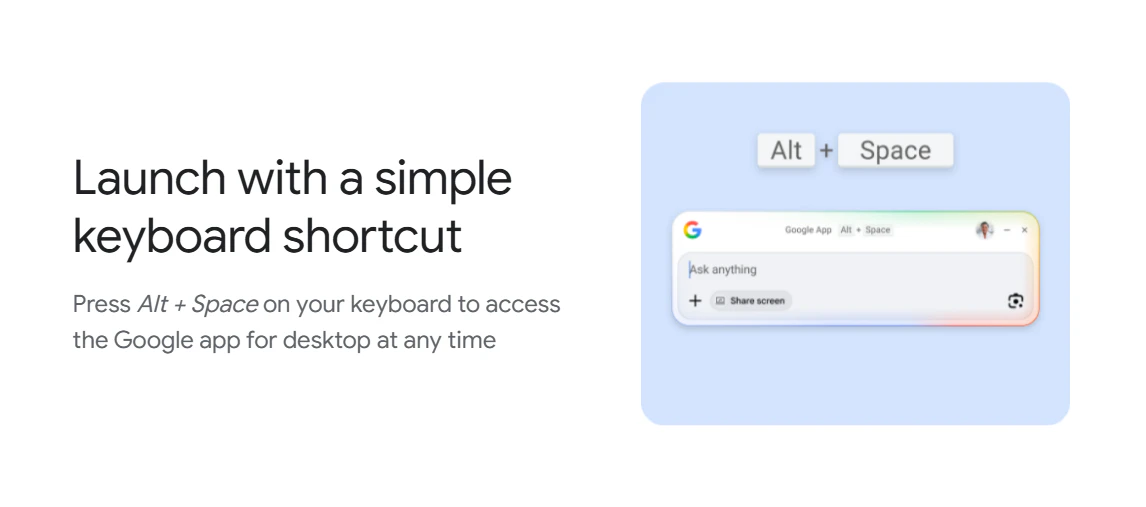
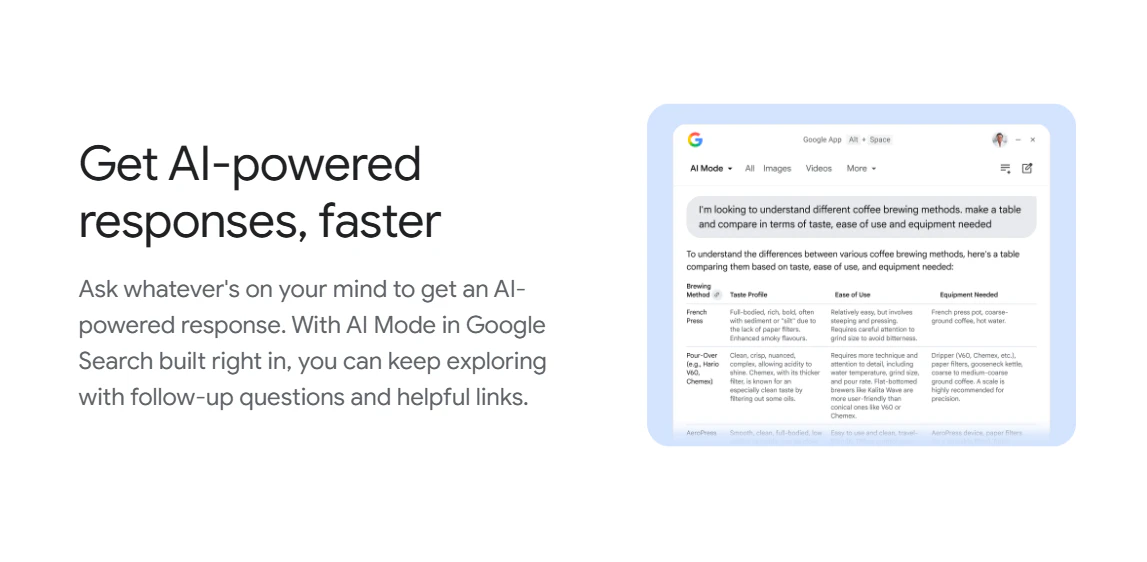
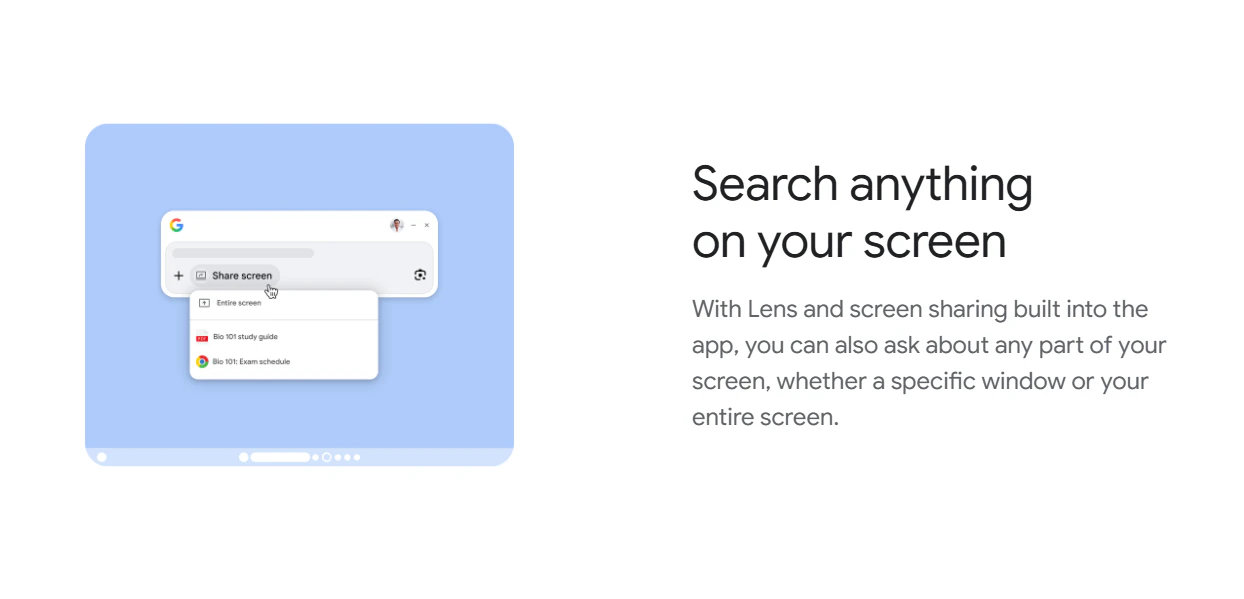
Use a simple keyboard shortcut (Alt + Space) to instantly find what you need—information from the web, your computer files, installed apps, and Google Drive files—all from the Search box. With AI Mode in Search and Lens built right in, you can ask whatever’s on your mind or search what’s on your screen to get helpful AI-powered responses with links to the web.

3
回复

I was so disappointed with this.
I am on their PRO plan and this desktop app looks so basic and useless.
Like it's a chat box hooked to a server where the intelligence is - Not even comparable to Claude Desktop.

I'm also very disappointed in Gemini Live mode - so compressed responsed.
You can't discuss with this, it feels like it doesn't want to discuss with you and doesn't do any useful research.

The only good AI product of Google that I know is Veo 3.1

0
回复

Google lens whatever is on my screen without pointing my phone on it like a boomer thats cool fr

0
回复
#10
Carousels Generator
From prompt to branded LinkedIn carousel powered by AI
121
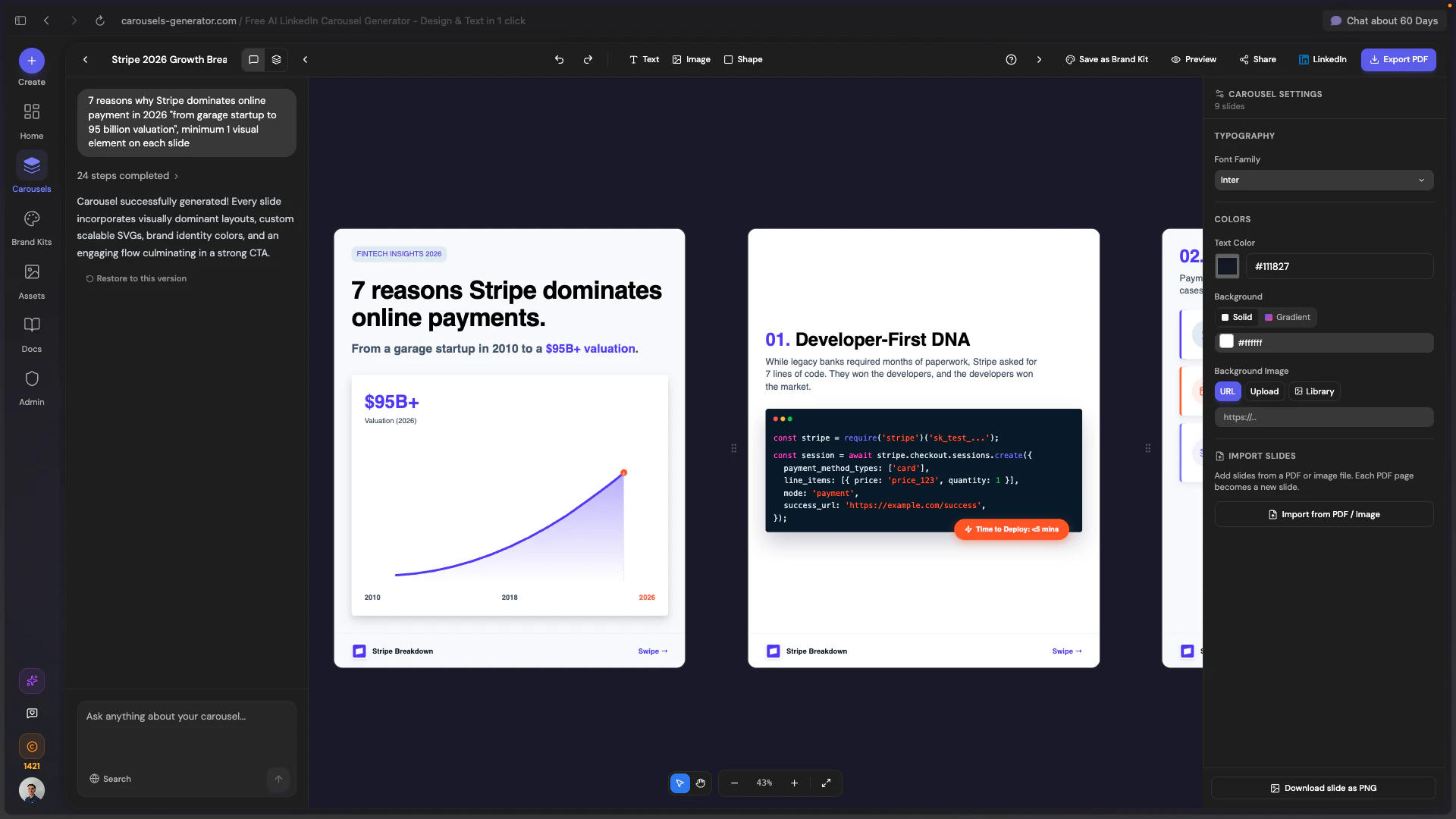
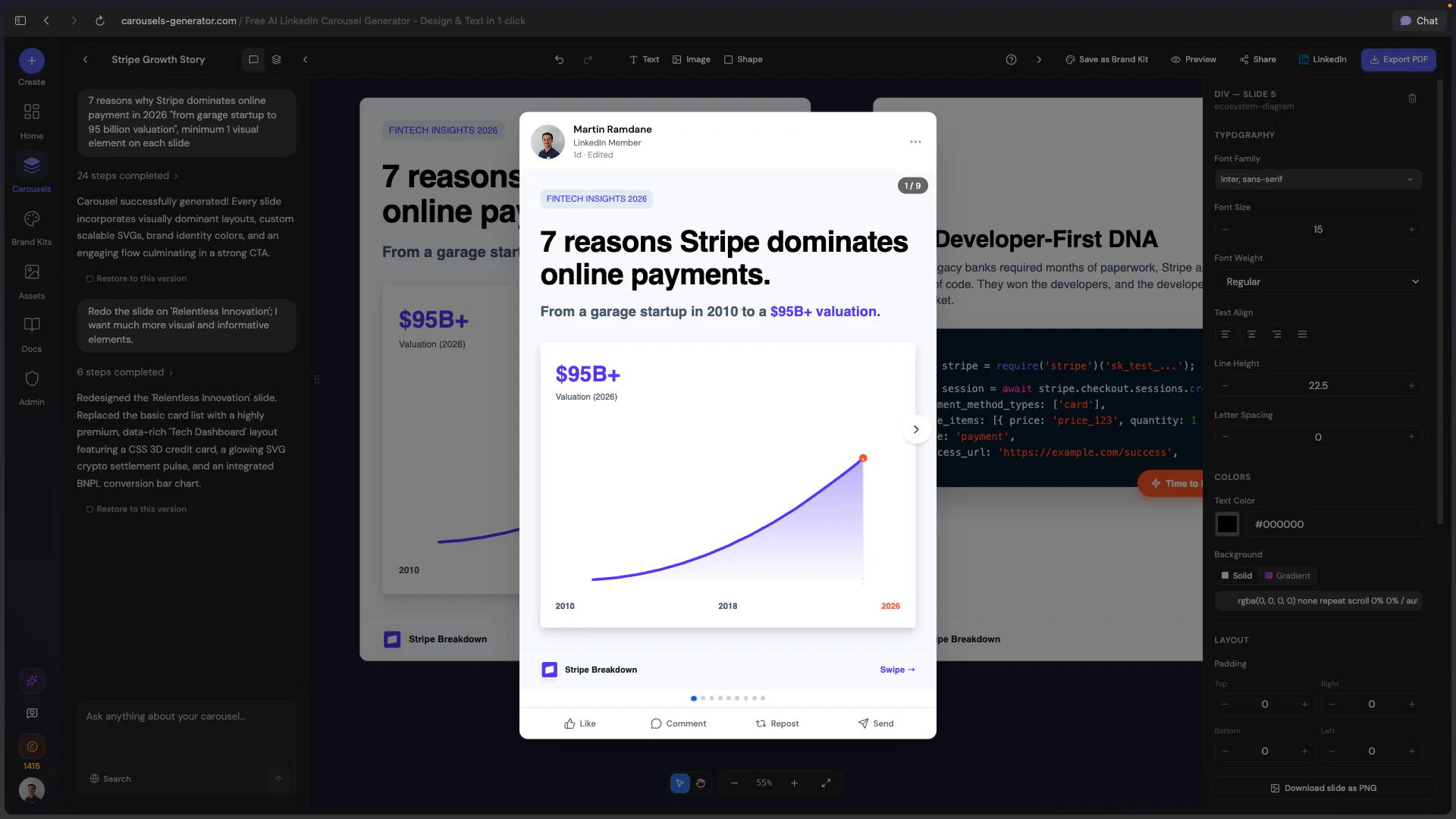
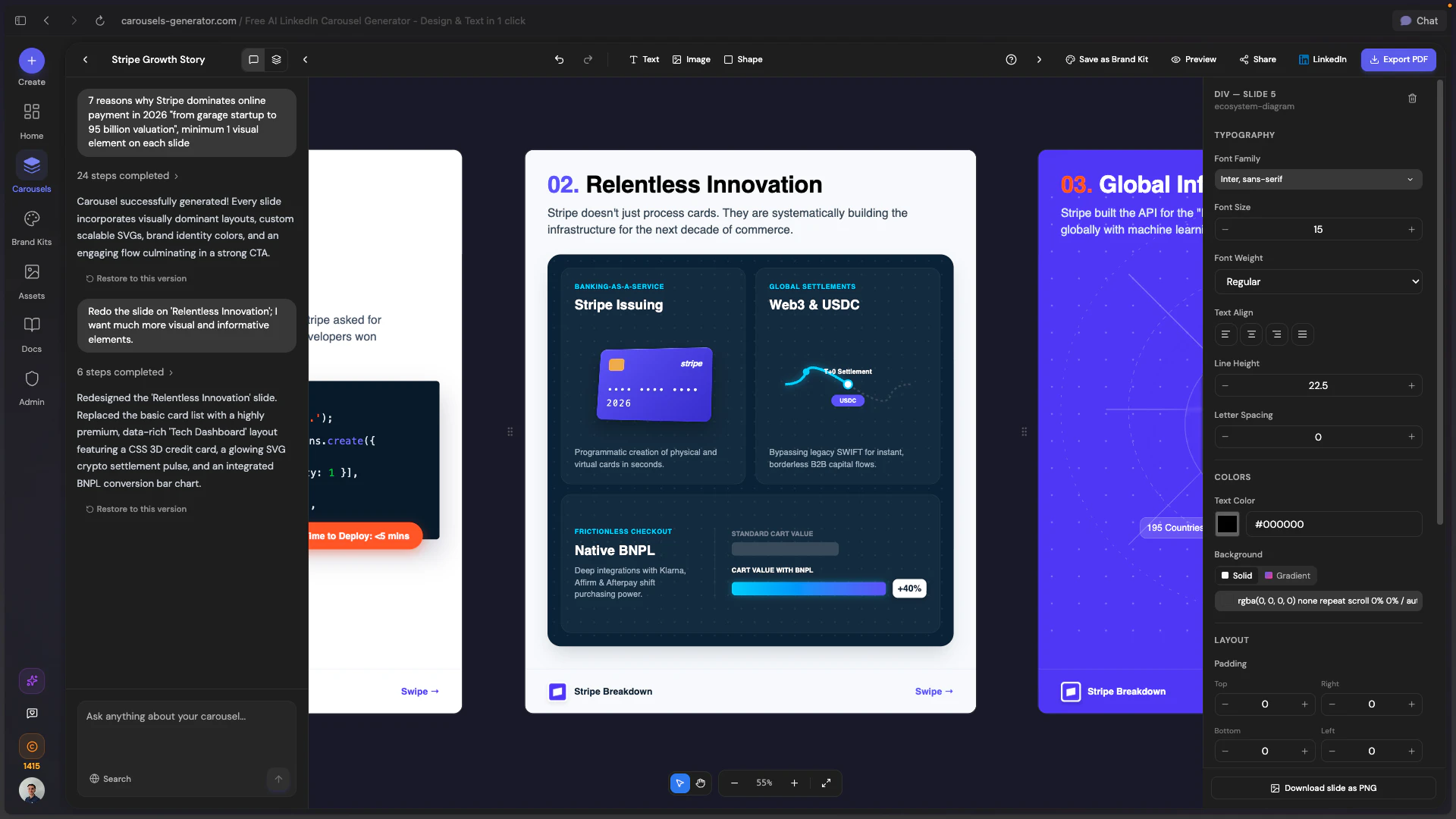
一句话介绍:一款AI驱动的工具,通过简单指令或网址,即可自动生成包含文案与设计的完整LinkedIn图文帖子,解决了营销人员、创业者等内容创作者在专业内容制作上耗时耗力的核心痛点。
Design Tools Social Media Artificial Intelligence
AI内容生成 LinkedIn营销 品牌设计自动化 社交媒体工具 智能排版 一键发布 品牌工具箱 效率工具 SaaS 无设计技能要求
用户评论摘要:用户普遍赞赏“品牌工具箱”自动导入功能,认为其实用性突破。核心问题集中于生成内容的即刻可用性、品牌差异化程度以及向Instagram等平台的扩展计划。团队积极回复,展示了通过AI聊天迭代优化和基于品牌资产保证独特性的解决方案。
AI 锐评

Carousels Generator的野心,远不止于又一个“AI做PPT”的工具。其真正价值在于试图用技术封装并标准化“品牌视觉识别系统”这一抽象概念,通过URL解析自动提取色彩、字体、Logo,将品牌资产转化为可被AI调用的数据参数。这步操作,看似小巧,实则犀利——它直接攻击了从内容创意到品牌一致性落地之间最繁琐、最易被忽略的“手动对齐”环节。

产品聪明地避开了与Canva、Figma在图形设计自由度上的正面竞争,转而聚焦于LinkedIn Carousels这一垂直、高频、且对专业形象有强需求的场景。它提供的不是无限画布,而是一套基于成功数据训练的“内容结构”:钩子、单页一观点、节奏控制、行动号召。这保证了输出物在形式上的“平台原生性”,但同时也埋下了隐忧:当所有优质内容都遵循同一套AI总结的最佳实践时,同质化竞争将从“设计模板”升级为“内容结构模板”。尽管团队以“品牌资产差异化”作为回应,但色彩和字体的不同,能否抵消叙事逻辑和节奏的相似?这是其需要长期回答的问题。

团队在评论区的互动揭示了一个更重要的信号:产品正快速演化为一个“以AI聊天为交互核心的内容工作流”。用户不再仅仅是一个提示词输入者,而是成为了一个“创意总监”,通过自然语言指令对初稿进行微调。这种“生成-对话-迭代”的闭环,将工具从单次输出引擎,转变为持续的创作伙伴,极大地提升了用户的控制感和成品满意度,这或许是其在众多AI内容工具中实现留存与差异化的关键。

本质上,它售卖的不是幻灯片,而是“被压缩的时间”和“被保障的品牌一致性”。对于一人营销团队或中小型企业,这直接换算为可量化的成本节约与效率提升。其挑战在于,如何在不牺牲生成速度的前提下,持续深化AI对品牌“灵魂”(而不仅仅是视觉规范)的理解,从而产出真正具有独特性的内容,而非仅仅是格式正确的信息填充物。

查看原始信息
Carousels Generator
AI tool that creates complete LinkedIn carousels, text and design, from a simple prompt. Paste any website URL to auto-import your Brand Kit (colors, fonts, logo). Edit slides with AI chat, export as PDF, or publish directly to LinkedIn. No design skills needed. Free to start.
Hey PH! We're Martin, Nolann, and Xavier, the team behind Carousels Generator. We built this because we were spending 30-45 min per carousel on Canva or Figma. Writing the content, picking a template, adjusting colors... every single time. So we built an AI that does both: writes the text AND designs the slides. The part we're most proud of is the Brand Kit import. Paste your website URL, and the tool extracts your colors, fonts, and logo automatically. We'd love your feedback. What would make this more useful for your workflow?
6
回复

@martin_ramdane Just upvoted! Really like how you combine AI copy + design with direct LinkedIn publishing in just one flow. I am curious about what type of creators are getting the best results so far, such as agencies, solopreneurs, solo founders, or just in-house marketers? I would really like totake a notes on how you have packaged the onboardng and PH-only 20% lifetime doiscount offer. Once again, congratulations on the launch.

0
回复

Congrats on the launch. I just started checking for the same and found this out. Nice, pretty good idea. Do you also auto-publish to LinkedIn, or should I download and publish manually?

4
回复

@raj_peko Thanks so much, really glad you like the concept!
Great question. You can actually do both. You can connect your LinkedIn account and publish your carousel directly from the editor with one click, no need to download first. But if you prefer, you can also export as PDF or PNG and post it manually. Let me know if you have any other questions, happy to help!

0
回复

You know, I tested it, and it did something pretty good. First time, it wasn't amazing. It made a lot of assumptions, which I didn't want it to. I prompted it, and now it came up with a decent pitch. The colours weren't quite right, 'cause I think I gave it the wrong URL for the best branding colours, so I injected some brand colours, and after a third iteration, it was great, and it's now live here -> https://www.linkedin.com/posts/fruey_a-daily-zen-ritual-for-your-photos-ugcPost-7450140778166882305-oL1f

4
回复

@houbsta Love this! That's exactly how it's designed to work. The first generation gives you a solid base, then you refine with the AI chat to get it exactly right. Three iterations to a live LinkedIn post is pretty fast compared to building from scratch. Thanks for sharing the result, the final carousel looks great! And good catch on the URL for brand colors, the AI can only extract what's on the page you give it, so the homepage usually works best.

1
回复

It could be useful. We'll definitely try it out! Beyond LinkedIn, do you see this expanding to Instagram carousels, Twitter threads, or newsletters?

4
回复

@lak7 Thanks for checking it out! Great question. Actually, you can already publish to Twitter directly from the app. Threads support should be rolling out within the next week, and Instagram carousels are on our roadmap too. As for newsletters, that's an interesting idea we hadn't considered yet, we'll definitely think about it. What format would be most useful for you?

1
回复

Pulling brand colors and fonts directly from a URL is the feature that makes this actually usable. Every other step is already easy. That one isn't. Congrats on the launch.

3
回复

@coderoyd That's exactly why we built it. The text and layout part, most AI tools can handle that. But getting your brand right without manually picking hex codes and uploading fonts? That was the real pain. Glad it resonates. Thanks for the support!

1
回复

How close are the generated carousels to something people can publish straight away without editing?

3
回复

@becky_gaskell Honestly, most are ready to publish right away. And if you want to tweak anything, just ask the AI in the chat and it handles it for you. Best way to judge is to try it yourself. Let us know what you think!

2
回复

@becky_gaskell Totally agree. Some AI tools just dump the prompt onto the first slide. Does Carousels Generator try to write a hook that stops the scroll, Martin? Or do we still need to fix headlines ourselves to make them work?

And by the way, that brand kit import by pasting a URL is cool. It saves time.

0
回复

Steali...i mean automatically extracting brand kit just by URL thats crazy feature for us lazy marketers, love it🔥

3
回复

@eugene_chernyak Haha glad you like it! We built it because we were tired of manually picking colors and fonts every single time. Now you just paste the URL and the AI does the "stealing" for you. Let us know how it works with your brand!

2
回复

Congrats on launching! LinkedIn carousels are such a time sink when you're a one-person marketing team trying to stay consistent. The Brand Kit auto-import alone would save me so much back-and-forth. Can you customize the number of slides or does the AI decide the format based on the prompt?

3
回复

@aya_vlasoff Thanks so much! Totally get the one-person marketing team struggle, that's exactly why we built this.

To answer your question: you can specify the number of slides in your prompt (e.g. "create a 7-slide carousel about X"), and you can also add or remove slides after generation via the AI chat. So you're fully in control, the AI just gives you a smart starting point.

Would love to hear how the Brand Kit import works for you. Let me know if you have any questions!

2
回复

Congrats on the launch.

I however have a small concern. At what point would using your tool start to hurt differentiation? Like when everyone has access to similar AI-generated carousel structures, how will my company stand out from 1000s of others using the same layouts on repeat. Without a creative direction it might all just blend into one

2
回复

@vayvala Great question. That's exactly what the Brand Kit feature solves. Every carousel generated with your brand identity looks uniquely yours, not like a generic template. Your colors, your fonts, your logo, your visual style. Two companies using the same prompt will get completely different results if they have different Brand Kits. On top of that, you can refine any slide through the AI chat to match your creative direction. The AI gives you speed, but your brand and your ideas are what make the content stand out. Thanks for the thoughtful question!

1
回复
A lot of AI carousel tools can generate slides, but the output often feels generic or “text-wall-ish.” What specific constraints or heuristics do you apply (hook, slide density, pacing, hierarchy) to reliably produce carousel-native content, and how do you evaluate quality internally?
1
回复

@curiouskitty Great question. Our AI doesn't just drop text on slides. It's trained to structure carousels the way top LinkedIn posts work: a hook-driven cover slide to stop the scroll, one idea per slide to control pacing, visual hierarchy with clear titles and supporting text, and a strong CTA on the last slide. Slide density is kept tight so nothing feels like a wall of text. On the quality side, we iterate constantly on our prompts and review generated output against high-performing LinkedIn carousels. And if the AI misses the mark, you can refine any slide instantly through the chat.

0
回复

Hey, cool site. Just FYI: I noticed there is a French text in the middle of English content:

0
回复
#11
Defter Notes 2.0.
Spatial thinking with handwriting
116
一句话介绍:Defter Notes 2.0是一款支持空间手写的笔记应用,通过在无限画布上模拟真实书桌的杂乱与自由,解决了用户在数字环境中进行创造性思考、草稿和手写笔记时,受限于线性或结构化笔记工具的痛点。
iPad Productivity Apple
笔记应用 手写笔记 空间计算 无限画布 创意工具 iPad生产力 Apple生态同步 数字文具 非结构化笔记
用户评论摘要:用户肯定其“空间+手写”概念,认为其捕捉到了纸质思考的优势。主要问题集中于:产品与GoodNotes、Muse等应用的核心差异点是什么;其空间组织原则的设计来源;以及一个关于LinkedIn营销功能的无关提问。
AI 锐评

Defter Notes 2.0的“空间思维手写”标语,直指当前数字笔记市场的深层矛盾:效率工具对自由思维的驯化。它并非在“手写体验”或“画布无限”的单一维度竞争,而是试图融合两者,重构数字时代的“纸面”隐喻——从“一张纸”升级为“一整张书桌”。

其真正价值在于挑战了“笔记即数据”的底层逻辑。主流笔记应用的核心是捕获、归类和检索,旨在将思想结构化。而Defter Notes则服务于思想的发生过程本身,强调手写与空间位置关联所创造的记忆锚点与灵感连接。这瞄准了一个被忽视的缝隙市场:那些依赖视觉-空间智能进行思考的创作者、研究者和头脑风暴者。

然而,其面临的挑战同样尖锐。从评论可窥,用户困惑于其与专业手写应用和无限白板工具的差异。这暴露了其市场定位的模糊性:是手写笔记的升级,还是自由画布的专用化?其“混合定位”既是优势,也是风险。若无法在“手写流畅度”或“空间组织能力”上建立起足够陡峭的体验壁垒,极易被两端的功能型应用挤压成“有趣的补充工具”,而非“主要工作区”。

苹果的推荐无疑带来了光环,但长期生存取决于它能否将“模拟书桌的混乱感”这一感性诉求,转化为用户不可或缺的、数字化的“思考流”基础设施。它不是在卖功能,而是在贩卖一种思维哲学。其成败,将是市场对“非结构化数字工具”需求深度的一次关键检验。

查看原始信息
Defter Notes 2.0.
Defter Notes 2.0 is a complete redesign of Defter Notes for iPad, now on iPhone, iPad and M-chip Macs, with iCloud sync across your Apple devices. Please see Cansu's comment below for details, and thank you for supporting our tiny team! 🧡

Hi Product Hunt! 👋

Cansu here, founding designer of Defter Notes.

Launching version 2.0. on Product Hunt has been on my list for a while, and it feels right to do it now that it has had a few months to breathe and grow.

Defter Notes began with a simple frustration: most note-taking apps ask you to think like the app, instead of the other way around. I and my partner Caner wanted to build something that felt more like a messy desk with sketchbooks rather than a database. That idea is still at the heart of everything we do.

2.0 was a big rebuild as we tackled some performance uprades, had a chance to redesign UI elements and implemented new features like iCloud sync for the whole Apple ecosystem. We have been refining it with help from our beta testers and shipped it quietly in November.

A few things that have meant a lot to us along the way: Last month Defter Notes was featured as App of the Day in the US, Australia, and New Zealand, and was picked as one of Apple's 'Apps We Love.' It was a recognition we have been looking forward to since the first version and we were happy to see it arrive very early with version 2.0.

So, to celebrate our Product Hunt launch, we’re offering 1,000 promo codes for a discounted Lifetime Access plan. It's available during launch week until April 19. Follow this link to claim the offer: https://apps.apple.com/redeem?ctx=offercodes&id=1570783518&code=DNPH

Thank you for supporting our work! And if you try it, I'd really love to hear what you think. 🙏

If you have questions about the app, or would like to chat, feel free to join our Discord community.

Cansu

5
回复

@tastan This is huge! Kudos on the launch. I'm gonna check this out.

0
回复

The spatial handwriting combo is interesting. Feels like it gets at something typed notes can't quite replicate, my best thinking still happens on paper and i've never figured out why typed notes go dead on me halfway down the page. Curious how you landed on spatial as the organising principle, was it from watching how people actually use notebooks or something else entirely? Good luck with the launch.

0
回复
Many people bounce between GoodNotes/Notability (best-in-class handwriting) and Muse/Freeform (spatial canvas). What are the 2–3 concrete things Defter does differently that make it viable as a primary workspace rather than a sideboard for brainstorming?
0
回复

LinkedIn carousels are huge right now. Does it pull brand assets automatically or do you feed them in manually?

0
回复
#12
Astra
Make AI agents that never see your data
109
一句话介绍:Astra是一款面向AI智能体开发的数据隐私保护中间件,通过在提示词到达模型前将敏感信息(如PHI、PCI、PII)令牌化,使智能体无需接触原始数据即可进行推理与执行,解决了在金融、医疗等强监管行业构建AI应用时的数据泄露与合规难题。
SaaS Developer Tools Artificial Intelligence
AI隐私安全 数据令牌化 智能体开发 合规性 敏感信息保护 中间件 数据脱敏 企业级AI 隐私计算 代理框架
用户评论摘要:用户反馈集中于技术细节与行业应用:创始人解释了数据不落地的“保险库”机制;用户询问动态数据解析、现有IAM集成、审计日志处理等具体实现;金融行业用户认可其在处理敏感财务模型时的价值;讨论切入时机多为数据泄露事件、合规审查或合同要求。
AI 锐评

Astra的野心不在于做一个更精巧的“过滤器”,而是试图重构智能体与数据交互的底层逻辑。其核心价值并非简单的“脱敏”,而是通过“令牌化-执行时解析”的架构分离,将数据可见性与功能可用性这一对传统矛盾解耦。这直击了当前企业AI化的一个核心痛点:在强监管领域,要么牺牲功能(粗暴脱敏导致流程中断),要么承担风险(原始数据暴露于模型上下文与日志中)。

从评论中的技术问答可以看出,其设计颇具巧思:审计日志仅记录令牌和“揭示”动作,原始数据被隔离在独立、受控的“保险库”中。这不仅满足了合规的形式要求(审计日志本身不包含敏感数据),更在实质上构建了最小化暴露的数据流转路径。它本质上是在AI应用层与数据层之间,插入了一个基于策略的、可验证的“零信任”层。

然而,其真正的挑战在于生态与心智的占领。产品宣称“两行代码集成任何框架”,但企业现有的数据治理、权限体系和运维流程是否能够无缝接纳这套新范式?当问题从“如何防止数据被看到”升级为“如何基于令牌进行高效推理与调试”时,对开发者和运维团队提出了新的认知与技能要求。Astra的成败,将取决于它能否从一项“出色的安全补丁”,演进为智能体时代默认的数据隐私架构标准。它提供的不是工具,而是一种新的范式,而范式的迁移往往比技术本身更艰难。

查看原始信息
Astra
Your AI agent shouldn't see raw sensitive data to do its job. Most of the time it doesn't need to. Astra tokenizes PHI, PCI, and PII before it reaches your agent. It reasons on safe tokens, acts on real values at execution the raw data never touches the model context. Two lines of code. Works with any agent framework.
Hey everyone 👋, I'm excited to launch Astra today, I built Astra after a hallway conversation at AWS where someone asked how Bedrock prevents LLMs from seeing customer data. Great perimeter story but nobody had solved what the agent sees inside the prompt. The gap is simple: your agent doesn't need to read a patient's SSN to decide what to do with it. It just needs to know a value exists. Astra intercepts before the prompt, agent works on tokens, real values resolve only at execution. Would love to hear from anyone building agents on regulated data and i will be more than happy to answer anything.
5
回复

@obed_mpaka1 Hey, congrats on the launch. Just a quick q; how do you handle token resolution with dynamic data, and does it integrate with existing IAM policies for multi-tenant setups?

0
回复

how does astra treat this raw sensitive data (which it processes)?

1
回复

@shobana_devarajan Love your question , the truth is Astra never stores it.

Raw values go into a vault at interception. The agent gets tokens. When execution happens, the vault resolves the token to the real value in memory, performs the action, and that's it nothing persists. The raw value never sits in a log, a prompt, or an audit trail.

0
回复

This is a critical problem in financial services. When we build project finance models for renewable energy deals, the data flowing through them — tariff structures, counterparty financials, tax equity terms — is highly sensitive. The idea that AI agents can reason on tokenized data without ever seeing the raw values is exactly what regulated industries need to adopt AI safely. I publish financial model templates on Eloquens (https://www.eloquens.com/channel/samir-asadov-cfa) and data privacy in model distribution is always a concern. Would love to see this applied to financial modeling workflows.

0
回复

Yo @obed_mpaka1 @Astra quick question.

I’m a researcher for H1Gallery newsletters (you can google us).


We’re featuring Astra in the April 17 H1Gallery issue. H1Gallery highlights excellent homepage headlines, and “AI agents handle sensitive data every day. They shouldn't see it.” really stood out to us. Its clear and compelling.

I wanted to reach out to see if you’d be open to sharing a quick comment on the copywriting strategy behind that headline and the broader messaging. We’d love to include a short note from your team on how you approached it.


Totally optional, of course . The feature is happening regardless either way. Our readers love to hear from the creators behind the headlines tho. And sorry for the late notice!

Thank you so much. Love the product!

0
回复

hey @michael_henderson550 I’d love that. Let’s get in touch on LinkedIn. The copywriting strategy was developed by me along with some people on the marketing side at AWS.

0
回复
What’s the “switching moment” you see: is it a specific incident (PII leaking via tool-call JSON, agent memory, or observability), a compliance review (PCI/HIPAA), or a product requirement—and what would make a team rip out their current proxy/redaction layer for Astra?
0
回复

@curiouskitty Well we have Three moments, in order:

1. The incident. Someone opens LangSmith and finds a real SSN in a trace. Plain text. Logged. Queryable. That's the Monday morning call.

2. The compliance review. Auditor asks "show me what your LLM receives." Team pulls a sample prompt. Real values sitting right there. Audit fails.

3. The contract requirement. Enterprise client says we'll sign, but we need proof the LLM never sees our data. Current redaction layer can't produce that proof.

What makes them switch: redaction breaks execution. Agent tries to send an email to [REDACTED], fill a form with [REMOVED] pipeline breaks. They're choosing between security and functionality.

Astra removes that tradeoff. Tokens carry enough semantic meaning to reason on, executor resolves at the last mile. Agent works fully, never touches raw values.

That's not better redaction , it's a different architecture entirely.

0
回复

@obed_mpaka1 the tokenization-before-prompt approach is interesting — what happens when the agent's reasoning output references a token and you need to log or audit that decision? Does the audit trail show the real value or does it stay tokenized end-to-end?

0
回复

@jimmypk so the audit log stores tokens, not real values.

[CVT:NAME:A1B2] filled first_name at hospital.com at 14:13:22. Authorized. Uses remaining: 0.

The real value lives in one place, the vault. The reveal log records that a reveal happened, not what was revealed. Those two things are deliberately separate. If they needs to know which patient was affected, they run the token through the executor with proper authorization. The audit trail points to the token. The vault holds the value. Nobody hands them a document full of PHI.

  • Agent reasoning log : tokens only

  • Audit trail : tokens, action, timestamp, who triggered the reveal

  • Vault : real values, access-controlled separately

  • Reveal log : proof a reveal happened, without storing what was revealed

You can hand that audit log to a regulator as-is. It doesn't become a PHI liability the moment you open it.

That's the point.

0
回复
#13
ClawTrace
Make your OpenClaw better, cheaper, and faster
107
一句话介绍:ClawTrace通过自动捕获AI智能体执行的完整轨迹数据,为OpenClaw等自进化智能体提供实时诊断与优化建议,解决了开发者在调试复杂AI工作流时缺乏可见性、成本失控和效率瓶颈的痛点。
Open Source Developer Tools Artificial Intelligence GitHub
AI智能体运维 可观测性 自进化AI 性能诊断 成本优化 开发工具 轨迹追踪 开源 智能体调试
用户评论摘要:用户认可产品在自进化智能体领域的实用价值,并关注数据隐私与部署方式。核心问题集中在:修复建议如何应用(自动/建议/人工介入);成本归因的粒度是否足以管控预算;以及品牌设计需改进。
AI 锐评

ClawTrace切入了一个精准且正在形成的需求断层:为“自进化”AI智能体提供“进化”所必需的反馈信号。其真正价值不在于简单的日志记录,而在于将杂乱无章的智能体执行过程(LLM调用、工具使用、子代理调用)结构化为可查询、可分析的“轨迹图”,并内置一个诊断代理Tracy进行实时分析。这本质上是为AI智能体的“意识”装上了“内窥镜”,使其能从失败和浪费中形成闭环学习。

产品亮点在于其深度集成与自动化愿景。它不仅提供观测视图,更试图通过“自进化技能包”让智能体自动咨询Tracy并修改自身记忆与技能,这直指智能体开发的核心瓶颈——人工调试成本高昂且低效。开源与SaaS并行的策略也明智地迎合了企业级市场对数据主权和易用性的双重需求。

然而,其面临的挑战同样尖锐。首先,其价值高度绑定于OpenClaw生态,市场广度受限。其次,“自进化”的实践仍处实验阶段,诊断的准确性与自动修复的安全性、可靠性是巨大问号,很可能长期需要“人类在环”作为安全阀。最后,评论中关于成本归因的追问揭示了更深层需求:工具不仅要指出瓶颈,更需与预算管控、资源调度系统联动,才能真正“闭环”。当前方案更像一个强大的诊断专家系统,但距离驱动智能体自主、安全、经济地进化,仍有长路要走。它的出现,标志着AI智能体开发正从“黑箱艺术”迈向“可观测工程”的关键一步。

查看原始信息
ClawTrace
ClawTrace closes the self-evolving loop for OpenClaw agents. It captures every trajectory automatically — every LLM call, tool use, sub-agent, and cost — so Tracy, the doctor agent, can query OpenClaw's execution history live and tell exactly what failed, what was wasted, and how OpenClaw should evolve next.
Hey Product Hunt 👋 I'm Richard, co-founder of Epsilla. Today we're launching ClawTrace, and I want to tell you the story that made us build it, because it's a bit meta. We run our own OpenClaw agents internally. One of them is ElizaClaw, our AI co-founder. A few weeks ago, ElizaClaw ran a research task: she was studying self-evolving AI agent frameworks, such as EvolveR, CASCADE, and STELLA, trying to learn how AI agents can improve themselves from their own execution history. The irony? While she was researching how AI agents self-evolve, we had absolutely no visibility into her own execution. We didn't know she'd burned 1M input tokens on a single LLM call. We didn't know four web searches were running sequentially when they could have been parallel. We didn't know the biggest bottleneck was a 68-second LLM call that could have been avoided entirely. ElizaClaw was learning how to self-evolve in theory. But in practice, she couldn't self-evolve at all, because she had no feedback on her own runs. That's the gap ClawTrace closes. Self-evolving agents need a signal. They need to see every step they took, what it cost, where they stalled, and why. Without that signal, "self-evolving" is just a name, the agent improves only when a human manually digs through logs, guesses at the bottleneck, and patches the prompt. ClawTrace makes the signal automatic: → Every trajectory captured: every LLM call, tool use, and sub-agent delegation → Three views: execution path, call graph, and timeline → Tracy, our built-in OpenClaw's doctor agent, who can query the agent's trajectory graph live and say "here's the bottleneck, here's why, here's what to fix next" When we showed ElizaClaw's own trajectory through ClawTrace, the 1M-token context stuffing, the sequential tool calls, the 68-second LLM call, and asked Tracy "where is the bottleneck?", she surfaced a full span breakdown in seconds with three specific recommendations. That's the loop working. A few things I'm genuinely curious about from this community: 1. Are you already thinking about self-evolving agents in your work, or does that feel far off? 2. When an agent run goes wrong today, what's your actual debugging workflow? (Ours was embarrassingly manual before ClawTrace) 3. If your agent could query its own past trajectories and improve itself automatically, what's the first thing you'd want it to learn? Thank you for being here. Today feels like a real milestone, and honestly, ElizaClaw helped research and write parts of this launch too. Meta all the way down. Thank you for your support, and happy building! Cheers, Team Epsilla clawtrace.ai | github.com/epsilla-cloud/clawtrace
4
回复

@renchu_song Shipping the future! This is a great addition to the space. Seeing more practical tools for self-improving agents is a big win. Congrats to the whole Epsilla team!

2
回复

@renchu_song This project is a miracle-shaped hole for the problem I have right now - 'what were you THINKING???' - now I know, and more importantly, now my agentic-coCEO and I can figure out what to do about it

1
回复

The 'powered by your private data' part is what matters here. Most agent platforms force you to feed everything into someone else's cloud. How do you handle data residency — can everything stay on-prem, or is there a hybrid option for teams that need both?

3
回复

@youngyankee  Thanks for your emphasis on the data privacy part. For ClawTrace, we are Apache 2.0 licensed open-source at https://github.com/epsilla-cloud/clawtrace/ that people can use to build their own on-prem or hybrid deployment architecture. For people who don't want to operate and manage their own graph lake house architecture, To provide a SaaS-managed version at https://clawtrace.ai, with a SOC 2 verified architecture.

2
回复

One of the coolest launch of the day! Btw once it identifies bottlenecks, how are fixes applied like automatically, suggested or human in the loop???

3
回复

@lak7  Thank you so much for your support! We have a self-evolved skill that can be installed to OpenClaw: https://clawhub.ai/richard-epsilla/clawtrace-self-evolve. After that OpenClaw can automatically talk with Tracy (either triggered by heartbeat, triggered by specific conditions during task run, or human initiated), get the diagnosis, and apply changes to its own memory and skills, thus closes the self-evolution loop. Below screenshots show a sample session how OpenClaw evolve itself by talking to Tracy:

This feature is still in the experimental phase, and stay tuned, more exciting things will come soon!

3
回复

@renchu_song the 1M token burn on a single LLM call with no visibility is a very relatable war story — does ClawTrace surface cost attribution per agent or per task/subtask? Trying to understand if the granularity is enough to catch runaway sub-agents before they crater a budget.

1
回复

@jimmypk Thank you for the insightful question! The granularity is at per span / per LLM call and per sub-agent level, with hierarchical aggregation, so investigator can speculate which specific part of the trajectory is the bottleneck

2
回复

Cool project but you guys def need a design work for your branding/logo. aye human one

1
回复

@mehmetkose thanks for your feedback!

0
回复
#14
Playbook Intelligence
Talk directly to your files to bulk edit, organize, & share
103
一句话介绍:Playbook Intelligence是一款为创意工作者打造的AI文件管理助手,通过自然语言对话实现对海量文件的批量编辑、智能整理与快速分享,解决了创意素材堆积、查找耗时、整理繁琐的核心痛点。
Design Tools Productivity
AI文件管理 智能整理 对话式交互 创意资产管理 批量操作 团队协作 数字资产管理 生产力工具 SaaS
用户评论摘要:用户反馈积极,创始人详细介绍了产品解决“文件垃圾场”问题的逻辑(AI整理历史+看板规则规范未来),并明确了人类仍需掌控“组织意图、初始审核、定期检查”三大关键。另有用户赞赏其比赋予AI全盘访问权限更安全。
AI 锐评

Playbook Intelligence的野心,并非仅是又一个“AI搜索”或“智能标签”工具,而是试图成为文件系统的“对话式操作层”。其真正价值在于直面数字资产管理中最顽固的悖论:预设的分类体系(Taxonomy)总会因执行成本过高而僵化或失效,最终导致系统沦为“垃圾场”。

产品给出的答案是“动态意图识别”加“规则化流水线”。AI Organize负责处理历史烂摊子,通过内容理解进行聚类提议,这放弃了“一刀切”的事前分类,转为灵活的事后归纳;Board Rules则试图将人类的最佳实践固化为自动化流程,从摄入端防止混乱。这套组合拳的核心思路,是将“治理”从一项高成本的周期性项目,转化为低摩擦的、持续的背景进程。

然而,其成功的关键不在于AI多精准,而在于能否在“全自动”与“全手动”间找到那个微妙的平衡点。正如团队回复所言,人类仍需掌握“意图”——这恰恰是当前AI的盲区。创意文件的组织逻辑(按客户、按项目、按格式、按主题)高度依赖情境与个人习惯,AI的提议若频繁偏离用户心智模型,信任将迅速流失。因此,产品能否从“好用的智能助手”进化为“不可或缺的运营系统”,取决于其AI在持续交互中学习与适应用户个性化“意图”的能力,以及将这种学习成果与团队协作流程无缝结合的程度。它不是在取代人类决策,而是在降低人类将决策转化为行动的执行成本。这条路走通了,便是生产力的革命;走偏了,则可能只是一个有时聪明、有时添乱的对话式文件搜索框。

查看原始信息
Playbook Intelligence
Creative work piles up fast. Finding, organizing, and sharing the right files still takes hours of manual effort. Playbook Intelligence changes that. Talk directly to your files — organize by theme, bulk edit, create a share link, send to client. All from a single conversation. Your files should manage themselves. Now they can.

Hey PH 👋

Max from Playbook Team here.

We've spent five years building the best storage for creatives - and watched our users spend hours doing things that should take seconds. Finding that one hero shot. Reorganizing a campaign folder. Prepping a client share link. Every. Single. Time.

Playbook Intelligence is our answer to that. Not just smarter search - a conversational layer built into your files. You ask, it acts.

We're launching with three things today:

  • Talk to your files (organize, share, bulk edit)

  • AI Organize: propose and apply structure automatically

  • Sidebar Search: find and act in one motion

We already support 2.5M teams and individuals including folks from Warner Bros and The Vault Stock. This is the feature they've been asking for.

Now tell me - what would you ask your files first?

5
回复

@maxkushner Awesome launch!!!

1
回复
A lot of DAMs become “dumping grounds” because taxonomy and governance decay over time. How does AI Organize + board rules prevent that long-term, and what does the human still need to own for it to stay clean?
1
回复

@curiouskitty The honest answer is AI Organize solves the retroactive problem - the mess that already exists - more effectively than traditional taxonomy-first approaches, because it works from actual content rather than a taxonomy you designed upfront and then abandoned.

Board rules solve the intake problem: you define how new assets get routed, tagged, and structured as they come in, so the library never falls behind your actual workflow. The combination means you're cleaning up the past and protecting the future at the same time.

And it holds up long-term because the AI adapts as your content evolves - it's not locked to a taxonomy you set on day one and forgot about. Board rules keep enforcing structure even as teams change and campaigns shift. But the human still owns three things:

Intent - AI can cluster and propose, but it can't know whether you're organizing by client, campaign, asset type, or all three. That call is yours.

Review at the start - especially while it's learning your workflow, proposed structures need a human sign-off before they get applied at scale.

Periodic check-ins - not weekly, but quarterly someone should ask "does this still reflect how we actually work?" The AI follows your lead, not the other way around.

The dumping ground problem usually means the tool made good habits too hard. We're trying to make them the default, and the goal isn't less human involvement - It's less busywork.

2
回复

Oooh! 😍 — also thinking this will feel much better to run from the Playbook interface, rather than giving an agent unlimited access to my whole computer to organize files

0
回复
#15
Lexie
Snap your notes and get tested before the exam
96
一句话介绍:Lexie是一款AI学习助手,用户只需拍摄学习笔记照片,它便能自动生成贴近真实考试的多样化练习题(如选择题、填空题、开放题)并提供AI反馈与间隔复习计划,在考前复习场景中,解决了学生缺乏高质量、个性化练习与即时反馈的痛点。
Productivity Education Artificial Intelligence
AI教育 学习助手 自动生成习题 间隔重复 考前复习 无广告 隐私保护 工具型应用 个性化学习 笔记转化
用户评论摘要:用户高度认可其填补“练习与反馈”缺口的核心价值,赞赏去游戏化、注重隐私、操作简单的设计。主要问题/建议集中在:如何跨学科(如数学图表)自适应调整难度以适配低龄儿童,以及确认其对成人学习者的适用性。
AI 锐评

Lexie的亮相,与其说是一款新工具的问世,不如说是对当前“娱乐化”教育科技潮流的一次尖锐反叛。它摒弃了已成行业标配的积分、连胜等游戏化外壳,直指学习最本质却最稀缺的环节:在反馈中刻意练习。其真正价值不在于“AI生成题目”的技术展示,而在于构建了一个“输入-测试-反馈-复习”的纯净学习闭环,将所有的设计“摩擦力”都精准导向了学习行为本身,而非用户留存数据。

产品介绍中“No account, no ads, photos stay on device”的连续强调,与评论中开发者“不想构建一个让人们因生活而感觉糟糕的产品”的表述,共同勾勒出其独特的伦理立场:它试图成为一款真正服务于用户(尤其是学生)成长、而非榨取用户注意力和数据的“工具”。这在数据资本化的时代,是一种稀缺且冒险的定位,其订阅制能否成功挑战“免费+数据/广告”的主流模式,将是观察其能否坚守初心的关键。

然而,其挑战也同样清晰。首先,技术天花板可见:仅通过笔记照片生成高保真、符合学科逻辑的复杂题目(尤其是理科),其准确性与深度存疑,这关乎核心功能的可信度。其次,“一刀切”的简洁设计可能成为双刃剑:在赢得“开箱即用”好评的同时,如何满足从7岁到35岁不同用户群深度定制的需求?评论中关于“数学图表适配”的提问已触及此痛点。它避开了游戏化的浅滩,却可能驶入AI理解力与个性化适配的深水区。

总体而言,Lexie是一款理念先行的产品。它用极简主义的外表和聚焦内核的功能,重新提醒市场:教育的本质是克服困难、获得反馈,而非积累虚拟奖励。它的成功与否,将不仅取决于AI的成熟度,更取决于市场是否愿意为这样一种“不讨好”、却可能更有效的学习哲学买单。

查看原始信息
Lexie
Snap a photo of your notes. Lexie reads them and builds a practice set from them. Not just flashcards from your highlights, but actual questions an exam would ask. Multiple choice, fill in the blank, open ended questions where AI evaluates your answer and tells you what you missed. Then spaced repetition schedules when to review it all. The exam before the exam, generated from your own material. Works with any subject, even language learning. No account, no ads, photos stay on your device.

Here's how you learn something. You practice and you get it wrong. Someone tells you why. You try again & you keep going until it sticks.

But that's not what happens at school. There aren't enough exercises to go around, and even when there are, there's no guarantee anyone's checking. A teacher with 25 students and 45 minutes is doing triage, not tutoring.

Practice without feedback isn't practice, and the system doesn't have nearly enough of either.

Lexie closes that gap. Take a photo of your biology chapter on the circulatory system and Lexie figures out what an exam would test from it. Then it gives you different ways to practice until you know every valve and vessel. Then spaced repetition schedules when to review it all. So you get everything learning science knows about effective practice without having to know any of it. No surprises on exam day.​​​​​​​​​​​​​​​​

Most edtech gives students gamification theater: points, streaks, engagement mechanics that feel good but teach nothing. I stripped that out. Photo determines content, AI determines difficulty, testing reveals gaps. No escape routes. Learning isn't consumption. It's construction. And construction is messy, effortful work.

I designed it so a 10 year old can go from app store to first study set in 30 seconds. No account, no login, no onboarding. All the friction is in the learning, where it belongs. Also, no ads, no trackers, no data selling. Photos stay on device. When you're 16 and need help with geology, you shouldn't have to trade your data for it. Making money from subscriptions, not from students.

4
回复

@elina_patjas For parents like me helping my kids, how does it adapt difficulty across subjects like math diagrams vs. biology texts to keep 7-year-olds engaged without overwhelming them?

1
回复

Spaced learning is a lost feature with these study apps, devs seem to be forgetting the forgetting curve (ha) identified by Ebbinghaus. ALso the concept of protected data is huge, as is the positioning of simplicity, so that our kids could use it. Love the authenticity Elina.
Will be following this one.

0
回复

@derek_curtis1 forgetting the forgetting curve, that’s good. and the simplicity part matters a lot to me, if a kid needs help using it i’ve already lost. thank you derek

0
回复

Removing streaks and points is a deliberate choice — most apps lean hard on them. Do you see adult learners using this, or is it really built for students preparing for exams?

0
回复

@klara_minarikova both. lexie works with whatever material you give it so it doesn't really care if you're 12 or 35. the no streaks thing is intentional though, i don't want to build a product that makes people feel bad for having a life. you study when you need to, it's there when you come back.

0
回复

Been following your journey on LinkedIn. My daughter might soon need something like this (she's 4) and when that time comes, as a parent, I know I'll try Lexie because I know your heart's in the right place making this!

0
回复

@nickang this means a lot, thank you nich. lexie will be ready when she is 💛

0
回复
#16
Pane Studio (Beta)
Produce polished product demos
94
一句话介绍:一款专注于Windows平台的本地化屏幕录制与编辑工具,通过平滑光标、自动变焦、精美背景等一体化编辑功能,解决了创作者制作专业级产品演示视频时流程繁琐、效果粗糙的核心痛点。
Productivity Marketing Video
屏幕录制 视频编辑 产品演示 Windows应用 本地化处理 光标美化 自动变焦 效率工具 创作者经济 演示软件
用户评论摘要:用户普遍认可其“本地化”和“编辑能力”,尤其对光标后期编辑、自动变焦表示赞赏。主要问题与建议集中在:与Loom/Arcade的差异化、协作分享功能规划、对长视频的支持、价格合理性(与开源工具对比)以及未来模板库、转录功能的期待。
AI 锐评

Pane Studio的亮相,精准地刺入了Windows创作者生态中的一个长期空白:在“快速录制”与“专业后期”之间,缺乏一个兼具优雅体验和深度编辑能力的中间件。其宣称的核心价值并非功能清单的堆砌——许多功能开源工具亦有涉猎——而在于将“录制后精修”这一最痛苦的环节,通过“光标魔法”、智能变焦等设计,整合为一个流畅的、本地优先的闭环工作流。

这一定位颇具策略性。它避开了与Loom等云协作巨头的正面竞争(后者强在分享与沟通),转而对标Screen Studio,主打“质感”与“效率”,并抓住了Windows平台缺乏同类优质竞品的窗口期。其“100%本地”的承诺,既是隐私卖点,也巧妙地规避了初期高昂的云服务成本,是一种务实的冷启动策略。

然而,其挑战同样清晰。首先,其价值高度依赖于工作流的“顺滑”体验,这需要极致的性能优化来支撑,任何卡顿都会使其付费理由崩塌。其次,10美元的月费锚定了专业用户,但评论区已出现与免费开源工具的对比质疑,这要求其必须持续证明“效率提升”能直接折算成可感知的时间回报。最后,其“单人创作工具”的定位,在协作成为标配的今天略显孤岛,未来如何在保持本地核心的前提下,优雅地接入分享与反馈,将是平衡产品哲学与市场需求的关键。

总体而言,Pane Studio并非颠覆式创新,而是一次精准的体验重构。它能否成功,不在于功能的多寡,而在于能否让Windows用户相信:制作一个精致的演示视频,真的可以像录制一样简单。这考验的是团队对创作者工作流细节的持续打磨功力。

查看原始信息
Pane Studio (Beta)
Pane is a Windows exclusive screen recorder built for people who care about how their recordings look. Smooth cursor movement, auto-zoom on clicks, beautiful backgrounds, and a built-in editor - all in one place. Private by design. Your recordings never leave your device

Hey, Product Hunt Community!

Meet Pane Studio — Beautiful Screen Recordings, Minus the Editing Headache 🎥

I built Pane because Windows deserves a screen recorder that feels premium and native — fast, fluid, and beautiful out of the box. No clunky interfaces, no laggy previews, no compromises. Just the smoothest recording and editing experience on Windows, built for people who want their demos to look as good as the product they're showing off.

I believe screen recordings shouldn't look like screen recordings. They should feel polished, cinematic, and on-brand — without you ever touching After Effects. That's why Pane lets you restyle your recording after the fact — resize the cursor, smooth the motion, reframe the shot. No re-recording needed.

What's inside Pane Studio 🎬

🎥 Effortless Recording – Full screen, specific area/window, or app. Multi-monitor support. Mic + system audio baked in.

✂️ Built-in Editor – Cut, trim, speed up, crop, and switch aspect ratios (landscape, portrait, square) without leaving the app.

🖼 Beautiful Backgrounds & Padding – Pick from curated wallpapers or drop in your own. Add shadows and padding for that polished, "designed" look.

🔍 Smart Zoom Effects – Auto-zoom on cursor, or set zooms manually in the editor. Your viewers' eyes go exactly where they should.

🖱 Cursor Magic – Resize the cursor after recording, smooth out shaky movement, hide idle cursors automatically, loop cursor position for seamless demos, and apply custom styles. No re-recording because your mouse wobbled.

🎭 Cam Layouts & Masking – Place your webcam in customizable layouts with clean masking options to hide sensitive info or highlight important parts of your screen recording.

📐 Export Presets & Single Frame Exports – Up to 4K 60fps. Ready for YouTube, Shorts, TikTok, LinkedIn, or handoff to a bigger editor.

🔒 100% Local – Your recordings never touch a server. Everything stays on your machine.


💡 What's Coming Next

This launch marks only the beginning. In the coming months, we’ll be focusing on:

✅ Shortcuts Capture – Quickly capture actions using customizable shortcuts for a smoother workflow.
✅ More cursor styles, transitions, and motion blur – Additional visual options to make recordings feel smoother and more polished.
✅ Transcript generation – Automatically generate transcripts from your recordings for easier review, sharing, or subtitles.

Pane is the tool I always wished existed — and I'm so excited to finally put it in your hands.

I'd love your feedback. Break it, stress-test it, tell me what's missing. I'm here in the comments all day. 🙌

3
回复

This is the exact stuff i keep putting off for my own launch coming up. The polished demo video problem is real, Loom recordings look amateur but a full video shoot is a different job entirely. Does Pane handle the in-between, clean narration, clean cursor movement, simple cuts? Or is it more polished screen capture with effects on top? And is there a template library for common launch video formats?

1
回复

@keith_hiyamojo 
Hey Keith,
So Pane handles all of it: short demos, longer tutorials, plain screen recordings, no length limits, its all local and offline.

On your specific asks: clean cursor movement and simple cuts are core (smoothing, auto-zoom, trim, speed-up, it does all of that, these are the basic core functions). For narration, you record mic audio alongside the screen and edit it on the timeline. The one thing not shipped yet is shareable links (Loom-style), that's on the roadmap.

No template library yet, but the moment you stop recording, sensible defaults are already applied like padding, aspect ratio, shadow, background. so you're starting from something polished, not a blank timeline. From there you keep editing. What I'm leaning toward next is shareable presets (your background, padding, zoom style, intro/outro) so you set your brand look once and every video after stays consistent.

Curious what you'd actually want from templates... if it's "structure for a 60-sec launch video," that's a different problem than styling and worth solving separately.

1
回复

Really interesting approach, especially keeping everything local. That’s a big plus. Do you plan to add collaboration or sharing features down the line?

1
回复

@uxpinjack 
Hi jack!
Thanks! Sharing is definitely on the radar. but I want to be careful not to break the local-first promise. The plan is to keep recording and editing fully offline, and add optional sharing on top (so you can generate a link or send to your team when you want, without anything being uploaded by default).

Collaboration is a bigger question. Real-time multi-editor stuff is unlikely soon. Pane is built for the "one person makes a demo" workflow. But things like viewer analytics, comments, and team libraries are all on the table if there's demand.

Curious, what would be most useful for you, quick share links, or something else?

1
回复

Demo videos are a pain to make. What makes this different from Loom or Arcade?

1
回复

@samir_tawadros 
Hi smir,
Great question! Loom and Arcade are awesome for quick, cloud-based recording and sharing — they’re really good at that.

Where Pane is different is in the editing experience. With most tools, once the video is recorded you’re pretty limited, especially when it comes to the cursor. Pane lets you actually edit and customize the cursor after recording — change its appearance, highlight it, refine movements, and polish interactions so the viewer’s focus is exactly where it should be.

There are also a bunch of built-in editing touches like backgrounds, shadows, webcam layouts, and quick exports for different platforms, clipping, trimming, crop and aspect ratios.

The goal is to make demo videos feel less generic by giving you an editor designed specifically for product walkthroughs, not just recording. So instead of re-recording every time something isn’t perfect, you can just refine it directly in Pane.

1
回复

Been looking for a Screen Studio equivalent on Windows for a long time, glad this exists. Genuine question: there are solid open source alternatives that handle recording/editing for free. What's the case for $10/month: is it the cursor smoothing and auto-zoom, or is there something in the workflow that genuinely saves enough time to justify it for a solo builder?

1
回复

@rajanbuilds 
Hi Rajan,
Fair point on the feature overlap, Cap (one of the open source alts) does have auto-zoom, cursor smoothing, the works. The real difference isn't the feature checklist, it's the execution: editing speed, export speed, and the moment-to-moment UX of actually getting from raw recording to shipped video. That's where Pane is sharper, and it's the kind of thing that's hard to sell on a landing page. you mostly feel it on the third or fourth video you make.

On price: the closer comparison here is really Screen Studio, which is $29/mo (or $9/mo annual) and Mac-only with no Windows version. Pane at $10/mo is the lower-priced option in the Screen Studio category, on the platform Screen Studio doesn't serve. Cap is the free option and it's a solid one. But the Screen Studio-tier polish on Windows isn't something free or open source can realistically deliver yet, it needs a focused, paid team behind it.

The case for paying is basically: if you ship demo videos often enough that editing-time-per-video matters, the speed difference pays for itself fast.

2
回复

This looks genuinely useful. Most screen recorders are fine at capturing, but the annoying part is making the recording look good afterward. Pane seems to actually care about that part.

Also, I like that it’s fully local!
That’s a big plus for anyone recording sensitive stuff.

Curious how it holds up on longer recordings.

Congrats on the launch! 🚀

1
回复

@ahmadwzk 
Thanks, really appreciate this.

You nailed the reason I built Pane. Capturing is easy, making it look good is where everything fell short for me (specifically on Windows).

Long recordings hold up well since it's all processed locally. Would love to hear how it performs on your end if you give it a spin!

3
回复
#17
Doz
Medication reminders and tracker based on prescriptions
92
一句话介绍:Doz是一款基于真实处方逻辑设计的用药提醒与追踪APP,通过将药物按处方分组并与餐时绑定,解决了多处方患者在复杂用药场景下易混淆、易漏服的痛点。
iOS Health & Fitness Productivity
用药提醒 处方管理 健康管理 个人医疗 隐私安全 独立开发 工具类应用 依从性提升
用户评论摘要:用户肯定其从真实痛点出发的产品理念及“处方优先”设计,认为其餐时同步功能是关键细节。建议包括:明确“基于处方的提醒”具体含义、增加界面文字可调性等无障碍功能。开发者积极回应,透露功能源于实际使用迭代。
AI 锐评

Doz看似是又一款用药提醒工具,但其真正的锋芒在于对“用药”这一行为的深度解构与场景化重构。绝大多数竞品将服药抽象为孤立的定时任务,而Doz抓住了“处方”这一核心医疗上下文和“餐前/后”这一关键生活锚点。这不仅仅是UI逻辑的差异,而是产品哲学的分野:它试图在数字世界中还原医嘱的真实执行环境。

其宣称的“隐私优先”(无账户、数据本地)在当下既是利剑也是枷锁。它精准切中了高敏感医疗数据用户的信任焦虑,成为其核心卖点之一;但这也意味着放弃了云同步、远程关怀等网络效应功能,将市场定位严格限定于高度自主的个体管理者。从评论中PT(物理治疗师)的反馈来看,其潜在价值可能延伸至出院患者的过渡期护理,但这恰恰需要某种程度的“可共享性”或“监护功能”,与当前隐私模式存在张力。

创始人从自身痛点出发,并通过真实使用迭代产品,这解释了其功能设计为何能获得同行开发者“真正懂用户”的赞誉。然而,其面临的挑战同样典型:在“小而美”的精准工具与具备更广泛适用性的健康平台之间如何选择?坚持极简隐私是否会限制用户场景拓展?餐时绑定虽巧,但对非规律饮食或轮班工作者是否依然有效?Doz成功地将用药提醒从“时间管理”提升到了“情境管理”的维度,但医疗依从性的终极战场,关乎行为科学、社会支持乃至人性健忘,单靠一款设计精巧的独立应用,能攻克多少,仍需观察。其价值不在于解决了所有问题,而在于为这个陈旧领域,指出了一个更贴合现实的新方向。

查看原始信息
Doz
Take your medication the way your doctor intended. Built around prescriptions, not just pills. Private, simple, and designed to help you stay consistent every day.

Hey Product Hunt 👋

Introducing: Doz - a medication reminder that actually works in real life.

I ran into a small but frustrating problem.

Taking multiple medications daily — some before meals, some after, across different prescriptions — quickly became confusing.

I remember moments where I just stared at my reminders, thinking:

  • “Was this before or after food?”

  • “Which prescription does this belong to?”

  • “Did I already take this… or not?”

I tried alarms, notes, and a few apps. But they all treated medications like generic tasks — not something structured around how prescriptions actually work.

So I built Doz — first for myself. Over time, I refined it based on real usage, and decided to share it.
Instead of forcing myself to remember, I wanted the system to match how medications are prescribed and taken in real life.

What makes Doz different:

  • 📋 Group medications by prescription — less confusion

  • 🍽️ Tied to meals → no manual time calculation

  • 🚨 Reliable reminders (even in silent mode)

  • 🔐 Privacy-first — no account, data stays on your device

Who Doz is for:

  • People managing multiple medications

  • Anyone who struggles to keep track of prescriptions

  • Those who need reliable reminders they can trust

Free to download, with optional Pro.

🎁 PH users: use code DOZGIFT for Doz Pro Lifetime (limited slots)

Would love your feedback — happy to answer any questions 🙌

👉 getdoz.app

2
回复

@huypham85 huge congrats on the launch! just curious and trying to understand what you mean by prescription based reminders?

0
回复

Anything built from a personally suffered pain point is going to be the best product, really love the app Huy. Before becoming a solo dev myself, I was a PT in the Long term care setting. We often discharged patients home alone, and in some situations a tool like this, could have been a literal life saver. On that note, I hope the UI/text has the option of being "Jitterbug" big haha.

1
回复

@derek_curtis1 really appreciate this, especially coming from your experience.

That’s exactly the kind of situation I had in mind while building Doz. It started from a personal pain point, but I can see how it could help in more critical cases, too.

And thank you for the accessibility note, that’s a great point. I’ll be working on larger text / better readability in an upcoming update 🙏

0
回复

Fellow solo dev here. The prescription-first approach is the right call. Most reminder apps treat every pill the same regardless of context. The meal timing sync is the detail that shows you actually talked to users.

1
回复

@coderoyd appreciate that a lot. That was exactly the problem I kept running into.

Once you’re dealing with multiple prescriptions, context really matters. The meal timing part came directly from real usage, not something I planned from the start. Still a lot to improve, but glad it resonates 🙏

0
回复
#18
Wafer Pass
Flat rate to the best LLMs for OpenClaw, Hermes Agent, etc.
85
一句话介绍:Wafer Pass是一款面向个人AI编程助手的LLM月度订阅服务,以统一费率提供经深度优化的高速大语言模型,解决了开发者在调用高性能模型时面临的按Token计费复杂、成本不可控的痛点。
Productivity Developer Tools Artificial Intelligence
AI编程助手 大语言模型订阅 LLM优化 开源模型 固定费率 开发者工具 模型加速 Agent工具 成本控制 性能提升
用户评论摘要:用户核心关切在于“统一费率”的具体条款,担心存在隐性限制。开发者回复确认所有模型均适用统一费率,但有“宽松的请求限制”,这明确了服务模式但留下了“限制”的具体尺度这一关键疑问。
AI 锐评

Wafer Pass的叙事精巧地击中了当前AI开发者生态的两个敏感点:一是对OpenAI等闭源、按量计费模式的反叛,二是对开源模型部署和优化技术门槛的“降维”承诺。其真正价值并非仅仅是“固定月费”,而在于宣称对GLM、Qwen等主流开源模型进行了1.5-3倍的性能优化,这暗示团队在推理引擎、算子优化或硬件适配层面可能拥有私有技术栈,将复杂的工程问题打包为简单的订阅服务。

然而,其商业模式存在显著的张力。一方面,“统一费率”与“所有模型”的组合是吸引用户的核心钩子,但另一方面,评论中透露的“宽松的请求限制”是维持其经济可行性的必然安全阀。这本质上是一种精细化的“无限量但限速”套餐,其成败完全取决于限制策略与用户实际感知价值之间的平衡。若限制过于严苛,则“统一费率”名存实亡;若过于宽松,则极易被高负载用户拖垮成本。

产品初期仅支持两个优化模型,虽承诺更多模型“即将到来”,但这暴露了其作为初创服务的资源有限性。其目标用户——使用OpenClaw、Cline等个人编码Agent的开发者——本身就是对效率、成本和控制权极为敏感的群体。他们是否会为了免去自行部署优化vLLM的麻烦,而接受一个黑盒化的、带有限制的订阅服务,仍需市场检验。Wafer Pass更像一个风险投资:用可预测的月费,换取团队持续优化和扩展模型阵容的“未来期权”,其长期生存能力取决于技术护城河的深度与运营策略的精准度。

查看原始信息
Wafer Pass
We're launching Wafer Pass, a monthly subscription that gives you access to the fastest LLMs for use in personal agentic coding harnesses like OpenClaw, Claude Code, OpenCode, Cline, Kilo Code, with no per-token charges. The first 2 LLMs we're supporting is GLM5.1-Turbo and Qwen3.5-397B-A17B-Turbo, two LLMs our team optimized from the original base models to 1.5-3x the speed SGLang/vLLM give you out of the box. More Turbo models coming soon, included with all plans.

I hope we get access to all the models with this flat rate, with some sort of limitations from the tokens, or you are not doing that and giving a flat rate on all kinds of models.

1
回复

@nayan_surya98 hey! yes all models will be available at the flat rate, with generous request limits.

0
回复
I hope we get access to all the models with this flat rate, with some sort of limitations from the tokens, or you are not doing that and giving a flat rate on all kinds of models.
0
回复
#19
LayerGen AI
Generate print-ready D&D miniatures from text or image
83
一句话介绍:一款通过文字或图片生成可直接3D打印的桌面游戏微缩模型的AI工具,解决了桌游玩家难以获得高度定制化模型且不会专业3D建模软件的痛点。
Design Tools 3D Printer Games
AI 3D生成 3D打印 桌面角色扮演游戏 定制化微缩模型 STL文件 按需生产 创作者工具 游戏周边
用户评论摘要:用户主要关注定价模式(1美元/模型)、模型是否支持多部件分离打印以方便树脂打印机处理,以及姿势自定义的灵活度。创始人积极回应,确认了提示词控制姿势的有效性,并透露多部件输出功能正在开发中。
AI 锐评

LayerGen AI 精准切入了一个垂直且高潜力的细分市场:兼具个性化创作需求和3D打印能力的硬核桌游玩家。其宣称的“打印就绪”是其与众多AI 3D生成器形成差异化的关键壁垒,这背后意味着在网格修复、尺度标准化和支撑结构优化上做了大量工程化工作,直击了“AI生成模型无法直接实用”的行业通病。

然而,其商业模式和产品阶段暗藏挑战。1美元/次的单次生成定价,对于需要反复调试提示词的创作过程而言,成本不菲且可能阻碍探索欲,与玩家社区的“迭代打磨”文化存在摩擦。当前单网格输出模式,对于主流的树脂打印(需空心化、分件打印以上色)支持不足,这暴露了其产品与宣称的核心工作流程尚未完全匹配。用户对分件、动态姿势的追问,正戳中了从“可打印的模型”到“好打印、易上色的专业级模型”之间的鸿沟。

它的真正价值在于降低了专业级定制模型的生产门槛,但其天花板取决于能否从“有趣的AI玩具”进化为“可靠的生产力工具”。这需要其在参数化控制(如分件、姿势)、生成确定性(减少随机性)及与主流切片软件生态的集成上深度演进。否则,它可能仅能吸引早期尝鲜者,而难以俘获对精度和工艺有严苛要求的核心桌游建模爱好者。

查看原始信息
LayerGen AI
LayerGen AI lets you generate custom 3D miniatures for tabletop gaming just describe your character or upload a reference image and it creates a print-ready STL/3MF file in minutes. Built for D&D, Warhammer, and Pathfinder players who own a 3D printer and want truly custom minis without learning Blender or CAD. → Text to 3D miniature → Image to 3D miniature → STL & 3MF export → Works with any FDM or resin printer → Public gallery to browse community models Just describe and print.

what it means for $1.00 each in your pricing?

2
回复
@zabbar Hey Zabbar, $1.00 per model means each 3D model you generate costs one credit, priced at $1. You describe what you want or upload a reference image, LayerGen generates the model, and one credit is used. You download the STL or 3MF file ready for your slicer. No subscription required buy credits as you need them.
0
回复
Hey Product Hunt! I'm Adebayo, solo founder of LayerGen AI. The problem I kept running into: I play D&D and wanted a specific mini for my character a tiefling warlock with a very particular look. Hero Forge was close but not quite right. Blender would take me weeks to learn. STL marketplaces had nothing matching. So I built LayerGen. You describe what you want or upload a reference image, and it generates a print-ready 3D model you can send straight to your printer. STL and 3MF formats, works with any FDM or resin printer. The hardest part was getting the output actually print-ready most AI 3D tools generate beautiful renders that fall apart the moment you run them through a slicer. A lot of the work went into prompt engineering and post-processing to get clean, manifold meshes at 28mm heroic scale. Still early but the gallery is live and generation is open to subscribers. Would love brutal feedback from anyone in the tabletop or 3D printing space what would make this genuinely useful for your workflow?
1
回复

@juwon55 How does LayerGen handle generating multi-part models (like separate weapons or modular bases) to make assembly easier for resin printing?

2
回复
@swati_paliwal Great question Swati right now LayerGen generates single-mesh models. Multi-part output with separate weapons and modular bases is something we’re actively looking at, specifically because resin printers in the tabletop community need that for hollowing and assembly. If that’s a workflow you’d use, I’d love to hear more about what you need it directly shapes what we build next.
0
回复

Awesome that we can create tabletop miniatures but can do we have dynamic poses on figures?

1
回复
@prateek_kumar28 Yes you can influence pose through your prompt. Describing the pose directly works well: “charging forward, sword raised”, “crouching in combat stance”, “heroic pose, cape flowing” all produce meaningfully different results. It’s not a dedicated pose slider yet but prompt-driven pose control is very much possible. Try it and let me know what you get.
0
回复
#20
Collabute
Your team's context, turned into action
83
一句话介绍:Collabute是一款面向产品团队的主动式AI队友,通过集成于现有工作流(如会议、Slack),自动捕捉对话上下文并将其转化为结构化任务、决策记录和实时工作流,解决了团队在跨会议、跨工具协作中关键信息丢失与行动脱节的痛点。
Productivity Meetings Artificial Intelligence
团队协作AI 产品管理工具 上下文自动化 会议记录转化 工作流集成 异步协作 智能任务创建 决策追踪 SaaS 生产力工具
用户评论摘要:开发者阐述了产品解决“记忆问题”的初衷。有用户询问适用团队规模,开发者回复价值通常在3-5人及以上、上下文积累快的团队中显现。目前评论以产品介绍和初步答疑为主,尚未出现深入的使用反馈或尖锐批评。
AI 锐评

Collabute瞄准了一个真实且普遍的“组织熵增”问题:信息在沟通过程中自然耗散。其核心价值主张并非简单的会议转录,而是试图成为工作流中的“神经中枢”,实现从“说到”到“做到”的自动化闭环。这比单纯的笔记工具野心更大。

然而,其成功面临双重考验。第一是技术层面的“理解”瓶颈:从非结构化的自然语言对话中,准确识别意图、提取任务要素并分派,需要极高的语境理解和领域适配能力,否则将产生大量需要人工修正的“垃圾任务”,反而增加负担。第二是组织文化层面的接受度:将团队对话实时转化为可追踪的行动,可能引发对“监控”的隐忧,或使自发讨论变得拘谨。产品强调“坐在现有工作流中”是明智的,但如何无缝、无感且有用,是体验的关键。

目前其定位看似精准(产品团队),但实际痛点可能更集中于中大型、跨职能协作复杂的组织。对于小团队而言,沟通成本本身较低,此工具的“自动化管理”收益可能不明显,正如评论中所质疑的。产品真正的护城河或许在于能否构建一个足够智能的、理解产品开发特定语境的模型,并形成与Jira、Linear等主流工具深度绑定的行动网络。它不是在创造新流程,而是在为旧流程镀上“自动化”的一层,这既是其卖点,也是其局限——最终价值取决于它所能连接的生态与所理解的业务深度。
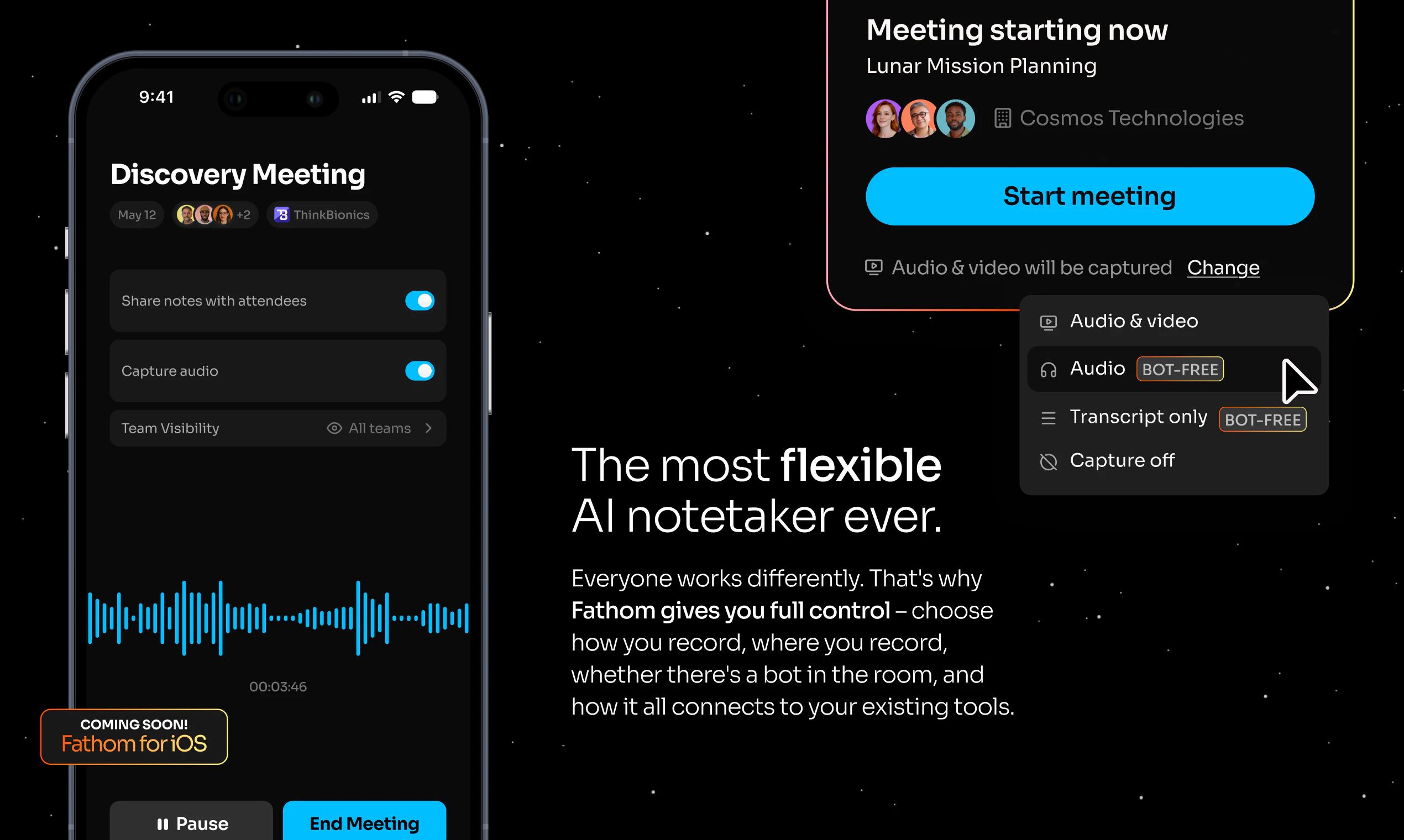
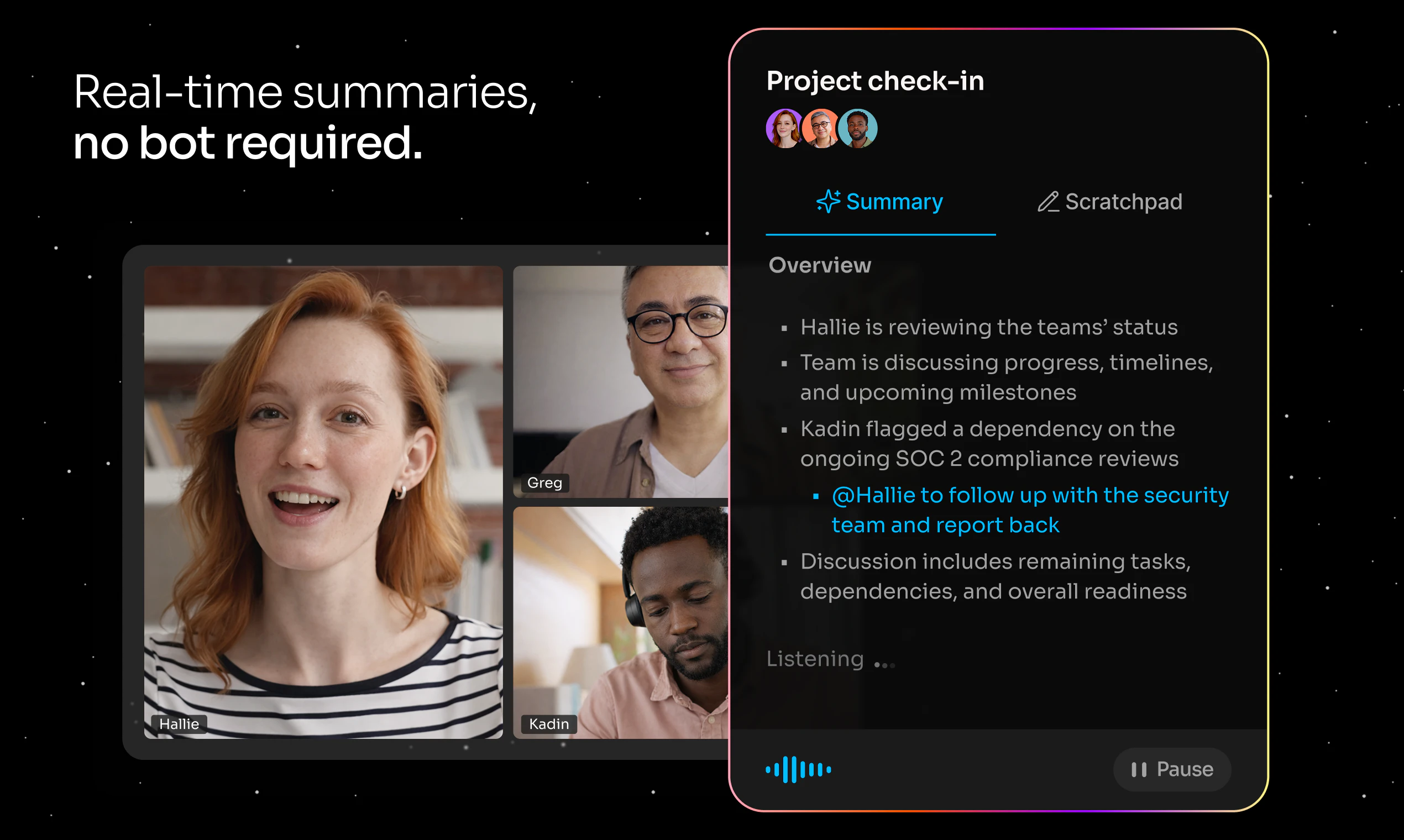
查看原始信息
Collabute
Collabute is a proactive AI teammate for product teams. It captures context from your meetings, Slack conversations, and async discussions — then turns them into structured tickets, traced decisions, and real-time workflows. No manual effort, no switching tools. Most teams lose critical context between meetings, threads, and handoffs. Collabute fixes that by sitting inside your existing workflow and converting what your team says into what your team does.
Hey! We built Collabute because teams lose critical context between meetings, Slack, and tools — and nothing connects the dots automatically. Collabute sits inside your workflow, captures conversations, and turns them into tickets, decisions, and actions in real time. Would love your feedback!
1
回复

Nice, love it. From what team size do expect this to become valuable? We are currrently with 2, so dont see the use case right now.

0
回复

@wouter_rocchi Fair point. We typically see the most value starting around teams of 3–5, especially within larger organizations where context builds up quickly. That’s where we help offload that context and turn it into clear, actionable work.

0
回复

I co-founded Collabute after watching brilliant PMs spend half their week explaining decisions they'd already made to developers, to stakeholders, to themselves. That's not a productivity problem. That's a memory problem. We solved it.
We would appreciate all the support

0
回复