Product Hunt 每日热榜 2026-05-13

PH热榜 | 2026-05-13

#1
Memoket Gem
An AI wearable that remembers your conversations all day
364
一句话介绍:Memoket Gem是一款全天佩戴的AI穿戴设备,通过一键录音与云端分析,帮助忙碌的创始人和小企业主自动捕捉会议、通话、聊天中的关键信息,并转化为摘要、任务和笔记同步到常用工具,解决“说了就忘、信息分散”的痛点。
Productivity Wearables Artificial Intelligence
AI穿戴设备 智能录音 会议纪要 语音转文字 任务管理 工作流自动化 隐私保护 搜索增强 企业效率工具 记忆助手
用户评论摘要:用户主要关注:隐私与数据安全(如本地处理、加密、被动录音风险);设备形态(手环比项链/卡片更自然);信号 vs 噪音的识别机制;能否手动调优而非完全黑盒;印度等地区发货受限。正面反馈集中于对话转任务、跨时间上下文连接功能。
AI 锐评

Memoket Gem的“噱头”大于颠覆性。本质上,它还是一枚带麦克风的“录音笔+AI转写”硬件,核心卖点“全天记忆”依赖于用户主动按下按钮——这恰恰说明它离真正的“AI记忆”还有一步之遥。目前市面上已有类似形态产品(如Plover、Rewind.ai),而它的差异化在于“连接多段对话形成上下文”,而非单次记录。这个能力如果仅靠私有算法实现,在缺乏足够多用户对话数据训练前,效果大概率是“弱关联+伪洞察”。

团队背景确实加分——Anker等硬件老兵的进入,意味着品控、功耗和佩戴舒适度有基本保障。但硬件只是载体,真正的价值壁垒在于“数据闭环”:设备捕捉→AI提炼→同步到工具→后续任务触发。这个闭环一旦跑通,就能把用户从“手动整理”的苦活中解放出来,进而锁住用户。然而,目前仅靠50个免费名额的Beta测试,数据积累速度恐怕难以支撑其宣称的“跨时间上下文连接”。

隐私策略是最大的地雷。“一键录音+红色LED”看似坦诚,但在商务场景中,对方知情是否会天然改变沟通内容?一旦出现泄密纠纷,品牌信任将瞬间崩塌。此外,用户关于“信号 vs 噪音”的追问恰恰暴露了AI的黑箱问题——用户只能被动接受摘要,无法精准调教其“听力”偏好。这会导致长期使用中,用户认知成本反而增加。

一句话总结:思路正确,执行存疑。它可能是创始人忘事的“创可贴”,但想成为AI工作流的“底层系统”,还需要更多真实用例和透明化能力背书。

查看原始信息
Memoket Gem
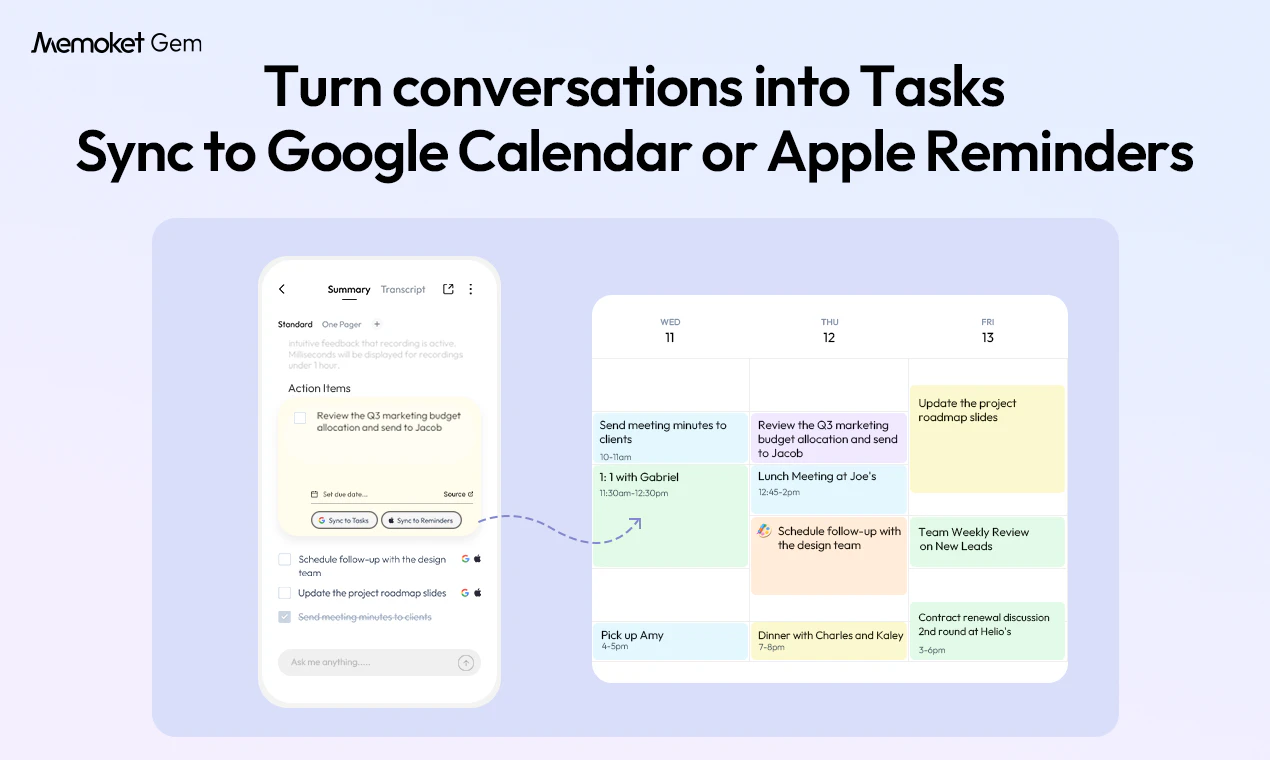
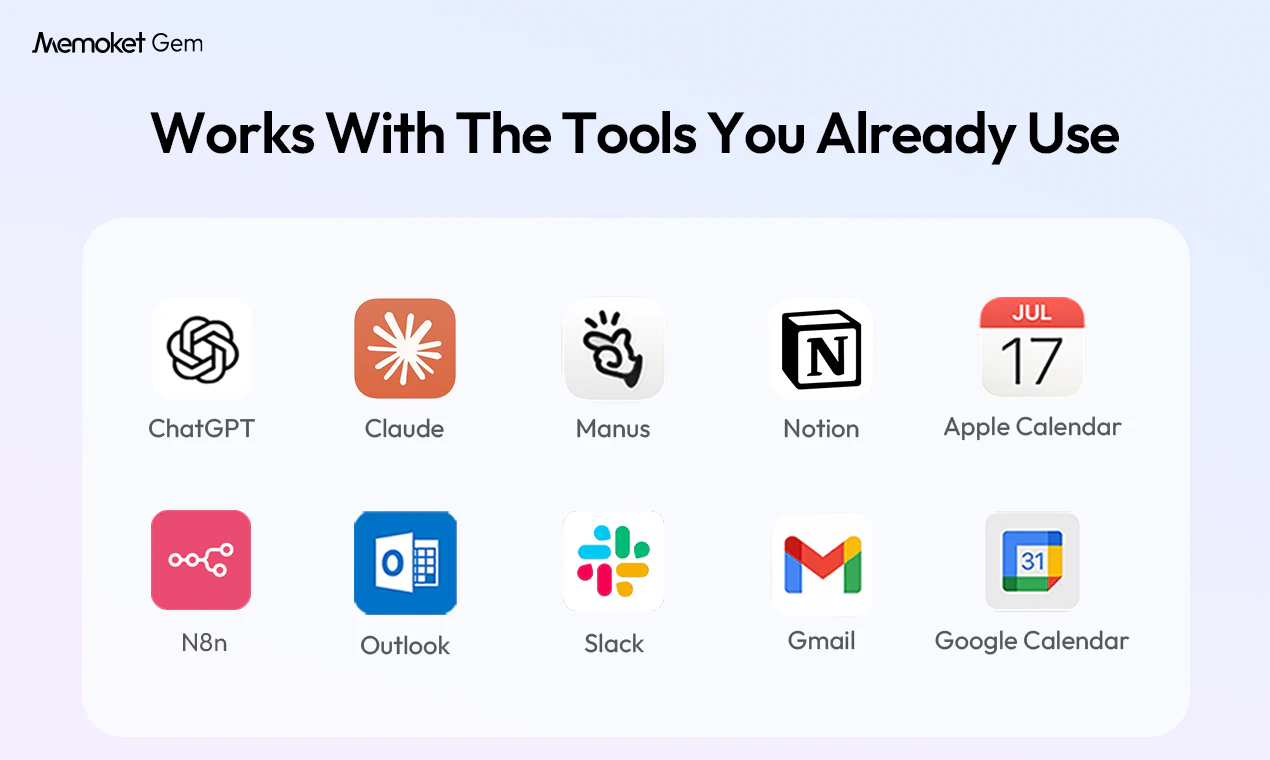
We’re opening 50 free spots for our Founding Member Program for founders, SMB owners who want to try Memoket Gem early. Memoket Gem is an all-day AI wearable that captures meetings, calls, coffee chats, and decisions on the go. It summarizes key moments, connects context across conversations, and turns them into tasks, notes, and follow-ups in the tools you already use. Join us and help shape the future of real-world AI memory.

Hey Product Hunt! 👋

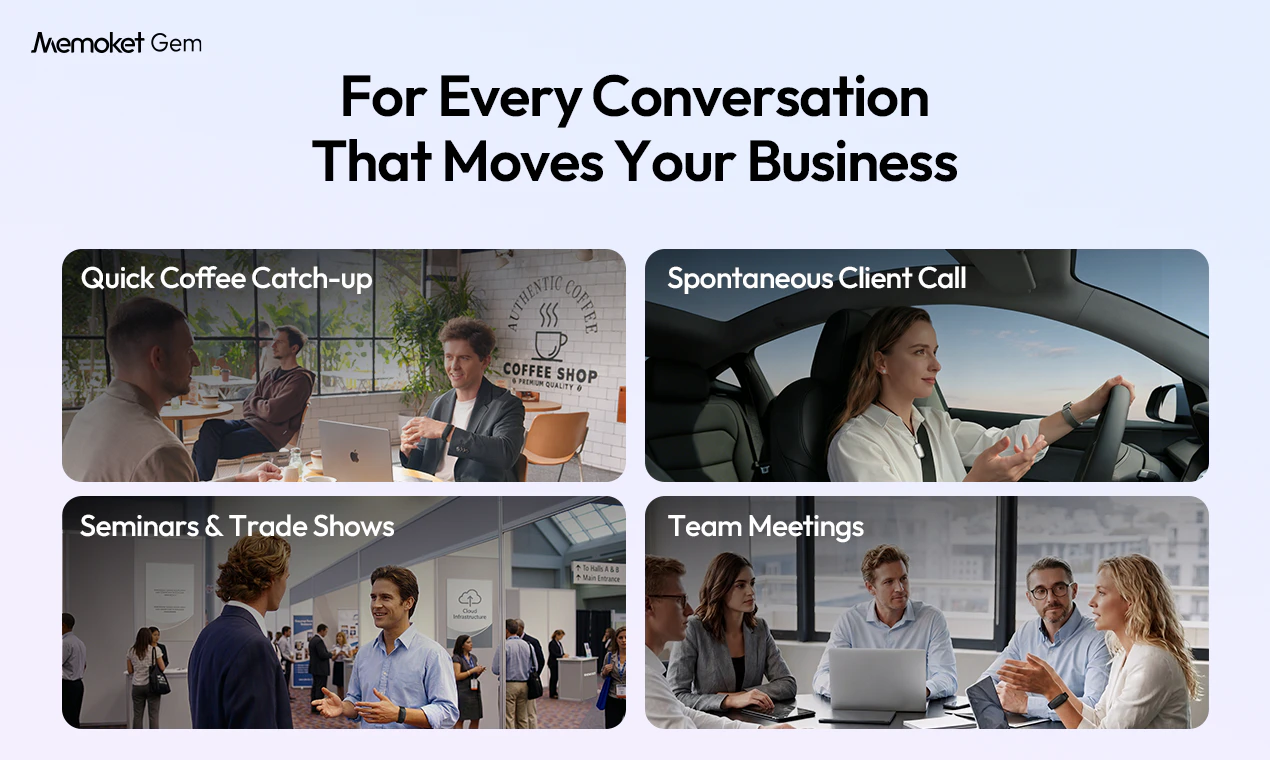
I’m Terrence, Co-Founder and CEO of Memoket. We built Memoket Gem for founders and SMB owners whose work happens through real-world conversations — meetings, client calls, coffee chats, trade shows, and quick decisions on the go.

As a founder myself, I kept running into the same problem: important details, follow-ups, customer insights, and decision context often got scattered across notes, stuck in my head, or lost completely. That’s why we built Memoket Gem, an all-day AI wearable that captures business conversations, summarizes key moments, connects context across discussions, and turns them into tasks, notes, and follow-ups in the tools you already use.

A bit about who’s behind it: our team has 10+ years of consumer hardware experience, with members from Anker, Bosch, Siemens and Procter & Gamble. We’ve worked on consumer products used by millions of people around the world, and we’re bringing that real-world hardware experience into Memoket Gem. Memoket Gem is already beyond the concept stage. We have working samples and a group of beta testers helping us refine the product in real-world use. I’ve personally been using Memoket Gem for the past 4 months, and it has helped me reduce mental load, remember important details, and turn scattered conversations into action.


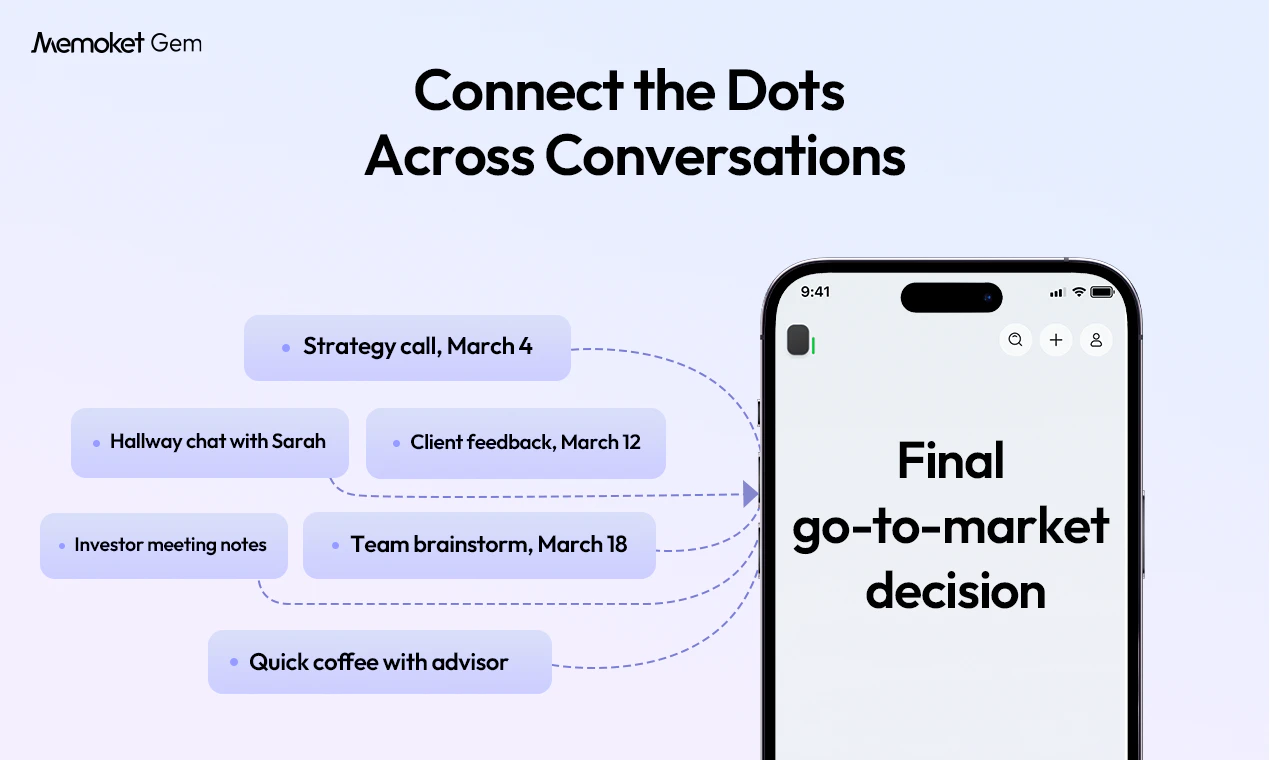
Our bigger vision is to build the off-screen context layer for AI, bringing real-world business context into AI workflows, not just what already lives in docs, emails, or chats.

We’re opening 50 free beta test slots(apply via the link below) founders, SMB owners who live in back-to-back conversations. Selected beta testers will receive a Memoket Gem valued at $199 for free, we only ask you to cover $5 shipping.

If that sounds like you, please check us out, apply to join the beta, and let us know:

  • Would you use an AI wearable for business conversations?

  • What real-world context do your current AI tools miss?

  • Which integrations would matter most to your workflow?

Thanks so much for checking us out — we’d love your thoughts, questions, and feedback! 🙏


https://memoket.ai/checkouts/cn/hWNBtSMOPDqHhsq2xghJWIrL/en-us?_r=AQABqhD_ltrZWXPxEJctoBUJIwLpLPex4oxdvRn1t4nfrMQ&preview_theme_id=182914744649&skip_shop_pay=true

21
回复

@terrence_wang1 with the explosion of so many pure software related tools, I sometimes forget how great a physical product can be. This is great, the use case is so clear. I think a lot of people will be updating their amazon wish lists. Congratulations on the launch!

0
回复

@terrence_wang1 This is really interesting 👀 turning real conversations into useful notes and actions is actually a big problem, especially for founders and small business owners.

I like the idea of reducing mental load and not losing track of things people say in meetings and calls. That’s where most tools still don’t fully help.

Curious how it works in real, fast conversations where things move quickly.
Wishing you a great launch 🚀

0
回复

@terrence_wang1 How does Memoket Gem handle on-device processing vs cloud for conversation capture to ensure privacy during sensitive client convos, and what end-to-end encryption does it use for summaries sent to tools like Notion/Slack?

0
回复

Congrats on the launch! 🎉 @alice_lee0917

I've been on the hunt for something like this for a while now. I've tried both the necklace and card versions, but neither really stuck — I'm just not someone who wears jewelry or wants to carry an extra card around. And reaching for my phone? That works, but it kind of defeats the purpose. Hoping Memoket Gem turns out to be the one that actually fits into how I live and work.

10
回复

@alice_lee0917  @genedai Thank you! And honestly, that's exactly the journey that led us to the wristband form factor. We looked at pendants, clips, cards, phone apps, and kept coming back to the same conclusion: if it's not something you already naturally wear, you'll eventually stop using it. A wristband just disappears into your day. You put it on in the morning and forget it's there until you need it. Really hope the Gem is the one that sticks for you. 🙏

3
回复

@alice_lee0917  @genedai Thanks so much, Gene! Really appreciate the support. That’s exactly the problem we’re trying to solve, something that fits naturally into your day without feeling like extra gear to manage. Excited to hear what you think once you try Memoket Gem!

4
回复

@alice_lee0917  @genedai Exactly! We wanted to build something that fits naturally into the routine without the user feeling he/she has to bring or wear something else. And using the phone is really not convenient especially when you are driving or on the go. Hope the Gem can really help people like us :)

3
回复

What I like about this team is they shipped the app first so you can actually experience the AI before the hardware even arrives. I've been testing it and the summaries and action items it pulls from conversations are surprisingly accurate. The Gem is going to take this to another level.

5
回复

@jocky Thank you so much for your support. Happy to hear that the app is not disappointing!

1
回复

@jocky Thanks so much for your support! It's great you have tried and liked the App! Hope you are using more features from the app and you can share with us your feedback or input anytime. We have a very active Discord and Slack community where early supporters give us very constructive ideas on a daily basis. Again thanks a lot for supporting Memoket!

4
回复

@jocky Really appreciate this, and thanks for testing it early! Shipping the app first was important to us because we wanted people to experience the core AI memory workflow before the hardware arrives-capturing conversations, extracting summaries and action items, and making them useful right away. Gem builds on that foundation by making the capture side even more effortless and always available. Thanks again for the support!

5
回复

Love the idea of an AI memory layer for real-world conversations. Feels especially useful for founders constantly jumping between meetings, calls, and coffee chats. How long have your beta users been wearing it daily?

4
回复

@alexia_li Thanks Alexia! Founders were definitely one of the core use cases we had in mind, especially those days packed with meetings, calls, and quick conversations in between. We’ve had beta users wearing it as part of their daily routine, and the strongest feedback so far is that it works best when it simply fades into the background and captures context as the day happens. Really appreciate the thoughtful question! 🙏

0
回复

@alexia_li Hi Alexia, we are just opening for beta users but the founding team have been trying it (the prototype) daily for over a month now. I myself wears it with my Apple Watch and it's really comfortable and convenient. Hope you guys find it useful like we do.

0
回复

@alexia_li 100%! Around here we joke that the only way to make us take the Gem off is by force. Even showers feel like we're missing context 😂

1
回复

This is interesting. I can see myself using it after customer calls or even casual chats with users. I usually write notes later and forget half of what was said, so having something that captures the details and lets me review them later would be useful.

3
回复

@ann_y1 Thanks, Ann! That’s exactly the kind of use case we had in mind. Customer calls and casual user chats often contain the most useful details, but they’re easy to lose if you write notes later. Gem is meant to help you capture those moments intentionally and review the key takeaways when you need them.

1
回复

@ann_y1 The "write notes later and forget half of it" struggle is so real. That's exactly what got us building this in the first place. If you end up trying the app, we'd love to hear how it fits into your workflow. Thanks for checking us out!

0
回复

One press to capture vs always-on is a design decision that defines the whole trust model here. If it's intentional capture, the accuracy of what you chose to record matters. If it moves toward passive, the data pipeline becomes a liability — every ambient conversation is now a structured asset sitting somewhere. Would love to know where the transcription actually runs: on-device, on-phone, or server-side. That alone changes whether this can be used in any professional or enterprise setting.

3
回复

@abhay_agarwal5 Great point, we agree that intentional capture vs. always-on passive recording is a core trust design choice.

Gem is designed around intentional capture: recordings are first stored locally on the device, then transferred to the app via Bluetooth or Wi‑Fi and stored on the phone. When users choose to generate transcripts, summaries, or action items, the relevant data is uploaded to AWS for server-side processing, with encryption in transit and storage.

We’re currently a consumer-facing product in beta, and we know professional / enterprise use cases come with a much higher bar around security, compliance, and data governance. Those requirements can vary a lot by company, and we’d be happy to keep learning from teams like yours as we evolve.

1
回复

@abhay_agarwal5 Really thoughtful question, Abhay. And like Terrence said, intentional capture is a core principle for us, not just a feature toggle. We made that choice early because we believe the product only works if people trust it.

On the enterprise side, we hear you. We're learning a lot from conversations like this about what professional teams actually need. If you're working in a setting with specific compliance requirements, we'd love to hear more. That kind of input shapes what we build next.

0
回复

Curious how Gem decides what's signal vs noise in those drift-y moments, is that something the user gets to tune, or more "it learns you over time"?

3
回复

@othman_katim Great question, Othman. It’s a bit of both: Gem uses our own algorithm to identify what seems important, useful, or actionable in a conversation, and users can also guide it over time. For example, if a client mentions a follow-up, a timeline change, or a key decision, Gem is designed to surface that as a key point or insight rather than treating the whole conversation equally. The goal isn’t to capture everything, it’s to help the moments that matter flow into your workflow with less effort.

3
回复

Just seeing ex-anker makes me want to buy it immediately.

How is the management of privacy? Are my billionaire ideas and BBQ grocery list be used for training and tailor ads?

I would ideally want it on 100%.

3
回复

@victor_maximo_arredondo_solis Haha appreciate the trust 🙏 The Anker DNA runs deep in this team.

To your question, your billionaire ideas and BBQ grocery list are safe with us. Recordings live in your account, accessible only by you, and you control who sees what.

A few more things baked in by design:

  1. Gem is not always-on. Recording starts with a deliberate press, so you're the one deciding what gets captured (and what stays in your head until the billionaire idea is fully baked 😄).

  2. There's a clear red LED on the side of Gem that lights up whenever it's recording, visible to everyone in the room. No hidden recordings, no surprises.

We follow local consent laws as the baseline and encourage users to inform participants. Privacy by design, not by policy.

So yes, feel free to plot your empire and your weekend cookout. Memoket will remember the context, but only for you 😄

6
回复

As someone who juggles multiple projects, family, and calls every day, this is exactly what I needed. The conversation-to-task feature alone is worth it.

3
回复

@zhengyang_hou Thanks Zhengyang! That means a lot. We’ve heard this from quite a few busy users, the magic isn’t just capturing conversations, but helping turn them into clear next steps before things slip through the cracks. Really appreciate the support!

1
回复

@zhengyang_hou The juggle is real! And yeah, conversation-to-task has been a game changer for us internally too. So much gets decided in a quick call that never makes it into a to-do list. Now it just does. Thanks for the support! 🙏

0
回复

@zhengyang_hou Thank you for your support! Oh yeah, you can sync the tasks directly to your Google Calendar and Apple. Reminders, which is actually one of the favorite features from our early supports in the community. You've truly discovered a hidden "gem" ;)

1
回复

This is one of those products where once you start using it, you can't imagine going back. The gap between what you discuss and what your tools know is real...Gem closes it.

3
回复

@wenjun_shi That's exactly how we feel too! Once you stop re-explaining everything to your AI tools, you realize how much time and mental energy was going into that gap. Thanks so much for the support 🙏

0
回复

@wenjun_shi Thank you Wenjun! Yes the gap between what you discuss and what your tool knows is exactly what we want to bridge with the Memoket Gem! We hope it will be helping more people like us.

1
回复

@wenjun_shi Thanks so much, Wenjun! You put it really well, that gap is exactly what we’re focused on. So much valuable context is created in the moment, and our goal is to make it flow naturally into the tools and workflows people already use. Really appreciate the support! 🙏

1
回复

The interesting part to me is less the recording itself and more the “connecting conversations over time” idea.

Feels like that’s the part current AI note tools still miss. Congats on the launch guys!

2
回复

@campritchard Thanks Cam, really appreciate this! That’s exactly the part we’re most excited about too.

Recording is only the starting point. The real value is helping people connect context across conversations over time, so useful details don’t get lost between meetings, chats, and ideas.

Thanks for the support!

2
回复

@campritchard You nailed it, Cam. Recording is table stakes at this point. The real magic is when you can look back and see how a project or relationship evolved across multiple conversations without having to piece it together from memory. That's the part we're obsessing over. Thanks for the support!

1
回复

curious what would you want your AI memory to remember for you ?

2
回复

@bruce_warren Thanks for the great question!

The honest answer: AI tools are only as smart as the context you feed them. Right now, that context lives mostly in our heads or in scattered notes. Every time founders, SMB owners, knowledge workers, or anyone wanting to use ChatGPT, Claude, or any AI tool to help with real work (make a document, help develop a product launch plan, etc), they have to retype, retell, and re-explain what's actually happening in their business and lives. The strategy call from yesterday. The client objection from last week. The hallway decision that changed the roadmap. None of that is in your AI's memory by default.

So the question isn't really "what should AI remember." It's "what context do you keep having to feed AI from scratch?"

For us, the answer is: the conversations that actually drive decisions. Client calls. Customer feedback. Hiring interviews. Quick coffee chats with co-founders. Investor follow-ups. These are the moments where the real signal lives, and they're the moments AI is currently blind to.

That's what Memoket Gem is built to remember. Not everything you ever say. Just the conversations that matter to running your work, captured intentionally with a single press and connected over time, so your AI tools finally have the full picture instead of just the version you can type out from memory.

1
回复

Hi, I’m a UI/UX design studio founder based in India and I’d love to try Memoket Gem as part of your Founding Member / beta program.

However, I noticed that India is not available as a delivery option on the checkout page.

Is there any way I can still opt in-perhaps via an alternative shipping method, a waitlist for India, or at least access to the app while the hardware isn’t shipping here yet?

Would really appreciate any workaround you can offer.

2
回复

@worklab Thanks for the interest and sorry about the shipping limitation! We're working on expanding to more regions but India isn't available just yet.

Here's what we can do: shoot us an email at hello@memoket.ai and we'll figure something out together. We want to make it work for people who are genuinely excited about the product.

In the meantime, you can already start using the Memoket app to capture and process your conversations:

0
回复

Congrats on the launch! Very exciting!

2
回复

@em_ebert Thank you for your support today!

1
回复

@em_ebert Thanks for supporting Eric!

1
回复

@em_ebert Thank you very much for the support!

2
回复

@alice_lee0917 @terrence_wang1 @edo_campos Congratulations guys on the launch! 🎉Really interesting vision for real-world AI memory. Curious, how are you handling privacy and consent when conversations involve multiple people in meetings or public settings? Also, what makes Memoket Gem different from existing AI wearables in terms of long-term memory/context retention?

2
回复

@hmadhsan Thanks so much, really appreciate the kind words! 🙏 Two great questions, so let me take them one at a time: On privacy and consent: This is the question we take most seriously. A few things baked into how Memoket works: First, Recording starts with a deliberate press. You decide what's worth capturing, not the device. That intentionality matters, because it puts the user (not an algorithm) in control of every recording session. Second, a clear red LED on the side of Gem lights up whenever it's recording, visible to everyone in the room. There's no hiding it. We deliberately designed it so that anyone around can see when Memoket is active, which makes the consent conversation easier and more honest. Third, we follow local consent laws as the baseline, and we strongly encourage users to inform participants when recording. Your data is yours, recordings live in your account, accessible only by you, with permission-based controls. We know the wearable AI category has had some justified scrutiny on privacy. We want Memoket to be the example of how to do this right. Privacy by design, not by policy. On long-term memory and context retention vs. other AI wearables: Most AI wearables in the market do one thing: capture audio, generate a transcript, maybe a summary, and stop there. Memory ends at the meeting boundary. Memoket Gem is built differently. After capture, the device compiles and connects information across every conversation you've had — over days, weeks, months. So: A week of customer calls becomes a single brief on what your team should fix. Three weeks of candidate interviews become a side-by-side hiring decision. A month of partnership negotiations becomes a clear timeline of what was promised, by whom, and when. We call this the context layer — your conversations stop being scattered transcripts and start being living, structured context that you (and your AI tools like ChatGPT, Slack, Notion) can actually use. That's the real difference. We're not a note-taker. We're the bridge between your real world and your AI. Thanks again for being here on launch day 🙏

4
回复

As someone who runs a construction business all over the state, my days are basically back-to-back conversations, client calls, team check-ins, supplier negotiations, investor updates. By the end of the day I have a notebook (yes, still old-school) full of half-legible scribbles and a head full of things I'm pretty sure I'm forgetting. I started using the Memoket app a couple of weeks ago and the difference is real. After a client call, I can pull up exactly what was discussed and turn it into action items in minutes. No more 'wait, what did they say about the timeline?' moments. If you're anyone who talks to people for a living and then needs to act on those conversations, this is worth checking out. Can't wait to put my hands on the Gem.

2
回复

@xfei Thank you so much for your support! Glad you liked the Memoket App. And yes, the Memoket Gem will make a lot of difference! I've been wearing it everyday myself. We'll ship out the beta prototype as soon as possible :)

1
回复

@xfei That notebook has served you well. Time to let it rest in peace 📓🪦 Seriously though, construction is the perfect use case. Back-to-back site visits, client calls, supplier negotiations... that's a LOT of context to keep in your head. Memoket's got your back now. Thanks for the support!

0
回复

@xfei This is such a great real-world example! Construction is exactly the kind of environment where details move fast and context gets scattered across calls, site visits, and follow-ups. Really appreciate you sharing how you’ve been using the app already. Can’t wait for you to try Gem in an even more hands-free workflow!

1
回复

Congrats on the launch! Memoket Gem looks very functional and innovative, it's something that can really help SMB owners with their daily routines.

2
回复

@libin_yao Thank you! SMB owners are exactly who we had in mind when building this. When you're wearing every hat and running from one conversation to the next, the details that slip through the cracks are the ones that cost you. Appreciate the support!

0
回复

@libin_yao Thanks a lot Tina. Indeed a lot of our early supporters are SMB owners and founders, having to have a lot of meetings on the go and making lots of decisions between conversations as well. We truly hope Memoket Gem will help build the context for them so that they can focus on what matters and have piece of mind at the end of a busy day. Thanks again for your support!

1
回复

wow... this is something that I was looking for. But, the only concern for me is... i need to wear this instead of Apple Watch.

1
回复

@henry_kwon1 Good news, Henry! We actually designed a strap specifically for this. It holds the Gem right underneath your Apple Watch, so you wear both on the same wrist. No need to choose. We heard this concern early on and made sure Apple Watch users wouldn't have to compromise

0
回复

Congrats on the launch! I have been looking for wearable that will do this for me and be focused on recording. I currently use my Apple Watch with Wispr Flow in order to achieve this, but it is not as elegant as I would like. I’m excited to see how this compares as I am a heavy user.

1
回复

@jesse_harper1 Thanks Jesse! Love that you're already doing this with your Apple Watch. The fact that you built a workaround tells us the need is real. We designed the Gem specifically for this, so everything from the hardware to the app is built around capturing and making sense of conversations. Would love to hear how it stacks up for a heavy user like you. That's exactly the kind of feedback that helps us get better.m

0
回复

The "remembers all day" promise is compelling but raises a real question how does it handle conversations you don't want remembered? Is there an easy way to pause or delete specific recordings?

1
回复

@imad_elkhafi Hi there thanks a lot for your question! Firstly, the user will decide when Memoket Gem starts and stops recording by pressing on the button on the Gem. Among our early beta users, a typical use case would be the user pressing the button to start recording when a conversation or meeting starts, and ends it when the meeting ends. If you do want the Memoket Gem to stay on, the transcript and summaries will provide clear outlines of each discussion topic so you know what's going on throughout the recording. Deleting a certain recording is very easy to operate on the Memoket App. We are still discussing on the "pause" feature and will keep our users updated before mass production takes place.

Thanks again for asking these great questions and for supporting Memoket!

0
回复

Congrats on the launch, and an intriguing solution to AI Wearables! I'm curious about the APP that Memoket has to process the recording the gem generates. Do I just need to make a one-time payment for the APP along with the hardware, or will there be subscriptions?

1
回复

@jinhao_bai2 Hi Jinhao. Thanks for supporting Memoket! Currently the Memoket App is free to download and use. We would like to get early feedback from real users so we can improve the app user experience and features before we launch. Please feel free to download the app from the Apple Store or from Google Play. When the Memoket Gem is launched, it will be used alongside the app. We are still finalizing the commercial plans and will keep our users updated via our official newsletter. Please feel free to check our website and sign up to our newsletter here: memoket.ai.

0
回复

What's the battery life?

1
回复

@chloesamaha hi Chloe, the Memoket Gem is designed to record 20 hours continuously. In fact we are working towards 24 hours as we speak :) If you are not a heavy user and just record 3-4 hours a day, it should last you a whole week. Hope this answers your question and let us know if you need any other information. Thanks for supporting Memoket!

1
回复

The passive capture angle is the part that actually changes behavior — most people won't stop a conversation to take notes, but they would review a summary afterward. Curious how the privacy side works when you're in a meeting with others who haven't opted in. Is there any disclosure mechanism built in?

1
回复

@zrimko Great question, Zrimko. First, quick clarification: the Gem isn't passive capture. You actively press it when you want to record, so you're always in control of when it's on.

On the disclosure side, the Gem has a visible red LED that lights up whenever it's recording. It's intentionally obvious so everyone around you can see it's active. We wanted to make transparency a hardware feature, not just a setting buried in the app.

Appreciate you raising this, it's one of the most important parts of getting this right.

0
回复

This feels useful for business owners like me. A lot of work happens outside formal meetings — supplier calls, customer chats, quick team discussions, random ideas. Having those captured and turned into tasks could make the day feel less scattered. When can I buy one?

1
回复

@phoenixhu You just described our exact target user! Supplier calls, customer chats, quick team check-ins... that's where the important stuff happens and where it usually gets lost.

The Good news: today's your day. We opened 50 Founding Member spots for our Product Hunt launch. You get a Gem for free, just cover $5 for shipping. Spots are going fast though, so grab one while they're still open! You can sign up here: https://memoket.ai/pages/product-hunt

1
回复

Huge congrats on the launch! 🚀

Working in the marketing tech space, my day is a constant blur of desk work and spontaneous IRL syncs, so the flexibility of this form factor (especially the wristband) is definitely more appealing than awkwardly pulling out my phone.

I am a bit curious though, since those random offline catch-ups often happen in noisy cafes, how well does the mic actually isolate voices from heavy background chatter? If the noise cancellation is solid, this could seriously streamline my daily workflow.

1
回复

@andika_fadhilah Thanks so much! Really appreciate the energy

Sounds like exactly the kind of workflow Memoket is built for: marketing tech, lots of IRL syncs, constant context switching between desk work and conversations. That's our people.

On the noise question, this is one of the things we've spent the most engineering time on. Memoket Gem has dual premium microphones with built-in noise reduction, designed specifically to pick up voices clearly in real-world environments.

We're actually putting this to the test right now. Over the past two weeks we've been using Memoket Gem at a few trade shows and events ourselves, and the results have been really encouraging. Still plenty to improve, but at this stage pickup is reliable and accurate even in pretty noisy spaces. Our beta testers have been giving us consistent feedback that the captures hold up in busy cafés and in meetings with 10+ people.

The combo of two sensitive directional mics plus our audio processing layer has been the difference. It's not magic (really loud spaces will always be a challenge) but for a typical café catch-up or hallway conversation, the captures come through clean enough that summaries and transcripts are accurate and realiable.

1
回复

Congrats team! The cross-conversation context is what stands out to me. A single meeting summary is helpful, but being able to connect multiple conversations over time and see how a project or decision evolved feels much more powerful. I can see this being useful for founders, sales teams, and product managers.

1
回复

@qiwap Thank you! You captured the idea really well. We think the real value goes beyond a single meeting summary, it’s about building a memory layer across conversations so teams can understand how a project, customer relationship, or decision evolved over time. That context is especially hard to reconstruct later, and exactly where we hope Gem can help founders, sales teams, and PMs stay aligned. Really appreciate the thoughtful comment!

1
回复

@qiwap Spot on, QIQI! That cross-conversation context is honestly what gets us most excited internally too. A single summary is useful, but when you can trace how a decision or a client relationship evolved across weeks of conversations, that's where it clicks. Glad that stood out to you.

1
回复

Congrats on the launch! I actually really like the idea of this being wearable. I’ve tried recording notes on my phone before, but I always forget to start it or it is interrupted by a phone call. This feels more natural.

1
回复

@linglistack For sure! That phone call interruption is SO relatable😅. We've all been there, mid-recording and then boom, someone calls and kills it. That's exactly why we went with a dedicated wearable. It does one job and nothing interrupts it.

0
回复

@linglistack Yes, exactly! Making it feel natural was a big part of the design goal. Pulling out a phone can add friction or change the flow of a conversation, while a wearable can quietly stay with you and help capture useful context in the moment. Thanks so much for sharing this!

1
回复

I need the always-on capture capability, but my wrist real estate is already taken. Have you considered a modular design or something that could attach to an existing watch strap?

1
回复

@emma_zhang5 Totally hear you! Wrist real estate is real. Gem is designed to co-wear with Apple Watch, so you don’t have to choose between them. It’s lightweight and meant to sit comfortably alongside your existing watch. That said, we’re also thinking about more flexible form factors over time, and a modular or strap-based design is a really interesting direction.

0
回复

Congrats on the launch. Sounds like a really cool product! I can imagine using it for all my meetings, including consumer research, team meetings, weekly reviews, etc. I think it will start writing my weekly review reports compiling data from my whole week's meetings. That would save me at least 2 hours every week!

1
回复

@janicelewis00 Thanks Janice! Indeed as a marketer I've used Memoket a lot for consumer research. It can give me a summary of what my users have told me across a whole week's interview sessions. Super convenient :)

0
回复

@janicelewis00 Exactly! That weekly roll-up use case is one we’re really excited about. A lot of valuable context gets spread across research calls, team meetings, and reviews, and Gem can help turn that into key points, patterns, and action items instead of making you rebuild everything manually at the end of the week. Saving those 2 hours is exactly the kind of outcome we’re aiming for. 🙌

1
回复

@janicelewis00 2 hours saved every week is 100+ hours a year, Janice. That's a lot of Fridays back! Thanks for the support!

0
回复

Happy launch! Sounds really interesting. Did you think about adding fitness overlay and make it a combo of fitness and business wearable? Otherwise many people would need to use two wearables.

1
回复

@davitausberlin Thanks Davit! 🙏 Great question and actually it's something we thought about a lot from day one. We don't have plans to add fitness tracking ourselves, mostly because we wanted to stay laser-focused on doing one thing really well: capturing context from conversations. That said, you don't actually have to choose between two wearables. We designed Memoket Gem with a custom Apple Watch co-wear band, so you can keep your Apple Watch (or any fitness tracker you already love) on the same wrist, and Memoket sits comfortably alongside it. One wrist, both jobs. The bigger philosophy: we don't want to replace what you already wear. We adapt to your life, not the other way around. More co-wear options for other wearables are on our roadmap 👀

2
回复

@davitausberlin Hey Davit! Like Terrence said, "one wrist, both jobs" is the philosophy. And honestly, we'd rather be the best at capturing conversations than a mediocre fitness tracker. Your Apple Watch already does that part way better than we ever could. We just want to sit next to it and handle the part it can't

0
回复
#2
Latitude for Claude Code
See where Claude Code burns tokens. Hit your limits less.
290
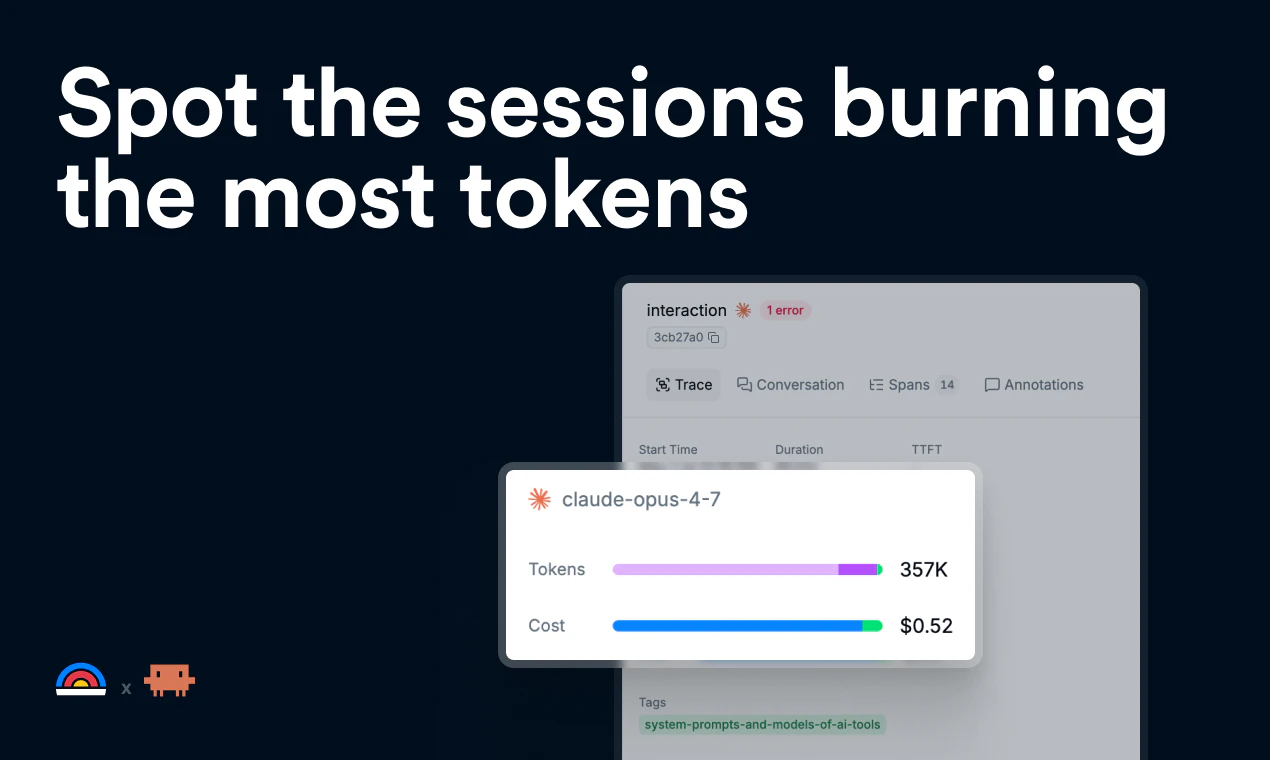
一句话介绍:Latitude for Claude Code 通过全链路追踪用户的每次会话,清晰展示系统提示、工具调用、子代理和每次交互的 token 消耗,帮助开发者避免意外撞上使用限额,实现精准的成本与性能监控。
Developer Tools
Claude Code 监控 token 追踪 会话分析 成本管理 开发工具 代理调试 自动故障检测 无侵入遥测 云端追踪 大模型应用
用户评论摘要:用户高度认可其解决 token 消耗不可见的痛点,并关注子代理和工具调用的细粒度成本归因、导出分析能力、对 Claude Team 与 API 的支持、遥测对性能的影响、自动报警机制以及敏感数据的传输安全性。
AI 锐评

这款产品精准切入了一个“刚需但常被忽视”的战场:大模型代理的“油耗”管理。在 Claude Code 这类高消耗、高复杂度的开发代理普及的当下,“钱烧在哪”是每个重度用户的暗痛。Latitude 的杀手锏并非单纯的仪表盘,而是“开箱即用的安装命令 + 全链路、异步零开销追踪 + 自动故障标记”,这直击了开发者在调试代理时“黑盒焦虑”的软肋。

然而,产品存在几个潜在风险。一是用户指出的安全问题:其通过修改 Bun 全局环境变量注入钩子,不仅显得工程粗糙,更可能被误读为“超范围监控”,尤其在合规敏感的企业环境中,数据路径的透明度会直接影响采用。二是功能深度的挑战:当前以“周报”和“自动标记”为主,但高级用户(如评论中提及的自定义仪表盘、实时告警、基于 ML 的失败模式识别)的需求正在浮现,若不能快速从“追踪工具”进化到“智能运维平台”,很容易被 Claude 原生功能或更成熟的 APM 工具降维打击。三是生态绑定风险,过度依赖单一模型生态,一旦 Claude 更新或推出类似竞品,护城河会被迅速侵蚀。

总体来看,Latitude 提供了当前最急需的“流量图”,但在企业级安全审计和深度分析链路上仍需补课。它更像一个优秀的补丁,而非一个可持久的平台。

查看原始信息
Latitude for Claude Code
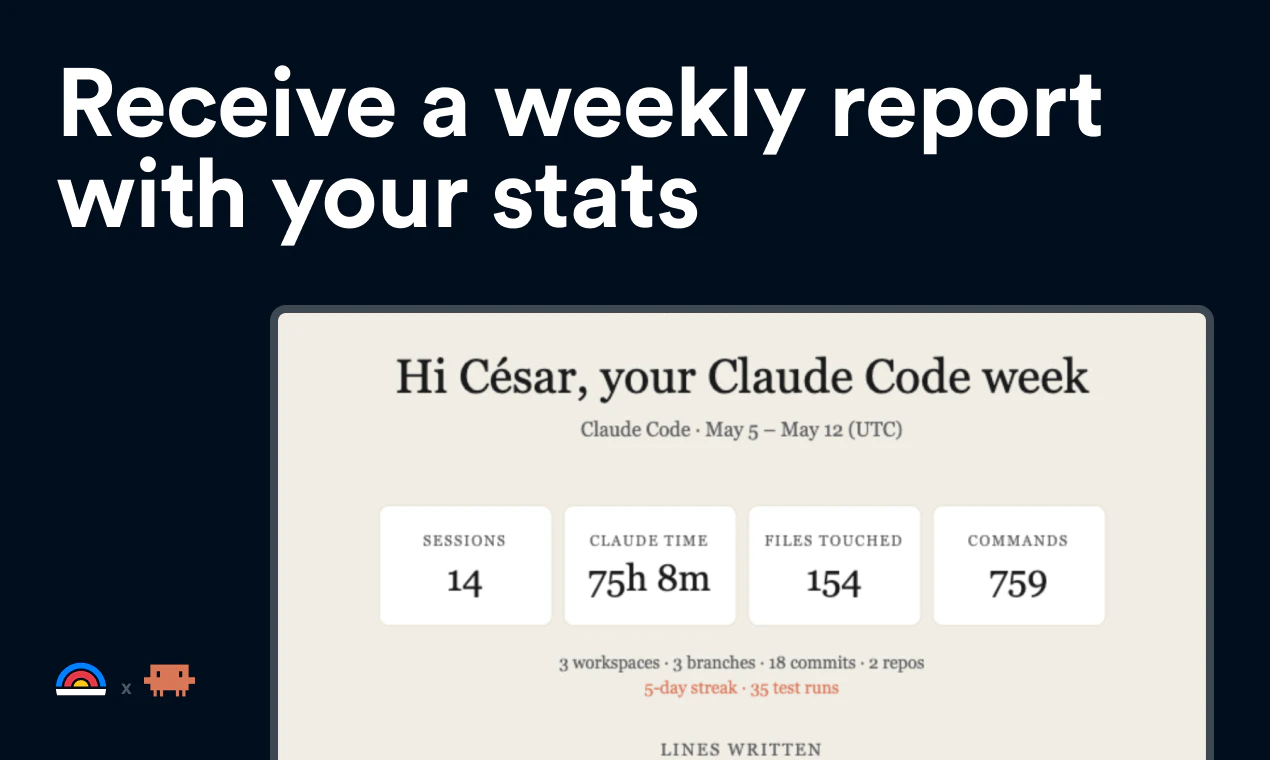
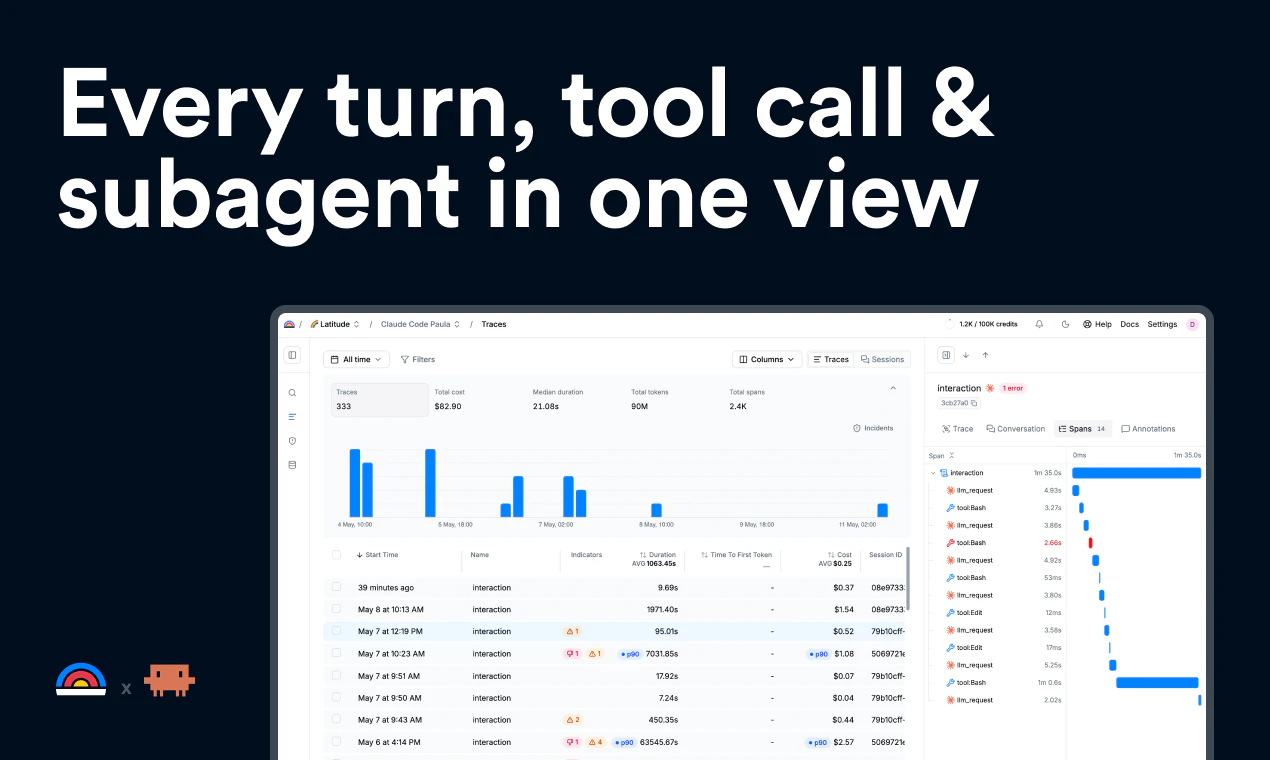
Trace every Claude Code session. See the full system prompt, every tool call, every subagent, and token cost per turn. One command to install, free, your traces stay in your account. Receive a weekly report with your stats.

Hey everyone,
It's Cesar, founder of Latitude.

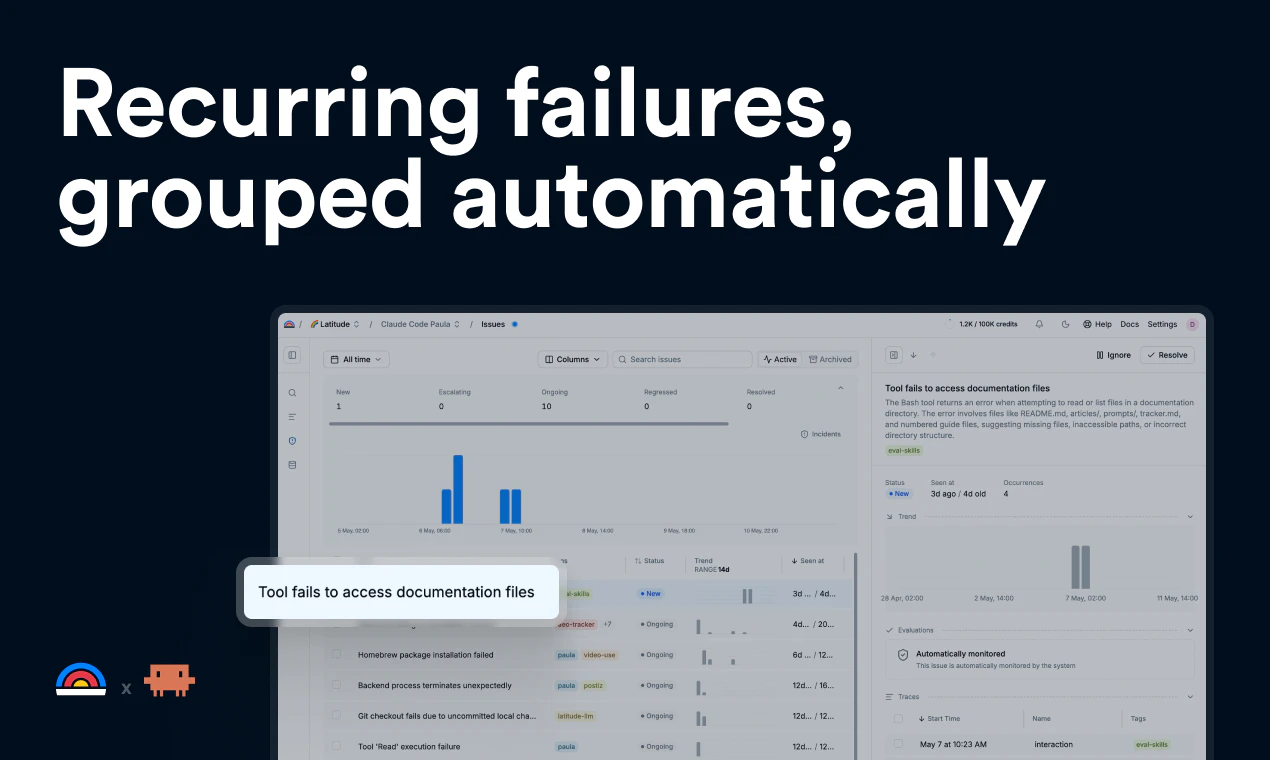
If you keep hitting your Claude Code limits faster than you'd expect, this shows you why. Full session trace: system prompt, every tool call, subagent spawns, per-turn token cost. You see where your context actually went and which actions burn the most.

Same thing works if you're using Claude Code as a harness for your own agent: track cost and latency per session, and get recurring failures auto-flagged across runs.

Install is one command:

npx -y @latitude-data/claude-code-telemetry install


It's free, traces stay in your Latitude account.

Happy to answer technical questions in the thread.

10
回复

@latitude  @heycesr Congrats. How does Latitude break down token costs across subagents and tool calls; e.g., does it attribute input/output separately per turn, and can it export traces for deeper analysis like custom dashboards?

0
回复

this is genuinely what we need, especially being able to spot which sessions burn way more tokens than others lol.

Does this support the Claude Team plan, or API-only for now?

5
回复

@nathan_tran2 both are supported!

0
回复

Oh man! Needed it. Claude is making me crazy, cause I never know where my tokens go. Thanks for helping on this and wish you all the best here!

4
回复
Does this work for Claude design? 😅
1
回复

- On macOS the installer writes

~/Library/LaunchAgents/so.latitude.claude-code-telemetry.plist which runs

launchctl setenv BUN_OPTIONS=--preload=... on every login. That sets

BUN_OPTIONS for every Bun process on your machine, not just claude — so any

other Bun-based tool you run will also load their preload shim. Wider blast

radius than "just Claude Code."

^^ Might be worthwhile reeling that in a bit. Every Bun process is a bit overreaching.

1
回复

@robert_douglass Thanks, taking a look asap

0
回复
@robert_douglass sounds like poor engineering or they want access to more than what is stated… shocker.
0
回复

Token-burn observability for Claude Code is the kind of thing you only think to build after you blow a session on a regex loop. Curious how you handle the per-tool breakdown when an agent calls bash ten times for the same file read. Is it parsed from stream events or from the response after the fact?

1
回复

congratulations, how much overhead does telemetry collection add to latency during active sessions?


1
回复

@olivia_bennett7 It adds no overhead at all. Telemetry data is sent asynchronously and adds no latency to runtime sessions.

0
回复

Does the recurring failure detection use heuristics, or are you applying some ML based pattern analysis?


1
回复
0
回复

Does it work for Claude Cowork projects? I mainly burn my limits on Cowork sessions.

1
回复

@michael_vavilov We only support Claude Code at the moment. But if you want to hit your limits less, I suggest you to try Claude Code. It's not that different from Cowork and it can do the same things without spending as many tokens.

1
回复

Tracking token burn across different workflows is always a headache, so this is super helpful. Quick question: is there a way to set up automated alerts if a specific subagent suddenly spikes in token usage, or is it strictly weekly reporting for now?

0
回复

This is solving a real problem. I run automated agents (social media engagement, security audits, competitor monitoring) and the hardest part isn't building them — it's knowing when they silently fail. I built a custom "doctor" module that diagnoses and self-heals agent errors, but a proper observability layer would have saved me weeks.

The "auto-generated evals from production failures" is the killer feature here. How granular is the token cost tracking per agent task?

0
回复

The captures locally framing caught my attention — curious how the telemetry hook actually intercepts Claude Code's runtime. Is it patching the Node.js fetch layer, or hooking at the MCP transport level? Asking because system prompts in Claude Code often contain sensitive workspace context (repo structure, file contents), so understanding the data path before it hits Latitude's servers matters a lot for teams in regulated environments.

0
回复
#3
CraftBot with Living UI
Grow your own software that is alive.
226
一句话介绍:AI解读失败
SaaS Artificial Intelligence GitHub Vibe coding
用户评论摘要:AI解读失败
AI 锐评

AI解读失败

查看原始信息
CraftBot with Living UI
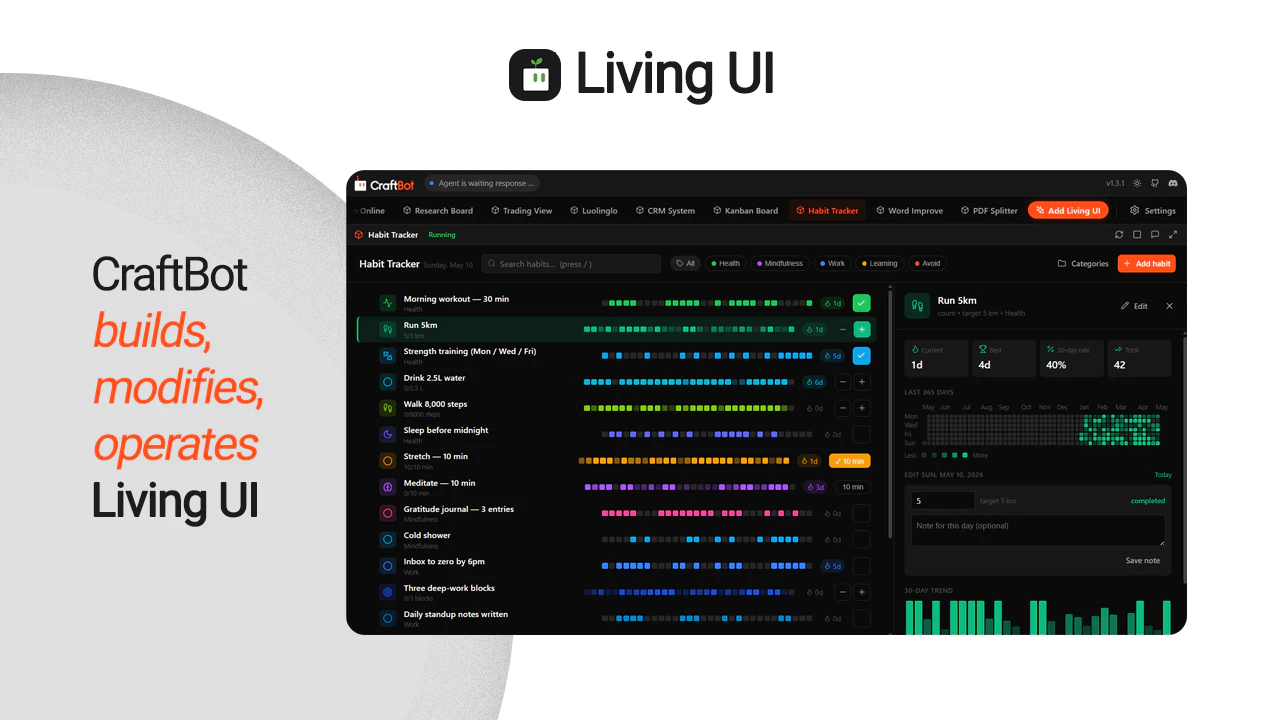
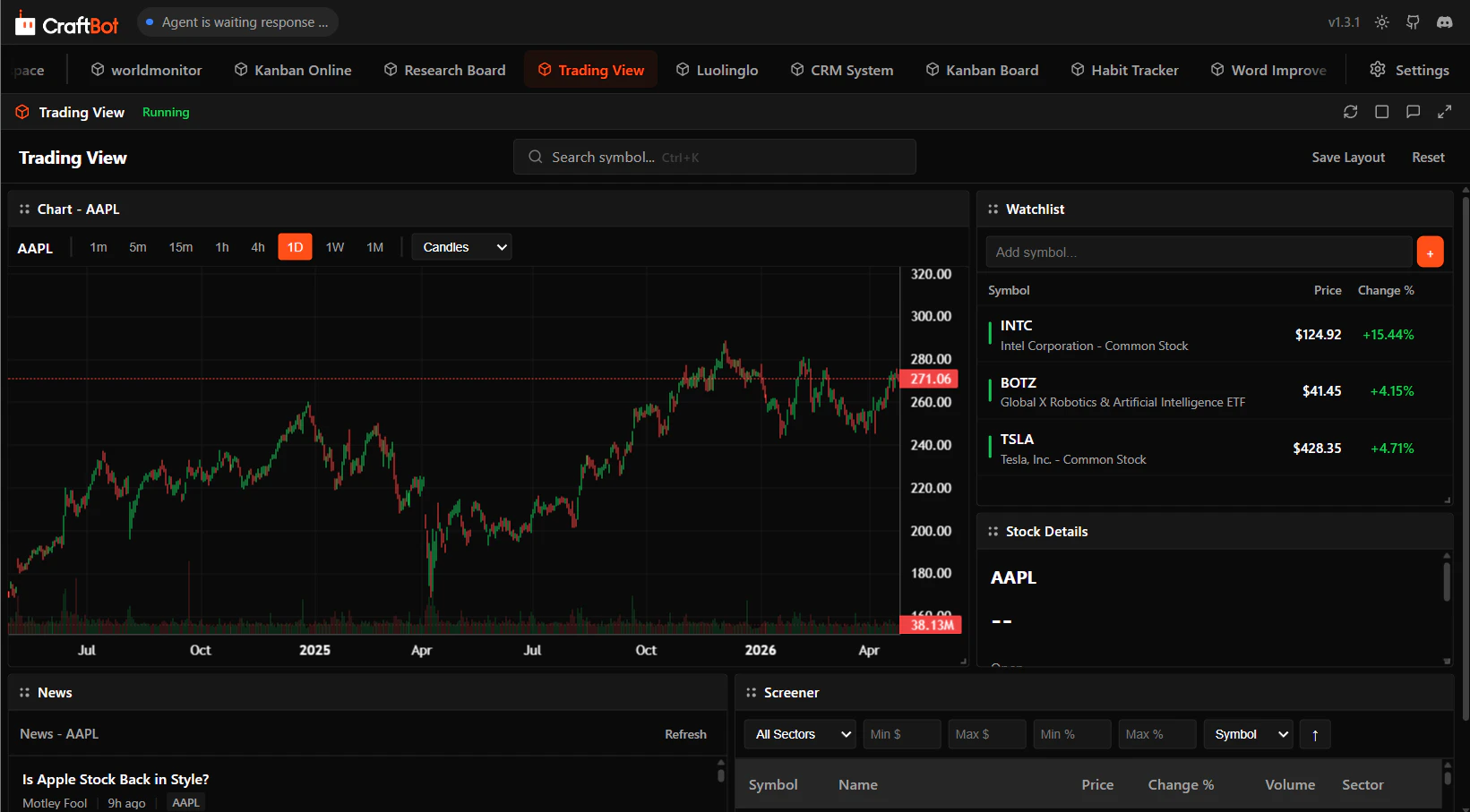
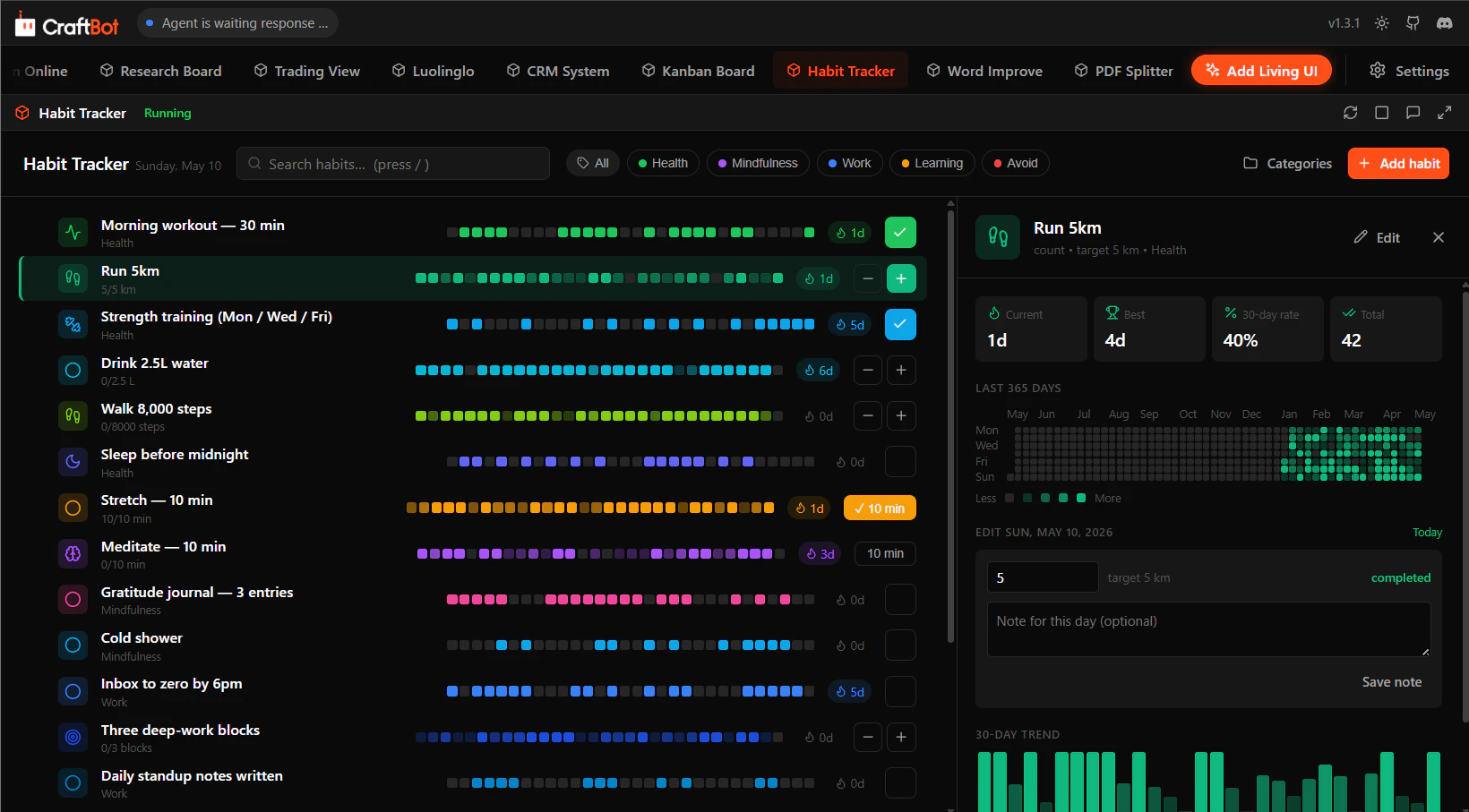
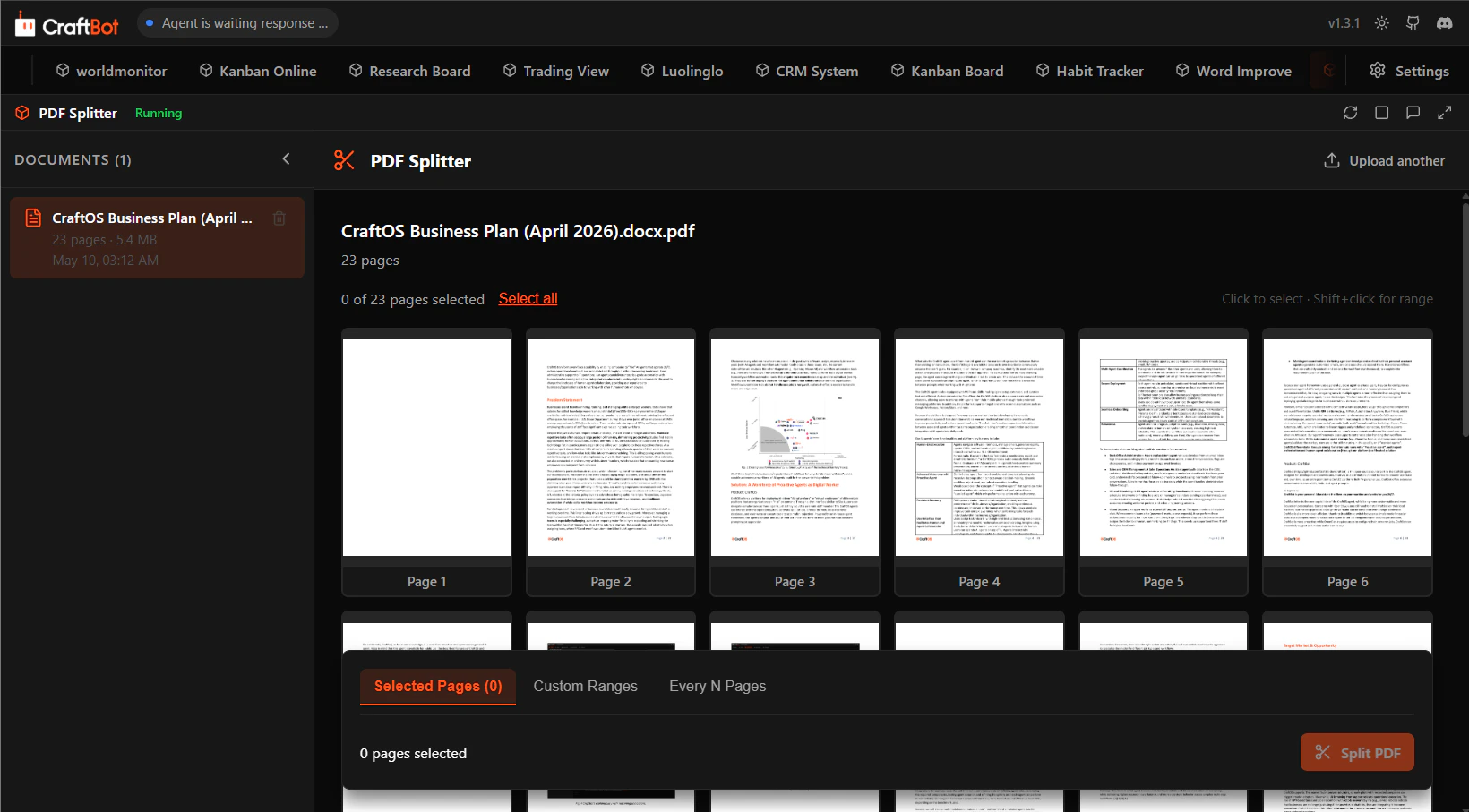
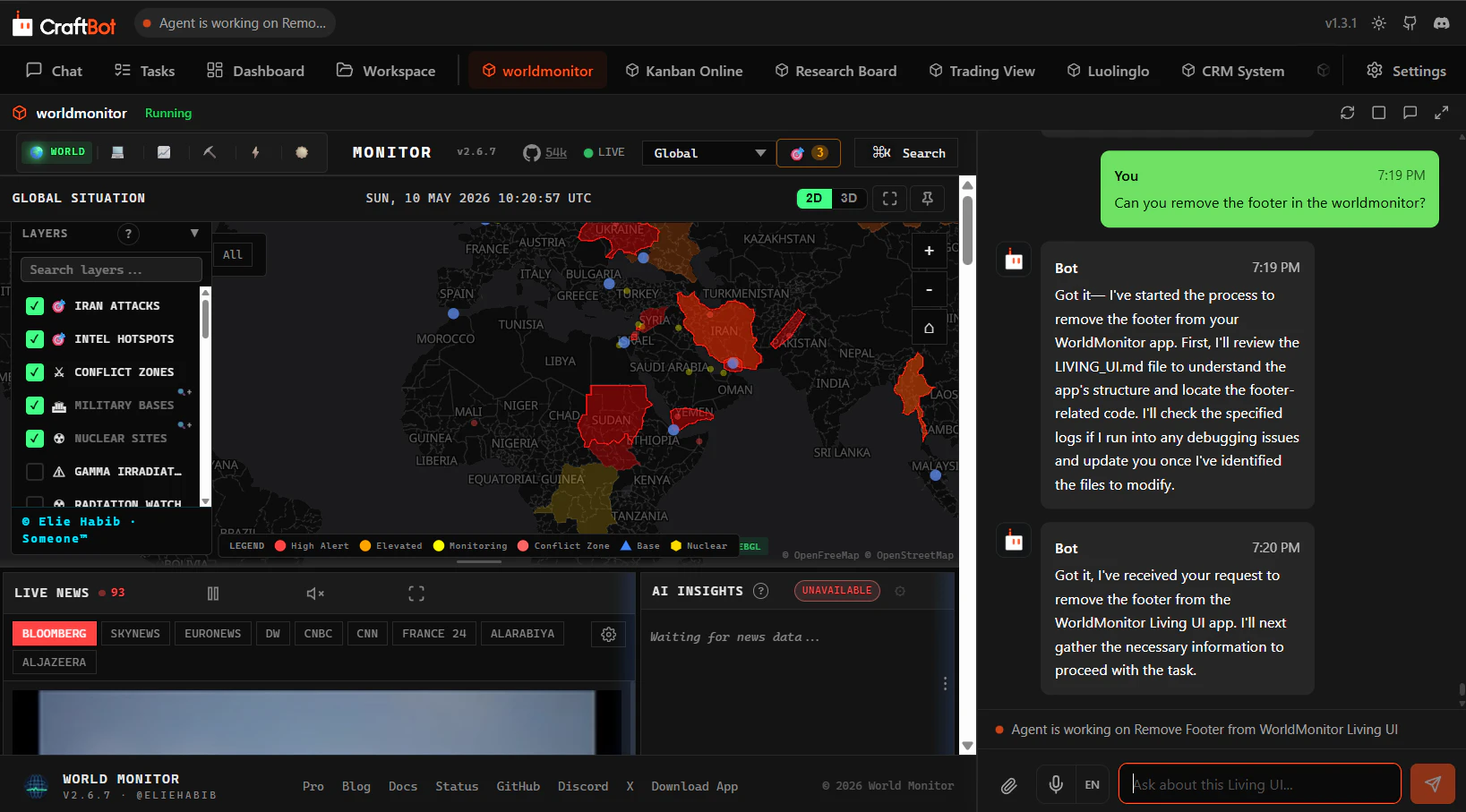
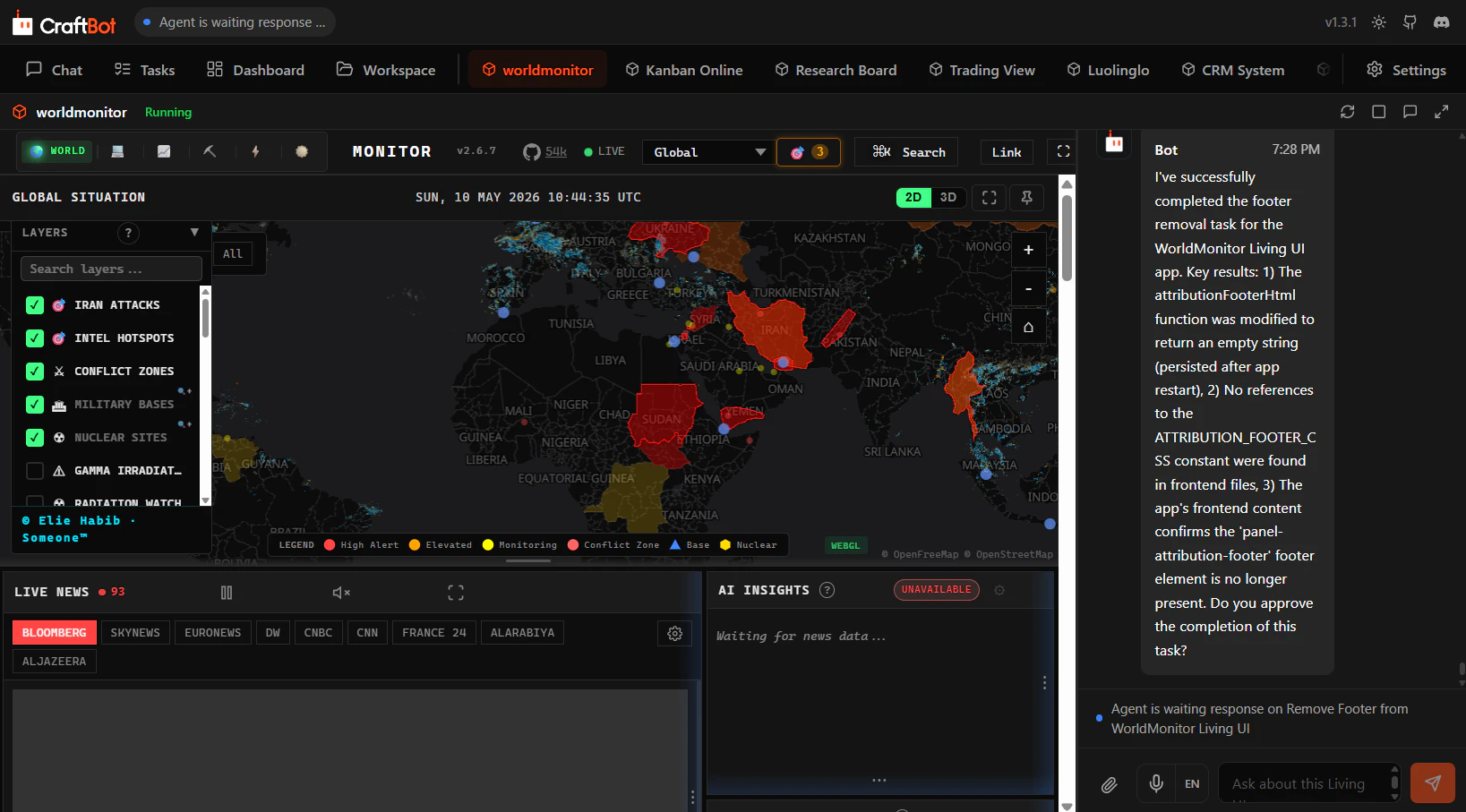
Living UI is a brand-new system that lets CraftBot (general AI agent) build, import, or evolve custom apps/dashboards that live inside CraftBot itself. The agent stays context-aware of the Living UI's state and can read, write, and act on its Living UI directly. A Living UI is never "finished". Ask CraftBot to add features or redesign a view as your needs grow. Living UI turns software from something users buy and adapt to into something CraftBot creates and adapts around them.

For context, CraftBot is a self-hosted, proactive AI agent that can control a PC and take actions for you.

Today, most software, dashboards, apps, and subscription tools are static. When you need a new feature, you email the developer. If you are lucky, it ships six months later. If not, you may never hear back.

Therefore, we are introducing a new concept: 🌱Living UI🌱.

Living UI lets CraftBot build, import, and evolve custom software, apps, and dashboards directly inside the agent. The best part is that CraftBot stays context-aware of the Living UI’s state. It can read, write, update, and act on the interface directly.

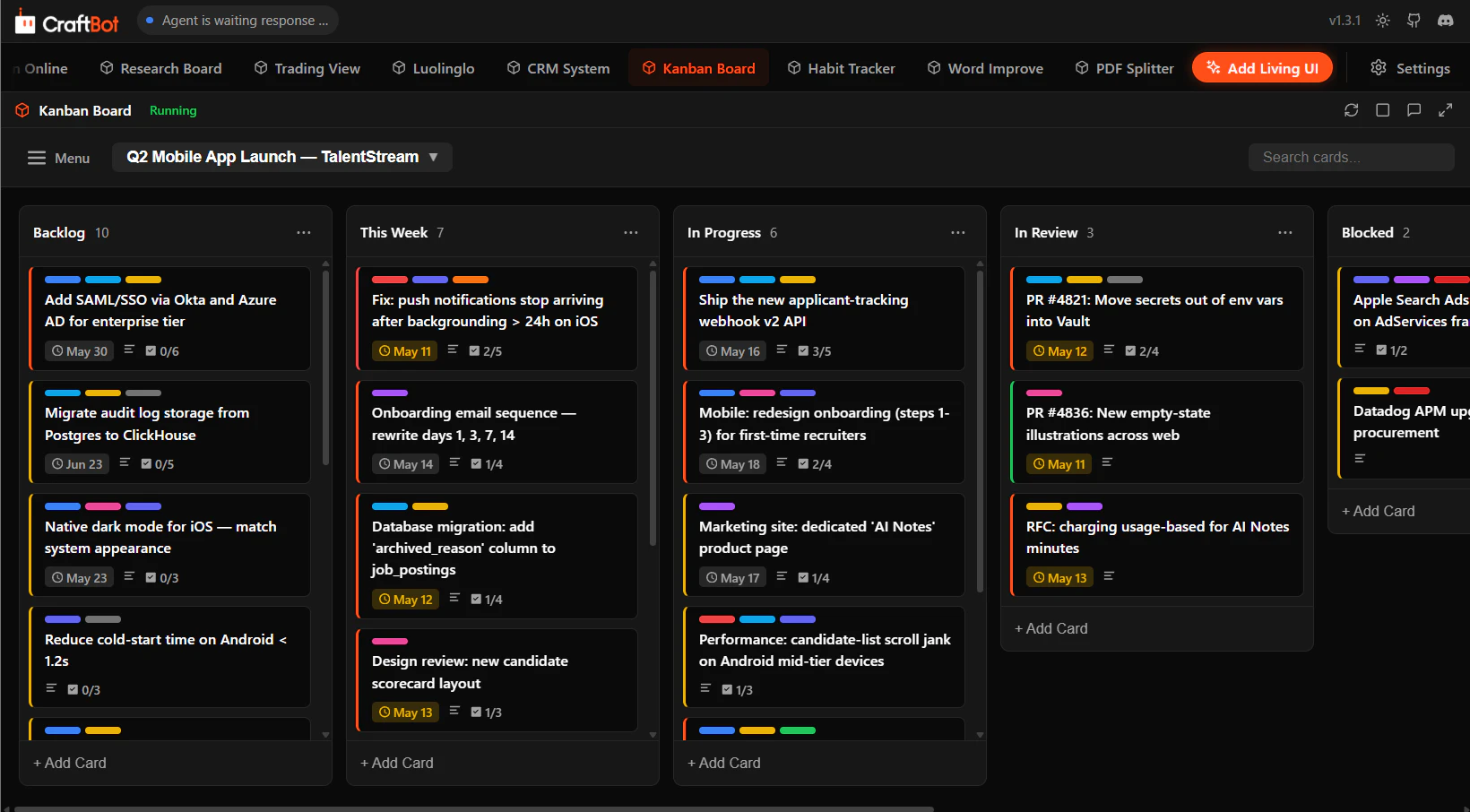
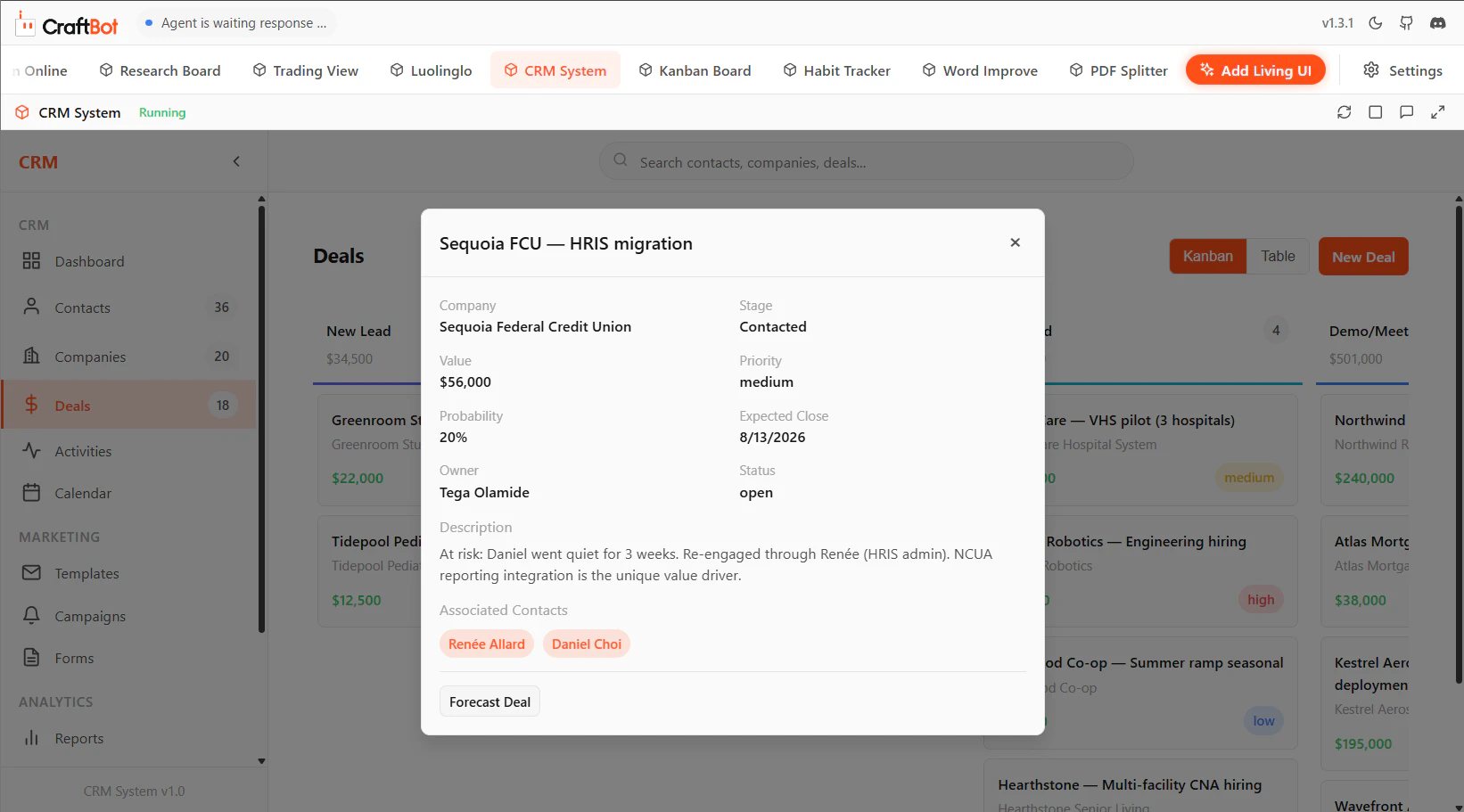
Need a Kanban board with a general AI agent built in?
A CRM tailored exactly to your workflow?
A company dashboard your agent can actually operate?

You can spin all of these up as a Living UI. There are three ways to create one.

1. Build from scratch. Just describe what you want, and CraftBot generates the backend, API, and UI, then iterates with you.
2. Install from the marketplace. Use ready-to-use apps built by the community.
3. Import your existing project or GitHub repo. CraftBot converts it into a Living UI and integrates itself into it.

A Living UI is never finished. You can always modify it by telling CraftBot as your needs evolve. So instead of static tools, you get software that grows with you.

Try CraftBot and Living UI today. Build and customize your own Living UI, and stop relying on subscription tools that were never built to fit your needs perfectly. 🟠🌱

14
回复

@tham_yikfoong what happens if local machine runs out of storage for logs/memory? does it have a way to auto-prune old events?

5
回复

@tham_yikfoong How does CraftBot ensure data privacy and state isolation when importing GitHub repos into Living UI; e.g., sandboxing mechanisms or LLM guardrails to prevent the agent from accidentally mutating sensitive codebases during iterative evolutions?

0
回复

The agent era is reshaping the interface.

TUI is one direction, and it makes more sense for devs. But I don’t think agents remove the need for UI. Visual interfaces are still one of the best ways to compress state, context, and actions into something humans can understand quickly.

@CraftBot’s Living UI pushes this in a useful direction. The interface is no longer a fixed app you buy and adapt to. It becomes something the agent can build, read, modify, and operate based on the current task.

This points to a different software shape: not one-size-fits-all dashboards, but interfaces generated around the immediate job, the user, and even the current moment.

For agents, UI may become less of a destination and more of a live surface for action.

9
回复

Looks amazing. How good is it with integrations? I am thinking about connecting it to some existing Notion databases to make use of it as internal dashboards.

6
回复

@nelson_milla Notion is a part of our existing external integrations. You can easily set it up using OAuth or creating your own notion app.

You can ask the agent to create a living UI connected to your Notion account and fetch data in real-time in order to keep the living UI and notion continuously in sync.

5
回复

Another impressive thing about Living UIs is that the agent can mix and match to perform complex tasks. For example, if you ask the agent to gather data from your CRM Living UI and Financial Tracker Living UI and then create a Ticket on your Kanban Living UI (which has user and role authentication built-in so your whole team can use it) - the agent will use all these separate Living UIs to perform the task.

So the Living UIs aren't only dashboards for you but they are extensive use-able tools for the agent as well.

5
回复

Most tools still force users to adapt to fixed interfaces and systems, but the idea of an AI agent staying true to context and evolving the UI as needs change feels much closer to how people naturally work. Really interesting direction.

5
回复

Wishing good luck with today's launch :)

4
回复

@busmark_w_nika Thanks Nika!

1
回复

quick question on the "Build from scratch" flow how does it handle complex API integrations? if i want my Living UI to pull data from multiple third-party tools, can CraftBot set up those connections too? checking the demo now.. @tham_yikfoong

4
回复

@tham_yikfoong  @vikramp7470 Craftbot has a list of external tools and we're continuously adding more. These external tools are provided to the agent with a simple interface. They allow proactive use and can be easily integrated into the Living UIs without any extra work. We are continuously adding more external tools but other than these, yes the agent can integrate any API needed (you might need to set up API keys though).

6
回复

How CraftBot connects different Living UI seems really cool use of agentic workflows. So, I am curious if it is mainly one agent doing everything, or do you use multiple agents with different roles that work together in some kind of orchestration?

3
回复

@rupeshpandith It is actually something we have been considering to improve. Currently, the main agent create Living UI with a creator skill. However, having multiple sub-agents can save more tokens and stuff. Please look forward to our future release! This is the direction we are heading.

3
回复

The 3AM memory consolidation is the most interesting architectural decision here. Love it. Most local agents treat memory as a simple append log (which means the context gets bloated or stale fast). This one is different.

3
回复

@artstavenka1 Glad you like it! Yes, we also prune it periodically, removing and merging memory depending on the context.

3
回复
One more thing. Is this about dashboards or apps on the device?
2
回复
Would the UI change based on how the user interacts with their device?
2
回复

@lakshminath_dondeti Let me answer both of your questions here. The UI change when you ask CraftBot to modify them, and they are device responsive so it adapt well on the CraftBot browser interface whether it is opened in web or mobile. It can be both dashboards/apps, since dashboard is kinda the subset of apps.

0
回复

The local-first approach is underrated. I run Puppeteer-based automation agents locally on my PC specifically because cloud execution doesn't work for browser automation that needs persistent sessions and real Chrome profiles.

The "Living UI" concept is interesting — having the agent build its own dashboards instead of you predicting what you'll need. How does it handle tasks that need to run on schedules rather than on-demand?

1
回复

@ytubviral Thanks for the comment! There are multiple ways to do this. Living UI can have their logic to run task on schedules, or CraftBot can setup a proactive task to do so! Since we are at here conversation, what dashboard or tasks are you looking to built with Living UI?

0
回复

The shift from reactive to proactive is a much harder design problem than most agent products acknowledge. Reactive agents fail silently, you just don't get a good answer. Proactive agents fail loudly, wrong actions on your behalf, noise surfaced as priority, the things that actually mattered missed while chasing the things that didn't. Curious how CraftBot calibrates when to act vs when to ask, and whether that threshold adjusts based on how often the user overrides it.

1
回复

Fair push. Being honest: the roadmap still lists Proactive Behaviour as Pending, so today the answer is mostly the "with approval" step in the agent loop; closer to reactive-with-a-confirm than real calibration.

Where I think it lands, given the current architecture: the Skill Manager and Action Router are the right place for this, not a global confidence knob. The axis that matters is reversibility, not certainty; a Skill that drafts into Gmail and one that sends are different decisions regardless of how sure the model is, so the threshold should live in the skill manifest. Override-as-signal fits naturally on top of the Memory Manager (it already consolidates events at midnight), but probably as a gradient edit-before-send is soft, delete-and-rewrite is hard, disabling the skill is structural rather than one counter feeding back into a single threshold.

Still early, and open to where you've seen this work.

1
回复
#4
Frontdesk AI
AI COO to run your business like a Fortune 500 enterprise
207
一句话介绍:Frontdesk AI是一款将网站、CRM、聊天机器人、AI前台接待等功能整合为一的“AI首席运营官”,帮助中小型企业以低成本、低门槛的方式,实现24/7客户沟通与业务增长自动化,解决多工具拼凑导致的数据孤岛与客户流失痛点。
Email Artificial Intelligence CRM
AI运营 全栈客服 CRM AI接待 智能外呼 销售自动化 中小企业工具 网站生成器 多渠道沟通
用户评论摘要:用户核心关注点在于AI的决策边界与容错机制:如何防止跨渠道错误决策、处理边缘案例(如客户不满、账单纠纷)时能否明智升级而非沉默失败;现有用户认可其透明日志、人工干预开关、测试模式及分阶段信任机制,但对API集成(如HubSpot)和多渠道无缝切换的“单一真相源”能力仍存疑。
AI 锐评

**数据孤岛被AI平替了,但运营的黑盒恐惧还在。** Frontdesk AI的“AI COO”概念聪明地击中了中小企业用五六个工具却系统不协同、利润被抽走的痛点,本质是将HubSpot+GoHighLevel+网站搭建的杂乱模块压缩成一个单点闭环,成本降低、数据打通——这是产品层面最硬的价值。

但将所有客户沟通(电话、短信、邮件、聊天)交由一个AI代理“运营”,用户评论中频现的“信任”问题并非虚言。CEO Ben试图用“限定范围、人工兜底、全量日志”来回答安全边界,这逻辑成立,但**执行力才是分水岭**:边缘案例的升级逻辑是否足够智能?跨渠道上下文是否真的零丢失?一个“billing dispute”或“irate customer”若被AI机械回复,品牌伤害远超漏接电话。

更值得审视的是,产品通过“AI COO”包装从自动化工具升格为“替你做主”,对非技术用户极具吸引力。但就像评论中谈到的“信任是养成的”,它高估了中小老板一次性交出经营主控权的意愿。10秒建站、AI自动回复的表面流畅,与背后数十条风险策略配置的复杂性之间存在鸿沟。

结论:这是一个先发优势明显但易被模仿的整合型产品。真正的护城河不在于功能多少,而在于AI在处理复杂客户场景时的**“聪明克制度”**——既不能木然地“什么都管”,也不能怯懦地“什么都问”。否则,它只是另一个用大模型包装的“低代码表单+聊天机器人”套壳。

查看原始信息
Frontdesk AI
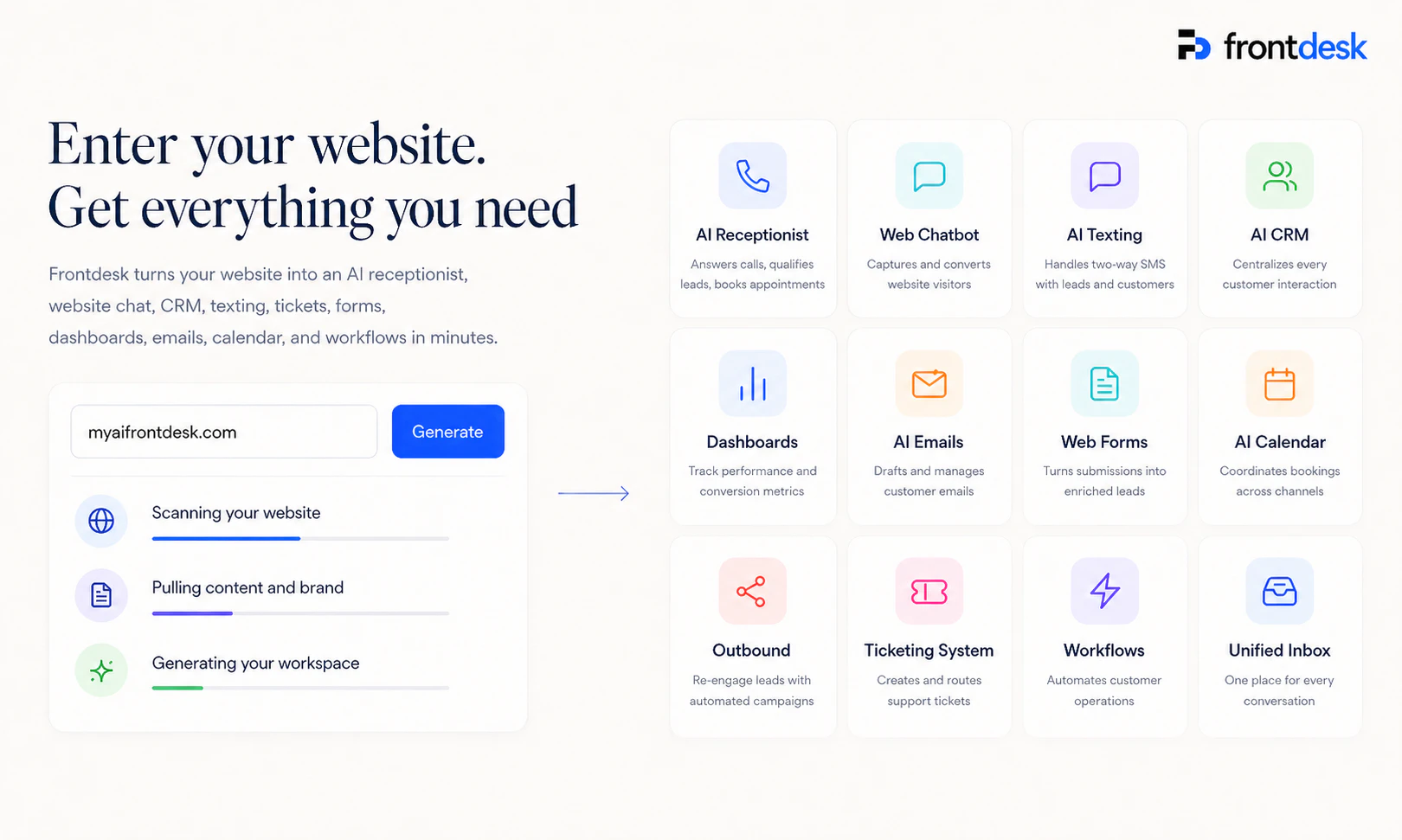
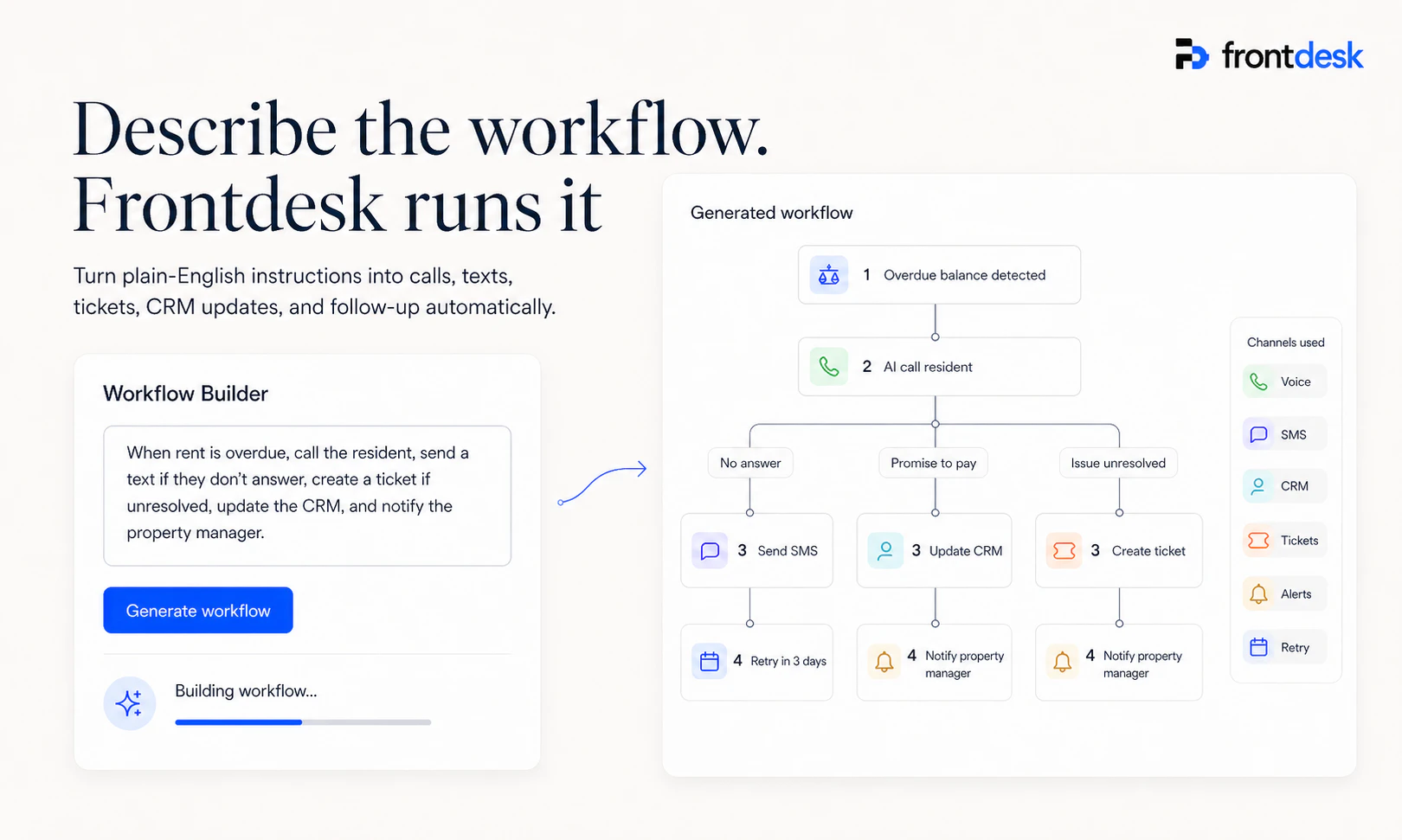
Enter your website and get all the AI agents you need to grow your business. One AI that calls, texts, and emails all of your customers 24/7. A CRM, a ticketing system, even a website builder.

I'm Ben, and today we're launching Frontdesk the world's first AI COO that rebuilds your business into a Fortune 500 enterprise.

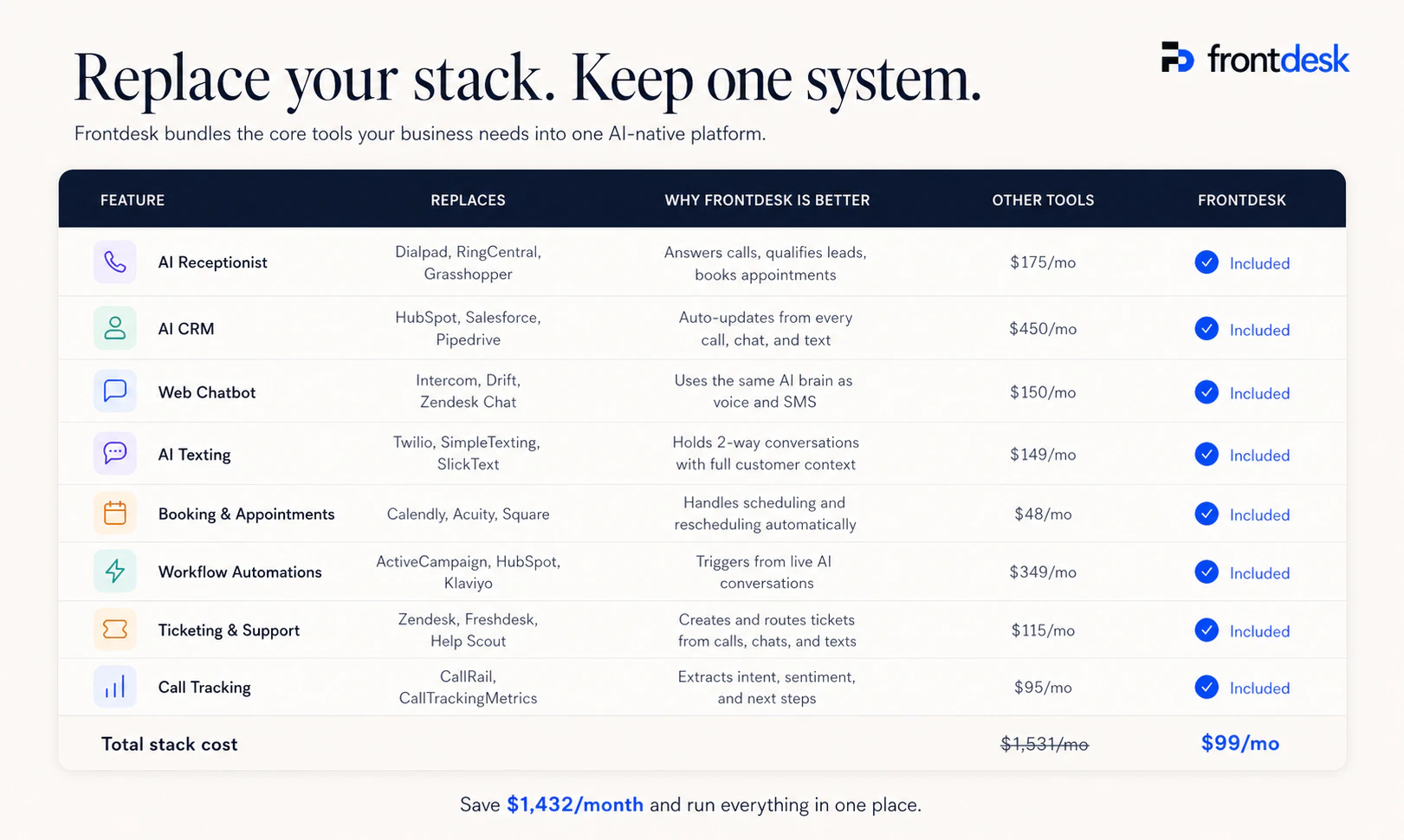
The problem: SMB and Medium Sized Biz's are stitching together a website, CRM, chatbot, lead forms, and a receptionist across five different tools; paying thousands a month to GoHighLevel, HubSpot, agencies and others, and are still missing calls and leaking revenue.

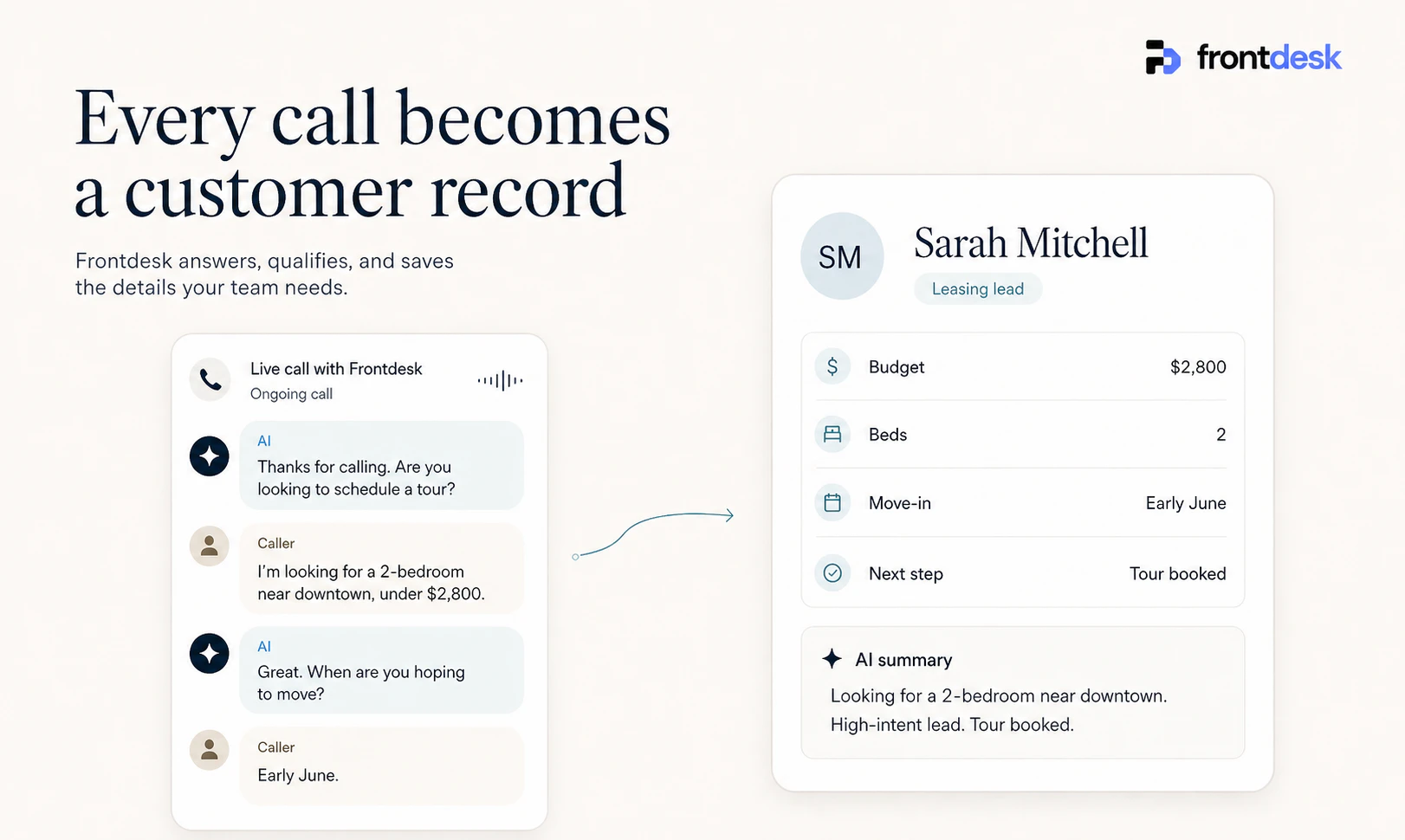
Our solution: Drop in your URL. In minutes, Frontdesk rebuilds your entire front office a new website, embedded chatbot and lead forms, a native CRM, and a 24/7 inbound + outbound AI receptionist that books appointments and drives revenue on autopilot.

Why it's different: Other tools give you a piece. We give you the whole front office, AI-native, at a fraction of the cost. 10,000+ businesses already run on Frontdesk.

Who it's for: Any Business, Real Estate, Healthcare, Retail, agencies, and any business that is tired of paying for five tools that don't talk to each other.

Try it free: myaifrontdesk.com — free tier includes the full suite.

I'll be in the comments all day. Would love to hear what you'd want an AI COO to do for your business.

— Ben

13
回复

@ben_holding What's the API spec like for syncing with tools like HubSpot or Zapier, and how does the AI receptionist handle multi-channel handoffs?

0
回复

"AI COO" sounds powerful, but how do you prevent it from making wrong decisions when it starts acting across channels?

13
回复

@charlotte_reed1 Great question. Transparency is the foundation: every call, message, and action the AI takes is logged with full history, so you can see exactly what it did and correct behavior in one place. On top of that, you can define escalation pathways on every channel (voice, SMS, email, chat) so the AI hands off to a human based on rules you set, whether that's a specific keyword, a stuck conversation, or a high-value lead. The whole thing runs inside a defined scope (who your business is, what it can and can't say) instead of being a general-purpose agent freelancing on your behalf. Additionally, compliance is built into the platform, not bolted on. Consent, opt-outs, rate limits, and channel-specific regulations are all handled at the system level so a lot of "wrong moves" get blocked before they happen. No AI is perfect, but scoped + supervised + observable beats "general agent doing whatever."

8
回复

Curious how much control users have over calls and msgs before anything actually gets sent to customers.

9
回复

@hudson_blake A lot. Before anything goes out, you define the AI's persona, knowledge base, and scope (what it can and can't say, when to escalate, what's off limits). You can run test calls and messages to yourself to see exactly how it'll behave with real customers. For outbound campaigns, you set the audience, content, timing, and rate limits up front and review the whole thing before it launches. On email specifically, the AI runs in draft mode where every reply lands in your queue for approval. And in any individual conversation, on any channel, you can flip the AI off at any moment to take over yourself. You can dial human-in-the-loop up or down per channel depending on how high-stakes the conversation is.

8
回复

Hey Product Hunt! I'm Aadhrik, Head of Product at Frontdesk.

We kept hearing the same story from businesses: a website on one service, a CRM on another, a chatbot from a third vendor, lead forms duct-taped in, and a receptionist service that misses half the after-hours calls. A dozen tools, thousands a month, still leaking revenue.

The thing that made this hard to actually fix (and the reason most "all-in-one" tools fail) is that the pieces have to genuinely talk to each other. If your AI receptionist takes a call but doesn't update the CRM, or your chatbot captures a lead but the follow-up never goes out, you've just rebuilt the same broken stack with a nicer UI.

Most of our last year has been on exactly that: making one AI front office where every conversation, lead, and appointment lives in one place and the parts actually work as one system. 10,000+ businesses are already running on it, and our free plan includes the full suite.

I'll be here all day, so feel free ask me any questions about our product or vision!

7
回复

I wonder if businesses actually trust an AI to run customer communication 24/7 without constant supervision.

7
回复

@cody_spencer Honest answer: most don't start by trusting it 24/7, but get there fairly quickly. They start with the AI handling overflow (after-hours calls, drafts only, missed leads) and expand its autonomy as it earns trust. The comparison that matters isn't "AI vs. perfect human," it's "AI vs. the current reality of missed calls and follow-ups that never happen." With toggles, drafts, full logs, and escalation rules per channel, trust gets built fast. Thousands of businesses run on Frontdesk today and we handle tens of millions of customer interactions a month, so empirically the answer is yes, with the right setup.

7
回复

Is this meant to replace existing tools like CRMs, or sit on top of them and coordinate actions?

4
回复

@dylan_hayes2 It's a replacement for most of our customers. Frontdesk is built for businesses stitching 5 tools together and bleeding money on integrations that never quite work, so the whole point is one system where the website, CRM, chatbot, lead forms, and AI receptionist share data and trigger each other natively (you can't really get that by bolting AI on top of 5 different vendors). Customers on our native CRM tend to get the most out of the system because that's where "smart variables" really shine: CRM fields the AI updates automatically based on each conversation, like preferred call time, service interest, or appointment status, so your records stay fresh without anyone manually entering anything. That said, if you've already got a serious investment in something like HubSpot or Salesforce, we play nice and integrate. The unlock is the AI front office layer, the underlying CRM can live elsewhere if you need it to.

5
回复

Feels like the hardest part here isn't automations, but making sure nothing customer-facing goes wrong at scale.

3
回复

@caleb_hunter_guahip Fully agreed, and honestly this is where a unified system gets exciting. The AI doesn't just stay reliable at scale, it compounds. Every interaction (AI-handled or human-handled) sharpens how it responds next time. Full customer context and history are always there, pulled from a CRM that updates in real time across every channel. You're essentially teaching your AI COO your business as it runs, with zero data stitching across vendors. A stack that is bolted together has a natural plateau in how reliably it can handle customers, but a unified system's ability compounds over time.

4
回复

The escalation logic is the most technically interesting piece here, and also the hardest to get right. Knowing when not to handle something autonomously — and handing off with full context intact — is where most voice AI products silently fail. Would love to know how Frontdesk decides that threshold. Is it confidence-score based, keyword triggers, or does the model itself flag uncertainty? That decision boundary is what separates a receptionist from a liability in industries like legal and medical.

1
回复

What part of the systems do you see users relying on most in practice, calls. msgs, or internal workflow automation?

1
回复

How does the platform maintain a 'single source of truth' when a customer switches communication channels mid-journey, for example, starting on the web chat but finishing the booking via an outbound AI phone call? By the way, loved the idea I think is great for builder that do not have a lot of experience managing the marketing and sales part of the business. Kudos to the team!

0
回复

The 'AI COO' pitch is bold lol. Curious what happens when it hits an edge case it can't resolve — does it escalate or just fail silently? that's usually where these tools fall apart. but if the escalation logic is solid this could actually be useful for small teams.

0
回复

Positioning this as an AI COO rather than another automation tool is interesting — most small businesses don't need more workflows, they need someone to own the outcome. Curious how it handles the edge cases that need actual judgment, like an unhappy client or a billing dispute. Does it escalate or try to resolve?

0
回复

Good to see you guys live )
BTW, how does it learn the right communication preference for each customer instead of blasting everyone with calls?

0
回复

What matters is not the fact of sending an email, for example, but how exactly it’s done. Will it send from my email account or create its own? Does it make calls using my voice or does it speak like a robot? From the video it looks like it can’t clone voices, but it sends emails from my Gmail?

0
回复

Congrats on the launch — the “AI COO” framing is interesting because the real operational pain is usually not one isolated inbox or CRM task, it is all the handoffs between them.

The thing I’d be most curious about is exception handling. Small businesses often have messy edge cases: a customer who needs special treatment, a lead that should not get a generic follow-up, an invoice conversation that changes the sales context.

If Frontdesk can learn the normal workflow while also knowing when to slow down and ask for approval, that feels much more useful than pure automation. The best operations tools protect the relationship, not just the task list.

0
回复

Congrats on launch. Your website audit service is not accurate. In fact is all wrong

0
回复

Voice agents usually demo well until edge cases hit how are you managing fallback when intent confidence drops mid conversation?

0
回复
#5
Googlebook
A new kind of laptop designed for Gemini Intelligence
197
一句话介绍:Googlebook是一款深度集成Gemini AI的笔记本电脑,通过Magic Pointer智能指针和自定义AI小部件,解决用户在多任务处理和App切换中的效率痛点。
Android Hardware Artificial Intelligence
AI笔记本电脑 Gemini智能 Magic Pointer 上下文建议 自定义小部件 Chromebook替代 安卓融合 铝合金OS 隐私控制 多任务优化
用户评论摘要:用户主要关心隐私与系统追踪程度的平衡;质疑真实多任务体验是否流畅;猜测目标受众;部分认为这是Chromebook的进化版,融合安卓与ChromeOS,Magic Pointer类似Touchbar的AI升级版。
AI 锐评

Googlebook看似是一个“为AI而生”的硬件宣言,实则是一场谷歌生态霸权下的无奈妥协。

从产品本身看,Magic Pointer和自定义小部件是亮点,但本质仍是“AI版Touchbar”的旧瓶新酒——苹果已证明,触控条并非刚需。真正的价值在于“Aluminium OS”融合:谷歌终于承认,ChromeOS和Android的割裂是巨大败笔,AI不过是缝合碎片化体验的遮羞布。

评论中关于隐私的质疑直击要害:Gemini若要提供精准上下文建议,必然深度扫描用户行为,这在“AI助手”与“数字偷窥者”之间只有一纸之隔。此外,“减少App依赖”的期待不切实际——AI小部件若仅能调用现有应用,而非创造原生体验,只会增加第三层冗余。

至于目标受众,谷歌很可能瞄准了传统Chromebook的教育和企业用户,试图用AI噱头拉动换机潮。但面对MacBook和Windows Copilot PC的双重夹击,Googlebook若不能解决核心痛点的实时性(如跨设备任务流转延迟),无非是又一个“叫好不叫座”的硬件实验。

一句话锐评:AI是药引,但谷歌需要的是一剂猛药,而不是在旧肾上贴新膏药。

查看原始信息
Googlebook
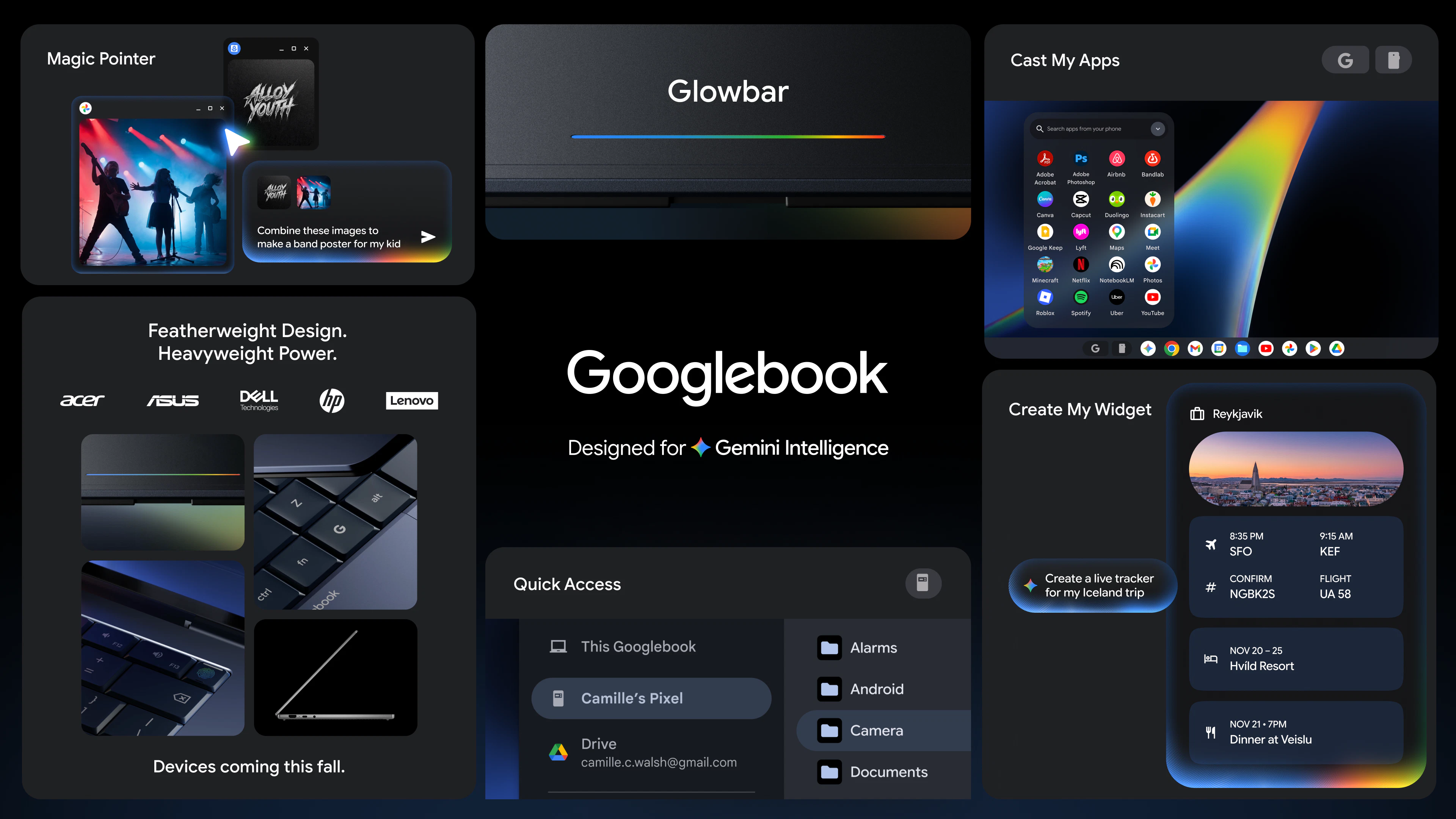
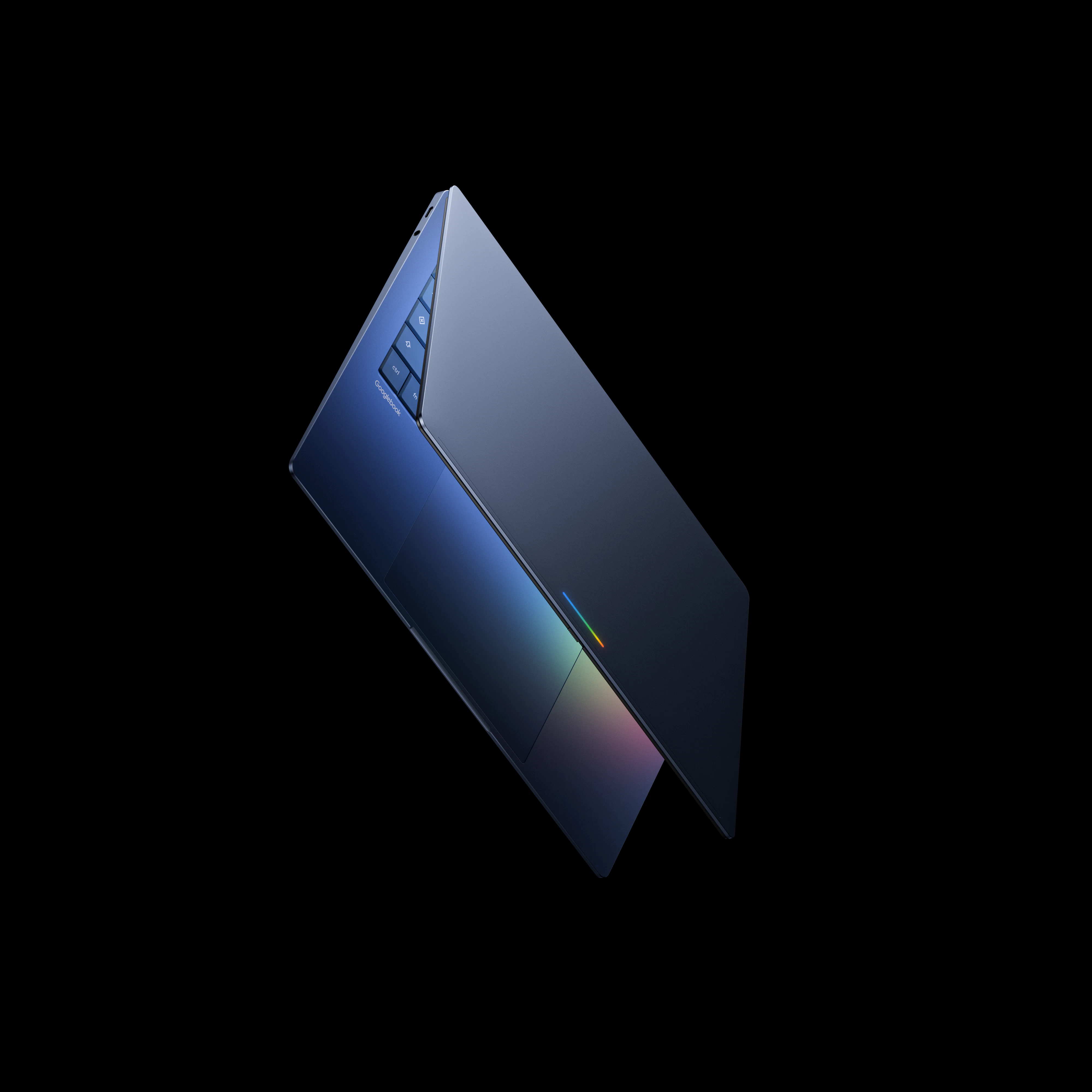
A new category of laptops built from the ground up for Gemini intelligence. These devices feature the Magic Pointer for contextual suggestions and custom widgets to help you organize your tasks. Keep an eye on googlebook.com for more updates before the devices launch this fall.

Big question is privacy and control how much does the system track to stay helpful?

2
回复

Curious how smooth the experience will be in real world multitasking.

1
回复

If executed well might reduce the need for dozens of apps .

1
回复

Glowbar! Apple is bringing back touchbar? It would be perfect for the AI age 😏

1
回复

The successor to the Chromebook is on its way — apparently built on Aluminium OS — a fusion of Android and ChromeOS, with Gemini Intelligence baked in.

At a high level:

  • Googlebook is a new laptop category built for Gemini intelligence and seamless device integration.


  • The Magic Pointer uses Gemini to offer helpful, contextual suggestions right at your cursor.



  • Create custom widgets by prompting Gemini to organize your apps into one personalized dashboard.

  • Googlebook works with Android to let you access phone apps and files instantly.

  • Look for premium hardware from top partners featuring a unique, functional glowbar design.

0
回复
Curious who Google believes is the target audience for this laptop
0
回复
Now this is interesting
0
回复
#6
Blaze 2.0
AI marketer for SMBs complete w/ strategy, content, and ads
191
一句话介绍:Blaze 2.0 是一个面向中小企业的全自动AI营销平台,能够学习企业业务、受众和品牌语调,自动执行从策略制定、内容生成到广告投放的完整营销流程,解决小企业主“没时间做营销”的痛点。
Marketing Artificial Intelligence Social media marketing
AI营销 自动化营销 中小企业 内容生成 广告投放 社交媒体管理 SEO优化 品牌管理 增长工具 Blaze
用户评论摘要:用户普遍认可其节省时间、自动生成内容的核心价值。主要问题集中在:品牌语调学习初期不精准,视觉风格生成偶有失控;对数据分析的“学习回路”提出质疑,担心过度优化点赞等虚荣指标;多语言支持不足,仅限单语输出;用户建议明确针对“避免被忽视”这一痛点进行定位强化。
AI 锐评

Blaze 2.0的进化逻辑非常清晰:从“工具”走向“代理人”。其核心竞争力不在于又多了一个AI内容生成器,而在于它试图闭环“策略-执行-优化”的营销全链路,直击小企业主“没有时间”这一永恒痛点。CEO关闭千万美元ARR的1.0产品来重构方向,这种断舍离的姿态颇具魄力。

然而,产品的真正考验不在于功能堆砌,而在于“信任”与“控制感”的平衡。用户评论揭示了关键困境:当AI学习品牌语调时画面跑偏、生成定制化内容的精度依赖于训练数据,这本身就构成时间成本。而“学习回路”依赖有噪点的平台数据,极易陷入优化虚荣指标的陷阱,反而偏离业务增长本质。它声称要成为“不领薪水的营销团队”,但团队的价值在于策略判断与风险规避——目前的Blaze在应对“杂乱的真实商业世界”时,其自动化越强,失控的风险就越大。

产品的生死线在于:它是否能将“节省时间”的价值,兑换为“效率提升”与“营收可见增长”之间的明确因果。目前的240+投票和用户好评更多是基于“救火”心态的依赖,而非证明可复制的ROI。从“帮你发帖”到“帮你获客”之间,隔着巨大的信任鸿沟。Blaze 2.0解决了一个真实问题,但若不能建立更精细的控制机制和量化增长指标,它很可能沦为“聪明但不可靠的实习生”,无法真正进入小企业主的必选工具包。

查看原始信息
Blaze 2.0
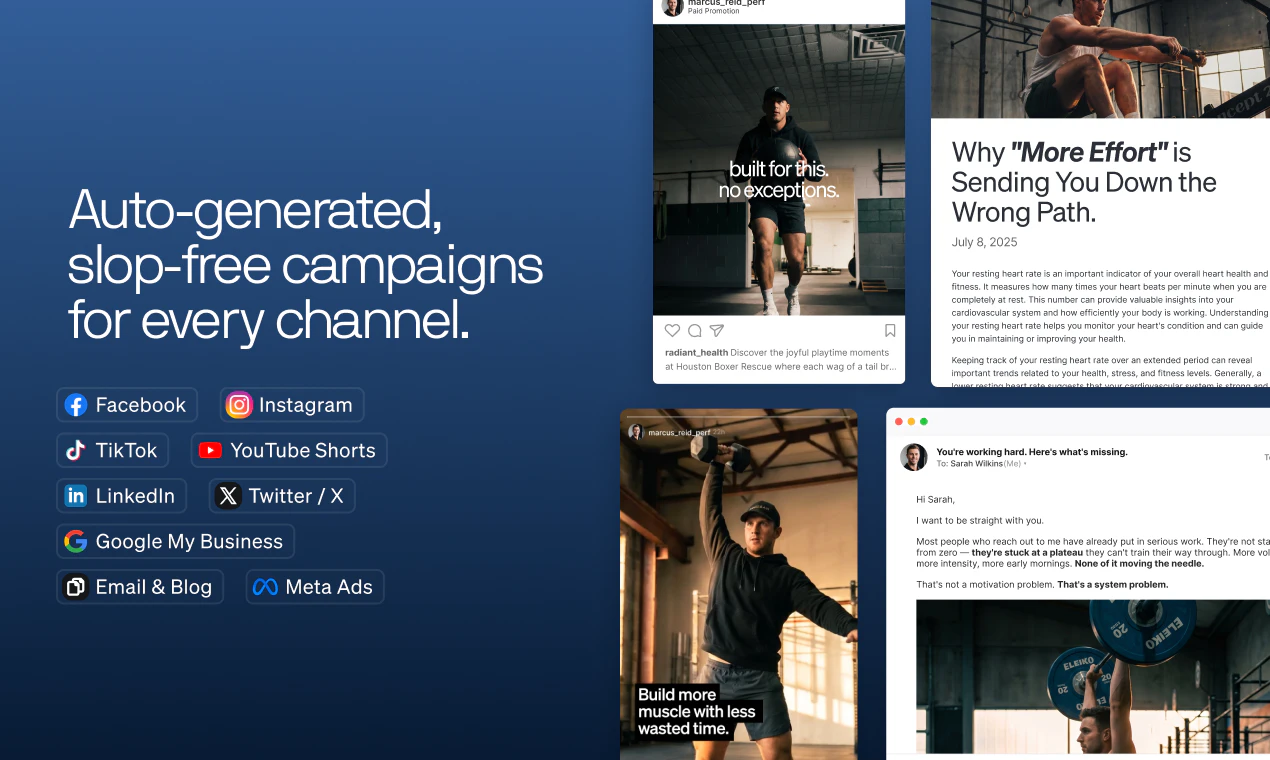
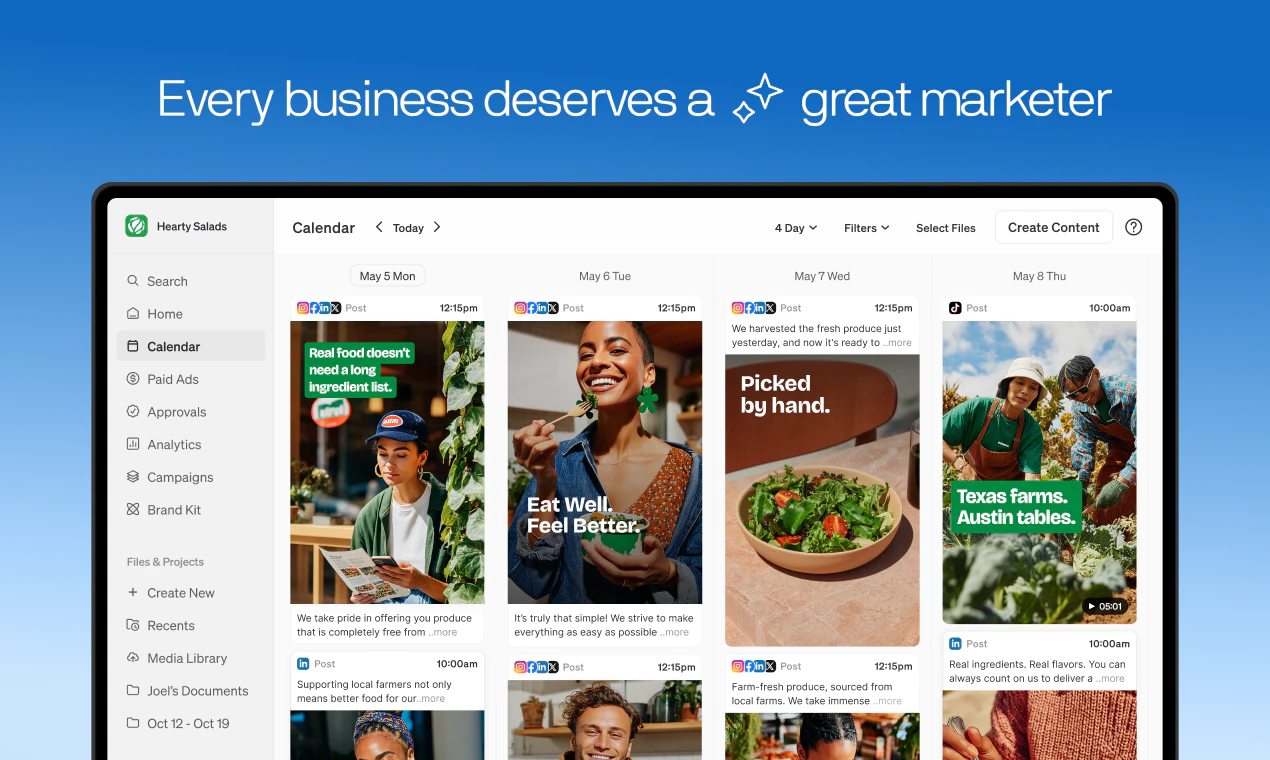
Blaze 2.0 is the marketing solution for people who don't have time to do marketing. It learns your business, your audience, and your voice — then creates and manages your entire content strategy, automatically. Like having a full-time marketer on your team without the salary.
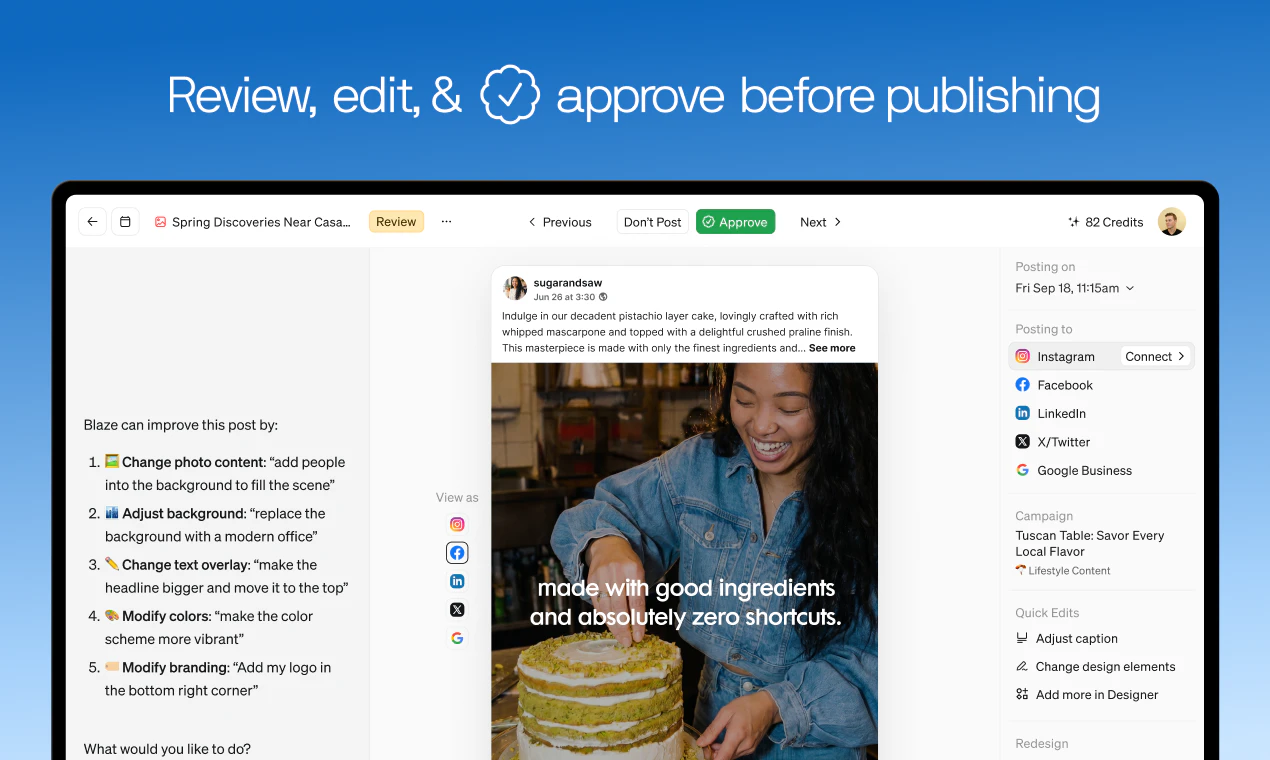
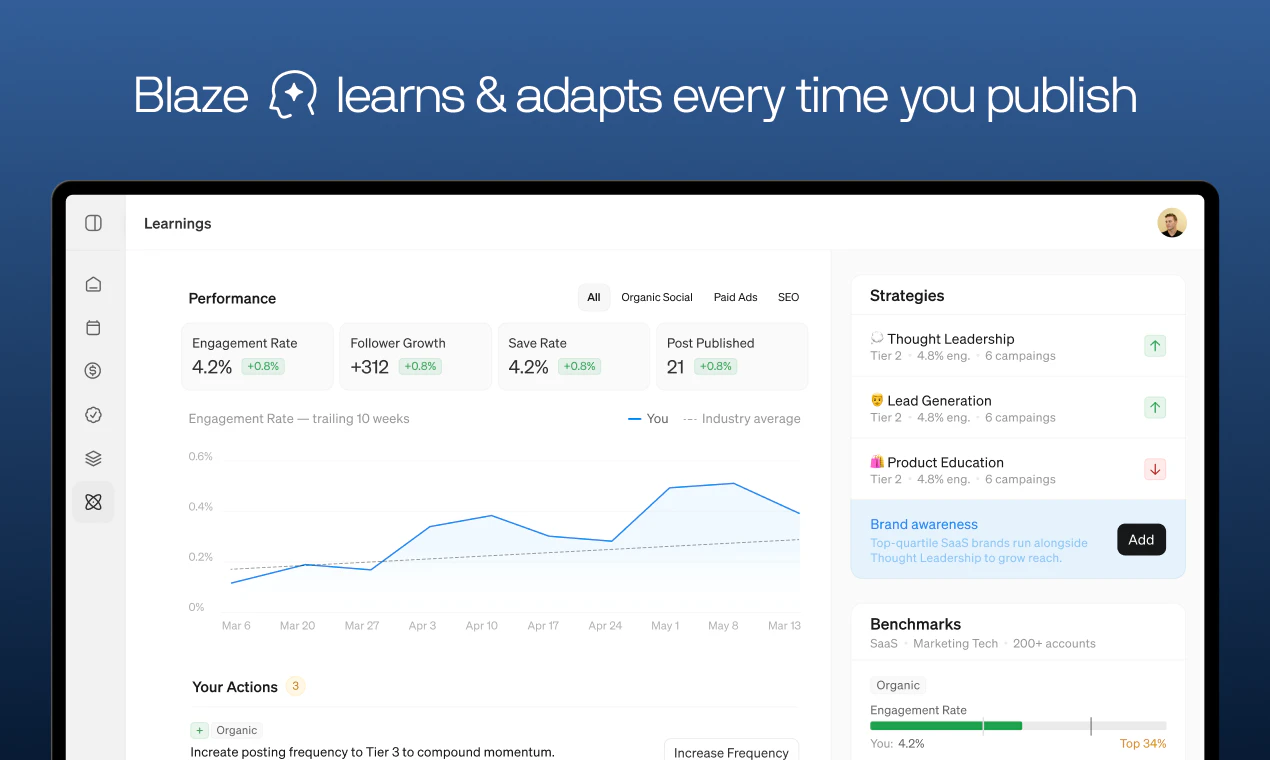
Hey Product Hunt 👋 — I'm Adam, CEO of Blaze. A year ago, I shut down an $10M ARR product, Blaze 1.0. Not because it failed. Because I finally understood the real problem. Distribution is now harder to build than product. And nobody had solved it for the people who needed it most. Talk to any small business owner for 20 minutes and you'll hear the same thing: they're not bad at marketing. They're just out of hours. Between customers, operations, and everything else — content is always the thing that gets pushed to tomorrow. Meanwhile, 3 million small businesses closed last year. Most had great products. The ones that made it through had one thing the others didn't: consistent visibility. That's the gap Blaze 2.0 closes. It learns your business, your audience, and your voice — then runs your entire marketing operation for you. Not templates. Not suggestions. Actual execution, automatically. Here's what's new: 🎯 STRATEGY FIRST ENGINE: Tell Blaze your industry, goals, and audience. It builds your full marketing strategy — positioning, channel mix, content pillars, quarterly priorities — and executes against it automatically. You stop guessing what to post. Blaze already knows. 🎨 VISUAL STYLES: Upload your photos, set a visual direction once. Blaze recreates them as polished, on-brand images — and carries that style across every future post, every channel, automatically. 📈 LEARNING LOOP: Every week, Blaze pulls performance data from your social platforms and Google Analytics, then tells you what to double down on and what to cut. Your marketing doesn't just run — it gets smarter over time. 🌐 BEYOND SOCIAL: SEO and Google Paid Ads are now built in. Blaze markets your business everywhere your customers are looking — not just where it's easiest to post. PLUS: approvals workflow, chat-based editing, smart layers, auto-replies, and tagging. This isn't a content tool with more features. It's a marketer on your team, without the $100K salary. 7 days free. Your first full week of content, on us. No credit card required. We built this for small business owners who are tired of being invisible. If that's you, or someone you know, today is a good day to try it. → blaze.ai One question for the PH community: what's the hardest part of marketing your business right now? We read every reply.
28
回复

@adam_nathan1 Interesting product but I think the positioning is currently smaller than the actual problem being solved.

“AI marketing tool” is rapidly becoming a commodity category.

The real value here isn’t content generation.
It’s helping businesses avoid invisibility, inconsistency, and falling behind larger competitors without hiring an entire marketing team.

That’s a far more urgent and economically painful problem.

Positioning around output explains the product.
Positioning around consequence creates demand.

Saw a couple other high-leverage positioning gaps while going through the launch that could materially affect differentiation and perceived necessity.

0
回复

@adam_nathan1 Love to see the evolution. Here's to a great launch!

0
回复

@adam_nathan1 How does it technically handle noisy GA/social data (e.g., attribution gaps) to prioritize content pillars without over-optimizing on vanity metrics like likes?

0
回复

Nobody has time to do good marketing, especially small business owners. Super excited to how Blaze 2.0 takes SMBs from 0->1 in the area of the business that so many struggle with!

17
回复
4
回复

I've been using Blaze for a few months now, and it really helps me with a lot of tasks.

16
回复
0
回复

@hilmi_bou Love to hear this! We're so glad Blaze is helping you!

0
回复

@hilmi_bou awesome to hear this is getting time back for you!

2
回复

I have been using Blaze for a few months now and have been super impressed with it! It has been partying for me 3-5 times a week on all of the platforms that I care about and makes amazing ads! All of the ads have been in the right context for my business and are unique and well polished. As a small business owner, I can’t even imagine what I world have to pay an agency or designer to do this much quality work for me!

15
回复

@leo_llhomme Blaze is already helping thousands of small businesses show up consistently online, and it’s been incredible to watch that happen. Looking forward to seeing how many more we can help.

0
回复

@leo_llhomme Great to hear this feedback, Leo! Thanks for sharing!

0
回复

@leo_llhomme thank you so much for your support! So glad Blaze has been able to help you make amazing ads that grow your business

0
回复

I've been working with Blaze for about a month and a half, and they do everything they advertise. Their automated review of the product is very good, and with a few additional tweaks to the instructions, the ai ad creations are really good. I've had reason to work with their customer service and they are timely in response and also very helpful in solving my issues. (I'm a newbie, so some of my issues were pretty newbie-ish.)

15
回复

@sandra_baldwin1 So happy to hear this, Sandra! Really proud to have worked on this. We’re already seeing thousands of small business owners use Blaze to stay consistent with their marketing — and we’re just getting started. Excited to get this in front of more people here.

0
回复

@sandra_baldwin1 really appreciate you sharing this — means a lot.

Glad to hear the ad creation is working well for you, and that the team was helpful getting everything dialed in. That’s exactly the experience we’re aiming for.

0
回复

I've tried a lot of tools to keep my content on track and most of them just added more work. Blaze is the first one that actually saves me time. Highly recommend if you're a small business owner trying to stay visible without burning out.

14
回复

@liam_devine1 really appreciate this.

That’s exactly what we’re aiming for: not adding more work, actually saving you time.

Glad it’s been working for you.

0
回复

this is super interesting. can it handle twitter and discord for us?

13
回复

@0xaron Blaze can write and autopost for you on X/Twitter accounts. And it can learn from your X/Twitter analytics. But no Discord (yet!)

8
回复

@0xaron Not Discord, but it can do Twitter!

8
回复

I have been using BlazeAI since last fall. We have gained followers on IG and I have learned a lot.

13
回复

@ellen_reynolds1 Sounds amazing. Thanks for the real-world review, Ellen!

4
回复

@ellen_reynolds1 thats incredible!

0
回复

Been an incredible journey working with small business owners to craft this platform and service offering. Have had some of the most rewarding chats of my career with these customers.

6
回复

@blaze_eddie very true, our customers are the best!

0
回复

So excited to finally see this in the wild. Super proud to have worked on this!

5
回复

@calvin_collins thanks for all your work on this Calvin, we really nailed it.

0
回复

User in Sweden since 2025

I started with the original ”co-pilot” workspace (bought 18 months right away to commit in spring 2025). Then ”co-pilot” evolved to ”auto-pilot” and I got another workspace for a client I managed. I now had two workspaces of the Pioneer Plan. Recommend a third to another client. After having used Hootsuite ’back in the days’ (around 2014) I was super engaged with Blaze and loving it. A great upsell to my web clients. Some bumps along the way with language but support has always been super helpful and sorted most issues (there is no developing tech without issues).

So, got a fourth workspace and now it’s Starter Plan and I was ready to fly a couple of months ago with this new client - an event and catering company in Sweden - located in an old barn building. Long story short - the automation with AI in starter plan was going wild - it changed the building - creates dining in fantasy interiors and Swedish got mixed up. Again, support has been amazing - and Blaze brought back simple design (could edit on my own without using up credits) to enable change of design gone bananas 🤣 sorry, got to laugh a bit.

To sum up - I believe Blaze will manage to give us clients a superb platform because they listen to their customers. Sometimes I don’t tell support what’s gone wrong and then I know they miss out as they need the feedback.

I post to Instagram, Facebook, LinkedIn and have used blogs direct to Wordpress websites. The language is getting better but I have had to work a bit with each workspace to get the tone and all the language right. It I spend time with the platform it will pay me back eventually. It’s still in development. Good luck Blaze 🦸‍♀️

3
回复

@susanne_shi_ this is incredibly thoughtful — thank you for taking the time to share all of this.

Really appreciate you sticking with Blaze across multiple workspaces and clients, and calling out both what’s working and where things still need improvement. The language + tone feedback especially is something we’re continuing to invest in.

Also glad to hear the simple design updates helped bring things back under control there.

1
回复

@susanne_shi_ We appreciate you! Your feedback has been really helpful for the improvements we have made and will make soon!

0
回复

The "learns your voice" part is what makes or breaks these tools. I built AI content generation for YouTube creators and the biggest lesson was that generic AI output gets ignored — users need to feel like the AI is an extension of them, not a replacement.

How long does the voice training take before the output feels natural? And does it handle multilingual content well? I run everything bilingual (Spanish/English) and most AI marketing tools completely fall apart outside English.

2
回复

@ytubviral Hey Javiar, great questions. In order to create great content, we first start with your business' goals, then choose a marketing strategy, and then within that strategy is a campaign around a specific theme. Before the content is created, we apply your brand voice and add any context from your brand kit that the AI needs to know. All of this ensures that you don't get a generic AI output.

The Learning Loop plays a part here too, after a few weeks it starts to learn what content resonates with your audience, and automatically adjusts the campaigns and topics based on performance.

As for bilingual support, right now you have to choose your output to be in one language. But I'll add that as a feature request for us to look into.

I encourage to to try 7-day free trial to check it out yourself!

0
回复

How well does it actually pick up brand voice from existing posts?
I saw someone mention it generated random colors even after connecting their Facebook account with a year of consistent branding.
BTW Congrats team 🎉

2
回复

@boyuan_deng1 we've solved this with 2.0. the AI does a first pass based off your website, and then you can go into the Brand Kit and update it to exactly what you want.

0
回复

User in Sweden since 2025

I started with the original ”co-pilot” workspace (bought 18 months right away to commit in spring 2025). Then ”co-pilot” evolved to ”auto-pilot” and I got another workspace for a client I managed. I now had two workspaces of the Pioneer Plan. Recommend a third to another client. After having used Hootsuite ’back in the days’ (around 2014) I was super engaged with Blaze and loving it. A great upsell to my web clients. Some bumps along the way with language but support has always been super helpful and sorted most issues (there is no developing tech without issues).

So, got a fourth workspace and now it’s Starter Plan and I was ready to fly a couple of months ago with this new client - an event and catering company in Sweden - located in an old barn building. Long story short - the automation with AI in starter plan was going wild - it changed the building - creates dining in fantasy interiors and Swedish got mixed up. Again, support has been amazing - and Blaze brought back simple design (could edit on my own without using up credits) to enable change of design gone bananas 🤣 sorry, got to laugh a bit.

To sum up - I believe Blaze will manage to give us clients a superb platform because they listen to their customers. Sometimes I don’t tell support what’s gone wrong and then I know they miss out as they need the feedback.

I post to Instagram, Facebook, LinkedIn and have used blogs direct to Wordpress websites. The language is getting better but I have had to work a bit with each workspace to get the tone and all the language right. It I spend time with the platform it will pay me back eventually. It’s still in development. Good luck

2
回复

Almost a year using the product. Love the autopilot for the platforms. Like any product it's got it's quirks but they respond to feedback and are working on fixing bugs and improving workflows. Branding is improving and almost at a point where I only need to review/adjust 40% of the generated content. But all to say far easier than trying to create all this content from zero. Happy customer!

2
回复

@kyle_seerins really appreciate this. Glad autopilot has been helpful, and great to hear branding is getting closer to where you want it. We’re continuing to push hard on reducing that review lift. Thanks for sticking with us!

0
回复

Huge congrats, Adam!  The learning loop pulling from Google analytics weekly is massive. Does Blaze ever recommend pausing all social media if SEO is driving 90% of results?

1
回复

@ethan_thompson3 it will go channel by channel before turning off everything - i think looking at the data some social media channel will work, but probably not all of them!

0
回复

Looking forward to the version 2.0 very much. The previous version knocked my socks off. It made my life so much easier already.

1
回复

I really liked the video, good luck with the product, it sounds interesting

1
回复

@halev thanks so much!

0
回复

I have been using blaze for 4 months . Every week it improves. I post 3-4 times a day on facebook instagram tik tok YouTube linkin google business page plus 7 blogs a week for my website

Nothing comes close out there

1
回复

A lot of small businesses don’t fail because the product is bad. They just disappear because nobody hears about them consistently enough.

That’s the part of marketing most tools still don’t really solve. Congrats on the launch!

0
回复

@campritchard totally! There are so many great small businesses that just need the help of consistently putting themselves out there.

1
回复

Niceee

0
回复

@madalina_barbu thanks for checking it out! what caught your eye the most?

0
回复

Congrats on the launch! Does the learning loop only pull from your connected platforms or can I manually tell Blaze this offline event got us 10 new customers so it learns from that too?


0
回复

@owen_shaw2 thanks! Only connected platforms right now. We are building other surface areas to collect data (like leads) so the Learning Loop will be able to have that too

0
回复

Congrats, team!  You said no templates how does Blaze ensure two competing pizza shops in the same city don't end up with identical content strategies?


0
回复

@imogen_wallace Every piece of content is customized to that business' brand kit (source materials, voice, assets, and preferences), but furthermore, each business can add or select multiple strategies in Blaze (and customize those too) so no two businesses will ever get the same content.

0
回复

The brand voice feature is interesting. can it learn from your own writing style, or is it more template-based guidance?

0
回复

@abod_rehman You can give it source materials to train on, and then the Learning Loop will also adapt your content based on what is performing well

0
回复
#7
Apideck MCP Server
Give AI agents access to real-time data across 200+ apps
149
一句话介绍:通过统一API层为AI智能体提供对200+企业SaaS应用(如CRM、HRIS、会计系统)的实时、授权且细粒度数据访问,解决代理工具“乱闯”用户数据与Token成本过高(40K)的痛点,采用动态工具发现机制将启动Token消耗压至1.3K。
API Open Source Developer Tools GitHub
MCP协议 统一API AI代理数据访问 企业SaaS集成 权限控制 动态工具发现 Token优化 数据归一化 开发者工具
用户评论摘要:用户关注点高度集中在:1)跨平台写操作的幂等性问题,官方确认提供统一Schema;2)动态工具发现对长工作流性能的影响,已有限权预配置方案;3)数据模型版本管理及上游接口断裂风险,官方邀请查看文档;4)审计与写前确认机制,强调已实现作用域权限隔离而非单纯UI层保护。
AI 锐评

Apideck MCP Server 的野心很清晰:成为AI代理与企业数据的“万能钥匙”。其核心价值并非“200+连接数”——这是存量资产的包装——而是**动态工具发现**和**MCP层的权限拦截**。静态加载229个工具耗费40K Token,这背后是一种对无状态AI调用生态的诚实认知:没有智能体能无损处理所有API的“天书”。动态发现把选择权还给代理,这一机制务实且聪明。

但“统一化”也是致命护城河与债务的起源。QuickBooks与NetSuite的会计模型差异是结构性的,推倒重来的历史数据迁移、多租户Schema版本管理、上游接口无声漂移——这些才是真正考验工程深度的地方。评论中有人一针见血地指出了“数据模型版本化”的火山口。

此外,产品目前强调“读+写”,但企业级场景真正的恐惧不是数据泄露(权限可以管),而是**在代理自主发起的写操作中,谁是最后的责任人**?Apideck的“作用域权限”只解决了“能做什么”的开关,却没有回答“事后出错了,审计追踪和回滚流程是否跟得上”。这是所有MCP+企业数据方案的盲区:语义校验与可撤销性。

总的来说,这是一款切入时机精确、架构有巧思的生产力工具。但它不应被神化为“AI操作后台的神器”,更现实的角色是“企业数据面的Gatekeeper+Overseer”——尤其在金融、HR等强监管场景,缺乏明确的事故追溯协议会让它沦为昂贵的实验品。

查看原始信息
Apideck MCP Server
Don't let Claude and Codex roam free on your customers' SaaS data. Apideck MCP gives AI agents permissioned access to 200+ apps, including Accounting, CRM, HRIS, ATS, and more, through a single endpoint. Scoped read/write permissions and field-level redaction are enforced at the MCP layer. Works with any MCP client (Claude, Cursor, Codex, Windsurf, LangChain, Vercel AI SDK) and agent runtimes like OpenClaw and Hermes. One MCP server. 200+ apps. Production-ready.

Hey Product Hunt 👋

We shipped something different with this one.

Apideck is a Unified API. One integration gives developers access to 20+ accounting systems, 20+ HRIS platforms, file storage, and more. That means our MCP server doesn't expose "QuickBooks invoices" it exposes "accounting invoices," and the connector fires based on what the user has authorized. Our tool surface is 229 operations and growing.

The harder problem was tokens. Static mode at 229 tools costs 25-40K tokens before an agent reads a single message. We solved it with dynamic tool discovery: 4 meta-tools at startup (~1,300 tokens), and agents discover what they need on demand. It means adding ecommerce and CRM won't cost a single extra token at initialization.

The server is live at mcp.apideck.dev/mcp. Code is open source at github.com/apideck-libraries/mcp. Full write-up on the stack, hosting tradeoffs, and the analytics debugging is on our blog.

Happy to answer questions about the OpenAPI-to-MCP generation pipeline, the dynamic discovery architecture, or why we picked Vercel over Cloudflare Workers.

12
回复

Congrats!

5
回复
0
回复

MCP server hitting 200+ apps is the kind of leverage I keep wishing existed for one-off automation. Quick question: how do you handle write actions that are not idempotent across the underlying APIs (e.g. Salesforce vs HubSpot create-contact dedupe)? Do agents see a unified shape or each provider's quirks?

4
回复

@whateverneveranywhere 

Do agents see a unified shape

Yes, the agents see a unified schema/unified API response, which can be used for read/write operations.

2
回复

Co-maker here 👋

Small thing worth mentioning: every tool call is instrumented through PostHog, with `waitUntil`-flushed batches so events survive Vercel's serverless lifecycle.

Which tools agents actually call out of 330, latency per operation, error rates by scope, all of it feeds back into what we prioritize next. That includes workflow tools like `apideck-month-end-close-check` (accounting) that fan out 4 reports in parallel behind one MCP call, analytics tell us when composition above the protocol is actually paying off versus when agents would rather chain the underlying tools themselves.

Hard to build for agents without seeing how they use the surface.

4
回复

@samz78 This is actually a really strong insight especially the idea that you're not just tracking tool usage but how agents choose composition vs raw calls.

Instrumenting everything via BossHogg-style telemetry is exactly what you need if you’re trying to understand real agent behavior instead of guessing it.

The most interesting part is that feedback loop: when agents prefer decomposed calls vs a single MCP fan-out, that’s basically telling you where abstraction layers are actually worth it and where they’re just adding friction.

0
回复

Oh, love this idea - used to have a lot of problems with comparing MRR in CRM & accounting systems. If I could have data in one place back then, it'd save my hours and a lot of frustration.

3
回复

@philip_kubinski thanks for the validation!

0
回复

@philip_kubinski 

If I could have data in one place back then, it'd save my hours and a lot of frustration.

Yes, that is the pain point we're trying to solve with AI agents. We already have our unified API, and adding the MCP on top of it, you can easily combine data from different data sources, and then take that to create combined reports, take actions, etc.

What used to take hours can be done in less than <20 minutes.

0
回复

Congrats on the launch!

3
回复

@nevo_david thank you so much mate!

0
回复

@nevo_david thanks Nevo!

0
回复

Super excited about this important milestone. Cannot wait to see what our customers are going to build with this. 🚀

3
回复

@tomschouteden All the best!!

0
回复

We only recently solved this problem in an Italian financial project. It’s a pity I didn’t know about you back then - we spent a lot of time on this stage.

1
回复

@natalia_iankovych Ahh, if we had launched earlier, maybe you could have used it. But now you do.

How did you approach it? And how did you solve this problem?

0
回复

Really like this direction. Tool access for agents sounds simple until you’re juggling huge tool surfaces, token limits and permissions. The dynamic discovery part is clever. Wonder how performance looks when workflows get long and agents keep discovering more tools on the go.

1
回复

@jaidevxb you can already limit what permissions your MCP will have in the Apideck's dashboard.

0
回复

The data normalization layer is where unified API platforms either win or quietly accumulate debt. Connectivity to 200+ platforms is the easy part — the hard, irreversible decisions are the data model choices: how do you reconcile QuickBooks' chart of accounts structure with NetSuite's multi-subsidiary model or DATEV's tax-first schema into one object? Once customers are in production on your model, you can't break it. Curious how Apideck handles model versioning and whether breaking changes in upstream connectors surface as silent data drift or noisy failures.

1
回复

@abhay_agarwal5 

The data normalization layer is where unified API platforms either win or quietly accumulate debt.

Yes, I agree, and you can test our unified APIs to get the idea of how we normalize data. You can already find the schemas and guides on our docs.

0
回复

Congrats on the launch!

The dynamic tool discovery part is interesting, especially if it keeps the token cost down. For accounting/CRM write actions, do you expose enough context for audit/review before the agent actually writes? That feels like the scary part with MCP + business data.

1
回复

Hi Ihor, mutating data is the scary part. That's why we added scoped permissions before the agent can run anything destructive.

0
回复

MCP as the integration layer for agents is an underrated unlock and most agent demos fall apart the moment they need real enterprise data. Curious whether the normalized data models handle write operations too, or just reads? An agent that can update a CRM record or approve a payroll entry autonomously would be a different category of useful

0
回复
#8
Liminary
Ground your AI in saved knowledge as you work
141
一句话介绍:Liminary将你所有已保存的各类资料(文件、会议记录、网页等)整合为AI的“共享工作记忆”,在写作、开会和研究时自动提供相关上下文,解决知识工作者信息碎片化、重复寻找和AI工具“猜测”上下文的核心痛点。
Chrome Extensions Productivity Artificial Intelligence
AI记忆层 知识管理 上下文引擎 RAG 知识工作者 会议智能 文档协作 AI事实核查 提示词优化 生产力工具
用户评论摘要:用户普遍认可“基于个人已选资料”的价值,但核心关注点在于:如何避免“技术上相关但实际无用”的噪声;如何设计显示机制避免过度干扰决策;如何解决知识库随时间腐化、版本冲突;以及用户是否会过度信任AI呈现的上下文。创始人回应强调通过用户反馈学习、克制展示、结构化提取而非纯文本检索来解决这些问题。
AI 锐评

Liminary的聪明之处在于,它没有掉进“更聪明的AI”这个同质化陷阱,而是精准地切入了“更好的上下文”这个价值洼地。其核心洞察在于:在模型能力趋同的今天,知识工作者的真正壁垒不是谁能写出更漂亮的提示词,而是谁能将过去产出的高质量判断、历史会议、客户谈话中的隐性知识,无痕地复用到当前的决策瞬间。

从产品设计看,Liminary的“Proactive recall(主动召回)”和“Meeting recall without bot”是对传统AI工具“人找信息”模式的反转。它试图将AI从一个被动的对话对象,转变为一个懂你工作流、知道你此刻需要什么的“上下文伙伴”。这比任何单纯的RAG增强都要先进,因为它试图解决的不是检索的“查全率”,而是认知的“调用率”。

然而,风险同样明显。用户评论中反复出现的“噪声”和“信任”问题,是这类“系统自动喂食”产品的达摩克利斯之剑。Liminary需要证明自己的“克制”不是技术缺陷而是审美选择,以及“基于用户反馈学习”不是一句空话。如果系统频繁地在用户高度专注的写作或会议中推送“看似相关实则鸡肋”的信息,瞬间就会从“生产力伙伴”沦为“注意力杀手”。此外,将“工作记忆”从用户大脑中剥离出来交给AI,本质上是一场认知权力的让渡,用户是否愿意、以及是否有能力持续“训练”这个系统让其贴合自己的真实思维,将是决定其能否成为刚需而非玩具的关键。

查看原始信息
Liminary
Liminary turns everything you’ve saved into working memory for AI. Unlike chatbots, meeting tools, or project-based notebooks, it gives your knowledge one shared memory across writing, meetings, and research. It surfaces relevant context automatically as you work, helping expert knowledge workers reuse their best thinking, avoid starting from scratch, and produce source-grounded work with traceable citations.

Hey Product Hunt 👋 I'm Sarah, founder of Liminary. 

I led ML engineering for Dropbox. Semantic search, retrieval, and Dropbox's first generative AI integrations. I built Liminary out of personal frustration: storage is archival. I couldn't save articles, meeting notes, and the useful AI conversations in one place, and then on top of that, I'd never see any of it again. Lost in closed tabs, various note taking apps, emails, and AI chats.

AI tool proliferation made it worse, not better. Every new model meant re-benchmarking, redoing workflows, re-feeding context. As a builder, I believe users should get the best model for the job, not chase whichever one shipped this week.

But there's a deeper problem beneath both of those: every AI tool you use is working from what the model thinks is relevant. Trained on the internet, guessing at your context. Not what you've decided matters. That's the gap. 

Our team at Liminary is all ex-Dropbox and ex-Google. We built Liminary to close that gap: the memory layer for your AI work. You decide what goes in: files, web pages, YouTube videos, LLM transcripts, Gmail threads. Your AI works from that. Always. 

Liminary lives across the surfaces where you work: a browser extension, a writing sidekick in Google Docs, a meetings layer, and a place where everything you save lives and connects.

Three things Liminary does that no other tool can:

  • Proactive recall. The right knowledge surfaces at the moment of work. You don't search. It finds you.

  • In-context fact-check and Gap detection. As you write in Google Docs, Liminary validates claims against your own library, finds what’s missing from the research you already did or the information your clients already shared with you. Not the web, not training data.

  • Meeting recall, live. No bot in the room. When someone says "Project Atlas," your notes already read "Project Atlas with Alice and Bob [source]." Other meeting tools take notes. Liminary connects what's said to everything you already know.

Built for people who bill for their perspective: independent consultants, fractional leaders, VC analysts and strategists. In a world where everyone uses the same models, your edge is what those models are grounded in. 


The work looks like this: you keep ambient context on a small set of clients, accounts, companies, or topics you think about repeatedly. You research them. You meet about them. You produce deliverables about them. Liminary connects all three, so the research, the meetings, and the writing all work from the same knowledge.

What's the one piece of context you wish your AI actually remembered? 

Early days. Honest feedback welcome: liminary.io

~ Sarah and the Liminary Team 

13
回复

@sarah_andrabi Congrats on the launch!

0
回复

This feels powerful, but I'm curious how often it pulls "technically relevant" context that's actually not useful in practice.

12
回复

@charlotte_reed1 good question! I’ve been using Liminary for a month in my consulting work and what I’ve noticed is that the more context you give it, the sharper it gets. For example, it recently linked a specific question a client asked in a meeting to a comment from a strategy audit I did weeks ago.

The technical reason it doesn't just pull "keyword matches" is that it uses more than just text similarity. It treats your access patterns and recency as signals too. If you're looking for something new that's related to an older note, the system treats that as a sign that the older note is still "alive" in your thinking. It also lets you dismiss or mark things as outdated, so the retrieval actually learns from what you find useful versus what’s just noise.

Basically, it’s designed to prioritize your current thinking over just anything that looks similar on paper.

4
回复

@charlotte_reed1 +1 to Kevin. The other thing I'd add is more about how we approach the design problem than the technical one. Precision in practice is genuinely hard to measure, there's no clean metric for useful vs technically related, and it's also dependent on each user's individual preferences. So we lean on a couple of things instead.

First, we let you tell the system when something isn't useful, dismiss it, mark it as not relevant, and that feedback shapes what gets surfaced next time. The system learns your standard for "useful" as you use it.

Second, we deliberately surface less rather than more. It's easier to build something that throws every "related" note at you, but that's how you get the noise problem. Restraint is a design choice.

Still imperfect, and we're tuning it constantly. The bar we hold ourselves to is that a surfaced note that doesn't earn its place is worse than no note at all.

3
回复

I wonder if users end up trusting the surfaced context too much, even when it's slightly off.

10
回复

@hudson_blake That's a fair concern and honestly one we think about a lot. The research we did with consultants actually surfaced something counterintuitive: as AI models get better, hallucinations become harder to spot, not easier. When errors were frequent, people checked everything. Now that output quality is generally higher, the temptation to trust it goes up, but the stakes haven't changed. A single wrong stat in a client deliverable is still a professional liability.

The way we've approached this is to make verification the default, rather than an afterthought. Everything Liminary surfaces is tied back to a source you actually saved. So if something looks slightly off, you're one click away from the original document.

We're not asking you to trust the AI. We're trying to make it fast and easy to check it. The goal is to collapse what our users call the "reconciliation loop" - that painful cycle of generating output, hunting down sources, and verifying every line before it goes anywhere near a client.

4
回复

@hudson_blake +1 to everything Kevin said. The other piece I'd add: Liminary is a content-first platform, not chat-first like most AI tools. That distinction matters a lot here. We don't respond from an LLM's general knowledge, we respond from the content you've already saved. And what you save required your judgment and expertise in the first place.

So everything downstream of that, what gets surfaced, what gets synthesized, what gets cited, is grounded in a corpus you already vetted. The AI isn't introducing new claims for you to trust or distrust. It's pulling from sources you chose, and showing you exactly which one. That's also why citations are a core part of the product, not just a polish item.

3
回复

Does the system ever surface too much context and slow down decision-making instead of helping it?

8
回复

@jack_sullivan5 It's a real tension. The design challenge is relevance and timing vs volume.

What we're building is closer to a research assistant who speaks up when something is relevant to what you're working on right now. We notice that decision making tends to be faster when context is fully sourced and prioritized from sources you've deliberately saved.

If something comes up that isn't helpful, that's useful signal too - Liminary will learn from your feedback. The goal is a system that gets sharper over time.

4
回复

In real workflows, do people actually maintain structured "knowledge sets." or does it become messy over time?

7
回复

@cody_spencer In reality, it gets messy. It's just how knowledge work typically happens -nobody has time to file things perfectly in the moment.

What we found talking to consultants is that the maintenance burden itself is what kills most knowledge systems. People start with good intentions and a clean folder structure, then three weeks into a busy engagement it's already out of date and they've stopped trusting it.

Liminary is built around that reality. It reduces the overhead of maintaining a knowledge system over time. You save things as you go, and the system does the organizational work in the background. The knowledge set emerges from your actual workflow rather than requiring a separate one to keep it alive.

4
回复

Feels like the hardest part here is not retrieval, but knowing what not to bring into the moment.

6
回复

@dylan_hayes2 Yes, you've identified what we think is actually the harder design problem. Retrieval is largely solved. Knowing what's relevant to the moment - and what isn't - is where the real work is.

It connects back to something Sarah said early on: people don't always know how to describe what they want, but it's almost always inferable from the context they're operating in. That's the principle Liminary is built around.

And when it doesn't have a confident answer, it says so rather than filling the gap with something plausible-sounding.

4
回复

Finally something that actually works to bring together the context mess I've created across my digital universe!

5
回复

@matthew_barclay Thank you Matthew, this means a lot. The "context mess" framing really resonates, it's the exact problem that got me to start building this. Hope Liminary holds up to that promise as you actually use it, and please tell me when it doesn't.

3
回复

How does it handle conflicting versions of the same idea across different notes or time periods?

4
回复

@caleb_hunter_guahip It's a genuinely hard technical problem, and one the team has thought carefully about. When you save sources into Liminary, they don't just sit in a file store waiting to be retrieved. The system runs an extraction process immediately, building an understanding of the content that includes the relationships between sources - where things corroborate each other, and where they contradict.

So if you saved a client interview from six months ago and a more recent one where the same person has changed their view, Liminary doesn't flatten those into a single answer and present whichever ranks highest. It surfaces both, with enough context for you to see where the tension sits.

3
回复

Congratulations on the launch! I've been a beta user for months!
What I like about Liminary is that it is not just a place to save links and forget them.

I use it throughout the day to save articles, emails, Substacks, and other sources I want to come back to. I can pull out notes as I go, organize things by theme, and then revisit them later in a way that actually helps me see connections.

The weekly summary is one of my favorite features. It helps me spot patterns, trends, and even contradictions I might have missed when I was reading things one by one.

Plus--the @Liminary team is amazing, super responsive and helpful!

3
回复

@michelle_dawson_silbernagel Thank you for sharing how you use Liminary! Wonderful to hear how it fits into your workflow. I’m especially glad the weekly summary is helping you spot those trends and contradictions - I agree this is where the insights can be surprising!

1
回复

@michelle_dawson_silbernagel Michelle!! You've been with us through versions of this product that barely worked, and the fact that you're here saying this on launch day means more than I can put into a PH comment. Thank you!

1
回复

Interesting idea, but I keep thinking about whether "always-on context" actually improves thinking or just adds more noise.

3
回复

@easton_grant Always-on implies a constant feed, which would absolutely add noise. What we're building at Liminary is closer to ambient context.

Our goal is to minimize the cognitive overhead - focused, high-quality context when you need it, not a constant stream to distract you. The quality of the context that is surfaced is where Liminary can prove its value.

3
回复

@easton_grant Always-on is definitely a challenge, and we spent a lot of time balancing the utility vs distraction question. Like Kevin said, the goal isn't to be on for the sake of being on, but to be available in-context when you actually need it.

A good example: we built controls so users decide when to run fact-check or gap detection while writing, instead of firing those pre-emptively. Surfacing them uninvited can break flow, even when the insight is useful.

Still something we're learning and want to tune per user, because everyone's threshold for "helpful nudge" vs "get out of my way" is different.

3
回复

@easton_grant Hi Easton, It's a big design challenge to present more information in a way that's not distracting, yet there when you need it. When our goal is providing value instead of asking for engagement, we're at an advantage. We're constantly simplifying language, creating clear information hierarchies and tweaking our model's instructions so the user can choose what's helpful to them.

3
回复

The interesting part here isn’t “AI memory” itself, it’s grounding everything in sources you actually chose to save.

Most AI tools still feel like they’re guessing your context half the time. Congrats on the launch guys!

2
回复

@campritchard Cam, you summarized this better than most of our own marketing copy honestly. "Guessing your context half the time" is exactly the failure mode we're trying to design out. Thanks for the support, and congrats on Station!

1
回复
How does your product companies to the Dreams feature of Anthropic. To be sure, some of those features should be LLM provider agnostic.
2
回复

@lakshminath_dondeti Great question, especially given how recent Dreams is. The short version: they live at different layers and solve different problems.

Dreams is infrastructure for developers building agents on Claude. It's a scheduled process that reviews an agent's past sessions, extracts patterns, and curates memory so the agent gets better at its task over time. The user is the agent, in a sense.

Liminary is the user-facing analogue, but for you. The system continuously builds a memory of how you actually work, what you save, revisit, ignore, connect, ask about, and uses that to shape what gets surfaced when you're thinking through something. That memory isn't tied to one agent either, it's shared context that every agent inside Liminary draws on, so personalization compounds across the whole system. The user is you, not an agent serving you.

And you're right that this layer should be LLM-agnostic. We're built that way intentionally. Liminary uses multiple model providers under the hood (Claude, GPT, Gemini, Nova, other open source models) for different tasks, but the memory and retrieval layer is ours and sits independent of any one of them. Concretely, if you want to chat with ChatGPT, Claude, or Gemini about your content, you can. All three model families are available to chat with inside the product. The thesis is that your knowledge layer shouldn't be locked to whichever model company you happen to use today, because the model you use will change, and your knowledge should compound across all of them.

3
回复

The 'ground in saved knowledge' framing solves the part everyone hand-waves. I lose 20 minutes a day re-pasting the same context blocks into different chats. Curious how you avoid the typical RAG failure mode where the model picks the longest snippet over the most relevant one. Reranker step or pure embedding retrieval?

2
回复

@whateverneveranywhere Good question. Short version: neither pure embeddings nor a reranker on top of them. The architecture is built to avoid that failure mode upstream rather than patch it downstream.

Two pieces. At ingest we run an extraction process that builds structured understanding of each source, so retrieval isn't operating on raw chunks. At query time, the answering layer is built to consume that structured understanding, not a top-k pile of snippets ranked against the question.

So you never get the "longest snippet wins" failure because nothing in the system is choosing between similarly-embedded snippets and hoping the right one floats up.

3
回复

Congratulations!

The real value, to me, is not saving knowledge, but making past thinking reusable at the exact moment it matters.

how do you handle memory hygiene over time, especially when old context becomes outdated or no longer reflects the user’s current thinking?

2
回复

Thanks@thamibenjelloun! And yeah you nailed it. Storage for the sake of saving isn't the point. Finding at the right moment and finding the most relevant thinking is the problem we're trying to solve.

We're carrying over a lot of lessons from working on retrieval at Dropbox. Couple big ones we leverage are that recency is a strong signal, but so is access. When you look for something new that's related to an older note, that tells the system the older note is still alive in your thinking, even if you haven't touched it in months. It earns its way back up.

Also as users curate collections we treat those as living, not append-only, so pruning and regrouping is part of the workflow, not a chore bolted on top. Updates supersede instead of piling up, so when you rewrite a note the new version is what gets retrieved and the old framing doesn't keep haunting you. And you stay in the loop. When Liminary surfaces something, you can dismiss it, edit it, or mark it as outdated, and that feedback shapes what shows up next time.

Honestly hygiene is a hard, ongoing problem, and I'd rather make curation lightweight and continuous than pretend the system can fully self-clean.

6
回复

I've been thinking about this exact problem. I built a persistent memory system for my AI agents — each one maintains its own JSON file tracking known issues, trends, and changelog — and the coordination between agents reading each other's memories was the hardest part to get right.

The "source-grounded with traceable citations" angle is smart. Most AI knowledge tools lose the provenance chain and you end up not trusting the suggestions. Does Liminary handle conflicting information from different sources?

1
回复

@ytubviral Agent coordination with regards to memory is genuinely a fun problem to solve. Years of building search and retrieval at Dropbox taught us a lot about how this breaks down at scale, and we built Liminary's architecture and memory systems with those lessons in mind.

On the conflict question specifically: at ingest, an extraction process builds structured understanding of each source, including where things corroborate and where they contradict. So if you saved a client interview six months ago and a more recent one where the same person changed their view, Liminary doesn't flatten them into a single answer. Both surface, with the tension visible and citations back to each source.

One thing that helps on the coordination side: the memory layer is shared across every agent inside Liminary, not partitioned per agent. So there's one source of truth underneath, not many that need to negotiate.

2
回复

If I type something into ChatGPT, will your service see or remember it? Or does it only work with documents from my computer?

1
回复

Hi @natalia_iankovych  Liminary doesn't watch your ChatGPT activity in the background, nothing gets captured unless you choose to save it. So you stay in full control of what goes in.

That said, ChatGPT chats are very much something you can save via our browser extension. Anything you'd want to keep, a useful answer, a back-and-forth that helped you think something through, a research thread, you can capture it into Liminary so it's there later when you need it.

And it's not just ChatGPT or local files. You can save web pages while browsing, upload from your computer, pull in from Google Drive, and record Google Meet meetings. The idea is to capture the things you actually use to think and work, wherever they live, in one place that surfaces them back to you when relevant. Additionally if you want to chat with ChatGPT, Claude, or Gemini about your content you can. Liminary has all three model families available to chat with in product.

2
回复

Congrats on the launch. Grounding AI in saved knowledge feels like the right direction, especially for work where the answer depends on private context rather than general internet knowledge.

The hard part I’d be curious about is conflict resolution. Once people save enough snippets, docs, examples, and notes, some of that context will be stale or contradictory. Does Liminary have a way to show which saved source influenced the answer, or to rank “this is current policy” above “this was a random note from six months ago”?

For me, trust in grounded AI comes less from having more context and more from knowing which context won.

1
回复

@jim_jeffers that's a really good question. Every answer Liminary generates is tied back to the specific saved sources it used. Not a generic list of related notes, but the actual sources that influenced what got synthesized, with one click back to the original. So you can always see which context won per se, not just trust that the right one did.

On the ranking question, recency is a strong signal but not the only one. Access patterns matter too. If you've been pulling on an older note recently, the system treats it as still live in your thinking. And updates supersede, so when you rewrite or revise a note, the new version is what gets retrieved. A random older note only outranks current policy if you've kept engaging with the old one and let the new one go stale, which is usually a signal worth surfacing anyway.

The other layer is that Liminary builds a memory of what you're working on right now and your preferences over time, so retrieval gets tailored to you specifically. The same library of sources can produce different answers for different users, because what's most relevant depends on the work you're in the middle of.

We currently don't yet have a way for users to explicitly mark a source as the authoritative version, but that's definitely food for thought for us. Right now it's inferred from signals rather than declared, which works well in practice but isn't as legible as it could be.

2
回复

@jim_jeffers It's a difficult problem for sure. As you suggest, recency and staleness signals help here; not just when you saved a source, but when did you last reference it, and does it include date information in the content itself. The other very useful bit is that Liminary remembers your previous working sessions. So if you've said once that a piece of information is out of date, Liminary can use that in future sessions.

2
回复

Strong work on the extraction architecture. I'm curious on how you handle data sovereignty for consultants with NDA'd client materials—is processing local, or do you have isolated tenant architectures? Consultants, for example, need strict boundaries between client A's data and client B's data, not just document-level permissions. I believe engagement-level isolation would matter more than document-level permissions here.

1
回复

@sinchana_v We have strict scoping of sources by collection -- Liminary won't use sources from one Collection when working in another, and using one collection per client is a common pattern among our users. It's not strict host-based isolation, if your contracts require specific technical measures, but it will prevent leakage.

3
回复

@sinchana_v +1 to Tom's answer on the product-level scoping, that's how engagement-level isolation shows up in practice for our consultant users.

Adding the infrastructure side since you asked. Processing isn't local, it runs in our cloud, but the architecture is built around isolation and encryption from the ground up. We run on AWS with tenant data scoped per account, end-to-end encryption in transit and at rest, and KMS for key management. So while it's not on-device, the substrate is enterprise-grade rather than shared general-purpose infrastructure.

On your bigger point, engagement-level isolation mattering more than document-level permissions, I think you're right, and that's why we built the unit of organization to be collections rather than tags or folders. Collections are the boundary, and Liminary respects it across retrieval, synthesis, and surfacing. Permissions on individual documents would be much weaker because the retrieval layer would still cross boundaries when answering questions.

Curious, what kind of client work are you running into this with? Some industries push harder on this than others, and I'd love to understand where you're seeing the friction.

2
回复
#9
Claudy
A proper home for Claude Code — multi-session, multi-account
131
一句话介绍:Claudy 为 Claude Code 打造了一个原生的 macOS 桌面“家”,解决在多个终端标签页中混乱管理多项目、多会话及多账号切换的痛点,并集成了脚本市场与版本检查点功能。
Productivity Developer Tools Vibe coding
Claude Code客户端 macOS应用 多会话管理 多账号切换 AI编程工作流 命令市场 Draft Commits 终端增强 开发者工具 效率工具
用户评论摘要:用户普遍认可多会话管理是刚需,尤其是多个Pro账号切换的痛点,认为Claudy的自动切换与Draft Commits功能极具价值。有用户询问账号切换是手动还是自动触发,开发者回应可在项目设置中配置自动切换。
AI 锐评

Claudy的价值不在于技术创新,而在于精准捕捉并优雅解决了Claude Code用户在真实工作流中的“环境摩擦”。本质上,它是为AI编程主力工具Claude Code打造的操作系统层。

其核心洞察在于:用户被迫使用多Pro账号绕过定价鸿沟,这一“苦活”被Claudy通过自动化无缝包装,变相降低了高端用户的使用门槛。Draft Commits功能则触及了AI编程的痛点——AI生成的代码常需要“回滚到某个中间状态”,它用简单的git trailer本地化实现了类似于AI会话中的“存档读档”功能,非常务实。

不过,Claudy也面临极大的不确定性:其核心价值高度依赖Anthropic的定价策略和API设计。一旦官方推出合理的中端套餐并改进账号管理,或Claude Code原生支持多窗口,Claudy的生存空间将被急剧压缩。其市场功能虽有开源作为护城河,但本质上仍是锦上添花。

总体而言,Claudy是一个精悍的“管道”型产品,能在当前生态痛点爆发时赚取足够红利,但长期发展必须快速构建不可替代的社区资产(如市场)或深入工作流链条。否则,它很可能成为巨头调整策略的牺牲品。开发者应警惕“围绕单一平台API打补丁”的商业模式风险。

查看原始信息
Claudy
Claude Code is powerful, but juggling multiple projects in raw terminal tabs is a mess. Claudy wraps it in a native macOS app with proper multi-session management, auto account switching when you hit usage limits, Draft Commits to checkpoint and restore work mid-session, and a Marketplace to install Skills, MCPs, and Commands in one click.
I've always preferred running Claude Code directly in the terminal over IDE plugins. But once I started juggling multiple projects, it got messy fast — no clean way to manage sessions, projects, or accounts in one place. That's what pushed me to build Claudy. It's essentially a native macOS wrapper that gives Claude Code proper multi-session and multi-project management, with auto account switching when you're close to hitting limits. The Marketplace came later — I wanted an easy way to install and share Skills, MCPs, and Commands without manually copying files around. It's open-source, so anyone can submit their own. Still early days. Would love to hear what features matter most to you!
4
回复

@mark_g4 Multi-project/session management for Claude Code honestly feels like a real pain point now that people are running agents across multiple repos all day.

The auto account switching + marketplace layer is especially interesting feels like like a wrapper and more like an operating layer for AI coding workflows.

0
回复

@mark_g4 Have you noticed users caring more about the multi session management side, or the Marketplace /community aspect of Claudy so far ?

1
回复

You know the pricing model is broken when you have to have multiple accounts to save money 😅 I guess you get away with that when you have the most successufl product in history.

1
回复

@conduit_design That's a fair point! The real issue is the gap between Pro and Max — Pro's limit runs out too fast for serious coding sessions, but Max is overkill (and expensive) for most solo devs. A lot of users end up with 2-3 Pro accounts instead of 1 Max because it's cheaper and gives more total usage. Claudy just makes that workflow seamless instead of logging in/out manually.

0
回复

Kinda wild that having 3 Pro accounts is now a legitimate dev workflow😭

0
回复

@raydotsh yeah this is getting insane

0
回复

@raydotsh Haha right? 😅 It wasn't really planned — but when Pro runs out mid-session and Max costs 10x more, devs just naturally ended up with multiple Pro accounts. Claudy didn't create that workflow, it just made it less painful. Hopefully Anthropic ships a mid-tier plan someday and makes this whole thing unnecessary!

0
回复

The Draft Commits feature is the most underrated thing here. Claude Code sessions can go off the rails 20 minutes in and there's currently no clean way to checkpoint without manually stashing or branching. AI-labeled [Draft] commits that you can restore from and then squash into a clean final commit is exactly the right mental model — it maps how you actually think about agentic coding sessions, not how git works by default. Curious whether the AI labeling is happening locally or via an API call, and whether it's labeling based on the diff or the session conversation.

0
回复

@abhay_agarwal5 Thanks Abhay, really glad the mental model resonates! To answer your question — the labeling happens entirely locally using git trailers. When Claudy creates a draft commit, it adds a Claudy-Draft: true trailer to the commit message. No API call, no AI classification — it's just a git convention. This means draft commits are regular git commits that you can inspect, cherry-pick, or manipulate with standard git tools. When you're ready to finalize, Claudy squashes all draft commits into one clean commit so your history stays tidy. Everything stays local and offline-capable.

0
回复

the multi-account switch on rate limits is the part that would actually save me time — i currently keep two iterm windows open and swap api keys by hand. is account switching surfaced as a manual button or does it auto-fail-over when claude returns a 429?

0
回复

@qifengzheng you can config it on the project setting

0
回复
#10
SideNotes
Take notes on your screen side
118
一句话介绍:SideNotes 是一款常驻屏幕侧边的笔记应用,帮助用户在浏览网页或全屏工作时快速捕捉想法,无需切换上下文或打断当前流程,解决笔记工具“想用时找不到、一全屏就消失”的痛点。
Productivity Writing Notes
侧边笔记 屏幕侧边 速记工具 Markdown笔记 任务管理 文件夹 贴纸式 分屏 macOS 移动端
用户评论摘要:用户关注全屏模式下的始终可见性及多显示器适配,开发者回应可在每台显示器显示同一窗口,但仅能激活一个。另有用户询问能否与Apple Notes同步,开发者表示因Apple Notes格式封闭,无法简单实现。
AI 锐评

SideNotes 切中的是一个真实但被大厂忽略的刚需——在深度工作场景中,笔记工具不应该是一个需要“打开”的应用,而应该是一块随时可以瞥见的便签。它将笔记固定在屏幕侧边,在全屏模式下依然可见,这一点直接甩开了传统粘滞贴和大多数笔记软件。但产品目前的价值边界非常清晰:它本质上是一个“加强版贴纸”,而非“轻量级Notion”。Markdown、任务、图片、文件夹等功能只是让贴纸更好看、更有序,并未突破侧边速记的定位。多显示器支持虽有,但仅能显示同一窗口且不能联动,对于跨屏设计、开发、运营等工作流来说依然是半成品。另外,它与Apple Notes的同步几乎不可能,意味着SideNotes更适合作为独立速记仓库,而非已有知识体系的补充。118票的成绩证明产品方向对了,但功能深度和生态整合仍是软肋。对追求“零干扰记录”的用户来说,它值得一试;但对需要长期知识管理、深度组织笔记的用户,它目前还撑不起“超能力”这个宣传词。

查看原始信息
SideNotes
A beautiful note taking app with superpowers. It shows and hides on the side of your monitor to manage your notes distraction-free. Keep your notes organised, personalised and always at your fingertips. Markdown, tasks, pictures, colors, folders included.
SideNotes is a notes app that lives on the side of your screen, so you can capture ideas without switching context. This launch includes two big updates: SideNotes 1.6 for macOS: note folding, pinning notes/folders, redesigned Settings, Quick Formatting Toolbar, and new formatting options. SideNotes Mobile 1.2: new hidden-Markdown editor (the same as in macOS app), refreshed UI, folding/pinning, and easier reordering. Thanks so much for checking it out — I’ll be here all day answering every comment.
0
回复
Great idea. Is it possible to sync with Apple Notes anyhow?
0
回复

@panphilov Not in any simple way. You could try to use Apple Shortcuts or Apple Script for that, but it won't work perfect, as Apple Notes has a closed format.

0
回复

the "always available even in full screen" detail is what makes or breaks these. i've tried 4 stickies replacements and the moment i go full-screen on figma or zoom, they hide and i lose the thread. how do you handle multi-monitor — does each display get its own side?

0
回复

@qifengzheng Then try SideNotes.

It can display the same window on each display. However, only one window at a time.

0
回复
#11
Pipali
An AI coworker for any computer work
114
一句话介绍:Pipali 是一款运行在用户电脑上的AI同事,能操控文件、浏览器和应用来完成深度研究、文档撰写、重复性任务等实际工作,解决AI对话无法落地为操作、无法记忆工作流程以及无法处理多步骤复杂任务的痛点。
Productivity Open Source Artificial Intelligence GitHub
AI桌面代理 AI同事 MCP集成 任务自动化 工作流记忆 开源 本地AI 计算机操控 重复性任务 企业效率工具
用户评论摘要:用户赞赏Skills和Routines解决AI“每次从头开始”的痛点,但关注无MCP支持的桌面应用处理(开发团队承认暂未实现“计算机使用”模式),以及多任务冲突时如何协调(开发团队表示用户可主动授权或使用隔离实例)。
AI 锐评

Pipali试图回答AI行业的“最后一公里”问题:从“能聊”到“能干”。其核心差异化在于“记忆工作流”,通过Skills让用户教AI完成多步骤任务,Routines让这些任务可定时、可触发,这在大量“一次单步”的AI工具中属实亮眼。但标语“Any computer work”在大胆之余也暴露了当前能力的边界——团队坦诚对缺乏MCP接口的桌面应用无能为力(没做CUA),且安全机制尚需完善。商业上,这一定位精准切入白领“脏活累活”的自动化需求,但用户真正关心的不是“能否联网查资料”,而是“我关掉浏览器后,能不能让它帮我整理完这50页PDF并生成周报”。Pipali的理念很棒,不过从产品到“真正的自动化同事”还差一个关键功能:对任意GUI应用的无障碍操控。如果只停留在“适配了MCP的应用”,它更像高级脚本工具而非“同事”。开源策略降低了尝鲜门槛,但大规模推广仍需解决稳定性、权限管理和任务冲突的自动化决策。

查看原始信息
Pipali
Pipali is an AI coworker that lives on your computer. It interacts with your files, browser and apps to get real work done. Pipali can handle most computer work — deep research, polished docs, browser tasks and routine errands. Teach it your workflows with Skills, run recurring tasks with Routines and integrate with your apps like Linear, Slack and GitHub via MCP.

Hey Product Hunt 👋,

We built Pipali because we wanted AI to move beyond chat — not just answer questions, but actually operate your computer with you and finish useful work.

Pipali is a desktop AI coworker that can:

  • research across your files and the web

  • create briefs, spreadsheets, emails, reports, and personal apps,

  • run recurring tasks, react quickly to events (from releases to stock prices)

  • interact with your apps via MCP

  • work asynchronously and notify you when it needs help

  • stay safe with sandboxing, permissions, and explicit confirmations

It already helps folks manage investments, generate leads, publish apps and plan sprints.


Things to try:

  • Draft a weekly project update from your notes, Linear, and Slack

  • Create a personal newspaper from today’s top stories

  • Create investor update from your product metrics on PostHog

  • Optimize your finances from your bank statements or Bank MCP

P.S. We're open-source! Check us out on GitHub: https://github.com/khoj-ai/pipali

We’d love your feedback — especially: what work would you actually delegate to an AI coworker running on your own computer?

3
回复

Most desktop agents I've seen treat every task like it's starting from scratch — no memory of how you handled something last Tuesday. The Skills feature is the first time I've seen that actually addressed properly. What I'm curious about is how it deals with apps that don't have clean MCP support yet — does it fall back to something like computer use or just fail gracefully

2
回复

@ganesh_kumar_t good question! Pipali can interact with your filesystem, run terminal commands and control your chrome browser pretty seamlessly. But for desktop apps without MCP tooling or terminal controls, it doesn't have computer use yet (we need better safety, control and seamless handoff mechanisms first)!

1
回复

I like that Skills and Routines solve the recurring problem where most AI agents are great once but break on the second run. I'm curious as to how Pipali handles conflicts when a Routine triggers while you're actively using the same app it needs to control?

2
回复

Hey @sailikhith thanks for the thoughtful question! Glad you like the Skills and Routines features in Pipali.

The conflict issue is real and can cause conflict at both the data and the UX layer. Pipali asks you when it wants control of an app, so you can choose when to hand over control to a shared app you're working on. It wouldn't just override your work without you knowing about it. You can also give it access to an isolated instance of the app (e.g Chrome with separate profile) or use a collaborative app (like Google Docs) to work with it in parallel.

Is there a specific workload you're wondering about where this cause problems for you?

1
回复

"Any computer work" is a big claim curious what it handles best in practice. Is it more of a task automation tool or does it reason through multi-step problems?

0
回复
#12
LayerProof Matte 2.0
Create high-quality social content at the speed of trends
109
一句话介绍:LayerProof Matte 2.0 是一款专为社交媒体内容创作者设计的AI工具,帮助个人创作者和小团队快速跟热点、生成多平台适配的轮播图及图文帖,一站式解决从创意到发布之间的“执行内耗”,提升内容产出速度。
Design Tools API Social Media
用户评论摘要:用户普遍关心趋势源是否会沦为噪音干扰,团队回应强调“用户自主筛选趋势”而非算法推荐。另有用户纠结AI工具的万能陷阱,团队承认挑战,但表示通过快速发布小产品来测试市场。还有用户提出修图精细度、轮播图生成和团队账户管理等具体需求,团队均给出实操解答,显示对早期用户反馈的积极回应。
AI 锐评

LayerProof Matte 2.0 真正值钱的地方,不在于它又做了一个AI内容生成器,而在于它精准切中了“速度”与“品牌一致”之间那个最痛苦的缝隙。市面上太多工具要么追求极致自动化,输出沦为千篇一律的模板(适合蹭量但毁品牌),要么要求用户花大量时间手工调教,根本跟不上热点节奏。Matte 2.0 的聪明之处在于,它让“人”做决策(筛选趋势、把关内容),让“AI”做执行(多模型协同、快速适配多平台、生成轮播逻辑),这不是技术上的伟大突破,而是分工上的务实重构。

但必须直说的是,它目前依然处于“小而美”阶段。团队承认“不知道自己是文本工具还是设计工具”,这种身份模糊在融资和规模化时会是硬伤。此外,其核心竞争力——趋势匹配——目前还是纯手工筛选,所谓的“向量嵌入智能推荐”尚未上线,这导致它现阶段更像一个“带趋势情报的快捷设计工具”,而非真正的“内容智能引擎”。对于个人创作者或极小型团队而言,它可能是当前市面上“最快把想法变成帖子”的方案之一;但对于运营多品牌的中大型团队,它的多账户支持、权限管理和品牌资产沉淀系统尚属空白,短时间内难以替代成熟的企业级SaaS。

一句话总结:Matte 2.0 是一个方向正确、执行果断的早期产品,适合那些“不差创意,只差速度”的创作者,但对“还要管流程、管品牌一致性”的团队来说,仍需耐心观望其下一阶段的进化。

查看原始信息
LayerProof Matte 2.0
Feed the feed, faster. Craft scroll-stopping carousels, snap them to any platform size instantly, and ride the latest trends with top tier AI models. One workspace to power your brand's social presence.

How do you avoid trends feeds just turning into noise instead of useful inspiration?

14
回复

@oliver_hayes1 Great question.
We provide you with a trend feed, you decide what trend is relevant you can ride on.

Layerproof job is trying to match your marketing angle with that trend to create the final post.  So you are the one who filters which trend works and which does not.

Essentially, you are the noise filter tbh.

We don't have it yet, but you give me a great idea, I will try to test it out, maybe indexing current trends with vector embedding and allow LayerProof to search for the top relevant trend in a period of time for your social post angle

1
回复

@oliver_hayes1 my honest take is experts know what's relevant better than any algorithm does. So we let you scan the feed and pick the trend yourself, then do the work of turning it into a post that fits your angle. Matching is on us, filtering stays with you.

1
回复

@oliver_hayes1 
Right now we're keeping it simple by show the current trends, then you pick the one that fits your work and we adapt from there. Eventually we want smarter matching (indexing trends) against your draft so the system can surface what's most relevant, but that hasn't shipped yet.
The simple version has already been more useful than we expected!

0
回复

Product Hunt,

we started layerproof matte a little months ago with one idea: help small teams ship social content without needing a full design and copy team.

since then, posting has only gotten harder.

-trends move faster than people can ship.

-one post gets remade five times for five platforms.

-half the session goes to figuring out what to post about in the first place.

we kept calling it the post gap. the space between a good idea and the published version is mostly busywork.

matte 2.0 is our attempt to close that gap.

we're a small team, most of the past few months went into one thing: making matte fast enough to keep up with how content actually moves now.

here's what's new:

  • trends: pull what's live on X, google, and tiktok and turn it into a post or carousel without leaving the app

  • one idea, every platform. Matte 2.0 adapts the format so you stop manually resizing for IG, X, LinkedIn, TikTok

  • every major AI model in one place: gemini, openai, flux, ideogram, stable diffusion, z-image, seedream. swap between them mid-project

  • storytelling with carousels, for when one post isn't enough

we're not trying to be an everything tool. matte does one job: get a post out today, and make it look like a person made it.

matte 2.0 is live. we'd love your thoughts and we read every comment.

-Nate

founding team, layerproof

9
回复

What's the typical user here. Solo creators or Teams managing multiple brand accounts?

5
回复

@miles_anthony2 mostly are solo creators right now, because that's where most of our users are, experts publishing under their own name.

we haven't built much for teams managing multiple brand accounts yet, mostly because we don't have the right partner on that side to design it well.

curious if you're asking because you know someone running that setup. if you do, we'd love an intro :wink:

0
回复

I've seen similar tools struggle when they try to cover ideation + design + distribution all at once.

3
回复

@naomi_florence1 honestly, we're no different.

our team struggled with the same thing that I couldn't even cleanly pitch investors on whether we were a text tool, a design tool, or a distribution tool, while most successful tools pick one and go deep on it.

what we've done instead is build the infrastructure to spin up and launch a new niche product in days, not weeks. so instead of guessing which problem to solve, we ship smaller products fast and let the market tell us where to go deeper. Layerproof Matte is one of those. more coming, and the signal we get from each shapes where we double down.

1
回复

Hi everyone, Ha here. I lead brand at LayerProof.

Before LayerProof, I spent years on the brand side in the consumer goods world, where ensuring marketing assets maintained a consistent brand voice across markets and channels was the main job.

When I moved into the AI space, I had a genuine fear: the speed of AI would inevitably kill the soul of a brand. Most tools today treat content like a commodity; they optimize for volume but produce generic output that strips away everything unique about a brand. I joined LayerProof to solve that exact problem.


I sit in daily standups with engineers, join product brainstorms with the founders, and we obsess over whether the output actually comes from brand DNA. Brand consistency isn't a polish step at the end. It's built into how Matte 2.0 creates creatives.

If you care about how your brand sounds across every platform you post on, I think you'll feel the difference.

Here are some creatives from LayerProof Matte 2.0 from just a single prompt and URL.

Excited to hear what you think.

Ha Le
Brand, LayerProof

3
回复

Hey PH, Jordyn here 😉 just joined Spartan a few weeks ago as a founding GTM intern, mostly working on LayerProof!

Honestly I was skeptical of Matte at first. As a former marketer, I've used a bunch of AI social tools and most just gave variations of the same generic post.
What made me a believer was using it fr my actual job. Most of my week is posting batch content for about 7 of our brand accounts. Before Matte, that meant go front and back between ChatGPT or Gemini to copy, then paste to Canva for visuals, then resize each posts by hand for each platform. Took me 20-30 mins per post, times a lot of posts a week.

Matte collapses all of that into one place: 1 topic in, multiple directions to pick, formatted for every platform with just 1 click!

Still finding new uses for it weekly and I'm so excited to be on the team shipping this✨

3
回复

Hey PH fam, Bryan here 👋

I joined LayerProof right after the Matte 1.0, Nate reached out and I said yes faster than I usually would.

I spent years in FMCG brand activation watching brilliant marketers struggle to turn what they knew into something publishable. The bottleneck was never the idea. It was the execution: copy, visuals, platform-native, fast enough to still matter.

That's exactly what Matte can solve.

The product is real (try it now), our team is small and fast, and we actually listen. I've talked to about 30 early users and the same pattern keeps showing up: smart people struggling to publish at the rhythm content demands.

That's who we're building for. Would love to hear what you'd want from a tool like this.

2
回复

If I just want to make a minor fix, for example spelling, text or color, will it change the details or it can be erratic? In case it happens, I can stay flexible by having multiple options or varieties to choose from.

2
回复

@khanh_phan8 
If you want just a minor fix, you can now just select that specific part and edit it, the rest of your design stays exactly how it is. You just need to tell Layerproof want you want to change!
One thing I think you will like about Matte 2.0: you can generate different creative directions in 1 click. That way you alway have multiple options or varieties to choose if you want to switch things up:)

0
回复

Hi Team, I looked at the screenshot which is shared in comments, but still can't figure out how to turn on the carousel post. Please help :)

1
回复

@akshay_deep_kanda 
Hi Akshay! Let me help you with that.

With your project opened, when you click on 'Add Variant' or start a 'New Post', a menu will pop up. Look at the 'Type of Images' at the top of the menu and select 'Carousel post', from here you can also choose how many slides you want and pick your aspect ratio.
I've attached a screenshot, hope that helps!

0
回复

Hey,

Does it support generating carousels? I tried to find some tools/AI to do that but wasn't satisfied at all (even though Claude or Banana)

1
回复

@kanng300 yes we do (it's literally on the landing page and the featured image, lol). there's an option to generate carousel posts but you'll want to manually check the title and content on each slide to get the best out of it though.

don't fully rely on the model, i'd recommend a quick read-through before posting.

1
回复

@kanng300 
It absolutely does support generating carousels!
Layerproof focus on both visual flow and storytelling logic to make sure the result is ready to post. Give it a try, i'd love to know what you think about it

0
回复
#13
AI meeting notes by Snaply
Free & Private AI meeting notes for you Mac
105
一句话介绍:Snaply是一款运行在Mac上的免费、本地化AI会议纪要工具,让用户在录屏、转录、总结会议和撰写后续邮件时,无需联网、无需注册、无需担心数据外泄,彻底解决敏感会议场景下对隐私和成本的焦虑。
Mac Meetings Artificial Intelligence
Mac应用 本地AI 会议纪要 语音转文字 隐私优先 离线处理 MLX模型 免费工具 生产工具 语音识别
用户评论摘要:用户关注本地转录(500MB模型)与云端工具的准确率差异,尤其关心噪声和口音处理;开发者确认英语准确率媲美云端,但暂不支持亚洲/非洲语言。用户还询问如何区分多说话人(答复:同时录制麦克风和系统音频),以及能否完全离线使用(支持首次下载模型后离线)。法律合规问题(单方同意录音)已被提醒。
AI 锐评

Snaply踩中了“隐私焦虑”与“语音会议”的交叉痛点,但它在技术兑现上仍有明显短板。以500MB的Whisper-small级离线模型,宣称与云端准确率“持平”,这在嘈杂环境或多人快语速场景下,理论上是不现实的——开发者自己也承认“云端会更好”。这恰好暴露了本地AI的最大矛盾:用户既要隐私安全,又要求比云端更好的识别体验,而现阶段本地模型的质量与体量很难与云端大模型正面竞争。不过Snaply聪明地集中在Mac音频捕获的完整性和本地LLM(MLX)的灵活生成上,让“隐私免费”成为护城河,而非“语音质量”。它更适合轻度、高隐私场景,如小型一对一会议或内部讨论,而不适合大型正式会议或需要精准多人分离的场合。一个潜在隐患是,开发者承诺“永远免费”,但本地推理的设备及GPU消耗不是零成本——后期商业模式注定会成为悬案。此外,缺少API或MCP接口也限制了它被更专业的AI工作流或企服工具调用的可能性,使其更多是“个人笔记本级”便利品,而非企业级解决方案。一句话:Snaply诚实地解决了“笔记本会议不想被监控”的痛点,但它的天花板,就是Mac本地语音模型的准确率边界。

查看原始信息
AI meeting notes by Snaply
Free, private AI meeting notes for your Mac 💻 Snaply records meetings locally, creates transcripts, summaries, and action items, then lets you chat with your notes and draft follow-up emails. All of this with no bots, no accounts, and no data leaving your device.

Do you notice any accuracy drop compared to cloud-based tools, especially in noisy environments?

10
回复

@oliver_hayes1 Hey Oliver. Thanks for the great question!

Accuracy in transcription and note-taking actually surprised me, and I think it's on par with cloud models, especially for English.
For other languages like Portuguese, some of my users said they were pretty impressed with the results. Cloud models were still slightly better, but they still prefer this option because the privacy and cost benefits outweigh this small drop in quality. Hope it helps :)

1
回复

How well does it handle different accents or mixed-language conversations?

4
回复

Hey @noah_bennett5!

The app supports 26 languages, including English and all the major European languages such as Spanish, German, Portuguese, French, Italian, and Russian, among many others.

Generally, there are no problems with accents. For example, it easily understands Brazilian, Portuguese, or strong English accents, and it handles conversations mixing languages without issue. However, currently, the app does not support transcribing meetings in Asian or African languages.

1
回复
This is single party consent model?
2
回复

@lakshminath_dondeti Hey!

The application does not join the meeting. Instead, it runs locally and provides you with a transcript and generates meeting notes.
No video is recorded; only the audio is stored. You should ask for permission from the other meeting participants before recording.

2
回复
@venier thanks for the clarification. 🙌
1
回复
Hey Product Hunt! 👋 I’m Giacomo, the developer of Snaply. After 5 months, 800+ users, and a lot of feedback, iteration, and late nights, I’m really happy to be back with a big feature update. Snaply is a free, local AI app designed for your Mac. It gives you AI dictation, automatic meeting notes, and a writing assistant that helps you polish your text in any app. The biggest new feature is AI meeting notes. You can now use Snaply to record your meetings, generate a transcript, automatically create clean meeting notes with AI, and even chat with your notes and transcript afterward. On top of that, there are many more improvements across the app: a much more polished experience, better AI models, support for Gemma 4 as a local writing assistant, and a lot of other features that I won’t list here. I’d love your help with this launch. Any feedback, feature requests, or ideas would mean a lot and will directly guide the future development of Snaply. And if you like it, sharing it with a friend would be incredibly helpful. I want to keep Snaply completely free forever for individuals, so any support with marketing really makes a difference. Thanks a lot for checking it out! 🚀
1
回复

Free and private with on-device processing is exactly the bar this category needed. Rooting for Mac-only focus too, half of the meeting-notes apps fall apart when they try to be everything. Question: how do you handle multiple speakers when the mic only captures one side of the call?

1
回复

Hey@whateverneveranywhere! Thank you for the nice words. The app actually records both the microphone and the system audio, so it captures all the sounds coming in and out of your MacBook, providing you with a complete picture of the entire meeting.

0
回复

the "no cloud" claim is the part i actually care about — most "private" ai tools quietly send a transcript somewhere for "analytics". how do you do the dictation locally on mac without it being a 4gb model download? whisper-small? mlx?

1
回复

@qifengzheng the transcription is done completely offline on your MacBook. You just download the app first and then download a 500MB model that does the transcription. This way you generate your transcript locally without sending it anywhere else.

If you then want to generate the meeting notes, you can also download a local LLM that runs on MLX

0
回复

Local processing for meeting notes is the right call most people don't think about what they're sending to the cloud during sensitive calls. Does it work fully offline or need an initial connection?

0
回复

Would love to see some kind of API or MCP Server so my agents could periodically pull in an new recordings or transcripts.

0
回复
#14
Plate
Minimal project management for small teams
98
一句话介绍:Plate 是一款面向小团队的极简项目管理工具,通过“工作区→项目→分区→任务”的有限结构,解决传统PM工具功能臃肿、学习成本高的问题,让团队快速聚焦任务推进,回归“纸笔般直观”的协作体验。
Task Management
项目管理 极简主义 小团队协作 任务看板 实时协作 轻量级 Basecamp替代 Linear竞品 PM工具创新
用户评论摘要:用户对极简理念认可,但核心质疑有三:1. 限制是否过于严格(如缺优先级、日历视图);2. 团队规模扩大后是否可用;3. 与Basecamp、Linear的差异化是否足够。建议补充“自定义字段”和第三方集成。
AI 锐评

Plate 的“反内卷”宣言值得赞赏——它精准戳中了被 Asana/Jira 功能滥用折磨的小团队痛点:看板、甘特图、自动化规则往往只是管理者的“控制欲装饰”,对实际产出并无增益。用有限层级(工程→项目→分区)强制设定“不要叠床架屋”,确实比那些提供 50 种视图却无人配置的工具高明。

但风险也在此:极简是双刃剑。团队可接受的“复杂度上限”因行业、规模而异——营销组需要日历联动,开发组需要优先级的量化,Plate 目前只提供了“项目→任务”的线性结构,更像是“带评论的共享清单”,而非项目管理。其强调“像纸一样简单”,却忽略了数字化转型的真正价值在于“自动化和关联性”(如任务依赖、超期提醒),这些恰恰是纸笔做不到的。

产品定位上,它夹在 Basecamp(更强调团队沟通)和 Linear(面向工程团队、更严苛的状态流)之间,有些尴尬。如果无法在“简单”和“够用”之间找到精确阈值,极易沦为精致的鸡肋——用户探索几次后,要么回归 Trello 的散养式管理,要么升级到 Linear 的结构化节奏。下一步的关键,不是增加功能,而是构建“可退出”的预设模板:允许用户少量自定义而不破坏核心简洁性,才是小团队付费的真实锚点。

查看原始信息
Plate
Plate is a fast, minimal project management tool for small teams. Organize work into projects, sections, and tasks — with assignees, statuses, comments, and real-time collaboration, without the clutter of traditional PM tools.

Hey Product Hunt 👋
A few years ago we built Tweek — a minimal calendar for personal task planning. People liked it because it felt closer to paper than software: simple, calm, and obvious.

For a long time we wanted to bring the same feeling to team work. But every time we tried to extend Tweek with projects, roles, collaboration, statuses, and comments, it started becoming exactly the kind of tool we didn’t want to build.

So we made Plate.

Plate is a simple project management tool for small teams. The structure is intentionally limited:

Workspace → Project → Section → Task
No boards. No complex setup. No PM theater.

You can create projects, group tasks into sections, assign people, change statuses, leave comments, mention teammates, and see updates in real time.

The goal is not to replace Jira for engineering orgs or Asana for companies with heavy processes. Plate is for small teams that need a shared workspace to move work forward.

Would love your feedback, especially on:
1. Is the simplicity too strict, or refreshing?
2. What’s the one feature you’d still expect in a tool like this?
3. Does the positioning make sense compared to Basecamp, Linear, Asana, etc.?

Thanks for checking it out.

5
回复
#15
Whisper Internet Infra AI Context
Free MCP for security AI: live BGP, DNS, threat graph
96
一句话介绍:Whisper提供MCP服务器,让AI代理(如Claude、Cursor)在2分钟内获得实时互联网基础设施上下文(BGP、DNS、WHOIS和威胁图谱),无需多次API调用,大幅节省AI上下文预算并加速调查。
Developer Tools Artificial Intelligence Security
MCP服务器 网络安全AI 实时BGP/DNS 威胁图谱 互联网基础设施智能 AI Agent上下文 图数据库 SOC工作流 自动化调查 46B数据点
用户评论摘要:用户肯定数据量和即时性,关注查询一致性(快照+不可变时间戳)、高并发链式查询性能(单跳毫秒级,Cypher化多跳)、实际上下文节省(避免多工具编排)、真实SOC场景挑战(时间轴关联、大扇出控制、内部数据融合)。团队承诺持续优化大扇出和客户侧集成。
AI 锐评

Whisper定位精准:AI Agent的“互联网地图”。其价值不在数据量大小,而在于将复杂、碎片化的基础设施查询(BGP/DNS/WHOIS/威胁)封装为一个MCP协议下的图查询接口。对于正在用Claude、Cursor等工具进行安全威胁调查的用户而言,这直接解决了“上下文预算”和“工具链编排”两大痛点。传统的多API+JSON解析模式在LLM中极易消耗token,而Whisper通过Cypher图遍历将多跳查询合并为一次,本质上是把“数据搬运”工作交给了底层引擎,让AI专注推理。

产品设计有老练的安全基础架构思维:不可变历史(只追加不覆盖)支持时间倒查,快照读保障事务一致性,以及由专业数据团队(RIPE NCC/ICANN背景)维护的实时网络拓扑。不过,犀利之处在于,其承诺的“极大节省上下文”和“Cypher一步到位”是否在所有SOC场景下成立?用户评论已指出大扇出(如CDN IP的三跳关联)和内部数据融合会是硬骨头。前者考验图数据库的剪枝能力,后者则涉及客户数据治理和安全隐私这类未解决的行业难题。

目前,该产品在MCP生态中的“护城河”尚不深——图数据库+安全数据接口模型并非独一无二,但“即插即用”的MCP标准化接入是关键的差异化优势。如果是AI Agent安全分析的刚需用户,值得立即试用;但若期望一个开箱即用的企业级S0C平台,仍需等待其工具链成熟及与内部日志的融合方案。总结:解决“AI不知道网络拓扑”的痛点很巧妙,但需更多真实大流量压力测试来证明其规模化后的稳定性。

查看原始信息
Whisper Internet Infra AI Context
Whisper Internet Infrastructure AI Context is an MCP server that plugs into Claude or Cursor or any LLM in 2 minutes and gives your agent real-time BGP, DNS, WHOIS and threat-graph context. 46B data points, sub-ms queries, free tier. Founded by ex-RIPE NCC and ICANN engineers.

Hey Product Hunt, Kaveh here, one of the founders at Whisper.

For the past three years, we've been building a graph engine of the internet's infrastructure (46B data points, 39B edges, sub-millisecond queries on real-time BGP and DNS). It started as a research tool for the threat-intel community, but the most interesting consumer turned out to be AI agents.

Today we're shipping it as an MCP server. 2-min install in Claude Desktop or Claude Code or Cursor. Free tier (no credit card).

Why this matters in practice: when your agent has to investigate a domain or an IP, it usually has to call multiple APIs (DNS, BGP, WHOIS, threat feeds) and reason across raw JSON. That burns context. With Whisper, the same answer comes back from one Cypher query. We're seeing meaningful agent-context savings on multi-hop investigations, we'll publish a full benchmark this week.

Three things you can try in your first 5 minutes:

1. Install: https://www.whisper.security/docs/mcp/setup
2. Ask your agent: "Who hosts this domain, who else is on the same prefix, and what changed in the last 24h?" - one round-trip.
3. Run whisper.explain() on any score, full chain of evidence, not a black-box.

I'm here all day to answer questions. Especially curious what investigations you'd throw at it, and what you want us to add next.

Thanks for taking a look.

18
回复

46B data points is huge. How do you keep query results consistent when things change in real time?

11
回复

@charlotte_reed1 A few things going on under the hood.

Every read sees a consistent snapshot, so a single query never trips over a half-applied change.

All edges carry first_seen and last_seen timestamps internally. Nothing is overwritten. When something flips (domain switches MX, IP moves to a new ASN), the old edge gets its last_seen stamped and a new one is appended.

Writers (BGP, DNS, all threat feeds, etc.) are pushing continuously. Reads work against a coherent slice. We traded strict ACID for immutable history plus fast appends. The payoff: an agent can ask "what was true when the incident started" rather than only "what is true right now."

Soroush built the fantastic math behind engine updates. Happy to introduce if you want to go deeper on the consistency model.

8
回复

Curious what the latency looks like when agents run repeated chained ques, not just a single lookup.

9
回复

@hudson_blake  Single lookups sit at sub-millisecond p99 and we've load-tested at 120K queries per second.


For chains specifically, here's the thing: a lot of what looks like a chain in REST world collapses into a single Cypher traversal in our graph. "Find all domains sharing this name server, then their WHOIS owners, then any with threat-feed hits in the last 30 days" is one query for us, not three round trips. So the latency budget you'd normally spend chaining mostly disappears.


Please hammer it. MCP endpoint is free for launch week and we want to see real agent traffic. If anything looks weird, ping me here or DM Soroush.

6
回复

I wonder how much context savings you actually see in long multi-step investigations inside Cursor or Claude.

4
回复

@dylan_hayes2 Honestly it's huge.

You're not wiring up 20 named REST tools, so your agent doesn't burn turns figuring out which endpoint to call next. Cypher is one endpoint and your LLM already speaks it. And you're not teaching the model what a Domain or an IP or an ASN or an MX record is, because it already knows. Context savings on both the tooling surface and the vocabulary.


In Claude (or any LLM for that matter) that means a five-hop investigation that would normally need 10+ REST calls plus a wall of intermediate JSON becomes one Cypher query and a clean result set. The model spends its context budget reasoning instead of bookkeeping.


Try it on a real investigation. You'll feel the difference within the first pivot.

6
回复

What kind of queries break first when you move from demo-style ques to real SOC workflows?

3
回复

@caleb_hunter_guahip  A few things show-up in roughly the same order every time.

Temporal joins with multiple axes are first. "Domains using this NS on March 15, that also had abuse reports between March 1 and 30, and a registrar change in that window." Our graph was built for this. Every edge carries first_seen and last_seen internally, and the agent tooling pushes the time predicate to the front of the traversal so the planner has the smallest possible candidate set. Multi-axis time joins stay fast even on tight date ranges.

Next is unbounded fan-out. "Show me everything connected to this IP within 3 hops" looks fine on a clean test domain. On a shared CDN edge or a popular nameserver it returns millions of edges and dies. We built the engine ourselves so we have cover almost all cases that detect and do some very smart handling of huge fan-outs, but I wouldn't call it solved yet. That path needs more real SOC traffic before I trust it under everything.

The one we hear about most from analysts is fusion with internal data: alerts, EDR telemetry, etc. That stuff isn't and should not be in our graph. A few teams and SOCs are running us now and every one wires it up differently, which is the honest reason there's no single answer. We're not going to ingest your internal logs, so the join has to happen client-side, and that's where workflows get unpredictable.

6
回复

How do you avoid the graph becoming outdated given how fast internet routing and infra changes?

1
回复

@easton_grant Exactly the challenge we wanted to tackle when building this and that's our magic sauce. My co-founder Soroush has two PhDs in mathematics and has spent his adult life studying information dissipation in large networks. We ingest in real time, sure, but the harder bit is we also push the update through to every affected node the moment it lands. If an ASN gets hijacked on BGP, every domain served by it is flagged at the same instant. Not on the next crawl. Not at end-of-day. Right then.


Real-time ingestion is the easier half. Knowing which downstream nodes are now suspect because one upstream signal flipped is what's actually hard and we have it!

7
回复
#16
TipTap
Customers tip support agents that help them the most
93
一句话介绍:TipTap通过在客服工单解决后嵌入小费打赏流程,让客户直接奖励提供优质服务的客服人员,解决客服行业收入低、流失率高、认可度不足的痛点。
User Experience Customer Communication SaaS
客户支持 小费打赏 客服激励 员工保留 零成本部署 Zendesk集成 Stripe支付 行为经济学 SaaS工具 人力资源管理
用户评论摘要:用户主要关注三个问题:打赏是否会让支持体验变得交易化(创始人强调仅在解决后出现且为感谢性质);如何避免高额小费偏向特定工单类型(承认偏差存在但认为零小费现状更差);以及打赏是否导致客服挑工单(论证复杂问题反而更容易获得高额小费)。自动化税务和支付逻辑受到好评。
AI 锐评

TipTap抓住了一个真实且被忽视的痛点——客服岗位的高流动率和低认可度,却用了一个极具争议性的解决方案:小费。产品的核心逻辑看似聪明:零成本部署、自动化支付、不触及公司薪酬体系,仿佛是一个能让三方都获益的“润滑剂”。但剥开“零成本”和“补充收入”的包装,它的价值并不纯粹。

首先,小费本质上是将客户满意度与客服收入进行了一次粗暴的线性绑定。这避开了系统性薪酬改革的难题,把本应由企业承担的激励成本,转嫁给了客户的“善意”和“冲动”。这让优质服务变成了一种随机性极强的运气,而非体系化的回报。客服拿到的是“赏钱”,不是“薪酬”,其尊严感和职业发展的公平性并未提升。

其次,评论中创始人承认的“偏差”——不同工单类型、不同客户群体的小费差异巨大——恰恰戳中了产品的软肋。这会把客服推向两个极端:要么为了高额小费而争抢“大单”,要么在低价值工单中持续承受“经济惩罚”。所谓的“管理者可见的队列分布”只是一个事后事换,无法解决因打赏产生的内部攀比和对低价值工单的隐性歧视。

TipTap真正的价值不在于“打赏”本身,而在于它提供了一套低成本、高可见的**行为数据反馈系统**。它强制性地让“服务质量”和“客户经济意愿”挂钩,并生成了微观层面的绩效指示。对于那些缺乏精细化激励工具、但又面临高流失压力的客服团队,它是一个有趣的实验性工具。但它绝不是一个根治客服人员激励问题的良方,更像是一剂止痛针,暂时掩盖了企业对全职员工进行公平薪酬设计这一根本责任的缺失。它能在特定场景(如SaaS、小众高端服务)获得欢迎,但试图将其推广到大型、复杂的客服组织中,将会诱发远比现在更隐蔽和麻烦的内部矛盾。

查看原始信息
TipTap
TipTap lets customers tip the support agents who helped them - directly, after a great interaction. We plug into any existing helpdesk like Zendesk, Intercom, Freshdesk, etc. and add a tipping flow at the end of resolved tickets. Customers who had a great experience can leave a tip. Agents earn extra income. Companies retain their best people. Zero cost to the company. No restructuring. No salary changes. Just happier agents and better internal metrics.

Does adding a tipping step after resolution risk making the support experience feel transactional?

11
回复

@oliver_hayes1 I think this only feels transactional if the tip is positioned as payment.

2
回复

@oliver_hayes1 The framing matters more than the mechanic. Tip prompt only appears after the ticket is solved, never during. It's positioned as a thank-you, not a fee. Fully optional, no follow-ups. If we ever saw it shift CSAT down, we'd reconsider. So far it's gone the other way.

3
回复

How do you prevent bias where only certain types of issues or customers lead to higher tips?

6
回复

@miles_anthony2 Great question. Variance is real. Some ticket types (refunds, account saves) naturally generate bigger tips than password resets. Some customer segments tip more than others (US > EU, enterprise > SMB). We can't fully eliminate that and we don't pretend to.

What makes it workable in practice is that tips are supplemental, not core comp. Base salary still does the heavy lifting on fairness. We're adding upside, not redistributing the foundation.

Managers see tip distribution per queue and per agent. If certain queues are consistently low-tip, they can rotate assignments or use it as a staffing signal.

And the honest counterfactual: today, agents get zero financial recognition regardless of which queue they're in. Even a low-tip queue is a better earnings situation than the status quo. Variance beats nothing.
Let me know what your thoughts are on this.

3
回复

I can see this working in small teams, but wondering how it scales in large enterprise support orgs.

5
回复

@noah_bennett5 The whole point of TipTap is that it auto-scales and stays out of the way. Install once at the org level and it works the same whether you've got 50 agents or 5,000. No per-agent setup, no manual ops burden. Nothing changes in your payroll, HR, or finance systems. Tips flow customer → Stripe → agent directly. The company is never in the money flow.

We're also finalizing SOC2 compliance so we can work with enterprises as well.

If you're at a large CX org and want to take a look, happy to chat.

2
回复

Does this change how agents prioritize tickets if they know some interactions are more "tip likely"?

4
回复

@naomi_florence1 This is the right concern to raise. There are two scenarios we considered:

If tickets are auto-assigned: there's no cherry-pick surface. Agents work what the routing rules send them.

If the team uses a looser pull-queue setup: cherry-picking is already a pre-existing problem, with or without tips. Today, agents skim the easy tickets and leave the complex ones, the ones that actually need their best work, to sit in the queue. With TipTap, the incentive flips: the harder, more complex tickets are the ones that drive bigger tips, because that's where customers feel real gratitude. So if cherry-picking happens, it shifts toward the tickets nobody wanted before. That's a net positive.

Either way, it's manager-visible behavior. Queue distribution and SLA metrics surface it in the helpdesk. We don't think tips amplify the issue. Please let me know what you think.

2
回复

it's a great approach on the zero cos' model. i'm curious how you guys handle the payout logistics and tax reporting for the agents so it doesn't create extra work for our hr team. if that's automated, this is a 10/10. congrats.. @dan_tiptap

2
回复

@priya_kushwaha1  Thanks so much Priya, great question! Payouts are fully automated. Agents receive their earnings biweekly, deposited directly into their bank accounts via Stripe. Zero work for your HR team.

On the tax side, Stripe provides all the necessary documentation so agents can handle their own filing seamlessly. And worth noting, in many countries like the US, tips are actually tax-free, which is a nice bonus for agents.

4
回复
Hey Product Hunt! 👋 I'm Dan, Co-founder of TipTap. After working as a support agent for 5 years and experiencing how badly customer support agents are treated, I built TipTap. Long hours, low pay, high pressure, and almost zero recognition when they do something great. The result? Brutal turnover. Companies spend thousands replacing agents constantly, and the ones who stay are burned out. TipTap fixes this in the simplest way possible. We let customers tip the agents who helped them, right after a resolved ticket. It plugs into any helpdesk you use like Zendesk, Intercom, or Freshdesk with zero cost to the company and no workflow changes needed. Agents earn real extra income. Companies keep their best people. Customers feel good about rewarding great service. We're live and would love your feedback, especially from anyone running support teams or working in CX. What would make this a no-brainer for your team?
1
回复
#17
WhoAmILookingFor
Find the right person in your LinkedIn network
92
一句话介绍:WhoAmILookingFor是一个将LinkedIn联系人CSV文件转化为私有语义搜索引擎的工具,帮助用户在海量人脉中快速找到符合特定需求的人选,并提供匹配评分、理由、联系角度和邮件等 actionable 信息,解决了在庞大社交网络中高效定位目标人脉的痛点。
Productivity Social Media LinkedIn
LinkedIn人脉搜索 语义搜索引擎 CSV导入 人才筛选 人脉管理 AI匹配 销售线索 社交网络分析 人事招聘工具 产品猎头
用户评论摘要:用户“busmark_w_nika”反馈正面,表示会收藏该工具。开发者回复感谢关注,并邀请进一步反馈。目前评论数量较少,未显示具体问题或建议。
AI 锐评

WhoAmILookingFor瞄准了一个被低估的痛点:LinkedIn人脉数据量大但搜索粗暴。传统筛选依赖关键词匹配或手动浏览,而这款产品通过语义搜索和CSV离线处理,把联系人清单变成了可定制的人才雷达。从产品介绍看,它的核心价值不在“搜索”,而在“推理”——不仅告诉你“谁合适”,还解释“为什么合适”,并提供 outreach 策略,这直接缩短了商务拓展和招聘漏斗的第一步效率。

但问题也很明显:数据源仅限LinkedIn导出的CSV,这意味着用户必须先手动导出联系人文件,且数据存在时间差。更关键的是,92个投票、1条有效评论,说明产品仍处于早期验证阶段,缺乏真实用户反馈,特别是关于准确率、数据隐私(“私有”引擎如何保障?)、以及是否支持实时更新的合规风险。此外,竞品如Clay、Apollo.io等已提供更全面的数据聚合+自动化流程,除非它在语义匹配的精准度和成本上有显著突破,否则很容易沦为“小众插件”而非高效工具。

一句话锐评:创意不错,但壁垒不高,需要更丰富的实时数据源和商业场景验证才能从“玩具”变成“武器”。

查看原始信息
WhoAmILookingFor
WhoAmILookingFor turns your LinkedIn connection CSVs into a private semantic search engine. Upload one or more CSVs, ask what kind of person you need, and get a ranked shortlist with fit scores, match reasons, outreach angles, emails, and profile links.

I usually add these to my list (yeah, I am collecting LinkedIn tools) for sure :D So adding it to my list :D

1
回复

@busmark_w_nika Amazing!! glad to hear it's interesting. Let me know what you think and if you have any feedback 🙌

1
回复
#18
tapcut
The analogue shortcut
89
一句话介绍:tapcut 利用 MacBook 内置加速度传感器,将轻拍掌托的 2/3/4 次敲击映射为触发 AI 对话、运行快捷指令或启动应用的快捷操作,解决了用户记不住热键、打断工作流的问题。
Mac Productivity Tech
手势控制 快捷键替代 加速度传感器 MacBook 效率工具 应用启动器 苹果芯片 macOS 快捷指令 无代码自动化 生产力工具 触控手势
用户评论摘要:用户对加速度传感器输入的新颖性表示赞赏,但担心在咖啡桌等晃动场景下误触。开发者回应称通过“抖动检测”算法(瞬时加速度变化幅度)过滤误触,并提供灵敏度滑条及将高风险动作映射到 3/4 次敲击的规避方案。
AI 锐评

tapcut 的聪明之处不在于“又做了一个快捷启动器”,而在于它挖掘了 Apple Silicon 平台上一个被严重忽略的硬件潜力——内置加速度计。这种“偷”来的硬件输入,比触控栏更物理,比语音更隐私,比热键更直觉。但它的价值也受限于这个精妙的“副作用”:它本质上是把“敲击”当成一种有节奏的 binary 信号,其表达能力天然有限,且依赖场景的物理稳定性。开发者坦诚地承认了咖啡桌误触的边界,并给出了 2/3/4 次敲击的风险分级方案,这是务实的,但也暗示了该产品在复杂工作流中难以成为核心交互方式——它更适合做“记忆负担极低”的少数几个高频动作(如唤出 Claude、截图),而不是替代键盘映射的全部。从 89 票和仅两条评论(含作者自答)来看,产品尚未形成大规模的社区反馈循环,其真正的耐久性取决于 “用户愿意忍受多少次误触以换取那 0.5 秒的便利”。对于追求极简且只使用少数 AI 插件的 MacBook 用户,这是一个优雅的捷径,但若想覆盖更多场景,taouct 需要更智能的环境感知(比如结合前摄像头判断用户是否在使用键盘),而非仅靠一次敲击的力度曲线。

查看原始信息
tapcut
Tap the palm rest of your MacBook. Something happens. Using the built-in accelerometer, tapcut turns 2, 3, or 4 taps into any action — open Claude, run a macOS Shortcut, launch an app. A gesture replaces the hotkey you keep forgetting. macOS 14+ on Apple silicon. 3-day free trial.

accelerometer-as-input is the kind of idea that only ships when the maker is also the user. half my "hotkeys" are just spotlight'ing the app name again because i forgot the combo. curious how you handle false positives — like typing on a wobbly cafe table?

1
回复

@qifengzheng Detection uses jerk (sample-to-sample acceleration delta), so typing and slow wobble stay low, a real tap is a sharp spike. Not perfect though, cafe-table edge cases happen.

There's a sensitivity slider in Settings if it misfires for you. Anything I really don't want firing by accident I map to 3 or 4 taps. 2-tap is for opening Claude right now.

0
回复

Hi Product Hunt!

I'm Mario, the maker. Built tapcut solo.


It started when I found out Apple Silicon Macs have a built-in accelerometer that basically nothing uses. Felt like a waste of perfectly good hardware. I wanted to build something with it, something I'd actually use myself.


A few days later, you can map 2, 3, or 4 taps on the palm rest to any action — AI prompts, macOS Shortcuts, screenshots, app launches, text snippets, and a "Breathe" overlay.


3-day free trial. macOS 14+ on Apple silicon (the sensor doesn't exist on Intel).


Would love feedback on the gesture feel and what actions you'd want next.

0
回复

Hey!@mquiroz- The observation that Apple Silicon Macs have a built-in accelerometer that basically nothing uses is the kind of thing most developers notice and file away. You noticed it and shipped a product in a few days. The result is genuinely useful — 2, 3, and 4-tap rhythms as a natural risk gradient for different types of actions, with no kernel extensions and no network calls, just the hardware you already own doing something it was never asked to do before. For solo founders who live on their MacBook and want instant access to Claude or their most-used shortcuts without breaking flow, this belongs in the stack quietly. Added tapcut to SoftRankings under the pre-seed productivity tools for that reason.

0
回复
#19
Gretl
Visual control panel for localhosts
88
一句话介绍:Gretl 是一款菜单栏端口管理器,通过可视化界面和配置文件,解决开发者在本地开发时频繁查询“端口上跑了什么”以及团队协作时重复配置的痛点。
Productivity Open Source Developer Tools GitHub
端口管理 本地开发 开发者工具 菜单栏应用 CLI工具 团队协作 配置即代码 运维 SDK Mac工具
用户评论摘要:开发者普遍认同“查询端口上跑了什么”是常见痛点。产品核心功能被肯定,特别是自动检测、gr.toml配置文件以及CLI与UI的统一,被认为能有效减少新成员的学习和配置成本。
AI 锐评

Gretl切中了一个真实但常被忽视的“微痛点”——本地开发端口混乱。它的巧妙之处在于将“临时性”的端口信息“资产化”和“代码化”。通过gr.toml配置文件,它将一个原本属于个人习惯的管理问题,转化为了可版本控制、可自动化分发的团队协作标准,这比单纯提供一个GUI工具更具商业护城河价值。产品自身定位清晰:不做容器编排(如Docker)、不做反向代理(如Nginx),而是作为它们的“端口大脑”,填补了从“跑起来”到“管理好”之间的空白。

然而,风险也很明显。88票的低热度反映出它并非普适性刚需。Docker、Kubernetes、以及VSCode内置的端口转发面板已经覆盖了大部分场景。Gretl的优势在于对非容器化环境(如部分公司遗留项目、快速原型开发)和微服务数量适中的Node/Python项目的管理。它需要进一步挖掘更具体的杀手级场景,例如与测试框架深度集成(用SDK在CI中按名控制端口启停),或结合ngrok等工具实现一键隧道共享,否则很容易沦为“更好看的系统监视器”。其真正价值不在于“管理端口”,而在于“定义工作流”,能否围绕这一点构建生态,是成败关键。

查看原始信息
Gretl
Gretl is a port manager for developers. It sits in your menu bar, watches every port on your machine, and lets you name, group, start, stop, and share them — so "what's running on 3001?" is never a mystery. Works standalone or alongside your existing tools. Ships with a CLI (gr list, gr start), a Python/Ruby/Node SDK, and a gr.toml you can commit so teammates get the same setup automatically.
Hey PH! I built Gretl after losing too much time asking "what's on port 3000?" mid-sprint. The core idea: every port on your machine gets a name, a group, and optionally a start command — so your whole stack is one gr start away. The menu bar app and CLI share the same config, so whatever you set up in the UI is immediately available in scripts and CI. A few things I'm especially proud of: Auto-detect scans your running ports and suggests names from the process + working directory gr.toml lets you commit your port layout so new teammates get it automatically SDKs for Node, Python, and Ruby so you can orchestrate services in tests Would love to hear what groups/workflows you'd use this for — and happy to answer anything!
0
回复

@gretl This is actually a super useful every dev has had that what’s running on 3000? moment 😄

Love the idea of treating ports like a named, versioned system with shared config across CLI + team onboarding. The auto-detect + gr.toml workflow especially feels like it could reduce a lot of onboarding friction in real projects.

0
回复

What's your biggest pain with managing local ports and dev services? Curious what problems you're solving day to day.

0
回复
#20
Crade AI
Like ChatGPT, but it sees your screen
88
一句话介绍:Crade AI 是一款能实时“看见”用户屏幕的桌面AI助手,无需截图、复制粘贴或切换浏览器,直接在正在工作的软件上方弹出答案,解决了多步截图上传与AI对话的繁琐流程痛点。
Productivity Developer Tools Artificial Intelligence
桌面AI助手 屏幕感知 AI副驾驶 生产力工具 效率提升 截屏替代 实时问答 Mac/Windows 低代码 开发调试
用户评论摘要:用户认可其解决截图-上传-切换等痛点,特别适合调试、电子表格、工作流自动化场景。有用户追问能否自主与桌面元素交互并执行自动化任务,以及能否捕捉按钮点击等动态状态变化。另有回帖者暗示可协助拓展国际市场。
AI 锐评

Crade AI 切中的是一个非常实在且高频的“微摩擦”场景——在AI对话与桌面操作之间反复横跳。本质上,它用“屏幕共享”代替了“屏幕截图+文件上传”,把多步动作压缩为一步直接提问。这个改动虽小,但对那些每天要在代码、表格、邮件和AI之间来回切换的职场人而言,节省的不是几秒钟,而是注意力的连续性。

但从产品护城河来看,Crade目前更像是一个“聪明的截屏转发器”。它的核心能力是感知屏幕,而非理解并操作屏幕。用户评论中提到的“能否自主执行自动化任务”和“能否捕捉动态状态变化”才是真正的深水区——如果它只是被动接收问题、借助大模型看截图作答,那么它和用户手动截图上传的差距只在“少点两次鼠标”。真正有价值的差异化在于:能否主动监测屏幕变化、触发上下文感知的自动建议、乃至自动化部分重复操作(如识别错误弹窗后自动给出修复命令)。

此外,定价上7.99美元/月、1000次/月(Pro)略显中庸。对于高频使用者,这个额度可能捉襟见肘;对于轻度用户,免费200次/天又足够覆盖大部分日常。这可能导致它既难以留住重度付费用户,又难从免费用户中实现转化。产品方向如果向“工作流自动化助手”演进,则定价逻辑需随之重建;如果持续停留在“截图替代器”,则面临同类OCR+Paste插件的低价围剿。一句话:切入点很好,但得赶紧长出操作反馈的“手”来,否则会被当作一个漂亮的“眼镜”。
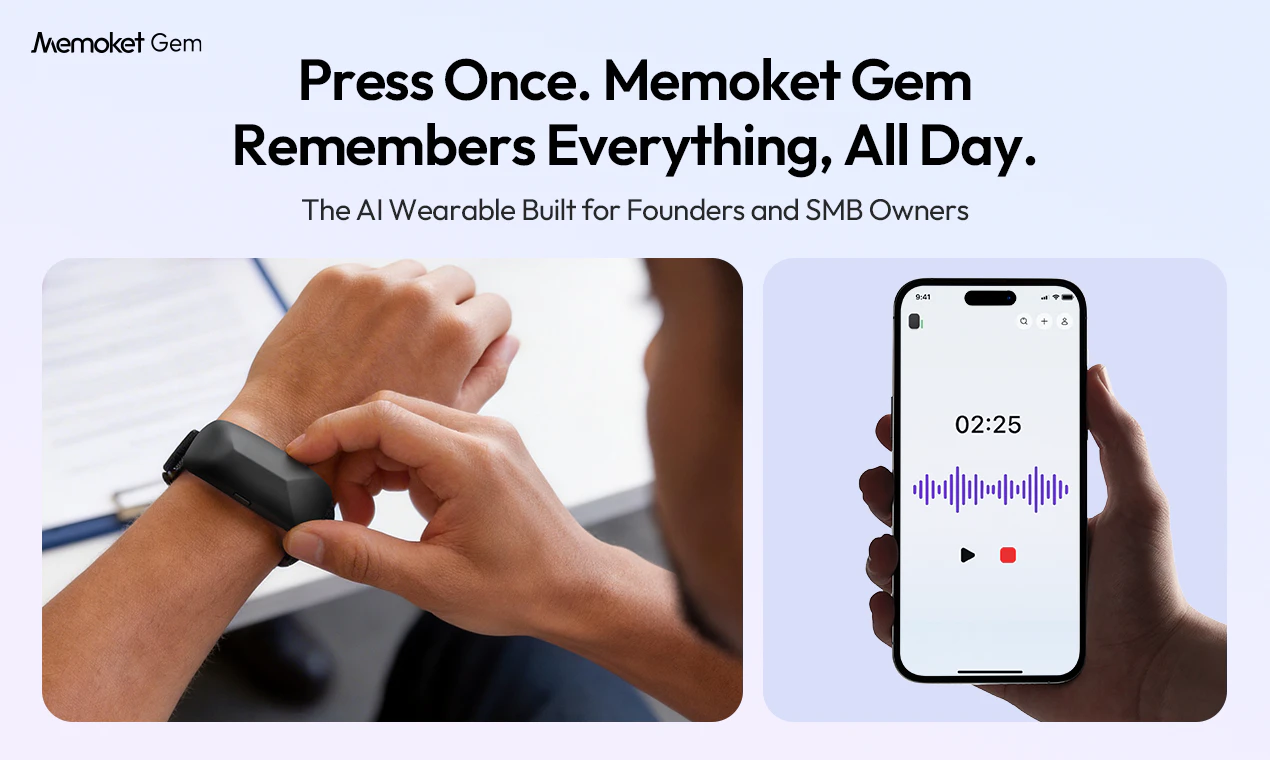
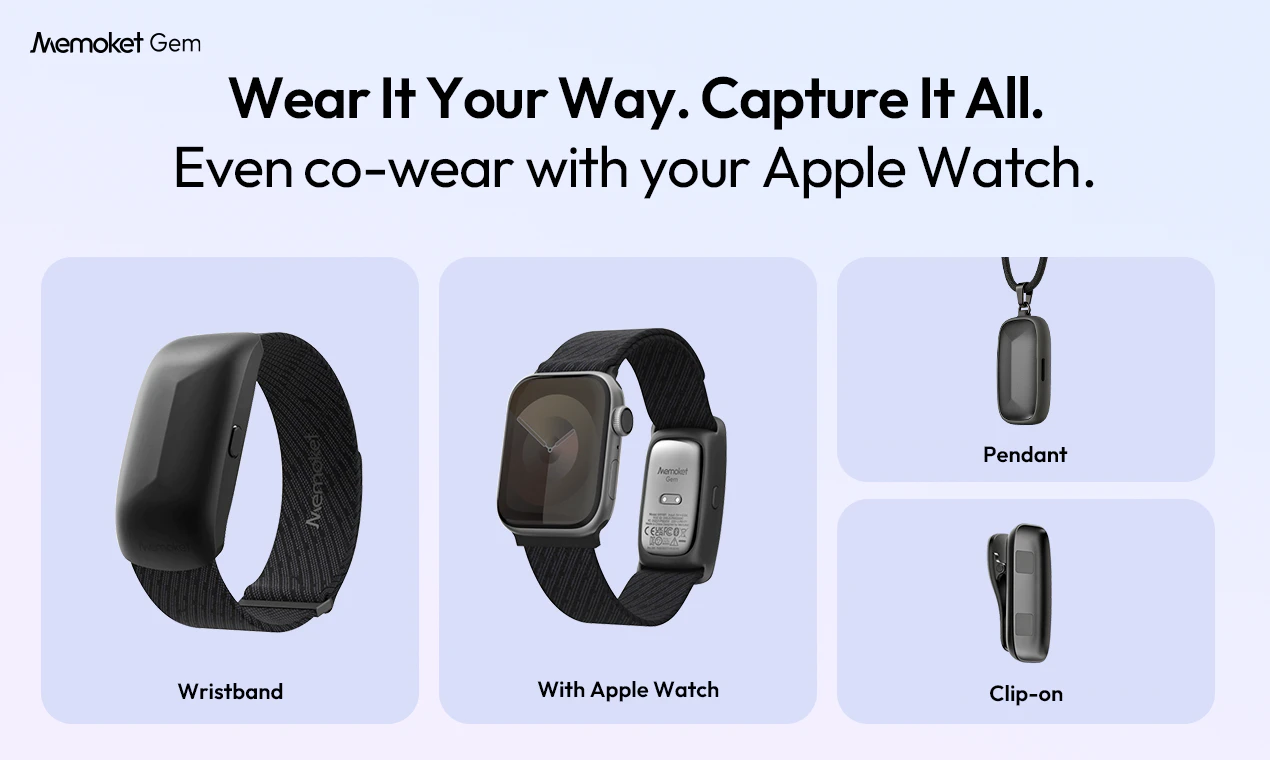
查看原始信息
Crade AI
Tired of sending screenshots to AI? Crade is a desktop AI assistant for Mac and Windows that already sees your screen. Stuck on a bug, an Excel formula, a German invoice, or a weird error message? Just ask — no copy-paste, no uploading, no browser tab. The answer appears in a native overlay window above whatever you're doing. Free tier with 200 credits/day. Pro at $7.99/mo gets you 1000 credits and smarter AI on complex tasks.
Hey everyone! I built Crade because I got tired of the screenshot-AI dance: take screenshot → switch to ChatGPT → upload → wait → switch back → maybe paste the answer. Every. Single. Time. So I built a desktop AI that lives as a small overlay always on top of your other apps, already seeing what's on your screen. Stuck on something? Just type the question right there. The answer appears in the same window, above whatever you're working on. No copy-paste, no tab-switching, no app to open. What's the one feature that would make this a no-brainer for you? And the one missing thing that's a dealbreaker? And I'd genuinely love to hear your ideas for making Crade better. Features you wish existed, workflows that suck right now, anything. Drop suggestions below and I'll read every single one. Happy to answer anything — the tech stack, the design choices, why I priced it this way, anything.
0
回复

@cradeai 

This actually solves one of the most annoying friction points with AI workflows right now.

Feels especially strong for:
-debugging
-spreadsheet work
-workflow automation
-research tasks

Would be interesting to see creator-led “real workflow” demos around those use cases.

1
回复

Interesting app! Can it also interact with desktop elements autonomously and perform automation tasks?

Also can it capture dynamic state changes, like if a button is clicked that leads to an error?

0
回复

@hunter_powabase 

hi, will your brand be expanding into international markets? We can help you with that.

0
回复