Product Hunt 每日热榜 2026-05-22

PH热榜 | 2026-05-22

#1
TestSprite 3.0
Let a fleet of parallel agents test your app in minutes
376
一句话介绍:TestSprite 3.0通过并行AI代理集群自动探索并测试Web应用的前后端,无需手动编写脚本,解决了传统端到端测试脚本脆弱、维护成本高、覆盖不全的痛点。
Developer Tools Artificial Intelligence
自动化测试 AI代理 端到端测试 回归测试 UI漂移自愈 CLI工具 开发者工具 集成测试 数据流调试 智能运维
用户评论摘要:用户关注探索时对生产环境的副作用(需沙箱或干跑模式);UI自愈在CI中可能静默改写断言,建议默认关闭并人工审核;询问AI如何区分真Bug与视觉差异;提及多角色权限模拟、异步系统(消息队列、Webhook)支持及测试结果可解释性。
AI 锐评

TestSprite 3.0的发布,标志着测试工具从“脚本执行者”向“行为探索者”的范式跃迁。其核心颠覆点不在“自动生成测试”,而在“并行探索集群”——让数十个AI代理像真实用户一样先探索再测试,这解决了传统E2E测试最大的痛点:测试覆盖率与人对应用的理解之间不可逾越的鸿沟。过去,你写什么,AI测什么;现在,AI替你发现你没想到要测的。

但真正的考验远非营销能覆盖。第一,破坏性副作用问题。评论中用户一针见血地指出了“模拟用户”与“免于破坏”的矛盾。TestSprite是否具备智能识别并优雅跳过“下单”“发邮件”等危险操作的能力,将决定它能否进入高安全等级的企业生产环境,而非仅限于沙箱。第二,自愈功能的双刃剑效应。UI漂移自愈听起来很美,但它可能掩盖了真正的回归。将自愈默认关闭并仅限本地/预发布环境,是明智但保守的做法——它暴露了当前AI尚无法绝对区分“无害漂移”与“逻辑性DOM错误”的核心局限。第三,规模化后的成本与效率。并行代理集群若在复杂应用中全面运行,产生的API调用成本和测试运行时间是否线性可控?对于CI流程,这可能是压垮骆驼的最后一根稻草。

总体而言,TestSprite精准地抓住了AI代码生成(如Claude Code、Cursor)爆发后,测试环节滞后这一关键市场空白,其CLI集成策略更是对准了AI-first开发者的高频场景。但产品价值目前更多体现在“验证覆盖范围”而非“缺陷发现深度”。要真正成为开发流程的“神盾局”,还需在副作用隔离、置信度阈值和异步系统测试(评论中有提及)上交出更硬核的证据,而非停留于“支持”二字。

查看原始信息
TestSprite 3.0
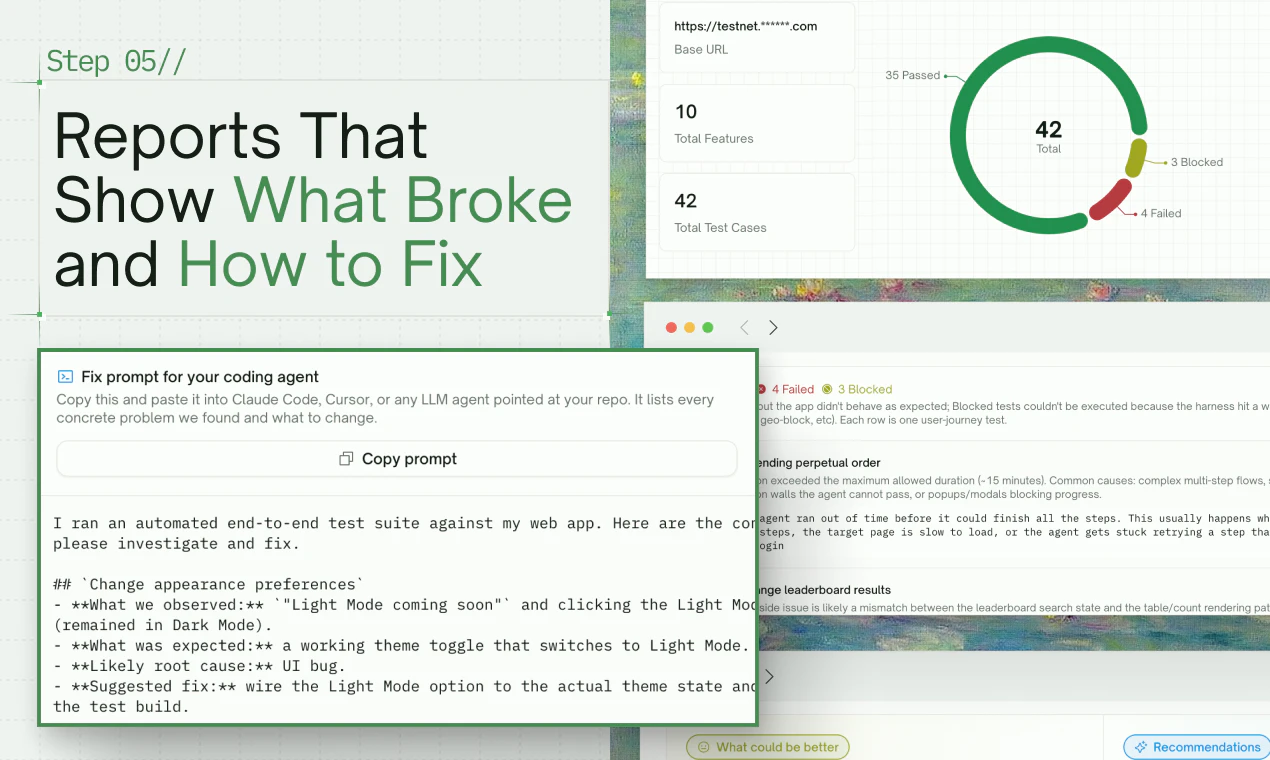
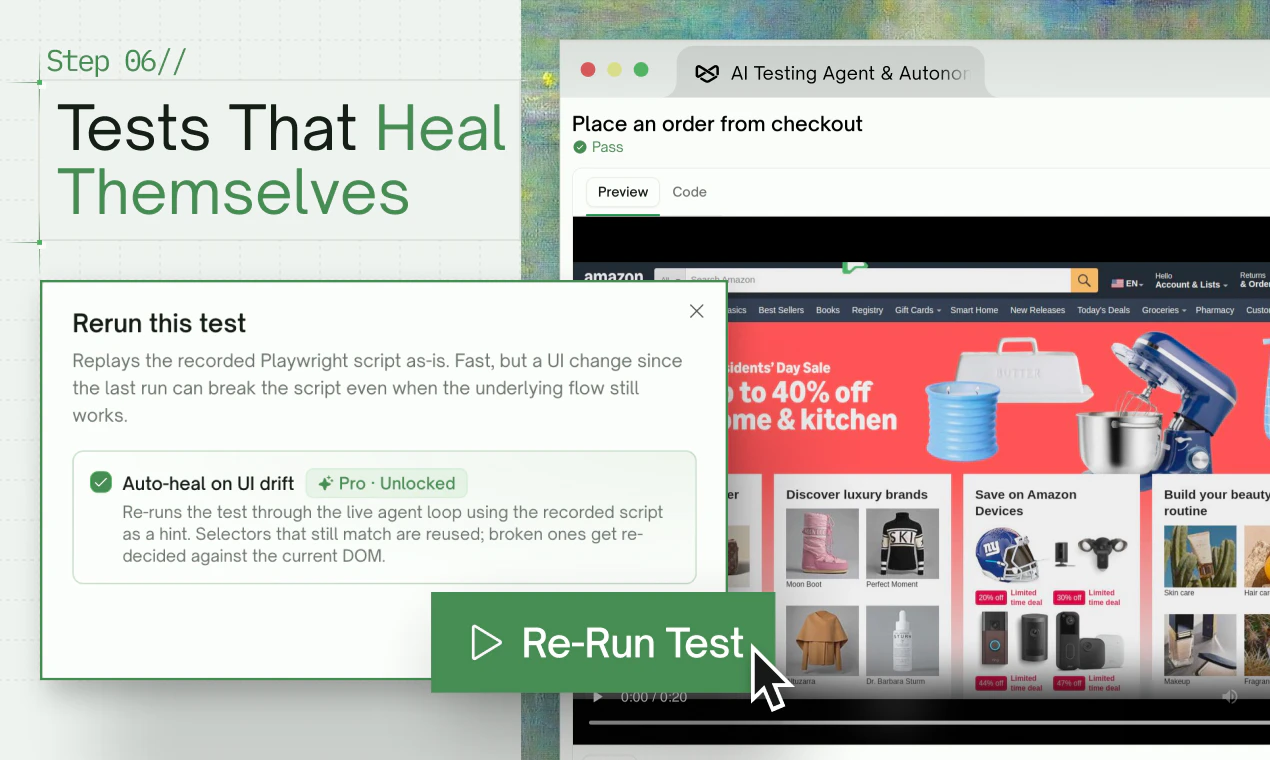
TestSprite generates and runs end-to-end tests for your app, autonomously. For backend, we can now generate complex integration tests with dynamic variables, auto-cleanup, and Data Flow debugging. For frontend, we now send a fleet of parallel AI agents to explore your app first — clicking through every feature like real users, then feeding results into testing. We're the first to do this. 3.0 also adds auto-heal for UI drift, auto-auth for regression, and a CLI for Claude Code, Codex users.

Hey Product Hunt 👋

I'm Yunhao, co-founder and CEO of @TestSprite.

Today we're shipping TestSprite 3.0 — autonomous end-to-end testing that actually understands what your app does, not just what your code says.

✍️ Here's how it works:

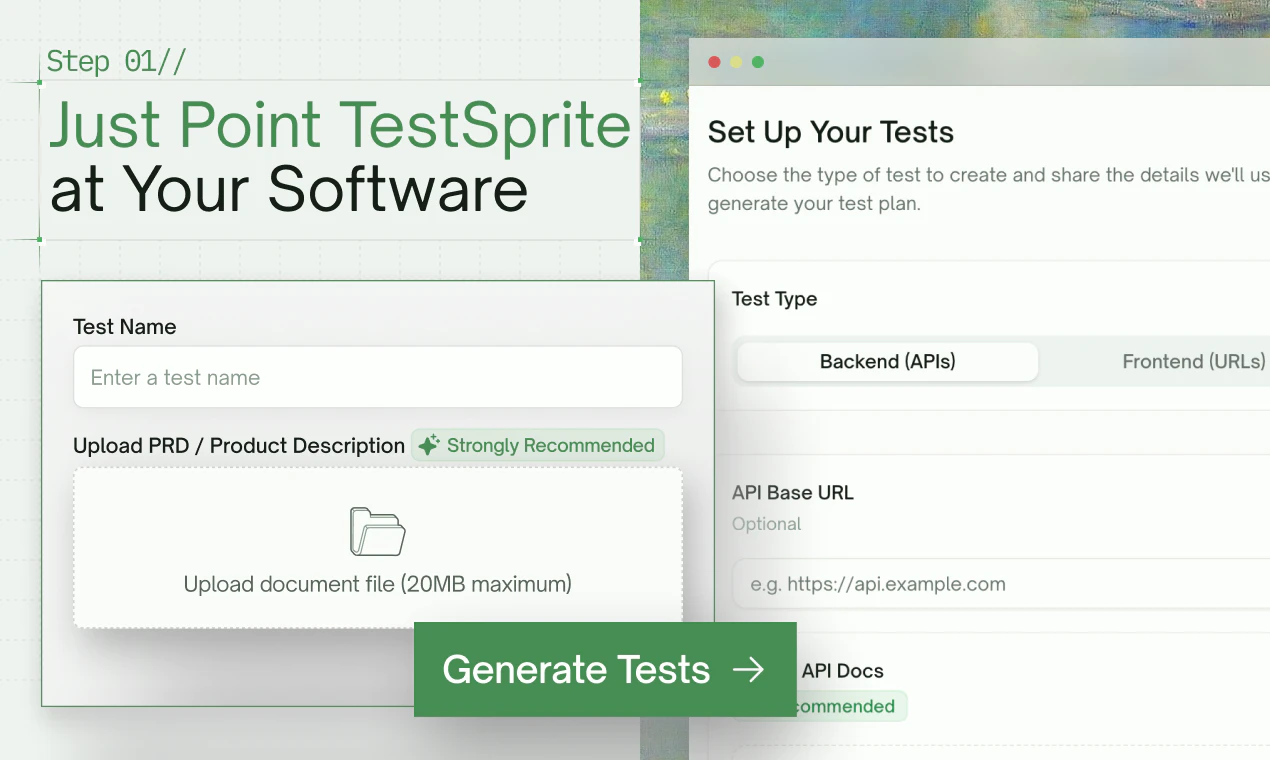
  1. Point TestSprite at your live web app or API endpoints. Drop in your PRD or product spec if you have one (strongly recommended — it sharpens what we test).

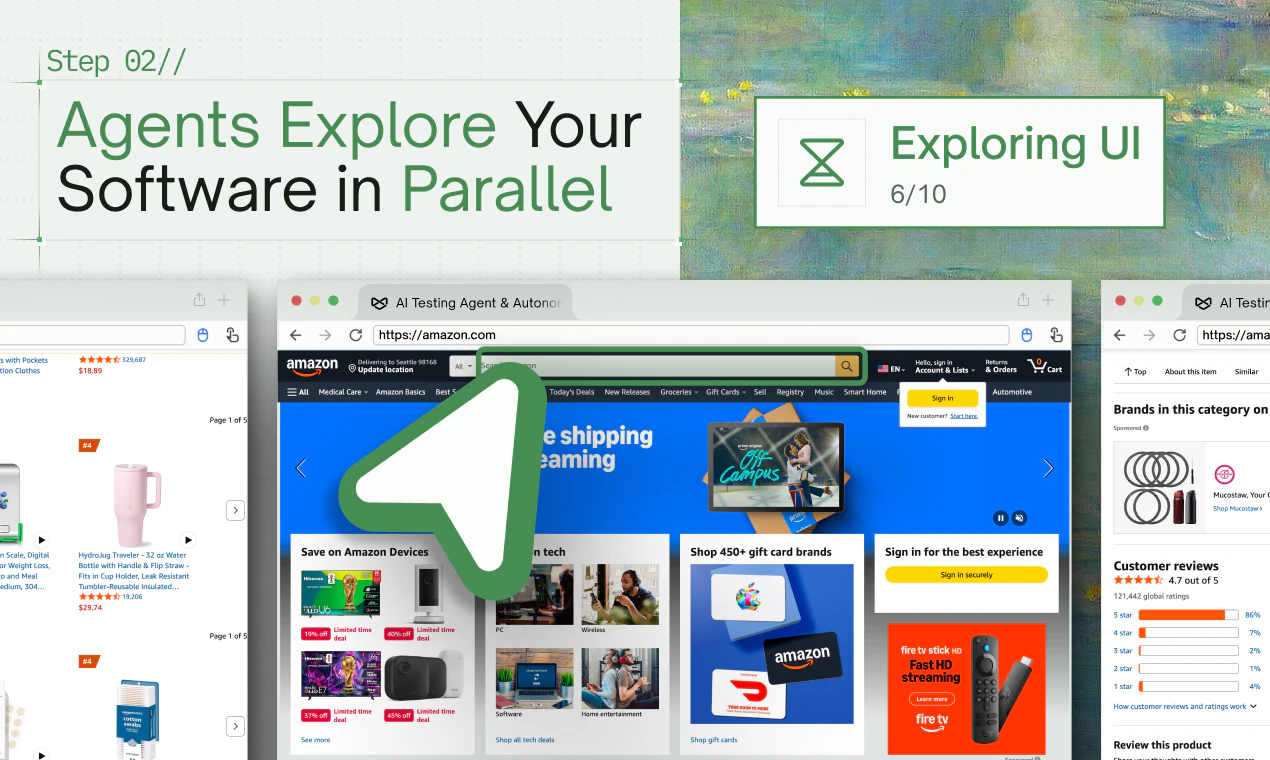
  2. We send a swarm of AI agents to explore it in parallel — clicking through every feature like real users.

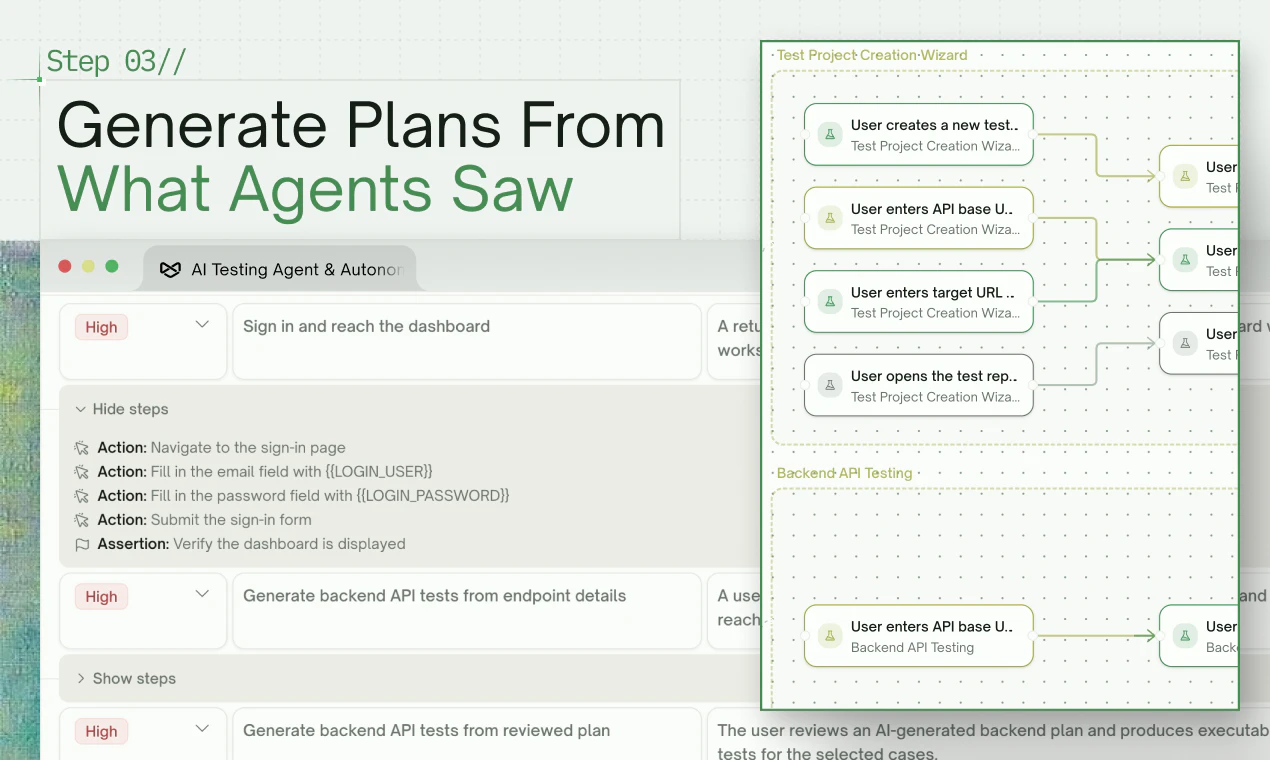
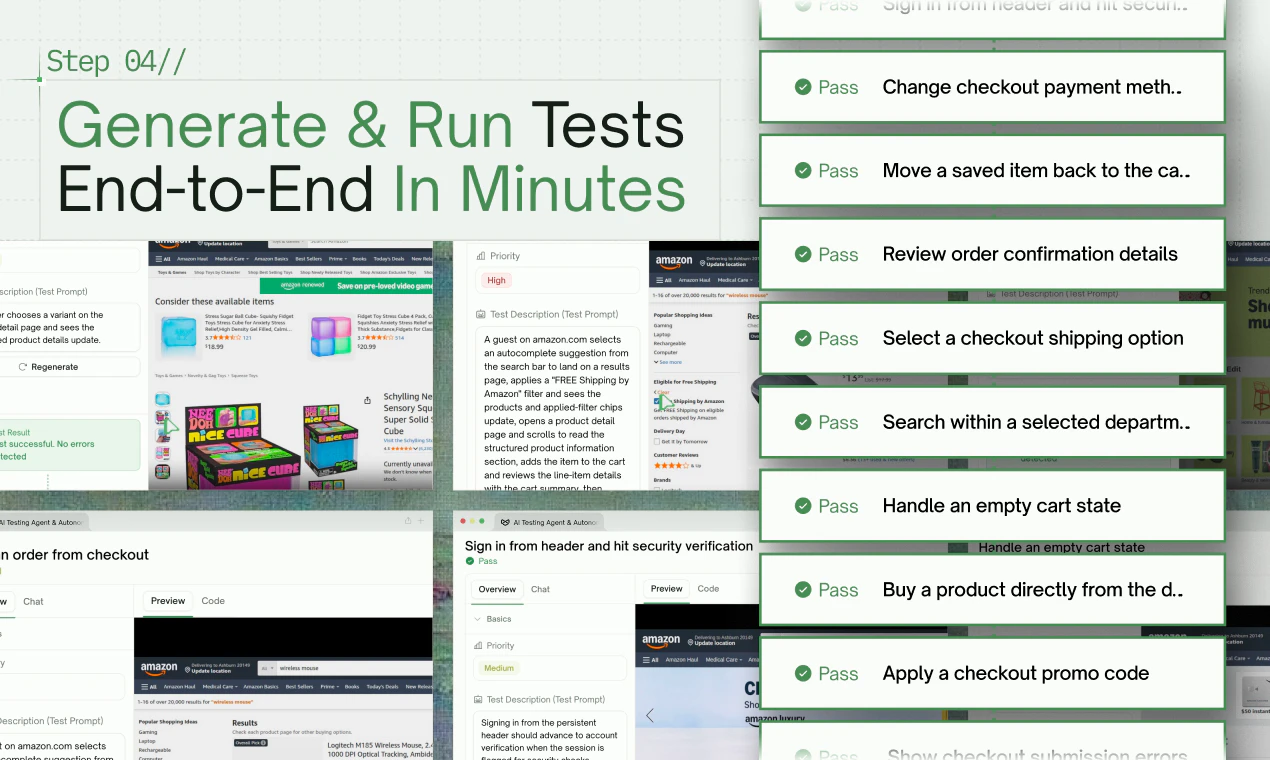
  3. They generate full backend + frontend test suites from what they saw. Then run, debug, and auto-heal them for you.

🚀 What's new in 3.0:

  • Parallel exploration fleet — dozens of agents map your app before a single test is written. As far as we can tell, no one else is doing this yet.

  • Backend gets serious — multi-dependency integration tests, Dynamic Variables, Auto Cleanup, and a Data Flow view that makes debugging an agent-generated test feel like debugging your own code.

  • Frontend tests auto-heal when your UI drifts. Auto-auth keeps nightly regression sane.

  • Accuracy up ~40% — and it really shows on complex enterprise projects, where most agents fall apart.

  • Coverage jumped from ~20 to 50+ meaningful cases per run.

  • CLI for Claude Code and Codex users — coming soon, right inside your terminal.

🎉 Launch day offer: Sign up for our Starter package today and get your first month free.

Come tell us what you'd want TestSprite to break on. We're reading every comment today 🚀

21
回复

Really impressive release 🚀

2
回复

@TestSprite  @jiao_yunhao Hey Yunhao, congrats on shipping 3.0

The parallel exploration fleet is the part I want to poke at. If dozens of agents are clicking through a live app like real users before any test is written, they are also triggering real side effects: form submits, outbound emails, writes to the DB, burned API rate limits. How does TestSprite contain that? Sandboxed env required, automatic detection of destructive actions, or some dry-run mode for the exploration pass? Asking because "explore like real users" and "do not actually charge the card or email the customer" are in direct tension, and that tension is where exploration agents usually get scary.

4
回复

@TestSprite  @jiao_yunhao 
pretty interesting

0
回复

Every piece of community feedback has shaped what we have built, and we are deeply grateful for that!

The goal has always stayed the same: learn and build from what users actually need. We hope this latest version shows how much we truly care. ❤️

3
回复

@adam_ji1 Really appreciate how much the team listens to user feedback. You can genuinely feel that a lot of the 3.0 improvements came from real developer pain points 👏

0
回复

Interesting! Auto-heal for UI drift sounds great in demos and gets dangerous in CI. How do you separate the two without a human in the loop? Congrats on the launch

2
回复

@artstavenka1 Thanks Art! Really fair concern — we thought about this a lot. Auto-heal isn't on by default; it's an opt-in toggle per run. So the typical setup is: off in CI (so it fails loud like you'd want), on locally or in staging where the dev reviews the proposed fix as a diff before it gets merged. That way healing never silently rewrites assertions on main. Happy to share more if you want to dig in — and thanks for the kind words on the launch! 🙏

0
回复

Congrats on the launch!
one thing i would love to understand better is how the AI differentiates between actual product bugs versus harmless visual inconsistencies. Is there some confidence scoring or prioritization involved?

2
回复

@asher_luca We do prioritize and confidence-rank findings internally. The goal is to reduce noisy failures and focus attention on issues that actually impact workflows, logic, or user experience.

0
回复

The autonomous debugging part sounds wild 🤯 How many retries does the system usually need before stabilizing a test?

2
回复

@ana_popescu2 It depends on the complexity of the workflow 😄
A big focus for us in 3.0 was reducing unnecessary retry loops and making the debugging path much more traceable.

0
回复

Super cool launch 🚀

Love seeing testing evolve alongside AI coding tools. The autonomous workflow + CLI support for Claude Code/Codex users feels especially timely.

2
回复

@itsluo Thanks so much! We’ve been thinking a lot about how testing needs to evolve alongside AI coding workflows. The CLI support for Claude Code and Codex users is a big step toward making TestSprite feel more native inside AI-first development environments 🚀

0
回复

Most testing tools still feel like they need a whole setup manual before you can even start, but TestSprite making it conversational is a smart move. Love the frontend + backend coverage in one flow too.

what’s been the hardest type of bug for TestSprite to catch so far?

1
回复

I am especially interested in the collaboration aspect around generated tests and debugging flows. Can multiple developers review and refine generated suites together inside the platform?


1
回复

the auto-heal for UI drift is quietly the best feature here. tests breaking because someone moved a button is why most teams stop maintaining their test suite after month two

1
回复

The upcoming CLI integration sounds perfect for modern AI-assisted coding workflows. Are you planning support for local-first testing environments directly from developers’ machines?


1
回复

@caleb_anderson1 Yes — local-first is exactly where we're heading! The whole point of the CLI is to let you run TestSprite before your code ever leaves your machine. Catch the bug at localhost:3000, not in staging, definitely not in prod.

Picture this: you finish a feature → testsprite run → agents spin up against your local dev server → you get a full report (video + step-by-step + HTML snapshots) before you even open a PR. Pair it with Cursor / Claude Code / Codex and the AI that wrote the code gets instant feedback from the AI that tested it. Tight loop, no waiting on CI.

Shipping confidence at the speed of git commit — that's the dream we're chasing 🚀

0
回复

Congrats team!
One of the hardest parts of AI generated systems is transparency and debugging. How explainable are the generated test decisions when developers want to understand why a workflow failed?


1
回复

@easton_carter Thanks Easton! 🙏 Transparency is something we obsessed over from day one — debugging a black-box AI test is worse than no test at all.

For every test we generate, you get three layers of visibility:

  1. Natural-language description for each step — so you can read the test like a spec ("click the Sign Up button → expect /onboarding to load") instead of decoding selectors.

  2. HTML snapshot at every step — captured at the moment of execution, so when something fails you can see the exact DOM state the agent saw, not just a stack trace.

  3. Full video replay — watch the run end-to-end to catch timing issues, unexpected modals, or UI regressions that logs alone would miss.

When a workflow fails, devs land on a report that pinpoints the failing step, shows the snapshot + video at that moment, and explains in plain English what the agent expected vs. what it actually got. That's usually enough to know whether it's a real bug, a flaky element, or a test that needs updating — without ever reading test code.

0
回复

Most automation tools still require a lot of brittle manual scripting, while this feels much closer to real user behavior. Can TestSprite also simulate different user roles and permission levels during exploration?


1
回复

@peyton_perez Role-based flows and permission-aware exploration are supported. Different auth states and user roles are very important for realistic enterprise testing workflows.

0
回复

Congrats! The data flow debugging view sounds particularly useful for developers trying to trust AI generated tests. can engineers manually edit or optimize the generated flows directly inside the platform afterward?


1
回复

@daniel_harris11 Thank you so much! Developers can manually inspect, edit, and optimize generated flows afterward. We think human review + AI generation together creates the best workflow right now.

0
回复

Congrats! how transparent is the reasoning process behind generated bug reports?

1
回复

@olivia_bennett7  Thanks! Pretty transparent — each report includes the video, step-by-step action log, screenshots, expected vs. actual state, and the agent's reasoning for the verdict. The point is you can verify or push back on the call in seconds, not take the AI's word for it.

0
回复

Congratulations team!
The backend testing upgrades seem particularly strong for API heavy products. Does TestSprite support testing asynchronous systems like queues, webhooks, or websocket driven workflows as well?


1
回复

@owen_shaw2 Thanks a lot! We already support many async and event-driven workflows, including queues, webhooks, and websocket-style interactions. Complex distributed systems are a big focus area for us.

0
回复

Congrats! the CLI integration for claude code and codex users sounds exciting for developer workflows. Will developers eventually be able to generate or run targeted test suites directly from the terminal?


1
回复

@james_carter35 That’s exactly the direction we’re heading. We want developers to be able to generate, run, debug, and refine targeted test suites directly from the terminal workflow.

0
回复

Generating 50+ meaningful cases automatically is a massive jump compared to traditional approaches. How do you internally define “meaningful” coverage versus repetitive or low-value test cases?

1
回复

@antonio_manuel1 Great question. For us, “meaningful” coverage is less about raw test count and more about validating critical workflows, state changes, user paths, and failure-prone logic instead of generating repetitive variations.

0
回复

Congrats on the launch!
The parallel exploration fleet really caught my attention because most testing tools still operate sequentially. How do you coordinate multiple agents without them duplicating the same testing paths repeatedly?


1
回复

@imogen_wallace Thanks! Naive parallel actually makes things worse — N agents all racing to click "Sign Up" first isn't faster, just noisier. Our approach is to make them orthogonal by construction: a discovery pass first breaks the app into distinct features, then we fan out one agent per feature. So they're not competing on the same paths — they're each owning a different slice.

0
回复

E2E testing is not just about generating scripts — it is about understanding which workflows actually matter to users and the business.Curious how TestSprite separates meaningful coverage from noisy coverage. For complex enterprise apps, do the agents prioritize test cases based on the PRD/spec only, or also by app structure, failure severity, role-based flows, and real usage patterns? and can it simulate real scenarios like live meeting and chats ?

1
回复

@harshalvc_ai Great question. It’s not only PRD/spec-based — TestSprite also considers app structure, role-based flows, auth states, failure impact, and what agents discover during exploration.

1
回复

The backend integration testing upgrades sound powerful, especially Dynamic Variables and Auto Cleanup. Can TestSprite also manage dependent API chains with temporary tokens and session-based workflows?


1
回复

@andrew_paul11 Yes — that’s actually one of the scenarios we designed the backend workflow for. Dynamic Variables + Data Flow tracking allow TestSprite to handle dependent API chains, including temporary tokens, session-based auth flows, and multi-step request dependencies. The goal is to make complex integration testing feel much closer to debugging real application logic rather than isolated API calls.

0
回复

Congrats on the release! Looks great!

1
回复

@pasha_dudka Thanks Pasha!

0
回复

Appreciate everyone checking out the launch today ❤️

This release took a lot of iteration, especially around autonomous frontend exploration and regression reliability. We wanted TestSprite 3.0 to go beyond simply generating test scripts, and actually understand how users move through an app before creating tests.

Excited to hear your feedback and keep improving it from here!

1
回复

It feels like AI coding tools are moving faster than testing infrastructure right now. Do you see TestSprite becoming part of the default AI development stack?

0
回复

I’ve been with the @TestSprite team for a while, and 3.0 feels like the version where the product got much more practical.

Now, instead of guessing at what your app does, TestSprite sends out a fleet of parallel AI agents to explore it first — almost like real users poking around — then generates tests from what they observed.

This is a key differentiator from most “AI testing” products that feel like asking a coding agent to squint at your app and hope for the best.

TestSprite is pushing toward something more concrete and ambitious: hundreds of parallel agents that explore, generate, and run tests at scale, and then Ralph Wiggum healing broken features.

Also: the CLI story is spicy! 🌶️ The team described an internal “Gundam mode” where Cloud Code + TestSprite CLI + AWS CLI can keep coding, testing, checking logs, and iterating for days.

That’s the bit I’m looking forward to trying!

0
回复

Congrats on the launch! 🎉 The exploratory-testing-by-parallel-agents framing is the interesting move — QA traditionally treats exploration as the part you can't automate, only deterministic scripted runs. One question: when auto-heal fixes UI drift, how do you prevent a 'false pass' where the heal silently masks a real regression? Curious where the line sits between adaptation and over-tolerance.

0
回复

As a solo dev building small SaaS tools, testing is always the first thing I skip when rushing to ship. The "90% cost reduction" claim is bold — curious how it handles edge cases in backend API testing specifically. Does it work well with lightweight stacks like Vercel + serverless functions?

0
回复

Curious how TestSprite handles visual regression for design tokens specifically — if a colour or spacing token changes upstream in a design system, does the agent catch that drift across every affected component automatically, or is visual diffing still a separate manual step on top of the functional tests?

0
回复

Really curious — when the agents explore an app, do they sometimes discover workflows or edge cases that developers themselves overlooked?

0
回复

Parallel agents for testing is the right approach running tests sequentially is the bottleneck nobody talks about. Does it work for iOS/mobile apps or mostly web? That's where I'd love to use this.

0
回复

This sounds awesome, particularly PRD to test case development! I gotta connect the MCP to Brief.

0
回复
#2
Cleo
The AI PM that runs your team
311
一句话介绍:Cleo 是一个嵌入 Telegram 和 Slack 的 AI 产品经理,专为创始人和精简团队设计,通过持续学习团队上下文和执行日常管理任务(如站会、跟进、决策记录),解决创始人被项目管理琐事淹没、无法专注核心产品开发的痛点。
Productivity Artificial Intelligence Alpha
AI 产品经理 团队协作 项目管理 Slack 集成 Telegram 机器人 记忆透明 自动化工作流 创始人工具 小团队 任务跟进
用户评论摘要:用户赞赏其记忆透明和聊天侧边栏设计,但核心聚焦于可靠性:多名用户质疑如何处理冲突信息、长项目记忆衰减、以及跨工具上下文一致性。创始人承认当前仅“呈现冲突而不解决”,且主动过滤80%噪声以维持质量,但审计负担(确认事实)仍是潜在失败模式。
AI 锐评

Cleo 的“透明记忆”并非技术上的护城河,而是一次精准的信任声明。在“AI 替你干活”已成烂大街标语的市场里,Cleo 选择了一条更难却更务实的路径:让 AI 不是黑箱决策者,而是可审计的助理。其“五级信任度”和“源+置信度+修正按钮”的设计,直接回击了用户对 AI 幻觉的深层恐惧——这比任何花哨的自主决策引擎都更贴合小团队的实际需求。

但“透明”是一把双刃剑。如果 CEO 需要每天花时间确认 AI 记住的事实是否正确,那它不过是把“填站会表格”的苦役换成了“修改记忆错误”的苦役。Cleo 核心团队显然意识到了这一点,他们在回复中强调“置信度决定可见性”和“错误修正转化为规则”,试图将审计行为从“日常维护”压缩为“间断排查”。然而,对于一个连 PM 都雇不起的团队,他们真的有精力去扮演“AI 事实裁判”吗?这个模型能否在团队规模扩大时依然保持低干预率,是 Cleo 从“有趣的玩具”走向“真正的生产力工具”的关键。

真正聪明的是 Cleo 的“不作为”:它明确不解决内部冲突,不盲目决策优先级,不试图全自动开 sprint。这看似功能边界,实则是针对“低配置高噪声”现实的最优解——小团队的冲突往往是领域判断,AI 猜错了比不猜更致命。Cleo 恪守“放大人类信号”的角色,这是当前 AI 在复杂协作中最诚实的定位。对于每天被 PM 文书淹没的创始人,它至少能帮你省下50%的琐碎注意力。至于剩下的50%,请记住:你仍然是那个最终必须站在代码和客户之间的人。

查看原始信息
Cleo
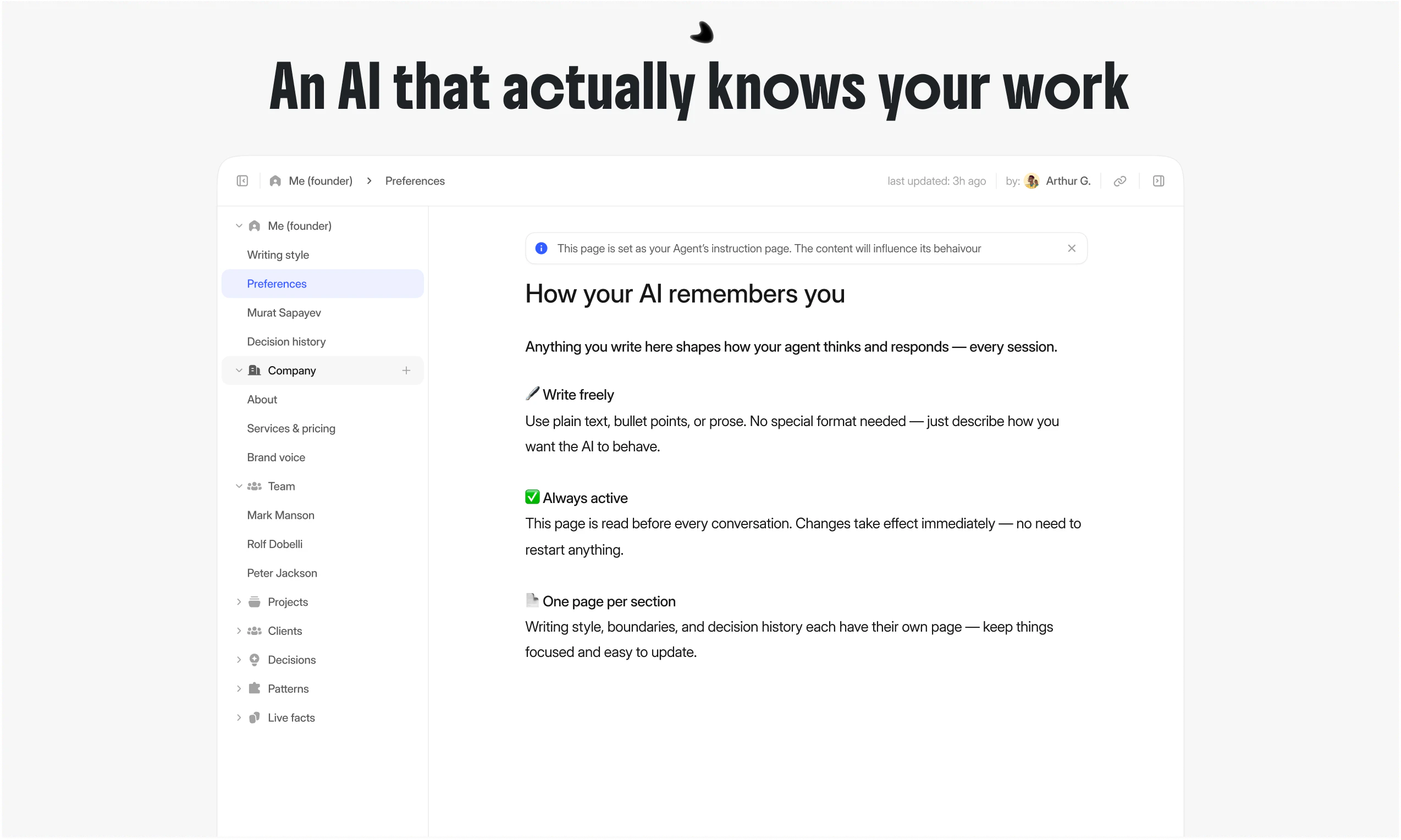
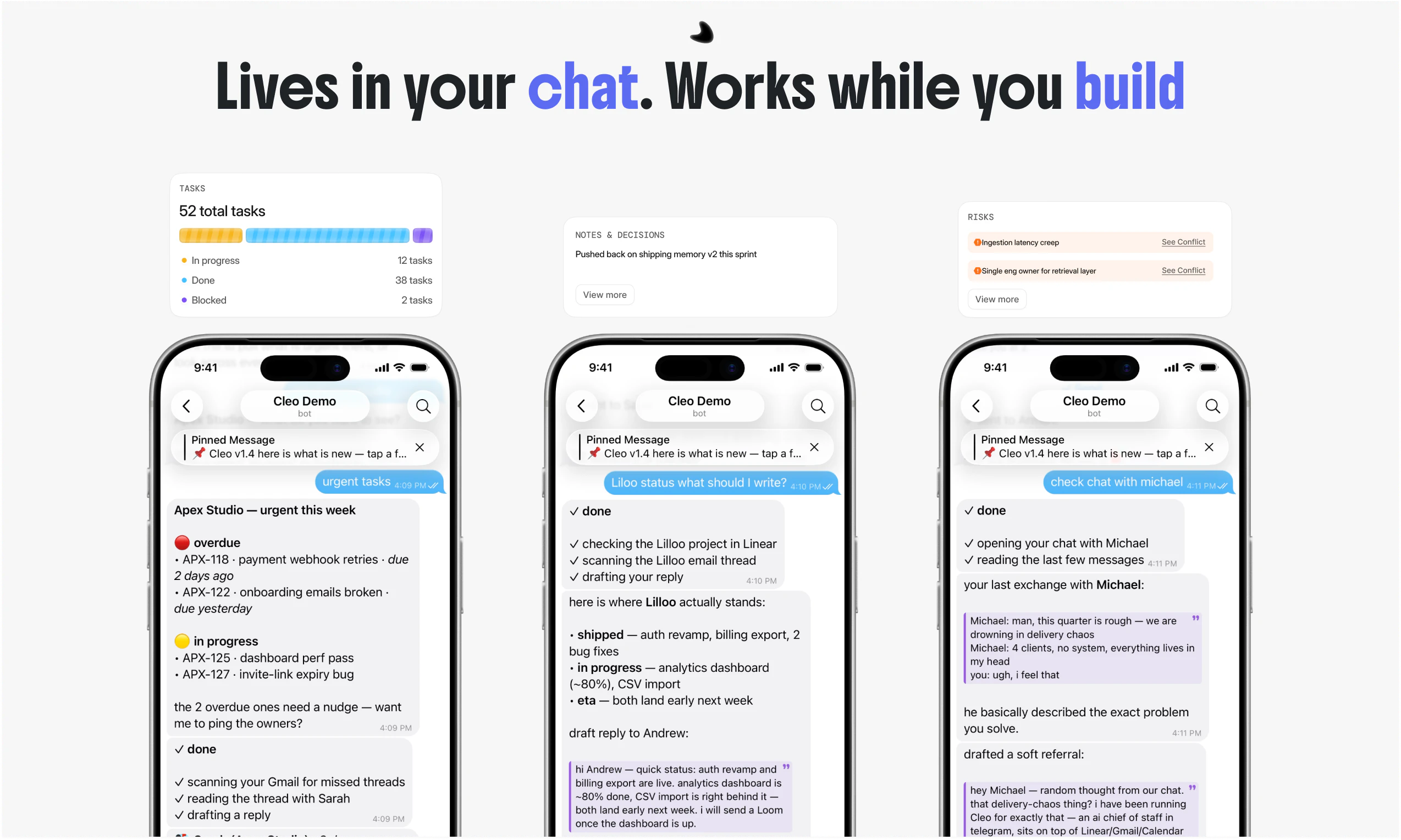
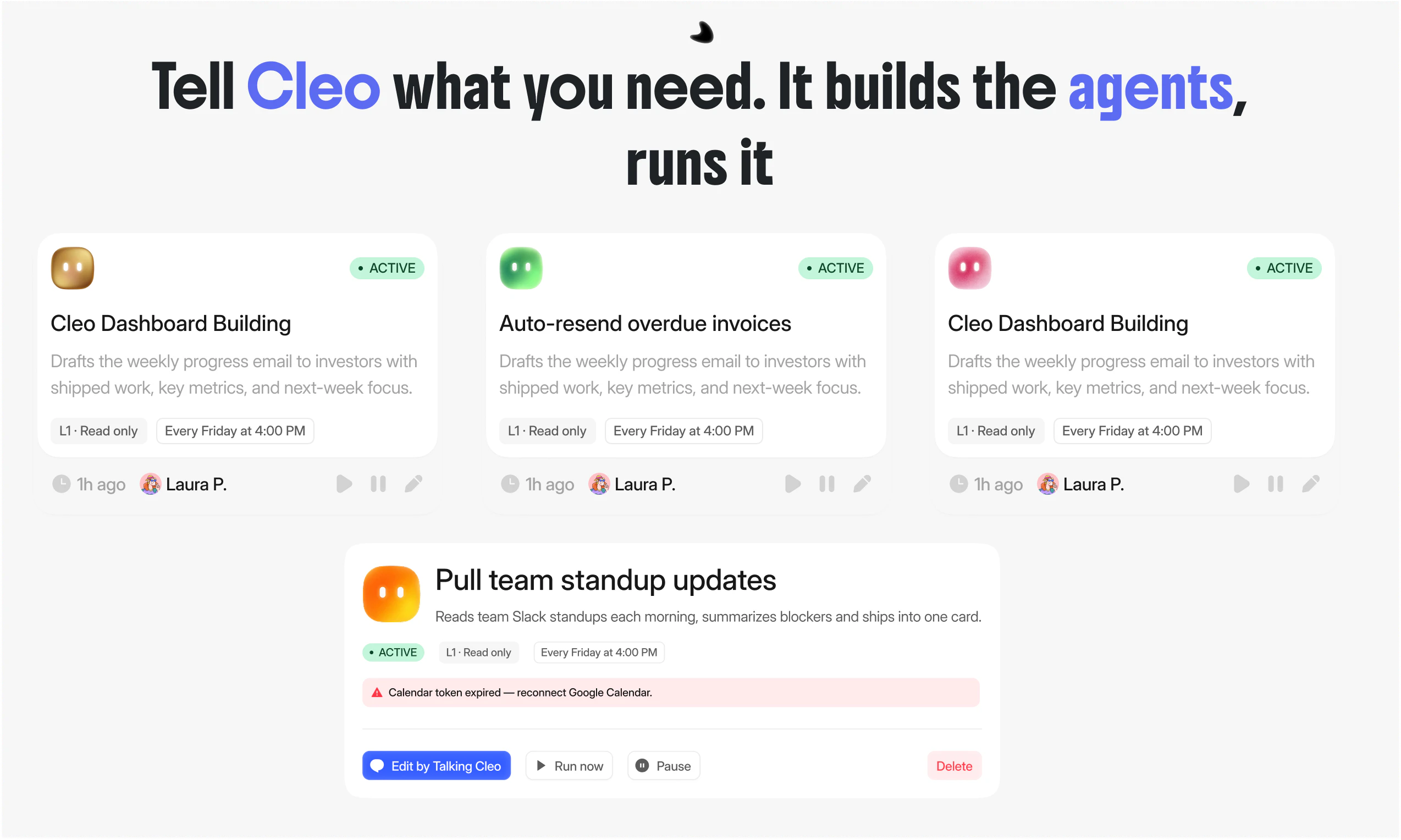
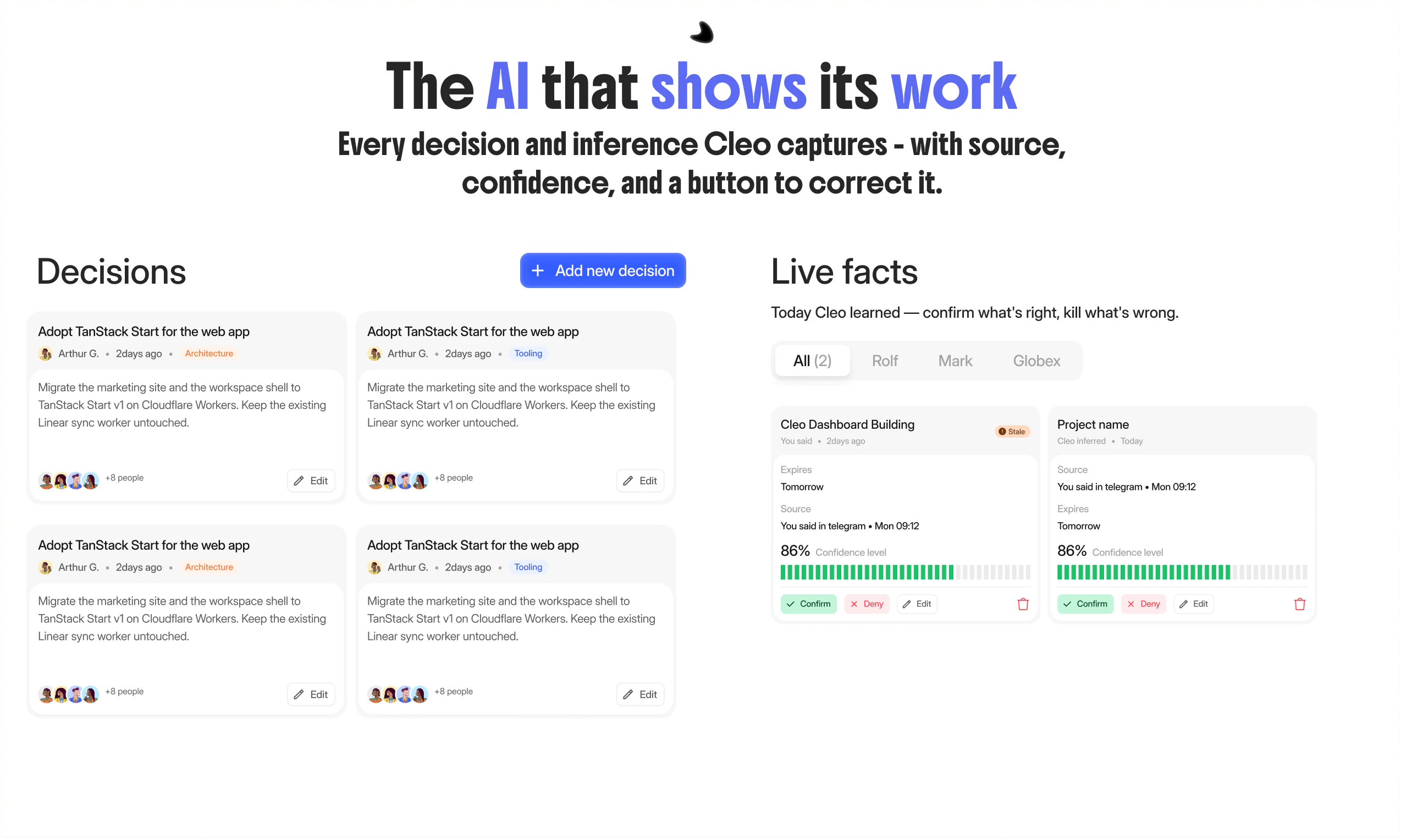
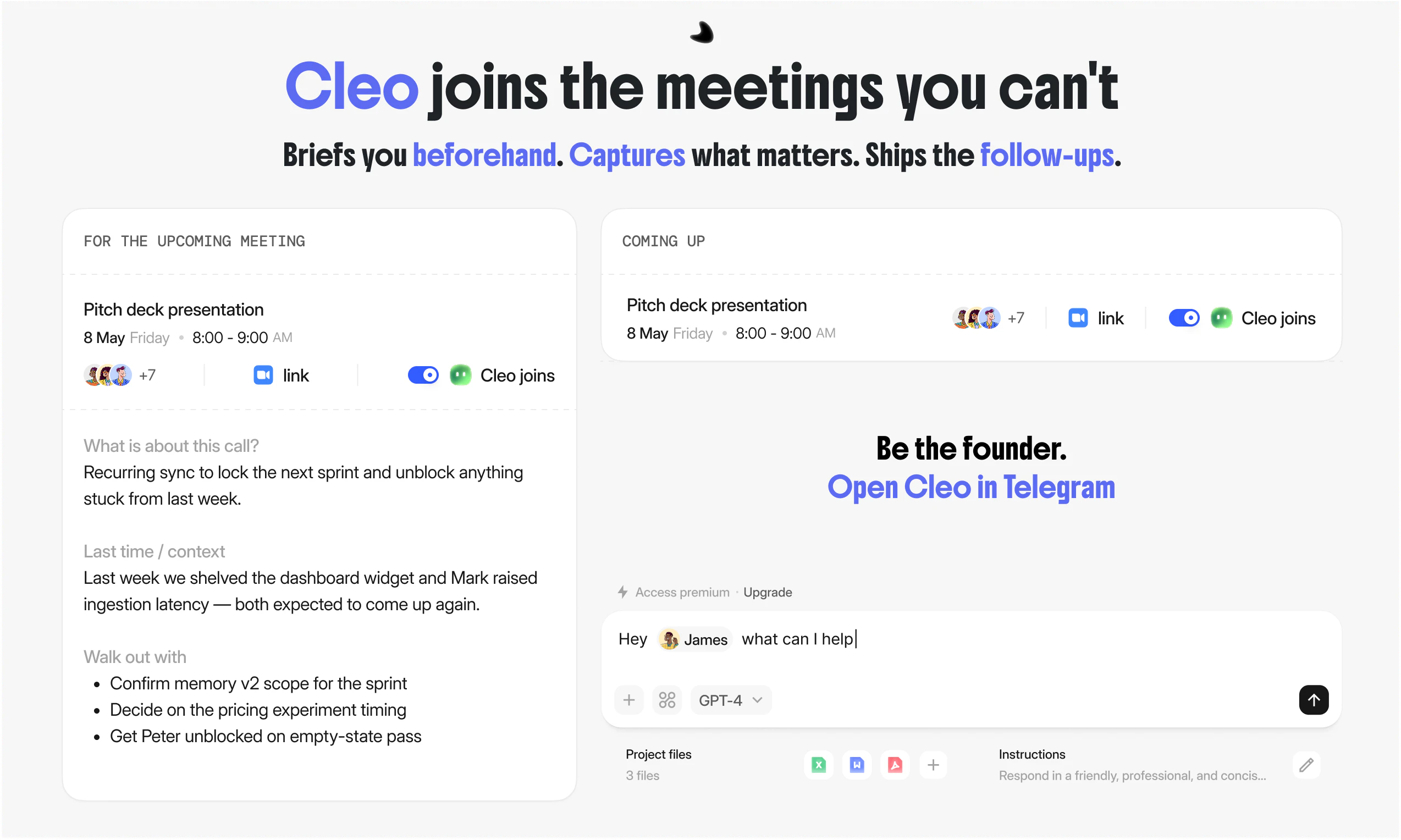
Cleo is the AI product manager for founders and lean teams. It lives in Telegram and Slack - learns your tone, knows your team, and runs the PM work (standups, follow-ups, decisions) while you ship the product. What's different: every fact Cleo learns is transparent - you see the source, the confidence, and can confirm or correct it. No black-box memory. Five trust levels, from observer to operator. Free in Telegram. 1 min setup
Hey Product Hunt 👋 I'm Rahim, Co-Founder of Cleo. In February, I started using OpenClaw as my PM. Pasted in standups. Asked it to draft updates. Treated it like a teammate. The truth came fast: OpenClaw is great as a personal assistant. As a product manager, it falls apart. It doesn't know my team. Doesn't remember what we said yesterday. Every new chat, I had to start over — explain the team, the tone, what mattered, what didn't. By the time I was done, I could've just written it myself. That's the day Cleo started. Cleo isn't a chatbot you open. It's an AI product manager that lives in your Telegram, Slack, and Linear — and stays there. Day after day. It learns your team. Your voice. Your decisions. It runs the standups, drafts the messages, catches the follow-ups you forget. In your voice. Without asking you to start over every morning. And nothing is hidden. Every fact Cleo learns shows where it came from, how sure it is, and a button to fix it. Free today: • Bot in Telegram → https://t.me/try_cleo_ai_bot • Works with Slack, Linear, Notion, Gmail, Calendar and tools you use everyday • 3 active automations, unlimited memory • Five levels of trust - from just watching to fully acting One question: when did you stop being the founder and start being the PM? I'll be here all day. Tell me where this still falls short. Try the bot: https://t.me/try_cleo_ai_bot Thanks 🙏
15
回复

@rahimwws Happy to launch with you mate

2
回复

@rahimwws Congrats on the launch. How are you thinking about memory decay, conflict resolution, and source prioritization over time?

0
回复

@rahimwws 

Rahim, transitioning from personal memory to operational memory is a heavy data challenge, but Cleo's interface needs a more rigorous visual architecture to prevent decision-tracking logs from becoming cognitively overwhelming. As a Senior AI Product Designer, I engineered the Vitalis AI ecosystem (referenced in the file m. Abdirsak ,,.JPG) to explicitly solve complex data flows and cross-regional monitoring through an institutional-grade visual layout. If you want Cleo’s dashboards to match the psychological weight of an executive PM, let’s bypass the live calls, drop me your product brief, and we can sync asynchronously.

0
回复

Hey Product Hunt 👋 Rahman here, Co-Founder of Cleo. I'm 19, building this from the US.

Rahim told you why we started. I'll tell you the line we refused to cross.

Right now there are a hundred tools claiming to be your "AI PM." Be honest - most of them are bullshit. Either it's just another chatbot with a new logo or it's a thin wrapper that "remembers" by dumping everything into a database and praying. No source, no confidence, no way to know if what it's acting on is real or hallucinated. That's not a teammate. That's a liability with a nice landing page.

I've shipped products solo since I was a teenager, and the thing that always broke wasn't the code - it was the coordination. Standups, follow-ups, "wait, what did we decide last week?" That overhead scales worse than any infra problem, and one day you realize you've stopped being the founder and become the PM of your own company.

Every assistant we tried was great at answering and terrible at remembering us. New chat, start over. Re-explain the team, the tone, what matters. By the time you've briefed it, you could've just done the work yourself.

So Cleo doesn't ask you to start over. It lives in your Telegram, Slack, and Linear, learns your team and your voice, and runs the PM work day after day - in your tone, not a robot's.

But here's the part I'd stake the whole product on: an AI that runs your team has no business hiding what it knows. So Cleo doesn't. Every fact it learns shows its source, its confidence, and a button to correct it. Five trust levels, from just watching to fully operating. You decide how much rope it gets - and you can always see exactly what it's working from.

No black-box memory. No "trust me." Just a teammate you can audit.

I'm here all day. Tell me where it still falls short — that's the comment I actually want. 🙏

Try the bot: https://t.me/try_cleo_ai_bot

6
回复

@rahman_bazarov_ Proud to build this with you, brother. The "AI that runs your team has no business hiding what it knows" line is exactly the argument we had at 2am the night we decided to rip out V3. Took a year of bad AI tools to see it that clearly. Glad we both got there.

2
回复

The chat-first sidebar with structured memory cards below it is a pattern I haven't seen done well before. Most AI tools force you into either pure chat OR pure dashboard. Cleo manages both, and the seam between them is actually invisible

5
回复

@sapayev Thanks - this is the part of the product I'm most nervous about and most proud of. We went through 4 redesigns of the sidebar/dashboard relationship before this one clicked.

3
回复

I've known Rahim since school. Watching him ship has been wild - they killed their own launch in May because telemetry wasn't right, rebuilt in in 5 days, and kept every paying customer. That kind of operating velocity is rare. Pulling for them

4
回复

@dedyfo Thanks for the kind words, Rovshen. The May 4 kill was the hardest call we've made so far - but the telemetry was honest about what was working and what wasn't.

2
回复

What’s the biggest bottleneck you faced while building this?

3
回复

@nithin_raju1 The hardest problem wasn't model quality or integration count - it was keeping context coherent across tools without exploding cost or latency.

2
回复

Having an AI PM directly in Slack and Telegram sounds like a massive time-saver for lean teams. Great concept!

3
回复

@elene_tandashvili Thanks! The lean team angle is exactly the wedge - when there's no PM to delegate to, the founder eats the ops work. Glad it landed.

1
回复

Big congrats on the launch! The transparency model (source + confidence + fix button on every fact) is the right instinct, but I'd push further: there's a failure mode where an auditable AI quietly becomes a verification queue. If I'm confirming and correcting facts to keep Cleo accurate, I've just swapped standup overhead for memory-maintenance overhead. What's the design that keeps the audit asymmetric, where I only look when something's wrong, not to keep it right? Does Cleo surface only low-confidence facts for review, act silently on high-confidence ones, and shrink the queue as it learns my corrections?

3
回复

@ferdi_sigona Sharp catch. This is the failure mode we feared most and explicitly designed against. Three things keep the audit asymmetric:

1. Confidence determines visibility, not just labeling. High-confidence facts (>85%) act silently — Cleo uses them, doesn't ping you. Mid-confidence (60-85%) gets surfaced only when about to be used in a consequential action. Low-confidence (<60%) goes to a review queue. You're not approving facts — you're approving the small subset where Cleo isn't sure yet.

2. Confirmations compound, corrections decay. A fact you confirm once moves up the confidence ladder. A fact that survives 30 days without contradiction or correction graduates to "settled" — invisible in normal flow. You converge to a state where most of memory operates without you.

3. Corrections become rules, not patches. When you fix a fact, Cleo extracts the pattern ("Mark doesn't own ingestion anymore, Sarah does — and ownership transitions happen in #eng-leads channel"). The next 100 facts of that type don't need correcting.

The math we watch: confirmation-events per active user per week. If that number doesn't drop month over month, the design is failing. Right now it drops ~40% from week 2 to week 6 for active users. That's the signal we'd kill the product over if it inverted.

2
回复
How are you organizing the memory?
3
回复

@lakshminath_dondeti The stack underneath is doing a lot - Supermemory abstraction, vectors for semantic recall, graph for entity relationships. The interesting part is that you never see it. You add a fact in chat, you ask a question across three projects, you get the right answer with source. That kind of "complexity stays under the hood" engineering is the real moat. Most AI products leak their architecture into the UX. This one doesn't.

2
回复
@rahimwws thanks. Seems very comprehensive.
4
回复
@rahimwws at the moment, researching the area. What works and what doesn’t. As to building something, there are so many ideas floating around. 😅
3
回复

Nice launch! Quick q - is Cleo built specifically for agencies, or would it work for a small SaaS team too? Most of my "PM" pain is internal standups and follow-ups, not client stuff.

3
回复

@ahmetaz Yes - works for small SaaS teams. Agencies are the wedge because the tool stack is consistent and the pain is acute, but the operational primitives (memory, learned rules, integrations) generalize.

1
回复

Good luck!

3
回复
2
回复

Curious how Cleo handles context across long projects — does it maintain memory between sessions or does each conversation start fresh? The PM bottleneck is real for small teams building fast.

2
回复

@david_marko Yes, memory persists. Every conversation builds on the last one. Cleo holds a model of your team, projects, clients, and decisions across sessions.

1
回复

How do you pull in offline context easily for remote based teams? Ideally something low lift but I would imagine capturing every single meeting would be adding a lot of non-related content.

2
回复

@treeves Good question. Default is off, not on.

Meetings have a per-call toggle ("Cleo joins"). You opt in to the calls that matter (weekly syncs, decision-heavy ones) and skip casual ones. Chat is channel-by-channel, not workspace-wide. Email is label-based. Linear is project-based.

For memory specifically, Cleo only extracts decisions and patterns when signals are strong. Casual conversation doesn't generate clutter. We filter out roughly 80 percent of what flows through.

Lowest lift starting point: connect standup channel plus one weekly meeting. Most teams expand once they see what actually surfaces.

1
回复

what is the difference between Cleo and handing over a few docs for guidelines on any ai agent? genuinely interested.

also, quick feedback on your comment, when you use AI to write it, remove the em dashes and make it personal! good luck!

2
回复

@math_biomes thanks!

1
回复

@math_biomes 

1. They're a snapshot. Mark owned ingestion latency last month. Sarah owns it now. You'd have to remember to update the doc every time something changes, and you won't. Cleo updates itself from the actual signals (a Slack message saying "Sarah is taking over") and flags both for confirmation.

2. They don't carry source. Doc says "we decided to ship X". Three months later you forget why. Cleo stores the decision with the conversation it came from, the trade-off considered, who was in the room.

3. They don't act. A doc is read-only context. Cleo reads the doc, then drafts the message, runs the standup, catches the follow-up. The doc is the prompt. Cleo is the worker.

1
回复

Congrats on the launch! Curious, how does Cleo handle situations where the team has conflicting updates or unclear blockers? Does it just surface them or does it actually try to resolve the ambiguity?

2
回复

@campixl Surfaces, doesn't resolve.

When Cleo sees conflicting updates ("Mark says blocked on infra, Sarah's standup says infra is fine") it flags both with sources, side by side, and pings whoever owns the work for clarification. Cleo doesn't try to decide who's right - that's almost always a domain call humans need to make, and getting it wrong silently would be worse than not acting at all.

1
回复

What stands out about Cleo is that it doesn't just track tasks — it actually runs sprints autonomously. Curious how it handles prioritization when multiple stakeholders have conflicting requests. Does it have a built-in negotiation framework or just default to whoever shouts loudest?

2
回复

@lakshita_rana1 Cleo doesn't run sprints autonomously yet - it surfaces what's stuck, drafts updates, and chases follow-ups, but humans still call sprint priorities.

On conflict: there's no negotiation engine. Cleo surfaces the conflict explicitly ("PM wants A by Friday, client just asked for B same week — who decides?") with sources for both requests.

1
回复

Congrats on the launch! How is it different from OpenClaw with some PM skills? You mentioned OpenClaw doesn't remember what you said yesterday, but from my experience it remembers quite well.

2
回复

@greatll Fair point - Openclaw does have memory now, and it works well for what it's built for. The distinction we draw is between personal memory and operational memory.

Openclaw remembers things about you - your preferences, your style, what you've said in past conversations. That's powerful for a personal assistant.

1
回复

Big Congrats on launch! Which AI models are you using? And how is company security handled?

2
回复

@nishit_chittora Thanks!

Models: 7 in production, routed by task - 3 from Anthropic (Claude, primary for agent reasoning and drafting in user voice), 2 from Google (Gemini, for long-context retrieval), 2 from OpenAI (GPT, for structured outputs). Routing via OpenRouter + LiteLLM, so we swap models per workload without changing app code.

Security: No cross-customer training (your data never trains shared models). Encryption at every message. OAuth-only integrations — we don't store passwords. Architecture made with SOC 2 in mind; certification in progress

0
回复

the confidence scoring model is the right approach. most AI tools just act on everything with the same certainty and you only find out it was wrong after it already sent the message. curious how the 30 day correction window works in practice when the team structure changes fast

2
回复

@tina_chhabra Static decay breaks for fast-moving teams — by the time a fact ages out, the org chart has changed twice. So decay is event-driven, not time-driven.

Facts have a type that determines how they age. Structural facts (ownership, roles) decay fast on contradiction -one Slack message saying "Sarah's taking over from Mark" drops the old fact's confidence below threshold and queues both for confirmation.

30 days is the fallback for facts with no contradicting signal. For active teams, most facts get refreshed or contradicted long before that.

1
回复

Very cool launch, congrats!

Sending support from the Exabase team 😌

2
回复

@johnny_makes Means a lot - thanks. i got ur email from rahman

1
回复

Really proud to have worked on the design here. The hardest thing wasn't making it pretty, it was making "you can see everything Cleo knows" not feel like homework. Source, confidence, a fix button on every fact… that's a lot to surface without burying people. Took a few rounds to get the chat and the memory side to live together cleanly. Happy with where it landed

2
回复

@islam_yuldashev The "not feel like homework" framing is the part I keep coming back to. You got it to feel like a Notion page that happens to know things, not a compliance dashboard. That distinction is the whole product working.

1
回复

We're one of the early agencies using Cleo. The thing that surprised me: it actually learned how my team writes in 7 days. Now it drafts Telegram updates to clients in my voice and I just approve. Saving me 2-in 57 minutes a day on operational stuff.

2
回复

@ecomnazar Honored you trusted us early. The 7-day learning window matched what we hoped for but didn't promise - Telegram is where voice signals are densest, so the model picks up tone fast there. Thanks for sticking through both rewrites in May.

1
回复
What part of the PM job is it really good take?
2
回复

@louislecat The endgame is bigger than a PM tool.

We're building toward agents that operate as employees - not assistants. They sit in your meetings. Execute across every integration your team uses (50 native, 500+ through Composio). Run entire functions of the company under your judgment.

Cleo today is the operational layer. The architecture (memory + provenance + learned rules + integrations) generalizes - same primitives that draft a client follow-up today will run the entire client-success function tomorrow.

An AI workforce that operates under human judgment, with auditable memory and trust gates. Not "AI that helps you." AI that does the work.

1
回复

The AI PM angle is interesting because product work is not just task creation. The hard part is explaining why a priority changed. Can Cleo show the evidence trail behind a roadmap decision, such as customer feedback, current sprint load, and launch risk?

1
回复

@cyrus_elmtalab Exactly!!! The "why" is the part that matters. When Cleo shifts a priority it shows what moved it: which client/feedback triggered it, what's already on the team's plate, and what's at risk if you don't. So it's not "trust me," it's "here's the trail, you decide." That evidence layer is honestly the harder thing to build than the task creation itself.

0
回复

Is the free Telegram tier enough for a 5-person team to test properly?

1
回复

@jk_jensen Free tier's enough to get a feel for it with your team, but for a proper 5-person test you'll want Pro. Use code FOUNDER50 and Pro's on us. No time pressure, kick the tires properly. Happy to help you get set up if you hit anything.

1
回复

interesting that you started from the pain of re-explaining context every session. thats probably the biggest friction with most AI tools right now, they dont remember what matters to your team. curious how Cleo handles conflicting priorities when two people flag something as urgent, does it just surface both or does it actually help triage?

1
回复

@ozandag Yeah, that was the whole reason we built it. On conflicting urgents, Cleo doesn't just dump both on you. It looks at what each one blocks (a client deadline vs. an internal nice-to-have), who's waiting on it and what you've prioritized before. Then tells you which to handle first and why.

You can always override it. Goal is it triages like a COO who actually knows your business, not a notification that makes you decide everything yourself.

1
回复

That's exactly what I needed to know — persistent memory across sessions is the killer feature for async teams. We're building Vokio (voice AI for local businesses) and the memory layer for call context is our biggest challenge too. Great work!

1
回复

@david_marko thanks!

0
回复
Decisions are often the hardest thing to capture without losing context: how does Cleo detect that a decision was made in chat/meetings, preserve the “why” and tradeoffs, and prevent the decision log from becoming noisy or stale compared to dedicated decision-tracking tools?
1
回复

@curiouskitty Three layers:

Detection - Cleo watches for linguistic markers ("let's go with", "decided", "we'll ship X instead of Y") and structural ones (a question raised + an answer accepted in the same thread). Both signals together = high confidence it's a decision. One alone = surfaced for confirmation, not auto-captured.

The "why" - every decision card stores the trade-off considered (what we picked, what we didn't, what was the constraint). Cleo pulls this from the same thread, not from a separate prompt. If the trade-off isn't explicit in the conversation, the card flags it as missing.

Staying fresh - decisions have an owner and a domain (architecture, hiring, pricing). When a contradicting decision appears later, Cleo links them and asks if the older one is superseded. That's how the log stays clean: not auto-archive, not silent overwrite - explicit linking.

1
回复

The transparent memory model is what caught me — showing the source and confidence level for every fact it learns is genuinely different from how most AI tools handle context. Curious: when Cleo gets corrected, does it update globally or per-context? As a solo founder managing multiple workstreams, the "operator" trust level sounds useful but I'd want to know exactly what it can act on autonomously before handing over decisions.

0
回复
Does this work over iMessage or discord
0
回复
#3
General Compute
AI models that run on an inference cloud optimized for speed
271
一句话介绍:General Compute 是一个基于ASIC芯片构建的推理云,为编码助手和语音代理等延迟敏感型AI工作负载提供比GPU快5倍的响应速度,通过兼容OpenAI的API让开发者无缝切换。
API Software Engineering Alpha
AI推理云 ASIC芯片 低延迟推理 代理工作流优化 编码助手 语音AI SambaNova OpenAI兼容API 实时AI 基础设施
用户评论摘要:用户普遍认可解决代理工作流延迟问题的价值。核心问题集中在:当前支持的模型有限(尤其是ASIC限制);何时支持“自带模型”;如何应对长上下文和KV缓存;对嵌入模型等扩展功能的需求;以及ASIC架构下弹性伸缩的技术细节。
AI 锐评

General Compute的切入点非常精准——直击当前AI推理基础设施的核心错配。当行业还在用训练出身、内存带宽饱和的GPU来跑推理时,它用ASIC(特别是SambaNova)的存算一体架构,从物理层面打破了延迟瓶颈。对于需要数十次连续调用的编码和语音代理场景,5倍的端到端加速足以改变产品体验的质变点,这是其真正的价值所在。

然而,产品目前仍处于“先发优势”与“生态壁垒”的博弈期。评论中“模型受限”和“计算资源紧张”的反馈揭示了其核心短板:ASIC的专用性导致模型支持速度远慢于GPU云,这极大地限制了可玩性和用户粘性。当前的产品更像是一个为特定前沿模型(如Llama)打造的超级加速器,而非通用的模型托管平台。承诺的“自带模型”功能能否在几周内兑现,且能否在复杂的ASIC上维持高吞吐,是其从“演示级的快”走向“生产级的可”的关键一步。此外,SambaNova SN40s的供应瓶颈也是潜在风险。

值得称道的是,其策略非常务实:用OpenAI兼容的API降低迁移门槛,用“代理人自主注册”这种极具未来感的营销点吸引开发者。但长远来看,通用计算市场仍是生态为王。如果General Compute不能快速扩大计算集群、补齐主流模型,并解决好KV缓存与长上下文的工程优化,那么当GPU云(如Groq、Fireworks)也开始专注推理优化时,其ASIC的先发优势可能会被迅速追平。这是一个关于“速度”与“广度”的豪赌,目前看有惊喜,但变数极大。

查看原始信息
General Compute
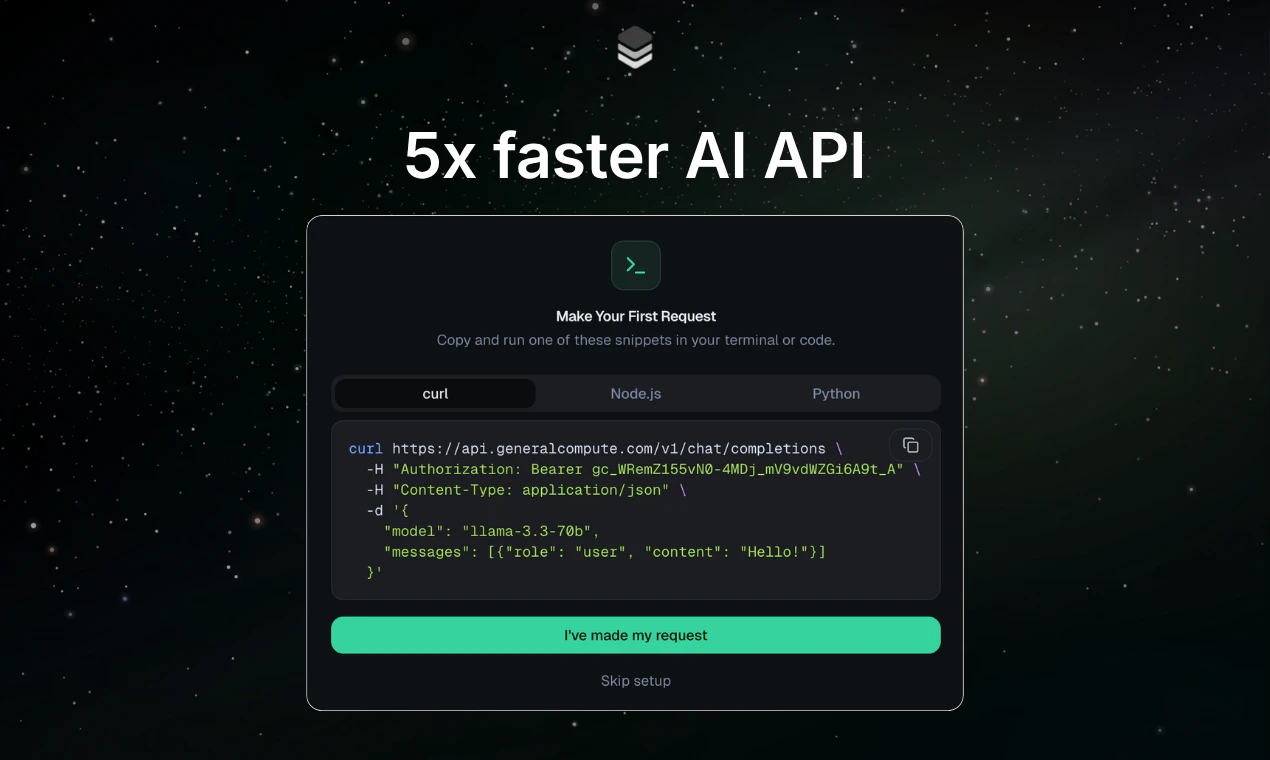
GPUs are built for training, not inference. General Compute is an inference cloud running on ASICs — purpose-built alternatives to Nvidia silicon designed specifically for inference. We deliver 5x faster responses and higher per-user throughput for latency-sensitive workloads like coding and voice agents. Our OpenAI-compatible API means you swap your base URL, keep your existing workflows, and run real-time AI on infrastructure built for the job.

Hey Product Hunt, I'm Jason, Co-founder & CTO of General Compute!

The Problem

Agents are the most exciting thing happening in AI right now but the infra they run on was designed for chatbots, not autonomous workflows. When an agent has to make 20, 50, sometimes hundreds of sequential LLM calls to complete a task, latency compounds into a ceiling on what's actually possible.

Most inference providers today hit you with one of two tradeoffs:

  1. GPU-based stacks – Great for training, but memory-bandwidth bottlenecks mean your agent runs slowly (~120 tokens/second)

  2. "Fast" inference with catches – Some providers deliver speed but lock you into small models, limited context windows, or pricing that breaks at agent-scale token volume. Speed without intelligence isn’t worth the trade off.

After years building voice agents and real-time AI products ourselves, we got tired of waiting. So we built General Compute.

How General Compute is Different 🚀

GC is an ASIC-first inference cloud built on multiple chips, including SambaNova. SN uses a 3 tier memory architecture and dataflow, which is a fancy way of saying “It’s really fast cause we don’t have the same bottlenecks”.

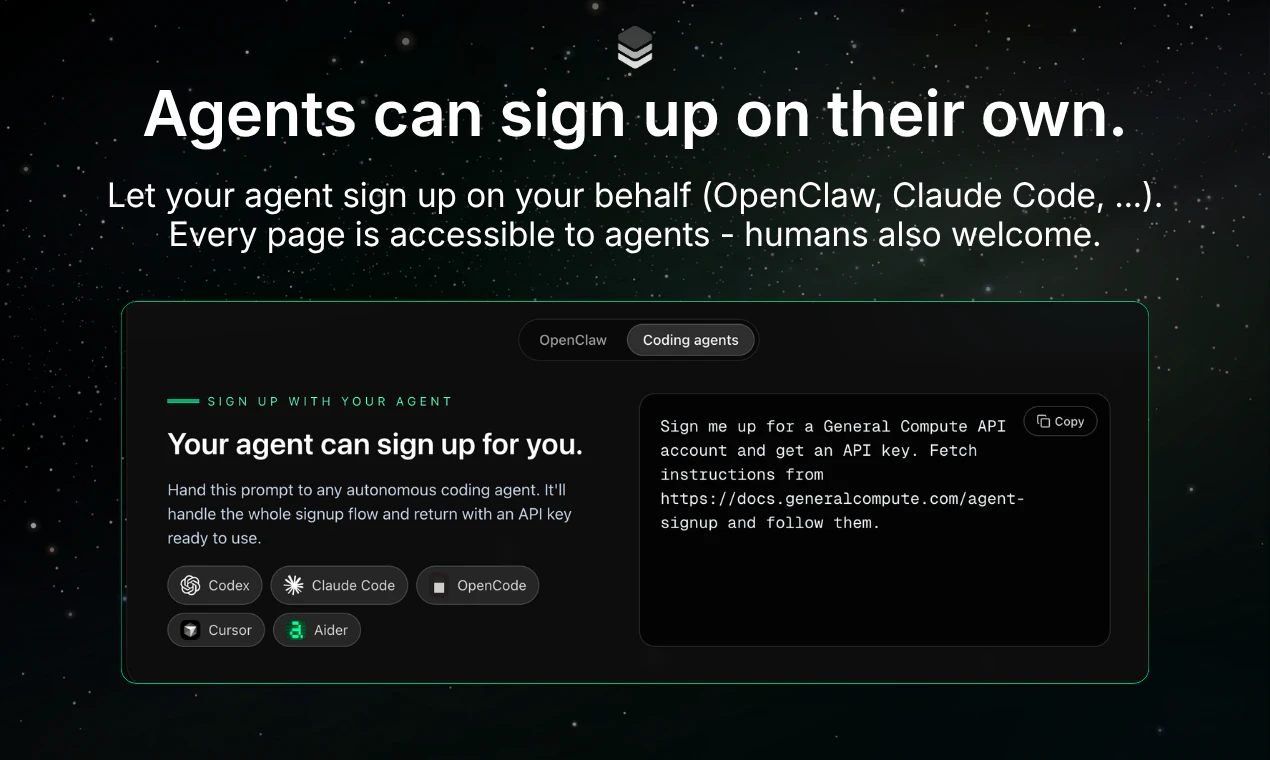
  • 🔹 Agent first (OpenClaw) – Agents can sign up on their own and manage their own API keys. OpenClaw can move its inference just by pointing it at our website.

  • 🔹 Built for agent workloads – Tuned for both coding agents and voice AI (TTFT), the things that matter when you're chaining dozens of calls. Your agent finishes in seconds, not minutes.

  • 🔹 Speed without the tradeoffs – Frontier open models, full context windows, and pricing that actually works at production scale.

Who is this for?

If you're building AI agents, voice AI ,or even just using OpenClaw or OpenCode and want faster inference, then GC is built for you. Faster inference isn't just a nice-to-have; it unlocks use cases that weren't viable before.

🔗 Get started today

Sign up at https://generalcompute.com and start running your workloads on ASICs today. We are offering $200 in free credit to anyone that signs up through the Product Hunt launch (up from the normal $5 in credit)

40
回复

@jason_levi_goodison This is a really important layer to tackle agentic workflows completely change the economics and performance requirements of inference. Feels like the next big AI infra race won’t just be smarter models, but systems optimized for long running autonomous execution. 🚀

0
回复

@jason_levi_goodison I'm impressed by the throughput. Will you consider deploying QWEN speech-to-text models?

0
回复

@jason_levi_goodison The latency point hits. People talk a lot about model quality, but for agents the waiting time stacks up fast. Curious which use case is pulling harder right now: coding agents, voice agents, or something else?

0
回复

Congratulations to the launch.

14
回复

@emma_watson21 Thank you!

0
回复

this is a very real agent infra problem. Chatbot latency is annoying, but agent latency compounds into a hard ceiling when workflows need dozens of sequential LLM calls. how General Compute balances raw speed with reasoning quality on longer agent workflows, especially when there is large context, tool use, retries, and coding tasks. Is the biggest gain in TTFT/throughput, or do you also see better end-to-end task completion?

3
回复

@harshalvc_ai Definitely e2e latency! We can get around 5x e2e latency speed up but more like ~2x TTFT speed up

0
回复

OpenClaw can sign itself up? That's wild. Finally someone building for a world where agents run themselves. 👏

2
回复
0
回复

Studied full stack development but never really got deep into the infrastructure side of things. Always assumed GPUs handled everything AI related. The idea that inference needs its own optimised hardware makes sense when you think about it. Congratulations on the launch.

0
回复

@sidraarifali Thank you!

0
回复

Congrats on the launch! Efficiently stashing heterogenous ASICs behind a homogeneous API is a challenging and exciting endeavor :) Especially curious about the technologies powering elastic scaling with request volume and bursts. Would love to see a characterization of that in maybe a future blog post as it would certainly be useful to many service designers!

0
回复

@tejas_harith We'll do a blog post about it at some point, and we're always hiring smart people that find these kinds of endeavors interesting!

0
回复

The ASIC angle is interesting, how does the model selection compare to GPU clouds? Are you running your own fine-tuned models or is it more about offering the same models (Llama, etc.) just with faster inference?

0
回复

@campixl Models are limited right now since we are compute constrained. We're just getting started and onboarding new racks as fast as we can get our hands on them. Expect all the big hitter OSS models soon

0
回复
You’re pushing an ASIC-first stack (including SambaNova) while also offering “bring your own model”: what constraints does the hardware impose on model choice and deployment (architectures, context length, quantization, speculative decoding), and how do you decide what to optimize first for real-world agent traffic?
0
回复

@curiouskitty Bring your own model will be coming in a few weeks - unfortunately its harder on ASICs, but we're quickly closing in on it

In terms of spec decoding, we actually see a larger improvement on ASICs than GPUs, which is a bit of a surprising discovery. Most of the "hacks" to make GPUs faster still make us faster (since we utilize HBM much better)

The main limitation right now is that we are using SN40s for now and won't have our SN50s online for a few months. SN50s will crush across all model context lengths, model types, speeds, ... Keep an eye out for some announcements in the coming weeks showing how good they are! Like Cerebras but running large models with higher throughput

0
回复

Looks insane Jason! Congrats on the launch

0
回复

@maltepruser Thank you!

0
回复

Curious, how accurate are the AI generated test cases currently?

0
回复

Big congrats on the launch!

How about the time to set up? Is it able to run on CPU?

0
回复

@nishit_chittora It's just an API! So you can run an HTTP request from a CPU :)

0
回复

Love that this is an OpenAI-compatible API. Being able to just swap the base URL and get ASIC-level inference speeds without rewriting workflows is huge. Great work!

0
回复

@elene_tandashvili Thank you!

0
回复

The ASIC-for-inference approach is clever. GPU memory bandwidth just isn't optimized for inference memory access patterns. At RetainSure we've been routing latency-sensitive AI calls for customer success workflows, and 200ms vs 800ms response time matters a lot at scale. How do your ASICs handle KV cache eviction for long-context requests?

0
回复

@anand_thakkar1 Thanks! Lets discuss TTFT sometime - that craziest thing? We don't have smart prompt caching or kv cache aware routing yet. And we're already 5x faster. Prompt caching will be out in 1 month, and you'll see our gap widen even more!

0
回复

Do you guys plan on adding embedding models sometime in the future

0
回复

@sanjay_goel6 We will have all of them!

0
回复

PS Agent sign up is brilliant! I'm going to study that.

0
回复

@robert_douglass Appreciate it :)

0
回复

Congrats on the launch. Your onboarding workflow is great. I missed clear models and pricing information upfront, and when I got onboarded I saw that you offer three models at somewhat premium pricing.

This leads me to my question: what is your value prop beyond latency? Because if you're competing on price, OpenRouter is still going to get you.

Model

Context

Input / 1M

Output / 1M

DeepSeek V3.2

Reasoning

deepseek-v3.2

32k

$3.00

$4.50

DeepSeek V3.1

Reasoning

deepseek-v3.1

128k

$3.00

$4.50

MiniMax M2.7

minimax-m2.7

160k

$0.40

$2.34

0
回复

*latency and speed are apparently the value props?

0
回复
How are you managing the KV Cache effectively within this architecture?
0
回复

@davem_0 We use SambaNova racks, and they have a 3 tier memory system + a dataflow architecture. Currently their codebase is closed source so I can't share specifics :)

0
回复
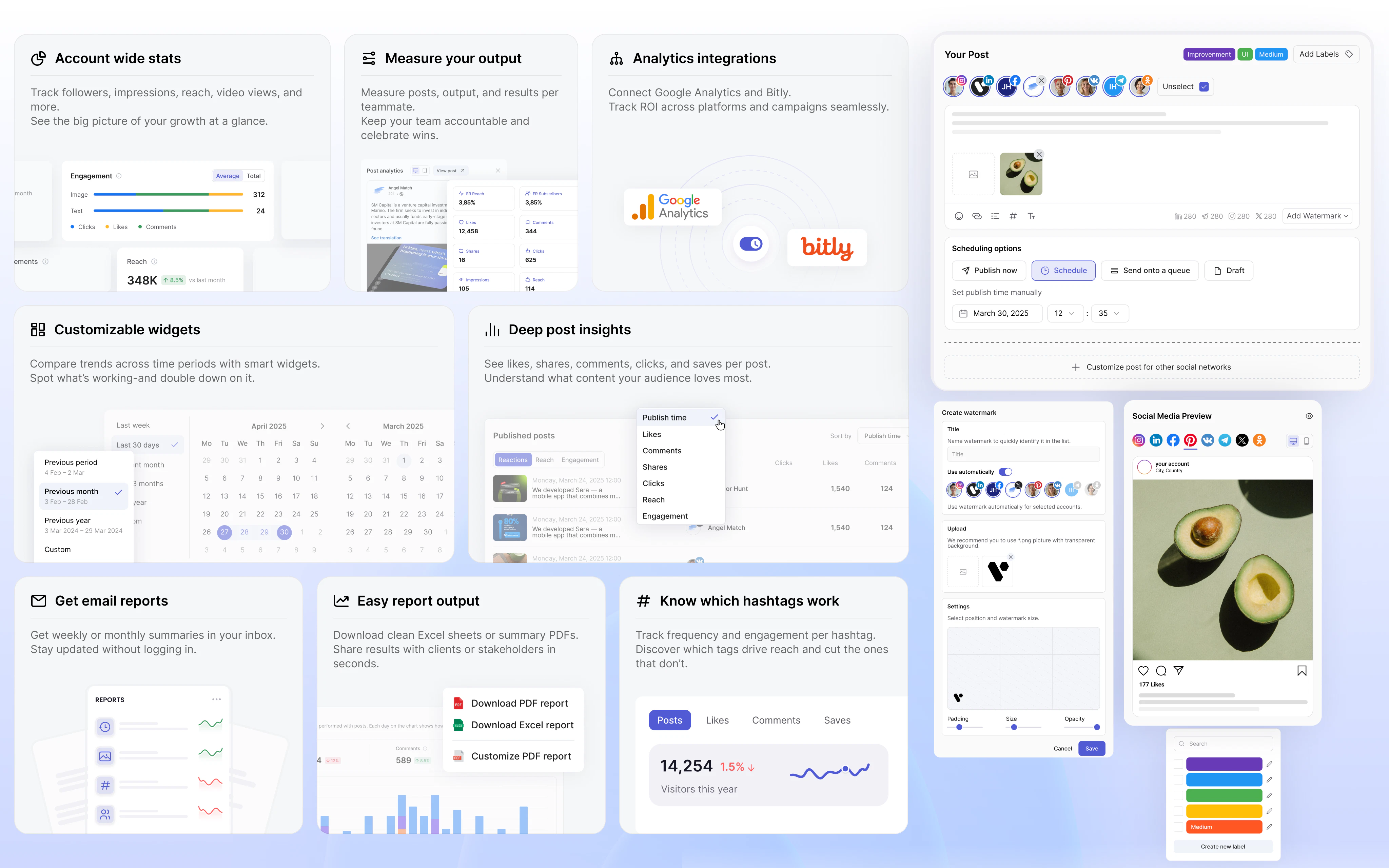
#4
WordPress 7.0
Introducing AI tools, new admin experience & design controls
220
一句话介绍:WordPress 7.0在网站后台管理中引入原生AI工具与全新设计控件,帮助内容创作者、企业主和开发者降低设计门槛,提升网站搭建与定制的效率与创造力。
WordPress
CMS 网站建设 AI工具 区块编辑器 后台管理 内容管理 开源 用户体验 主题开发 网站定制
用户评论摘要:用户普遍认可AI工具和可访问性提升的亮点;有评论关注性能与SEO改进,指出页面速度仍是痛点;另有人期待插件与开发者基于此版本构建更多功能。
AI 锐评

WordPress 7.0的发布,与其说是一次功能更新,不如看作是一次生态博弈的宣示。当Wix、Squarespace等建站平台大肆宣扬AI生成网站时,WordPress终于将AI工具纳入核心,但这更像是一个“补课”而非“领跑”。名为“Armstrong”的7.0版本,核心价值不在于那几项与AI相关的表层功能——例如内容生成或布局推荐——而在于它主动定义了AI能力在开源CMS中的底座。这意味着未来插件开发者、托管商、代理商无需各自为战地整合非标AI接口,而是可以在一个统一框架下进行二次创新。

然而,锐评不能只看到战略层面的远见,更要警惕体验层面的落差。从用户反馈来看,对页面速度和SEO优化的呼声依然很高。WordPress长期以来依赖插件生态解决性能问题的模式,在AI工具运行需要更多算力资源的背景下,可能会放大“系统臃肿”的负面体验。另外,AI工具的底座化,也意味着若官方对AI内容的合规性、版权归属不给出明确治理方案,将衍生出更多“低质AI内容农场”。

从开发者角度看,“新管理后台”与“设计控件”的扩展确实降低了定制门槛,但这本质上是将传统主题开发者的部分权力下放给普通用户。这对平台活跃度是利是弊?长期来看,专业开发者的不可替代性会被削弱,WordPress社区的职业结构可能面临重构。7.0是一个扎实的战略布局,但“新纪元”的序幕能否拉开,关键不在AI,而在于WordPress能否先解决自己积重难返的效率与治理问题。

查看原始信息
WordPress 7.0
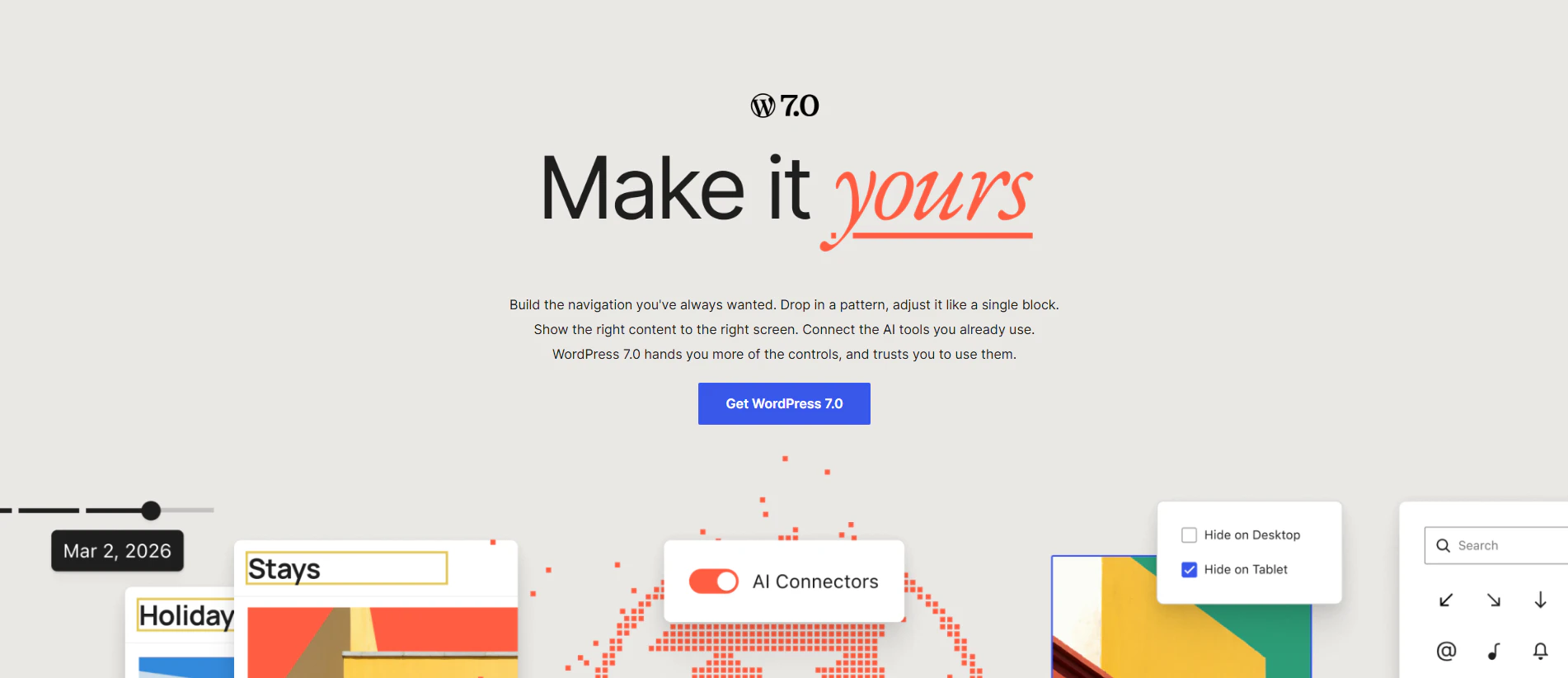
WordPress 7.0 marks the start of a new era, laying the foundation for AI across the WordPress experience. Greeting you with a modern, more intuitive dashboard, 7.0 introduces enhanced customization and development tools that inspire creativity and tap into endless potential. Whether you’re a creator, business owner or developer – WordPress 7.0 let’s you create in a way that is uniquely your own.

WordPress 7.0 is moving in the right direction. On behalf of the Tutor LMS & @Kirki team, I’d like to wish continued success to WordPress and its future. Long live open source.

3
回复
WordPress 7.0 “Armstrong” is here. 🎷 This major release introduces foundational AI tools, a refreshed admin experience, expanded design controls, new blocks, and powerful developer APIs. Explore what’s new, update when you’re ready, and start building with WordPress 7.0 today.
1
回复

Big release! I pushed it across my sites and everything held up quite well, no issues. The high contrast pass is a real win for accessibility, I love it. The AI is the most interesting part. IMO, it is less about what shipped today and more about what plugin developers, hosts, and agencies will build on top of it. Congrats to the core team and everyone involved in the release - developers, testers, leads, docs, polyglots... I will miss someone but not intentional!

1
回复

Running WordPress for my app's website curious what the headline improvements are in 7.0 for site performance and SEO. The block editor has come a long way but page speed is still where I feel the most friction.

0
回复

I have been using WordPress lately strictly for practice and upskilling my design abilities. I normally visualize my layouts in Figma first, but seeing the new dashboard and expanded design controls in WP 7.0 makes me want to jump right into the builder.

Having those AI tools integrated right into the core experience is going to be incredibly helpful for my learning process. I am really excited to test out the new blocks and see how far I can push the native customization. Congrats on the Armstrong release!

0
回复
#5
iPromise
Bring "Body Doubling" to your Mac notch
202
一句话介绍:iPromise 是一款利用 Mac 刘海区域承载“AI替身”的专注工具,旨在通过“身体双人”(Body Doubling)心理机制,为缺乏外部监督的远程/独立工作者提供温柔的问责与提醒,解决自由环境中极易分心、难以进入深度工作的痛点。
Mac Productivity
专注力工具 深度学习 Mac应用 AI伴侣 身体双人 刘海屏交互 隐私优先 行为心理学 分心对抗 独立开发
用户评论摘要:用户普遍认可“替身陪伴”比传统限制类工具更人性化。核心疑问集中在:如何精准判断“真工作”与“假分心”(如看技术贴)?AI替身是否会成为新干扰?隐私安全性如何独立验证?无刘海屏Mac的适配方案?以及能否自定义替身的语气、音效和关联个人日程。
AI 锐评

iPromise 敏锐地抓住了“自由工作者的孤独困境”这一被忽视的痛点,用“身体双人”这个心理学术语包装出的产品逻辑,比传统番茄钟、锁网工具高明了一个维度——它不制造对抗,而是创造陪伴。将AI替身安放在Mac刘海,更是绝佳的UI创新,在视线边缘提供低成本、高感知度的存在感,几乎不消耗屏幕空间。

然而,产品的真正挑战在于其核心:“上下文感知”的准确性。评论中大量关于“误判”的担忧并非无病呻吟。在一个程序员查看文档、设计师逛Behance、作家阅读研究材料时,工具如何区分“工作”和“摸鱼”?如果判断机制频繁失误,AI替身就从“温柔同伴”降级为“烦人领导”。目前创始人表示依赖窗口标题等表层信号,这远远不够。想要解决这个问题,要么引入复杂的本地模型进行内容语义分析(成本高且隐私承诺更重),要么放弃“智能化”而转向“用户自定规则”(如手动标记“这是工作窗口”),后者虽然笨拙但更可靠。

此外,创始人强调“免费”、“未定商业模式”是一把双刃剑。这能迅速积累种子用户,但也为产品的长期存在性打上问号。一旦考虑收费,这种“情感陪伴型工具”的付费意愿往往不如硬核效率工具。并且,一个底层逻辑尚未解决:单人AI替身如何还原多人虚拟自习室的“社会临场感”与“互惠监督”?缺少了真实他人的压力,AI的“温柔提醒”对于重度拖延症患者,可能很快就会沦为背景噪声。

iPromise 是一个精巧的创意原型,但它成功的关键不在于“刘海的好创意”,而在于能否在“精准判断”和“隐私安全”之间建立真正的技术壁垒。否则,它很可能只是下一个被新鲜感迅速消耗的可爱工具。

查看原始信息
iPromise
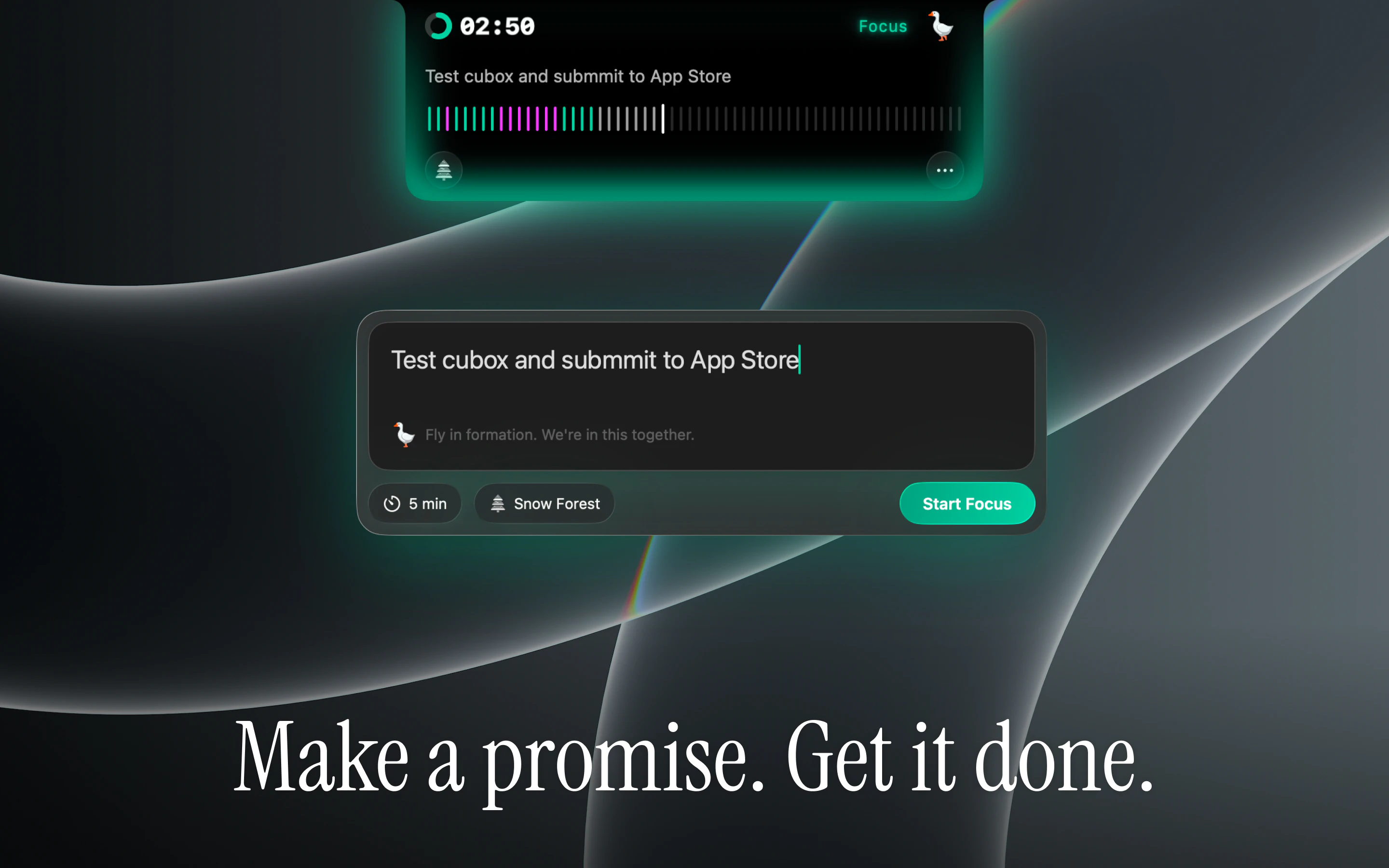
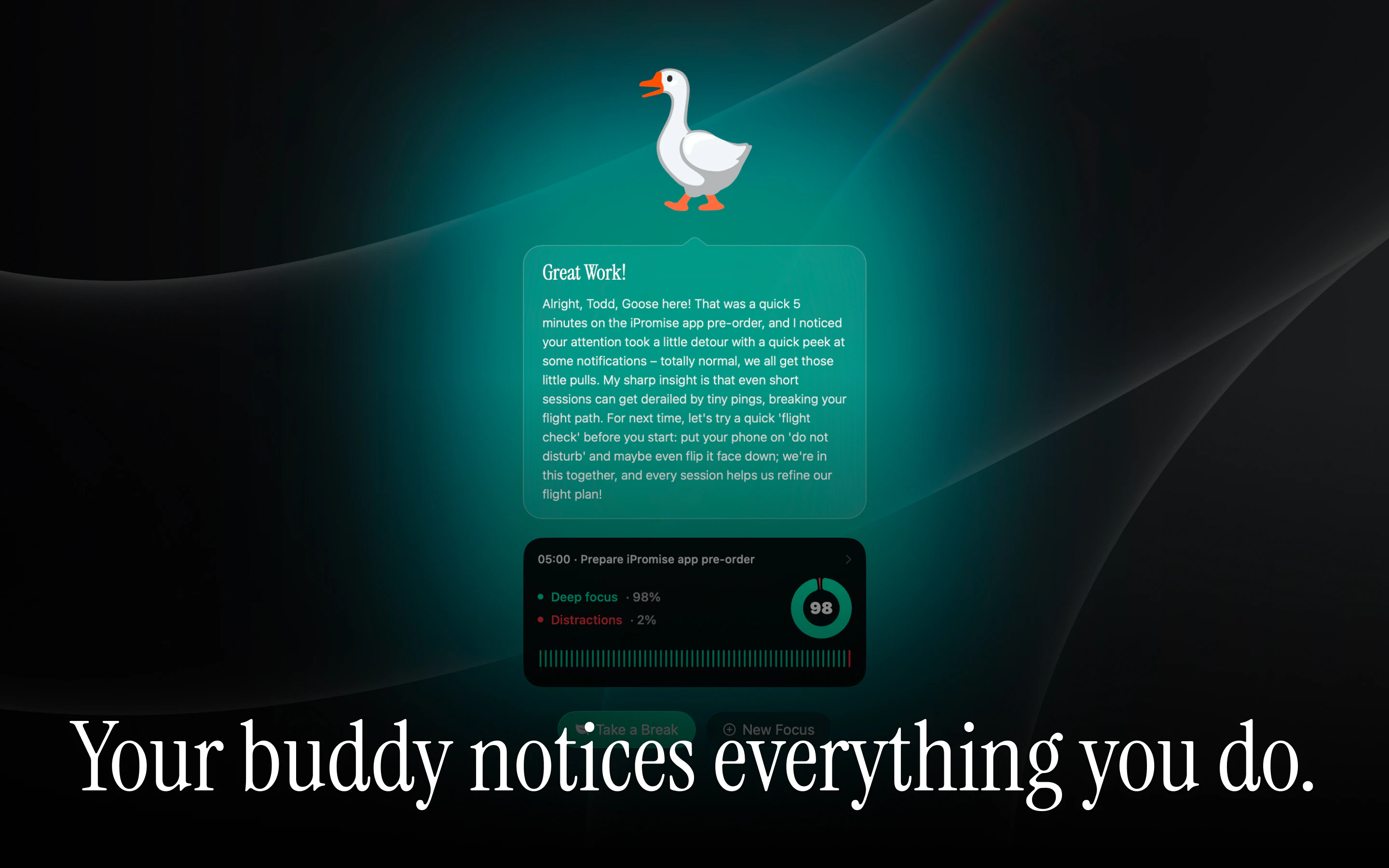
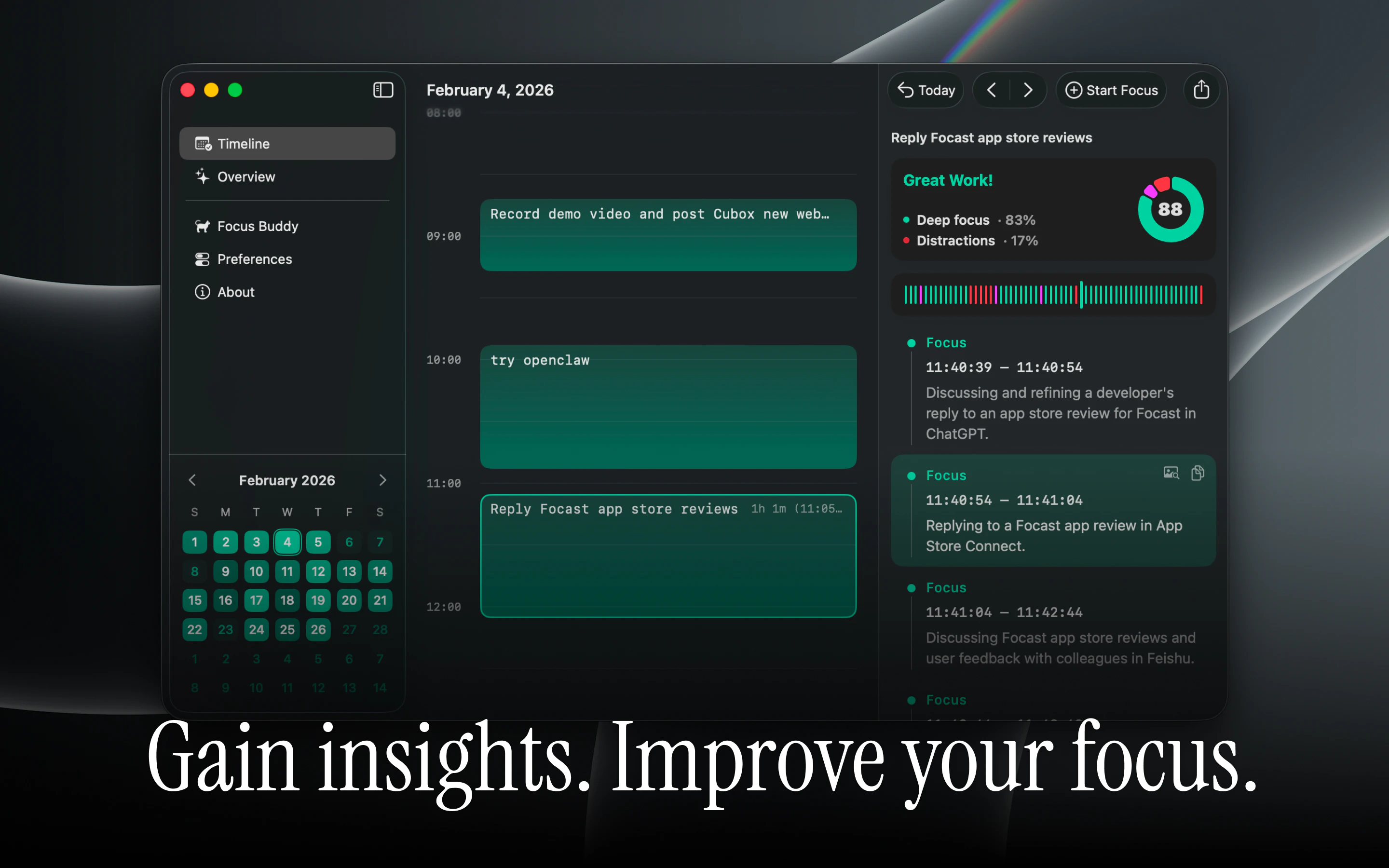
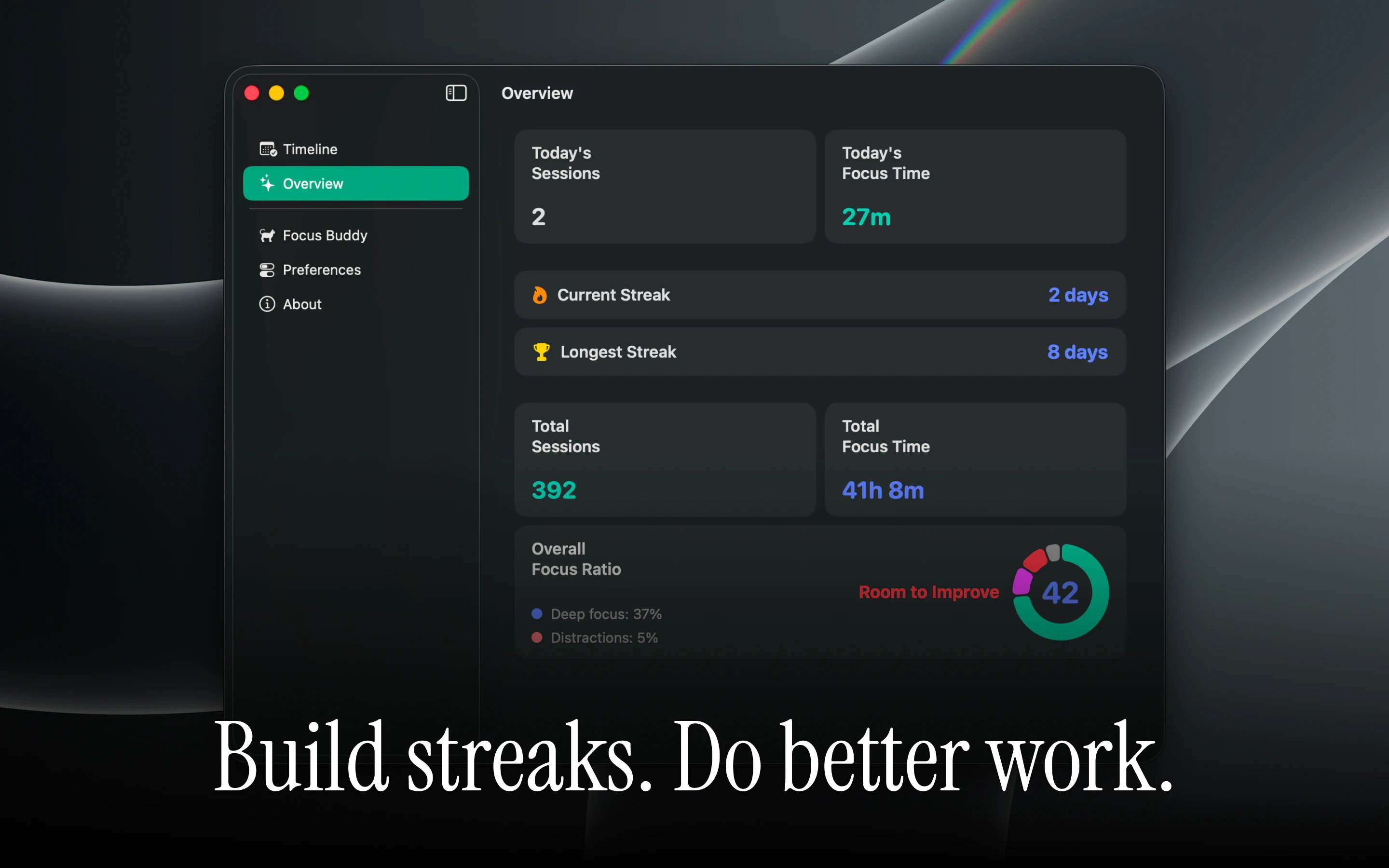
Freedom kills focus. iPromise is a new deep work protocol built on the principle of Body Doubling, the idea that having a "witness" boosts accountability. // Your AI Buddy lives elegantly in your Mac notch. It understands your active window’s context. When you drift into distractions, it gently nudges you back. // Make a promise. Your buddy helps you keep it.
Hi I’m Todd, some of you might know me or my team from Cubox, our tool for managing digital knowledge and reading. Over the years of building efficiency tools, I ran into a deeply personal problem that no reading or note-taking app could fix: The ultimate freedom of working on a Mac was secretly destroying my focus. Without a boss or an office setting, the temptation to "just check one notification" was constant. Willpower alone was a losing battle. I noticed that I always focused best in bustling coffee shops or libraries, anywhere with a "presence." That led me to dive into the psychological concept of Body Doubling — the proven idea that having a "witness" to your work drastically reduces procrastination. I built iPromise to digitize that exact energy and bring it straight to your Mac screen. Why iPromise is different: The "Witness" Protocol: You commit to one single, hard task. Your AI Focus Buddy, living elegantly in your Mac notch, becomes your companion and keeps you accountable. Context-Aware, Not an Intrusive Monitor: It doesn't just run a timer. It understands the context of your active window and knows if you're actually building or getting lost in a thread. Privacy-First: Like with Cubox, I care deeply about data privacy. Your screen data never sends to us. iPromise is currently completely free. I haven't even figured out a pricing model yet because my main goal right now is to perfect the core experience and build it alongside this community. I’d love to hear your thoughts, feedback, or any feature requests. What’s the biggest distraction you fight on your Mac every day? Let's stop working alone, and start making promises. Stay focused!
7
回复

@todd_j Congrats on the launch! The “make a promise, then keep it” framing is really strong, much more human than a typical time tracker. Love the idea of bringing body doubling into the Mac notch. Curious how you keep the nudges helpful without making the buddy feel like another distraction.

0
回复

@todd_j Congrats on the launch. Most productivity tools try to solve distraction through restriction:
block apps, mute notifications, lock websites. But your approach seems behavioral rather than punitive. The part I’m curious about is the “context-aware” layer. How are you determining whether someone is genuinely working vs. simply staying inside the “correct” window?

0
回复

Great idea! as someone with ADHD I've been trying to build myself an interstitial journal, the body doubling via the notch is a great idea. Downloaded and excited to try this :)

2
回复

@raunaqvaisoha “interstitial journal” is an interesting describe. I’ve always hoped iPromise could be especially helpful for people who share some of these ADHD-like traits. 👏

1
回复

distraction usually starts as a tiny “just one notification” moment and then quietly breaks the whole flow.

I like the body-doubling/witness angle because it feels more human than another blocker.how iPromise knows when to intervene versus stay quiet. Does it learn each user’s work patterns over time, or does the user define what “focused” means for each promise?

2
回复

@harshalvc_ai Exactly, a lot of distraction usually starts with a tiny “just one second” moment, then the whole context quietly slips away. And yes, we’ve been thinking a lot about the difference between “blocking” and “companionship.” The goal is more like a gentle witness that helps bring you back.

Right now, the focus judgment is a combination: the current promise/task you defined, and contextual signals like apps, window titles, window content etc.

We plan to gradually add: user-defined rules and customization, feedback signals (so users can correct or reinforce judgments, and longer-term learning from patterns and session history.

1
回复

The trust killer for this kind of tool is the first false positive I guess? Buddy nudges me while I'm actually deep on something that just looks like drift (HN thread that's real research, Twitter that's competitor recon). How does the current heuristic handle 'looks like distraction, is the work'? By all means, good launch great work!

1
回复

@artstavenka1 I think that’s a very fair concern. We've tested over 100 cases, but still thinking, giving users some control is really important, we don’t think a fully AI-driven definition can fit everyone perfectly. Different kinds of work can look very similar on the surface, so part of the direction is letting the system gradually adapt with feedback and personalization over time.

3
回复

Body doubling is underrated for solo devs working alone means no ambient accountability. Curious how the AI version compares to actual co-working sessions. Does it react to what you're doing or mostly just stay present?

0
回复

The notch as a surface for ambient companions is a genuinely good call — it's one of the few places on the Mac where a glanceable element doesn't feel like it's stealing real estate. Quick question: is the "buddy" reacting to anything (active window, time in app), or is it purely a timer/animation? I'm trying to figure out whether this works for me as a vibes nudge vs. an actual focus signal.

0
回复

as a fellow mac indie — curious how you handle the notch UI on non-notch macs (external display, MBA M1)? does it gracefully fall back to menubar, or hide entirely?

0
回复

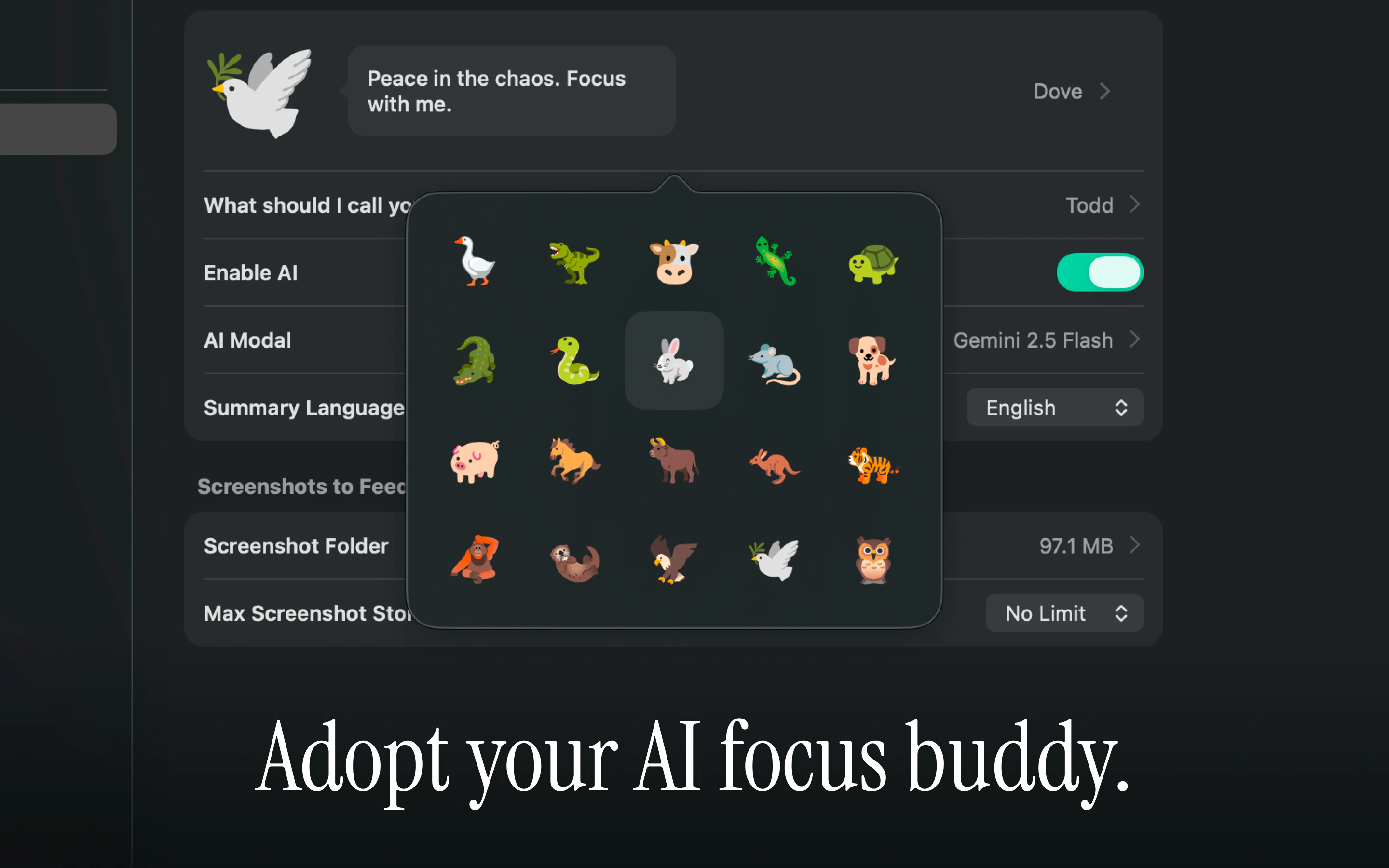
I love all the animal avatars! The design is super neat. Is it possible to adjust the "tone" of your buddy? For example, I personally would find it more intriguing if it was very blunt and sassy to me when I get distracted, rather than giving a polite, long paragraph...

0
回复

Hey Todd! As great as this is - it poses a serious privacy/security threat. E.g. I read "Your screen data never sends to us", but how do you independently ensure this to users?

0
回复

lovely, cant wait to give this a go. how are you handing the screen context, is it local? the better question would be if it's a one time payment or a subscription?

0
回复

hey todd! this is right up my street :) body-doubling shrunk to the notch, smart! the hard part is presence without surveillance. does it sit there as an awareness signal, or does it actively nudge when focus drops? and how do you draw the line. congrats on your launch, and good luck with it!

0
回复
Does it also support personal daily promises/tasks? Asking for a friend 😅
0
回复

@myrto_skourletou Thanks for asking 😅 That’s actually a really interesting direction we’ve been thinking about too. I think personal daily promises could become much more meaningful alongside iPhone support in the future. Either way, we definitely hope iPromise will eventually grow into a cross-device experience, with Mac and iPhone working together naturally.

1
回复

Congrats on the launch! Personally, my biggest distraction is basically a "quick check" loophole. I'd open a new tab to look up one piece of documentation and end up in a completely different rabbit hole.
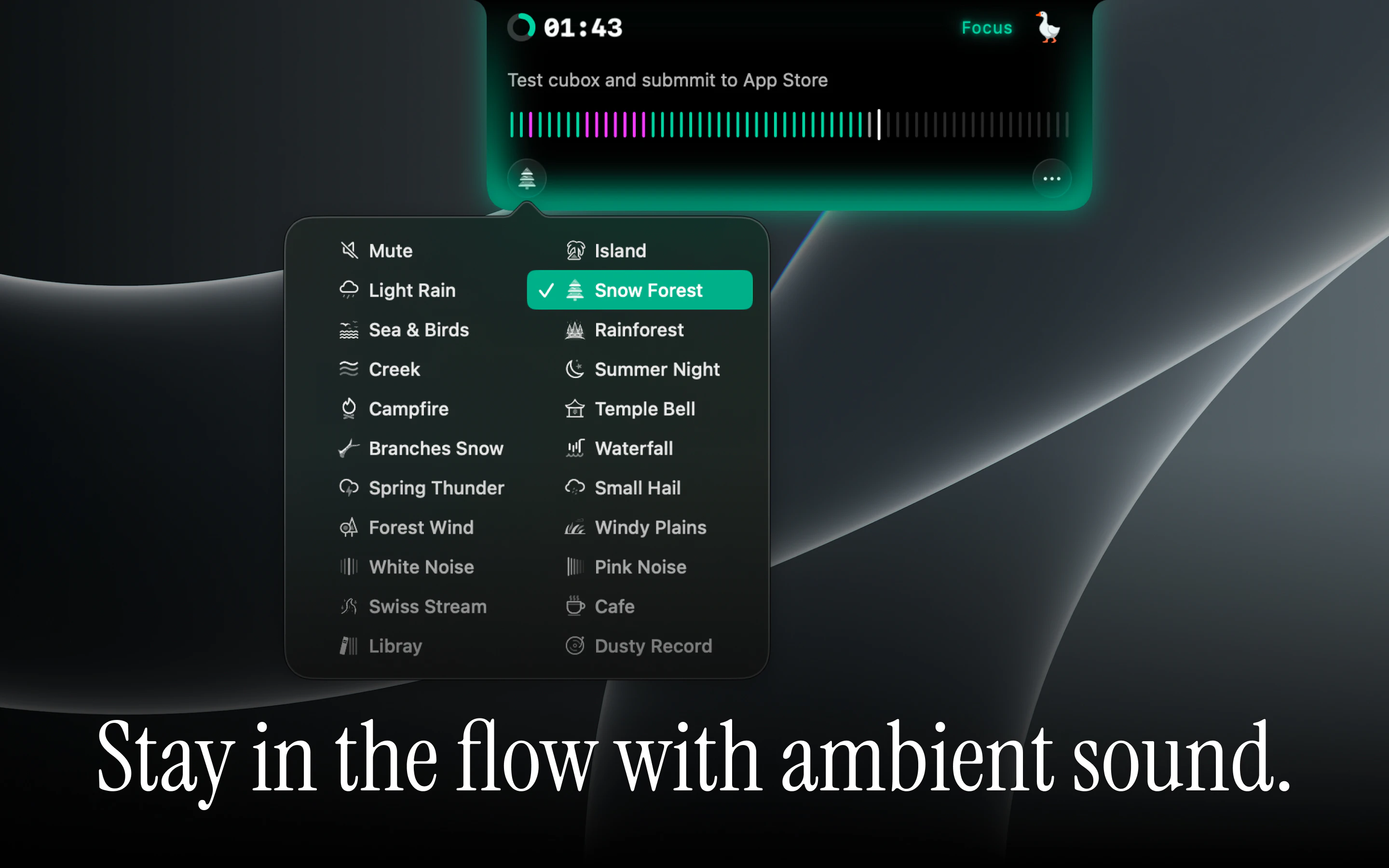
Quick question about the ambient sound: Will we be able to import or bring our own custom soundtracks or background audio loops or do you have/are you planning an integration with external players like Spotify or Apple Music?

0
回复

Thanks for sharing. For now we’re staying very focused on improving the core focus experience first. Interestingly, we’ve heard very similar requests from @Focast users too, so it’s definitely something we’re paying more attention to now.

1
回复

Congrats on launching! As someone who's sat in virtual study rooms this is intriguing, also an awesome name :) I guess one thing I got from people-populated study rooms was the feeling of reciprocity (the other people there also doing their own work) rather than surveillance. Curious what it will feel like to not have that, will take this for a spin.

0
回复

@ferdi_sigona Thank you! And yes, that distinction is really important to us too. I don’t think AI can fully replace the reciprocity of real humans working together, but maybe it can still help create a gentler sense of presence.

0
回复

Good job with the copywriting for the name of the product :)

0
回复

@busmark_w_nika  Thank you. I’ve always loved that sense of emotional connection too

1
回复
looks like a promising app! makes a lot of sense and for someone like myself who uses body doubling services often, i’m keen to give this a go! seems strange thought that the latest supported openai model is 5.2, given how much of an improvement overall 5.5 is. any plans to update the models available?
0
回复

@adam_sardo Thanks! Really glad the concept resonates with you. For the AI models, we’re currently balancing capability, stability, and cost efficiency, so we started by supporting a smaller curated set first. We definitely plan to gradually open up more model options recently, including custom/OpenAI-compatible providers as well.

0
回复
#6
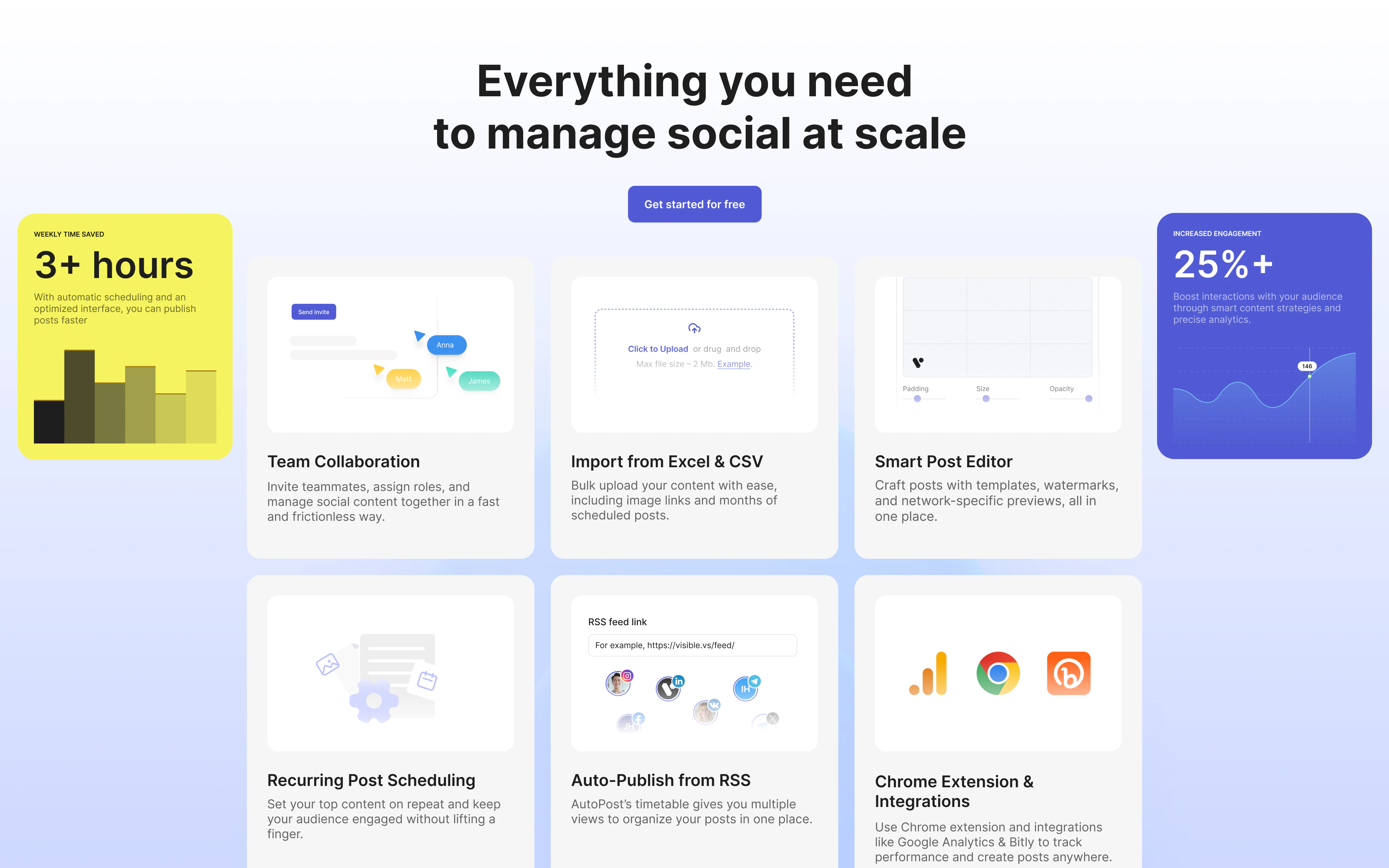
Auto Posts
Schedule social post, Telegram messages + more
165
一句话介绍:Auto Posts是一个轻量级社交媒体内容调度工具,帮助小型团队和个体创业者在一个仪表盘中跨平台(Facebook、Instagram、X、LinkedIn、Pinterest、Telegram等)规划、调度并自动发布内容,解决手动多平台发帖的时间浪费与效率低下问题。
Social Media Marketing Alpha
社交媒体管理 内容调度 自动发布 跨平台发布 小型团队工具 轻量级SaaS 多平台分析 Telegram发布 Product Hunt新品
用户评论摘要:用户关注点集中在与竞品的差异化(如Post-Bridge)、是否支持AI内容生成、跨平台内容适配(单次发布统一文案问题)、API架构灵活性(以应对平台接口变动)、以及从Buffer/Hootsuite等工具切换的原因(价格与复杂性)。建议加强跨平台对比分析功能,并明确是否提供API调用和免费层级。
AI 锐评

Auto Posts是一个典型的“硬土创业”产物——从收购一个起起落落的老应用(Pursocial)重写代码后重生,团队坦诚地承认自己打不过Hootsuite等巨头,于是选择服务“小而美”的群体。这个定位在逻辑上成立,但必须面对一个残酷现实:社交调度工具市场已是红海中的坟场。用户评论里提到的“Content creation”和“per-channel variations”才是真正的痛点,而Auto Posts目前只是把最基本的多平台定时发布做出来了,AI写稿、文案适配、深度分析等重要能力尚未成型。

从技术角度看,团队回复中提到“快速迭代、倾听用户”,但API接口频繁变更是所有第三方调度的阿克琉斯之踵。他们通过Node.js重写后能否比竞品更快适配X(原Twitter)或Instagram的API变动?这尚未经过市场检验。更关键的是,用户增长和留存需要靠“不可替代性”,而目前Auto Posts的功能集只是把企业巨头们(如Sprout Social、Later)的弃用功能(基础调度、简单比数)搬了过来,缺乏独创壁垒。

产品目前最大的优势是价格(首年50% off)和不起眼的“Telegram支持”这种地域化差异点,但这很难撑起长期护城河。建议团队尽快完成两个关键动作:1)用低成本AI包装一个“内容适配引擎”,实现一条文案在不同平台自动调整结构和语调;2)将“简单调度”向“自动化营销”转化,比如结合用户事件触发发布动作。否则,用户可能会像试用Buffer一样,试用完打折期就流失到下一个更便宜的替代品。关注“执行速度”是好的,但小团队唯一的生存策略是用时间换取功能深度,而不是单纯在广度上模仿大厂。

查看原始信息
Auto Posts
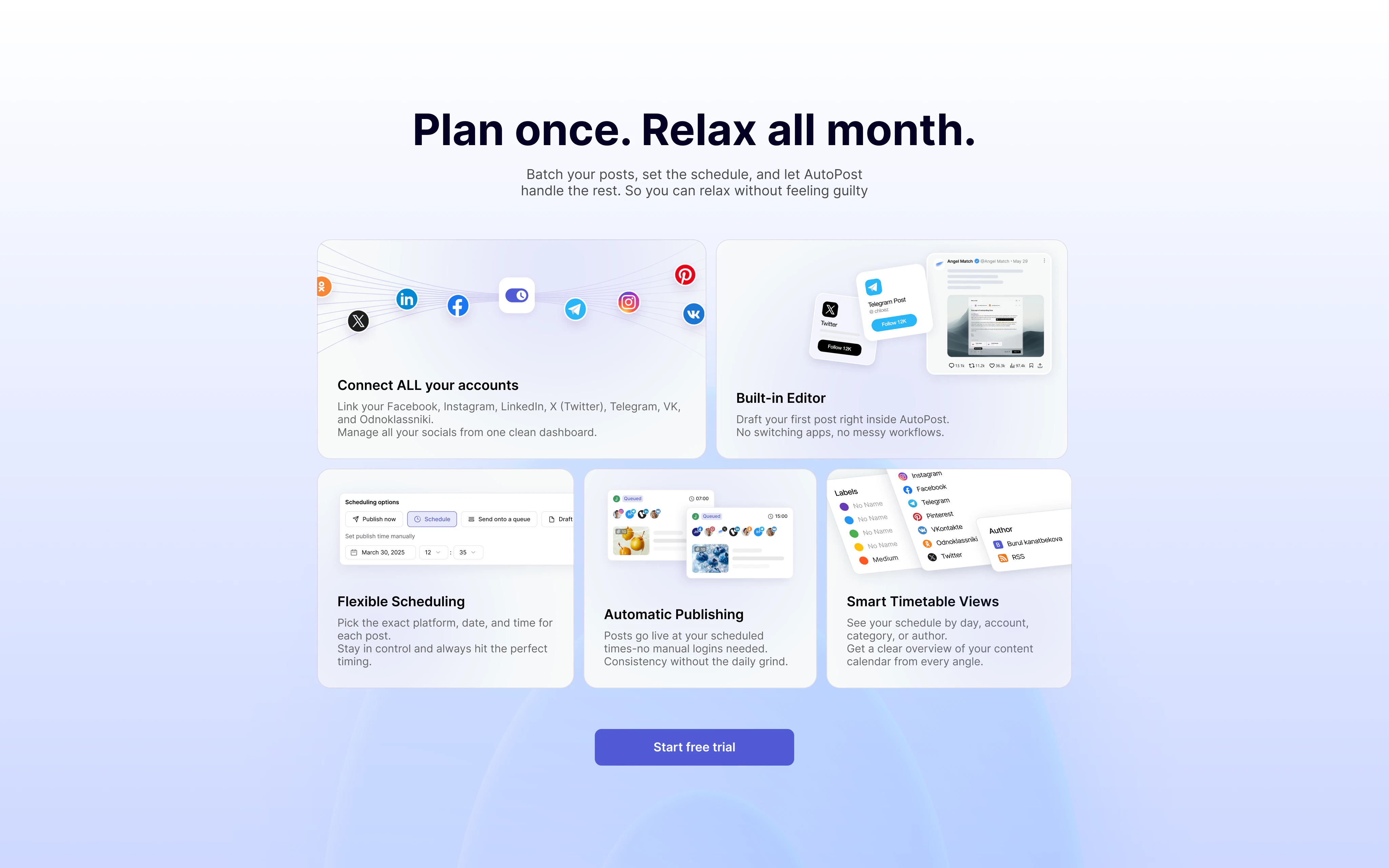
Stop wasting your time manually posting on every social platform. Plan your content and schedule posts across all platforms from one simple dashboard. Focus on building your business, not your content calendar. AutoPost helps you schedule smarter, post automatically, and reclaim your time. Because your business needs you, your socials don’t.
Hi Product Hunt, As bootstrapped founders, we purchased pursocial.com about a year ago and rewrote the whole app in Node.js because our tech team's primary coding stack is Node.js. Today we are launching it as AutoPosts. We kept all the cool and essential features from the old app, improved the UX/UI and refreshed the entire design. We are super excited to launch it today. The app was making ~$500-$600 when we bought it and we know this is a crowded space. What makes us different from bigger players is that we move fast, listen to user feedback and can quickly improve or add new features while keeping affordable pricing. Most of the big players in the market are focused on enterprise customers because they need to keep growing at scale. We are here to serve smaller teams and businesses like ours. With AutoPosts, you can schedule posts across Facebook, Instagram, X, LinkedIn, Pinterest, Telegram and more. We are currently working on adding other social media platforms, so you can save time manually posting content and focus more on your business. As part of our Product Hunt launch, we are giving away 50% off forever to all users. The code is PH50 which can be applied at checkout. This offer expires in 7 days. If you have any questions or feedback, we'd love to hear them. Thank you for your support 🙏
11
回复

@rashid_khasanov Congrats on the launch. Most social scheduling tools eventually become “all-in-one dashboards” that optimize for enterprise workflows, which often makes the actual posting experience slower and more complicated for smaller teams. Since you rebuilt AutoPosts in Node.js and positioned it around moving fast on user feedback, I’m curious about the technical side of that advantage:

How are you thinking about building a flexible architecture for constantly changing social platform APIs (especially X, LinkedIn, and Instagram) while still keeping the product lightweight and affordable for SMBs?

0
回复

Scheduling is solved by a lot of tools already, now what makes the analytics side actually useful here? Like, does it help you understand why something performed well, or is it mostly just tracking numbers you could see natively on each platform?

1
回复

@campixl Yes I agree!

The goal is not only showing raw numbers you already see natively, but helping you compare performance across platforms in one place. This should give you an idea to spot patterns without jumping between dashboards.

For example, you can compare engagements, follower gained/lost, reach, likes across different dates and platforms which helps you understand what's working well for your brand and what's not.

0
回复

@campixl Same question here. Aggregating numbers you can already see natively on each platform isn't enough. What does AutoPosts show you that the platforms themselves don't? Congrats on the launch!

0
回复
Looks cool, does it also help write the content of posts?
1
回复
@louislecat thank you Louis! Not yet, but it’s definitely something we are considering adding in the future.
0
回复
I think your biggest competitor would Be post-bridge, as the biggest hootsuite indie alternative that comes to mind. How do you plan on penetrating their moat?
0
回复

Managing social posting as a solo dev is always the first thing that slips. Does it generate the content too or just schedule what you give it? The content creation part is where most of my time goes.

0
回复

Useful launch for teams that need recurring distribution across social and Telegram. The hard part for campaign workflows is keeping the same message adapted per channel instead of blasting identical copy everywhere. Do you support per-channel variations from one campaign brief?

0
回复

Useful launch for teams that need recurring distribution across social and Telegram. The hard part for campaign workflows is keeping the same message adapted per channel instead of blasting identical copy everywhere. Do you support per-channel variations from one campaign brief, or is the workflow mainly scheduling separate posts?

0
回复

This is a smart problem to solve right now. Especially with how fast Al tooling is moving.

0
回复
Does this tool accept calls from my server for like fully automatic posting And is their a free tier
0
回复

Nice! We're covering a similar problem with Worvi — automating WhatsApp Business conversations for small businesses. The multi-channel angle is key, most solopreneurs are drowning in managing DMs across platforms manually. Does Auto Posts handle WhatsApp or just Twitter/LinkedIn/Telegram for now?

0
回复
When someone is coming from Buffer or Hootsuite, what’s the most common breaking point that triggers the switch to AutoPosts, and what does the fastest “time-to-first-value” onboarding path look like for them (accounts → first scheduled batch → automation)?
0
回复

@curiouskitty Good questions! The biggest breaking points are pricing, complexity and feature overload. Most small companies/brands don't need enterprise level dashboard with hundreds of features in it.

Fastest onboarding path on Autoposts:

1. Connect your social accounts
2. Create or import posts
3. Schedule them
4. Let the Autopost handle the publishing

0
回复

Would love to know how this compares against traditional QA workflows.

0
回复

@nithin_raju1 I am sorry but by QA, do you mean Quality Assurance?

0
回复

Love seeing a tool built specifically with smaller teams in mind! Having Telegram and Pinterest included alongside the usual platforms is a huge plus. Congrats on the launch!

0
回复

@elene_tandashvili This tool was tailored to russian speaking countries when it was initially built and that's why we have Telegram there. Thanks for your support Elene!

0
回复

great job guys!! I have one question - do we also get this comparative analysis on how an individual post doing on different social media platform? Maybe a post doing well on Insta but not well on X? does this kind of data available?

0
回复

@ashishkingdom Thanks Ashish!

Doing comparative analysis of why a certain post performed better on X versus LinkedIn depends on many factors and algorithm logic of those platforms. It's actually a pretty hard problem to solve imo.

You can compare how your posts performed in terms of engagement, average reach, subscribers gained, comments and likes by choosing different date ranges and we do have this functionality built into the app.

0
回复

Looks cool, So will it post on all socials automatically by creating different set of creatives and posting them all over Insta,Fb pages,Linkedin Pages and X
also does it require any confirmation to post on my behalf regularly.
one confusion as your product says "Plan your content and schedule posts across all platforms" if so what difference it makes since mostly all platforms provide with content planning and future schedule options

0
回复

@jai_jha Thanks Jai!

Right now, you can schedule and publish posts across different platforms from one dashboard instead of managing each platform separately. You can post to Instagram, FB, LinkedIn, X/Twitter and others at the same time.

It doesn't automatically create different creatives for every platform - we will consider building this feature down the road.

Right now the main difference from other big players is that we don't overload users with tons of features they don't need, our pricing is affordable, and we focus on basics like scheduling, automations and multi-platform posting from one simple dashboard.

1
回复
Interesting approach. Congrats on the launch!
0
回复
@farbodsaraf appreciate your support🙏
0
回复
#7
Prosed
Go from newsletters & podcasts to published manuscript
144
一句话介绍:Prosed通过分析创作者已有的Newsletter、播客、社交媒体等内容,将其自动整理成保留个人语气的完整书稿,解决“内容散落各处,没时间整合成书”的痛点。
Artificial Intelligence Books Alpha
书籍写作 内容整合 AI写作辅助 非虚构出版 创作者工具 语音克隆 出版导出 自动化手稿 个人知识管理
用户评论摘要:用户肯定产品定位,但关心:①仅限非虚构,无法写科幻;②输入质量依赖长文(Newsletter最佳),碎片化内容效果差;③需明确标注“AI生成的连接部分”与“用户原始内容”的界限;④话题分散时产品会失效。
AI 锐评

Prosed切中了一个真实但狭窄的痛点:资深内容创作者“有料但没空整理”的出版焦虑。其核心价值并非“AI写作”,而是“AI汇编”——不生成新观点,只做结构化和语气保留。这巧妙避开了当前AI写作“味同嚼蜡”的信任危机,也符合创作者对“个人品牌一致性”的执念。

但风险同样明显:第一,产品对输入质量要求极高,30-50篇同主题长文是门槛,这注定它只服务极少数已有大量沉淀的专业人士(如博主、讲师、咨询顾问),而非大众。第二,“保留语气”在长文本中极易退化为“表面模仿”,若缺乏严格的来源溯源机制(如用户反馈的“来源-章节地图”),最终稿仍可能被识破为“AI润色版”,反而伤害创作者口碑。第三,定价策略($47锁价)在早期可以吸引KOL,但若后续无法证明能显著提升出版效率(如从6个月压缩到2周),复购与场景扩展存疑。

本质上,Prosed卖的不是工具,而是“让创作者有本自己的书”的社交货币。其成败不取决于技术多强,而在于能否帮用户绕过“写完不算,卖得出去才算”的出版冷启动——若仅止于PDF/DOCX导出,价值有限。真正的杀手锏或许是内置的ISBN申请、亚马逊上架、甚至按需印刷对接。目前透露的“封面设计+打印订购”是正确方向,但细节缺失。

一句话总结:对存量创作者是“时间换名声”的高效杠杆,但对普通用户而言,内容都没有,谈何整理?

查看原始信息
Prosed
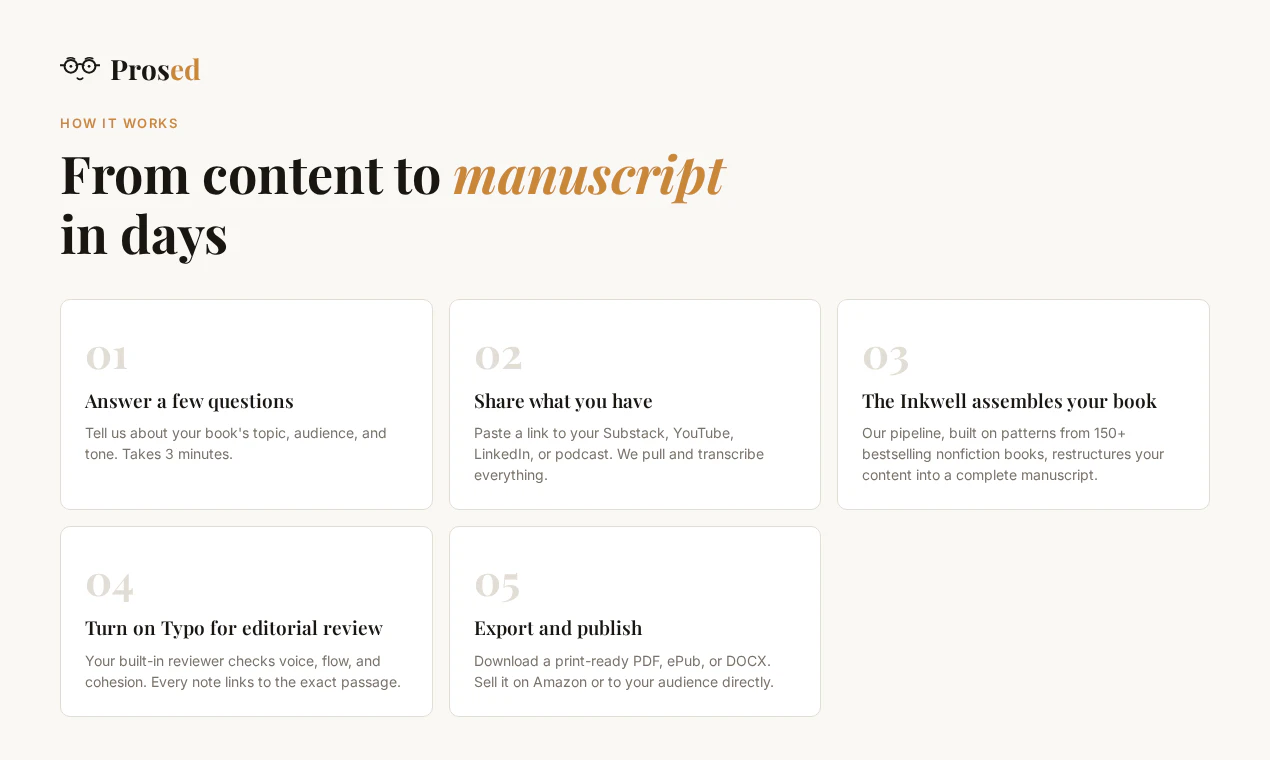
You've spent years creating—newsletters, podcasts, LinkedIn posts, courses. The book is in there. You just haven't had time to assemble it. Prosed's Inkwell pipeline analyzes your voice, structures your scattered content into chapters, and produces a manuscript that actually sounds like you. Not generic AI writing or slop. Your words, your ideas, assembled into something real. Built-in editorial review. Print-ready PDF/DOCX export. Beta: $47 for the first 100 founders.
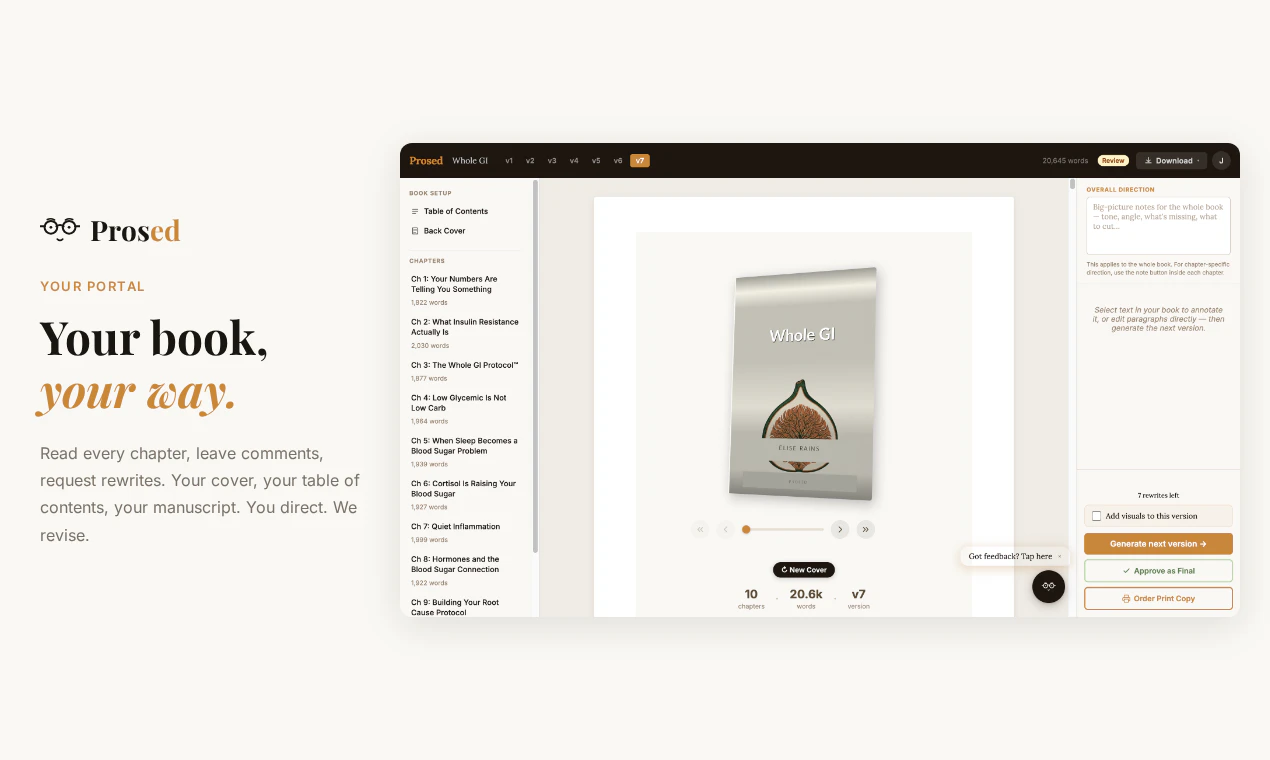
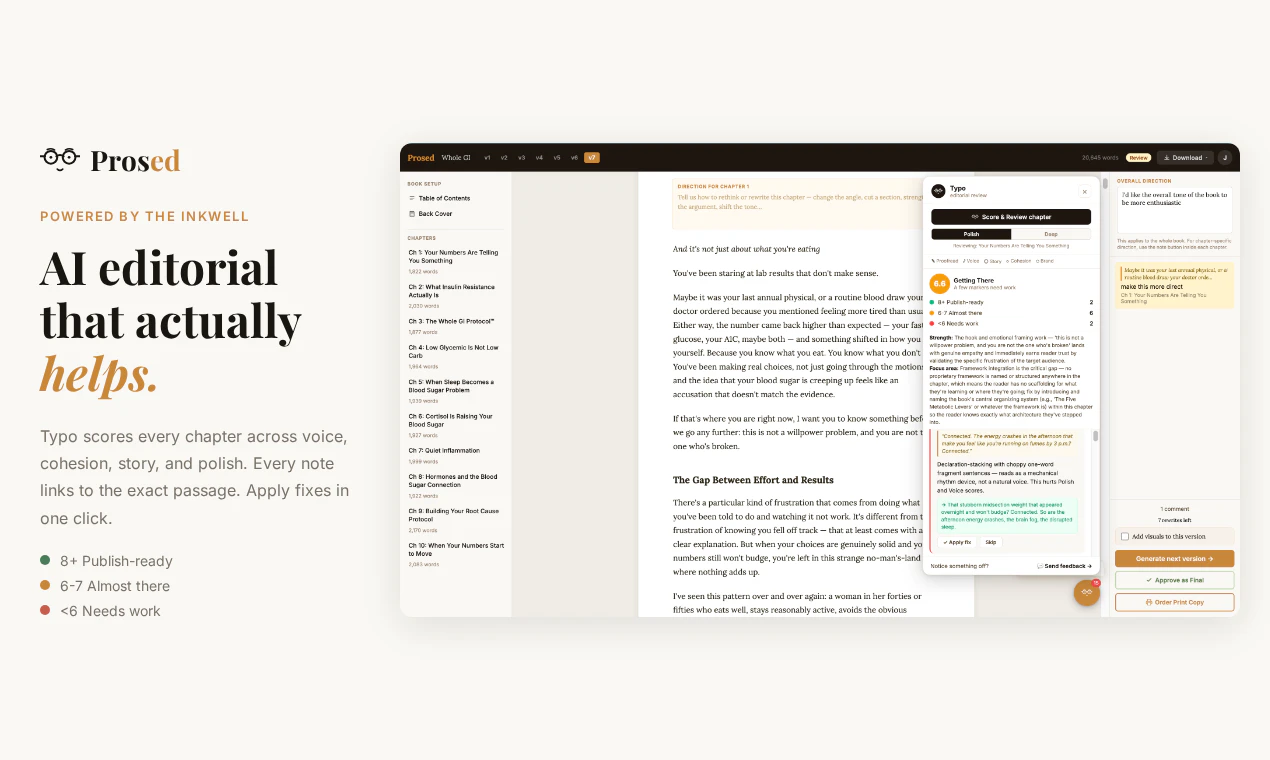
Hey Product Hunt 👋 I almost wrote a book back in 2016. LinkedIn guide for Italians, outline ready, momentum going. Life happened. The idea sat and it's still in my G Drive! But I kept writing, newsletters, LinkedIn posts, podcast appearances, blog posts. Years of it. A couple of months ago, I realized: I already had a book in there. Scattered across a decade of content, but all there. My voice, my ideas, my perspective. Pulling it together felt impossible. Not because I can't write — because the assembly feels impossible. Which pieces go where, how do they flow, how do you preserve what made people care in the first place? That's an assembly block. And I know I'm not alone in it! So I built Prosed. Here's what the Inkwell pipeline (a proprietary 10-pillar funnel built on the top best-selling books) does: 🔍 Analyzes your voice from your existing content 📖 Structures scattered writing into a real book outline ✍️ Drafts chapter connections while preserving your tone 📊 Scores every chapter (voice, cohesion, story, polish) 🖨️ Cover design, print ordering, PDF/ePub/DOCX export You own 100% of your manuscript. You stay in control. We just remove the painful parts. Launching at $47 for the first 100 founders (standard will be $197). That price locks in forever (founder plan). I'd love to hear 👉 how many of you have years of content sitting around and a nagging feeling it could be a book? What's stopped you from doing it? Happy to answer any questions about the product, the tech, or the build journey 🙌
6
回复

@rails Nice! I never thought of writing a book myself before, but between my blog posts, workshops, patents, and publications, this is very intriguing! Especially if it can do it in my voice.

2
回复

@rails It sounds promising. I'm curious: I have social posts and podcast appearances. How much content would you need to get a solid output from your perspective?

1
回复

I love the idea of easily turning existing content into a polished book. Perfect for creators who have loads of content but haven't had the time to publish a book yet!

2
回复

Spot on!

0
回复

@cory_lane That's right! Do you have an archive? Want to give it a try? We'll be here supporting along the way :)

0
回复

Is it tailored to a specific genre like, for example, an autobiography? Or can I write sci-fi with it if I want?

2
回复

@haldavaroman Right now it's built for non-fiction. Think creators who already have a lot of content out there (newsletters, podcasts, courses, guides), and want to assemble that into a book. We just give that content a spine, makes sense?

Sci-fi is a different beast. We'd need to generate original plot, characters, world-building from scratch, and that's not what Prosed does. We assemble your existing content into a book, we don't invent new stuff. So if you have a backlog of short stories or world-building notes, maybe. But if you're starting from zero, that's not our lane today!

Do you have sci-fi notes, or stories?

1
回复

Prosed is such a unique name. What was your inspiration for naming your product this?

2
回复

@othman_katim On the name, Prosed as in, your ideas have been prosed. Turned into prose. I think that was clear, but also that's why we liked it, self explanator ;-) It sounded good from the start. We had another name in mind, but it was already quite used, and this was our equal best!

1
回复

Prosed is such a unique name.

Strong +1

0
回复

hey elise! great product but also want to add i love your design style. this is def the underrated long game for makers! how do you tighten the voice without flattening the personality? good luck with your launch :)

2
回复

@hiyamojoThank you! Design took some effort so that means a lot.

On voice, we don't actually write anything. We assemble the creator's existing content into a book structure, with some connective tissue to make it all flow. So the personality is already there because it's their words, their ideas, their arguments.

Inkwell analyzes their content before starting. Not just vocabulary and tone, but sentence rhythm, how they build their points, even what kind of humor they use. The more content we have, the sharper the result.

What we remove is the stuff that doesn't belong in a book (filler, repetition, off-topic detours).

Thanks for the kind words and for stopping by!

1
回复

great product but also want to add i love your design style.

spot on! taste is sooooooo underrated these days. s/o for the great work, ?makers

1
回复

The assembly-block framing is very real. The risk I’d watch is that “sounds like you” can mean two different things: surface tone, or preserving the actual judgment behind the old essays/posts/podcast moments.

For a book workflow, I’d love a source-to-chapter map: which passages came from the creator’s original material, which connective tissue Prosed added, and where the author marked “not me” or “not my point.” That would make the manuscript feel less like an AI rewrite and more like an editable spine for the body of work they already built.

2
回复

@jim_jeffers one of the best comments/feedback we've gotten today.

You nailed it. "Sounds like you" has layers. Surface tone is the easier part (vocabulary, sentence patterns, rhythm). The harder part is preserving the actual judgment behind someone's writing. What they were arguing, not just how they said it.

That's where Inkwell spends most of its time. What you argue and how you build your points. When we score chapters on our D1-D10 dimensions, faithfulness to source reasoning is a big chunk of what we're looking at.

The source-to-chapter map is a great idea! 💡 We don't have that today, but creators review every chapter and can flag anything that feels off inside the portal once the first draft is assembled. It's back and forth, not a one-shot "here's your book." But a visual map showing "this paragraph came from newsletter #14, this is connective tissue we added" would be really useful. Going on the roadmap for sure!

Love the "editable spine" framing btw. That's exactly what we're building! 🚀

1
回复

What’s the most unexpected use case you discovered?

2
回复

@nithin_raju1 Most unexpected use case so far: someone wanted to turn a dieting/health protocol into a book to send to clients. Women with chronic health conditions who needed a physical guide (not just the digital guides their teams have built/offered so far). Didn't see that coming, but it makes total sense. Strong voice, lots of existing content and guides, just wanted a deeper book structure to get to the shelf of their customers.

0
回复
What inputs produce the best outcomes today (e.g., Substack essays vs podcast transcripts vs LinkedIn posts), and what are the most common failure cases where the pipeline struggles (repetition, inconsistent topics, missing narrative arc)? How do you guide users through those tradeoffs?
1
回复

@curiouskitty great questions, honestly, ones we thought about a lot and put time into avoiding failures and keeping quality high!

Best inputs:

1 Long-form newsletters and essays win by a mile. Already written, already structured, already sounds like you. Inkwell has the most to work with there.

2 Course content is a surprisingly close second. Lessons already have a logical flow baked in.

3 Podcast transcripts are strong on voice but messier. Works well, just needs more editing and possibly more iterations of the first draft. Solo episodes are best >> where the creator is doing most of the talking, rather than multiple guests. Same for other types of video.

4 LinkedIn posts and social threads are great for voice fingerprinting and filling gaps, but hard to build a full book from those alone. Too fragmented on their own.

Sweet spot is someone with 30-50+ pieces of long-form content around a consistent theme.

Where it breaks:

Topic sprawl. If you write about productivity one week and crypto the next and parenting the next, that's where it gets harder, and the post's first draft back and forth becomes important. We can't manufacture coherence that doesn't exist.

How we handle it:

The questionnaire at the start is more important than users think. It asks about content type, volume, themes, and where they upload the content. If someone has less content, we adjust the scope. Shorter book, tighter focus.

1
回复

@Prosed reminds me this thread @naval posted on Twitter/X in 2018 on how to get rich:

If you can't code, write books and blogs, record videos and podcasts.

No more excuses. Thank you, @rails!

1
回复

@naval  @fmerian Ha, that's a great one! Yeah, I'm a writer, and I personally struggled to take on the assembly effort a book demands. I have so many essays sitting in my G drive, and I'm finally giving them a spine!

Can't wait to watch what people write ✍️

1
回复
#8
moop
A social network without media
144
一句话介绍:Moop是一个纯文字列表式社交网络,旨在替代视觉轰炸的“脑腐”内容,让用户通过分享书单、电影、探店等个人品味列表来激发灵感,而非靠算法推送的短视频和图片消耗时间。
Social Media Books Alpha
纯文字社交 列表式社交 反脑腐 品味网络 极简社交 发现工具 创意社区 无媒体 品味策展 替代社交媒体
用户评论摘要:用户普遍认可纯文字、极简的设计方向,但多数认为它更像“发现工具”而非社交网络。主要建议包括:增加协作列表功能、允许超链接(如地图/购买页)、丰富本地化内容(低价美食、深夜去处),并担忧无媒体模式能否避免陷入传统平台的流量优化陷阱。
AI 锐评

Moop的标语和定位极其精准——“没有媒体的社交网络”直接命中了当代社交媒体内容过载、注意力碎片化的广泛痛点。从产品形态看,它更像一个“结构化版的前互联网论坛+BBS”,用“列表”这一古老而高效的单元,成功切入了用户的收藏癖、策展欲和品味标榜需求。它巧妙地将“品味”转化为可执行、可关联、可混排的数据点,打通了从“个人笔记”到“公共发现”的链路。

然而,这款产品的真正挑战并非设计理念,而是商业逻辑与用户留存机制。评论中一位用户精准地发问:“是什么设计决策让它结构性地不同,而不仅仅是审美不同?”答案恐怕在于,Moop目前的纯文字列表其实只有一个隐形的“排序器”——点赞数。如果未来平台按点赞热度推荐列表,必然会引导用户创作“最佳XXX”或“最怪XXX”这类追求传播力的标题党内容,从而重蹈“脑腐”的覆辙。同时,无媒体模式天然缺乏短视频的沉浸式黏性,用户的打开频次和时长完全取决于其“产生新列表”的频率,商业化路径(广告位?付费策展?)极其狭窄,稍有不慎就会变成“一个很好看的手机备忘录”。

Moop最宝贵的资产不是技术,而是它吸引来的第一批用户——那些对“品味”有明确追求、愿意为“反算法”站台的KOL。如果Moop能坚定地走“慢社交”路线,不做通用平台,而是成为亚文化圈子、读书会、探店达人的组织化工具,并开放API让数据回流到用户的个人笔记或博客,它或许能成为一个小而美的垂直生态。但若试图对标TikTok或小红书,它只会是“完美”的另一款静默产品。这是一个关于“规模”与“纯度”的经典博弈,而Moop目前的选择非常勇敢——但路还很长。

查看原始信息
moop
Social media without media. Moop is a social network designed to spark inspiration and combat brainrotting. List the things you're into — places, books, ideas, the small moments worth saving.
Hey Product Hunt 👋 We built moop because social media has become visual, loud, and a honeypot for brainrotting. Meanwhile, the internet’s best culture still lives and dies through lists. Best movies. Worst first-date spots. Books that changed your brain. Restaurants you’d gatekeep. Things you’d die defending. moop is a text-only social network for lists. You can create lists about anything, follow people for their taste, jump to new lists through shared elements, and remix lists into your own version. The idea is simple: instead of a social graph based on likes and clicks, moop creates a the network effect through genuine taste and creativity. We’d love feedback on three things: 1. Does the item-to-other-lists discovery loop feel intuitive? 2. What list categories would you want to see more of? 3. Does moop feel more like a social network, a discovery tool, or something else? Thanks for checking it out! We’ll be here all day responding to comments.
8
回复

@joseph_fattal It's a good idea with a nice design

reminds me of BJ Novaks old app called li.st.

Maybe add collaborative lists?

How did you get your first users?

4
回复

@joseph_fattal what a cool idea! I personaly love the text-only approach, but to me it feels more like a discovery tool, not so much a social media. I can definitely see myself using it to organize my own lists + to follow curators and discover new places, not so much to connect to friends for example.

1
回复

Text-only lists? Into it. I already stash movie recs + food spots in Notes, so this clicks. The item->other lists hop made sense after a minute. Feels more discovery than social. Would love more hyper-local stuff (cheap eats, late-night spots) and “comfort rewatches.”

3
回复

@alexcloudstar Thanks Alex - we definitely see it as both a discovery and a social tool, depending on the user. Encouraging curators to make content like you suggested is exactly our mission now.

0
回复
I think that concept of taste is something more people should be engaging with. AI doesn’t have taste like a human does. So understand and refining our ‘taste’ is an important human effort. Good luck
3
回复

@davem_0 tiktok algo has great taste

0
回复

The idea is pretty cool. Having media in social networks sometimes can be too much. I remember when other social networks were about chat. The idea kind of reminds me of forums and BBS's.

2
回复
What specific behaviors or moments convinced you that people wanted a *public, social* place for lists (not just private notes/bookmarks), and what did early usage data or tests show about repeat engagement?
2
回复

@curiouskitty We've been seeing a trend for a while now, where users prefer to minimalize their social media experience - they don't want to compete with flashy distractions all the time, but still want a place to share their creativity. Moop offers a platform where the "social network" is entirely based on creativity, and anyone can start scrolling/creating right away

0
回复

The "no media" constraint is such a bold bet. Do you find that lists actually create more meaningful connections than photos do, or is it more that they attract a different type of person altogether?

2
回复

@campixl Definitely - and both of these are true. We hope to convert existing social media users who want a more focused experience, and we also believe this caters to an audience that doesn't usually resonate with modern social media.

0
回复

the brainrot framing is doing real positioning work here because it names the specific feeling the product is designed against. but i'd want to understand the mechanism. most social networks that promise to be different from doomscrolling still end up optimizing for engagement once they have users and engagement metrics tend to reward the same things everywhere. what's the specific design decision in moop that makes it structurally different rather than just aesthetically different

2
回复

@ansari_adin Good question - and I think there's a distinction here, because I can absolutely see users spending an hour or two on moop. The idea is that without any fast videos, loud audio, flashy visuals, etc... the experience will be more similar to reading a book or flipping through a magazine. we think a lot of people trying to to disconnect from modern social media do have an appetite for this kind of experience.

0
回复

This feels so comforting and less chaotic to go through new social updates. Love the idea of simply listing things in a very minimalistic way which is very uncommon atp.

2
回复

@anushravrathi Thank you!

0
回复

I love the idea. This could at least help with better focus :)

1
回复

@busmark_w_nika Thanks Nika! we love minimalist phone too :)

0
回复
This feels like artisan social media. Feels like it might be popular with a very specific niche. This is a bold bet
0
回复

We would love to get your feedback on one particular feature: external links.

It's been debated in our team whether or not to allow those, so that you can link an element to Google Maps, an Amazon page, a song, etc...

In its current form, do you feel like moop is lacking that? Or do you prefer the clean, internal-only scrolling experience?

0
回复

I like the design.

Does the design have a specific name?

0
回复

How long did it take to get the first working version live?

0
回复

@nithin_raju1 It's been a month or two - but we've been going through several versions and adjusting on our end based on initial feedback

0
回复
#9
Nugget AI
Turn customer interviews into your product roadmap
137
一句话介绍:Nugget AI 将用户访谈录音转为结构化产品证据,自动提取痛点、功能请求并生成带真实用户引言的PRD,直接对接开发工具,解决PM“访谈信息沉睡”的痛点。
SaaS Artificial Intelligence Alpha
产品研发工具 AI访谈分析 用户研究 PRD生成 产品路线图 MCP服务器 证据驱动 提示词 B2B SaaS 开发者工具
用户评论摘要:评论肯定其解决访谈信息流失的核心痛点,尤其赞赏MCP服务器让AI引用真实用户。用户关注:如何处理低质量访谈(如引导性问题);机会评分如何避免偏重“喧闹用户”;能否处理非结构化数据(如应用商店评论);买家与用户分离场景的合成逻辑;以及生成的PRD是否包含证据存根和“未采纳请求”的决策说明。
AI 锐评

Nugget AI抓到PM群体一个极深且普遍的痛点:“用直觉写PRD,假装数据驱动”。它不只是一个转录工具,而是试图重构从“用户证据”到“开发指令”的全链路。MCP服务器是其最具战略价值的动作——让AI agent在编码或撰写时直接检索并引用真实访谈,这意味着Nugget不再是信息坟场的搜集者,而是AI工作流中不可替代的“事实层”。

但风险也在此。产品声称能对抗“引导性访谈”和“噪音用户”,这本质上是将人类研究者的专业判断,抽象为一套可量化的规则。在实际场景中,“信号强度”的加权标准、低质量访谈的误判率,都会直接影响产出质量的信任度。如果AI生成的PRD因为源头数据偏差被工程团队质疑过一次,整个工具的可信度就会崩塌。

此外,当前生态绑定过紧(Linear、GitHub、Cursor),虽利于深挖,但排除了Jira/钉钉等主流企业的真实场景。定价故事不错(“一半Dovetail价格”),但如何向非PM用户群(如设计师、市场人员)证明价值,是破圈的关键。

一句话:Nugget是**证据驱动的工程化工具**,但如果想成为产品团队决策的“操作系统”,它需要比亚伦·埃瓦兹的《妈妈测试》更严格地处理“定性证据的有效性”问题。产品很棒,但用户信任的积累会比功能迭代慢得多。

查看原始信息
Nugget AI
Nugget AI turns customer interviews into product evidence. Record or upload calls → AI extracts pain points and feature requests → synthesis surfaces themes → auto-generated PRDs with real customer quotes → dev-ready handoff to Linear & GitHub. NEW: MCP server. Connect Claude, ChatGPT, Cursor, or Codex — your AI agent can search every interview and draft specs grounded in real evidence. No more copy-pasting. Half the price of Dovetail.
Hey Product Hunt 👋 I'm Brodie — PM by day, builder by night. Nugget is my answer to a problem I've lived with for 6+ years of doing customer discovery: great interviews generate incredible signal, then it dies in transcripts no one reads. Every PM I know has the same broken workflow: run 5 great interviews → take messy notes → forget half of it → write a PRD from gut feeling → pretend it was data-driven. Engineers then ship from your gut, not your customers. Nugget closes that loop: 🎙️ Real-time transcription (or drop in Zoom, support tickets, Slack threads) 🤖 AI extracts "Nuggets" — pain points, feature requests, sentiment 🧩 Cross-interview synthesis surfaces themes ranked by frequency + severity 📄 Auto-generated PRDs with real customer quotes attached 🔌 NEW: MCP server so Claude, ChatGPT, Cursor, and Codex can query your interviews directly The MCP piece is the one I'm most excited about. Your AI agent stops hallucinating users and starts citing real ones. 🎁 Alpha Day offer: 66% off the first year of Pro for anyone who comments here — DM me your handle. Would love honest feedback — especially from PMs and founders doing discovery. What's broken in your workflow that I haven't solved yet?
5
回复

Interview graveyard vibes here. Notes in Notion, gut in the PRD. If it really pulls themes and spits PRDs with quotes, that's useful. The MCP angle is neat grounding chatgpt on real calls. Keen to try on my next batch. Solo PM here, time savers matter.

2
回复
@alexcloudstar “interview graveyard” is going on the landing page — that’s exactly the problem. Short answer: yes. Pulls themes across calls, drops PRDs with customer quotes inline so every claim traces back to who actually said it. Built it as a solo PM myself, so the time-saver math was the whole point. Reach out when you’re on that next batch — happy to help you get set up. Would love your feedback!
1
回复

Indie iOS founder here, doing a lot of customer discovery ahead of an App Store launch, so the "interviews die in transcripts no one reads" line hits home. The MCP server is the smart unlock; an agent citing real users instead of hallucinating them is the whole game.

Answering your q: the gap I'd flag is upstream of synthesis: interview quality varies wildly, and a confident-but-shallow interview produces clean-looking Nuggets that are actually just the customer agreeing with my leading questions. Does Nugget do anything to flag low-signal interviews (interviewer talked 70% of the time, all closed questions, sentiment too uniformly positive), or does it treat every transcript as equally trustworthy evidence?

2
回复
@ferdi_sigona honestly the exact upstream problem we obsessed over. The Mom Test is baked into Nugget at two layers: Pre-interview: a Mom Test script generator that takes your hypothesis and produces non-leading, behavior-focused questions (past actions over future intent, specifics over abstractions). It flags leading or solution-seeking phrasing before you ever hit the call. Post-interview: synthesis scores each transcript for signal quality before nuggets get extracted — interviewer talk ratio, open-vs-closed question mix, sentiment distribution, follow-up depth. Low-signal interviews get flagged so they don’t pollute the evidence base. Exactly the goal you described: an agent citing real users instead of laundering confirmation bias as insight.
2
回复
Can you walk through how “Smart Prioritization / opportunity scoring” works in practice—what inputs it uses (frequency, severity, segment, recency, goals), how it avoids overweighting loud customers, and what knobs a PM can tune to match their strategy?
1
回复

@curiouskitty Good question. The short version: opportunity scoring uses frequency, severity, segment, and recency as inputs — but those are weighted against the goals and strategy you define on the Priorities page. That's the main tuning surface.

This is also how we handle the loud-customer problem. Without strategic context, scoring just reflects volume. Because Nugget anchors to your priorities, a critical pain point from a key segment can outrank a noisy-but-irrelevant request. The PM's judgment about what matters is baked into the system, not overridden by it.

0
回复

I’ve personally been in situations where we did multiple customer calls, captured tons of feedback, and still ended up writing PRDs mostly from memory because nobody had time to go back through long transcripts. A lot of valuable insights just get lost in docs and scattered notes.

Really like how Nugget focuses on connecting customer conversations directly to product decisions instead of letting that context disappear. The MCP integration is especially interesting because AI tools become much more useful when they can reference actual user feedback instead of assumptions.

Congrats on the launch, Brodie!

1
回复
@sanjana_yadav2 Thanks Sanjana, this is exactly the pain that pushed us to build Nugget. The PRD-from-memory loop is so common, and it’s wild how much hard-won customer signal just evaporates between the call and the doc. Two things we built specifically for this: an insight feed that auto-surfaces themes from your interviews and shares them with the team (so the context lives where decisions happen, not buried in transcripts), and structured insight reports that roll up patterns across calls into something you can actually act on. The MCP layer then makes all of that referenceable when you’re drafting in Cursor, Claude, etc. Really appreciate the kind words, means a lot coming from someone who’s lived the problem.
0
回复

Turning user feedback into roadmap decisions is one of the hardest parts of solo dev you get scattered signals and have to find the pattern yourself. Does it work with App Store reviews or mostly structured interview data?

0
回复

In EdTech the buyer and the user are different people - e.g. the teacher decides, the student uses it. Do interviews from both groups get synthesized together, or can you keep them separate and see where they diverge? Congrats on the launch!

0
回复

hi brodie, the right pain to solve! how do you weight one confident interview against five lukewarm ones? and what stops the AI from inventing patterns from a thin sample? very cool - congrats and good luck!

0
回复

@hiyamojo Really good pushback - both of those are live design problems.

Honest answer on weighting: we don't want the AI making that call. It should surface the signal strength and the context (who said it, when, with what level of conviction) and let the PM decide. That judgment call is the job.

On invented patterns: strict attribution is the constraint. No pattern without a source, and thin sample sizes are surfaced explicitly. The goal is for AI to be a rigorous research assistant, not an opinionated analyst.

0
回复

The MCP piece is a smart wedge because the evidence can travel into the actual spec-writing environment instead of dying in a research repo.

One thing I’d want in every generated PRD is an evidence receipt: strongest quotes, counterexamples, last-heard date, interview-quality score, and which asks were intentionally left out. That last bit matters because product teams don’t just need “customers said X”; they need to see the judgment call behind why X became roadmap material and Y didn’t.

0
回复

@jim_jeffers Love this framing — especially 'interview-quality score.' That's the signal that usually gets lost when research moves from the PM's head into a doc. A quote from one frustrated power user and a pattern across 12 churned SMBs look identical in a PRD today.

The 'left out' field is the one I think would change team dynamics the most. It shifts the PRD from 'here's what customers want' to 'here's a defensible call' — and that's a different kind of accountability.

0
回复

How are early users reacting to the product so far?

0
回复
@nithin_raju1 so far it has been positive, have had a few users who did not meet the system requirements. We will look at expanding our platform to older machines soon.
1
回复

Love the MCP server → Cursor setup.

Does it auto-pull context from all past interviews, or do you select specific ones for each session?

0
回复
@munis_abbas Thanks Munis! Hybrid setup — it auto-pulls interviews relevant to the session’s topic instead of loading everything or making me select manually. Gets me the connective tissue across past convos without blowing up the context window.
1
回复
I really like nugget AI Does it integrate with systems like Jira or any type of kanban board? What type of artifacts does it help the PMs produce?
0
回复
@myrto_skourletou Thanks Myrto, really appreciate that! Jira and Monday integrations are actively in the works, and we already have a limited Linear integration running with a few existing clients. Which one would be most useful for your workflow? On artifacts: Nugget helps PMs produce PRDs, themes, priorities, and insight reports grounded in customer interviews — all quickly shareable into Slack so the team stays in the loop.
1
回复

interesting... isn't this similar to ReadAI/Other notetakers?

0
回复
@ashishkingdom it is similar to them but heavily focused on product builders. It also sits on your desktop instead of needing to join your meetings.
0
回复
#10
SuprSend AI
AI-first platform for multi-channel notifications
112
一句话介绍:SuprSend AI 是一个将 AI 原生集成到通知基础设施中的平台,通过 MCP、CLI、Agent 等六大 AI 界面,让开发者和运营人员在 IDE、Slack 或仪表盘中用自然语言快速创建、调试和管理多通道通知,将集成时间从数周缩短到数小时。
SaaS Developer Tools Artificial Intelligence
AI通知平台 多通道通知 开发者工具 MCP服务器 通知即代码 Copilot Slack集成 生产安全 模板自动化 SaaS
用户评论摘要:用户普遍认可其大幅缩短了模板创建、调试和集成时间。核心问题聚焦在:1️⃣ 安全性:MCP 层的限制是服务端强制还是仅靠提示,能否防御提示注入?2️⃣ 架构:如何处理模式漂移?去重逻辑如何避免跨通道重复发送?3️⃣ 细节:AI 是否感知自定义字体、不同渠道的语气适配等细节场景。
AI 锐评

SuprSend AI 的野心不在于“给通知工具加个聊天框”,而是一次基础设施交互范式的重构。它用六大 AI 界面(MCP、CLI、Copilot、Agent等)把通知的“配置-编码-调试-运营”全链路塞进了自然语言和 IDE 中,试图抹平工程师、产品经理和运维人员之间的沟通鸿沟。其核心价值在于“领域知识预载+行为约束”:Agent Skills 解决了 AI 幻觉 API 的致命伤,而生产环境只读、操作前置检查等机制表明团队清楚 MCP 化的风险——它们不是把安全甩锅给提示词工程,而是在服务端做了硬隔离,这点比多数跟风“AI+工具”的产品成熟。

但问题同样尖锐:当用户问“模式漂移”“跨渠道去重”时,暴露的是 AI 层的知识时效性与动态配置的冲突。目前的“预加载”方案对静态 schema 有效,一旦用户频繁调整通知规则或路由逻辑,Agent 能否实时感知并保持上下文一致性?另一个隐忧是:24 个工具暴露了极高的能力密度,但边界越宽,被恶意利用的潜在缺口越大——除非安全策略能做到“任何客户端、任何提示均不能绕过服务端策略”,否则 MCP 不过是更快的破坏工具。

表面上看,它帮用户省了“数周”的时间;但真正长久的价值,取决于它能否在“多模交互”与“运维严谨性”之间找到平衡——即让 AI 足够懂你,又不让你因为懂它而翻车。目前来看,方向正确,但细节(如 schema 同步机制、去重策略)仍需在实际大规模部署中接受拷打。

查看原始信息
SuprSend AI
SuprSend now ships six AI-native interfaces for notification infrastructure. MCP Server with 24 tools in your IDE, CLI for notification config as code versioned in Git, Agent Skills so AI knows your schemas instead of hallucinating your API, an AI Copilot inside the dashboard, a Slack Agent to trigger and debug from Slack, and a Claude Extension. Works across Cursor, Claude, Windsurf, and Slack. Used by 500+ companies. Free tier available.

Hey Folks! 👋


I'm Nikita, co-founder of SuprSend. We've been building notification infrastructure since 2022 - used by 500+ companies to send customer engagement notifications across email, SMS, push, WhatsApp, Slack, MS Teams, and in-app.

Today we're launching the AI-first notification platform.

The problem: notification infrastructure has too many moving parts. Workflows, templates, preferences, tenants, channels, routing logic. New customers spent weeks just learning how things connect before writing code. We tried better docs, better UI — it helped but didn't solve it.

So we shipped 6 AI-native interfaces:

→ MCP Server - 24 tools inside Cursor, Claude, Windsurf. Build workflows, create users, manage preferences, debug delivery - all from your IDE. One prompt does what used to take 20 lines of API code.
→ CLI - notification config as code. Pull, version in Git, promote via CI/CD. Your notification stack ships like the rest of your code.
→ Agent Skills - domain knowledge loaded into AI context so it doesn't hallucinate your API.
→ SuprSend Agent - AI copilot in the dashboard for PMs and ops.
→ Slack Agent - trigger, debug, manage from Slack.
→ Claude Extension - use SuprSend directly inside Claude.

What makes this different from just "adding AI" to a product:

→ Every AI action follows notification best practices automatically: channel selection, frequency capping, preference cascades, spam avoidance. You don't need to be a notification expert. The AI already is.
→ Works across your entire team: engineers in Cursor, PMs in the dashboard, ops in Slack. One platform, every interface.
→ Production-safe: destructive operations are restricted, updates do read-before-write, production environments can be locked to read-only.

Results we're seeing:
→ Integration time: weeks → hours
→ Template creation: ~8 hours → 5 minutes
→ Test setup: 15 min manual work → one prompt

Free tier available - try it: suprsend.com/ai

Would love your feedback — what's missing? What notification problems are you still solving manually?

Happy to answer anything here! 🙌

9
回复

@nikita_navral Hey Nikita, congrats on shipping 🎉

The line that caught me: "destructive operations restricted, updates do read-before-write, production locked to read-only." That is the right instinct and most teams bolting MCP onto a product skip it entirely.

Building in an adjacent layer myself (permission control between agents and the apps they touch), so the question I keep circling: where does that restriction actually live? Enforced server-side in the MCP layer regardless of which client calls it, or is it the agent prompt being told to behave? Because the first holds when a prompt-injected agent in Cursor tries something destructive, the second does not. With 24 tools exposed across Cursor, Claude, Windsurf, the enforcement boundary is the whole ballgame.

0
回复

I use the SuprSend Agent daily now. The biggest time saver is delivery tracing - when someone says "I didn't get the notification," I used to dig through logs, check preference settings, channel availability, workflow execution. Now I just ask the copilot "why didn't user X receive the confirmation" and it traces the entire path in 10 seconds. Used to take 15 minutes.

4
回复

As a marketer, the Slack Agent is surprisingly useful. Quick lookups that used to mean opening the dashboard. "Show me delivery stats for my last campaign" or "what channel is working for campaigns sent to the free tier users" — now happen right in the Slack channel, visible to the whole team. For the 20 quick checks you do daily, it's way faster than switching apps.

3
回复

I have tried the new agent and Slack App Integration. Honestly, big time saver for me.

Tried building a workflow through the agent and it was surprisingly quick. What I liked is it actually thinks about edge cases I'd probably miss on my own.

The analytics part is what sold me though. Earlier, if something failed, I'd be digging through logs trying to figure out what went wrong. Now I just ask and it tells me — right inside Slack, which is even better.

So now at EOD I literally just ping it — how many notifications went out today, how's engagement looking, did anything fail, and if yes why and how do I fix it. Done in like 30 seconds.

3
回复

@anjali_arya1 Thanks for trying and giving good feedback!

0
回复

Template creation was our biggest bottleneck. Designing email HTML, creating channel-specific variants for push and in-app, testing with dynamic variables, iterating on copy, testing, observing the stats - a single notification template used to take 6-8 hours end to end. With all these AI tools, I describe what I want and it generates the template with the right structure. Down to under <30 minutes now!

2
回复

@yashika_mehta Thanks for trying! Glad agent saved time for you! :)

1
回复

The Agent Skills approach is smart. Pre-loading your notification schema into AI context means the model isn't guessing field names at inference time. At RetainSure we've been building customer-facing alert pipelines, and channel fallback logic when primary delivery fails is the hardest part. Does the MCP server surface delivery failures synchronously to the calling agent, or does it require polling?

1
回复

Six AI-native interfaces for the same underlying infrastructure is the right call. The Agent Skills piece stands out: loading domain knowledge into context so AI doesn't hallucinate your API schema is what most platform teams miss. How are you handling schema drift when notification configs evolve between agent sessions?

1
回复

The hardest part of multi-channel notifications isn't the send logic, it's the orchestration layer that decides which channel wins when user preferences conflict with urgency. The AI routing angle is interesting here. How do you handle deduplication across channels when a user might receive the same notification via email and push within seconds of each other?

1
回复

The Slack Agent is surprisingly useful. Quick lookups that used to mean opening the dashboard - "show me delivery stats for this tenant" or "what preferences does user X have" - now happen right in the Slack channel, visible to the whole team. For the 20 quick checks you do daily, it's way faster than switching apps.

1
回复

Love the versatility Suprsend gives me. Must have for any early or growing startup

0
回复

How does SuprSend AI handle notification templates that use custom web fonts? Wondering whether the AI copilot is aware of font fallback stacks when composing email templates — and whether there's any guidance on when to embed vs. reference a custom typeface given email client rendering inconsistencies.

0
回复

Multi-channel notifications get hard when teams need different tone per channel. Does SuprSend AI adapt the same message differently for email, Slack, and in-app alerts?

0
回复
#11
Reader Alive
Translate, listen to, and ask questions about your ebooks
109
一句话介绍:Reader Alive 是一款专为iPhone/iPad设计的AI电子书阅读器,解决了用户在阅读外文、专业书籍等“硬核”内容时,需要切换工具翻译、听读、查资料、做摘要的碎片化痛点,将翻译、语音朗读、AI问答、章节总结集成在阅读场景内,实现“边读边问边听”的一站式体验。
eBook Reader Artificial Intelligence Alpha
AI阅读器 电子书翻译 文本转语音 AI问答 摘要生成 PDF阅读 EPUB阅读 外语学习 阅读效率工具 iOS应用
用户评论摘要:用户主要关注:问答是否严格从书中内容生成(需引文验证)、翻译是否会削弱作者原意、是否支持Android和Amazon下载书籍格式;开发者回应称AI回答会引用原文并支持逐章翻译(采用Deepseek V4降低成本),同时考虑未来推出Android版。
AI 锐评

Reader Alive 的切入点很聪明:它没有重造一个“更好的阅读器”,而是把AI嵌入阅读场景,解决的是“读不下去”这个老问题。用户对翻译、问答、TTS的追求背后,本质是对“信息获取效率”和“理解门槛跨越”的双重刚性需求。产品在功能堆叠上较为面面俱到:支持七种格式、章节翻译、上下文问答,甚至在回答中标注引用来源——这相比一个独立的ChatGPT“泛答”有明显进步,因为阅读场景下“精确引用”比“胡诌”重要得多。

但需要警惕的是“AI的边界感”。用户评论里已经有人察觉到:翻译会不会磨平作者风格?问答是否真的只限当前书?这些都是AI在阅读场景下的“致命脆点”。如果用户问一句“主角的名字是什么”,AI给出正确引用是加分;但如果问“你觉得这本书和《三体》谁更好?”,AI一旦开始自由发挥,阅读的沉浸感立刻崩塌。

从商业模式看,产品明确面向个人用户,没有走团队协作路径,这既是克制也是克制。问题在于:AI翻译和推理的API每次调用都有成本,109票的众筹级热度很难撑起长期运营。更值得思考的是,是否真的有人会因为“TTS语音自然”或“内置AI问答”就放弃Apple Books、Kindle等拥有成熟生态和同步体验的竞品?答案可能取决于:快感是否能覆盖迁移成本。

一句话锐评:AI让读“难书”的大门开了条缝,但门槛依然在“书”本身——你的PDF要是扫描件,或作者风格像乔伊斯,AI再强也帮不了你。

查看原始信息
Reader Alive
Reader Alive is an AI ebook reader for iPhone and iPad. Import EPUB, PDF, AZW3, and MOBI, then translate chapters, listen with natural text-to-speech, summarize dense sections, and ask questions grounded in the book.

Love this. I've been searching for a competent ebook reader. Is it possible to ask it about a word you don't know? And are you planning a Google Play launch eventually?

1
回复

@joseph_fattal Yes, will consider android as well

0
回复

Hi Phil! the missing ebook feature! when you ask a question, does it answer from this book only or pull from wider AI knowledge? those go very different places fast. how do you handle translation that flattens the author's voice? this seems great, though as an Android user I'll keep an eye out for when it lands in the Play store! congratulations on shipping and good luck :)

1
回复
Hi Product Hunt, I built Reader Alive for the kind of reading that usually makes people leave the reader: foreign-language books, dense nonfiction, long PDFs, and technical material. The app supports EPUB, PDF, AZW3, and MOBI on iPhone and iPad. Inside the reader you can translate selected text or full chapters, listen with natural text-to-speech, generate summaries, and ask questions grounded in the book content. I would love feedback on three things: 1. Does the import and reading experience feel calm enough to use every day? 2. Does AI help inside the reader feel more useful than switching to a separate chatbot? 3. What book format or reading workflow should be improved first? Thanks for taking a look.
0
回复
How does your “ask questions grounded in the book” capability work in practice—do you provide quotes/page anchors or other ways for the reader to verify answers, and how do you handle ambiguity or reduce hallucinations on long PDFs?
0
回复

@curiouskitty Yes, you can try it out. There are quote marks in the AI answers.

0
回复

what types of books does it help with? for example can i use books i have downloaded from amazon? do they need to be in specific format?

0
回复
This could be an excellent tool helping people learn or improve in a foreign language. Is this also one of your goals?
0
回复

@myrto_skourletou Exactly. It is made for myself from the beginning. Thanks to Deepseek V4 Flash, the whole chapter translation becomes cost efficient.

1
回复

What kind of teams are seeing the most value from this?

0
回复

@nithin_raju1 it's for individual obviously

0
回复
#12
buildpipe
Compose, run and automate multi step AI developer workflows
104
一句话介绍:buildpipe是一款本地优先的多步骤AI开发者工作流自动化桌面应用,让开发者无需编写YAML或依赖云端服务,即可通过可视化方式将Shell命令、AI调用、HTTP请求和文件操作编排成可复用的管道,并通过定时、文件变更或Webhook触发执行。
Developer Tools GitHub Maker Tools Alpha
本地优先 AI工作流自动化 开发者工具 管道编排 桌面应用 Zapier替代 隐私安全 可视化编程 命令行集成 无代码自动化
用户评论摘要:用户关注本地性能需求(无需高配)、工作流审批节点缺失、运行历史可搜索性、凭证安全与OAuth支持、AI步骤的非确定性处理(建议定义JSON输出与置信度),以及二进制文件管道与资产工作流适配性。开发者计划路线图增加审批及OAuth功能。
AI 锐评

buildpipe试图解决一个真实且普遍的痛点——开发者对临时脚本的依赖和遗忘。它的核心价值不在于“AI”,而在于“本地优先”+“可视化编排”的组合拳。在n8n、Zapier等云端工具让数据流经他人服务器时,buildpipe选择让一切留在本地,这既是技术上的硬核选择,也是隐私合规的聪明押注。然而,v1版本的缺失相当明显:无OAuth支持、无审批节点、无原生AI模型支持(依赖外部API),这导致其“AI工作流自动化”的宣称更像是一个半成品——你依然需要将API密钥交给外部大模型供应商,而非真正实现本地推理。更关键的是,对于开发者而言,Shell脚本和Makefile的编程灵活度远高于可视化管道,buildpipe真正面对的对手不是Zapier,而是开发者根深蒂固的“写脚本”习惯。它的生存空间在于:那些需要频繁修改、跨步骤调试、且希望有UI回溯历史的工作流场景。但如果不能解决AI步骤的非确定性与可调试性问题,单凭“本地JSON日志”和“48个模板”很难形成护城河。未来若开放插件系统、支持本地LLM调用、并强化文件资产管理(如WOFF2输出),才可能从“玩具”进化为“工具”。当前1.0.0版本,更像是一个很好的赛道占位。

查看原始信息
buildpipe
A local-first pipeline automation app for developers powered by AI, running natively on your machine. Think of it as a local Zapier or n8n, built specifically for developers who want to chain shell commands, AI calls, HTTP requests, and file operations into reusable pipelines then trigger them on a schedule, on a file change, or via webhook.

Hey, congrats on the launch! This might be a dumb question, but does a device need powerful specs to run your app locally?

1
回复

@haldavaroman question is completely valid. Currently there is no support for local models so you do not need powerful specs. Just run it on a normal PC.

0
回复

Multi-step AI workflows are powerful when they include clear checkpoints. Can a buildpipe workflow pause for approval before a step changes code, posts externally, or calls a paid API?

1
回复

@cyrus_elmtalab great suggestions currently there is no approval process but I'll add it to the roadmap. Thank you for the suggestion.

0
回复

hey buddy!
The idea looks very interesting for productivity.


Just my concern for recurring workflows like Hacker News summaries or daily briefings, do you maintain a searchable history of previous runs?
For example, if I saw a story in the morning and later wanted to revisit the ai summary or outputs, having run history would be super useful. It is what we usually do.

But at the same time, storing every pipeline output/log long-term could also become a storage challenge locally specially for heavy AI workflows.

1
回复

@naresh_chandanbatve great question...yes the logs are stored of each run under the .build-pipe folder in your user directory :)

1
回复
A lot of automation effort gets stuck on auth and secrets: how do credentials work in practice (API keys, OAuth flows, rotation, per-project scoping), and what tradeoffs did you make versus hosted tools that can smooth OAuth but require sending data through their servers?
1
回复

@curiouskitty I have not added any auth flows yet. Your llm api keys are encrypted and stored locally. Adding auth flow to the app in the next version I didn't feel it was a top req for v1. The goal was local pipes as a desktop app and I wanted to focus on that.

Thank you for the feedback!

0
回复

This looks super clean. Love the direction you’re taking with AI workflows 🚀

1
回复

@nithin_raju1 thank you thank you

1
回复

the AI calls step in the pipeline is the one i'd want to understand better. chaining shell commands and HTTP requests is well-understood territory. adding AI calls introduces non-determinism into the pipeline which changes how you think about error handling and retry logic. if an AI step returns something unexpected does the pipeline fail, retry, or branch? and how do you define what unexpected means for a step that's inherently probabilisti

1
回复

@ansari_adin I would define json outputs to everything so that you can measure with a field that there was a success in atleast processing the ai request. A score of confidence as well. It is upto you and how you decide to write your pipeline.

0
回复

Nice work keeping this local-first with encrypted keys, that's the trade-off most pipeline tools skip. Good luck with the launch!

1
回复

@fberrez1 thanks for the support 😊

0
回复
Hey PH! 👋 I'm the maker of buildpipe, and I'm really excited to share this today. The idea came from a simple frustration: I kept writing the same throwaway shell scripts to chain together AI calls, HTTP requests and file operations then losing them, forgetting what they did and rewriting them from scratch. I wanted something visual, local, and fast. No YAML. No cloud account. No vendor lock-in. So I built buildpipe, a desktop app where you compose pipelines out of typed steps (shell commands, AI calls, HTTP requests, file ops, conditionals, loops, notifications) and wire them together by referencing outputs like {{step_id.output}}. Everything runs on your machine and stays there. A few things I'm particularly proud of: 🔁 **Triggers** — cron, file-watch, or webhook. Set it and forget it. ✦ **AI Build** — describe a pipeline in plain English and it scaffolds the steps for you. 📋 **48 templates** — from daily standups to Docker health checks, ready to clone. 🔒 **Privacy-first** — no telemetry, no accounts, API keys encrypted. I'd love to hear what workflows you'd automate first. And if anything feels broken or missing, please tell me. This is v1.0.0 and I'm all ears. 🙏
0
回复

The file-watch trigger is interesting — curious whether buildpipe can handle asset pipelines where the output is binary files rather than code. For instance, running a font build step that produces WOFF2 files and then pushing them to a CDN as a chained step. Is the pipeline model flexible enough for arbitrary file artifact workflows, or is it currently more focused on shell/AI/HTTP steps?

0
回复
#13
motionvid.ai
Your AI Motion & Video Editor
98
一句话介绍:motionvid.ai 是一款 AI 驱动的运动图形与视频编辑器,让用户无需设计技能,几分钟内即可生成带旁白和音乐的视频,解决视频制作中剪辑、节奏把控和动画合成的耗时痛点。
Marketing Artificial Intelligence Video
AI视频编辑 运动图形 自动剪辑 视频生成 无代码创作 营销视频 内容创作工具 浏览器编辑器 Miltos模型 节奏感知
用户评论摘要:用户高度关注与Premiere等传统软件的交接(能否导出后微调)、风格一致性(多尺寸能否统一)、自定义音乐及上传参考图像的能力。核心疑虑在于“纯文本描述”对风格和语气的控制精细度是否足够。
AI 锐评

必须承认,motionvid.ai 找准了剪辑流程中最枯燥的环节——节奏匹配和镜头拼接。其自研的“Miltos 5.0”模型强调“理解时间和知道哪里该剪”,这比那些只会生成低效短视频的AI工具更懂专业创作者的痛点。然而,98票的冷清开局,以及评论区清一色来自创始人的自问自答和粉丝式提问,暴露出这是典型的“技能导向型”产品,缺少真实恶劣场景的压力测试。

真正的问题在于,它试图扮演“自动剪辑师”的角色,却忽视了剪辑是一门“选择”的艺术。用户追问的“能否在Premiere中微调”、“能否保持品牌风格一致性”,直指AI视频工具的核心硬伤:自动化输出与可控精修之间的矛盾。如果每次输出都是一次独立的“黑盒”生成,无法导出可编辑的工程文件,仅靠浏览器的“调整”功能,那它只会是After Effects的廉价平替,而非颠覆者。

对于营销团队而言,一个不能统一管理视觉资产的AI编辑器,注定只能做快速出片的一次性生意。它在解决“效率”问题的同时,制造了“控制权”的焦虑。建议团队聚焦于“风格锁定”和“多尺寸自适应”这两个高频需求,而非炫耀模型的“智能”。否则,即便吹得天花乱坠,它也不过是剪辑师草稿箱里一个昙花一现的玩具。

查看原始信息
motionvid.ai
Your AI Motion & Video Editor Generate animated videos with narration and music in minutes — no design skills needed.

This is honestly exactly what I have been looking for. I spend hours in After Effects and Premiere Pro tweaking motion graphics and trying to get the pacing right. Hearing that Miltos 5.0 understands timing and knows where to cut is a massive deal for my workflow.

I already use AI tools for generating assets and conceptualizing 3D stuff so having an editor that handles the heavy lifting for animation right in the browser is huge. I do a lot of projects with upbeat funk and pop aesthetics so I am super excited to see how the motion model handles those vibes. Definitely giving this a try today.

1
回复
Hey Product Hunt, I am super excited to announce two launches today: Miltos 5.0, the most advanced video model we've shipped, and the Motionvid AI Editor, the workspace we built around it. I've been making videos for years, and the part that always slowed me down wasn't shooting or ideas, it was the hours of pulling clips together, cutting for pace, hunting for the right moments. Motionvid started as a tool I needed for myself. Miltos is the model that powers it. With 5.0, the model got noticeably better at the things that actually matter when you're editing: timing, motion, knowing where to cut, picking the moments that hook. The new editor puts all of that in one place so you can guide it, tweak it, and finish a full video without leaving the tab. What's new in this release: Miltos 5.0 - Our most advanced motion graphics modal. Motionvid Editor - Your autonomous editing experience. Custom Editing - Custom editing experience to refine your video. Built with Anatoly, Nick and the team. We'd love your feedback, especially the parts that don't work yet. If something feels off, tell us. Thanks for checking it out. Kay
0
回复

@justkay Hey Kay, what about custom music? and most importantly the video in your gallery, is it by motionvid?

0
回复

How is the hand off to NLEs like Premiere - any ability to tweak and find tune after export? Is overlaying on other video possible?

0
回复

AI video editors are getting crowded, so the workflow details matter. For marketing teams, can motionvid keep one campaign style consistent across multiple aspect ratios and short variants, or is each output edited as a separate video?

0
回复
Yeah wow this is really cool I spent ages looking for something like this at one point One thing - can you upload images that represent a style of video Because one thing I always thought would be cool Is uploading references from creators you like to make content like them.
0
回复

How much control do you have over the style and tone? "Describe in plain words" can mean very different things depending on whether you need something polished for a school presentation vs something punchy for social. Congrats on the launch!

0
回复
#14
Zero Assist
Real-time AI cheating detection for technical interviews
97
一句话介绍:Zero Assist是一款实时AI作弊检测工具,用于远程技术面试场景,通过监控候选人的操作系统进程,检测Parakeet AI、Final Round AI等20多种隐藏式AI作弊工具,帮助招聘方规避基于AI伪造能力做出的错误聘用决策。
Hiring Remote Work Alpha
AI作弊检测 远程面试监考 实时监控 技术招聘 OS级监控 隐私合规 招聘防伪 人力科技 过程审计 招聘反欺诈
用户评论摘要:用户关注两大核心问题:一是法律合规性,质疑“静默部署”是否会未经同意监控候选人,制造者回应需明确同意且只监控进程非屏幕;二是误报率,担心Copilot等合法工具被误判,官方称检测目标是隐藏覆盖层的“特定技术指纹”,支持实时白名单。
AI 锐评

Zero Assist切中的是一个真实且正在快速膨胀的痛点:远程技术面试中的AI辅助作弊已经不再是“偷看一眼小抄”,而是形成了以Parakeet AI、Final Round AI为代表的“钢盔行业”。这类工具能够绕过传统屏幕共享,用GPU覆盖层隐藏答案投射,让面试官完全无从察觉。从这个角度看,Zero Assist提供的OS级进程监控,比“眼神追踪”和“事后看回放”更贴近作弊行为的物理本性——无论AI变得多聪明,它终究要作为一个隐蔽的进程运行在候选人的机器上。这种“检测执行过程”而非“揣测行为意图”的思路,是其核心差异点。

不过,产品面临的挑战同样尖锐。首先是法律灰色地带:即便得到知情同意,在面试场景中要求候选人安装监控软件,依然存在因地域法律不同导致的不合规风险,尤其在欧盟GDPR或加州CCPA下,隐私权的抗辩可能直接让产品不可用。其次是商业模式的信任困境:招聘方愿意付钱的动机是“抓出作弊者”,而一旦产品漏报(假阴性),他们会认为工具无效;一旦误报(假阳性),则可能引发法律纠纷或毁掉一个真实候选人的机会。创始人强调“检测特定技术指纹”,但这套指纹库能覆盖多少工具?更新速度能否跟上作弊工具的迭代?这些才是用户真正会掏钱的决定性因素。总体而言,这是一个“兵来将挡”型的产品,AI作弊工具升级一步,它就得紧跟着升级一步,否则价值归零。短期有价值,长期看,监管和技术的双重博弈才是真正的赛场。

查看原始信息
Zero Assist
Detect Parakeet AI, Final Round AI, Cluely & 20+ AI cheating tools in real time. Secure your remote technical interviews with Zero Assist.Zero Assist is a forensic-grade interview monitor that detects AI cheating tools like ChatGPT, Parakeet AI, and Copilot in real time. Deploy a silent agent and get instant alerts on your dashboard if candidates use unauthorized AI assistance.

the silent agent deployment is the part i'd want to understand from a legal and consent standpoint. depending on jurisdiction, installing monitoring software on a candidate's machine during an interview has compliance implications that vary pretty significantly. does Zero Assist require explicit candidate consent before deployment and how are you thinking about the liability if a candidate later claims unauthorized monitoring? that's not a hypothetical question in 2026, it's already happening in employment law

4
回复

@ansari_adin That's the great question and something we take incredibly seriously, especially given the strictness of modern law .
To clarify: Zero assist is never deployed silently without the candidate's knowledge. The monitoring is what is happening silently during the interview, so as not to distract the candidate with any pop-ups, but the deployment itself requires explicit informed consent.
We have Explicit Upfront opt-in consent -- the agent physically cannot run until they explicitly click accept and continue
We are logging a forensic audit trail of the consnet
And we are having a data retention policy period...
Unlike the legacy proctoring tool, we are not recording screen, webcam footage, and personal files ...


We built this to protect both the integrity of the hiring company and the privacy of the candidate. If you have any other questions about the architecture, I'd be happy to dive deeper!

3
回复

We are currently witnessing a massive arms race in remote tech hiring. A year ago, cheating meant a candidate looking down at their phone or having a hidden browser tab open.

Today, it is a completely different landscape. There is an entire industry of "Stealth AI" tools (like Parakeet AI, Final Round AI, and Cluely) specifically engineered to defeat traditional video interviews and screen sharing. These tools intercept system audio, transcribe the interviewer's questions in real-time, and project the exact code or answers onto the candidate's screen using invisible GPU overlays that standard screen-sharing software physically cannot see.

The cost of this is staggering. Companies are making $150k+ hiring decisions based on AI-generated performance, leading to massive sunk costs in onboarding and immediate productivity bottlenecks. Even worse, brilliant, honest candidates are losing out on jobs to people using software to fake their skills.

We can't rely on webcam "eye-tracking" or "gut feelings" anymore. I built Zero Assist because the only way to detect stealth AI is with forensic, OS-level monitoring. We have to restore integrity to the hiring process so that the best engineers win on merit, not on who has the most expensive hidden copilot

2
回复

Hey Product Hunt! 👋 I'm Vaibhav, the maker of Zero Assist.

Remote technical hiring is fundamentally broken right now. Candidates are increasingly using stealth AI tools like Parakeet AI, Final Round AI, and ChatGPT to pass interviews. Traditional screen sharing can't detect audio-based whispers, hidden browser tabs, or GPU overlays.

I built Zero Assist to fix this and restore integrity to remote hiring. It’s a lightweight, forensic-grade agent that runs on the candidate's machine during the interview and monitors OS-level processes.

✨ Key Features:

Real-Time Detection: Catches 20+ known AI cheating tools the moment they launch.
Silent & Seamless: Runs in the background with no intrusive pop-ups for the candidate.
Live Interviewer Dashboard: Instant alerts delivered via WebSockets (<500ms latency).
Deep Forensic Evidence: Post-session audit reports with exact timestamps and process metadata.
Privacy-First: Legal compliant. Exits cleanly after the session, leaving no persistent footprint.
Zero Assist empowers engineering and HR teams to make hiring decisions based on genuine ability, not AI assistance.

I'd love to hear your feedback, answer any questions about how the detection works, or take feature requests below! 👇

1
回复

@vaibhav_devere Congrats on the launch, Vaibhav. This feels like a timely product because remote hiring has quietly become harder to trust, especially in technical interviews where AI assistance can blur the line between real skill and generated answers.

What stands out is the focus on real-time detection instead of only reviewing interviews afterward. That gives hiring teams a clearer signal during the process itself, not days later. I can see this being genuinely useful for engineering teams trying to keep remote hiring fair without making interviews more intrusive for candidates.

0
回复

just curious about privacy invasion with your product.

1
回复
When your agent flags something, how do you minimize false positives—especially for legitimate tools engineers might have open (Copilot, IDE assistants, accessibility apps)—and what does the “evidence” look like that an interviewer could confidently use in a dispute?
1
回复

@curiouskitty Great question. Copilot, IDE assistants, accessibility apps — none of these use a capture-excluded always-on-top overlay. They're normal visible windows. Our detection targets that very specific combination of flags, not just "any AI tool is running."

The evidence in the report is a timestamped log of exactly what was detected — process category, window flags, and time of detection. Factual, not interpretive. The hiring team decides what to do with it.

1
回复

Love seeing products focused on improving interview integrity.

1
回复
@nithin_raju1 Thanks Nithin! It's definitely becoming a critical issue in the industry, and we're really passionate about leveling the playing field for genuine candidates.
1
回复

Ohh yeah, the must needed one! Facing this problem in almost 60% of interviews where we can't judge if the candidate is cheating or not. And the result, we waste our days, hours on interview rounds of irrelevant candidates who're actually caught cheating in interviews.
Hopefully it helps now. Congrats on the launch team. Good one.

0
回复

Great mission and concept! As mentioned the false positives is the big concern. Have you tried testing it with "generic" sounding interviews? ones that might be flagged as AI but aren't?

0
回复
@joseph_fattal Yes Joseph — we've tested extensively across multiple platforms and generic interview setups. False positives are not something we've encountered in testing because our detection targets a very specific technical fingerprint, not answer quality or phrasing. But we also built for the edge case. If something does get flagged during a live session — say Zoom itself or any tool the interviewer recognises as legitimate — the interviewer can whitelist it on the spot in real time and continue. No disruption, no unfair flags stuck on a candidate's report.
0
回复

Interesting problem to solve, but I'm curious about the flip side, as AI tools get better at mimicking "natural" behavior, how do you stay ahead without the detection itself becoming a false-positive machine that flags good candidates unfairly?

0
回复

@campixl Great point Camelia — but that’s actually where we’re fundamentally different from behaviour-based tools.

We don’t care how naturally the AI behaves. We don’t watch typing speed, answer pacing, or eye movement at all.

No matter how much these tools evolve, they still have to do two things — run on the machine and stay hidden from the interviewer. The moment they drop the overlay, they show up in screen share and the candidate is caught instantly. So the overlay isn’t optional for them. It’s structural. And that’s exactly what we detect.

So the AI getting smarter at mimicking natural behaviour doesn’t move the needle for us. The detection surface doesn’t change.

1
回复
Curious how it works in the background?
0
回复

@louislecat  Great question! We specifically designed the architecture to be incredibly fast and lightweight without requiring invasive kernel-level drivers.
Zero Assist acts like a highly specialized digital security guard on the candidate's computer. It constantly scans the background for unauthorized processes, screen overlays, and hidden browser tabs. If a known AI cheating tool is launched during the interview, the agent instantly beams a live alert directly to the interviewer's dashboard in under half a second ..

1
回复
#15
DCP
Give your AI agents encrypted permission and keys
96
一句话介绍:DCP 是一款本地加密权限保险库,让AI代理在执行交易、调用API等敏感操作时,必须经过用户审批授权,密钥永不泄露给代理,解决了代理安全与资产控制的核心矛盾。
Developer Tools Artificial Intelligence Alpha
AI代理安全 权限管理 加密保险库 非托管 密钥管理 MCP Telegram审批 本地签名 开源 Web3
用户评论摘要:用户高度关注“代理在远程服务器运行”时的部署模式与“本地保险库”的矛盾。核心问题包括:能否支持临时/定时过期密钥、每日预算耗尽后的行为。一条评论尖锐对比了DCP与传统密钥管理器(如Vault)及代理钱包方案的本质差异。另有一名用户反馈macOS安装时遇到“应用已损坏”的Gatekeeper问题。
AI 锐评

DCP切中了一个正在被忽视但致命的痛点:AI代理的权限失控。当代理从“问答玩具”进化为“执行工具”,密钥泄露风险急剧放大。DCP的“代理只请求动作,不接触密钥”设计,是比传统秘密管理器(如HashiCorp Vault)和代理钱包(如Privy)更根本的解法——前者管的是“存储”,后者管的是“身份”,而DCP管的是“授权瞬间”。其本地签名+Telegram审批的架构,在安全与易用间找到了平衡点,尤其对于个人开发者和小团队,是门槛极低的零信任实践。

然而,产品当下最大的隐忧在于部署模型的局限性。社区已敏锐指出,“本地桌面保险库”与“云端运行代理”之间存在根本性冲突。若无法提供合理的守护进程或中继模式,DCP将天然地屏蔽掉服务器端和自动化流水线场景,而这恰恰是代理最有价值、最需要安全防护的战场。此外,macOS的Gatekeeper问题暴露出产品尚未经过正式分发流程,对于一个处理密钥的敏感工具,这会严重损害早期用户的信任。DCP的价值主张清晰且正确,但若不能快速弥合部署鸿沟并提升工程成熟度,它可能只能成为一个“理想场景”下的漂亮Demo,而非生产级的基础设施。

查看原始信息
DCP
Today, many agents read keys and sensitive info from dotenv files, configs, or memory. One bad prompt or compromised tool can drain your wallet, API bill, or private data. DCP makes agents safe for real work: your wallets and API keys stay encrypted on your own machine. Give each agent only the scopes it needs; it asks, you approve from Telegram or App. Daily budgets, logs, and instant revoke keep you in control. Open source, non-custodial, and works with Claude, Cursor, OpenClaw, and Hermes.

Hey PH! I’m Iftakhar, building DCP.

AI agents are moving from answering questions to executing real work: signing transactions, using API keys, making payments, and calling tools across apps.

But there’s a problem: agents should not hold private keys, raw credentials, or sensitive information.

DCP is my attempt to solve that. It is a local permission vault for AI agents.

The flow is simple:

agent asks  

you approve on Telegram or in the app  

DCP signs locally  

secret never enters the model context

What works today:

- desktop app

- local encrypted vault

- Telegram approvals

- Solana wallet signing

- API credential storage

- budgets and approval limits

- MCP-compatible agent flow

- open source repo

I built this because I think the next bottleneck for agents is not intelligence. It is permission.

If agents are going to act for us, they need a safe way to use wallets, credentials, and sensitive tools without taking custody.

Would love feedback from people building agents, wallets, MCP tools, x402 apps, or anything around agent commerce.

Website: https://dcpagent.com  

Docs: https://dcpagent.com/docs  

Download: https://dcpagent.com/#download  

GitHub: https://github.com/1lystore/dcp

4
回复

@iftakhar_rahmany Congrats on the launch Iftakhar 🎉
Permission as the next bottleneck rather than intelligence is the right framing.

Question on the deployment model: the vault is a local desktop app and signs locally, which is clean for an agent running on my own machine. But a lot of agents now run server-side or in hosted environments, not next to a desktop. How does DCP work when the agent lives on a remote host? Does the vault need to run on the same machine, is there a daemon/relay pattern, or is the local-desktop model an intentional scope choice for now? Asking because "non-custodial + local" and "my agent runs in the cloud" are in tension, and that gap is where permission tools usually have to make a hard architectural call.

2
回复
Would you give your private keys to your AI agents? What if an agent makes the wrong decision?
3
回复

@lakshminath_dondeti 
Exactly, that’s the core problem DCP is built around.

I don’t think agents should directly hold private keys. They should request an action, show the scope/amount/destination, and let the user approve or reject it.

If the agent makes the wrong decision, DCP gives you guardrails: budgets, approval limits, logs, and instant revoke. The agent can ask, but it should not have custody.

2
回复
@iftakharrahmany agreed. Agents can ask for permission to use private keys and humans can approve on a case by case basis.
1
回复

Love seeing builders focus on secure AI systems early.

2
回复

@nithin_raju1 Exactly. Agent security has to be designed early, not patched in later.
If agents are going to take real actions for us, permission and control need to be built in from the start.

2
回复

Congrats on the launch! One question, if we hit the daily cap does it pause and wait for next day or does it notify you?

2
回复

@prateek_kumar28 Thanks Prateek, good question.

If the daily cap is reached, agent can’t continue under that budget. The user gets notified, and they can either raise the limit manually or wait for the next budget window.

The goal is that agents can automate work, but they should never silently exceed the permission you gave them.

1
回复

Scoped permissions for agents feel important. Can teams issue temporary task-level keys that expire or revoke automatically after an agent run, instead of giving the agent broad credentials?

1
回复

@cyrus_elmtalabDCP supports per-agent permissions, budgets/limits, approvals, logs, and instant revoke.

We don’t yet support automatic time-based revoke after a run, but it’s on the roadmap. The direction is exactly what you described: temporary/task-level scopes that can expire automatically.

For now, teams can revoke access instantly when an agent should no longer have that permission.

0
回复

good luck, guys. let's support each other!

1
回复

@rahimwws Thanks Rahim, appreciate it.

Good luck with Cleo too. Founder becoming the PM is a real pain, and the transparent memory/trust-levels piece feels important if an AI PM is going to actually run parts of a team.

Also feels like there could be an interesting DCP × Cleo angle at some point: as Cleo moves from observer to operator, DCP could act as the permission layer for sensitive actions, approvals, budgets, and audit logs.

Would be happy to compare notes after launch day.

0
回复

FYI, I REALLY want to try DCP, but downloading the installer (made sure it's the right version for my Apple silicon Macbook Air 15") it does install, but then gives me a "DCP is damaged; you should move it to trash" which I cannot get around - tried re-downloading and reinstalling, tried a few different things (running as admin, etc.) - nothing works.

This is exactly and precisely the solution I need, so, I hope I can figure it out... congrats on the launch, regardless!

1
回复

@grey_seymour thank you for flagging this — and sorry you hit it.

This is the macOS unsigned beta/Gatekeeper issue. We added a note on the site for it, but clearly it needs to be more visible.

Please try this in Terminal:

xattr -cr /Applications/DCP.app

Then right-click DCP in Applications and choose Open.

We’re working on notarization so this step goes away. Really appreciate you wanting to try it — and please let me know if that command doesn’t fix it for your Mac.

0
回复
A lot of teams try to solve this with a secrets manager (Vault/Infisical/Doppler) or by giving each agent its own wallet (Privy/Coinbase AgentKit/Sponge). What’s the crisp technical difference in DCP’s model of authority—i.e., what does DCP prevent that those approaches still can’t, and where are the tradeoffs?
1
回复

@curiouskitty Great question. The difference is custody and authority.

Secrets managers are great at storing and rotating secrets. But in most agent setups, the dangerous moment is when the secret leaves the manager and enters the agent runtime.

At that point, the agent can leak it, misuse it, log it, pass it to a tool, or keep using it until you rotate/revoke.

Per-agent wallets reduce blast radius, but they still make the agent the custodian of that wallet.

DCP takes a different path: the agent does not get the wallet key; it asks for the outcome.

Example:

agent: “sign this Solana transaction”

DCP: checks scope, budget, session, and approval policy

vault: signs locally

agent receives: signed tx / signature

agent never receives: private key

DCP decides whether that action is allowed, under which policy, for which agent, and at what limit.

You also get one permission layer across multiple agents: Claude, Cursor, OpenClaw, Hermes, VPS agents, etc. Set DCP once, then grant each agent its own permissions, budgets, approvals, and audit trail.

That means the permission boundary stays with the user, not the model, prompt, toolchain, server, or relay.

Tradeoff: there is an extra permission layer. But for sensitive actions, that is the point.

Secrets managers protect secrets at rest.

DCP protects authority at the moment an agent tries to act.

0
回复

The Telegram approval flow is a clever UX choice for mobile-first teams. Curious how DCP handles permission scoping for design tool APIs specifically — if an agent is accessing a design system's token API, can you define read-only vs. write permissions per tool, or is it a single permission gate per service? Granular scoping seems key for preventing over-permissioned agents.

0
回复

That's definitely sounds like one of the most useful products I've seen launched in some time. I've wanted to build something with OpenClaw for some time now, but always stopped myself because of the fear of possible leaks. Would you say it is a good use case for your vault?

0
回复

the harder question underneath this product is whether detecting AI use in a technical interview is actually the right goal. a senior engineer who knows how to use AI tools effectively might be more valuable than one who can whiteboard without them. curious if there's a way to configure what counts as unauthorized versus what's just how people actually work now

0
回复

@ansari_adin Thanks Ansari, I think this may have been meant for another launch today, but I agree with the broader point that AI tools are becoming part of real workflows.

For DCP, we’re focused on the permission layer: how agents can safely use wallets, keys, and sensitive tools without directly holding secrets.

0
回复
#16
JAMtime.ai
Just tell your guitar pedal how to sound
90
一句话介绍:JAMtime.ai是一款通过自然语言对话实时生成真实DSP吉他效果器链的工具,让乐手告别繁琐旋钮调参,用“更亮、更脏、板式混响加梳状滤波”等口语指令直接设计出可编辑、可分享的精准音色。
Artificial Intelligence Audio Alpha
用户评论摘要:开发者Jeff强调产品用真实DSP代码而非AI生成音频,并透露未来将推出实体踏板Omega FX1。用户关心实时延迟和稳定性,Jeff回应已深度优化C++引擎并提供了分叉回滚机制;担心音量失控或共振,他建议通过多轮对话调整参数。多数评论表达了对概念的兴奋。
AI 锐评

JAMtime.ai最值得称道的价值,不是“用AI取代调音师”,而是它精准地抓住了音乐硬件领域长期存在却被忽视的鸿沟:乐手用“温暖”“粉碎感”这类模糊词汇思考音色,而传统效果器却强迫用户理解增益、截止频率、干湿比这些工程参数。它没有走“AI生成音频”的捷径——那不过是另类采样器——而是让AI学会写可编辑、可复现的DSP图,这保留了专业音色设计的可解释性和可控性。

但必须指出,产品目前仍处于“技术惊鸿”阶段。90票的冷启动数据说明它尚未破圈。核心挑战在于:当一位吉他手说“给我一个后摇墙式失真的空灵音色”时,AI能否稳定输出在舞台演出级延迟(<10ms)下不炸音、不啸叫的补丁?开发者虽然在回复中提到了CPU优化和端口隔离,但这在堆叠复杂的模块链(如多级失真+颤音+立体声延迟)时仍是巨大工程挑战。此外,实体踏板Omega FX1的落地将直接检验“自然语言”交互是否比传统旋钮更快——在需要即兴切音色的演出中,打字聊天远没有脚踩预设快。假如未来能加入语音识别或场景化补丁推荐,它才真正具备颠覆传统调音工作流的潜力。

查看原始信息
JAMtime.ai
Tweaking knobs is a time-honored tradition in sound design. Chatting with AI is revolutionizing industries. JAMtime.ai embraces both, while keeping the human firmly in the driver's seat. Build and tweak your guitar pedal with phrases as simple or technical as you like, from "brighter" to "comb filter into a plate reverb." The AI writes a real DSP graph, not generated audio. Come fall in love with the JAMtime.ai workflow. Then take it to your DAW with free VST/AU plugins for Mac, Windows, Linux.
I've been writing software for 20+ years, and playing with music my whole life. Watching how AI has revolutionized software development made me realize: Audio devices have always been knobs and menus, but musicians describe sound in words - bright, gritty, doomy, or that 80s rock ballad intro. That gap is exactly where I started building a bridge. I built a small language (JDL) that describes a real DSP graph, taught an AI how to write it fluently, and let my C++ engine run the graph against your guitar in real time. No AI generated music here, just actual DSP code, fully editable, knob-twistable, sharable, forkable. And it runs in your browser, your DAW, and later - my forthcoming physical pedal, codename Omega FX1. Thanks for reading! Questions and comments welcome! Cheers, Jeff
1
回复

@jcward what's the process of making a pedal? there's so much you could do with a smart pedal that you can talk to. very interesting

1
回复
Real-time audio is unforgiving: how do you keep the experience playable (latency/CPU stability) while still allowing the AI to propose complex chains, and what guardrails do you add to prevent the classic problems—runaway gain, harsh resonances, feedback-y patches, or settings that don’t translate across rigs?
1
回复

@curiouskitty this is a great question! So, it helps that I'm coding the C++ engine from the ground up. I design and test the DSP nodes with performance in mind with a debugger watching the CPU profile:

That said, there's always going to be a limit when you start layering on many sounds, so I just have to make sure there's enough room to get creative.

As for harsh sounds, the chat has a few mechanisms to help: you can always go back and fork a previous point in the conversation if something goes wrong. And the AI is pretty good at explaining the sound, too, so you can ask - "I hear a really ugly resonance in the mid range - what is that and how can we get rid of it?"

Regarding various rigs, the cool part of the C++ engine is that it's portable: the same code running in the browser via WASM, the DAW plugin, and the embedded code. So for a given patch, the sound generated should be exactly the same across devices.

Thanks for your questions! Cheers!

0
回复

As someone into music tech, this feels super interesting.

1
回复

@nithin_raju1 Thank you - me, too, and it's been a blast working on it!

0
回复
I have a group of friends who would absolutely love this!
1
回复

@myrto_skourletou 😊 Thank you! Let me know what they think! Don't forget to share my coupon code, EARLYBIRD

0
回复
#17
Shuffle Design CLI
Multi-AI CLI for building and redesigning websites
87
一句话介绍:Shuffle Design CLI 是一款终端内运行的、聚合多款AI模型(如Claude、Gemini、GPT)的网站设计工具,旨在让开发者从命令行直接生成落地页或重新设计现有网站,解决“在设计流程中来回切换工具与模型”的低效痛点。
Design Tools Developer Tools
用户评论摘要:用户关注点集中在:1)如何与现有设计系统(如图标库、设计Token)对接,避免AI输出偏离品牌风格;2)多模型协同如何防止风格“漂移”;3)“更快”的具体指标——与直接用Claude、Cursor等工具的差异是什么。
AI 锐评

Shuffle Design CLI 的定位很取巧:它不试图造轮子,而是做“AI模型的调度器+工作流的中转站”。在AGI工具泛滥的当下,这个思路既务实又危险。务实在于,它解决了开发者“在多模型间来回复制粘贴提示词、分别等待输出、再手动合并”的体力活,把“多模型并行生成+截图+在线预览+可编辑项目导出”打包成一个终端命令,这确实契合技术团队的自动化场景(比如CI/CD中的自动设计审查、A/B测试素材生成)。危险则在于,它本质上是一个“模型代理层”,技术壁垒不高,Cursor、V0、甚至Claude自己的MCP协议都可以轻松复刻类似功能。更深层的问题是:用户评论中提出的“设计Token锁定”“图标库接入”等实操痛点,产品介绍里只字未提。如果Shuffle只做表面编排,不做深度的“设计系统映射层”,那么它很快会沦为“又一个用钱买时间的工具”——稍微复杂一点的品牌定制需求,用户会发现还是要自己写大量胶水代码去纠正AI的跑偏。一句话:Shuffle Design CLI 是一个很好的“脚手架”型产品,但若想真正嵌入研发流程,它必须证明自己能守住设计一致性这条底线,而不是只做AI的“传声筒”。

查看原始信息
Shuffle Design CLI
Shuffle’s Design CLI lets you generate landing pages and redesign websites directly from your terminal. Automate design workflows, leverage multiple AI models, and ship better websites faster.

Hey PH 👋

Replying to @math_biomes , but this might be useful for everyone.

Shuffle's Design CLI is the command-line version of AI Website Redesign (and design), so you can generate results from multiple leading models at once - including Claude, Gemini, and GPT.

The CLI returns:

  • URL to online project preview,

  • a screenshot of the result,

  • and a fully editable project inside Shuffle (you can download it using CLI too)

It's especially useful for automating workflows where multiple design directions, a live preview, and screenshot generation are important.

We also included two ready-to-use demo examples:

0
回复

CLI-first approach to design is interesting — curious how Shuffle handles custom icon sets in the generated output. Does the CLI support feeding it your own component library's icon system (icon fonts or SVG sprites), or does it default to a generic icon set? Wondering how well it plays with existing design tokens when redesigning rather than starting fresh.

0
回复

Multi-AI redesign from the CLI is interesting for shipping UI changes quickly. How do you prevent different models from drifting away from an existing design system when they generate sections or components? Is there a way to lock tokens, spacing, and component conventions?

0
回复

when you say "ships websites better faster", in what sense do you mean? what is the difference between you and let's say gemini, claude and cursor?

0
回复
#18
Our Stories
A storytelling tool for raising bilingual kids
81
一句话介绍:Our Stories是一款帮助跨国/双语家庭为儿童创建个性化多语故事的亲子工具,让父母、祖辈等家人在异地也能用各自母语为孩子讲述连贯的睡前故事,解决双语家庭让孩子自然接触父母母语、并跨越时空进行亲子阅读的痛点。
Kids Artificial Intelligence Alpha
多语亲子故事 双语育儿 OPOL育儿法 睡前故事 个性化故事生成 亲子连接 亲情联络 非屏幕育儿 家庭故事书 多语言教育
用户评论摘要:用户普遍认可创意与意义。主要反馈包括:1) 一位用户遇到TTS生成错误(quota_exceeded),开发者正在追问具体语言;2) 有用户担忧跨语言故事的角色与情节连贯性,开发者解释通过OPOL模式及“继续故事”“同一主角”功能解决,并承认希腊语旁白质量是难点;3) 用户称赞“keep your hero”功能带来连续性体验。整体反馈积极,且开发者与评论者互动坦诚、具体。
AI 锐评

Our Stories切中了一个真实但小众的刚需:跨国婚姻家庭中,父母各自母语与主环境语言之间的代际断裂。它没有贪大求全,而是聚焦在“睡前故事”这一高频、高情感浓度场景,让父母角色自然融入各自语言的讲述,而非陷入翻译式生硬。产品逻辑清晰:一个tap生成故事,孩子作为主角,同一角色可延续、可交叉讲语言版本,祖辈可远程参与,且严格避开了儿童屏幕沉迷——定价上免费生成+有限旁听,仅对“印刷成书”和“无限旁听”收费,既降低了试用门槛,也表明变现重心在实物纪念品和订阅,而非内容付费。评论中暴露的“TTS错误”和“跨语言情感连贯性”问题说明其技术实现尚未成熟,尤其对小语种的语音合成和自然叙事逻辑仍需打磨。未来若不能解决用户反馈的核心技术“卡顿”,很快就面临“创意甜蜜,执行酸涩”的结局。另外,产品过于依赖父母主动生成故事,对阅读时段本身就疲惫的双语父母,长期使用意愿存疑。若能在“被动物理书推送”与“语音续播”等懒人体验上再深挖,才是真正的黏性来源。一句话:立意动人,但能否成为育儿的“每日一故事”,取决于它能否比父母自己瞎编更省心、更好听。

查看原始信息
Our Stories
Are you raising bilingual kids? Do you want your children to grow up hearing the languages you speak at home — not just the language of the country they live in? Do grandparents, yiayia, nonna, or loved ones live far away but still want to be part of bedtime stories? Our Stories helps families create personalized multilingual stories, listen to narration, and turn favorite adventures into illustrated keepsake books — without endless screen time.

I'm getting a 'TTS failed [401]' error when trying to add language content to the stories ('quota_exceeded').

Regardless, I just wanted to say that this website is such a fantastic idea! Really love the creativity here.

1
回复
@summerxia thanks for the feedback. What feature are you referring to by adding language content? Are you referring to adding a language that doesn’t exist as a new language? If so please can you tell me which language? If I misunderstood please can you clarify Thanks so much in advance
0
回复
When a family reads the “same” story in Greek one night and Italian the next, how do you keep continuity (character names/traits, plot beats, tone, reading level) across languages—and what have been the hardest languages or edge cases to get “parent-approved” quality?
1
回复

@curiouskitty Great question!

A lot of multilingual families actually don’t read the exact same story across languages every night — many follow approaches like OPOL (one parent, one language). In our case, I read in Greek and my husband reads in Italian, so our baby naturally hears both languages in different contexts.

That said, there are stories families love and want to revisit across languages, so we built the ability to read the same story in another language while trying to preserve the same characters, tone, and emotional flow. We also have “continue story” and “same hero” features so children can build familiarity with recurring characters and worlds over time.

The hardest part quality-wise has honestly been narration and emotional nuance rather than direct translation itself. Greek, for example, can sometimes sound slightly too formal or have odd intonations in narration, while some languages are much better supported out of the box.

We are learning a lot from multilingual families testing the app and iterating language-by-language based on what actually feels natural to parents reading aloud.

0
回复

this is a great idea especially if you are tired but still wants to entertain the kids:)

1
回复
@campixl thanks! Are you referring to the narration? Just want to clarify we don’t promote screen time for kids - this app is primarily for parents and family members to do the reading and storytelling- of course illustrated books can be accessed on the app by kids but can also be printed and shipped to families so they can stay on the shelf
0
回复

Helping bilingual kids through storytelling is such a meaningful idea.

1
回复
@nithin_raju1 thank you - I am sure there’s plenty other ways to help but this has been proven very helpful for me so far!
1
回复

This is so cute ♥️ it will be so easy to be part of my niece's every days, especially when time difference makes it impossible to make video calls. I have recorded some voiceovers of fairy tales and songs, but it's not engaging for her to only listen

1
回复

@nino_ungiadze thank you for stopping by and taking a look! really appreciate your feedback! if you end up using it please let me know how it feels, and i am open to feedback/ new feature requests.

0
回复

My favourite feature is "keep your hero" and being able to narrate every night new adventure of the Pirate Barbavento to my young Nicholas

1
回复
@marco_altea haha looking forward to printing them
0
回复
Hey Product Hunt 👋 I built Our Stories for a very specific moment in my own home. I'm Greek, living in London. My husband is Italian. Our son is 3 months old. We're trying to do one parent, one language — and we already know bedtime stories are going to be the heartbeat of that. The problem is: making up a fresh story every single night is hard and sourcing a variety of books in our own language is not so easy. I wanted a story ready with a tap. That was the whole brief. From there it grew into the things we actually needed as a bilingual family: 🌙 One tap, one story — hero, value, language, done. No prompt engineering at bedtime. 👶 Your child as the hero — personalised by name, with a gentle lesson woven in 🔁 Continue the story — same hero, next chapter, so a world builds over weeks 🌍 Any language, properly — read the same story in Greek tonight and Italian tomorrow, so each parent gets their language with the same characters 🎨 Illustrate the ones you love — turn a favourite into a keepsake storybook 🎧 Studio-quality narration — for the nights when reading aloud feels like too much (newborn life is real) 📞 Share across distance — send a story link to yiayia in Athens or nonna in Sardinia so they can read it over the phone in their own language. Connection, not just content. And one principle I held tight to: Our Stories is a tool for parents, not an app for our kids. No child-facing screens, no feeds, no streaks. Pricing is honest: generating and reading stories is free. Pay only if you want illustrated keepsake books or unlimited narration (£7.99/mo). One free narration per day so everyone can try it. I'd love your feedback on two things: Bilingual / multilingual families — does this fit how you actually do bedtime? What's missing? Which heritage should we add next? We have a starter set (Greek, Italian, Japanese, West African, Nordic, more) — tell me yours. Try it free: https://readourstories.org/ Asking on behalf of every parent doing OPOL across a kitchen table 🙏
0
回复

I love this. I have four kids, 11 through 19 now, and bedtime stories are a thing we'll always remember! ❤️

0
回复

@jcward thank you Jeff. I feel the same - from the stories parents read or made up along the way. :)

0
回复
#19
Shroomie
AI-powered news made fun and habit-forming
79
一句话介绍:Shroomie是一款将阅读新闻与养成蘑菇花园游戏相结合的信息应用,通过AI驱动的个性化摘要与交互式阅读,解决用户觉得传统新闻阅读枯燥、难以坚持的习惯养成痛点。
Productivity News Artificial Intelligence
AI新闻 游戏化阅读 习惯养成 个性化推荐 碎片化学习 互动内容 蘑菇养成 用户画像 新闻摘要 信息流
用户评论摘要:用户普遍喜爱可爱的手绘蘑菇形象,并认可其创意。主要关注点在于:个性化程度(能否屏蔽特定主题如政治)、用户可控性(自定义源与话题的添加)、Android版本何时推出,以及AI功能的未来规划。
AI 锐评

Shroomie的创意价值在于,它敏锐地捕捉到了传统新闻App在用户体验上的一个核心悖论:信息越重要,阅读感受往往越沉重。通过“种蘑菇”这一轻松、低门槛且具有成长感的游戏化机制,它尝试将新闻消费从一种基于“义务”的被动接收,转变为一种基于“期待”的主动习惯。这种“玩中学”的设计思路,在对抗信息焦虑和培养用户粘性上,确实比单纯优化摘要或Al推送的同类产品(如Artifact的遗老们)更具情绪价值。

然而,产品的潜力与风险同样明显。从用户尖锐的提问中已能看出,其核心挑战在于“游戏化”与“信息深度”的平衡。如果游戏机制过于浅层(如只是装饰性地收集蘑菇)而未能与信息消费深度挂钩,用户的新鲜感将迅速消退;如果AI个性化过于“黑盒”,无法让用户精准控制内容“禁入名单”(如完全移除政治或负面新闻),那么“缓解焦虑”的初衷便会沦为空谈。目前其“AI Prompt”个性化层是一个正确的解法,但关键在于执行细节。

此外,作为V1版本,仅支持iPhone且用户自定义源功能仍在“roadmap”上,意味着其内容生态和数据壁垒尚未建立。在一个被信息流充斥的市场中,Shroomie必须证明自己制造的“蘑菇”,不仅是可爱的数字玩具,更是能帮助用户在信息丛林中精准觅食的切实工具。否则,它很可能只是另一款短暂的“新奇玩具”,而非改变新闻阅读习惯的“必需品”。

查看原始信息
Shroomie
Shroomie is an AI-powered news app that makes reading fun, effortless and habit-forming. Every story is bite-sized and interactive, and every day you read, you grow a mushroom garden — turning daily news into a game. AI handles everything behind the scenes, from sourcing stories and generating visuals to personalizing your feed.

The mushroom characters are super adorable! Were they AI-generated, or designed by an illustrator?

4
回复

@yi_he6 Thanks! Those were actually done by an illustrator friend of ours. We tried AI-generated mushrooms first but they just couldn't match the hand-drawn quality.

0
回复

Hey Product Hunt! 👋

Every news product we tried was solving what to show us, not how it felt to read.


AI has given us smarter curation and better summaries, but the reading experience remains fundamentally... boring to us.

So we asked: what if reading the news actually felt fun?

Shroomie makes news bite-sized and interactive. We designed an immersive flow where you can effortlessly skim through your feed, react, and deep dive on topics of your interest.

Every day you read, you grow a mushroom garden. We believe the best habits aren't built through discipline — they're built through play. After every session, you walk away with something real: a garden that grew, and a mind that did too.

AI powers everything behind the scenes — sourcing stories, generating visuals and summaries, and deep-dive research. A personalization engine combines ML and LLMs to curate a feed tailored to each reader.

Check us out on App Store! This is our v1, and we're shaping what comes next with early adopters. Try it and let us know what you'd change!

2
回复

this is good for micro learning, I would like to know how do you profile user or are you sending same news to everyone. and what is the frequency and how do you choose the frequency ?

2
回复
@harshalvc_ai Your feed is personalized based on your interests and reading history, and refreshes every few hours. For breaking news, we push updates as they happen.
1
回复

Congrats!
Android when? ;)

1
回复

@hsr88 Hey Krystian, it's on our radar! Personally, Kotlin is my more familiar language, so there's that.

0
回复

sounds like fun actually. any way to add your own topic and sources?

1
回复

@math_biomes Very good point! This is on our roadmap and should be available soon. Stay tuned!

0
回复
@math_biomes To help us understand what to build — what sources would you like to choose from, and how do you imagine the feature looking?
0
回复

Congrats on the launch! I'm in love with your mascot and couldn't resist leaving a comment 😅🍄
Where did the metaphor of growing a mushroom garden come from?

1
回复

@foxecila Thanks so much! Two reasons actually:

  1. Our team genuinely loves mushrooms — in the wild and on the plate 😄

  2. The calm, quirky energy of mushrooms is the perfect counterbalance to breaking-news anxiety, which is exactly the vibe we wanted for the app

2
回复

Congrats! How deep does the personalization go? Can I control what topics I see, or does it learn on its own over time?

1
回复
Both! You can select your interest at the category level, and you can personalize more deeply with AI prompts.
1
回复

Just downloaded it. How granular does the personalization get? Can I tell it I want more tech and zero politics, or is it more of a black box?

1
回复

Great question! We have three layers:

  1. You rank categories like business, tech, and world news.

  2. You can use an AI prompt to describe exactly what you want for deeper personalization (enabled for early users right now).

  3. We analyze your reading patterns and adapts your feed with ML — so it gets smarter the more you use it.

1
回复

Why only iphone?

0
回复

Congrats on the launch, I love whimsy software! 🍄 Too many news sites spam you with ads rather than making the content experience actually delightful.

Love the asking follow ups, what other AI features do you have planned?

0
回复

@seandotexe Hey Sean, glad you liked it!

We have a few AI-related features in mind!

  • Right now, our feed personalization uses a mix of traditional ML + lightweight LLM extraction. We really want to make that more powerful, perhaps allowing users to specify what they like to see and what they don't like to see in a free-form format. Kinda like Spotify's AI playlist, but a bit more guided than that.

  • We are thinking of ways of customizing your mushroom buddies to "grow" with your reading habits in a more personal manner. You can imagine the buddies can have tailored appearances, tags, and achievements themed with "politics enthusiast" or "science scholar".

  • An AI-guided "investigative deep-dive" mode, where you can discover more about a news topic, rather than just get a summary of it. This will be functionally an extension to the follow-up feature, but it will be more delightful and interactive.

Curious what you think of AI capabilities nowadays. Have you incorporated the newer models in your older products launched a few years ago? I personally have great confidence in using 2026 AI models to improve customer-facing experiences and not just coding :p.

1
回复
Hi Chenglai I love the name Shroomie. Is this for adults/young kids or both? Who is your target audience? Also do you integrate with news platforms and if so which ones?
0
回复

@myrto_skourletou Thanks! We love mushrooms because they are calm and whimsical — the opposite energy of breaking-news anxiety.

Our main audience is young professionals, but Shroomie really works for anyone who wants to stay informed without the heaviness of traditional news apps.

For every story, we pull from 20+ authoritative sources (Reuters, Bloomberg, etc.) to ensure thorough coverage and minimize bias.

1
回复
@myrto_skourletou Let us know if you have any feedback! Also, what kind of sources would you like to add, and how do you imagine the interaction to look like? This will better help us build the feature!
0
回复
#20
Faby
Your virtual coworker with its own computer living in Slack
78
一句话介绍:Faby 是一款嵌入 Slack 的虚拟同事,拥有独立的计算机、浏览器和编程环境,能将用户用自然语言提出的工作请求直接执行到底,解决团队在聊天工具中需求落地难、依赖人工执行的痛点。
Slack Artificial Intelligence
AI 代理 Slack 集成 自动化执行 虚拟同事 团队协作 端到端任务 代码开发 数据报告 企业工具 沙盒安全
用户评论摘要:用户关注安全边界,询问 Faby 是否在沙盒中运行、能否安装包或访问内部工具;还有用户关心输出质量控制(QA);另有人好奇产品是否仅面向技术团队,非技术人员能否使用。
AI 锐评

Faby 的核心价值不在于“生成文本”,而在于“完成任务”。它将 AI 从“建议者”升级为“执行者”,这是当前 Copilot 类产品普遍缺失的关键一环。通过赋予 AI 自己的计算机、浏览器和编程环境,Faby 实际上创造了第一个真正意义上的“数字劳动力”——它能拉取数据、生成报告、写代码、管理工单,甚至跨工具流转任务。

然而,成也“自主”,危也“自主”。用户评论中关于安全沙盒与输出 QA 的质疑直指命门:允许一个 AI 代理安装包、访问内部系统、执行代码,相当于将公司 IT 的后门钥匙交给了一个黑盒。缺乏可信的审计日志和细粒度权限控制,企业很可能不敢将它接入核心生产环境。此外,评论中“是否会写死代码”“是否仅限技术团队”等疑问,暴露了产品在非技术用户友好度上的潜在短板。

Faby 的方向无疑是正确的——AI 要落地,必须从“嘴炮”变为“动手”。但如果它不能在安全护栏、结果可解释性和低门槛配置上建立信任,很容易沦为极客的玩具,而非企业的标配。建议 Faby 尽早推出“执行记录回放”和“可配置权限模板”,让非技术管理者也能放心地把工作交给这个虚拟同事。
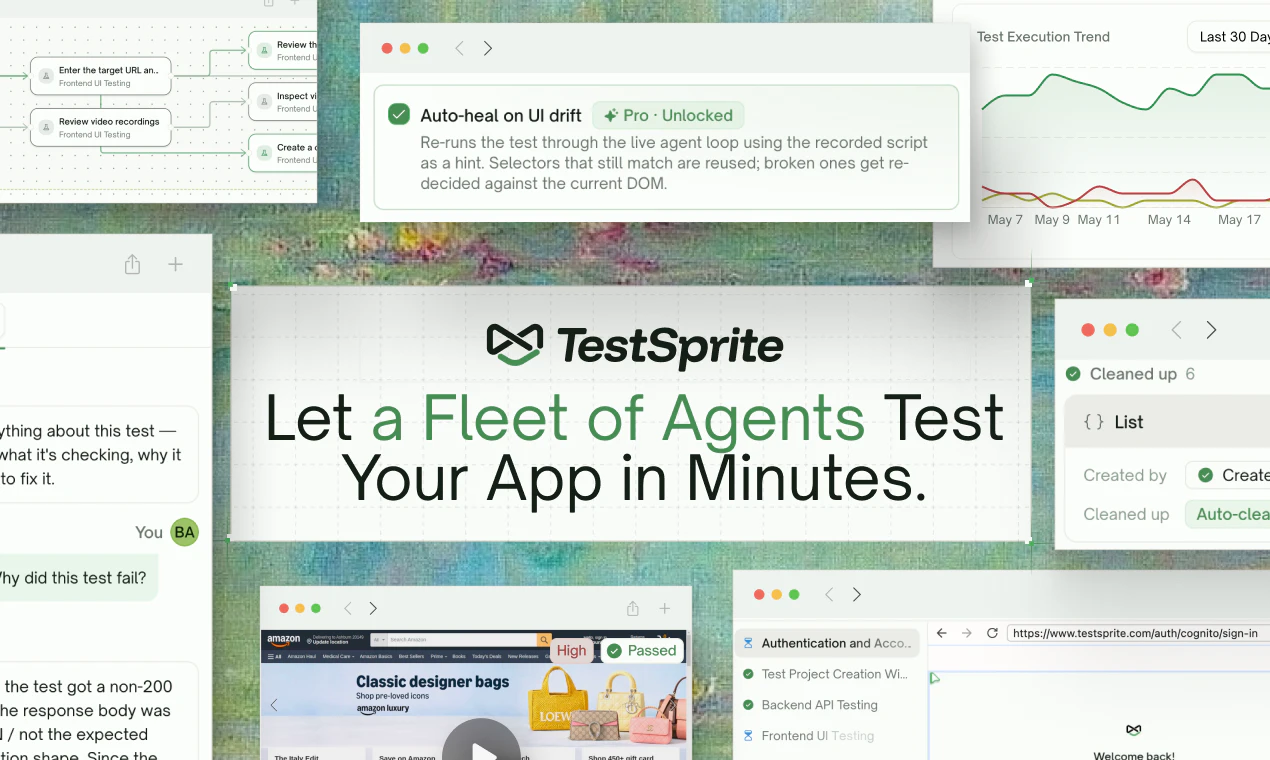
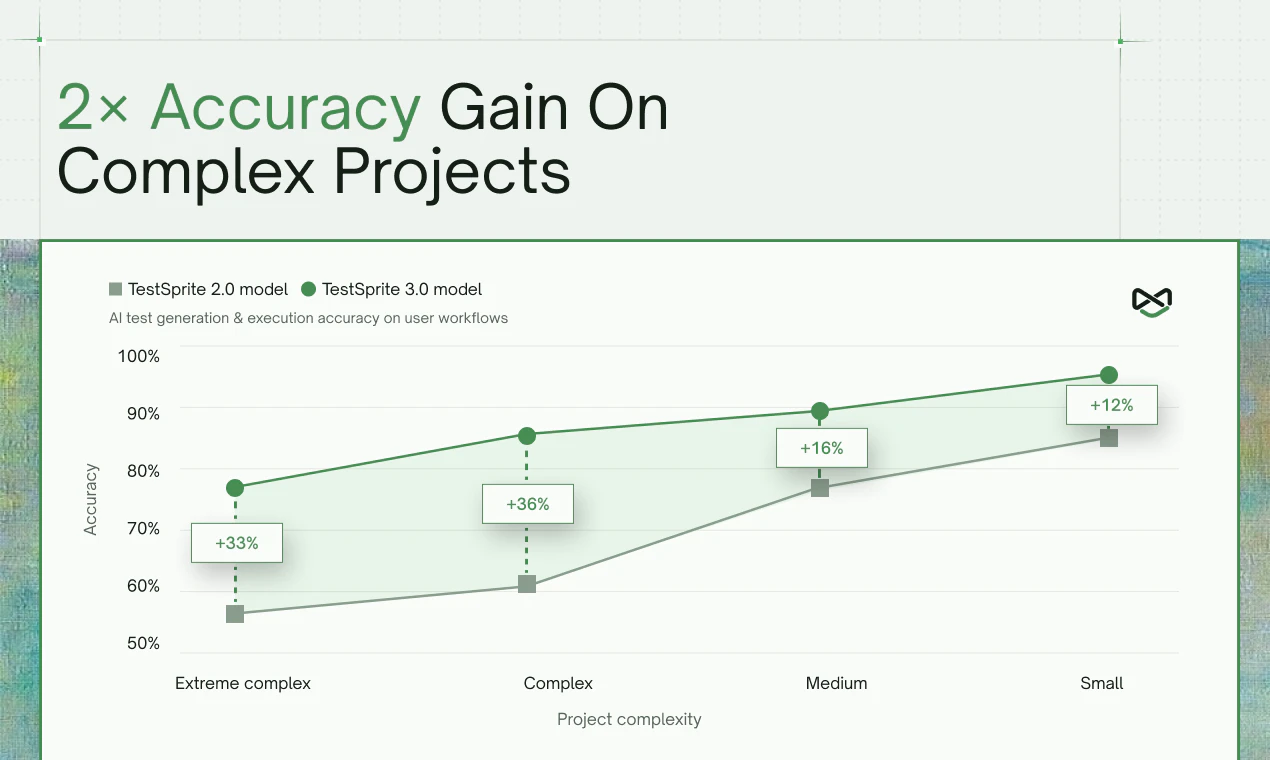
查看原始信息
Faby
Faby is a virtual coworker with its own computer, browser, and coding environment. It plugs into your company stack and completes real tasks end to end from Slack.
Faby is a virtual coworker that lives in Slack. You ask it for work in plain language, and it uses its own computer, browser, coding environment, and connected company tools to complete the task end to end. It can pull data, build reports or dashboards, research information, update systems, write and ship code, triage tickets, and move work across tools like a teammate would. Faby started from a simple frustration: teams ask for work in Slack, but most tools only answer with advice and leave the actual execution to humans. I wanted to build a coworker that could take a real request, use the company’s tools, browse, write code when needed, and return finished work where the conversation already happens. The approach evolved from “chat assistant” into “agent with a computer” because the hard part is not generating text. It is completing the messy steps across apps, context, files, data, and code.
2
回复
@cskc97 is there QA on Faby’s output? What would you recommend?
0
回复

A virtual coworker with its own computer living in Slack is fascinating — most AI agents just reply in chat, not actually execute. Curious how you handle security boundaries. Can Faby install packages or access internal tools, or is it locked to a sandboxed environment?

1
回复
Hi Krish I enjoyed your demo on Faby Do you envision this working only for technical teams?
0
回复