Product Hunt 每日热榜 2026-05-26

PH热榜 | 2026-05-26

#1
Brew
Like Claude design for email marketing
610
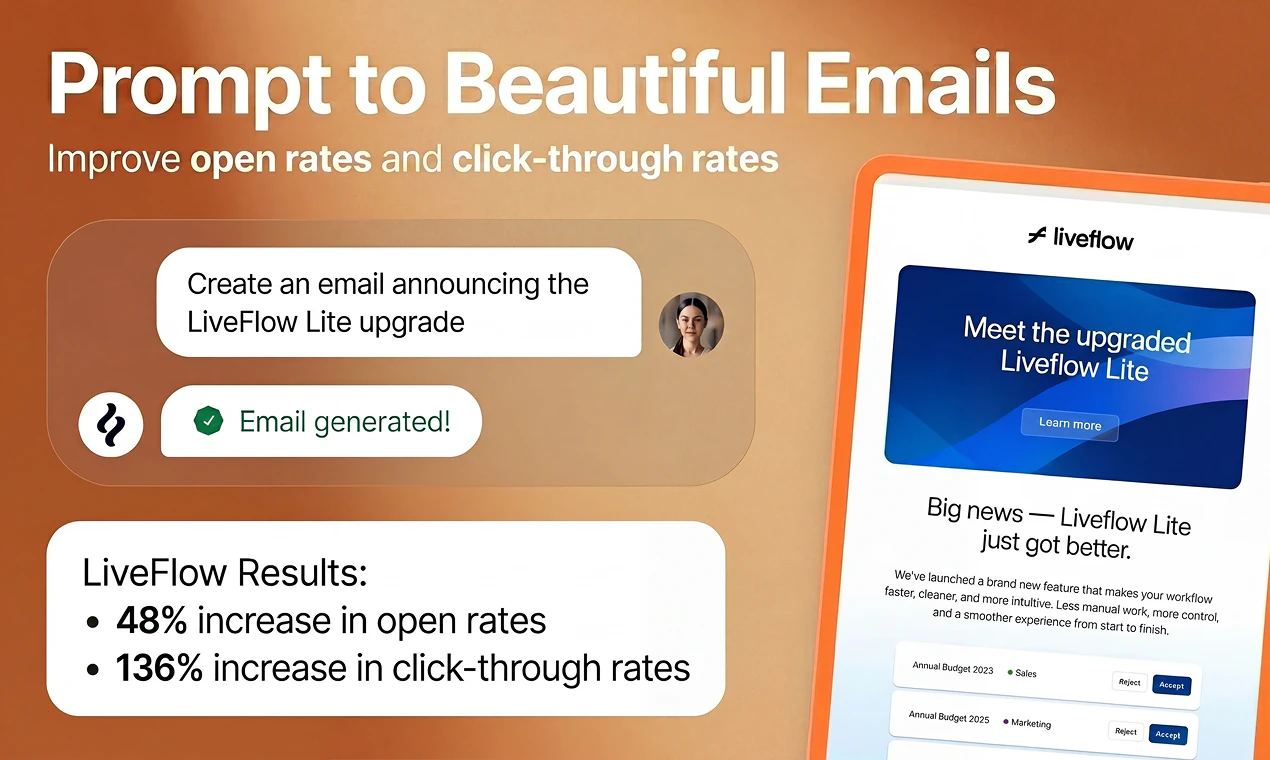
一句话介绍:Brew 是一款 AI 驱动的邮件营销工具,让用户用自然语言描述需求,即可在几秒内自动生成包含文案、设计、受众和逻辑的多步骤自动化邮件序列,解决传统邮件营销工具操作复杂、制作周期长的痛点。
Design Tools Email Marketing Artificial Intelligence
AI邮件营销 自动化邮件设计 邮件模板生成 品牌一致性 多客户端兼容 营销自动化 邮件HTML AI代理集成 零代码邮件
用户评论摘要:用户普遍认可其生成邮件质量和品牌一致性,赞赏“一键生成多步骤流程”和“完美渲染”能力。主要需求是:期待与Klaviyo/HubSpot等平台的深度集成(如可编辑模板)、开放的Brew MCP接口以便从编程代理自动化触发,并对Outlook渲染的实现细节表示好奇。
AI 锐评

Brew 踩准了一个最“钝”的市场——邮件营销工具早已是红海,但痛点依旧扎人:HubSpot 和 Mailchimp 这类老牌工具本质上是为配备全职运营团队的大型企业设计的,而绝大多数中小团队根本玩不转。Brew 的切口极其精准:不是再做一个“更轻量的 Mailchimp”,而是直接用 AI 对话式生成消灭“设计-开发-测试”的中间环节。

它的核心战斗力在于“交付确定性”。很多同类 AI 工具能生成漂亮的静态设计稿,但一到真实收件箱就崩,尤其是在 Outlook 上。Brew 把“邮件渲染完美”作为硬性交付标准,这是将 AI 从“概念验证”推向“生产可用”的关键一步。同时,它不自建封闭生态,主动拥抱现有的 ESP(邮件服务商)和 AI Agent(如 Claude、Viktor),定位清晰如“AI 邮件代理层的中间件”,而非一个传统 SaaS 端的替代品。

唯一值得警惕的是“深度集成”的浅层风险。目前生成的序列输出到 Klaviyo 等系统是“静态 HTML 块”还是“可编辑的图形化模板”?这对已在使用成熟流程的团队至关重要。如果仅仅是“导出 HTML”,那 Brew 的价值就局限于“一次性邮件生成器”,而非“自动化营销系统的智能大脑”。此外,MCP(模型上下文协议)接口的开放进度决定了它能否真正嵌入开发者工作流,成为被编程调用的“邮件模块”,而不仅仅是网页端的“漂亮玩具”。

一句话:Brew 是个聪明的“缩窄”产品——在 AI 浪潮中不做大而全,而是把邮件交付的冷启动时间从一周缩短到一分钟,这是实打实的生产力提升。但能否从“尝鲜工具”进化为“营销中台”,要看它对 ESP 生态的渗透深度。

查看原始信息
Brew
Brew is the fastest way to design and send beautiful, on-brand emails and automations that render perfectly in every inbox. Describe a campaign or a multi-step automation in plain English, and Brew builds the whole thing in seconds: copy, design, audience, and logic. Works with any AI agent: paste our docs into OpenClaw, Viktor, Claude, or Lovable. No lock-in: send from Brew or export to your ESP. Free to get started.

Hey Product Hunt 👋

I'm Philip, co-founder and CEO of Brew. When I was leading US growth at Revolut, I kept seeing teams with world-class products fail at the last mile - actually reaching and retaining the users they'd worked so hard to acquire.

The fix was always email. It's still the highest-ROI channel for activating, nurturing, and retaining users - nothing else comes close.

But every time we tried to execute it properly, we ran into the same painful cycle. Campaigns that took weeks to build. Emails that broke in half our users' inboxes. Designs that didn't look on-brand. And when the pressure was on, they just didn't go out at all.

The problem wasn't the team. It was the tools.

Old school SaaS platforms like HubSpot, Mailchimp, and Marketo were built for companies with entire departments dedicated to running them. Someone has to analyze the data, plan the campaign, write the copy, design the emails, code the HTML, deploy it, and optimize the results.

For most teams that's just not realistic - so the software sits there underused and revenue gets left on the table.

My co-founder @thomas_park2 (former Vercel) and I built Brew to fix this.

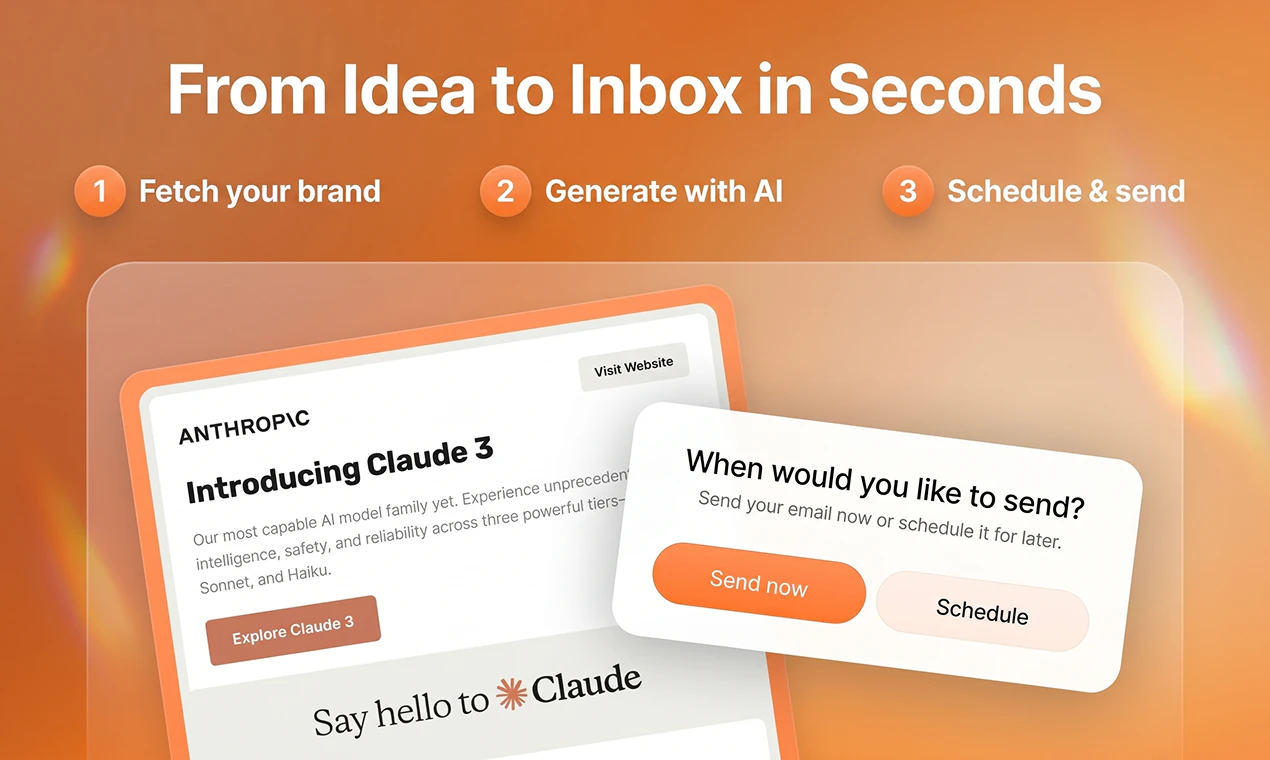
You describe the campaign you want and Brew builds the whole thing in seconds:

  • Welcome flows and drip sequences

  • Newsletters and lifecycle campaigns

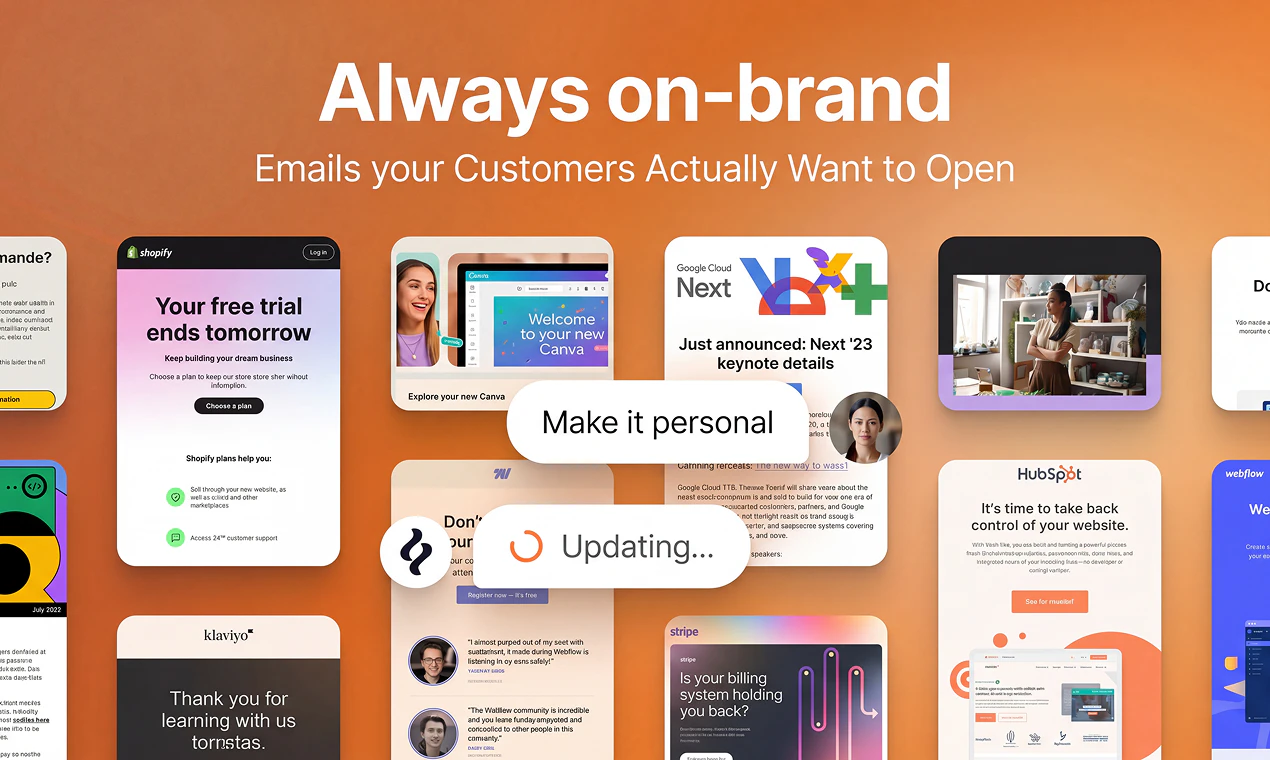
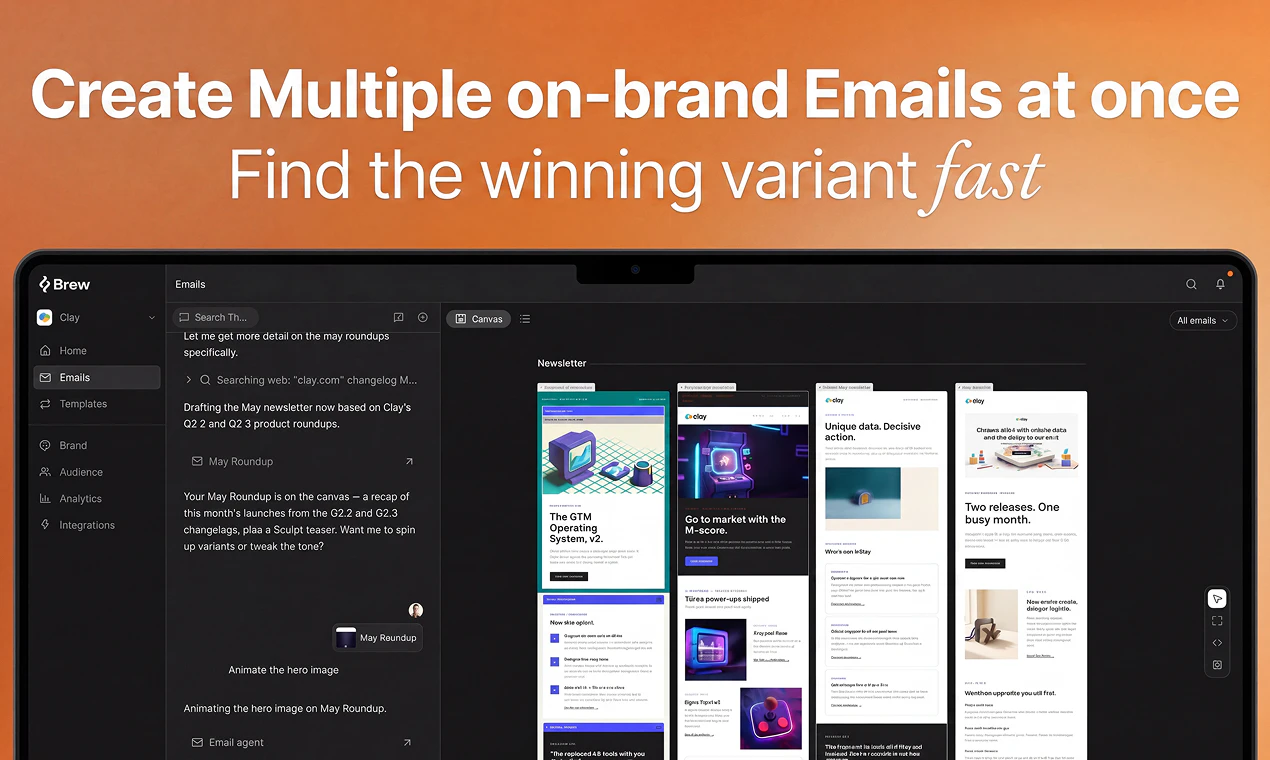
  • Multiple on-brand variants

  • Production-ready HTML that renders perfectly across Gmail, Outlook, and Apple Mail

It pulls your branding automatically from your website and Figma. What used to take even the best teams 8 days now takes one prompt.

It's like Claude Design or Lovable, but made specifically for email marketing (the emails render perfectly across inboxes because the underlying HTML is email-optimized, unlike Claude).

Watch me walk through it personally here: https://www.loom.com/share/dc325b42a4b54c50b1e5cdea3964e66a


A few things people are surprised by when they first try it:

  • It builds entire multi-step sequences, not just single emails

  • The brand extraction is scarily accurate

  • It works natively with Viktor, OpenClaw and any AI agent

  • You can push straight to Klaviyo, HubSpot, Mailchimp, or whatever ESP you're already on

This is just the beginning. We're building toward a full autopilot - you set the objective, Brew handles everything else. The goal is to become the new system of record for email marketing. One where going back to the old way is unthinkable.

Try it for free, break it, and tell us what's missing. Every piece of feedback goes straight into what we build next.

Get started free at Brew.new or reach me directly at philip@brew.new

Thanks to @jessica_w204 and @antlio for building this with me and Thomas. And to the Product Hunt community - there's no better place in the world to launch something you've worked this hard on.

Much love,
Philip 🫶

40
回复

@thomas_park2  @jessica_w204  @antlio  @philip_sorensen love the idea so we can now vibe on email design and automation as well right?

7
回复

one-click integration to push campaigns straight to Klaviyo or HubSpot is critical for existing operations. When you push a generated multi-step flow t`o Klaviyo, does it map over as an editable drag-and-drop template blocks workspace, or does it export strictly as static custom HTML blocks? @philip_sorensen

0
回复

@thomas_park2  @jessica_w204  @antlio  @philip_sorensen Many congratulations Philip and team! :)


How I met the makers?


When the Brew team first reached out to me in early January 2026 to hunt their product, my very first question was: “How is this actually different from the other similar email tools I’ve seen launch on Product Hunt?”

I’ve hunted / endorsed quite a few “AI email” products already, so I went in with a healthy dose of skepticism.

But once I jumped into Brew, it clicked very quickly. The biggest utility for me was how naturally it works with AI agents and how opinionated it is about the last mile: getting production-ready, on-brand emails that actually render correctly everywhere, not just pretty mocks.

What is Brew and how it works?


You describe a campaign or multi-step automation in plain English and it doesn’t just spit out copy, it builds the whole thing... flows, variants, production HTML, and targeting logic, in seconds.

I also really like how simple and honest the positioning is: “Like Claude Design for email marketing.” It’s a straightforward promise, and the product delivers on exactly that, especially with the way it pulls your brand from your site / Figma and focuses on HTML that works across Gmail, Outlook, and Apple Mail.

Why I endorse Brew?

Where Brew stands out for me (and why I was happy to endorse it) is that it feels built for the reality of modern teams. You can plug it into whatever AI agent you’re already using, keep your existing ESP (Klaviyo, HubSpot, Mailchimp, etc.), and still get that “Claude Design-like” but purpose-built for email.

For teams that don’t have the luxury of a full email department, this is the kind of leverage that can make the difference between “we should send that campaign” and “we actually shipped it.”

Huge kudos to Philip and the team for focusing on every critical details of email marketing. If you care about shipping beautiful, on-brand emails and lifecycle flows without wrestling with templates for days, Brew is absolutely worth a serious look. :)

18
回复

Been a happy Brew user for some time now. Incredible team and beautiful UX; this is what modern email marketing should look like.

Congrats on the launch team!

When can we expect a Brew MCP so we can automate directly from coding agents or OpenClaw? :)

8
回复

Thank you so much @ohansemmanuel , means a lot from a longtime user with a high standard! ❤️‍🔥

You are speaking our language. An agentic, chat first Brew is exactly the direction we believe in, and driving it from coding agents is part of that vision. I will not promise a date yet (we want to make sure it works 110%), but we're working on it as we speak. You will be among the first to know when there is something to play with. 💪

4
回复

@ohansemmanuel Thank you for the kind words Ohans! And yes, we are building an MCP and expanding our API suite to enable all agents to leverage Brew :)

2
回复

I'm a happy MailerLite user, but looking at that gorgeous video I have to sign up and try the platform out! Congrats on the launch and the awesome execution :)

4
回复

Appreciate it @gurbax_! MailerLite is a solid tool, so that means a lot. Would genuinely love to hear what you think once you have tried it, especially coming from a tool you already like. Thanks for the kind words on the launch. 🙌

2
回复

Congrats @philip_sorensen ! I love the demo video, inspiring to start building beautiful emails😻 How are you handling Outlook rendering under the hood? It is usually the hardest client to get right and most tools give up on it.

4
回复

Thank you @kate_ramakaieva, really glad the video landed! 😻

Outlook is exactly the client that breaks most tools, so we put a lot of work into it. We have run a bunch of testing and evals across clients to find the approach that actually holds up everywhere, Outlook included. It comes down to a combination of things: compiling to bulletproof, client tested markup, handling the Outlook specific edge cases that other tools skip, and being deliberate about fonts and fallbacks so nothing silently breaks. The result is emails that just render correctly across Gmail, Outlook and Apple Mail without you having to babysit them. 🙌

3
回复

Looks super cool! Go go team Brew!

3
回复

Thank you for your support @jakob_knutzen1 !

1
回复

wow! scaling signups -> customers has been a major painpoint, and automating personalized emails seems like it would be the missing piece. LFG brew ☕️☕️ @philip_sorensen

3
回复

LFG indeed @kevin_suh  ☕️ You put it perfectly: the signup is the easy part, turning it into a customer is where everyone leaks, and personalized lifecycle email at scale is exactly the missing piece. Appreciate the energy, now let's get you brewing. ❤️‍🔥

1
回复

I've been using Brew for the past few months in beta, it really does what it says on the tin. Super impressive outputs in no time!

3
回复

Thank you @madsviktor! You have been with us since the early beta days, so that genuinely means a lot. Glad it is still delivering for you. More good stuff on the way. ❤️‍🔥

1
回复

This is so sick @philip_sorensen and team - been waiting for this!!!

2
回复

Thank you@john_matheson ! Appreciate your support ❤️‍🔥

1
回复

Switched from Mailchimp to Brew and never been happier! Congrats on the launch guys!

2
回复
@palle_broe Thank you. Glad to have you part of the journey!
0
回复

Super stoked for this!

I needed to send on brand emails for one of my own side projects. Brew was a tremendous help. My favorite part is how I just gotta enter my domain and keep sending unique emails still sticking to the aesthetic, theme and taste of my brand.

2
回复

Appreciate you @tiger_abrodi ! Love that the brand sticking across every send is your favorite part, that is the exact thing we obsessed over. Proud of what the whole team shipped including you shipped here!!

2
回复

Tried Brew today and it genuinely killed my last excuse for not fixing our lifecycle emails. Gave it a plain‑English prompt and got something I’d be happy to ship in one go. Super impressed with how on‑brand it comes out and how little I had to change the HTML manually.... Upvote.

2
回复

 "Killed my last excuse" is the best thing I have read today!

Thank you @juanjo_fgm! On-brand and ready to ship from a plain prompt is the whole goal, so glad it delivered. Now go fix those lifecycle emails.

2
回复

Congrats on the launch, love it! A good email still goes a long way, and I think people don’t spend enough time crafting genuinely thoughtful emails anymore, instead they just blame the whole “channel” and say email is dead.

2
回复

Thank you@dan_meier1 ! Couldn't agree more!

1
回复
Been waiting for this for sooo long!! Let’s go, team 🙌
2
回复

Glad to have you @campritchard ❤️‍🔥

0
回复

Love it! Congrats on the launch 🚀

2
回复

Thank you @tomorbach ! ❤️‍🔥

1
回复

Awesome

2
回复

@dan_westgarth1 appreciate it!

0
回复
Been using Brew since the early days for our email templates. Philip and team are world-class. bullish!!
2
回复

Thank you @alexdanilowicz, means a lot coming from you and the @Magic Patterns team. Grateful to have had you with us since the early days. Bullish right back at you. ❤️‍🔥

1
回复

Finally an ESP that doesn’t feel like operating SAP through a microwave.

You can tell product taste was part of the roadmap, not just deliverability dashboards and 400 toggles.

2
回复

@pierre_ljubic lol thank you Pierre. "SAP through a microwave" is going on the wall. That is exactly the feeling we were running from. The old tools bury you in 400 toggles and call it power. We wanted something that felt like it had actual taste, so it means a lot that it came through. ❤️‍🔥

2
回复

Solo founder here, building toward an App Store launch, and lifecycle email is exactly the thing on my roadmap I keep deferring because the tooling tax is real. So the "8 days → one prompt" promise lands.

Quick q: How deep does Brew go on tone? Can it learn a brand's voice from existing copy (site, past emails), or is it pulling visual identity and writing in a competent-but-generic marketing register underneath?

2
回复

@ferdi_sigona Hey Ferdi! The brand extraction on your domain understands your marketing copy to ensure your emails match your tone. You can also adjust this with additional rules for the agent in the brand page. If you have a tone in mind Brew can copy it.

Best of luck with the app store launch!

2
回复

The integration with tools like @Brevo is interesting. So we adopt Brew without full switching our stack. Well done.

2
回复

@iamanantgupta Thanks Anant :)

1
回复

@philip_sorensen Awesome to see native compatibility with tools like OpenClaw and Viktor right out of the gate. For an automated multi-agent workflow, can we hook Brew up to run autonomously like having an agent analyze weekly database churn metrics and prompting Brew via API to generate a custom win-back sequence?

2
回复

@philip_sorensen  @vikramp7470 Great question Vikram! We expose our email generation via an API. This means you can have all your business and app context in tools like OpenClaw and Viktor then have them leverage Brew to generate on brand emails that are relevant to your business trends.

Have users churning? Add them to Brew via our API, create the segment via the API, and send a unique email to that segment all through the API. We've mastered the deliverability and design so you can focus on making actionable choices from your data.

2
回复

Congrats on the launch!

I really like the positioning here. It is easy to understand, but the part that stands out to me is the last mile: not just generating nice-looking email drafts, but turning them into on-brand, production-ready campaigns and automations that can actually be sent through the tools teams already use.

As someone working around AI + productivity, I think email is one of those areas where pretty demos are easy, but reliable execution is hard. Brand consistency, lifecycle logic, ESP handoff, and rendering across inboxes are where the real value is.

Curious how you think about the rendering/testing layer over time, especially for Outlook, Gmail clipping, and dark mode. If Brew can keep that reliable while making campaign creation feel this lightweight, this could become a very useful tool for growth and lifecycle teams.

Upvoted. Excited to see where this goes.

1
回复

Is there a way to easily migrate to Brew from Mailchimp or other providers?

1
回复

@cmathies Yes! We provide white glove support with the migration. Happy to set you up!

0
回复

Congrats on the launch =) One question on the brand extraction: how do you handle sites that block automated readers or render everything client-side? Curious if you've found a way around it.

1
回复

@francesco2689 Thanks Francesco! Great question. We leverage a couple different solutions in our brand extraction to ensure that even if the site is fully client-side rendered or blocked with bot protection we can still extract great context. We aren't in the business of bypassing WAFs or beating bot detection but have many different fall backs and solutions for different types of sites! Let us know if you run into any brands that you had in mind, would love to iterate with you :)

2
回复

congrats on the launch :) this feels like a very obvious pain point to go after. i like that it’s not just “generate an email”, but the whole messy part around brand, sequence logic, variants, and inbox-safe html.

curious how the workflow feels once brew has made the first version. do teams usually treat it as ready to send, or is there a review/tweak step before it goes live?

1
回复

Thanks @kar_re, and you have summed up the hard part exactly...

The first version is meant as a strong starting point, not a press-send-and-walk-away moment. Most teams treat it like a great first draft: it gets you 90 percent of the way there, then you refine in chat (make this punchier, swap the hero, tighten the CTA) and give it a quick review before it goes live.

The point is not to remove the human, it is to delete the tedious production work so the human can focus on the judgment calls.

Honestly, for email going out to thousands of people, you want that review step, and we would never want to take it away. ❤️‍🔥

2
回复

Been using Brew with the Customer IO integration the past two months, and it works perfectly. We send broadcast emails 5 times per week, and it's traditionally been a huge hassle to produce the content and design the emails — but it's fast (and much better) now. I especially like how we can get very differentiated versions of an email in no time. Reminds me of website building in Lovable. Highly recommend it to any marketers or founders out there!

1
回复

Thank you @langhede! ❤️‍🔥

Five broadcasts a week is a brutal cadence to keep up by hand, so it means a lot to hear Brew made it fast and better. The differentiated variants are the feature we love most too, and the Lovable parallel is exactly what we are going for. Grateful for the recommendation, and glad @Customer.io has been working seamlessly with Brew.

1
回复

Curious how Brew handles multiple parallel campaigns, is it one workspace per brand, or can you run separate sequences with their own logic side by side?

For context: Our team runs nurture sequences across pretty different client segments and keeping every campaign on-brand at that volume eats up real time...

Nice product btw!

1
回复

@marcelo_macedo2 Hey Marcelo! Would love to learn more about these nurture sequences. Are these different multi email sequences that run for different segments or different brands?

1
回复

@marcelo_macedo2 One workspace per brand, but you can run as many automations and campaigns in parallel as you want inside it. All of your sequences can be live at the same time with separate logic. And if you're running multiple brands, Brew's multi-brand support handles that too. Each client's fonts, colors, and voice are locked in from the start so you're not burning time testing every client segment you send. The volume stops being the bottleneck.

1
回复
Congrats on the launch team ! Email marketing is still the highest conversion. But the only caveyard is, not being personal and very 'bot-ish' and I really beleive that Brew could solve this. Keep up the momentum !
1
回复

Thank you @nalin_rajendran, and you have put your finger on the exact thing we worry about most...

Generic, bot-ish email is worse than no email. The way we fight it is by capturing both the art and the science of your brand: not just colors and fonts, but your actual voice and the feel of how you communicate, so the output sounds like you rather than like a model. On top of that we make it easy to experiment with different styles for your brand, so you are never locked into one look. Here is an example of what that looks like for one of our users.

1
回复

The "describe a campaign in plain English, get the full thing rendered" framing is exactly what email needed — most teams aren't bottlenecked on having something to send, they're bottlenecked on the production tax of every send. I work on StoryRoute on the travel side and we see the same dynamic: people will narrate what they want a city walk to feel like, but they won't sit down and design the route step-by-step. The product that closes that gap wins. Congrats on the launch.

1
回复

Thank you @samir_asadov , you put it better than we do. "Production tax" is exactly the phrase. The bottleneck was never the idea, it was the eight steps between the idea and the send, and that is where everything quietly dies. Love the StoryRoute parallel too. Narrating the feeling of a walk versus plotting every turn is the same gap, and you are right that whoever closes it wins.

Best of luck with it, and thanks for the kind words. ❤️‍🔥

1
回复

How complex can the automations get? Wondering if it handles conditional branches based on whether someone opened or clicked.

1
回复

@rajmishra10 Hey Raj! Automations can get pretty complex in Brew. We want to abstract away as much of the manual process by enabling you to simply ask for the type of automation you want and the agent will create the flow. Currently the automations are triggered via an API call to Brew or a webhook event from a third party service like Clerk or Supabase. We have click / open logic gates on the roadmap but will support it very soon!

1
回复

Hey! Amazing product.

Are there any trials available? I was looking to export the first campaign that Brew designed to me in order to evaluate the quality of the HTML.

Let me know, thanks.

1
回复

@thipatriota Hey Thiago! No trial needed! You can sign up for free today and start generating emails in Brew. You can also send test emails from Brew to see how they render in your inbox. Thanks for the question!

2
回复
#2
Bond
Outbound campaigns powered by real buying signals
349
一句话介绍:Bond是一款AI驱动的GTM工程平台,帮助团队在15分钟内完成从受众构建、线索评分到个性化消息生成的全流程外联,无需昂贵工程师,解决中小团队“会造产品不会卖”的痛点。
Productivity Sales Artificial Intelligence
AI销售外联 GTM自动化 B2B线索挖掘 信号驱动营销 个性化触达 数据丰富 无代码 智能营销 销售赋能 初创工具
用户评论摘要:用户普遍认可其“15分钟上手”和“替代复杂工具链”的价值。核心反馈包括:希望拓展到B2C场景;关注信号时效性(如融资/招聘信号过期后价值下降);询问回复率、ICP筛选颗粒度及底层数据源(是否自建);以及技术用户担心邮件预热、黑名单检测等细节是否完善。团队回应称内置验证、可自定义API及全流程控制。
AI 锐评

Bond的叙事抓住了当下最真实的断层:AI让“造产品”平民化了,但“卖产品”反而变得更像军备竞赛。它精准切入的痛点是,SMB和初创团队既雇不起年薪15万美金的GTM工程师,也养不起7个销售工具的月费。Bond的价值不在技术壁垒(其底层很大程度是聚合Apollo、ZoomInfo等第三方数据),而在于用AI代理层大幅降低了“专业外联”的认知门槛——让一个非技术创始人也能在15分钟内做出看起来像GTM老手才有的信号触发式营销活动。

但这恰恰是它的潜在风险。用户评论中关于“信号过期”和“误报成本”的质疑非常到位:一通基于过时融资新闻的冰冷触达不仅无效,还会留下黄页骚扰般的负面品牌印象。Bond若不能证明其信号新鲜度和数据质量优于竞对(如Clay),那它不过是把“手动缝补七套工具”变成了“自动缝补七套工具”,核心价值并未跳升。此外,它主打的“推送至邮件序列工具”而非自建发送链,意味着对邮件预热、域名声誉、黑名单规避等核心交付环节的控制力有限,这可能导致高拒信率和低送达率,反噬其作为“一站式解决方案”的承诺。

Bond的真正定位应该是“GTM领域的Cursor”——大幅提速原型(外联策略)的搭建,但最终执行质量和精细度仍取决于使用者本身的业务理解和数据清洗能力。如果它后续能在信号保鲜、数据反误导和序列执行质量上建立闭环,它将有机会定义AI时代的“轻量级GTM”标准,否则很容易沦为又一款“第一次用惊艳,第二次用失望”的PPT生成器。对于早期团队而言,用它快速验证一个外联假设是有价值的,但若将其视为无脑增长按钮,则需警惕。

查看原始信息
Bond
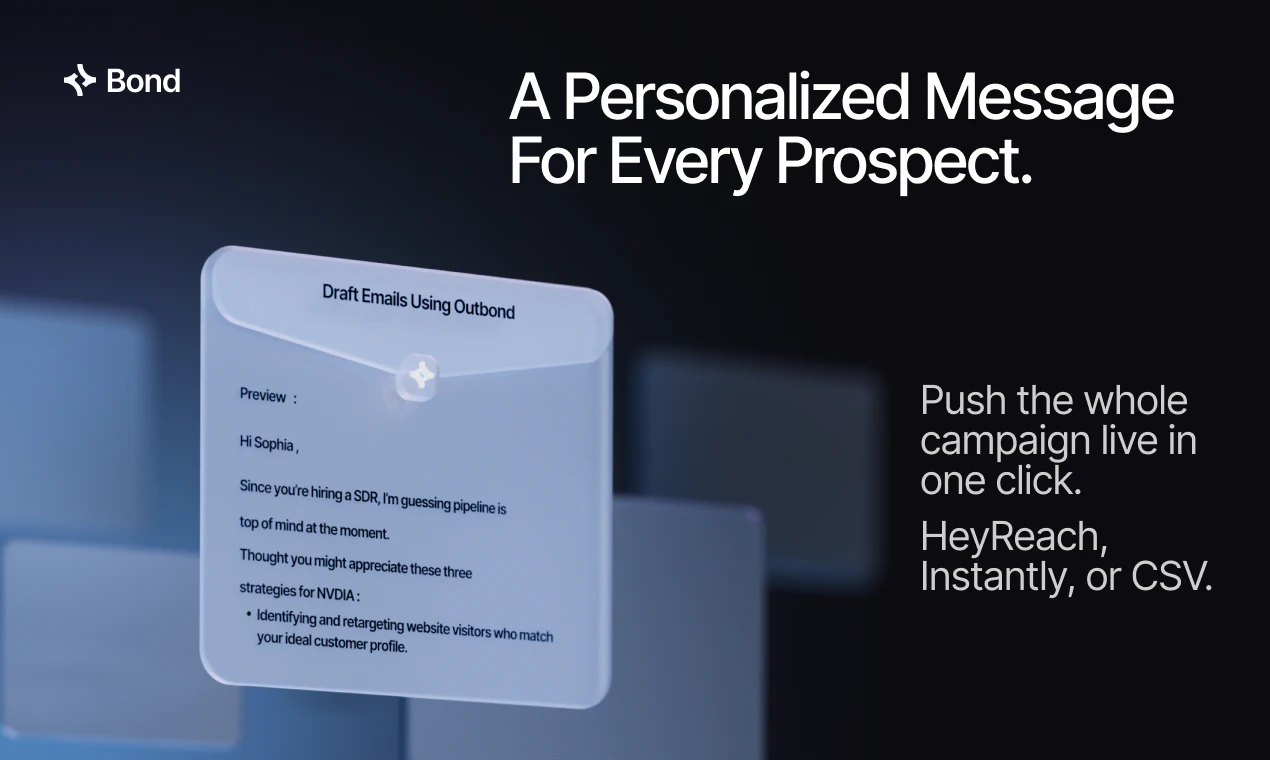
Bond is your AI GTM Engineer. Tell it who you want to reach. It builds the audience, plans the campaign, writes the messaging, and executes it end to end. Every data provider and outreach tool you need, in one workflow. Build your first campaign in 15 minutes.

👋 Hey Product Hunt,

I'm Christian, co-founder of Bond, building this with @abudi_mo and @ahx.

My last company existed to help non-technical founders build software without hiring an engineer. Thousands of them. People who had been told building wasn't for them, who sat down and shipped real, solid products anyway.

But I kept watching the same thing happen next. They'd finish the product... and then go quiet.

In an age where anyone can build, building isn't the bottleneck for growth anymore. Go-to-market is.

Doing outbound is the biggest lever. But doing outbound well today means stitching together Sales Nav, three enrichment tools, ChatGPT in ten tabs, and a copywriting tool. Then hiring a go-to-market engineer ($150k/year) to wire it all together.

Most founders can't afford that person. And honestly, they shouldn't have to.

That's why we built Bond. Great outbound campaigns that convert, run by small teams, no GTM engineer required.

Three steps:

1) Describe who you want to reach. Bond builds the full campaign plan.

2) Fine-tune and approve campaign plan. Bond executes end to end... signal triggers, enrichment, research, scoring, personalized messages.

3) Push to your sequencer. HeyReach, Instantly, or CSV. Outreach runs on autopilot.

Why it's different:

Fast. First campaign live in 15 minutes. No setup, no integrations to wire.

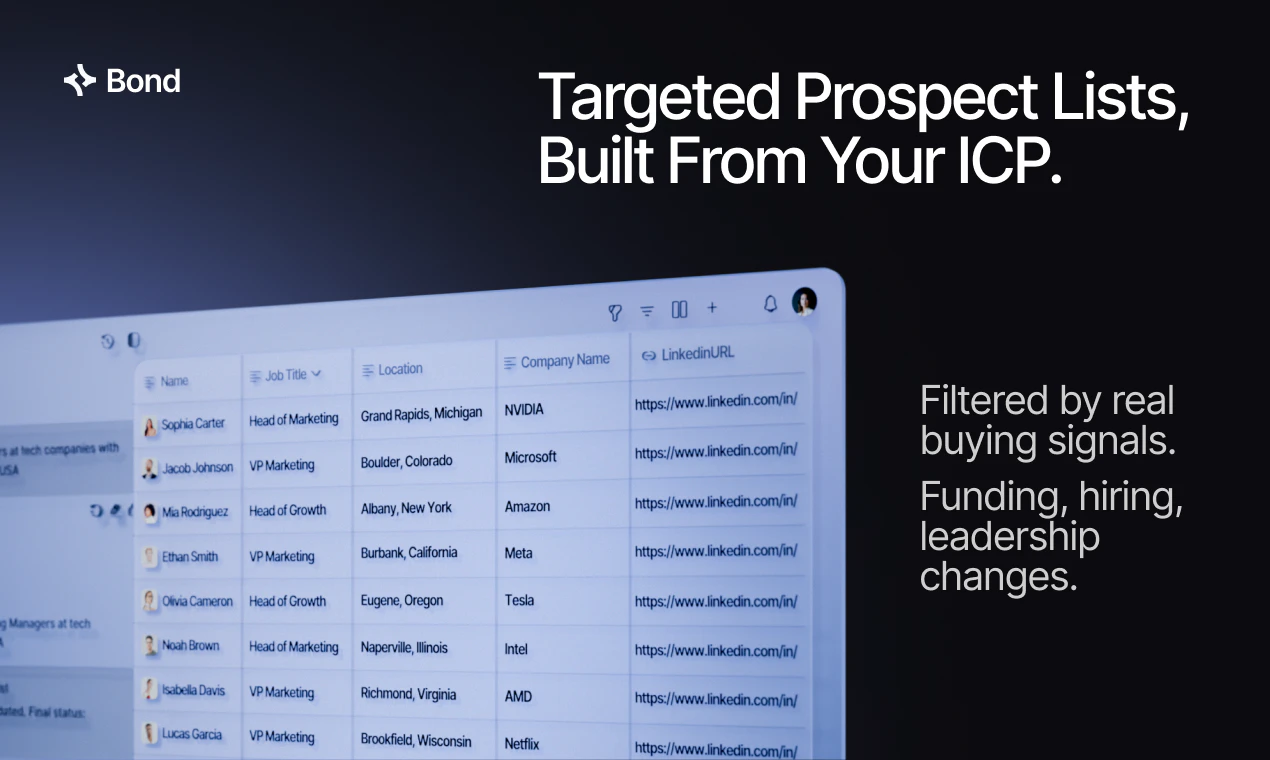
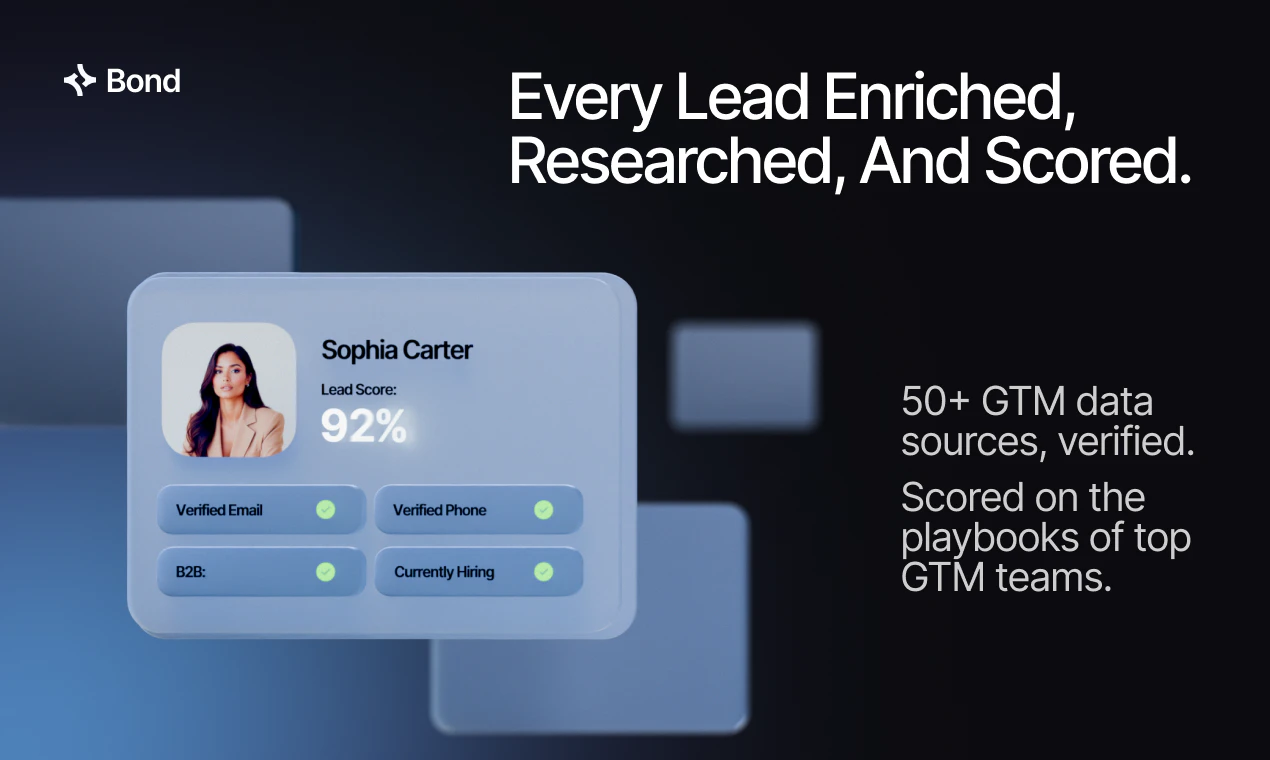
🧠 Sophisticated, but simple. Signal-based triggers (funding, hiring, leadership changes), 50+ data sources, every lead scored on the playbooks of top GTM teams.

🔌 One tool instead of seven. Under the hood: the 5 best email and phone finders in waterfall, real-time verification, full enrichment, research, copy. Everything top GTM teams stitch together themselves, working invisibly for you.

✍️ Personalized, not templated. Every message written from real research on that specific prospect, pushed live in one click.

The ColdIQ CEO ran a full campaign in 15 minutes with three prompts. Called it "Lovable for prospecting."

Free to start. 50% off this week for Product Hunt.

What's a signal you wish you could act on right now? A competitor raising, a target hiring their first VP of Sales, a champion switching jobs. Drop it below and I'll show you exactly how Bond runs that play.

Thanks for being here ❤️

Christian

10
回复

@abudi_mo  @ahx  @christianpev Very cool tool & congrats on the launch team. this solves great for B2B out the box, any thoughts on how to expand into B2C?

1
回复

@abudi_mo  @ahx  @christianpev "Building isn't the bottleneck anymore, go-to-market is" is the realest line in this post, the last company's "they go quiet after shipping" pattern is exactly it. On the signal you asked for: the one I'd kill for is "competitor just churned a logo", but it surfaces the hard problem under all signal-based outbound, which is decay. A funding round is fresh for maybe a week. "Hiring their first VP of Sales" is useless if you act on it three weeks late, the seat's filled and you look like you weren't paying attention. So the question isn't sourcing signals, it's freshness and precision: how recent is the data Bond fires on, and what's the false-positive cost? Acting on a stale or wrong signal doesn't just waste a send, it burns the prospect and your domain rep at the same time. The teams that win outbound aren't the ones with the most signals, they're the ones who trust theirs.

3
回复

Hey PH fam 👋

Thrilled to bring Bond to the community today. This one is personal for me.

I first crossed paths with Christian back in the peak no-code era of 2018. Watched him help thousands of founders ship real products who had been told building wasn't for them. We recently reconnected and I was struck by how locked in he is on solving the next bottleneck. Same energy, sharper focus.

He's a natural teacher, obsessive about UX, and genuinely committed to putting the power of AI in the hands of people who shouldn't need an engineer to get there. That thread runs straight through Bond.

Here's the uncomfortable truth most early teams haven't fully reckoned with:

Building is no longer the bottleneck. Go-to-market is.

The average outbound stack costs $2,000/month in tools and $150k/year in the engineer who runs them. For most early teams, that math doesn't work. That's exactly why Bond exists.

What makes it different from tools like Clay: Clay is powerful, but it's built for ops engineers who want to design workflows. Bond does that work for you. One conversation, same results, no learning curve.

The reason it works is the foundation it's built on:

→ Bond understands your company, your value props, and real buying signals -- job changes, funding rounds, hiring activity, intent data.

→ Every list is targeted because of that. Every message is relevant because of that.

→ 50+ data sources, five email and phone finders in waterfall, real-time verification -- all running underneath, invisibly. → First campaign live in 15 minutes. No setup, no integrations to wire.

Christian, Abudi, Ahmed and the team are live in the comments all day. Go check it out and show them some love. 🙏

Big congrats to the Bond team 🚀

6
回复

@thisiskp_ Thanks for the shout out! Have looked up to you for years, so this means a lot buddy.

5
回复

This is exactly what I'd expect from a modern AI-first tool. Congratulations on the launch 👏

3
回复

@simonhoiberg Thanks Simon. I'm a huge fan of your YouTube channel and Founder Stack. I use your software all the time. It means so much that you took the time to check this out. Let me know if there is anything I can help with.

0
回复

Really like the focus on non technical founders and learn teams. GTM has become way too fragmented and expensive.

2
回复

@bernard_lewis I appreciate the kind words. We built this for non-technical people without compromising the ability to do very sophisticated things and have granular control over everything that goes on in the campaign. Most companies force you to choose one or the other. (Powerful vs easy to use).

0
回复

I just used Bond to target every VP of Sales at a B2B SaaS company in the US who are currently hiring SDRs. The whole campaign took me under 5 minutes. No technical skills. No spreadsheets. No code. This is super cool!

2
回复

@cantimagur Thanks dude. It only took took us 1247 coffees 😅 Glad you liked it. All and any feedback welcome.

2
回复

How much control do you have over the ICP filters and exclusions before it starts sending anything?

1
回复

@thamibenjelloun You have full control throughout the entire process. You can finetune and approve the preview list, qualify / disqualify based on any criteria, do deep research, even bring your own list. We made it as flexible and powerful as Clay but you build your campaigns like in Lovable.

0
回复

15 minutes to first campaign is a bold claim for a tool that's also promising audience building, messaging, and execution. usually the speed comes at the cost of the targeting being too broad to actually convert. curious what the average reply rate looks like in practice

1
回复

@ansari_adin Super strong observation. It took us 1 year to build this because yes it is very sophisticated software. Reply rates entirely depend on the campaign, the industry, the channel etc. However attached is a LinkedIn campaign I'm running that targets competitors LinkedIn posts (yes, Bond can do that too).

1
回复

Bond sound like a game changer for gtm! Keep building congrats on the launch

1
回复

@suryansh_tiwari2 Thanks man. Let us know if you have any feature requests.

2
回复

Good tool. Not for the gtm nerds. But for someone who has never run outbound and had to rely on agencies, on heavy retainer with minimum control, this is a great alternative.

0
回复

With a professional approach, there are more tools involved ;) What about checking email configuration and blacklist status? What about email warm-up? What about verifying whether a generated email actually exists? What about finding people on LinkedIn? And so on. Without all these tools, the outreach will simply end up in spam or, at best, in the Promotions tab in Gmail.

0
回复

@natalia_iankovych You are absolutely right. Sophistication requires a lot. We have built-in verification for email with Bond. Our built-in data providers include everyone on LinkedIn, including live data, and you can even retarget post-engagers. For more experienced GTM people, you can do advanced things like bring your own APIs, use webhooks, HTTP columns, and so on. Because we have a deep research agent and a copywriting agent that work together, the messages come out very personalized, but you can also fully adapt them until you are happy. One trick I actually use is to upload an example email with my tone and the value proposition I want to emphasize, and then have it create a personalized first line. There are so many ways to have it come out the way you want. Overall, the core of what we do is aggregating all the best GTM tools and having them orchestrated through Bond, which is an agentic AI layer trained on the know-how of the best GTM engineers. Thanks so much for taking the time to comment, and feel free to shoot any follow-up questions.

0
回复

The end-to-end execution piece is what most tools in this space dodge — they hand you back to Smartlead or Instantly for the sending stack. If you're really handling warmup + sending + reply detection inline, that's a meaningful step up.

Real question: what's the data layer underneath? Clay's whole moat is the enrichment graph. Are you wrapping Apollo / ZoomInfo, or building your own?

0
回复

@ran_kopchovski Hey, this is a super legit question. We have waterfall enrichment with the top provider you would find GTMEs using. Just like Clay. We also have multiple fancy paid databases for the build-a-list function so the data is of very good quality.

What a lot of people miss is that if you are more technical you can also do all sorts of fancy stuff like use webhooks, HTTP, Bring your own APIs, but regardless you have a simple user interface to build sofisticated campaigns.

Just to be clear though, we do list building, enrichment (e-mail + phone), e-mail verification, lead scoring and qualification, deep research, copywriting, and then you can push to a sequencer (Instantly, HeyReach cvs). Thought I should clarify.

Thanks for the support.

0
回复
#3
Rezonant
Talk, spec, ship: get your product ideas into production
251
一句话介绍:Rezonant是一个连接产品构思与代码执行的协作平台,帮助团队将模糊的产品想法转化为AI编程代理可直接执行的结构化规格和任务,解决“构建什么”的上游决策瓶颈。
Productivity Task Management Artificial Intelligence
产品管理 AI协作 需求规格 任务管理 编程代理 Chrome扩展 PRD生成 GitHub集成 团队协作 产品开发
用户评论摘要:用户普遍认为该产品解决了从创意到执行过程中的混乱问题,Chrome扩展的录制功能受欢迎。核心疑问集中在:AI解读意图时如何避免误读?是否有足够的审核步骤?如何确保与Claude Code等编程代理的无缝对接?以及对于已有业务分析师的大团队的实际价值。
AI 锐评

Rezonant切入了一个极具价值的市场缝隙——在AI编程能力爆发后,“写代码”已不再是瓶颈,“该写什么”和“为什么写”的混乱成为新的效率黑洞。其核心洞察在于,将产品管理从散落的Notion文档和Slack对话升级为一个“活”的、与代码库锚定的结构化协作空间。

产品的真正价值不在于简单的AI生成,而在于“结构化”与“可执行性”。它试图将PM模糊的语言、指点和录音,转化为编程代理看得懂、能执行的任务。这种“上游标准化”是当前AI软件开发流程中缺失的关键一环,也是其区别于普通协作工具的核心壁垒。

然而,风险同样显著。来自用户的质疑——AI误解意图、缺乏审核闭环——绝非杞人忧天。如果AI在意图转译过程中产生错误,而团队又过度依赖自动化,那么“更快地犯错误”只会加速灾难。Rezonant必须证明其“AI督察”能力(即主动识别模糊点、提出边角案例)的可靠性,而不仅仅是提供漂亮的PRD模板。此外,其MCP服务器的推出,是打通与Claude Code等工具闭环的关键,但这也意味着其成功高度依赖于外部生态。

一句话总结:Rezonant是AI时代的“图灵测试”工具——它能否真正理解人类的产品意图,决定了它究竟是一个强大的“放大器”,还是一个漂亮的“幻想引擎”。对于已经或正在拥抱AI编程代理的团队,它值得一试,但绝不可“无脑信任”。

查看原始信息
Rezonant
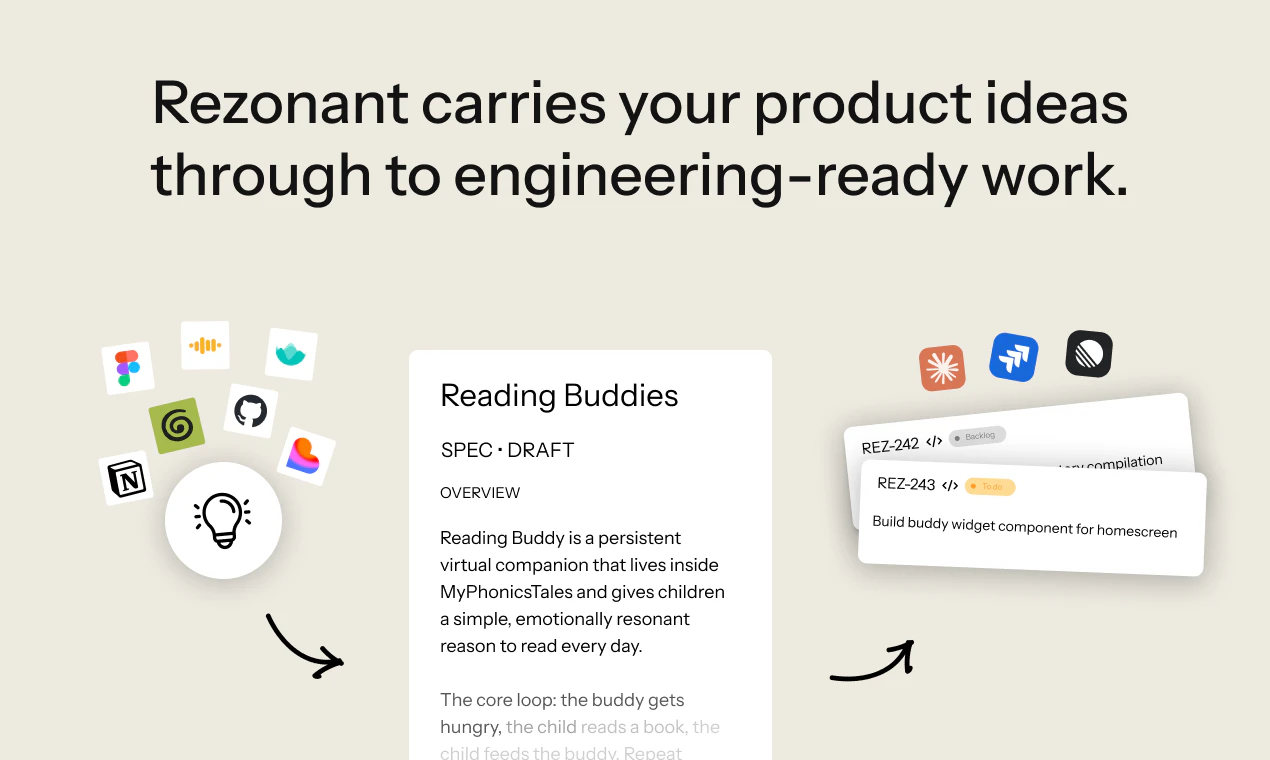
Rezonant helps product teams turn messy ideas into code-ready specs, tickets, and engineering tasks. Collaborate with PMs, engineers, designers, and AI agents in one shared workspace. Ground decisions in your actual codebase, keep everyone aligned on the same version, and create work that humans and coding agents can confidently ship.

👋 Hello Product Hunt!

Now that anyone can ship code quickly, the bottleneck has moved upstream, to the question of what gets built and why.

Rezonant sits above tools like Cursor, Claude Code and GitHub Copilot. It gives product managers a live, multiplayer workspace to turn product ideas into structured specs and tasks that AI coding agents can actually execute - grounded in the codebase, not floating around in Notion docs and Slack threads.


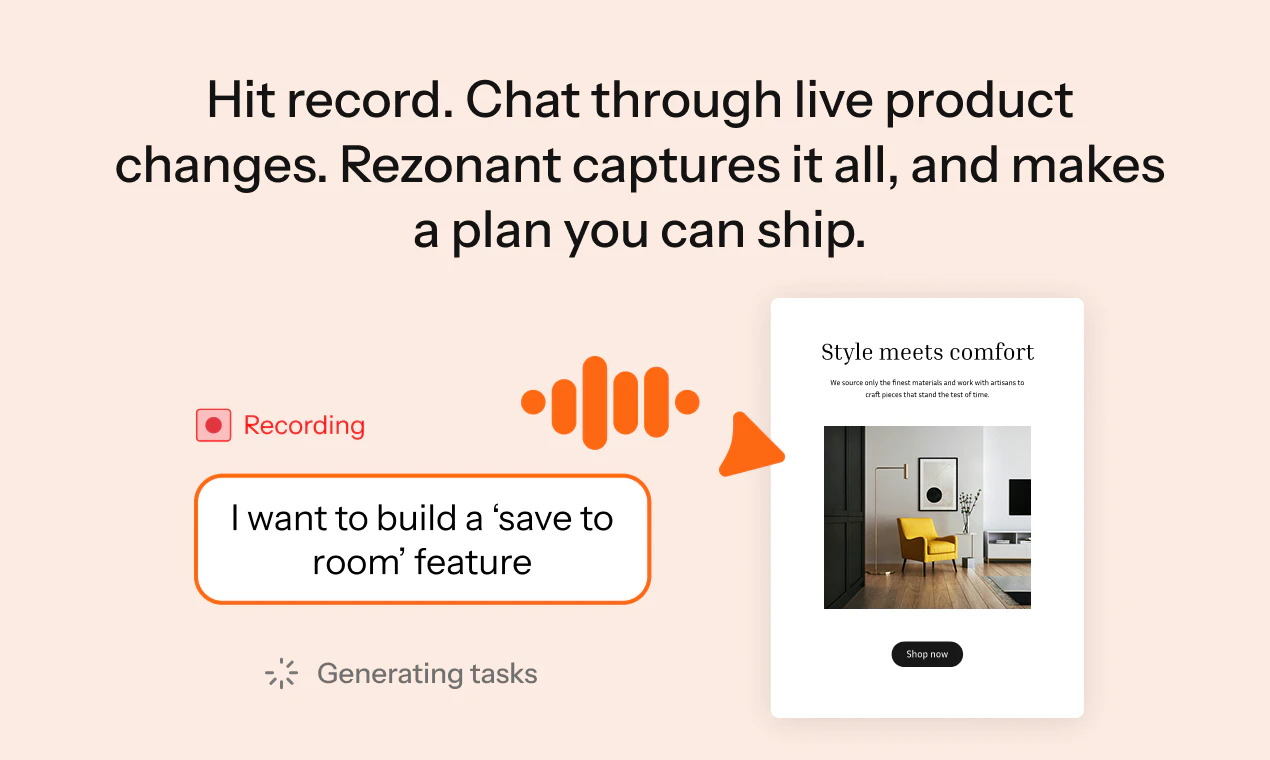
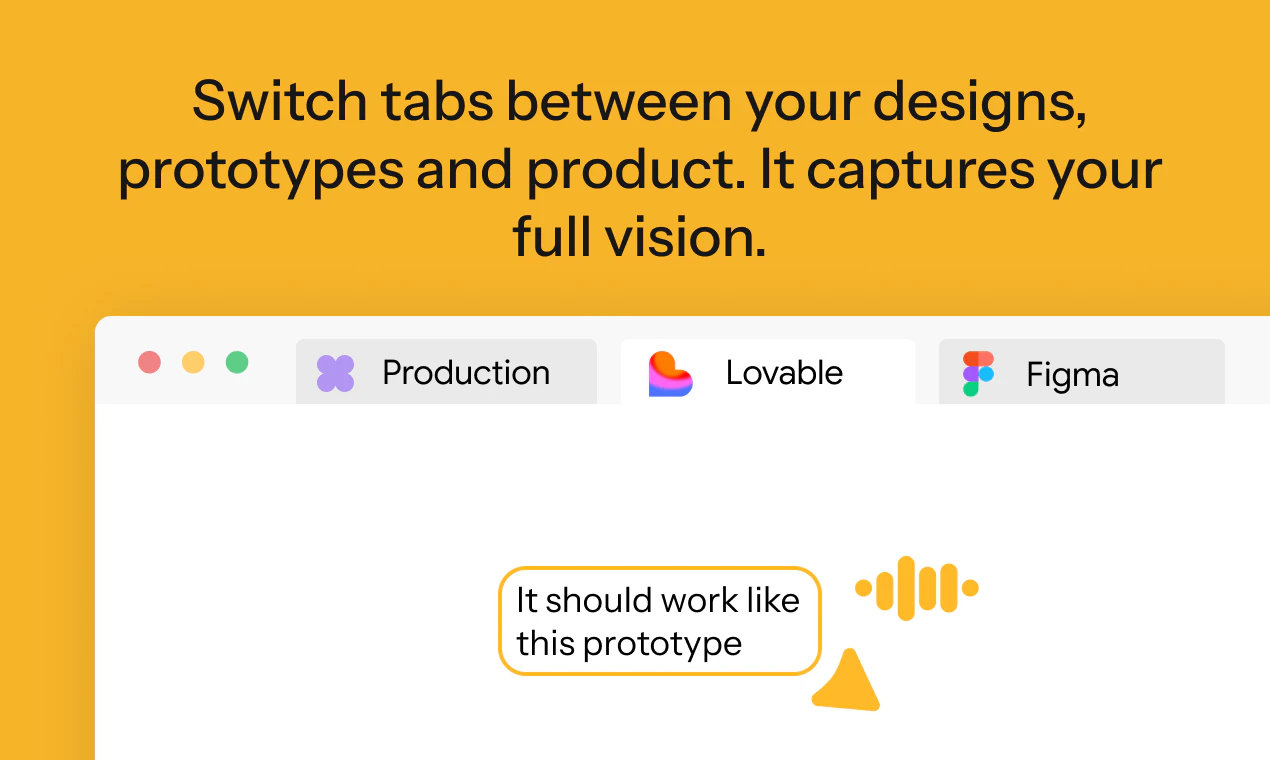
Capture ideas with our Chrome extension, Rezonant Alter. Hit record, point to anything on your live product, prototypes or designs, and talk through your thinking out loud, just like you would with a dev or designer. Alter captures what you said and what you pointed to, maps it to your codebase, and surfaces it as a spec or PRD ready to edit, comment on, break into tasks, and ship.


Try it for free: https://www.rezonant.app/

Can’t wait to see what you build!

34
回复
9
回复

@emma_burrows Congrats on the launch Emma. What's the usp over something like slack here?

5
回复

@emma_burrows Congrats on the launch Emma! 🎉

Just upvoted Rezonant — the “grounded in the codebase” approach is a really interesting direction for AI-assisted product workflows.

We also launched today 👋

AstroAnimate ⚡
The first dedicated animation library built specifically for Astro.

Built for developers who want:
• Zero-JS defaults
• View Transitions compatibility
• Performance-first components
• Open source

Would love your feedback if you get a moment:
https://www.producthunt.com/products/astroanimate?launch=astroanimate

0
回复

@emma_burrows @vincenzo_bianco2 and team - first of all, congrats on the launch. Looks really impressive! Quick question on the Chrome extension - how does that workflow work in practice? If a PM or engineer submits feedback or feature requests through the extension, how does Rezonant turn that into something Claude Code can execute? 

7
回复

hey  @zevi_reinitz -- appreciate the support and thanks for the question! :)

The chrome extension is meant to let you quickly capture feedback on your webapp. For example, you can use the 'record' mode to describe a feature your customers have been asking for.

From then:
- Rezonant elaborates your transcript + interactions with your product to understand your intent
- Rezonant connects to your GitHub and other context (your docs, product roadmap, meeting notes, etc.) to define what it takes to ship that feature: this is the crucial step in which the agent plans implementation while keeping your product context in mind.
- Rezonant will produce a spec and/or a number of tasks to implement that feature
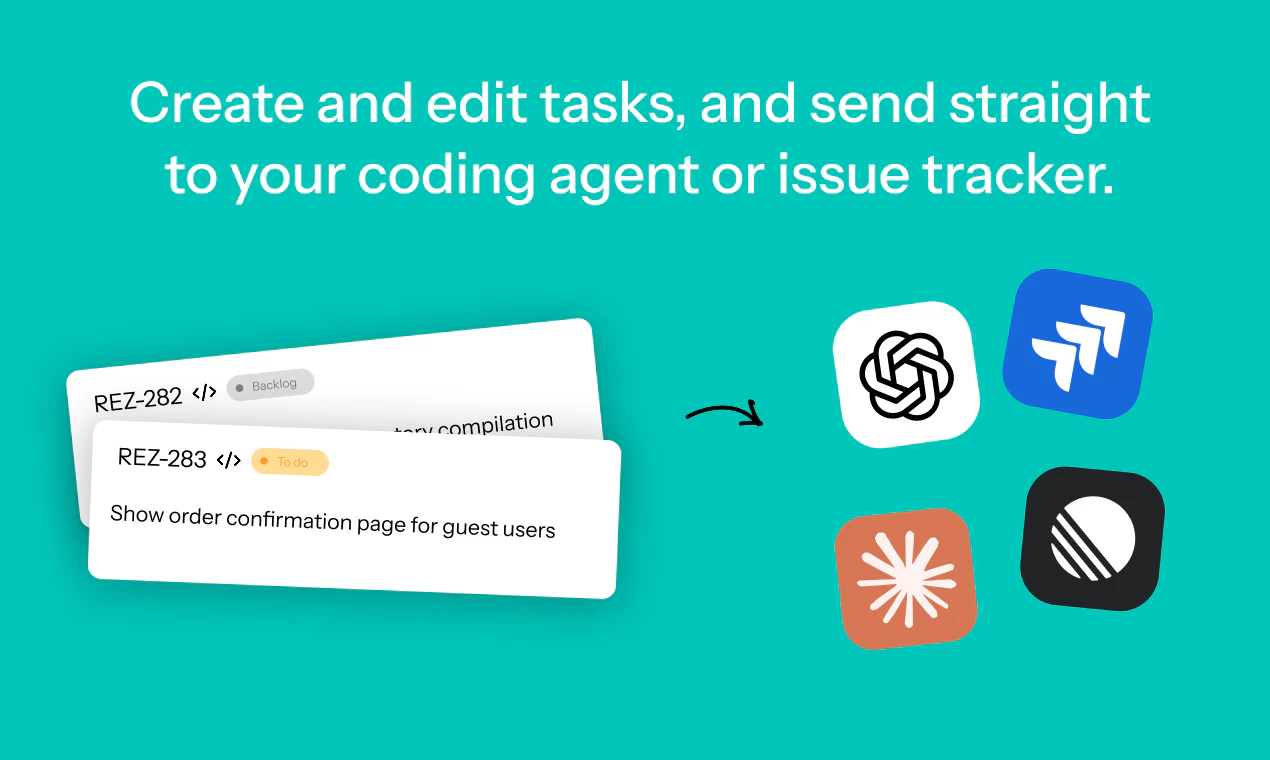
- You can export tasks as Linear / JIRA tickets. Docs can be exported as .md files
- You can ship the feature with a coding agent directly from Rezonant UI or from Claude Code/Codex!

Hope that clarifies the workflow!

4
回复

Thanks for the support @zevi_reinitz !

2
回复

Thanks @zevi_reinitz! 🫶

0
回复
It feels like a solid product, coz I usually miss many aspects from the ideation phase, once I start building the product. Feels like a must have tool ! : )
5
回复

@nalin_rajendran  appreciate the support nalin! what's your stack to build these days? keen to hear how Rezonant will fit in there!

3
回复

Super excited to get this released and to see how teams use it!

4
回复

@sam_walker13 Love the positioning above Cursor and Claude Code — the upstream bottleneck is real. One question though: how do you handle the "lost in translation" risk? If a PM records a rambling voice note pointing at the UI, and Rezonant interprets the intent into a spec, how does the team catch it if the AI misread what was actually meant? Is there a review step before tasks gget pushed to the coding agent?

3
回复

Very excited to launch Rezonant - check out the agent document editing functionality, really great for drafting and critiquing documents (shout out to @Tiptap AI Agent)

4
回复

@sam_stephens2 🙌 🎉 🚀

0
回复

@sam_stephens2 Amazing! Congrats on the launch 🙌

1
回复

Loved working on this! 🎉 It's really cool to be able to go back to more natural ways of communicating, bringing products to life just by chatting through ideas and features like you would with the team.

4
回复
1
回复

Congratulations on the launch team! Fantastic product. We’ve been using it internally for weeks and it has made a significant impact on our engineering productivity. Have shared it with several friends across startups. 💪🏻

4
回复

@lorcan_delaney thanks for the support and shoutout!!

0
回复

@lorcan_delaney Thanks Lorcan! Glad you're enjoying using it 😁

0
回复

Congrats on the launch. Most broken features I've watched ship were already broken at the PRD stage. The engineering work just compiled the misunderstanding faster. With agents grabbing tickets directly out of Rezonant, what's the QA loop before that handoff?

3
回复

@artstavenka1  Great question!

There's 2 layers of QA:

  • The Rezonant agent will flag edge cases and fill the gaps in your feature description while drafting a spec for you.

  • Rezonant is a collaborative workspace so you can review your PRDs/specs/tickets before 'handing off' to coding agents.

Hope that answers your question? How do you currently do that with your team?

0
回复

Thanks for the support@artstavenka1! 🫶

1
回复

for me the move is the google chrome extension, then using that to screenshare and narrate directly into Rezonant to get that turned into tickets and specs. Loving it so far, like a vibe-product platform :)

2
回复

Thanks @jaryd_hermann1 - great to hear you're enjoying it! Vibe-product product platform sums it up 👌

0
回复

Love this! The flow mode to PRD is great. Also enjoying sending straight to coding agents for simple tasks.

2
回复

Thanks@matt_gunby! So glad to hear you're enjoying it. What're you building?

0
回复

@abi_church Congratulations on the launch

2
回复

@abi_church  @hasatoor Thanks Hasan!! really appreciate it :)

0
回复

@hasatoor thanks Hasan, appreciate the support!

0
回复

It's a pleasure to work together and see your launch! I wish you lots of success moving forward.

2
回复

Thanks @arnau_gomez_farell! Looking forward to working more together as we build this out 🙌

0
回复

@arnau_gomez_farell Thanks Arnau! Appreciate the support

0
回复

Congrats on the launch @emma_burrows !

So this is automatic PRD creation, right? Do you also have a way to connect this with code agents like Codex or Claude code to implement directly on codebase too?

2
回复

@aiswarya_s hey, thanks for the question! This can automate PRD creation, spec creation and task creation.

Tasks can be sent to coding agents directly in Rezonant. We’re also working on an MCP though for this particular workflow!

2
回复

Congrats on the launch! Very timely idea. More teams are building with AI coding agents now, but the messy part is still aligning product context, specs, and execution. Rezonant seems to tackle exactly that gap. Love the workflow-first approach.

1
回复

@alina_tyslenok_ thanks alina! :) how's your team currently filling that gap? keen to hear how Rezonant will help solving that problem!!

0
回复

Is this for beginner teams that don’t have business analysts? What you described is usually done by a business analyst. Also, now everyone uses Claude Code, Claude Design, Figma, and other tools, so often you need not just a comment but specifically a comment in, for example, Figma, so that Claude Code can later understand it and apply the change. So at the current stage of AI development, I can’t imagine how to do this without a human.

1
回复

@natalia_iankovych thanks for the question, natalia :)

We actually do work with some larger teams with business analysts! The value for them is typically to make sure that all the work items that are sent to Engineering (in the form of JIRA or Linear tickets) are grounded in technical reality and include technical context. This facilitates eng teams working with Claude Code and reduces back-and-forth between eng and business analysts to gather feedback.

Re: your point of commenting in Figma so the context is accessible in Claude -- we're launching our own MCP server so that Rezonant comments will be accessible to Claude too!

0
回复


Congrats on the launch!

ChatGPT-vs-Rezonant comparison on the landing page is the best pitch I've seen this week, where Rezonant pulls the actual src/services/integrations/ path instead of giving a generic playbook.

We're building in the SDLC execution space at Revolte (the agent runs from spec through deploy), so the spec-quality problem hits us directly downstream. Curious how you're handling the codebase index — persistent semantic index per repo, or retrieval at refinement time? We went persistent and the freshness problem is harder than I expected.

1
回复

Thanks @rajagopalanar ! Definitely, context makes all the difference. On your codebase question, it's technically both. We run code research at refinement time, which solves the freshness problem, but only when the persistent index isn't enough. What was it in particular about persistent that was harder than you thought?

0
回复

"Turn messy ideas into structured specs" is a deceptively hard problem because the messiness is where domain knowledge lives — strip too much of it out and the spec becomes generic; leave it in and the agent gets confused. I work on ModeLoop in financial modeling and the same pattern shows up there: the difference between a model an agent can build and one a human can defend is usually in the assumptions, not the cells. Curious how you've handled assumption capture in Rezonant.

1
回复

@samir_asadov hey -- that's a great point and question!

Managing context and feeding the agent with the right context at the right time is indeed a hard problem to solve. And because it's hard, it's the main differentiator of Rezonant vs custom-built workflows on top of Claude Code/Cursor/Codex with GitHub repos and .MD files to manage context.

The way Rezonant solves that is by capturing both technical (codebase) context from GitHub and additional product context from Granola, docs, Figma etc. These are then organized in teams so that each agent and member in the workspace can access the right context at the right time.

Hope that makes sense?

0
回复

Cheap Store là địa chỉ chuyên cung cấp phụ kiện điện thoại với mức giá hợp lý, đa dạng mẫu mã và luôn cập nhật những xu hướng mới nhất trên thị trường. Với mong muốn mang đến trải nghiệm mua sắm tiện lợi và chất lượng cho khách hàng, Cheap Store tập trung vào các sản phẩm như ốp lưng điện thoại, kính cường lực, tai nghe, sạc dự phòng và nhiều phụ kiện công nghệ khác. Không chỉ chú trọng về giá thành, Cheap Store còn ưu tiên chất lượng sản phẩm và sự hài lòng của khách hàng trong từng trải nghiệm mua sắm.

0
回复

We're drowning in 'quick ideas'/proof of concepts/unclear specs - great to have something that can streamline and get the right context all together!

1
回复

@henryforshort thanks! very keen to hear your feedback once you had the chance to try it out :)

0
回复

@henryforshort Glad to hear you're finding it useful, and hope you drown a little less! 🏄

0
回复

Spec-to-code via voice is a workflow I didn't know I wanted until now. Product teams burn so much time translating verbal ideas into structured tasks. We've been building in the ops-heavy SaaS space, and this kind of frictionless spec creation is something PMs ask about constantly. How does Rezonant handle ambiguity in voice input, does it ask clarifying questions?

1
回复

@shivam_jaiswal36 Totally, so much can get lost in translation. Rezonant understands your product and codebase, and it'll ask clarifying questions or flag missing/ambiguous requirements before anything gets sent to your coding agents. Hope that answers your question?

0
回复

Grounding specs in the actual codebase is the real differentiator here, but codebases move every day — does the grounding re-run, or is a spec a point-in-time snapshot that quietly goes stale the moment someone merges a refactor? The failure mode I'd watch for is a confident spec citing a service or path that got renamed last week.

0
回复
#4
QuakPit
Meeting reminders that actually make you smile.
191
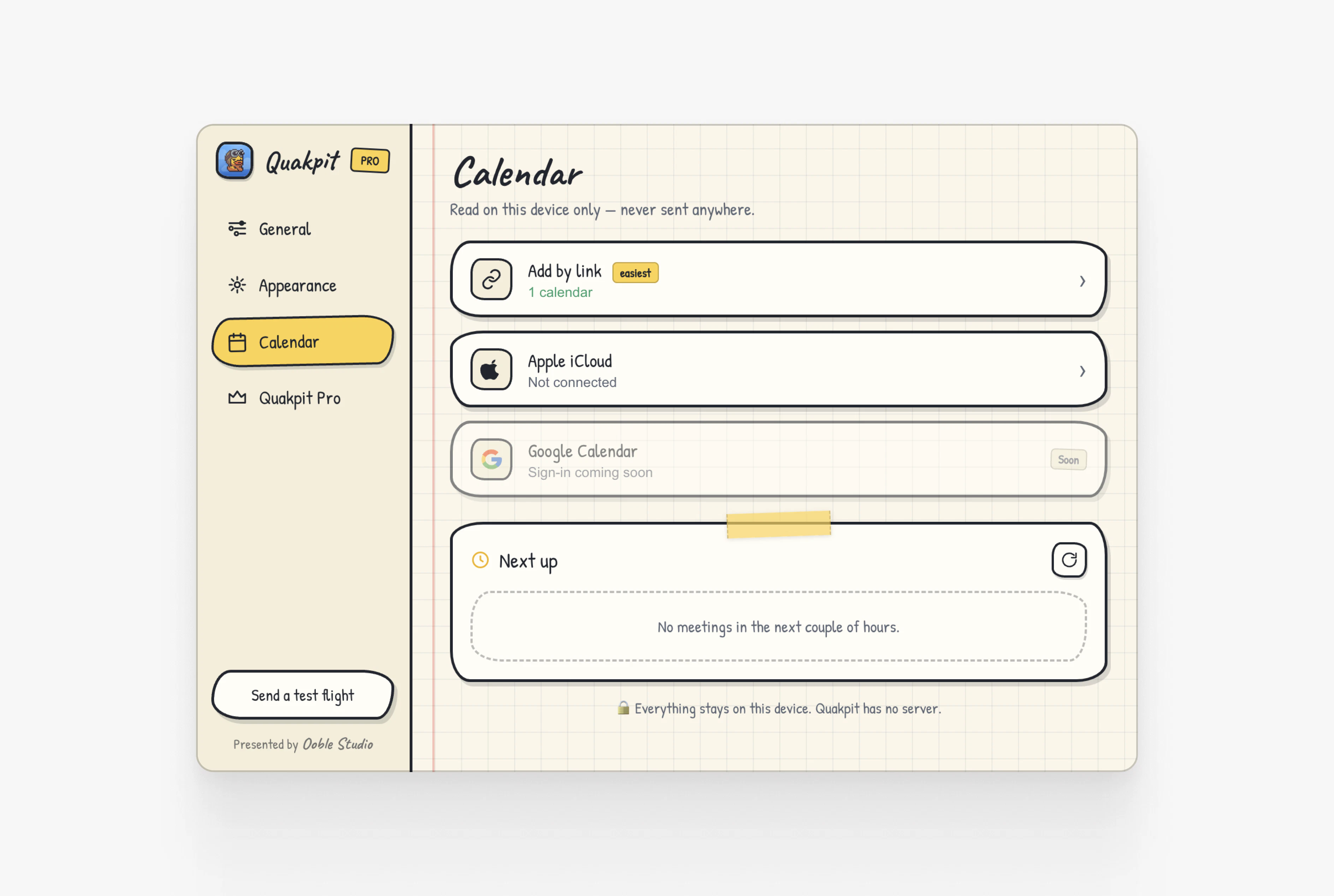
一句话介绍:QuakPit 是一款 macOS 菜单栏应用,通过让动物驾驶飞机拖拽横幅飞过屏幕的趣味动画,替代传统弹窗,在会议开始前以令人会心一笑的方式提醒用户,解决传统通知容易被忽略或让人感到厌烦的痛点。
Mac Productivity Meetings GitHub
macOS 应用 会议提醒 趣味通知 菜单栏工具 日历集成 开源软件 免费应用 桌面小工具 动物动画
用户评论摘要:用户普遍喜爱其创意和趣味性,认为比传统弹窗更有效。主要问题:1. 截屏共享时动画会显示给第三方(开发者确认);2. 希望支持本地日历而非仅联网日历;3. 好奇水豚是否是最高频选择的动物。多名用户肯定了免费开源的策略。
AI 锐评

QuakPit 的走红,精准击中了“通知疲劳”这一赛道,但其真正价值不在于技术创新,而在于一个聪明的行为心理学设计:用“惊奇”替代“烦恼”。传统弹窗因高频重复已被大脑自动过滤,而QukPit的动画则是一次“情境重构”——将例行公事变成了短暂的游戏。这本质上是对用户注意力的“温柔劫持”。

不过,冷静来看,该产品的护城河极低。核心功能“动画+日历”是一个标准的一周速成项目,GitHub上已有大量类似实验。其“免费开源+一次性收费”的模式,虽然博得了Developer社区好感,但变现天花板明显:$4.99的溢价能力,取决于用户对“鸭子换恐龙”这类定制化新鲜感的支付意愿,但“新鲜感”本身是快速衰减的。当用户第一周的新奇感过去,动画本身也会变成新的“干扰”。

产品的真正纵深在于两条路:一是向纯娱乐转型,成为桌面互动宠物;二是向效率工具进化,利用“注意力捕获优势”承载更复杂的日程管理场景——比如用动物表情预警会议冲突。目前版本偏轻松玩具,若止步于卖音效皮肤,用户留存堪忧。创始人“想到就要做到”的执行力值得赞赏,但Product Hunt的热度不一定能转化为长期的日活。下一个阶段,需要在“让人发笑”和“真正有用”之间找到可持续的平衡点。

查看原始信息
QuakPit
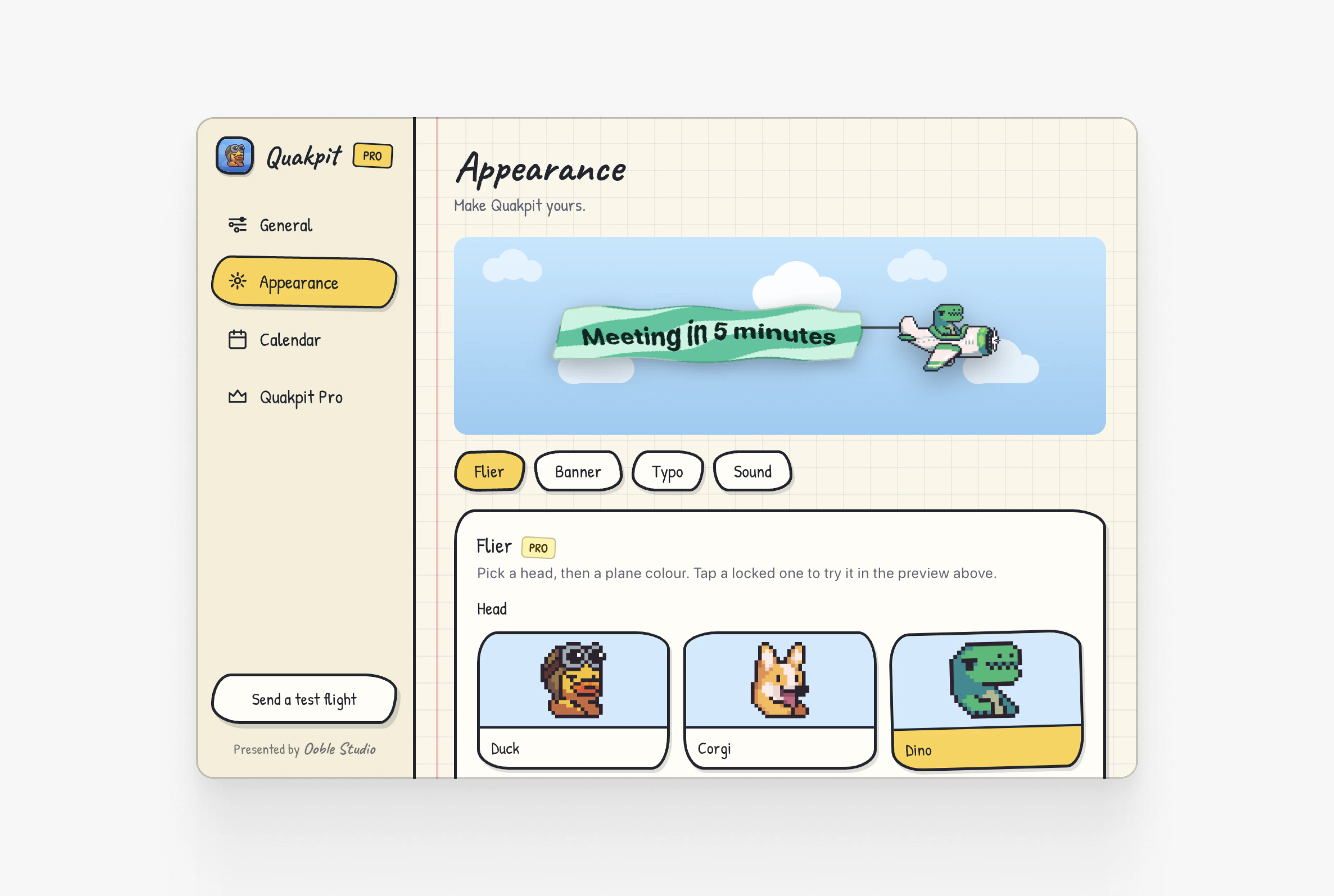
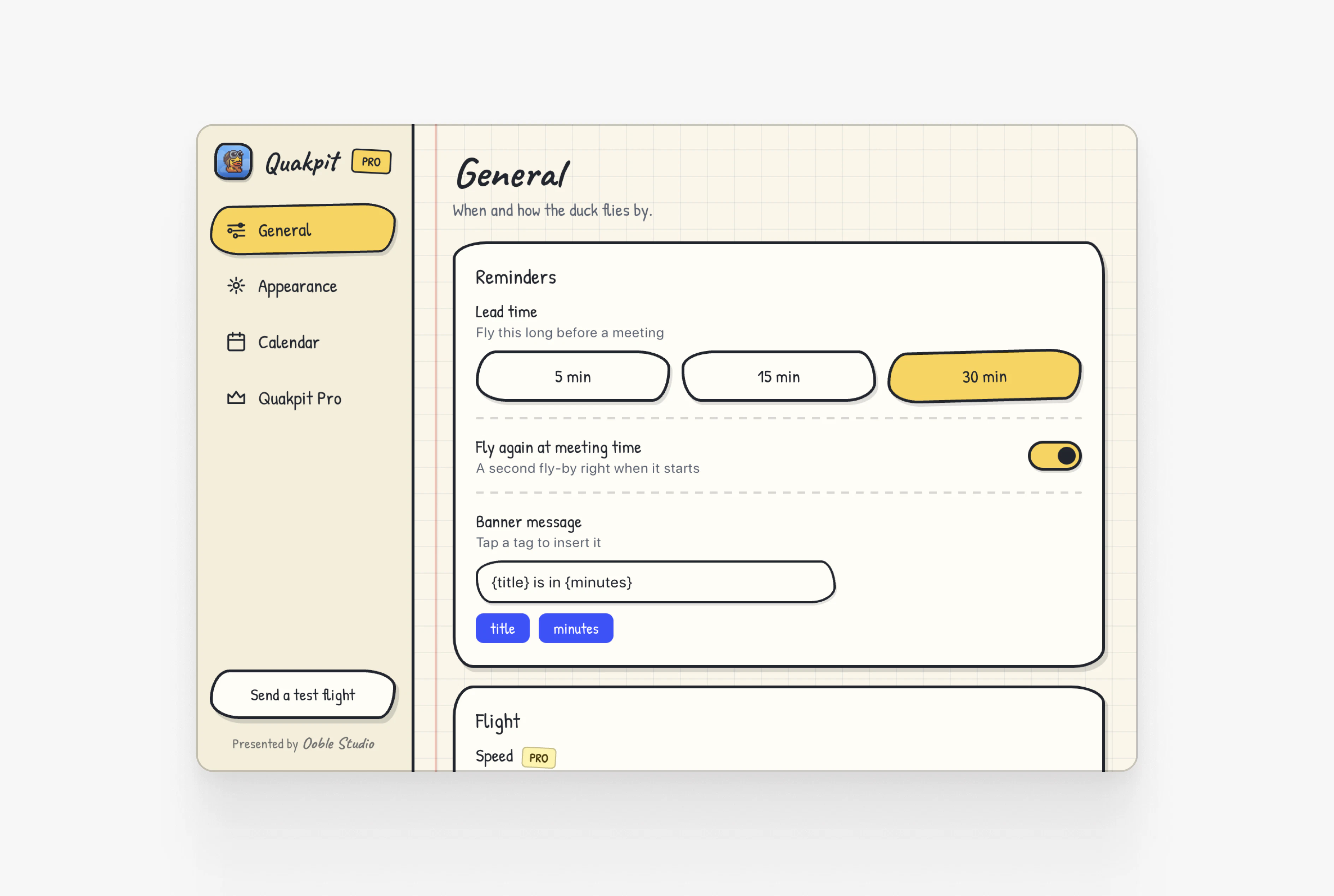
Quakpit is a macOS menu bar app that connects to your calendar and sends an animal-piloted plane flying across your screen before your meetings start. A duck, a dinosaur, a pigeon, a capybara, or a dog, your choice, cruises across your display towing a banner with your meeting name and how long you have left. Hard to ignore. Impossible to hate. Free to download & open source. Connect your calendar, pick your animal, never miss a meeting.

Hey Product Hunt! 👋

Quakpit started as a side experiment, I wanted to build my first macOS app and see if I could actually ship something.

So I built a tiny app that sends a duck-piloted plane flying across your screen when a meeting is about to start, with a banner showing how many minutes you have left. I posted one tweet about it with zero expectations.

It blew up.

Hundreds of people asked for the same thing: more animals, custom banners, sounds, calendar integrations. Turns out nobody actually likes boring notification popups.

So I built it properly. Here's what Quakpit does today:
🦆 Connects to your calendar and triggers a flying animation before your meetings
✈️ A plane crosses your screen with a banner showing your meeting name + time left
🦕 Choose your pilot — duck, dinosaur, pigeon, capybara, or dog
🆓 Completely free and open source
⭐ One-time $4.99 premium for custom banners, sounds, animals and more

It's built with love. And the open source part is real, the full free experience is on GitHub.

Would love to hear which animal you'd pick as your co-pilot 👇

5
回复

@tomboutin_ The capybara is the only correct answer, nothing says "your meeting starts in 2 minutes" like the most unbothered animal alive piloting a plane at you. The "nobody likes boring notification popups" insight is real though: dread vs delight is the whole difference in whether people keep a reminder tool installed instead of muting it in a week. Open-sourcing the free tier was a smart trust move too. Upvoted, installing this.

2
回复

@tomboutin_ This is ultracool Tom.

1
回复

It looks cute! Will the notification be seen to others if I'd sharing the screen during the video call?

2
回复

@anastasija_pm Yes if you share your session!

1
回复

Okay this is legit awesome. Going to try to download and install now!

Will provide feedback if I have any :).

1
回复

this is the first calendar tool i've seen in years where the feature set made me actually laugh. open source too. what made you pick the plane mechanic specifically over something like a walking animation or a popup

1
回复

@ansari_adin I was in Miami and saw the ads plane, so I found it funny haha

2
回复

Okay, this is actually a fun idea 😄 Finally a meeting reminder that doesn’t feel depressing. A capybara flying across my screen would definitely get my attention.

0
回复

The category of "reminders that don't feel like nagging" is underrated — the second a notification starts feeling like work, people swipe it away and the whole system loses its job. A duck towing a banner is doing real product work there. I build StoryRoute on the travel side and we've found the same lesson: the delight isn't decoration, it's the only reason the user gives the tool another chance after the first miss. Congrats on shipping.

0
回复

so cool! hit the upvote button 3 times!

0
回复

Congrats with the launch! Capybara pilot is GOAT 🫶

0
回复

Like the style! So cute =)

0
回复

I mean...I just have to clap. Always love these creative ideas coming to life and productized. :D

0
回复

capybara, no contest. if an unbothered little guy is calmly flying across my screen telling me i’m late, i’ll probably listen.

love the mix of useful + ridiculous here. boring meeting popups are way too easy to mentally mute.

0
回复

Saw this on Twitter the other day. Super fun.
These are the kinds of apps I want to see here more often :)

First feedback: Why not access the local apple calendar directly? So I don't have to connect to iCloud / Google?

0
回复

This is so unnecessary and fun :)

0
回复

@rrhoover That's what we like hehe

0
回复

Genuinely the most charming product on PH today.
Somehow a duck towing a banner is harder to ignore than the macOS notification I dismiss reflexively a hundred times a day.
Honest question: is the capybara winning in your usage data? I need to know if my taste matches the median user.

0
回复

Your logo made a difference, so I clicked! :)

0
回复

@busmark_w_nika Good to know haha

1
回复

@busmark_w_nika Hope you will like QuakPit! Any feedback is appreciated!

1
回复

This is such a delightful app. I'll get excited for every meeting if this is how I'm reminded of it.

I just sent this yesterday as a reference to a friend for great solutions for people who need novelty to get things done. Love this, Tom.

P.S. Also loving the banner going through the Ooble Studio website.

0
回复

@mitalibhasin Thanks Mitali!

0
回复

This is fantastic! I love joining meetings now

0
回复

@tobiastornros Amazing!

0
回复

Love this. Such a small idea but way more memorable than another boring calendar notification. The flying plane + animal pilots makes it really fun. Clean execution and open source is a big plus.

Corgi is definitely my co-pilot 👨‍✈️🐶

0
回复
#5
Parrot Speech-to-text API
Fast, accurate STT for production-grade voice agents
164
一句话介绍:Parrot是一款专为生产级语音助手设计的语音转文字API,核心解决嘈杂环境、印地语混杂英语及实时低延迟转录的痛点。
API Artificial Intelligence Audio
语音转文字 API 印度英语 印地语 代码切换 语音助手 实时转录 低延迟 噪声鲁棒 自然语言处理
用户评论摘要:用户聚焦其印地语-英语代码切换与噪声处理能力,但发现英语混印地语时系统会偏向输出天城文。多位用户询问欧洲语言支持、多说话人重叠对话处理及P95延迟数据,官方确认多说话人场景为路线图功能,未透露精确延迟基准。
AI 锐评

Parrot切入了一个精准但狭窄的痛点:让语音转文字在印度口音、噪声和代码切换的“脏”数据中依然可靠。这确实是OpenAI Whisper这类通用模型的软肋——它们对清晰音频的“蜜月期”基准测试,在真实电话会议中往往一触即溃。Parrot在基准之外强调“下游工作流可用性”,即转录必须被LLM干净调用,这很实际,但也暴露了其局限性。

从评论区看,用户最尖锐的质疑在于:它是否只在“单说话人-智能体”场景有效,而回避了更棘手的多说话人重叠会话?官方坦诚这属于未来路线图,这很诚实,却也意味着其应用场景被严格限定在客服、语音助手等一对一呼入场景。此外,印地语主导时对英语词汇的“印地语化转录”现象,说明其代码切换机制仍存在语言偏向,官方却称之为“预期行为”,这可能会让依赖英文原文的金融、技术类应用望而却步。

产品真正的护城河不在于技术指标(P95延迟和WER尚未公布),而在于对印度语音市场垂直场景的深度优化。但这种垂直性也是一把双刃剑:它既让Parrot成为服务印度用户的语音产品团队的“现成答案”,也意味着在全球化或欧洲语言场景下可能水土不服。对于创业者而言,若目标用户群80%以上来自印度语区,Parrot是当前最优选;但若需覆盖多语种、多场景,它目前更像一个“专用工具”,而非通用平台。

查看原始信息
Parrot Speech-to-text API
Introducing Parrot: Ringg’s speech-to-text model for production-grade voice agents. Capture Hindi-heavy and noisy real-world conversations with low-latency inference, stronger transcript quality, and Hindi validation built for downstream workflows.

Hey Product Hunt 👋

Thrilled to introduce Parrot, Ringg’s speech-to-text model built for production-grade voice agents.

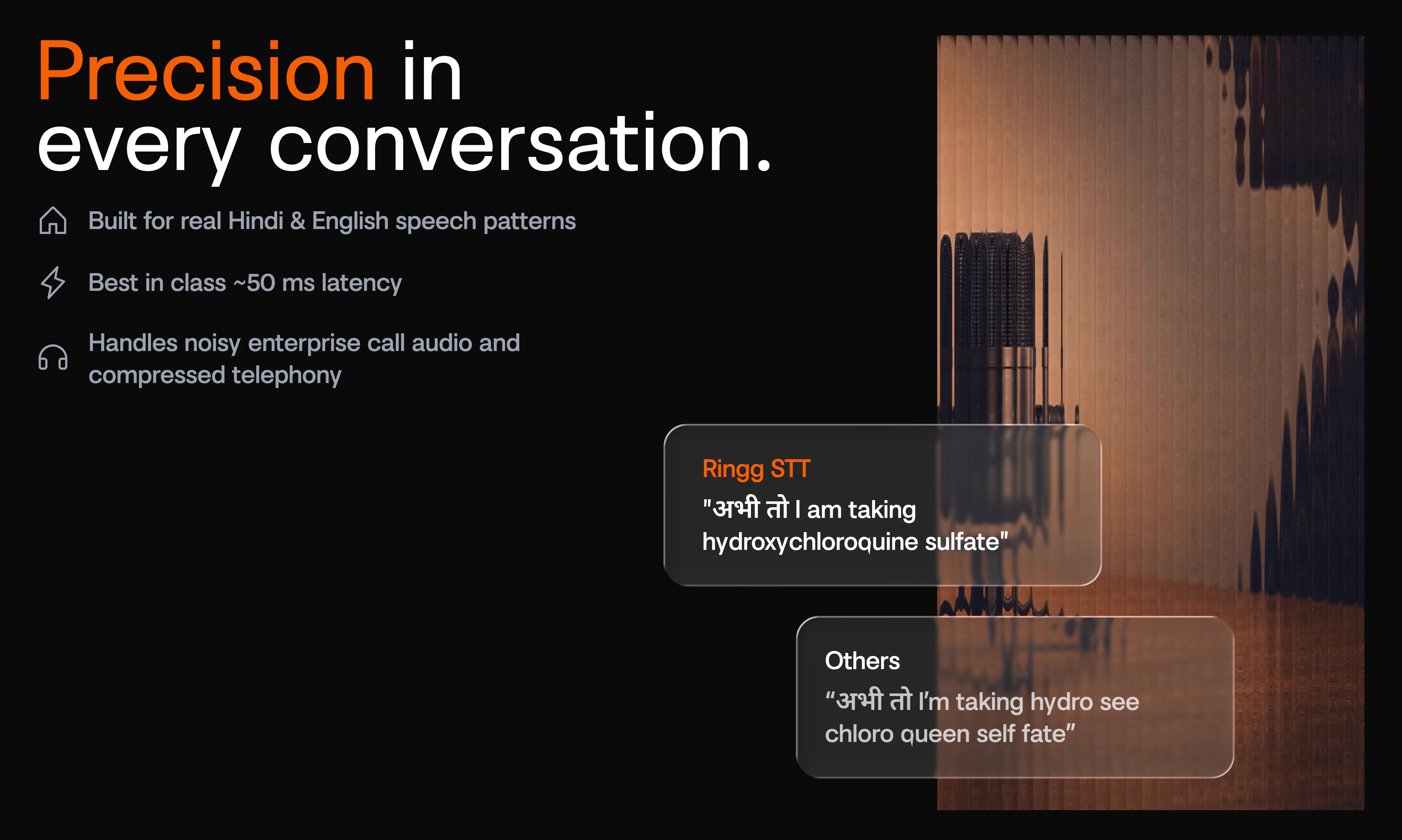
Most STT models do well on clean audio. Voice agents don’t get clean audio. They deal with compressed phone calls, Hindi-English code-switching, Indian accents, background noise, and conversations where one misheard word can break the next action.

What makes it different:

🦜 Built for real world calls
🦜 Low latency inference for smoother voice agent conversations
🦜 Hindi validation and normalization for cleaner downstream workflows
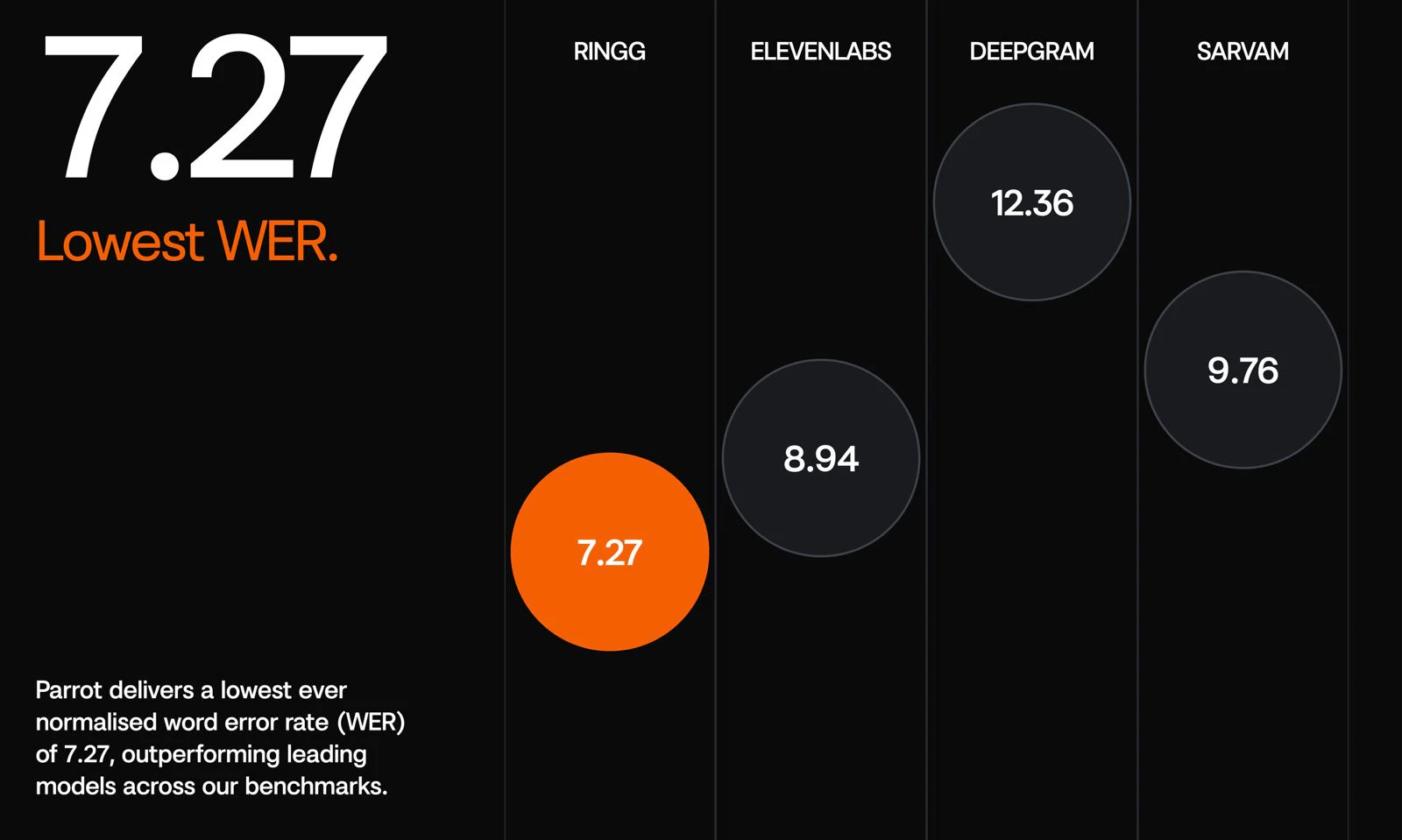
🦜 Strong Normalised WER performance on open-source Hindi benchmarks

For teams building voice agents, Parrot helps turn messy speech into cleaner transcripts that LLMs can actually use.

Try it out and let us know what you're building with it!

19
回复

@itsmeparth can't find a better model for my Indian customers.

Are you also working on European languages [Spanish, German ?] or if its coming soon..

1
回复

@itsmeparth Clean audio is a luxury.

0
回复

Best for voice AI use case!!

7
回复

Haha, how can something be this useful and this scary simultaneously!? As someone with a name most humans can't spell right, I look forward to the day when this is no longer an issue.

7
回复

Exactly! Names are where STT gets very real very fast.

A big part of Parrot’s focus is making these real-world details more reliable, especially in Indian conversations.

0
回复

Try this out with easy to integrate package https://www.ringg.ai/dashboard/stt

5
回复

This looks really solid 🔥
Curious about latency and how it performs in noisy real-world calls compared to Whisper.

4
回复

Thanks Vasyl!!

Whisper is excellent as a general-purpose ASR model, especially for offline and batch transcription.

Parrot is optimized more specifically for production voice agents: streaming calls, low end-of-speech to final transcript latency, and messy real-world audio where the transcript needs to trigger the next action.

We’re also benchmarking on noisy call conditions and Hindi-heavy conversations, not just clean audio. Whisper is not specifically optimized for Indian accents, and its latency can be higher for real-time voice-agent use cases.

0
回复

Congrats on the launch! Building voice sessions into a couples app right now (currently on Deepgram for streaming transcription), so the "voice agents don't get clean audio" framing really lands...clean-audio benchmarks oversell every STT model until you hit a real room. One thing I've run into that I'd love your take on: the hardest case isn't accent or noise, it's two people talking, overlapping speech, interruptions, one person finishing the other's sentence. Most STT degrades badly there. Is Parrot tuned mainly for the single-caller voice-agent case (one human, one agent), or does it hold up on genuine multi-speaker conversations? Curious whether that's a roadmap item or a deliberate scope line.

3
回复

Thanks @ferdi_sigona  this is a very real point.

Parrot is primarily tuned today for the single caller voice agent case: one human speaking to one agent, with interruptions, short turns, and messy call audio.

Multi-speaker conversation with overlapping speech is a genuine problem to solve. Parrot handles some interruption patterns including background human speech, but full multi-speaker diarization and overlap handling is a roadmap item rather than something we’d overclaim today.

The scope is deliberate: first make real-time voice-agent calls reliable, then expand deeper into multi-speaker scenarios.

0
回复

Just tried this out, amazing speed and accuracy. Great work!

3
回复

Thanks Vedant, really appreciate you trying it out!

Speed + accuracy was the core goal for us because voice agents need both. A transcript has to be right, but it also has to arrive fast enough to keep the conversation natural.

0
回复

Our AI has a voice mode. We use ChatGPT (before that, we used speech-to-text recognition and then text-to-speech). How is your service better? Is it only better Hindi recognition, or is there something else?

1
回复

Thanks @natalia_iankovych , fair question.

Hindi recognition is definitely a big focus but not the only one. Parrot is also optimized for low-latency transcription, code-mixed conversations, cleaner normalized output, and real-world call audio where transcripts are expected to trigger the next action.

Happy to set up a demo as well to understand your use case better and explore how Parrot can help solve it.

0
回复

Building a dedicated validation layer for Hindi downstream workflows is clever. Most generic STT APIs fall apart on code-switching and regional accents. We've hit similar walls where raw transcripts were too noisy for reliable intent parsing in production pipelines. How do you handle Hinglish code-switching, and what's the P95 latency on a 10-second audio chunk?

1
回复

Thanks @retain_dev , exactly! Raw STT output is often not enough once it has to drive intent parsing or downstream workflows.

For Hinglish, Parrot is trained on code-mixed speech and uses Hindi-aware tokenisation plus a normalisation layer, so the output stays cleaner before it reaches the LLM or API.

On P95 latency for a 10-second chunk, we’re finalising the published benchmark setup and don’t want to quote a loose number without the test conditions.

In real-world voice-agent calls, audio usually does not arrive as one fixed 10-second block. Parrot can segment longer audio into shorter chunks, which helps return responses faster and keeps turn-taking more natural.

0
回复

Congratulation on the launch! Btw, when I mix English with Hindi, I observed its little biased towards transcribing English in Hindi (using Devnagri glyph). Latency is impressive

1
回复


Thanks @ashishkingdom ! That’s a fair observation.

For code-mixed conversations where the dominant language is Hindi, this can happen but when English is the dominant language, it should work as expected.

This is one of the expected behaviours.

1
回复

Production-grade STT that holds up on noisy, code-switched real-world audio is harder than the demos make it look. Hindi-heavy + noisy conversations is exactly the unglamorous evaluation set that exposes most general-purpose STT models. I run a finance podcast (ModeLoop Podcast) and the transcript-quality drop between studio-clean and live-recorded episodes is enormous; tooling that closes that gap meaningfully on top of low latency is genuinely useful. Curious whether you're benchmarking against WER on standard sets or against task accuracy on downstream agent workflows.

0
回复

The Hindi-English code-mixing capability is the genuinely hard part here. Most STT models either treat it as two separate language passes or degrade significantly at switch points mid-sentence. How is Parrot handling segmentation at the language boundary? Specifically, when a speaker switches mid-phrase rather than mid-sentence, does the model maintain a single continuous transcript or does it stitch segments, and how does that affect downstream NLU latency?

0
回复
#6
AVTR-1 Real-Time Open Weights Model
Generating uncanny AI avatars is now open source
155
一句话介绍:AVTR-1 是一款开源实时AI头像模型,能在你说话时实时生成每一帧面部表情并实现全双工主动聆听,解决了现有AI头像“假唱式”延迟和缺乏语义反应的痛点,让开发者零成本自建逼真交互头像。
Video Streaming Open Source Artificial Intelligence
开源AI头像 实时生成 全双工 主动聆听 情感响应 零成本 开发者工具 低延迟 视频模型 人机交互
用户评论摘要:用户聚焦于全双工主动聆听和实时表情是最大差异化优势,质疑端到端延迟(回复澄清模型侧仅80-90ms,总延迟还依赖语音管道)。提问集中在许可证、头像定制、单GPU运行性(4090可行)及与Tavus/HeyGen的差异。开发者看重开源对商业订阅模式的颠覆。
AI 锐评

AVTR-1的本质并非“又一个逼真头像”,而是用开源重写游戏规则。它精准捅破了当前AI头像行业的窗户纸:那些宣称“实时”的竞品,实际大多是预录面部循环加嘴型替换,消费者被忽悠了三年。AVTR-1每帧从头到下巴全生成+全双工聆听,在技术维度上确实把行业标准从“表演”拉到了“对话”。

但真正致命的不是技术参数,而是定价策略和开源心态。对年收入低于1000万美元的商用完全免费,直接撕开了按分钟计费巨头(如HeyGen)的利润防线。这并非慈善,而是阳谋:用0成本吸引海捞的独立开发者、中小团队和尝鲜者,迅速积累应用场景和数据反馈,让模型在开源社区中被磨得更锋利。

不过,“犀利”之外也有冷静点。其“实时”存在上下文:模型生成端仅80-90ms,但整个对话链路的端到端延迟(STT-LLM-TTS+网络传输)才是用户体验的真瓶颈。官方公布的L4/4060等消费级显卡能跑,但性能并未超过A100,这意味着开发者如果不上高端云GPU,在高并发场景下仍可能体验跳水。此外,当前公开的参考头像数量和风格有限,若开发者想定制独特形象,复刻成本如何,仍需实战验证。

AVTR-1最大的贡献并非技术本身,而是把“可自持、可修改、可集成”的视频头像层从黑盒变成开源协议。它动了谁的蛋糕?所有靠API调用费赚钱的闭源头部。它挑战了谁?每个想喝到头汤的开发者——现在你们要做的不再是选供应商,而是决定用0成本拼出下一个爆款应用,还是一边观望一边看别人起飞。

查看原始信息
AVTR-1 Real-Time Open Weights Model
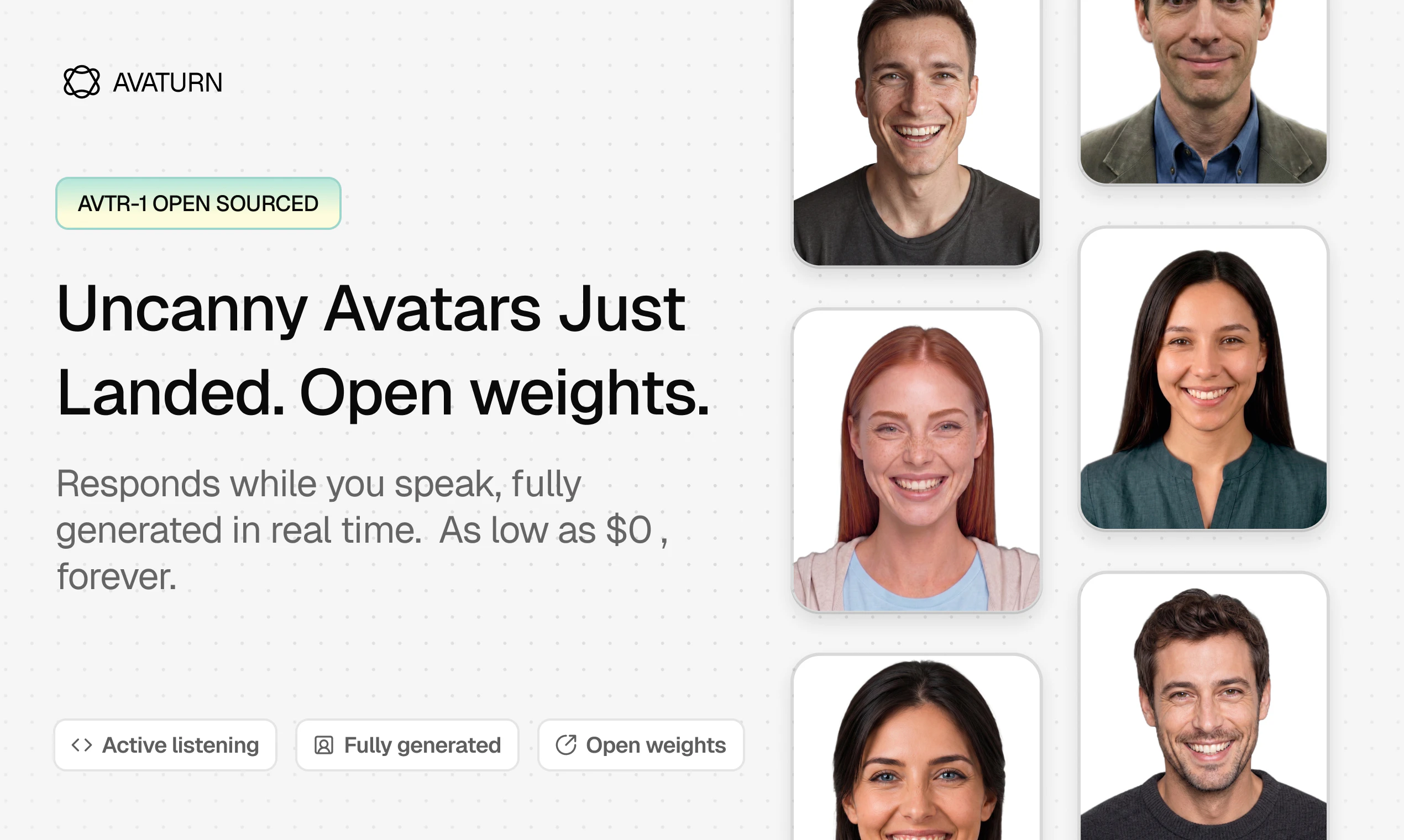
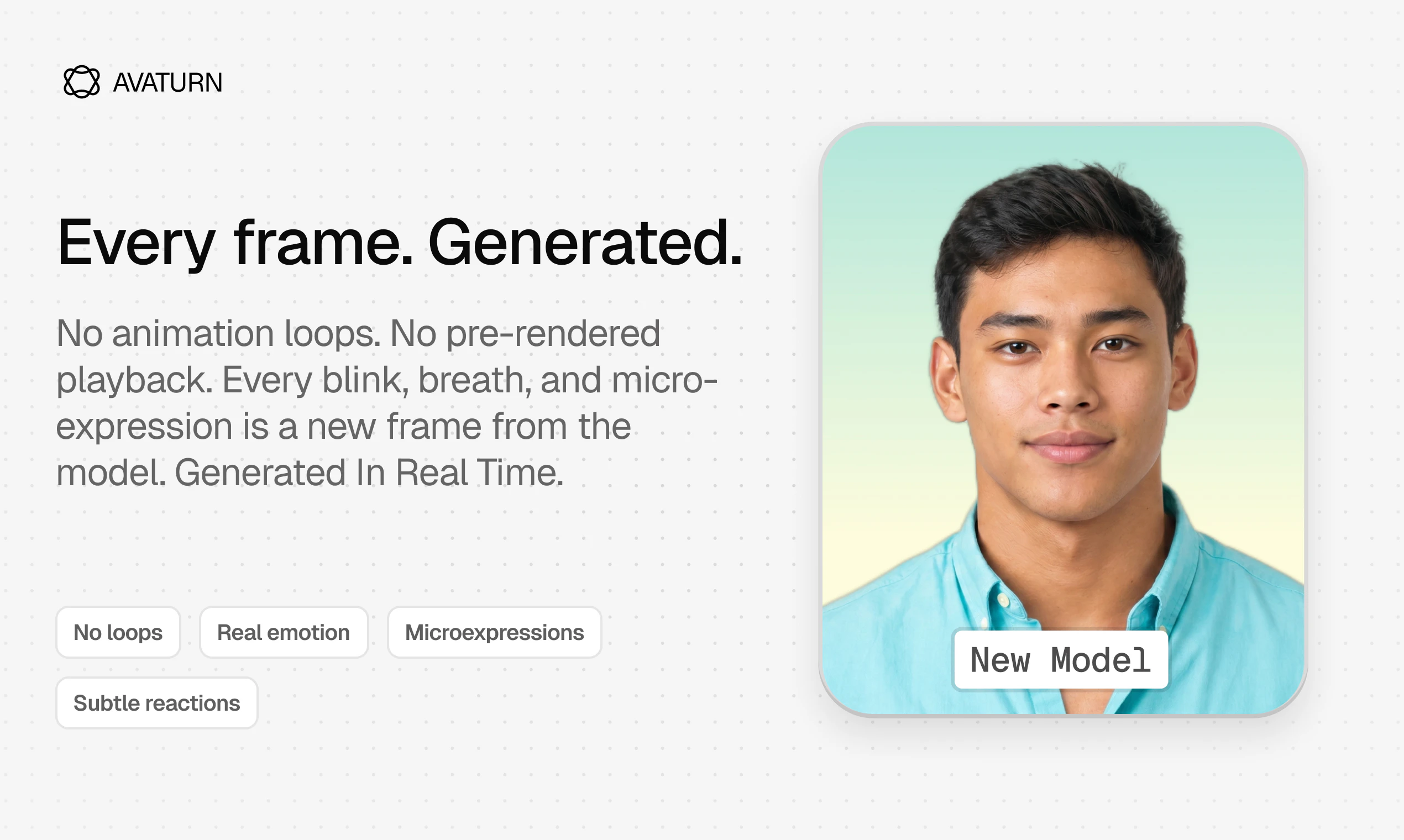
The best real-time avatar model in the world is now open source with open weights. Take the model, tweak it, and use it at $0 cost. What's unique: our model listens while you speak — full-duplex; the avatar reacts in real-time, with minimal latency. • Every frame is generated, avoiding annoying animation loops from pre-rendered playback. • Full streaming infrastructure included so you can get started right away.

Hey Product Hunt 👋

I'm Sergei Sherman, CEO of @Avaturn.

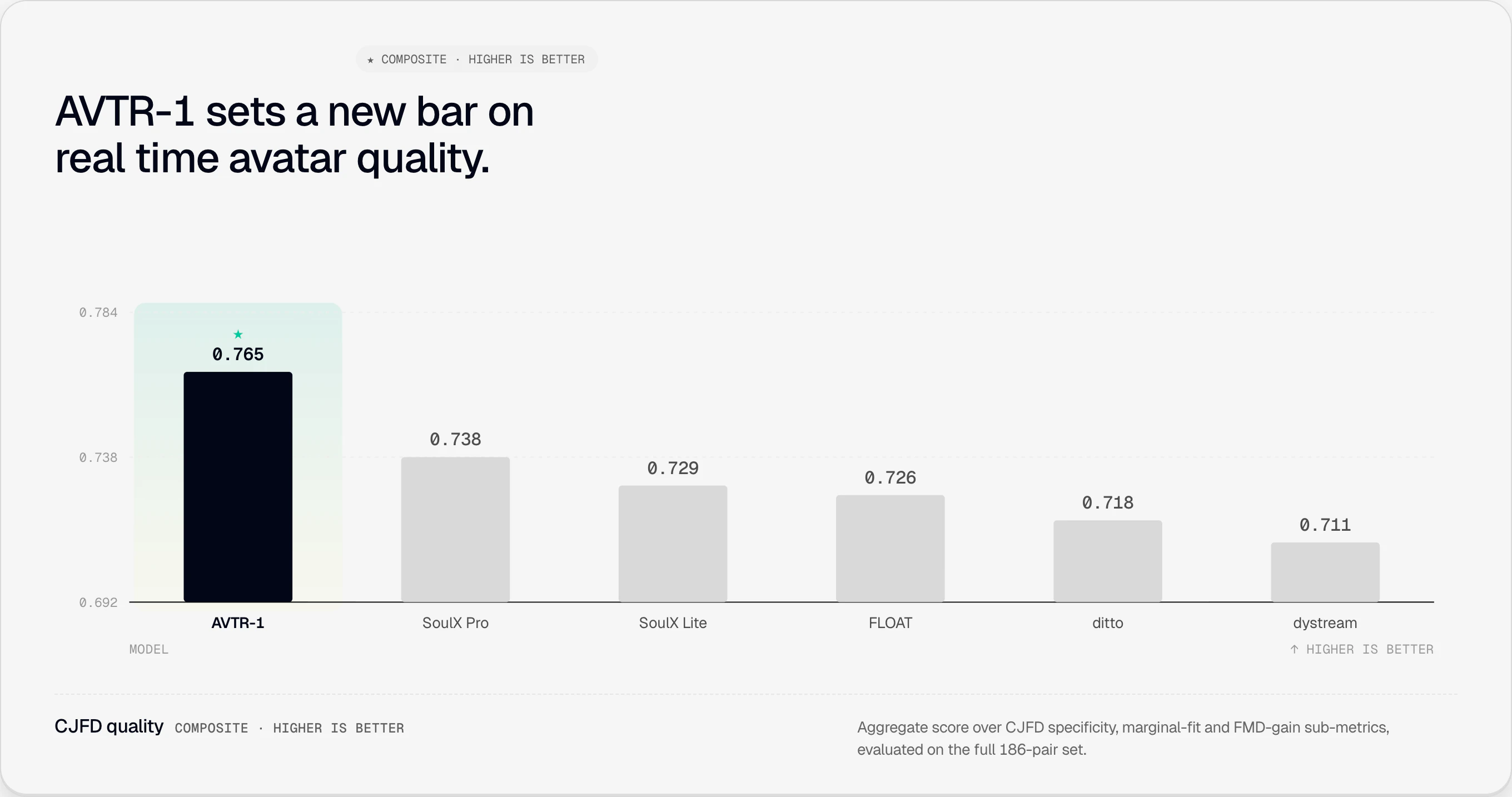
Today we're releasing AVTR-1 — an open-weights real-time AI avatar model that sets a new state of the art on key benchmarks.

If you're building anything with real-time AI avatars, AVTR-1 is for you.

✍️ Here's what makes AVTR-1 different:

  1. The whole face is generated. Not just the lips swapped onto a pre-recorded clip. Every pixel of the avatar's face, top of the head to the chin, is generated in real time, frame by frame.

  2. Native duplex — the avatar actively listens. The model is generating all the time, whether the avatar is speaking or listening. Just like a human on a call, the avatar's face responds to your words and your tone in real time. The brow lifts at word three because you sounded surprised at word three, not after the sentence ends.

For three years, "real-time avatars" have meant pre-recorded video with a generated mouth pasted on top. We threw out the recording.

🎯 Why you want AVTR-1:

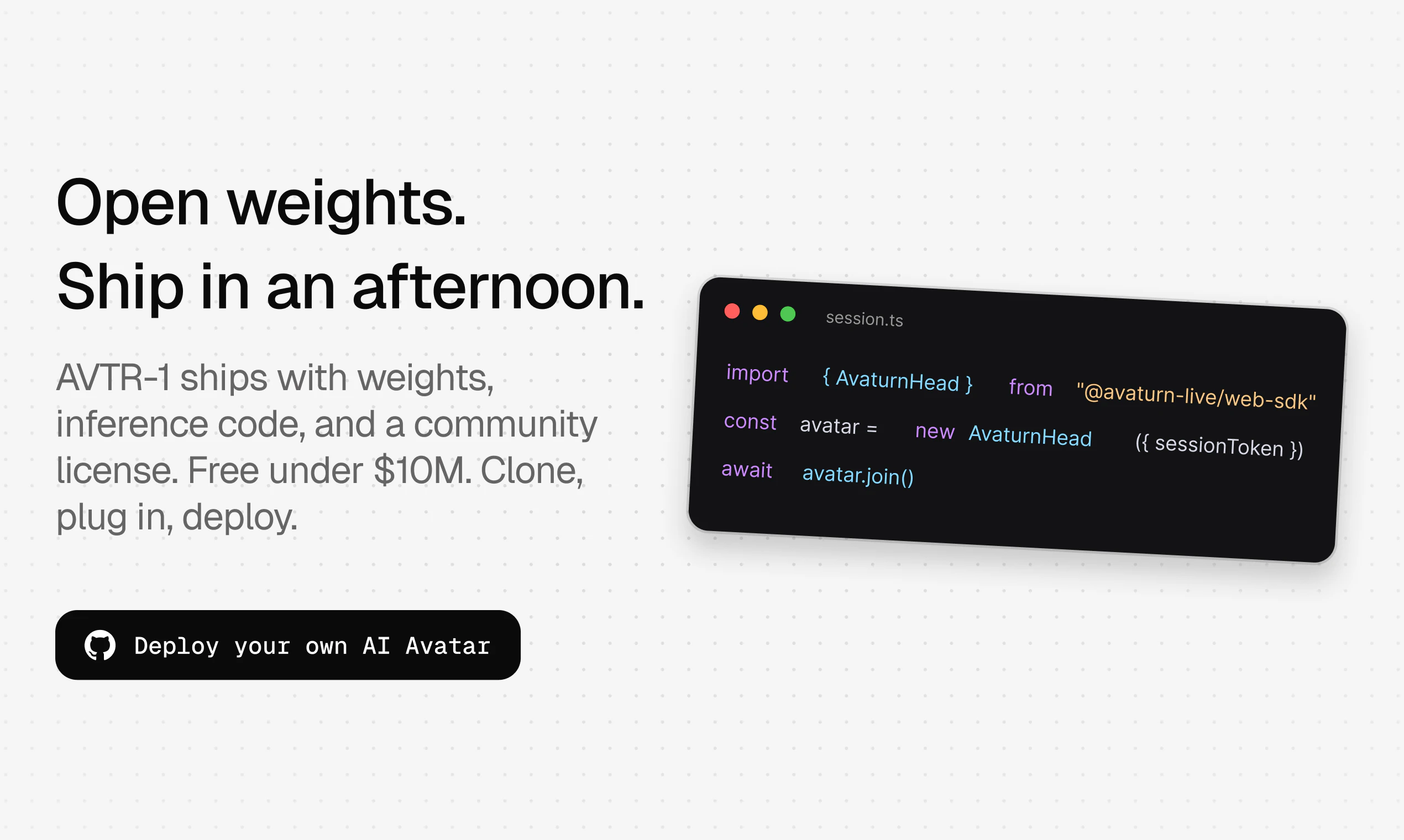
  • Open weights. Free for personal, research, and any commercial use under $10M in annual revenue. Commercial licensing above that, through us.

  • Sub-200ms end-to-end on one A100 or 4060. Runs on youd device in a data center, in the cloud.

  • Avaturn Streamer included — the open infrastructure layer for real-time avatars. Accepts AVTR-1 or any other open-weight real-time video model as a drop-in. Plug in your video model on one side, your conversation backend on the other.

  • Reference avatars out of the box. Model cards, license-cleared, deployable today.

  • Launch-partner examples in the repo with Cartesia and Pipecat on day one.

🏗️ One thing we're explicitly NOT launching — and want the industry to build with us:

A public, vendor-neutral leaderboard for real-time AI avatars. The category needs a transparent scoreboard, one the ecosystem runs together. Clear, public competition is the only way improvement happens fast.
We're inviting every other vendor, every open-source contributor, every researcher to help us build it.

🎉 Everything is live today:

Real-time generated video is the next frontier. Every previous wave — text, then real-time audio — produced an open layer the category built on. We're shipping that layer today: model and orchestration both.

Drop questions, feedback, or what you're building below — I'll be here all day 🚀

— Sergei

10
回复

@Avaturn  @sergei_sherman Congrats on the launch team. How do you handle user interruptions?

1
回复

the active listening part is what separates this from every other avatar tool. current ones just talk at you with dead eyes while you wait. if the expression matching actually works in real time this changes how you build AI sales and onboarding flows

5
回复

@tina_chhabra Thanks Tina! Yes, this is our differentiator, thanks for commenting on this!

2
回复

Tried the demo before launch — the lip sync is noticeably better than what I’ve seen with other generative avatars. But @sergei_sherman walked me through something deeper: active listening coupled with empathetic response.

You know how you can kind of say anything to most AI avatars (e.g. “my mom died”, or "omg there's a murderer outside my window!") and they'll just blink, cycle their idle loop, nod and say something like “oh, that’s nice to hear.” These bots are just mouths on a timer with zero semantic read.

AVTR-1 generates every pixel of the face in real time, frame by frame. When meaning shifts in what you’re saying, the expression shifts to match — e.g. brow lifting at word three because the content warranted it, not just because the sentence ended.

For developers: there’s no Pipecat equivalent for video agents right now. @Avaturn Live is shipping the full stack — model weights, streamer, sync layer, reference avatars. Bring your own GPU, and you're ready in 15 minutes. Open weights is a big deal, and it's all free if your business is under $10M ARR.

5
回复

@chrismessina Thanks Chris, we rreally are excited on giving this to developers and end users. Theoretcially? You can now generate enldess avatar content at $0. Exciting times!)

1
回复

Hey guys! We are so excited to show you our new model: avatars became even more realistic and reactive. The awesome thing is that active listening is now at another level: avatars are reacting to your speech like a real person. If you are not a technical person like me, you can simply go to our website and talk to our avatars to see how cool that is! If you are a developer yourself, check out our github: we opened our model!

4
回复

@ekulianova I just spoke with Ben. When you say it’s open source, can we create other characters, or do we have to use the ones you already have?

2
回复

the 9x faster claim is interesting but faster than what exactly. the baseline matters a lot here. sub-300ms felt like magic two years ago and now it's table stakes for anything calling itself real-time. curious what the actual latency numbers look like end to end, not just the generation side

3
回复

@ansari_adin 
On 300ms: it's not generation time. Generation actually takes 80-90ms depending on GPU model. The 300ms is the model-side pipeline latency that comes from audio context buffering — you need to look ahead at a chunk of audio before producing a lip-synced frame, which is fundamental for any audio-driven avatar. Doesn't include the latency of wherever the avatar's speech is coming from (STT-LLM-TTS pipelines or speech-to-speech models) or the time required to deliver frames over the network to the viewer. Add those in and true E2E depends on the setup, location, and network conditions. Our results match or exceed proprietary competitors, and we're open sourcing the model and code anyway. Try the online demo and judge for yourself. On 9x — that was against an offline non-realtime generator, so it's more "real-time vs not" than a clean like-for-like baseline.

3
回复

How is it different from Tavus or HeyGen?

2
回复

@maria_anosova are you using Tavus or Heygen? Like daily? Speaking with them for hours? I guess not. The new model is trying to achieve this. Better avatars, that you can speak naturally, and by open sourcing it - you can install it on your device at $0 , which is attractive price I guess. But more importantly, we open source so anyone can contribute so this model moves faster on development towards inflection point where you will feel that avatars are just like human

1
回复

What GPU is needed?

1
回复

@solodnev Multiple GPUs supported here is example from Github repo

GPU

Latency / 5-frame chunk

Real-time factor

L40

84 ms

2.4×

A100

91 ms

2.2×

RTX 4060 Ti

166 ms

1.2×

RTX 3070

181 ms

1.1×

L4

202 ms

0.99×

RTX 3060 Ti

206 ms

0.97×

RTX 4060

232 ms

0.86×

1
回复
I’m curious if you guys have a preferred way that you want users to frame or position the avatars they deploy. In other words, do you want people to think they’re real, or should they always reveal up front that these are AI?
0
回复

Full-duplex with "minimal latency" and every-frame-generated is the hard combo — what's the actual end-to-end latency, and on what GPU? Open weights only matter if a small team can self-host without a rack of H100s, so the number that decides adoption is "real-time on a single 4090" versus "real-time only on datacenter silicon." Which is it today?

0
回复

Congrats on this amazing release! I’ve been in the real time Avatar business for the past 20 years. My first real time Avatar engine, a desktop windows app called Virtual Assistant Denise was released in 2008, and finding out you’re open sourcing your framework is just a unbelievable good news taking in consideration the high quality and competitiveness of your engine. You may be right now disrupting a very competitive market, where most big players will have to review their pricing. I have great respect for all those current Avatar companies as I’ve worked with most of them and know their very skilled people and their effort to stay competitive, and I do understand their efforts and investments to stay alive. But on the other hand, they need to go back in time and observe what companies like Unreal did to survive when Unity came up and disrupted the game market. Thanks to that, today we have small group of people releasing amazing games! Congrats again on this intrepid move, as developers can now focus on the creation of the final product, and not on finding ways to pay for subscriptions. TTS, STT, LLMs, memory and database frameworks were until a few time ago in the hands of a few companies and today they became commodities. Your decision to open source this engine is one big step to democratize this important piece of software to build human machine interactive product possible for everyone.

0
回复

Open-sourcing the weights for a real-time avatar model is a much bigger deal than the headline suggests. The closed-stack incumbents in this space charge per-minute and effectively gate experimentation to whoever can afford to burn API credits playing with use cases. I make finance educational content on Mod3Loop (YouTube) and the choice between "talking head on camera" and "avatar reading a script" has been completely blocked on per-minute cost economics for indie creators — free weights changes that math entirely. Full-duplex listening while speaking is the unsexy part that actually makes these feel like presence rather than playback.

0
回复

Really great to see truly open models for realtime video (and a nice technical overview post). Congratulations on the launch, team!

0
回复

@kwindla Thanks! Very happy about our collaboration with Pipecat, Github repo and Avaturn.live API both are happily running on it:)

0
回复

Love this! I am working on a project to enable voice as primary interface for agents doing real work would love to integrate with AVATURN! Tried using with Tavus before but too pricey, how can we scale this to multiple users any tips on the same? Love the project and initiative, congrats on the launch!

0
回复

Tried the demo, looks impressive. Why have you decided to open source your model?

0
回复

@artyom_zhuravlev Thanks! The reason is simple, open source moves faster, and growing the entire market wiht more developers coming in. We want to move fast and we believe the market can be 10X bigger then it is today, but for that you need also a good model. As soon as we saw the benchmark results and how user engage with it we realized this is the first model that can deliver this promise, so we want to spread it as fast as possible. Note that we also released our streamer so our competitors can use it for better streaming, the entire industry needs to jump over a certain quality bar to be good enough - > We are helping this happen today.

0
回复
#7
Willow Scribe
Tell Scribe what to say. It writes the rest.
135
一句话介绍:Willow Scribe是一款通过语音输入核心意图、自动生成完整消息的AI写作助手,解决用户在邮件、Slack、iMessage等工作应用中“说时想法凌乱、打字时费力”的沟通痛点。
Productivity Writing Artificial Intelligence
AI写作助手 语音转文本 智能撰写 工作流集成 邮件助手 Slack集成 写作风格学习 文本改写 生产力工具 Mac应用
用户评论摘要:用户普遍认可其“将口语化思考转化为整洁消息”的价值,认为传统听写工具难以处理中途改口和暂态语言。主要问题:风格学习是否可重置、定价细节、能否在非指定应用中实时改写、以及Scribe相较于基础听写功能的长期留存率。
AI 锐评

Willow Scribe的切入点非常精准——它没有试图去取代打字或对话式AI,而是填补了“语音输入”和“可发送消息”之间的断层。传统听写工具本质上是“语音打字机”,忠实捕捉每一个字和错误,最终输出仍需要人工修正;而Scribe则在底层上进行了一次语义重构,将用户混乱的口语草稿视为“意图”,并在用户写作风格模版中生成干净的成品。这种“从说意图到写完毕”的转变,才是真正降低了思考到输出的认知负荷。

不过,产品面临的核心挑战恰恰在于“隐私与风格学习”的平衡。正如评论中提到的,当用户在不同社交层级(老板 vs 好友)中切换时,AI需要动态调整“语气热度和直接程度”,而目前的产品描述似乎偏向静态学习用户“风格”,这可能导致情感错位。此外,留存率问题同样棘手——人们用完一段话后可能忘记激活该工具,除非它深度嵌入到输入法或系统菜单层,而不是依赖显式“按热键-说话”的触发模式。从技术实现看,其对macOS文本高亮区进行“原位改写”的能力,如果只限制在几款APP内,体验将大打折扣;如果必须通过Accessibility API全覆盖,则性能和兼容性是需要迈过的坎。

总体而言,Willow Scribe有潜力成为“生成式AI+写作工作流”品类中真正让人形成肌肉记忆的工具,前提是它必须证明自己的实时性(不卡顿)、全局性(非只限指定App)和动态适应性(非暴力学习用户的所有风格)。目前135票的首日表现中规中矩,是否能在功能堆叠中逃过“体验两周即弃用”的怪圈,关键看它后续能否从“帮你写”进化到“帮你想得更清楚”。

查看原始信息
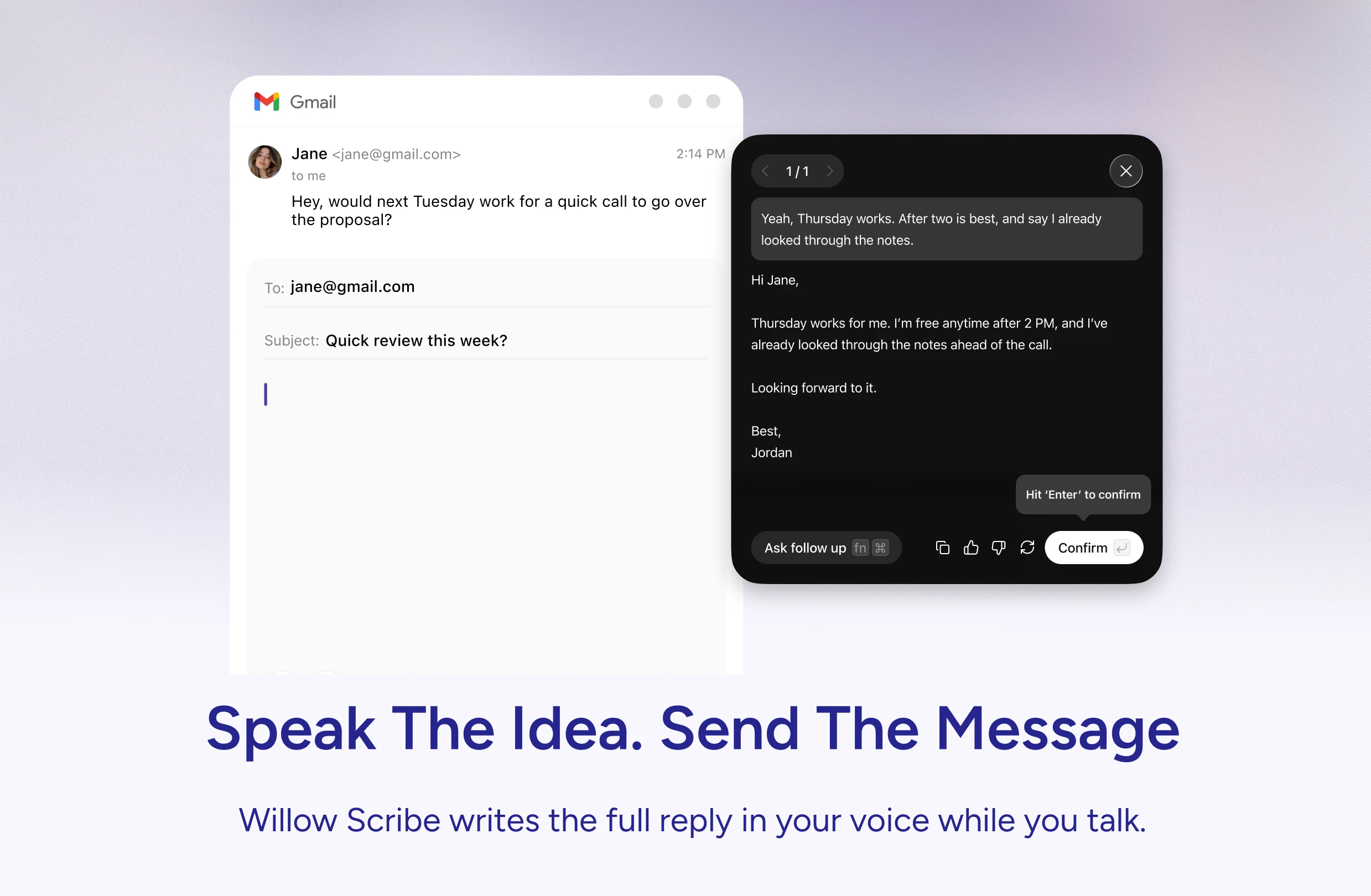
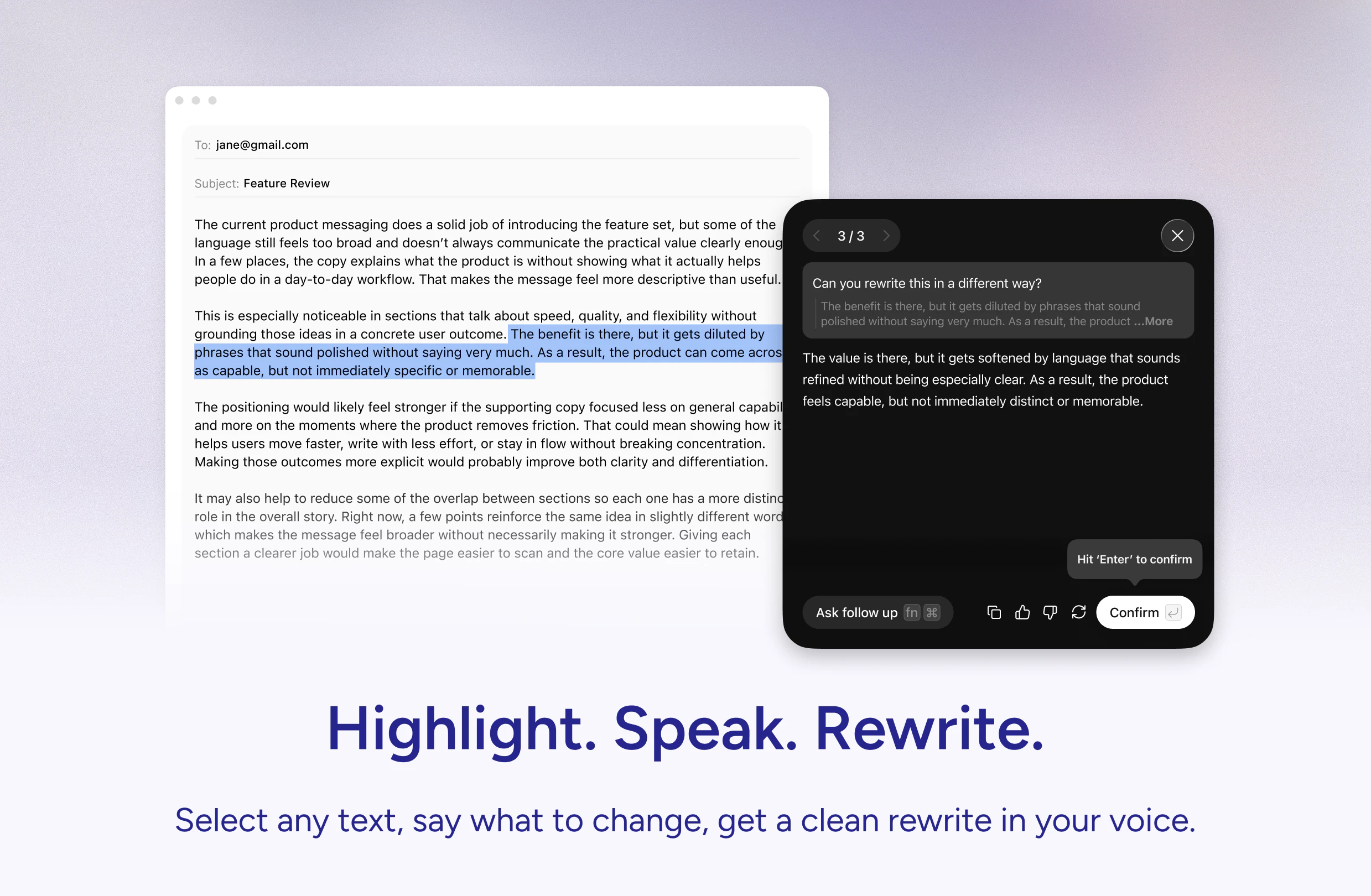
Willow Scribe
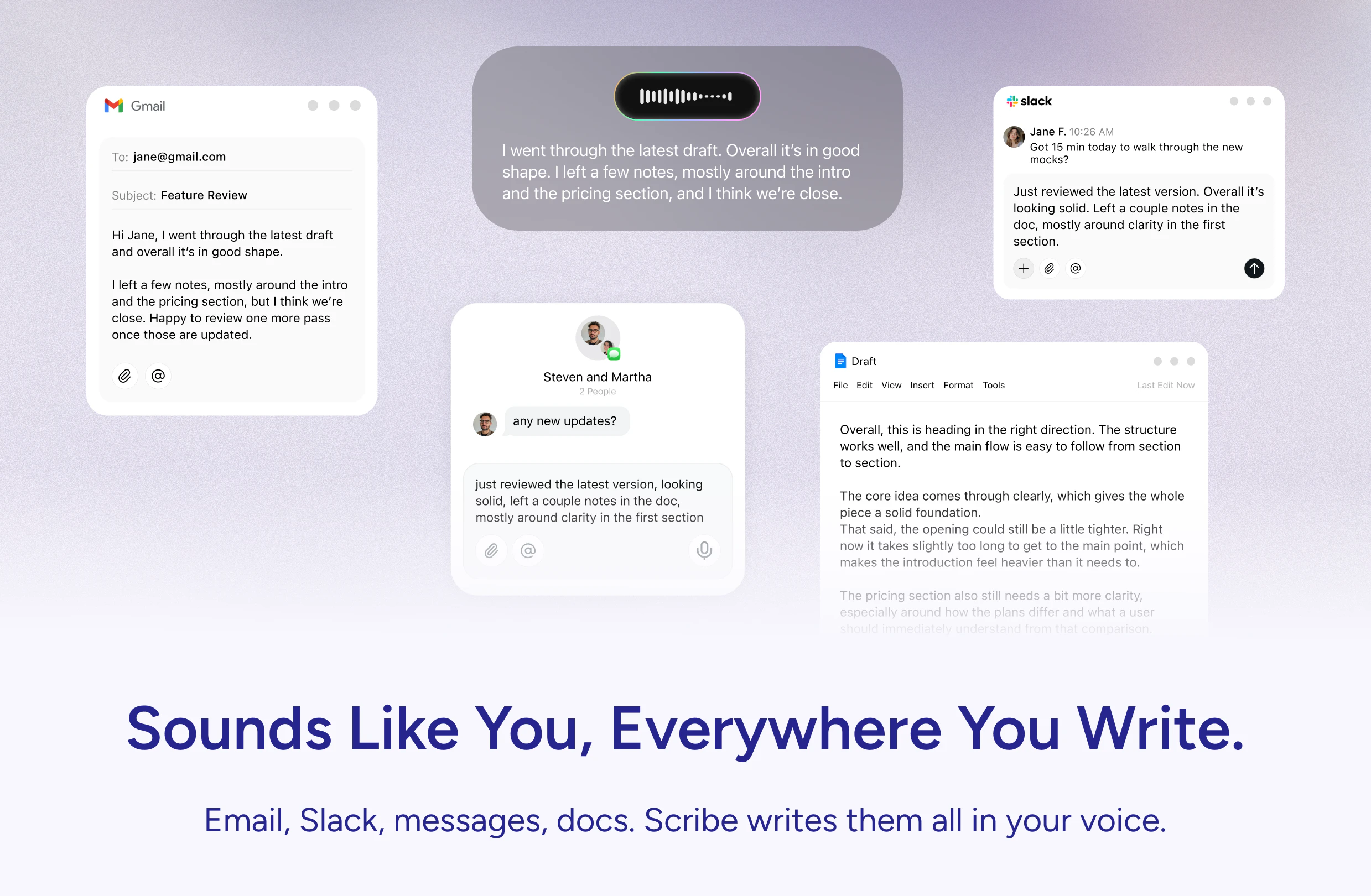
Willow Scribe lets you speak the gist of what you want to say and writes the full message for you in your own voice. You talk the way you actually think and a finished message comes out the other side, ready to send. It works inside the apps where you already write the most like email, Slack, iMessage, and Google Docs. You can also highlight any text on your screen, tell Willow how to change it, and the selection gets rewritten in place. The more you use it, the more it sounds like you.
If you've ever used voice dictation for work, you know how quickly it gets difficult for real work communication and writing. You change your mind halfway through a sentence, and the transcriber types every word anyway. You go back to fix it, and sometimes you just give up and type the whole thing yourself. Typing gives you a moment to think before you put words on the page. But voice dictation expects you to think out loud in perfect sentences, which almost nobody can actually do. Scribe works differently. It feels more like talking to a smart writing assistant than dictating into a microphone. You give it the rough idea, the way you'd explain something to a friend, and it writes the actual message in your voice. You can ramble or change your mind and the message still comes out clean. The more you use it, the closer it gets to sounding like you. A few things Scribe does: 1. Writes a full message from a rough spoken idea. Hit your Scribe hotkey and say "write a follow-up to John about the design review" and Willow drafts the email in your voice. 2. Replies in context. Inside an email or Slack thread, say "reply and tell him I'll send the deck by Friday" and Scribe uses the existing thread to write the response. 3. Rewrites any text you highlight. Press your Scribe hotkey on a selection and say what you want changed. Try "make this writing more clear" or "rewrite this in Mandarin." 4. Works directly inside the apps you already write in, with full awareness of the document or thread around you. Close to 20% of ChatGPT usage is helping people with communication like drafting emails or rewriting messages. Scribe is built exactly for that job. It runs on your voice, lives inside the apps you're already using, and picks up your writing style. Willow now has two voice modes. Dictation, our original product, lets you type with your voice anywhere on your computer. And Scribe writes the message for you when you'd rather speak the gist. Between them, my hands have barely touched the keyboard today! For the Product Hunt community, we're offering 50% off for the first three months. Link at the top. Our team would like to hear your feedback. Try it for a few days, tell us what you'd want next, and we'll be in the thread answering questions all day.
6
回复

@allan_guo This feels like one of those tools that quietly changes how people work once it becomes part of their daily flow. The “remove the friction between thinking and writing” angle is really strong. How are users adapting socially to speaking their thoughts out loud more often instead of typing everything silently?

0
回复

Great work on this launch! Running inside the apps people already use instead of asking them to change their workflow is exactly the right call

3
回复

@marianna_tymchuk That’s exactly the biggest advantage of Willow. We live where you already work, inside the tools you use every day, so there’s nothing new to learn or switch to! We just fit into your existing workflow and make it better :)

1
回复

The interesting bit here is the gap between “how I talk while thinking” and “how I want the final message to read.” A lot of voice tools preserve the first too literally, which makes the output fast but still not quite sendable.

I’d be curious how Willow separates transient spoken scaffolding — false starts, caveats, messy ordering — from durable voice traits like sentence rhythm, level of warmth, and how direct someone tends to be. That feels especially important inside Slack/email, where the same person may want a very different register depending on recipient and risk.

3
回复

The biggest issue for me has always been that I don’t speak in perfectly structured sentences, especially when writing emails, messages, or prompts. So the idea of turning a rough spoken thought into a clean message in your own voice feels much more useful than traditional dictation.

The context-aware replies are especially interesting. If it can understand the thread and draft something that actually fits the situation, that could save a lot of time. A few questions: how much does Willow learn from someone’s writing style over time, and can users control or reset that personalization? Also, how does pricing work after the Product Hunt discount?

Really curious to see where this goes. Good luck with the launch!

3
回复

@andrasczeizel Thanks so much for the thoughtful comment, really appreciate you digging into the details.

Yes, Willow does learn over time. It’s starting with the fundamentals like simple punctuation, word choice, and light phrasing. As you use it more, it gradually adapts to how you naturally respond, your tone, and the kinds of structures you prefer. The goal is for it to feel less like generic dictation and more like your voice, just cleaner and more structured.

You’re always in control of that personalization. You can reset or fine-tune it anytime by going to the Style Matching tab and adding your own specific habits or preferences, so it stays aligned with how you want to sound.

For pricing, the Product Hunt deal is 50% off for the first three months. That comes out to about $7.50 per month, or roughly $20 total for the three-month period.

Really appreciate the support and the great questions. Excited to see what you think once you’ve had a chance to try it!

2
回复

honest question after 6 launches: what's the retention curve actually look like for scribe specifically versus the base dictation product. dictation has obvious daily utility because it replaces typing. scribe feels more like something people try for a week and then forget exists unless it's deeply in the habit loop. how are you solving for that

2
回复

@ansari_adin Love the question. What we’ve actually seen with beta users is that Scribe ends up being stickier than traditional dictation!

On the surface, dictation feels like it has obvious daily utility because it replaces typing. But in practice, it’s a bit unnatural. You have to speak in a very specific, word for word way, almost like you’re talking to ChatGPT. That works in certain contexts, but it doesn’t map cleanly to how people naturally communicate in tools like email or Slack.

With Scribe, you just talk the way you normally would. It makes it much easier to adopt, because you’re not learning a new behavior. You’re just speaking naturally and letting it handle the formatting :)

2
回复

I’ve been a heavy user of Claude and GPT for a long time, especially for writing emails and posts. They’ve been a core part of my workflow.

Recently, I started using Willow Scribe (Ive used regular Willow dictation for about a year), and I absolutely love it. I’m using it to draft emails, create LinkedIn posts, refine prompts, and even support a white paper I’m currently writing. It feels much more natural and fluid, especially compared to traditional dictation tools that capture every false start and half-formed thought.

Willow has genuinely improved how I think and write in real time. I couldn’t recommend it more.

1
回复

@jennifer_terrell Thank you so much for the incredibly thoughtful feedback, Jennifer. We’re thrilled it’s helping you think and write more fluidly in real time.

0
回复

The "removes filler words" line is the actual unlock here — most dictation tools dump a raw transcript that still takes 30 seconds to clean up, which defeats the whole point.

Quick question: can I toggle the cleanup off for casual Slack messages where I want my real voice? Sometimes "um, actually" is the message.

0
回复

The highlight-anything-and-rewrite-in-place feature is the one I'd use most, and also the one I'd poke at first — does that work through the macOS accessibility layer in any text field, or only inside the named apps (email, Slack, iMessage, Docs)? The "in place" part is what separates this from copy-pasting into a chatbot, so how far the surface actually reaches matters.

0
回复

Congrats on the launch!

0
回复
#8
SelectPrism
Agents that screen and interview so you can hire faster
126
一句话介绍:SelectPrism 是一个由AI驱动的面试与筛选平台,旨在解决招聘团队在筛选、面试和评估候选人过程中耗时过长、流程繁琐的痛点,帮助团队快速锁定并录用最合适的候选人。
Hiring SaaS Career
AI面试 招聘自动化 候选人筛选 ATS集成 技能图谱 反作弊 人才评估 生产力工具 HR科技 智能短名单
用户评论摘要:用户对产品速度和自动化能力表示认可,但关键疑问集中在:1) AI面试的候选人体验(是否告知是AI、影响完成率);2) 技能图谱的更新机制;3) 对软技能(沟通、领导力)的评估方式;4) 是否需要独立ATS;5) 评分权重能否自定义;6) 对非传统背景候选人是否友好;7) 反作弊的具体实现。
AI 锐评

SelectPrism切入的是招聘领域最痛、最脏、也是最真实的环节——从简历堆到第一次面试之间的“黑箱地带”。它没有去追逐那些花哨的、骗投资人的“预测性招聘”概念,而是务实且残忍地解决了一个核心问题:用机器替代人类完成大量低价值的重复性劳动。从“上传JD→AI面试→输出短名单”这条链路来看,其功能设计和产品定位是精准且犀利的。

但产品的真正价值,不在于那个基于6000万简历的技能图谱,也不在于那25项反作弊检查。这些是当下AI招聘工具的标配,而非命门。关键问题在于:它能否在“提升效率”和“维系候选人体验”之间找到微妙的平衡。从用户评论中可以看到,候选人能否在30秒内感知到是AI面试,以及这种感知如何影响后续的Offer接受率,是这个产品能否从“好用”跃升为“必用”的隐性天花板。如果AI面试最终只是让招聘方单方面爽了,却伤害了候选人的体感,这反而会制造新的流程瓶颈。

另一个潜在风险是“同质化打分”。其基于历史数据训练的模型,天然倾向于筛选出“看起来像过去优秀员工”的人,这会系统性地错杀那些拥有非传统背景、跨行业经验或强成长潜力的候选人。对于强调创新和突破的企业而言,这可能是灾难性的。

总体而言,SelectPrism在解决“招聘速度”这个问题上做得足够好,但它是否真正解决了“招聘质量”的终极问题,仍需打一个问号。它是一把非常锋利的手术刀,但需要清醒的医生来操刀,否则可能把传统招聘中那点弥足珍贵的“人味”和“意外之喜”也一并切掉了。

查看原始信息
SelectPrism
SelectPrism helps hiring teams meet their strongest candidates without getting buried in the process of finding them. Upload a job description, and SelectPrism takes it from there. It interviews applicants, evaluates their fit, and hands your team a shortlist of people worth meeting. Your recruiters get their time back to focus on what actually moves the business: closing the right people.

Hey Product Hunt 👋

I'm Dr. Rishi Thussu from SelectPrism. I spent years at Monster watching millions of applications pile up and go nowhere. Then at Findem, I was building AI tools for talent intelligence — and seeing what was actually possible when you applied real machine learning to this problem.

Both taught me the same thing: the problem was never finding applicants. It was what happened after.

SelectPrism is an AI interviewer that runs your entire first round, from screening to scoring, so your team shows up only for the conversations that matter. It plugs directly into your existing ATS, so every candidate, report, and hiring decision stays in one connected flow. 

We built this for Talent Acquisition (TA) leaders who are great at their jobs but spend most of their week on work that no longer requires a human.

If you're losing good candidates to slow pipelines, this is for you.

The problem we kept running into was simple:

The best candidates don't wait two weeks for a callback. By the time most TA teams finish screening and scheduling, the people worth hiring have accepted other offers.

That's why SelectPrism is built around one complete flow: screen → interview → shortlist.

Here's what that looks like in practice:

📋 Drop in a job description. SelectPrism parses it, maps it to a skill graph trained on 60M+ profiles, and ranks your applicants by actual fit, not keyword matches.

📩 Interview invites go out within the hour. No scheduling, no back-and-forth. Candidates get a link and show up when they're ready.

🎥 The AI conducts the interview. Live video, adaptive questions that adjust in real time, voice-based pre-screening, and coding assessments where the role needs them.

🔒Holistic anti-cheating checks. 25+ integrity checks across browser, device, and video — including gaze detection, lip sync analysis, AI voice agent detection, candidate ID verification, and real-time fraud flagging. 

📊 Your recruiter gets a decision-ready report. Fit score, strengths, gaps, full transcript, and a hiring recommendation. Everything needed to decide in five minutes.

Why TA teams switch to SelectPrism:

✅ One platform replaces your screening tool, interview scheduler, assessment software, and proctoring suite

✅ Recruiters stop managing calendars and start closing offers

✅ Every candidate gets a fair, consistent evaluation regardless of when they apply

✅ Hiring managers only meet the people who actually cleared the bar.

We're excited to share this with the PH community and would love your honest feedback. We'll be here all day answering questions.

🎁 Product Hunt Launch offer: 50 free AI interviews!

👉 Try SelectPrism: https://selectprism.ai/agentic-ai-interview

Thanks for checking us out, and huge thanks to our hunter @chrismessina for hunting us 🙏

61
回复

we just went through a hiring round and the screening alone took longer than the actual interviews. if this actually catches the candidates you'd shortlist yourself without losing the good ones to slow pipelines thats a real solve

1
回复

@tina_chhabra Completely valid and honestly one of the more under-appreciated pain points in hiring. The screening phase is supposed to be a filter, not a bottleneck, but in practice most teams are spending more hours reviewing resumes than they are actually talking to candidates. You end up with slower pipelines, recruiter fatigue, and the best candidates already off the market by the time you get to them.
Here's what we're seeing with clients using SelectPrism's Search & Match on top of their ATS. The AI screens against the Prism Knowledge Graph and ranks the entire pool before a recruiter looks at a single profile. From 854 applications in one recent cycle, the system surfaced 218 recommended candidates - a 74% reduction in volume that recruiters needed to touch at all.

The accuracy piece is what makes it sticky: of the candidates the algorithm marked as top recommendations, 0 were rejected by the recruiter. 100% alignment on the shortlist that actually mattered. Overall, the model hit 94% accuracy across the full funnel.

0
回复

Love the focus on solving operational hiring bottlenecks. Curious whether the biggest impact is for enterprise hiring teams or fast-growing startups?

1
回复

@shivani_mane1 We have seen massive productivity improvements for fast growing start-ups as well! It definitely helps them accelerate their hiring process which is critical for fast growing start-ups

0
回复

The recruiter pitch is clear, but the part that makes or breaks tools in this category is the candidate side. People can usually tell within 30 seconds when they're being interviewed by an AI, and how that lands quietly shapes whether they accept the offer later.

Do candidates know upfront, and have you seen the disclosure affect completion rates?

0
回复

Loved the design and UX from the website, but had few more queries.

  1. Do i need a separate ATS, or does this already have an ATS inside it? (to track the status of candidates)

  2. Will these free 50 interviews have all the features enabled, or will their features be locked behind other tiered pricing?

  3. Will there be bulk export options for all the interviews that we take from this platform?

  4. Is it possible right now or in future, if i can just upload the resumes in my chat (be it slack or teams) and just ask the bot to match it against specific job that i have already posted on the platform?

  5. Will all my jobs be public like naukri.com or will the job applications/interview would be invite only? (like i don't want it to be public as there can be too many applications)

  6. How will the scoring work? Like, is there any way i can change the weightage of scoring, different HR/Project managers have different prioritization on what is more important in a candidate?

  7. Do you give whitelabling for this?

0
回复

One thing I keep noticing in hiring is that great candidates often get filtered out too early because resumes only show a tiny part of someone’s actual potential.

But does SelectPrism focus more on pattern recognition from past hiring success, or is it designed to uncover candidates who might be unconventional on paper but strong in real-world performance?

0
回复

The 60,000-skill taxonomy built on 60M+ job descriptions is the technically interesting differentiator here. But the hard part isn't the taxonomy size, it's keeping it current. Skills decay and emerge faster than any static dataset can track (a skill that was senior-level two years ago is now table stakes). How does SelectPrism handle taxonomy freshness? Is there a continuous ingestion pipeline from new job postings, or does the graph get periodically retrained on a fixed schedule?

0
回复
The biggest challenge I see here is how do you ensure candidates aren't cheating? With AI tools so accessible today, it's incredibly easy to game the interview. Does the platform account for this? I'm assuming there's some kind of proctoring report that captures the details?
0
回复

Really cool launch 👏

The biggest hiring pain, honestly, is how much time gets lost in screening and scheduling before teams even talk to the right candidates.

Curious - how does SelectPrism evaluate softer things like communication, confidence, or leadership potential? Especially since those can look very different across roles and experience levels.

0
回复

Used this on a real pipeline, not a test run. The time between 'JD uploaded' and 'shortlist ready' genuinely shocked me. Solid product, @thecleric Congrats on the launch! 🎉

0
回复

Using agents for initial screening and interviewing targets the right bottleneck. Most hiring funnels clog at resume review and first calls, not at offer. Does the agent adapt its questioning based on role type, or does every candidate get the same flow regardless of seniority?

0
回复
@dhiraj_patel5 thanks for your question, Dheeraj! The agent adapts as the conversation goes on and asks contextual questions based on the role.
1
回复

The Product solve a big challenge in hiring process the user interaction was good. Just wanted to know how do you tailor your interviews as per different job requirements and bring the feel of a real interviewer interviewing you

0
回复

@zaid_mahmud We have developed a detailed Role-skill-task knowledge graph. Using this we create a curated set of questions based on the skills, role, and responsibilities mentioned in the JD.

1
回复

Congrats on the launch! The skill-graph parsing and anti-cheating checks look incredibly robust. Quick question on the ATS integrations: do you currently support GetKnit out of the box, or is that on your upcoming roadmap?

0
回复

@abhigyan103 We support out of the box integrations with multiple top ATS. For any ATS that's outside the initial list, we can quickly add those as well.

0
回复

Congratuations @thecleric for the launch. Having spent my last 5 yrs in HRtech space, can say that this product feels like well thought and crafted to remove lots of hiring hustles. Best of luck !!

0
回复

@thecleric  @atul_singhal3 

Thanks for the positive words Atul! Looking forward to address the hiring challenges!

0
回复
#9
Ferrari Luce
The first electric Ferrari designed by LoveFrom
119
一句话介绍:法拉利首款与LoveFrom联合设计的纯电超跑,通过四个电机、主动悬架与四轮转向系统,在保留品牌驾驶激情的基础上,解决电动车“性能有余、操控无魂”的体验痛点,让赛道级动态控制与豪华座舱数字化触控共存于同一场景。
Cars Design Electric Cars
纯电超跑 法拉利 LoveFrom 四电机 主动悬架 四轮转向 触控交互 豪华电动 驾驶动态 概念车
用户评论摘要:用户对设计提出质疑,认为外观“廉价”“不像法拉利”,与高价不符;关注点集中在触控与物理按键的取舍策略、充电基建对超跑用户的实际影响,以及宣传片缺失动态驾驶场景的遗憾。
AI 锐评

这台“Ferrari Luce”在Product Hunt上获得的119票,更像是一场设计圈的自嗨,而非汽车迷的集体狂欢。抛开“第一台法拉利电车”的噱头,它暴露了传统超跑品牌在电动化转型中的典型矛盾:既要维持历史符号,又急于贴上科技标签。

最大的叙事张力在于“电子触控与物理控制的结合”——但这恰恰是行业过去十年踩过的坑。保时捷Taycan的屏幕瀑布、特斯拉的极简主义,都已证明:当一家赛道公司开始大谈“生活之舱”时,往往意味着它在驾驶本质上的妥协。评论中“宣传片没有试驾场景”的质疑,精准刺中了痛点:如果1050匹马力只能在PPT上咆哮,那它和一台会发光的昂贵模型有什么区别?

更值得警惕的是,LoveFrom(乔尼·艾维的团队)加入,导致这款车的外形呈现出强烈的“消费电子化”倾向——流线镀铬、一体玻璃、无格栅前脸,几乎就是一台放大版的iPhone。但汽车不是可穿戴设备,法拉利用户买的是血脉贲张的引擎声波与后轮漂移时脊椎的痉挛感,而不是一组能发光的“触控反馈马达”。

至于充电基建对超跑定价的影响,评论中那位能源模型维护者的质疑更致命:当超级充电站都要和数据中心抢兆瓦级功率时,你让一个有十几辆收藏车的富豪,为了一台“玩具”再买套工业变压器?这已经不是产品问题,而是生态硬伤。

总结:这是一场美学与工程妥协后,最终服务于品牌故事而非驾驶体验的发布。如果法拉利真要把电车当“第三空间”卖,那它首先得忘了自己是谁。

查看原始信息
Ferrari Luce
The Ferrari Luce is a project designed to deliver an unmistakable Ferrari character, where performance, thrills, design, and life on board come together in a new way of driving. With 1050 cv, advanced vehicle dynamics, and a dedicated platform, this model brings together four electric engines, active suspension, four-wheel steering, and advanced dynamic control systems. Inside, deeply engaging tactile controls unite the best of the physical and digital worlds.​

I'm not a car guy and have a lot of respect for anyone reinventing an iconic brand like Ferrari. But this looks a little cheap, doesn't it? It's giving toy car vibes.

Perhaps I need to see it in person. I'm sure it's FUN to drive.

4
回复

@rrhoover Agreed - I was taken aback by how NOT Ferrari-looking it was!! And for that price tag? It better be screaming I drive a Ferrari

0
回复

Impressive work from @mike_matas and the LoveFrom team (this is where Jony Ive's Apple Car work must have ended up!).

Kind of wild that the promo video doesn't even show an energetic test drive — it's only focused on aesthetics and that interior, which is kind of surprising given the torque electric cars typically offer!

0
回复

The "tactile controls uniting physical and digital" line is the most interesting product decision in the whole reveal. The industry's been racing toward touchscreen-everything for a decade, and the driver backlash has been quietly building — even reviewers of other EVs keep calling it out.


Curious: which interactions stayed physical and which went digital? That breakdown alone would be worth its own write-up.

0
回复

Curious how the EV transition lands at Ferrari pricing tiers — charging-infrastructure economics look very different at supercar volumes. From the renewable-energy deal side (I maintain a set of Eloquens models on project finance), the interesting question isn't whether EVs are coming but how grid and charging buildout for high-end EVs sits alongside the same megawatt that's quietly powering data centers. Beautiful car either way.

0
回复

The design looks flawless.

It's really interesting how the launch materials are focusing so heavily on the interior and life on board rather than just raw 0-60 acceleration.

0
回复
flawless
0
回复
#10
DodoForm
Turn talking, pics, or scribbles into clean, structured data
113
一句话介绍:DodoForm 是一款利用AI将语音、照片、潦草笔记等非结构化输入自动转换为干净结构化数据的表单构建工具,解决了传统表单死板、用户易放弃的痛点。
Analytics SaaS Artificial Intelligence
AI表单构建 非结构化数据处理 语音转结构化数据 智能表单模板 AI数据分析 用户调研工具 销售CRM接入 雇佣流程表单 事件RSVP管理
用户评论摘要:用户关注语音输入的噪音过滤与置信度问题(如片段化表述、中途改口);建议对“时间模糊”或“有条件答复”保留上下文附件而非静默清理;希望为高重要字段提供最终值、置信度与原文追溯的审计轨迹,供表单拥有者按字段设置确认策略。
AI 锐评

DodoForm切中了一个真实而顽固的痛点:表单不是给机器人填的,是人填的。人说话缠绕、夹带噪音、自我修正,而传统表单偏偏要求你像API一样精确——这本身就是在把用户往外推。DodoForm将AI作为底层架构而非贴纸,核心逻辑是做“字段感知提取”而非“先转录后解析”,例如对日期、电话字段预置schema,模型直接锚定“最终意图”而非“完整语句”,配合“最后陈述优先”及置信度分级验证,在工程上构建了可落地的容错链路。

但真正有深度的设计在于它没有把噪声一律丢弃。用户在评论中提到的“but”保留(如“除非Sam回复”)、“for now”标记、以及高重要字段的审计轨迹,意味着DodoForm意识到:模糊往往携带信息,而干净不等于齐全。这种“既保留上下文,又输出结构化结果”的双层策略,使其超出单纯的表单清理工具,向数据洞察工具演进——未来可能会帮助企业发现客户下单前的犹豫点、候选人offer谈判中的真实约束。

然而,这也带来挑战:置信度阈值是否可调?字段级别的“噪音/信号”边界是否由用户自定义?若不对不同行业(如医疗 vs. 活动报名)做差异化配置,容易陷入“看似智能、实则一刀切”的陷阱。同时,治理门槛也将抬高——表单创建者需要愿意投入理解字段schema与置信度设置,而非简单的拖拽即用。DodoForm聪明在底层,但能否让用户在执行上不觉得复杂,是其从好工具跳到好产品的关键分水岭。

查看原始信息
DodoForm
Voice, photos, messy notes — DodoForm turns however people communicate into clean structured data. 100+ templates, AI-powered analytics, native integrations, and branded forms. Done in seconds, not minutes. 14-day Pro trial, no card.

the voice input angle is interesting but voice to structured data has a confidence problem. people speak in fragments, change direction mid-sentence, use filler words. curious how the AI decides what's signal versus noise when someone rambles their way through a form field

4
回复

@ansari_adin 

Three things we do, in order of impact:

1. Field-aware extraction, not transcribe-then-parse. The model knows

upfront that field X expects a datetime, field Y expects a phone,

field Z is open-ended. So when someone says "yeah Tuesday-ish,

actually no, Wednesday morning works better" — the prompt is anchored

to "what's the final intended datetime?" not "what did this person

say?" Filler words and false starts get filtered as noise because

they don't match the field's schema.

2. Last-statement wins for contradictions. If someone changes

direction mid-sentence, we bias toward the most recent declarative

claim. "Email is maya at gmail — wait no, maya at acme dot com" →

maya@acme.com. This matches how humans listen too.

3. Confidence-scored confirmation step. Every extracted field comes

back with a confidence value. Above ~0.85, it auto-fills and the

respondent sees it as pre-filled (still editable). Below that, we

show "we think you meant X — is that right?" Low confidence never

silently writes wrong data; it asks.

1
回复

100+ templates is a lot, I really want to know what has been the most popular use case of this product so far.

3
回复

@thamibenjelloun  we just went live today, so

"most popular" is still early data. But the patterns we're seeing in

beta and across early signups skew heavily toward 3 buckets:

1. Sales / CRM intake — voice memos after a call → structured deal row

(the example in our hero). This was the unexpected hit.

2. Job applications & hiring intake — resume + GitHub + essay questions

with AI parsing the messy stuff.

3. Event RSVPs — wedding, conference, team offsite. Branded themes

convert noticeably better here.


The templates list will quickly evolve based on what people

actually reach for.

0
回复
I'm Faizann, the maker of DodoForm. I built this because I was tired of watching people abandon forms. Most form builders treat respondents like they're filling out a tax return — rigid fields, strict formats, "please enter a valid phone number" errors. But humans don't communicate like that. They ramble. They paste screenshots. They send voice notes. They write "next Tuesday around 3" instead of 2026-06-02T15:00:00. So I made a form builder where respondents can answer however they want, and AI cleans it into structured data on the backend. What's different: -🎙️ Voice, photos, messy notes → DodoForm parses "I'm free Tue or Thu after 3pm" into a real date field -🤖 AI form generator → describe what you need, get a working form in seconds (25+ field types, conditional logic, multi-page wizards) -🎨 AI theme designer → describe your vibe or upload your brand kit, get a matching color palette + fonts in one click. Or customize every detail yourself. -📊 AI-native analytics → not just "67% completion rate" — actual diagnosis of why people drop off, which questions confuse them, and what to fix -🧠 Templates that learn → 100+ templates that adapt to your industry and use case What it isn't: A Typeform clone with an "AI" sticker slapped on it. AI is the substrate, not a feature. Free for life with a generous quota. 14-day Pro trial, no credit card. I'd genuinely love to hear: What's the messiest form you've ever had to fill out? If you run forms — where do your respondents keep getting stuck? Roast it, break it, ship feedback. I'm here all day. 🦤
2
回复

Congrats on launch day! The free tier with a generous quota is a good call for a product like this.

1
回复

the “humans don’t communicate like APIs” angle is strong. i’d be curious how you handle cases where the messy answer contains ambiguity that should not be silently cleaned up, like “maybe Tuesday unless Sam replies” or “use the old address for now”.

do you surface that as a confidence/review step somewhere, or does the form owner define which fields are allowed to be inferred vs. need explicit confirmation?

0
回复

@kar_re Good question. We do both.

1. The AI doesn't just guess a value — it also keeps the "but"

part. "Maybe Tuesday unless Sam replies" → it picks Tuesday, but

saves "unless Sam replies" as a separate note. "Use the old

address for now" → it uses the old address, but flags that "for

now" is part of the answer. Nothing gets quietly thrown away.

2. The form owner decides what happens next, per field:

- just fill it in

- fill it in but ask the person to confirm

- don't let them submit until they clear it up

- always make them type it themselves

Default is "fill it in and ask to confirm." Safe by default, and

the owner can loosen it where it doesn't matter.

Still working on showing those side notes ("unless Sam replies")

to the form owner as real data, not just a warning. Same idea as

the audit trail someone asked about earlier - they'll ship

together.

0
回复

The “last-statement wins” rule is smart, especially because it matches how people usually listen. The part I’d be careful with is fields where the correction itself is useful context, not just noise.

For example, in sales or hiring intake, “actually no, use Wednesday” may be the final answer, but the earlier Tuesday mention can explain availability, urgency, or uncertainty. I’d love to see a lightweight audit trail for high-impact fields: final structured value, confidence, and the snippet that caused the value to change. That would make messy input feel safer without forcing everyone back into rigid form behavior.

0
回复

@jim_jeffers You're right — "last-statement wins" is a simplification that

quietly throws away signal in exactly the high-stakes fields where

context matters most. A sales rep saying "Tuesday — actually

Wednesday, their CFO is back from leave" is telling you two things,

and only one of them ends up in the deal row today.


The audit trail you're describing is the right shape:


→ Final structured value

→ Confidence score

→ The exact transcript snippet that produced it

→ Earlier candidates that were superseded, with timestamps


For high-impact fields (close_date, budget, decision_maker,

medical history, anything regulated), that should be one click

away from the structured row — not buried, not opt-in. For low-

stakes fields (favorite color in a wedding RSVP), the trail is

overkill.


Adding "high-impact field flag" to the field schema and surfacing

the audit trail in the response detail view is now on the next

two-week list.


0
回复

That field-level flag is the right call. I’d also think about a “why this mattered” label, not just the raw audit trail.

In your CFO example, the superseded Tuesday value is useful because it explains dependency/risk, not because anyone needs Tuesday in the structured row. If DodoForm can distinguish “correction because I misspoke” from “correction that reveals a constraint,” the analytics side gets much more interesting: you start learning where people hesitate, negotiate, or expose hidden blockers while still keeping the final form clean.

0
回复
#11
Parsewise API
API for agentic multi-document processing
112
一句话介绍:Parsewise API通过单次API调用,即可在多份文档间自动提取信息、解决矛盾并追踪来源,替代了传统需要人工搭建的复杂文档处理流水线,专为需要可靠数据处理与人工验证的Agent应用场景设计。
API Developer Tools Artificial Intelligence
文档处理API 多文档处理 矛盾检测 信息溯源 Agent工作流 智能数据提取 人工验证 无代码流水线 企业级应用 AI文档解析
用户评论摘要:用户关注多格式混合处理的准确性(扫描PDF、表格、文本),以及非视觉文档(如电子表格、纯文本)的溯源实现方式。开发团队回应支持混合格式且无精度损失,并详细解释了溯源到单元格引用或行号的可行性。用户高度认可矛盾检测和边界框溯源价值,认为这是大多数人手动构建且效果不佳的核心痛点。
AI 锐评

Parsewise API做了一件许多人都在做但做得很痛苦的事:将一个碎片化的、由多个工具拼接起来的文档处理流水线,抽象为一个有状态、可回溯的智能Agent。其真正的价值不在于“提取”,而在于“协调”——当信息源之间出现矛盾时,它不依赖LLM的赌博式置信度评分,而是通过显式的规则和可编辑的逻辑,让机器与人的协作变得透明且可控。这一思路切中了企业级应用的命门:信任。

然而,产品面临的挑战同样明显。首先是“格式黑洞”问题——用户已追问非视觉文档的溯源方式,如果团队只能提供模糊的“行号”或“单元格引用”,而无法像PDF那样提供可视化高亮,那所谓的“full lineage”就产生了用户体验上的断层。其次是规则的维护成本:虽然宣称可让用户定义解决矛盾的原则,但这些原则在跨行业、多语种、动态变更的业务场景下,可能迅速膨胀为另一个需要专人维护的“规则库”,最终和它试图替代的流水线一样复杂。最后,112个投票和仅有的几条评论暗示产品可能仍处于早期阶段,其核心Agent在处理极端复杂的多文档异构场景(如几十份混杂格式的法律尽调材料)时的稳定性、速度和成本,尚未受到真正的压力测试。

一句话总结:Parsewise瞄准了一个100%真实且高痛度的场景,用“可回溯的协调”取代了“黑箱式提取”,方向正确。但讲好“溯源”的故事易,兑现“通用且低成本”的承诺难。它能否成为文档处理领域的下一个标准接口,取决于这些边缘案例的解决深度,而非演示demo的流畅度。

查看原始信息
Parsewise API
One API call replaces the entire document processing pipeline. You send multiple documents and a desired output schema; you get back resolved values, flagged contradictions, and full lineage down to the source words, pages, and documents, with bounding boxes you can embed directly into your own UI for human validation. No parsing, classification, stitching, or custom verification interface to build or maintain.

Hello from Greg, Max and the Parsewise team!

Having seen Parsewise provide tremendous value in production for our enterprise customers (incl. UBS, Compre Group, Thinksurance), we are excited to launch our API!

The Problem
Today, you have to build and maintain complex document processing pipelines with changing business rules. You parse, classify, and rely on structured responses from LLMs or IDP tools (e.g., Reducto) to get individual extraction results that you piece together with other bits of information. There’s no reliable way to catch when information contradicts itself, which is risky. Finally, you build a custom verification UI for your operations team to deal with LLM mistakes.

The Solution
We provide an API to abstract all that away into a single call. You provide multiple documents and the desired output to get back a response with resolved values, flagged contradictions, and full traceability across documents / pages that you can display in your own app.

Get Started
=================================================
Sign up with free credits: https://www.parsewise.ai/get-started
(use the Agents.md for a 1m integration)
=================================================

8
回复

Max here, @greg_csegzi's co-founder. One quick add for the builders: if you want to look under the hood before signing up, our docs and quickstart are fully public.

The getting started guide walks you from zero to your first multi-document call, with resolved values, flagged contradictions, and full traceability, in a few minutes. If you hit anything confusing or have a use case you're not sure we handle, write a comment below. Greg and I are here and will answer every one.

4
回复

contradiction detection across documents is the part most people build manually and badly. when your agent pulls data from 3 sources and they disagree, knowing which one to trust without a human checking every time is a hard problem. how does the lineage tracing work in practice

3
回复

@tina_chhabra very good question and indeed it's a pain especially bc different LLMs may even pick different documents to trust!

Lineage tracing in practice means that a user can:
- start from a resolved value
- click to go deep and see all underlying values and the logic used to arrive at the resolved value
- for each underlying value seeing if it agrees with the resolved value and seeing a word level bounding box for its provenance

There are 3 core components that make this possible:
1. For any one data point, we pull ALL of the relevant sources, even if that's across 15 documents and 20 pages
2. For all of these hits, we need to compare them and decide whether 1 correct answer needs to be picked from them or whether they need combining
3. The logic for reconciling is explicitly written out when the user defines their initial target, so they can edit it, and our agents can make suggestions when a previously unseen disagreement occurs

3
回复

@tina_chhabra Hey Tina, you're so right regarding building in-house. We often see customers building document-by-document extraction tools that fall apart when the data has inconsistencies.

Building on Greg's point above, we allow users to set guidelines that help our agents decide what the "correct" value is.

A screenshot below from app.parsewise.ai shows an example:


You can also play around with some of our demos here: demo.parsewise.ai

3
回复

How does it handle documents with different formats in the same call say a scanned PDF, a spreadsheet, and a plain text file? Does accuracy drop when mixing formats?

3
回复

@aanchal_dahiya Hey Aanchal, we support mixing formats! Our agentic system processes each file independently and in-full, whilst also combining context with all other files in the set. This means that there's no accuracy drop as more files are added. You should try it out!

3
回复

The lineage-down-to-bounding-boxes is the part I'd actually pay for — most extraction APIs hand you a value plus a confidence score and leave you to trust it. But bounding boxes only make sense for visual docs; when the source is a spreadsheet or plain text, what does "lineage" resolve to — a cell reference, a line number, nothing? The human-validation UI only works if every value points back to something clickable.

0
回复
#12
LangPanda
Learn languages from watching your favorite shows
110
一句话介绍:LangPanda将用户追剧、刷YouTube的娱乐时间转化为多语言学习场景,通过即时词典、闪卡生成和词汇追踪,解决了传统语言应用“方法虽好但难坚持”的痛点。
Android Chrome Extensions Education Languages
语言学习 视频沉浸学习 多语言支持 闪卡工具 词汇追踪 YouTube集成 亚洲语言 沉浸式学习 AI教育 订阅制
用户评论摘要:用户普遍认可“用剧集学习”的核心理念,认为其能解决翘课问题。有评论指出分词语义分割(尤其亚洲语言)是难点,开发者详细回应了自建分词器(如日语的kuromoji/泰语的Intl.Segmenter)。建议增加AI生成字幕及更多平台支持,部分用户询问是否支持任意视频或仅限YouTube。
AI 锐评

LangPanda切入了一个被忽视却极其刚需的细分赛道——用“被动娱乐”置换“主动学习”。110票的评价不算爆款,但评论质量很高,尤其开发者对分词技术(日、泰、中等)的详细回应,暴露出该产品在技术基底上的真实壁垒:没有现成库能覆盖36种语言,他们必须自研或深度定制。这既是护城河,也是成本黑洞——维护一套多语言解析系统的技术投入远超普通工具类App。

从用户反馈看,核心吸引力并非“36种语言”的广度,而是“从你已经爱看的剧里学”这个行为逻辑。它击中了语言学习高频失败点:不是方法不行,是习惯撑不过倦怠期。产品价值不在速成,而在“习惯绑定”——把学习挂在追剧这个高粘性行为上。但需警惕:YouTube上带字幕的视频质量参差,若字幕不精准或内容对初学者太难,体验会迅速滑坡。目前仅限YouTube且依赖现有字幕,上限明显;而Netflix、Disney+等主战场未打通,意味着很多用户的“本命剧”不在服务范围内。

从商业逻辑看,7天免费试用+订阅制对强需求用户是合理的,但这更符合“工具”而非“内容平台”的定价逻辑。如果后续无法联动流媒体平台或打造独家难度的解说语料库,用户价值极易被AI逐句翻译类插件(如Language Reactor)替代。最后,开发者在回帖中展示的技术热情值得肯定,但技术爱好者的集大成之作与普通用户心中“即开即用”的期待之间,始终隔着一条护城河——而且这条河得由产品经理和UX设计师来填平。

查看原始信息
LangPanda
LangPanda helps you learn 36 languages by watching your favorite shows. Instant dictionary, flashcard creation, vocabulary tracking. 7-day free trial.

This caught my eye because tokenization is the silent killer for that language group. Mandarin and Thai have no spaces, Japanese mixes three scripts in one sentence, Korean spacing rules are loose. Did you build the segmenter yourself or wrap something existing like jieba or MeCab? Great job!

3
回复

@artstavenka1 Thank you. And you are spot on, that has been one of the big challenges as their is not a single library to handle all languages. The good thing is I am studying all those languages except Korean which I am just dabbling in.

  • For Japanese - kuromoji + IPADIC + custom rules

  • For Mandarin and Cantonese, custom lexicons + longest match scanner plus tone-aware pinyin/jyutping rendering on top (a few rare edge cases where pinyin may be off on a word, going to build rules to handle these edge cases).

  • Thai, Khmer, Lao, Myanmar - Intl.Segmenter as the base with extra logic to walk through clusters. Also some custom rules. Not 100% perfect, still working on improving this as I am studying Thai everyday

  • Korean - hangul-js + custom suffix-conjugation rules

1
回复
Hello everyone! I've spent years learning Asian languages. I tried a lot of different tools and none of them met my needs So I built LangPanda for myself, and for anyone who learns the same way.
2
回复

@chrislabonty Learning from shows you already want to watch solves the real problem with language apps: it's not the method, it's that people quit. You can't churn out of something you'd do for fun anyway. The spaced-repetition layer on top of native content is the smart combo. One thing I'd be curious about: does it pull vocab from what you actually watched, or from a fixed deck? The first is way harder but it's the whole magic, learning the words from your shows, not someone else's textbook. Upvoted.

2
回复

This is pretty cool IMO. If we could turn any content we consume and face to in every-day life into a language we wanna to learn, we would be native speakers soon!

2
回复

@busmark_w_nika Thank you! I think learning from native content is one of the best ways to learn languages and its also enjoyable. I have been doing it almost every day for years.

1
回复

This is cool! I studied languages (French and Italian) at uni and find the way that we learn languages fascinating. Learnt Mandarin at school too, which I found much harder to pick up much to Mrs Pan's dismay, so something like this would have really helped! Does it work with any video, do you just select a video and it adds subtitles?

1
回复

@abi_church Hey, that is very cool. Mandarin really is a different beast. I have been learning Mandarin this way for over 2 years and it worked for me. Still learning more every day.

Right now, it works on YouTube videos that have subtitles and I am building out a big catalog especially of comprehensible input videos so people can find stuff at their level, very beginner all the way to native. Netflix and most other platforms usually have subs on pretty much every video. AI-generated subtitles for videos that don't have subs is coming soon.

0
回复

I think situational learning is much more important. For example, I arrive in Mexico and go to a restaurant. I take photos of the menu, dishes, objects on the table, and so on, and it immediately shows me the names using real examples. That would be really cool to build - I would use something like that myself!

1
回复

@natalia_iankovych There is an app called CapWords that does exactly that. LangPanda is focused on helping people understand native speech in a natural way and learning from real sentences / context through immersion.

0
回复

This is actually a very cool idea. Most people already spend hours watching Netflix or YouTube, so turning that time into language learning makes a lot of sense. The vocabulary tracking feature looks especially useful for staying consistent without making learning feel like homework.

1
回复

@alina_tyslenok_ Thank you and yeah it makes the passive watch time productive.

0
回复

Hey @chrislabonty I’ve been waiting for a tool like this for a long time. I don’t really enjoy reading subtitles through every scene, but I do enjoy learning new languages. Learning through a different format like this sounds much more engaging and useful for me. Keep up the great work!

0
回复

Love the concept behind LangPanda. Learning through shows feels much more natural compared to traditional language apps, especially for building listening skills and real vocabulary. The instant dictionary and flashcard creation are a really smart addition. Congrats on the launch!

0
回复

@anthony_savchenko Thank you! Yep, learning from real content is the most natural way to acquire a language.

0
回复

I'd love to see it in action! Do you have demo content? I couldn't find it on the home page.

0
回复

@gurbax_ Hey Gurbax! There is not a demo account however there is a 7 day free trial so you can test it yourself. You can also access some of the extension and mobile app features for free.

0
回复
#13
Kept
Your AI chats, saved as Markdown locally with no cloud
102
一句话介绍:Kept 是一款本地优先的AI对话存档工具,能将ChatGPT、Claude等主流AI平台的聊天记录自动保存为Obsidian兼容的Markdown文件,解决用户因厂商锁定而丢失宝贵对话历史与灵感片段的痛点。
Mac Productivity Artificial Intelligence
AI对话存档 本地优先 Markdown Obsidian 知识图谱 开源 隐私 全文本搜索 MCP服务器 生产力工具
用户评论摘要:用户高度认可本地Markdown和Obsidian兼容的设计。核心建议包括:增加语义搜索;支持聊天分组/分类;在“存档”基础上,增加对“记忆性”和“草稿性”内容的显式标记与区分;解决跨设备同步问题;担忧浏览器扩展抓取DOM的模式易因厂商UI更新而失效。
AI 锐评

Kept精准地切入了一个普遍但未被充分解决的痛点:AI对话中的数据主权与知识沉淀问题。它并非又一个AI聊天客户端,而是一个聪明的“数据搬运工”和“本地化知识库构建器”。其核心价值在于通过“本地Markdown”这一极简且强大的格式,彻底解除了用户对AI厂商UI的依赖。

从产品策略看,“Obsidian兼容”是一步妙棋。它不仅提供了一个现成的、拥有强大生态的阅读和编辑环境,更巧妙地将AI对话从“一次性消费品”转化为可链接、可组织、可长期积累的“知识单元”,完成了从聊天记录到知识库的质变。从评论反馈来看,用户已经敏锐地捕捉到了更深层次的需求:如何从“存档”进化到“整理”。用户需要的不是将海量垃圾对话原封不动地倒进本地,而是希望系统能帮助识别并提炼出有价值的决策、示例和约束条件。Kept的“摘要”和“项目”功能虽已触及,但“显式标注记忆与草稿”的提议才是真正的增长飞轮——它将工具从被动记录升级为主动的知识管理系统。

然而,Kept面临着两个严峻挑战。首先,其核心“自动捕获”依赖浏览器扩展对各大AI平台DOM的解析,这是一种极不稳定的方案。任何UI的轻微调整都可能导致捕获功能静默失效,维护成本极高,且用户信任度会因数据丢失而瞬间崩塌。其次,“单机+文件夹同步”的方案在隐私和简洁上得分,但协同工作流、跨设备无缝体验仍是短板,这阻止了它从个人效率工具向团队协作平台跃迁。Kept目前是一个精美的、有远见的“存档器”,但若想成为下一代知识管理的基础设施,它必须解决数据捕获的健壮性挑战,并在“自动存档”与“智能整理”之间,找到更优雅的衡量和转化机制。

查看原始信息
Kept
Kept: is an AI chat and productivity tool on your local archive. Captures conversations from ChatGPT, Claude, Gemini, Grok, and Kimi as Obsidian compatible markdown on your filesystem, with full-text search, knowledge graph, and an MCP servers. MIT license. View your Vault locally,

Every brainstorm, every breakthrough, every good prompt I had with ChatGPT, Claude, Gemini, or Grok lives inside a vendor UI. A week later I cannot find it.

Kept captures my AI conversations the moment they happen and saves them on my own machine, where I can search them, link them, and build on them.

Features:
- Auto syncs your AI conversations as they happen, straight from the provider
- One .md file per conversation (Obsidian compatible)
- Built-in Agent runs over your own vault, not a cloud index
- Knowledge graph rendered in 3D, surfaces forgotten threads
- BYOK (OpenRouter / Anthropic / OpenAI)
- Additional OpenClaw and Claude Code MCP support to scan your vault

Install is a one-minute job: run the desktop installer, then drag and drop the browser extension into Chrome.

Open source, MIT licensed. No account, no cloud, no subscription. We would love to hear your feedback.

Supported: ChatGPT, Claude, Gemini, Grok, Kimi.

Try it: https://kept.work

4
回复

@tibor_takacs Congrats on the launch Tibor. Is this full semantic embed & search?

2
回复

@tibor_takacs Haven't tried it yet - on my to do list though!

In meantime, i use github for this purpose, but this would be easier to manage.
Also, if you could group or classify chats into distinct groups (might already be there) that would be ideal

1
回复
Claude people think that HTML is better. Not as easy to edit, of course. What’s your opinion?
2
回复

@lakshminath_dondeti Thanks for the question! Honestly we picked Markdown for human ergonomics. The vault is Obsidian-compatible and editable in VS Code or any text editor. For a format you're meant to actually open, I think Markdown wins. That's the whole point of Kept: the files are yours to touch.

0
回复

Local Markdown is a great default. The next hard thing, I think, is deciding what should graduate out of the chat archive.

A raw AI conversation has a lot of dead ends and temporary context in it. The really valuable pieces are usually decisions, reusable examples, prompts that actually worked, and constraints you don’t want future sessions to forget. I’d love to see Kept make that boundary explicit: archive everything, but help people mark which parts are “memory,” which are just transcript, and which are stale enough to stop influencing future work.

1
回复

@jim_jeffers Thanks Jim! Today the digest system auto-summarizes idle conversations so high-signal parts surface, and Projects let you promote conversations into curated sets. The browser extension's command palette also has a "save last N messages" mode (coarse version of the same idea), capturing just the part that mattered.

But explicit per-message or per-block "memory / scratch / stale" markers are not built yet.

Writing it up though. Good suggestion!

0
回复

That split between auto-digest and intentional promotion makes sense. I’d probably keep the “memory / scratch / stale” model very lightweight at first, almost like a correction layer rather than a filing system.

One pattern I’d watch for: people often don’t know something is durable while they’re in the chat. They realize later when the same constraint comes up again. So a retroactive “promote this decision/example, and optionally mark the earlier messy exploration as scratch” might be more natural than asking them to classify everything live.

0
回复

Hi Tibor, congrats! the missing piece! markdown + obsidian-compatible was always going to win. when does the knowledge graph beat full-text search in practice? "where did i decide X" feels like full-text. "what path got me there" feels like graph. is that the split? good luck with your launch.

1
回复

@hiyamojo Thanks Keith!. Full-text search = retrieval ("where did I decide on Postgres over Mongo"). Knowledge graph = exploration, surfacing older conversations connected to an entity or project, or threads you'd forgotten. The 3D explorer leans into that discovery mode rather than retrieval. Semantic search is on the roadmap to fill the fuzzy-retrieval gap between the two.

1
回复

Local Markdown feels like the right default for AI chats because the valuable part is usually not the chat UI, it is the reusable context you want to move into notes, docs, or a repo.

The detail I’d be most curious about is export fidelity: do you preserve model name, timestamps, attachments, code blocks, and source links in a predictable frontmatter/schema? That would make it much easier for teams to treat chats as a durable knowledge base rather than another archive.

1
回复

@studentzuo Great question! This was a design priority. Every conversation is one .md file with a YAML frontmatter block: conversation id, platform, title, model, created_at / updated_at / synced timestamps and message count. The body preserves message roles, tables, and code fences with language hints. Schema is stable and Obsidian-compatible, so treating the vault as a durable knowledge base is the intended use.

0
回复

Local-first for AI chats just makes sense. The vendor lock-in is real, you have a great prompt and a week later it's gone inside some UI.

Did the same building a finance app, kept everything on-device instead of a server. The annoying part was syncing across devices without running my own cloud.

How are you handling that with a local vault? Or is it single-machine for now?

1
回复

@ericlagarda Single-machine today. But because the vault is just a folder of plain .md files under ~/.kept/vault/, anything that syncs a folder works. Dropbox, iCloud Drive, GDrive, or a private git repo all do the job without us running a backend. The SQLite index rebuilds itself from the markdown on startup, so a synced vault on a second machine "just works" after a reindex.

0
回复
Looks cool!
1
回复

@louislecat Thanks Louis! Give it a try and let us know your experiences with Kept. :D

0
回复

Capturing across ChatGPT, Claude, Gemini, Grok, and Kimi means riding five web UIs that each redesign on their own schedule — is capture a browser extension scraping the DOM, or something more durable? That's the maintenance treadmill that kills these tools: a provider ships a UI refresh and the archive silently stops capturing until I notice a week of gaps.

0
回复
#14
marpy.io
AI coding platform built specifically for the Python stack
101
一句话介绍:Marpy.io 是一款专为 Python 全栈开发者打造的浏览器端 AI 集成开发环境,帮助用户快速从想法到部署上线,免去后端基础设施和胶水代码的折腾之苦。
Developer Tools Artificial Intelligence Development
Python IDE,AI编程助手,浏览器开发环境,Django FastAPI Flask 代码生成,应用部署,全栈开发,ORM感知
用户评论摘要:用户关注点在于AI对Django/FastAPI ORM关系的理解深度,以及能否跨文件维护模型和依赖上下文。有评论指出新手和中等水平用户是主要目标群体,资深开发者不易迁移。开发者回应称已通过AST解析实现框架感知和跨文件映射。
AI 锐评

Marpy.io精准切入了一个被巨头有意无意忽略的“窄口”——Python后端AI开发。它不是又一个“什么都能写但什么都写不专”的通用AI IDE,而是彻底堵死了“前端优先、JS兜底”的弯路,将赌注全部押在Python生态上。从用户互动看,其核心卖点在于对Django/FastAPI的ORM和依赖注入体系的AST级解析,这确实戳中了当前AI编码工具的软肋:能生成看似正确的代码,但无法理解项目级别的数据模型和路由依赖,导致“看起来对,跑起来废”。Marpy通过构建实时的跨文件架构地图来缓解这一痛点,甚至暴力限制了生产环境的破坏性迁移操作,这是务实且有勇气的设计。

然而,它的发展路径也充满风险。浏览器IDE的固有短板(如本地化调试体验、插件生态匮乏)使其难以真正吸引有固定工作流的高级开发者,正如用户反馈所言,其最佳用户群是“想写后端但怕配环境”的中级开发者。这意味着它必须在“易用性”和“专业性”之间走钢丝:既要降低上手门槛,又要避免沦为玩具。如果它能基于这一垂直入口,逐步积累针对Python后端的深度编程逻辑库,并构建小众但忠诚的社区,还有机会在AI编程工具的差异化竞争中分一杯羹。否则,一旦主流工具(如Cursor、GitHub Copilot)加大对Python框架的专项优化,Marpy的护城河可能会迅速变浅。简而言之,切入角度犀利,但执行和壁垒构建是真正的生死考验。

查看原始信息
marpy.io
Marpy is a web-based IDE and AI coding assistant built specifically for the Python stack. It helps you go from idea to deployed app without wrestling infra, glue code, or half-baked JS-focused tools. Get Python-native autocomplete, refactors, and AI-generated modules that actually understand Django, FastAPI, and real-world backends. Marpy lets you prototype, iterate, and ship production-grade Python apps faster, all from your browser.
heyo! I've spent the last few years watching my friends and clients vibe-code hundreds of apps into existence. Almost every app has ended with us fighting JavaScript back-ends that would be twenty lines of FastAPI Python code. So, to deal with the pain I rage-built marpy. What is marpy? It’s a browser-based IDE, deployment platform, and AI assistant built exclusively for the Python ecosystem (Flask, FastAPI, Django). Think Replit or v0, but for us Python devs. Why Python? I joke that "if you read your Python code out loud and you sound like a caveman, you did it right." But, really, the syntax is simple and lends itself really well to LLMs. What's the stack? Python, MariaDB, Redis, Docker, and K8s at the core. With git integrations built in so when AI finally takes over the internet, you'll still have all of your code. My Philosophy I believe Artificial Intelligence is a highly specialized solution for specific problems, not a silver bullet; and I don't like the "AI will solve all the problems" hype. I also built marpy.io on marpy.io. I'm dogfooding my own Flask/MariaDB stack every day to make sure the "Just Enough" principle actually helps ship products that work. It would be awesome for you to join me. -Sethers
0
回复

The "understands Django and FastAPI ORM relationships" claim is the interesting one — does that come from reading my models.py statically, or does it need a live DB connection to know the actual schema? Generic AI tools fall over right here: they'll happily generate a query against a relation that doesn't exist. Curious how deep the model-awareness goes before it starts guessing.

0
回复

I think for a beginner/intermediate user like myself, this would be a great tool. I usually switch between Windows for personal use and Mac for personal/work, so a browser-based, beginner-friendly Python tool would be invaluable. Keep up the great work!

0
回复

Interesting angle focusing specifically on the Python stack instead of trying to be an “everything IDE”.

Feels like more AI tools are winning now by going deeper into a niche instead of broader.

0
回复

@roki_014 Definitely, yes. And Python lends itself verrrry well to LLMs - so it's a good language to tackle.

0
回复

Framework-specific AST awareness for Django and FastAPI models is what separates this from generic AI tools. Most don't understand ORM relationships or dependency injection patterns. We've wasted hours cleaning up AI suggestions that looked plausible but broke with SQLAlchemy migrations. Does marpy maintain cross-file context, like tracking model schemas and router dependencies across the full project?

0
回复

@retain_dev Yep! marpy parses your project's Python with AST and builds a live, framework-aware map of it. Your SQLAlchemy/Django models (columns, primary keys, foreign keys, and relationships) and your FastAPI routers follows their Depends() chains.

That map is fed to the assistant on every request and to inline completions as you type, ranked to whatever file you're working in, so suggestions are grounded in your actual cross-file schema and dependency wiring instead of

guessed from a single open file. It refreshes incrementally as you edit, so it should stay accurate on bigger projects.

On the SQLAlchemy migration pain specifically: marpy statically analyzes every migration and hard-blocks destructive operations (DROP/TRUNCATE) against production. This is a deliberate platform guardrail, not an optional setting. So the "plausible but broke" class of suggestion is exactly what it's designed to catch.

0
回复

who is the primary user here. a Python developer who already has a local setup and VS Code configured is probably not switching to a browser IDE regardless of how good the AI is. the person who might actually love this is someone who knows Python but hasn't gotten deep into tooling yet. are you building for the experienced dev or the intermediate one because those are pretty different products

0
回复

@ansari_adin Good point. Definitely beginner/intermediate. I feel like experienced devs already have tooling in place, I know I do. With that said, I use it to hand projects off to other devs in a more consistent way.

1
回复

A Python-native browser IDE makes sense if it reduces the setup friction between idea, backend, and deployed app.

0
回复

@zact Yep. That's a big reason why marpy is opinionated out of the gate. It helps fill the gaps in getting python scaffolded and getting it from working locally to running in production.

0
回复
#15
crunr
Launch and run any compute job on AWS with 1 command
100
一句话介绍:crunr 通过一句命令在 AWS 上按需拉起 GPU/CPU 实例、运行作业并自动终止,解决机器学习团队因空闲实例、DevOps 维护和故障调试导致的隐性高额账单与效率浪费问题。
Developer Tools Tech
云计算 GPU计算 AWS工具 机器学习 DevOps简化 命令工具 按需付费 作业调度 成本优化 命令行
用户评论摘要:用户关注点集中于:作业失败后的实例闲置与中间结果恢复。创始人回应称实例崩溃后立即终止,现已支持通过 `--s3` 将输出同步至 S3;自动断点续训功能(无需用户编写检查点逻辑)预计下周上线。另有用户询问对纯 CPU 任务的支持,确认已支持。
AI 锐评

crunr 解决了一个真实但不够尖锐的痛点:GPU 闲置成本。65% 的空闲率、每小时1.5美元的算力标价、每月800美元的浪费账单——这些数字确实触目惊心,crunr 的“用完即走”模式也精准切中了预算敏感型用户(独立开发者、小团队)的神经。但从产品形态看,它本质上是一个 AWS EC2 的“一键关机”封装器,技术壁垒并不高。核心卖点“无需 DevOps”依赖的是用户已有的 AWS 环境配置,一旦用户的 IAM 权限、VPC、安全组等网络基建不标准,crunr 的“1 命令”体验就会迅速塌陷为 debug 噩梦。

更深层的问题在于:作业失败后的自动检查点恢复功能“还在下周”。对于短时训练(3小时),手动写 checkpoint 是轻微的成本;但对于多日微调作业,断点续跑是生死线。如果只能用“你自己在训练脚本里写好 outputs/”来搪塞,那 crunr 不仅没有降低心智负担,反而让用户多了一层“忘了写检查点->重跑”的焦虑。创始人那句“mid-run snapshotting is on you”是当前产品最大的软肋。

此外,评论区中互动积极、回复详细,但缺少对成本结构的进一步拆解:crunr 本身是否收费?其调度层是否引入了额外开销?当用户同时发起多个作业时,管理对象数量膨胀后的编排能力如何?这些才是团队在“抢滩”阶段后必须回答的。

一句话总结:crunr 是 ML 团队的“小贴士”而非“救世主”。它值得为每周跑几次、怕忘关机的轻度用户安装,但任何指望它托管生产级工作流的想法,都还需要等待它核心基础设施的补全。

查看原始信息
crunr
crunr — run it, ghost it. GPU compute is $1.5/hr. But your real bill looks like this: - Idle time sitting there: $800/mo - Infra team to manage it: $3,000/mo - Failed setups and debugging: days lost - 3am emergency fixes: priceless crunr fixes all of it. $ crunr run train.py --gpu Spins up → runs → terminates. You pay for compute only. Nothing else. No idle bills. No DevOps. No lingering servers. Built for ML researchers, indie AI builders, and startup teams who just want their job to run.
Hey PH 👋 I'm Sandeep, the infra guy my data science team DM'd every time they needed GPUs. We had a ₹9,000/day GPU server. And a Slack thread. The message was always the same: "GPU's free, who wants it next?" If nobody replied fast enough, the meter kept going🔥. Full rate. Whether anyone was training or not. I ran the numbers. 65% idle. We were paying for a machine doing absolutely nothing most of the day. Renting compute per day when you need it per job is like hiring a full-time delivery driver because you order food three times a week. So I built crunr. $ crunr run train.py --gpu Spins up → runs → saves your outputs → terminates. Job done; instance gone. Every time. No exceptions. No controller VM. No SaaS layer. No data moving through infrastructure we control, because there is no infrastructure we control. Your AWS. Your CloudTrail. Your data. A 3-hour training run now costs ₹170. Between runs: ₹0. Not rounded. Exactly zero. No more Slack thread. No more idle bills. No more 3am fixes. Just crunr run. Free to start 👇
2
回复

@sandeep_01 The "hiring a full-time delivery driver because you order food three times a week" line nails why per-day GPU rental is insane for bursty workloads. The 65% idle number is the whole pitch in one stat. Question on the ephemeral model, since "instance gone, every time" is the feature and the risk: what happens to a long training run that dies at hour 6 of 9? On spot especially, preemption isn't an edge case, it's Tuesday. Is checkpointing on the user to wire up, or does crunr snapshot to S3 on interruption so a killed run resumes instead of restarting from zero? For a 3-hour run that's a shrug, for a multi-day fine-tune it's the difference between the tool being usable and not. Upvoted.

1
回复

@sandeep_01 Congratulations Sandeep.

I just helped another developer CLI tool get discovered by ML engineers on Reddit who were venting about forgotten GPU instances and idle compute bills.

I'd be glad to implement same method and strategy for Crunr if you're open to it.

0
回复

The ephemeral spin-up-run-terminate model is the right abstraction for batch ML jobs. We've burned significant budget on GPU instances idling after failed training runs, especially when a job crashes at epoch 40 and the instance just sits there. How do you handle mid-job failures and artifact persistence? Does the runner automatically sync outputs to S3 before terminating?

1
回复

@retain_dev yes , instance terminates the moment it crashes. always.

artifacts: run with --s3 and everything in outputs/ syncs to your S3 bucket before the instance is gone. crash at epoch 40 — your last checkpoint is already in S3.

one honest answer: mid-run snapshotting is on you to wire in your training script for now. save checkpoints to outputs/ periodically. crunr handles the rest.

that said , automatic mid-job checkpointing is shipping next week. crash anywhere, resume from exactly where you left off. no wiring needed.

the idle instance after a crash problem : already solved. the resume problem — one week away. 🙏

0
回复

it is a cool problem to solve we also have similar kind of problem at our backend we are just paying for idle server times on aws, but one query is like where are you keeping the instance output and is it also available for cpu

1
回复

@shuvam_mandal2 

thank you! and yes — exactly that problem.

two things on your questions:

outputs — by default they rsync straight back to your laptop when the job finishes. configure S3 once with crunr s3 setup and outputs go to your own S3 bucket automatically. can even skip local download entirely with --s3-no-local and pull from S3 whenever you need.

CPU — fully supported. crunr run script.py without --gpu picks a CPU instance. need specific RAM? --memory 32 gets you 32GB+. add --spot if you want spot pricing. same flow — spins up, runs, terminates.

idle billing on backend servers is a real one. would love to hear more about your setup. 🙏

1
回复
#16
MiniCPM5-1B
A new SOTA for compact open models on the edge
94
一句话介绍:MiniCPM5-1B是一款专为边缘设备和本地部署设计的1B参数稠密开源模型,通过极小的体积(INT4仅0.5GB)和强大的端侧推理能力(支持131K上下文、工具调用),解决了AI应用在离线或无云环境下无法运行复杂任务的痛点。
Open Source Artificial Intelligence GitHub Development
边缘AI 开源模型 本地部署 小参数模型 工具调用 代码生成 推理加速 GGUF MLX 桌面宠物
用户评论摘要:用户高度认可其1B参数在端侧达SOTA的性能,特别点出131K上下文和全本地化对降低云推理成本的价值。有从事边缘AI开发的用户表示会持续关注,期待对其长上下文能力进行压力测试。
AI 锐评

MiniCPM5-1B的“SOTA”含金量在于,它不是在实验室的GPU集群上刷榜,而是在1B参数、0.5GB INT4的极端约束下,将智能体工具调用、代码生成等“高门槛”能力压到了消费级硬件可承载的极限。这比单纯的参数堆砌更有意义,因为它切中了开发者最大的焦虑:云成本失控和离线场景的算力真空。131K长上下文和「Think / No Think」模式的设计很聪明,前者让端侧模型摆脱了“记不住”的尴尬,后者则是在有限计算资源下对“效率与智能”的务实取舍。但必须泼一盆冷水:1B参数在复杂逻辑推理和长文本理解上,与7B、13B级别模型的代差是客观存在的,其“SOTA”更多是在同类小模型维度内的胜利。真正的价值在于,它作为技术示范,验证了“小而全”的可行性——尤其是那个100%离线的桌面宠物,虽然看似玩票,但实则是降低开发者心理门槛的绝佳钩子。对于做边缘AI、AI桌面应用、以及对数据隐私极度敏感的B端场景,这可能是目前成本最低的入场券。接下来,就看它的社区生态(GGUF/MLX支持)能否催生出真正好用的杀手级本地应用了,否则容易沦为开发者“尝鲜后积灰”的又一个玩具。

查看原始信息
MiniCPM5-1B
MiniCPM5-1B is a dense 1B open model built for on-device and local deployment. It supports 131K context, Think / No Think modes, tool calling, GGUF and MLX formats, major inference backends, and even powers an offline desktop pet.

Hi everyone!

MiniCPM5-1B is currently the strongest open-source model under 2B for on-device use:

It hits SOTA in the 1B-class on agentic tool use, code generation, and tough reasoning tasks while keeping a very small footprint.

The INT4 weights are only around 0.5GB, which makes the local story much more real.

OpenBMB also shipped a cute Desktop Pet fully powered by this model — completely local, no cloud:
https://www.youtube.com/watch?v=Ee0slMW8SEk

5
回复

@zaczuo Exciting. Congrats on the launch, I'm doing edge AI dev work so I will keep this under my radar.

0
回复

SOTA at 1B parameters running fully on device is wild. the cost of not needing cloud inference adds up fast when you're running agents all day. 131K context on edge hardware is the part I'd want to stress test

0
回复
#17
Ormedo
Let AI agents handle your entire outbound pipeline
92
一句话介绍:Ormedo通过AI智能体自动化B2B外联全流程,让非销售专业人士只需粘贴网址即可完成客户画像构建、潜在客户挖掘、个性化邮件与LinkedIn消息撰写及发送,解决传统工具操作复杂、依赖专业销售知识、需跨平台切换的痛点。
Email Sales SaaS
AI销售代理 B2B外联自动化 潜在客户生成 个性化邮件 LinkedIn outreach 买家画像 销售工具 创业公司 全自动管道 AI工作流
用户评论摘要:用户关注其与Apollo等工具的集成能力,建议增加Slack/Telegram通知功能。有用户询问B2C场景支持。评论普遍认可“学习用户语气”的功能价值,认为这是差异化亮点。创始人回应称可直接连接Apollo,无需额外配置。
AI 锐评

Ormedo的核心竞争力在于“去销售专业化”,它精准击中了非销售背景创业者(如技术创始人)的痛点——他们深知获客重要,却被复杂的ICP定义、多工具联动、账号预热等环节劝退。产品通过“粘贴URL自动生成买家画像”与“双屏极简界面”大幅降低了外联门槛,这比传统SDR工具(如Outreach、SalesLoft)更适用于早期验证和微小型团队。

然而,其价值局限同样明显。目前依赖Apollo数据源,意味着潜在客户的质量和合规性受第三方制约;AI生成的邮件与LinkedIn消息虽然减少手动工作量,但“个性化”深度取决于训练数据量,在冷启动阶段可能仍显机械。更关键的是,B2B外联的核心在于“信号质量”与“触达时机”,Ormedo通过评分控制发送量这一逻辑方向正确,但用户反馈中提到的“Slack集成缺失”暴露了其工作流整合的短板——创始人既希望“无需监督”,又需要“一键审批”,若缺失IM通知,用户仍需要频繁回到Web端检查,这削弱了“全自动”的承诺。

从市场定位看,Ormedo更适合作为“外联初创期的过渡工具”,而非长期销售引擎。一旦用户积累了一定线索并需要CAC测算、A/B测试或多渠道归因时,其极简设计反而会成为瓶颈。真正的挑战在于:如何在保持“傻瓜式操作”的同时,让专业销售能做更精细的调控,这往往是“极简”与“强大”最难平衡的悬崖。

查看原始信息
Ormedo
→ Agent reads your site, builds your buyer profile, and finds leads worth reaching. → Drafts personalized email sequences and LinkedIn notes, using real real signals. → You approve in one click. It sends, times follow-ups, and tells you exactly when to show up on LinkedIn.
Hey Product Hunt 👋 I'm Skander, founder of Ormedo. Super excited to launch today on Product Hunt! Last year, when I wanted to start a software development agency, I found it hard to get into outbound and search for the perfect people. All the AI and sales tools are made for salespeople and people who actually know what ICP and persona are so outbound felt very difficult. There's a huge stack of steps before you even send a message: → preparing the account → making a warm account → building the account for the outreach → finding the perfect signals → then scraping random leads → and guessing who might be interested The existing solutions don't offer something end-to-end that requires no supervision and minimal input from you. They usually just send emails to the first people that come. And the AI agents that exist are still destined for people in sales who already know what they're doing and you still feel overwhelmed with everything happening on the dashboards. Most of these tools pile multiple dashboards on you and have a lot of things going on. So we built Ormedo very simple: two screens, only what's necessary to do the work. We built it for everyone, from early-stage idea to actual outbound, so you can shout to the right people without needing to be a sales expert. how does ormedo work? → 🧠 It reads your website and builds the buyer profile. Paste a URL. Ormedo takes your website (or idea, or code you still have), analyzes it, and builds the perfect persona to reach out to. → 🎯 It finds the people worth reaching. The agent searches database by role, seniority, company size, posture. Every lead gets scored with a why-this-match block. If the score is low, it won't actually reach out. We keep the list between 100 and 10,000 instead of just blasting a big dataset. → ✍️ It drafts emails in your tone. Agent writes the email for you and takes your feedback on a message and can save it for that message or all messages, so it learns your voice. → 📩 It sends and tells you when to show up. The email side runs itself: sends, replies parsed, follow-ups timed. When a lead is ready for a personal connect, Ormedo pings you with a LinkedIn note already drafted. Who is it for? Business owners, people with ideas or just code who want to validate, sell, or explore. Literally anyone looking for the simplest way to reach out to people. The goal is to build a full autonomous pipeline so you don't need to do any of this work and can focus on what's actually important on your agenda. Love to know what you think of the product! I'll be sticking around all day answering questions and comments. Excited to hear your feedback!
4
回复

@skander_karoui Hi Skander, congrats on the launch. How does ormedo handle B2C?

2
回复

Congratulations! The agent learning your tone from feedback and carrying it across messages is the feature that will make this sticky over time. Really well thought through!

1
回复

@marianna_tymchuk Thank you Marianna, give it a try and let me know what you think!

0
回复

Does this operate from a terminal or a web app?

1
回复

@himani_sah1 Hi Himani, it's all accessible in your browser in ormedo.tech!

0
回复

Congratulations on the launch, much needed! Upvoted :)

I have been using Apollo/Prospeo + Clay + ChatGPT as my stack, and it has been hard moving around tools.

So do agents connect to these tools? What accesses would they need for this?

1
回复

@aiswarya_s Hi Aiswarya, thank you! Really appreciate the support, and I completely understand the concern. Reducing friction has been one of our biggest motivations from day one.

The agent connects directly to Apollo to find highly targeted leads, then we handle the rest through AI providers for things like email generation and workflow automation.

You don't need to bring or configure practically anything. Just tell us about your business, and we take care of the rest.

0
回复

Congratulations! 🥳

For reviewing drafts, do you support some kind of Slack/Telegram/etc bots or is it only on the website? It might be a nice convenience/quality of life feature. Good luck!

0
回复
#18
blokdots 3.0
Prototype hardware visually, export real C++ for engineering
90
一句话介绍:blokdots 3.0 是一款面向硬件交互原型的可视化编程工具,让无编程背景的设计师通过拖拽触发-动作逻辑连接传感器与执行器,并可直接导出工程级C++代码或固件上传Arduino,解决原型从设计到工程交付的衔接痛点。
Design Tools Prototyping Hardware
可视化硬件编程 Arduino原型工具 C++代码导出 无代码硬件交互 Figma原型集成 ProtoPie联动 UI+硬件原型 触发-动作引擎 独立运行模式 I2C多设备支持
用户评论摘要:用户赞赏Figma与ProtoPie集成及双向交互潜力(回帖确认ProtoPie为双向,Figma目前单向);询问独立模式在展会等8小时以上长时间运行的可靠性;部分用户点赞并计划分享给创客社群。
AI 锐评

blokdots 3.0的真正价值不在于“无代码”口号,而在于它试图弥合设计思维与工程现实之间那道最顽固的鸿沟。彻底抛弃通用Firmata,自研C++框架和串行协议,意味着它不再是Arduino生态的附庸,而是有能力定义自己的底层规则。这带来的“独立运行”与“C++导出”两项能力,精准命中了两个关键痛点:一是设计师的桌面原型无法脱离电脑运行,二是工程团队收到的代码需要重构而非直接使用。从评论看,用户对长时间稳定性与集成双向性存疑,这也是工具尚需打磨的地方。但方向是对的——硬件原型工具行业长期缺少一个能把“拖拽逻辑”和“可交付代码”在底层真正统一的产品。如果能持续优化运行时稳定性并打通双向设计工具链(尤其是Figma),blokdots有望成为设计-工程协同领域的一个底层基础设施。

查看原始信息
blokdots 3.0
blokdots is a visual tool for building interactive hardware. Connect sensors, motors, and more with a simple trigger-action interface — no coding required. 3.0 is a ground-up rebuild with our own C++ framework — replacing Firmata entirely. Export real C++ or JavaScript code, hand off to engineering, or go fully standalone: upload directly to Arduino, no more laptop needed! Connects to ProtoPie, Figma, and Socket.IO for integrated UI + hardware prototyping.

Hey everyone! I'm Olivier, one of the creators of blokdots.

With 3.0 we rebuilt everything from the ground up. We replaced Firmata with our own lightweight C++ framework and serial protocol — which finally unblocks us to build the things we always wanted to build.

What that unlocks in 3.0:

  • Standalone mode — upload your project and run it without a laptop connected

  • C++ code export — hand off to engineering or continue in the Arduino IDE yourself

  • Outputs as triggers — let actions fire from outputs, not just sensors

  • Multi I2C support — use multiple I2C components simultaneously

And this is just the beginning! Having full control over our stack opens up a lot of exciting directions we're already working toward.

We've been teaching and using blokdots in real design workflows for years, and the gap between "I have an idea" and "I have a working prototype" is still too wide. This is our ongoing attempt to close it.

Core features are free. Would love to hear what you build. 😊

0
回复

Congrats on the launch! 🟨 Looks amazing!

0
回复

this is really cool, congratulations on shipping! the figma + protopie hook is the real move! when a designer changes the digital prototype, does the hardware know? one-way (hardware fires, figma reacts) or bidirectional (figma state flows back to motors and LEDs)? congrats on your launch!

0
回复

Thank you @hiyamojo! If the commands stay the same then the hardware prototype would know accordingly. At the moment ProtoPie works bidirectional, Figma only one-way, but we are working on improving our Figma integration!

1
回复

Looks like a great product
Congratulations!
Also, how reliable is standalone mode for longer-running prototypes like running a demo loop at a trade show for 8+ hours?

0
回复

Interesting to see a platform focused specifically on the Python ecosystem instead of trying to support everything at once. The developer workflow focus and AI-assisted productivity angle stood out to me.

0
回复

Congrats on the launch! Sharing this with my maker friends at the fab lab.

0
回复
#19
DNSimple CLI
Manage Your DNS from the Command Line with DNSimple CLI
89
一句话介绍:DNSimple CLI 是一款专为开发者设计的命令行工具,让用户无需离开终端即可管理域名、DNS记录和SSL证书,解决了开发者在本地环境或CI流水线中频繁切换界面操作DNS的痛点。
Developer Tools Artificial Intelligence GitHub YouTube
DNS管理 命令行工具 开发者工具 域名注册 SSL证书 CI集成 自动化运维 API客户端 Go语言 DevOps
用户评论摘要:用户肯定了CLI对开发者身份的天然契合,并点出关键疑问:与Terraform提供商的边界在哪?同时关注CI结构化输出是否作为稳定契约存在,担忧输出格式变更会破坏流水线。
AI 锐评

DNSimple CLI的价值不在于“又造了一个轮子”,而在于它精准填补了DNS运维中一个长期被忽视的断层:即Terraform这类声明式基础设施工具无法覆盖的临时操作、故障排查和快速响应场景。官方承认社区早有非官方CLI,这反而验证了需求本身真实且持久。然而,产品的生死线取决于两个核心承诺:一是“结构化输出”是否真正文档化、版本化,而非仅是人机可读的JSON——GitHub-style的API变更可能让CI直接崩盘;二是与自家Terraform provider的职责划分是否清晰——如果用户最终发现CLI能做的Terraform也都能做(只是多写几行代码),那CLI就会沦为玩具。从战略上看,将CLI定位为“AI代理的第一公民”倒是更高明的思路:在LLM驱动的运维自动化浪潮中,结构化输出+原子化命令的组合远比API调用更容易被智能体消费。但前提是,DNSimple必须足够克制,让CLI成为“命令的瑞士军刀”,而不是“API的摸黑仿品”。否则,它只会加重用户的心智负担,而非减轻。

查看原始信息
DNSimple CLI
Manage your domains and DNS without leaving the terminal, built for developers who live in their terminals and CI pipelines. What you can do: create, update, and delete DNS records; register domains and manage renewals; issue and manage SSL/TLS certificates; run it in CI with API token auth and structured output. Built in Go, it uses the same foundation as our official client libraries and Terraform provider. Read our announcement: https://blog.dnsimple.com/2026/05/announcing-the-dnsimple-cli/
DNSimple has always positioned itself as the DNS provider for developers, and a CLI is a natural fit with that identity. It meets our core audience exactly where they spend their time, in the terminal. The proof is in the wild: several unofficial DNSimple CLIs have been built by the community over the years, well before this official release. Our goal with the CLI is to make pragmatic access to the DNSimple API as easy as possible. The DNSimple API is one of the most complete in the industry, covering everything from domain registration to DNS records and certificates. It's great when you're building a system on top of it, but it's not the right shape for the everyday task of inspecting a zone, fixing a record, registering a domain, or scripting a quick automation. A CLI is, and it takes our automation story to the next level by exposing the full surface of the API behind a single, consistent command. In the past few months, it has become evident how powerful the combination of a CLI and an AI agent can be. Debugging is more approachable, repetitive work across many resources collapses into a single instruction, and complex workflows can be composed conversationally. We wanted DNSimple to be a first-class citizen in that world, without sacrificing the experience for people who just want to type a command and read the output.
2
回复

Since this shares a foundation with your Terraform provider — where's the line you'd draw between reaching for the CLI versus just declaring records in Terraform? Anything that lives in version control I'd default to the provider, so I'm trying to picture the CLI's home turf: one-off changes, incident response, scripting renewals?

Secondly, The "structured output for CI" line is the part I'd lean on hardest. Is that stable, documented JSON I can pin a script to, or is it formatted-for-humans output that'll shift between releases and quietly break my pipeline? CLI tools live or die on whether their machine output is a contract.

0
回复
#20
LikePulse
See exactly where YouTube audiences react — instantly
86
一句话介绍:LikePulse是一款YouTube视频评论区实时分析工具,通过热力图和AI解读,帮助创作者精准定位用户情绪爆发点,解决“知道视频播了多少次,却不知道观众在哪里真正嗨了”的痛点。
Chrome Extensions Productivity Artificial Intelligence
YouTube分析 评论区热力图 观众情绪检测 AI视频分析 内容优化 创作者工具 亚马逊商品识别 产品发布 Chrome扩展 免费工具
用户评论摘要:用户普遍认可“评论热力图+YouTube重播数据”的双信号对比价值,认为其能揭示创作者未察觉的编辑盲点。争议点在于“亚马逊商品检测”功能定位模糊,部分用户质疑其偏离核心用户群。另有用户指出工具应主动突出“信号分歧点”,而非仅展示两列数据。
AI 锐评

LikePulse的价值在于它把YouTube评论区从一个被忽视的信息垃圾场,变成了一座可挖掘的“观众情绪金矿”。其核心洞察“评论峰值与重播峰值往往不一致”是极其尖锐的——这恰好戳破了创作者对“观众想看什么”的直觉幻觉。当大多数分析工具还在卷“播放量和完播率”时,LikePulse用低成本(免费、免登录)切换到了“观众在想什么”的更高维度。

但产品在策略上存在一个微妙的撕裂。主功能“评论热力图+AI解读”服务于严肃的创作者和内容研究者,这是一条小而美的工具链;而“亚马逊商品检测”一眼就能看出是奔着“带货变现”的灰产或电商分析用户去的。这两个用户画像的行为逻辑完全不同:前者关心叙事节奏,后者关心转化漏斗。强行杂糅只会让产品面目模糊——既不能让创作者觉得你是纯粹的内容“共鸣”放大器,又不足以让营销人信任你的商品识别精度(毕竟是从评论里扒,而非视频帧识别)。创始人解释这条功能是“另一实验”,但放在主页作为卖点,说明其还未想清楚核心用户是谁。

另一个隐忧是数据深度。当前工具本质是“对公开评论的实时聚合与分段标记”,它不涉及私有数据(如YouTube Studio的真实观众留存曲线),这意味着分析天花板很低:你看到观众在哪兴奋,但永远不知道“他们跳过了哪一段”来衬托这个兴奋。如果未来不能与YouTube Insight交叉验证,LikePulse最终只是一个漂亮的“灵感风暴”工具,而非用于指导编辑决策的“准星”。

一句话锐评:免费、优雅、洞察犀利;但功能杂糅与数据浅层化,正将其拉向“看起来很酷但难以成为刚需”的深渊。
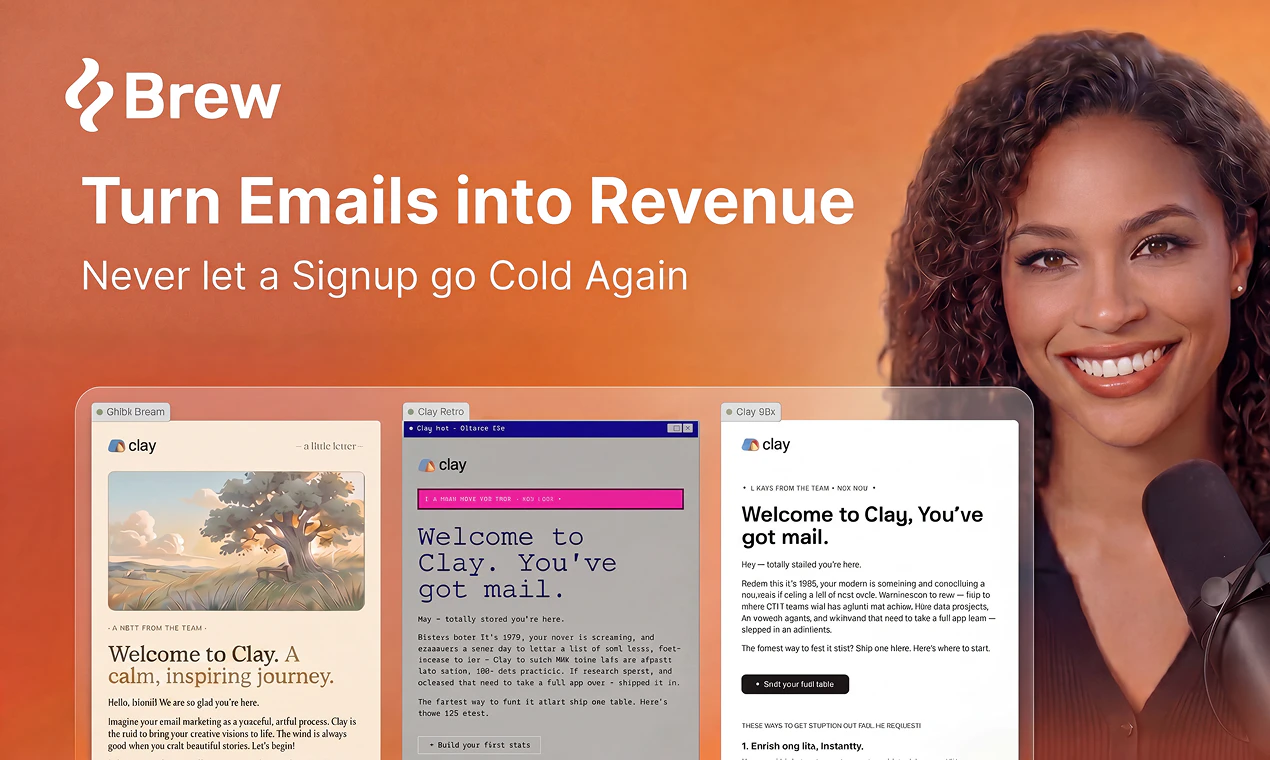
查看原始信息
LikePulse
LikePulse analyzes YouTube comments in real time to show you the exact moments where audiences peaked. Open any video and get: • Engagement heatmap — comment spikes overlaid with Most Replayed data • Key moments — the exact timestamps with the highest audience reaction • AI analysis — Claude Haiku explains why each moment resonated • Product detection — AI finds Amazon products mentioned in the video Free. No account. No tracking. Works on any YouTube video instantly.
Hey Product Hunt! I'm Adrián, and I built LikePulse because I kept wondering: why can't I see WHERE people actually react in a YouTube video? Not just view counts — the exact second the audience exploded. So I built it. LikePulse analyzes public comments, extracts timestamps, and builds a real-time heatmap of audience reaction on any YouTube video. Pair that with Most Replayed data from YouTube itself and you get a dual-signal picture of where the video actually worked. On top of that: Claude Haiku reads the comments and tells you WHY each moment resonated — what emotion drove it, what the creator could improve. Free. No account needed. No data collected. One note: Chrome may show a "proceed with caution" warning — that's normal for new extensions without user history yet. The code is clean and fully auditable. Would love your honest feedback — what's missing? What would make this a must-have for you?
1
回复

@adriancubas Congrats on the launch Adrian. I could see this being big with creator/brand partnerships.

1
回复

@adriancubas 

Thanks Adrián — will absolutely run it on a few of mine and report back. The pacing-vs-rewatch gap is exactly what I want to test: I have a hunch the spots where viewers comment are where the editorial sequence breaks expectations, while the rewatches concentrate where I deliver something concretely useful. Different feedback signals, different edits. Looking forward to seeing the heatmap.

0
回复

Overlaying comment spikes against YouTube's own Most Replayed data is the smart move — those two signals don't always agree, and the gaps are probably the interesting part. When a moment is heavily Most-Replayed but the comments are quiet, or vice versa, does LikePulse surface that divergence, or just show both tracks and leave me to eyeball it? The disagreement is where the real insight usually hides.

0
回复

Really interesting concept. Most analytics tools show views and retention, but LikePulse focuses on audience reaction moments, which feels much more actionable for creators and marketers. The engagement heatmap combined with AI explanations is a very smart touch. Congrats on the Product Hunt launch

0
回复

@alina_tyslenok_ Hi Alina,

Thank you so much for the thoughtful feedback! I’m really glad you found the concept interesting — we wanted to make analytics feel more human and actionable, so hearing that it resonates means a lot.

Appreciate your kind words and support!

Best,

Adrian

0
回复

the product detection feature is the one that feels slightly out of place with the rest. heatmaps and key moments are clearly for creators and researchers. amazon product detection feels like a different user entirely, affiliate marketers or brand analysts. are those actually the same person in your head or did that feature come from a different use case you're testing. curious because it changes who you're building for pretty significantly

0
回复

@ansari_adin That’s a great point — and here’s why I still think product detection can add value for creators and researchers. A lot of high‑engagement moments on YouTube revolve around specific products: tech reviews, unboxings, tutorials, “Amazon favorites,” beauty routines, etc. When a spike in reactions is tied to a product, identifying it helps explain why that moment resonated.

For creators, it highlights what their audience is reacting to. For researchers, it adds context to emotional peaks. So while the feature came from a different experiment, it actually complements the core insight workflow more than it seems at first glance.

0
回复

knowing WHERE in the video people react is way more useful than just total view count. this is basically a free focus group for every video you publish

0
回复

@tina_chhabra Exactly — that’s the whole point. Total view count tells you if people showed up, but knowing where they react tells you why the video works. When you can see those reaction spikes in context, it becomes a free focus group baked into every upload. That’s the kind of feedback loop creators rarely get, and it’s what I’m trying to make effortless with LikePulse.

0
回复

Really like the framing of overlaying comment spikes with Most Replayed — the two signals say different things and the gap between them is where the interesting stuff lives. I run the Mod3Loop YouTube channel on financial modeling, and the moments people comment on are almost never the ones I'd predict from watch retention alone. Tools that surface that mismatch quickly would change how I edit. Following.

0
回复

@samir_asadov Love this — and you articulated the core idea perfectly. Comment spikes and Most Replayed really are two different signals, and the gap between them is where the real editorial insight lives.

What you described about your channel is exactly the pattern I kept seeing: the moments people talk about are often not the moments they rewatch. Surfacing that mismatch instantly is what I built LikePulse for, because it changes how creators think about pacing, clarity, and emotional beats.

Really appreciate you following along — would love to hear what you discover if you try it on one of your videos.

0
回复