Product Hunt 每日热榜 2026-06-08

PH热榜 | 2026-06-08

#1
Browse.sh
Give your agents muscle memory for automating the web
375
一句话介绍:Browse.sh是一个开源的浏览器自动化技能目录,为AI代理提供可复用的“肌肉记忆”,解决每次执行任务都要从零探索网站的痛点,实现更高效、更低成本的网页自动化操作。
API Developer Tools Artificial Intelligence
浏览器自动化 AI代理 技能目录 开源 工作流复用 Token优化 网页操作记忆 CLI工具 效率提升 自动化编排
用户评论摘要:用户普遍认可“记忆层”解决代理重复探索的痛点,关注点集中在:UI变更后技能如何自适应(如自动更新还是手动修复)、开放目录的质量控制与防恶意注入(如技能来源可信度、审查机制)、以及何时选择技能而非Playwright脚本或通用代理循环(建议100%确定性任务暂不适用)。
AI 锐评

Browse.sh巧妙地抓住了AI代理领域一个隐性的却极其核心的效率黑洞——“每个会话都得从零学走路”。其思路本质上是为浏览器自动化建立一套“可复用的行为模板”,这比单纯依赖大模型上下文窗口或长链推理实在得多。从技术架构看,Autobrowse通过实时分析DOM变化、网络活动、截图和失败路径来持续优化工作流,这展示了对“确定性”与“灵活性”之间平衡的务实态度——不是让代理完全自由发挥,而是通过录播学习形成标准化脚本。

然而,产品的核心挑战在于“开放目录”的悖论:一旦社区贡献规模化,技能质量、版本兼容性、恶意代码注入等问题将指数级上升。目前的“人工审查+每周重跑”策略在面对上万技能时注定不可持续,未来必须引入自动化评级、去中心化共识与回滚机制。另一个潜藏风险是UI变更——即便有重新验证机制,高频改版的SaaS产品(如SAP、Salesforce)会让技能快速失效,用户会因维护成本而退回使用Playwright脚本。此外,“npm for browser”的比喻虽好,但浏览器技能比npm库更脆弱:一个CSS类名变化就可能让整条流程断裂。

真正值得关注的是其在“代理效率层”的定位:它不制造新能力,而是把已有agent的能力固化并压缩成可调用的原子组件。对于企业级自动化场景,Browse.sh可能比纯Agent框架更有价值——因为它提供的是“可被审计、可解释、可重复使用”的确定性路径,这正是让企业信任AI代理的前提。不过现阶段它更像是把Playwright搬进了GitHub仓库,真正的护城河在于:能否在规模增长的同时维持“每一次成功运行即可复现”的可靠性承诺。

查看原始信息
Browse.sh
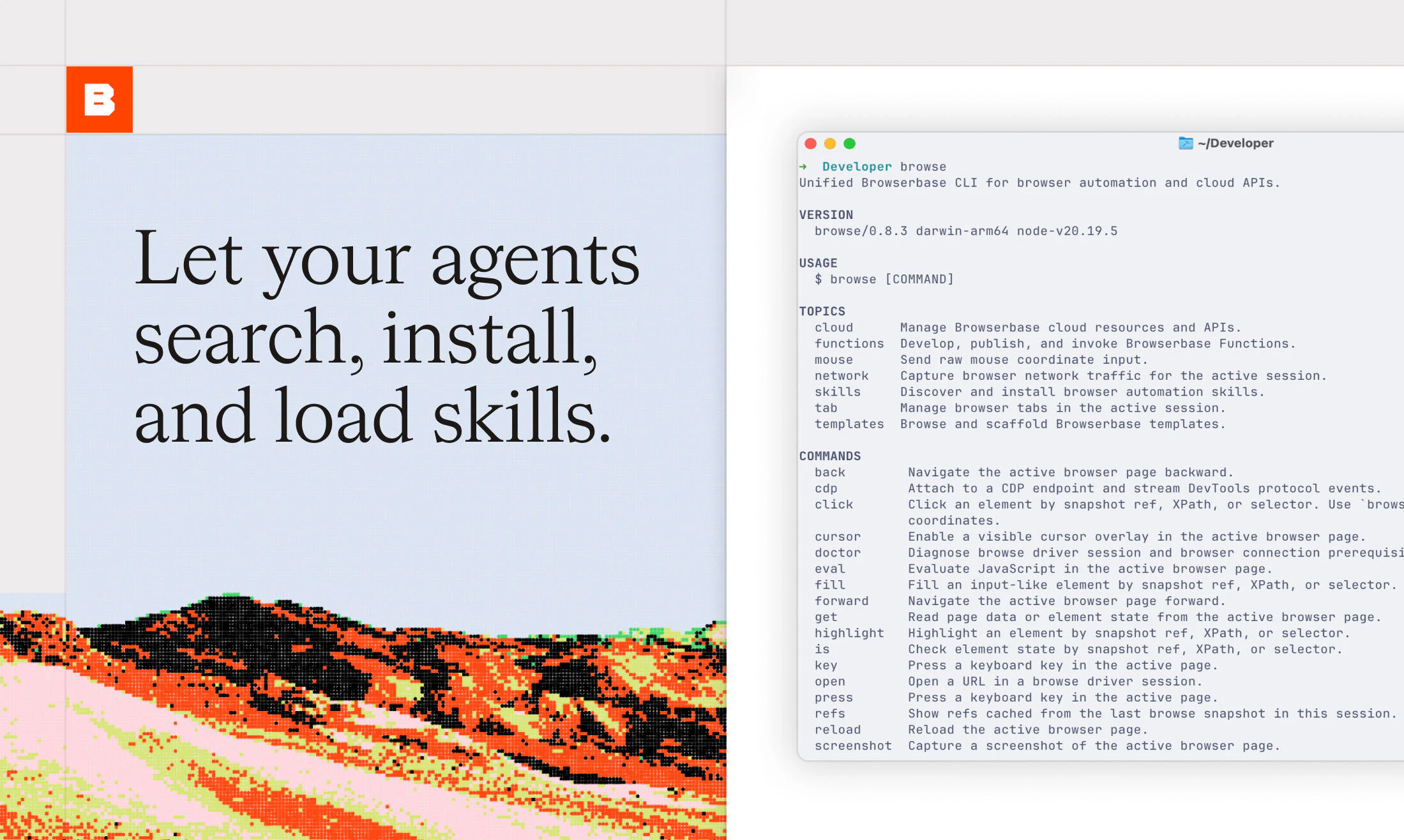
browse.sh — an open catalog of browser automation skills for any website. Find reusable SKILL.md recipes that teach AI agents to complete tasks online, and install them with the browse CLI.

Hey Product Hunt 👋


I'm Shrey,

Over the last year, we've watched AI agents get remarkably good at using browsers. But we've also noticed something strange: every time an agent visits a website, it starts from zero.

It re-explores the interface, re-discovers buttons, re-learns navigation paths, and re-finds the same workflows it already completed yesterday.

Humans don't work that way.

Once you learn how to search Zillow listings, review a GitHub PR, or book a campsite on Recreation.gov, you don't relearn the entire website every time you come back.

Agents shouldn't have to either.

That's why we built Browse.sh, an open catalog of browser skills that agents can install and reuse across the web. Instead of exploring a website from scratch, agents load the relevant skill and execute against a known workflow.

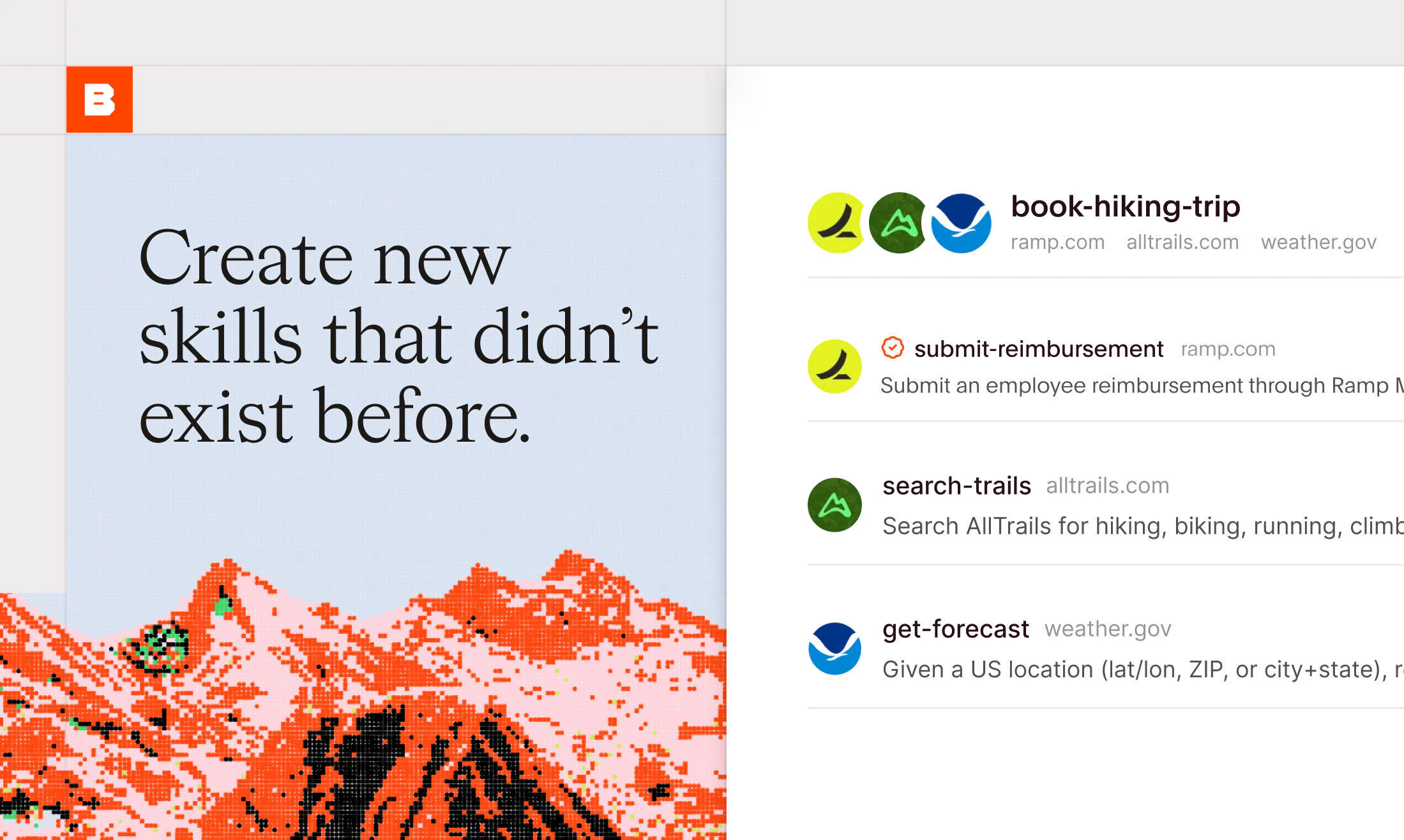
The result is faster execution, lower token costs, more reliable outcomes, and better multi-site workflows. Today, the catalog includes 250+ skills across real websites and applications, including partner skills like submitting reimbursements on Ramp, creating projects on Lovable, extracting document data on Reducto, and many more.

And when a skill doesn't exist yet, Browse.sh can create one.

Behind the scenes, Browse.sh is powered by Autobrowse, our system that runs tasks in real browsers, analyzes traces, DOM changes, network activity, screenshots, and failures, then continuously improves the workflow until it converges on a durable strategy.

Over time, one successful browser run becomes a reusable skill that anyone can install.

Browse.sh is open source, free to use, and available today.

We'd love your feedback:

- Which websites do your agents struggle with most today?
- What skills should we add next?
- What workflows are you automating with AI agents?

We'll be around all day answering questions. Thanks for checking us out 🤞

23
回复

@shrey150 This solves one of the most frustrating bottlenecks in agentic workflows, Shrey! Watching agents waste massive token budgets re-exploring the exact same DOM elements and navigation paths day after day is a huge pain point. Building a shared memory layer of 'browser skills' is a brilliant architectural decision.

The fact that it analyzes traces and network activity via Autobrowse to build durable strategies is incredibly smart. Quick question: How does Browse.sh handle sudden UI changes or front-end updates on major sites without breaking the installed skill?

Huge congrats on the launch and keeping it open source! Definite upvote from me. 🚀

0
回复

@shrey150 , congrats on Browserbase's scale! As a UX/UI designer for complex AI infrastructure, I analyzed your Session Inspector. Noticed a specific DX friction point in log-to-video syncing that might increase Time-to-Value for new devs. Recorded a 90s Loom with a fix. If you want me to send over the link,

I can send it to you via email

0
回复

@shrey150 This is the missing memory layer for browser agents, the fact that every agent run starts from zero today is such an obvious inefficiency once you name it. Persistent, reusable skills that compound across runs is exactly the abstraction the agentic stack has been waiting for.

0
回复

Hello hunters! We're so excited to be back and launching browse.sh. I'm Paul, founder of Browserbase. If you have any questions, I'd be happy to help answer them.

3
回复

Congrats the on the launch! We've been using Browserbase to benchmark https://github.com/pixiebrix/agent-browser-shield and prototyping how to enforce/apply the browse.sh content at the harness layer instead of context layer! Love it!

2
回复

@tschiller browse.sh skills in the harness will definitely give your agents the edge they need, enforcing the workflow rather than just hoping that the agent picks it up.

0
回复

Looks nicely done, looking forward to try it !

2
回复

@louislafont appreciate your support! What is one of the skills that you'd want to try out in your daily workflow?

0
回复
If a team is choosing between (a) writing Playwright scripts, (b) using a generic LLM browser loop, and (c) installing a Browse.sh skill, what’s the switching trigger where (c) becomes the clear winner—and what types of workflows should *not* be turned into skills yet?
2
回复

Hey@curiouskitty !

The trigger where using a Browse.sh skill is the clear winner for an automation is if you want the fastest/simplest path to automation. You can give OpenClaw/other agents access to Browse.sh and they'll be able to run every skill/automation on the platform.

Writing Playwright scripts is completely deterministic, but takes maintenance and time to create. Generic full agent loops are usually too loosely defined and won't stay within the bounds of the task. (skills here help you save tokens as well)

Things that should NOT yet be turned into skills are workflows that need 100% determinism. We're converging to agents becoming more reliable, but there's always a chance that it goes off course.

0
回复

The web was built for humans, and we are happy to launch this skills catalog that finally makes the web a playground for your Claude Code! You're building a web app that needs data that doesn't exist on an API, or you're just looking to automate your weekly lunch planning? Browse.sh is for you!

2
回复

This looks very interesting, definitely going to try a few of these skills this week.

1
回复

@vcoisne Thank you for the support! 🙌

0
回复

The "muscle memory" framing resonates — we deal with a similar problem in Telegram moderation where the AI needs to accumulate trust signals from cross-community behavior rather than re-evaluating from scratch each interaction. Curious how you persist agent state across sessions — is the memory layer per-task, per-user, or per-organization? The trade-offs around isolation vs reusability feel close to what we hit when designing cross-group reputation.

1
回复

@daryna_fornalska The memory layer is per-task. If you prefer to write full scripts and want per-org memory, you should try out Stagehand Caching! Checkout the docs here.

0
回复

Interesting angle. For agent browser automation, the thing I’d want to inspect first is not just success rate, but replayability: logs, screenshots, failed steps, and whether the agent can hand control back cleanly when the page changes.

0
回复

Congrats on the launch! What are some surprisingly hard websites/workflows for agents to automate today that Browse.sh makes easier?

0
回复

@shrey150 nice! I have been perplexed as to why the Claude browser plug-in doesn't already have this feature. I have wasted so much time re-reaching Claude the same steps over and over again because of this exact problem. Look forward to trying this out.

0
回复

@millwiller 100%, we’ve felt Claude in Chrome is a half-baked implementation at agentic browser capabilities. We built our CLI to fill those gaps!

0
回复

This is a great use of memory! How do you deal with information recency?

0
回复

@patrick_monnot A little confused by the question, but I'll attempt to answer. We revalidate the skills every week so our skills stay up to date (if the page changes or data updates, our skills should too). Memory here is like a weak cache, we invalidate if our data is stale.

0
回复

this is very smart. i worked at Strawberry Browser before and this was a thing i thought about a lot

curious how you handle quality for open skills? like preventing stale, brittle, or low-quality workflows from spreading through the catalog

0
回复

@joel_edholm We hand review all skills and requests to make sure that we're not getting straight slop into the official list.

0
回复

@joel_edholm right now all skill runs are vetted by hand for success. We also routinely re-run skills every week to ensure quality. In the future as skill generation scales up, we may implement a consensus mechanism between different skill submissions to ensure most up-to-date info!

0
回复

The "npm for browser skills" framing is exciting and honestly a little scary. With an open catalog and community contributions, when two skills exist for the same site, how does an agent decide which one to trust? And what stops a subtly wrong or even malicious skill from spreading before your weekly revalidation catches it? Feels like skill provenance and reputation become the real product once the catalog gets big.

0
回复

This makes a lot of sense. Agents relearning the same website flow every time feels like such a waste. Curious how you handle it when a site changes its UI slightly. Does the skill update itself or need manual fixing?

0
回复

great ship guys! composio loves browserbase

0
回复

love the domain based installation!

browse skills add amazon.com

0
回复

recreation.gov skill is a life-saver!!

0
回复

I like the idea of agents not starting from zero every time. Re learning the same website flow feels like wasted time and tokens. How do you handle skills when a website changes its layout or button names?

0
回复

@shrey150 The idea that agents should have muscle memory like humans do is so obviously right that it’s wild nobody shipped this sooner. Watching an agent re-explore the same GitHub PR workflow for the tenth time feels like watching someone forget how to use a doorknob... and now there’s finally a fix. Yaay!

0
回复

The "agents start from zero every time" framing is exactly right. I drive a browser agent every day for marketing routines and the recurring tax is re-finding the same comment box, the same upvote button, the same auth modal. Reusable SKILL.md per domain is the unlock - and an open catalog turns it into a network effect. Following.

0
回复

fire proposition. played around with browser automation to scrape scholarships off the web; wonder if something like this could help me apply to them automatically asw ...

0
回复

@sanjith_sambath1 Yep you should be able to create a skill to help you apply as well. If Browse.sh gets you a scholarship I hope we get 1% haha

0
回复

Memory seems useful when an agent is actively working, but the harder problem feels like deciding what deserves to be remembered in the first place.

Have you found the biggest gains come from long-term memory across sessions, or from reducing context loss within a single workflow?

0
回复

agents have no muscle memory, and that's a real cost in tokens, in time, in reliability.

the open catalog model is interesting. curious how skill quality is managed as it scales. is there a review layer or does it mostly rely on community signal to surface what actually works?
good luck with the launch!

0
回复

How much of an issue have you found captchas to be? Are websites trying to restrict agents or are they open to agentic browsing?

0
回复

"Muscle memory for agents" nails the problem — re-deriving the same web flow on every run is where agent automations get slow and brittle. Congrats on the launch. Does the recorded memory adapt when a site's DOM shifts, or does it need a re-teach?

0
回复

@oleksii_sekundant we revalidate/update the skills every week. Adapting memory does sound interesting though, potentially on the fly updates may make sense in the future.

0
回复

This makes a lot of sense. Teaching agents the same website every day feels a bit like deleting your browser history before every session 😄 Congrats on the launch!

0
回复

@alina_tyslenok_ 100%, imagine trying to do your job everyday but you forget all your passwords and where all the information lives. Browse.sh gives your agents context on how it should do tasks (based on how it's been done before).

0
回复

The interesting part for me is not just reusing browser steps, it is making them reviewable.

For agent workflows I’d want to see how a skill handles the boring cases: site layout changes, failed clicks, partial completion, and logs that explain why the agent chose a path. That is usually where browser agents either become useful or become hard to trust.

0
回复

@kevinzrzgg We built the Browserbase Platform with o11y as a priority. Our dashboard has network logs, events, stagehand actions, session replays, tab replay, and literally everything that you'd ever need to debug and review your browser sessions. Would love feedback on any parts of the session you think could have better o11y.

0
回复

The 'muscle memory' framing is apt: it's really a domain-specific replay buffer for web interactions. We've been building AI agents that automate customer workflows and session state management across sites is genuinely hard. How does Browse.sh handle sites that frequently change DOM structure? Does the agent re-learn from scratch or do partial cache invalidation?

0
回复

@retain_dev We do re-run skills to validate if they're still working and regenerate them upon DOM changes etc.

0
回复

Anyone made a ryanair skill yet? I guess we need GPT 6 or 7 before its possible to navigate that website with AI 😬

0
回复

@conduit_design I was navigating the TAP airlines website yesterday and was literally feeling that pain :D

0
回复
#2
Honen
Automated teaching + learning infrastructure for any company
372
一句话介绍:Honen将企业文档、知识库等零散信息,在数秒内自动转化为由AI主导的互动课程,并实现随源文档变动而自动更新,解决了传统企业培训内容制作慢、易过时、维护成本高的核心痛点。
Productivity Education Artificial Intelligence
AI企业培训 自动化课程生成 知识管理 自适应学习 LMS 员工技能提升 内容更新自动化 AI模拟 MCP集成 学习分析
用户评论摘要:用户普遍关注自动更新机制(如变更检测、审批流、版本回滚)、课程维护与诊断(如何区分内容弱/缺前置/不投入)、角色内容差异化、以及防知识传播错误的问题。多数提问围绕内容变更时的安全管控与诊断准确性,团队回应强调了人工审批、版本控制与基于用户行为数据的归因分析。
AI 锐评

Honen的核心卖点“自动化教学基础设施”听起来很性感,但仔细分析,其真正的护城河可能不在于AI生课,而在于“知识与课程的生命周期管理”。

市场上已经有一堆AI生成内容的工具,从文本到视频,看似无所不能。但Honen切中了一个真正被忽视的痛点:企业培训内容不是“做出来”就完了,而是“维护下去”才是地狱。大部分公司花大价钱做了课程,半年后流程一改,课程就变成了半永久性错误记忆库。Honen强调的“知识库-课程绑定+自动检测变更+版本控制”,才是比“生成课程”更有价值的长期粘性。

然而,问题在于“信任”。评论区的核心焦虑集中在:机器如何判断变更是“正确更新”还是“错误噪声”?当AI根据被篡改的低质量文档自动“修复”课程时,这可能会加速错误认知在企业内部的传播。虽然团队回复了“人工审批”,但这又与“自动化”的初心产生了矛盾——如果每个更新都要人审,那自动化优势何在?诊断的“归因能力”更是关键,它需要区分内容是质量差、员工基础弱还是单纯不感兴趣,这需要极其强大的数据闭环和多模态分析能力,这对一个从To C(StudyFetch)转向To B的团队来说是巨大的技术挑战。

与NVIDIA的合作很漂亮,是绝佳的市场背书。但长远看,Honen最大的敌人不是竞争对手,而是企业客户的“惰性”——如果企业连文档都懒得更新,那这个自动化基础设施就是无源之水。它是否真的能改变企业培训的底层逻辑,还是只是一款更高效的“时代性知识管理工具附带的课程生成器”?这取决于它能否证明,自己在“持续维护”这个环节能真正做到智能且可靠,而不只是在“首次生成”时看起来很美。

查看原始信息
Honen
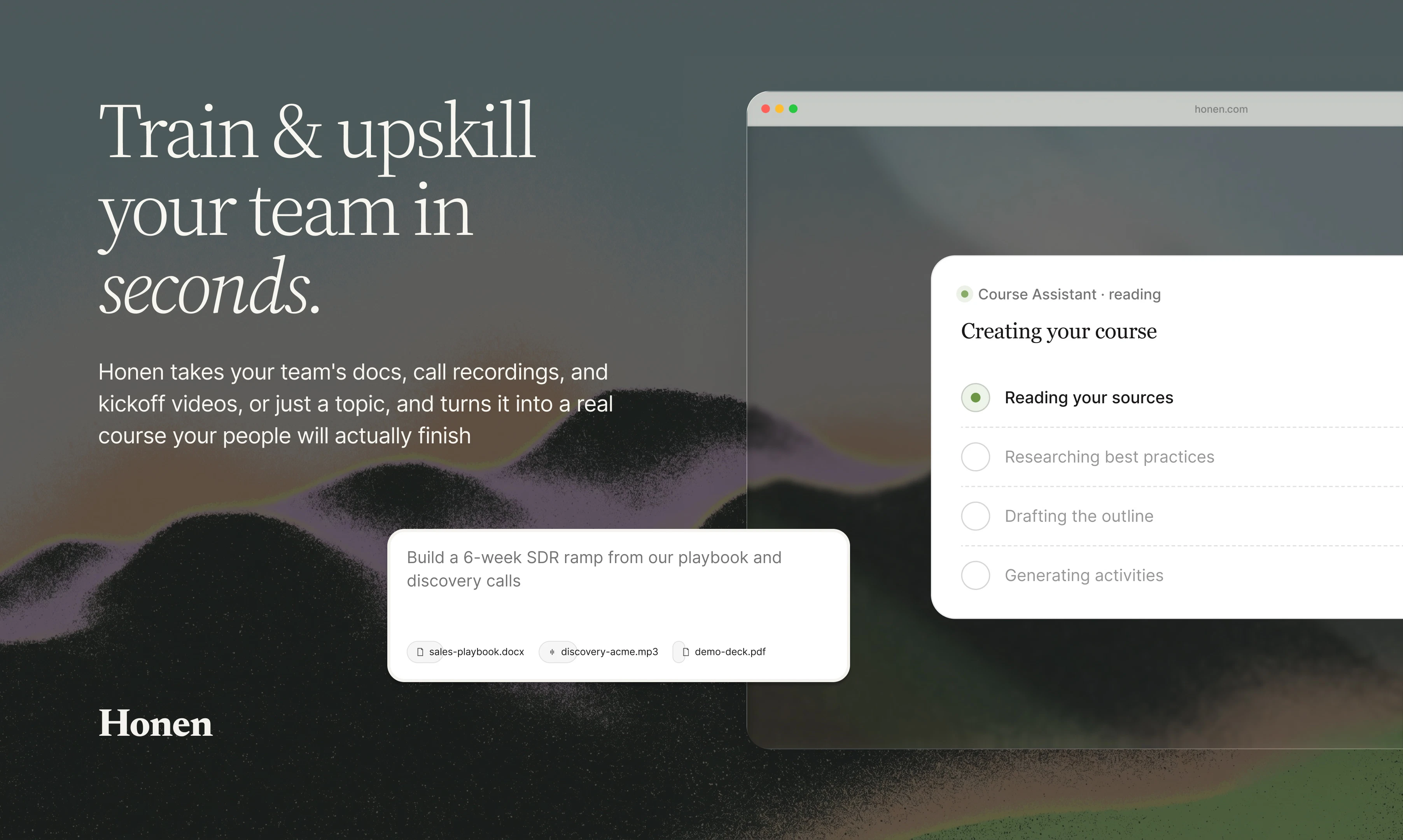
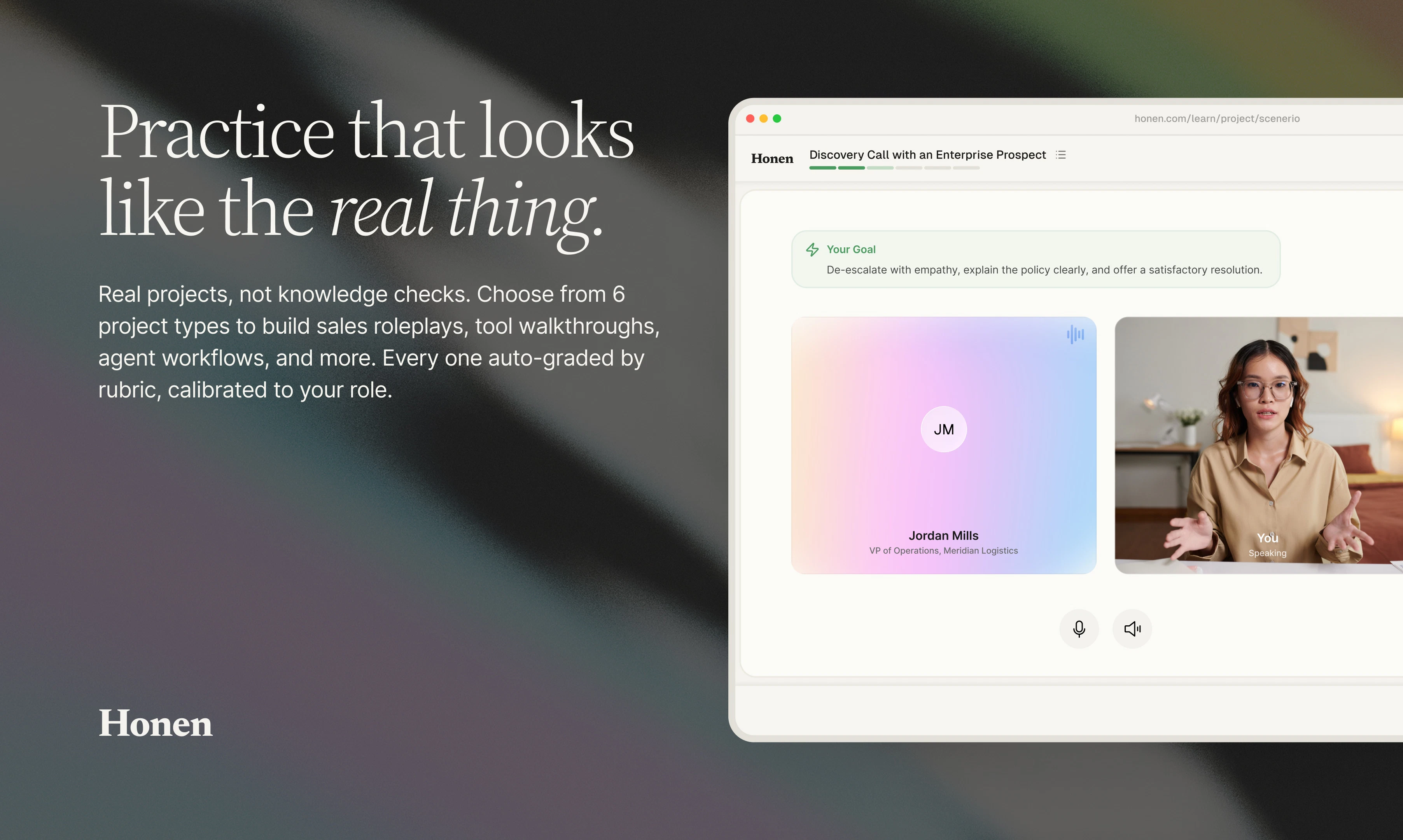
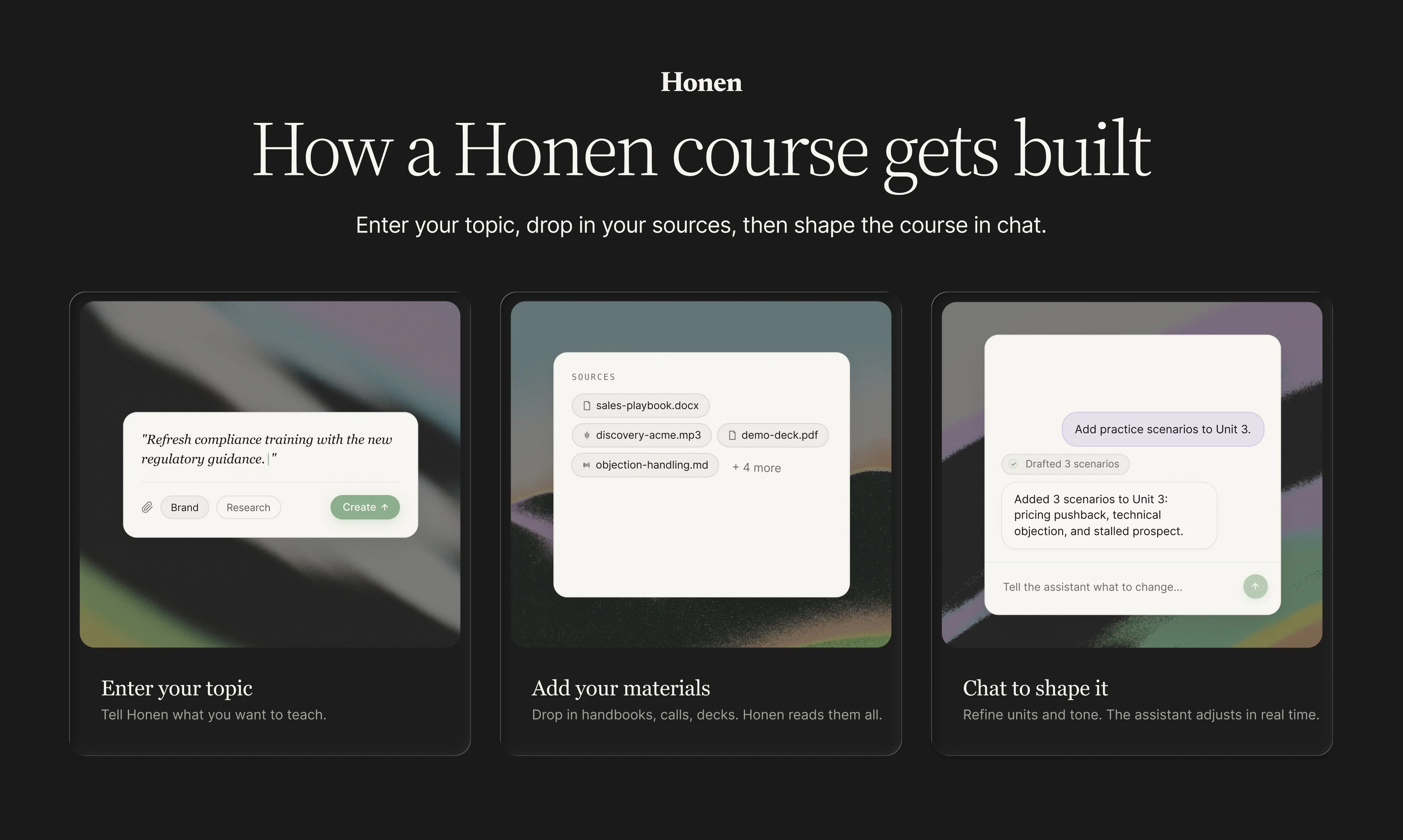
Create employee training that keeps up with your company. Honen turns team knowledge into interactive AI-led courses in seconds, complete with adaptive lessons, simulations, and learner insights. When your docs, tools, or processes change, courses update automatically.

Hey Product Hunt 👋

I'm Ryan, one of the makers of Honen, and I'm pumped to finally share what we've been building!

Quick backstory: at StudyFetch, we've helped 8 million students understand everything from first-year history to advanced healthcare topics. 

So we took everything we learned and brought it to businesses and the workforce. That's Honen.

The problem we kept seeing: Companies are spending billions on generic training that teaches outdated material and leaves people behind. By the time a course is finished, the skills it teaches are already half-stale.

What Honen actually is: A platform that automates a company's entire learning and training infrastructure,  so businesses can teach new skills faster and adapt their people to an ever-changing world.

How it works:

🟢 Building a course starts in seconds. Drag in your existing training docs, connect to internal knowledge sources, or just type a topic. Honen acts as a researcher and curriculum designer at the same time, it reads your material, understands the subject, and builds the full course structure. You pick how interactive and how deep.

🟢 Ship it instantly. Send the course to any learner with a link, or sync into your existing LMS / HR system.

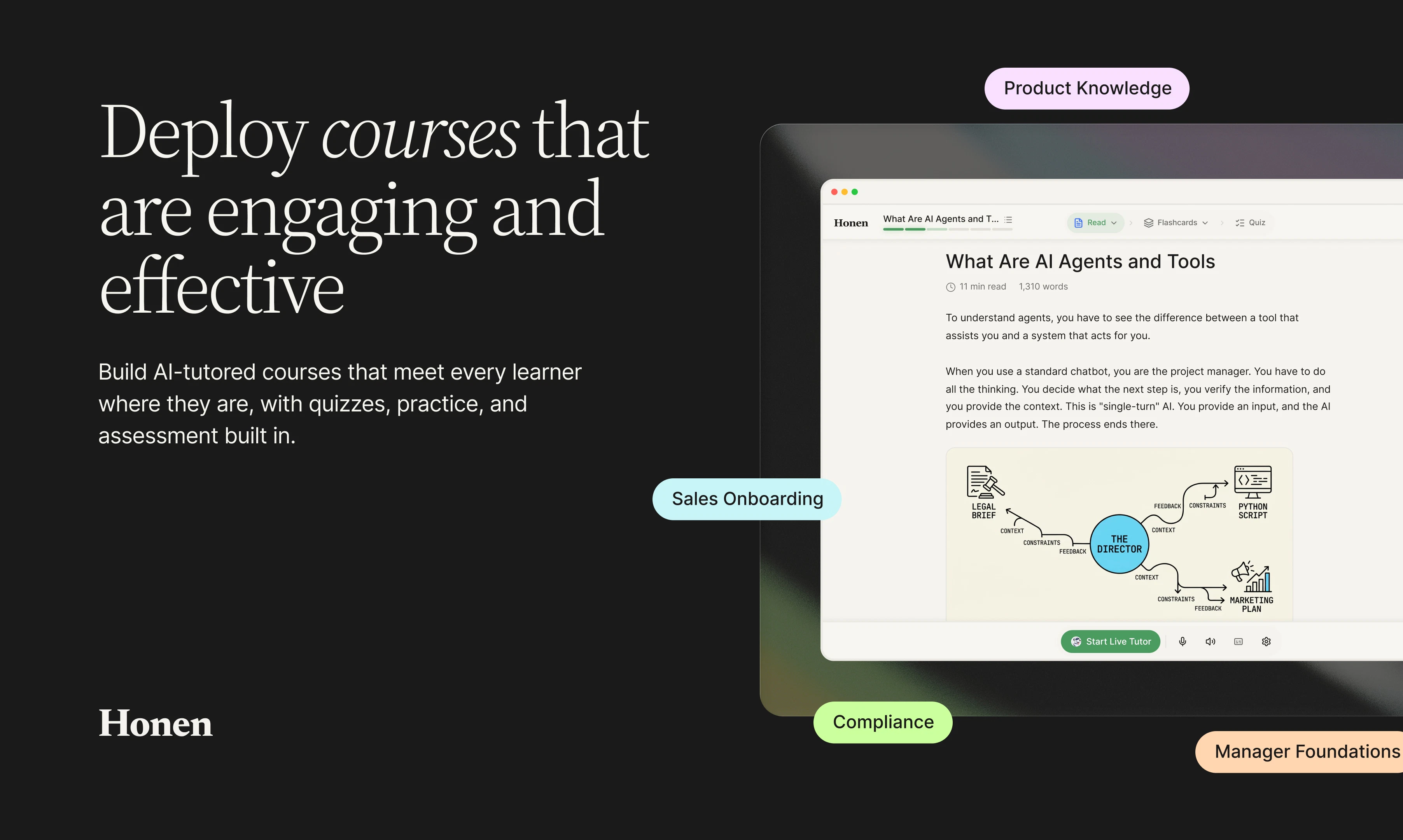
🟢 Built for engagement, not just completion. Our AI teacher guides learners through visuals, interactive artifacts, podcasts, games, and flashcards,  each personalized to the learner's interests and preferences.

🟢 Hands-on projects, not just videos. Live scenarios where a learner runs a mock virtual client meeting and is graded on how they handle it. Screen-share projects where the AI teacher walks them through setting up and using 3rd party software in real time.

🟢 Admins get a real-time view. You can ask the course agent anything — "my learners are struggling with this topic, what's going on?", and Honen visualizes the answer, then uses what it knows to auto-adjust the content or teaching style.

🟢 One knowledgebase, two kinds of learners. Drag any file into Honen's knowledgebase or write new ones with the Workspace Assistant. Then turn that knowledge into courses for your people and serve it to your AI agents over MCP.  We call it parallel training, a single source of truth that teaches your team and gives the agents working alongside them the same context and skills, so everyone in your org stays in sync.

Launch news: As a first step, we're collaborating with NVIDIA to bring professional AI training to students and professionals, starting with 250,000 high school students nationwide.

Our goal with Honen is to let every business, whether you've got 10 employees or 10,000,  invest in their people in the most efficient and scalable way possible. So learning actually continues across someone's entire career, not just during week-one onboarding.

Free to try at honen.com, no card needed. Your first course takes about 30 seconds.

Hanging in the comments all day,  ask us anything 🙏

28
回复

@ryan_trattner you mentionad that honen creates interactive artifacts ,games, and even the podcast for the learners. are the podcasts audio generated based on the company's uploaded documetns and can employees listen to them on a mobile app during commute ?

0
回复

@ryan_trattner congrats on the launch Ryan, how do you deal with assessment and post course retention so this isn't just a tick box tool?

3
回复

@ryan_trattner Wow, bringing the tech behind StudyFetch into B2B corporate training is brilliant. Automated curriculum creation solves a massive headache for scaling teams whose docs go out of date instantly.

The 'Parallel Training' feature via MCP sounds fascinating. Are you seeing teams use this more to onboard human employees or to sync up their internal digital workflows?

Congrats on the launch and the incredible NVIDIA partnership, Ryan! Definite upvote from me. 🚀

0
回复
A lot of AI course tools look great for generating v1, but maintenance is the killer. When a source doc/SOP changes, how do updates actually work in Honen (change detection, approvals, version history), and what happens for learners mid-course so you don’t invalidate grades or confuse cohorts?
4
回复

@curiouskitty Great questions! (you might know a thing or two about AI courses haha)

These are some important things that we've taken into account when designing Honen.

We think of course maintenance in two ways on Honen:

The first is our course creation, management, and editor experience, which is built with full version history. Each course is a revision, you can deploy, rollback any version. This allows you to deploy a specific revision to a cohort of learners (via assignments), so you can choose wether you want to update a course mid-flight while learners are taking it, or only for the future students.

For the documents, we centralize knowledge in something called the Honen knowledge base. This allows you to connect external sources or upload documents, or craft knowledge manually. When courses depend on knowledge they can reference the knowledge base item, when that item changes it flags, and the course agent can update the course (subject to approvals).

4
回复

This looks amazing, Ryan! And I just learned about StudyFetch as well (I'm a retiree who's now a part-time tutor of high school students, so that one really hit home for me).

Your point about the traditional training courses being outdated at businesses (I also worked at a Fortune 500 company for 25 years) is so true. I imagine your business clients will be even more amenable to AI tools, so this seems like an idea whose time has definitely come! Good luck with your new product; you have my upvote!

3
回复

@chargewhat_team Thank you so much! Glad you are checking out StudyFetch as well (We have some absolutely stunning updates for studyfetch that are happening right before the school year starts again in fall so stay tuned for those! Let us know how we can help!

1
回复

Congrats on the launch! When a knowledge base item changes, the course update is gated behind approvals right? But does the MCP feed to the agents wait on that same approval or get the raw change immediately?

3
回复

@artstavenka1 All changes made by either our course editor agent or MCP are stored as a draft revision that you have to apply to learners!

3
回复

hold upppp!!! it's so incredible that it turns source into sections/lessons so that I won't be swamped with unstructured docs & resource. I really like it

what's your take on honen positioning vs notebook LLM?

btw I found some text/title is hard to read. some tweak there and should be good to go.

Image

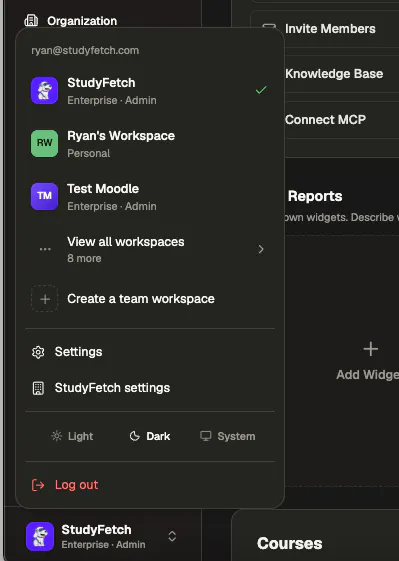
andddd when will we have dark mode? I'm a night learner and would love it!!!

congrats on the launch! it looks promising

3
回复

@nathan_tran2 Appreciate you trying it out and thanks for the feedback (we just fixed those colors!).

Notebook LM is a great product, Honen is created to perform a different type of job:

Notebook LM operates more as an individual / group study experience where you drag in something and learn it, Honen is built to be a system that a company can use to up-skill / train its whole workforce similar to an LMS with built in assignments / roles / analytics etc.

As for the courses: Honen courses are very structured and lead the learner down a path while Notebook LM focuses more on input to output. Course creation and managing are more tailored towards instructors creating very robust courses for learners to use, while Notebook LM would likely feed of an already created material.

3
回复

@nathan_tran2 Also you can access dark mode by clicking on your profile in the bottom left corner!

4
回复

Hey! I'm Josh, COO at StudyFetch. AI is changing the what the workforce needs to know faster than ever, and the ability to learn new skills quickly matters more now than it ever has. We've been using Honen internally and our team members have picked up new skills and expanded their roles, and the whole company runs more efficiently because we can train our own people this fast with our own product. We're excited to get this out to the world so other teams can feel that too. Happy to answer any questions!

2
回复

The auto-adjust loop is the part I keep coming back to. When the course agent flags "learners are struggling with topic X," how does it tell apart why? E.g., is it weak content, a missing prerequisite, or just disengagement? Those three need opposite fixes, so how confidently it diagnoses the cause before it rewrites the lesson. Feels like the whole thing lives or dies on getting that read right.

2
回复

@and_bayleaf Great Question, we've done a lot of work on our studyfetch.com product understanding specifically what leads to mastery and giving the system enough information to properly edit and change the course based on that info. For example, for pre-requisites it can look at topics /pre-diagnostics that other students taking similar topics took before looking at the material and how they performed. For engagement we have statistics on time spent, engaged time, revisiting time, conversations with the tutor and can use that to determine based on different modalities students prefer what could be more engaging. We refine and focus based on the course as a whole, and have personalization applied on top of that so we're mostly looking at cohorts which gives more data.

2
回复

The auto-updating piece is the real standout, internal courses always go stale because nobody maintains them, having the course rewrite itself when the source docs change solves the exact reason corporate training fails the version history with rollback per cohort is a smart touch too, most tools would just push changes live and break things mid-course, one question, how do you handle the case where a doc gets updated badly or with wrong info? does a human have to approve before it reaches learners or can a bad edit silently propagate?

2
回复

@imoluuu Thanks! Yes a human always approves and releases the draft. They can make changes in seconds using the course editor if something feels off.

3
回复

Hey everyone! 👋

I'm Kiran, CMO at StudyFetch.

I've had a front-row seat watching our team build this from the ground up, and it's incredibly exciting to finally share it with the Product Hunt community.

We believe there's a huge opportunity to help upskill the workforce, and Honen is our step toward that vision.

Thanks for checking us out today. We'd love to hear your thoughts and answer any questions!

2
回复

The half-stale-by-launch problem is real - I've watched companies spend 6 figures on training that's outdated by Q2. Auto-updating from the actual docs/tools beats curated content by a mile. Curious how you handle role-specific deltas (e.g. ops needs a different slice of the same source). Following.

2
回复

@david_marko Anything you put in your knowledgebase can be scoped to specific groups or roles inside of your organization and shared with specific people. This allows you to create courses on specific sources in your knowledgebase which are scoped to specific roles or groups. Not sure if this is what you meant but creating the same course but with different content for multiple diff roles based on their available knowledge is actually a great idea!

2
回复
Really impressed by how Honen tackles the “stale training” problem with real-time adaptability and hands-on projects. The parallel training idea—keeping both people and AI agents in sync, feels like a game changer. Curious how you see this scaling for smaller teams who might not have a big knowledgebase yet? Congratulations to Honen team!
2
回复

@odeth_negapatan1 Honen actually can create courses and knowledge off of just topics or telling it what you want. Whats cool about the knowledgebase is it hooks up via MCP to claude, chatgpt etc. so you can use those systems to write really good documentation or knowledge that can automatically be used to feed courses.

3
回复

The auto-updating piece is the standout for me — training that rewrites itself when the underlying docs change solves the exact reason internal courses go stale. Congrats on shipping. How do you decide which changes actually warrant a lesson update versus noise?

2
回复

@oleksii_sekundant We try and make small impactful changes e.g. if a small number changes from 5 to 10, thats still worth a change and the course assistant editor will make it as the information is technically not correct.

3
回复

Congrats! Integrating professional AI training for students alongside corporate training is a unique way to scale impact.

2
回复

@marianna_tymchuk Thank you!

3
回复

How do you prevent it from teaching the wrong thing if a doc gets edited badly or is outdated?

2
回复

@thamibenjelloun It uses knowledgebase documents as the source of truth for the course, so it currently expects those to be updated properly and correctly to base its changes of of. Of course everything is able to be approved / published by a person!

4
回复

The automatic course updating definitely caught my eye. How seamless is that process in practice? If we completely overhaul our internal wiki, does Honen flag the changes for admin review first, or does it just push the new course version live?

2
回复

@andika_fadhilah It'll read through the entire changes vs the course and make changes, it might just take a bit longer. You apply the revision draft manually before the changes goes live to learners.

3
回复

The stale training problem is very real. Course generation is useful, but the stronger part is keeping courses connected to the knowledge base so updates don’t depend on someone remembering to fix onboarding docs later.

2
回复

@farrukh_butt1 Thanks for the feedback! Appreciate it!

3
回复

the parallel training idea is what makes this different from every other course builder. training your team and your AI agents from the same knowledge base so everyone stays in sync is something I haven't seen anyone else do. also the auto-update when source docs change is huge... we've had onboarding materials go stale within weeks because nobody remembers to update the training when the product changes

2
回复

@tina_chhabra Thanks for the feedback! Let us know what you think!

3
回复

Hi Product Hunt,

I'm Phillip, another one of the makers of Honen, and I'm stoked that this day is finally here.

@ryan_trattner already covered what Honen is. I want to talk about the thing that took the longest to get right.

The easy version of this product is a course builder. Drag in docs, generate a course, ship it. That part works and it's genuinely fast. But a course builder is still just a fancier static file. You make it once, it sits there, it goes stale.

The hard version is making the course aware of itself. Knowing when learners are stuck. Knowing when the material no longer reflects how the world actually works. Having a course update itself without having to go back in, identify, and make the changes yourself. That's what we kept pushing toward.

The other thing that took real focus: one knowledgebase that trains your people and your AI agents at the same time. Same source of truth, same context, in sync. We call it parallel training and I think it's the most forward-looking part of what we built.

Honen.com, free to try. First course takes about 30 seconds.

1
回复

@ryan_trattner  @pj_in_pjs These guys played a huge part of building this. Excited for everyone to finally see what we've been working on and get their hands on it.

0
回复

Hi everyone!

I'm Esan, cofounder/CEO at StudyFetch

We've been heads down building this for a while, so it's exciting to finally share Honen with all of you.

The idea behind Honen is: Companies have more knowledge than ever, and context is changing almost everyday, but turning that knowledge into training is still way too slow and manual. We wanted to change that.

We're still early, but the response so far has been incredibly encouraging, and we're excited about what's ahead.

Thanks for stopping by and supporting the launch. I'd love to hear your thoughts and answer any questions.

1
回复

Congratulations on the launch team 🙌
The parallel training concept is genuinely interesting
quick Q, how does the MCP integration work in practice? Do the agents pull from it dynamically, or is it a one-time sync?

0
回复

@abod_rehman Good question! It's dynamic, not a one-time sync. The Knowledge Base is the single source of truth, and the MCP server exposes it to the agents as live read/write tools. So when an agent acts, it's reading the current state of your company at that moment, and will not be outdated.

That's really the whole premise behind parallel training: you put knowledge in once, and it feeds both sides. Humans through courses, agents through Skills in MCP, all from the same source.

Linked external sources stay updated on their own too, google drive, for example, re-syncs every minute, so changes upstream land in the base immediately.

0
回复

The live client meeting simulation is a standout feature 🙌
what criteria is the AI actually grading on? Is it customizable per company or is it a fixed rubric?

0
回复

@boyuan_deng1 The grading isn't a fixed, one-size-fits-all rubric. The whole Honen model is that everything runs off your company's own knowledge base, so the criteria reflect what your org actually cares about in a client meeting, not a generic script. Same source of truth that powers your courses and agents feeds what "good" looks like in the simulation, so it stays consistent with how you actually train your team.

0
回复

@ryan_trattner Thanks for sharing what you've been building!

As others have previously indicated, the auto-updating aspect of the @Honen system is a notably attractive feature. Since human reviewers will necessarily approve updates before deployment, I'm curious about the process for review. How will the proposed changes be marked for the reviewer? How will the reviewer approve/deny a given change?

0
回复

@underuncertainty Thanks! Every course has revisions that are visible in a "Draft" mode for instructors, so they can go through exactly what the learners see and ask to make any changes if needed, then you can choose to roll it out to learners.

0
回复

my friends and I have been talking about a product like this for some time now and its cool to see someone working on this! would you say that it is specifically designed for corporate learning or something that could be extended to desk-less workers as well?

0
回复

@hersh_singh Appreciate it! It's designed for all types of learning! We've actually been exploring a lot of work in the trades and non-desk roles specifically (such as HVAC, plumbing, electrical etc.) and building out courses that can help specifically with learners in those fields.

We're trying to make this as general a platform as possible and hit as many fields as possible.

0
回复

this is very interesting. i have courses on GEO and it's actually hard to update them. creating is easy but so many things change that it's hard to keep up.

0
回复

@heyitsirenechan Would love to hear your feedback after using Honen! Try creating a course (you can even bring in your existing information) and the updating is very seamless from the educator end. You can just describe the changes you want and roll it out directly to learners.

Happy to also show you on a call how we can get your existing courses imported into honen for you to edit and delivered to learners https://honen.com/contact

0
回复
#3
Vaani
Lip-synced AI dubbing for creators, brands and studios
298
一句话介绍:Vaani是一款保留原声特征的口型同步AI配音工具,帮助创作者、品牌和工作室一次性将视频翻译配音成40多种语言,以远低于传统配音的成本,解决多语言市场内容本地化时声音失真与口型不同步的痛点。
Productivity Artificial Intelligence Audio
AI配音 口型同步 声音克隆 多语言翻译 视频本地化 内容创作 品牌营销 工作室工具 语音保留 印度市场
用户评论摘要:用户高度关注声音保留技术(如情感韵律与口型同步),普遍询问:能否逐句编辑修改?如何处理幽默、文化差异与快语速对话?背景音乐是否会受损?对于首次渲染的稳定性(如嘈杂音频源)与7分钟试用时间的最佳用法也存在疑问。
AI 锐评

Vaani在“AI配音”这个拥挤赛道上,确实切中了一个被长期忽略的痛点:声音的“身份感”。大多数工具用通用AI语音替代原声,本质上是在消灭创作者的个性,而Vaani的“声音指纹”克隆与“逐帧口型同步”技术,试图回答一个更本质的问题:如果声音不再是你的,那这个内容还属于你吗?

从技术路线看,Vaani的野心不在翻译准确率,而在“表达重构”。它强调的“重述意义(retell meaning)”而非“翻译单词”,处理的是语义在文化语境中的存活问题,这对幽默、反讽等高语境内容尤为关键。但必须指出,这也是最大风险点——当用户上传一段复杂对话,首次自动化输出能否稳定达到“惊艳”效果?目前评论中的委婉回答暗示,在印欧语系之间表现优异,但在日、汉语等声调语言中,情感传递依然“受限于编码”,这表明其底层模型对不同语言的声学-语言学映射尚未完美泛化。

从商业角度看,Vaani的“配音-口型-语音克隆”三位一体,形成了一定的壁垒。但B2B客户需要的逐句审查编辑器仍属“即将推出”状态,这暴露了其当前版本更多是一个“演示级产品”——用惊艳的自动输出吸引注意力,而真正的专业级工作流尚未就绪。对于试图用7分钟免费额度测试其极限的创作者,建议优先用清晰的单人讲解视频测试,而非复杂的多人对话场景。

总体而言,Vaani是少数真正理解“声音即资产”这一理念的产品。它做对了一件事:把创作者而非算法置于中心。但能否从“Demo惊艳”进化到“Production可靠”,取决于它在语义保真度、嘈杂环境鲁棒性以及企业级编辑工作流上的持续迭代。对于希望安全进入多语言市场的品牌和内容方,值得观望其编辑器上线后的完整实力。

查看原始信息
Vaani
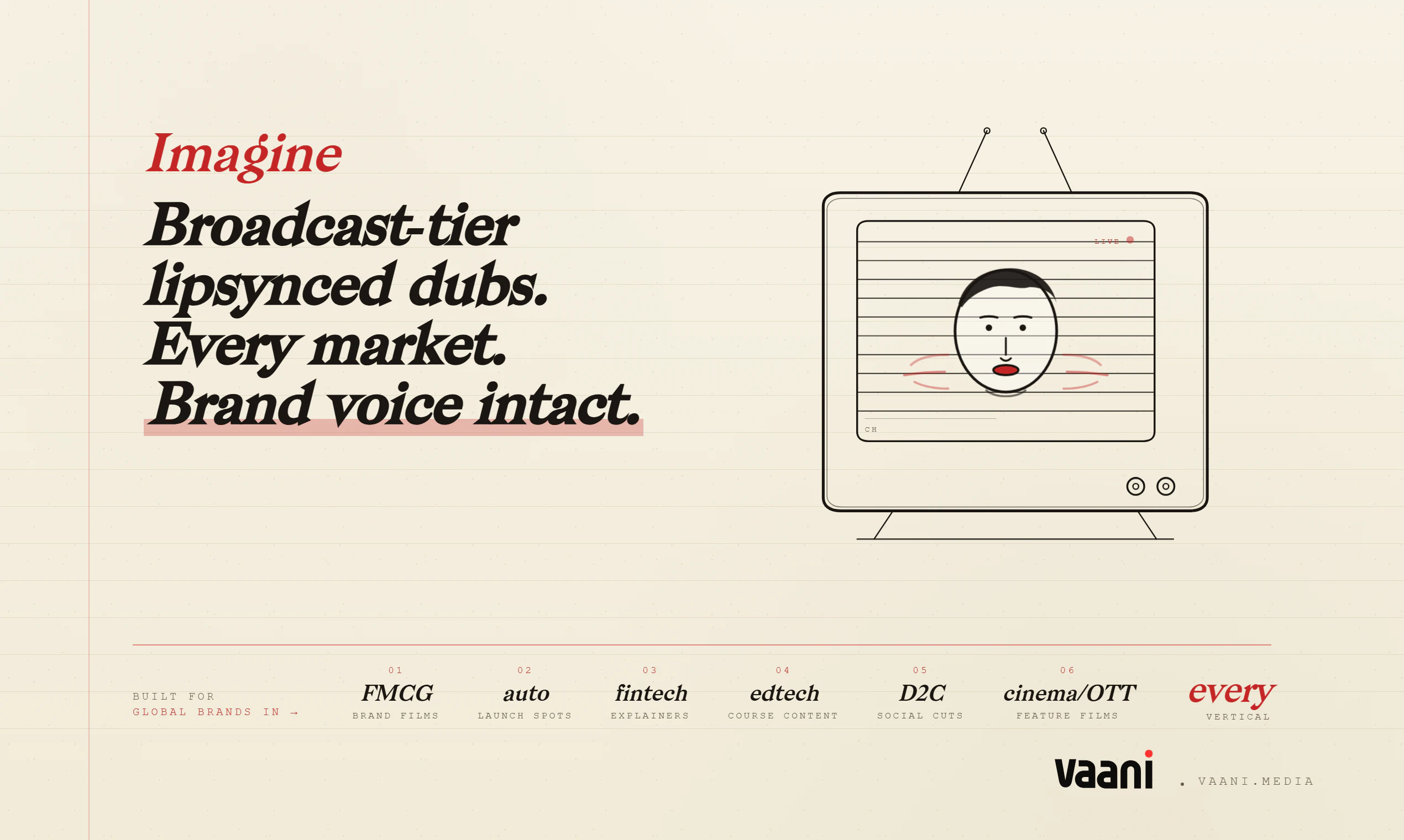
Vaani is a voice-preserving AI dubbing tool to help you dub in 40+ languages, in one go, at a fraction of the cost of a traditional dub session. Where other tools give you a generic AI voice and lips that drift off-beat, Vaani clones your voice, preserves your music, and holds the meaning across languages, with frame-accurate lip sync. Built for anyone creating videos, from creators and brands to media companies, OTTs and studios.

Hey Product Hunt 👋
I'm Abhinav Mohan, founder of Vaani.

🎬 How Vaani started

I was working on a personal video project a while back and wanted to make it accessible in a few languages beyond English. So I went looking for a tool and was genuinely shocked at what came back.
Voices that sounded like a customer-service IVR reading off a script. Lip sync that drifted two or three frames every line. Output that felt robotic in a way audiences clock instantly, even if they can't say why.
I kept thinking someone must have solved this for serious creators by now. Turns out, not quite. Most tools optimise for speed and the lowest acceptable output, not for keeping your actual voice intact across languages.
The more creators and brand teams I talked to, the clearer it became everyone was hitting the same wall.
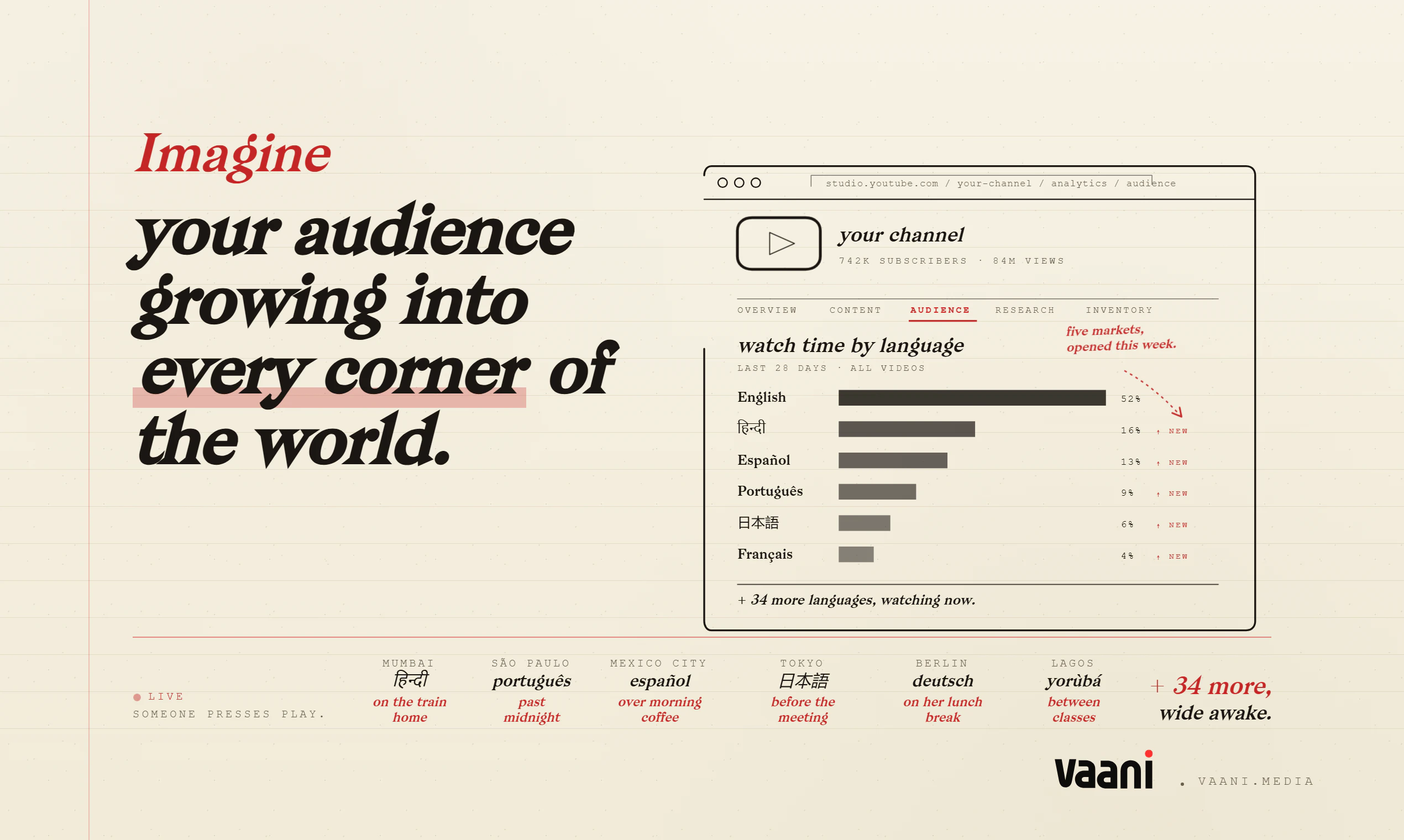
And the data backs it up: a well-made dub routinely outperforms the original by 2–3× in non-English markets. But bad auto-dubbing actually hurts creators in the global YouTube algorithm, watch time drops, ranking falls, and channels lose ground in markets they used to win.
The wrong tool punishes you for trying to go global. That gap is exactly what we built Vaani for.

✨ What Vaani does

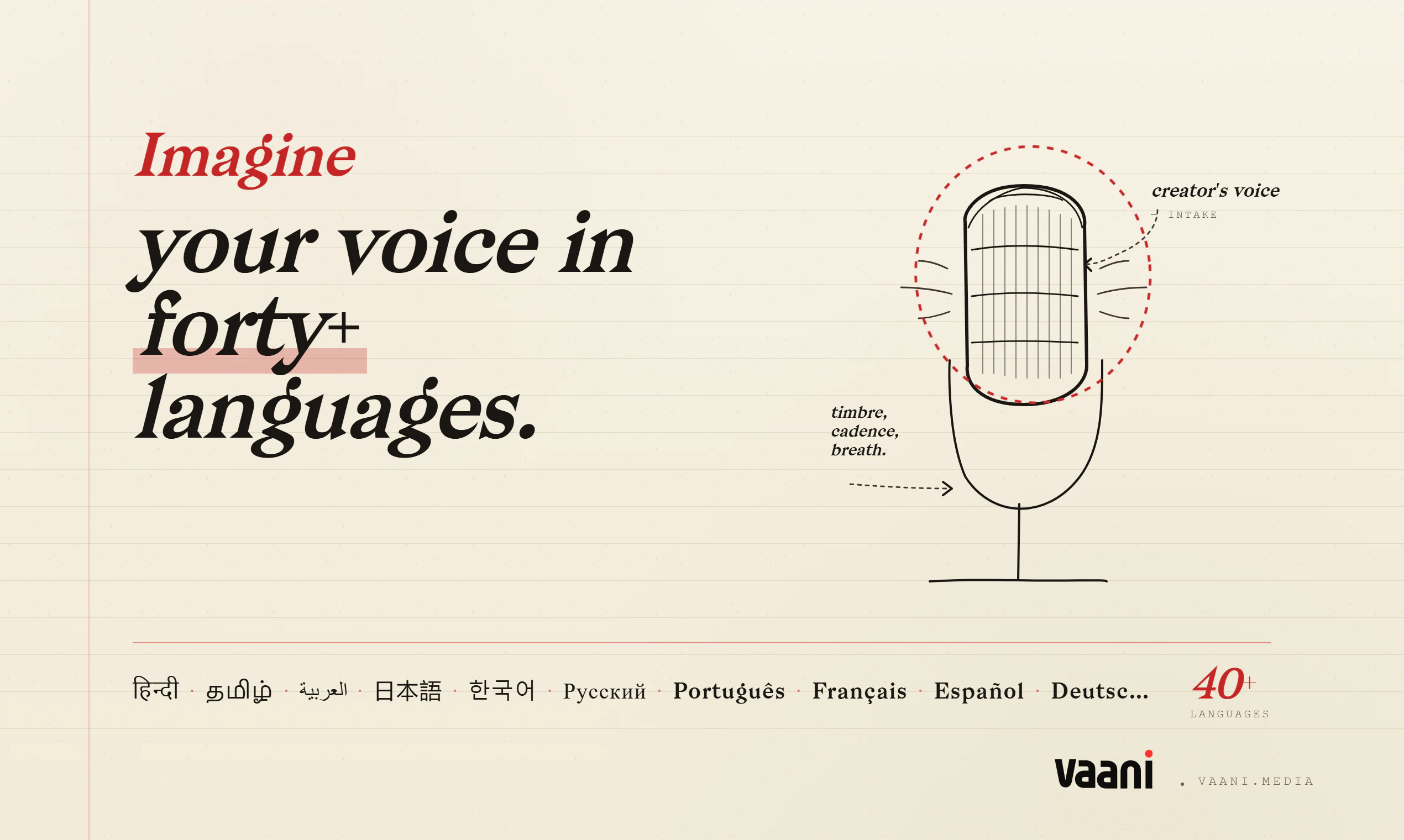
Vaani captures the fingerprint of your voice, timbre, cadence, breath, the way you swallow small words, and redraws it in 40+ languages with frame-accurate lip sync. One shoot. One render. Heard everywhere.
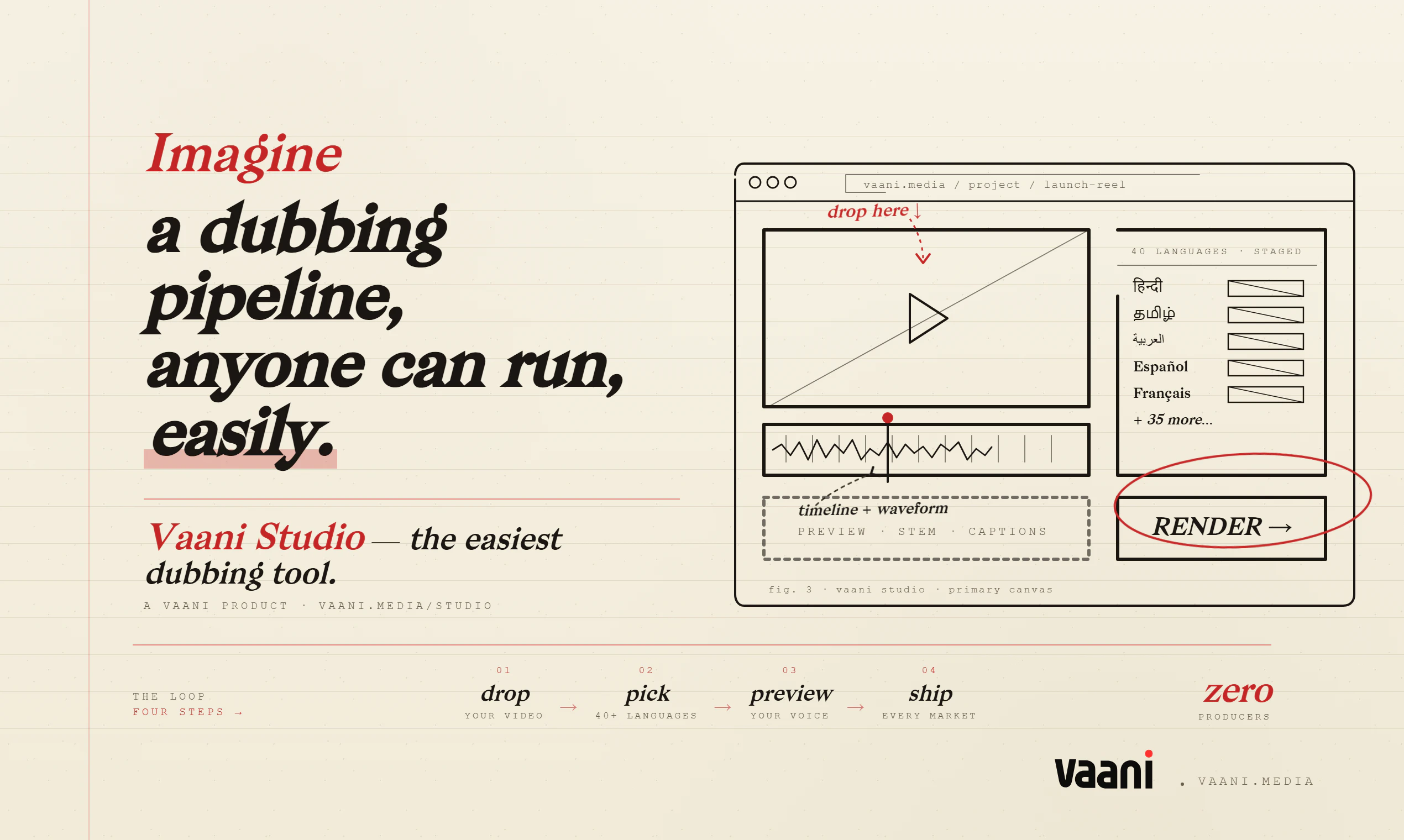
The core loop:
• Drop a video
• Pick the languages
• Vaani traces your voice, regenerates it in each script, and re-times every mouth frame by frame

👉 Try the interactive demo
https://app.arcade.software/share/zfXKZAc2lBD70Md6PzPm

⚡ Why Vaani is radically better

• Most tools translate words. Vaani retells meaning, so jokes land and tone holds.
• Most tools overdub audio. Vaani re-times every mouth frame by frame, so lips actually match. No other tool does frame-accurate lip sync at this scale.
• Most tools give one generic voice. Vaani captures your voice fingerprint and redraws it across 40+ languages, with more Indian languages than any other dubbing tool.
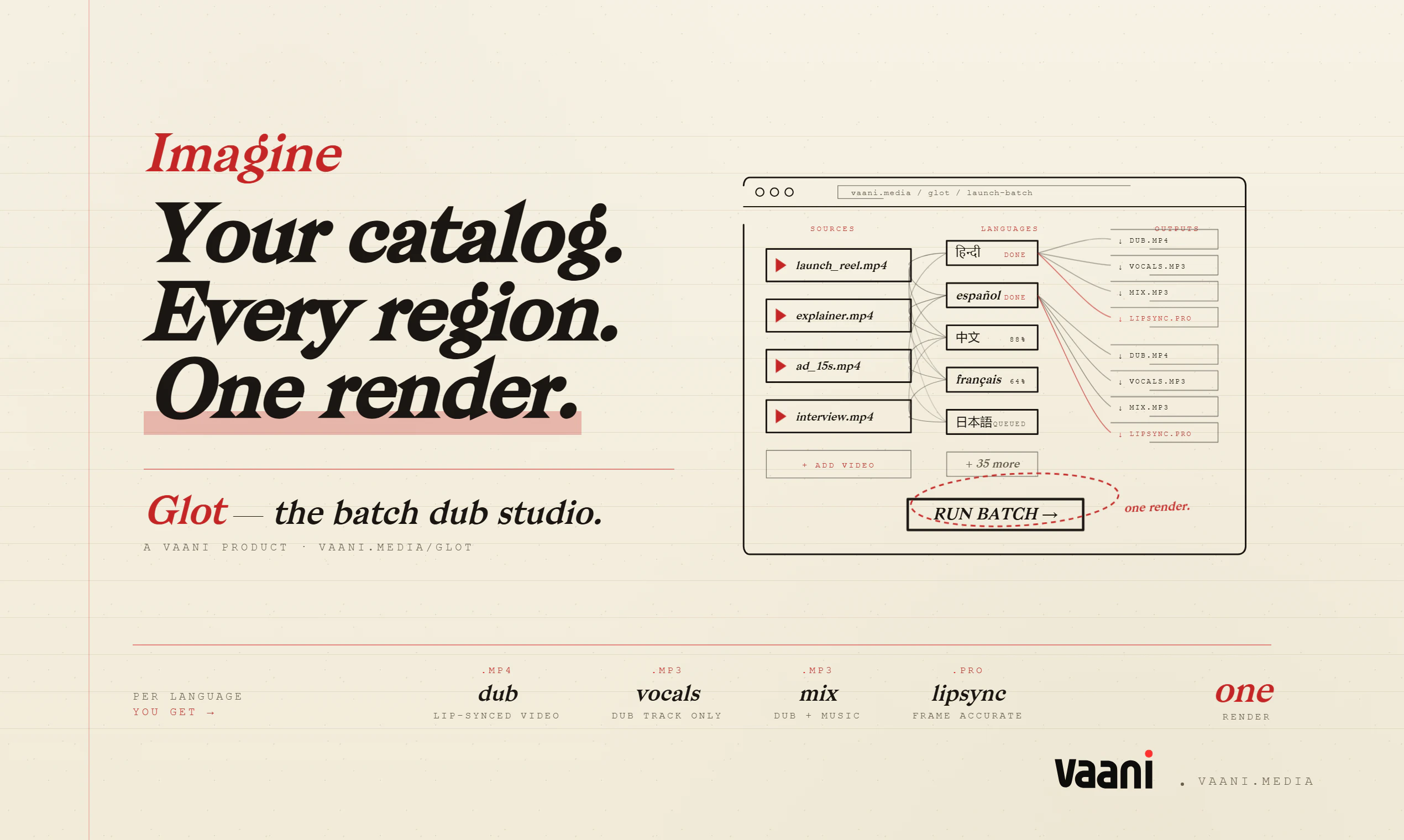
• Most tools make you dub one video at a time. Glot is a node-based batch canvas, drop multiple videos, fan out to multiple languages, add lip sync, render in parallel, download a zip.
• And it does all this at a fraction of the cost of existing tools.

👥 Who it's for

• YouTubers and podcasters reactivating their back catalog in 40+ markets
• Global brands shipping one ad in every language they sell in, same budget
• OTTs and studios regionalizing long-form content without losing the lead actor
• Course creators and educators reaching global cohorts
• Filmmakers who want a lip-synced, voice-cloned dub at a fraction of traditional cost

7 free minutes at signup,. Valid the next 7 days.

👉 Try Vaani free at https://vaani.media

💬 What we're hoping for today

Honestly? Feedback. Not upvotes. Specifically:
• What kind of content you'd try Vaani on first
• What's missing, every request goes into Linear, no exceptions
• If something breaks, please yell at us in the comments 🐛

🤝 The team

Built by a small team of four out of Bangalore 🇮🇳. I'll be in the comments all day myself, but the team's reading along, drop any technical, design, or roadmap question and we'll get it answered.

📬 Reach us

• 📧 hello@vaani.media
• LinkedIn: https://www.linkedin.com/company/advant-ai
• Discord Community: https://discord.gg/nJ5Meuh6v

Huge thanks to @rohanrecommends for hunting us, the @producthunt team for the launch infrastructure, and every one of you for reading this far. ❤️
I'll be in the comments all day (and most of the night, we're in IST, please forgive typos after midnight 🌙). Ask me anything.

Abhinav Mohan
Founder, Vaani

12
回复

@rohanrecommends  @producthunt  @abhinav_cinephile The voice-preserving approach is really interesting. A lot of AI dubbing tools get the translation done, but lose the creator's identity in the process. How are you handling cultural nuances and tone across different languages to make sure the dubbed version still feels authentic to the original content?

6
回复

@rohanrecommends  @producthunt  @abhinav_cinephile Kudos. Are users allowed to edit every line or change them before exporting their final project?

0
回复

Voice preservation is the part I keep coming back to. Most dubbing tools flatten the speaker into a generic AI voice, so holding the original timbre across 40+ languages is a real differentiator. I work on voice AI for older adults, and we've found that a familiar-sounding voice changes how much people trust and engage with it, sometimes more than raw transcription accuracy. Curious how you handle emotional prosody: does the clone carry tone and pacing across languages, or mostly the timbre? Impressive that the lip sync stays frame-accurate at that scale.

6
回复

@igorgurovich Hi Igor, the older adults trust angle resonates, it is exactly the thing we keep landing on too.

On prosody. We try to carry tone and pacing, not only timbre. The original audio is the source of expressive features and those get mapped into the target language.

Honest caveat. It ports better in some pairs than others. English to Spanish or Hindi feels close to seamless. English to Japanese or Mandarin is harder because emotion is encoded differently in pitch and tone. We map as much as we can, more a translation of prosody than a clean copy.

Thanks on the lip sync, that one took the most iterations.

Abhinav

2
回复

I need this to be a plugin for Zoom / MS Teams - working live during the meetings.

1
回复

The creator-trust angle here is strong. Bad dubbing doesn’t just sound off; it can make the original creator feel less credible in a market they’re trying to enter.

One workflow detail I’d care about: can users review the meaning/tone changes separately from the lip-sync render? For brand, education, and founder-led videos, the scary failure mode isn’t only “the lips drift,” it’s “the joke, caveat, or claim survived grammatically but not contextually.”

If Vaani can show a lightweight line-by-line review before final export — original intent, localized wording, voice/tone note, then render — I think teams would trust it for much higher-stakes content than simple back-catalog translation.

1
回复

@jim_jeffers Hi Jim, this is the sharpest framing of the problem I have read all day.

The failure mode you described, joke or caveat or claim surviving grammar but losing context, is exactly the one we have been designing against. Lip drift is a known visual problem with a known fix. The semantic drift is the dangerous one because nothing in the dub looks wrong, it just lands wrong.

On your workflow question. We do have an advanced editor (currently used with B2B customers) that gives a line level review pass before the lip sync render. The spec is close to what you sketched. Reviewers can see the original, the localized version, and approve or flag changes before the expensive part of the pipeline runs.

We chose to launch the one click version first because the quality of the auto output is the headline most people need to see. But your read is the right one. Teams buying dubbing for brand or founder content care less about throughput and more about not getting it wrong, and a review layer is what makes that possible. The editor lands as a separate launch soon.

Abhinav

0
回复

Wishing you success with the launch! Out of curiosity, which type of content do users test first: short-form videos, ads, or long-form series?

1
回复

@marianna_tymchuk Hi Marianna, thanks for the well wishes.

The pattern we have seen so far is that creators tend to start with short form to validate the quality, then move into longer pieces once they trust the output. Ads tend to come in between, the production stakes are higher but the length is still small.

On the long form side, we now handle up to 30 minutes in a single run, and longer videos can be added too. So once a creator is past the initial trust check, they can put a whole episode or feature through the pipeline.

Curious what made you ask.

Abhinav

0
回复

Do you let users review and change individual lines before export, or is it mostly one click end to end?

1
回复

@thamibenjelloun 

Hi Thami, the honest answer is nuanced.

For most creators editing line by line is not actually useful. If you are a Hindi creator dubbing into French you likely do not speak French, so the only editing you can really do is fix brand names or specific English terms anyway. So we focused on making the auto translation good enough that you do not need to touch it. Brand names and cultural nuance preservation are handled inside the dub itself.

We do have an advanced editor with full line by line control that we use with B2B customers (studios running whole catalog passes), but we chose to launch the one click version first because we wanted people to see the quality of the auto output first. The editor lands as a separate launch soon.

Abhinav

0
回复

Love how Vaani focuses on keeping the creator’s identity intact instead of just translating words.

The frame-accurate lip sync + voice fingerprinting sounds like a game changer, especially for long-form content and ads.

Quick question: how does it handle humor, cultural nuances, and fast-paced dialogue?

Killing it Abhinav this has huge potential! 🔥

1
回复

Hi Moon, thanks for that. Three good questions, taken in order:

Humor. This is the hardest of the three. Universal humor (timing, irony, sarcasm in delivery) carries over because the voice clone holds onto cadence and the way you stress a punchline. Regional humor and wordplay still benefit from a human pass, it is fundamentally a translation problem more than a voice one. We treat that as something to flag, not pretend we have solved.

Cultural nuances. The translation step preserves intent and emotional weight over exact words. Brand names, regional terms, and references that do not have direct equivalents get adapted rather than literally translated.

Fast paced dialogue. The lip sync runs frame by frame so the timing stays tight even when the speaker rattles off lines. The voice clone carries the pace from the original audio, so the dub does not slow down to fit the new language, it adjusts the rhythm to stay in sync with how you actually talk.

Appreciate the kind words. More soon.

Abhinav

0
回复
Love that you guys are focusing on translating the "meaning" and tone rather than just a literal word-for-word translation. Keeping jokes or specific idioms landing across languages is the hardest part. How much manual editing do you usually have to do to the script before rendering the final dub?
0
回复

The fast-dub seems handy. I'll just add that if you would like a promotional "war room" for your projects, see The Den in mentionfox.com Engagement HQ for everywhere and to everyone you should comment/reply on, a Grants Search module, Accellerators Search & Apply Advice, and far more. Without it I'd be hard-pressed as a solopreneur.

0
回复

As a music producer the "preserves your music" bit is what got me — most dubbing tools trash the background track the second they touch the vocal. Are you splitting out the music stem and dropping the cloned voice back over the original mix, or regenerating the whole thing? Curious how clean the music stays.

0
回复

Lip-sync is key on video creation/edition and it's gonna help enough on it. Wish you all the best here guys!

0
回复

You said the quality of the auto output is the thing people need to see first. How consistent is that first render when the input is messy, multiple speakers, background music, fast cuts? I'm curious whether a new user reliably hits the wow on clip one, or whether the result leans a lot on having clean source audio. If it does, do they find that out before they burn their 7 free minutes on the wrong test video?

0
回复

Voice-preserving across languages is the right wedge - I build voice agents and the same gap exists in cloning: "close enough" voices break trust within seconds. Watch-time / ranking falling in non-English markets when you ship generic-voice dubs is a brutal stat. Following.

0
回复

The lip-sync is the hard part most dubbing tools skip, so leading with it is a strong signal. Congrats on the launch. How do you handle emotion and tone carrying across languages — does the dub keep the original delivery?

0
回复
#4
Supaste
Clipboard Manager for macOS
242
一句话介绍:Supaste 是一款 macOS 本地优先的剪贴板与截图历史管理工具,通过可视化时间轴和高效检索,解决用户在工作流中反复丢失复制内容(文本、图片、代码、颜色等)的痛点。
Mac Productivity Menu Bar Apps
macOS 剪贴板管理 可视化历史记录 截图管理 本地优先 效率工具 内容检索 自定义分类 拖拽粘贴 一次性购买
用户评论摘要:用户普遍认为可视化UI优于传统文字列表,但质疑与Raycast/Alfred及macOS原生功能的差异化。核心需求:iCloud同步与iOS应用(已规划)、自托管私有云同步、自定义UI位置。关注性能:大文件/视频存储时内存占用,以及Electron应用图标识别准确性。
AI 锐评

Supaste 在拥挤的 macOS 剪贴板工具市场里做了一个精准的减法:用“视觉优先”和“本地优先”两个支点,试图撬动被Raycast、Alfred 等一切皆可搜索的“超级启动器”所占领的用户心智。它的价值并非在于“复制更多”,而在于“更好地回顾与复用”。可视化时间轴直接解决了传统剪贴板管理器在深度工作后变成“文本乱葬岗”的痛点,对于需要频繁调用设计元素、代码片段、文案模板的创意及技术工作者来说,这确实是杀手级体验。

然而,产品当前的处境略显尴尬。一方面,其核心功能(如快速粘贴、历史搜索)对于已投入Raycast等生态系统的高阶用户而言,吸引力有限。开发者回应的“更多功能即将到来”(如图片处理、批量复制),恰恰暴露了当前版本在功能深度上的不足——它更像是一个漂亮的“陈列柜”,而非一个强悍的“加工厂”。另一方面,其最大的竞争壁垒“本地优先”,在用户评论中却变成了最大的犹豫点。单机若无法实现无缝跨设备同步(哪怕是iCloud),在如今多设备协同工作流下,就会沦为“局部最优解”。被反复问及的“是否同步”,以及开发者对“iCloud同步已在路线图”的多次回应,都证明了纯本地存储的市场教育成本极高,且需要强大的云同步功能作为体验飞轮。

Supaste 赌对了审美和场景,但能否从“尝鲜的漂亮工具”进化成“工作流的唯一依赖”,取决于其后续更新能否在“视觉体验”的护城河外,快速构建出“高效动作”(如批量处理、自定义工作流)和“无缝同步”这两条更宽的护城河。否则,它很可能成为开发者个人秀中一颗耀眼的流星,而非用户基座中一座坚实的堡垒。

查看原始信息
Supaste
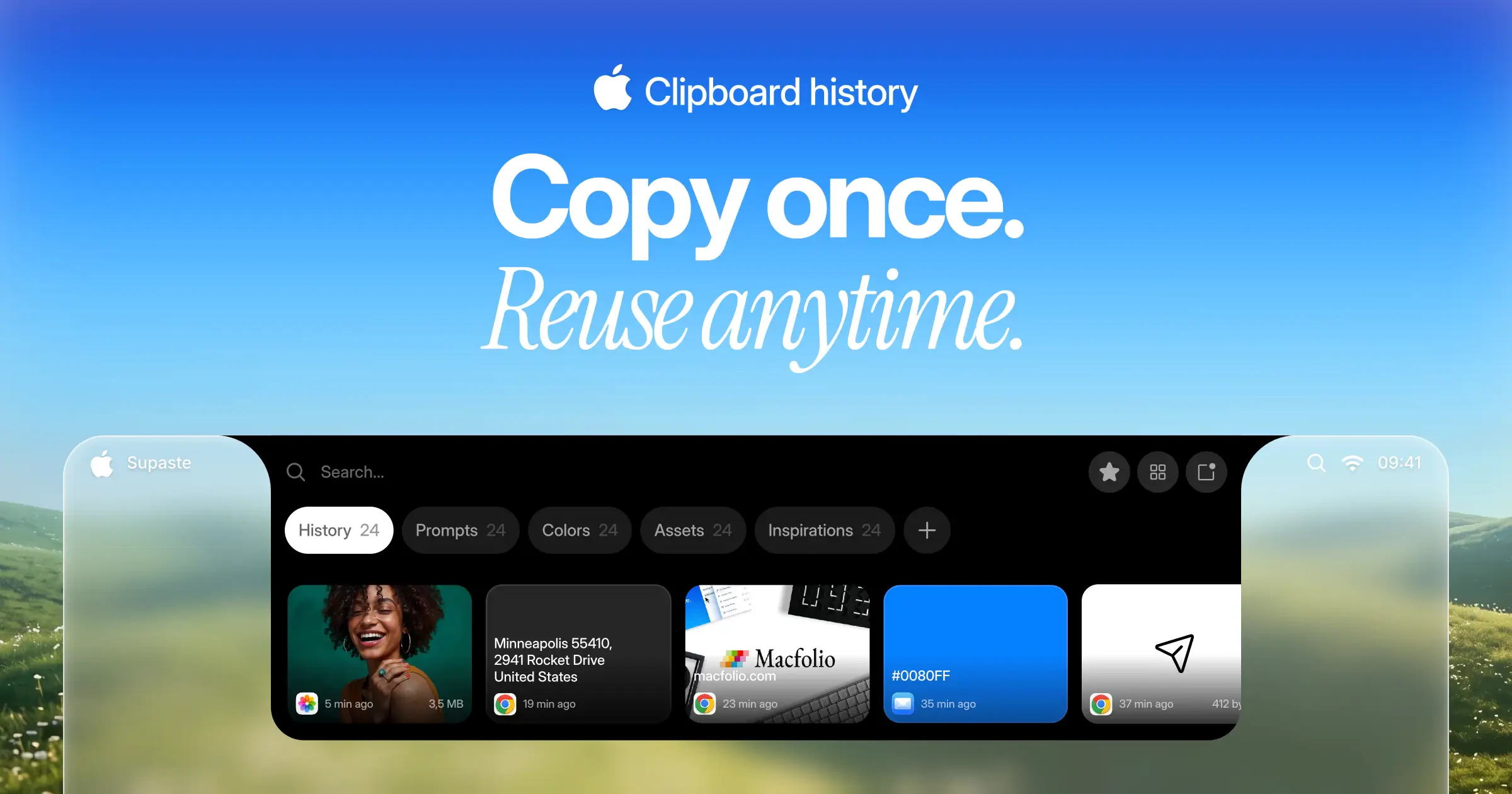
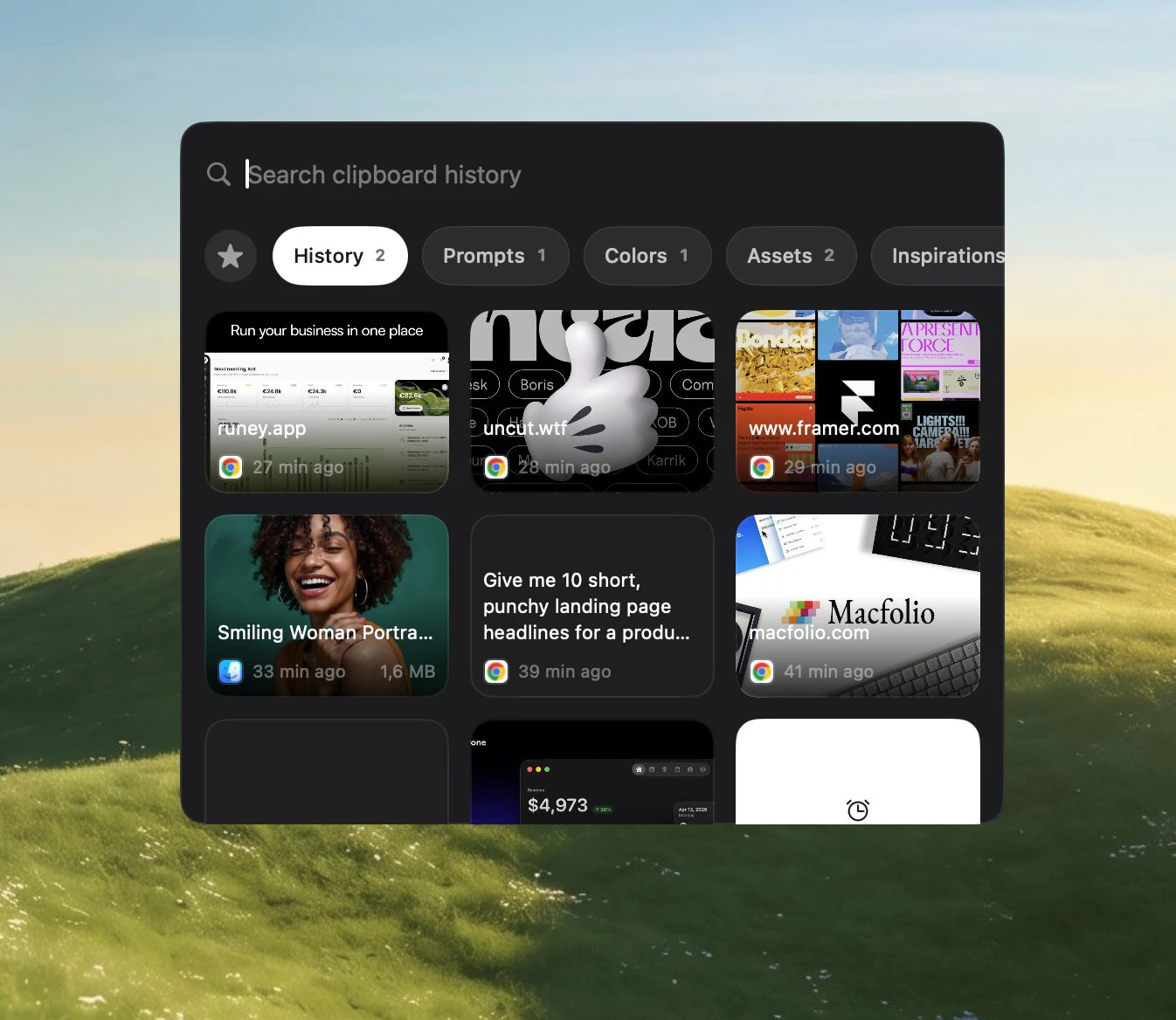
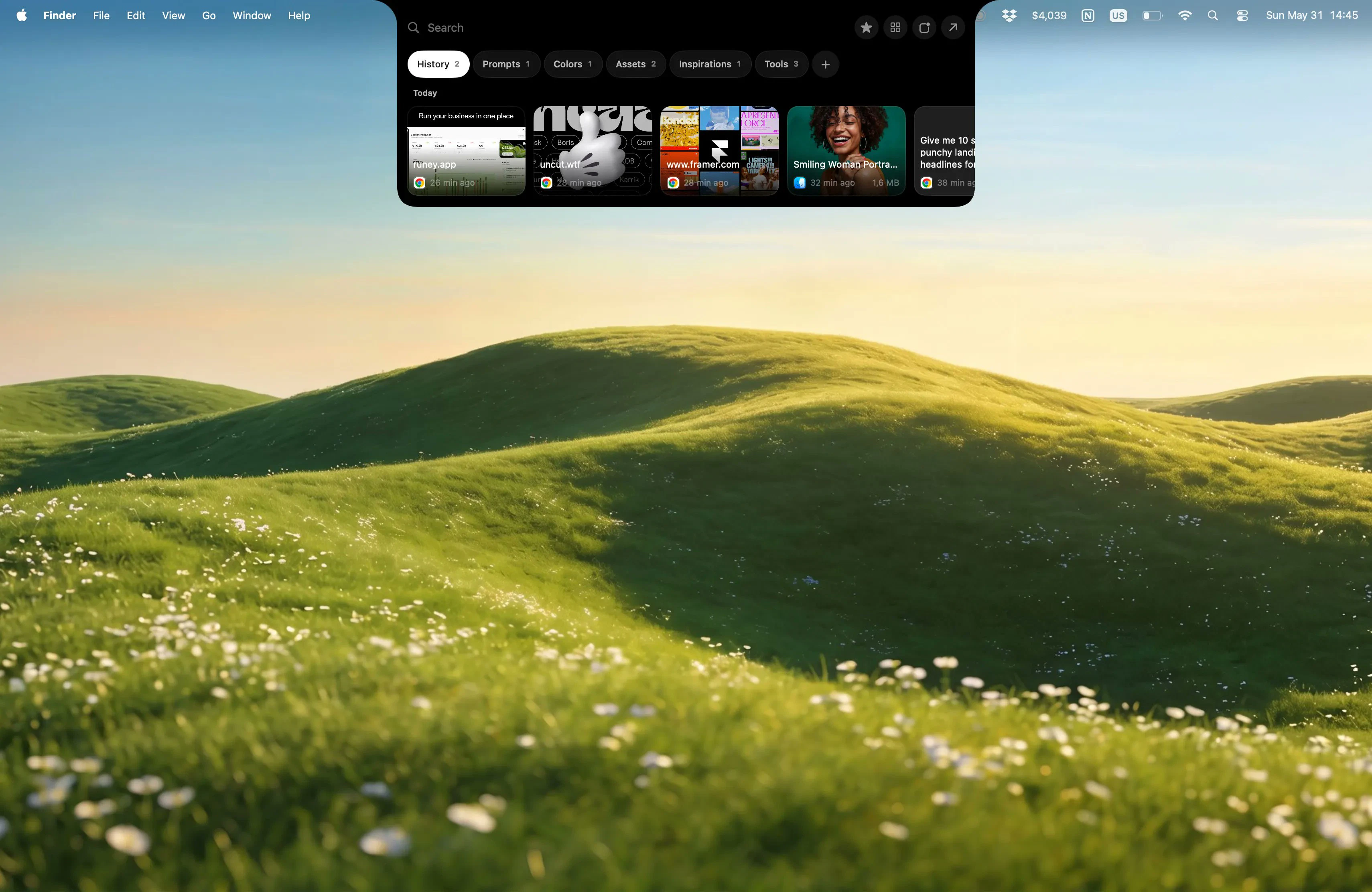
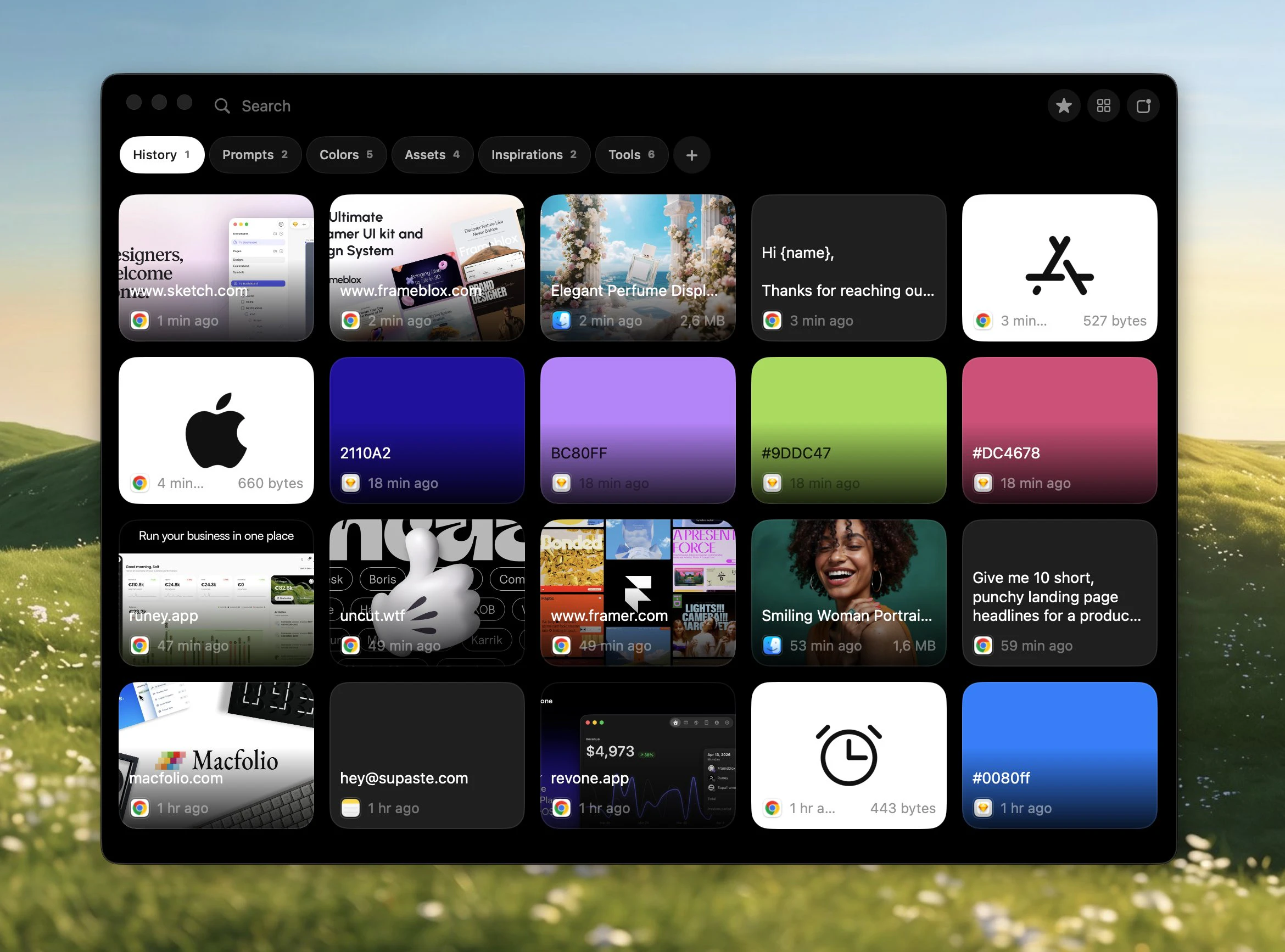
Supaste is a local-first clipboard and screenshot history app for Mac. Save copied text, links, images, files, code, colors, and screenshots in a beautiful searchable timeline.
Hey I built Supaste because I kept losing useful things I copied throughout the day — links, screenshots, code snippets, colors, assets, email templates, and random text I needed again 10 minutes later. Most clipboard managers felt either too plain or too messy for my workflow, so I wanted to make something more visual, fast, and easy to reuse. Supaste is a local-first clipboard and screenshot history app for macOS. It saves what you copy into a beautiful visual timeline, lets you filter by app or content type, organize clips into custom categories, drag and drop items back into other apps, and paste recent clips instantly with shortcuts. It’s built for people who copy a lot while working — designers, developers, marketers, founders, sales/support teams, and anyone who wants their Mac to remember what they copied. A few things I focused on: • Visual history instead of a plain list • App and type filters • Custom categories for projects, templates, and assets • Quick Paste from anywhere • Drag and drop from the notch/window • Local-first, no cloud sync, no analytics • One-time purchase, no subscription I’d love to hear your feedback, ideas, and feature requests. Thanks for checking out Supaste
4
回复

@soltwagner It's Apple version of Win+V and I like using it to remember the copied passwords

0
回复
@soltwagner product from a problem 👍
0
回复
@soltwagner Can you build clipboard manager for Linux and Windows also ?
0
回复

The local-first no-cloud call is the interesting bet! Is no-sync a privacy stance you're committed to or a v1 scope line you'll cross later with end-to-end encrypted sync? Cheers

3
回复

@artstavenka1 yes, in the next updates I will implement iCloud sync yes, and iOS app

1
回复
Many people already rely on Alfred or Raycast clipboard history—what’s the specific 30-second demo workflow where Supaste clearly outperforms those options, and why is that advantage hard for a launcher to replicate?
2
回复

@curiouskitty You can watch demo video here https://www.youtube.com/watch?v=F4_HccauNl0

and lot of more actions coming, image converter, image resize, remove background (demo here https://x.com/soltwagner/status/2063652302020628793), more text actions, bulk copy (demo here https://x.com/soltwagner/status/2063603367214215219), better UI, better UX

and more useful features coming in the next updates

0
回复
@soltwagner Just to make sure, would you say the biggest reason to switch today is mostly for the improved UI/UX? Since you mentioned those other features are coming in later updates?
0
回复

At first, I was like "Ok raycast has solved it already, and now it is native to macos" but when I'm seeing the interface, it looks really nice. I love how you use the dynamic island style.

What if I already have an app that uses the notch? Could I use another UI?

Congrats!

2
回复

@fberrez1 I’ll add more customization options in the next update. You’ll be able to move the app from the top to the left, right, or bottom, and choose between a full library window or a small quick-paste window anywhere with the Supaste.com app.

0
回复

@soltwagner The visual timeline approach feels like the right fix for clipboard managers that turn into unreadable text dumps after an hour of deep work.

Curious if the app-level filtering works reliably with Electron apps like Figma or VS Code, since they often report generic window titles instead of meaningful context?

That’s usually where visual clipboard tools start to lose their edge over plain lists.

1
回复

Drag-and-drop clipboard. I love that!

1
回复

Clean, native-feeling clipboard managers are weirdly rare on macOS, so this is welcome! Congrats on launching. Does history sync across devices, or stay local for privacy?

1
回复

@oleksii_sekundant local first, privacy, in the next updates I will add iCloud sync, and app for iOS

0
回复

As someone constantly juggling UTM parameters, ad copy variants, and brand hex codes, this looks like a massive lifesaver. Does Supaste allow you to pin or organize specific clippings into folders/tags for different campaigns?

1
回复

@andika_fadhilah yes, you can create your own collections/folders

0
回复

That's a clean take. Is cross-device sync on the roadmap, or is it intentionally local-only?

1
回复

@dhiraj_patel5 at the momant local-first, iCloud sync and iOS app on the roadmap

1
回复

I feel like every few years I convince myself I don't need a clipboard manager, and then spend the next week re-copying the same links, snippets, screenshots, and prompts 😅

Love the visual-first approach. Congrats on the launch.

1
回复

@chaitrali_kakde1 thank you 🙌 and for sure, you need Supaste 🫡 this is not just a clipboard manager

1
回复

Beautifully designed product! Well done : )

1
回复

@craigjbarber Thank you Craig 🔥🙌

0
回复

How does it compare to the now native macOS Tahoe clipboard history? Nicely done!

1
回复

@reneandritsch more features, more actions, better UI and UX, better filters, your own collections, pins, favorites, shortcuts for pins, history, custom shortcuts for any clipboards

0
回复

@soltwagner Thanks for sharing what you've been creating! I'm looking forward to trying this app in my design work.

I'm curious about temporary storage and memory usage. If video files or sets of large images are copied to the clipboard using this app, does the summed size of the files put strain on available memory that would normally not keep more than a single item on the clipboard?

0
回复
Honestly like the app, but the price is a turn off. I can see where if a person truly cared about local only how this could be enticing, but more than half my copy pasting is between devices. Could there be an alternative to cloud where it integrates with a local self hosted option as the clipboard?
0
回复

This is one of those tools I can immediately imagine using during a messy building day. When I’m working on product copy, small design details, support replies, screenshots, links, colors, and random snippets, I constantly copy things that I know I’ll need again… and then somehow lose them five minutes later.

I like that Supaste treats clipboard history more visually, not just as a long technical list. The local-first part also matters a lot for this kind of app, because clipboard history can easily include private product stuff, emails, credentials, or unfinished drafts.

The one-time purchase is refreshing too. :))

Curious how you think about search: is it mostly exact text search, or can it also help find things more loosely, like “that screenshot from the dashboard” or “the blue color I copied yesterday”?

0
回复

also you got my upvote -- it’s a really cool product!

0
回复

Local-first with a timeline that spans text, images, code, colors, and files in one searchable store is the hard part. Most clipboard managers pick one content type and add the others as an afterthought. I've hit the same mixed-type indexing tradeoffs when handling diverse data in a unified store. Do you use Core Data, SQLite, or something else for the local persistence layer?

0
回复
#5
The Virtual OS Museum
Relive vintage operating systems right on your desktop
179
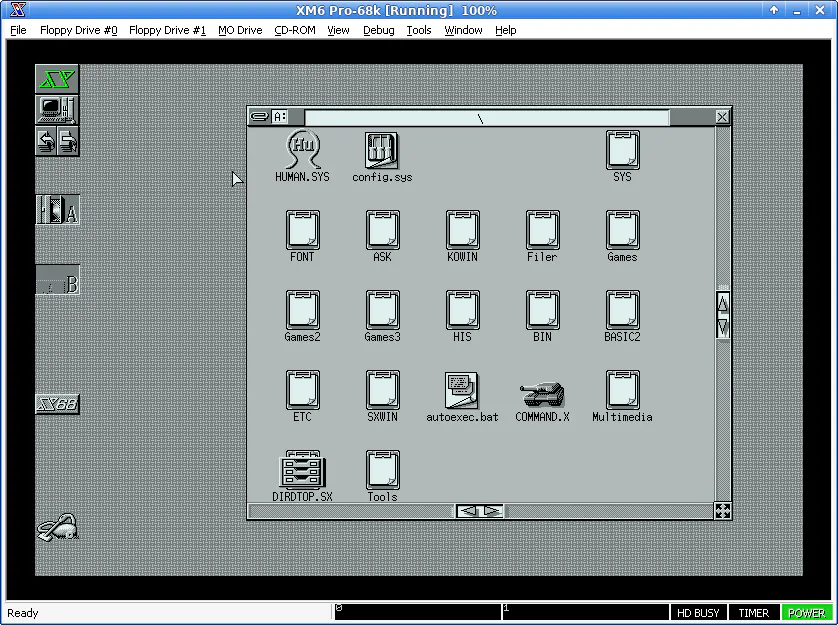
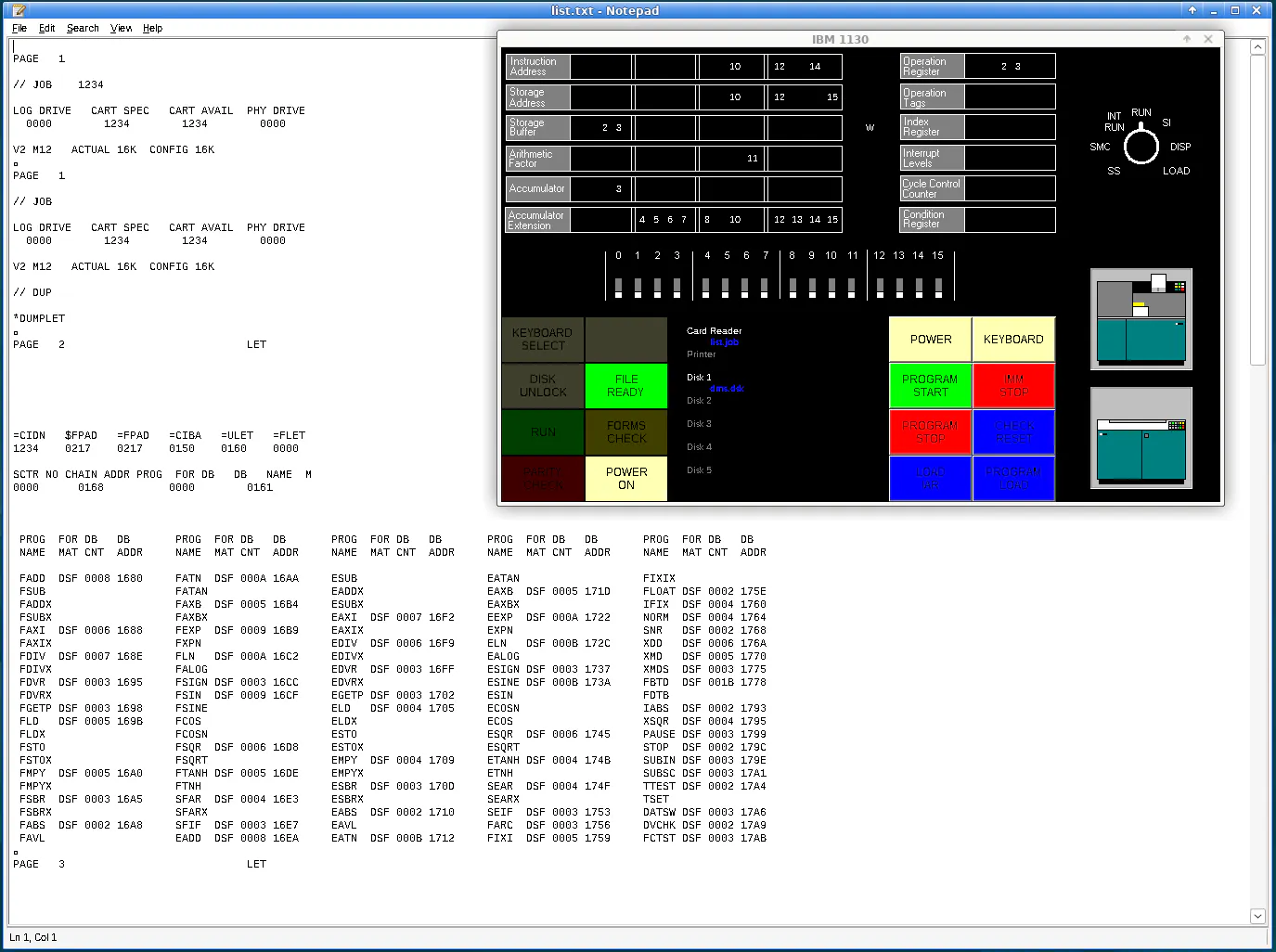
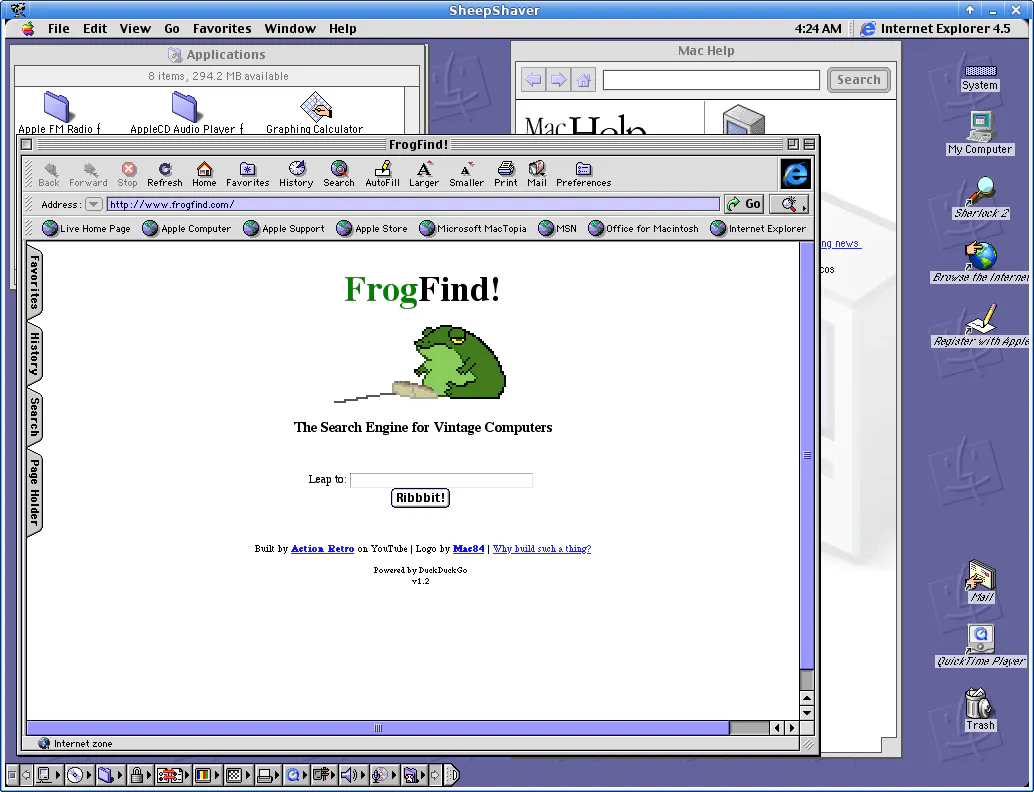
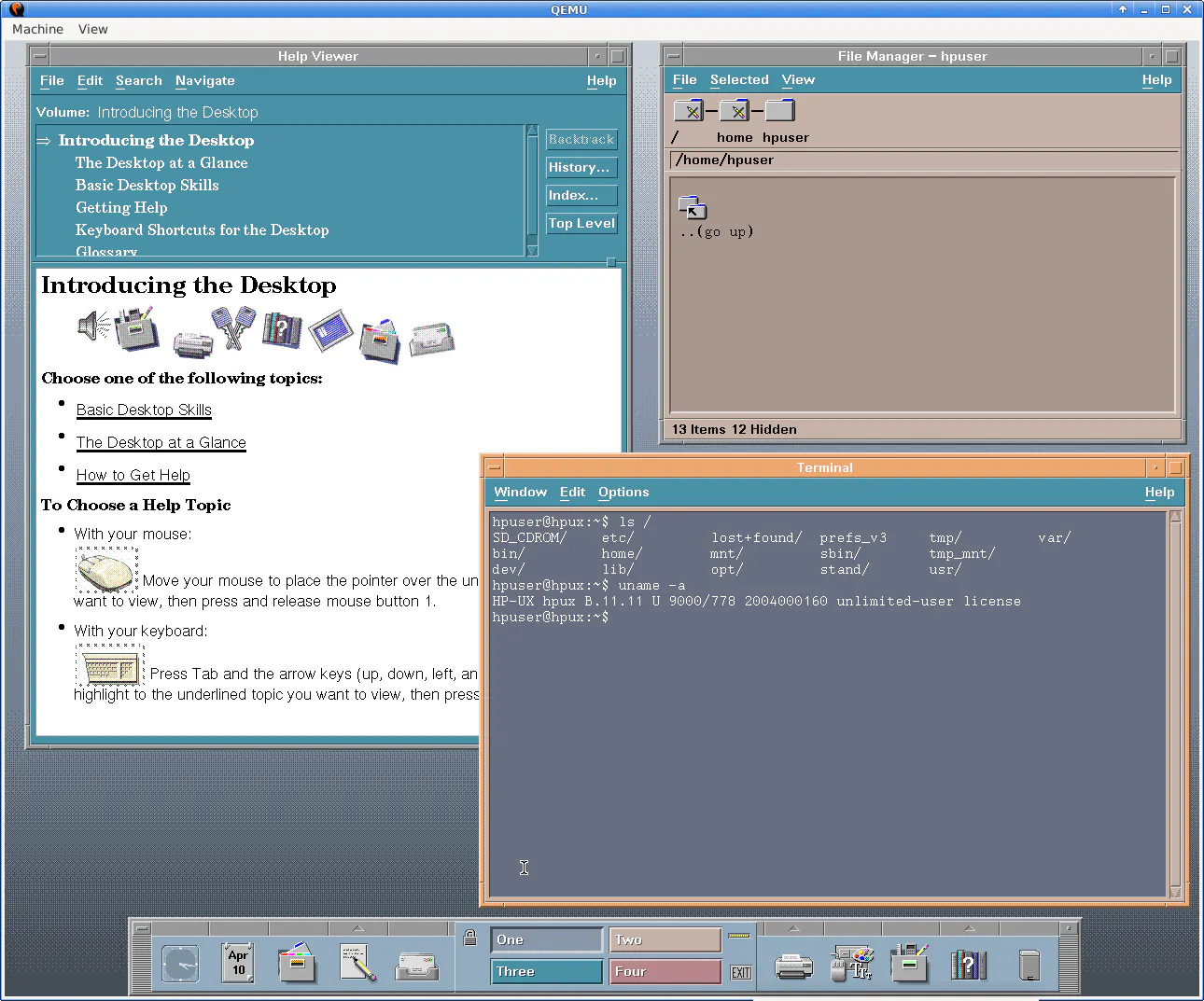
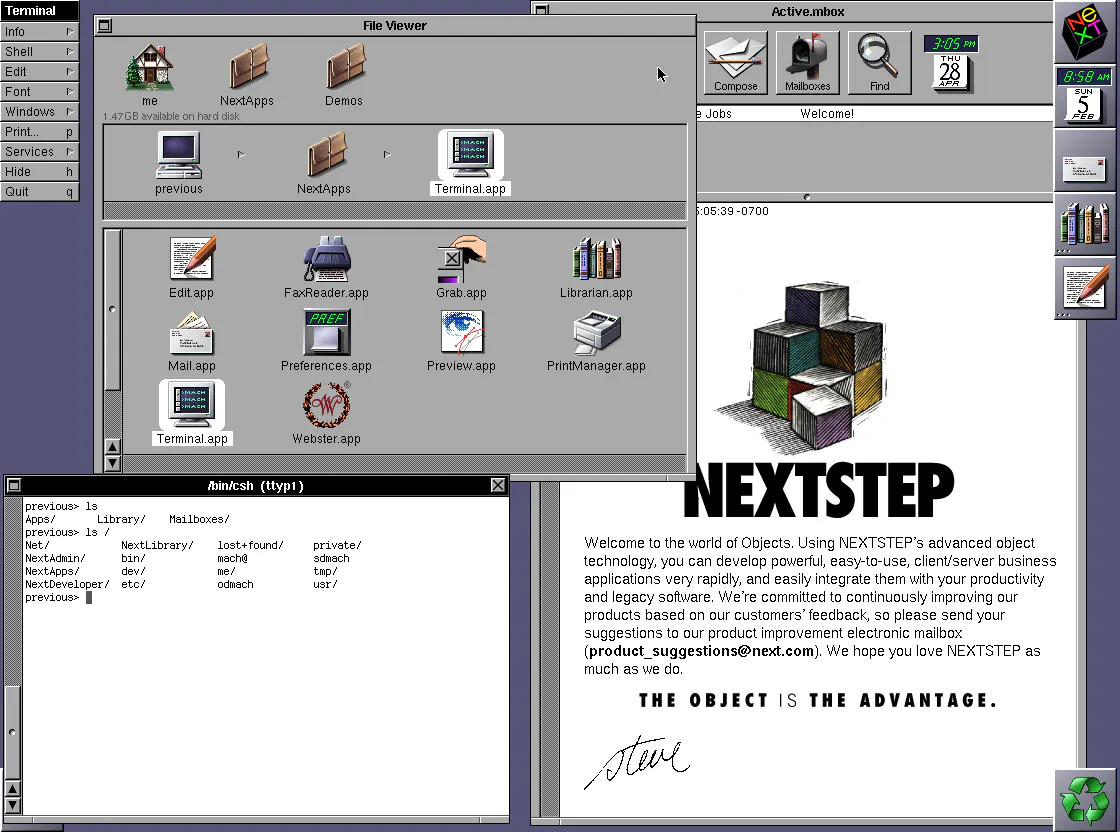
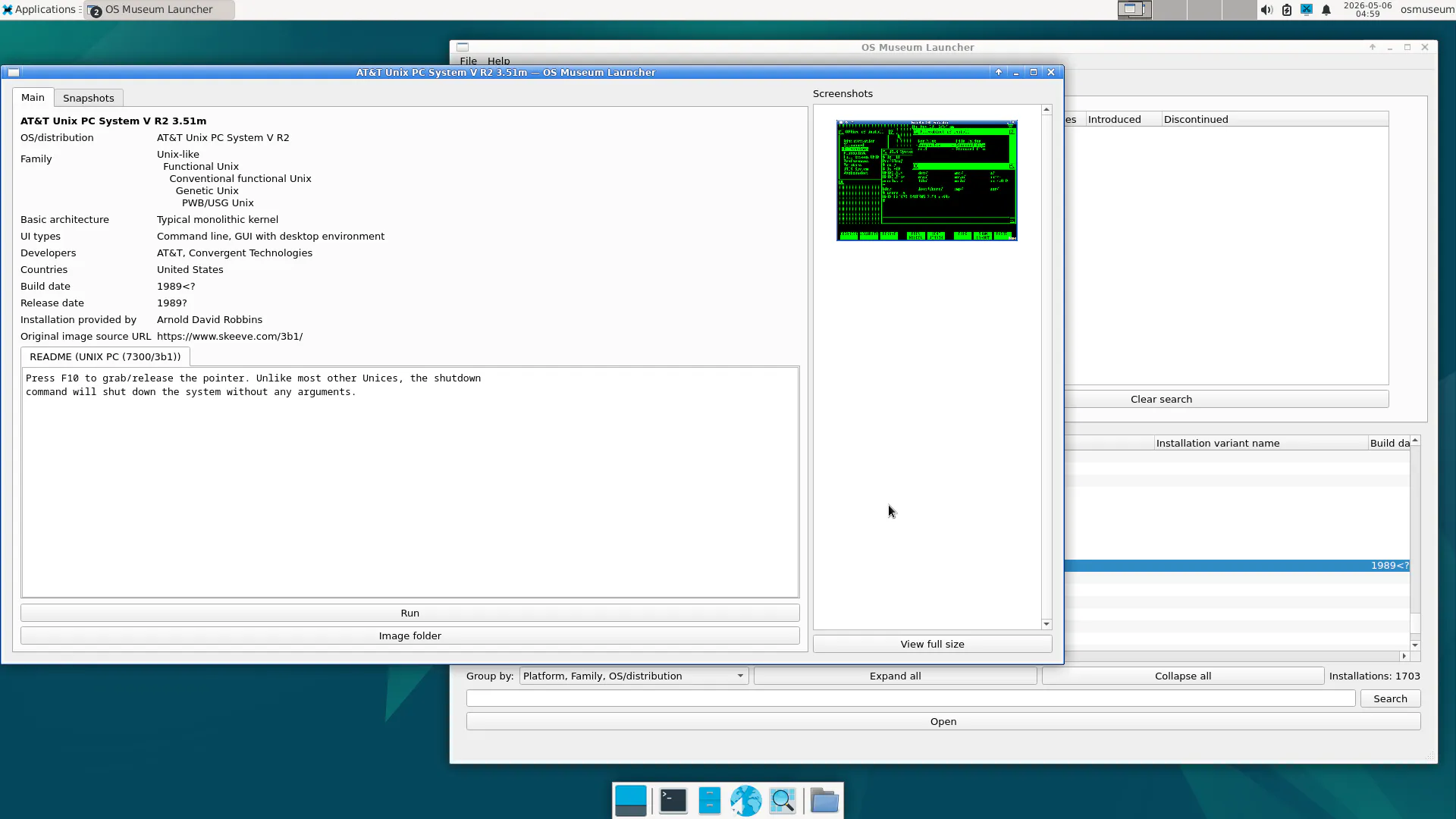
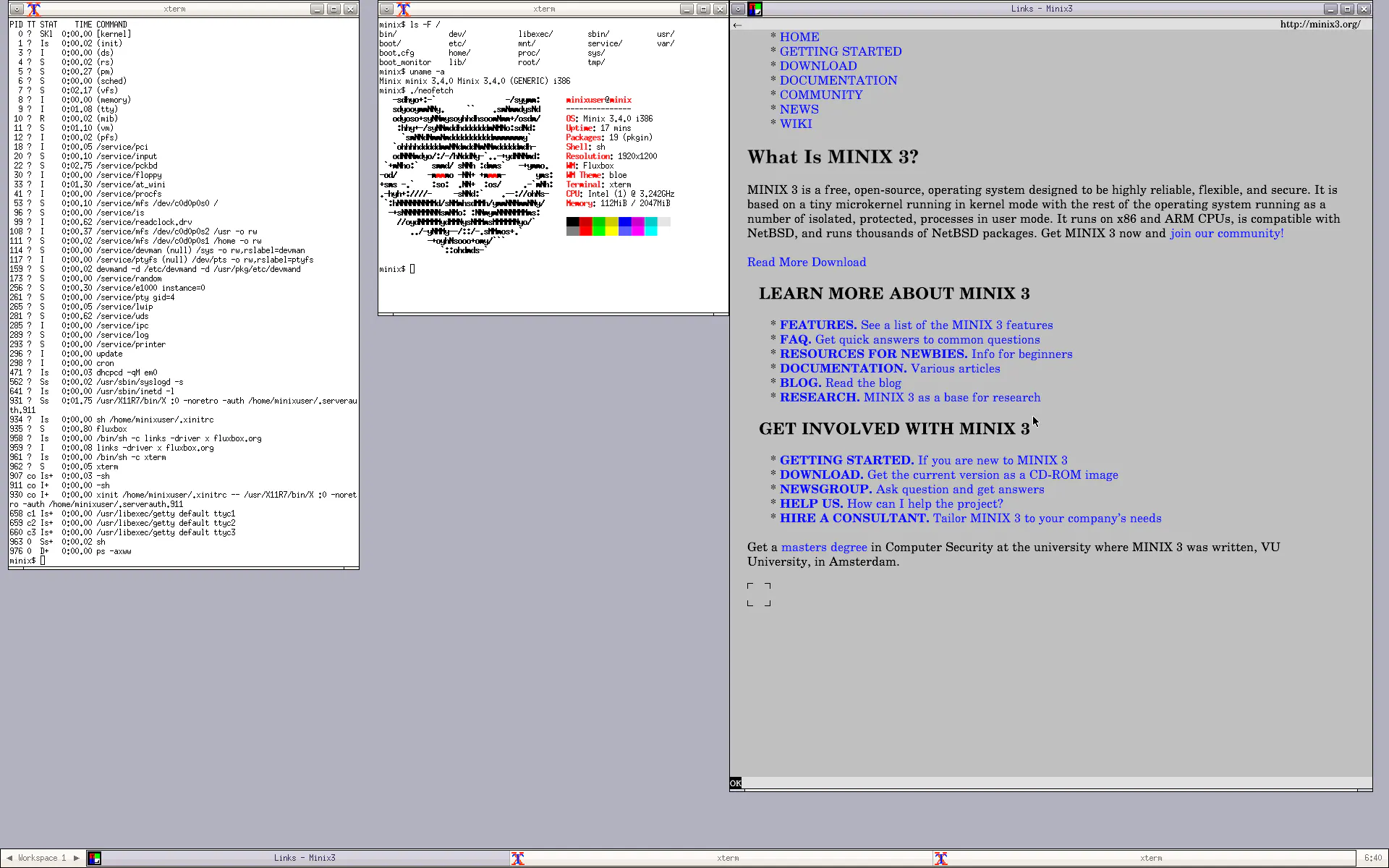
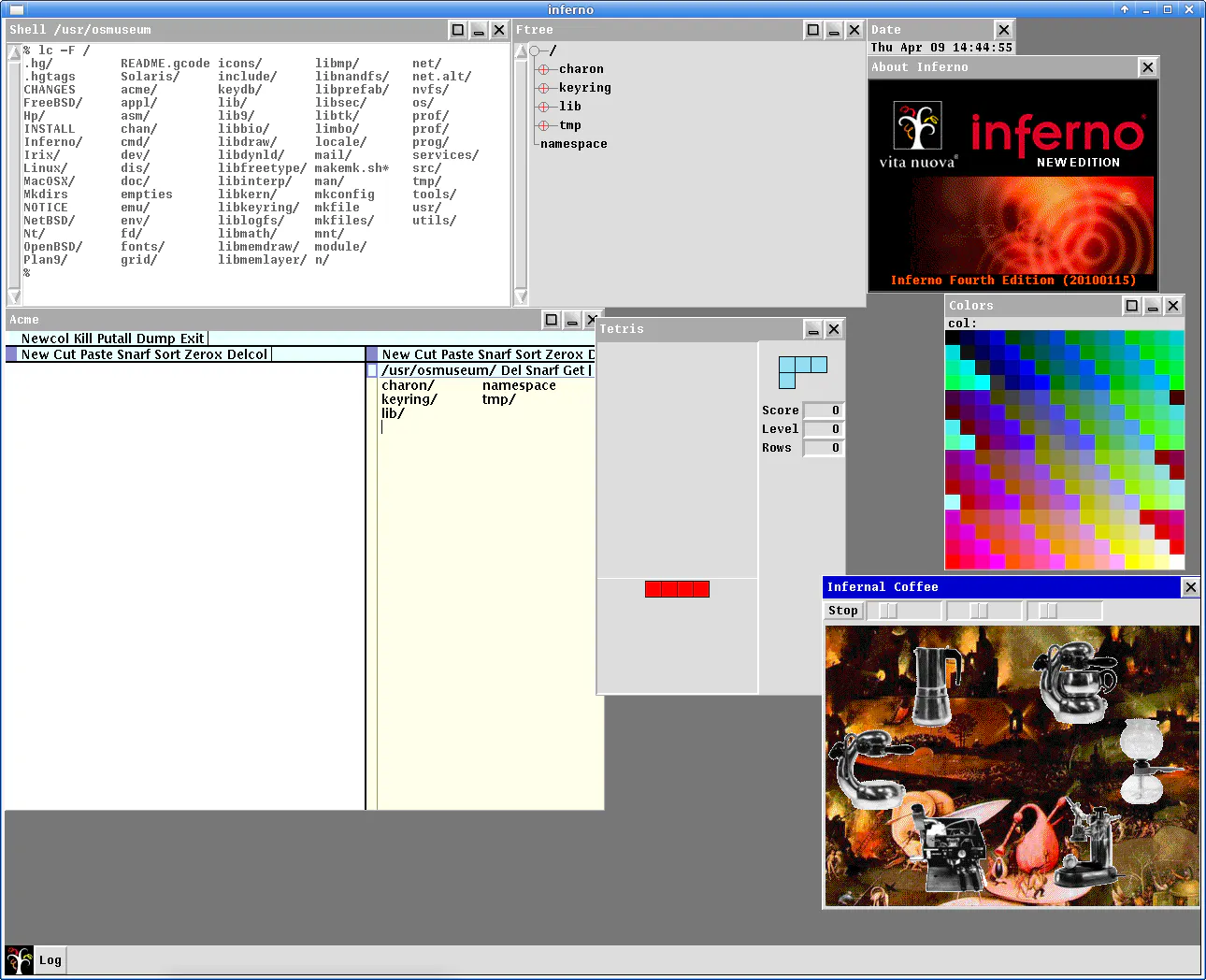
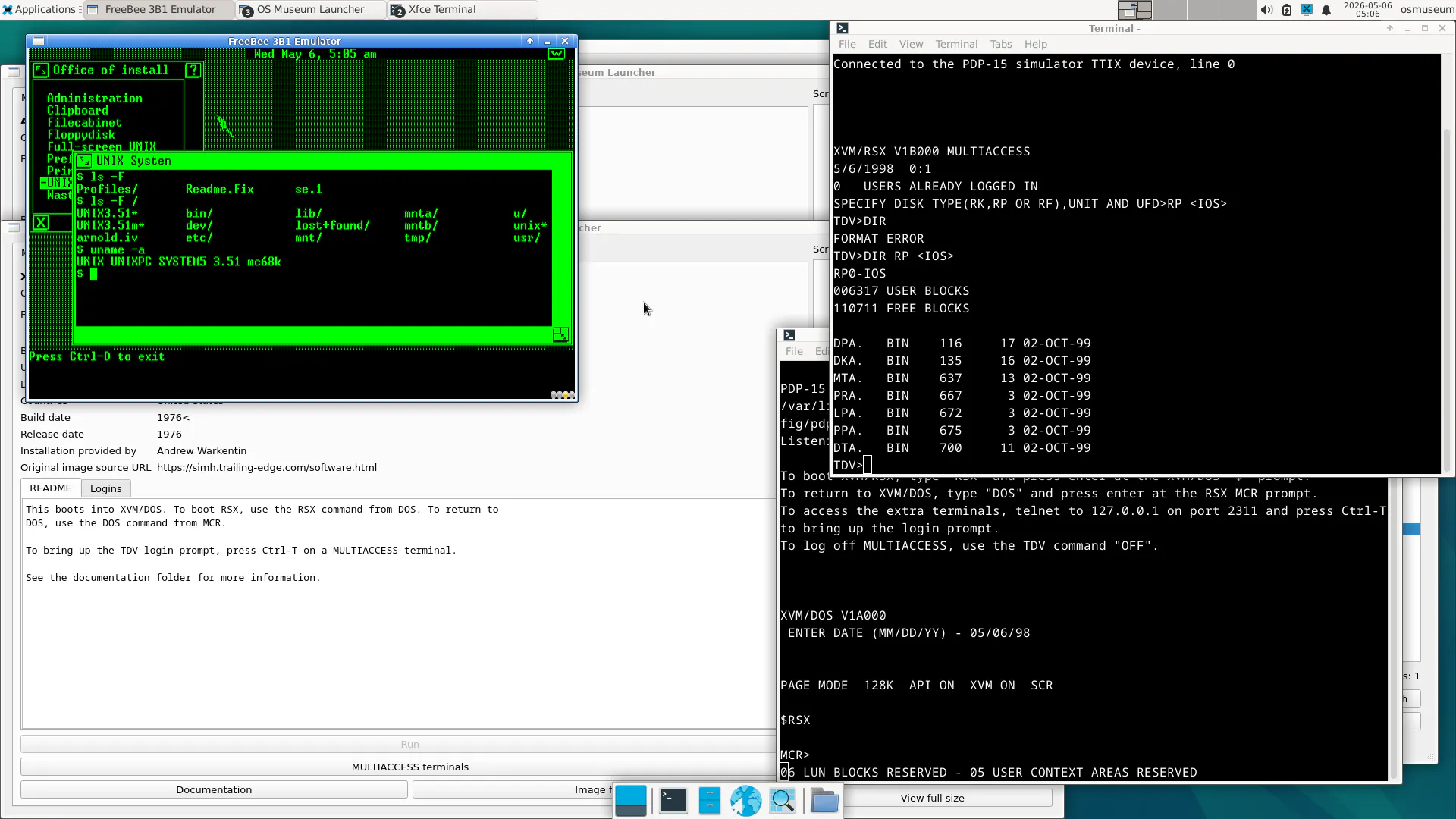
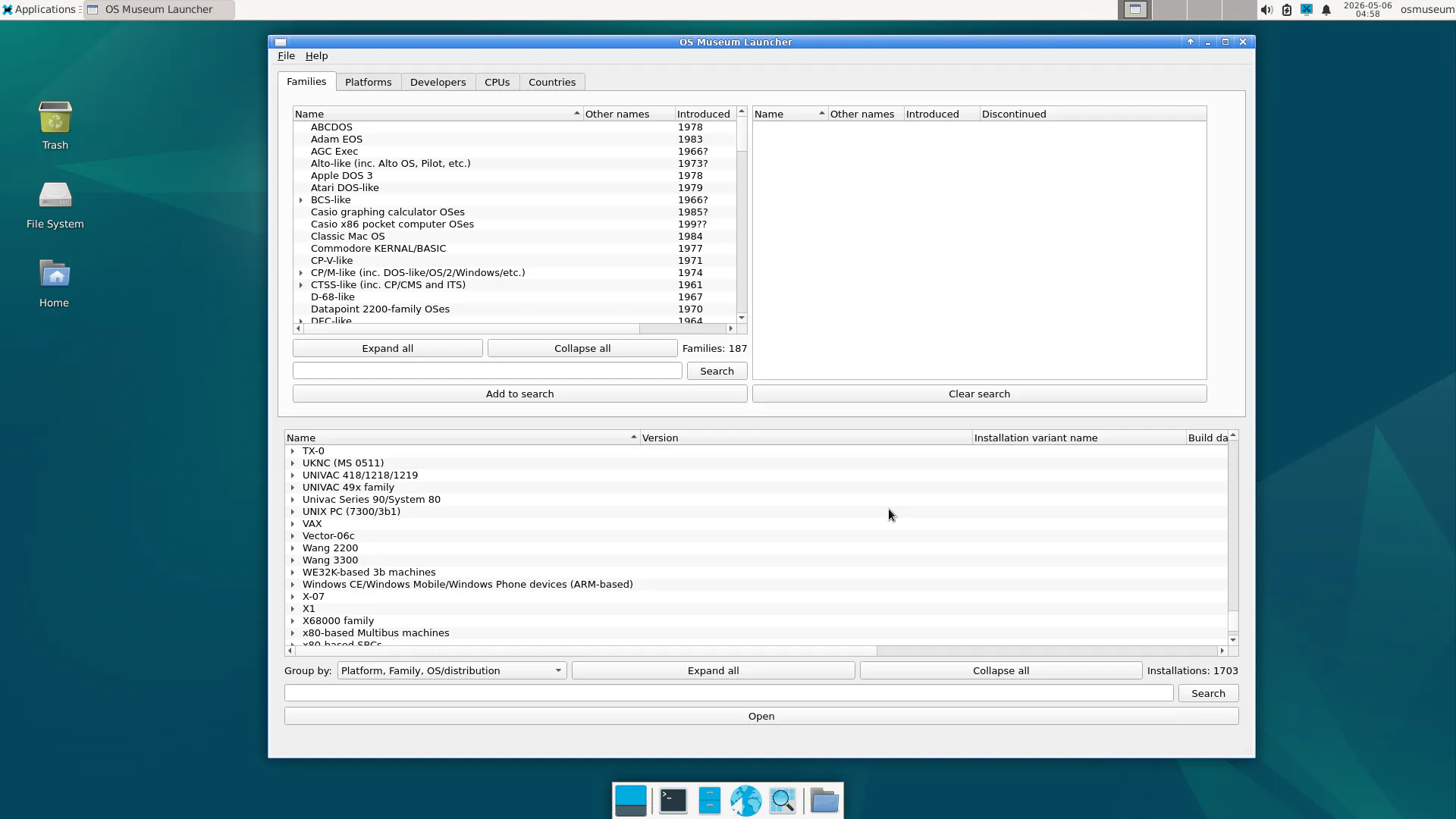
一句话介绍:The Virtual OS Museum 是一个预装了超过1700个操作系统(从1948年曼彻斯特宝贝到现代系统)的Linux虚拟机包,让用户无需购置古董硬件即可在桌面上直接“触摸”和运行计算机历史中的经典系统,解决了技术爱好者和历史研究者无法真实体验老系统的痛点。
Open Source Software Engineering
虚拟机 操作系统博物馆 数字保存 复古计算 QEMU VirtualBox UTM 历史软件 技术考古 一键运行
用户评论摘要:用户高度认可其数字保存价值,但普遍期待浏览器在线版本以降低体验门槛。有用户希望增加“早期GUI”等引导式浏览路径,也有人关心系统是否能真正交互或仅为预览。少数评论指向细节缺失(如缺少Windows的“画图”软件)。
AI 锐评

The Virtual OS Museum 本质上是一个“数字遗产大礼包”,其价值不在于技术创新,而在于极致的整理与封装。1700多个系统被塞进单一虚拟机,解决了“收藏狂”的空间与配置成本问题——这是比单纯构建一堆模拟器更聪明的产品化思路,因为它把“体验”的门槛从技术宅降到了普通爱好者。

但必须指出,当前形态存在致命短板:下载一个巨型VM包本身就是反互联网时代的操作。用户评论中最高呼声的“网页版”直击要害——如果无法即时、零摩擦地启动1960年代的系统,它就只是一个静态的“ISO合集”,与真正的“互动博物馆”相去甚远。此外,项目缺乏清晰的引导机制:面对1700个系统,多数人只会迷失而非深入探索。若不能设计出类似“时光走廊”或“操作系统进化树”的策展逻辑,它很快会沦为收藏品而非教育资源。

其真正价值在于“可运行”而非“可观看”。当你能在丑陋的分辨率下真正敲出DOS命令或滑动Palm OS的触控笔时,那种历史触感是任何截图和视频无法替代的。但若要破圈,团队必须从“把古董塞进柜子”转向“让游客轻松走进展厅”——做减法(精选系统、提供引导)、做连接(浏览器端、交互式时间线),才是从工具升级为文化基础设施的关键。

查看原始信息
The Virtual OS Museum
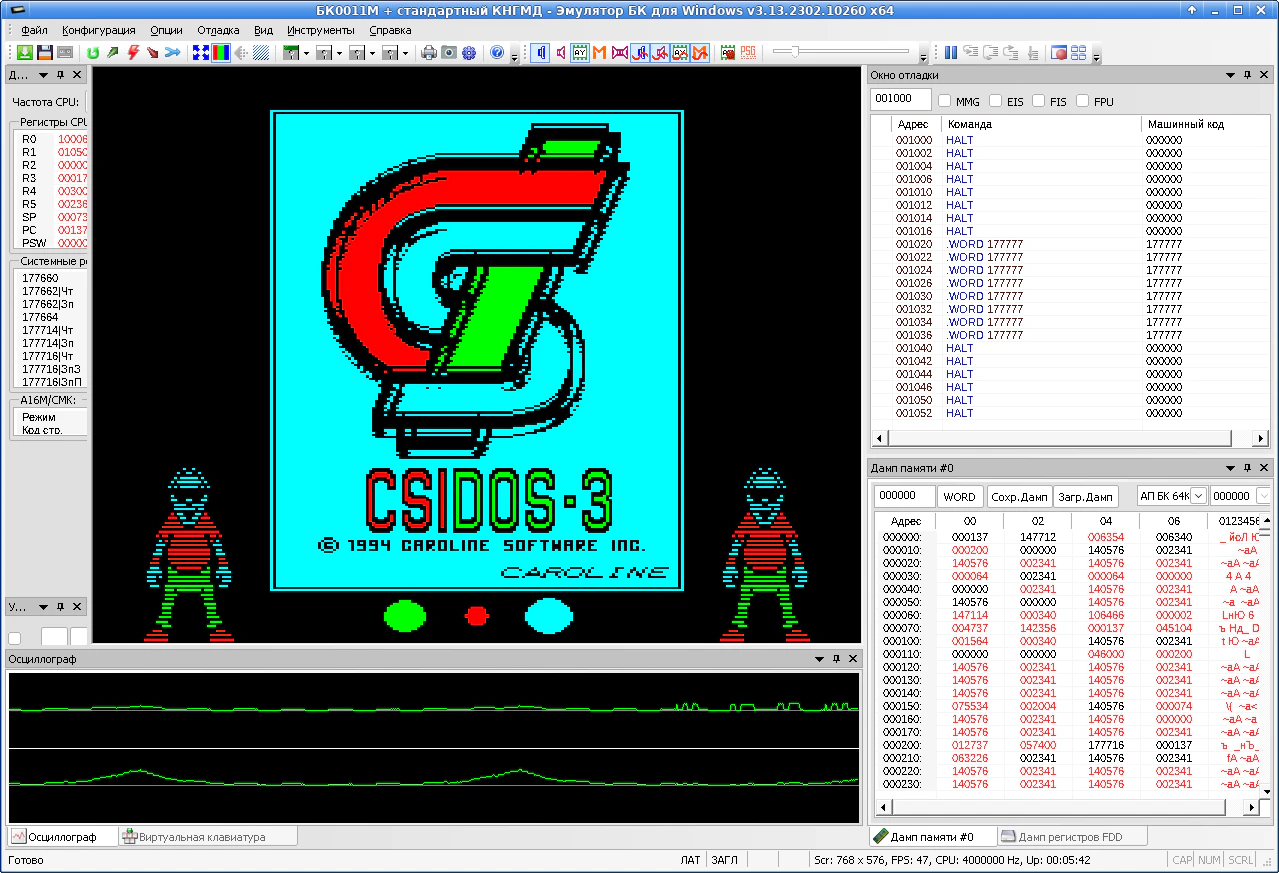
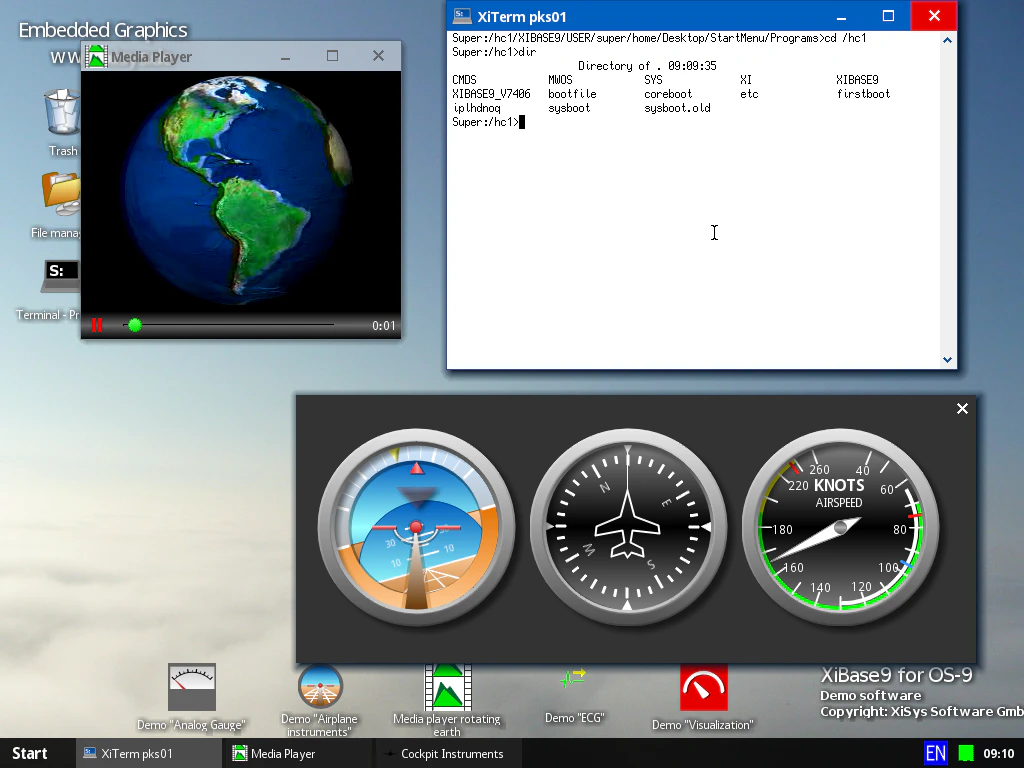
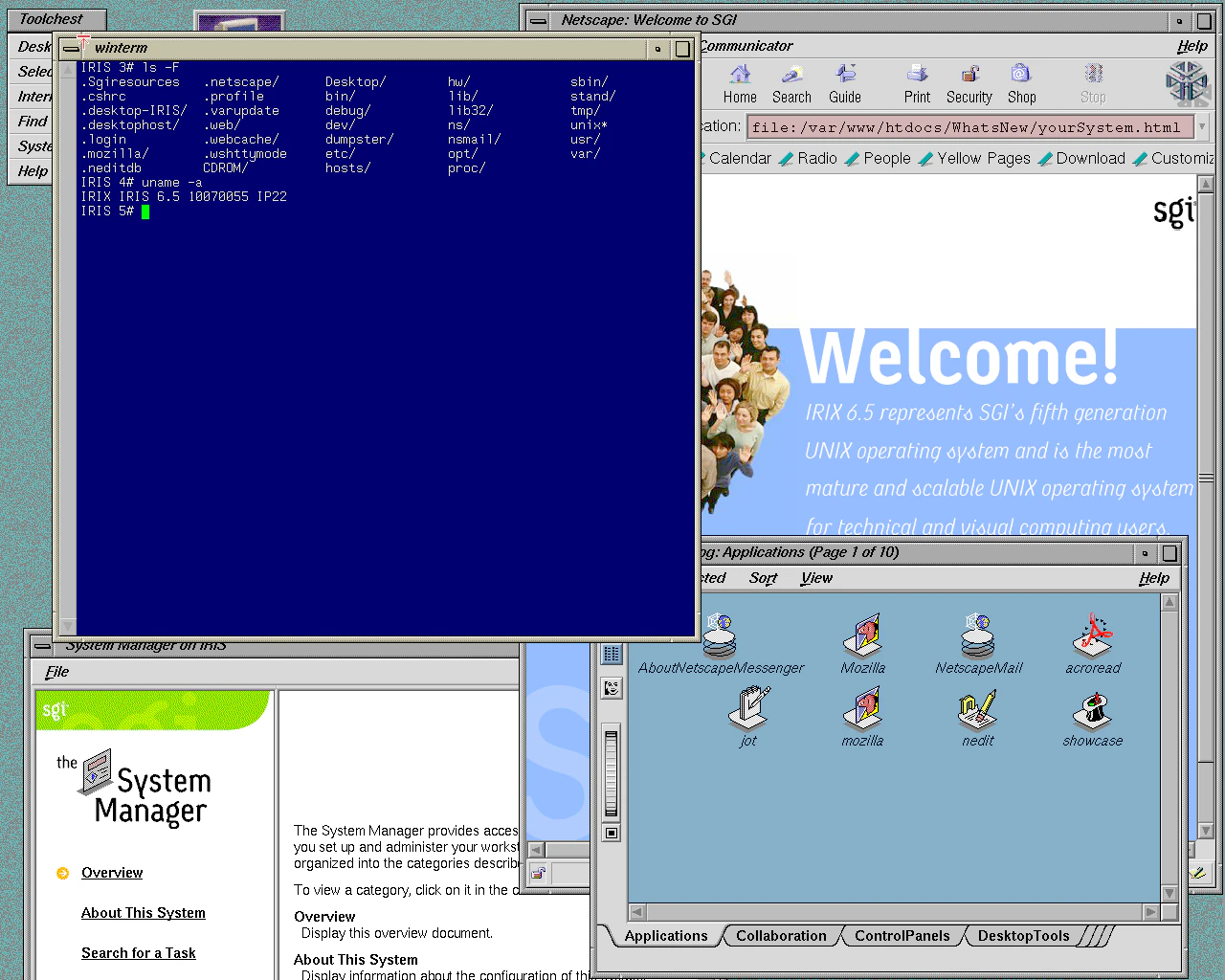
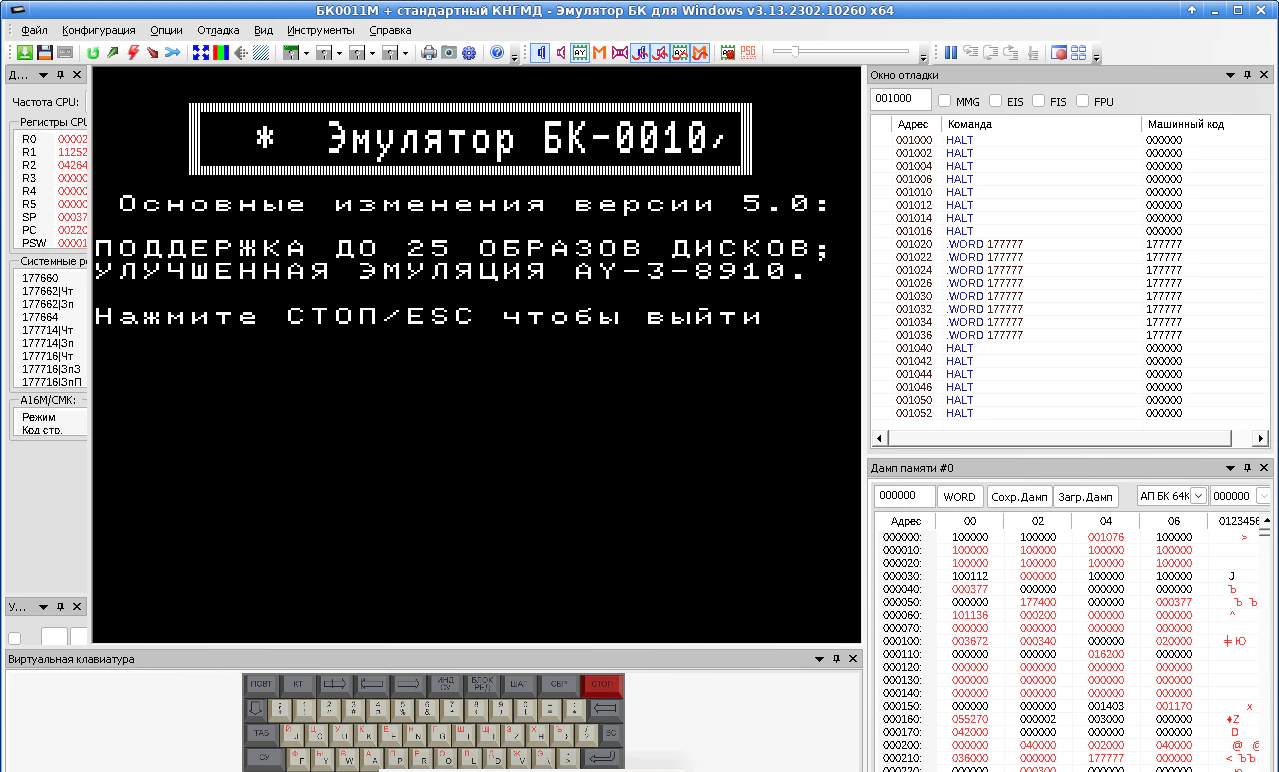
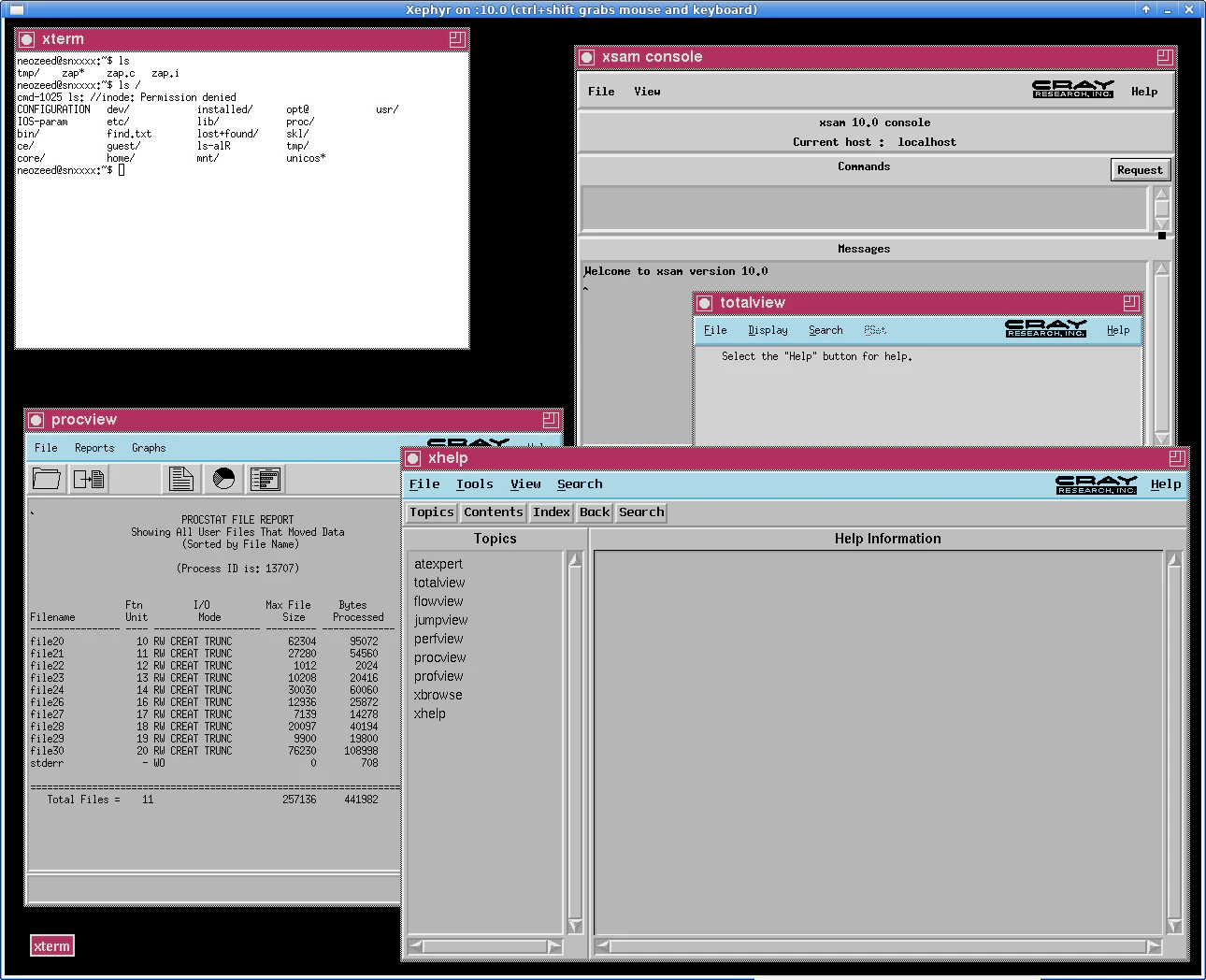
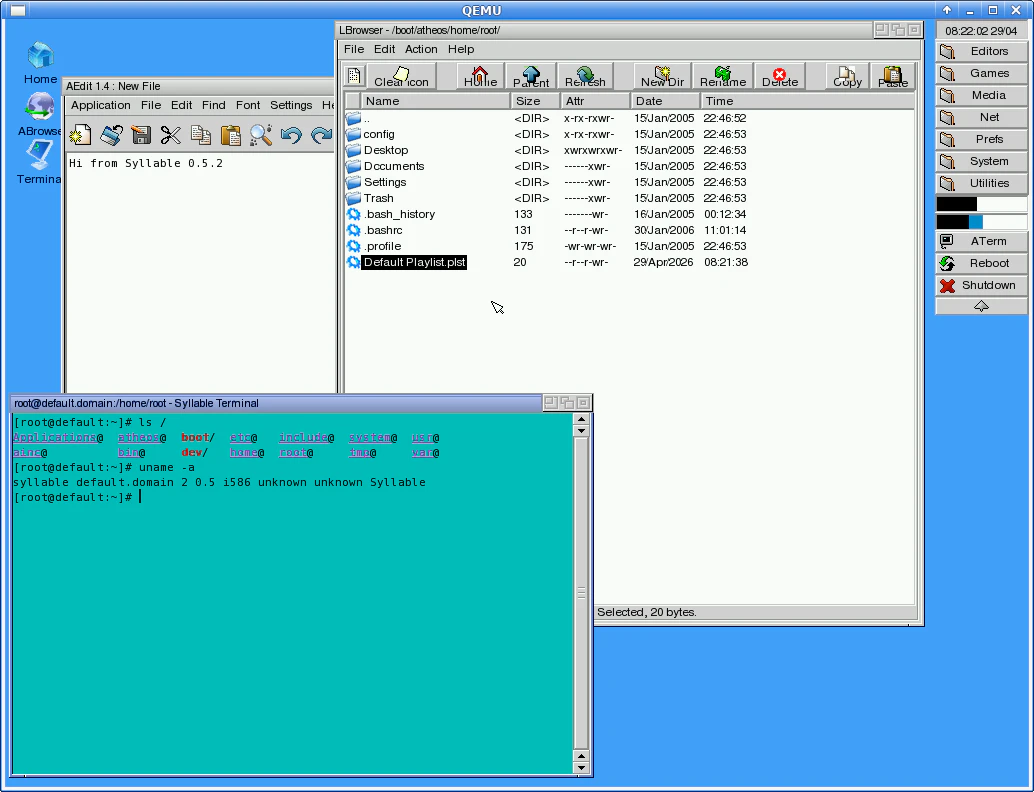
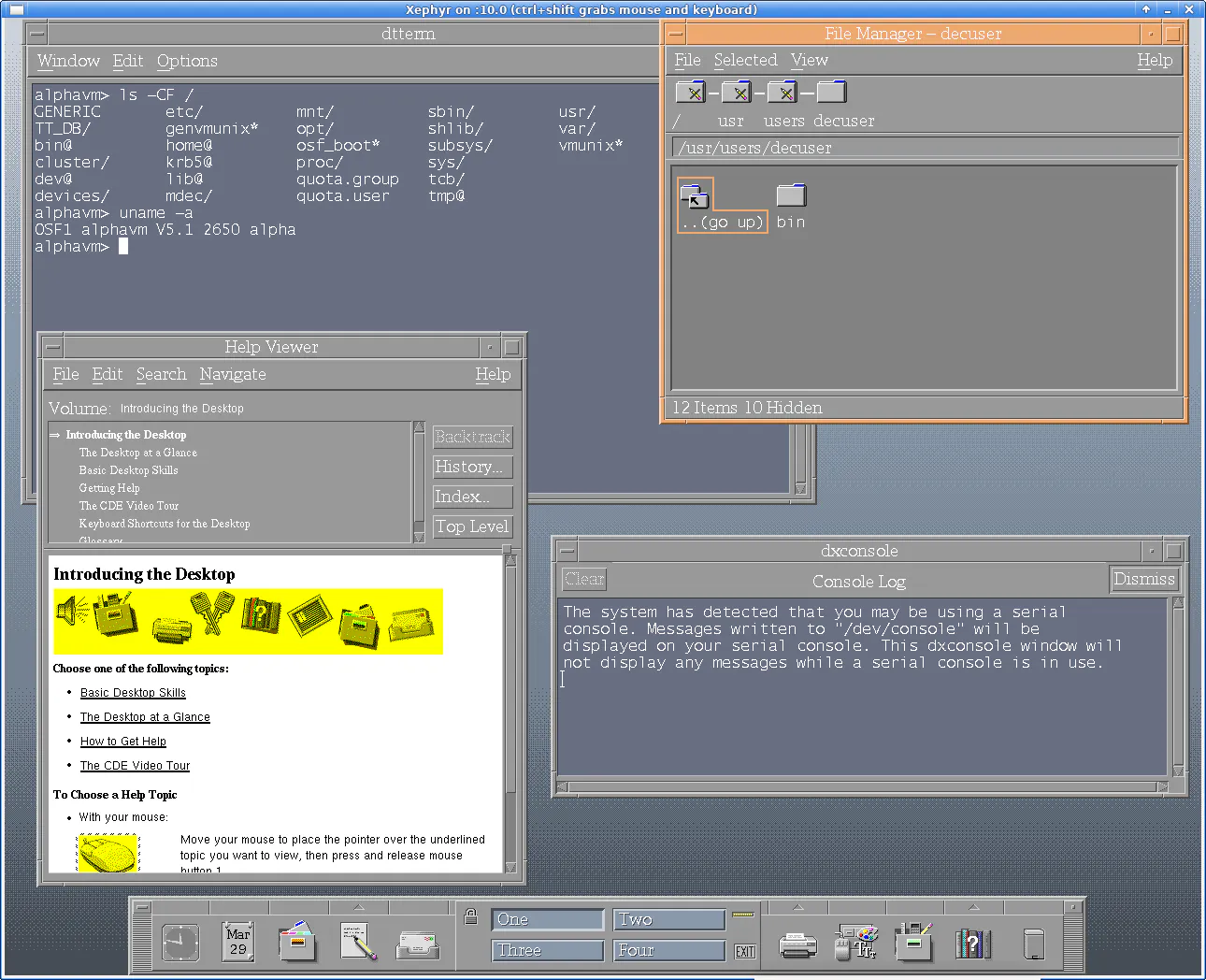
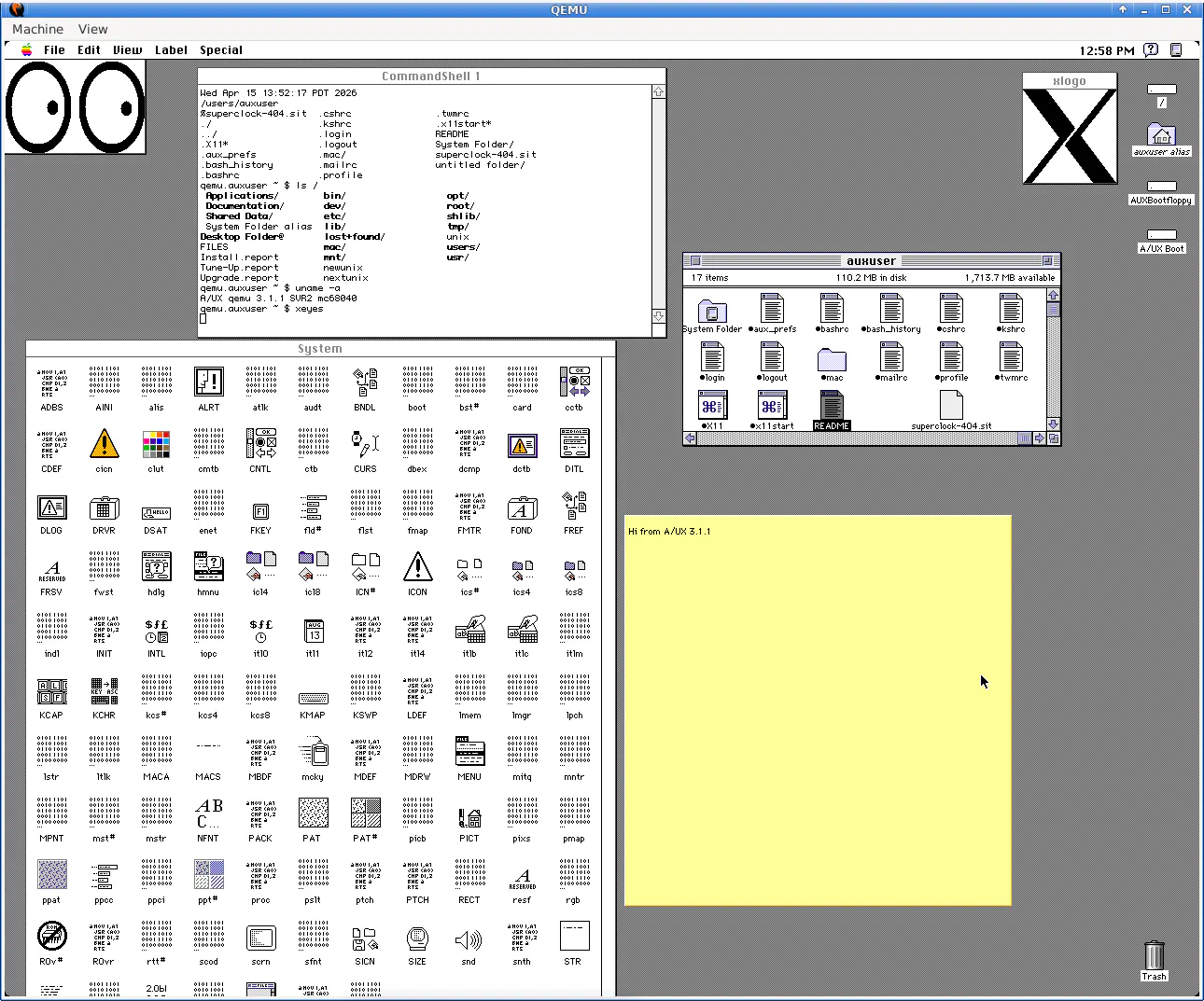
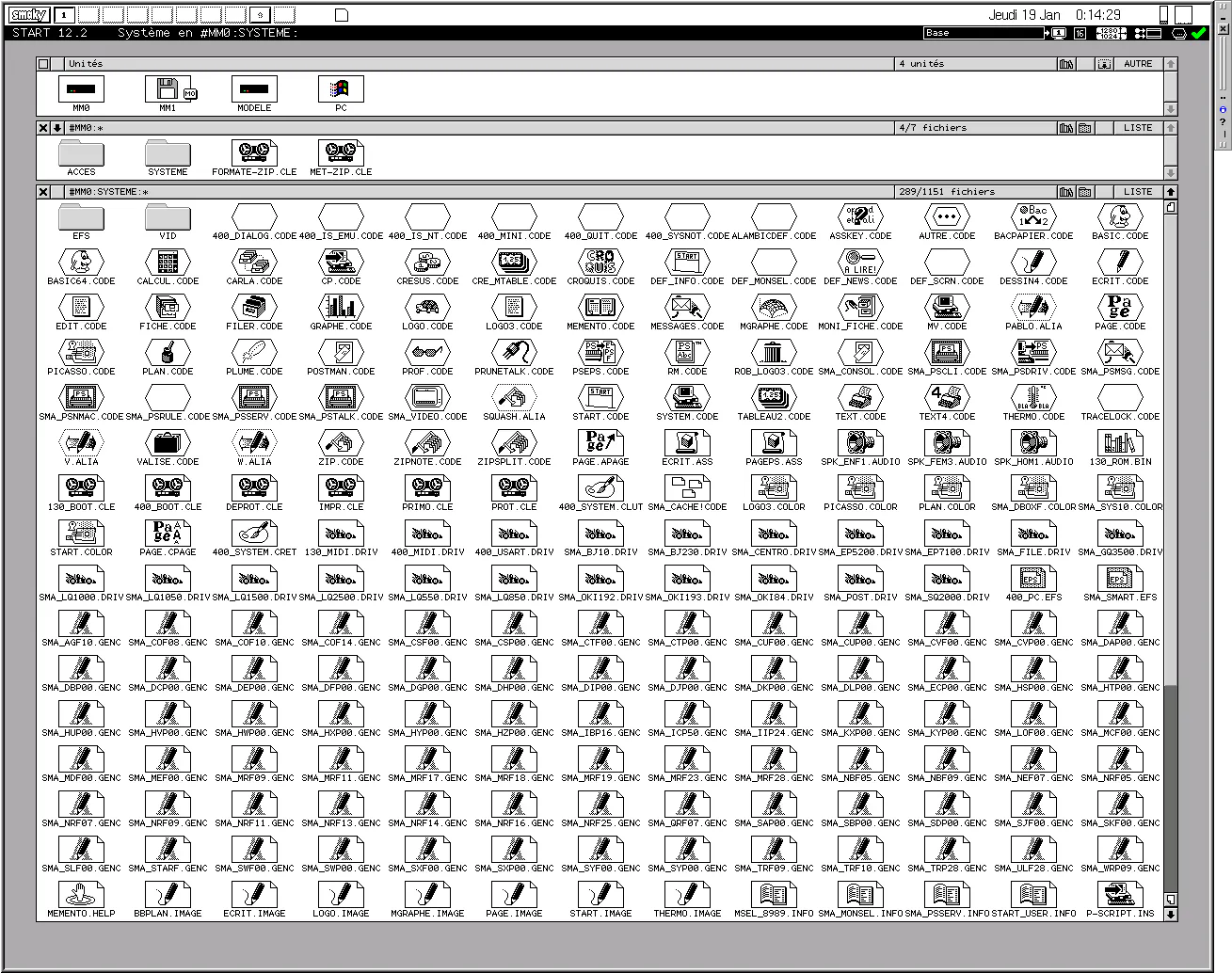
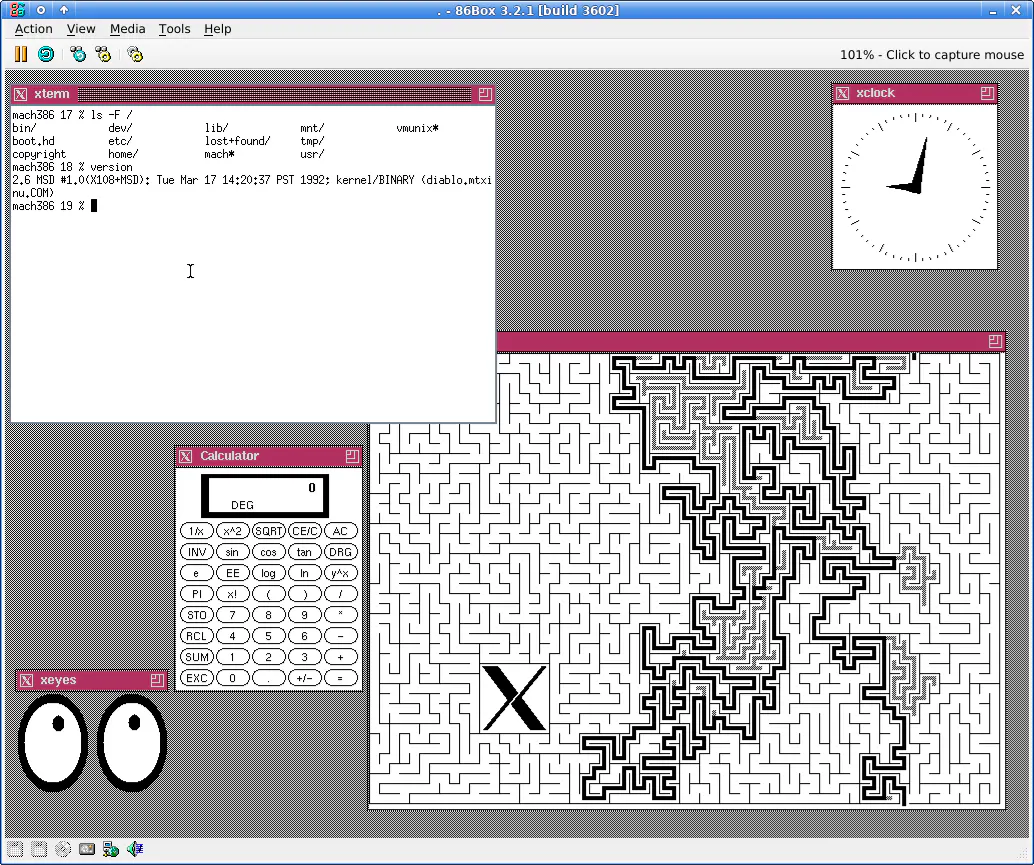
Over 1,700 pre-installed operating systems spanning 1948 to today, in a single Linux VM. Bundled QEMU, VirtualBox, and UTM. One-click launchers for Windows and Linux.

Hi everyone!

Andrew spent over 20 years collecting and configuring more than 1,700 operating system installations, from 1948’s Manchester Baby to early mobile OSes, and packaged them into one ready-to-run VM.

It’s genuinely impressive how much obscure and historically important software is made runnable here. At a time when a lot of what we interact with is generated and smoothed over, there’s a certain appeal in being able to touch these older, rougher systems directly :)

8
回复
@zaczuo Would love a web-based version where you can try OSes directly in browser without downloading the VM — like an interactive museum tour!
1
回复

@zaczuo Wow, 20 years of collecting and configuring?! Andrew, this is an absolute masterpiece of digital preservation. Packing 1,700 operating systems all the way from the 1948 Manchester Baby into a single runnable VM is a monumental achievement.

You are completely right-in a world where everything is smoothed over by modern UI and AI, getting to touch the raw, rough edges of computing history is incredibly grounding and inspiring.

What was the single most difficult or obscure OS to finally get stable and running inside this VM? Huge congrats on the launch, this is a definite upvote! 🕹️

0
回复

I am missing the Painter software by Windows :D

3
回复

This is one of those projects I would open “for five minutes” and then lose the rest of the afternoon.

The best part is that it is not just screenshots or nostalgia content. Being able to actually poke around old operating systems makes the history feel real: weird menus, slow workflows, forgotten UI ideas, all of it.

I’d love to see some guided paths too, like “early GUIs,” “forgotten mobile OSes,” or “systems that influenced modern desktop design.”

2
回复

@jj_jordan lol I just had this problem here... this is dangerous for elder millennials .. probably any geek.

1
回复

This is such a fun idea. I like that it's not just screenshots or nostalgia but actually running the old systems and seeing how they felt to use. A browser version would be amazing later but even as a VM it feels like a real archive people can explore instead of just read abt

1
回复

Are these full emulated environments where you can actually install software and poke around, or more curated snapshots that show the UI without real interactivity?

Anyway that's awesome! Congrats!

1
回复

Funny timing. I was wanting to put this to actual use. We've got a track coming out called Nostalgi (I make music) and I wanted that degraded VHS look for the Instagram Reels, without it feeling like the same one-click filter everyone's already scrolled past. This models the signal instead of faking it, so it should hold up. Bookmarking the browser version.

1
回复
I’ve always been fascinated by IT history—this is a wonderful resource for those of us who don’t have the space and/or money to hoard old systems!
0
回复

This is a great idea! I never had the chance to try the old OS (born too late for that ahah), so this is a great opportunity!

0
回复
#6
Tamadoggo
A living journal for your pet's life, with AI insights
168
一句话介绍:Tamadoggo 是一款将宠物日常记录转化为“活态日记”的温暖应用,通过温和的AI洞察(而非冷冰冰的追踪)帮助宠物主人轻松捕捉饮食、健康、行为等细微变化,解决传统宠物应用过于临床化、令人产生负罪感的问题。
iOS Pets Artificial Intelligence
宠物日记 AI洞察 宠物健康追踪 宠物生命周期管理 兽医文档扫描 月报 温情设计 一人开发 iOS优先 React Native
用户评论摘要:用户普遍赞赏其温暖、故事化的定位,胜过冰冷的追踪器。核心关注点包括:何时支持猫及其他宠物(已承诺V2适配猫)、能否引入多主人协作(如分享日记照片)、AI洞察的具体类型与生效时间。制作者强调AI只做温和建议,不诊断;并透露当前采用Supabase+Claude工具调用实现后端的AI分析,非传统单向提示。
AI 锐评

Tamadoggo 的成功不在于AI有多强,而在于它精准地规避了AI最让人反感的两件事——说教和误诊。当大多数宠物应用将AI套用成“更聪明的跟踪器”时,它把AI放在了幕后,转化为“更温情的提醒”。这种克制让用户感觉被陪伴而非被审视,这在心理健康、宠物关怀等情感密集型产品中极为关键。

技术层面,它用Claude的工具调用(而非简单Prompt)实现洞察归因与裁决分离,是一个被低估的工程亮点:让模型选择性地查询数据,而不是每次烧光上下文——这不仅降低延迟,更避免了幻觉。但单人开发也意味着风险:多宠物支持还停留在路线图,Android遥遥无期,多用户共享功能就是硬缺失。如果这些不是“未来考虑”而被视为“当前痛点”,用户很可能在新鲜感过后即流失。

还有一点值得警惕:应用目前的吸引力几乎全靠“温柔共鸣”驱动,但一旦用户基数扩大,数据孤岛和隐私风险(如扫描的兽医文档)会迅速成为合规与信任的雷区。如果Tamadoggo希望从“美好小应用”走向“真正日常使用的工具”,必须尽快补上协作、多平台和隐私透明这三块拼图。AI温情是入口,产品完整度才是留存。

查看原始信息
Tamadoggo
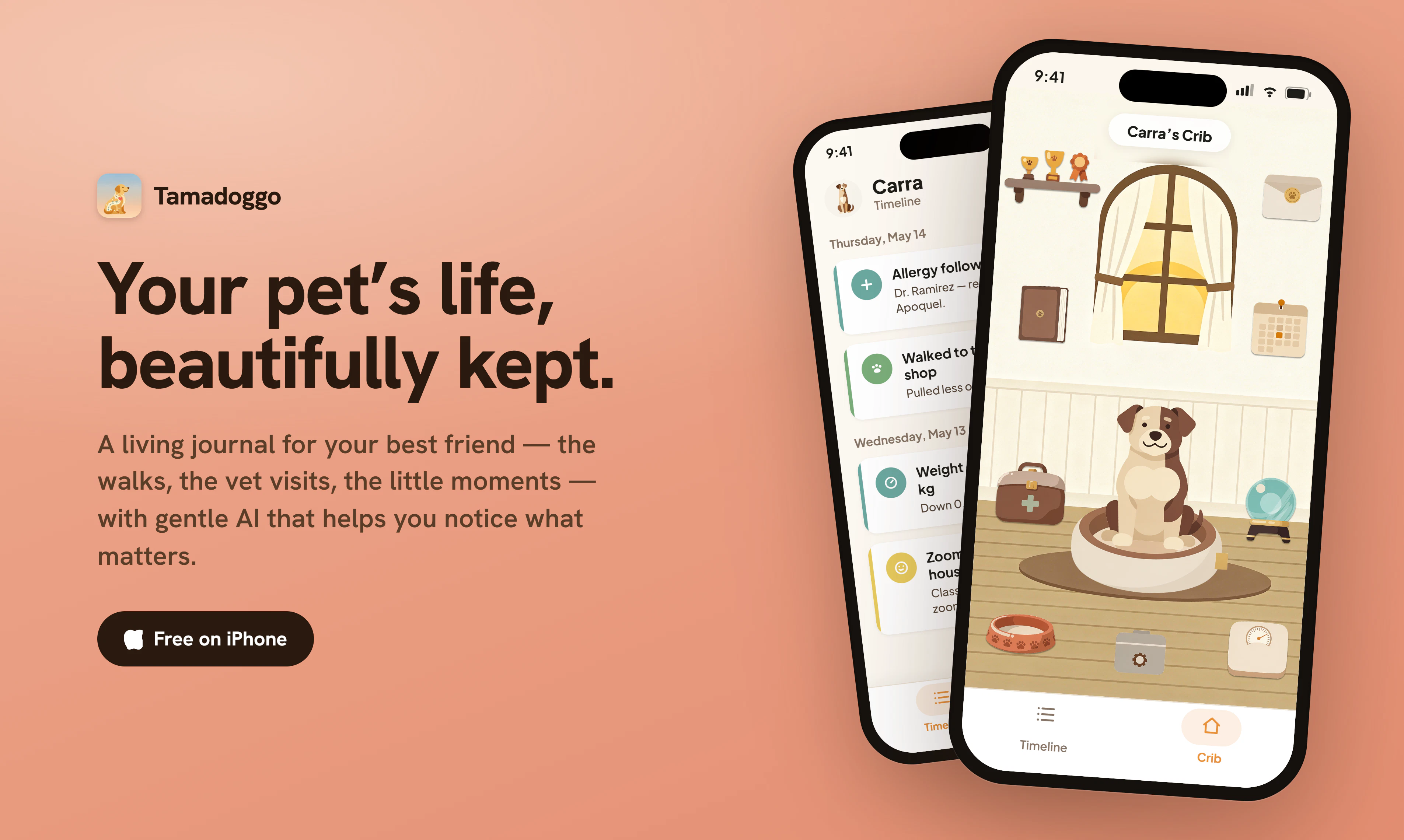
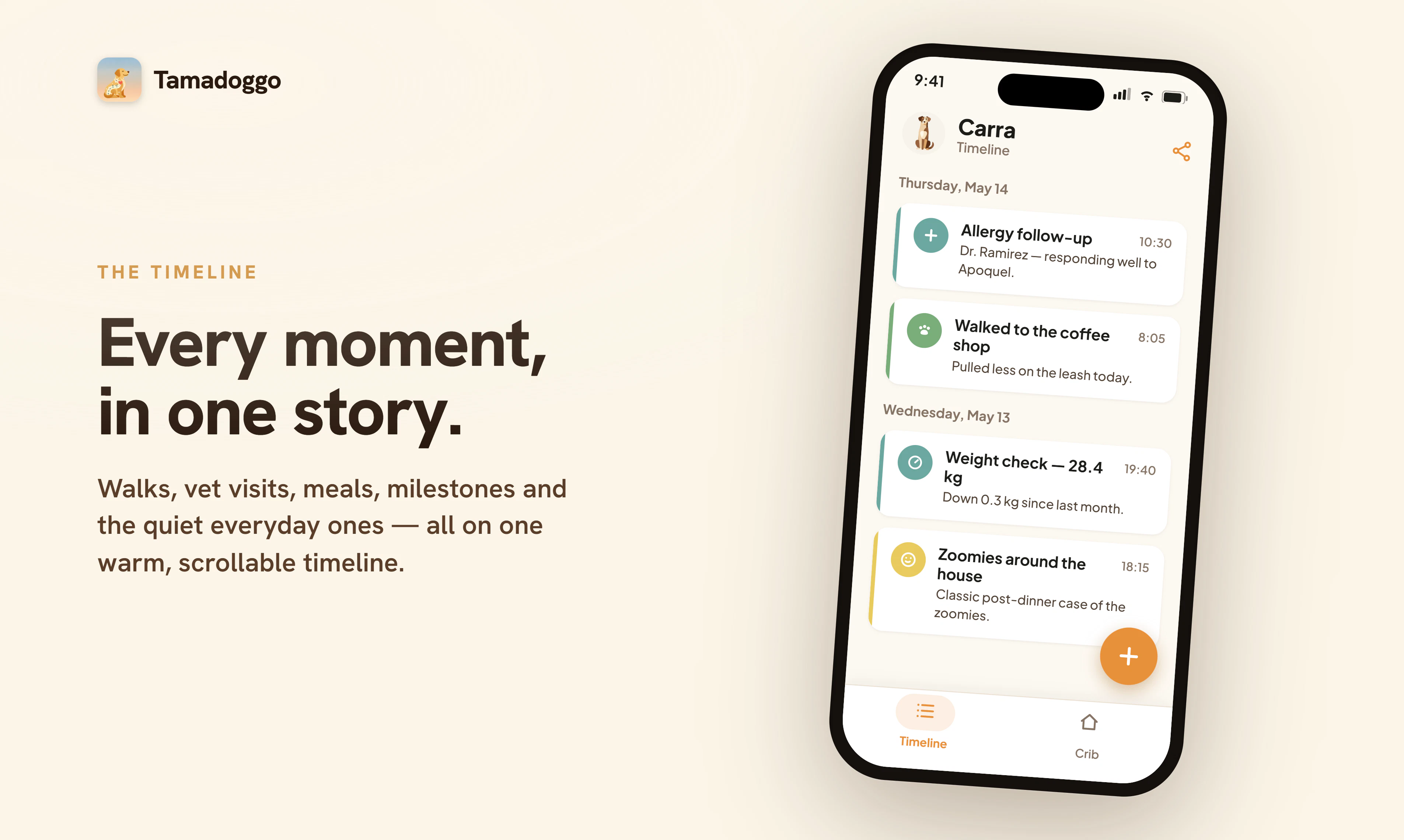
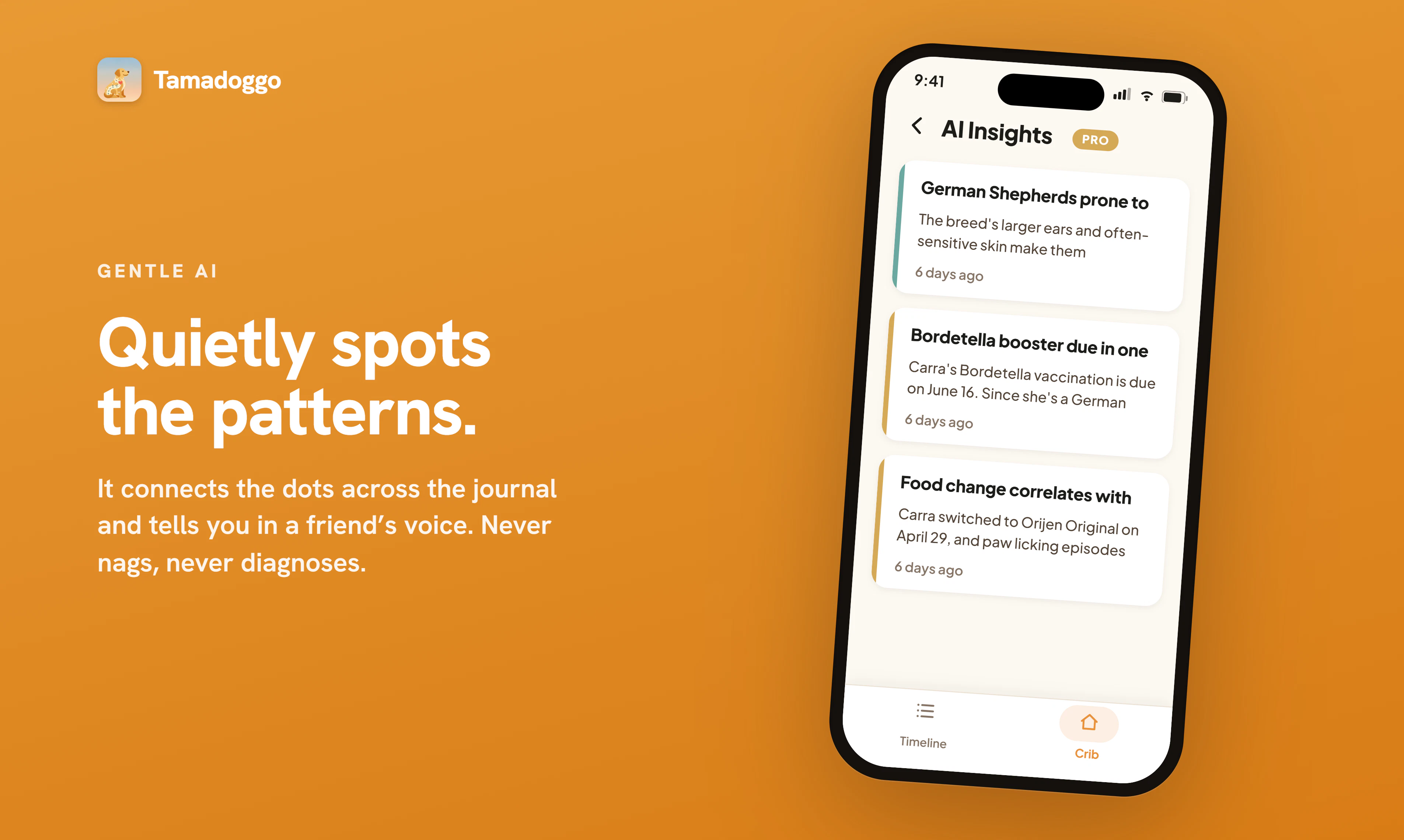
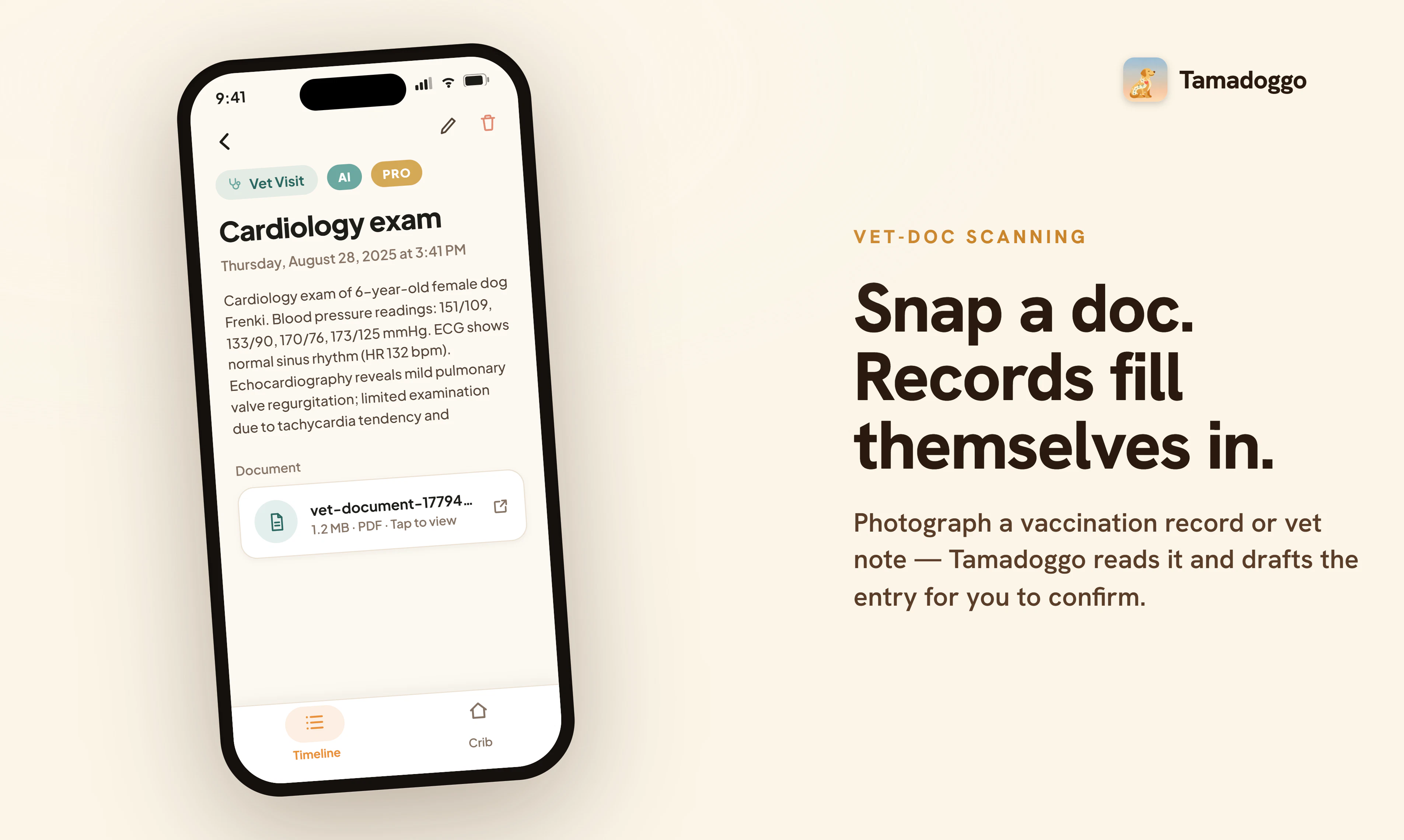
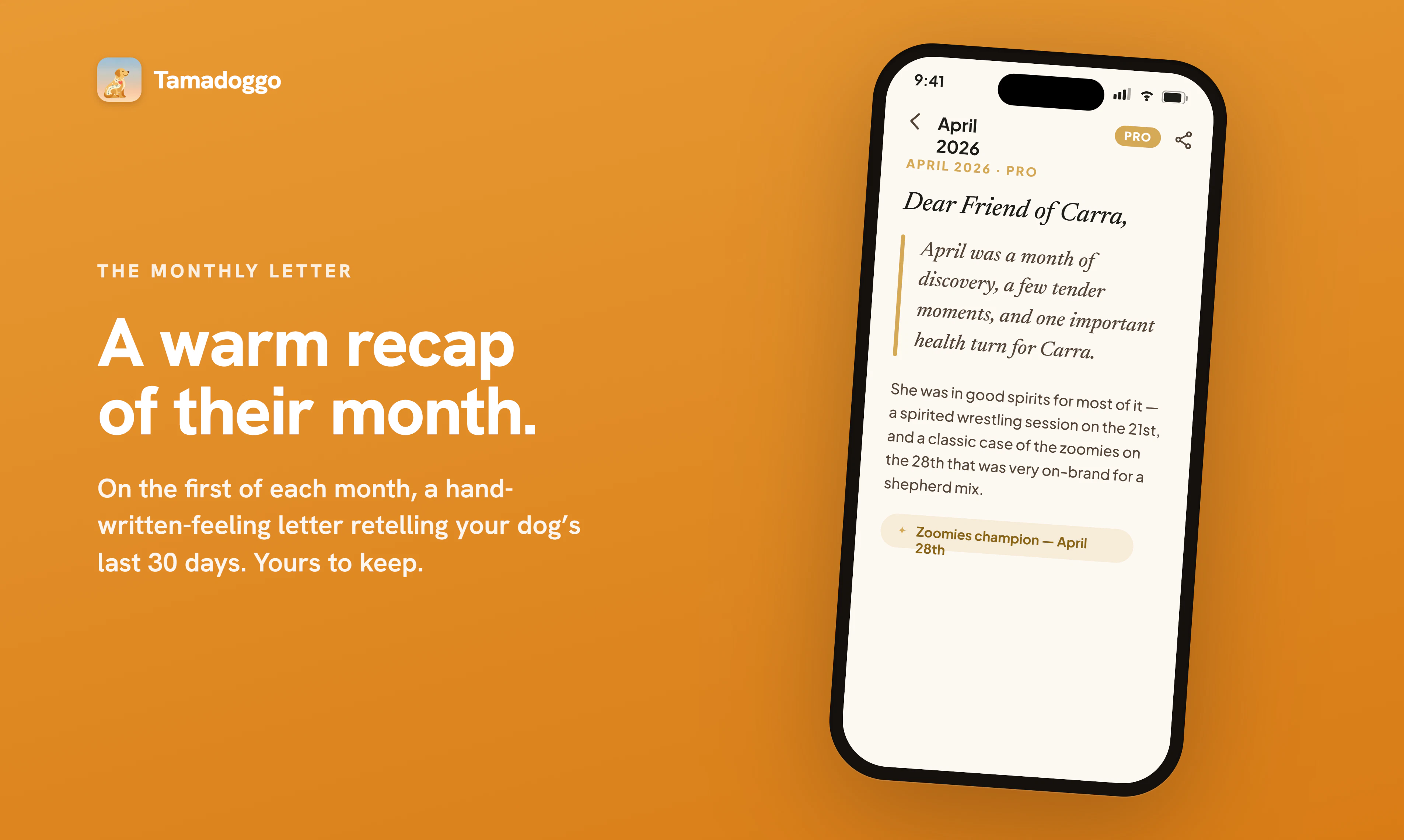
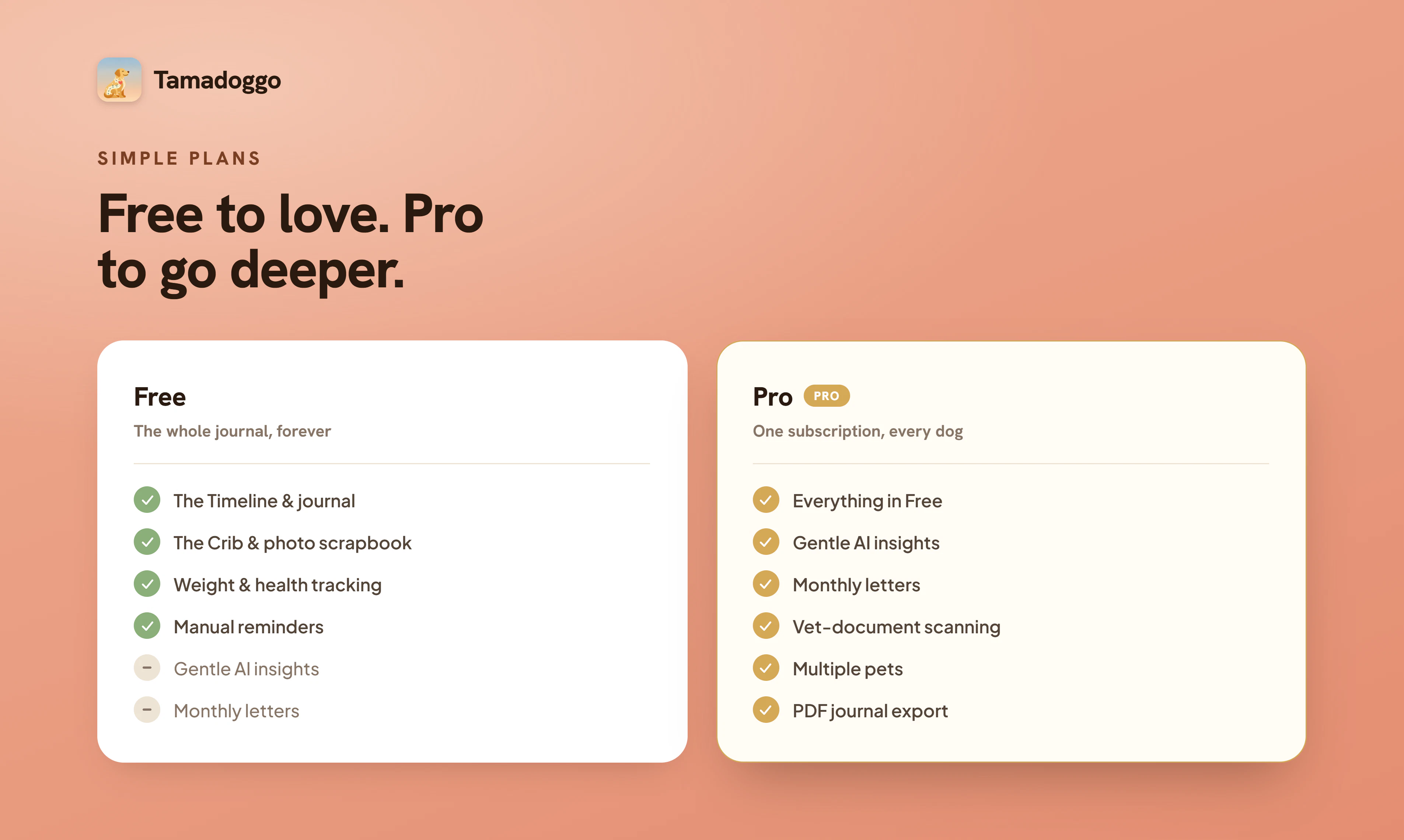
Most pet apps are clinical trackers. Tamadoggo is a living journal, a warm place to hold every walk, meal, vet visit and milestone. What stands out: gentle AI that never nags or diagnoses. It surfaces patterns across the timeline, gives breed and age-aware suggestions, scans a vet doc (photo or PDF) into auto-filled records, and writes a warm monthly letter. Each pet gets a "Crib", an illustrated home for their whole life. The free tier is also genuinely complete. PRO adds the AI magic.
Heyo PH Crowd!👋 I'm Sorin, the maker, a solo developer building this from Bucharest. Tamadoggo started with my own two dogs, Frankie and Carra. I kept forgetting the small things, when a limp started, what we'd changed about their food (Frankie is super allergic so her food changes often), the funny stuff that makes them them. The pet apps I tried were basically medical trackers: useful, but cold, and they made me feel a bit guilty for every gap. I wanted the opposite, a warm journal of a life, that happens to be smart. So Tamadoggo is a living journal first. You log walks, meals, vet visits, weight, milestones, little moments, and it builds into a story you can scroll back through. The AI works quietly in the background: it never nags and never diagnoses, just surfaces patterns you might've missed, gives breed- and age-aware nudges, turns a photo of a vet document into proper records, and once a month writes you a warm recap of your pet's month. The free tier is genuinely complete, you get one pet, unlimited timeline, weight charts, your own reminders. Pro adds the deeper AI (insights, vet-doc scanning, monthly summaries) and unlimited pets. I tried hard to make Pro an invitation to go further, not a gate in front of the things that matter. Under the hood it's React Native + Supabase, with the AI built on Claude's tool-use through an MCP server. It's just me on this, so I'd really love your honest feedback, especially from anyone who's found other pet apps too clinical, or who's juggling more than one animal. What would make this something you'd actually open every day? PS. iPhone only for now, Android's on the roadmap and other cool features and whatever else people might suggest to improve.
10
回复

@sorin_vasiliu 🙏🏼🙏🏼🙏🏼

0
回复

@s0rvas Congrats on your launch!! I love the idea and your version definitely has a warmth to it that others lack. Sadly, I'll have to wait for the Android version. I noticed someone asked about other pets and you mentioned cats. What about other critters, like backyard hens?! Be a good way to keep track of any health issues with them.

1
回复

This immediately caught my attention because I also own a dog. Though I only have a dog myself, I also curious about that are you planning to expand the experience beyond dogs in the future, for example to cats or other pets? I can imagine many pet owners would love this kind of app.

3
回复

@evakk Yup! Can't ignore the felines! V2 brings cat support with 6 cute avatars. It's in the making as we speak. Future updates will add support for even more companions :) Thank you!

1
回复

This is very interesting. It seems positioned at a consumer app, but have you considered running a pilot program with vets, dog sitters, dog walkers, or doggy daycares? This could be an exceptionally useful and cute way for all of these businesses to give updates to their dog owners.

3
回复

@james_effarah1 That's a really interesting perspective, and it gives me a few threads to work with. Going to run with a few, and put them on the roadmap. Thank you!

1
回复

@james_effarah1 Great suggestion! Could be an opportunity to white-label it and offer as a perk/bonus for customer loyalty. Not to mention advertising/branding options.

0
回复

Congrats. Was curious if this is just for dogs or other pets as well?

1
回复

@swati_paliwal Feline support is under way. Version 1.1 extends the crib for our cats too. Build is already submitted to the AppStore

0
回复

Most pet apps stop at cute photo storage, so the AI-insights layer, which turns daily entries into actual patterns, is the harder, more useful half. Congrats on shipping. What kinds of insights can a new owner expect to get back, and how soon do they start showing up?

1
回复

@oleksii_sekundant Thanks! Four kinds: patterns (a food change followed by a tummy upset, say), reminders for things like vaccinations coming due, breed-specific tips, and gentle nudges when something's gone untracked. Plus a warm monthly recap letter. On timing, it runs weekly in the background (somewhat like an email), so the first useful ones show up once you've logged a week or two. And if there's nothing real to flag, it stays quiet.

0
回复

Hey Sorin, congrats on shipping this!

Went through the website after seeing it here and I really think the Crib concept is a warm feature.

One thing that stuck with me, though, is the origin story (allergic staffie, growing paper stack) might be a more compelling hook than "beautifully kept". That specific chaos is exactly what your buyer recognizes. I write landing pages for a living so this stuff jumps out.

Curious to see how this one takes off!

1
回复

@oluwatooni Thank you or the review and the interesting insight! If that twist resonates with others, I might adapt it. Support is much appreciated!

1
回复

The monthly “warm letter” is a lovely touch. It makes logging feel rewarding and helps pet owners reflect on the month.

1
回复

@alexandr_deev It truly is. It sounds like a small thing, but it feels like so much more when you review and in some way get to relive it. Thanks for the support!

0
回复

Congrats on the launch! A warm, story-driven approach to pet tracking is such a refreshing alternative to cold, clinical apps.

1
回复

@marianna_tymchuk Thank you for the support! ❤️

0
回复

Love the philosophy behind this ❤️ Congrats on the launch! 🚀 I'm curious to see how the monthly recaps evolve, those sound like they could become something pet owners really look forward to reading and keeping over the years.

1
回复

@gabriella_anjani Thank you for the support! ❤️

0
回复

Congrats on shipping, Sorin! I love that you went journal first rather than tracker first for this.

I'm a solo founder building something architecturally similar in a different domain: AI-powered couples journal, where the AI's tone is similarly load-bearing (has to challenge without preaching, facilitate without taking sides). Two questions where I think your decisions might actually transfer to my work:

  1. The "gentle AI that never nags or diagnoses" constraint is the most thoughtful part of Tamadoggo, and probably the hardest to get right. How is it actually encoded, is it primarily prompt-based, structural (the AI is given tools that only let it surface, never recommend), or a separate review layer that filters output before it reaches the user?

  2. You mentioned the AI is built on Claude's tool-use through an MCP server. I'm currently on streaming Claude API and have been wondering whether tool-use is the better fit for the kind of pattern-surfacing-across-events work both our products do. What pushed you toward MCP + tool-use over prompt-based generation?

1
回复

@ferdi_sigona Hi Ferdi! Thanks for the question!

  1. You're correct on all 3. It's given access to read-only tools, the common base prompt sets the voice (warm, never alarmist, never clinical, always uses the dog's name) and the AI can only output a small, fixed set of things (or nothing if doesn't find anything meaningful) but it's not guaranteed it will return the structured data (best-effort, not guaranteed valid). So the last step is validating in code the returned text which should contain some specific enums I defined. This final review/filter layer is where I match the free-text JSON against the type/severity (specific enums), do some fuzzy-dedupes, drop any "pattern" whose event ids don't resolve to real timeline rows etc.

    I went the tool based approach instead of a prompt based one-shot mainly because of the 90 day event history I wanted to provide to the model which meant to first assemble the events then stuff everything into context on every run. Tool-based also allows the model to start slim, the prompt has in it something like "only query data that's relevant, don't query everything because you can". All tools are read-only.

    For pattern matching, going the tool-based way might be a bit of an overkill considering multi-round latency, orchestration and possible extra costs starting June 15 (hope not too much), but for my case because this happens behind the scenes and no one is actually waiting while it loads (these insights and monthly summaries come like an email) it's acceptable. I also imagined maybe somewhere along the way users might want to use an MCP with their model outside the app and "talk" to their data.

  2. I know I said there's an MCP Server in action, but not quite. I ended up dropping it for V1 just to save on the extra Railway server costs and maintenance. So I ended up using a Supabase edge function (the db is also in Supabase so less latency) which fetches api.anthropic.com/v1/messages with a tools array and runs a multi-turn loop: Claude emits tool_use blocks > the worker executes them against Postgres > feeds tool_result back > repeats until Claude returns a final answer (capped at 10 rounds). This has it's downsides but if the need for a separate server comes it can be easily replaced with a full fledged one (tools are authored in MCP-server shape).

0
回复

Hey Sorin, love the Tamagotchi throwback. Congrats on the launch!

On first look, It looks good. Do you have plans to allow for multiple pet owners to view the same pet profile? My partner usually feeds my dog breakfast while I usually take care of dinner. It would be great if we could both track which vitamins and toppers we each gave him or any big treats we each gave (my dog won't like this.. he definitely tries to shake us both down for maximum treat dispensing!).

Quick note - I created a profile and it took me about 3 tries to add a profile image. On first try, after I selected the photo, nothing happened. On second try, it took me to the image cropping page, then nothing happened. For context I am using an iPhone 12.

0
回复
#7
NTSC-RS
Open-source video emulation of analog TV and VHS artifacts
152
一句话介绍:ntsc-rs 通过底层模拟NTSC/VHS信号路径,为视频创作者提供比普通滤镜更真实的复古模拟电视与磁带效果,支持浏览器、独立应用及多平台插件。
Open Source TV GitHub Photo & Video
开源 VHS效果 模拟电视 复古视频 信号模拟 OpenFX插件 DaVinci Resolve After Effects 视频特效 怀旧美学
用户评论摘要:用户普遍认可其底层信号模拟带来的真实感,认为比简单叠加噪点的滤镜更高级。有用户询问效果是否可种(seedable)以保持镜头间一致性;另有人对NTSC/PAL命名细节提出疑问。多位评论表达了怀旧共鸣。
AI 锐评

ntsc-rs 的聪明之处在于“反套路”——当大多数VHS滤镜还在用噪点+扫描线糊弄用户时,它直接模拟信号传输的底层缺陷。这种“美学的失败论”确实戳中内容创作领域的X点:从黑胶底噪到饱和磁带失真,技术缺陷反复被包装成风格。但问题也随之而来:信号模拟越真,性能开销越大,对于大量剪辑场景是否友好?另外,用户评论中“seedable”的疑问暴露了实用性痛点——影视工作流需要的是可复现、可微调的一致效果,而非每次随机的“真”。项目开源且拥抱插件生态是聪明打法,但若无法在真实(模拟精度)和可控(参数化种子+性能优化)间找到平衡,很可能沦为极客玩具而非创作者工具。值得注意的是,评论中无人提及竞品(如Red Giant的VHS插件)的对比,说明特色虽鲜明,但市场站位仍需打磨。一句“每个介质迟早把故障变成美学”固然金句,但开发者应该警惕:别让这句文案成为产品唯一的闪光点。

查看原始信息
NTSC-RS
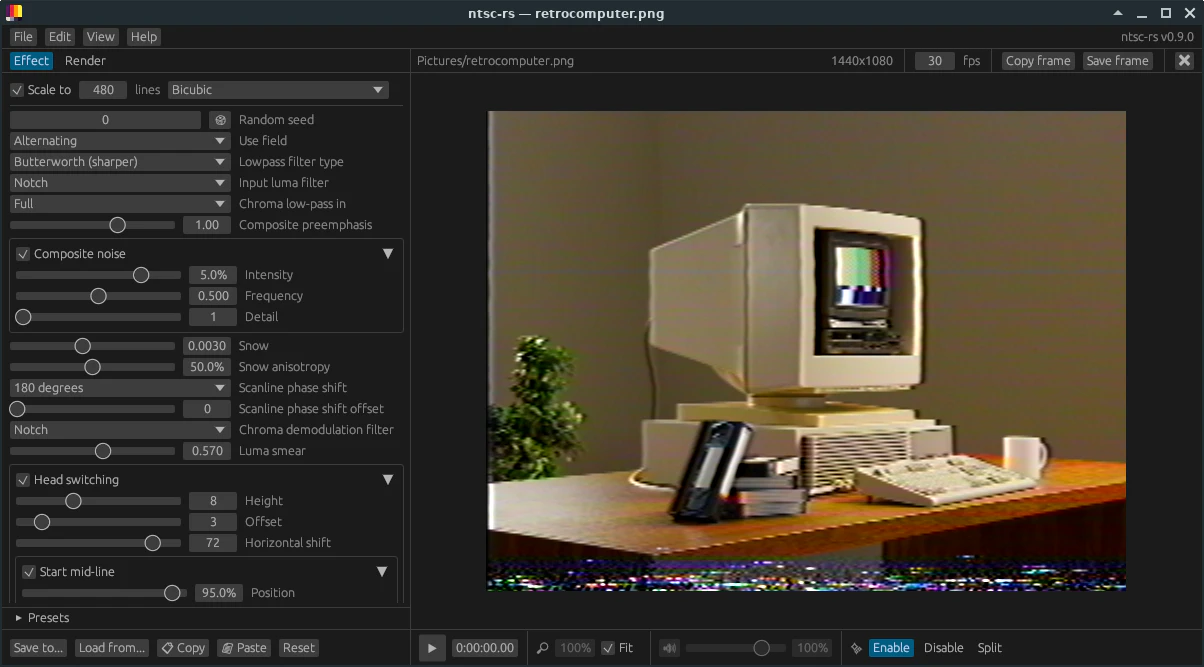
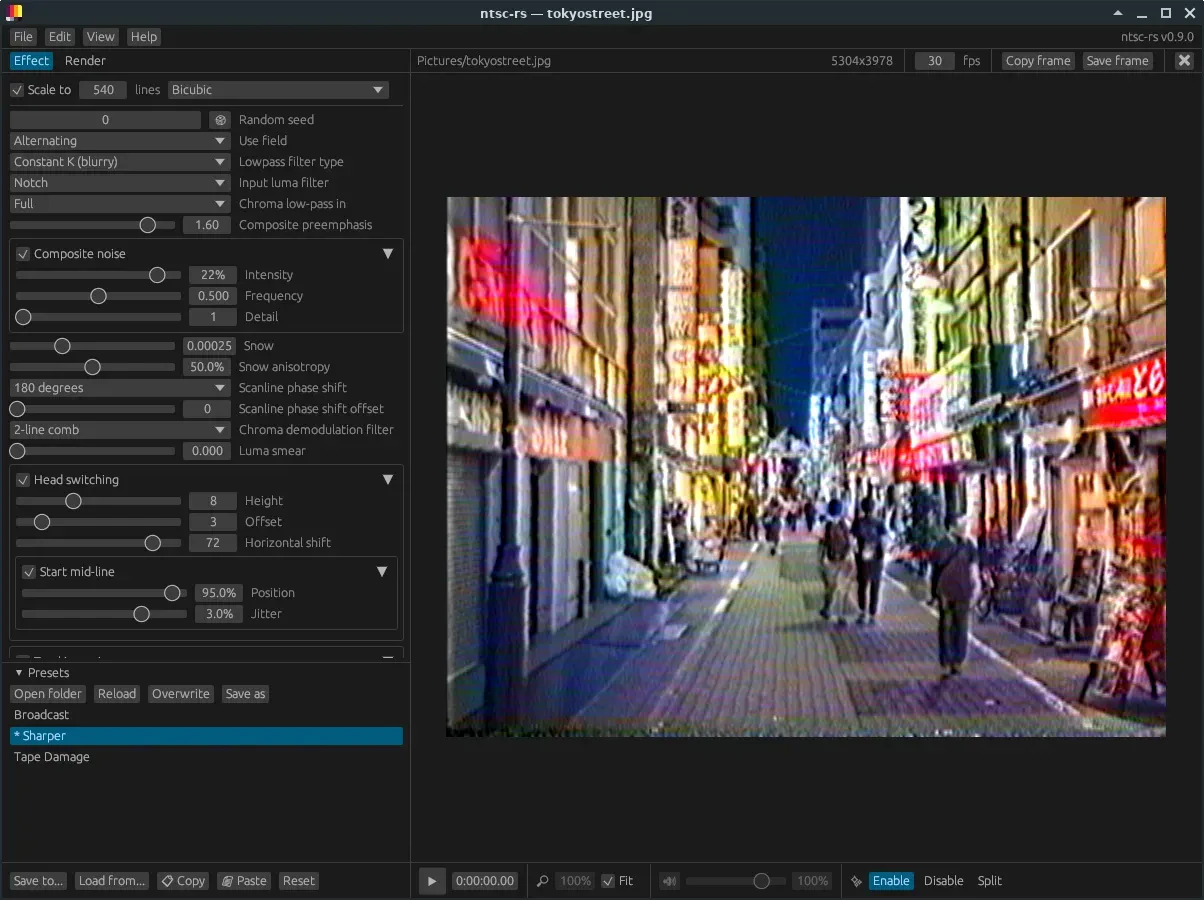
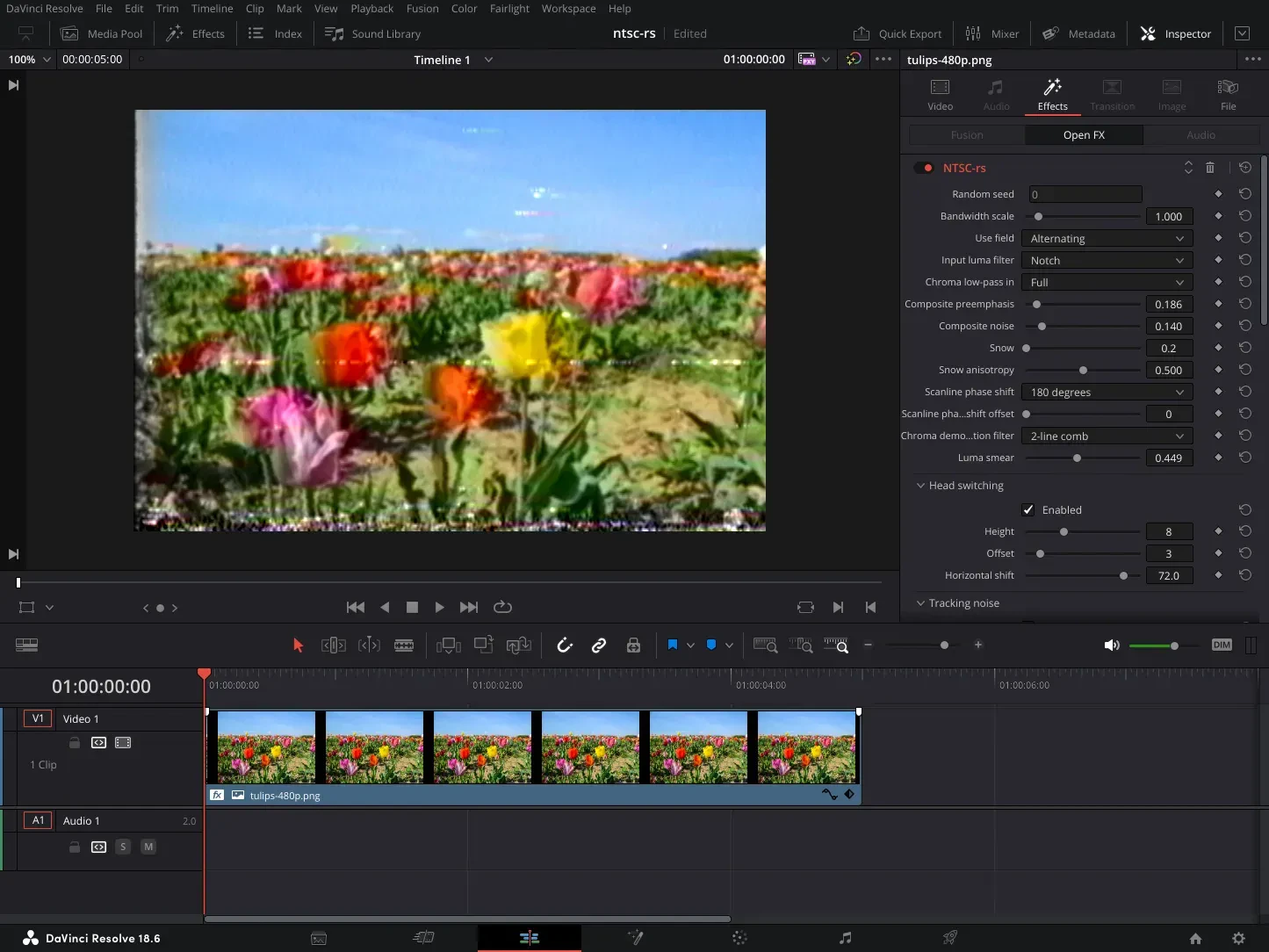
ntsc-rs is a free, open-source VHS and analog TV video effect. Use it online in your browser, as a standalone application, or as a plugin for DaVinci Resolve, After Effects, and more.

Hi everyone!

ntsc-rs is the kind of retro tool I actually love.

Most VHS filters fake the vibe from the outside. ntsc-rs goes lower-level and simulates the NTSC/VHS signal path itself, so the artifacts feel less like a preset and more like the real mess.

You can use it as a standalone app, in the browser, or as a plugin inside Premiere, After Effects, DaVinci Resolve, and other OpenFX editors.

There is something funny about this category. The artifacts people once tried so hard to avoid are now becoming the look people want back.

Maybe every medium eventually turns its failure modes into aesthetics..!

2
回复

@zaczuo instant upvote! Will check it out later today.

1
回复

I dig this.. Especially that last line about every medium turning its failure modes into aesthetics. That's gonna stick with me. Happens in music too, tape hiss and distortion were problems people spent decades engineering out, now we pay for plugins to put them back. Funny world we live in. Cool project.

1
回复

what a cool PH find for me. i love retro stuff. i remember cleaning VHS tapes for my grandparents. 😆

0
回复

Modeling the actual signal path instead of slapping noise on top is exactly why tape-saturation plugins beat a "hiss" preset in music — the artifacts come from the chain, not a layer on top. Are they seedable so you can match the same look across shots?

0
回复

this is awesome! reflection about the name - I thought NTSC and PAL were equivalent in Europe/US! Is there any actual difference of formats or is it just a nice name? :- D

0
回复

It's funny how entire generations of engineers worked to remove these artifacts, and now creators are trying to bring them back 😄 Congrats on the launch!

0
回复

This is exactly the kind of “VHS effect” tool I’d want to use.

A lot of retro filters just throw noise, scanlines, and a color overlay on top, and it looks fake pretty quickly. ntsc-rs seems more interesting because it actually tries to model the signal and tape artifacts behind the look.

The plugin support is also a big deal. If I can use it inside Premiere, After Effects, or Resolve instead of exporting through a separate toy app, it becomes part of a real editing workflow.

0
回复

I really like this idea. Dont know why maybe becouse I was back then a teenager I used to use VHS casettes to record tv programms and rent movies on that formats. your solution gives me back that nostalgia feeling that is pretty rewarding. I added similar effect to my app, like monochromatic cinematoskope on which I watched VHS cassettes, So I pretty understand your concept. It is really really Great!

0
回复
#8
Sigma File Manager
Free, open-source, cross-platform, modern file manager app
131
一句话介绍:Sigma File Manager是一款免费开源、跨平台现代化文件管理器,通过极速全局搜索、智能导航和扩展市场等特色功能,解决用户在使用系统默认文件管理器时遇到的搜索慢、操作繁琐、扩展性差等效率痛点。
Productivity Open Source GitHub Tech
文件管理器 开源 跨平台 全局搜索 扩展市场 标签管理 局域网共享 键盘快捷操作 多面板 免费
用户评论摘要:用户普遍赞赏产品功能丰富和开发进展,希望增加macOS官方构建、优化快捷键自定义及文件夹快速跳转等生产力功能,并建议丰富扩展市场内容。同时,有用户关注跨平台更新同步性问题,以及相比系统默认管理器是否有独特的工作流改进(如批量重命名、目录对比等)。
AI 锐评

Sigma File Manager在充满“意义不明”的vibecoding项目和臃肿的Electron应用中,算是一股清流。它切实击中了如今系统默认文件管理器(Windows Explorer、macOS Finder)的软肋:搜索如蜗牛、标签/面板管理落后、扩展性近乎为零。其宣称的“1TB全盘搜索2秒内完成”和自带纠错系统,并非噱头——底层索引机制如果真如其描述,确实能重塑用户操作习惯。然而,产品尚处于早期阶段,有两点值得警惕:第一,核心差异化(如全局搜索、扩展性)的稳定性与兼容性存疑,尤其对于专业用户,替换默认文件管理器伴随高风险;第二,跨平台支持严重偏科,macOS需要自行编译,且开发者明确表示暂无Mac设备,这意味着OS X用户将长期被置于二等地位,而这一群体恰恰是文件管理工具的付费意愿高地。此外,社区反馈中关于批量操作、快捷键深度定制等“生产力刚需”尚未被官方重点提及,这或许是下一阶段的关键破局点。总的来说,项目方向正确且执行扎实,但距离“替代品”甚至“最好”还有一段硬实力的距离。

查看原始信息
Sigma File Manager
"Sigma File Manager" is a free, open-source, quickly evolving, modern file manager (explorer / browser) app for Windows and Linux (Mac is supported but the build is not provided yet, can be built from source). - aleksey-hoffman/sigma-file-manager

Hey guys 👋

I'm building modern open-source file manager that aims to be the best at everything.
Created with real skills, before the vibecoding slop.

Here's some of its major features:

- Smart global search: Finds files and folders in seconds (searches full `1TB` drive in under 2 seconds on average). Its typo correction system handles typos, wrong case, wrong word order, missing words, missing symbols, and missing file extension.
- Tabs: Keep multiple directories open and switch between them instantly.
- Split view: Any tab can be split into 2 panes which you can navigate independently and transfer files between them easily.
- Extensions and marketplace: Install extensions from the built-in marketplace or local folders. Extensions can add commands, pages, shortcuts, settings, and more.
- Default file manager: On Windows, Sigma can replace File Explorer for most everyday file actions.
- LAN file sharing: Share or stream files and folders over your local network, with browser access, QR codes, and FTP support.
- Network locations (Alpha stage): Connect to remote locations such as SSHFS, NFS, SMB, and CIFS.
- Address bar: Navigate with the keyboard, autocomplete paths, and quickly jump to parent folders.
- Item filter: Narrow large folders with glob patterns and property filters for size, dates, MIME type, and more.
- Smart drag and drop: Move or copy local files more comfortably, and handle web drops more smoothly.
- Shortcuts and command palette: Most actions are keyboard-friendly, with global shortcuts and a fast command palette for app and extension commands.
- Home banner and visual effects: Personalize the UI with custom images, videos, built-in artwork, transparency, blend modes, and other style controls.
- Dashboard and quick access: Reach favorites, tagged files, most visited locations, and history data from one central area.
- Tags: Organize your files and folders with tags.
- Zip archives: Compress files into `.zip` archives and extract them without leaving the app.
- In-app updates: Download and install updates directly from update notifications.
- Quick view: Instantly preview images, videos, audio, PDFs, and text files with `Space`, then move through files without opening external apps.
- WSL drives: On Windows, browse detected WSL distributions directly in the navigator.
- Localization: The app has translations for all most used languages.
- And more. Extensions provide additional features like video downloading (1000+ sites supported, including YouTube, Twitch, etc.), media converter, image size optimizer, etc.

3
回复

@aleksey_hoffman Great man!

4
回复

Huge congratulations, Aleksey! I’ve been following the development of your SFM pretty much from the start and I’m thrilled to see how far you’ve come! It’s a pleasure to work with SFM and I hope you’ll keep delighting us with updates for a long time to come! The Extensions Marketplace, in particular, could do with a few more ideas!

1
回复

@martin_staiger thank you, brother :D it's great to find someone who followed the project for a while, especially from the start. People like you motivated me to keep creating something, you know, just a comment on Reddit or some upvote, it means a lot

The next update is coming soon

0
回复

As someone who moved from Windows to macOS about 15 years ago, I still occasionally miss Total Commander 😄

I’ve never fully gotten used to Finder. For me, file management is one of those core workflows where small UX improvements save a surprising amount of time.

A few features immediately caught my eye:

  • ZIP archives without leaving the app

  • Split view

  • Fast search

  • Keyboard-first navigation

One question: how far have you gone with hotkeys and folder navigation?

For example, can I assign shortcuts to jump directly to specific folders, favorites, projects, or frequently used locations? Fast navigation is probably one of the biggest productivity multipliers in a file manager.

Congrats on the launch and good luck today 🚀

0
回复

@ilya_makarov2 most actions in the app are already mapped to configurable hotkeys, including folder navigation, the plan is to map all actions

Thanks for the kind words :)

1
回复

Great idea, I hope there will be a macOS version as well. I know many users who have to work on at least two operating systems and then it would be nice to have the same UI no matter where you currently juggle your files.

0
回复

@reneandritsch thanks mate! You can already build it from source for Mac. Unfortunately I don't have a Mac myself currently, so I cannot build myself. I might get a Mac soon though

0
回复
Shame no macOS! Looks cool :)
0
回复

@grey_seymour It does support MacOS :) and some people reported they managed to build it from source code and run it successfully. Unfortunately I don't have a Mac currently, so I cannot build and test it myself yet

0
回复

File managers are one of those categories where the defaults (Finder, Windows Explorer) are good enough that most people don't switch unless something specific annoys them. Curious what the core workflow improvements are here, whether it's around things like batch renaming, directory diffing, or something more opinionated about how tabs and panes work. Also wondering how the cross-platform support holds up in practice, specifically whether the Linux build gets the same attention as the Mac and Windows ones or tends to lag on fixes.

Congrats for the launch!

0
回复

@fberrez1 thanks! The idea is to make it the best file manager in everything - design, features, UX, stability, performance, animations, everything. It already reached this status in some aspects and it already has some features that no other file manager has, for example:

- Global search: one of the fastest and can find things that other apps cannot
- LAN file sharing and streaming
- Extensions
- Configurable local and global shortcuts for most actions the app
- Advanced address bar features
And many more

0
回复
#9
Claude Artifact Player
Run your Claude AI artifacts natively, No browser. No cloud.
71
一句话介绍:Claude Artifact Player是一款Mac原生桌面工具,让用户无需浏览器和云端即可离线运行Claude AI生成的HTML、React JSX和TypeScript TSX交互式文件,解决了AI对话产物难以本地保存、复用和迭代的痛点。
Productivity User Experience Artificial Intelligence
本地离线运行 AI Artifact播放器 React/TSX解析 Mac原生应用 隐私安全 开发者工具 文件监视自动刷新 Node.js运行时 无浏览器依赖 创意工具
用户评论摘要:用户核心关切有三:一是复杂React/TSX制品的兼容性(官方回应依赖自动安装);二是依赖管理和环境隔离(计划V1简单模式+V2容器化双轨);三是API调用支持(离线仍可查看,但API调用会失败)。社区高度认可本地实时重载、文件夹监视和隐私保护设计,期望未来支持ESM导入和版本管理。
AI 锐评

Claude Artifact Player解决了一个真实却非主流的痛点——AI对话产物“落纸成灰”的尴尬。当Claude Artifacts惊艳地生成UI原型、可视化仪表盘或数据工具时,用户常常陷入“浏览器里看完,然后就没了”的困局。这款产品本质上是一个“AI产物的本地运行时沙箱”,用最小的技术栈(Node.js + 内嵌WebView)完成了一次精准的桥接。

从技术层面看,它既聪明又粗糙。聪明之处在于:将React 18和Babel直接打包进app,避免了用户安装复杂环境;用文件夹监视+⌘R实现热重载,复刻了主流IDE的开发体验;全离线执行直接拔高了隐私底线——对处理敏感数据或公司合规要求的用户是致命吸引力。粗糙之处在于:V1依赖宿主机环境安装依赖,不同macOS版本间的Node模块兼容性问题恐难避免;对复杂制品(调用外部API、含ESM import、依赖特定C++库)的支持明显薄弱。规划中的容器化双轨模式是正确方向,但实际落地的稳定性有待验证。

真正值得讨论的是它的产品逻辑:它不做“更好的浏览器”,而是做“AI产物的本地资产化工具”。当用户开始把artifact当作可组合的工程模块、而非一次性聊天记录时,产品就切入了更深层的需求——AI生成内容如何进入开发者的日常工程流程。评论中提到“artifact作为可复用构建块”的洞察非常到位,这也暗示了后续迭代的可能性:支持版本标记、制品间依赖链接、导出为标准项目模板等。

放眼竞争格局,目前尚没有同等定位的产品,但门槛并不高——anywhere解释器、本地WebView方案并非独家技术。真正的护城河在于对AI artifact格式变化的前瞻适配能力,以及围绕“本地化复用”构建的开发者体验闭环。如果团队只是做好一个播放器,最多是个精致的工具;如果能把“播放”延伸为“编辑→版本管理→工程集成”的管道,才可能从工具进化为平台。目前来看,它还是前者。

查看原始信息
Claude Artifact Player
Run your Claude AI artifacts natively on your Mac, fully offline. No browser. No cloud. Instant playback. Claude Artifact Player lets you open and run the interactive files that Claude's Artifacts feature generates — HTML pages, React JSX components, and TypeScript TSX files — directly on your Mac, without a browser and without uploading anything anywhere.

@alsarem I have a question that , how are you handling compatibility as Claude's artifact formats evolve over time , especially for more complex React or TSX based artifacts ?

5
回复

@liam_bailey2 
Hi Liam, great question!

Technically, our player runs a Node.js server that spins up a complete, isolated environment for each artifact — handling all the necessary setup and dependency installation automatically.

So even as Claude continues to evolve and generate more complex artifacts, they ultimately compile down to Node.js applications, which means there are specific requirements that need to be installed fresh each time to ensure everything runs correctly.

Hope that clears things up! Feel free to ask if you have any follow-up questions. 😊

3
回复

This fixes a very specific Claude workflow problem.

Artifacts are great while they’re inside the chat, but once I want to save one, tweak it, reopen it later, or show it like a normal little app, the flow gets awkward.

The folder watching and local reload are the details I’d probably use most. It turns artifacts from “cool thing Claude made once” into something I can keep editing on my Mac.

4
回复

@alicia_data Exactly

The local editing will be a future feature in our app ;)

2
回复

@alicia_data there's a stack version of this too. the artifacts come out as react jsx, but the codebase i'm in all day is angular — so a react artifact is never something i can just open in the stack i'm already in, it's always a context switch. a player that runs the jsx as-is means i'm not bouncing out of my own setup to look at it.

1
回复

Claude Artifact Player lets you open and run the interactive files that Claude's Artifacts feature generates — HTML pages, React JSX components, and TypeScript TSX files — directly on your Mac, without a browser and without uploading anything anywhere.

WHAT IT DOES

Claude (Anthropic's AI) can generate standalone interactive files: data visualisations, UI prototypes, dashboards, calculators, mini-apps, and more. Claude Artifact Player is the fastest way to run those files locally.

KEY FEATURES

• Open any .html, .jsx, or .tsx artifact file in one click

• Watch a folder — the app auto-discovers artifacts as you add files and lists them in a sidebar

• Persistent folder memory — your folder is remembered across relaunches

• Fully offline — React 18 and Babel are bundled inside the app, no internet required for rendering

• Reload with ⌘R while you edit files externally

• Reveal any artifact in Finder with a right-click

PRIVACY FIRST

Claude Artifact Player never connects to the internet to render your artifacts. All JSX/TSX transpilation happens inside a sandboxed WebView on your Mac. Your files never leave your machine.

WHO IT'S FOR

• Developers and designers exploring Claude-generated UI prototypes

• Data analysts running Claude-built visualisations and dashboards

• Prompt engineers iterating on artifact outputs without copy-pasting into a browser

• Anyone who wants to keep a local library of AI-generated interactive tools

REQUIREMENTS

macOS 15 Sequoia or later.

Developed by Creative AI Studio — your partner for Generative AI.

3
回复

@alsarem Interesting product

0
回复

Running artifacts locally solves a reproducibility problem that browser-sandboxed execution doesn't. We've built pipelines that generate Claude artifacts as outputs and realized testing them required the browser sandbox, adding friction. How do you handle artifact dependencies locally? Is there a containerized runtime, or does it rely on the host environment's installed packages?

2
回复

@retain_dev 
That's a good question.

In future versions, we plan to automatically containerize artifacts to provide a more reproducible and isolated execution environment. However, for V1, we're intentionally keeping the architecture as simple as possible, so artifacts are installed and executed directly on the local machine, with dependencies resolved through the host environment.

We recognize that this approach does not guarantee full reproducibility across different systems, but it significantly lowers the setup complexity and makes the first version easier to adopt and maintain.

Our current thinking is to offer two execution modes:

  • Simple Mode: Runs artifacts directly on the host environment and targets users who want the quickest setup experience.

  • Advanced Mode: Uses Docker (or another containerized runtime) to provide stronger isolation, dependency management, and reproducibility guarantees.

The goal is to balance ease of use for most users with the reproducibility and environment consistency that more advanced workflows require.

2
回复

Interesting use case. Does it handle artifacts that make API calls, or doesn't offline mode allow that?

2
回复

@dhiraj_patel5 If the Artifact make API calls, we don't interfere with it, so normally it will works. You can see this app as a simple install + Run of NodeJs app.
If your are offline, you will still able to view the artifact but the API calls will failed.

2
回复

One thing we've noticed with AI workflows is that artifacts often outlive the conversation that created them.

Do users mostly revisit artifacts for reference, or are they becoming reusable building blocks that get incorporated into future workflows?

1
回复

@zaid_mallik1 Both patterns exist, but we're seeing the reusable building block behavior emerge more than expected. Users start by revisiting for reference, but once they have a local library of artifacts they can reload and tweak, the workflow shifts — they start treating artifacts as composable primitives rather than one-off outputs.

The folder-watching feature was partly designed with this in mind: when your artifacts live in a persistent local directory alongside your other project files, they naturally get pulled into larger workflows rather than staying siloed in a chat history.

The more interesting question for us is tooling around that second pattern — versioning, tagging, or linking related artifacts so the library stays navigable as it grows. That's on our roadmap.

0
回复

Bundling React 18 and Babel inside a sandboxed WebView to handle JSX/TSX transpilation locally is a smart call. You skip shipping a separate runtime layer while keeping execution fully offline. I've run into the same tradeoff between isolation and dependency freshness. Do you plan to support ESM imports, or do all dependencies need to be bundled at the app level?

1
回复

@anand_thakkar1 
ESM imports may come on later version, because supporting ESM properly offline would require either intercepting and caching those remote imports or pre-bundling a wider set of common libraries.

So:
Loading first time must be online then viewing later offline will be possible.

0
回复

That folder-watch + ⌘R reload loop is the dream — I build little audio tool prototypes as Claude artifacts and the browser round-trip kills my flow. Does the offline player handle artifacts that use the Web Audio API / Tone.js for sound, or is it mostly visual right now?

0
回复

Running interactive TSX/JSX components completely offline is a massive win for privacy. Are these rendered inside an isolated local sandbox like an Electron instance, or how are you handling secure execution locally? Congrats on the launch!

0
回复
#10
Slashspace AI
Canvas first AI agent harness. MCP native. Local first.
65
一句话介绍:Slashspace AI 是一款以画布为核心、本地优先的AI智能体工作台,解决了多应用间反复复制粘贴提示词、上下文碎片化导致复杂工作中断的痛点。
Productivity Artificial Intelligence Development
AI画布 智能体工作台 多Agent协作 本地优先 MCP工具集成 上下文管理 AI原生工作流 桌面应用 复杂工作 通用型工具
用户评论摘要:用户赞赏画布交互和“上下文空间”概念,认为符合复杂思考习惯。核心疑问集中在画布变大时的上下文选择机制(自动还是手动),以及输出溯源能力(如何追踪笔记或节点影响了最终结果)。本地优先对隐私和长期上下文积累的价值被提及。
AI 锐评

Slashspace AI 的野心在于重新定义AI时代的“工作界面”。它敏锐地捕捉到当前ChatGPT类“聊天框”范式的核心缺陷——上下文归零与线性交互不适合复杂、发散的系统性工作。画布+多Agent并行+本地优先的三重设计,在理论上直击痛点:画布作为持久且可视化的上下文容器,允许用户同时调度多个模型并观察其互动,这比单纯的“分窗口”更接近人脑的并行与联想模式。其价值不在于提供了一个更强的AI,而在于为“思考”本身搭建了一个可编辑、可回放、可协作的“第二大脑”。

然而,锐评也必须指出其风险。第一,画布模式能否在真正庞大复杂的项目(数百个节点)中保持流畅和清晰的逻辑,是悬而未决的挑战,过度依赖手动“组块化”可能成为新的操作负担。第二,“多Agent可见全部上下文”听起来美好,但缺乏精准的上下文路由可能导致信息过载或“病态协作”,即Agent间互相干扰或陷入死循环,而非高效分工。第三,作为独立桌面应用,其生态的丰富性(MCP工具接入的广度)和团队协作能力是决定其能否从小众“极客玩具”跃升为团队级“生产力平台”的关键。总体而言,Slashspace是一个理念领先、设计精良的实验,它试图为AI协作提供一个“操作系统”级别的底稿,但能否在易用性与复杂性之间找到平衡,还需时间检验。

查看原始信息
Slashspace AI
An AI native user today copy-pastes prompts across a dozen apps. It's a broken experience for any kind of meaningful work. Every new chat box collapses context to zero. Slashspace solves that with an AI canvas where AI lives on the canvas, and you can run many chats as nodes. The canvas becomes the context space, and all the agents can see each other. Canvas is stored as files on your computer. Built with 1600 power users for over 1.5 years, we're the most mature canvas AI on the market.

Hello, Product Hunt! 👋

After years of being a designer and developer, AI came into my life and changed everything. It gave me the confidence to go after my most ambitious products. But chat boxes and fragmented contexts across many apps aren't built for complex work.

As a founder, developer, and marketer, I'm a generalist. I work on many things that don't fit into single sessions. I needed a new kind of interface that works along with my brain, not against it.

Slashspace is a canvas-first interface for AI. It's a desktop app that stores everything locally. For each complex problem, you create a new space. Add all your documents to this space, connect to all the MCP tools you want, and run many agents.

All the agents see everything in the space. Run multiple agents in parallel, ask them to derive context from one another, and direct them to solve problems that you wouldn't have been able to do in a linear app.

Slashspace is the 10x generalist's interface AI interface. It can write, delegate, plan, code, create, and do many things. If ChatGPT raised the floor on who can build things, Slashspace is meant to raise the ceiling on what's possible for ambitious people and teams to build in the AI-era.

Previously, we were known as RabbitHoles AI – a node-based chat workflow. Slashspace is a result of everything we've learnt over the last 1.5 years.

Hope you all enjoy using the app, and share your feedback.

Best
Praneeth

13
回复

@praneethpike I’m curious how Slashspace handles context selection when the canvas gets large. If all agents can see the space, does the system automatically decide what context is relevant for each agent, or do users manually scope what each node/agent should pay attention to?

0
回复

@praneethpike A canvas-first, multi-agent workspace that finally matches how complex thinkers actually operate, this is the interface upgrade ambitious builders have been waiting for. Great work on the launch!

0
回复

Love the name and product, as a visual person this is my favorite way to use LLMs. The canvas approach just makes sense. Congrats on the launch!!

1
回复

The “context space” framing is strong. For founder/marketer workflows, the hard part is usually not a single prompt — it’s keeping positioning notes, audience assumptions, research snippets, and draft messaging in view without turning the whole thing into one giant undifferentiated chat history.

I’m curious how you handle provenance inside the canvas: when one agent pulls from another node or attached document, can users trace which notes actually shaped the output? That feels especially important for marketing/strategy work where a confident sentence can sound good but drift away from the evidence.

1
回复

Such a nice design and product overall! Great job!

1
回复

@eugzolotarenko Thanks, Eugene!

0
回复

I love how this is different, love the UX

1
回复

@thibaultll thank you, Tibo! means a lot that you are impressed!!

0
回复

Hey PH fam 👋

If you’re a power AI user, you already know the pain. You’re copy-pasting between Claude, ChatGPT, Cursor, Notion, and five browser tabs, playing telephone with your own ideas. Every context switch costs you focus AND costs the AI the context it needs to actually help you. Your best thinking keeps getting lost in disconnected threads. Slashspace fixes this at the root.

Slashspace is a canvas-first desktop AI interface where everything lives in one space. Your PDFs, websites, Slack, email, spreadsheets, YouTube videos. Connect your MCP tools, run multiple AI models in parallel, and let every agent see the full picture. No copy-pasting. No context collapse. Just deep, sustained, complex work the way your brain actually operates.

My friend @praneethpike and his team have been locked in on this problem for 2 years, first through RabbitHoles AI and now with Slashspace as the result of everything they’ve learned. That kind of earned conviction shows in the product. They’re all here today so drop your questions below 👇

Try it free for 3 days and see what becomes possible when your AI interface finally keeps up with you. 🚀

1
回复

Local-first seems to solve more than just privacy.

Have you found users mainly care about ownership of their environment, or about having a workspace that naturally accumulates context over long periods of time?

0
回复

@zaid_mallik1 Yeah, accumulated context over time is a major reason. Also, a user generally has many context sources on the machine.

0
回复

I have been using the app, and Praneeth keeps improving it,
so I'm pleased to explore this new era of SlashSpace AI!
Congratas @praneethpike

0
回复

@lfgellon thank you, luis! I know you've been there since the beginning helping us with all the bugs and feedback. truly appreciate your support!

0
回复

The agentic web might just need this workflow. I'm looking at it. 👍🚀

0
回复

@lula_mwape thank you!

0
回复
#11
Olo
Style smarter with the world's first AI companion for guys
53
一句话介绍:Olo是全球首个男性AI造型助手,通过分析用户体型、肤色、场合及现有衣橱,提供个性化穿搭建议,解决男性“不知道穿什么”的日常困扰。
Fashion Dating Tech
AI穿搭助手 男性时尚 个性化推荐 衣橱管理 造型建议 场景穿搭 虚拟试衣 智能形象顾问 日常穿搭 男性消费
用户评论摘要:用户普遍认可“不知道穿什么”是男性真实痛点。核心疑问聚焦于个性化机制:是否支持上传真实衣橱、如何学习用户风格(冷启动问题)、是否考虑区域天气与时尚趋势。部分用户建议加入“风格偶像”模版功能。创始人回应支持衣橱照片上传及文本描述。
AI 锐评

Olo切中了一个长期被忽视的细分市场:男性日常穿搭决策困难。与面向女性或潮人的时尚App不同,它不卖审美权威,不推高价单品,而是做“降低决策门槛”的工具。这一定位聪明且务实。

从产品逻辑看,Olo的差异化在于“衣橱优先”而非“商品推荐”。上传已有衣物进行搭配,避免用户陷入“买买买”的消费主义陷阱,这赢得了评论区的信任。但风险在于:其核心“个性化”的深度仍有疑问。当前主要通过体型、肤色、场合等有限标签进行推荐,本质上仍是“规则+标签”的初级AI,而非真正理解用户长期穿着习惯与审美偏好的进荐系统。用户问“如何学习我的风格”,创始人答了流程而非算法,暴露了天花板:如果没有足够的历史交互数据或视觉识别模型,Olo很可能变成“换了皮肤的口袋穿搭清单”,而非“懂你的AI”。

商业模式上,如果依赖导购佣金,则会重蹈同类产品覆辙(用户看推荐后离开,平台无法变现)。更好的路径是转向订阅制,提供“衣橱数字化管理+造型师远程服务”的增值闭环。此外,创始人“从对话中生长”的初心值得肯定,但要把“陪聊式反馈”转化为“可量化的穿衣效果”,比如引入用户拍照反馈、社交评分等循环机制,才能真正形成数据飞轮。

一句话:方向对,但AI深度尚浅,别让“陪伴”取代了“进化”。

查看原始信息
Olo
"What do I wear for a date?" is one of the most common questions guys ask themselves. Olo was built to solve exactly that. The world's first AI style companion for guys, Olo provides personalised outfit recommendations, styling advice, wardrobe guidance, and instant feedback tailored to your preferences and occasion. From dates and work to weddings and everyday wear, Olo helps guys dress with confidence.
The idea for Olo didn't come from a fashion background, it came from conversations. When I started speaking to guys about style, one problem kept coming up over and over again: "I never know what to wear." Whether it was for a date, work, a vacation, or even a casual outing, many guys wanted to dress better but didn't know where to start. I realised that while there was plenty of fashion content online, finding advice that felt relevant and personalised often meant spending hours scrolling through blogs, videos, and social media and asking their own guy friends. That's what inspired me to build Olo, the world's first AI style companion for guys. As a solo founder, I approached the problem by focusing on simplicity: creating a companion that could provide personalized style guidance instantly. The product evolved through countless iterations, user conversations, feedback sessions, and late-night improvements. Every feature was shaped by real questions and real frustrations shared by guys. Olo is my attempt to make style advice more accessible, personalised, and confidence-building for men everywhere. Olo is a Finnish word that relates to one's feeling, state, or sense of well-being. I love how it connected with the idea that the right outfit can change how you feel, carry yourself, and show up in the world and create your own 'presence' wherever you go.
1
回复

@vb_30 congrats on the launch Vaishnavi. Can one select a style icon and model the output after that? i.e new james bond.

2
回复

A lot of men want to dress better but don't want to spend hours researching fashion advice. Making style guidance more personal and accessible is a great idea. Congrats on the launch!

1
回复

Hi@alina_tyslenok_ , thank you so much for the appreciation, means a lot to me.

0
回复

Does Olo work off photos of your actual wardrobe, or is it mostly recommendations from a generic catalog?

1
回复

Hi @thamibenjelloun , you can upload a picture of your wardrobe and it will recommend you.

Attaching a link below - https://www.youtube.com/watch?v=UhUbbRcWCzg

Do try it out and let me know your thoughts/feedback :D

Thank you so much for your comment

0
回复

@thamibenjelloun , also, thank you so much for the comment, it really means a lot

0
回复

The “what do I wear?” problem is very real for a lot of guys. I like that Olo seems focused on practical confidence, not just fashion inspiration. The most useful part would be getting advice based on what someone already owns instead of only suggesting new things to buy.

1
回复

Hi@farrukh_butt1 , thank you so much for the appreciation and your feedback. Olo, based on what you have in your wardrobe helps you pair up your outfits smarter. sharing a reference below -

sharing a demo for reference -https://youtu.be/UhUbbRcWCzg

do try it out and share your feedback or thoughts on the same, I would love to hear

0
回复

What kind of info or trends does Olo look at when giving outfit suggestions for guys?

It reminds me of when people were sharing videos using AI tools for outfit advice, and the results were often more funny than actually wearable😂

1
回复

Hi @evakk , hahahah I remember those times when the outfits seem to be way out of the 'wearable league', however on Olo, it recommends based on the guy's body type, physique, complexion, type of occasion, what's in his wardrobe, so yes the recommendation is completely wearable.

sharing a demo for reference -https://youtu.be/UhUbbRcWCzg

do ask your guy friends to try it out and share feedback or thoughts on the same, I would love to hear

0
回复

A really interesting idea, and definitely a relatable problem.

One thing I’m curious about: how does Olo actually learn my style?

From the screenshots, I don’t see an onboarding step with photos, wardrobe uploads, or body type analysis. So how does it determine what suits me personally versus giving more generic recommendations?

Would love to understand how the personalization works under the hood. 👀

1
回复

Hi @ilya_makarov2 , thank you so much for the appreciation. Loved the questions

regarding the onboarding steps -

It asks you your body type, complexion, physique and accordingly gives you reccos, it also asks you the occasion that you are planning the outfit for -

sharing a demo for reference -https://youtu.be/UhUbbRcWCzg

do try it out and share your feedback or thoughts on the same, I would love to hear

1
回复

The origin story is the strongest part of this for me, the fact that it came from conversations rather than a fashion background. That's usually the difference between a tool that solves a real frustration and one that solves an imagined one. "I never know what to wear" is a genuinely under-served pain for guys, most fashion advice assumes you already have taste and just need options.

The detail I like: letting someone upload what they already own and styling from that, instead of just pushing them to buy new things. That's the trust-builder, it signals you're optimizing for the user looking good, not for affiliate clicks. Curious how you're handling the cold-start problem, when a new user hasn't uploaded a wardrobe yet, does Olo lean on a few questions to bootstrap recommendations, or does it need the photos first to feel useful?

Also, Olo as a Finnish word for a sense of well-being, that's a quietly perfect name for what you're actually selling, which isn't clothes, it's presence. Congrats on the launch.

1
回复

Hi@emir_citak , thank you so much for the appreciation, means a lot to me.

Answering your question - "...when a user hasn't uploaded a wardrobe yet" - Olo would ask some questions and ask the user to -

  1. upload their wardrobe photo

  2. share through texts or use voice to text on what they have (eg., 1 blue polo tshirt, black trousers, 1 white basic tshirt, etc)

and based on this Olo gives your reccos

sharing a demo for reference -https://youtu.be/UhUbbRcWCzg

do try it out and share your feedback or thoughts on the same, I would love to hear

1
回复

Interesting concept! Men's style can vary wildly depending on regional trends—does Olo take the user's location into account for weather and local fashion vibes when recommending an outfit? Congrats on launching!

0
回复
#12
The Incident Challenge
The Engineering Challenge for the AI age
29
一句话介绍:The Incident Challenge 是一个面向AI时代的线上实时调试挑战赛,通过模拟真实生产环境中的复杂故障(如跨区域分布式系统竞争条件),让工程师在日志、代码、运行时、文档和架构中排查问题并修复,以排行榜竞技形式检验工程实战能力,解决“AI能写代码但无法处理系统级生产事故”的痛点。
Free Games Software Engineering Tech
生产故障模拟 调试挑战赛 AI时代工程技能 分布式系统竞态条件 实时竞技排行榜 工程师能力评估 DevTools在线实验 复杂系统排查 日志分析训练
用户评论摘要:用户称赞挑战赛的普适性(300+开发者参与)和难度设计(前两名仅差13秒)。反馈集中于:期待顶尖选手的排查模式洞察(如日志导航速度、假设纪律、何时不信任Agent);新版本“最终Boss”因分布式竞争条件问题在真实负载下复现困难,且验证器只提示错误区域数量但不指明位置,防止取巧。建议增加区域计数反馈。
AI 锐评

这个产品切中了一个极其精准的痛点:AI降低了编码门槛,却抬高了“系统理解”的门槛。当人人都能靠Copilot写出CURD,能定位“生产环境拒绝排名结果”的工程师才稀缺。这不是又一个LeetCode题库——它用“竞技游戏”形式,把分布式一致性、竞态条件、日志误导等真实工程恶疾包装成可重放副本,并且通过“验证器只报错数量不报位置”的设计,强制参与者放弃模糊猜测而不得不搭建系统模型去推理。

但要注意,产品目前更像一场“炫耀性绝活秀”而非可持续的教育工具。24小时限时挑战和两周一轮的频率,缺乏对50%以上失败案例的回放分析或解法拆解,可能会变成少数Lambda高手的排行榜而劝退中级工程师。如果只是反复用“最终Boss”的分布式拐弯磨损用户的耐心,而没有配套的教学路径——比如在失败后给出“为什么延迟方案是陷阱”的诊断模板——那么用户留存将严重依赖话题热度而非能力复利。

价值在于:它测试的是AI无法代理的工程核心——架构决策、不确定性容忍、假设验证纪律。但必须警惕走向“为难而难”的路线,让解法变成只能靠漫无目的重试的刷榜游戏,失去对真实工程决策的抽练。建议增加失败复盘机制,将“最优解背后移除了哪个状态判断”作为永久学习资产,才能真正成为AI时代的工程能力认证。

查看原始信息
The Incident Challenge
The Incident Challenge is a live debugging challenge for the AI age, where engineers investigate realistic failures across logs, code, runtime, docs, and architecture, then ship the fix and race the leaderboard. Bring your agent. Maybe it helps. Maybe it doesn’t :) The challenge is live now for 24 hrs. New challenge every two weeks.

Thank you to the 300+ devs who played the last challenge.

The results were insanely close. First and second place were only 13 seconds apart.

Your feedback helped us improve, add features, and make the challenge better.

What's new:

  • Public leaderboard

  • Enhanced challenge UI

  • Added Terminal & SQL shortcuts

  • Private Challenge Circle (beta) - compete against friends!!

  • A special challenge (live now for 24hrs - check out the vid): Final Boss

Players defeat the boss.
K.O. plays.
Staging accepts the win.
Production rejects the ranked result under load.

Beautiful bug. Terrible day in prod.

Go play, test your engineering skills and compete globally!

The idea behind the challenge:
AI made writing code easier. But when production breaks, can it actually understand the system?
The Incident Challenge drops engineers into realistic production failures. You investigate logs, code, runtime, docs, and architecture, then ship the fix and race the leaderboard.

Agents are allowed. Encouraged, actually.

But the challenge is built around the messy parts of engineering that don’t fit neatly into a prompt: dependencies, runtime behavior, race conditions, misleading logs, and staging behaving nothing like prod.

Would love feedback from engineers, founders, devtools people, and anyone thinking about how engineering skills should be tested in the age of AI.

4
回复

@avi_ct LETS GO

1
回复

@avi_ct congrats on the launch Avi.I'd be interested to know what the patterns of the top performers are; faster log/code navigation, better hypothesis discipline, knowing when not to trust the agent etc?

2
回复

Hey hunters! 👋 Maker here.

Just shipped our hardest incident yet!

The setup: it's a retro arcade ranked mode. Staging confirms the win. Production rejects it. Same fight, same replay - and it only breaks during leaderboard rushes.

Here's the twist that's been wrecking playtesters: ranked combat got moved off a single synchronous path onto regional shards, each with its own worker pool. So now you get this:

A region that looks clean in one capture is not safe under load. The validator tells you how many regions are still wrong - never which ones. So you can't whack-a-mole it.

And the cheap fixes are all traps:

  • Trust the client? The UI is lying - it's the whole point.

  • Add a delay knob? Not a fix.

  • Collapse back to synchronous? You just deleted the feature.

To win you have to make ranked finalization deterministic in every region under real concurrency - no stale canonical reads, no client authority, no synchronous cop-out. It's a genuine distributed-systems race condition dressed up as a boss fight.

Curious who can actually clear it without nuking the architecture. Post your region count when you're stuck 😏 we're reading every one.

3
回复

@shayliv the genius behind it all.

0
回复
#13
FixtureKit
Turn TypeScript interfaces into realistic mock data
23
一句话介绍:FixtureKit是一款完全基于浏览器的免费工具,通过语义推断将TypeScript接口或Zod模式直接转化为逼真的模拟数据,帮助开发者省去手动编写和更新mock对象的繁琐工作。
Web App Software Engineering Developer Tools GitHub
TypeScript mock数据生成 浏览器工具 Zod模式 语义推断 测试数据 MSW Playwright 对抗模式 开发者工具
用户评论摘要:用户认可其提升本地开发效率,节省手动编写mock时间。主要疑问集中在Adversarial Mode如何生成“坏数据”进行压力测试,以及哪些schema模式会造成工具解析失败。开发者正积极收集此类边界反馈。
AI 锐评

FixtureKit切中了一个极其普遍但未被完美解决的痛点:TypeScript开发中类型系统与测试/开发数据之间的割裂。它的核心价值不在于“生成数据”,而在于“从已有类型推断出有意义的数据”,这省去了开发者手动配置Faker规则的二次劳动。浏览器运行的设计既是优势(零安装、隐私安全)也是枷锁——复杂的企业级schema(如递归、泛型、复杂联合类型)的处理能力存疑,且无法集成到CI/CD流水线。其引用“20分钟”的浪费固然真实,但开发者真正的痛点往往藏在“维护200个接口的mock一致性”而非“生成一个对象”。Adversarial Mode是亮点,能暴露UI对异常输入的容忍度,但若能进一步提供可配置的“故障注入规则”(如特定字段强制为空或超长),会更贴合真实测试场景。目前23票反映其仍处于早期传播阶段,急需解决复杂schema的兼容性和链接分享功能的协作实用度。总体而言,它是个聪明的“轻量级补丁”,但离取代Faker等成熟库的“重武器”地位还有距离——除非它后续能与编辑器深度绑定或支持实时类型感知。

查看原始信息
FixtureKit
FixtureKit is a free, entirely browser-based tool that uses semantic inference to turn TypeScript interfaces or Zod schemas into realistic mock data. Copy as raw TS, JSON, MSW handlers, or Playwright route mocks. Features an Adversarial Mode to stress-test your UI.

This is super helpful actually, i'm a SWE and this tool helps me in local development, thanks.

1
回复

@therayess Thanks so much, Ammar! Really glad to hear it’s useful for your local dev workflow. If you don't mind me asking, are you mostly pasting in TypeScript interfaces or Zod schemas for your day-to-day work?

0
回复

@therayess Thanks! If you have a TypeScript schema that breaks FixtureKit, I'd love to see it.

0
回复

Hey Product Hunt! 👋

I built FixtureKit because I kept wasting the first 20 minutes of

every project writing the same mock objects by hand. mockUser,

mockProduct, mockOrder -- all manually typed, all instantly outdated

the moment I changed the interface.

Every TypeScript dev knows this pain. Your types are perfect, but

your test data is a mess of "string", "string", 123.

The thing that bothered me most was that other tools either require

installation, send your schema to a server, or just fill everything

with meaningless placeholders. I wanted something that runs in the

browser, understands what field names mean, and gives you something

that actually looks real.

So FixtureKit infers from the field name -- email gets a real email,

price gets a real number, createdAt gets an ISO date. It's

deterministic so the output is safe to commit. And it supports MSW

and Playwright output so it plugs into the testing stack most

TypeScript teams already use.

Would love to hear what schema patterns break it -- that's the most

useful feedback I can get right now.

0
回复

@wasef_hussain Congrats on launching! How does Adversarial Mode decide what kind of 'bad' data to generate for the stress test?

0
回复

Update: schemas are now shareable as links.

Here's an Order fixture you can open directly:

https://fixture-kit.vercel.app/#JTdCJTIy...

Click "Copy link" on any fixture to share yours.

0
回复

This solves one of those small dev chores that somehow eats half an afternoon.

I like that it starts from the schema I already have, instead of making me set up Faker rules from scratch. The Playwright and MSW exports are probably where I’d use it most, because mock data is much more useful when it can drop straight into tests or local dev.

Adversarial Mode is a nice idea too. Tables, forms, and profile screens always look fine until one weird string, empty value, or unsafe input shows up.

0
回复

@eliot_argy Thanks Eliot! You nailed it -- setting up Faker rules from scratch for every single project was exactly the headache that pushed me to build this. I'm really glad the MSW/Playwright exports resonate with you. And totally agreed on Adversarial Mode; it’s amazing how quickly a 'perfect' UI breaks when a user decides to input a 500-character string or a null value 😂 Let me know if you run into any edge-case schemas it struggles with!

0
回复

@eliot_argy If you have a TypeScript schema that breaks FixtureKit, I'd love to see it.

0
回复
#14
Trekme.pro
Turn real developer work into skill proof beyond AI resumes
21
一句话介绍:Trekme.pro 通过本地化追踪开发者每周的代码工作数据,自动生成动态技能时间线报告,替代传统简历,解决“工作经验无法量化验证”的招聘信任难题。
Productivity Developer Tools Career
开发者工具 技能证明 动态简历 代码追踪 招聘信任 数据隐私 本地化分析 职业仪表盘 技术栈验证 自我量化
用户评论摘要:用户普遍认可“时间线比简历可信”,但关注隐私与操作便捷性。主要问题:如何在不暴露代码库的前提下安全追踪?是否必须手动录入?(获回帖说明:本地LLM分析,仅上传技术名称,支持手动表单)。也有用户建议增加游戏化激励,以保持数据录入的持续性。
AI 锐评

Trekme.pro 切中的是招聘市场中一个长期被忽视却极其根本的矛盾——简历的“自我陈述”性质与雇主对“客观证据”的渴望。它试图将“经验”从一段文字变成一组可追溯、可验证的时间序列数据,这个方向本身有颠覆性。但它的核心瓶颈不在产品逻辑,而在用户动机:开发者凭什么每周或每天主动记录工作技术栈?即便引入了本地化和一定程度的自动化,仍需用户在已有工作流之外额外操作一个“记账”动作。更何况,绝大多数开发者在求职之外,对“量化职业履历”这件事并无即时驱动力。除非Trekme能嵌入更深的开发环境(如IDE插件自动识别框架、库版本变更,更接近“被动记录”)并且与主流招聘平台或HR系统打通,否则它更可能被少数高度职业规划的“自驱动型”开发者使用,难以成为主流工具。另外,隐私问题虽已通过本地模型规避,但也限制了它在规模化部署时的性能与功能深度。总体而言,它是一个理念出色但依赖强用户纪律的“小众利器”,而非大众杀手级产品。

查看原始信息
Trekme.pro
Stop saying "I know Python." Start showing it. Trekme turns your weekly developer work into dashboards and reports that act like an interactive resume and update themselves every week. Think New Relic or Datadog for your career: a living, portable record of what you built with, how deeply you used it, and how your skills evolve over time, giving you documented evidence beyond one-shot, AI-written resumes.
Hey Product Hunt, I’m Andrzej, maker of Trekme. I built this because hiring still works backwards. A role opens, then the candidate rewrites a CV to fit the posting. On top of that, a resume has to compress years of work into a small space, so relevant but less obvious experience often gets dropped entirely. That makes it hard to answer simple questions with confidence: When did this person actually start using this technology? How consistently have they used it? Was it shallow exposure or real working depth? My goal with Trekme is to help developers build that record before they need it, not reconstruct it after the fact. So when a job asks for Python, Django, AWS, or anything else, you can show that you were already working with it before the posting even existed. I’d love feedback from both job seekers and hiring managers: would a time-based record of real experience be more useful than a polished one-page CV? What would make you trust it?
5
回复

@andrzej_bistram Congrats on launching! How does the tool securely track and process a developer's weekly work without exposing sensitive repository data or proprietary code

0
回复

Is this tracking gotten locally from my git history, or do I have to connect accounts and upload data?

2
回复

@thamibenjelloun tracking is done locally (your own LLM is reviewing codebase changes ) and only technology names are uploaded via MCP, or if you like: by old-school web based form that you can update every week. so there is no way to leak the codebase

2
回复

That's a great idea, but my problem is keeping up with regular data entry.

The Treckme.pro has reminders, but some extra motivation would be helpful (like in mobile games). Every time you enter data regularly, a plant grows, you level up a pet, or something like that. Gamification would definitely help motivate people to keep entering data.

2
回复

@artur_ross We have some basic gamification elements implemented, like: showing your current and potential streak in filled up consecutive weeks, and your place in global high-score table. each weekly reminder email also shows you insights from recent weeks... but i I wrote, those are rather basic as we focus on usability for our users first... currently we focus on making reports and dashboards better

2
回复

I’d trust a skill timeline more than a polished CV, but only if it stays close to real work.

A resume line like “experienced with AWS” is too easy to stretch. Showing when someone used it, how often, and in what kind of project gives a much better signal.

The privacy controls would matter a lot though. Developers should be able to prove depth without exposing company details, private repos, or client work.

2
回复

better than recruitment tasks created by LLM and solved by another LLM, or questions prepared and answered the same way

1
回复
#15
Vox
Superb free Voice-to-Text that never leaves your device
20
一句话介绍:Vox是一款完全离线的语音转文字工具,通过本地AI模型实现无需联网、无需注册、无追踪的高质量听写,解决了用户在打字场景下对隐私、订阅和网络依赖的痛点。
Mac Productivity Artificial Intelligence
语音转文字 离线转录 本地AI 隐私保护 听写工具 跨平台 Mac Windows Whisper Gemma 4
用户评论摘要:用户称赞其隐私保护和无缝体验,尤其认可针对不同应用的语音模式。开发者回应了关于非标准语音(如老年人语速慢、口齿不清)的测试,展示了本地模型也能有效处理。主要建议是增强自定义模式。
AI 锐评

Vox的亮点不在“免费”或“离线”,而在于它将语音转文字从“云服务”逻辑彻底拉回到“本地工具”的范式。当大部分竞品还在用订阅制和数据换体验时,Vox选择让一切发生在设备上——这不仅是隐私牌,也意味着用户真正拥有了控制权:没有网络、没有账号,甚至不需要信任服务器。更深层看,其“应用感知的语音模式”才是差异化核心:它意识到用户在不同场景下写出的“口气”截然不同,而不是简单地把语音变成文本。这让Vox从通用转录工具进化成语境化的写作辅助。当然,本地模型的算力天花板依然存在:Whisper在嘈杂环境或非标准口音下的准确度仍不如云端方案,Gemma 4的“润色”虽聪明,但也可能过度改写原意。而商业模式的模糊——“个人免费,企业付费”——能否支撑长期维护和模型更新,是个现实问题。总体而言,Vox是那些对隐私敏感、反感订阅制、并希望在不同应用间保持“写作风格一致性”的用户的最佳候选,但追求极限转录准确率或希望深度集成云端能力的用户,仍会感到局限。

查看原始信息
Vox
Vox is voice typing that runs entirely on your Mac or Windows machine. Hold a hotkey, speak normally. Cleaned-up text lands on your clipboard, ready to paste. Whisper / Parakeet handle transcription. Superb and fast local Gemma 4 model cleans it up. No audio ever leaves your device, no account to create, no tracking in the app, and it keeps working on a plane. Free for personal use.

Hey Hunters 👋
I built Vox because I type a lot (AI prompts, emails, Slack, etc.) and every good dictation app I tried wanted me to send my voice to their servers, create yet another account, and pay for one more subscription. For something that hears everything I say all day, that felt backwards.

So Vox does the opposite: everything runs on your own device. You hold a hotkey, talk normally (the "ums", self-corrections, and lists are fine – it cleans them up), and the polished text lands on your clipboard ready to paste.

Whisper or NVIDIA's Parakeet do the transcription;
Superb local Gemma 4 model or Apple Intelligence do the cleanup.

No audio, no transcripts, no telemetry ever leaves your machine – you can verify it yourself with Little Snitch or GlassWire. It even works on a plane.

A few things that make it nice to actually live with:
1. No account. Download, hold the key, start dictating. Nothing to sign up for.
2. Voice modes. It picks a cleanup style based on the app you're in (formal for email, terse for Slack, present-tense for code comments, etc.) or you can write your own.
3. Free for personal use. Your own writing, side projects, hobby work – free, forever. (If you want to roll it out to the multi-person company, there's a commercial license.)

It runs on Apple Silicon Macs (M1+, macOS 14+) and Windows 10/11.

What I'd love feedback on: the cleanup quality across different apps, and whether the voice modes match how you actually write. If there's a mode you wish existed, tell me – custom modes are a core feature and I want to see what people build.

You can see everything I'm planning to work on at rizenhq.com
Say hi on X.

Report issues in Github.

Join the Discord community.


Thanks for taking a look 🙏

P.S. macOS version is already live for almost a month, was used by 300+ people and polished according to the feedback.
Windows is more fresh. While it has all the features, some bugs may be present.

– Serhii Klymenko

2
回复

This is an amazing product. I have always wanted a tool that allows me to use dictation everywhere, but the issue was that every single app has their own dictation capability and they all differed in quality. On top of that you almost always have to manually clean it up afterward. This meant that it always felt more cumbersome to dictate rather than to type.

Building Vox as a Mac app changes things completely and the AI layer on top of it makes it feel absolutely seamless. I still have to remind myself to stop typing and start dictating but I can see this app changing how I work completely. Well done.

1
回复

@victorykung Thank you!

0
回复

I’ve been using Vox for a little over a week and am very impressed by it so far. Good luck with your launch!

1
回复

@cronberry Thank you, I appreciate it a lot!

0
回复

The app-aware cleanup modes are the detail that stands out to me. Switching tone for email vs Slack vs code comments is exactly the context most dictation tools ignore. I build voice AI for older adults, where transcription has to survive slower speech, long pauses, and heavy disfluency, so I'm curious whether running Whisper/Parakeet fully on-device forces a smaller model that trades off accuracy on non-standard speech, or whether the local Gemma cleanup pass recovers most of that. Privacy-first dictation is a real gap. Nice work.

1
回复

@igorgurovich It's a very good question!

First, small honest point - I've never tested it imitating any medical speech limitations / issues. Saying that, sometimes I make stops to think about my next word (while app is running), often I'm speaking (um, uh, etc.), sometimes I change my mind in the middle. It handles all these cases perfectly.

It's honestly a great question, and I'll run an experiment right now:

Here is the initial text I was speaking:

W-w-well, you see, back in m-my day... where was I? Oh yes, the, the thing—the whatchamacallit, the box that shows pictures. Televisthion. We didn't have none of them fancy... I tell ya, my hip's been actin' up somethin' fierce. Now, what I wanted to thay was, the young folks today, they jutht don't unde'thtand. My late husband, God retht him, he alwayth thaid... hm. I forget. Where'd I put my glatheth? They're right on your head, dear. Oh! So they are. Anyhow, like I wath thaying, it'th not like it uthed to be, no thir.

Here is the output:

Back in my day, we didn't have none of those fancy things. I tell ya, my hips have been acting up something fierce. What I wanted to say was, the young folks today, they just don't understand. My late husband, God rest him, always said, "I forget where I put my glasses." They're right on your head, dear. So they are. Anyway, like I was. It's not like it used to be, no there.

Link to the video demo of this particular case - https://www.youtube.com/watch?v=K8YsP0hnCDE

I used 'General' mode for this polish. I'd say that for elderly people the output can be improved even more by making a custom mode for the with system prompt for Gemma 4 tailored for them.

Also, users can make their custom modes by themselves.

In the future, I have an idea to create a marketplace of free custom modes created by other users, so you can find some mode that other user created and use it if you find it useful.

0
回复
#16
Stepmello
A quiet space to pause, reflect, and just be
17
一句话介绍:Stepmello 是一款极简的“数字暂停空间”,帮助用户在思绪杂乱时,无需登录、无压力地通过书写、拍照或静坐来快速重置心神。
Productivity Meditation Lifestyle
正念 极简应用 数字排毒 情绪管理 日记 冥想辅助 注意力休息 无压力体验 反思工具 生活小工具
用户评论摘要:创始人强调“做减法”的设计理念获好评。用户建议增加涂鸦功能,但创始人谨慎避免引入工具感。有评论指出其克制风格未将“休息”变成新任务,价值在于提供纯粹无结构的暂停空间。
AI 锐评

Stepmello 的聪明之处,在于它精准切入了一个被大多数“效率”与“健康”应用集体忽略的缝隙:现代人需要的不是又一个循循善诱的教练或结构化的成长计划,而是一个“可以什么事都不做”的许可。

从產品设计看,Stepmello 的本质是一种“反应用的应用”。它拒绝了所有常规的粘性手段——无登录、无功能引导、无数据看板、无社交分享,甚至弱化了“写日记”这一核心动作的存在感,让一切沦为可选。这种极端的克制,反而成了它最锋利的武器:它向用户承诺了一个“零期待”的庇护所。

然而,17 票的微弱数据也暴露出这种设计的天然悖论:极致轻盈意味着极低的用户留存引力。用户只有在“大脑快要溢出来”的特定触发时刻才会打开它,这样的低频场景很难支撑起一个产品的持续运营和迭代。创始人面临的核心挑战不是加功能,而是如何在不破坏“空”的前提下,让这个空间在用户心中留下“锚点”。

商业潜力同样存疑。订阅制的逻辑在这里显得笨重,因为它与产品“无需承诺”的体验相悖。若不能找到一个新的靠内容或捐赠变现的轻模式,Stepmello 很可能永远停留在小众爱好者的宝石列表里。它很美,但美得有些脆弱——好在,有时候“存在”本身,就是它全部的价值。

查看原始信息
Stepmello
Most apps want your attention. Stepmello gives it back. Stepmello is a calm, minimal space to pause, reflect, and capture thoughts without pressure, streaks, or setup. Just enter the moment, breathe, and begin. No pressure. No expectations. No structure. Write if you want. Capture a photo. Or simply sit with your thoughts. Everything is optional nothing is forced. Built for those small moments in the day when your mind feels full and you just need a reset.
Hey PH 👋 Founder here I built StepMello for a really simple reason. Sometimes my head just gets too full… and I just want somewhere to go for a minute. Not to fix anything or do anything. Just to pause. So that's what StepMello is. A quiet space you can open when things feel like a lot. You can breathe, write something down, slow down and notice or just sit there for a bit. No pressure. No structure. No expectations. I kept removing things while building it until it felt light enough to just open anytime. If your head gets crowded sometimes, this was built for you. Give it a try and let me know what it feels like I'm actively shaping the experience and your feedback means everything right now 🙏
2
回复

@emeka_ugbanu - "I kept removing things while building it until it felt light enough": that's the whole game isn't it. The restraint required to ship something intentionally minimal is genuinely underrated.

I've been building in the same space with Transcendence, a meditation timer for iOS. The hardest conversations I have with myself are always about what not to add. Nice to see someone else arriving at the same place from a different direction.

This looks lovely. Good luck with the launch 🙏

2
回复

@emeka_ugbanu Hi Emeka, Congrats on the launch. Interesting tool, what do you see as the main usp's for this?

1
回复

This feels like a pocket journal for whatever is on your mind. One small idea: have you considered adding a draw or doodle option in the future app version?

1
回复

@evakk Really appreciate that “pocket journal” is a nice way to put it.That’s a good idea too. I’ve thought about adding something like doodling, but trying to be careful not to add anything that turns it into a tool or adds friction. Definitely something I’ll explore in a way that still keeps the experience simple and calm. Thanks

0
回复

I like that StepMello does not try to turn rest into another task.

A lot of “calm” apps still end up asking you to build a habit, keep a streak, follow a structure, or measure your mood. Sometimes you just need somewhere to land for a minute, write one messy thought, breathe, and leave.

The best thing about this is the restraint. I hope it stays light.

1
回复

@alfian_nurhakimut Really appreciate, this means a lot. That’s exactly the direction I want to keep it in. Thanks

0
回复
#17
Pitch Planner App
Free playing-time tracking for youth soccer coaches.
16
一句话介绍:Pitch Planner App 是一款专为青少年足球教练设计的免费上场时间追踪工具,帮助教练在比赛中通过一部手机轻松管理换人、轮换、阵容和球员出勤记录,确保所有球员获得公平的出场机会,解决人工统计混乱的痛点。
Soccer
青少年足球 上场时间追踪 换人管理 教练工具 运动科技 比赛管理 阵容轮换 免费APP 球员出勤
用户评论摘要:用户关注实际比赛中的临场混乱问题,特别是开赛前最后一刻的变动如何处理;同时有用户询问是否支持其他运动,并对AI驱动教练系统的潜力表示期待。
AI 锐评

Pitch Planner App切中了一个真实且低频但极为刚需的痛点——青少年足球教练对“公平上场时间”的手工管理和家长预期压力。其“免费”策略精准锁定了预算有限的业余教练群体,降低了尝试门槛,功能专精于换人、轮转和回放,避免了过度复杂化。然而,16个投票数反映出产品在传播或差异化上存在明显瓶颈。一方面,用户评论中“最后一刻的混乱”揭示了工具在高频突发事件下的灵活性不足,这可能是上手后的核心体验缺陷;另一方面,“仅支持足球”的定位虽聚焦,却限制了用户基数,尤其对比许多综合性体育管理平台,其成长天花板较低。真正的价值在于:它用极低成本验证了“公平管理”这一情感需求在青少年体育中的付费可能性。但若想突破,需快速迭代临场动态调整的交互逻辑,或考虑嫁接AI辅助生成最佳轮换方案,从“记录工具”进化成“决策辅助”。否则,它很可能沦为教练手机里一个用完即弃的“比赛日计算器”。

查看原始信息
Pitch Planner App
Free youth soccer substitution tracker for lineups, rotations, equal playing time, player minutes, rosters, and match-day recaps from one phone.

Congrats on the launch Emily. How do you deal with the last minute chaos that turns up minutes before a match?

2
回复

This solves a very practical match-day problem. Equal playing time sounds simple until you’re managing substitutions, rotations, and parent expectations from the sideline on one phone.

2
回复

Any plans to support other sports too, or are you staying focused on soccer rotations?

1
回复

I want to work on something that's a full coaching system reliant on AI. Something that would only require professional clubs to hire player managers. Seeing your product gave me so much hope.

1
回复
#18
Kyro
An AI security bugs hunter for your web app
16
一句话介绍:Kyro是一款AI驱动的Web应用安全漏洞猎人,只需输入URL即可自动扫描、复现并输出已确认可利用的安全漏洞及复现步骤,解决小团队无力负担专业渗透测试的痛点。
Developer Tools Artificial Intelligence Security
AI安全测试 Web漏洞扫描 自动化渗透测试 漏洞复现 持续安全监控 中小型企业 Bug Bounty 安全工具 攻击链模拟 漏洞报告
用户评论摘要:用户赞赏其从真实痛点出发的起源故事,尤其认可“复现验证”功能比普通扫描器的“潜在问题”更实用。同时关注持续测试的能力,并提问如何规模化处理误报(对无安全人员的小团队至关重要),以及如何避免因客户范围限制而产生“虚荣徽章”式的结果。
AI 锐评

Kyro的闪光点并非“AI”这个标签,而是其产品逻辑的精确取舍——它果断抛弃了传统安全扫描器“批量发现、海量误报”的做派,转而锚定“可复现”与“已验证”这两个硬核指标。这直击了安全市场的核心断层:企业级渗透测试服务(如HackerOne)对中小企业而言太贵且太重,而市面上的SaaS扫描器又太“虚”,无法提供可行动的证据。

创始人本身是资深赏金猎人,这确保了产品从“攻击者思维”而非“合规思维”出发。其复现能力本质上是在用AI模拟真实黑客的攻击链,而非机械地匹配规则库。这种从“找问题”到“证明问题”的进化,有效降低了非专业用户的安全决策成本。不过,其真正的挑战在于“持续测试”的新意——如何在不产生海量噪音和成本的前提下,智能地识别出“随时间暴露”的高危新漏洞,这需要非常精妙的上下文理解和状态管理。

目前16票的低热度也侧面反映,Kyro面临的最大壁垒是信任:安全领域极度保守,企业很难轻易将应用交给一个“AI黑盒”去扫描并出具报告。若无足够透明的攻击案例库、模型透明度或第三方审计报告,它很可能沦为一个进阶的玩具,而非颠覆性的武器。但方向绝对正确,它精准地刺中了被传统安全市场长期忽视的“中等规模”痛点。

查看原始信息
Kyro
Kyro is an AI security bugs hunter for your web app. Give it a URL (plus optional creds and scope). It maps the app, chains attacks like a real hunter, and reproduces every finding before emailing you. confirmed, exploitable bugs with reproduction steps, not a scanner's "potential issues."
# Hey Hunters 👋 For years I've been doing bug bounty hunting on programs across HackerOne and Intigriti. I kept seeing the same gap: enterprises can pay people like me to test their systems. Small businesses usually can't. --- ## How Kyro Started I originally built Kyro for myself. It wasn't meant to be a product. I just wanted something that could handle the repetitive parts of bug hunting while I focused on the interesting work. Over the last few months it evolved from a helper into something much bigger. Instead of just finding issues, it: - **Reproduces and validates** findings before reporting them - **Keeps testing over time** instead of doing a one-off scan At some point I realized I was relying on it so much that it made sense to let other people use it too. That's how Kyro was born. --- ## Looking for Feedback I'd love feedback on: - The **reports** - The **findings quality** - Where you think **AI security testing still falls short** --- Thanks to everyone who tested early versions and helped shape the product ❤️ https://kyroai.dev/demo
2
回复

@belkhadir_abdelilah This is a genuinely smart origin story—you identified a real market gap and built from your own pain point rather than chasing a trend. The continuous testing angle is particularly interesting since most tools do one-off scans and miss the vulnerabilities that emerge over time. Would be curious how you're handling false positives at scale, since that's usually what tanks adoption with smaller teams who don't have security staff to triage results.

1
回复

@belkhadir_abdelilah Congrats on the launch Belkhadir. How do you handle client scope limitations which effectively just produce a vanity badge?

1
回复

The reproduced findings part is what stands out. A lot of security tools create more work by reporting “possible” issues, so confirmed bugs with clear reproduction steps feels much more useful for small teams that don’t have security people to triage everything.

0
回复
#19
Financial Data API
A free finance API with 25+ sources
15
一句话介绍:一款整合25+金融数据源的免费API,为开发者提供实时和历史市场数据、基本面、财报等全资产覆盖,减轻自建基础设施的负担。
API Artificial Intelligence Data
金融API 免费数据接口 实时行情 历史数据 多资产类 开发者工具 量化投资 数据聚合 财经SaaS
用户评论摘要:用户关注API数据源冲突处理机制(多源数值差异时以谁为准),询问Yahoo Finance的速率限制应对策略,也有试用者赞赏免费思路但担忧基础设施成本,作者回应成本可控且有意通过分析使用场景来调整策略。
AI 锐评

这款产品的爽点在于“免费+一站式”:把开发者从自掏腰包买Bloomberg终端、或忍受yfinance等开源库的不稳定与合规风险中解放出来。覆盖100K+标的和26个数据源(包括Yahoo、Nasdaq、CNBC等)确实有吸引力,尤其是免费提供的推理端点,给构建财经问答机器人提供了捷径。

但需要冷思考的是,免费模式在金融数据领域是双刃剑。第一,稳定性堪忧:多个来源数据冲突(用户已问及)通常需要内部仲裁逻辑,免费版能否保持数据清洗和合并水准存疑。第二,速率限制潜规则:Yahoo Finance对高频抓取并不友好,若后端被迫降低刷新频率或使用爬虫代理,等用户依赖后发现数据延迟就无法被替代。第三,长期商业逻辑不明:作者说“成本不高且希望分析使用场景”,但真实运营一个多源聚合API(尤其包含CBOE、CFTC等受控源)可能很快超过个人预算,若后期转向付费则会将早期开发者用户推给其他竞品(如Polygon、Twelve Data的免费层)。

本质上,这个产品更像是作者展示其数据集成能力的“Demo”,真正的价值在于降低开发者原型验证成本,而非生产环境可靠数据源。建议重度用户短期试用后,为关键业务场景找付费备胎。

查看原始信息
Financial Data API
A free, hosted financial data API covering 100k+ instruments across 8 asset classes. Get real-time and historical market data from 26 sources including Yahoo, Google, Nasdaq, TradingView, CNBC, CBOE, FINRA, CFTC, and more. Plus a free inference endpoint for cited finance answers.

Hey everyone. I’m launching a series of free data APIs for developers this week.

Today is the Financial Data API: a free, hosted API that unifies 26 financial data sources behind one interface. It covers much of what developers typically use libraries like yfinance for (real-time and historical market data, company fundamentals, filings, options, ETFs, commodities, rates, FX, indices, etc), without having to host your own infra. This and a lot more data that popular finance libraries do not cover.

It also includes a free inference endpoint, so you can ask finance questions and get source-backed answers in real-time.

If you have any questions about usage, rate limits, or anything else, let me know!

Read docs here: https://bluedoor.sh/apis/financial-data

2
回复

@samuel_crombie Covering 100k+ instruments across multiple asset classes is impressive, especially with both market data and cited finance answers in one platform. How do you handle discrepancies when different sources report slightly different values for the same instrument, and what determines which source becomes the "truth" for the API response?

0
回复

How are you guys managing Yahoo Finances' Rate Limits? Cool product tho, I already have an use case - one of the most requested offerings on Cohesivity right now is Financial data

0
回复

That's a pretty cool concept. I was actually looking for something like this for one of my projects, I will definitely give it a try! One question tho, you said it's free but I can imagine the infrastructure it will require, so how are you managing that?

0
回复

@sumitgautam0101 Let me know how it works out! As for the cost, it is honestly relatively inexpensive. I'm interested in analyzing usage + helping people find use cases for the time being, which I think requires high rate limits 🙂

0
回复
#20
thita.ai
One AI platform for the entire engineering interview
15
一句话介绍:thita.ai将LeetCode刷题、YouTube教学、笔记、模拟面试等分散的工程师面试准备环节整合到一个AI驱动的平台上,通过99种DSA模式、AI语音模拟面试和费曼式教练,解决候选人“工具割裂、效率低下、缺乏系统性反馈”的核心痛点。
Education Artificial Intelligence Career
AI面试准备 工程师求职 技术面试 编程算法(DSA) 系统设计 模拟面试 AI教练 语音交互 面试培训 产品猎手
用户评论摘要:用户普遍认可平台整合性(告别多标签页面)和流畅体验;核心反馈集中在“思维模式/判断类问题”处理上,团队回应将加强AI教练在结构化思考、权衡分析方面的能力;另有用户好奇用户粘性最高的功能(模式、教练还是语音面试),团队反馈是“生态系统”协同效应。
AI 锐评

thita.ai的切入点精准,瞄准了工程师面试准备市场中一个极其显著但未被充分满足的痛点——“工具碎片化”。将刷题(LeetCode)、学习(YouTube/Notion)、模拟(Pramp)和答疑(ChatGPT)五合一,本质上是在降低用户高昂的“多任务切换成本”和“认知负荷”。其核心价值并非单个功能的创新,而在于“工作流重构”——从“概念学习”到“模式掌握”到“模拟实战”再到“反馈修正”的闭环。

值得肯定的是,团队对场景的理解足够深。费曼教练的“口头解释评分”功能,直击“会做但说不清”这一导致面试失败的隐形杀手;语音模拟面试的“打断式”交互,则规避了传统AI面试的机械感,向真实的人类面试官体验靠拢。

然而,必须冷静看待其挑战。首先,25,000名用户背后是“零付费获客”和“1M+曝光量的模式速查表”,这说明病毒式增长高度依赖内容质量而非产品本身壁垒,当内容边界(题目库/模式库)被竞品复制时,护城河有多深?其次,评论中用户追问的“判断类/权衡类”问题,是纯算法平台难以逾越的鸿沟——这涉及领域知识、经验甚至价值观,AI教练目前只能“结构化思考”,而非“提供真知灼见”。最后,产品形态(AI教练、语音面试)对自然语言处理和延迟要求极高,早期版本“读剧本”式的体验揭示了技术门槛。它能走多远,取决于团队能否在整合之上,构建出不可复制的“面试认知图谱”,而非仅仅做一个好看的工具集合。
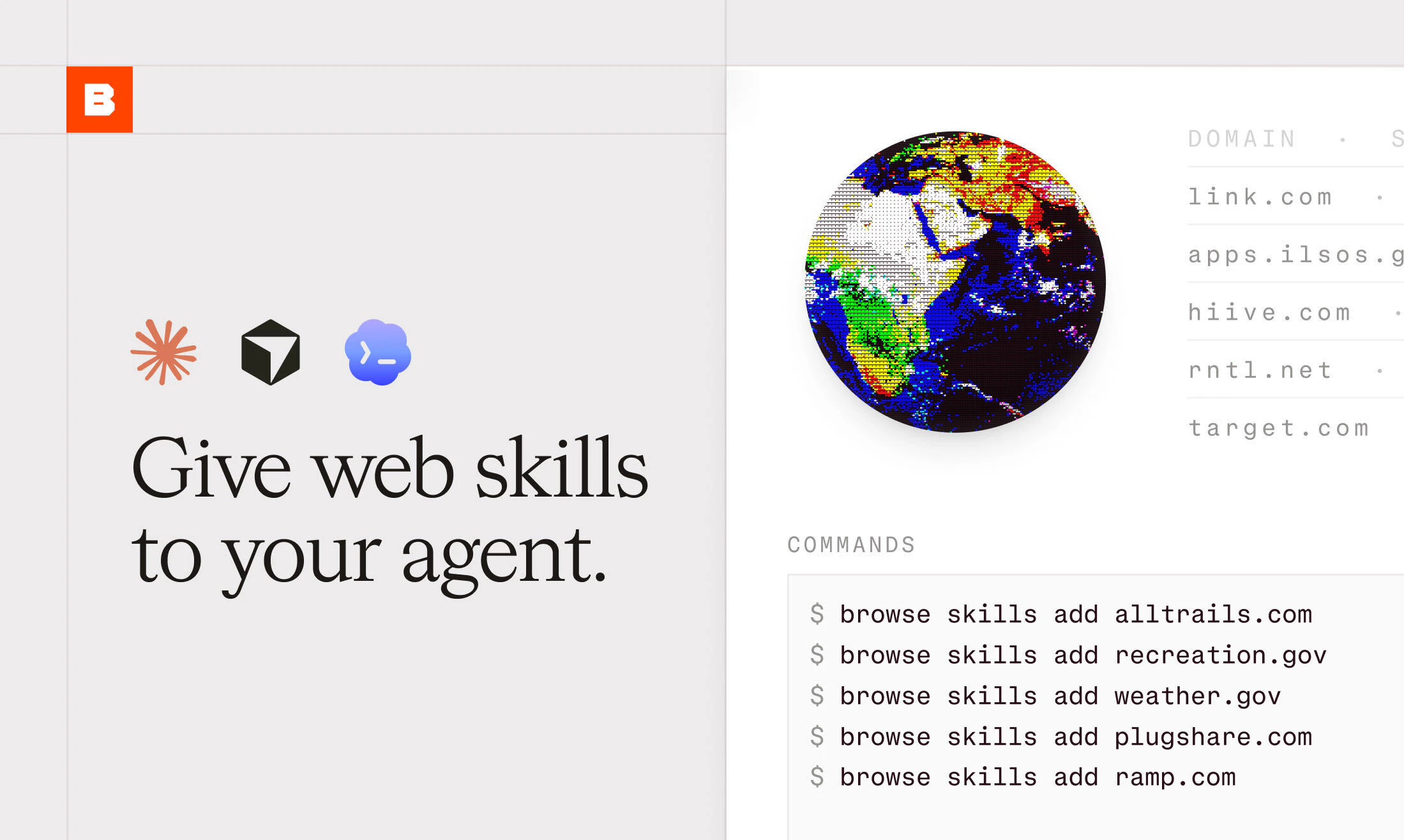
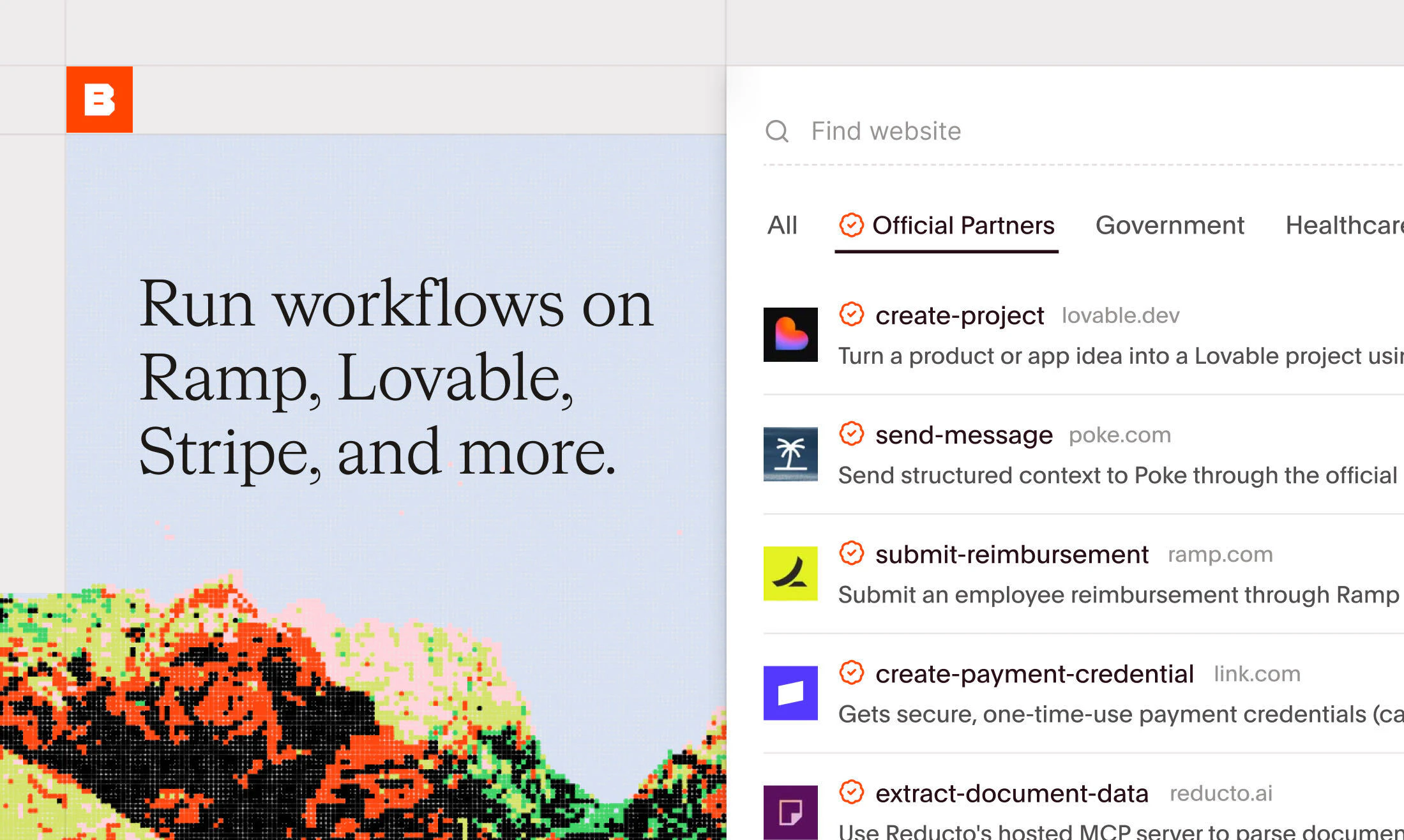
查看原始信息
thita.ai
Stop stitching together LeetCode, YouTube, Notion, and Pramp. Thita.ai is one AI platform: 99 DSA patterns, voice AI mock interviews, an AI coach, system design prep, and resume tools. Built for engineers targeting top companies, from new grad to senior. 25000+ learners
We built thita.ai because we lived the problem. Preparing for engineering interviews meant LeetCode in one tab, YouTube in another, Notion for notes, ChatGPT for explanations, and Pramp for mocks. Five tools, zero coherence, and most of the time spent on logistics instead of actual reps. Thita is one platform built around a single idea: interviews are won by structure. We mapped 99 DSA patterns that cover roughly 95% of coding rounds, then wrapped them with a voice AI interviewer, a 1:1 AI coach that teaches with diagrams, system design tracks, and resume tools. Concept to pattern to mock to offer, all in one place. The feature I am most attached to is AI coach with feynman Style. You explain the core insight of a problem out loud, and an AI judge scores your articulation. It catches the gap between solving a problem and understanding it, which is exactly the gap interviewers probe. We are the team behind Repowise. Thita has grown to 25,000 engineers across 50+ countries with zero paid acquisition, mostly off a DSA patterns sheet that reached over 1M+ people organically. Today we are opening it to the Product Hunt community. Run a mock interview or just learn through patterns. We read every comment and ship fast.
4
回复

@swatiahuja Hi Swati, congrats on the launch. How do you deal with thought pattern questions that are more judgment based?

2
回复
@zolani_matebese Thanks, Zolani! Currently, Thita uses a curated question bank with detailed solutions and pattern based learning. For more judgment based questions, our AI Coach helps candidates structure their thinking, evaluate tradeoffs, challenge assumptions, and refine their reasoning. We’re investing heavily in that direction because many interviews test decision making as much as technical knowledge.
1
回复

Amazing product!!!
Have used this myself to cover topics of system design and dsa.
And honestly love the mock interview tool as well, helped me practice interviews so I could perform better in the real one!!!

2
回复
@hellovyom thank you for being an early user and for sharing your experience! Your feedback has helped us shape the platform Hearing that Thita helped with System Design, DSA, and mock interview practice makes all the late nights worth it 🙌
2
回复

Just started using the platform and honestly, I am amazed by how native the experience feels to me. I completely relate to the problem of managing stuff at multiple places during interview preparation and most of the times I end up keeping multiple tabs open which is definitely a clutter-filled way of doing things.

Good luck to the team building it and super excited to keep following this to see it going higher-further-faster :D

2
回复
@vaibhav_kushwaha3 Thanks Vaibhav, this is exactly the problem we felt ourselves while preparing for interviews. We wanted to bring everything into a single workflow that feels native instead of stitched together. Really appreciate you giving it a try and sharing such detailed feedback. 🙌
0
回复

@swatiahuja Tried a quick look - the experience feels smoother than I expected. Curious to see where this goes

2
回复
@dipanshu_kushwaha5 Thanks Dipanshu, appreciate you taking the time to try it out. We spent a lot of effort making the experience feel fast and natural because interview prep tools often become frustrating when there’s too much friction. Excited to keep improving it and would love to hear any feedback as you use it more.
0
回复

Maker here. Built this with Swati over the last year.

The voice interviewer took the longest to get right. Early versions felt like reading off a script. We rebuilt the turn-taking so it interrupts you, pushes on weak answers, and picks the next question based on what you just said. It finally feels like a real loop.

The feature I keep coming back to is the Feynman coach. You explain the core insight out loud before writing any code, and a judge scores your articulation. People who do this before mocks explain cleaner under pressure. That gap between solving a problem and explaining it is where most onsites get lost.

We ship daily. If the voice lags, a pattern is missing, or you want a track we don't have, drop it here. We read every comment and fix fast.

Best way to judge it: start a mock cold and see how far the interviewer pushes you.

2
回复

What’s the one feature people stick around for the most, patterns, the coach, or the voice interviews?

1
回复
@thamibenjelloun Surprisingly, it’s becoming the ecosystem rather than a single feature. People often come for the patterns, but many stay for the AI Coach because it ties everything together, identifies weaknesses, and tells them exactly what to do next. Voice interviews are growing fast as well because they simulate the real interview experience.
0
回复