Product Hunt 每日热榜 2026-06-25

PH热榜 | 2026-06-25

#1
Oxlo.ai
Scale across AI models without scaling your bill
440
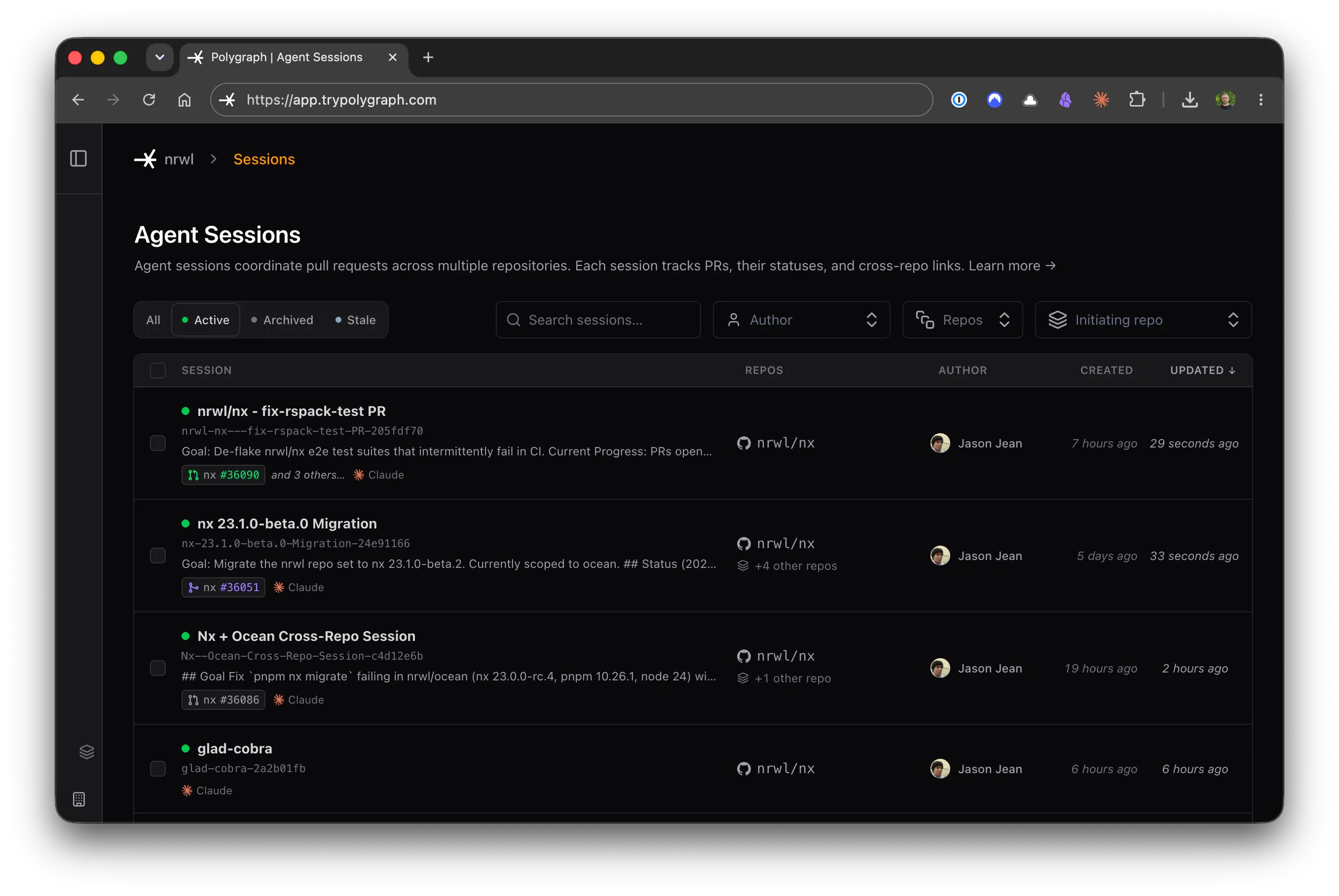
一句话介绍:Oxlo.ai为AI开发团队提供通过单一API访问35+前沿模型的订阅服务,解决生产环境中AI代理因用量波动导致的成本不可预测问题,以固定月费替代按Token计费,让团队专注构建而非担心账单狂涨。
API Developer Tools Artificial Intelligence
AI模型API 模型市场 固定订阅计费 AI代理开发 成本预测 模型路由 隐私安全 模型比较 开发者工具 生产级基础设施
用户评论摘要:用户普遍认可固定价格解决预算痛点,建议改进移动端计算器卡顿问题。核心关注点:是否支持自动成本路由优化、自托管峰值负载处理、模型间响应时间一致性及性能稳定性。部分用户期待更智能的模型选择层。
AI 锐评

Oxlo.ai的核心价值不在于“35+模型 API”的聚合能力,而是对AI基础设施成本结构的颠覆性重构。在产品同质化严重的模型市场,它精准切入“生产环境中Agent化工作流不可预测的Token消耗”这一硬核痛点,用订阅制为团队提供了财务安全感。这种策略本质上是对传统API按量计费模式的降维打击——当AI代理从玩具演变为持续运行的业务模块,账单暴涨会直接扼杀项目,Oxlo的固定月费相当于给CFO上了保险。

然而其“自我托管+低利润”的商业模式存在明显隐患:如何在多用户共享的固定订阅上限内,平衡峰值负载时的性能降级风险?评论中用户对自动路由、缓存优化等工程细节的追问,暴露出Oxlo当前只是“模型选择器+计费封装”,而非真正的智能调度层。创始人明确拒绝自动切换模型,这虽保证了质量确定性和开发者控制权,但也意味着团队仍需手动优化成本与性能——与标语“Scale without scaling your bill”所暗示的自动化愿景存在落差。

此外,“永远不训练你的数据”在隐私敏感场景是强卖点,但对普通开发者的吸引力有限。整体上,Oxlo在中小型团队和预算敏感的AI agent项目中有切实价值,但需警惕:固定费用模式若无动态资源配置的底层支撑,本质上是用定价模式取代了技术优化,当用户量爆发或复杂调用暴增时,利润空间可能被严重挤压。它更像一个“AI模型订阅超市”,而非AI基础设施平台——这是优势,也是天花板。

查看原始信息
Oxlo.ai
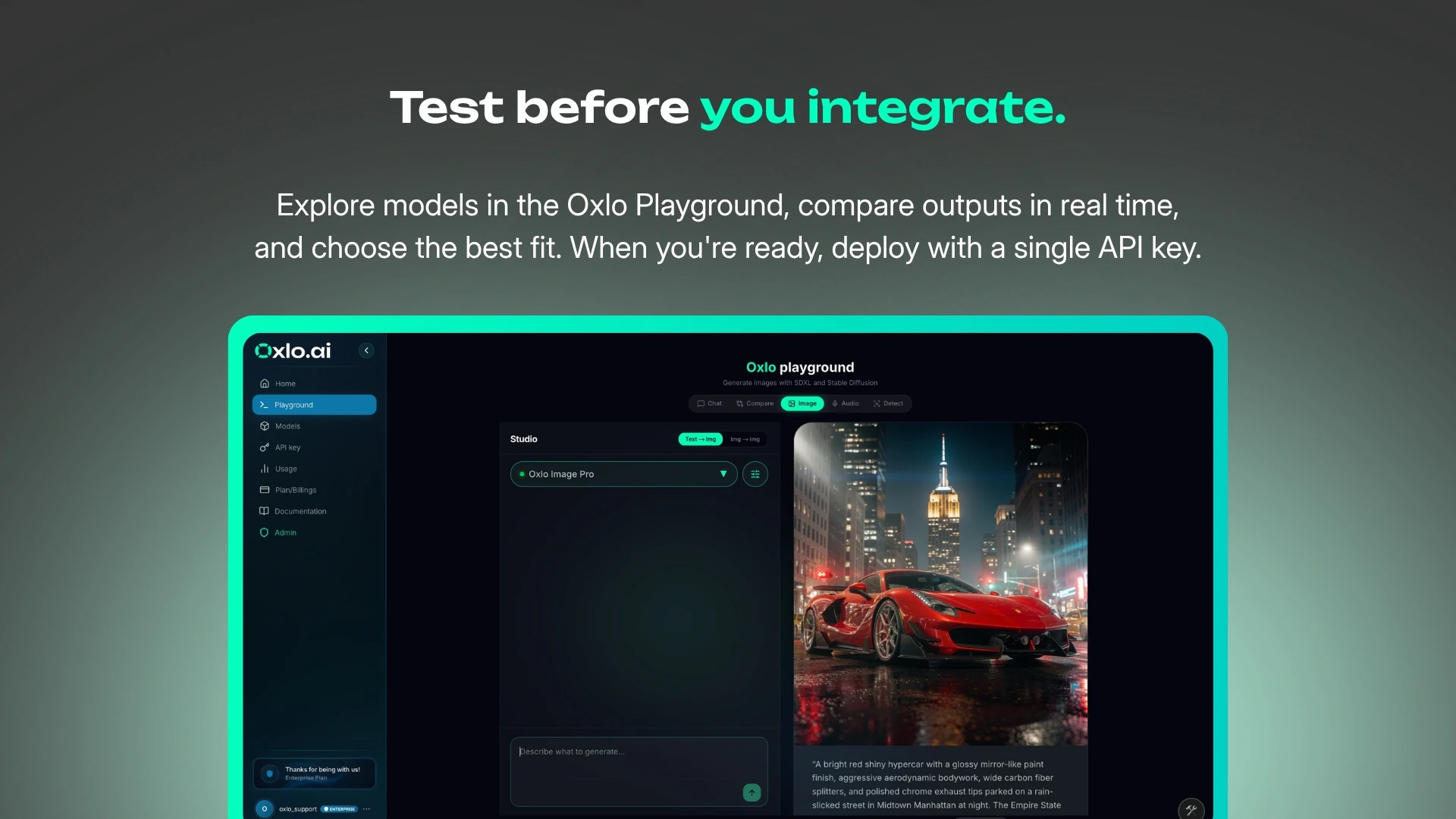
Most AI teams pick a model first and discover the bill later. We built Oxlo.ai to change that. Access 35+ frontier AI models including DeepSeek V4 Pro, Kimi K2.6, GLM 5, Qwen, Llama, and Mistral through a single API. Compare models, calibrate responses, and choose the right model for each use case. Scale across AI models with predictable monthly subscriptions, benchmark-grade performance, generous usage limits, and we never train on your data.

Hey Product Hunt! 👋

Barath here, founder of Oxlo.ai.

🎉 Launch Day Offer

As a thank you to the Product Hunt community, we’re offering an instant 10% discount on all subscriptions during launch day.

Use code OXLOPH at checkout to claim it.

We built Oxlo.ai because we saw a growing problem as AI agents moved from demos into production.

When agents run continuously, usage becomes difficult to forecast. A successful agent does more than generate text. It reasons, calls tools, executes workflows, and serves real users. As adoption grows, infrastructure spend grows with it.

We wanted teams to focus on building and scaling their agents, not worrying about whether next month’s AI bill would be 2x or 10x higher.

🚀 What is Oxlo.ai?

Oxlo.ai gives developers access to 35+ frontier AI models through a single OpenAI-compatible API and fixed monthly subscriptions.

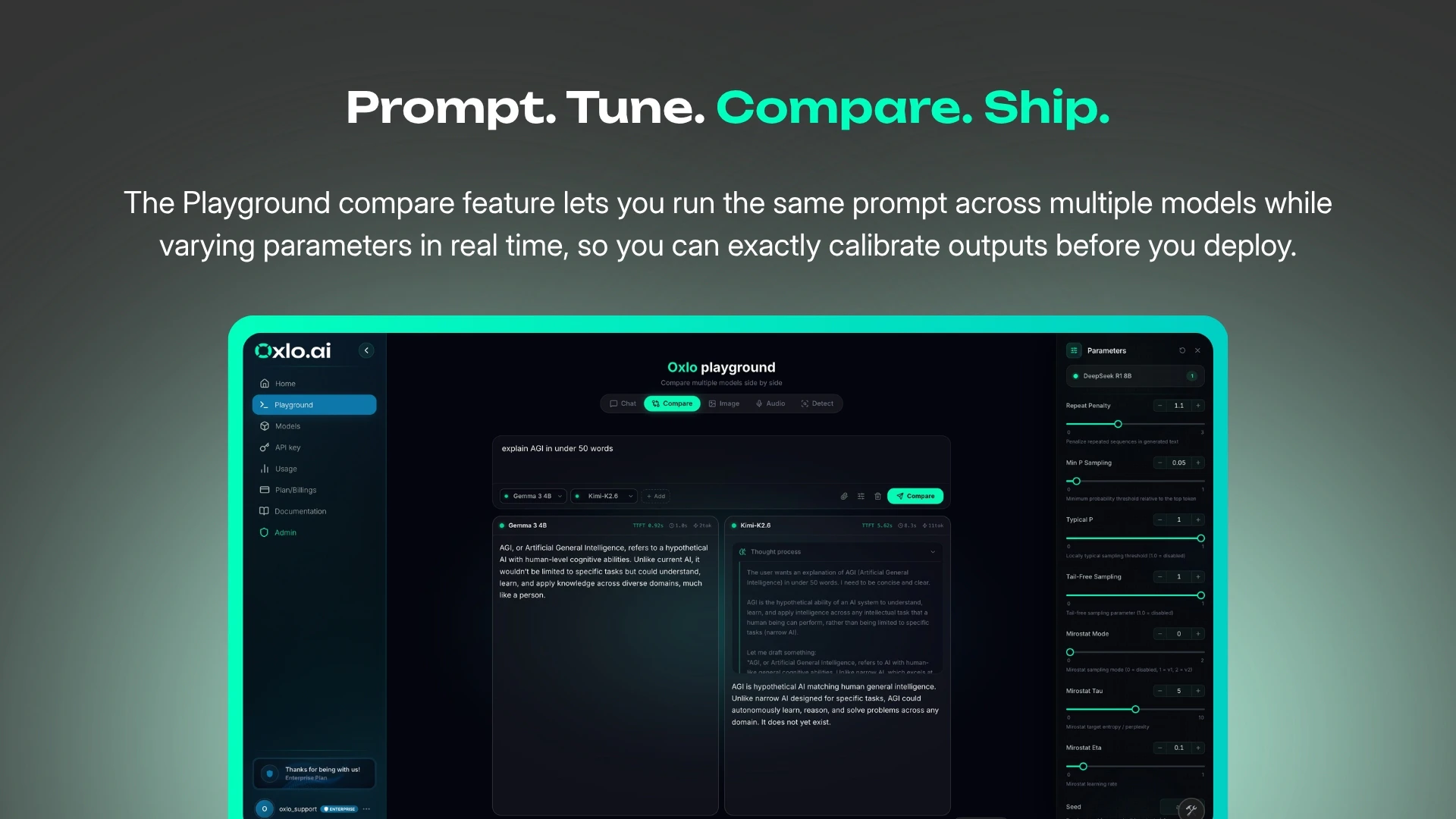
Built with a privacy-first approach, we never train on your prompts or access your data for model training. Developers can also compare models side by side and calibrate responses by adjusting model parameters before moving applications and agents into production.

Instead of charging for every token consumed, we absorb usage variability and infrastructure complexity to give teams a stable monthly bill while running AI agents in production.

💡 Who is it for?

Teams building AI agents, copilots, AI employees, workflow automations, customer support agents, internal tools, and AI-powered products that need reliable model access at scale.

Built for builders

• OpenAI-compatible API
• 35+ frontier AI models
• Unlimited tool calls
• Fixed monthly subscriptions
• Privacy-first infrastructure
• Compare models and calibrate responses before deploying
• Built for production AI applications and agents

🌍 Early traction

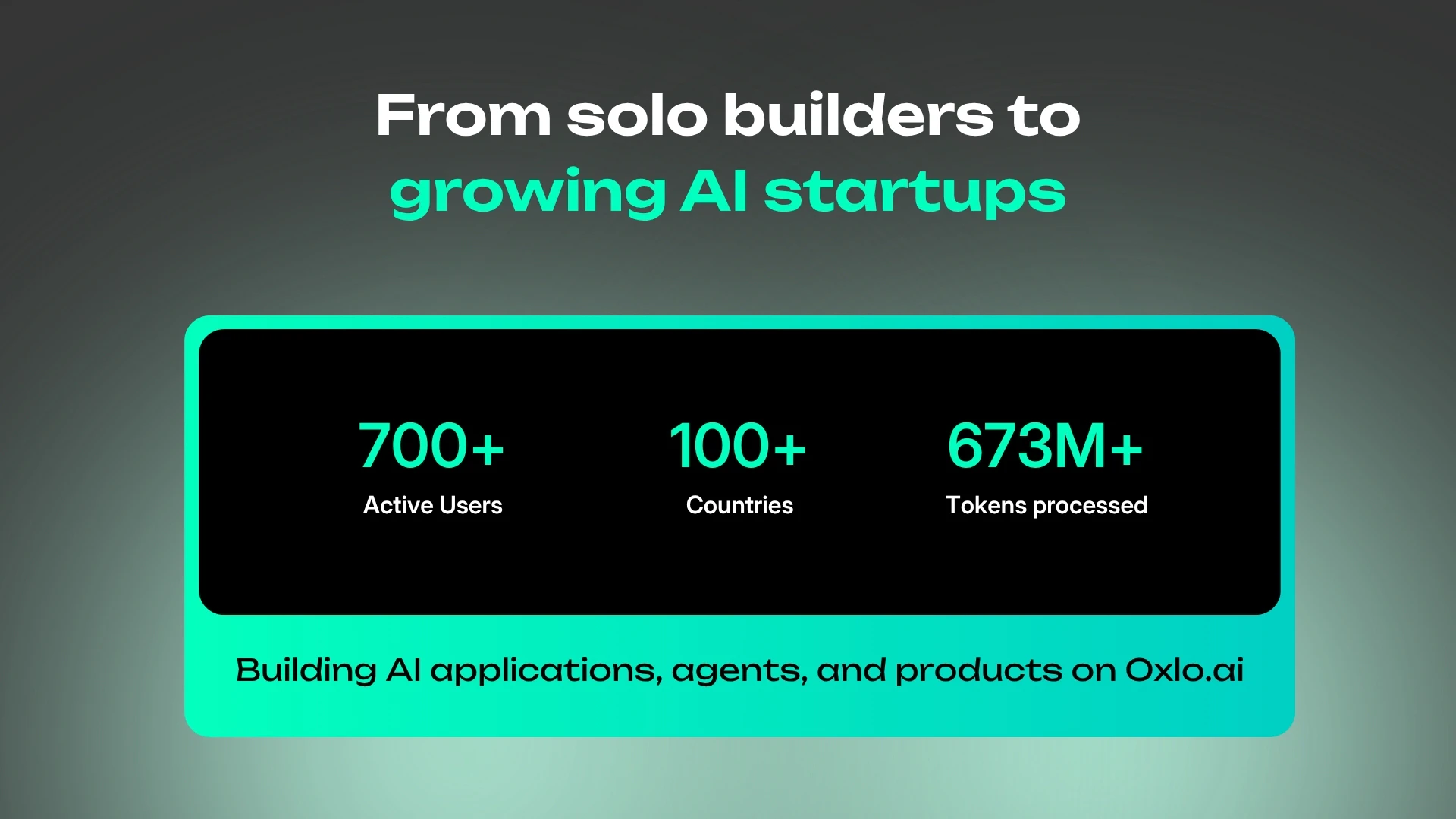
Over the past few months, Oxlo.ai has grown to more than 3,500 users across 100+ countries.

Over the same period, we’ve continuously refined the platform through more than 20 product updates spanning onboarding, reliability, model access, and developer experience.

🙏 We’d love your feedback

If you’re building AI agents or deploying AI into production, we’d love to hear how you’re thinking about infrastructure, privacy, costs, and scaling.

Me and the team will be around all day to answer questions.

Happy hunting! 🚀

30
回复

@barath_kanna_bk Love the idea of choosing the right model for the job instead of locking into one from day one. The model comparison feature looks super useful. 🚀

0
回复

@barath_kanna_bk Many congrats on the launch, Barath. I liked the idea when you presented to me... having one API for 35+ models with predictable pricing will surely help the AI teams. Good luck with the launch! :)

10
回复
@barath_kanna_bk How does model response calibration work?
0
回复

The agent spend forecasting problem is what gets teams in trouble - you ship something that works, it starts getting real usage, and suddenly your AI infrastructure bill looks like a ransomware demand. We went through exactly this building agentic workflows - prototype costs look fine, then the agent starts doing multi-step reasoning chains at scale and the bill triples.

Quick question on the mechanics: when my agent makes a call, do I explicitly pick the model per request, or does Oxlo do any routing/optimization automatically? I'm guessing explicit control is better for quality guarantees, but curious whether you have any plans for cost-aware routing as an optional layer - like "use the cheapest model that meets this quality threshold."

Congrats on the launch - the fixed pricing angle is smart positioning for teams trying to get finance sign-off on AI infra.

16
回复

@galdayan Thank you Gal, you captured the problem really well.

Agent workloads are exactly where the forecasting issue becomes painful because a single user action can turn into multiple reasoning steps, tool calls, retries, and model calls behind the scenes.

On the mechanics, today developers explicitly choose the model per request. We believe that control is important, especially for teams that care about quality, latency, and predictable behavior in production.

That said, cost-aware routing is definitely part of the direction we want to move toward. The idea is exactly what you described: give teams an optional layer where they can optimize for cost, latency, or quality depending on the task, while still keeping the final control with the developer.

Our current focus is to make access predictable and reliable first. From there, smarter routing and optimization can become a powerful layer on top.

Out of curiosity, what kind of agentic workflows are you building, and how are you currently managing model selection and spend as they scale?

4
回复

One thing I've noticed with AI copilots is that the challenge isn't generating suggestions, it's earning enough trust for people to rely on them in their daily workflow. I like that Oxlo AI seems to focus on becoming part of the workflow instead of just another chat interface. That's a much harder problem to solve.

How do you know when users have started trusting Oxlo enough to rely on it every day?

7
回复

@harini_mukesh Thanks for the question!!

From our perspective, we believe that trust is earned when users starting using our APIs in production environments from their initial testing clusters.

Reliability, cost predictability and privacy are the foundations of trust. If developers can confidently build, compare models, and scale without worrying about outages, unexpected bills, or their data being used for training, Oxlo.ai becomes infrastructure they can depend on every day.

We are still early, but that is the standard we are building toward.

5
回复

Congrats on the launch

6
回复

@lakshya_singh Thank you so much Lakshya.

8
回复

Congrats on the launch! I played with your calculator on the landing page for a while from my iPhone — good stuff but it is incredibly laggy. Worth fixing ASAP 🙌

What’s the secret in achieving the fixed price? It sounds unbelievable and there must be a ceiling.

4
回复

@nikitaeverywhere Thanks for flagging the calculator, Nikita. Our team will improve its mobile responsiveness and get that fixed soon.

We self-host the models, and our subscription plans include usage ceilings appropriate to each plan. We are not claiming to offer unlimited access for a small fee.

Our approach is to keep margins as lean as possible to make AI model access more affordable and encourage adoption. We aim to remain among the most cost-effective API options while maintaining a sustainable service.

3
回复
@barath_kanna_bk how do you handle peak loads when self hosted?
1
回复

Do you normalize responses across providers, or do developers still have to handle each model?

3
回复

@thamibenjelloun Developers interact with a single OpenAI-compatible API, so the request and response format is normalized across all supported models. That means switching between providers typically only requires changing the model field rather than rewriting application logic.

Of course, each model still has its own strengths, latency, context window, and capabilities, so those differences remain for developers to choose based on their use case.

0
回复

Congrats on the launch! The fixed monthly bill is the part that I like most here. We run an agent that fires a few hundred model calls per task and we know its the variance that wrecks budgeting, never the average

3
回复

@artstavenka1 Thanks Art,

Curious what kind of models you're using. Some of our users run multiple claw instances backed by Kimi K2.6.

2
回复

Congratulations on the launch :)

3
回复

@yashchoudhary Thanks Yash,

Curious if you're working with any AI models through an API.

1
回复

In hardware, we never pick a component without optimizing the BOM (Bill of Materials) first, so the 'discover the bill later' problem in AI is a massive pain point we can completely relate to. I love the concept of routing through a single API to keep costs predictable.

I’m curious about the calibration and switching latency—when swapping between models like DeepSeek V4 Pro or a Llama model for different use cases under a single subscription, how do you handle response time consistency? Speed-to-action is everything for real-time interfaces. Massive congrats on the launch!

3
回复

@dhanrajchoudhary Thank you Dhanraj, that comparison with BOM optimization is exactly the kind of problem we are trying to solve for AI teams.

On latency, each model has its own performance profile, so we do not promise identical response times across every model. Developers select the model based on the task and their latency, quality, and cost requirements.

Oxlo.ai does not silently switch models within an active request. The API routes the request to the model selected by the developer, while our platform focuses on keeping the serving layer reliable and reducing unnecessary infrastructure overhead.

We also make it easier to compare models and calibrate parameters before deployment, so teams can identify the right balance of quality and speed for each use case.

For real-time interfaces, faster models can be used for interactive flows, while larger reasoning models can be reserved for tasks where response quality matters more than latency.

Really appreciate the thoughtful question and curious what kind of models you're using at Dune.

1
回复

Congratulations on the launch!

3
回复

@mssulthan Thanks Sulthan for the wishes.

Curious what kind of workloads or models you're leveraging at CodeDesign.

1
回复
Curious how stable the performance is under heavier production load. The pricing model is interesting, but reliability usually decides everything for teams
3
回复

@umar_saleem Our model stack is been battle tested for running agents in production. so far our users have been happy about our uptime and latency.

We also offer dedicated GPU deployments with SLAs for enterprise customers, so reliability is ensured.

Curious, what model are you currently using at Todai.

1
回复

Congrats on the top spot! Cost scaling across models is such a real pain point — I deal with a version of this myself running an AI image generator, where margin really depends on picking the right model for the right job. Curious how you're handling routing logic: is it mostly cost-based, or does latency/quality play into the decision too?

2
回复

@martin_mo Thank you Martin!

Since you’re running an AI image generator, you probably know this pain very well.

Today, routing is controlled by the developer. Users explicitly choose the model through the API request, so we don’t silently switch models based on cost.

We think quality, latency, and cost all matter differently depending on the workflow, so we want teams to keep that control. Over time, optional routing based on cost, latency, or quality is definitely something we want to explore.

Curious what models you’re using for image generation today?

0
回复

The core claim here is cost reduction across multiple models, but the interesting engineering question is where the savings actually come from. Routing calls to cheaper models based on task complexity is one approach, caching repeated or near-identical completions is another, and they have pretty different tradeoffs in terms of output consistency and latency. Curious which of those Oxlo is doing, and whether you have any control over the routing logic or whether it's fully automatic. Also wondering how this behaves when you're mixing models with different context window sizes or tool-calling implementations, since a lot of multi-model setups quietly break at that layer.

2
回复

@fberrez1 Great question.

Today, Oxlo does not automatically route requests or switch models behind the scenes.

Users control model selection directly through the model field in the API request. That means teams decide which model fits each task, whether they are optimizing for cost, latency, context length, tool-calling behavior, or output quality.

Our savings come mainly from optimized infrastructure, and keeping margins lean, not from silently sending requests to cheaper models.

We also avoid hiding model differences. Context windows, tool-calling behavior, and latency vary by model, so developers keep explicit control rather than relying on automatic routing that could break production workflows.

Out of curiosity, what does your model stack look like at Foyer today? Are you using different models for different tasks, or mostly standardizing on one provider?

1
回复

I've been using Groq for API testing and experimentation, so I was curious to try Oxlo.ai. My first impression is very positive, the platform feels polished, and the playground is especially interesting to explore.

I'll be putting it through more extensive testing, but so far the experience has been smooth. One feature I'd love to see is the ability to cancel a response while it's being generated (playground).

2
回复

@matheusdsantosr_dev Thanks for the feedback Matheus.

We will definitely add a request cancellation feature soon in the playground!!

Happy to explore synergies together!!

2
回复

Congrats on the launch!
How does Oxlo.ai help teams compare model performance and cost before choosing which model to use in production?

2
回复

@pt_tango_ag Hi Przemek,

We have a dedicated section in the Oxlo.ai playground to test, compare and calibrate each model that we have before deploying it in your agent / app. This also helps to evaluate how tokens consumed by different models for the same prompt for very accurate calibration and fine tuning!!

1
回复

This is a real problem for anyone running agents in production. With 35+ models on a fixed subscription, models get updated and deprecated over time, and a silent point update can change a production agent's behaviour in ways that are hard to debug. Do you pin exact model versions, so teams can reproduce results and upgrade on their own schedule?

2
回复

@angelika_dev Good question.

Users control model routing directly through the model field in the API request. We do not automatically switch, update, or route models on their behalf, so teams retain full control over the model they use in production.

1
回复

👋 Congrats on the launch, do you plan to support Kimi 2.7 in the near future?

2
回复

@wojtekszkutnik Thanks Wojtek.

Kimi K2.7 is coming up ver soon on Oxlo.ai.

1
回复
Clean positioning for developers. Feels like something built after actually dealing with real infrastructure pain, not just a surface level idea.
2
回复

@sidraarifali Yes sidra,

That is absolutely right, earlier when we were building an agentic for ourselves we saw our bills go from $100 / month to around $2000 in a matter of weeks, the problem was not the costs but how quickly they went up insidiously!!

1
回复

Big congrats 🙌 Oxlo.ai solves a real pain point. predictable costs while switching between models is a game-changer.

2
回复

@moon10 Thanks Moon,

Curious if you are currently using any models in production.

1
回复

Feels like a good fit for people building agents or internal tools where you don’t want to constantly track token consumption. Congrats @megha_varshini and other makers! looks solid.

2
回复

@hamza_afzal_butt  Thanks Hamza,

Yes, most of our users feel the same too.

2
回复

The tagline mentions scaling across AI models without scaling the bill, which sounds very useful for developer and AI workflow teams. How does Oxlo.ai approach model selection or routing in practice—does it focus more on cost optimization, reliability, performance, or giving teams a unified way to work across different AI providers?

2
回复

@susiewang Thank you for the thoughtful question.

Today, Oxlo.ai gives teams explicit control over model selection. Developers choose the model that best fits each task, whether they are optimizing for quality, latency, reasoning capability, or a specific use case.

Our main focus is to provide a unified and reliable way to access and compare models through one API, while keeping costs predictable through fixed subscriptions. We also let teams compare outputs and adjust model parameters so they can evaluate the right balance of performance and response quality before deploying.

Over time, we see optional intelligent routing as a natural next layer, where teams could set preferences around cost, latency, or quality. But we believe developers should retain control over those decisions, especially in production workflows.

1
回复
No token math + no surprise bills is really smart! Just noticed one small thing: the top banner says "upto" instead of "up to" that's all. Congrats on the launch!! 💪
2
回复

@etiennegarcia Thanks Etienne,

That was a great catch, we will fix that typo soon!!

2
回复

@etiennegarcia Fixed already!!

2
回复

This is really wonderful. But how can you have predictable pricing? Do you limit the user upon reaching a certain threshold?

2
回复

@chilarai Thanks for the comment, Chilarai!

We offer two subscription plans for different stages of builders: one includes up to 1k calls / day, and the other includes up to 5k calls / day. These plans are designed for developers, solo builders, and early-stage teams.

For customers who need higher limits, we offer custom fixed price plans based on their historical usage. We commit to a fixed monthly price that is at least 15% lower than their current AI spend, with a usage ceiling of up to 1.5× their committed usage.

This gives teams room to grow while keeping their AI infrastructure costs predictable.

2
回复

Congrats on the launch, @barath_kanna_bk Predictable pricing for AI infrastructure is a massive pain point solved.

qq. on the fixed subscriptions: Is there a hard cap where requests throttle, or do you have a soft limit that triggers an upgrade prompt? Def checking this out today.

2
回复

@vikramp7470 Thanks for the comment Vikram.

We have a soft limit which sends warnings and upgrade prompts in advance in case the request limits are reached so users can promptly upgrade their plans to stay up always.

3
回复

Congrats on the launch! Scaling frontier AI models through a single API sounds incredibly useful, especially for keeping track of costs. I can definitely see how valuable this is for teams trying to build quickly without breaking the bank.

I'm curious about how the dashboard works for tracking bills: does it give you a real-time breakdown of which specific models are running up the highest costs?

Love what you guys are building here! 🙌

1
回复

@creativewjordyn Thank you so much Jordyn!

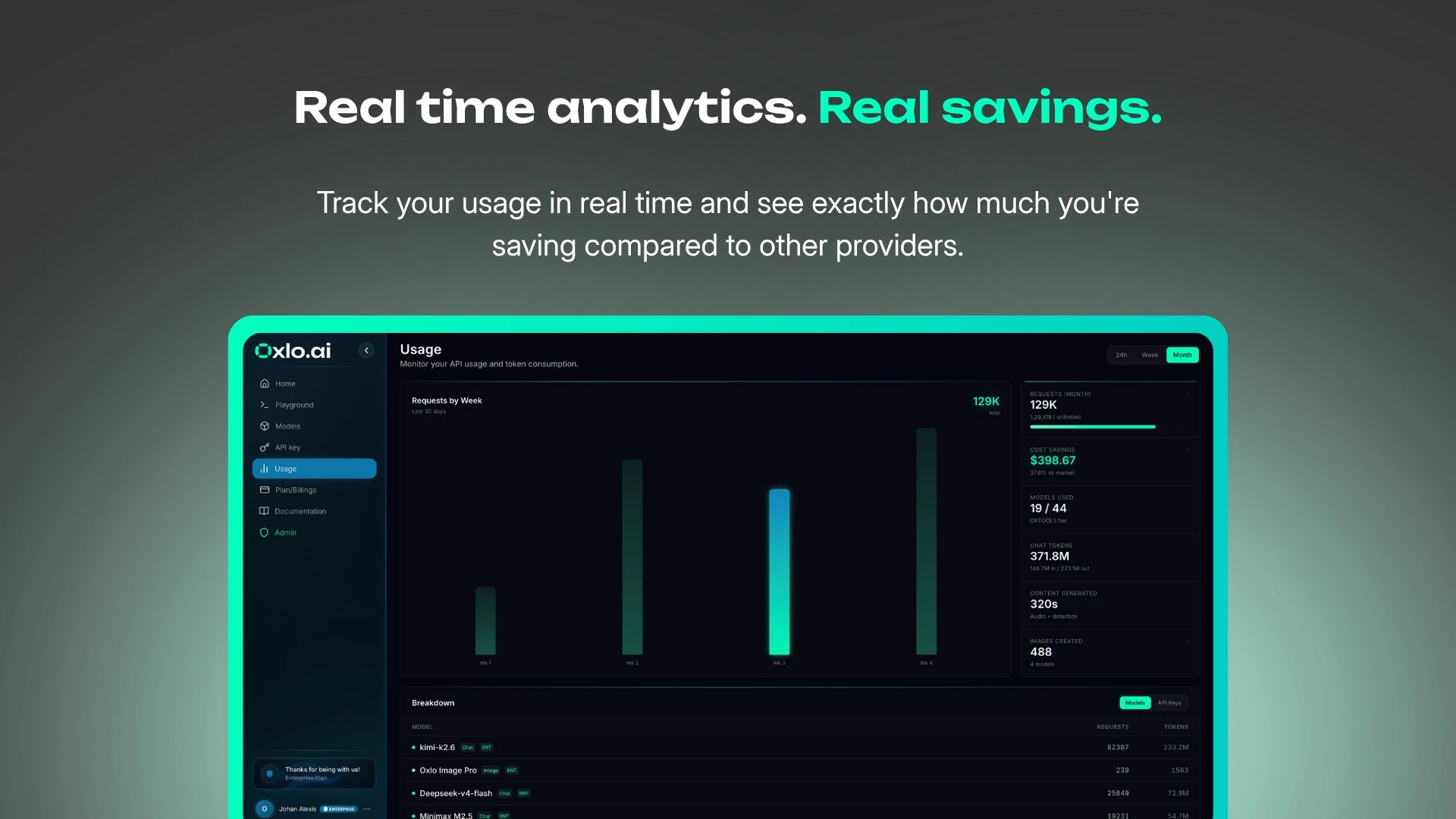
Yes, the dashboard gives you a real-time breakdown of your usage across models, including requests, tokens, and estimated value consumed. Since you’re on a fixed subscription, it’s less about tracking what you’ll be billed and more about understanding where your usage is going and how different models are being utilized.

That visibility also helps teams compare models and optimize their workloads over time without worrying that experimenting with a different model will suddenly increase their bill.

0
回复

If you could convince a developer to switch to Oxlo AI in just one sentence, what would your pitch be? I'm curious what you consider your biggest competitive advantage.

1
回复

@sameerkatel Access 35+ frontier AI models through one API and one monthly subscription, so you can focus on building instead of managing infrastructure.

0
回复

Looks promising! Tested the Kimi integration—works as expected. My only concern is latency under throttling; it’s slightly higher than raw API calls, but the convenience of unified billing might be worth the trade-off for us. Curious to see how the privacy stack evolves. Good luck today!

1
回复

@lana_wang Thank you for trying it out and for the honest feedback!

There is a small overhead from our gateway, but we’ve worked hard to keep it minimal. We’ll continue optimizing the serving stack as we scale.

On privacy, that’s one of our core priorities. We never train on customer data, and we’re continuing to strengthen the platform with more privacy and enterprise-focused capabilities over time.

Really appreciate you taking the time to test Oxlo.ai, and we’d love to hear any other feedback as you continue using it.

0
回复

For teams already locked into one provider, what does a typical migration to Oxlo.ai look like, and how long before they start seeing cost savings?

1
回复

@arjayyy Switching is very easy since all providers use the Open AI API format, Users can switch by just changing a couple of API fields and it takes under 5 minutes.

Cost savings are also instant as you pay for a full month upfront.

0
回复

Congratulations on the launch Barath.

From a governance standpoint do you have any additional layer or just rely completely on what model provide out of the box.

1
回复

@kiran_kadekoppa Thank you Kiran!

Today, we primarily rely on the safeguards and moderation capabilities provided by the underlying models. Our focus has been on providing a reliable, API layer with predictable pricing.

That said, as we onboard more enterprise customers, additional governance features such as centralized policies, usage controls, and organization-level guardrails are definitely on our roadmap.

0
回复

the routing-decision latency is the part i'd watch — are you classifying prompt complexity at inference time, or learning per-workload patterns over time? curious which one keeps the overhead from eating the savings.

1
回复

@sabber_ahamed We don't route user prompts, users decide which model they want to use for every prompt.

Savings come from self hosting and efficient management of resources and of course keeping our margins very thin to acquire customers :)

0
回复
#2
BrowserAct
Web browser automation for AI agents
430
一句话介绍:BrowserAct 是一个为 AI 代理打造的浏览器自动化层,通过隔离会话、反检测和人工接管机制,解决代理在真实网页中因验证码、登录态、动态页面等“卡住”而无法完成任务的核心痛点。
Productivity Artificial Intelligence GitHub
AI 代理 浏览器自动化 网页数据提取 会话隔离 人机协作 反检测 验证码处理 无代码 CLI 任务可靠性
用户评论摘要:用户普遍认可其解决真实网页“易卡壳”的痛点,并围绕人工接管机制、反检测成功率、与开源工具(如 Browser Use)的差异提出疑问。核心期待在于其稳定性与结构化输出能力,而非单纯的点击自动化。
AI 锐评

BrowserAct 精准地切中了 AI 代理落地的“最后一公里”痛点:网页环境远比演示场景复杂。它没有盲目追求全自动化,而是通过“技能 (Skills)”、会话保持和人工兜底构建了一个务实的、可回退的自动化框架,这比许多宣称全能的工具更具现实意义。

其价值不在于“代理能点击”,而在于“代理能在不可控的网页上稳定完成任务”。特别是“human-in-the-loop”的设计,承认了当前 AI 的局限性,反而提升了系统的鲁棒性与信任度。然而,这既是优势也是负担:人工接管意味着运维成本的增加,如何智能地界定“何时需要人工”是保持效率的关键。

产品的真正壁垒在于将“反检测”、“会话隔离”、“结构化输出”和“人工接管”这四个模块整合为服务,而非提供底层的 Playwright 代理。这要求团队持续应对网站的反爬升级,其长期价值依赖于“抗封成功率”与“任务完成率”的数据沉淀。目前来看,它更像是面向开发者、解决“能用”问题的工具,距离“好用”还有距离,尤其是其生态和易用性(如无 GUI)会限制其向非技术用户的渗透。对于不想自研重型浏览器自动化基础设施的团队,这是一个极具性价比的“杠杆”。

查看原始信息
BrowserAct
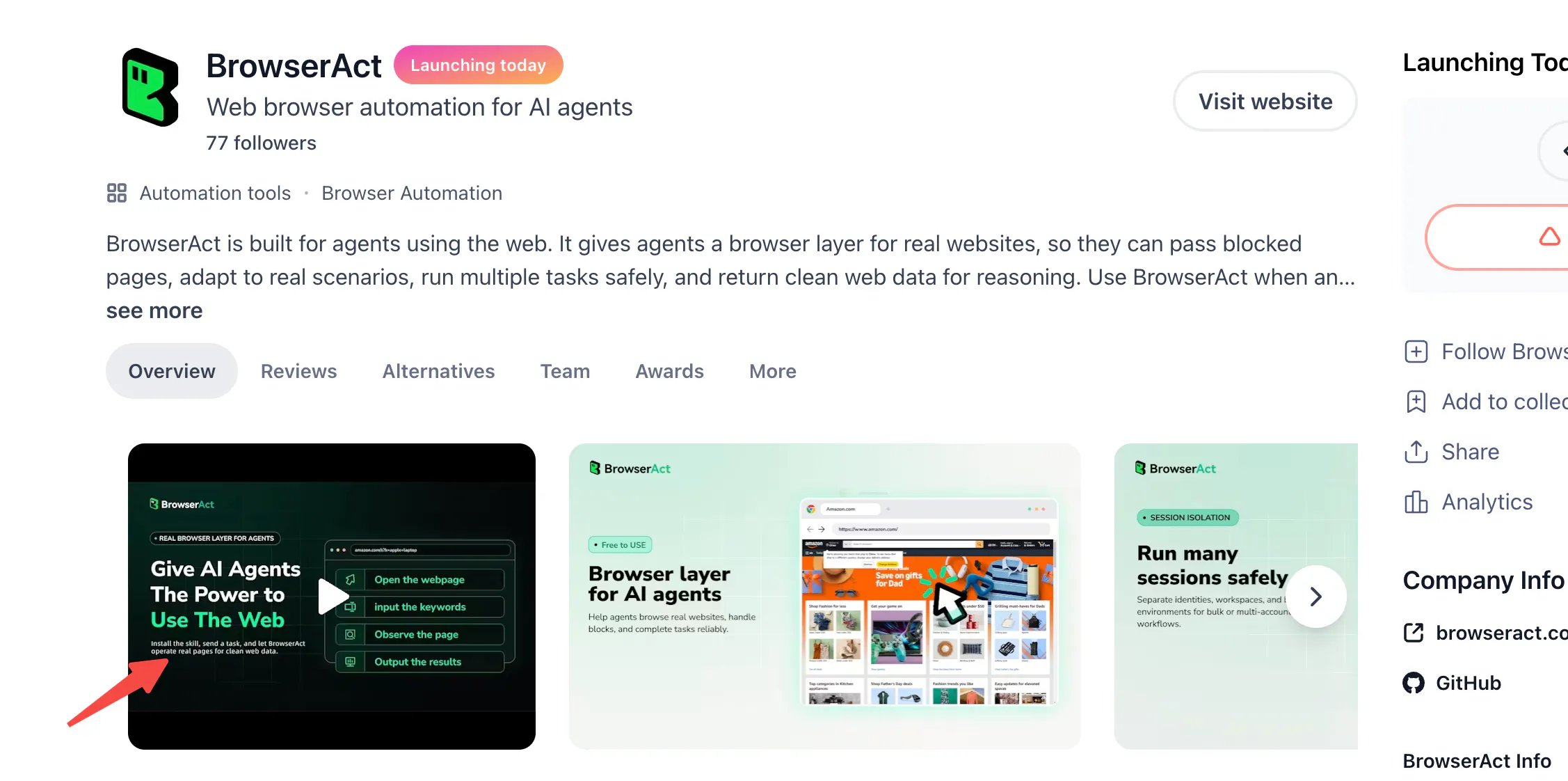
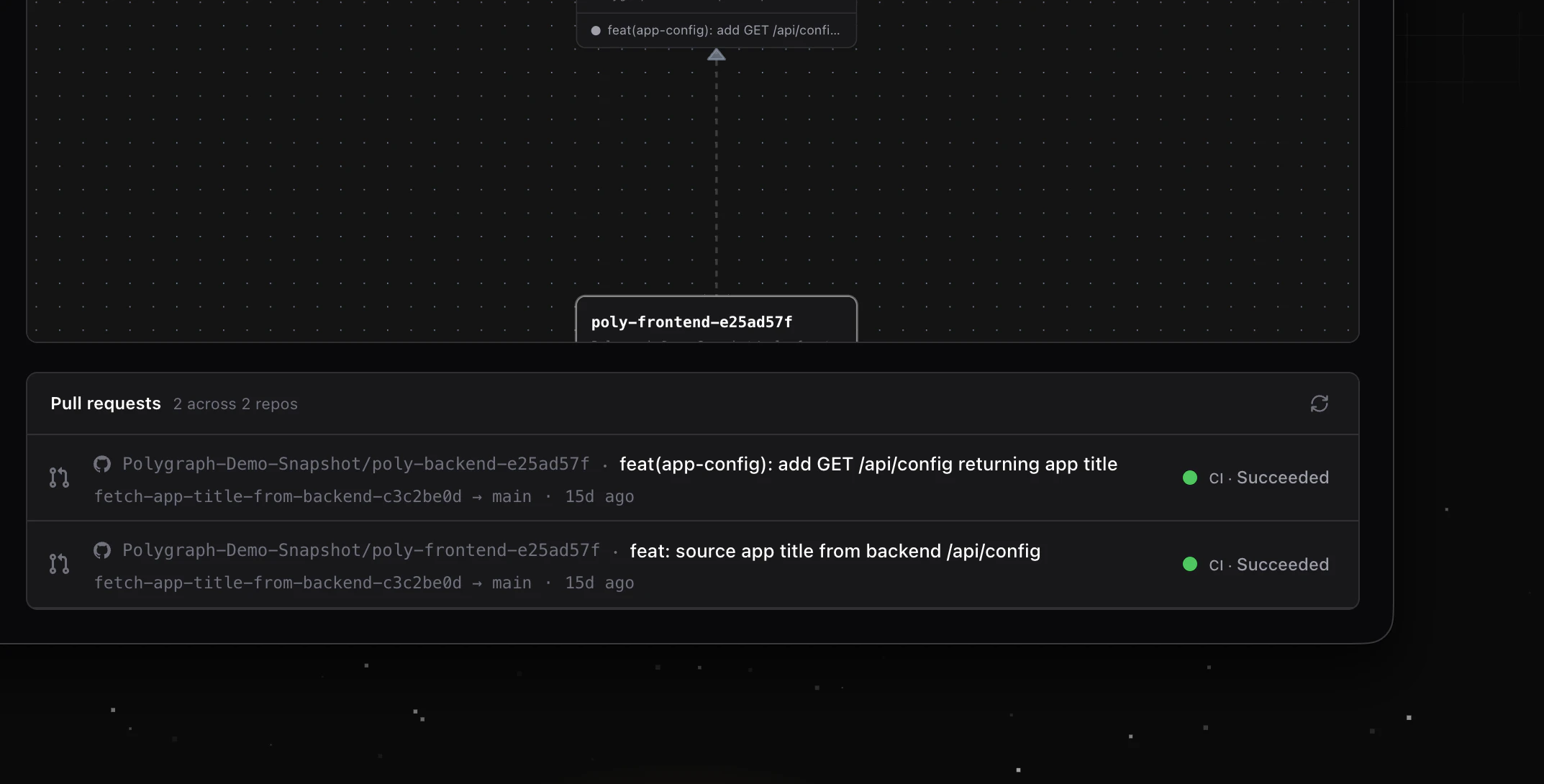
BrowserAct is built for agents using the web. It gives agents a browser layer for real websites, so they can pass blocked pages, adapt to real scenarios, run multiple tasks safely, and return clean web data for reasoning. Use BrowserAct when an agent needs to browse, click, extract, fill forms, upload files, work inside logged-in sites, handle verification, or run repeatable browser workflows.

Hey Product Hunt 👋

I'm Wendy, Senior Marketing Operations at BrowserAct.

AI agents work well in clean demos, but the real web is messy: login state, verification, dynamic pages, uploads, blocked flows, and browser sessions that interfere with each other. Most agents stop the moment a website pushes back. So we built a browser layer that doesn't.

BrowserAct reads the messy parts of the web your agent can't handle alone. It's an It's an browser automation CLI that keeps session state, works through common web blocks, hands off to a human when needed, and returns clean web data for reasoning. The idea is simple: agents should automate what they can, ask for help when they're stuck, and continue from the same browser state afterward. You stay in control of all of it; nothing runs without your sign-off.

🎁 For Product Hunt: Get a free 7-day trial to test BrowserAct on a real browser workflow your agent keeps breaking on, no code needed.

Here all day, and would love your honest feedback. What browser task still breaks your agent today?

31
回复

@wendyba Congrats on the launch. :)

BrowserAct seems like a practical way to help agents navigate the messy web flows. What kind of browser task has been the hardest to automate so far?

10
回复

@wendyba Great launch. Quick question: When BrowserAct hands off to a human during a stuck flow, what does that experience look like for the person assisting? Specifically, how does the human see the current browser state and what steps are required to resume?

3
回复
@wendyba Browser Use provides an open-source framework where LLMs natively drive the browser context using visual/interactive prompts. How does BrowserAct's reliance on explicit "Skills" and a CLI interface compare in terms of development velocity and edge-case reliability?
0
回复

The "most agents stop the moment a website pushes back" framing is the real issue - we've had agent demos fall apart on something as basic as a cookie banner or a verification step. A resilience layer that keeps the agent moving through real-world friction makes a lot of sense.

The right side of this page shows Browser Use and Browserbase as alternatives. Where does BrowserAct specifically pull ahead - is the main angle the "clean output for reasoning" (returning structured data vs raw DOM to the agent) or is it more about the multi-session isolation piece? Genuinely curious what the core bet is here, since that changes a lot about which use cases you're best at.

9
回复

@galdayan Good question. I don’t see this as a choice between neat output and separate session isolation—we actually need both, and they all tie back to the core idea behind BrowserAct: keeping workflows running reliably on live real sites.

Clean output stops the agent from drowning in messy raw DOM data so it can make better decisions. Session isolation is critical if you’re running multiple parallel tasks, staying logged into different accounts, or handling account-specific work. Things like cookie popups, active login status, captchas, blocked pages, manual confirmations, or short human intervention breaks all feed into one single goal: let the agent keep progressing and wrap up tasks fully.

This is where we think BrowserAct stands out. Instead of the agent dying quietly or having to restart the whole process every time something goes wrong, we built it to hold onto your active browser workflow no matter the interruptions.

A quick contrast to similar tools: Unlike Browserbase, we aren’t just building basic browser backend infrastructure. And versus Browser Use, our focus isn’t solely on simpler browser control. We built BrowserAct as a browser layer purpose-built for AI agents. It bundles isolated sessions, streamlined readable page data, automatic verification handling, and human takeover functionality—all tailored for those messy, unpredictable real-world automation flows.

2
回复

Congrats on the launch!
The human handoff part is cool but how does the agent actually know when to ask for help vs just retrying on its own?

Is that a confidence threshold or something the agent decides itself?

6
回复

@abod_rehman Great question. It’s not really a single confidence threshold.

The agent reads the live browser state and follows an escalation path. For normal UI changes, it can wait, re-check the page, and adjust the next action. If it detects a common verification challenge, BrowserAct can try automated handling with commands like `solve-captcha`.

But when the step clearly requires human identity or judgment, such as login, 2FA, OAuth, a security check, a QR scan, or manual confirmation, the agent should stop retrying and hand off through headed mode or `remote-assist`.

If the workflow needs a person, BrowserAct keeps the same browser session alive so the human can clear the step and the agent can continue from there.

4
回复

This looks fantastic, Wendy. The concept of an agent automating what it can, pausing for a human to clear a verification block, and then resuming the exact same session is a game-changer. I'm building an AI proposal tool right now and web data extraction is a constant headache when dealing with dynamic sites. Can't wait to test this out on a few broken workflows!

6
回复

@varunvivek  Thanks so much, that means a lot. We designed BrowserAct for agents first, with things like anti-detection, better headless mode, remote assist, browser modes, and strong concurrency/isolation. The goal is to make browser tasks keep moving even when the web gets in the way.Would love to hear how it works on your proposal workflows once you test it.

4
回复

Is this any different from the @Tabstack by Mozilla ?

4
回复

@malithmcrdev Yes, a bit different. Tabstack feels more like a managed API for clean structured output, while BrowserAct is more like a browser layer for agents to actually interact with real sites. We focus more on using real Chrome sessions, handling logins/CAPTCHAs, and letting agents keep going when websites get messy.

2
回复

Browser automation is becoming one of the most important layers for AI agents, because so much business work still happens inside web apps that do not have clean APIs.

The hard part is reliability. I’d be curious how BrowserAct handles brittle UI changes, confirmations, and cases where the agent should stop and ask a human instead of guessing. That judgment layer is what separates a useful browser agent from a risky macro.

3
回复

@rahulbhavsar With BrowserAct, the agent can inspect the current browser state, take an action, wait for the page to stabilize, and then re-read the latest state before moving to the next step. That helps with dynamic UI changes, layout shifts, and brittle page flows.

For sensitive or uncertain steps, BrowserAct uses confirmation gates and human handoff instead of letting the agent guess. If the workflow reaches login, verification, 2FA, manual approval, or any step that needs a person, `remote-assist` lets a human take over and then allows the agent to resume from the same browser session.

0
回复

This looks really useful, Wendy.

I like that BrowserAct treats the browser as part of the agent runtime, not just a place to send clicks. In my workflows, the hard part is never the click itself. It’s keeping the task alive when login state, popups, or verification get in the way.

3
回复

@itsluo Yep, this was our main pain point to tackle.

It’s easy to automate basic clicks in a perfect environment, but actual browser work gets interrupted all the time: logged-in states popping up, verification windows, blocked pages, parts you have to judge manually.

BrowserAct’s built to preserve your ongoing workflow. The agent can pause, recover, or let a human take over without wiping your session and starting over again.

2
回复

You position BrowserAct as a browser layer rather than browser infrastructure. What capabilities would be difficult for a team to build themselves on top of Browserbase or Playwright?

1
回复

@yagnaveena Browserbase + Playwright give you a remote browser; they don't give you the layer that keeps agents reliable when sites change. Specifically:

  • LLM-in-the-loop recovery when selectors break or DOM shifts mid-flow

  • Skills — open-source, versioned, composable task definitions (so you're not locked in)

  • Structured per-step verification (screenshot + DOM diff events) for debuggable agent runs

  • Managed anti-bot, session persistence, captcha, proxies — one layer instead of five

  • Native MCP, so any agent gets browser hands without glue code

You can build all of this — most teams we meet spend 6–12 months doing exactly that before deciding the leverage isn't there. If browser automation is your product, build it. If it's a means to an end, we'll give you that time back.

1
回复

The human-in-the-loop sign-off is a brave decision which looks like the right call. Most agent frameworks chase full autonomy and then faceplant the second a site throws a login wall or a verification step. We are building an agent that hops the same booking across regions and honestly DOM reflow is the least of it. The real wall is geo: switch country or currency mid-session and the anti-bot layer reads you as a fresh fingerprint and resets the whole thing. Does BrowserAct's session state survive a locale/IP change mid-flow or does that register as a new session?

1
回复

@artstavenka1 

In BrowserAct’s stealth browser, the browser environment can be aligned with the configured IP region, including things like language and timezone. If IP stability is the concern, using a static IP gives the browser a much more stable environment.

For a persistent/fixed browser setup, if a session is already open and you want changes like IP or region settings to take effect, you need to close the active sessions first. In private mode, a new session can pick up the new environment.

So I’d say BrowserAct helps keep the browser session and environment stable. The safer pattern is one stable browser identity per region.

Does that match your understanding of the issue? If I’m missing something, please correct me.

4
回复

congrats on the launch!
browser automation often breaks in real-world scenarios.love the focus on handling messy web interactions.what was the biggest technical challenge you solved first?


1
回复

@avery_thompson2 Thank you!

The first big challenge was anti-bot challenges and interactive verification. Real sites don’t just need clicks, they bring CAPTCHA, login checks, 2FA, blocked pages, and changing UI.

So we built the escalation path early: real Chrome sessions, stealth mode, `solve-captcha` for supported challenge flows, and `remote-assist` when human help is needed.

2
回复

For sites that actively fight automation, like ones with aggressive bot detection, whats the actual success rate looking like right now vs a normal site?

1
回复

@boyuan_deng1 
That’s a great question. We can’t offer a fixed universal success rate, as performance hinges on the target site, account history, traffic patterns, proxy quality, login state and task type.

Our solution is built around three functional layers. The first is our foundational browser environment, with native Chrome sessions, stealth configurations, session persistence and streamlined data extraction.

Second comes automated verification handling. When sites trigger anti-bot measures, BrowserAct detects blocked pages and runs tools like the solve-captcha command to resolve standard CAPTCHA and verification prompts where feasible.

Third is human handoff. If automation can’t clear a barrier, team members can intervene, and the agent resumes work within the original session afterward.

We don’t position BrowserAct as a tool to circumvent all site restrictions. Our core priority is uninterrupted task delivery, with zero loss of existing session progress.

2
回复
Why there is no demo video?
1
回复

@divvsaxena  Thanks for your interest! We actually do have demo videos available — And if you'd like a more in-depth walkthrough, we'd be happy to schedule a video call demo at your convenience.

0
回复

This solves one of the biggest pain points for AI agents—actually interacting with the real web instead of just reasoning about it. The combination of browser automation, session isolation, and clean outputs is really impressive. Excited to experiment with this!

0
回复

@monir_ Thank you! Really appreciate it. Would love to hear how it works for you

0
回复

How does BrowserAct handle verification flows, like does it pause for a human or have any built in solve options?

0
回复

@thamibenjelloun Yes. BrowserAct supports both paths.

If a verification flow is supported, the agent can use `solve-captcha` to handle it automatically. For flows that need human identity or judgment, the agent can use `remote-assist` with an objective, so a person can step into the active browser session, complete the check, and let the agent continue from the same state.

0
回复

If you had to pick one feature that makes BrowserAct outperform existing browser automation tools for AI agents, what would it be? I'd love to understand the biggest practical difference before giving it a spin.

0
回复

@sameerkatel Great question. If I had to pick one practical difference, it would be identity isolation.

BrowserAct is not just about clicking pages. It gives agents a browser identity layer: stealth browser mode, privacy mode with fresh fingerprints, fixed-identity mode with stable IP and session state, proxy options, and isolated cookies/profiles across browsers.

The goal is to reduce unwanted correlation between runs or accounts, and keep the browser environment consistent enough for real workflows. When verification still appears, BrowserAct can use `solve-captcha` for supported challenges or `remote-assist` when a human needs to step in.

So the biggest difference is not only automation, but helping agents operate with controlled browser identity, session isolation, and recovery when websites push back.

0
回复

@sameerkatel Great question! The biggest practical difference is reliability of the result, not just the action. Most browser automation tools fire off the steps and report "success" the moment the script finishes — even if the page didn't actually load, the data came back empty, or a popup silently blocked the click. BrowserAct verifies each step actually produced the intended outcome before moving on, so your agent doesn't quietly hand you broken data. Once you run a few real workflows you'll feel the difference. Would love to hear what you build with it!

0
回复

Nice one! Congrats on the launch!

0
回复

@arthur_winston3 Thank you! Really appreciate it. Would love to hear how it works for your workflows after you try it.

0
回复

BrowserAct feels like a missing infrastructure layer for AI agents. A lot of agent demos break the moment they hit real-world web complexity — logins, dynamic pages, CAPTCHAs, messy DOMs, or session handling. Giving agents a reliable browser layer that can extract clean data and take actions safely makes the whole “AI agent” idea much more practical. Excited to see how teams use this for research, workflow automation, and data ops. Congrats on the launch!

0
回复

@hanzhizhang0405 Thank you for the support! We’d love to hear your feedback after you try BrowserAct in your own workflows.

0
回复

Congrats on this launch! Will have a try!

0
回复

@peng_wood Thank you! Really appreciate it. Would love to hear how it works for your Agent after you try it.

0
回复

Seems like a much needed tool I'd definitely want to check out. Curious how this interacts with parallel agent sessions that may or may not have overlapping browser needs? Will each agent have their own isolated browser layer, do they share a browser layer, are they able to cross-coordinate across the same browser if needed?

0
回复

@noice30sugar Thanks! This is one of the core design points in BrowserAct.

BrowserAct separates browser identity from session workspace. If agents need isolation, each agent can run against its own browser identity with separate cookies, fingerprint, proxy, and login state.

If they intentionally need to work under the same account or browser context, they can open multiple sessions on the same browser. Those sessions share login state, but each has its own navigation and task flow, so parallel work does not block the others.

So the model is flexible: separate browsers for isolated agents, multiple sessions on one browser for shared-account workflows, and privacy mode when you want zero residue.

0
回复

selector stability breaks more agent runs than the reasoning does. do you lean on the accessibility tree or visual grounding when the dom shifts?

0
回复

@sabber_ahamed Great question. BrowserAct does not lean on stale selectors or fixed coordinates as the source of truth.

The core model is live, indexed browser state. The agent calls `state` to get the current interactive elements, acts on the current index, waits for the page to stabilize, and then re-reads state when the page changes.

So when the DOM shifts, the pattern is not “reuse the old selector and hope.” It is “refresh the current page state, get fresh action targets, then act.”

Visual inspection can help in some cases, but the main reliability path is compact state + indexed actions, designed for agents rather than hand-written selectors.

0
回复

Excited for this! I've noticed that some CAPTCHAs are getting stricter on datacenter IP addresses, do you solve this for the toughest CAPTCHAs?

0
回复

@tkeith Great question. To set expectations clearly: BrowserAct does not claim to fully auto-solve every complex CAPTCHA, especially on datacenter IPs, which often trigger stricter anti-bot checks.

We handle verification challenges in three layers.

First is the environment layer: stealth browser profiles, persistent sessions, proxy controls, and static proxy support. This helps keep the browser fingerprint, IP region, language, timezone, and session context consistent across runs.

Second is automated verification handling. If a supported CAPTCHA or verification challenge appears during the task, BrowserAct can use `solve-captcha` to handle it where possible.

Third is human handoff. For tougher challenges that require a real person, `remote-assist` lets a human step into the active browser session, clear the verification, and then the agent resumes from the same state.

The goal is to keep legitimate agent workflows moving through real-world verification friction without losing progress or breaking the session.

0
回复

better than the codex computer use agent?

0
回复

@riley_shu Thanks!BrowserAct is focused specifically on browser workflows for agents: real Chrome sessions, indexed page state, session isolation, stealth mode, proxy options, verification handling, confirmation gates, and `remote-assist` when a human needs to step in.

So the way we think about it is: Codex or another agent can do the reasoning and task planning, while BrowserAct gives it a stronger browser execution layer for real websites.

1
回复

David's reflow point is the one that gets me too. Agent reads the page, then by the time it clicks the element already moved, so it acts on a stale position. Re-reading live state before each action sounds like the right fix. Does pulling fresh state every step add enough latency to slow longer tasks, or is it cheap enough to just always do?

0
回复

@yannikga Good question. Yes, re-reading live browser state adds a bit of latency, but in most real workflows it is much cheaper than acting on stale state and breaking the task.

BrowserAct can re-read the latest browser state before important actions, especially after navigation, layout shifts, form submissions, or human handoff. That helps the agent avoid stale element positions on dynamic pages.

So the tradeoff is intentional: a small amount of latency for much better reliability.

0
回复

Giving agents a dedicated browser layer with session isolation is a smart shift from treating the web as just an API to treating it as an environment agents actually live in.

0
回复

@ilko_kacharov Exactly. That is very close to how we think about it.

For many real workflows, the web is not just an endpoint to call. It is a stateful environment with login state, sessions, dynamic UI, verification, and interruptions.

BrowserAct is built to give agents a browser layer they can operate in: isolated sessions, real browser state, clean data, verification handling, and human handoff when needed.

0
回复

Session persistence is the hard part. If an agent opens a logged-in site, does BrowserAct keep that session alive for follow-up tasks, or re-authenticate every time? That detemines a lot about latency in multi-step workflows.

0
回复

@christian_knaut 100% — this is the make-or-break for any agent doing more than one step. Short answer: sessions persist, auth state is reused across tasks. Happy to walk through how it works for your specific workflow if you want — DM me and I'll show you a multi-step example end to end.

0
回复

The handoff/resume piece is the real product surface here. Browser agents need clear failure artifacts: what state was preserved, what the human changed, and where the agent picked back up. That is what turns a demo into an operating tool.

0
回复

@krekeltronics This is exactly the framing we keep coming back to. A demo that completes the happy path isn't useful — an agent you can hand off to and resume from is. We're building toward three things specifically: a session state snapshot the user can actually read (not just a log), an explicit diff between agent actions and human edits, and resume from a named checkpoint rather than 'start over.' Still rough in places, but you've put your finger on the work that matters most. Curious what you've seen work elsewhere.

0
回复

Browser automation for agents feels like one of those missing infrastructure layers everyone quietly needs. Congrats on the launch!

0
回复

@himani_sah1 Thank you! Really appreciate the support.

0
回复

@wendyba Congrats on the launch.

0
回复

@moon10 Thank you! Really appreciate the support.

0
回复

finally. temporarily handing the session back to a human when the agent gets stuck instead of just being confused until failure is such a simple yet important fix. congrats on the launch, Wendy!

0
回复

@wilder_dev Thank you!

This is exactly the pain point we set out to address. Real-world website workflows inevitably hit steps that require human intervention.With BrowserAct, the automation can pause, pass the intact live session to a user, and resume right where it stopped—without discarding any existing progress.

0
回复

Congrats for the launch. Does it also bypasses security layer of websites protected by Cloudflare ?

0
回复

@johnsy 
Thanks for your thoughtful question!
BrowserAct handles verifications through a tiered workflow.
It runs commands like solve-captcha to resolve standard verification challenges automatically.
For steps that demand real human identity or manual input—including logins, 2FA/MFA, OAuth, QR sign-ins, SMS/phone checks, security keys, biometric confirmation, drag CAPTCHAs and manual approvals—BrowserAct triggers human handoff via the remote-assist feature.

0
回复
#3
Zaro
Build agents & apps on top of your context with one prompt.
377
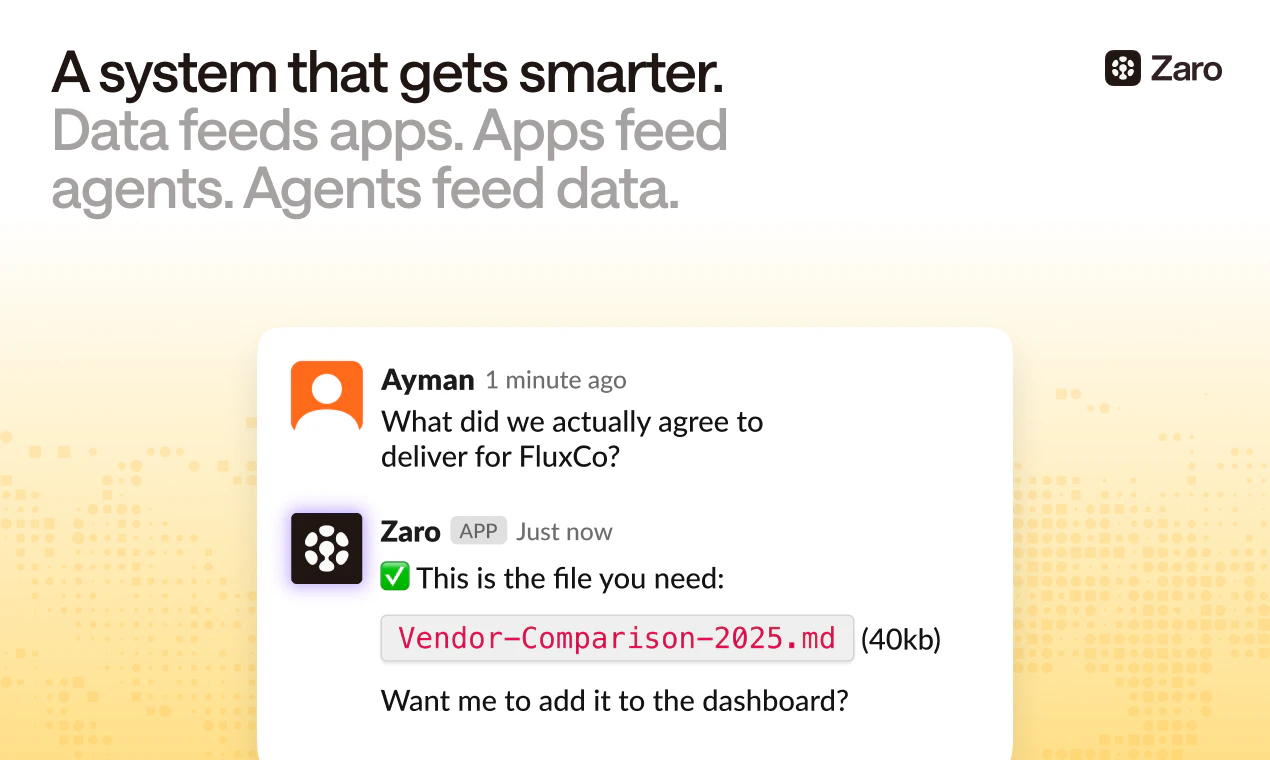
一句话介绍:Zaro是一个AI上下文基础设施平台,用户只需一句话即可基于Gmail、Slack等零散工作资料自动构建并持续更新可用的应用与智能体,彻底解决团队因工具割裂、上下文切换和重复操作导致的效率黑洞。
Productivity Artificial Intelligence No-Code
AI应用构建 上下文基础设施 智能体自动化 无代码平台 团队协作 工作流自动化 知识管理 SaaS工具 中小企业效率
用户评论摘要:用户疑问聚焦于:1) 如何处理冲突或不一致的上下文信息(如Slack与文档矛盾);2) 是否有按角色的用例模板库;3) 与传统自动化工具(如Zapier)及向量数据库的差异;4) 生成应用的可定制程度;5) 是否能追溯上下文来源。团队回应强调“展示冲突而非隐藏”、正在建设用例库、专为智能体重建了上下文层,并确认支持自然语言编辑和溯源。
AI 锐评

Zaro的野心不在于再做一个“AI玩具”,而是试图成为Agent时代的工作系统底座。其核心洞察——“上下文不是你输入的,而是你本就拥有的”——比绝大多数AI builder高明一个维度。当Lovable们还在让你从白板开始,Zaro直接接管了你整个数字分身,让AI从“生成静态原型”进化到“运营你的人生”。

技术上,它精准点出了当前AI工具链的命门:向量数据库和传统自动化工具(Zapier、Make)的“僵化”。前者能检索却无法理解关系与时效,后者能连接却无法处理判断与模糊性。Zaro为此重造一个上下文层,虽然在处理“冲突信息”时坦承仍在完善,但这恰恰是走向真正“可靠”的必经之路。让AI意识到自己的无知,比让它自信地说谎更接近实用。

不过,风险同样明显:1) 从用户散乱的工作流中提取高质量上下文,对数据清洗和权限管理是巨大挑战,这不仅是技术问题,更是信任问题。2) “一句话建应用”降低了门槛,但也可能催生大量浅层、不可控的“野生Agent”,如何在易用性与鲁棒性之间平衡,决定其能否从“酷玩意儿”走向“生产环境”。3) 当前用户评论集中在“愿景”和“概念”层面,缺乏大规模、复杂场景的真实压力测试,这是它目前最大的盲区。

Zaro赌对了方向:AI的价值不在于做另一个工具,而在于成为连接所有工具的“操作系统”。如果它能证明自身的可靠性与可审计性,它将是第一波真正吃掉“SaaS碎片化”红利的玩家。否则,它可能只是又一个漂亮的AI demo。

查看原始信息
Zaro
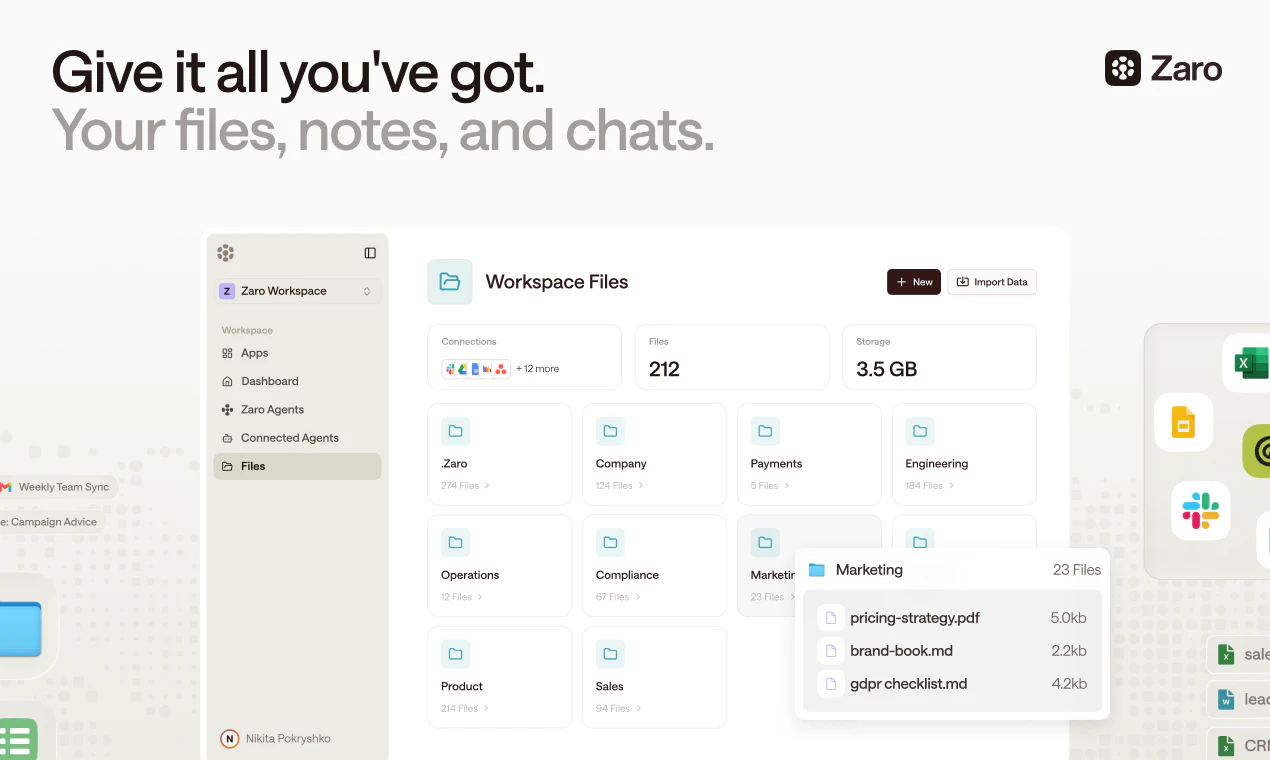
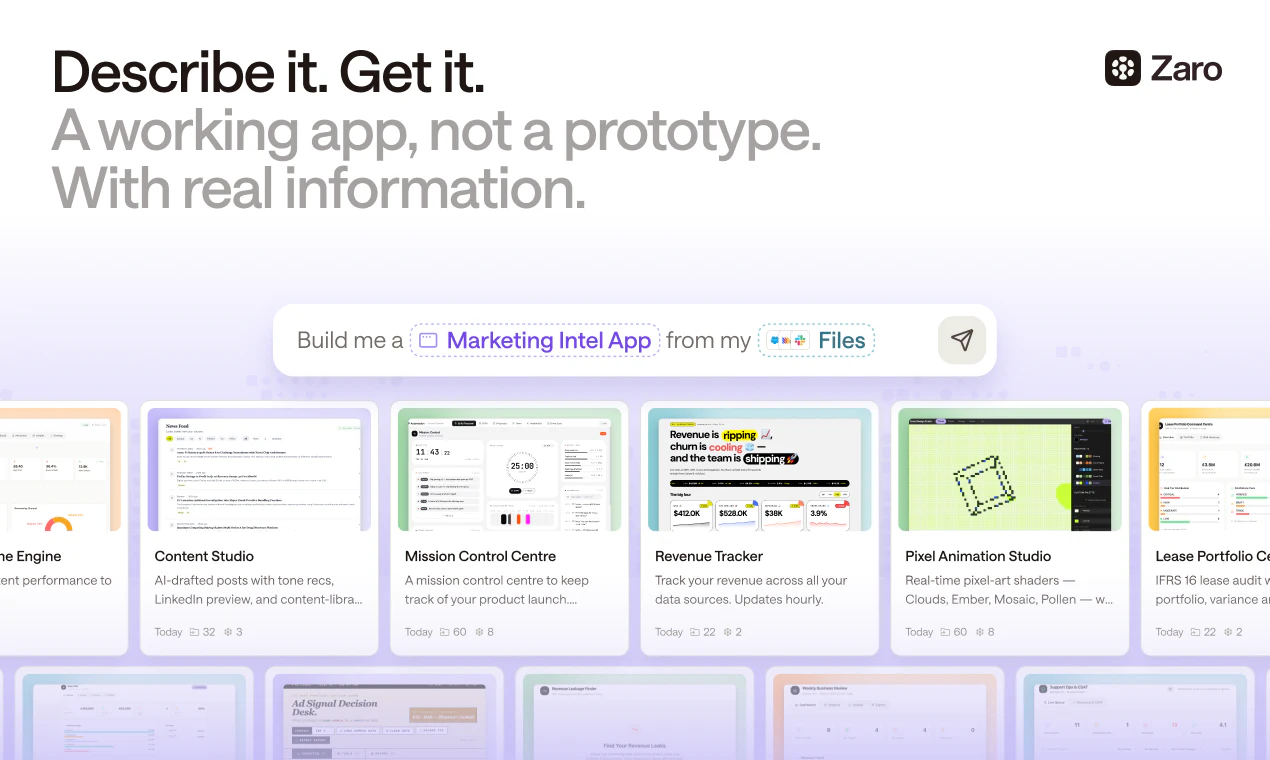
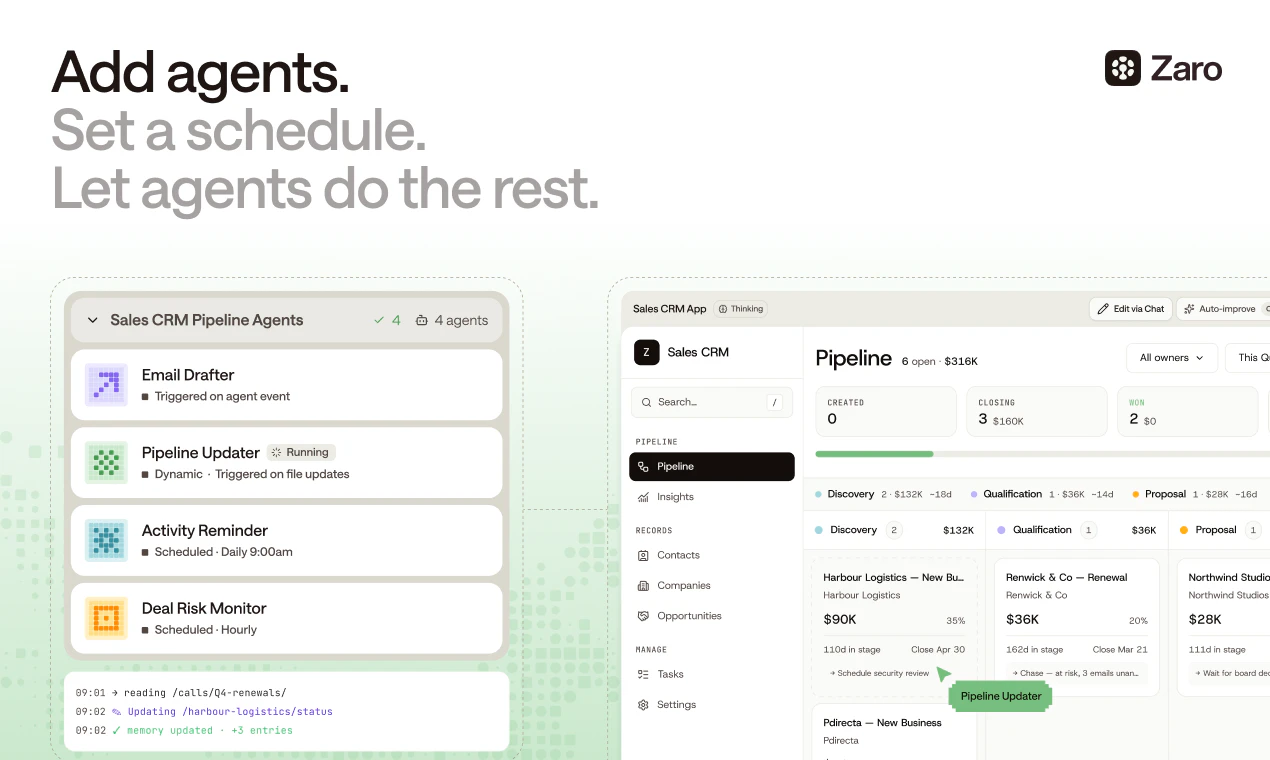
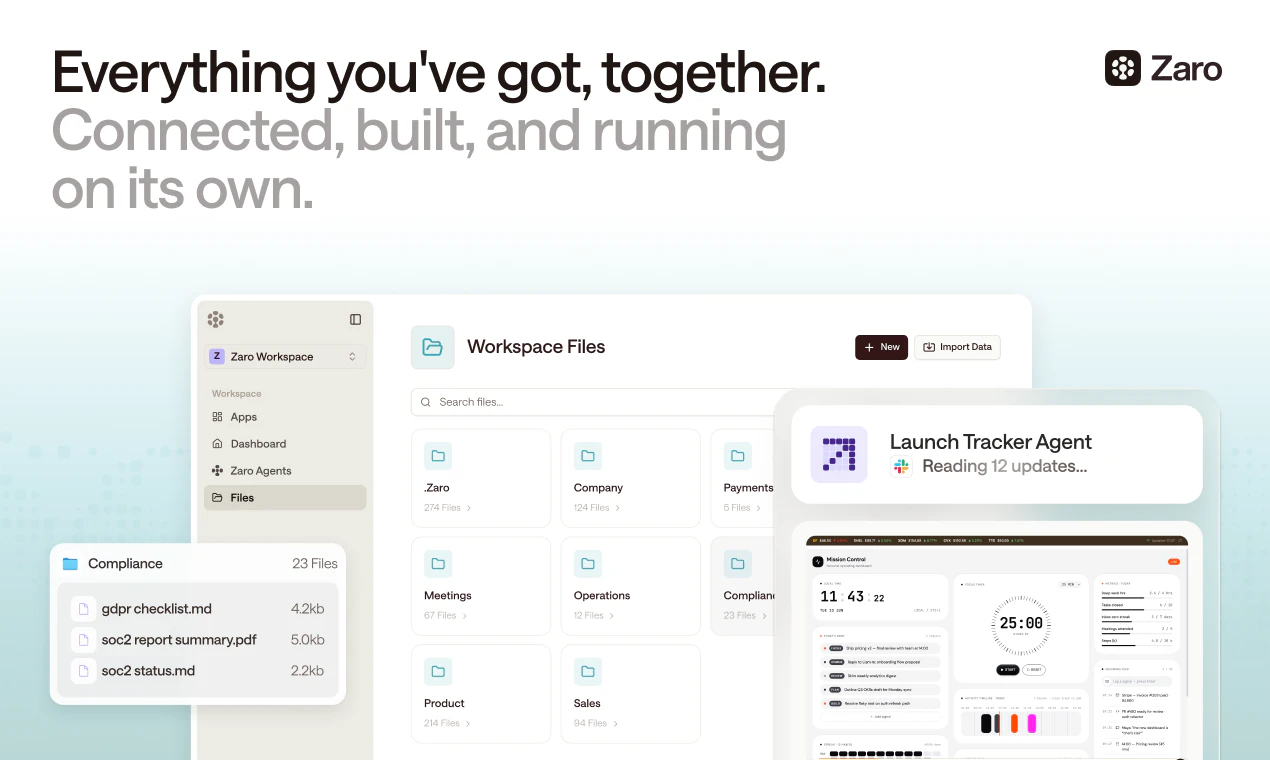
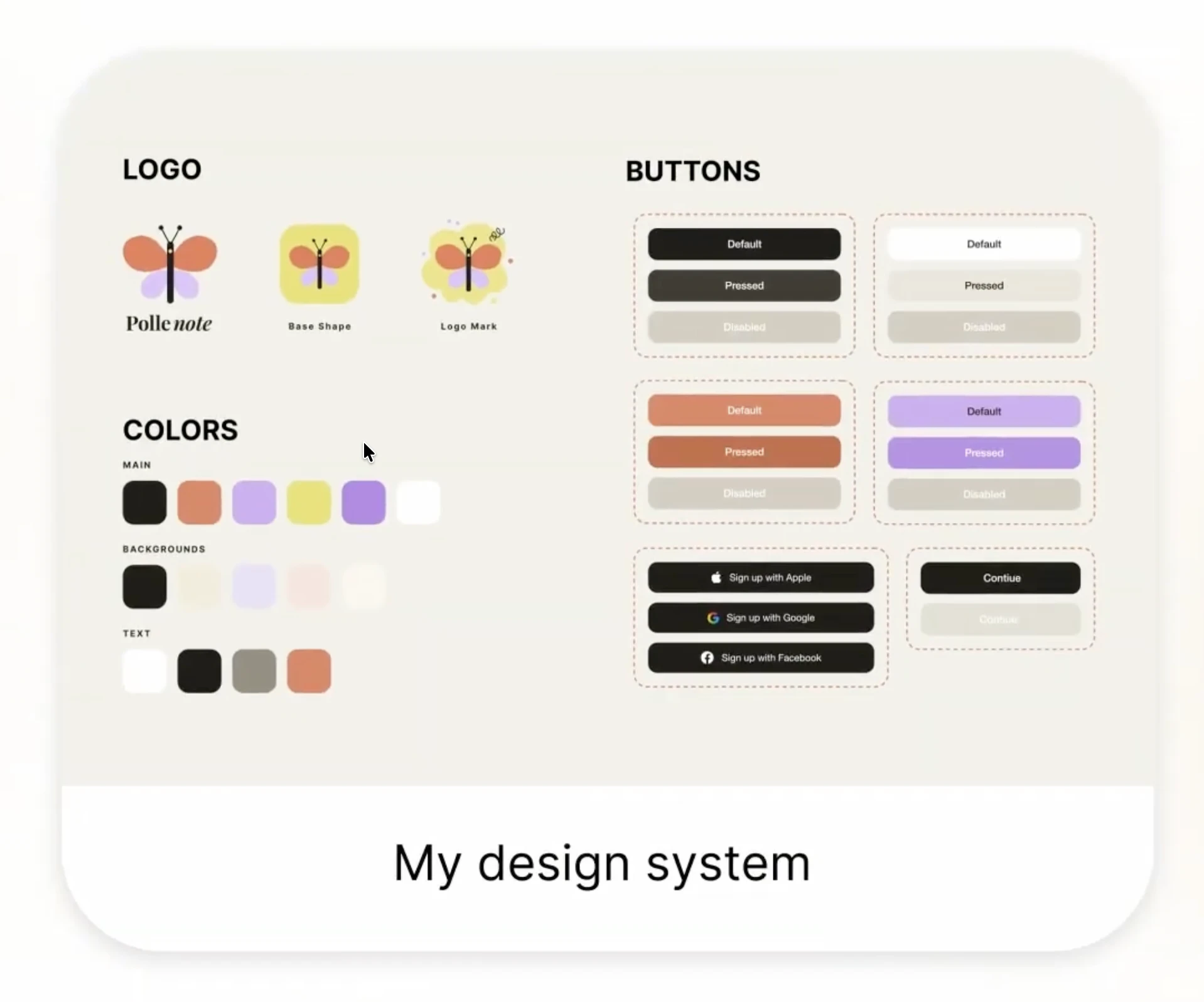
Zaro is where you can build working software from your scattered work. Everything you know is spread across Gmail, Slack, notes, and tabs that don't talk - Zaro pulls it into one place and lets you build apps from it in minutes: your research, your side projects, your plans, your decisions. Then they keep themselves updated, checking your connections every day so you don't have to. No code. No maintenance. No graveyard of prototypes you started and never finished.

Hey Product Hunt,

Michael here, co-founder of Zaro.

Zaro is an AI operations layer that handles the repetitive operational work your team keeps getting stuck on, so people can focus on the things that actually need a human.

A bit of backstory on how we got here. I was previously part of the Convergence team through its acquisition into Salesforce in 11 months, and then left to build Zaro. What pushed me out was seeing up close that context infrastructure needed to be rebuilt from the ground up for the agentic era. The tools we have weren't designed for a world where agents do real work. Zaro is the first platform where you can build apps and agents on top of a modern context infrastructure.

We built it because we kept watching teams drown in busywork nobody wanted to do. The endless context-switching, the manual handoffs between tools, the work that fills your day but never moves anything forward. Most software just adds another tab to manage. We wanted to remove work, not add it.

What makes Zaro different comes down to three things. It runs on credits, so you only pay for what you use, with no bloated per-seat pricing and no paying for capacity you never touch. It plugs into the tools you already work in, so there's no rip-and-replace and no months-long onboarding. And it gets sharper the more you use it, learning how your team actually operates instead of forcing you into someone else's workflow.

A few of the things you can do with Zaro:

- Build apps and agents on a modern context infrastructure, no glue code or duct tape required. Can be done in just one prompt. Connect the tools you already use and let Zaro work across them

- Automate recurring operational work like lead generation, follow-ups, and handoffs

- Generate and cover all your reporting needs without the manual pull-together

- Pay only for what you use with credit-based pricing instead of per-seat plans

- Watch it improve over time as it learns how your team actually operates

We built it for lean teams and operators who feel the busywork tax most, founders, ops leads, and small teams running on too many tools with not enough hands. If you've ever thought there has to be a better way to handle this, that's who we made it for. Day one you can use it to automate your lead generation process, cover all your reporting needs, or automatically order cakes for the office when somebody has a birthday.

We've been heads down on this for a while and getting it into your hands today feels great. You can try it here: https://zaro.ai

I'll be around all day. Tell us what's working, what's missing, and what you'd want us to build next.

Thanks for checking us out!

Michael

21
回复

Yannis here, also on the team.

Adding a bit to what Michael said. The thing that got me excited about Zaro wasn't any single feature, it was watching what happened after teams started using it for a couple of weeks. The work it takes over isn't the flashy stuff, it's the quiet drag that nobody puts on a roadmap but everybody feels. The follow-up that slips, the report that takes an afternoon to pull together, the handoff between two tools that someone has to babysit.

We spent a lot of time making sure it actually fits how people already work rather than asking them to change everything. That sounds obvious but it's the part most tools get wrong.

If you're trying it today, the best thing you can do is point it at the most annoying recurring task on your plate and see what it does with it. That's where it clicks.

Happy to answer anything about how it works under the hood, the context infrastructure side, or where we're taking it next. I'll be in the comments all day alongside Michael.

10
回复

@zaro_ai congrats on the launch! Quick question from someone juggling too many tools: what’s the simplest, highest-impact Zaro automation you’d recommend a solo founder or 2‑person team set up in the first hour to feel immediate relief?

4
回复

@zaro_ai The one-prompt app building with no glue code is what'll make this click for ops teams immediately. Congrats on the launch Michael!

0
回复

Exciting to ship a tool that actually feels useful, not just another AI toy. You can build apps around workflow automations and have agents run inside them, with the right people able to access and use them too. That is much closer to how everyone wants AI to work day to day.

5
回复

The insight here is good - most no-code tools ask you to configure context first (paste data in, define schemas, set up integrations). Zaro starts from the other end: your context already exists across Gmail and Slack, so skip the setup and just describe what you need. That's the right framing for knowledge workers.

Curious how you handle context that's messy or contradictory. My research docs and my Slack threads often say different things about the same decision. Does the app inherit that ambiguity, or does Zaro surface conflicts somewhere?

4
回复

@galdayan You've nailed exactly the bet we're making, so thank you for that framing.

On the messy and contradictory part, this is honestly one of the hardest and most interesting problems we work on. The short version: Zaro doesn't silently pick a winner and bury the conflict, because that's where automation quietly does the wrong thing with full confidence.

When sources disagree, the goal is to surface the conflict rather than inherit it. A Slack thread saying one thing and a research doc saying another should show up as exactly that, a flagged disagreement with both sources visible, not a single answer that hides which one it trusted. Recency, source, and who said it all factor into how it weighs things, but the principle is that ambiguity should be made visible, not flattened.

I'll be straight that this is an area we're actively improving rather than calling solved. Conflict detection is easier on factual data than on softer "what did we decide" judgment calls, and that second category is where we're putting a lot of the work right now.

Would genuinely love to hear how you'd want it surfaced, since you clearly live this problem.

1
回复

Is there a library of example use cases by role, like recruiting ops, founder workflows, or support reporting to refer to and take inspiration from?

4
回复

@syed_shayanur_rahman 

Great question, and a useful nudge. The honest answer is that a polished role-by-role library is something we're building out rather than something fully fleshed out today. The patterns you mention, recruiting ops, founder workflows, support reporting, are exactly the kinds of use cases we want front and center, because most people find it easier to start from an example than a blank page.

In the meantime, the best way to find what fits your role is to point Zaro at the most repetitive task on your plate and describe what you want, it's pretty good at taking it from there. And if you tell me what you'd build for, I'm happy to point you in the right direction right now.

Genuinely helpful to hear there's appetite for this, it pushes it up our list.

1
回复

Really good to finally get this out. Finally a product that can actually build a working app, not a static prototype that leaves the real work to you. You describe what you want, the workflow automations and agents run inside it, and the right people on your team can use it.

4
回复

You mentioned rebuilding the context layer for the agentic era. What was the biggest limitation of existing databases/vector stores that made them unsuitable for agents doing real operational work?

3
回复

@yagnaveena The short version: vector stores and traditional databases were built to answer queries, not to do work.

A vector store is great at "find me the chunks that look similar to this," and a database is great at "return the rows that match this." Both assume something outside the system already knows what it's looking for and how the pieces relate. For an agent doing real operational work, that assumption breaks.

The gaps that hurt most:

Retrieval isn't understanding. Pulling the top-k similar chunks gets you text that's nearby in embedding space, not the actual context of a decision, who said what, when, in response to what, and what superseded it. Agents kept getting plausible-looking but contextually wrong material.

No notion of state or change over time. Operational reality moves. A decision made in a Slack thread last week overrides the doc from last month. Flat vector stores treat both as equally true and have no native sense of recency, supersession, or "this is the current state of things."

Relationships get flattened. The connection between an email, the task it created, and the person who owns it is exactly the context that matters, and chunk-and-embed throws most of it away.

So it wasn't that those tools are bad, they're great at what they were designed for. They just weren't designed to be the working memory of an agent that has to act, not just retrieve.

That's the layer we rebuilt.

2
回复

How Zaro decides what context matters when building an app? Is there any manual control layer?

3
回复

@iamanantgupta 

By default, Zaro pulls the context that's relevant to what you're asking for. When you describe what you want to build, it looks across your connected sources and pulls in what relates to that task rather than dumping everything in. Relevance, recency, and source all factor into what it reaches for.

On manual control, yes, that layer matters a lot to us. The goal is never a black box where you just hope it grabbed the right things. You can see what context it's drawing on and steer it, point it at specific sources, scope it to what you want included, and exclude what you don't. Automatic by default, but with you in the driver's seat when you want to be.

2
回复

Lets go guys! I personally felt something has been missing from these so called app builders! Finally a product that actually makes an app not just a half baked prototype that still requires me to do so much of the heavy lifting to make useful - lets go 🚀🚀🚀🚀🚀

3
回复

Huge congrats on the launch 🎉 Curious what made you build this instead of relying on existing automation tools?

3
回复

@suryansh_tiwari2 Thanks so much!

Honestly, existing automation tools were where we started, and they're great until you hit the wall. They're built for fixed if-this-then-that workflows. The moment something needs judgment, context, or a step that wasn't mapped out in advance, they break or hand it back to a human.

What we kept running into was that real operational work isn't a clean flowchart. It needs to understand context, adapt, and actually carry a task end to end. That's a different foundation, not a smarter trigger on top of the old model. So we rebuilt the context infrastructure underneath rather than bolting agents onto tools that were never designed for them.

Short version: automation tools connect steps, Zaro understands the work. That gap is the whole reason we built it.

Happy to go deeper on any of this if you're curious.

2
回复

@suryansh_tiwari2 Hey thanks Suryansh!

We determined through working on agents for a while that calling data for existing databases were inefficient and inaccurate. We had to rebuild a database (context layer) to make it really easy for agents to work with. It allows us to do very interesting things such as build end to end apps and tie multiple agents into the application you've just created.

You'll notice that accuracy is substantially higher on the platform compared to others. Let us know what you end up building!

3
回复

Congrats, team! How does Zaro compare with tools like Zapier, Make, or Taskade when the workflow gets more complex?

2
回复

@kate_ramakaieva Zaro starts from a different place.

Instead of you mapping every branch, it works from the actual context and figures out the path, so complexity is something it absorbs rather than something you hand-configure. Less "build the flowchart," more "describe the outcome."

Those connector tools are great for deterministic plumbing, we're aiming at the messier work that doesn't fit a clean diagram.

Happy to go deeper on a specific workflow if you've got one in mind.

2
回复
I wonder if Lovable and similar app builders could ever work with existing context. Zaro outshines because of the context layer. Congrats 🙌🏻
2
回复

Thank you, that means a lot, and you've put your finger on exactly the thing we bet the whole product on.

The builders you're thinking of are genuinely great at turning a description into an app. The gap is that they start from a blank slate, you bring the context to them. Our bet was the opposite: the context already exists, scattered across the tools you live in, so the real unlock is building on top of that rather than asking people to recreate it.

Whether others move in this direction over time, who knows, but it's a different starting assumption, not just a different feature.

Appreciate you getting what we're going for. 🙌

2
回复

What are the coolest thing you have seen in the wild built with Zaro?

2
回复

@conduit_design A few that stuck with me:

Someone built a tool that watches their inbox and Slack for anything that looks like a commitment they made ("I'll send that by Friday") and quietly keeps a running list so nothing slips. Simple idea, weirdly life-changing.

Another person wired up a recruiting ops flow that pulls candidate context scattered across threads and docs into one clean view before every interview, so they walk in actually prepared instead of skimming five tabs.

And on the lighter end, the office birthday cake thing is real, someone genuinely built a workflow that automatically orders cakes at the office when's somebody's birthday

2
回复

Can Zaro show where each generated app pulled its context from so users can trust what it’s building on?

2
回复

@nuseir_yassin1 yes that's available on our platform :)

2
回复

Congrats. How customizable are the apps after generation? Can non-technical teams tweak workflows without breaking everything?

2
回复

@krutiparekh16 Zaro is designed for non technical user , you build/edit/update agent/workflow/app all in natural language !

2
回复

Nikita - founding product engineer here 👋

JY mentioned agents running inside the apps. The part I got obsessed with is how that feels to actually use.

Most "agentic" tools are a chat box. You type, the work disappears somewhere you can't see, and you sit there hoping. We went the other way.

In Zaro the work shows up as something you can open - a workflow with real steps, or an app you can click into and edit. You change something and it re-runs. You're never stuck waiting on a black box to tell you what it did.

What still gets me, even though I helped build it, is that the gap between building software and using it basically disappears. You don't go hunting for the right tool and learn its buttons. You say what you want, the screen to do it appears, and if it's wrong you say what to fix. An internal tool used to mean a ticket and a sprint. Now it's a sentence.

The other thing: it all sits on one shared memory, so the apps don't go stale. Feed in a new kind of data and the app reshapes itself around it, without anyone redeploying. First time I watched one rebuild itself, I honestly didn't know how to feel about it.

Really proud of this one. Would love to hear how it lands for you, the bits that feel like magic and the bits that feel off. That kind of feedback is gold for us right now.

2
回复

We built Zaro, with Zaro. Everything we needed for launch: the dashboard and tracker apps, the agents updating them, and all our external docs/tools feeding into the context layer, all in Zaro.

Excited to see the first things that you all build!

2
回复

So excited to see it launch! The most thrilling part for me is seeing how all these new applications emerge once users actually start interacting with the platform. That's exactly what I've seen with Zaro—once people bring in their own backgrounds, workflows, and ideas, they start discovering use cases that we couldn't have fully anticipated.

2
回复

Agentic OS not starting with agent capability, but data layer.

Zaro is the only product that has the unique data layer for agent/workflow/software to live on top of it. Which we call it the real Agentic software.

Agentic software implies something else entirely: that software is a living system - shaped around your team, operated by people and agents together, and evolving continuously as your organisation learns.

When every team can have custom, living tools that work alongside them on a single platform, the whole idea of buying predefined software from a vendor starts to look like a relic.

You don't need better SaaS. You need software that was never SaaS to begin with.

Proud to be part of this journey.

2
回复

Congrats on the launch! How your project’s approach compares to Claude Cowork and why chose one over another?

1
回复

@nikitaeverywhere 

Claude Cowork is an agent that sits on your desktop and executes tasks for you, point it at your files and apps, describe an outcome, and it does the work end to end. It's brilliant at that. The unit is the task: you ask, it runs, you get a deliverable.

Zaro is aiming at a slightly different layer. We're less about running a task on request and more about the persistent context infrastructure underneath, so the things you build (apps and agents) stand on a shared, living understanding of how your team operates rather than re-deriving context every run. The output isn't just a completed task, it's a durable app or agent your team relies on over time, with the maintenance and stability that requires.

So it's less either/or than it sounds. One is an agent that does the work; we're building the context foundation that persistent apps and agents run on. Honestly a lot of respect for what they've shipped, the whole category moving toward agents doing real work is good for everyone.

1
回复

Why this business model "Zaro is priced per organisation" ?

1
回复

@manikandanux The work Zaro does isn't tied to individual seats, it spans your whole team. The context it runs on lives across the organisation, the apps and agents you build get used by everyone, and the busywork it removes isn't one person's problem, it's the team's. Charging per seat would mean penalising you for adding the very people who benefit, which pushes teams to limit access to save money. That's backwards. We'd rather the whole org use it freely and pay for the value created, not the number of logins.

It also pairs with the credit model: you pay for what Zaro actually does, not for capacity sitting idle. Per-organisation plus credits means the price tracks usage and outcomes rather than headcount.

1
回复
The promise of “gets sharper the more you use it” is compelling, but I’d love to know what feedback loop powers that.
1
回复

@priyankamandal Fair to want the mechanism behind that line rather than just the promise, those claims are easy to make and harder to back.

The honest framing: "gets sharper" comes from the context layer accumulating, not from anything mystical. As you work, Zaro builds up a richer picture of how your team actually operates, what your terms mean, who owns what, how decisions tend to get made, which patterns repeat. So the next thing you build starts from that shared understanding instead of a blank slate. The improvement is mostly context compounding rather than the model itself retraining on you.

Feedback in the more direct sense, you correcting or steering outputs, feeds the same loop: corrections become part of the context it draws on next time, so it stops making the same wrong assumption.

1
回复
Would be amazing if Zaro could turn a messy recurring process into both an agent and a dashboard in one go :)
1
回复

@hamza_afzal_butt Love this, and it's very much the direction we're pulling toward. The agent does the work, the dashboard shows you what it's doing and where things stand, two halves of the same thing rather than two separate builds. Taking a messy recurring process and getting both out of one description is a great way to put it.

1
回复

congrats on the launch! the real pain is not doing one task manually, it’s doing fifty tiny operational tasks every week.

1
回复

@olivia_bennett7 This is a great one, and it's high on our wishlist too.

The logic writes itself: if Zaro can already see the work happening across your connected tools, it's in the perfect position to notice "you do this same thing every Monday" and offer to take it off your hands before you even ask.

Proactive instead of waiting for you to describe it.

It's not something we're calling done today, but it's exactly the kind of direction the context layer makes possible, and hearing people actually want it pushes it up the list. Appreciate you flagging it.

1
回复

The self updating apps both fascinate me and worry me a little. If an app reshapes itself as new data comes in, the thing my team relied on yesterday could quietly behave differently today. For operational work people depend on, can you lock or version an app once it works, so it only changes when you want it to?

1
回复

@angelika_dev 

This is a sharp concern and you're right to raise it. Self-updating is powerful but for operational work that people depend on, unpredictable change is a liability, not a feature. Nobody wants the thing that ran payroll yesterday quietly behaving differently today.

The way we think about it: adaptation should be something you opt into, not something that happens to you. For anything people rely on, you'd want to lock or version an app once it works, so it stays stable and only changes when you decide to update it, with the option to see what changed and roll back if you don't like it. Think of it like pinning a version rather than always running latest.

So the short answer to your question is yes, that control is exactly the direction, stability by default for the workflows that matter, adaptation where you want it.

2
回复

So happy to see Zaro launch!
The first time I had seen a solution for a fragmented knowledge landscape...systems of records, emails, notes, teams/slack
All in one unified context that can be spoken to, actioned with an agent or visualised as an application

Changed my day to day work!

1
回复
One thing I’d want immediate is confident indicators on generated outputs, especially if the app is making decisions from messy context.
0
回复

Honestly been such a joy starting a little side business fully on my own stack, fully custom tools, AIs always running, agents staffed for me. Haven't had this much fun in forever

0
回复
This feels like a product for people who are tired of building internal tools just to keep basic operations moving.
0
回复

Congrats on shipping. The mix of context layer + app generation + ongoing maintenance is a stronger combo than most automation tools.

0
回复

@istiakahmad Thank you, appreciate that.

You've picked out the part that matters most to us. Any one of those three on its own is something other tools do. The combination is the bet: context to build on, generation to make it fast, and maintenance so the thing is still working next quarter instead of rotting the moment reality shifts. That last piece is the least flashy and the one we think actually decides whether something sticks.

Thanks for getting what we're going for.

0
回复

the hard part here is usually retrieval quality, not generation. how are you keeping the agent from confidently acting on stale context?

0
回复

@sabber_ahamed You're pointing right at the hard part. Generation is the part everyone sees, retrieval quality is the part that decides whether the thing is actually trustworthy, and stale context is the quiet killer because the agent has no idea it's wrong. It acts with full confidence on a decision that got reversed last week.

The principle we build toward is that context can't be a flat pile of text where everything is equally true forever. Recency and supersession have to be first-class, a decision made in last week's Slack thread should outrank the doc from three months ago that it overruled, and the system needs a notion of "this is the current state" rather than "here's everything that's ever been said." That's a big part of why we argue the old vector-store model falls short: top-k similarity has no sense of what's still true, only what's textually similar.

I'll be honest that this is exactly the area where the work is never finished. Detecting that context is stale, especially for soft judgment calls rather than hard facts, is an ongoing problem, and we treat surfacing uncertainty (flagging "this may have changed") as part of the answer rather than pretending we always get it right.

0
回复
#4
Figma Motion
Your Figma canvas now has a timeline
260
一句话介绍:将动画时间轴直接嵌入Figma画布,让设计师在组件、变量所在文件中完成关键帧动画设计与开发交付,解决设计-开发间动效信息失真与沟通断层的问题。
Design Tools User Experience Graphics & Design
Figma插件 UI动效设计 时间轴动画 设计开发协作 关键帧 代码导出 组件化动画 Lottie 交互原型
用户评论摘要:用户高度认可原生时间轴带来的效率提升,核心关注点集中在:导出格式是否支持Lottie/生产级CSS代码;动画覆盖与版本控制如何运作;如何适配Auto Layout的动态文本;是否支持“减少动效”无障碍模式;以及是否会替代 LottieFiles、Rive 等工具。部分用户希望增加锚点控制功能。
AI 锐评

Figma Motion 的价值远不止于“加了个时间轴”。它精准切中了设计-开发交付中最隐蔽但最昂贵的成本点:动效规范的转译损耗。过去设计师在 After Effects 或 Figmotion 里调好动画,导出 GIF 或录屏,开发者再凭感觉反推缓动曲线和时间参数——一段2秒的动画,沟通成本可能高达半天。Figma Motion 将关键帧、缓动曲线、时间值直接嵌入组件原始文件,并通过 Dev Mode 让开发者一键复制 CSS/JSON/React 代码,实际上是在用“单源事实”消灭了“动效翻译官”这个中间角色。

但更聪明的在于其生态布局。MCP 兼容性意味着代码 Agent 可以直接读取动画上下文,不再需要人类写详细 Spec——这是为 AI 原生协作铺垫的标准化数据通道。而动画成为组件属性而非附件的设计,也让企业级设计系统的“动效 Token”成为可能,这比 Framer Motion 或 Lottie 的“导入-导出”方案更进一步。

当然,风险同样清晰。如高阶用户指出的,Auto Layout 动态容器下的动画适配、实例覆盖的版本冲突,都是 Figma 尚未正面回答的工程难题。此外,过度设计的“动画狂欢”需要有“Prefers-Reduced-Motion”等无障碍控制来对冲。如果 Figma 只解决了创作便利性而忽略了可访问性与规模化约束,Motion 就会从效率工具退化为视觉噪音制造机。总体而言,这是一步高明的战略占位,但能否真正改变行业协作方式,取决于 Figma 后续对动画治理和工程化能力的投入深度。

查看原始信息
Figma Motion
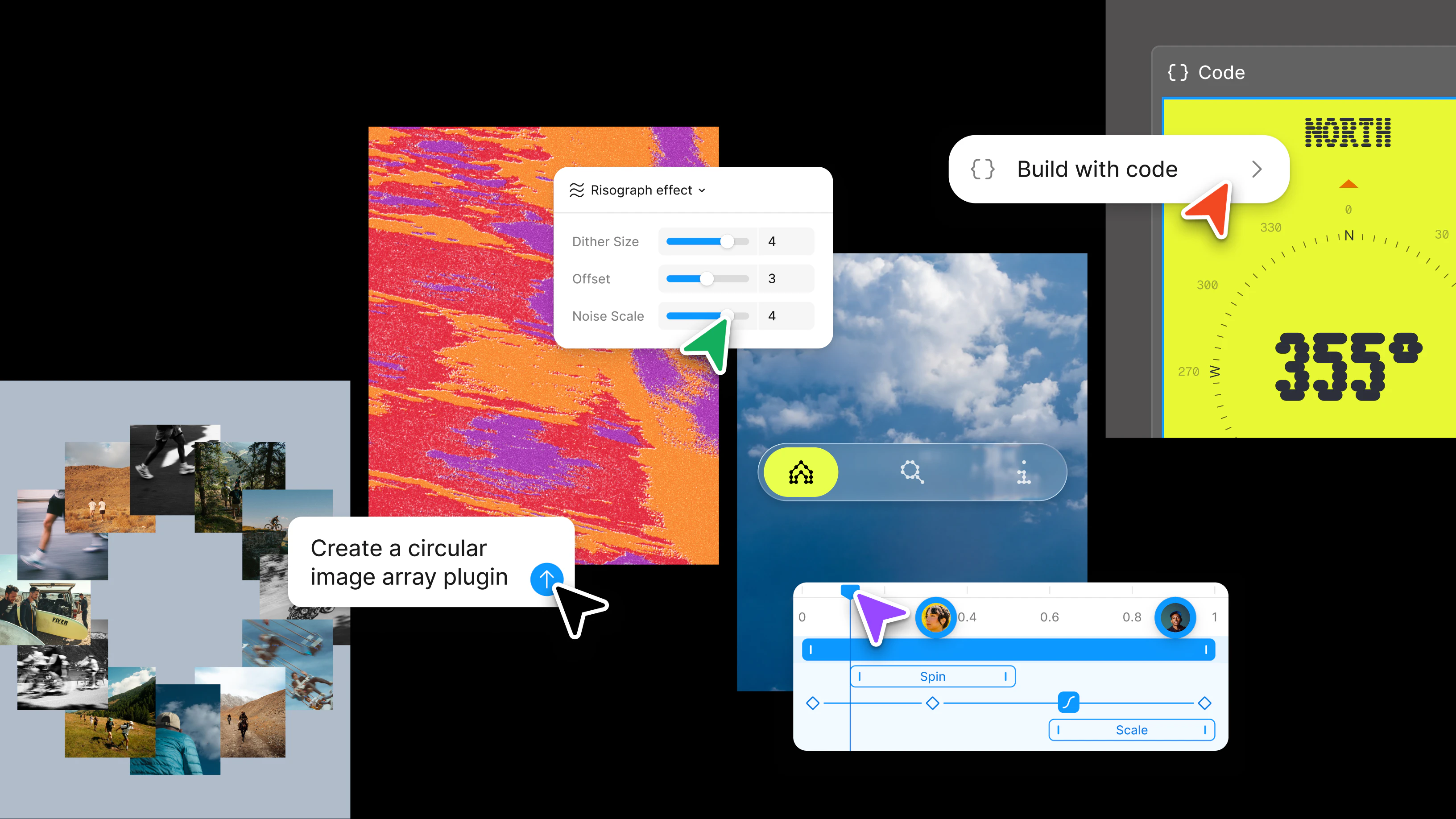
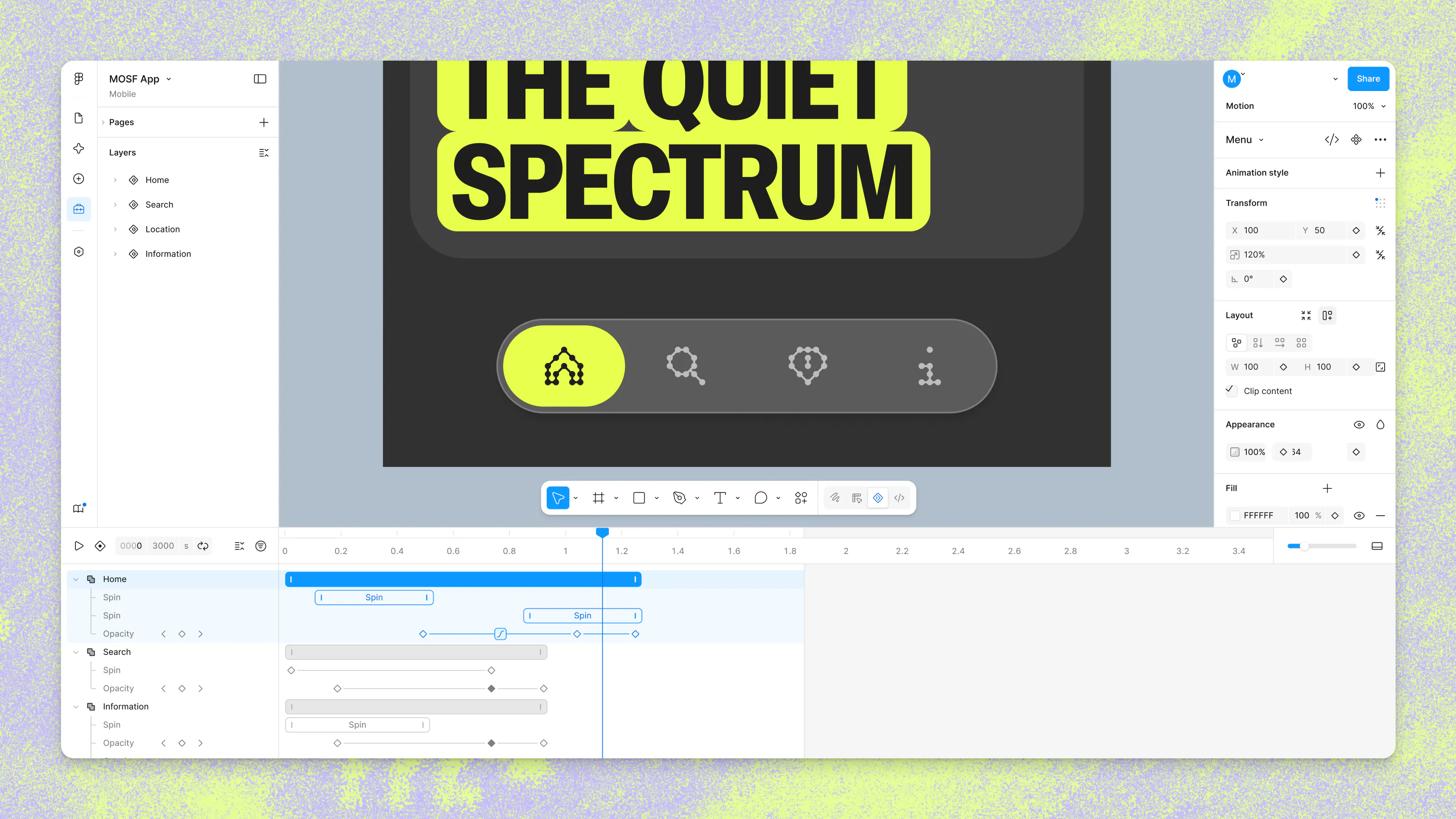
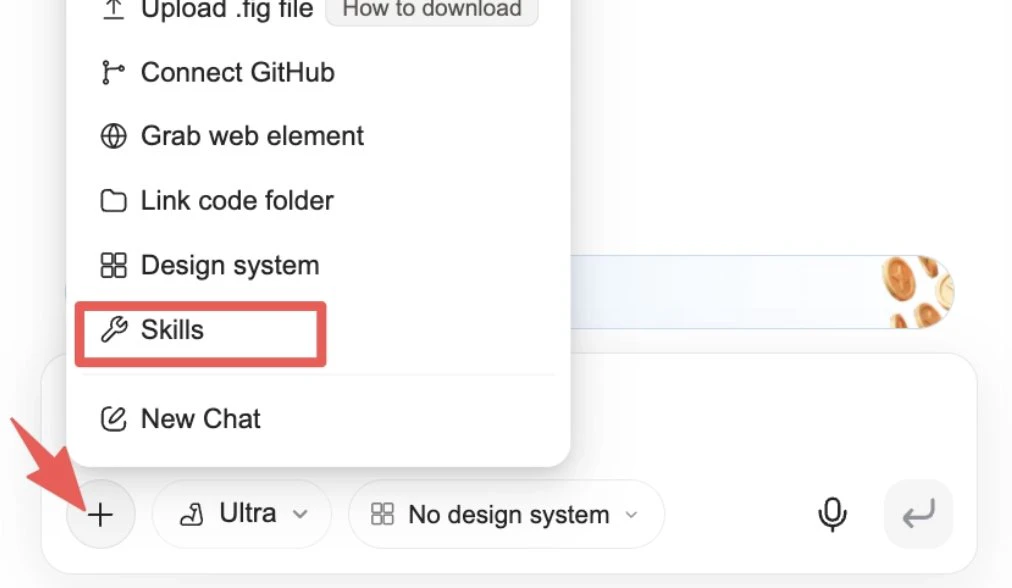
Motion now lives on the canvas—in the same file as your components, your variables, and your team—so your designs can come to life from day one.

Hi everyone!

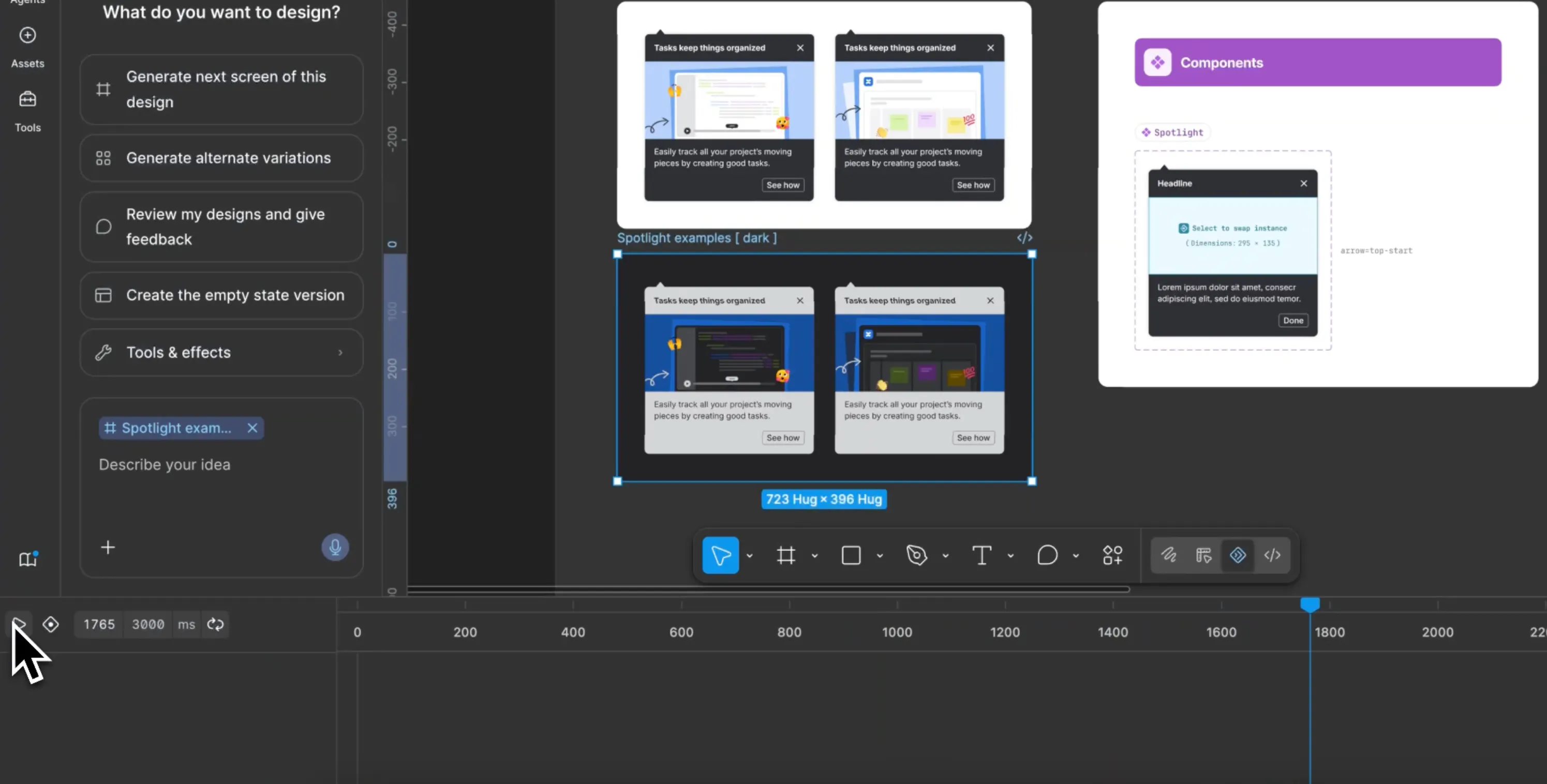
@Figma Motion adds timeline-based animation to the same canvas where the rest of your design already lives.

You can create keyframes, apply preset animation styles, use the Figma agent for a starting point, and then edit the motion directly on the timeline.

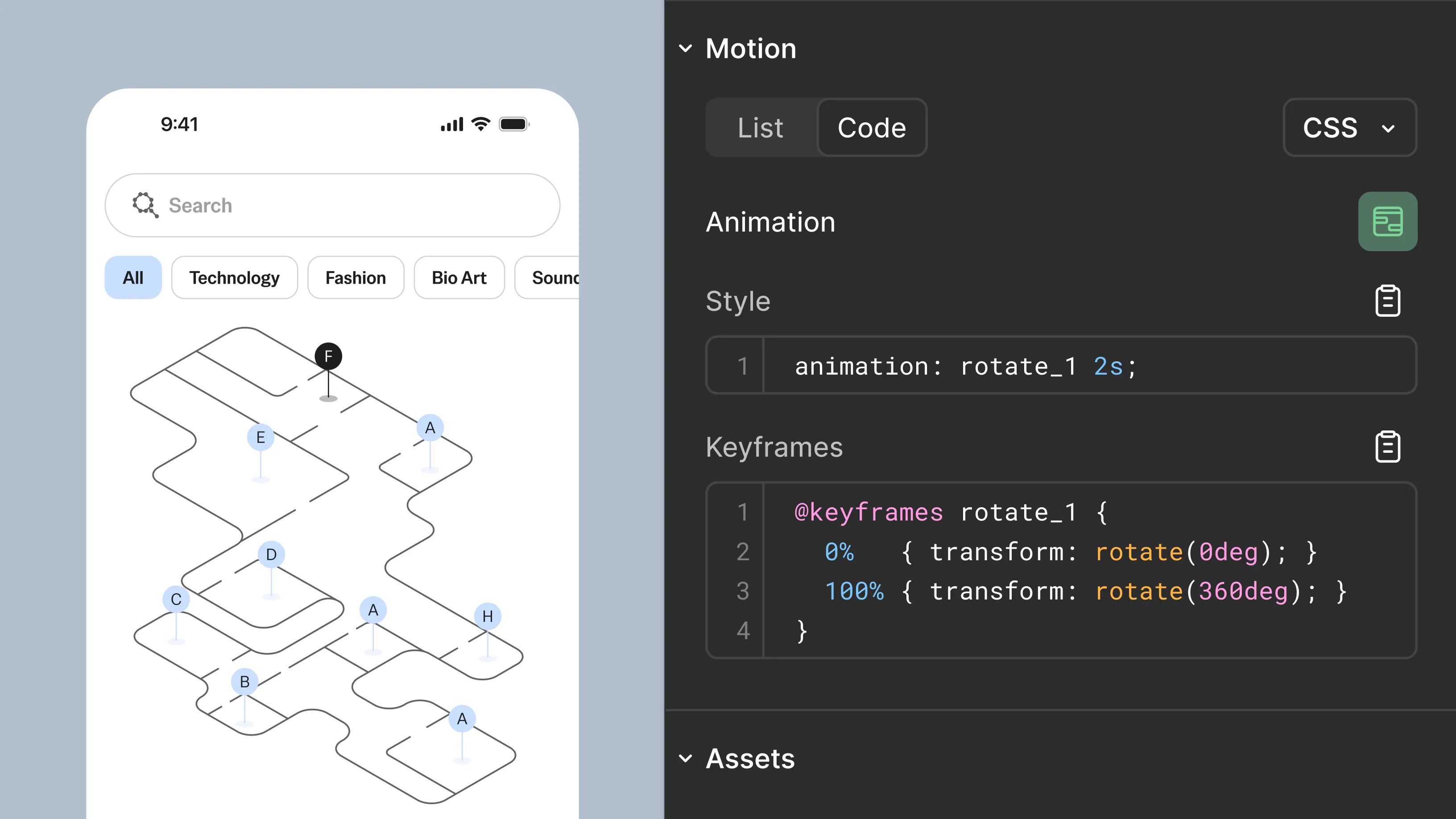
Dev Mode can show the full timeline, including timing values, easing curves, and keyframes. You can also copy CSS, JSON, React, or motion.dev code directly from the panel.

It is also MCP-compatible, so a coding agent can receive an animated frame with the motion context instead of guessing from a video or a written spec.

Figma also shipped a lot more at Config 2026!

5
回复

Been waiting for this since Figma killed Figmotion years back. Putting the timeline on the canvas - in the same file as components and variables - changes how design-to-dev handoff works. Instead of exporting to Lottie or writing a Notion doc describing what should ease in, devs can actually inspect the keyframes directly. Curious whether you're planning an inspect mode for engineers, or if the export targets go beyond GIF/video toward CSS/Lottie JSON?

1
回复

This is gold! I will share this with my team (we have a UX/UI designer), he may find this helpful!

1
回复

Thank you all for sharing your work. I have some design and research related questions that I'm hoping someone at @Figma or elsewhere might answer...

Now that motion can be baked directly into components and travel with them, how do overrides behave at scale? If a team member overrides a specific keyframe or easing curve on a component instance, how does that affect the main library's version control?

How does Figma Motion interface with Auto Layout? If a container expands dynamically due to a variable text string, how does the timeline-based keyframe system gracefully adapt to fluid, non-static layout shifts without breaking the animation?

Do you see Figma Motion eventually replacing dedicated tools like @LottieFiles for Figma or @Rive for interactive UI states, or are there plans to allow native imports of those formats directly into the Figma timeline?

With motion becoming easier to build, there's a risk of designers over-animating. Does Figma plan to introduce a global 'Prefers-Reduced-Motion' toggle in Prototype mode so researchers can easily test accessible alternative flows for users with vestibular or motion sensitivities?

Are there plans to allow researchers to track how motion affects user behavior during unmoderated testing, such as capturing if a specific animation duration delays time-to-task completion or causes user drop-off?

0
回复

the after effects round-trip always loses fidelity, so a native timeline is the real win. does it export to lottie/code devs can use, or is it presentation-only for now?

0
回复

That is a really big step! Are you planning to add anchor points control in the future?

0
回复

I think this makes perfect strategic sense for Figma to go into motion. So many users on the cuff that will now be able to contribute and create motion graphics AND, perhaps by doing so, enter new industries, e.g. Designers becoming PMMs.

0
回复

This is a big step for design-to-dev handoff 🚀

Having motion timelines, easing, keyframes, and code export inside the same Figma file should reduce a lot of guesswork between designers and developers.

Curious how well the exported React or CSS matches production-ready animation code in real projects.

0
回复

This is pretty cool

0
回复
#5
Brain² by ClickUp
One AI that knows your entire company and acts on it
199
一句话介绍:Brain² 是一款内嵌于 ClickUp 的 AI 助手,它通过实时整合公司内部全部任务、文档、聊天和决策上下文,彻底解决用户在不同 AI 工具间反复粘贴、重新解释项目和背景的“Context Collapse”问题,实现“即问即答、自主执行”的无缝工作流。
Productivity Artificial Intelligence
AI助手 企业上下文 知识管理与搜索 工作流自动化 超级智能体 MCP集成 记忆系统 生产力工具 智能代理 ClickUp
用户评论摘要:用户高度认可“Context Collapse”理念,称赞 Brain² 解决了跨工具重复解释的痛点。主要关注点在于:AI 自主执行时的权限与审查机制(即确认后执行)、处理脏数据和过期信息的能力(实时拉活并引用来源)、以及内部知识存在矛盾时的处理方式(多方展示供用户判断)。部分用户质疑盲测“近乎100%胜率”的测试偏向性,官方回应测试基于真实工作场景。
AI 锐评

Brain² 的发布,看似是 ClickUp 对其 AI 功能的升级,实则是对当前 AI 应用困境一次精准且残酷的揭露。它直指一个行业潜规则:99% 的 AI 生产力工具,本质上都是漂亮的“零上下文”聊天窗。用户被训练成一名廉价的“上下文搬运工”,在两个乃至四个对话框之间做无效劳动。ClickUp 赌对了方向:AI 的竞争终局不在模型,而在数据资产。Brain² 真正的护城河,是它作为一款顶级的项目管理工具天然拥有的“结构性数据优势”——任务间的依赖关系、文档的版本迭代、决策背后的审批链,这些是任何试图后接 API 的第三方插件永远无法复制的深层档案。

然而,我们必须清醒地看到,这种“全域上下文”是一把双刃剑。它带来了前所未有的效率,同时也制造了一个恐怖的黑箱:当 AI 能够读写企业级最敏感的决策、人事和战略数据时,信任与安全的界限将变得极其模糊。CEO 和工程师们为其近乎100%的盲测胜率欢呼时,是否想过,让 AI “理解和行动所有上下文”,意味着你赋予了它对你公司数字大脑的完全执行权。一旦出现幻觉或恶意诱导,造成的影响将不再是单点任务错误,而是组织级的认知混乱。目前 Brain² 采用“确认后执行”来兜底,但这在高速工作流中恰恰是最容易被用户习惯性“盲点”的环节。

说到底,Brain² 是一个极其出色的、闭环的商业效率引擎,但它也敲响了警钟:当数字工作环境从一个被动的记录工具,变成主动的“决策大脑”时,真正的风险不再是 AI 不够聪明,而是公司是否准备好承受这份“聪明”的代价。这不是技术问题,而是管理哲学的新课题。

查看原始信息
Brain² by ClickUp
Brain² knows every task, Doc, chat, and decision, and how they all connect. No re-explaining required. Pick any AI model, connect all your apps, and let AI work with full context of your company. Memory, agents, and MCP integrations built in.

HEY Product Hunt!

Every AI is average by default. Think about that. If you're using the same LLM as everyone else with no context, your AI is just Average Intelligence. We call this Context Collapse, and it's why 95% of teams gave up on AI for real work.

I watched our own team copy-pasting context between ChatGPT, Claude, and Gemini, re-explaining the same projects over and over, uploading the same docs every session. Sound familiar?

It hit me: this is the same fragmentation problem we solved with ClickUp, but now it's happening with AI. History repeating itself. Again.

So we spent two years rebuilding from scratch. Started over four times. I flew our AI team to my house for a week to finish it. Monitors and whiteboards everywhere. Engineers competing to ship the most cutting-edge system we've ever built.

The result is Brain², and it's the best AI you've ever used for work. I'm not being hyperbolic.

Brain² is self-improving with full, live context of your entire company: every task, doc, chat, and decision, and how they all connect. At runtime, it dynamically assembles your activity, preferences, projects, and memory in milliseconds before the model even starts generating. We call it live intelligence.

When AI has 100% context, you don't need prompts. You need INTENT.

I go anywhere in ClickUp and type "@Brain" followed by one or two words. Done.

Here's what that actually means:

✨ Every frontier AI model, one subscription, full workspace context

✨ Memory that compounds: every interaction teaches it, every person makes it smarter for the whole team

✨ Connected apps via MCP: Google Drive, GitHub, Salesforce, and beyond

✨ Super Agents that autonomously execute workflows on your behalf

✨ Builds presentations, dashboards, and full apps from a single prompt

✨ Real code execution against your data: parse CSVs, calculate velocity, ship campaigns end-to-end

✨ Import your ChatGPT or Claude memories instantly. Day one feels like day 100.

We ran a three-week blind study: participants compared AI outputs in pairwise tests. Brain² was selected as the best nearly 100% of the time vs ChatGPT, Gemini, and Claude.

Same frontier models. Radically different results. Brain² didn't win because the model is better. It won because the context is.

This isn't single-player AI. It's one Brain for your entire company. Every person who uses it makes it smarter for everyone else. That's the compounding moat no standalone AI tool can touch.

I know you're skeptical. Run it against whatever you're using right now for work.

Prove me wrong → clickup.com/brain

Brain² is live today. Free to start.

💜 Zeb

Founder & CEO, ClickUp

29
回复

@Brain  @djcurfew @thisiskp_ Good hunt and very interesting launch! :)

I am impressed by how ClickUp is pushing productivity into a full AI workspace. What’s the biggest workflow improvement you’ve seen so far?

0
回复

@Brain  @djcurfew Well done, Zeb and crew. "Context Collapse" might be the clearest idea I’ve seen on Product Hunt lately. Teams keep bouncing prompts across ChatGPT, Claude, and Gemini, stuck in a cycle they never asked for. Few even question it anymore; it just comes with running AI tools today.

Imagine building something that grows stronger every time it's used. When a group relies entirely on one AI system, leaving feels nearly impossible. The deeper they go, the harder it gets to walk away. Strength hides in that grip.

Here’s something odd - Brain² treats mismatched inputs not by picking sides but through layered interpretation, letting each team keep its version while mapping overlaps behind the scenes. When sales claims X yet product insists on Y, it doesn’t force harmony; instead, it surfaces both truths side by side with traceable sources. Now imagine regions where laws forbid data movement beyond borders - tricky, right? Well, suppose you’re handling EU health records or APAC finance logs; storage paths split accordingly. Instead of centralizing everything, processing happens locally when needed, so compliance isn’t an afterthought. These aren’t edge cases - they form the core tension in any enterprise-scale knowledge setup. One moment you're aligning narratives, next you're dodging legal traps baked into infrastructure choices.

Curious how things will unfold from here.

0
回复

@Brain  @djcurfew Giving the AI visibility into an entire company's workflows is bold. Did you find that users wanted more control over what context the agent actually uses, or did they embrace the full visibility?

0
回复

The jump from "AI that knows your company" to "AI that acts on it" is the interesting (and risky) part. Retrieval is mostly solved, but taking action across tasks, docs and goals is where trust gets tested. When Brain² takes an action on my behalf, how much shows up for review versus happening autonomously? And how do you keep answers accurate as the underlying workspace data shifts under it?

8
回复

Totally hear you,@jennifer_lyu ! Brain² confirms before acting, so you see what it plans to do and can approve, edit or reject before anything it lands. For accuracy, it reads from your live Workspace (not a frozen copy), so it stays current as things shift.

1
回复

Hey PH community 👋

For two years I’ve watched founders try to win the AI race by chasing a smarter model. ClickUp made a different bet entirely.

They went after something the standalone chatbots can’t see: the shape of how your company runs. The decisions behind the work, the threads connecting one project to the next, the reasoning that usually evaporates the moment a meeting ends.

That’s the real unlock with Brain². You stop onboarding your AI like a brand-new hire every single morning. It walks in already up to speed. That’s what got me excited to hunt this product and share with you.

The hard-to-copy part isn’t the engineering anymore. It’s the position. ClickUp was already where teams keep the actual work, so all that hard-won context was sitting right there waiting to be switched on. A bolt-on chatbot has to reconstruct your whole company before it can even be useful.

Here’s the line that stuck with me: most AI tools blur into the same average output for everyone. This one sharpens to fit you specifically. That’s a very different trajectory.

Curious to see what teams build once their AI actually knows the full picture, and which workflows start to emerge. The ClickUp team is here today, so jump in with questions and first impressions 👇

5
回复

@thisiskp_ Hey, KP! Thanks for hunting us and for the awesome intro 🙌 Love how you broke down the "why now" for Brain². Huge props, and thanks for the love! 💜

0
回复

Congrats on the launch, Zeb. The context collapse framing really lands, most AI work still feels like constantly re-briefing a very smart person with no memory.

How Brain handles messy company context over time: for exm. outdated docs, conflicting decisions, abandoned projects or people using the same terms differently?

4
回复

Hey, @marie_saxon ! Brain² reads from your live workspace, so it's always working with the latest version of your docs, tasks, and conversations. If something conflicts, it links back to its sources for you to trace back. Brain² also has memory. It remembers your preferences, past decisions, and project context across conversations so if a Doc or project has pivoted, it'll adapt!

2
回复

This looks perfect for our workflow at Sites At Scale. Our team moves fast, and tracking down project updates across different departments usually takes up way too much time. Brain² putting all that information in one place is going to make working together so much easier.

2
回复

I'm always context-switching while working on multiple features and Brain² already knows our architecture, patterns and the products decisions we made six months ago that I've forgotten. No re-explaining the codebase, no pasting context from five different docs, I just ask and it's already there!

2
回复

How Brain² handles conflicting information across docs, chats, and tasks when the company context isn’t perfectly clean?

2
回复

@iamanantgupta Hey, Anant! Brain² doesn't just pick one source. When it pulls info from your Workspace, it shows you where it came from, so if there's conflicting stuff across Docs, Chats, or tasks, you'll see the sources and can judge which one's actually current.

0
回复

The "context collapse" framing is sharp, and the positional argument KP made is the real moat here. One question on the blind study, though: "selected as best nearly 100% of the time vs ChatGPT, Gemini, and Claude" is a striking number, but it hinges entirely on how the tasks were chosen. Were participants comparing on work that actually required company context or on neutral prompts where all four start even? The result means very different things depending on that.

2
回复

@david_vilalta Great question, David! The study was designed around real work tasks that required company context, things like pulling from actual projects, Docs, and decisions.


The whole point of the comparison was to test how these tools perform in the environment teams actually operate in, not on generic prompts where no one has a built-in advantage.


So yes, the results reflect what happens when AI has access to your Workspace context vs. when it doesn't!

0
回复

The "context collapse" framing clicked for me immediately. Every time I switch between tools or bring in a new AI assistant, I'm back to square one, re-explaining the same project history, decisions, and team context from scratch. Having it pull from tasks, docs, and chats in one place instead of treating each conversation as a fresh start feels like the actual unlock. I'm curious though, how does Brain² handle situations where the stored context is outdated or just wrong? Does it surface confidence levels, or does it always present its answers with equal certainty?

2
回复

Great question, @maylee_zhang ! Brain² pulls from your live Workspace (tasks, Docs, Chats), the context stays as current as your team keeps it. It also cites its sources so you can always trace back where an answer came from and decide if it still holds up.

1
回复

Clickup Brain was already amazing! But Brain² is even more! This is really helpful to me as a copywriter at Sites at Scale. It acts like a digital copywriting assistant that hunts down the research and writes the messy first drafts, so I can just step in as the creative director to refine and polish the copy.

1
回复

Using ClickUp Brain² will help through my work at Sites at Scale and becoming the thing for pulling context across docs, tasks, and chat. The fact that it actually understands my workspace is the difference. Big congrats on the launch! 🎉

1
回复

Brain² could be really useful in my work as an Executive Assistant at Sites at Scale, especially for keeping track of tasks, updates, documents, and information across different teams. Having everything connected in one place could make coordination easier and reduce the time spent searching for context.

1
回复

One thing that stands out to me is that the value isn't just having more AI, it's having AI with the right context! If ClickUp Brain² can consistently understand the history behind decisions instead of making us repeat ourselves every session, that's a huge productivity WIN. Excited to see how our team on Sites at Scale end up building new workflows around this.

1
回复

Completely changed how I go from research to building out proposals. Massive time saver.

1
回复

@enrique_chavez4 Love hearing that, Enrique! 🙌 Glad Brain² is saving you real time!

0
回复

The context and thoughtfulness that Brain² delivers for me is unmatched. Today ALONE I used it as a right arm to pull up my full day's activity across the workspace, draft copy alternatives for a recruitment campaign, scope out two new workstreams (complete with task creation, assignments, and context), and synthesize scheduling conflicts across a half-dozen stakeholders for an offsite. It's not a chatbot bolted onto a project tool. It's the thing that lets me move at the speed of 15 decisions before lunch instead of getting buried in tabs. Right now I'm using it to write this comment, which feels appropriately meta.

1
回复

The "company brain" category is genuinely crowded - Guru, Glean, Notion AI, Confluence AI have all been at this for years. The hard part was never indexing your tasks and docs. It's knowing when to say "I don't know" instead of returning a confident but wrong answer. Most enterprise AI assistants fail quietly on that boundary.

What does Brain2 do when a question hits the edge of what's actually in ClickUp? Does it surface uncertainty or just surface an answer?

1
回复

@galdayan Appreciate the question, Gal! When Brain² doesn't have enough info in your Workspace to give a confident answer, it'll tell you straight up. It shows you what it found and where it pulled from.

Brain² reads directly from the system of record because your work already lives in ClickUp. 🙌

0
回复

Is there an examples page to see the workflows where Brain² clearly outperformed?

1
回复

@syed_shayanur_rahman Absolutely! Happy to share live examples. We're posting them on our socials this week. We also have live interviews in the streets where we compare against every frontier model.

0
回复

@syed_shayanur_rahman you can also check out some examples of Brain² in action here: clickup.com/brain

Brain² is the only AI that lives where your work already happens, so it has full context across your tasks, docs, and conversations without you having to brief it. That context is what sets Brain² apart. 🔥

0
回复

Can teams control which parts of company knowledge are shared into the collective memory versus staying personal?

1
回复

@nuseir_yassin1 Yes, absolutely! Brain² respects the permissions you've already set up, so if something lives in a private Space or a restricted Doc, it won't surface that to people who don't have access. Your team stays in control of what's shared!

0
回复

How do you control what Brain² is allowed to see and use when it answers?

0
回复

Big congrats on the launch! Used ClickUp Brain² across Sites at Scale this week and the difference is real: it actually understands my workspace instead of starting cold. Ask it what's blocking a launch, and it pulls from tasks and comments without me having to explain anything first

0
回复

We've been using click up for the past 4 years at sites at scale, and it has been a game changer with managing our workflows and keeping people accountable. Hands down the best productivity software out there and with brain it just got better, instead of diving into folders/channels to search for that one task, all you have to do is ask it an update, it saves so much time

0
回复

Should I wait for Brain^3 or is Brain^2 going to be a sufficient amount of brain?

0
回复

@jordangray No need to wait, Jordan! 😉 Brain² is already shipping with model flexibility, MCP integrations, and company-wide memory that compounds over time, so it just keeps getting smarter the more your team uses it.

0
回复

the "context already lives where the work happens" point is the actual moat. how do you keep it permission-scoped so it never surfaces something a given user shouldn't see?

0
回复

@sabber_ahamed You nailed it, Sabber! Brain² respects the same permission rules already built into your Workspace.

If a user doesn't have access to a Doc, task, or conversation, Brain² won't surface it to them. The context stays rich without ever crossing access boundaries. 🙌

0
回复

I've used a few project management tools over the years, and the biggest challenge is usually getting the whole team to actually use them consistently. I'm curious, after all these years of building ClickUp, what's the one feature that still surprises you with how much users rely on it?

0
回复

@harini_mukesh Oh this is a fun one, Harini! I'd say it's gotta be how creative people get with the Hierarchy and Custom Fields. 🔥


We've seen folks build full-on CRMs, content calendars, hiring pipelines… all from the same core building blocks. The platform bends to how you think, and the workflows people come up with still catch us off guard in the best way!

0
回复

How Brain² performs for companies that don’t run everything inside ClickUp yet. Is it still strong with partial context?

0
回复

@roopreddy Great question! Brain² gets stronger the more context it has, and you can definitely use it without everything directly in ClickUp!

MCP integrations let it connect to tools you're already using outside ClickUp (GitHub, Google Drive, Slack, etc.), so it can pull context from wherever your work lives.


And as your team uses it more, company-wide memory fills in the gaps. So it's definitely still useful with partial context, and it compounds over time! 🙌

0
回复

As a PM, importing ChatGPT or Claude memories on day one is a very smart onboarding move. BTW, do you pronounce this launch as Brain square?

0
回复

@zerotox we want to make it as quick and easy as possible for you to work with Brain²! And great question! It's pronounced, "Brain Two"!

0
回复

The compounding company-wide memory is the exciting part and also the riskiest. If every interaction makes one shared Brain smarter for everyone, how do you stop it surfacing something sensitive, like comp, legal, or an exec decision, to someone who shouldn't see it? Does the context inherit the same access rules as the underlying docs and tasks?

0
回复

@angelika_dev Great question, Angelika! Brain² follows the same permission rules already set up in your Workspace. So if someone doesn't have access to a specific Doc, task, or conversation, Brain² won't show it to them.

0
回复

I like the idea that ClickUp's this update is now treating AI like a company layer instead of a standalone chat tab. That feels much more durable. Congratulations on making it to the leaderboard today.

0
回复

@krutiparekh16 we couldn't do it without community members like you! Appreciate the support and can't wait to hear what you think about Brain²!

0
回复

Congrats. Saw this on X yesterday. I wonder how much of Brain²’s performance boost comes from retrieval versus memory versus workflow-specific orchestration?

0
回复

@divya_kothari1  It's really all three working together! Retrieval pulls in the right context when you need it, memory picks up on your team's patterns over time, and orchestration is what lets it actually take action across your workflow instead of just giving you answers.

0
回复

Congrats on the launch! The idea of AI understanding actual work history instead of just prompts feels like the right evolution.

0
回复

@ankur_jeswani Thanks Kruti! That's exactly the vision: AI woven into how your whole team works. Glad it resonates! 🙌 Hope you'll give Brain² a try!

0
回复
#6
Tough Tongue AI for Sales
Live AI teammate for every tough sales conversation
178
一句话介绍:Tough Tongue AI为销售团队提供可部署至电话、Google Meet、Zoom的AI队友,在售前演练、实时通话中提供话术支持与流程自动化,解决销售谈话效率低、反馈滞后的问题。
Sales Artificial Intelligence
AI销售代理 实时通话辅助 销售演练 CRM集成 通话分析 销售赋能 AI语音 产品演示自动化 SMB企业服务
用户评论摘要:用户赞赏其“演练-实时支持-复盘”闭环设计,尤其关注Truely实时助手响应速度和AI通话的透明度。核心质疑包括:AI外呼被识破是否损害品牌?实战中是否保持“施压”而非“迎合”?资深销售价值在哪?团队回应强调可配置抵抗提示、支持BYOK降低成本和优先准备上下文。
AI 锐评

Tough Tongue AI的价值内核并非“替代人类销售”,而是用AI弥合销售谈话中“知道”与“做到”之间的鸿沟。其真正亮点在于三个设计决策:一是将Gong式的复盘分析前置为实时侧的“Truely”助理,将事后洞察转化为即时火力支援;二是通过可定制的抵抗提示词强行制造“有效压力”,击破多数AI角色扮演工具沦为附和者的通病;三是推出BYOK模式将边际成本压至行业最低的1美分/分钟,直击中小客户对AI工具的高定价敏感痛点。

然而,锐利之处恰是隐患所在。AI外呼功能正处于信任悬崖——首批评论已明显暴露用户对真人对话被AI冒充的恐慌,而团队仅以“可设置透明提示”回应,未给出明确的品牌关系损害评估或合规方案,这在欧盟AI法案与加州bot disclosure法案收紧的背景下可能成为雷区。此外,声称可为资深销售提供“产品知识更新”的价值主张稍显牵强,对于月成交额数百万的成熟团队,这类工具的边际价值恐怕难以超过一个训练有素的SDR。真正值得警惕的是,若友商(如Gong、Clari)在AI侧补齐实时能力,Tough Tongue的独立生存空间将迅速收窄为“轻量CRM集成层”。目前其在场景纵深度上优于Cluely,但在企业级合规和复杂工作流整合上明显薄弱。对处于Pre-A的团队而言,与其铺开“全销售周期”,不如死死咬住“高压力角色扮演+实时火力支援”这一差异化钉子更为明智。

查看原始信息
Tough Tongue AI for Sales
Create *Live* AI teammates for every tough sales conversation. Each teammate shows up with human-like voice, avatar, and tools in minutes, can be deployed to phone, Google Meet, Zoom, or your application, and self-improves with every conversation. Use them to qualify leads, run autonomous product demos, coach new sales reps, and support your team live when the deal is on the line.

Hey Product Hunt! I’m Ajitesh, co-founder of Tough Tongue AI.

I built Tough Tongue AI to help people get better at tough conversations: interviews, negotiations, and especially sales. Some of these are repetitive but critical, and you can't keep up with all of them, so the agent steps in and runs them for you. Others are the ones that really matter, where it coaches you to show up sharper.

Being tough - but effective - is essential for sales calls. On one hand you have to really listen to your customer and understand their pain points and speak in their language, while on the other, you need to maximize their value to your business AND be mindful of building a long-term relationship.

To that end, today we're launching Tough Tongue AI for Sales: an AI sales team for SMBs that helps before, during, and after the sales conversation.

Before the call:

  • Reps can roleplay realistic buyer conversations on phone, Zoom, Google Meet or within your CRM or sales hub

  • Teams can practice and learn to respond to objections, discovery questions, pricing pushback, and interruptions during demo flows

During the call:

  • AI agent can call your customers as part of pre-sales or reminder, demo your product on Meet/Zoom, and book next steps

  • Brand new: “Truely” (our take on @Cluely) gives live help during meetings by pulling supporting facts from product docs, tickets, Linear, CRM, and other tools so you can stay in flow without losing context

After the call:

Even though Tough Tongue agents can answer inbound calls and call leads, our goal isn’t to replace the human closer. It is to make the sales conversations easier, faster, and more successful :)

---

As a heavy dogfooder, here are a few tweaks to sales process that has worked for me:

  • Switched to reverse demo. This is especially useful for new and spread-out products like us. The goal is to deliver small wins for customers by solving their problem in 15-30 min and familiarize them with the platform. To prep for this I wrote a skill (open sourced), which can deep research prospects, generate the reverse demo prompt, and feed the context to Truely so I have live support during the call if I need :) Huge confidence booster.

  • Second, automated the product demo call on website where our AI agent does product demo 24*7 in prospect's preferred language on Google Meet. This has delivered 4X more meetings and engagement with leads when they need it - instantly, across time zones, even when I am asleep :)

  • Third, create roleplay from slack. I have skill for Tough Tongue AI scenario creation installed in my Codex and Claude that I can use from slack to do prospect research and create roleplay for meetings tomorrow. Even a one spin before the meeting gives me a lot of confidence.

Happy to chat more on this, and definitely recommend trying these out.
---


I’ll be here all day answering questions. Thank you for checking us out!

For teams that want lower usage costs, we also support BYOK: bring your own Gemini and OpenAI keys and use Tough Tongue at 1 cent per minute (lowest in industry).

Oh and to celebrate our launch - I’m pleased to offer a 50% discount until 30th June 2026. Use code PH50 at checkout!

13
回复

@Cluely  @aj_123 huge congrats on the launch, so glad you explicitly stated the goal isn't to replace the human closer. sales tools that try to fully automate the entire pipeline always feel incredibly robotic, but using ai as a live coach during the call is the sweet spot.🙌

2
回复

@Cluely  @aj_123 

The coaching and roleplay side is a clear win. The AI-initiates-calls-to-real-prospects side is where I'd want to understand the trust dynamic better.

One question I keep coming back to though: for the live AI caller feature specifically, how does it handle the moment a prospect realises they're talking to an AI? Increasingly people can tell, and that realisation mid-call can damage the brand relationship more than a missed call would.

Curious whether you've measured pickup and engagement rates for AI-initiated calls vs human ones — and whether there's a transparency setting where the AI identifies itself upfront.

0
回复

Sales enablement usually feels pretty awkward: it's either generic training content, or call reviews after the moment has passed.

@aj_123's approach for Tough Tongue earns its namesake: it’s closer to a quick-witted sparring partner for SMB sales teams. You get to role play before the call, get live help during the meeting, and a call audit once it's over.

Some else that's new: “Truely” (their in-call assistant modeled after Cluely), can pull from context while the call's happening — not to deliver vague chatbottery, but to help demo, qualify, and secure the next meeting.

It's free to start, with 50% for 2 months with their Product Hunt launch deal!

If you’re doing founder-led sales or trying to get your team sharpened up on calls, have you considered an agentic tongue lashing? You might be surprised! 😜

6
回复

@chrismessina Chris. This means a lot, especially because you’ve seen the product and the story evolve up close.

Your insights have helped us how we talk about the product and showcase to world (including our landing page).

Really grateful for your help in this whole launch process. And yes, we’ll try to make every agentic tongue lashing useful, not traumatic 😄

0
回复

Hello Everyone,

Co-Founder of Tough Tongue AI here.

Thanks you for all the love and support on our launch.

Since the previous launch, our engineering team has diligently minted and perfected many features and workflows. My favourite one is Truely which gives your sales calls the much needed sidekick with just in time suggestions.

Apart from this, the team has made significant improvements and hacks for reliability and latency and perceived latency of realtime sessions. We now support a large selection of models and voices with automatic failover too so that your calls do not drop abruptly.

Also, we support on-request integrations like Shopify, Salesforce etc to further provide conveniences like being in sync with data and analytics from 1000s of agent sessions. Talk to us for such use cases!

I am also looking to hear feature requests and suggestions in the comments. Your feedback has contributed immensely in shaping the product to what it is today.

Thanks,

Raj

5
回复

@dsculptor Congratulations on the launch! Sales feels like one of the hardest things to do. Excited to try out that feature

0
回复

Really like the direction you're taking by covering the entire sales lifecycle.

How does Tough Tongue AI measure whether an agent is actually improving over time? Do you track metrics like conversion rates, objection handling

3
回复

@shantanusewu Yes, but we think about “improvement” at 3 levels:

  1. Business outcomes: response time, connect rate, qualified leads, demos completed, meetings booked, follow-up completion, and where available, downstream conversion. That's what most our customers care about post pilot.

  2. Conversation quality: did the agent ask the right discovery questions, handle objections correctly, follow pricing/qualification rules, know when to escalate, and keep the buyer moving to a clear next step.

  3. Learning loop: every call can flag missing knowledge, weak objection handling, confusing product docs, or new buyer patterns. The agent proposes updates, but the human approves what actually becomes part of the playbook.

Hope this helps!

0
回复

Giving honest feedback is hard, especially when you don't want to damage a relationship. I like that Tough Tongue AI tackles a very human problem instead of just another productivity use case. I'm curious, what kind of conversations do people practice the most with it?

2
回复

@harini_mukesh I really like how you framed this. The human part is exactly why we started with tough conversations before narrowing into sales.

The most common practice areas right now are discovery calls, pricing pushback, objection handling, demo interruptions, qualification, and follow-ups. Outside sales, people also use it for interviews, feedback conversations, negotiation, and customer support scenarios.

For sales teams, the most interesting pattern is that practice does not stay separate from the real workflow: the same playbook can help the agent call leads, support the rep live, and audit what happened afterward.


Happy to connect offline too if you want to compare notes on the kinds of conversations you’re thinking about.

1
回复


Congrats Ajitesh!
The product is very well thought i love the realtime avatars , especially the google meet avatars.

1
回复

Our company right now is struggling with outreach because we only have two people on the marketing team. This product is a great attempt at maximizing productivity. Amazing!

1
回复

@cecilia_zeng13 Definitely, an outreach, at least the first level, is the kind of thing that you might want to automate and focus your time in the later cycle of the pipeline. Our phone calling feature can be a good here here!

0
回复

For me the hard part with practice roleplay is keeping the AI counterpart actually difficult. It tends to cave and turn agreeable the second the user pushes back, which kills the whole point. Prasad's review mentioned it pushed him instead of just accepting his answer, which is the bit I care about. Over a longer call, does the agent hold that pressure or does it drift friendly the more you talk to it?

1
回复

@yannikga yes, agreeableness is one of the core things we are fighting against.

  • Out of the box, we add a clear resistance prompt so the buyer/interviewer does not accept weak answers just because the user sounds confident. It is asked to hold its ground based on the persona, objection, goal, and evaluation rubric.

  • We also let users edit and extend that resistance prompt, so you can make the scenario harder to convince over time. If you want a buyer who keeps pushing on ROI, pricing, urgency, authority, or competitor comparisons, you can keep increasing that difficulty.

So yes, the goal is productive pressure: tough enough to expose weak spots, but still realistic enough that it feels like a conversation you might actually face. Would love to connect offline if you want to try a hard scenario and poke at it.

0
回复

congrats on the launch!!

1
回复

@vgatmaxim thanks so much!

0
回复

This feels like an obvious win for newer reps. I'm curious what adoption looks like among experienced sellers. For someone who's handled the same objections hundreds of times, where does the biggest value come from?

Congrats on the launch!

1
回复

@jared_saloisgreat question.

Most teams do start with onboarding because the value is very clear there.

  • What surprised me, though, is that onboarding is almost constant in many sales orgs because of churn and team movement. And even for experienced reps, the ground keeps shifting: new products, new objections, new pricing, new coupons/offers, new competitor narratives, etc.

  • In very mature sales teams with a stable playbook, the value is less obvious and honestly more challenging. There it becomes more like reinforcement: a way to keep people sharp and make sure everyone is up to date, almost like clearing a recurring exam on the current playbook.

So yes, experienced reps may not “need” it in the same way newer reps do, but I think there’s still something useful there. It’s an area I’m paying close attention to and still learning about.

Would love to exchange notes and connect offline if you’re open to it.

0
回复

Sales coaching is a strong use case for AI because the feedback loop is usually too slow. By the time a call is reviewed, the moment has passed.

The part I’d be most interested in is how the live assistant stays useful without distracting the rep. The best sales AI should surface the next sharp question, risk, or objection cue at the right time, not overwhelm the conversation with generic prompts.

1
回复

@rahulbhavsar this is exactly the area where I’ve spent the most time researching. Almost every GTM enablement team I spoke with brought up the same risk: if the assistant is always “looking at the call,” it can easily become distracting

  • What I found interesting is that only a small set of reps, maybe 20%, feel confident enough to not want any help in the room. Most reps still miss things: pricing nuance, positioning, competitor context, a sharper discovery question, or the right next step. So the design challenge becomes: how do you support them without flooding them?

  • Our current POV is that the agent needs to be highly controllable. For example, if a pricing question comes up, it should surface 3 crisp bullets and nothing else. You can create your own agent with strict constraints, connect it to CRM or knowledge sources through MCP/custom functions, and decide exactly when it should surface something.

So I fully agree with your point. The two pieces we’re focusing on are user control and rich context, so the assistant is useful because it knows the situation, not because it is randomly generating prompts.

Would love to hear more of your thoughts on this. If you’re open to it, happy to connect offline: https://cal.com/ajitesh/30min


0
回复

Congrats on the launch, Ajitesh. I really like the before / during / after framing here. sales conversations are rarely just about saying the right thing, they’re about right timing, emotional read and knowing when to push or slow down.

How you think about the line between AI acting autonomously in a sales conversation and AI staying in a coaching/support role for the human rep?

1
回复

@marie_saxon you put this beautifully.

I think the autonomy line should be set by the business and by the risk of the conversation.

  • For repetitive frontline work like reminders, qualification, basic demos, follow-ups, and booking next steps, an AI agent can act directly if the rules are clear. Most users we interact with find this part less rewarding and boring.

  • For high-trust moments, complex objections, pricing judgment, or sensitive buyer context, the better role is coaching/support: bring the right context to the human, suggest what to ask, and help capture what happened.

Would be happy to discuss this offline too. I think this boundary is one of the most important design questions in AI sales.

1
回复

When Truely pulls context from CRM and docs during a live call - how fast does it surface the info? Curious if there's any lag that might break the flow of the conversation.

1
回复

@pradyumna6great question. For Truely, speed is basically the product. If the context arrives after the moment has passed, it is not useful.

The way we think about it is: prepare as much context as possible before the call, retrieve only the most relevant pieces during the call, and surface short, glanceable help instead of long AI responses. The goal is not to make the rep pause and read a paragraph, but to give them the right fact, objection answer, customer context, or next-step suggestion while they stay in flow.

Latency can vary based on the data source and setup, but we’re designing around live conversation constraints. Happy to connect offline if you want to dig into the architecture or a specific CRM/docs workflow.

0
回复

All the best for the launch @aj_123 & team!

1
回复

@parekh_tanmay Thanks so much Tanmay! We should connect some time to explore we can collaborate and work some project :)

0
回复

Smart! Will surely give it a try!

1
回复

@ruvik_milkis Thanks so much Ruvik! If you have a specific sales flow, demo, or lead follow-up workflow in mind, send it over and I’d be happy to help you set up the first agent.

0
回复

During usage do participants get notified they’re talking to an AI?

0
回复

The hardest part of sales training isn't knowing the right answers - it's staying composed when a prospect says something you didn't anticipate. Does Tough Tongue throw real curveballs mid-conversation, or are scenarios mostly scripted paths? The live dynamic is what would make this genuinely different from a glorified roleplay script. Congrats on the launch - the "during the call" live support angle is the piece I haven't seen anyone nail cleanly yet.

0
回复

I'm new founder and had trouble with how to perfectly close a sales call. Practicing with Tough Tongue helped a lot!

0
回复

Very interesting product idea! Something I often have difficulty is to fine tune the pitch to sell my peers/leaders on the project ideas. Will give it a try.

0
回复

Great product. Sales voice agent discovery has increased our meeting rates significantly.

0
回复

@aman_garg8 Thank you so much for showing early faith in the product. Discovery is one of the places where voice agents can create very direct business impact, especially when speed-to-lead and qualification quality matter.

0
回复

Hey Product Hunt! I'm Kushal, Founding Engineer at Tough Tongue AI, an AI sales team for SMBs that runs 24/7 automated demos, provides live call assistance, and coaches you via realistic roleplay.

Our standout feature is our BYOK (Bring Your Own Key) model: plug in your own Gemini or OpenAI keys and run your AI agents for just 1¢ per minute, making us the most affordable in the industry!

Use code PH50 at checkout for 50% off until June 30th. I'll be hanging out in the comments all day to answer your technical questions!

0
回复
#7
Samepage Signals
Your second brain for product management
174
一句话介绍:Samepage Signals通过自动汇集并筛选产品经理常用工具和网络中的关键信息,解决其在多源信息爆炸中难以聚焦“该构建什么”的决策痛点,充当产品负责人的“第二大脑”。
Productivity Artificial Intelligence Business
产品管理 AI信息聚合 决策辅助 竞争情报 工具集成 工作流自动化 智能信号 产品领导力 洞察推送 第二大脑
用户评论摘要:用户普遍认可解决信息分散的痛点,反馈称能替代日常“寻宝式”的标签切换,并有效用于竞争情报和性能异常监控。建议上集中于产品能否过滤噪音并随使用精准学习,以及是否支持跨团队协作。有用户询问AI适应方式,并获得关于动态画像和学习闭环的详细回应。
AI 锐评

Samepage Signals切入了一个被泛AI工具忽略的精准痛点——产品负责人的信息过载并非总量问题,而是“信号/噪声比”失衡问题。它的核心价值并非取代人类做决策,而是通过集成现有工具链,将决策者从“主动狩猎信息”的低效劳动中解放出来,转向“被动接收高价值洞察”的状态。$4.85M的融资与Justin Kan等投资人的背书,暗示了市场对该垂直领域AI应用商业模式的认可。产品巧妙避开了大模型试图“包办一切”的陷阱,专注于构建专有的产品管理上下文和反馈循环,确保推送的信息具备足够的业务相关性。然而,其长期护城河取决于两个关键:一是能否持续抵抗其他“万能助理”类AI产品的渗透,毕竟线性、Notion等平台自身也在强化AI聚合能力;二是用户粘性建立后,其“学习曲线”能否快过用户工作流变更的速度。本质上,它在赌产品经理宁愿要一个得力的“参谋”,也不要一个空谈的“将军”。这个赌注方向正确,但执行细节决定成败。

查看原始信息
Samepage Signals
Built specifically for the best product leaders, Samepage Signals automatically surfaces the information and insights that are most important to you across all of your tools and web, in one place.

Hi Product Hunt! 👋

Sahil here, CEO & Co-founder of Samepage.

Today we're launching Samepage Signals — a second brain for product leaders.

We're also excited to share that we've raised $4.85MM from awesome folks like Craft Ventures, Freestyle VC, Glasswing Ventures, and a lineup of incredible angels, including Justin Kan, Matt Mullenweg, and others. Many backed our last company, AdStage, so we feel very fortunate to have them along for the ride with us again!

Here's the thesis: AI is rapidly changing and speeding up product development. Much more can be built than ever before, which means the hard question is no longer, "Can we build this?" — it's, "Should we build this?" That puts even more weight on product judgment, taste, and discernment. We built Samepage Signals for this new world.


Samepage Signals connects across the tools you already live in (Jira, Linear, Figma, Productboard, Slack, Notion, Gong, Salesforce, and many more) and builds a dynamic profile of who you are, what matters to you, and automatically surfaces information and insights so that you're always on top of everything. Especially helpful considering a big part of the product job is keeping everyone else aligned.

Things like:

🟢 Surfacing new feature ideas pulled straight from sales calls that aren't in your existing roadmap
🔭 Competitor developments worth tracking, like pricing changes or new product announcements

📊 How your newly launched feature is performing against other features
🚦 What shipped, what's in progress, and what may be blocked, and how to unblock it

We believe information should be a push, not a pull. You shouldn't have to go digging across ten tabs to find out what changed — it should come to you automatically.

After our last company was acquired, this is truly the product we most wished we'd had when we got dropped into a much larger org and realized no one was on the same page.

We've spent the last few months in beta working with hundreds of product leaders. Those conversations and insights bring us to today, where we are excited to be opening the product up to everyone

We'll be here in the comments all day! We'd genuinely love your feedback, your skepticism, and your feature requests. 🙏

19
回复

@sahilio Congrats on the launch Sahil and team. Been following since what seems like day 1 (maybe day 0!), and so needed within orgs. looking forward to implementing at Magic Mind.

1
回复

@sahilio "The hard question is no longer 'Can we build this?' it's 'Should we build this?'" really resonated with me.

As AI speeds up development, context and judgment become even more valuable than execution. I like the idea of surfacing the right signals instead of expecting product teams to constantly chase information across tools.

During your beta, what was the most surprising insight Samepage surfaced that product teams didn't even realize they were missing?

0
回复

@sahilio Congrats on the raise. Man, now I can say I met that Sahil guy way back when.

0
回复

Congrats to the team on the launch! I've been using the product for a bit now and am happy to see it available for all 🙌

Quick note on how I've been using it: I'm not a traditional PM or product leader, which I think is exactly why I didn't expect to get so much out of this.

I run a newsletter and lead partnerships at a startup. My problem has never been "not enough information"... it has always been that the stuff I actually needed was scattered across too many tools and I'd only stumble onto it when I was in a hurry to meet a deadline.

Samepage Signals flipped that. Two surprising things that I've been using it for:

👀 Keeping a pulse on competitors in my space without me having to go searching Google or Twitter every morning

✨ Cutting the "what did I miss?" tab-hopping at the start of the day down to basically zero

The "push, not pull" idea sounds like a tagline until you live with it for a week. Then going back to the old way feels broken.

6
回复

@ryangilbert Thanks for using the product! Using it to keep a pulse on competitors is actually the onboarding signal we help you set up as a lot of our customers have found that to be a quick win.

It is hard not to read the automated signals generated with my first cup of coffee every morning!

0
回复

I’ve known Sahil for a long time and invested because I think he has unusually strong product judgment. As AI makes building software dramatically easier, the bottleneck is increasingly deciding what to build and staying on top of the constant stream of customer, team, and market signals.

Samepage Signals is tackling exactly that problem by pulling together context from all the places product teams already work instead of creating yet another dashboard. Excited to see what the team builds from here. Congrats on the launch!

5
回复

@justinkan Thanks Justin! We're very fortunate to have you as an investor.

This line "staying on top of the constant stream of customer, team, and market signals," is really what this initial product launch is all about, and what our beta customers have been using the product for over the last few months.

Sometimes you don't need another AI agent that claims to do everything for you, while also making you breakfast! In our case, we built the agent for the product person, with product wisdom baked directly into context, so that they don't have to. And what it delivers may sound simple, but is super useful.

0
回复

I started my career as a PM. The job is soooo different today.

@sahilio what are the most unique/wild use cases you've seen with Signals so far?

4
回复

@rrhoover The PM job is totally changing, fun to see so many getting closer to code.

A VP of Prod at a security company has a signal that looks at all their gong transcripts from the prior week to pull out feature requests/ideas, then looks at their roadmap in Jira to see what's missing. If anything is missing, it bubbles up and drafts up the new tickets.

Almost all users have some form of competitive intel signals running to pay close attention to specific changes, like if a competitor changes their pricing. Think Google Alerts + an LLM and your context.

A more obvious but valuable use case another customer has just monitors all Github PRs and flags what needs his attention, while also producing recurring release notes so he doesn't have to.

Lastly, we have hookups to all of the major product analytics tools like Mixpanel, Amplitude, and Pendo. Our system is tuned to automatically generate signals for any anomalies in your product performance data for a particular event or a newly launched feature that may need some attention. We actually had a customer catch a dip in one of their licensed branded launches when a signal automatically analyzed his Firebase notifications that were sent to his email!

1
回复

@sahilio  @rrhoover Smth wild? 🤔 Maybe how many product people have side gigs they're running! They use Samepage almost like an executive assistant to stay up to date on their pet projects. Similar use cases (project tracking, release notes, executive summaries, bug/feature discovery), but "help me manage my side gig" was not a common use case I saw coming.

Most users are focused on the obvious stuff... tasks they were trying to do in Claude but are moving to Samepage because we have a unique take on data and have loaded Samepage with context about product management.

1
回复

Incredible team and product!! So excited for this to shape product development in an AI era

3
回复

@gagan_biyani Thanks Gagan! Major changes to how product is being developed, so a fun time to be working alongside PMs. Wild to think about this product vs the prototype of a very diff Samepage product over 2 years ago!

0
回复

The value isn't just in surfacing information, it's in knowing what to ignore. As more tools and data sources get connected, almost everything starts looking important. Curious how you're thinking about that over time. Does the daily digest get sharper as Signals learns what matters, or is keeping noise under control an ongoing challenge?

Congrats on the launch!

3
回复

@jared_salois Thanks Jared! Great question.

The user can create their own precise signals, which is a great way to just tease out the information they want. You're totally right, if Samepage just creates more noise, which failed.

We use the user's profile, as well as their data sources to generate up to 5 automated signals every morning. These don't persist, and a new batch will be generated the next morning. The user can choose to Edit/Keep any of those automated signals, or discard them. That feedback loop goes directly into our system to improve the signals over time.

We still have a long way to go, but our ambition is to ensure signals drown out the noise.

0
回复

This is so cool. “Should we build this?” Is the right question to ask. Will this work for multiple teams within my company?

3
回复

@foobarfighter It will! We already have teams using the product today, and while we are built for product folks, we've had a fair number of teams from different departments using the product.

We actually have some pretty near collaborative features coming soon - think "shared signals." To keep everyone on the same page.

0
回复

@foobarfighter You bet. It turns out there are a lot of teams in the company that want to know what is going on with the product, so it's not uncommon for people to invite marketing, sales ops, execs, and more.

0
回复

Congrats on the launch @sahilio @wickerpedia! Being able to connect data across all the tools our company uses lets me cultivate insight from sources managed by other departments. I've built signals for competitive analysis, help desk trending topics, and industry trends to compare against our backlog. I also love being able to ask the agent specific questions from our dataset. In addition to that, I'm consistently impressed by the new Signal suggestions it makes based on my sources and how I use the product. Excited to see what is next for Samepage!

3
回复

@kevinmclane thank you for being a beta customer of ours! Your feedback has been invaluable in developing the product we are launching today. Plenty more coming...next week in fact!

0
回复

Wish we had this when I was working in product! Amazing to have an agent doing the hunting for insights and pulling relevant signal from the growing data set.

3
回复

@jaredsf You're a product legend, so that means a lot! It's not the agent that will do the entire product job, but we think one that enables the function well.

0
回复

Congrats on the launch! Impressive product and team. Looking forward to seeing where you take it from here.

3
回复

@ciaran_lee Thanks Ciaran! We really enjoyed showing you the product earlier this year at the Fin offices in Dublin! You were one of our first calls when we started kicking this idea around years ago. I hope they managed to change up the beers at the Fin bar upstairs, especially considering the incredible acquisition news for you all! 😁

0
回复

I've known Sahil for many years and have always respected his product thinking. And building Superhuman, I lived the problem Samepage is solving. As a product leader, you're constantly drowning in signals from customers, engineering, sales, and the market, and the job of staying on top of it all is relentless and mostly manual. (See my PMF article!)

What I find compelling about Samepage Signals is that it doesn't ask you to change how your team works. Instead, it meets you in the tools you're already using. That's almost always better.

Congrats to Sahil, Jason, and Paul on the launch! Excited to see this evolve 😄

2
回复

Thanks @rahulvohra ! Coming from someone who lived this at Superhuman, that means a lot. Your PMF work shaped how we think about this, so it's great to hear our effort to "meet teams where they are" comes through.

Even here at Samepage, a small startup, we lean on Pendo for product analytics, Slack for real-time comms, Linear for issues, Cursor for code, Asana for projects, Granola for meeting notes, and probably 20 more tools.

Signals works well because it sits atop the entire stack you already have, rather than competing with it.

Bonus points, Grammarly works like a charm inside Samepage. 😉

0
回复

@rahulvohra thanks Rahul! I remember we met during your Rapportive days! Reminds me a bit of signals where you all would surface these rich user profiles in the email client. Love what you’re doing at Superhuman/grammarly!

0
回复

Contratulations@sahilio, @wickerpedia and @Samepage Signals on your launch! As an early user of the product, I have seen it grow and become more powerful. As a CPO, I start every day using Samepage. It helps me focus on the areas that need immediate attention and gives me a quick status report on key features/releases!

Every product team should be using!

2
回复

Thanks @ross_sonnabend1! We've had so many people say they start their day reviewing their Daily Signal that we should start selling coffee cups. A @Morning Brew colab perhaps?

0
回复

AI is making it easier to build more things, but that probably makes product judgment even more important, not less. The hard part becomes knowing what actually deserves attention.

Samepage Signals feels useful because product context is usually scattered everywhere: Slack, Linear, Figma, Notion, calls, customer notes, sales feedback... and the important signal is often buried between a lot of noise.

I’m especially interested in how it learns what matters to each product leader. does it mostly follow explicit preferences, or does it adapt based on what someone opens, ignores, shares, or acts on over time?

2
回复

@andrasczeizel Great question, Andras.

Have you seen that early episode of Black Mirror where the husband unfortunately passes away, and the widow is able to send all of his messages into a service, and they regrow "him"?

Creepy, but that's the inspiration we took for our Profile we generate for you. Once you link various tools, we go across them to build out a profile of you: who you are, your voice, tone, style, any active goals we can infer like OKRs are general team goals. We then also have pre-built a Product Playbook, with 30+ articles of best practices on things like prioritization frameworks, PRD writing, etc.

All of this builds out a rich profile of who you are as a product person, so that when we go to generate new signals for you in the morning, it uses that context. What's really cool is we took into account that you as a person also change, so you're profile will also continually update accordingly!

1
回复

Congrats on the launch team! The product reminded me how much time product teams spend answering "what changed?" rather than actually making decisions. If Samepage can quietly solve that in the background, I think that's where the real value is.

1
回复

@debojyoti452 Thanks Debojyoti! That's exactly what we are doing with Signals. Super simple product that delivers quick, meaningful value through surfacing automated signals every morning at 6am!

1
回复

Congratulations on the launch! Can’t wait to see how we can leverage Samepage Signals to help grow Jupiter.

1
回复

@ross_goodhart Thanks Ross! Let us know if you need any help getting started!

0
回复

Congrats, @sahilio! Known this guy for nearly 20 years now, back to the Yahoo! days, and here he is off building another company. So happy for you, man.

That whole "should we build this" idea stuck with me. That's the hard part of the job these days, and most tools just help you move faster instead of figuring out what's actually worth doing. The sales call thing is smart, too. Surfacing feature ideas nobody's even put on the roadmap yet would save people a ton of time.

So pumped for you today. Go get it 🎉

1
回复

@zealous_wiley Thanks Zealous! While AI is a great enabler, and we can collectively build so much more, faster. More is often not better in product land. You can very quickly have a frankenstein product on your hands.

We hope tools like signals can help PMs cut away the fluff and build more of the right stuff.

0
回复

Super cool product, congrats on the launch @sahilio!

1
回复

@jayreno Thanks brotha! Appreciate it coming from another great founder!

0
回复

Congrats on the launch @Samepage Signals team. It's been awesome to see Same Page evolve over time and this will be a game changer for PMs in the Agentic world.

0
回复

@benarent thanks Ben! Appreciate all your early feedback. We think so!

0
回复

These trio is back at it again, which means only good things to come.

0
回复

@jdprater You're too kind! But we will do our best, and I learned many of my marketing skills from the legend JD himself.

1
回复

@jdprater Should we restart the podcast?

1
回复
@sahilio congratulations on the launch. Most PMs tools solve problems for ICs. The one I never had solved was the org view (roadmaps drifting, duplicate customer signals across different PMs, cross-team blockers nobody connects). Does this roll up to a team level, or is it one profile per person? That would make the difference between a nice personal tool and something I’d actually deploy across a team.
0
回复

@krystalmaria Good question, Krystal! You start with your own Daily Signal feed, but you can choose to share those (one off, or automatically cross-post) directly to destinations like Slack, making them communal!

We are working on a collaboration feature as well, to have a shared stream, where the same signals bubble up to the group in that stream.

1
回复

Genuine question - how is this different from what Notion AI, Linear AI, or Dovetail are doing? The "second brain for PM" framing has become pretty saturated. Every tool in the category now surfaces signals and generates summaries. What's the actual unlock here that a PM's existing stack can't do? Is the value in the aggregation layer specifically, or is there something about the PM workflow that product-native tools miss by building AI on top of a tool they already own?

0
回复

@galdayan Appreciate the question. You're right that it's partly the aggregation and partly the PM-specific workflows. After hundreds (thousands?) of interviews with PMs, we kept seeing the same thing: tools like Notion and Linear each automate a slice of the process, but no one owns the whole flow. Then AI tools like Claude, n8n, and ChatGPT can be configured to run automation, but lack the data and context without significant, and I would argue, brittle configuration. l

In other words, sales feedback lives in Gong, product docs in Jira, and strategy in Notion. A ton of conversations still happen in Slack and email. Our approach is twofold. We have a unique way of storing and structuring that data so it's actually accessible to the models, and we've built a full product playbook into the product, with best practices spanning feature discovery, roadmapping, prioritization, and the go-to-market work around it. So it's the aggregation plus the product-specific context that generates useful insights with minimal setup.

Also, there's a free plan, so I would love for you to try it and get your honest take on how we did!

1
回复

I’ve known Sahil and the team since the early @AdStage days, and this is one of the strongest founding teams I know.

They built AdStage together over the years, navigated the hard parts of scaling a company, and ultimately achieved a successful exit. More importantly, they have the rare combination of deep product instincts, execution speed, and the resilience needed to build through multiple chapters.

Excited to see this team back together building Samepage Signals. Definitely a team worth watching 🔥

0
回复

Congrats on the launch team! 🚀

I had the chance to develop the Samepage website in Framer back in Q1 and it ended up being one of those projects that was both challenging and incredibly rewarding. Some of the interactions and animations took quite a bit of iteration to get right, but seeing everything come together and finally go live made it all worth it.

I’ve also been using the product myself over the past couple of days and I can already see it becoming part of my daily workflow.

Excited to see where this goes, wishing you guys the best! 🙌

0
回复
#8
Polygraph
Let AI agents see cross repo and maintain session memory.
146
一句话介绍:Polygraph为AI编码代理提供跨仓库的代码依赖图统一视界和持久会话记忆,解决多仓库协作场景下上下文丢失与重复解释的痛点。
Developer Tools Artificial Intelligence Tech
AI编码代理 跨仓库依赖图 会话记忆 多仓库协作 开发者工具 代码上下文 PR管理 团队协作
用户评论摘要:用户高度关注跨仓库上下文、会话记忆持久性、依赖图更新机制及权限控制。核心疑问包括:图是否实时更新?会话记忆能否跨不同代理框架恢复?权限如何隔离私库?以及状态快照到底保留了什么。
AI 锐评

Polygraph试图解决的是一个伪装成技术问题的管理问题:AI编码代理的“单仓库盲区”与“会话失忆症”。其核心资产并非模型能力,而是通过构造“合成单体仓库”依赖图,让代理获得跨仓库的全局视野;再借助持久化会话状态,让知识能够在不同开发者、不同机器甚至不同代理框架间流转。

从技术上看,这一思路足够务实。它没有试图用大模型去“猜”上下文,而是通过依赖图索引+子代理本地检出代码的方式,让代理拥有真实的代码实体,避免了纯向量检索带来的幻觉。同时,它坚持“权限不越界”原则,确保安全边界没有被打破,这对于企业级采用至关重要。

但深究下去,它面临的是典型的“元工具困境”:为代理搭建的“脚手架”本身可能成为新的运维负担。依赖图更新依赖手动或每日刷新,而非实时感知,这意味着在高度活跃的仓库中,代理的决策基线下可能滞后于实际变更。更关键的是,它声称“跨代理框架”的会话记忆,实则依赖于统一转录格式的标准化——一旦底层代理框架升级、行为改变,这份“记忆”是否还能无缝对接?目前看更像是一次性的“逻辑快照”而非真正的“运行时状态继承”。

此外,产品描述中“不移动任何代码”的反向工程对用户信心也是一种消耗——本地索引确实安全,但也意味着多机间的同步依赖云端的元数据存储,这使它在“零信任”的协作规范与“高灵活性”的能力迭代之间仍存在必要的平衡成本。如果团队已经能用monorepo解决问题,Polygraph的价值就会大幅缩水。它的真正战场,是那些代码分散在数十个仓库、但协作又必须跨边界的中大型组织。至于能否成为代理操作系统的底座,取决于它能否将“依赖图”的生命周期管理从人工干预变为系统自治——这是AI工具从“玩具”走向“生产系统”必过的一关。

查看原始信息
Polygraph
AI coding agents are limited to how autonomously they can work because they have no model of the codebase as a whole. Polygraph is a meta-harness that gives agents what they're missing: Visibility across every repo boundary and memory that survives the session. Connect all your repos, private and public, into a unified dependency graph without moving any code. Resume, reference or build on any session created by any developer, on another machine, even on different agents.

Our founders, Jeff Cross and Victor Savkin, have been building monorepo tooling for over a decade. In the last few years we've noticed that the ergonomics of monorepos have been especially great with AI agents. All your code visible in one place, allowing you or your agents to quickly see the full context it needs to make decisions that won't break your CI when it comes time to merge.

We wanted to bring this to the whole developer tooling community because we know even if some teams use monorepos, it's not realistic to have an entire org on one (unless you're Google.) It started by building a dependency graph - a sort of synthetic monorepo - and then we had to tackle agentic amnesia. Agents are great, but having to re-explain yourself or losing context sucks. Like a game of telephone, it's never the same as being able to stay in session.

We built Polygraph for:

  • Individual devs: If you're deep in a feature that touches 3 repos, Polygraph will set up all 3 in a single session, manage CI across them, and keep a record of everything your agent did. A week later if you need to fix a bug or go on PTO and want to hand it off to a teammate, they can continue it on their machine without any loss.

  • Teams across services: If a change to a shared library touches 5 downstream repos, Polygraph lets your agent validate that change across all 5 before a single PR is opened. It then opens and manages the cross-repo PRs and CI together, so the whole change moves as one unit.

Thanks for checking out our new product - we'd love to get your feedback!

16
回复

@heidi_grutter Congrats on the launch Heidi!

0
回复

This is a really interesting idea. Cross-repo context is one of the biggest limitations I've run into with AI coding agents.

I'm curious: how do you keep the dependency graph accurate as repositories evolve independently? Is it updated continuously from Git changes, or rebuilt on demand before an agent starts working?

Congrats on the launch! 🚀

9
回复

@prashant_patil14 thanks for the feedback and checking out Polygraph!
The repository graph is updated once a day or on demand when users request it since inter-repo dependencies aren't something that changes super often, it's more of a slow evolution.
The graph of sessions and code changes is updated more regularly, whenever new git changes come in or PRs are created :)
Hope that helps, happy to chat more about it

3
回复

I've been using Polygraph daily for the last few months, can genuinely say it's been a big upgrade from my old way of working. It's so easy to start working on a change and get everything I need set up immediately, so I can start working on the actual problem right away. Especially when I need context from a coworker's session or need to make a PR to another repo for some config related to a change I'm making, Polygraph makes it so easy I don't need to think about it. Amazing work team 🤩

8
回复

love this. agent amnesia is easily one of biggest pain right now when working across multiple repos.

quick question, what happens if another developer pushes new code to a repo while my AI agent is still working on it? does the agent realize the code changed, or do I have to restart the session? great launch guys.

8
回复

@wilder_dev thanks for the kind words, Erik!
Polygraph doesn't ship anything here beyond what git already has. So you can make a PR and that might just be unaffected by the new changes.
What polygraph does have though is CI monitoring and skills for helping your agent fix CI across all the different PRs across repos. So if there's a merge conflict, polygraph can help you figure it out and make any further updates that are required after resolving the conflict.

2
回复

The session memory piece is the hard part - most AI coding tools treat every conversation as stateless, which means re-explaining the same codebase context over and over. The cross-repo visibility is interesting because naively including every repo would blow the context window, so curious how you're handling that tradeoff. Is it doing dependency graph traversal to selectively pull in relevant context, or more of a semantic similarity search over chunked code? And does the session memory persist across different agent frameworks (Claude Code, Cursor, etc.) or is it scoped to one at a time?

6
回复

@galdayan 

  1. Upon successful onboarding and repositories connection, we assign and schedule indexing workflow that run against the connected repositories whose indexed data is stored as a snapshot at that point in time. Re-index per repository or re-scan entire list of connected repositories can be triggered manually on Polygraph UI.

  2. Memory is persisted on the Sessions themselves which are harness agnostic. Harness in which the session started is stored as a metadata for less upfront work like checking for harness plugins/skills and configuration.

0
回复

@galdayan thanks for checking out the launch!
So the cross-repo part has three parts
- first we have a dep graph and we index all repos semantically so an agent can find relevant repos for its task and include them in the session
- then in order to learn things across multiple repos, polygraph will actually check out the repo locally and delegate subagents to work inside them so we have the actual code in front of us, not just embeddings etc. This also includes any OSS repo btw so you can easily pull them into your sessions
- lastly, after making changes in one or more repos, Polygraph can make PRs across them all, track CI statuses in a single place and coordinate follow ups as well as link npm packages together so you can test out changes from one repo in another one that depends on it

The session memory persists across all agent frameworks, we store normalized versions of the transcripts so you can take a session a colleague started in claude and resume it in codex.

2
回复

Cross repo visibility plus resumable sessions is a real unlock. A session snapshot carries state and code from several private repos, and another developer can pick it up on their own machine. Does the snapshot respect per repo permissions, so resuming a session never hands someone context from a repo they aren't allowed to see?

6
回复

@angelika_dev yes! You can only interact with sessions for which you have access to all the repos.
If all the repos are open-source, you can generate a share link so external ppl can have a look at your session as well (like for repros in bug reports for example).

3
回复

If sessions can be resumed by a different developer on a different machine using a different agent, what's actually being preserved, is it raw conversation history, a structured summary, decisions/rationale, or something closer to a full state snapshot? That distinction matters a lot for whether "resuming" actually picks up where the original left off or just gives vague context.

5
回复

@ansari_adin it's a full state snapshot including all prompts and responses, sub-agent work, state of the repository(s) but also references to other sessions and their states (like building a hive mind). You can resume the work as if you were running it from the start.

1
回复

Session memory is awesome, especially if it can be configured to be used in a safe manner for OSS maintainers as it will make reproductions a little easier.

Curious if access control has been considered for large enterprise organisations where contributors to some repos may not have access to other repos that are downstream of changes they want to make.

It currently feels like it’ll work wonders for contributors and orgs that allow access to all repos, but there seems to be unknowns right now around how this would work for orgs with stricter access policies.

4
回复

@coly010 Hey Colum!

Max touched on this a little bit in another thread. Right now you can only have access to sessions where you already have permission to access those repos attached to it. You can generate shared linked for external people if all the repos are public for bug repro sharing with maintainers, so maintainers can quickly check the session as well and not blindly re-use the session.

Providing context from a repo without having access to the repo is quite an interesting thought though!

1
回复

The part that grabs me is resuming a session created by another developer on a different machine and even a different agent, since agentic amnesia across a team is exactly where my context keeps dying. Where does that shared session memory plus the cross-repo dependency graph actually live, is it hosted in Polygraph's cloud, or stored locally and synced between machines? And since you connect private repos without moving any code, is the graph built by indexing repo contents server-side, or does indexing stay local with only graph metadata leaving the machine?

0
回复
#9
Genspark Design
Generate UI prototypes, videos, and posters with AI
130
一句话介绍:Genspark Design 是一个面向非设计师的AI统一工作台,只需输入提示词即可生成UI原型、HTML动画、视频和海报,并支持导入Figma文件保证品牌一致性,将多工具流程压缩为一步。
Design Tools Prototyping Marketing
AI设计工具 UI原型生成 HTML动画 品牌一致性 Figma集成 提示词到代码 视频海报生成 非设计师工具 设计系统管理 AI工作台
用户评论摘要:用户高度关注Figma导入的品牌一致性机制(是提取设计Token还是视觉参考),追问设计系统更新后是否需要重新导入。同时质疑“原型生成+营销素材”全覆盖是否实用,以及生成的代码是否具备可工作性。也有用户希望支持更多文件格式和灵活选择底层模型。
AI 锐评

Genspark Design的野心不小——试图用一个Prompt同时满足UI原型、动画、视频、海报和代码生成。但从评论区的尖锐提问来看,这种“大而全”恰恰是其最脆弱的点。v0在原型生成领域已是标杆,Canva AI在营销素材端根深蒂固,Genspark Design如果只是把多个半成品功能集约到一个界面,那它离“可用”还有很长距离。

真正值得关注的亮点是Figma文件导入后的品牌一致性保持。绝大多数AI设计工具在生成效果上惊艳,一碰到企业级品牌规范就露怯——颜色偏了、字体不对、组件变异。用户评论反复追问“Token还是参照”,说明行业对此已有清醒的预期:如果不提取真正的设计系统组件,而只是基于视觉风格做语义匹配,那最终输出依然只适合“截图发到Slack”,无法放入真正的开发流程。另一大隐患来自底层模型绑定Claude Opus 4.7——设计系统的精确迁移如果依赖模型对Token的“理解”,而非结构化数据的精确映射,每次生成都可能存在不可控偏差。

对非设计师用户群体(创始人、PM)而言,Genspark Design解决了“快速出图”的痛点,但解决不了“交付物必须可靠”的命门。除非它能让Figma导入的组件完全可编程、可复用、可版本化,否则就只是一个更漂亮的AI绘图玩具——而非生产级设计工具。建议Genspark团队先专注做好“从Figma到多格式”的单点纵深,而不是试图建立新的通用设计帝国。

查看原始信息
Genspark Design
Genspark Design generates UI prototypes, HTML animations, videos, and posters from a prompt. Upload Figma files to maintain brand consistency across outputs. For non-designers who need production-ready creative assets.

Genspark Design is the new unified AI workspace for generating UI prototypes, HTML animations, videos, and posters all from a single prompt, with a direct path to working code.

Right now, going from a rough idea to a shippable design means juggling multiple tools: one for visuals, one for prototyping, one for code handoff. Each switch costs time and introduces inconsistency. Genspark Design collapses that into one place, powered by Claude Opus 4.7.

Here's what you get:

🎨 Generate UI prototypes, HTML animations, videos, and posters from a text prompt

📁 Upload your Figma files to maintain brand consistency across every output

⚙️ Convert any design to working code in one click via Genspark Code

👥 Save and share your design system with your team across projects

Built for founders, PMs, and solo operators who need to design and ship without a dedicated design or dev team.

Try it free at genspark.ai/agents?type=design. Individual users get 50% off credits for the first two weeks from today.

P.S. I hunt the latest and greatest launches in tech, SaaS and AI, follow to be notified @rohanrecommends

2
回复

Great man, what is your target audience?

2
回复

Interesting launch! 🚀

The Figma import for maintaining brand consistency is a nice touch.

I'm curious: if a team updates its design system in Figma, can Genspark automatically reflect those changes in future generations, or does the design system need to be re-imported each time?

1
回复

Genuine question - UI prototypes, HTML animations, videos, AND posters is a lot to cover. V0 owns the prototype end, Canva AI owns the marketing asset end, and both are deeply entrenched. What does Genspark Design do that makes the output actually usable in a real workflow vs just another thing you screenshot and share in Slack? The Figma file upload for brand consistency is a smart angle - curious how far that actually goes in practice.

0
回复

Going from a prompt to UI prototypes, videos and posters in one place is an ambitious surface, and most tools only nail one of those. Curious to see how far the design quality holds up across formats. Congrats on the launch.

0
回复

The single-prompt-to-prototype-to-code pipeline is the part that stands out to me. Most of the AI design tools I've tried nail one step (generation or code handoff) but force you to rebuild consistency manually in between. Does the design system you save persist across separate Genspark Code sessions, or only within one project?

0
回复

Going from prompt to UI prototype, animation, video, poster, and working code in one place is ambitious. The part I’d want to test most is how well it preserves a real brand system after importing Figma files.

0
回复

Really exciting for non-designers who wants to prototype some visuals ! I'm curious though : what kind of inputs are supported except Figma files ?

Also, any plans to use Opus 4.8 in the future or even to let the user choose the LLM ?

0
回复

The Figma-upload-for-brand-consistency angle is what stands out to me here, most "prompt → UI" tools fall apart the moment you need outputs to match an existing design system. Generating prototypes, HTML animations and posters from one prompt is ambitious. Curious: when you import a Figma file, are you pulling actual tokens/components, or more of a visual style reference? That's the line between "nice demo" and "I'd use this at work."

0
回复
#10
Papermark Agents
Let AI agents run your next deal, fundraise or data room
125
一句话介绍:Papermark Agents 通过MCP服务器、API和CLI,让AI代理(如Claude、ChatGPT)直接接管安全数据室的创建、文件上传、水印链接生成及访客分析,将数小时的繁琐手动设置缩短为一句自然语言指令,解决交易、融资和尽调中的重复性劳动痛点。
API Developer Tools
数据室 AI代理 MCP服务器 开源 文档安全 交易流程 水印链接 访客分析 融资工具 SaaS
用户评论摘要:用户高度认可其自动化能力,但核心关切集中在权限与安全边界:如何为代理设置读写、外部分享的精细化权限?审计日志能否记录具体由哪个人类授权了代理操作?自托管模式下,链接追踪是否完全本地化?部分用户期待未来能支持代理分析数据室内容。
AI 锐评

Papermark Agents 的巧妙之处在于,它没有试图用AI颠覆数据室,而是选择给传统数据室装上一个“代理大脑”。这在逻辑上是完美的延续:既然用户已经在用Papermark管理数十亿美金的交易,那么让他们用自然语言告诉AI“把那个融资材料放进XX基金的房间并生成水印链接”,自然比手动点击十几个按钮更性感。

但真正考验产品力的不是花哨的演示,而是其承诺的“安全优先”能否经得起拷问。评论中高频出现的权限边界与审计追踪问题,直指AI在金融场景落地的死穴——当代理可以“一键创建外部分享链接”时,一个错误的Prompt就可能造成机密泄露。目前产品仅聚焦于“管理”而非“读取内容”,还算聪明地避开了最敏感的数据主权风险,但这同时也限制了其深度。例如,用户提出“检测数据室文件完整性”的需求,若代理只能操作文件夹结构而无法理解文档内容,这类“预判性”任务就无法落地。

此外,作为一款开源产品,其MCP工具箱的开放性是一把双刃剑。它赋予了高级用户极大的定制灵活性,但必然牺牲了部分开箱即用的安全栅栏。对于自托管的企业客户,这是福音;但对于非技术背景的创始人,如何在本地轻松配置好权限模型、防止代理越权,将是其走向更大市场的绊脚石。

总体而言,Papermark Agents 精准地切入了高频、低脑力的重复性操作(设房、分档、发链),这是AI落地最稳健的切入点,而非宏大叙事。它把“AI跑通一个交易流程”分解成了十几个可审计的具体函数调用,这比那些企图用AI替代人类判断的产品要扎实得多。但如果未来要深入到内容分析和智能建议,安全架构和用户信任将是比技术实现更难啃的骨头。

查看原始信息
Papermark Agents
Papermark for Agents lets AI run your secure data rooms for you. Just ask: build a data room, upload and organize files, create watermarked links, or see which investors actually read your deck. 40+ MCP tools, plus a REST API and CLI. Open source, secure by default, and built for Claude, ChatGPT, Cursor, and your own code.

Hey Product Hunt 👋

Marc here, founder of Papermark.

We started as an open-source DocSend alternative. Fast forward to today, Papermark serves 60k+ companies with over $23B in deals managed through it.

Today we're shipping Papermark Agents to give AI agents complete control over your data room.

It's an MCP server, API, and CLI that let your agent do everything you'd normally do in the dashboard. Upload documents, create tracked access links, spin up data rooms, and pull visitor analytics, all from Claude, ChatGPT, and any other agent.

A few things you can now do just by asking your agent:

  • "Upload this deck and give me a tracked share link" → done in one message

  • "Create a data room for this deal and add these files"

  • "Who viewed my pitch deck this week?" → analytics back in chat

Open source at the core. Agent-native at the edges.

We think every data room should work with your agent, and we're the first to make that real.

What do you hand off to your agent first? 🚀

4
回复

@mfts0 this is insane, I LOVE IT. I didn't think Papermark could get any more awesome!
Fantastic release 👏

0
回复

Hi awesome people👋

Every day we talk to customers who run their entire deal flow through Papermark and almost all of them are doing the same repetitive setup work by hand. Creating data rooms, organizing folders, minting links, checking who opened what. We kept thinking: an agent could do this. So we built the surface to make it real.

Today we're launching the thing we're most excited about: Papermark for Agents. 🤖

Point Claude, Cursor, or ChatGPT at Papermark and it actually does the work for you.

Connect it in one line: npx -y @papermark/mcp-server, drop in a token, and start typing in plain English.

Here's what Papermark power users already doing:

🚀 Founders raising a round - "Create a Series B data room, upload everything in ~/raise/, organize into Financials, Legal and Product, and mint a watermarked link for each VC on my list." What used to take 2–3 hours of setup happens in one prompt, while you grab a coffee.

💼 M&A advisors and investment bankers - The moment an NDA is signed, an agent spins up a per-buyer room, uploads the CIM and model, watermarks it with the buyer's firm name, and emails the link back. The associate work that used to take 30–60 minutes per buyer happens in seconds.

📊 Founders and sales teams chasing the right people - Ask "Which investors spent more than 60 seconds on the financials page?" and get a ranked list back. No more guessing who to follow up with — your agent reads the analytics for you.

🏦 VC and PE firms running LP communications - Send email-gated LP updates in bulk from a CSV, then two weeks later ask your agent to flag everyone who never opened it and draft personalized nudges.

🏠 Real estate brokers - Forward a listing email with the property PDFs to an inbox, and the agent builds the room, files the docs into the right folders, and replies with a ready-to-share link and QR code for the listing page.

🔌 SaaS platforms embedding Papermark — Provision white-labeled rooms server-side on your own domain via the REST API. Your users get the secure viewer, watermarking, and analytics — they never even see Papermark.

We would really love to hear what you think ☺️

4
回复

@mfts0 and @iuliia_sh , huge congratulations on shipping this! Manually configuring secure data rooms and minting watermarked links for every complex enterprise bid or client onboarding is a massive time sink. Exposing this entirely through an MCP server so an agent can handle the infrastructure and organization is a brilliant way to eliminate that friction.

Quick question on the architecture: Does the MCP server allow the local agent (like Cursor or Claude) to actually read and synthesize the contents of the documents inside the room, or is the integration strictly focused on managing the links, analytics, and folder infrastructure?

3
回复

@iuliia_sh  @varunvivek thanks for support. currently it's focused on the managing aspect. we have another launch coming where we also give agents access to the dataroom's content.

It would work with local agents as long as they support the MCP protocol

1
回复

Guys, you are doing amazing things, since I have been following your journey!

2
回复

@busmark_w_nika Nikaaaa thanks so much for support!

You are one of the first person I remember we talk marketing on the podcast!

0
回复
Awesome new features and the logical next step for Papermark. Can investors also use their agents to analyze data rooms?
2
回复

@flxmgdnz Thanks Felix. Yes, that's the next phase for the MCP to give investor's agents access to data rooms they can view

0
回复

Making decks with agents, damn!

1
回复

@nevo_david Daaaaaaamn

0
回复

i create my pitch docs with Claude Code and you are telling me I can just install the MCP and push them to data rooms from the terminal? noice!!!

1
回复

@nikoatwork niiiiiiceeee

Thanks for support Niko!

0
回复

Papermark being open-source and self-hostable already made it stand out in the data-room space. Adding agents that can "run a deal" is a bold step, interesting and a little nerve-wracking given how sensitive fundraise and buy-side docs are. How do you scope what an agent is allowed to do inside a room, and where does the human stay in the loop on access decisions? Permission boundaries feel like the whole ballgame here.

1
回复

Giving an agent 40+ MCP tools over a data room is powerful, but 'create a tracked external share link to this confidential deck' is exactly the action I'd want gated. Can an agent token be scoped to specific data rooms or to read-only/analytics, so a misfired prompt can't mint an external-shareable link to the wrong document? And in self-hosted mode, do those MCP tools run fully against my own instance, or does link-tracking still route through Papermark's cloud?

0
回复

The document chase in a B2B deal or fundraise is almost always where momentum stalls. Someone shares a data room, the other side goes quiet for three days, then comes back with a list of what is still missing. An agent that tracks what has been uploaded, reviewed, and flagged incomplete feels like it could cut that dead time significantly.

I am curious whether Papermark Agents can detect gaps proactively. Like if a deal partner expects to see specific document types and they are missing from the room, can the agent flag that before the review meeting rather than after it?

0
回复

Going from 2–3 hours of manual M&A data room setup to a single agent prompt is genuinely compelling. Curious how you handle the audit trail when the agent mints watermarked links — does the log capture which human authorized the agent action?

0
回复

We've used Papermark before for document sharing, and the data room experience was fine but still required a lot of manual follow-up. Having an AI agent handle investor questions or track who's viewed what during a fundraise would save real time. I'm curious how much human oversight is built in — would founders still review what the agent sends before it goes out, or is it fully autonomous?

0
回复

So good even unicorns are trying to copy you

0
回复

Strong direction. I’d hand off room setup, file organization, and analytics first.

The tighter boundary is access: who gets a watermarked link, what expires, who approved it, and what receipt stays after the agent acts. Data rooms are where post-action proof matters as much as the tool call.

0
回复

The MCP surface for data rooms is a smart move. In a regulated deal flow the audit trail matters as much as the action. When an agent spins up a room or mints a watermarked link, does the log capture that it was the agent acting on a person's behalf, and on whose authority? If something leaks you need to reconstruct who actually authorised the share, not just that a link was created.

0
回复
#11
MeetPoint
Find the city where everyone's flights are cheapest
122
一句话介绍:MeetPoint 是一款为多地点团队或好友设计的飞行目的地决策工具,输入各人出发城市与日期,即可找到所有人机票总价最低且最公平的会面城市,终结群聊里的“去哪儿”拉锯战。
Global Nomad Travel Meetings
旅行规划 飞行搜索 多人会面 公平分摊 机票比价 目的地推荐 远程团队 朋友出行 产品猎手 效率工具
用户评论摘要:用户普遍认可“Fairest”模式解决了公平分摊成本的核心痛点。主要建议包括:增加同时对比的城市数量(当前限4人)、支持按飞行总时长排序、整合更多航司数据、以及加入“前往非推荐区域”的例外搜索功能。
AI 锐评

MeetPoint 的巧思不在于“比价”,而在于将多人的出行决策从“寻找最优解”降维为“寻找可接受的均衡解”。它精准击中了群体旅行中隐性成本分配的敏感神经——不是谁最便宜,而是谁最“不亏”。工具目前只支持四人输入,且依赖单一API(Kiwi),数据源和人数上限都限制了使用场景。但“Fairest”模式确实是一个聪明的切入点,它把情感博弈(“你的便宜对我贵”)变成了可量化的数学问题。可惜评论中缺少对实际机票价格滞后性、汇率波动等实时性问题的质疑,这可能是后期数据可靠性的致命伤。此外,仅考虑机票成本忽略了地面交通、住宿等衍生开销,决策链条过短。如果未来能接入更多数据源并支持住宿与交通的多维加权评分,MeetPoint 可能从“小工具”成长为“多地点协作旅行引擎”。但当前版本更像是一次有效的痛点验证,离完整解决方案还有距离。创始人思路清晰,但执行力(集成更多API、扩展人数限制)是下一阶段能否留住用户的关键。

查看原始信息
MeetPoint
Enter everyone's city, pick travel dates, and MeetPoint finds the best place to meet — with live flight prices from every origin.

This would have saved my group a lot of time on our last trip. How many cities can you compare at once?

4
回复

@shawn_idrees Very practical tool for remote teams and international friend groups. The interface looks clean and easy to understand.

1
回复

@shawn_idrees Finding a fair meeting location is usually the hardest part of organizing a meetup. Nice to see a tool dedicated to solving that problem

1
回复

@shawn_idrees Awesome! Currently it's limited to 4 people but I am considering to add more down the line. What size group would work for you?

0
回复

Fairest mode gets to the real problem with group trips. It’s not just finding a cheap city, it’s making sure no one feels like they’re carrying the cost for everyone else.

1
回复

@farrukh_butt1 Totally agree

0
回复
Trying to plan a meetup with friends across Europe, we kept going back and forth on WhatsApp manually checking flights for every possible city. I built this to just answer the question directly: where should we all fly to? The "Fairest" mode — which minimizes the gap between what each person pays — came later and ended up being the feature people love most.
0
回复
@florensvb How does "Fairest" mode calculate the cost gap? Does it use a simple average, or does it try to minimize the absolute difference between the highest and lowest paying traveler?
0
回复

The 'Fairest' mode that minimizes cost gap rather than just finding the cheapest city is the insight that makes this actually usable for real friend groups. Does the ranking change meaningfully when you switch between Cheapest and Fairest modes?

0
回复

Wow man! need to try it out. I'll back with deeper feedback but I wish you all the best here anyway!

0
回复

@florensvb This is brilliant! Congrats on the launch! Will you add a feature to sort by least time amount of time spend flying across the team?

0
回复

@xichiwoo Thank you so much, glad you like the idea! I will add that :)

0
回复

Haha, this is cool. I will try it on next friend's trip :D

0
回复

@himani_sah1 Thank you 🙏

0
回复

Nice concept. Tried it out and noticed the suggestions stayed pretty close to the travelers' regions. How does it work when everyone wants to meet somewhere else entirely? Congrats on the launch!

0
回复

@henry_habib Thank you! There's no such feature, but maybe worth adding :) For now it's trying to find the best intersection for everyone. I'll make note of this

0
回复

Amazing! This would have been useful many times before. Which airlines does the app compare price data from?

0
回复

@patrik_pyoria Thank you! It's currently using the tequila api from kiwi but I am considering to use more APIs comparatively if that's worth the squeeze

1
回复

this solves such a specific and annoying problem. the WhatsApp back-and-forth of "what about Barcelona?" "too expensive for me" "okay what about Lisbon?" goes on forever. the "Fairest" mode that minimizes the cost gap between everyone is genius because that's always the real argument... not where to go but who's paying more

0
回复

@tina_chhabra My favorite comment so far — thank you so much, really appreciate it. Feel free to share with your friends!

0
回复

Literally had this exact WhatsApp debate with friends last week. "Fairest" mode is pure genius. Upvoted!

0
回复

@yahav_ohana Love this, thanks so much!

0
回复
#12
Grass 2.0
The always-on computer for your coding agents
114
一句话介绍:Grass 2.0为Claude Code、Codex等编程智能体提供一台永远在线的云端电脑,并通过iPhone应用让你能随时监控进度、批准决策和推送更改,解决开发者本地运行智能体时因机器休眠或离开而中断协作的痛点。
iOS Developer Tools Artificial Intelligence
编程智能体 云端电脑 移动端管理 开发者工具 AI编码助手 iOS应用 云IDE 远程监控 协作控制 BYOK架构
用户评论摘要:用户赞赏其解决了智能体因本地休眠而中断的问题,并期待Android版本。主要疑问:1)与自建云VM+SSH工作流相比核心差异在哪;2)“手机批准”实际的颗粒度是完整终端可见与输入,还是仅通知;3)安全层面如何沙箱化、密钥是否持久化,以及是否支持同一VM上多智能体并发。
AI 锐评

Grass 2.0的价值并不在于“云电脑”这个基础设施本身——任何一个懂云开发的工程师都能在15分钟内用EC2+tmux拼凑出类似功能。它真正的产品力在于两点:一是将“代理工作台”从终端搬到了移动端,让开发者可以在脱离硬键盘的场景下完成轻量决策;二是把VM部署、会话管理、凭证安全、通知系统打包成一个开箱即用的应用,降低了AI编码工具的使用心智负担。

但问题也同样突出。从评论中“与DIY方案有何区别”的高赞投票来看,它面对的核心用户群(运行Claude Code的专业开发者)恰好是最不畏惧云基础设施的群体。对于他们而言,Grass 2.0的“节省力”很可能被“多一个监控APP”的认知成本和BYOK模型下的安全隐忧所抵消。尤其是涉及密钥持久化、会话沙箱等关键安全机制,官方回复含糊其辞,这在高信任度的编码工具领域是致命伤。

此外,当前仅支持一个智能体对实例,限制了需要并行调试或运行多个任务的用户场景。虽然10小时免费额度降低了尝鲜门槛,但若不能快速证明其安全透明度与移动审批的“真双向”控制能力,Grass 2.0很可能只是一个讨好P迷的不错用例,而非改变工作流的必要工具。它的最终归宿,或许是成为Cursor这类IDE内建功能的“轻量移动伴侣”,而非一个独立存在的核心计算平台。

查看原始信息
Grass 2.0
Grass gives your coding agents their own always-on cloud computer. Run Claude Code, Codex, or OpenCode on Grass, then monitor progress, approve decisions, and push changes from your iPhone. Version 2 is faster, redesigned, and now live on the App Store.
Hey Product Hunt 👋 Three months ago, we launched Grass here as a scrappy alpha with a simple idea: coding agents need a home of their own. Claude Code, Codex, and OpenCode are getting better fast. But running them on your laptop still feels fragile. You keep a terminal open. Your machine goes to sleep. You step away and lose visibility. Your agent needs a decision, but you are not there to answer. Grass gives your coding agents an always-on cloud computer, and gives you an iPhone app to stay in touch with them. Today we’re launching Grass 2.0, and it’s a much sharper version of the original idea. What’s new: → Grass is now on the App Store No TestFlight invite. No PWA workaround. Download the app and start running agents. → A full redesign We rebuilt the app from the ground up. Cleaner UI, faster flows, better session views, and a new icon. → Faster sessions Connecting to agents feels quicker. The app is more responsive. The whole experience feels more reliable. → Support for more agents Grass works with Claude Code, Codex, and OpenCode today, with more coming. → Built with real usage Developers are already running agents on Grass, and V2 is shaped heavily by what we learned from them. The core idea hasn’t changed: coding agents are no longer tools you babysit. They are workers you stay in touch with. Grass is their computer. Your phone is the control room. We use a BYOK architecture, and every new user gets 10 free hours with no credit card required. We’d love your feedback; especially on what agents you want us to support next, and what your ideal mobile workflow looks like. We’ll be in the comments all day 💚
3
回复

@sunnyjoshi Grass 2.0 looks like a big step up. Congrats on the App Store launch

0
回复

@sunnyjoshi Congrats on the App Store release! Quick question: for a busy developer who wants to trust an agent to run longer jobs or respond to prompts while they’re away, what safeguards and visibility features does Grass provide to prevent unintended actions, surface important decisions, and let me audit what an agent did after the fact?

1
回复

@sunnyjoshi The always-on angle solves the real pain, agents that stall because the local machine sleeps or loses context mid-session. Curious whether you handle multiple concurrent agents on the same VM or is it one agent per instance?

0
回复

Honest question: what's the practical difference between Grass and just spinning up a cloud VM (EC2, Railway, Fly.io) and SSH-ing in with tmux? For a developer who already has that workflow, the setup cost is minimal and the VM stays running indefinitely.

The iPhone monitoring angle is interesting, but "approve decisions from your phone" is doing a lot of work in the pitch - how granular is that actually? Is it full terminal visibility + input, or more of a notification layer where you review outputs periodically?

Genuinely curious what V2 added beyond V1 that makes this worth switching to vs the DIY approach. The packaging as a dedicated product might be worth it for non-developers, but the target audience (people running Claude Code / Codex) are usually pretty comfortable with cloud infra.

2
回复

@galdayan Fair question, Gal.

If you already have an EC2/Fly/Railway VM + SSH + tmux setup that you like, that absolutely works. Grass isn’t claiming the DIY path is impossible.

The difference is mostly effort and experience: Grass packages the VM, agent setup, mobile access, session visibility, and steering into one product instead of making you stitch it together yourself.

On approvals: today it’s closer to full session visibility + input from your phone.

V2 added the App Store app, a full redesign, faster sessions, Claude Code / Codex / OpenCode support, and a more solid end-to-end experience shaped by real usage.

0
回复

Seen this demo'd, awaiting arrival on Android! Excited for this one!

1
回复

@super_siddy Thanks Siddhesh :) Look forward to releasing the Android soon.

0
回复
Cool idea any specific real world example for it?
1
回复

@divvsaxena we're excited about steering our coding agents from the app.

0
回复

Grass 2.0 seems a lot greener than Grass 1.0, but that tracks with the idiom.

0
回复

Does Grass handle partial approvals on risky commands, or is it all-or-nothing when you're away from your machine?

0
回复

Giving coding agents an always-on home makes sense. BYOK keys and repo credentials living on an always-on cloud VM, with an agent running unattended, is a real surface. Is each session sandboxed, and do the keys persist on the VM between runs or get cleared when the session ends?

0
回复
#13
Postproxy - Engagement API
Publish, reply, and analyze social media via API
114
一句话介绍:Postproxy通过统一的API接口,让SaaS产品、自动化工作流和AI代理能够跨平台发布内容、管理评论/DM/回复、并分析帖子和账号数据,解决了企业自行维护多个社交平台API的高昂开发与维护成本。
Messaging API Social Media
社交API 社交媒体管理 API集成 Engagement API 自动化工作流 SaaS工具 跨平台发布 消息管理 数据分析 Webhooks
用户评论摘要:用户普遍认可其从发布到互动的价值跃升。核心痛点集中在:各平台DM和评论文本格式不统一导致归一化困难;处理病毒式传播时的速率限制和静默掉线问题;视频上传的异步转码状态跟踪;以及跨平台一致性API、稳定ID去重和官方API合规性。创始人对反馈响应迅速,支持视频沟通与迭代。
AI 锐评

Postproxy的这次更新,聪明地将自己从一个“更好的IFTTT”升级为“社交基础设施层”。其真正的价值不在于多平台发布,而在于把“发布后”的脏活累活——评论管理、DM收发、分析聚合——抽象成一个标准化的API。这精准切中了两个痛点:一是SaaS团队无法为每个平台维护独立的工程团队去处理OAuth变更、API版本更迭和边缘情况;二是自动化工作流(尤其是AI Agent)需要一个干净的“触手”来操作社交账号。

然而,挑战同样明显。评论区中关于“是否使用官方API”的追问暴露了最核心的商业风险:一旦Instagram或TikTok收紧或变更API政策,Postproxy的中间层结构就需要快速重构,而这是用户无法控制的。另外,其价值高度依赖于“维护成本”的转移——如果平台API断崖式涨价(如X/Twitter),Postproxy的定价模型和容错(如评论中提及的X平台限制)将受到巨大考验。目前来看,它解决的是“标准化的痛苦”,而不是“平台政策的不确定性”。对于需要快速搭建客户社交看板或支持工单的SaaS团队,这是一个精巧的中间件,但要完全信赖它作为“唯一管道”,仍需评估其应对平台突发变动时的反脆弱能力。

查看原始信息
Postproxy - Engagement API
Postproxy is a social media API for products that need more than publishing. Publish posts, manage comments, DMs and reviews, track post and profile analytics, and receive webhooks across major platforms. Built for SaaS products, automation workflows, and agents that need reliable social media infrastructure without maintaining every platform API themselves.
Hey Product Hunt 👋 We launched Postproxy here a few months ago. Back then it was mostly about publishing. We solved the basic but painful problem of posting reliably across platforms, and that layer is still the foundation. However, publishing a post is not the end of a social workflow. People comment, ask questions in DMs, and leave reviews. Someone has to read that, react somehow, or plug it into the product where the rest of the work already happens. That is what this launch is about: Postproxy has moved beyond the publish button and now has an engagement API. You can fetch comments, reply to users, read and send direct messages, and work with reviews through the API. So if you are building a social inbox, a support flow, a moderation tool, a customer dashboard, or an agent that needs to touch social platforms, you do not have to wire every platform yourself. Of course, things like post stats, profile analytics, webhooks, and the rest of the plumbing are there too. And you can use Postproxy from your backend, automation tools like n8n, Make, Zapier, or Needle, or from whatever agentic setup you have through MCP. If you have built anything around social APIs before, I'd love to hear where it hurt most. Cheers, Dmitry
8
回复
@dmitrysereda Ayrshare offers extensive analytics and publishing profiles; how does your new engagement API outperform their current webhook and comment moderation endpoints?
0
回复

@dmitrysereda Great launch! What stood out to me wasn't just the unified API, but the shift from "publishing" to enabling complete product workflows. That's a much stronger value proposition for SaaS teams building customer-facing experiences. Looking forward to seeing where you take it.

0
回复

Nice one! Good luck with the launch!

5
回复

@jan_heimes thanks mate!

0
回复

@jan_heimes Thanks, Jan!

0
回复

Congrats on moving beyond just publishing! To answer your question about where it hurts most: for me, it’s always been handling webhooks and unified payloads for DMs. Every platform formats a message or a comment completely differently, so writing the normalization layer is exhausting.

Having a single Engagement API that handles the plumbing for comments and DMs under one roof is a massive time-saver for anyone building SaaS toolboxes. Best of luck with the launch today!

5
回复

@yahav_ohana Thanks for the support, Yahav!

We are big proponents of webhooks and tried to make them as easy to use as possible in Postproxy. They still feel kinda underrated, but once volume grows they are super useful and save a lot of unnecessary polling.

2
回复

I've been using Post Proxy across my projects, and it's been fantastic! It solved all my API issues, especially with Instagram. What really sets it apart is the outstanding support. Whenever I have a question or suggestion, the developer responds quickly, genuinely listens to feedback, and continuously improves the platform. It's rare to find a tool with this level of customer support and commitment to its users. Highly recommended!.

4
回复

@murilo_bevervanso Thank you, Murilo. Really appreciate this.

Your feedback has been super helpful and we always happy to hear what works and what doesn't.

Thanks for sticking with us 🙏🏼

0
回复

@murilo_bevervanso Thanks, man! Happy to see you're happy!

0
回复

I use Postproxy since the very first launch and discovered through Product Hunt. It is truly incredible what has been added during this time and how the two guys handle feedback. Feedback is taken seriously. They even had video calls with me to understand my request. And they implemented it exactly as I wanted it and as it makes sense.

What I also really, really like and what is important is that the two guys really pay close attention to security and reliability. I am excited to see what else is coming. I will definitely stay on board and can only recommend it to everyone.

4
回复

@sven_rabe Thanks, Sven! Your feedback is one of the best feedbacks I've ever had. And what you're building is amazing. We feel incredibly proud that Postproxy is a part of your product. Literally after every call I'm astound of what I've just seen.

2
回复

@sven_rabe Thank you, Sven. This really means a lot.


A lot of what we built got better because of our calls and your feedback. Plus your excitement and energy always gives us a push ) I honestly wish we had more customers like you.

Thanks for being with us since day one.

2
回复
I used PostProxy while creating an agent and had a great experience. It was straightforward, easy to use and free from unnecessary fluff. Looking forward to exploring it further and using it more often.
2
回复

@sadaf_mahmood1 thank you Sadaf!

0
回复

to answer your question: rate limits and silently dropped webhooks are by far the worst part of building custom social integrations. abstracting that away is huge.

how are you handling platform rate limits when fetching comments during a viral spike? awesome update.

2
回复

@wilder_dev Thanks the comment! Yeah, processing webhooks looks simple until it goes to real production :) To handle spikes and platforms downtime we have a fancy back pressure system in place that takes care of that.

2
回复

Most "social media API" products mean Twitter/X plus maybe LinkedIn if you're lucky, with read access that breaks every time a platform updates its terms. Curious which platforms Postproxy actually covers right now and whether you're using official APIs throughout or a mix that includes anything scraping-adjacent. The analyze side is also where I'd want more detail: are we talking raw metrics pulled from native analytics endpoints, or is there some aggregation and normalization happening so you can compare performance across platforms without doing that work yourself?

1
回复

@fberrez1 Thanks for the questions, Florent.

No scraping or scraping-adjacent stuff - we only use official APIs, properly verified and approved flows.

Right now we cover 11 platforms: Instagram, TikTok, LinkedIn, X, YouTube, Facebook, Threads, Pinterest, Bluesky, Telegram, and Google Business. Reddit is coming soon.

Small note on X: because of their pretty aggressive API pricing, we keep X more limited in the base plans and offer pay-as-you-go and bring-your-own-key options for products that need heavier X usage.

As for the analytics, we pull data from the native analytics endpoints and expose it through an API, again, no scraping or guessing ourselve. And we do normalise the structure so the metircs are a bit more consistent across platforms.

1
回复

The hidden cost of social media integrations isn't building them - it's maintaining them when platforms quietly change OAuth flows, add permission scopes, or drop API endpoints. Is that the maintenance burden Postproxy is taking on? If so, that's actually the valuable part. Curious whether you're absorbing Instagram's graph API versioning cycles and TikTok's business API quirks on behalf of developers, or leaving those edge cases to the caller.

0
回复

The jump from reliable cross-platform publishing to a reply-and-analyze API is the part that actually closes the loop for community ops, since posting was never the hard half, keeping up with replies across platforms is. For the engagement side, does the API surface inbound comments and DMs with a stable per-item ID, so a team can build a reply-once workflow without two people double-answering the same comment? That dedupe guarantee is the thing that would decide whether I could put this in front of a real community team.

0
回复

For me the pain was always video. Posting text or an image reliably is one thing, but every platform handles video upload and processing differently, with async transcoding and a status step that fails quietly. Does the publish API roll that into one flow, or do I still poll each platform to know a Reel actually went live?

0
回复

@yannikga There's no difference what you post via Postproxy – text, image, carousel, video. The API is absolutely the same for every platform and every format and we take care of what you mentioned. Give it a shot! ;)

1
回复

Yep, exactly as Denis wrote.

And answering your question of "do I still poll each platform.." - no, there is no need to poll each one. Calling GET /api/posts/:id will return per-platform status. Alternatively (and ideally) you can subscribe to post-related webhooks, i.e. platform_post.published fires when it actually went live or platform_post.failed in case something goes wrong.

0
回复
#14
Milestones
Native project planning app, now on Mac & with an MCP server
106
一句话介绍:Milestones是一款原生支持Mac、iPad、iPhone的本地项目规划工具,通过里程碑拆分和iCloud同步,帮助个人用户避免任务迷失、专注推进进度;其MCP服务器功能还让AI代理能直接读写项目任务,减少上下文切换。
Productivity Task Management Developer Tools
项目管理 里程碑 macOS MCP服务器 iCloud同步 隐私优先 本地应用 AI集成 任务规划 跨平台
用户评论摘要:用户最关注MCP服务器的读写能力(如任务、里程碑的操作)及与AI代理协同时的冲突处理;同时询问是否支持Web、Android、Windows版本。开发者回应采用最后写入获胜机制,并计划持续更新功能。
AI 锐评

Milestones的独特价值不在于“又一个苹果Reminders的升级版”,而在于它巧妙地踩中了两个当下最热的坑:MCP协议和隐私优先。当多数规划工具还在封闭生态里卷UI时,开发者Yassine激进地开放了一个完整的读写MCP服务器,让Claude Code等AI代理直接接管项目创建、里程碑设置、任务编排——这实际上把规划工具从一个“人的列表”变成了“人机协作的调度中枢”。从用户提问可以看出,社区真正兴奋的点不是iCloud同步(这是标配),而是“Agent能否直接往我的App里写任务”。这种去中心化的数据接入能力,将Milestones从备忘录竞争区直接拉升到AI工作流基础设施的潜在席位。但短板也很明显:仅限苹果生态,无Web、无Android、无Windows,意味着它永远无法成为团队协作的候选方案,只能固守在“苹果个人的效率插件”这一狭窄战场上。另外,最后写入获胜的冲突解决策略在人与Agent高频协同的场景下容易导致数据丢失,尤其在AI批量更新时缺乏预览和回滚机制。本质上,Milestones是在用独立开发者的局限赌一个前沿方向——它的天花板由苹果生态划定,但它的想象力却可以被MCP协议撑大。短期值得追赶,长期能否破圈,取决于能否把MCP这个“噱头”真正打磨成可信任的人机协作支柱。

查看原始信息
Milestones
After a long time with lots of iterations, Milestones is finally available on macOS and even comes with an MCP! Milestones lets you plan projects, break them up into manageable milestones, and track the progress so you never lose focus. Privacy-focused, with sync directly to your iCloud account.

Hello again Product Hunters!

More than a year after the initial launch of Milestones, I've received a lot of feedback, and the most requested feature was always: A macOS app!

I'm proud to finally be able to announce the macOS app to the public, as it's been quite a long road of building, fixing, iterating and testing!

Milestones now also has an MCP Server on the macOS app, along with many more updates!

Additionally, the iPad layout has been optimized and iCloud sync works reliably across platforms, so you can truly work from everywhere! There's still lots of features coming up, and I'm very excited to hear even more feedback from you all!

Thank you!
- Yassine

1
回复

@yassine_zeriouh1  The cross-platform iCloud sync is going to make this a daily driver for a lot of people. Congrats! 🚀

0
回复
Just downloaded the app just seems to me like a better, smarter version of apples reminders I really like it 👌
1
回复

Is it a desktop only app or a web app too?

1
回复

@ragsyme At the moment it's available only for Mac, iPad, and iPhone, there's no web, Android, or Windows version at the moment

0
回复

Native app with a full read-write MCP server is a pattern more planning tools should adopt. Agents can create, update, and query project state directly without workarounds. Using iCloud as the sync layer is a clean privacy-first choice. How do you handle conflict resolution when an agent and a human update the same milestone at the same time?

1
回复

@anand_thakkar1 Thanks! Normally it's last-write wins for this case, so whoever changed something last wins, unless it's something unrelated, e.g. the agent updating the task status while the human is updating the description of that same task, in that case both are updated at the same time basically :)

0
回复

The MCP server is the part that grabs me, having an agent drop tasks straight into my planning app would cut out a lot of context switching. Curious which actions the MCP exposes so far, just task creation or milestones too? Congrats on shipping the macOS app.

1
回复

@i_sanjay_gautam The MCP server supports pretty much all actions you can do manually as well - so Project creation and editing, Milestone creation and editing, and Task creation and editing. I even let Claude Code plan entire projects with it! :)
Thank you!

0
回复
#15
Nashra
Turn followers into clients.
103
一句话介绍:Nashra 是一款为专家和创作者打造的一站式内容平台,将新闻邮件、博客、个人主页与落地页整合在统一订阅系统上,帮助用户摆脱多个工具拼凑的混乱,把社交平台粉丝转化为自有客户。
Design Tools Marketing Artificial Intelligence
创作者工具 新闻邮件平台 博客建站 落地页生成 个人主页 订阅管理 AI内容策略 RTL支持 阿拉伯语写作 站主迁移
用户评论摘要:用户高度认可“统一订阅脊柱”理念,称赞AI落地页和RTL支持。主要关注:从WordPress/Mailchimp迁移是否顺畅、历史数据分析能否转移、自动化流程重建复杂度。创始人回复强调CSV导入+免费人工迁移服务,但历史数据需留在原平台。
AI 锐评

Nashra 切中的痛点真实且锋利——当前创作者生态中,工具碎片化是隐性成本黑洞。用户在Linktree、Mailchimp、Framer之间来回跳转,不仅损耗精力,更导致受众数据分散,无法形成闭环洞察。Nashra 的“统一订阅脊柱”一旦跑通,确实能解决“不知道哪个渠道转化了谁”的根本问题。

但必须指出,它的差异化优势目前更多停留在架构层面而非功能层面。AI落地页生成和AI策略助手听起来漂亮,实际效果取决于底层模型质量和数据累积,而新平台最缺的恰恰就是数据。评论区对迁移过程的焦虑也验证了这一点:创作者最怕切换平台的“掉粉”和“断联”,Nashra 的免费迁移服务固然有诚意,但历史数据分析的断层是一个不可回避的妥协。

此外,产品强调“专注于出版而非设计”,对于追求品牌差异化的用户来说可能过于克制。Laravel + Stripe 的技术栈选择也暗示其早期阶段——邮件投递依赖Mailgun共享池,虽然作者回应了DKIM/SPF/DMARV的验证机制,但大规模下共享池的声誉风险仍存隐患。

总体而言,Nashra 是“创始人为自己打造”的典型产品,理念清晰、设计克制,尤其对中东等RTL语言创作者极具吸引力。但要真正挑战Beehiiv、ConvertKit等成熟玩家,需要尽快补上数据分析深度和规模化投递能力的短板。单靠“一个地方搞定所有”的故事不够,用户要的是“一个地方比十个地方做得都好”。

查看原始信息
Nashra
Your followers live on platforms you don't own. Nashra gives experts one home for everything: newsletter, blog, bio Hub, and landing pages, all on a single subscriber spine. Post on social, build here. Leave whenever, take everything. What's new in 2.0: AI landing page builder, an AI Strategist that lifts your open rates, full RTL (write in Arabic, Farsi, and more), SEO-optimized blogging, and white-glove migration. Free up to 500 subscribers.
So we started working on Nashra late 2023. I been a business consultant selling courses, consulting and at one point I had a paid community. Email marketing & blogging got me 100X the revenue compared to my socials (I got 300k followers). But the tools were the bottleneck. Technically I got no problem integrating things together but there will always issues. Website on framer or Wordpress, email on mailchimp, bio page on linktree and so on. I had no access to any useful insights because the data was scatterred. So we started working on Nashra. Clean design out of the box. Minimal customizations. Focus on publishing and not designing. Reliable automations, logging, and delivery. Because we're all tired of the "I didn't receive the email" DM. So give Nashra a try and help us make Nashra 3.0 100X even better.
7
回复

@moalhakeem Interesting approach. I like the idea of having newsletters, blogs, landing pages, and lead magnets all connected to the same subscriber base instead of juggling multiple tools. The AI landing page builder is a nice touch too. 🚀

0
回复

@moalhakeem Congrats on shipping 2.0, Mo! The bottleneck of duct-taping platforms together is so real. Having a single subscriber spine rather than scattering audience data across Mailchimp, Framer, and Linktree makes analytics infinitely more powerful. Bringing enterprise-ready infrastructure and AI capabilities into a unified publishing suite is a smart move for anyone serious about audience growth. Love the clean focus on publishing over designing.

0
回复

How stress free is migration from something like WordPress and Mailchimp, do you import posts and lists cleanly?

1
回复

While exploring Nashra, I noticed the platform seems to put a lot of emphasis on audience understanding and publishing decisions, rather than simply helping creators produce more content. Did that come from a belief that the real challenge is knowing what should be published next and why?

1
回复

@razan6 Thoughtful read, thank you.

I'd reframe it slightly, though. It's less "analytics over output" and more calm over clutter. Most tools add noise, and noise is what actually stops creators from publishing. So we surface only what matters, so your energy goes into writing.

Underneath it all is one idea: every page exists to move a reader through discover → subscribe → return. Understanding your audience matters, but only in service of that relationship, not producing more for its own sake.

Appreciate you thinking this deeply about it! 🫡

1
回复

@razan6 We try to see patterns. that's the only way to learn actually. Through our own audience feedback. Usually dashboards are useless. So we introduced the AI agent.

I use it a lot to come up with ideas for my posts, youtube vids and podcast ...etc.

0
回复

As a non-technical person, I'm always looking for simple tools that just make sense. I gave Nashra a try, and I was impressed by how easy it was to get started.

Having everything in one place feels much less overwhelming than juggling multiple tools. Looking forward to using it more and seeing where it goes.

Wishing Mohammed and the Nashra team all the best!

1
回复

@randa_alsomali thank you so much, this genuinely made our day. 🙏

If anything ever feels confusing or you wish something worked differently, tell us! Feedback like yours is how Nashra gets better.

0
回复

Laravel + Stripe, nice combo. How are you handling deliverability when people migrate their sending domain? Warmup on your side, or shared pool to start? That's usually the tricky part...

1
回复

@benjouss Good question, and since you clearly know this space I'll actually get into it. 🙂

We start everyone on Mailgun's shared pool (but we have a plan to migrate to AWS soon). For the volumes most creators and solopreneurs send at, a well-maintained shared pool with clean auth.

The part we really sweat is authentication. Before a custom domain can send a single campaign, DKIM, SPF, and DMARC all have to verify through Mailgun first, so nothing ever goes out unauthenticated. Until it's verified, we just route through our shared sending domain.

On top of that we watch reputation constantly. Bounce and complaint rates get tracked on a rolling 30-day window plus a burst check so sends, and if things start going sideways sending pauses automatically and the sender gets a heads-up before any real damage is done.

For people sending at serious scale, enterprise plans or as an add-on, we do offer a dedicated IP with a proper warmup ramp, so volume builds up gradually and the IP earns its reputation instead of getting throttled on day one.

So shared pool plus strict auth plus reputation circuit-breakers for most folks, dedicated IP with warmup for the heavy hitters. Happy to dig into any of it, always fun to talk shop with someone who's been through it. 🙂

1
回复

@benjouss Yeah I remember that phase. I think we just started slowly with Mailgun and built up that sending reputation.
Also, we built 2 or 3 tools to help with spam. For example when people import their .csv lists we scan it for spam. Which is also important since you don't want to charge someone for say 3,000 audience list when in actuality they only have say 1,000 subsribers.


@saleem_hadad can share more..

0
回复

Is this a landing page builder + newsletter + link in bio?

1
回复

@ankur_jeswani Yes to all three but they're not three tools stitched together, that's the part I'd push back on a little bit

Most stacks make you run a landing page builder plus an email tool plus a link-in-bio app, and then spend your life syncing them. Nashra is one system: every page, landing, Hub, blog post, shares the same editor, the same subscriber list, and your own domain. A subscribe form isn't a footer add-on; it's the spine. So the whole thing is built around one job: turn a reader into a client, and keep them coming back.

Happy to answer anything specific!

0
回复

@ankur_jeswani Basically yes, it's the place you send your social media following to. So you keep and nurture the connection.

It's about owning the relationship. We're working on new features all in effort to help you go from followers to clients.

When we say clients we focusing on those selling high end services of expertise. Not digital products.

0
回复

Congrats on the launch! 🚀

I like the idea of bringing newsletters, blogs, landing pages, and lead magnets together instead of managing multiple disconnected tools.

I'm curious: if someone already has an audience on platforms like Mailchimp or Beehiiv, how smooth is the migration? Do subscribers, automations, and historical analytics transfer over as well?

1
回复

@prashant_patil14 Thanks, Prashant! 🙏 That's exactly why we built it.

Quick rundown on migration:

  • Subscribers — easy CSV import, with tags and custom fields preserved (your list stays yours, always exportable).

  • Automations — rebuilt in Nashra, but most can be recreated in minutes.

  • Historical analytics — stay on your previous platform; Nashra starts fresh from your first send.

If you're on a paid plan, we also handle the full migration for you at no extra cost—just point us to your setup and we’ll move everything over (posts, subscribers, segments, tags, automations, etc.).

We’re engineers at core, so we’ve focused heavily on making this process clean, and painless.

2
回复

@prashant_patil14 Hey, so here's what we tryna do. The point is they're not three tools stitched together. It's one subscriber spine, so a follower who reads your blog, joins your newsletter, and lands on your course page is the same tracked person the whole way. That's what turns a follower into a client. Most setups lose that thread across Linktree, Mailchimp, and your site..

1
回复

Great idea, do you target a specific country or worldwide

1
回复

@marc_vuit Thank you, Marc!

We're building Nashra for experts globally, not tied to any specific country. That said, we're focused on serving users in markets that are often underserved, with support for 10 languages and a strong RTL experience for Arabic and other RTL users.

1
回复

What I really admire about this project is that it was built with purpose, not just as another platform. Seeing a young Arab founder create something useful, practical, and ambitious is truly inspiring. This kind of work deserves recognition, support, and a real chance to grow. Wishing you all the success

keep building, keep improving, and keep making us proud.

0
回复

even there is a course about how to use nashra,
i didn't watch it, and directly jump to try using it

i was shocked how user-friendly the platform is

0
回复

haha thank you .. @ibrahim_ewida1 Actually the persona we have in mind when designing is the "retired mom" .. writing should be enjoyable.

0
回复

I've been following Mo Hakeem @moalhakeem for years and subscribed to his newsletter, and one idea he keeps coming back to has stuck with me: to truly thrive and serve your clients, you have to specialize and focus on the one thing you do best. I came to the same belief myself — though only after a string of failed business attempts taught me the hard way. I believe in the maker, which makes @Nashra a no-brainer for me as a trainer. All the best.

0
回复

@alounpro thank you Ahmed, let's collab soon!

0
回复

I know the founder of Nashra. He’s truly one of the best copywriters & entrepreneur I’ve ever met. His smart tool Nashra is a brilliant Newsletters manager. I love it.

0
回复

@iqsay Appreciate your support sir!

0
回复
#16
Heron
Wireshark for AI Agents: passive eBPF observability
99
一句话介绍:Heron 是一款基于 eBPF 的被动式网络分析工具,能在不侵入代码、不部署代理的情况下,透视 AI Agent 的 TLS 加密通信,精准还原其内部决策链路与调用详情,解决 Agent 行为黑盒调试的痛点。
Open Source Developer Tools Artificial Intelligence GitHub
AI 可观测性 eBPF 网络分析 被动监控 Agent 调试 LLM 流量 零侵入 训练数据导出 开源
用户评论摘要:用户普遍认可其被动式、零侵入的价值,尤其关注 eBPF 解密的技术边界、生产环境下的性能开销、数据安全与隐私问题(如 PII 处理)。多位用户询问了云环境部署限制、静态链接 TLS 兼容性及多进程区分机制;开发者团队回应坦诚,承认当前版本缺乏自动脱敏功能,并强调需作为敏感基础设施进行管理。
AI 锐评

Heron 的出现,精准命中了 AI Agent 调试领域一个极其痛苦的真空地带。当“200 OK”成为技术团队和管理层之间唯一的共同语言时,Agent 内部那些死循环、错误工具调用、异常心跳便成了隐藏的吞金兽。Heron 的价值在于,它用 eBPF 技术绕过了一味堆砌 SDK 和代理的旧路径,从网络层面重建了“发生了什么”的客观证据链,这比任何日志都要干净和可靠。

然而,技术的锋利处往往也是其软肋。其核心亮点——基于 eBPF 的 SSL_read/SSL_write 钩子——在静态链接的 Go/Rust 应用面前可能形同虚设,这种“静默失效”在调试高并发、多模态 Agent 时会引入巨大的认知偏差。更关键的是,它通过“被动观察”换取的透明性,立刻制造了一个比 Agent 日志更危险的数据金矿:不经处理的明文 Prompt、用户隐私和内部 API Key 将全部汇聚于此。开发者坦诚“需要被作为敏感基础设施管理”,但这正是产品的最大风险——它把安全责任完全抛回给用户。对于一家想要成为“AI Agent 界的 Wireshark”的公司来说,缺少内置的数据生命周期治理能力,就像让消防员赤手空拳进入火场。

从产品角度看,一键导出 SFT 轨迹功能非常聪明,它打通了从“调试”到“模型优化”的闭环,赋予了 Heron 超越纯监控工具的商业想象力。但此时数据安全就不是一个可选项,而是决定其能否从开发者玩具升级为企业级标配的生死线。

总体而言,Heron 解决的是一个真实且昂贵的问题,技术路径值得肯定,但它在生产环境中的真正价值,取决于它能否在提供强大能力的同时,构建起对等的安全责任机制。否则,它可能成为一扇更华丽但同样可以窥探的黑箱。

查看原始信息
Heron
Heron is a passive network analyzer that reconstructs what your AI agents are actually doing. Zero SDKs. Zero proxy. Hook eBPF to see TLS-encrypted LLM calls and identify which agent process made them.

Seeing TLS encrypted LLM calls without proxies sounds impressive I'd to understand the technical boundaries and what information remains inaccessible due to encryption or process isolation.

1
回复

@gordon_bennett Totally fair question. The important boundary is: Heron is not doing generic TLS decryption on the network, and it is not a MITM/proxy.

There are two capture surfaces. With pcap/live network capture, Heron can parse full LLM payloads only where the traffic is already plaintext, for example behind a TLS terminator, on an inference host, in local/dev traffic, or from a trusted packet source after termination. If all Heron has is encrypted TLS packets on the wire, it can still see transport-level signals like endpoints, timing, sizes, retries, and flow shape, but not prompts, responses, or tool payloads.

The eBPF path is different: on Linux, Heron can attach to the host-side TLS library boundary, e.g. `SSL_read` / `SSL_write`, where the process already sees plaintext before encryption or after decryption. That enables payload reconstruction and process attribution (`pid`, command, executable) without a proxy, but only for processes/containers/runtimes on hosts you are authorized to instrument and for TLS stacks Heron supports.

What remains inaccessible: traffic from hosts we are not running on, processes isolated from our permissions, payloads that never cross an observed boundary, unsupported TLS/protocol paths, and data the provider never returns to the client. So the design is passive and no-proxy, but it is not magic remote TLS breaking.

0
回复

Hey PH! 👋 I'm sharing Heron today on behalf of the engineering team at Netis.

We built Heron because our team got tired of our AI agent loops looking like 200 OK in the logs while the actual agent was stuck replaying the same tool call for 47 seconds straight.

What Heron does: Heron is a passive analyzer that reconstructs what your AI agents are actually doing — from the network traffic itself. No SDK, no proxy, nothing in the request path. It captures LLM traffic (OpenAI, Anthropic, Gemini, vLLM, SGLang, Ollama…), parses the wire protocol, and stitches multi-call interactions into agent turns you can actually debug.

What's new in v0.7.0 (just shipped): 🌌 OpenTelemetry Native — We completely aligned our architecture with OTel standards. Agent turns are now traces, and LLM calls are now spans.

🔥 eBPF capture discoverability — hook SSL_read/SSL_write to see TLS-encrypted agent traffic as plaintext, with process attribution (which agent process made which call). No proxy, no TLS terminator.

📊 We discovered that ~73% of Claude Code's Opus turns in our production capture were hidden security-monitor sidecars — Heron now filters them automatically so you see real agent work, not housekeeping noise.

🧬 One-click SFT trajectory export — turn your production agent traffic into fine-tuning training data without re-running anything.

Built in Rust, ships as a single binary with the React console embedded. Apache-2.0. Would love your feedback!

🦩 Try it: curl -fsSL https://raw.githubusercontent.com/Netis/heron/main/install.sh | sh ⭐ GitHub: https://github.com/Netis/heron

0
回复

@vincentwuxi Congrats on shipping v0.7.0!

0
回复

The eBPF SSL_read/SSL_write uprobe approach to read TLS-encrypted agent traffic as plaintext is the clever part here, since it sidesteps the SDK and proxy tax entirely. Before pointing it at production I'd want to know where the reconstructed plaintext (prompts/completions that can carry secrets or PII) actually lives, does it stay on the local host as part of the single binary, or get shipped off-box anywhere? And since uprobes hook a known libssl, how does it handle agents on statically-linked Go (crypto/tls) or Rust/rustls that never call SSL_read/SSL_write, silent miss or is there a fallback capture path?

0
回复

Debugging AI agent behavior has been painful for our team because we're always working backward from logs after something breaks. The passive observability angle here is interesting — if it captures what's happening without requiring changes to the agent code, that removes a real barrier to adoption. Does Heron work with cloud-hosted agents or only local/on-prem setups?

0
回复

@kudiff Yes, with one important distinction: Heron does not need changes inside the agent code, but it still needs a capture point you control.

If your agents run on your own cloud infrastructure — VMs, Kubernetes nodes, inference hosts, gateways, or behind a TLS terminator — Heron can work there. You can run it on the relevant host, feed it traffic through cloud-probe/pcap, or use the opt-in eBPF mode on the Linux host where the agent process makes the LLM calls.

If by “cloud-hosted” you mean a fully managed third-party agent where you cannot access the host, network path, TLS boundary, or any log/export stream, Heron cannot observe it from the outside.

So the short version is: cloud infra you control, yes; opaque managed SaaS agents, only if they expose a capture or export point.

0
回复

The one-click SFT trajectory export is the part I didn't see coming. Turning production agent traffic into fine-tuning data without re-running anything is a genuinely useful shortcut, especially if you're running high-volume agent loops and want to improve model behavior from real usage. Does it have any mechanism to strip sensitive content from prompts before export, or is that left to the user?

0
回复

@xavier_macia Yes — that is the right caveat.

Today, Heron does not automatically strip PII or secrets before SFT export. The export is explicit, and the resulting JSONL should be treated as a sensitive artifact. If the captured traffic may contain customer data, credentials, or proprietary context, it should go through a redaction/de-identification/review step before being used for training.

The controls we have today are more about exposure reduction: local/self-managed storage, retention policies, stored-body caps, and explicit operator-driven export. First-class redaction policies before export are the right next step, and we are adding that to the roadmap.

If you have a strong view on what the redaction policy should look like — rule-based filters, schema-aware tool-result filtering, allowlists, or review gates — I’d love to capture that in an issue or PR.

0
回复

Passive observability for agents is a serious missing layer. The useful question is not just what the agent answered, but what it touched, fetched, mutated, or failed to see before it answered.

0
回复

@krekeltronics Yes — that is the missing layer we care about.

For agents, the final answer is only one artifact. The more useful debugging trail is what happened before it: model calls, tool calls/results, service paths, timing, loops, failures, and process ownership.

Heron reconstructs that passively from observable LLM/agent traffic. Important boundary: if a local mutation never crosses an observed LLM/tool/API boundary, Heron cannot infer it from the wire alone. But the passive trail still gives teams an independent record of what the agent actually did before it answered.

0
回复

The eBPF plaintext reconstruction is impressive. The flip side is you now hold a store of decrypted prompts and responses, which in production often carry PII, secrets, or customer data, plus a one click path to turn that into training data. How do you handle access control and redaction on the captured payloads, so the observability layer doesn't quietly become your most sensitive data store?

0
回复

@angelika_dev You’re absolutely right — this is the core security trade-off of passive evidence.

Heron can reconstruct prompts and responses, which is what makes it useful for debugging, audit, agent-turn reconstruction, and trajectory export. But that also means the Heron store must be treated as highly sensitive infrastructure, not as ordinary logs.

Our intended production model is private/self-hosted deployment inside the same security boundary as the LLM gateway or inference stack. Today that means keeping the API/console private, using retention policies and body caps, and being deliberate about who can access raw payloads or exports.

But that is not the full end-state. For serious production use, this needs redaction before storage, metadata-only capture modes, RBAC for raw payload access, explicit permissions for SFT/trajectory export, and audit logs for viewing/exporting sensitive traces.

The one-click export path is powerful, but it should be governed like access to raw production data. Our goal is for Heron to be a controlled evidence layer — not an ungoverned warehouse of decrypted prompts and customer data.

1
回复

If I've got a swarm of agent processes all calling out to the same LLM endpoint from one box, how do you disambiguate which process initiated which call at the eBPF layer, is it PID tracking through the syscall, or are you also correlating with something at the process tree level?

0
回复

@ansari_adin Process ID can be distingushed, it is an advantage of ebpf mode. But even there is no ebpf enabled, Heron has the ability to correlate the Agentic turns through signature of the body automagiclly.

0
回复

What's the performance impact of running Heron alongside a live agent in production?

0
回复

@pradyumna6 Great question. Heron is designed to avoid request-path impact: it does not sit between your agent and the model provider, and it does not proxy or mutate requests. It passively observes traffic, so it should not add latency to the live agent path.

That said, it is still a real observer process, so the impact depends on traffic volume, body sizes, capture mode, retention settings, and storage backend. In production we recommend starting with a passive/shadow deployment, tuning retention and body caps, and watching CPU, memory, and disk I/O before expanding coverage.

The main design goal is: if Heron is slow or fails, your agent traffic should keep flowing. Heron may lose observability data under resource pressure, but it should not block the agent itself.

0
回复

@pradyumna6 Minimum, in real production environment, we record almost 0% cpu usage in 8xB300 production nodes while heron is working very well.

0
回复
#17
Dub Ninja
Live autonomous AI DJ that digs, mixes & explains 24/7
98
一句话介绍:Dub Ninja 是一款24/7自主运行的地下电子音乐AI电台,通过AI筛选、混音并实时解说曲目选择原因,解决音乐爱好者发现小众佳作和模拟真人DJ电台体验的痛点。
Music Streaming Services
AI DJ 人工智能音乐电台 音乐发现 自动混音 地下电子音乐 实时解说 自主代理 连续流媒体 歌单替代 小众音乐
用户评论摘要:用户关注差异化:若仅描述氛围,与Spotify DJ功能雷同,需强调挖掘厂牌和历史背景的价值。实际问题包括登录失败和缺乏实时播放动画。建议扩展非电子音乐类型,并在未来支持个人频道。
AI 锐评

Dub Ninja在一个拥挤且被巨头垄断的音乐赛道里找到了一个极具魅力的切口。它没有去和Spotify、Apple Music拼曲库规模,而是精准切入了“地下电子音乐”这一垂直领域,并试图用“AI真人化”的体验来重构电台/播客的价值。其核心突破点在于“解释”——不仅仅是播放,而是让AI扮演一位有二十年经验的唱片店老板,告诉你为什么选这张唱片,背后的厂牌、历史脉络和音乐连接。这解决了音乐流媒体最深的痛点:算法推荐的“黑箱”带来的被动感和孤立感,你永远不知道下一首为什么出现。

然而,危险也在于此。如果AI的“解释”只是重复调性(“这是一首充满氛围感的deep house”),那它的价值甚至不如一个普通电台主持人,因为人类主持人的随机感和人格魅力是无法被模具化的。从技术架构看,制作者展示了非常扎实的工程能力(缓冲、回退、代理管道),这保证了体验的流畅度,但真正的生死线在于“品味模型”的训练数据与算法。如果它无法真正从Bleep、Bandcamp、SoundCloud上挖掘到那些连资深乐迷都陌生的宝藏,那么“地下”定位就是一句空话。

评论区的反馈已经点出了问题核心:它必须是一个发现工具,而不是一个好听一点的背景音。目前仅有的98票和少量互动说明它还处于极早期。真正要刺穿用户心理的,不是“实时混音”,而是当我离开电脑5分钟后,AI能否放出一首出乎意料的Dub Techno冷门曲目并说出一段让我觉得“这AI懂行”的故事。否则,它很容易沦为一场技术秀的漂亮demo。对于深度音乐爱好者来说,这个方向值得关注,但距离成为“必用工具”还有一段需要真正用作品味来证明的硬仗。

查看原始信息
Dub Ninja
An autonomous AI DJ. No schedule, no playlists — just the next correct record, chosen live and explained in real time. Underground electronic, always on.

Spotify's own DJ feature already does most of this inside the app most people use for music. What's the hook for switching to a standalone tool? The "explains" angle could be a real differentiator if it's teaching crate-digging context, producer history, or label genealogy - but if it's just describing genre vibes, that's what Spotify already does. Also - is this Spotify-only? The underground electronic catalog people actually care about is spread across Bandcamp, SoundCloud, and Mixcloud where the obscure stuff lives. If it's only pulling from Spotify's library the "underground" positioning feels like a stretch.

1
回复

@galdayan you're on the right track: voiceovers and reasoning from AI DJ go deeper into explaining the scene, artists, labels, genres and the story behind them; there is a lot of music on Ninja from niche labels that is nowhere near Spotify, and "the room" is not trapped into your taste profile and is not incentivised by what's viral or charting in mainstream top 100s, so this is a genuine tool for music discovery and crate diggers — i'm a DJ, sound producer, record label owner and music journalist and Ninja keeps introducing me to things i've never heard before. ;)

0
回复

Had this on in the background all afternoon. It picking the next record on its own and then telling you why it chose it is weirdly fun to follow. Nice work, Nikita.

1
回复

@matthieu_poitrimolt so glad to hear that, thank you very much! i'm using Ninja for music discovery myself, and i really want people to be able to just have it on background as well as do full-on active listening and go down the rabbit hole of all the ways different tracks, artists, labels and genres connect together. ;)

0
回复

Love how niche and fun this is — building anything real-time with AI (audio or image) means fighting latency constantly. How are you handling that trade-off between generation speed and mix quality on the fly?

1
回复

@martin_mo yay, thanks a mil! there are a few things in place to guarantee high quality of the experience:
1) there is a buffer between the actual HLS stream and what Ninja is generating, it is about 3-5 minutes to account for anything unexpected;
2) the most CPU expensive operation is actually the time-stretched and beat-matched transition between two tracks, so i optimise for this and send the rest of the track as-is to the buffer to speed things up;
3) there is a sensible timeout on calls to LLM and a few guardrails + fallbacks that make sure that if there is no AI capacity to process next track selection, reasoning, voiceover generation or any other real-time operation, there is a graceful fallback to the next best thing that can be done without LLM.

0
回复

Lol, I am actually playing it while working :D

1
回复

@ranjan_kumar45 yay, hope you're enjoying the vibes — let me know how it goes!

0
回复

Very cool idea. Any chance you could expand this beyond the niche genres here (although I do love a bit of house/techno).

1
回复

@zinggit what kind of music would you like to discover? personal rooms / streams are on my to-do list for sure ;)

0
回复

nice how did you come up with the idea? Are you a DJ?

1
回复

@marc_vuit glad you've asked! yes, i've been DJing and producing music for 15+ years on top of doing music journalism, owning a pocket record label and hosting internet radios, so this project is in this weird intersection between creative and technical spectrums of my interests :)

0
回复
Hey Product Hunt 👋 I'm Nikita, the maker. What inspired it. I'm obsessed with underground electronic — dub techno, deep house, the hypnotic stuff — but discovery there is broken. Algorithms loop you through the same 40 tracks, and brilliant releases from small labels never surface. I also missed the old radio format: a selector with real taste who tells you why a record matters. I wanted to find out if an AI could actually do that job — not generate fake music, but curate and mix real records with genuine taste. The problem it solves. Finding new underground music that's actually good, and hearing it mixed — sequenced and beat-matched like a real set, not a shuffled playlist — without a human having to be at the decks 24/7. How it works. Dub Ninja is an autonomous AI DJ, on air 24/7. No human picks the tracks or touches the mix. It crate-digs new releases, analyses the key, tempo, energy and mood of every track, sequences a harmonic journey for the time of day, and beat-matches each transition in real time — then explains what it played and why. You can steer it ("take it deeper", "more melodic") and it bends the room. The approach. It's a pipeline of agents on Cloudflare (Workers, D1, R2, containers): one digs and dedupes releases, one runs the audio analysis (beat grid, key, mood), a taste model makes the final call and writes the reasoning, and a render engine tempo-locks everything into one continuous stream. What holds listeners feeds back into what it plays and how it talks next. It's a research preview — I'd genuinely love your ears and your honest feedback. What would make you stay tuned in?
0
回复

@nikitacano thats pretty cool!

Quick ones:

- rewriting "the ninja reasons" is something I felt annoyed by during reading
- "Listen Live" upper right could have an animation that something is actually playing (took me 10 mins on the website to see the footer and the live playing indication)
- sing in with google did not work

Questions: "reading the room" how does that work? (What is the room?) [may sign in needed for that]

1
回复
#18
SendTidings
Turn your analytics into beautiful monthly email reports
95
一句话介绍:SendTidings 是一款自动将网站分析数据转化为品牌化、可定时发送的月度邮件报告的工具,解决代理机构手动截图汇报的低效与客户不登录看板的痛点。
Productivity Analytics Marketing
数据分析报告 邮件自动化 客户汇报 Plausible GA4 Matomo Search Console 白标 代理机构工具 SaaS
用户评论摘要:用户普遍认可“周日截图汇报”的痛点真实,赞赏白标和自动发送功能。部分用户希望支持自定义模板、AI生成摘要或原因分析,另有人关心是否支持未接入平台的客户引导流程,以及域名验证方式。
AI 锐评

SendTidings 切中的不是“数据分析工具”,而是“代理机构的客户关系维护工具”——它本质上是把枯燥的报告工作外包给自动化,让乙方从“数据搬运工”变成“策略交付者”。这个定位非常精准,因为绝大多数小代理商并非缺乏数据,而是缺乏把数据包装成可读、可展示的“体面交付物”的能力。

产品选型上,避开 Adobe Analytics 等重型平台,只对接 Plausible、Matomo、GA4 等中小客户常用工具,说明团队对目标人群有清晰认知。Resend 做邮件引擎、Next.js 做前端、白标功能默认开启,都是极简且高效的架构选择。95个投票量虽不算爆款,但评论质量高、用户画像明确(agency 从业者),说明早期 adopters 情绪真实。

但需指出几个风险:一是标准化报告模板难以满足不同行业客户的阅读偏好,一旦用户要求定制图表布局、指标权重甚至个性化摘要,当前“预设+文字开头结尾”的配置可能不够;二是仅靠邮件触达,缺少对“客户是否打开、理解、认可报告”的闭环追踪,长期来看可能陷入“发了但没人在意”的重复困境;三是从评论看,不支持 AI 分析变化原因(如“为什么跳出率上涨”),这会削弱报告的可交付感和专业度,让工具停留在“自动截图”的进阶版。

如果团队能逐步加入 AI 摘要、个性化指标配置、以及“客户点开即读”的行为追踪,SendTidings 就可能从“一个小工具”升级为“代理机构必备的客户 ops 中台”。目前它值得尝试,尤其对正在用手工做月度汇报的小团队。

查看原始信息
SendTidings
SendTidings connects to Plausible, Matomo, GA4, Search Console and other data sources, then sends clean, scheduled email reports straight to your clients' inboxes. No logins, no dashboards they'll never open. Set it up once, look organised forever.
Hello Product Hunt 👋 I run a small web agency. For years my "monthly reporting" was me, late on a Sunday, screenshotting a Plausible dashboard into an email and writing "great month!" with varying degrees of honesty. The clients weren't logging into the dashboards I'd set up. Why would they? They have actual jobs. But they did want to know their site was doing something. So they needed a person - me - to translate numbers into a sentence once a month. SendTidings is that person, automated. You connect Plausible, Matomo or GA4 as well as Search Console then pick who gets a report and how often. Our platform sends a clean, branded summary on schedule. Visitors, trends, top pages: the bits people actually care about, in an email they don't have to log in to read. A few things worth knowing: - Multiple sources: Plausible, Matomo, GA4, Cloudflare RUM, Search Console, UptimeRobot & Pulsectic. - White-labelled: it goes out looking like it came from you, not from us. - Scheduled: set the cadence once and forget it exists, which is the highest compliment I can pay software. It's free for one site. Paid plans start at £29/month if you're juggling a few. Built with Next.js, Resend and a lot of evenings. I'd genuinely love feedback, especially from other agency people who've also done the Sunday-night-screenshot thing. What would make you actually use this instead of meaning to? — Josh
3
回复

@joshcoxjcs Congrats on the launch. I work with a network of marketing, SaaS, and AI creators who produce educational content around tools like this. I can help get SendTidings featured in tutorials and workflow videos that show agencies and freelancers how to automate client reporting. Interested in seeing a few creator ideas?

0
回复

That's fantastic. Can I define the template to match my agency branding?

1
回复

Thank you @krutiparekh16 

At the minute we have a few preset options to choose from, but you can absolutely adjust the opening + closing statements. Put your own branding on it. Connect your domain so emails are routed from your email address.

Defining the template is something we can look at incorporating if you feel it's important to your decision to use our platform?

0
回复

Congrats on the launch! 🚀

I like the idea of delivering insights where clients already are in their inbox instead of expecting them to log into another dashboard.

I'm curious: do the reports include AI-generated summaries or recommendations that explain why a metric changed, or do they focus mainly on presenting the numbers?

0
回复

The Sunday-night-screenshot thing is painfully accurate, I've done the exact same thing for agency clients. The real problem is that data only travels if someone carries it. You automated the carrying. The white-label angle is the right call for agencies. One question: does it handle clients who are on none of the supported platforms yet and need onboarding first?

Congrats on the launch!

0
回复
How does the website approve domains does it work like google Analytics where by you need to add the script into your web code or it’s verified your domain automatically?
0
回复
#19
SayCraft
Build a web app by talking through a meeting
89
一句话介绍:SayCraft将实时团队会议转化为可直接运行的Web应用,通过语音对话替代逐一输入提示词,解决团队在需求讨论中快速将模糊想法变成可视原型、并当场对齐的痛点。
Developer Tools Artificial Intelligence No-Code
AI编程 语音驱动开发 实时协作 原型构建 团队会议 零提示词 Web应用生成 代码导出
用户评论摘要:用户关注会议中多人发言冲突时AI如何裁决(创始人答会同时构建两个版本供体验选择),以及能否中途纠正错误(可通过语音实时修正,无需停止)。也有用户问是否支持远程会议(当前需搭配外部会议工具,原生音频开发中),以及生成代码是否独立(完全导出自有仓库,带完整Git历史)。
AI 锐评

SayCraft的核心价值不在于“用AI写代码”这个老生常谈的故事,而在于它切中了产品开发中一个被长期忽略的环节:从“想法到共识”的转化。传统AI编程工具让一个人打字驱动,但绝大多数产品决策发生在会议室里的几句对话中——SayCraft把会议本身变成了开发界面,让“讨论”和“构建”这两个本应同步的行为真正合二为一。

这个定位很聪明:它不试图成为“代替程序员写代码”的通用工具(与Claude等直接竞争),而是成为团队在早期阶段快速对齐认知的“翻译器”。从网友的追问来看,多人冲突处理、回滚机制、代码独立性这些细节都被认真设计过——尤其是“两个方向都构建出来让团队凭感觉选”的思路,比抽象讨论高效得多。

但需要冷静看待的是它的边界:目前仅输出React前端,不涉及后端和数据库,意味着它本质上是高级原型工具而非全栈开发平台。如果团队在会议中需要讨论复杂系统架构或数据模型,它只能做到“在UI里模拟形状”,无法触及真正的工程实现。另外,“零提示词”的体验依赖于团队口头表达的清晰度,非结构化讨论带来的歧义风险并未完全消除。

它的真正战场是“缩短从想法到可点击原型的反馈循环”,而不是“替代开发团队”。如果能做到在会议结束前让所有人都看到并点击同一个东西,就已经完成了一个巨大的效率提升。至于能不能延伸成端到端的应用构建工具,取决于后续对后端生成的拓展能力——这条路并不容易,但v1选择“小而准”比“大而泛”更明智。

查看原始信息
SayCraft
SayCraft turns a real-time team meeting into a working web app. You talk — alone or with your team — the AI builds live, and a shareable preview URL updates as you speak. Walk away with a working product, the source code, and one-click deploy. No prompts.
Hey Product Hunt 👋 I'm the founder. I went from backend to full-stack to build my own products, and the part that slowed me down wasn't code — it was that every AI builder makes one person type prompts. The products I cared about always got decided by a few people *talking* it out. SayCraft is shaped like that conversation. Open a meeting, talk (solo or with your team), and the AI builds the web app live — a shared preview URL updates sentence by sentence, so everyone reviews the same thing as it's built. You leave with a working app, the source code, and one-click deploy. It's free to start (no card). 60-second demo: https://www.youtube.com/watch?v=GexoXdZSI9k I'd love to hear what you'd build with it — I'm here all day answering everything.
3
回复

Turning a live meeting into a build session with a preview URL that updates as you talk is a genuinely different loop from prompt-by-prompt, and the no-prompts claim is the part I'd want to stress-test. When two people talk over each other, how does it decide whose intent to build, and can I correct or roll back a wrong inference mid-meeting without stopping the session? Also, does the source you walk away with come out as a normal repo I own and can keep iterating on in my own editor, or is it tied to your platform to stay runnable?

2
回复

@noctis06 

Great questions — this is exactly the part worth stress-testing, so let me be specific.

Two people talking over each other / conflicting intent: it doesn't quietly pick a "winner" behind your back. When there's a real disagreement, you can just have it build both directions and actually try each one live, then decide by feel instead of arguing about it in the abstract. And the session replay keeps every intermediate state, so you can scroll back through every form it passed through along the way — nothing gets lost.

Correcting a wrong inference mid-meeting: yep, no need to stop. You just say it — "no, go back to the simpler header," "make it the other version" — and the UI updates live as you talk. Course-correcting by speaking is the loop; there's no restart, no re-prompting.

The code you walk away with: completely platform-independent. It's a normal, complete, genuinely runnable codebase you own — clone it, open it in your own editor, keep iterating. Nothing's tied to us to stay runnable.

Honestly the best way to test the "no-prompts" claim is to run a real session and try to break it — would love to hear how it holds up for you.

1
回复

The idea of building live interactive website seems a cool approach to start building mvp during meeting. However I had one question what is the main idea of this product? Is it to build a prototype and architectural structure during the meeting and then later on the teams can build actual products or is it to build a live end-to-end product during the meeting?

1
回复

@mahir21 

It's closer to your first one — think of it as getting the idea tangible, not shipping the finished product in the meeting.

Most teams (and solo founders) have an idea in their head, but it's invisible — hard to align on something nobody can actually see yet. SayCraft turns that into something you can see and click in minutes, live in the conversation, and when it drifts from what you pictured you just say so and it corrects on the spot. So you're sharpening a fuzzy idea into something concrete — cheaply and fast — and getting the whole team moving in the same direction.

It leans demo/prototype rather than a finished end-to-end product. But the code is real and exportable, so once the idea's clear, you can take it straight toward production.

0
回复

Makes sense, the build-both-directions loop plus full session replay is exactly what sells it for me over prompt-by-prompt. When it forks both directions, are those kept as branches I can later cherry-pick from, or does choosing one discard the other? And does the replay/decision trail export with the codebase so a teammate who missed the meeting can walk it, or does replay only live inside SayCraft?

0
回复

@noctis06 

Nothing gets discarded.

When it forks two directions, each one is a snapshot you can export — the code and a live link. So across a session you can end up with N snapshots of the different directions you explored; the final product is one codebase + link, but every path you considered stays retrievable. Less "pick one, lose the other," more "keep them all, ship the one you chose."

And it's all in git: the exported repo carries the full commit history — every step of the build is its own commit, so the entire intermediate process is right there in the log to walk, diff, or cherry-pick from in your own editor.

The replay travels too: the whole session — the conversation and the decision trail — is a shareable link, so a teammate who missed the meeting can just open it and walk the entire thing end to end. Here's a real one → https://saycraft.ai/share/By4GWlfmDx6

0
回复

Talking an idea out with the team and watching the app take shape as you speak is a really different way to spec something. I like that you walk away with real code you can keep. Going to try it on a weekend project.

0
回复

Wait, this is a genuinely different loop, building both versions live when two people disagree and letting you try each one. That's how the decision actually gets made in the room anyway, everyone goes by feel. Watching a preview update sentence by sentence while a team talks sounds genuinely fun, congrats on shipping this Ame.

0
回复

@xavier_macia Thank you! Glad the idea resonates!

0
回复

This can be a remote meeting, yes?

0
回复

@nuseir_yassin1 Yes!

To be precise about today: everyone's voice can feed the build from wherever they are, but SayCraft isn't a full audio-conferencing tool yet — you don't hear each other through SayCraft itself.

Right now you'd run it alongside your usual call (Meet, Zoom, Teams, etc.) while everyone talks and SayCraft builds.

Native in-app audio — so SayCraft becomes the meeting itself, not just the build layer on top of your call — is high on the roadmap.

0
回复

How does it differ from Claude other than the positioning?

0
回复

@divya_kothari1 It's a bit of a different layer. Claude Code is optimized around an individual developer driving the process through prompts. Most of our work is in everything around generation: turning messy conversation into build intent, applying visual structure, and keeping the feedback loop fast enough that a whole room can react in real time.

0
回复

The live collaboration angle is interesting and the no prompts approach is a fresh take. How much control is there over architecture and code quality as projects get more complex? Congrats and good luck!

0
回复

@henry_habib 

Good question. A few things keep it in check as projects grow:

It's not freeform under the hood — the templates and the prompts hard-constrain the architecture and structure, so it fills in a known-good skeleton instead of improvising a new pattern each time. And while it's coding mid-meeting, a review agent runs over what just got written and flags problems before they compound — similar in spirit to Claude's design review, but in the loop as it builds rather than after the fact.

Where it holds up best today is the front-end demo/prototype layer; genuinely complex, large-system architecture is what we're expanding into next. Since the output is a clean, readable repo you own, you can always audit it and take the wheel yourself instead of trusting a black box.

Talk is cheap — the harness is built in. 😄 Appreciate the well wishes 🙏

0
回复

For anyone who'd rather see it than take my word for it — here are a couple of apps built entirely by talking through a meeting, each with the live app and the full session replay so you can watch the conversation turn into the product:

🌦️ Skycast — a weather app, dark cyberpunk theme

• Live app → https://emxtbkvilzv.flashdesign.tech

• Watch it get built (full meeting replay) → https://saycraft.ai/share/Ppj0zpSaVxf

🪐 Helios — an interactive 3D solar-system explorer

• Live app → https://elzgw4qyo3e.flashdesign.tech

• Watch it get built → https://saycraft.ai/share/By4GWlfmDx6

The replay is the fun part: scrub through the actual session and watch the preview update sentence by sentence as the team talks. No prompts typed anywhere.

0
回复

Ame, this is a fascinating approach to the build process. Sitting in endless client discovery sessions and architectural meetings, the hardest part is always translating spoken requirements into functional code without losing context. Building it during the conversation is a massive paradigm shift.

Since the codebase is fully exportable, I am really curious about the underlying stack it generates. Is it primarily outputting a React/Next.js frontend, or does it also attempt to scaffold out the backend APIs and database schemas if the team starts discussing data structures? Huge congrats on the launch!

0
回复

@varunvivek Thanks so much — really appreciate the support. And yeah, that "translating spoken requirements into code without losing context" pain is exactly what got me building this.

Straight answer on the stack: right now it outputs a **React frontend web app, and that's it.** Today the focus is turning a live conversation into something you can *see and click* in real time, so it runs on mock data rather than real persistence. If the team starts talking data structures, it'll model them in the UI — lists, forms, the shapes of things — but it won't scaffold real backend APIs or a database yet.

That's the deliberate v1 scope: the fast "talk → watch it appear" loop for **real-time demos and prototypes**. Real backend / API / schema generation is squarely on the roadmap as it grows from a demo tool into something you'd ship end-to-end. And since the output is a clean, exportable React repo, you can always wire your own backend onto it in your editor in the meantime.

Thanks again for the thoughtful question — exactly the kind of feedback that helps me prioritize what's next !

0
回复
#20
BrowserBash
CLI that turns plain-English into real browser tests
88
一句话介绍:BrowserBash 是一款将自然语言指令转化为真实浏览器测试的开源 CLI 工具,让开发者无需编写选择器或代码,就能通过一句话描述快速自动化网页测试流程。
Developer Tools Artificial Intelligence GitHub
开源 CLI 自然语言测试 浏览器自动化 AI测试 无代码测试 本地模型 端到端测试 测试工具 DevOps
用户评论摘要:用户高度关注本地模型运行方式,有人询问能否用AI订阅代替本地算力(回应称支持免费云模型)。亮点集中在无选择器、零API密钥、集成CI/CD(NDJSON+退出码)以及免费账户提供的仪表盘与录像回放。也有用户关注UI变更后的测试逻辑判断,以及该工具与Stagehand的差异。
AI 锐评

BrowserBash 的核心价值不在于“替代Selenium”,而在于用自然语言降低了“测试意图”的编码门槛。它聪明地借助Stagehand作为底层引擎,自己则专注做一个“零配置、零代码、零密钥”的CLI壳层——这种定位避开了与Playwright等重量级工具的正面竞争,反而切中了两个真实痛点:一是快速验证原型或简单流程时的“反脆弱”需求(不依赖难维护的CSS选择器),二是让非测试专业背景的开发者(如独立开发者、创业者)能快速上手。

但必须指出其局限性。从产品逻辑看,它本质上是一个“AI驱动的测试执行器”,而非“测试用例设计器”。自然语言描述虽然方便,但测试质量高度依赖人写的“意图”,若用户写了“点击按钮A”,它同样面临UI漂移问题。评论中用户追问“UI大改时如何判断是回归还是新流程”,开发者的回应“计划引入视觉差异机制”恰恰暴露了当前短板——AI模型对语义理解有幻觉,对UI结构的上下文感知可能不准确,尤其在复杂异步交互或动态内容页面上。

另外,商业模式值得警惕。虽然宣称“CLI和本地运行永久免费”,但云仪表盘和录像存储的“15天免费期”是常见的SaaS漏斗。如果团队场景支持远程CDP(如BrowserStack),实则可能被锁定在付费服务上。对于追求完全自主可控的企业,本地运行模式虽有吸引力,但开源社区对长期维护的承诺和第三方模型(如前文提到的DeepSeek V4)的离线推理成本,仍需验证。

总之,对于个人开发者或小团队,BrowserBash是极佳的“测试沙盒”,能大幅降低测试编写初始成本;但对于严谨的CI/CD流水线、跨浏览器兼容性测试、复杂领域断言,它目前仅能作为辅助工具,而非成熟测试体系的替代品。距离“用自然语言彻底取代测试框架”还有一段路。
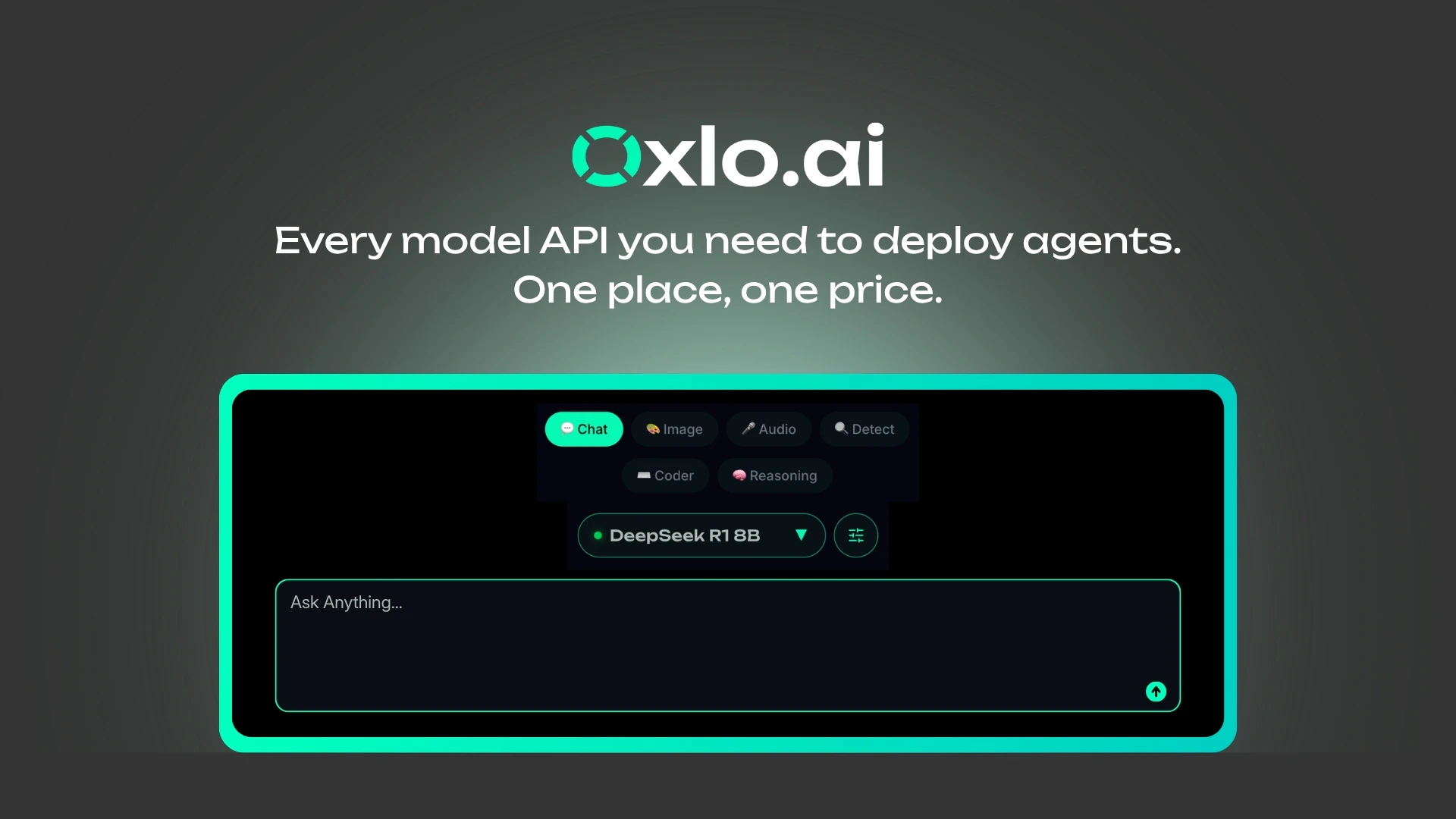
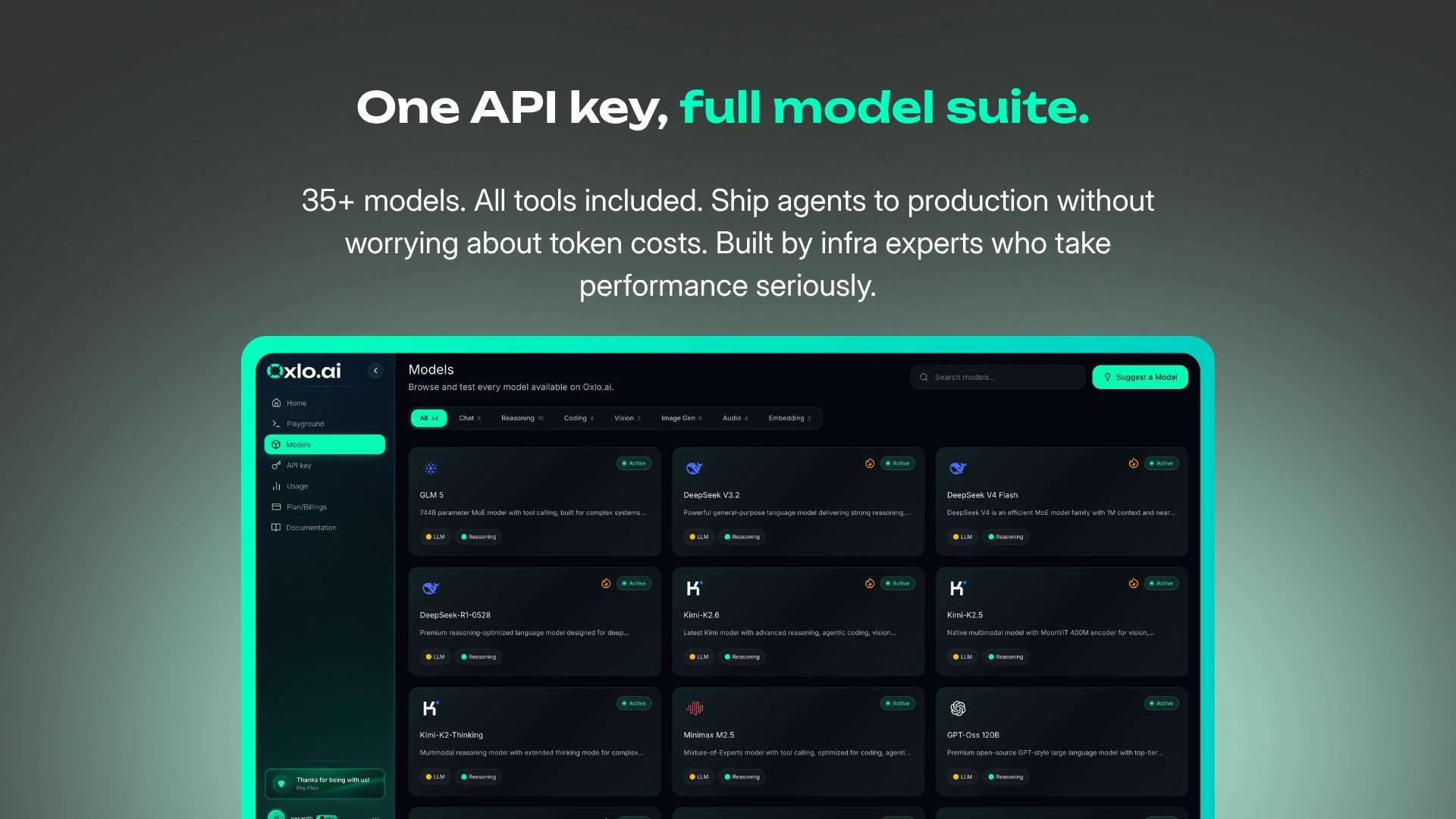
查看原始信息
BrowserBash
Free, open-source CLI that turns one plain-English sentence into a real browser test — no selectors, no code, no flaky locators. Runs on free local models (Ollama) or free OpenRouter models, so there are zero API keys and no credit card. Works with local Chrome, LambdaTest, BrowserStack, Browserbase or any CDP endpoint. `npm install -g browserbash-cli` and automate any site in seconds. Apache-2.0.
Hey Product Hunt — Pramod here (I run The Testing Academy on YouTube). Every test-automation tool I picked up meant brittle selectors, flaky locators, and a framework to babysit. I just wanted to *say* what to test and have it happen. So I built BrowserBash: you give it one plain-English objective and an AI agent drives a real browser to do it — no selectors, no code. What I care about most: it's genuinely free and open source (Apache-2.0). It runs on free local models (Ollama) or free OpenRouter models — zero API keys, no credit card. `npm install -g browserbash-cli` and you're automating any site in seconds. It works with local Chrome, LambdaTest, BrowserStack, Browserbase, or any CDP endpoint. Bring your own Anthropic/OpenRouter key only if you want to. A free account adds a dashboard with run history, video recordings and per-run replays — so you can see exactly what the agent did. It's early and I'd genuinely love your honest feedback — what's the first flow you'd point it at, and what would make it a daily driver for you? Roast it if it deserves it. I'm here all day.
2
回复

@promode_ Looks great and something I'd like to use, but my machine isn't powerful enough to drive local models. Can I use an AI subscription instead?

1
回复

@promode_ Love the landing page design and the copy! Very clear and neat.

0
回复

We've gone from writing tests to describing tests. At this rate the browser is going to start filing bug reports against itself.

2
回复

@jacob_spencer2 😄 Honestly not far off, every run already returns a pass/fail verdict and a video recording of what it did, so the browser's basically halfway to filing its own incident report. "Describing tests" was the whole bet: say what done looks like, let the agent figure out the clicks. Thanks Jacob 🙏

0
回复

Love that it supports local models via Ollama right out of the box so we don't burn through API credits testing basic flows. Going to point this at my onboarding sequences today!

2
回复

@varunvivek Thank Vivek, You can always use cheaper model like Deepseek V4 Flash, Qwen3.5 models to automate scenarios, cost is very low.
https://browserbash.com/math.html

1
回复

Looks awesome, can't wait to try this out! How does this differ from stagehand?

1
回复

@olli_paloviita @olli_paloviita honest answer: BrowserBash is built on Stagehand , it's the default engine 🙂

Stagehand (by Browserbase) is a TypeScript library you build with in code (act/extract/observe). BrowserBash is the batteries-included CLI layer on top:

• no code, a plain-English objective or a committable *_test.md file
• --agent → NDJSON + exit codes 0/1/2/3 for CI
• --record → video/screenshot/trace of every run
• one --provider flag: local Chrome, CDP, Browserbase, LambdaTest, BrowserStack
• Ollama-first, so it runs on free local models (no API keys)
• a local + cloud dashboard

Library to wire into your own code → Stagehand. Ready-to-run CLI/test-runner → BrowserBash (which uses Stagehand under the hood). Huge respect to the Browserbase team 🙏

0
回复

great man, how would you montize it if it is free

1
回复

@marc_vuit @marc_vuit great question 🙏 The CLI and local runs stay free forever, that's the open-source core, and I want it to stay that way. Monetization is opt-in: a paid tier for keeping your cloud run history + recordings past the free 15-day window. Free runs auto-expire after 15 days; if you want them retained, you upgrade. Team/hosted features are on the roadmap too. The free tier isn't a trick to upsell later it's the actual product.

0
回复

The hard part in plain-English browser tests is preserving intent after selectors change. A good test should explain the user-level invariant it protects, not just regenerate clicks.

0
回复

@krekeltronics 

@patrick_krekelberg spot-on, that's the whole thesis. A BrowserBash objective is the user-level invariant, not a click path: you write "log in and verify the order shows 'Thank you for your order!'", and the agent re-derives the clicks each run. No selector is encoded anywhere, so a selector change can't touch the intent.

The honest caveat is that it's only as good as the invariant you write. "Click checkout" will drift; "verify the order is confirmed" protects intent. The tool nudges you toward asserting outcomes , every run returns a verdict against what you described but writing the right invariant is still on the author. Committable *_test.md files help there: the intent is reviewable in a PR, like code.

0
回复

Really interesting project! 🚀

The idea of describing a test instead of writing selectors is compelling, especially for quickly validating user flows.

I'm curious: if the UI changes significantly between releases, how does BrowserBash decide whether it's the same workflow with a different layout versus an actual regression that should fail the test?

0
回复

@prashant_patil14 There is Plan to keep a diff mechanism also, Visual Checks also

0
回复