Product Hunt 每日热榜 2026-06-28

PH热榜 | 2026-06-28

#1
discode.ai
100+ AI models, one interface. ECO friendly.
333
一句话介绍:Discode.ai 是一个环保型AI路由器,通过统一接口自动调度100+模型,在保证任务质量的同时,按用户设定的“智能、速度、环保”偏好,实时计算并展示每次请求的碳、水、能耗足迹,解决用户在多模型选择中效率低、成本高、环境代价不透明的问题。
Productivity SaaS Artificial Intelligence
AI路由器 多模型调度 环保AI 隐私过滤 碳足迹追踪 开源替代 欧洲AI 智能路由 生态滑块 模型透明
用户评论摘要:用户高度认可环保视角和隐私过滤功能,但提出核心疑问:环保路由若先选了低功耗模型导致回答不佳需重试,反而增加总碳排。还有用户关注多模型间上下文如何保持、企业版计划、以及能否按百分比自定义优化权重。团队回应诚恳,承认重试计入碳排,正优化智能升级逻辑。
AI 锐评

Discode.ai 做了一件AI行业几乎没人愿意做的事:把隐形成本摆上台面。它不是又一个堆参数的聊天机器人,而是一个价值观驱动的路由器——在“模型足够好”和“性能最强”之间撕开一道口子,塞进了环保、隐私与透明度。这种定位聪明而危险。

聪明之处在于,它精准击中了两个群体:一是欧洲市场对数据主权的焦虑,二是行业对“AI能耗泡沫”的警觉。团队刻意区分了“更强”与“更好”的叙事,用Eco滑块、Challenger模式和碳排放读数,将用户从被动消费者转化为主动决策者。尤其是“显示谁回答了为什么”这一设计,对当下模型调用的黑箱逻辑是直接的反叛。

危险之处同样明显。核心卖点“环保路由”存在逻辑悖论:若初选失准导致重试,能耗可能超过直接调用旗舰模型。创始人亲自回应用户质疑,承认重试计入碳排,但“学习升级”还在路上——这本质上是押注预测准确率的长期进化,而目前仍依赖静态分档和人工反馈,精度存疑。此外,100+模型的路由意味着复杂的上下文管理和延迟控制,用“非技术人员”的创始人故事营销虽动人,但技术落地是否稳定,还需验证。

真正值得称道的是产品理念的多层克制:不卖“最强模型”,不黑箱化决策,不回避环境代价,不把隐私当企业付费功能。这种“反主流”的身份构建,比许多高举高打的AI工具更具长期说服力。但克制不等于好卖,企业版计划尚在制作、路由算法的自我优化未闭环——这台“通往更好AI的罗盘”,还需在实战中证明,它不只是给人讲了一个好听的故事。

查看原始信息
discode.ai
discode is your EU-friendly AI router: one interface for 100+ models, with every prompt auto-routed to the best one for the job. Or fine-tune it yourself along Smarter, Speed and Eco. It shows you which model answered and why, redacts your personal data on-device before anything leaves, checks the hard answers across multiple models, and estimates the CO₂, water and energy footprint of every request. Built in Vienna 🇦🇹. Your AI, your rhythm.

Hey makers!

I'm Pete from discode, thanks for checking out our launch.

discode is an EU-friendly AI router that turns 100+ models into one interface.

Every prompt gets auto-routed to the best model for the job, or you fine-tune it yourself along Smarter, Speed and Eco.

The part I'm most excited about is Eco.

Every AI answer burns electricity, water and CO₂. Most AI tools don't put that bill in front of you. discode shows CO₂, water and energy for every request – across 100+ models.
So a one-line summary might fire up a frontier model: driving the van to the ice-cream shop around the corner when a bike would've done.

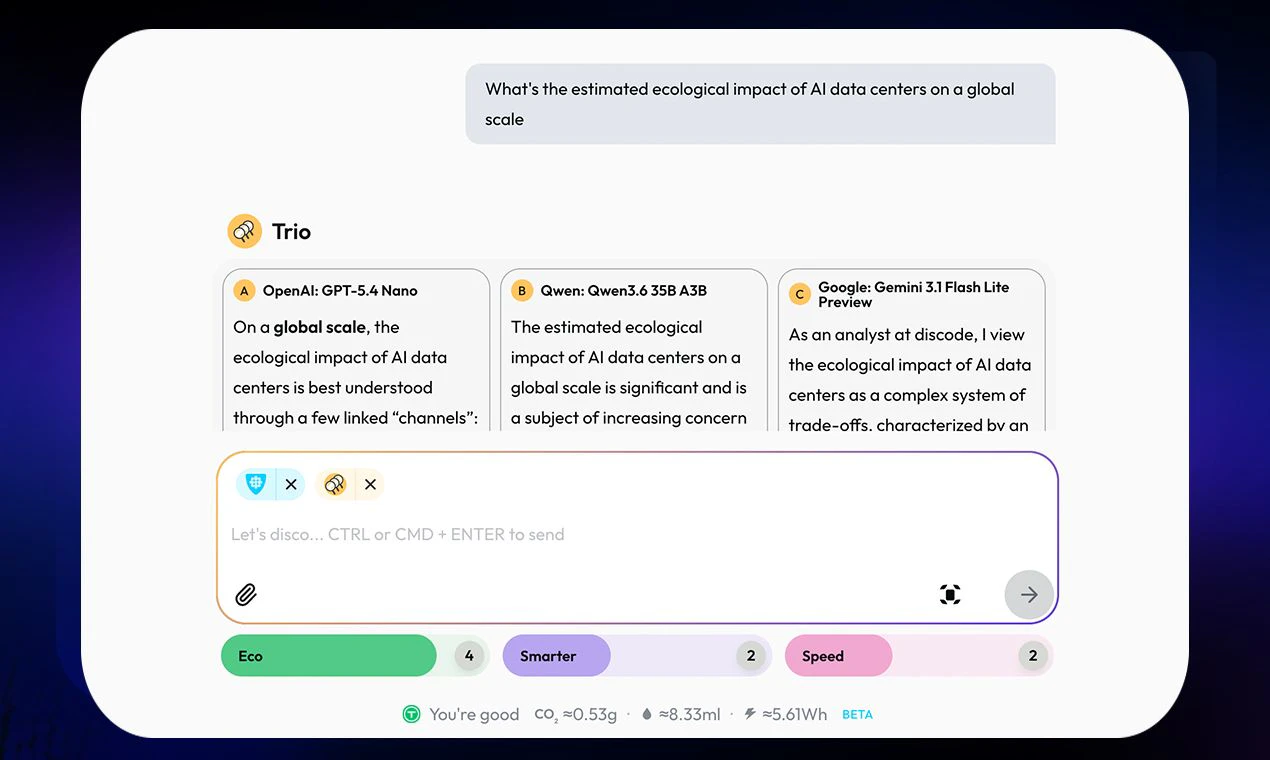
🌱 Every answer shows a readout: CO₂, water, energy.
🚲 Eco-Routing by default picks the most frugal model that can handle your task. 60–70% of requests run in the most efficient tier.
🎚️ An Eco-Slider from 1 to 5 lets you push discode toward leaner models. You set the rhythm, not the algorithm.

It's a compass, not a measuring device: Honest estimates built on public research, which is why it's in beta.

And there's plenty more under the hood: Challenger Mode (a different model reviews every answer), Trio Mode (3 models, one question, blind-judged), and on-device privacy filtering that redacts personal data before anything leaves your machine.

Built in Vienna 🇦🇹, for everyone who'd like their AI to not cost the planet more than it has to.

Would love your feedback <3

20
回复

@peterbuch Love the eco angle, nobody frames model choice this way. The failure mode I'd worry about: eco-routing picks the frugal model, it under-delivers, the user re-asks or you retry on a bigger one, and now you've burned MORE CO2 than just starting with the right model. How do you avoid the cheap-first-then-escalate tax, predict task difficulty up front, or does that retry cost get hidden from the readout? 

4
回复

@peterbuch Congratulations to you and the team first for building and second for the launch. I completely know the amount of work and dedication that went into production to finish line. One question, most AI model have memory of user's activities or tasks. When multiple models are dispatched across a single task or conversation, how is memory and context handled? Does discode maintain a central context layer, or does each model only see what's passed to it at that moment?

2
回复

@peterbuch Congrats on the launch !!!

The Eco angle is what really caught my attention. We talk a lot about model quality, speed, and cost, but almost never about the environmental impact of choosing one model over another.


One thing I’m curious about: after seeing the CO₂, water, and energy estimates, do users actually change their model choices, or do they mostly use the data for awareness? I'd love to know if you've seen behavior shift because of that transparency.

Also, Challenger Mode and Trio Mode sound like really fun ways to improve confidence in AI outputs.

Excited to see where this goes.

0
回复
Hi Moriz and team; congratulations to the launch. I really like the one-device privacy filtering feature and the overall ECO dimension (amid the hottest days ever in our region😓) Good luck and keep going!
5
回复

@georg_kopetz Lieber Georg, thank you, that means a lot, especially from you.

Those two are the heart of it for us, and really one idea. The on-device privacy filter is the sovereignty part we care about most: your data stays on your own machine, so using AI doesn't quietly hand Europe's data and value to infrastructure we don't own or control. The eco side is the other half, and a week like this makes it painfully literal (this heat we're both sitting in is no joke). That's the different race we'd rather run: not who builds the most powerful system, but whether Europe can build AI that stays sustainable and keeps the person in control, here, on our own terms.

We're early and we own it, the eco numbers are estimates and a first step, so having you see what we're reaching for is real fuel. Thank you, and stay cool in this heat.

Mo

2
回复

@georg_kopetz thank you, Georg!!

2
回复
@georg_kopetz thank you!
2
回复

Hi! It‘s finally live!

From corporate design and UI-design to branding and illustration, I‘m happy to be part of the disco. Let‘s explore and improve the visual side of discode!

H

5
回复

@harald_lustinger1 thanks Harry, it's been a fun working with you and the time. Let's keep making discode better

1
回复
@harald_lustinger1 you did such an outstanding job to create a unique, yet usable identity!!
2
回复

@harald_lustinger1 Harry, the whole look people are falling for, the characters, the disco, the way it feels calm instead of techy, that's very much you. Thank you for giving discode a face that's actually a joy to look at. Plenty more to explore on the visual side together. 🪩

1
回复

Hey everyone, Moriz here, the one who started this whole disco. 🪩


Quick confession: I can't code. My last brush with it was an HTML course in the late 90s, and I'm part of a coffee-house project in Vienna. So, very much not a techie. A few months ago I got stuck on questions nobody seemed to be building for:

  1. What does AI cost the planet, and how do you let people see it, steer it, and weigh the trade-offs without guilt?

  2. AI is confidently wrong. What does honest uncertainty look like when reliability matters?

  3. When a doctor or lawyer uses AI, their patients and clients are exposed, usually without anyone noticing. Why isn't privacy the default for ordinary people, not just an enterprise feature?

So I went down the vibecoding rabbit hole. The irony isn't lost on me: using Claude Code to build something meant to be more responsible than Claude itself. Three Claude Max subscriptions and $2,000 in API tokens later, my first version was a glorious 417,000-line monster. After countless night shifts and weekends next to the day job, I understood I'd need real pros to ship this. A small crew of engineers and designers then carved that monster into something beautiful that actually works. Thousands of hours and a lot of love and creativity went into it. Thank you, all of you. (We're hoping to earn that carbon back, too.)

Pete already gave you the what: the routing, Eco, Challenger, the on-device privacy filter. So let me give you the why.


The race everyone's running is about who has the biggest model, who has the biggest... data centers, who has the biggest IPO. We want to open a different one. Not how AI gets more powerful or how you get rich off it, but how we build the best interface between people and these machines, so they serve us, and so Europe is more than the raw material quietly feeding them our data. Pro-European, not anti-American. I don't think we should only consume what others build.

We're nowhere near done. The Eco score is a first step, which is why it's in beta. discode is a lab and a playground for human-centered AI, and it gets better with you in it. So please: tell us what's broken, what's missing, what you'd do differently. And if we ship your idea, there are discode credits in it for you. Every honest note steers where this goes. 🙏


You choose the rhythm, not the algorithm.

Mo

5
回复

@mo_riz it's been a great pleasure working on this mission with you and the team.
Let's go!

3
回复

100+ models behind one interface is a bold scope tbh, curious how you keep the UX from feeling overwhelming when there's that much choice. also the "eco friendly" angle is interesting, what's actually driving that — smarter routing, less wasted compute, or something else.

4
回复

@martin_mo Martin, agree, it's bold, and it's a lot of models. For us it was important to make sure we have the best model for each task, so we are starting with many. Regarding the ECO we are still in an R&D phase, but what you're mentioning is certainly important: less wasted compute, smarter routing, also using the model that's good enough but not overkill.

2
回复

As an AI chatbot that routes queries across 100+ models, protects user privacy, and tracks the environmental cost of each interaction, discode.ai is to me an act of resistance against the extractive, engagement-driven business logic behind most of the internet.

And it's live. And everyone can use it!

🪩

4
回复

@juan_sebastian_gomez it's been great working with you on this. Let's keep it up

2
回复

@juan_sebastian_gomez An act of resistance against the extractive, engagement-driven logic behind most of the internet" is exactly the race we wanted to run, Sebastian, and you helped us actually mean it. Thank you for caring about the why as much as the what. And yeah: it's live, and it's for everyone. 🪩

1
回复

As an ai-chatbot that protects user privacy, and tracks the environmental cost of each interaction, discode.ai seems an act of resistance against the extractive, engagement-driven business logic behind most of the internet.

🪩

4
回复

@juan_sebastian_gomez exciting to see where we can take the disco(de)

2
回复

The "you set the rhythm" line is what got me, most multi-model tools feel like a model zoo dump, but framing it around the user's own pace is a nice touch.

4
回复
@yibo_wang3 thank you! That’s what we were aiming for. Please let us know if you have any questions. Welcome to the discode.ai party!
2
回复

@yibo_wang3 thanks so much, Yibo, happy it resonates

2
回复

love the eco slider!

4
回复

@alexandra_prasch thank you, Alexandra. Also a big fan of that feature. Please let us know if you have any more feedback, happy to chat

4
回复

The eco-slider is interesting! Wondering...When the frugal tier under-serves a hard prompt and I re-ask, that retry probably burns more than just hitting a frontier model once? Does a re-ask count against the eco budget? Showing which model answered and why is the right call regardless!

4
回复

@artstavenka1 Hi Art, you've put your finger on two of the things we care about most, and the transparency you mentioned, showing which model answered and why, is deliberate for exactly this situation.

On the honest part: yes, a re-ask counts. Every attempt is metered, in cost and in CO₂, water and energy, so on a genuinely hard prompt a couple of tries can outweigh a single direct call. We don't pretend otherwise, and that visibility is the point: you get to see it and decide, rather than us quietly spending more on your behalf.

Where we're headed is smarter about this: escalation that can bump a weak first answer up a tier without a full manual retry, and folding your retries back into routing so the system learns from them. The data for both is already being logged, so it's a matter of wiring it through. Thanks for the nudge, this is exactly the kind of feedback that shapes what we build next.

4
回复

The Eco framing is the fresh part here, most routers sell speed and cost and stop there. One thing I keep wondering about with auto-routing. Deciding a prompt is hard enough to fan out across multiple models is itself a judgment call, and getting it wrong either wastes the eco budget or under-serves a real question. How is that difficulty call made, and how do you verify after the fact that the cheaper or greener route actually matched what a frontier model would have answered?

4
回复

Great question, you've put your finger on the exact tension, and we take it seriously.

First, the difficulty call. Selection runs on domain, speed, cost and eco together, bounded by where you've set your Turntables (Smarter, Speed, Eco). The domain benchmark does a lot of the work, since a coding question and a casual translation have very different model requirements; we route within four tiers, so light tasks stay cheap and low-footprint while harder ones escalate to specialists or frontier models. On top of that we classify every prompt for complexity, output shape and task type, plus a few other signals. I'll be honest about where that stands: those signals are captured and stored against actual outcomes, but not all of them are live routing inputs yet. We're building the calibration dataset first, so that when they do shape selection, the thresholds come from real data rather than intuition. Two things keep it honest in the meantime: every answer shows which model ran and why (no black box), and when the routing misses, your feedback flows straight back into the model choice. The tiers aren't static either: a nightly sweep re-scores all 100+ models on fresh benchmarks, pricing and real user signals.

On verification, I'll be straight with you: we don't claim to know what a frontier model "would have said." There's no crystal ball that runs for free, no oracle, and you can't check that without running the frontier model yourself, which burns the eco budget you just saved. So no phantom comparison. What we do instead is measure: every routed response persists its actual token count, energy and cost next to the complexity classification. The plan is to bucket those outcomes by model, mode and task type, and only let a finer routing rule promote itself if it measurably reduces prediction error without increasing context overruns. Challenger already produces side-by-side quality comparisons; wiring that quality signal into the calibration loop is the next step.

And for the here and now, when truth actually matters you switch on the multi-model check. Trio sends your question to three models from three different provider families; a separate judge scores them blind and in random order, merges the best, and flags where they disagree. Challenger goes the other way: a different family takes one answer apart and rebuilds it over a few rounds. Different families have different blind spots, so what one invents, the others usually catch.

It cuts errors hard, but it doesn't zero them. You stay the judge. Happy to go deeper on any piece.

Mo

5
回复

@dipankar_sarkar thank you for your question, appreciate you.

2
回复

The CO2 footprint tracking per prompt is a genuinely fresh angle -- most AI tools pretend environmental cost does not exist, but making it visible nudges users to think twice before over-prompting, which is a quiet but powerful design choice.

3
回复

@ilko_kacharov agree, thanks Ilko for the feedback. We believe in transparency, and in helping users understand the impact of models used. Let me know if you have any further questions

2
回复
Hi Discode team! Interesting and valuable product - congratulations on the launch. I’m keen on saving admin by establishing one subscription instead of multiple. Curious if I as user can steer optimization parameters - output, cost or environment as % distribution? Ulrika
3
回复

@ulrikah thanks so much for your support. Great question, yes you can use our sliders to define how important ECO, QUALITY, and/or SPEED is for you. This will determine which models we are using.

2
回复

Will there be a corporate or team Plan? Very interesting!

3
回复
@johanna_piffl thank you for bringing this up- it’s in the works already! During our co creation session this topic came up multiple times so we learned early in about the interest. Welcome to the discode.ai party!
2
回复

@johanna_piffl I'd also be interested in a team plan!

0
回复

@johanna_piffl great idea, we are working on it.

1
回复

Hello makers!

I hope you find the eco aspect of discode as valuable as I do.

With many AI tools, it is easy to overlook switching models manually. I often find myself selecting the most capable model and then using it for every task, regardless of its complexity.

That is exactly why Eco Routing matters to me. It automatically matches each request with a model that is capable enough for the task, while avoiding unnecessary energy and resource consumption.

3
回复

@shibacodelabs Michael, it's been great working with you on discode. Quite a monster project you've created there.

3
回复

Hey Makers,

We are live!!!!

I'm Veronika, and I lead Product Strategy and User Experience.at discode.ai and I spend my days thinking of ways of making humans and technology tolerate each other.

I'm SO excited about what we're building here because it tackles the questions that have followed AI from the very start: Does it all have to cost the planet? Do I get to have to hand over my data and still get a good answer?

Our goal here is to make LLMs approachable, understandable, and intentional.
We remove the guesswork!
We help you use only as much AI as you actually need!
And we keep your personal data where it belongs: with you.

We wrapped all of that in an interface that's unapologetically progressive, unmistakably European, and just the right amount of snarky.
It's designed for your control, clarity, calm- and the occasional drizzle of disco.

Come join the party!!

Let's dance —respectfully, frugally, and with better AI.

— Veronika

3
回复

@veronika_stabinger1 it's been great fun building with you these past few weeks. Excited for what's to come

1
回复

@veronika_stabinger1 This is the heart of it, Vroni, and a lot of that heart is yours. "Making humans and technology tolerate each other" is the whole job, and the control, clarity and calm people feel is your fingerprint on every screen. Thank you for keeping it human, European, and just snarky enough. Couldn't have danced this one without you. 🪩

1
回复

The Eco routing angle is genuinely interesting but I'd love to know how the difficulty classification works upstream. If the routing decision itself runs on a heavyweight model every time, does that overhead cancel out the savings on simpler queries? Curious if you've benchmarked the router's own footprint.

3
回复

@vishal_thakor9 Hi Vishal, great question, and exactly the one that would sink the whole idea if we got it wrong.

The router doesn't run on a heavyweight model, and on simple queries it often runs no model at all. It works in two stages: a fast pattern-matching pass reads the domain, language and locale for zero tokens, and a lot of straightforward queries are fully sorted right there. Only when that pass isn't confident does a small classification model step in, and even then it's a tiny call, cached so repeats and near-repeats cost nothing. The routing decision is then frozen for that request, so we never route the same thing twice.

On whether we've measured it: yes. We log each classifier call on its own, so the router's footprint is something we can read directly rather than hand-wave. In practice it's a tiny call set against the savings of keeping a simple request on a lightweight model instead of a frontier one, so the overhead is a rounding error next to that. And the classifier's own cost sits on our side as infrastructure, not on your bill.

One honest nuance: difficulty alone doesn't pick the model. It feeds a tiered score across domain benchmarks, speed, eco and price, weighted by where you've set your sliders, so the classifier informs the decision, it isn't the decision. Happy to go deeper if that's useful.

Mo

3
回复

@vishal_thakor9 Vishal, appreciate your question, please let us know if you have any further questions

1
回复

The on-device PII redaction before anything leaves is the part most AI routers skip - model routing and cost views are everywhere, but client-side redaction is what actually makes this safe to put in front of a team. My one concrete worry: when a name or ID gets redacted but is needed for the current answer and was first mentioned 10 messages back, does it consistently re-mask the same entity to the same token across the thread so the model still gets coherent context, or can it lose that reference once it is stripped?

3
回复

@hazy0 You're zeroing in on the exact thing that makes naive redaction useless: black out a name and the model loses the thread - coreference breaks, the answer turns incoherent.

So we don't black anything out, and you don't have to hunt for the sensitive bits yourself. A local assistant does that on your device, before anything leaves: pattern matching catches the structured stuff (email, phone, IBAN, cards), and a small model running in your browser catches names, companies and places. It surfaces every find and proposes what to anonymize; you approve or override per data point. The assistant does the work, you keep the decision, and nothing is uploaded just to detect it. That is what makes it safe in front of a team: nobody has to catch every name or IBAN by hand before hitting send.

Each detected entity is then swapped for a realistic look-alike, and that stand-in is baked into the conversation history that travels with every request. When something introduced 10 messages back is needed now, the model reads the same consistent stand-in from that history - a coherent conversation of plausible people, not a wall of [REDACTED]. You see your real values; the model only ever sees the stand-ins.

That real-to-stand-in map lives only on your device, in your browser - never logged, never in our database, never sent to our servers. That's also why the next edge exists at all.

Honest edges: detection isn't perfect (rare spellings, or an identity that only emerges from combining several harmless details); the map is device-local, so ask on your phone and open the thread on your laptop and you'll see stand-ins there; and restoration is a literal match, so if the model reformats a stand-in - abbreviating "Street" to "St.", changing case, inflecting a name - that spot can show the plausible stand-in instead of your real value. That last one is cosmetic, never a leak: the unrestored text is the fake, and your real value never left your device.

3
回复

@hazy0 thanks for your question, let us know if you have any more feedback, thank you

2
回复

Is there a way to bring our own API keys for specific models if we already have corporate credits, or is everything managed through a unified discode subscription tier? congrats for shipping @peterbuch 👏

3
回复

@priya_kushwaha1 thanks Priya, that's a great question. There currently isn't any way to bring corporate credits to discode, but that's certainly something we are looking into.
Happy to chat more, if you have more feedback, thanks again for your support.

6
回复

Such a great initiative. Definitely feeling conflicting trying to keep up with all the incredible AI progress while being mindful of the resource strain.

2
回复
@agathe_roubert thank you for that thought! We keep developing along those core beliefs!
1
回复

Austria 👋 Building AI in adjacent space (DTC ad generation) and the multi-model routing point lands hard. Used to force everything through one pipeline early on, outputs were always mediocre at one step. Different tasks need different models.

The Eco angle is the part nobody else is showing. Most users don't know that a 1-line prompt to GPT-5 costs more than 50 to a smaller model. Curious, do users actually shift behavior when they see the readout, or is it more of a conscience check?

2
回复

@elias_motionfy Elias, great question, and totally agree. We have just launched into beta so we don't have much data on user behavior yet. We certainly hope though that we can bring actual change in behavior. Do you think that's possible?

1
回复

@elias_motionfy  Hey Elias, grüß dich! Always good to hear from someone in the Austrian AI scene. And yeah — forcing everything through one

  pipeline is the expensive version of learning that lesson.                                                                 


  On your question: honestly, too early to say with certainty. What we do see is that the transparency itself changes the    

  conversation. Once people realize their one-liner just cost 50x what it needed to, most don't need a second nudge — they

  let the router do its job. Whether that's behavior change or just trusting the system to be frugal for them, the outcome is

   the same: less waste, better fit. But we'll know more once we have real usage data at scale.

1
回复

Really interesting approach to multi-model access. One thing I've noticed working across different AI models is how differently each one "knows" about specific brands or industries — the variance between ChatGPT vs Gemini vs Claude on the same query can be surprisingly large. Congrats on the launch, curious how you're handling response inconsistency across models!

2
回复

@magichsin thank you so much for the comment, and the encouraging words. Always happy to chat more.

1
回复
Very curious how you determine the auto routing. Are you just using publicly available benchmark data? What is your criteria for which of the 100+ is selected? And how will you keep it up to date as new models are released?
2
回复

@ariaxhan hey Aria, great question. It's one of the biggest challenges for us to make discode a success. It's also something that I cannot publicly share. Happy to talk more in a one on one chat if you'd like though. thanks so much for supporting our launch.

2
回复

@ariaxhan   dear aria, The routing uses a combination of domain-specific benchmark data from public sources and our own evaluation layer. Each query gets classified by domain — coding, math, legal, creative, etc. — and models are scored against the benchmarks that actually matter for that domain, not just one generic leaderboard.

On top of that, users steer with sliders for quality, speed, eco; so the "best" model is always relative to what you actually need right now.

As for keeping up: our model radar continuously screens for new releases and benchmark updates, so the catalog stays current without manual intervention. When a new model drops, it gets scored and ranked automatically — no waiting for the next release cycle. any more questions? feel free to ask thx

1
回复

Cool, it looks lime something I've done on Codex, to setup multi model for every sub agent. discode ai do this thing natively. I think it can save more token and get faster response with simple or complex chat. I'm cursious is discode has a main model to judge and distribute which model should do what?

2
回复

@sleekzheng Love that you've been building in the space. We do have a main model, but are still optimizing, switching models and doing a lot of testing. What made you use Codex for the task?

1
回复

The eco footprint per request is a great touch. What data source are you using for the CO2 estimates per model? Numbers vary a lot by datacenter location and grid mix, curious how granular you can get.

2
回复

@christian_knaut 

Christian, you're touching on exactly the hard part. The CO2 footprint of a model call is a product of several compounding factors:

Hardware type and efficiency - different chip generations have noticeably different energy profiles per token

Batch utilization - a GPU running well below capacity burns power roughly comparable to one running near full load, so how many requests share the same hardware matters a lot

Datacenter location and grid mix - this is the biggest lever.

A model running on a low-carbon grid sits at a fraction of the footprint of the same model on a coal-heavy grid; the gap between them can be substantial for identical compute

PUE (Power Usage Effectiveness) - the overhead of cooling, lighting, and facility power on top of IT energy, which varies significantly by datacenter design

Water use - often overlooked, but cooling systems consume a meaningful amount, and we track this as well

Model architecture - for MoE models, only a portion of parameters are active per token, so using total parameter count would meaningfully overstate the energy cost

Decode vs prefill split - generating output tokens costs noticeably more energy per token than processing input, so a short prompt with a long answer looks quite different from the reverse

For all of these we rely on publicly available data - mainly grid intensity figures and published datacenter environmental reports - and we've formed a working group with ESG-Cockpit to sharpen the methodology.

The honest limitation: closed-source model architectures have to be estimated, and Scope 3 emissions (hardware manufacturing and supply chain) are excluded, which is industry standard but still an undercount. We flag that in the product.

It's an evolving picture and we're actively working to close the gaps.

Let me know if you have any further questions

2
回复

Congrats on the launch! 🚀

The eco angle is refreshing, but I also really like the on-device privacy filtering. Most AI routers focus only on cost and speed, while privacy and model choice are just as important.

Curious how transparent the routing explanation is for non-technical users can they easily understand why a specific model was selected?

2
回复

@prashant_patil14 Thanks for the kind words. Transparency is exactly the part we obsess over.

The design goal: the best router is one you can ignore completely, but the moment you look, nothing's hidden — and you never need a technical background.

Instead of picking from 100+ models in a dropdown, you steer with three controls — Quality, Speed and Eco — like an equalizer. You set the vibe, the system picks the lane: simple questions go to fast, low-footprint models, harder ones move up to stronger ones automatically. Every answer shows the model that handled it right beneath it. And if you'd rather drive, a manual override is one tap away.

Where it gets really visible is Trio mode: you watch multiple models work the same question side by side, in real time — no hidden orchestration. We're also planning out a plain-language "why this model" explanation on every answer, so the reasoning is one tap away, not a black box.

Let me know if you have any further questions

2
回复

Thanks Moriz, splitting it into two loops is the right framing. The nightly catalog sweep keeps the model rankings honest, but that is recalibrating which model wins a tier, not whether the difficulty classifier put the prompt in the right tier in the first place. A re-ask is a free label there: an escalation event saying this domain was under-tiered. Even aggregated rather than per-user, feeding those escalations back into the per-domain thresholds is what would actually tighten the eco budget over time. Is that the second loop you mean, or is the nightly sweep doing double duty for now?

2
回复

dear @dipankar_sarkar Spot on, and no, the nightly sweep isn't doing double duty: it recalibrates which model wins within a tier, not the tier boundaries themselves. The second loop you're describing doesn't exist yet. A re-ask today is just another request, not yet a correction signal. Re-asks as free labels for "this domain was under-tiered" is exactly the right framing, and the version worth building first. Thanks for sharpening that. thx

0
回复
My favourite part is the fact that I can start using it and it just WORKS, and over time I can dive deeper and start adjusting to my needs.
2
回复

@veronika_stabinger1 exactly, you have all the models and you don't have to think much about which one to choose. But if you want to go deep you can

2
回复

Appreciate the detail Moriz. That four-tier domain routing bounded by the Turntables makes the upfront call legible, which is more than most routers offer. The piece I keep circling is the loop after the fact. When a tier under-serves and the user re-asks, does that signal feed back to recalibrate the domain benchmark, or is routing static per release? Closing that loop is what would turn this from a good router into one that actually gets sharper with use.

2
回复

@dipankar_sarkar Great question, Dipankar, and you're pointing right at the gap between where we are and where we're headed.

It helps to split it into two loops, because they sit at different stages.

The nightly loop is live: a sweep re-scores the whole model catalog on fresh public benchmarks (coding, math and reasoning indices), current pricing, and aggregate usage. So which model wins inside a tier does shift over time. To be precise about the feedback point: that movement happens at the catalog level, not yet from your individual behavior.

The after-the-fact loop you're describing, a re-ask read as "this tier under-served me" and fed back to recalibrate the domain benchmark, is not closed yet. And I'd rather be straight than impressive here. We built the telemetry layer first: every routing decision is fully traceable, each answer is stored with its tier, the model that ran, your slider settings and your rating. The data foundation is solid. But that data doesn't drive selection scoring yet. The adaptive wiring on top is the next layer, not a shipped one.


What closing the loop looks like for us:

•⁠ ⁠Per-user affinity: if one model keeps earning top ratings on your coding prompts and another keeps missing, bias your future coding selections accordingly.

•⁠ ⁠Domain recalibration: enough low ratings on eco-routed math prompts raises the minimum tier floor for the math domain.

•⁠ ⁠Regen-cost awareness: when an eco route triggers a retry cycle that ends up costing more than a direct frontier call would have, surface it as a nudge ("your last few eco prompts needed retries, consider bumping Quality"). An eco route you have to redo isn't actually green.

So, honestly: today it's mostly static between catalog refreshes, with the telemetry already capturing exactly what the adaptive layer will need. You're describing precisely what comes next.
mo

2
回复

@dipankar_sarkar thank you for your support & questions

1
回复

The model-choice reason is the part I’d make very visible.

As a builder, I’d love a tiny “why this route” card that turns each answer into a learning loop: task type detected, constraints it cared about (privacy / latency / quality / eco), and what signal would have pushed it to a stronger model.

That would help users trust the router without needing to understand 100+ model names, and it also gives you cleaner feedback when the route feels wrong.

1
回复
#2
GetCompress
Lossless media compression without context switching
278
一句话介绍:GetCompress是一款离线桌面端批量压缩工具,通过拖拽操作无损压缩视频、图片、GIF和PDF,解决用户在上传或分享媒体时因文件体积过大而需切换上下文寻找工具的核心痛点。
Mac Productivity Photo & Video
媒体压缩 桌面应用 离线压缩 批量处理 无损压缩 PDF压缩 视频压缩 GIF优化 MCP集成 本地工具
用户评论摘要:用户普遍赞赏离线、免切换上下文的拖拽体验。核心问题包括:与Claude等AI工具如何自动联动(MCP集成);对不同格式(GIF、PDF、视频)压缩算法的差异与质量控制;关注移动端支持可能性;希望获取预设质量控制与高级设置。
AI 锐评

GetCompress的卖点并非技术突破,而是对“用户体验的极致抠细节”。它的本质是将FFmpeg、Gifsicle等开源工具的复杂参数链封装成“傻瓜式离线服务”,并强调“不联网”降低隐私焦虑——这精准击中了内容创作者和开发者的日常痛点:上传文件被大小限制卡脖子时,那些在线压缩工具要么泄露隐私、要么速度感人、要么还得边切窗口边骂娘。创始人把核心算法开源、主推UX与MCP集成,是聪明的差异化策略:既避开自研算法的高成本陷阱,又通过AI工作流绑定(如Claude代理压缩)建立护城河。但需警惕,类似功能(如macOS自带压缩、Shutter Encoder等免费工具)会稀释付费意愿。若后续仅停留在“更好的参数封装”而缺乏增值服务(如云同步、批量预设分享),天花板清晰可见。目前278票的反馈以肯定为主,但深度验证还需看付费转化率——用户是否愿意为“省去几秒操作”持续买单,才是真正考验。

查看原始信息
GetCompress
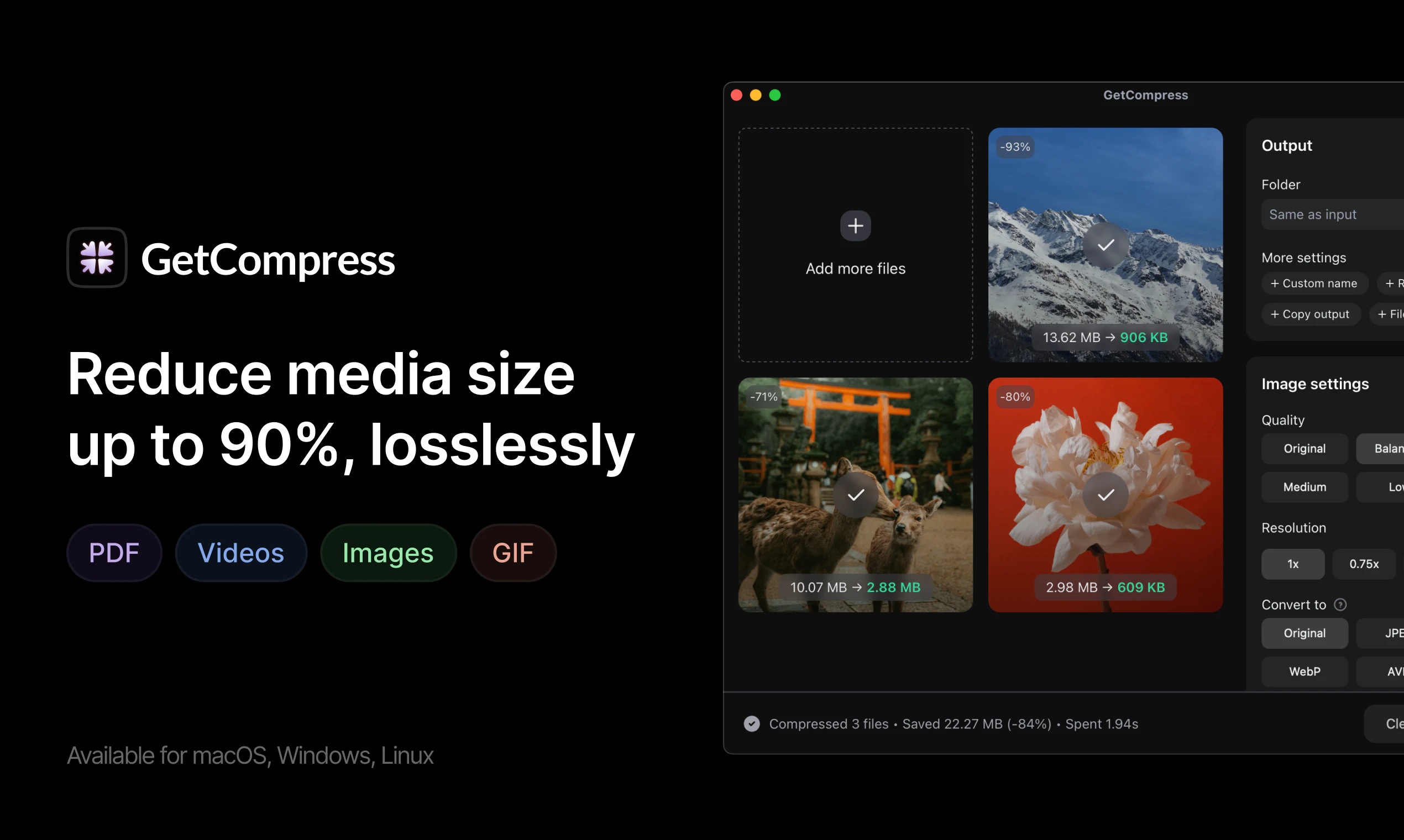
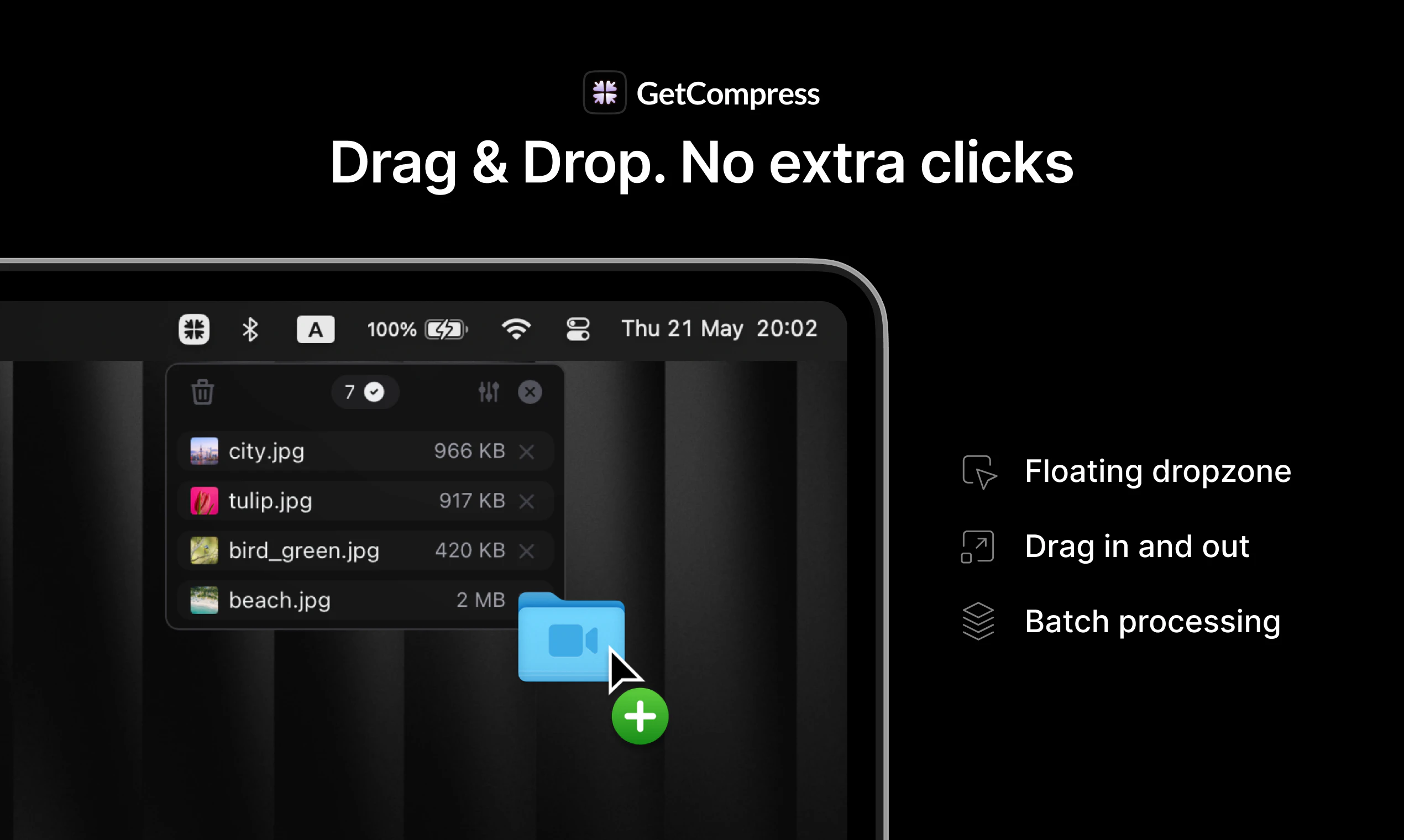
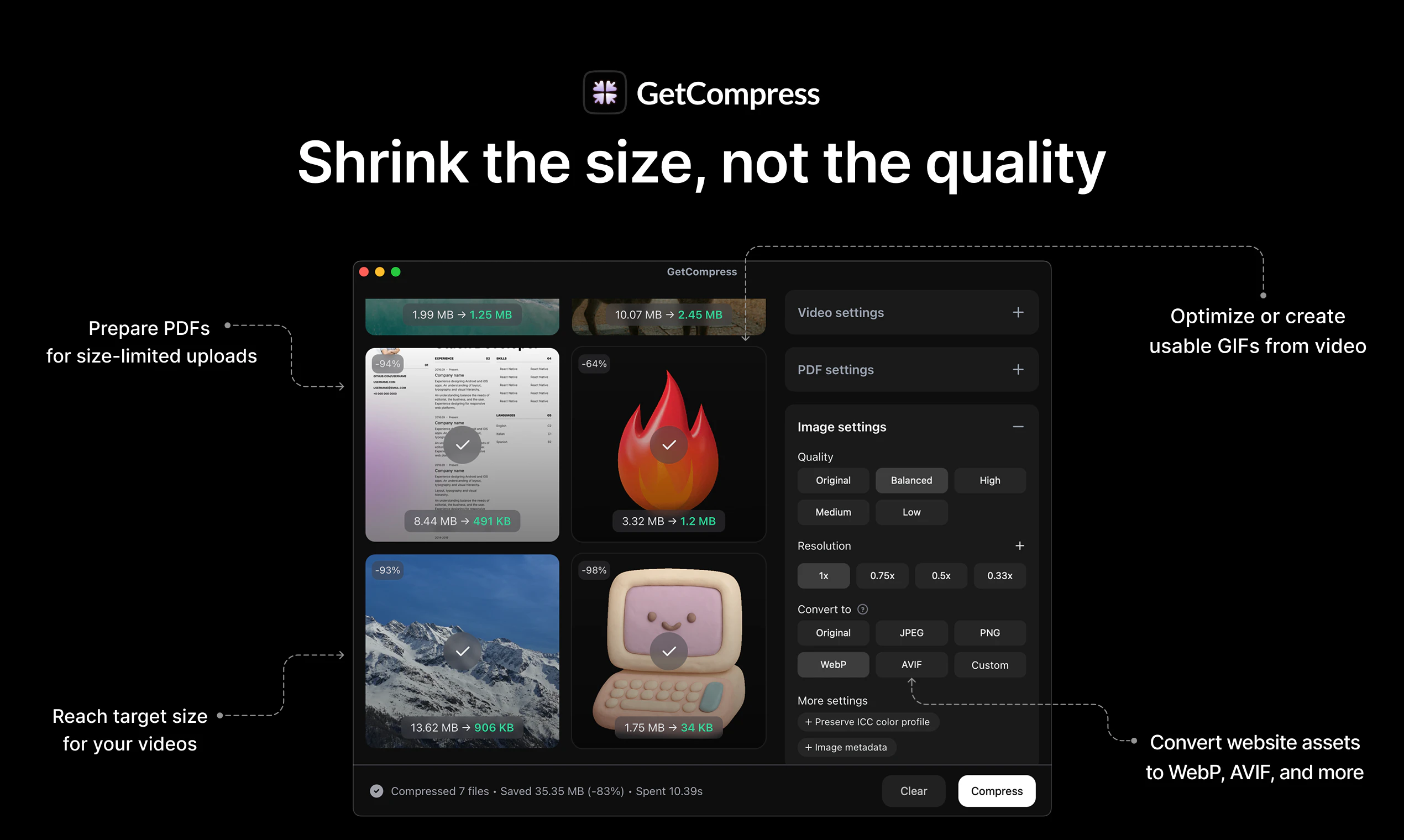
GetCompress is a lightweight desktop app that quickly compresses videos, images, GIFs, PDFs in batches: get up to 90% smaller files with minimal quality loss. Save your time & keep files safe with offline compression. Drag files in and out, no extra clicks. Available for Mac, Windows and Linux.

Hey hunters and makers! 👋
I'm Petr, the solo founder of @GetCompress, a desktop app I made to improve media compression 🎥🖼️📄↘️🤏⚡🔐

Who is it for?
You're covered if you ever upload and share media:
Optimize assets for your blog or bug reports & PRs. Finally fit file size limits & upload that PDF.
Free up to 90% of disk space by shrinking media with minimal quality loss.

Why making another compressor?
Because no other apps pass my quality bar and cover my needs:
You know, there are native macOS apps that struggle to scroll a list of just ten previews 😵‍💫
I also wanted to just drop files, get them compressed, and drag back without alt-tabbing and context switching.

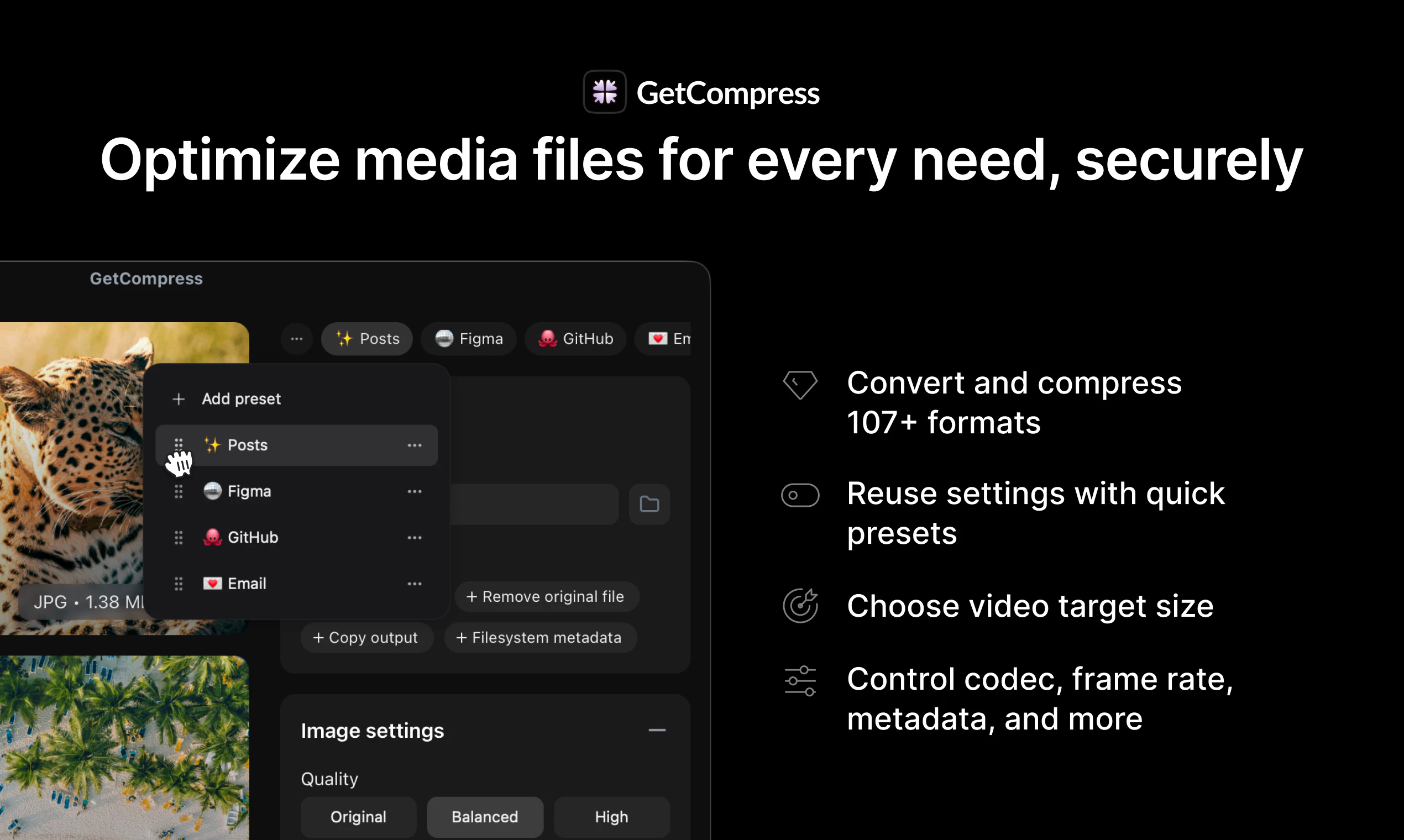
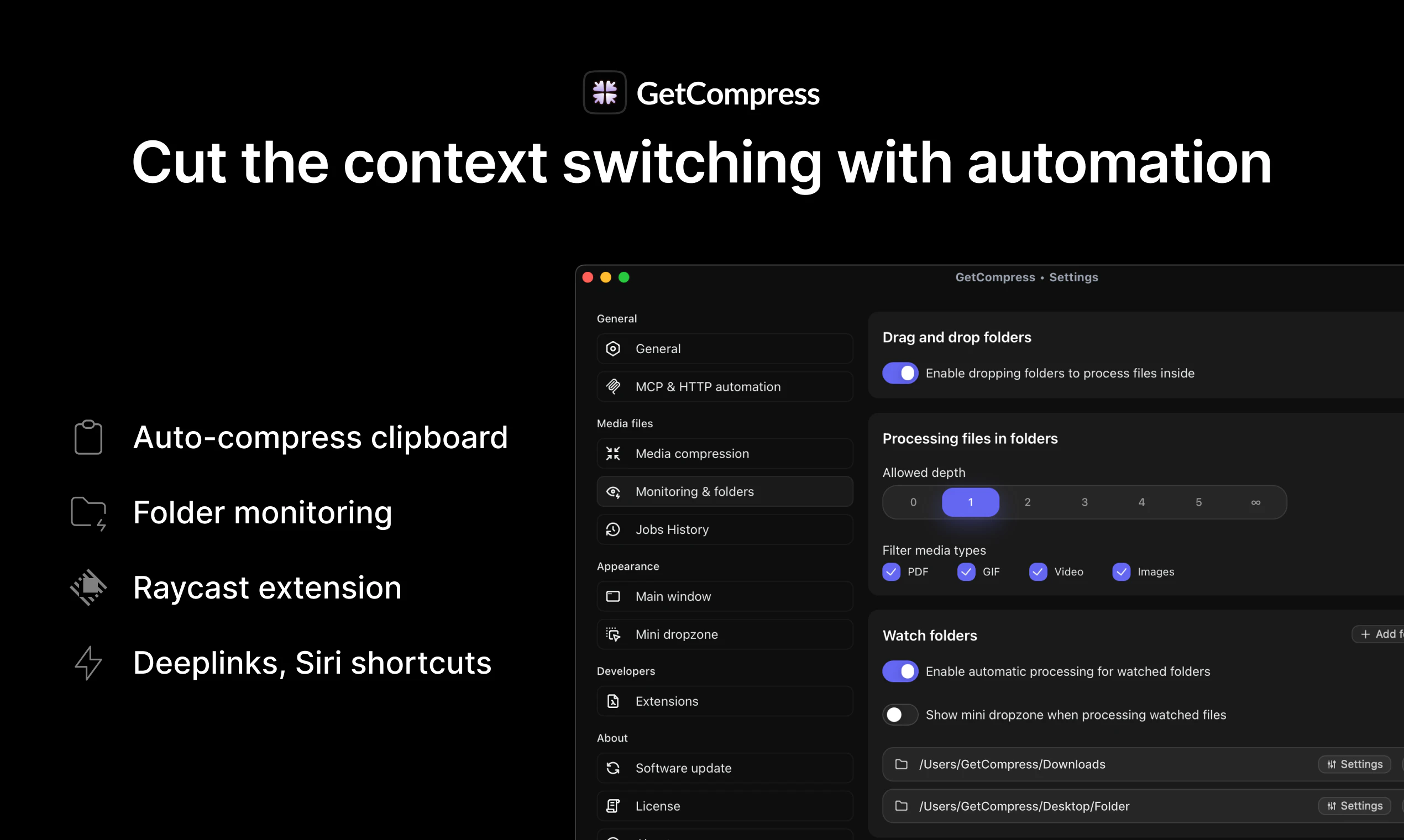
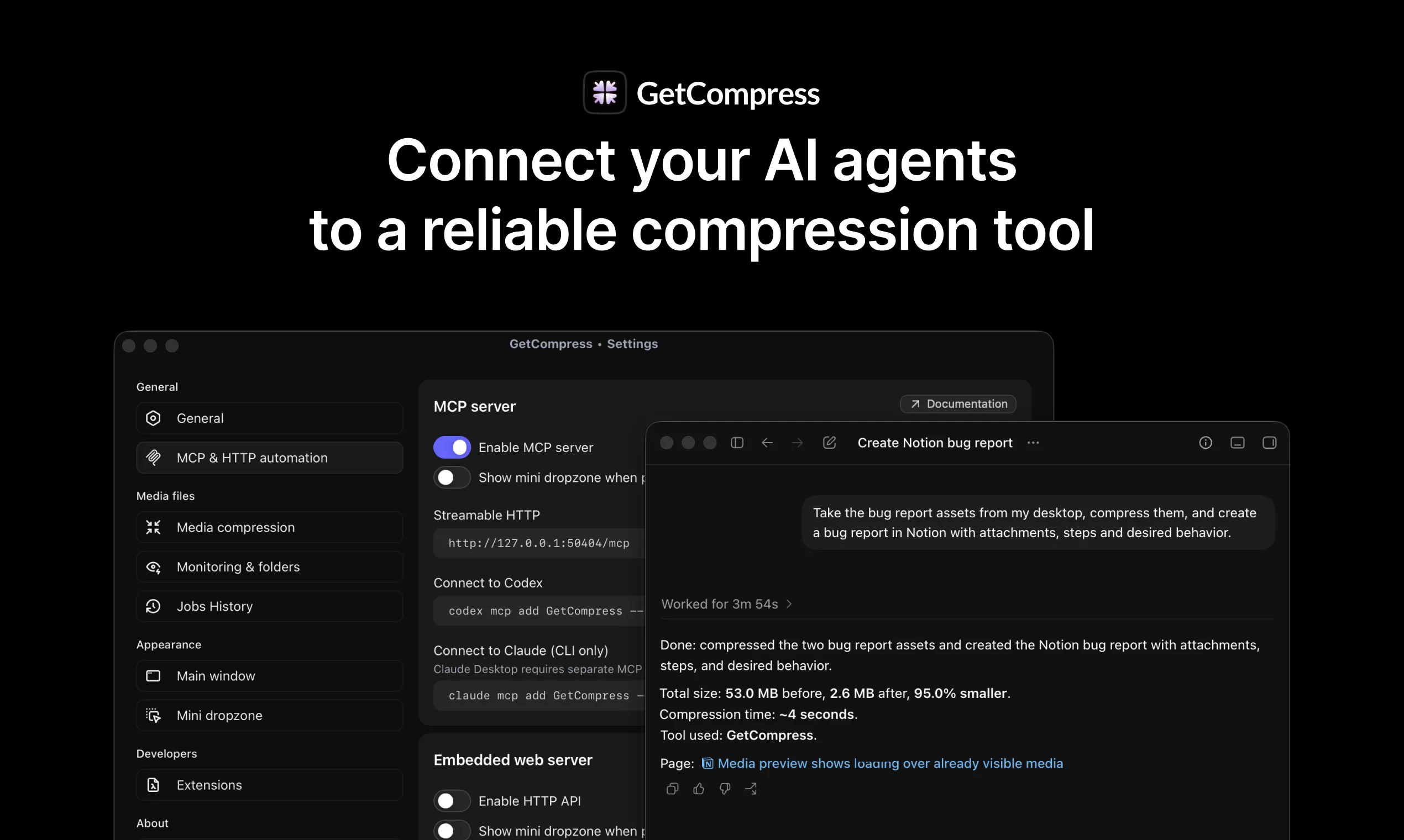
Compress or convert 107+ supported formats, automate your workflows, and even connect to the MCP server!

Your feedback would help a lot, even based just on the demos and the landing page:

  • can you remember last time you needed to upload a file with size limit?

  • is anything missing in the intro or demo videos that is important for you to know?

  • do you usually read testimonials and find them helpful?

I'm here to answer every question, and I'll be the happiest if you share your thoughts!

Thanks everyone 🥳

33
回复

@petersamokhin How can I pair it with Claude to share compressed images automatically ?

0
回复

@petersamokhin

Hi Petr,

I came across @GetCompress on Product Hunt — really interesting positioning. I create Turkish-language AI content on Instagram (@yucel.kelci ) (458K followers, 20M - 50M monthly views). Turkey is one of the fastest-growing AI adoption markets right now and there’s almost no quality Turkish content covering tools like yours. Would you be open to a sponsored content partnership? Happy to share my media kit.

0
回复

@petersamokhin congrats on the launch !

I definitely relate to the "just let me drop a file, compress it, and move on" workflow. It's one of those tasks that should take seconds but somehow ends up breaking your flow.


One thing I'm curious about: among your early users, what file type surprised you the most in terms of compression results? Was there a format where people consistently said, "I didn't expect it to shrink that much without noticeable quality loss"?


Also, the MCP integration is a nice touch. Feels like a natural fit as more AI workflows start handling media.

Wishing you a fantastic launch!

1
回复

Congrats on the launch!

Love your design!

4
回复

@danshipit thanks a lot, I've been cooking hard on every pixel 👨‍🍳

1
回复

Congrats on the launch, man!

Could you tell me a little bit more about the compression algorithms you use for GIFs?

3
回复

@itruf thanks a loooot!

The compression logic is open-source and is available here: https://github.com/getcompress/extensions/tree/master/packages/extension-gif-optimizer

If you create a GIF from video, it's first converted using optimized approaches (with advanced colour palette for it to look fancier!)

Then (or initially, if you already had a GIF), it's compressed using an in-house developed tool that handles lossy compression in a way similar to lossy PNG compression: adaptive color quantization, weighted histogram, dithering, palette posterization and deduplication... many buzzwords but the point is that it's a very optimized and stable algorithm that helps making the GIFs look great but have a small file size!

1
回复

the "without context switching" part is the real selling point here imo, most compression tools make you leave your workflow to do it. is this running locally or hitting some cloud service under the hood.

2
回复

@martin_mo thanks a lot! The app is fully local, no network access is required after installation 🔐

0
回复

Congrats on the launch ! how is the compression technique is different from the existing ones? is it a different compression algorithm?

2
回复

@racine_g hey, thanks a lot for asking my favourite question!

There are many aspects that help reaching the best compression levels on the market, and I'm happy to share the secrets... just kidding: all compression logic is actually open-source, because GetCompress' main focus is your best UX! See it here: https://github.com/getcompress/extensions

Just a few examples:

  • Videos: not just simple params like CRF are blindly used, but instead I carefully tested each format and made sure all advanced settings are applied, aiming at the fastest compression and smallest file sizes. For example, if you want a WebM video that will be fastest to load in your blog, the best codecs and compression params will be selected. Or, if you have a MacBook, you can benefit from Apple native VideoToolbox

  • PDFs: any image-heavy files are analyzed in a smart way (e.g. detecting actual non-transparent images and any unnecessary info) and images are compressed separately (for example, lossy PNG compression is unbeatable!). I also did it myself (unlike competitors that use GhostScript and violate their open-source license that way!), so now even the edge cases like PDFs with form fields are handled carefully & not broken

  • Images: an in-house utility compresses even PNGs, in a lossy way, with veeery smart algorithms applied!

  • GIFs: multi-step logic that utilizes FFmpeg, Gifsicle and an in-house tool for even better lossy compression

I can dive into more details if you're interested!

2
回复

Hey Petr! This is awesome cause compressing media files can be a headache sometimes and you're helping a lot on it. Wish you all the best!

2
回复

@german_merlo1 thank you very much for your kind words! 🫶

0
回复
Congrats with a launch! I’ve been using GetCompress mostly with an MCP server and honestly I glad I don’t need to think about ffmpeg / other custom scripts I had before.
2
回复

@nonews thanks a lot! I was trying to make my AI assistants work with media compression reliably but it just became weirder every chat, so I invested time and supported it in GetCompress. Glad it helps you too! 🫶

0
回复
Decided to test it. Amazing. No more annoying uploads of large media files to google drive just to attach them to internal docs (yes, we have size limits for media). Love your design, ux, and whole drag&drop flow from the Mac toolbar. Amazing product!!! Thank you!
2
回复

@sergei_a_korban thank you very much for kind words! Upload limits are a huge pain and probably the number one, and solving it & allowing to do it without context switching between apps was my highest priority 🧲

1
回复

This is one of those utilities I’d probably only think about when I urgently need it... and then be very happy it exists.

File size limits are still weirdly annoying. I’ve had this with PDFs, screenshots, product videos, bug reports, and even launch assets where something is just slightly too large and suddenly you’re searching for a random online compressor.

The offline desktop angle makes sense here. For files that may include product screenshots, internal docs, or customer-related stuff, I’d rather not upload them somewhere just to make them smaller.

The drag in, compress, drag out flow sounds exactly right too.

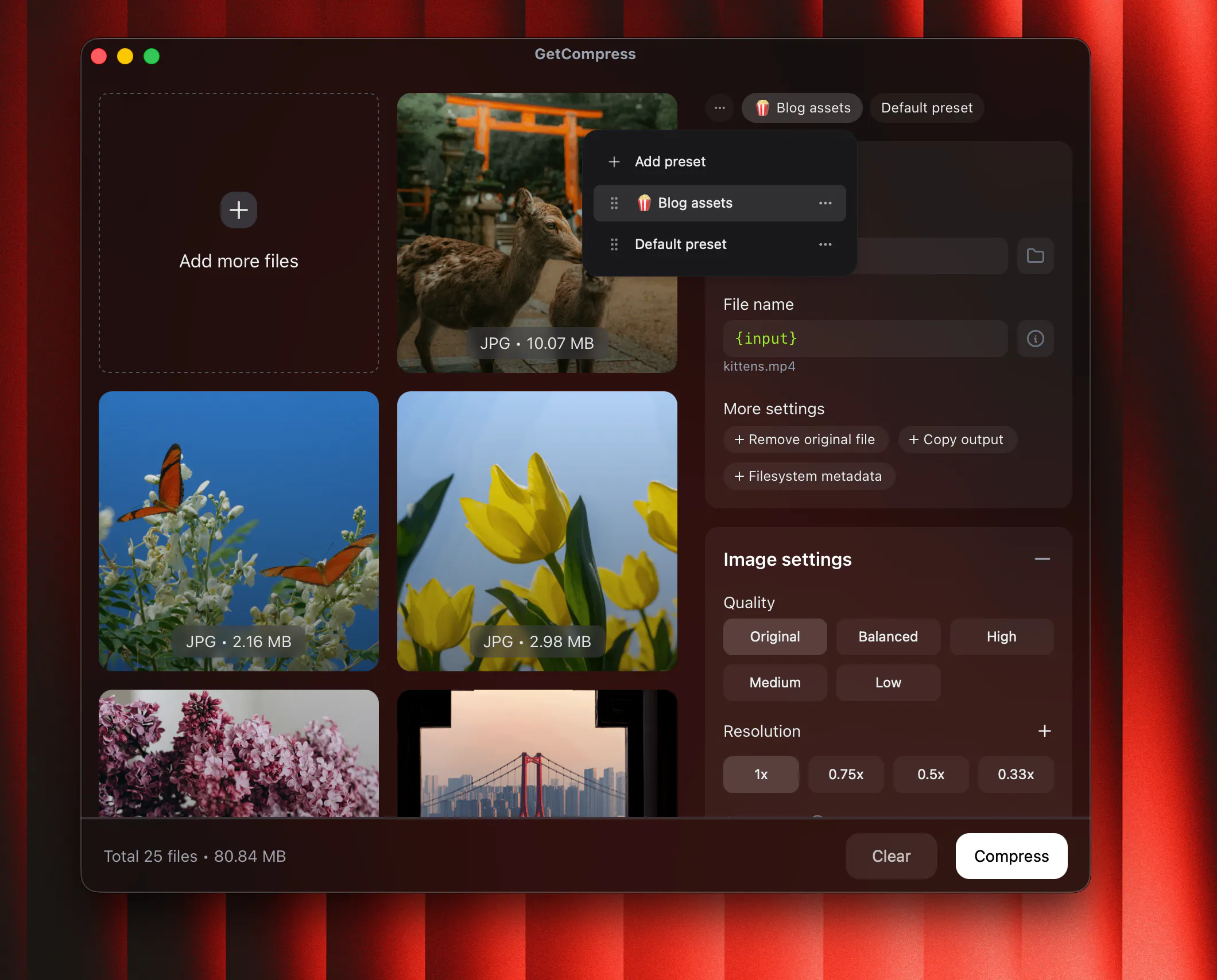
Curious how much control users have over quality vs. file size. can I set different compression presets for things like PH assets, bug report videos, PDFs, or web images?

2
回复

@andrasczeizel hi Andras, thanks a lot for your comment!

You can control the quality by choosing the predefined presets, or set up e.g. target file size, or if you prefer you can even select some advanced settings (such as media codec, frame rate and almost anything else!)

After you apply your desired settings, you can save that preset and reuse it later:

2
回复

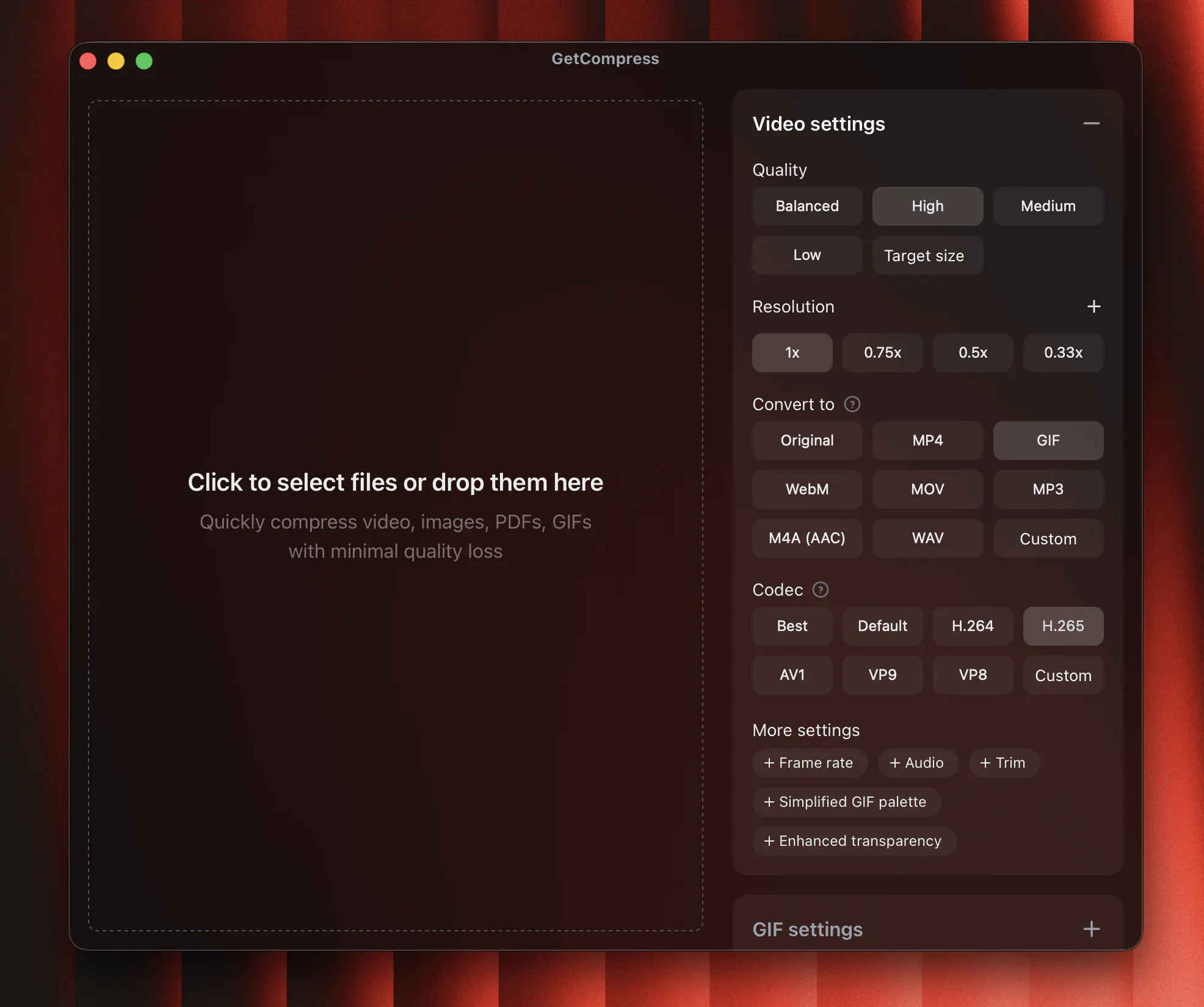
One of the interesting ones today! The MCP angle is the smart bet and the "Claude won't hallucinate an outdated CLI" is a great pitch. Question on the compression side - when you lean on VideoToolbox for speed, do you ever fall back to a software encoder like x265 when someone wants quality over size? Anyways, congrats on the launch

2
回复

@artstavenka1 I see a pro here, thanks for asking!

You can control Apple native handling in settings, and switching to x265 is just one click (see screenshot), but also I added a lot of smart logic, that depends on the file format, and might try different fallback settings in order to get the smallest file possible ✨

2
回复

Finally!

Any chances to have it on Android platform in the future?

2
回复

@dmitry_manko wow, I didn't expect any interest on mobile side 👀

No plans for the nearest future, but probably I'd have to reconsider it!

My main idea was that you can't do this on mobile:

https://youtu.be/68AuSlchZto

1
回复

The MCP integration caught my eye! What kind of automations does it unlock, you got a favorite workflow you'd recommend trying first?

2
回复

@timur_masalimov hey, thanks a lot for sharing your feedback 👋

The main benefits of connecting to GetCompress MCP (vs just telling your agent to "compress it somehow"):

  • reliability: Claude won't hallucinate and install some outdated CLI every time you ask for media compression, and you don't even need to write a detailed prompt that covers any possible edge cases

  • better compression: the curated advanced logic already knows how's best to reduce the file size while keeping visual quality as best as possible, because just with some default params you could receive a pixelated result that is not really small in size

  • speed: magic optimizations such as Apple native frameworks (VideoToolbox) sometimes can do magic!

So, you after connecting the MCP, could ask your AI assistant to prepare you a demo and ensure it's compressed nicely (just with natural words), fit some upload limits to Notion, and anything else!

1
回复

Any chance for an iOS App?

2
回复

@stanislau_zamana this one was unexpected 🫢

To be honest, I didn't plan on the mobile apps, as I mainly aimed to improve and speed-up frequent compression flows (which is easier & best done from your laptop, Mac or Windows), but I'll definitely consider it for the future!

1
回复
Congrats on the launch! Love the focus on reducing context switching. I'm curious what's been the hardest media format to support? I imagine PDFs, animated GIFs, and videos all come with very different tradeoffs between compression ratio and visual quality.
1
回复

@luki_notlowkey hey, thanks a lot!

Surprisingly, images were much more tricky to ensure the "perfect production-grade compression" across all images, due to the number of extensions, edge cases, and some additional advanced algorithms to be introduced (e.g. a proper lossy PNG compression).

2
回复
@petersamokhin I did not expect that at all! Thanks for the reply!
1
回复

Love to see it! Quick, lossless compression FTW

1
回复

@jackrmcdermott thank you very much!

0
回复

serious Pied Piper vibes (Sillicon valley TV show) here 😂

please tell me getcompress uses middle-out compression... and if not, how long until richard hendricks joins the team?😂😂😂

On a serious note, how do you balance maximum file-size reduction with preserving visual quality across so many different formats?

1
回复

@byalexai bro idk what compression does it use, all code was removed in order to get rid of bugs!

Re: serious note, it's balanced by doing a lot of hard work on testing it & optimizing & using hundreds of test files, to ensure all input and output formats perform great! There are many tricks, and if you dig deeper, there are always additional params & optimizations which people often miss (and which Claude won't tell you even with an advanced prompt!)

The compression logic is open-source btw: https://github.com/getcompress/extensions

The 3rd party tools like FFmpeg are also built publicly, which is how I endured to support more advanced params & codecs, and e.g. make it possible to use Apple native VideoToolbox to improve it even further: https://github.com/getcompress/media-tools-binaries

2
回复
Once I almost missed deadline for hackathon just because my video submission was slightly bigger than allowed in form, lost so much time with ffmpeg, seems like must-have so such stuff wont happen lol, congrats on the launch dude!
1
回复

@igor_martinyuk yooo the GOAT is here! Thank you very much!

1
回复

Can you create a team license? where you can purchase multiple seats under one key?

1
回复
@danny_donovan sure! I can quickly create a separate checkout link for as many seats as you wish, and you will be able to reuse the license key and deactivate/transfer license key between devices very quickly, I’m sending you an email right now :) I can make it more flexible for the future if you wish!
2
回复

Looks super polished! Love the offline mode and drag and drop feature.

A small question on the interface - is there a way to preview or compare before and after compression? Or is it trial and error?

1
回复
@ainur_kairlapova thank you! 🫶 You can preview & trim input files but you can’t yet compare files before/after, thanks for a great idea!
1
回复

Solid product. I bought it.. This will come in handy!

1
回复
@danny_donovan thank you very much, feel free to share feedback and I’ll act on it as quickly as possible!
1
回复
Nice app! Any plans for cli?
1
回复
@kzolotov thanks for kind words! For automation purposes you can use deeplinks or HTTP API (local embedded server), it’s much more powerful and can easily be wrapped to a CLI via curl if needed :)
1
回复

The "no extra clicks + offline" combo is the part that would actually get me to switch. Most compression tools either require cloud upload (privacy concern for client files) or have friction-heavy UIs. The 90% reduction claim is bold though - curious how it holds on video specifically, since most desktop compressors struggle past ~70% without visible artifacts at anything beyond 1080p. What codec are you using under the hood for video?

1
回复

@galdayan thanks for a detailed question!

The less optimized video is initially, the more it gets compressed, and 70% are passed regularly 🗜️

Not only codecs matter, but the additional compression params too (they might affect both speed and result file size), and you can choose codecs in 1 click, if you wish: it's H.264 by default (or Apple native VideoToolbox is used if you turn it on)

You can also quickly switch to WebM and OFTEN go past 90% compression without visible artifacts: WebM + AV1 is now widely supported and is a GOAT free format ⚡

0
回复

Looks awesome! Congrats!

1
回复

@alexey_getman thank you very much, it's very high effort 🙏

1
回复

So, it doesn't turn into a ZIP file or anything like that—the file extension stays the same, but the file size gets compressed?

That's amazing!

1
回复

@nanimono_masa thanks a lot for asking this! It's actually much better than ZIP, as you can't reduce video/image/PDF file size by just zipping it. This is where GetCompress helps the best!

1
回复

The context-switching pain is real - I'm always mid-workflow when I need to compress something and end up in some janky browser tool or hunting for a half-remembered app. Having this as a lightweight desktop app that stays offline makes a lot of sense to me. Quick question: does it handle RAW photo files? That's usually where most compression tools fall apart for me.

1
回复

@omri_ben_shoham1 hey, thank you for your question! Yes, GetCompress supports RAW format, and also some Apple native optimizations to handle it faster & with better quality ⚡

1
回复

Wow, looks very cool! Curious, how do you handle already compressed formats like H.264/H.265 videos or modern image codecs (WebP/AVIF)? Is the gain mostly from re-encoding presets or do you use some additional optimization layer?

1
回复

@alex_gorodnitskiy thanks for an advanced question! To be honest, in many cases already optimized formats much less benefit from additional compression, but re-encoding with advanced params or Apple native codecs sometimes helps even further 👀

However, the main use-case for GetCompress is compressing any kind of media that is produced by any tool in your work, before uploading it or using elsewhere, so you can get WebP and AVIF or compressed MP4 safely & quickly in batches!

1
回复

Wow, great product! Any chance GetCompress will be available on Linux?

1
回复

@aleksei_martoias you are not gonna believe me but it's already available there, both ARM and x64 👀

3
回复

The MCP server is what sells this for me. I'm constantly compressing screen recordings and screenshots for App Store assets and PR/bug reports, and offloading that to my agent instead of remembering FFmpeg flags is a real workflow win. Offline + native VideoToolbox is the right call too. Congrats on the launch, Petr! 👏

1
回复

@bugorbn thanks a lot for your kind words! Fun fact: my main flow was especially uploading demos to Jira tickets & PRs & bug reports up to a few times per day too, so this idea came from real pain due to be solved 👀

1
回复

Looks great! Love the focus on the drag & drop flow. As a designer, I need to make lightweight GIFs all the time for decks, Figma files etc 😿 Really appreciate having a GIF/video converter and optimizer in one tool!

1
回复

@foxecila thanks a lot for your kind words! Drag and drop is my favourite part, I can even say that's the reason why I'm here today 😺

1
回复
This really looks promising. MCP - This is the way! I admire idea to have a “board” I can just drop whatever to compress I want in and go back to work. Does it keep original file? In case I am not happy with minor loss of quality?
0
回复
#3
Persona.js
Add WebMCP-native AI chat to any Frontend
248
一句话介绍:Persona.js 是一个轻量级、开源、无框架依赖的 AI 聊天 UI 库,专为现有前端(从现代应用到静态HTML)快速嵌入智能助手而生,无需重构即可获得类Copilot的交互体验,核心亮点是原生支持 WebMCP 协议,让AI能直接“操作”页面。
Open Source Developer Tools Artificial Intelligence
AI聊天UI 无框架 开源 WebMCP 前端工具 嵌入式助手 流式对话 语音交互 主题定制 低代码
用户评论摘要:用户最关注WebMCP的安全性,担心AI误触或链式调用导致破坏性操作(如误下单)。社区期望提供清晰的操作预览、撤销机制以及跨环境(非Chrome)的浏览器兼容性。同时,对WebMCP是否为真正的行业标准存在疑虑,担忧其成为封闭生态。
AI 锐评

Persona.js 的聪明之处在于没有在“又一个聊天组件”上卷,而是精准押注了 WebMCP 这个过渡性协议。这是一个典型的“借势”打法:当业界还在纠结 Agent 如何安全地操作网页时,它直接提供了最轻量的客户端实现,让开发者能以极低成本让 AI “看见”并“点击”页面元素,而非反人类地让 AI 去问用户“你的邮箱是什么”。

但从评论区的热烈讨论可以看出,最大的隐患恰恰是它的核心价值——安全性。WebMCP 所代理的“任意JS函数”是福也是祸。虽然团队提供了只读/可变标签和人工审批(HITL)流程,但这本质上将安全责任从库本身推给了开发者。在一个复杂的现代应用中,一个“只读”的 getter 结果可能被 LLM 喂给一个“可变”的 mutation 调用,这种“跨边界污染”是当前所有 Agent 框架的阿克琉斯之踵。Persona 能做的只是提供“黑盒子”和“审批按钮”,但无法保证开发者设计出的工具链是安全的。

此外,Persona 打包了 Runtype 的服务端 SDk,这暴露了其“开源”背后的野心——客户端是开源的诱饵,但完整的防守和安全审计矩阵需要依赖其闭源服务。对于严肃的生产环境,如果不能提供完整的全链路追踪和回滚机制,它更像是一个精美的“演示工具”而非可靠的生产级基础设施。WebMCP 虽好,但只有成为真正的“桥梁”而非“孤岛”时,它的价值才能被彻底释放。

查看原始信息
Persona.js
Persona is a lightweight, open-source AI chat UI library that embeds into any website, from modern apps to static HTML. Unlike React-based chat frameworks, Persona is framework-free, backend-agnostic, and WebMCP-native, so your assistant can discover and execute tools exposed by the parent page. Add streaming chat, voice, theming, and interactive copilot experiences without rebuilding your frontend or writing bespoke APIs.

Hey Product Hunt 👋 I'm Nathan, cofounder at Runtype and one of the people who built Persona.

Persona is the world's first AI chat library to natively support WebMCP. It's a framework-agnostic chat UI you can drop into any existing website or app to easily add AI to your product. 

Why we built it

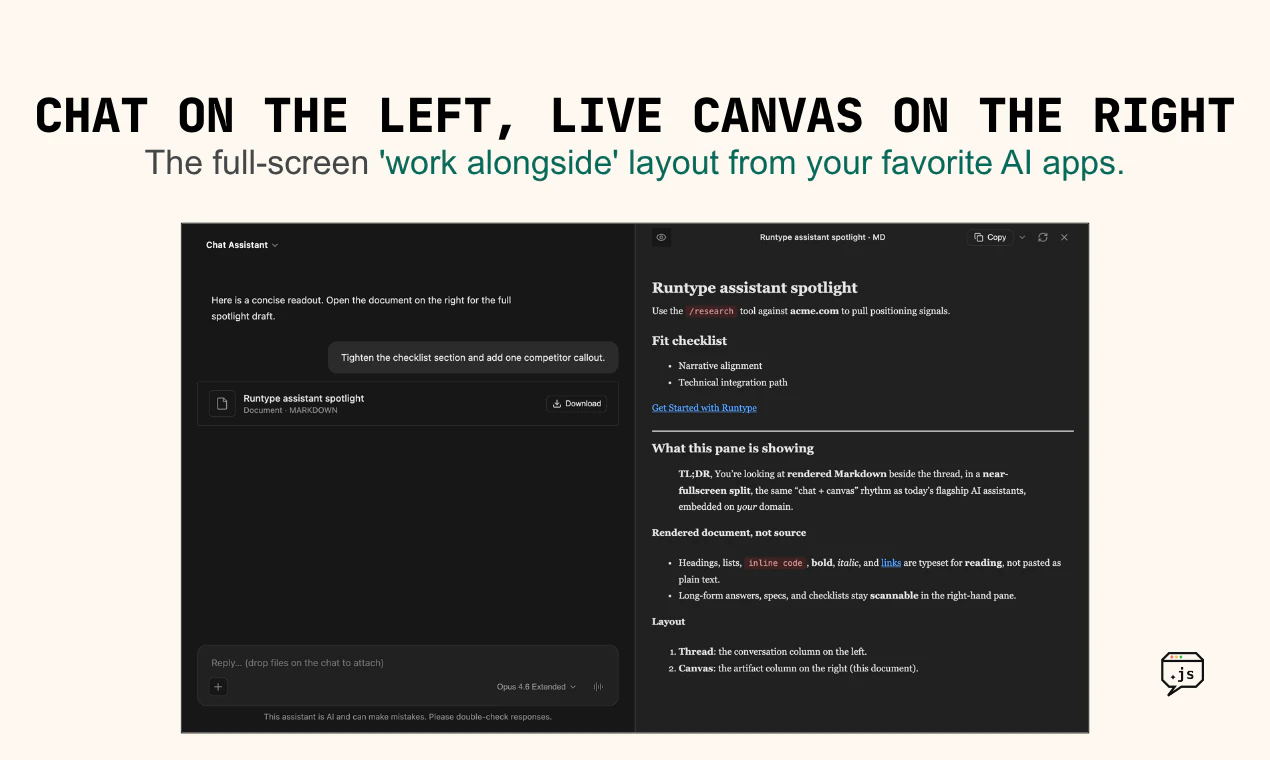
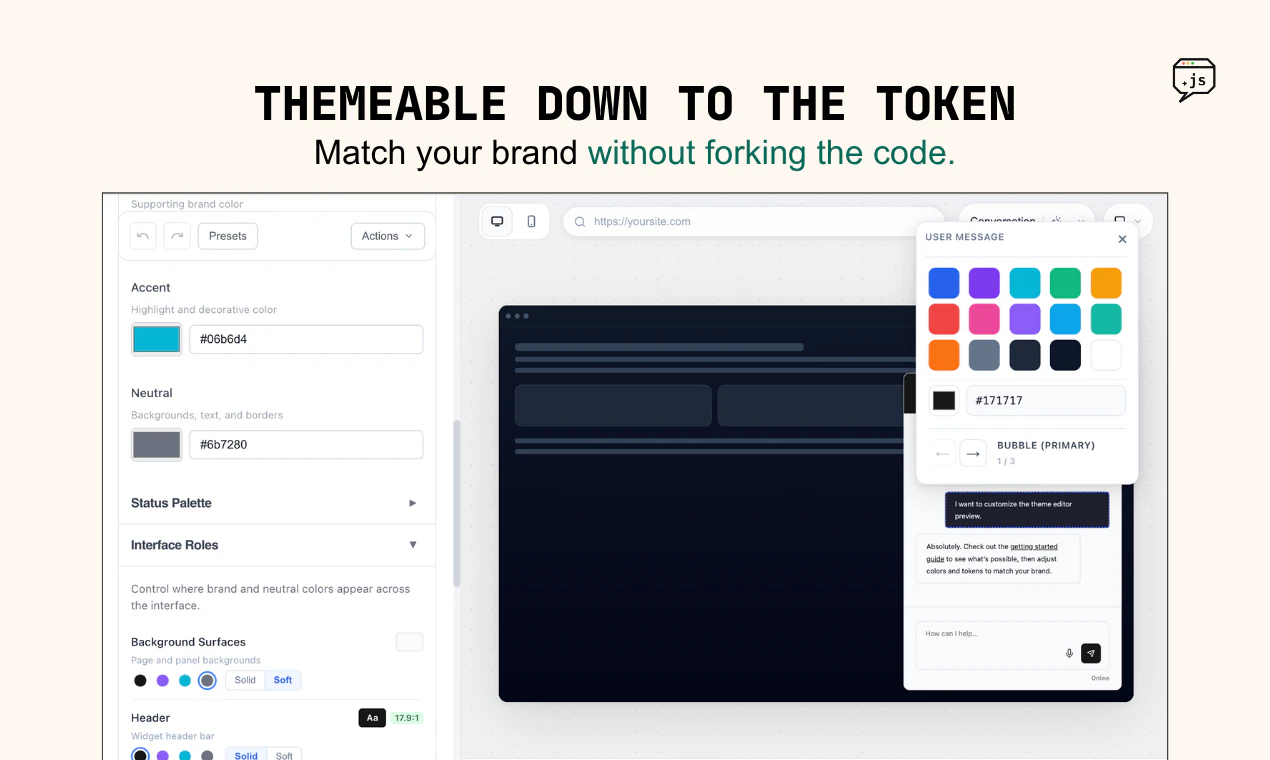
Most AI chat libraries assume you're starting from scratch on React. Persona is built for the rest of the internet: existing sites, mixed frontend stacks, proprietary CMSes, and teams that want a modern AI experience without rebuilding in React. Drop it in with no build step, theme the whole experience through config and the built-in editor, then ship it as a chat widget, a full-screen ChatGPT/Claude-style surface with artifacts, or something in between. 

It looks polished out of the box & you can make it pretty far down the path of customization with no code, but still gives developers hooks and plugins when they want to go deeper.

It’s built in Vanilla JS so it can work anywhere - WordPress, Shopify Liquid, Static HTML sites, and more.

The part we're most excited about: WebMCP 🧩

Persona is the first Agent UI framework to natively support WebMCP, which just shipped in Chrome and has polyfills available for all other browsers. With WebMCP, you can register agent-facing tools directly in your frontend, which allows Persona-based agents to directly use your frontend app with much more dexterity & token efficiency than other approaches (headless browsers, DIY frontend tools, etc).

If you already have a sophisticated web app, this can be a much faster path to enabling AI capabilities in your app vs building an entirely new backend. And since WebMCP tools can be hooked directly into frontend code, the experience feels much more like a “copilot” and less like a bolt-on, all the usual side-effects and UX are preserved while your app gets more capable.

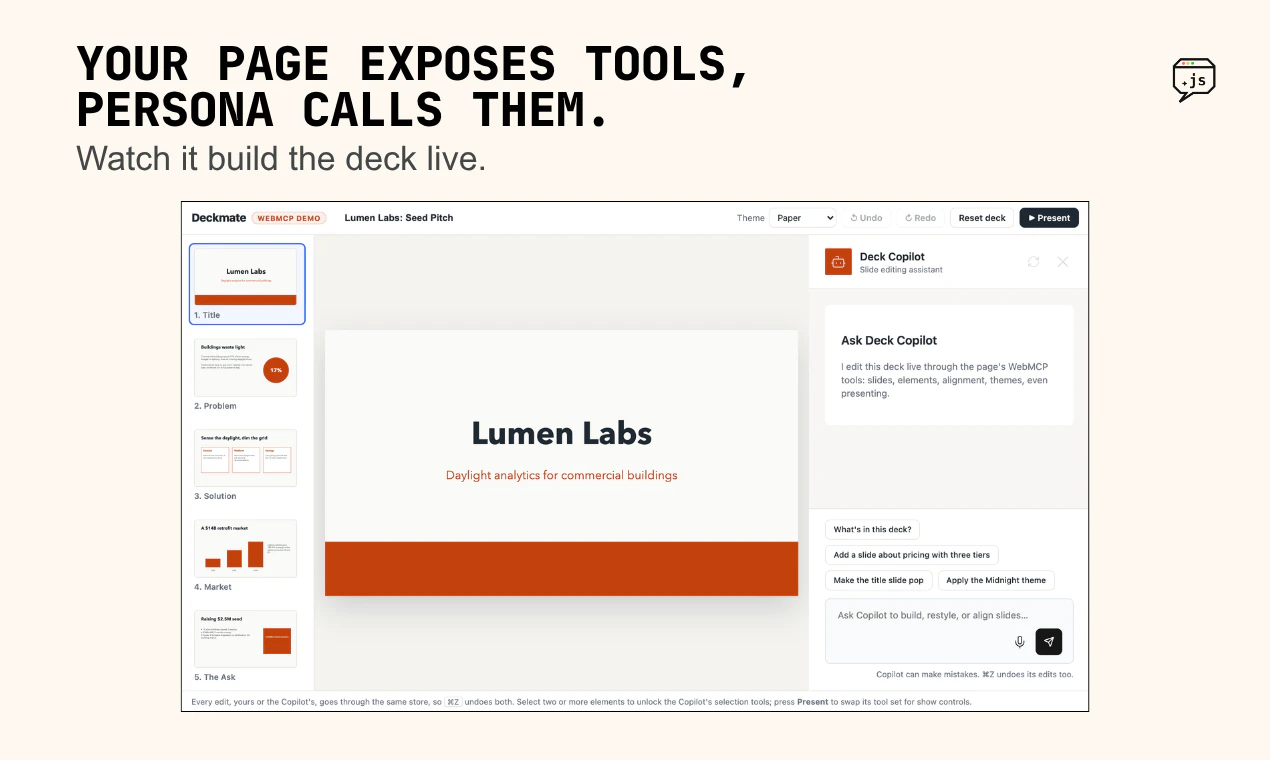
Some cool demos:

WebMCP is maturing to the point where it makes sense to start building against it, and Persona makes that easy with a built-in polyfill.

Open source, no lock-in

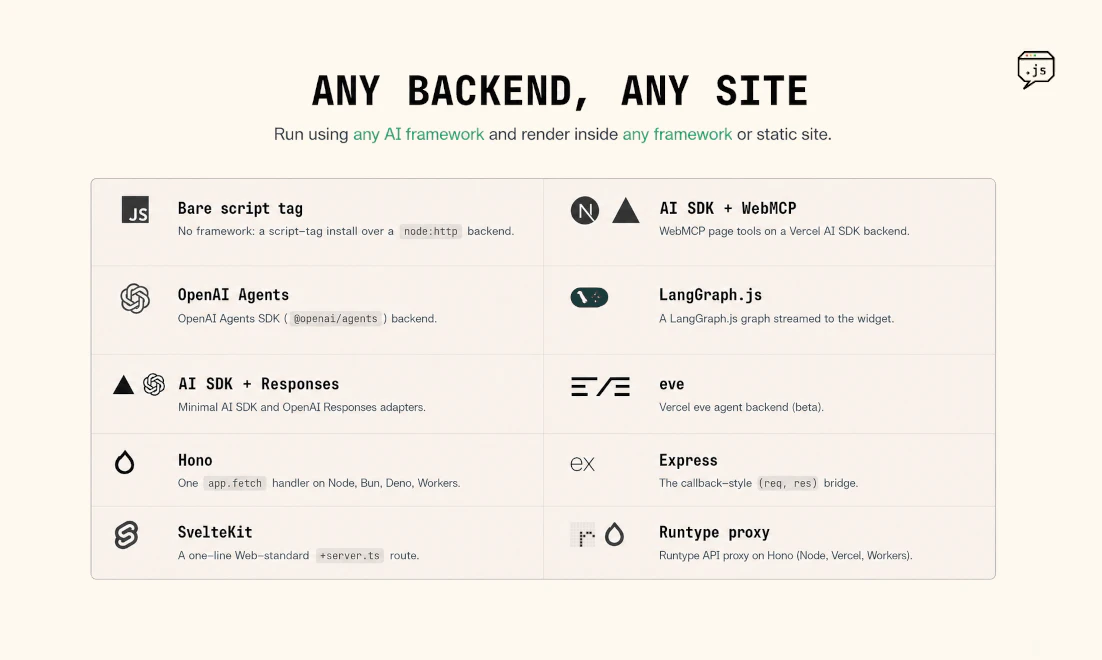
Persona is MIT-licensed and open source. It's made by an AI platform company, but it's deliberately not coupled to Runtype. You deploy it on any framework and wire it to any SSE-based AI endpoint with a little glue code. Examples for popular frameworks like Flue, Eve, OpenAI Agents SDK, and more are in the repo along with docs your existing coding tools can use to implement it quickly.

If you’re like to deploy a chat agent as quickly as possible, the CLI command:

npx @runtypelabs/cli@latest persona init

…will set you up with a WebMCP-capable chat agent on the Runtype platform in minutes.

Who it's for

Builders adding an AI experience to something that already exists, without a rewrite and who want to benefit from us obsessing over the details of frontier AI experiences so they can just deploy them.

Repo, docs, and examples: github.com/runtypelabs/persona

We'd love your feedback! If you've tried adding AI into an existing app, I'm curious what was hardest: picking the right framework, standing up a new backend, wiring up the tools, building out the right evals, or trusting what the AI actually does. Happy to go deep on WebMCP in the comments.

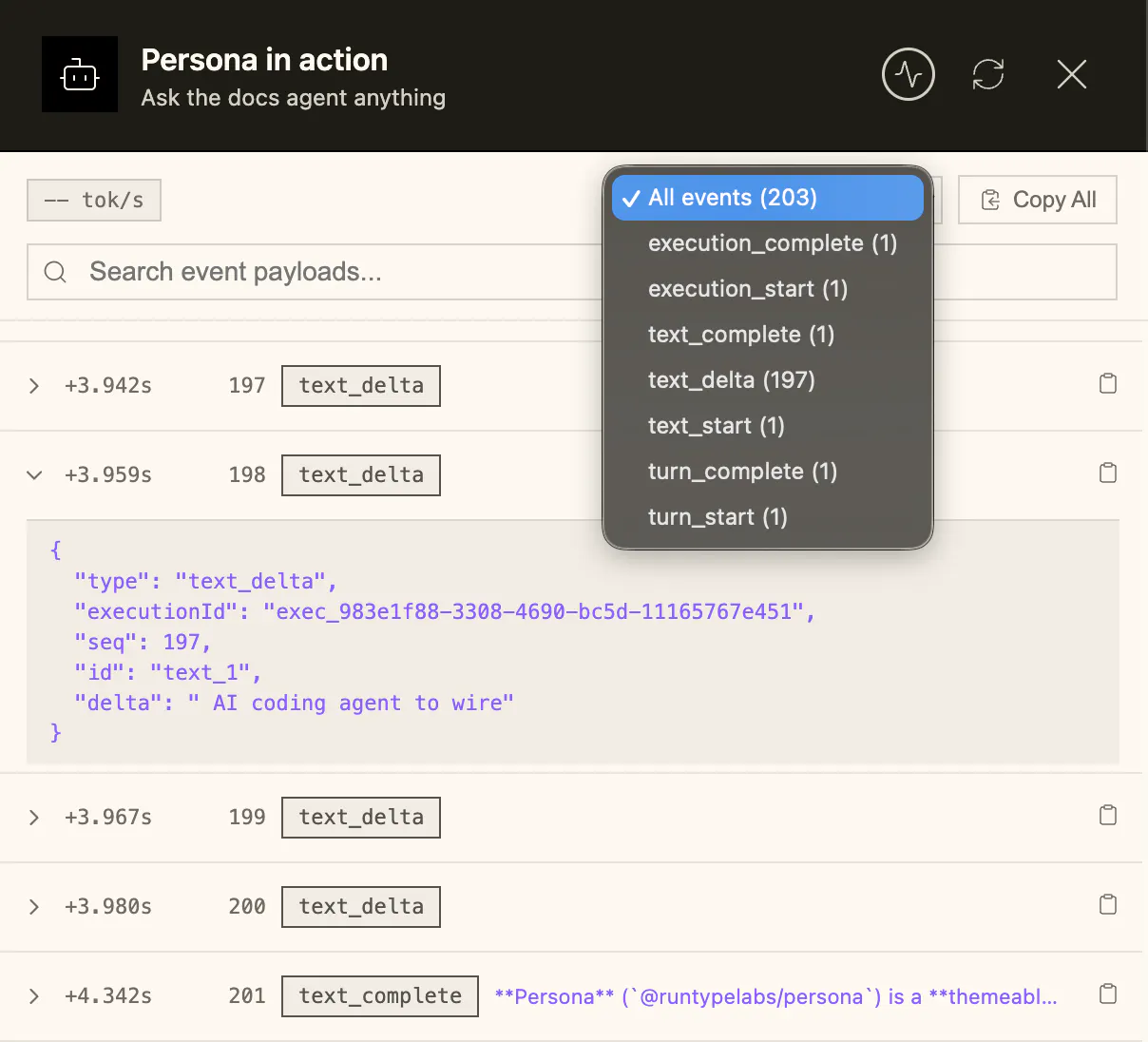
44
回复

@runtypelabs  @runtypical  how do you think about auditing WebMCP tool usage once a product is live? The integration story is strong, but approval traces and debugging seem like the part teams will care about most after the first demo.

0
回复

@runtypelabs  @runtypical  The WebMCP bet is the interesting part beyond the chat UI. Honest question: is WebMCP an actual emerging standard that browsers and agents will converge on, or your own convention for now? The payoff (any agent reading the page's exposed tools) only lands if it isn't Persona-only. If a future Claude or ChatGPT browser extension can read those same tool registrations, that's huge; if it's a closed loop it's a really nice chat widget. Where does it sit today?

3
回复

@runtypelabs  @runtypical If the underlying app or input shape changes, how does Persona.js fail before it quietly gives me a bad result?

0
回复

The WebMCP-native angle is the part I keep thinking about, since you said a tool registration can invoke basically any JS function on the page. That cuts both ways. Once the agent can drive real UI, what stops it from firing a destructive or paid action it misread the user's intent on? Is there a scoping or confirmation layer for high-stakes tools, or is safety entirely on the developer to only register the safe ones? Curious how you draw that boundary.

19
回复

@dipankar_sarkar yes! Similar to the protections that MCP tools typically have in chatbots and harnesses today, WebMCP tools can be tagged based on whether or not they are 'read-only' or mutative/potentially destructive, and Persona (in collaboration with the agent backend) can support HITL (Human-in-the-loop) approval flows for those actions.

This can be seen on demos like these:

https://www.persona-chat.dev/approval-demo.html (also has a great example of a Persona plugin)

https://www.persona-chat.dev/webmcp-demo.html ("Add to cart" requires approval)

On the general topic of WebMCP security, both Persona and Runtype have adapted Google's best practices around WebMCP security, which you can read here:

https://developer.chrome.com/docs/agents/security

https://developer.chrome.com/docs/ai/webmcp/secure-tools

12
回复

WebMCP support out of the box is a massive selling point, the biggest headache right now is avoiding massive token usage for simple frontend states. congrats for shipping @runtypical👏 qq. does the built-in polyfill handle older browser fallbacks gracefully, or is there a performance hit we should watch out for?

12
回复

@vikramp7470 great question - the polyfill is both lazy-loaded and defensive; it won't waste any resources at all if WebMCP is already discovered on the page, even if it's from another polyfill. In fact, the entire initial page weight of Persona is only about ~15kb, to minimize the performance hit when embedding.

8
回复

The WebMCP-native angle is the part that got me, registering frontend tools so the agent drives your real UI instead of a headless browser feels way cleaner. For an existing React/Next app, how granular can you get about which actions you expose as tools? Congrats on shipping.

11
回复

@i_sanjay_gautam Thanks! WebMCP tool registrations can theoretically invoke any javascript function living on a page, as well as be added as a decorator to existing HTML forms.

For frameworks like Next.js or React you can use plugins to easily hook into your existing actions and expose them as WebMCP, although I'd always encourage folks to intentionally design your tools around the needs of the agents - I personally love Arcade.dev's guide on MCP tool design, and I think the same principles apply to WebMCP!

9
回复

The framework-agnostic approach is what caught my attention - most chat UIs are React-first, which quietly locks your architecture. The WebMCP-native integration is the right bet as MCP becomes the standard interface layer for AI tools. Quick question: how does Persona handle auth context when the MCP server needs user-specific permissions? Does the host page manage that entirely, or is there a mechanism built into the library for passing tokens through?

7
回复

@galdayan Great question! There are essentially two paths, which you can blend together based on where the auth checks already are.

1) Handling auth context on the API side. Usually you are already streaming LLM / AI framework calls through the backend so the state of the user is already available. Persona has examples of using a proxy to do this in the repo as well.

2) Using WebMCP to respect the auth context automatically. Since the tools are being called on the frontend when you use WebMCP, you can pass the signed in user's identity as part of the existing function calls. If your app's frontend works with signed in context today, you might not need additional backend work.

6
回复

The WebMCP angle is what makes this feel more than another chat widget to me.

The safety/usability detail I’d want as a builder is a clear tool-call preview: what page tool the assistant is about to use, what state it will change, and what the user can undo.

For existing apps, the scary part isn’t adding chat; it’s letting an agent touch real UI flows without turning every action into a mystery. If Persona can make those side effects visible and reversible by default, it would lower the trust barrier a lot.

4
回复

@grace_lee26 Persona has a lot of knobs here - we support tool call approval by default (and map it to how the WebMCP tools are configured), and you can make the display of the tool call details more or less verbose based on your preference as a builder.

There's a demo here that shows more about how this works:

https://www.persona-chat.dev/approval-demo.html

There's also a fun example of a Persona plugin on this page!

2
回复

That split is fair, and the server framework is genuinely where I'd want the real teeth. The part I keep snagging on is that the dangerous chain spans both halves. The client sees a getter fire, the server sees a mutation fire, but the step where one fed the other lives in the gap between them. We hit exactly this building agent tool-loops: every call looked safe on its own, the damage was in the ordering. Do you end up passing any call provenance across the seam, so the server side can see what the client already ran?

2
回复

@dipankar_sarkar yes, in this model all the tool calls are ultimately emitted by the server and executed on the client, so there is nothing the server is not aware of; it is the initiator.

Naturally the browser is an insecure environment and the output itself needs to not be fully trusted, which is where server-side frameworks like Runtype implement (or should implement) appropriate guardrails and similarly site owners should follow best practices. The Chrome team has been appropriately conservative in their initial release and I would expect to see browsers adopt incremental improvements to CSP for example to limit the ability for arbitrary 3rd-party scripts to inject malicious tools.

1
回复

@dipankar_sarkar to back up what @runtypical is saying on the server side, in practice we've done a few things there alongside the client tool calling in Persona to make it easier to execute safely.

1) Define tool params as 'protected' which will be filled in outside of the LLM. The model doesn't see the param ever, as we inject them server side before the tool call event is streamed back.

2) Run tool calls through an explicit "local" tool call path, which escape hatches out of the main loop like a approval step, but for tool calls you want to process specifically through another server / harness / etc. WebMCP support in Persona uses a form of this, made more generic on the client side so any platform can implement it too.

We optionally store the full input and output for every call when Runtype is involved, which can be included on the streamed events as well so your server proxying the request can use all of that data to decide on the fly. We provide a server side SDK to hook into what is streamed for those advanced cases.

0
回复

That read-only vs mutative tagging plus HITL is exactly the right shape, thanks for the concrete demo. The bit I am chewing on is where the tag comes from. If the developer declares it, safety still rests on them classifying correctly, and a tool that looks read-only (a getter) can feed its result straight into a mutative call. Does the HITL gate reason about a chain that ends in a mutation, or approve per individual call? That chaining case is where I would expect intent to slip.

2
回复

@dipankar_sarkar thank you for the nuanced question! The HITL gate is per-call from Persona's perspective, but keep in mind that Persona is only the client-side of the equation when making a chat agent w/ WebMCP capabilities - and indeed the second half of the equation is the server-side agent framework, which is where most of the defense-in-depth should be from a security perspective. When connected to Runtype, you can apply further policies on top of the registered WebMCP tools.

Ultimately site owners & platforms do have a responsibility to design tools well (or use trusted frameworks/extensions to expose tools), just as they've had responsibilities for all other matters of site security around XSRF and so forth.

I would argue that feeding the result of a read-only tool into a mutation is, most of the time, a feature! An agent that can read state and use it to inform the next call is what makes copilot experiences feel very intelligent, so they shouldn't be rejected out of hand, just designed defensively.

2
回复

The boundary I’d want to inspect in every WebMCP app is the receipt after a mutative step, not just the approval before it.

Tool name, page/app context, inputs used, approval, result, and whether it can be undone. That’s what makes the action feel debuggable instead of magical.

1
回复

@blah_mad sounds like you've built something real before :)

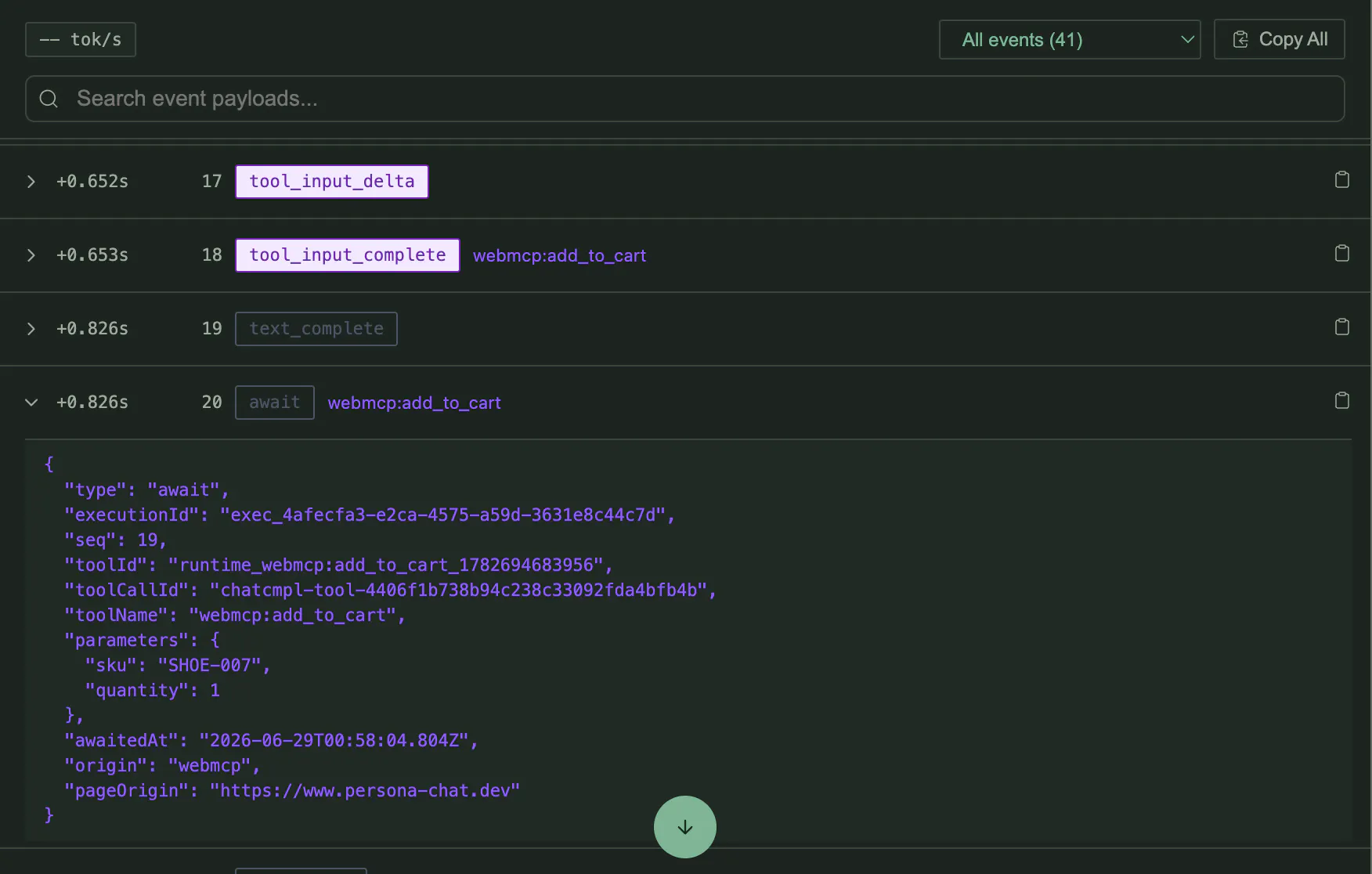
So while Persona does have built-in event debugging in the UI you can optionally turn on (screenshots attached), there is also a deeper set of JS events you can listen to for messages, results, approvals etc in a lot more detail: https://github.com/runtypelabs/persona/blob/main/packages/widget/docs/PROGRAMMATIC-CONTROL.md?plain=1#L562

The messages in particular seem to be right up your alley for the deep debugging use case:

type AgentWidgetMessage = {
  id: string;                    // Unique message identifier
  role: "user" | "assistant" | "system";
  content: string;               // Message text content
  createdAt: string;             // ISO timestamp
  streaming?: boolean;           // Whether message is still streaming
  variant?: "assistant" | "reasoning" | "tool";
  sequence?: number;             // Message ordering
  reasoning?: AgentWidgetReasoning;
  toolCall?: AgentWidgetToolCall;
  tools?: AgentWidgetToolCall[];
  viaVoice?: boolean;            // Indicates if user message was sent via voice input
};

You'd get that info by hooking into Persona init and watching for the assistant messages:

window.addEventListener('persona:chat-ready', (e) => {
  const handle = e.detail;
  handle.on('assistant:message', (msg) => console.log(msg));
  handle.open();
});

// or

const chat = initAgentWidget({
  target: 'body',
  config: { apiUrl: '/api/chat/dispatch' }
});

chat.on('assistant:message', (message) => {
  console.log('Assistant message sent:', message.content);
  if (message.viaVoice) {
    console.log('Message was sent via voice recognition');
  }
});


1
回复

I had been toying around with the idea of writing an internal tool for our implementation team to quickly spin up, configure and iterate on accounts with a promptable interface. Our platform is highly customizable and composable so this is typically a pretty heavy lift to even get to a demoable state for a customer, much less to a go-live state. Persona arrived at the perfect time and I was able to get it working within a day, and I expect it to start accelerating our implementation work immediately. WebMCP makes this extremely powerful. Haven't had to lean on the polyfill as we use Chrome, so I can't speak to that part, but I imagine there are plenty of people and companies out there with use cases similar to ours that this would work perfectly for even without that.

1
回复

@erik_christensen really appreciate your real-world validation, it was great to see how cleanly Persona's capabilities mapped to the needs of your team. I think you'll be a great real-world success story very soon as you get to production with it - can't wait to see what you build.

0
回复

@erik_christensen exactly. I love the emergent benefit you get from thinking about the frontend as a source of tools. Many times the logic you already built there is 1:1 with what you’d want an agent to perform.

0
回复
Persona looks polished yet flexible, especially with the no‑code theming and deeper dev hooks. Curious, when you tested it on sites like WordPress or Shopify, what was the biggest challenge in making the experience seamless?
1
回复

@odeth_negapatan1 thanks! And yeah, we have tested on WordPress and Shopify. Persona drops in great there because you can use the script tag (CDN) deployment which doesn’t need a build step. All the init and theme configuration can be set in script tag data params.

We spent a lot of time determining the right loading methods for each type of site. Getting the different methods working in the same library while keeping the bundle size tiny, without regressions in functionality, was not easy.

0
回复

WebMCP-native is the part that grabs me. Most "AI chat widgets" just bolt a chatbox onto a page, but having the chat actually talk to your frontend through MCP feels like a much cleaner way to let the AI do real things instead of just answering FAQs.

1
回复

@yibo_wang3 we agree! A lot of our motivation for Persona was from having used one too many AI assistants who had no idea who I was, asked for me email when I was already logged in, asked me for a piece of information that was already on my page in front of me, etc.

WebMCP integration is the most elegant solution to that problem we've come across, and alignment with the standard has yielded benefits. We're stoked that investment in WebMCP means site owners can add great assistant tech to their site today while also future-proofing for more sophisticated browsing agents of tomorrow.

1
回复
#4
Dotient
Your local semantic search app
231
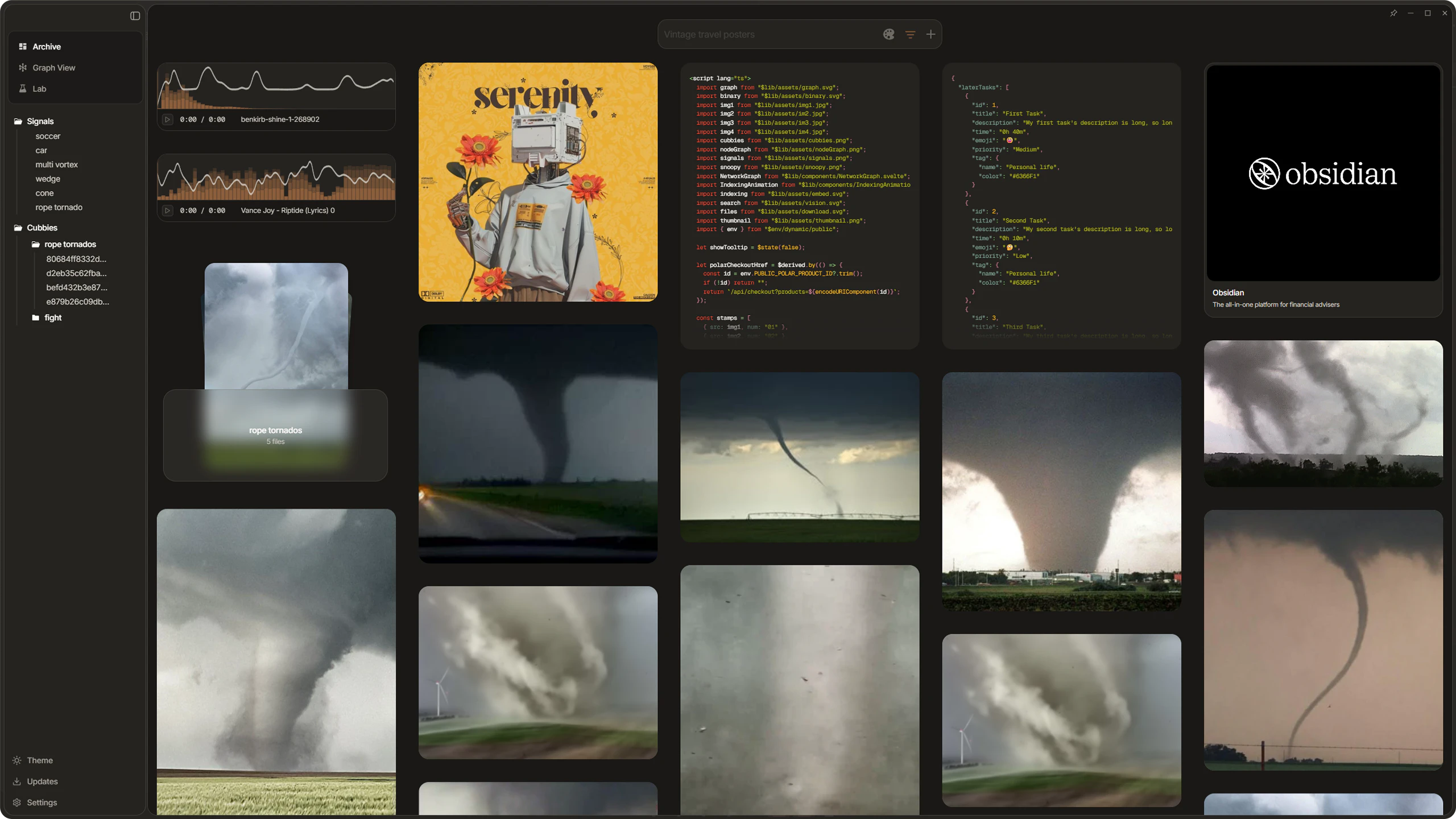
一句话介绍:Dotient 是一款本地优先的桌面文件语义搜索工具,通过ML视觉搜索让用户凭“文件长什么样”而非“文件名”来查找内容,解决在混乱的个人文件中“记得有但找不到”的痛点,全程离线、隐私不上云。
Productivity Privacy Search
本地优先 语义搜索 视觉搜索 文件管理 离线工具 隐私保护 桌面应用 ML嵌入 文件索引 个人知识管理
用户评论摘要:用户核心反馈:自动索引功能缺失,手动拖拽后搜索无响应(Mac版存在UI Bug);“信号系统”需为每人手动标定图片,操作门槛高;单次搜索依赖精准查询词,模糊查询效果弱;建议增加文件监控增量更新和OCR功能;技术用户提出模型升级后向量兼容性与惰性迁移方案的需求。
AI 锐评

Dotient 切中了一个真实但小众的痛点:当传统文件管理器靠文件名和修改日期检索失灵时,视觉语义搜索提供了另一种路径。它的真正价值不在于“搜索”,而在于“重建个人文件的关系网络”——通过本地嵌入和信号系统,用户不仅找回文件,更能持续“训练”自己的文件。

但这款产品目前更像一个精致的玩具,而非生产力工具。评论区的Bug反馈(Mac无响应、索引空白)暴露了它在工程稳定性上的短板,这在本地应用中是致命伤:用户愿意为隐私牺牲便利,但不会为Bug牺牲可靠性。更关键的是,它的核心交互——“信号系统”需要用户手动标记正负样本,这相当于把机器学习的数据标注工作推给了终端用户。对非技术用户而言,学习成本远高于“改个文件名”。即便功能强大,90%的人会在第一步放弃。

长远看,如果Dotient不能在自动索引和文件监控上做到“开箱即用”,它永远无法替代Windows资源管理器或Finder——毕竟用户对后者再不情愿,也能秒开一个文件。模型升级的兼容性与惰性迁移逻辑虽然被技术用户提出,但当前版本1的体量还远未到需要担忧那一刻的时候。更现实的问题是:如何让一个普通人愿意在本地跑一个用来搜文件的AI模型,而不是直接打开Spotlight或Everything。

Dotient 目前的价值主要在极客和隐私敏感型用户圈层,作为“替代方案”而非“主流方案”。如果想破圈,它需要更隐蔽的运行方式、更聪明自动化索引,以及彻底隐藏“信号系统”的复杂度。否则,它将一直停留在“看得见但不会用”的尴尬位置。

查看原始信息
Dotient
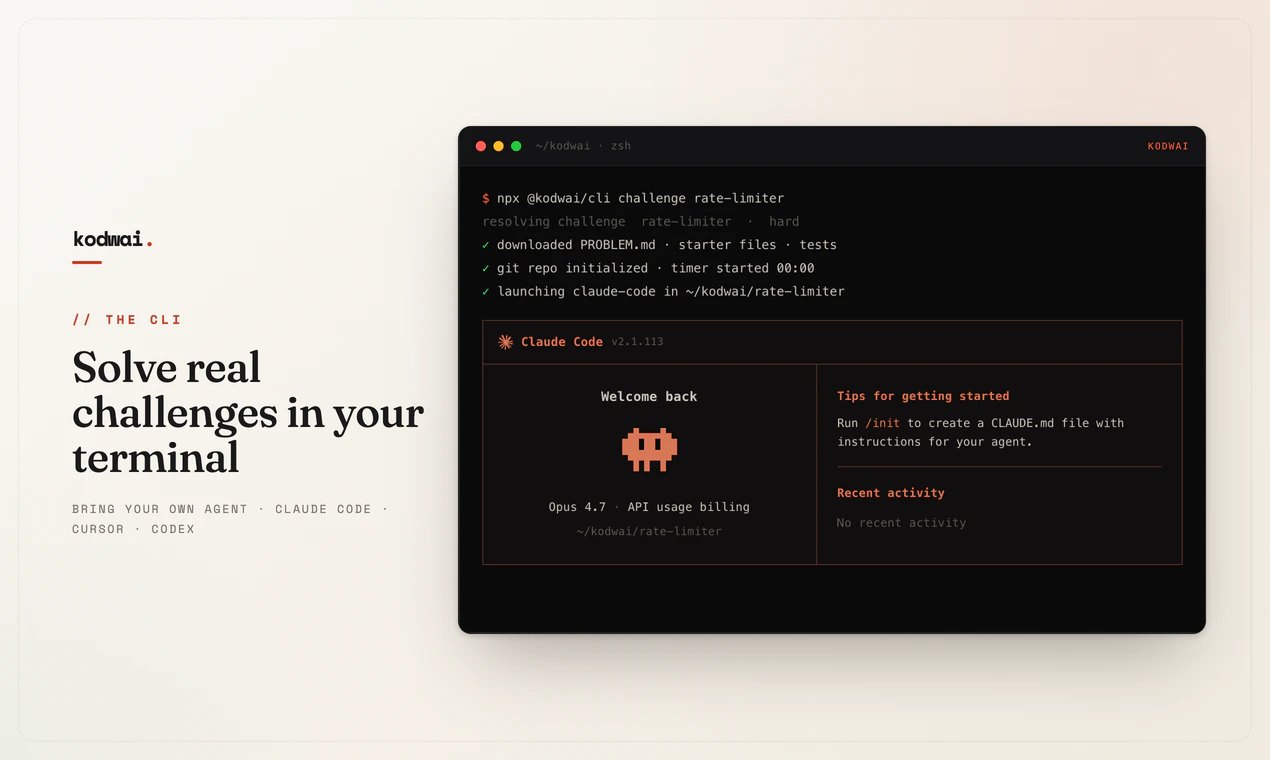
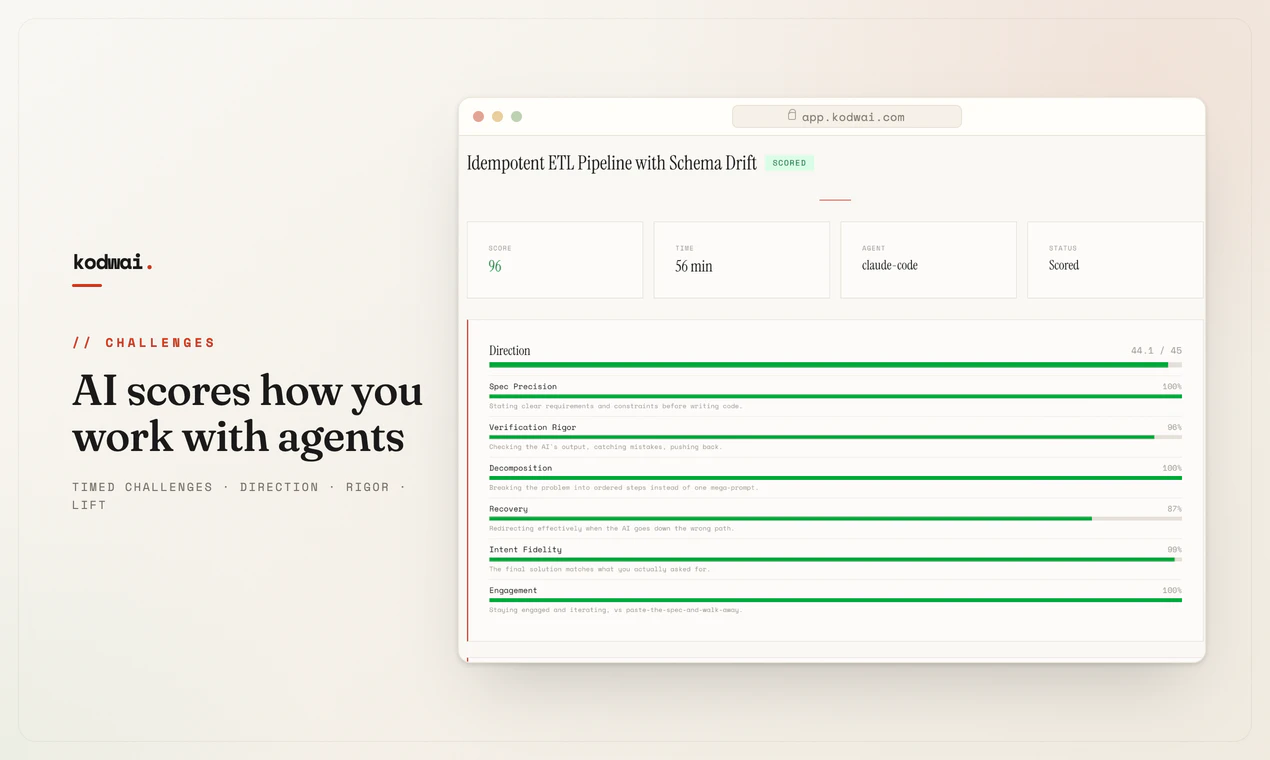
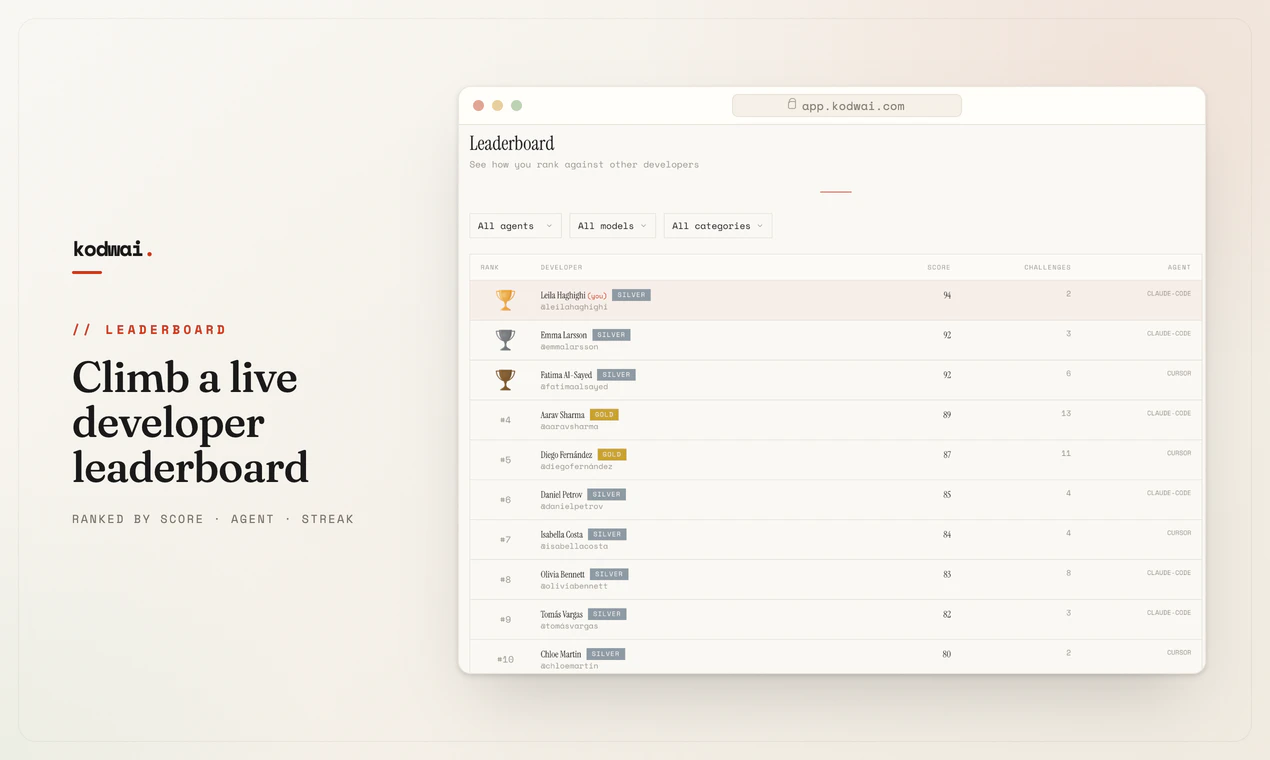
Dotient is a local-first desktop application that helps you organize and search through your personal files using ML-powered visual search. Your files stay private, work offline.
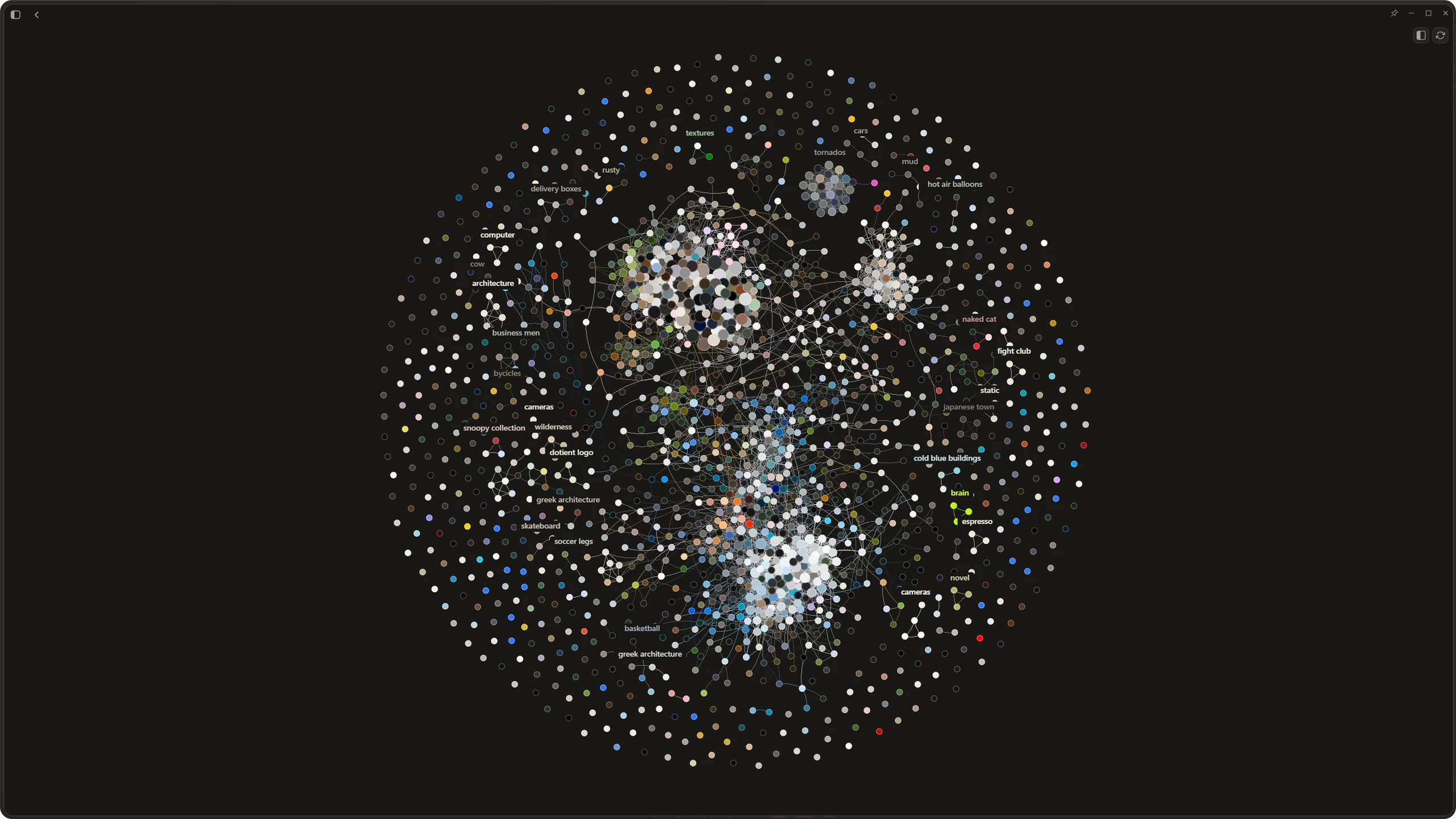
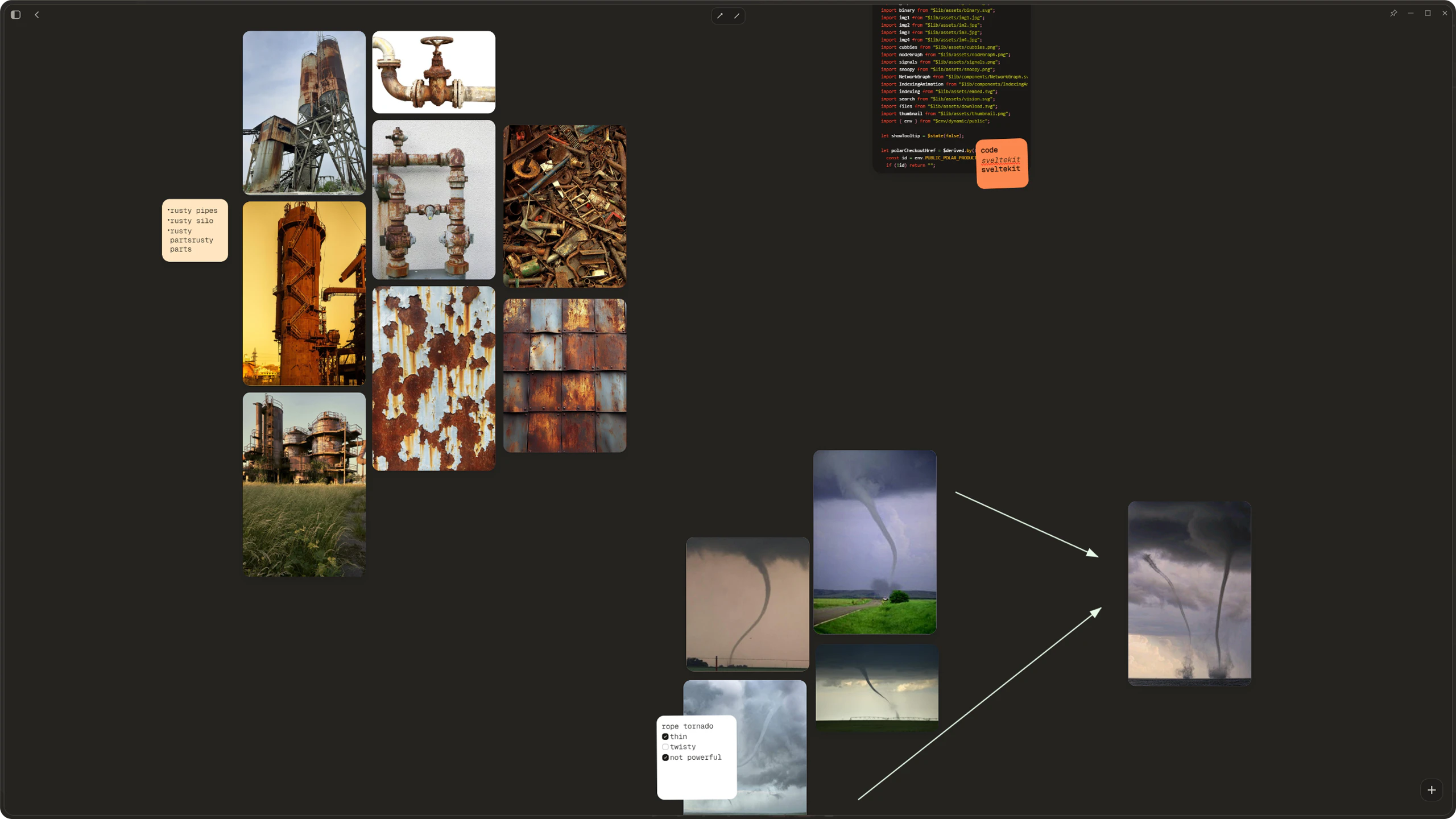
I built this because I was genuinely sick of Windows File Explorer. Finding a file you half-remember is a nightmare, and don't even get me started on hunting through PDFs. Dotient lets you find files based on what they look like, not what you happened to name them two years ago, runs completely offline, and gives you a real bird's eye view of everything on your machine. Hope you find it as useful as I do.
7
回复

@localdeclan “Hi Declan,

I came across Dotient on Product Hunt — really interesting positioning. I create Turkish-language AI content on Instagram (@yucel.kelci ) (458K followers, 21M - 50M monthly views). Turkey is one of the fastest-growing AI adoption markets right now and there’s almost no quality Turkish content covering tools like yours. Would you be open to a sponsored content partnership? Happy to share my media kit.”

Happy to share my media kit — or you can view it here: https://drive.google.com/file/d/1J72dHqC6BXdEfKHs320vBtKz2XoJ0KI-/view?usp=sharing

0
回复

@localdeclan This is a powerful tool

0
回复

@localdeclan  The offline part is what sold me — most search tools quietly send your files to the cloud. Really smart to keep everything local. Does it work well with large file collections, say 100k+ files?

0
回复

local + semantic search is a nice combo, feels like most semantic search tools assume you're fine sending everything to the cloud. how's the search quality holding up running fully local vs what you'd get from a cloud-based embedding model.

2
回复

@martin_mo Search quality is good when you are specific with your queries. One word queries usually aren't too strong but that's what my Signal system is for. Users can shift the embedding space to fit their queries, almost like a super advanced tagging system. The difference really isn't that far if you properly know how to use the software, and in some cases, the local model excels. Especially with super specific queries such as "Bird with yellow beak outside on bird feeder."

0
回复

As someone who's spent way too much time searching for "that one PDF with the blue chart" or "that screenshot I know I took last month," this feels incredibly relatable.

Love the local-first approach as well, privacy shouldn't have to be a trade-off for smarter search.

Definitely giving Dotient a spin. Congrats on the launch, and excited to see where you take it next! 👏

1
回复

@jayant_siktia Thank you very much!

0
回复
Sounds great for local files! Any way to integrate with cloud search as well for a unified experience?
0
回复

@tkeith In the future there will be ways to sync devices over a wifi connection, but nothing over some external server. That would go completely against Dotient's morals.

0
回复

Good concept. I just bought and tried the app on my Mac.

At first run, I was expecting an auto indexing of my Images/Documents/Download folders but nothing happened. So I drag and dropped the whole content of my downloads folders to the "drop or paste a file" place. Eventually I saw "100%" on the top left corner. Then, nothing?

All researches lead to "no images match your query".
Am I doing something wrong?

0
回复

@tacitefood Yeah the indexing is manual but it is definitely a high priority now to add some sort of auto indexing after your concern. Regarding the issue with dropping content into the app and nothing happening, theres been a lot of reactivity issues with macos, so maybe do a cmd shift r to refresh the app, switch between pages to see if anything loads in. If nothing happens, try a small batch, maybe 50 files. The processing indicator in the top left is a bit buggy so I definitely have to fix that. Keep in touch with me, I will definitely work to resolve these issues!

0
回复

I love your website! Is the expected usage to train a signal before every unique search? If i had a bunch of group photos and I'm looking to search by name, I'd have to create a signal for each person by clicking a bunch of pictures they're in and not in?

0
回复

@noice30sugar Correct, if you were to label a specific person with a name then it would probably be best to select a few images they are in, maybe lower the threshold a bit just to see all the options. Then if there are certain images that just won't go away and have nothing to do with the person, create a negative signal to eliminate those images. Once the signal is just right, you really shouldn't have to do any more adjusting. Any new image you import of that person, the signal will include it.

0
回复

Hey, how are we handling privacy in this? Like, what data actually leaves my device or workspace when I run Dotient on something sensitive?

0
回复

@romejerome Great Question Jerome! The answer is absolutely nothing. Nothing leaves your device. Everything is stored in the SQLite DB that is on your device. There is no server besides the small API that simply checks if your license key is valid or not, that is the only time something ever communicates outside of your device.

0
回复

Pinning one well-tuned model is a totally fair call for v1. The one cheap thing I'd still bake in now: stamp every vector row in SQLite with a model id or hash. It costs almost nothing today, and it's what lets you re-embed lazily if you ever do swap models, where a file gets re-embedded the first time it's queried after the upgrade so the cost spreads across normal use instead of one multi-hour background rescan. Retrofitting that stamp after the fact is the part that hurts.

0
回复
0
回复

Local embeddings are the right call, but the part that bit me building this kind of thing is model versioning. The day you ship a better embedding model, every vector on disk is from the old one, so you either re-embed the whole drive, which is hours of background CPU, or run mixed old and new vectors where the query model and stored model disagree and recall quietly drops. How are you handling an embedding-model upgrade across an already-indexed machine, re-embed in place or version the index and migrate lazily?

0
回复

@dipankar_sarkar This does keep me up at night. Models are only getting better, and yes between different model versions or entirely different model makers, the dimensions that each embedding has to be is almost never consistent. So I'm not too concerned with upgrading the model at the moment since I have spent so long optimizing this one to it's absolute core. However, if it were to happen I would do some sort of lazy migration. Keep old index queryable, slowly re-embed all the files with the new model, run a dual-query between both models and merge the results layer until the old index fully drains. Thanks for the comment!

0
回复

Local-first semantic search is the right call, the data leaving your machine is what kills these for real work. The thing I'd want as a user though: how do I trust it found everything? Keyword search fails loudly (zero results), but semantic search fails quietly, it returns something plausible and you never know what it missed. Do you surface a confidence or a "why this matched" so I can tell a real hit from a near-miss? That's what decides whether I rely on it or still fall back to ctrl-F.

0
回复

@david_marko You are indeed right to question that. Dotient runs a hybrid search system, BM25 + semantic in parallel, so anything keyword-findable won't silently fail. But you're right that the deeper "why this matched" question isn't fully solved yet. That's why we introduced this 'Signals System' within the lab page of the app. You can basically shift the entire embedding to what you believe is correct. Relevance is at least grounded in something you define. Proper confidence surfacing and match explanations are definitely on the roadmap, partly due to your concern. Appreciate this comment!

0
回复

How did this wonderful idea come about?

Did it stem from someone's problem?

0
回复

Local-first + offline visual search is the part I actually care about - most semantic file search tools quietly ship your content to an API, so doing the embeddings on-device is the real differentiator here. Two implementation things: is the index updated incrementally via a file watcher as files change, or is it a manual re-scan, and where does the embedding DB actually live on disk? And for the deep PDF search, are you running OCR on scanned/image-only PDFs, or only indexing PDFs that already have a text layer?

0
回复

@hi_i_am_mimo Hey Valeria, thank's for the comment! To answer a few of your questions, there is a file watcher put in place for a certain set of basic directories like Downloads, Documents, Pictures and all folders within those directories. However if it is in other hard to find places, the file will be moved to a missing column in the SQLite DB. Users can easily just click on the file (which still does show the image, just a missing path), and update the path of where the file was moved to if it is one of these rare cases. The SQLite DB which holds almost all your data lives in 'C:\Users\[username]\AppData\Roaming\com.dotient.app' and whatever the macOS equivalent of that path is. The webp thumbnails and embedding models also live in that path. Regarding PDF search, we are indexing the text layer and also scanning for images. There is no OCR indexing at the moment, but that may be planned for the future. Obviously you could just highlight a region of the PDF that has text with the rectangle selection tool and probably get a similar search result if you tried searching for that text. The model does understand text to some extent so you are able to search for big words that are in images. Hope this was helpful!

1
回复
#5
Lyto
"One AI agent across your browser, tools, and messages "
165
一句话介绍:Lyto是一款集成在浏览器中的AI代理插件,通过跨标签页、工具和消息平台(如WhatsApp/Telegram)的上下文记忆与自主操作,解决用户在多任务切换时反复向AI重新解释上下文、无法连贯执行工作流的痛点。
Chrome Extensions Task Management Artificial Intelligence
AI代理 浏览器扩展 工作流自动化 生产力工具 上下文记忆 Chrome插件 Google办公套件集成 远程控制 智能填表 多平台协同
用户评论摘要:用户高度关注:1)数据隐私与记忆存储位置(本地vs云端);2)对有风险操作(如发送邮件、编辑文档)的确认机制;3)跨域iframe和shadow DOM的兼容性;4)上下文持久性是否跨会话;5)与Claude插件等竞品的差异化。团队回复强调本地存储、操作前预览确认、元素手动选择模式。
AI 锐评

Lyto切中了一个真实且高频的痛点:AI工具的“碎片化使用”。当用户从ChatGPT切到Gmail,再切回浏览器时,上下文归零——这种“脑力税”早已被标准化办公软件忽视。Lyto的价值不在于技术突破,而在于产品逻辑的颠覆:把“用户去找AI”变成“AI跟在用户身后”。

从技术架构看,它选择了一条“笨但稳”的路:DOM自动化部分依赖服务器推理(页面内容外传),行动层则锁定本地存储和操作前确认。这种分权设计虽牺牲了部分实时性,但在安全和可控性上避免了灾难性失误。它聪明地避开了写操作“无敲定动作”的陷阱(如Sheets的blur提交),这正是大多数浏览器代理产品翻车的地方。

但Lyto的野心也隐藏着风险。一旦跨工具操作流程变长,模型对意图的理解可能失准(如用户对评论中“无痕微调”的担忧);同时在复杂页面(shadow DOM、复杂JS SPA)上的“手动选择元素”模式本质上是对能力上限的妥协。此外,作为Chrome扩展,它的生命线完全绑在浏览器引擎和G Suite接口更新上——这条赛道上不缺大厂(如Microsoft Copilot),产品护城河只能靠精细化的工作流模板和用户习惯锁定来构建。

最亮眼的是WhatsApp/Telegram遥控方案,它把AI代理从桌面端解放出来,场景上直接切入移动办公的真空地带。这不仅是功能,更是差异化壁垒。但长远来看,Lyto需要回答一个核心问题:是做一个更聪明的“浏览器宏脚本”,还是真正理解意图的“数字副驾驶”?目前它属于前者,而市场对后者的耐心可能不会太久。

查看原始信息
Lyto
Lyto AI is a Chrome extension that gives you full control over your browser. Open and close tabs, scroll, click, fill forms, and interact with every DOM element. Integrates with Google Docs, Gmail, and Google Sheets. Research, automate tasks, and organize your workflow — all inside Chrome.
Hey Product Hunt 👋 We’re the team behind Lyto. This started from a problem that drove us crazy. Every time you work, you’re jumping between ChatGPT, your tabs, your docs, your email, and the second you switch, your AI forgets everything you were doing. You’re constantly re-explaining context just to get one thing done. So we built Lyto. It’s an AI agent that lives in your browser, remembers your entire workflow, and actually does the work instead of just talking about it. It reads your pages, fills your forms, builds your spreadsheets and reports, and connects to the tools you already use like Gmail, Slack, Sheets, and GitHub. The feature people seem to love most: you can text Lyto from WhatsApp or Telegram, ask it to build a report with graphs, and it sends the finished file straight to any contact. No laptop needed. It started as a browser extension and honestly looked nothing like it does now. We pivoted hard based on what real users and teams actually needed, and somewhere along the way real companies started using it to run their workflows. We’d genuinely love your honest feedback. The good, the broken, all of it. That’s the only thing that makes this better. Try it and tell us what you think 🙏
7
回复
@arystan_tanekov Too good software.
0
回复

@arystan_tanekov

Hi Arystan,

I came across Lyto on Product Hunt — really interesting positioning. I create Turkish-language AI content on Instagram (@yucel.kelci ) (458K followers, 20M - 50M monthly views). Turkey is one of the fastest-growing AI adoption markets right now and there’s almost no quality Turkish content covering tools like yours. Would you be open to a sponsored content partnership? Happy to share my media kit.

0
回复
@arystan_tanekov Any day this launch would still stand out. 👌🏼
0
回复

That’s a fantastic idea!

Did the inspiration come from a tedious task you personally had to deal with?

Or was it based on requests from users?

1
回复

@nanimono_masa Both honestly! I kept losing context every time I switched between tabs and had to re-explain everything to ChatGPT from scratch. That was the personal frustration. Then when we talked to other people we realised it was not just me, it was everyone bouncing between tools all day. That combo is what pushed us to build it.

1
回复

how is it different from Claude in Chrome plugin?

0
回复

The context-loss problem between tools is the thing that broke me too. I'd start something in Claude, jump to my own product to test it, then back to Claude and it had no memory of why we started. Ended up writing my own context notes by hand like an old engineer keeping a logbook.

The WhatsApp/Telegram angle is smart. Most "AI assistants" still assume you're sitting at a desktop. Curious where it breaks down is the bottleneck the model losing track on longer threads, or is it the user not knowing what to ask for once the agent has full context?

0
回复
The WhatsApp and Telegram integration is a clever touch!! How do you decide what information is worth remembering versus what should be forgotten? That balance seems like one of the hardest problems for long-running AI agent in my humble opinion.. ☺️
0
回复

The context-loss problem you describe in the intro is the exact thing I keep hitting building voice AI agents. The moment you move across surfaces, the assistant forgets what it was mid-way through. Curious how Lyto holds that state when it acts inside Gmail or Sheets versus a normal tab. And for the harder-to-undo actions like sending an email or editing a doc, does it confirm with the user first or act and let you roll back?

0
回复

one agent across browser, tools, and messages is ambitious, that's a lot of surface area to keep consistent. what's been the trickiest part so far, getting it to actually act vs just summarizing/suggesting stuff.

0
回复

@martin_mo Honestly the hardest part is exactly what you said, getting it to actually act rather than just suggest. Anyone can build something that tells you what to do. The gap is closing the loop so it does it. That's where most of our engineering time has gone and still goes.

0
回复

Hey, how does Lyto handle the case where the source data or target workflow is inconsistent instead of clean?

0
回复

@romejerome Great question. When the data or workflow is messy, Lyto flags the inconsistency and asks for clarification before proceeding rather than guessing and getting it wrong. The goal is to never silently do the wrong thing. Happy to go deeper on a specific case if you have one in mind!

0
回复

Good to hear the gate is on mutative actions. The case that bit me building browser automation: a Gmail send is easy to intercept because there is a discrete click to gate, but Sheets and Docs commit on blur, there is no submit event. So a cell edit is already live by the time you would show a preview. Do you stage those edits before writing back, or is the confirm only on actions with an explicit send button?

0
回复

One agent that follows me across the browser, my tools, and my messages is a smart angle, most assistants make me come to them in one tab.

0
回复

@yibo_wang3 Exactly, most AI makes you go to it. Lyto comes with you. That shift is the whole thing.

0
回复

The browser-as-agent-surface bet is the right one. I have spent a lot of time driving real pages with DOM clicks, so the part I keep landing on is the write side. Reading tabs is low stakes, but once it fills and submits forms in Gmail or Sheets, one misread intent sends the email or overwrites a cell. Is there a confirmation gate on mutative actions, or a preview before it commits? That boundary is what decides whether I would let it touch my inbox.

0
回复

@dipankar_sarkar This is exactly the right question and honestly the boundary we think about the most. Yes, mutative actions like sending an email or editing a sheet go through a confirmation step before Lyto commits. You see a preview of what it's about to do and approve it. We are not going to let it touch your inbox without you seeing it first.

0
回复

The Google Docs + Gmail + Sheets integrations are what make this practical - those are the three apps most people actually live in, so hitting them first was the right call. Full DOM interaction is powerful but also where browser agents usually hit walls. Two things I'm curious about: how does it handle sites heavy on shadow DOM or cross-origin iframes? That's typically where this approach breaks down. And is agent context session-persistent, or does it lose memory of what it just did when you close and reopen Chrome?

0
回复

@galdayan Really good edge cases to raise. On shadow DOM and cross-origin iframes, if the page is blocking the DOM reader you can always manually select any element yourself and Lyto works from there. Not fully invisible but it doesn't just break.

On memory, context is session-persistent and stays in your history even after you close and reopen Chrome. It doesn't reset on you.

0
回复

The persistent workflow memory across tabs and tools is the part that stands out - that context loss is exactly what breaks when you bounce between ChatGPT and your actual tabs. Where does that memory actually live: locally in the extension, or synced to your backend (matters a lot once it is reading Gmail and Sheets)? And when it acts on a page, is the DOM automation running locally in my browser while only the reasoning is hosted, or does the page content get shipped server-side on each step?

0
回复

@noctis06 Great questions, happy to be transparent on this.

Memory lives locally in the extension storage on your account, it never leaves your device.

For DOM automation, page content does get processed through our server so the reasoning can act on it. We know that raises valid questions especially as we add Gmail and Sheets, and handling that responsibly is something we are actively building around. Happy to go deeper on the specifics if you want.

0
回复
#6
Wirable
Can AI agents use your product?
54
一句话介绍:Wirable 是一款用于测试 AI 智能体能否真实“使用”你产品的工具,通过自动运行工作流并给出评分,助你在不重构代码前发现并修复智能体与产品交互时的障碍,如登录、验证码、OAuth 循环等痛点。
API SaaS Artificial Intelligence
AI智能体测试 产品兼容性 MCP代理 工作流自动化 用户体验审计 SaaS工具 DevOps AI集成 评分系统 前端测试
用户评论摘要:用户提出安全顾虑(MCP代理可被用于非自有产品,需验证机制)和评分细粒度问题(是否区分“未发现功能”与“发现后操作失败”)。有人实测后认为体验“令人谦卑”,能实时看到智能体失败点。因免费试用和29美元/月定价,存在定价与访问需求反馈。
AI 锐评

Wirable 切入了一个看似小众但正变得致命的问题:AI 智能体正在成为新一代“用户”,而大部分产品从未为此设计。它不做锦上添花的自动化测试,而是做“门卫”,直击产品与智能体交互中的硬伤。其核心价值不在于评分本身,而在于提供了一个清晰的“失败归因”:是根本不可达(登录屏蔽、验证码),还是可达但操作失败?这种区分直接指导产品团队的优化优先级,比单纯报错有意义得多。

然而,当前产品形态存在隐忧。第一是安全问题:用户评论中提到的“MCP代理可被用于第三方非授权产品”并非杞人忧天,这本质上是将产品暴露层让渡给第三方托管,若缺乏严格的域名或所有权验证,可能演变为新型攻击面。第二是深度的局限:测试场景仍基于“单次工作流”,但在真实的多智能体、多模态、长上下文交互中,失败往往源于状态管理、上下文漂移或非确定性行为,当前方案可能过于线性和理想化。第三是商业化路径:29美元/月对于需要“持续维护代理兼容性”的团队或许太便宜,但对只做一次性“体检”的团队又可能太贵,容易陷入“买断式评估”而非“持续服务”的困境。

Wirable 当前最精准的打法,是作为产品团队的“压力测试仪”,而非生产环境里的“哨兵”。它提醒行业一个残酷现实:当你的产品UI对智能体不可见时,你基本已经拒绝了下一波70%的自动化流量。但若想从“测试工具”跃迁为“智能体基础设施”,它需要尽快补齐安全校验、动态场景模拟和私有化部署能力。否则,最终可能只成为创始人在黑客松后的又一个“有趣但窄”的玩具。

查看原始信息
Wirable
Wirable tests whether AI agents can actually use your product. Paste a URL, run real agent workflows, and get a score out of 100 with clear evidence behind every pass or fail. If agents get stuck, Wirable hosts an MCP proxy in front of your product so they can complete the job without you shipping code.
Hey Product Hunt! Really excited to share Wirable with you today :))) This started at a hackathon. We were building with AI agents and kept running into the same problem: the agent couldn't actually use the product we were trying to integrate with. Signup blocked it. Auth was human-only. There was no clean machine surface to call. We spent more time fighting the product than building the thing we came to build. That frustration stuck with us and turned into a question we couldn't shake: can an agent actually use your product end to end? Most teams assume the answer is yes. Then an agent hits a CAPTCHA, gets stuck in an OAuth loop, or finds no machine-readable way to drive the product at all. The gap between "we have an API" and "an agent can complete a workflow" is bigger than most people think. That's what Wirable is for. Paste a URL and we run real agent workflows against your product: auth, a core action, error handling, retries. You get a score out of 100, and every pass or fail is tied to something we actually observed. If the score shows agents can't get through, Wirable can generate and host an MCP proxy in front of your product. Think of it as a stable machine layer agents can talk to, without you having to rewrite your app first. We'd genuinely love your feedback. Try it on your own product, or throw us a URL you think will be painful. What broke? What surprised you? What should we score next? Thanks for checking us out. Happy to answer anything in the comments!!!
6
回复

@rania_rimali hey,  what happens when the default automated choice is wrong. Does Wirable surface that clearly or only after I hit a bad outcome?

0
回复

Congrats on launch! I’m thinking of security concern in this. You already mentioned it can generate and host MCP proxy for certain low score.. but that also means one can do this for website or products which they don’t own. I am not sure about the severity but I believe there should be kind of verification step as well. What do you think?

4
回复

I'm happy to share that Themailx.com is Agent-ready

4
回复

This is the test I didn't know I needed. We're building at the intersection of AI agents and real products, and "can this thing actually be used by an agent" is a question that comes up constantly. The MCP proxy fallback is the smart part - gives teams a migration path without forcing a refactor first. Quick question: does the scoring distinguish between "agent couldn't find the feature" vs "found it but couldn't complete the action"? That breakdown would tell you exactly where in the product flow to focus first.

3
回复

@galdayan Great question and yes, and that distinction is actually key to how we think about scoring.


we separate “discoverability” (can the agent find the feature surface at all) from “execution” (can it complete the action once it’s reached it).
In practice, a lot of failures happen in execution even when the feature is technically exposed, which is why MCP + auth + error semantics matter as much as API surface.
We’re actively refining the model to make those breakdowns more explicit in the next version of the report.

2
回复

Congrats on your launch!

2
回复

@daniel_nwankwo Thank you so much, please feel free to ask any question, your curiosity will always be satisfied here!

0
回复

This was a humbling experience in the best way possible. Pasted my SaaS URL, ran the workflows, and got a front-row seat to every place an AI agent would fall flat trying to use my product. Watching the agents interact with my site live was genuinely eye-opening, you see the gaps in real time. Clear evidence, clear score, no guessing. Already back in the codebase fixing what matters. If you're building anything you want agents to work with, run this before you assume it just works. Congrats on the launch! 🚀

2
回复

This a cool product

When can i get access, and also what is the price ?

2
回复

@mohamed_zaidi it's available at wirable.dev, the app offers a generous free tier, plus a 29$/month plan for when you need to deploy mcps, and keep up with your codebase changes :)

3
回复

Congratulations on the launch 👍🏻👍🏻 Some improvement to be implemented to amine @Mailwarm agent ready 🤩

0
回复
#7
Schema Source by Tabstack
Turn any URL into a JSON Schema, Zod, or Pydantic model
38
一句话介绍:Schema Source 能让你粘贴任意网页链接,瞬间获得该页面的 JSON Schema、Zod 或 Pydantic 模型,省去手动编写提取规则和验证结构的繁琐工作,主打快速生成与复用。
API Developer Tools
JSON Schema 生成 网页结构化 数据提取 Zod Pydantic AI Agent 工具 爬虫辅助 开源模板 内容解析 开发者工具
用户评论摘要:用户认可“Schema Source + Tabstack”的组合价值,认为免费工具降低了 schema 编写门槛。社区对 schema 优先的提取思路曾存疑问,此次推出生成工具和 46 个开源预定义模板回应了关切,用户对开源和免费 API 表现出积极反馈。
AI 锐评

Schema Source 本质上是一个“结构化脚手架生成器”,而非直接的数据爬虫。它的价值不在于比现有 scraping 工具挖得更深,而在于把“定义提取模板”这个前置步骤从手工硬编码变成了半自动化生成——这是开发体验上的一大进步,尤其对 AI Agent 开发者而言,频繁面对结构各异的网页时,能节省大量试错时间。

不过,这个产品存在一个隐性天花板:

1. **依赖页面结构的稳定性**。多数高价值网站(如电商详情页、招聘列表)的 DOM 结构会频繁变更,生成的 Schema 可能快速过期,且 Schema Source 并未承诺自动追踪页面更新。

2. **“任何 URL”的生成质量存疑**。对于采用 SPA 或大量动态渲染的页面(如 Vue/React 驱动的站点),前端发出的第一个请求往往只是空壳,Schema Source 是否能正确触发 JavaScript 并捕获真实内容?产品介绍中并未明确。

3. **盈利引擎仍在 Tabstack**。Schema Source 是免费获客的诱饵,核心商业价值在于将用户吸引到 Tabstack 的付费 API 和对 Schema 的持久化管理能力上。目前 38 票的冷启动数据说明它还没有引爆社区——但 Mozilla 背书和 46 个开源预定义模板是两条不错的壁垒,若能持续维护模板库并支持用户贡献,它完全有机会成为一个标准化“网页结构词典”,进而成为 AI Agent 生态的基础设施之一。

犀利地说,这是一记“擒贼先擒王”的棋:它解决的不是“怎么提取”,而是“怎么告诉 AI 要提取什么”。如果后续能结合版本历史和结构变化预警,它就不是工具,而是标准。

查看原始信息
Schema Source by Tabstack
Get the JSON Schema for any URL. Paste a link and get a ready-to-use schema as JSON Schema, a Zod object, or a Pydantic model. Copy it straight into your extraction or validation code. Schema Source learns each site's URL patterns, so results come back fast and stay consistent across pages of the same shape. Every result is also an API: request the same URL with JSON content negotiation and get the cached schema back, no key required. Free, by the team behind Tabstack—backed by Mozilla.

This team delivers.

@Tabstack by Mozilla is a powerful web content extraction and transformation toolkit designed specifically for AI agent builders. It's schema-based. You define a JSON schema for the fields you want, and every call reads the page and maps it to that schema. So you maintain the schema, not the scraping logic.

When they previously launched, the community had many questions on this schema-first approach. Introducing Schema Source - a free utility to help you quickly build your first schema and get started. Enter any URL, get a structured JSON schema. That's it!

You have the API. You have the tools. You have the schema. What will you scrape today?

2
回复

@fmerian Nice! This makes sense now. Stumbled upon Schema Source yesterday. So, Schema Source + Tabstack is the combo. Congrats on launch!

1
回复

👋 Product Hunt!

We're launching our free tool, Schema Source. Paste any URL and it generates a ready-to-use JSON Schema for that page's data, as JSON Schema, Zod, or Pydantic.

https://schema.tabstack.ai/

Generating your own is great when the page is unusual or specific. But a lot of extraction work is the same handful of shapes over and over: a job posting, a product listing, a company profile, a real estate listing. So here's another way to do it.

We also open-sourced 46 pre-defined schemas on GitHub, across 10 industry categories: real estate, jobs, e-commerce, finance, healthcare, dev tooling, gov records, travel, b2b intel, and social. Grab the file, point Tabstack at a URL, get data back. https://github.com/Mozilla-Ocho/tabstack-schemas

Grab one or generate your own, whichever fits.

2
回复

@tessak22 OSS ftw!!

1
回复
#8
kodwai
The first platform that scores how you Vibe Code
22
一句话介绍:Kodwai是首个通过真实终端编程挑战,从方向、成果和提升三个维度量化评估开发者与AI编程代理协作能力的平台,帮助用户证明“如何工程化思考”而非“记住了多少代码”。
Education Developer Tools Artificial Intelligence
AI编程协作评估 编程技能测评 开发者工具 LeetCode替代 AI面试工具 终端挑战 编程竞技 人机协作 榜单 Git分析
用户评论摘要:用户关注如何确认自动化结果的可靠性;强调优秀AI协作始于代理30秒内主动提问澄清约束,而非直接编码;期待验证自己是优秀AI工程师还是只会盲目接受建议。
AI 锐评

Kodwai切中了一个被LeetCode和传统技术面试长期忽视的盲区——“与AI代理协作”已成为现代开发的核心能力,但市面上没有任何工具定义或量化它。Hakan的洞察很敏锐:当大多数人不再逐行编码,而是“指挥、引导、检查、纠错”代理时,衡量这些行为比衡量代码产出更有意义。

产品设计的亮点在于将“Direction(方向)”赋权五成,这实质上是将“元技能”(明确约束、预判边界、纠正错误、保持控制)置于执行之上。如果代理只管输出代码,人是被动的审核者,得分必然低;而主动定义Spec Precision、展现Verification Rigor(验证严谨性)和Recovery(纠错能力)的操作,才是高分的关键——这几乎完美映射了资深工程师与AI协作的本质:良好的判断力远胜于打字速度。

但问题同样明显。22票和寥寥几条评论说明它远未形成社区影响力。挑战赛道的“真实性”与测评的“标准化”之间存在天然矛盾:如果挑战太开放,评分难以客观;如果太封闭,又容易流于LeetCode式的“已知答案的表演”。此外,依赖终端捕获Git历史、测试、转录和时间等信号,存在一定作弊和误判空间——一个善于“刷模板”的驾驶者仍可能被高估,而真正擅长不确定情况下的快速迭代反而可能因流程“看起来乱”而低分。

Kodwai的真正价值目前更多在“重新定义面试”的叙事上:当面试官可以旁观真实会话回放时,任何背题型的面试答案都将失效。但如果想做大规模,它需要解决两个成本高昂的问题:1)如何设计足够有区分度、又避免主观误判的挑战题库;2)如何说服企业放弃传统工具,信任一个尚未经大规模面试验证的评估引擎。目前它更像一个高级“开发者自嗨社区”而非人才平台,但方向是对的——在这个AI几乎能帮任何人“写代码”的时代,衡量人如何“驾驭代码”才是终极稀缺品。

查看原始信息
kodwai
Kodwai is the first platform that scores how well you collaborate with AI coding agents (Claude Code, Cursor, Codex). Solve real challenges in your own terminal; the CLI captures your code, tests, git history, agent transcript, and time, then scores you across three axes: Direction, Outcome, and Lift, each citing its own evidence. Climb a public leaderboard, earn badges, and build a profile that shows how you engineer, not what you memorized. Free, bring your own agent.

Hey Product Hunt, I'm Hakan, founder of Kodwai.

Three years ago we typed every line. Now most of us code by directing an agent, steering it, checking it, catching it when it's confidently wrong. That's the real skill, and nothing measures it. LeetCode tests memorized algorithms. Take-homes test free time. Neither reflects how we actually work.

So I built Kodwai. Pick a real challenge, solve it on your own machine with your own agent (Claude Code, Cursor, or Codex), and submit. We score the session across three axes: Direction (how you steer and verify), Outcome (what shipped and whether it passes), and Lift (the edge cases a one-shot prompt misses). Every score points to the evidence behind it.

Direction is half the weight on purpose. A careless prompt that passes the tests still scores low, because steering the agent well was always the hard part.

Free for developers, with a public leaderboard and a profile you can send instead of doing a take-home. Teams can run interviews on the same engine and watch the real session.

When you pair with an agent, what tells you it's going well or badly? That's what I'm trying to measure, and I'll be here all day. kodwai.com

6
回复

@ege_hakan_karaagac when kodwai takes an automated path, what can I inspect or approve before I trust the result?

1
回复

For me it's whether the agent asks clarifying questions in the first 30 seconds. If it just starts coding, I know I'll be cleaning up assumptions for the next hour. If it asks "do you want me to handle X case?" before writing anything, the session almost always goes well. Bad sessions are confidently wrong. Good sessions are loudly uncertain.

1
回复

@elias_motionfy 
"Confidently wrong vs loudly uncertain" might be the best one-line description of agent sessions I've heard. Stealing that.

And it's funny, that reflex is exactly the human side of what we score. The strongest operators front-load it themselves: they state the constraints and the "what about X case" up front (we call it Spec Precision) so the agent doesn't have to guess. Then when it does start confidently wrong, they catch it fast and redirect (Verification Rigor and Recovery).

That's the whole reason we score Direction instead of just the final diff. Those moves, not the typing speed, are what separate a clean session from an hour of cleanup. Would genuinely love to see what your sessions score. The loudly-uncertain ones should do well 😄

1
回复

Love this, we've gone from "How good are you at coding?" to "How good are you at collaborating with AI?" and honestly... that's a much more relevant question today.

The idea of scoring Direction instead of just the final output is what caught my attention. Looking forward to throwing Claude Code at a few challenges this weekend and seeing whether I'm actually a good AI engineer or just really good at accepting suggestions.

Congrats on the launch! 🚀

1
回复

@jayant_siktia 
Thank you, this genuinely made my day 🙏 You nailed why we built it.

And ha, that last line is basically the actual test. "Good AI engineer vs just good at accepting suggestions" is something we literally score: Verification Rigor (did you catch its mistakes and push back) and Engagement (did you stay in the loop vs paste-the-spec-and-walk-away) are two of the Direction signals. So you'll find out 😄

Throw Claude Code at a few this weekend and tell me how it goes. I'd love to hear your score, and anything that felt off. Have fun with it.

0
回复
#9
Salestrics Resolve Beta
The AI-Native Service Desk for Startups
17
一句话介绍:Salestrics Resolve Beta 是一款面向初创公司的AI原生服务台,它将CRM与客服、IT及开发团队的工作流打通,旨在解决企业使用多个割裂工具导致的效率低下和数据孤岛问题。
Task Management Customer Success
AI服务台 ITSM 客服系统 工单管理 项目管理 知识库 CRM集成 初创企业 Kanban看板 SaaS
用户评论摘要:用户关注的核心包括:团队间任务交接与审批流程如何顺畅执行(@austin_buhl 提问);与HubSpot+Gmail等现有工具相比有何独特优势(获赞最高问题)。创始人回应强调其提供了结构化工单、SLA、客户历史和AI辅助回复等专业功能。
AI 锐评

Salestrics Resolve的野心很明确:在CRM底座上长出第二个增长引擎。17票的Beta发布数据虽不亮眼,但产品逻辑本身是成立的——对于初创公司,用一套系统管理从销售到售后的全生命周期,确实能省去集成多套SaaS的金钱和心智成本。其核心价值不在于某个“杀手级功能”,而在于“共享数据”这一基础架构:当客服在处理Case时能直接看到销售阶段的沟通记录,当IT在做变更请求时能关联客户合同与资产,这种数据打通才是从根本消除信息孤岛的关键。

然而,这款产品目前面临两个严峻挑战。第一是定位的模糊性:既要服务客服,又要服务IT和开发,还内置了项目管理看板,这种“大而全”的路径在早期很容易沦为“样样通、样样松”的平庸品。第二是竞争的残酷性:在低端市场,Zendesk和Freshdesk的免费版已足够用;在高端市场,Salesforce Service Cloud和Jira Service Management形成了极深的产品壁垒。Resolve要想突围,必须在“AI原生”这个标签上做出真正的差异化,而不是仅仅把GPT封装在工单回复里。

此外,评论中用户对“交接”和“与成熟竞品对比”的追问,暗示了产品在协作细节和价值主张传达上可能还存在短板。如果能专注服务好“Salesforce太贵、Zendesk太弱、Jira太沉重”的50-200人规模初创公司,并在此区间内把AI辅助的工单分配、知识库自动生成做到极致,Resolve有潜力成为一条漂亮的“中间道路”。否则,它很可能只是又一款试图包揽一切但最终无疾而终的SaaS产品。

查看原始信息
Salestrics Resolve Beta
Salestrics Resolve expands Salestrics beyond CRM with an AI-native platform for customer support, IT, and development teams. Manage cases, knowledge, assets, entitlements, service requests, change requests, known errors, service contracts, and projects with Sprint—all connected through shared accounts, contacts, activities, and files. Resolve is available in Beta on Scale and Enterprise plans, with full launch on July 27.
👋 Hey Product Hunt! I'm Austin, founder of Salestrics. Thanks for checking out our launch! Over the past few weeks, we've been building Salestrics into an AI-native platform for growing businesses. Today we're excited to introduce Resolve, our service management solution for customer support, IT, and development teams. Resolve adds powerful capabilities like Cases, Knowledge, Assets, Service Requests, Change Requests, Sprint (our Kanban project management tool), and more—all built on the same shared customer data used by our CRM. The goal is simple: eliminate silos so every team works from one platform instead of juggling multiple disconnected tools. Resolve is currently in Beta for Scale and Enterprise customers, with a full launch on July 27th. I'd love to hear your thoughts: * Which Resolve feature stands out most to you? * What's your biggest frustration with today's support or ITSM tools? * What integrations would you like to see next? I'll be here throughout the day to answer questions, gather feedback, and chat. Thanks for your support! 🚀
3
回复

@austin_buhl Hey, If someone else needs to review, approve, or pick up where I left off, how does Salestrics Resolve Beta handle that handoff?

0
回复

Salestrics is currently in the TOP 10 for the day!!! Thank you, everyone, for your support.

3
回复

@austin_buhl Incredible work! Congratulations.

0
回复

Thanks so much for all the support so far! 🚀

I'd love to hear your thoughts—what's the biggest challenge your support or IT team faces today?

I'll be here throughout the day answering questions and collecting feedback. Thanks for checking out Salestrics Resolve! 🙌

3
回复

What’s the main thing it does better than just using HubSpot + Gmail today?

3
回复

@thamibenjelloun Resolve is optimized for customer support, not just email. HubSpot + Gmail can work for basic support, but Resolve adds structured ticket management, SLAs, customer history, internal collaboration, and AI-assisted responses in a dedicated service platform. The goal is to help teams resolve issues faster and manage support operations with the visibility you'd expect from a Service Cloud-style system.

3
回复

Love the support. Thank you, everyone.

1
回复

@austinbuhl Keep up the great work!

0
回复

Still staying strong in the Top 10. Thank you, everyone, for your support.

0
回复
#10
Weavz.io
Let AI agents safely act in 1,000+ customer apps
17
一句话介绍:Weavz.io为AI代理提供安全的中间层,使其能在上千个客户应用(如Slack、Gmail、CRM)中执行操作,通过细粒度权限、人工审核和审计日志解决代理“能看不能用”或“滥用凭证”的痛点。
SaaS Developer Tools Artificial Intelligence
AI代理安全连接 MCP协议 OAuth凭证管理 人工审批门控 审计追踪 工作区权限 第三方应用集成 企业级代理治理
用户评论摘要:用户最关心凭证安全与审计,创始人回应代理不持有令牌、由服务端按行动刷新。用户询问是否有全局紧急停止按钮,回复称当前通过动作层控制爆炸半径,无工作区级一键停止。用户称赞审计日志和人工门控是区别关键,是事后调试和避免事故的保障。
AI 锐评

Weavz.io瞄准的是AI代理从“玩具”走向“工具”的最后一公里——安全接入客户真实系统。其核心价值并非那1000+个集成,而是围绕“谁来授权、能改什么、是否需要人点头、出事了怎么查”这一整套治理框架。这恰恰是所有承诺“一个代理搞定一切”的团队最后撞上的南墙。

产品设计上有几个聪明之处。一是采用MCP协议和CLI双通道,既能抱上Claude、ChatGPT的大腿获取流量,又不放弃自家Runtime的控制权;二是Code Mode通过“搜索-读取-执行”三段式避免一次性加载上万工具导致上下文爆炸,这解决了MCP在实际使用中的工程鸡肋;三是“人工门控+审计日志”的组合拳,直接回应了行业里最怕的“代理失控”场景。

但问题也同样明显。17票和寥寥几条评论表明这仍是个极其早期的产品。创始人坦诚“无工作区级一键停止”,意味着在应对大规模或恶意代理时,响应速度依赖动作颗粒度而非管理直觉,这在高频交易或客服场景可能是致命伤。此外,依赖OAuth重定向进行凭证刷新虽解决了长任务暂停问题,但若某一方服务到期或撤销权限,恢复流程的复杂度并未在回复中说明清晰。

总体而言,Weavz.io解决的不是“连接”问题,而是“信任”问题。它更适合那些已经在用MCP协议、但苦于无法对真实用户系统进行细粒度管控的团队。然而,为了用它,你首先得让客户接受“把我的CRM和Slack交给你的代理”,这本身就是需要Weavz来突破的门槛。毕竟,信任层本身也需要信任。

查看原始信息
Weavz.io
Let your AI agents safely act in the apps your customers already use, like Slack, Gmail, CRMs, and billing. Give an agent a Weavz MCP in Claude, ChatGPT, or Cursor, or a CLI workspace in your own runtime. It reaches 1,000+ integrations and 12,000+ agent tools through Code Mode's 3 calls, with Human Gates, scoped credentials, state, files, and audit. Embedding it yourself? Provision workspaces, connect users, and mint scoped tokens via the API and TypeScript/Python SDKs.

Hey Product Hunt. I am Ahmad, founder of Weavz.

The demo version of an AI agent is easy. The version that touches a customer's real tools is where it gets hard.

The moment an agent has to use Slack, Gmail, a CRM, billing, or an internal API, you inherit the messy part. Who owns the credential. What the agent is allowed to change. Which action needs a human first. What receipt survives after it acts. That is product work, not a prompt.

Weavz is that layer. Let your agents safely act in the apps your customers already use, inside Claude, ChatGPT, or Cursor, or wired into your own agent.

- 1,000+ integrations and 12,000+ agent tools, scoped per workspace and end user
- Code Mode: the agent searches, reads only the API it needs, then executes. No 12,000-tool context dump.
- Human Gates pause sensitive actions until someone approves
- State, files, sandbox, and an audit trail per run
- Agents reach it over MCP or the CLI. Builders embed with the REST API and TypeScript/Python SDKs

Fastest way to see it:
1. Add the connector at platform.weavz.io/mcp/weavz to Claude or ChatGPT
2. Sign in and get a starter workspace
3. Ask the agent what is available, then have it do real work across an app

I would genuinely like your feedback more than your upvote:
- Where do your agents hit app-access pain today
- Which actions should never run without a human approval
- MCP, your own API, or both in your stack

I am here all day. Ask me anything technical.

7
回复

Huge congrats for launching @blah_mad👏 addressing the absolute mess of managing client OAuth states for multi-app agents, qq Is there a hard stop button in the UI to instantly kill a running agent workspace?

3
回复

@priya_kushwaha1 Great question. There isn’t a single workspace-wide kill switch, yet.

Today Weavz controls the blast radius at the action layer: workspace-scoped access, enabled actions per app, Human Gates that can be rejected/canceled, and cutting off connections/API access so future tool calls stop.

If the agent runs in your own runtime, killing that process stays there. Weavz governs what it can do inside customer apps.

1
回复

The "who owns the credential" question is one of those things that sounds boring until you actually try to ship. I spent way too long on auth flows for MotionFy because every external API had a different opinion on what "scoped access" means.

Human Gates is the part most teams skip and then learn the hard way. The audit trail per run is the real differentiator though without that, you can't debug what the agent actually did, you can only debug what you think it did.

1
回复

@elias_motionfy This is the right read, and the MotionFy auth pain is painfully familiar. Every provider has its own idea of scopes, refresh, and what a connection even is, and you only feel how bad it is once you're doing it per customer.

Strong agree on the audit trail. Your line nails it, without it you're debugging what you think the agent did, not what it actually did. We log every action with the workspace, the end user it acted as, the inputs, the result, and the approval if it passed a gate, so a run is reconstructable instead of a black box.

And Human Gates is the one everyone skips until an agent does something irreversible in prod exactly once. Cheaper to learn it from a comment than an incident.

Appreciate the thoughtful take. Curious what you ended up doing for auth on MotionFy.

0
回复

As someone building AI agents that need to touch user data across multiple SaaS tools, the OAuth scope management is always the scariest part. How does Weavz handle token refresh when an agent runs long-running workflows? And is there a way to audit exactly which actions an agent took across all connected apps?

1
回复

@jimmy_benhsu the agent never holds the OAuth token. It calls a scoped action and Weavz resolves + refreshes the credential server-side at execution time, so tokens refresh per action, not at run start. That is why a run can pause at a Human Gate and resume hours later without breaking. On audit: every action is logged with the workspace, the end user it acted as, the action, result, approval, and timestamp, so you get a full per-run trail across every connected app. Happy to dig into revoked-token / re-consent edge cases.

0
回复

@blah_mad This is really smart approach to AI integrations. Love how you’re focusing on secure access instead of just adding more connectors.

1
回复

@dipanshu_kushwaha5 that’s exactly the bet. Agents don’t need bigger connector lists as much as they need scoped credentials, approvals, state, files, and audit around the action. That’s what we’re trying to make boring and reliable with Weavz, so teams building agents, copilots, and internal tools can safely connect them to real customer/business apps.

0
回复
#11
DevGlobe
Where developers build in public, live on a globe
16
一句话介绍:DevGlobe 是一款将本地IDE编码活动实时映射到3D地球上的社交化编程追踪器,解决了开发者编码数据孤立、缺乏外部激励和曝光的问题,把私人仪表盘变成了活的、可互动的全球编程社区。
Productivity Analytics Developer Tools GitHub
编程追踪 社交编码 实时数据可视化 开发者社区 3D地球 编程成就展示 开源扩展 隐私保护 项目推广 开发者激励
用户评论摘要:用户赞赏其“社交层”带来的责任感,堪比Strava。主要疑问集中在隐私:能否精细控制公开内容、是否自动屏蔽敏感信息?官方澄清扩展仅追踪语言、IDE和可选的文件/仓库名,地理位置仅为城市级别,并提供公开/匿名/私密三模式。
AI 锐评

DevGlobe 显然抓住了“WakaTime很好但很孤独”这个细微痛点,试图用“直播+社区目录”的配方将编码从幕后推向台前。其设计逻辑颇为聪明:用每周投票维持目录活跃度,再以免费追踪为基础吸引用户,形成“流量-价值”循环。然而,现实比点子更骨感。把开发者的私有编码行为变成公共表演,需要跨越极高的心理门槛——大多数程序员并不想让别人知道自己七小时还没搞定一个bug。隐私策略虽设计合理(元数据而非源码,城市级定位),但“每周投票才能看历史记录”这一规则本质上是“裹挟式留存”:它利用了你投入的时间数据作为要挟杠杆,而非单纯的社区激励。若我不能接受公开,我的历史数据(超过7天)就被锁定?这种设计容易引发反感,尤其在WakaTime等完全免费且无附加条件的竞品面前。此外,其价值核心“社交监督”更适合公开作品已成型的外包开发者或开源领袖,对于多数在尝试期的个人项目,公开进度带来的压力远大于激励。如果用户未能持续主动贡献评论,平台会迅速空心化——这也是上一版170k浏览却无法留存的原因,本版只是用“运营门槛”替代了“无内容”。最终,DevGlobe的护城河不在于技术,而在于能否构建一个具足够安全感和仪式感的“在线编舞社区”,否则它可能仍是那个没人回访的炫酷仪表盘。

查看原始信息
DevGlobe
Connect your IDE and appear live on a 3D globe as you code. Track your stats per repo, file, and language, launch your projects to a community of builders, and get noticed.
Hey Product Hunt 👋 Coding trackers have always been solo dashboards. WakaTime even calls itself the "Fitbit for programmers", and that's exactly it: great data, but it lives alone in a private tab. We wanted the Strava version: the same stats, but live, social, and public if you want it to be. So the fastest way to get it is to just open the globe: https://devglobe.app, hit play, let the music and auto-rotate kick in, and watch developers light up city by city as they code in real time. Here's my own live profile and stats so you can see what yours would look like: https://devglobe.app/developers/... We learned why the social part matters the hard way. Our first version got around 170k views and 400 signups, then almost nobody came back. People installed the extension and forgot the site existed, because there was nothing to return to. So we spent two months rebuilding around one idea: make the stats social. What it does: you connect your IDE and show up live on that 3D globe as you code, with full stats per file, language, project, and branch. Then you can launch your projects in a weekly directory and get upvotes from real builders. Goals, badges, and private leaderboards are there too if you like a nudge to keep going. Who it's for: developers and builders who want their coding to be more than a private number. Indie hackers shipping in public, freelancers tracking time per project, open-source folks who want a public profile, and the WakaTime/Wakapi crowd looking for a social layer. The directory is the part I'd point you to. Up to 15 projects launch each week, and the people voting are devs already on DevGlobe for their own stats, not an imported crowd and not bots. So a launch gets real eyes even with zero followers. On privacy, since an extension that shows where you code deserves real scrutiny, here's exactly how it works: We track your coding, not your code. Source code, file contents, keystrokes, commits, env vars, and SSH keys never leave your machine. Only metadata is sent: language, editor, coding time, and repo/branch/file names. Location is city-level only, snapped to the nearest city center, never your exact coordinates. Three profile modes you can switch anytime: Public (your city), Anonymous (a random city in your country, so you're on the globe but your real location is hidden), or Private (off the globe entirely, stats tracked solo with full history, no 7-day cap). Every field is individually toggleable locally before anything is sent: hide file names, branch names, or whole project names from your config.toml. The extensions are open source (MIT) so you can audit every line yourself. Pricing: tracking, stats, the globe, and the directory are all free. The one ask, and it's by design: once a week you upvote or comment on a project in the directory to keep your stats access active. That small weekly action is what keeps the directory full of real, active voters instead of a ghost-town feed, so every launch actually gets seen. We only charge makers who want extra reach (a featured launch slot or a written article about their product), never for the tracking itself. I'd love your feedback: if you ship things, would you launch in a weekly directory like this one? Thanks for checking it out, I'd genuinely love to hear what you think. — CaadriFR
3
回复

@caadrifr If the underlying app or input shape changes, how does DevGlobe fail before it quietly gives me a bad result?

0
回复

I've been building in public for 18 months and the hardest part isn't showing progress—it's deciding what to show without leaking API keys, half-baked features, or database schemas. Does DevGlobe have any guardrails for masking sensitive env vars or WIP routes? That's the feature that would make me switch from my current stack.

1
回复

@jimmy_benhsu 

Your comment is spot on!

To answer you: feel free to download the extensions without any worry: they never access your code or personal data.

The only things that get tracked are: the programming language you’re using, your IDE, your OS and optionally the name of your repo or the file you’re working on.

You appear on the globe simply because the extension detects when you (or your coding agent) are actively writing code. That’s it!

2
回复

The Strava analogy really nails it. WakaTime is great data but it's fundamentally solo - there's no reason to check it beyond your own curiosity. The social layer is what turns tracking into accountability and motivation. I'm curious how the live globe handles privacy - can you choose what to make public vs keep private? Some devs will love full transparency, others will want to share stats without exposing which specific files they're working on.

1
回复

@omri_ben_shoham1 
Thanks for your feedback!

On DevGlobe, users can choose how they appear on the globe. In Classic mode, you show up in the center of your city (never your exact location). In Anonymous mode, you appear in a random city within your country. And in Private mode, you don't appear on the globe at all though you still track all your own stats.


As for tracking, the extensions only send the server the programming language you're using, the time you spent coding between syncs, your IDE or agent, and optionally the name of your repo or the file you're working on.
Plus, everything is fully transparent: the extensions are open source and deployed via GitHub Actions, so anyone can audit the code and see exactly what’s being sent.

If you like the project, we’d love to see you on the globe 🌍

1
回复
#12
TeenCycle
Private, offline period tracker. Pay once, no account.
13
一句话介绍:一款完全离线、无需账户、无订阅的生理期预测工具,专为注重隐私的青少年及用户打造,解决数据被追踪或泄露的痛点。
Android iOS Health & Fitness Privacy
生理期追踪 隐私保护 离线应用 青少年健康 一次性付费 无账户 无数据收集 家庭开发 健康工具 纯本地存储
用户评论摘要:创始人为女儿开发的故事获认可。核心建议缺乏本地加密备份/导出功能,手机丢失将致数据全失,尤其对青少年连续性重要,期待增加文件或隔空投送导出。
AI 锐评

TeenCycle精准切中了生理期追踪领域的信任真空——当主流应用如Flo、Clue因数据共享或泄露丑闻引发恐慌时,一个“什么都不要、什么也不留”的离线工具本身就是最锋利的道德优势。创始人以“妈妈+女儿”的真实需求驱动,而非风投优先的数据模型,这赋予了产品初期极强的叙事说服力。

但冷静来看,它的价值释放存在明显天花板。第一,功能极度精简:仅有三屏和单次点击记录,无提醒、趋势分析或健康洞察,对于需要完整周期健康管理的用户而言,这更像是一个“隐私保护”的样板间,而非成熟的替代品。第二,定价策略“一次付费9.99美元”阻断订阅用户流失的同时,也压低了长尾变现潜力,且缺乏后续的数据跨设备同步、医疗级附加功能等付费升级路径。第三,也是最致命的:完全离线意味着数据彻底锁死在单机,无加密备份、无导出选项——诚如评论所指出,手机丢失等于清零历史,这对青春期用户反而增加了心理负担,打破了“使用越久越有用”的积累效应。

TeenCycle的成功与否不在于它是否能抢到市场,而在于它能否在不破坏隐私承诺的前提下,渐进式解决“数据易丢失”与“功能太单薄”的悖论。它是一场有价值的宣言,但离成为一个真正可持续的产品——尤其是面向数字原住民青少年的产品——还差一个“可信赖的本地备份方案”和一套“不联网也能做的预测进化算法”。否则,它终究只是黑暗森林里的一盏烛光,温暖,但注定易熄。

查看原始信息
TeenCycle
TeenCycle is a period tracker that runs entirely on your phone. No account, no cloud, no analytics, no ads — nothing ever leaves the device, so there is nothing for anyone to sell, leak, or hand over. Three screens, one tap to log, and a calendar that estimates when your next period is likely. A mom and her teenage daughter built it for teens, but it works for anyone who would rather not be tracked. Free for 7 days, then $9.99 once. Never a subscription. On iOS and Android.
Hi Product Hunt. I'm Laura — one half of the family that made TeenCycle. The other half is my teenage daughter, Mia. It started at our kitchen table. Mia was about to start tracking her period, and we went looking for an app we could both trust. What we found wanted her email and a login before she'd logged a single day. Some asked a young teen about her sex life. Most had feeds to scroll and streaks to keep, quietly sending her most personal information to a server somewhere. For a period tracker. So we stopped looking and built the one we wanted: — 100% offline. Everything stays on the phone. No account, no cloud, no analytics, no trackers. There's nothing on our end to sell, leak, or hand over, because we never have it. — Three screens, one tap to log. No feed, no notifications, no streaks. Open it when you need it, close it when you don't. — One honest price. Free for 7 days, then $9.99 once. Never a subscription. My husband built exactly what we asked for, and nothing we didn't. We're not a startup with investors or data to sell — just a family that built the tracker we couldn't find for our own daughter. It's made for teens, but it works just as well for anyone who'd rather not be tracked. The predictions are estimates that get better the more you log; it isn't a medical tool, so please talk to a doctor if something feels off. We'd love your honest feedback — on the design, the privacy model, and what you'd want from a tracker that holds nothing. I'll be here all day to answer. — Laura
1
回复

The origin story is genuinely touching - building this for your own daughter is the best possible reason to start. But one real concern: purely offline with no export means a lost or broken phone wipes months of cycle history. For teens especially, continuity matters.

Is there any local encrypted backup on the roadmap - export to Files app, AirDrop, etc.? That one feature would significantly lower the stakes of going fully phone-only.

0
回复

We're #17 wow. Thanks for the support!

0
回复

Thanks for the votes! From #94 to #27. Thank you!

0
回复
#13
ByteAsk Embedded MCP - Open Source
Stop your coding agent from guessing at datasheets
13
一句话介绍:ByteAsk Embedded MCP 是一个开源工具,通过为Claude Code等AI编码代理提供带页码引用的嵌入式文档(如寄存器映射、协议代码),彻底消除其凭空捏造数据手册内容的“幻觉”问题。
Open Source Developer Tools Artificial Intelligence
嵌入式开发 MCP工具 AI编码代理纠错 数据手册检索 寄存器映射查询 开源工具 协议文档 芯片文档 知识库即服务 Coding Agent 嵌入式AI
用户评论摘要:用户肯定解决嵌入式AI幻觉(错误值编译通过但硬件异常)的价值。关键问题:如何管理多版本数据手册差异?文档覆盖是预设精选库还是支持任意PDF?官方回应为持续按需扩索引用户特定技术栈。
AI 锐评

ByteAsk切入了一个极其精准且高级的痛点:大模型在嵌入式领域的“自信胡诌”。其核心价值不在于“更聪明的AI”,而在于用MCP协议将AI的推理能力与受控、可引用的知识库解耦。这本质上是对“AGI幻觉”的务实投降和工程化补救——承认模型无法记住所有技术细节,转而用工具链的确定性来对冲其不确定性。

从技术角度看,该产品做了两件聪明的事:一是构建了带页号引用的纵深文档语料库,这在需要精确到位的嵌入式领域是黄金标准;二是开放了“请求文档”接口,让用户自己喂数据形成闭环。但问题也在于此:“没有匹配时诚实回答”的前提是你的语料库足够深、足够全。目前产品覆盖了主流协议和数据手册,但面对国产芯片、小众工业协议或厂商每年更新的私有不透明文档时,覆盖率很快会变成瓶颈,最终仍需用户自建私有化的上下文。

商业上,这是典型的“脚手架”模式——核心功能开源吸引用户,但高质量、低延迟的私有文档索引和定制化服务才是潜在付费点。对于动辄数亿级市场的固件开发和自动化测试场景,能减少一次因寄存器值错误导致的硬件验证返工,ROI就远超用户的心理预期。不过,它目前只是“最好的纠错员”,而不是“最好的工程师”——要真正赢得严肃开发者信任,还需要与CICD流程、版本管理系统的更深度绑定。一句话:项目创意满分,但工程化落地才是修罗场。

查看原始信息
ByteAsk Embedded MCP - Open Source
Your coding agent guesses at the datasheet - confidently, and wrong. ByteAsk Embedded MCP hands Claude Code, Codex, Cursor and any MCP client the exact, page-cited fact instead: register maps, protocol function codes, SCPI commands, standard thresholds, datasheet specs. Verbatim from the source, or an honest "no confident match" - never a guessed register value. Built from a research effort to measure and close the gap on C/C++ coding agents. Open source.

Hey Product Hunt 👋

Anirudha here, co-founder of ByteAsk.

We kept hitting the same failure: ask Claude Code or Cursor for a register reset value, a Modbus function code, or an SCPI command, and it answers confidently - and wrong. The model doesn't know the contents of a paywalled standard or a specific datasheet but nothing in its training data tells it to admit that.

So we built a benchmark to measure it. On real embedded questions from production tickets, frontier models scored 47–61%. Then we gave an older, smaller, cheaper model one tool - an MCP that retrieves the exact, page-cited spec - and it hit 89%. The variable was context, not model size.

ByteAsk Embedded MCP is that tool, open-sourced. It hands any MCP client page-cited text from embedded/firmware reference docs - or an honest "no match." Never a guessed register value.

One line to try it in Claude Code (no key, no signup):

claude mcp add --transport http byteask-embedded-docs https://mcp.byteask.ai/mcp

If it's missing a doc you need, there's a request_document tool - tell us and we'll index it. Genuine ask for the firmware folks here: what spec does your agent hallucinate most?

That's literally our next ingestion target.

0
回复

Congrats on the launch! 🚀

This is a very real problem. In embedded work, a hallucinated value can look perfectly valid until hardware starts behaving strangely.

I like the “page-cited fact or no confident match” approach. Curious how you handle version differences between datasheets, especially when vendors update register maps or SDK docs over time.

0
回复

The hallucination problem in embedded is nastier than in most other domains - a wrong register value or SCPI command compiles fine and fails silently, and you spend hours wondering why the peripheral isn't responding. Page-cited facts + honest "no match" response is exactly the right design philosophy. Curious how coverage works - is it a curated catalog of specific chips/instruments, or can you point it at any datasheet PDF and get coverage for whatever you're working with?

0
回复

Pratyush here from ByteAsk 👋

One of the most common questions we get is: "Does it support my stack?"

Today, ByteAsk indexes a broad set of engineering documentation across embedded systems, industrial protocols, power systems, FPGA, x86, networking, market data, and hardware datasheets including standards, vendor manuals, SDKs, and reference guides.

If your docs aren't covered yet, let us know. We're constantly expanding the corpus based on user requests. We'd love to hear what technologies you're building with.

0
回复
#14
AI-native - Continuous Planning Platform
Product Market Fitment, to PRDs, work breakdown & assignment
13
一句话介绍:NexuSync是一个AI原生持续规划平台,通过统一上下文数据湖,解决团队在软件交付中因信息孤岛、手动同步导致的规划混乱与效率低下问题,将决策到行动的过程自动化。
Task Management Meetings Artificial Intelligence
AI原生规划平台 持续规划 产品-市场匹配 工作分解 任务分配 敏捷开发 会议智能 跨团队协作 项目管理 系统智能
用户评论摘要:当前评论仅有创始人自述,无用户提问或建议。有效评论缺失,后续需关注用户对“从会议到工单自动转化”是否实用,以及AI规划能否真正替代人工同步的反馈。
AI 锐评

NexuSync 的立意令人眼前一亮——它切中的是当前AI热潮下的一个真实痛点:AI写代码飞起,但人拉齐需求、拆任务、同步状态还是靠无数个低效的会议和表格。其核心卖点“System of Intelligence”将碎片化决策上下文(PRD、会议纪要、任务)整合为统一数据湖,并由AI自动推导下一步行动,本质上是在尝试重构“规划—执行”的反馈闭环。

但需警惕,产品目前仅放出“Prism”模块并获13票,用户反馈几乎空白。它宣称“零开发招聘”构建自身平台更像营销噱头,实际上混淆了“用AI自动化已知流程”与“AI自主决策复杂未知需求”的差距。真正的价值验证点在于:当跨团队依赖、业务目标冲突、资源瓶颈出现时,AI的“规划建议”是降低了认知负荷,还是变成了需要人工核验的额外噪音?另外,工具声称“系统智能”却尚未展示深入的数据安全与权限隔离方案,对于企业级用户而言,数据湖的统一带来的合规风险可能比效率收益更棘手。

一句话说透:NexuSync的愿景很性感,但目前更像一个重新包装的“AI版Jira+Notion”。它是否真的能颠覆软件交付管理,取决于其AI在复杂真实业务场景中的“推理质量”能否超越人工会议这个笨办法,而这恰恰是最难啃的骨头。建议团队先拿具体案例证明AI拆解的任务比优秀的项目经理更精准,否则容易沦为又一个漂亮但没人敢用的演示工具。

查看原始信息
AI-native - Continuous Planning Platform
During my HBS program, We set out to bridge a major organizational productivity gap, realizing that even with AI building at light speed, teams still sync at human speed trapped in siloed planning, scattered sources of truth, and endless meetings. That's why we built nexusync.io. We shifted from messy, manual workflows to an AI-native "System of Intelligence". By consolidating all context into a central lake, we went from vision to action with 0 hires moving lightning fast.
Hey hunters! 👋 Faizan, Nabil and Ubaid here, we are founder of NexuSync.(Pronounced as Nexus Sync) The story behind nexusync.io started during my time at Harvard Business School. I was working on an organizational challenge to bridge a massive productivity gap in software delivery. We threw everything at it including the latest AI coding assistants, but we hit a frustrating wall: AI builds at light speed, but teams still sync at human speed. We realized that giving developers AI tools didn’t fix the real issue. Teams were still buried under 1. Planning in Silos - Product managers, engineers, and AI agents lacking full, unified context. 2. Scattered Sources of Truth - Critical alignment decisions, PRDs, and meeting action items scattered across disconnected tools. 3. Manual Overhead - High manual effort spent creating work items, updating tasks, and chasing status updates. Everyone was busy building, but nobody had true clarity on why or what was actually being decided. That’s why we built NexuSync- The first AI-Native Continuous Planning Platform that acts as the "System of Intelligence" for your entire SDLC. We built our own platform with zero developer hires, operating purely as architects and reviewers because we let our context lake do the heavy lifting. We are launching today on product hunt with Prism (our live module) and giving you a look at what's next: 🔮 Prism (Live): Continuous planning, hyper-agile sprint automation, and deep meeting intelligence with live multi-lingual transcripts that turn conversations into structured work items instantly. 🌅 Horizon (Next 3–6 Months): Cross-team coordination, AI-driven dependency management, and automated resource balancing. 🌌 Vision (Next 6–9 Months): Portfolio-level mastery, C-suite OKR tracking, and executive visibility across all strategic initiatives. Whether you are a startup scaling fast or an enterprise navigating complex agile workflows, NexuSync is designed to eliminate the management chaos so you can execute at the speed of thought. Product Market Fitment aka Product Discovery Demo - https://youtu.be/4j8YxxU990U Continuous Planning Demo - https://youtu.be/AFL59P-dSFE We'd love to get your feedback, answer any questions, and hear how your teams are tackling the AI-era productivity crisis! What does your planning stack look like today?
4
回复
#15
FocusStack
Easiest way to understand, improve and protect your focus
13
一句话介绍:FocusStack是一款主打“先聚焦、后追踪”的本地化时间管理工具,针对独立开发者、自由职业者等创作者的日常痛点,通过一键启动工作环境、自动追踪应用和网站、主动推送干扰提醒,帮助用户在执行任务时保持专注,而非事后看报表。
Productivity Time Tracking SaaS
专注力管理 时间追踪 本地优先 买断制 防干扰 Mac效率工具 开发者工具 任务管理 无订阅
用户评论摘要:用户普遍认可追踪功能,但质疑其与RescueTime、Rize等同质化。核心追问集中在“防干扰”如何落地:是规则触发还是模式学习?能否识别终端内多项目切换?创始回应该功能尚处规则驱动阶段,且无云数据无法学习;已完成“无取消按钮的骚扰提醒”设计,以摩擦促反思。
AI 锐评

FocusStack的定位巧妙避开了“时间追踪”这一红海的正面交锋,转而强调“保护专注”的行为设计。其核心价值并非数据可视化——这是RescueTime早已做好的事——而是用“一开即战”的工作流启动和“不点击就不消失”的干扰提醒来降低启动阻力与切换惯性。这恰恰是绝大多数效率工具的软肋:它们只负责记录问题,却不敢真正介入用户的选择。

但从评论中可以看出,这款产品目前还停留在“直觉驱动”阶段。“防干扰”机制的硬伤在于缺少上下文感知能力。创始人在回复中坦诚“没有用户数据来训练智能系统”,而手动设定“专注项目”对多线程工作者(如同时开启多个终端窗口的开发者)基本无效。这意味着FocusStack目前的竞争力更多依赖“本地化+终身买断”的商业模型,而不是不可替代的技术壁垒。

值得关注的是“故意让提示无法关闭”的设计理念——它把“关注当下”从一个愿望变成了一个微痛苦的选择。这种认知摩擦比任何AI预测都更直接,但也更容易让用户反感。总体来看,FocusStack是一款针对“单线程创作者”的精致工具,对那些同时冲锋在五个战场的人来说,它还需要证明自己不是另一份漂亮报告。

查看原始信息
FocusStack
FocusStack is for people who make things. Start a focus session, name it after your task, pick the project. FocusStack tracks every app and site automatically, blocks what derails you, and nudges you back when you drift. One click launches your whole work setup at once. At the end of the day, you see exactly where your focus went and what each project actually cost you. No cloud. No subscription. It runs on your machine. Pay once, keep it for life.

I’ve tried RescueTime and Rize before and that’s very close to what you’ve build. What made you decide to build another productivity tracker, and what’s the biggest thing users seem to prefer about FocusStack?

2
回复

@dhruv_garg2 
Honestly, RescueTime and Rize are both great products.

The reason we started building FocusStack wasn’t because we thought tracking was broken. It was because even after seeing where our time went, we still struggled to stay focused.

Most people already know they’re getting distracted. The hard part is catching it while it’s happening.

That’s why we’re spending a lot of time on focus sessions, distraction blocking, nudges, and helping people protect their attention, not just measure it.

0
回复
Hey Product Hunt 👋 I'm the founder of FocusStack. I built it for myself. Every morning I sit down with one thing in my head. Ship a feature. Write a proposal. Fix a bug. One task. One intention. I wanted a tool that respected that. Not a score. Not a report. The work itself. So this is how my day works now. I open FocusStack. I start a focus session. I name it after what I'm doing. I pick the project. And I begin. From that moment, everything is handled. Every app. Every site. Every minute. Tracked quietly, without me lifting a finger. If I drift, I get nudged back. If I open my tools but forgot to start, I get reminded. If I need to code, one click launches everything. Cursor. GitHub. Terminal. Browser. All of it. Together. At the end of the day, I don't wonder where the hours went. I know. Per task. Per project. With clarity. I didn't set out to build another productivity app. I was using separate tools for tracking, blocking, and starting my work. Three tools for one day. That felt wrong. So I built one thing that matched how I actually work. Two principles guided everything. Your data stays on your machine. Local first. No cloud. No account. Your day belongs to you. You pay once. No subscription. Buy it once. Own it for life. FocusStack is for people who make things. Indie hackers. Freelancers. Founders working alone. People who sit down each day with something real to build. If that's you, I'd love your honest take. I'm here all day. Ask me anything. 🙏
1
回复

The auto app/site tracking + task-naming flow is clean, but this is one of the most crowded segments in productivity software - RescueTime, Toggl Track, Serene, Cold Turkey all compete here. The "nudge back when you drift" feature is the interesting bit - is that pattern detection or rule-based? That's the one thing that could actually carve out real differentiation from the existing tools. What does that look like in practice?

1
回复

@galdayan 
Fair point. Tracking is a commodity feature now.

Our focus is less on tracking and more on helping users start and stay in a workflow through Focus Stacks. The nudges are currently simple and rule-based, we’re still learning what works before adding more complexity.

0
回复

Love that this is built from personal frustration rather than a feature checklist. The "I built it for myself" origin story usually leads to something that actually works. The piece I find most interesting is the automatic tracking - most time tools fail because you have to manually start/stop things and that overhead itself breaks focus. Does the nudge system have any learning to it, or does it work off fixed rules? Curious how it handles the false positives where you legitimately need to switch context.

1
回复

@omri_ben_shoham1 I myself had that problem of forgetting to start and stop the timers. I introduced focus apps and distraction app system. When user opens focus apps like Cursor, Figma User gets nudge to start the timer. When user gets distracted or is finished with the work and goes to watch let's say YouTube which is in distraction list user will get that nudge.
Right now, we did not that feedback to make nudging system smarter. We will try something. There is one problem we don't have any user data as all things stay local. If you can suggest any system for it, we would be happy.

0
回复

Tracking is easy. How does FocusStack actually help me stay focused?

1
回复

@pixelite2030 Honestly, tracking was the easy part.

The harder problem was figuring out how to stop myself from getting distracted in the first place 😅

That’s why we added things like focus sessions, distraction blocking, and nudges when you start drifting away from what you’re supposed to be doing.

The tracking helps you see the problem. The rest helps you do something about it.

At least that’s what we found while building and using it ourselves.

0
回复

Hey FocusStack folks, great work. I have a few questions and requests.

Here's kind of how my days look. I'm usually working on multiple projects at once. And for each project I might have like 3 to 5 Claude Code sessions open at the same time. So for, say, Project A, one session is me doing research, another one I'm running experiments, and a third one I'm actually building something. They're all terminals; they all look identical from the outside, but in my head they're very different threads of the same thing.

And then somewhere in the middle of all that I'll start getting pulled toward Project B because something there needs attention too. And suddenly I've lost the thread on Project A without even realising I drifted.

So I'm genuinely curious: when I have those 5 Claude Code instances all open for Project A, is there a way to tell FocusStack that all of these belong to the same project even though they're technically the same app? Like can I assign individual terminal windows to a project?

And the second thing, when I do start sliding into Project B territory, how does FocusStack actually catch that, given I will be doing that in the terminal itself? And honestly a nudge is a good start, but I know myself well enough to know I'll dismiss it and keep going lol. Is there anything more forceful it can do? Even something like making me click through a "Are you sure you're switching projects?" kind of moment would help. Just enough friction to make it a conscious decision rather than an accidental one.

Would love to know how deep it can actually go here.

1
回复

@suraj_prasad9 
Thanks for the thoughtful question. This is actually a workflow we’ve heard from quite a few developers.

Right now, FocusStack tracks apps and websites, but it doesn’t distinguish between individual terminal windows or Claude Code sessions. So if you have five Claude Code instances open for Project A, FocusStack will currently see them all as the same application. For project tracking, you manually select the active project, which works well as long as you’re not actively switching between multiple projects at the same time. In your workflow, where different terminal sessions represent different threads of work, we definitely understand that the current model falls short.

As for catching when you drift from Project A into Project B, FocusStack doesn’t yet have visibility into that level of context inside terminal sessions, so it won’t automatically know you’ve switched projects. That’s something we’re very interested in exploring because it’s a real problem for developers.

On the nudges side, we had the exact same concern you mentioned: most people just dismiss notifications without thinking. That’s actually why our distraction nudges don’t have a dismiss button. If you’re in a focus session and open something distracting, the notification is intentionally a little annoying 😅. The only way to get rid of it is to end the focus session, which feels like a much bigger decision and creates a small moment of friction. We don’t have a dedicated “Are you sure you’re switching projects?” flow today, but I really like that idea. It fits closely with how we think about focus: not preventing people from switching, but making sure the switch is intentional rather than something that happens on autopilot.

0
回复
#16
Auto-Immo PRO 2.0
Turn property scans into plans, 3D, reports & estimates
13
一句话介绍:Auto-Immo PRO 2.0 让房产专业人士用 iPhone/iPad 扫描即可一键生成平面图、3D 模型、热成像报告和装修估价,终结了手工测量、手绘草图、重复录入文档的繁琐流程。
Productivity Construction 3D Modeling
房产科技 LiDAR 扫描 3D 建模 平面图生成 装修估价 热成像检测 蓝牙测距 BIM 房产文档自动化 专业测量工具
用户评论摘要:创始人 Nicolas 表示旧版测量、拍照、画图、做表全靠手工。V2 的核心理念是让扫描输出“可用数据”,而非仅是视觉模型。他期望用户反馈哪项功能更能嵌入现有工作流,以进一步减少手动操作。
AI 锐评

Auto-Immo PRO 2.0 的犀利之处在于,它没把自己做成又一个“酷炫但鸡肋”的 AR 看房应用,而是直戳了当要替代“卷尺+纸笔+CAD软件”这个长达几十年的线下作业链条。它将 LiDAR、蓝牙激光测距、FLIR 热成像这些成熟的硬件能力,打包成一个“数据自动化前端”,核心价值不在渲染效果,而在“一次扫描,多端产出”。

13 票的上线成绩比较平淡,侧面反映它没有很强的病毒式传播属性——毕竟工具属性越强,目标用户越窄。但产品逻辑本身非常闭环:从扫描 → 后期修正(可编辑测量值)→ 验证(蓝牙激光回查)→ 增值输出(平面图、3D、热成像报告、估价单)。这种 “采集-验证-输出” 的闭环,对装修稽查、保险定损、小型工程监理这类高频需要“现场取证+文档出差”的苦活,是刚需。

潜在的掣肘在于:1)严重依赖 iOS 的 LiDAR 硬件,限制了用户基数;2)跨平台协同(Windows 端查看、云端协作)若缺失,只能算半个“工作流”;3)FLIR 热成像数据的深度处理(如自动标注问题区域、智能风险评估)若只是“叠加显示”,价值会打折。如果它后续能在导出格式的开放性(直接对接主流 BIM 或算量软件)、以及多人协作的数据版本管理上发力,有可能从“好用的个人工具”进化成“轻量级的项目级数据中台”。目前看,它更像个精致的“独立版神器”,距离颠覆行业的平台野心还有一段路要走。

查看原始信息
Auto-Immo PRO 2.0
Auto-Immo PRO V2 goes beyond floor plans. It combines LiDAR property scanning, editable measurements, Bluetooth laser verification and FLIR thermal documentation in one professional workflow. Users can turn a scan into floor plans, wall elevations, 3D models, reports and renovation estimates, then export everything for real estate, renovation, inspection and construction use.

Hey Product Hunt 👋

I’m Nicolas, founder of Auto-Immo.

I built Auto-Immo because property documentation is still far too manual. Professionals often still measure rooms, take photos, write notes, make sketches, and then recreate everything later for reports, estimates or client files.

Auto-Immo PRO V2 turns an iPhone/iPad scan into usable property data, not just a visual model.

With V2, users can scan a property with LiDAR, edit measurements afterwards, verify dimensions with Bluetooth laser meters, add FLIR thermal documentation, generate floor plans, wall elevations, 3D models, reports and renovation estimates, then export everything for professional use.

The goal is simple: less manual measuring, less admin work, and better property data.

I’d love your feedback on one thing:

What feature would make Auto-Immo even better in your workflow?

Thanks for checking it out!

0
回复
#17
AnimateCaptions
Add Animated Captions To Videos for TikTok, Reels & Shorts
11
一句话介绍:AnimateCaptions 是一款专注为短视频(TikTok、Reels、Shorts)提供逐字动画字幕的工具,无需复杂编辑软件或额外AI积分,旨在解决创作者在字幕制作中“功能臃肿、收费不透明”的痛点,实现高效、低成本的字幕动态化渲染。
Social media marketing Video
动画字幕 短视频工具 逐字字幕 TikTok字幕 视频编辑 内容创作 预设样式 在线渲染 付费订阅 自媒体工具
用户评论摘要:用户肯定逐字时间轴同步是核心技术难点,Mr Beast等预设风格是有效捷径。建议增加基于语义或重点的自定义颜色规则,以实现创作者个人视觉语言。
AI 锐评

AnimateCaptions 的定位非常精准:在“富编辑器”和“AI积分陷阱”之间切出了一个轻量级、固定费率的“字幕引擎”赛道。它的真正价值不在于“32种样式”的数量堆砌,而在于“逐字时间轴”这一核心体验的机械化精度——Deepgram Nova-3的转录+Remotion的服务端渲染,直接解决了其他工具因本地性能或AI异步处理导致的字幕漂移、卡顿问题,这对于依赖快语速、强节奏(如Mr Beast风格)的短内容而言是致命卖点。

但从评论反馈看,其功能边界也暗示了天花板:如果只满足于“套模板”,它很快会被竞品跟进的AI自动化(如自动根据语速调整动画节奏)所替代。目前缺乏对“作者性”的深度支持——例如基于语义或情感的自定义颜色规则,这恰恰是头部创作者脱离“同质化”壁垒的关键。$7.99/mo的定价虽比竞品低,却略显尴尬:个人创作者可能直接用免费版够用,而机构用户需要团队协作、批量处理等“重功能”时,该价格又显得太便宜(暗示功能深度不足)。最终,AnimateCaptions 的价值取决于它能否从“换壳的逐字字幕机”进化成“基于内容语义的动画引擎”,否则在AI快速进化的浪潮中,它的技术护城河并不比竞争对手的订阅费更厚。

查看原始信息
AnimateCaptions
Upload a clip, pick from 32+ animated word-by-word caption styles (Mr Beast, Hormozi, and more), and export a full-res burned-in MP4. No editing software, no AI-credit upcharges. Free to start, plans from $7.99/mo — cheaper than Submagic or Captions.ai.
Hey hunters 👋 I built AnimateCaptions because every caption tool I tried either buried the actual captioning feature under a bloated editor, or nickel-and-dimed me with AI credits on top of a subscription. So this does one thing: animated, word-by-word captions for short-form video. Upload an .mp4/.mov, transcribed via Deepgram Nova-3 (36+ languages, auto-detect) Pick from 32+ animated styles — Beast, Hormozi, Pulse, Crafty, Lyric, karaoke-style, and more Fine-tune font, color, stroke, shadow, and per-line position in the in-browser editor Export full-resolution, rendered server-side with Remotion — no quality loss, no local install Free to start, no credit card. Paid plans from $7.99/mo if you need longer clips or team features — still cheaper than Submagic ($19/mo) or Captions.ai ($24.99/mo). Would love feedback from anyone who clips podcasts, edits Shorts, or runs a content agency — especially on the preset styles and editor flow. 🙏
0
回复

Animated captions are basically table stakes for short-form now - if your video doesn't have them, watch time tanks. What I like about this approach is the word-by-word timing - that's actually the hard part to get right, and most tools that claim to do it either drift out of sync or butcher the pacing on fast speech.

The Mr Beast / Hormozi style presets are a smart shortcut - those are the formats people actually want to replicate. One thing I'd love to see: custom color rules based on sentiment or emphasis, not just preset styles. That's the next level for creators who want their own visual language.

$7.99/mo vs Submagic is a strong position. Congrats on the launch!

0
回复
#18
Free YouTube Thumbnail Maker
Make a custom YouTube thumbnail for free.
11
一句话介绍:Free YouTube Thumbnail Maker 是一款免登录、免付费的在线工具,帮助创作者快速通过模板生成16:9的YouTube缩略图,解决制作优质缩略图耗时或需专业设计的痛点。
Design Tools Productivity YouTube
YouTube缩略图制作 免费模板 在线设计工具 图片编辑 16:9比例 视频创作者 无注册 模板预览 快节奏制作 JPG下载
用户评论摘要:用户认可其无需注册、无冗余功能、模板制作快速的特点。但目前反馈仅一条,无具体问题或改进建议,希望作者能针对模板样式和质量多收集意见。
AI 锐评

从产品本质看,Free YouTube Thumbnail Maker切中了一个高频刚需——YouTube创作者对缩略图的依赖与专业设计门槛之间的落差。11票的微弱声量说明它尚未出圈,但”No signup“和”super FAST“是其核心竞争力,直击用户对效率与隐私的敏感点。然而,产品目前过于“朴素”:仅提供模板替换、文字和颜色调整,缺乏AI辅助生成、智能抠图、数据驱动的A/B测试预览等功能,在竞争激烈的缩略图工具红海中,这更像一个“MVP”(最小可行产品)而非成熟产品。真正价值不在于取代Canva或Photoshop,而在于为轻度用户提供一个零负担的“最后一分钟救急工具”。模板的质量和多样性是生命线,若仅靠静态框架填充,用户留存将是巨大挑战。建议对标VistaCreate等轻量工具,强化“与标题联动预览”这一独特卖点,并引入社区模版贡献机制,否则很容易被大厂同质化功能淹没。

查看原始信息
Free YouTube Thumbnail Maker
Create a custom YouTube thumbnail for free. Choose editable templates, replace images, edit text, adjust colors, download a 16:9 JPG, and preview it with your title.

Pick a template, edit the text, replace the images, download the thumbnail, and preview it with your title before uploading.

No signup, no bloat, just super FAST viral thumbnail creation.

Would love honest feedback, especially on the templates!

0
回复
#19
PDFTools
Free, private PDF editor — no server uploads, no signup
10
一句话介绍:PDFTools是一款完全在浏览器端运行的免费PDF编辑工具集,无需上传文件到服务器,解决了用户处理敏感文档(如合同、税务表)时的隐私泄露痛点。
Productivity SaaS Artificial Intelligence
PDF编辑器 在线工具 隐私保护 客户端处理 文件转换 文档安全 免费工具 浏览器端 数据安全 无服务器上传
用户评论摘要:用户肯定浏览器端处理对隐私敏感文档的价值,但指出市场竞品(如Stirling-PDF、ILovePDF)已有多年优势;部分用户询问数据是否会离开设备,以及工具能否转换图片为PDF;另有用户反馈HTML转PDF功能无法下载文件。
AI 锐评

PDFTools在“隐私优先”这一细分赛道上切中了真实痛点——对于律师、财务人员或自由职业者,将合同、税单上传至第三方服务器确实存在心理与法律隐患。其完全客户端处理(依赖WASM运行pdf-lib、Tesseract.js等技术)的技术路线,也确保了文件在理论层面不会外泄,这比“声称删除服务器文件”的竞品更透明。

然而,正如评论所指出,这并非蓝海。PDF24、ILovePDF、Stirling-PDF等已凭借多年积累的SEO和用户习惯构筑了壁垒,“40+工具”仅仅是入场券。PDFTools目前最大的问题在于:它解决了隐私焦虑,却没有解决“为什么要切换”的核心体验问题。用户不会因为“不传服务器”就抛弃一个用了三年的工具,除非它在常用功能(如压缩质量、OCR精度、大文件处理速度)上明显优于对手。评论中“HTML转PDF失败”的反馈,恰恰暴露了其工具质量尚未达到专业级——隐私做得再好,工具若不稳定,用户只会用脚投票。

此外,“AI”标签噱头大于实质:目前的Chat with PDF、PDF to Audio在现有生态中并不稀缺(ChatGPT、Claude早已覆盖),且本地运行的AI模型(如Tesseract.js)在复杂文档上的准确率较低。真正的差异化或许应该压在“工作流”上:如批量元数据清理、Bates编号、搜索式红action——这些是企业、律所真正愿意付费的功能,而非简单堆砌工具数量。

总结:PDFTools踩对了方向(隐私、零注册、本地处理),但需要从“凑合能用”进化到“某个场景下最好用”。建议聚焦1-2个高价值痛点(如法律合同智能对比、金融表单数据自动提取)做到极致,而非四面出击。否则,它将只能吸引隐私意识极强但使用频次极低的边缘用户。

查看原始信息
PDFTools
40+ free online PDF tools including premium features: compress, merge, split, convert images, extract text, compare PDFs, generate certificates, convert PDF to audio, create booklets, and more. 100% free, no uploads, all processing happens in your browser.

Hey PH! 👋

We built PDFTools because we got tired of uploading sensitive documents
to iLovePDF and Smallpdf's servers. Every time you upload a contract
or tax return to those sites, your file is sitting on a stranger's server.

PDFTools is 100% client-side — your files never leave your browser.
We use pdf-lib, pdfjs-dist, and Tesseract.js running locally via WASM.

24+ tools: compress, merge, split, OCR, edit, sign, AI chat... all free.

What's the #1 PDF pain point we should solve next?

1
回复

Browser-only processing is genuinely useful for privacy-sensitive PDFs - that part lands. But this is a very crowded space: Stirling-PDF, PDF24, ILovePDF, Smallpdf all offer free tiers and have years of SEO momentum. "40+ tools" is table stakes at this point, not a differentiator. What specifically makes PDFTools worth switching to? Is there a particular tool quality angle, a workflow that others miss, or a target user who isn't served well by the existing players? The AI tag is on the listing but it's not clear from the description what the AI actually does here.

1
回复

@galdayan Thanks — fair point. “40+ tools” alone isn’t the differentiator anymore; it’s table stakes in this space.PDFTools is focused on being a privacy-first, low-friction PDF workspace for people handling sensitive documents like contracts, invoices, IDs, tax forms, client files, and legal PDFs.

For supported tools, processing happens in the browser, so users don’t need to upload files just to compress, merge, split, sign, rotate, protect, or extract text.The switching reason is mainly: no signup, no install, no upload-first workflow, and a cleaner everyday PDF experience. The audience I’m targeting is students, freelancers, educators, small businesses, and admin/legal users who don’t need heavy Acrobat-style software but still care about privacy. Beyond basic tools, I’m working on workflows like PDF diff, batch processing, metadata sanitization, form data extraction, certificate generation, Bates numbering, and search-based redaction. You’re also right about the AI tag — I need to make that clearer. Current AI features are mainly Chat with PDF, PDF table extraction, and PDF to Audio, with summarization and smarter document understanding planned next.

0
回复

What data actually leaves my device or workspace when I run PDFTools on something sensitive?

1
回复

@noah_ben All the files you upload on tools using server upload, you upload your file for some editing and download your edited file but they still have access to your files.

1
回复

This is a fantastic tool!

Is this tool limited to manipulating PDF files?

Can it also convert images or documents into PDFs?

1
回复

@nanimono_masa Yes, this convert multipages pdf to images and vice versa, It has a lot of more features around 45+, generate QR code on each page of singal pdf, it means you can access a singal page from pdf. I would like if you visit the page, you can find a lot more there and I hope you will like it much.

0
回复

@nanimono_masa For anyone curious, PDFTools currently includes 40+ PDF tools across a few categories:

Core PDF tools: Compress, merge, split, rotate, delete pages, organize pages, crop, resize, flatten, insert blank pages.

Editing & signing: Edit PDF, annotate, fill PDF forms, e-sign PDF, watermark, add page numbers, metadata editor.

Conversion: Image to PDF, scan to PDF, PDF to images, PDF to Word, Word to PDF, PDF to Excel/CSV, HTML to PDF, text to PDF, PDF to PDF/A.

Security & privacy: Password protect, unlock PDF, redact PDF, metadata sanitizer, encrypted browser vault.

Extraction & AI: OCR PDF, extract text, word counter, Chat with PDF, PDF to Audio, form data extraction.

Advanced workflows: Batch processing, PDF diff, certificate generator, booklet creator, bulk rename, QR code stamp, split by bookmarks, Bates numbering, color inverter, search & redact.

1
回复

@saqib_hayat Appreciate the idea. I was just exploring your website and when I tried using HTML to pdf, I'm not able to get the converted file. Not sure why that was happening.

0
回复
#20
Layover
Your résumé makes claims. Layover proves them.
9
一句话介绍:Layover 让求职者通过前经理(身份验证后)对具体工作成果进行背书,生成可自主控制、可随处分享的可信凭证,解决简历造假泛滥与背景调查可信度低的痛点。
Hiring Tech Social Networking
求职工具 工作验证 背景调查替代 前经理背书 可信凭证 身份验证 简历优化 候选人主控 人才招聘 绩效证实
用户评论摘要:用户关心若经理拒绝验证能否改用他人。官方回应允许跳过级、平级等实际共事者,但排除普通推荐人;且凭证会标明验证者角色,透明化背书层级。
AI 锐评

Layover 切中的问题很致命:AI 批量生成“完美简历”后,HR 的筛人成本急速上升,而传统的背景调查又慢、泛、不可信。它把一个隐性的“关系信任”显性化了——不再是一份自述文档 + 一个编造的电话,而是一个有身份、有角色、有实名的具体人,为候选人在该岗位上的实际产出做保。

但它的真实痛点不是技术,是冷启动。首先,“前经理愿意站出来为前下属背书”本身就是个小概率事件。大多数离职可能存在摩擦,经理也未必记得细节,更不愿意承担“事后出问题”的责任。即便用 peer/skip-level 替代,依然要依赖他人无偿为你花时间搭建一个“可验证的叙事层次”。这是在让人的善意成为一种制度性义务,本质上对抗人性。

其次,它在产品设计上刻意回避了“量化”。创始人也承认,抛弃了 HR 打分段位制,是因为“数字由人选的,是伪精确”。但问题是——招聘方真正需要的是“快速对齐能力象限”的工具,而不是一个“某人说他还行”的文本块。没有结构化的落地方式,这种背书依然容易被扔在 Attachments 文件夹里积灰。

最后,它面对的对手不是传统简历,而是整个 HR 系统的惰性。要让这个凭证真有效,必须在雇主侧形成“信用分渠道”,即变成 ATS 的可接入字段。否则就只是另一个“放链接还不够”的附件。对于早期用户,它更像是一张“诚意的入场券”,但要真正替代 Noreply,得首先让 Noreply 有理由打开它。

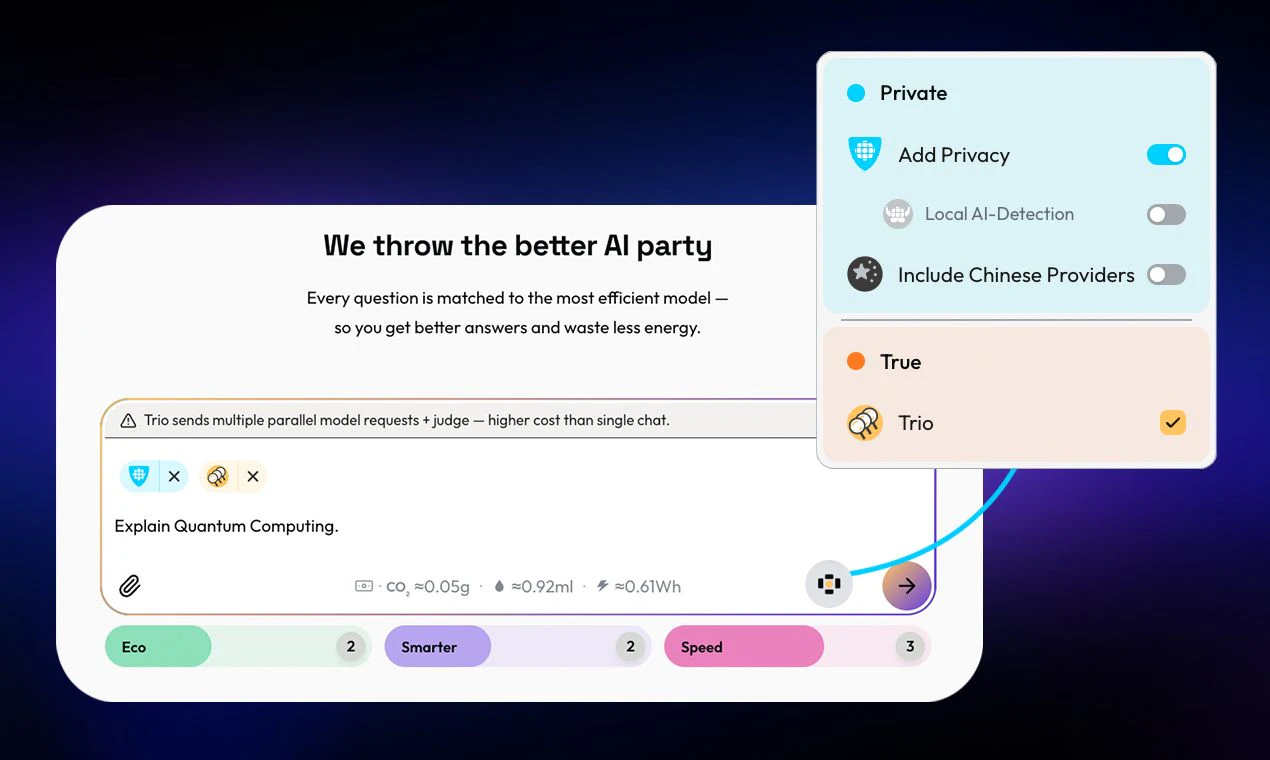
查看原始信息
Layover
Unlike reference or background checks, Layover is candidate-owned and portable: you write up what you actually did, a former manager (identity-verified) confirms it, and you get a credential you control and can share anywhere. Verified employment, real exit status, and manager-attested achievements in one link. A real, accountable person stands behind your work instead of another unverifiable bullet point. Free for founding users.

How do you handle situations where a manager refuses to verify, like can a candidate use an alternate verifier?

1
回复

@naimz Great question, and it's one of the most important design calls in the whole product. Short version: yes, but it's deliberately not "anyone."

The value of the credential is that a real, identity-verified person who was actually there went on record. So if a direct manager won't or can't, the candidate can use someone else who genuinely worked with them on that role: a skip-level, a close peer, a cross-functional lead, even a direct report for leadership work. What we won't do is allow a character reference or a friend who can't speak to the actual work, because that's the thing that makes most references worthless.

The credential also shows who verified it (former manager vs. peer vs. report), so it's transparent rather than flattening everyone into one "verified" badge.

Honestly, this is exactly the kind of thing I'm trying to get right, so I'm curious: from where you sit, would a verified former peer or direct report carry real weight for you, or is it really only the manager's word that moves the needle?

0
回复
Hi Product Hunt. I'm Alex, founder of Layover. Navigating a layoff used to mean walking your résumé in and having a human look you in the eye. Now it's a steel door marked "Careers," and behind the plexiglass sits Noreply, an old boiler with a screen for a face. You slide your folder in. A laser scans it. "Ah, this looks familiar." A hatch opens in its chest, crushes seven years of your work into a ball, and drops it in. "Thank you for applying. Have a wonderful afternoon." Like hundreds of thousands of others, I got laid off this year. Three days' notice, family of four, not much runway. But I felt the layoff wasn't the real problem. I had the skills and experience. The problem was Noreply: a system where landing an interview feels like a lottery, and AI prints tickets by the thousand. When anyone can prompt a flawless résumé, "flawless" becomes the floor and the actual human disappears. So while I sent applications into the void, I built the thing I wished I had. The idea: stop trying to write better résumés, and start proving the real work. With Layover, you write up what you actually did, a former manager (identity-verified) confirms it, and you get a credential you own and share. A real, accountable person stands behind your work instead of another unverifiable bullet point. It started as a scoring system based on HR performance reviews and manager ratings, but I killed that early. A number a manager picks is just false precision, and an early user who happened to be a fraud analyst immediately picked up on that. What's left is the part that's actually un-fakeable: a real person, identity-verified, going on record about your actual work. It's free for founding users while I build out the network. I'd genuinely love feedback, especially from anyone who hires, gets hired, or has met their own version of Noreply. What would make a credential like this actually useful to you?
0
回复