Product Hunt 每日热榜 2026-07-04

PH热榜 | 2026-07-04

#1
Vida
Clone yourself. Let AI do the work before you ask
352
一句话介绍:Vida是一款通过持续学习用户工作习惯、记忆项目偏好,自动在后台完成回复、清理、总结等重复性任务的AI智能体,解决职场人“被琐事淹没”的痛点。
Productivity Artificial Intelligence
AI智能体 工作自动化 个人AI克隆 隐私优先 生产力工具 本地记忆 用例驱动 Slack/Notion集成 工作流优化 SOTA实践
用户评论摘要:用户赞赏其隐私策略(本地处理、不训练模型)和用例深度(100个公开挑战)。主要关切:自主性信任曲线何时可免确认执行?记忆能否被查看、编辑或删除?Workspace Cleanup是否误删文件?以及部分用例的重复使用率。
AI 锐评

Vida的聪明之处在于用“AI克隆”的人设消解了用户对“被AI替代”的恐惧,转而用“另一个更高效的我”来传递安全感。其100个用例的公开挑战是极佳的产品营销——既展示了技术野心,又通过细分场景的持续交付建立信任。然而,产品真正的命门不在用例数量,而在“记忆层”的质量:Vida声称能记住用户习惯、项目和工作方式,但评论中已有人质疑能否检查和编辑这份记忆。如果记忆只是基于对话或操作日志的粗暴向量化,它很快就因过时或错误信息而沦为噪音。此外,“信任曲线”的定义过于模糊。从“建议+预览”到“自动执行”的跃迁,需要明确的触发机制和可量化的可靠性标准,否则用户要么永远不敢授权,要么在第一次错误后就彻底抛弃。Vida目前最大的缺口是缺乏“退出机制”——文件清理和回复生成尚可撤销,但一旦AI开始主动执行复杂工作流(如理解项目延期原因),一次错误就可能引发灾难。整体而言,Vida的方向正确——用结果而非输出衡量AI价值——但续航能力仍需靠系统化的记忆可追溯性和错误恢复能力来证明。

查看原始信息
Vida
Vida is an AI that learns how you work, remembers what matters, and becomes more like you over time. The more you use Vida, the more it understands your habits, your projects, and your way of getting things done. Eventually, it works like a second version of you—quietly handling repetitive work in the background before you even ask. Today, we’re launching our first 5 SOTA use cases: Reply Rescue · Prompt Rescue · Resume Rescue · Workspace Cleanup · Daily Wrap 95 more to conquer in public.

Hi, I’m Giddens from Vida.

We’re building Vida as your AI clone — an agent that learns how you work, remembers what matters, and gradually becomes another version of you.

The more you use Vida, the more it understands your habits, your projects, and your way of getting things done.

Eventually, it works like a second you — quietly handling repetitive work in the background before you even ask.

We believe the future of AI won’t be defined by outputs, but by outcomes people can rely on.

That’s why we’ve set a public challenge:

Conquer 100 real-world work use cases.

For us, SOTA means one thing:
consistent, reliable outcomes that actually move work forward.

We’ve already shipped the first 5 use cases (live today):

Reply Rescue · Prompt Rescue · Resume Rescue · Workspace Cleanup · Daily Wrap

Here’s what Vida looks like in real work:

Manager: “Why is this project delayed?”
Vida pulls context from Slack / Notion / Figma and drafts a ready-to-send reply.

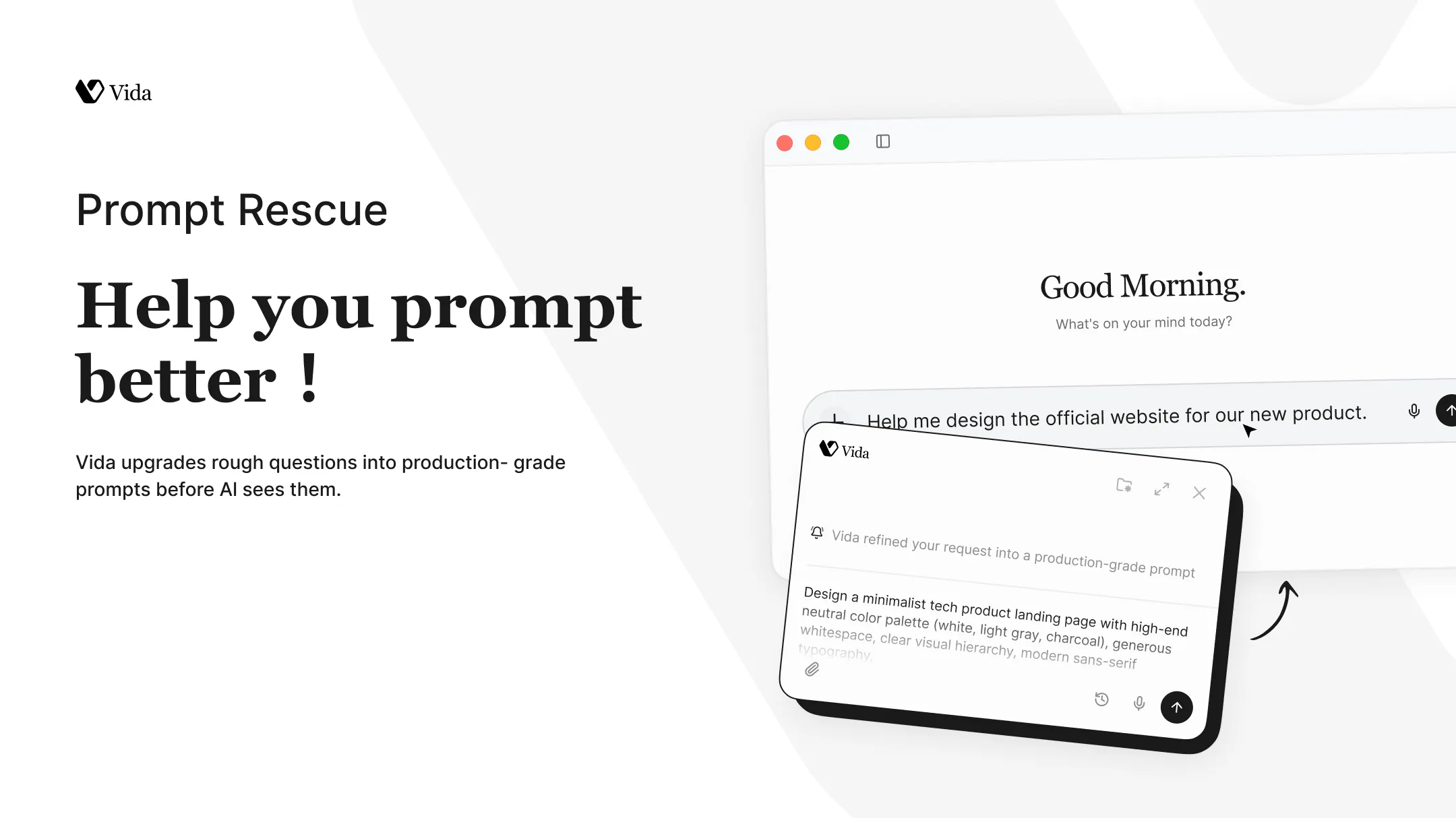
Your prompt is unclear.
Vida turns it into a production-ready prompt instantly.

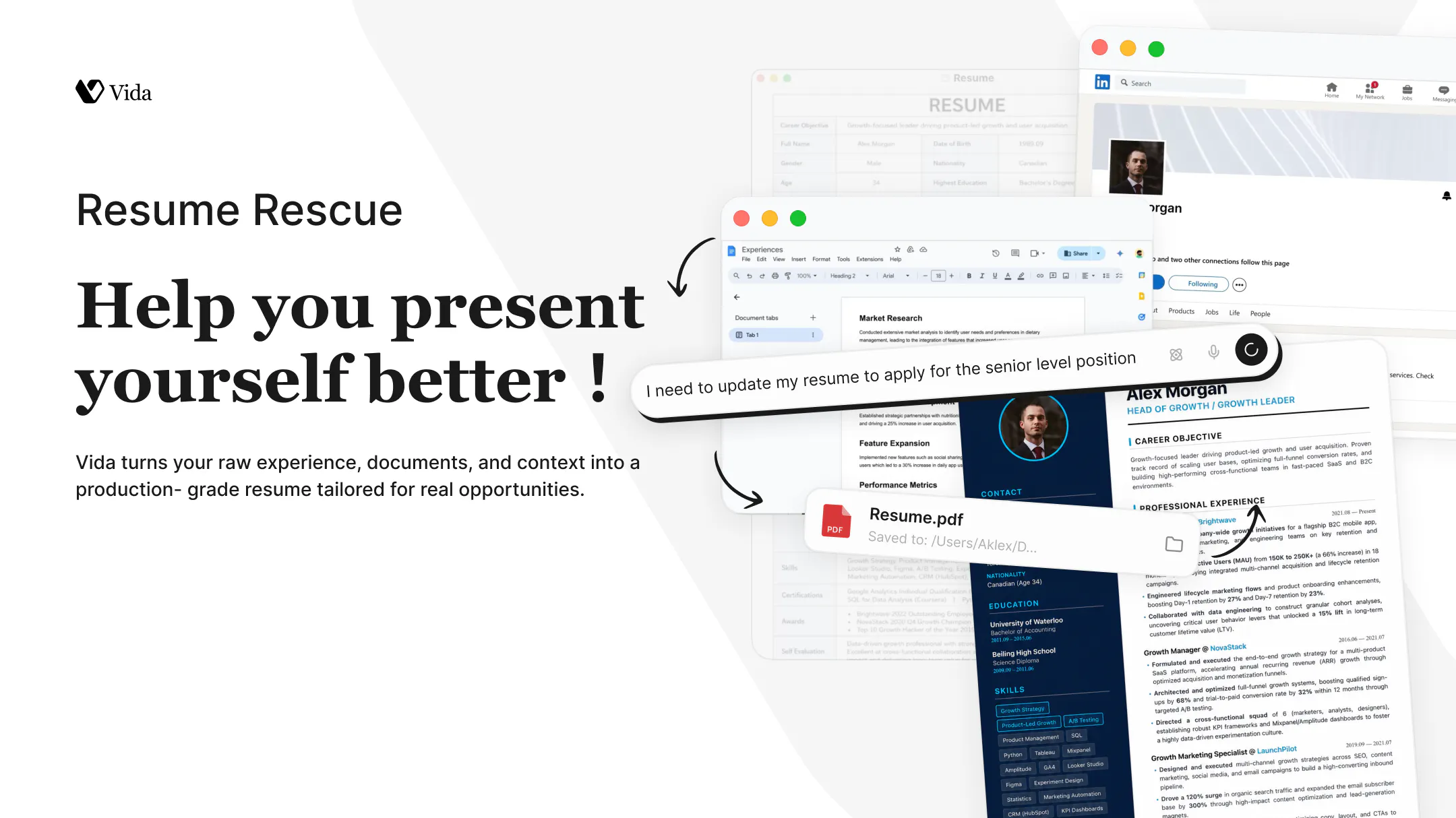
CV outdated.
Vida rebuilds it based on your latest experience and target role.

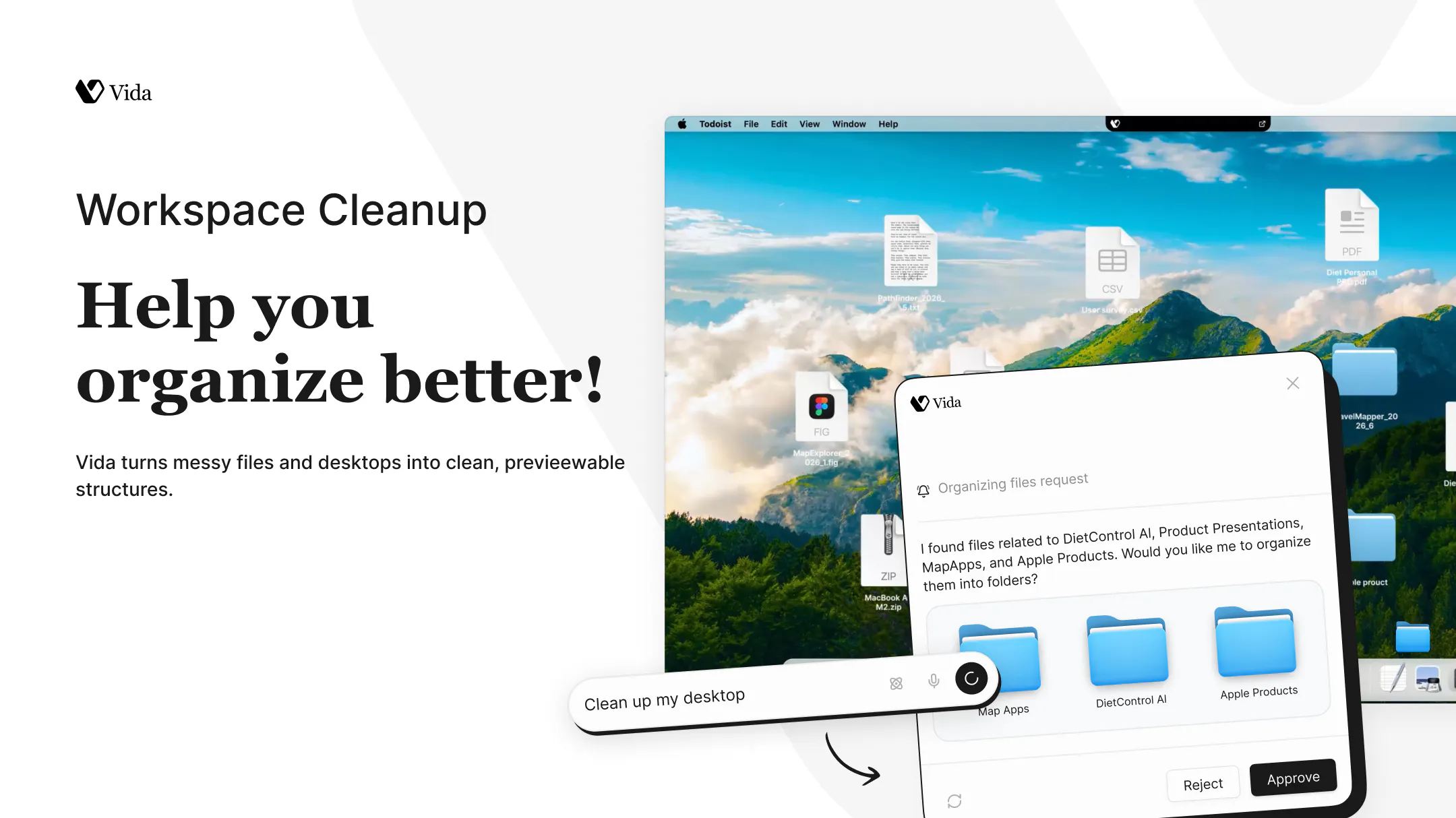
Desktop chaos.
Vida structures everything first, then cleans it in one click.

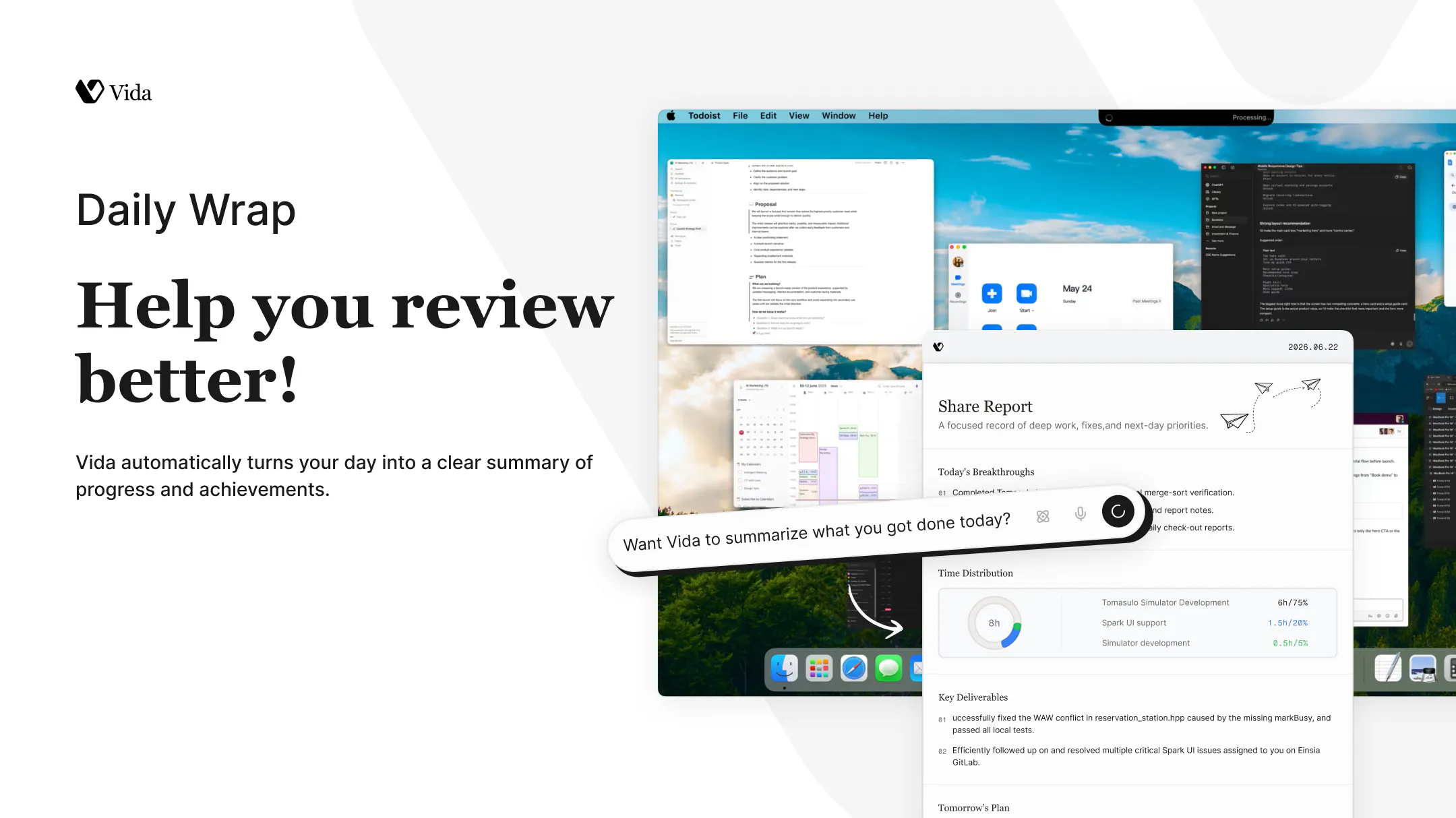
End of day.
Vida summarizes what actually moved forward — what’s done, what matters, what’s next.

We’re building Vida in public and will keep shipping every SOTA use case one by one.

Try it at vida.app
Help us shape what your AI clone should learn next.

13
回复

@giddens Congrats on the launch! Been testing it for a few days and it definitely cuts down on repetitive work.

8
回复

@giddens congrats on the launch!

I really like the vision of measuring AI by outcomes instead of outputs. That's a much higher bar, and probably the one that matters most in day to day work.

I'm curious, after shipping your first five use cases, which one has surprised you the most in terms of user adoption? Was there a workflow people embraced that you didn't expect to become a favorite?

Excited to see how you tackle the journey to 100 real world use cases 🔥

0
回复

@giddens Congrats on the launch Giddens!

0
回复

Congrats on the launch!
The 100 use cases challenge in public is bold. How are you deciding which ones to build next: user requests, usage data from the first 5, or something else?

12
回复

@abod_rehman Thanks a lot — really great question !

This is exactly why we’re building in public. We don’t want to decide everything in isolation.

Instead, we’re asking users to actually try Vida and tell us what painful, repetitive work should be solved next — and then we take responsibility for building it properly.

You can see what we’ve already shipped and what’s in progress here:
https://vida.app/sotacases/

We’ll keep updating progress there as we go 🚀

5
回复
Congratulations 5 use cases are amazing actually covers a lot of daily hustle
0
回复

Since Vida integrates with tools like Slack, Notion, and Figma to pull context for tasks like 'Reply Rescue,' how does it handle data privacy and security, especially when accessing sensitive or proprietary workspace information?

11
回复

@justin2025
Hi Justin, great question—privacy is something we’ve treated as a core product principle from day one.


Our approach is built around three commitments:

  1. Zero cloud retention. Voice and screen data are processed in real time, and we don’t store the original inputs on our servers.

  2. Local-first memory. Your interaction history is stored on your own device whenever possible, so you stay in control of your data.

  3. Never used for model training. Your data is never used to train or improve our AI models.

When Vida connects to tools like Slack, Notion, or Figma, it only accesses the specific context required to complete the task you’ve asked it to perform. The goal is to make Vida genuinely useful while keeping your data private and fully under your control.

2
回复

The Workspace Cleanup use case sounds great until it deletes something you actually needed 😅

does Vida show you a preview before it reorganizes anything, or does it just go for it?

4
回复

@boyuan_deng1 Good question 😄

Yes—we always show a preview first before anything happens, and nothing is executed without user confirmation.

Also, Vida never deletes your files. The Workspace Cleanup flow is strictly about organizing and archiving, not removing anything.

The idea is to make your workspace cleaner and easier to navigate, while keeping full control in your hands.

2
回复

I guess defining SOTA as consistent outcomes instead of benchmark scores is quite hard. Though, this is what makes the 100 use case challenge interesting! What does the bar look like before a use case ships? By all means, great work!

3
回复

@artstavenka1 Thanks so much—that’s exactly what makes this challenge so hard.

For us, SOTA isn’t about benchmark scores. It’s about consistently delivering better real-world outcomes than any existing AI for a specific use case.

The biggest challenge in AI today isn’t producing an impressive result once—it’s doing it reliably, every single time.

That’s our release bar: we don’t ship a use case until we believe Vida can consistently outperform other AI solutions for that job. If it doesn’t meet that standard, it stays in development.

1
回复

The strongest part here is not just “AI does tasks,” but the trust curve. Vida starts with rescue workflows and gradually earns more autonomy.

Curious about the memory layer. Can users inspect, correct, or delete what Vida has learned about their habits and projects over time?

2
回复

@liam_chung Thanks for the great question !

Browser automation is one of the key directions we’re actively building toward, but not fully available in Vida yet.

We’ve open-sourced BrowserBC, which learns reusable agent skills from human browser trajectories—essentially turning one recorded workflow into a generalized capability.

GitHub:
https://github.com/Einsia/Browser-BC

This is part of the foundation we’re building for bringing more real-world execution abilities into Vida over time 🚀

2
回复

the "Rescue" naming across the first three use cases is a really nice touch—feels like you mapped a real problem pattern instead of just slapping generic AI labels on them.

2
回复

@nurullahu6yq Thanks—that really means a lot 🙌

We’re intentionally trying to structure around real work patterns instead of feature names, so glad that came across.

More to come as we expand the 100 use cases 🚀

0
回复

the shift from doing tasks to doing them before you ask is the interesting line. how many runs before it earns enough trust to act without checking first?

2
回复

@andrewzakonov That’s a really important question.

We don’t think of it as a fixed number of runs, but more as a gradual trust curve. Vida starts in a “suggest + preview” mode, and only becomes more autonomous as it consistently proves it understands your patterns and preferences.

In practice, users stay in control first, and autonomy is earned through repeated correct context handling—not assumed upfront.

The goal is exactly what you described: shifting from reactive task execution to proactive assistance, but with trust built step by step.

1
回复

Great launch! Excited to try it out on my Mac.

1
回复

Appreciate it 🙌

Hope it’s useful in your day-to-day work on Mac—keen to hear your feedback!

0
回复

Using Vida for a week now. Reply Rescue is a time-saver, and I love that everything stays local – no training on my data. Workspace Cleanup previews before deleting, which is thoughtful. Still early, but promising. Excited for the next 95 features.

0
回复

the 100 use cases challenge is a smart move — it forces you to prove depth instead of just showing breadth. most AI productivity tools demo one impressive thing and hope you extrapolate. shipping 100 specific workflows is the opposite approach and honestly more convincing. curious which of the first 5 gets the most repeat usage vs which gets the most wow-factor on first try.

0
回复
Hello @giddens congrats on the launch. It can save tons of time for a lot of people. If I'm not happy with the result for a quick reply or the workspace cleanup can I edit or undo the changes or edit them myself? How long does it take to create a second version of the user so the LLM is confident enough that it knows the user pretty well? I love productivity ideas let's connect :)
0
回复

Very cool - how do you train my data?

0
回复
As a solo founder, this idea always resonated with me. I've often wished I had multiple versions of myself: one focused on the product and bring all my ideas to life, one on integrations and operations, one on the growth and all connected to my vision. Curious to see how Vida ( I like the Spanish name - matches brilliantly your vision ), evolves as it learns from real-world work over time. Congrats on the launch!
0
回复

The 'learns how you work and handles repetitive work before you ask' pitch really lives or dies on where the memory lives and how it's scoped. For Workspace Cleanup and Daily Wrap specifically, is the model of what matters built per-workspace, or one global profile that carries across projects, and can I actually inspect and edit what Vida has remembered about me? Also curious whether that memory runs on your servers or stays local, since it's watching my habits in the background.

0
回复

I like the idea of earning autonomy instead of assuming it. My first thought was how the learning loop works. If Vida gets my style or context slightly wrong at the beginning, is it easy to nudge it in the right direction so it improves over time? Congrats on the launch!

0
回复

Daily Wrap already saved me from a messy end-of-day scramble, and Resume Rescue pulled together my scattered notes faster than I expected. Curious how it shapes up after a few weeks of real use.

0
回复

Nice naming team! And of course, it's a great value proposition. I'm sure you'll rock it here! Congrats!!

0
回复

@german_merlo1 Thanks a lot!Really appreciate the kind words!

We’ve put a lot of thought into both the naming and the direction, so it means a lot to hear that it resonates.

Excited for what’s ahead.

0
回复

how does Vida actually learn my habits day to day, does it just watch what I do across apps or do I have to feed it examples for it to get useful quickly?

0
回复

@sattapanbmta Great question!

Vida doesn’t require you to manually teach it with examples before it becomes useful.

Instead, it builds understanding from your work context—what you’re working on, your interaction history, and the tasks you ask it to help with. As you use Vida over time, it gradually learns your preferences and working style to provide better assistance.

Our goal is to make the learning process as natural as possible, without creating extra setup work for users.

0
回复

Congrats on the launch. Curious which LLM you're using behind the scenes?

0
回复

@ismaelyws Thanks a lot.

We use a model-routing approach behind the scenes—different tasks are matched with the most suitable models depending on the type of work, context length, and reliability requirements.

The goal is always the same: optimizing for consistent real-world outcomes rather than relying on a single model.

0
回复

I can see this becoming really powerful if it integrates deeper with Slack/Notion workflows over time.

0
回复

@vanvan_zhao1 Totally agree.

We see Slack and Notion as key surfaces where Vida can become much more useful over time—especially when it comes to understanding ongoing work context rather than isolated tasks.

We’re already moving in that direction step by step, but the focus is always the same: making sure integrations actually improve real workflows, not just add more connections.

0
回复

Handling memory in agents is the biggest friction point I've seen as a solo dev—it’s either too shallow or it consumes too many tokens. Curious if you're caching interaction styles locally to speed up the learning curve.

0
回复

@ayeshabuilds Great point—we’ve run into the same trade-off.

Yes, local-first memory is a core part of our approach. Vida keeps interaction history on your device whenever possible, which not only helps preserve privacy but also gives it richer long-term context without relying entirely on growing prompt windows.

We also open-sourced OpenChronicle, which explores this direction further. It lets you use local models to summarize memory, keep all your data on your own device, and pause or resume recording whenever you want.

We believe memory can be incredibly useful without becoming all-or-nothing surveillance.

GitHub: https://github.com/Einsia/OpenChronicle

0
回复

The questions in this cases for me is always the same. How many tokens? How much control? Who is responsible for that?

With this being said, it seems an incredible app with huge potential.

0
回复

@bruno_perez_borrell Great questions—really appreciate you bringing them up.

On tokens, we’ve intentionally avoided tying core capability to usage limits or feature locks. Instead, our pricing is designed to stay simple and low-cost, while letting users choose what fits their own needs.

We’ve also open-sourced parts of our stack, including OpenChronicle and BrowserBC, if you’re interested in how we think about memory and agent skills in more depth:

For users who want more control, you can even explore or self-host parts of the system locally.

We’re trying to balance flexibility, transparency, and control depending on how people want to use Vida.

0
回复

Conglaturations !!

I’ve been waiting for an AI that can hold a natural conversation.

0
回复

@dai_sheen Thank you!!

That’s something we’ve been really focused on as well—making interactions feel more natural and grounded in real context, not just prompt-response loops.

Appreciate you following along 🚀

0
回复
Out of the 5 SOTA use cases you launched today, Reply Rescue and Workspace Cleanup immediately caught my eye! Which of these 5 has been the team's personal favorite to build?
0
回复

@tehreem_fatima5 Thanks! That’s a tough one.

If we had to pick, it would probably be Reply Rescue. It captures what we think Vida should be—a system that understands enough context to take real work off your plate, instead of just generating text.

That said, Workspace Cleanup has also been a lot of fun because it’s such an everyday problem that almost everyone can relate to.

Hopefully we’ll have many more favorites as we work through the next 95 use cases! 🚀

0
回复

Congrats on the launch! I'm the person with 40 unread tabs and an inbox I keep meaning to deal with "later." A tool that actually cleans up my workspace and rescues my replies before I spiral into avoidance mode sounds like exactly what I need. Trying this the moment it's live. Good luck!

@rohanrecommends @giddens @calvin_xiao @eren_cai

0
回复

@sharun_kanan This might be the most relatable “user persona” we’ve seen 😄

Really glad it resonates—that exact “later spiral” is one of the core problems we’re trying to help with.

Would love to hear how it works for you once you try it. And hopefully Vida can take a few things off that list for you 🚀

1
回复

'Before you ask' is the bold part - proactive agents live or die on that judgment call. In my experience running agents for a business, the hard threshold isn't doing the work, it's knowing when acting early helps vs when it creates cleanup. How does Vida decide something is safe to do unprompted? Congrats on the launch.

0
回复

@david_marko Thanks so much—and I completely agree.

We actually think that’s the hardest problem in proactive AI.

Our principle is that proactivity should reduce cognitive load, not create more of it—and it should never interrupt your workflow just for the sake of being proactive.

So Vida starts with low-risk, high-confidence work—things like organizing information, preparing drafts, or surfacing context—while actions that could have meaningful consequences always require user confirmation.

Over time, as Vida learns your preferences and consistently earns your trust, it can become more proactive. We believe autonomy shouldn’t be assumed—it should be earned.

0
回复

Congrats with a launch!

Do you use any type of am agentic browser automation tools?
I mean, can Vida operate user's browser on their behalf?

0
回复

@valzubkov Thanks for the great question !

Browser automation is one of the key directions we’re actively building toward, but not fully available in Vida yet.

We’ve open-sourced BrowserBC, which learns reusable agent skills from human browser trajectories—essentially turning one recorded workflow into a generalized capability.

GitHub:
https://github.com/Einsia/Browser-BC

This is part of the foundation we’re building for bringing more real-world execution abilities into Vida over time 🚀

0
回复

The “Clone yourself” positioning makes a lot of sense. Everyone has repetitive work they’d happily delegate.

0
回复

@jianing_li Exactly 🙌

That’s exactly what we’re trying to solve—everyone has repetitive work they shouldn’t have to do manually.

Glad the positioning resonates!

0
回复
#2
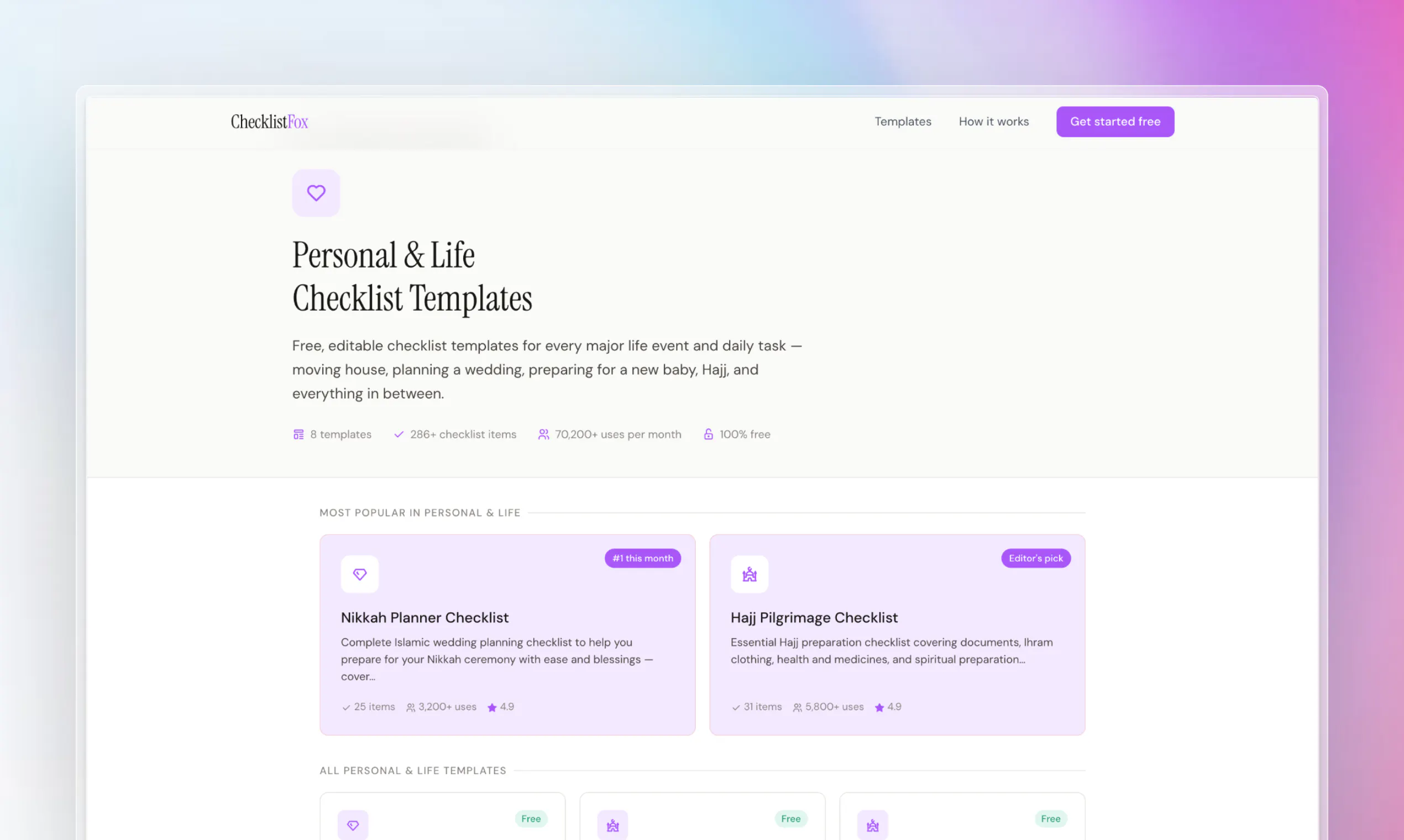
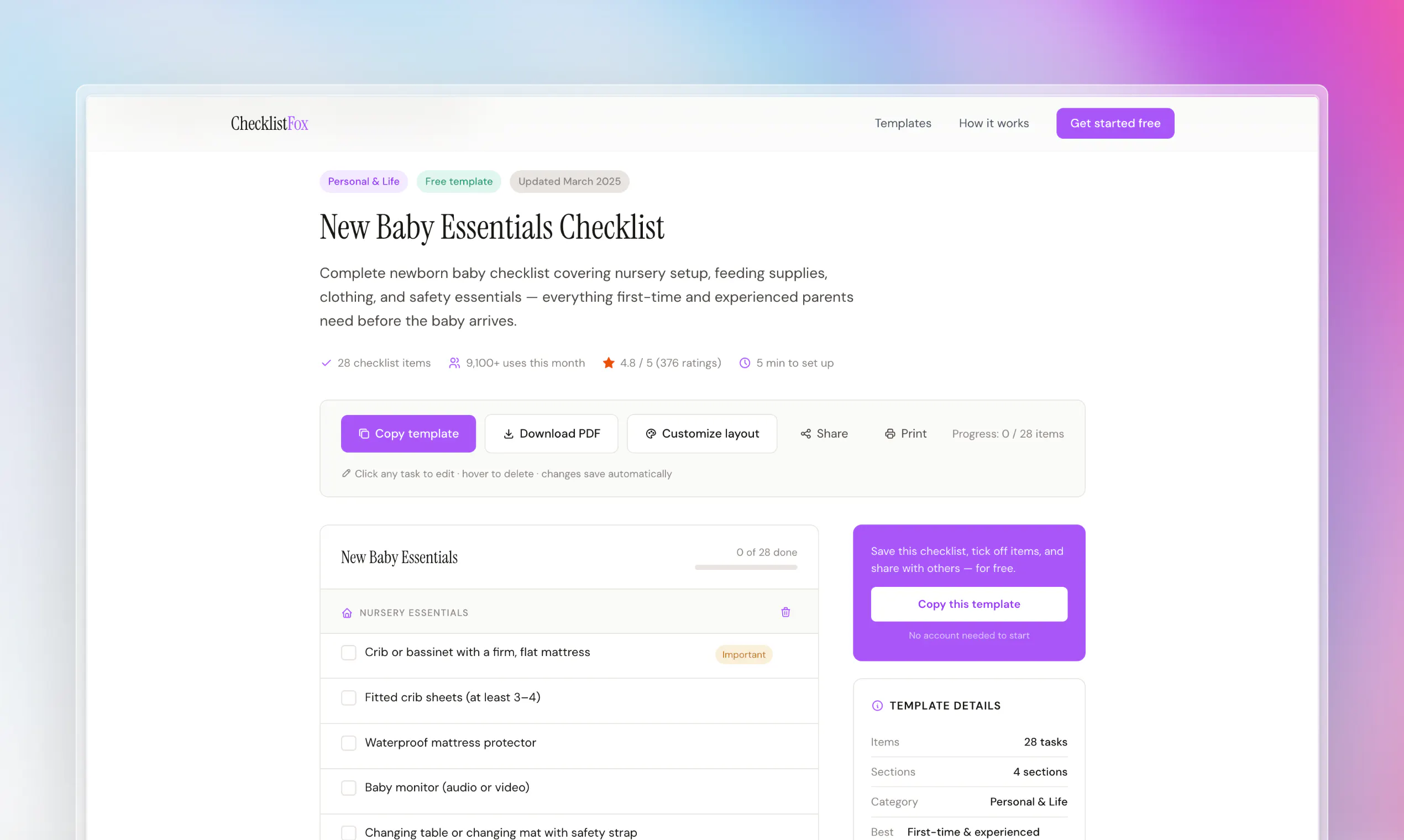
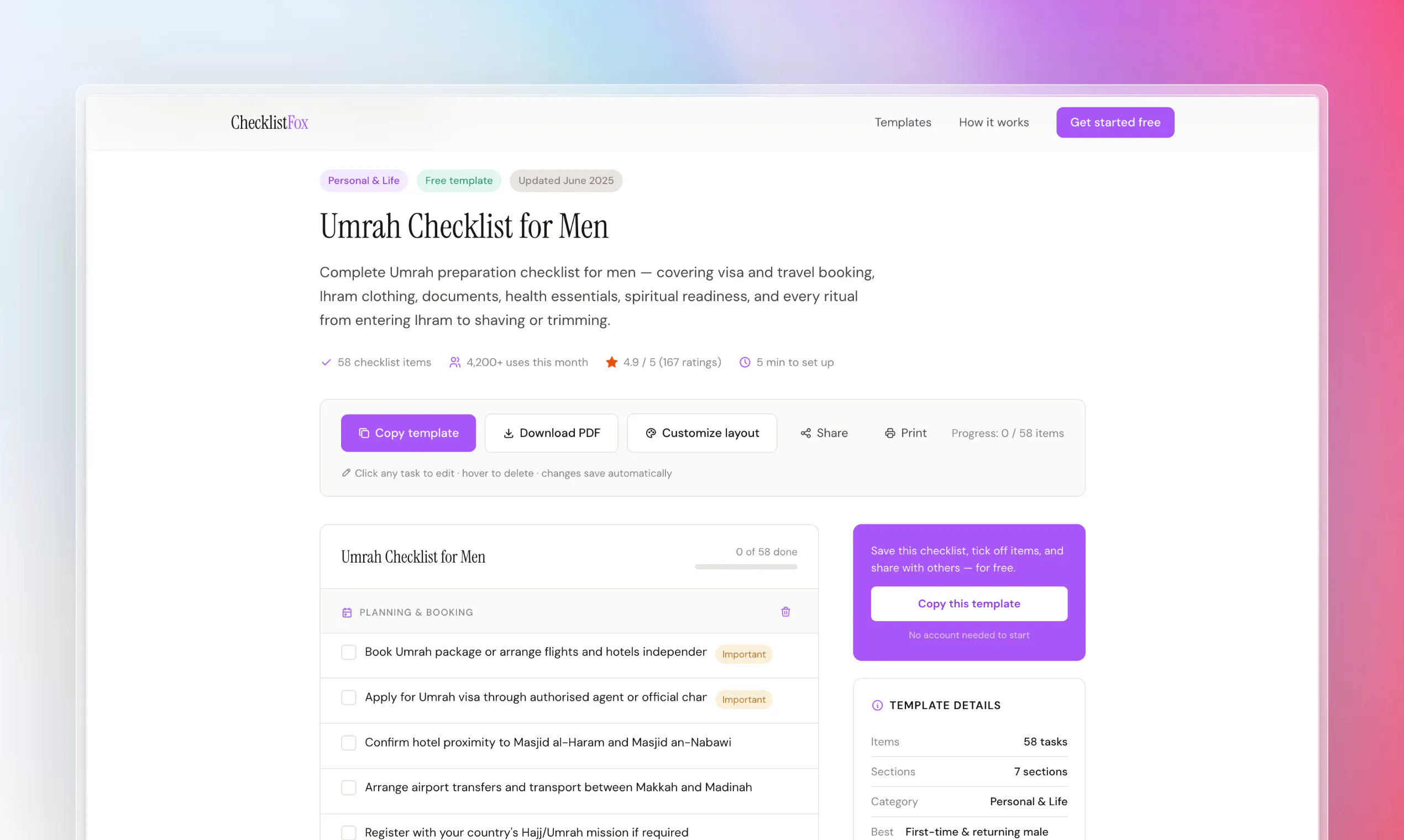
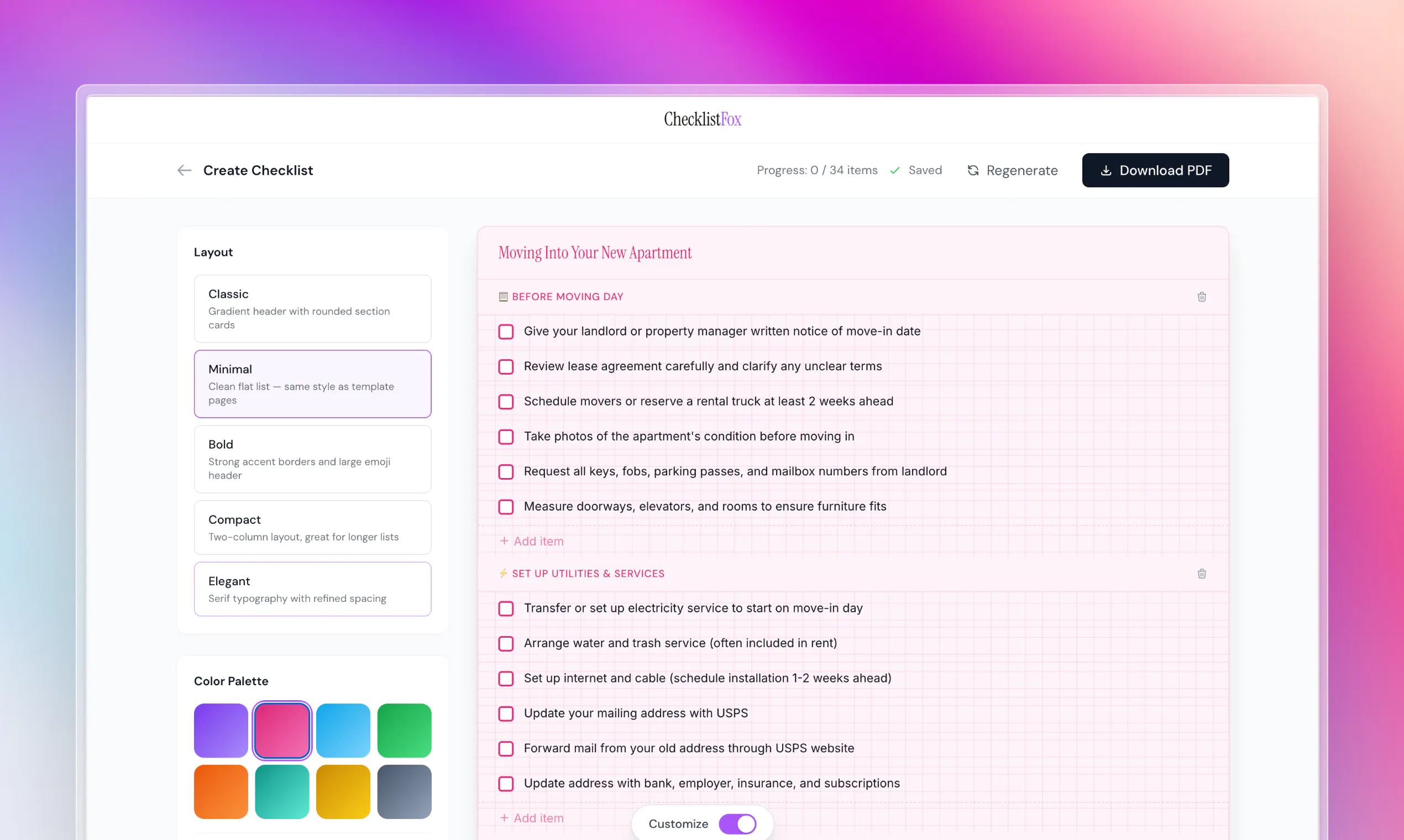
ChecklistFox
AI checklist maker for beautiful pdfs, free & instant
234
一句话介绍:ChecklistFox 是一个通过AI提示词即可免费生成精美PDF清单的工具,专为婚礼、朝觐、新生儿等重大生活事件场景,解决用户从零散信息中手动整理清单的混乱与耗时痛点。
Design Tools Productivity Artificial Intelligence
AI清单生成 PDF导出 生活事件规划 免费工具 无登录 模板化设计 婚礼清单 朝觐清单 新生儿清单 效率工具
用户评论摘要:用户普遍认可解决真实痛点,但关注点集中在:AI生成清单的可编辑性(删除/重排项目)、主题偏好保存、生成机制是AI定制还是模板库、隐私与数据持久性(浏览器历史依赖)、以及是否收费。建议将用户自发使用的案例(如签证、图书发布)展示在首页。
AI 锐评

ChecklistFox精准切中了一个被忽视的刚需——一次性生活事件的清单化。它的聪明之处在于彻底放弃了“全流程管理”的臃肿路线,用“输入提示-选主题-下载PDF”的三步极简闭环,直接回应用户“用完即走”的真实心理。这种设计避开了与Notion、Trello等全能工具的正面竞争,也绕开了账号体系的留存陷阱,反而获得了超预期的使用场景扩展(从婚礼到签证)。

但“免费且无登录”是一把双刃剑。它降低了获客摩擦,却在评论中引发了对可持续性和数据持久性的质疑。用户真正需要的不是永久收藏,而是“生成后可微调”(如删除、重排单项)的灵活性与AI对细微提示差异的敏感度。如果AI核心只是从预设库中匹配模板,那么它本质上就是一个带漂亮封面的搜索工具,竞争力会大打折扣。

此外,创始人背景(为妻子解决家庭痛点)值得肯定,但与大多数“妻子解决设计、丈夫解决技术”的项目一样,产品真正的护城河不在AI或模板,而在于对“非软件用户”的细节感知——比如字体大小是否适合老人阅读、朝觐清单是否分阶段、签证清单是否按国家更新。这些需要持续投入非技术人力。

总体而言,ChecklistFox在“最小可用品”阶段表现亮眼,但若不尽快引入编辑留存、高级模板或场景化微调(如支付一次订阅解锁多场景),很容易被GPTs或模板网站吞噬流量。它的未来不在功能堆砌,而在对“人生关键时刻”的深度理解与迭代。

查看原始信息
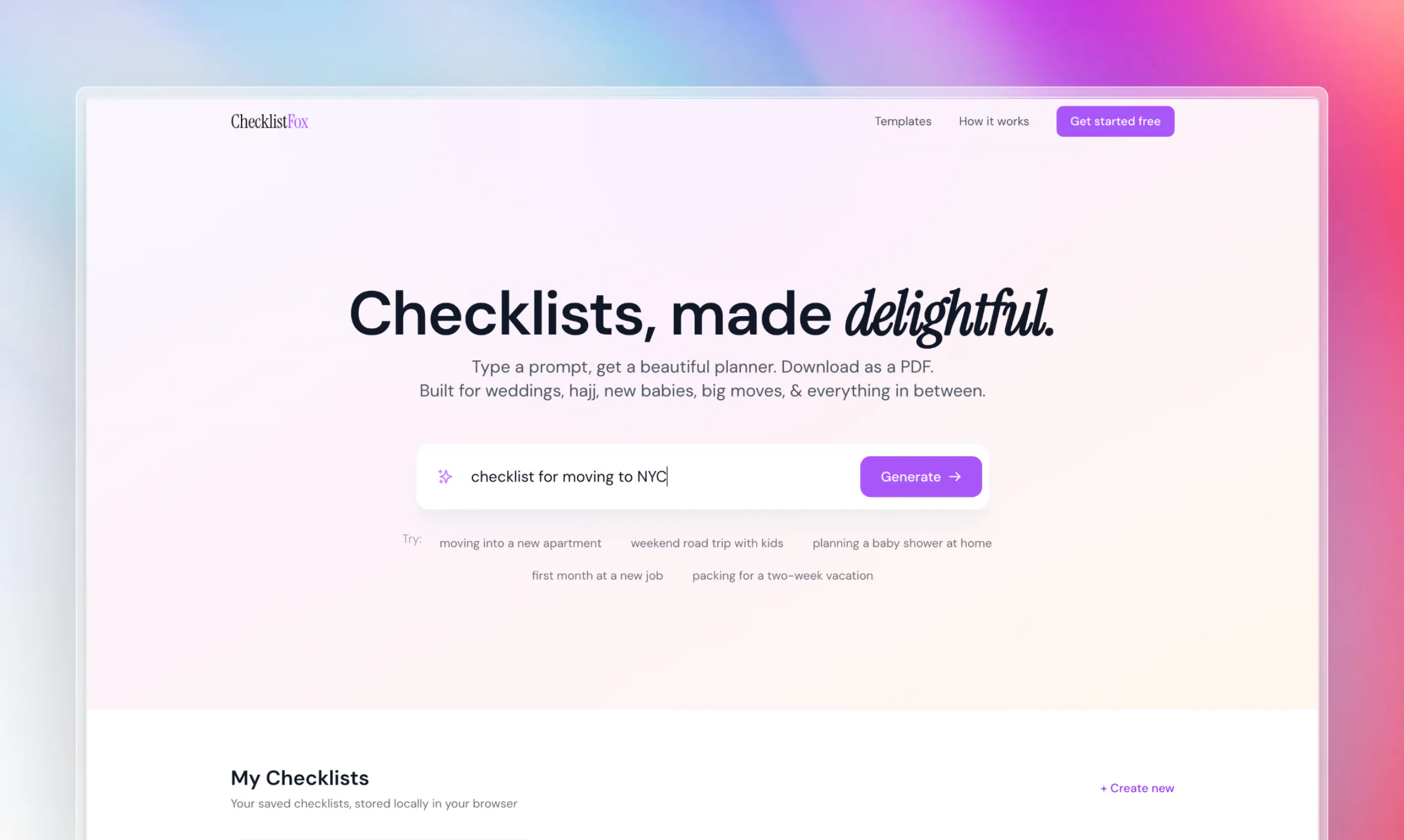
ChecklistFox
Type a prompt, get a beautiful planner. Choose a theme that feels like you, then download as a PDF. Built for weddings, hajj, new babies, big moves, and everything in between.

Liked that hajj prep was an example. Does it handle visa checklists ok too since those vary a lot by country.

8
回复
Hey Product Hunt! 👋 I'm Usama, and I built ChecklistFox for my wife. It started from a real frustration in our own home. When we were preparing for an important trip, we were jumping between ten different websites, copy-pasting things into Google Docs, and still felt like we were missing something. It was chaos. And for moments that actually matter in life, it really shouldn't be that hard. So we built ChecklistFox - type what you're planning, get a beautiful checklist, download it as a PDF. That's genuinely it. What surprised us after launching was how many people were using it for things we never even expected - baby showers, new job prep, visa applications, weekend trips with kids. People just want a simple, clean checklist they can actually use. Not a 3,000-word article. My wife handled a lot of the design and templates — she has a great eye for what actually feels useful and I focused on the build. It's been a fun project to work on together. It's completely free. No sign-up needed. You can go to checklistfox.com right now and have a checklist in 30 seconds. I'd love to hear what you think and tell me what template you wish existed. We read every comment. 🦊 — Usama & Tayyaba
3
回复

@usama_khalid Usama, congratulations on a successful PH launch
seems a great tool

0
回复

@usama_khalid Congratulations on the launch! Love the idea - we all need checklists for organizing a variety of personal and business applications. Would be cool to set up a profile so you can save your templates/checklists.

0
回复

@usama_khalid congrats on the launch 🚀

I love products that come from solving a real problem at home. Those are often the ones that end up helping the most people.

I'm curious, what was the most unexpected checklist people started creating after launch that made you think, "We never saw that use case coming"?

Wishing you and your wife an amazing launch! 🎉

0
回复

Free no signup sounds nice now, wonder if that changes once usage picks up.

3
回复

"beautiful pdf" lol everyone says that, drop a sample link so we can see before typing our own.

3
回复

Don't need full editing, just let me delete an item before exporting.

1
回复

@harper_cole you can do it v. easily.

0
回复

ppl already using this for stuff outside your 4 examples, put those on the homepage as ideas.

1
回复

The type-a-prompt then pick-a-theme then export-PDF flow is what makes this feel usable for a one-off like a big move or a new baby, where I don't want to learn a whole app for something I'll use once. The thing I'd hit day one: after it generates the checklist, can I edit or reorder individual items and regenerate just one section before exporting, or is the PDF a fixed one-shot from the original prompt?

1
回复

Congrats on launching! How does the checklist generation work: AI-driven from free text, or template-based?

0
回复

Curious about how flexible the prompts are, can I really get a planner for something super niche like a visa renewal or a book launch, or is it better suited for the bigger life events you mention?

0
回复

Does the AI tailor the checklist items based on the prompt or is it pulling from a fixed library of templates behind the scenes?

0
回复

Does the AI remember my style preferences across different checklists, or do I have to pick a theme from scratch every single time I generate one?

0
回复

Does the AI keep my prompt private, and can I edit the checklist after it generates or am I locked into whatever it spits out first?

0
回复

Hey, congrats on the launch. Curious which LLM you're using behind the scenes?

0
回复

One question: how much does adding detail to the prompt change the list? Does "weekend trip to the mountains with a toddler" get me a meaningfully different checklist than just "weekend trip"?

0
回复

Hey Usama & Tayyaba! Just tried ChecklistFox - it is working really great! Does it save history of my checklist in browser? I mean, if I will clear the browser history - would my checklist gone forever?
It is so interesting, based on user experience did you defined your key users and how do you see the future of it? Are you planning to add some paid options or some extended functionality?

0
回复

@usama_khalid Kudos! Right use if AI. Easy to use and i liked the output too. I asked for a trip plan and it generated a itenary and categorized by relevant sections.

0
回复

Congratulations

0
回复
#3
PhoneDeck
Turn your iPhone into a free Mac controller
219
一句话介绍:PhoneDeck将iPhone变身免费Mac触控副屏,省去高价硬件,让用户直接在手机上实现媒体控制、应用启动、自定义快捷键等操作,解决专业用户不愿为StreamDeck付费但又急需多任务控制器的痛点。
iOS Mac Productivity
iPhone控制器 Mac辅助工具 StreamDeck替代 媒体控制 应用启动器 免费软件 本地连接 自定义快捷键 生产力工具 触控屏副屏
用户评论摘要:用户最关注连接方式(WiFi/蓝牙/跨网段稳定性)、免费模式可持续性(担心后期收费)、与Keyboard Maestro等专业工具定位差异。实测反馈媒体控制响应快、设置简单,但跨接口场景(手机WiFi + Mac有线)易出现本地网络发现故障,建议开发者明确连接链路是否走云端中继。
AI 锐评

PhoneDeck的价值不在技术壁垒,而在对“硬件溢价”的精准解构。当一个独立开发者能用7天复现主流硬件核心功能时,恰恰暴露了StreamDeck这类产品的高利润本质。但冷静看,它的脆弱性同样明显:依赖iPhone屏幕意味着用户必须牺牲一块手机的独立性;“无订阅”模式对个人开发者而言更像情感投资而非商业模型——评论区那句真诚的“how to keep free”直指命门,一旦用户规模超过服务器承载力,要么加服务器成本被迫付费,要么功能原地踏步。另外,评测中已暴露的跨网络接口、OBS实时性、脚本深度等细节,说明它在专业场景(直播推流、复杂自动化)只能做“尝鲜入口”,远未到替代Keyboard Maestro或硬件StreamDeck的层次。它的真正壁垒在于“零摩擦”:无需额外硬件、无需账户注册、下载即用——这种极简主义才是独立开发者抗衡大厂的刀锋。建议团队趁口碑窗口期:优先通过本地USB或WebSocket锁定低延迟连接,明确不依赖云端中继;针对直播/编码场景出专项优化;再把“免费”变成“基础功能免费+高级脚本/云备份”的透明分级,避免死在一腔热血上。毕竟,用户需要的不是一个“7天能做的玩具”,而是一个“能持续用7年的工具”。

查看原始信息
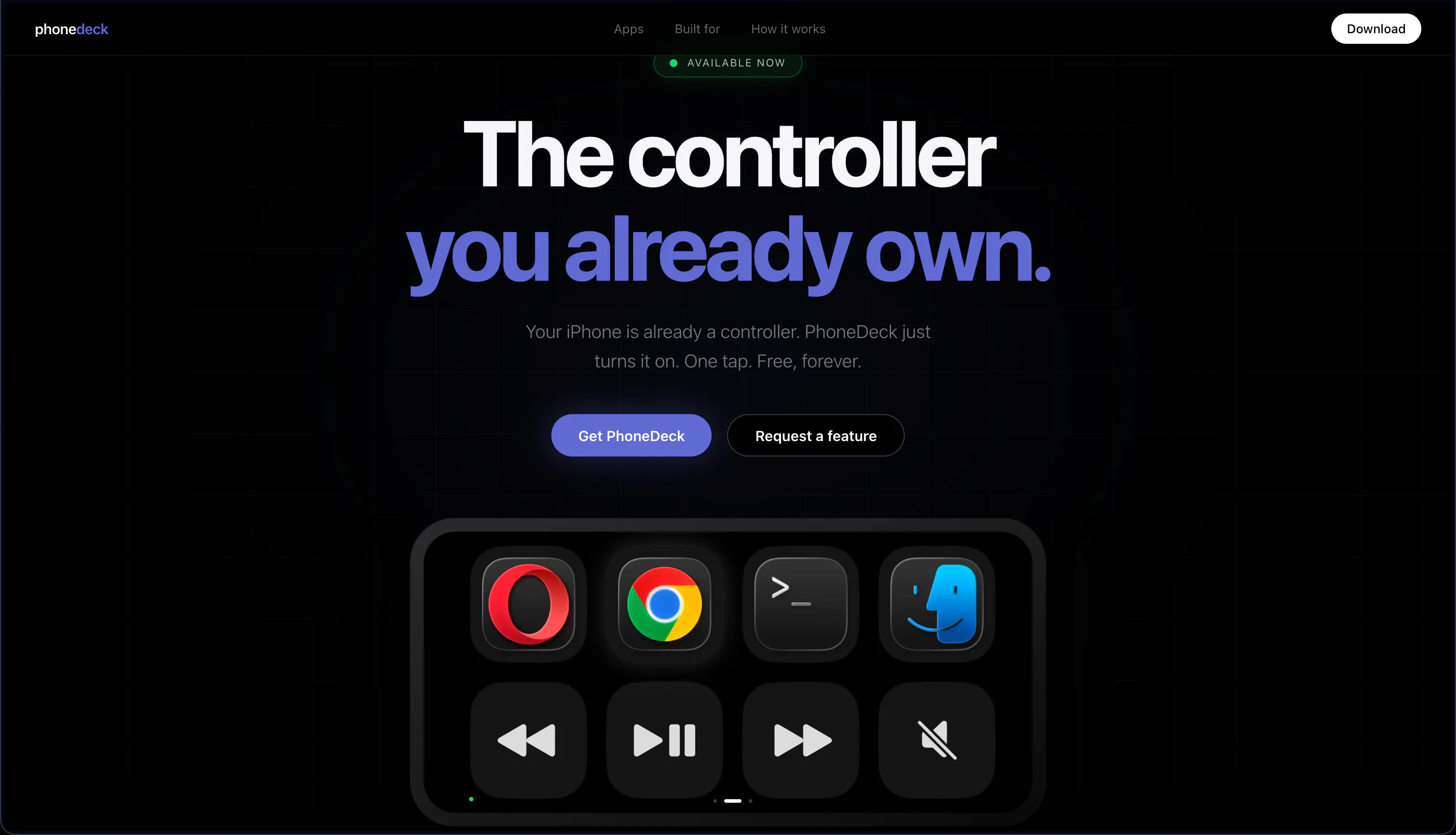
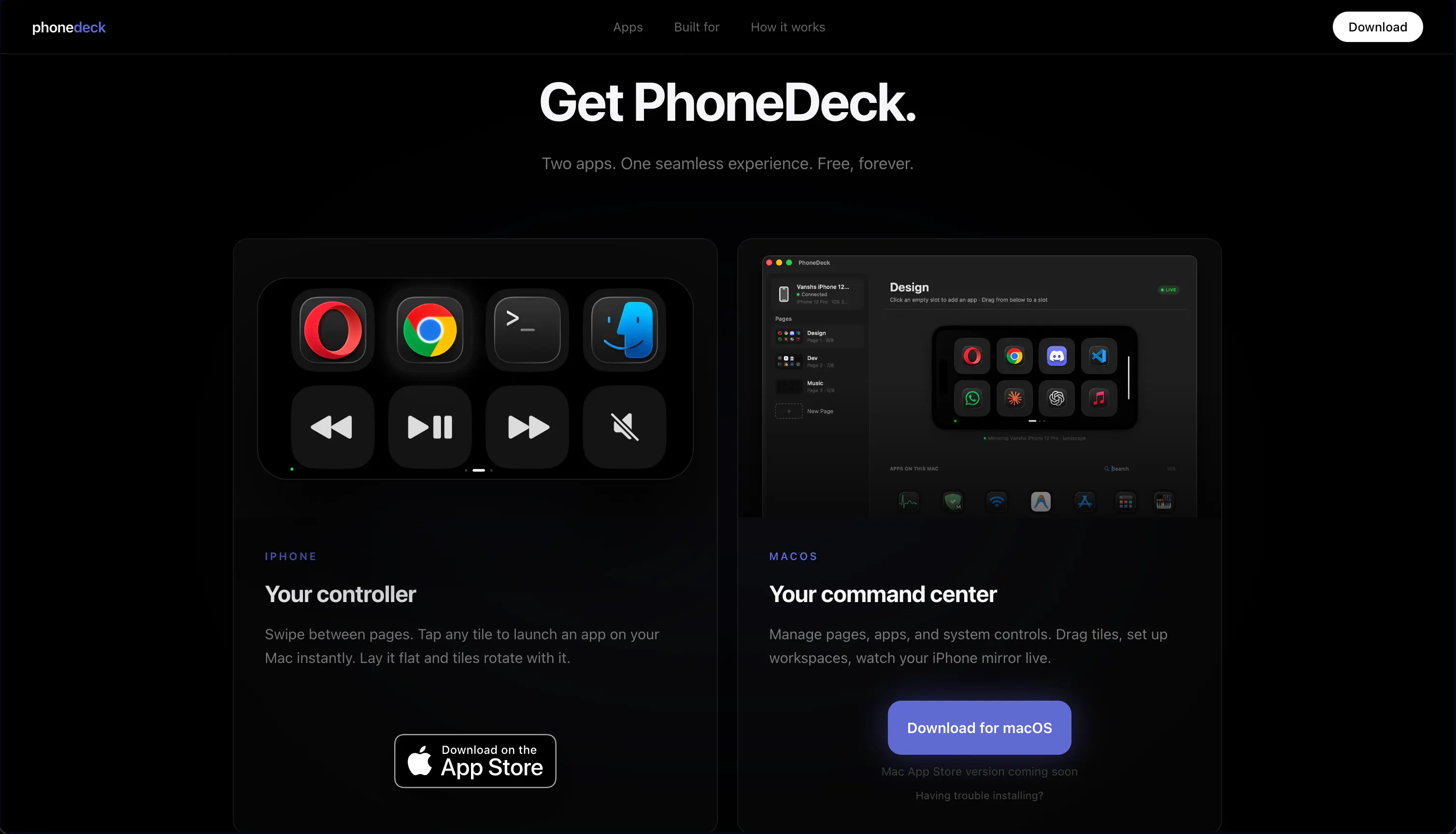
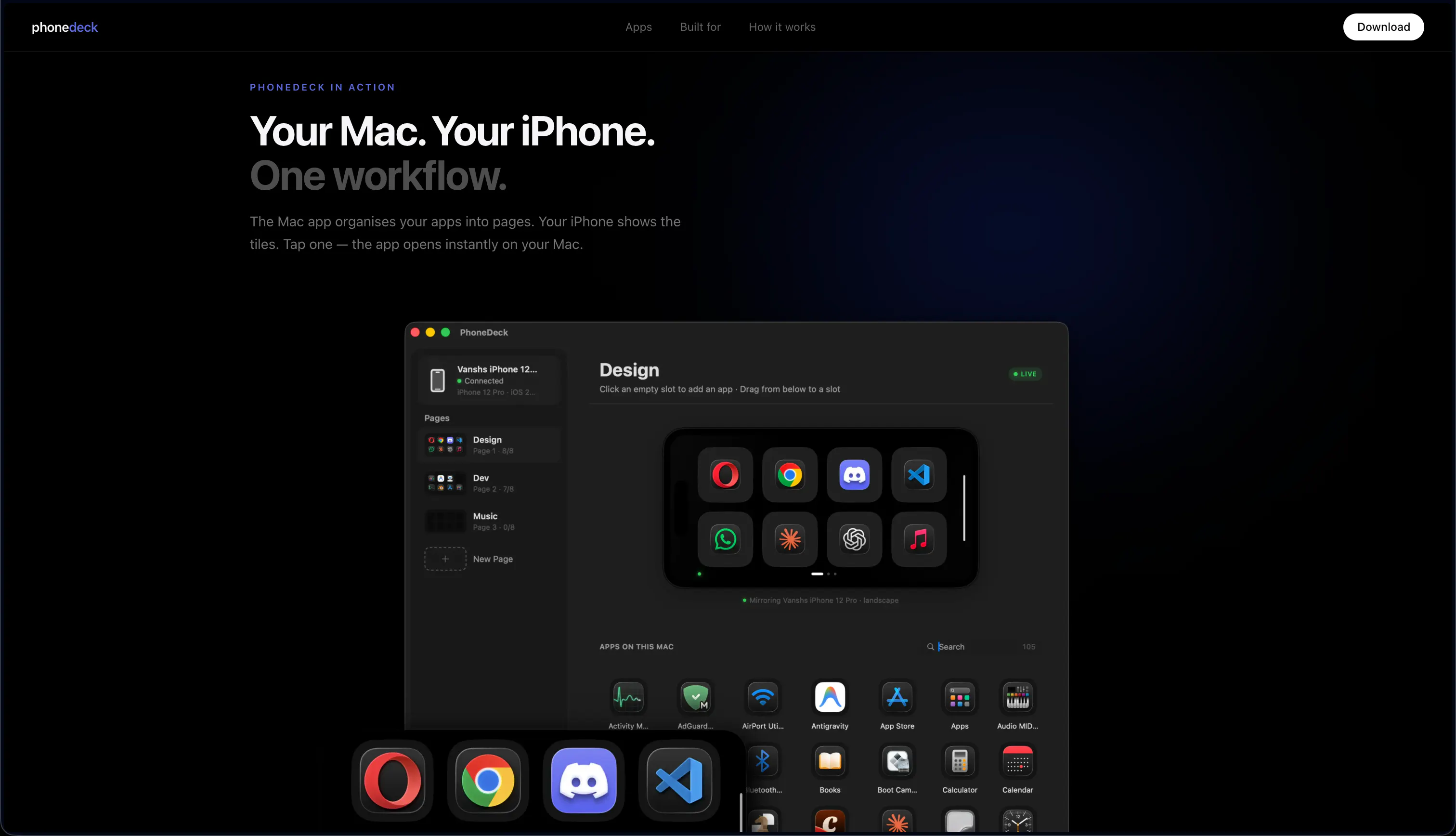
PhoneDeck
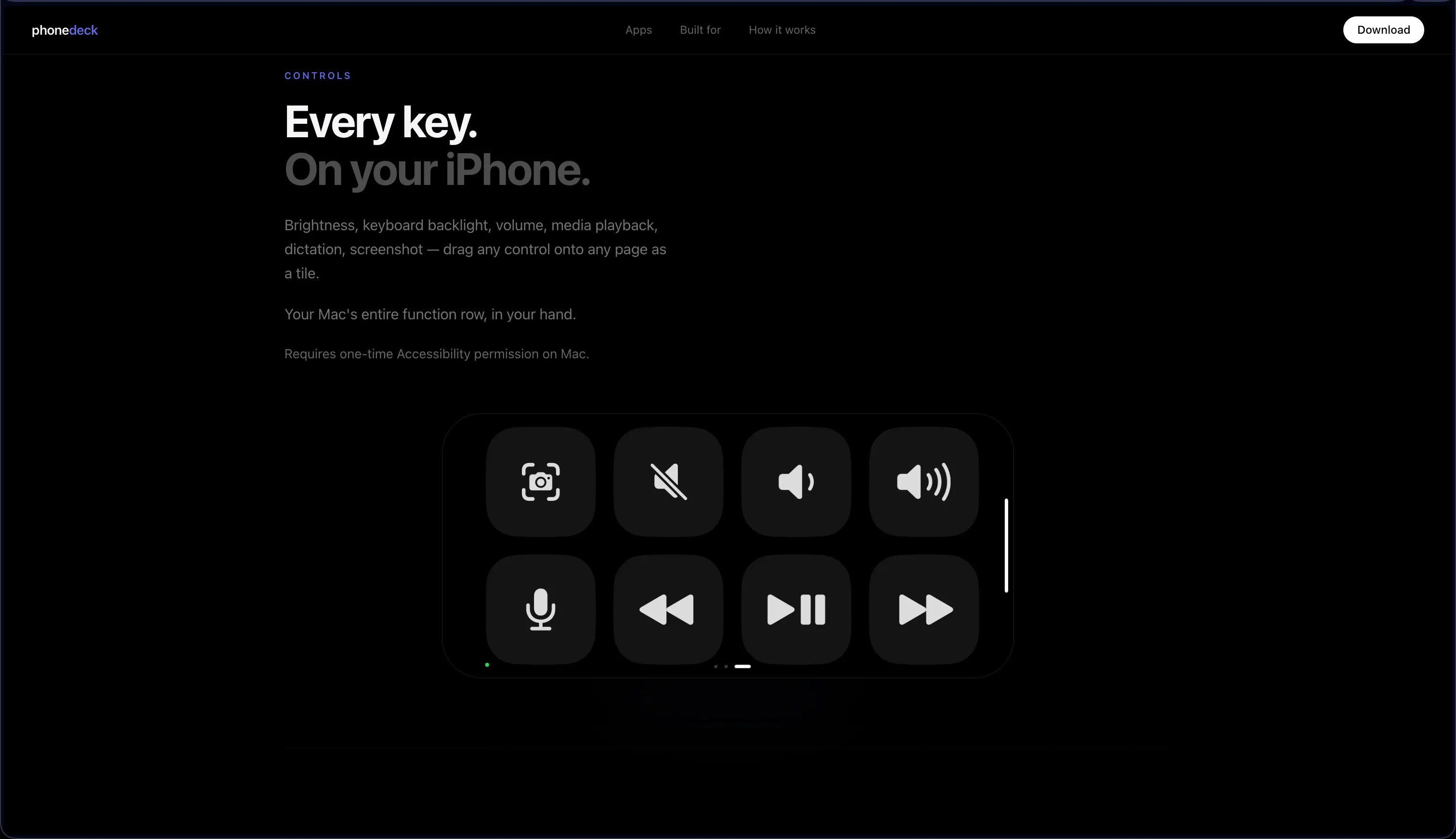
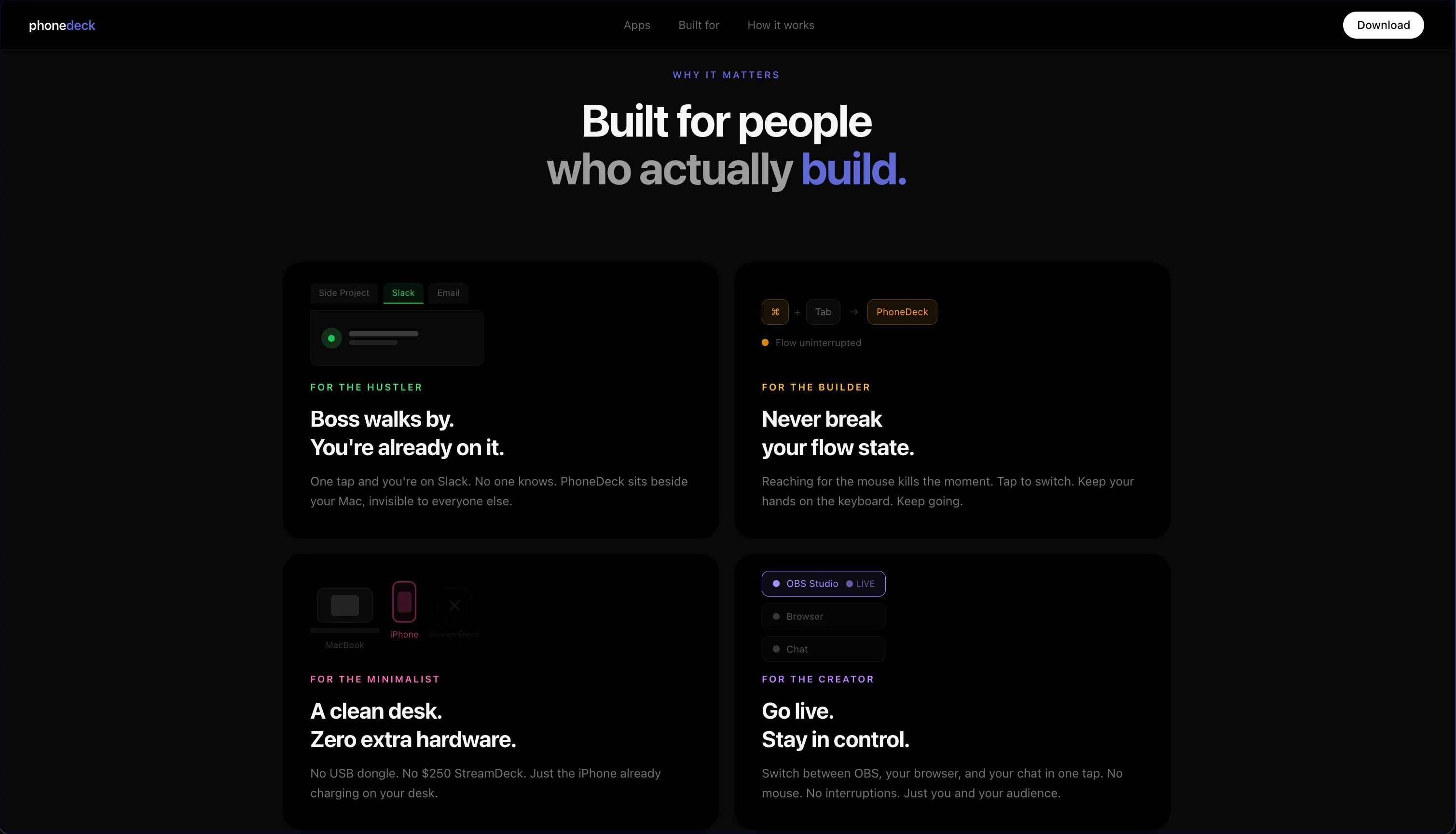
You already own a StreamDeck. It's your iPhone. PhoneDeck turns your iPhone into a fully customizable Mac controller, media controls, app launcher, custom buttons, all on your phone's screen. No hardware. No subscription. Free. Built by a solo developer in 7 days because I needed it myself. Works out of the box. No setup headaches. Download Now: Phonedeck.io

Genuinely curious how you're keeping this free long term. Solo dev, no subscription... is the plan to monetize some other way later, or is this just a passion project you're fine running at a loss on?

5
回复

@zoe_sullivan same question too - solo dev, no subs. What's your plan man?

0
回复
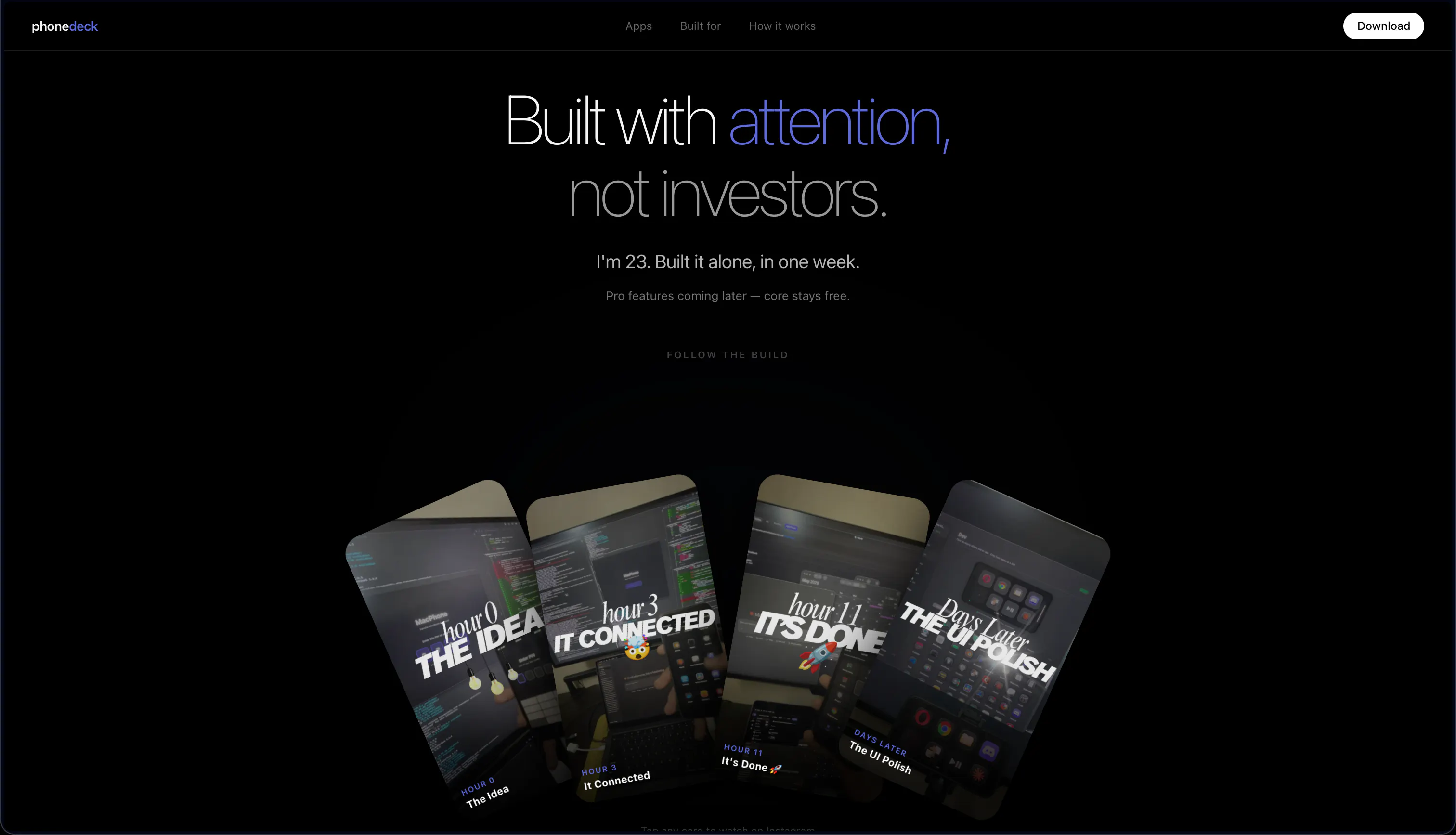
Hey Product Hunt! 👋 I'm Vansh, the solo dev behind PhoneDeck. I built this in 7 days because I wanted a StreamDeck but couldn't justify the price then realized my iPhone was sitting right there. It's completely free. No subscription, no catch. Just download and go. Would love to hear what features you want next .... I'm actively building based on user feedback. AMA!
4
回复

How does the connection actually work, WiFi only or Bluetooth too? Latency matters a lot for media controls or trigger buttons during a screen share.

3
回复

Compared to Bezel which is about mirroring your iPhone onto your Mac, PhoneDeck sounds like it's going the other direction, using the phone as the input device rather than the display. Cool that both approaches exist for people who want different things out of that phone Mac link.

2
回复

This is real prob, wanting a StreamDeck but not wanting to drop the money on hardware. Using a device people already own instead of adding more gear is the right instinct.

2
回复

The obvious trade off vs a dedicated StreamDeck is that your phone's now tied up as a controller instead of free for other stuff, and you need somewhere to prop it. Not a dealbreaker but worth weighing against the "free" part.

2
回复

Free with no subscription is rare in this space. Respect.

2
回复

"No setup headaches" is the part that will make this or break this for me. Every Mac controller app I've tried needs some combo of permissions or network config that breaks the first time your router restarts. If it actually just works out the box that's worth the download by itself.

2
回复

Dune's already doing context aware Mac automation and Keyboard Maestro's the heavy weight for scripting workflows. What's PhoneDeck's actual lane here. Is it meant to be the simpler, more casual layer on top or a real alternative to those?

2
回复

Used it for a few minutes and the media controls on my iPhone for my Mac just work instantly, no fiddling. Nice touch that it's free with no account needed.

1
回复

Downloading this now to test with OBS during my next stream setup. Will report back on whether the media controls actually replace my physical deck or just handle the basics.

1
回复

Finally, a decent alternative to a Stream Deck that doesn't cost a fortune. Turned my old iPhone into a Mac controller in a few minutes. No subscription, no extra hardware cluttering my desk. Setup was painless – just install the app on both devices and it works. Some rough edges (it was built in 7 days after all), but for a free tool, it's surprisingly useful. The developer gets it – we don't need more paid junk in this space.

0
回复

the 'no setup headaches' bit is the hard part — iphone↔mac local control usually dies on the ios local-network prompt + bonjour discovery when the phone's on wifi and the mac's on ethernet. that cross-interface case is where these quietly break.

0
回复

Reusing the phone I already own instead of buying a StreamDeck is the right insight, and shipping it free in 7 days because you needed it yourself is the kind of small utility I like. Before I map custom buttons to shortcuts, the thing I'd want to know is how the phone actually talks to the Mac: is it a direct local connection over the LAN (or USB), or does it route through a cloud relay? For a controller I'd much rather it stay on-device with nothing leaving my network.

0
回复

Took it for a quick spin and the media controls showed up on my phone almost instantly, no fiddling with settings. Nice that it's free too.

0
回复

Love this idea, turning a phone you already own into a free StreamDeck is such a clever way to solve a problem without selling people more hardware.

0
回复

Oh wow, I stepped into a completely different universe! I'm a huge fan of Apple products and the seamless connection between Mac, iPhone and iPad - but I can't quite figure out the benefit of controlling your Mac from your iPhone. Maybe because I'm a designer, not a developer?

0
回复

That's clever. Do you plan to support app-specific button profiles, or is it always global?

0
回复

@vanshmparihar Kudos !! Works like a charm, even on a iPad. Saves money on a Elgato. I agree with some of the comments, you need to charge it as this an app in need.
Requests - Scale to ipad ratio, Have 3 default configs - AI - Design - Music etc. free on iphone but Charge for custom setups, like 3x4 grids or iphone etc.

0
回复
#4
CentryAI
Subscription tracker built by someone who forgot 11 of them
190
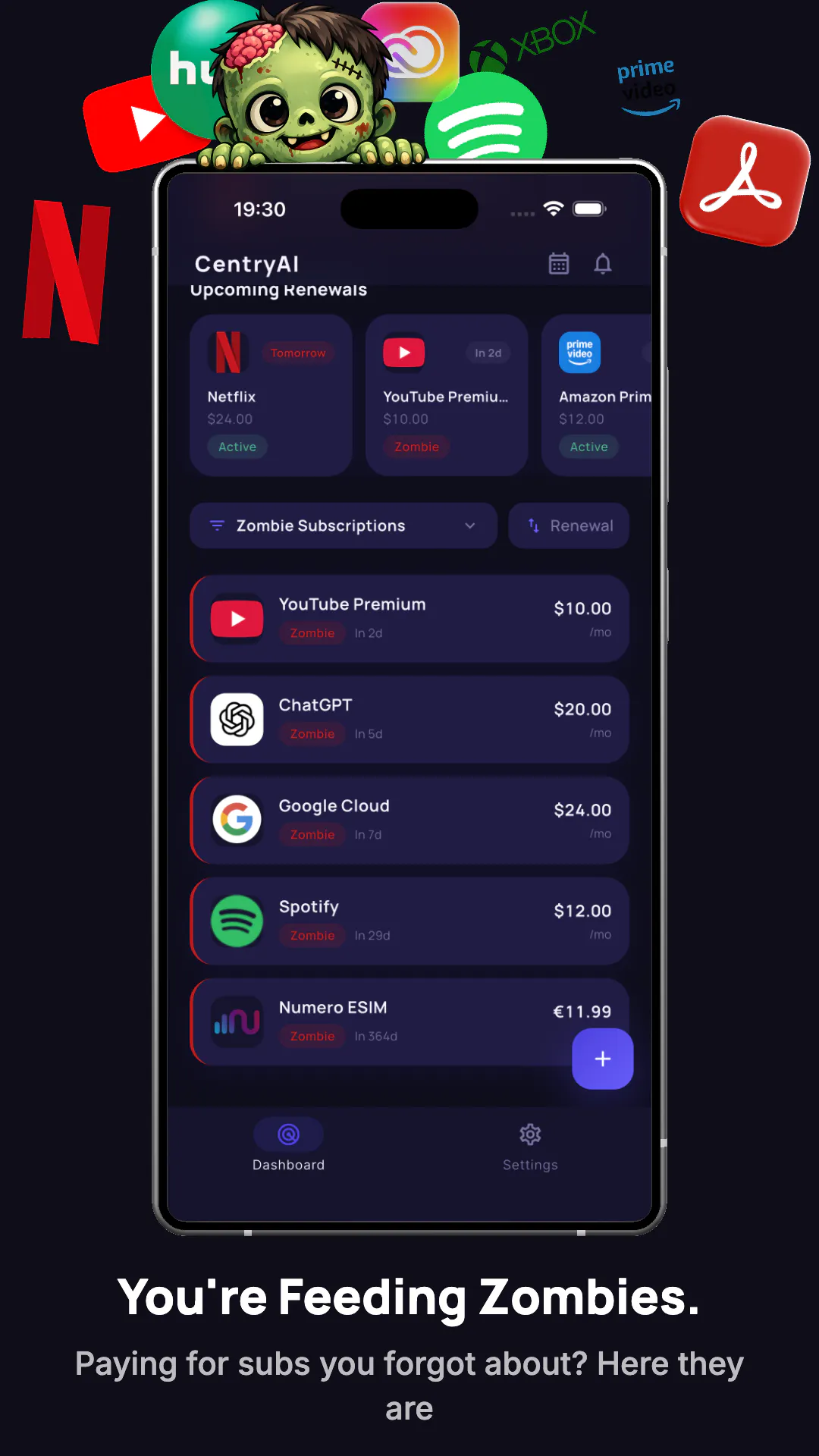
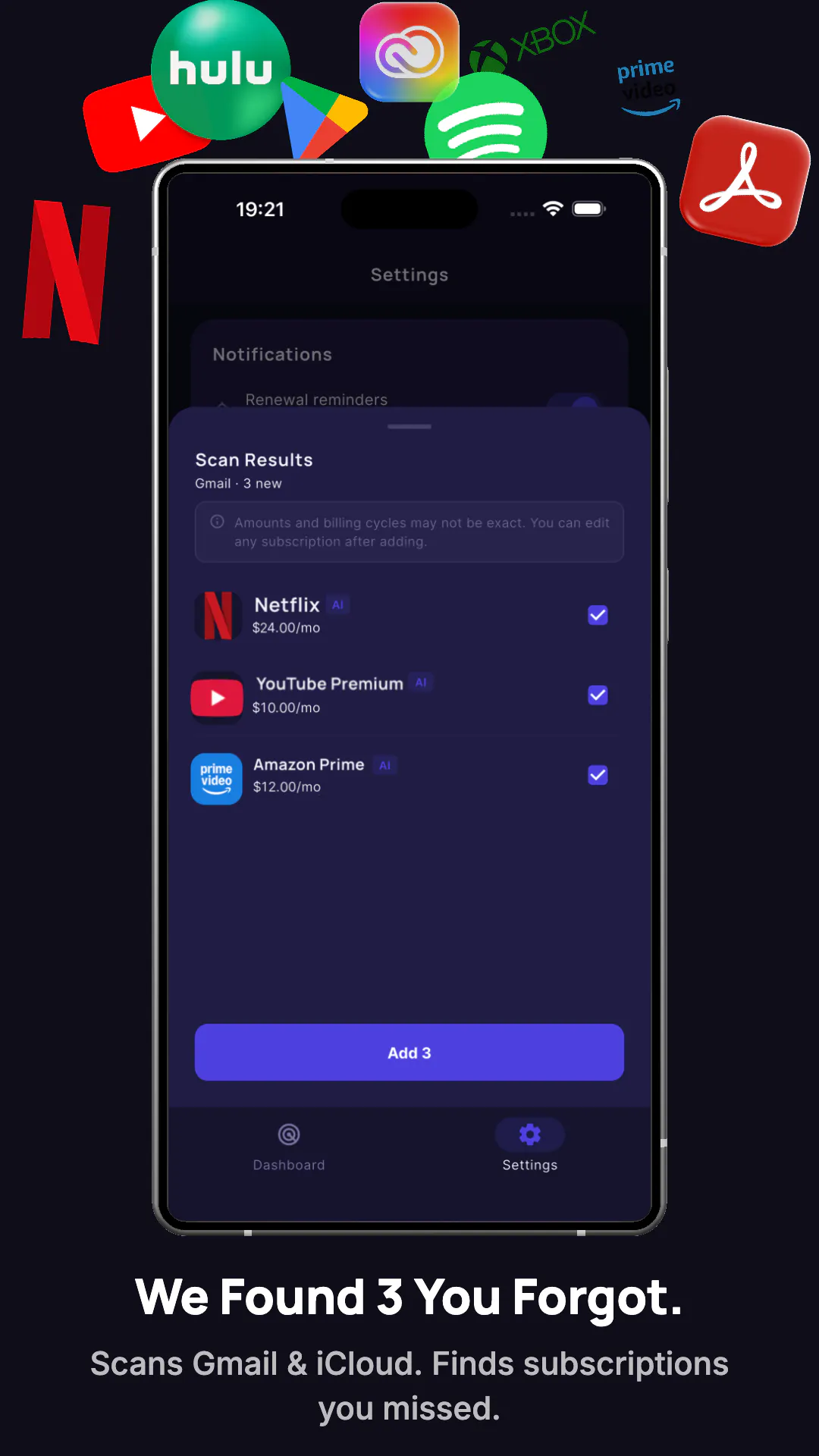
一句话介绍:CentryAI通过扫描Gmail或iCloud收件箱来自动识别并分析用户的订阅服务,用“僵尸评分”找出不常用的项目,并一键定位取消页面,专治那些因遗忘而持续扣费的隐形订阅账单。
Productivity Artificial Intelligence Personal Finance
订阅追踪 财务管理 ADHD工具 收件箱扫描 取消订阅 Gmail集成 iCloud集成 账单管理 防遗忘 消费者保护
用户评论摘要:用户普遍关注隐私(邮件解析在服务端运行但立即丢弃,且为一次性扫描,可随时撤销权限)和取消功能的可靠性(采用“人工库+实时搜索+社区反馈”混合机制防链接失效)。有用户指出“僵尸评分”对VPN等隐性必需品的误判,需改进评分模型。对开发者本人的ADHD经历表示共鸣,认为产品比通用工具更可信。
AI 锐评

CentryAI精准切入了一个被忽视且极其“疼痛”的场景——订阅遗忘症。其核心价值并非“管理订阅”,而是“找回忘记的订阅”,这与市面上那些需要手动输入或链接银行账户的记账类工具有本质区别。通过扫描几乎所有数字用户都拥有的“账单数字水印”——收件箱,它解决了信息获取的最后一个难题。

从用户反馈看,其真正的护城河是“取消难”的破解。取消链接常被大公司故意隐藏和变动,CentryAI用“三层武器”(人工维护+实时搜索+社区反馈)来对抗这种“黑暗模式”,这比单纯的账单发现更有消费者保护意义,也更难被竞争对手复制。开发者的ADHD背景为其赋予了极强的产品同理心,并体现在对隐私的“偏执”处理上(CASA Tier 2认证、数据不落地、一次性扫描),这是赢得用户信任的关键。

但产品并非无懈可击。评论中指出的“僵尸评分”对VPN、域名等被动型服务的误判,暴露了当前算法的粗糙。此外,官网未提供演示视频、需要再付一个订阅费来管理订阅的“反讽”商业逻辑,都可能成为用户转化和口碑传播的阻碍。若能持续迭代评分模型,并思考如何在不增加用户新订阅的前提下实现变现(如按“每次成功取消”收费),其市场潜力会更大。总的来说,这是一款“痛得真实,解决得聪明”的实用工具,但离完美的商业闭环还有一步之遥。

查看原始信息
CentryAI
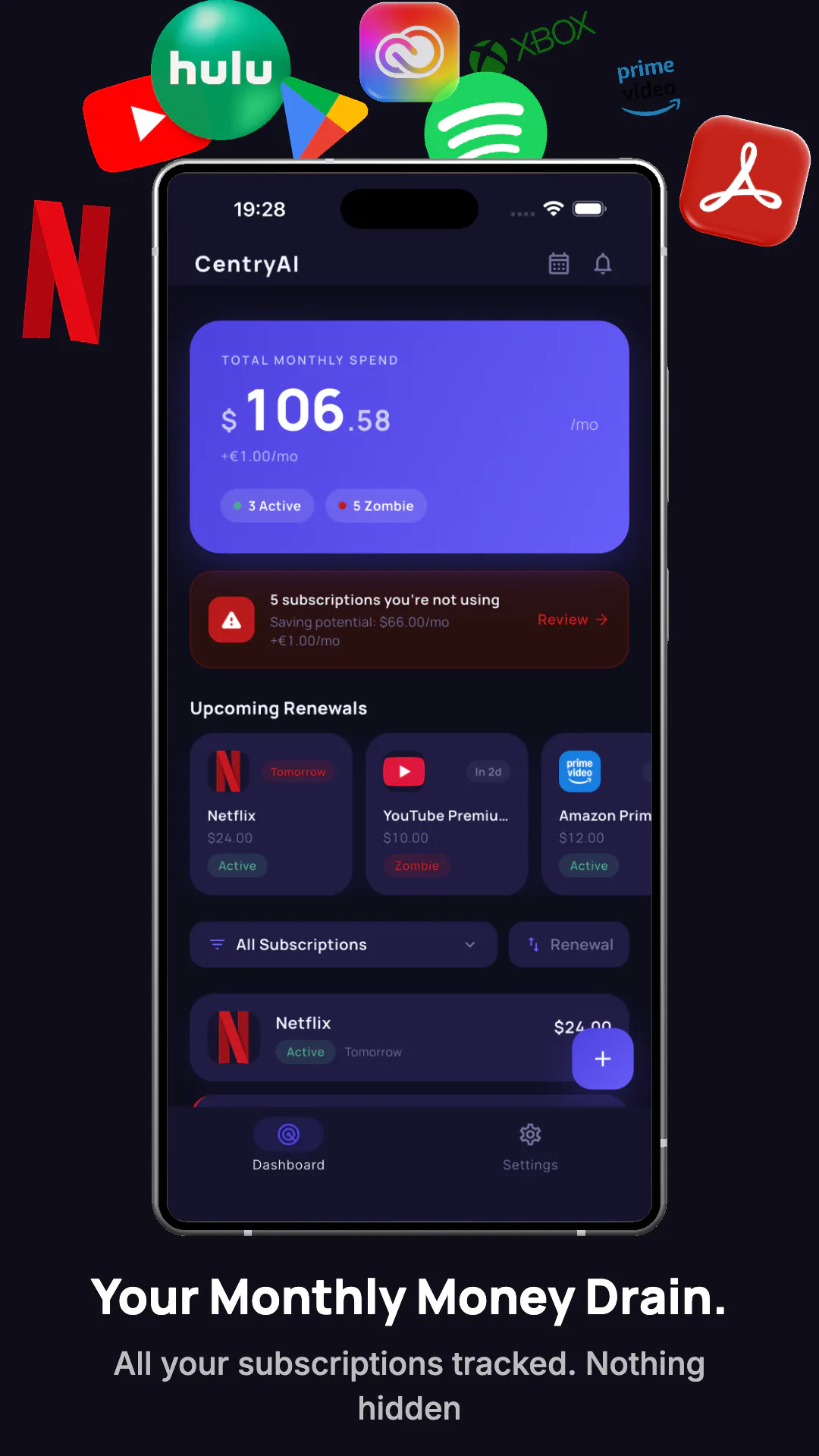
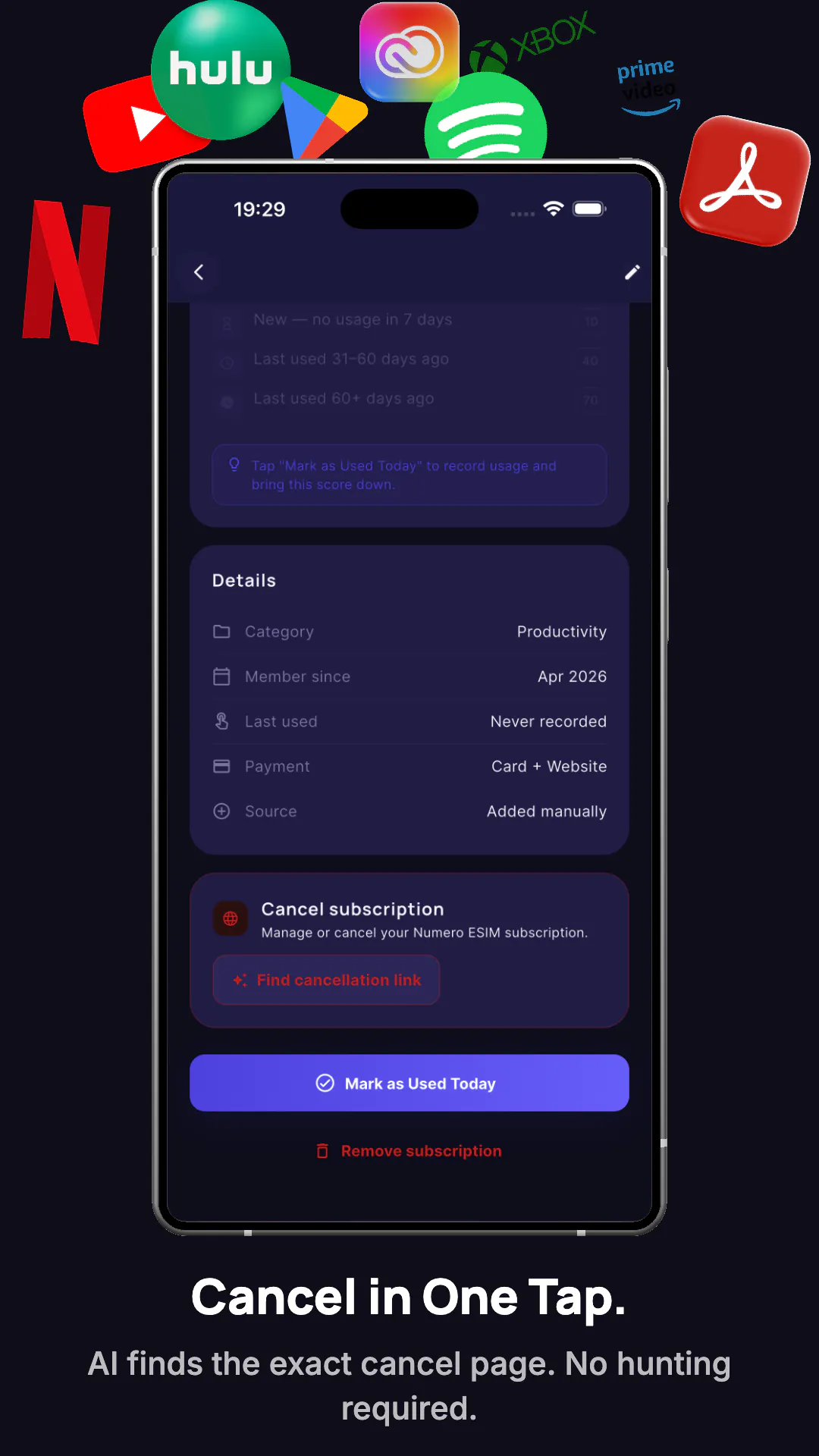
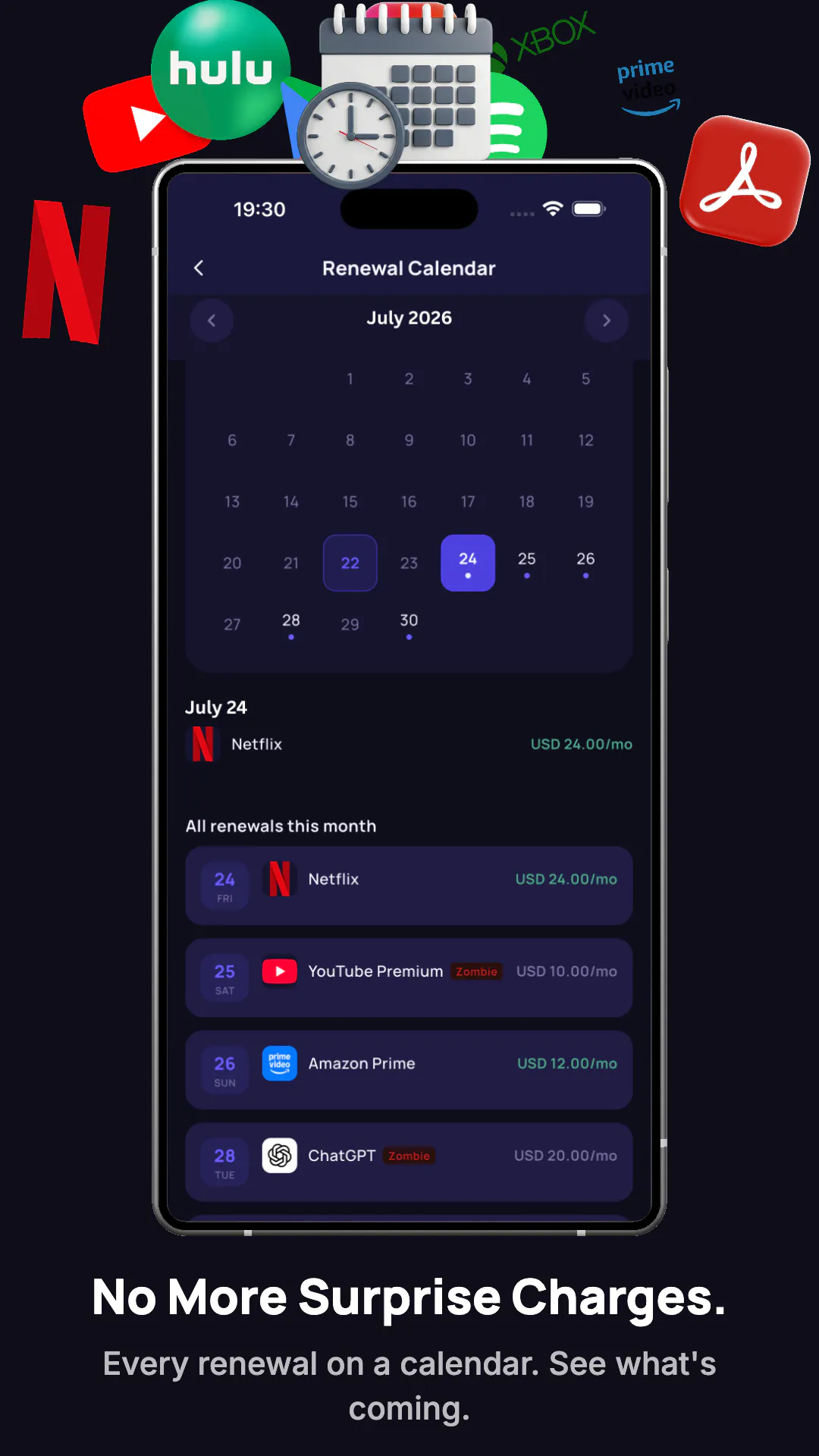
I built CentryAI because I have ADHD and was paying for 11 subscriptions I hadn't used in months. Most trackers make you enter everything manually — that doesn't work if you've forgotten what you're paying for. CentryAI scans your Gmail or iCloud, finds every recurring charge, and scores which ones you're not using. The real pain is cancelling. CentryAI's Cancel Finder locates the exact cancellation page in one tap. No bank linking. Emails are never stored. Available in 18 languages.
Hey PH! I'm Emre, and I have ADHD. A couple of years ago I realized I was paying for 11 subscriptions I wasn't using. Not because I'm careless — because "out of sight, out of mind" is real when you have ADHD. I couldn't find an app that actually solved this, so I built one. CentryAI scans your inbox (Gmail or iCloud), detects every recurring subscription, scores which ones you're not using, and helps you cancel with one tap. No bank linking. Your emails are never stored. Would love your honest feedback — especially from fellow ADHD folks who've been burned by forgotten free trials. Happy to answer anything!
8
回复

@yilmazemre Eleven forgotten subscriptions is the kind of origin story you can't fake, and it's exactly why I'd trust a tracker like this over the generic ones — you built it because the pain was yours.

Quick thing I spotted: your launch went up without a demo video, and a short one really does help people get it in ten seconds. So I made you one, free and yours to keep: https://www.youtube.com/watch?v=S6-hxU3J6QQ — it's whitelabel, branded only to CentryAI, no strings.

Your launch is still editable, so you can drop it straight into your gallery right now. Made it with https://foxplug.com. Rooting for you today — go get that spot.

2
回复

@yilmazemre good work man!! all the best.. will look into it.

0
回复

Congrats on the great launch! Like the skipping bank linking! Receipt emails carry the service name and renewal date while bank statements give you "PAYPAL *XYZ 9.99". Question on Cancel Finder. Cancellation pages get moved and buried on purpose, static index might rot fast etc. Is it a curated list, scraped on a schedule, or resolved live at tap time?

1
回复

@artstavenka1 Sharp question — link rot is exactly the failure mode we designed around. It's a hybrid, in three layers:

1. A curated base for well-known services — fastest path, reviewed URLs.

2. Live resolution at tap time for services we don't know yet — we search for the current cancellation page on demand, validate it, and only then open it (no blind redirects).

3. Community feedback as the rot detector: after a cancel attempt the app asks "did this page work?" — downvoted URLs get invalidated and re-resolved, upvoted ones get promoted for the next user.

So a page that moved last week gets healed by the first person who hits the dead end — everyone after them lands on the fresh URL. And you nailed the receipt-vs-statement point: "PAYPAL *XYZ 9.99" tells you nothing; the receipt email has the name, the price AND the renewal date.

1
回复

The inbox-scan then detect-recurring-charges then score-what-you-don't-use flow is the useful core, but connecting Gmail/iCloud is also the part I'd want to understand before granting access: does the email parsing run on-device, or does my mail get sent to a server to find the charges? And is it a one-time scan I can revoke, or a live connection that keeps reading new mail? For a utility like this, where the parsing actually runs is basically the whole trust decision.

1
回复

@hi_i_am_mimo Great question — where the parsing runs is exactly the right thing to ask before granting access. Full transparency:

The parsing runs server-side, not on-device — but your emails are processed in memory and never stored. The only thing that gets saved is what you confirm: service name, price, renewal date. Not the emails themselves, not even snippets.

It's a one-time scan per tap, not a live connection. Access is read-only, the scan runs only when you press the button, and we don't hold tokens that would let us read your mail in the background. You can revoke access anytime from your Google Account → Security → Third-party apps.

On the trust side: CentryAI is a Google-verified app — to keep Gmail access we went through CASA Tier 2, an independent security assessment Google requires for apps touching Gmail (penetration testing, code scanning, the works). We passed it this year and it's re-validated annually. iCloud works differently: an app-specific password that lives only in your device's Keychain and is wiped on sign-out.

Happy to go deeper on any part of this — it's the piece of the app I'm most opinionated about.

0
回复

Thankfully, I do not have many subscriptions (only Claude and Twitter Premium), but this is certainly helpful for someone who has more than 5, because then you are getting lost :D

1
回复

You're right @busmark_w_nika This tool may not help you and me, but this helps who have more than 5+ subs.

0
回复

@busmark_w_nika Claude + Twitter Premium only? That's the most disciplined subscription stack I've seen all week — respect 😄 The danger zone really does start around #5: that's when "wait, WHAT am I paying for?" kicks in. Thanks for the kind words!

0
回复

I literally just canceled my Leetcode sub after months of blind pay 😤

0
回复

So it wants me to pay a subscription to manage my subscriptions??

0
回复

Nice — the "find the cancel page in one tap" piece is the part that actually matters.
A lot of those forgotten subscriptions aren't just forgotten, they're engineered to be: negative-option billing, a cancel flow buried three menus deep, the "are you sure?" guilt screen.
The FTC's whole click-to-cancel push exists because companies bank on that friction. Anything that collapses cancellation back to one tap is doing real consumer-protection work. Curious whether you flag the free trials that auto-convert before the first charge lands — that's where most people actually get caught.

0
回复

@peterdigitalis Exactly right — the friction is the business model for a lot of these companies. Negative-option billing, the three-menu-deep cancel flow, the guilt screen asking if you're really sure — none of that is accidental UX. It's revenue retention by design.

That's precisely what Cancel Finder is built to cut through. One tap, straight to the cancel page, no detours.

0
回复

The Gmail scan worked surprisingly fast and actually caught a couple of subscriptions I had completely forgotten about, including one I had no idea how to cancel until the one tap option found the page for me. Solid for anyone who loses track of recurring charges.

0
回复

@gocemennur76590 This is exactly the scenario CentryAI was built for — the subscription you forgot existed, cancelled by a service you didn't know how to find. That's the full loop working.

Curious: what was the subscription? Always interesting to hear which ones actually catch people off guard.

0
回复

This seems especially useful for anyone who's signed up for dozens of AI tools over the past year 😄. The Cancel Finder alone could save a lot of time.

0
回复

@sonali_nayak2 The timing is not lost on us — the past 18 months created an entire new subscription category: AI tools you signed up for during a demo, forgot about, and are still paying for monthly.

CentryAI was actually built in a pile of those. Irony fully acknowledged.

Cancel Finder especially earns its keep here — AI companies are not known for making cancellation obvious.

0
回复

Ironically, you need one more subscription to track your other subscriptions. Lifetime plan?

Anyway, I like the idea.

0
回复

@onikienko Ha — fair point, and we've heard that one before.

The counter: one $7.99/mo subscription that finds and cancels the ones bleeding you quietly tends to pay for itself pretty fast. The average user recovers $40–60/month in forgotten charges. The math usually works out.

On lifetime — not right now. Subscription businesses need recurring revenue to stay alive (ironic, yes). A one-time payment model means the incentive to keep improving the product disappears the moment you pay. We'd rather earn the monthly fee.

Glad the idea landed though.

1
回复

The zombie score is a nice touch. I imagine it's tricky though, because not every subscription is meant to be used regularly. A VPN, domain renewal, or cloud backup might look "dead" even when it's doing its job. How do you handle those cases? Congrats on the launch!

0
回复

@jared_salois Sharp observation — and honestly, you've identified a real limitation.

The zombie score doesn't currently distinguish between subscription types. A VPN or cloud backup that's quietly doing its job will score similarly to a streaming service you haven't opened in months — both look "silent" to the algorithm.

What we do instead: the score is a flag, not a verdict. It surfaces subscriptions worth a second look, but the final call is yours. A high zombie score on your domain renewal is a prompt to confirm it's still intentional — not an instruction to cancel it.

Differentiating passive infrastructure from active services is the next meaningful refinement for the scoring model. You're not the first to point at this gap, which tells us it belongs on the roadmap sooner rather than later.

Thanks — and congrats on the sharp eye.

0
回复

i love this.. i have been something like this exist.. curious how did you gett he signals for user? integrate with bank/financials?

0
回复

@rnagulapalle No bank or financial integration at all — that's actually a core design decision.

CentryAI scans your Gmail or iCloud inbox for subscription receipts and billing confirmation emails. Every subscription leaves a paper trail in your inbox: trial start, first charge, renewal. We read those signals, extract the subscription details, and the raw email content is discarded immediately after — never stored.

The bank-linking route gives you transaction data but requires handing over financial credentials. Email gives us the same subscription signals with a much smaller trust ask. Read-only Gmail access vs. your bank login — for most people that's an easy call.

Glad it resonated — hope it saves you some zombie subscriptions. 🧟

0
回复

No bank linking is the right call here. How does the Gmail scan work under the hood - parsed locally, or sent through a server and discarded right after? People get understandably nervous about anything reading their inbox.

0
回复

Great question @christian_knaut, and totally fair to ask — inbox access deserves a straight answer.

The scan runs through a Cloud Function on servers, not locally on-device. Here's exactly what happens:

1. You authorize read-only Gmail access via Google's OAuth (we only request gmail.readonly — no send, no delete, no compose)

2. Server fetches receipt-style emails matching subscription patterns

3. Subscription data is extracted in-memory and written to your account

4. The raw email content is discarded immediately — it's never stored, logged, or written to a database

We went through Google's CASA Tier 2 security assessment (completed June 2026) specifically because of the Gmail scope — it's an independent audit of exactly this data handling. The certificate is public.

The tradeoff vs. local parsing: on-device would mean shipping our detection logic inside the app (reversible, extractable), and it couldn't leverage server-side AI for ambiguous cases. Server-side with strict discard gives us better detection without retaining anything.

Short version: we see your emails for ~seconds, extract subscription signals, then they're gone.

0
回复

I`m so hard on subscribing to something so I have very few subscriptions, but anyway, I think your product sounds really great - with a lot of information around every person these days it is so easy to miss and forget something, even if you are not having ADHD

0
回复

Thank you @julia_shtogren  — and you said it better than my marketing does 😄 The overload is universal now: dozens of accounts, trials, renewals... ADHD just turns the volume up on a problem everyone has. Staying disciplined about subscriptions like you do is genuinely rare — the app is basically that discipline, automated for the rest of us. Thanks for the support!

1
回复

This is useful. Does it catch App Store or Google Play charges, or only email-based ones?

0
回复

@dhiraj_patel5 Straight answer: CentryAI has no direct connection to App Store or Google Play — those subscription lists are private to your account, and Apple/Google don't let third-party apps read them (by design, and honestly that's how it should be).

CentryAI works from email: if a subscription shows up as a receipt email in the inbox you scan, it gets caught. For anything the scan can't see — including store-billed subscriptions — you can add it manually in a few seconds, and everything else (renewal reminders, zombie scoring, Cancel Finder) works exactly the same for manually added ones.

0
回复

Love this, especially the privacy angle. One thing that would help me: let me set a "trial reminder" that pings me a day or two before any free trial auto-renews, since those sneak past Gmail scans sometimes. Would catch the ones your scanner might miss.

0
回复

 Thank you @ykselgrbrxob8 — really glad the privacy angle resonates; it ended up shaping most of our technical decisions.

To be transparent about how it works: CentryAI doesn't continuously read your inbox — the scan runs only when you tap it, by design. That's also why a trial can occasionally slip past: trial-start emails usually carry no amount and no invoice, so they don't look like receipts to the scanner. We're actively improving the email scan to detect trial sign-ups as well. In the meantime, if you add a trial yourself (takes a few seconds), the reminders kick in automatically — you get pinged before it converts to a paid plan, so the "quiet auto-renewal" moment never happens.

And you've basically read the roadmap without seeing it: automatic trial detection in the scan — "you started a trial on X, it converts to paid on Y, want a reminder?" — is one of the next things I want to build. Feedback like this moves it up the list 🙌

0
回复

Congrats with your launch!

I see more and more products & media getting targeted towards people with ADHD.


As a person with basically zero ADHD myself (I can focus on a single task for hours without any distractions, I have an excellent memory, and enjoy staying on topic), I find it hard to relate to the advertisement, but I'm curious and I do support.

Could you please explain simply what differentiate a products build for people with ADHD from the other products? We all have subscriptions, and many people track them in some way or another.

Which product design decisions were you making following this direction?

Thanks.

0
回复

Thanks @valzubkov — and genuinely good question, because "for ADHD" is often just marketing paint. For me it's not: I have ADHD myself. I kept forgetting subscriptions existed, and even when I found them, the detective work of tracking them down and the mental load of actually cancelling kept getting postponed forever. I built CentryAI for exactly that: finding the subscriptions I'd forgotten and making cancelling them easy. Here's what that concretely changed in the product:

1. Zero manual entry as a hard rule. Every tracker before this asked you to log subscriptions by hand. If your working memory is the problem, an app that depends on your working memory is dead on arrival. So the inbox scan does the remembering — that single decision is the product.

2. The app assumes you'll forget — it doesn't punish you for it. The zombie score climbs silently while you do nothing, and the app pings you: "you haven't touched this in 60 days, still want it?" It's external memory, not another dashboard you have to remember to open.

3. Friction removal at the action step. Knowing you should cancel and actually cancelling are different tasks when task-initiation is hard. Cancel Finder deep-links to the exact cancellation page — one tap, not a 15-minute hunt that gets postponed forever.

The honest part: none of this is ADHD-exclusive. It's the curb-cut effect — designed for the people who need it most, useful for everyone who's busy or distracted. You with your excellent memory probably don't need the reminders... but you also probably haven't audited your subscriptions in a year 😄

0
回复

Good idea, will I be able to cancel them from the app?

0
回复

@sasha_havrilyuk Great question — honest answer: no app can legally cancel on your behalf (the contract is between you and the service). What CentryAI does instead is kill the worst part: the hunt. Cancel Finder takes you to the exact cancellation page of the service in one tap — no digging through settings mazes or support docs. You confirm the cancellation there, usually in under a minute.

1
回复

This one will save dollars; it's difficult to track fringe subscriptions like that domain autorenewal that I never use and I can already see long term savings.

0
回复

@roopesh_donde Domain autorenewals are the final boss of forgotten subscriptions 😄 Yearly cadence, tiny receipt email, and by the time it renews you've forgotten the side project entirely. That's exactly the category the inbox scan catches best — thanks Roopesh, hope it pays for itself quickly for you!

1
回复

It’s an interesting idea, I have found subscriptions I forgot about before and wished I cancelled sooner.

But people who are looking to reduce subscriptions won’t want to subscribe and pay? Maybe you can do ads or a different monitization scheme?

0
回复

@mjohnson42 Fair challenge — and honestly the question I asked myself before building it. Three thoughts:

There's a free tier: track up to 3 subscriptions, no payment. For a lot of people that's already enough to catch the forgotten ones.

For Pro, the math tends to defend itself: it costs less than one forgotten subscription. Find a single $10/month zombie you'd forgotten and the app has paid for itself several times over in a year. It's the one subscription whose job is to delete the others 😄

On ads: an app that reads your inbox AND shows you ads would be a terrifying combo — monetizing attention or data is exactly what we can't touch if "privacy-first" is the whole point. Charging users directly keeps us accountable to you, not advertisers.

0
回复

The 'out of sight, out of mind' thing hits so close to home. honestly, the biggest barrier with existing tools is definitely the manual entry or the invasive bank syncing, so scanning the inbox without storing the data is a huge UX win.

Curious about how you handle the usage scoring though. if you don't link the bank and don't store the emails, what signals are you using to determine if someone isn't using a subscription? is it based on the frequency of receipt emails, or something else?

0
回复

@andrasczeizel Good catch — and honest answer: the scoring is deliberately low-tech, because the alternatives (bank data, tracking what apps you use) are exactly the invasiveness we built this to avoid.

Two signals: receipt cadence from your scans confirms a subscription is still alive — you're being charged. Usage comes from you: the app asks "when did you last use this?" and one-tap check-ins update it. No check-in while time passes → the score climbs at 15/31/60-day thresholds, and past a threshold it's flagged as a zombie with a push notification.

So yes, it needs a tiny bit of input from you. That's the trade-off we chose over surveillance — and for the "I haven't opened Netflix since March" cases it works surprisingly well, because those are exactly the ones you never check in on.

1
回复
#5
Termi Protocol
Watch your AI coding agents build, live in 3D
173
一句话介绍:Termi Protocol将AI编码代理(如Claude Code)的终端操作实时渲染为3D办公室动画,让开发者通过视觉化方式直观监控、调试多代理协作流程,解决传统日志难以追踪代理意图和错误的问题。
Productivity Artificial Intelligence Games
AI代理可视化 3D监控 编码代理 开发者工具 工作流模拟 本地优先 多代理协作 调试工具 CLI代理 产品猎
用户评论摘要:用户普遍认同3D视觉化让代理行为更易理解,尤其关注多代理场景下的状态编码(如文件锁、阻塞)和错误提示(红警+抖动)。核心疑问集中在:是否支持现有会话附加、是否全本地运行、能否回放历史事件以用于调试。提出增强“为何执行某步”轨迹的建议。
AI 锐评

Termi Protocol的创意噱头大于实质价值。把编码代理做成3D小人走办公桌,确实比看终端日志更“有趣”,但产品的核心命题——**可视化能否带来真实的效率提升**——回答得含糊其辞。

从用户评论和开发者回复看,当前版本实质上仍是一个**高级终端监控皮肤**。所谓的“错误检测”不过是读取日志后触发预设动画(红色警告+抖动),并未实现对代理行为的语义理解或智能预判。至于“重现历史事件”的承诺,目前只是方向而非功能。多代理协作中的文件锁和状态编码虽被提及,但这完全可以在命令行界面通过更简洁的标记实现,3D化反而增加了视觉噪声——正如一名用户担忧的“8小时后就成视觉垃圾”。

真正的价值可能藏在两个低调设计里:**本地运行+附着现有会话**。全本地执行保证了数据安全,无需重启会话则降低了迁移成本。但问题在于,这本质是锦上添花——开发者已经在用Claude Code了,Termi不过是给已有的搅拌机装个透明外壳。

风险在于,如果3D场景无法直连控制逻辑(如通过点击代理图标来暂停/回滚/比较修改),它永远只能是“好看的监控屏”。目前用户只能通过右侧命令中心操作,与3D场景是割裂的。这就像给汽车安装高清仪表盘但方向盘还是老式机械——视觉感官提升了,驾驶体验并未质变。

一句话总结:对独自工作的极客开发者而言,这是个可爱的玩物;对于团队协作或严肃排错场景,它离“生产力工具”还有三个版本的距离。

查看原始信息
Termi Protocol
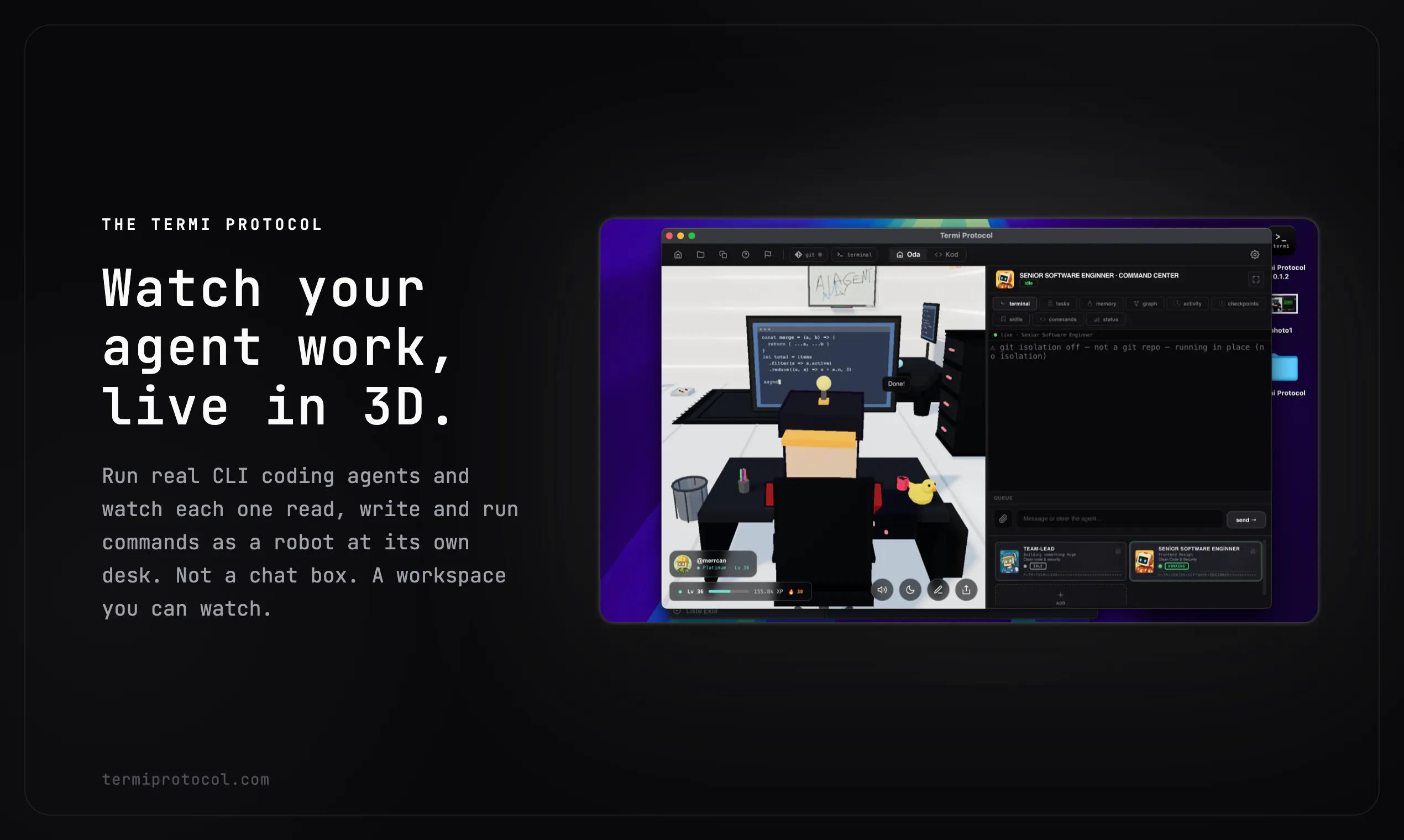
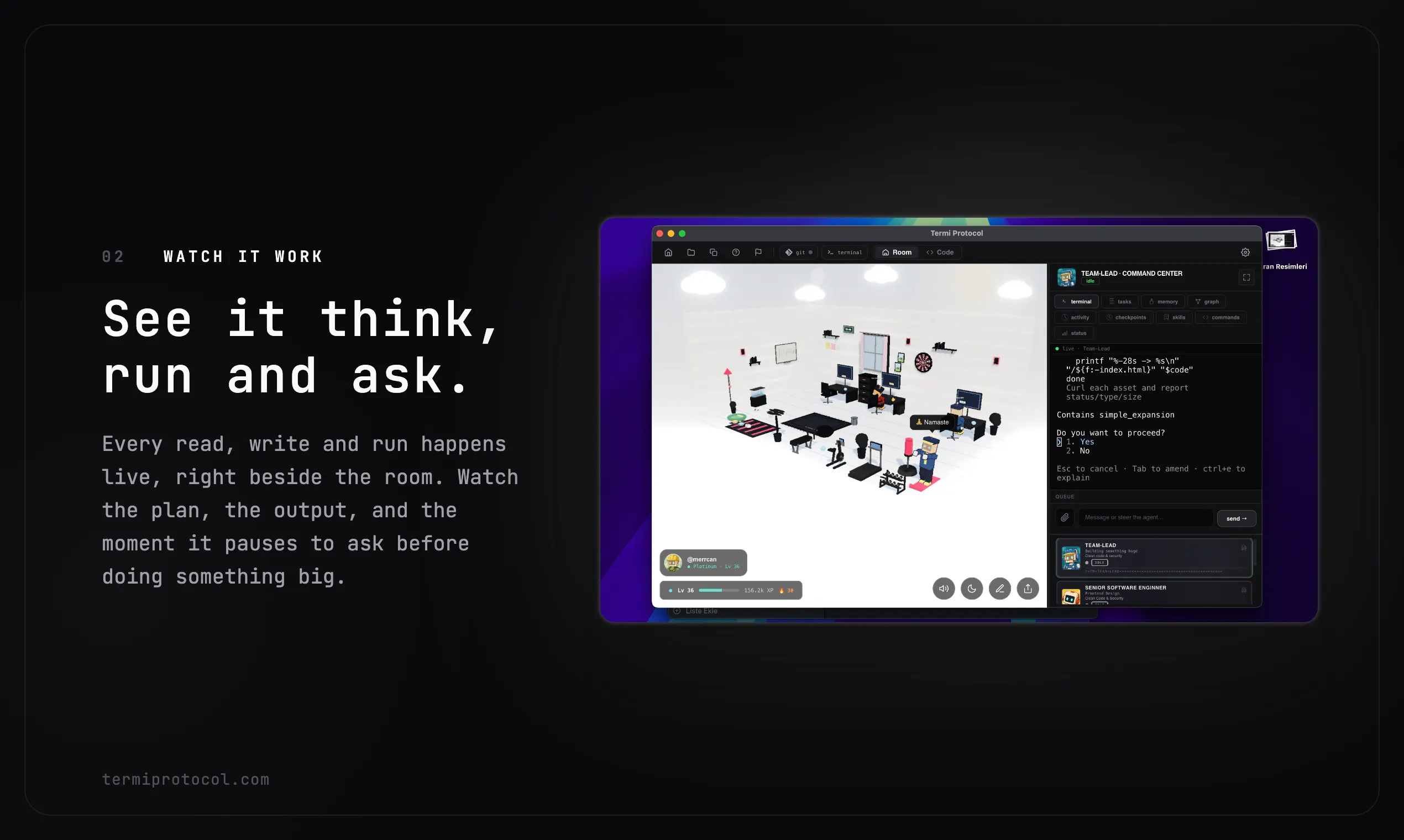
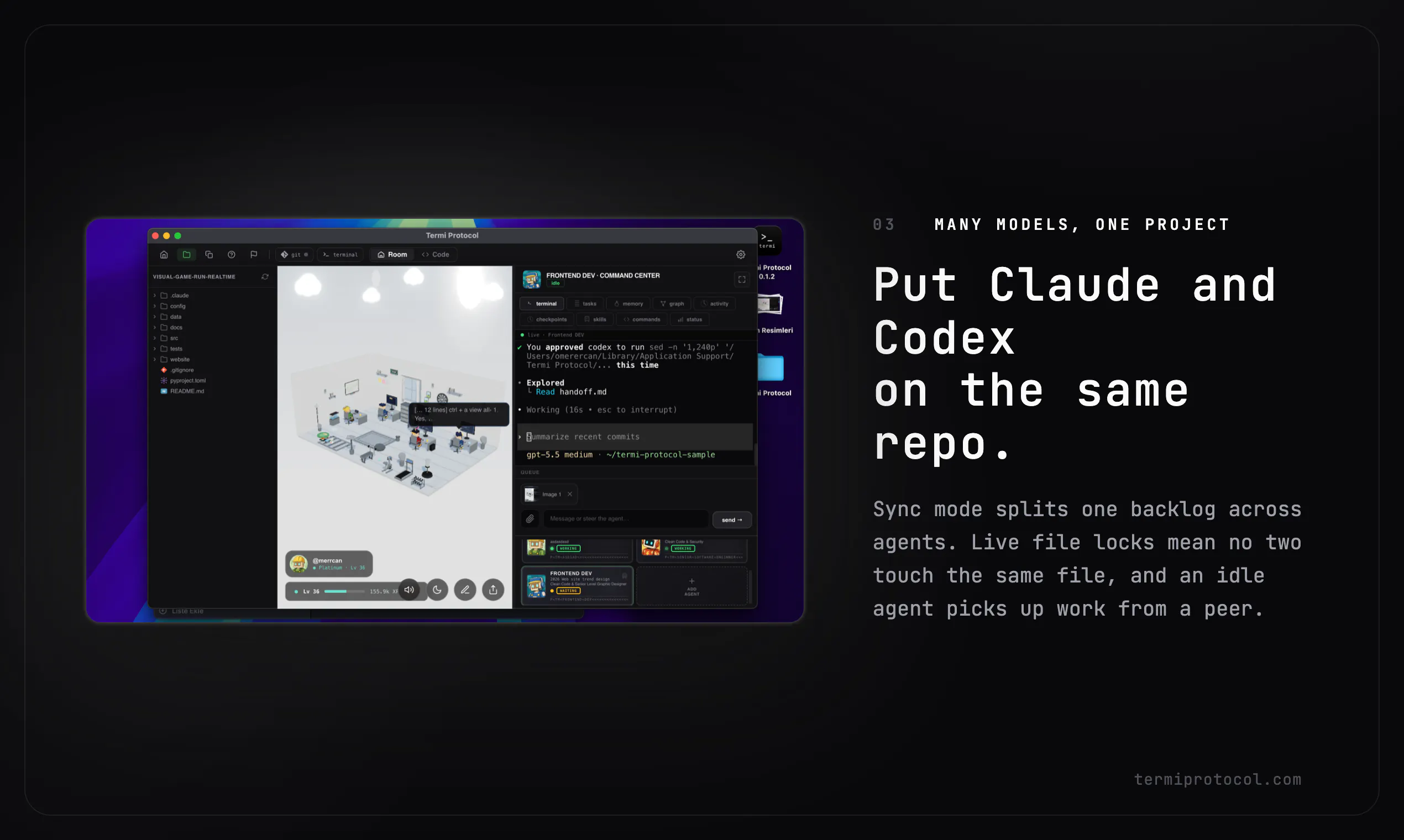
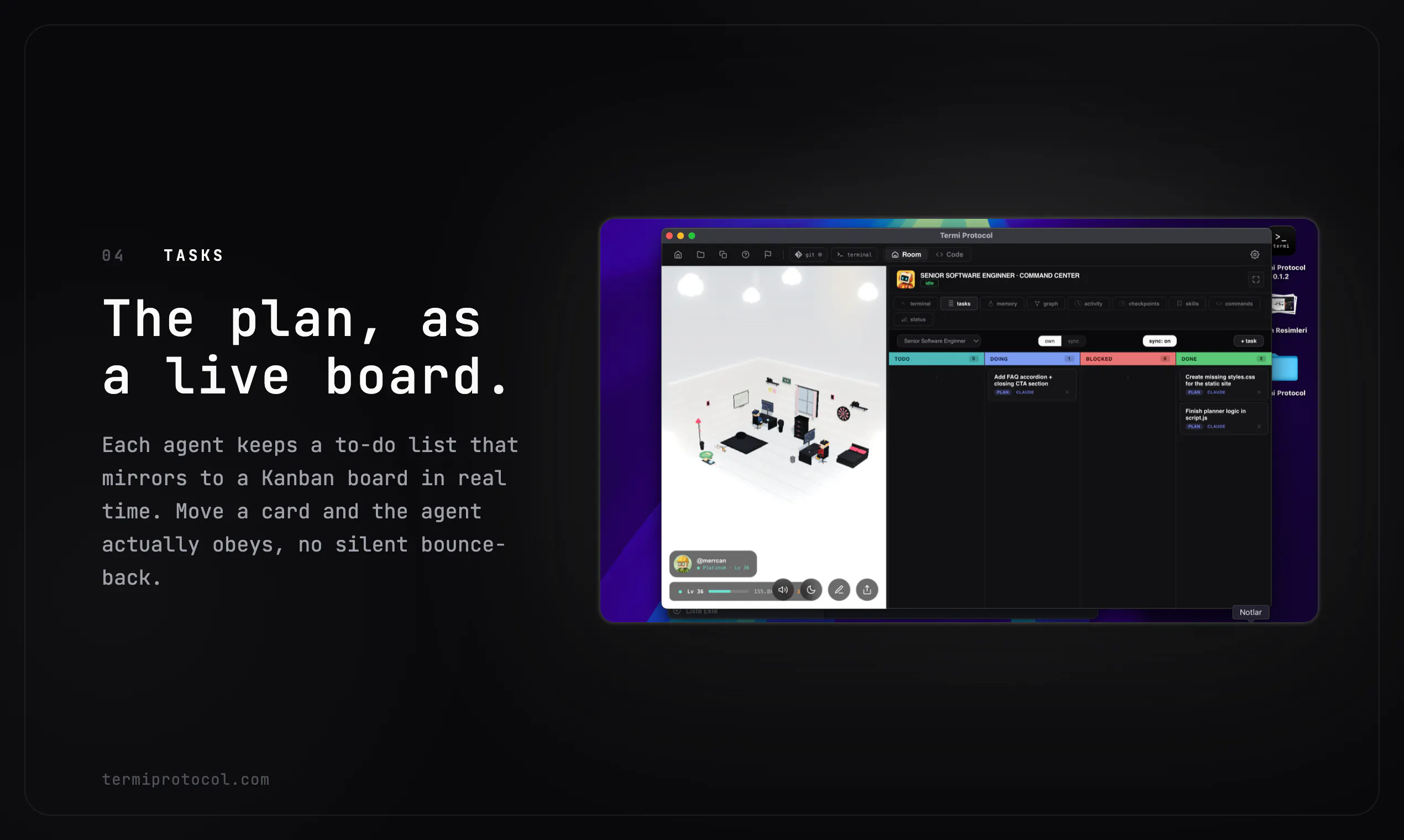
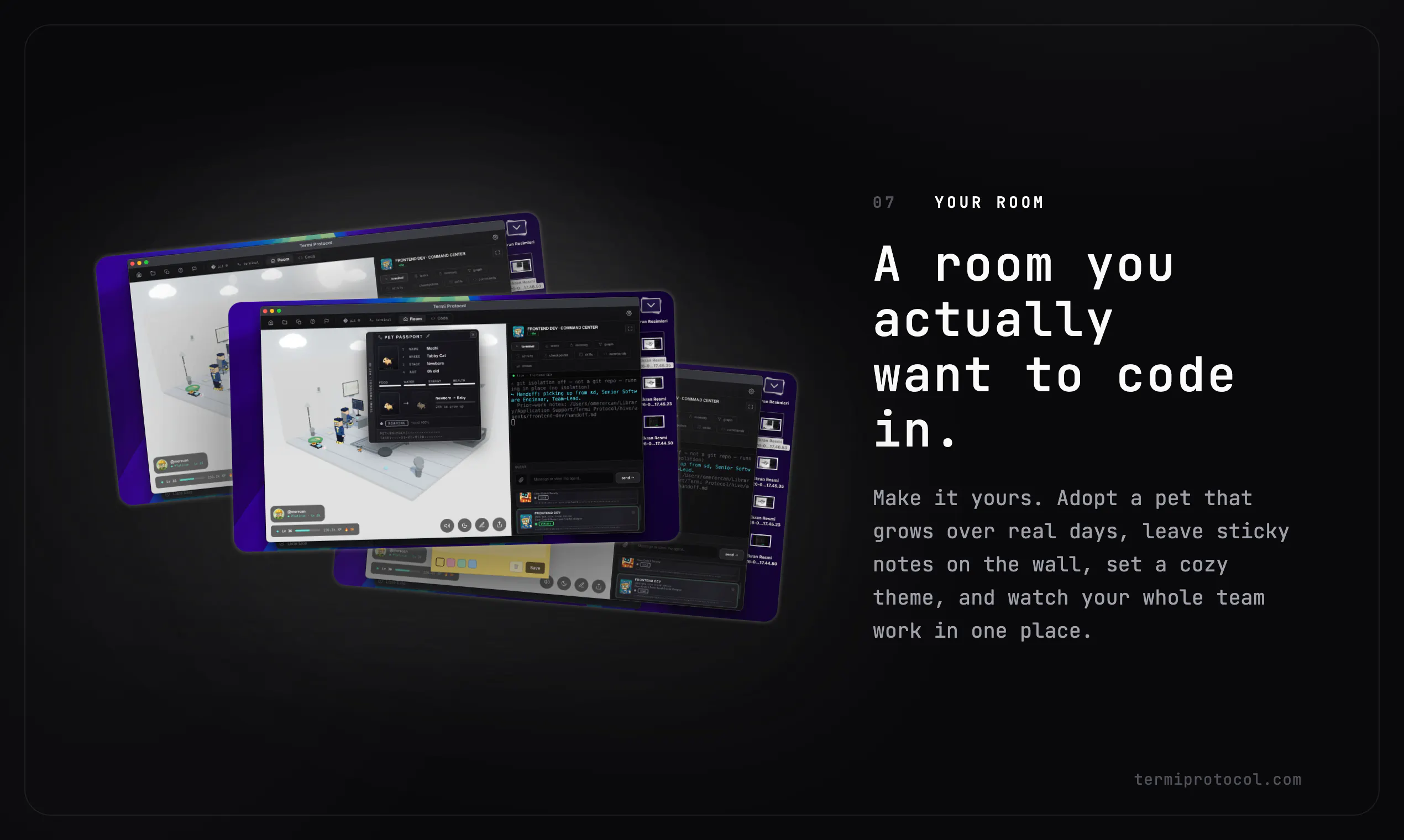
The Termi Protocol is a 3D simulation of AI agent workflows. Give your coding agents a face, a desk and a living room. Watch them read, write and run commands live in 3D, like a game. You run the agents; we visualize the process.
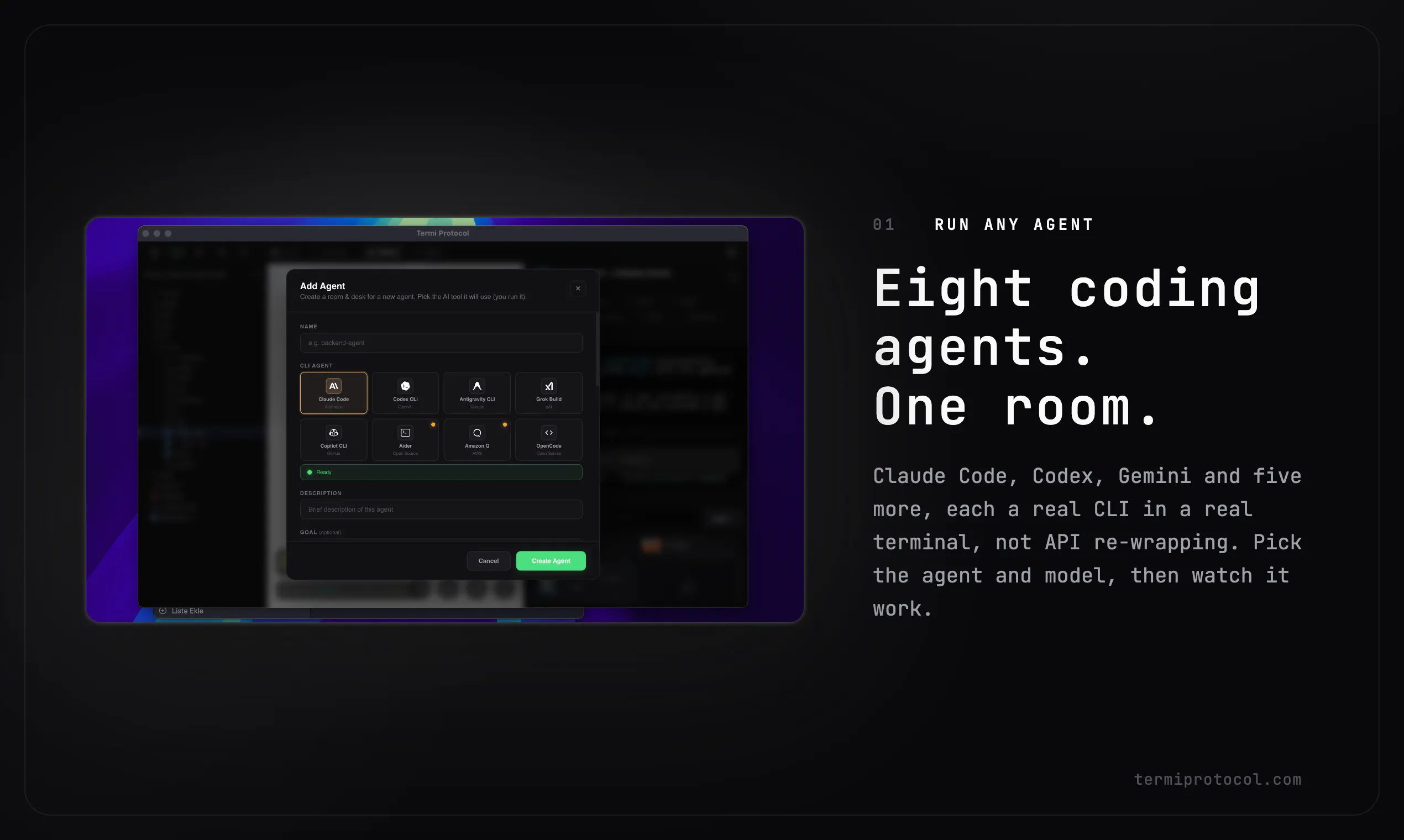
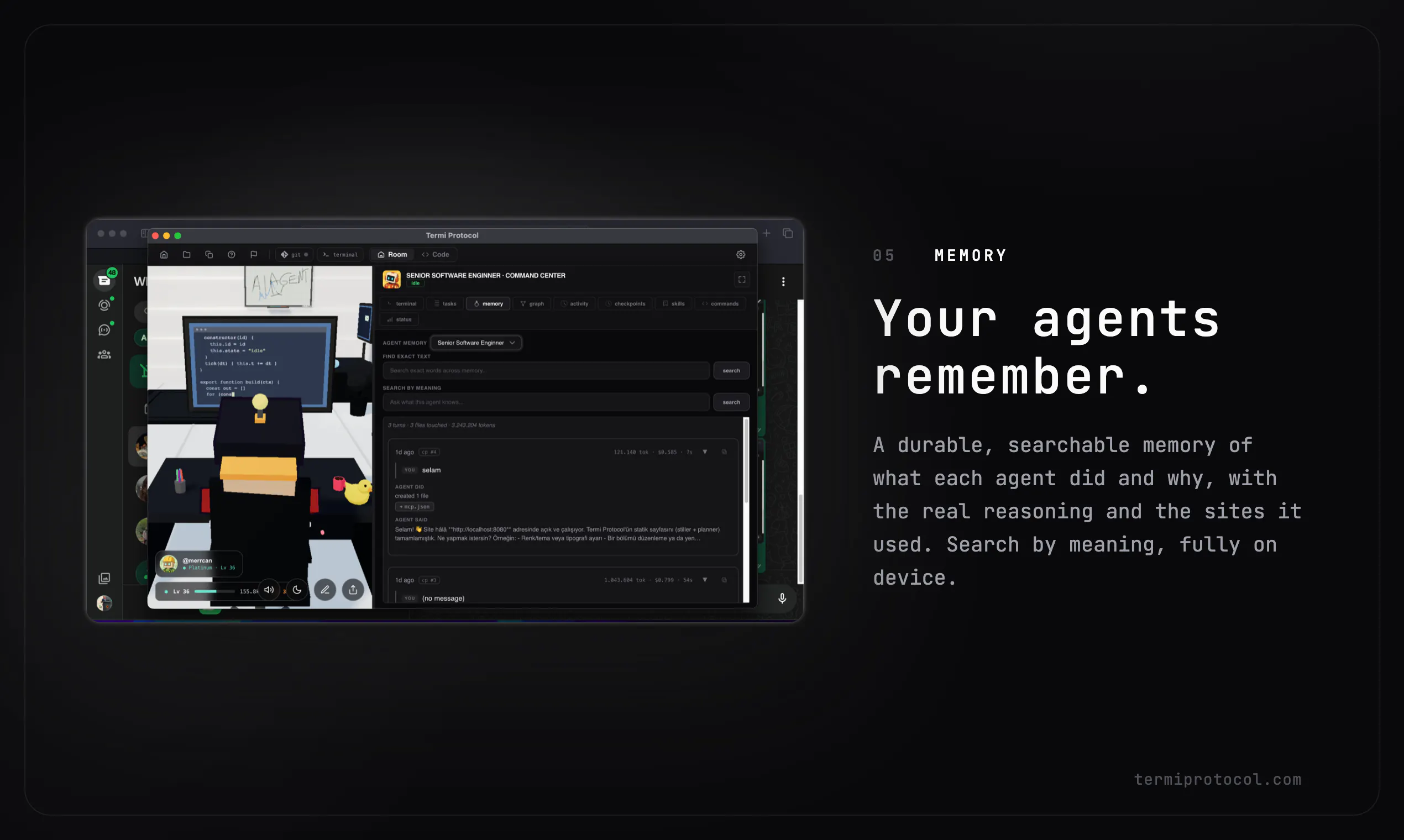
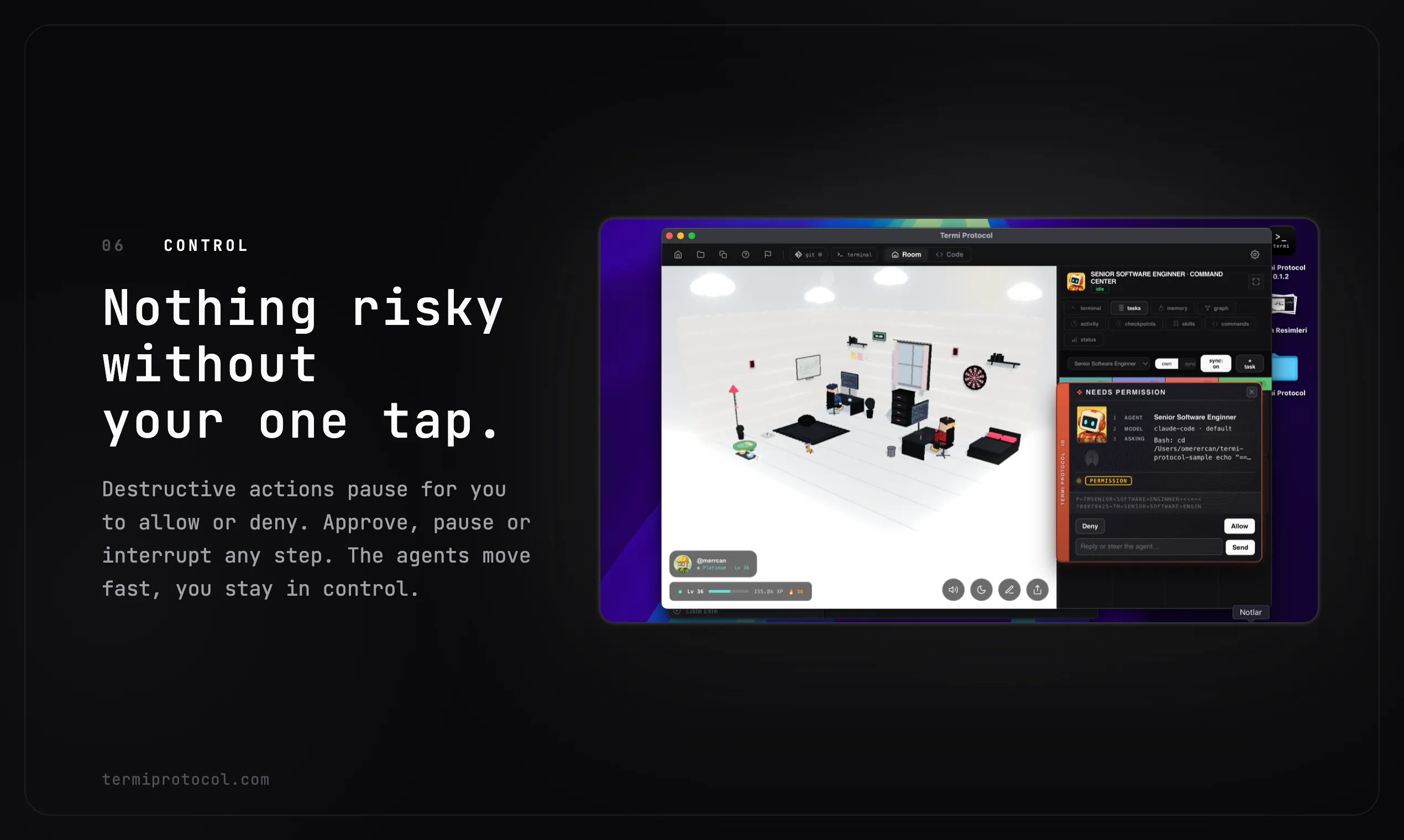
Hi Product Hunt 👋 I built The Termi Protocol because I run coding agents all day, and staring at scrolling terminal logs never really showed me what they were actually doing. So I gave them a body. Termi is a 3D room where your real CLI agents like Claude Code, Codex, Gemini, and five more live and work. You can watch each one walk to its desk, read files, write code, and run commands as a little robot in real time. It is not a chat app. It is not an IDE. You keep using the agents you already use. Termi simply turns the whole process into something you can see, steer, and control. A few things I am proud of: Claude and Codex can work on the same repo. File locks keep them from colliding, and an idle agent can pick up a peer’s work. Checkpoints let you rewind any step, almost like time travel for your code. On-device memory remembers what each agent did and why. It is fully searchable and does not need an API key. Nothing risky happens without your one-tap approval. And yes, there is a pet that grows with your coding days. Termi runs on macOS and Windows. It is local-first, pay once, and yours for life. Founding backers get it for $6.99. I would love your honest feedback, especially on the watch-it-work experience. Happy to answer anything in the comments. 🙏
6
回复
Very creative. I'm curious does visualizing the workflow actually help you catch bugs or inefficiencies that you'd normally miss in terminal logs?
3
回复

@thys_beesman 

Thank you, I really appreciate that.

Yes, that is one of the main reasons I built it. Agents often work with a kind of hive-mind psychology, especially when multiple sessions are active at the same time. In a normal terminal, it is easy to miss when one of them gets stuck, repeats the same action, or runs into an error.

In Termi, the visual layer helps make those moments obvious. For example, if an agent hits a possible error, a red warning appears above its head and the robot starts shaking, so you can immediately notice that something needs attention.

On the technical side, it also notifies you when an error happens. You can then check the history section to see where it happened, what caused it, and decide how to intervene.

So the goal is not to replace terminal logs, but to make problems easier to catch and supervise before they disappear inside a long wall of text.

0
回复

watching agents work in 3d is genuinely fun. i stared at agent logs for years and they never showed intent. does the view hint at why, not just what?

2
回复

@andrewzakonov 

Exactly, that is the idea.

When a project grows, managing agents through terminal logs becomes harder. With Termi, I wanted to make the process more fun, but also make real problems easier to see.

For example, if an agent hits a bug or has an issue with the file it is running, the robot can shake, make a small alert sound, and show a red warning above its head. Then the issue is added to the history section, where you can see what happened and why.

So the goal is not only to show what the agent is doing, but to make its state and problems easier to understand.

0
回复

Giving CLI agents a literal body in a 3D room is a clever way to make what Claude Code / Codex are actually doing legible instead of scrolling terminal logs. The practical thing I'd want to know: does Termi attach to my existing agent sessions (reading the terminal/process I already have running), or does it need to launch and wrap the agents itself? And does the visualization run fully local, or does it stream my file/command activity to a hosted backend to render the room?

2
回复

@noctis06 you actually think it's a practical way of checking if your agent is doing legible work or not, or you just kidding?

3
回复

@noctis06 Thank you for the valuable feedback and thoughtful question.

Termi connects to your existing agent sessions. You do not need to restart them or go through an extra wrapping process. It basically attaches to the sessions you already have running and gives them a body inside the 3D room.

The visualization also runs fully local. Your file activity, command activity, and agent workflow are not sent to a hosted backend for rendering.

0
回复

Eric, I'm the exact target here, a solo dev running Claude Code all day, so "logs never showed me what they were actually doing" hits home :)

Honest question: does the 3D actually change how you steer the agents, or is it delight on top? For one agent, watching a robot walk to its desk risks becoming visual noise after 8 hours. Where it'd be indispensable is the multi-agent case, does the room really encode state (this one holds a lock, this one's blocked) so you see a collision before it lands? That's the line between the product and a beautiful skin.

Congrats on the launch! ;)

1
回复

@keirodev 

Thank you for the valuable feedback, Kévin.

Yes, we can say the room actually encodes state. It is not just a decorative 3D layer. Agents move based on your interactions in the Command Center. When you give a prompt, the agent starts working and the room visually simulates what is happening in the background.

For example, if an agent runs something like npm install, digital rain starts above the drawer and you can see the download process while it is happening. Once it finishes, the related book or script goes into the drawer. If the agent reads files before coding, papers come out of the computer. These papers represent the actual files being read, like app.tsx. The agent scans them, reads them, and stores that context in memory.

On the multi-agent side, Sync Mode allows agents to see and read each other’s tasks, so they can work together. Their status also becomes easier to understand in the room, such as working, idle, or sleeping.

Also, if the gamified room ever feels like too much, you can make the Command Center full screen and manage the whole process from there. You can also hide the room and focus only on the script or workflow side.

So the goal is not just to make agents look cute. The room is designed to make their state, activity, and collaboration process easier to understand.

0
回复

The visualization angle is interesting if it helps debug handoffs, not just make agents look fun. I'd be curious whether command/log events can be replayed later, because that would make it much more useful for reviewing failed runs.

1
回复

@jimmy_lee12 

Exactly. That is the main goal, not just making agents look fun.

We are trying to make project and agent management easier to follow, more readable, and easier to review. The visualization is connected to real activity, so users can understand what happened during a run without digging through a wall of logs.

Replay is also a very important direction for us. Being able to review command and log events later, especially after failed runs or broken handoffs, would make the system much more useful for debugging and improving workflows.

0
回复
Hello Eric. Congrats on the launch, very fun idea! How exactly can I control the agents if I just see them in 3D? These checkpoints are saved in local cache or inside the Termi server? Thanks let's connect :)!
1
回复

@konstant_gk 

Everything runs on the local computer; it doesn't connect to Termi servers everything happens right on your machine! I'm following this.

0
回复

Will watching them not burn more tokens? and be shit more expensive?

1
回复

@divyansh_lohia 

No, quite the opposite; our goal beyond just gamification is to ensure that every time you assign a new agent, the model added to the project consumes fewer tokens. We achieve this through a history and graph system, where the graph operates based on "hive mind" dynamics.

0
回复

Exactly the answer I was hoping for — attaching to running sessions and keeping the render local is what makes it usable day to day. On the attach mechanism: does Termi tap the session by reading the PTY/terminal output, or hook into the agent process directly? And if I have two or three agents going at once (say Claude Code plus Codex), do they share one room or spawn separate ones?

1
回复

@noctis06 

The algorithm hooks into events within the terminal and translates them into animations; the project incorporates a "hive mind" psychology, where every newly assigned agent goes there to gather information, allowing them to stay informed at no cost.

0
回复

Congrats on the launch. The local-first angle is the part I’d trust most here. For AI coding agents, visibility is useful only if it helps me make a decision: pause, approve, rewind, or compare what two agents changed.

One small suggestion: make the “why this step happened” trail as important as the 3D view. Commands run, files touched, checkpoint reason, and approval history would turn this from a fun visualization into a review tool I could actually rely on.

1
回复

@grace_lee26 

Thank you for the valuable feedback, I really appreciate it.

I completely agree with your point. The 3D view is only the first layer, but the real value comes when visibility helps the user make better decisions.

Commands run, files touched, checkpoint reasons, approval history, pause, rewind, and comparing agents are exactly the kind of things we want to make stronger as Termi evolves.

Really appreciate you taking the time to share this. It helps us shape the product in the right direction.

0
回复

The idea is really fun! Now I wonder - how deep it is connected with real activity of agents. Will it help to get visual signal that something is going wrong and can user control agents through those 3D models, or they are working only one side, just visualising the process?

1
回复

@julia_shtogren 

Thank you Julia, great question.

Right now, Termi is connected to real agent activity and visualizes things like reading files, writing code, running commands, and permission states.

It is not just decorative. When something goes wrong, the user gets a negative sound alert, a red warning appears above the agent, and the agent shakes. Then the history section explains what happened and why.

At this stage, the 3D layer is mainly for visibility and awareness, but our goal is to turn it step by step into a stronger control layer where users can better pause, review, compare, and guide their agents.

0
回复

That's interesting. Does it work with any agent that exposes terminal output, or only specific ones?

1
回复

@dhiraj_patel5 Currently, there is support for seven or eight CLI agents—including Claude, Codex, X.AI, GitHub Copilot, Amazon Q, Aider, and OpenCode allowing you to connect all your agents and seamlessly create and manage workflows.

0
回复

Giving agents a desk and a living room is delightfully absurd and weirdly useful at the same time - watching the process beats reading a wall of logs for spotting when an agent gets stuck in a loop. I live in Claude Code all day, so yes, I want to see my agent pacing around its office. Congrats on the launch!

1
回复

@david_marko 

Thank you so much, I really appreciate that.

Yes, that is exactly the goal. I wanted to gamify the coding agent workflow without making it less serious. When you live in Claude Code all day, watching a wall of logs can get tiring, and it is easy to miss when an agent gets stuck or loops.

Giving agents a desk, a room, and visible behavior makes the process more enjoyable, but also easier to supervise. The fun part is intentional, but the workflow problem behind it is very real.

Thanks again for the support and for checking out the launch.

0
回复

the living room touch is genuinely clever, makes coding sessions feel less sterile than the usual terminal wall. nice execution on making agent work feel like something you'd actually want to watch.

1
回复

@graina55903751 Thank you. We spend hours here; I wanted to make our workload easier to manage and add a bit of fun to the mix, too. :)

0
回复

the little office setup is weirdly charming, watching my agent pace around the room while it ran tests actually made debugging feel less painful. would love a way to peek at the full command output without losing the 3d view though

1
回复

@blahgeputc93775 

Thank you for the great feedback, I really appreciate it.

And yes, that exact feature is already in Termi. The Command Center on the right side is built for this. You can keep the 3D project scene in the center, while checking the full command output and agent details without leaving the room view.

The bottom section also lets you inspect your other Termis and follow what each one is doing. I tried to design it so the visual layer stays fun, but the technical details are always one step away when you need them.

0
回复

The watch-it-work idea is strongest when the room has a hard mapping to operational state, not just animation. For coding agents I would want every visible action to answer one of four questions: what file/process is currently owned, what decision is waiting for approval, what checkpoint can I roll back to, and what changed since the last human review.

A useful test case would be two agents touching adjacent files during a refactor. If the 3D room can show lock ownership, blocked/waiting state, command output risk, and the exact diff/checkpoint boundary without opening a terminal first, then it becomes a control surface. If I still need to read the raw logs to know whether to pause or approve, the room is mostly a pleasant monitor.

0
回复

Congrats with a launch!

So we're not all confused here, it's just a fun project, you are not suggesting it as a serious workflow, right?

0
回复

@valzubkov 

Thank you, I really appreciate it.

This project is our main ship. Termi is planned as a 9 stage roadmap, and we want to improve it step by step instead of trying to force everything into the first version.

The current stage is what we call the Milano Protocol. Its focus is turning the agent workflow into a 3D and gamified experience. The next stage will be the Istanbul Protocol, where we will focus more on identifying missing parts, improving workflow control, and making agent management easier in real use.

So yes, the playful side is intentional, but this is also a long-term product for making coding agent work more understandable and manageable.

0
回复
#6
ShotLab
Turn boring screenshots into scroll-stopping content!
39
一句话介绍:ShotLab是一款免费的截图美化工具,帮助创作者和营销人员快速为平淡无奇的截图添加精美背景、真实相框、贴纸和标注,解决“截图太丑、工具太贵或太复杂”的痛点,轻松打造吸引眼球的高质量视觉内容,提升社交媒体、产品展示和教程的传播效果。
Design Tools SaaS Photo editing
截图美化 图片编辑 社交媒体营销 创作者工具 独立开发者 UI展示 免费工具 背景添加 标注工具 视觉内容
用户评论摘要:用户称赞编辑器简洁、框架设计干净不浮夸,标注工具贴心实用。潜在用户询问年度订阅计划,团队确认已在路线图中。有用户好奇核心用户画像,团队明确主攻独立开发者、创作者和创始人。
AI 锐评

ShotLab的定位精准而务实——它没有试图成为另一个Canva或Figma,而是聚焦于“截图美化”这个极其细分却高频的场景。从评论反馈看,用户对其“快速、干净、不廉价”的体验给予了真实肯定,这恰恰击中了当前市场痛点:大多数截图工具要么过于简陋(如系统自带),要么功能臃肿且收费高昂(如Adobe系列或部分抠图工具)。1.99美元/月的水印去除定价策略明智,既降低了使用门槛,又为高频用户提供了明确的付费锚点。

但需警惕的是,其核心功能的技术壁垒不高。截图美化本质上是一个“设计样式库+简易编辑器”的组合,很容易被大型工具(如Canva、Snagit)或AI生成工具(如Recraft、Leonardo AI)以更强大的整体能力降维打击。ShotLab能否留住用户,取决于它能否持续推出更具差异化的功能(如评论中提到的动态贴纸、GIF导出、暗色模式),并真正融入创作者的日常工作流,而非仅仅作为一个“一次性美化工具”。

此外,团队目前瞄准“独立开发者、创作者和创始人”是聪明的选择,这群人既有强需求,也愿意为效率付费。但长期来看,若不能拓展到更广泛的“远程办公、教育、支持工单”等场景,用户天花板会很明显。整体评价:一个干净、直接、定价合理的微创新工具,值得一试,但需要跑得更快,才能在巨头的雷达覆盖前建立自己的护城河。

查看原始信息
ShotLab
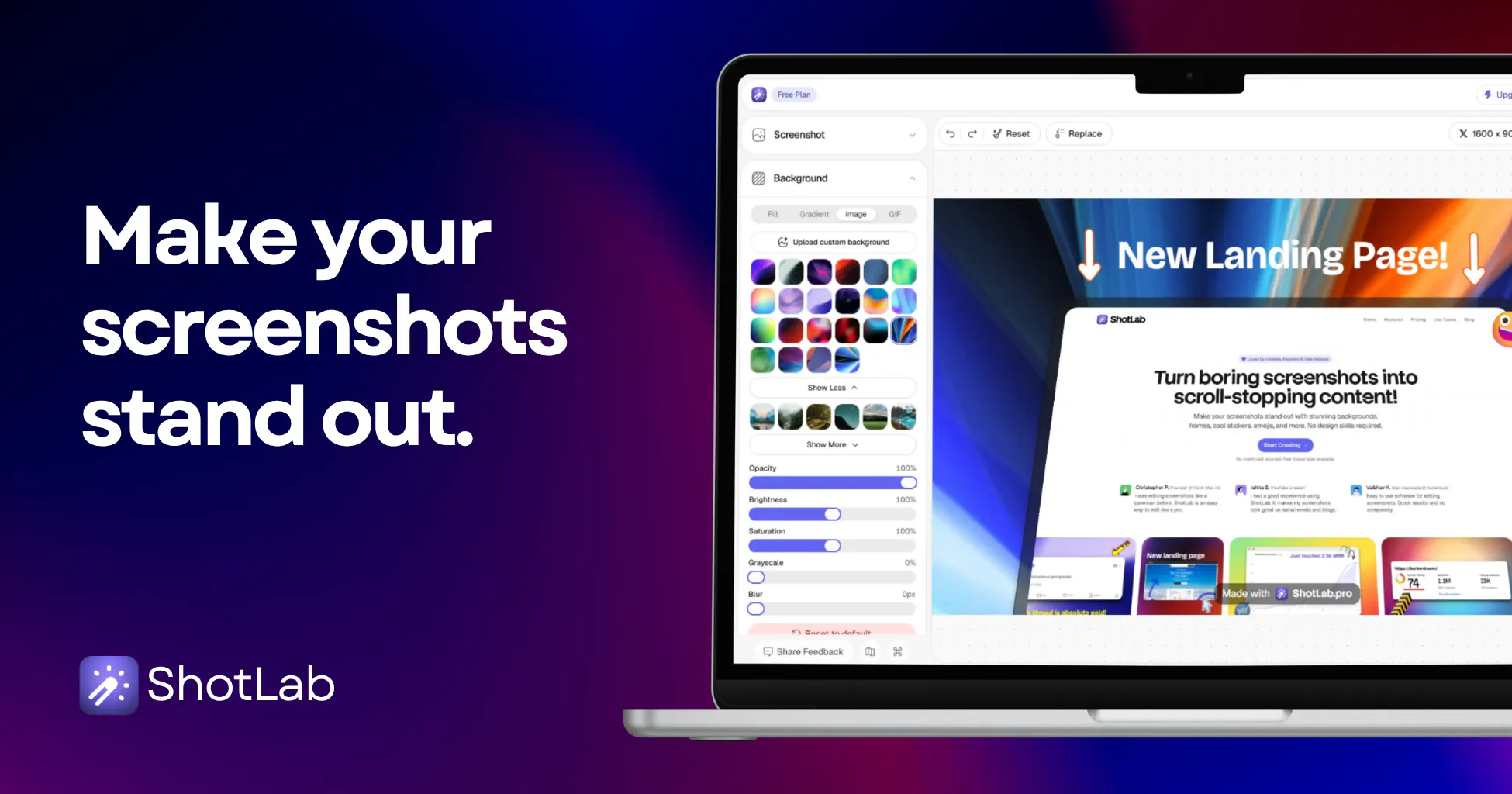
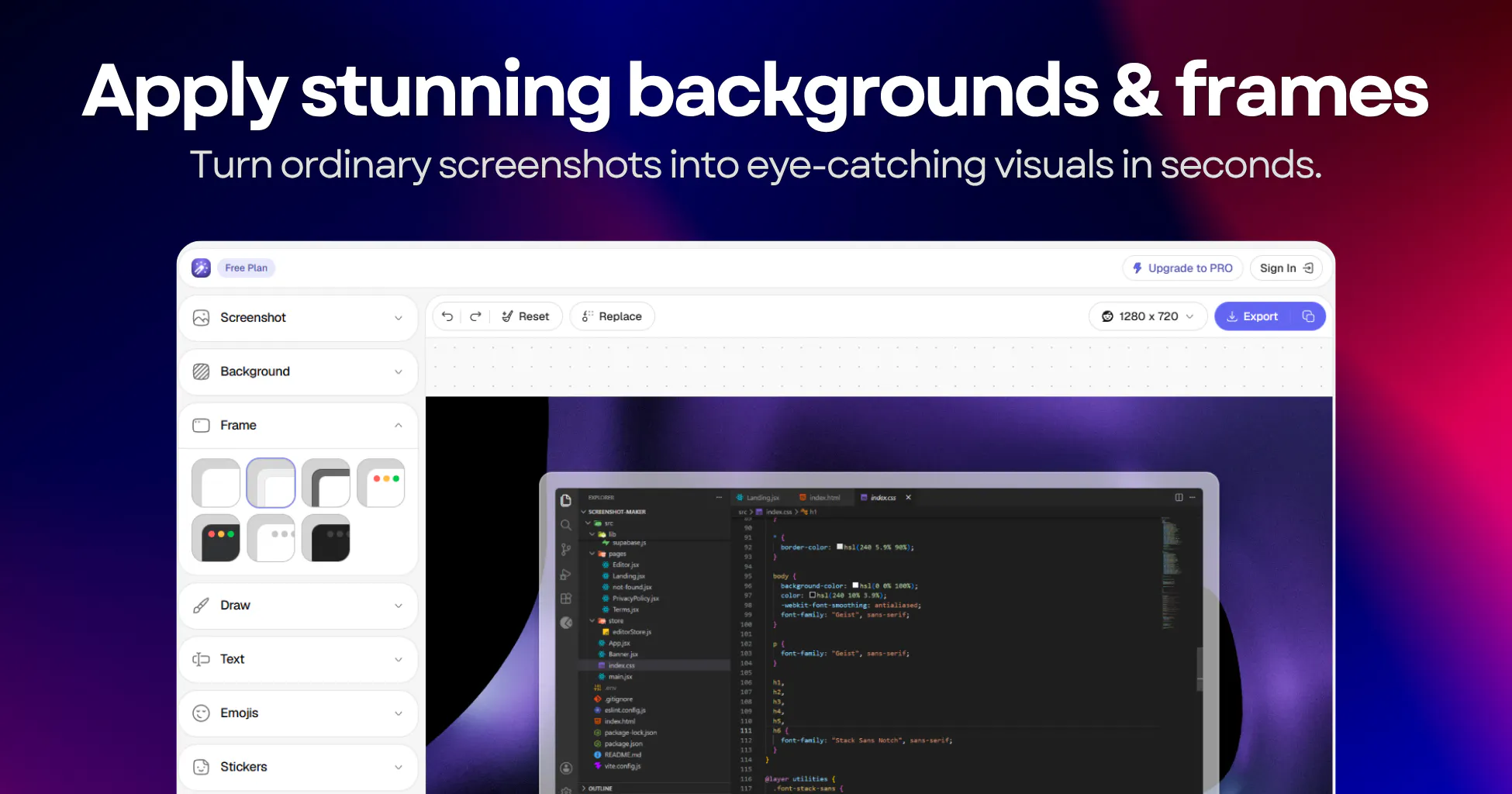
Add beautiful backgrounds, realistic frames, stickers, annotations, and more to your screenshots with an easy to use editor. Create eye-catching visuals that grab attention, boost engagement, and make your posts, products, and content stand out instantly.

Hi PH! 👋

@vasudevsoni & @jai_mittal here, makers of ShotLab. Together with our early users, we've been working on a new exciting project for the last months. We're so stoked to share it with you today:

Meet ShotLab, the simplest way to spice up boring screenshots for free.

🙋🏻‍♀️ Why ShotLab?

As founders, & marketers we were frustrated with existing screenshot editors. Most tools are either too complicated, packed with features you'll never use, or locked behind expensive subscriptions. We wanted a fast, beautiful, and affordable way to turn ordinary screenshots into professional visuals. That's why we built ShotLab.

1. Works fast: Create stunning screenshots in seconds. Add beautiful backgrounds, gradients, frames, annotations, text, and effects with an intuitive editor designed for speed. Take it for a spin, no sign-up needed: shotlab.pro/editor

2. Built for creators & indie hackers: Whether you're sharing product updates, social media posts, bug reports, tutorials, or marketing assets, ShotLab helps you create polished visuals that stand out and get noticed.

3. ShotLab Pro: Simple pricing. ShotLab pro enables you to remove the watermark from exported images, at $1.99/month. We also offer a lifetime free plan.

🤩 Powerful features for FREE

Unlimited screenshot exports, custom backgrounds, stunning gradients, cool stickers & emojis, annotations with multiple text options, pre-sized canvases for multiple platforms including ProductHunt, Dribbble, X, Reddit & more, Export formats including JPEG, PNG and WebP, Instant Previews, Unlimited Step-back, and many more.

🚀 What’s next?

Animated stickers, GIF exports, dark mode, mobile editor, and more! Take a look at our public roadmap (shotlab.featurebase.app/roadmap) to see what features will be shipping soon.

🤑 Today's discount: 40% off ShotLab Pro

To celebrate our PH launch we're offering 40% off ShotLab Pro for 1 month. Use MONTHLY40 at checkout, only redeemable by first the 50 users.

💜 Let us know what you think!

ShotLab is made from the heart and we couldn’t be more excited for you to check out our work. We would love to hear from you and get your thoughts on how to take our product to the next level. Feel free to leave a comment below, join us on X (x.com/shotlab_pro), or reach out via email (hello@shotlab.pro), anytime.

Vasudev & Jai

4
回复

@vasudevsoni  @jai_mittal Congrats on the launch! Loved the design.

0
回复

Tried it on a couple of screenshots and the frame options actually look clean instead of cheesy. Liked how quick it was to drop in annotations without fiddling around.

1
回复
@selinmd2r Thank you so much, Selin! ❤️ We spent a lot of time refining the frames and annotation experience, so it's awesome to hear they felt clean and easy to use. Really appreciate you trying ShotLab!
0
回复

I was recently looking for a tool like this. Perfect timing. Congrats on the launch!

Will you have an option for a yearly plan after the LFD is over?

0
回复
@ismaelyws Thank you, Hans! 🎉 Perfect timing indeed 😄 Yes! A yearly plan is definitely on our roadmap. Stay tuned, and thanks for the great question and support! 🙌
1
回复

The annotation tools feel really thoughtfully designed—it's clear the team actually used them on real screenshots while building this, which is rare.

0
回复
@birsenu6d2 Thank you so much, Birsen! ❤️ That means a lot because that's exactly how we built ShotLab. Really appreciate your support!
0
回复

Love how clean the editor feels, no clutter getting in the way of actually styling the screenshot. The frame options look genuinely polished too, way beyond the usual rough borders you see in tools like this.

0
回复
@zeynepkluu Thanks a lot, Zeynep! 🙌 Keeping the editor clean and distraction-free was one of our biggest goals, so this feedback means a lot. Really happy you liked the frame quality too—thanks for the support! ❤️
0
回复

Wow, this is impressive — so many ways to decorate screenshots! But I'm so curious about the use case. Personally I usually use screenshots either to circle or point at something specific, or just send them as-is and ask Claude about it. Who is your main user?

0
回复
@julia_shtogren Glad you liked it! We are currently focusing on indie hackers, creators & founders.
0
回复
@julia_shtogren Yes, exactly 💯
0
回复
#7
Qik Office
AI Office that deploys AI managers across agentic rooms
25
一句话介绍:Qik Office通过“Agentic Rooms”(智能代理房间)部署AI项目经理和助手,在团队协作、会议与项目管理场景中,解决信息碎片化、任务跟进脱节和工具割裂的痛点,实现2倍效率提升。
Productivity Task Management Artificial Intelligence
AI办公室 智能代理 项目管理 会议纪要 团队协作 自动化任务 Agentic Rooms 生产力工具 工作流自动化
用户评论摘要:用户认可“Agentic Rooms”的持久上下文和团队协作理念,认为AI像队员而非工具。核心疑问包括:如何管理AI在混乱讨论中误判决策(噪声管理)、多个AI任务冲突处理,以及缺乏真实场景演示和迭代案例以建立信任。
AI 锐评

Qik Office试图解决一个真实且昂贵的痛点:团队协作中的信息断层与协调过载。其核心创新“Agentic Rooms”并非又一个聊天机器人或会议记录员,而是试图创造一个AI作为“永久员工”的持续工作空间——这比市面上多数只做单点任务(如转录、待办)的AI工具更具野心。

但从用户反馈来看,产品真正落地面临严峻挑战。一是“噪声管理”问题:AI如何在团队头脑风暴和最终决策之间划清界限,避免错误地将“想法”标记为“任务”,这直接决定了用户体验是“更高效”还是“更混乱”。二是信任构建:有评论一针见血地指出,产品缺乏真实使用场景展示和“失败-迭代”过程,没有视频演示一个真实用户如何从混乱走向有序。这暴露了当前AI工具的通病——过度宣传“魔法”,而回避了现实中的“磨合”成本。

此外,Qik Office宣称“免费”、“无限制房间和AI项目经理”,这在商业上不可持续。要么是获取用户数据与使用习惯的钩子,要么迟早会转向付费墙。如果团队的核心工作流完全依赖其AI,未来的转向成本将极高。本质上,它更像是一个高度定制化的“零代码自动化工作流”平台,披上了AI办公室的外衣。其成败不在于AI有多聪明,而在于它能否在不增加新混乱的前提下,优雅地接管并串联旧工具产生的混乱。对于追求极致效率和强于结构化的初创团队,值得一试;但对复杂组织,它目前更像一个冒险的实验,而不是一个即插即用的解决方案。

查看原始信息
Qik Office
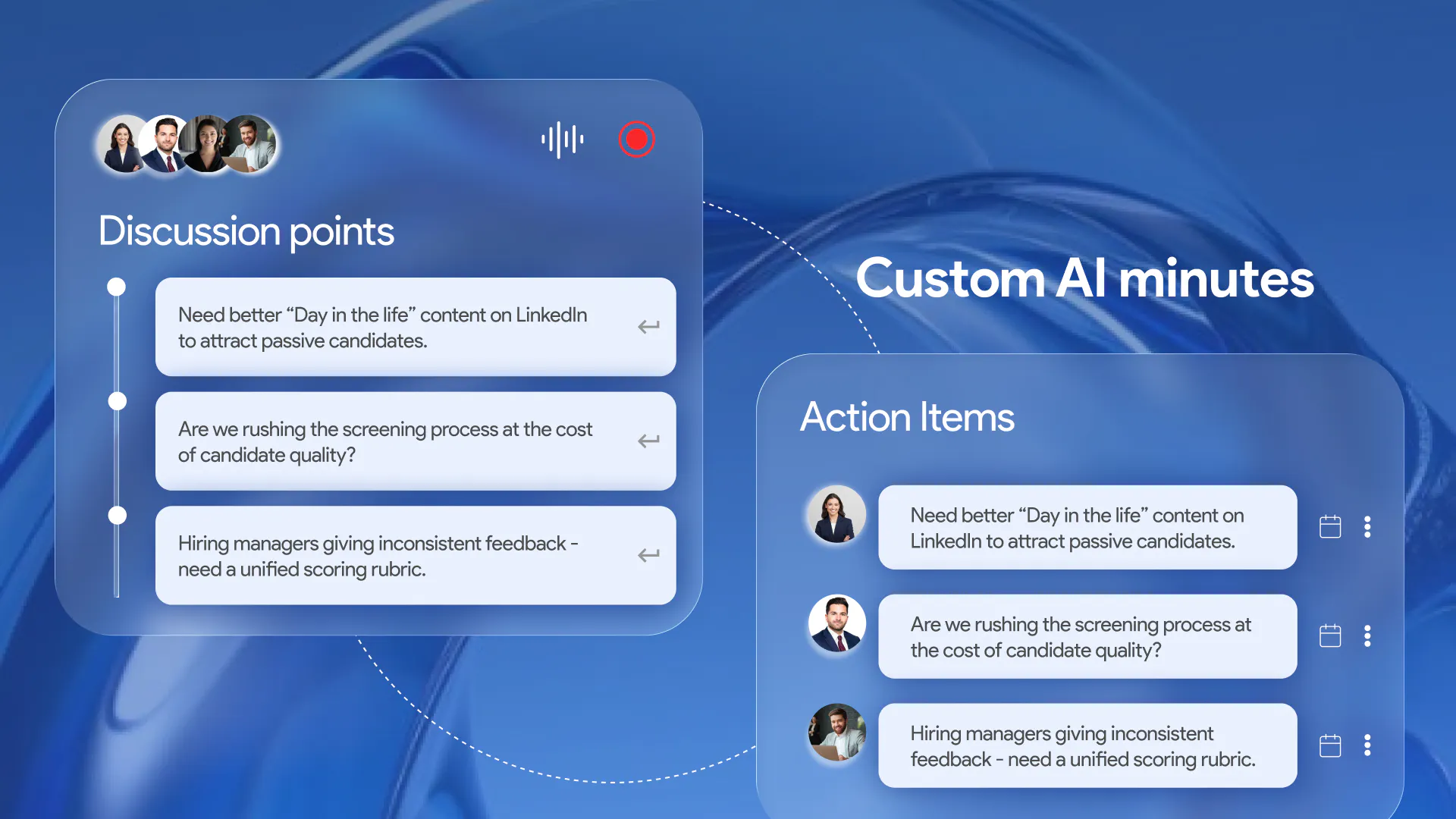
Build your first AI Office that deploys unlimited AI project managers and AI assistants. These agents work with humans in shared environments called Agentic Rooms and help to write AI minutes, execute commands, do research, schedule meetings, auto-assign tasks, set reminders, plan new projects & execute specific assigned tasks. AI Office delivers 2x productivity for individuals, small teams, startups and enterprises. It is completely free with extra agent credits for product hunters.

Hey Product Hunters! 👋 Ravi here, founder of Qik Office.

I'll be honest - this is the best product we ever created.

I kept watching the same scene play out in almost every company: brilliant teams, drowning in coordination. Meetings with no follow-through. Decisions made and immediately forgotten. Work scattered across 12 different apps, none of which talked to each other. And everyone just... accepted it as normal.

We didn't.

Today we're launching something we've never seen anyone else build: **Agentic Rooms** — persistent environments where AI project managers and humans co-exist, share context, and actually execute work together. Not a chatbot. Not a notetaker. A real AI agent that lives inside your team room, knows your goals, manages your plans, and drives work forward — whether you're online, in-person, or anywhere in between.

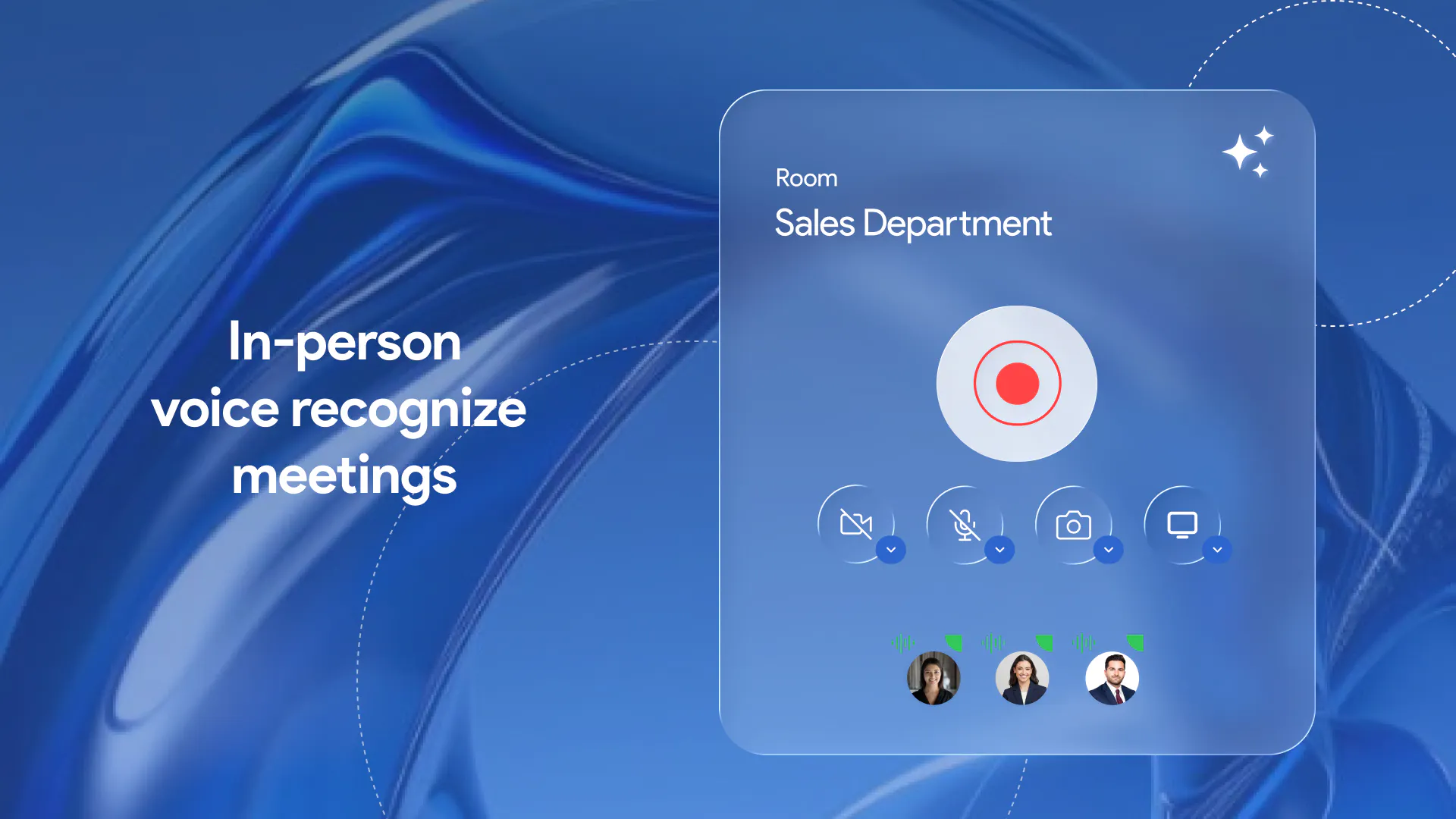
Here's what blew our early users' minds: you walk into a room, give one command, and your AI project manager spins up sprint boards, assigns tasks, schedules syncs, writes minutes, and follows up — automatically. Whether it's a standup, a board meeting, a client call, or an in-person session — the AI agent handles minutes for every type of meeting: customized to your context, written in your team's voice, and with action items auto-assigned to the right people. Recording works in-person too, recognizing 99 languages and distinguishing individual voices so nothing gets lost no matter where or how your team meets. It's the first time AI has felt like a teammate, not a tool.

**It's free to start. No credit card. Unlimited rooms. Unlimited AI project managers.**

If you've ever felt like your team's potential is being swallowed by coordination overhead — this is for you. 🚀

Would love your support today, and even more — would love to hear what you think after you try it. Drop your questions, feedback, brutal honesty — we're here all day. Let's build something great together. 🙌

17
回复

@qik_ravi Love the concept of Agentic Rooms! The vision of AI project managers working with humans in a shared space is really compelling. Looking forward to trying it out!

0
回复

@qik_ravi One feature I'm personally excited about is Agentic Rooms. Instead of starting from scratch every time, your AI Project Manager remembers your team's context, understands ongoing work, and helps execute it. It feels less like using an AI tool and more like collaborating with a teammate.

Would love for everyone to try it out and let us know what you think!

3
回复

@qik_ravi Congrats on the launch! ShotLab looks useful for founders and creators who need better product visuals fast. I like the screenshot-to-polished-visual workflow.

Curious if you’re planning to add more templates or export options next?

0
回复

👋 Hi everyone! We're incredibly excited to finally share what we've been building...

We believe the future of work doesn't need to revolve around a physical office.

For decades, offices have existed because people needed a shared place to communicate, collaborate, remember decisions, and keep work moving. Today, with AI, we think all of that can happen in a digital workspace—and in many ways, even better.

That's why we built Qik Office.

Imagine a workspace where meetings don't disappear once they're over. Where AI Agents understand your team's context, Agentic Rooms remember everything that's happened before, knowledge is never lost, and projects and sprints naturally stay connected. Instead of switching between countless tools, your entire team's workflow lives in one intelligent workspace.

Our goal is to build an AI-powered office that helps teams collaborate from anywhere, without sacrificing productivity or connection.

We're excited to hear what you think. Do you believe the traditional office will eventually become optional, or do you think there will always be a need for a physical workspace? We'd genuinely love to hear your perspective and answer any questions about what we're building.

Thanks so much for checking us out and supporting our launch! 🚀

13
回复

@karthick_sriram Congratulations on the launch.

6
回复
Hi Product Hunt community! 🚀 I am incredibly thrilled to introduce Qik Office to you all today. Our team has poured countless days and nights into building this platform, and we are incredibly proud to finally share it with everyone here.Qik Office introduces a new way to work by deploying autonomous AI Project Managers and AI Assistants directly into your Agentic Rooms. Every virtual room features a dedicated AI agent waiting to execute your commands. Whether you need a top-tier project manager to track milestones or a highly capable executive assistant to support you and your team, our agents are built to handle the heavy lifting. Explore it and find it's magic!
10
回复

@adhithya_chandrasekar Keep Going💯🙌🏻

0
回复

🚀 The way we work has changed. Maybe it's time the office did too.

For decades, the office has been the operating system for every organization—a place where people collaborate, make decisions, preserve knowledge, and move work forward.

But in the age of AI, does that operating system still need to be tied to a physical location?

That's the question behind Qik Office.

We're building an Agentic Workspace where AI isn't just another assistant—it's an active participant in how work gets done. Agentic Rooms preserve context across every conversation, AI Project Managers help teams execute without constant follow-ups, and the Command Center gives leaders a real-time view of everything happening across the organization. Instead of fragmented tools and disconnected workflows, every discussion, decision, project, and sprint becomes part of a shared organizational memory.

This isn't about replacing people. It's about eliminating friction. Less time searching for updates. Less context switching. More time creating, collaborating, and building.

We believe the future office won't be defined by desks or meeting rooms—it will be defined by intelligence, context, and continuity.

We're excited to finally share this vision with the Product Hunt community.

What do you think? Are Agentic Workspaces the next evolution of work, or will the traditional office always remain at the center of collaboration?

We'd genuinely love your feedback and can't wait to hear your thoughts. 🚀

7
回复

@revathi_shree This is such a refreshing take on the future of work. Everything looks clean, thoughtful, and easy to understand. Excited to see how Qik Office grows!

0
回复

@revathi_shree Love the direction you're taking with this. It's clear a lot of thought has gone into solving real workplace challenges. Wishing you all the success!

0
回复

love the idea of customizing the minutes to the team's voice, huge congrats for shipping this @qik_ravi qq . can we set specific templates or styles for the output?

7
回复

@priya_kushwaha1 Thanks so much, Priya! 🙌 Yes — you can try the command center on the agentic room and just give commands like write a note or create a todo or create a project. You can also enable specific templates for your meeting minutes written by the agent. It has many built in templates and would love to customize more in the future. Happy to walk you through it if you'd like!

5
回复

🚀 It's here. Meet Qik Office.

We think the office—as a physical requirement—is becoming optional. Not because people stopped needing connection, collaboration, or shared memory. But because AI can now deliver all of that digitally, often better.

Qik Office gives you:

Meetings that don't vanish once they end

AI Agents that actually understand your team's context

Agentic Rooms that remember everything, always

Projects and sprints that stay connected automatically

One intelligent workspace instead of a dozen scattered tools

Our mission: an AI-powered office that lets teams work from anywhere—without losing productivity or connection.

Curious what you think: is the physical office on its way out, or will it always have a place? Drop your thoughts—we're here to answer questions.

6
回复

@yamuna_s congratulations team 🎉

2
回复

What if every workspace had an AI teammate that actually remembered your work?

That's the idea behind Agentic Rooms.

Unlike traditional AI that starts fresh with every prompt, Agentic Rooms understand the context of your meetings, conversations, tasks, and shared knowledge. They build on what your team has already discussed, helping you plan sprints, answer questions, organize work, and keep projects moving without losing context.

We built Agentic Rooms because modern work is spread across too many tools, making it hard for teams to stay aligned. Our vision is to bring meetings, knowledge, collaboration, and AI into one intelligent workspace that feels like working together in the same office—whether your team is remote, hybrid, or in person.

This is just the beginning, and we'd love your thoughts. What would you want an AI workspace to do for your team? Your feedback will help shape what we build next.

Thanks for checking us out and supporting our launch! 🚀

5
回复

Hi everyone! 👋

We're incredibly excited to finally launch Qik Office on Product Hunt!

The way we work has changed dramatically. Teams no longer rely on just emails or chat—they collaborate through meetings, documents, tasks, messages, and countless other interactions. At the same time, AI has made it possible to extract meaningful context from all of these touchpoints. We believe that work shouldn't be scattered across disconnected tools.

That's the vision behind Qik Office: bringing your workplace into one intelligent, connected experience where information is easy to find, collaboration feels effortless, and AI helps you work smarter instead of harder.

Building Qik Office has been an exciting journey, and this launch is just the beginning. We'd genuinely love to hear your thoughts, answer your questions, and learn from your feedback. Every comment helps us improve the product and shape what comes next.

Thank you so much for taking the time to check us out and for supporting our launch. We hope you enjoy using Qik Office as much as we've enjoyed building it. 🚀

5
回复

The shift from passive AI note-takers to an active agent that actually owns the room context is a really interesting direction. we always struggle with context drift between syncs and tracking tools, so having a persistent space where the AI actually drives the project board makes a lot of sense.

the hardest part with this kind of setup is usually noise management. if the agent is always present, how do you handle the threshold between a chaotic brainstorming session and an actual final decision? curious how you prevent the PM agent from auto-assigning tasks when the team is just throwing out half-baked ideas.

3
回复

@andrasczeizel Hey Andras,

It's a wonderful question! In a nutshell, it's not just what you discussed in the current meeting, we capture and act on all the previous meetings. That's where our conversational intelligence engine comes in to the picture

I would suggest that you try our product to know more!

Thanks for asking!

3
回复

Hi @andrasczeizel the current sprint context is always present with the agent along with room's context when it writes the next meeting notes. The agent isn't just present for one meeting, it carries the current sprint's context forward with it in the room. So when it's time to write the next set of meeting notes, it's already weaving in what's in flight, what's blocked, and what's changed since last time. Feels less like a notetaker and more like a teammate who never forgets the plot. Hope that helps.

1
回复

How do the AI project managers actually handle conflict when two agents assign overlapping tasks to the same person at the same time?

0
回复

I've been seeing a lot of AI agent products lately, and most of them share the same pattern - no strong proof it won't break something on a real work machine, no specific use cases, no video showing a real user with a real problem and how the result improves over iterations. Because nothing works perfectly the first time, and that's okay - but showing that journey builds so much more trust.

The teams that crack this will make a rocket jump. Curious where Qik Office is focusing first?

0
回复
#8
List Detective: Free Email List Checker
Find out what's wrong with your email list. 100% Free.
22
一句话介绍:List Detective是一款100%免费的浏览器端邮箱列表检测工具,帮助邮件营销人员在不泄露数据隐私的前提下,即时发现邮箱列表中的无效格式、角色地址、临时域名等隐藏问题,提升投递率和发件人声誉。
Sales Email Marketing Marketing
邮件列表检测 邮箱验证 邮件营销 数据隐私 GDPR合规 浏览器端处理 投递率优化 发件人声誉 免费工具
用户评论摘要:用户普遍赞赏浏览器端处理的隐私优势,以及免费无套路的特点。提出的问题包括:角色地址和临时邮箱的检测机制、无需服务器端MX检查的局限性、老旧列表的时效性检测需求、企业级状态(公司是否存续)的识别。开发者回应了技术细节,并确认付费版本可引入后端检测。
AI 锐评

List Detective的亮点并非技术本身,而是精准地切中了一个隐形的信任缺口:邮件营销人员为了清洗列表,不得不将客户数据上传到第三方服务器,这本身就是一种合规风险。将处理逻辑完全搬到浏览器端,用“无需信任”取代“承诺信任”,是一种聪明且优雅的架构选择。它在隐私合规(尤其是GDPR)上提供的价值,远超其功能列表本身。

然而,必须指出它的局限性。浏览器端纯前端检查,本质上只能做语法和本地列表的静态匹配。它无法进行MX记录验证、邮箱存在性校验或实时域名状态查询。这意味着它只能清洗掉“明显有问题”的地址,而真正的杀手级需求——判断邮箱是否真实有效、个人是否离职、公司是否倒闭——它全部无能为力。这导致它只能用作“预检”工具,无法替代真正的邮件验证服务。

更致命的是,投票数只有22,典型的“冷启动”状态。即使产品理念再出色,缺乏社区势能和用户基数,也难以成为主流选择。开发者提到的付费版本后端检测,才是真正的价值所在,现在这个版本更像是为了证明概念的Demo。但无论如何,它为邮件营销行业提供了一个稀缺的、值得尊重的选择:一个对数据隐私真正“说真话”的免费工具。

查看原始信息
List Detective: Free Email List Checker
Uncover hidden problems in your email list — instantly and for free. Up to 100,000 addresses — runs entirely in your browser, nothing is sent to a server. Built for email marketers who care about deliverability and sender reputation. Try now with the sample data available on the site.
Calling all curious email marketers! 🕵️ Mumme here, a marketing technologist from Stockholm — and I built List Detective because I kept seeing the same problem: email marketers uploading lists to cleaning tools without realizing they were sending their subscribers' data to a third-party server. List Detective runs entirely in your browser. Your list never leaves your device — not a single address is sent anywhere. For anyone with compliance obligations — GDPR in particular, that matters. It checks for invalid formats, role-based addresses (info@, noreply@, admin@), disposable domains, common typos like gmial.com, and suspicious TLDs — up to 100,000 addresses at once, instantly. Try it with the sample data on the site to see every flag type in action before uploading your own list. Would love your feedback — especially from email marketers who've run into deliverability issues from dirty lists. What checks would you want to see in v2?
1
回复

@mumme_fanaei A genuinely free list checker with no bait-and-switch is rarer than it should be, so this is a nice one to see on the front page.

One gap I noticed: there's no demo video on your launch yet, and showing exactly what's wrong with a list is the kind of thing that's far more convincing when people watch it happen. So I made you a short one, free and yours: https://www.youtube.com/watch?v=vw9ngx_4yHY.

It's whitelabel, branded only to List Detective, no strings attached. Your launch is still editable — drop it into the gallery whenever you like.


Made with https://foxplug.com. Wishing you a strong day up there.

1
回复

The in-browser processing is a smart move for something handling sensitive email data, no server uploads means no trust gap to overcome. Clean execution for a tool that could have easily felt sketchy otherwise.

0
回复

@zzetrkca Hi İzzet! Yes, the "no trust gap to overcome" is exactly the right framing. The moment you ask someone to upload their subscriber list to a server, you've introduced a promise that has to be kept. Browser-based removes the promise from the equation entirely... there's simply nothing to trust or distrust. Glad that came through in the execution.

0
回复

The "your list never leaves your device" angle is underrated. Every email marketer I've talked to has done the mental gymnastics of "we're technically leaking our subscriber list to clean it, but the tool promises they'll delete it." Browser-based removes the promise from the equation entirely.

Been running my own cold email prep for the last month (9 mailboxes across 3 domains, all warmed) and the pattern I keep seeing: teams verify their list once at import, but a 6-month-old verified list is not a verified list anymore. Emails go stale, roles change, companies fold. The list you cleaned in January is not the list you're sending to in July.

To your v2 question, the check I keep wanting is company-level status detection. Not just "is this email valid" but "is this company still active." A valid inbox at a shut-down company still bounces, just with a different error signature. Distinguishing "person left" from "company gone" would be the deliverability signal most tools don't surface.

Also the disposable domain check is a category that's evolving faster than most check tools track. New disposable providers spin up weekly. Curious how you handle keeping that list fresh without needing constant manual maintenance.

0
回复

@elias_motionfy Elias — thank you, this is exactly the kind of feedback that shapes v2.

"The list you cleaned in January is not the list you're sending to in July" should be printed and put on the wall of every email team. It's the core problem that one-time verification doesn't solve... and honestly what makes the case for running List Detective before every major send, not just at import.

On the disposable domain freshness question: the tool loads a live community-maintained blocklist of 7,800+ domains from GitHub each time the page opens, so it's always pulling the latest version without any manual maintenance on my end. It's not perfect — new disposable services spin up faster than any static list can track — but it's significantly better than a frozen built-in list.

The company-level status detection idea is genuinely interesting and you're right that no tool surfaces it cleanly. Distinguishing "person left" from "company gone" from "domain expired" are three different signals with three different remediation paths. That's a server-side problem though — MX record checking, domain registration status, WHOIS data — which means it would require a backend and would break the "nothing leaves your browser" promise. Worth thinking about as a separate paid tier.

Bookmarking your cold email setup — 9 mailboxes across 3 domains warmed is a serious operation.

1
回复

How does it actually catch things like role-based addresses or temporary inboxes, and is it checking against a maintained blocklist or just syntax rules?

0
回复

@ersinfjap Hi Ersin, Kübra asked almost the same thing just above — please see my answer there for the full breakdown! Short version: static lists for role prefixes, a live-updated community blocklist for disposable domains, and pattern matching for everything else. No MX checks... keeping it server-free is the whole point.

0
回复

How does it actually catch things like role-based or disposable addresses, and does it check MX records live or just match against a static list?

0
回复

@kbra84zm Great question Kübra, here's exactly how it works under the hood:

Role-based addresses are caught by matching the local part (everything before the @) against a list of 40+ known role prefixes... info, admin, noreply, support, billing, marketing and so on.

Disposable domains are checked against a built-in list of 300+ known services (Mailinator, YopMail, Guerrilla Mail etc), plus a live feed from a community-maintained GitHub repository of 7,800+ disposable domains that loads in the background when you open the tool.

No MX record checking — that requires a server-side call which would mean your addresses leaving the browser, which defeats the whole privacy purpose. What we catch is structural: format validity, known bad domains, typos, suspicious TLDs and non-ASCII characters. For existence verification (does this mailbox actually exist right now) you'd need a dedicated verification service.

0
回复

I`m not an email marketer, but interested in the topic and I really love the way you organised FAQ section on the website - very thoughtful and informative! Congratulations on launch!

0
回复

@julia_shtogren Thank you Julia, that genuinely means a lot! The FAQ was one of those sections that kept growing as I thought through every question a marketer might have, including the uncomfortable ones like "why didn't it catch this disposable address?" Glad it came across as thoughtful rather than just box-ticking.

1
回复

Congratulations on the launch! I tried it on your site and like how it works. I find this genuinely useful, especially the GDPR angle since nothing leaves the browser. One question: you mention up to 100k addresses -- does that run comfortably on an average laptop, or is there a point where browser performance starts to degrade?

0
回复

@alieksia Thank you Anastasiia — really glad the GDPR angle resonated, it was the core reason for building it this way.

On the 100k question: in testing it handles 100,000 addresses comfortably on a modern laptop — the processing is pure JavaScript string matching with no heavy computation. The one caveat is the results table, which only renders the first 500 rows in the browser for performance reasons. The full list is always available via the download buttons regardless of size.

On older or lower-powered devices there may be a brief pause on very large lists — which is why the button shows "Checking…" during processing so you know it's working. If anyone hits issues I would love to hear about it.

1
回复

Being able to flag role-based addresses like info@ or support@ would be a nice addition since those often cause more bounces than personal inboxes.

0
回复

@demet44834 Great news, Demet! List Detective already flags role-based addresses! info@, support@, admin@, noreply@ and 37 other role-based prefixes are all caught automatically. Try it with the sample data on the site to see it in action.

0
回复
#9
TubeMailer
Find & export YouTube creator emails in bulk
19
一句话介绍:TubeMailer是一款浏览器扩展,通过批量抓取YouTube频道及关联网站上的公开商业邮箱,帮助营销人员、机构和赞助商告别手动复制粘贴与高额SaaS订阅,高效筛选创作者进行外联。
Chrome Extensions Sales Marketing
Chrome扩展 YouTube营销 批量邮箱抓取 创作者外联 跨境电商工具 数据导出 效率工具 社媒营销 自动化 冷启动获客
用户评论摘要:评论肯定了本地运行、免API和按量付费的架构优势,认为这颠覆了传统中介平台的高成本模式。有用户提出缺乏产品演示视频是当前短板,并建议展示批量列表拉取过程以提升说服力。同时,有用户关注对隐藏于表单/验证码后面的邮箱处理能力,制作者坦诚当前会跳过此类内容,以保证数据纯净度。
AI 锐评

TubeMailer的价值不在于“技术壁垒”,而在于精准地砍掉了“中间商税”。

当前市场,无论是HubSpot式的巨型CRM还是动辄月费500美元的垂直平台,其核心逻辑是将“信息收集”这件脏活外包,然后按访问次数收费。TubeMailer的“浏览器扩展+本地运行”架构,本质上是对产业定价权的一次精准打击:它意识到对于营销人员而言,收集1000个邮箱并不值500美元,只值一杯咖啡和一点点算力。它把成本曲线从“SaaS订阅”拉回了“一次性工具包”,这比任何功能迭代都更具商业上的“去魅”意义。

然而必须警惕“工具化”陷阱。产品目前的定位是“高效搬运工”,但“搬运”本身没有护城河。一旦Google改变页面结构、提高反爬门槛,或涌现出更聪明的数据清洗服务,用户迁移成本几乎为零。产品真正的长期价值在于:能否从“批量导出”升级为“信号识别”。如评论中提到的“手动筛选过程本身就是一种资格过滤”,TubeMailer若能结合用户的行为数据(如谁在下载数据后转化率高、哪些邮件域名有效)反向指导用户“应该找谁”,就能从执行层工具进化为决策层数据引擎。

最后,对“跳过表单/验证码”的诚实表态值得肯定,但这也揭示了产品的天花板——它解决了80%的“简单公开数据”,却对剩余20%的“商业价值更高但深度隐匿”的数据无能为力。对于严肃的B2B外联,这20%往往是关键决策人邮箱。未来是否要引入AI驱动的自然语言接口(如自动填写表单并解析重定向)或低人力的验证码解析服务,将成为它能否从“玩具”跃升为“基建”的关键。否则,它终将沦为另一个被其他更聪明的聚合器边缘化的“小众插件”。

查看原始信息
TubeMailer
TubeMailer is a Chrome extension that finds the business emails behind YouTube channels — in bulk. Search a niche, and it pulls emails from channel About pages, follows creators' linked sites when there's no email on YouTube, then exports clean lists to CSV, Excel, or JSON. No API keys. No per-contact fees. No metered "unlocks." It runs in your own browser, handles up to 1,000 emails/day, and starts for free. Built for agencies, sponsors, and marketers doing creator outreach.
Hey Product Hunt 👋 I'm Kunal, the maker of TubeMailer. This started with a painfully manual problem. If you've ever done outreach to YouTube creators — sponsorships, partnerships, influencer campaigns — you know the drill: open a channel, click About, solve a captcha, copy the email, repeat 200 times. And half the channels don't even list an email on YouTube — it's buried on their linked website instead. The existing influencer platforms "solve" this, but they charge $200–$500/month and meter how many emails you can unlock (often just 150–400 a month). That math never worked for the agencies and founders I kept talking to. So I built TubeMailer: a Chrome extension that does the manual work for you, at volume. Search a niche, and it pulls business emails from channel About pages — and follows creators' linked sites when there's no email on YouTube — then exports clean lists to CSV, Excel, or JSON. It runs entirely in your own browser (no API keys), handles up to 1,000 emails/day, and starts free. It's for anyone doing creator outreach: agencies, brand sponsors, and marketers building lists. Would love your feedback — especially on what would make outreach less painful for you. I'll be here all day answering questions 🙏
2
回复

@kunalukey Bulk-exporting creator contact info is one of those quietly powerful tools every YouTube marketer ends up needing, so this should find its people fast.

One thing I'd add: your launch went up without a demo video, and for a find-and-export-in-bulk product, watching it pull a list is the whole pitch. I made you a short demo to cover that — free, yours to use: https://www.youtube.com/watch?v=tXvgPQ3QWjw.

It's whitelabel, branded only to TubeMailer, no strings.
The launch is still editable, so you can add it to your gallery right away. Made with https://foxplug.com. Best of luck today — keep shipping in public.

1
回复

Love that everything runs locally in the browser instead of another SaaS with usage credits. Nice touch. Wishing you a great launch! 🚀

1
回复

@sonali_nayak2 Thanks!

0
回复

The extension model over API model is a smart architectural choice for this use case. Most influencer platforms are effectively middleware between the browser and the browser, you're paying $300/month for someone else to run Chrome for you. Cutting out the middleman changes the economics entirely.

Been building cold outreach for DTC beauty brands solo, and the same math you're describing applies to my ICP. Manually sourcing 150 leads takes 8-10 hours and produces higher-quality data than what I get from paid databases. The tradeoff is time, but the leads convert 3-4x better because the sourcing process itself is a qualification filter.

Curious about the follow-linked-sites feature, how do you handle the case where the linked site's contact page is behind a form or captcha? That's usually where the paid tools get their edge, even if the value doesn't justify their price.

1
回复

@elias_motionfy 
Ha — "paying $300/month for someone else to run Chrome for you" is the

whole thesis in one line. Stealing that.

And your manual-sourcing point is spot on: the sourcing process is itself

a qualification filter, and stale database records lose that signal. The

way I think about it, TubeMailer keeps some of it — it pulls the email a

creator actually published on their own channel/site right now, not a

record someone scraped 18 months ago. You still do the niche and targeting

judgment; it just removes the copy-paste-captcha grind on the emails

themselves.

On the linked-site question — honest answer: it doesn't try to beat forms

or captchas. It reads plainly published addresses (mailto links, emails in

the page text) and if the contact is gated behind a form/captcha, it skips

and moves on. Two reasons: chasing the gated ~10% is a fragile rabbit hole

that breaks constantly, and skipping keeps the data clean — I'd rather

return nothing than guess a pattern address that bounces. The bet is that

most business-minded creators still list a plain email somewhere, and the

tool wins on speed across that majority.

Funnily enough, DTC beauty is squarely in the ICP — those brands live on

creator outreach. If you ever want to point it at a beauty-creator list,

I'd genuinely love your feedback, since you've felt this exact pain.

1
回复
#10
Salestrics AI-Native Email Beta
Stop paying the SaaS tax. One database. Zero fragmentation.
16
一句话介绍:Salestrics AI-Native Email通过将邮件系统原生构建在统一数据库之上,解决企业因使用多个SaaS工具导致数据碎片化、上下文割裂的痛点,让CRM、客服、文档等模块的沟通记录自动归集到对应业务记录下。
Email Artificial Intelligence CRM
企业级邮件引擎 数据库原生 一体化工作空间 CRM集成 Threadmail BYOD AI摘要/起草 Google Sync 防碎片化 SaaS税
用户评论摘要:用户称赞产品界面简洁,适合初创公司;并询问是否有自动ICP丰富功能或基于Threadmail数据的域名映射。开发者回应已有BYOD域名映射支持。
AI 锐评

Salestrics这一版本的真正价值不在于“AI”,而在于“数据库原生架构”对业务沟通流程的重构。多数CRM和邮件工具(如HubSpot、Outlook)的整合是松耦合的:邮件依赖API拉取,AI则只读当前窗口文本,导致每次切换都需要人工拼凑上下文。Salestrics将邮件线程直接映射为数据库中的业务记录(Threadmail),等于让每一封邮件天然成为CRM、工单、文档等模块的关联数据节点。这本质上消除了“事后关联”的苦活,让AI得以在完整业务谱系中执行摘要、起草和改写,而非仅做文本层面的文字游戏。

但风险同样明显:产品目前仍在Beta阶段,投票仅16票,说明验证样本极小。企业级用户对邮件服务的可靠性、合规性和迁移成本极为敏感——强行要求用户将邮件服务器指向一个新兴平台,哪怕宣称支持BYOD和Google Sync,也会面临大量信任和流程壁垒。此外,“50%折扣6个月”的促销策略暗示其定价不低,在Salesforce、Gmail等成熟生态的阴影下,Salestrics需要证明其“数据库统一”带来的效率提升足以抵消用户放弃现有工具的习惯成本。一句话总结:技术逻辑漂亮,但市场落地仍需硬仗。

查看原始信息
Salestrics AI-Native Email Beta
Salestrics AI-Native Email is live! We ripped out our old, bare-bones email threads and rebuilt an enterprise communication engine. As an expansion of our live revenue workspace—which unifies CRM, Service Desk, video calling, and a Docs/Drive suite—this update adds Threadmail™ (isolated inboxes for every record via custom domains/BYOD), server-side Google Sync, and database-native AI to Summarize, Draft, and Rewrite with zero blind spots. 30-day trial + 50% off for 6 months!

Salestrics AI-Native Email: The Database-Native Smart Inbox

Happy 4th of July, everyone. Cheers to a great day.

What is Salestrics AI-Native Email?

Today, we are officially launching Salestrics AI-Native Email in Public Beta. This isn’t just a minor patch—it is a complete, ground-up architectural rewrite that permanently replaces our previous bare-bones email interface with an enterprise-grade, high-velocity communication engine.

Salestrics is already live as a fully integrated revenue workspace—combining an advanced CRM, full Service Desk, native Zoom/Slack-style video calling, and a unified Workspace suite (Drive, Docs, Sheets, Slides). With this launch, we are bringing that same single-database leverage directly to your inbox.

Most platforms treat email as a bolt-on afterthought, relying on fragile API sync pipelines or clunky browser extensions to drag data from external servers. We engineered Salestrics Email to run directly on top of our core database, processing server-level communications in under 100ms.

Which Features Make It Stand Out?

🚀 1. Threadmail™ Architecture

Stop drowning in a messy, unstructured global inbox. Salestrics introduces an isolated threading model that gives every single module record in your workspace (a specific lead, a pipeline deal, or an active support ticket) its own unique, cryptographic routing address: record_id-org_id@mysalestrics.com.

  • For Launch, Runway, Scale, and Enterprise tiers: This maps natively over your custom business domain (record_id-org_id@yourdomain.com).

  • Outbound and inbound messages permanently lock to that specific record's vertical timeline, giving your entire team instant, isolated context.

🌐 2. Full BYOD (Bring Your Own Domain) Freedom

We believe in total domain autonomy. Connect your custom business domains to Salestrics in seconds. The platform provides full, native validation frameworks for enterprise-grade deliverability protocols—including SPF, DKIM, and DMARC verification—allowing you to confidently scale outbound volume while aggressively protecting your sender IP reputation.

🔄 3. Extension-Free Google Workspace Sync

If your team isn't ready to leave Gmail behind, you don't have to. Our deep, bidirectional Google OAuth integration mirrors your inbox in real-time. Because the sync happens entirely at the server level, you get flawless data mirroring without installing heavy, laggy Chrome extensions that constantly break and demand re-authentication.

🧠 4. AI-Native (Not AI-Added) Context

Standard inbox AI assistants are just superficial wrappers—they can only read the text of the single message open on your screen. Because Salestrics AI sits directly on top of our 11-module unified database, it has zero operational blind spots:

  • Summarize: Instantly generates a high-integrity briefing by pulling context across the entire customer history, including linked CRM notes and past service desk tickets.

  • Draft: Pulls real-time database signals (like technical product specs, custom deal terms, or live calendar availability) to architect 100% accurate, personalized drafts.

  • Rewrite: Instantly fine-tunes tone (e.g., from "Aggressive Closing" to "Empathetic Support") with one click, maintaining strict brand governance across the workspace.

The Salestrics Standard

We are moving at an extreme velocity because our earliest customers are directly shaping the platform. Every single release is held to one brutal operational standard: Does this remove actual complexity so businesses can focus on growth instead of managing disconnected tools? We are running an exclusive launch special this week: a 30-day free trial (no credit card required) + 50% off for your first 6 months for the Product Hunt community.

Dive in, test the server latency, and let us know your most brutal feedback in the comments below!

6
回复

@austinbuhl looks super clean for startups. any plans to add automatic ICP enrichment or domain mapping based on incoming threadmail data?

1
回复
@mohsinproduct We have full domain mapping currently with BYOD.
0
回复

Happy 4th of July, everyone.

5
回复
#11
digitvest.com
Starter SaaS websites built for founders
14
一句话介绍:Digitvest 是一个精选的SaaS成品网站销售平台,为创业者提供可直接转让、运营的预制数字资产,帮他们跳过从零搭建的初期阶段,快速启动新业务。
Investing SaaS Artificial Intelligence
成品SaaS 网站转让 数字资产 独立开发者 创业工具 预制项目 AI资产 在线市场 技术资产交易
用户评论摘要:用户建议在列表页增加定价对比表,以便快速查看收入、流量和技术栈,减少沟通成本。另有用户指出产品页面缺少视频演示,并主动提供了一个免费演示视频,认为展示交付速度对销售至关重要。
AI 锐评

Digitvest精准切中了“不想从零开始”的独立开发者与微型创始人群体。其价值不在于成为一个庞大的开源市场(与Flippa等纯资产交易平台不同),而在于“精选+预制+可转让”的定位——它更像一个由单一卖家精心炮制的成品项目库,每个“货架商品”都省去了从0到1的构思与开发过程。这种模式的优势是交付确定性高、产品标准化;但潜在风险也显而易见:作为单一买手制平台,其项目的多样性、创新性与市场验证能力完全取决于创建者自身的审美和开发能力,容易陷入品类单调或脱离真实市场需求的困境。评论中用户要求的定价对比表与视频演示,恰如其分地暴露了当前“黑盒式”陈列的短板——对于买家而言,若无法一眼看清项目的营收数据、流量结构和后续维护复杂度,所谓的“跳过初期阶段”无非是换了一种形式的盲盒消费。从战略层面看,Digitvest真正的护城河不在于“卖网站”本身,而在于能否建立起一套可信赖的、透明的项目价值评估体系,帮助买家在信息不对称中做出决策。否则,它最终只会沦为一个由极少数人主导的、低流动性的数字资产小卖部。

查看原始信息
digitvest.com
Digitvest is a curated sales page for ready-made SaaS websites, web apps, and AI-powered digital assets. Each project is built, packaged, and prepared for transfer, so founders, indie hackers, and operators can skip the early setup phase and start with an existing product foundation. The focus is on simple, usable starter projects that can be improved, marketed, monetized, or used as a base for a new business.
Hi everyone, I built Digitvest as a simple way to present and sell ready-made SaaS websites, web apps, and AI-powered digital assets. The idea came from my own experience building multiple small SaaS and web projects. Many founders and indie hackers want to start faster, but do not always want to begin from a blank page. Digitvest focuses on packaged starter products that can be transferred, improved, marketed, or used as the foundation for a new business. It is not a large open marketplace. It is more like a curated portfolio of digital assets that I build and offer for sale. I would be happy to hear your feedback, especially on positioning, clarity, and what kind of projects would be most interesting for buyers.
1
回复

@nurettin_kilincarslan1 Starter sites are where most founders lose their first month, so packaging that into something ready-to-ship is a genuinely useful wedge.

Noticed you launched without a video though — and for a product that's all about a fast, polished start, a demo that shows the speed would sell it instantly. I went ahead and made you one, no strings, free to use: https://www.youtube.com/watch?v=jvxx9Nl8_8Y.

It's whitelabel — branded only to digitvest, nothing of mine on it. Since your launch is still editable, you can add it to your gallery in a click.


Built it with https://foxplug.com. Have a great launch day — build in public and keep shipping.

0
回复

A pricing comparison table on each listing would be super helpful so I can see expected revenue, traffic stats, and tech stack at a glance before reaching out. Would save a lot of back and forth.

0
回复
#12
Lysterly
The smarter, quicker, simpler Etsy Tool
13
一句话介绍:Lysterly是一款专为Etsy卖家设计的AI工具,能根据产品与店铺信息自动生成符合平台规范的标题、描述及13个长尾标签,帮助卖家节省SEO优化时间,同时保留个性化调整空间。
Productivity SaaS E-Commerce
Etsy工具 AI文案生成 长尾关键词 SEO优化 电商效率工具 产品列表优化 卖家辅助 内容自动化
用户评论摘要:用户反馈正面,认为生成的标题自然无关键词堆砌,长尾标签实用;但缺乏演示视频,建议增加视频展示以增强信任感和产品直观体验。
AI 锐评

Lysterly切中了Etsy卖家的一个真实痛点:在冗杂的SEO规则和海量商品竞争下,手动编写合规且高效的列表信息极耗精力。其核心价值在于将“合规性”与“SEO效率”打包成自动化流程——13个长尾标签的生成并非泛泛的关键词堆砌,而是基于产品细节的精准匹配,这正是工具区别于通用AI文案助手的护城河。但冷静来看,产品的当前阶段存在明显短板:投票仅13票且用户反馈样本过少,说明尚未经历大规模检验;评论中出现的“演示视频缺失”提示,暴露了团队在营销叙事上的粗糙——对于强调“更简单”的效率工具,视觉化证明远比文字声明更具说服力。此外,Etsy算法的持续变动意味着SEO策略需要动态迭代,若Lysterly仅提供静态模板,极易被竞品取代。真正的壁垒不在于生成标题,而在于能否建立对Etsy平台规则的实时解析能力,以及帮助卖家在标准化产出中注入差异化的“语调”——这恰恰是当前版本仅作为“草稿生成器”的局限性。长远看,若团队能围绕数据分析(如标签转化率追踪)、批量处理、与Etsy API深度集成来构建闭环,才可能从“省时工具”升级为“增长引擎”,否则极易陷入被更低价AI工具替代的泥潭。

查看原始信息
Lysterly
Lysterly uses your product and store details to write a draft Etsy compliant title and descriptions with 13 long tail tags to enhance your SEO. Save hours of time and still put your tone of voice and personal touches before adding to Etsy.

Hi!

Along side a successful Etsy store owner, we are proud to have built Lysterly. We aim to save shops owners hours of research and allow them to focus on what they do best, create beautiful products.

Just add your product details and create a draft listing in seconds. An Etsy compliant title, description and 13 long tail keywords, ready to add your own tone of voice and personality.

We have started a blog and a YouTube channel to share the potential pitfalls and how to avoid them, from our real experience of running Etsy stores. Any feedback is very appreciated!

1
回复

@dave_reilly 

Etsy sellers are drowning in clunky tools, so smarter, quicker, simpler is exactly the promise that corner of the market wants to hear.

Small thing that could help it land harder today: your launch doesn't have a demo video, and simpler is something you really have to see to believe. I made you one to fix that — free, yours to keep: https://www.youtube.com/watch?v=PCnVCD_e394.

It's fully whitelabel, branded only to Lysterly, no strings. Since the launch is still editable, you can add it to your gallery right now while you're getting traffic.

Put it together with https://foxplug.com. Go have a great launch — cheering the build.

0
回复

Pasted in a tricky vintage clock listing and the title came back solid, no keyword stuffing, and the long tail tags actually made sense for once. The tone button is a nice touch too.

0
回复
#13
WP Triage
Get alerted to vulnerable WordPress sites before they break
12
一句话介绍:WP Triage 通过轻量级插件自动扫描WordPress网站的插件、主题和核心漏洞,按风险排序生成预警清单,帮助代理商和自由开发者从数十个站点的维护中提前发现高危问题,避免站点崩溃。
WordPress Developer Tools Security
WordPress安全 漏洞扫描 网站风险预警 插件监控 批量管理 三方维护 安全运维 主动告警 风险评分 代理工具
用户评论摘要:用户建议增加跨站批量标记误报和白名单功能,以节省代理商逐站重复操作的时间。还有用户询问对自托管站点的兼容性及性能影响,开发者回复称通过外发HTTPS轻量插件实现,无入侵且仅每日一次JSON数据交换,性能无碍。
AI 锐评

WP Triage切中了一个细碎但真实的市场痛点:管理多个WordPress客户站点的运维人员长期面临“安全盲区”与“告警轰炸”的双重困境。产品价值不在于提供花哨的扫描技术,而在于将分散的漏洞信息“汇总+排序+推送”这一行非常朴素的工程动作——这恰恰是很多大而全的安全平台懒得做、也不擅长做的脏活。

关键在于“Triage”一词:它输出的不是原始威胁数据,而是决策优先级。代理商最怕的不是漏洞爆炸,而是风险最差的站点在告警堆里漏掉。WP Triage的每日一次外发检查+风险评分设计,在性能和入侵风险之间找到了现实平衡,让作为第三方的服务商能用一种不打扰客户的黑色模式介入——这既是技术方案也是商务谈判的加分项。

产品目前面临的最大问题是“量”:它只有12个投票,说明还处于极早期。防御类工具天生缺少“尖叫时刻”,除非真有人因为错过预警丢了客户。一旦用户的站点被黑,订阅就在那一刻变成了“刚需”。因此,产品下一步应该瞄准中小型代理商的口碑同盟,尤其强调从“你以为安全”到“发现必须修”的反直觉差距案例。

不过,评论中提到的批量误报处理缺失是实用性的明显短板。对于手中握有几十个站点的代理而言,每个重复告警都是操作成本。如果不能在早期版本快速迭代补齐“白名单管理”这类基础效率功能,它的“triage”过程反而会成为新的负担。总体来说,小工具思路清晰、执行轻巧,但能否活下去不靠技术纵深,而看能否快速吃到“WordPress运维安全”这块被忽视的口粮。

查看原始信息
WP Triage
WP Triage connects to your WordPress sites and continuously checks plugins, themes, and core against known vulnerability data. Instead of digging through dozens of dashboards, you get one clear triage list. It scores each site by risk so you always know what to fix first. Alerts let you act before a problem becomes an incident.

A bulk action to mark false positives across multiple sites would save a ton of time for agencies juggling dozens of installs. Right now flagging the same noisy plugin on each one feels repetitive, and a way to suppress or whitelist recurring findings site-wide would make the triage list way more actionable.

1
回复

@dokgoz_sal40692 that's a really good point, thank you for your feedback!

I plan to add something like this very soon; hopefully will be able to push it within the next couple of days.

1
回复

How does it handle sites that aren't hosting on your platform, like self-hosted ones behind a firewall? Curious if the check-in is lightweight enough not to slow things down.

0
回复

@semanurnzwk Self-hosted is the main use case since WP Triage doesn't host your WordPress sites at all.

You install a small plugin on each site. It sends an outbound HTTPS call to WP Triage once a day (plus a manual “sync now” if you want). There are no inbound connections, tunnel or firewall holes on your server. As long as the site can reach wptriage.app over HTTPS, you’re good.

The check-in is intentionally lightweight: just plugin/theme names and versions, WordPress version, and PHP version. One small JSON POST via WP-Cron, not real-time polling. It's designed so you can leave it on client sites without noticing it.

0
回复

At some point it became an interesting question for me - are specific professions naturally drawn to specific platforms? Framer, for example, has clearly become the platform for designers and startups. So I'm curious - who is the typical WordPress user today?

0
回复

@julia_shtogren Yeah that's a good question. It's not one I'm attempting to answer with this product.
There are plenty of current WordPress users and WP Triage is specifically for agencies and freelancers juggling many client sites. It's less about “pick a platform to build on,” than “don’t miss the one site that’s about to break.”

0
回复
#14
AI Secretary (Telegram Bot)
Your personal AI secretary inside Telegram — notes reminders
11
一句话介绍:AI Secretary是一个内置于Telegram的智能助手,通过自然语言交互帮用户随时记录笔记、设置提醒,解决在多App间切换管理信息的痛点。
Telegram Productivity Virtual Assistants
Telegram机器人 AI助手 笔记记录 自然语言提醒 多智能体系统 任务管理 信息聚合 生产力工具 工作流自动化 文档处理
用户评论摘要:用户普遍认可自然语言提醒的准时性和无需下载新App的轻量体验。主要建议包括:支持笔记导出为Markdown/Notion文档以便长期使用,以及进一步优化多智能体功能的易用性。开发者已确认将添加导出功能,且语音转文字功能已支持。
AI 锐评

AI Secretary本质是一个“寄生式”生产力工具,它聪明地将自己嫁接到Telegram这个高频使用场景中,借此绕开了所有新App都必须面对的“下载安装”这一最高门槛。其核心价值在于“降低摩擦”:用户无需记住复杂命令,用日常聊天的方式就能完成信息捕捉和任务管理,这种极低的学习成本是它区别于Notion、Todoist等重型工具的关键。

然而,这款产品的天花板也很明显。它目前的功能集(笔记+提醒+弱智体对话)并未超出主流AI助手的范畴,所谓的“多智能体”更像是预设的Prompt标签,而非具备独立认知的Agent。真正的挑战在于:当用户的笔记和任务积累到一定量级后,仅靠对话交互是否还能高效检索和管理?目前用户提出的“导出”需求恰恰佐证了这一点——他们潜意识里认为这道具只适合临时存储,而非长期的知识库。此外,高度依赖单一平台(Telegram)既是护城河也是牢笼,一旦平台API调整或出现更强势的竞品,用户迁移成本极低。

短期来看,AI Secretary确实能成为“用过就回不去”的效率小工具,尤其适合重度Telegram用户。但若想实现从“好用的小工具”到“必要的基础设施”的跨越,它必须解决两个问题:一是提供结构化知识管理的能力,让信息不沉底;二是建立跨生态的数据壁垒,比如通过导出/导入功能或开放API与外部工具联动。否则,它终将沦为又一个“惊艳的毕业设计”。

查看原始信息
AI Secretary (Telegram Bot)
AI Secretary is a Telegram-native assistant that helps you capture notes, organize information, and get reminders without installing yet another app. Just message the bot like you normally chat — and it turns your input into structured actions Notes & memory: save important info from chats and ideas on the go Natural-language reminders: “remind me tomorrow at 9” → delivered automatically Multi-agent mode: enable specialized AI roles (e.g., marketing, finance, legal) depending on your workflow
I built it because I live in Telegram, but my “thinking tools” were scattered across apps: notes in one place, reminders in another, quick research in a third. I wanted one lightweight workspace inside Telegram that helps me act faster — not just chat. What makes AI Secretary different: Multi‑agent system: you can enable multiple AI agents depending on the situation — from narrow specialists (e.g. marketing, finance, legal-style drafting, tutoring) to a more generalist assistant. You choose the “mode” based on the task. Secretary + smart follow‑ups: capture notes and set natural‑language reminders like “remind me tomorrow at 9” — and it will actually follow up in Telegram. Bonus scheduled info feeds: optional “widgets” that can send useful updates at specific times (e.g. weather, currency rates, metals/stocks) so you don’t waste time searching the same info across different apps/sites. I’d love your feedback: 1) Which agents would be most useful for you (specialist roles or a generalist)? 2) What daily info would you want as scheduled updates? Try it here: https://t.me/AI_Secretary_work_bot I’m here all day — happy to answer questions and ship improvements based on your comments.
0
回复

Finally tried this and the natural-language reminders actually fire on time, which surprised me since most bots I test miss by a few minutes.

0
回复

@alpercpz I quite often forget things, so I decided to create a secretary for myself that could remind me of my tasks at specific times. It has been a great help to me for quite a while now, and my work efficiency has increased.

0
回复

AI Secretary is a Telegram bot for people who have a lot of tasks, sometimes forget things, and want to save time on everyday routine.

What it helps with:

Turn messages into notes and reminders (in natural language, directly in the chat).

Get scheduled info updates, so you don’t have to search the same things across multiple apps every day, such as:

weather

holidays

currency exchange rates

markets / exchanges

It also includes a system of AI agents (both narrow specialists and a broader general assistant). These agents can find information quickly, help scan/understand documents, draft new documents, and save structured data into a database — so you spend less time on manual work and more time on what matters.

0
回复

the natural language reminders being parsed directly in chat feels really thoughtfully built, no clunky date pickers or commands to memorize. clever move letting it live inside telegram instead of forcing another app download.

0
回复

one thing i'd love is a way to export everything i save with the bot into a single markdown or notion doc, so i can actually use the notes long term instead of losing them inside telegram.

0
回复

@melisrtekimejb All right, exporting notes to various document formats will be added.

0
回复

One thing I'd love to see is voice note support — being able to send a quick voice message to the bot and have it transcribed into a note or reminder would be huge when I'm on the go and don't feel like typing.

0
回复

@uursargzmeygxp This feature is already supported.

0
回复

Love that this lives right inside Telegram instead of forcing another app download. The natural-language reminders feel especially smooth, like texting an actual assistant rather than filling out a form.

0
回复

@ilk_l13311 Thank you so much! Yes — the idea is exactly that: not forcing people to install another app and “live” in it. Everything happens in Telegram.

That’s why notes and reminders are designed as simple, normal messages.

0
回复
#15
LinkingMem - v0.3.0
LinkingMem — Graph-native RAG Engine
11
一句话介绍:LinkingMem 是一款用 Rust 和 Python 开发的图原生 RAG 引擎,通过将向量搜索与图遍历深度集成,解决复杂多跳知识推理时检索碎片化、效率低下的痛点,尤其适合需要高吞吐、低延迟的知识密集型应用场景。
Productivity Open Source GitHub Database
图数据库 RAG引擎 向量搜索 图遍历 多跳推理 多模态检索 知识图谱 Rust开发 信息检索 AI工具
用户评论摘要:用户反馈积极,称多跳检索“流畅”。核心建议集中在可观测性:需提供每跳延迟、节点遍历路径、剪枝原因等内置追踪,以调试幻觉;也有用户期待原生查询语言(如Cypher)以支持直接图探索。开发者回应较务实,承认剪枝逻辑缺失,但不考虑加查询语言。
AI 锐评

LinkingMem 在技术路线上选对了痛点:当前 RAG 系统大多只是向量数据库的套壳,缺乏对知识间关联关系的建模,导致多跳推理变成串行、低效的伪智能。LinkingMem 用 HNSW(向量搜索)+ BFS(图遍历)的紧耦合管道,确实能在架构上缩短多跳查询的路径长度,算是对“用向量场近似图关系”这种流行但粗糙做法的拨乱反正。Rust 做底层带来性能和内存优势,Python 插件保留灵活性,这种“重金属+轻胶水”的混搭是务实的选择。

但真正决定其价值的不是技术特点,而是“可调试性”这一致命短板。用户反馈非常精准:当系统出现幻觉或错误推理时,你根本无法跟随其思维过程——因为没有内置的追踪机制。一个给 LLM 提供“事实”的引擎,如果自身就是一个黑盒,那它的结论就毫无可信度可言。开发者重视了“多模态”(其实不过是打包了个 CLIP),却忽略了最基本的“为什么这个节点被遍历了”。这暴露了典型的工程师思维:把系统做得又快又复杂,却忘了用户最需要的是“能理解我”的系统。

此外,刻意拒绝原生查询语言(如 Cypher)也是短视行为。你可以宣称“评分管道就是查询界面”,但当用户想要人工验证图结构、手动调试错误关联时,没有表达工具等于让客户赤手空拳拆引擎。核心能力很硬,但产品体验的完整性还停在 Demo 阶段。LinkingMem 或许能成为 RAG 化知识图谱的底层基础设施,但离“开箱即用”的开发者工具,还差一套完整的可观测性和调试工具链。

查看原始信息
LinkingMem - v0.3.0
A high-performance Rust + Python engine for graph-based RAG, unifying vector search, graph traversal, and LLM reasoning in a single system. Query → Embedding → HNSW retrieval → Graph expansion (BFS) → Ranking → LLM answer LinkingMem combines vector search and graph traversal in one tightly integrated pipeline, enabling fast multi-hop reasoning, efficient memory usage, and production-ready scalability.
Quick update from the LinkingMem team — we're back with v0.3.0, and this one's a big jump from what we launched before. The short version of what's new: 🖼️ Multimodal, for real this time — text and image nodes now share the same vector space. Query the graph with a text question or an image URL, and it works the same way under the hood. Two embedding modes to pick from: Vision-LLM captioning (works out of the box, no extra setup) or CLIP embeddings (true visual similarity, no LLM call needed per image). 🐛 Two nasty bugs squashed — one where importing a graph could silently corrupt your data directory on the next merge, another where re-ingesting text in separate calls could quietly produce duplicate/colliding entity IDs. Both found through actual end-to-end testing against a running stack, not just unit tests — details in the https://github.com/khapu2906/Lin... if you're curious how deep that rabbit hole went. 📚 Docs you can actually trust — went through every doc, every env var, every API endpoint and made sure it matches what the code actually does. If you tried LinkingMem before and hit a doc that lied to you, that should be fixed now. 🐳 Docker images are live — khapu2906/linkingmem:v0.3.0-full (all-in-one) and v0.3.0-engine (bring your own plugin), both on Docker Hub. If you checked us out at launch and bounced off a rough edge, this is a good time to give it another look. And if you're new here: LinkingMem is a Rust + Python engine that does vector search + graph traversal + LLM reasoning in one system, instead of stitching together separate vector/graph DBs. Would love to hear what you think, especially if you're testing the image/multimodal side — that's the part I'm most excited about in this release. 🚀
1
回复

the mmap-based storage approach for low-latency graph access is genuinely clever, especially paired with rust under the hood. curious how the python ai plugins handle serialization overhead in production pipelines.

1
回复

@grkemellek1eu3 Thanks! it's good comment. There's real JSON serialization overhead per embed call, no getting around that with an HTTP/JSON boundary. We batch (up to 256 texts per plugin call instead of one-by-one) and cache aggressively (embed + query result caches) to keep it from mattering in practice. Worth flagging though:
Unix socket mode only helps when engine and plugin are on the same host - doesn't do anything for a distributed setup.
Curious if you've got a specific production pipeline in mind - are you thinking multi-host, and if so what's your usual approach to cutting serialization cost there (binary formats, gRPC, something else)?

0
回复

Spent an afternoon with LinkingMem and the graph-plus-vector combo genuinely made multi-hop retrieval feel snappy. Loved that the Python plugin layer didn't choke on my custom embeddings.

1
回复

@aliyenayirqaqs Love hearing that, thank you! Which embedding model did you plug in? Always curious what people are running through it :3

0
回复

The Rust plus Python hybrid setup is genuinely useful for teams like ours. One thing that would help a lot: built-in observability for the retrieval path itself, like per-hop latency, which entities got traversed, and why certain branches were pruned. Right now debugging multi-hop answers feels like guesswork, and having that trace baked in would save hours when something hallucinates.

1
回复

@betlkonurabzyh Sharpest ask of the three. Per-hop timing already exists, but "why was this branch pruned" doesn't — our BFS just has a blunt node cap today, no real pruning logic to explain. Good flag, and it applies to ingestion too (we found duplicate entities slipping through the same blind spot recently).

0
回复

Native query language support would be a great addition, something like Cypher or a GraphQL-style interface so users can explore the knowledge graph directly without writing custom traversal code. Would make debugging and ad-hoc analysis much smoother.

1
回复

@bedriyedoa3hpc  Honestly, that's a deliberate "not planned" for us , the scoring pipeline is meant to be the query interface, not a Cypher-style layer on top. That said, GET /nodes , GET /edges already cover basic ad-hoc filtering. What specific pattern are you missing that those don't handle?

0
回复

A built-in query debugger that visualizes the graph traversal path and intermediate retrieval scores for each multi-hop question would be incredibly useful for tuning relevance and catching hallucination sources.

1
回复

@kbrakvpp Good catch — multihop responses don't actually keep per-hop trace data yet (vector_sim: 0.0 for every node right now), so that's the real work before any visualization. Adding it to the roadmap. Would a JSON trace be enough, or do you want an actual diagram?

0
回复
#16
Paste Switch
Paste and switch recent clips in place
10
一句话介绍:Paste Switch 是一款Mac剪贴板工具,通过“先粘贴、再原地切换”的快捷操作,解决用户在频繁粘贴不同历史内容时中断工作流、需手动打开历史面板的痛点。
Mac Productivity Menu Bar Apps
Mac 剪贴板工具 效率工具 快捷切换 工作流优化 文本粘贴 图像粘贴 内存存储 注意力保护 开发者工具
用户评论摘要:用户赞赏“原地循环切换”的流畅体验,认为在长文档中切换文本片段时能保持专注,比传统历史面板更快。一位用户询问切换顺序逻辑,开发者回复按“最新优先”顺序循环,复制的次序即为切换次序。
AI 锐评

Paste Switch 的“先粘贴再切换”理念确实击中了高频粘贴场景的痛点——传统剪贴板工具强迫用户暂停输入、浏览列表、手动选择,而这款工具通过单一的快捷键组合实现了“无中断循环”。其真正价值并非功能堆叠,而是对注意力节奏的尊重:程序员写代码、文案起草长稿时,每一次中断都可能付出“上下文切换”的认知成本,而 Paste Switch 将这种成本压缩至近乎为零。

但产品的局限性也相当明显:仅支持文本和PNG/TIFF图像,且历史记录在退出后自动清空,这意味着它更适合“瞬时复用”而非“长期资料管理”。与 Mac 平台成熟的 Paste、Alfred 等工具相比,功能纵深不足。此外,10个投票数和有限的评论量暗示其仍处于极早期,用户反馈更多是“尝鲜体验”而非长期依赖后的深度评价。如果能增加历史持久化、自定义切换排序规则,甚至与启动器类工具集成,或许能从小众效率工具跨越为重度用户的生产力伴侣。总的来说,这是一个“方向正确但尚需打磨”的微创新产品,适合追求极简快捷键流的用户,但不足以撼动主流剪贴板工具的生态位。

查看原始信息
Paste Switch
Paste Switch is a Mac clipboard tool that turns repeated paste work into a speed advantage: paste the latest clip, press the same shortcut again to switch in place, and keep typing while others are still opening history.

Hey Product Hunt,

I built Paste Switch around a small workflow that happens many times a day: pasting something you copied earlier.

Most clipboard tools make you stop, open history, scan rows, pick an item, and return to what you were writing. Paste Switch takes a different approach: paste first, then switch in place.

Press Cmd + Shift + V to paste the latest clip. If it is not the one you want, press V again while holding Cmd + Shift, and Paste Switch replaces it with another recent clip right at the cursor.

The goal is not just fewer clicks. It is to protect your attention and turn a tiny repeated action into a speed advantage. When you paste, switch, and keep typing without breaking flow, you move faster through the work than people still managing clipboard history by hand.

It currently supports recent text and PNG/TIFF image clips on macOS. History stays local and in memory, and clears when the app quits.

In the right scenarios, “paste first, switch in place” is simply more efficient. If you already use a similar tool, try it as a speed upgrade. If you have not used one yet, start here and feel how fast pasting can be!

1
回复

The in-place cycling is genuinely satisfying, especially when pulling snippets into a long doc without breaking my flow to open a history panel. Wish more clipboard tools took this shortcut-first approach.

1
回复

@glsmceleptmy2a Thanks for checking it out!

0
回复

The cycling shortcut idea is genuinely handy, especially when I am jumping between snippets while drafting a doc. Felt faster than digging through my usual clipboard history.

1
回复

@toprak4irg Thanks for checking it out. I’m glad it helped, and I’d love to hear any further thoughts or usage suggestions as you use it more. That would mean a lot.

0
回复

how does it actually decide what to switch to when you press the shortcut again, especially if you've copied a few things in quick succession

0
回复

@rem0gga It uses a simple “most recent first” order. The first Cmd+Shift+V pastes the newest thing you copied. If you press it again right away, Paste Switch replaces that pasted text with the previous clip, then the one before that, and so on. If you copy something new, that becomes the new first option. I’d really love for you to take a closer look and share any suggestions after trying it!

0
回复
#17
LimitBar
macOS menu bar app showing your Claude usage limits
10
一句话介绍:LimitBar是一款macOS菜单栏应用,自动更新显示Claude AI的用量限额,让重度用户避免超限中断,无需手动查询即可从容规划工作节奏。
Productivity Developer Tools Artificial Intelligence
macOS工具 菜单栏插件 AI用量监控 Claude附属工具 生产力工具 原生Swift应用 本地安全读取 付费软件 开发辅助 资源管理
用户评论摘要:用户普遍认可其轻量(<1MB)和60秒刷新,认为避免手动查询/usage命令很实用。有用户询问数据读取方式,开发者解释是通过调用Claude内部接口而非公共API。部分PC用户表示有类似需求,但暂无跨平台支持。
AI 锐评

LimitBar精准切入了一个被主流厂商选择性忽视的刚需——AI算力消费的“仪表盘”。当Anthropic只提供藏得很深的用量轮盘和命令行查询时,LimitBar用60秒刷新机制将无形预算变成了可见的规划工具。其价值不在于技术创新,而在于产品感的胜利:把一个本应由平台方提供的透明度功能,做成了比原厂更优雅的存在。

产品设计上有几个值得称道的判断:选择原生Swift而非Electron,确保1MB体积和零感知运行,这是对“工具应该消失”哲学的践行;通过绕过公共API的internal endpoint读取数据,虽然存在被围剿的风险,但目前做到了零Token消耗,解决了“监控成本”的悖论;开发者从用户反馈中将卖点从“避免意外锁定”调整为“更从容的规划”,说明对场景理解经历了从应急到预防的迭代。

但需正视其脆弱性:依赖非公开接口本质上是在玩猫鼠游戏,一旦Anthropic调整内部API结构或强化权限管理,LimitBar就面临失效风险。€2.99的一次性定价与源码捆绑下载的策略虽显诚意,但也暗示了其小而美的定位天花板——无法构建订阅模式或增值服务,商业上难以规模化。

对Claude重度用户(尤其是每日在Fable上消耗5小时限额的超级用户)而言,这是一笔值回票价的时间投资。但对普通用户或跨平台工作者,它的价值随着使用频率呈指数级衰减。一句话总结:技术含量不高,但产品直觉到位;它能活多久,取决于Anthropic的宽容度。

查看原始信息
LimitBar
If you're powerusing Claude Code (esp. with Fable), the usage limits are your work budget. LimitBar keeps all of them in your Mac menu bar, updated every 60s, so you can plan your day instead of re-running /usage or clicking the usage wheel all the time. Native Swift, under 1 MB, no Electron. Reads the same numbers Claude shows you and spends zero tokens doing it. Unofficial, not an Anthropic product. €2.99, source included.
Hey PH! I use Claude Code all day on a Max plan, and at some point I noticed I was planning my whole workday around the usage limits: the 5-hour window decides when I start a heavy session, the weekly cap decides what gets pushed to next week. The annoying part was that meter is invisible unless you keep clicking the usage wheel or running /usage. I was checking it constantly. So I built LimitBar for myself first: a tiny native menu bar app that shows every limit Anthropic reports on your account (5-hour window, weekly, per-model like Fable), refreshed every 60 seconds. Reading the numbers never invokes a model, so watching your budget costs none of your budget. And hitting limits mid-session never catches you by surprise anymore. Two things changed a lot on the way to launch. First, the pitch. I assumed the selling point was avoiding surprise lockouts, but after living with it for a while it became obvious the real value is calmer planning, so the whole product got reframed around that. Second, my first test user hit a wall of macOS permission dialogs, so I rewrote the Keychain handling to go through Apple's own security tool. Most Macs now see zero permission popups. it's unofficial and not affiliated with Anthropic. macOS 13+, needs Claude Code logged in on a Pro or Max plan. €2.99 one time, 30-day refund, and the source ships in the download and compiles locally on your Mac, so you can read exactly what runs. I built it with Claude Code, while watching LimitBar count what building it was costing me. Happy to answer anything.
1
回复

finally something that just sits in the menu bar and does one job well, the 60s refresh is fast enough that i stopped thinking about it, native swift at under 1MB is a nice flex too

1
回复

@sibel8d87 much appreciated 🙏 how has your experience been otherwise, using it?

0
回复

How does it actually read those numbers from Claude Code without an API hook, just scraping the local session data or something else?

1
回复

@nerimand1c7 it is an API call in the literal sense. What I meant is it's not the public developer API and not hooked into Claude Code's process. LimitBar calls the same internal usage endpoint Anthropic's own clients use, with your existing login. Appreciate the question!

0
回复

Finally something that lives in my menu bar and actually respects my machine, sub-1 MB Swift is a treat. The 60s polling feels right and seeing the numbers without spawning a /usage command is genuinely useful for pacing long sessions.

1
回复

@kumsalukh1 much appreciated!

0
回复

@kumsalukh1 much appreciated!

0
回复

Love this idea. I work on pc mostly so not for me but I often have a tab wasted to keep checking on this. Nice clean way to visualize.

1
回复

@mjohnson42 much appreciated. Where would you want this on your screen on your PC - same place or somewhere else?

0
回复
#18
Mozy: Walk to Unlock Apps
🌱 Walk More. Scroll Less. Unlock Apps with Movement.
10
一句话介绍:Mozy 通过“走路解锁应用”的机制,将步数兑换为屏幕使用时间,打破无意识刷手机的恶性循环,让健康运动成为数字自律的自然动力。
Android Health & Fitness Productivity Tech
数字健康 应用锁 步数兑换 屏幕时间管理 无意识滚动 习惯养成 独立开发 隐私优先 运动激励 行为设计
用户评论摘要:用户赞赏“忽略+多给15分钟”的破解方案,认为步数兑换屏幕时间比单纯限制更聪明。核心疑问集中在步数/时间兑换比例是否可自定义、是否支持后台跟踪。开发者确认应用完全离线、无需注册,后台计步自动运行,并回应称当前版本还支持家庭共享及自定义应用黑名单。
AI 锐评

Mozy 的聪明之处在于切换了行为设计的支点——它不是用惩罚(锁应用)来对抗即时满足,而是用“延迟满足+真实回报”构建正反馈回路。传统限时应用失败的核心在于“忍”的不可持续性:意志力是消耗品,屏蔽按钮永远在手边。Mozy 把屏幕时间变成一种需要“努力赚取”的货币,精准击中了数字戒断中对“控制感”与“合理性”的渴望。

但问题的关键在于兑换率的平衡。如果步数门槛过低,用户很快会囤积大量时间,习惯依旧难以改变;如果过高,则可能让用户产生挫折感,干脆关闭应用。另外,该模式天然对久坐办公或不便行走的用户不友好,这可能使其从“普世工具”滑向“小众游戏”。同时,只能限制3个应用的免费版本未免过于保守,用户会很快触达天花板,付费转化的操作空间尚待验证。

真正的价值在于,它让抽象的数字“护眼”或“戒手机”变得可量化、可交换。但要让这个模型持续生效,Mozy 需要从“分钟兑步数”走向更精细的“时间定价”——比如刷短视频的消耗速率应远高于阅读或回消息。若能把走路变成一种“资产配置”,Mozy 才真正有机会从一个有趣的小众工具,长成行为干预的底层协议。

查看原始信息
Mozy: Walk to Unlock Apps
Mozy helps you break the scrolling habit by turning your physical activity into screen time. Walk. Earn screen time. Unlock apps. No walking? No scrolling. Mozy is a unique app blocker and step counter that rewards movement instead of punishing phone use. Every step you take earns screen time minutes that can be used on your favorite apps. Once your earned time runs out, Mozy blocks access until you get moving again.

👋 Hey Product Hunt!

I'm Mahesh, an indie developer behind Mozy.

The idea came from a simple realization: every screen time app failed for me.

Whenever I hit my limit, I'd just tap "Ignore", "15 more minutes", or disable the blocker entirely. 😅

So instead of trying to rely on willpower, I built something different.

Mozy lets you earn your screen time by walking.

When your time runs out, your distracting apps lock. Want more Instagram, YouTube, or Reddit? Go for a walk and earn it back.

The goal isn't to punish you—it's to make healthier habits feel natural.

🎉 Launch Offer

To celebrate the launch, we're offering Lifetime Premium for just $7.99 for our earliest supporters. This is a one-time launch price and will increase as we continue adding new features.

💚 There's also a generous free version, so you can try the core experience without spending anything:

* Block up to 3 apps
* Beautiful home screen widget
* Background step tracking
* All the essential Walk-to-Unlock features

I'd genuinely love your feedback. Whether it's a feature request, criticism, or an idea you've always wanted in a digital wellbeing app, I'm reading every comment and building Mozy with the community.

Thanks so much for checking it out and supporting indie makers! 🚀

0
回复

Turning steps into earned screen time instead of just nagging you at a limit is a clever flip, the ignore-and-add-15-minutes problem is exactly why most blockers quietly fail. How did you land on the steps-to-minutes ratio, is it fixed or can you tune how much walking a scroll session costs you? Curious whether people push it toward strict or lenient once the novelty wears off.

0
回复

Does the step tracking happen in the background while your phone is in your pocket, or do you have to keep the app open for it to actually count toward your screen time balance?

0
回复

@fundakjel It happens in the background, you dont have to do anything once you install app and give the step counter permission, and by the way, this app is completely offline and private, with no account login and no signups

0
回复
#19
The Deals Store
Real deals. No affiliate agenda.
10
一句话介绍:The Deals Store 是一个剔除联盟佣金模式、以社区驱动为核心的优惠信息平台,旨在解决用户被传统优惠网站高佣金推荐所误导、无法获得真正优质优惠的痛点。
Sales Marketing
优惠信息平台 去佣金化 社区驱动 透明推荐 交易发现 无联盟营销 真实优惠 用户信任 数字产品 消费决策
用户评论摘要:用户普遍认可“去佣金化”理念,认为传统平台推荐受佣金影响。核心疑问是商业模式:提问者关心如何盈利,官方回复将依赖广告与付费置顶。有用户建议添加演示视频以提升可信度。
AI 锐评

The Deals Store 的切入点精准且勇敢——直接挑战了优惠联盟行业“利益即推荐”的潜规则。其“无佣金”的信任牌,确实能精准吸引那些被“神价”忽悠后产生抗药性的精明消费者。目前从10票的冷启动来看,用户主要反馈并非功能,而是集中在一个致命追问:“你们怎么赚钱?”

官方的回复“广告+付费置顶”看似合理,实则暗藏巨大雷区。付费置顶本质上只是将佣金费用从交易后抽成变为购买流量位置的前置成本,一旦商业化加速,平台极可能陷入“谁给钱多谁就置顶”的旧循环,最终背离“真实价值”的初心。而广告则会直接污染“干净的信息流”——这恰恰是用户当前最大的赞美点。

产品目前的最大价值在于其“理念”而非“技术”,更像一个对行业发起的公开倡议。它成功搭建了一个信任锚点,但缺乏真正的护城河。如果无法建立一个由用户动态行为(如投票、评价、真实购买反馈)驱动的、不可被金钱干预的排序算法,或探索类似“用户众包赞助”、“会员隐私付费”等更创新的营收模式,那么它很容易成为一个漂亮的、没有规模的小众理想国。记住,商业不是靠信念驱动的,用户的信任很容易被一次“付费推广”击碎。

查看原始信息
The Deals Store
Deals Store is the first deals platform built without affiliate commissions as its business model. Unlike traditional deal websites that prioritise commission-based products, we focus on transparency, trust, and genuine value. Discover and share real deals chosen for their quality, not their payout. We're building a community-first approach to deal discovery.
Hi everyone! 👋 We're excited to launch Deals Store today. After using deal websites for years, we noticed that most platforms rely heavily on affiliate commissions. While there's nothing inherently wrong with affiliate marketing, we wondered: what would a deals platform look like if affiliate revenue wasn't the business model? That's why we built Deals Store. Our goal is to create a more transparent, community-driven platform where deals are discovered and shared because they offer genuine value, not because they generate the highest commission. We believe users deserve to know that recommendations are driven by quality and relevance first. We're still at the beginning of our journey, and we'd love to hear your thoughts: • Do you think affiliate commissions influence the deals featured on traditional platforms? • What features would make you trust a deals website more? • What frustrates you most about existing deal platforms? We'll be here throughout the day to answer questions and discuss your feedback. Thanks for checking out Deals Store! 🚀
1
回复

@faisalabdalla Taking the affiliate agenda out of a deals site is a bold, trust-first position — and honestly the reason I'd actually check it.

Worth flagging: your launch is live without a demo video, and for a deals product, a quick visual tour of the real listings does a lot of the convincing for you. So here's one I made you, free and no strings: https://www.youtube.com/watch?v=GWd-zz6bbWg.

It's whitelabel — branded only to The Deals Store, nothing of mine attached. Your launch is still editable, so you can slot it into the gallery in seconds.
Made it with https://foxplug.com. Have a great run today, and keep building in the open.

0
回复

Curious how you actually make money then, since commissions are off the table. Is it ads, a subscription, or something else entirely?

1
回复

@remlwon I am planning to place related, min ads in the product page and charge for featured listings in the front page.

0
回复

Finally a deals site that doesn't feel like it's just pushing whatever pays the most. Browsed the home page and noticed the picks actually looked useful, not random junk with inflated "original" prices.

1
回复

The affiliate commission problem is real. And transparency angle is very nice thing.

Curious though: how do you plan to make money if not through affiliate commissions? That's usually the hardest part of this kind of model to solve.

1
回复

@julia_shtogren Featured listings and min placed, related ads

1
回复

finally a deals site that doesn't feel like every "top pick" is just whoever paid the highest commission

1
回复

Finally tried The Deals Store and was honestly surprised how clean the feed feels compared to other deal sites I've used. Liked seeing a deal on a coffee maker I'd actually want, not just random junk pushed for commission.

1
回复

@ezgiimq3 Thank you Ezgi

0
回复
#20
InkWeaver
The AI Writing Studio That Remembers Your Entire Novel
9
一句话介绍:InkWeaver是一款为长篇小说作者设计的AI写作工具,通过自动追踪角色、世界观和情节线索,解决主流AI工具在长篇创作中常见的“记忆断片”和前后矛盾痛点。
Writing Artificial Intelligence Books
AI写作助手 长篇小说创作 叙事一致性 故事圣经 写作记忆 角色追踪 情节编排 低成本AI 独立开发者
用户评论摘要:用户反馈核心价值在于一致性检查,如发现角色姓名错误。同时提出两大需求:1. 可视化拖拽时间线管理副情节;2. “差异对比”功能,让用户审计AI对角色弧和世界规则的修改。
AI 锐评

InkWeaver精准切中了AI长篇小说写作中最扎心的痛点——工具失忆。当ChatGPT等通用模型在2000字后就开始“鬼打墙”般搞错角色和设定时,新手作者只会骂自己写得烂,而资深作者则会骂AI没脑子。InkWeaver的“Story Matrix”和“Consistency Checker”本质上是在给AI装上一个“人肉版本管理大脑”,让AI从“话痨聊天机器人”真正变成“有职业操守的编辑助理”。

其价值不在于生成更美的句子,而在于构建了一个可追溯、可审计的“故事知识图谱”。最聪明的设计是绕过订阅制陷阱,直接用OpenRouter密钥收费,并用“80%更少Token”的架构把API账单打下来。这招很绝——既把成本矛盾转移给用户自己控制,又从根上解决了AI长篇写作“烧钱如烧水”的致命缺陷。

不过,它仍面临一个隐忧:故事创作的本质是激情和意外之美,而非单纯的逻辑一致性。当AI过于执着于“不出错”,反而可能扼杀掉那些精彩的“即兴谬误”。另外,解决作者“失去动力”的终极方案并非更好的检查器,而是更深度的叙事生成引擎。目前它更像一个强化版的Grammarly for novelists,而非一个创意伙伴。如果后续能将“侧边栏对比差异”和“子情节拖拽时间线”这两个用户呼声最高的需求做成“一键时间旅行”级别的功能,将真正从写作助理跃升为塑形你脑海史诗的工程平台。
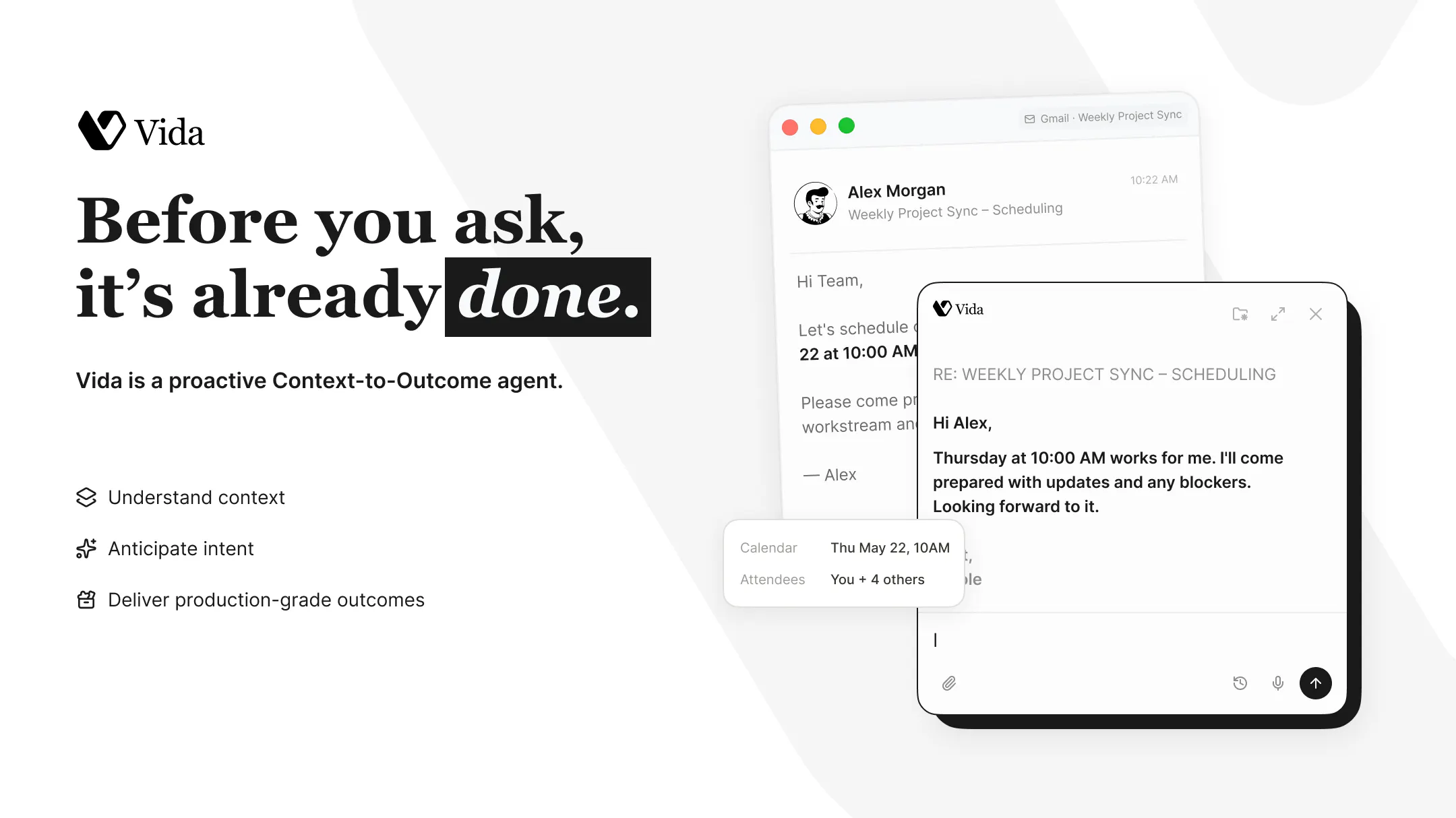
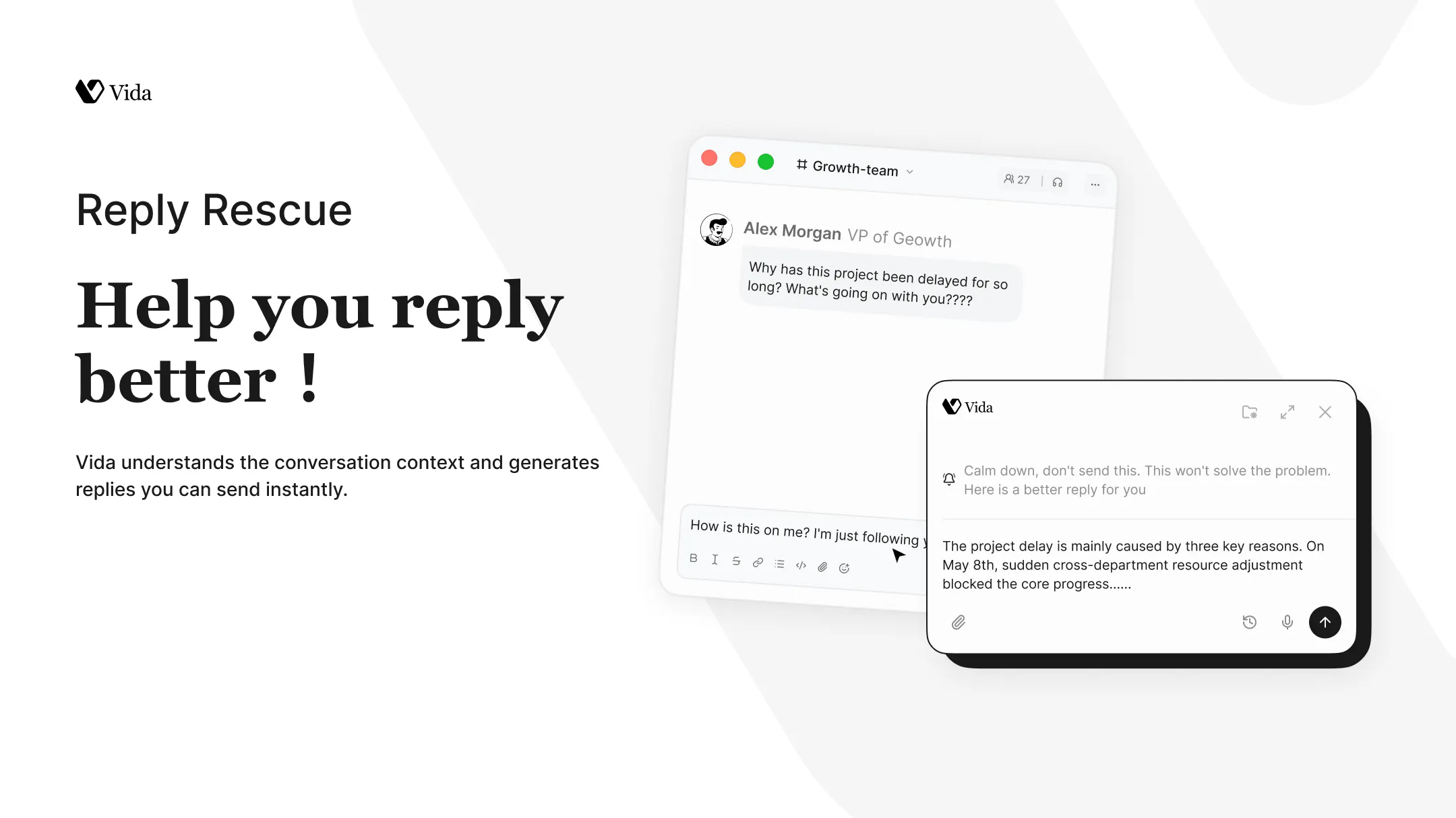
查看原始信息
InkWeaver
Most AI tools forget your story after a few chapters. InkWeaver remembers everything — characters, world rules, plot threads — flags contradictions before readers do, and writes in your voice. Story bibles shaped for 30+ genres, from Fantasy to Romance and even LitRPG. Starting from zero? The Story Engine turns a rough idea into characters, world, and a chapter-by-chapter outline in one sitting. And by design, it uses ~80% fewer tokens than most AI writing tools.

Tried it with a fantasy series I have been stuck on for months and it caught a name inconsistency I had been rolling past for three chapters. The story bible feature alone feels worth the price.

1
回复

@okanvgyo Okay this made my day :) This is exactly what we built it for. Those name inconsistencies are so easy to write past when you're deep in a series. Really glad it caught it. If you hit anything that feels off or missing, I'd love to hear it, that feedback is what shapes what we build next. Hope InkWeaver helps you get going again on the series 💚

0
回复
Hey Product Hunt! 👋 I'm Tobias, solo founder, and more importantly, a publishing indie author. InkWeaver exists because I got tired of my own tools. Here's what kept happening: I'd be 60,000 words into a draft, ask an AI assistant to write a scene, and it would get my character's eye color wrong. Or resurrect someone who died in chapter 9. Or write prose so generically "AI" that I'd rewrite every sentence anyway. The tools treated my novel like a chat thread with amnesia. So I built the studio I wanted: Story Matrix — a living map of every character, location, and rule in your world, built automatically as you write. The AI always knows your book. Voiceprint — analyzes a sample of your prose and generates text with your rhythm and vocabulary, not ChatGPT's. Consistency Checker — catches the eye-color slips and timeline contradictions before your readers do. Genre-shaped story bibles — romance beats, LitRPG stat/level tracking, mystery clue webs. 30+ genres, because a thriller and a cozy mystery are not the same shape. On pricing, I did something deliberately unfashionable: one flat price, and the AI runs through your own OpenRouter key. No credit packs, no surprise overage emails, no throttling dressed up as "fair use." The focused-context architecture uses ~80% fewer tokens than most AI writing tools, so your API costs stay low too. There's a genuinely free tier, and the paid trial is 28 days with no card required. I'll be here all day — ask me anything. And I'm curious: for those of you writing with AI today, what's the thing that breaks first — continuity, voice, or cost?
0
回复

A drag and drop timeline view for plot threads would be amazing. Sometimes I lose track of which subplot should resolve when, especially in longer fantasy series. Being able to visually drag threads around a chapter timeline directly inside the story bible would make juggling multiple arcs so much easier.

0
回复

@ceydaotman Great idea, especially for longer fantasy series where subplots can start running in parallel.

InkWeaver already tracks open threads and recently paid-off threads in Story Memory, so you can see what is still unresolved and what has landed. It also has five story frameworks you can choose from, which map beats to chapters as guidance, not rigid rules.

A drag-and-drop timeline for plot threads would be a natural visual layer on top of that: seeing when subplots are introduced, escalated, paused, resolved, or left dangling across chapters/books.

That feels like the next step beyond consistency checking: helping writers manage pacing and arc resolution, not just continuity. Definitely aligned with where I want InkWeaver to go.

0
回复

Long-time fantasy writer here, and the story bible concept is genuinely appealing, especially the contradiction flagging. One thing that would push me to subscribe: a side-by-side view of how a chapter changed a character's arc or world rules, so I can audit the AI's edits against my original intent before accepting them.

0
回复

@nazlcanzay5vlt Love this, and I agree with the principle completely: AI should never silently mutate canon.

InkWeaver already works chapter by chapter against your Story Codex, characters, locations, timeline, plus any house rules you define. Story Memory tracks open threads, and the consistency checker only flags something when it can quote both sides of the conflict: the manuscript passage and the codex/rule/timeline detail it contradicts.

The side-by-side view you’re describing feels like the next layer of that: a “canon diff” showing how a chapter changes character arcs, world rules, relationships, or open threads before anything is accepted into the bible. That’s very aligned with where I want InkWeaver to go: AI as a continuity assistant, not a black-box co-author.

0
回复