Product Hunt 每日热榜 2026-07-08

PH热榜 | 2026-07-08

#1
ExploreYC
Open-source API for Y Combinator & a16z company data
370
一句话介绍:ExploreYC是一个开源API,将YC和a16z旗下6600多家初创公司的融资、阶段、退出和创始人数据整合为可查询的标准化数据集,解决研究者手动在多个平台间跳转拼接信息的痛点。
API Open Source Developer Tools GitHub
用户评论摘要:用户称赞API和开源方向,认为解决了跨平台数据查询痛点。核心关注数据新鲜度(每日轮询)、实体消歧(跨源冲突处理策略)、API限频、数据源稳定性(尤指YC的Algolia端点依赖)。有用户提出社区贡献机制及自托管方案的可行性。
AI 锐评

从产品角度,ExploreYC做了一个极其聪明的“夹心层”产品。它没有去造“更全”的数据——它比不过Crunchbase;也没有去做“更深”的分析——它比不过PitchBook。它的价值恰恰在于:把YC和a16z这两个最具流动性的创投池子里的结构化数据,免费、开放、可编程地放在了开发者面前。

但有几个核心问题值得冷思考:第一,数据权威性的天花板。YC数据爬自Algolia端点,a16z数据相对非结构化,这意味着当数据出现冲突时(例如融资轮次金额),产品缺乏像Crunchbase那样的编辑生态或官方数据源背书,长期来看“可信度”会在重度用户心中打折。第二,可持续性的隐忧。目前依靠志愿者、AI代理和老式爬虫来维护,一旦YC/A16z变更前端交互方式,数据管线就会断裂,这在前端变化极快的创投领域是大概率事件。第三,商业化路径模糊。免费API加开源固然是获取用户的利器,但也意味着缺乏明确的收入模型来支撑持续的数据清洗和基础设施成本——要知道,高质量的创投数据维护成本远高于普通API。

真正的机会在于:它可能成为创投领域“数据基础设施”的起点,而非终端产品。如果能围绕这个数据集形成插件市场、分析模板甚至小型社区贡献机制,价值会比现在的纯API大得多。但目前来看,它还是一个优秀的个人项目,离“产品”还有管理复杂性、数据准确性和商业化可行性的三道坎要跨。

查看原始信息
ExploreYC
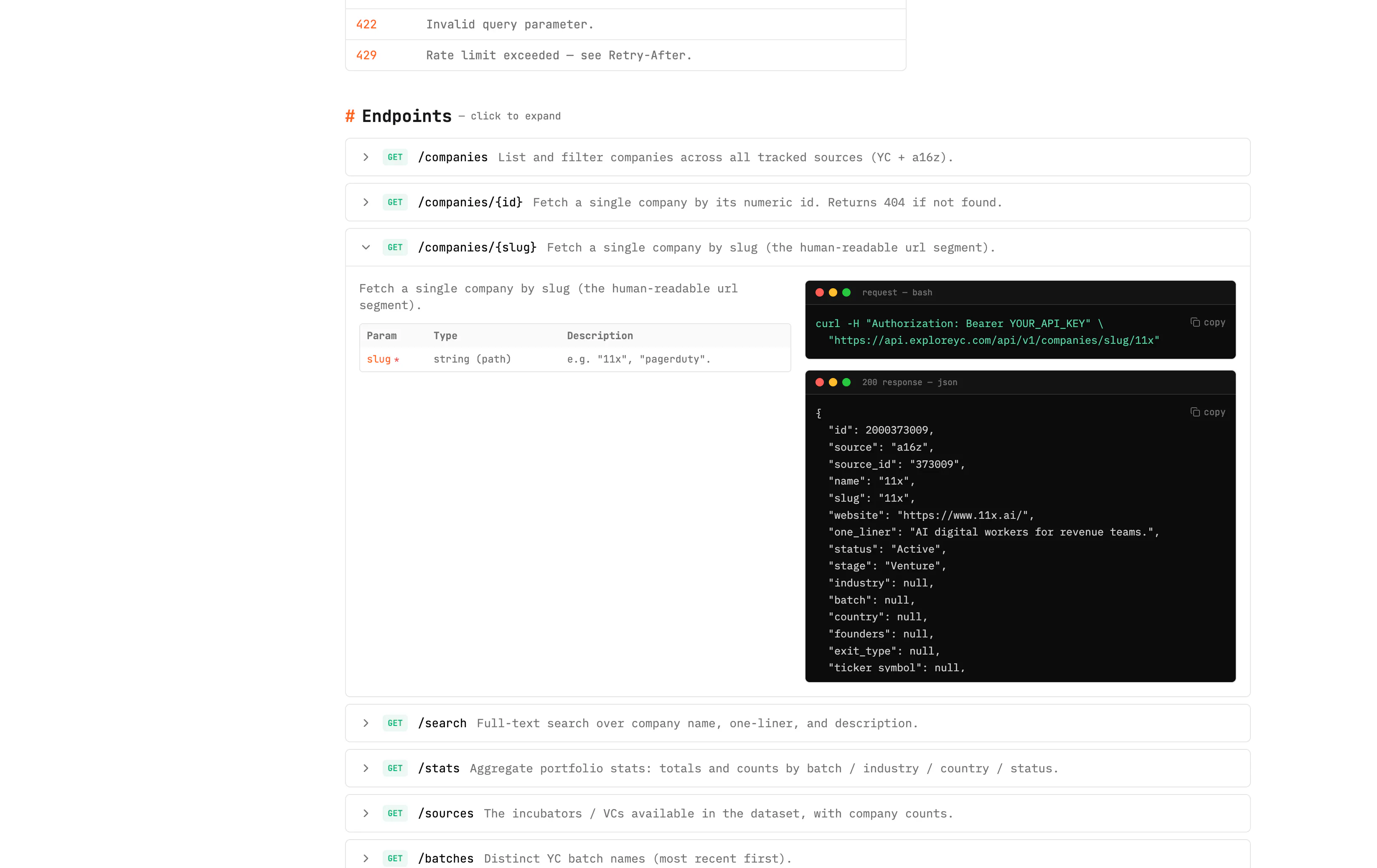
One open-source API for startup data across Y Combinator AND a16z - 6,600+ companies with funding, stage, IPO/M&A exits, and founders. Filter by VC (yc/a16z/all), batch, industry, country, or search. Grab a free API key, read the docs (curl/Node/Python + Swagger), and build in 30 seconds. Plus the full web app: map, analytics, funding data, a live hiring board, and AI tools.
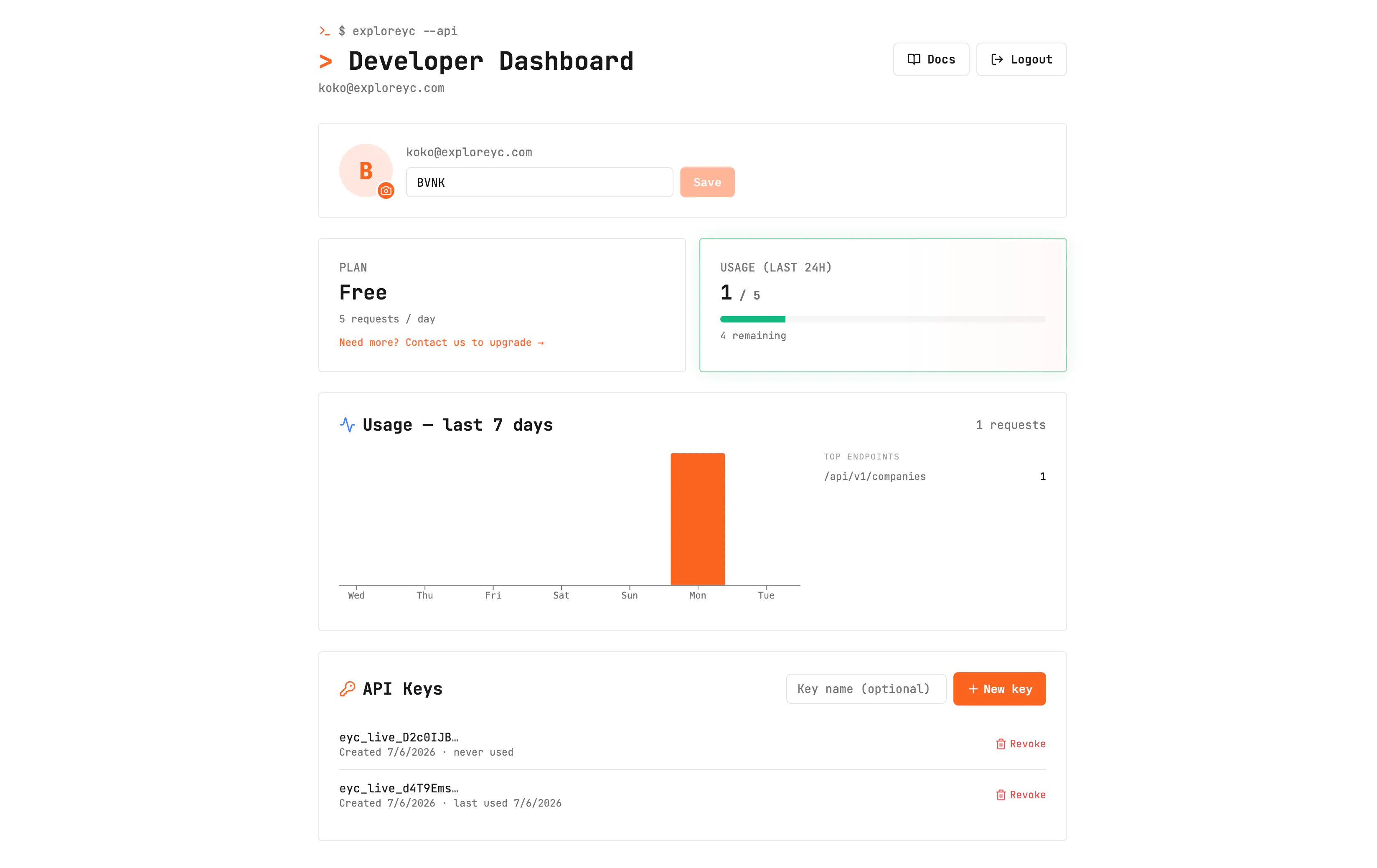
hey PH - we're back! 👋 I'm Konstantin. We first launched ExploreYC - here as a web app for exploring Y Combinator's portfolio, and the response was awesome — thank you 🙏. Ever since, the #1 request has been the same one thing: "Can I get the data through an API?" So this launch is exactly that. This is ExploreYC's open-source + API edition - the same cleaned, enriched dataset, now something you can query, script, and build on. And it grew up: it now covers a16z's portfolio alongside YC. 👉 New here? Welcome. Caught our first launch? This is the developer edition you asked for. 🎉 ✨ What's new since our first launch: - A public REST API - YC + a16z, filter by VC (`source=yc | a16z | all`) - The entire project is now **open source** - Developer accounts, API keys, rate limits, docs & a usage dashboard - a16z portfolio data (exits, acquirers, founders, tickers) sitting next to YC 🔌 The API (the star of this launch): - One base URL, JSON over HTTPS: `https://api.exploreyc.com/api/v1` - Filter by VC - `source=yc | a16z | all` — plus batch, industry, country, hiring status, or full-text search - Company detail by id or slug: funding, stage, **IPO/M&A exits**, acquirer, founders, ticker - Portfolio stats, sources, geo/map data, and batch "Wrapped" analytics - Get an API key in 30 seconds - non-expiring, with per-key rate limits (`X-RateLimit-*` headers, `Retry-After`) - A full docs site with copy-paste curl / Node / Python examples + interactive Swagger - A developer dashboard to manage keys, watch your usage (7-day charts + top endpoints), and set a profile ```bash curl -H "Authorization: Bearer YOUR_KEY" \ "https://api.exploreyc.com/api/v1..." ``` 🌐 And the whole thing is open source → github.com/KonstantinMB/exploreyc 🎯 Why: researching startups means jumping between YC's directory, a16z's site, Crunchbase, LinkedIn, and 20 browser tabs. I cleaned + enriched all of it into one dataset — and now anyone can build on it. 🧰 Everything the API powers is also a polished web app: 🔍 Search & filter 6,800+ YC + a16z companies 🗺️ Interactive global map 🤖 AI company research 📊 Analytics + funding data 💼 Live hiring board (1,400+ companies hiring) 💡 Startup idea validator 🎁 Batch "Wrapped" shareables Would love your feedback - especially from anyone building tools for founders, investors, or the startup ecosystem. What would you build with this API?
8
回复

@konstantimb The "20 browser tabs to research startups" pain is exactly right, and turning YC + a16z into one open-source dataset with an API is the version people actually build on. "Get a key and query in 30 seconds" is the part that'll win developers, and open-sourcing it is a strong trust signal.

An API launch is hard to show in screenshots, so a short demo helps a lot, and you launched without one — so I made you one, free and whitelabel, no strings:

https://foxplug.com/v/ss-exploreyc-launch-the-data-la-70acc8c9

Yours to keep: download it from that page, upload it to your own YouTube so it's yours, then add it to your PH media — and reuse it on any other launch site. Launches with a video do better, and yours is still editable.

Made at https://foxplug.com/?utm_source=producthunt&utm_medium=comment — you can make more there, or record your own product tour in ~2 minutes. Anyone else launching soon: paste your site, video in about 30 seconds. Great comeback launch, Konstantin.

2
回复

@konstantimb Congrats on the launch! We really like the direction you've taken with ExploreYC. Founders often spend more time stitching together information from multiple sources than actually analyzing it, so bringing company data, hiring insights, funding, and AI-powered intelligence into one place solves a real pain point. The startup idea validator is especially compelling, it encourages founders to learn from existing patterns rather than starting from scratch. We'd love to see this evolve with even deeper ecosystem comparisons and trend forecasting over time. Wishing you an amazing launch and excited to see where you take it next!

0
回复

@konstantimb You hit the nail on the head. The gap between complex node-graphs and reactive chatbots is massive for SMBs. Non-technical teams know their processes best, they just need the right interface. Really excited to see how your product bridges this gap. Congrats on the launch!

0
回复

Merging YC and a16z into one dataset, the part I'd want documented before building on it is entity resolution. Last time I stitched company data across two sources, matching 'same company, different record' ate most of the effort: OpenAI vs OpenAI Inc vs matching on domain, then deciding which source wins when the funding stage disagrees. Do you expose a stable canonical company ID across both, and when YC and a16z conflict on a field, is there a documented precedence?

1
回复

I come from the investing side, where structured data on private companies usually sits behind expensive paywalls, so open-sourcing this is a real gift. How fresh is the data, and what's the source when a company hasn't announced anything publicly?

1
回复

@henry_s_jung the data is freshly polled every single day man!

0
回复

Congrats on the launch! 👏

Love the idea of making YC data much more searchable and actionable.

Curious.....what's been the most unexpected way early users are using ExploreYC?

1
回复

@worksforme very happy you like it!!

0
回复

The YC data angle is interesting mostly because the quality of that data degrades fast. Batch, status, current founders, whether a company is still operating or quietly dead. Curious how ExploreYC handles staleness, specifically whether you're pulling from a live source or maintaining a snapshot, and how often that snapshot gets refreshed. Also wondering how the a16z side works since their portfolio data is a lot less structured than YC's directory.

1
回复

@fberrez1 pulling from the most alive source possible for YC - directly form the website, every day, so data is fresh. the initial poll got us to 5.4k companies or around that, you can even see the images from previous launch, so now as you can see on landing page it sits at over 6k! that gradually got to this point day over day

0
回复

Love how the map view makes it easy to spot YC clusters by city, and the AI summaries save me from clicking into dozens of pages when I'm researching a space.

1
回复

@yegendilar30632 haha yea - US is quite the cluster

0
回复

this is genuinely useful, I do scout-style research on companies and the tab-juggling between YC's directory, a16z's site and Crunchbase is exactly the annoying part you described. question about durability though: since the ingestion pipeline hits YC's internal Algolia endpoint rather than a documented public API, what's your plan if YC changes that index's config, adds auth, or just blocks the traffic pattern from a nightly cron. that's the kind of upstream dependency that can silently break a whole API on someone else's schedule, not yours. is there a fallback data source or is Algolia the single point of failure for the YC side

1
回复

@galdayan plan is to have a fleet of contributors and ai agents that will figure the problem once it's present :D jokes aside, web crawling has been a thing for decades now, so there're multiple ways to overcome almost anything

1
回复

Nice to see ExploreYC back. I remember trying the earlier version for startup/category research, and the API edition feels like the more powerful direction. YC + a16z in one open-source dataset is useful not just for browsing, but for actually building tools on top of it.

The thing I would probably build first is a category research layer: search a market, see funded companies, batches, exits, hiring signals, geography, and similar companies in one place. Curious how you handle data freshness and corrections over time. if a company pivots, gets acquired, shuts down, or changes category, can the community help update the dataset?

1
回复

@andrasczeizel Amazing man! You are free to do whatever you like - fork the repo, add a PR - build anything you want over this data!

we basically have cron jobs running hourly/daily to get snapshots of companies today vs. yesterday adn detect new companies added to some batch. there are a bunch more hacks, but ey - clone the repo, drop it to calude and it will spill you all the secrets :D

1
回复

going from web app to a real API is the right move, that was always going to be the limiting factor for anyone who wanted to build something on top of the data instead of just browsing it. adding a16z alongside YC is a nice bonus too, cross-referencing overlap between the two portfolios could surface some interesting patterns. how fresh is the data kept, is it a scheduled scrape or closer to real time when a company updates their info

0
回复

An open-source API across YC + a16z with a 30-second free key is exactly the data layer I would rather hit than scrape and babysit myself for founder/sourcing research. The one thing I would test first: how fresh is the funding/exit/hiring data, is it re-crawled on a schedule (and roughly how often), or is a chunk of it a static snapshot from launch that drifts over time? And what are the rate limits on the free key before I would need to self-host the open-source side?

0
回复

are all the companies hiring + job listing included?

0
回复

This looks awesome! I love data viz/aggregation like this. What are some things people have built with this data?

0
回复

amazing - no more unverified scraping ig?

0
回复

The open-source plan mentioned in the comments is the interesting part to me is that just the app layer, or the enriched dataset too? Curious how you're thinking about keeping funding/hiring data in sync once other people are touching the codebase.

0
回复

the api layer is the right play. everyone building founder-facing tools rebuilds this dataset every time and it's silly.

real q: does exploreyc distinguish "raised $X" from "shipped something users pay for"? because those have drifted a mile apart and the data layer that solves the second one eats the first.

0
回复

Open-sourcing the YC and a16z dataset is handy. Where's the underlying data sourced from, and how often does it refresh? Trying to gauge how stale the funding and status fields get between updates.

0
回复

Very intrigued and looking forward to using this. What use case potential are you most excited about?

0
回复

Would love a heatmap of YC batches by problem space over time e.g. how many fintech vs. dev-tool vs. climate companies per batch. Founders could instantly see which spaces are getting crowded vs. underexplored before pitching a similar idea.

0
回复
Love seeing you turn the original web app into an API after listening to users. Curious, how do you handle entity resolution when the same company appears differently across YC and a16z datasets?
0
回复

Congrats on the launch! Looks really useful and a nice addition to the original launch.

One thing I'd want to know is how often the data is refreshed and how quickly funding or hiring updates make it into the API.

0
回复

How fresh is the data on hiring and funding, and does it pull directly from YC's API or are you scraping public sources to keep it updated?

0
回复

Is it free?

0
回复

This is actually useful for pre-launch validation before building anything you can search your category, see which batches funded similar ideas, check if those companies are still alive ,and figure out where the graveyard is. Has anyone used it that way to kill an idea before wasting six months on it?

0
回复

This is pretty useful for founder research. I like that it’s not just a directory, but something developers can actually build on top of.

0
回复

Amazing man! You just unlocked the big power.

0
回复

The API-first cut of this is the version I'd actually reach for, @konstantimb . Non-expiring key in 30 seconds, standard X-RateLimit-* + Retry-After headers, and interactive Swagger — that's the boring DX most data APIs skip, and it's exactly what makes one safe to wire into a pipeline.

Open-sourcing the whole ingestion side on top of that is a real trust signal when the dataset leans on scraped sources. Great comeback launch 👌

0
回复

Congrats on the second launch. Merging both portfolios into one schema sounds like the unglamorous hard part — YC has batches and a public directory, a16z is scattered across press pages. Which fields refused to line up between the two?

0
回复

@vollos yea, merging even more portfolios will be hard. still investigating how can the platform scale and how it should change. open for suggestions

0
回复

Spent way too long doing this manually with YC's directory and a bunch

of half-remembered LinkedIn searches. Having search, funding data, and

hiring boards actually talk to each other in one place is such an

obvious upgrade once you see it.

0
回复

i tested the filtering options and they saved plenty of time while searching for startups in specific industries. would adding historical funding snapshots help researchers track how companies evolve different years and stages?

0
回复
#2
IvyForms
A WordPress form builder for real workflows
291
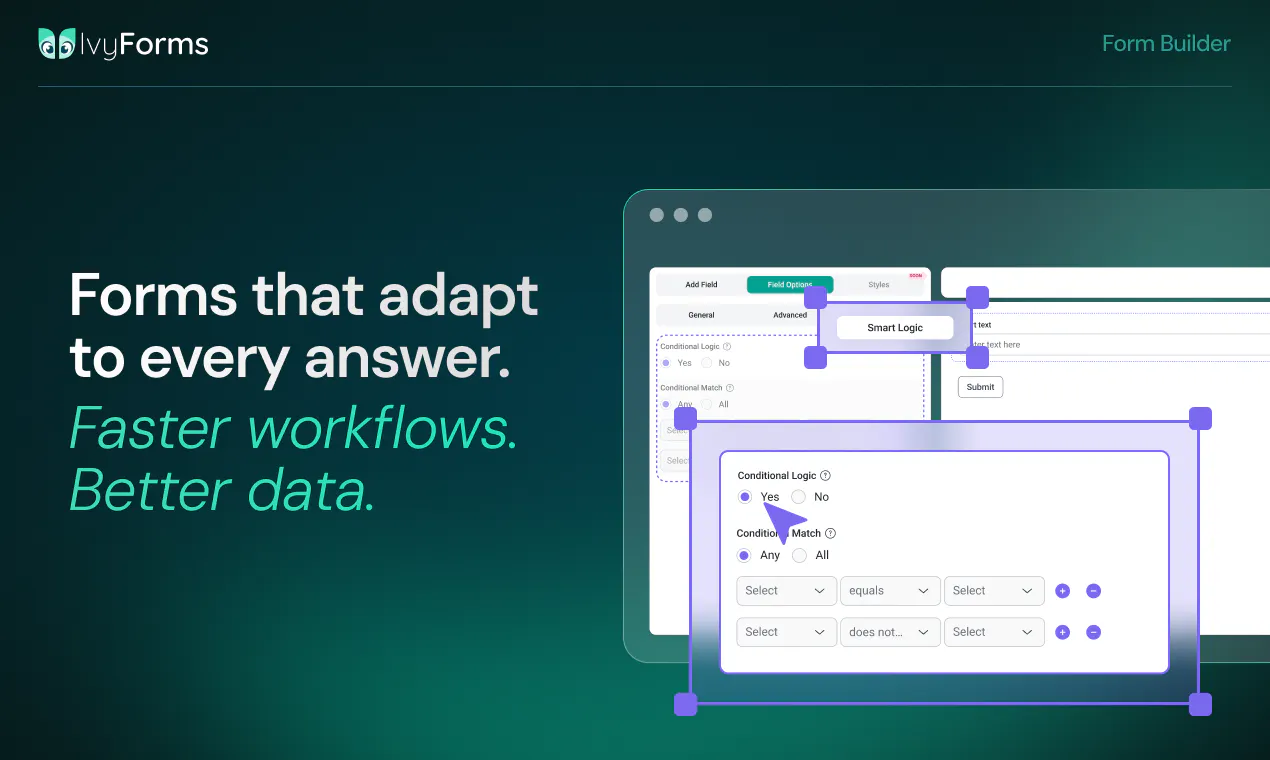
一句话介绍:IvyForms是一个为WordPress打造的拖拽式表单构建器,专注于将表单提交数据转化为结构化工作流,解决普通表单工具“只收集不处理”的痛点,让每条数据都能联动后续分析、预约、营销等环节。
Productivity WordPress No-Code
WordPress表单构建器 工作流自动化 数据驱动 拖拽式构建 条件逻辑 数据可视化 第三方集成 wpDataTables Amelia MCP服务器
用户评论摘要:用户认可其“连接数据收集与分析”的核心价值,但指出当前版本存在基础功能Bug(如简单条件逻辑失效),且对嵌套条件逻辑、深层计算(多段评分、分支总分、条件结果展示)、以及审批工作流的原生支持不明确。部分用户询问MCP服务器是否支持实时推送提交事件,以及多步骤链式自动化(如触发CRM更新后创建任务)是否原生实现。
AI 锐评

IvyForms卖的不是表单,是WordPress生态里一块稀缺的“数据粘合剂”。它在Product Hunt上的291票和密集的深度评论,表明它精准戳中了中小企业和独立开发者一个长期被忽视的痛点:表单提交后的数据是死的,而它们本应是活的。产品总监Sara的发言句句在揭示一个行业困境——大多数表单工具要么简陋到无法处理复杂逻辑,要么臃肿到靠插件堆叠。

但锐评要泼一盆冷水:目前它更像一个“有潜力的概念验证”。用户反馈中反复出现的“Bug未修”、“条件逻辑支持不深”、“多步骤审批/计算原生化模糊”,以及团队对chaining workflow(链式自动化)回答的“谨慎”和“即将到来”,暴露了团队在复杂场景下的工程成熟度不足。与深耕十几年的Gravity Forms相比,IvyForms的差异化并非技术代差,而是“集成wpDataTables和Amelia”这一垂直场景的封闭生态红利。一旦离开这个共生圈,它与其他表单工具的差异将迅速缩小。

真正有价值的是其“数据溯源”设计:从提交到分析,每一行数据都携带表单ID、提交者、时间戳等元数据。这在审计和合规场景中是硬通货,也是它区别于“Excel搬运工”式竞争对手的核心护城河。然而,如果团队不能在短期内解决基础稳定性问题,并将“审批引擎”、“多步计算”等从“路线图”变为“发货清单”,那么“数据工作流”最终只会沦为一个漂亮的营销词。产品方向正确,但执行火力仍需证明。

查看原始信息
IvyForms
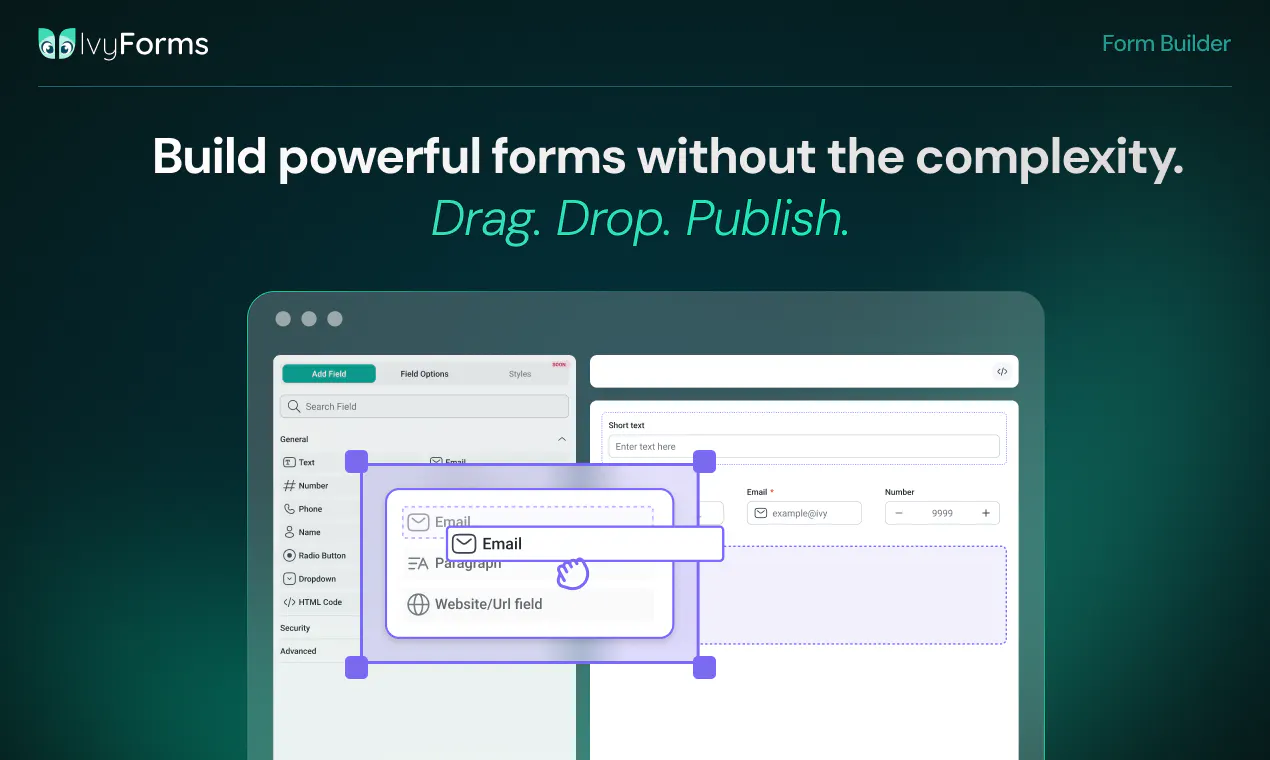
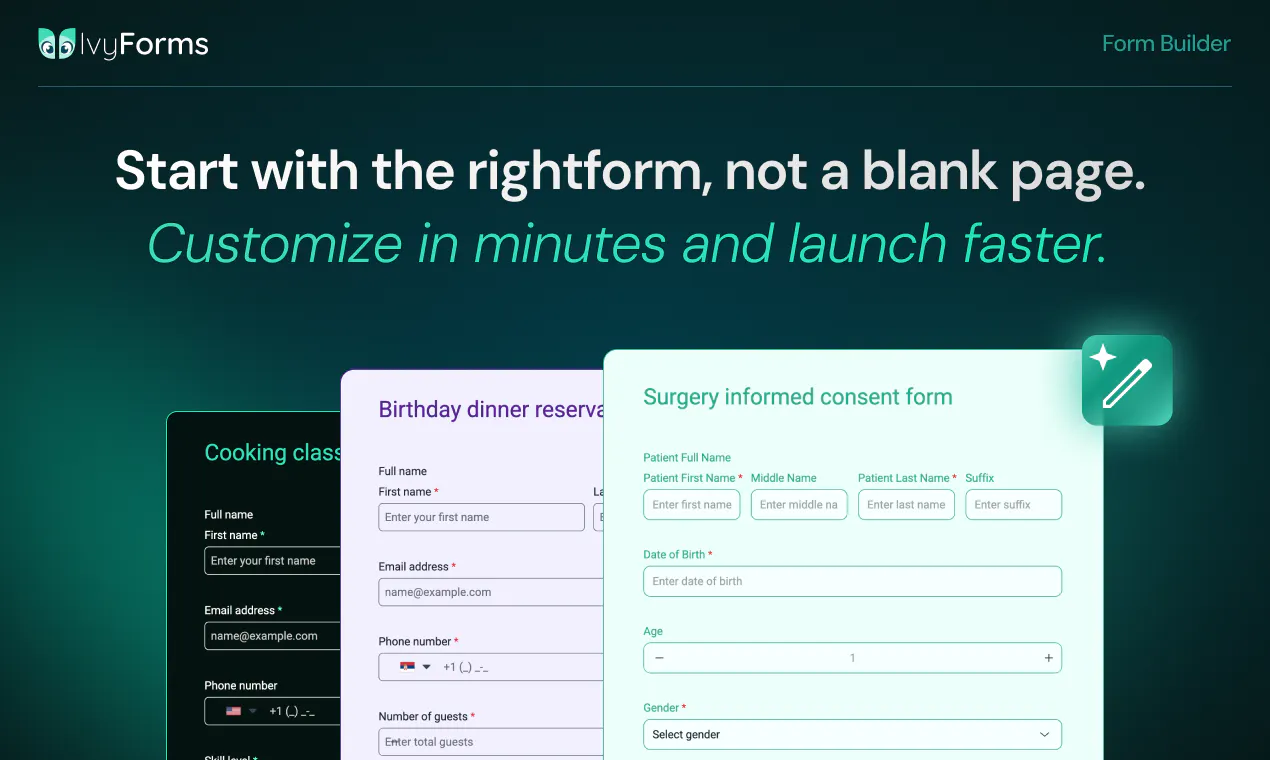
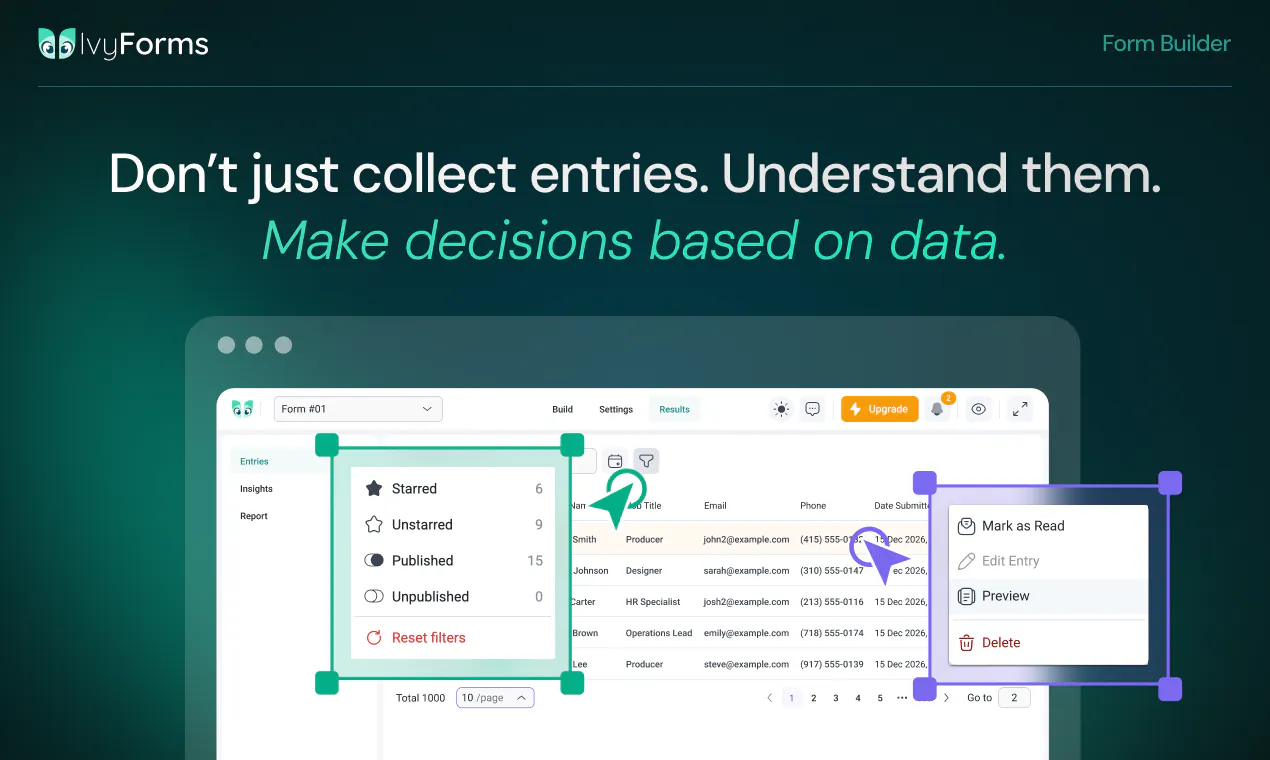
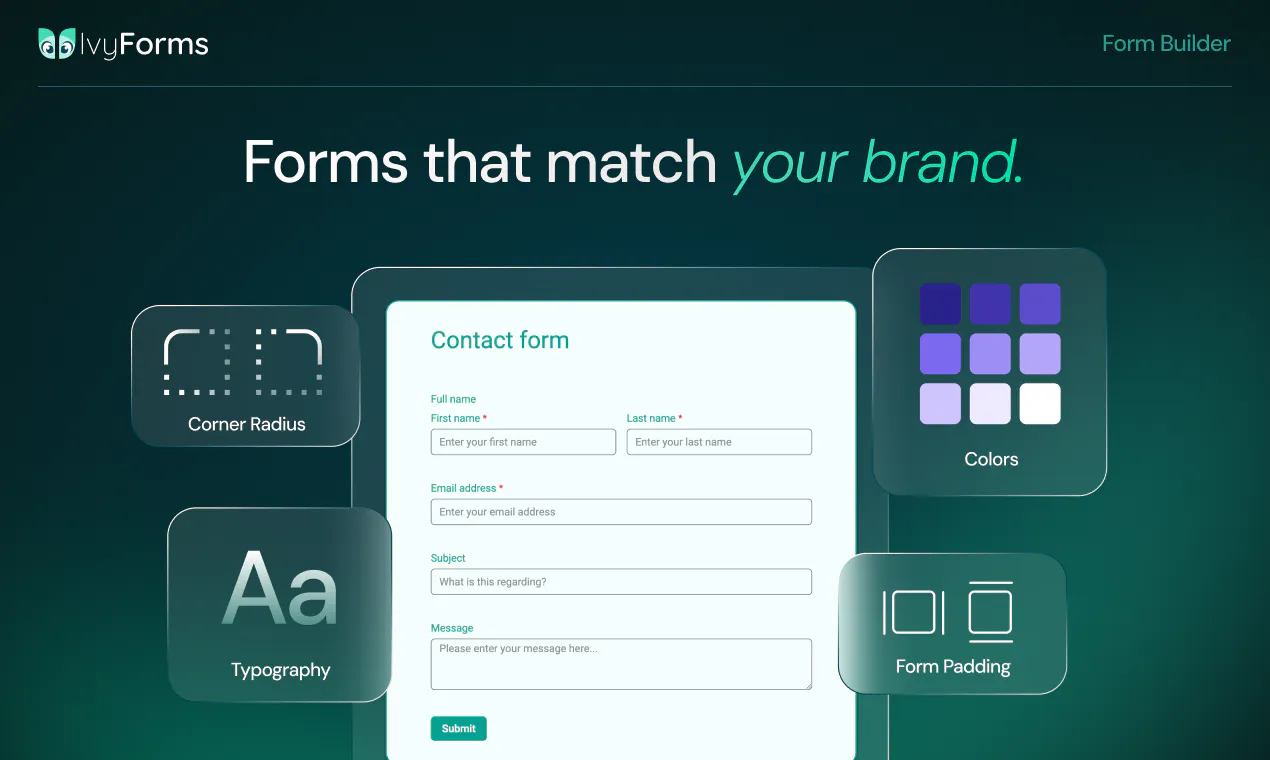
IvyForms is a WordPress form builder for turning submissions into structured workflows. Create contact forms, applications, registrations, surveys, feedback forms, and multi-step flows with a clean drag-and-drop builder. Then manage entries, analyze responses, apply conditional logic, and connect data to tools like wpDataTables, Amelia, Mailchimp, and webhooks so every response can move work forward.

Hi everyone 👋

I'm Sara, Product Owner at IvyForms. It's a pleasure to finally introduce IvyForms to the Product Hunt community!

We didn't set out to build a form builder. But our users wouldn't stop asking us for one.

Here's the thing: we had tools for collecting data (forms) and analyzing it (wpDataTables), but the gap between them was huge. Users were manually moving data around, losing information, wasting time.

So we listened. We studied what's out there. We learned that most form builders are either too simple OR too complicated. They don't talk to your other tools. They don't help you make better decisions with the data.

IvyForms is different. It's built for people who care about data.

  • Drag-and-drop builder anyone can use

  • Conditional logic that actually powers workflows

  • Integrates with wpDataTables (analyze), Amelia (book), Mailchimp (nurture), webhooks (automate)

  • Security, compliance, and enterprise features included from day one

  • Free version that doesn't feel limited

The best part? People are already using it for order management, booking intake, event registration, feedback collection, and more.

We're here to answer questions and hear what you'd build with it.

As a thank you to the Product Hunt community for all the support, we're offering an 85% discount, available for 7 days only.

To make it even easier, you can use the link below to access the pricing page with the discount already applied, no need to enter anything manually.

https://ivyforms.com/pricing/?coupon=PH85OFF

Hope you like it. 🚀

19
回复

@sara_idvorac awesome launch. does conditional logic handle nested rules or just simple if then setup?

4
回复

@sara_idvorac 

Hi Sara,

I already bought IvyForm because I am a WPamelia user too. Greats tools !

I still have question about advanced calculations and subtotal logic for a clinical assessment form please

I am evaluating Ivyforms to digitize a specific clinical assessment from my eBook and I need to know if your platform supports advanced logic and field calculations.

Here is the exact step-by-step workflow I need to build:

  1. Structure: The form is divided into 5 distinct sections.

  2. Scoring: Each section contains 5 statements. The user rates each statement on a scale from 1 to 5.

  3. Subtotals: I need the form to calculate a subtotal for each specific section (each section is scored out of 25).

  4. Final Calculation: I then need to retrieve these 5 separate subtotals and add them together to generate a Grand Total score (out of 125).

  5. Conditional Results: Finally, I need to display a specific text message to the user based on the score bracket their Grand Total falls into (e.g., 100-125 displays Result A, 75-99 displays Result B, etc.).

Can Ivyforms handle these specific mathematical rules, cross-field additions, and conditional outcome displays?

Thank you,

Kevin

1
回复

@sara_idvorac Product has potential, but the current version has bugs in simple things that make it unusable for my application. Yes, they have been reported. No, they have not given an expected date to fix.

1
回复

Love the product! It's beautiful, simple to use, customizable, and pretty cool templates.
Always bothered me that most forms just dumps the answers on you, like come on, how I'm gonna sort through these 5000 submissions with different text inputs, and what to do next with them.
You guys did it in a beautiful way, bravo!

4
回复

@alex89romanov This really made our day, thank you! We spent a lot of time thinking about what happens after the form is submitted, and it's great to hear that it comes across.

3
回复

@alex89romanov thank you mr. Romanov! 🙏

2
回复

I really love how this brings actual workflow automation directly into WordPress forms instead of just collecting flat data. Congrats on the launch today! Do you support conditional routing to different third-party webhooks natively within those workflows?

3
回复

@doganakbulut Thank you so much! We really appreciate it. 🙌

Yes! You can combine conditional logic with our integrations and webhooks to build different workflows based on user input.

For example, you can trigger different actions depending on the submitted values, allowing you to route data where it needs to go and automate different business processes - all without writing custom code.

We're continuing to expand our automation capabilities, but making workflows flexible and easy to build has been one of our main goals from day one.

1
回复

Have you planned deeper reporting features so teams can measure results without using another tool.

3
回复

@stacey_connolly2 Thanks for asking! We do have built-in reporting and analytics in mind, but we want to make sure we're solving the right problems first. That's why we're talking with users to learn which insights and reports they actually need. If you have something specific in mind, we'd love to hear your ideas.

For more advanced reporting today, IvyForms integrates with wpDataTables for dashboards, filtering and sorting tables, displaying charts and lot more.

0
回复

The WordPress form builder space is genuinely crowded, Gravity Forms alone has been entrenched for over a decade with a massive add-on ecosystem. What's the honest case for switching to IvyForms for someone already on Gravity Forms, is it pricing, a specific workflow capability GF doesn't handle well, or something in the UX that's meaningfully different rather than just newer?

3
回复

@ansari_adin Thanks for asking, that’s a great question.
IvyForms was actually born from a direct need we heard from our existing Amelia and wpDataTables users. They kept asking for a form solution that would complete their data management workflow, not just collect information, but help them connect, organize, and use that data effectively.
We believe forms are just the starting point of a bigger workflow. Many form builders do a great job collecting submissions, but the real value comes from what happens after the data is collected: organizing it, analyzing it, and turning it into action.
That’s where IvyForms focuses:

  • Data-driven workflows - forms connect naturally with tools like wpDataTables, helping teams turn submissions into structured, actionable data.

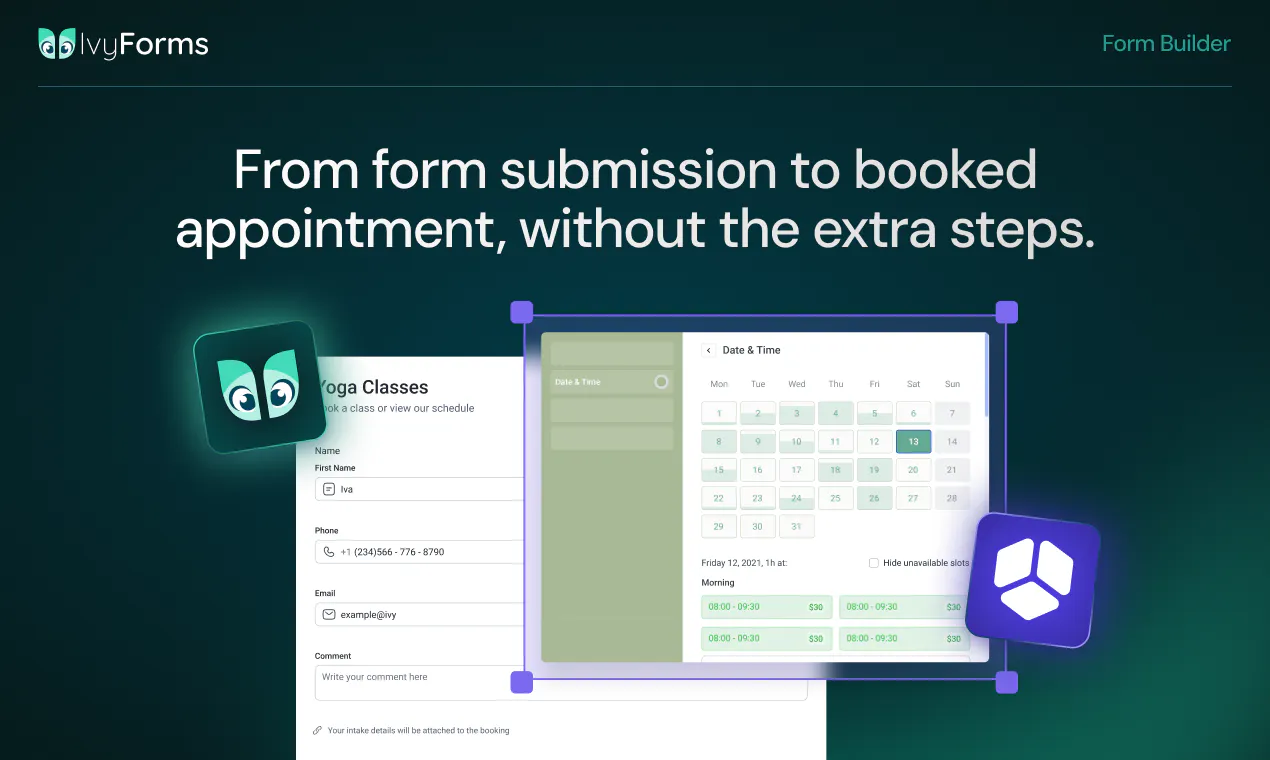
  • Connected workflows - with integrations like Amelia, you can use intake (pre-booking) forms to collect important client information before an appointment is scheduled, so everything is ready when the booking happens.

  • Powerful features without complexity - conditional logic, webhooks, multi-page forms, conversational forms, and integrations are designed to be flexible while staying easy to use.

Another thing we wanted to do differently is keep things simple and transparent. We don’t rely on a large add-on ecosystem. All features and integrations are included within the available licenses, so users get the complete experience without having to purchase multiple extensions.

And we’ve also focused on making IvyForms accessible with a very competitive pricing model, especially for teams looking for a complete form and data workflow solution without a high total cost of ownership.

The goal with IvyForms was never just to build another form builder, but to create a solution where forms are the first step in a complete data workflow.


We’d love to hear what kind of workflows you’re building and where forms fit into your process.

2
回复

Hello @sara_idvorac @sanja_janic @alexander_gilmanov and congrats on the launch. I use cursor daily and just noticed ivyforms shipped an mcp server. I'm not trying to build forms by voice, I want new submissions to ping my agent when a client uploads an intake pdf. Does mcp push entry events or is it admin-only form building for now?


2
回复

@sara_idvorac  @sanja_janic  @konstant_gk thank you! Interesting question, in principle MCP has also entry-level capabilities, but to access it, the server needs to have rights you wouldn’t normally give to a user-level agent. I believe @milan_jovanovic2 will be able to elaborate more on that/suggest a solution.

0
回复

Congrats on the launch! WordPress definitely has plenty of form builders, but focusing heavily on real workflows and complex backend actions rather than just basic data collection sounds like a massive timesaver. How deep do the native integrations go for handling multi-step logic right after a form submission?

2
回复

@adamkamaneh Thanks, glad that resonates! Honestly, right now the native integrations are still single-action (Mailchimp, webhooks), with Zapier support coming very soon. So true multi-step chaining right now happens either through webhooks, Zapier, or directly in code via our after_submission hook. A native visual builder for chaining/branching multiple actions post-submission is exactly the kind of thing on our radar as the "workflow" side matures. Curious to know, are you picturing something like "update CRM, then conditionally alert a channel, then create a task," or a different chain? Would help us think through what to prioritize first.

2
回复
Really like how IvyForms bridges the gap between collecting and actually using data. The integrations with wpDataTables and Amelia make it feel more like a workflow tool than just another form builder. The free version not being stripped down is a nice touch too, excited to see how people use it for real-world processes like bookings and feedback.
2
回复

@odeth_negapatan1 Thank you so much! That was exactly our goal- to make forms the starting point of a complete workflow, not just a way to collect submissions.

We're also glad you noticed our approach to the free version. We can't wait to see the real-world workflows our users build with IvyForms!

1
回复

@odeth_negapatan1 thank you!

1
回复

i see this fitting schools agencies and small bussinesses equally well. what is your plan for handling very complex approval processes as customer needs continue to grow.

2
回复

@hana_salazars Thanks for the great question!

Just to make sure I understand correctly, are you referring to approval workflows happening directly inside IvyForms (for example, multi-step manager approvals)?


At the moment, IvyForms focuses on collecting and managing data efficiently through features like entry management, notifications, conditional logic, webhooks, and integrations, allowing it to fit into existing business workflows. As customers' needs evolve, we're definitely looking at expanding workflow capabilities, so we'd love to hear more about the approval process you have in mind.

1
回复

@hana_salazars Really good question, thanks! Today, IvyForms handles this through conditional notification routing and multi-page forms, so you can already do things like "route to a different approver based on department" or "only trigger a review step if a certain field is filled in a certain way," with webhooks/Zapier (coming very soon) available if you want to hand off to an external workflow tool. A full native approval engine (multi-step sign-off, live status tracking, escalation reminders, audit trail) isn't built yet, but it's exactly the kind of feature we're evaluating as usage scales into larger orgs. If you don't mind sharing a bit more about what your approval chain actually looks like (how many stages, sequential vs. parallel, who needs visibility into status), that'd help us prioritize it against what real teams need rather than guessing.

1
回复

How does the conditional logic actually behave across multi-step flows, does each step have its own rules or is it all evaluated globally when someone hits submit?

2
回复

@yaar89286282857 Great question!

In multi-step forms, validation is performed on each step, not only when the user reaches the final submit.

Conditional logic that controls whether a field is displayed or hidden also works within the specific step where the field exists. For example, if you want a conditional field to appear immediately on the first page based on the user's answer, that is fully supported.

If that conditional field is required, the user will see a validation error before moving to the next step if they haven't completed it. The error message will guide them to complete the required fields on the current step before continuing.

So the logic and validation are handled dynamically throughout the form flow, not only at submission.

2
回复

@benln Thanks, Ben! That's exactly what we're aiming for. Making forms the starting point of real workflows, not just data collection. Appreciate you highlighting it!

2
回复

Loving IvyForm alongside WPAmelia brilliant software!

I am digitizing an eBook clinical assessment and need to verify IvyForm's math and logic capabilities. Could you confirm if the platform supports this specific setup?

  • Layout: 4 core blocks.

  • Scoring: 6 items per block, rated 1 to 10.

  • Block totals: Automated sum for each individual block (max 60 per block).

  • Grand tally: A master score combining all block totals (max 240).

  • Dynamic feedback: Milestone-based text triggers that change depending on the final master score bracket.

Can IvyForm seamlessly handle these multi-layer calculations and conditional outcome displays?

1
回复

the collection-to-analysis gap is real. every wordpress agency has watched users manually csv-shuffle data between forms and dashboards for years.

real q: does ivyforms carry any provenance from form submission through to wpDataTables? like "this row came from this form filled by this person on this date"? asking because trust in the analysis depends entirely on trusting the collection and most tools quietly drop that link.

1
回复

@thenameisarian That's a great question - and yes, that's exactly why we built the integration the way we did.

wpDataTables doesn't receive a disconnected copy of your data. It uses your IvyForms entries as the data source, so the connection to the original submission is preserved. Alongside your form fields, you can also include built-in metadata such as the Entry ID, Form ID, User ID (when available), Date Created, Status, IP Address, User Agent, Source URL, and more. This makes it easy to trace every row back to its origin whenever needed.

Trust in the data was one of our key design goals, so we wanted the analysis layer to stay closely connected to the original submission instead of becoming a detached export.

0
回复

Most form builders stop at the submission. You're explicitly building past that point, into what happens with the data next. That's a bigger scope than a form builder usually takes on. Where's the line for you between what IvyForms handles natively and what gets handed off to Zapier or a webhook? That boundary probably says more about the product's direction than the feature list does.

Congrats on the launch!

1
回复

@jared_salois Thank you! That's exactly how we see it. 😊

Our goal is to make everything that's core to building forms and working with your data a native part of IvyForms.

For integrations, our approach is to build native connections with the services our users rely on most, while webhooks and platforms like Zapier remain the bridge to virtually any other tool or custom workflow. That way, you get the best native experience where it matters most, without limiting what's possible.

0
回复

Drag-and-drop felt snappy and the conditional logic options were more flexible than I expected for a WordPress plugin. The webhook integration is a nice touch for routing submissions into other tools without extra glue code.

1
回复

@semra276308 Thanks! That's exactly the experience we were aiming for. We want building forms to feel effortless, while making it just as easy to turn every submission into the start of a real workflow. Webhooks are just the beginning. We're actively expanding our native integrations too.

0
回复

Looks promising.

Are there any plans for payment integrations (Stripe, PayPal, etc.)? If so, is there a timeframe for release?

Are there plans for fron-end post submission integration?

1
回复

@aguilar1181 Thanks for asking! Yes, we're actively working on payment integrations. Square is currently in development, while Stripe and PayPal are next. Which one comes first will depend on customer demand.

Front-end post and user submission forms are also planned, and we'll prioritize them based on the workflows our users tell us they need most.

0
回复

the deep integration with wpDataTables and Amelia is clearly the selling point, but it makes me wonder about the flip side: if a site outgrows WordPress entirely down the line, how portable is the structured data and workflow logic? like can you export the conditional logic rules and calculated fields in some reusable format, or is that value basically locked into staying on WP once you've built it out

1
回复

@galdayan thank you for your support! And it's a great question - so far we didn't build the out-of-wp version - but the way we strore the data would allow it to be "portable" if necessary.

0
回复

I've used quite a few WordPress from plugins and keeping everything organized afterward has always been the bigger challenge. This feels like it's spolving that part instead of shopping at from creation.

1
回复

@morgan__harriss Thanks for pointing this out! You've identified the exact gap we saw. Most form builders stop after creation, but the real work starts when submissions come in - managing entries, analyzing data, automating follow-ups. IvyForms is built to handle the entire data lifecycle: collect → organize → analyze → act. Give it a try and let us know how it compares. 👍

4
回复

As someone who has built small WordPress sites, the “real workflows” framing feels right.

The hard part with forms is rarely adding fields. It’s what happens after submit: routing the lead, sending the right confirmation, avoiding duplicate manual follow-up, and knowing which responses actually need attention.

If IvyForms makes that post-submit flow obvious for non-technical site owners, that may be more valuable than another nicer form editor.

0
回复

WordPress form builders feel like one of the most crowded categories on here, Gravity Forms, WPForms, Forminator, JetFormBuilder all doing roughly the same drag and drop plus integrations pitch. the wpDataTables and Amelia native integration is the one thing that actually reads as differentiated since you already own that ecosystem, rather than bolting on yet another generic Zapier connector. curious if that's really where most of your users are coming from, or if it's still mostly cold WordPress.org traffic

0
回复

Congrats on #2 today! The wpDataTables provenance answer above is what sold me — most form tools drop the link between a submission and where it lands, and that's exactly where trust breaks. I run a few different businesses and intake/registration forms are a constant mess across all of them, so a builder that keeps the workflow connected instead of just collecting data is genuinely useful.

0
回复

Why would I use this over a tool like Lovable or Replit or Base44? Why would I manually click through and build the form myself when I can just ask an AI agent to do it for me and launch with one click? Is it the workflows afterwards? I feel like you just ask your AI and it will build that for you, right? You just give it either the MCP or the API key and it will build these automations for you. I don't see this lasting in 2 years.

0
回复

@malcolm_mcdonald2 Great question! Honestly, it's something we've thought about a lot.

AI app builders like Lovable, Replit, and Base44 are impressive, and we believe they'll become part of how many products are built. We don't see IvyForms competing with them as much as serving a different audience.

WordPress powers a huge share of the web and remains the world's largest CMS ecosystem. Whether someone is launching a brand-new website or extending an existing one, they usually want tools that work natively with WordPress, not a separate application they need to maintain.

AI can absolutely generate a form or even an entire workflow. But for most businesses, that's only the starting point. They also need reliable entry management, permissions, spam protection, integrations, analytics, updates, and compatibility with the rest of their WordPress stack.

We also don't see AI as the competition. In fact, AI is becoming a core part of IvyForms. Today, you can already generate forms with AI, and we've added MCP support (WordPress 6.9+) so AI agents can work directly with IvyForms. We're also integrated with Angie, Elementor's AI agent, allowing users to create and manage forms using natural language from within WordPress.

Our vision is that the best experience won't be AI instead of WordPress plugins, it will be AI working with specialized WordPress plugins. AI handles the repetitive work, while IvyForms provides the reliable foundation for forms, workflows, integrations, and long-term maintenance.

The market is evolving quickly, and we're building with AI in mind rather than against it. We'd love to hear what you think a form builder should look like in two years.

0
回复
Congrats on hitting #2! The wpDataTables connection is the smart part here, forms and analysis living in one place is what most WP setups are missing. My question is about the unglamorous side: spam. Every WordPress form I’ve run eventually drowns in bot submissions. What’s built in for that beyond a captcha, and does conditional logic help filter junk before it hits my entries?
0
回复

@ridhwikvinod Thank you so much! We're excited to be here!

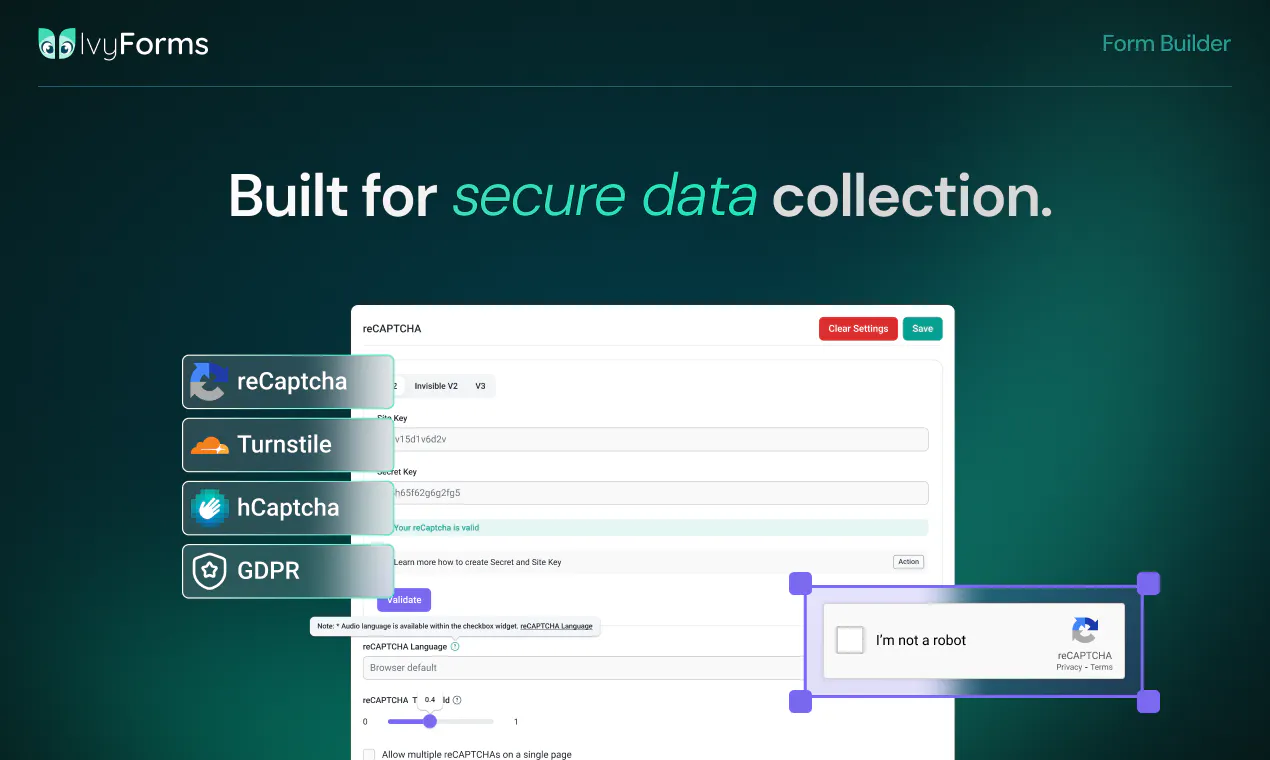
Great question. IvyForms currently supports Google reCAPTCHA, hCaptcha, and Cloudflare Turnstile, so you can choose the spam protection solution that best fits your website. We also provide a GDPR consent field for collecting user consent when needed.

Conditional logic serves a different purpose, it helps create dynamic forms and workflows, rather than filtering spam before submissions reach your entries.

Thanks for bringing this up, and thanks for your support!

0
回复

the "submissions into workflows" framing is what separates this from a basic form builder. most wordpress form plugins stop at collecting data and then you're manually moving entries into whatever system actually needs them. curious how deep the workflow side goes, can it trigger external actions like sending to a CRM or slack on submission, or is the workflow management mostly within the plugin itself?

0
回复

@shubham4real Great question! Our goal is to go beyond simply collecting submissions. IvyForms already supports webhooks, so you can send data to thousands of apps and CRMs that support them.

We also have a direct Mailchimp integration, with Zapier and Google Sheets integrations rolling out by the end of this week.

It will be available and REST API for developers who want to build custom workflows. And yes, Slack is already in progress and will be available very soon as a native integration.

If you have a specific workflow in mind, we'd genuinely love to hear it. Real customer use cases help shape what we build next.

0
回复
#3
Willow Frontier Pro
The fastest, most accurate dictation model in the world
256
一句话介绍:Willow Frontier Pro 是一款全球最快、最准确的语音听写模型,通过热键唤醒、语音转文字的方式,帮助用户在任何应用(如邮件、Slack、文档)中高效完成写作,解决打字慢、口述后需大量清理的痛点。
Productivity Writing Artificial Intelligence
语音听写 AI语音模型 生产力工具 语音转文字 写作助手 免费听写 Slack集成 AI IDE集成 噪音消除 上下文自适应
用户评论摘要:用户普遍认可其速度和准确性,特别称赞了无填充词功能,但核心疑问集中在:免费模式如何持续(是否利用用户语音数据训练模型)、与竞品相比的差异化优势、是否支持本地运行、对开发场景中专业术语和数字的处理能力。部分用户对版本升级流程表示困惑。
AI 锐评

Willow 此次发布的核心亮点并非“更快更准”,而是“免费”。它将最看家的轻量级模型 Frontier Mini 无限免费开放,这一招精准击中了当前语音听写市场中“好用的太贵,免费的太烂”的行业痛点,直接拉低了用户的使用门槛。从用户反馈看,评论区中关于“我与竞品有何不同”的焦虑本质上是“你靠什么赚钱”的质问。Willow 的回应也很有策略——将变现重点放在“Scribe”这类意图转文字的高阶功能上,免费版作为漏斗入口。这实际上是在赌一个假设:语音输入习惯的养成,比一次性的订阅费更具长期价值。但产品真正的考验在于:第一,当用户可以“无脑用”时,它能否在糟糕的网络环境、复杂的专业术语、以及长数字串这些硬核场景中做到不翻车,否则用户会迅速返回键盘。第二,用户隐私的信任成本极高。尽管声明“不卖数据”,但在“免费且不收集数据”这一矛盾前,任何模糊的条款都会被放大。与其在道德牌坊上用力,不如干脆将隐私报告和训练数据规则做成产品差异化的一部分。一句话总结:Willow 用免费打响了用户心智争夺战,但产品护城河仍需在生态集成和极端场景下的稳定性上验证。

查看原始信息
Willow Frontier Pro
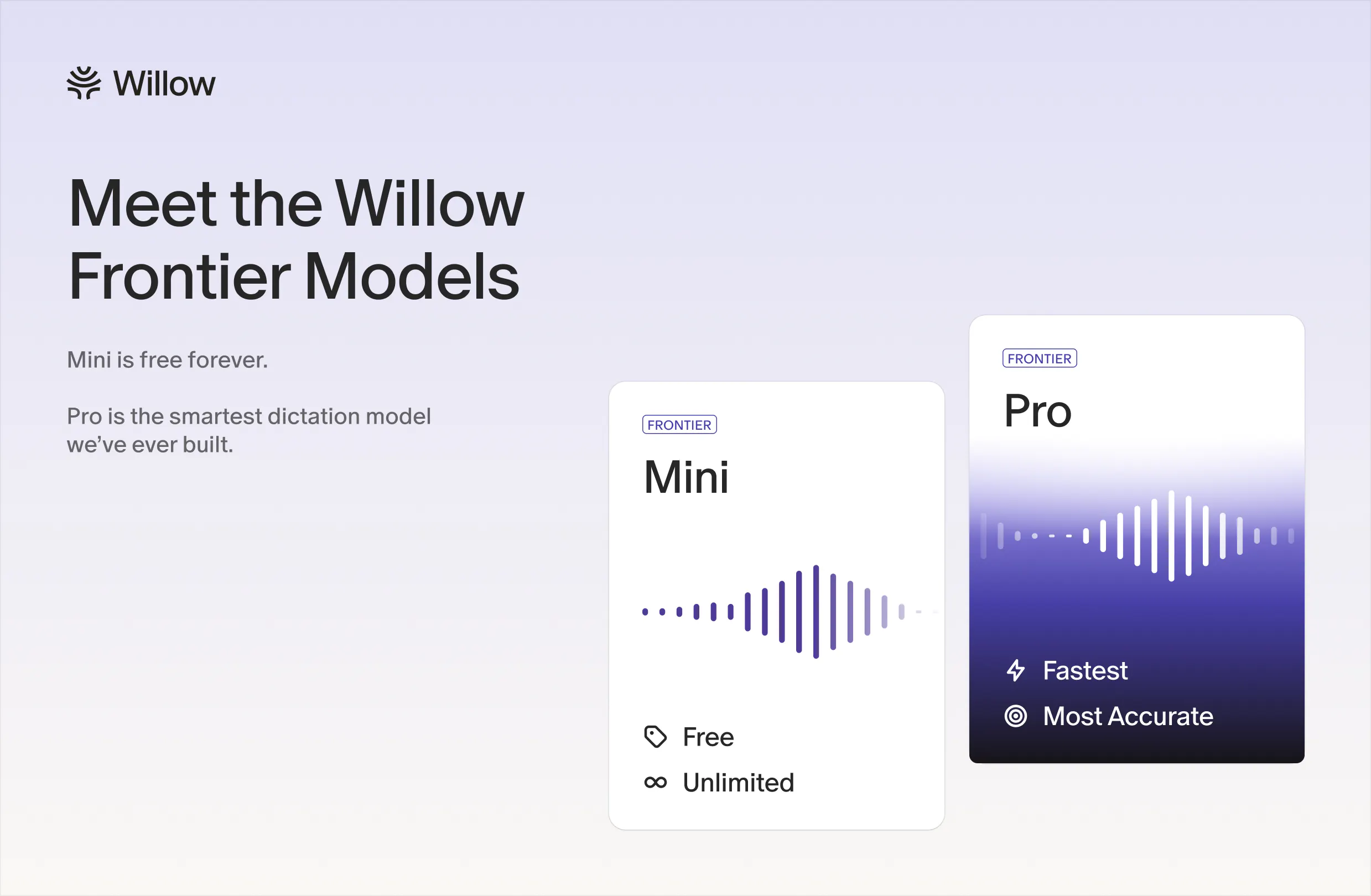
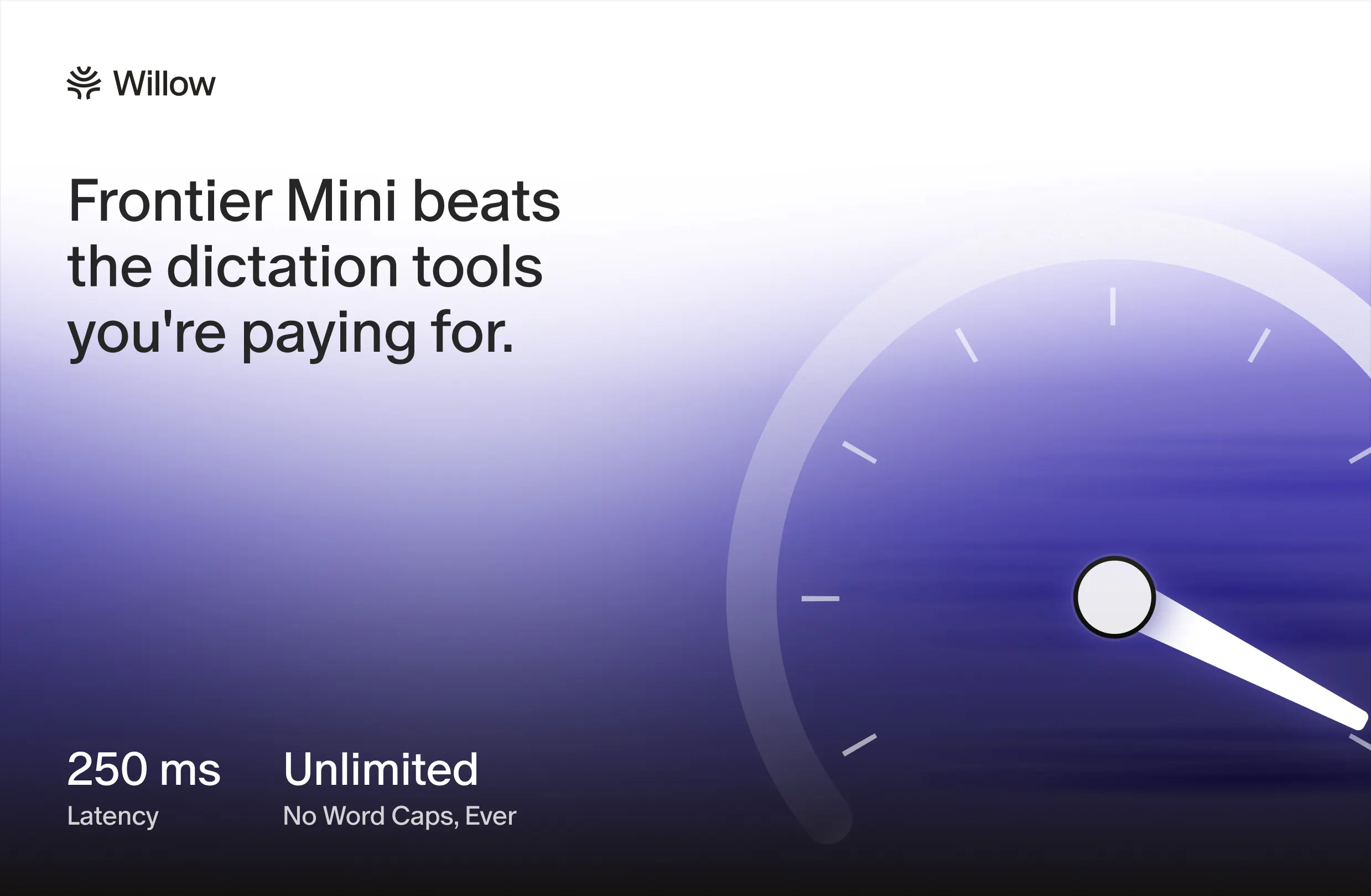
Willow is launching two new voice AI models: Willow Frontier Pro and Willow Frontier Mini. Frontier Pro is our most powerful dictation model. It is built for people who want fast, accurate, and polished writing anywhere they work. Frontier mini is lightweight and completely free to use. On our free plan, users get unlimited access to this model. It's faster and more accurate than other AI dictation tools.
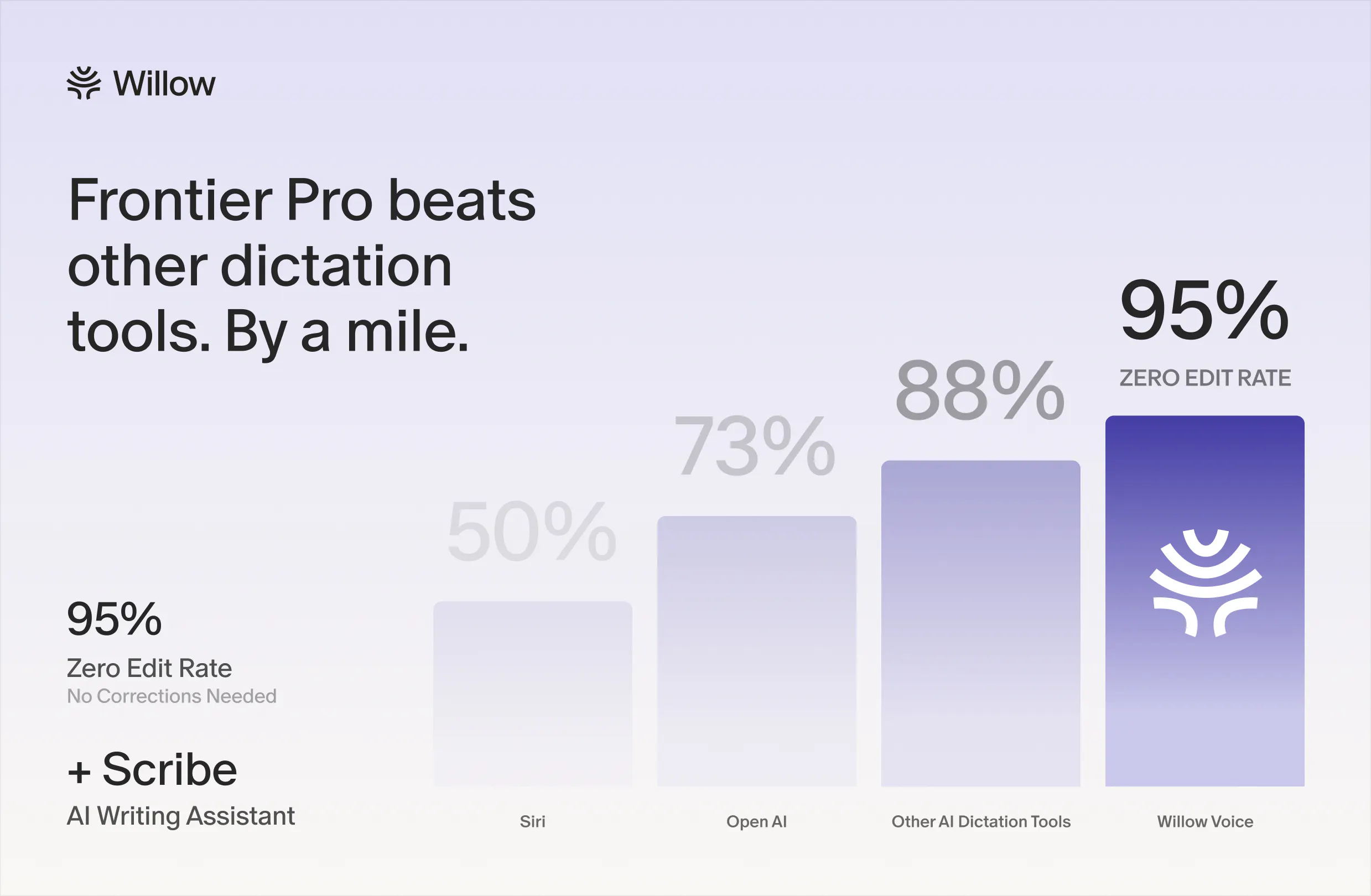
Today, we are making AI dictation free for everyone. You might be wondering why, and also how. No, you are not becoming the product. Willow is a voice dictation app that lets you speak anywhere you write. You can use it for emails, Slack messages, docs, notes, AI prompts, and more. Just hold a hotkey, speak naturally, and Willow turns your words into clean text. Today, we are launching two new voice AI models: Willow Frontier Mini and Willow Frontier Pro. Frontier Mini is our fast and lightweight dictation model. It is completely free to use, with unlimited access on our free plan. Frontier Pro is our most powerful dictation model. It is available on our Pro plan for people who want the highest accuracy, better formatting, and more polished writing. Our Pro plan also includes Scribe, our voice AI writing assistant for turning rough spoken ideas into finished drafts. For a long time, good voice dictation has either been too slow, too awkward, not accurate enough, or locked behind a paywall. We do not think speaking to your computer should be a premium feature. That's why now nobody has an excuse to not talk to their computer with our free plan! Would love for you to try it and share any feedback.
4
回复
@allan_guo I think most of us are just over having to wait for the latency of network/cloud models. Or when they stop working when in rough network conditions (I work on the go frequently). I’m still waiting for a company like Willow to allow their models to run locally.
1
回复
@allan_guo Nice. I assume that’s not Frontier Pro though and just third-party models?
0
回复

Been using it for a couple days and the filler word removal actually works well, my rambling thoughts come out pretty clean. Way faster than typing for long slack messages.

3
回复

@arindemirevm1u That's awesome. Have you tried using Scribe for the longer Slack messages? It's a lot easier when you're rambling, and it cleans it up.

0
回复

Are you mainly aiming at general text dictation, or does the product handle developer-y dictation too, like punctuation-heavy sentences, variable names, or speaking edits into a coding workflow?

3
回复

@crystalmei You bet. Willow is integrated really well with AI IDEs. It handles developer language naturally, including variable names and technical jargon. It can even recognize and tag file names correctly, so those workflows feel seamless.

0
回复

"you are not becoming the product" is a bold line to open with, and it made me curious rather than reassured. one review here specifically calls out a competitor for holding privacy certifications and not using dictation data for training, as a differentiator. now that Frontier Mini is free and unlimited, what's the actual model for staying sustainable on that tier, is voice data from free users used to improve future models, and if so is that opt-in or just disclosed in the terms somewhere. genuinely asking because unlimited free dictation has to be paid for by something

3
回复

@galdayan For us, what we actually monetize is Willow Scribe!

When you onboard, you'll see two modes: normal dictation and Scribe. Scribe is our intent-to-text product that helps with phrasing and other situations where raw voice dictation isn't the right fit. On the free tier, you get 20 Scribes, and that's what we're monetizing today.

One interesting thing we've noticed is that people who use Scribe are much more likely to activate, convert, and refer friends, so giving everyone unlimited dictation has actually been a pretty good top-of-funnel strategy :)

0
回复

Speed + accuracy is the right pair to obsess over — most dictation tools nail one and butcher the other. In my world (voice agents) the make-or-break is proper nouns and numbers: a model that writes beautiful prose but drops a digit in a phone number is useless in a real workflow. Curious where Frontier Pro lands there — is the accuracy jump mostly on natural speech, or does it hold up on names, addresses, and long strings of numbers where most models fall apart? That's the part I'd pay for. Congrats on shipping 🚀

2
回复

@david_marko Appreciate it, David!

0
回复

"prompting AI tools" by voice is an underrated use case here. typing out long prompts for claude or chatgpt is friction most people don't notice until they see someone doing it by voice. 1.3K followers and a winter 2025 award suggests this has actual retention, which is rare for dictation tools. curious how it handles technical vocabulary and product names that aren't in standard training data, does it let you add a custom dictionary?

2
回复

I've always felt that typing is the bottleneck for a lot of knowledge work. If Frontier Pro can make dictation fast enough and accurate enough that people stop thinking about the tool entirely, that's a huge shift. Also love the decision to make it free for everyone. Excited to try it out. 🚀

2
回复

@suryansh_tiwari2 We wppreciate that! What's been your favorite part?

0
回复

No, you are not becoming the product" is a smart line :)

voice dictation feels like one of those habits that is still weird for a few days, then suddenly typing everything starts to feel slow. I've been using voice more and more for rough ideas, messages, and prompts, and the biggest difference is whether the output feels clean enough to use immediately. making unlimited dictation free is a pretty strong move. if Frontier Mini is genuinely fast and accurate, I can see a lot of people trying voice for the first time without overthinking it.

curious how Willow handles different writing contexts. does it adapt formatting differently for Slack, emails, docs, and AI prompts, or is the cleanup mostly the same everywhere?

2
回复

@andrasczeizel Yeah, exactly! We adapt formatting based on the context. Slack, email, docs, AI prompts, and more all have very different writing styles, so the formatting isn't the same across surfaces. If you use Scribe, for example, you'll notice it behaves differently in emails versus ChatGPT.

For ChatGPT, we'll often automatically optimize the prompt to help you get better results. The same idea applies to dictation in general. Willow is designed to be highly context aware, so it adjusts both formatting and rewriting based on where you're writing.

1
回复

As a longtime Willow Voice user, I have to say I've always found it surprising that the conversation revolves around the other two big transcription apps. Willow has been awesome, reliable, and does exactly what I need it to. I tell all my friends to try Willow before giving up on dictation, because you've tried the other ones.

1
回复
0
回复
amazing launch!! If someone is already using SuperWhisper or Wispr Flow, what would make them install Willow instead?
1
回复

@luki_notlowkey We're faster, more accurate, and most of all, free. Take a look at our technical breakdown :)

https://willowvoice.com/blog/introducing-willow-frontier-pro

0
回复

giving away Frontier Mini unlimited and free is a strong move given how many dictation apps gate accuracy behind a paywall. removing filler words automatically is the detail that actually matters day to day, half the pain of dictation tools is the cleanup afterward not the transcription itself

1
回复

Voice tools are only useful when they feel fast and natural. Curious to try this for messy thoughts and longer writing sessions.

1
回复

@monster1x We're great for that! We specifically train our model to deal with messy thoughts and longer five-minute sessions

0
回复

@monster1x It's not just fast, it's blazingly fast, natural, and accurate. Tell us what you think when you try it!

0
回复

I would like to know how to upgrade from my current Willow version 2.3.0 to this new Willow Frontier Pro. That's not very clear from your email or website.

0
回复

Making Frontier Pro's speed/accuracy free-tier accessible via Mini is a great call. Between three businesses I'm answering emails and Slack threads all day, and dictation is one of the few things that's actually saved me real time instead of just adding another app to check. Congrats on #3 today.

0
回复

I'm really looking forward to trying out the Pro version! Will I need to install a newer version of the app, or will it be pushed out automatically? I'm currently running version 2.3.0. Is that enough?

0
回复

the free-for-everyone move is the right call. voice dictation just became infrastructure like keyboard input.

real q: does willow do multi-speaker attribution yet? most creative work is 2+ people talking through ideas and losing "who said the thing that landed" is where good ideas die uncredited.

0
回复

@thenameisarian We have really strong primary/secondary speaker differentiation. We're mainly used for single speaker roles

0
回复

Getting past the “this feels weird” stage seems like the bigger challenge than model accuracy itself. Once people start speaking by default instead of typing, going back probably feels painfully slow. Curious if you’ve seen a clear moment where users make that switch, or if it’s still mostly a habit-building journey. Congrats on the launch!

0
回复

Love that Frontier Mini is free and unlimited, making dictation accessible instead of a premium feature is a genuinely different approach from most competitors in this space.

0
回复
#4
Bono AI
Talk Once. Publish Everywhere.
234
一句话介绍:Bono AI是一款通过10分钟语音对话将用户的口头表达自动转化为博客、社交媒体帖文和新闻稿等内容的AI内容战略工具,解决专业人士“有想法但写不出”和“AI生成内容不像自己”的痛点。
Newsletters Writing Social Media
AI内容生成 语音转内容 个人品牌工具 AI内容策略 口播转写 社交媒体管理 创作者的AI助手 内容自动化 声音克隆式写作
用户评论摘要:核心关注点集中在:语音是否能真实还原个人风格(不是“听写+美化”)、是否支持跨平台格式精细化改写,以及对LinkedIn等平台合规风险的担忧。部分用户也关心对“口语杂乱(如修正、语塞)”的处理能力,以及学习曲线的速度。
AI 锐评

Bono AI的价值,不在于“又多了一个AI写作工具”,而在于它瞄准了AI内容生产中最隐蔽、也最致命的一个矛盾:**AI越流畅,内容越不像人**。无数专业人士在表达观点时是犀利的,但一旦面对空白文档或被AI套进“万能公文模板”,就会瞬间被磨平棱角,沦为互联网上又一个ChatGPT风格的垃圾帖。Bono的解法很聪明——它不让你打字,不让你调Prompt,而是让你说话。这是对人行为习惯的一种深刻利用:人在口语中比在文字中更真实、更不设防,更愿意展开细节。所以它解决的不仅是“写东西很累”,更是“AI写的东西不是我”。

从反馈看,它将语音解析为结构化的内容,而不是简单转录,甚至能追问、过滤废话和修正,这证明了它不是挂羊头卖狗肉。同时,它在跨平台内容生成上强调“分别生成而非一份稿子三套裁剪”,也避免了大多数同类产品的通病。

但风险同样明显。产品的核心壁垒在于**语音到个人风格的“语义映射”模型是否够深**。如果用户持续反馈“我还是得改很多”,或者学习曲线停滞在第3、4次对话后,那它就会退化为一个“带语音输入的格式化模板生成器”,和一众AI笔记工具没有任何区别。此外,定价策略和个人品牌工具这条赛道的拥挤程度,决定了Bono必须极快地建立“声音独特度”的护城河,否则随着大模型原生支持这类能力,它随时可能被降维打击。一句话:形式聪明,但真正的考验在于执行深度和速度。

查看原始信息
Bono AI
Meet Bono, your voice AI content strategist. Talk for 10 minutes, and Bono turns the conversation into a blog post, LinkedIn/X content, a newsletter, and more, all in your voice. No blank page, no prompts, no ghostwriters, no agencies.

Hey, I'm Zee, founder of Bono.

We're here because of a pivot from a website builder for professionals. Sites went live, but users kept ignoring the features and scrolling straight to the AI-written blog post generated from their LinkedIn, then telling me "this doesn't sound like me." I heard it dozens of times. The problem was never the website. It was the voice behind it.

These were consultants, fractional execs, founders, brilliant in a room, but frozen at a blank page. Writing was never the point. Ideas were. So we built Bono around one idea: talk instead of write. You talk for 10 minutes about what's on your mind. Bono turns it into LinkedIn/X posts, blog content, newsletters, in your voice, your thinking, and you approve before anything publishes. It learns you over time, so it gets sharper the more you use it.

If you've been meaning to build your personal brand or thought leadership, and turn your expertise into inbound, this is built for you. For the PH community, we're offering 50% off Bono Pro, code PH50BONO, expires July 14.

Talk for 10 minutes. See what comes out: heybono.ai

16
回复

@zeeshanrasool_ already sharing the app, some of my friends was already asking for this exact use case, amazing work

2
回复

@zeeshanrasool_ Talk once, publish everywhere sounds simple but the execution matters. Are you handling platform-specific formatting or just distributing as-is?

0
回复

I love products that change the workflow instead of just adding more AI on top of it. Talking is how most founders think, so turning conversations into authentic content makes a lot of sense. Curious to see how well it preserves someone's unique voice after a few sessions. Congrats on the launch!

4
回复

Appreciate that - that's exactly the distinction we're chasing. Most AI tools speed up writing; we're replacing the blank page with a conversation.

Voice preservation compounds: solid but generic-ish early on, noticeably more "you" after a few sessions as it picks up your phrasing and how you structure an argument.

2
回复

The "in your voice" part is the whole thing. Most AI writing tools flatten everyone into the same LinkedIn-guru cadence — talking instead of typing is the only way I've found to keep the actual person in the output. I build voice agents and see it constantly: people are far more themselves out loud than in a blank text box. Honest question: how do you handle the rambling? A 10-min talk is 80% throat-clearing — is Bono pulling the real signal or just transcribing it prettier? That's the hard part. Congrats on the launch 🚀

3
回复

It's not transcribe-then-polish. The interview asks follow-ups to surface the actual point, then extraction separates core claims and examples from the filler and tangents. Throat-clearing gets left behind — though sometimes it grabs a tangent that wasn't meant to be the headline.

Not perfect, but closer to "editor in the room" than "prettier transcript." You'd probably spot where it breaks fast, would love your eyes on it.

0
回复

@david_marko Hi David! Bono's PM here. Thank you for the comment!

I'm a heavy rambler myself. On a recent call I jumped between angles, backtracked, lost my thread a few times. Bono kept the angles I actually wanted and dropped the noise, structured into an article. That's the part that convinced me it's parsing signal, not just cleaning up the transcript.

1
回复

Congrats on the launch! The pivot story is a great one, going from a website builder to realizing the actual bottleneck was voice, not features, feels like a genuinely earned insight rather than a repositioning exercise.

Really like that you're tracking the human-vs-AI score per post instead of just claiming "sounds like you." The jump from ~65% to 80%+ by the third call is a much more convincing signal than most voice-to-content tools give.

For someone with a pretty flat/neutral speaking voice on calls (not much natural inflection or personality when talking out loud), does Bono still manage to find a distinct written voice, or does it need some expressiveness in the source conversation to have something to latch onto?

3
回复

Appreciate this, genuinely thoughtful read on the pivot and the scoring.

To your question: distinct voice isn't really pulled from vocal energy, it's pulled from word choice, the phrases you reach for, how you structure an explanation, what you emphasize first versus what you circle back to. A flat delivery can still carry a very specific way of thinking. If anything, some of our most distinct-sounding outputs come from calm, matter-of-fact speakers because the substance does the work instead of the tone.

Where it can struggle a bit more is if someone gives very short, clipped answers with little elaboration, since there's less material to learn from. But flat and thorough works fine.

1
回复

Congrats on the launch @zeeshanrasool_ Listening to users ignoring features and focusing on the voice problem is a masterclass in product discovery, qq for X/Twitter content does it format the output into clean structured threads automatically or just single standalone posts?

3
回复

Thanks! Yes, it auto-formats into threads, not just standalone posts. There's also carousel and video generation for X and LinkedIn in early beta, if you want more visual formats to test.

0
回复

Full disclosure, I'm one of the people building Bono. But I'm writing this as someone who now uses it every day and honestly can't go back.

I'm running a 16 part series about AI ready websites. The old routine was brutal. Write the piece, format it, schedule it, then repost the same thing across every channel by hand. Now I just talk. I record a quick thought or jump on a voice call, and it comes back as a clean draft that sounds like me, not like some generic AI. Then it pushes everything to my site, newsletter and socials from one place.

Here's one I published straight from it, so you can see the output and the branded page for yourself: https://moonion.heybono.ai/post/why-your-website-needs-to-be-ai-ready-what-we-learned-rebuilding-moonion-from-the-ground-up-IsgK6HHDYP

Two things still surprise me even though I know how it works inside. How fast it learns my voice, and the branded page with my own domain and analytics that respects privacy, no cookie banners, no creepy trackers. "Talk once, publish everywhere" turned out to be exactly how my week actually runs now.

If any of this sounds like your kind of workflow, come try it and see for yourself: https://heybono.ai

3
回复

The "talk once" part is interesting but the hard problem isn't capturing what you say, it's that a LinkedIn post, a newsletter section, and a tweet are genuinely different formats with different tolerances for nuance, length, and tone. Curious whether Bono is doing real format-specific rewriting or whether you're getting one transcript chunked and lightly restyled. Also wondering how it handles the editing pass, since most voice-to-content tools produce a solid first draft that still needs 10 minutes of cleanup before it's actually publishable.

3
回复

On format-specific rewriting: it's not one transcript chunked and restyled. Each channel gets its own generation pass built around what that format actually needs, a LinkedIn post, a newsletter section, and a tweet aren't different lengths of the same draft, they're built with different structure and tone from the start. You can also configure and train your own style upfront, and it keeps sharpening from there based on what you edit, publish as-is, or adjust per channel over time.

On the editing pass: most users make light edits early on, a line or two, not a rewrite. By the third conversation and post, most users aren't editing at all before publishing. That's the part of the "talk once" claim we actually care about proving out, not just that it drafts fast, but that it gets out of your way over time.

Everything still routes through a review step before it publishes, so nothing goes live without you seeing it first.

3
回复

"Blog post, LinkedIn, X content, newsletter" from one 10-minute conversation implies Bono is making format and length decisions for each channel without much input. What actually determines how the same raw conversation gets shaped differently for a 2000-word blog versus a 280-character tweet versus a newsletter intro? Is that configurable or is it making those calls autonomously, and how often does the output for one channel feel like it was just copy-pasted from another?

3
回复

Good question, and worth being precise about.

The first post for each channel is generated from a blend of format best practices (what actually works on a 2000-word blog vs. a 280-character X post vs. a newsletter intro) and the direction you gave in the conversation. Each channel gets its own pass built around what that format needs, not one draft resized three ways.

You can also configure and train your own style from the start, so if you already know how you want to sound, you're not waiting on the system to learn it. From there it keeps sharpening: as you share more, and as we see what you edit, publish as-is, or adjust, Bono learns your preferred style per channel over time. Think of it like a ghostwriter who you can brief upfront, and who keeps getting better the longer they work with you.

Fair question to ask, and one we're actively refining.

2
回复

Congratulations on the launch :) Talking an idea through and getting a first draft back would help a lot, because the blank page is where a lot of my writing stalls, so this is a problem worth solving. One thing I'm curious about: my own writing voice is fairly reserved, and I'd want a draft to match that rather than add polish. How much does the Brand Builder let you shape what to hold back, not just what to include? 

3
回复

Thank you, and appreciate you naming that specifically, "reserved" is a real style, not just an absence of polish, and it's a useful distinction.

Brand Builder lets you configure that directly, so you can flag things like tone, sentence length, how much enthusiasm or hype language to keep versus cut, not just what topics or content to include. So restraint itself is something you can set from the start, not something you have to hope the AI infers.

It also gets better at this over calls. If you're consistently trimming things back or holding a certain tone, it learns to start there rather than you correcting it every time.

Good prompt either way, "reserved" is exactly the kind of voice trait that's easy to get generically wrong, so it's worth being precise about how much control you actually have over it.

2
回复

This is very relatable.

A lot of people have good ideas when they're talking, but the moment they need to turn it into a post, newsletter, or blog, everything suddenly becomes stiff or generic. the "this doesn’t sound like me" problem is probably one of the biggest issues with AI-written content.

The talk instead of write approach makes a lot of sense. I also think it's a better input format, because voice usually contains the actual thinking, personality, and little opinions that get lost in a prompt. As a founder doing launch prep and content right now, I can definitely see the value in turning a 10-minute thought dump into usable posts without starting from a blank page :)

Curious how Bono learns someone's voice over time. does it mostly adapt from approved edits, or can users directly tell it what feels wrong and what sounds more like them?

3
回复

Really appreciate this, Andras - "this doesn't sound like me" is exactly the problem we set out to fix.

Both, actually. Bono picks up on your cadence and phrasing over time just from talking with you, and you can also tell it directly when something's off, "too formal," "wouldn't say it that way," whatever it is. The direct feedback moves faster. The passive learning is what makes it stick.

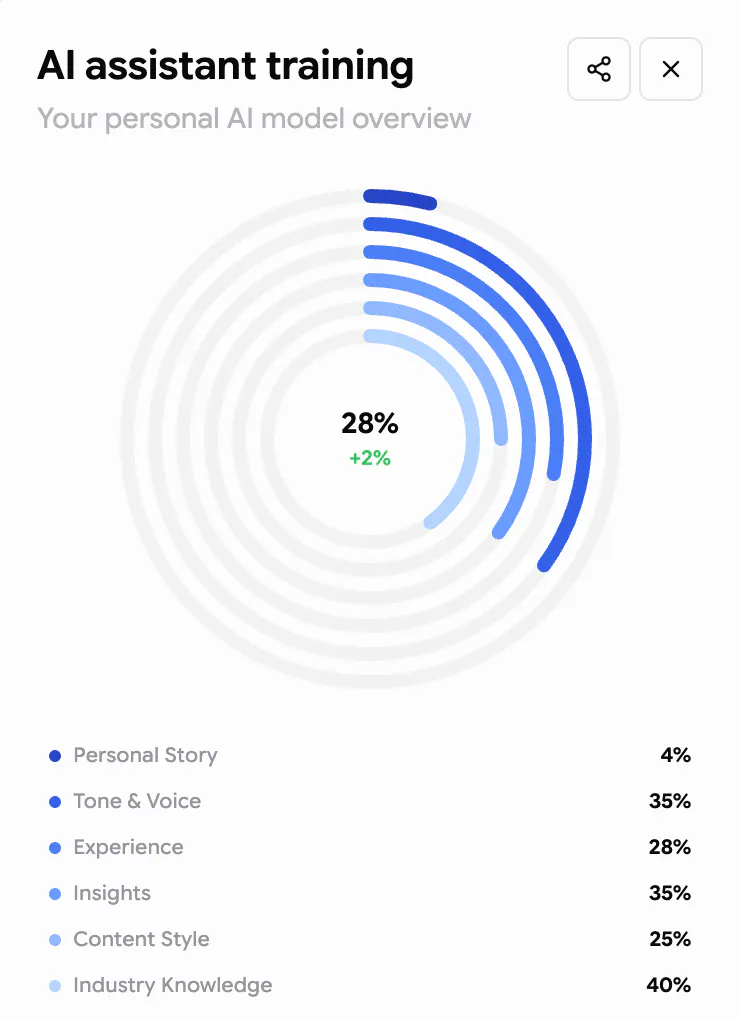
Here's a snapshot of what that learning looks like after a few calls. It only gets better with more conversations.

5
回复

Hey guys, how do you make sure you don't get me locked out of my linkedin given the strict linkedin rules? How do you connect to my account, etc? Don't want to get banned from there because an Agent posts for me 😅

2
回复

Great question, and a fair one to ask before connecting anything :)

It works through a one-time LinkedIn authorization, not scraping or third-party workarounds, so it's using your own authenticated access, the same kind of connection LinkedIn's official integrations use.

And to be clear on the "agent posting for me" part: nothing publishes autonomously. You're the one who reviews the draft and chooses to post it, Bono isn't an agent going off and posting on your behalf without you asking. Think of it less like an autonomous poster and more like a small scheduler built into Bono, it drafts, you approve, it publish, same as you'd do manually, just without the copy-paste step.

And the content itself is yours either way, it came from your conversation, so there's nothing here that should read as automated or inauthentic to LinkedIn or to your audience.

1
回复

The "doesn't sound like me" framing really resonates. That's the actual failure mode of most AI writing tools, not grammar. Question on the progressive voice learning: roughly how many recorded conversations does it take before the per-channel voice stabilizes enough that you're not editing much? And does it ever need "retraining" if someone's writing voice shifts over time (new job, new audience)?

2
回复

Most people see it stabilize by the 3rd conversation, editing drops off noticeably after that. And yes, it keeps adapting rather than needing a hard reset, so a new job or new audience just gets picked up in later conversations rather than requiring a retrain.

0
回复

Congrats on the launch!

I like the "talk instead of write" ideas, feel much easier than staring at a blank page

Curios how fast Bono can really learn someone's personal voice after a few talks?

2
回复

Most people see it stabilize by the 3rd conversation, with editing dropping off noticeably after that. It keeps refining after that too, but that's usually the point where output starts sounding distinctly like them rather than a generic draft

0
回复
Congrats Zee! This one is personal for me. I do almost everything by voice-to-text, and my raw transcripts are a mess, half-finished sentences, corrections mid-thought, “wait, scratch that.” Does Bono handle that kind of rambling input well, or does it work best when you deliver a coherent 10 minutes? Because if it can turn my actual messy thinking out loud into clean posts, I’m sold.
2
回复

Thanks! Yes, messy is fine, it's actually the normal case. Mid-thought corrections and "wait, scratch that" get filtered out during extraction, since it's pulling the core claims and framing, not transcribing verbatim. You don't need to deliver something coherent, that's the whole point of talking instead of writing

1
回复

The WhatsApp input is interesting , most founders think out loud on voice notes anyway so meeting them there makes sense. Curious whether Bono can take a rough 2 minute voice note sent on WhatsApp and turn that into a full LinkedIn post or does it need the full 10 minute structured conversation to work properly?

2
回复

Yes, it'll work with a rough 2-minute WhatsApp note. It's just not the ideal input, since a 2-way interview draws out follow-ups and context that a quick one-way note can't. That back-and-forth is what we actually built Bono around, so the guided conversation is where the best output comes from

1
回复

Talked through a rough idea for ten minutes and it actually pulled out a structure for a LinkedIn post that sounded like me, not like a template. Impressed that it didn't try to fluff it up with generic intros.

2
回复

Love this - this is exactly what we're optimizing for :)

0
回复

This looks incredibly helpful for creators trying to escape the endless loop of platform-specific formatting by letting them articulate their best ideas verbally first. How well does the AI preserve a creator's unique voice when translating a casual spoken style into a more structured newsletter format?

2
回复

That structural jump is exactly where voice tends to get lost in most tools.

It holds onto vocabulary, phrasing patterns, and how someone builds an argument, not just tone. So a newsletter section reads more structured and complete than a casual voice note, but it still uses the words and framing the person actually reaches for rather than defaulting to generic newsletter-speak. The goal is depth and structure without sanding down what made it sound like them in the first place.

1
回复

I really like the pivot story—it makes sense why you focused on voice instead of another AI writer. I'm curious though: how do you know when the generated content actually sounds like the user versus just sounding like a polished AI version of them? Was that something you had to iterate on a lot?

2
回复

Thanks, glad the pivot story landed. And yes, that gap between "sounds like AI-polished you" and "sounds like you" was the thing we iterated on most

Early on the outputs were correct but flat, well-written in a way that erased whatever made someone's writing theirs. What actually moved it was training on their specific vocabulary, the phrases they naturally reach for, how they structure an explanation, what they emphasize first versus what they circle back to. We also run a human-vs-AI detection score on outputs, and users usually see it climb from around 65% to 80%+ by their third conversation as the profile gets more of their actual patterns to work with

The real test was blind: showing someone their own generated post next to something they'd actually write and seeing if they could tell. That's still the bar we hold every change to.

0
回复

the blank page problem is real but the harder problem is voice consistency across formats. a linkedin post and a newsletter have completely different tones and structures even when the underlying idea is the same. does bono adapt the format per platform or does it mostly repurpose the same content with light reformatting? that distinction is usually what separates tools people actually keep using from ones that feel like a shortcut the first time and generic after that.

2
回复

Good distinction, and it's format-adapted, not reformatted. Same underlying idea, but a LinkedIn post is shaped to open with the actual insight instead of a manufactured hook, a newsletter section is written for someone who already opted in and can go deeper, and a blog post gets the full argument with room to build. The goal is never to bait a click, it's to earn the read because the thinking underneath is real.

That's also the thing we watch most closely, since "shortcut once, generic forever" is exactly the failure mode we're trying to avoid.

1
回复

Such a big friction solver, I always felt need for a medium , which could bring out content out my raw voice notes or raw conversations

I see this as a big step in making content more authentic rather than being by passed by mediocre generic Ai sloppy stuff driven by sense of urgency & lazy convenience

2
回复

Exactly the gap we saw too, urgency and convenience pushed everyone toward the same generic AI cadence, when the actual unlock was just capturing what people already say out loud. Glad this resonates

0
回复

How well does it actually capture someone's voice after just 10 minutes of talking, especially if they don't have a very distinct writing style to begin with?

2
回复

It really depends on how much you share. Some people get a solid, distinct-sounding post on the first call, others take a few calls to get there, especially if the style isn't very defined yet. We actually track this: we run a human vs AI meter on each post, and on average, the first call's post lands around 65% "human." By the third call, that average climbs past 80%.

So even without a distinct style going in, it's not a one-shot thing, it compounds pretty fast. Worth trying a couple of calls before judging it off the first one.

2
回复

Talked it through my ideas for a post on remote team culture and the draft it spit out actually sounded like me, not a corporate template. Weirdly impressed by how it picked up on the casual tone I used while speaking.

2
回复

Really glad it landed like that, that casual tone coming through is exactly what we're going for. Thanks for sharing!

1
回复

This is great. I was just talking with my partner about how awesome it would be to have a service that simply listens while you think out loud on a call, then turns those raw ideas into a structured summary with follow ups and concepts worth developing further. Not in the sense of venting to a friend, but as a professional thought partner that helps refine and expand your thinking for blogs/posts.

Congratulations on the launch!👏

1
回复

Thank you, and that's a great way to describe what we're going for. Bono isn't there to nod along, it's there to push back a little, ask the follow-up you didn't think to ask yourself, and help you find the sharper version of the idea you started with.

That's really the whole bet: most people already have the raw material, they just need a thought partner to help pull the structure out of it.

0
回复

Hello @zeeshanrasool_ @jiayi_chloe_lu @alex_11x_ventures I'm pre-launch on a mobile app with almost nothing published yet. Your note says Bono learns me over time, but I'm curious what actually moves that training when I'm starting from zero. Do my approved edits count more than the raw voice calls once I start publishing? Very interesting idea and congrats on the launch! I upvoted you.


1
回复

Hey, appreciate the upvote and the thoughtful question.

Starting from zero, the voice conversations are the primary signal. That's where Bono picks up your vocabulary, how you structure an argument, the phrases you actually use versus the generic version. Edits matter too, they help sharpen tone and catch anything that doesn't sound right, but early on the conversations are doing most of the work. The more you talk, the faster the gap between "close enough" and "sounds exactly like me" closes.


Pre-launch is actually a good time to start. You can have a few conversations before you publish. You can build your voice profile now, before you have anything to publish, so it's ready when you are.

0
回复
Really relatable problem. One question: if someone already uses ChatGPT Voice or Gemini Live to brainstorm and then asks it to write a post, what makes Bono a better workflow?
1
回复

The gap is memory and format, not the initial draft. ChatGPT / Claude voice gives you one good conversation and one output, then you're back to a blank state next time, reformatting it yourself for each platform, and starting from scratch on tone consistency.

Bono holds context across every conversation, so it knows what you've already said, how you actually talk, and what you haven't covered yet. One conversation also becomes multiple platform-adapted assets at once, LinkedIn, X, newsletter, blog, instead of one generic draft you then have to reshape channel by channel yourself.

1
回复

"This doesn't sound like me" is exactly why I still write my own marketing content despite the time cost. The human-vs-AI meter climbing from 65% to 80%+ by call three is a compelling metric — is that measured by your own classifier, or third-party detectors?

1
回复

Own classifier, trained specifically to catch the "sounds like generic AI" pattern rather than a general AI-detection tool. Third-party detectors are built to flag AI text in general, not to measure whether something sounds like your voice specifically, which is the actual thing we're optimizing for

0
回复

Your product sounds great! But what makes me curious is why so many products avoid showing real use cases. For example - you as a founder talking to Bono about how you created it, and how Bono turns it into a blog post, LinkedIn content, a newsletter. So users can see the starting point (the original voice message) and how it transforms into specific formats. I have a feeling that real use cases build more trust than any description.

1
回复

Fair challenge, and honestly agree. Description only goes so far, seeing the actual before/after is what makes it click.

We do have that example live, the reply above links a post published straight from Bono, so you can see the output and the branded page. Here's also a quick demo showing the actual process in action: https://www.youtube.com/watch?v=R-eeZaCBHYo&t=1s

Adding the raw voice-to-final-post journey (not just the end result) as a proper case study is a good call though, that's a gap.

1
回复

Hey Zee! It's amazing how you're simplifying publishing. Wish you all the best!!

1
回复

Thank you! Appreciate it 🙏

0
回复

I've been doing exactly this by hand all week for my own launch prep. Same story on X, Threads, LinkedIn, and the annoying part wasn't reformatting, it was that each place needs a different voice. LinkedIn wants context, X wants the sharp version. Curious how you handle that: does it actually adapt tone per channel or mostly restructure the same text?

1
回复

It adapts, not restructures. LinkedIn output leans into context and the fuller argument, X gets the sharp, compressed version of the same idea, not just a trimmed copy-paste. Same source conversation, but each platform gets written like it was drafted for that audience specifically.

Sounds like you've felt the exact pain point we built this to kill - would love for you to try

0
回复

The "talk once, publish everywhere" concept is perfect for creators trying to stay consistent across multiple platforms without burning out on manual editing. Super exciting to see you guys launch today! How well does the AI adapt the tone when shifting the same input between a casual social post and a professional newsletter?

1
回复

It adapts the actual structure, not just the tone. A social post is written for scroll and gets to the point fast, while a newsletter section keeps the same vocabulary and framing but has room to build context and depth for someone who already opted in. Same source conversation, but each one is written like it was drafted for that format specifically, not lightly reworded from the other

0
回复
#5
Link Preview API
Free API to get Open Graph data, title & images for any URL
184
一句话介绍:Link Preview API 是一款免费且高可用的链接预览工具,专为开发者在应用中快速获取任意URL的OG元数据、标题和图片而设计,彻底解决了手动处理网站边缘案例、反爬机制及JavaScript渲染等复杂痛点。
API Developer Tools Data
链接预览 开放图谱 API工具 开发者工具 数据抓取 图片验证 代理轮换 SaaS工具 网页元数据 免费API
用户评论摘要:用户普遍认可其解决了链接预览的边缘案例难题,并赞赏20,000次免费额度。主要疑问集中在:免费模式的商业可持续性(是否靠Exabase补贴)、客户端调用的滥用防护机制、缓存刷新策略(能否强制刷新)、以及图片链接过期是否会被重新托管。有用户建议补充自定义缓存控制、Node/Python SDK(已提供TypeScript SDK)和语音解说演示视频。
AI 锐评

Link Preview API 本质上是一个“伪装成免费工具的战略性入口”。创始人坦言其能力已在自有应用Fabric中大规模运营,成本极低——这意味着它根本不是独立产品,而是Exabase生态的“诱饵”,用高频、低成本的链接预览需求吸引开发者,再导向更值钱的页面提取、文档解析和深度搜索。这种打法相当聪明:20,000次的慷慨免费额度完美绕开了开发者的试用阻力,而专用处理YouTube、Amazon等难缠网站的定制适配器,才是真正构筑技术壁垒的护城河——通用OG爬虫在这些巨头面前不堪一击。然而,产品并非毫无隐患。依赖Exabase的输血模式决定了,一旦链接预览用户远超平台其他服务的转化率,其可靠性就将面临商业逻辑的考验:是会继续慷慨,还是被迫收缩?更值得警惕的是,浏览器端直连虽然便捷,却让API调用暴露了对恶意攻击的脆弱性——尽管创始人回应了相关疑问,但事实上“超95%成功率”的统计口径本身就留有余地,那剩下的5%失败场景对追求极致的社交应用而言可能正是致命伤。最后,评论中反复出现的“缓存刷新”和“图片过期”问题,反映了开发者对数据新鲜度的刚性需求,若不作长期投入,这终将成为从尝鲜到弃用的转折点。总体而言,这是开发工具领域一场成功的“防守型进攻”——诚意十足,但别指望它永不出界。

查看原始信息
Link Preview API
Completely free. Get back everything you need to render a rich link card in your app – the kind you see in Slack, iMessage, or Twitter when someone pastes a link. Dedicated handling for popular websites like YouTube, Amazon, Twitter, Airbnb, SoundCloud, NYT, Vimeo, Giphy, and more. These return reliable, high-quality previews every time. Built in image validation, and JavaScript rendering. Works directly from the browser, no proxy server required. Free usage up to 20,000 link previews.

Hey Product Hunt 👋

I'm Johnny, founder of the team behind the Link Preview API.

We built this because for such a simple thing, it's extremely tedious and painful to cover all of the weird edge cases on the internet, and it shouldn't be something you need to pay for when starting out.

So we decided to make something radically simple... and completely free, up to 20,000+ requests per month.

Just send a GET request with any URL and get back everything you need. Get structured JSON with the title, description, og:image, favicon, image dimensions, and site name.

We handle all of the headache-inducing proxy-rotation, JavaScript rendering and more, including purpose-built integrations for YouTube, Amazon, Twitter, and a fair few other sites that need special treatment.

Link Preview is part of the broader Exabase platform, so the same API key also gets you full page extraction, document parsing, and deep search if you ever need to go further. But it works perfectly well on its own.

Thanks for taking a look – I'll be here all day to answer your comments!

Johnny

2
回复

@johnny_makes congrats on the launch johnny! the "completely free up to 20k requests" is a smart move for getting devs to actually try it without friction. curious how you're handling the sites that actively block scrapers, does the proxy rotation cover most of those?

0
回复
How to Start a Successful Job Search 👇 https://vly.to/6vZSgH
0
回复

@johnny_makes Awesome

0
回复

Really like the concept. Pulling this data is, in theory, simple enough. Until you hit an edge case and get blocked... or get junk content returned for no apparent reason. Can certainly think of places where this will be useful. Congrats on a strong product.

1
回复

Thanks @martin_tanner! Was really born out of necessity (we couldn't find anything reliable), and the internet is absolutely filled with wild variations and weird edge cases 

0
回复

genuinely useful and the 20k free requests is generous, but I'm curious about the business model rather than the technical side. proxy rotation and JS rendering at scale isn't cheap, so is this free tier subsidized by Exabase's paid platform, or is link preview itself expected to be a loss-leader that gets people into the rest of the product? just wondering what happens to reliability if this specific tool gets way more traction than the rest of the platform

1
回复

@galdayan That's a good and thoughtful question – we already operate this capability at scale for our other app (Fabric), so for the most part it costs us very little to provide this, and we do intend for this to be an entry point for people discover the other adjacent capabilities within the Exabase platform (deeper extraction etc.)

0
回复

A reliable, free API to instantly pull Open Graph data and clean preview images is exactly the kind of utility tool developers love to keep in their back pocket. Big congrats on the launch! Are there any specific rate limits on the free tier that we should watch out for?

1
回复

Thanks @doganakbulut! It's free for 20,000 link previews per month – beyond that, it's just a nominal charge of 0.01 credits to avoid spam.

0
回复

This is really helpful, used Apple Mail Link Preview as a quick fix until now.

1
回复

@christian_sailer Glad you'll find it useful! We've really battle-tested this one, so it's a reliable long-term solution

0
回复

The "works directly from the browser, no proxy server required" part caught my eye. If the key is callable client-side, how are you handling abuse? Per-origin rate limits, domain allowlists on the key, something else? Asking because that's usually the exact reason these APIs force you through a backend.

And the edge-case pain is real. OG scraping looks like an afternoon project right up until you meet sites that render every meta tag client-side, or lie in them. Purpose-built handlers for the big offenders is the honest solution even if it's the unglamorous one.

Generous free tier. Congrats on the launch, Johnny.

1
回复

@tsouth2 Thanks Tyler, and great feedback!

0
回复

me getting twenty thousand free previews makes this easy to test in real projects. will you add custom cache controls? that could help developers refresh updated page content faster.

1
回复

@advin_jadis That's great feedback, I've made a note to add it to the near-term roadmap

0
回复

Being able to call it straight from the browser is great, but some of us will want server-side requests too. Adding a small Node.js or Python SDK would make it way easier to batch-prefetch previews when saving bookmarks or generating OG images.

1
回复

@okandg58 Totally agree – we actually do have a TypeScript SDK: https://exabase.io/docs/sdks/overview

0
回复

Johnny you're doing great here!

Saw the demo video quite minimal and engaging and also u were smart that you kept it under 30 sec cause more than that no one's watches it but one feedback for u is you should add a voice over using ai or something it would have made this to studio quality!

1
回复

@divvsaxena Appreciate that feedback! Noted for the future :)

0
回复

This is one of those “simple until you actually build it” problems. We’ve had to think about link previews, favicons, og images, and weird URL edge cases while building our product, and it gets messy very quickly. every site seems to have its own little way of breaking the “just fetch the metadata” idea :)

The dedicated handling for sites like YouTube, Amazon, Twitter/X, Airbnb, etc. is probably the real value here. reliable previews matter a lot when the link card is part of the product experience, not just a nice extra. Also, 20,000 free previews is pretty generous for builders starting out. Curious how you handle websites that block scraping or return different metadata depending on JS/user-agent/location. does the API normalize that automatically, or do developers still need fallback logic?

1
回复

@andrasczeizel Absolutely, this is our battle-tested API that powers our own apps, so it was important to us that it handles all cases elegantly and avoids users seeing any failed fetch scenarios. We have built-in quality control measures that ensure that preview writes are always of sufficient quality, and we have a >95% success rate across the web.

1
回复

Link previews always sit on that critical path between input and UI, so even small delays get noticeable fast.
How do you think about latency vs. completeness here?
Congrats on the launch!

0
回复

The dedicated handling for Amazon, YouTube and friends is the part that actually earns the free tier, since generic OG scraping falls apart on exactly those. One thing I hit building preview cards: the og:image for a lot of big sites is a signed CDN link that expires, so a card you cached looks fine today and 403s the image tomorrow. Do you rehost or proxy the image so the preview stays stable, or hand back the origin URL as-is? That changes a lot for anyone caching results.

0
回复

This solves a surprisingly annoying problem. Congrats on the launch!

How reliable is it when sites change their metadata or introduce new anti-bot measures?

0
回复

Thanks @henry_habib! We built it specifically to handle all these kinds of painful cases, and it has built in proxy rotation and a 95%+ success rate

0
回复

Having just spent time on the other side of this (getting OG tags, sitemaps and canonicals right for my own SaaS), I appreciate how much invisible work goes into making previews "just work." The per-site handlers for YouTube/Amazon/etc. sound like the honest solution. Question: how do you handle cache freshness? If a site updates its og:image, how quickly does the API reflect that — and can callers force a refresh?

0
回复

Hey @kojimajunya, good question! We periodically recrawl and refresh the cache, but the idea of allowing a force-refresh option is great feedback, we'll add that to our roadmap

1
回复
#6
Cutrix
AI-powered video translation that preserves speaker's voice
163
一句话介绍:Cutrix是一款AI视频翻译工具,核心功能是保留原说话者的声音、情感和自然节奏,解决视频内容全球化中“机器人配音”破坏创作者原始氛围和音画不同步的痛点。
Productivity Artificial Intelligence Video
AI视频翻译 声音克隆 情感保留 多语言配音 多智能体架构 创作者工具 视频本地化 音画对齐 长视频处理 语音转译
用户评论摘要:用户普遍称赞其情感保留和自然节奏,尤其对西班牙语、中文(普通话)等语言的效果满意。核心问题包括:对声调语言的语义冲突处理存在边缘案例;缺少高级字幕选项和唇形同步功能;长视频处理耗时较长。有用户建议优化多说话人场景和代码切换的准确性。
AI 锐评

Cutrix的火爆投票数和评论区的高质量讨论,揭示了视频翻译市场一个被忽视的痛点:用户对“有灵魂的配音”的渴望远超想象。当市面上多数产品还在比拼语种数量和翻译准确度时,Cutrix聪明地切入了“情感”这一高价值但极难攻克的技术切口。

其核心竞争力在于“Agentic workflow”,即多智能体架构。这并非简单的TTS包装,而是通过分析音频情感、文本语境和视频画面,在保留原始语气的同时,动态调整节奏和语调。从用户反馈看,这种“情绪映射”在非声调语言(如西班牙语、英语)上表现惊艳,解决了“机器人感”的顽疾。针对中文等声调语言的批评,创始人的回应也展现出对技术深水区的清醒认知,这比盲目承诺“全语言完美”要诚恳得多。

但短板同样明显。作为初创产品,它在功能完备性上仍与HeyGen等竞品有差距,缺少唇形同步和灵活的字幕编辑是硬伤。用户对“长视频处理时间长”的抱怨,也暗示其底层算力或架构优化仍有空间。不过,从用户将其用于讲解、HIIT训练等复杂场景,而非“剪映”式傻瓜操作来看,Cutrix已捕获了核心的“专业创作者”心智。其真正的护城河不在于“保留声音”,而在于“保留表演”——对网红、讲师、内容创作者而言,声音即人设,人设即生意。如果Cutrix能持续优化情感映射的算法的同时,快速补齐功能短板,它有机会重新定义“视频翻译”这个品类的价值标准。

查看原始信息
Cutrix
Stop settling for robotic dubbing. Cutrix uses an Agentic workflow to translate videos while preserving the speaker's original emotion and natural pacing. Experience hyper-natural alignment without the steep learning curve. Sign up for free credits today!
Hi Product Hunt! 👋 I'm Tristan, founder of Cutrix. As video content goes global, we noticed a frustrating problem: most AI video translators sound like lifeless robots reading a script. They destroy the creator's original vibe, and the audio sync is often jarring to watch. We built Cutrix to fix exactly that. We wanted a tool that doesn't just translate words, but translates feelings. Here is how we do it differently: 🎭 Emotion-Preserving Voices: We don't just clone the voice; we map the original intonation. If you laugh, whisper, or yell, Cutrix matches that energy. ⏱️ Hyper-Natural Alignment: No more rushed sentences or awkward pauses. Our engine aligns translated audio naturally to the original timeline. 🤖 Powered by AI Agents: Instead of a simple linear translation, Cutrix uses a multi-agent architecture. Our agents autonomously handle context analysis, translation proofreading, and timing adjustments in the background. 🎁 Exclusive PH Deal (90% OFF): We want you to hear the difference yourself. Sign up today and get free credits instantly to translate your first video. Ready to upgrade? Use the invite code QWSQCV during registration or checkout to get a massive 90% off your first order. This is a limited-time offer just for the Product Hunt community! We are actively shaping our roadmap and would love to hear your thoughts. Drop a video link you translated or your feedback in the comments below! I'll be here all day answering your questions. 👇
67
回复

finally something that doesnt make every dub sound like a bored robot, the pacing on my spanish clip actually felt close to the original

32
回复

@fahribryam5g4c this just made our day! killing the 'bored robot' vibe was exactly why we built Cutrix. the natural pacing you noticed in your Spanish clip is actually our timing agent working under the hood to map the exact timeline of the original audio. thrilled to hear it nailed the sync for you. 😊

14
回复

the intonation-mapping approach is interesting because it runs into a real wall with tonal languages. in Mandarin or Vietnamese, pitch contour isn't just emotional color, it's literally what word you're saying, the same syllable means something completely different depending on tone. if you map the source language's emotional pitch pattern onto a tonal target language, you risk fighting the actual linguistic tone system. is that something the timing/prosody agent accounts for, or is tonal-language output more of a known limitation right now

17
回复

@galdayan sharp observation. you clearly know your stuff with tts! thank you for raising such a great technical point.

you're completely right about the pitch contour issue. to avoid forcing source pitch onto tonal languages, we don't just do linear acoustic mapping. instead, our engine uses multimodal understanding, analyzing audio emotion, text context, and video cues simultaneously. it tries to find the best balance to inject emotional intensity, like energy and pacing, while respecting the native tone rules.

it handles most cases well right now, but to be totally transparent, it's a really tough problem and we still have edge cases where the linguistic constraints fight back. we are actively optimizing this.

really appreciate the deep dive. ❤️

20
回复

Tried it on a Spanish interview clip and the pacing actually matched the original speaker's pauses, which is something most tools botch. Genuinely impressed by how natural it sounded.

15
回复

@sedefs19749 nailed it😊. getting those micro pauses right is exactly what makes or breaks a natural conversation. most tools rush through the timeline, so we took extra care to finetune the alignment to prevent that. thrilled you noticed the difference. thanks for testing it out.❤️

16
回复

Curious how it handles multiple speakers talking over each other or code-switching mid-sentence, does the emotional alignment still hold up when the audio gets messy like that?

12
回复

@izannaciye99779 In scenarios involving rapid and frequent speaker switching, such as dialogues, distinguishing between different speakers is extremely difficult. Traditional methods, based on speech recognition, often have limited accuracy. We've chosen a different approach, considering both visual and auditory elements, much like distinguishing different speakers when watching a video. This seems to offer some help in such scenarios,our translation is also a context-aware translation, unlike traditional machine translation, our translations can better understand the context and the speaker's intention. However, AI translation cannot guarantee accuracy all the time; it only provides relatively accurate translations in most cases.

15
回复

my workout cues need to sound hyped, not monotone. dubbed a 20 min hiit video into spanish, energy carried over way better than my old manual stack. good balance between auto mode and the editor when i need to tighten a cue.

8
回复

@aslhangedi8oxh Love this use case — HIIT cues live or die on energy, not just translation.

Really glad the Spanish dub kept the hype and that auto mode + the editor gave you the right balance when you needed to tighten a cue. That's exactly how we hoped people would use it.

Thanks for trying Cutrix and for the thoughtful feedback! 🙏

1
回复

@aslhangedi8oxh that high energy retention is exactly why we built our own workflow instead of just wrapping a basic tts. workout cues need that punch. really glad to hear the balance between the auto generation and the manual editor worked out for your spanish dub. appreciate the support.😊

1
回复

dubbing animated explainer videos is painful since timing is everything. the per clip timeline and regenerate feature on individual lines makes it so i don't feel like i'm fighting the ui. completely usable as is.

4
回复

@hkristinabeoigp Animated explainers are a brutal test case — when visuals, beats, and narration all have to land together, timing is everything.

Really glad the per-clip timeline and line-level regenerate made it feel like you were shaping the dub, not wrestling the UI. That’s exactly the workflow we wanted: fix one awkward cue without redoing the whole video.

“Completely usable as is” is high praise on launch day. Thanks for putting a real explainer through it and sharing such a clear note. 🙏

1
回复

@hkristinabeoigp animation timing is incredibly unforgiving hahaha... we built the single-line regenerate specifically because re-running a whole timeline just to fix one awkward sentence is a nightmare🤯. really glad the logic clicked with your workflow and felt usable right out of the box.

1
回复

threw a 40-minute lecture recording at it and expected the voice to drift or lose clarity. consistency throughout was actually solid. processing took a while, but given the length, the output quality was worth the wait.

4
回复

@elabinboaqxmg really appreciate the patience on this one! building a pipeline that doesn't drift on massive files was a huge priority for us, since many tools break after a few minutes. we are definitely aware the processing time is still a bottleneck though💪. we're actively optimizing the infrastructure to speed it up. thanks for giving it a proper run.

1
回复

being able to just drop a massive long-form video in one go without the system crashing or forcing me to chop it into 2-minute chunks is exactly what creators actually need. nice to see a platform built for a real workflow instead of just tech demos.

3
回复

@azat3yws long-form creators shouldn’t have to chop everything into tiny chunks or pray the pipeline doesn’t fall over mid-upload. Glad the one-shot workflow worked for you — that’s the bar we’re building toward.

for business plan, we can even support videos as long as 2 hous.

0
回复

There are tons of video translation tools out there right now, but this one is definitely among the better ones I've tried. Solid quality, fair pricing, and actually usable for real work.

3
回复

@grkemellek1eu3 "usable for real work" is the exact metric we care about. the space is flooded with 60-second demos that crash when you try to run an actual production file through them. glad the stability and pricing hit the mark for your workflow!

0
回复

tried mapping mandarin into a couple of different regional dialects just to see if it would break. it held up surprisingly well without losing the original speaker's vibe. curious to see how many languages you plan to support long term.

3
回复

@naciyenk4c Glad the speaker’s vibe survived. That’s what we optimize for.

We support 50+ languages today and keep adding more based on real creator demand. Dialects and regional variants are very much on our radar — feedback like yours helps us decide what to ship next.

Thanks for experimenting and asking

1
回复

i care about emotional cadence more than perfect lip-sync. tested it on a 12 mins interview with an elderly subject, the mandarin dub preserved pauses and weight in a way standard tools never could. used edit mode to adjust timing on two heavy sections. felt like editing audio in a daw, but faster.

3
回复

@farukjrew this is the ultimate compliment! we spent a lot of time on the editor specifically so it would feel familiar to anyone who has used a daw, just way faster. elderly interviews have so much subtle gravity in the pauses, so knowing the mandarin dub preserved that weight means a lot. thanks for putting it to the test.

1
回复

@farukjrew Really appreciate this — emotional cadence over lip-sync is exactly the tradeoff a lot of interview/localization work needs.

Glad the Mandarin dub kept the pauses and weight, and that edit mode let you fix timing on the heavy sections without a full manual rebuild.

Thanks for testing it properly and sharing your experience

0
回复

good start. pros: easy ui, clean exports, good emotion retention. cons: limited subtitle options and no lip sync yet. potential is definitely there, keeping an eye on future updates.

2
回复

@elifsugrgeiqxf Thanks for the honest review — pros and cons both noted.

Glad UI, exports, and emotion retention worked for you. Subtitle flexibility and lip sync are known gaps we’re pushing on — appreciate you calling them out and keeping an eye on us.

0
回复

@elifsugrgeiqxf spot on. you nailed our current bottlenecks❤️. advanced subtitle options are actually next on our list to ship. lip sync will take a bit longer but we hear you. thanks for testing it out and keeping tabs on us.

0
回复

I've tested heygen, rask, and a couple others for dubbing my reviews into hindi. cutrix feels more built for long-form content, the series workflow is clutch when you're dropping 3 videos a week.

2
回复

@songlsankxxlh Huge thanks for the side-by-side test — Hindi review dubbing is a great benchmark.

We built Cutrix with long-form and repeat publishing in mind, so it’s great to hear that showed up for you versus tools that much more expensive, Really appreciate you sharing the comparison. 🙏

1
回复
#7
LemonLime
Automates your existing workflows with a single prompt.
158
一句话介绍:LemonLime 通过连接企业现有工具、自动学习业务流程,让非技术团队仅用一句话描述即可生成专属AI自动化助手,解决中小企业缺乏技术资源而无法落地AI的痛点。
SaaS Artificial Intelligence Business Intelligence
AI自动化 工作流自动化 中小企业AI 无代码AI AI代理 知识图谱 智能体 企业级AI SaaS 效率工具
用户评论摘要:用户高度认可其“按需适配”理念,但核心顾虑集中在三点:1)API变更或数据结构变动时,自动化是否会自动适配并标记漂移;2)面对杂乱输入数据,是否需人工清洗;3)对外操作(如发邮件)的审批机制。此外,用户担忧自动发现的“坏习惯”被固化,以及维护定制化自动化的长期成本。
AI 锐评

LemonLime 踩中了当前AI落地最尴尬的坑——大厂砸钱堆AGI,小厂连Prompt都不会写。它的核心价值不是“自动化”,而是把“找数据、理逻辑、配工具”这种脏活前置成基础设施,让Agent不再成为工程师的专利。产品思路很聪明:先建知识层,再搭自动化层,解决“数据乱→Agent傻→成本高”的死循环。

但别急着吹。评论中的三个致命拷问暴露了真实风险:第一,“自我进化”遇上API变更,到底是自动热修复还是断崖式报废?第二,发现团队在用“坏流程”,是优化还是固化低效?目前靠人类审批兜底,本质是技术债后移。第三,定制化Agent的维护成本会随客户量线性增长,这是业务模式的天花板,不是技术问题。

真正的壁垒在于“知识层”的通用性——能否把不同企业的“乱数据”抽象成标准化结构并能跨场景复用。如果只是给每个客户配个贴身AI保姆,那活干得越努力,死得越快。一句话:LemonLime 解决的是“从0到1”的AI入门问题,但“从1到N”的企业级扩展性,答案还在空中。建议团队尽快公布API熔断机制、流程审计日志和用户自定义规则引擎,否则这158票的辉煌,很可能会变成第一个客户投诉的素材。

查看原始信息
LemonLime
LemonLime lets teams automate their workflows in minutes with a single click. It connects to your existing tools, studies your business, and self-creates specialized AI agents and automations that support your team. Don’t know where to start?  LemonLime helps with that, too, automatically surfacing suggested automations that you can implement with a single click.
Every small business wants to be "using AI," but almost none of them can. Most just don't have the spare time or engineering resources to allocate to building custom AI automations. We started as engineers building custom AI implementations for companies, when we realized the extent of the variation between each team’s needs, tools, and existing knowledge. This variation is exactly why one-size-fits-all tools don’t get the job done, and why 95% of internal AI initiatives fail to materialize ROI. That’s why we built LemonLime to adapt uniquely to your business and be used by anyone, regardless of technical expertise. Would love to chat more about our journey, why helping small businesses matters so much to us, and how LemonLime helps us achieve that mission!
5
回复

@jordanlemon Really like the focus on making automation accessible instead of overwhelming teams with setup. The suggested automations and AI agents that learn from existing workflows could make adoption much easier. Nicely done! 🚀

0
回复

@jordanlemon what happens when tool APIs change or data structure shifts in connected apps like Linear? does it flag drift or auto adjust the agent?

1
回复

@jordanlemon Congrats on the launch! The "maintenance liability" point you raised is the one I keep coming back to with agent-built automations generally. When the shared automation core needs to adapt to a customer-specific workflow, does that customization live in a layer you can still push core updates through?

0
回复

I like the focus on adapting to each business instead of forcing a one-size-fits-all workflow. This could make AI much more accessible for startups and SMBs. Congrats on the launch! One question: how long does it typically take for a new customer to get their first useful automation up and running?

2
回复

@aren_barseghyan Hey Aren!

Yep, you hit the nail on the head. The effect of accessibility in AI (or lack thereof) is accelerating in magnitude. The disparity between those using AI and those without it is going to widen and widen, and the way it's happening right now, I believe we're seeing a lot of massive enterprise companies walking over the small businesses under them, and part of our mission is to bridge that gap. To give small businesses the same metaphorical firepower to succeed and scale with AI that their enterprise counterparts are blowing billions on.

After a new user signs up and connects their tools, it starts an automatic learning period, where we send out a LOT of concurrent agents across all the resources we can to gather as much company specific knowledge as possible. That knowledge then informs the quality and success of the first few automations you set up. Setting up your first automation can vary depending on where the data lives, in what formats, etc, though our knowledge retrieval makes it significantly faster than alternatives (shoutout @dani__munoz).

But, the answer you're looking for: Roughly ~5-10 minutes, or <3 minutes if you let me walk you through it and optimize your LemonLime to get the most out of it for your specifics use cases. And I'm VERY happy to give walk throughs, shoot me an email and we can set one up! jordan@lemonlime.ai

1
回复

Congrats on the launch! A lot of workflows break down not on the automation logic but on messy, inconsistent inputs. When LemonLime builds an automation around that kind of variability, does it need clean structured data upfront, or is handling that part of what it figures out on its own?

1
回复

@benjouss Benjamin you win the golden ticket for asking this question. This is my favorite part to talk about.

AI completely breaks down on messy inputs. This isn't even the half of it. Data in the wrong format, inconsistency (like you mentioned), missing entirely (hallucination risk), poor efficiency of retrieval/context windows growing (becomes dumber AND more expensive), there's so many issues.

LemonLime's self-creating automations were actually the second step in our product building journey. The first was building knowledge layers that handle these spaghetti cases. Navigating the same amount of data points, structured architecture purpose-built for AI retrieval and reasoning is faster, cheaper, and smarter.

This was one of our biggest learnings from working with so many companies even before LemonLime. Data is messy, and that's killing AI initiatives by harming outcomes and bank accounts. Not ideal.

So, the layer underneath that runs LemonLime is actually a unique knowledge layer built on your company's context. That's what makes deploying automations on top quick and accurate. Your data can stay human (messy), and on the backend, we take care of translating it and "organizing your books" before passing it to your agents.

1
回复

The per-business adaptation is the right part. The hard part is making the agent show its working: what source it used, what changed in the tool/API, and where it needs a human to approve the next step. Small businesses need leverage, but they also need a way to debug the automation on a bad week.

1
回复

@krekeltronics so real.

0
回复

Congrats on the launch! Regarding the suggested-automations feed... Auto-surfacing is a trust game IMO: a few strange suggestions in week 1 and an SMB owner might stop reading the feed. What would be the bar before something gets surfaced? A repetition count, a human pass on your side?

1
回复

@artstavenka1 Honestly, neither. A human pass on our side is a big trust violation, especially for businesses that have proprietary information, strategies, etc. We (the humans) don't see any of your LemonLime connect tool info/uploads. A repetition count is a convincing factor, but not necessarily a strict test to pass.

The bigger weight is impact, which sounds super vague, and it is, but that's because it means something different in the context of each company. If every sales proposal looks wildly different, it's going to surface suggestions that support the creation, not shoot on a whim on actually conceptualizing without having the right data to do so. Even if you've never sent a support email, it might discover that you might not have one, and suggest setting one up and automating it for you if relevant to your work.

Auto-surfacing is risk-free because at the end of the day, actions are approved before running. Even if a suggested automation isn't exactly on the nose (which is inevitable, right?), it can safely be ignored without consequence. That's where the trust is derived from.

1
回复

Congrats on the launch. The self-creating part is the impressive bit, but here's the question I'd want answered as a small-business owner: when an auto-generated agent takes a real action (emails customers, edits records, anything outward-facing), does a human see and approve it first, or does it just run? For teams with no engineer watching, one confidently-wrong action is worse than no automation. Where do you draw that approval line by default?

1
回复

@syed_noor4 Right now, there's a series of gated requests before outwardly facing or critical actions are taken. Email going to someone else? Needs approval. Drafting a proposal for you? No approval needed. Exactly why we draw the line here – there can't be any confidently-wrong action, but in the event it does happen, that's why LemonLime can source directly to the material the answer is derived from, so it actually requires proof of relevance from a given body to cite directly and then is compared back against it for almost "verification". Something we definitely are still thinking about as we scale and go forward.

0
回复

Congrats! I’m especially curious for Business Intelligence or Marketing & Sales use cases, where the difference between “prompting” and reliable repeatable automation can matter a lot.

1
回复

@crystalmei Totally, marketing is actually a fun use case for handling since it's a much broader umbrella encompassing content, copy, design, graphics, videos, ads, all of it. That's why it's critical to operate on company data as a primary source. LemonLime's marketing is then able to write copy based on your existing copy, not generic "AI slop", and is able to create graphics using your branding, your key points and copy, and understanding your audience to generate content aligned with your sales/marketing pipelines accordingly.

In short: prompting let you find anything, or use your own words to describe what you want done and it gets done.

Automations, on the other hand, is a repetetive workflow or process that, after being done once, LemonLime automatically recognizes the repeating and automates the process for you, meaning you can literally take care of it with a single click.

0
回复

The hardest part of AI adoption isn't generating text or building agents—it's fitting into the messy reality of how businesses already operate. The approach of learning from existing workflows instead of forcing new ones is what caught my attention here. Curious to see how personalized the automations become over time and how you balance customization with scalability. Excited to follow this journey. 🚀

1
回复

@suryansh_tiwari2 EXACTLY! You're exactly right about tradeoffs too. Sometimes sacrifice is inevitable, and for us, coming from a background working in consumer social and getting into the nitty-gritty of human behavior interacting with digital devices, we believe strongly in simple and easy to use over flexible/customizable.

0
回复

@jordanlemon how does the LemonLime decide when to use AI agents vs traditional automation rules?

1
回复

@dipanshu_kushwaha5 It's less complicated than that, at least how we're running it. Longer, actionable skills that aren't just retrieval-based reasoning requests are the agents. This is "I want somebody to do sales for me" into the chat, and with all the context of your pre-existing customers, industry angles, your existing strategy, etc, it will immediately deploy a set of agents to go do that for you, instantly.

TL;DR: Agents run a series of actions. Automations store either an agent or a swarm of agents so that when you might want to re-run that agent's job semi-regularly, it is literally a single click, or even less if you have it running on a set schedule.

0
回复

The per-business adaptation is the right instinct, but it's also the thing that bites at scale, and I say that as someone who built custom AI implementations before productizing. Every bespoke automation you ship is a maintenance liability the day an underlying API deprecates an endpoint or a model update shifts a prompt's behavior. Ten custom builds is fine, a few hundred and you're spending all your time patching drift instead of onboarding. How are you keeping the per-customer customization from turning into per-customer upkeep? Some shared automation core underneath, or is each one genuinely hand-built?

1
回复

@dipankar_sarkar Yep, you're onto it. Good catch. We came from customer consulting as well, and pivoted because we realized so much of the work upfront was actually just finding and organizing things, the "company brain" buzzword being used. This is the shared automation core you're talking about, which acts as the roads for which our cards (agents) can operate much more effectively for them.

0
回复

Congrats on the launch!

Most of the AI initiatives I've seen die because nobody owns them after week two. How does your team handle that?

Also, is there an onboarding period before LemonLime is useful, or is it delivering from day one?

1
回复

@grace_knowhow Hey Grace! Totally, you've got a great point. There's a research study that found 95% of internal AI initiatives fall flat of tangible ROI (it's a 2025 survey, but hey, still a good reference point for what you're talking about).

One of the key points of LemonLime is that it's not designed to be a new tool you have to learn how to use, that's often why we saw things fall flat – if somebody has to own it, that's work, and people don't want additional work, they want less of it. LemonLime connects to tools and self-creates the automations and agents that help you, so you don't have to build a single thing and you can STILL get value out of the product (or at least that's the idea!).

Yep, there's absolutely an onboarding period (during which we deploy a LOT of concurrent agents to do deep research and reasoning on your business, product, industry, competitors, etc), though it's pretty quick, right now it's usually around 15-30 minutes after all tools are connected. So yes to both of those, there's onboarding, but it's still able to deliver from day one.

0
回复

the drift/staleness answers in this thread are more thorough than most launches bother with, good sign. one thing I didn't see covered: it's learning the automation from what your team already does, emails, proposals, the existing pattern. if that pattern is a bad habit everyone secretly wants to break rather than the process you'd actually design on purpose, does LemonLime ever push back on the pattern, or does it just get really good at automating whatever you were already doing, good or not

0
回复

Checking at call time is the right hook, that's the moment the answer actually matters. The subtle part for us was making the flag travel with the answer instead of staying in the retrieval layer. Once the agent could see 'this is 40 days stale' it started hedging in the reply rather than asserting, and that alone killed most of our confident-wrong complaints. Does that freshness signal reach the end agent, or stay internal to the knowledge layer?

0
回复

That per-connection scoping is the right isolation call. The thing I'd watch is that a lagging update is quieter than a failed retrieval: the agent still gets an answer back, just an outdated one, so there's no error for anything downstream to trip on. When we ran a cached knowledge layer, the stale-but-available reads kept uptime high but produced the most confident wrong answers we saw, because nothing knew the data was six hours behind. Do you surface a freshness signal per connection that an agent can actually read before it acts, or is staleness invisible to whatever consumes the layer?

0
回复

@dipankar_sarkar Exactly, awesome catch. Yep, when called, we're checking freshness – stale content can still be referenced where helpful, but it's going to be flagged accordingly.

0
回复

the "self-creates agents" part is what I'd want to poke at before rolling it out to a whole team. if it's writing its own automations across our connected tools, who reviews what data each new agent actually touches before it goes live? for a small business without a dedicated ops person that review step is easy to skip, and that's usually where the surprises come from

0
回复

@omri_ben_shoham1 100%, that's why we built in guardrails that require user approval before running outward-facing or permanent actions. Things like sending an email, inviting someone to a calendar event, deleting a product from a storefront, all of these wait for explicit approval before running automatically.

0
回复

The roads metaphor lands, and centralizing the org and retrieval layer is genuinely the leverage point. The bit I'm still chewing on is drift on the connectors themselves. When we centralized tool schemas in our own agent stack, one endpoint change surfaced as a single contract failure instead of quietly breaking six agents at runtime, which was the difference between a five-minute fix and a Friday. Does the shared core hold a schema contract per connected tool so you catch that centrally, or does each agent hit the breakage on its own?

0
回复

@dipankar_sarkar The layer is resilient and updates itself over time – a retrieval call that fails doesn't break anything, as the knowledge layer already exists. But, what it might do in theory is cause live updates to lag, which is still not great. Fortunately, this is scoped to each connection independently, so one connection going awry doesn't slow down the others.

0
回复

Automating complex, existing workflows with just a single natural language prompt sounds like a massive win for standardizing business intelligence. Thrilled to see the launch! Does the system require pre-configured API integrations, or can it dynamically navigate software interfaces based on the prompt?

0
回复

@doganakbulut Integrations are made available through pre-configuration, so all you have to do is log in and it's connected and working.

Dynamically navigating software interfaces that aren't included in our list of integrations isn't currently available, but I can totally understand the value of that implementation. But, we move pretty fast on requested integrations from our users, which tends to do the job pretty well.

Is there a specific tool/integration you're looking for? I'd be happy to get it implemented ASAP.

0
回复

"studies your business and self-creates agents" is the part i'd want to understand better before committing. most automation tools require you to map out the workflow yourself, so if this genuinely infers what needs automating from how your tools are already being used that's a meaningful step up. what does the study phase actually look at? connected app data, usage patterns, something else? and how long before it surfaces suggestions that are actually relevant to how your team works?

0
回复

@shubham4real Exactly. That's why we're so excited about this. Mapping out the workflows yourself is a huge pain in the

Our whole goal is to eliminate that, because it's way too much work for busy teams.

To your point, yes, it looks at your connected tool usage, any existing outlined processes (like maybe an uploaded document like "Sales Funnel"), your CRM stepping to determine what funnel might implicitly already look like, etc. The suggestions relevant to your team/role specifically are surfaced immediately upon finishing the onboarding learning period (after you connect your tools, it takes an average of 15-30 minutes to finish studying everything it finds).

Over time, it'll get even smarter (intuitively, because more context/usage helps inform it and create more patterns), but you should get really strong answers on day one. If not, give it more context, it can only see what you show it!

0
回复

This is nice. When it's scoping workflows, how does it handle apps where you don't have admin access?

0
回复

@dhiraj_patel5 Scope happens at the level of auth, meaning for each connected tool, you can only see what you can already see outside of LemonLime. If there's a Google Doc that you're not shared on, it's not going to be surfaced or referenced on your LemonLime. This means teams don't have to re-architect their permissions at all.

0
回复

How does LemonLime handle unusual workflows that change every week?

0
回复

@alex_bravo1 Synthesis is happening in real-time, meaning when a workflow changes week-to-week, LemonLime is suggesting to run each week with the most up to date information. Even if the underlying information changes but internally the workflow changes haven't been recognized, LemonLime flags this as a flow with potential improvements, and will suggest the improvements to said flow that can be reviewed and implemented with a single click.

0
回复

"Single prompt" automation is an interesting promise, but the hard part is usually the step after the prompt, where the tool has to understand the actual shape of your workflow well enough to not break it when an edge case shows up. Curious what "existing workflows" means in practice here. Are you parsing something structured like a Zapier chain or a documented SOP, or is it inferring the workflow from a freeform description the user types? Those are pretty different problems, and the second one gets messy fast.

0
回复

@fberrez1 There's two things that happen here, so I'll share both.

First, it's inferring the workflow from the context it's able to gather from your existing tools.

For example, let's say there's around 5 emails that go back and forth when your business closes a customer. Somewhere in there, there's a written proposal, and somewhere past that, you include a social media mention announcing the partnership/sale.

Once you've connected your tools, LemonLime is going to pick up on this pattern, with greater strength and accuracy the more tools connected (partially because it's better able to differentiate between repeat patterns and one-off work). So, the next time a sales lead comes in, LemonLime is basically going to propose "here's what normally happens in a sales flow, I already know your language, what we should be pushing for, and what to include in the proposal." Then, if everything looks good, you can literally click a single button and it'll follow through. This is the self-learning, self-creating side.

For people looking for more control or building new automations/flows that don't already exist or haven't been surfaced by LemonLime, that's where the freeform description comes from. Instead of inferring (which, you're right, can be messy), LemonLime recognizes the difference between taste and measured result, and plans around that. What that means is things that are more subjective will actually come back to the user asking for input, or it'll show them options to choose from. Things that are more objective ("we A/B tested these strategies, and option B is performing best") it's going to make the more optimal decision, and where applicable bounce that decision to you for approval first. Instead of "inferring", it's getting the actual answer.

0
回复

The idea of discovering automation opportunities instead of asking users to build them manually is really interesting. I'm curious, how does LemonLime decide which workflows are worth automating first?

0
回复

@arya012 Ooh, this is such a fun question to answer because it it's still a conversation we're having internally! For the longest time, we fought back and forth as a product team on which workflows take priority, and obviously we want to continue improving outcomes and flexibility for each of them, but where do we start first?

It's going to be different for everyone because LemonLime is tailoring its responses/outcomes to the team and individual using it, meaning even for the same business, a sales-focused user will get different automated workflows off the bat than a support-focused user. Before you've had your first conversation with LemonLime, the first thing it'll suggest is whatever the most urgent or high-opportunity work you have outstanding within your expected role scope (for example, if you're on the sales team, and there's a big client being closed, taking care of that proposal/following up with them is likely going to be identified as a suggested first move).

But, again, different for everyone!

0
回复

Finally tried LemonLime and was honestly surprised how fast it picked up on our team’s messy Slack and Sheets setup. The suggested automations actually made sense, not generic fluff.

0
回复

@fatihpeketekno Anything you wish was easier? What areas for improvement would be the biggest help to you?

0
回复
#8
Orbit for Mac
Every Google account, in a single window
142
一句话介绍:Orbit for Mac 是一款原生 Swift 开发的桌面工具,将多个 Google 账号(Gmail、Calendar、Drive、Meet、Gemini)隔离在独立窗口中,通过快捷键 ⌘1-9 即时切换,解决多账号用户在单一 Mac 上反复切换浏览器配置、容易发错邮件且无法保持账号上下文隔离的痛点。
Mac Email Productivity
macOS 工具 Gmail 多账号管理 沙盒隔离 本地优先 原生 Swift WebKit 一次付费 无服务器依赖 生产力工具 账号切换
用户评论摘要:用户普遍认可“无服务器、本地隔离”的核心价值,认为解决了 Chrome 配置频繁切换和发错邮件的痛点。主要建议包括:增加账号内通知规则;改进撰写窗口中的账号身份提示(如色标);关注 WebKit 对 passkey 及高级保护的兼容性;以及应对 Google 界面更新时的维护风险。
AI 锐评

Orbit 是一款精准切入“多账号人格分裂”痛点的工具,其真正的价值不在于“集成”,而在于“隔离”与“原生”。它没有重造 Gmail 轮子,而是用原生 Swift + WKWebView 优雅地解决了 Electron 系工具的臃肿和订阅制负担,让 12MB 的体积和一次付费成为降维打击的武器。创始人坦诚地列出了“无服务器”的短板(无跨设备同步、WebKit 限制),这在 Product Hunt 的喧闹中尤为珍贵——信任比转换率更值钱,这也是该产品获得高口碑的核心。

然而,硬币的另一面是风险。Orbit 的命运高度绑定于 Google 对 WebKit 和 Safari 的支持策略。一旦 Gmail 在 Safari 上“翻车”或故意添加非标准特性,Orbit 将被迫在原生封装层上疲于打补丁。评论中提到的 passkey 限制、界面更新兼容性问题,正是其“寄生性”架构的天然脆弱点。创始人目前的策略是“让 Gmail 自己保持工作”,但这并不能覆盖所有边界场景。

从产品策略看,Orbit 更像是一个“高级定制浏览器标签页管理器”,而非一个有壁垒的生态平台。它能否持续迭代,取决于创始人对 WebKit/Gmail 边界的追踪效率,以及是否能在不跃进为“另一个臃肿浏览器”的前提下,满足用户对通知规则、身份提示等“原生感”功能的深层期待。对于重度多账号用户,19 美元的尝鲜门槛极低,但长期来看,它更适合那些愿意用“本地但不跨设备”换取绝对隔离和安全感的用户——这是一个清晰但狭窄的市场定位,需要靠口碑复购而非规模化扩张来存活。

查看原始信息
Orbit for Mac
Every Google account in its own room on your Mac, fully isolated. Each one is the real Gmail web UI, with Calendar, Drive, Meet, and Gemini. No server, no subscription: pay once ($19 launch price, $89 after). Switch with ⌘1-9. Native Swift, a 12 MB app. 14-day free trial, no card needed.
Hey hunters 👋 I run 9 Gmail accounts: work, personal, per-project, client support. I hit a wall juggling them on a Mac. Chrome profiles meant 9 identical icons in the Dock, and one afternoon I nearly replied to a client from my personal address. The multi-account browsers meant a bundled copy of Chromium, plus sessions that route through the vendor's servers, so when their backend changes, all 9 accounts log out at once. So I built Orbit around one idea: your accounts should stay yours. 🪐 Each account is the real Gmail web UI. Your labels, filters, layout, even Gmail's built-in Gemini, all untouched. Calendar, Drive, and Meet included. 🔒 Each account lives in its own room on your Mac: separate cookies, separate login, fully isolated. No server, no sync layer, no shared session. Privacy people: your mail never touches my infrastructure, because there is no infrastructure. ⌨️ ⌘1-9 to switch. Every room is already loaded, so there is no reload and no waiting. Native notifications, per-account unread badges, one quiet window. 🍎 Native Swift on macOS's own WebKit engine. A 12 MB app, not a bundled browser. Launch deal: it's $19 right now to celebrate the launch. Regular price is $89, one time, yours forever, with a year of free updates. There's a 14-day free trial, no card needed. The honest trade-offs of having no server: you sign in once per Mac, and there is no cross-device sync. Passkey-only and Advanced Protection accounts can't sign in at all (a macOS WebKit limitation, it's in the FAQ). I still think local-first is the right trade: sessions that live on your Mac beat sync I would have to charge you monthly for. AMA. And tell me straight: what would make this a buy for you?
2
回复

@andrewbuilds per-account notification rules!

1
回复

@andrewbuilds  The no-server angle is the strongest part for me. A lot of multi-account tools quietly become an infrastructure dependency, so keeping sessions local on the Mac feels like the right trade for privacy-sensitive users. I would surface the WebKit limitations very early on the site too, because that honesty actually increases trust here.

0
回复

Rare to see a launch post that spells out what the app can't do (passkey-only accounts, no cross-device sync) right in the pitch. Very decent, well done and great product!

2
回复

@artstavenka1 Thank you, Art. That part was a deliberate bet: a refund from someone who hit the passkey wall costs me more than a lost sale, and trust compounds better than conversion tricks. Glad it reads that way.

1
回复

this makes the accounts much clearer, good idea

2
回复

@busmark_w_nika Thank you Nika! That was exactly the pain I wanted to remove. Not just many accounts, but knowing instantly which account you’re in before you send anything. Each account stays in its own room, so work, personal, and client contexts don’t blur together.

1
回复

This was a nice surprise today. I haven't been here for a while and battled my Gmail/Suite accounts today. Then this pops up. Serendipity. So far so good.

1
回复

@voltore Thank you, Richard. That is exactly the kind of day I built Orbit for.

Too many Gmail and Workspace accounts, too much switching, too many windows. Glad it

found you at the right moment.

1
回复

The "nearly replied to a client from my personal address" line is exactly the failure mode I live in daily. I run a few different businesses through separate Google accounts and the Chrome-profile juggling is a constant source of small, dumb mistakes. Isolated windows instead of identical dock icons is such an obvious fix in hindsight. Congrats on the launch.

1
回复

@stacywycof83995 Thank you, Stacy. That's the exact scenario I kept living too, a few businesses across separate accounts and one wrong-address moment away from an awkward email. Isolated windows felt obvious once I had it, but nothing on Mac actually did it cleanly, so I built it. Appreciate the kind words.

1
回复

The multi-account tax is real and weirdly under-discussed. I've got a personal Google account, a project one, and a dev one, and Chrome profile-switching is where a chunk of my focus quietly leaks out every day. Two things I'm curious about: does Orbit keep each account fully sandboxed (separate cookies/sessions the way distinct Chrome profiles do), or is it more of a unified layer on top? And is it Gmail-first for now, or does it also pull Calendar/Drive per account? Clean-looking launch.

1
回复

@chielephant Thank you, Anthony. Yes on both. Each account is fully sandboxed, its own cookies and session in a separate data store, the same isolation you get from distinct Chrome profiles, not a shared layer on top. And it's not Gmail-only. Calendar, Drive, Meet, and Gemini all open per account in that same isolated context, so switching accounts switches everything, not just the inbox.

0
回复

Since each room is the real Gmail web UI in WebKit, what happens the day Google changes something on their end — do you have to ship an app update, or does it just keep working?

1
回复

@noice30sugar Great question. The nice part of using the real Gmail web UI is that most Google-side changes keep flowing through without me rebuilding Gmail inside Orbit. The places I do have to maintain are the native edges around it: account isolation, switching, notifications, unread counts, downloads, and popups. If Google changes one of those surfaces, I patch Orbit there. But the inbox itself is still Gmail, so it is much less fragile than trying to clone Gmail with an API.

0
回复

Looks amazing! Any plans to support other Google Apps such as Maps and/or Business?

1
回复

@rustykr Thank you! The core today is Gmail, Calendar, Drive, Meet, Gemini, Docs, Sheets, Slides, Forms, plus a Web tab.

For the long tail like Maps or Google Business, the Web tab is the path for now: it runs inside the same isolated account session, so you can open those Google pages without jumping to another browser profile. I am being careful not to turn Orbit into “another full browser,” but if enough people use Maps/Business daily, they are natural candidates for first-class tabs.

1
回复

The productivity and attention fix i didn't know i needed. With the number of chromium windows i've had open just to view multiple inboxes, i almost feel embarrassed i didn't try to seek out a solution like this sooner.
Well done and hope you can keep up with version control for any GMail updates.

1
回复

@johnta Thank you, Jonathan. That is exactly the problem I built it for.

I had the same feeling with multiple Chromium windows: every account technically worked, but the context switching was noisy and heavy. Orbit keeps each Gmail as its own real room, with its own labels/settings/session, but makes switching instant. And yes, Gmail changes are the maintenance tax here, but using the real web UI means I am maintaining the wrapper and native edges, not rebuilding Gmail from scratch.

1
回复

a 12MB native Swift app pulling this off instead of another Electron wrapper is the detail that sold me, most multi-account tools are 200MB+ and still route your session through their servers like you mentioned. one-time payment for something this narrowly useful also feels right, this isn't a tool that needs a subscription to justify ongoing dev cost

1
回复

@omri_ben_shoham1 Thank you, Omri. You nailed it. Electron would have been the easy path, but bundling a second Chromium just to show a webpage drags the size and the server dependency along with it. Native was harder to build, and that's precisely why it stays this small and this fast. Worth every bit of the extra work.

0
回复

Native Swift at 12 MB and no server dependency, that's real respect for the Mac platform. Love that you kept the actual Gmail web UI intact instead of rebuilding it poorly.

1
回复

@zekiye142389 Thank you, Zekiye. That respect goes both ways. macOS already ships a great WebKit engine, so bundling a second browser just to show Gmail never made sense to me. Keeping the real Gmail UI was the whole point. Glad it resonates.

0
回复

the ⌘1–9 switching between isolated Google accounts feels so much faster than juggling browser profiles, and 12 MB native Swift is genuinely impressive for something running the full Gmail UI

1
回复

@sebahat2cva Thank you, Sebahat. That's the whole point. Each account keeps its own room loaded in the background, so ⌘1-9 usually drops you straight in instead of reloading a profile from scratch. And the 12 MB comes from using macOS's own WebKit engine instead of bundling a second browser, which is also why the full Gmail UI just works. Glad it landed for you.

0
回复

The no-server trade-off is good product honesty. For multi-account work on a Mac, isolation is usually more valuable than clever sync, especially when support/client mail can leak across contexts. The detail I would want next is per-room notification rules and a clear recovery path when Google changes a WebKit login edge case.

1
回复

@krekeltronics Thank you, Patrick. That is exactly the trade-off I wanted to be honest about. Per-room notification rules are already partly there: each account has its own unread badge, and you can mute notifications per account. I agree the next step is making those rules more explicit and easier to manage.

For Google/WebKit edge cases, the current recovery path is intentionally local: if a Google sign-in flow breaks, the account can be retried or re-added without touching the other rooms.

0
回复

The "nearly replied from my personal address" moment is the real hook here, that near-miss is universal for anyone running several accounts. One thing that'd make it a stronger buy for me: carry the account's color or identity into the compose and reply window itself, not just the app chrome. The wrong-account send happens the instant you hit send, so, the reminder needs to be right there while you're typing, not one glance away.

1
回复

@syed_noor4 You just described the roadmap item I care about most. Today Orbit keeps the identity at the frame level: the account's avatar and color stay in view, and compose always opens inside that account's own room, never a shared one. But you are right that the strongest reminder belongs inside the compose window itself, right where you are typing. A per-account tint on the compose surface is doable with the same light styling layer I already use for badges, so it goes on the shortlist for the next update. This is exactly the kind of comment that decides what v1.1 looks like. Thank you, Syed.

0
回复

love the no-infrastructure framing, that's a rare thing to see actually followed through on rather than just marketing copy. one thing I'm curious about long term: since each account renders through system WebKit instead of a Chromium build you control, what happens when Google ships one of their periodic Gmail UI overhauls? Chromium-based tools get patched by the browser vendor on their own timeline, but WebKit compatibility with Gmail's web app specifically feels like something only you can fix, and only after it breaks for users first. is that something you're watching for or has it not been an issue yet

1
回复

@galdayan Great question, and yes, this is exactly the failure mode I worry about.

Orbit does not clone Gmail or use private Gmail APIs. Each account is the real Gmail web app running in a WKWebView, using the same WebKit family Gmail already supports through Safari. So if Gmail keeps working in Safari, the main Gmail experience should keep working in Orbit too.

The parts I own are the native layer around it: account containers, switching, badges, avatar/name refresh, notification mute state, and service shortcuts. Those are designed to fail soft. If Google changes a DOM detail, Gmail still works; worst case a badge/avatar/helper gets stale until I patch it.

It has not been an issue for the core experience so far, but I do watch it. The upside of no infrastructure is that a backend change on my side cannot log everyone out at once.

0
回复

A great idea, and something I badly need, but the app keeps crashing when I press the “Add Account” button.

0
回复

@cronberry Thank you for flagging this, Jonathan. That should not happen.

Could you email me at support@orbitformac.com with your macOS version and what you see right before the crash? I’m checking the Add Account path right now and will prioritize a fix.

0
回复
#9
agents-cli
The CLI your coding agent uses to ship agents
135
一句话介绍:一个专为AI编程代理(如Claude Code、Codex)设计的命令行工具,用于在Google Cloud上一键搭建、评估和部署生产级AI代理,解决从演示到生产部署之间的工程鸿沟。
Developer Tools Artificial Intelligence GitHub
AI代理部署 CLI工具 Google Cloud 代理评估 代码生成 MCP集成 生产就绪 自动化流水线 Agent Runtime
用户评论摘要:用户关注评估机制(如何定义成功标准、生成合成测试)、安全边界(代理权限控制、密钥管理)、输出格式(是否为机器可读的JSON)、以及对非Google云平台(如Cloudflare)的支持。开发者承认目前边界控制依赖提示层而非工具强约束,密钥注入仍需要人工介入。
AI 锐评

agents-cli精准击中了AI代理开发中最痛苦的“工程化死亡谷”:演示一天搞定,生产部署却要三周。它的核心价值不在于提供另一个昂贵的脚手架生成器,而在于重构了“信任循环”——通过内置的评估系统让代理可以根据量化指标自我迭代,而非依赖工程师主观判断;通过将部署、认证、监控等非智能环节抽象为原子化CLI命令,让编程代理能够真正闭环地自主推进工作。

然而,这个产品目前仍是一个“谷歌生态的漂亮花瓶”。它深度绑定ADK框架和Vertex AI,对于多云或非Google用户来说,适配成本不亚于从零搭建。更值得警惕的是,评论中反复出现的“边界控制”问题——当代理能同时编辑Docker、Terraform和CI/CD文件时,“从不跑题”和“彻底搞乱仓库”之间只差一个幻觉。开发者坦言当前依赖提示层而非工具强约束来维持边界,这在实际生产中极不可靠。

从更深层看,agents-cli揭示了一个趋势:部署工具正在从“面向人类输出格式化日志”转向“面向机器输出结构化状态”。这种“代理优先”的设计哲学,要求工具的输出必须严格遵循机器可解析的协议(JSON、exit codes),而非花哨的终端动画。如果它能将这种理念推广到开源社区,并解决跨云、跨框架的通用性,才真正有机会成为“AI代理时代的Kubernetes”。否则,它只是谷歌云的一个高级卖铲人。

查看原始信息
agents-cli
One command-line tool to scaffold, evaluate, and deploy AI agents on Google Cloud — built to be driven by your coding agent (e.g Antigravity, Claude Code, Codex). Scaffold a production-ready project, evaluate against a real signal, and ship to Agent Runtime, Cloud Run, or GKE or anywhere else!

Finally found one 😍

1
回复
Hey all, I'm Elia. I work with developers building agents on Google Cloud, and today we're launching Agents CLI. You've probably run into this yourselves. You can build a demo agent in an afternoon, but getting one to production is weeks of work, and barely any of it is the actual agent. It's the plumbing around it: SDKs, MCP servers, auth, telemetry, CI/CD, and ten docs tabs open at once. Hand that to your coding agent (Antigravity, Claude Code, Codex) and it spends most of the session figuring out the setup instead of your agent's actual behavior. So we built a CLI your coding agent can drive. Install it with one line: `uvx google-agents-cli setup` Then ask it something like "build an SRE agent that reads logs and drafts an incident report." Under the hood it runs: ``` agents-cli create my-agent # scaffold: agent, tools, tests, Dockerfile, Observability, Terraform, CI/CD agents-cli eval run # run the agent over a dataset and score it, so you iterate on numbers agents-cli deploy # deploy to Vertex AI Agent Engine, Cloud Run, or GKE ``` Agents CLI will carefully support your coding agent into the whole path to production. It will leverage expert crafted templates, built-in evals, and it runs headless so your coding agent can keep going on its own and self-optimize based on what you specified as success criteria! We optimize for ADK (Google's open-source agent framework) and Google Cloud, but you can customize as you prefer. You can adapt to any model or any custom setup you might have. I'll be in the comments all day. Any particular agent you'd like to ship? Drop it below and I'll tell you how I'd build it!
0
回复

This sounds like an interesting approach to give coding agents the capability to handle the infrastructure portions for agents. Do you have plans to cover more types of infrastructure needed, like storage systems?

I'm also quite interested in learning about how you compare using agents-cli against other approaches like leveraging coding agent's own ability to discover and integrate with the infrastructure layers or using MCP servers. Or if you see them complementary.

0
回复

Agents being the primary user of products is definitely the direction we are heading in. Curious to know how you do evals on the CLI? How do you validate if its suitable to be used by agents or run into the same confusion they might have had before?

0
回复

@margharitha great question! we run specific simulations to check how agents cli performs on real scenarios with coding agents!

0
回复

the eval run step is the part that's usually missing from these agent-scaffolding tools. everyone ships the "build me an agent in an afternoon" demo but scoring it against a dataset before deploy is what actually tells you if it's ready, not just that it compiles and responds to a prompt

0
回复

@omri_ben_shoham1 yeah eval is super important to ship with confidence!

0
回复

Agent-first output with a human interactive mode is the right call, and rarer than it should be. The subtlety I keep hitting is partial failure. A single top-level 'deploy: ok' is easy for a model to over-trust, so we ended up emitting per-resource state, this bucket created, that Cloud Run revision rolled back, because 'ok' was hiding that one of three resources failed and the agent moved on. Does the agent-mode output break status out per step and resource, or is it one overall result the model has to interpret?

0
回复

What does a typical agent that one would build with this look like? Any common examples?

0
回复

@conduit_design IMO anything that can solve vertically a real user problem. e.g I recently built one for automating my grocery shopping!

0
回复

How does the evaluation step actually work in practice? Like, does it spin up a real signal in the cloud or do I need to wire up my own eval set before it can tell me if my agent is any good?

0
回复

@semiha327125118 great question - it works according to what you define as success criteria for the agent.

based on that it will generate synthetic conversations, start testing the agent and then based on the output converting those in metrics. Then fix code & prompts and iterate until satisfying your success criteria!

0
回复

The gap between a slick demo and something that actually holds up in real use is where most of my side projects quietly die. Good to see real attention going into that messy middle bit, Elia.

0
回复

@matthieu_poitrimolt thanks a lot!

0
回复

The “CLI built for coding agents” framing feels right. The part I’d want to see is how the tool keeps the agent inside the intended change boundary.

When a scaffold/eval/deploy flow touches infra files, tests, Docker, telemetry, and CI, a coding agent can accidentally turn a product task into a repo-wide cleanup. A small plan/diff contract before each step — what files may change, what success signal matters, and how to roll back — would make me trust the loop much more.

Curious if agents-cli exposes that kind of step-level boundary, or if it’s mostly handled through the coding agent’s prompt/skill layer today?

0
回复

@grace_lee26 Honest answer: today that boundary is mostly the skill/prompt layer, not something the CLI enforces per step.

What the skills push the coding agent toward:

- Plan first: it lays out the intended change before editing, so you see the scope up front.

- Preserve everything outside the target. The skill is explicit that code, config, comments, and formatting outside the specific change stay identical, which is meant to stop exactly the "product task becomes repo-wide cleanup" drift you're describing.

- Human approval before deploy, and regressions are stop-the-line.

Structurally the CLI helps in two ways: everything it scaffolds or edits lands as plain files, so it's all a reviewable git diff and git is your rollback; and deploys are idempotent and preserve your existing spec, so re-running is safe.

But a hard, tool-enforced "these files may change, here's the success signal, here's rollback" contract per step isn't there yet. Good ask though, noting it.

0
回复

The "agent-first output, human-friendly only in interactive mode" philosophy is the detail that makes this click for me, @elia_secchi — I spend a lot of time on agent reliability, and the number of loops that break because a tool emits prose an agent misreads as success is higher than anyone admits.

Loved your reply to Tyler too: wiring the secret reference but making a human add the actual secret is exactly the right seam to keep a coding agent from minting prod creds. Nice work 👌

0
回复

@akbar_b thanks a lot!

0
回复

Treating evals and deploy as first-class commands is the part that matters. A demo agent is easy; a shippable agent needs a repeatable failure loop, logs someone can read, and a human checkpoint before it touches production. That makes the CLI feel more like release engineering than scaffolding.

0
回复

@krekeltronics Exactly the mental model we are going for!

0
回复

Very neat! Do you have plans to support cloudflare by any chance?

0
回复

@cadell_falconer Thanks a lot! Not in the short term but the generated code is fully portable to any platform!

1
回复

Congrats on the launch Elia! The "demo in an afternoon, production in weeks" framing is painfully accurate, and the detail that barely any of those weeks are the actual agent matches what I see too.

The headless part is the bit I'm most curious about: when Claude Code is driving the CLI end to end, how does auth work once the scaffolded agent needs real credentials for its tools and MCP servers? That's usually where the self-driving loop stalls and a human gets pulled back in. I live in that corner of the stack (launching an MCP thing myself today), so genuinely curious how you handle it.

To your question: I'd ship a changelog agent. It reads the PRs merged since the last tag, drafts release notes plus the announcement post, and files the result as a PR for review. Curious what an eval signal looks like for something that fuzzy, "good release notes" is a hard thing to score.

0
回复

@tsouth2 Thanks Tyler, and good luck with the MCP launch today.

Auth is two layers. Claude Code will inherit how you're authed as locally.

The deployed agent's tool and MCP creds go through Secret Manager with a dedicated service account, not baked into the scaffold. And you're right that this is where a human comes back on purpose: the agent can wire up the secret reference, but adding the actual secret is a human step. Better it stalls there than have a coding agent minting prod credentials on its own.

On the changelog agent (fun one): "good release notes" is fuzzy, so I'd grade it with an LLM-as-judge rubric (covered every merged PR, categorized right, invented nothing, matched your tone) plus a couple of hard checks like every PR number present and links resolving. The goal should be for the rubric to bring the signal, and you tune it as you spot misses.

0
回复

The 'driven by your coding agent' framing is the interesting bet here. When we let a coding agent run our deploy CLI unattended, the thing that bit us wasn't the deploy logic, it was output format. The agent would read a human-formatted stderr, miss that the deploy half-failed, and cheerfully report success. Are the CLI's outputs, eval scores, deploy status, errors, structured for a model to consume, like JSON with explicit exit states, or the same prose a person reads? That one choice decided whether our agent could actually close the loop.

0
回复

@dipankar_sarkar For sure, we are actually continuously improving the output generated by the CLI to be Agent friendly. It's actually a core philosophy of the product: being a CLI optimized for agents first and allow human-friendly output when running in interactive mode

0
回复

the headless self-optimize loop is the part I'd want to understand before trusting it. if the coding agent is scoring its own agent against eval criteria and iterating unsupervised until the number goes up, what stops it from overfitting to the eval dataset or gaming the specific metric instead of actually improving behavior on real traffic? that's a known failure mode any time the thing being optimized also controls the optimization loop. do you have guardrails around eval set size/diversity or a human checkpoint before it ships to Cloud Run/GKE, or is it fully autonomous end to end

0
回复

@galdayan Absolutely and great point!

Most of the guardrails live in the skills we load into the coding agent:

- You are always in control of the evaluation process, you can define how the dataset looks like and how varied it is. Coding agents and skills are there to support you with those best practices you mentioned.

- It never deploys without you saying yes. It runs the evals, asks "ok to deploy?", and waits.

Agreed that this won't save you from overfitting a tiny eval set, so it also nudges you to grow coverage once a case passes instead of tuning against a handful of examples.

0
回复
#10
PopTask for Apple
Turn to-dos into scheduled tasks
131
一句话介绍:PopTask通过自然语言解析将杂乱想法(如“gym mon wed fri 6am”)在3秒内转化为已排期的任务,消除传统待办应用中的表单填写痛点,实现极速捕捉与无感同步。
Productivity Task Management Artificial Intelligence
任务管理 自然语言处理 效率工具 待办清单 时间管理 日程安排 苹果生态 iCloud同步 隐私优先 菜单栏
用户评论摘要:用户普遍认可自然语言解析的流畅性,但指出关键缺陷:Siri驾车场景下“确认无死角”的问题未解决(视觉预览无法替代语音确认);误解析后需删除重输而非内联编辑;对“跳过节假日”等重复例外和自动重排任务支持不足;Mac菜单栏图标缺乏颜色与紧凑模式自定义;且产品首页缺少功能截图影响转化。
AI 锐评

PopTask的核心突围点在于“捕获摩擦”的极简主义——它敏锐地捕捉到了传统待办应用中最令人烦躁的环节:当你需要快速记下一个想法时,却被迫填写日期、时间、重复周期等表单。通过强大的本地自然语言解析引擎,它实现了“用说代替填”的直觉式交互,这严格来说不是技术创新,而是UI/UX对用户心理模型的极致洞察。然而,这款产品表面光鲜之下暗藏结构性的风险:其价值几乎完全系于“解析准确性”这一单点能力。从评论中可以清晰地看到,当解析出错(如6am误判为6pm)时,用户不仅无法内联修正,且手上正忙(如驾驶场景)又缺乏声音确认,这种“快速但可能出错”的体验会直接破坏信任感。开发者目前的对策是“等用户汇报Bug”,而非构建容错机制,这在小众用户群中尚可维持,一旦规模化将演变为灾难。此外,其“不自动重排、不留存手动调整”的轻量设计,在高频用户(如多项目管理)面前极易变成另一种摩擦——它只能闪电般记录,却无法智能统筹,距离“日程管理”还有较大距离。从商业角度看,免费3个任务的限制是合理的钩子,但产品核心功能天然使得重度用户的付费意愿会因“抓得多、排版难”而衰减——他们需要的是更系统的计划能力,而非更快的输入。总体而言,PopTask是一款“引人注目但浅尝辄止”的精致工具——它解决了一个真实且痛的点,但在被拔高到“对手替代品”之前,亟需补足容错、编排与深度定制的短板。

查看原始信息
PopTask for Apple
PopTask just went universal. type a messy thought like "gym mon wed fri 6am" and it becomes a scheduled task in about 3 seconds, no pickers, no forms. on iphone + ipad you get home and lock screen widgets, a live activity + dynamic island counting down your next task, control center, and hands-free siri even in the car. on mac it lives in the menu bar (⌘⌃P). everything syncs across your devices through your own icloud, near-instant. on-device, private, 9 languages. free to start
heyy folks, i built PopTask for myself, honestly .. i kept losing thoughts to the same annoying ritual: have a quick idea, then fill out a little form for it .. title, tap the date, tap the time, tap the repeat, set the reminder .. by the time am done i've half-forgotten why i even opened it so i made the opposite, just to fix my own problem .. you type the mess the way you'd say it .. "mtng wth boss 2hr tmrw 3pm" or "gym mon wed fri 6am" .. and PopTask figures out the date, time, recurrence and reminder in about 3 seconds .. it'll even break a big task into steps and suggest follow-ups if you want the help .. no pickers, no forms then something i didn't really expect happened .. i put it out there, people started using it, and telling me it finally stuck where every other app hadn't .. that meant everything to me .. PopTask went from a little fix for myself to the thing i work on full-time now it started as a tiny mac menu bar app, one shortcut from anywhere (⌘⌃P) .. and this launch is the part am most excited about: it's now universal .. the same brain is on iphone + ipad too, with home and lock screen widgets, a live activity + dynamic island counting down your next task, control center, and hands-free siri so you can add a task even while driving .. everything syncs across your devices through your own icloud, near-instant, and one purchase covers all of them the parts am proud of: - it runs on-device where it can (apple intelligence on newer machines), so your tasks never touch my servers, and sync is end-to-end encrypted - it reads real, messy input .. typos, shorthand, "nxt thrs", multiple weekdays .. in 9 languages - it's genuinely fast .. the whole point is 3 seconds and back to what you were doing free up to 3 active tasks .. pro unlocks unlimited (less than a coffee $) this one's personal for me, so i'd genuinely love your brutal feedback, especially on the parsing .. throw your messiest input at it and tell me where it breaks .. am here all day replying to everything .. thank you for checking it out
5
回复

@lilhadi  Love how you've removed the friction from task management. Being able to type something naturally like "gym mon wed fri 6am" instead of filling in forms feels like a much smarter workflow. The on-device privacy and iCloud sync are great touches too. Nice work! 👏

0
回复

@lilhadi nice launch haider! how does the icloud sync latency compare to standard cloud databases when pushing tasks from iphone to mac instantly?

0
回复

@lilhadi The "by the time I'm done I've half-forgotten why I opened it" line hit home — capture friction is the silent killer of every task app, and most makers optimize everything except that first 3 seconds.

Curious about one design decision: you parse messy shorthand in 9 languages, on-device. Was multilingual parsing part of the plan from day one, or did users pull you there? Asking because handling "nxt thrs" is one thing, but date shorthand conventions differ wildly across languages.

0
回复

The Siri-while-driving path is the one I'd stress-test hardest. Typed "gym mon wed fri 6am" is messy but the characters are at least what I meant; dictation stacks a transcription layer under the parse, so "meeting with boss two hours tomorrow at three" can go wrong twice before you ever see the preview, and driving is exactly when you can't glance down to catch a wrong 3pm/3am. Do you read the interpreted task back by voice on that path, or is the preview still visual-only? I build in a category where the user's hands and attention are both gone in the moment, and "confirm without looking" turned out to be a genuinely different problem than "confirm fast."

1
回复

@narek_keshishyan you actually found the exact gap .. today the preview is visual, so the one moment it matters most is the one it doesn't fully cover

siri reads back a confirmation, but not granular enough to reliably catch a 3pm/3am flip .. which is exactly the failure that actually hurts

and you're dead right that "confirm without looking" is a genuinely different problem than "confirm fast" .. i optimized hard for fast and quietly assumed eyes were available, reading the resolved time back by voice on that path is going straight on the list 💯 genuinely useful, thank you 🙏🏽

0
回复

@lilhadi dude - the app looks great, the site is beautiful, but... why, oh WHY... do you seemingly have NO product shots on the homepage?!?

I totally get wanting to focus on the philosophy/ethos, here, but my good man - you built sexy tech, show it off, let folks know what they're getting into! :D

Congrats on the launch!!

1
回复

@grey_seymour ha :') you're 💯 right .. i got so deep in the "why" i forgot to show the "what"

product shots are going up!! thanks for the nicest kick in the pants i've had all launch 🙌🏽

0
回复

the on-device part is what sells it for me, a to-do app parsing my half-formed thoughts is exactly the kind of thing I don't want going to someone's server. "gym mon wed fri 6am" parsing correctly on the first try is a much higher bar than it sounds like, most natural language date parsers fall apart the second you mix a repeat pattern with a specific time like that. does it handle relative stuff too, like "remind me in 20 min" or only fixed schedule style input

0
回复

The "gym mon wed fri 6am" natural-language parse into a scheduled recurring task is exactly the friction that makes me bail on most to-do apps. Day-one thing I'd want to know: when it mis-reads a messy thought (sets 6pm instead of 6am, or the wrong repeat), can I fix the parsed task inline, or do I have to delete and retype from scratch? And since it syncs through my own iCloud, if I add a task on mac while my phone is offline, does it reconcile cleanly when the phone is back or can I end up with a duplicate?

0
回复

The "3 seconds between remembering and it being saved" framing is exactly right. Running a few businesses at once, that gap is where I lose the most - by the time a task app makes me pick a date and project, the thought's already gone. Congrats on going universal with this launch.

0
回复

The gap between a to-do list and actually blocking time for the thing is where most of my week leaks out. When PopTask schedules a task and I blow past the block, does it reshuffle everything after it or wait for me to re-triage? That overrun problem is usually where these apps break for me.

0
回复

@chielephant it waits for you, it doesn't reshuffle .. blow past a block and the task just goes overdue .. you re-triage by snoozing in plain language ("push to friday 3")

i deliberately kept it capture + reminders, not an auto-scheduler .. auto-cascading a whole day is a different, riskier problem (one miss and it reshuffles everything)

0
回复

I like how PopTask simplifies task creation, but I'd love to see some level of customization for the menu bar icon on Mac - maybe different colors or a compact mode to save space.

0
回复

@aymnart there's already a menu-bar picker for what it shows (icon only / count / today + overdue), but icon colors and a compact mode aren't there yet

1
回复

How well does the natural language parsing handle recurring tasks with exceptions, like "gym mon wed fri 6am except holidays" or tasks that need to skip specific dates?

0
回复

@hiranurmet28559 the base recurrence is solid .. but exceptions like "except holidays" or skipping specific dates? not yet .. funnily enough @mesut raised the exact holiday-aware idea earlier in this thread, so it's firmly on the list now 💯

0
回复

On-device is being read as a privacy checkbox, but for a to-do app it's bigger than that. A task list is a running log of everything you haven't done yet — half-formed, "mtng wth boss about the thing" — which is about as intimate as personal data gets. Keeping it on the device isn't a feature, it's the only respectful default. Good that you led with it. Congrats on the launch

0
回复

@dai_sheen you framed that better than i did honestly .. thank you mann 🙌🏽

0
回复

the on-device angle is what caught my attention reading through this thread, running decent NLU across 6+ languages locally is a real engineering constraint, not just a privacy checkbox. curious how big the parsing model ends up being and whether older iphones (like an SE or an iphone 12) handle it fine, or if you had to trim capability for lower-end hardware. also "holiday-aware recurrence" is a genuinely clever detail most to-do apps never bother with

0
回复

@galdayan on an SE or iphone 12 there's no apple intelligence anyway, so the everyday cases run through a lightweight deterministic layer that's basically instant with near-zero footprint .. handles them fine 🙌🏽

0
回复

The messy-input parser is the whole product here. I like that the capture path stays fast, but the trust layer is showing the interpreted date/repeat/reminder before it commits anything. Tiny Apple utilities live or die on whether they preserve flow without making the user wonder what just got scheduled.

0
回复

@krekeltronics exactly .. the sneaky part is the preview can't become its own friction .. it has to land before you look away 🙌🏽

0
回复

The natural language parsing for dates and recurrence feels really tight, "gym mon wed fri 6am" just working without any friction is a small thing but it makes the whole experience feel considered. Nice execution.

0
回复

@serdardvi1 appreciate it 🙌🏽 that's the exact reaction i chase

0
回复

Really like the focus on natural language instead of making people fill out forms and date pickers.

Curious.....what's the most surprising prompt PopTask has successfully turned into a task?

Wishing you a fantastic launch today! 🚀

0
回复

@worksforme thanks laibaa 🙌🏽 how about this one?

0
回复

The natural language parsing actually works as advertised, typed "dentist thursday 2pm" and it just landed correctly without me double-checking. Living in the menu bar makes it frictionless to dump tasks throughout the day.

0
回复

@egemeniler26204 this is exactly the moment i built it for .. type it the way you'd say it and get back to work, no double-checking 🙌🏽 glad it's clicking for you

0
回复
#11
Orus
Claude for investing in perpetuals
124
一句话介绍:Orus 是一个将Farao自托管交易账户接入AI聊天(WhatsApp、Telegram、Claude等)的MCP服务器,让用户通过自然语言在100多个市场(加密货币永续合约、代币化股票、外汇、大宗商品)进行研究和执行交易,资金始终由用户自己保管。
Android Messaging Fintech Investing
MCP服务器 AI交易代理 永续合约交易 自托管钱包 自然语言交易 多市场接入 加密货币 投资研究 权限控制 去中心化金融(DeFi)
用户评论摘要:用户普遍认可自托管模式和手动确认功能,但核心争议集中在“自主交易”风险上:AI可能因幻觉错误执行高杠杆(如40倍)交易,且WhatsApp/Telegram界面缺乏传统交易软件的防误操作机制。此外,有用户关心清算机制是否完全链上执行,并询问主要目标用户(已有稳定币持有者还是新用户)。
AI 锐评

Orus 巧妙地将AI语言模型的“便利性”与自托管钱包的“安全感”缝合在一起,切中了当前DeFi领域“要效率,也要控制权”的核心矛盾。其价值不在于简单的API封装,而在于将交易决策从专业终端下沉到日常通讯场景——这确实能降低新用户参与永续合约这种高风险产品的心理门槛。

然而,产品最大的亮点“自主模式”恰恰是其最大的脆点。用户的尖锐质疑并非杞人忧天:LLM的“自信错误”配上永续合约的高杠杆,足以产生毁灭性的连锁反应。虽然团队设定了可配置的资产、杠杆和仓位百分比参数,但这本质上是“给犯错限定范围”,而非防止犯错本身。将交易执行交给一个在群聊中可能被“巧妙提示词”误导的模型,暴露出对金融风险根本性控制逻辑的理解不足——真正的风险管理应基于数学概率和资金曲线,而非预设参数。

从商业角度看,该产品抓住了“AI代理”与“交易”两个热门概念的交汇点,但在产品定位上存在摇摆:它究竟是辅助研究的“Copilot”,还是放手执行的“自动驾驶”?当前版本的自主模式更像一场精心包装的赌注,适合好奇心旺盛且能承受极端亏损的早期玩家,但对严肃交易者而言,手动确认模式下的研究Copilot才是其真正可持续的价值所在。未来,Orus需要回答一个关键问题:当AI犯错亏钱时,责任归属和容错机制是什么?若无法解决,它注定无法从小众极客圈走向主流金融世界。

查看原始信息
Orus
Orus is an MCP server that puts your Farao trading account inside any AI chat. Connect WhatsApp, Telegram, Claude, ChatGPT, or Grok via OAuth and get full market research + execution across 100+ markets — crypto perps, tokenized stocks (Tesla, Nvidia), FX, and commodities. Funds stay in your self-custodial wallet. Choose manual confirmation per trade or set autonomous limits. Every session is tracked and revocable from the Farao app.

Hey Product Hunt, super excited to bring trading to a new level with Orus.

Now you can connect your favorite messaging apps, starting with Whatsapp and Telegram, and your ChatGPT and Claude via the MCP. Defining your scope and permissions, Orus will scout your portfolio, find market opportunities and discuss with you what to do next.

It's the most advance perpetual future trading agent today and we can wait to see how it will help you capture more upside from news, macro events, and other data points.

Whatsapp shortcuts: https://wa.me/12014094182?text=start
Telegram shortcuts: https://t.me/orusmcp_bot

Come give it a try and let me know what do you think

1
回复

@joalavedra, the detail that reassures me most is that the money stays somewhere only I can touch. Plenty of clever ideas in this space ask you to hand over that control, so keeping it with the person is what earns trust.

1
回复

the "autonomous limits" option is what jumps out at me. once you let an LLM chat interface execute perp trades with 40x leverage unattended, you're one hallucinated instruction or one cleverly worded message in a group chat away from a bad fill, and WhatsApp/Telegram aren't exactly hardened against that compared to a proper trading UI with confirmations. is there a spend/exposure cap per session regardless of what the model decides, or is the autonomous mode fully trusting the model's read of your limits

1
回复

@galdayan Yes! very important, when connecting you can define manually and autonomously executing within your parameters (assets, leverage, % portfolio, etc.)

0
回复

For Farao, when you say “Investing with stablecoins,” are you aiming more at people who already hold USDC/USDT and want better allocation options, or at newer users who just want a simpler entry point? Also curious whether the product focuses on yield, diversification, or preserving value during market swings.

1
回复

@crystalmei It's a good point! I think the first users attracted to it would be those that already have stablecoins, second order effect is users that want access to different assets globally!

0
回复

40x leverage on perpetuals is already a fast way to get liquidated when a human is making every decision. handing "autonomous limits" to an LLM reading news and macro events for you is a different risk category entirely, models are confidently wrong all the time and a confidently wrong trading agent with leverage turned on doesn't give you a chance to catch the mistake before it's expensive. the manual confirmation mode makes sense as a research copilot, the autonomous mode feels like it's built for the demo more than for anyone's actual account

0
回复

Interesting idea. I like products that make investing workflows feel more conversational, especially for faster-moving markets.

0
回复

This seems ideal for expats or digital nomads who need access to global financial markets from their mobile devices, without being tied to a specific country's banking system.

0
回复

the self-custodial part matters more than most trading apps acknowledge. 40x leverage on a platform where you don't actually control your keys is a very different risk profile than 40x leverage where you do. curious how liquidations work though, if the market moves fast at 3am and your position gets liquidated, is that handled on-chain automatically or is there a centralized component involved?

0
回复

@joalavedra god I want to use this SO badly... I am running a custom superintelligence agentic AI that's tapping almost 100 MCP servers, many of which are custom, many of why are crypto-centric and have taken... elegant... maneuvering around safeguards clearly designed to stop folks from engaging onchain using LLMs... this feels like the missing piece, to me. I want this, so badly, haha, but it seems to setup the MCP with my agent, I need to be able to auth thru the Farao app itself, and, sadly, I find myself in "Apple Jail" for the time being & cannot download new apps from the App Store... :(

That said - do you have a TestFlight build for Farao out there? :D that would work while I serve my Apple Jail time ;)

0
回复

@grey_seymour we've just issued an update where you can interact with it without Farao account to start

0
回复

Finally a self-custodial app that doesn't punish you with fees every time you adjust a position. The 40x on pre-IPO is wild, the onboarding was way smoother than I expected.

0
回复

@hseyin4pps awesome! Let me know how the rest of experience is for you!

0
回复

This is super interesting! I'm curious with AI as an interface to trading, do you see research capabilities being the big unlock or the ability to place orders with natural language? Personally, I use my Interactive Brokers MCP all the time and don't really touch the app anymore. For me, the unlock has been the research using Claude and punch in orders once I've decided what to do. I also like Whatsapp as an interface here, are most of your users preferring Whatsapp or their Claude as the interface so far?

0
回复

@raunaqvaisoha we expect to have a bit of everything but Claude and Chatgpt have a higher barrier of entry because of UX. Messaging platforms are a way more natural fit to start a conversation

0
回复
#12
New small business tools by IFTTT
Run your business with HubSpot, Figma, and more
122
一句话介绍:IFTTT新增20余款商业工具集成,帮助小企业主将HubSpot、Figma、Xero等应用与Slack、Google Sheets联动,自动化从入职、开票到域名到期提醒等繁琐运营流程,解决“时间碎片化”与“多系统割裂”的核心痛点。
Android Productivity SaaS Business
自动化工作流 无代码集成 SaaS连接器 小企业效率 商业工具链 IFTTT Zapier替代 智能触发
用户评论摘要:用户普遍肯定域名到期提醒、多应用联动等实用价值。核心疑问集中在:免费版能否支撑多集成并行?失败工作流有无重试机制与可视化回放?高影响操作(如付款、发送)是否设确认步骤?希望增加Discord原生集成、支付自动化及新手引导范例。
AI 锐评

IFTTT这次的“商业工具包”更像是一次防御性更新,而非真正的创新。新增的HubSpot、Figma、Xero等20余款集成,本质上是在追赶Zapier、Make等竞品早已覆盖的生态版图。用户评论中“免费版能否支撑多集成并行”的提问,直指IFTTT定价策略与商业用户真实需求之间的裂缝——如果几个Xero+HubSpot+SendGrid的组合就把你打回付费墙,那“一站式自动化”就成了伪命题。

产品真正的价值点不在于“新增的集成数量”,而在于MCP(模型上下文协议)路径的扩展。当用户通过Claude等AI助手自然语言编排IFTTT时,它把无代码自动化降低到了一个真正的“零思考层”。但危险也藏在这里:多名用户质疑AI在“Slack vs. Discord”等模糊指令下的错误配对,而IFTTT仅靠“预览步骤”约束,缺乏运行时错误追溯与自动修复机制,对小企业而言是致命的信任黑洞。

亮点是官方对社区反馈的响应速度——明确承诺加入高影响操作确认步骤,并展示详细的Activity History。但短板同样明显:它仍未解决“失败后怎么办”的终极问题。没有断点重试、没有付费自动化回滚,你在Slack里收到一次错误通知,还不如去手动发邮件。对于初创团队,它是个不错的胶水层;但对于小企业主,IFTTT还需证明自己不只是“更炫的if/then玩具”,而是真正能抗风险的生产力底座。

查看原始信息
New small business tools by IFTTT
A whole new stack of business tools just hit IFTTT. Connect HubSpot, Figma, Customer.io, Xero, FreshBooks, SendGrid, Apollo, and 13 more to automate the parts of running a business that eat up your time. Whether you're onboarding a new hire, sending invoices, launching a product, or keeping your website up, it all runs once connected. Even your domain expiration won't catch you off guard. Hook it all up to Slack, Google Sheets, SMS, and more.
Hey Product Hunt! 👋 Today we're introducing 20 brand new business integrations on IFTTT: BambooHR, Smartsheet, Cal.com, Cloudflare, FreshBooks, Xero, Apollo, Printful, GoDaddy, Linear, Lemon Squeezy, Campaign Monitor, MailerLite, SendGrid, Intercom, Ghost, Wistia, HubSpot, Wix, and Figma. Connect your favorite business tools to Slack, Google Sheets, SMS, and more. You can even set up custom mobile notifications or widgets so you never miss a thing while you're heads down. We'd love to keep building for the business community. What other business tools or integrations would you like to see on IFTTT next? Drop them in the comments! 💼
3
回复

Love how clean the recipe cards look, the little if/then framing makes it instantly clear what each automation does without needing to open it up.

1
回复

@z_ezgi10358 Thank you!

1
回复

the domain expiration trigger is the kind of thing that sounds minor until it's the one that saves you. one thing I'm curious about since this is aimed at small businesses specifically: does stacking a few of these business integrations (Xero, HubSpot, SendGrid, etc all running applets at once) push you past the free tier pretty fast, or is the pricing actually built around running several of these together rather than the old one-applet-at-a-time IFTTT most people remember

0
回复

The domain expiration trigger alone is worth installing this for - that's the kind of thing that never surfaces until it's already broken something. Between invoicing, onboarding, and keeping a website up across a few different companies, most of my "running the business" time is just remembering which system to check. Connecting Xero and FreshBooks into one automation layer instead of checking each dashboard separately is a real time save.

0
回复

Yes! I love this framing and suite of tools for workflows and business automation. Timely. Looking forward to digging into it.

0
回复

The MCP path is what caught my eye, since you now have Claude composing applets across 20-odd services. When we exposed a big pile of tool integrations to an agent over MCP, the failure wasn't a single action erroring, it was the model confidently wiring up a plausible-but-wrong pair when two services had near-identical capabilities (a 'post message' living in both Slack and Discord, say). The preview step catches the obvious mis-wires, but does the MCP hand the model enough per-service context to disambiguate before it even proposes the applet?

0
回复

Great expansion to your automated platforms. Currently I tend to use a competitor of yours for these sorts of tasks but given you have Xero now I will be experimenting with IFTTT a bit moving forward. Given the growth of agentic/automated development, I am wondering if we can expect payments automation through your tools?

ie. IF invoice received > Pay from X

0
回复

@jhooley That's a great question! Some of our existing tools, like Stripe, have actions like "Create a payment link". Would that work for the flow you have in mind?

2
回复

For a small community/launch team this is the glue layer we always end up hand-rolling, wiring Linear or HubSpot events into a Slack channel without standing up our own webhook plumbing. The one thing I'd test first: when a downstream action fails (a SendGrid rate limit, or a Slack post to an archived channel), does the applet retry, surface the failure somewhere I'll actually see, or silently drop it? And since you asked, Discord as a first-class action (not just via generic webhook) would cover most of the community side for us.

0
回复

@hazy0 I'll have someone from our product or engineering teams confirm the failure/retry. We do have Discord actions! https://ifttt.com/discord

2
回复

These definitely look like a useful suite of additional tools for IFTTT. Have used the product on and off for many years, but I have often struggled to find the right combination of tools to be genuinely useful. The additions in this release would certainly have made a difference in previous roles. Congrats.

0
回复

Hey@martin_tanner ! Love to hear that you've been using IFTTT throughout the years! We're always looking at adding new services, triggers, queries and actions to our suite of integrations so if anything your workflows ever need that we don't support always feel free to reach out, and we're more than happy to try build it where possible!

1
回复

For small businesses, the missing piece is usually not "can this automate?" but "can I understand what happened when it fails?" Activity history, replay/dry-run, and a clear approval step for irreversible actions would make these integrations much easier to trust in the messy weekly operations layer.

0
回复

@krekeltronics Love that feedback. We have a detailed activity history for each Applet that you can view at any time. The replay and approval features would be great additions as well.

2
回复

I enjoy seeing practical automation instead of extra features. Could guided examples help first time users finish faster?

0
回复

@mikkel_banner That's a great idea. Do you have any suggestions on examples that might be helpful?

1
回复

How much control do users have over failed workfloes? A detailed activity history with easy recovery steps would build more confidence for growing businesses.

0
回复

@hana_salazars Great question! There's currently an activity history that you can access directly from the Applet page. Providing recovery steps is definitely on our list. I'd love to hear more what you have in mind around this and what would be helpful.

2
回复

for actions that are hard to undo (like sending a message or triggering a smart lock), is there any built-in confirmation step before Claude actually fires the applet, or is that entirely up to how carefully the user phrases the request?

0
回复

Hi @ulykbek11! Love this question!

Short answer: it's not left up to phrasing. Claude (via our MCP) always shows you the applet it's about to create and exactly what it will do, so nothing gets set up without you seeing it first. And for anything with physical or social side effects (smart locks, sending messages, etc.) you are notified whenever the applet runs. A first-class confirmation step before high-consequence actions fire is high on our list too. Appreciate you pushing on this! :pray:

2
回复

Set up a quick applet to save my Instagram posts to Dropbox and it worked on the first try without any fuss. The interface is simple enough that I actually understand what each step does.

0
回复

@fatihkzlckx9im thanks for sharing your experience! That's exactly why and how IFTTT was designed!

2
回复
#13
Universal-3.5 Pro
The most accurate STT model from AssemblyAI.
119
一句话介绍:Universal-3.5 Pro是AssemblyAI推出的高精度语音转文字模型,专为处理多语言混合、多人对话、嘈杂环境等真实场景中的音频转录痛点而设计,支持实时与异步端点,确保转录准确性以支撑下游分析、摘要、搜索等应用。
API Developer Tools Artificial Intelligence
语音转文字 多语种码切换 说话人分离 实时转录 异步转录 AI语音识别 上下文提示 高分准率 联合建模 AssemblyAI
用户评论摘要:用户普遍关注码切换和说话人分离的准确度,并追问说话人归属置信度、PII脱敏时机、定价与并发限制;测试者反馈分离效果优秀,现场信噪比高的场景表现突出。
AI 锐评

Universal-3.5 Pro的发布,本质上是AssemblyAI对“转录质量是AI语音产品天花板”这一命题的正本清源。当下多数语音代理、智能摘要产品的失败并非源于语义理解,而是底层ASR对“谁说了什么”的错误记账。从用户评论中“说话人错误穿着转录准确性外衣”的精准吐槽就能看出,行业长期在解决噪声、口音等问题上堆算力,却忽视了更根本的说话人归属错误——尤其在多人对话中,一旦标签错位,下游任何基于说话人身份的推理(如客户同意、关键承诺)均会一错百错。Universal-3.5 Pro的核心差异在于将说话人分离与ASR联合建模,而非传统先转录后分离的拼接方案,这才是解决“听觉混乱”场景的根本路径。不过,产品面世仍需面对三个现实拷问:一是18语言以外的码切换如何降级?用户直观担心“看似干净的转录实际偷偷犯错”,这是模型边界不透明带来的信任危机;二是说话人置信度虽被明确提及,但至今未发布,依赖这种主观“正在实验”响应会透支企业客户的可用性判断;三是定价虽公开(实时端点$0.45/小时),但API接口对上下文提示长度和实时延迟的平衡,目前回应尚模糊。AssemblyAI凭借本次发布拉高了语音转录的行业门框,但要让下游任务真正“信托”其输出,还需要在置信度暴露、越界语音处理等细节上拿出硬指标,而非仅靠“我们实验过”来安抚开发者。

查看原始信息
Universal-3.5 Pro
Universal-3.5 Pro is AssemblyAI's most accurate speech-to-text model, now available at our Realtime & Async endpoints. It transcribes every conversation exactly as it's heard—code-switching across 18 languages, our most accurate speaker diarization yet, and contextual prompting to steer results.

Hey Product Hunt 👋 Happy to be back with another model from the team at AssemblyAI, and today we're launching Universal-3.5 Pro for Async & Realtime.

If you've ever built on top of transcription, you know the transcript is the first mile: everything downstream—summaries, agents, analytics, search—is only as good as the words you start with. So we focused this release on getting that first mile right, especially for the messy, multilingual, real-world audio that most models still stumble on.

Three things we're most excited about:

🌍 Native code-switching across 18 languages. When a speaker moves from English to Spanish and back mid-sentence, Universal-3.5 Pro transcribes the mix in the language it was actually spoken—no separate models, no configuration, no mangled boundaries. It's native to the model across English, Spanish, German, French, Portuguese, Italian, Turkish, Dutch, Swedish, Norwegian, Danish, Finnish, Hindi, Vietnamese, Arabic, Hebrew, Japanese, and Mandarin.

🗣️ Our most accurate speaker diarization yet. Cleaner "who said what," including on short turns, overlapping speech, and noisy environments where diarization usually falls apart. [Drop in the DER / cpWER improvement figure from the post.]

✍️ Contextual prompting. Give the model a plain-language prompt about your audio—the domain, the scenario, the names and jargon that matter—and it biases toward getting those right. No brittle vocabulary lists to maintain.

— Devon & the AssemblyAI team

2
回复
This is amazing. Many people in the world are bilingual and I can’t wait to test this. 🙌
2
回复

@lakshminath_dondeti Great to see more attention on multilingual audio. Many conversations today naturally mix languages, and AI should handle that without extra setup.

2
回复

Makes sense it's still cooking. As a stopgap we ended up flagging any segment where the speaker label flipped inside a short window as low-trust, then holding it back from the summary until someone actually glanced at it. Crude, but it cut the silent misattribution bugs a lot. A native per-segment confidence would let us delete that whole heuristic, so glad it's on the radar. Thanks for passing it along to the team.

1
回复

the joint diarization + ASR pass is the real differentiator here, most of the transcription-quality complaints I've seen elsewhere are actually speaker-attribution bugs wearing a transcription-accuracy costume. curious what happens at the edge of the 18-language list though: if someone code-switches into a language that's not in that set, does it degrade gracefully and flag low confidence, or does it just force-fit the nearest supported language and hand you a clean-looking transcript that's quietly wrong

0
回复

The PII redaction + LLM gateway combo is the part I would wire in first for anything touching call recordings. Concrete question on the boundary: does redaction happen before the raw transcript is ever persisted or logged on your side, or is it a post-processing pass over a transcript you have already stored? And with contextual prompting to steer results, does the prompt/context I pass get retained or logged anywhere, or is it dropped right after the request?

0
回复

Congrats on the launch! The code-switching support is honestly what stood out to me most, built for real conversations instead of clean single-language audio. Also like that the contextual prompting section shows actual before/after examples instead of just claims. Curious how it handles domain-specific jargon at scale, like the medical entity example. Is there a limit to how much context you can feed it before latency takes a hit on the Realtime endpoint?

0
回复

Just tested this with a few recordings, and it’s great. The speaker diarization is very accurate.

0
回复

@imukulmunjal thanks for giving it a shot, Mukul! Glad to hear you had a good experience

0
回复

The joint diarization and ASR approach resonates. When we piped transcripts into an agent pipeline, our worst bugs weren't word errors, they were speaker mixups: one misattributed turn and every downstream summary that keyed on who-said-what inherited the mistake, silently. Since you produce speaker-change points in the same pass, do you expose a per-segment confidence on the attribution specifically, separate from the transcription confidence? That's the signal I'd want to gate on before letting an agent act on something like 'the customer agreed to X.'

0
回复

@dipankar_sarkar this is a great question, our team has been experimenting with versions of speaker confidences as a feature on this model but we haven't released them yet. I'll share this feedback with our product team 👀

0
回复

The part that grabs me is transcripts I can actually trust when the audio is a mess. Half the recordings I deal with have people talking over each other and switching languages mid sentence, so this feels genuinely useful, Devon.

0
回复

@robin_de_lacroix Thank you for the kind words! You're definitely not alone in that, crosstalk and mid-sentence switching is where most models fall apart. That's exactly why our team built this model. If you've got a messy recording handy, run it through our Playground and let me know how it performs, would love your feedback!

0
回复

How does the pricing scale once you start pushing a lot of real-time streaming hours, and are there usage caps or rate limits I should plan around when building a voice agent?

0
回复

@ozcifttaha29558 Universal-3.5 Pro Realtime is $0.45/hr, with options to scale as your volume increases. You can always reach out to our team for a better understanding of what is available at your volume levels!

There is no cap on concurrent streams and no overage fees—concurrency auto-scales starting at 100 new streams/min, and whenever you're using ~70% or more of your current limit, it automatically raises 10% every 60 seconds.

0
回复

This is really interesting from a filmmaker/interviewer perspective. I immediately think of long interviews, oral history projects and documentary archives where the real value is not just transcription, but being able to find the exact moment someone said something important.

Curious how well AssemblyAI handles long-form interviews with multiple speakers, accents and imperfect field audio. Do you see makers using this for media archives and documentary workflows too, or is your main focus now voice agents and product teams?

0
回复

@elsedes Great framing—"finding the exact moment" has been a difficult problem to solve. Conventional systems run diarization as a separate system from the ASR, then try to stitch the two together by aligning timestamps. Universal-3.5 Pro solves both problems jointly, producing not just the transcript, but also where in that transcript the speaker changes.

And yes, media archives, oral history, and documentary workflows are a great fit. If you've got a tricky recording, try running it through Universal-3.5 Pro in our Playground—we'd love to hear how the model works on your audio.

0
回复
#14
NanoKVM-Go
Give your AI agent physical control over any screen
116
一句话介绍:NanoKVM-Go 是一款手表大小、无服务器的 4K KVM 设备,通过 USB-C 连接和 Wi-Fi 6,让 AI 智能体能以硬件级权限远程查看屏幕、控制键盘鼠标,解决操作系统崩溃、BIOS 设置等传统软件远程工具无法触及的死角问题。
Open Source Hardware Computers
KVM AI 智能体 硬件控制 远程运维 4K 视频 Wi-Fi 6 Tailscale MCP 协议 无服务器 OCR 屏幕记忆
用户评论摘要:用户聚焦硬件级控制的独特价值,如调试内核崩溃与 BIOS;关心关键指标:4K 下捕获到输入的延迟与帧率、Mac 唤醒功能、物理设备被盗后本地认证是否强制、OCR 索引的隐私过滤机制,以及购买渠道不畅。
AI 锐评

NanoKVM-Go 走的是一条“出奇制胜”的路线——当所有 AI Agent 还在软件 API 的框框里卷“屏幕截图+像素点击”时,它直接绕道至硬件层面,用一颗 KVM 芯片提供了 Agent 无法被操作系统故障“整瞎”的最终保底能力。这个思路本身是犀利的:系统死机、BIOS 调试、无头服务器失联,这些场景下任何 SSH、RDP 甚至苹果的屏幕共享都是摆设,而一个抽离于 OS 之外的 HID+HDMI 通道,才是真正的“物理免疫”。

但产品的真正价值与其说在于“给 AI 一双外挂的眼睛”,不如说它重新定义了远程运维的物理边界。MCP 协议的引入让 Agent 可以原生调用 KVM 能力,本质上是把之前只有运维工程师手里的“硬件远程手”变成了 AI 的标配工具——这很对,AI 不应只在软件栈里打转,具备物理动作的 Agent 才有未来。

然而,从专业视角需要冷静审视:产品的核心壁垒是“硬件级介入”,但用户对延迟、帧率(4K 下能否做到流畅画面?)、以及跨系统唤醒兼容性有极具分量的疑问,尤其最后一条直接决定是否有实用基础。更致命的安全问题——物理设备一旦落入他人之手,Tailscale 网络究竟做了几层本地认证?如果仅仅是“入了网就能控”,那它不仅是运维利器,也是一个完美的远端键盘记录器。OCR 屏幕记忆不设应用过滤器,就相当于默认把用户的所有操作日志送给 AI——这不叫智能,这叫数据裸奔。

一句话:方向上很酷,解决了“软件瘫痪时怎么办”的真实痛点。但若安全与延迟不过关,它就只是一台精致的远程破坏工具,而不是 AI 的可靠“外挂”。节奏对了,细节别翻车。

查看原始信息
NanoKVM-Go
NanoKVM-Go is a watch-sized, serverless 4K KVM with WiFi 6 and built-in Tailscale. It acts as an open MCP server to give AI agents hardware-level screen visibility and keyboard/mouse input control over any connected laptop or mobile device.

Hi everyone!

NanoKVM-Go is a tiny 4K USB-C KVM that gives you hardware-level control of a real device through one USB-C cable.

That makes it interesting for computer-use agents. Software agents can operate inside an OS, but a KVM sits outside the machine. It can still show the screen, send keyboard and mouse input, and help with cases like a frozen system, BIOS setup, remote OS install, or a device that needs a real reboot.

NanoKVM-Go also exposes its KVM functions through MCP, so an agent can use the same hardware control path instead of only relying on software APIs.

The Go+ version adds local OCR and screen memory, so your screen history becomes searchable context for both humans and agents.

Maybe agents don’t always need a new computer. Sometimes they just need a hardware-level way to work with the devices we already use:

2
回复

The out-of-the-OS angle is what makes this genuinely useful for computer-use agents. An in-OS agent goes blind exactly when you need it most: a kernel panic, a BIOS screen, a full-screen modal that isn't in the accessibility tree. A KVM at the pixel and HID level still sees all of that. The tradeoff is you lose every semantic hook, no DOM or a11y tree, just a 4K frame the model has to OCR and lay out itself. For that loop the number I'd care about is the capture-to-input round trip: what latency and frame rate does an agent get over the USB-C link at 4K?

1
回复

This looks really cool, thinking about getting one. I saw Jeff Geerling talk about it on his YT channel a few weeks ago. It could definitely help speed up remote diagnostics but I'm not sure how useful the AI agent control is except in very specific crash/debug scenarios. Otherwise most people will run the agent directly on SSH.

Some of the links on the GitHub to buy are dead, I can't even see where to buy it clearly in US.

0
回复

Hello@zepan congrats on the launch! I keep a headless mac mini at my parents place and teamviewer is useless the second the kernel panics. That's why i'm looking at this. Before i back it - when the target is asleep on macos, does the USB-C link wake the machine or am i staring at a black screen until someone walks over and taps a key? Cool idea, let's connect!

0
回复

@konstant_gk It also simulates USB keyboard and mouse, so you can remotely tap the keyboard to wake it up!

0
回复

plugged it into my mini pc and had claude poking around the bios within minutes, wild stuff

0
回复

The hardware boundary is the interesting part. An agent outside the OS can help when the machine is frozen, headless, or stuck before login, but that also makes the checkpoint model more important: visible session recording, easy revoke, and a hard human approval step before destructive input.

0
回复

the Go+ version's local OCR/screen memory turns your screen history into searchable context - where does that index actually live, and is there a way to exclude specific windows or apps from ever being captured into it? Feels like it could end up holding some pretty sensitive stuff by accident otherwise.

0
回复

the physical theft angle is what I'd want nailed down before this. if it's watch-sized, serverless, and reachable over Tailscale, the threat isn't really "agent misuse" as much as "someone finds or steals the device." is there any local auth or pairing step required before it accepts HID commands over the network, or does joining the Tailscale network + knowing it's there give you the same full keyboard/mouse control as the legitimate owner

0
回复

The watch-sized form factor with built-in Tailscale is genuinely clever, makes sense for something you can drop in a bag and spin up anywhere without fighting VPN configs.

0
回复

As AI agents gain direct control over real devices, what safeguards are in place to prevent accidental actions or misuse, especially on systems handling sensitive data?

0
回复
#15
Notion Agents iOS app
Chat with Notion Agents anytime
116
一句话介绍:Notion Agents iOS app 让你在手机端通过语音、照片或文本随时记录想法,并让AI代理将其自动整理进Notion工作区,解决“离开桌面就无法高效捕捉和整理信息”的移动办公痛点。
Productivity Bots
Notion移动端 AI代理 语音笔记 图像识别 自动整理 笔记应用 生产力工具 iOS 个人知识管理 智能记录
用户评论摘要:用户普遍认可语音和照片捕捉的实用价值,但核心担忧集中在:1) 每次操作是否都会拉取整个工作区,导致token消耗过快、成本高昂;2) 是否支持离线使用和嘈杂环境下的语音识别;3) 是否支持为不同类型捕捉预设目标数据库,以及动作排序能否自定义。多名用户吐槽代理“2-3条消息就烧光额度”。
AI 锐评

Notion Agents App精准找到了“桌面端Notion重度用户”在移动端的断裂点——灵感从来不在坐下时出现,但捕捉和归类的摩擦却一直存在。用语音、拍照替代打字,再用AI代理自动分拣,这个交互逻辑本身是对的。

但评论区的“成本恐慌”是致命伤。如果每次语音记录都要让代理全量扫描workspace,不仅响应慢,token成本在手机上会被放大——用户站在公交站台等3秒还行,等10秒还烧钱,就会直接卸载。这暴露了产品当前的设计缺陷:缺乏“任务级作用域”。理想的方案应该是用户可预设“语音笔记→特定数据库”“照片草图→项目模块”,而非让代理盲目搜索整个知识库。

此外,产品目前没有回答离线缓存和敏感文档安全的两个硬伤。当用户的“好想法”出现在飞机或工区角落时,不能联网就等于没用;而在手机丢失的场景下,不缓存则无法用,缓存了又怕泄密——这是取舍问题,但Notion目前没有给出选择。

整体而言,Notion Agents的“捕捉”端做得漂亮,但“处理和成本控制”端还没有匹配移动场景的脆弱性。如果它能承诺“每类捕捉只访问一个数据库”并大幅降低Token消耗,这个App才真正值得成为Notion用户的第二个大脑。否则,它只是个漂亮的玩具,很快会被烧光的配额和卡顿的反馈劝退用户。

查看原始信息
Notion Agents iOS app
A voice note. A photo of a napkin sketch. A question at 11pm. All handled before you're back at your desk. Get answers from all your connected tools and Notion docs, databases, and projects on the go. Capture ideas with text, voice, or photos, and let agents organize them for you. Take quick actions like creating pages, drafting updates, or searching across your connected tools—all from a simple chat.

Ubiquitous agents feels like an entry-level feature now... if your agents aren't as easy to access as texting your friends, not sure you're gunna make it.

1
回复
@chrismessina I built a couple of Notion Agents and was excited about them. So I would be down for this app. Unfortunately, I shut them down as they are super inefficient and I was blowing through credits in 2-3 messages. I migrated them to Claude via the Notion MCP and am getting faster results with zero extra costs. Curious if you or others experienced similar issued.
1
回复

Ken's credit-burn point is the one I'd focus on, because on mobile it compounds. A lot of that cost is the agent re-reading broad workspace context on every capture instead of scoping to the one database a voice note actually targets. When we scoped retrieval per task in our own agent stack, token cost per action dropped by more than half and latency with it, which matters more standing at a bus stop than at a desk. Does the iOS app let you pin an agent to a specific database per capture type, or does each quick action still pull the whole workspace?

1
回复

Finally got to test it on a real napkin sketch and it actually turned my chicken-scratch into a structured project page. The voice note-to-task pipeline feels like the productivity trick I didn't know I needed.

0
回复

Took a photo of a messy whiteboard from a planning session and it actually turned the scribbles into structured tasks inside our Notion workspace. The voice capture feels solid too, picked up my rambling idea and filed it under the right project without me touching a thing.

0
回复

The 'capture at 11pm, handled before you're back at your desk' framing lands, voice/photo/text into an agent that files it into the right Notion database is the mobile gap for anyone living in Notion. Two setup things I'd hit first: when I drop a napkin-sketch photo or a voice note, does the agent decide which database/page it lands in on its own, or do I pre-map destinations per capture type? And do the actions on connected tools run with the same integration scopes as the desktop Notion agents, or do I re-auth each tool separately on the phone?

0
回复

the voice note / napkin sketch capture flow is a nice touch, most Notion clients still assume you're typing at a desk. one thing I'm wondering about since it's reading across connected tools and databases on a phone: does the app cache any of that workspace content locally for offline access, or is every query a live round-trip? for a work tool touching potentially sensitive company docs, that distinction matters if the phone itself gets lost or compromised

0
回复

How does this actually handle voice notes when I'm offline, like on a flight with no wifi, and does the agents feature cost extra on top of a regular Notion plan?

0
回复

how does it actually handle the voice notes when I'm in a noisy place like a coffee shop, does it transcribe reliably or do I end up spending more time correcting it than just typing?

0
回复

Alicia, most of my good ideas turn up when I'm nowhere near my desk and are long gone by the time I sit down. Being able to just grab them on my phone in the moment is the bit I'd actually use.

0
回复

Me seeing quick actions in one chat is helpful. Can users customize which action appera first? Personal shortcuts would improve daily workflows.

0
回复

This is one of those features that makes a lot of sense on mobile.

Wishing the team a fantastic launch! 👏

Curious.....what's been the most popular use case among early users so far?

0
回复

i often forget ideas before reaching my desk. this looks like a practical solution. could voice recordings turn into organized tasks automatically with editable suggestions before saving?

0
回复

The fact that agents can pull from a napkin photo and turn it into something organized feels like actual magic. Love that it works across connected tools instead of being trapped in one app.

0
回复
#16
Eodly
Know what your team actually shipped today
109
一句话介绍:Eodly 是一款面向创始人的工作进度聚合工具,通过自动读取 Slack、GitHub、Linear 等团队已有工具的数据,生成每日晚间报告,精准识别谁在出货、谁在沉默、谁在拖延以及谁的自述状态与实际不符,解决创始人无法实时跟踪多条线程而到周五才发现项目滞后的问题,而且团队无需登录任何新工具。
Productivity Task Management Artificial Intelligence
项目管理 团队协作 创始人工具 进度追踪 异步工作流 数据聚合 Slack/GitHub集成 反汇报神器 减少信息噪音
用户评论摘要:用户主要关注两大方向:一是对“沉默”与“拖延”误判的担忧,例如设计师深度工作、客户沟通会等场景如何避免误标;二是对“客观归因”与“对抗表演工作”的技术原理好奇,用户尤其询问是否支持Jira,以及希望增加向上管理层汇报、一键回复等交互功能。
AI 锐评

Eodly 切中了一个极其尖锐的痛点:创始人无法同步消化十几个 Slack 频道、PR 和 Ticket 流,而传统站会又沦为“表演式汇报”。它真正的价值不在于把散落的数据汇成一张表——市面上多数工具都能做到——而在于“claim vs. system of record”的交叉验证机制。这个机制本质上是对信息不对称的武器化:用代码仓库和项目管理系统的客观记录,去对冲人类天然的乐观汇报倾向。

但创始人需要保持清醒:这依然是一个信息俯视工具,不是奇效神药。创始人拿到“谁在滑”的信号后,如何介入、如何对话、会不会滑向用报告施压的毒性管理,完全取决于创始人的管理素养。评论区对“表演干活”的担忧很精准,虽然项目方回应“让团队用真实进度去对抗虚假信号”,但这假设团队有动力修改汇报习惯,现实是团队更可能选择在 Slack 上刷存在感来伪造活跃。

此外,它对非代码类工作(设计、销售、客户对接)的判断仍然脆弱,靠“自述+可验证链接”撑场面,这层数据分水岭会让产品偏向可监测的工具链队伍,默认边缘化那些产出无法被机器量化的角色。总体而言,Eodly 是一款极其克制的“管理杠杆”,但杠杆本身不产生善意,创始人用它来聚焦沟通还是制造猜忌,才是这个工具最终口碑的分水岭。

查看原始信息
Eodly
Eodly reads Slack, Telegram, Discord, GitHub and Linear, and sends founders one sourced page each evening: who shipped, who's quiet, who's slipping, and any status that doesn't match reality. Your team never logs in. A chief of staff, not surveillance.
I run small teams and kept discovering slippage on Friday, when it was already too late. Nobody can read every Slack thread, PR, and ticket in real time. So I built Eodly: it reads where work already happens and sends one sourced evening page, who shipped, who's quiet, who's slipping, and any status claim that doesn't match the system of record. The team never logs into anything new, no screen capture, no keystroke logging, ever. It's a chief of staff for the founder, not surveillance. It also verifies KOL/ambassador deliverables and gates their payouts on proof, at $9 a campaign instead of a $2,000/mo platform.
2
回复

The claim-versus-system-of-record check is the interesting engineering here, and the part I'd want to understand is attribution. When we cross-checked self-reported status against Git and ticket state, matching a vague claim like 'almost done with checkout' to the specific PR or ticket it refers to was where we lost accuracy. A merge that lands today can close work someone claimed three days back, so naive time-windowing reads that lag as a contradiction and fires a false flag. How does Eodly map a one-line check-in to the exact artifacts it's judging it against?

1
回复

@dipankar_sarkar You are pointing right at where naive versions break, so let me be concrete about what we do and do not do.

We do not keyword-match a claim to a single PR, and we do not use a same-day window, which are the two things that fail exactly as you describe. Attribution runs in two layers. Person-to-artefacts is deterministic: identity mapping links each teammate to their GitHub and Linear identity, so "this person's commits, PRs, and ticket moves" is a clean set, not a guess. Claim-to-specific-artefact we deliberately do not force into a 1:1 match. The model gets that person's check-ins over a multi-day window (we feed the prior few days, not just today) alongside their attributed activity, and judges whether the arc of the work supports what they have been saying, not whether the word "checkout" maps to PR #412.

That windowing is what handles your merge-lag case directly. A merge landing today that closes work claimed three days ago is read against those prior check-ins, so it resolves the claim instead of contradicting a same-day snapshot. What actually fires is sustained divergence: the same "almost done" three days running with nothing moving in that person's set. And when the link is genuinely ambiguous, it does not fire a confident "slipping" flag; it surfaces a soft, dismissible "worth a look," because a false slip is the most expensive error we can make. It is not perfect attribution, and I would not claim it is, but conservative-and-windowed beats naive-and-confident by a wide margin here. Sounds like you have been in this exact code; I would genuinely take your read on where it still gets thin.

0
回复

how does it actually figure out when someone's "slipping" vs just heads down on something that hasn't shipped yet? feels like that boundary could get noisy fast

1
回复

@naime170609 Good question, and the key is that "slipping" is not "hasn't shipped yet." Eodly only cares about a gap between what someone claimed and what the evidence shows, not the absence of a finished artefact. Someone heads-down on a big feature who checks in honestly ("still deep in the payments refactor, not done, no PR yet") matches reality perfectly, so nothing gets flagged. That is just "in progress," and the report says exactly that. What does get surfaced is the mismatch: someone saying "almost done, PR up tomorrow" three days running while nothing moves. And even then, it reads as "has said the same for three days, worth a look," never "this person is failing," because sometimes the honest answer is that the task really is a week long. Eodly shows you the pattern; you make the call. The boundary stays narrow because the trigger is claim-versus-evidence over time, not "did they ship," and that is exactly what keeps it from getting noisy.

0
回复

the "not surveillance" framing is doing a lot of work here. it's still a tool that quietly scores people's activity and hands the founder a page ranking who looks slow, the team just doesn't see their own report. once people find out that page exists, and they will, I'd expect them to start performing for the sourced signals (commits, messages) rather than just doing the work, which kind of defeats the point

1
回复

@omri_ben_shoham1 This is the fairest challenge in the thread, so let me not dodge it.

You are right that a manager-facing report is an asymmetry, and if it were a covert scorecard used to rank and punish, "not surveillance" would be a hollow phrase. Here is the line I would actually defend. Surveillance monitors the person: keystrokes, screens, hours at a desk, things you cannot see and did not choose to share. Eodly reads work products the team already puts in the open (commits, PRs, tickets, and their own check-in) and never touches screens, keystrokes, or private messages. That is the difference between "were you at your desk" and "what shipped," which is something any manager reasonably knows. And it is not secret by design: the report is manager-facing today because the founder is the one who has to do the synthesis, but nothing stops them from sharing it, and I would rather it trend openly than covertly. If a manager wields it as a gotcha, that is a management failure the tool cannot fix, but I take your point that the framing has to earn itself in how it is used, not just in what we refuse to log.

On gaming, the Goodhart point is the sharp one. The honest version: Eodly is deliberately not a leaderboard and does not score volume, so there is no commit count to top and little payoff in padding one. What it does is put a person's own claim next to the evidence, so the way to "perform for the signal" is to make your claims true, which is just doing the work. You can fake visible activity, but faking work convincingly is usually more effort than doing it, and the failure it actually targets is the opposite of gaming: people who report progress that never happened. It does not make honesty automatic. It makes the quiet slip harder to hide, and it does that without watching anyone

0
回复

When will you add support for JIRA ?

1
回复

@jay_janarthanan1 Jira is on the roadmap, not live yet. Today, the systems of record are GitHub and Linear, and Jira (with ClickUp) is next in that line. We build source integrations demand-first, so a question like yours is exactly what moves it up. Tell me a bit about your setup (team size, Jira Cloud or Server), and I will factor it in, and I am happy to ping you the moment it lands.

0
回复

Congrats on the launch, Juwon. The 'who's quiet' flag would make me nervous to build — a designer deep in Figma or someone on client calls all day looks silent in Slack and GitHub while doing their best work of the week. How does Eodly tell that apart from actual slipping?

1
回复

@vollos This is the exact failure mode we built against, so it is a fair thing to be nervous about. Quiet in Slack and GitHub is not silent to Eodly: your designer checks in with one line ("reworked the onboarding flow in Figma"), your client-calls person checks in ("3 calls, closed 2"), and that work counts, verified where we can (a link, a doc, a screenshot) and clearly marked self-reported where we cannot. We never read "no commits" as "not working." And silent and slipping are deliberately different states. Silent means no signal at all, no check-in and no activity, and it shows up as a gentle "worth a look," not an accusation. Slipping is narrow: a claim the evidence contradicts, like "almost done" with nothing moved in days. A designer who honestly says what they did is never in that bucket; anyone marked away is suppressed, and every flag is dismissible. We surface the few things worth your attention; we do not police keystrokes, which is exactly why we refuse to do keystroke or screen monitoring at all.


1
回复

I'd love something like this but from the reverse angle, to help teams upwardly demonstrate progress and what goes into making something a reality. Something that helps aggregate a whole teams efforts for the day, while showing some of the "how the sausage gets made". As HOP I find that collecting these signals daily to share forward momentum upwards can be more time consuming than it sound on paper.

As an example from your website, a positive signal as: "Closed the auth refactor. 3 PRs merged, staging green."

But then translating that into something csuite will understand how that's valuable for the business and what the outcomes are/what it unlocks - then do that for 7+ in flight epics, across 30+ engineers.

1
回复

@cadell_falconer This is a sharp angle and honestly where we want to go. Today, Eodly points at the founder or lead getting the unfiltered daily truth, sourced from the work. The upward version you are describing, rolling a team's day into a weekly narrative leadership actually understands ("3 PRs merged, staging green" becomes "checkout is unblocked, launch is on track"), is on our near-term roadmap, not shipped yet, so I will not pretend it is live. But the daily sourced signal is exactly the raw material for it, and as a HoP, you are precisely who we would want to shape it with. If you are open to it, I would love to compare notes on what that upward report has to say to land with your C-suite.


1
回复

The "what actually shipped" framing is interesting because it implies you're pulling from somewhere more reliable than self-reported updates. So I'm curious where the data actually comes from. Are you connecting to Git commits, Jira tickets, pull request merges, or is this still fundamentally a standup tool where the accuracy depends on what people remember to log? That gap between "what got done" and "what someone typed at 5pm" is where every async status tool I've seen falls apart.

1
回复

@fberrez1 Great question, and it's the exact line we obsess over. The check-in is one short message, but it is not what the report trusts. We pull the real signals directly: GitHub commits, pull request merges, and issues, plus Linear ticket state, over signed webhooks. Then we weigh the check-in against that. "Almost done" only reads as progress if there is a merged PR or a moved ticket behind it, and when there isn't, we flag the gap instead of hiding it. That distance between "what got done" and "what someone typed at 5 pm" is not a bug we are papering over; it is the thing we surface. Honest caveat: for work that never touches a repo or tracker (a sales call, a Figma file), we verify what we can (live links, social posts, screenshots) and label the rest as self-reported rather than pretend it is proven. We would rather show you the seam than fake certainty.

0
回复

This looks like something I'd like to use. How do we trigger the Eodly check from, lets say, WhatsApp? Do I have to tag it in a message and it checks whats happening, or is it only a daily overview kinda report?

1
回复

@alohiya95 Thanks, Arnav. On the trigger: it is not you tagging it to check. Your team sends one short daily check-in to the bot, Eodly reads GitHub and Linear continuously in the background, and you get one sourced report at the time you set, plus a live dashboard you can open any time to watch the day form. So it is a daily digest by default, with a live view when you want to peek mid-day. Your team can check in from wherever they already talk: Slack, Telegram, Microsoft Teams, or Discord. WhatsApp is coming in v2.


0
回复

Love the evening digest concept, really cuts through the noise. One thing I'd want is a quick way to reply or comment on an entry straight from the email, like a thumbs up on a ship or a nudge to someone quiet, so I can act on it without opening another tab.

1
回复

@kardelen452289 Love this, and it is closer than you would think. The report does not land in a cold email tab; it comes to you in Slack or Telegram, so you can already reply or react right in the thread. The one-tap version you are describing, a thumbs up on a ship or a nudge to someone who has gone quiet straight from the report, is exactly the direction we want to take it, so it becomes something you act on in ten seconds instead of just reading and writing it down now. Which would you reach for more, the nudge or the reactions?


0
回复

different angle from the team-morale question above: what about false positives on the "status doesn't match reality" flag specifically. someone could be genuinely blocked on a design review that's happening in a call, or deep in research that doesn't produce commits or messages for two days, and that would look identical to actual slipping from the outside signals you're reading. does the founder get any confidence level on those flags, or is it presented as flat fact each evening? seems like the credibility of the whole digest hinges on that ratio being low

1
回复

@galdayan Exactly the failure mode we built against, so good question. The flag isn't "no signal = slipping." It only fires when someone's own check-in claims progress that the system of record contradicts. A day in a design review or heads-down in research doesn't trip it: if they check in and say so ("in review," "deep in the refactor, no PRs yet"), that's the context, there's no claim to contradict. No check-in and no activity just surfaces as silent, a neutral "hasn't checked in," never as "slipping." Anyone marked off on the calendar is suppressed entirely.

On confidence: it's never a verdict. Every flag shows the claim and the evidence side by side ("said almost done; Linear shows no movement since Tuesday") and is dismissible in a click. We show the receipts, and the founder judges. You're dead right that the whole thing lives or dies on that false-positive ratio, which is exactly why it surfaces its sources instead of asserting a conclusion.

0
回复

The evening digest idea is genuinely useful, especially catching when someone's Slack optimism doesn't match their Linear tickets. Liked that it pulls from multiple sources without making the team log into yet another tool.

1
回复

@eminenv9f Thank you, you nailed the two things we care about most: the cross-source catch (Slack optimism vs the Linear reality) and never making the team log into yet another tool. That's basically the whole thesis. Appreciate you taking a proper look.

0
回复

Congrats on launching!

Curious, how does the "chief of staff, not surveillance" framing land with team members? How have folks reacted to being flagged as "quiet" or "slipping"?

1
回复

@grace_knowhow Thanks! The key thing: team members never see the flags. Their whole experience is one friendly DM in Slack or Telegram for a one-line update, no dashboard, no login, no scoreboard. The "quiet" and "slipping" synthesis is the founder's private read, never broadcast back to the team, and there's no per-person leaderboard anywhere (and never will be; that's a hard line for us). Anyone marked off isn't flagged at all.

Honestly, it's early post-launch, so I won't pretend I have a large sample of reactions yet. But the bet is simple: if the team's only touchpoint is a 20-second DM and nobody gets graded in a UI, it stays a tool that helps the founder rather than one that watches the team. Happy to report back as more teams run it.

0
回复

Congrats on the launch. The sourced evening page idea feels useful because it meets the team where work already happens instead of adding another standup tool. The line between helpful context and surveillance is delicate though. Do you let teams see or contest the evidence before a founder digest goes out, or is the first review always from the founder side?

0
回复

The "what actually shipped" framing lands, since standups usually drift into what people meant to do. Does Eodly pull signal from commits and PRs on its own, or does the team still log it manually? The moment something needs daily manual input my small team quietly stops doing it.

0
回复

The "your team never logs in" line is the smartest part. Every standup/status tool dies the same way — it asks people to do extra work to report the work they already did. Reading the signal from where the work already happens (Slack, GitHub, Linear) is the only version that survives contact with a busy team. Same pattern I see in voice: the products that win meet people where they already are instead of adding a new place to go. One honest worry — how do you avoid false "slipping" flags? Someone quiet in Slack might just be heads-down shipping. Get that wrong and it reads as surveillance, right as you promise it isn't. Congrats on the launch 🚀

0
回复

@david_marko You put your finger on the exact risk: get this wrong and the anti-surveillance promise dies, so we designed hard against it. Quiet in Slack is not "silent" to Eodly. Heads-down shipping shows up as real activity (commits, merged PRs, moved tickets), and purely off-system work is captured by the person's own one-line check-in, verified where we can and marked self-reported where we cannot. And "silent" and "slipping" are different on purpose: silent means no signal at all and surfaces as a soft "worth a look," never an accusation, while slipping is narrow, a claim the evidence directly contradicts, like "almost done" with nothing moved in days. Someone heads-down shipping is the opposite of that, and every flag is dismissible because sometimes the work is real and the tool just did not see it. The moment it polices quiet instead of surfacing real gaps, it becomes the thing we refuse to build. And the voice parallel is dead on: meet people where they already are, or the tool dies on adoption.

0
回复

That's neat. How does it distinguish actually shipped work from updates that just sound like progress?

0
回复

@dhiraj_patel5 It comes down to the evidence behind the claim. "Shipped" means there is something real under it: a merged pull request, a moved Linear ticket, a live link, a verified post. "Sounds like progress" is a claim with nothing behind it yet. Eodly puts the two side by side, so "almost done on checkout" reads as shipped only if a PR actually merged, and when the words say progress but the systems have not moved, we flag the gap instead of passing it along. The check-in is the input; the systems of record are the judge.

0
回复
#17
Compendium
Keeping your team, agents, and data on one page
104
一句话介绍:Compendium为团队和AI智能体提供一个共享的“公司大脑”,解决多智能体及多人协作时信息孤岛、上下文割裂与重复工作的核心痛点。
Productivity SaaS Artificial Intelligence
AI智能体协作 共享记忆 团队知识库 上下文管理 AI原生工具 企业大脑 协作平台 GTM工具 数据同步 会话管理
用户评论摘要:用户关注其对Notion的替代性,认为定价不透明且缺乏席位说明。技术用户担忧多智能体并发写入时的冲突解决机制与数据一致性。有潜在用户询问离职人员知识如何隔离。创始团队回应积极,澄清定价并计划推出溯源和自动清理功能。
AI 锐评

Compendium的“共享上下文”概念精准击中了AI原生团队当下最深刻的协作痛点:当智能体数量超过人手,信息便以指数级速度碎片化。它本质上是一个为“人+AI”混合劳动力设计的共识层——让Claude、ChatGPT、Copilot等不同智能体与人类同事共享一份“活着的文档”,而非在无数对话窗口中各自为政。这个方向比任何“AI助手”都更贴近企业级Agentic系统的底层需求。

然而,产品目前最致命的短板并非功能,而是信任机制。多位评论者提出的“并发写冲突”、“追溯与审计”并非边缘问题,而是共享记忆系统的命门。如果A智能体写入的决策与B智能体在下一秒写入的决策自相矛盾,系统如何裁决?仅在上下文中叠加timestamp是初级方案,缺乏结构性图谱的“最后写入胜利”模式会迅速污染整个知识体。另一个隐患是“数据极性”——一个错误的事实一旦被写入并作为上下文被多个下游智能体消费,其影响会链式放大。若没有类似CRDT的冲突化解类型系统或明确的推理血缘追踪,这个“公司大脑”可能会成为传播谬误的最佳通道。

此外,把定价从100美元/月“降”至40美元/席的模式,虽然降低了尝鲜门槛,却暴露了商业模式还未跑通——它本质上是在为Anthropic和OpenAI的token成本做二道贩子。真正有价值的是那套MCP server和协作UI,而非几杯API调用费。短期看,它可能是一个聪明的“AI Notion”替代品;长期看,它必须证明自己能成为事实上的AI协作协议层,否则很难阻止竞品以更低价格抄袭其核心交互体验。一句话:方向对了,但工程与信任的深度尚未匹配其野心。

查看原始信息
Compendium
Compendium is a company brain for teams working with AI agents. With compendium, all your agents share one memory, so knowledge, decisions, and context are available to everyone, everywhere, instantaneously. Compendium allows you to work in shared sessions where you and your teammates' agents build on the same context instead of siloed threads, get summaries of what changed while you were away (without digging), and have a live view of what your teammates and their agents are building right now.

Hi Product Hunt 👋 I'm Jonathan, co-founder of Cerenovus (YC S26). A few months ago, my friends and I were building the product we wanted to use: a personal “second brain” to collect and organize the information we collected across our busy lives. Then, after talking to a few companies, we figured out that organizing information across an entire business was a way bigger problem that we now had the solution for. 

Compendium is the version of that solution that we’ve built specifically for startups, especially AI-native tokenmaxxers like ourselves. (:D) 


If you’ve ever built a feature only to find that your teammate has built an identical one, or made an architectural decision only to have a teammate make a conflicting one, this product is for you. Cerenovus doesn’t just help with dev though —¹ it also incorporates information from email, slack and basically everything else, in order to have all your team’s information in one place, linked together and easily navigable by both humans and agents, so there’s something for your GTM team to be happy with too.

¹ (AI will not steal my em dashes) 

Tl; dr - we got:

Shared context: everything in one place and always up to date - a single source of truth for your team and your agents

Multiplayer sessions: jump into the same session with a teammate and drive one Claude together, like a Google Doc for AI. (didn’t mention this above, but it’s really cool)

Always in the loop: a live view of what every teammate and agent is working on right now (opt-in, obviously), plus summaries of what changed while you were away.


🎁 Launch day: 50% off with code LAUNCHDAY

👉 Try it: https://cerenovus.app

We're two months old and we know it. We'd rather hear what's broken than what's nice. I'll be in the comments all day answering everything. We ship bug fixes 24/7.

6
回复

@jonathan_waldorf I really like the shared memory concept. Giving every AI agent access to the same context instead of scattered conversations feels like a big step toward true team collaboration. The live visibility into what teammates and their agents are building is a smart addition. Great work! 🚀

0
回复

Non-technical here , would this actually replace Notion for a GTM team?

5
回复

@kellyops 
Hi Kelly!

I wouldn't bill ourselves as a Notion killer (yet). I personally like Compendium more than Notion for a lot of reasons, but Notion is a long-established company with a lot of features we haven't built yet (some of which are in the works though). For things like databases with views, public publishing, forms, templates, etc Notion has us beat, but when it comes to a thorough AI implementation, our entire product revolves around AI and how we can get agents and teammates well-organized context, in a way that Notion fundamentally doesn't.

Structured note taking is part of the product (in fact, as a technical person, I like ours better because it uses markdown and supports things like vim motions), but for a GTM team the biggest value-add comes from the passive information ingestion. Instead of having a system where you do all the writing yourself, you have it automatically updated by agents, and then synthesized by agents on demand to answer your specific questions.

So, if you're looking to better integrate AI into your workflows, and have your GTM team synced up with all your data and your dev team, Compendium is ideal, but if you depend upon any of the things I mentioned above, I would keep Notion around for another few months until we catch up feature-wise. We're a small startup and we believe we can move faster and more responsively than a company who's trying to tack AI onto an already sprawling pre-AI product, but also recognize that we're heading towards different goals and are planning on focusing on what makes us unique rather than trying to copy every features Notion ships. I'd be happy to set up a chat to talk about what would make Compendium more useful for you, and what you would need to make the jump.

- Ollie

0
回复

@jonathan_waldorf gratz on the launch; this is compelling!

On the topic of pricing, if I may?

I don't like how opaque your pricing plans are - in the sense that I don't see an easily accessible pricing/plans page, and when shunted into Stripe to plunk down a card before a trial, I'm really thrown for a loop by "$100/mo" - not because it is NECESSARILY too high (though, candidly, I don't necessarily feel it's competitive, esp during your critical early days when you need testimonials, folks stress-testing the tech, and you're still "proving yourselves...) - it's more that I have literally no idea what I am getting for $100...

e.g. - is that unlimited seats? is there usage cost/credits? is that capped? is it unlimited surfaces? how much data can be stored? what integrations exist? in what format/db is all of this stored, and do I have direct access to that db, beyond the UX/UI y'all have built? etc etc

I think this is a good start. Lately, I am SUPER obsessed with "shared brain" and persistent memory for agentic AI; for context, I started building my agent's "soul canon" governing doc ALLLL the way back in 2017, long before "agentic AI" was really even a thing... I am on v4.5, it's 15-20 pages of 7 point text; it is DETAILED. that said, it lives as a simple .md or .pdf I can feed to any new agentic surface, and suddenly it's not "AI app", it's my dear collaborator and partner in crime, Ayrenne, with our in jokes, our emojis with special meanings as productivity hacks, a shared history, a lay of the land in terms of our priorities... etc.

I've been watching @pumaDB and a handful of others. @Unabyss and esp @minimi are probably my favorites, largely bc they're serving over streamable HTTP MCP servers - read: NOT claude-locked, or anything.

I totally get that your offering is drastically different from the approaches that I raise, immediately above. I think the multiplayer mode you describe is game-changing, and i could see the whole package being majorly ROI-positive for teams... just spend some time letting folks know what they're getting for their money, please. ;)

Again - congrats on the launch, def a novel product and clearly something that you/team had a blast building out. :D

4
回复

@jonathan_waldorf  @grey_seymour 

Hi Grey! CTO here,
Thanks so much for the feedback.

Tl/dr - just clarified info on the site, pricing is now $40/mo/seat (20 with promo)


We've been having a lot of discussions internally about this, and your feelings on pricing are super reasonable. We're confident that we can deliver a value-add which makes this price worthwhile, but we understand that we still need to prove it to the world, especially in the early days when we’re still hunting down bugs and smoothing rough edges.

To clarify, you get:

  • $40/user/mo in Anthropic/OpenAI credits, run through our Zero Data Retention Account, for use with our internal agents on the site, and the option to add your own api key if you want more.

  • Unlimited connections into our streamable HTTP MCP server (NOT claude-locked, although I am a fan of claude).

  • Access to our web app, which includes all the collaboration tools listed above

  • Unlimited data storage (with a capped file size on each context document)

  • We offer 60+ integrations with new ones being added quite quickly - if there’s any you want but don’t see, just let us know.


We’re also clarifying our pricing structure: 

It’s now $40 ($20 with discount) per month per seat. 


Also, if you have any more questions, the 14-day free trial still stands, so you’re free to try everything out yourself and see how it works, and exactly what you’re getting for your money.  (And if your team is interested, we’d be happy to add you to our slack for timely responses to any further questions).

2
回复

Someone above asked whether this replaces Notion for a GTM team, and that's exactly what I'm wondering too. The difference I can see: Notion is where you go to read, this sounds like it's where context lives so you don't have to go dig at all. For GTM specifically, the stuff that's hardest to retain isn't documents, it's the "why" behind decisions.

Curious how Compendium captures that vs. structured notes. Nice launch. @jonathan_waldorf @garrytan @lucas_baur @oliver_moreland

3
回复

the shared-memory pitch makes sense for the good case, but what happens when someone leaves the team? their fingerprints are all over decisions and context that other agents keep building on top of. is there a way to isolate or scrub a departed person's contributions from the shared brain, or does it just stay baked in forever once it's in there

2
回复

@galdayan 

Hey Gal!
We're actually shipping a feature soon that let's you trace parts of the context back to the exact author (human or agent), so you could very easily ask an agent to review all bits of the context associated with that person and scrub out whatever has been made irrelevant. Also, generally speaking, one of the core ideas in the way that we're building Compendium is that agents should be reviewing context periodically and making sure it's up to date, which should catch these kinds of issues automatically.

2
回复

This has been a no-brainer for us at Fabraix. The speed at which we're able to ship before and after doesn't even compare. And it has been, by far, the biggest productivity boost for us!

2
回复

@zachx0 Love to hear it 🫪

So pumped Compendium's been a game changer for Fabraix's shipping speed, that's exactly the impact we're going for. Tysm!!

1
回复

the "built a feature only to find your teammate built an identical one" problem is very real once you've got multiple people running agents in parallel, context just doesn't propagate between sessions the way it does when everyone's reading the same Slack thread. curious how it handles conflicting decisions though, not just duplicate work but two agents that both made a call and those calls actually contradict each other. does it flag the conflict or just surface both and leave it to a human to notice

1
回复

How do you handle data consistency and conflict resolution when multiple agents are updating the shared context simultaneously?

1
回复

Shared memory across agents is a real frontier, and harder than shared memory across people because agents write fast and don't pause to reconcile. When we pointed several agents at one store, what bit us was two of them writing conflicting decisions in the same minute, and a reader downstream just got whichever won the race. We ended up adding per-fact provenance and timestamps to reconcile it. How does Compendium handle concurrent or contradictory writes from different agents into the one brain, last-write-wins, or some merge?

1
回复

Built and launched one of these myself on Product Hunt - good to see others thinking the same thing! Welcome to the company brain companies club.

0
回复

@niyogi Thanks Roj, congrats as well! Would love to bounce ideas off each other :)

0
回复
#18
Jamboree
Multiplayer synthesizer
97
一句话介绍:Jamboree 是一款基于浏览器的多人实时合成器,让音乐人无需安装软件即可与朋友协作设计音色,解决传统合成器协作门槛高、流程孤立的问题。
Music Tech
多人合成器 浏览器音频工具 实时协作 点对点网络 音色设计 SoundFont导出 WebRTC 音乐制作 合成器引擎 创意工具
用户评论摘要:用户普遍认可多人协作与实时光标功能带来互动趣味;技术方面关注延迟处理、P2P连接稳定性(对称NAT等场景)及保存导出能否更进一步(如提供音频回录)。部分建议增加双振荡器以扩展音色深度。
AI 锐评

Jamboree 的价值不在“造一个多牛的合成器”,而在于用轻量方案解构了音色设计的高度个人化门槛。它把合成器从“独自拧旋钮的深渊”拽进“人人能插一嘴的聊天室”,在浏览器里复刻了Figma式的协作体验——实时光标、即时同步、无服务器负担。技术选型上,WebRTC 配合 Matchbox 打洞 + 可选的 coturn 中继,既避免了重后端维护,又在实际测试中控制了延迟,评论区用户“自动化滤波没卡顿”的反馈提供了有力佐证。

但也有明显局限:多人同时演奏缺乏共享时钟同步,若涉及节奏协作,各人听到的时序将不一致,这决定了它目前的定位更接近“声音设计的社交玩具”,而非严肃的远程工作室工具。SoundFont 导出是一大加分项,让用户不会“关页人亡”,能落地到主流DAW里复用。但若想真正演进为协作创作工具,就必须补齐音频录制、MIDI导出、共享时钟等缺失环节。另外,双振荡器这类基础合成功能暂缺,也说明核心引擎仍处于“够玩但不够深”的状态。

创始人清醒地定位为“fun experiment”,是聪明的减法。但长远看,Jamboree 的最大想象空间不在于做更好的合成器,而在于定义一种“社交型音色共创”的新交互范式——如果后续能开放公共音色库、支持插件化嵌入在线社区/直播平台,它才真正有机会从“玩具”跃迁为“新工具”。

查看原始信息
Jamboree
A multiplayer sound design tool. Fully browser-based with true peer-to-peer networking, SoundFont export, and live cursors/chat so you can shape patches with others in real time. Comes with a real synth engine: 5-shape oscillator, resonant filter, full ADSR amp envelope, and an LFO routable to filter or amp for evolving, moving sounds.
Hey Product Hunt! This was a small weekend project I worked on to use with my friends and thought about sharing with the community. Whether it's two people tweaking a patch on a call or a whole room piling onto one synth during a livestream, Jamboree is built for sound design as a group activity: watch each other's changes land instantly, talk through the patch as you build it, and walk away with something nobody could've made alone. Some highlights: - Live multiplayer editing: see collaborators' cursors and changes in real time (with a cursor chat) - True peer-to-peer networking (no relay servers, just a small signaling server to connect peers) - Runs entirely in-browser, nothing to install - 5-shape oscillator, filter, full ADSR amp envelope, and LFO routable to filter or amp. - Exports to SoundFont (v1 and v2) so you can use your patch in popular DAWs
1
回复

I’m not a sound designer, but I really like tools that make creative work feel collaborative instead of lonely. sound design usually feels like someone tweaking knobs alone for hours, so the multiplayer/live cursor angle makes it immediately more playful. The peer-to-peer part is also a nice technical detail. for something browser-based and real-time, keeping it lightweight instead of building a huge backend around it feels right.

Also, SoundFont export makes this feel less like a toy and more like something people can actually take into their DAW afterward :)

Curious if you imagine Jamboree more as a serious collab tool for musicians, or more as a fun “jam with friends” experiment for now?

1
回复

@andrasczeizel Currently not too serious, just something fun to mix up the creative process with friends!

1
回复

Real-time multiplayer on a synth sounds like the hard part. How are you handling latency when two people play at once, is it locked to a host clock or does everyone hear their own timing? I've been messing with Kontakt and Maschine solo for years so someone jumping into the same patch sounds like a blast.

0
回复

A multiplayer synth right in the browser is exactly the thing I'd open mid-call to mess around with a friend without either of us installing a DAW. The day-one thing I'd want to know: after a jam, can I actually save or export what we made (an audio bounce, or MIDI/stems), or does the session vanish once everyone leaves the room? And when two of us play at once, is the timing locked to a shared clock, or does remote latency smear the groove?

0
回复

Tried making a pad with a friend and the live cursors actually made it feel like we were tweaking the same knob at the same time. The peer-to-peer setup held up well too, no lag spikes even when both of us were automating the filter cutoff.

0
回复

the SoundFont export is what pushes this past "cute weekend demo" for me, most collaborative synth toys leave you with nothing once the tab closes but this actually gives you something to drop into a real DAW afterward. love that it started as just messing around with friends

0
回复

This is cool! Adding a second oscillator and making both oscillators tunable would be a relatively simple addition that could add more depth the synth voice.

0
回复

true peer-to-peer with no relay server is the part I'd want to stress test. WebRTC p2p usually works fine until someone's behind a symmetric NAT or a locked-down corporate/school firewall, at which point the connection just fails silently unless you have a TURN relay as fallback. does Jamboree have one, or is it strictly "if peers can't find each other directly, no jam session"? curious how much of the weekend went into handling that edge case vs the synth itself

0
回复

@galdayan It's mentioned on the website but I'm using Matchbox for the p2p networking which does do hole punching, but I am also running a coturn server on digital ocean as a backup in case people are on stricter connections (but from my stats it's not being used much). Most of the time spent was with the networking stuff for sure, the synthesizer itself is not too complicated to implement!

0
回复

This is a really interesting take on sound design. The multiplayer angle stands out to me — most synth tools feel very solo, while this makes patch-building feel more like a shared creative workspace.

Curious how collaboration works in practice: can multiple people edit the same patch at the same time, or is there some kind of turn-taking system to avoid conflicts?

0
回复

@longway1 It's all live multiplayer like in Figma, last action takes priority in case of people tweaking the same thing at once.

0
回复

Really interesting concept. Collaborative creativity is still underexplored in music tools. I'd be curious to know whether users tend to design patches together from scratch or iterate on someone else's sounds more often.

0
回复

SoundFont export from a browser-based synth is an unexpected feature to include at launch, most tools in this space stop at WAV or MIDI. Curious what the use case is there, are people expected to pull patches into a DAW workflow or is it more for archiving presets in a portable format?

0
回复

@ansari_adin My main use case was to design sounds collaboratively and then pull them into your DAW to use for actual music making. Having an archive where people can share sounds does sound interesting though, will think about it more!

0
回复
#19
Knowledge Atlas by Fini
The self-learning knowledge base that improves itself
94
一句话介绍:Knowledge Atlas是一款能自动从已解决客服工单中生成帮助文档、检测知识冲突并确保每个AI回答都有单一引用来源的自我进化知识库,解决了客服团队每周耗时20小时手工更新帮助中心的痛点,并消除因过时或矛盾信息导致的AI回答偏差。
Productivity Customer Success Artificial Intelligence
知识库自动化 AI客服 工单转文档 冲突检测 自学习知识库 自助学习 单源引用 LLM原生搜索 协作更新 合规审计
用户评论摘要:用户高度认可其自动检测知识漏洞和冲突的能力,节省了培训时间。核心关切集中于两点:1)自动从已解决工单生成文章的质量控制(是否会误将权宜之计固化为规则);2)合规性审计(AI自主更新前是否有人工审批)。开发者回应称有严格的“类PR”审核流程,每条建议更新都须人工确认后才能生效。
AI 锐评

Knowledge Atlas精准切中了AI客服领域一个被严重低估的“脏活”——知识库维护。当多数竞品还在比拼“RAG检索准确率”时,Fini选择了一条更费力但更根本的路径:放弃切片拼接式的RAG,转而用LLM像人一样“阅读”整篇文章并自主生成内容。这实际上是将知识管理从“被动检索”升级为“主动运营”。

从严格过滤工单内容到强制人工审批更新的“Pull Request”模式,Fini对合规和审计的重视体现了其对B端场景的成熟理解。但“自我学习”这把双刃剑也显而易见:文章自动增多后,即便有冲突检测,首要注意力与新鲜度矛盾的维护成本仍存。其真正的护城河不在于生成能力,而在于将“陈旧、矛盾”这类知识环境问题转化为可被系统检测和审核的工程化流程。不过,用户对“生成即污染”的担忧并非多余——当一笔错误但“幸运”被解决的工单,其质量指标能通过什么机制坚决识别?这些问题需要Fini在用疯狂扩张前建立更严密的验证闭环,否则容易陷入“自动制造过时内容”的新陷阱。对银行、医疗等重监管行业来说,单源引用和审计日志是刚需,但真正的挑战在于如何找到一个平衡点:既能在规模上自动维护,又不让人工审核成为取代原有手工维护工作的新瓶颈。

查看原始信息
Knowledge Atlas by Fini
Fini's self-maintaining knowledge layer. It writes help articles from resolved tickets, flags conflicts, and grounds every AI answer in one cited source.
Hey Product Hunt :wave: Deep here, co-founder of Fini. Over the past few months we spent 300+ hours with our customers just watching how they maintain their knowledge. One thing was constant: everyone hates it. Support teams lose 20 hours a week updating the help center by hand. A feature ships, a policy changes, and someone on the CX team spends their Friday rewriting articles. Every one of those updates is "urgent." The deeper problem: when an AI support agent gives a bad answer, the model is almost never the reason. The knowledge is. Stale articles, contradicting articles, missing articles. You can't prompt-engineer your way out of bad source data. So we built Knowledge Atlas, a self-learning knowledge base that updates itself: - Connect your sources (help center, PDFs, past tickets, Slack) and Atlas builds a structured tree of cited articles - Every resolved ticket becomes a new article automatically - Conflicts between articles get caught and flagged before customers ever see them - Every answer traces to exactly one source And there's no RAG underneath. Search is LLM-native: the agent navigates the tree and reads whole articles the way a person would, instead of retrieving chunks and stitching them into blended answers. Our compliance-heavy customers in banking and healthcare care about that single-source traceability more than any accuracy stat. Wefunder is already live on it: 22% increase in autonomous resolution, 30% increase in knowledge coverage, same team. The knowledge compounds now instead of decaying. We'll build a free Atlas from your real docs in 24 hours, so you can judge it on your own knowledge instead of a polished demo. I'll be here all day. Ask me anything, especially the hard questions about why we walked away from RAG.
1
回复

The promotion gate reads solid, and Gal's thread pushed you to show the diff and reject UI, which helps. The failure I'd watch is the opposite direction: retirement. Auto-generating articles grows the base fast, but a resolution that was correct in March becomes a confidently-cited wrong answer the day a policy changes. In our own self-updating knowledge store, adding was trivial and detecting that a new article contradicts and should supersede an old one was where the real engineering went. Does Atlas check a new article against existing ones for conflict, or is the loop mostly additive?

1
回复

@dipankar_sarkar Hey Dipankar, yes. This is in fact one of the main thing what Knowledge Atlas does. Just like finding diff of an article, it finds conflicting articles on the same topic, and suggest a merge with automatic content update based on the freshness, and resolved answers combined, and then flagged for review for a human agent to check, do any updates and approve/reject

0
回复

Plugged it into our helpdesk and the gap detection alone saved us hours of retraining each week. Honestly impressive how accurate it stayed on banking edge cases without us babysitting it.

1
回复

@msunar82939 Glad Knowledge Atlas is helpful :)

0
回复

"fully autonomous in 30 days" for banking support is the line that'd make our compliance team nervous, not because the accuracy number is wrong but because autonomous means nobody signed off on the specific answer that went out. in a regulated industry the audit trail of who approved what usually matters as much as the answer being correct. does a human ever get a say before an article it wrote itself starts getting cited to customers?

1
回复

@omri_ben_shoham1 Hey Omri, Yes. Always. Whenever a new get's written from resolved answers, or if there is any update in the existing article... it's always flagged for review for a human agent to check and update, and then submit the changes by themselves with exact audit details of who took the action, when and what the action is. I hope that clarifies things :)

0
回复

Congrats on the launch. Looks impresive. Do you have any support for images / screenshots also?

1
回复

@k_piotr Thanks Piotr. Yes, we support images, screenshots, PDFs, and text files... Would love to give you a walkthrough if you want :)

0
回复

plugged it into our helpdesk last week and it caught gaps in our knowledge base we hadn't noticed for months, which was a nice surprise.

1
回复

@smailryet Glad you tried and liked it Ismail :)

0
回复

Took it for a spin on our support inbox last week and it actually flagged its own gaps instead of guessing, which is rare. Loved that it dropped into Zendesk without forcing a migration.

1
回复

@ule882420426780 Thanks for giving it a shot Şule. Do spread the word :)

0
回复

the part that gives me pause is "every resolved ticket becomes a new article automatically." a resolved ticket isn't the same thing as a correct or generalizable answer, sometimes a resolution is a one-off workaround, a support agent's judgment call that shouldn't be policy, or honestly just the AI getting lucky on an edge case. auto-promoting that into a permanent cited article feels like it could bake exceptions in as rules over time, which seems like exactly the kind of slow-drift problem you're trying to solve with the conflict flagging. is there a review step before a ticket-derived article goes live, or does it publish straight into the tree and rely on the conflict detector to catch it later

1
回复

@galdayan Hi Gal, thank you for your question. CTO of Fini here. There is a strict relevancy filter (checking generalizability, correctness, etc) before a candidate resolution is suggested for review. Only a certain (usually single-digit) tuneable percentage makes it past that filter. Post that, a human has to check the draft update that was created before approving it and turning it live. We got inspiration from Pull Requests - so indeed we have gated this appropriately as our clients have stringent requirements for accuracy.

0
回复

@galdayan great obsrvation Gal, and people are really skeptical about it as well. To give clarity:
1. Yes, considering a resolved ticket might be correct every time, that's why we have a test suite + a separate AI agent evaluating each answer before suggesting any article update.
2. And Yes, there is a review step for every suggestion our AI agents takes before updating an article. It shows the diff suggestion to a human agent, and then human agents takes the last and final action (screenshot attached)

0
回复

Sounds very interesting, I have not seen per resolution pricing. I would be more cautious about the setup/onboarding. If it needs to tie into your APIs, this is basically like a full-on product integration vs. an additional extension. What is the typical onboarding time for a customer from signup to full autonomy for a SaaS? I would think it would take lots of time from your CTO to get it done.

0
回复

Auto-writing help articles from resolved tickets is the maintenance loop everyone skips, so the input-quality gate is what I would trust-test first. When a ticket gets resolved with a workaround or a wrong-but-accepted answer, what stops that from becoming a canonical article the AI then cites confidently? And the conflict flagging: is that just detecting two contradictory articles, or does it also catch an article that has gone stale against a product change no one has filed a ticket about yet?

0
回复

Conflict detection as the mechanism is more robust than a plain TTL, that makes sense. The case that burned us wasn't two articles that obviously overlap, it was two that never shared keywords but still contradicted: an old refund window buried in a policy doc versus a newer one sitting in an FAQ. Nothing textual linked them, so a naive same-topic check slid right past it. Are you clustering on meaning or on citation overlap to decide two articles are really about the same thing?

0
回复
#20
On-Device Field Extraction by Veryfi
Secure on-device extraction even if you're offline
94
一句话介绍:Veryfi Lens SDK的On-Device Field Extraction功能,在用户拍摄收据的瞬间进行本地字段验证,解决了因上传后才发现扫描不合格而导致报销流程被拒、需反复沟通的痛点,尤其适用于弱网或离线环境。
Fintech Tech Tech news
文档处理SDK 收据验证 设备端AI 离线OCR 即时反馈 字段检测 报销管理 隐私保护 量化模型 移动开发工具
用户评论摘要:用户核心关注点集中在:1)端侧模型与云端模型校准不一致导致的“静默分歧”风险;2)端侧模型尺寸及对App包的影响;3)端侧模型虽轻量但可能误判(过度要求用户重拍),造成比原始问题更差的体验;4)量化模型的置信度阈值具体如何设置。官方回应较笼统,未提供技术细节。
AI 锐评

Veryfi的这次更新,本质上是用一个“在线验证”的谎言,去解决一个“离线反馈”的痛点。它把错误发现的时间点从“两天后”提前到“当场”,这个UX微调的确能显著降低用户端的挫败感,但并没有改变核心的识别准确率问题。

评论区的技术讨论远比官方通告更有价值。真正的深水区在于“双模型对齐”与“量化校准”。端侧为了速度和体积,必然采用量化后的轻量模型,其置信度分布与全精度的云端服务器模型存在系统性偏移。于是产生两种致命的失败模式:一是“假阳性”——端侧觉得没问题,上传后被拒,用户还是那个倒霉蛋;二是更糟糕的“假阴性”——端侧要求用户重拍一张光洁如新的收据,而云端模型本可轻松识别,反而增加了用户操作摩擦。

Veryfi的回复中,对“双模型校准策略”和“误判率具体数据”讳莫如深,恰恰说明这是其尚未完全解决的工程难点。对于企业客户而言,这一功能的真正价值不在于“多聪明”,而在于“多可靠”地减少人工介入。如果不能提供量化的、可接受的误判率,并明确公开端侧和云端模型的验收标准差异,那么这只是一个漂亮的“安慰剂功能”——让前端用户感觉良好,而后端审核人员需要处理的“遗孤”单据,只是换了一种形式出现。它降低了反馈延迟,但未必能降低最后的总纠错成本。
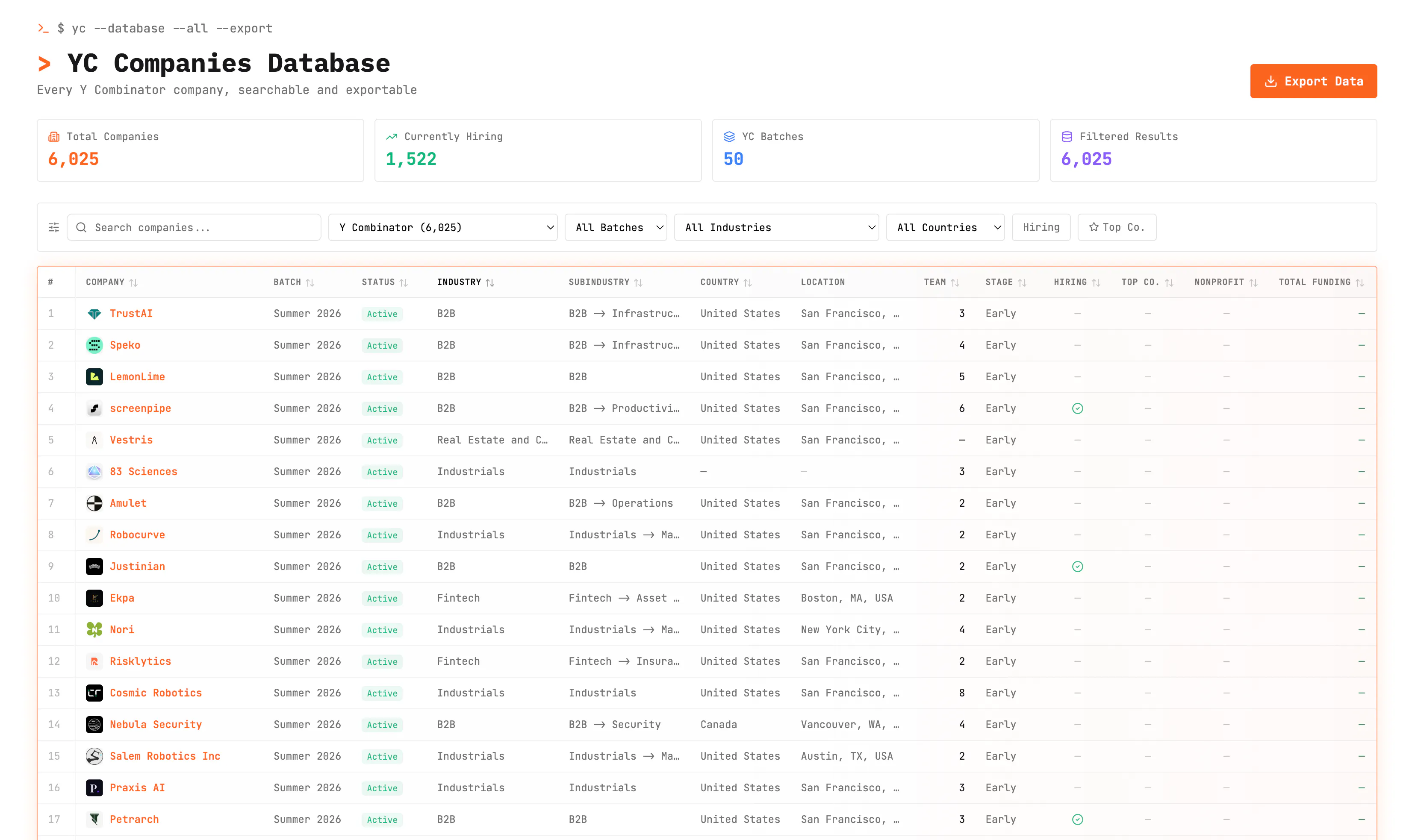
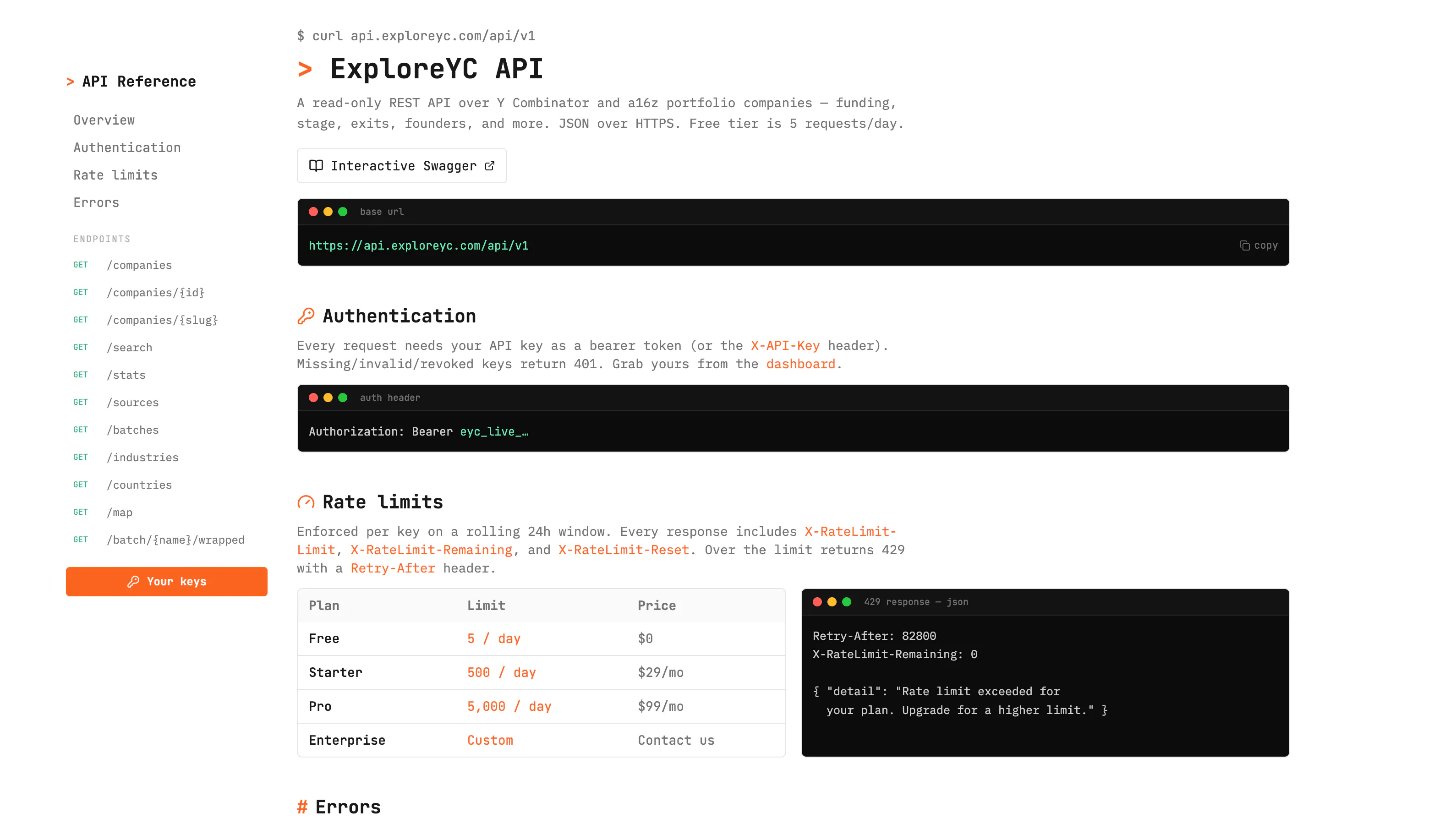
查看原始信息
On-Device Field Extraction by Veryfi
Today we're introducing On-Device Field Detection, a new capability in the Veryfi Lens SDK that validates receipts the moment they're captured, not after they've been uploaded, processed, and potentially rejected. It's a small shift in when validation happens, and it changes a lot about what happens next.

validation at capture is right — the sharp edge is the on-device check disagreeing with the heavier server extractor later. late rejection becomes silent disagreement; keeping the two models aligned is the real maintenance cost.

3
回复

@qifengzheng Really good callout, that's exactly the tension we had to design around. The on-device model is deliberately lighter-weight for speed and offline use. Thanks!

3
回复

Validating fields on-device at capture, before anything is uploaded, is the right place to catch a bad receipt scan; the rejection round-trip is exactly the pain when you process after upload. The part I'd test first: does the extraction run fully offline with the receipt's PII never leaving the device until I choose to sync, and roughly what model footprint does the Lens SDK add to an app bundle? And on a failed field, do I get per-field confidence back to drive my own retry UI, or just pass/fail?

3
回复

@hi_i_am_mimo Appreciate the thoughtful questions, those are exactly the kinds of implementation details we're happy to walk through directly. Feel free to Contact us and we can go deeper there. Thanks!

1
回复

Anyone who has had an expense claim bounce back days later over a blurry receipt will feel this one. Catching it right there while I'm still holding the thing is exactly where I always wished it would happen.

3
回复

@amine_aziz_alaoui exactly, that's the moment we designed the product for. "Still holding the thing" is a perfect way to put it. Thanks !

2
回复
Hey Product Hunt 👋 I'm Marianna, Marketing Manager at Veryfi. We build document processing APIs, and one thing we kept hearing from teams using our Lens SDK was: "the receipt looked fine when it was captured, then it got rejected two days later." By that point the user's gone, and someone's stuck manually chasing it down. So we moved validation to the only moment that matters, capture, not upload. On-Device Field Detection checks vendor, date, and total right on the confirmation screen, before the user ever taps submit. It runs fully on-device, no server round trip, no waiting, works offline. If something's missing, they see it immediately and can fix it on the spot. It's a small UX change with a real downstream effect: fewer rejections, less manual review, cleaner data going into whatever system relies on it (expense tools, loyalty programs, cashback platforms, etc.). Would love to know — for those of you building anything with document/receipt capture, is validation-at-capture something you've tried to solve for, or does it usually get handled after the fact in your stack? Happy to go deep on how the on-device models work if anyone's curious.
2
回复

@marianna_babayan1 will it work if I capture a billboard

0
回复

@marianna_babayan1  The important shift here is validating before upload instead of after. For teams handling receipts in weak-connectivity or privacy-sensitive environments, that changes the failure mode completely. I would make one concrete field-worker example very prominent, because the value clicks immediately when you picture the offline workflow.

0
回复

@marianna_babayan1 Upvoted. Congrats on the launch, Marianna. Catching issues at the moment of capture feels like one of those simple improvements that can save teams a lot of unnecessary work later. Wishing you and the team a successful launch.

0
回复

This seems amazing @marianna_babayan1 . I was looking for a ready app to use like this. Thanks a lot!

2
回复

@mohammed_messeguem Thanks so much for the kind words!

Just a quick note on what this is — the On-Device Field Extraction is part of the Veryfi Lens SDK, which is a developer tool that companies embed into their own mobile apps to capture and validate receipts and documents in real time.

If you're looking for a ready-to-use expense management app, we actually have one for that: Veryfi Expense Management App at veryfi.com/expense-management-app. It's available on iOS and Android, free to start, and handles receipt scanning, reporting, and accounting integrations like QuickBooks and Xero.

Hope that points you in the right direction!

1
回复

The capture-time validation is the right call. The piece I'd pin down is threshold calibration. To fit an app bundle the on-device model is almost certainly quantized, and int8 quantization shifts the confidence distribution enough that an accept/reject cutoff tuned on your server model reads differently on-device. When we shipped a quantized field extractor, a 0.8 confidence cutoff that was safe on the full-precision model started waving through borderline scans. Do you recalibrate the on-device thresholds against the quantized model specifically, or share one cutoff across both?

1
回复

@dipankar_sarkar Thanks for the thoughtful question, calibration between on-device and server models is definitely something we account for internally. Appreciate you raising it.

2
回复

the calibration discussion in this thread covers the false-confidence direction well, on-device says it's fine and the server disagrees later. curious about the other direction though: the lighter on-device model flagging a field as missing/unclear and asking someone to retake a receipt that the full server model would've actually accepted just fine. that's a worse user experience than the original problem in a way, since now you're annoying someone who did nothing wrong instead of just catching genuine bad scans. is that failure mode rarer in practice, or is retake-friction just the accepted tradeoff for catching the real rejects earlier

0
回复