Product Hunt 每日热榜 2026-07-11

PH热榜 | 2026-07-11

#1
Effects SDK
AI video & audio effects SDK for real-time apps
417
一句话介绍:Effects SDK为实时音视频应用提供在客户端本地运行、无需上传数据到服务端的AI视频与音频特效解决方案,帮助开发者快速集成媲美Zoom、Google Meet的高质量效果,解决自研技术门槛高、成本高和隐私风险大的痛点。
Meetings Artificial Intelligence SDK
AI视频特效 实时音频降噪 客户端推理 WebGPU WASM 音视频SDK 虚拟背景 美颜 智能取景 隐私保护
用户评论摘要:用户高度认可客户端处理带来的低延迟与隐私优势。核心问题聚焦于:老旧设备的自适应降级策略、多特效叠加时的中端手机性能与耗电、模块化集成方案及API可调参数。创始人回应了动态加载与质量预设机制,并指出不同垂直领域(教育、社交、商务)对特效需求差异大。
AI 锐评

Effects SDK切中了一个非常微妙且真实的市场痛点:当“音视频美颜与降噪”从高端功能沦为用户默认期待的基础设施时,自研的门槛与维护成本却依然高企。其最大的护城河并非某个炫酷特效,而是“全线客户端运行”这一架构选择——这避开了昂贵的GPU服务器成本与敏感的隐私合规问题,堪称为初创团队量身定制的“省钱省心方案”。

但需泼一盆冷水:产品定位稍显“大而全”,从美颜到降噪一锅端,易在开发者心中留下“重度接入”的隐忧。评论中也暴露了核心命门——多特效叠加时的中端设备性能表现。虽表示采用动态加载和预设质量分级,但实际移动端GPU、NPU的碎片化生态远比桌面复杂。此外,与Zoom这种“既是客户又是对手”的巨头SDK存在竞争边界模糊,同WebRTC深度绑定也增加了在非标准管道上的接入摩擦。

真正的价值在于:它做了一件“吃力但讨巧”的事——把AI推理从云上拉回本地,把复杂性封装进SDK,让开发者只关心UI业务逻辑。但长远看,它要么像Bytedance的Effect Creato那样走向平台化,要么面临因AI推理芯片化(如手机NPU直接支持)而逐渐被硬件API边缘化的风险。此刻,它仍是一把趁手的快刀,但不是未来的银弹。

查看原始信息
Effects SDK
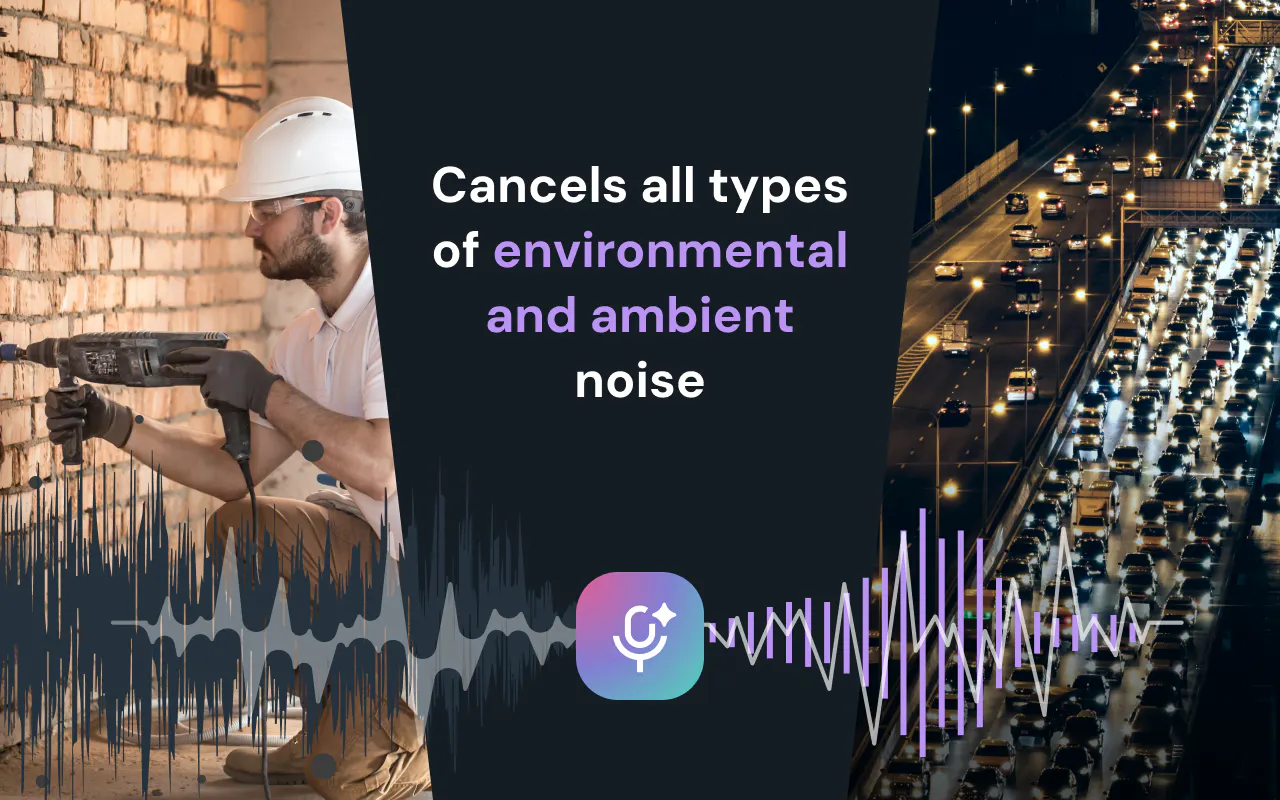
Effects SDK helps developers add production-ready AI video and audio effects to web, desktop, and mobile apps. Add background blur, virtual backgrounds, smart framing, lighting correction, beautification, overlays, avatars, and real-time noise suppression — all running client-side, without sending video or audio to our servers.
Hey Product Hunt! 👋 I’m Max, founder of Effects SDK. Most users now expect every video app to look and sound as polished as Zoom or Google Meet. But building real-time video and audio processing in-house is hard — segmentation, rendering, browser quirks, native platforms, audio processing, performance, and edge cases add up quickly. That’s why we built Effects SDK. It helps developers add AI video effects and real-time audio noise suppression directly into their own apps — background blur, virtual backgrounds, smart framing, lighting correction, beautification, overlays, avatars, and clean audio. Everything runs client-side on the user’s device, and the SDK works with existing video stacks like WebRTC, LiveKit, Twilio, Agora, Zoom Web SDK, or your own pipeline. We’re also offering 3 months of free access for Product Hunt makers building real-time video or audio products. Would love your feedback, questions, and ideas 🙌
22
回复

@maxim_troshin Congrats on the launch, Max! 🚀

As a fellow builder, the absolute biggest roadblock with real-time audio and video effects has always been the infrastructure dread. Processing AI models on server-side GPUs completely destroys your margins the second you try to scale. Shifting the entire processing payload client-side via WebGPU and WASM is a massive win for keeping burn rates low, keeping latency minimal, and keeping user privacy ironclad.

The 3-month trial for the community is incredibly generous. I have two quick questions regarding implementation:

  • Adaptive Fallback Handling: How does the SDK handle older consumer laptops or legacy mobile devices that might struggle with heavy real-time inference? Does the engine automatically degrade gracefully (e.g., automatically dropping down from a high-fidelity virtual background to a low-overhead light blur), or do we need to write our own device-benchmarking logic to toggle presets?

  • Custom Media Pipelines: If we are working outside of standard WebRTC wrappers like LiveKit or Agora and doing low-level manipulation on raw MediaStream tracks or custom canvas layers, how modular are the individual effect nodes?

This looks incredibly polished. Wishing you a massive launch week! 🙌

0
回复

@maxim_troshin Congrats on the launch !!!

I love that everything runs on the user's device. Privacy, lower latency, and avoiding server side GPU costs make this a compelling approach for teams building real time applications.

I'm curious, after working with customers, which effect do developers request the most? Is it background blur, noise suppression, smart framing, or has there been a surprise feature that's become the clear favorite?

Wishing you and the team an amazing launch! 🎉🔥

0
回复

me thinks the effect collection looks useful for many apps? could lightweight quality settings help developers support more devices easily?

9
回复

@alheri_murya Absolutely! We provide several quality presets so developers can balance visual quality and performance depending on the user’s device. This makes it easier to support both high-end and lower-powered hardware with the same integration.

8
回复

@maxim_troshin Love that everything runs client side. Huge win for privacy and latency.

8
回复

@elijah_vincent1 Thank you! It was a major challenge for us, especially across different browsers, where performance is still far from native. We spent a lot of time optimizing the processing pipeline to keep everything running smoothly on-device.

4
回复

@anton_tushmintsev How do you decide when adding another effect is actually worth it?

6
回复

@anton_tushmintsev  @ethanyoungl8 Let me answer for Anthony - he’s on the way 😁

Great question! We usually evaluate new effects from a few different angles:

  1. We monitor larger platforms and follow the features they introduce. When we see a capability becoming widely adopted, we consider adding it to our SDK as well.

  2. We regularly talk with customers to understand which features are in demand in their products. Some customers also request custom development for specific use cases, such as person-absence detection.

  3. We brainstorm ideas internally, share them on our website and social channels, and collect feedback before investing heavily in development.

    In the end, an effect is worth adding when we see clear user demand, a strong use case, and enough value across multiple products.

0
回复

@maxim_troshin Have you had anyone choose a simpler solution instead of this and why?

5
回复

@aurther_bella We’re currently seeing two opposite trends.

On one side, some companies are moving away from open-source solutions such as MediaPipe Selfie Segmentation and choosing our SDK to get better quality, a broader set of effects, and ongoing technical support.

On the other side, companies migrating to platforms like the Zoom SDK may stop using a separate effects SDK because Zoom already provides a fairly robust built-in solution.

Our SDK may look complex because of the number of available features, but the actual integration is quite simple. On the web, for example, it usually takes only a few dozen lines of code. We also provide ready-to-use examples and integrations for platforms such as LiveKit, Cloudflare Meet, and the Zoom SDK.

1
回复
@maxim_troshin we are helping new products by upvoting if need our team help let us know
0
回复

@maxim_troshin Was there ever a point where you felt the SDK was becoming too feature heavy?

4
回复

@lee_jay1 Good question! Yes, definitely. As the feature set grew, we had to be careful not to make the SDK too heavy for every integration. That’s why the largest components, such as AI models and WASM inference modules, are loaded dynamically, and developers can initialize only the effects they actually need.

We’re also considering separating the product into a core pipeline and a plugin-based architecture. The core would handle the rendering engine, layouts and composition, and inference integrations, while plugins would implement specific capabilities. These could include analysis and analytics features that don’t modify the video, as well as visual effects that transform the output stream.

This would make the SDK more modular and allow developers to include only the functionality relevant to their product.

0
回复

@maxim_troshin Do most developers actually use all these effects or just a handful?

4
回复

@pablo_ani It depends significantly on the product niche. For education, virtual backgrounds, overlays, emojis, and custom layouts are usually the most popular. For business calls, users tend to prefer background blur, beautification, and low-light correction. For recording, color correction and filters are more common, while social media and streaming products often focus on avatars and virtual backgrounds.

Generally, the demand looks something like this: background blur and replacement, beautification, low-light correction, and smart framing. Noise suppression is also highly popular across almost any product that includes video or audio calls.

Overall, feature popularity keeps changing. New capabilities become more important as major platforms like Google Meet and Microsoft Teams introduce them. After some time, users begin to expect the same features in almost every communication service.

0
回复

@maxim_troshin Which feature has delivered the biggest impact for your users so far?

3
回复

@hambali_salisu Currently, I’d say the most impactful features are background blur and replacement, along with noise suppression. They solve the most common problems users face during video and audio calls and improve the experience immediately.

0
回复

qq. can devs adjust the threshold levels for features like background blur intensity or noise suppression aggressiveness via the API? by the way congrats👏 for launching @maxim_troshin

3
回复

@priya_kushwaha1 Thank you! 👏 Yes, developers can adjust effect parameters through the API. Background blur intensity is configurable, noise suppression supports different sample rates and suppression strength levels, allowing developers to balance audio quality, performance, and processing aggressiveness.

3
回复
Looks like a useful SDK for adding creative effects quickly. How simple is the setup for developers and does it work smoothly with existing apps?
1
回复

@hamza_afzal_butt Thanks! The setup is designed to be straightforward. For the web version, a basic integration usually takes only a few dozen lines of code: you pass the existing camera stream to the SDK, enable the required effects, and receive a processed stream that can be used in your current WebRTC or video pipeline.

For native platforms, we also provide ready-made integration wrappers for WebRTC builds. They handle the low-level work with raw video frames, so developers don’t need to build the entire frame-processing pipeline themselves.

We also provide examples and integrations for platforms such as LiveKit, Cloudflare Meet, and Zoom SDK. The heaviest resources, including AI models and WASM modules, are loaded dynamically, so applications only load what they actually use.

From my experience, creating the application UI and designing the right user flow usually takes more time than integrating the SDK itself.

1
回复

me enjoyed seeing so many effects in one SDK. Could developers enable only selected features to reduce app size? That would make integration more flexible.

1
回复

@gaspard_dupuich Sure! The heaviest parts, such as AI models and WASM inference modules are loaded dynamically. So when a feature isn’t used, its related resources aren’t loaded, which helps reduce the initial app size and keeps the integration more flexible.

2
回复

How does this hold up performance-wise on mid-range mobile devices, especially when stacking multiple effects like background blur plus beautification at the same time?

0
回复

How does the latency compare to cloud-based alternatives like Zoom's background blur, especially on mid-range mobile devices where processing power is more limited?

0
回复

How well does it hold up on mid-range mobile devices, especially when stacking multiple effects like background blur plus noise suppression at the same time?

0
回复

Does running all of this client-side mean there are noticeable CPU or battery drain issues on mobile, or have you found ways to keep performance smooth across devices?

0
回复

How does the client-side performance hold up on lower-end mobile devices, especially when running background blur and noise suppression at the same time?

0
回复

What's the typical latency for the real-time audio effects? Asking as someone who runs a live music stream.

0
回复

Client-side processing is a huge win for privacy, and the API looks clean enough to integrate in an afternoon. The real-time noise suppression actually held up well on a noisy laptop fan during my quick test.

0
回复

The client-side approach makes the integration story especially interesting because performance becomes part of the product experience, not just an infrastructure detail. Beyond the quality presets and per-effect controls, do you expose any runtime signal that helps an app decide when to reduce effect complexity or disable a feature on weaker devices? That kind of graceful degradation seems important for products with a wide range of hardware.

0
回复

Congrats! Since everything runs client-side, curious what battery/CPU looks like on mobile once you stack a few effects together, like blur and noise suppression running at the same time.

0
回复

How does the client-side processing hold up on lower-end mobile devices, especially for real-time effects like background blur and noise suppression together?

0
回复

The fully client-side, nothing-hits-your-servers approach is what makes this appealing for a small team — no per-minute processing bill to worry about. As an indie dev building an audio-first app: can I pull in just the real-time noise suppression module on its own without the whole video pipeline, and roughly how much cold-start load does the WASM add on first use? Clean launch.

0
回复

How does performance hold up on lower-end mobile devices when running something like background blur plus noise suppression at the same time, and is there any fallback when the GPU isn't capable?

0
回复

Running everything client-side is a big plus. Privacy matters more than ever, so it's great to see features like background blur and noise suppression without sending data to external servers. I'd be interested to know how it performs on lower-end devices.

0
回复

Since Effects SDK runs entirely client-side, how does performance hold up on lower-end devices when you stack multiple effects together, like background blur plus noise suppression at the same time?

0
回复

Real-time is the word that makes or breaks this for me. I cut a lot of screen-recorded product demos, and the effects I care about (blur, denoise, auto-captions) are cheap to run after the fact but brutal live. What's the latency budget on the audio side before it drifts out of sync with the video? That's usually where "real-time" quietly becomes "near-time."

0
回复

Client-side and on-device is exactly why I'd reach for this over a server-side pipeline — for a privacy-sensitive app it means the video frames never leave the browser. On the plumbing: what's the added bundle weight, and does the segmentation model require WebGPU or is there a WASM/CPU fallback for users on older machines? Trying to gauge how gracefully background blur degrades on a low-end laptop before wiring it into an existing WebRTC stack.

0
回复

Amazing work, congrats on the release! I'm currently using your previous SDK for virtual backgrounds in my app AlterCam, and it's been a great experience. I'll definitely be checking out and testing the new Effects SDK soon. Best of luck on Product Hunt! 🙌

0
回复

how long does it take it deploy this app?

0
回复

@adamkamaneh It really depends on the platform and whether the UI and user flow are already prepared.

For example, one of our fastest web integrations took only about four hours from the start of development to production.

We also help customers with the initial integration, so the process is usually much faster and smoother.

0
回复
Great project
0
回复
#2
Cloudflare Drop
Drop your folder in browser & deploy instantly on Cloudflare
299
一句话介绍:Cloudflare Drop 让你无需注册账号,直接将文件夹或压缩包拖入浏览器,即可在 Cloudflare 全球网络上秒级部署静态站点,解决临时演示或快速原型上线时繁琐的配置流程痛点。
Website Builder
无服务器部署 静态站点托管 即时部署 CDN加速 临时站点 开发者工具 前端发布 Cloudflare生态 免注册 原型演示
用户评论摘要:用户赞赏其零门槛拖拽部署体验。主要疑问:1)60分钟时长是否过短,如何认领转为永久项目?2)能否自动执行构建(如package.json)?3)如何应对流量突增及定价策略?4)是否支持后续集成Git部署和D1数据库?部分用户反馈Cloudflare免费层性能良好。
AI 锐评

Cloudflare Drop 看起来是一次漂亮的“减法”创新——砍掉了账号注册、Git绑定额外步骤,直击“让代码瞬间上线”的最原始需求。对于频繁制作演示demo、原型验证或临时工具页面的开发者而言,这无疑是消灭部署摩擦的极致体验。60分钟的自动销毁机制既是防滥用护城河,也暗示了产品明确定位:临时、快速、一次性。

然而,它的真正价值天花板也正来源于此。用户评论中最犀利的追问直指核心:“认领后能否成为标准Pages项目?”“能否运行构建命令?”这表明,一旦场景从“快速发布”跨越到“正式运营”,Drop的“简陋”就会成为致命短板。它更像是一个功能触发器,而非完整项目平台。如果Cloudflare不能将“Drop瞬间”无缝衔接到Pages的永久项目、CI/CD管道及D1数据库生态中,那么Drop终将只沦为一个花哨的“门户”,而非真正的生产力工具。与其说这是一个成熟的产品,不如说是Cloudflare生态的一次精妙引流策略——用极致的低摩擦吸引用户尝鲜,然后引导其进入更深的付费和功能陷阱。对于用户而言,享受这“60分钟”的便利时,必须清醒地意识到:这只是一个激吻,不是长跑。

查看原始信息
Cloudflare Drop
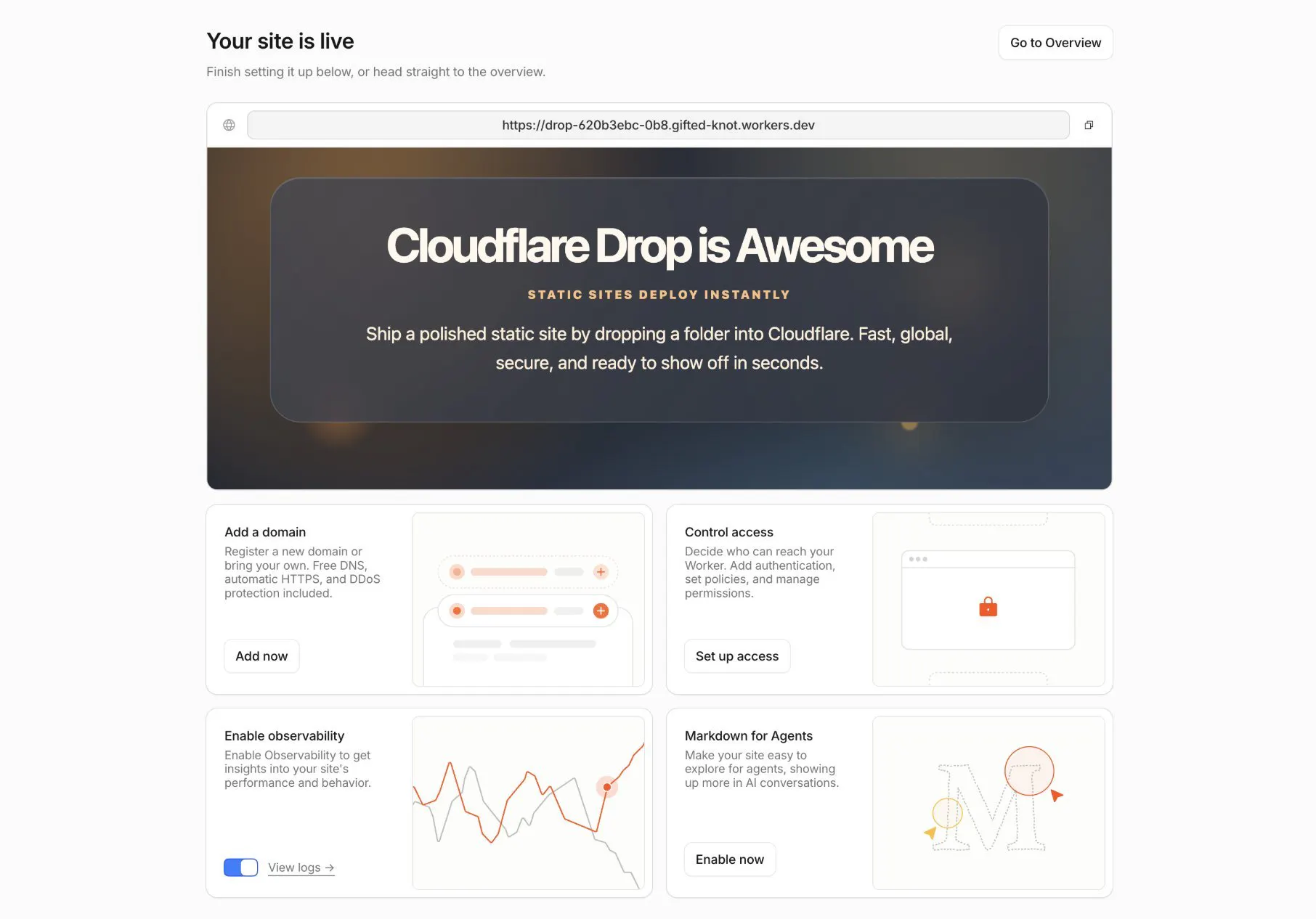
Drop a folder or zip. See your site live on Cloudflare's global network in seconds. No account needed. Deployment is active for 60 minutes, then expires unless you claim it.

Yeah Rohan! I consider myself as one of the Cloudflare's biggest fan and deploying just by dropping a folder is amazing. 60 minutes sound like too short but I'm sure it's more than enough. Thanks for hunting it

1
回复

The dashboard layout is genuinely one of the cleanest I've used for managing DNS and security settings, everything feels like it's exactly where you'd expect it to be.

0
回复

we run a handful of small static sites on cloudflare pages, all deploy on git push and the free tier hasn't blinked. Drop looks like an even lower on-ramp. the thing i'd actually want to know before using it for real: once i claim a Drop, does it become a normal Pages project i can wire git deploys + D1 into, or is it a separate one-off?

0
回复

Been using Cloudflare's free tier for a side project and the speed boost was immediate, pages just feel snappier now.

0
回复

Been using Cloudflare's free tier on a few personal sites and the DNS speed boost was noticeable right away. Also love how quickly I can flip on firewall rules without digging through settings.

0
回复

Set up took maybe ten minutes and the dashboard immediately showed my traffic getting blocked from sketchy IPs I didnt even know existed.

0
回复

How does the pricing actually scale for a site with moderate traffic - do you end up paying a lot once you cross into the next tier or is it pretty reasonable as you grow?

0
回复

How does the pricing actually scale for a small site that suddenly gets a traffic spike, or do you cap usage before that kicks in?

0
回复

The dashboard layout is genuinely one of the cleanest I've seen in the CDN space. Setting up DNS, firewall rules, and caching all from one sidebar without feeling cluttered took some real thought.

0
回复

How does the free tier hold up under a sudden traffic spike, and at what point does it nudge you toward a paid plan?

0
回复

Cloudflare has so many products bundled in now, where do you even start as someone just trying to speed up a small WordPress site and add basic DDoS protection without getting buried in enterprise features?

0
回复

Finally tried Cloudflare for my small site and the setup was surprisingly painless. The dashboard makes it easy to toggle on the basic security and performance features without digging through docs.

0
回复

Been using Cloudflare for a while now and the DNS speed bump alone was noticeable right away. Also love that the free tier covers way more than I expected for a small project.

0
回复

Dropping a folder and having it live in seconds with no account needed is exactly the kind of friction that should be gone for quick projects or demos. My real question is the same one raised in the comments: if the site has a build step (package.json), does it actually run the build, or just serve the files as-is? That's what decides whether this is truly "instant" or only for simple static sites. The 60-minute lifespan also feels short, though I get it's there to prevent abuse.

0
回复

how does the pricing actually scale for a small site that's starting to get more traffic?

0
回复

The drag-a-folder-and-it's-live flow is exactly the friction I want gone for tiny side projects. What happens when there's a build step though, does it serve the files as-is or will it run a build if it sees a package.json? Most of my throwaway projects need one npm build before they're actually deployable, and that's usually where "instant" stops being instant.

0
回复

This looks incredibly frictionless! With no account required and an instant live link, how is the team mitigating the risk of abuse, like rapid-fire phishing campaigns or malicious hosting? Are there automated security scans happening on the .zip files before the 60-minute URL goes live?

0
回复

How does the pricing actually scale for smaller sites compared to big enterprise customers, and are there any hidden caps on traffic or requests on the free tier that might catch you off guard?

0
回复
@halilekinmn7y Ive been running a few projects on Cloudflare for some time now. Everything from smaller sites with 20 pages, and other huge sites with upwards og 3 million different pages. Both of these project run beautifully om Cloudflare free version. I do use a third parties for storage and database, but the overall hosting on cloudflare is just amazing. The project which includes around 3 million different pages, costed me like 110$ a month to run on Vercel. Cloudflare is absolutely the better alternative! 🤩
0
回复

How does pricing actually scale for a mid-size SaaS doing around 50M requests a month, and are there any gotchas when integrating with custom WAF rules alongside your existing CDN setup?

0
回复
#3
San Fran Sim
A startup tycoon game
270
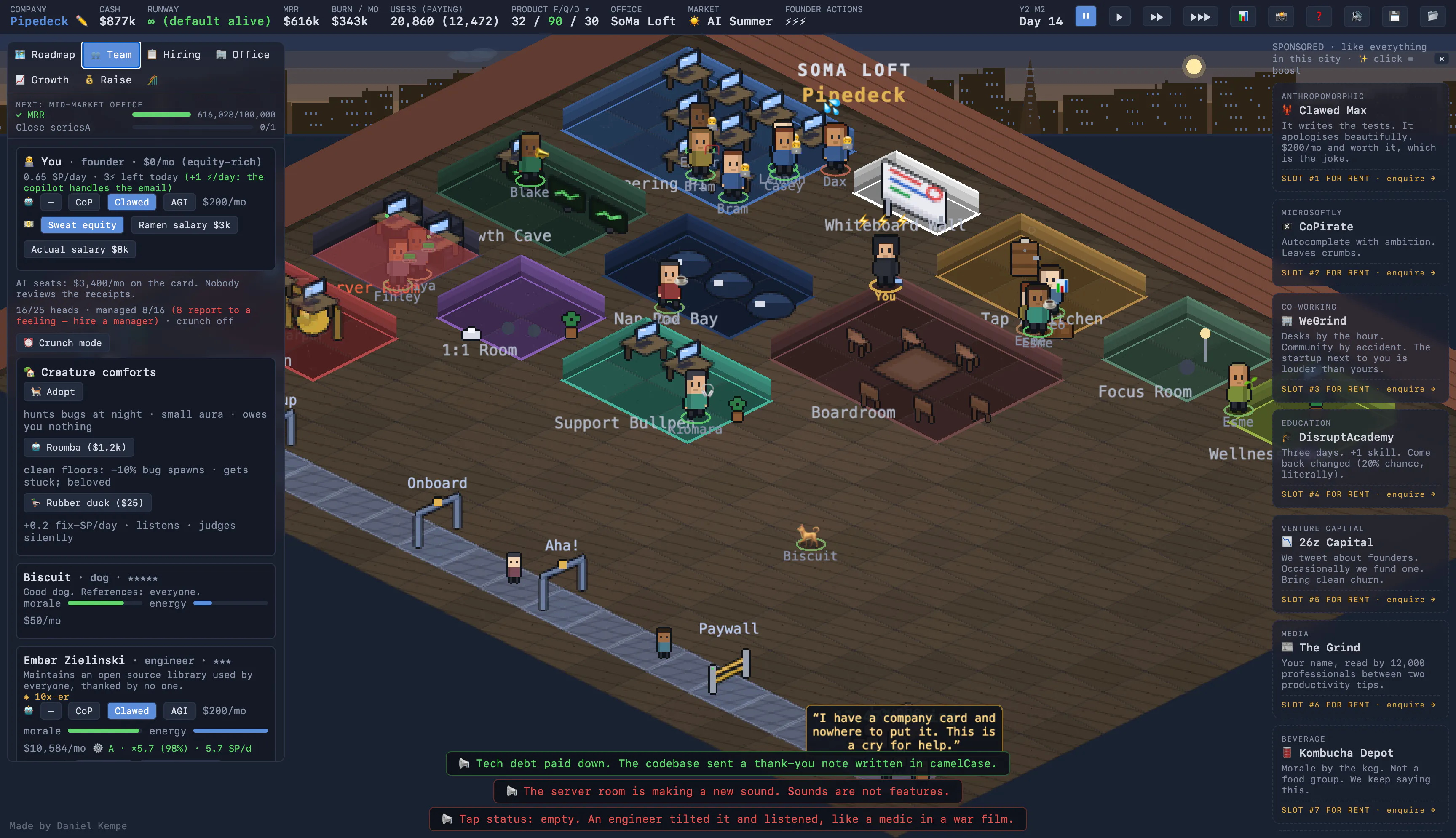
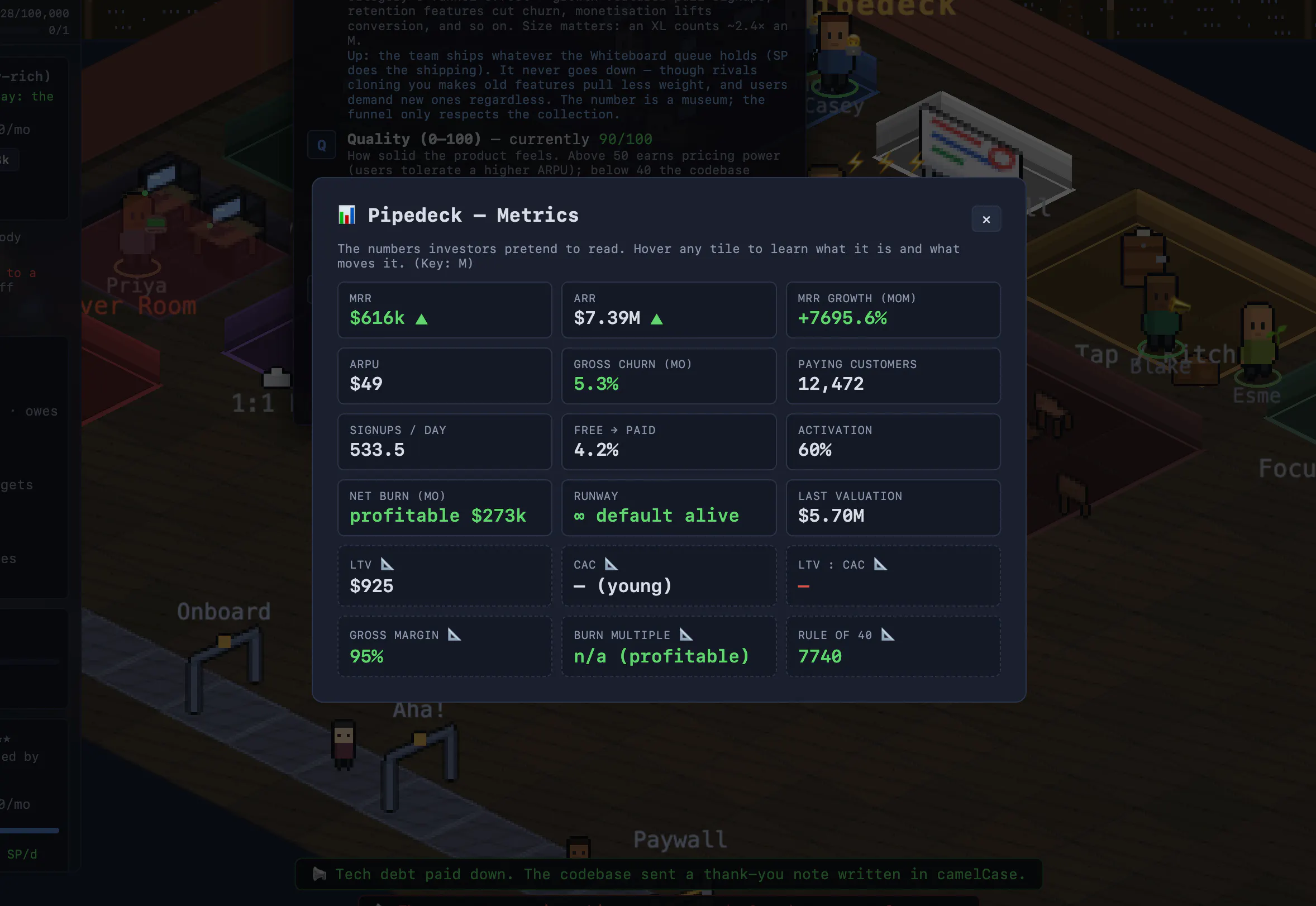
一句话介绍:San Fran Sim 是一款在浏览器中免费运行、无需注册的 SaaS 创业模拟游戏,通过模拟从车库到IPO的烧脑创业历程,让用户在上手即玩的低门槛体验中,潜移默化地学到MRR、流失率、LTV、CAC等真实SaaS指标。
Indie Games Funny Games Games
创业模拟 SaaS指标 商业模拟 放置经营 网页游戏 免费 毒舌旁白 深度策略 独立游戏 程序员休闲
用户评论摘要:用户普遍认可游戏能“玩着学会MRR和CAC”,毒舌旁白是亮点。主要疑问集中在:一局时长(可无限,钱花光或被收购结束)、进度保存方式(依靠种子码,不支持断点续传)、模拟深度(指标动态计算,非固定公式)、及是否包含“无聊的失败模式”(游戏仅模拟了钱花光即死)。
AI 锐评

San Fran Sim的成功点在于精准切中了两个群体的情绪:一是被“SaaS刷屏”搞得身心俱疲的创业者,他们需要一种幽默且低成本的宣泄;二是想了解创业但畏惧枯燥理论的旁观者,需要一种游戏化的入门。产品设计非常克制,免费、无注册、浏览器即玩,消灭了所有尝试心理门槛。

然而,这种刻意为之的“轻”也是一把双刃剑。从用户反馈看,最大的隐患是游戏缺乏“连续性”(无存档、依赖种子码),这决定了它只能是一个“午休杀手”,而无法成为玩家会投入数十小时的深度策略游戏。旁白的“毒舌”目前仅停留在对操作的事后嘲笑,尚未看到其对玩家策略逻辑(如为何要优先优化CAC)进行引导——这使得它更像一个“好看的计数器”,而非真正有效的教学工具。

更深层的问题是,它将“失败”简化为一种幽默展示和“钱花光即死”的结局。现实创业的平庸与苟且(如缓慢的死亡螺旋、团队的内部消磨)被刻意回避了。这或许是游戏性上的必要取舍,但也意味着其“学习真实SaaS”的承诺只能兑现一半:玩家能背下公式,但学不会面对“缓慢失血”时的决策韧性。

总体而言,它是一个精致、有趣且极具传播潜力的智力玩具,但远未达到“创业模拟器”的深度。其真正的商业价值不在于游戏本身,而在于作为极低成本的获客漏斗——后续若能推出更深度、付费的“完整版”或“沙盒模式”,才能完成从“妙趣小点”到“核心产品”的阶级跃迁。

查看原始信息
San Fran Sim
Run a software startup from a garage to an IPO. Ship features, squash bugs, hire a team (and a dog), survive the burn rate, and learn real SaaS metrics inc. MRR, churn, LTV, CAC, while a dry announcer narrates your every mistake. Free, in your browser, no signup required.

Hi PH 👋

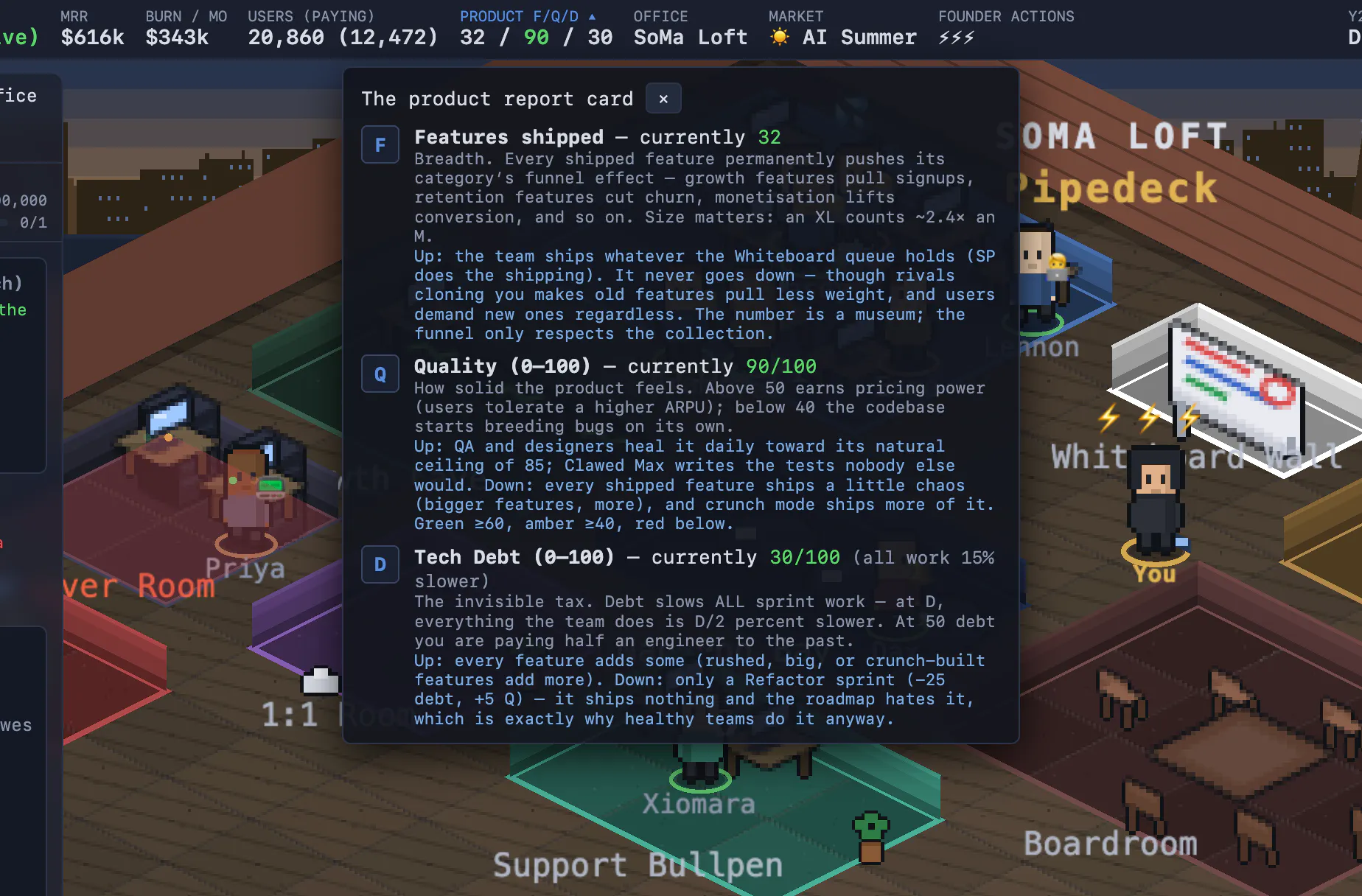
It's Theme Hospital meets RollerCoaster Tycoon, set in a lovingly legally-distinct San Francisco (Goggle, Chirper, Hacker Mews). The sim under the hood is real: raise prices and conversion drops, ship without QA and bugs breed, a rival will undercut you to "free, for now."

It's free, runs in the browser, no account. Every run has a seed you can share as a challenge. Would love your feedback! I'm here all day.

Happy Saturday!

5
回复

@danielkempe Theme Hospital and RollerCoaster Tycoon are absolute classics blending that specific management nostalgia with actual, harsh SaaS mechanics is a brilliant concept. Love the "legally-distinct" naming choices like Chirper and Hacker Mews, too.

The shareable seed mechanic is an awesome addition for a browser game. It completely opens the door for setting up community challenges or competing with friends to see who can survive the burn rate on the exact same starting parameters.

Quick question , when bugs start breeding due to skipping QA, is there a hidden "technical debt" penalty that compounds and slows down future feature deployment, or does the announcer just get progressively more savage?

Congrats on a super clean, friction-free launch! Happy Saturday! 🚀

1
回复

@danielkempe Love the concept! 🚀 Blending classic management gameplay with startup dynamics sounds both fun and insightful. Looking forward to trying it and seeing how different strategies play out.

0
回复

@danielkempe Congrats on the launch !

The Theme Hospital and RollerCoaster Tycoon inspiration immediately caught my attention. I love games where every decision has real tradeoffs instead of just bigger numbers.


I'm curious, what's the funniest or most unexpected strategy you've seen players discover that completely broke your expectations? Those emergent moments are usually what make simulation games so memorable.


Wishing you an awesome launch and plenty of creative chaos! 🎮🔥

1
回复

I can already imagine founders saying "just one more run" and suddenly losing an hour. 😄

3
回复
@bernard_lewis yes myself included haha.
1
回复
suuuuper cool !!
2
回复
@konstantimb thanks 🙏🏻
1
回复

This is dangerously relevant for anyone building a startup :))

The dry announcer narrating every bad decision might be the best part. learning MRR, churn, CAC, burn rate, pricing, hiring, and shipping tradeoffs through a game sounds much more memorable than reading another SaaS metrics guide. "A rival will undercut you to free, for now" also feels painfully accurate.

I can already see myself hiring the dog before the company can afford it :)

2
回复

As someone actually doing the startup thing, these games are either therapy or a personal attack, no in between. Does San Fran Sim model the boring failure modes (running out of runway, a cofounder walking, a launch that just flops quietly) or is it mostly the fun growth-curve fantasy? The unglamorous parts are the ones that would make me laugh.

1
回复
@chielephant running out money and you’re dead
0
回复

played a quick round and the dry announcer calling out my churn mistakes had me laughing out loud. surprised how naturally it teaches MRR and CAC without feeling like a textbook.

1
回复

Fun idea, I love these type of sim/manager games, but I think there could be more tool tips or help to explain what things mean

1
回复

The shareable seed as a challenge is a lovely touch — Theme Hospital energy without any install friction. Since it runs in the browser with no account, does my run persist if I close the tab and come back to it later, or is the seed really the only way to pick things back up? Trying to work out whether this is a lunch-break-and-resume thing or best played in one sitting.

1
回复

How long does a typical playthrough take, and does the dry announcer's commentary actually adapt based on the metrics you hit or is it kind of scripted throughout?

1
回复
@adnan644914 could be forever unless you run out of money or get acquired.
0
回复

How realistic is the SaaS metrics simulation - does it actually factor in growth rate assumptions or just keep the numbers feeling random as things scale?

1
回复

you can probably hook this up to the @ExploreYC API and get some real Y Combinator companies on the UI there - maybe an imaginative network hub with YC founders??

1
回复
@konstantimb why not! I have the ad spots on the right for real companies
0
回复

Played a round and actually learned something about CAC payback without realizing it. The dry announcer roasting my hiring decisions is a nice touch.

1
回复

Ha, "the rollercoaster is your MRR chart" is painfully accurate. Gave it a quick go and it ran really smooth, nice implementation. I'm actually doing the startup thing right now, so it hits a bit too close to home. Gonna do a proper run in my free time. Congrats on the launch! 🚀

1
回复

How deep does the simulation actually go on the metrics side - are churn and LTV calculated dynamically based on player decisions or do they follow fixed formulas?

1
回复
@azra1125363 yes based on decisions, timing, competitors, all sorts
0
回复

I am having fun so far. Seriously cool vibe with the look and feel. Well done.

1
回复
@os_ishmael thanks man, it is surprisingly addictive.
0
回复

the dry announcer calling out your CAC miss while you're scrambling to ship a feature is a genuinely clever hook. love that it teaches SaaS metrics through actual pressure rather than a textbook.

1
回复

Curious how realistic the SaaS metrics actually get here — like does churn scale with the decisions you make or is it more of a fixed curve so you can learn the formulas without it feeling random?

1
回复
@havinp3zp there are lots of mechanics built in that affect your churn, even so much as restocking the kitchen, which affects moral and therefore how much work gets done. Lots to learn when playing the game/
1
回复

Interesting concept. I think that I have never seen some "startup" game done in the form of a roadmap. For me innovative! :)

1
回复

The dry announcer narrating your missteps is such a clever touch, turns every failed launch into something you actually laugh at instead of rage-quit over. Love that it teaches MRR and churn by making you feel them first.

1
回复

finally something that makes SaaS metrics click without putting me to sleep. the dry announcer roasting my runway decisions genuinely got a laugh out of me.

1
回复
@poyrazsucu89403 give it a try and let me know how it goes
0
回复

the dry announcer narrating your burn rate decisions is such a perfect touch, turns the usual dry metric lessons into something you actually want to keep playing. love that it runs in the browser with zero friction too.

1
回复
@sozbelent77500 indeedy do
0
回复
Very cool. Reminded me of Kariosoft simulation games on mobile. $ 25000 capital is too much though to start the game. Any plans for mobile app?
1
回复
@roopesh_donde yes possibly… see how it pans out
0
回复

How does the game handle late-stage scaling challenges, like managing a large engineering team or dealing with investor pressure once you approach IPO territory?

0
回复

The dry narrator is genuinely funny and caught me off guard, especially when my churn spiked because I got cocky with pricing. Nice touch teaching MRR and CAC in a way that actually sticks instead of a boring textbook.

0
回复

does the gameplay carry over between sessions or do you have to start from scratch in the garage every time you reload it

0
回复

does the burn rate change based on which features you ship, or is it a flat meter the whole game

0
回复

The dry announcer roasting my churn rate while I forget to refill the coffee machine is genuinely funny. Also didn't expect to learn what CAC actually feels like under pressure, school never did that.

0
回复

Played a round and the dry announcer cracking jokes while my runway hit zero genuinely made me laugh out loud. The MRR and churn meters actually click once you watch them shift with each ship.

0
回复

How realistic are the SaaS metrics in this - does the burn rate and churn actually follow plausible math, or is it more arcade-style?

0
回复

The dry announcer narrating your dumb decisions is genuinely hilarious, and watching the MRR ticker climb while my burn rate quietly murders me is weirdly educational. Caught myself actually thinking about CAC vs LTV while playing, which is not what I expected from a browser game about a garage startup.

0
回复
#4
ChatGPT Work
Partner for your most ambitious work
200
一句话介绍:ChatGPT Work 是一个能跨应用和文件长期执行复杂任务的多智能体,将用户从“提问-等待-手动作业”的碎片化协作中解放出来,实现从目标到成果的自动化交付。
Artificial Intelligence
AI 智能体 工作自动化 跨应用协作 持久化任务 桌面应用 代码助手 SaaS 集成 企业效率工具 多轮任务管理 AI 共事员
用户评论摘要:用户普遍认可其持久化处理多步骤任务的能力,但对权限控制(跨应用操作是否需要逐项审批)、上下文保持上限、长时间任务是否触发使用限制,以及手机与桌面端状态同步一致性提出疑问。也有用户关注无监督执行时能否防止误写入。
AI 锐评

ChatGPT Work 的标语“Partner for your most ambitious work”并非空洞的营销辞令,它精准捕捉了当前 AI 助手从“对话玩具”到“生产力伙伴”的范式跃迁。200票的社区反馈验证了这一点的真实需求:用户不再满足于 AI 回答单次提问,而是希望它像一个合格的项目助理那样,在数小时内啃下杂乱的数据表、跨应用搜集信息并输出可用成果。

然而,产品惊艳之处恰是隐患所在。核心卖点“持久化”要求 AI 具备强大的上下文管理能力和决策边界——当它在你喝咖啡时自行操作浏览器、Gmail、Slack 甚至 Salesforce 时,权限网格的颗粒度成为致命短板。评论区多次提及的“审批”与“检查点”问题,暴露了当前无监督执行逻辑在商业场景中的信任鸿沟:一个误写的 Salesforce 字段可能打乱销售漏斗,一次不当的邮件发送可能损害客户关系。或许更值得警惕的是心理补偿:用户为“不必监控每个步骤”而兴奋,但真正的企业级落地必须引入可审计的“人类-in-the-loop”机制,至少在写入或变动资产环境前设立软性检查点。

此外,桌面端“内置浏览器+编码助手Codex”的整合颇具野心,但手机与桌面的状态同步是否能满足“开始于通勤,完成于工位”的无缝体验,仍缺乏技术细节。当所有人都在抢做“AI 同事”时,ChatGPT Work 率先把命题从“更快地回答”升级为“更负责任地干完活”,这是值得肯定的战略突围——但别让长期运行的甜头,掩盖了权限安全和一致性的苦头。

查看原始信息
ChatGPT Work
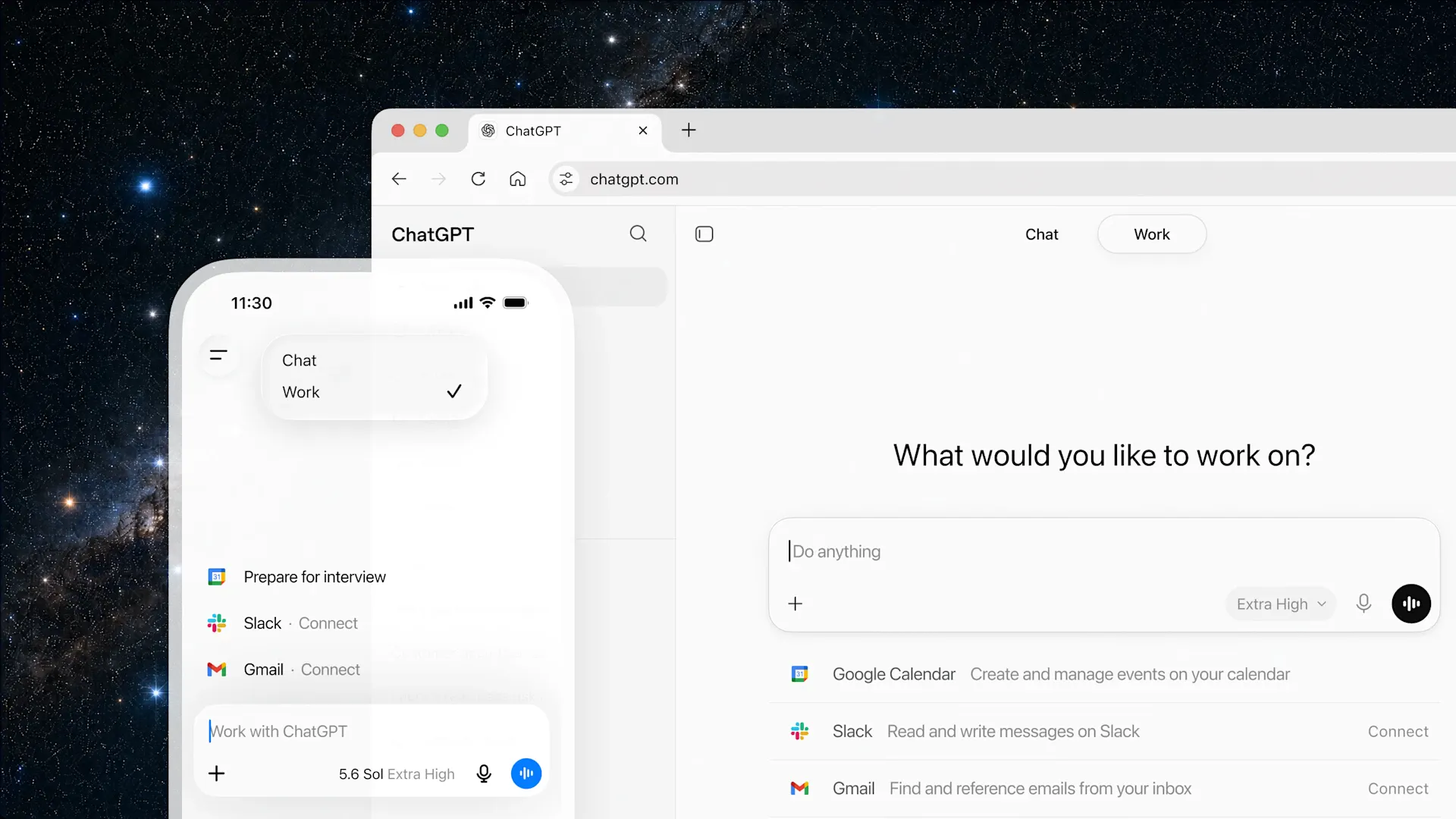
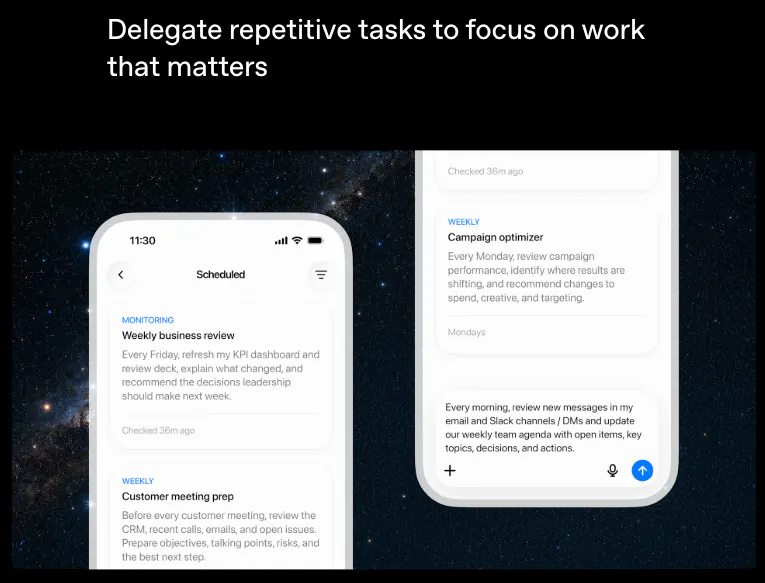
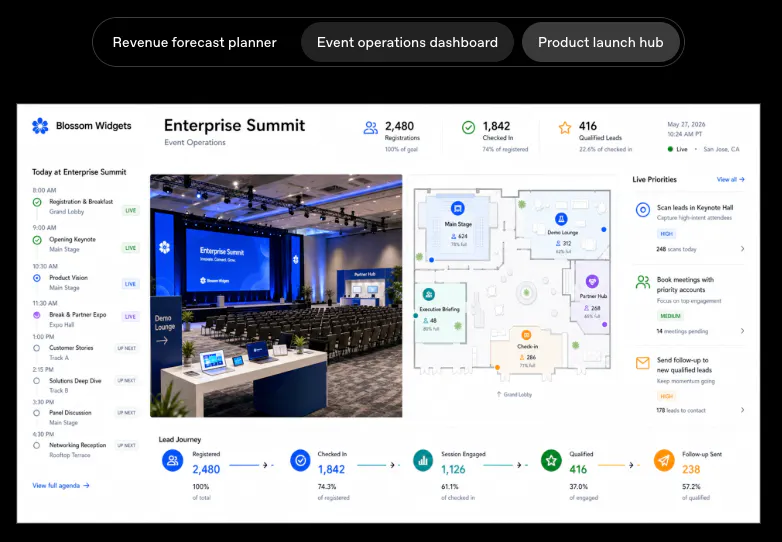
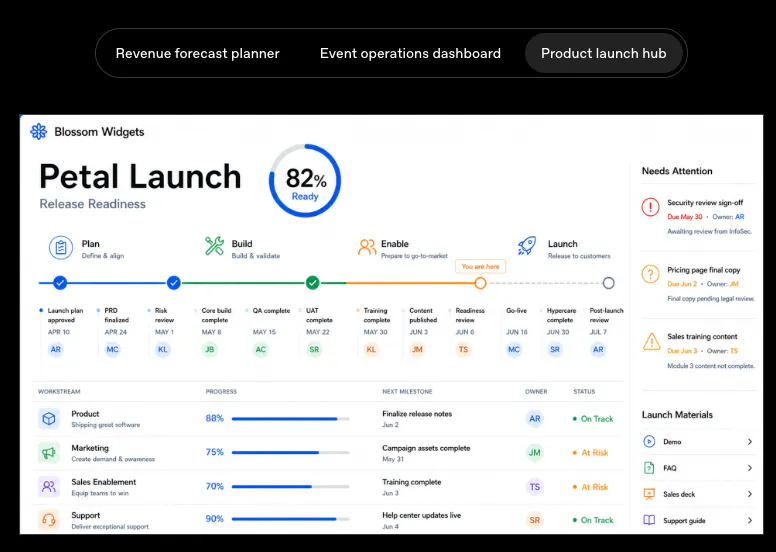
ChatGPT Work is an agent that can take action across your apps and files, stay with a project for hours if needed, and turn a goal into finished work.

Really excited to hunt ChatGPT Work on Product Hunt! 🚀


A few things that stood out to me:

  • 📱 Start a task on your phone and pick it up later on desktop or web.

  • 💻 Desktop can work across local files, apps, and a built-in browser.

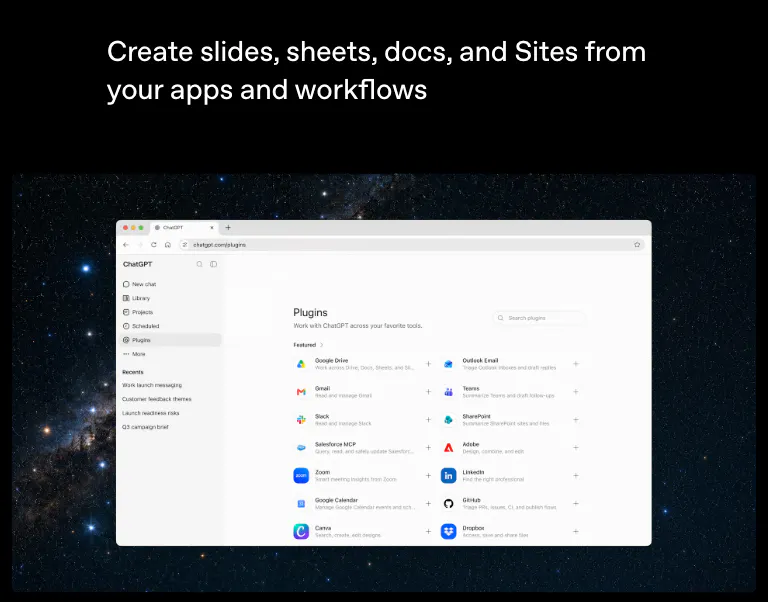
  • 🔌 Connect tools like Slack, Google Drive, Gmail, Outlook, Teams, and Salesforce.

  • 🌐 Turn prompts into interactive dashboards, trackers, and web apps with Sites.

  • ⏰ Automate recurring work with Scheduled Tasks.

  • 👨‍💻 Codex is now built into the desktop app for coding workflows.

Feels like a big step from "AI that answers questions" to "AI that actually helps move work forward."


Frankly not able to keep up with all new recent model updates and releases this week 👏

3
回复

So we're officially from "AI assistant" to "AI coworker ". 😄 Now I just need it to survive Monday morning meetings too.

3
回复

Finally got it to research a client and draft a proposal while I made coffee, came back to something I actually didn't hate editing. Curious how it handles messier workflows though.

0
回复

the focus on letting the agent actually persist on multi-hour projects rather than just answering a single prompt feels like a really thoughtful design choice.

0
回复

how does it actually keep working for hours without losing context or hitting some kind of usage cap

0
回复

Finally something that actually follows through on a multi-step task without me babysitting it. Had it pull data from a spreadsheet and draft a summary doc end-to-end.

0
回复

The agent actually stuck with a messy spreadsheet task for two hours and handed me a clean summary. Honestly didn't expect it to follow through that long without me babysitting it.

0
回复

Had it pull together a client brief from scattered Slack threads and a Drive folder, and it actually handed back a usable draft in under an hour. The "stay with it" part feels real, not just marketing.

0
回复

The way it sticks with a project for hours instead of bouncing you back every few minutes feels really well thought out. Most agents quit too early, so the persistence here is a standout choice.

0
回复

Had it research competitors and draft a slide outline while I grabbed coffee, came back to something actually usable instead of a wall of placeholder text. The cross-app part feels genuinely new.

0
回复

how does it handle permissions when it needs to act across multiple apps, do I have to approve every single action or can I set it to run longer chunks on its own?

0
回复

Can it stick with recurring tasks (content scheduling, file cleanup) unattended, or does it need a human check-in each run?

0
回复

The Salesforce connector is the line that caught my eye — WinBidIQ scores federal opportunities daily, and the obvious next step is pushing the ones worth pursuing straight into a pipeline tool instead of a spreadsheet. Building that matching logic myself taught me the write side is where it gets hairy: creating/updating the right record without duplicating or overwriting something a human already touched. Following on what Santino asked below about permission control — is there a review/checkpoint before ChatGPT Work commits a write to something like Salesforce, or does it just execute once it's decided on the action?

0
回复

The shift from "assistant that answers" to "agent that carries a project for hours" is ambitious and powerful if it actually works. My biggest question, echoing others in the comments, is around permission control (what it can and can't touch) and whether the phone-to-desktop handoff truly syncs state or just restarts from scratch. Without a checkpoint to pause/review before irreversible steps, I'd be a bit nervous handing it real client work.

0
回复

the fact that it can actually stick with a project for hours instead of dropping context mid-task is wild, feels like the first agent that respects long workflows

0
回复

The phone-to-desktop handoff is the piece I'd test first: when I start a task on mobile and resume on desktop, does the in-progress state sync through my account, or does the desktop re-run it from the top? And do Scheduled Tasks fire server-side when my machine is asleep, or only while the desktop app is open? That local-vs-hosted line is what decides whether I can actually lean on the automation instead of babysitting it.

0
回复

Nice one, been waiting for this. Very interested to see how token usage is.

0
回复

How does it handle permissions when it needs to access files or apps across my workspace, and can I scope what it can touch so it doesnt go off and do something I didnt ask for?

0
回复
@faruk1723009 by connecting with pushary, it will ping your device when it needs permissions for sensitive files. https://pushary.com
0
回复

The hours-long autonomy is exciting, but I'd love a way to step in and review or redirect the agent mid-task without killing the whole run. Something like a checkpoint that pauses for my input before a big irreversible step would make me way more comfortable handing off real client work.

0
回复

Congratulations 🎊

0
回复
#5
Kickbacks CLI
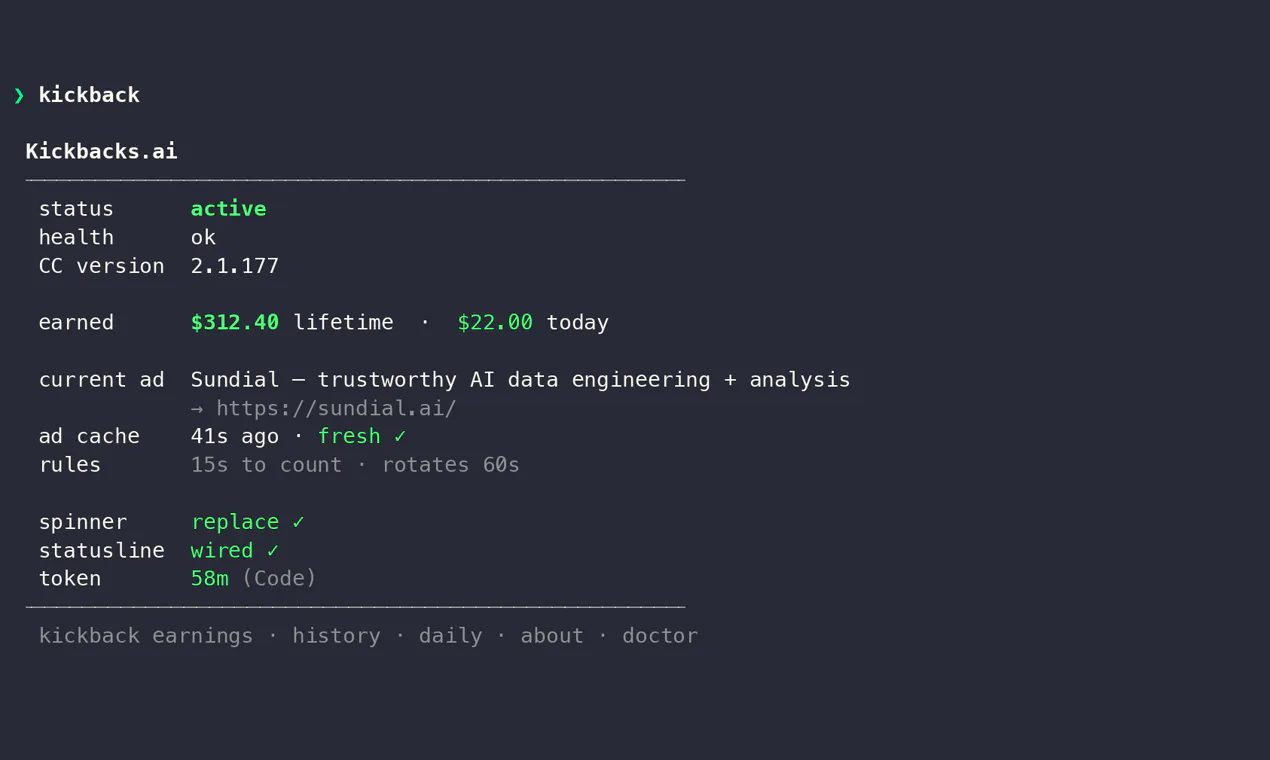
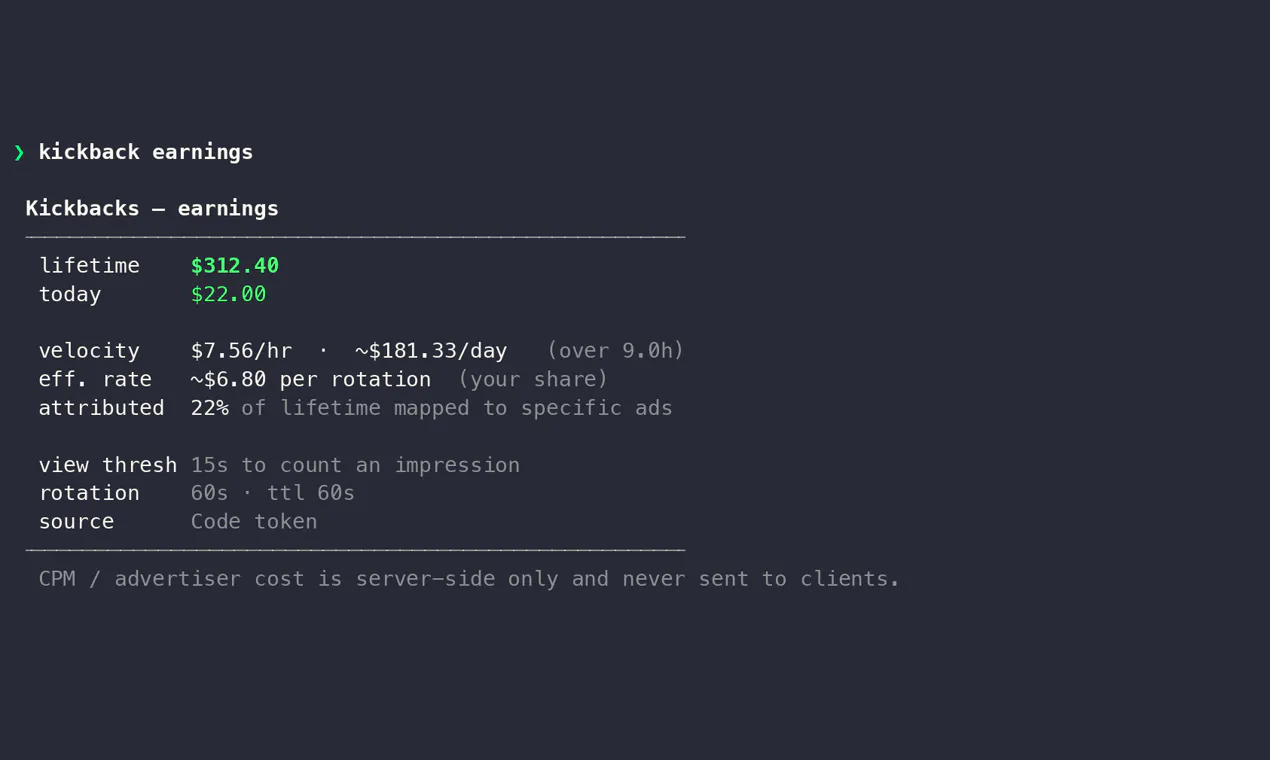
The terminal and Mac menu bar companion for Kickbacks.ai
159
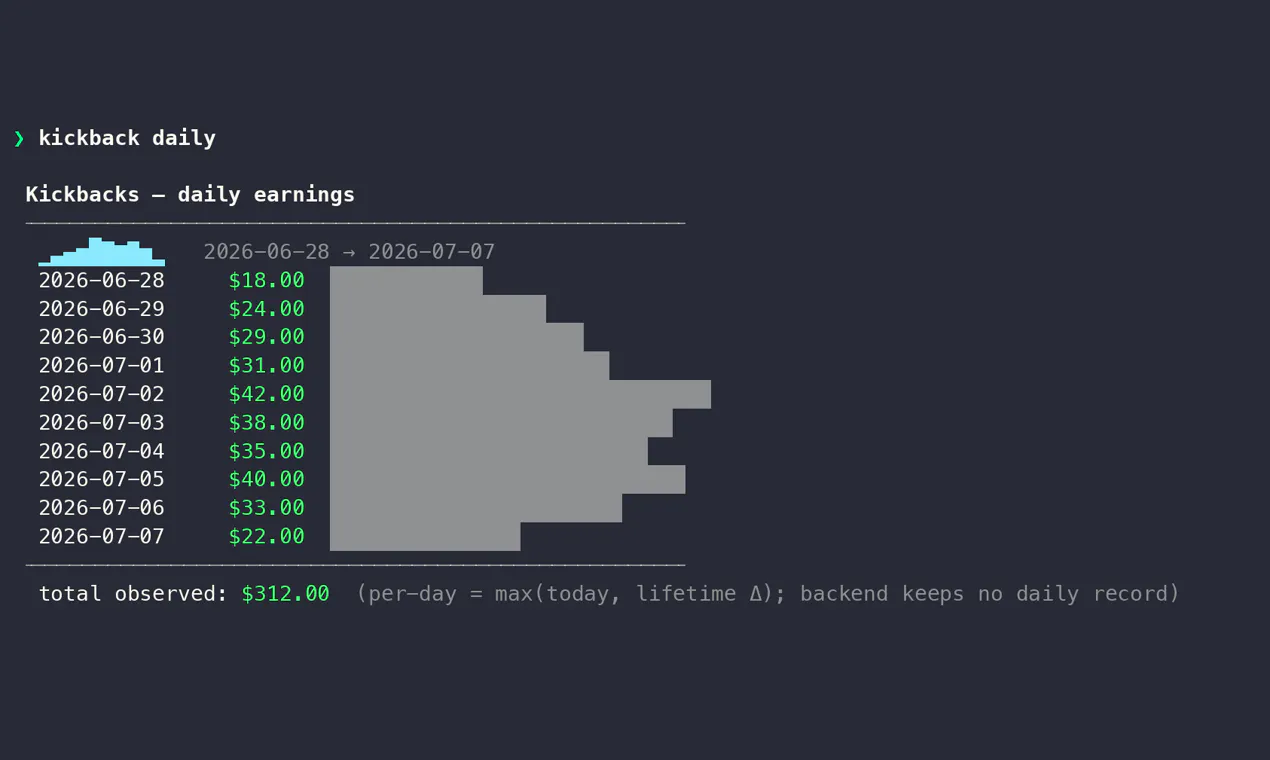
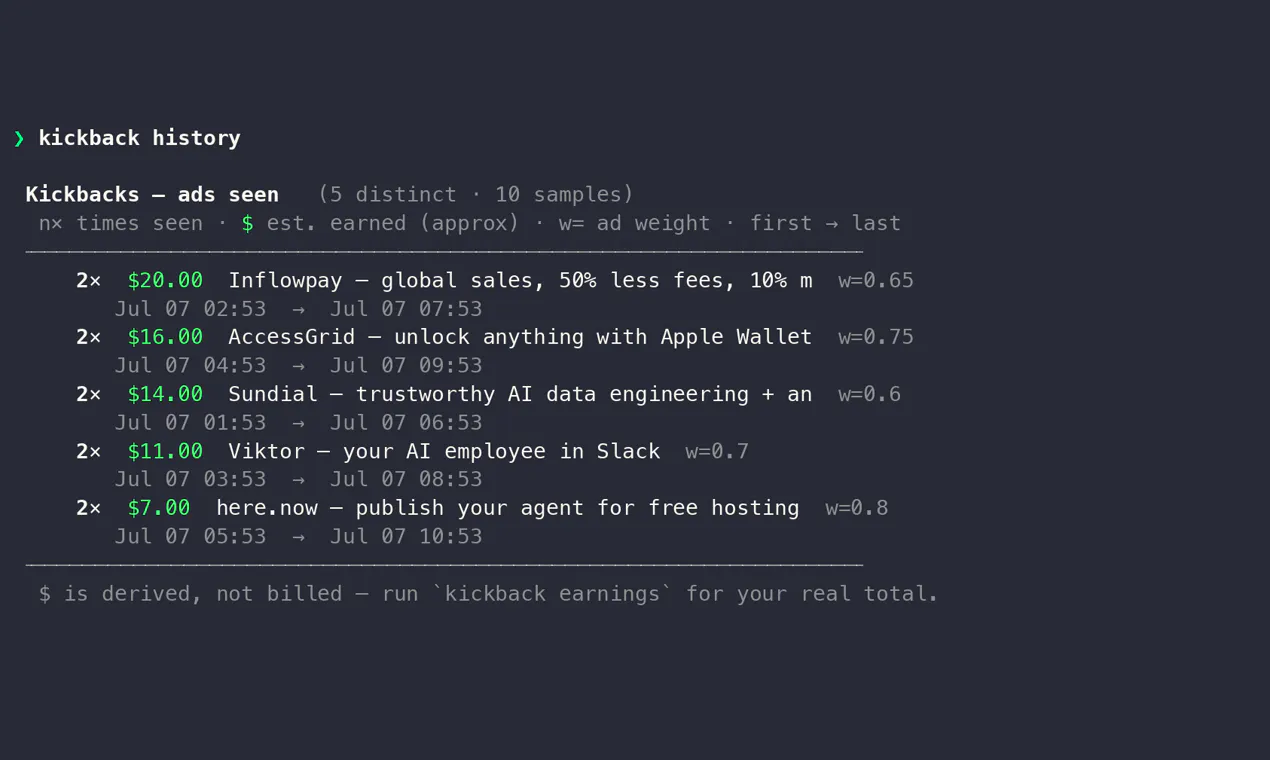
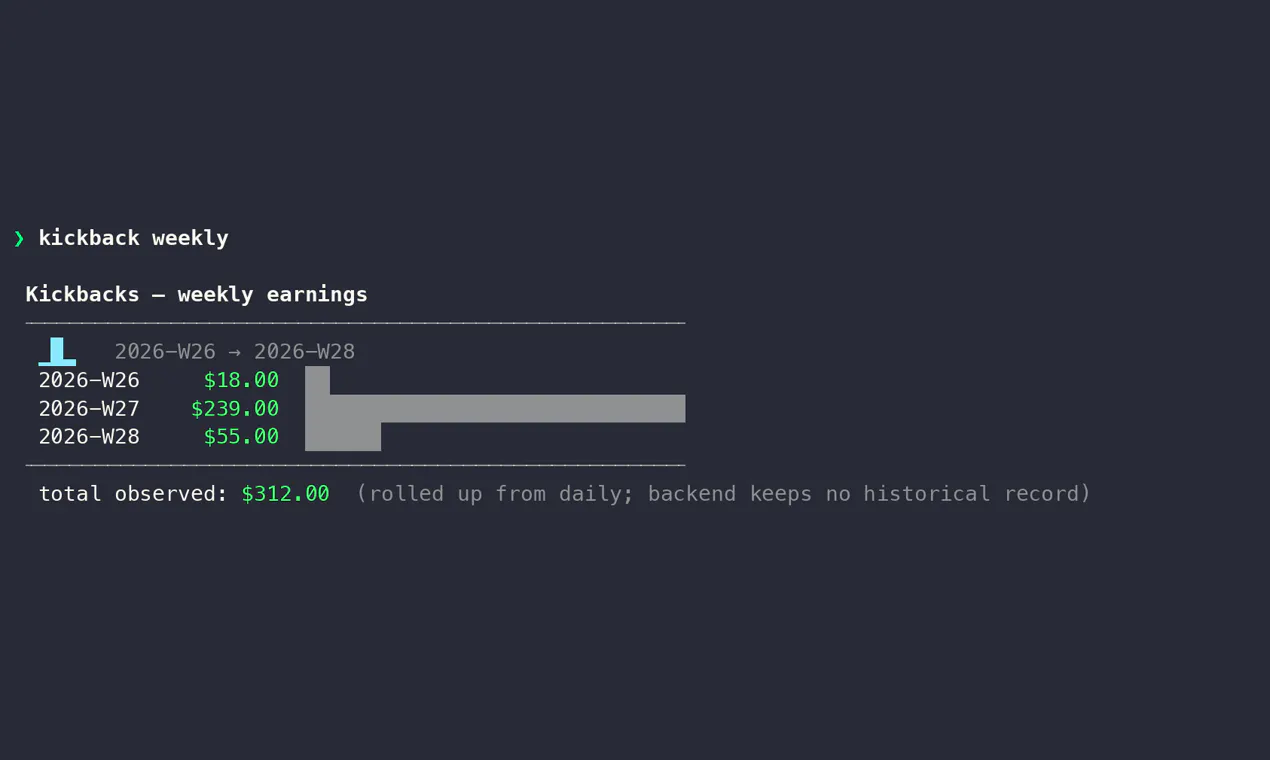
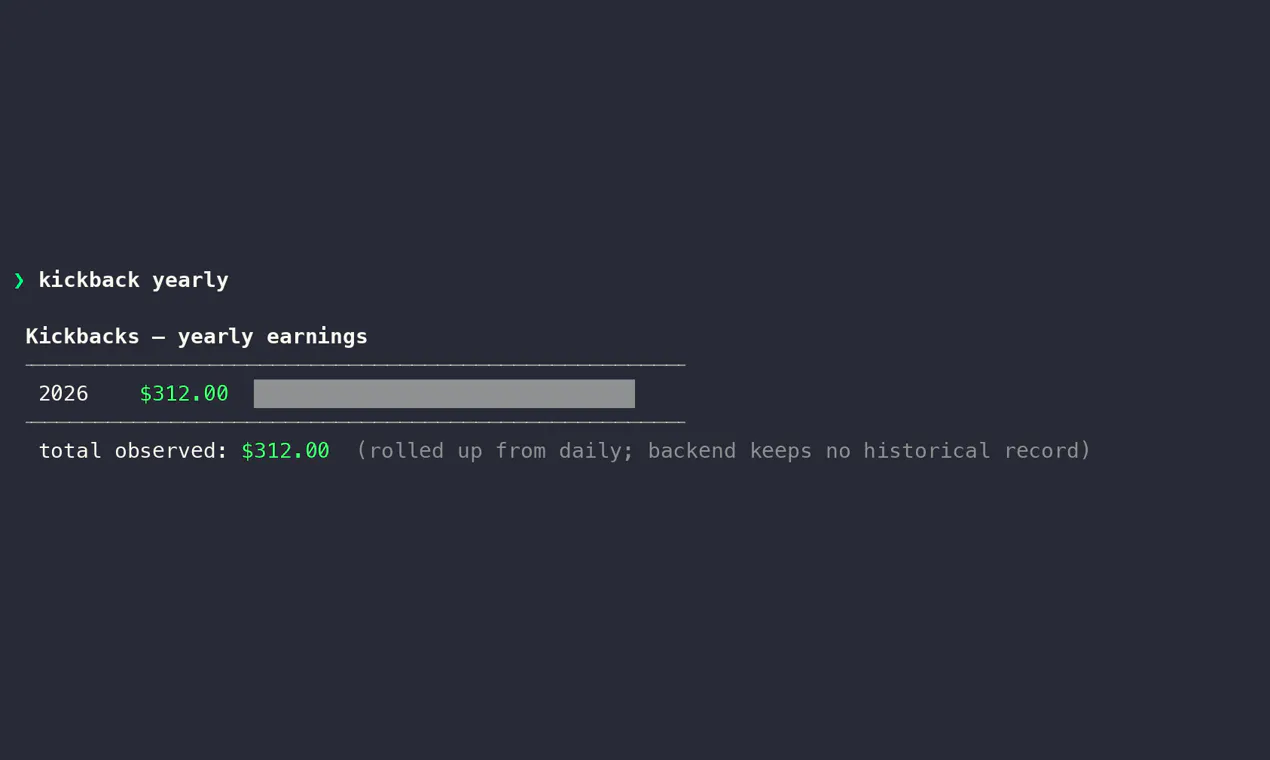
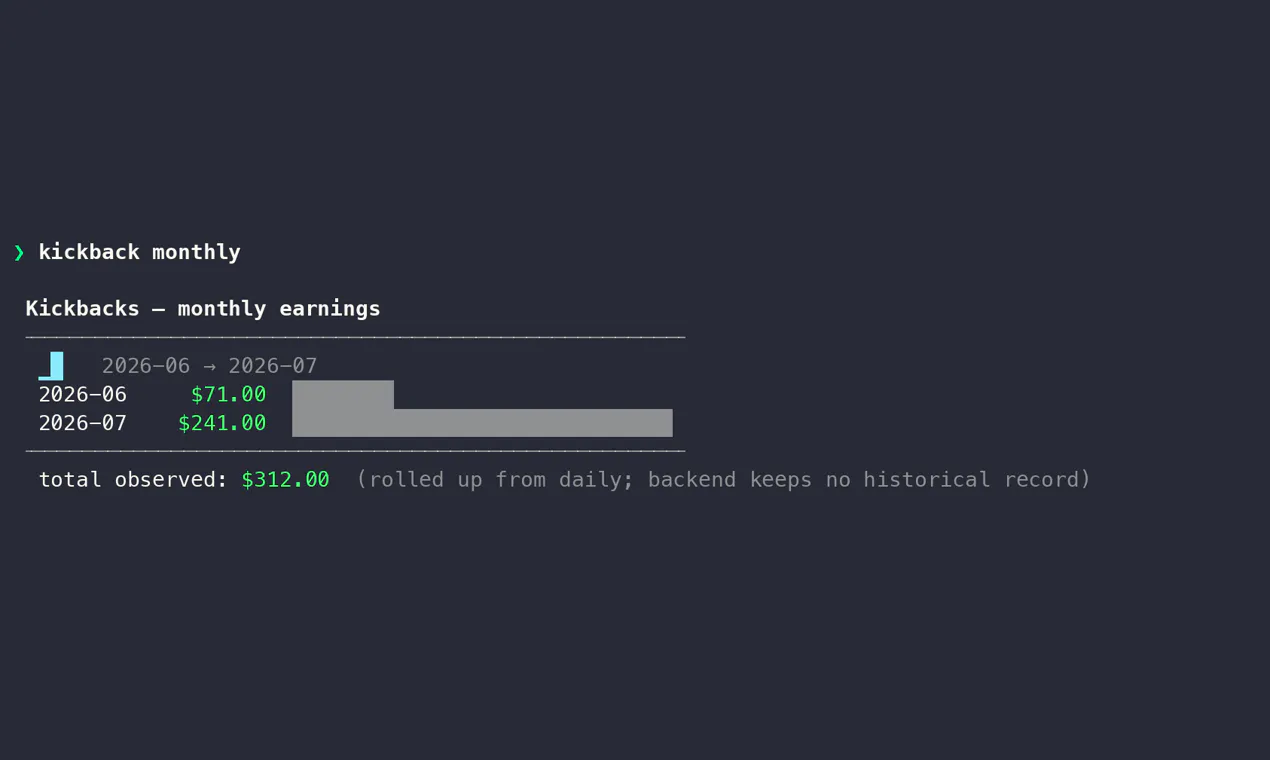
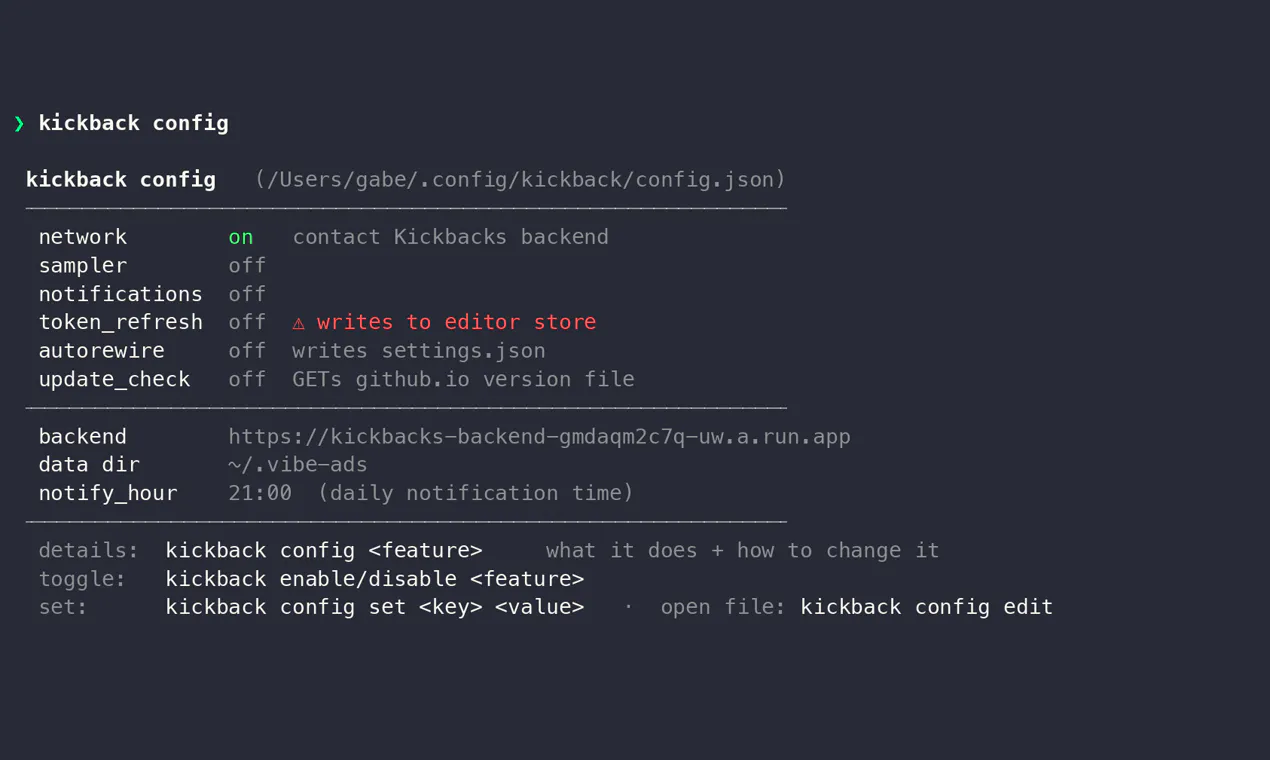
一句话介绍:Kickbacks CLI是一个终端和Mac菜单栏工具,让用户无需打开浏览器或VS Code,即可实时查看Kickbacks.ai的收益状态、直播收入及广告历史,解决频繁登录查看的痛点。
Advertising Artificial Intelligence GitHub Menu Bar Apps
命令行工具 Mac菜单栏 收益监控 广告历史 实时数据 生产力工具 开发者工具 Kickbacks.ai 终端应用
用户评论摘要:用户普遍赞赏菜单栏和CLI的便捷性,核心问题集中在:收益数据实时更新机制(轮询/流式)、认证安全性(Keychain/明文)、API调用频率限制、离线处理方式、电池消耗,以及菜单栏版是否需要单独下载。
AI 锐评

Kickbacks CLI本质上是一个“数据看板的最小化封装”,其价值不在于技术创新,而在于对用户习惯的精准洞察。当AI副业工具(如Kickbacks.ai)将收益数据封闭在网页仪表盘中时,它制造了“打开-登录-查看”的摩擦。开发者将这条路径压缩为“瞥一眼菜单栏”或“敲一行命令”,直接击中了高频查看者的行为痛点——许多评论中“finally”一词的重复出现,正是这种情绪共鸣的证明。

但必须指出,这个产品的成功高度依赖Kickbacks.ai的API稳定性与数据开放度。评论中大量关于认证方式、刷新频率、离线状态的追问暴露出一个尴尬事实:它只是一个第三方客户端,核心控制权完全握在平台手里。若Kickbacks.ai调整API策略(如限制频率、增加认证复杂度),这款工具瞬间失效。此外,以159票登上Product Hunt,说明目标用户群极度垂直——仅限于同时使用macOS、终端、且在意Kickbacks收益的极客群体,这个三角交集决定了它很难出圈。

从产品形态看,它完美践行了“Unix哲学”:做一件事,做到极致。但与其说是产品,不如说是一个“个性化的自动化脚本”的高级包装。对于普通用户,菜单栏中多一个收益数字并不会改变工作流;对于硬核用户,他们更可能自己写个curl脚本。因此,Kickbacks CLI的真正价值,是作为Kickbacks.ai生态的“粘性插件”存在——它为平台增加了一层“无需思考的可见性”,从而降低了用户流失率。对开发者Gabe而言,这更像是一次成功的个人品牌营销:用一个小巧但真诚的工具,赢得社区认同和早期用户信任。

查看原始信息
Kickbacks CLI
See your Kickbacks.ai status, live earnings, and ad history in the terminal and Mac menu bar.

I got tired of having to open/look at Visual Code to see how much I was earning on @Kickbacks.ai so I built a CLI and Mac Menu bar tool to easily see how much I was making, the ads I saw, and which days, weeks, and months I earned the most.

Feel free to leave feedback and hope folks enjoy :)

3
回复
@gabe how much are you typically making??
0
回复

The compact two-line earnings view that lives in the terminal is a genuinely nice touch — one less dashboard tab to babysit. On the plumbing: does the CLI keep your Kickbacks token in the macOS Keychain or a plaintext dotfile, and does the menu bar app poll the API on an interval or hold a live connection for the real-time earnings?

2
回复

love that you brought live earnings and ad history into the terminal and menu bar instead of forcing a dashboard login. the mac menu bar presence especially is a small touch that makes checking numbers feel frictionless.

1
回复
@kardelengk2rpc Mac Menu bar is 👌
0
回复

Gabe, this is such a builder move :))

Getting tired of opening VS Code just to check earnings, then casually shipping a CLI and menu bar app for it... honestly very on-brand. I really like how focused it is too: status, live earnings, ad history, and simple trends without adding unnecessary complexity. The Mac menu bar version is probably what I'd end up checking way too often :)

1
回复
@andrasczeizel thanks Andras!
1
回复

Love that the menu bar app stays in sync with the CLI without a clunky refresh button, and the fact that I can pipe live earnings into other tools without copy-pasting from a dashboard. The little touches like a compact earnings view that fits in two lines of terminal real estate is a nice nod to people who actually live in their shell.

1
回复
@veyselmentodzj appreciate the kind words!
0
回复

Finally a way to check my Kickbacks earnings without opening a browser. The menu bar widget is super handy and the CLI output is clean and fast.

0
回复

finally a way to check my kickbacks without opening another browser tab, the menu bar widget is exactly what i wanted. nice work

0
回复

Finally a way to check my kickbacks without opening yet another browser tab, the menu bar widget is genuinely handy when im working.

0
回复

does the earnings data refresh in real time or pull on a set interval, and do you support any kind of alert when a payout is queued or approved?

0
回复

how does it pull the live earnings data, is it querying the Kickbacks API directly or screen-scraping somewhere? curious if there is any rate limiting i would hit if i leave it running in the menu bar all day

0
回复

How does the live earnings actually update, is it pulling from an API on a timer or streaming something real time? Also wondering what happens if you're offline for a while.

0
回复

how does the menu bar piece stay updated without me needing to refresh anything, and does it use a lot of battery on macOS?

0
回复

finally a way to check my kickbacks earnings without opening another browser tab, the menu bar widget is genuinely useful for someone like me who forgets to log in.

0
回复

Love that this lives in the menu bar instead of yet another browser tab. The decision to keep it terminal-first for the actual data view feels thoughtful, especially for folks already living in a shell all day.

0
回复

Does this pull data directly from the Kickbacks API or do I need to authenticate each time I open it, and is the menu bar version a separate download?

0
回复

finally a way to check my kickbacks without opening another browser tab. the menu bar widget is genuinely handy, though i wish the cli command was a bit shorter to type.

0
回复

how does the mac menu bar part sync with the CLI - do they pull from the same backend or do I need to configure them separately?

0
回复

Does the menu bar version update in real time when new earnings come in, or do I have to manually refresh? Curious how chatty it would be running all day in the background.

0
回复

the menu bar integration is such a clean touch, especially for creators who already live in the terminal all day

0
回复
#6
SoundPipe
SoundPipe is a mixing board for your Mac
136
一句话介绍:SoundPipe是一款Mac虚拟音频路由工具,通过可视化接线台让用户将任意应用或麦克风的音频轻松路由到其他应用,解决了macOS原生无法灵活分配和监控音频流的痛点。
Productivity Apple Audio
Mac音频路由 虚拟音频设备 音频分流 混音器 低延迟 可视化接线 直播录音 麦克风路由 付费软件 音频工具
用户评论摘要:用户普遍称赞其“可视化接线”UI比BlackHole更直观,20分钟可重启的试用策略获好评。主要关注点:路由设置是否跨重启持久化(已确认可持久化)、是否支持多声道(支持至64通道)、能否同时用于Discord和OBS(支持多应用)、实时麦克风路由的延迟表现(宣称<15ms,待用户实测反馈)。
AI 锐评

SoundPipe本质上是一个“带UI的黑洞”——它精准抓住了BlackHole免费但操作反人类、Loopback强大但价格劝退的市场缝隙。10美元买断3台设备的价格策略,配合全功能限时重开试用,堪称“价格屠夫”式的诚意定价,直接击穿了专业音频路由软件的心理门槛。

产品真正的价值不在于技术突破(虚拟音频设备是成熟方案,甚至macOS自带Audio MIDI Setup),而在于“体验重构”:把底层驱动API的复杂性和配置过程封装成一根根可拖拽的虚拟连线,让原本需要查教程的Audio MIDI Setup操作变得像插拔物理线材一样直觉化。这种“反专业主义”设计,精准命中了大批非专业音频用户的隐痛——主播需要把游戏声和麦克风分流进OBS,远程工作者想用AirPods同时听多个设备,播客制作人想把通话录音单独导出。

但需警惕其护城河脆弱性。技术上,虚拟音频驱动层并非独家,一旦苹果在macOS原生音频框架中加入类似功能,或将Loopback降价,SoundPipe的“UI优势”可能瞬间瓦解。目前评论多集中在基础路由和持久化问题上,对高级混音场景(如AU插件链、多声道监听矩阵)的讨论阙如,意味着它目前仍是“解决80%用户80%需求的工具”,而非专业DAW的替代品。长期看,能否通过社区积累“常用路由预设模板”(如“直播推流模板”“播客录音模板”),从卖工具进化到卖场景解决方案,将是其能否突破小众工具宿命的关键。

查看原始信息
SoundPipe
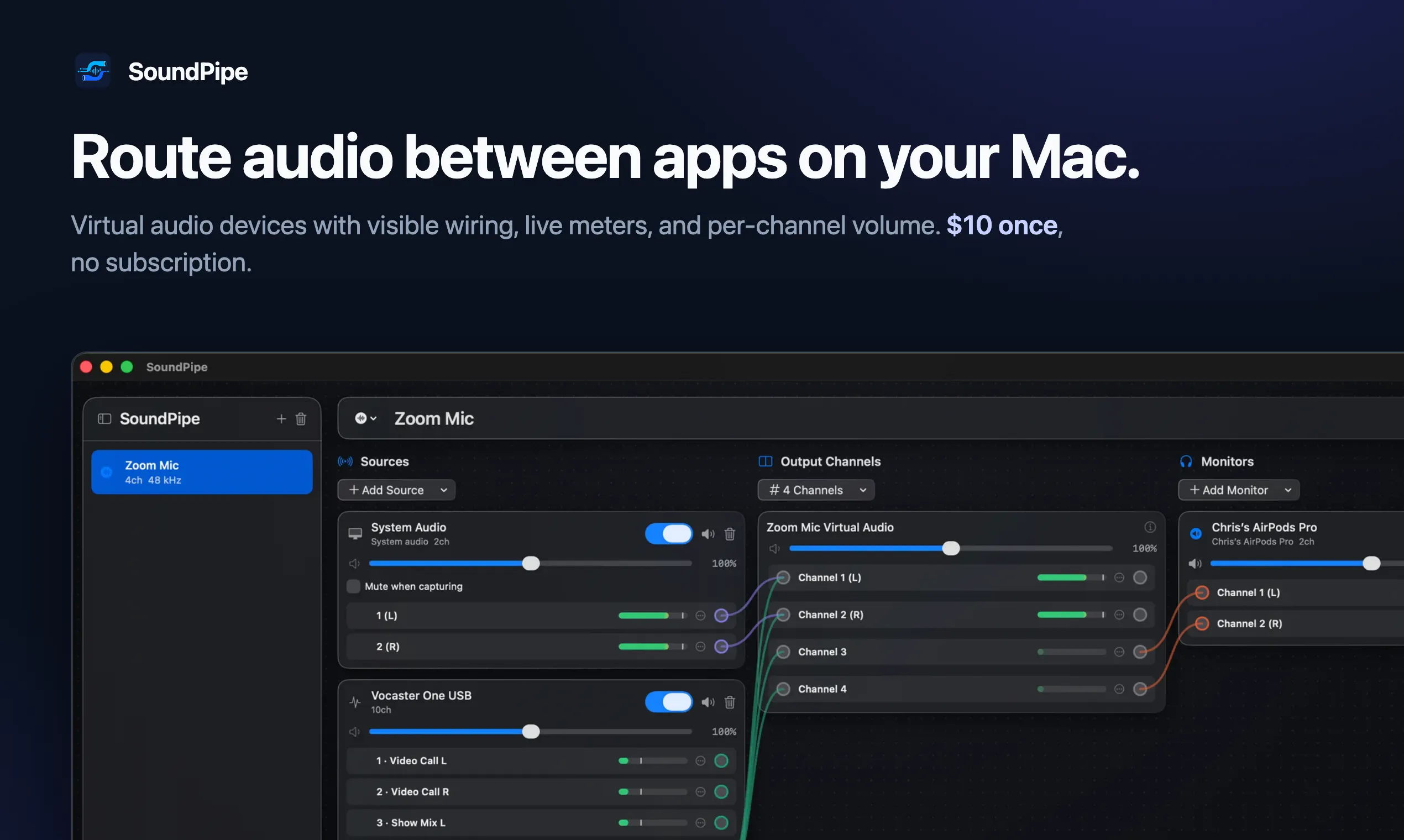
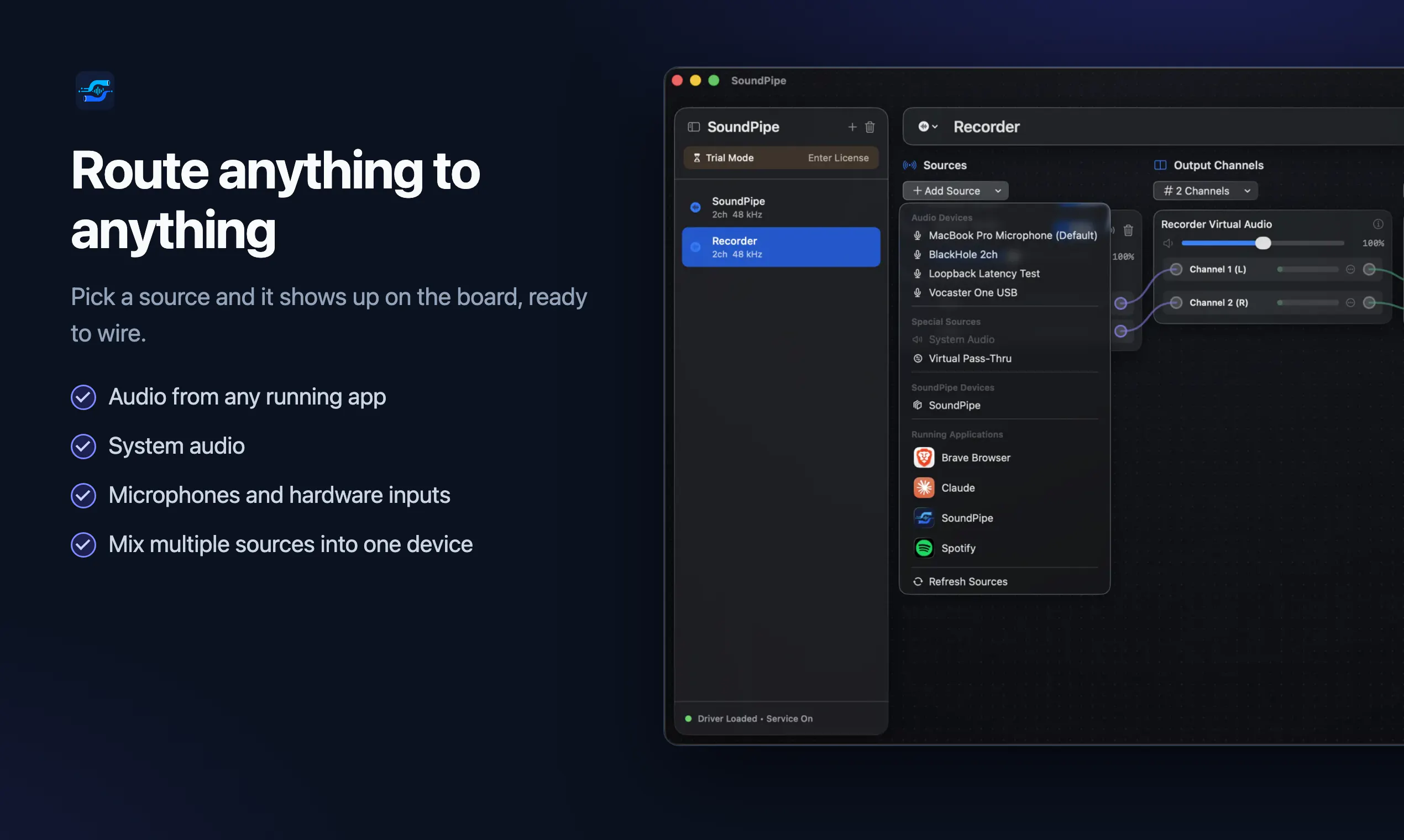
SoundPipe creates virtual audio devices on your Mac so you can send audio from any app, or your microphone, to any other app.
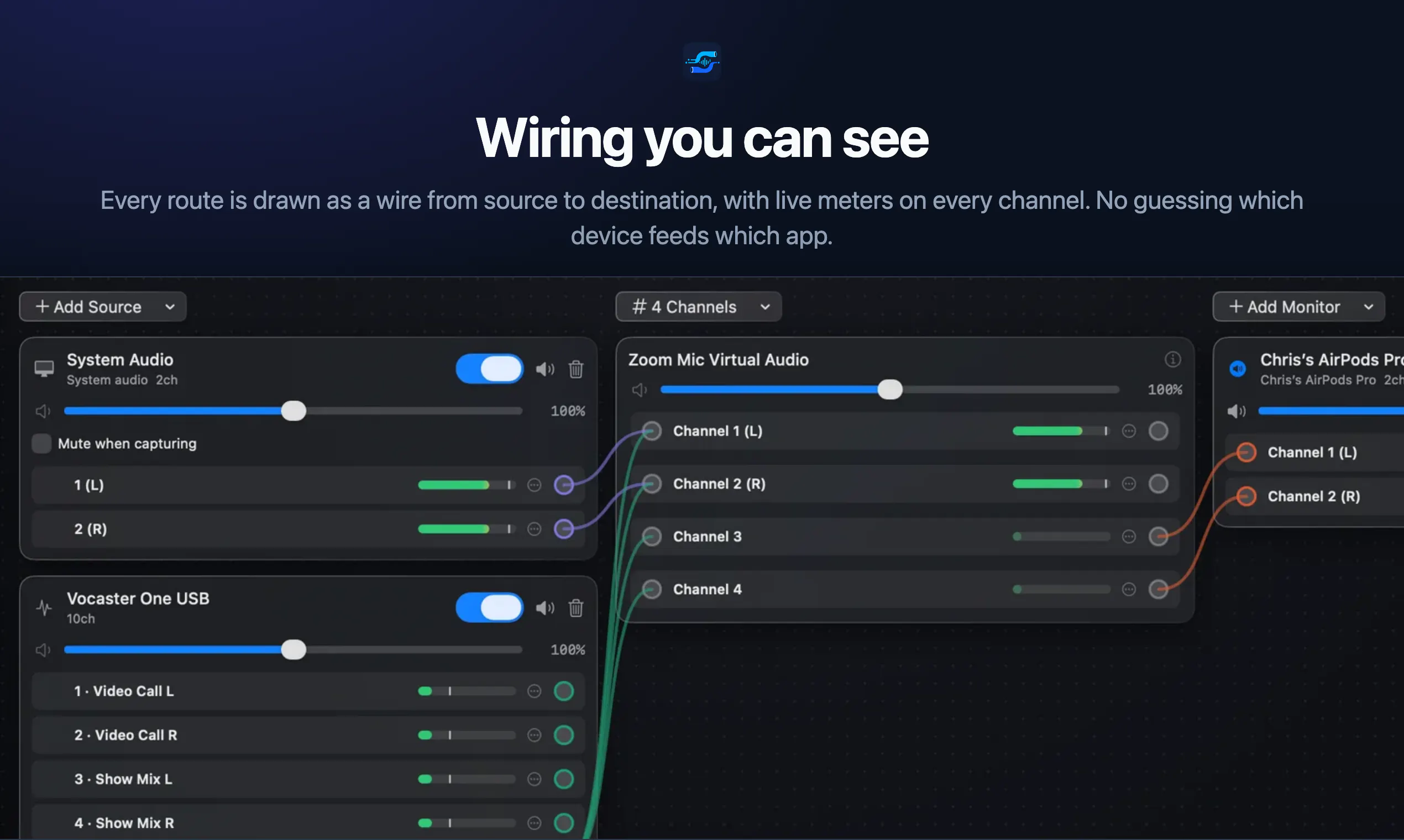
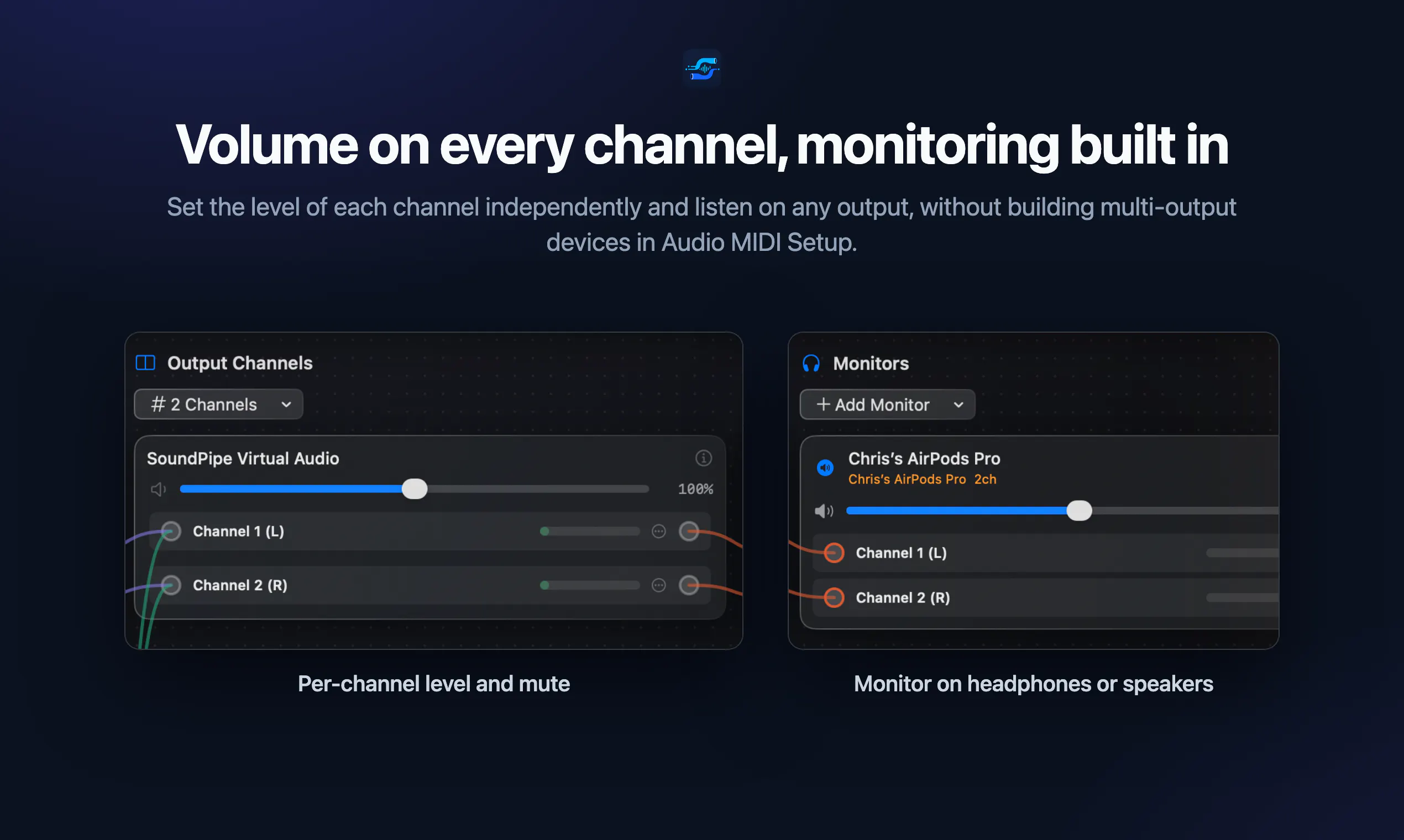
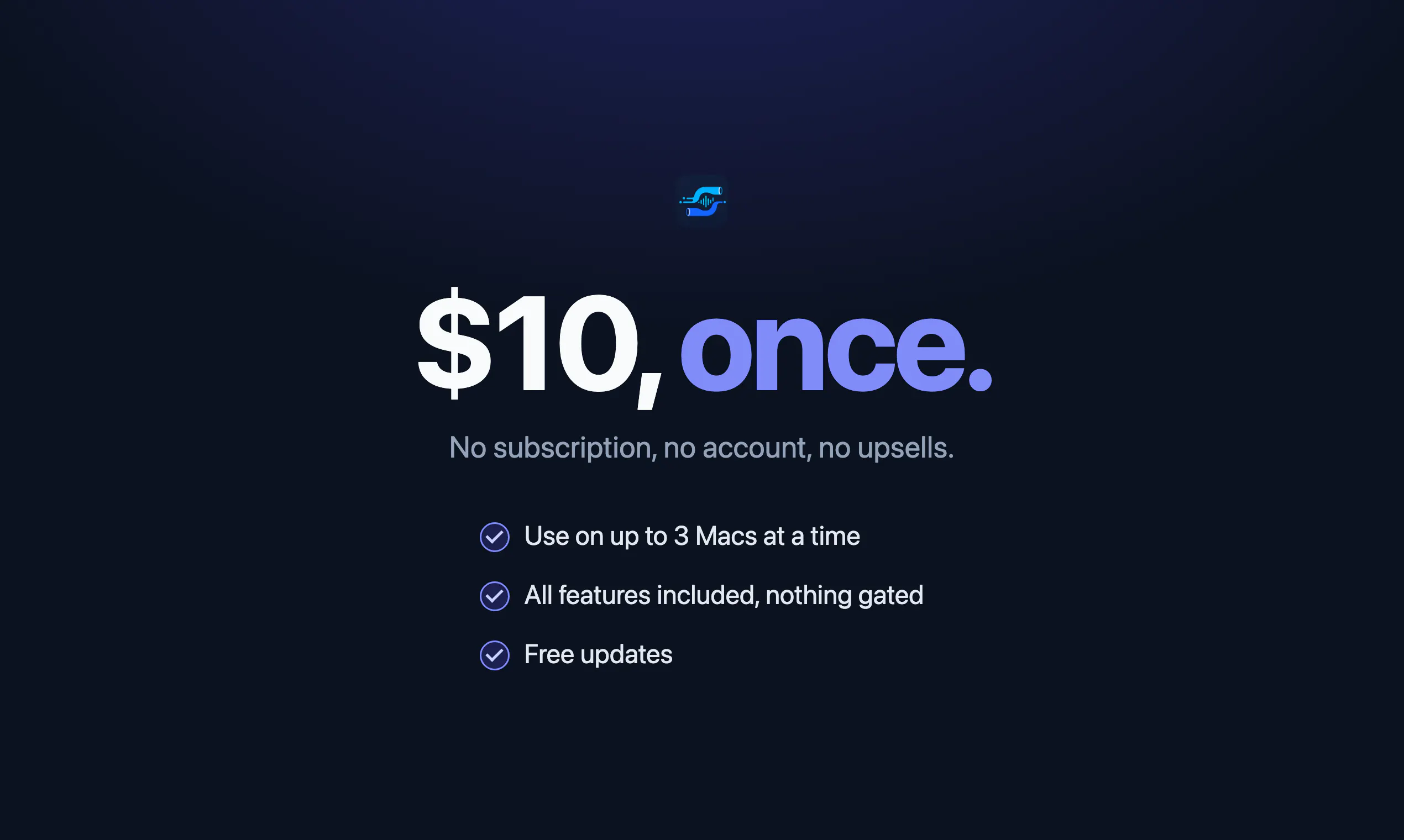
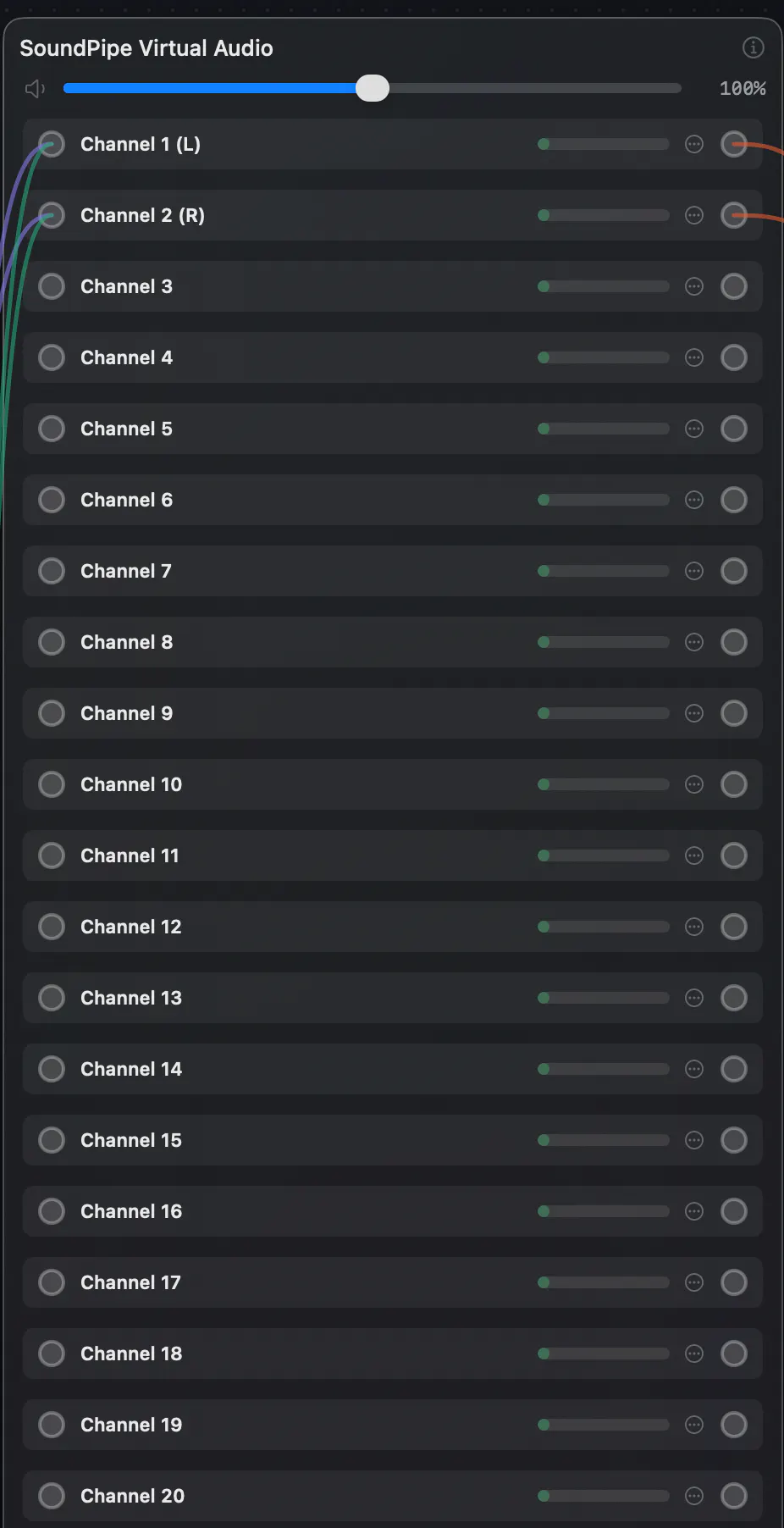
Hi Product Hunt! I'm Chris, the maker of SoundPipe. I built this because routing audio on a Mac always felt harder than it should be. I just wanted to listen to my mac, my iPad and my linux machine at the same time through my AirPods. This just isn't possible natively. macOS still has no built-in way to send one app's sound into another: no record button for what your Mac is playing, no way to pipe app audio into a call. The classic answers are BlackHole, which is free but leaves you hand-wiring multi-output devices in Audio MIDI Setup, or Loopback, which is wonderful but costs $99. SoundPipe is my attempt at the middle: virtual audio devices with a UI where every route is a visible wire, live meters on every channel, per-channel volume, and monitoring built in. The driver installs with one click (no terminal, no kernel extensions) and the whole path runs under 15 ms of latency at any sample rate your devices support. Pricing is super simple: $10 once, use it on up to 3 Macs, no subscription, no account. The trial is the full app in 20-minute sessions that you can restart forever, so you can be sure it works with your setup before paying. I'd genuinely love feedback, especially on use cases I haven't covered: streaming setups, DAW workflows, weird hardware. I'll be here all day answering questions. PS: for launch day (+ day after) it's $7 instead of $10 with the code PRODUCTHUNT at checkout.
2
回复

@chrisbattarbee Nice, the "every route is a visible wire" UI is what BlackHole always missed, hand-wiring multi-output devices in Audio MIDI Setup is genuinely painful. One use case worth covering: piping a specific app's audio into a browser tab for web-based recording/streaming tools. Clean launch.

1
回复

The 20-minute full-app trial you can restart forever is a good honesty signal, definitely better than the usual crippled-feature demo. Because it lets people prove it works on their exact setup before paying. Congrats on the launch!

2
回复
@artstavenka1 Thanks Art!
1
回复

The visible-wire routing with live meters on every channel is what would pull me off BlackHole — hand-wiring multi-output devices in Audio MIDI Setup, you can never actually see what's flowing. I'd use this mostly to record calls and screen captures: do the routes I set up persist across reboots and show back up as a stable input in OBS or Zoom on next launch, or is it a rewire each session?

2
回复

@leo404 Hey Leopold, yes they persist across reboots! Should be stable in OBS and Zoom too!

0
回复

I love the visual wire concept reminds me of Reason or old-school analog patches, qq does the app support multi-channel audio output (like 5.1 or 7.1 mapping) ? congrats to ship @chrisbattarbee

2
回复

@vikramp7470 Hey Vikram, it does, all the way up to 64 channels for a single virtual audio device! (couldn't fit them all in the screenshot)

1
回复

The visual routing approach makes this much easier to understand than traditional audio setup.

1
回复

@diksha_makode Thanks Diksha!

0
回复

Does this work with Discord and OBS at the same time, or do I have to pick one app to receive the routed audio?

1
回复

@muammer1177418 Yup works with multiple apps. Just select the virtual device as the input in however many apps you like

0
回复

Finally a clean way to route my mic into OBS without the messy workarounds. Set it up in under a minute and it just works.

1
回复
@yaren157570 Great to hear Yaren!
0
回复

Finally something that routes my mic into OBS without a mess of cables or paid plugins. Setup took about two minutes and my stream audio just works now.

0
回复

How does this handle latency when routing real-time mic input through to other apps, especially if I'm running multiple audio streams at once?

0
回复

Finally a clean way to route mic input into apps that don't normally accept it, took about two minutes to set up and just worked. Super handy for screen recordings.

0
回复

finally something that lets me route mic input into apps like Logic without needing a mess of virtual cables. setup took like two minutes and it just worked.

0
回复

The way it just shows up as a proper audio device in macOS feels really well thought out, no clunky workarounds or hidden menus to dig through.

0
回复

How does this handle latency, especially when routing mic input to other apps in real time?

0
回复

The clean way it shows up as a virtual device in Audio MIDI Setup feels really considered, like the team actually thought through what Mac users expect. Nice execution on something that could have been clunky.

0
回复

Finally a simple way to route my mic into OBS without the audio routing headache I usually deal with on Mac. Setup took about a minute and the latency seems low enough for calls.

0
回复

Curious how the audio actually routes between apps, is it something like an aggregate device or do I pipe the mic through its own channel. Trying to picture the setup before installing.

0
回复

How does this play with apps that already have audio routing built in, like Zoom or OBS?

0
回复

How does this handle latency in real time, like when you are routing a mic for a live stream or podcast recording?

0
回复

@turgay847w Hey Turgay so e2e latency of SoundPipe is on average 10ms, worst case it hits about 15ms.

Generally unnoticeable for most usecases

0
回复

The menu bar icon is a really nice touch, super minimal and fits right in with macOS. Love how lightweight it feels compared to other audio routing tools I've tried.

0
回复

@smetnbbf Thanks Ismet

0
回复

As a producer this solves a real headache — getting a standalone synth or an iPad music app straight into Ableton without a hardware loopback cable. Quick q: can I route a DAW's master back into an input channel on the same machine for internal resampling, or does feeding an app into itself get weird? The sub-15ms latency + per-channel meters look perfect for that.

0
回复

@lennoxbeflying Hey Ziang, so you should be able to no worries, as long as you dont end up routing that channel back into the soundpipe virtual audio device again (or else you get a feedback cycle!)

0
回复

Been wanting proper per-app audio control on the Mac for years, the one system slider for everything drives me up a wall. Does SoundPipe let me route a single app's output on its own, like sending Kontakt to one interface while everything else stays on my headphones? I run virtual instruments and the routing is the part macOS makes weirdly hard.

0
回复

@chielephant Hey Anthony, it does indeed. You can send just Kontakt to the virtual audio device (then wherever you like)!

0
回复

Curious how this handles latency when routing mic input live into something like a Zoom call? That kind of sync issue would be a dealbreaker for me.

0
回复

@canancssc Hey Canan, so overall e2e latency is typically 10ms, worst case 15ms. For Zoom this would be entirely unnoticeable!

0
回复

Coming from a music background, I'd love to pipe clean app audio (a backing track or score playback) straight into a video call for remote lessons, instead of it going through the mic. Is that a solid use case for SoundPipe? The one-click driver with no kext is a big plus.

0
回复
@tan_z_tan Yes for sure, exactly the sort of use case we built for!
0
回复
#7
Basedash SCIM
Your org changes. Access keeps up.
134
一句话介绍:Basedash SCIM 通过自动同步企业目录中的身份信息,在员工入职、调岗、离职时,自动更新用户与群组权限,解决多应用身份管理碎片化与清理难题。
Artificial Intelligence Data & Analytics Business Intelligence
SCIM 身份同步 企业级访问控制 RBAC RLS 身份治理 自动化离职清理 数据库管理工具 AI 数据分析 团队协作 SaaS
用户评论摘要:用户普遍认可 SCIM + RBAC/RLS 的分离设计,认为能解决离职清理痛点。但多位用户提出核心疑问:自然语言查询能否处理复杂多表JOIN?如何处理混乱或生产级数据库中的脏数据与不规范 Schema?定价如何随数据量扩展?部分用户测试后表示图表生成质量与人工编写相当,体验流畅。
AI 锐评

Basedash SCIM 的推出,本质上不是一次功能升级,而是一场“准入门槛”的降低。它直击了一个尴尬现状:许多优秀的内部工具(如基于自然语言的BI查询)在功能上令人惊艳,却被企业安全合规流程卡死在边缘。SCIM 正是为这类工具“开锁”的钥匙。

从产品价值看,基于身份的自动同步只是基础,其精妙之处在于明确区分了“身份治理”(谁有组织的访问权)与“资源权限”(谁能看到具体数据行)。它没有像很多竞品那样,将 SCIM、RBAC、RLS 简单地捆绑成“安全全家桶”,而是允许企业在员工离职后只移除组织成员资格,却保留数据层面(如仪表板、查询)的审计与暂存权限,这种“半退”机制在涉及合同工、项目交接时非常实用。

然而,评论区的真实用户反馈暴露了更犀利的悖论:能消化 SCIM 的大企业,数据库 Schema 往往极其复杂、充满遗留污垢。AI 的“自然语言查询”与“理解脏数据”能力,目前仍停留在演示级表现。如果 AI 无法稳健处理复杂 JOIN 或半结构化内部数据,那即使身份管理再丝滑,落地后依然需要专人反哺数据清洗,并未真正消除瓶颈。Basedash 真正的挑战不在于“同步谁可以访问”,而在于“谁可以真正信任AI给出的查询结果”——这项能力才是企业从“试用者”转向“付费客户”的关键一步。

查看原始信息
Basedash SCIM
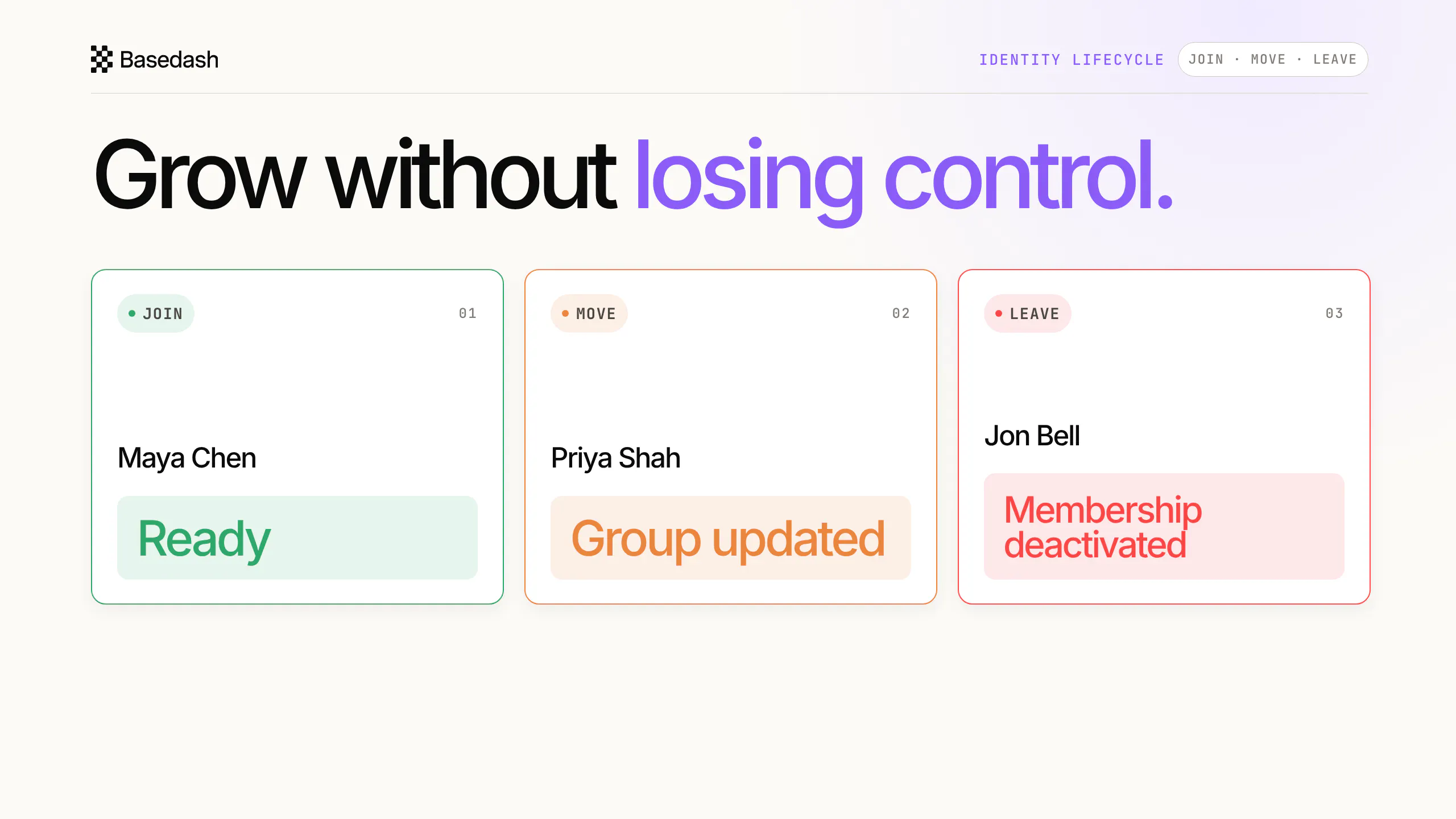
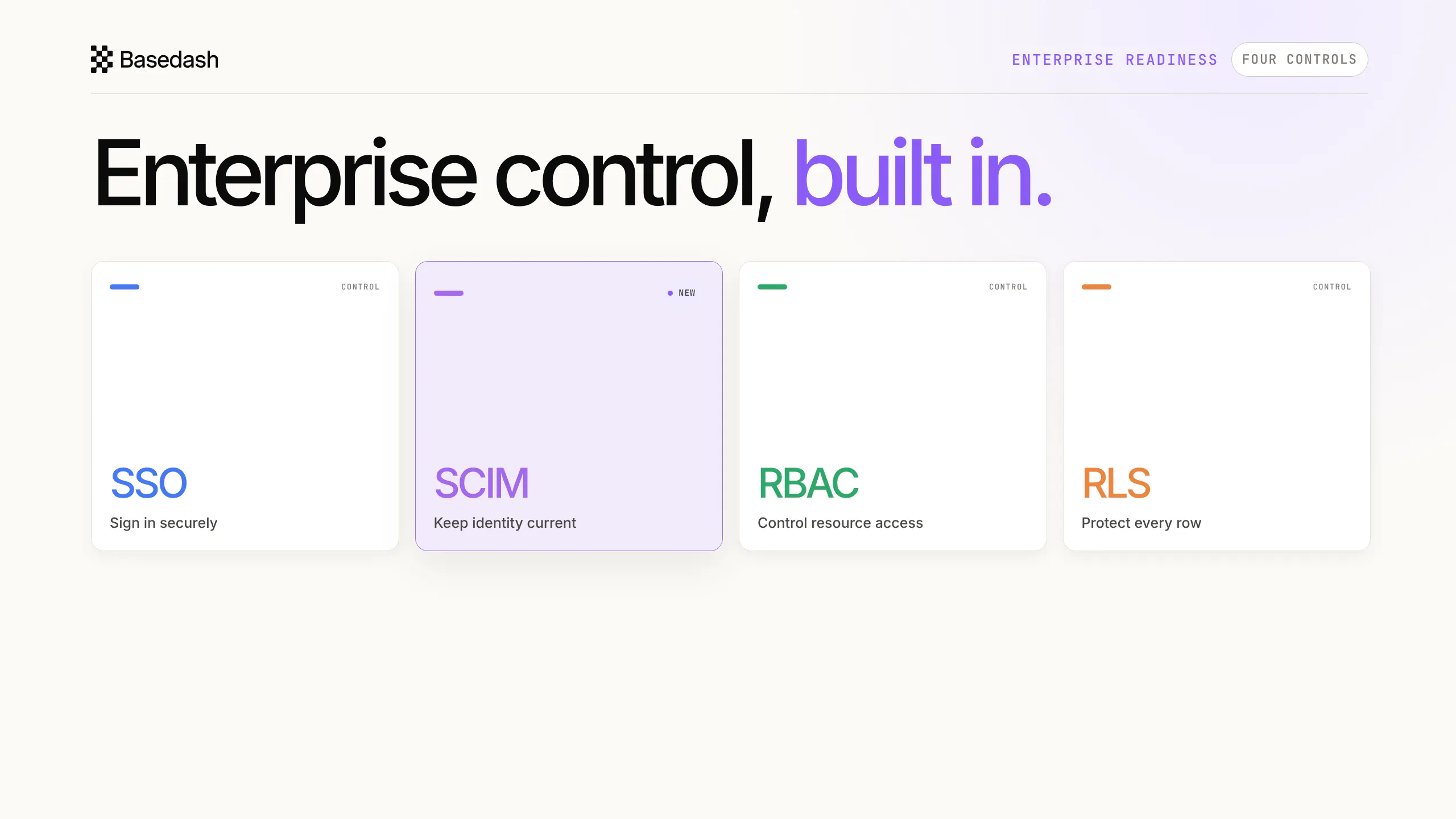
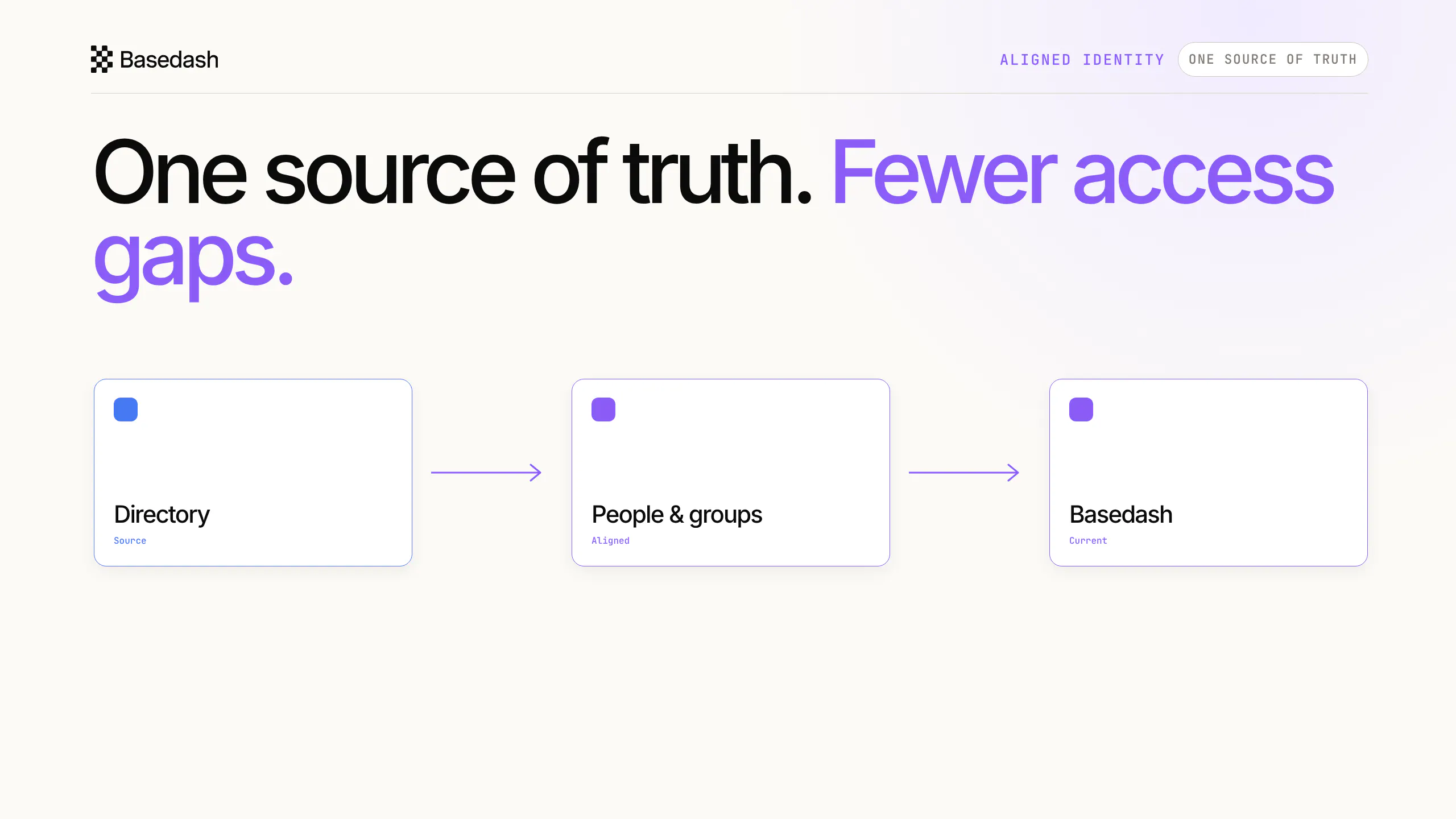
Basedash SCIM keeps workspace identity aligned with the directory your company already manages. As people join, change teams, or leave, users, groups, and organization memberships stay current—reducing app-by-app cleanup and helping leaders answer who still has access. Together with SSO, RBAC, and RLS, it gives enterprise teams more confidence to roll Basedash out without turning identity administration into a bottleneck. Your org changes. Access keeps up.
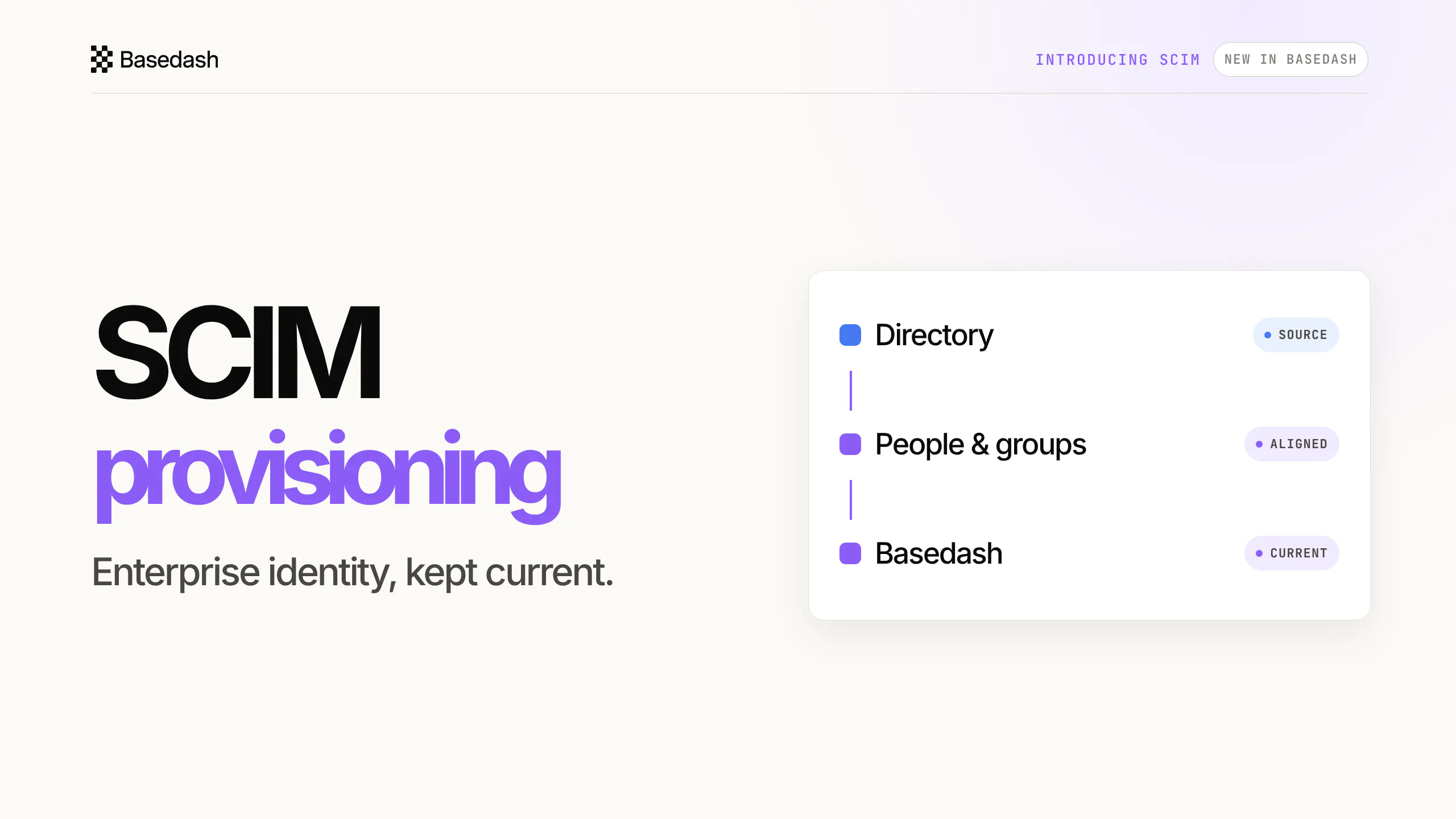
Hey everyone, Max here from Basedash. Today we’re launching SCIM provisioning: a way to keep Basedash identity aligned with the directory your company already manages. As companies grow, joiners, team changes, and departures create identity work in every application. SCIM lets those changes flow into Basedash, keeping users, groups, and organization memberships current. A departure deactivates organization membership; resource access remains governed separately through controls such as RBAC and RLS. We built this to make enterprise rollout feel controlled without making identity administration the bottleneck. Happy to answer anything.
5
回复

@maxmusing Congrats on the launch. Querying a database in plain language and actually trusting the answer — plus comment threads right on the rows — is a real step up from most BI tools. Made you a quick launch video to celebrate, yours to use anywhere - including your PH media, where a video helps a launch succeed in here:

https://www.youtube.com/watch?v=ay2HqXeELyk

Made at https://foxplug.com/?utm_source=producthunt&utm_medium=comment

0
回复

@maxmusing Congratulations on the launch! 🚀 SCIM provisioning is a valuable addition for growing teams—automating identity management while maintaining security and governance is a big step toward smoother enterprise adoption.

0
回复
We spend a lot of time talking to enterprise customers, and SCIM is a recurring theme. As teams grow, manually managing users across tools doesn’t scale. Now Basedash automatically stays in sync with your identity provider, so onboarding and offboarding are largely handled for you. Happy to answer any other questions or hear what you’d like to see!
1
回复

How well does the AI handle complex joins across multiple tables, or does it get confused once you move past simple single-table queries?

0
回复

Finally played around with Basedash after hearing about it for weeks and the natural language chart builder honestly surprised me the most. Plugged in a Postgres db, asked for weekly churn, and got a clean line chart in seconds.

0
回复

How does it handle complex joins across multiple tables when you describe them in natural language, and are there limits on how many rows it can process per query?

0
回复

Connected my Postgres database in under a minute and asked it to show churn by signup month. Got a clean chart back with a surprisingly useful written summary. Wish more BI tools felt this straightforward.

0
回复

Connected our Postgres and asked it to show weekly active users broken down by plan. Got a clean chart in seconds and could refine it with a follow-up sentence. Way easier than firing up Metabase for a one-off question.

0
回复

How does it handle messy or inconsistent schemas when you point it at a real production database, or do you need to clean things up before connecting?

0
回复

How does the AI handle data sources it has never seen before, like a weird internal database or a spreadsheet with merged cells and weird formatting? Curious how forgiving it is in practice.

0
回复

How does the AI handle messy or poorly documented schemas when you point it at a database it has never seen before?

0
回复

I really like how Basedash turns a plain sentence into a working chart, that no-SQL magic trick feels impressively smooth and actually useful.

0
回复

how does the pricing scale as the dataset grows, and are there any limits on the number of rows or sources you can connect before the AI starts getting sluggish on the queries?

0
回复

connected my postgres db and asked it to chart weekly active users and the chart actually matched what i'd write by hand. the natural language piece feels less gimmicky than i expected.

0
回复

the SCIM + RBAC/RLS separation is a clean call. a lot of tools conflate identity provisioning with access control and it creates a mess when someone departs mid-project. curious how you handle partial deprovisioning for contractors who are tied to active dashboards, any edge cases there? congrats on #6, 24 launches in is impressive staying power.

0
回复

The place access always rots for us is offboarding, not onboarding. A contractor leaves and three tools still have them active two months later. Does the SCIM here cover clean deprovisioning across downstream apps, or is it mostly about pushing new users out? Curious how it handles the half-connected tools that don't speak SCIM properly.

0
回复

The bit that decides a rollout for me is deprovisioning latency: when someone leaves or switches teams in the directory, does Basedash cut their access on the next SCIM sync cycle, or is there a near-real-time path? For a team standing up dashboards on live customer data, the gap between 'left the company' and 'can still open the dashboard' is the whole risk. Also curious whether group-to-role mapping is 1:1 or if you can express nested/combined groups.

0
回复

@hazy0 it's near-real-time on our end. As soon as your IdP pushes the membership change to Basedash we remove their access immediately so they can no longer read dashboards or ask questions to the AI.

0
回复

How does the AI handle more complex joins across multiple data sources, and is that included in the base plan or does it require a higher tier?

0
回复

@fatihfy3l all plans include our AI data analyst with its full capabilities including being able to do complex joins and analysis.

0
回复

Connected my postgres database and asked for a weekly active users chart - got a clean visualization in like 30 seconds without touching any SQL. The natural language piece actually works better than I expected.

0
回复

Pulled it up to poke around and the natural language chart builder actually understood my messy request on the first try, which surprised me. Setup to connected data was quick and the dashboard looked clean without any fiddling.

0
回复

@hayrunnisa69ve awesome to hear, let me know if you have any questions getting started!

0
回复

Interesting to see a natural language interface paired with enterprise provisioning. It makes me wonder how the learning curve differs for new team members versus seasoned analysts when they first use it.

0
回复

@voltagegpu we’re building largely for enterprises, but UX and ease of use are a huge priority for us! Doesn’t matter how big your company is, natural language is the easiest way for business users to ask questions and get answers.

0
回复

Connected my postgres db and asked for a chart of weekly active users, got a clean visualization in seconds. The natural language piece feels polished, not just a wrapper.

0
回复

How does it handle complex joins across multiple tables when you ask in natural language, does it just guess at the relationships or do you need to define them upfront?

0
回复

@ykwqej the AI builds its own context layer based on your schema to understand relations and context from raw data. Users can also create definitions to teach the AI how to deterministically calculate certain metrics or models.

0
回复

One thing I've noticed with enterprise features like SCIM is that the technical implementation is often the easy part compared to getting companies to prioritize identity management before it becomes painful.

Have you found SCIM to be something prospects actively ask for, or is it mostly a capability that helps remove blockers later in the sales process?

Congrats on the launch!

0
回复

@aryan787544 it’s a common requirement for bigger enterprises. If they need it they usually let us know 😊

0
回复

Hooked up our Postgres and asked it to chart weekly active users by plan, got a clean visualization back in seconds without touching SQL. Impressed it actually understood the relationships between tables without me hand-holding it.

0
回复

@kuzeyatmac1qeh glad to hear! Let me know if you have any other feedback.

0
回复

Would love to see a way to save and share prompt templates for common chart types. Our team keeps asking similar questions each week, and being able to save a "weekly revenue by plan" prompt with preset filters would save a lot of time.

0
回复

@sabriyepuvg love it. We built skills and definitions to support this kind of workflow!

0
回复

@maxmusing @kris_lachance The offboarding path is the part most teams underestimate, that's where access quietly rots. Auto-syncing group and org membership on every change, not just provisioning new users, is the hard part done right. That's exactly what makes "who still has access" answerable. Nice work.

0
回复

@kris_lachance  @nishant_06 thanks, totally agree. We want to make this totally seamless.

0
回复

the split between org membership and resource access via RBAC/RLS is the right seam. most SCIM implementations conflate the two and enterprises pay for it later.

real q: does the audit log preserve who was in the org at the moment a query ran or a dashboard was published? asking because compliance teams increasingly want "this insight was produced by this human on this date under these roles" as a first-class record and most tools reconstruct it after the fact.

0
回复

@thenameisarian yup the audit log can trace who took what actions, like asking questions to the AI dat analyst, or creating a dashboard.

0
回复

The natural language chart builder actually worked on the first try with a messy Postgres schema, which caught me off guard. Wish the dashboard sharing was a bit more polished though.

0
回复

@hamdisdan2s3o glad to hear! Any specific feedback about how you’d want dashboard sharing to work better? We’re looking to improve it.

0
回复
#8
Breathing In Labour
A distraction-free breathing app for labor preparation
123
一句话介绍:Breathing In Labour 是一款极简无广告的呼吸训练工具,专为孕妇分娩准备设计,通过视觉反馈和科学呼吸法帮助用户在宫缩时无需记忆、只需跟随节奏来缓解焦虑与疼痛。
Health & Fitness Parenting Education
分娩准备 呼吸训练 极简设计 无广告 免费核心功能 视觉反馈 孕妇健康 冥想 焦虑缓解 产品猎手
用户评论摘要:多数用户称赞无广告、无强制注册、核心功能免费的设计。主要疑问:App 是否能自动适配分娩阶段?是否提供实时音频或触觉反馈?开发者回应:它是一款孕期的练习工具,非分娩时实时引导;支持手动切换模式,触觉反馈默认关闭可开启,语音引导正在开发中。
AI 锐评

Breathing In Labour 在“分娩准备”这个高度垂直且情感脆弱的领域中,打出了一张聪明的牌——“反人性商业化”。当竞品拼命把呼吸教程锁进年费订阅,把界面塞满广告和焦虑营销时,它用“极简+免费核心+无账户”三板斧直接戳中用户痛感:分娩前的准父母最不需要的就是在宫缩中摸索关闭广告的按钮。从Product Hunt 的123票和评论区“终于有一个不折腾人的app”的共鸣来看,这种减法策略精准命中了目标用户的心理阈值。

但产品的深度值得拷问。其核心价值并非技术创新,而是一种“朴素的教育工具”——将瑜伽、冥想中常见的呼吸模式(如盒子呼吸、哈气)再包装,辅以极简动画和科普文案。这种模式在孕早期练习中有效,但正如用户质疑的,它并未解决分娩现场的最大痛点:实时自适应引导。开发者也坦陈其定位是“孕期预演”,而非“产程伴侣”。这形成了一个有趣的矛盾:产品名字叫“Breathing In Labour”,但真正的“硬核战场”(分娩中)它却主动退场,只提供肌肉记忆训练。这更像是一个聪明的市场定位选择:避免与专业医疗设备或助产士指导正面竞争,但同时也限制了自身的实用价值和付费转化(用户可能在熟练后迅速流失)。

商业模式考量上,“核心免费、皮肤收费”的策略(通过视觉主题、音景、自定义呼吸模式变现)很聪明,降低了尝试门槛,且针对的是“陪伴感”而非“功能性”,用户忠诚度或许能依靠情感连接维系。但长期看,能否持续吸引用户为“氛围”付费?如果后续不加入更智能的、如根据宫缩模式动态调整的算法或与可穿戴设备联动,它很可能沦为又一个“用过即弃”的孕期工具,而不是一个能伴随用户度过整个分娩周期的长期伙伴。总的来说,这是一把好刀,但刀刃磨得还不够锋利。

查看原始信息
Breathing In Labour
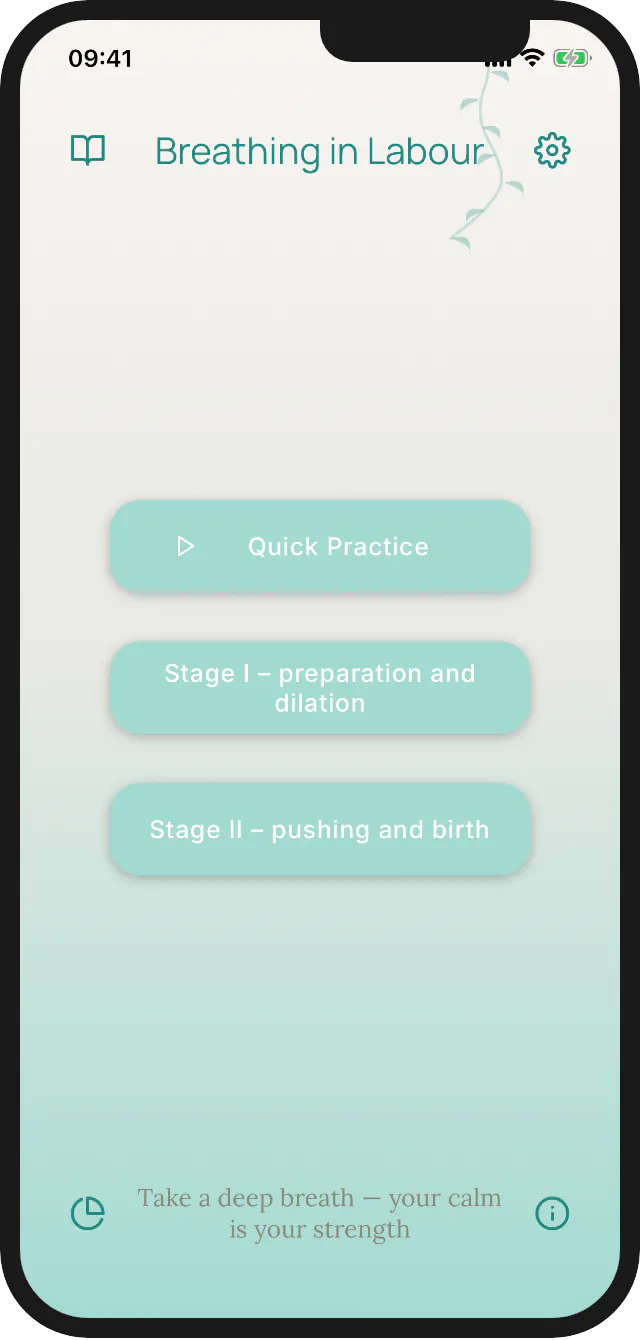
Breathing In Labour is an educational, distraction-free alternative to cluttered and ad-heavy labor prep apps. It stands out by offering: 1. Built-in knowledge of proven breathing techniques for all stages of labor. 2. A hyper-minimalist interface with calming visual feedback to master breathing rhythms. 3. Zero ads or forced accounts to get in the way of your practice. 4. Core mechanics are 100% free to use.

Hi Product Hunt! 👋

I'm Artur, maker of Breathing in Labour.

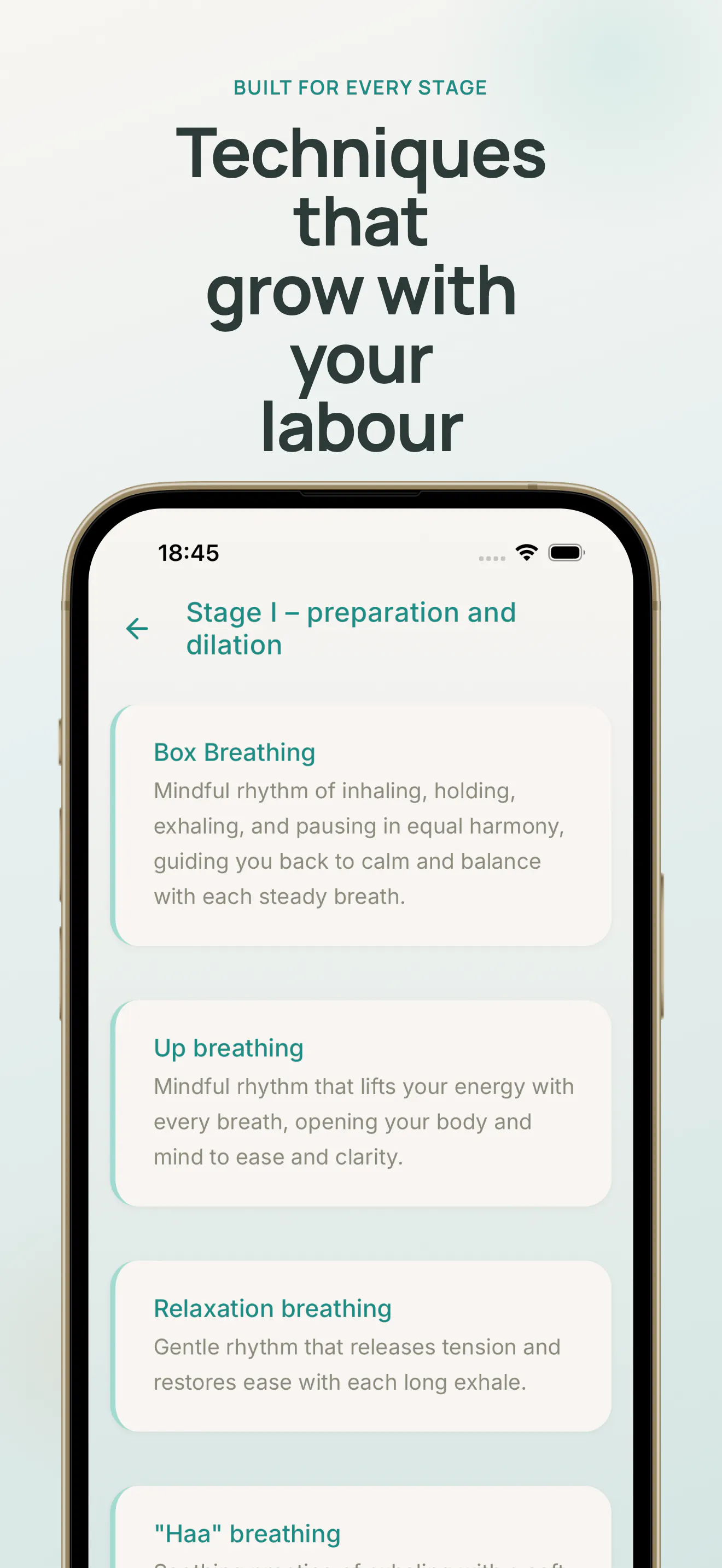
This started when my partner and I were preparing for birth: breathing is the

one tool every birth class teaches, but during a contraction nobody remembers

"inhale 4, exhale 8." You need something to follow, not something to remember.

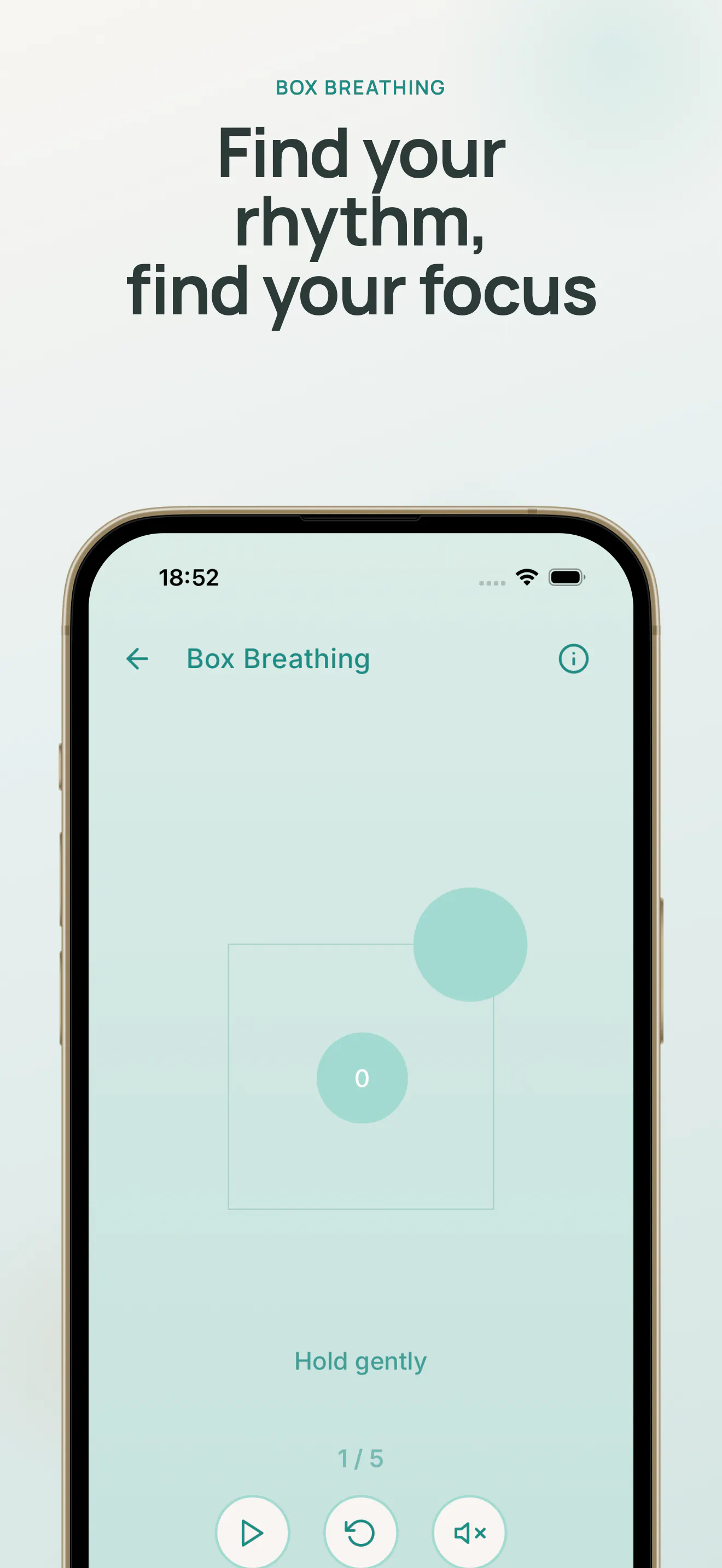
So I built a breath coach you follow, not read — a calm animation paces every

inhale, hold and exhale. It was born for labor, but the same techniques work

for anyone: stress, anxious moments, falling asleep, box breathing at 3am with

a newborn. If you breathe, it's for you. 🫁

The part I'm most proud of: everything you actually need is free. All 7 guided

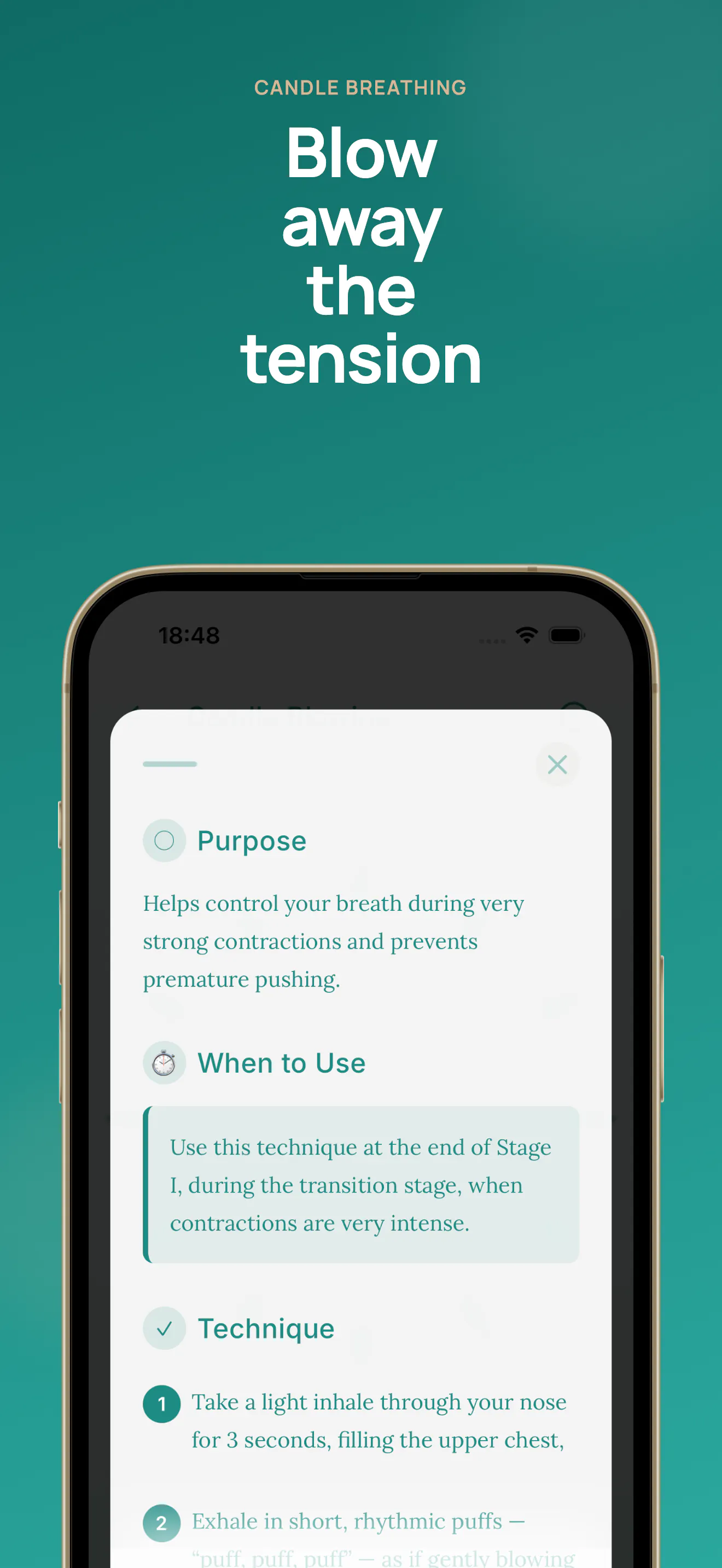
techniques — Box, Up, Relaxation, "Haa" and Candle Blowing for early labor and

everyday calm; Down and J-Shaped for the pushing stage — free, forever, no

exercise paywall.

📖 It teaches, not just paces. Every technique comes with the full context:

what it's for, when in labor to use it (early Stage I? between contractions?

pushing?), step-by-step instructions and a visualization to hold onto — plus a

guide on why breathing matters and how to practice, including together with

your birth partner. You walk in knowing why you're breathing this way, not

just following shapes.

Most breathing apps lock the breathing itself behind a subscription. I did the

opposite: Premium only changes how the app looks and feels — audio soundscapes,

color themes, and building your own custom breathing patterns. The core

practice is never the product being sold.

🎁 Want to try Premium anyway? We made a launch offer just for Product Hunt:

open lebene.pl/en/producthunt and you get the first 3 days of the subscription

free (on iPhone the code redeems automatically in the App Store; on Android

install first, then open that link).

One honest tip: the offer starts a real subscription with the first 3 days

free. If you just want to test it, cancel the subscription in your store

settings right away, then go explore — you keep Premium for the full 3 days,

and there's nothing to forget later. Valid through July 18.

I'd love feedback from everyone — parents, doulas, midwives, and anyone who's

ever needed to catch their breath. What would make this more useful for you? 💙

1
回复

finally an app that skips the ads and accounts nonsense, just straight to the breathing. the visual rhythm guide actually helped me slow my breath down quickly.

0
回复

finally something that actually feels calming instead of overwhelming, the minimalist rhythm visual is genuinely soothing during practice

0
回复

Does the app actually adapt the breathing pace to whatever stage of labor someone is in, or is it more of a static guide you have to manually switch between?

0
回复

Love the no-ads approach, super refreshing for a birth prep app. Does the app guide you through each stage automatically or do you have to manually switch between early, active, and pushing phases during a contraction?

0
回复

How does the app actually guide you through the different stages, like is there audio cues or just the visual feedback to follow along with?

0
回复

The minimalist interface really does feel calming, and I love that the core breathing techniques are free without any sign-up hoops. The visual rhythm feedback helped me actually focus on slowing my breath instead of getting distracted.

0
回复

How does it actually guide you through the breathing in real time, like is there audio cues or just the visual feedback to follow along?

0
回复

The breathing visuals are really calming, especially during the contraction timing exercises. Wish more apps followed this no-ads, no-account approach for something this personal.

0
回复

The minimalist interface actually made it easier to focus on the breathing rhythm, which is what you need mid-contraction. Nice that the core stuff is free without forcing a sign-up.

0
回复

the choice to skip accounts and ads for something as vulnerable as labor prep shows real care for the user. love that the visual breathing feedback is the whole interface instead of buried under menus.

0
回复

The minimalist design really helps you focus on the breathing rhythms without distractions. Surprised how calming the visual feedback feels during practice.

0
回复

The minimalist visual feedback for breathing rhythms is such a thoughtful touch. Calm, uncluttered, and actually useful when you're mid-contraction and need zero friction.

0
回复

Does the app guide you through each contraction in real time during labor, or is it more of a practice tool you use beforehand to build the breathing habits?

0
回复

@egemensnme99249 thank you for your question. App is designed as a training tool for pregnancy rather than something to rely on during labor itself. Pregnancy gives you weeks or even months to practice different breathing techniques until they become familiar and feel natural.

0
回复

No ads, no forced account, free core mechanics on a labor app is a real flex. That whole category usually holds your breathing hostage behind a signup, so good on you for not doing it. My actual question is about the moment of use. Mid-contraction, nobody is studying a screen. How does the visual feedback carry when someone can barely look at it? Curious whether you leaned on haptics or a sound cue so the rhythm still lands with eyes closed.

0
回复

@chielephant Thank you so much for the kind words! The app is primarily designed for practicing breathing during pregnancy, so that during labor it becomes muscle memory rather than something you have to think about. For using it with your eyes closed, you can enable haptic feedback in the settings (it's off by default). We're also currently working on adding voice guidance to make hands-free practice even easier.

0
回复

First off Congratulations on launching the app! When I used the it the UI felt like it is genuinely well thought and does calm people down. The mock up labor stages are a great way to prep yourself for the real deal. I have used many meditation apps before and I have to say this was the most simple yet effective.

0
回复

@sonal_waghchoure Thank you so much! I'm really glad you found it simple, calming, and effective. I truly appreciate your kind words!

0
回复

The minimalist interface really helped me focus on the breathing patterns without distractions, and the calming visual feedback makes practicing feel almost meditative. Nice to see a labor prep app that respects your time and attention.

0
回复

@birsenu6d2 Thank you for your kind words! We're delighted to hear that the minimalist design and calming visual feedback helped create a focused, almost meditative experience. Making labor preparation simple, supportive, and free from unnecessary distractions has always been our goal. We truly appreciate your support!

0
回复

The minimalist interface really helped me focus on the breathing rhythms without distractions. Loved that the core features are free with no signup required, makes it easy to actually practice daily.

0
回复

@nuranasilsoy Thank you so much! We're really happy to hear that the minimalist interface helped you stay focused on the breathing rhythms. We also strongly believe that essential breathing practice should be easy to access, which is why we made the core features free and available without creating an account. Thanks for your support—it truly means a lot to us!

0
回复

How does the app actually guide you through the different stages of labor in real time, since labor itself is pretty unpredictable in length and intensity?

0
回复

@zelihadogruyer That's a great question! Our app isn't designed to track or adapt to labor in real time. Instead, its main purpose is to help women practice breathing techniques before labor, so they become familiar and feel more natural when the big day arrives. The app offers breathing patterns inspired by different stages of labor, allowing users to build confidence and muscle memory through regular practice. During labor, every experience is unique, so we see the app as a preparation tool rather than a real-time labor coach.

0
回复

How does the app actually cue the breathing patterns during a contraction when you might not be able to look at the screen, especially if the visual feedback is the main guide?

0
回复

@efekhlg That's a great question! The app is designed primarily as a training tool for pregnancy rather than something to rely on during labor itself. Pregnancy gives you weeks or even months to practice different breathing techniques until they become familiar and feel natural.

During labor, we actually recommend putting the phone away and focusing on your body and the guidance of your midwife or healthcare team. If they suggest a specific breathing technique, there's a good chance you'll already know it from practicing with the app beforehand. Our goal is to help build that confidence and muscle memory before the big day.

0
回复

The minimalist interface actually made it easier to focus on my breath instead of fiddling with settings. Surprised the core features are genuinely free with no sign-up walls to jump through.

0
回复

@alt_noz56283Thank you so much for your kind words! As the creators of the app, we made a conscious decision to focus first on helping and educating people, which is why the core features are free and available without sign-up barriers. We only charge users who choose to personalize and configure the app with additional features to fit their own needs.

This project is especially close to our hearts because my wife was pregnant while we were building the app—and she was using it herself throughout her pregnancy. That experience helped us shape every detail with expectant mothers in mind. Our goal was to create something that would genuinely support women during pregnancy and be a trusted companion on their journey.

If there's one thing we hope for in return, it's that people who find the app helpful will support us by leaving a positive rating and review on the App Store or Google Play. It means a great deal to a small independent team like ours and helps more parents discover the app. Thank you for being part of that journey!

0
回复
#9
Trailsense
See where people are hiking, without cameras
30
一句话介绍:Trailsense通过太阳能节点嗅探Wi-Fi探针请求,在不使用摄像头或安装App的情况下,为徒步路径管理部门提供匿名化的人流密度趋势数据。
Hardware Data & Analytics Nature & Outdoors
徒步路径监测 Wi-Fi探针计数 匿名化隐私保护 太阳能硬件 人流热度图 智慧旅游 муниципалитет数据看板 开源固件 MAC地址指纹去重
用户评论摘要:多数评论认可无摄像头、无App的隐私优先设计,但对计数准确性存疑。核心问题聚焦于iOS/Android的MAC地址随机化如何应对——团队已采用指纹聚类做近似去重,但仍承认无法绝对准确,仅作为趋势估算。另有用户关心高密度场景下的过计数风险。
AI 锐评

Trailsense的巧思在于用最低的“侵犯感”解决了旅游业一个真实的信息断层:知道客人睡在哪,却不知道他们白天去哪。用Wi-Fi探针替代摄像头,在户外场景里确实比视频分析更容易获得监管和公众的信任票,其开源固件更是加分项。但商业价值目前卡在两条红线之间:一是准确性。MAC随机化是手机厂商对抗“被动跟踪”的军备竞赛,团队引用论文中的指纹比对方法只能算“补救”,在高人流重叠场景下误差会显著放大——旅游旺季山顶的数据可能比股市K线还震荡,这对决策者来说“趋势”往往不够用。二是商业模式。当前瞄准ToG/旅游局的收费路线很稳,但这类客户采购周期长,且一旦发现免费替代方案(比如运营商手机信令数据),砍单风险不低。所谓的“公共徒步热力图”远期愿景很美,可一旦面向C端发布,用户对“准不准”的容忍度会急剧收缩——谁也不想看一条“显示人少但实际上脚挨脚”的假绿色小路。另外,团队强调“匿名化”和“不留原始数据”,但光攒局不够,欧美的隐私监管会追问:指纹生成的算法是否可逆?聚合后的数据究竟存多久?未来如果商业化,必须提前引入独立审计,否则“硬件+数据生意”的组合极易被舆论反噬。一句话,点子好、落地诚实,但要从小规模POC走到政府采购清单,还需要更硬的精度测试和更厚的合规护城河。

查看原始信息
Trailsense
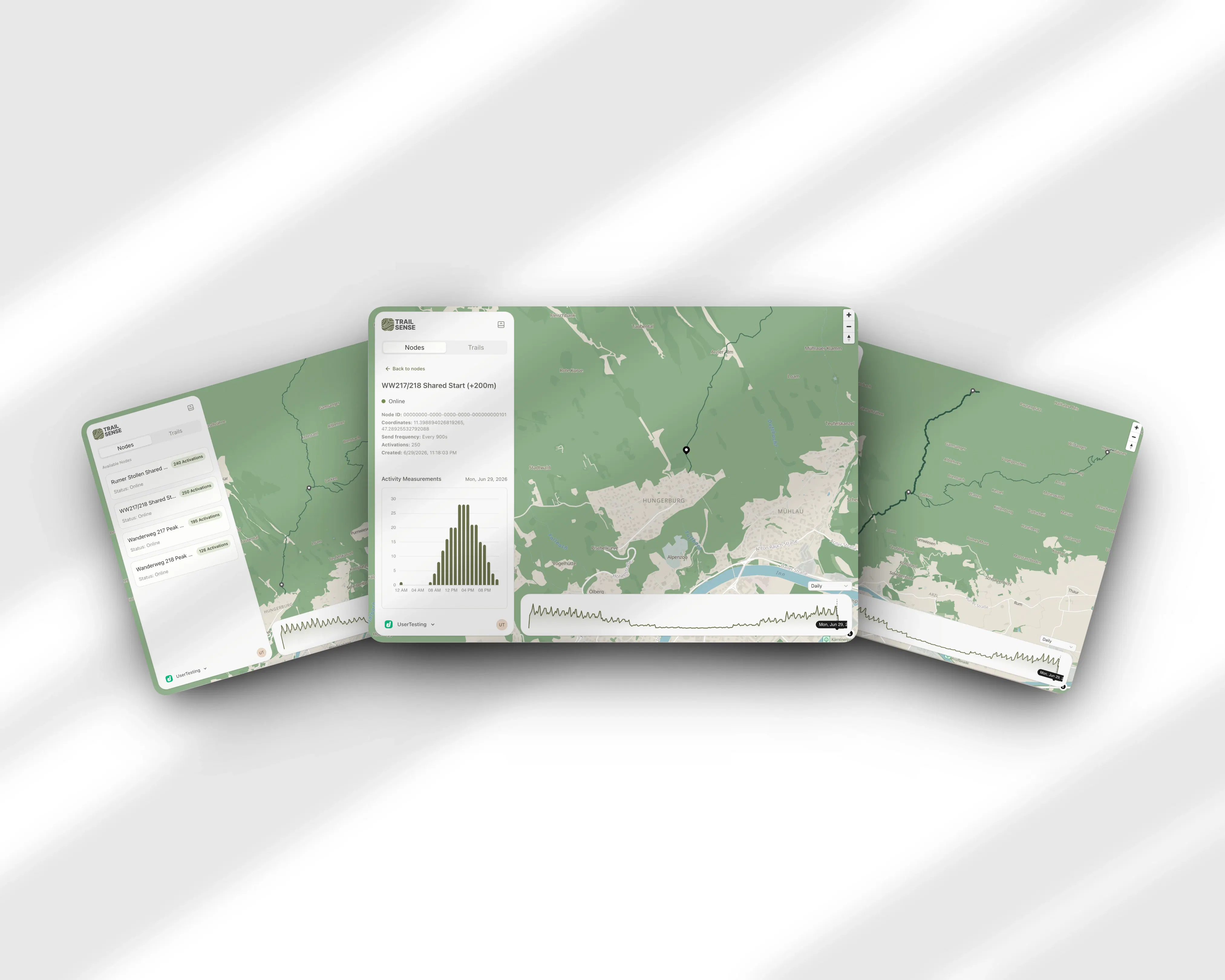
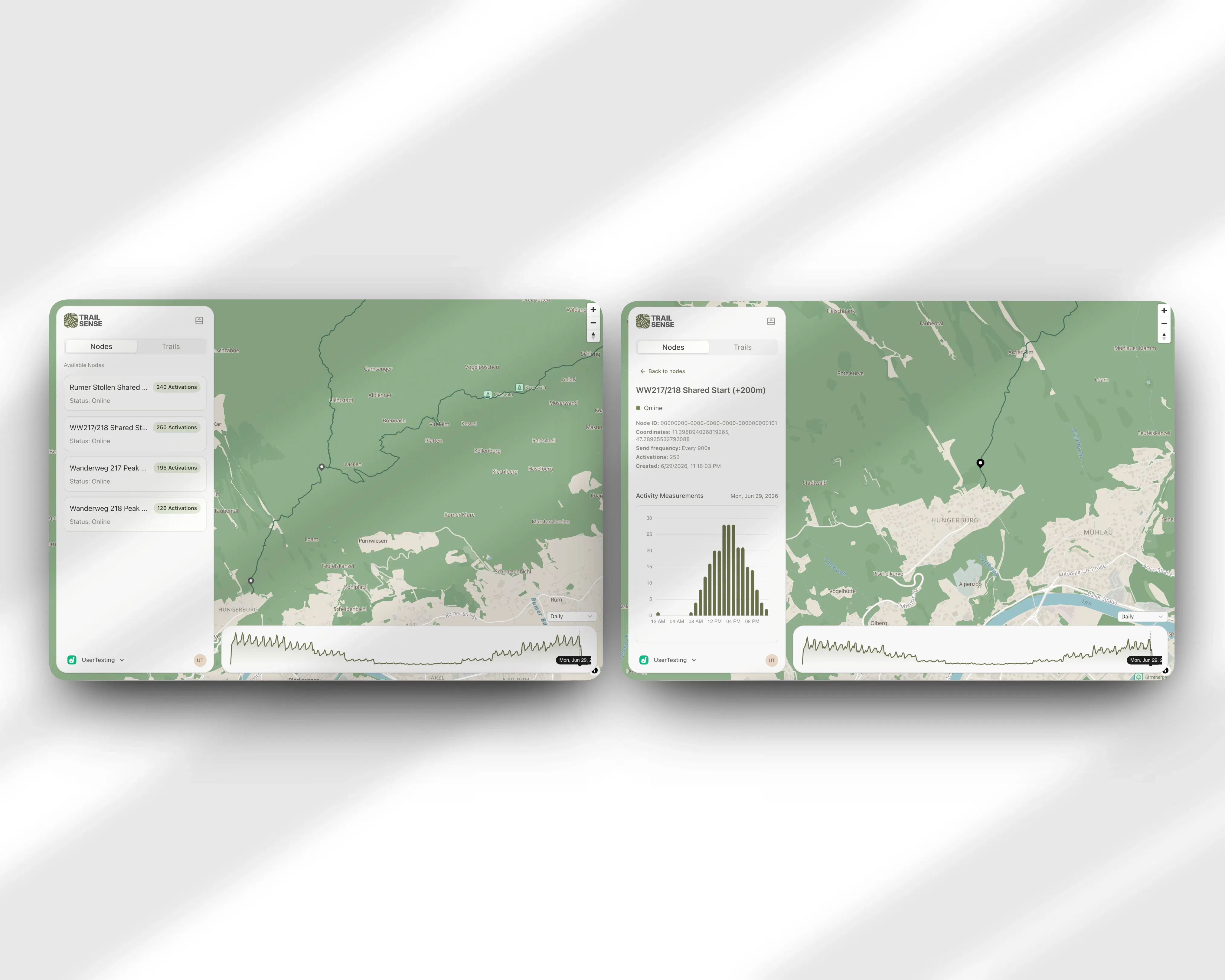
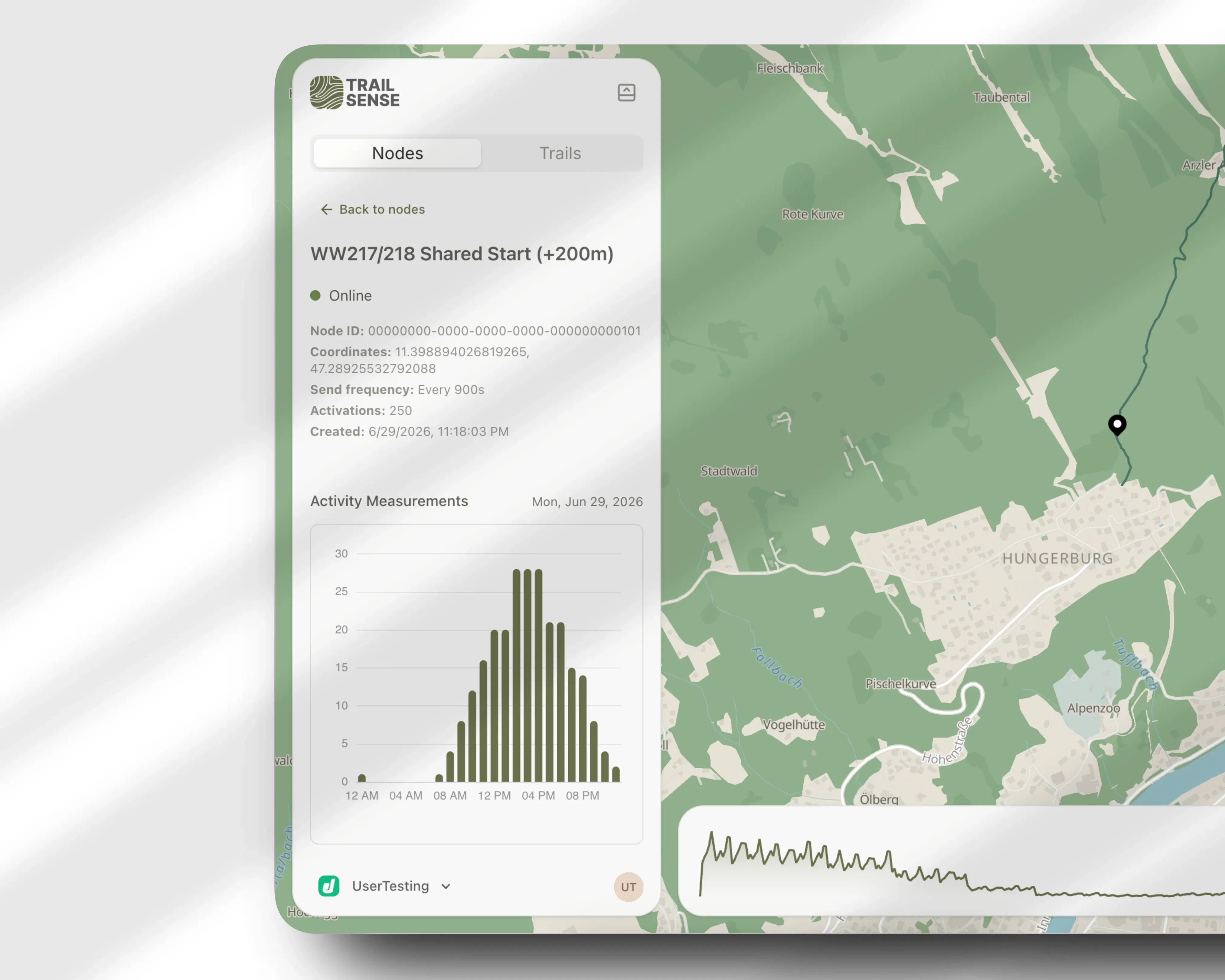
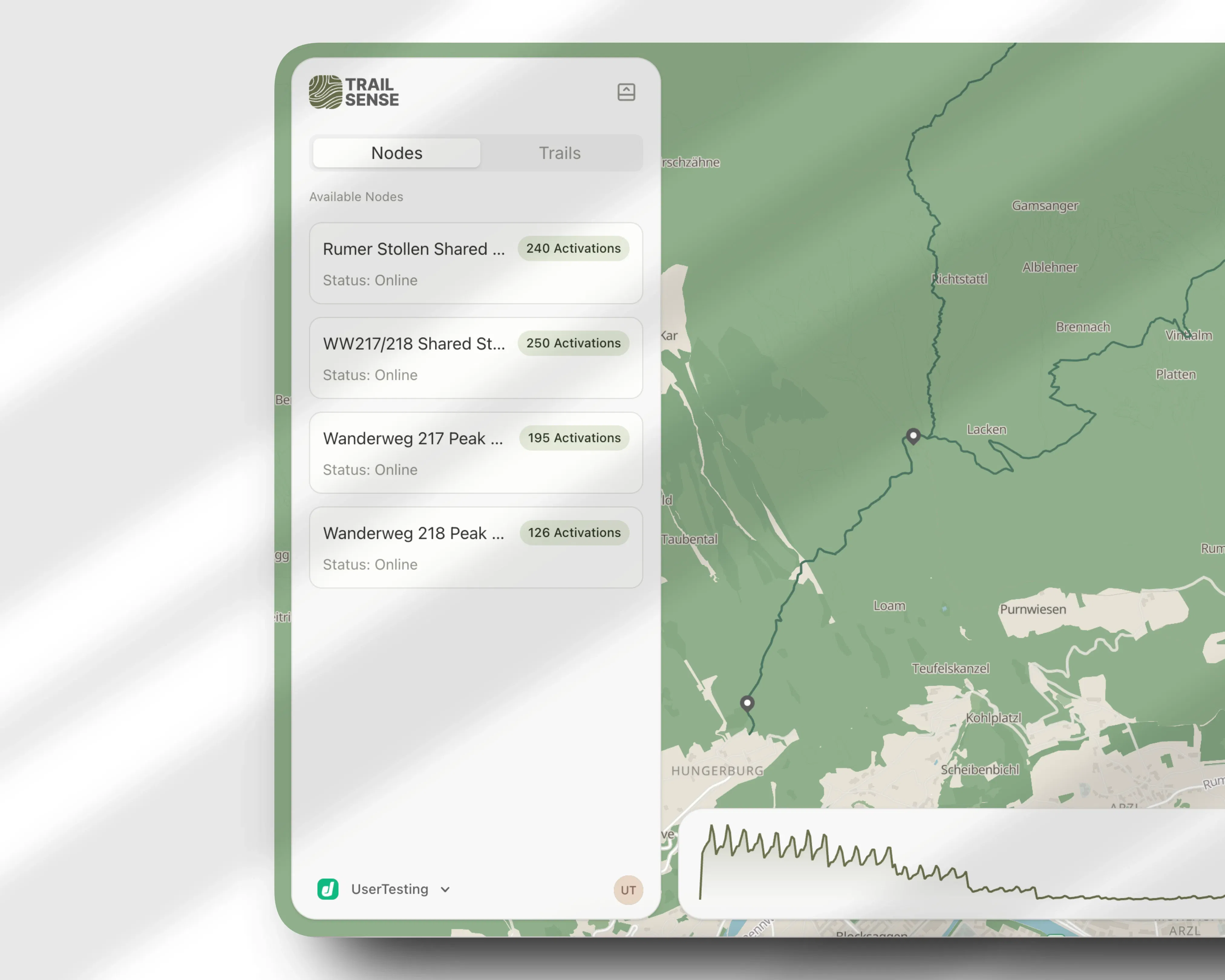
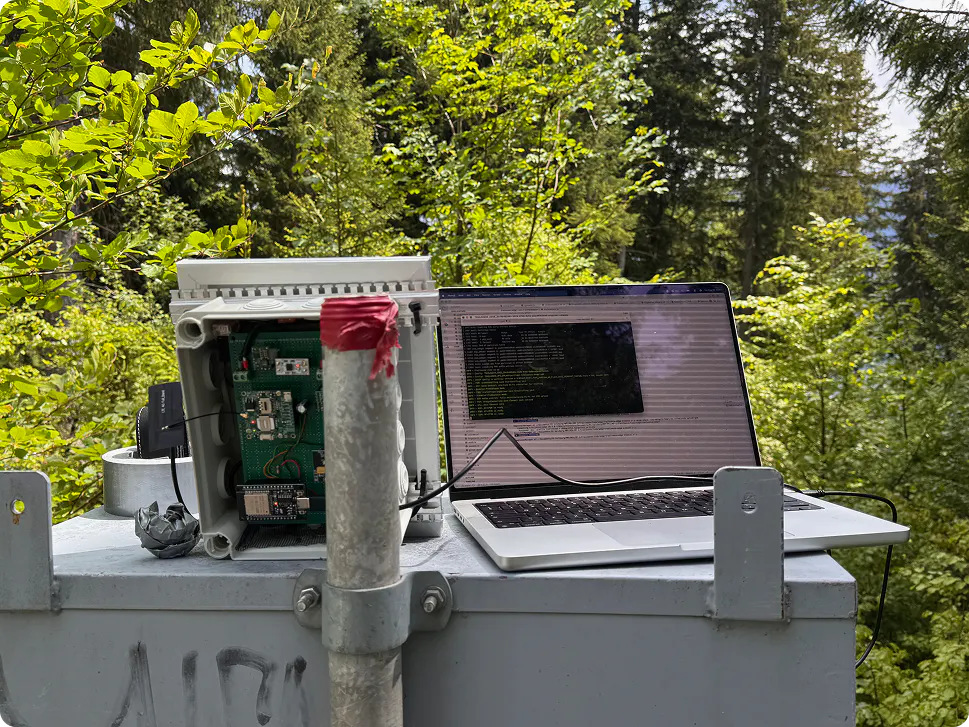
Trails can get busy, and others stay empty, but how do you know? We built Trailsense to answer that. Our solar-powered nodes count hikers using anonymized wifi probe requests, the pings a phone sends while scanning for known networks. A dashboard turns those counts into a clear view of how busy each trail is over time. No cameras, no app for hikers to install, and no personal data ever leaving the device.

Hey, I'm Francesco, one of three people behind Trailsense, along with Felix and Lea.

We build small solar-powered sensor nodes that count how many people pass by on a hiking trail, without cameras and without hikers having to install anything. The nodes listen for wifi probe requests, the background pings a phone sends out while scanning for known networks, and turn them into an aggregated count. No raw probe request data ever leaves the node, and no personal data is stored anywhere in the system.

The idea started at the Tourism Technology Hackathon in 2025, where Tirol Werbung brought us a real problem: they know exactly how many people sleep in which hotel each night, but almost nothing about where those people go during the day. We kept working on it as our master's project, and this year we ran a pilot on the Nordkette in Innsbruck alongside Tirol Werbung.

Right now Trailsense is pre-commercial. The pilot is done, we're refining the dashboard and the node hardware, and we don't have a public demo up yet since it's still a bit rough around the edges. Longer term we want to add a public-facing side too, something like Google Maps traffic data but for hiking trails, so hikers can check how busy a trail is before heading out. For now our focus is the municipality and tourism board side.

We're posting here mainly to get feedback, whether you've built sensor hardware yourself or you're just someone who hikes and has opinions about being tracked outdoors. What would make you trust a system like this to collect data around you? And if you were a hiker using a public facing traffic-map version someday, what would you actually want to see on it?

Our node firmware is open source on GitHub (github.com/trailsense) if you want to see exactly how the data collection works.

Happy to answer any questions.

5
回复

Finally launching TrailSense today!

I really enjoyed working on a product that includes hardware. It was my first time being involved in something like that, and it made the whole project especially exciting.

Also here for any questions about our product :)

3
回复

Took a look at the dashboard and the wifi probe approach is clever - feels like the trailhead counts line up with what I'd expect on a busy weekend. Nice that nothing leaves the device.

2
回复

Thanks @caferkalnursr! Glad you like the privacy aspect, it's fundamental to what we want to do.

0
回复

The no-app approach is clever and the wifi probe trick actually makes sense after reading about it. The dashboard view over time looks like the kind of thing I'd check before a weekend hike.

2
回复

Thank you very much @irmakbyktgjq! It’s great to hear that you are interested in the public trail-traffic part of the project.

0
回复

clever way to get a busyness signal without cameras or an app install. one thing i'm curious about given how the tech works - modern phones (iOS and most recent android) randomize their MAC address per probe request specifically to prevent exactly this kind of passive counting. does trailsense do any signal-strength/timing clustering to guess that five different randomized addresses over an hour are probably the same phone, or is the count more of a relative busyness proxy (more pings = busier trail) rather than an actual hiker headcount? asking because the accuracy story is pretty different depending on which one it is.

2
回复

Hey @galdayan, thank you a lot for your comment!

Yea MAC address randomization was a bit of a struggle for us, but luckily we found a good paper that describes a method using pre-trained “filters/bit-masks”. Using these you create a fingerprint for each probe request, and then compare those fingerprints to each other. Based on how “similar” the fingerprints are you can either count them as one device or as two distinct ones. Of course it will never be 100% accurate, but with the data from the pilot project we want to improve the nodes in general and refine the fingerprinting.

At the end the idea is to have a trend or estimate of hikers, since we cannot guarantee an exact count due to the inherent inaccuracy. Also, someone might not be carrying a phone at all, or could have a second device like a smart watch with them.

2
回复

finally a privacy first take on trail counters, no app or camera nonsense is a big plus. curious how reliable the wifi probe counts actually are in dense spots.

0
回复

Hey @berragpfb, while working on our project, privacy was one of the main aspects we focused on. I personally hate the idea of my data being collected, so we wanted to really reflect that in Trailsense.

Dense areas are going to be a bit tricky for us because of the overlapping probe requests which can lead to over or undercounting. We still need to verify the numbers from the pilot project, so sadly I cannot tell you about the accuracy yet, but over the next few months, we want to run many more tests and see how good our nodes are at counting people. 

0
回复
#10
Investor Updates
Keep all your investors in the loop with bulk updates
29
一句话介绍:
Investor Updates 是一个帮助创始人批量撰写并一键发送投资者更新邮件、追踪反馈的工具,解决因时间精力不足而疏于与投资人同步进度的痛点。
Productivity Newsletters Fundraising

投资者关系
邮件群发 创始人工具 创业者 融资管理 SaaS 投资人沟通 创业SaaS 模板化 数据追踪
用户评论摘要:
用户普遍称赞模板降低了写作门槛,尤其鼓励分享失败的设计很受认可。核心诉求集中在能否自动接入Stripe等工具拉取数据,以及是否支持对不同投资人发送不同层次细节(如领投方看完整数据、天使看摘要),这是避免手动分发的关键。
AI 锐评


Investor Updates 精准切中了早期创始人“知道要做但就是不做”的惰性痛点——不是工具不够好,而是人天生厌恶非紧急但重要的重复劳动。产品通过模板化结构和一键发送,把“写更新”从心理负担降为填写表格,这是有效的降维打击。

但冷静来看,它的价值天花板也很明显:1. 真正高频、高质的投资人更新,核心瓶颈是创始人的表达能力与数据整合习惯,而非发送动作本身。模板能解决“不知道写什么”,但解决不了“没东西可写”。2. 用户反馈中最高频的诉求——自动拉取数据(Stripe等)和按投资人分级发送——恰恰是产品当前能力的空白。若不快速补上,当用户新鲜感消退后,会发现依然要手动粘贴表格、手动维护两套版本,最终退回邮件客户端。3. 产品停留在“工具”层面而非“服务”:它帮创始人省了10分钟发送时间,但没能帮他们构建可持续的投资者沟通习惯或产生有洞察力的报告。相比Notion模板+手动群发,它提供的增量价值有限。

一句话定性:一个让“懒且忙”的创始人迈出第一步的漂亮启动器,但若想成为日常必备,必须尽快长出数据对接和权限分发的肌肉。否则,被模板式邮件唤醒的投资者,反而会更快注意到内容的单薄。

查看原始信息
Investor Updates
The easiest way to keep angels and venture capitalists informed about the progress of your startup. Sending investor updates monthly or quarterly about your traction, growth, hires, failures and milestones helps build trust and transparency.
Hey Product Hunt 👋 Most founders know they should send investor updates from time to time - ideally every quarter, but unfortunately most don't do it. Reasons why founders don't send updates to investors can be many: 1. Founders are busy with millions of other things. 2. Founders don't know the importance of keeping investors in the loop, because this is their first time raising money. 3. Founders forget to do it. 4. Founders are lazy to do it. 5. They don't want to dig through old emails, copy-paste the same thing to 20 people, and lose track of who they already told. So it slips. Investors go quiet. We fixed this annoying part. Build your investor list once, write your update, send it to everyone with one click. Track opens, replies in one place, and use the same list easily next time you update investors from the same place. Would love your feedback and happy to answer anything in the comments 🙏
1
回复

@rashid_khasanov Congrats on shipping. "You don't notice silence" nails it — the company that went quiet is the one to worry about, and surfacing that before the LP call is genuinely useful. Made you a short launch video to mark the day, yours to keep. Suggest adding it to your PH launch page media; it will help you get traction on the launch.

https://www.youtube.com/watch?v=0nXNETuN6cs

Made at https://foxplug.com/?utm_source=producthunt&utm_medium=comment

0
回复

@rashid_khasanov hey Rashid. The bottleneck on investor updates was never the sending, it was sitting down to write the thing every month. Does this help structure the update itself, or is it purely distribution once you've written it? And can different investors see different levels of detail, since not everyone on the cap table gets the same numbers?

0
回复

How does it actually pull the numbers in? Do I have to type everything out each month or can it connect to Stripe or a spreadsheet and draft the update for me?

0
回复

Super clean setup, got my first update drafted in under 10 minutes. Love that the templates nudge you to share failures, not just wins.

0
回复

Building the list once and reusing it is the real friction-killer here — the copy-paste-to-20-people step is exactly why updates slip. One thing I would want before making this my monthly ritual: can I segment a single send so a specific metric or paragraph only reaches a subset (lead investors vs smaller angels), or does every recipient get the identical email? That is what decides whether I run one send a month or quietly maintain two versions by hand.

0
回复

The template saved me from staring at a blank doc for an hour, and pulling in metrics from our dashboard actually worked on the first try. Wish I had this during my last round.

0
回复

Honest take after a quick try: the templates actually sound like a founder wrote them, not a robot. Wish I'd had this when I was juggling 12 angels and a Google Doc.

0
回复

bulk-send with per-recipient tracking is the right shape for this. curious about one thing not covered yet: do you support sending a different level of detail to different investors, like your lead gets the full numbers and a smaller angel gets the summary version, or is it genuinely one update broadcast to the whole list every time? that's usually where founders end up back in manual copy-paste mode even with a tool like this.

0
回复

How does this handle the actual writing part though, or is it just a template and distribution tool I have to draft the content myself each month?

0
回复

Does this pull metrics automatically from tools like Stripe or QuickBooks, or do I have to type everything out by hand each month?

0
回复

I like that this is centered around investor communication rather than fundraising itself.

One thing I've always wondered is whether the biggest challenge is actually writing the update, or deciding how transparent to be when growth stalls or milestones slip.

Has that been a pattern you've noticed while building this?

Congrats on the launch! 🚀

0
回复

Love how clean and focused the whole flow is. The fact that it nudges you to actually cover failures and hires alongside the wins feels like a real founder-friendly touch, not just a fancy mail merge.

0
回复

A monthly update template that pulls metrics automatically from tools like Stripe or Mixpanel would save founders a ton of time. Most of us spend an hour formatting numbers each cycle when that data should just flow in.

0
回复

The template structure made it so much faster to send our last update, and my lead investor actually replied saying it was the clearest one yet.

0
回复

Finally tried a few templates and the monthly format actually pushed me to track metrics I had been ignoring. The "failures" section felt awkward at first but ended up being useful for keeping investors in the loop.

0
回复
#11
Plexa
Website trust, security and SEO in one platform
24
一句话介绍:Plexa是一个一站式网站可信度检测平台,帮助非技术背景的网站运营者快速发现SSL安全、信任标识、SEO和合规问题,并提供可操作的修复建议,告别多工具切换与技术术语困扰。
Analytics SEO Developer Tools
网站审计 信任验证 SEO检测 SSL安全 合规检查 一键扫描 技术修复建议 独立开发者
用户评论摘要:用户赞赏其无技术门槛的修复引导和SSL问题发现能力,但关注与Ahrefs等专业工具的差异、扫描对客户端渲染的支持、以及信任徽章的实时性(创始人回复徽章反映最新扫描而非实时监控,计划缩短更新窗口)。有用户希望增加定期扫描邮件通知(已实现为Pro功能)。
AI 锐评

Plexa踩中了一个真实但狭窄的缝隙——中小网站所有者(尤其是非开发者)在多工具、技术壁垒与安全合规焦虑之间的断裂带。它将安全扫描、SEO审计、合规检查抽象为“信任”这个业务语言,并以“为什么重要”的叙述替代报错清单,本质上是在降低网站健康度的认知门槛。

但值得警惕的并非产品能力,而是商业逻辑。24票的冷启动表明热度有限,而评论中敏感用户已直击其短板:与Lighthouse、Ahrefs等成熟工具的“深度差距”是结构性的——Plexa更像一个“七十分集成者”,在单一维度上很难与专业工具抗衡。其护城河在于“解释层”节省的时间,而非检测技术本身。更致命的挑战是信任徽章模式的悖论:一旦扫描滞后于实时漏洞,徽章就成了反信任引擎,而实时监控对轻量级SaaS来说成本高昂。

创始人坦诚的回应和快速迭代意愿是亮点,但Plexa当前需要回答的核心问题是:如何从“能看的入门工具”进化为“值得依赖的权威来源”,否则它最多是技术小白的一次性排雷工具,而非可持续订阅的SaaS服务。真正的价值在“持续监控+权威通报”的结合,而非首测的快感。

查看原始信息
Plexa
Plexa helps businesses build better websites by identifying trust, security, SEO and compliance issues in one place. Instead of overwhelming you with technical jargon, Plexa provides clear, actionable recommendations to help you understand what's wrong, why it matters and how to fix it.
Hi everyone! I'm Peter, the solo founder behind Plexa. Plexa has been quite a journey. It actually started under a completely different name, but after sharing it online and receiving some honest (and sometimes brutal!) feedback, I realised the product had outgrown its branding. Instead of ignoring it, I decided to start again. Over the last few weeks I've completely rebranded the project, redesigned the homepage, rebuilt large parts of the platform and focused on solving one problem: Helping businesses understand and improve the trust, security, SEO and compliance of their websites. My goal has never been to overwhelm people with technical jargon. I want Plexa to explain what's wrong, why it matters and how to fix it in a way that's actually useful. This is still just the beginning, and I'd genuinely love to hear your thoughts. Whether it's something you like, something you don't, or an idea for a feature, I'm reading every comment and using the feedback to shape where Plexa goes next. Thank you so much for taking the time to check it out!
1
回复

@mrpenetrator Congrats on the launch. Rolling SSL, security headers, privacy policies and SEO into one score — then letting you drop a verified TrustScore badge on your checkout or footer with a public verification page — is a clean way to turn "is this site legit" into something visitors can actually check. 50+ checks in under a minute is a strong promise.

You launched without a demo video, and these land so much harder without one — so I made you one, free, fully whitelabeled, no watermarks or strings. Drop it into your gallery now while the launch is fresh:

https://www.youtube.com/watch?v=Va2CF2qi1ww

Built it with FoxPlug — it turns your real product updates into launch videos, posts and GIFs automatically. foxplug.com. Really rooting for this one.

0
回复

@mrpenetrator Bundling trust, security and SEO is interesting because right now I pay for three separate tools that barely talk to each other. From the buyer side the risk is a suite that does all three at 70 percent versus a best-in-class point tool. Which of the three would you say Plexa does better than the standalone incumbents?

0
回复

Curious how this differs from running something like Lighthouse or Ahrefs site audit, since those already flag a lot of trust and SEO issues. Is Plexa more about consolidating the noise into a single prioritized list, or does it actually catch things those tools miss?

0
回复

How does Plexa handle sites behind authentication or ones with heavy client-side rendering, and does the scan run on demand or on a recurring schedule?

0
回复

Finally tried Plexa on our company site and was honestly surprised how plainly it explained the SSL chain issue we had been ignoring for months. The prioritized list of fixes made it easy to know what to tackle first without a developer.

0
回复

respect the rebrand story, shipping past the honest feedback instead of ignoring it is the harder path but the right one. question on the trust badge specifically: if a site fixes an issue right after a bad scan, does the public verification page update in near real time, or is there a lag where a visitor could see a stale "verified" badge on a site that currently has a live issue? that gap is the thing that would worry me most about any public trust score.

0
回复

@galdayan Thanks, Gal! I really appreciate that—and the feedback during the rebrand genuinely helped shape Plexa.

Great question. The verification page isn’t a static “verified forever” badge. It always reflects the results of the latest scan, and the Last verified timestamp shows exactly when those results were generated. Scheduled scans keep that information up to date automatically.

There is naturally a window between scans, so the badge represents the most recent verified state rather than claiming continuous real-time monitoring. As Plexa evolves, reducing that gap is definitely something I’m exploring.

Thanks for raising it—that’s exactly the kind of question I’d expect people to ask.

0
回复

Building Plexa has been an incredible journey, and today’s feedback has already given me so many ideas.

To say thank you, I’m giving everyone from Product Hunt 1 month of Plexa Pro free.

If you decide to give it a try, I’d love to hear what you like, what you don’t, and what you’d build next.

Use code PRODUCTHUNT during checkout.

Thanks again for making launch day so much fun!

0
回复

the way plexa frames every issue with the why behind it feels really considered. most tools just dump a list of errors and leave you guessing, so this actually stands out.

0
回复

@hikmetkoalaxqo Thank you so much! That was a deliberate design decision.

I didn’t want Plexa to just list problems—I wanted it to explain why they matter and how they affect trust, security and SEO.

Really appreciate the feedback!

0
回复

Finally tried Plexa on my portfolio site and it caught three SSL issues I had no idea about. The plain-language explanations actually make sense without needing a dev background.

0
回复

@nermink6755 Thank you, Nermin! That means a lot to hear.

One of my biggest goals is making technical issues understandable for everyone, not just developers. If the explanations helped make those SSL issues clear, then that’s exactly what I was aiming for.

Really appreciate you giving Plexa a try!

0
回复

A scheduled scan option would be killer, so I can set it to run weekly and just get a digest email of any new trust or SEO regressions instead of remembering to check manually.

0
回复

@tahirqj7z Thanks, Tahir! Good news—that’s actually already built. Although is a pro feature.

You can schedule automatic scans (powered by cron) and get notified whenever something changes, so you don’t have to remember to check manually.

I’m planning to keep expanding the monitoring and reporting too. Really appreciate the suggestion!

0
回复
#12
Market Genie 2.0 AI Marketing System
We built something you've been wishing for.. Wish granted
23
一句话介绍:Market Genie 2.0 是一个集AI邮件撰写、线索抓取、可视化自动化、CRM、漏斗搭建、预约和数据分析于一体的全能型客户获取平台,旨在解决中小企业营销工具碎片化且成本高昂的痛点。
Marketing SaaS Artificial Intelligence
AI营销 客户获取 全栈营销平台 白标SaaS 自动化漏斗 线索抓取 CRM 邮件营销 联盟营销 创业工具
用户评论摘要:用户普遍认可AI邮件撰写和可视化自动化流程的流畅性,称其节省时间且品牌语调匹配度好。核心疑问围绕白标模式:多数用户关心是否完全隐藏平台品牌、能否让客户登录一个完全独立的品牌化门户,还是更接近转售或联合品牌模式。有用户期望漏斗模板更灵活,并好奇线索抓取是否支持LinkedIn等社交平台。
AI 锐评

Market Genie 2.0 本质上是一款“缝合怪”式生产力工具,其价值锚点在于“一站式”与“白标免费”——这对独立创业者、小型代理机构极具诱惑。AI邮件撰写和可视化自动化的卖点确实解决了从获客到成交的基础链路碎片化问题,且评论区提到的体验(无卡顿、语调准确)表明功能完成度尚可。

然而,核心矛盾在于“白标”的真实定义。创始人在回帖中诚实承认:当前是共品牌转介模式,客户登录仍走主域名,并非真正的独立品牌后台。这意味着用户无法完全“去Market Genie化”——如果目标是通过白标包装成自己的SaaS产品来服务于客户,这套方案存在明显的品牌所有权短板。“完整白标”的宣传与现实之间存在信息差,可能劝退寻求高端定制或品牌独占性的用户。

另外,线索抓取不原生支持LinkedIn等主流社交平台,而是依赖API对接第三方工具(如Hunter、Apollo),这降低了“全栈”的含金量,实质上仍然是拼装生态。最终,这款产品的价值在于快速搭建一个初期获客系统(AI写作+自动化+CRM),但作为面向客户的完整白标SaaS平台,目前更像一块有吸引力的“半成品”。对于预算有限、不苛求深度定制的个人创业者,Founders 50的免费期价值很高;但对于追求品牌独立性和规模化代理运营的团队,还需观望其路线图的落地能力。

查看原始信息
Market Genie 2.0 AI Marketing System
We rebuilt Market Genie from the ground up. Meet Market Genie 2.0: AI email writer, lead scraper, visual automation, CRM, funnel builder, appointment scheduler, analytics, everything for client acquisition in one platform. Founders 50 exclusive: 1 year completely FREE (white-label included). Limited spots. Claim yours today
Hey everyone, After 18 months of relentless building, fueled by my own frustration with overpriced, fragmented marketing tools, Market Genie 2.0 is finally LIVE! We poured everything into creating the ultimate all-in-one client acquisition powerhouse, from AI outreach to white-label solutions. This isn't just a launch; it's a revolution. And for the first 50 partners, our Founders 50 Affiliate Program offers 50% lifetime commissions PLUS free access to Market Genie 2.0 (with white-label) and Support Genie! What's your biggest marketing pain point that Market Genie 2.0 could solve? Drop a comment below! 👇 Explore Market Genie 2.0..... https://marketgenie.tech/ Join the Founders 50..... https://marketgenie.promotekit.com
1
回复

When you say white-label is included, does that mean clients would see our branding throughout, including in the emails and CRM they use, or is there still a Market Genie footer somewhere?

0
回复

The email writer saved me a solid 20 minutes on my first campaign and the tone actually matched my brand voice surprisingly well. Wish the funnel templates were a bit more flexible, but overall a strong update.

0
回复

Does the lead scraper pull from platforms like LinkedIn and Instagram too, or just specific directories?

0
回复

@smetnbbf different directory's pulling from you own API for platforms like Hunter and Apollo

Hope this answers you question

0
回复

Congrats on your launch, Darrell.

As someone who has used Market Genie, I can only recommend it. It has everything you need in one place without burning your wallet. And it's so smooth to use.

Amazing work!

0
回复

@tonacreates Thank you for being such a loyal contributor to Dub D Products

you are awesome

1
回复

How does the white-label side actually work in practice, can my clients log into something branded as my own agency or is it more of a reseller setup?

0
回复

How does the white-label actually work in practice, can my clients log into a fully branded portal or is it more of a resold account?

0
回复

@nilgn2902160993 Thanks for reaching out. I want to be completely transparent about how our white-label program works today.

Right now, it is a co-branded referral model with automated payout routing rather than a fully separate portal.

Here is what that looks like in practice:

  • Your Checkout Page: You get a page customized with your logo, brand colors, and custom pricing plans. Customer payments route directly to your Stripe account.

  • The Portal Experience: Once clients sign up, they log in via our main domain. Inside the app, they manage their own workspace with their own logo. They will not see your agency logo inside their active dashboard.

We handle the technical side, hosting, and updates so you can focus on clients and pricing. Custom domains and full dashboard skinning are planned for our future roadmap.

Let me know if you have any questions!

0
回复

The visual automation builder is way cleaner than I expected for an all-in-one tool, and the lead scraper actually pulls useful contacts without a ton of setup. White-label at zero cost is wild for founders.

0
回复

@hayrettinf3hvd outstanding, I’m glad you liked the automation builder, that was one of the major upgrades we put into it.

You also mentioning the white label at zero cost if you get a chance to look further?

0
回复

Spent an afternoon poking around the funnel builder and was surprised how smooth the visual automation felt, no clunky drag-and-drop delays like I expected. Curious to see how the lead scraper holds up at scale.

0
回复

@volkanbirsan i’m glad you got to check it out, I’m curious so it doesn’t show that you created an account?

0
回复
#13
MeMex
A private, searchable memory for your Mac
23
一句话介绍:MeMex为Mac用户提供本地存储、可搜索的屏幕活动视觉记忆,解决工作中“明明做过却找不到当时操作细节”的上下文断裂痛点,支持自然语言回溯工作时刻。
Productivity Privacy Artificial Intelligence
macOS工具 屏幕记录 隐私优先 本地存储 工作流回溯 时间轴 自然语言搜索 AI分析可选 生产力工具 个人知识管理
用户评论摘要:用户普遍认可时间轴和自然语言搜索的实用性。关键疑问集中在:隐私边界(排除特定应用/窗口录制、数据是否外传)、存储空间管理(自动清理机制)、长期使用后搜索速度、以及AI分析时“远程”与“本地”的明确数据流向(评论指出需明确是“私有默认”还是“配置后私有”)。开发者对技术细节(本地SQLite索引、局部帧上传)有坦诚回应。
AI 锐评

MeMex精准切入了一个普遍但未被充分满足的痛点:“我知道我做了,但细节去哪了?” 它将那种模糊的挫败感转化为一个可操作的产品。**其核心价值并非“记录”,而是“索引”——将杂乱无章的屏幕像素转化为结构化、可查询的“工作记忆”。** 这比传统屏幕截图或录屏软件向前迈了一大步。

产品设计上最值得肯定的是**对隐私的务实权衡**。它不是一刀切的“全本地”或“全云端”,而是将“记录-存储-索引-分析”链条分层:本地存储是基石,AI分析是可选且透明的外挂层。这种架构既满足了隐私敏感用户(尤其是开发者、设计师等处理敏感信息的群体),又保留了利用第三方模型获得更优分析结果的能力。评论中关于“哪些数据会上云”的尖锐提问,恰恰反映了用户对此类产品的核心焦虑。开发者的回复(局部帧、元数据、Q&A流程)细节到位,显示出产品设计是经过深思熟虑的,而非营销噱头。

**潜在风险**在于用户行为习惯的建立。用户需要养成“事后查询”的主动使用习惯,才能让“工作记忆库”的价值真正显现。若仅依赖被动记录,产品很容易沦为另一个无人问津的日志文件夹。此外,19.99美元的一口买断价在macOS工具中颇具竞争力,但能否吸引足够多的付费用户,取决于“找回上下文”这个痛苦是否有足够高的频次和强度。

一句话锐评:**MeMex不是在创造新需求,而是在用更优雅、更尊重隐私的方式,修复数字化工作本身带来的“失忆症”。它找到了“监视”与“记忆”之间的微妙分界线。**

查看原始信息
MeMex
MeMex gives your Mac a private visual memory. It turns screen activity into an organized timeline of real work moments, then lets you ask plain-English questions and return to matching screen evidence. Daily and weekly reports summarize work you already did, while Pattern Insights spots repeated workflows worth automating. Recordings stay local in a location you control; AI analysis is optional and uses your own provider or compatible local endpoint.
Hi Product Hunt, I built MeMex because I kept running into the same frustrating moment: "I know I saw it. I know I worked on it. But where was it, and what exactly did I do?" Modern work is scattered across browsers, editors, documents, terminals, and chats. Bookmarks only save what we remember to bookmark. Notes only capture what we stop to write down. Screenshot folders quickly become another place we have to search. MeMex gives your Mac a private visual memory instead. It turns screen activity into an organized timeline of real work moments, including when they happened, which apps were involved, and what the activity was about. From there, you can: - Return to a moment without manually organizing screenshots. - Ask questions such as "What did I fix before shipping?" - Get answers connected to replayable screen evidence. - Generate daily and weekly reports from the work already captured. - Discover repeated work patterns and turn them into reusable AI or agent playbooks. Privacy was not something I wanted to bolt on later. Recordings are stored locally in a location you control. AI analysis is optional and uses a provider or compatible local model that you configure. Before data is shared for third-party AI analysis, MeMex explains what will be sent and asks for permission. MeMex is available for macOS as a one-time USD 19.99 purchase. I would especially love feedback on one question: where do you lose work context most often today? Thank you for taking a look.
1
回复

the local-only storage with optional AI processing is a really thoughtful split, it means you actually own your screen history without locking yourself out of useful analysis. nice to see a tool that respects privacy without gutting the feature set.

1
回复

Thanks Pınar! That balance is exactly the design principle: screen history should remain a user-owned local library, while analysis is an explicit layer you can add, change, or remove. Recording and timeline browsing still work without AI. A compatible local endpoint can keep the processing local; a hosted provider is optional and receives the disclosed analysis data only after consent. I’m glad that tradeoff came through. Would you personally lean toward a local model, or a hosted provider for better model quality?

0
回复

tried it for an afternoon and the timeline view feels genuinely useful, scrolling back to find that one design file i lost track of. like that the recordings stay on my machine by default.

1
回复

Thanks Sinem! That “one design file I lost track of” moment is exactly the kind of context gap MeMex is meant to close. I wanted the timeline to feel like continuity, not another folder full of screenshots. I’m glad the local recording model felt right too. When you found the file, did you get there by scrolling the timeline or by asking the Assistant? That distinction would help me decide which retrieval path to improve first.

0
回复

How does the local storage hold up over time, like does it balloon fast on a normal workday and need manual cleanup or does it handle that itself?

1
回复

@abantakanancyy Good question. It doesn’t grow without bounds by default.

MeMex has separate configurable storage caps for raw recordings and processed timeline media, both set to 10 GB by default. It checks storage on launch and every hour, then automatically removes the oldest media when a limit is exceeded. Recent raw recordings are protected for three days, and the searchable timeline-card text remains available after older media is removed.

You can view usage in Settings and set each limit from 1–20 GB, or choose unlimited. So routine use shouldn’t require manual cleanup, although daily growth naturally depends on recording time and display resolution.

0
回复

Comes in handy when I can't remember which file I had open two hours ago, just ask it in plain English and it pulls up the right window. Love that the recordings stay local by default.

1
回复

@urgenzeki80043 Thanks “Which file or window did I have open earlier?” is one of the everyday memory gaps I wanted MeMex to solve. The recordings stay on your Mac by default, while AI features remain optional and user-configured.

0
回复

The timeline view is genuinely useful for finding that one thing I worked on last Tuesday without digging through screenshots. Local-only storage is a nice touch too, makes it feel less invasive than other activity trackers I have tried.

1
回复

@ensar90917 Thanks Ensar! That “I know I worked on it last Tuesday, but where was it?” moment is exactly why I built MeMex. I’m especially glad the local-first approach makes it feel less invasive.

0
回复

The "AI analysis is optional and uses your own provider or a compatible local endpoint" line is what makes this usable for privacy-sensitive work — the timeline stays local and I decide if anything ever leaves. Two things I would test before leaving it always-on: can I exclude specific apps or windows (a password manager, banking) from being recorded at all, and does the searchable text index live in the same local store, or does querying round-trip to the provider? Trying to gauge whether I can keep it capturing during sensitive work without leaking window contents into an external model.

0
回复

Tried it for a day and the natural language search worked way better than expected. I asked "show me when I was working on the pricing page" and it pulled up the right window. Local storage is a nice touch.

0
回复

How does the search actually work under the hood, does it index OCR text locally or rely on screenshots only when you query?

0
回复

Great question. Search is local and text-first; MeMex does not reopen or upload screenshots when you ask a question. During analysis, sampled frames are converted into structured timeline cards with titles, summaries, detailed observations, app/site context, and timestamps, and those fields are stored in the local SQLite library. When you ask something, MeMex parses the terms and time context locally, ranks matching cards and observations locally, then sends only the top matched text and metadata to the configured model to compose the answer. The current build does not maintain a separate full OCR index. Visual analysis happens when cards are generated, not at query time. If the configured provider is hosted, selected frames may be sent to it during that earlier analysis step; the Q&A request itself does not include screenshots or video.

0
回复

The timeline view actually made my scattered work day feel coherent, and being able to ask "what was that thing I saw yesterday" in plain English saved me a real hunt through screenshots.

0
回复

Thanks Ali! That is exactly the feeling I hoped the timeline would create: not just a pile of captures, but a coherent thread through a fragmented day. “What was that thing I saw yesterday?” is also one of the most natural questions for MeMex. I’m glad it saved you the screenshot hunt. Was the matching evidence easy to recognize once MeMex surfaced it?

0
回复

This looks genuinely useful. I'm constantly trying to find a tab, file, or random thing i saw earlier and can't remember where it was.

Also really nice that everything stays local. Doessearch still feel fast once you've built up a few months of history?

0
回复

@rudy_zhou Thanks Rudy! Search runs over locally indexed timeline cards instead of rescanning raw recordings, so it remains fast even you have lots of history datas.

One privacy clarification: raw recordings stay on the Mac. If a hosted AI provider is enabled, selected frames may be sent directly to that provider for analysis. A local endpoint keeps the entire AI pipeline local.

1
回复
The "You did the work. But the details? Already gone." message really resonated with me. I think forgetting context is a much bigger problem than people realize. Turning work history into something searchable feels like a very natural direction. Congrats and good luck today! 👏
0
回复

@new_user___1802026258df93399c32311 Thank you, Lyra! That line came directly from my own frustration: I could remember completing the work, but not the path, sources, or decisions behind it.

MeMex is meant to make that context recoverable without requiring you to document everything manually. What kind of context do you find yourself losing most often: tabs and files, past decisions, or troubleshooting steps?

0
回复

the "recordings stay local, AI analysis is optional and uses your own provider" split is the interesting design decision here. if someone plugs in a remote provider (say a hosted API instead of a local endpoint) to ask a plain-english question, does the relevant screen evidence get sent up to that provider to answer it, or does it stay local and only the extracted text/metadata leaves the machine? for a tool whose whole pitch is private visual memory of everything you do, that's the detail that actually determines whether it's private by default or private-if-you-configure-it-carefully.

0
回复

@galdayan Thanks ! Let me explain this. The current behavior is:

  • Raw recordings remain on the Mac and are never uploaded as complete video files.

  • If a remote AI provider is enabled, MeMex sends selected sampled frames directly to that configured endpoint when generating analyzed timeline cards. This only happens after the user reviews and accepts the data-sharing disclosure.

  • For a plain-English question, retrieval happens locally. The Q&A request sends the question plus text from the matched timeline cards, such as titles, summaries, observations, timestamps, and app/site context. It does not send the underlying screenshots or video again for that question.

  • Requests go directly from the Mac to the user’s chosen provider. MeMex does not proxy or store them on a MeMex backend.
    So with a hosted provider, the accurate description is local storage with optional remote AI processing, not end-to-end local processing. Users who want the entire pipeline to remain local can connect a local OpenAI-compatible endpoint, and recording/timeline browsing still work without enabling AI at all.


    This is a useful callout. Raw recordings stay local. AI processing runs through the model endpoint you choose.

0
回复
#14
Ortu
The clipboard manager for people who copy-paste for a living
20
一句话介绍:Ortu是一款本地优先、开源且跨平台的剪贴板管理器,通过全文本搜索、智能分组和加密掩码等功能,帮助重度复制粘贴用户(如工程师)高效管理海量碎片化信息,彻底摆脱系统剪贴板浅薄和第三方工具臃肿的痛点。
Productivity Open Source Privacy
剪贴板管理器 开源 本地优先 跨平台 全文本搜索 智能分组 加密掩码 粘贴队列 隐私保护 效率工具
用户评论摘要:用户普遍赞赏其隐私保护、本地存储和智能分组功能。主要问题集中在:秘密检测为启发式算法,漏检内容需手动标记,且未实现全库加密;有用户提出跨设备同步需求;部分用户关注海量剪贴内容下的搜索性能(已被开发者确认FTS5可稳健应对)。
AI 锐评

Ortu的出现精准地戳中了技术工作者的一个“隐痛”:在“复制粘帖”这一看似低级的重复劳动中,现有的解决方案要么过于简陋(系统自带),要么过于笨重且出卖隐私(云端同步)。它的核心价值不在于创造什么石破天惊的技术,而在于一种极其克制的“减法”设计——本地化、轻量级、开源、无账户,这恰恰是那些被SaaS风暴折磨得疲惫不堪的专业用户最渴望的“安全感”。

产品逻辑很纯粹:用Rust+Tauri的底层确保性能与续航,用SQLite FTS5解决海量数据的瞬间检索,用启发式+手动标记两重机制平衡自动化和隐私需求。这种“不装腔作势”的务实姿态,让它从“又一个工具”变成了“一个值得信赖的基础设施”。但需要泼一盆冷水的是,它当前最大的优势(本地化)也是其最大的天花板。用户评论中“跨设备同步”的呼声,暗示了其在多设备工作流中的致命短板。作为个人生产力工具,Ortu近乎满分;但若想从“极客玩家的玩具”进化为“专业人士的工作流枢纽”,它必须直面这个核心矛盾——如何在保持“隐私教旨主义”的前提下,优雅地解决跨设备无缝协作的问题?目前没有任何暗示。这种“洁癖”或许能赢得第一批忠实拥趸,但也会将大多数有实际协同需求的用户拒之门外。此外,“秘密掩码”的启发式机制存在误用风险,对普通用户而言,“我以为是安全的实际没加密”比“我明白它可能不加密”更危险。未来若不能提供“一键全库加密”的选项并辅以透明的安全说明,这或将引发用户的误判。

查看原始信息
Ortu
Ortu remembers everything you copy — text, images, files — so you can paste it again instantly, from any app. Full-text search, paste stack, secret masking with encryption, smart auto-grouping. 100% local, no account, open source. macOS, Windows & Linux.
Hey Product Hunt! 👋 I'm Abhijith, maker of Ortu. Ortu started as a daily frustration: as an engineer I live in copy-paste.. deploy commands, snippets, tokens, URLs.. and my "system" was a giant text file I scrolled through a hundred times a day. Every switch broke my flow. I work across Mac and Windows, and nothing out there fit: built-in clipboards are too shallow, and most third-party managers were either bloated or abandoned. So I built the one I wished existed. What makes Ortu different: 🔒 Local-first, actually — no account, no telemetry, no cloud. Everything lives in a SQLite DB on your machine. It's MIT-licensed open source, so you can verify that. 🥞 Paste stack — queue several clips, then paste them one-by-one, in order, into any app. Killer for repetitive form-filling and terminal work. 🔎 Instant full-text search (SQLite FTS5) over everything you've copied — text, images, files. 🕵️ Secret masking — detected passwords/keys/tokens are masked and encrypted at rest (AES-256-GCM). 🧠 Smart auto-grouping — URLs, code, JSON, shell commands sort themselves. 🪶 Native & tiny — Tauri (Rust) + SvelteKit, one small binary per platform. No Electron. It's free on macOS, Windows, and Linux. I'd genuinely love feedback — feature requests, bug reports, or just how you manage your clipboard today. I'll be here all day! 🙏
0
回复

Finally something that fixed my clipboard mess without making me sign up for yet another account. The auto-grouping actually works well when I'm juggling snippets between Slack and my editor.

0
回复

how does the secret masking with encryption actually work in practice?

0
回复

Finally something that solves my clipboard chaos on Linux without making me log in. The auto-grouping is surprisingly smart, it actually separated a recipe from a hex color I copied moments apart.

0
回复

Totally there with you on the need for better clipboards, one serious want of mine is to have cross device (even cross OS) clipboards. Have you looked into a solution for that at all?

0
回复

finally a clipboard manager that actually feels private. the local-only setup and secret masking sealed it for me, and full-text search across old snippets is a small thing that changed how i work daily.

0
回复

@kazma5wq Thank you! Privacy-first was the founding constraint, not a feature checkbox... local-only storage, secret masking with encryption at rest for flagged items, and a pause-capture toggle when you want nothing recorded. Really glad the search is earning a place in your daily flow 🙌

0
回复

Curious how the search holds up when the paste stack gets into the thousands — does it stay snappy or is there a noticeable slowdown over time?

0
回复

@nimet3paw It stays snappy 🙂 Search isn't a table scan — it hits a SQLite FTS5 full-text index that's kept in sync by triggers on every insert/update/delete, with a fuzzy re-ranker on top of the match results. FTS5 handles tens of thousands of rows without breaking a sweat, so thousands of clips is well within comfortable territory. On top of that, retention is configurable (age-based or a max-items cap, pinned/grouped items always kept), so the DB stays bounded by default rather than growing forever. If you ever do feel a slowdown, that's a bug — file an issue and I'll dig in.

0
回复

tauri + sqlite fts5 + no electron is a good sign for something that's meant to sit quietly in the background all day. one question on the secret masking - since it's presumably detecting secrets by pattern (known token/key shapes) rather than a hardcoded list, what happens to an arbitrary sensitive string that doesn't match a recognized pattern, like a random internal password someone pastes that isn't formatted like an API key? does it fall back to encrypting everything at rest regardless of whether it was flagged as a secret, or is the AES-256 specifically reserved for things that got detected? the headline feature is "secret masking" so i'd want to know if there's a safety net under it.

0
回复

@galdayan Great question, and worth being precise about: AES-256 is field-level, reserved for flagged items... it's not whole-database encryption. Two paths get an item encrypted + masked: (1) the classifier flags it (it's score-based structural detection, entropy, token shapes, key/value context... not a hardcoded regex list, so it catches more than just known API-key formats, but it's still heuristic), or (2) you mark any item sensitive manually, that's the safety net for the random internal password case. Manually-marked items get the same AES-256-GCM treatment, masked in the UI and revealed on demand.

So today, an arbitrary string the classifier misses and you don't mark stays plaintext in the local SQLite DB (which never leaves your machine). There's also a one-click pause-capture toggle for moments you don't want anything recorded. An opt-in "encrypt everything at rest" mode is a fair ask and it's on my radar, the design (per-field enc:v1: tagging with a local 0600 key file) was built so that can be layered on. Appreciate you pushing on the headline claim 🙏

0
回复

finally a clipboard manager that doesn't try to sync to some random cloud. The full-text search over old copies is genuinely useful, found a snippet I'd lost weeks ago in seconds.

0
回复

@ezgiirru "Found a snippet I'd lost weeks ago in seconds"... that's the exact use case that made me build the FTS5 search, so this comment made my day. And no random cloud, ever: everything stays in a local SQLite file on your machine. Thanks for trying it! 🙏

0
回复

Been hunting for a clipboard manager that actually keeps images and files intact, and this one nailed it. The local-only encryption for sensitive stuff is a nice touch I didn't know I needed.

0
回复

@feride153647 Thanks! Images and files were honestly the hardest part to get right.. there's a content-addressed blob store underneath so image history doesn't balloon your disk with duplicates. And glad the sensitive-item encryption landed as a "didn't know I needed it"... that's the best kind of feature 😄

0
回复

Finally tried it last night and the auto-grouping actually caught me off guard — it just figured out what belonged together without me tagging anything. Local-only and no account is the cherry on top.

0
回复

@douakrimdriss That's exactly the moment I hoped people would hit... it quietly working out what's code, links, colors, etc. without any tagging ceremony. And yeah, local-only with no account isn't a growth strategy, it's the whole point 😄 Thanks for giving it a real evening's use!

0
回复
#15
SnapPeach
See any outfit on you before you buy - in ~10 seconds
19
一句话介绍:SnapPeach 是一个 Chrome 扩展,让你在网购时约10秒内看到任何服装穿在自己身上的效果,解决“买前无法试穿”的决策痛点。
Chrome Extensions Fashion Wearables E-Commerce
Chrome扩展 虚拟试衣 AI试穿 服装电商 图像生成 隐私保护 在线购物 降低退货率 购物辅助工具
用户评论摘要:用户肯定其速度快、效果真实、跨站点可用。主要疑问:照片是本地处理还是上传?能保存或分享试穿图吗?支持多件服装同屏对比吗?低质量图片或非正面照时效果会打折扣。
AI 锐评

SnapPeach 在“虚拟试穿”这个老赛道上,打出了一张看似聪明实则取巧的牌。其核心价值并非技术突破,而是“把AI试穿塞进任何一个电商页面”的产品思路。

**亮点与陷阱:**

1. **“泛用性”是最大护城河,也是最大技术雷区。** 跳开与零售商深度集成的传统路径,以Chrome扩展介入任何商品页,确实解决了用户“只能在特定品牌站试”的痛点。但这也意味着放弃了商品图片质量的控制权。用户反馈中“低分辨率或奇怪角度效果差”的回应,恰恰暴露了其模型鲁棒性的短板——如果10次里有两三次“翻车”,用户对“10秒”的信任就会崩塌。

2. **隐私声明存在话术陷阱。** 强调“照片从不离开设备”,但又承认“在内存中处理”。关键问题是:那个执行渲染的AI模型是在用户本地浏览器通过WebGPU这类技术运行的,还是你的服务器在远端处理但声明“不持久化”?前者是真隐私,后者只是“不存硬盘”的伪隐私。评论中已有用户一针见血地指出这点,创始人的回应却避重就轻,这是产品信任度上的硬伤。

3. **商业模式非常“经典”。** 前10次免费诱导体验,之后必然转向订阅制或按次收费。问题在于,该产品的边际成本(每次渲染的算力/API调用费)不低,而用户愿意为“提升决策效率”支付的价格天花板却很低。一旦免费额度用完,留存率会断崖式下跌,除非它能强到让用户把退货节省的运费视为“收益”。

**结论:** 这是一个优秀的、针对特定痛点的“小工具”而非“大平台”。它解决的是网购的“最后3秒犹豫”,但缺乏长期粘性。如果不能在“多件同屏对比”、“分享搭配给朋友”等强社交/决策场景上长出壁垒,它将很快沦为被大厂AI试穿功能或下一代购物体验吞噬的牺牲品。创始人的回应中,关于“render breaks”的案例收集才是真正有价值的事——但这需要铁一般的用户运营执行力,而非仅仅写个扩展。

查看原始信息
SnapPeach
SnapPeach is a Chrome extension that shows you wearing any garment on any shopping site, in about 10 seconds.
Hey PH, I built SnapPeach because online clothes shopping is guesswork. You can't tell how something will actually look on you, so you buy a few sizes and send most back. SnapPeach puts a fitting room on every store. Hover any product photo, click Try it on, and you get a photoreal render of you wearing it in about 10 seconds. No retailer deals, it works on any site. Photoreal try-on recently got cheap enough to run per image, so I shipped it as a Chrome extension instead of waiting for stores to build it. Your photos never leave your device. Processed in memory, never stored. First 10 try-ons are free. I'd love your feedback, especially the cases where the renders break. - Kunal
0
回复

The "fitting room on every store, works on any site" angle is way more useful to me than the single-retailer try-ons that only work where they are already built in. Day-one question: do I set my photo up once and it is reused across every site, or is it a fresh upload per garment — and can I save or share a render, or does it vanish when I leave the page? Trying to work out whether this fits a real "send the look to a friend before I buy" moment.

0
回复

Finally tried this on a jacket I was eyeing and it actually looked realistic, not like a rough sticker. The ten second claim feels accurate too.

0
回复

does it work on every site or do stores have to opt in first

0
回复

@halitm7tv it works on every site

0
回复

"processed in memory, never stored" is a good privacy line but it leaves one thing ambiguous: does that memory processing happen locally in the browser, or does the photo get sent to a server to generate the photoreal render and just not get persisted afterward? those are very different privacy claims even if the end result (nothing stored) is the same, and "never leaves your device" earlier in the pitch reads like the former.

0
回复

Tried it on a couple of sites and it actually delivered, the preview popped up while I was browsing Nordstrom and the fit looked right. Way more useful than I expected for a quick checkout decision.

0
回复

Tried it on a few clothing sites and it actually worked faster than I expected, like under 10 seconds for real. The try-on preview looked pretty natural on me, not uncanny at all.

0
回复

@devransulb15560 10 seconds is the sweet spot I aimed for. Appreciate you giving it a go - if you hit any garment where the render breaks, send it over. Thong it.

0
回复

Tried it on a couple of sites and it really did pop on me in like 15 seconds, which honestly surprised me. The fit looked pretty natural too, not stretched or warped like other try-on tools I have tested.

0
回复

@tlin2096647  That's the target. Speed and no distortion are the two things I won't ship without. Thanks for trying it.

0
回复

Finally a try-on tool that actually works on random sites, not just the brand's own page. The fit on a linen shirt looked close enough to my shoulders that I'd trust it for a first-pass yes or no.

0
回复

@neseutanga31611 Yeah, that was the whole bet - a fitting room that works everywhere instead of one more thing every retailer has to build. Glad it landed. What site did you try it on?

0
回复

Congrats on launching! The 10-second claim is bold, how consistent is the output when the product photo is low quality or shot at a weird angle? Fashion sites vary wildly in image quality, so I'm curious how it handles the messy real world. Also smart choice making it a Chrome extension instead of yet another app; meeting people where they already shop makes a lot of sense.

0
回复

@dennis_weijer1  Good question, and honestly it's the hard case. Render quality tracks the product photo - clean front-facing shots come out great, low-res or weird-angle ones are hit or miss. It holds your face and body well; the garment texture is what suffers when the source is bad. Making it smarter about picking the best product image on a page is next. Thanks for digging in.

0
回复

Tried on multiple websites it removes the hassle of returns. Nice product saved a lot of time

0
回复

@mayank_gupta70 thanks bro

0
回复

Being able to see how a piece looks on me before buying would honestly save me from so many returns. One thing I'd love is a side by side comparison mode where I can try two or three garments at once on the same page, makes it way easier to actually decide which one to go with.

0
回复

@muammer116619 That's on the roadmap - multi-garment and outfit composition is exactly where I want to take it. One garment at a time for now. Would you want the same item in different colors side by side, or different items? Helps me prioritize.

0
回复

Tried it on a few shirts on a random site and it actually worked faster than I expected, the fit preview was close enough to my usual size to be useful.

0
回复

@toprak967471 Glad the fit felt close, that's the part I obsess over. Which store did you try it on? Building a map of where it shines vs struggles.

0
回复
#16
agentfdr
See why your coding agent looped, drifted, or burned tokens
16
一句话介绍:agentfdr 为Claude Code等编码Agent自动读取会话记录,提供逐轮时间线、异常标记(如死循环、token浪费)和实时监控,解决开发者看不清Agent行为、调试效率低下的痛点。
Open Source Developer Tools Artificial Intelligence GitHub
AI编码代理监控 会话分析 异常检测 本地工具 开发者工具 调试 AI成本追踪 命令行工具 产品猎手
用户评论摘要:正面反馈集中在无需侵入式SDK即可分析会话、实时模式有效。主要疑问:如何在多分支或中断会话时保持时间线连贯?异常检测是否仅靠重复计数判断循环(如合法重试)?如何100%本地运行?是否支持自定义阈值?用户还问及“断言”命令如何区分病理循环与正常重试,以及是否支持其他Agent CLI(如Aider)。
AI 锐评

agentfdr精准切入了一个被忽视却日益尖锐的痛点:当编码Agent每小时烧掉数十万个token时,开发者对Agent内部状态的认知几乎为零。它没有选择走最拥挤的“增强Agent能力”赛道,而是巧妙地“后发制人”——读取Claude Code已有的日志文件,零侵入、全本地,这种产品策略聪明且务实。

但冷静来看,agentfdr的初版价值显然被高估了。核心问题在于:它本质是Claude Code的“专属日志阅读器”,而非一个通用的Agent观测平台。产品介绍中提到的“支持其他Agent CLI”仍在路线图上,这意味着其当前用户池高度受限——只覆盖了Claude Code的用户,而后者本身在编码Agent市场并非绝对主流。此外,用户评论中尖锐的“循环判断”问题直指其技术深度:仅靠重复调用次数来标记异常,会大量误报到“合法重试”(如测试失败后自动重试、持续轮询构建状态),这在实际使用中会严重降低信任度。

更值得警惕的是,agentfdr所谓的“实时”实际上是对文件轮询的伪实时,且无法感知Agent调用大模型时的上下文状态变化。当Agent因为“理解偏差”陷入看似正常但毫无产出的循环时(比如不断微调同一段代码但逻辑不收敛),agentfdr目前的异常检测机制无能为力。它只能捕获机械性重复,而非语义性停滞。

产品定位有其可取之处,但作为一个“CI门禁”,其断言规则仍停留在浅显的表面指标(token上限、循环计数),缺乏对语义收敛性或推理轨迹深度质量的判断。在代理工程逐步从“黑箱指令”走向“可观测循环”的今天,agentfdr迈出了第一步,但距离一个真正智能的“驾驶舱”还有很长距离——它现在更像是一个功能还不错的黑匣子读取器,而非飞行数据分析师。

查看原始信息
agentfdr
agentfdr reads the transcripts Claude Code already writes and turns them into a flight recording: per-turn timeline, automatic anomaly flags (loops, error streaks, token burns), live watch mode, plan-usage tracking, and cost estimates. Zero instrumentation, 100% local, MIT.

Hi Product Hunt! 👋

A few weeks ago I left Claude Code running overnight. In the morning: 2M tokens gone, and the "fix" was editing the same file in a loop for 40 minutes. I had no idea *why* — the evidence had scrolled away.

Then I realized: Claude Code already writes a complete transcript of every session to disk. Nobody was reading it.

agentfdr is the crash investigator's toolkit for those recordings:

🛫 A per-turn timeline of every tool call, the context window's composition, and output tokens
🚨 Automatic anomaly flags: tool loops, error streaks, context bloat, cache thrash
🔍 A dissection panel for any turn — what it saw, what it did, what it cost
📊 Plan usage (5-hour window / weekly) with calibratable budgets
🚦 A CI gate: `agentfdr assert --no-loops --max-tokens 2M`

Zero instrumentation — `npx agentfdr` and you're looking at your own sessions. Nothing leaves your machine. MIT licensed.

Zooming out: working with coding agents is quickly becoming loop engineering — you design and operate the loop your harness runs: what enters the context, which tools fire, when it stops. You can't engineer a loop you can't see. agentfdr wants to be the instrument panel for that discipline.

Fun fact: every screenshot in the gallery is agentfdr dissecting *the session in which Claude Code built agentfdr itself* — flags and all. 🛬

I'd love your feedback — especially which agent CLIs to support next (Codex CLI? Gemini CLI? Aider?).

2
回复

@kamihork Congrats on the launch. "The black box for your coding agent" is a sharp framing — stepping through 372 turns to see exactly where it looped, edited the same file 106 times, or blew 50k characters into one tool result is the visibility anyone running agents in anger has wished for. The anomaly flags doing the triage for you is the part that'll click.

You launched without a demo video, and a tool like this lands so much harder when people can see the timeline in motion — so I made you one, free, fully whitelabeled, no watermarks or strings. Drop it into your gallery now while the launch is fresh:

https://www.youtube.com/watch?v=Vg7lw2_OyJI

Built it with FoxPlug — it turns your real product updates into launch videos, posts and GIFs automatically. foxplug.com. Keep shipping.

0
回复

@kamihork This would've saved me a genuinely maddening debugging session. I run an AI copilot that drafts documents through a multi-provider fallback (Gemini → Groq), and the failure that actually got us wasn't a loop — it was a quota-exceeded error from the provider getting silently caught and re-labeled as a fake "monthly plan limit" message shown to users. Real cause invisible for way too long. Does agentfdr's anomaly detection reach that far upstream — provider-level errors/fallbacks getting swallowed or misrepresented — or is it scoped to session-level patterns like loops and token burn?

0
回复

finally something that surfaces loop patterns in long claude sessions without making me grep through jsonl files, the live watch mode is genuinely useful when a run starts drifting.

1
回复

@veli342040 Thank you! The grep-through-jsonl phase is exactly where this started — I had a folder full of flight recordings and no way to read them.

Glad live watch is earning its keep. One tip for drifting runs: the anomaly chips update live too, so clicking the newest one jumps you straight to the turn where things went sideways. And if you want a hard stop for unattended runs, agentfdr assert --no-loops --max-tokens 2M exits 1 the moment a session crosses the line — works in a wrapper script or CI.

Curious — which agent CLIs would you want supported next? Adapters (Codex CLI / Gemini CLI / Aider) are the top item on the roadmap.

0
回复

How does this handle Claude Code sessions that span multiple branches or get interrupted mid-turn? Wondering if the timeline stays coherent or if the anomaly detection gets noisy when there's a context reset.

0
回复

how does it flag loops in real time without hooking into the actual conversation state

0
回复

finally something that makes my long claude code sessions actually reviewable, the loop detection caught a stuck tool call i would have missed for sure

0
回复

does the anomaly detection work offline too, or does it need to ping anywhere to flag loops and token burns? curious how it stays 100% local with that kind of analysis.

0
回复

Love that you skipped the SDK and just read what Claude Code already writes to disk, zero instrumentation feels like the right call. The per-turn timeline plus automatic loop and token burn flags is exactly what I'd want when something goes sideways mid-session.

0
回复

How does it actually surface the anomaly flags in real time during a session, and is there any way to set custom thresholds for things like token burn before it pings you?

0
回复

the "assert --no-loops --max-tokens" gate is the part i'd actually want running unattended, not just the timeline after the fact. question on tuning it though: some loops are legitimate, retrying a failing test until it passes, polling a build, re-reading a file after an edit. how does it tell that apart from a genuinely pathological loop before it kills the run? is the anomaly detection just repetition-count based, or does it look at whether the tool calls are converging toward something (diffs shrinking, errors changing) vs just spinning in place

0
回复

how does it pick up the transcripts — is there a config to point it at a custom claude code logs directory or does it default to ~/.claude?

0
回复
#17
YouTube Comments Exporter
Export and analyze YouTube comments in seconds.
15
一句话介绍:YouTube Comments Exporter 是一款无代码工具,帮助创作者、营销人员和研究员在几秒内批量导出并分析任意公开YouTube视频的评论,解决了手动收集评论耗时且低效的痛点。
Marketing YouTube Data
YouTube评论导出 社交媒体分析 市场调研工具 无代码数据采集 CSV导出 受众分析 内容规划 AI数据集构建 竞品研究 用户反馈分析
用户评论摘要:用户普遍认可工具的易用性和干净的CSV导出。核心需求集中于:是否支持情感分析列、对数千条评论视频是否限制导出量、是否保留回复线程结构、数据采集采用API还是爬虫(涉及可靠性和配额限制)。另有用户希望支持跨频道抓取。
AI 锐评

YouTube Comments Exporter切入了一个真实存在但常被忽视的细分需求:将平台的原始“对话噪声”转化为结构化数据资产。其核心价值不在于“导出”,而在于“去手动化”——它本质上是将人工翻阅、复制、粘贴的隐性沉没成本,具象化为一个清晰的时间节省单据。

但从产品推量和技术壁垒来看,这款产品存在两个致命隐忧。第一,技术底色单一。当前功能仅在获取和格式化数据层面,缺乏深度分析闭环。用户留言中反复出现的情感分析、对话线索(回复树)、跨频道聚合,每一项都不是锦上添花,而是从“自动化工具”跃迁至“分析引擎”的必备功能。若长期停留在导出层,极易被大模型助手或YouTube自身的Analytics升级边缘化。

第二,数据管道脆弱。用户的灵魂拷问——API配额限制vs爬虫稳定性——直指产品的生命线。每天数千条评论的频道处理需求,若依赖于免费的YouTube Data API,极速触及配额上限;若走爬虫路线,则面临YouTube前端渲染变更的不确定性。用户对“一键拉全量”的高期待与底层依赖能力的不匹配,是导致早期用户放弃的核心风险。

该产品理想的进化方向是:先站稳“导出”这一刚需入口,但必须尽快在路线图中将情感分析和回复树结构化为“分析层”功能,同时提供清晰的数据可靠性说明(如明确告知单视频上限、请求间隔限制),以降低用户的技术焦虑。真正的护城河不是写一个API调用,而是让用户感觉“不需要同类工具”的端到端洞察体验。

查看原始信息
YouTube Comments Exporter
YouTube comments contain valuable feedback, product ideas, customer questions, and market research—but collecting them manually is slow. YouTube Comments Exporter by Veerexa lets you fetch comments from any public YouTube video and export them in multiple formats. Perfect for creators, agencies, SaaS founders, marketers, journalists, and researchers looking to analyze audience conversations quickly. Export, filter, search, and discover insights without writing any code.
Hey Product Hunt! 👋 We wanted a fast and reliable way to export YouTube comments for research, content planning, and audience analysis. So we built a tool that lets anyone fetch comments from public YouTube videos and export them in seconds. Whether you're researching competitors, building AI datasets, or understanding your audience, we hope this saves you hours. We'd love your feedback and feature requests!
1
回复

@kapil_dev_pal We've mined comment sections by hand for positioning language before and it's useful but painfully slow. Does the analysis surface themes and sentiment, or is the export the product and the analysis is on me? Would want to know if it can pull comments across a competitor's whole channel, not just one video.

0
回复

pulled comments from a few of my own videos and the CSV export was clean enough to drop straight into a spreadsheet, which saved me the usual copy-paste headache.

1
回复

@mustafasobgmyg Thanks so much, Mustafa! I'm really glad to hear the CSV export worked smoothly for your workflow. One of my goals was to make the exported data ready to use immediately, without requiring any cleanup. Thanks for trying it out and sharing your experience—it means a lot! 🙌

1
回复

Love how the export formats and filtering options are all laid out without burying them in menus. Most scraping tools make you dig through settings just to get the basics, this one just works right out of the gate.

1
回复

@grkemhasanlmce Thank you, That was exactly the experience I wanted to create. I wanted the tool to be simple enough that you can paste a YouTube URL, apply filters if needed, and export your data without navigating through complicated settings. Really appreciate you noticing the focus on usability—it means a lot! 🙌

0
回复

The no-code filter and search combo is genuinely useful, most exporters just dump everything and leave the hard part to you. Love that it handles multiple formats out of the box too.

1
回复

@erengilsed11978 Thank you! That was one of the main goals while building it. I wanted users to spend less time cleaning data and more time getting insights. Glad you found the filtering and multiple export formats useful. Really appreciate your feedback! 🙌

0
回复

Would love to see a sentiment analysis column added to the export, so I can quickly sort comments by positive, negative, or neutral without having to run them through another tool afterwards.

1
回复

@ancacypedd50847 Thanks for the suggestion, Anurag! That's a great idea and definitely something I've been considering. An AI-powered sentiment analysis column (Positive, Neutral, and Negative) would make it much easier to analyze audience feedback without any extra steps. I'll add it to the roadmap—thanks for the valuable feedback! 🚀

0
回复

How does it handle videos with thousands of comments, does it cap the export or pull everything in one go? Also wondering if the filtering works before or after the data is fetched.

1
回复

@rukiyexemn Great question! Currently, the exporter is designed to fetch all available comments, including large comment sections, using pagination rather than trying to load everything in a single request. This keeps the process reliable even for videos with thousands of comments. Filters are applied during the export process wherever possible to reduce unnecessary data, and you can further refine the results before downloading.

1
回复

How does it handle videos with thousands of comments — is there a hard cap per video, or can it pull the full thread including replies?

0
回复

The multi-format export option is a really thoughtful touch, especially letting people skip the API setup entirely. Going to use this for pulling audience feedback on client videos.

0
回复

Pulled comments from a few videos and the filter by date saved me a ton of scrolling, way faster than coping with the default YouTube UI.

0
回复

skipping the API-vs-scraping question since Dennis already asked it and that's the one I'd want answered first too. separate question: does the export preserve reply threading (which comments are replies to which), or does it flatten everything into one list? that matters a lot for the "product ideas and customer questions" use case, a reply only makes sense in context of what it's replying to, and flattened it just reads as a random opinion.

0
回复

Congrats on the launch! Genuinely curious about the technical side: are you pulling comments through the official YouTube Data API or scraping them? I'm asking because the API has pretty strict daily quotas, and scraping tends to break whenever YouTube changes their frontend. How are you handling rate limits for videos with tens of thousands of comments? Would love to hear how you've thought about the reliability side, that seems like the make-or-break factor for a tool like this.

0
回复
#18
CopyWrite Visibility Assessment Score
Turning enquiries into sales with visibility infrastructure
14
一句话介绍:CopyWrite Visibility Assessment Score是一款帮助中小企业快速诊断其线上“可见性”基础设施(网站、SEO、谷歌商家、评论、AI可发现性等)的免费评分工具,通过3分钟生成个性化得分与可执行建议,解决企业“有钱投营销但客户找不到、不信任、不选择”的转化泄漏痛点。
Social Media Marketing SEO
本地营销 SEO诊断 AI可发现性 谷歌商家档案 竞争基准 可见性评分 中小企业工具 营销审计
用户评论摘要:用户认可其3分钟快速诊断和针对性的AI可发现性评测(非泛泛而谈)。核心建议需求集中:希望增加竞争对手基准对比功能(已确认开发中),以及询问跨地点/跨品牌的多实例支持。当前工具为单次实时快照,基于API即时刷新数据。
AI 锐评

这款产品聪明地把“营销效果归因难”这个伪命题,转化成了“基础设施漏洞检测”这个真痛点。它不是又一个SEO打分板,而是在试图定义一套全新的、面向2025年AI搜索时代的“企业可见性基础设施”标准。工具将AI大模型(如ChatGPT、Perplexity)的可抓取性与传统的GBP、SEO并列,这一设计超前且抓住了本质——未来企业的竞争不再是排名,而是是否被AI“信任并采纳”。

但产品目前处于功能上的“囚笼困境”:有价值,但孤岛。它只评估单个品牌/单店,而在多品牌、连锁加盟的真实商业世界里,其推荐往往无法规模化落地。用户呼唤的“竞品对比”模块是明智的下一步,但若只停留在打分与建议,而不提供从“发现问题”到“自动化修复”的链路(如直接生成修正schema的代码或一键优化GBP信息),它仍将只是一个更漂亮的“体检报告”,而非真正的“治疗手段”。此外,14票的投量表明仍有待市场验证,其价值锚点能否从“有趣的诊断工具”转变为“中小企业必备的每日仪表盘”,取决于它是否能将自己从一个营销审计工具,进化成一个持续产出门店信标增益的SaaS基础设施。

查看原始信息
CopyWrite Visibility Assessment Score
Measure your business visibility in minutes. The CopyWrite Visibility Assessment scores your website, SEO, Google Business Profile, reviews, content, social presence, AI discoverability, and customer flow. Get a personalised Visibility Score with practical recommendations to help your business become easier to find, trust, and choose. Follow simple steps with your API key, you can get competitor comparison results Start free: https://copywrite.biz/score Learn more: https://copywrite.biz
When I started CopyWrite, I thought businesses needed better marketing. After working with dozens of SMEs, I realised something else was happening. Many business owners were paying for social media, websites, SEO, or ads, but no one was looking at how all those pieces worked together. Founders had marketing activity, but not a complete visibility system. That changed how I approached my work. Instead of asking, "What marketing service does this business need?" I started asking, "Why isn't this business being found, trusted, and chosen?" That question eventually became the Visibility Assessment. Over the past year, I've built websites, improved Google Business Profiles, worked on SEO, content systems, customer journeys, reviews, AI discoverability, and analytics. I realised founders don't need another generic audit—they need a simple way to understand where their business is leaking opportunities. The assessment brings all of those pieces together into one personalised Visibility Score with practical recommendations. My hope is that it helps founders stop guessing where to invest next and start building a business that's genuinely easier to find, easier to trust, and easier to choose.
2
回复

How does the scoring actually work when you pull in competitor data, are you comparing against the same eight categories or a different benchmark set?

1
回复

@kaanildan84332 This is a brilliant technical question.

To keep the tool lightning-fast and respect data privacy, the competitor module uses a focused reputation and local authority benchmark rather than running all 8 deep technical categories on your rivals.

Here is how the scoring scales when you pull in competitor data:

  • The Core 8-Pillar Score: This remains uniquely calculated for your business, because it analyzes your deep backend plumbing—like your specific JSON-LD schema layers, technical crawlability, and mobile-responsiveness.

  • The Competitor Benchmark: When you input your rivals, the engine uses the Places API to extract their live public footprint—specifically their Review Volume, Average Rating, and Map Optimization Status.

The app then benchmarks your core local plumbing directly against their real-world market authority. It maps out the exact gap you need to close (e.g., "You need 42 reviews to outpace Competitor 1 on the map grid"). It’s a side-by-side view of your inner technical readiness versus their external public presence.

0
回复

Ran it on my small site and the breakdown actually highlighted a few gaps I had missed, especially around AI discoverability. Took maybe three minutes and felt genuinely useful rather than generic.

1
回复

@satkcaix 

Awesome to hear this! That 3-minute turnaround was a massive engineering priority for us.

Most business owners don't have the time to sit through a bloated, 45-minute enterprise audit just to find out their site maps are broken. Visibility infrastructure should be plug-and-play.

The fact that it caught AI discoverability gaps on a smaller site is exactly why we built that specific module. Smaller, agile brands actually have a massive unfair advantage over legacy giants when it comes to AI engines (like Perplexity or ChatGPT)—because you can adapt your backend schema and structure your topical authority loops in an afternoon, while enterprise sites take six months of corporate sign-offs to change a line of code.

Fix those gaps it flagged, and you'll be primed for machine-synthesized recommendations. Appreciate the feedback!

0
回复

How does this handle businesses that operate in multiple locations or industries at the same time, or is it strictly single niche?

1
回复

@remziye6uti Good question. Right now it's built around one Google Business Profile and one website at a time — deliberately, since visibility is genuinely local and brand-specific, not something that averages well.

For multi-location businesses, we'd actually recommend running it once per location rather than combining them — 3 branches means 3 different GBP profiles, 3 different review pools, 3 different local search positions. A single blended score would hide exactly the location-specific gaps this is meant to surface.

For multi-brand businesses, same logic — once per distinct brand/website.

0
回复

Took the free assessment and was surprised how specific the recommendations were, especially around my Google Business Profile gaps. The score breakdown made it easy to see where to focus first.

1
回复

@denizsalg28700 Glad to hear that landed. GBP is almost always the first place we find "invisible" leaks in local visibility.

Most tools just give you a generic "score" that leaves you guessing, so we engineered the audit to specifically highlight operational gaps—the kind that actually block you from the map grid. It’s just plumbing at the end of the day; patch the schema errors and fix the GBP consistency, and the ranking usually follows. If you run into any blockers while patching those specific gaps, feel free to drop a note here. Let's get that visibility pipeline tight.

0
回复

How does the AI discoverability check actually work, since AI tools vary so widely in how they surface information?

1
回复

@havavyad You hit on the exact reason why traditional keyword-stuffing fails in 2026. Because AI engines (like Perplexity, ChatGPT, and Google AI Overviews) synthesize answers on the fly, you can't optimize for just one specific platform's algorithm.

Instead, our AI discoverability check evaluates your site's Machine Crawlability. Since most answers are now driven by ai, most of us stop at the top where gemini has answered instead of scrolling past. It measures how easily an AI scraper running a live search (RAG) can find, map, and trust your brand.

0
回复

how does the visibility score actually stay current, like does it rerun automatically when my site or reviews change or is it a one-time snapshot?

1
回复

@gol_sar33694 It operates as a live, real-time snapshot on-demand.

We engineered it this way on purpose to avoid stale, cached data from weeks ago. Because the public signal checks and the new competitor comparison module hook directly into Google’s live APIs using your key, every single time you click "Run Auto-Check," it pulls millisecond-fresh data straight from the source.

If you optimize your site speed, fix a structural leak, or pick up five new Google reviews today, you can hit rerun immediately and watch your visibility infrastructure update in real time.

0
回复

Curious how the score actually weights the different pieces—does AI discoverability count as much as the Google Business Profile stuff, or is it more of a balanced blend across all eight areas?

1
回复

@ilyastalu70578 Great question. The short answer is: they aren't isolated silos—they are interconnected.

While the final Visibility Score is a balanced blend across all 8 core infrastructure areas, the algorithm is weighted sequentially. Think of technical SEO and your Google Business Profile (GBP) as the physical plumbing. If your technical architecture is broken or your machine-readable schema data is missing, conversational AI models (GEO) can't parse or index your brand entity properly in the first place.

So, while AI discoverability is a massive focus, it relies entirely on the strength of your foundational set up of public signals. The score reflects that dependency: fix the core plumbing first, and the AI discoverability score naturally unlocks.

0
回复

How does the AI discoverability scoring actually work, does it check how my business shows up in ChatGPT and Gemini responses or something different?

1
回复

@ersin156178 It asks a few questions around how your site, Google, social media are set up and give you a score on how visible you are based on these platforms. I encourage you to try it on copywrite.biz/score

0
回复

Ran the free score on my site and was honestly surprised how it broke down AI discoverability alongside the usual SEO checks. The recommendations felt specific rather than generic, which is rare for these tools.

1
回复

@zekily0n this is great feedback, we'll be working on some new ideas on it for it to give you comparison breakdowns across your competitors, check it out in a few weeks.

0
回复

love how the visibility score breaks down into clear categories instead of one vague number, makes it actually actionable.

1
回复

@utku1074360 thank you so much. it's exactly what we were trying to do. Founders are too frustrated with isolated marketing

0
回复

Have you considered adding a competitor comparison view? Something where you can see how your Visibility Score stacks up against two or three nearby businesses in the same industry would be really helpful for understanding where you actually stand and what to prioritise fixing first.

1
回复

@engl637419 this is a great idea, i'll explore it with as soon as i can thank you

0
回复

Would love to see a competitor benchmarking option so the visibility score shows how you stack up against similar local businesses, not just your own metrics in isolation. That context would make the recommendations way more actionable.

1
回复

@sla919522062231 i love it. and will keep you guys posted on the progress

0
回复

How does the AI discoverability piece actually work in the scoring — are you checking how brands show up in ChatGPT and Gemini responses, or something else?

0
回复

How does this compare to something like SEMrush or Ahrefs for the SEO and visibility parts, especially if someone is already paying for those tools?

0
回复

Love that the scoring covers AI discoverability alongside the usual SEO and review checks. Most visibility tools still treat AI search as an afterthought, so actually weighting it in the assessment feels like a smart move.

0
回复

How does the AI discoverability scoring actually work under the hood, and does it need my API key for every single assessment or just the first one?

0
回复

the machine-crawlability framing on the AI discoverability check makes sense as a proxy, but crawlability and actually getting cited in an AI answer are two different things - a perfectly crawlable site can still lose to a competitor the model just happens to favor for reasons that have nothing to do with schema or structure. do you have any way of validating the AI discoverability score against real-world outcomes, like actually querying ChatGPT/Perplexity with relevant prompts and checking if the business shows up, or is it purely structural signals for now?

0
回复

Took the assessment on a whim and was impressed by how it broke down AI discoverability alongside the usual SEO stuff, which I haven't seen other tools cover well. The recommendations felt actually doable.

0
回复

@devrandemiyo9v Love hearing this! That "doable" aspect was our absolute north star when engineering the assessment engine.

Most visibility audit tools on the market just dump a generic score or a bloated, 50-page automated report that leaves you feeling completely overwhelmed. We intentionally stripped out the vanity fluff to focus strictly on operational infrastructure. The goal was to give founders highly practical, sequential steps they can actually execute themselves or hand directly to a developer without getting lost in the weeds.

As for the AI discoverability piece—traditional SEO suites are completely blind to modern machine crawlers. If a generative AI search engine can't easily parse your backend data schema or map your content authority architecture, you're functionally invisible to a massive chunk of high-intent traffic.

Glad the framework gave you a clear, actionable roadmap to work with! Keep pushing those pipeline metrics up

0
回复
#19
Clearcan
Free document scanner. No ads, no subscriptions, no cloud.
14
一句话介绍:Clearcan是一款完全本地运行的免费文档扫描App,自动边缘检测、无广告无订阅,并通过设备端OCR实现内容搜索,解决用户被传统扫描应用付费墙和隐私泄露困扰的痛点。
iOS Productivity Privacy
文档扫描 OCR文本识别 本地隐私 免费无广告 PDF导出 iPhone工具 独立开发 多语言搜索 无订阅 无云存储
用户评论摘要:用户普遍认可边缘检测和本地搜索效果,尤其是俄语识别。反馈问题包括:手写识别能力弱(仅支持印刷体),缺少自动拆分多页和页面排序功能,以及缺乏自动化本地备份方案会因手机丢失导致文档丢失。
AI 锐评

Clearcan精准地踩中了现代移动扫描应用的两大用户淤血:付费墙焦虑和隐私不安全感。其“无广告、无订阅、无云”的极简承诺,本质上是一种通过极致减法来重建信任的产品策略。从技术层面看,自动边缘检测与Apple Vision框架的本地OCR集成,在基础扫描和检索体验上达到了令人意外的流畅度,特别是对西里尔字母等长尾语言的支持,构成了一种差异化竞争力。然而,必须清醒地看到,这款产品的“自由”是用“能力边界”换来的。用户评论中暴露的手写识别短板、缺乏页面排序与自动拆分功能,以及那个看似潇洒实则有隐患的“没有云备份”,都在提醒我们:Clearcan目前还处于一个“够用但不够强大”的阶段。它更像是一把精密的手术刀——对于追求极致隐私、扫描需求标准化(打印文档、收据)的用户而言,它是完美的;但对于需要复杂文档处理、手写笔记数字化或数据容灾的用户,它可能是个令人沮丧的半成品。独立开发者Ion的诚恳回应是个加分项,但产品能否从“小而美”进化成“小而全”,将决定它最终是成为一股清流,还是昙花一现。在数据主权日益敏感的当下,从“剥削用户数据”到“彻底放弃用户数据”的商业模式转变,值得行业深思,但也不能成为功能残缺的遮羞布。

查看原始信息
Clearcan
Clearcan is a document scanner built on a simple idea: scanning should take seconds, not a subscription. Scan with automatic edge detection, search documents by their content (on-device text recognition in English, Russian, Romanian), copy text from any page, and export clean PDFs — no watermarks, no limits. Everything runs on your iPhone. No ads, no accounts, no analytics, no cloud. Built by an indie developer tired of scanner apps stuffed with paywalls.

How does the on-device text recognition handle handwritten notes or low-quality photos with shadows, or is it strictly for clean printed pages?

1
回复

@rabia597613 Hi Rabia! It uses Apple's Vision framework on-device, so printed text — including crumpled receipts, shadows, odd angles — is handled well. Handwriting is the honest weak spot: block letters sometimes work, cursive mostly doesn't.

0
回复

How does the on-device text recognition hold up with longer or handwritten documents, and is there any plan to support more languages beyond English, Russian, and Romanian down the line?

1
回复

@basogulgon30432 Hi! Long documents are fine — recognition runs per page at save time, around half a second each, so a 20-page contract is no different from a single receipt. Handwriting is weak, as I told Rabia above — printed text is where it shines.

On languages: English, Russian and Romanian are what I actively tested (including Romanian diacritics). Apple's on-device models cover many more, so I'm planning to test and enable additional ones — if you tell me which language you need, I'll prioritise it.

0
回复

the on-device search actually works shockingly well, found an old receipt in seconds. love that there's nothing to sign up for or unlock.

1
回复

@ademxzk6 That's exactly the moment I built it for. Glad it landed)

0
回复

Downloaded this on a whim and genuinely surprised by how fast the edge detection works, even on crumpled receipts. The on-device text search is what sold me though, finding an old contract in seconds without it leaving my phone.

1
回复

@aslhanzjhx Thanks, really glad it works for you!

0
回复

Scanned a few receipts and the edge detection picked everything up perfectly without me adjusting anything. The on-device search actually finds text in old Russian documents I had, which is a first for me.

1
回复

@sabriboruc9hqs Hi! Actually Cyrillic was the whole reason I went with Apple Vision instead of ML Kit — ML Kit still doesn't do Cyrillic at all. Good to hear it works on your real documents)

0
回复

Love the no-subscription stance, that's a breath of fresh air for scanner apps. One thing that would make this a daily driver for me: support for splitting a multi-page scan into separate documents automatically, or at least let me reorder and delete pages right inside the app before exporting the PDF.

1
回复

@irmak2070596 Hi Irmak! Deleting pages actually already works — tap the trash icon on any page, both while scanning and inside a saved document.

Reordering is genuinely missing and it's next on my list. Splitting one session into separate documents is a good idea too — noted. Thanks, this is the useful kind of feedback.

0
回复
Hi! I'm Ion, the developer. I built Clearcan because every scanner app I tried interrupted a 10-second task with ads or a paywall. The recent update added text recognition that runs fully on device (Apple's Vision framework) — so you can search scans by their content and copy text from them, and your documents still never leave your phone. It's free, and staying free. Happy to answer anything!
0
回复

the "everything stays on your phone" pitch is great until you factor in what happens when the phone dies or gets replaced. no cloud is a real privacy win but it also means no cloud backup by default, is there any local export/backup path (iCloud folder, encrypted file, anything) so a lost phone doesn't mean losing every scanned document, or is that an intentional tradeoff you're fine with?

0
回复

@galdayan Fair point, and an honest gap. Right now it's manual: any document exports to PDF via the share sheet, and from there you can Save to Files — which can live in iCloud Drive if you want. So you can back things up, but only if you remember to.

A proper local backup is on my list — one file you own, saved wherever you like. Still no cloud, still no account. I'm building this step by step.

Thanks for the push!

0
回复

love that this stays fully on-device — on-device text search across multiple languages without an account is genuinely rare, and the no-watermark pdf export is a quiet win for anyone who actually uses these daily.

0
回复

@ceylank3r0 Thanks! The no-watermark part is the one nobody mentions until they hit a watermark. Glad it's useful.

0
回复
#20
SimplyPortfolio
Every stock, every market, your gold drawer. One total.
13
一句话介绍:SimplyPortfolio 用一个统一看板跟踪跨市场股票、ETF 及实物黄金白银,手动记录无经纪人登录,解决多资产、多币种用户的投资汇总痛点。
Fintech Investing Personal Finance
投资组合追踪器 跨市场股票 实物黄金 多币种 手动记账 成本基准 盈亏计算 终身买断 无经纪人登录 个人财务
用户评论摘要:用户关注实时定价问题,尤其是流动性差的GCC股票和金条无公开报价时是否需手动输入。另一核心建议是处理已归属期权/股权,其公允价值无公开市场,手动记录方式比自动同步更务实。有用户无偿制作了演示视频。
AI 锐评

SimplyPortfolio 的“反潮流”设计恰恰是它的最大价值——放弃自动数据同步,换来了真正的资产兼容性。当几乎所有投资追踪器都依赖券商API或市场数据源时,它选择让用户手动记录每笔交易,表面上增加了使用成本,实际上却解除了所有资产类型、交易市场和币种的限制。这种“降维”策略精准打击了高净值用户的痛点:他们的资产往往分布在美股、GCC市场、实物贵金属乃至未上市期权等非标准品类,任何依赖第三方数据源的方案都会在这些资产上“断连”。

产品定价策略也值得玩味:3个持仓免费、终身买断50美元(首发35美元),完全避开了主流竞品的月费制。创始人明确表示“不想把你们的净价值租回来”,这既是对用户数据隐私的承诺,也是一种差异化话术。不过,在没有高质量公共市场数据接口的情况下,手动记账的准确性和及时性将成为长期留存的关键瓶颈——如果用户需要频繁手动输入价格,尤其是实物金价或冷门GCC股票这类非自动更新的品种,很可能在使用热情消退后弃用。

真正值得跟进的功能是用户提到的受限股/期权追踪:这类资产没有实时市场价但有明确的成本基础和条款,手动记录模式天然适合。如果能先解决这个需求,SimplyPortfolio 就可以从“个人投资追踪器”升级为“复杂高净值资产簿记工具”,形成更强的护城河。但必须警惕的是,手动模式不适合投资频繁交易的用户,它服务的是少数但高价值的“放一张金条在抽屉里的人”。这个定位虽然精准,却也决定了产品天花板其实很低。

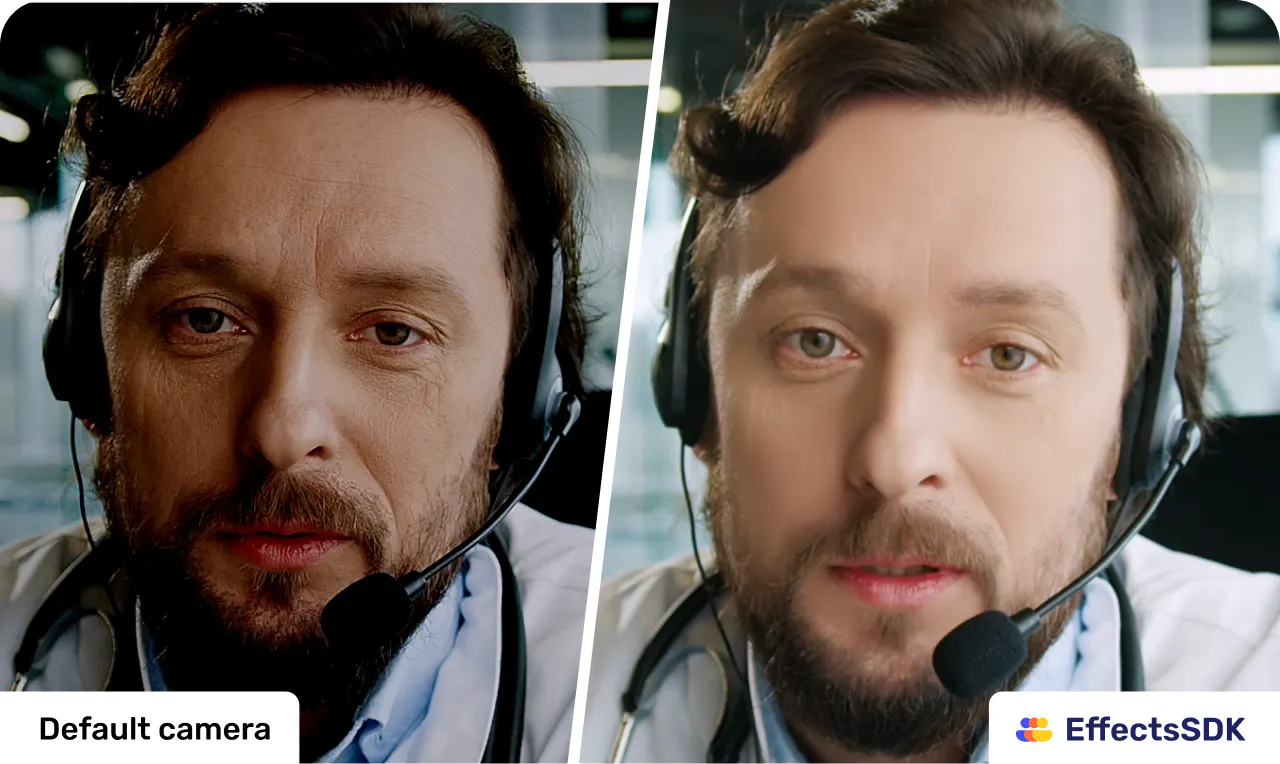
查看原始信息
SimplyPortfolio
SimplyPortfolio is one dashboard for everything you own: stocks and ETFs on any exchange (US, GCC, Europe, Asia), plus physical gold and silver. Log trades in any currency, get real lot-level cost basis and honest P&L. No broker logins. Free for 3 holdings.
Hey Product Hunt, solo founder here. Three weeks ago I left my engineering manager job to build my own products full time. This is the first one, and it exists because of a drawer. My investments were scattered across four apps: US stocks with one broker, Saudi and UAE stocks (Tadawul, DFM, ADX) with another, ETFs in a robo-advisor, and actual physical gold sitting in a drawer at home. Every tracker I tried choked on at least two of those. Nothing handled GCC markets. Nothing let me hold gold in grams. And every "total net worth" number I had was a lie I assembled in a spreadsheet at 11pm. So I built the tracker I wanted, and I made one decision most people will think is backwards: there are no broker logins. You log every buy and sell yourself, a few fields per trade. That's on purpose. It means it works with any broker in any country, your credentials never leave your broker, and the cost basis is actually yours, lot by lot, with realized and unrealized P&L converted to your base currency at a daily rate it shows you. No black box. Full transparency, because this community appreciates it: The stack is Bun, Hono, Drizzle, React, Postgres, self-hosted on a VPS. Pricing is free for your first 3 holdings forever, then $50 lifetime. No subscription. I want to be paid once for a tool, not rent your net worth back to you. For launch day only: use code PHLAUNCH at checkout and lifetime is $35. Now the question I genuinely want answers to, because it's my roadmap: what's the one asset you own that no tracker has ever handled properly? Gold coins, ESOPs, a co-owned rental, crypto in cold storage, whatever it is, tell me below. Most-mentioned asset gets built next. I'll be in the comments all day. Ask me anything about the build, the stack, or quitting to go solo.
1
回复

@saadaamir Congrats on the launch. The multi-currency angle is what makes it click — stocks in one market, funds in another, and your physical gold and silver at spot, all resolving to one honest total. Most trackers can't hold that mix, and the unrealized P&L right there is the detail people will love.

You launched without a demo video, and these land so much harder without one — so I made you one, free, fully whitelabeled, no watermarks or strings. Drop it into your gallery now while the launch is fresh:

https://www.youtube.com/watch?v=oA66iEkApcA

Built it with FoxPlug — it turns your real product updates into launch videos, posts and GIFs automatically. foxplug.com.

Really rooting for this one. Solo founder too!

0
回复

How do you handle the real-time pricing for less liquid GCC stocks or gold from local dealers that don't have a public feed? Curious if I'm stuck entering prices manually.

0
回复

mine's vested startup equity, options with a 409A that's basically a made-up number until there's an actual exit or a secondary sale. every net worth tool either ignores it completely or lets you enter it as a static value that's stale the day you type it in, since there's no live price to pull. curious if that's even something you'd want to touch, since "cost basis and honest P&L" gets a lot harder when the asset in question doesn't have an honest current price to begin with. the no-broker-login, log-it-yourself approach at least seems like the right foundation for it though, unlike anything that expects to sync from a live market feed

0
回复