Product Hunt 每日热榜 2026-07-27

PH热榜 | 2026-07-27

#1
Adomate
Turn data into winning ads. At scale.
489
一句话介绍:Adomate是一款将Meta广告账户数据、竞品广告库及Trustpilot/Amazon用户评论整合为可溯源广告创意的AI工具,解决创意策略师每周耗费60-70%时间做调研、从零梳理简报的痛点,实现规模化、数据驱动的广告素材生产。
Design Tools Marketing Artificial Intelligence
广告创意生成 数据驱动营销 Meta广告优化 竞品分析 用户评论挖掘 电商营销工具 AI工作流 创意溯源 DTC品牌工具 付费社交广告
用户评论摘要:用户普遍认可数据溯源(“无黑箱”)和整合内外部数据源的思路。问题集中于:小型品牌数据量不足时效果如何(回复建议借力竞品评论);能否适配B2B及LinkedIn、G2等平台(在路线图中);系统如何区分广告获胜原因(时序、市场等)(回复强调人工判断而非AI归因);品牌风格学习速度(依赖交互反馈与人工编辑);以及未来是否支持更多广告平台。
AI 锐评

Adomate的聪明之处在于,它没有加入“AI生成广告”的军备竞赛,而是巧妙地将战场转移到了“创意溯源”这个更坚实的阵地上。在Meta全面自动化出价和定向后,创意确实是品牌最后可控的杠杆,但市面上已有太多“黑箱”生成工具,输出漂亮但无法解释、无法迭代,最终的信任成本极高。

Adomate的“无黑箱”策略,本质上是把人工智能从“决策者”降级为“助理”:它不替你判断哪个创意会赢,而是告诉你是谁家的哪条评论、哪个竞品指标触发了这个想法。这听起来简单,却击中了策略师最核心的信任焦虑——他们可以否决AI,但必须基于证据,而非猜疑。将信任成本转化为可操作的溯源界面,这是它区别于“AI生成器”的根本。

然而,产品目前存在明显的“甜蜜点”局限:它重度依赖Meta生态和亚马逊/Trustpilot的B2C评论数据,对数据量小的初创品牌或B2B场景(如LinkedIn+G2)几乎无法提供有效价值。回复中承诺“路线图内”固然合理,但也暴露出其初期市占率拓展将严重依赖DTC大广告主。此外,评论中多次提到的“如何区分广告成功的真实原因(时序、市场、促销)”,Adomate的回应是“交给用户判断”。这既是务实之举(避免AI归因谬误),也是能力边界——它能提供素材,但无法提供“战略判断”的自动化。对代理商或策略团队而言,它更像是一个高效的“创意线索挖掘机”,而非“创意决策引擎”。

总体而言,Adomate用“数据溯源”的巧思,在拥挤的AI广告赛道中找到了一个高价值的细分切口,产品定位精准且克制。但它的天花板取决于能否快速延展数据源、适配多平台,以及是否能在“提供线索”和“辅助归因”之间找到更扎实的AI能力支点,从而真正从“工具”进化为“策略基础设施”。

查看原始信息
Adomate
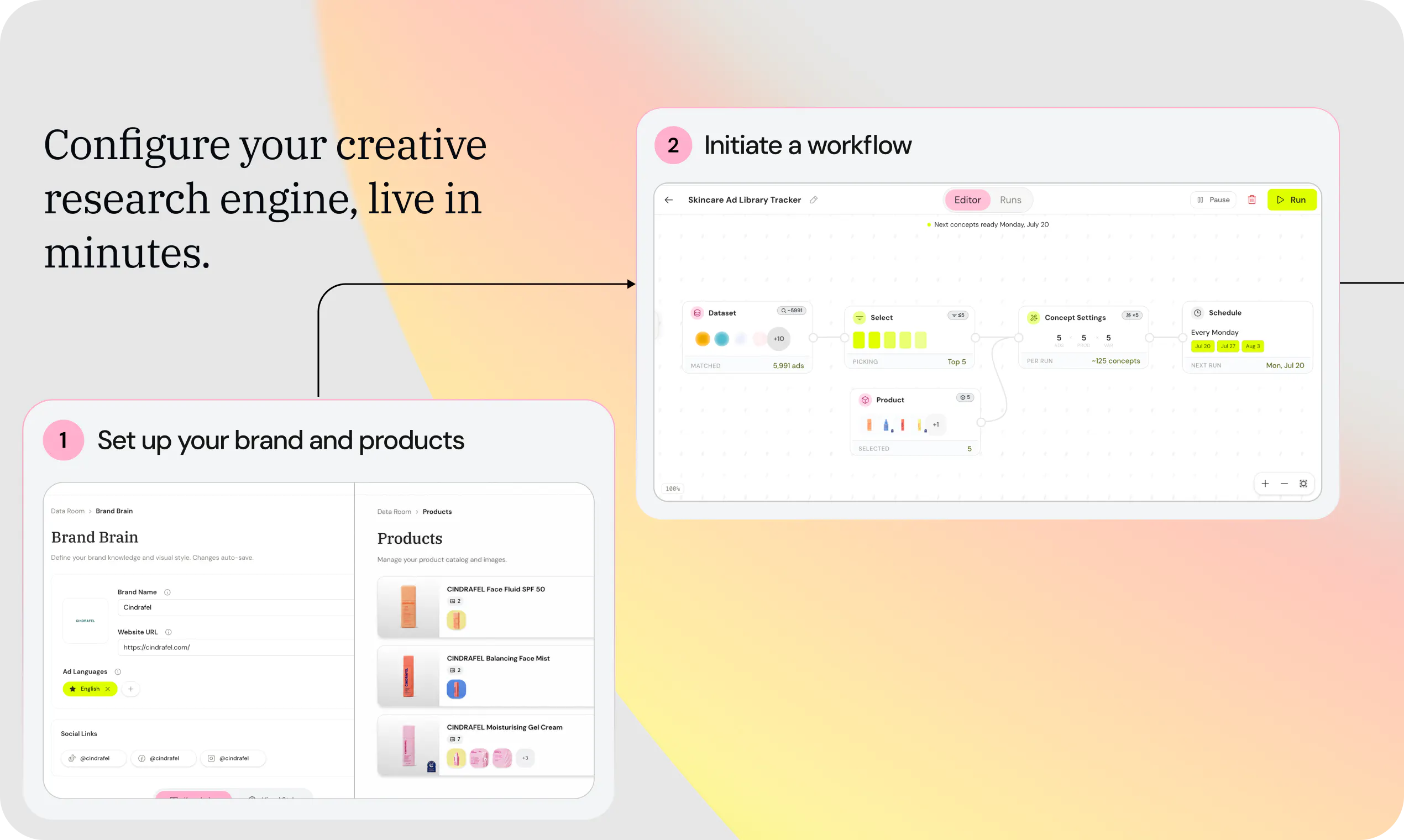
With Adomate you create ads from data, at scale. Take data from your Meta ad account, the ad library and reviews from Trustpilot and Amazon. Build creative research workflows that create branded ad concepts, the way you want. Fully traceable to their original data trigger, no blackbox.

Hey Product Hunt 👋

Simon here, co-founder and CEO of Adomate.

Before Adomate was a self-serve platform, Lucas and I ran it as a service, building and delivering Meta ad creatives by hand for DTC brands across Belgium and the Netherlands.

We wanted to feel the problem first:

  • Strategists losing 60-70% of their week to research instead of making

  • Rebuilding context from zero every Monday

  • No system connecting last week's winner to what gets briefed next

Creative is the last lever you actually control on Meta now that targeting and bidding are automated, and most teams still run it like it's 2019.

The solution

We built Adomate. It puts your performance data, competitor intel, and consumer signals into one workflow you build and own. A few things it's already done for early teams:

→ Increased number of winners and ROAS

→ Volume: helped Nomige to meet creative demand and deliver the number or creatives required for testing

→ Golden nuggets: automatically found usable insights in thousands of customer reviews

How it works

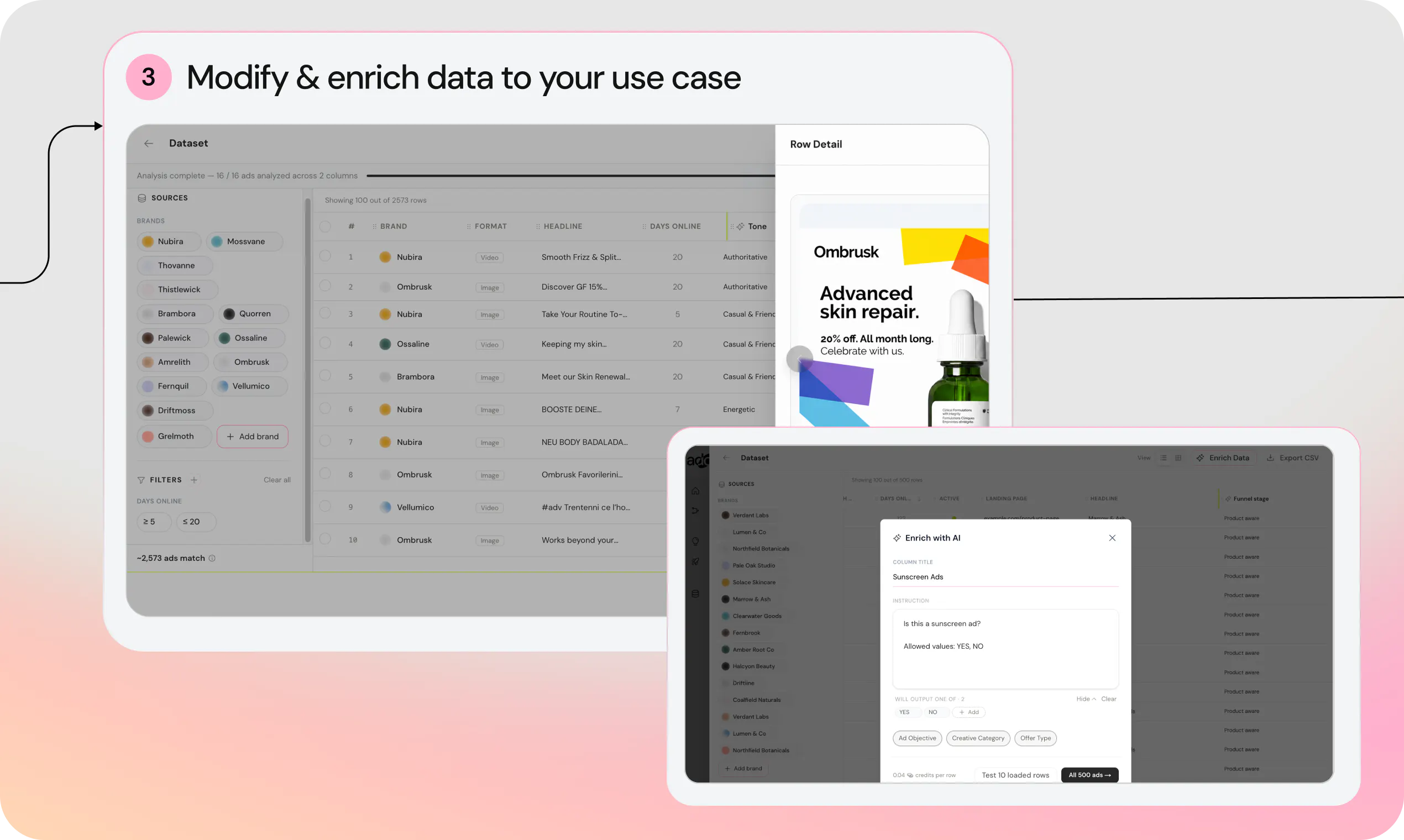
1. Feed in your performance data, brand brain, competitor ads, reviews, and consumer signals. One place, not ten tabs, so research time drops to minutes.

2. Build the workflow once. Every data point after that becomes an ad concept, so you stop starting from scratch every session.

3. Like the concept, skip it, or refine it in plain language. Point out a reference if you've got one. Every choice trains Adomate and saves a version, so getting from 80% to 100% takes minutes, not a new brief.

Why it's different

No black box. Every concept you see traces back to the exact data point that triggered it, the competitor ad, the review line, the performance metric. You can always see why.

Adomate doesn't replace your judgment, it amplifies it.

Who it's for

Creative strategists and performance marketers at DTC and e-commerce brands running Meta ads, plus agencies managing creative across multiple accounts.

If briefing your designer feels slower than it should, this is for you.

Special for the PH community

→ 30% off your first 3 months: PHMONTHLY30. 300 codes.

→ 50% off your first year: PHANNUAL50. 100 codes.

Apply the code at checkout. Valid until Friday 11:59pm PT, or until the codes run out.

Our ask

If you're running paid social, tell us what's broken in your workflow right now. That's the input that shapes what we build next.

👉 Get started for free to see what you can do with Adomate.

@lucas_desard and I will be here all day. 👇 Big thanks to @rohanrecommends for hunting us 🙏

26
回复

@lucas_desard @s_logghe Good luck with the launch!

5
回复

@lucas_desard  @rohanrecommends  @s_logghe Really like that Adomate creates ad concepts from real performance data instead of relying on guesswork. The fully traceable workflow and transparent link back to the original data make it a compelling tool for marketers looking to scale creative production. Good luck with the launch!

0
回复

@lucas_desard @s_logghe Trying to answer your q. i think the biggest nightmare for us is turning winning static ads into video briefs. Huge congrats🙌 on the launch supported.

4
回复

Congrats on launching! We spend way too long digging through customer reviews to find angles for ads, so pulling Trustpilot and Amazon feedback into the same workspace as ad performance sounds really handy. How does it work for smaller brands that only have a handful of reviews and a modest ad account to learn from?

3
回复

@doganakbulut Hi Dogan, every brand needs to start somewhere! That's why we allow users to draw on proven ads from more established brands. On top of that, competitor reviews can also serve as a data source, think of it as leveraging the frustrations customers express about your competitors and positioning yourself as the better alternative.

2
回复

The traceability is the strongest part here. AI can generate endless ad ideas, but without knowing whether a concept came from a winning campaign, a competitor pattern, or an actual customer review, it is hard to trust or learn from the output. As someone doing more launch and marketing work, I can relate to rebuilding context across too many tabs and starting the creative process from zero every time. Curious how quickly Adomate learns a team's taste from likes, skips, and refinements before the concepts start feeling genuinely tailored :)

3
回复

@andrasczeizel Hi Andras, thank you for your comment. As always with data, the more the better :). So the more feedback Adomate can capture, the faster it goes. Users can also directly edit brand and taste settings themselves at the source.

3
回复

Congrats on the launch!

3
回复

@mcarmonas Thank you!

0
回复

Interesting Product, congratulations on the launch.

3
回复

@dhanrajchoudhary Thank you!

2
回复
Congrats team! I like the idea of turning real performance data into creative ideas instead of relying on generic AI prompts. How quickly does it learn what actually matches a brand’s style?
3
回复

@hamza_afzal_butt Every interaction with newly created content is captured on the backend, so the system can learn from the feedback users provide, think of it like swiping left or right on Tinder. Users can also access the brand brain directly, which contains all the visual style elements of the brand.

2
回复

Love the focus on solving the biggest bottleneck in Meta ads—creative research. The traceable workflow and data-first approach really stand out. Congrats on the launch, Simon! Wishing the team a strong Product Hunt day 🚀

3
回复

@suryansh_tiwari2 Thank you, creative strategy is the often overlooked part that we want to put front and center here. Image creation only follows after that. Thank you for the support!

2
回复

Congrats on the #1 launch 🎉 The part that stands out to me isn't "AI generates ads" — it's the "fully traceable to the original data trigger, no blackbox" framing. Most gen-creative tools hand you an output with zero lineage, so you can't tell why a concept was made or how to steer the next one. Curious how granular that trace actually is: when a concept links back to a data trigger, does it point to the exact source item — this Trustpilot review, this ad-library creative — and can I act on it, e.g. "this hook came from these 3 reviews, regenerate weighting them differently"? Basically: is the traceability a provenance view, or an actual control surface you steer generation with? Really nice work either way 🙏

2
回复

@akbar_b Hi Akbar, great question. At the moment, generation starts from a single data point, in your case, a single review. The system identifies the one review that best matches your self-defined criteria and builds from there. Steering from higher-level, aggregated insights is on our roadmap, but for now we work with one data entry at a time.

0
回复
Congrats Simon and Lucas! I run marketing at a B2B company, so here’s the question from outside your DTC lane: is the engine fundamentally built around Meta’s feedback volume, or could this work for B2B where the ad account is LinkedIn and the reviews live on G2 instead of Trustpilot and Amazon? Our review mining problem is identical, buyers say the golden lines in G2 reviews, but every tool in this category treats B2B as an afterthought. Would love to know if it’s on the roadmap or out of scope by design.
2
回复

@ridhwikvinod Hi Ridhwik, thanks for your question. Other platforms and data sources are definitely on our roadmap. DTC was our obvious first target, but we can and will replicate our methods to B2B as well.

0
回复

Congrats on the launch. The service-first route makes sense here. You usually learn much more by doing the work manually before trying to automate it. I'd like to understand is how Adomate decides what should influence the next brief. Performance data can tell you what won, but not always why it won. Can the team challenge the system’s reasoning or add context when a creative worked because of timing, an offer, or something happening in the market? That seems important if the goal is to avoid turning last week’s winner into next week’s template.

2
回复

@os_ishmael Hi Os, great question. As a data-first company, we're extremely careful about attributing the success of an ad to a specific cause. It would be easy to just ask an LLM and get a convincing-sounding answer, but in reality, you'd be attempting to reverse-engineer one of the most sophisticated commercial algorithms in the world. We'd rather show users the facts and all available data, and let them apply their own experience and market knowledge to draw the right conclusions. Adomate is built to extend the marketer, not replace them.

0
回复

Seen a lot of ad generation tools, but nothing works on data. Adomate seems to be the first. Congrats!!

2
回复

@himani_sah1 Thanks, Himani! We come from a data background first. Adomate is really the product we wished we had while running our own ad agency: a tool that learns from what’s actually working instead of generating content at random.

0
回复

Love the product and the team. From my previous launch, I met with Ozan (he is in Adomate team) and he showed me the demo of the Adomate. The most interesting part they are generate creatives by learning from your competitors. I'm planning to use it for my e-commerce business. Hopefully, in near future I can use for my apps too :)

2
回复

@metehan_caliskan Thank you for your input. Initial focus is on DTC and Saas, but apps are definitely a field we further want to explore!

0
回复

The traceability is amazing , knowing which data point triggered which concept makes it easier to kill bad directions without guessing

1
回复

@mohammed_messeguem Thank you! That's exactly the workflow Adomate is built for. You stop debating opinions and start debating evidence.

0
回复

Will it work with other platforms in the future? :)

1
回复

@busmark_w_nika Hi Nika, currently we only connect with Meta. More platforms are on the roadmap: Linkedin, TikTok, Google, etc

0
回复

Pulling from Meta ad data, the ad library, and Trustpilot/Amazon reviews as raw material is a sharp approach, most ad generators start from a blank prompt, but the best-performing creative usually starts from what's already resonating. The full traceability back to the original data trigger is the part that earns trust; "no blackbox" matters a lot when you're trying to explain to a client why a concept exists. Curious how much control you get over brand guardrails so the output stays on-brand at scale. Congrats on the launch!

1
回复

@kelly_king3 Hi Kelly, to deliver on-brand output, we rely on best-in-class AI generation to get the design 80–90% of the way there, with the final touches handled through human edits.

0
回复
Congrats on the launch! How did you optimized the token uses?
1
回复

@arokamal_sethy Thanks! Besides input token caching, we haven’t done much optimization yet. At this stage, we’re prioritizing output quality above everything else. We’ll focus more on token efficiency and cost optimization as we scale, but it's not a priority yet.

0
回复

the traceability and spend-data answers above cover picking winners, but what about the fatigue side - if the engine keeps spinning variants off the same proven winner, how do you stop Meta from showing near-identical creative to the same audience over and over. is pushing for stylistic variance built in, or is that still on the strategist to catch before it burns out an audience

1
回复

@omri_ben_shoham1 A user will typically set up multiple workflows, some creating variants from their winners, others drawing on proven ads from other brands, or pulling in customer reviews. This variety of data sources alone already provides a meaningful level of creative diversity to combat ad fatigue. On top of that, we offer more than 25 built-in templates that are all visually distinct, making it easy for strategists to diversify their output. Strategists can also build their own templates directly in the platform.

0
回复

the traceability pitch is what sold me too, but I'm curious about the agency case specifically. if I'm running Adomate across multiple client accounts, is the review/competitor data and brand brain fully siloed per workspace, or is there any shared learning happening under the hood that could let one client's insights bleed into another client's concepts

1
回复

@galdayan Yes, 100%. None of this information is shared across brands. What agencies can replicate is the workflow itself, the process of researching data and turning those insights into new creative concepts.

0
回复

This looks useful. How do you check the ads before they go live and make sure they do not include anything misleading?

1
回复

@liana_preston Hi Liana, all ads are reviewed and selected within the platform, nothing goes live without explicit human approval. We operate with a human-in-the-loop approach. The platform also allows users to edit designs directly if anything is off or needs correcting.

0
回复

The traceability angle is what caught my eye here. Most ad tools spit out concepts with zero explanation, so seeing exactly which review line or competitor ad triggered a suggestion is the part creative teams will actually care about. Does the attribution work in reverse too, meaning can I start from one specific Trustpilot review and ask it to generate concepts from just that?

1
回复

@adamkamaneh Yes, that’s possible. Every data point (review, competitor ad, etc.) can be used as a starting point for generating concepts from just that. We wanted marketers to stay in control, not hand everything over to a black box.

0
回复
Very cool, is it only accessible via meta?
1
回复

@thomas_digaetano Hi Thomas, currently yes. More platforms are on the roadmap: Linkedin, TikTok, Google, etc

0
回复

Not gonna lie, it looks really good.

Maybe the only thing I'd like to see is to get an analysis and then prepare an ad myself.

Is it possible?

1
回复

@kamil_infeld I’m not sure I fully understand your question.
If you mean whether you can first analyze the data and then create the ads yourself, then yes, that’s very much how Adomate works. You can collect and analyze data at scale, generate ad concepts and ideas in bulk based on those insights, and then refine the ones you like until they’re just right. Once you’re happy, you can launch them directly into Meta with the appropriate copy and creatives.
If I misunderstood, feel free to clarify.

0
回复

@s_logghe You mention agencies managing creative across multiple accounts as one of your target users. For those teams, is there hard isolation between client brand brains, so one client's reviews, competitor set, and performance data can never surface in another client's generated concepts?

1
回复

@clement_avq Yes, 100%. None of this information is shared across brands. What agencies can replicate is the workflow itself, the process of researching data and turning those insights into new creative concepts.

1
回复

@s_logghe Congratulations. And happy product launch.

1
回复

@huisong_li thank you!

0
回复

I run paid social on the buying side and support on the receiving side, so the thing that is broken for me sits downstream of yours.

Golden Nuggets is the feature I would watch. The review lines that make the best ads are almost always about an experience rather than a product. Arrived in two days. They replaced it, no questions asked. That is exactly why they sound authentic, and it is also the moment the ad stops describing the product and starts making an operational promise.

The trace tells you where the claim came from. It does not tell you whether you can still keep it. That review was true for one customer, in one country, under last year's courier contract. Run it as an ad and you have made that promise to everyone who sees it.

And it does not fail where you are looking. ROAS goes up, because it is a good promise. It shows up two weeks later in the inbox as "your ad said two days", and nobody connects that ticket back to the creative that caused it.

What I would want, and you are closer to it than anyone because you already hold the trigger: flag which concepts make a claim about time, price, returns or availability, as against a claim about how the thing looks or feels. The first kind needs one person to confirm it is still true before it runs. The second does not. Everything you need to tell them apart is already sitting in the data point you traced back to.

1
回复

@jernej_jan_kocica Hi Jernej, your feedback is very true. Within the Review dataset in Adomate, you can slice and dice the data the way you want. Based on the use case you described, you could simply add a column that classifies every review in one of the categories you describe (time, price, returns, availability, product, etc). This way you can ignore the reviews that don't make sense.

1
回复

Ads game is changing and Adomate came to evolve it even more. Creatives are easier and more effective than ever!

1
回复

@german_merlo1 Exactly!

0
回复

Most AI ad tools generate ads. This feels more like a creative strategy engine. Good stuff.

1
回复

@krutiparekh16 Appreciate it! That distinction means a lot, our goal has always been to help marketers go from data and market signals to creative strategy, with generation being just one part of the workflow.

0
回复

How much historical Meta data does Adomate need before the recommendations become genuinely useful?

1
回复

@iamanantgupta Great question, Meta is actually just 1 of our 3 data sources. You can get started immediately using competitor and market data to build your first campaigns. Once your first Meta results start coming in, you run the Meta workflow to identify your best-performing ads and iterate on those. With a decent budget behind a campaign, you can often already identify the winners within 24–48 hours, so the feedback loop becomes very fast.

0
回复

Simon, you asked what is broken, so here is mine. I run paid acquisition in healthcare, and the thing that breaks is upstream of creative.

The loop learns from whatever the ad account calls a winner, and in my market that label is wrong. The conversion I can actually fire is a trial signup, and trials and paying customers are not the same population, so my real cost per paying customer came out roughly double what the platform reported. A creative engine trained on that will confidently scale the concept that produces the cheapest signups, which is not the one that produces revenue.

Can Adomate learn from an outcome uploaded back later, a paid conversion at day 30 for instance, or does winner mean whatever Meta says it means?

1
回复

@clemente_lopez1 Great question, Clemente. This is actually something Meta already supports. You can send your downstream business events (e.g. a paid subscription 30 days later) back through the Conversions API, so Meta can optimize for the outcome that actually matters, not just the trial signup.

If you have enough paid conversion volume, I’d recommend optimizing directly for that event.
If volume is limited, it can make sense to optimize for an earlier, high-quality event, ideally the best early signal for a conversion later (e.g. high product usage in the first few days after sign up) until Meta has enough signal.

0
回复

I am thinkin this could help brands scale creative production without losing consistency. What reporting features help users understand which research sources influence successful ads the most?

1
回复

@darly_selbyHi Darly, typically a mix of sources performs best. Iterating on your proven winners is a solid strategy, but it doesn't bring much fresh thinking into your creative process. Consumer reviews and proven ads from other brands help increase creative diversity. And drawing inspiration from winning concepts in other industries has proven to be both highly effective and genuinely refreshing. We pull performance stats directly from the Meta ad Manager.

0
回复
#2
Artifacts by Databox
Ask your AI Analyst and get back a ready-to-share report
372
一句话介绍:Artifacts by Databox 将用户与AI分析师的对话,一键生成为基于实时数据的、可直接分享的精美报告、幻灯片或交互文档,解决了从数据洞察到可交付成果之间繁琐的手工制作痛点。
Productivity Marketing Artificial Intelligence
AI报告生成 数据分析 商业智能 自动化报告 幻灯片生成 SaaS工具 数据可视化 营销分析 团队协作 产品发布
用户评论摘要:用户普遍赞赏其从洞察到可交付物的「最后一公里」能力,认为它解决了手动重建报告的痛点。核心问题集中在:跨客户报告如何处理缺失指标;能否点击溯源分析结果背后的具体数据和查询;以及对AI生成报告的可信度与人工编辑控制权的平衡需求。
AI 锐评

Artifacts 的聪明之处在于,它没有试图重新发明数据分析的轮子,而是精准地切入了「分析完成之后」那个最枯燥、最耗时的交付环节。在AI Agent泛滥的当下,大多数产品止步于「聊天」,而 Artifacts 提供了一个优雅的终结方案——让答案不再死在对话框里,而是直接变成可消费的资产。

从评论看,用户最关心的并非AI的洞察是否惊艳,而是「数据从哪来」和「我能否改」。这揭示了一个残酷的现实:在B端,AI的「智能」远不及「可控」重要。Artifacts 通过绑定Databox已验证的数据源和提供「可编辑」模式,本质上是在玩一场信任游戏——它告诉用户,我算的数是准的,而且你永远保留最终解释权。

当然,这也暴露了它的局限性。它的核心价值建立在Databox自身的数据生态之上,是一个相对封闭的增强系统,而非通用型工具。对于没有使用Databox的用户,这条路径并不通畅。此外,产品评论中鲜有对「分析深度」的质疑,更多是流程上的惊叹,暗示其目前的AI分析可能更偏向描述性统计(发生了什么),而非诊断性或预测性洞察(为什么发生、接下来会发生什么)。如果Artifacts不能在「分析力」上持续进化,它很容易沦为「高级模板生成器」,这与其「AI Analyst」的定位还有差距。

查看原始信息
Artifacts by Databox
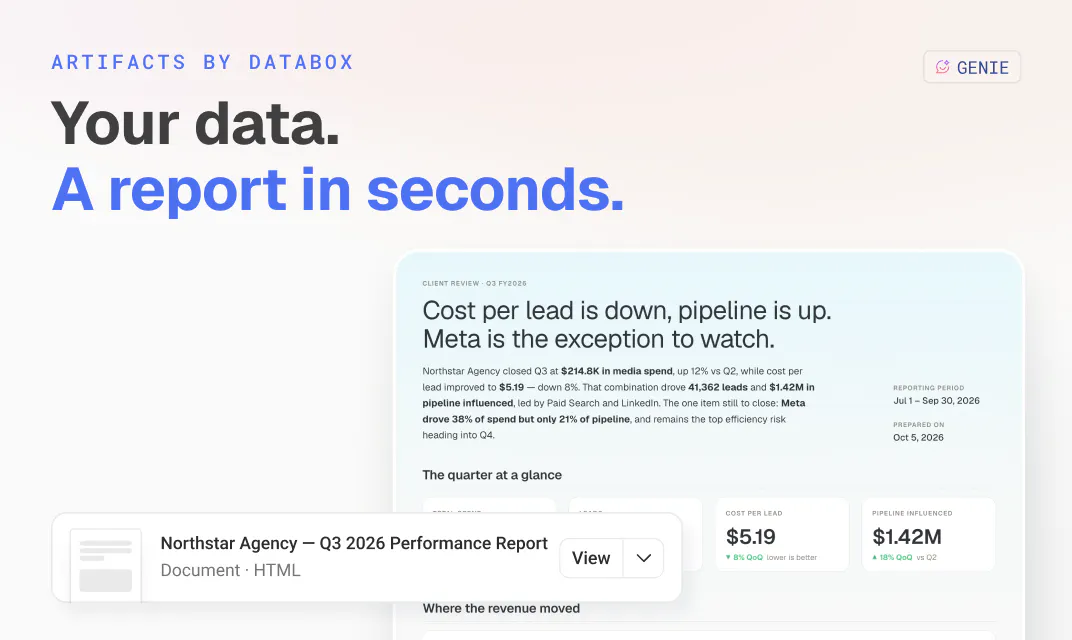
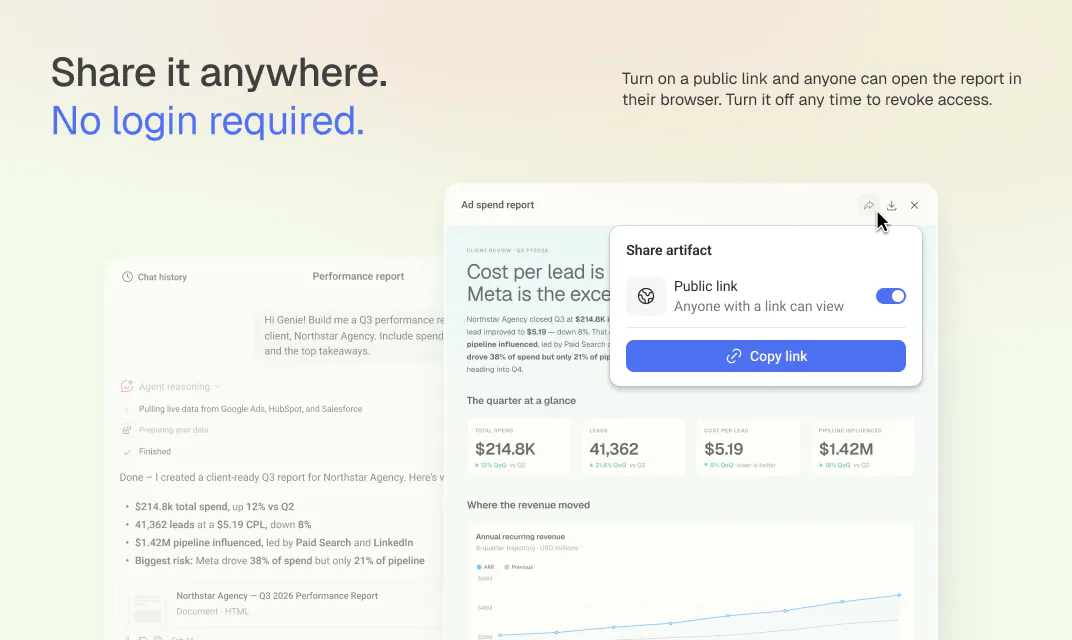
Turn any conversation with your AI Analyst into a polished report, slide deck, or interactive document built from your live data. Generate it from a single prompt, then share it via public link or download as a PDF.

Hi Product Hunt.

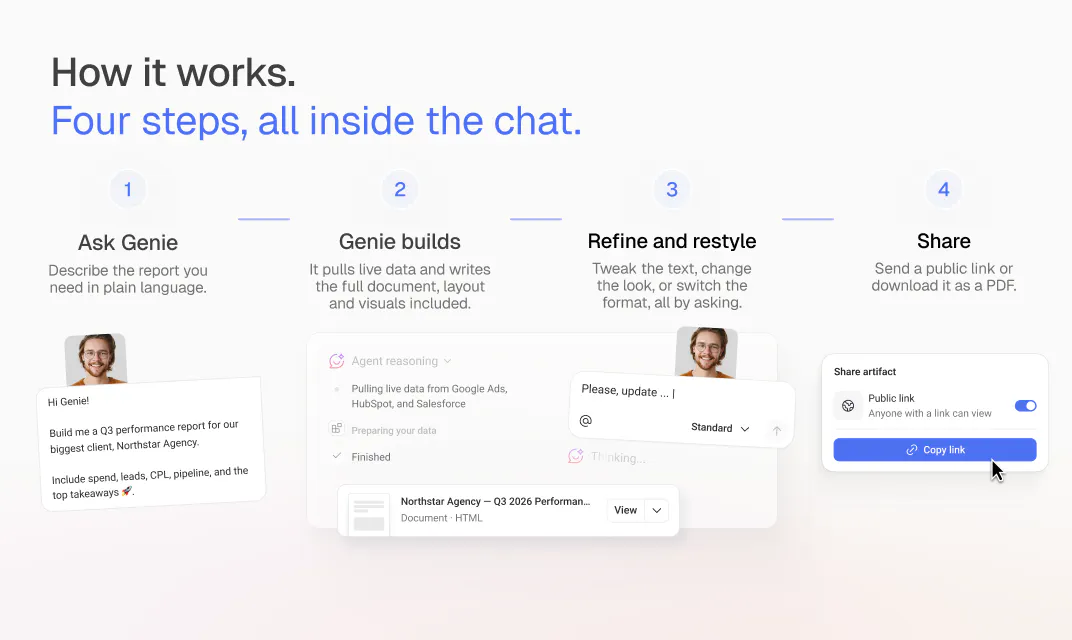
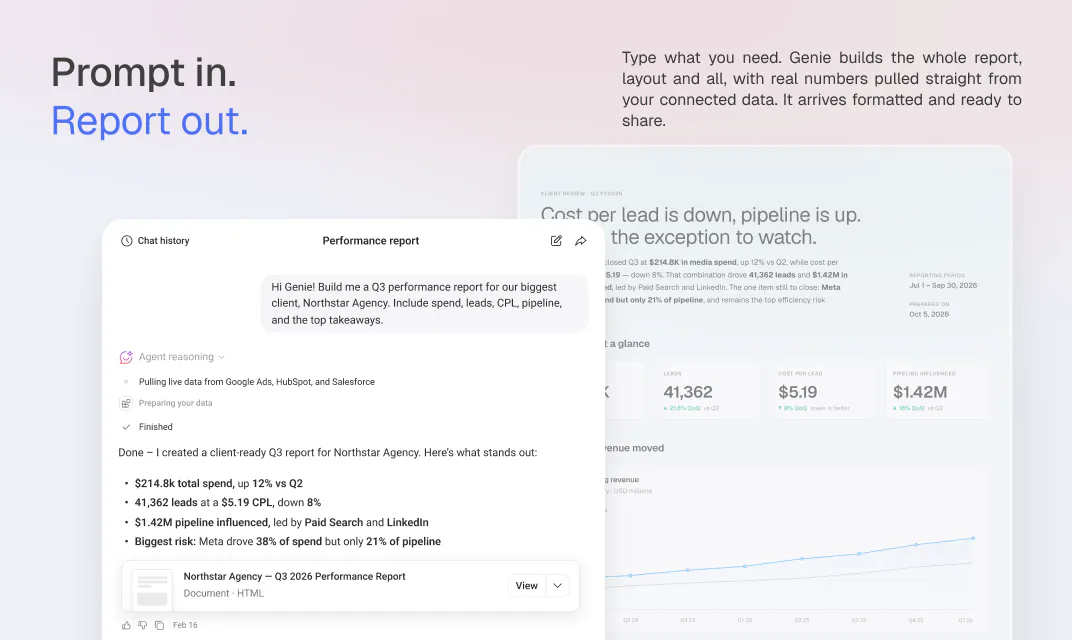
I’m Pete from Databox. Today we’re shipping Artifacts inside Genie, our AI Analyst. An artifact is a report Genie generates from your connected data. It combines the charts you’d normally build by hand with the analysis of what actually drove the numbers, in one shareable document.

Reporting used to work like this... You’d build a bunch of dashboards. You’d compare performance to the previous period and to goal, try to understand how the work you did turned into the result you got. Then, you'd write out what happened and what you planned to do next.


Whether you hit the goal, missed it, or crushed it, the manual process was the same.


With Artifacts, none of that is necessary. It’s a one-time setup. You connect your data and define your metrics once. After that, you tell Genie what you did, and it compares performance to the previous period, checks whether the work correlated with what you achieved, digs into why through statistical analysis, and recommends what to do next. Then it builds the report.

A “what happened last month” question becomes a finished report in minutes.


A few very specific things it can do:

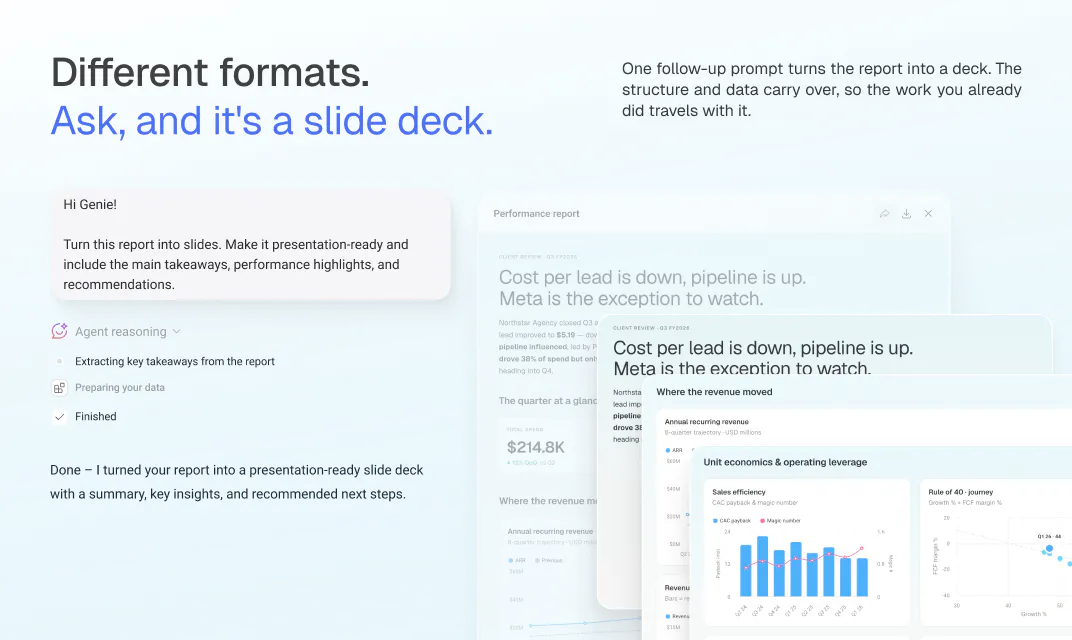
  • Turn the same report into a slide deck. One follow-up request, nothing rebuilt.

  • Restyle a report to your own brand or a client’s, mid-conversation.

  • If you're a professional services firm, build a cross-client report spanning every account, not one client at a time.

  • Ship as a public link, with no login for whoever you send it to, or a PDF. Turn the link off whenever you want.

You might be asking, why not just use Claude or ChatGPT? Because Databox already has your data connected, understands how to calculate your metrics, and knows how to run statistical analysis on them.

Three things the general chat tools don’t have or don't do consistently. Ask one of them for a report and you feed it the data yourself, every time, and hope it calculates and analyzes correctly. And when it gets something wrong, you’re stuck.

Databox artifacts are editable, so you add your own context and Genie refines it. Fine tuning, not redoing.

Less time spent reporting means more time doing the work and more time thinking about how to do it better.
If you’re not on Databox yet, I challenge you to automate your next report in three steps.

1. Start a trial,
2. connect your data,
3. and ask Genie to “create a report analyzing what happened last month and why.”

No coding, no spreadsheet-wrangling required.

13
回复

@pc4media how do cross client reports handle missing metrics? does genie partially render the artifact or flag the missing source before building the pdf?

2
回复

@pc4media Half my week used to be someone rebuilding the same report because a stakeholder wanted one metric framed differently. My worry with an AI analyst is trust: when it flags a dip, can I click through to the exact query and rows behind it? That "where did this number come from" moment is what breaks these for execs.

2
回复

This is the part of the job I've spent years fixing manually.

Reporting systems that actually get used are rare, most of them just create more work downstream. Being able to ask for a report and get back something client-ready, built on the live data, is the direction this space needed to go. Excited to see how agencies and marketing teams use this to stop rebuilding the same deck every month.

10
回复

@lexi_morgan That's exactly the pattern we kept seeing too, reporting systems that generate more work than they save. The bar we held ourselves to was: if it doesn't end in something you'd actually hand to a client without touching it first, it doesn't count. Would love to hear how it holds up once you try it on a real client report.

4
回复

Marketing analytics person here — the biggest benefit of this is not being the human BI layer anymore. You can ask for a report and get something narrative-ready back. And it's based on verified data (something that really matters but many marketers forget about). Super useful!

9
回复

@carmenstrelec The "human BI layer" line is a good way to put it, that's the exact job we were trying to take off people's plates. And you're right that the data part matters more than it sounds, since a narrative-ready report is only useful if the numbers under it are the ones your team already trusts.

4
回复

One thing I'd add from the marketing perspective: the most useful thing about Artifacts is that it closes the "I have an answer" to "I have something shareable" gap.

For example, ask the AI Analyst to build you a report or deck, and it does so using your real data. Then you can hand it off via public link or PDF and there's no login needed on the other end.

I know this is HUGE for anyone who's ever had to rebuild the same client report by hand every month, and it's a great way to add a supporting doc to your quick answer. Happy to answer questions if useful!

9
回复

The problem with most AI generated reports is you still have to check them before sending, since the AI didn't actually see your numbers. Artifacts skips that step because Genie pulls straight from your connected data. I asked for a quick performance overview for a stakeholder update and the numbers matched the dashboard exactly, because it's the same data.

7
回复

Hey Product Hunt!

We kept seeing the same problem: AI analysts got good at answering questions, but the answer dies in the chat. You still have to copy numbers into a deck, rebuild charts, format a report, and by the time you share it, the data is stale.

Artifacts closes that gap. You ask Genie a question, and instead of just an answer, you get back a finished, ready-to-share output. A report, a slide deck, an interactive document. Built from your live data, generated from a single prompt, shareable via public link or PDF.

The chat was never the deliverable. The report is. Now you get both in one step.


This is our fourth launch this year (Genie in March, MCP in June, Skills Marketplace in July), and they all stack: connect your data, chat with it anywhere, apply expert skills, and now walk away with something you can actually put in front of a client or your exec team.


Artifacts is also another important building block in our agentic analytics direction. We're building toward a world where the analyst work happens end to end: the agent pulls the data, runs the analysis, applies the right expertise, and delivers the finished output, with you directing the work instead of doing it. Every launch this year has been a piece of that. Artifacts is the delivery layer.

Try it and tell us where it breaks. That feedback is worth even more to us than the upvote.

7
回复
I usually find the analysis itself is only half the work. Turning the result directly into something you can share with a team or client is the more useful part here. Congrats on the launch!
6
回复

@etiennegarcia That's the split we kept coming back to as well, getting the answer is only step one, turning it into something you can actually hand off is the part that eats the time. Thanks for the kind words, glad it landed.

6
回复

Every team I talk to has some version of the same Friday afternoon task: turn the week's numbers into something presentable and pass it around. Artifacts replaces that with a prompt. You ask Genie for the report, get back a finished document, and either share the link or download the PDF. You skip the whole assemble-and-format slog in the middle.

6
回复

@thomas_bossee1 Exactly the moment we built this for. That Friday afternoon "turn the numbers into something presentable" task shouldn't take longer than the analysis itself. Ask Genie, get the doc, share the link. That's the whole workflow now.

4
回复

The hardest question we had to answer while building Artifacts wasn't technical, it was about control: when AI writes your report, what still belongs to you? Our answer: Genie builds the document from your live data (with a real design system behind it and a deterministic engine doing the math, so numbers are computed, never guessed), and you keep the last word, literally. Edit any text directly, and Genie knows about your edits, so its next update builds on your version instead of overwriting it. Would love your take on whether we drew that line in the right place. I'll be around all day for questions.

6
回复

@grega_cej That control question came up in almost every internal review too. The edit mode is the answer we kept landing on: type mode for the words, prompt mode for anything structural like charts or layout. Small thing, but it means you're never stuck rewriting a whole report just to fix one sentence.

3
回复

I tested this by asking Genie for a report, then asking it to turn that same report into a slide deck. Same data, same analysis, different format, one follow-up prompt. That's the kind of thing that used to mean rebuilding the whole thing in a different tool. Here it just carried over.

5
回复

@tadej_kelc That follow-up prompt trick is honestly my favorite part too. No re-uploading data, no rebuilding charts in a new tool, just "turn this into slides" and it carries the whole analysis over. Glad it held up when you tried it yourself.

4
回复

Turning live data into a polished, shareable document in seconds is pretty incredible.

4
回复

@mihael_kegl1 Thanks Mihael. The "in seconds" part is what took the most work honestly, going from a question to something client-ready without any manual assembly in between.

4
回复

I don’t touch reporting for clients, so I wasn’t expecting to use this much. I asked Genie to put together a slide deck for our all-hands update and it just built it, no design help needed. Took me a few minutes instead of the usual back and forth with someone on the team.

4
回复

@aljaz_godec That's a great example actually, someone who doesn't normally touch reporting getting a usable deck without needing design help. That's exactly the gap we wanted to close, not just faster for people who already build these, but usable for people who'd normally have to ask someone else.

3
回复

Congrats on shipping this.

The gap between 'I have a question about my data' and 'I have something polished to hand my boss' has always been the part no AI tool solved well.

This closes it. Looking forward to seeing where the format list goes next.

4
回复

@gino_battestin1 Thanks Gino. That gap is exactly the one we kept coming back to while building this. On the format list, reports, decks, and calculators are live today, and format conversion means you're not stuck picking the right one upfront. Curious what you'd want to see added next.

3
回复

Congratulations on the launch. The connection to live data is what separates this from a generic AI document writer. What you share is grounded in the same numbers your dashboards already show. Well done to the team.

4
回复

@gregor_sulcer1 Thanks Gregor. That was the core bet we made, an AI document is only as useful as the numbers behind it, so grounding it in the same data your dashboards already trust felt non-negotiable. Appreciate you calling that out.

4
回复

This would save client-facing teams hours every month rebuilding the same presentation for recurring client meetings. Solid update.

4
回复

@krutiparekh16 That's exactly the use case we had agencies in mind for. Recurring client decks are the most repetitive part of the job, and also the easiest to get wrong when you're doing it by hand every month. Appreciate you checking it out.

4
回复

I really like that the reports stay connected to live data instead of becoming outdated static documents or PDFs.

4
回复

@divya_kothari1 Good catch to flag, though worth being precise on what "live" means here. An artifact itself is a snapshot, once it's generated, the data inside it is frozen and won't auto-update. But you can re-trigger the same report anytime, and it'll pull fresh, live data from your source with no extra setup, no reconnecting, no rebuilding the prompt. So each generation reflects your current numbers, it's just that a single artifact doesn't refresh in place. Appreciate you digging into the details.

4
回复

How customizable are the generated reports for agencies with strict client branding requirements?

4
回复

@ankur_jeswani Pretty flexible, actually. You can ask Genie to restyle colors, fonts, layout, and charts to match a specific client's brand, and it rebuilds the artifact to match. Since it's all prompt-based, you can do this per client without touching a design tool, so the same report structure can look completely different for each account.

5
回复

The part worth explaining is how the artifact actually gets built. It's not assembled from a template or a databoard, Genie authors the layout, structure, and visuals fresh for each request, following a shared design spec so it comes out on brand by default. The data inside it is pulled live from your connected metrics at generation time, so what you get is a real document backed by your real sources, not a paraphrase of a chart you pasted in.

4
回复

@jakobzmrzlikar Exactly this. And the part I'd add: the model doesn't do the math either. Every number in the artifact is computed by a deterministic query engine before the model writes a word around it. Funny how the least glamorous piece of the stack, essentially a calculator, made the biggest difference in how accurate the numbers are. Authored fresh, never improvised.

3
回复

I saw the artifacts preview when you had created the PH forum post last week. Good update!

4
回复

@himani_sah1 Glad it's been on your radar for a bit, appreciate you following along and checking out the launch.

4
回复

One implementation detail I'm particularly happy with is how Artifacts evolve through a conversation.

When Genie generates a report, you don't have to start over if you want something different.

Need another section? Just ask.

Want a different chart? Ask.

Need to adjust the branding for a client? Ask.

Those kinds of changes happen directly on the existing artifact, so you're refining what you've already built instead of starting from scratch.

For bigger transformations, like turning a report into a slide deck, Genie creates a new artifact while keeping the original report intact. Both versions are available to share, and because they're built from the same connected data and conversation, you don't lose the context that got you there.

We didn't want AI to feel like a series of disconnected prompts. We wanted it to feel like working on a living document that evolves with you.

4
回复

Congrats on the launch!

4
回复

@mcarmonas thanks Marti! We really appreciate your support

4
回复

For teams migrating from existing BI tools, how seamless is the process of importing historical datasets and custom metrics, and does Databox offer any AI assisted mapping to speed up that transition?

4
回复

@aymi_malik Good question, though worth separating two things here. Artifacts itself pulls from data you've already connected to Databox (130+ native integrations), so no import step for that part. For historical datasets and custom metrics, we also have an Ingestion API, so you can push data from any other tool, or even directly from an AI client like Claude, straight into Databox. That covers a lot of migration cases without needing a native integration to exist first. I don't want to overstate the mapping side though, there's no AI-assisted mapping for that step yet.

5
回复

Congrats on the launch!

3
回复

@fedulovelena thank you! your support means a lot!

3
回复

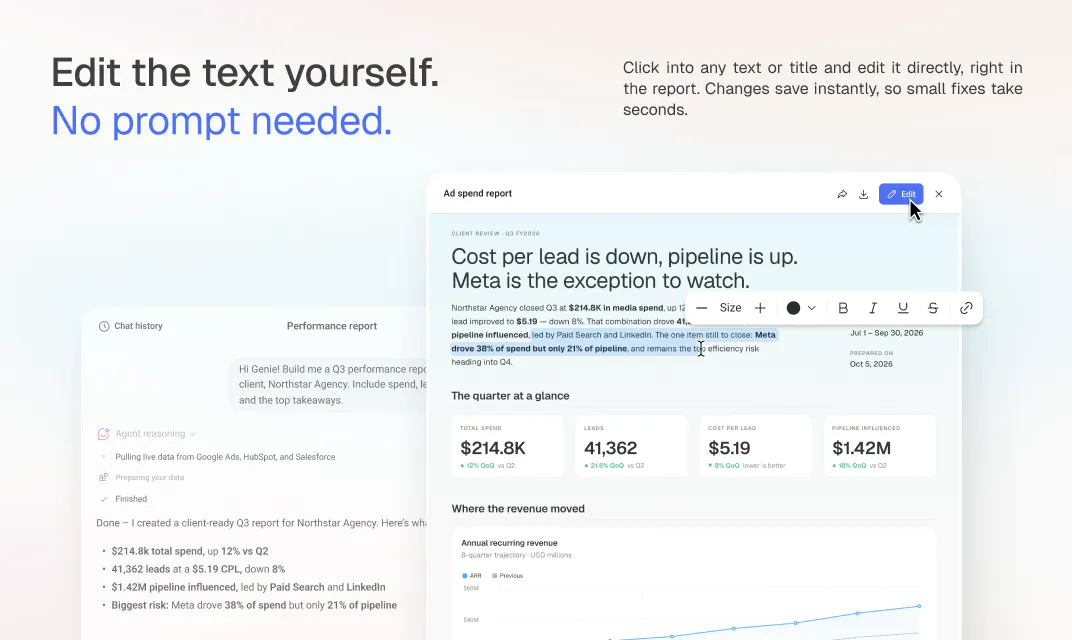
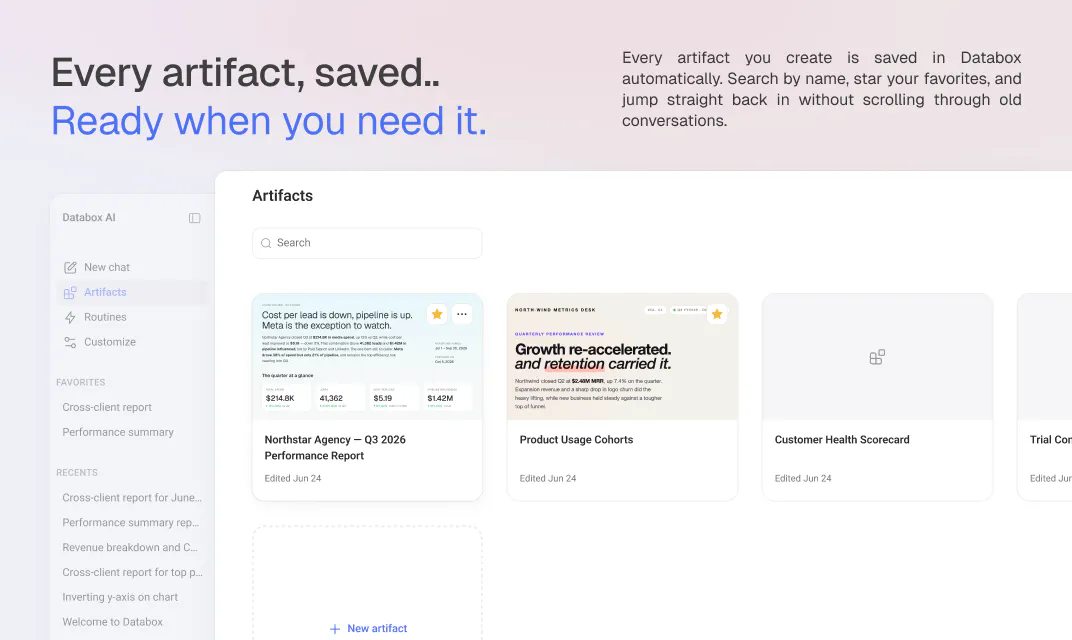
Worth flagging for anyone who tried an earlier version of this: you can now edit text and titles directly inside the artifact panel, no prompt needed for small fixes. And every artifact you make is saved to its own gallery with search and favorites, so finding last month's report doesn't mean digging through chat history anymore.

3
回复

Looks cool!!

3
回复

@louislecat Thanks! Here is the live example of one Artifact in action - no login needed, just open it: https://app.databox.com/shared/artifacts/8cc805b913e00e1c4641a177acf11867

3
回复

The question I get most on calls is some version of 'so once Genie answers, then what.' Before, the answer was a chat message. Now it's a finished report or slide deck with your actual data in it, shareable with a link. For prospects who need to show something to their team after a demo, that's a much easier story to tell.

3
回复

@kenneth_won Love that framing, "so what happens after Genie answers" is exactly the gap we were closing. Nice callback for the calls, thanks for jumping in on the thread today.

2
回复

This is interesting. What's the most surprising query users didn't think to ask?

3
回复

@dhiraj_patel5 Good question. Honestly the reports themselves aren't the surprising part, most people expect that. What catches people off guard is turning that same report into a slide deck with one follow-up prompt, or asking for something like an interactive calculator or projection tool instead of a static document. People come in thinking "AI report generator" and don't realize the format list goes well beyond reports.

3
回复

I find this release shows how adaptable and mature Databox is becoming as a company. It already has a pretty sophisticated Databoards feature that has been polished to be pixel-perfect over the years. When users shared data outside of Databox, they shared those Databoards. And we made sure they always made an impression. That they always looked Databox-ish. Years were spent improving them. Loud conference room meetings were spent over positioning pixels on them. It was something we were proud of, and, of course, still are.

Today, we handed some if that control over to our customers through AI (Genie). Building what they share with the outside world. The Artifacts still look Databox-ish, colleagues made sure of that. And it does come with lots of upsides - building Artifact with a prompt is way faster than placing and configuring blocks on a Databoard, plus AI has a lot of knowledge built-in. But still, we had to let go of some of the control we had over what can be shared. What carries our logo.

At the end of the day, that's what customers wanted. And that's what "bites" in today's fast-paced world. Adapting to that need, while knowing it might cannibalise our own prized feature.
That has to mean maturity.

GG Team!

3
回复

@aljaazm This sums up the tradeoff better than I could have. We spent years making sure anything shared out of Databox looked polished and unmistakably ours, and handing that pixel-level control to a prompt was the harder internal conversation than any technical build. Landed on "still look Databox-ish, just faster to get there" as the line we were comfortable with. Appreciate you putting it this way, GG team indeed.

3
回复

What makes Genie useful is that it's working from the source data, not trying to interpret a screenshot. It connects to 130+ tools and pulls the numbers directly. So when the report is going to a client or the board, you don't have to manually check every figure before sending it.

3
回复

@mateja_verlic_bruncic That's the part we didn't want to compromise on. An AI report is only worth sending if you don't have to fact-check it first, so pulling straight from the same 130+ connected sources instead of interpreting a screenshot was the whole point.

3
回复

Big congrats to the team. What stands out is that the document is built fresh each time, from your real connected data, instead of assembled from a template. That's the part that makes it trustworthy enough to send without double checking.

3
回复

@rene_kolednik Thanks for the kind words. That "built fresh each time" part is exactly why we didn't go the template route, templates answer the same shape of question every time, and the moment someone asks something slightly different, you're back to rebuilding by hand.

4
回复
#3
Claude Opus 5
Near-Fable 5 intelligence at half the price
365
一句话介绍:Claude Opus 5 通过降低顶尖推理模型的成本,使开发者能用更低价格运行长时间任务的智能体(Agent),在编码、代码审查和专业工作场景中实现接近“Fable 5”水平的高质量输出,解决了AI推理成本高、难以投入生产的痛点。
Messaging Artificial Intelligence
AI模型 智能体编程 代码生成 代码审查 长上下文 降低推理成本 效率 多智能体协作 视觉理解 任务自动化
用户评论摘要:用户普遍认可Opus 5降低成本后更易落地,但核心疑虑在于长上下文(1M tokens)的稳定性、子智能体管理机制(何时由谁决定创建),以及定价是否随上下文长度阶梯变化。此外,部分用户正将其与Fable 5对比测试,关注效率和质量。
AI 锐评

Claude Opus 5 的发布,本质上是一场“性价比革命”而非“性能革命”。它的核心叙事逻辑很清晰:以一半的价格提供逼近最高水准的推理能力,从而让长时运行的智能体从“Demo玩具”真正变成“生产工具”。这种定价策略精准刺中了当前AI落地中最致命的痛点——成本。

然而,我们必须冷静看待其“Near-Fable 5 intelligence”的修辞。从用户反馈来看,真正的悬念在于两点:一是那备受吹捧的1M上下文窗口,在实际复杂的、长流程任务中是否能如宣传般“保持一致性”,还是会在尽头处悄悄降智;二是所谓的“多智能体协调”究竟进化了多少,是模型自主决策委派子智能体,还是仍需要开发者手动调度。如果这些技术细节只是旧瓶装新酒,那么降价就只是变相的价格战,难以构筑长期壁垒。

产品的真正价值,在于它敢于承认“效率调节”的重要性。官方指南明确指出“低/中等Effort模式能在大幅节省Token的情况下保持高质量”,这是在引导用户从“无脑开最高档”转向精细化成本控制。这标志着AI产品正在从单纯比拼参数,进入到“运营优化”的成熟阶段。对于开发者而言,Opus 5不是救世主,而是一个更划算的螺丝刀——它唯一的价值,就是看你能否在任务复杂度与成本之间,找到那个最优解。

查看原始信息
Claude Opus 5
Opus 5 is a step change improvement for the Opus tier powering long-running agents while delivering improvements in coding and professional work.

To get the most out of this model, here's the new prompting guide:

  • Agentic coding: Claude Opus 5 is strongest on difficult coding tasks: multi-file features, larger refactors, and end-to-end feature work. It completes full tasks rather than leaving stubs or placeholders, and it performs best when given the complete task specification up front and left to run. It also performs well on easier tasks like single-turn edits, where the difference from prior models is smaller.

  • Code review and bug-finding: Claude Opus 5 reviews code with high precision and recall: it finds real bugs at a high rate per pass, and its additional findings are mostly real issues rather than false positives. Accuracy holds at lower effort settings, which supports a fast pass at review time and a more thorough pass later. If your review prompt says "only report high-severity issues" or "be conservative," the model may follow that instruction literally and report less; ask it to report everything and filter in a separate pass instead.

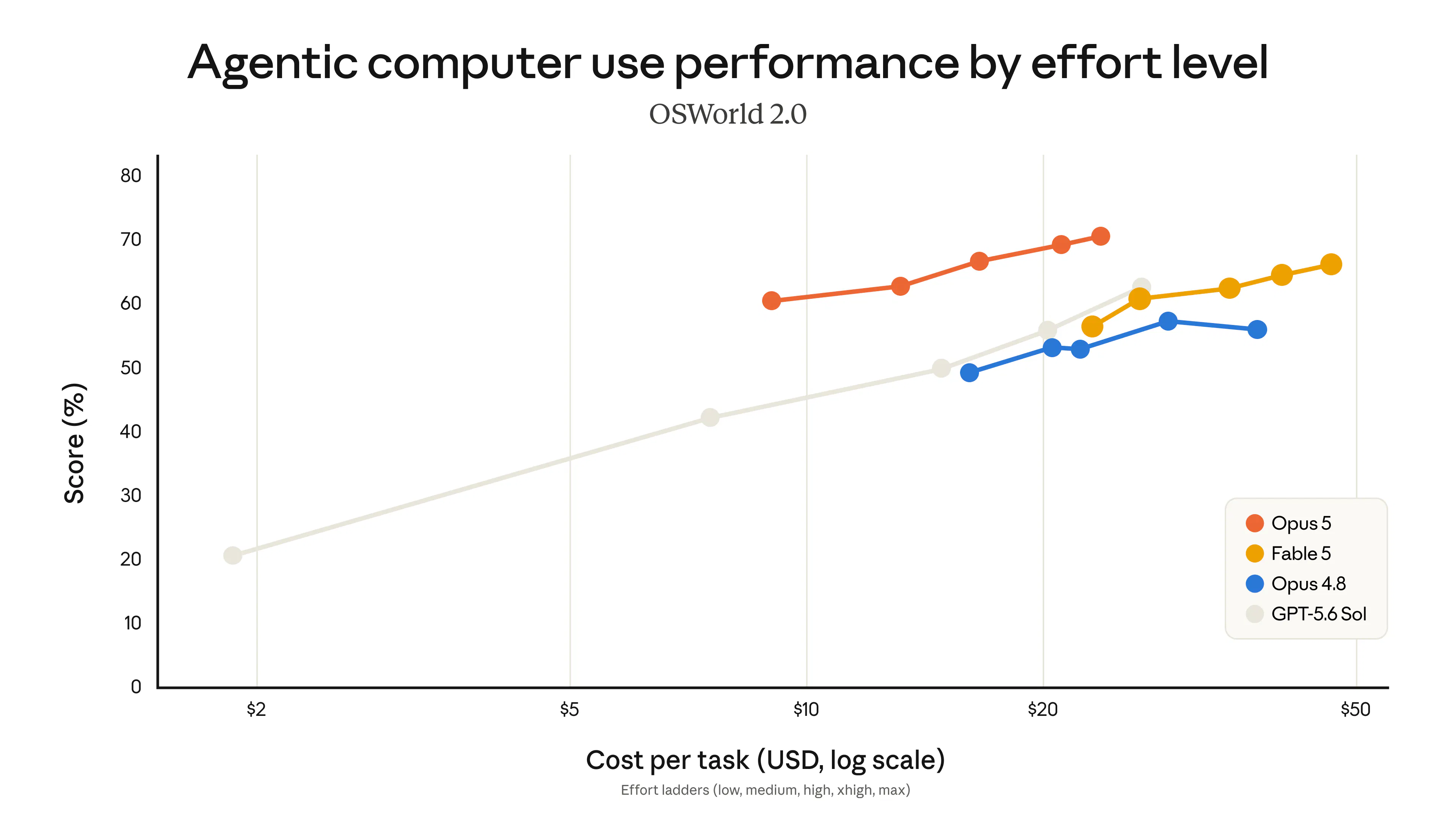
  • Efficiency at lower effort: low and medium effort produce strong quality at a fraction of the tokens and latency of higher settings, and they perform above the same settings on prior Opus models. Use them liberally as your primary control for token cost and response time wherever your evals show quality holds; for coding and agentic work, xhigh remains the recommended starting point. If you carried effort defaults over from a prior model, re-run an effort sweep on your own evals. See Effort for the full recommendations.

  • Vision: Claude Opus 5 is strong on chart, document, and diagram understanding, and on UI and frontend visual replication. Re-validate any prompt-side vision workarounds you tuned for prior models; they may no longer be needed. Vision performance is strongest when the model has tools to iteratively analyze, crop, and visually verify its work, and tool use is a more cost-effective lever than thinking alone.

  • Long-context work: Claude Opus 5 has a 1M token context window as both the default and the maximum, and its instruction following, tool calling, and reasoning stay consistent throughout the window.

  • Office and document tasks: Claude Opus 5 generates and works with complex, multi-sheet spreadsheets with non-trivial formulas, and it produces well-structured slide decks. Prompt it with any specific styles or templates it needs to follow.

  • Multi-agent coordination: Claude Opus 5 coordinates teams of subagents well, with effective writer-verifier patterns and few cases of agents overwriting each other's work. For cost-sensitive workloads, cap delegation; see Controlling subagent spawning.

7
回复

@chrismessina Claude Opus 5 showcases how advanced AI can improve productivity, automate workflows, and deliver intelligent solutions for users across different industries. Similarly, the Yono App simplifies everyday banking by providing secure access to financial services, digital payments, account management, and convenient transactions through a user-friendly mobile platform.

0
回复
@chrismessina That bit about lower/medium efforts producing strong quality at a fraction of the cost is super helpful. Managing token costs while maintaining output quality has always been a tightrope definitely eager to run some sweeps on this.
0
回复

Been running it in Claude Code. Not sure yet if it's better or worse than Fable 5 for what I do, but the token efficiency alone is a big win.

2
回复

Very nice. Here's a comment generated by Opus 5 posted on a launch page for Opus 5.

2
回复

Claude has been huge for me. I understand tech well but I'm not a developer, and it's helped me take ideas that used to just live in my head and turn them into real working software I can put in front of test users. It walked me through publishing a live website and even setting up a proper dev environment with GitHub, stuff I never would have figured out on my own. Excited to use opus 5 and see how it compares to fable 5.

1
回复

alright - Opus 5 is a banger. Fable 5-level reasoning at half the price, @Claude by Anthropic is killing it. it's already running on @Kilo Code, and early traction shows similar performance to GPT-5.6.

the real question now isn't whether AI can write good code, it's which model fits the task and at what cost. LFG

1
回复

Congrats on the launch. The price move matters more than the benchmark bump - halving the cost of the top tier is what decides whether long-running agents stay a demo or actually go to production. Nice work to the team.

0
回复

The claim I want to poke at is the 1M context holding up consistently, since that is usually where things quietly degrade. Multi-file refactors landing end to end instead of stopping halfway matters more to me day to day than benchmark numbers. How does the subagent management differ from before, is the parent model deciding when to spawn them now or is that still on the developer?

0
回复

Half the price for close to the same quality is the kind of update that actually shows up on the bill. Most of what I throw at it is long messy work that runs for an hour, so the end to end feature work angle is what I care about. Does the lower pricing hold across the whole 1M context window, or does the cost step up once you go past a certain point?

0
回复

That's nice. How does it handle long-context reasoning compared to Fable 5?

0
回复
#4
Webhound
A research engine for your agent
347
一句话介绍:Webhound 是一款让AI研究代理按预算“烧钱”查证的研究引擎,解决的是用户无法控制研究深度和何时停止的痛点,确保每次投入都有对应的证据回报。
Artificial Intelligence Search
AI研究代理 预算控制 停止问题 事实核查 信源透明 引用报告 MCP集成 预算驱动 深度研究 工作文档
用户评论摘要:用户赞赏“预算作为停止机制”的创新,关注冲突信源如何处理(是否明确标记分歧而非掩盖);询问能否使用私有文档(可以);关心对复杂多目标任务的拆分能力(能拆分但受预算限制);建议提供断点续跑、导出Markdown/Notion及导出推理痕迹功能,用于审计和协作。
AI 锐评

Webhound的“美元预算即停止原语”是近半年AI研究工具中最具务实主义的创新。它没有掉进“让AI更聪明”的陷阱,而是精准切中了AI研究代理的“虚假完成感”痼疾——那种用自信的语气掩盖证据不足的毛病。将研究成本量化到每一分钱,本质上是在逼AI回答一个终极问题:你做的这件事值不值这个价?这远比让一个LLM当裁判来判断“是否完成”要诚实得多。

从用户反馈看,核心质疑集中在“预算机制能否真正带来决策质量的提升”。Webhound给出的答案是“能,但有限”。它能透明地标记未解决冲突,暴露审计链,甚至允许中途追加预算,这些都证明了团队对“研究质量”的定义是清晰的:不是字数的堆砌,而是对争议证据的覆盖和溯源。然而,这也暴露了其底层模型的根本局限——如果模型本身在理解复杂上下文或甄别权威信源上存在缺陷,预算越高,可能只是更高效地扩写错误。同时,“预算”这一冷冰冰的度量,在面对需要灵光乍现或定性判断的深度研究时,可能会扼杀真正的探索路径,因为最短路径未必是最优路径。

一个更值得探讨的暗线在于联合创始人Theo对“为代理设计”的反思。他指出当前最大的用户群竟是代理,而非人类本人。这意味着Webhound的真正战场不是替代人类调研,而是成为AI代理生态的“审计与证据供应链”。如果无数AI代理通过MCP调用它来“垫付”证据,Webhound就成了AI世界的“德勤”——看似居于底层,实则掌握着整个AI决策链的信用命脉。但这也让他担忧的“接口收敛”问题更值得警惕:如果代理的世界最终收敛到少数几个超级界面,Webhound能否避免沦为某个大模型内部的一个付费插件?答案是,它必须尽快建立基于“可审计证据”的不可替代性,否则就会被平台吞并。无论如何,用钱说话,是目前解决AI乱说最硬的手段。

查看原始信息
Webhound
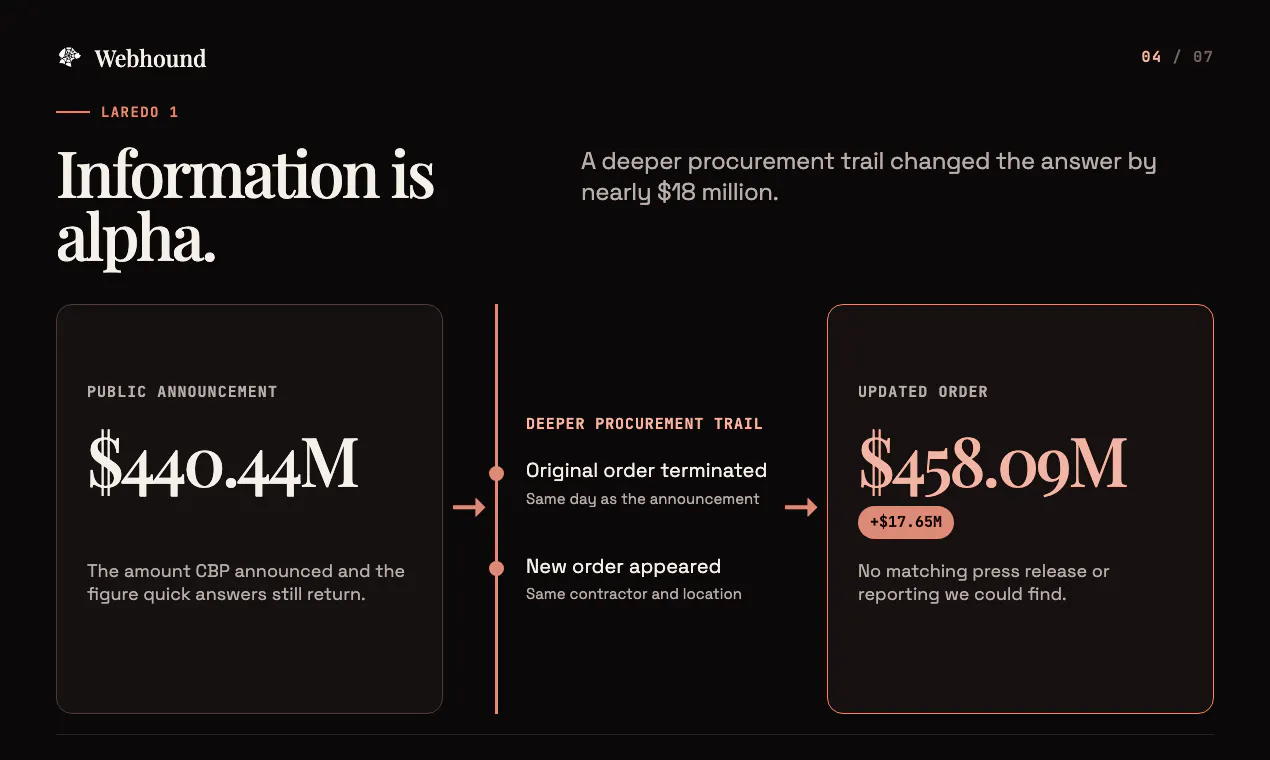
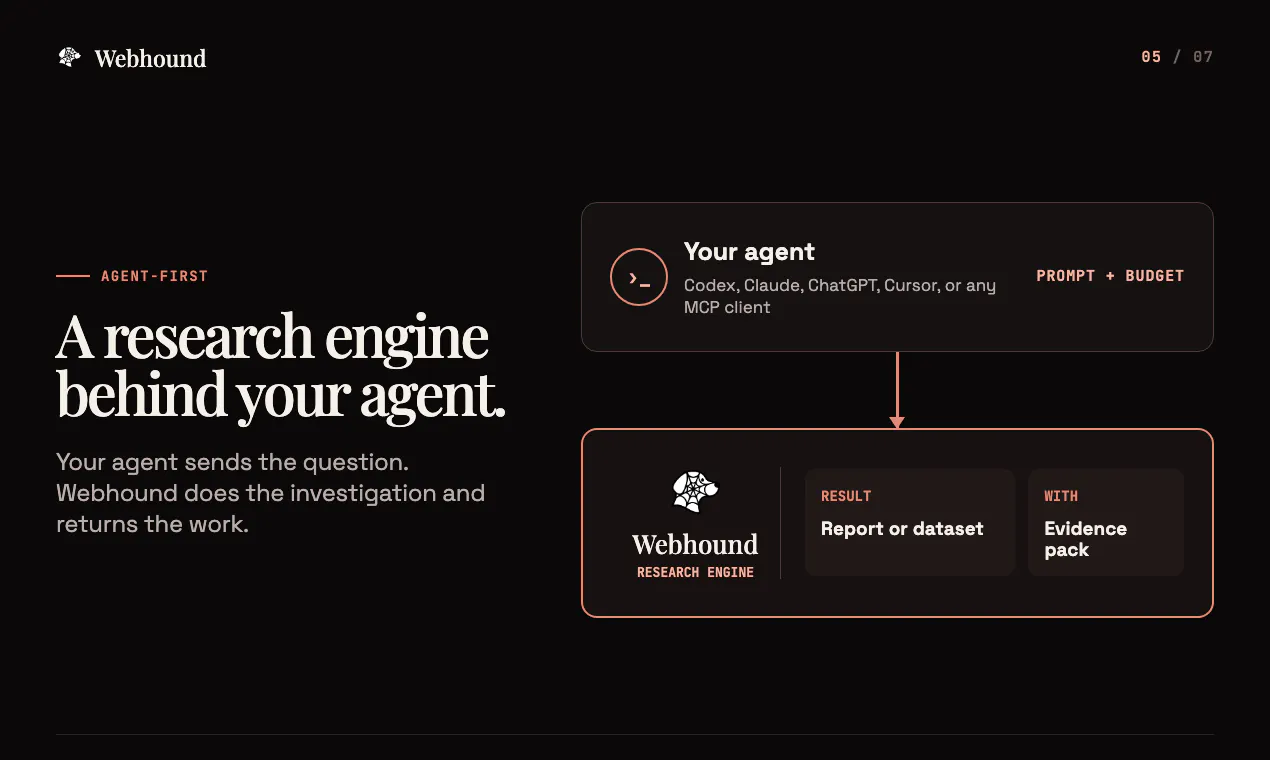
Research has no natural finish line. An agent can spend ten minutes or ten hours on the same question, and both answers can look finished. Webhound lets you choose how much work the question deserves. Give it a question and a dollar budget. It follows leads and checks weak claims until the budget is consumed, then returns a cited report or sourced dataset with the sources and working documents behind it. Run Webhound yourself or call it from your agent through MCP or the API.

Hi Product Hunt, I’m Moe, the founder of Webhound. I’ve worked on AI research since 2023.

I started Webhound because research agents have a stopping problem.

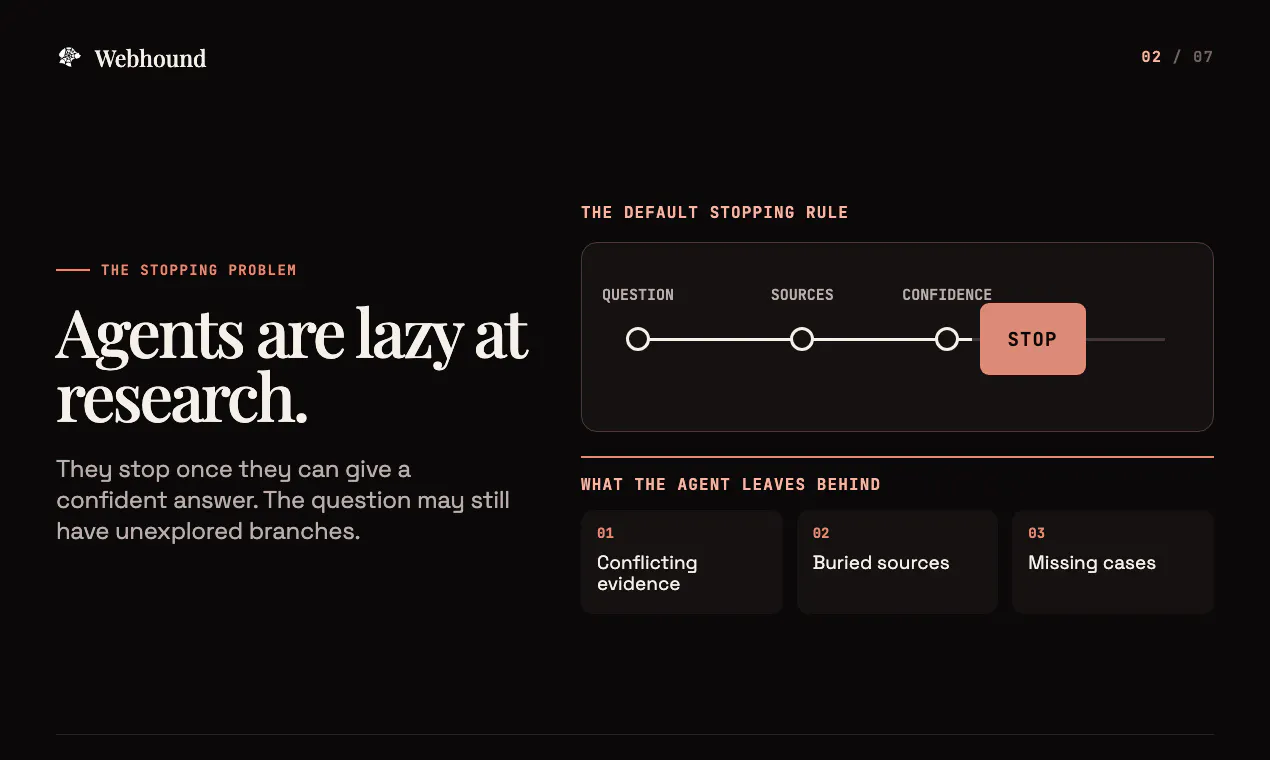
A coding agent can stop when the tests pass. Research has no equivalent finish line. An agent can spend ten minutes, two hours, or twenty hours on the same question, and each answer can look complete. Research agents tend to stop once they have enough evidence to sound confident.

You still do not know which leads they skipped, where sources disagreed, or whether another hour would uncover the fact that changes your decision. The agent makes that stopping decision for you.

Our thesis is that budget should be a research primitive. In plain English, your prompt tells Webhound what to investigate. Your dollar budget tells it how much work to put in and caps what you can spend. At our current rate, $5 funds about 75 minutes of research.

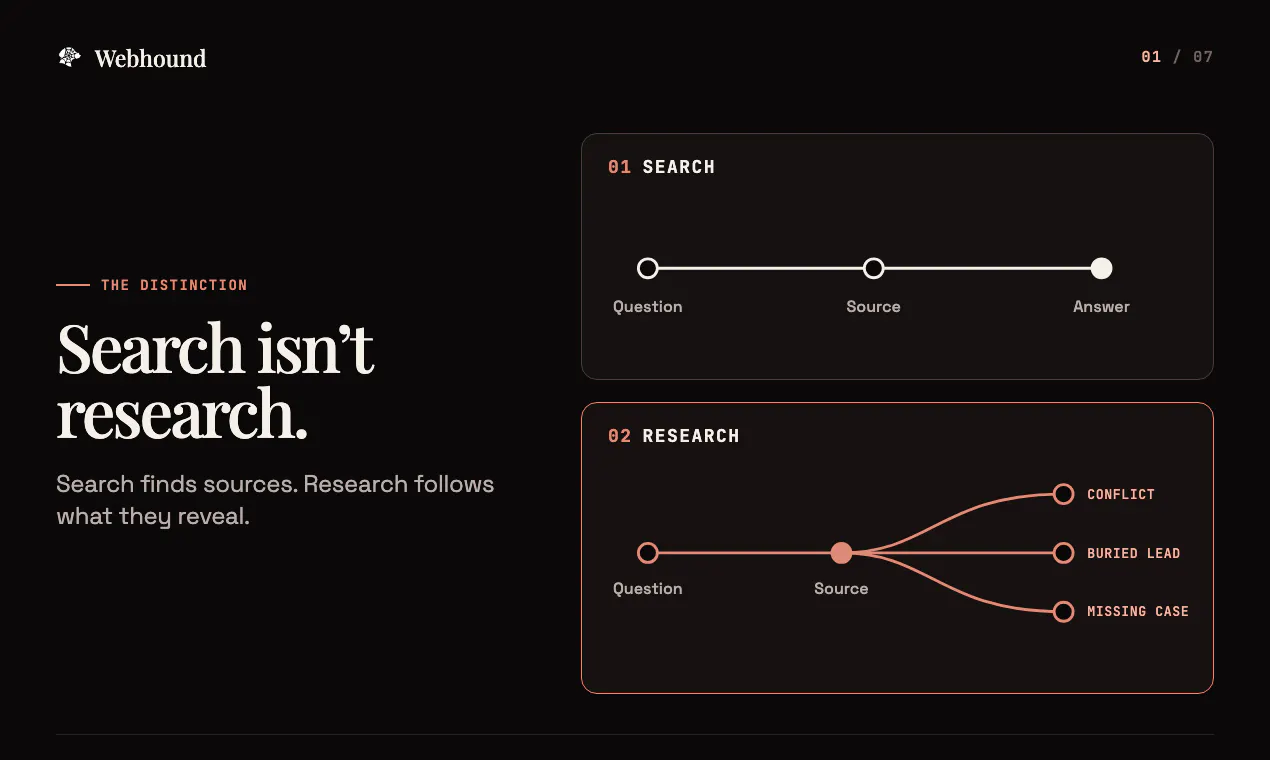
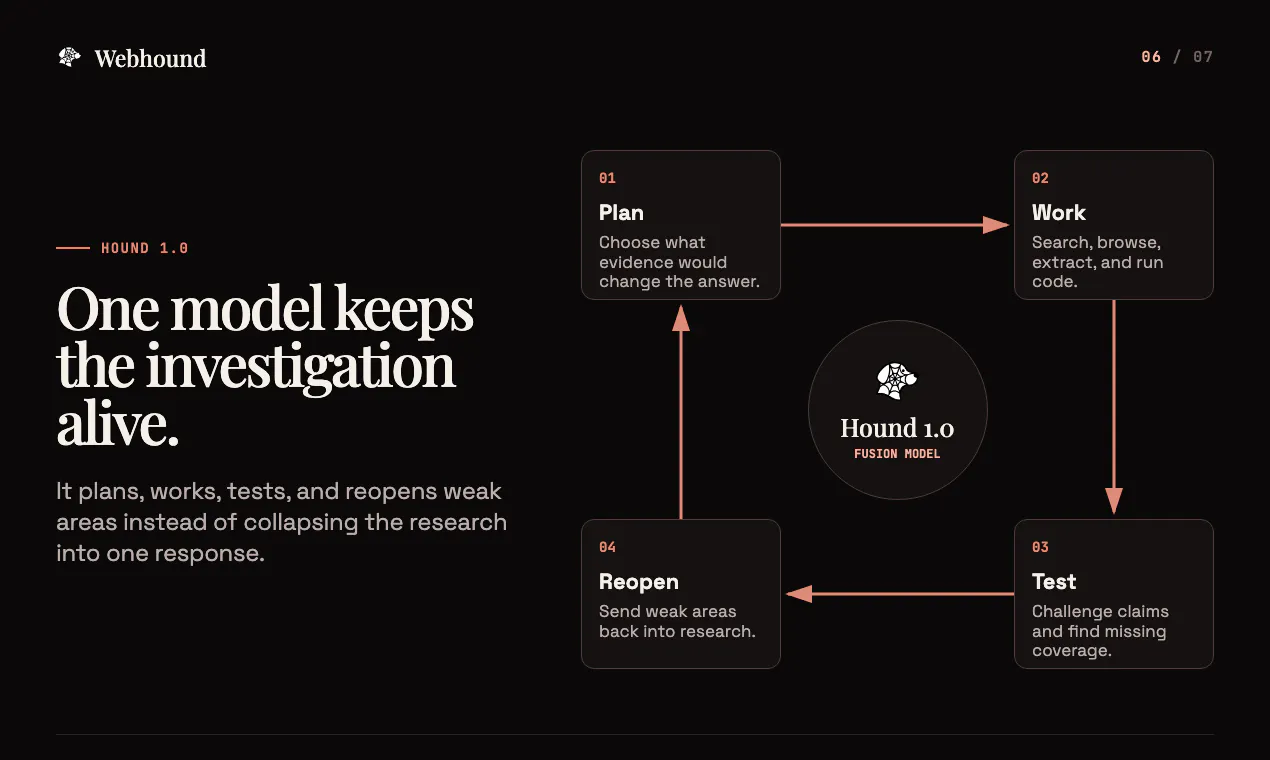
Search finds sources for the query in front of it. Research reads those sources and follows the leads they reveal. One source can change what Webhound needs to search for next.

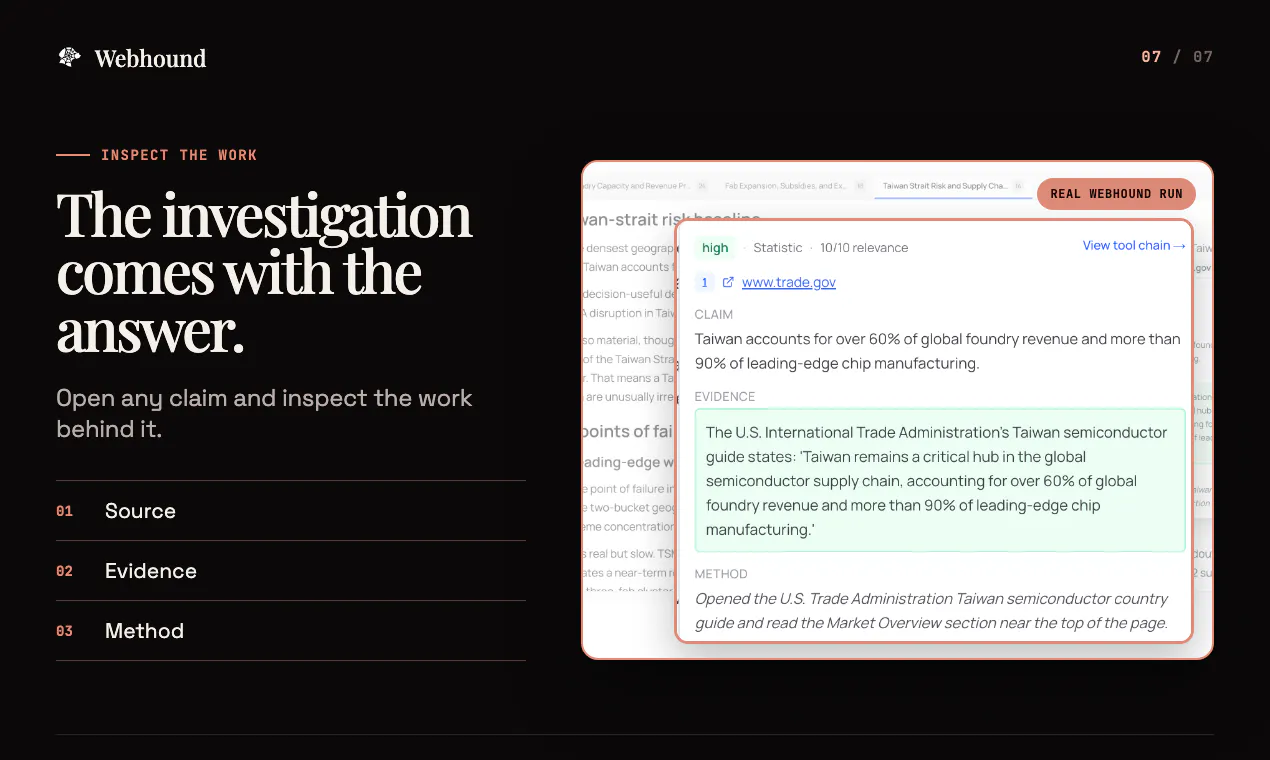
You get a cited report or sourced dataset, along with the sources and research notes behind it. You can inspect how Webhound reached its conclusions and where the investigation still has gaps.

Extra budget must earn its cost. We judge a larger run by the useful evidence it adds and whether that evidence improves your decision. Extra length does not count.

You can run Webhound in the app or use it behind Codex, Claude Code, Cursor, Manus, or your own software. Your agent can hand off a question, continue working, and retrieve the finished research later.

New accounts include one $5 Report or Dataset. There is no subscription.

I want blunt feedback on the core idea: does a dollar budget feel like a useful way to control how much research gets done? Do the sources and research notes help you decide what to trust?

If you have a question where missing information could cost more than the research, leave it below. We’ll run a few in public today.

3
回复

dollar budget as the stopping primitive is a genuinely clean idea, most research tools just stop when the output sounds confident rather than when it's actually verified. one thing I didn't see covered - when two sources genuinely disagree on a claim and the budget isn't there to fully resolve it, does the final report surface that disagreement explicitly, or does it pick a side (majority source, more authoritative domain, etc) and present one answer? for a cited research tool I'd actually want to see the unresolved conflict called out rather than smoothed over

3
回复

@galdayan Thanks for asking, this is something we feel very strongly about. Yes, Webhound surfaces the disagreement. It will usually try to resolve it by checking primary records, publication dates, methodology, and independent evidence.

If it does find one source more credible, it gives its conclusion and explains why, while still surfacing all the conflicting information it found. If the conflict remains unresolved, it shows both sides and marks the claim as uncertain. You can click into any claim to see each source that contributed to it, the evidence it contributed, and the caveats.

0
回复

Does it search only public websites, or can it also work with my own documents and internal knowledge base?

2
回复

@vijay_gorfad2 It can use private documents too. You can attach PDFs, documents, spreadsheets, or text files, and Webhound will use them as source material alongside public web research.

Through MCP, your agent can also pass Webhound material from systems it already has access to. For an internal knowledge base, you can save its API key or token under Secrets. Webhound can then call Notion, a database, or your own internal API during the run and use that information in its research.

1
回复
The transparency aspect really caught my attention. Is there a limit to how much of the research process and reasoning it actually exposes to the user?
2
回复

@harithavijayakumar Thanks, and great question! On the agent side, you can inspect the chain of reasoning and every tool call.

In the report, you can open any claim to see the original source, exact supporting evidence, how Webhound found it, any potential caveats or biases, and its confidence score. You can also inspect the working documents from the run.

0
回复

Hi Product Hunt, I'm Theo, the other founder of Webhound.

Since Moe has already covered a bunch about our product I wanted to give some of my (admittedly messy) thoughts on what I've learned from designing this more agent-facing version.

Recently my cofounder and I have been noticing that a lot of our most consistent users are actually agents, and that share is only growing. As our discussions started to trend towards designing for agents, my question started to become: should we be?

I don’t think we should be designing for agents just yet. And this is not (entirely) because of my tendency to favor human centered design, but rather an attribution problem / thesis.

When we talked to the users behind the agents with carte blanche to our product, we kept hearing “I don’t want to have to leave my second brain.” Memory, context, and integrations are creating the same kind of lock-in as social graphs did with social media.

Many founders I talk to are of the belief that this will change, and that we will all be using a bunch of different AI interfaces in the future. My counterpoint to that is to harken back to the myriad of apps I used to have on my iPod touch (in comparison to the 3-4 apps I use today, not even mentioning all of the hardware products that got condensed into the iPhone).

This process of divergence in tools seems to happen every time a new technology explodes, and then we converge back to the single interface model.

If we assume that people are going to be working from a single centralized interface, the model I start to think about is heavily reliant on the control surface, how human intent is injected into it, and what steps exist within that platform / tool that are beyond my view.

When I talk about designing for agents, I am not talking about agents as the end users. As an HCI major I am still thinking about the human as the end user. There are just more layers of abstraction between human will and silicon execution. This is why I think it’s important to factor the control surface into the mental model / think about where human goals / input enter the system.

With that as the precedent, here are some of the more practical things I’ve learned so far.

For open ended tasks, budget can be a better stopping primitive than subjective completion criteria + an LLM as a judge (contractor).

Memory and workspaces / file structure + integrations create lock in. Try to build something that requires users to leave their second brain as infrequently as possible.

Error messages should be verbose and imply fixes. Since a lot of failures and behaviors sit on the user agent side, it can be hard to view these failure modes. Try to capture them with error logging.

Define your rules of engagement / best practices for agents to interact with your tool / when to call.

Don’t block when you don’t need to. Make state and status visible to avoid hangs / blocking the main agent.

Onboarding should be an MCP endpoint and should be done through the user’s agent. When they create a key, give the user a text prompt to copy to set up the MCP with their agent.

In this prompt, ask the agent to state what environment it is in (Claude Code, Codex, etc), use that client’s supported global MCP configuration unless the user wants it to be project level, save the exact server configuration you give it, call the health endpoint so that you don’t have false positives for successful installs, and then call your onboarding endpoint.

We’ve found this works best when the onboarding endpoint returns steps serially and you ask the user’s agent to keep calling “next step” until it returns that there aren’t any remaining.

There is also intent monitoring, where you have tool search and can see what people are asking their agent for your tool to do. We decided against doing this because it felt too sketchy, but it is something we thought about.

These are the learnings from a couple week deep dive and I hope they are useful to some of you, though I expect them to be relatively fleeting as the interface evolves.

2
回复

@theo_schmidt Hey Theo!

0
回复

How does Webhound decide when to stop digging deeper versus continue researching, especially for open ended or ambiguous topics?

2
回复

@aymi_malik Good question. Research stops whenever it reaches the budget you set, rather than when the answer first sounds complete.

At our current rate, $1 corresponds to about 15 minutes of research, so a $5 budget keeps Webhound working for about 75 minutes. If the question deserves more work, you can add budget and keep going.

0
回复

probe real submit pathBudget as the stopping rule makes sense, especially when another agent is waiting on the answer. The trust layer I’d want is a short handoff note: what was checked, what was intentionally skipped, and which unresolved claims could change the decision if someone spends another hour.

1
回复

@krekeltronics Thanks. Yeah I think budget it the best option we have so far, unless we can find an indicator / primitive that is more representative of how much work has been done. Also yes, that is the information that is included in the handoff, although it can be hard to identify every "unknown unknown"

0
回复

Interesting! That framing of budget-as-stopping-primitive is definitely worth attention. Most research tools stop when the prose sounds finished rather than when the work is actually done. Curious whether you guys plan the search tree up front and rank leads by expected payoff? Is it greedy step by step and just stops when the meter hits zero?

1
回复

@artstavenka1 Webhound plans coverage first, then revises the plan as sources reveal new leads. The executor works each batch, and the verifier can reopen weak or unsupported claims. The budget controls the run without locking Webhound into its initial plan or a greedy path.

1
回复

How well does it handle complex prompts with multiple research objectives in a single request?

1
回复

@voyager21 Very well! It turns every prompt into a research plan, breaks each objective into it's own task, and gathers evidence for each one.

The main constraint is the budget. A broad prompt with a small budget forces tradeoffs, so Webhound shows which objectives received less coverage and suggests follow-up research for the remaining gaps. You can also tell it which objectives matter most in the prompt.

0
回复

Really like the "onboarding should be an MCP endpoint" framing — that serial next-step pattern is clean. One edge case I'd be curious about: if the health check passes but step 3 of 5 fails on a config mismatch, does the endpoint expect the agent to retry from that step, or restart the whole sequence? Partial-failure handling in a multi-step handshake like this seems like it'd need its own design pass separate from the happy path.

1
回复

@m_abdullah_ai Good question. The onboarding endpoint gives the agent a structured brief with the steps, checks, and completion criteria. The agent handles the execution.

If a configuration check fails, the agent reads the error, fixes the mismatch, reruns that check, and continues. It would only revisit an earlier step if the change invalidated something it had already completed. Agents can handle that recovery when you give them clear instructions and the right tools.

0
回复

How does Webhound handle conflicting sources? If two credible references disagree on a fact does the report flag that discrepancy or try to weight one more heavily based on the research trail?

1
回复

@aiden_pearce7 Webhound does both, depending on the evidence. It looks at where each claim originated, how current the information is, and whether primary records support it. If that gives Webhound a clear reason to trust one source more, the report uses that source and explains the choice. It will also flag the existence of the conflicting source in the report, with reasoning on why it chose not to use it.

If the evidence remains split, Webhound flags the discrepancy instead of forcing a conclusion. You can open the claim to see both sources, the evidence from each, and Webhound’s confidence in its assessment.

More budget gives it more time to look at as many possible conflicting sources as possible, and as a result more transparent coverage of the topic.

0
回复

If a $5 run hits a dead end early, does the user get to adjust the budget mid-stream or is it strictly set at the start?

1
回复

@freya_jensen_d Yes, you can increase the budget while Webhound is researching. You can also stop the run early if you no longer think the question deserves more work.

Having said that, we’ve seen many examples of runs where the fourth or fifth lead got past what first looked like a dead end.

0
回复

A nice direction, especially the cited reports angle. One thing that would make this more useful for me as a user: a way to pause a long-running agent and resume later without losing the work it has already done, plus an export to plain markdown or a Notion page so I can drop the output straight into my team's knowledge base. Right now I worry about kicking off a multi-hour run and having it vanish if I close my laptop.

0
回复

It would be really helpful to have a way to export the agent's reasoning trace or intermediate findings, not just the final report. Sometimes I want to dig into how the agent arrived at a particular conclusion, especially when I'm using it for due diligence work where I need to show my work.

0
回复

The budget dial is the right primitive. We maintain a pricing dataset where the answers change monthly and every number needs a source you can defend - and the failure mode of most research tools is a confident summary over dead or circular citations. If the reports really keep the working documents attached, that's the part worth paying for: auditing the claim afterwards, not just reading it.

0
回复

The budget dial is a smart framing. Research has no natural finish line, and looking finished is exactly how a shallow answer slips through.

The thing I would want in the output is a fetch date on every source, so a report from last month can be re-checked instead of trusted forever. Does the dataset mode keep a timestamp per row?

0
回复

makes sense, flagging the lack of evidence as a limitation instead of just going quiet is the right default. thanks for the answer

0
回复

The budget-based depth control is an interesting way to make research effort explicit. How does Webhound decide when a claim needs further verification, and can users inspect why the agent stopped researching a particular lead?

0
回复

Moe — the disagreement-surfacing answer to Gal is solid. My research problem's different though: federal contract award data and past-performance records aren't scattered across the open web, they're stuck behind a clunky government portal with no public API or real search. Does Webhound handle sources like that, or is it built for open-web research?

0
回复

@medal411  Right now, Webhound works best with open-web sources and services reachable through an API. You can save credentials for APIs you have access to. A government portal with no usable API or indexable pages is a limitation today, and support depends on the portal.

Which systems are you using, and which records do you need from them? Federal procurement data is something we’d look at building direct support for.

0
回复

The dollar budget is a clever constraint, but the stronger idea might be making research depth explicit. Most tools hide the stopping decision behind a confident-looking paragraph. Here, at least, I can decide whether a question deserves five dollars or five minutes. I like that “not enough evidence” can be a valid output.

0
回复

@ra5tadark Thanks Rasulz! Completely agree, “not enough evidence” should be a valid result. Webhound keeps its sources, limitations, and unresolved claims visible, so you can still see what the budget established when the research results are uncertain.

0
回复

Budget as the stopping primitive answers how much, and there's a second question sitting under it: how much does the same $5 vary? Two runs on one question at one budget follow different leads, and an agent that follows leads is path-dependent by construction — whichever source it happens to open early reshapes everything after it. The report is a function of the budget and of which door it went through first.

That lands hardest exactly where Clemente was pointing, on the MCP path. A human feels a thin answer and re-runs it. An agent takes the first report as ground truth. I do eval work on my own app's generated output, and the number that changed how I ship wasn't the average score — it was the spread across identical inputs. The mean looked healthy for weeks while the bottom of the distribution was quietly unusable.

Have you measured that spread on a fixed question and budget? And does the per-claim confidence score reflect run-to-run stability, or only the evidence inside the single run that produced it?

0
回复

@narek_keshishyan This is a very salient point and yes, there definitely is a large path dependent variance with seemingly silent failure modes. One interesting thing is that it tends to decrease as budget increases. I haven't done enough measurement of the stability of confidence scores, but from the few tests I have run in the space they seem pretty stable in spite of not explicitly pulling anything on the run-to-run scale.

0
回复

Depth over speed is a refreshing pitch when everything else is racing to answer in two seconds. Exposing budget as the control on research quality is smarter than hiding it behind a vague quality slider. When it builds a dataset rather than a report, how does it handle two sources that contradict each other, does the row keep both values or does the agent pick one?

0
回复

@adamkamaneh by default the agent will pick one, but the cell level sourcing will tell you that there were contradicting sources. However, if you specify in your prompt, contradictions can be handled however you want (include all answers with confidence scores for example).

0
回复

This looks useful, I lose hours copying company details off websites into a spreadsheet by hand. Having the choice between a clean dataset and a fully cited report covers pretty much every research job that lands on my desk. If I ran the same query again next month, would it give me a fresh dataset I could diff against the old one to see what changed?

0
回复

@doganakbulut Yes. A rerun creates a fresh sourced dataset using current information. We don't have a native one-click diff view today, but you can export both runs or have your agent compare them through MCP or the API. Each cell keeps its source and extraction time, so you can audit why a value changed.

0
回复

Congratulations

0
回复

@madalina_barbu Thank you, Madalina! Appreciate the support.

0
回复

I'd love to see how Webhound handles edge cases, like sources with paywalls or outdated information. How do the research agents adapt to these challenges?

0
回复

@aymnart Webhound does not cite a page it could not inspect. When it hits a paywall, it looks for an accessible primary source or open version; if none exists, it flags the gap. You can also give it an API key if you're already paying for the source, and it can access it programatically. For stale information, it checks publication dates and current primary records while preserving conflicts it finds.

0
回复

I see that this is positioned as the "research engine" behind your AI agent, but it wasn't clear to me how this is different than getting the frontier model to do deep research and continually prompting it to continue researching after the default stopping point.

0
回复

@rich_sun It is different, but not entirely, especially now with /goal and the likes-- you are right to make the association. I would say some of the biggest differences stem from Webhound being a multi agent system where the chain of thought, artifacts, and memory are designed around web research.

That being said, I also personally don't want to be constantly prompting my frontier model to dig deeper-- I want to be able to tell it how much compute to use and have it come back once it has finished, not earlier.

0
回复
I am curious to learn what inspired your idea.
0
回复

@ishwarjha I kept trying to use coding agents to run research, and it felt like I had to manually force them to keep digging deeper and deeper, and even then they rarely ever got past a shallow pass of what's out there. We built Webhound so that I could decide how much work the research needed at the start, then let it cook. It's built on top of our harness which is specifically made for research, so it goes way deeper than anything else out there.

0
回复

Budget as the stopping rule makes sense, especially when another agent is waiting on the answer. The trust layer I’d want is a short handoff note: what was checked, what was intentionally skipped, and which unresolved claims could change the decision if someone spends another hour.

0
回复

@krekeltronics Totally agree! Both the MCP handoff and the web app include the output, working documents, claims, sources, limitations, and structured completion recommendations with suggested follow-up budgets. The end user can see what remains thin and decide whether more work is worth the cost.

0
回复

the budget-as-stopping-primitive idea makes sense to me. curious about the opposite failure mode though - what happens when a topic just doesn't have much written about it, like an internal process at a small company or something too new to have coverage. does it recognize early that more budget won't surface anything and stop, or does it keep spending trying to find sources that don't exist? that seems like the case where the dial wouldn't actually save you money.

0
回复

@omri_ben_shoham1 Good question. Today, Webhound continues until the budget is used unless you stop it. A few failed searches do not prove that nothing exists; we’ve seen apparent dead ends break after multiple failed approaches.

It changes tactics instead of repeating the same search. If evidence remains sparse, the report shows what it tried and flags the lack of evidence as a limitation. For private topics, you would need to give it access to the relevant internal sources.

0
回复

Congrats on the launch, Moe.
Webhound is tackling a really interesting problem with AI research the stopping problem is definitely something that gets overlooked. I especially like the idea of using a dollar budget as a research primitive instead of letting agents run indefinitely. I will defiently try this out

0
回复

@neha_8 Thanks a lot! Let me know if you have any feedback.

0
回复
#5
Robynn AI
Websites that improve and heal with self-learning
270
一句话介绍:Robynn AI是一款连接现有网站、无需重建迁移,即可通过AI代理持续审计、修复、测量并优化网站性能的智能运营工具,解决网站上线后持续衰败(如死链、页面陈旧、排名下滑)的核心痛点。
Marketing SEO Website Builder
AI网站优化 网站自动修复 SEO审计 品牌一致性 内容衰减 Google Analytics闭环 智能代理 无迁移优化 网站持续运营 AI编辑器
用户评论摘要:用户高度认可“指向元素自然语言修改”工作流和“GA测量自动回滚”闭环。疑问聚焦于:审计对ChatGPT等AI搜索可见性的深度;品牌语调一致性控制;变动效果判断阈值及流量低时的噪声问题;审批粒度(当前为页面级);回滚触发条件及等待窗口(当前7天)。
AI 锐评

Robynn AI的聪明之处在于,它没有陷入“AI建站”的混战,而是精准切入了“老网站维护”这个比“建一个新站”更痛苦、更高频、利润更薄的沉默市场。其核心价值不是“做得更好”,而是“持续活着”。

但冷静来看,产品亮点也恰是它的软肋。首先,“连接现有网站”的轻量化承诺听起来很美,但现实中,对于不在WordPress或Shopify生态的定制站,通过“植入几行JavaScript”来解决全局UI/UX改动,存在巨大的兼容性和性能风险,技术壁垒远比描述得高。其次,闭环逻辑依赖GA数据,但SEO效果是典型的长周期、混杂变量的事件。7天窗口期对于高流量站点尚可,而对占绝大多数的长尾小站,单次流量波动可能是噪音而非信号,强行自动回滚反而可能引发“系统抖动”,让网站陷入“修复-回滚-再修复”的死循环。最后,作为前CMO驱动的产品,其内置的“营销实践”是一把双刃剑——它能生产合格的内容,但可能扼杀差异化。当所有AI都基于类似的“最佳实践”去优化品牌调性时,它们输出的最终会趋于平庸的“机器人风格”。

Robynn真正有价值的产品护城河,在于其“品牌书”(Brand.md)和自学习回路,这赋予了AI基于上下文“记忆”的能力。但目前来看,它更像一个高级的、带自动撤销功能的A/B测试工具,而非真正的网站“主治医生”。对于预算有限、人手不足的小团队和中小型电商,它能解决“没人管”的燃眉之急,但若期望凭此实现网站质的飞跃,可能还需要更成熟的归因模型和对复杂场景的容错能力。

查看原始信息
Robynn AI
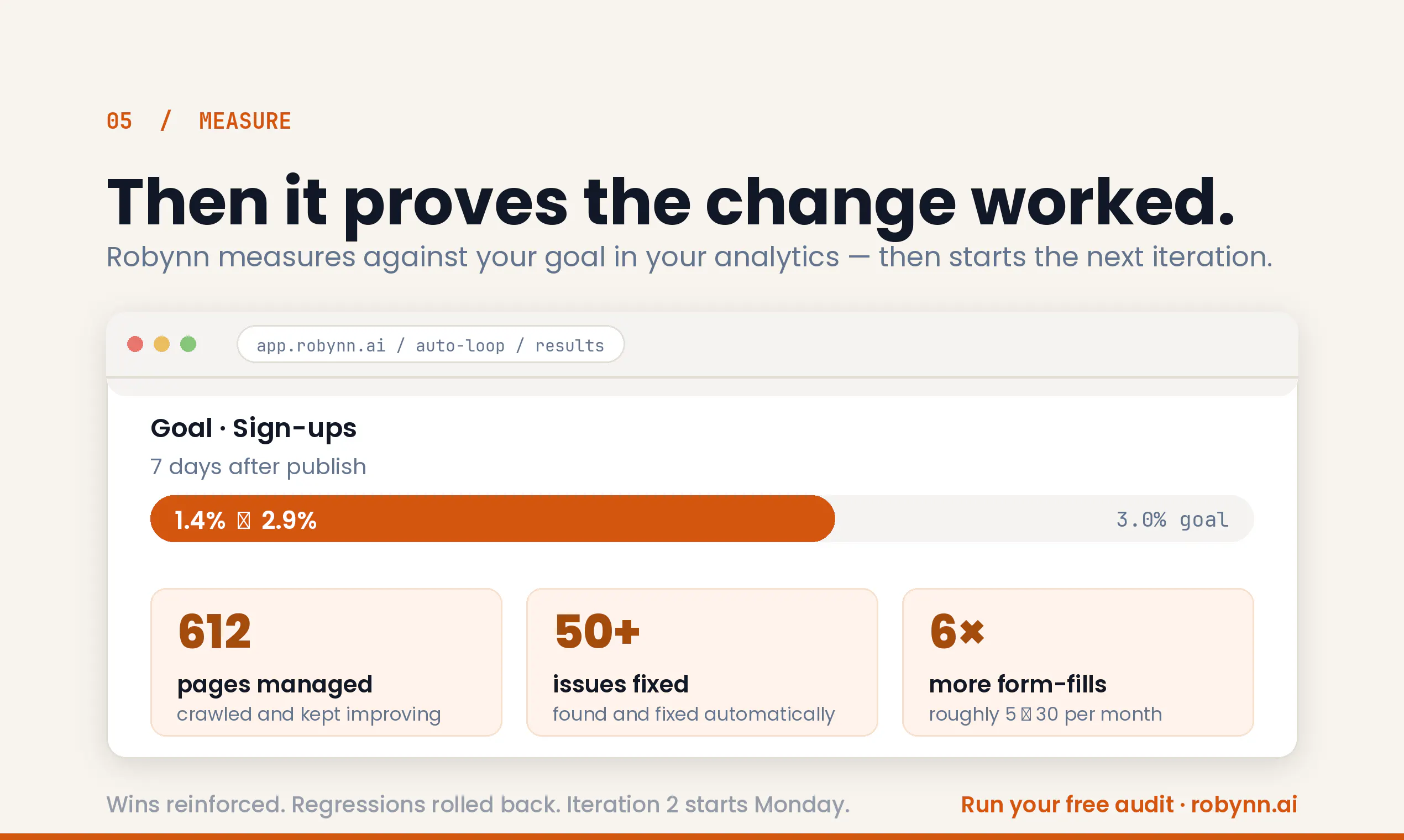
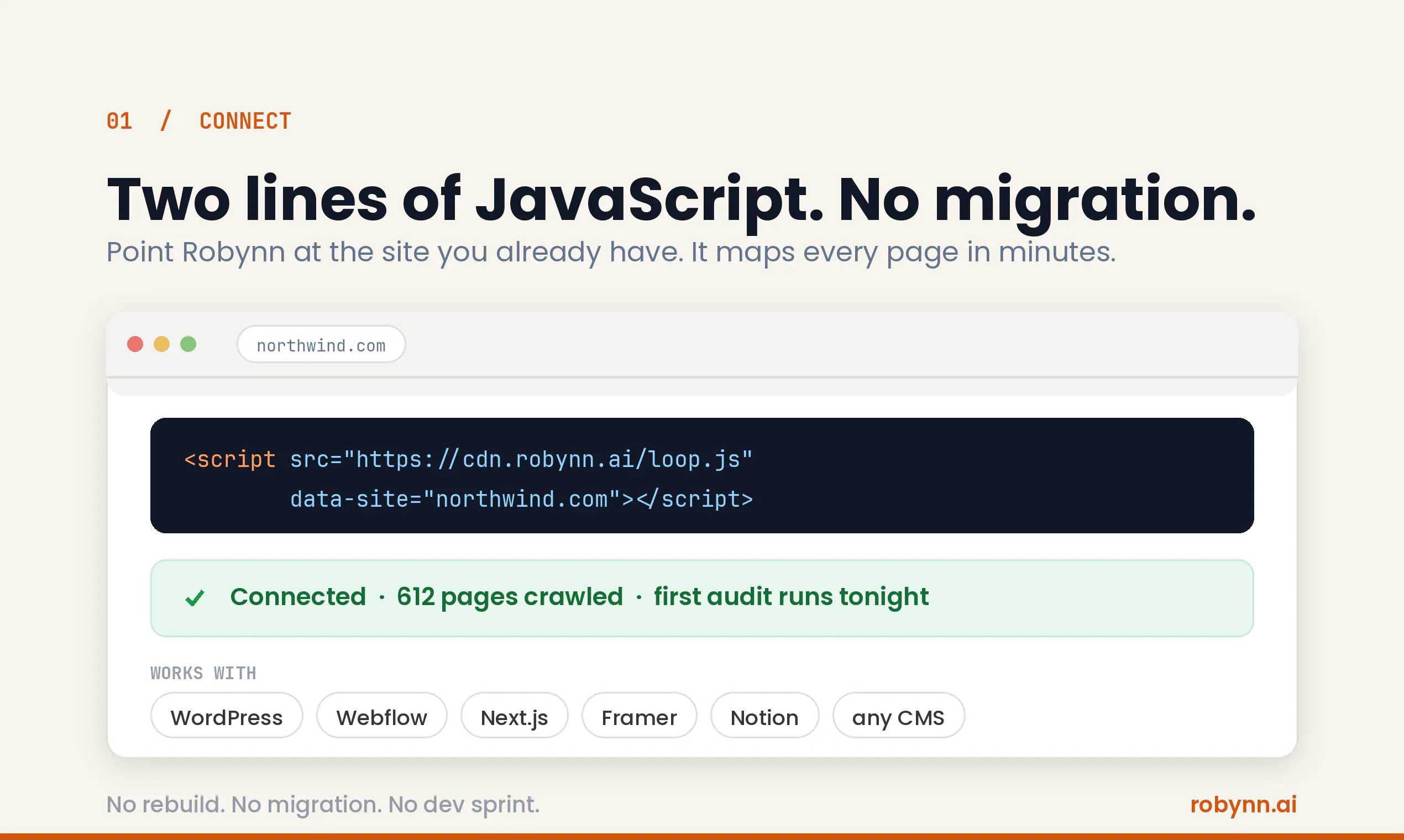
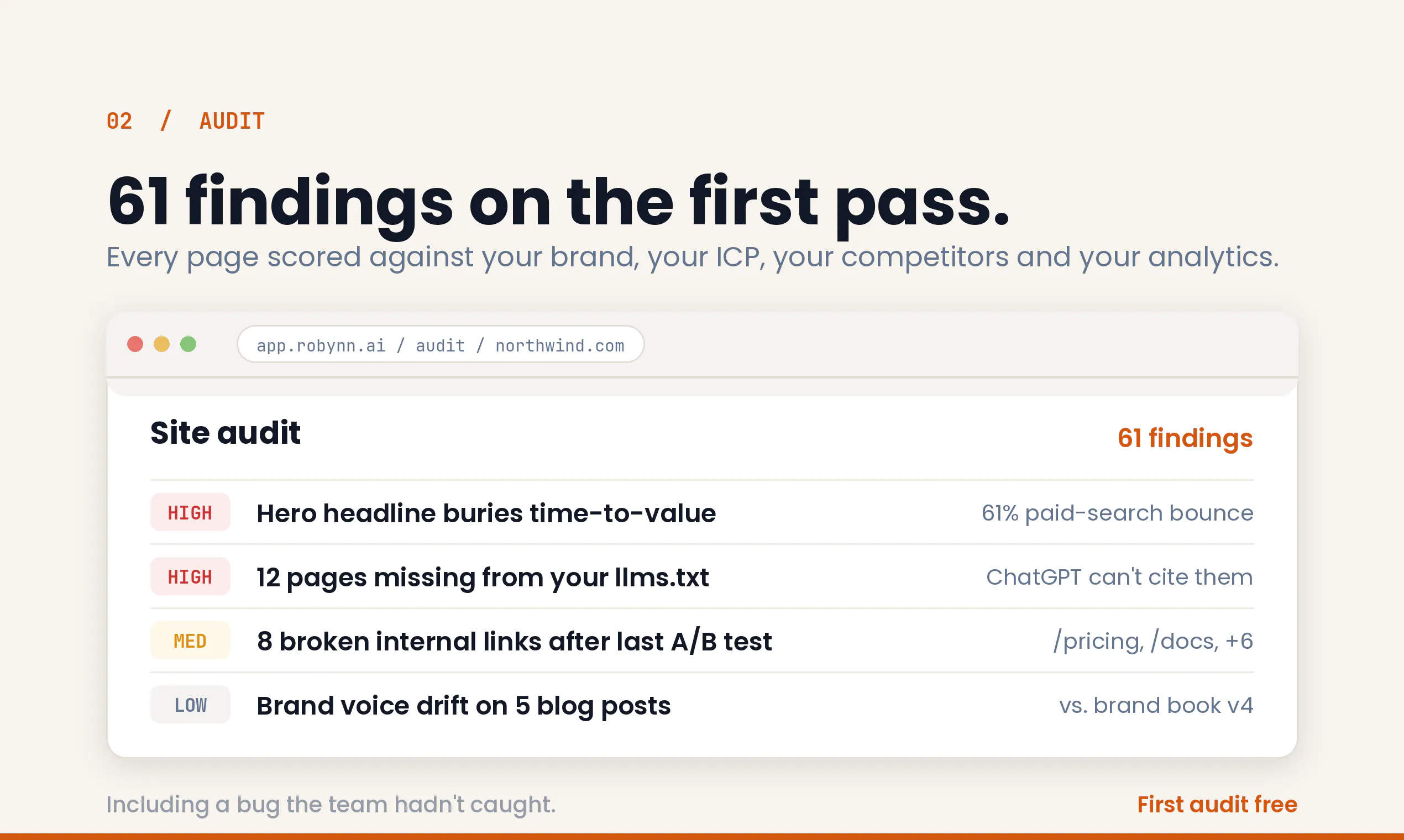
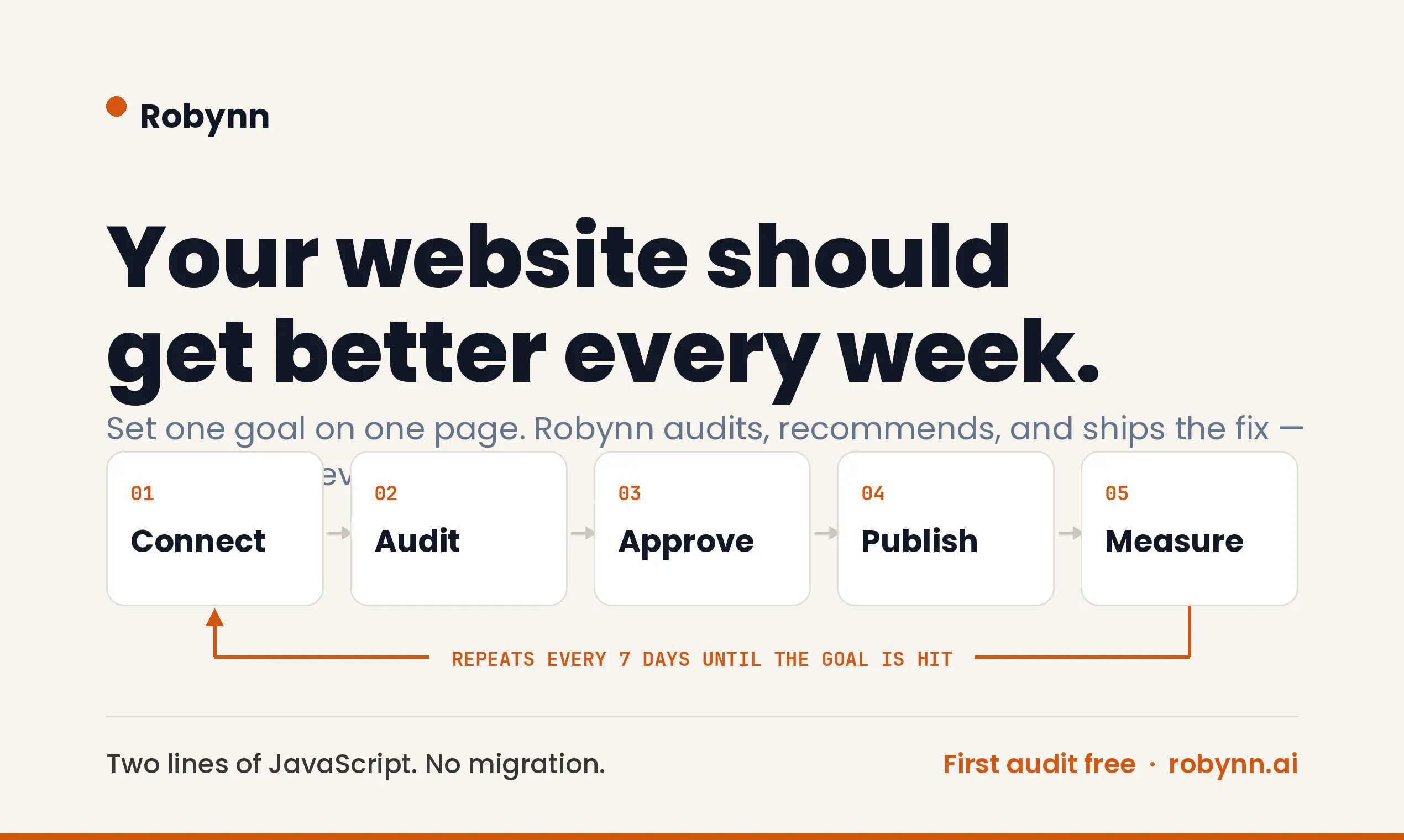
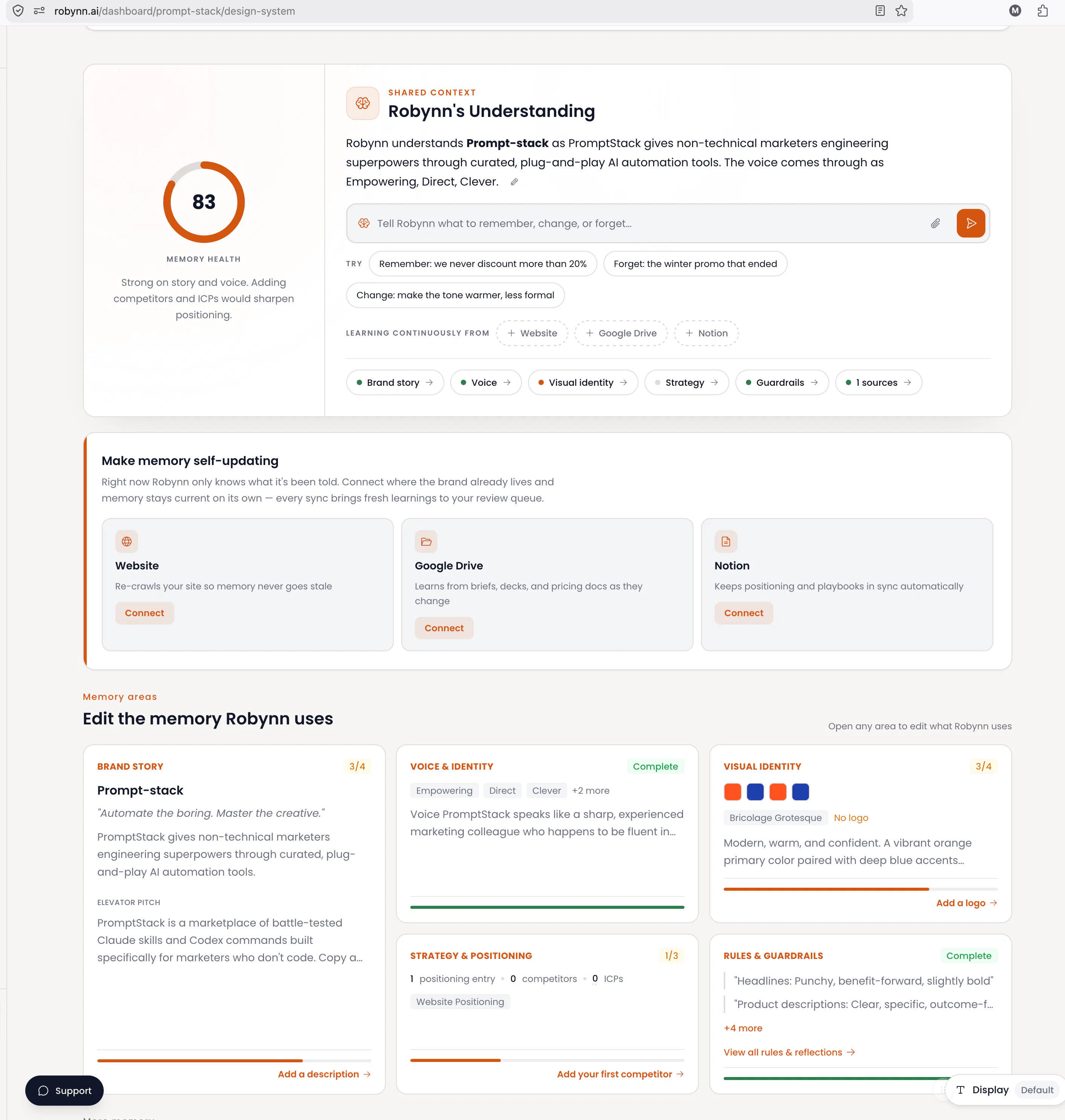
Your website starts decaying the day it ships. Broken links, stale pages, slipping rankings, invisible to ChatGPT. Robynn connects to your live site — no rebuild, no migration. It audits every page against your brand, ICP, and competitors, then proposes evidence-backed fixes. Point at any element, describe a change in plain English. Agents stage it, you approve, Robynn publishes and measures what moved in GA. Wins get reinforced. Regressions roll back. First audit is free.

Point at an element, describe the fix in plain English, that workflow alone would save me hours every week.

37
回复

@sulemna_ola Yes, plus you don't have to migrate your site. It stays in its place.

0
回复

The "invisible to ChatGPT" concern is real for me right now. I run a small content site, and I've noticed referral traffic from AI search growing while my usual SEO metrics stay flat. Curious how deep Robynn's audit goes on that front.

37
回复

@nancy_philip list it on bing ;)

0
回复

@nancy_philip ChatGPT and perplexity etc also use SEO principles to rank sites and it looks at weighs human generated content from Reddit etc higher. Robynn looks at what is being cited and offers recommendations to improve the visibility for those and other data points.

0
回复

I'm curious how it handles brand voice specifically. My site has a pretty distinct tone, and I don't want fixes that flatten it.

30
回复

@ramish_saje Robynn builds a brand book initially (voice, tone, design tokens) and any new generation is in that voice. For content including images anything Robynn does always stick to that brand book (aka brand.md) but users can override with sub-brands and personal style at point of generation.

1
回复

@ramish_saje  see example. We build a brand context first seeded with public knowledge then you the user can steer it and put it on auto-reflections mode. This is what is used for all recommendations and other tasks in the platform

0
回复
How does Robynn decide whether a change genuinely improved performance before reinforcing it?
26
回复

@hamza_afzal_butt You connect your google analytics at each page so any change is measured against a set goal for example, organic traffic, form fills etc.

0
回复

I like that this isn't positioned as a redesign tool. Most of my site doesn't need a redesign, it needs someone paying attention to it consistently, which I haven't had time to do myself. If the audit genuinely benchmarks against my actual competitors rather than generic best practices, that's the difference between useful and just noise.

24
回复

This is the first pitch I've read that treats website upkeep as ongoing care instead of a one-time project.

23
回复

@lanfranco_iwanaga thanks. Yes, thats the learning from working in tech for 2 decades as a former CMO/PM. Companies rarely change their website stacks by creating new ones

0
回复

he part that caught me is the rollback on regressions. I've used tools that let you publish changes but never actually track if they helped or hurt. Measuring against GA and reversing bad calls is the real differentiator here.

18
回复

@kimberly_west thanks. The platform is built on a very opinionated marketing practices (based on my former CMO learnings). In marketing agents should never do 100% of the work - only 90% of grunt work so marketers add the true taste and judgement. Second, strong feedback loops that lead to better learnings and reflections over time

0
回复

I run a small agency and stale pages are my biggest headache, clients ship a site, then forget it exists. What I like about it is the "no rebuild, no migration" promise. Most audit tools want you to move platforms first. Does it work across custom-built sites or mainly on standard CMS platforms like WordPress?

15
回复

@grayson_carter3 Wordpress and Shopfiy have direct connectors so also supports new pages in same brand design. For all others we host the changes then give you a few lines of javasscript to install on your website and once you do, your visitors automatically start seeing the changes.

0
回复

I've tested a handful of "AI website" tools over the past year, and most either overpromise or require a full migration before they're useful. It connecting directly to a live site is a smart call. My question is around approval, when you say "agents stage it, you approve," how granular is that review? Can I approve individual copy changes separately from structural ones, or is it all-or-nothing per page?

14
回复

@david_grunwald1 Right now it is a per page level.

0
回复

Broken links and slipping rankings are exactly what quietly kill a website. Glad someone's building for that specific problem.

9
回复

Hey Product Hunt! 👋 Madhukar here, co-founder of Robynn.

My co-founder, Rafiq and I both worked at Interwoven, the company behind the first generation of web content management (TeamSite/LiveSite — still running inside OpenText decades later). That generation made websites possible to publish. But it froze an assumption in place: a website is a project with an end date. Launch day is the finish line, and then the site quietly decays — broken links, stale pages, rankings that slip, and now invisibility in ChatGPT answers nobody is watching for.

Big companies solve this with people: web engineers, agencies, SEO retainers. Small teams get a to-do list that never shrinks. Robynn is that engineering muscle for every marketing team. Connect your existing site (no rebuild, no migration), get a continuous diagnosis against your brand and ICP, point at anything and describe the change in plain English. Agents rewrite and stage it; nothing goes live until you approve. Then we measure what moved in GA — wins get reinforced, regressions roll back.

The design principle we won't budge on: the machine does the labor, you keep the judgment. The first diagnosis is free and takes minutes. Would love your feedback — I'll be here all day answering questions!

PS: A quick note about pricing. When you sign up you get 300 free credits. Reach out to me over DM on LinkedIn or X if you are interested in more and we are happy to add more if you need them.

3
回复

@madhukar_kumar1 Congrats on the lauch! After trying it out, I found it very useful! Robynn AI helped me identify details I often overlook during web development, making it an excellent tool for refining website construction.

0
回复

@madhukar_kumar1 I like that changes are staged before going live. How long does it usually take before users can see whether a change actually worked?

0
回复

Staging changes for approval before anything publishes is the detail that makes this usable on a real site, auto publishing would have been a hard no for me. Closing the loop through Google Analytics and rolling back regressions on its own is a nice touch. What actually triggers a rollback, is there a minimum traffic threshold before it decides a change hurt performance?

3
回复

@adamkamaneh Yes you can set a goal at each page that is measurable like organic traffic, bounce rate etc. If the results are negative it triggers learning and rollback.

0
回复

The "website starts decaying the day it ships" framing is painfully accurate. as someone preparing a product launch, I know how quickly pages, copy, links, SEO, and docs can fall behind once the team moves on to the next thing. I like that Robynn works on the existing site instead of forcing a rebuild, and the stage -> approve -> measure -> rollback loop feels like the right balance between automation and control. Curious how it decides which changes are actually worth proposing instead of turning every small issue into more work for the team :)

3
回复

@andrasczeizel We built our agent with a lot of learnings from my own personal career as a CMO (and former PM) that is now codified into its skills and workflow. In addition, recently we added a self-learning loop at the org level. As you use it for other things like content generation or even campaigns, those rules and reflections are put back into website recommendations.

1
回复

the wins-get-reinforced, regressions-roll-back loop is the interesting part to me. GA signal is noisy and slow, especially for a lower-traffic site where a real ranking or conversion shift can take weeks to separate from normal variance. how long does Robynn wait before it calls a change a win or a regression, and does that window scale with the site's traffic volume so a small site doesn't get a false rollback from noise alone

2
回复

@galdayan Right now it is 7 days per change. We are also adding PostHog as an analytics/events collection and measurement.

0
回复

Congrats on the launch! I ran my site through the free audit, and the findings were clear and actionable.

SEO audits themselves are already a crowded space, so for me the most interesting part is the closed loop: diagnosing an issue, staging the actual change, publishing it after approval, measuring the result, and rolling it back if performance drops.

That could make Robynn much more useful than another checklist or SEO score. I’d be curious to learn how you isolate the impact of a specific change from seasonality, campaigns, or other updates happening on the website at the same time.

Great execution and a very polished experience!

2
回复

@andrey_ivanchenko thank you. We look at each data point from the point of view of the org's growth cortex aka org context and all changes today rely on one measurable goal (not multi-variate). In the future we plan to add multi-variate analysis as well but requires a lot more learning data

0
回复

The rollback is the part that got me. Most of these stop at telling you what's wrong, which just hands you another backlog. Closing the loop is the hard half - and once reverting is automatic you don't have to be right about any single change, just reversible. That's the whole trick.

One thing I'd want: a holdout. I run a metrics dashboard for my own stuff and got burned by this recently - download numbers are weekday-driven, weekends run 40-60% below midweek, so every Monday looks like a win and every Saturday looks like a regression. Nothing to do with anything I shipped. Without a control slice you end up reinforcing the calendar.

Congrats on the launch.

2
回复

@ryan_davis23 As a former CMO I looked at a lot of dashboards that were un-actionable. My goal is to connect the analytics to action in a tight feedback loop at the web page level.

0
回复

Nice launch. We have no web engineer and our site slowly rots, broken links and pages nobody has touched in a year, so a free audit that runs in minutes is tempting. Pointing at an element and describing the change in plain English sounds much better than filing a ticket and waiting. Does it work on a site built in a visual builder like Webflow, or does it need direct access to the code?

2
回复

@doganakbulut Publish works through a pixel install (a few lines of js you need to install on your website) but we are also building a direct connector to Webflow and Framer next

0
回复

I believe the first free audit is a smart way to build trust. Real findings often convience people fatser than promises. What are the most common issues discovered during those first audits?

2
回复

@donna_gerrard We will publish a report but for now we see a lot of broken forms and missing meta data and some keyword cannabalizations across slightly older sites.

0
回复

Continuous improvement feels much more realistic than treating websites as one-time projects. 👏 Do you have plans for multiple websites?

2
回复

@iamanantgupta Yes, we do support multiple websites out of the box.

0
回复

The rollback on regressions is underrated. Plenty of tools help you publish changes but almost none actually admit when a change didn't work and undo it.

2
回复

the rollback part is what caught my eye. it'd be really cool if u could also explain why a change got rolled back so teams can actually learn from it instead of just seeing "it didnt work."

2
回复

@ishm6m Yes of course

0
回复

the email digest with a default-publish timeout is a fair middle ground honestly, at least it forces someone to actively ignore it rather than never seeing it at all. curious if the digest highlights which changes are lower-risk copy tweaks vs actual layout/pricing changes, since I'd guess most of the rubber-stamping risk comes from lumping trivial and consequential changes into one daily email

1
回复

@omri_ben_shoham1 Not right now but we will add this. Thank you for the feedback 🙏

0
回复

@madhukar_kumar1 How quickly do customers usually notice measureable improvements after deploment?

1
回复

@hana_salazars Usually 7 days to know if/what direction has data moved before next iteration.

0
回复

Congrats on the launch. Sounds like a great product. A couple of quick questions though. Does it support split testing and CRO? I know you can't "split test" for SEO but other on-page elements and UX are also very important. Also how do you connect your website, do you have a WP plugin that makes it easy?

1
回复

@jn263 We don't have a split testing yet (on roadmap). Today you can set a goal at page level that is measurable against web analytics (traffic, bounce rates, form fills etc.). The recommendations and actions are looped against the goals you choose.

In terms of website connect. Today we have 2 direct connectors - Wordpress and Shopify (webflow and framer coming next). For everything else we provide a few lines of javascript that you can install on your website and it automatically shows the improved content at render time. Feel free to sign up and request additional credits (DM me) and we are happy to answer/help with additional requests.

0
回复

the approve-before-publish step is the part I'm skeptical of, not the audits themselves. for a small team that's already stretched thin, isn't that approval queue going to turn into a rubber stamp after the first few weeks, the same way cookie banners and permission prompts do once people get used to clicking through them. if that happens the whole you keep the judgment pitch quietly stops being true even though the UI still shows an approve button.

1
回复

@omri_ben_shoham1 Yes there is that risk but the alternate of having agents directly make changes and publish on your behalf without human intervention imo is far more risky. A middle ground is it can tell you the changes it is going to make every day by email and if you dont respond it publishes on its own but still edgy tbh

0
回复

The rollback feature immediately builds confidence. Nobody wants AI publishing changes without a safety net. :D

1
回复

It's refreshing to see AI focused on maintaining websites instead of just helping people build them. Too many websites become outdated as soon as they go live.

1
回复

@divya_kothari1 Thanks. Yes, our goal is to not have users rip and replace what they already have. We know what that entails especially for established companies.

0
回复

How does Robynn distinguish between temporary ranking fluctuations and changes that actually need intervention?

1
回复

@ankur_jeswani We simply look at the web analytics metrics every 7 days.

0
回复

I often see sites with outdated privacy policy and copyright pages. Robynn could now take care of these :D

1
回复
0
回复

As someone who is not a marketer but loves to blog and has a personal website, I would like to try Robynn to increase traffic to my blog, I am tired of Linkedin as a way to share my writings, I would like something that persists. I would like people to read my blog six months after I have posted it, and hopefully Robynn can help me with better SEO and GEO rankings, does it do that?

0
回复

@mani_pande Yes, one of the goals is to increase searchability and visibility of sites.

0
回复
#6
superfile
A modern, visual file manager for the terminal
170
一句话介绍:Superfile 是一款在终端中提供多面板、实时预览和键盘驱动操作的可视化文件管理器,解决开发者频繁切换目录时效率低、缺乏上下文感知的痛点,让终端文件管理像桌面端一样直观。
Productivity Open Source GitHub
终端文件管理器 TUI工具 多面板 键盘驱动 实时预览 开发效率 文件操作 开源美化 命令行替代 文件浏览
用户评论摘要:用户普遍认可多面板和预览功能,主要问题集中在:大量文件目录下的性能、SSH延迟场景的渲染流畅度;建议包括Git状态集成、冲突处理、动态按键重载、存储管理(大文件/重复文件查找)和配置社区生态。
AI 锐评

Superfile 在“终端美化”和“效率工具”的交汇点上精准卡位。其核心价值并非取代 ls/cd,而是将桌面文件管理的视觉流畅度与终端键盘原教旨主义缝合——多面板+实时预览的组合确实击中了开发者频繁跨目录操作、厌恶鼠标和GUI切换的痛点。但评论中暴露的硬伤同样明显:性能短板(万级文件目录、SSH延迟场景)直接决定它能否从“本地玩具”升级为“生产工具”,而目前团队对极端场景的优化承诺缺失。更致命的是,当前功能仍停留在“浏览”层面,缺乏存储清理、冲突处理、Git状态集成等深度工作流支持——这些才是用户“每天用”而非“偶尔炫”的壁垒。此外,高度可定制的按键引擎和社区配置生态的缺失,会让它像其他TUI工具一样陷入“发布即高峰,热度后沉寂”。产品方向正确,但若不在性能底线上做到极致,并快速切入开发者实际工作流(如Git、批量操作安全、存储治理),Superfile 很可能只是又一个“截图很美”的终端花瓶。

查看原始信息
superfile
Superfile is a modern terminal file manager with a polished multi-panel interface, strong previews, and deep customization. It lets you browse, preview, and move files across panes the way a desktop file manager would, while staying fully keyboard-driven and fast.

Hi everyone!

Superfile brings a proper file-management workspace to the terminal.

Run spf and you can keep several directories open at once, move files between panels, search quickly, handle bulk operations, and preview code or images without leaving the terminal.

The interface is what makes it work so well. The layout is clear, the keyboard flow is easy to follow, and it already feels polished before you touch the config!

4
回复

@zaczuo Congrats on the lauch! The multi-panel workflow looks great, but how do you prevent users from getting lost when several directories are open at once? Is there any plan to improve orientation or context awareness?

0
回复

looks nice. one thing id be curious about is storage management. like can it help me find huge files, duplicate folders, old downloads, or other junk i dont need anymore? thats probably a workflow id use way more often than just browsing files.

2
回复

the multi-panel + live preview combo is the part I'd actually use daily over plain ls/cd. curious how it holds up in two scenarios that tend to break TUI file managers: a directory with tens of thousands of files (does listing and search stay snappy or does it need to index first), and running it over a laggy SSH connection where redrawing a rich UI can get janky compared to a bare-bones tool. those are the two things that'd decide whether this replaces my terminal workflow or just becomes a local-only nice-to-have

2
回复

multi-panel plus real previews without leaving the terminal is genuinely the thing I miss from GUI file managers, nice to see it done keyboard-first instead of bolted on. question outside the performance stuff already asked - is there a shared theme/config gallery or plugin registry forming around this, the kind of thing where people post their dotfiles setup. that ecosystem is usually what decides if a TUI tool becomes a daily driver people customize for years or just a neat launch that fades

1
回复

Love seeing modern TUI tools get this level of polish @zac_zuo! Breaking away from single-panel terminal navigation saves so much context-switching.

For keyboard-heavy workflows, how flexible is the keybinding engine? Can users configure Vim-like modal navigation (like relative line jumps or custom motion macros between panes), and does config reloading happen dynamically on file save without needing to restart the session?

1
回复

The multi-panel workflow looks genuinely useful for moving between projects without leaving the terminal. How does superfile handle conflicts or interrupted operations when moving large batches of files between panels?

1
回复

Congrats on the launch! The UI looks incredibly clean for a terminal tool. I'm always looking for ways to reduce context switching when navigating through different projects and repositories. Are there any plans to integrate Git status directly into the file views (like highlighting modified or untracked files)? That would be a massive time-saver. Upvoted! 🚀

1
回复

I'm already loving the way this looks even though I haven't tried it out yet.... We need more TUI tools like this!

1
回复

The multi-panel preview that actually renders images, videos, and code side by side without breaking a sweat is exactly what makes this feel like a real desktop manager in the terminal. Nicely done.

0
回复

This is awesome maybe I can push more friends to linux if they had this in the terminal xD

0
回复

Love that superfile brings a true multi-panel workspace to the terminal, keeping everything keyboard-driven means I never break flow to reach for the mouse.

0
回复

been wanting a proper file manager that lives in my terminal and this actually delivers, the multi panel setup feels really natural to navigate

0
回复

Love it. I still remember using Norton Commander back in the day. Or actually xtree, which I loved, and none of my friends could comprehend :D

0
回复
#7
Grok 4.5
SpaceXAI's model for coding, agentic tasks & knowledge work
151
一句话介绍:Grok 4.5 是一款专为编码、工程、数学与科学知识工作场景设计的AI模型,通过实时搜索整合与高效推理,解决了开发者需要快速获取最新上下文、完成复杂工程任务的痛点。
Android Artificial Intelligence Bots
AI编码模型 实时搜索 工程任务 知识工作 智能推理 开源构建 开发工具 科技前沿 模型对比 SpaceXAI
用户评论摘要:用户反馈实时搜索功能实用,能拉取分钟级最新趋势信息,语气诙谐有趣。但有人指出此前版本效果不理想,与领先模型有差距,需观察4.5是否真正改进。另提及与Cursor训练整合及开源亮点。
AI 锐评

Grok 4.5 试图在拥挤的AI编码赛道中打出差异化——强调实时搜索与“类Cursor”的工程化训练。但151票的不温不火,与用户“之前版本不够好”的坦白形成尴尬对照。其核心卖点“实时整合分钟级趋势”确实独特,尤其适合需要紧跟最新API或漏洞动态的开发者,这比纯静态训练模型更具时效优势。然而问题也很明显:如果底层推理能力本身无法匹敌Claude或GPT-4o,那实时搜索充其量只是“新闻聚合器”,而非生产力工具。更致命的是,用户反馈中缺乏对实际编码效率、代码质量等硬指标的正面评价。Grok Build开源值得肯定,但开源并不等于好用。整体来看,Grok 4.5更像一次“补短板”的版本迭代,而非颠覆性突破。对SpaceXAI而言,若不能在下一次更新中证明其推理精度和工程任务完成度能与一线模型硬碰硬,这段“实时搜索”的副歌很快就会被更成熟的产品淹没。

查看原始信息
Grok 4.5
Grok 4.5 was trained on datasets spanning knowledge in coding, science, engineering, and math. With both intelligent and efficient reasoning, Grok 4.5 excels at real engineering tasks and exceeds comparable leading models at these tasks.

Grok 4.5 is the first "model trained alongside @Cursor".

Grok Build is also now open source.

0
回复

The real-time search integration feels genuinely useful, especially how it pulls in trend context without making you dig through tabs.

0
回复

been using Grok for a few days and the real-time search actually feels live, like it pulls in stuff minutes old. the tone is snarkier than I expected, which is fun for casual questions.

0
回复

Honestly surprised to see only one comment on Grok 4.5 release as of now. I’ve tried Grok several times but never managed to get results good enough to keep using it, especially compared with other models. I’m interested to see whether 4.5 genuinely changes that.

0
回复
#8
Estera
AI Receptionist that Answers Calls & WhatsApp 24/7
135
一句话介绍:Estera是一个专为服务与酒店行业(如房地产、酒店、餐饮、诊所等)设计的AI接待员,能在5秒内自动接听电话和WhatsApp消息,并完成线索筛选、预约预订和自动跟进,解决商家因响应不及时而流失客户的实际痛点。 ---
Productivity Customer Success Artificial Intelligence
AI接待员 智能语音 WhatsApp集成 预约管理 线索筛选 自动跟进 实时日历同步 多语言支持 服务行业自动化 零代码配置 ---
用户评论摘要:用户普遍称赞设置快、语音自然。核心质疑集中在:嘈杂环境与口音处理;非文本消息(语音笔记、图片)的应对;HIPAA合规与数据隐私;即时报价准确性与防重复预订机制;客户要求转接真人时的处理方式。创始人回应称系统通过“不确认则不下决定”的逻辑规避错误,而非事后告警。 ---
AI 锐评

Estera的登场,精准命中了服务行业“响应即生存”的残酷法则——但它的真正价值不在“快”,而在于重新定义了AI在商业场景中的角色边界。这并非一个噱头式的聊天机器人,而是一套将“接待员”这个高人力成本、高情商要求的岗位,拆解为协议处理、知识库调用、实时调度引擎的工业级方案。

其核心优势在于“知道自己不知道”:从创始人回应看,系统处理价格变更、重复预订等高风险场景时,不是靠“事后告警”的被动容错,而是通过实时源校验与不确定性时自动让渡给真人——这比市面上多数“万能答题”的AI聪明得多。这种设计思维,实际上将AI定位为“增幅器”而非“替代者”,既保证效率,又兜住底线。

但批评同样致命。HIPAA合规的回答暴露了其垂直深耕的深度不足,医疗场景的非对称风险(WhatsApp无法签约BAA)使其在最高利润的赛道形同裸奔。此外,评论中反复提及的“非文本消息处理”与“嘈杂环境表现”是AI语音产品的硬骨头,仅靠“升级模型”无法解决——这意味着Estera离“全品类通用”还有明显短板。

一句话总结:这是一款思路清晰、工程扎实的垂直工具,而非万能药。它更适合业务逻辑相对标准、容错空间较大的场景(如房产经纪、餐饮预订),但在强监管或信息耦合复杂的环境下,手动的“交接棒”仍不可或缺。创业者需要在“替代人力”的叙事热浪中冷静判断:AI接待员的本质,是过滤掉低价值重复劳动,让真人专注于真正的“客户异常”与“价值瞬间”。

查看原始信息
Estera
Meet Estera, the AI receptionist built for real estate, hotels, restaurants, and more. AI agent receptionist that answers every phone call and WhatsApp message in under 5 seconds, qualifies leads, books appointments, and follows up automatically. Built for real estate, hotels, restaurants, dental clinics, and more. Create your own AI agent assistant in under 3 minutes.

Introducing Estera - the AI receptionist that answers every phone call and WhatsApp message for your business, 24/7.

Service and hospitality businesses - salons, clinics, restaurants, real estate, hotels, dealerships - live and die by response time. But most calls come in while staff are with a customer, and most WhatsApp messages arrive after hours. Every missed one is a booking that quietly walks to a competitor.

❓ The obvious fix is "just add a chatbot." But anyone who's tried it knows how that feels: a robotic bot that answers an FAQ, doesn't know your prices, can't actually book anything, and makes customers ask for a human by the second message.

🤔 Turns out a receptionist is the hard part, not the chat. It has to know your services, policies and pricing, speak your customer's language, handle a real back-and-forth, and write the appointment straight into your calendar - not just talk.

So we built Estera to be exactly that, live in under 3 minutes with zero technical setup:

✅ Answers inbound calls and WhatsApp instantly, 24/7
✅ Trained on your business - services, pricing, policies, FAQs
✅ Books appointments directly into your existing calendar / PMS / CRM
✅ Qualifies leads and follows up automatically on no-shows
✅ Uses your existing phone number & WhatsApp Business number - no new hardware
✅ Speaks 50+ languages

Estera ships as three connected tools: Concierge (inbound WhatsApp), Voice (inbound calls), and Messages (outbound WhatsApp campaigns) - one AI assistant across all of them.

Try the live demo (no signup) or spin up your own agent in a minute at tryestera.com.

We'd love to hear your feedback 🙌

5
回复

HI @fredyandrei  answering your question about trust.. I think our biggest hesitation with voice AI is how it handles noisy backgrounds or heavy accents. Congrats🙌 Upvoted hope you crush it on PH today....

2
回复

@fredyandrei We ran an answering service last year and WhatsApp was the failure point: people send voice notes or photos of a broken part and the bot couldn't triage them. How does Estera handle non-text messages, and when does it hand off to a human instead of looping the caller?

1
回复

Congrats on the launch @fredyandrei @toma_rares ! I've tested it and it was very simple to setup and use. All the flows and visual look were great! Love it!

1
回复

@toma_rares  @axelut Thank you a lot, Alex! I am happy to hear that!

0
回复

Fredy, your answer to Gal about the agent knowing when not to decide is the strongest thing in this thread, so I will push on the vertical list instead.

Clinics do not behave like salons or restaurants. A patient calling to book usually says why, and that reason becomes regulated health data the moment it lands in a transcript, a CRM field or a follow up message. In the US that also rules out the channel you lead with, because Meta does not sign a business associate agreement for WhatsApp, so a clinic running patient conversations there is exposed no matter how careful your agent is.

Is a clinic a separate configuration for you, or the same agent with a different script?

1
回复

Thanks for your support, @clemente_lopez1! We don't have a US medical client today, so this hasn't come up in practice yet. HIPAA would mean a BAA-covered setup, and WhatsApp doesn't offer that, so clinics there would need a separate channel built around that requirement. It's on our radar for when we go after that market.

0
回复

Congrats on the launch, Fredy!

I saw you how you were sharing updates the past few months and I respect the consistency.

In a world where businesses can improve their services with products like Estera, it's a no brainer.

1
回复

Thanks a lot, @zoltanszogyenyi! Means a lot coming from someone who's been following the journey. Appreciate you sticking around through the updates, more to come.

1
回复

The live pricing and human handoff approach is practical. How does Estera prevent double-bookings when two customers try to claim the same slot at nearly the same time across calls and WhatsApp?

1
回复

@adityaharish2002 Two layers, really. Say someone books a consultation over the weekend, the business can double check it's actually free when they're back Monday, that part's standard no matter the channel, because unpredictable human problems can appear outside Estera system. On top of that Estera holds the slot in real time the moment someone's booking it, so if a second request comes in on the other channel seconds later, it sees it as taken. These types of situations are already rare, but that's the bit that covers it

0
回复

the trust question that'd matter most to me isn't accents or background noise, it's what happens when Estera gets something wrong mid-booking - quotes a price that's since changed, or double-books a slot your calendar already had held. does the business get a heads up to catch that before the customer shows up, or is the first anyone hears of it when the customer's standing at the counter confused? for something handling money and scheduling unsupervised, the failure path matters more than the happy path demo

1
回复

Thanks for your comment, @galdayan! Our system doesn't work by catching the mistake after it happens and alerting you. It works by not letting the agent commit to something it isn't sure of in the first place. Pricing comes from a live source, either pulled directly from your site or from a document you keep current. That's not an add on, it's a baseline requirement for the agent to do its job. A wrong price is a sales problem, not a technical footnote.

When there's a gray area, a discrepancy, something it can't confirm with certainty, it doesn't guess. It tells the customer someone will follow up with the exact details and hands the conversation to a real person. So, the customer doesn't end up confused at the counter because the agent never promised something it couldn't back up. The risk isn't removed by monitoring after the fact, it's removed by the agent knowing when not to decide on its own. Hope this answers your question!

0
回复

I'm curious what makes businesses switch from a traditional receptionist to Estera. When does a human intervene ?

0
回复

Set it up for our front desk in like three minutes and it actually picked up on the first ring, which already beats our old system. Qualifying leads part feels solid so far, going to let it run for a week.

0
回复

Timely for us — we run a healthcare directory where most patient–clinic contact happens over WhatsApp, and the hard part isn't answering, it's knowing when to hand off to a human. How does Estera decide when to escalate? Also curious how you handle regulated verticals where you can't store health details in the transcript.

0
回复

The real estate use case is interesting — I manage rental properties, and the after-hours call problem is real. Tenants call at 10 PM about a leaking pipe, and you're choosing between answering every call or missing something urgent. How does Estera handle triage? Can it distinguish between "my faucet drips a little" and "water is coming through the ceiling" and route those differently? That escalation logic is where most AI receptionists fall flat.

0
回复

Setup was genuinely fast, had my agent handling test calls within minutes. The natural-sounding responses caught me off guard, way better than the robotic assistants I've tried before.

0
回复

Your website link is not working at the moment

0
回复
0
回复

It looks good. But I can imagine that Estera will need to handle some edge cases when it won't be able to answer.

Then what? Would it be able to create some kind of ticket, ready to be answered by a real person?

0
回复

Estera the website is cool and easily understandable i like that and would love to test this agent how perfectly it can handle calls and disputes and how much data i have to give him and does it remember things and learns from the mistakes it did?

0
回复

This is nice. How does it handle callers who specifically demand to speak to a human?

0
回复

@dhiraj_patel5 Right now if a caller asks to speak to a human, the agent lets them know someone will call back as soon as possible.

0
回复

the not letting the agent commit when it's unsure approach is a smart way to frame the risk. curious about the other trigger for handoff though - what if the customer just isn't happy talking to a bot and asks for a real person directly, nothing to do with pricing or a gray area. does Estera hand off immediately on that kind of request, or does it try to keep resolving things itself for a bit first? for hospitality especially that could matter as much as the pricing accuracy does.

0
回复

I build on the support side so take the bias into account. Calls and WhatsApp look like one inbox and they are not, and the follow-up promise is where that shows.

On a call the conversation has a beginning and an end. On WhatsApp it has neither. The customer replies four hours later in the same thread expecting you to remember, so it is really a record that never closes. That is a different data model to a call transcript, not a variation on one.

The specific thing I would check is the follow-up. WhatsApp only allows free-form messages inside the service window after the customer's last message. Outside it you are on approved templates. So automatic follow-up either lands inside that window, or it goes out as a template and reads like one, which for a dental clinic chasing a booking is the wrong tone.

The other one is handover. Estera answers at 2am, a human picks the thread up at 9am, and the customer has no idea a shift changed. Whatever was promised overnight has to be sitting in front of that human, or they contradict their own receptionist and the customer just sees a business changing its mind.

Neither is a reason not to build it. They are the two places where one feature behaves differently per channel, and both are cheaper to design for now than to retrofit..

0
回复

The under-5-second answer time is the spec I'd zero in on, because with voice the delay before the first word matters more to callers than the raw quality of the response. I build voice AI that calls aging parents daily, and getting reliable pickup plus natural turn-taking over real phone lines turned out to be harder than the model work itself. How are you handling barge-in when a caller talks over the agent mid-sentence? That one detail tends to decide whether a voice agent feels human or not.

0
回复
#9
Rescript
A free, open source, Descript alternative. Runs in-browser.
124
一句话介绍:Rescript是一款免费开源的浏览器端视频编辑器,通过直接编辑转录文本来剪视频,解决了用户对昂贵订阅制工具(如Descript)的依赖,以及本地隐私和离线使用的痛点。
Productivity Open Source GitHub Photo & Video
视频编辑 转录编辑 开源 浏览器端 本地离线 免费工具 Descript替代 隐私优先 AI剪辑 文本驱动
用户评论摘要:用户普遍赞赏其转录编辑和本地离线特性,但提出多项建议:需支持多轨道编辑、单说话人片段分割快捷键、烧录字幕导出;关心长视频(如90分钟)的性能上限、4K导出质量是否无损;追问是否完全本地转录(隐私关键点)、仅支持英文还是多语言,以及是否包含除剪辑外的全部Descript功能。
AI 锐评

Rescript在“周末项目”光环下切中了用户对高成本订阅工具的反感,其“浏览器内本地运行”的隐私叙事极具杀伤力——尤其对于处理敏感访谈或个人素材的用户。但冷静来看,这更像一个精悍的“概念验证”而非成品。

核心价值在于两点:一是用极低的开发成本验证了“转录即剪辑”工作流的可行性,二是通过Web技术将隐私和免费做到极致。然而,评论区密集出现的技术疑问(长视频内存溢出、多轨道缺失、单说话人分段、烧录字幕、多语言支持)恰恰暴露了其与Descript等成熟工具的鸿沟。一个只能处理5分钟短视频的单轨剪辑器,在专业场景下几乎无法形成工作闭环。

真正的问题是:当用户拥抱本地执行时,计算瓶颈从“服务器成本”转移为“客户端硬件”,而浏览器内存和WebAssembly的算力天花板是物理性的。如果Rescript不能在本地转录(很多所谓本地方案依赖Web Workers调用远程API),其隐私护城河将形同虚设。它现在的亮眼,更多是作为对资本驱动型工具生态的一次反讽——用极低成本撬动了一个被高价忽视的市场诉求,但能否从“周末玩具”进化为“日常工具”,取决于开发者是否有勇气和资源去解决那堆真正的“笨重”问题。

查看原始信息
Rescript
🎬 Open source, transcript-based video editor that lives in the browser. Edit videos by simply editing the transcript text. Runs fully in the browser: Local, free and offline!
Descript costs $24/mo, I built this over a single weekend with Fable to jump on the personal software bandwagon. Introducing Rescript: edit videos by simply editing the transcript text. → Github https://github.com/wassgha/rescript Runs fully in the browser: Local, free, offline and open source!
2
回复

Editing by transcript is such a clever idea, and running it fully offline is a huge plus. One thing I'd love to see is a way to export with burned-in subtitles directly from the editor so the captions stay synced without needing a separate tool.

0
回复

honestly the transcript-based editing is such a clever idea, but it would be really helpful if you could split a single speaker's turn into two clips without having to insert weird text. like a hotkey to cut mid-sentence right where the cursor is, kind of like hitting enter in a doc.

0
回复

Editing video by tweaking the transcript sounds genuinely clever, especially the local-only angle. One thing that would make it way more useful for me though is multi-track support, since most real projects have narration, music and B-roll that need separate timing rather than living on one timeline.

0
回复

Editing video by just fixing typos in the transcript feels like cheating in the best way. Loved that it runs offline with zero setup.

0
回复

the transcript editing idea is honestly so smart, cut a sentence and the video just trims to match. loaded a clip and it ran fine without any setup.

0
回复

Editing a transcript instead of a timeline is one of those ideas that feels obvious only after someone builds it. Keeping everything local makes the pitch much stronger for interviews and personal footage. And a weekend project that puts a real workflow on the table is more interesting than another polished roadmap.

0
回复

How does it handle languages other than English?

0
回复

Running fully in-browser is a strong differentiator for this category, since the thing that makes people hesitate about editing tools is uploading raw footage of themselves to someone else's server.

The tradeoff I'd want measured is where the tab gives up. Browser memory limits are real, and a 90-minute recording is a very different ask than a 5-minute one. Do you have a rough ceiling in practice? And does transcription run locally too, or does that step reach out — because if it does, the privacy story quietly changes for the part people care about most.

0
回复

How do you handle longer videos or really dense transcripts in the browser? I'm curious if there's a practical file size limit before things start getting sluggish, since everything's running locally.

0
回复

Transcript-based editing in the browser is a strong idea, especially with everything staying local.

How does Rescript handle edits beyond cuts, such as removing filler words or tightening pauses without making the final video feel unnatural?

0
回复

love that this is a weekend project and fully local, that's a rare combo for video editing tools. curious how it holds up on longer source files though, like an hour long podcast recording. is the transcription and scrubbing still snappy on a mid-range laptop at that length, or does the in-browser part start to strain once the timeline gets long. either way nice work shipping this solo.

0
回复

Some editing products reduce the video quality when we export the edited clip. Does this retain it as is?

So for example, if the video is in 4K, it exports back 4K, right?

0
回复

Does it have all features of DeScript or only the transcript based editing feature?

0
回复
#10
AI YC interview with Gstack agents
AI specialists that join your Google Meet and gives feedback
119
一句话介绍:Gstack agents 让AI角色以3D化身和语音形式加入Google Meet,实时为你的演示和产品提供模拟CEO、CSO等角色的尖锐反馈,解决创业者缺乏即时、多角度专业意见的痛点。
Open Source Developer Tools Artificial Intelligence GitHub
AI会议助手 实时语音反馈 开源AI代理 YC面试模拟 Google Meet集成 3D化身 代理API 产品演示评审 本地隐私优先 AI角色扮演
用户评论摘要:用户称赞其本地运行、无音频泄露的隐私设计,认为这是通过安全审查的关键。有用户指出共享大脑队列已满,建议本地克隆运行。开发者解答了上下文保留问题:本地Claude Code会话可保留历史。另有人关注AI如何避免打断真人对话,回复称AgentCall有防抢话机制。
AI 锐评

Gstack agents 的巧妙之处在于它精准击中了两个痛点:创业者对“权威反馈”的饥渴,以及对AI工具数据隐私的普遍不信任。表面上是AI面试模拟器,实则是通过“Garry Tan的人物身份”和“本地脑”这两个精妙钩子,来推广其底层的AgentCall API。其核心价值不在于那几个YC角色的“演技”,而在于它示范了一种范式:AI代理人(agent)从被动的记录者,进化为主动、有角色、能语音打断的参与者。MIT开源和本地处理的设计,既降低了接入门槛,又为B端安全合规铺了路。但风险也很明显——当前依赖用户自建“大脑”和本地Claude Code,体验门槛极高,共享队列的拥堵已经暴露了这个模型的脆弱性。本质上,它用极高的开发门槛换取了灵活的隐私承诺,更像一个To Developers的技术Demo,而非一个To End Users的即开即用产品。如果AgentCall API不能在未来提供足够强大且低延迟的托管大脑,这套“面试官”很快就会因为不够智能、反应迟钝或角色感崩塌而沦为噱头。真正的竞争力,取决于API生态能否让任何代理都能无缝、智能地“挤进”任何会议,而不是仅仅表演一场明星模仿秀。

查看原始信息
AI YC interview with Gstack agents
Garry Tan's open-sourced gstack specialists — CEO, CSO, QA Lead, a YC-office-hours partner and 15 more — join your real Google Meet as voice bots with 3D avatars. They open in-persona, take turns, critique your shared screen out loud, and drop notes in chat. Free, MIT, and the brain is your own coding-agent session. Built on AgentCall.
Maker here 👋 I built gstack to answer one question: what does a meeting feel like when AI agents are participants, not notetakers? So they join your Google Meet as voice bots. The YC-partner persona opens with "what are you working on, and who actually wants it?" — and honestly it's uncomfortable in the best way. Share your screen and the senior-designer persona scores your page out loud, then posts the points to chat. Three things I care about: 1. Honest open source — the whole platform is MIT (github.com/pattern-ai-labs/gstack-joins-meeting), and the personas are Garry Tan's, credited and MIT. 2. The "brain" is YOUR coding-agent session (Claude Code / Cursor / Codex) on your own laptop — no audio or files leave your machine, just transcripts, only for calls you start. 3. gstack is really a demo of AgentCall (agentcall.dev) — the API that lets any agent take a seat in a meeting. If you build agents, you can put yours in a call too. Try it free, no card: gstack-meeting.com. I'll be here all day — would love your feedback.
10
回复

@anand_balakrishnan5 What a timing, YC application end date is tomorrow.

0
回复

Cool stuff 🚀, Don't know how you pulled this off but getting gstack agents to join meetings is like a major upgrade to @garrytan 's gstack. Even though i was stuck in the shared queue for some moment, i still had it running using my own claude code as brain, Had a call with the gstack CEO and I'm already loving it. 😄

4
回复

Hey all 👋

Quick update: we’re seeing heavy usage and the shared brain pool is currently at capacity.

For now, please clone the repo, create your own brain, and run it locally.

Also, this is a self-learning agent. If you run into problems, just ask it to resolve them and it will work on fixing them.

4
回复

Having agents critique a shared screen in real time is a strong idea. Can each persona retain context across multiple meetings, or does every call start fresh?

3
回复

@adityaharish2002 Brain is your Claude Code session. If you resume the same session, it will retain all the previous context.

1
回复

the local-brain / no audio leaving the laptop detail is what would actually get this past a company's security review, most tools in this space cannot say that honestly. curious about the live-meeting etiquette side though - when a persona jumps in to critique the shared screen out loud, how does it know not to talk over an actual human who started speaking at the same moment. is there a turn-taking signal or does it just wait for a pause

1
回复

@omri_ben_shoham1 For a completely local experience, install the gstack skill in your claude code and the heyski.io voice, which will let you talk completely local and on-device.

In gstack x agentcall.dev, the brain is currently shared by the agents in the demo. So, they know when someone else is speaking. It is also possible to have individual brain for each agent. In that case, there is barge in prevention in the agentcall skill, which will prevent the interruptions properly.

1
回复

The local brain running on your own machine is the detail that actually matters here — most meeting AI tools quietly route everything through their infrastructure and call it 'private.' The open MIT license on the personas is a nice architectural choice too. The part I'd dig into as a developer is the AgentCall API: when I bring my own agent into a call, does it receive raw transcript chunks in real time, or does gstack buffer and parse before the agent sees anything? The latency and chunk boundary design determines whether a custom agent can stay coherent during a fast conversation.

1
回复

@hi_i_am_mimo This project code is available in Git. GStack skill is also available on GitHub. You can analyse the code and run it locally on your PC. You can also just ask your claude code to use agentcall.dev skills (available on git) and gstack from Garry to join the meeting. And it should work well.

If you want to run it completely private on your own PC, use heyski.io to talk to claude code completely on your PC. AgentCall streams the transcript from its own services in realtime and doesn't retain data unless asked explicitly to. Else it is in-memory and discarded after each call ends.

1
回复
#11
localskills.sh
AI Skill & MCP server management for teams & enterprises
113
一句话介绍:localskills.sh 是一个面向团队和企业的AI技能与MCP服务器管理中心,解决开发者在不同AI编码工具(如Cursor、Claude Code等)间重复创建、共享和安装Agent规则与技能时“死在dotfiles里”的痛点,通过一条命令实现跨工具的标准化部署。
Productivity Developer Tools GitHub
AI技能管理 MCP服务器 团队协作 开发者工具 版本控制 规则共享 Agent管理 企业级 安全治理 跨平台兼容
用户评论摘要:用户高度肯定“解决dotfiles问题”和跨工具一键安装,但核心质疑集中在:技能版本漂移与不可追溯性(运行后无法证明哪些技能被加载)、发布权限缺乏代码审查(仅靠命名空间权限易引发供应链攻击)、缺乏版本锁定和锁定文件、技能质量保障(无预览/差异对比、无使用数据统计),以及技能描述冲突导致Agent选择错误等问题。
AI 锐评

localskills.sh精准击中了AI辅助编程场景中一个日益尖锐的痛点——当团队规模扩大,个体开发者的“隐式知识”通过零散规则文件在同事间无声传递,最终沦为一纸空文。其“一条命令安装到所有工具”的跨平台兼容性,确实在工具链碎片化的当下提供了稀缺的标准化价值。

然而,产品目前暴露出的问题远比其解决的问题更值得警惕。**最致命的是“不可证明性”**:Agent运行时无法断定某条技能是否真正进入上下文,而失败时的表现并非报错,而是“轻微恶化但看起来正常”。这本质上是一个黑箱信任问题——在AI行为不可完全预期的情况下,任何管理工具若不能提供事后审计的证据链(如技能加载日志、版本快照与推理轨迹绑定),就只是在制造更优雅的混乱。

其次,**权限模型与供应链安全存在结构性漏洞**。即便支持版本固定,但MCP协议本身缺乏主动推送机制,意味着技能更新后,旧任务仍沿用旧版本但开发者不知情。更危险的是,只要拥有命名空间发布权,无需任何Merge Request或代码审查就能静默改变所有Agent的行为。这直接复现了npm生态“left-pad”事件的教训——一个没有Gate机制的注册表,本质上就是分布式攻击的加速器。

从评论来看,社区真正需要的不是一个“技能存管处”,而是一个具备以下要素的编排层:可验证的运行时证据链、带审批流的变更管理、以及技能间的冲突检测机制(参考评论中提到的200条技能描述相互竞争的问题)。当前产品更像是一个协作式dotfiles仓库,而非一个可信的Agent治理系统。

建议团队尽快将精力从“兼容性”转向“可审计性与确定性”:将技能版本哈希和上下文快照绑定到每次推理请求,提供“技能执行审计表”;引入类GitHub PR的贡献审核流程;以及对技能描述向量化模拟冲突评分。否则,这个产品只是将单点混乱转化为了系统级歧义,那才是比dotfiles更可怕的管理噩梦。

查看原始信息
localskills.sh
Create, share, and install reusable agent skills and rules for Cursor, Claude Code, Windsurf, and more. One install command, every tool.

Hey PH 👋 Matthew here.

Everyone is writing skills and rules for their coding agents, and almost all of them die in someone's dotfiles. localskills.sh is a registry that fixes that.

Publish a skill once, install it into Claude Code, Cursor, Windsurf, Codex, or Copilot with one command. Teams get a private namespace with permissions, SSO, and two-way GitHub sync. There's an MCP server, so your agent can pull skills on its own mid-task.

What's the one skill you'd want your whole team using?

2
回复

The version question upthread has a quieter cousin, and I think it is the one that actually bites.

Drift is at least detectable. Two people compare notes and find different versions. A skill that fails to load at all, or loads a version nobody expected, produces no signal whatsoever. A missing dependency throws. A missing skill just means the agent answers without the rules that were meant to constrain it, and that answer looks completely normal. I keep my own agent rules in one global file with a stack of skills beside it, and the runs that cost me were never the ones that errored. They were the ones where a rule sitting right there on disk plainly did not reach the model, and nothing in the output said so.

So underneath the permissions and pinning questions: can a run prove which skills were in its context, after the fact? Installed and loaded are different claims, and only one of them is checkable right now.

1
回复

@abdullah_javaid3 This is a really interesting problem we will look into. With what we have currently, if you load a skill via the MCP, the version is loaded into context as part of the MCP response and will persist in context after compaction.

1
回复

Mine would be a pre-deploy checklist skill, the boring one nobody keeps updated. The mid-task pull is the part I would want to understand though. If a skill carries rules that shape what the agent does, whoever can publish to the namespace can change agent behaviour without a code review. Is publishing gated by the same reviewers as a repo merge, or by namespace permission alone?

1
回复

@rahulladumor A few things to gate a supply chain skill update attack here. We have granular ACL for skills and folders and role based permission systems in LocalSkills, we also support pinning down an exact version (versions are immutable) of a skill to fetch via the cli or MCP. It is definitely in the works though to support a more complete multi user contribution system similar to GitHub pull requests.

1
回复

The "dies in someone's dotfiles" framing is exactly right — I've seen the same happen with .cursorrules and Cursor rules files that only the senior who wrote them actually knows about. One thing I'd want to understand before rolling this out: is the skills registry self-hosted by default, or does it live in your cloud? If team-specific conventions end up baked into a skill definition — internal API patterns, data handling rules — that changes the trust model depending on where the registry lives.

1
回复

@hi_i_am_mimo The registry is hosted on the LocalSkills cloud, however you can link a Github repository to LocalSkills for continuous data export so we won't lock your data in the platform.

1
回复

the "dies in someone's dotfiles" framing is exactly right, every team I've seen has one senior engineer's excellent cursor rules file that nobody else knows exists. to answer your question - probably a PR-description skill that pulls from the actual diff instead of the commit messages, ours are always out of sync with what actually changed.

question on the mid-task pull via MCP - if a skill gets updated mid-sprint, does an agent already partway through a task on the old version get bumped automatically, or does it keep running on whatever it pulled at task start? version drift across a team seems like the thing that'd quietly cause the most confusion if two people's agents are working off different skill versions without realizing it

1
回复

@galdayan Thanks for the review. For your question, you would have to ask the agent to re-pull the skill just because the MCP protocol does not currently have a method of sending an update to the end consumer.

1
回复

Would love to see a way to version-pin specific skills when installing, so a team can lock to a known-good build instead of always pulling latest. Something like a lockfile or a `--version` flag per skill would make shared agent rules way more reliable across projects.

0
回复

The single install command across multiple editors is genuinely useful. Saved me from copy-pasting the same skill definitions into Cursor and Claude Code for the third time.

0
回复

A nice take on making agent skills portable across editors. One thing that would help me get started: a built-in preview or diff view that shows exactly what each skill will inject into my project before I run the install command, so I can trust what is being added to my rules and configs.

0
回复

A versioning system for skills would be huge, something like pinning specific versions when installing so updates don't silently break workflows. Maybe a `localskills install owner/skill@1.2.0` syntax with a lockfile would make it way more reliable for team setups.

0
回复

Centralized skill and MCP management feels increasingly necessary for teams. Does localskills support signed provenance, version pinning, approval policies, and rapid rollback when a skill update causes unexpected behavior?

0
回复

One install command across every tool is the obviously useful part, so I will ask about the part that tends to get hard later. Once a skill is installed across a team, how does anyone know it still does what it did last month? The underlying tools move, prompts rot quietly, and the failure mode is not an error, it is slightly worse output that nobody attributes to the skill. Do you give a team any way to see that a shared skill still behaves, or is that on the author to keep an eye on? Asking because reusable prompt assets are easy to share and genuinely hard to keep honest. Congrats on shipping this.

0
回复

The thing I'd want from a registry that a dotfile never had to solve is selection. I keep 16 skills in one project, and the failure mode isn't that they die unread — it's that two of them describe overlapping territory and the agent picks the wrong one, or reaches for none and answers from general knowledge instead. Right now that's self-limiting, because installing a skill costs me the work of writing it. One install command removes that cost, and a team namespace with 200 skills in it turns the description string into the real interface: whatever sits in that field is competing against 199 others for a decision the model makes in a fraction of a second.

Do you do anything about that at publish time — collision detection against descriptions already in the namespace, or a lint that flags a new skill whose trigger surface overlaps an existing one? Abdullah's point about never being able to prove what loaded gets sharper at that size, because "it never fired" and "the wrong one fired" look identical from outside the run.

0
回复

@matthew_zhao3 The governance and versioning answers above cover a lot of ground. One thing I didn't see addressed: once a skill is published and adopted, can an admin see usage data, like which skills are actually being pulled across the org versus sitting unused?

0
回复

@clement_avq Yes! as well as which version of which skill is consumed by which user

1
回复

Would love to see a simple way to preview what a skill does before installing it, like a short description or example output. Right now I have to trust the repo blindly, and a quick "what you'll get" snippet would make it way easier to decide which skills to grab.

0
回复

@upton_zen The idea currently is that 99% of what you install at LocalSkills is your organization's internal skills, however we can definitely look into a AI summarization feature for what a skill does.

0
回复

The dotfiles problem is real. The cross-tool support is what makes this genuinely useful though: Claude Code, Cursor, and Windsurf each interpret rule directives differently enough that a shared skill definition needs to either normalize across them or emit tool-specific outputs. How does localskills handle skills that need slightly different behavior per agent runtime without requiring separate skill definitions for each tool?

0
回复

@anand_thakkar1 We have not seen a usecase like that in the wild where you can not define various behaviors in the skill files themselves. Happy to hear more about your use case.

0
回复

one thing not covered above - what happens when two installed skills actively contradict each other. say one teammate published a skill that says always squash commits and another published one that says never rewrite history. does localskills flag that kind of conflict when both get pulled into the same session, or does the agent just silently pick whichever loaded last and nobody notices until someone's history gets rewritten unexpectedly.

0
回复

@omri_ben_shoham1 The general idea is that you pick the skill you install from your registry, just by loading LocalSkills MCP doesn't mean it will load all the skills in the workspace.

0
回复
#12
Comms
Launch iMessage agents in seconds
109
一句话介绍:Comms在30秒内为企业开通真实iMessage智能体通道,免去运营商审批、等待和月费,并在对话内直接完成客服、预约、收款等业务。
Messaging Developer Tools Artificial Intelligence
iMessage智能体 企业通讯 客户支持 商业短信 AI客服 免安装服务 即时通讯API 对话式商务 低代码开发
用户评论摘要:用户对秒级开通和免运营商流程高度认可,但核心疑问集中在:共享线路被苹果封禁的风险隔离措施、iMessage转SMS时对话连贯性、群聊场景的合规控制,以及内嵌收款是否符合PCI合规(需确保卡号不落入聊天文本)。
AI 锐评

Comms的价值不在于“又一个AI客服”,而在于它切中了苹果生态中一个被长期忽视的基建空白——企业级iMessage直连通道。传统方案耗时长、成本高,本质是运营商和苹果之间的流程断层,Comms用技术手段直接弥合了这条裂缝,让iMessage变成比网页、App更低摩擦的服务入口。

真正犀利的地方在于定价逻辑:免费层3000条已够小团队试水,50美元打包智能体和收件箱,对比业内“租号费+消息费”的双重收割,简直是降维打击。但风险同样不可回避:iMessage的合法性完全依赖苹果的容忍度,一旦出现违规滥用,账户雪崩式封禁可能瞬间摧毁整个共享号池的信任基础。评论中关于“隔离措施”和“转SMS保持连贯”的追问,恰恰指向了产品成熟度的核心短板——目前仅以“有专用/共享线路可选”回应,技术细节模糊。

此外,“付款内嵌”若只是跳转到Token化支付链接则尚可,若让AI直接解析卡号文本,PCI合规隐患将是上市级企业的拒绝理由。Comms当前更适合中低风险场景(客服、预约、通知),真正撬动大客户还需要在安全隔离、会话容错、合规审计层面拿出硬凭证。一句话:方向极好,但别让“极速上线”变成“极速翻车”的引子。

查看原始信息
Comms
Getting an iMessage line for your business used to mean sales calls, carrier paperwork, weeks of waiting, and $225+ a month before your first text. Comms puts a live agent on a real iMessage line in about 30 seconds. Describe it in plain English or make one API call. It handles support, bookings, onboarding, and payments inside the thread people actually read. Free to start with 3,000 messages a month, then a flat $50.
Hey guys, I'm Cale, the co-founder of Comms. My partner Andrew and I set out on a mission to fix the way iMessage agents were handled. We spent thousands of dollars on lines that took weeks to set up and knew there had to be a better way. Now it takes one sentence, and your agent is live on a real line in about 30 seconds. We want iMessage agents to be a way for companies to grow with their customers through support, bookings, payments, and so much more. Communication has always evolved with new generations, and we believe pairing AI with iMessage is how that trend continues. The demo is the product. Text the live agent at comms.osis.co and ask it anything. Andrew and I are here all day - feel free to ask questions in the comments!
2
回复

@cale_lane Really impressed by how you've simplified something that traditionally takes weeks. The free tier is a great way to let businesses experience the product before scaling. Congrats on the launch! 🚀 Looking forward to following your journey I'll reach out separately as well.

0
回复

Seconds-to-launch is a good promise, but iMessage is the one channel where the platform has no official path for this, so the interesting question is what's underneath.

Specifically: whose number is sending? If agents share infrastructure, one badly behaved deployment getting flagged seems like it would affect everyone downstream, and Apple's enforcement isn't something you can appeal your way out of quickly. Is there isolation per customer, and have you hit any rate ceilings yet in practice?

1
回复

@ark_y_k We have both dedicated and shared lines or numbers available.

0
回复

iMessage as an agent channel skips the app-install friction entirely, which is the right wedge for consumer use cases. The Apple Messages framework has always been tricky around delivery receipts and the SMS fallback. How do you handle agent session state when a thread silently switches from iMessage to SMS mid-conversation and the agent needs to stay coherent?

1
回复

pricing comparison is big plus , most of those competitors charge just for the line, so the $50 "agents and inbox included" framing is a genuinely fairer comparison than it first looks

1
回复

@mohammed_messeguem Absolutely, making iMessage agents accessible and easy is our focus. They are the best way to talk to agents, and we want everyone to have the opportunity to build with them.

0
回复

the demo-is-the-product approach is the right call for proving this actually works. one thing I keep coming back to though: what happens if someone adds this agent's number into a group iMessage thread instead of a 1:1 support convo? group consent and expectations are pretty different from a private support DM, and that feels like something you can't really control from the API side once a customer decides to do it.

0
回复

Finally got a real iMessage line for my side project without dealing with carriers, set it up in like two minutes and the API docs were actually readable. Flat pricing beats the per-message surprises I kept getting elsewhere.

0
回复

the setup speed is genuinely impressive but the line in the description that catches my eye is "payments inside the thread" - collecting card details over iMessage is a different compliance bar than support/bookings. is that handled through a tokenized link/handoff so raw card numbers never actually land in the message thread itself, or is the agent parsing payment info directly out of chat text

0
回复

Signed up and got a working iMessage line in under a minute, which still feels almost illegal. The plain-English setup actually understood what I threw at it without me rewriting the prompt three times.

0
回复

The 30 second setup is honestly kind of wild compared to the carrier paperwork nightmare I went through last year for my business line. Really cool that it works through real iMessage too, not some random SMS gateway pretending to be Apple.

0
回复

@cale_lane Getting this error message https://snap.wrld.tech/RLThWcL7NpmYBTJq7grl - would love to try this out!

Also, emailed

0
回复

@ridgeway Thanks for bringing that to our attention! We've removed the cap and would love for you to try it now.

0
回复
#13
Notate
Annotate anything for humans and their agents
105
一句话介绍:Notate是一款专为UI/UX协作设计的智能标注工具,通过冻结悬停、动画帧等瞬态UI状态,解决了设计师和开发者在复杂界面反馈中“难以用语言精准描述视觉问题”的痛点,并让标注结果直接供人类和AI代理使用。 --- ### 关键词 UI协作,视觉反馈,动画标注,悬停状态捕捉,AI代理,屏幕录制,手势标注,设计评审,代码审查,前端工具 --- ### 评论摘要 用户高度认可“冻结悬停状态”和“帧级动画捕捉”的核心价值。主要建议与问题:锚定到UI元素而非坐标(布局变动后标注失效);支持录制为视频片段;需隐私模糊/脱敏功能;长录制文件体积担忧;期望提供环境元数据(窗口几何、帧时间戳)以支持回归比对新旧录像。 --- ### AI锐评 Notate的巧妙之处在于它准确捕捉了“视觉反馈”这一环节中,人类与AI之间最微妙的传递断层。传统截图工具丢失了UI的“时间性”——悬停、动画过渡、焦点态,而这些恰恰是前端最棘手的Bug温床。Notate用“冻结帧+记录环境元数据”的方式,将一次肉眼扫描转化为结构化的、可被AI代理机器解析的“行为轨迹”,从而把“我看到了问题”从个人经验,升级为团队和AI共用的标准证据。 然而,项目的真正挑战不在于“截图的技术”,而在于“标注的生命周期管理”。评论中有人一针见血地指出:当布局移位,基于坐标的标注形同虚设;当环境变化,回放验证依然是手动苦力。创始人坦诚“不假扮能复现状态”,这是一种诚实,但也暴露了产品的核心局限——它只是一个优秀的“摆拍器具”,而非一个闭环的“问题诊断流水线”。 Notate目前的价值更多在于“输入侧”(捕捉)和“传输侧”(向AI输出格式化信息),但在“输出侧”(验证、追踪、闭环)仍显薄弱。它的差异化在于为AI代理提供了可计算的视觉证据,但要让这个证据在复杂工作流中持久有效,Notate必须解决“标注锚定性”和“环境可复现性”这两个硬骨头。它现在是一个聪明的工具,但如果想成为UI协作的标配,需要进化成一套生态:既服务于人,也服务于代理,并让两者在同一个“视觉事实”上对话。
Design Tools Developer Tools GitHub Menu Bar Apps
用户评论摘要:AI解读失败
AI 锐评

AI解读失败

查看原始信息
Notate
Notate is for anything where pointing beats describing: design and motion review, product walkthroughs, code review, and handoffs. Unlike screenshot tools, it freezes open menus, hover and focus states before they disappear, or records a flow so you can pin the exact frame where an animation breaks. Gesture-based annotation keeps the flow fast; smart crop and reopenable sessions preserve the image, comments, and context so feedback stays useful when it reaches a teammate or an agent.
Hey Product Hunt 👋 I built Notate because I spend most of my time on frontend work—web, desktop, mobile, Electron, SwiftUI—and the hardest UI problems are often the hardest to explain in words. When an animation’s easing felt wrong or a bug only appeared between two states, my workflow was absurd: record the screen, ask an agent to split it into frames, find the relevant frame, annotate it, then explain what the annotation meant. Regular screenshot tools lose transient UI states and have no useful sense of motion. They’re also awkward for designer feedback: the image and written context live separately, with no structured metadata to carry the feedback forward. Multimodal agents changed the equation. They’re now genuinely good at understanding screenshots and annotations, so I wanted a system-wide tool that could capture anything—not an annotation feature trapped inside one chat app. Notate freezes disappearing states, records motion frame by frame, lets me point and comment directly, and packages the visual with its context for a teammate or an agent. I’ve used it for real work since the first prototype became functional; it started as a workaround and quietly became part of how I build. I’d love to hear how you handle visual feedback today—and where Notate could fit or fall short.
3
回复

@victor_aremu Do designers and developers end up using Notate differently, or is the workflow pretty similar?

0
回复

Love the freeze-on-hover idea, that's been a pain point forever. One thing I'd really want: a way to tie comments to a specific element rather than just coordinates. When the layout shifts between draft rounds, my pinned feedback ends up pointing at the wrong button. Element-anchored notes would solve it.

1
回复

The capture half is solved here in a way I haven't seen elsewhere, so my question is about the other end of the loop. I annotate the frame where the easing breaks, the agent changes the code — and now I have to get back to that exact state to see whether it's fixed. Same hover, same interruption point in the animation, same window size. That reproduction step is manual, and it's the reason I stopped filing my own visual bugs properly: the before was cheap, the after was a chore, so I'd eyeball it and move on.

Does a .notate session carry enough to make the re-capture repeatable — app, window geometry, frame timestamp — so a second capture is comparable to the first frame by frame? A diffable before/after pair is what would turn this from a feedback tool into a regression check, and the typed manifest you described to Anand sounds like it's already most of the way there.

1
回复

@narek_keshishyan You've reframed the product and I spent the afternoon designing against it, so here's the honest version. Today's archive carries part of what you'd need: canvas size, every frame's timestamp, duplicate markers, normalized annotations — so two same-rate recordings are already alignable in time. What it doesn't yet pin is the environment (app, window geometry, display scale, capture rate). Those are cheap, additive fields, and they're now first on the roadmap this question produced.

Where I landed after sitting with it: there are three primitives. The trace — each session becomes one truthful timeline: environment plus stimulus (cursor path, clicks, scroll — recorded as data alongside the frames, never keystroke contents), which agents can query ("where was the cursor at this frame?") and humans can watch as a cursor overlay in playback. The diff — two traces aligned on motion start rather than record-press (nobody triggers an animation at the same instant twice; the first changed frame is the honest zero), compared with the same perceptual-signature math the dedupe engine already runs. And a CLI, so the agent that made the fix can record and diff its own verification pass instead of only reading exports.


One limit I'm keeping on purpose: no replay guarantees. Your fix invalidates the recording by design — replaying old clicks against a moved button clicks the wrong thing — so Notate will never pretend to reproduce app state. It records what happened, verifies the second capture matches the first's geometry and rate, and tells you exactly which frames diverge. Getting the app back to the moment stays with you or your agent — but with the trace in hand, that's following instructions rather than remembering. And your bar is the one I'm building to: not CI-grade, just decisively cheaper than eyeballing.

0
回复

the freeze-frame capture for hover states is genuinely useful, that pain point always kills me with regular screenshot tools. one thing i'd love to see is a quick way to turn a pinned comment into a short loom-style video clip instead of just a still image, basically so i can show the broken animation in motion when a teammate opens the session. would make the handoff feel way more clear honestly.

0
回复

The hover-state capture is genuinely useful. I was reviewing a dropdown animation that kept closing before I could comment, and being able to freeze it mid-hover saved me a ton of back-and-forth with the dev.

0
回复

the honesty in this thread is what's selling me on it tbh. one thing I didn't see covered - since it's a full screen recording tool, what happens when a password field or some other sensitive text is visible in a frame that gets captured. is there any blur/redact step before the .notate file gets handed off to a teammate or an agent, or is it on the user to notice and re-record

0
回复

@victor_aremu Hey! Just checked out Notate. The gesture-based approach (closing a loop to snap a shape) is super clever. Since it exports markdown for agents, I'm curious how you see the UI evolving for non-devs like designers who might use this for handoffs? The current dark minimal vibe is great for code review, but wondering if a lighter mode or web version is on the roadmap. Congrats on the launch!

0
回复

the 'no replay guarantees, I will never pretend to reproduce app state' line further up is a rare kind of honesty for a launch post, most tools would just quietly overclaim there. practical question on the recording side - a long capture with per-frame data plus the pixel history for the perceptual diff sounds like it could get heavy fast. is there a size ceiling or compression pass on longer sessions, or does a 10 minute recording just produce a genuinely large .notate file you're expected to live with

0
回复

Shared annotations for humans and agents could provide valuable execution context. How does Notate keep annotations attached when the underlying webpage, design, or code changes substantially?

0
回复

"For humans and their agents" is the phrase doing the most work here. A human annotation is fundamentally positional — this thing, right here — and an agent has no pixels to point at, so the same note has to arrive as something structural instead.

What does the agent actually receive? Just the note text, or the note plus enough surrounding context to know what it was attached to? I'd guess "make this button smaller" is close to useless without the second part, and that's the piece that seems genuinely hard to get right.

0
回复

@ark_y_k Today the note arrives with three layers. The images carry the pointer itself — pins and arrows drawn in and numbered, so a multimodal agent grounds "make this button smaller" the way a human does: by looking at what pin 2 sits on. As of v0.1.10, an Output Detail setting adds a typed layer to the frontmatter — each note's kind and normalized coordinates, arrow tips, bounding boxes — alongside the app and window it already names, with the export cropped to the focal window.


The layer you're describing — resolving the note to a UI element as structured data — is deliberately not Notate's job. Whatever consumes the export already holds better context than Notate could bake in: a coding agent has the source and finds the component itself, an automation agent has the live accessibility tree at action time, a human has the picture. Notate's job is to say where and what you meant, faithfully — your agent already knows, or can find, everything else. That's also what keeps the format small and stable: it has no opinions about what the pixels mean.

1
回复

Freezing transient UI states is the part that has always been missing. Regular screenshots lose hover states and animation frames at exactly the moment you need to point at them. The agent-readiness angle is the interesting differentiator here. How does Notate structure annotation metadata for agents? Is there a typed schema alongside the visual, or does the agent infer context from comments and pin positions?

0
回复

@anand_thakkar1 Both, roughly — with the typed half about to get more visible. Today the export is a markdown manifest (frontmatter with the app and window, numbered comments, per-frame comments and timestamps for recordings) paired with the images, where the pins and arrows are drawn in with their numbers — so a multimodal agent grounds each comment by reading the number off the pixels rather than inferring position.

Underneath, every session is also a .notate archive with a fully typed manifest: shape kinds and normalized coordinates for every annotation. Surfacing that schema in the agent-facing export (coordinates alongside each numbered comment) is next on my list — it makes the export just as useful to agents without vision, and lets multimodal ones verify instead of guess.

0
回复

Freezing hover states and pinning feedback to the exact frame solves a real gap in UI review. Can a teammate reopen a shared session and add or resolve annotations without needing the original capture environment?

0
回复

@adityaharish2002 Yes! Just share the .notate file — it carries every frame and comment, and double-clicking it opens the full editor on their Mac. Nothing is needed from the original capture environment, not even the Screen Recording permission (that's only for capturing). Your teammate can add, edit, or delete annotations and send the file back — full sessions survive the round trip. There's no resolve workflow yet (today you resolve by editing or deleting a pin) — proper collaboration features are what I'm building next.

1
回复
#14
Rivault
Approve AI agent data access with Face ID
103
一句话介绍:Rivault通过Face ID审核机制,让AI代理在执行订票等任务时安全调用护照、信用卡等敏感数据,任务完成后自动脱敏,解决用户对AI泄露隐私的担忧。
Productivity Artificial Intelligence Tech
AI安全 零知识存储 Face ID授权 数据脱敏 隐私保护 AI代理 凭证管理 浏览器扩展 任务自动化 PCI合规
用户评论摘要:用户关注点集中在:多步骤任务中能否批量审批而非逐项Face ID;数据脱敏是否覆盖Agent的截图和DOM残留;自定义字段类型支持;设备丢失后的账户恢复安全性;能否通过令牌转发而非直接暴露原始凭证以抵御提示注入攻击。
AI 锐评

Rivault切中了AI代理浪潮中一个真实且紧迫的痛点——敏感凭证的安全注入与残留清理。其“零知识保险库+Face ID按需授权+确定性脱敏”的三段式设计,在理念上确实比“粘贴明文到提示词”的原始做法前进了一大步,尤其是宣称脱敏覆盖屏幕截图和多平台踪迹,回应了CUA代理场景中最关键的“下游残留”问题。

然而,产品的安全护城河目前只到“诚实Agent”为止,而互联网上真正危险的恰恰是“被劫持的Agent”。评论中一针见血地指出了两个核心漏洞:其一,如果Agent因提示注入被操纵,用户看到的“意图说明”本身就是假的,Face ID批准的实质是放行一个木马;其二,Rivault目前的模型是“解锁后交付原始值”,而非“代理式转发令牌”,这意味着原始数据一旦进入Agent的上下文窗口,理论上就失去了控制,后续再强的脱敏也只是亡羊补牢。此外,多步骤聚合审批虽缓解了体验问题,但“时间窗口内的复用”也创造了新的攻击面——已经授权的数据如何防止被同一Agent的非预期分支提取?

Rivault的长期价值不在于它现在有多完美,而在于它提出了一个正确的方向:在Agent自主执行与人类最终控制之间建立可审计的、细粒度的授权闭环。但它必须从“存储保险库”进化为“执行防火墙”,核心能力应转向对原始数据的零信任代理和请求级令牌化——让Agent只操作脱敏后的凭证引用,而非原始明文。目前的架构更像是一个带锁的保险柜,而真正的挑战是教会Agent如何在保险柜门口安全地取物,而不是把保险柜里的东西直接揣进兜里。

查看原始信息
Rivault
Rivault lets you safely and securely provide AI agents and CUA data and context for tasks. Store data and context in a zero-knowledge vault, When an AI agent needs data (Passport No. or Credit Card details) to execute a task like booking a flight, Rivault sends you an auth request, you unlock data with Face ID/ Passkey and data is deterministically redacted after task completes. Rivault never gets access to your data by default.

Hi ProductHunt! 👋 I created Rivault to solve for the friction and worry of typing in sensitive details and data (SSN, payment details, phone number, emails) for CUA to automate tasks. This allowed me to store, manage and own those data without having any sensitive data stored in session logs and memory.

Please let me know what do you think about Rivault and if you have any questions! 🙇‍♂️
P.s. If you are interested in this space and would like to build together, send me a DM or reach out to me on LinkedIn!

1
回复

Hyu — most of the fields I saw were consumer-shaped (passport, credit card, SSN). WinBidIQ's agent handles company UEI numbers and CAGE codes, not personal PII. Can you define custom field types in the vault, or is it built around a fixed set of common credential types?

1
回复

Congrats on the launch, Hyu. The redaction covering screenshots and every trail across platforms answers the exact question I'd have asked first, most tools stop at "we don't log it" and never touch what the agent saw on screen. What I'd still want to know about the approval side: when a task needs more than one entry in sequence, say a card number for checkout, then an email for the receipt, does each pull need its own Face ID approval, or does unlocking once open a window the agent can draw from until the task finishes?

1
回复

@vollos Hey Chalermpon, great question! The agent will consolidate all required data requests at each step or phase and perform a group auth request for that batch of required data, users can audit the full list before approval + Face ID. Those data gets a time bound lifespan for the task session, so if the subsequent task requires a data from the already approved prior step, it can be reused. if it is a new piece of data required, a new auth request will be sent.

0
回复

finally a clean way to hand sensitive info to AI without trusting it. the Face ID approval flow actually makes sense for booking tasks, and the zero-knowledge part gives real peace of mind.

0
回复

this thread already covers the interesting security architecture questions, so here's a boring but real one - what happens on the recovery side if someone loses the device their Face ID/Passkey is tied to. is there an account recovery path back into the vault, and if so what stops that recovery flow itself from becoming the weak point that all the redaction and zero-knowledge design was supposed to avoid

0
回复

@hyu_lim the auth-request + deterministic-redaction model is a real step up from pasting a PAN into a prompt — and +1 to Yuki's proxy-vs-hold point, since whether the agent ever sees the raw value or just a reference is the whole game under prompt injection.

Pushing into the payments case specifically: for a card at checkout, could Rivault hand the merchant a scoped single-use / network token instead of the real PAN? That would shrink both the PCI surface and the blast radius if the destination page turns out hostile.

And is a release bound to a destination — "this card unlocks only for delta.com checkout" — so a redirected or injected form can't draw it? Curious how you're thinking about the agentic-payment rails 👌

0
回复

A dedicated context vault addresses a real problem for long-running agents. How granular are the permissions, and can access be revoked immediately with a complete audit trail of what each agent retrieved?

0
回复

@russlan_ramdowar Hi Russlan, thanks for your question! In terms of granularity, did you mean if Rivault allows you to configure the accessible item for each agent? If so, right now Rivault only has a single gate for all item via Face ID - that’s a great point though. Eventually it should auto decline certain specific data out of scope. Right now all are gated and agents can request access.

As for a complete audit trail, yes Rivault does track a full audit trail of what each individual agents accessed/ requested access for and users can terminate any Rivault keys whenever they’d like.

0
回复

the whole thread is asking where the value goes after unlock, but I'm stuck a step earlier - the vault, the Face ID prompt, and the agent process are all running on the same device. if that device has anything actually malicious on it, or the CUA framework itself has a bug that lets it read process memory, does zero-knowledge storage even matter at that point, or is the entire security model resting on "trust the local machine" and everything after that is just making the honest-agent case safer

0
回复

@galdayan Hi Gal, thanks for sharing your thoughts. Right now the core problem Rivault solves for is to prevent a build up and storing of critical and sensitive data on a device and prevent those data from being exfiltrated during external prompt injection (non installed attacks from the web. that’s the core vulnerability of CUA and browser use agents)

Rivault does not cover the scope of a locally compromised device - in those cases even manual human executed tasks will be vulnerable.

0
回复

The credential injection problem in agentic workflows is real — I've seen teams paste sensitive values directly into agent prompts or env vars just to get things working, which creates a different kind of risk. Before integrating: is the vault configuration declarative, where you define which entries each task is allowed to access upfront, or does the agent request credentials at runtime dynamically? For a multi-step pipeline where different tasks need different secrets, I want to understand whether I can pre-authorize the full workflow rather than getting a Face ID gate on each individual lookup.

0
回复

Everything in the thread so far treats sensitive data as fields — passport, card, SSN — and those are the tractable class precisely because they have a shape a redactor can match. The category I'd want to hear about is the one with no shape: the paragraph a person types describing their situation. A health detail, a legal problem, something about their kid. More damaging than a card number, can't be reissued, and no pattern finds it.

I build a consumer app where the most sensitive thing in the product is free text someone wrote in a bad moment, and the only answer I ended up trusting was architectural rather than filtering — certain content is contractually never allowed to leave the device, so there's no store, no log, and nothing to redact afterward. Deterministic redaction after the fact is a strictly weaker guarantee than never having transmitted it.

So: does Rivault hold context that isn't a typed field? If the vault carries a freeform note for the agent to use, what is the redaction matching against?

0
回复

@narek_keshishyan Hi Narek, thats a great question! Right now Rivault works best for a dedicated data type/ shape. The open ended freeform note is something to think about - perhaps using the model to identify and redact a string of detail might work.

0
回复

The hard part with secrets and agents isn't storage, it's that the moment a value lands in a context window it's effectively been disclosed. Anything that can steer the model afterwards can usually get it back out.

So the question I'd have is where Rivault sits in that sequence. Is it a vault the agent authenticates against and then holds the value, or does it stay in the path — proxying the call so the agent works with a reference and never sees the raw credential? Those are very different security properties under prompt injection, and only the second one really survives it.

0
回复

@ark_y_k Hey Yuki, thats a stellar point. Right now Rivault solves that "on the fly" prompt injection by providing users visibility into the intent of that data retrieval, users will be communicated and notified of the agent's intent for retrieving those data during auth and the user can approve or deny it if the agent has been steered off course.

0
回复

The zero-knowledge vault with Face ID unlock is a clean way to solve CUA credential injection. We've thought a lot about the tension between automation speed and human-in-the-loop gates when building agentic workflows. The auth request pattern is smart but introduces a latency dependency. How do you handle timeouts or retry logic when the user isn't available to unlock and the agent is already mid-task?

0
回复

@anand_thakkar1 Hey Anand, thats a great point and is something that I've been considering as well. As of right now I think thats a meaningful trade off with the data input re-attempted after unlock. To clarify, the full redaction deterministically happens at the time of when the task session ends (completed or not) or at a defined timeout.

0
回复

That's interesting. How do you handle conflicts when multiple agents try to access the same vault entry?

0
回复

Hyu, the vault is the easy half of this problem, and I suspect you already know that.

Once the agent unlocks the passport number and types it into a page, that value exists in the DOM, in whatever screenshot the agent took to see the field, and in the model context that reasoned about the page. Deterministic redaction after the task covers your own store, not the trail the agent left getting there. Doing PHI redaction in healthcare, the downstream copies were the hard part every single time, never the storage.

Does the redaction reach the agent's screenshots and page context, or does that stay the responsibility of whoever runs the agent?

0
回复

@clemente_lopez1 Hey Clemente, thanks for writing in and sharing your thoughts! The window of the value existing on the DOM level also persists across manually executed task - I am currently experimenting with other techniques through browser extension for end to end execution without providing agents any visibility to values, as for the screenshots the redaction mechanism covers that too! (Spent quite a while working on that) The redaction also covers every trail left by the agent (across all supported platforms). So by the time the task completes, no sensitive data would be left behind.

Hope this helps! Those are some great and sharp points. There are definitely opportunities in making Rivault even more robust which I will keep revving on - but for now, Rivault makes it much safer than pasting sensitive data in plaintext

0
回复
#15
Tackly
Map your thoughts in real time with AI.
101
一句话介绍:Tackly是一款AI实时思维地图笔记工具,通过将会议、独白或上传的转录内容实时映射到20种结构化节点,解决了传统AI笔记仅提供文字转录与摘要、缺乏可视化和思维组织结构的痛点,尤其适合 ADHD 用户或需要快速捕捉与整理碎片化想法的场景。
Productivity Notes Meetings
AI笔记 思维导图 实时转录 语音转文字 ADHD辅助工具 会议记录 视觉化笔记 知识管理 生产力工具 智能分析
用户评论摘要:用户普遍认可其解决“想法转瞬即逝”和“传统笔记枯燥”的痛点。核心疑问聚焦于:1) 如何处理跑题/矛盾想法(创始人回应有“Waffle”节点,并支持节点合并);2) 跨会话上下文与协作分享能力(当前仅限内部分享和MD导出,计划增加直播链接和MCP接入);3) 节点动态修正时是否会打断阅读(会实时重排但不会丢失原上下文)。另有用户指出初次录音后即要求评价的时机过早。
AI 锐评

Tackly 的核心价值并非“更快的录音转文字”,而是试图用“节点化+实时映射”重塑输入与思考的闭环。它在 Product Hunt 上获得的 101 票和富有深度的用户评论,恰恰说明其找准了细分痛点——对传统 AI 笔记“生成一坨文字加个摘要”的审美疲劳,以及 ADHD 或高强度脑力工作者对“思维可视化”的刚需。创始人本人作为 ADHD 用户的身份,让产品在“不丢失想法”的主诉求上显得可信。

但从技术视角看,其“80ms 内视觉响应”和“20 种固定节点类型”的设计是一柄双刃剑。优势在于降低了用户对陌生概念的认知负荷,通过预设的“话题、想法、行动、废话”等标签快速建立使用直觉;劣势则在于,当真实思维流动远比 20 种类型复杂时,T2 渲染层的“节点合并与重新父级化”本质上是算法对用户思维的一次剪枝。开发者坦诚“会实时重摆节点”,这虽然保持了数据完整,却可能打断创造性的跳跃式思考——人脑的“跑题”往往孕育着新灵感,而机器追求逻辑分类的冲动,可能在帮用户“理清思路”的同时,削平了思维本身的粗糙与活力。

值得关注的是其双向输入路径(实时说话 vs 上传转录),说明团队清楚不同的使用场景需要不同的入口设计。但产品目前最大的短板在于“协作与持续记忆”几乎空白。用户评论中反复提及的“导出给 Claude 做上下文”、“跨会话追踪”以及“非认证用户直播观看”的需求,直指该类工具的终极使命:从一个收容灵感的“私人仓库”,升级为团队协作中可回溯、可调用、可重组的“动态知识图谱”。如果 Tackly 仅仅停留在“单次画布”的自我感动,它很快会被竞品的“持续记忆+高级导出”功能超越。

另外,产品初次使用即弹出评分请求的细节,反映出团队对增长数据的焦虑,这种体验在“用心流换效率”的工具类产品中尤其致命。一句话:值得所有做“记录型 AI 产品”的团队围观,但若要成为未来思考的基础设施,Tackly 还需要再打破一层瓷实的自我边界。

查看原始信息
Tackly
Most AI notetakers hand you a transcript with a summary bolted on 💅 Tackly maps what you say into one of 20 nodes, live and in realtime — from meetings, solo voice notes, or a pasted transcript — so you get structure you can always come back to, not just silly old black and white text. I struggle with ADHD on a day-to-day and this has made me feel a ton more productive, I never lose my thoughts. AI notetakers are boring, tackle them with Tackly. Try it for free at tackly.co

Hey 👋 I'm Jonathan. I struggle with ADHD on a day-to-day (I'm sure a lot of founders do 🙃), and conversations disappear the moment they end - same with a lot of my thinking, and I hate traditional notes/the transcripts we get from traditional AI noteakers. I wanted something that organised my ideas the moment I say them out loud.


So I built Tackly - the AI notetaker that maps your thinking in real time, whether you're in a meeting, so just thinking on your own.

Dual Ingestion & Tri-Tier Real-Time Pipeline: To maintain sub-second (<80ms) visual responsiveness across both solo rants and group meetings, Tackly uses a dual-ingestion architecture covered by initial fast-path rendering (powered by Gemini 3.5 Flash Lite).

Talk Solo 💅
Hold a key, think out loud and watch a map of your thoughts (summarised, to only keep the important stuff) get built out in front of you.

Join a meeting 📆
No need to connect your calendar as soon as you sign up - invite a bot instantly into your meeting by just pasting a link. As soon as Tackly joins your meeting a board is created, and a whole teams conversation gets mapped out in real time (you can even share the board via a live link for others to watch).

Upload a transcript 🙊
Hate boring summaries from other notetakers, just upload a transcript - it gets mapped out instantly.

During the build, and once core functionality was viable enough for me to use it - I created a thread on Tackly, spoke - and I followed along with my thoughts so easily. Exporting every session as an MD to Claude, which helped shipped Tackly in less than a week. I truly believe this is the new way of thinking.

I truly believe this is the new way of thinking.

3
回复
@lorbes Relying on traditional notes is honestly exhausting, so a tool that structures thoughts the second you speak out loud is brilliant. Upvoted and supporting this launch today! Are you active on LinkedIn too? Would love to connect and follow your building journey
0
回复

Huge congrats on shipping @lorbes Solving note-taking for visual/ADHD thinkers is a massive problem.. qq How does Tackly decide how to cluster scattered thoughts into nodes when a solo rant jumps randomly between three different topics?

2
回复

Thanks @vikramp7470, we've got a special node for off-topic talk, it's called '🧇 Waffle', and it stays on the board depending on how relevant the waffle was.

If we're talking about genuine topics, every topic gets separated into its own separate 'topic' so nothing is cluttered together. Every utterance goes through a tri-tier rendering system the same second you say something out loud. With the first being T1 (Dual Fast Path Engine) where incoming transcript chunks stream into Gemini 3.5 Flash-Lite. An ultra-fast initial path captures instant context, while a semi-fast path evaluates node probability—spawning provisional canvas nodes (TOPIC, IDEA, ACTION, WAFFLE) almost instantly before going through T2 rendering which looks at the context of the whole board, whether that chunk of info should be connected to another node via a smart connector (like Topic 'expands' on previous plan, or 'Evidence' supports previous risk mentioned.

1
回复

The 'conversations disappear the moment they end' problem is real — I end up with Notion pages full of half-formed thoughts I never revisit. The real-time map-building demo looks like it captures the shape of an idea before it evaporates. Practical question about sharing: once I've built out a session's map, what does handing it off look like? If I'm building on something from a voice note last week and want to loop in a collaborator, is that a shareable link, a static export, or do they need to be in Tackly to see it meaningfully?

1
回复

@leo404 Hey Leo, thanks a lot for the feedback and great question! At the minute, only other users within Tackly can view your session if you've given them permission - however I see product teams using this and think it would be important for a session to be 'livestreamed' to other team members, without any auth (only accessible if someone has the link, or someone entering under the same domain) so that other teams don't need to be in meetings, and could take action as soon as something actionable comes up. So that's definitely something I'll be pushing out this week, alongside a whole bunch of other 'collaborative-focused' pushes.

But as of now, the only way to export would be by exporting to PNG, SVG or MD, directly to your agent - but going back to 'collaborative-focused' ideas - I think certain MCP connections become useful as well, for example with Claude - where my agent can just dig into my sessions rather than me having to export.

If you want to return to a previous session, you absolutely can - it's just with meetings at the minute, a session ends automatically the instant a bot leaves the call you invited it to - so you can't really continue adding context into meeting session - you can just ask your session-local AI about the session, edit nodes and add notes.

1
回复

the "transcript with a summary bolted on" line is so accurate lol, that's exactly what's wrong with most of these.

quick question, when you export to MD and feed it to Claude, is that a one-off thing or are you building context across sessions? feels like that loop could get addictive once you're a few weeks in.

1
回复

one small thing, it asked me to review after just my first recording.

I hadn't really lived with it long enough yet to have a real opinion, so

it kinda felt premature. might get you better (and more) reviews if that

ask showed up after someone's had a few sessions in.

0
回复

@issadevs Glad you agree! And with the exporting to Claude - I'm building context across sessions - but every session has a local 'TacklyAI' built into it so you can always ask it to break down whats new - whats been added after x and it will tell you exactly whats been changed. You could continue on the same session and keep adding context on separate days, but I love your question because the export hasn't been designed for that. Exporting prints out the entire board, so it would be great if it could be exported based on newly added context. I LOVE THAT

1
回复

Congrats on the launch! The fixed 20-node taxonomy is impressive! I was thinking... T1 assigns a provisional node type in under 80ms, then T2 can re-parent it later. When I'm mid-thought watching the map build, does that correction ever visibly reshuffle a node I was still reading?

1
回复

@artstavenka1 Thanks! And good question, when you're mid thought watching the map build, any corrections do visibly reshuffle (if positioning can be more logical), or a node simply gets deleted and context is added onto an existing/parent node (which we call decluttering, so there aren't so many nodes taking up space). But this doesn't delete any context, it just adds onto existing nodes that would be classed as parents.

2
回复

This looks really interesting, congrats on launching! The real time rendering is remarkable. How much editing can you do afterwards the first draft is done? Do you control it by voice or there is manual way to move stuff around, add additional notes, and so on?

1
回复

@mateuszkonik Thank you that means a lot! No restrictions on editing, you can move the nodes around however you like (they will still keep their smart connectors), delete nodes, add 'notes to nodes' or just clarify whilst speaking - Tackly will know what to update and what to add more context to.

There is a consolidation step at the very end which triple-checks everything is perfect, but T2 part of the rendering pipeline was built for exactly that, so decluttering, correction and logic is maintained in real time.

3
回复

the sub-80ms rendering target is a smart thing to optimize for specifically, since with a thinking tool any visible lag between saying something and seeing it land breaks the whole point of thinking out loud. question about the 20 nodes - is that a fixed taxonomy of note types, or an actual cap on distinct thought clusters per session? if it's the latter, what happens on a long rambling session that would naturally produce more than 20, does it merge similar ones or just get more selective about what makes the cut

1
回复

@galdayan Yeah the sub-80ms is prioritised through the first half of our rendering pipeline (for every utterance) so it can feel real time, covers enough to actually understand the context of whats being said and what node type should be assigned (whilst also looking at the most recent node that was pushed). The most logic gets pushed out at T2 (Tier 2 rendering), which gets triggered every 20 utterances, still fast - just not as important as T1.

And in terms of the 20 nodes, its a fixed taxonomy of node types - there's no limit on how much can be discussed in the meeting. In fact I pressure tested in so many ways, a 2 hour session made the board function almost 2x better (a lot more context to work with).

There is decluttering in the pipeline, which works along side T2 - but this only corrects the board, and looks to put two nodes together to make space (only if its appropriate to combine the two, just extends the summary on a parent node).

0
回复

the ADHD framing resonates, that line about never losing a thought is exactly what's missing from tools built by people who don't actually have that problem themselves. curious about contradiction handling though - when you're rambling and go back on something you said 2 minutes earlier, like actually no scratch that, does Tackly catch that as an update to the existing node or does it just add a new one sitting alongside the old take?

0
回复

Thanks! Yeah, traditional summaries just don't cut it. Right now it's a one-off export, but cross-session context is on the radar agree that long-term memory loop would be lethal.

0
回复

@adamkamaneh Absolutely!

0
回复

Jonathan, this speaks straight to anyone whose head fills up faster than they can write it down. Talking it out and finding it sorted afterward sounds like a small weight lifted.

0
回复

@amine_aziz_alaoui Indeed! Thanks for the feedback 🫶

0
回复

This is such a refreshing take on AI note-taking. Turning a conversation into a live visual map feels much easier to revisit than scrolling through a long transcript or generic summary. I especially like that it works for both meetings and solo thinking sessions. Can Tackly recognize when an earlier idea comes up again and automatically connect it to the relevant node?

0
回复

@cathy_cc Hey Cathy thanks for the feedback! And yes, absolutely - Tackly recognises when an earlier idea comes up again (or something related to that idea) and connects all related nodes together.

0
回复
#16
FindDiskKiller
See which apps are hammering your Mac's disk
97
一句话介绍:FindDiskKiller是一款原生macOS磁盘活动监控工具,专门用来揪出那些疯狂读写硬盘的应用程序和AI编程代理,实时定位“谁在偷你的SSD寿命”。
Mac Open Source Developer Tools GitHub
磁盘监控工具 macOS工具 AI编程代理监控 开源 macOS磁盘I/O SSD健康 进程分析 实时文件访问追踪 开发者工具
用户评论摘要:用户高度肯定其对AI编程代理(如Cursor、Claude Code)的针对性。核心建议包括:增加按应用的历史图表与回看功能、按工作区/项目分组文件访问、以及更轻量的后台性能。创建者坦诚当前性能开销偏高,正着手优化至低于系统自带活动监视器,并承诺未来以非侵入式方式重做告警功能,并推出AI代理专用分析模块。
AI 锐评

FindDiskKiller切中了一个非常具体且正在急剧膨胀的痛点:AI编程代理(Cursor、Claude Code等)对SSD的静默消耗。传统系统监视器只告诉你“磁盘很忙”,而它回答的是“谁在搞鬼”和“在搞什么文件”。这个精准的“归因”定位,是它最锋利的刀刃。

但从评论来看,它的“半成品感”很明显。实时模式虽好,但没有历史回看,意味着用户无法回溯20分钟前系统卡顿的元凶,这大大降低了调试的实用性。创建者对性能开销的坦诚值得赞赏——“比Activity Monitor更轻量”是及格线,而不是可吹嘘的卖点。如果后台耗费的CPU比它要抓的“凶手”还多,那就是个悖论。

当前版本更像是MVP(最小可行产品)——解决了从0到1的“看到”问题,但离“解决”还有距离。用户需要的不是持续的实时监控,而是智能告警、历史对比、以及按项目/工作区隔离分析的机制。创建者计划中的“AI代理磁盘分析”模块与“非侵入式告警”才是真正能沉淀价值的杀手锏。

一句话:概念满分,执行力及格。在Cursor、Claude Code等工具日活攀升的现在,这个工具的价值只会越来越大,但留给团队打磨的时间窗口,也只有“下一个系统卡顿发生之前”。

查看原始信息
FindDiskKiller
FindDiskKiller is a native macOS disk activity monitor that reveals which apps and AI coding agents are driving reads and writes. Track per-process disk I/O, CPU and network activity, inspect live file access, trace folders, and view SMART/NVMe drive health. Completely free and open source.
Hi Product Hunt! I built FindDiskKiller to answer a simple question: what is hammering my Mac's disk right now? AI coding agents can generate a surprising amount of disk activity through builds, caches, logs, dependency downloads, and runaway processes. macOS Activity Monitor shows overall disk usage, but I wanted a faster way to identify exactly which process is responsible and what files it is touching. FindDiskKiller provides: • Real-time disk reads and writes by app • CPU and network activity • Live file access inspection • Folder-level tracing • SMART and NVMe drive health information The app is completely free and open source. I would especially appreciate feedback about which views are most useful and what would make unusual disk activity easier to diagnose. Website: https://finddiskkiller.com Source code: https://github.com/jianyintang/f...
2
回复
Congrats on the launch. Loving the focus on AI agents since Cursor constantly clogs up my disk. Will definitely give it a try. Do you plan to add automated alerts for unusual disk writes?
1
回复

@hannesh Hey, thanks so much for the kind words and for giving it a try!

Funny enough, alerts were actually in the initial build — but I ended up removing them because constant popups got annoying really fast. So your timing on this question is perfect.

Here's what I'm currently thinking for the next iteration: instead of generic alerts, I want to add dedicated AI agent disk usage profiling — giving you a clear breakdown of what agents like Cursor are doing to your disk. I'm also exploring batch management features that tap into official AI agent APIs. And yes, alerts will come back, but in a way that's genuinely useful without being intrusive.

The guiding principle I'm holding myself to is: every small feature should be intuitive, simple, and just work. Would love to hear your thoughts when the updates land — and if you have any other pain points with Cursor's disk usage, I'm all ears.

1
回复
@jianyin_tang Makes total sense, nobody wants endless pop-ups. Dedicated profiling for agents like Cursor sounds way better. Looking forward to seeing where you take it!
1
回复

This is extremely helpful. Lately, I had to restart my Mac many times. I am suspicious about one particular app that is responsible for that, let's see whether I am right. Good solution for that :) Is it accur8?

1
回复

@busmark_w_nika Hey Nika, really appreciate you taking the time to comment!

Glad to hear the tool might be useful for your situation. I've been using it myself to track disk activity during Codex sessions, and it's been working well in that context. That said, I'm actively testing it across more apps and scenarios to catch any issues — there's definitely room to improve.

I'd love to hear whether it helps you identify the culprit on your Mac. If you run into any problems or have suggestions, please don't hesitate to share — if it's within the app's scope, I can iterate and ship a fix pretty quickly.

0
回复

honestly this looks really useful for tracking down which agents are chewing through SSDs. one thing that would make it even better is per-app historical graphs, like being able to see disk writes over the last 24 hours or week for a specific process, so you can spot patterns and figure out which tool is slowly eating your drive over time.

0
回复

Finally something that shows which AI agent is hammering my SSD during long refactors. The per-process I/O view is genuinely useful and it runs light in the background.

0
回复

Finally something that shows which of my AI coding agents is hammering the SSD without permission. The live file access view is genuinely useful for catching rogue processes I didn't even know were running.

0
回复

honesty about the current overhead being more than you'd like is appreciated, most launches would just dodge that question. hoping the leaner version ships soon, would love to leave it running all day without a second thought

0
回复

They’ve made AI coding agents completely opaque about on-disk activity. You see either the fan spinning, an out of space warning, or a build taking ages, but you can't actually see it doing anything. I like that this tool is focused strictly on attribution and does not aspire to be another ubiquitous system monitoring tool. The fact that this is open source is also kind of important - if you actually found AI-driven processes that are eating up gigabytes, you’d want to know what precisely that process is looking at.

0
回复

the AI agent angle is a good hook, Cursor and Claude Code do churn through disk more than people expect. question about the monitor itself - with live file access inspection running, does FindDiskKiller add noticeable CPU or battery overhead if you just leave it open in the background all day, or is it light enough that it's not a tradeoff. would hate to fix one problem and quietly cause a smaller version of the same one.

0
回复

@omri_ben_shoham1 This is a really sharp question — and honestly, one I've been asking myself.

You're right to be concerned, and I won't pretend it's perfect yet. I've actually noticed more performance overhead than I expected during my own testing, and I'm actively working on optimizing it right now. My benchmark is simple: I want FindDiskKiller to use less resources than macOS Activity Monitor itself.

I'm aiming to ship a noticeably improved version within the next day or two.

0
回复

The live file access view is especially useful for debugging unexpected churn from AI coding agents. Does it group activity by workspace or project, so I can separate normal build and cache writes from a runaway process touching unrelated files?

0
回复

@adityaharish2002 Thank you — this is a genuinely thoughtful product suggestion, and I really appreciate you taking the time to share it.

I'll be honest about where things currently stand: the live file access view right now only shows real-time I/O throughput — it doesn't yet break things down by directory or analyze file-level space consumption within specific folders. So grouping by workspace or project isn't there yet.

That said, your suggestion is going to be incredibly valuable guidance for me when I build out the dedicated AI Agents disk space analysis feature. The idea of being able to separate "normal build/cache writes within a project" from "a runaway process touching unrelated files" is exactly the kind of clarity I want that feature to provide. Your framing of this as a workspace-level grouping problem really helps me think about how to structure it.

I've noted this down — thanks again for the depth of feedback. It's input like this that pushes the tool in the right direction.

1
回复

the AI coding agent angle is what sold me, Cursor and Claude Code do generate way more disk churn than people realize until they actually look. one thing I'm curious about beyond the live view - does it keep any history so you can look back after the fact? like if my Mac was crawling 20 minutes ago but I only notice now, is there a timeline to check what was hammering the disk at that point, or is it strictly a right-now view

0
回复

@galdayan Really appreciate this comment — and honestly, the AI coding agent angle is exactly what drove me to build this.

Your suggestion about history is a great one. I'll be honest — when I first built this, I was laser-focused on answering one question fast: "what is hammering my disk right now?" So no, it doesn't currently keep any history. But you're absolutely right that tracking disk wear and size consumption over a longer time window would lead to much more convincing analysis and insights. I'm going to seriously consider adding this.

Along those lines, I've also been thinking about attributing directory size growth and SSD lifespan wear directly to specific processes. The tricky part is balancing that with performance — a disk analysis tool that becomes a battery drainer itself would be... not great, haha. Definitely something I need to weigh carefully.

Thanks again for the thoughtful feedback — this kind of input really helps shape where the tool goes next.

0
回复
#17
Cynative Security Research Agent
Ask your cloud anything without breaking prod. Read-only.
95
一句话介绍:Cynative Security Research Agent 是一款开源的AI安全调查工具,通过只读架构让用户用自然语言查询云、代码和运行时环境的安全问题,彻底避免误操作风险。
Open Source Developer Tools Security
开源AI安全助手 只读架构 云安全查询 云服务(AWS/GCP/Azure) K8s安全 自然语言接口 IAM权限管控 沙盒脚本执行 基础设施调查 安全审计标签
用户评论摘要:用户盛赞其强制只读而非依赖文档的严格设计。核心关切:审计日志本身的访问控制、新API动作的时间差阻断(24h刷新期间硬拒绝)、单脚本内单步失败不影响全流程的设计(失败后错误重试,默认连续5次失败终结)。
AI 锐评

Cynative 的“只读强制”并非营销噱头——它将IAM动作解析、STS二次签发、沙盒脚本执行串联成一条自证安全链,比“建议你用好权限”的竞品(如传统MCP工具)高出一个维度。技术取舍值得肯定:用每日拉取提供商权限定义替代静态映射,兼顾了覆盖率和时效性,新服务第一天硬拒绝无疑是最保险的决策。

但短板同样明显:

1. **审计日志本身成为攻击面**——输出包含完整的攻击路径映射,若该日志被未授权访问,等于白送攻击者一份“高价值目标清单”。评论中已有用户提出,但官方仅回应“fail-closed audit log”,未解释日志的访问控制机制。

2. **实时性受限于刷新窗口**——24小时是默认值,虽可配置,但企业若使用新服务后立即想探测,必须承受等待。

3. **“脚本每轮”的设计虽灵活**,但连续失败5次即硬中止,若某类操作因权限频繁失败(如刚上线的新API被硬拒绝),用户会被迫修改提示词,增加调试成本。

总体而言,Cynative 是云安全调研领域的一次务实创新,尤其适合“摸黑排查”场景。但真正的企业级部署还需补齐:日志脱敏/审计入逃生门机制、更细粒度的失败重试策略、以及针对零日API的应急覆盖通道。

查看原始信息
Cynative Security Research Agent
Open-source AI CLI that answers security questions across cloud, code and runtime - GitHub, GitLab, AWS, GCP, Azure, K8s. Ask in plain language: "what's publicly exposed that shouldn't be?" or "can my CI escalate to cloud admin?". Read-only by construction: every call is resolved to its IAM actions and authorized against a read-only policy before credentials attach. It can't modify your infra even if asked. Unlike MCP tools, it writes JS in a sandboxed runtime - a script per turn, not one call.

A debate we had: do we just document how to scope credentials right and leave it to you - or enforce read-only even if you run it with admin creds? We went with enforcing it, despite the tradeoff of keeping up as providers ship new APIs. Pulling permission definitions from each provider (a few MB, daily by default) instead of a static map keeps coverage current automatically. Every API call is resolved to the IAM actions it needs and authorized against the provider's own policy definitions before a credential is attached, failing closed on anything it can't classify. The allowed sets come from the providers themselves (AWS IAM action simulation, GCP role permission eval, Azure RBAC role definitions, the K8s cluster own live view RBAC role) so coverage tracks the APIs as they grow. On AWS, assumed-role credentials are additionally re-vended through STS AssumeRole scoped to SecurityAudit. Every request host is pinned to its mapped service and region and the resolved IP is verified before connecting, so the agent can only reach your own infra. The code execution has no host access and every call is enforced to go through the read-only action gate or it fails.

1
回复

I'll be around, happy to answer any question.

0
回复

the read-only enforcement design is genuinely more thorough than most tools that just document best practice and hope you follow it. one thing I'd want answered before pointing this at a real environment though - the answers this thing produces are basically a complete map of what's exposed and how to get to it. where does that output live once it's generated, and is there any access control on the audit history itself, since that history becomes a pretty valuable target on its own

1
回复

ran a couple of checks against our AWS setup and the read-only guard is genuinely enforced, not just a claim. the per-turn sandboxed scripts feel like the right way to do this instead of hoping an MCP tool behaves.

1
回复

@solomon_barnard Thanks! Pretty neat you verified and came back to report.

0
回复

Honestly love that the IAM-bound read-only layer is the default, not a setting you have to remember to flip on. Most security tools treat least-privilege as homework, you basically baked it into the call path. That kind of restraint takes real thought.

1
回复

@quincy_rice Thanks!

0
回复

The promise of investigating cloud infrastructure without risking production is compelling. How do you enforce read-only boundaries, and does every finding include the evidence and cloud resources used to reach it?

1
回复

@russlan_ramdowar Thanks! Every request is host-pinned, then resolved to its required IAM actions and checked against your read-only policy before a credential is attached - SecurityAudit, roles/viewer, Reader, the cluster's live view role. Unresolved means denied. AWS assumed roles also get STS-scoped so AWS enforces it server-side too. Code runs sandboxed with no filesystem, network or host APIs.

Findings carry their raw evidence and a verifier cross-checks each against live evidence before it's reported. Every tool call hits a fail-closed audit log, so the calls behind a finding are replayable.

0
回复

fail-closed-by-default on the classification is the right call, but it raises a timing question - you pull permission definitions daily, so what happens on the day a provider ships a brand new API action that isn't in that day's pull yet. does it just refuse to classify it and block the call until the next sync picks it up, or is there some other fallback for that gap window

1
回复

@galdayan Thanks Gal! Two cases. New action on a service we already model: no gap - the resolver derives namespace:op off the classified operation, and the decision is a live iam:SimulateCustomPolicy against your policy. A brand new service that isn't in the cached catalog: hard deny until refresh, we won't guess. TTL is 24h and configurable.

0
回复

Shaked — the "script per turn, not one call" design is neat. Curious what happens when one call inside that script hits something outside the read-only gate — full abort, or does it just fail that line and move on? My own agent chains multi-step calls, and one blocked step derailing the whole run is a real pain.

1
回复

@medal411 Thanks! Keeps running. Inner tool calls are async inside the sandbox - if the script catches it, it carries on with whatever else succeeded. If it doesn't catch, that one script ends, but the error comes back to the model and it writes a new script for just the missing data, same session. So a blocked step costs an llm turn, not the run. The hard stop is repeated no-progress calls tripping a consecutive-failure ceiling, default 5, instead of letting it spin.

0
回复

Hi Shaked, the reassurance that it only ever reads and never touches my systems is exactly what would make me brave enough to really poke around a live setup. That peace of mind matters more than people tend to admit.

1
回复

@robin_de_lacroix Thank you Robin, I'm glad you like our approach!

0
回复
Enforcing read-only even when someone gives it broader credentials is the part I like here. Relying on everyone to configure access perfectly would probably defeat the point pretty quickly. Congrats on the launch!
1
回复
1
回复
#18
iMessage Hermes on a Raspberry Pi
An always-on AI agent that lives in your home
92
一句话介绍:通过树莓派搭建一个常驻家庭的AI智能体,用户可通过iMessage或短信随时随地发送指令,解决家庭场景下小任务自动化与信息查询的痛点,如更新日历、查看菜谱等。
Open Source Artificial Intelligence GitHub Bots
AI智能体 树莓派 家庭自动化 iMessage集成 开源 SMS助手 家庭日历 食谱辅助 本地部署 智能家居
用户评论摘要:用户肯定了SSH一键部署的便捷性,但担忧断网时本地任务能否正常工作;有用户关心短信安全,询问是否支持白名单机制;另有用户质疑iMessage桥接的稳定性,开发者回应使用Plow Chat API可避免Mac中继问题。
AI 锐评

iMessage Hermes on a Raspberry Pi的巧妙之处在于,它没有重复造轮子去定义“AI该做什么”,而是把选择权交给用户——提供一个廉价、常驻的硬件基础,让家庭场景下的微自动化变得可落地。这种“先有鸡,后有蛋”的思路,比那些试图用一个大模型包办一切的产品更务实。但问题也很明显:项目本质上是一个“脚手架”,用户需要一定的动手能力才能让它变得有用,且依赖外部API(Plow Chat)来维持iMessage通道,增加了系统脆弱性和隐私风险。评论中关于断网离线能力的质疑直击要害——如果家庭网络波动,那些厨房屏幕和冰箱菜谱就会成为装饰品。另外,安全模型虽通过线程验证解决了陌生号码入侵问题,但架构上仍体现了“先解决存在性,再解决完备性”的创业逻辑。真正价值不在于Agent本身有多聪明,而在于它把“日常琐事自动化的门槛”从“会写代码”降到了“会SSH”,并让用户持续参与迭代。如果未来能提供稳定的本地推理和离线保护机制,它或许真能成为家庭物联网的“廉价中枢”。

查看原始信息
iMessage Hermes on a Raspberry Pi
An always-on AI agent that lives on a cheap little Raspberry Pi in your home, with a real phone number you text over iMessage or SMS from anywhere. It runs Hermes, an open-source agent, and installs by handing the guide to a coding agent that works over SSH. Best of all, it's a foundation: build a family calendar on a kitchen screen, a recipe helper on the fridge, whatever you dream up. We build in public — join the Discord to see what others are making.
Hey Product Hunt 👋 I always thought a personal AI agent was cool, but I could never figure out where one should actually live. On my laptop it's off when I travel, and reaching it means some clunky bot app I never open. So I gave my house its own computer. iMessage Hermes is an always-on AI agent running on a cheap little Raspberry Pi, with a real phone number I text over iMessage or SMS from anywhere. It runs Hermes (open-source), and you set it up by handing the guide to a coding agent — it does most of the work over SSH. The best part: it's a foundation. Once it's running, you build whatever you want on it. My family has a dashboard on a screen in the kitchen with everyone's upcoming commitments — games, appointments, who's traveling — and I just text the agent to add things ("dinner with the Kims Friday at 7") or ask it "when's the recital?" There's a recipe helper on a screen stuck to the fridge, so the steps stay right in front of you while your hands are covered in flour. We've already got a community building things like this, and we're launching a Discord so creators can share what they make. Would love your feedback, and happy to answer anything. What would you put on your always-on home agent?
0
回复

Love the "build it with an AI over SSH" approach, that's a really clever onboarding trick. One thing I'd want before committing a Pi to this full time is proper scheduled task support with local fallback if the network drops, so things like the kitchen calendar or recipe helper keep working even when the internet flakes out.

0
回复

kitchen dashboard and fridge recipe helper are exactly the kind of small home automation that never gets built because setting up a server is annoying, so having it fall out of one Pi is a nice unlock. question on the phone number side though - since the agent has its own number, is there any allowlist on who it'll actually act on, or does anyone who texts that number get to add to the family calendar / whatever gets built on top. wrong number texting in feels like the actual attack surface here, more than the iMessage bridge itself

0
回复

@omri_ben_shoham1 Yeah, great point. The Plow Chat API handles this for you. With the API you are provisioning threads vs provisioning a raw phone number line. So you don't have a phone number that anyone can text, but rather a thread with pre-approved participants. Each participant will have to send a verification code to opt-in. You can create as many threads as you want, but numbers that don't match with a verified chat just don't go through.

0
回复

This is cool. I have a Pi and I’m going to try setting this up — I’ll come back and say if it worked or not. Congrats on the launch. More tutorials like this would be great.

0
回复

Very nice, how to test?

0
回复

@pueblo_aguilar Hey! Every step in the guide ends with a quick checkpoint — a real command or output to confirm it worked before you move on. Doing it by hand, that's how you know the concept landed; and when you hand the guide to a coding agent, it uses those same checkpoints to keep itself on track.

0
回复

The interesting constraint here is that iMessage doesn't really want to run anywhere except macOS. So a Pi in the corner of your house implies something else is doing the actual sending — a Mac acting as a bridge, or one of the reverse-engineered routes.

Which path did you take, and how stable has it been across iOS updates? That's the part I'd want to understand before hanging an always-on agent off it, since the failure mode isn't a crash you'd notice — it's messages quietly not going out while you assume they did.

0
回复

Hey @ark_y_k! Yeah, great question. We are using the Plow Chat API so you don't even need a Mac bridge. The Plow Chat API has been super stable and it also gives your agent its own phone number vs messaging yourself or something strange w/ BlueBubbles. We have a guide on how to use this API service as well -- https://howto.plow.co/plow-chat-api

0
回复
#19
Edit Mind × Strava
Every clip matched to the Strava activity it's from
92
一句话介绍:Edit Mind × Strava是一款将运动视频与Strava活动数据(心率、速度、海拔、距离)逐帧匹配的工具,帮助用户在海量运动素材中,通过运动指标快速检索和回放特定片段。
Health & Fitness Artificial Intelligence Video
视频剪辑 运动数据可视化 Strava集成 GPS匹配 运动视频检索 内容管理 创作者工具 GoPro 数据同步 本地搜索
用户评论摘要:用户普遍认可其本地搜索的快速性与实用性。核心疑问集中在技术细节:多设备拍摄时的时钟漂移与时间戳对齐问题,以及手机时钟不准导致匹配错误的校验机制。此外,用户期望增加音频波形搜索、健身场景(如健身房)下的精准检索功能。
AI 锐评

Edit Mind × Strava切入了一个非常具体的痛点——运动视频创作者后期整理素材的“地狱时刻”。它的核心价值不在于“剪辑”,而在于“索引”。当用户对着数百小时的骑行录像,想找到“那次心率飙到180的爬坡片段”时,传统的按文件名浏览是低效的,而云端AI分析又带有延迟与隐私顾虑。这款产品用Strava数据做锚点,实现了数据与画面的“刚性对齐”,尤其结合GPS的精确性,让“搜画面”变成了“搜数据”,这是场景化搜索的一次精妙落地。

然而,产品目前处于典型的“尝鲜者陷阱”。从评论看,时钟漂移、多源时间戳对齐、手机时区偏差等边缘情况,是决定它能否从“蛮好用的”变成“可依赖的”关键。开发者声称用GPS数据作为主要匹配依据,但手机视频的时间戳如果偏离了活动持续时间窗口,系统缺乏校验机制,就会导致结果错位,这种“看着对但实际错”的体验比“搜不到”更致命。此外,用户对音频内容搜索的渴望,暴露出当前产品的搜索维度还是偏窄:它只懂“数据”不懂“内容”。一个更好的演进方向是,将Strava数据作为第一道过滤器,再结合本地端侧的语音识别或画面识别,形成“你知道你当时多快,我也知道你当时说了什么”的全息检索。目前来看,它在一小撮硬核运动视频创作者中会成为利器,但如果想吸引更广泛的泛运动爱好者,就必须用更稳健的对齐算法和更丰富的检索维度,把“高精度”从卖点变成默认值。

查看原始信息
Edit Mind × Strava
Connect Strava and Edit Mind matches every scene in your footage to the activity it was shot on: heart rate, speed, elevation, and distance, aligned to the frame. Any camera works, GoPro/action-cam GPS telemetry makes the match exact.

Matching footage to heart rate, speed, elevation, and distance at the frame level is useful. How does Edit Mind handle clock drift or missing timestamps when combining footage from multiple cameras with one Strava activity?

1
回复

@adityaharish2002 If you're using an action camera, I'm using GPS data to match the Strava activity to the video. I'm using the creation date as a fallback to match non-action cameras like your smartphone videos

2
回复

Hey,

I'm Ilias, an indie maker and a cyclist in my free time. I take videos while I'm riding my bike using my smartphone or my GoPro camera, and I wanna sync and index my videos to my Strava to have video playback while seeing my ride stats.

I spent a couple of days working on this feature of video playback, and you can now search your videos using your Strava activity data like speed, elevation, PR, heart rate- you name it.

0
回复

honestly the local search is a game changer, pulling up clips from my timeline without uploading anything feels weirdly fast. basically cuts out the whole cloud step i never liked anyway.

0
回复

honestly this looks super useful for anyone drowning in footage. one thing that would make it a no-brainer for me though is adding some kind of waveform or audio-based search so you can pull clips based on what's being said, not just what's on screen

0
回复

the creation-date fallback for phone footage makes sense but phone clocks are the part I'd worry about - travel across timezones without updating settings, or a phone that's just a few minutes off, would throw the match off in a way you wouldn't notice until playback looks wrong. is there any sanity check against the Strava activity's actual start/end window to catch a phone clock that's off, or does it trust the file timestamp as-is

0
回复

I work out at the gym. What would be a different prompt than just "give me videos of when I was running on the treadmill"?

0
回复

@kamil_infeld Yes, it could be something like this: "Give me moments where I hit my heartbeat's peak moment". You could use Strava data points to search and get the video moments, not only the video files.

0
回复
#20
Repaint Socials
Build a website from Google Business, Instagram, or Facebook
89
一句话介绍:Repaint Socials通过AI自动抓取Google商家、Instagram或Facebook的现有内容,帮小商家在几分钟内生成一个真实、可编辑的网站,彻底解决传统AI建站工具“先填假数据,再手动全改”的痛点。
Website Builder Artificial Intelligence Web Design
AI建站工具 社交媒体转网站 小商家建站 Google商家资料 Facebook页面 Instagram内容 自动内容迁移 零基础建站 营销工具 SaaS
用户评论摘要:用户普遍认可从真实社交资料切入的明智定位,但提出三个核心疑问:1)如何处理跨平台信息冲突(如地址不一致)?2)导入客户评论时是否需许可或可筛选?3)生成后能否提供对比视图以快速修整。另有用户担心数据不足的企业本就有网站,适用范围有限。
AI 锐评

Repaint Socials的洞察值得肯定——它精准戳中了AI建站行业最虚伪的痛点:所谓的“自定义”实际上是生成一堆陈词滥调的占位符,然后让用户花更多时间去擦屁股。把抓取源头从“现有网站”转向“社交媒体和Google商家”,本质上是承认了一个残酷事实:小商家的官网往往是最烂、最陈旧的信息黑洞,而他们的Facebook和Instagram反而活得更真实。

但这把双刃剑的另一面很明显:当多个来源的信息打架时(比如Facebook说9点打烊,Google说10点),Repaint目前的选择逻辑语焉不详。如果它默默选一个而不提示,那么生成的网站就是在传播错误信息,比没有网站更糟糕。此外,评论导入涉及的法律灰色地带也不可小觑——把顾客自发留的评论搬到自己网站上当营销素材,缺乏明确知情同意,极易引发投诉甚至诉讼。

从产品逻辑看,它的真正价值并非“建站”,而是“信息聚合与统一输出”。但若只做到这一步,它不过是个高级一点的模板套壳工具。真正的护城河在于:能否在汇聚信息后,智能识别矛盾、辅助用户裁决,并最终生成一个可在移动端、SEO和加载速度上都达标的高质量网站。否则,对于大多数已经有Facebook主页的小商家来说,多做一个网站反而增加了维护负担。

结论:方向对了,但现在的版本更像一个MVP的MVP。敢不敢在解决冲突处理和评论合规后再谈“打造完整体验”?不然就只是个含金量不高的引流工具。
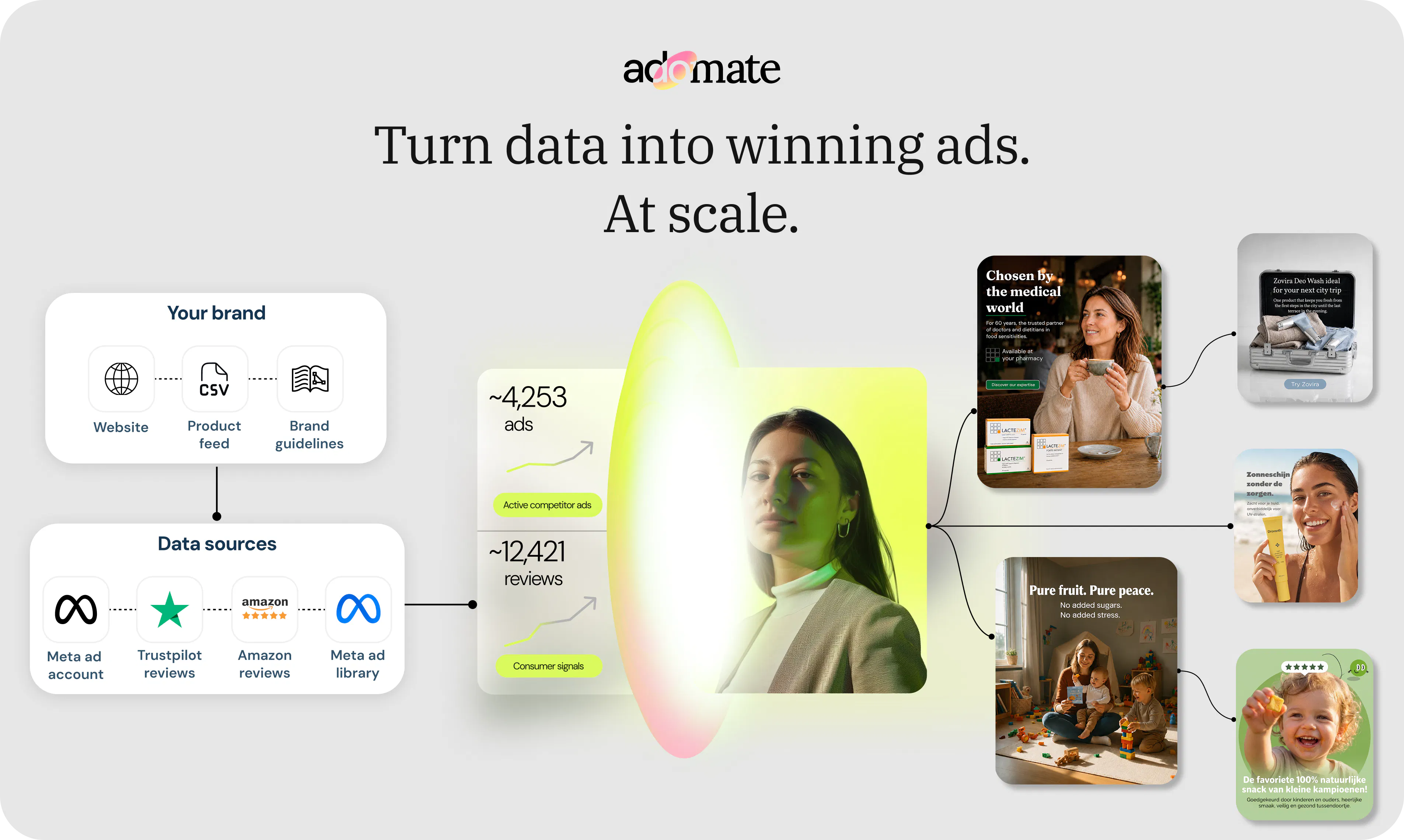
查看原始信息
Repaint Socials
Connect your Google Business Profile, Instagram, or Facebook page and Repaint turns it into a polished website with AI. It uses your real content to create the structure, content, and design, giving you a complete site you can refine and publish in minutes.

Hey Product Hunt 👋

Today we’re launching Repaint Socials. It lets you build a website with AI using content from your Facebook, Instagram, or Google Business profile.

Most AI website builders claim to create custom websites, but start with generic content because they know almost nothing about your business. Then you’re left to replace every detail yourself.

Repaint pulls real content from your online profiles, so the first version is actually specific to your business.

We originally made Repaint to rebuild existing websites, but we realized that other platforms also have lots of valuable information, like reviews, photos, hours, addresses, and contact info. With Repaint Socials, it can get all your information no matter where it lives online.

To try it yourself:

  1. Go to repaint.com/social-import

  2. Paste the link to your profile

  3. Watch it gather context, then click “Build Website”

We’d love feedback. Thanks!

0
回复

@ben_shumaker Congratulations on the launch! 🚀 Starting with real business content instead of generic placeholders is a much smarter approach. Excited to see how Repaint simplifies website creation for small businesses.

0
回复

the pivot to pulling from Google Business, Instagram and Facebook instead of just the existing site makes sense, most small business sites are the stalest source of truth compared to what people actually keep updated on social. one question on the review-pulling part specifically - if it's importing actual customer reviews onto the new site, do you get to pick which ones show up or does it just grab whatever's there? putting someone's review on a new page without them realizing it'll get reused as marketing copy feels like a thing worth being careful about.

0
回复

It looks good on paper. But it'll need enough data from Google or Facebook to deliver reasonable results.

I guess businesses with enough data there already have websites.

0
回复

Would love to see a side-by-side comparison view after Repaint generates the new version, so I can quickly spot the differences instead of squinting at two tabs. Also makes it way easier to decide what to keep or tweak before exporting.

0
回复
Pivoting from rebuilding existing websites to pulling from Google Business, Instagram, and Facebook is the sharper product, since most small businesses have more accurate, up to date info scattered across social profiles than on their actual website, which usually goes stale first. Starting from real content instead of generic placeholder copy solves the actual pain point of AI site builders, where you spend more time deleting fake testimonials and stock photo placeholders than you would writing from scratch. Since it's pulling from multiple sources, how does it handle conflicting info, like a different address or hours listed on Google versus Facebook, does it flag the mismatch or just pick one.
0
回复

Using real business content instead of starting with generic placeholder copy makes the first draft much more useful. How does Repaint decide which information should be most prominent on the website? And congrats on the launch of course!

0
回复