Product Hunt 每日热榜 2025-12-18

PH热榜 | 2025-12-18

#1
TimeTuna
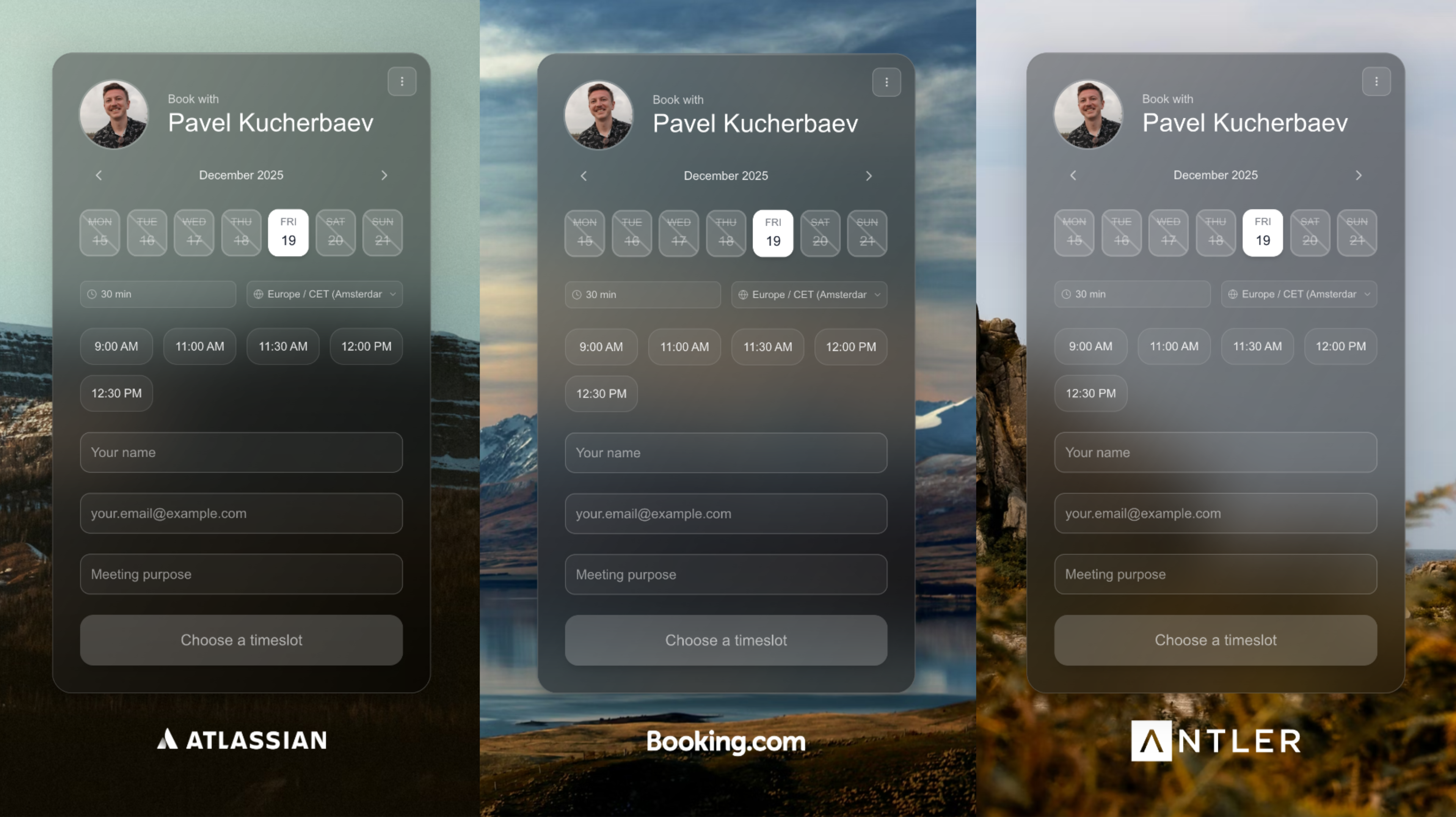
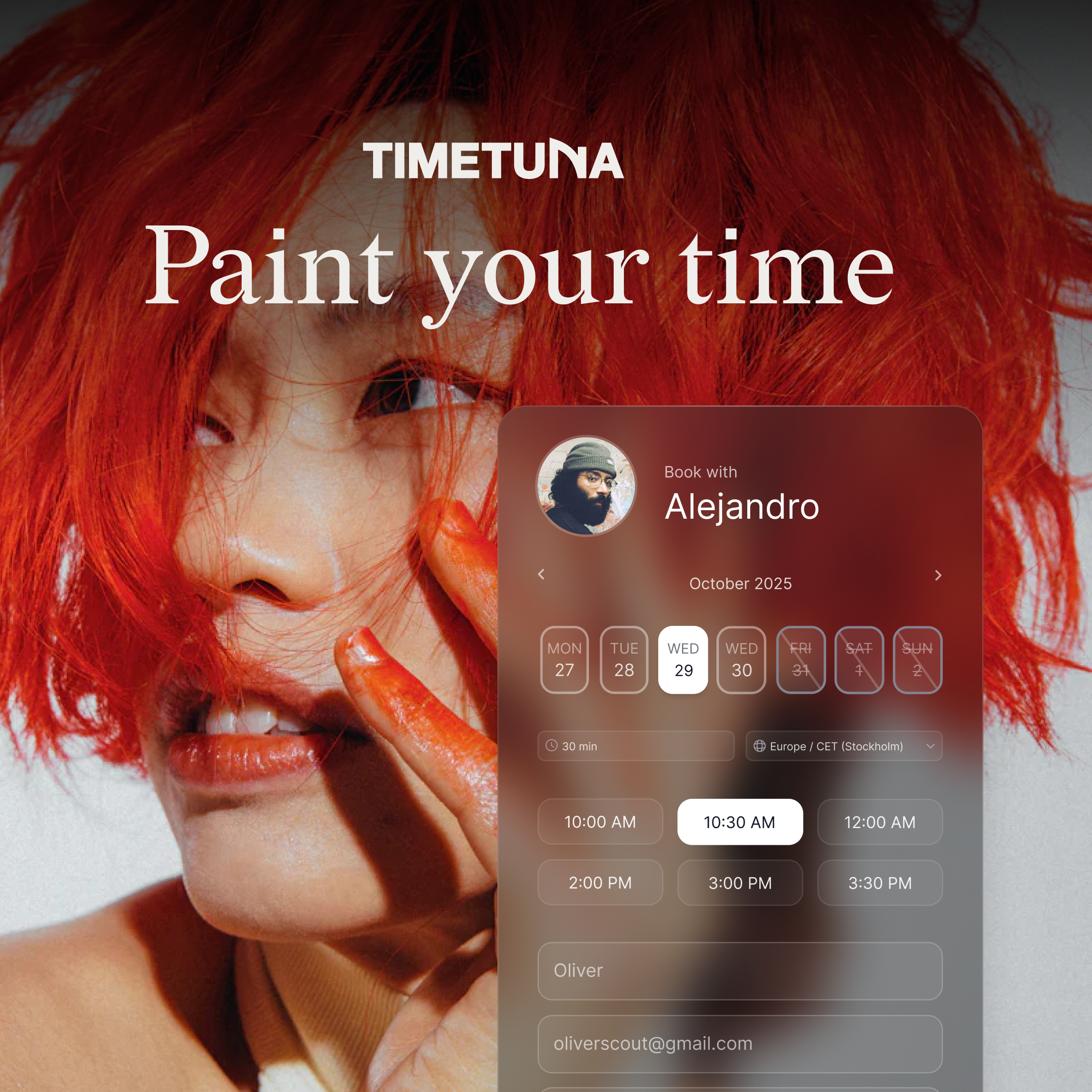
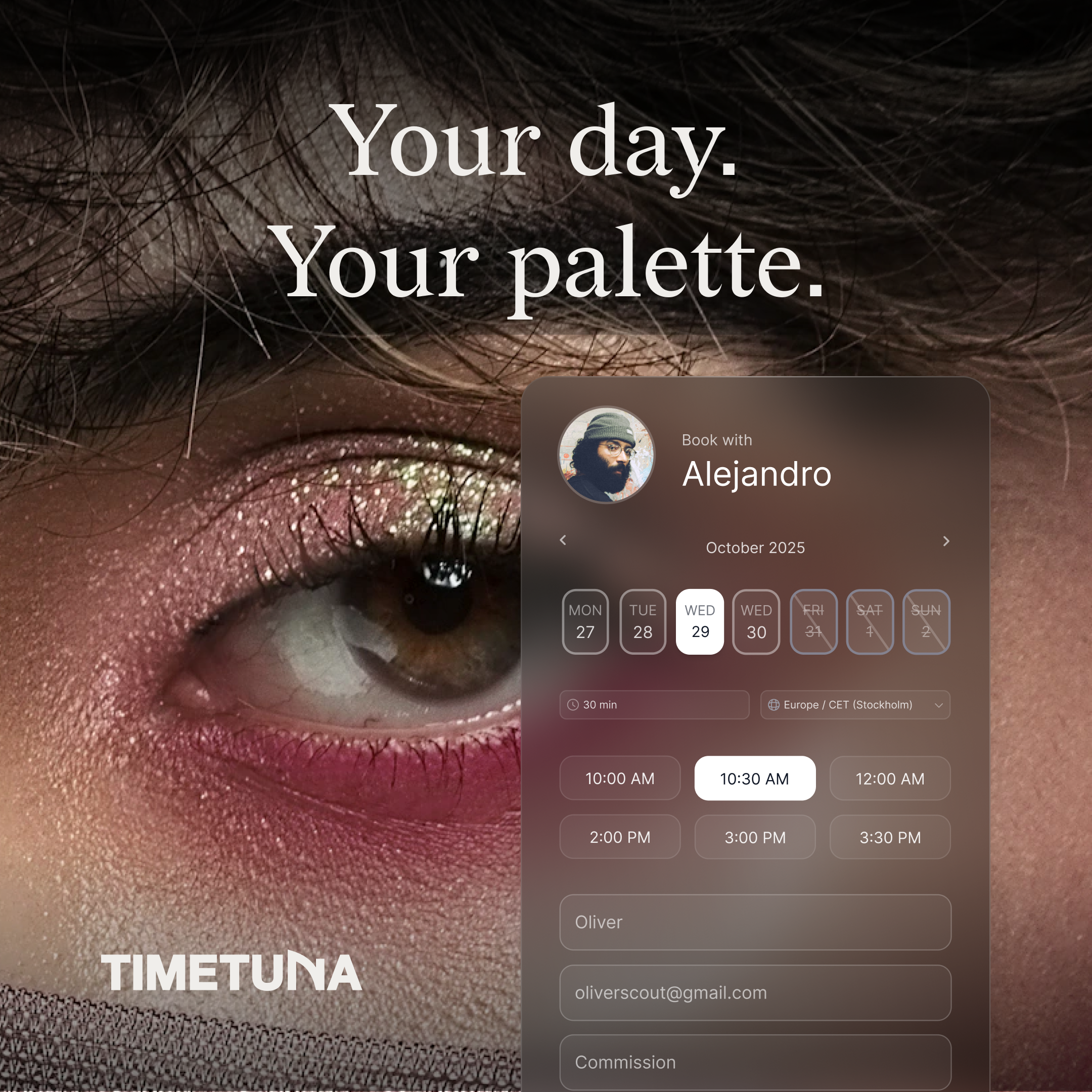
If Calendly had gorgeous video backgrounds
311
一句话介绍:TimeTuna是一款以极致视觉设计为核心竞争力的智能日程安排工具,通过提供精美的视频背景和高度可定制的预约页面,在用户需要建立专业且令人印象深刻的第一印象(如销售、咨询、招聘等)的场景下,解决了传统日程工具功能性强但设计呆板、缺乏品牌个性的痛点。
Meetings Calendar Photo & Video
日程安排工具 预约调度 设计驱动 视觉美化 品牌定制 Calendly替代品 视频背景 日历同步 中小企业 用户体验
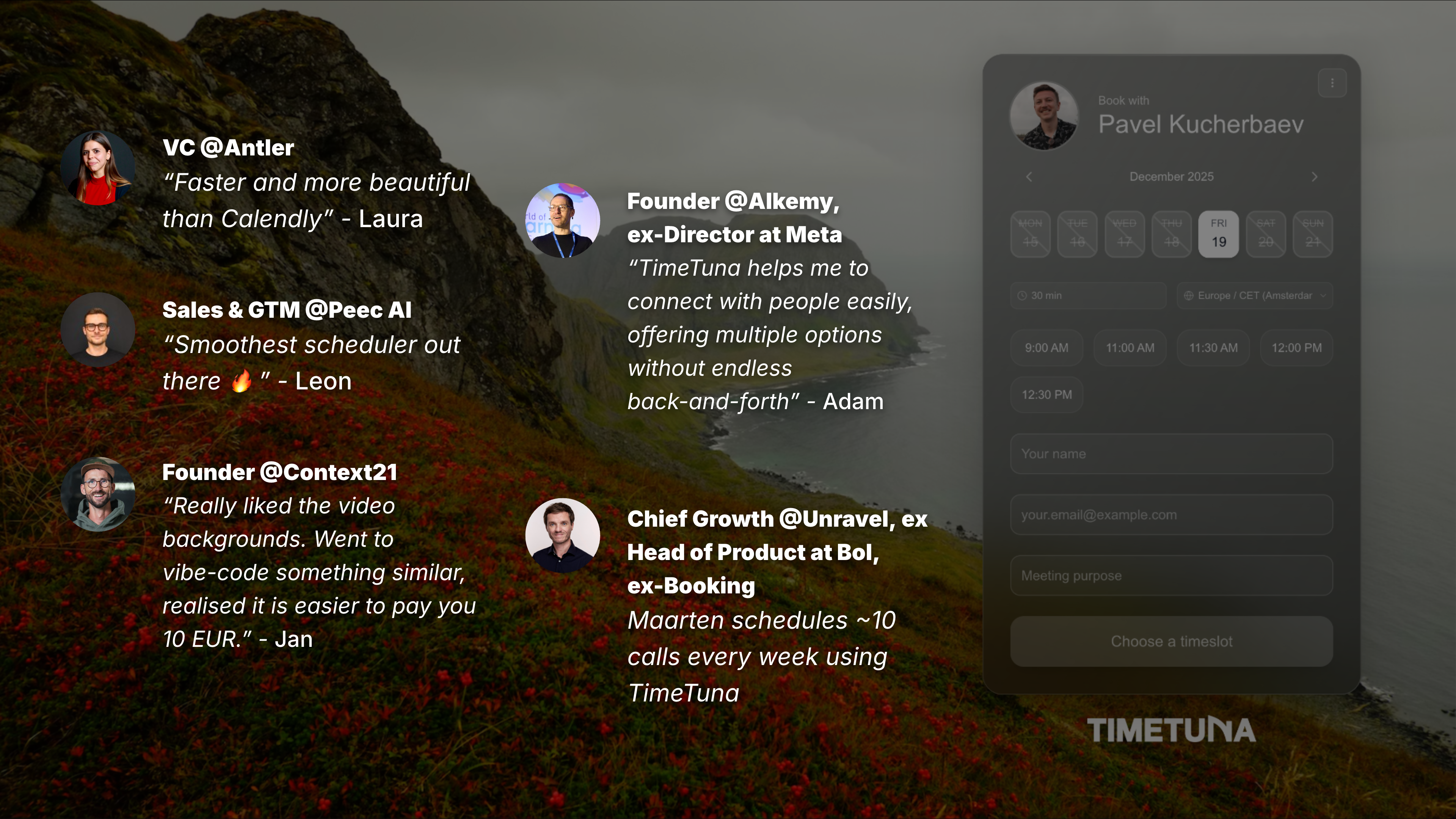
用户评论摘要:用户普遍盛赞其设计精美、体验独特。有效建议集中在:需明确产品定位(1对1还是通用预约);企业级市场拓展策略与集成能力存疑;加载状态优化以提升弱网体验;关注视频背景在移动端的性能消耗。创始人互动积极,反馈响应迅速。
AI 锐评

TimeTuna的突围策略清晰且聪明:在功能高度同质化的日程工具红海中,放弃与Calendly等巨头在功能深度和集成生态上正面硬刚,转而押注“设计即功能”的垂直赛道。其真正价值并非技术革新,而是精准切中了“预约页面即个人/品牌门面”这一被主流工具长期忽视的情感化需求。

产品将预约从后台管理流程,前置为品牌体验的一部分,尤其对设计师、顾问、VC等注重形象与感知的专业人士极具吸引力。然而,其“美丽陷阱”亦显而易见:首先,重度依赖视觉差异化,壁垒相对脆弱,易被模仿。其次,评论中关于企业集成与API的质疑直指其增长天花板——美观难以成为中大型企业替换现有工作流的核心决策点。创始人坦言先服务小众专业公司的策略是务实的,但也承认了其当前工具属性大于平台属性的现状。

从“Bookva.ai”到“TimeTuna.com”的 rebranding 趣事,反而暴露了其在品牌定位上的持续摸索。产品在体验细节(如默认展示周视图)上确有巧思,但若长期停留在“更漂亮的Calendly”层面,其价值天花板将很快触顶。下一步的关键在于,能否将“设计驱动”的哲学深度融入多对多会议、团队协作等更复杂的场景,并构建起以设计为核心的工作流壁垒,而非仅仅是一层漂亮的“皮肤”。

查看原始信息
TimeTuna
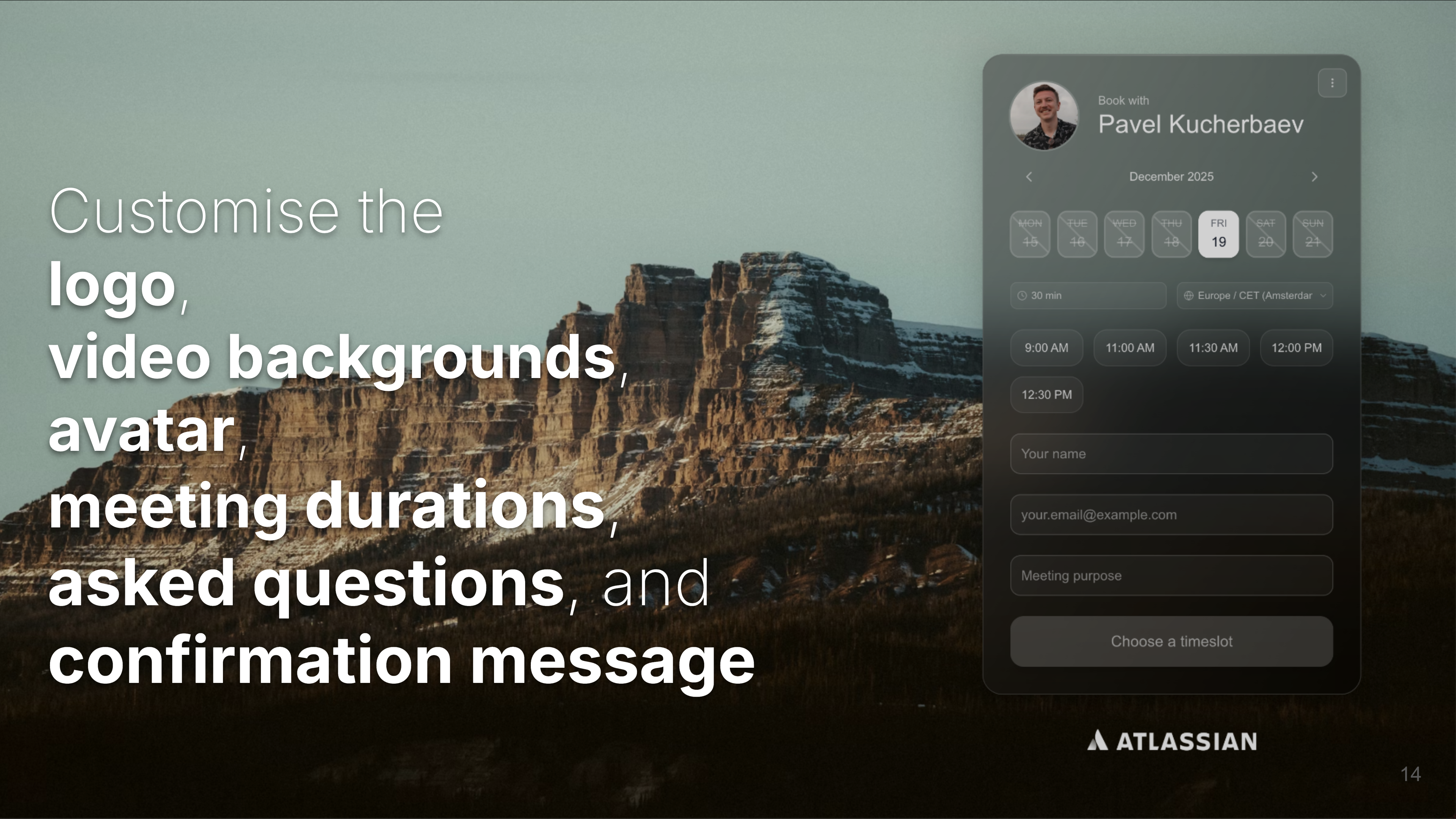
Since the last launch we have: - Rebranded into TimeTuna.com (previously Bookva.ai) - Made video backgrounds available even on free plans - Added more customisation, such as custom logos - Added Microsoft Outlook support (including corporate accounts) - Added a support for read-only calendar sync - Added custom fields (e.g. phone number, Linkedin, meeting purpose) - Rebranded the landing page

Hi ProductHunt!

There is no shortage of scheduling tools: @Calendly , @Cal.com , @TidyCal , etc. They are great and functional. I had a dream of creating a scheduling page, seeing which people would say: "Wow! This is really beautiful, I want one for me!". This is where TimeTuna is if @Calendly was as beautiful as @WeTransfer . People say that now about @TimeTuna.com . I am glad.

You get for free:
- One of the most beautiful scheduling pages out there
- Custom photo / video backgrounds
- Sync with all calendars you have write access to (Google Calendar and Microsoft Outlook)
- Automatically added Google Meet or Microsoft Teams link depending on the host calendar
- Email confirmations and 1 day reminders

For 10 EUR / month or 60 EUR / year:
- Removing TimeTuna branding and adding a custom logo
- Customisation of the fields to fill before the booking
- Customisation of confirmation messages
- Sync with read-only calendars

See the roadmap on the website for the rest: https://timetuna.com

Peace. Love. Gorgeous scheduling.

- Pavel

P.S. Bookva.ai has rebranded into TimeTuna.com. Why? Many people thought Bookva is a poor name for a scheduling service, one person said it sounds like a middle-eastern dish ("one kebab for me and one bookva for my friend, not spicy please"). The catch? Many people believe TimeTuna is a poor name too. Don't ask @pavelk2 for a naming advice.


25
回复

@pavelk2 You really nailed the idea that scheduling pages are often someone’s first impression. The design-first approach makes this feel less like admin work and more like an extension of personal brand. Excited to see how you evolve this beyond 1-1 meetings.

1
回复

Looks amazing! Great design and execution!

Does this work for booking an appointments in general?

Or is this geared towards one-on-one meetings?

4
回复

@avloss thank you!
The primary focus is 1-1.
Some people use it for more than 1-1, such as they book a meeting room, rather than a person.
We aim to expand from 1-1, to multiple host meetings, and still learning how to make group meetings better. There are a lot of tools for group scheduling, but people are still unhappy about them, so I am happy to find a better solution. If you have ideas - please book time with me to discuss it together: https://timetuna.com/pavel.

1
回复

I love it. Very thoughtfully crafted product! @pavelk2 @yannick_veys @katya_rassadina

3
回复

Thank you very much, @neelptl2602 !

1
回复

Great to hear @neelptl2602 !!

1
回复

@TimeTuna.com Love the emphasis on aesthetics and design. scheduling shouldn't be boring! One question for growth: what's your strategy to get enterprises to switch from Calendly when integrations and API access are so critical for them? Also curious about your pricing model compared to the incumbents

2
回复

@imraju 
Hey Raju,

Thanks for your curiosity.
Rather than focusing immediately on big corporations, we decided to go after smaller niche companies (e.g. casting agencies, VC funds) who do a lot of scheduling, and currently we aim to be the best solution for them. When we achieve that we will start thinking how to go after big companies (especially recruitment and sales), but this is not a priority for now.

1
回复

Great accompaniment for apple's glass effect. 👍🏻
I think it's a great trend to be design-focused. Was it hard to develop the scheduling engine? These guys like Calendly, Calcom, etc, have huge teams to make it.

1
回复

Hey Pavel, @pasha_tseluyko !

Thanks for reaching out! The fun fact about the glass effect is that it is not inspired by apple's glass. I did some prototypes with Lovable in the end of May with that effect, and in the beginning of June Apple released its glass-design style :) I find it a cute coincidence.

I would say the scheduling engine was not hard to implement. The functionality is relatively basic, as most of the things are done by Google Calendar. I had some challenges processing various time-zones, working with multiple calendars, and especially making it work with Microsoft Outlook Calendar in the same codebase. Otherwise I would say the back-end is relatively straightforward!

0
回复

I've been using this for a few months and really like it. Pavel promptly responded when I ran into issues early on. His UI/UX is better, I really like is that people who want to book time see week days and available daily time slots on the initial display. Most others start with a monthly calendar which adds an unnecessary click.

1
回复

@jayhemmady thank you so much, Jay!

0
回复

Love what you're doing @pavelk2 . Such a stylish, light design. The big players definitely lack this.

1
回复

Thank you, @sergey_vysotsky for the continuous support! I learnt a lot from you and Artem :)

0
回复

It looks great! I noticed there’s a missing loading state while available slots are being fetched. On slower networks, all dates appear unavailable during this time, which could make users think there are no available slots and leave. Adding a skeleton or a small loader would help indicate that the data is still loading.

1
回复

@julien_rioux thanks for the feedback! I have implemented your recommendation. Should be in production in 3 minutes.

1
回复

That WeTransfer feel is spot on. My clients care about the invite looking good, not just the link. How heavy are those video backgrounds on mobile/slow wifi? Outlook support is clutch. Name made me grin. Will try it on my next kickoff.

1
回复

@alexcloudstar 
Hey Alex, thanks for the feedback!
If you use videos from Pixabay, and you expect people opening your pages with a slow connection - then you can choose there links for videos with smaller resolution. After some time we probably can make it dynamic that depending on the screen size a differen video size would load.

0
回复

This looks really so beautiful 😍

1
回复

@oezguercelebi Thank you so much! It means a lot! That was our intention to build a trully gorgeous scheduling service!

0
回复

Lets goooooooo!

1
回复

Wow, TimeTuna looks amazing! The video backgrounds are such a cool touch. How does the read-only calendar sync work with preventing double bookings if Im manually adding events elsewhere?

0
回复

Cool stuff! Good luck on your launch today! I'm following close behind on #11 with @Voice Mate - AI powered Voicemail

0
回复
#2
Monocle 3.0 for macOS
Noise-cancelling for your  screen now with cursor shake
296
一句话介绍:Monocle 是一款通过晃动鼠标即可一键模糊非活动窗口的macOS应用,在信息过载、屏幕干扰的工作场景下,为用户提供视觉降噪,快速找回专注力。
Productivity User Experience Health
专注力工具 屏幕管理 视觉降噪 macOS应用 效率提升 一次性付费 原生体验 窗口模糊 光标手势 生产力
用户评论摘要:用户普遍称赞其“摇动切换”交互新颖神奇、界面设计原生精美、性能优化显著。主要问题与建议包括:希望调节光标晃动灵敏度、明确多显示器支持细节、解决试用期检测BUG、未来能与系统专注模式深度集成。
AI 锐评

Monocle 3.0 的叙事巧妙地将其从“窗口调暗工具”升维至“屏幕降噪耳机”。其真正的价值不在于模糊技术本身,而在于创造了一种近乎无感的“专注仪式感”。摇动光标这一交互,将用户下意识的烦躁动作转化为开启心流的开关,这种物理手势带来的确定感,是键盘快捷键无法比拟的心理暗示。

开发者宣称“零编码经验,仅靠AI与固执”打造,并三次推倒重来,这揭示了当前独立开发的新范式:核心壁垒并非底层代码,而是对用户体验的极致洞察与偏执打磨。其破解Apple未公开的模糊强度API,并实现“原生感”,正是这种偏执的体现——它不是在对抗系统,而是在弥合用户对系统功能缺失的期待。

然而,其长期价值面临两重考验:一是“习惯钝化”,当新奇感褪去,摇动光标是否会从魔法变为累赘?二是系统级竞争,若未来macOS原生集成类似功能,其护城河何在?目前看来,其通过自动化支持、自定义色调等构建的个性化生态,以及“一次性付费”的良心模式,是在试图构建用户粘性与口碑壁垒。它卖的并非一个功能,而是一种“专注的状态”,但能否从优雅的玩具成长为不可或缺的工具,取决于其能否从“视觉管理”更深地切入“认知流程管理”,成为用户数字环境的基础设施。

查看原始信息
Monocle 3.0 for macOS
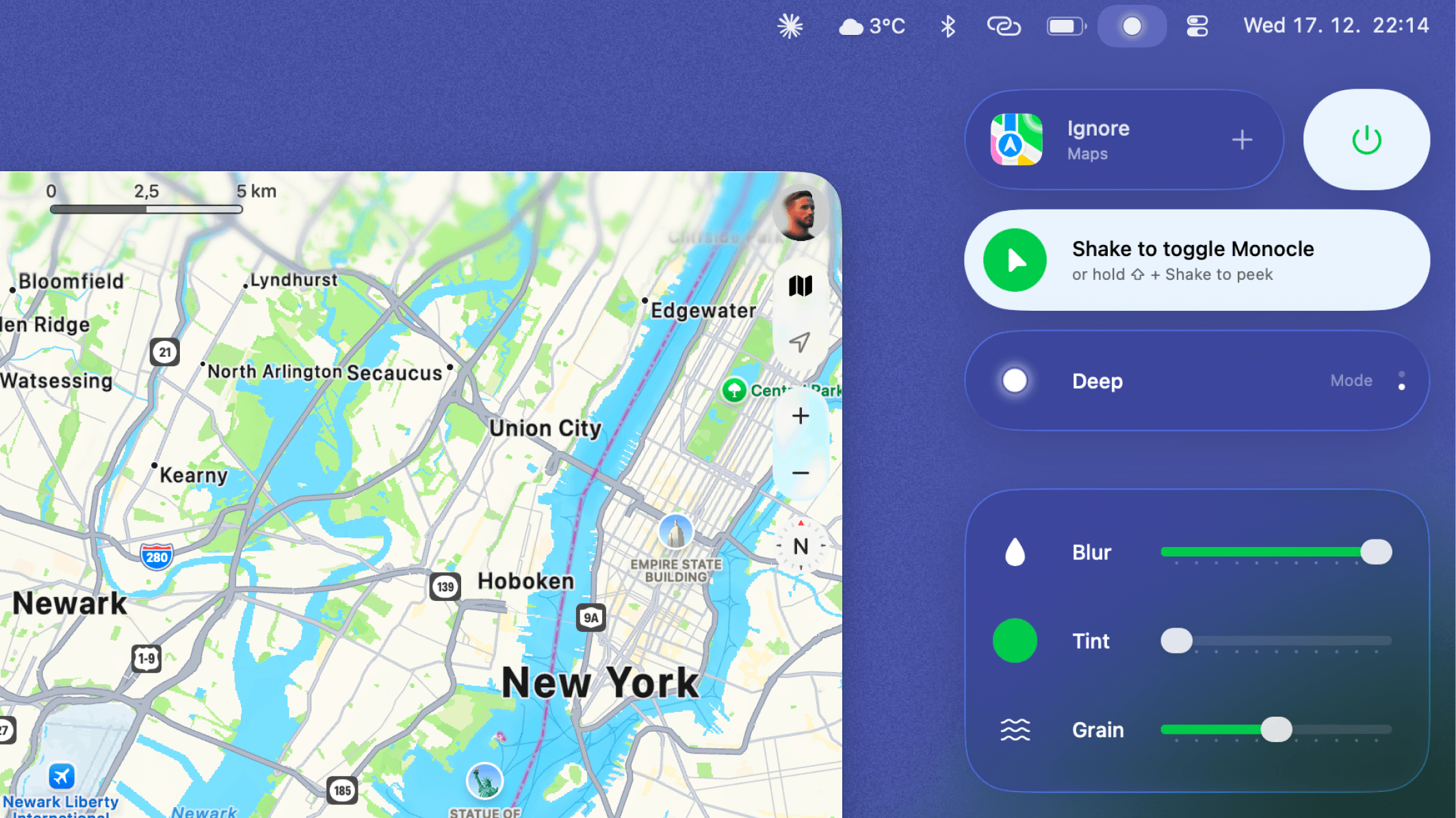
Every moment, something steals our focus until we can’t remember what we sat down to do. But it doesn’t have to be this way… …just wiggle your mouse.

Hi everyone! 👋

I'm Dominik, creator of Monocle, and I'm genuinely excited to share the biggest update since launch — version 3.0!


TLDR: I wanted Monocle 3.0 to feel like something that shipped with your  Mac.


What is Monocle?
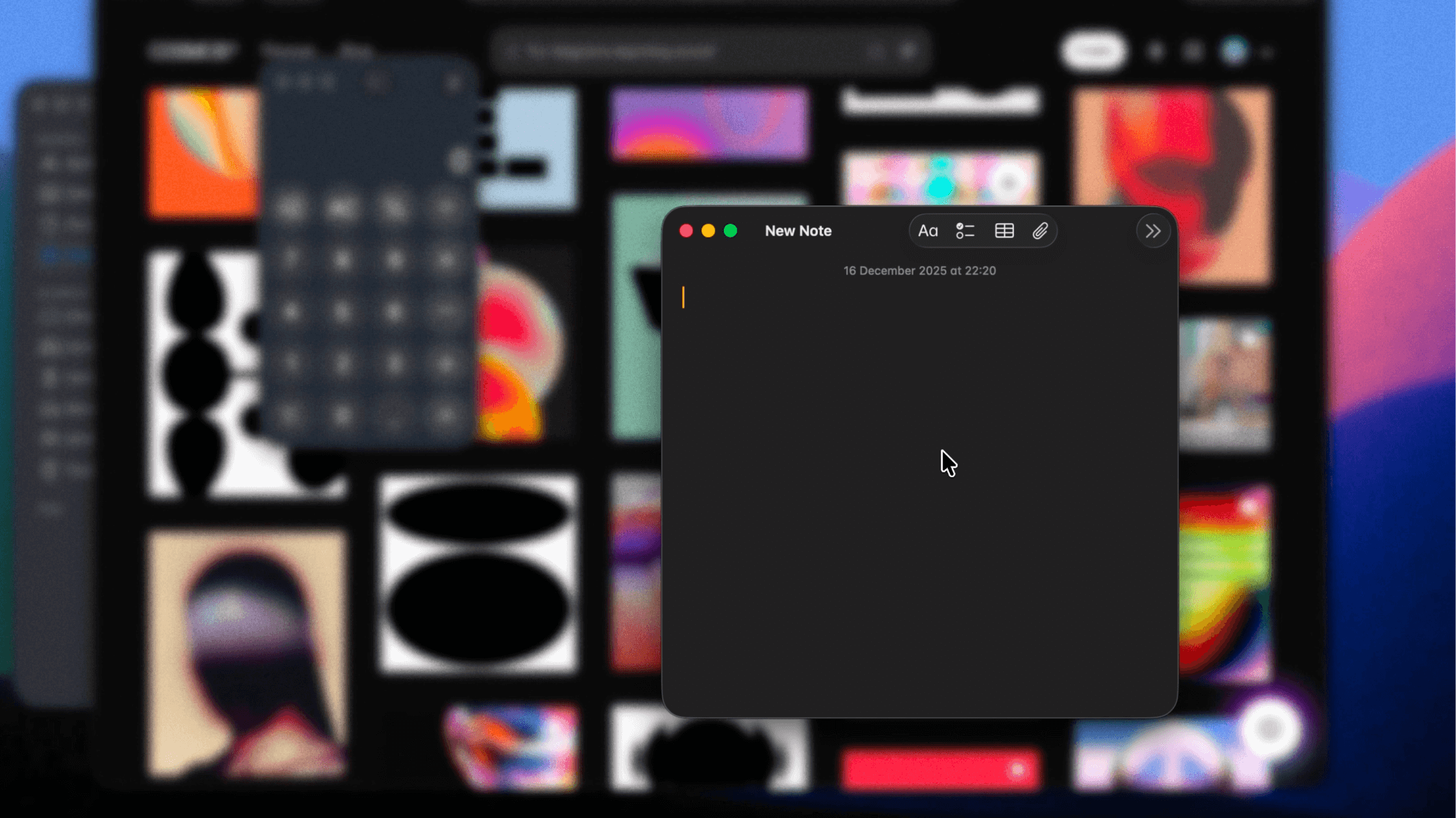
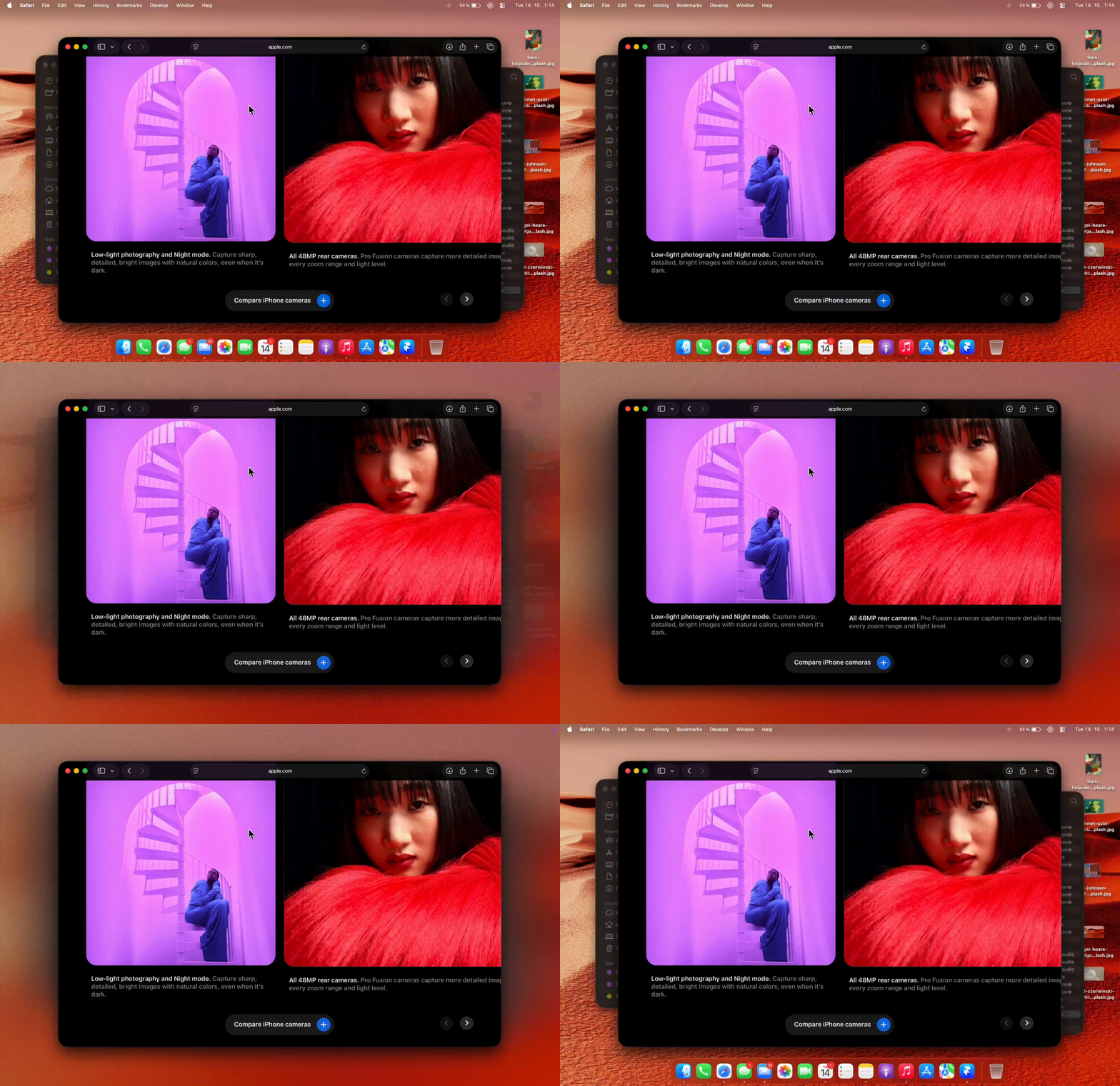
For those who don't know Monocle: Think noise-canceling, but for your Mac screen. It's a modern take on window dimming that elegantly blurs everything except your active window. It isn't just about productivity — it's about presence. Feeling calm while you work, write, browse, or think.

…just wiggle your mouse.


Why 3.0 so soon?
I know this is unusual. Version 2.0 just launched here 2 months ago. Seems too early for another major update, right? But the changes I've made since then are so fundamental that calling this 2.X wouldn't do it justice. This had to be 3.0 (free for existing users of course!)


So what makes 3.0 special?

• Whole New Design — Rebuilt from the ground up with a native macOS feel. Monocle now feels like something that shipped with your Mac.

• Custom Blur Intensity — After almost a year of trying, I finally hacked Apple's NSVisualEffectView to allow fully custom blur intensity (Yay!). Apple doesn't expose this, so it took countless failed attempts.

• Shake to Toggle — Just wiggle your cursor and Monocle turns on. Shake again and it turns off. Such a natural gesture that it genuinely feels like magic.

• Massive Performance Optimizations — Your Mac will run cooler and your battery will last significantly longer.

• Grayscale Mode & Custom Tints — Turn background windows black and white, or add subtle color tints. Choose from presets or match your system accent color.

• Automation Support — Control Monocle via Shell, AppleScript, or Shortcuts using URL schemes.

• Homebrew Support — Finally! Install with brew install --cask monocle-app

• New App Icon — The letter 'M' merged with the Finder smile creates an abstract relaxed face.


Give it a try: 7-day free trial, then one-time payment ($9 single seat / $20 for three seats). No subscriptions, ever.


Wall of Love
I've been receiving dozens of beautiful emails from the users with appreciation and notes on how Monocle helps them focus. Here are my latest favorites:

"Hi Dominik, I usually send feedback to just a handful of developers, and I must say that the 3.0 version is impressive. All details you have implemented recently is just fantastic. The Liquid Glass theme is also so nice and fluid, well done! Continue with the good work! I can’t wait to see new features coming to your app. Regards, Felipe"

"Hi Dominik, a fan here. Honestly Monocle 3.0 is probably the best designed third-party app on Mac platform I have seen in the past 5 years, if not ever. The blur effect is mind-blowing. Keep up the good work. Best, Que"

"Hi Dominik, I'm probably just one of thousands of fans who you will never meet IRL but I'm grateful to you for doing so much amazing work on our behalf! Monocle is absolutely my favorite app; it has changed the way I work by calming my brain in ways I didn't know I needed. I can't wait to experience the new version. Thank you! Amy"


Monocle was built with zero coding experience — just AI and a whole lot of stubbornness.

I restarted the project three times before releasing v1.0. But each time, I understood it a little more deeply.

A year of reviewing every line AI suggested, questioning every change. Slowly, it started to shape into something I love using every day.

https://x.com/heyiamdk/status/1998669666051346936?s=20

7
回复

@heyiamdk The “noise-cancelling for your screen” framing really lands. Small detail, but the custom blur + grayscale combo feels incredibly thoughtful especially for long focus sessions. Congrats on 3.0, this is a standout Mac app.

0
回复

@heyiamdk I love this!

0
回复

I've been loving Monocle and use it both a) focus/zone in and b) screenshots/demos. This new 3.0 version is WILD though. Literally felt like it came out of no way and it's soooo good. It totally elevated Monocle's experience. The shake to start is a really smart and seamless way to activate Monocle, though I wish I could adjust the sensitivity for it.

My favorite thing though is how @heyiamdk created the setting's panel, it's so cleeeaann and a great inspiration for others building Mac Apps.

Very well done and congrats on 3.0!

3
回复

@gabe Thank you so much, Gabe!

I'm so glad the settings panel UI/UX resonated with you. I honestly had a lot of fun getting that native macOS feel just right!

The shake gesture sensitivity fix is the very first item on my to-do list for the minor 3.0.1 version.

2
回复

Wow, Monocle is brilliant! Love the simple shake-to-blur mechanic for instant focus. How does it handle multiple monitors - does the blur apply globally or per display?

0
回复

Cool stuff @heyiamdk! I'll definitely give Monocle a try!

ps best of luck on your launch today! Don't get sloppy though, I'm rapidly closing in on the product hunt leaderboard at place #11 today!

0
回复

@peter_van_doorn Haha thanks, Peter! Upvoted Voice Mate and hope you crack that top 10!

0
回复

Congrats on the launch!

I remember trying a previous version of this and I was curious to try v3, but when I download the 7-day trial, it says the trial has expired (assuming it's detecting some config file from the previous trial) – is there a way to reset the trial so I can test it again?

0
回复

This is just great! Thank you :) instant purchase

0
回复

Thank you!@nikuscs

0
回复

Apple should acquire you.

Just fascinating experience.

0
回复

@pasha_tseluyko 🙏 🙏 🙏

0
回复

@​Monocle for macOS This is genius for focus management. The cursor-shake activation is delightfully tactile. For adoption: are you seeing desktop setup creators use this? Also, how does this integrate with focus modes on macOS? Could be a perfect compliment to system-level focus settings.

0
回复

@imraju Glad to hear you like it! People have been sharing their setups on Threads, and Monocle's been featured on Lifehacker, dozens of newsletters, and mentioned by YouTubers like Brandon Butch and MacVince.

Re: focus modes - I actually tried implementing auto-toggle when system focus modes turn on, but the implementation felt clunky and wasn't reliable enough to ship. It's still in my backlog though, definitely planning to revisit it when I can get it right.

0
回复

Noise-cancelling for the screen makes sense. Shake to focus is weirdly perfect. My brain drifts to Slack every 5 mins, so this might help. Curious about multi-monitor + screen share, and battery hit. If it feels native, that’s the win. Kinda like Stage Manager without the rules.

0
回复

@alexcloudstar Multi-display is fully supported. A lot of people mentioned they use it for video calls when screensharing to hide their cluttered desktop. One YouTuber told me he makes software tutorials and Monocle is a game-changer for him because it lets his viewers focus on the right window without any video editing, which saves him tons of time. As for battery and performance - v3.0 had some major optimizations and it's waaay more efficient now. Still working on more improvements though, always looking for ways to make it lighter.

1
回复

✨ This feels less like a utility and more like a state of mind — love the idea of dimming the world with a simple cursor shake.
Curious what led you to choose this interaction over a keyboard shortcut, and how you’ve seen it change users’ focus or “presence” over time?

0
回复

@pany_ai Thanks! The shake gesture comes from what I imagine many people do when they're frustrated or irritated while working on a computer - they shake their mouse!

Felt like the perfect trigger for 'I need a break from all of this.'
(You can still toggle it with a keyboard shortcut or the menu bar icon too)

As for focus, it's less about being constantly dimmed and more about having that quick reset button when things get cluttered. Helps you stay present instead of drowning in tabs and windows.

0
回复

Beautifully clean, well done!

0
回复
0
回复

Very tasteful app for folks with big screens! 🚀

Congratulations on your launch!

0
回复

Thank you! @avloss

0
回复
Love this 🙌
0
回复

@dmitriychuta I appreciate you being here from the very first clunky v1.0 Dmytro!

0
回复
#3
Netlify AI Gateway
Use AI models without managing keys or billing
239
一句话介绍:Netlify AI Gateway 是一个AI模型网关,在开发者进行“心流编码”时,免去管理多平台API密钥、账户和计费的繁琐流程,让集成OpenAI、Anthropic和Google Gemini等主流模型变得快速无缝。
Developer Tools Artificial Intelligence Vibe coding
AI模型网关 开发效率工具 无服务器架构 API密钥管理 多模型切换 开发者体验 原型加速 生产就绪 计费聚合 Netlify生态
用户评论摘要:用户普遍赞赏其简化开发流程的核心价值,认为能保持“编码心流”是关键洞察。具体反馈集中于:技术实现细节(如密钥轮换机制、是否增加延迟)、使用成本(免费额度、速率限制)和日志监控。有用户建议未来增加防垃圾/请求过滤功能。
AI 锐评

Netlify AI Gateway 看似是一个便利工具,实则是云平台在AI时代争夺开发者工作流“入口”的战略性棋子。其宣称的“无需管理密钥与计费”,本质上是将分散的AI模型供应商抽象化、标准化,并通过自身平台进行聚合与再分发。这带来的真正价值远不止于提升开发速度。

首先,它降低了AI应用的原型门槛,但更深层的是**锁定了未来的生产环境**。开发者从实验到生产的过程被无缝引导至Netlify的基础设施内,平台通过处理凭证、计费和路由,建立了强大的粘性。所谓的“无感切换模型”功能,既是卖点,也是护城河,它让开发者对Netlify的中间层产生依赖,而非直接与底层AI服务商建立紧密联系。

其次,评论中关于密钥轮换和延迟的担忧,恰恰揭示了平台所扮演的“信任中介”角色。Netlify用短期令牌等技术手段接管了安全与运维责任,这既是便利,也意味着控制权的让渡。平台借此获得了宝贵的AI API调用数据流,这对于优化自身网络、理解开发者模型使用偏好乃至未来进行精准资源打包销售,都至关重要。

然而,其风险与价值并存。对于中大型或已有成熟架构的团队,引入一个网关层可能意味着多了一个潜在的单点故障和调试黑盒。其价值在追求极致开发速度的初创团队、独立开发者或教育场景中最为凸显。Netlify此举聪明地将自身从静态站点托管商,重塑为“AI原生应用”的一站式构建与交付平台,是在激烈的云竞争中一次精准的侧翼进攻。成功与否,取决于其网关的稳定性、透明度以及能否持续提供比直接对接供应商更显著的净收益。

查看原始信息
Netlify AI Gateway
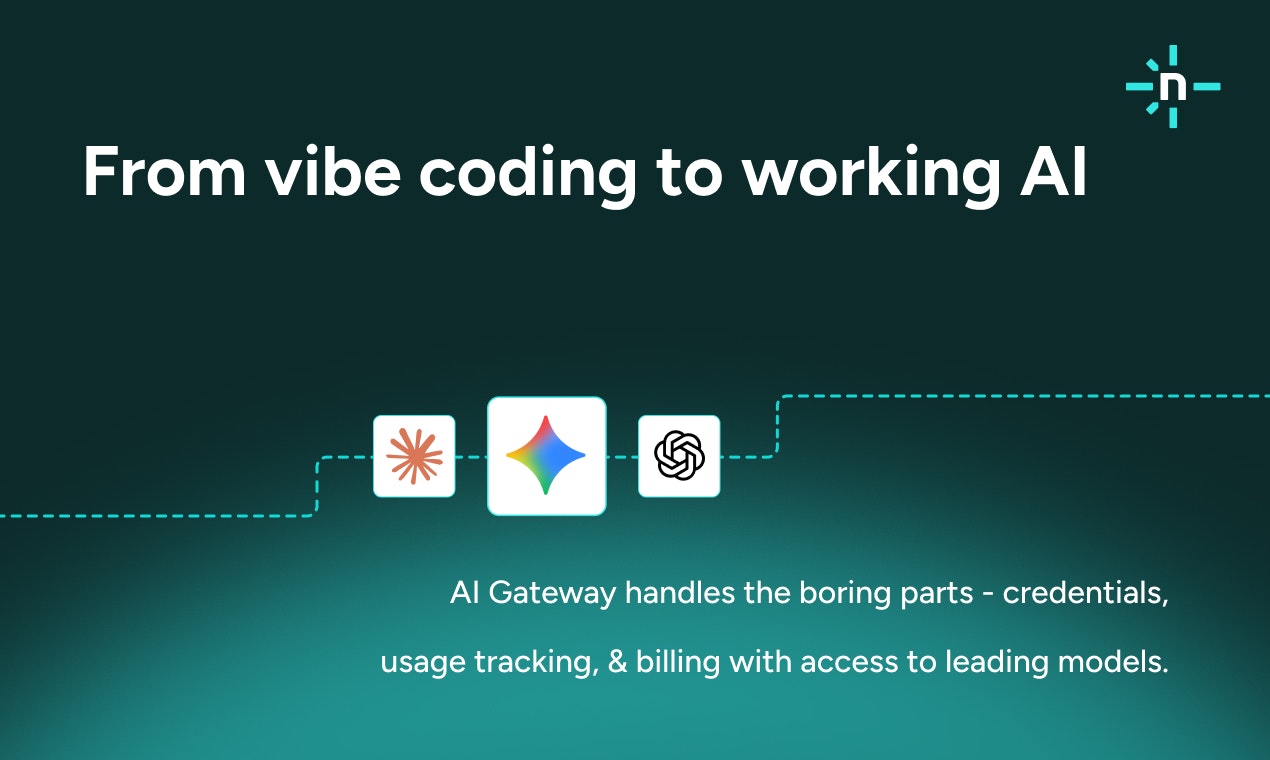
Netlify AI Gateway makes it easier to build AI features while you’re vibe coding. Instead of pausing to create provider accounts, manage API keys, or set up billing, AI Gateway securely handles credentials and usage for you. You can call the latest models from OpenAI, Anthropic, and Google Gemini directly from your Netlify project. It’s a faster path from experimenting with AI to something ready to run in production.
Hey Product Hunt 👋 I’m on the Netlify team, we built AI Gateway after seeing how often you're on a roll vibe coding and then account setup derails everything. When you’re moving fast adding AI usually means stopping to create provider accounts, set up API keys, and think about billing earlier than you want to. That friction breaks momentum. AI Gateway removes that setup layer and makes ongoing management simple when you're ready to scale. Credentials and usage are handled automatically and securely, so you can call models from OpenAI, Anthropic, or Google Gemini directly from your Netlify project and stay focused on the feature you’re building. To make it easy to try, every account starts with 300 free credits, so you can experiment without upfront setup or cost. I’d love to hear: • Where does building with AI slow you down the most today? • What’s the first AI feature you've tried to build? Happy to answer questions or go deeper on how this works.
22
回复

@gehrigkunz netlify gateway sounds like a revolution! congrats on the launch

1
回复

@gehrigkunz The “don’t break the vibe while coding” insight is spot on. Handling credentials and usage in the background is exactly what keeps momentum alive when prototyping AI features. Curious to see how teams evolve from the free credits into production usage with this.

0
回复

We've needed this. I was working on something similar, now can sideline it. Good job!

16
回复

@osakasaul thanks! Let us know how it works for you, or if you run into any feedback.

0
回复

Very interesting! 🚀

So, an "ANTHROPIC_API_KEY" is created specifically for your user and then shared with your app via env?

How do you rotate those keys if you don't have a dedicated UI to manage them?

11
回复

@avloss Hey! Netlify team member here! With AI Gateway, we provide opaque keys that work with AI Gateway directly. These are extremely short-lived keys. When requests are made, we validate and exchange them for proper inference keys. All of that to say, there's no UI to manage these keys because we handle everything for you. We rotate the end result keys on our side over time. This means you create software using the provider SDK's and we handle everything else.

2
回复

@avloss Short-lived tokens for each provider are automatically generated on the fly and injected into your Netlify serverless functions and edge functions as needed. These are only valid for the lifetime of the function execution, have only the minimal permissions needed, are owned and managed by Netlify yet are fully attributable to your specific account and site for billing and usage purposes. Let me know if you have any other questions!

2
回复

been on Netlify for years for static stuff. AI Gateway sounds... actually useful tbh. no more juggling API keys/envs across projects is nice. curious about added latency and what the rate limits + logs look like. might try it on a weekend toy.

5
回复

@alexcloudstar There's effectively no added latency, since the "gateway" is within Netlify's edge network, right where your serverless or edge function is running.

Rate limits are documented here: https://docs.netlify.com/build/ai-gateway/overview/#rate-limits.

AI usage monitoring is documented here: https://docs.netlify.com/manage/accounts-and-billing/billing/billing-for-credit-based-plans/monitor-usage-for-credit-based-plans/.

2
回复

@alexcloudstar love to hear it. Share with us your weekend toy when it's ready :) [tag us on socials @netlify]

1
回复

@alexcloudstar Please do share your experience with us once you've tried it out!

1
回复

Hey Product Hunt 👋

I'm KP, head of Community at Netlify and today we're so stoked to bring AI Gateway to this community.

Imagine you're a builder with an idea and you're vibe coding. You think "this needs an AI feature" - maybe smart suggestions, content generation, or image analysis.

But AI-powered apps need to call models. That means managing API keys, handling credentials, routing between providers. It's operational overhead that slows down both initial development and ongoing iteration. You're in flow, building something cool, and then... account setup. Key management. Billing configuration.

Your momentum? Dead.

Well, thats where AI Gateway comes in handy.

How it works:

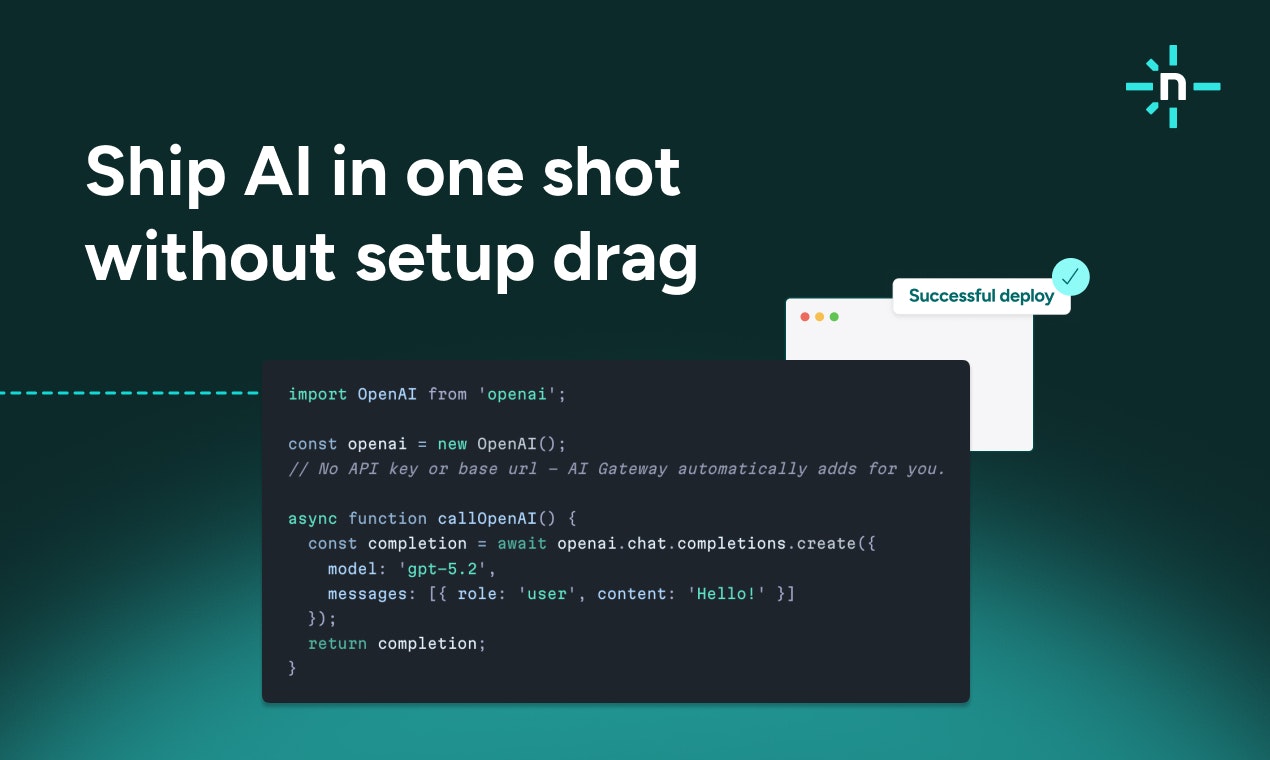
One line of code gives you access to OpenAI, Anthropic, and Google Gemini. No provider accounts. No key juggling. No billing surprises upfront.

Switch between models by changing one parameter. Want to test Claude vs GPT-4 for your use case? Change the model name. We handle routing, credentials, and billing automatically.

See it in action:

Our CEO Matt Biilmann vibe coded this demo app using Netlify Agent Runners → https://gpt-image-of-the-day.netlify.app/ It generates a new AI image daily. The whole thing - AI integration included - was built in flow without stopping to set up provider accounts.

We also did a Community Drop livestream yesterday walking through the feature → https://x.com/netlify/status/2001336595421561309

Try it yourself:

Every account starts with 300 free credits. Build your first AI feature without pulling out a credit card.

I'm here all day with Gehrig and the team. Would love to hear from you. Drop your questions and thoughts below 👇

5
回复

As a Netlify user since 2017, I'm super happy this is now live! This'll enable anyone to build rich, AI-powered applications for internal and external use cases. Super excited to see what everyone builds 🚀

4
回复

@hughbeme Thanks for being a customer and now coming over to build the next chapter with us :)

0
回复

@hughbeme Wouldn't be here without the Hugh Durkin's of the world! We appreciate you Hugh

0
回复

The model switching part is underrated. Testing Claude vs GPT without refactoring is huge.

3
回复

@kshitij_mishra4 Agreed! I've been taking Tanstack's AI SDK for a spin with it and it's been a perfect pairing when wanting to have multiple models at once!

0
回复

@kshitij_mishra4 Couldn't agree more! That had been the slowest part of building with AI for me up until this point.

1
回复

Incredibly handy to have the most powerful models able to be integrated into your app all in one place and without leaving my Netlify workspace.
No more switching and swapping API keys and managing the set up.

Attended the Netlify Community Drop session and was impressed just how fast KP and Dom showed the new features and demonstrated how to build an AI ready app in minutes! Eager to update my current workflows now and track everything with a single view and build my ideas even faster.

3
回复

@ashamplifies Thank you for being part of our stream yesterday and asking great Qs. Means a lot.

If we ever do a vibe coding meetup in Leeds, you're the man for it!

1
回复

I've recently faced a spam problem on my agency's website: we were getting a 10-20 fake requests a day with time interval from valid emails but with random names, etc. It would a nice add-on for the AI Gateway in the future to actually prevent sending these requests. I have a Make automation to route these leads to Pipedrive/Slack/Sendgrid, and I would love to limit these requests even before they enter the webhook and trigger the automation.

1
回复

@pasha_tseluyko Thanks for sharing this improvement suggestion. I'll pass it along to our product team.

0
回复

Hey Pavel, nice use case; this video may be helpful–Sean uses AI to summarize form fills, you could follow a similar pattern to grade quality and pass those that reach a set threshold to your downstream tools. With how cheap these models are getting that would be sweet to take that noise away. Hope that helps!

https://www.youtube.com/watch?v=Fe33sf-pHm8

0
回复

Founders need to focus on their business and Netlify free them out from api management and billing control etc! Great product!

1
回复

@cruise_chen Thanks! Please share do share your experience with us once you've tried out AI Gateway.

0
回复

Neat stuff, I'll definitely give Monocle a try this weekend!

ps best of luck on your launch today! I'm rapidly closing with at place #11 today!

0
回复
#4
Shadow
AI that sees, listens, and understands every meeting
196
一句话介绍:Shadow是一款通过本地自动捕获会议音频与屏幕内容,并利用AI生成可执行任务的工具,在远程协作会议场景下,解决了传统会议AI仅转录语音而丢失视觉上下文、导致后续行动项不完整的关键痛点。
Productivity Meetings Artificial Intelligence
会议AI 屏幕捕获 语音转录 本地处理 隐私安全 自动化工作流 生产力工具 智能摘要 任务管理
用户评论摘要:用户普遍赞赏其“视听结合”的核心功能、无机器人入会的设计、本地化处理的隐私保护及可靠的体验。主要问题与建议集中在:企业级数据合规的细节、多屏幕/快速切换的捕获能力、非英语支持、以及部分AI功能仍需云端处理可能引发的数据泄露担忧。
AI 锐评

Shadow此次升级“屏幕捕获”功能,看似是功能叠加,实则是对“会议上下文”本质的一次精准狙击。当前会议AI赛道拥挤,但多数产品仍停留在“语音秘书”层面,忽略了现代协作中幻灯片、设计稿、数据看板等视觉信息所承载的核心决策依据。Shadow将“所见”与“所闻”关联,旨在产出真正基于完整上下文的行动项,这使其从“记录工具”向“理解与执行代理”迈出了关键一步。

其“无机器人入会”和“本地化处理”的隐私主张,是切入企业市场的锋利刀刃,直击用户对敏感信息泄露的普遍焦虑。然而,这柄双刃剑的另一面也清晰可见:复杂的自定义AI任务(Skills)仍需调用云端LLM,这与“数据永不离开本地”的纯粹承诺存在微妙裂痕,可能成为安全苛求型客户的顾虑点。评论中关于合规细节的追问,恰恰说明了市场对其真实隐私架构的审视才刚刚开始。

产品真正的挑战在于如何定义“关键屏幕内容”的捕获逻辑。面对快速切换的标签页或动态演示,过度捕获将产生信息噪音,捕获不足则丢失上下文。这并非单纯的技术问题,更是对用户工作流理解的深度考验。Shadow若想真正成为“基础设施”,必须在智能摘要与原始信息留存之间找到最佳平衡点,并构建开放的工作流生态,让“行动”不仅能被生成,更能无缝接入下游工具。其价值不在于成为另一个转录选项,而在于重新定义会议结束后的工作起点。

查看原始信息
Shadow
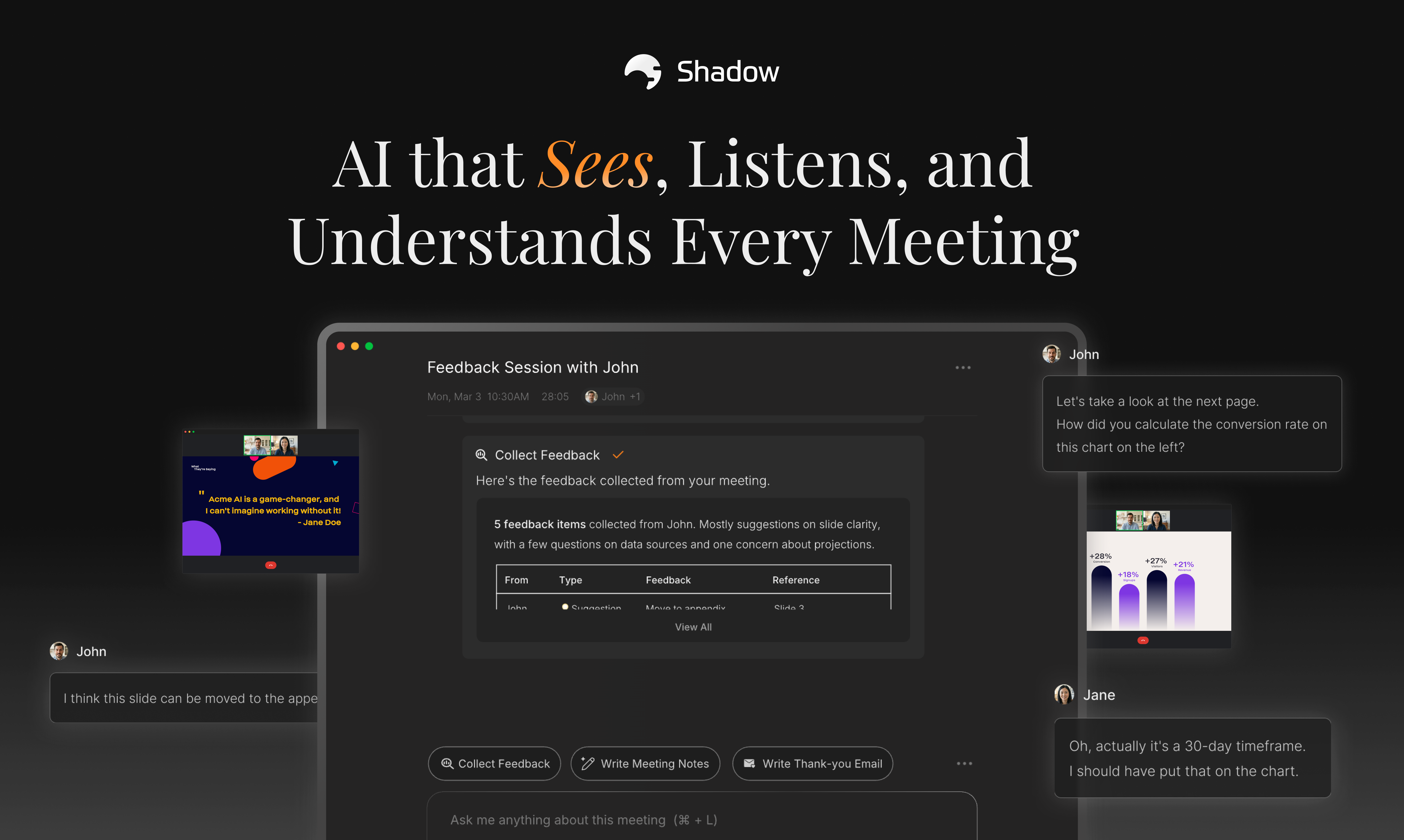
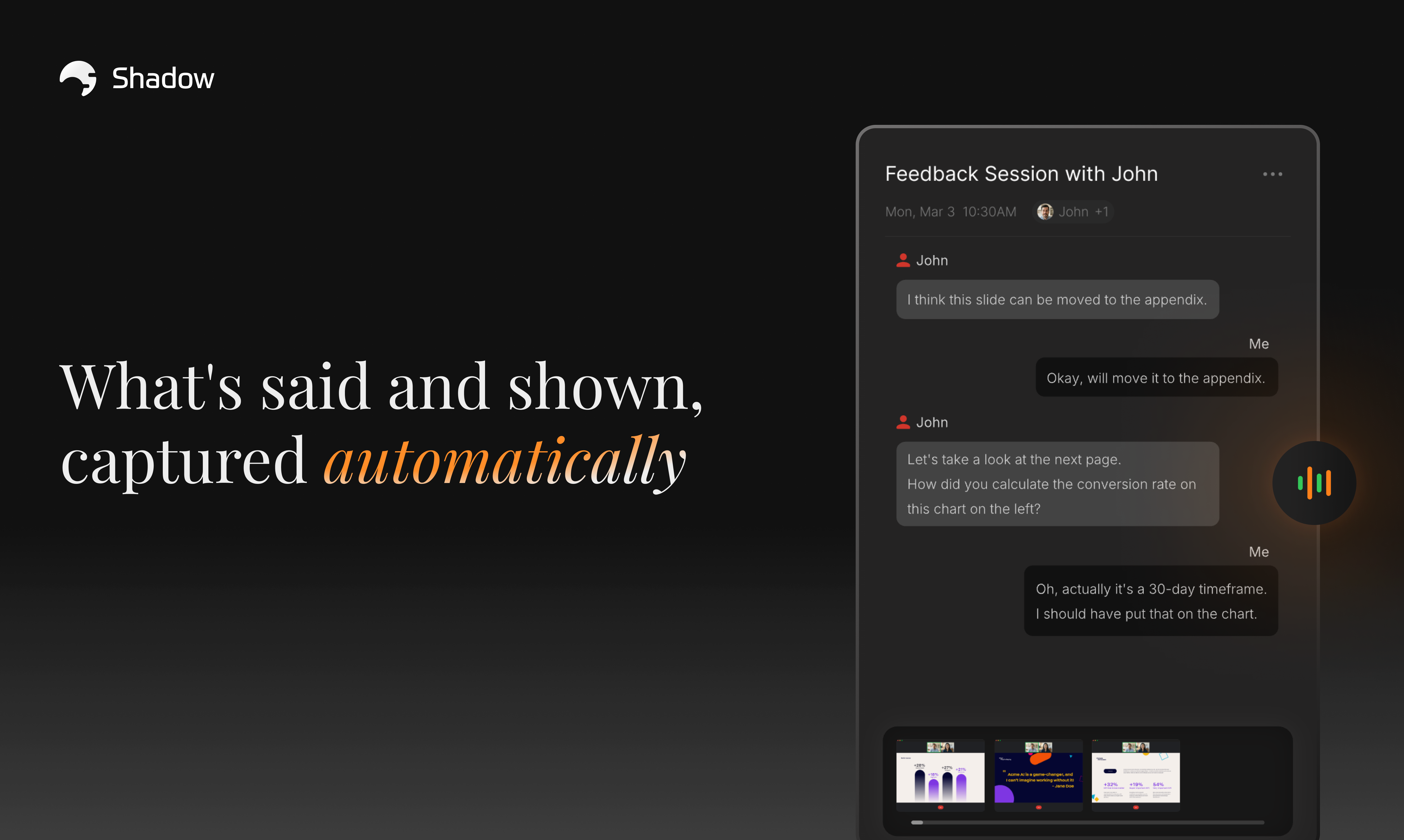
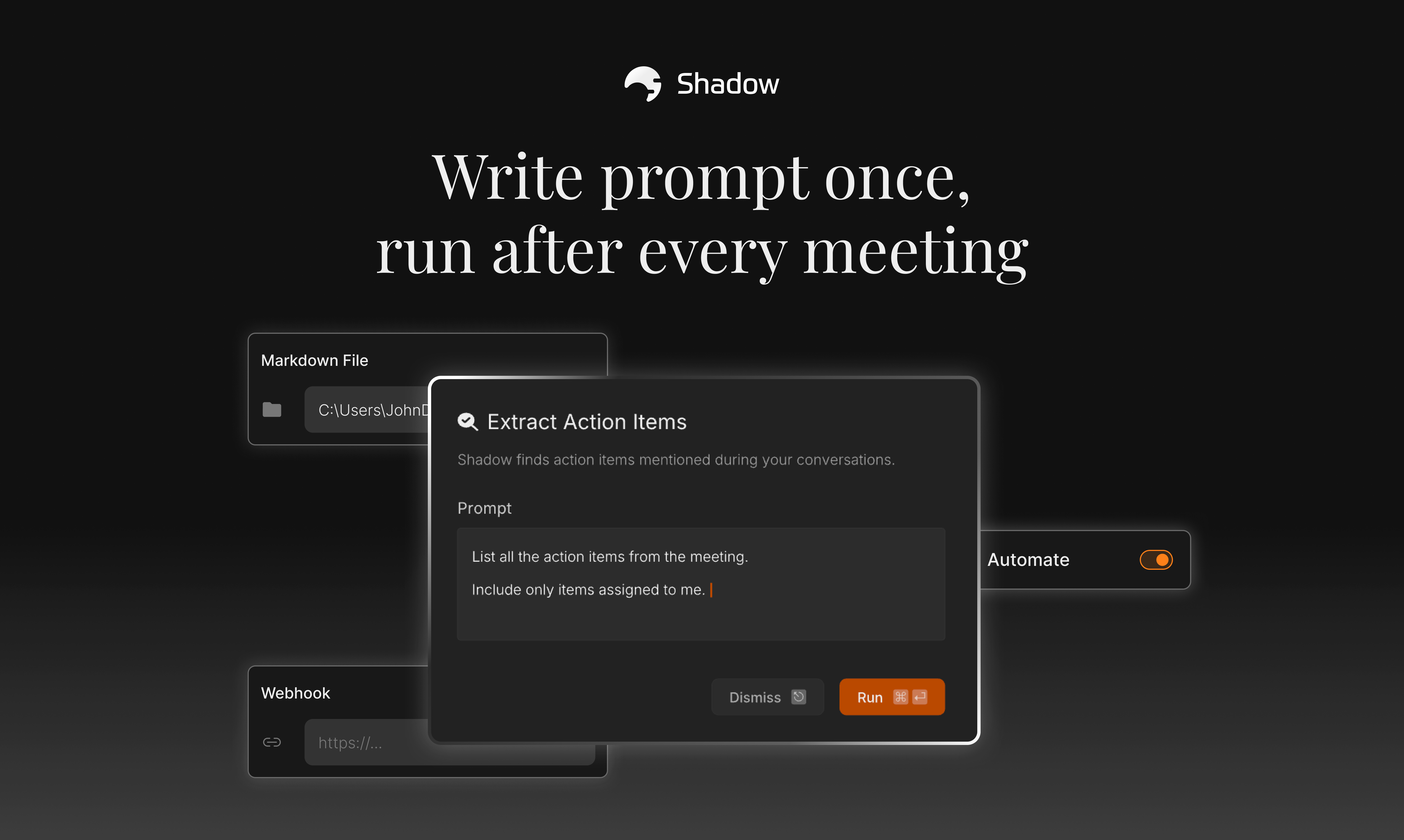
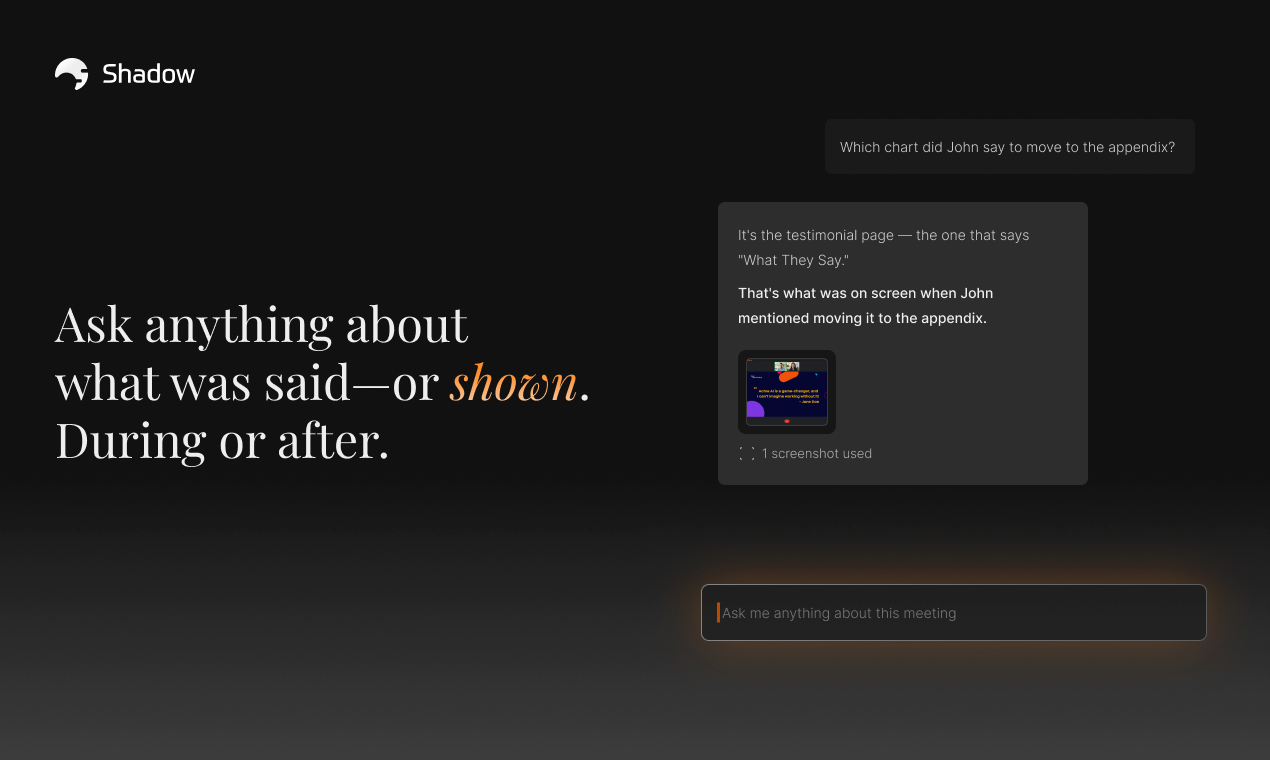
Your meeting AI is missing half the picture. It hears what's said but ignores what's on screen. Shadow captures both—no bot needed—and turns that full context into action with custom AI tasks. Stop recapping. Start delivering.
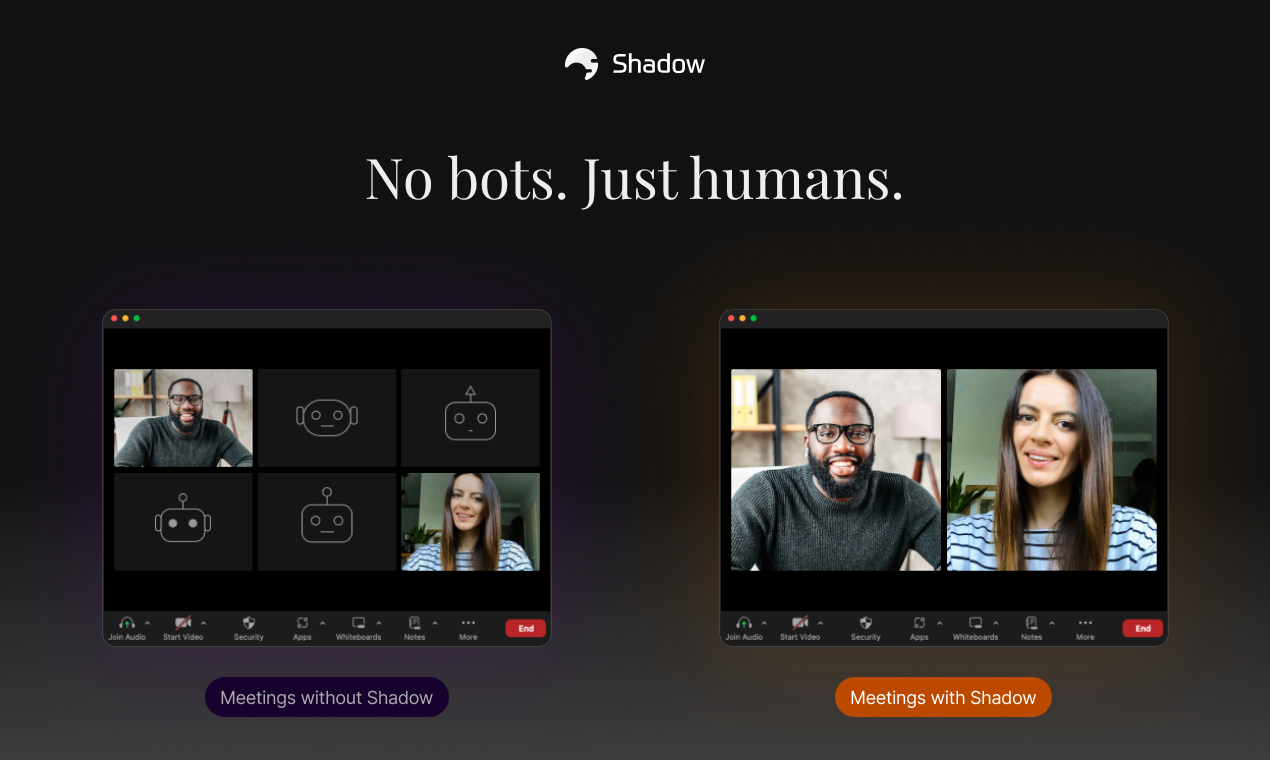
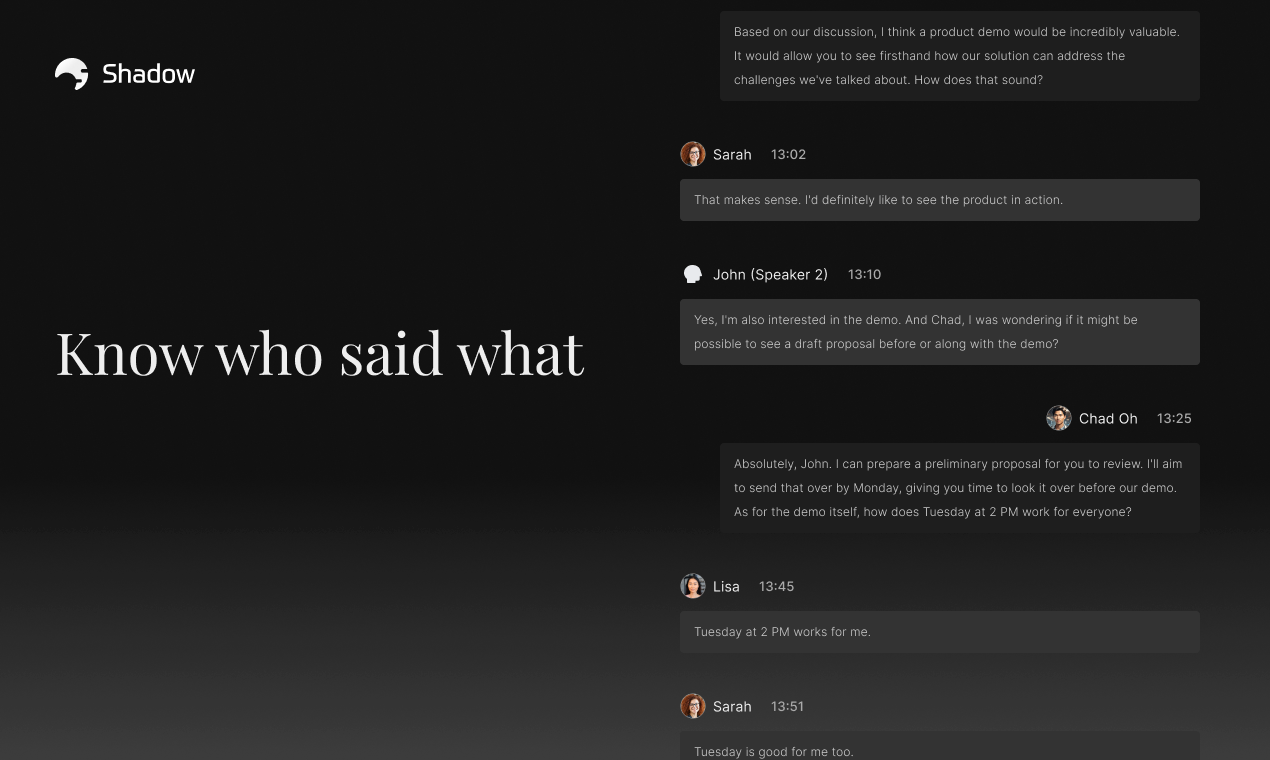
Hey Product Hunt! 👋 Jay from Shadow here. First, a huge thank you to everyone. Last time we launched, we got so much love and support from the PH community. Your feedback and encouragement pushed us to make Shadow even better. Today, we're back with a huge update that will completely change how you interact with your meeting AI. When we last launched, Shadow was your ears in every meeting—automatically listening and turning conversations into post-meeting tasks. Now, Shadow has become your eyes too. 👀 What's new: 🖥️ Smart Screenshots Shadow now automatically captures what's on screen during your meetings. Slides, demos, shared docs—all saved and ready for AI to reference. No manual screenshots needed. ⚡ Supercharged Skills Fully customizable AI tasks that run on your meetings. Export to Markdown or send to any tool via webhook. Build your own workflows. What hasn't changed—the things that make Shadow different: 🚫 No bots Shadow works in the background. No awkward "AI Notetaker has joined" moments. 🎯 Speaker identification Always know who said what. 🔒 Privacy first Local transcription, local storage. Your data stays yours. We never use it for training. We built Shadow to help you leave meetings with progress, not just notes. Now with the full picture—what was said AND shown—you can finally make that happen. Would love to hear your feedback. Let's chat in the comments! 🙌
8
回复

@jaythesong The “eyes + ears” framing really clicks. Screen context is where most follow-ups actually come from, so this feels like a very practical evolution of meeting AI. Excited to see how teams build workflows on top of this nicely done.

0
回复

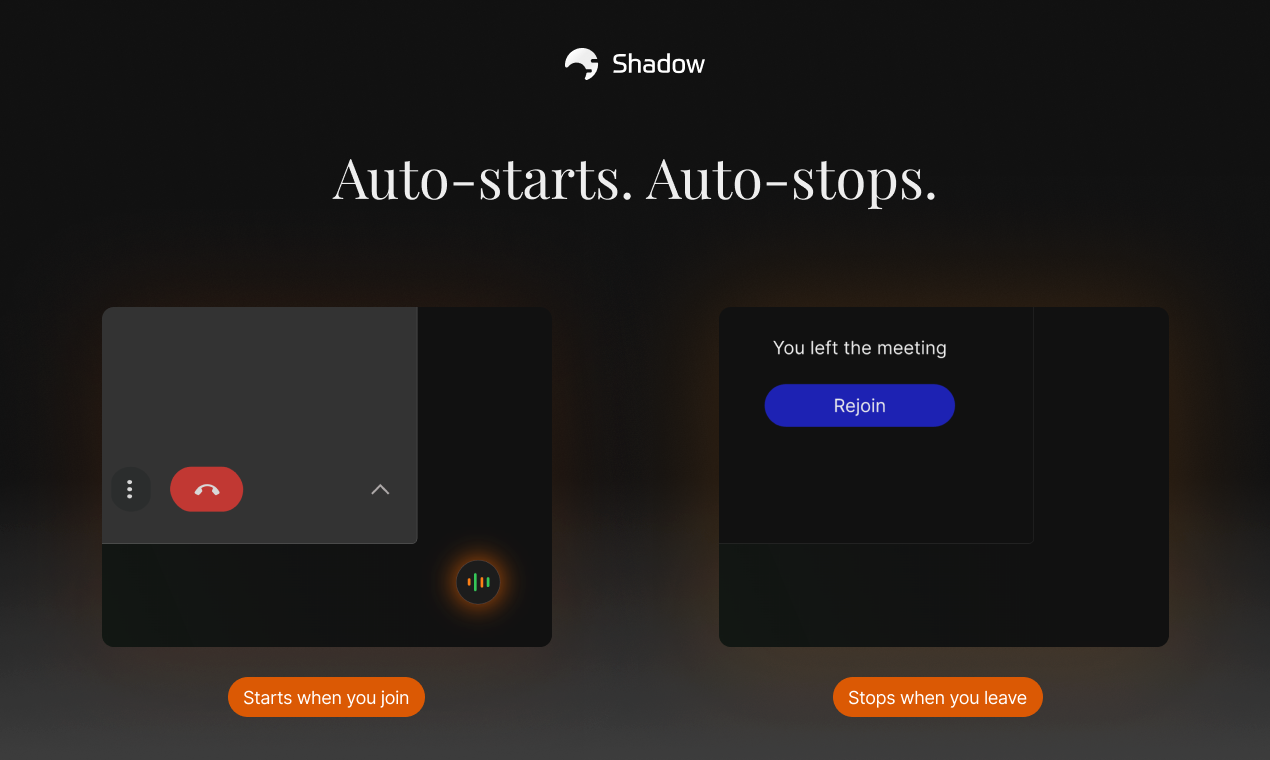
@jaythesong congrats on the launch :) for me the best feaure you highlight is auto start and stop. I am a tech writer, so I am sooo freaking afraid of losing internet connection during interviews with devs, and when I rejoin and my notetaker doesn't it's really a pain point.

and spealing only with humans, not bots is a pleasure <3
keep going :)

3
回复

Congratulations on your launch! 🚀
Extremely competitive market today, but no clear winner established yet, so best of luck!
I think marketing matters more than ever, and you definitely have some sleek looking visuals!

4
回复

@avloss 99% agreed! I think marketing matters more than ever too. Once a new market seems to take off, 100 copycats appear in a couple of weeks. The 1% is that I still have the naive belief that a great product will win at the end of the day. Thanks a lot for the comment!

3
回复

@jaythesong, I use granola, been a big fan, but I love what I saw on the website - Attribution of speakers and contextualization of screenshots and screen content. Just downloaded this. Gonna try Shadow :)

3
回复

@kjosephabraham thanks Joseph! Glad to hear that you've just downloaded it! Feel free to let me know if you have any questions or feedback. Thanks a lot your the comment again!

0
回复

As someone involved in GTM strategy and execution, Shadow has made it much easier to revisit important meetings without rewatching full recordings. Having both the spoken conversation and on screen context available in one place makes reviews faster and more useful.

The ability to quickly pull out next steps, draft follow up emails, or create custom AI outputs turns meeting recaps into something actionable. It feels thoughtfully designed for teams that want to spend less time recapping and more time moving work forward.

3
回复

@james_park16 Hi James, thank you so much for the thoughtful review!

We’re thrilled to hear that Shadow is helping your GTM strategy and execution by making meeting reviews faster and more useful. Our goal was exactly what you described: providing both spoken and on-screen context in one place so teams can skip the full recordings and focus on moving work forward.

It’s great to see that you’re already making the most of the action items and follow-up drafts!

0
回复

I've been using Shadow daily for a couple months now and it's rock solid. I've used other meeting transcribers before, but Shadow is incredibly reliable. Its notable features for my workflow are:

  • Privacy-focused (on-device transcription, cloud LLM for outlines and summaries)

  • Speaker diarization! This is key for me as it can separate the different speakers on a call.

  • Automatic workflows that they call Skills. Once a meeting finishes, you can create custom "skills" for further processing.

  • From a design standpoint, it's also very polished.

My only knock on it would be that's it very un-Mac-like. Cmd-period doesn't bring up Settings, etc. But that's pretty minor. Truly an essential product in my daily productivity stack.

3
回复

@roger_wong this made my day! 🥹

Thank you for the continued support. It really means a lot to have users like you who genuinely care about making Shadow better. I'm so glad to hear it's become part of your daily stack.

And thanks for flagging the shortcut thing. We totally missed that, and I appreciate you pointing it out. We'll get those Mac conventions right. Thanks again for your support Roger!

0
回复

One of the best in the market!

3
回复

@daniel_hong thanks a lot Daniel for the comment! 🫡
Appreciate your support!

0
回复
@jaythesong nice
0
回复

I rarely post on PH to shout out to a product, but Shadow is an app that does exactly what I was searching for: listening to meetings and giving me smart AI tools to work with the transcript afterwards. It does a fantastic job at that and @jaythesong is super supportive when I had questions.

2
回复

@tjapie thanks so much for the comment! It really means a lot coming from someone who doesn't usually post! Always happy to help if you have more questions 🙌

0
回复

Cool stuff @jaythesong , I'll definitely give Shadow a try! It's a different usecase but I suspect similar tech to my AI voicemail platform.

ps best of luck on your launch today - really wish you all the best! But don't get sloppy now I'm rapidly closing with at place #11 today!

1
回复

@peter_van_doorn thanks Peter! I've just checked out your launch and it does seem like that! Voice Mate sounds super interesting too. I wish you all the best!

0
回复

I love your UI. Do you actually store the transcripts and have the bot in the desktop app or in web? I'm wondering how the sharing works.
Thanks.

1
回复

@pasha_tseluyko Hi Pavel! Thanks for the comment.


To clarify, the transcription and screenshot processes happen 100% locally on your device, and all data is stored locally.


As you might expect, using AI-powered features or sharing via webhooks does require data to be processed through the internet. However, since we don't store or own this data on our servers, it remains far more secure than other cloud-based solutions. It’s a much more robust approach to privacy!

0
回复
I read in your FAQ that to prevent data leaking to openai, gemini, anthropic, we do need to turn off meeting outline, to not use skills and to not ask anything to the assistant. isn't it a bit dangerous for professional meetings, and so... useless if we can't avoid data leaking?
1
回复

@Shadow the screen+audio capture angle is powerful and underserved. Most meeting AI misses half the context you're showing. Key question: how are you handling privacy/compliance for enterprises dealing with sensitive data on-screen? Also, what's your latency like for action extraction?

1
回复

@imraju thanks for the comment! That’s a really great question.

While many AI tools claim a zero-retention policy, Shadow goes a step further. We do not store any screen, audio, or transcript data. Although we utilize servers for our AI and LLM processing, your data is never saved to a database. Since we don't retain or own the data, your information remains truly private!

0
回复

Half my calls are people click-walking through decks and Figma. Most tools miss that. No bot bubble joining is a relief. If it pulls action items from what’s on screen + what’s said, that’s actually handy. Curious about multi-screen or fast tab hopping.

1
回复

@alexcloudstar thanks for your comment! Shadow works by automatically detecting the meeting screen and taking screenshots whenever there are major changes. You can also manually select a specific window or screen if you prefer!

Since Shadow focuses on capturing context rather than recording every single pixel, rapid tab switching might not be captured perfectly—though it depends on how fast you switch! I hope you give it a try and share your thoughts.

1
回复

What languages does it support?

1
回复

@sarbarzn Currently, Shadow officially supports English only, so all AI prompts are optimized for English. However, transcription supports all major languages and works seamlessly with our AI features! What language do you speak?

0
回复

Wow, Shadow is mind-blowing! Love that it captures the screen share, not just the audio. Im curious, how does Shadow handle privacy when recording sensitive information displayed on the screen?

0
回复
#5
LightBuddy
Look better on video calls using the screen you already have
192
一句话介绍:LightBuddy是一款Mac菜单栏应用,它利用用户现有屏幕边缘产生可调环形光,在视频通话等场景中低成本改善面部光线,提升上镜效果。
Video Streaming Meetings Menu Bar Apps
视频通话优化 环形补光 菜单栏工具 macOS应用 兼容性工具 软件光效 生产力工具 远程办公
用户评论摘要:用户普遍赞赏其核心价值:兼容性强(支持Intel/Apple Silicon、非苹果显示器、多屏),弥补了苹果原生功能的局限。主要问题与建议包括:询问中心区域是否可变暗、对多屏HDR夜间表现的关切、对苹果未来更新竞争的担忧,以及对其商业模式(如何盈利)的好奇。
AI 锐评

LightBuddy的诞生,是“草根智慧”对巨头生态的一次巧妙侧击。其真正价值远不止于“给屏幕加个光晕”,而在于精准捕捉并服务了被苹果官方功能“选择性抛弃”的存量用户——那些使用Intel芯片、非苹果显示器或旧版macOS的海量用户。这揭露了巨头生态策略的一个软肋:为了推动新硬件销售和系统升级,其“创新”功能常带有排他性,人为制造了市场断层。

产品聪明地选择了菜单栏这一轻量化入口,将自身定义为系统级的实用工具,而非某个臃肿应用的一部分,这保证了其低侵入性和即开即用的工具属性。用户评论中提及的“多显示器支持”、“HDR Boost”等功能点,更凸显了它在官方基础方案上的“增量创新”,试图在灵活性和体验深度上反超。

然而,其商业模式与长期护城河令人存疑。作为一款解决单一、明确痛点的工具,其功能极易被模仿,也极可能被苹果在后续系统更新中进一步“吸收”和覆盖。用户关于“如何盈利”和“如何应对苹果改进”的评论,直接点中了其命门。它目前的优势建立在苹果生态的“不完美”之上,这种优势具有极强的时效性和脆弱性。

本质上,LightBuddy是一个精明的“生态位补丁”,在巨头划定的版图缝隙中找到了短期生存空间。它的成功,是实用主义对完美主义的一次胜利,但也清晰地展示了独立开发者面对平台方时的终极困境:你的创新,随时可能成为巨头的养料,而你的生存,则依赖于巨头“懒得”或“暂时不愿”覆盖的那片技术洼地。

查看原始信息
LightBuddy
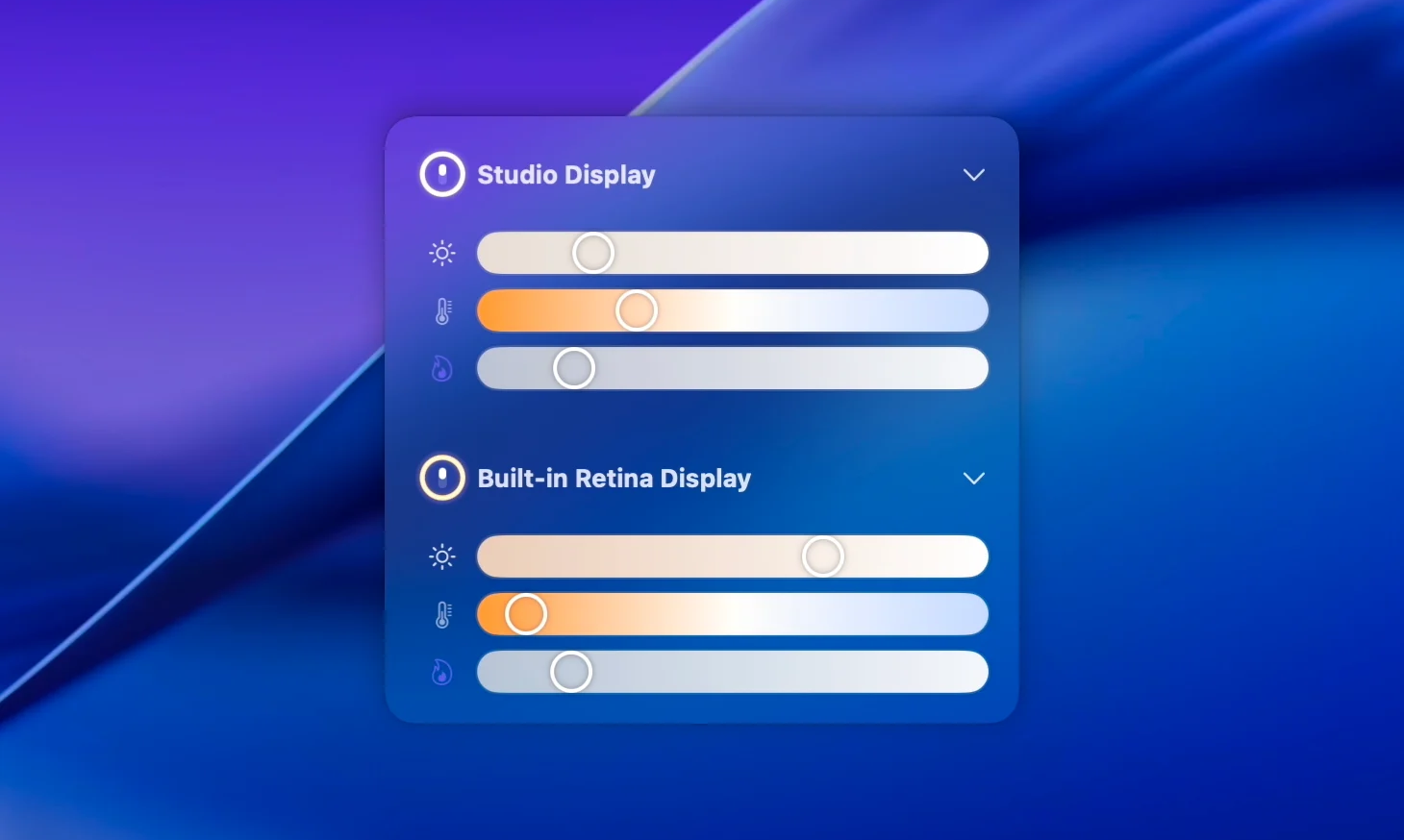
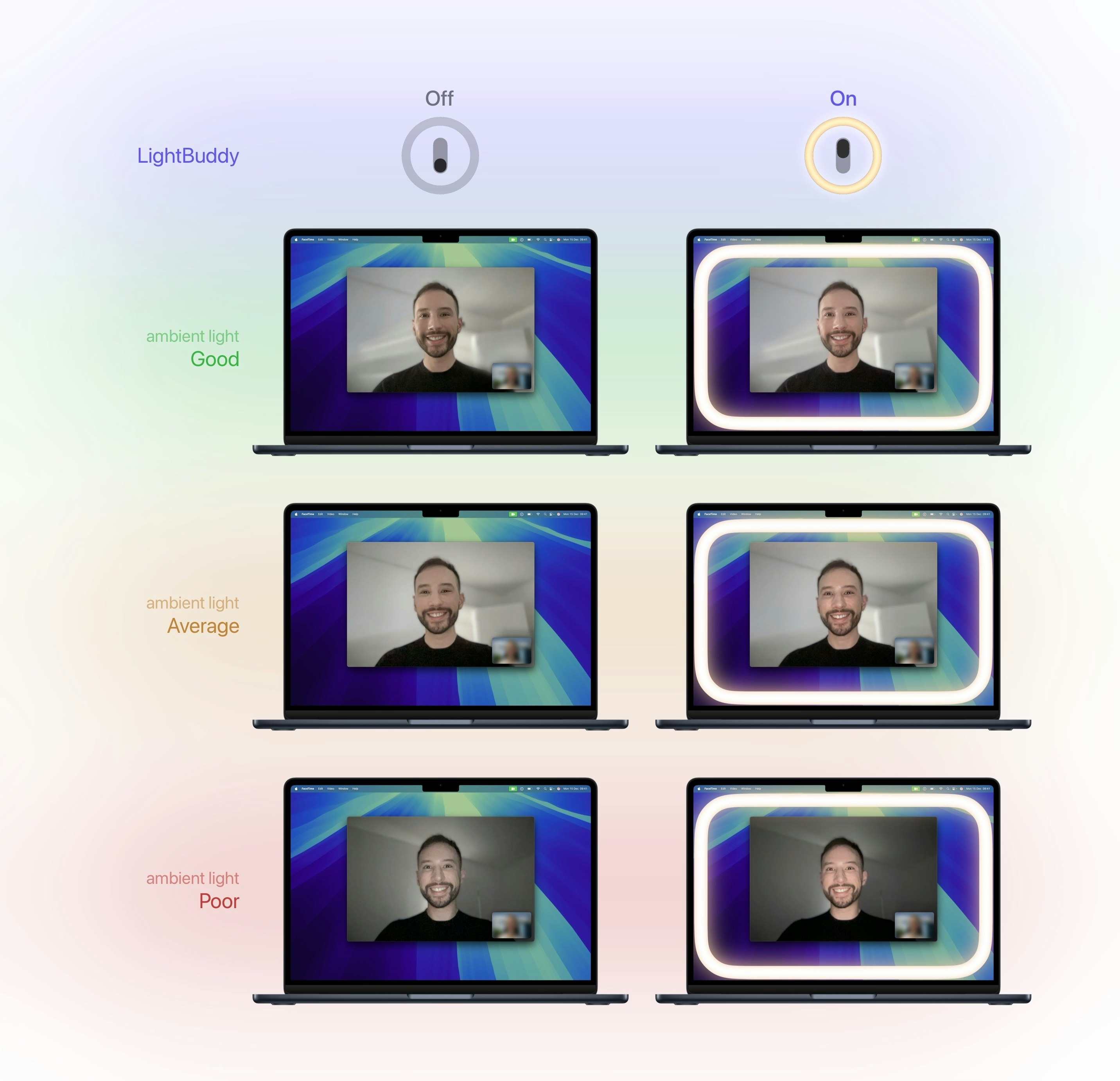
LightBuddy lives in your Mac’s Menu Bar and allows you to add an adjustable ring light around your display. Unlike the built-in feature Apple added in macOS 26.2, LightBuddy supports macOS 14 Sonoma or later, works on Intel and Apple Silicon Macs, and doesn't require an Apple-branded display.

Brilliant! Turn your existing display into a lightbox...!

Yes, this was Sherlocked in macOS 26.2, but the idea preceded that launch, and this one adds some nice touches that the Tahoe implementation misses:

  • No Apple Silicon and macOS 26.2 Requirement

  • No Apple Display Requirement

  • Multiple Display Support

  • HDR Support

  • Custom Colors

5
回复

@chrismessina The multiple display + non-Apple hardware support is a big win here. Nice to see an idea evolve beyond the built-in version and stay accessible to more setups.

0
回复

Great problem addressed 👍🏻

1
回复

pretty cool ! bought, tried, it does the job !

1
回复

@LightBuddy The cross-compatibility (Intel, older Macs, no Apple display required) is a huge advantage over the native solution. Wondering: what's the market size potential beyond Mac users? And how are you thinking about competing as Apple potentially improves their built-in feature?

1
回复

Clean and clever idea! Love the simplicity — will give it a try today. Good luck with the launch! 🚀

1
回复

Amazing, definitely something I would need! 🚀
Does it also dims the centre of the screen?

1
回复

@avloss Hi Anton. It doesn't dim the center of the screen. If your display supports HDR, enabling HDR Boost will have a similar effect, allowing you to reduce the overall brightness of the display whilst still benefiting from the extra brightness around the edges. Dimming the center of the screen is an interesting idea though for displays that don't support HDR, I'll look into that 🤔

0
回复

This is so good. Exactly what I needed.

0
回复

Might be worth it for those nights I'm in a hotel and don't have my usual office setup! Will check it out.

0
回复

Nice. My Intel mini + old LG don’t get Apple’s version, so this is handy. Menu bar ring light is a smart hack. Curious how it behaves with HDR and two screens at night. If it remembers per‑app brightness, even better. Trying it on Sonoma later.

0
回复

Looks nice Guilherme! Guessing how will you monetize it but I'm sure many content creators gonna check this out. Wish you all the best here!

0
回复

But I reckon that during video calls this tab has to be minimised, when you want to see your colleagues (taking into account that you have only one screen). Or?

0
回复

@busmark_w_nika Hi Nika. LightBuddy is a native app that runs in the Mac's Menu Bar, the ring light only occupies the edges of the display, and it moves out of the way in the area where your cursor is, so you can continue to see your video call and interact with other apps as you normally would :)

0
回复
#6
Screenhance
Make product screenshots look launch-ready in minutes
149
一句话介绍:Screenhance是一款模板优先、原生支持动效的截图美化工具,帮助用户(尤其是非设计师的创始人和开发者)在几分钟内将普通产品截图转化为可用于落地页、文档、演示文稿的精美视觉资产或短视频/GIF,解决了传统方式依赖设计技能或耗时过长的痛点。
Design Tools Social Media Prototyping
截图美化 设计工具 效率工具 模板化设计 动效制作 视觉资产生成 产品演示 无代码设计
用户评论摘要:用户普遍赞赏产品解决了用Figma/Photoshop制作截图资产的痛点,流程直接、设计精良。有效反馈集中在:询问是否支持应用商店截图规格、是仅Web版还是有桌面应用、以及鼓励其从个人需求出发解决普遍问题。
AI 锐评

Screenhance切入了一个看似拥挤、实则存在效率空白的市场。其宣称的“模板优先”和“动画原生”是核心差异化策略,这实质上是在将专业设计能力(布局、配色、动效)封装为可批量复用的“零件”,其真正价值并非技术创新,而是对“设计交付物工业化生产流程”的轻量化重构。

产品敏锐地瞄准了“非设计师的生产者”这一群体——开发者、创始人、产品经理,他们需要专业视觉呈现来辅助沟通、营销与融资,却缺乏时间或技能深入使用专业工具。Screenhance通过约束性的模板和有限的定制选项,反而降低了用户的决策疲劳,将“设计过程”转化为“选择与微调”,这比提供无限自由的空白画布更符合目标用户的心理模型和实际需求。

然而,其面临的挑战同样清晰。首先,市场存在大量功能重叠或更泛用的工具(从Canva到专业录屏软件),如何让用户为垂直场景付费需要极强的定位和用户体验。其次,“精美截图”的需求频率是否足以支撑一个独立工具的持续使用和付费转化?这或许意味着产品未来必须向更广泛的“视觉内容快速生成”(如社交媒体素材、文档插图)拓展边界。评论中关于“应用商店截图”的询问,恰恰印证了用户期待它解决更具体、更刚性的生产场景。

创始人将其定义为“个人痒点”的产物,这通常是优秀工具的起点,但能否成长为可持续的业务,取决于能否将这种“痒点”精准地转化为一个具有清晰价值链和防御壁垒的“痛点”解决方案。目前看来,产品方向正确,但护城河尚浅,其成败关键在于执行细节:模板库的广度与质量、输出效果的“专业感”上限、以及与工作流(如直接嵌入Notion、PPT)的集成深度。在AI图像生成技术日益普及的背景下,此类工具若不能极致化其垂直场景的便捷性与输出可控性,很容易被更通用的AI能力所覆盖。

查看原始信息
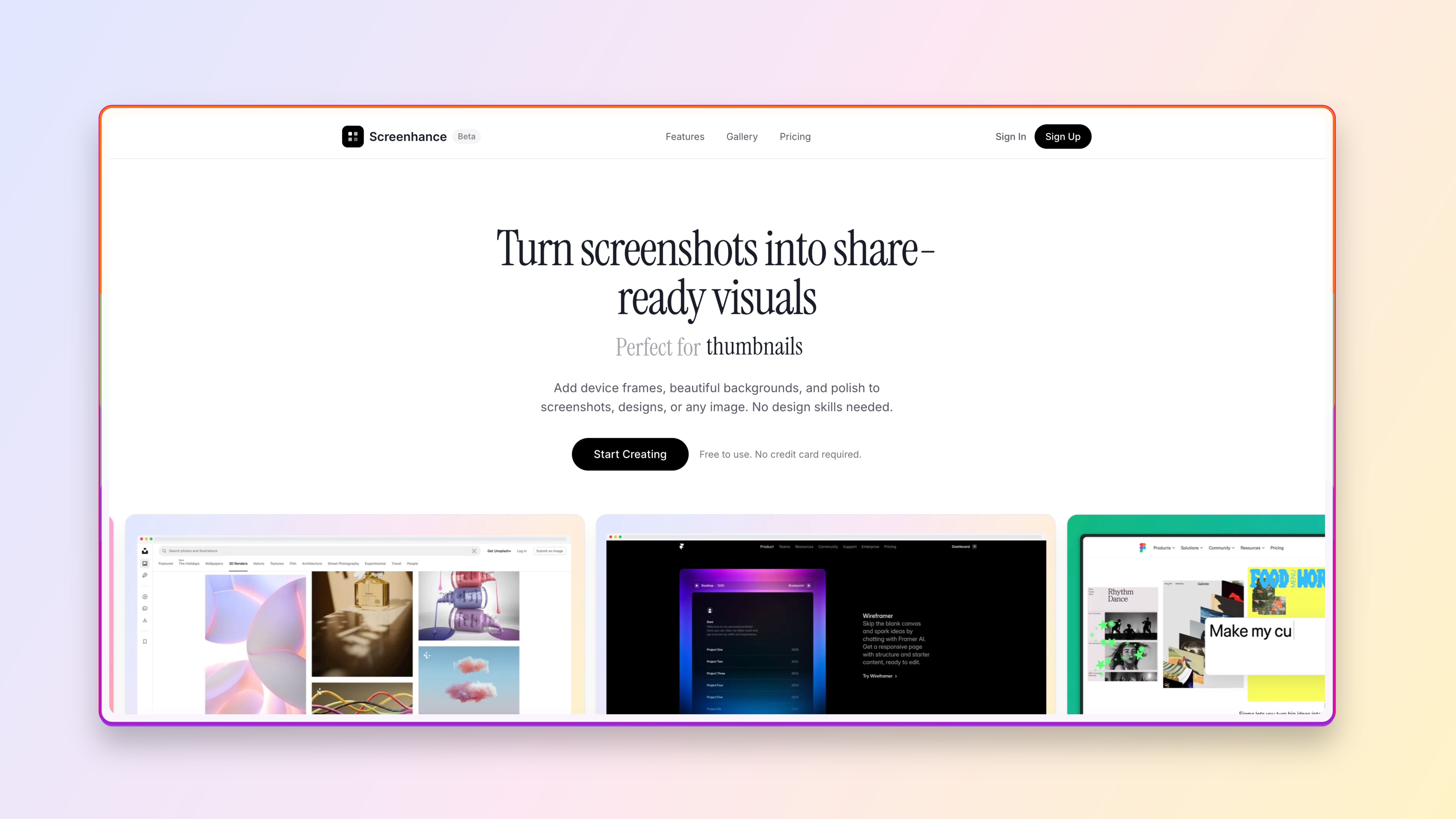
Screenhance
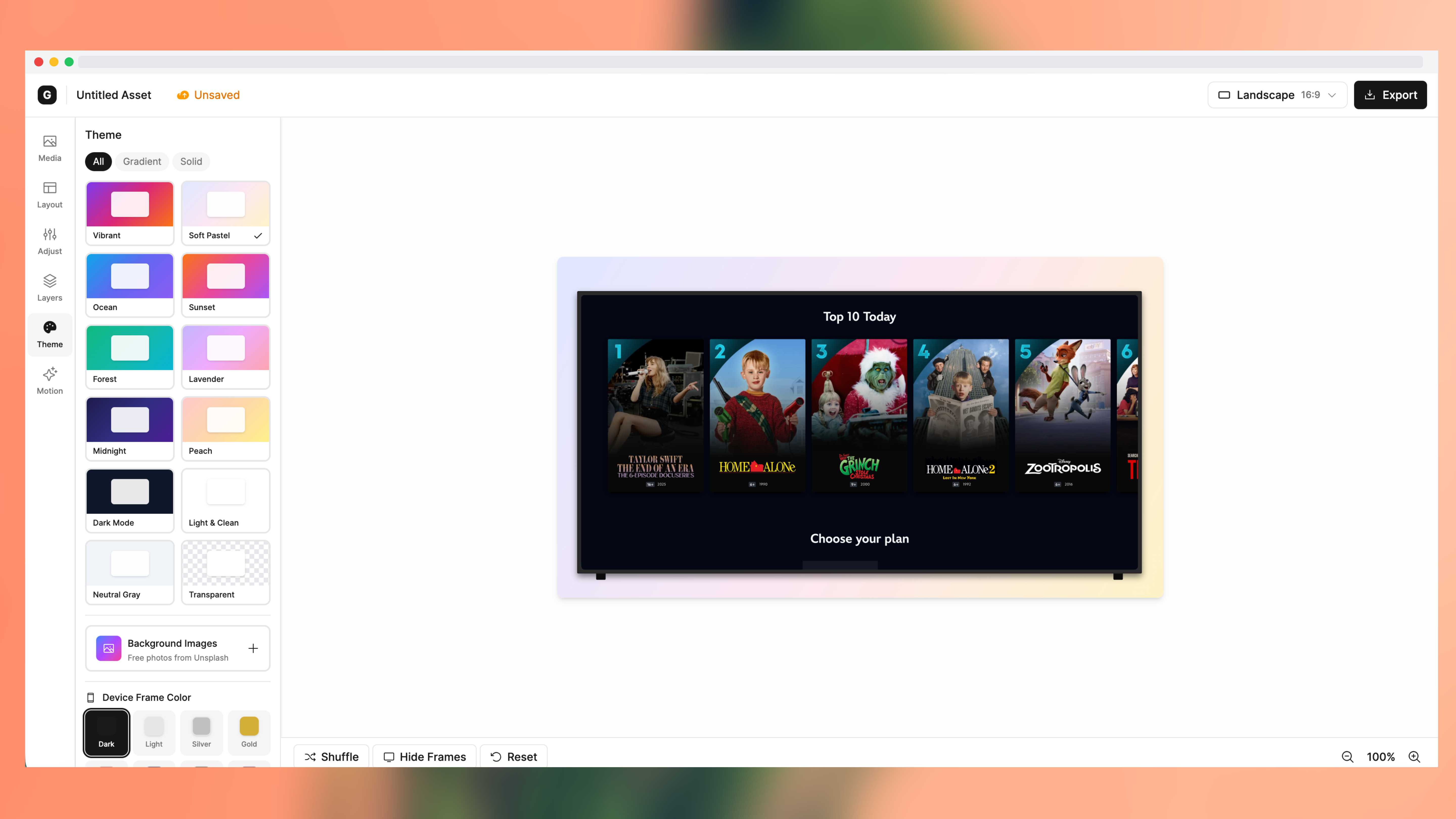
Most screenshot tools are static or require design skills. Screenhance is template-first and animation-native. Turn screenshots into polished visuals or short MP4/GIF clips in minutes. Pick a layout, theme or transparent background, tweak colors and shadows, add subtle motion, and export. Device and browser frames included. Free tier, Week Pass, and Pro.
Hi Product Hunt, I’m Sharon, and I built Screenhance! I made it because screenshots are everywhere (landing pages, docs, decks, portfolios), but making them look good usually means design tools or extra time. With Screenhance, you can: → pick a layout (single or multi screenshot) → choose a background or go transparent → add subtle motion if you want → export clean, high-quality assets fast It’s in beta, so I’d love feedback, especially on: What you’d use it for What feels missing Anything that breaks
6
回复

@sharononyinye Love that this started as a personal itch that usually leads to the best tools.

I can definitely see this being a go-to for founders and devs who want polished screenshots without touching Figma. Excited to see how it evolves out of beta.

0
回复

It's so great, I was expecting something simple but was my expectation was surpassed, It has nice flows and is straight to the point, with this you no longer have to wrap your head about using something like photoshop to try and create launch assets, and it has nice layouts and templates for screenshots. Congrats on the launch

2
回复

@uchenna_nwaorgu Thank you so much!! this was very encouraging

1
回复

Congrats on shipping! The product looks good and well designed. Will definitely utilize Screenhance for screenshots I need to add to decks/launches.

1
回复

@therealdesilva  Thank you so much! I really appreciate this

0
回复
Hey Sharon, congrats on the beta! Making screenshots look good usually means design tools or extra time, so true. Was there a specific moment that pushed you to build this?
1
回复

@vouchy Thanks Van! I've been a designer for a few years now, and even for me, making mockups for thumbnails and social posts gets tedious.
So I can only imagine how frustrating it is for devs or founders who don't use Figma much.

This was a personal itch first, I wanted something I could throw screenshots into and get something polished back in a few minutes

0
回复

Looks polished and professional! Congratulations on the launch!
This is a competitive space today, but I'm sure your product will be able to stand up to the competition!

1
回复

@avloss thank you so much! I genuinely appreciate this

0
回复

Very cool stuff @sharononyinye! This took me soo much time for my own projects I'll definetly give it a shot. Does it do screenshots for the appstores too? Huge market if you ask me.

ps. keep it up, I'm rapidly closing in on the producthunt leaderboard today at #11! 😘

0
回复

I'm a sucker for a good screenshot.

0
回复

@mogabr Thank you!! I hope you enjoy using Screenhance

0
回复

Congrats one the launch @sharononyinye ! Is it a web-only solution or do you have a desktop app too?

0
回复
#7
Mujo AI
From one photo to a complete set of product visuals and copy
139
一句话介绍:Mujo AI是一款AI设计代理工具,通过上传单张产品照片,即可为电商卖家、设计师等用户自动生成一套风格统一、可编辑的商品视觉图与营销文案,解决了中小商家专业设计成本高、耗时长的核心痛点。
Design Tools Artificial Intelligence E-Commerce
AI设计工具 电商视觉生成 产品文案生成 营销素材自动化 中小商家赋能 AIGC应用 设计代理 商品上架优化 降本增效 批量处理
用户评论摘要:用户普遍认可产品价值,认为其是电商创业者的必备工具。主要反馈集中在:期待与主流电商平台的集成、希望提供API接口、认为当前操作流程(五步引导)略显繁琐需优化,并询问了对初始照片光照条件的处理能力。
AI 锐评

Mujo AI切入的是一个明确且疼痛感强烈的市场:中小规模电商的视觉内容生产。其宣称的“从一张照片到一套素材”确实直击了传统流程昂贵、缓慢的弊端。然而,其真正的价值并非简单的“生成”,而在于试图构建一个“基于电商最佳实践的转化系统”。

产品将自身定位为“AI设计代理”,这意味着它超越了单点生成的工具范畴,试图扮演一个具备策略思维的合作伙伴角色。它“思考、推荐并构建”的流程,本质上是将电商视觉设计的经验知识(如何种产品需搭配信息图、生活方式图)封装为算法逻辑。这才是其潜在壁垒所在——对电商转化逻辑的理解深度,决定了输出素材的商业效果,而非仅仅美学质量。

从评论反馈看,其面临的核心挑战已从技术可行性转向产品成熟度与生态融合。用户询问集成与API,说明市场需要的是能嵌入现有工作流的“螺丝钉”,而非另一个孤立的“平台”。操作流程被指繁琐,则揭示了“智能代理”体验设计的通病:在追求“周全引导”与“极致简洁”之间难以权衡。创始人回复中透露的“优化了实用工具而非提示词玩具”的自我辩护,恰恰点明了其产品哲学的矛盾点。

长远看,Mujo的愿景——“每个商品拥有多个高度个性化列表”——意味着它志在成为动态内容优化的基础设施。但其当前阶段,更务实的定位或许是成为电商视觉生产的“标准化流水线”,先以极高的性价比解决“从无到有”的问题。能否从“有用”走向“不可或缺”,取决于其AI对细分品类、品牌调性及平台算法偏好的学习进化速度,以及其生态连接能力的强弱。在AIGC工具泛滥的当下,聚焦垂直场景是明智的,但垂直领域的深度与灵活性,将决定其天花板的高度。

查看原始信息
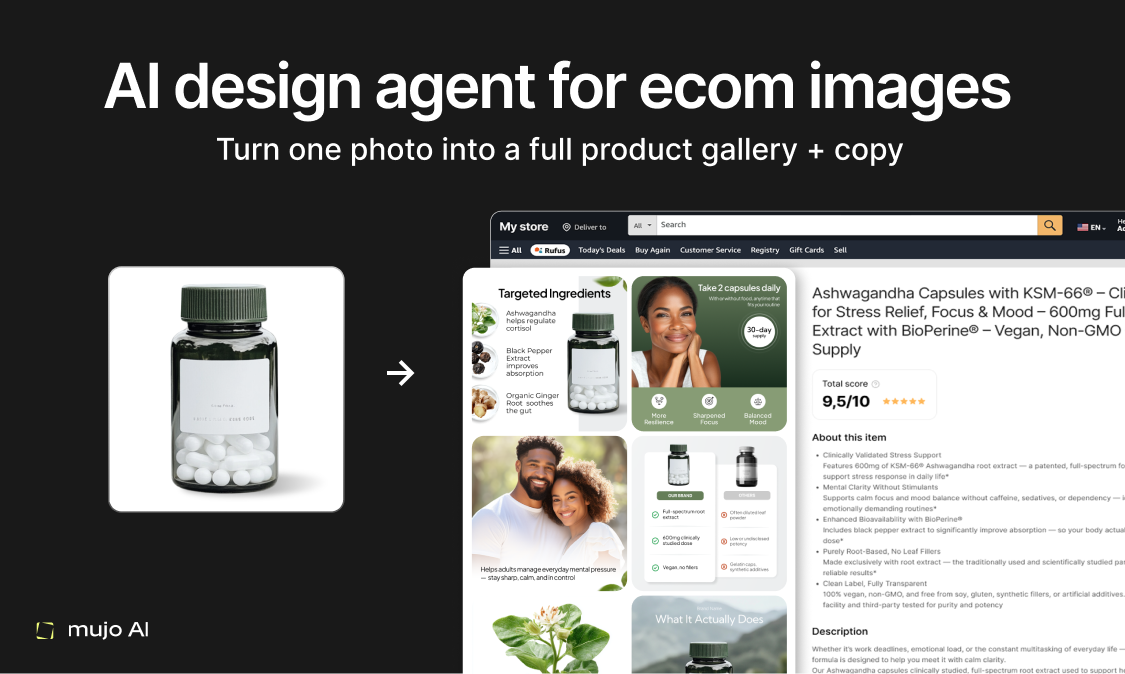
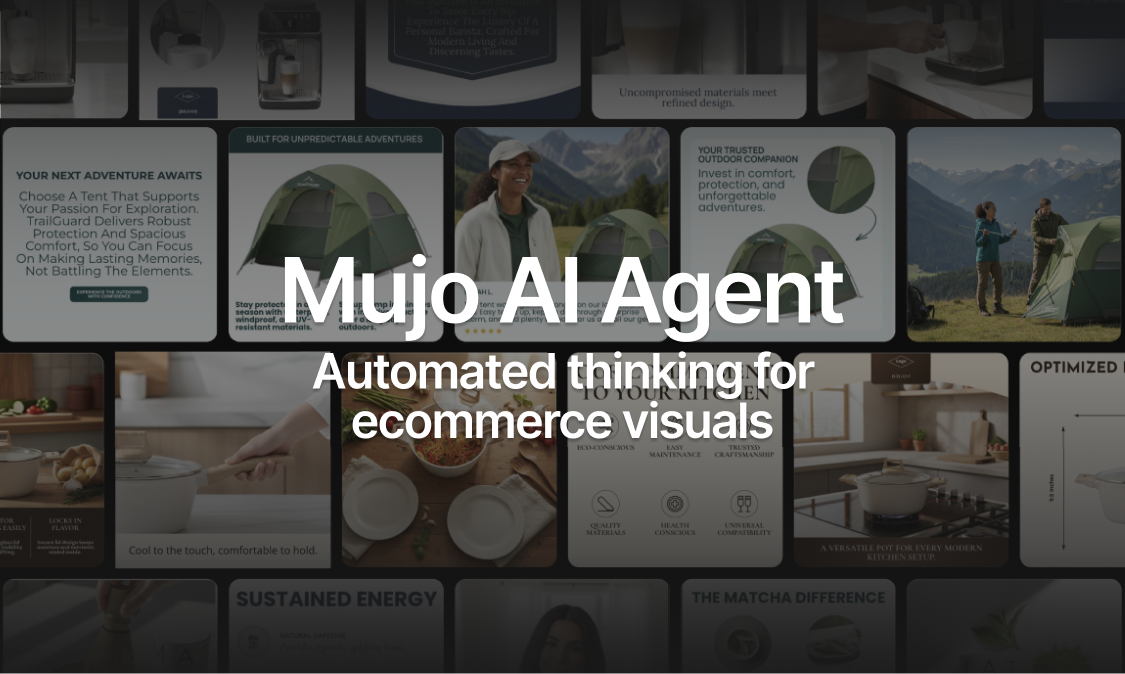
Mujo AI
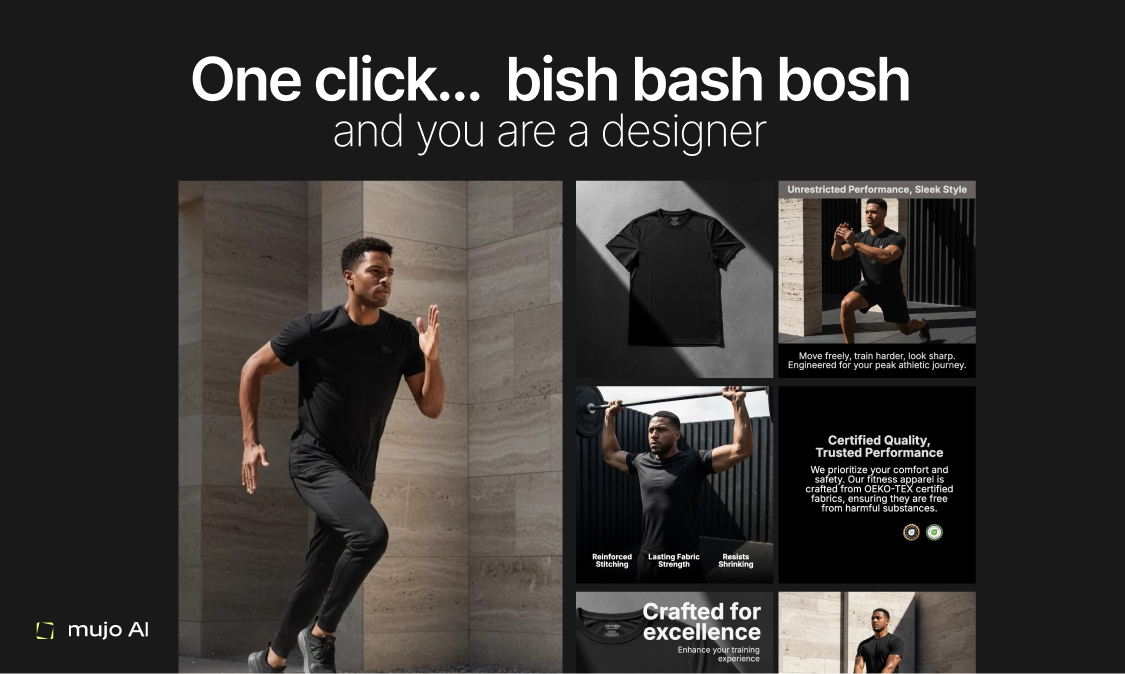
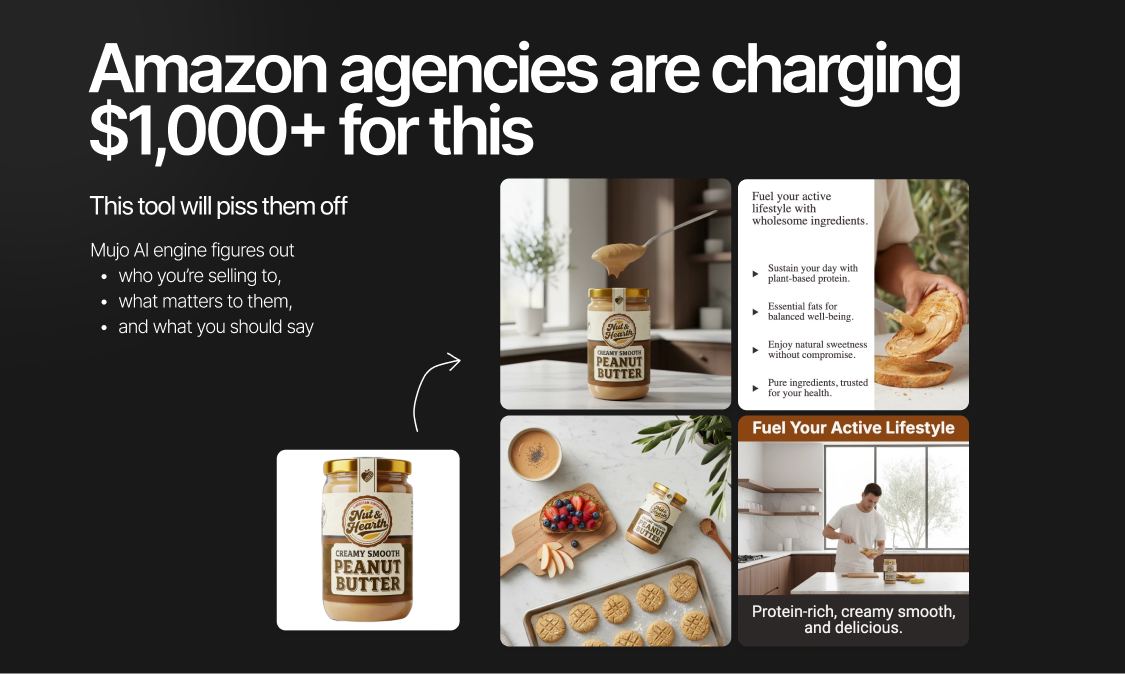
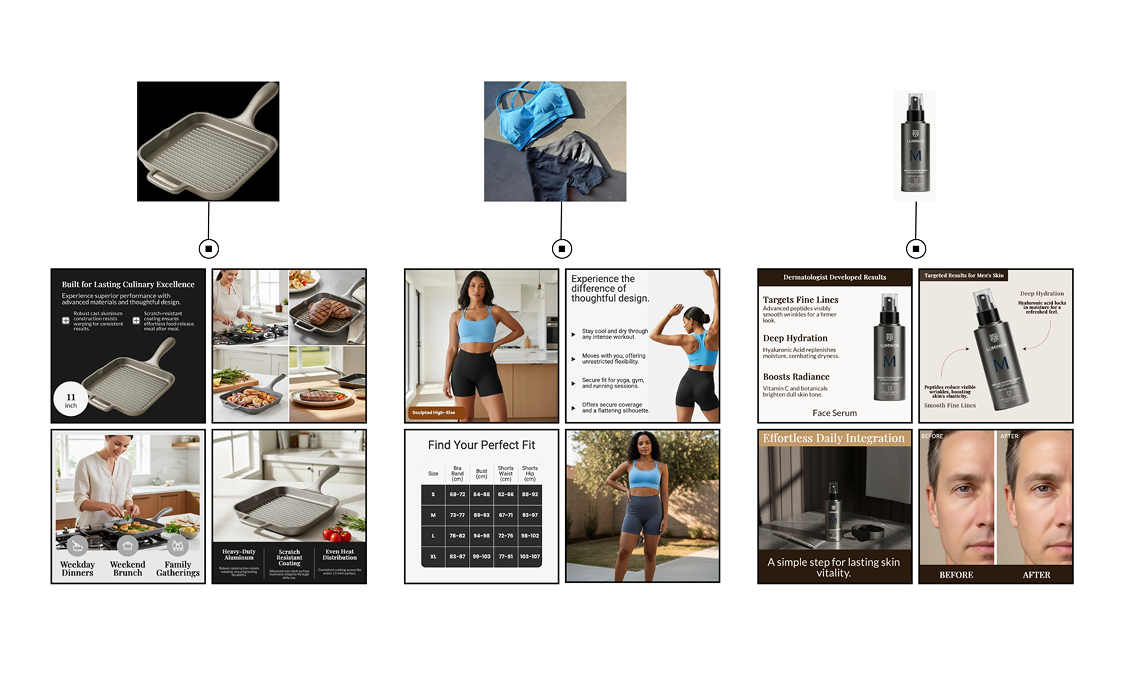
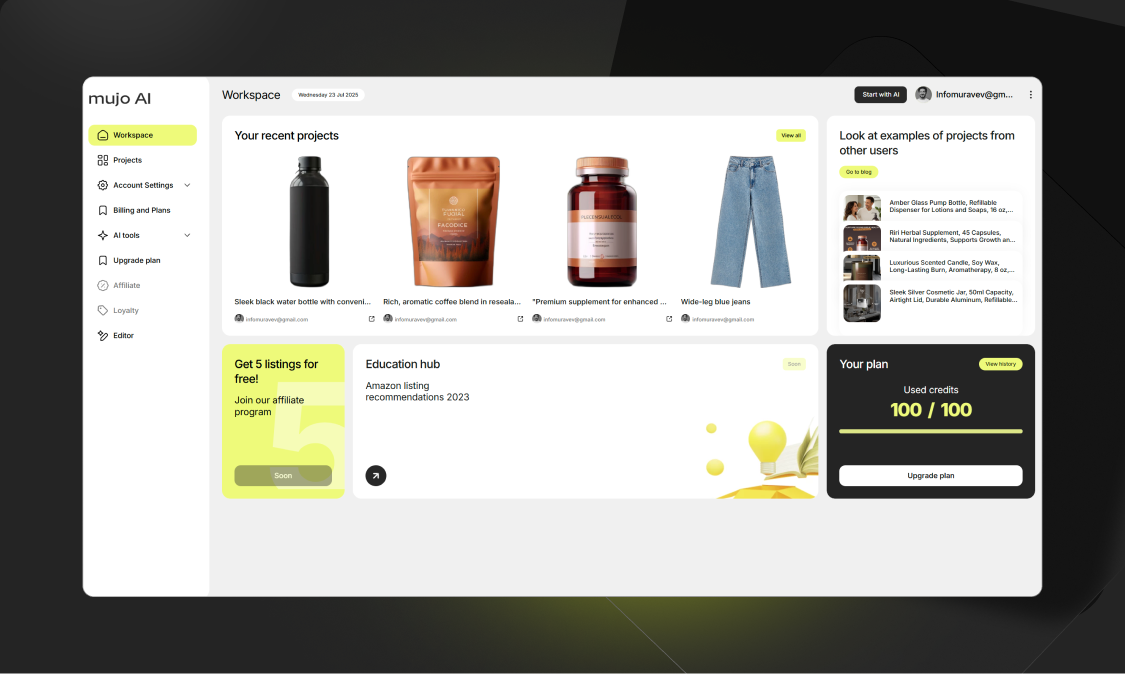
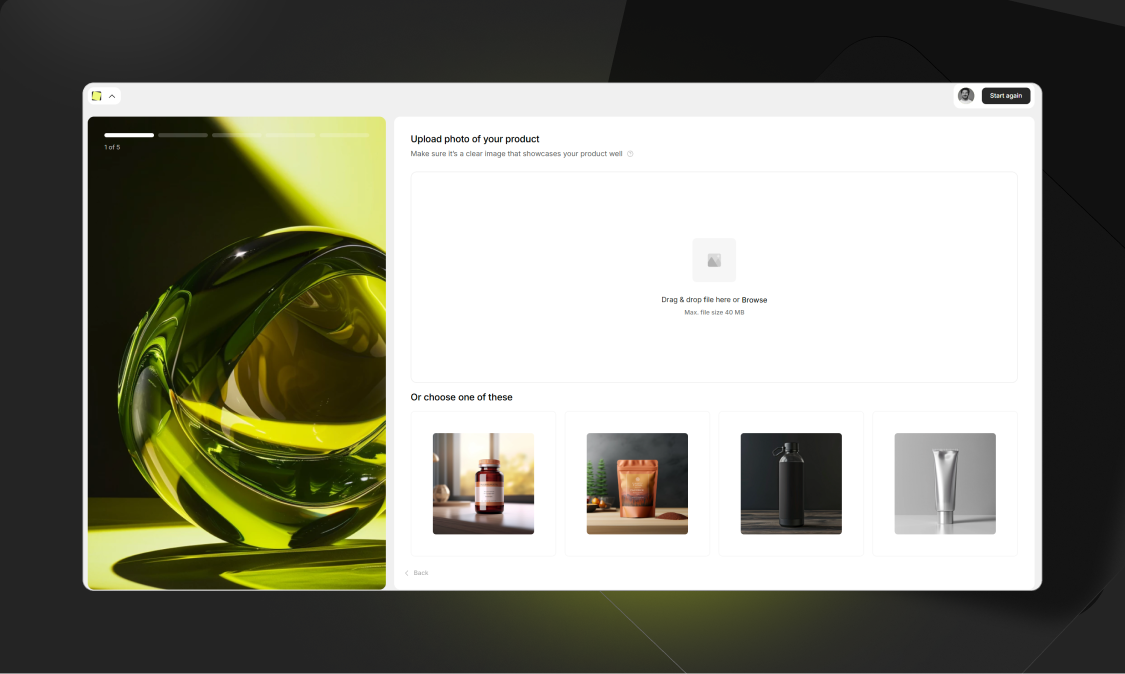
Generate ecom product images and copy in minutes. The AI design agent thinks, recommends, and builds tailored visuals and text for you. Fully editable, personalized, and ready to boost sales. It's a conversion-focused system built around ecom best practices.
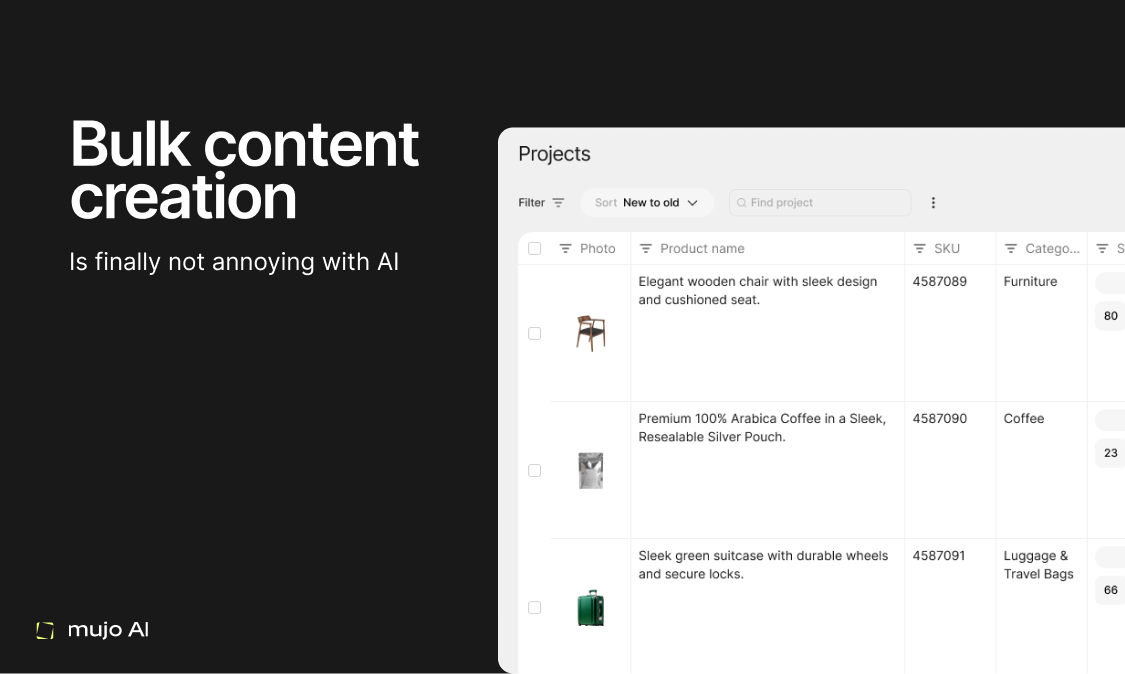
👋 Hey Product Hunt! I’m Nikolai, founder of Mujo AI. We built Mujo because we believe every product deserves beautiful, professional images and compelling copy, without hiring designers or learning complex tools. ⏳ Before Mujo, creating a full set of visuals for a product listing was expensive, slow, and often out of reach for side-hustlers, freelancers, or small brands. We wanted to change that. Upload a photo and let Mujo, your AI design agent, analyze, guide, and instantly deliver ready-to-use designs and copy for any marketplace or e-commerce store. 🚀 What’s new? • Mujo isn’t just a single-image generator-it creates a cohesive set of product visuals (infographics, lifestyle, cutouts), adapts to your brand style, and lets you bulk-manage entire catalogues. • It’s not only for e-commerce sellers, we see designers, marketers, and new creators using Mujo to test ideas, win clients, and save hours. 🌟 What I’m most proud of: Mujo makes pro-level design accessible for everyone. No crazy budgets, no advanced skills. What once cost hundreds of dollars per listing, or took days of manual design, now takes minutes and is accessible to anyone. With our Free Plan, you can test Mujo risk-free. And as you scale, the price per set of ready-made visuals drops dramatically. 🔮 We believe that in the future, every product will have multiple, highly-personalized listings, making shopping more relevant for buyers, and helping every creator or seller test, iterate, and grow faster. 🙏 Thanks so much for checking out Mujo AI ! We’re here for your questions and feedback! Nikolai
12
回复

I have tried Mujo before. Its really awesome tool for the ecom entrepreneurs out there. Pretty essential I'd say! Also, I admire the landing page design you guys have. Really interesting! Congrats on the launch @nikolai_muravev @marina_sysoeva

5
回复

@marina_sysoeva  @lakshya_singh 

Thanks so much! Feels a bit surreal to finally be live—both exciting and a little nerve-wracking. 😊
Really appreciate you trying Mujo early and the kind words about the landing page.

5
回复

"Lovable for Product Listings", if I may 😊🚀
Haven't seen this exact idea before!
Congratulations on your launch and I'm sure it'll go amazing!
Are there integrations with existing e-commerce platforms? How does export/import work?

3
回复

@avloss Really appreciate it. thank you!
Integrations yes. first connectors are already built and in testing with a few major platforms. We expect the first wave to roll out in the next couple of weeks. (Our users… ahem… strongly “encouraged” us to raise the priority on this ))

Export/Import today its one-click download.

  • download all images,

  • copy titles, bullets, and descriptions as CSV,

  • Zip (images+copy)

3
回复

Congrats on the launch! I really love your presentation, everything is very clear. It seems like the product works this simply too.

1
回复

@pasha_tseluyko 

Clarity was the north star . upload one product photo → get a full set of marketplace-ready visuals + copy. Many thanks

0
回复

It’s a great feature—do you offer an API for it?
I gave it a quick try, and there’s a bit too much to fill in; I’m hoping it can be made more intelligent and streamlined.

1
回复

@stellawwwwwww

Thanks for the thoughtful take. API is in the works and we’re close:) happy to add you to early access and send docs as soon as it opens.

1
回复

@stellawwwwwww 

On the flow, you’re right: we optimized for a real working tool with agent guidance rather than a “prompt toy,” which made the five-step quiz feel a bit dense. We’ve been heads-down on this for a long time, so our eyes are probably a bit too close to it. If you can share which step felt most confusing, please please please tell us here. I can also add extra credits so you can try the streamlined flow😅

1
回复

Wow, Mujo AI looks amazing! That one-photo-to-complete-set feature is a game changer. How does it handle different product lighting in the initial photo?

0
回复
#8
Brill
Language at your fingertips
137
一句话介绍:Brill是一款通过主屏幕和锁屏小组件提供高频词汇曝光的语言学习应用,在用户日常碎片化使用手机的场景下,解决了传统语言学习需要专门投入时间和精力、难以坚持的痛点。
iOS Education Languages
语言学习 词汇积累 微学习 小组件学习 被动曝光 主动回忆 个性化词库 多语言支持 极简设计
用户评论摘要:用户普遍赞赏其“无感学习”理念和小组件设计的便捷性,对模糊翻译和自定义词汇功能表示肯定。主要问题与建议集中在:希望增加更科学的间隔重复算法、好奇对字符型语言(如日语)的适配细节、询问与其他学习应用的同步可能性,以及关注词汇分级与用户水平的匹配。
AI 锐评

Brill的产品哲学是反“刻意练习”的,它试图将学习行为从“任务”降维成“环境”。其真正价值并非在于教学效率——它不提供系统性的语法或听说训练——而在于以近乎零成本的方式,维系用户与目标语言之间最脆弱的连接:持续接触。通过占据锁屏和主屏这两个数字注意力必争之地,它将词汇曝光转化为一种被动接收的信息流,巧妙利用了“单纯曝光效应”这一心理学原理。

然而,这种设计的深层矛盾也随之浮现。首先,其效果高度依赖用户的自主筛选与定制能力,对于初学者而言,从海量词汇中甄选“有用”词汇本身即成门槛,所谓的“个性化”可能前置了认知负荷。其次,“曝光”与“掌握”之间存在巨大鸿沟,缺乏主动生成、语境运用和精准纠错机制,容易陷入“似曾相识”的认知幻觉,其学习深度存疑。评论中关于间隔重复和进度跟踪的提问,恰恰击中了其作为学习工具在方法论上的薄弱环节。

本质上,Brill更像一个“语言学习辅助环境”或“记忆维持工具”,而非一个完整的教学方案。它的成功,取决于用户是否已具备一个主动的语言学习体系(如课堂、其他App),而它自身则扮演了填补碎片时间、防止词汇遗忘的“粘合剂”角色。其商业前景或许不在于颠覆主流学习应用,而在于成为它们的轻量级互补品,或者服务于那些仅想维持语感、不追求精通的中轻度学习者。产品下一步的关键,是如何在保持“无压”体验的同时,引入更精细的记忆科学模型,将随机的“曝光”升级为智能的“干预”,否则可能永远停留在“有趣的小工具”层面。

查看原始信息
Brill
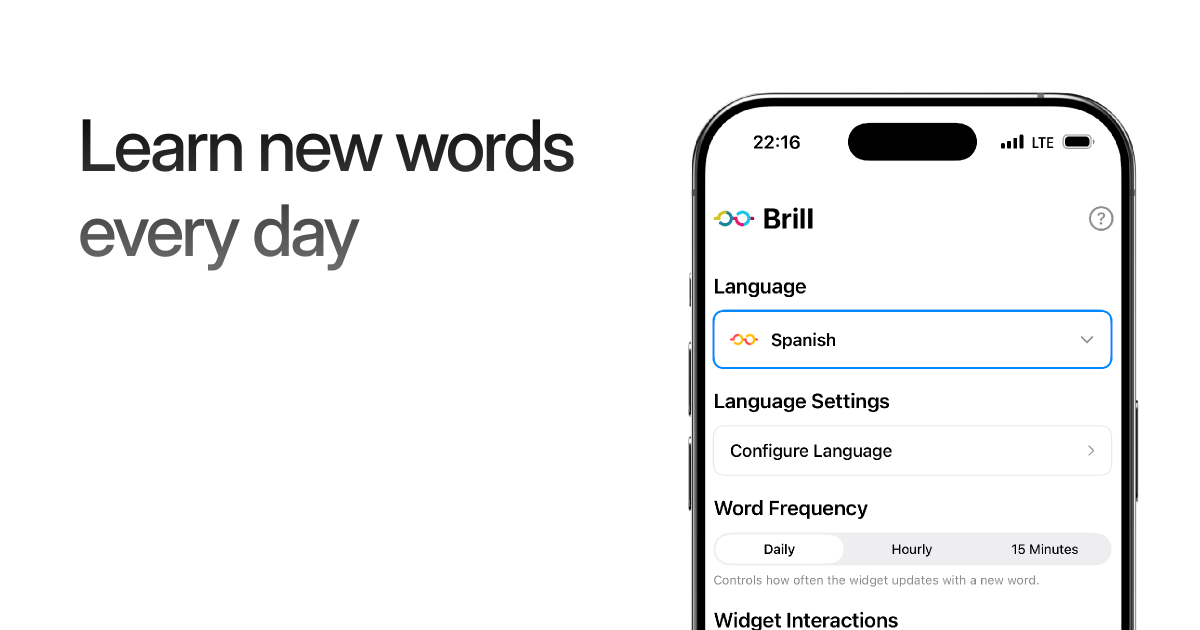
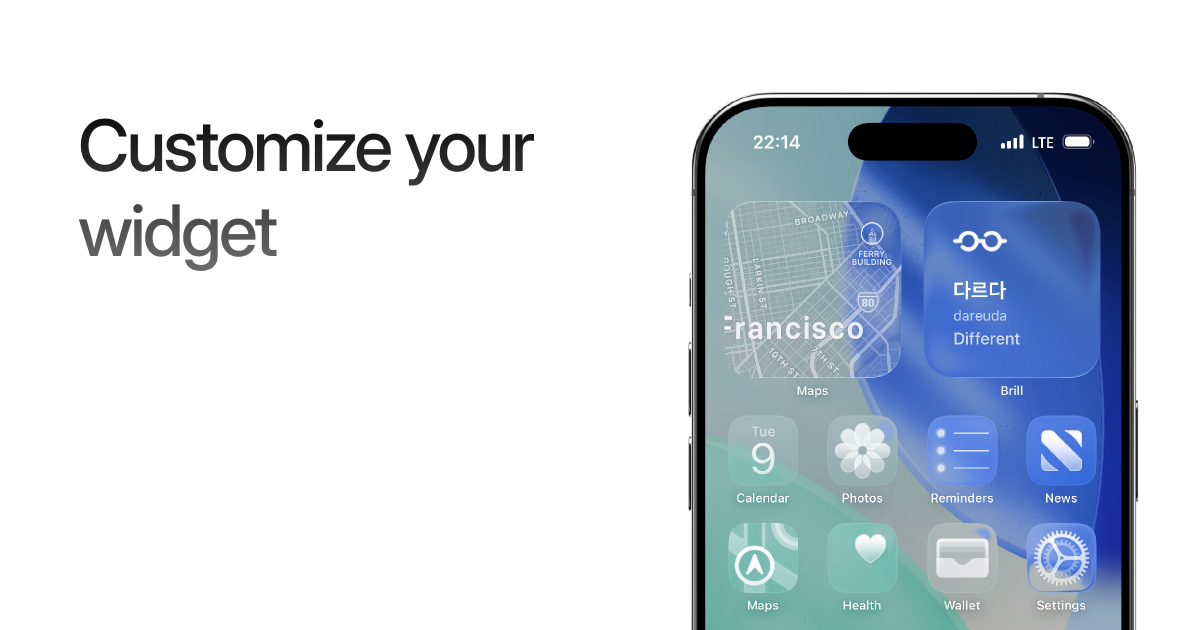
Brill is a vocabulary-first language learning app built for real life. It doesn’t teach through lessons or exercises. Instead, Brill helps you build vocabulary through repeated exposure — on your Home Screen and Lock Screen. It supports 15 languages and focuses on useful, real-world words. Customize what you see, add your own vocabulary, filter by topic, and blur translations for active recall. Lightweight and distraction-free, Brill turns everyday phone glances into steady language progress.
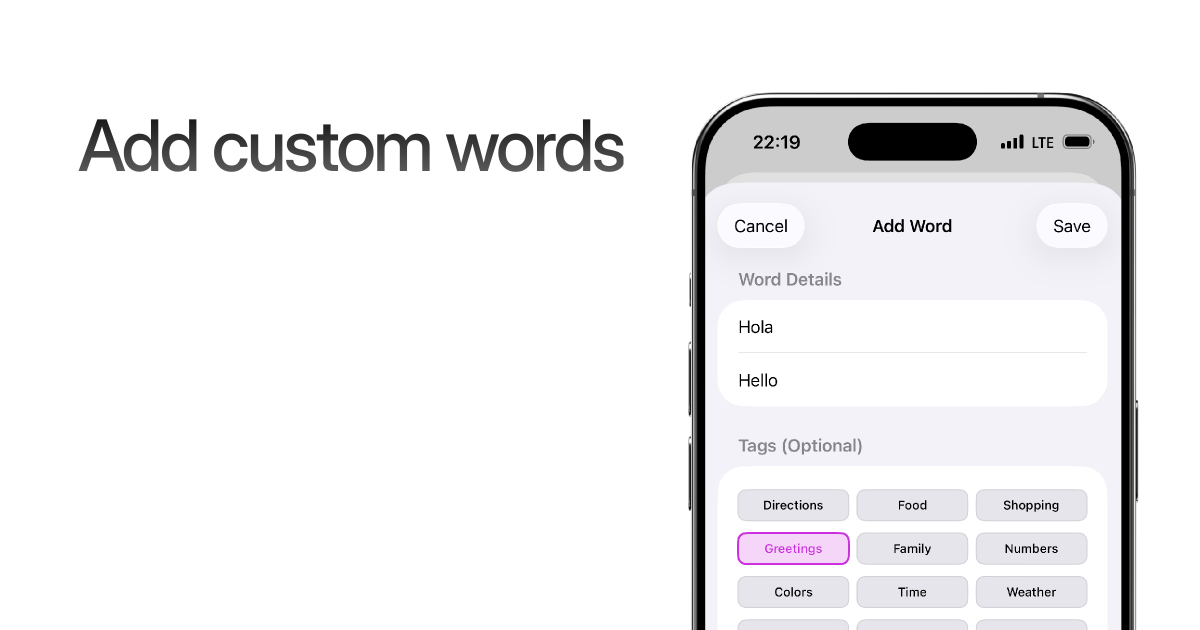
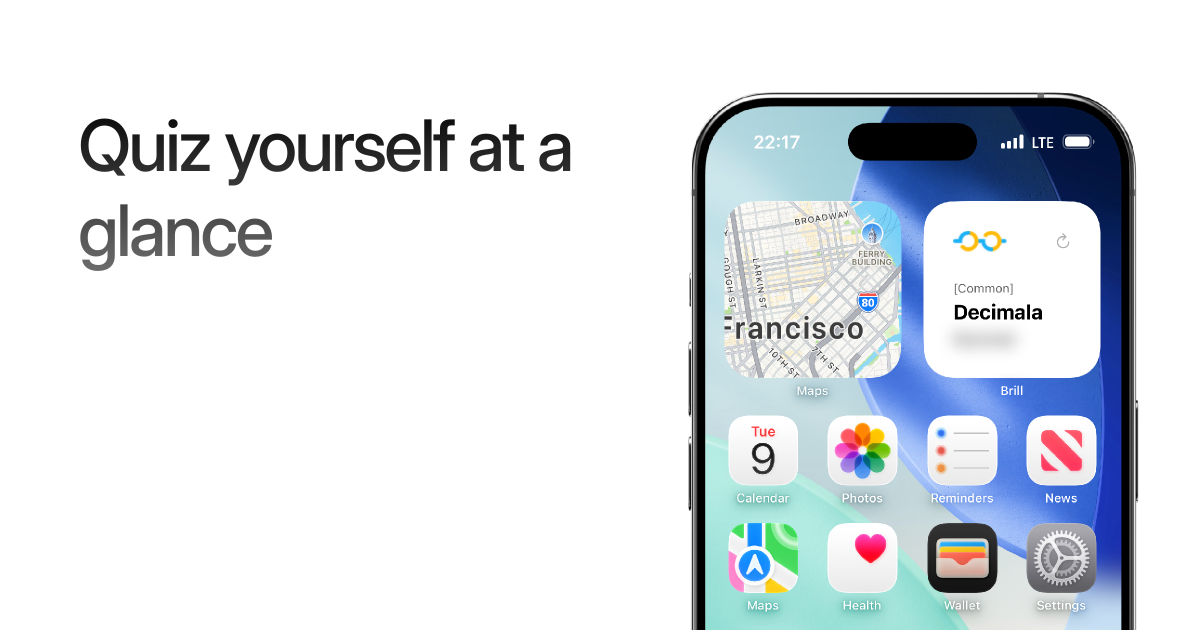
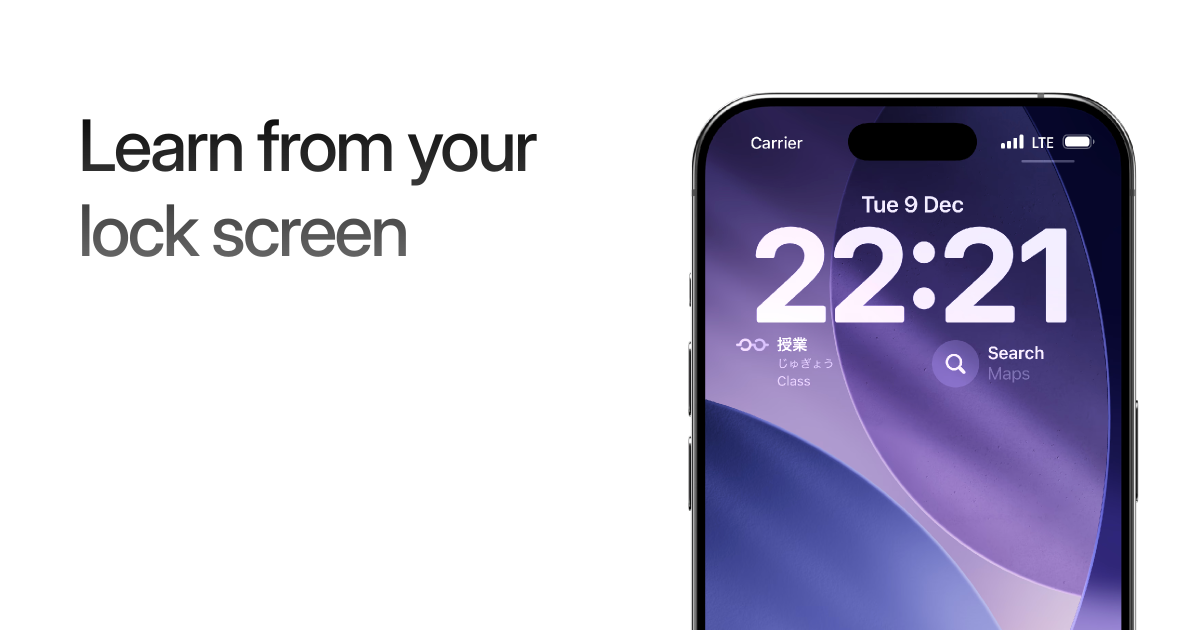
Hi everyone! I originally built Brill almost 4 years ago as a small side project because I wanted a simpler way to stay exposed to vocabulary every day. Over time, I kept coming back to it — and recently decided to fully relaunch it with a lot more polish and features. Brill focuses on repeated exposure through Home screen and Lock screen widgets. You can choose light, dark, or clear widget styles, control how often words refresh, tap to cycle words instantly, and blur translations to test recall. You can also add your own custom vocabulary, filter words by tags or topics, and tailor everything to what you actually want to learn. Some of these features are part of Brill Pro, but the free plan is more than enough to get started and learn from all 15 supported languages: Japanese, Korean, Cantonese, Mandarin, Hokkien, Filipino, French, German, Italian, Malay, Portuguese, Spanish, Swedish, Danish, and Dutch. Would love to hear your thoughts — what’s working, what could be better, or what you’d want to see next. I’ve also got a Discord for anyone who wants to help shape where the app goes: https://discord.gg/E5VcWyBR6j Learn more on the website: https://www.brillapp.com/ Download the app: https://apps.apple.com/us/app/br...
7
回复

@addisonschultz Love the philosophy behind this exposure over effort. The ability to blur translations + add personal vocab feels like a great balance between passive learning and active recall. Excited to see how Brill evolves from here.

0
回复

Love this, such a great way to learn without noticing

4
回复

Such a brilliant app! You end up picking up a language almost without trying. I find this especially useful when you’re in a foreign country - seeing the same words pop up everywhere really helps them stick.

1
回复

@raveena_prabakaran Glad you’re finding it useful! What language are you learning?

0
回复

What I like about this app is that users can add their own vocabulary that fits their background. This makes users more proactive and engaged, which could potentially lead to faster language learning.

1
回复

@busmark_w_nika Thanks for the feedback!

0
回复

Congratulations on your re-launch. Are you planning to add more functionality? Or sync it in any way with existing language learning apps? I mean, how does it know which word to show, how does it track your progress?

1
回复

@avloss Great question - I want to look into adding better spaced repetition methods to the widget. But right now, you’re able to toggle on/off words in a given language (or add new ones!) to tailor the words you need to learn/already know 👍

1
回复

Wow, Brill looks amazing! Love the idea of learning vocab right on my home screen. Super curious, how does the blurring feature work with different character-based languages like Japanese?

0
回复

I'll definitely give this a spin over the holidays!


Best of luck this launch, I'm following closely behind on #11 so let's both make that top 10 today 🚀

0
回复

The widget part is awesome!

0
回复

@Brill Love the micro-learning approach through daily passive exposure on lock/home screen. behavioral psychology done right. Question: how do you balance vocabulary relevance (teaching words actually used) with the complexity of different proficiency levels across 15 languages? What's your retention/daily active rate looking like?

0
回复

Lock screen drip feed is my pace. Feels like something I’ll actually use between texts. Top 1000 is a solid start. The blur recall trick sounds nice. I’ll add my own words and try it with German on coffee breaks.

0
回复

@alexcloudstar Thanks for checking it out! Appreciate you stopping by, let me know if you have any feedback!

0
回复
#9
Sliq
Automated data cleaning, in minutes, not hours or days.
121
一句话介绍:一款AI驱动的自动化数据清洗工具,为数据工程师和分析师解决数据预处理耗时过长(通常占70-80%时间)的痛点,能在数分钟内将原始杂乱数据转化为可供分析使用的数据。
SaaS Artificial Intelligence Data & Analytics
数据清洗 AI自动化 数据预处理 数据分析工具 生产力工具 数据科学 机器学习 SaaS 开发者工具
用户评论摘要:用户普遍认可数据清洗自动化的价值,认为其“尊重时间”。主要问题集中在:如何处理非结构化数据、能否集成到现有数据管道、以及对自动修正结果的置信度与审核机制的需求。创始人回复确认支持通过Python库集成和用户指令提供额外上下文。
AI 锐评

Sliq切入的是数据科学工作流中公认的“脏活累活”——数据清洗。其宣称的“上下文感知”是核心卖点,也是最大挑战。它试图超越基于固定规则的脚本,通过理解数据语义(如金融、医疗领域)进行智能清洗,这本质上是在用大模型能力解决一个高度专业化、依赖领域知识的任务。

产品价值不在于概念新颖(自动化数据清洗并非新事物),而在于其实现的“泛化智能”程度。如果其AI真能准确理解多领域数据的业务逻辑并做出可靠修正,那它将把数据科学家从繁重的、重复性的数据规整中部分解放出来,提升的是整个分析流程的原始效率。然而,这也是风险所在:对于复杂、专业或敏感数据,AI的“理解”是否足够可靠?一个错误的“自动化修正”可能导致分析结论南辕北辙。当前阶段,它更可能胜任的是格式统一、明显缺失值处理等中低风险任务,充当一名高效的“初级数据助理”。

从评论看,用户的关注点已从“是否自动化”深入到“如何控制自动化”(如提供指令、审核机制),这揭示了市场对AI工具的真实期待:不是黑箱魔法,而是可控、可解释的增强智能。Sliq提供Python API是明智之举,这使其能嵌入现有工作流,而非又一个孤立的SaaS界面。其成败关键在于,能否在“全自动”的诱惑与“可控制”的务实需求之间找到最佳平衡点,并建立起用户对其AI判断力的信任。否则,它可能只会成为数据科学家在彻底手动清洗与编写定制脚本之间的又一个过渡性尝试。

查看原始信息
Sliq
Fast and accurate AI data cleaning for engineers and analysts. Sliq auto-fixes formats, missing values, and schema issues. Get analysis-ready data, in minutes — not hours or days.

Hi Product Hunt! 👋

I’m Daniel, the founder of Sliq!

What if Your Data Cleaned Itself?

This is the question we asked.

Our answer: Sliq.

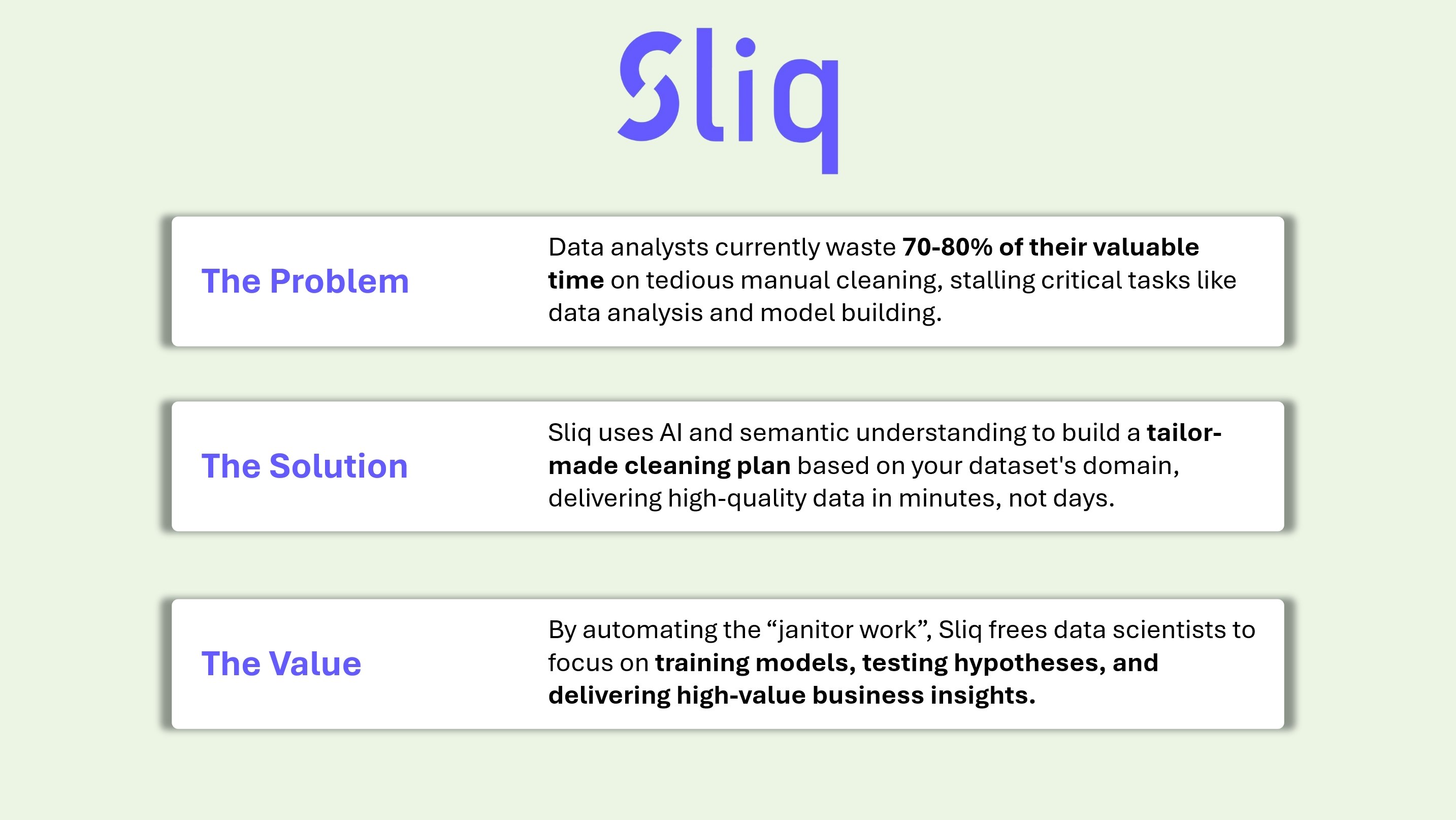
The Problem: The "Janitor Work" of Data Science

If you work with data, you know the painful reality: Data Analysts and Scientists often spend 70-80% of their time just cleaning data.

Instead of training models, testing hypotheses, or uncovering the narrative hidden in the numbers, we are stuck fixing date formats, hunting down typos, and patching missing values.

It’s the "janitor work" of data science - it kills our momentum, and everyone hates it.

The Solution: Data cleaning that understands context

Sliq is an AI-powered tool that automates this process.

Unlike standard cleaning scripts that just apply rigid rules, Sliq understands the context and the domain of your data.

When you upload a dataset, Sliq analyzes the semantic context (whether it's financial records, e-commerce logs, or medical data) to understand what the data should look like.

It diagnoses the specific quality issues and builds a tailor-made cleaning plan specifically for your dataset.

Why Sliq?

  • Context-Aware: It detects errors based on the context and the domain of the data, not just rigid rules.

  • Tailored Pipelines: No generic fixes. It builds a cleaning plan tailored for your specific dataset.

  • Speed: Go from messy raw CSV to analysis-ready data in minutes, not hours or days.

We are in Beta!

We are launching the website in Public Beta today, and it is completely FREE to try right now. More advanced features and higher cleaning limits are coming in the full version soon.

I’d love for you to try it at https://sliqdata.com.

We need your feedback to make the AI even smarter!

I’ll be here all day answering questions.

Cheers, Daniel

3
回复

@daniel_d7Love how Sliq focuses on making data usable without forcing teams into complex pipelines or constant back-and-forth between tools.
Feels especially valuable for teams that want faster decisions without heavy setup overhead.
Congrats on the launch!! excited to see how teams adopt this in real workflows.

0
回复

Congratulations on your launch. This kind of automation actually respects my time. Data work feels less exhausting.

2
回复

@nitesh_kumar98 Hi Nitesh,
Thanks for checking out Sliq!
Time is the reason we created Sliq.
Data Analysts and Data Scientists jokingly say that data cleaning takes up to 80% of their time, so we decided to fix it and free their time to do something more impactful, like finding actual business insights in the data.

1
回复

Congratulations on the launch!
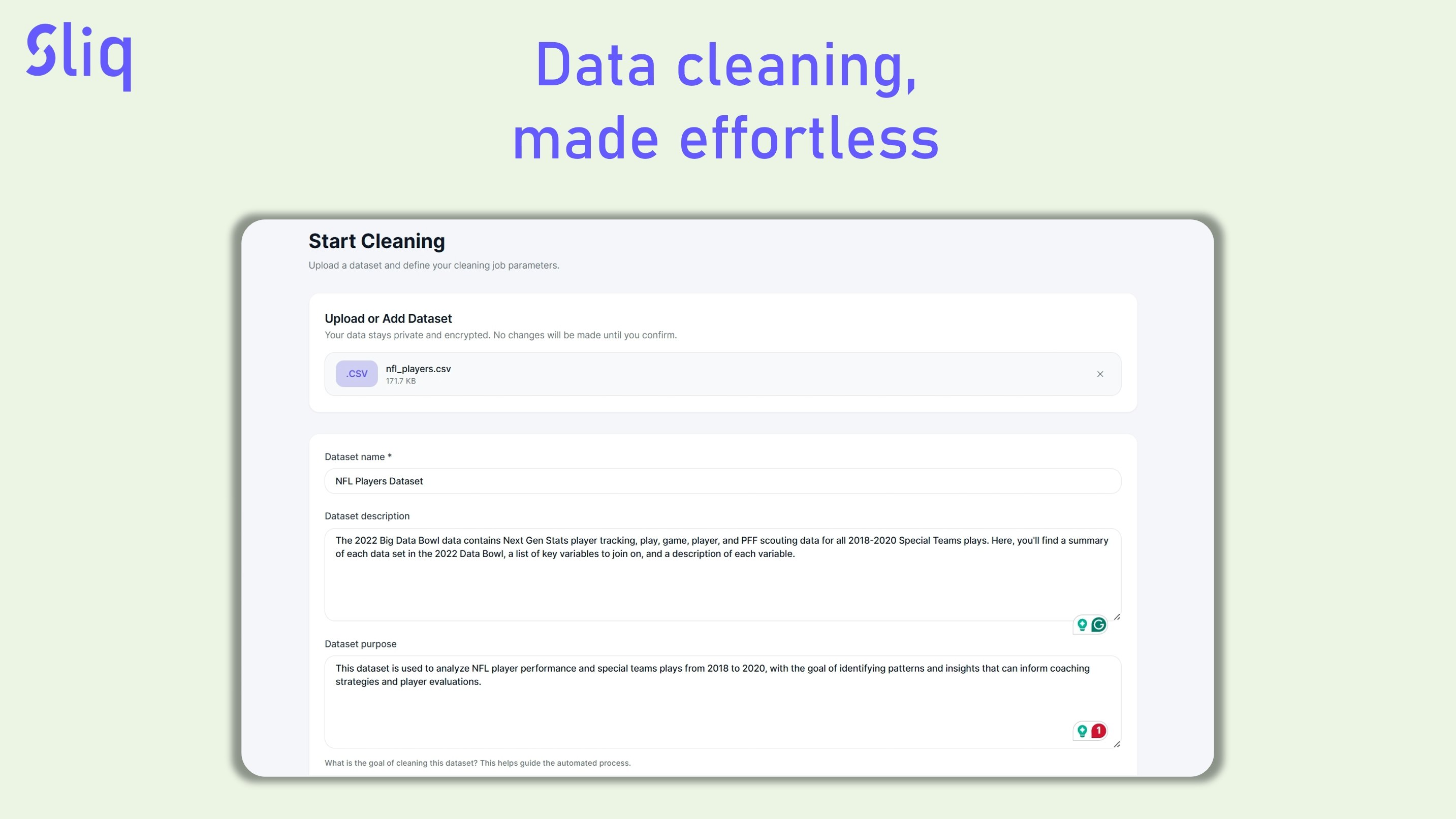
This is indeed a very complex task, data cleaning. From my experience it requires a lot of domain expertise. Are there any ways to give additional context to "cleaning gnomes"?
Also, are there any ways to set this up as a part of pipeline? I would imagine "one off" cleaning jobs would be rare.

2
回复

@avloss Hi Anton!
Thanks for checking out Sliq.
The answer to your questions is yes and yes!

Question 1: Are there any ways to give additional context to "cleaning gnomes"

Answer 1: On the "Start Cleaning" page, located at the bottom of the page, you will find a "User Instructions" field.
There, you can add instructions to steer the cleaning gnomes in the right direction.
If you want to give them more context about the dataset or the field, you can use the Dataset description, Dataset purpose, and the Column Guide fields.

Question 2: Are there any ways to set this up as a part of the pipeline?
Answer 2: Yes, you can use our Python library. Download it using:

pip install sliq

The code to use this library is very simple. Scroll to the bottom of the landing page, and you can see examples of code for all the file types and datasets we support.

If you need any other file types or integration that we currently don't support, write to me, and I'll do my best.

To use the library, you first need to get your API key.
You can find it in the account page of the dashboard.

To get registered for free, sign up here

Happy Cleaning!
Daniel.

2
回复

Hey @daniel_d7 congrats on the launch!

How does Sliq handle messy or unstructured datasets?

1
回复

@byalexai
Hey Aleksandar

Thanks a lot for your support!!!

You asked a great question.

When it comes to messy or unstructured data, Sliq doesn’t apply one generic set of rules. Instead, it looks at the context of each dataset, things like column meanings, value patterns, relationships between fields, and obvious inconsistencies, and then builds a tailor-made cleaning plan specifically for that dataset.

So rather than forcing your data to fit a predefined template, it adapts the cleaning steps to what the data is actually trying to represent. That’s what lets it handle real-world messiness instead of just “textbook” datasets.

1
回复

Looking forward to see the results, wishing you good luck after the extensive preparation!

1
回复

@busmark_w_nika Thanks, Nika!
You know it like no other how much I worked towards this launch, and I can say that people are already using it!

1
回复

love this. data cleaning is one of those things everyone hates but has to do every single day. would be amazing to see things like confidence levels on auto-fixes or a quick “review and approve” mode. congrats on the launch and best of luck today!

1
回复

@samet_sezer Hi Samet,

Thanks for the comment.

Indeed, data cleaning is a big problem we all face, and it takes so so much valuable time.

This is why we build Sliq.

About the things you've suggested, I will add them to the to-do list.

I would love to talk to you and see what other things and features can be helpful when doing data cleaning.

1
回复

Wow, Sliq looks amazing! Auto-fixing formats is a game changer. How does it handle inconsistencies in categorical data like state abbreviations, is there a fuzzy matching component?

0
回复
#10
Voice Mate - AI powered Voicemail
Missed calls answered, summarized, and delivered instantly
119
一句话介绍:Voice Mate是一款AI语音邮件助手,能在用户漏接来电时自动接听、总结通话要点并即时推送摘要,有效解决了商务人士及忙碌个体在电话沟通中易遗漏关键信息、陷入反复电话追逃的痛点。
Artificial Intelligence Tech Cell Phone
AI语音助手 智能语音邮件 来电管理 通话摘要 个人效率工具 免打扰通信 日程整合 自动化工作流 SaaS
用户评论摘要:用户普遍认可其解决了日常痛点,是“设置即忘记”的助手。有效反馈包括:赞赏其减轻心智负担;询问是否可仅保留文字转录以节省存储空间(开发者回应音频独立存储,不占用户手机空间);另有创始人主动提及技术栈并寻求与同类产品交流。
AI 锐评

Voice Mate的本质,是将非同步语音通信进行结构化处理的“收件箱”革命。其真正价值并非炫技的AI,而在于充当了一个智能缓冲区与过滤器,将混乱、耗时且充满不确定性的电话互动,转化为可快速扫描、归档和行动的结构化文本。这直指现代通信的核心矛盾:电话的强侵入性与信息传递的低效率。

产品巧妙地将日历整合为行动出口,让“回电请求”直接进入日程表,试图形成从信息接收到任务创建的闭环。然而,这恰恰暴露了其当前的天花板与潜在风险:它处理的是“已知来电”的漏接场景,对于完全陌生的推销或骚扰电话,其摘要价值有限;更深层地,它将人类语音中丰富的情绪、语调等非文本信息彻底剥离,这种高度压缩的“干货”在避免信息过载的同时,也可能丢失关键的业务线索或人情味。

从评论看,用户对其“减轻心智负担”的感知最为强烈,这印证了产品在“认知卸载”上的成功。但开发者关于音频独立存储的回应,也暗示了用户对隐私与数据安全的潜在担忧——所有通话录音均经过第三方AI处理并存储于云端。在效率提升的诱惑与通信隐私的让渡之间,用户将如何长期权衡,将是决定此类产品命运的关键。总体而言,Voice Mate是一次精准的垂直场景切入,但其长期发展必须直面信任构建、信息保真度与生态整合的更深层挑战。

查看原始信息
Voice Mate - AI powered Voicemail
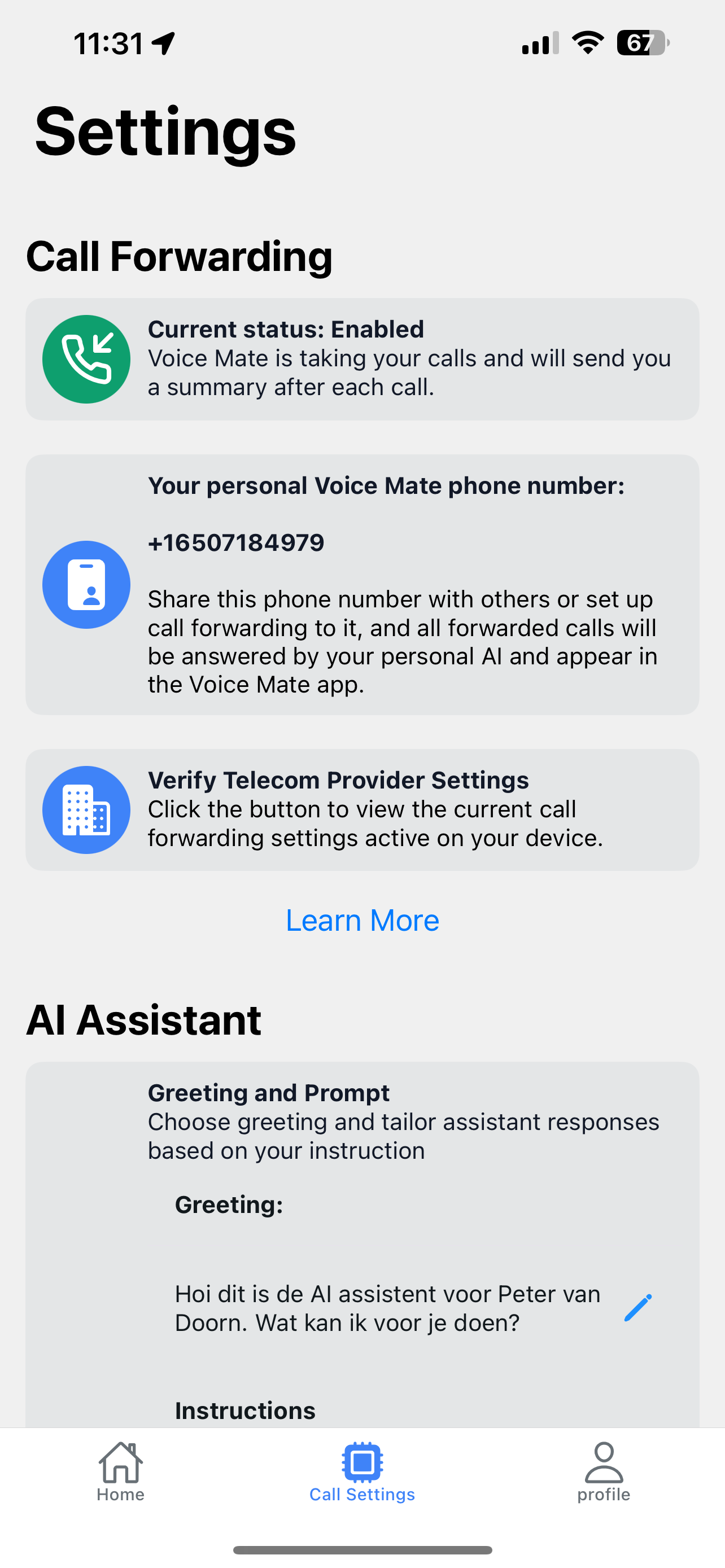
With Voice Mate, calls are handled like never before. Your personalized AI gathers the reason for the call, who's calling and if a callback is expected, and sends you a summary right to your phone. Connected to your calendar Voice Mate will add callback requests straight to your agenda
Hey Product Hunt! 👋 We’ve spent months building Voice Mate, testing it, and making pretty much every mistake a solo founder can make… and then some 😅. The result? An AI sidekick that answers your calls, takes notes, and gives you the full scoop: who called, why, and whether you actually need to pick up. Basically, it’s like having a personal assistant who never sleeps, never complains, and doesn’t judge your voicemail greetings. Life’s too short for missed calls, phone tag, and scribbled notes you forget five minutes later. We made Voice Mate so you can skip the chaos and get the info you need—fast. We’d love for you to give it a try, and to make it extra fun, we’re giving Product Hunters a special discount coupon. Go ahead, see if it can handle your calls better than you do—and maybe finally give your voicemail a break. Sign up with code PRODUCTHUNT for a month free
3
回复

@peter_van_doorn I like how this quietly removes mental load instead of adding another app to manage

1
回复

Love this - Voice Mate nails a real everyday pain point by turning missed calls into clear, actionable summaries. Feels like a true “set it and forget it” assistant for real life.

2
回复

@digitalpreetam Hero! Thanks for your support

1
回复

Congratulations on finishing and launching your product!

Voice Inbox for 2025! 🚀

2
回复

@avloss thanks for the support! Let's go eradicate all unsollicited spam. Whether its voice, email or mail. My peace and quite is priceless.

2
回复

Hi, It sounds like a great product. I have a question or potential feature suggestion if it is not already included.

Is there a way to make voicemails automatically delete the audio files and give a transcript and summary only so you don't run out of space for voicemails? I think that would be a great feature if it is not already included in VoiceMate.

1
回复

@scott_mcmahan Hey Scott, first of all thanks for the support!

To answher your question: I store all the audio for you, so no need to worry about running out of space. Voice mate intercepts the entire call and reroutes it to your own dedicated Voice Mate phone number. So it will never add to the box of your carrier. I have more than 100 voicemails in my app right now and 0 delay.

Give it a shot with the PRODUCTHUNT coupon code, first month is on me 😘

0
回复

This is a really cool idea! How have I never thought of this!

0
回复

Shoutout to @dan_goosewin our app runs on @Vapi in the background and we could not have done it without you. Same for @ElevenLabs @matistski with the speech to text! Same for @AWS thanks for the Activate credits.


Further more: I see @MeetGeek @Voicei Ai - Ai Answering Service @c4vid @neyox @neyox_ai I see we're competitors, can we do a: show me yours, show you mine? Anything I can learn from your apps?

0
回复
#11
Grok Voice Agent API
Bringing the power of Grok Voice to all developers
118
一句话介绍:Grok Voice Agent API 让开发者能基于xAI自研技术栈快速构建低延迟、支持实时打断与工具调用的语音助手,解决了在构建自然、流畅、多语言语音交互应用时面临的高延迟和功能集成难题。
API Artificial Intelligence Audio
语音API 实时语音助手 低延迟 多语言支持 工具调用 开发者工具 人工智能 语音交互 xAI生态 竞品对标
用户评论摘要:用户反馈两极。正面评价聚焦其低于1秒的延迟、优秀的打断处理能力、有竞争力的定价(0.05美元/分钟)及开箱即用的功能。负面评论主要针对价格和Elon Musk个人品牌。开发者关注通过系统提示词对“个性”的控制权。
AI 锐评

Grok Voice Agent API的发布,与其说是一款革命性产品,不如说是xAI在拥挤的语音AI赛道中一次精准的卡位与宣示。其真正价值不在于参数上的微小领先(如<1s延迟),而在于其作为“完整技术栈”的打包输出和鲜明的市场定位。

首先,它直接瞄准了当前语音交互的核心痛点——延迟与打断。将“支持实时打断”作为核心卖点,实质上是将C端产品(如特斯拉车载语音)中打磨过的体验,以API形式进行B端赋能。这比单纯宣传“低延迟”更具场景说服力。

其次,0.05美元/分钟的统一定价是一步高明的市场策略。它并非简单的价格战,而是以极简的计价方式,直接对标并挑战OpenAI的Whisper、Google Speech乃至一众初创语音API服务。这一定价策略,配合“特斯拉同款”的技术背书,旨在快速吸引开发者进行迁移和测试,抢占生态位。

然而,其面临的挑战同样尖锐。一是“Grok”品牌自带的“叛逆”个性,虽宣称可通过系统提示词完全控制,但品牌联想本身就可能让部分企业级客户望而却步。二是其技术栈的封闭性。所谓“in-house stack”是一把双刃剑,在提供深度优化可能的同时,也意味着开发者将被深度绑定在xAI的生态内,其长期演进的路线图和稳定性仍需观察。

本质上,这是一款“体验驱动”而非“技术炫技”的API。它表明xAI的竞争思路正从纯粹的模型能力竞赛,转向针对具体交互场景的“体验封装”竞赛。它的成功与否,将不取决于技术论文的指标,而取决于有多少开发者愿意为这份打包好的“流畅体验”付费,并忍受其潜在的生态锁定的风险。这是AI基础设施竞争进入深水区的一个标志。

查看原始信息
Grok Voice Agent API
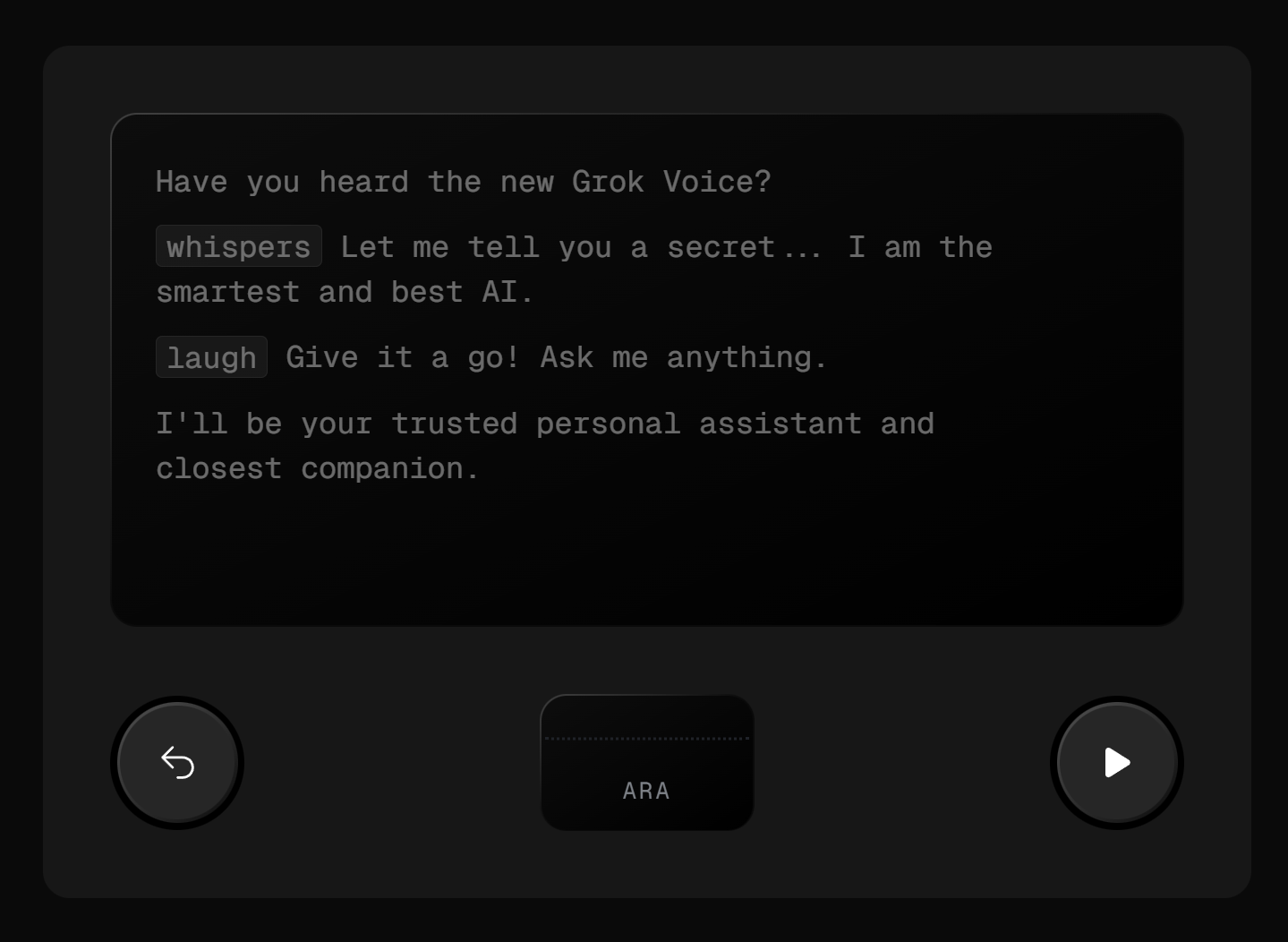
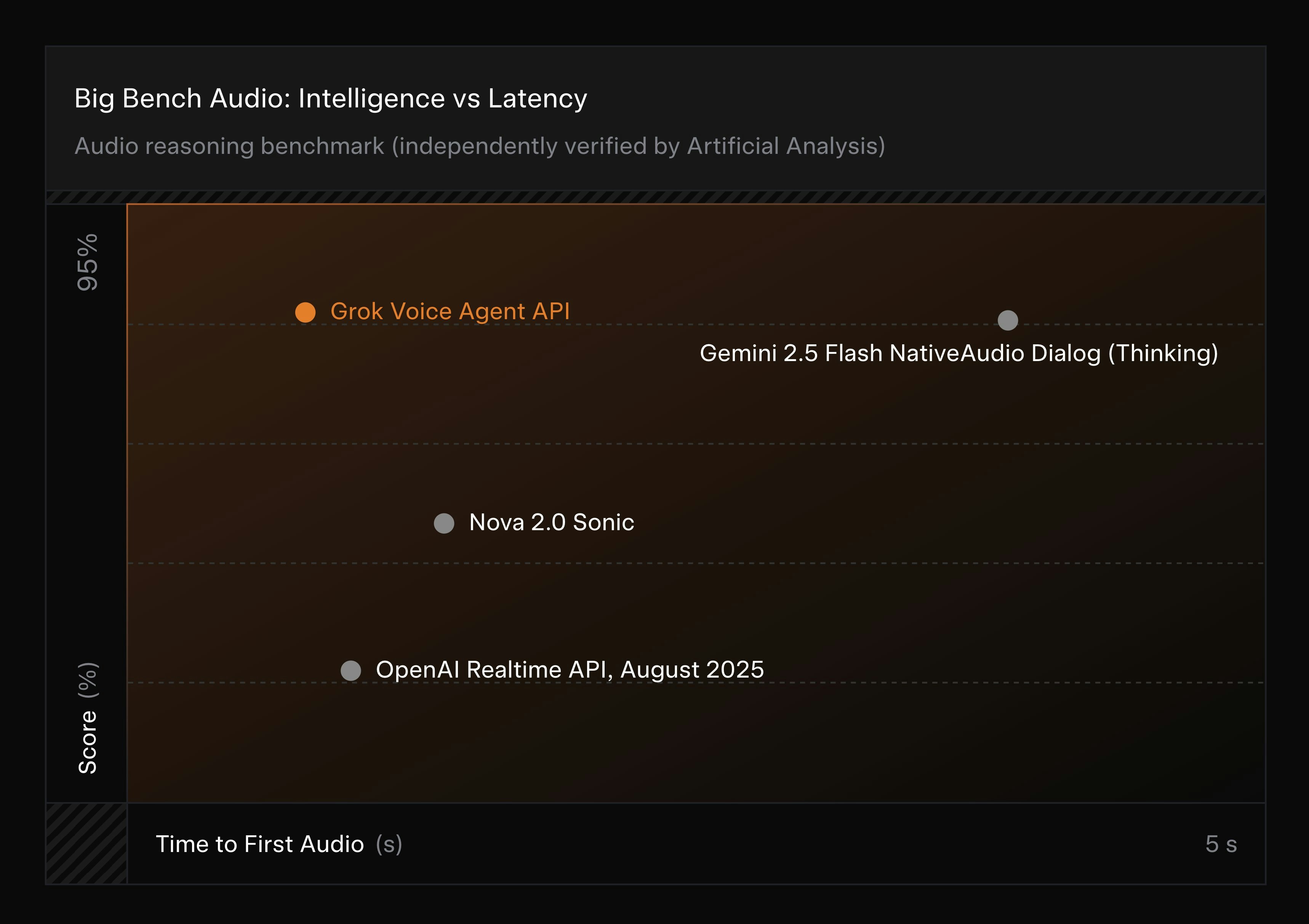
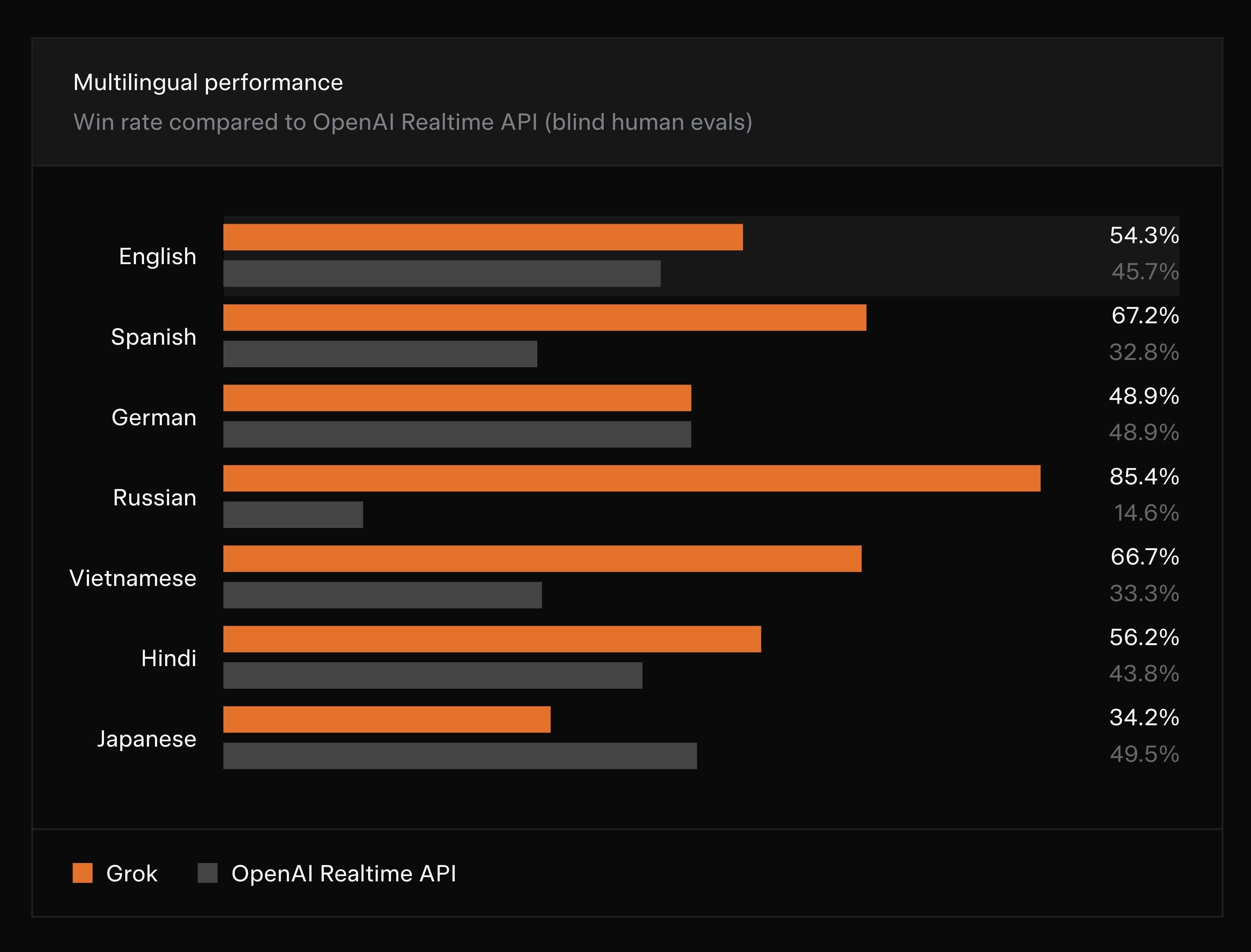
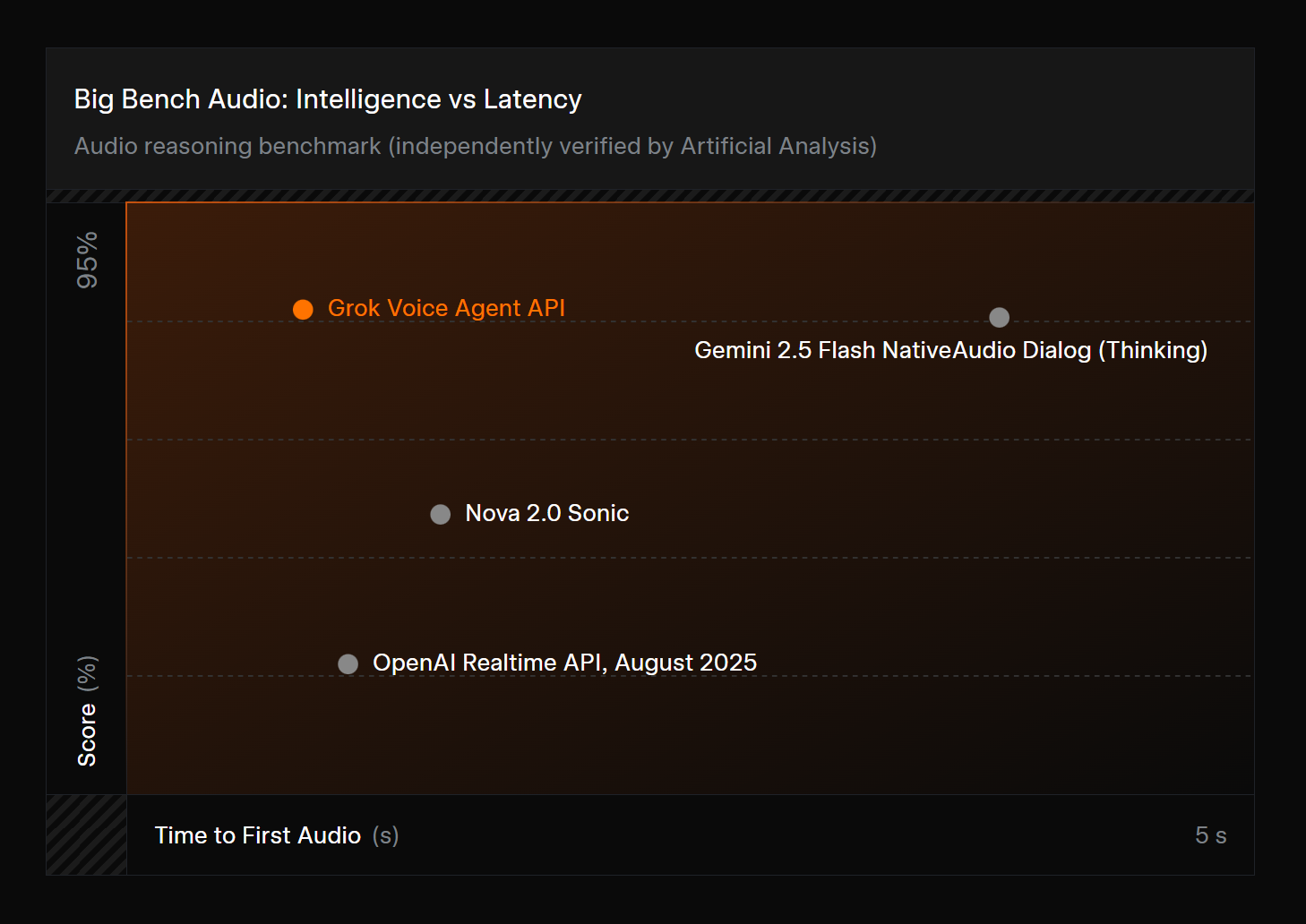
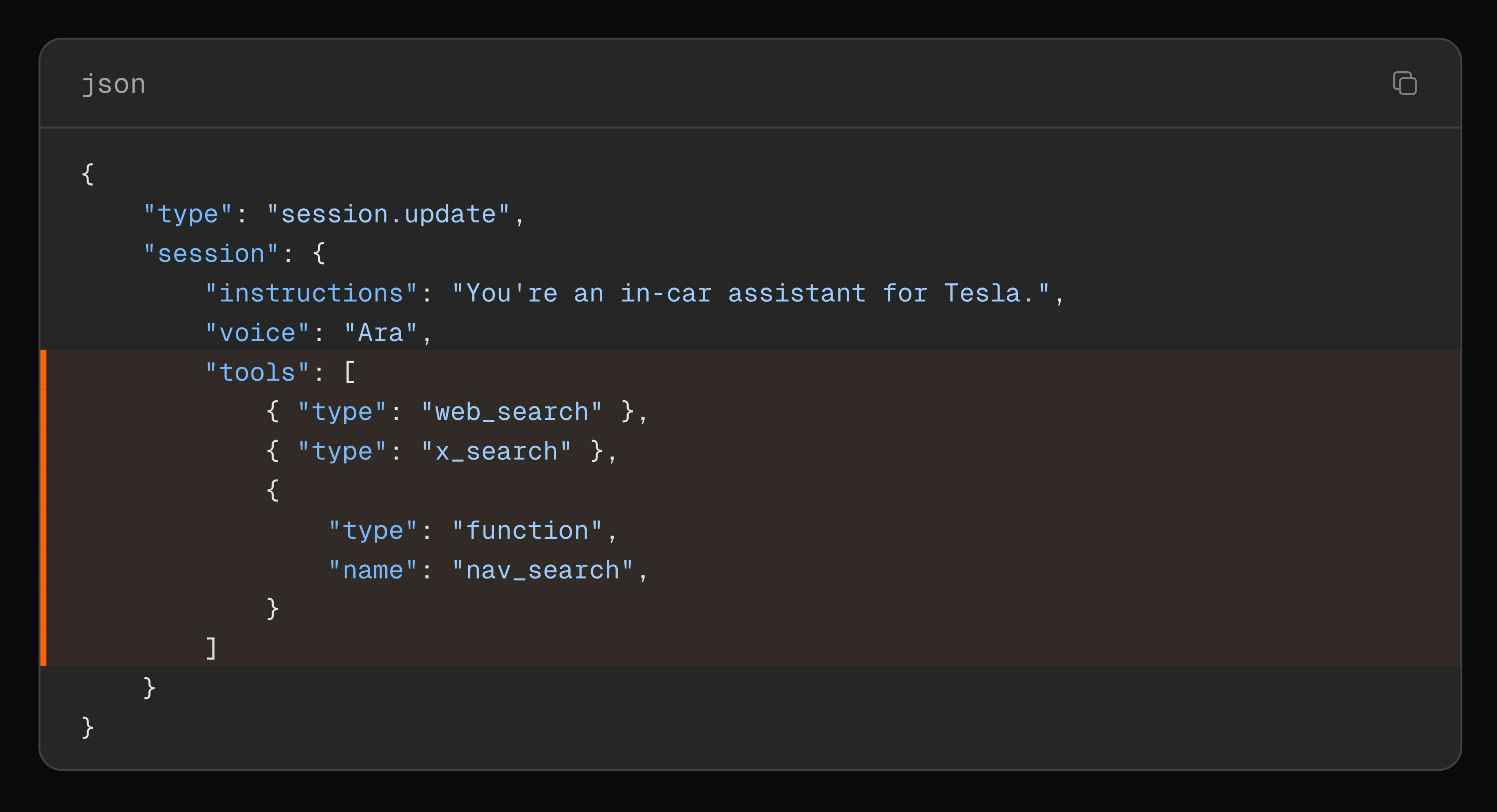
Grok Voice Agent API lets developers build real-time voice agents using xAI's in-house stack (VAD, tokenizer, audio models). It features <1s latency, function calling, and native multilingual support.

Yeah, not goinfg to give Elon 5 cents/minute. That's my 2 cents.

4
回复

@osakasaul At least you gave your 2 cents to Producthunt then 😂

1
回复

@osakasaul I like your 2 cents😼

0
回复

Hi everyone!

Chatting with Grok's Voice Mode is honestly a fascinating experience. The voices are just so vivid and full of personality that it makes talking to AI feel genuinely engaging.

Now xAI is opening this exact stack to developers. You get access to the same native audio models that power millions of Teslas. It handles interruptions incredibly well and supports native tool use like Web search right out of the box.

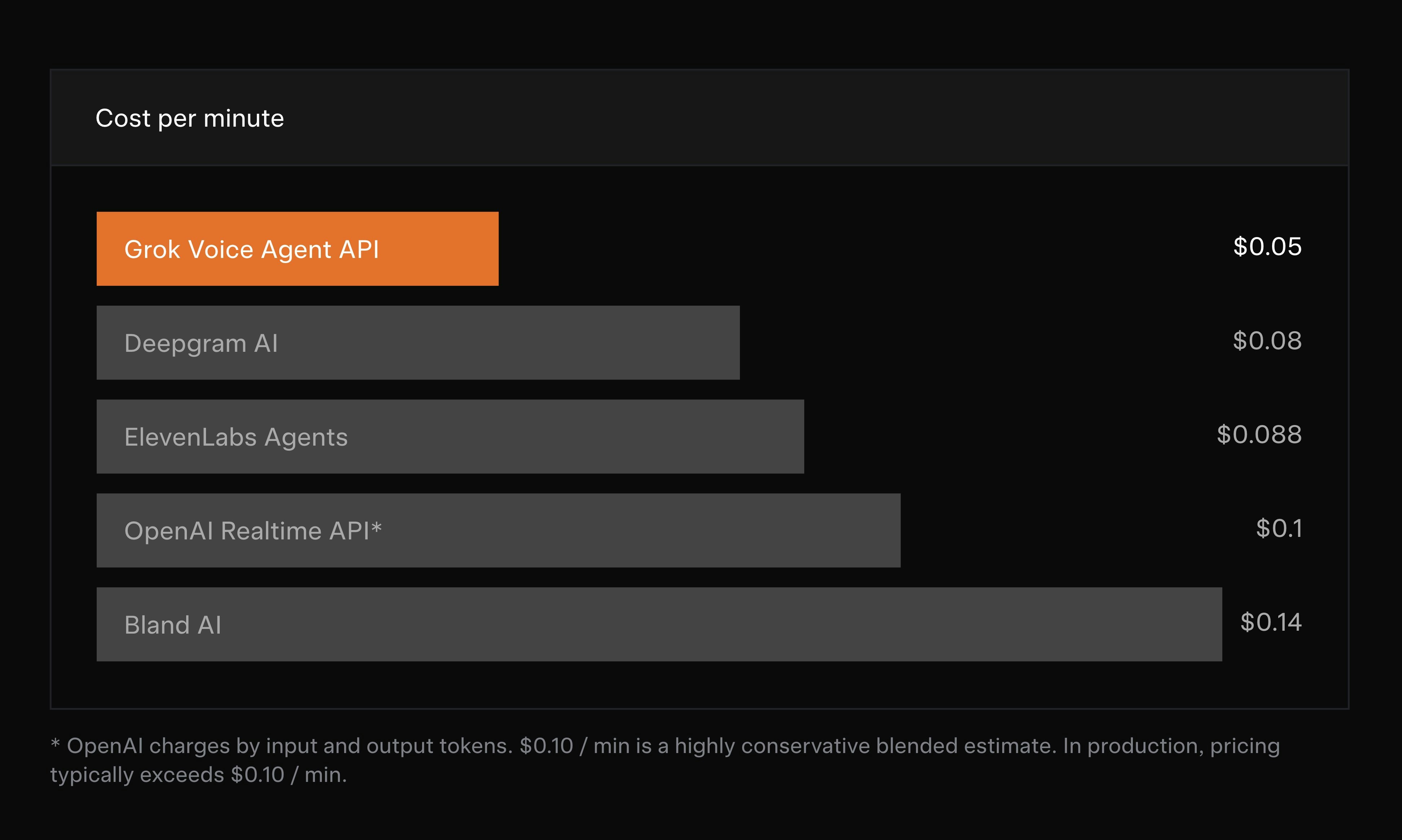
The pricing is also very interesting. At a flat rate of $0.05 per minute, it is one of the most competitive options among tier-1 voice APIs.

For those who might worry about Grok's "edgy" personality, don't be. The API gives you full control via system prompts. You get the world-class voice quality with whatever personality you define for your app.

Give it a try in the playground!

2
回复

@zaczuo World-class voices and competitive pricing—$0.05/min is a bold move by xAI. The interruption handling alone makes this a top contender for conversational AI apps right now. Thanks for the breakdown!

0
回复

@zaczuo The interruption handling is what stood out to me too — that’s where most voice agents still feel unnatural. Nice to see function calling and multilingual support baked in from day one.

0
回复
#12
Yestoday
Compare yesterday & today‘s weather
109
一句话介绍:一款通过并排对比昨日与今日天气状况,并配以呼应天气的油画艺术界面,让用户瞬间感知冷暖变化、省去繁琐操作、提升日常查看体验的天气应用。
Weather
天气应用 极简主义 生活工具 用户体验 视觉设计 数据对比 日常效率 情绪化设计 订阅制 iOS应用
用户评论摘要:用户普遍赞赏其并排对比的核心洞察与艺术化界面,认为其精准抓住了“相对性”需求。主要问题/建议集中在:艺术画作是否会根据具体时辰变化;是否考虑加入“明日”对比(开发者回复已作为会员功能隐藏实现);以及期待探索更多“小而日常”的数据对比场景。
AI 锐评

Yestoday 的聪明之处,在于它进行了一次精准的“需求降维打击”。在天气应用功能日益臃肿(雷达图、分钟级降水、复杂指数)的当下,它反其道而行之,剥离了“预测”与“详述”,将核心锚定在人类最原始、最本能的感知需求上:“今天比昨天冷还是热?” 这并非技术革新,而是认知洞察的胜利。

其产品价值体现在两层:第一层是功能性价值,通过“昨日vs今日”的并排设计,将原本需要记忆和多次点击的信息差扁平化,实现了真正的“一秒获知”,解决了用户“比较”这一高频却未被专门满足的痛点。第二层,也是其构建壁垒的关键,是情绪价值。它用精心挑选的、呼应天气的古典油画,替代了千篇一律的数码图标和动效。这不仅仅是为了“好看”,而是将一次功利性的信息查询,升华为一种带有审美意趣和宁静氛围的日常仪式。这种“功能性与艺术感”的结合,使其从工具向“数字生活配件”演进,瞄准了对生活品质和情绪感受有要求的人群。

然而,其挑战也显而易见。其一,单一功能的天花板极低,“比较天气”的需求频次和用户粘性存疑,容易沦为“尝鲜即走”的应用。开发者已通过隐藏的“明日”对比等会员功能试图延伸,但这本质上是在添加复杂度,与其极简哲学略有背离。其二,其美学设计是双刃剑,强烈的风格可能筛选用户,且油画与天气的匹配度、精细度将是长期的内容运营负担。总体而言,Yestoday 是一款杰出的“概念产品”,它用极致聚焦和独特品味,在红海市场中撕开了一道口子,但它所验证的“情绪化工具”和“微观需求”赛道,或许比应用本身更具行业启示意义。

查看原始信息
Yestoday
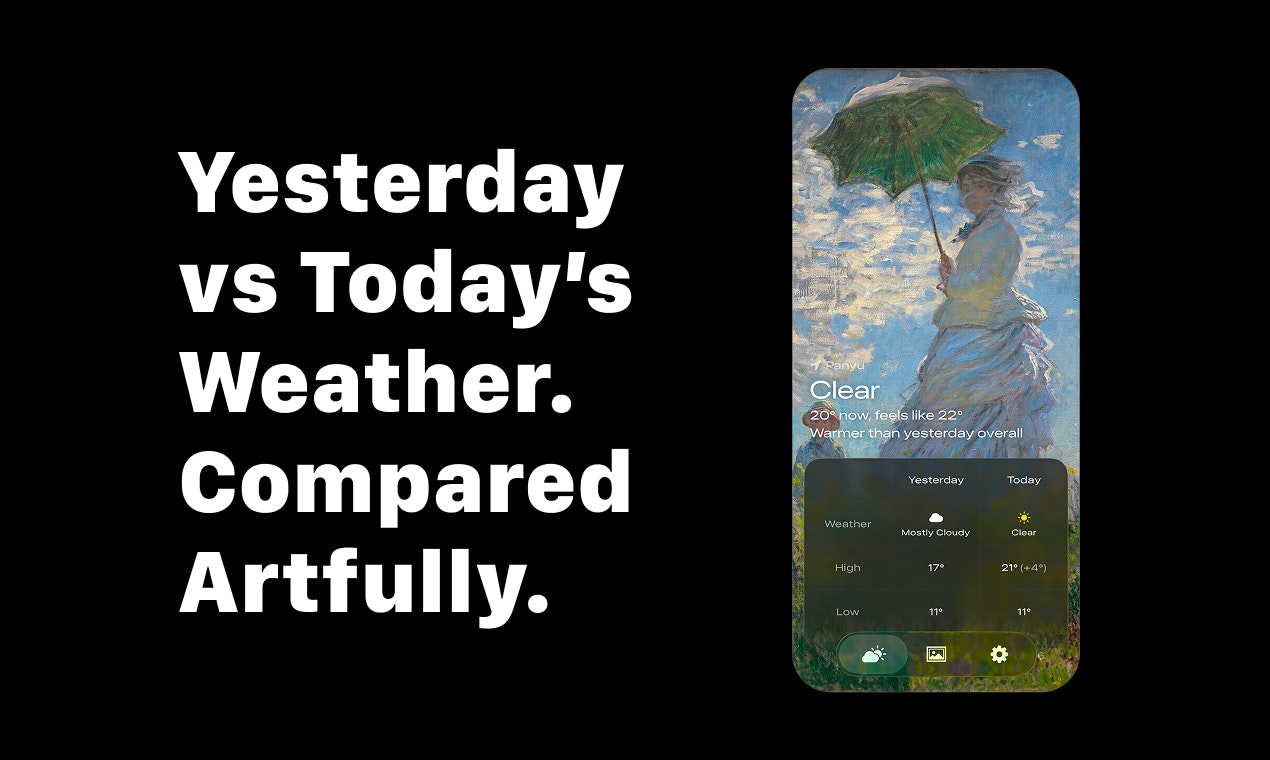
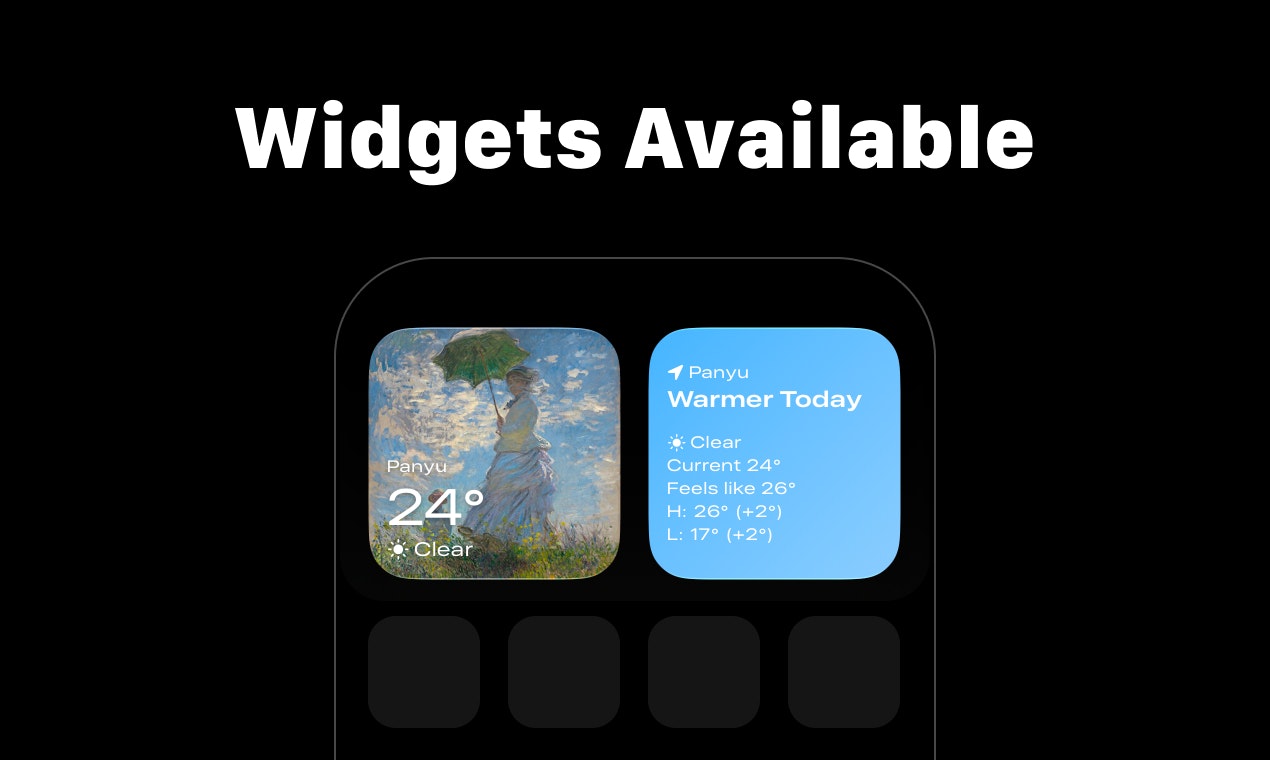
My weather need is simple: is it warmer or colder today? Yestoday shows yesterday and today next to each other, so you instantly know if today is warmer or colder—no digging through screens. To make the daily check feel calm rather than utilitarian, the UI blends in curated oil paintings that echo current conditions—clear skies, rain, and night scenes—so the atmosphere on screen matches outside.

The iPhone Weather app can show yesterday's weather of course, but it takes extra steps. After putting up with this for a long time, I built a demo with Apple Weather data to place “today vs yesterday” side by side. A few weeks later, it felt right, so I turned it into a full app—Yestoday (Meaning Yesterday + Today).

I'd love to hear your thoughts, feedback or ideas for what's coming next — thanks for checking it out! 🙌

2
回复

@ddiiiik The side-by-side framing is such a clean insight it’s surprising how often we just want relative context, not forecasts and charts. The atmospheric visuals are a really nice touch too. Curious what other “small but daily” comparisons you’re thinking of exploring next.

0
回复

@ddiiiik I love when functional things don’t look utilitarian. This feels quiet, thoughtful, and kinda comforting to have on screen ) cute 😊

0
回复

Wow, Yestoday is brilliant! I love how the UI uses art to reflect the weather. Does the art change hourly to match the specific time of day, or just sunrise/sunset?

0
回复

Great job @ddiiiik , congrats on the launch! Have you though about adding the Tomorrow as well ? In order to have an easy view on yesterday , today and tomorrow?

0
回复

@pamela_requena 
Thanks for the thoughtful suggestion—and for checking out Yestoday! I actually include a Tomorrow comparison as part of the membership features. I know it isn’t immediately obvious; that’s intentional so it doesn’t add extra noise when it isn’t relevant. There are two ways to see it: on the Today vs Yesterday table, swipe left to reveal Tomorrow’s weather; and after 7:00 PM, the app automatically switches to a Today vs Tomorrow comparison. The widgets follow the same behavior.

0
回复

Weather Apps are surely hard to innovate in 2025, but you've managed it! 🤓
Congratulations on your launch! 🚀

0
回复

@avloss Thanks!

0
回复
#13
Image Object Removal API
Remove unwanted objects from images in seconds
104
一句话介绍:一款基于先进AI的API接口,可快速、干净地移除图片中的人物、物体、文字等干扰元素,为开发者和产品团队解决了在电商、摄影等场景中高效、低成本获得专业级修图效果的痛点。
Design Tools API Artificial Intelligence
AI图像处理 API服务 图像修复 对象移除 背景编辑 生产就绪 开发者工具 性价比高 易于集成 Replicate平台
用户评论摘要:用户肯定其解决了生产环境下的真实痛点,并赞赏其简单、高质量和面向生产的定位。主要反馈包括:初期产品链接失效(已修复);询问技术细节(如处理毛发、阴影的机制、延迟和价格);确认其API形态及除人像外的其他移除能力(如水印)。
AI 锐评

Image Object Removal API 的本质,是将此前集中于前端应用(如Photoshop、各类修图App)的“智能移除”能力,进行标准化、服务化与平民化封装。其真正价值不在于技术的绝对前沿性,而在于精准的“产品定义”:瞄准“生产用途”,强调“简单输入、干净输出”,这直接切中了中小型开发者与创业公司的命脉——他们需要媲美大厂的后端图像处理能力,却无力承担自研AI模型的高昂成本与复杂度,也无法承受按张收费的C端工具在规模化使用时的天价账单。

从评论互动可以看出,其基于Replicate平台构建是明智之举,极大地降低了集成门槛与运维负担。创始人对于技术边界(如处理复杂边缘)和性能指标(2-5秒延迟)的坦诚回应,也展现了面向开发者市场的专业沟通姿态。然而,其挑战也同样明显:作为一层薄薄的API封装,其技术护城河相对较浅,严重依赖底层开源模型(如扩散模型)的演进,且定价模式面临同类平台和开源方案的直接竞争。能否从“有用的工具”成长为“不可或缺的服务”,取决于其能否在保证质量与速度的前提下,持续优化成本结构,并围绕特定垂直场景(如电商商品图标准化、证件照处理)构建更深的工作流集成与数据飞轮。当前,它是一个解决痛点、定位清晰的优秀产品,但通往“伟大”之路,仍需在生态与壁垒上多加构筑。

查看原始信息
Image Object Removal API
This API uses state-of-the-art AI to cleanly remove people, objects, text, or background distractions while preserving image quality and realism. ⚡ One-call API — simple input, clean output 🎯 High-quality inpainting — natural, artifact-free results 🧠 Works on complex scenes — people, shadows, clutter 💸 Affordable & fast — ideal for production use 🔌 Built on Replicate — easy to integrate
Hey Product Hunt 👋 I’m Bikash, the maker of Image Object Removal API. I built this after repeatedly needing to remove people, clutter, and random objects from images while building products and realizing most tools were either manual, expensive, or low quality output. This API focuses on: clean, realistic result simple input speed + affordability for real production use I’d love feedback from: developers integrating image tools founders building photo or e-commerce products anyone who’s struggled with Photoshop 😅 Happy to answer questions, share benchmarks, or talk about how it works under the hood. Thanks for checking it out and supporting makers! 🙏
2
回复

@bikash_pokharel Really like how clearly you’ve scoped this around production needs simple input, clean output, fast results. Excited to see how developers build on this.

0
回复

@bikash_pokharel  hi there! i am founder building photos for e-commerce products =) my feedback - feels very straightforward in a good way. Mark it, remove it, done

Congrats on the launch!

0
回复

The idea seems good to me and could work well as an integration for other services. Unfortunately, your website doesn't open, so I can't check your API endpoints or understand what your solution is capable of.

1
回复

@olegphenomenon 

The link is fixed now. You can check the full API details here:

https://replicate.com/dpakkk/image-object-removal

0
回复

This hits a very real pain point — clean object removal at API level is surprisingly hard to get right. Love the focus on realistic results and production readiness, not just demos.
Curious: how does the API handle tricky cases like hair, shadows, or overlapping objects, and what kind of latency are you seeing in real-world use?

1
回复

@pany_ai 


Thank you for your kind words!

For hair, shadows, and overlapping objects, the API uses diffusion-based inpainting rather than classical segmentation + fill. The masked region is reconstructed using surrounding context, so soft edges (hair strands), cast shadows, and partial occlusions are handled as part of the generation step instead of being hard-cut. Results are best with precise masks, but the model is fairly tolerant to imperfect boundaries.

For latency, typical end-to-end inference is in the ~2–5 second range per image at common resolutions. Latency scales with image size and mask complexity, and the API is stateless, so it works well behind queues or async workers in production.

This is already being used in automated pipelines, not just interactive demos.

0
回复

Is this provided as an API?
How is it priced?
Can it remove elements other than people, such as watermarks or subtitles?

1
回复

@stellawwwwwww 

Yes — it is an API that you can integrate into your app or workflow. It’s built on Replicate and exposes a simple REST API where you send an image + mask and get back the edited result.

You can check this product page for pricing. It's basically $1 for 4545 API request. https://replicate.com/dpakkk/image-object-removal

It can remove objects, text, background distractions, and more, not just people.

Let me know if you need any help!

0
回复

That's an interesting idea to have this service as an API. You should check your product link, it doesn't seem to work atm - "Page not found" error.

1
回复

@avloss Hi Anton, i just fixed the link. Thanks for the heads-up!

Update link here: https://replicate.com/dpakkk/image-object-removal

0
回复

Wow, this Image Object Removal API is seriously cool! The high-quality inpainting looks amazing. Im curious, how well does it handle removing reflections in glass or water?

0
回复
#14
Pill Mom
Never miss a dose again
97
一句话介绍:Pill Mom通过智能药瓶扫描和拟人化提醒,在慢性病患者需长期规律服药的场景下,解决了传统提醒应用冰冷、易忽略,以及手动录入药品信息繁琐的核心痛点。
Health & Fitness Alarms Medical
用药管理 健康科技 服药提醒 药品扫描 FDA数据库 隐私安全 医患联动 用户体验 个人健康助理
用户评论摘要:用户普遍赞赏药瓶扫描功能和拟人化设计。主要建议包括:拓展对不同药品通用名的识别能力,以及集成智能手表等更可靠的提醒渠道。开发者积极回应,并探讨了产品设计初衷。
AI 锐评

Pill Mom的“聪明”之处在于,它精准地刺中了用药管理领域两个长期被忽视的软肋:交互的冷漠与数据录入的摩擦。

其核心价值并非简单的“提醒”,而是通过“扫描识别”和“角色化陪伴”这两大设计,完成了从“工具”到“伙伴”的升维。扫描功能利用FDA数据库权威性,将枯燥易错的手动输入转化为一步到位的自动化流程,这不仅是效率提升,更是降低了用户(尤其是老年群体)的使用门槛和心理负担。更具洞察力的是,它将“提醒”这一反人性的动作,包装成“Pill Mom”这个高能量、关怀型角色的互动。这本质上是一种行为设计,通过赋予冷冰冰的用药流程以情感温度和游戏化的成就感(庆祝连续记录),来对抗服药懈怠,提升依从性。

然而,其真正的挑战与价值纵深也在于此。首先,其数据壁垒有限,扫描识别高度依赖美国FDA数据库和标准药瓶标签,这既是其启动优势,也可能成为其全球化或适应非标药品的瓶颈。其次,“拟人化”是一把双刃剑,长期使用后,用户是否会对固定的话术和互动模式产生疲劳感?其情感维系的价值能否持续,取决于角色能否“成长”或提供更深度的健康洞察。

从评论中“智能手表集成”的建议可以看出,用户期待的是构建一个“防漏网”般的提醒体系。这揭示了产品的下一阶段价值:从“手机伴侣”发展为“全场景健康中枢”。若能整合可穿戴设备、药房库存、甚至医保数据,它有望成为个人慢性病管理的初级入口。目前来看,Pill Mom成功地将一个工具类应用做出了情感溢价和用户体验的差异化,但其护城河的深度,将取决于其数据连接的广度与健康服务的整合能力。

查看原始信息
Pill Mom
Pill Mom stands out with smart pill bottle scanning - snap a photo and the app identifies your medication using the FDA database. No manual typing. Instead of generic alarms, you get friendly reminders from a caring character who celebrates your streaks. Easily add doctors and pharmacies linked to your medications - everything in one place for refills and questions. Your health data stays private and syncs securely. A clean design makes managing medications easy, not overwhelming.
Hey Product Hunt! 👋 I built Pill Mom after my boyfriend kept pushing me to create something to help people manage their medications. He saw how common it was for people to forget doses, mix up refill dates, and lose track of which doctor prescribed what. Most reminder apps felt like glorified alarm clocks - cold, robotic, easy to ignore. I wanted something that felt more like having a caring friend who actually knows your medications and checks in on you. The pill bottle scanner came from frustration with typing out long drug names. Now you just snap a photo and the app reads the label for you. Would love to hear what features you'd want to see next. Happy to answer any questions!
3
回复

Hey @b1776 cool app man, will definetly try it out! Best of luck this launch (not too good though you're only 3 spots behind me!)

1
回复

Smartwatch integration feels important here

1
回复

@miasantos Yes you're absolutely right! Notifications sometimes get blocked or don't arrive on time, a more reliable ping is an option that distracted people would certainly benefit from. Thanks for your comment Mia.

1
回复

Congratulations on your launch! Very useful product for those who take pills on time. 🚀

Gotta admire that demo vid you have there - extremely good.

The character, the music, the pacing!

Just perfect explanation of what the product is, who needs it, and how much does it cost! 😇
Keep up the great work!

1
回复

@avloss Thank you, I just felt inspired but most of the credit goes to AI. I needed a character that makes a boring routine fun and energetic. A higher pitched, high energy voice seemed to be more convincing. Pill mom helps you stay accountable vis a vis your treatment.

0
回复

Wow, Pill Mom looks amazing! The bottle scanning is genius. Does it handle different generic versions of the same medication okay? So cool!

0
回复
#15
Sip Savvy
Find Hidden Gems on Any Wine List
94
一句话介绍:一款通过OCR扫描餐厅酒单并利用AI比对零售价进行加价分析,帮助用户在用餐场景中快速识别高性价比葡萄酒,避免盲目点单的“口袋侍酒师”应用。
Wine Drinking Dining
葡萄酒推荐 餐饮科技 AI比价 OCR识别 消费决策工具 生活方式 精准消费 侍酒师 价值发现 智能点酒
用户评论摘要:用户普遍认可其解决“餐桌下疯狂谷歌”痛点的核心价值,并对OCR菜单扫描功能表示赞赏。主要反馈集中在:1. 对数据准确性(如年份差异、价格来源)和匹配逻辑的疑虑;2. 强烈期待增加餐食搭配功能;3. 认可价值评分和加价分析能有效改变消费行为。
AI 锐评

Sip Savvy 瞄准了一个精巧的细分市场痛点——餐厅酒单的信息不对称溢价。其真正价值并非在于创造一个全新的需求,而是将葡萄酒爱好者私下进行的、笨拙的比价调研(Google搜索)过程产品化、优雅化和即时化,试图将消费决策从“信任博弈”扭转为“数据驱动”。

产品逻辑清晰,但护城河与风险并存。其核心壁垒在于两点:一是OCR识别在纷繁复杂的酒单排版下的准确性与鲁棒性;二是其背后葡萄酒零售价格数据库的广度、时效性与权威性。从创始人的回复看,他们采用了“硬编码逻辑”和人工推断来弥补数据匹配的不足,这恰恰暴露了其早期阶段的脆弱性——这是一个需要持续喂养数据并优化算法的模型,规模扩张可能伴随误差率的提升。

用户的质疑直击要害:葡萄酒世界存在巨大的SKU复杂度、年份差异和区域价格波动。仅提供“价值分数”而未能充分透明化数据来源和计算逻辑,可能会影响专业用户或高价酒消费者的信任。此外,其商业模式想象空间目前局限于工具属性,用户使用频次天然受限于外出用餐及点酒的场景。

然而,其犀利之处在于精准抓住了当代消费者“拒绝为信息差买单”的心理。它不仅仅是一个比价工具,更是一种“消费平权”的心理暗示,赋予用户谈判(与侍酒师交流)的底气。若能在保证核心功能准确性的基础上,向“餐酒搭配”或“个性化口味推荐”延伸,或许能从“决策工具”升级为“餐饮体验伙伴”,构建更深层的用户粘性。当前,它是一个解决特定时刻焦虑的优秀MVP,但要从“有用”到“不可或缺”,还有很长的数据与信任之路要走。

查看原始信息
Sip Savvy
Stop panic-ordering the second cheapest bottle. 🍷 Sip Savvy is your pocket sommelier that instantly analyzes restaurant wine lists to find the best value bottles. How it works: 📸 Snap a photo • 🧠 AI cross-references retail prices • ✅ See "Value Scores" to spot gems and avoid markups. Features: Smart OCR on any menu • Real markup analysis per bottle • Personalized recommendations. Drink better. Spend smarter. Dine with confidence.

"Stop panic-ordering the second cheapest bottle." - haha, was just about to write a joke about that when realised you already have that as part of your description. 😄

Does your app also matches food with wine?

3
回复
@avloss 🤣 funny because it’s true! Then I always have buyer remorse when I see it’s a $20 bottle that I just paid $60 for… The descriptions of each wine we use Gemini to add which types of food it may go well with, but we’ve discussed how to match actual menu items with the wine list. If it’s requested enough we will add the feature!
2
回复

👋 Hi Product Hunt!

I’m Taylor. After 10+ years as a product engineer in tech, I’m used to optimizing everything. But whenever I went out to dinner, I found myself stuck with two terrible options when the wine list arrived:

  1. Blindly trust the waiter: Which usually meant getting recommended a "house favorite" that was actually a mediocre bottle with a 400% markup.

  2. Do the manual labor: Spend the first 15 minutes of the meal ignoring my date/friends while I furiously Googled individual bottles under the table to check ratings and MSRP.

I wanted a third option. I wanted the data without the homework.

So, I built Sip Savvy with my friend @luke_mulcahy.

We didn't want another app that scans labels (useless until you order). We built an OCR engine that reads the menu.

How it solves the dilemma:

  • Snap: Take a photo of the list.

  • Analyze: We cross-reference menu prices against real-world retail data instantly.

  • Decide: We highlight the "Hidden Gems"—bottles with great ratings and fair pricing—so you can order confidently in seconds, not minutes.

We’d love your feedback on:

  • The Scan Accuracy: Try it on a photo of a menu from your camera roll.

  • The "Value Score": Does knowing the markup change what you would order?

@luke_mulcahy and I will be here all day answering questions. Can’t wait to hear what you think! 🍷

2
回复

The 'furiously Googling under the table' visual is so relatable. 😂

Love that you focused on OCR for the menu rather than just scanning labels—that's the real friction point before ordering. Congrats on the launch, Taylor!

2
回复
@superchargeext thanks so much! Appreciate the support.
0
回复

Wow, Sip Savvy is exactly what I need! Love the markup analysis feature. Does the AI account for vintage variations when calculating the value score? Super cool product!

1
回复
@jaydev13 yes! The value is based on the MSRP of the specific vintage that is showing on the menu. V2 will also have a fall back option to a wine average if the vintage MSRP/current retail price is way higher than the average.
0
回复

This is actually really lovely =) I’d 100% keep this on my phone as a go-to when I’m staring at a wine list and feeling lost

1
回复
@marina_sysoeva thanks Marina! Let me know if you have any feedback or things we can improve.
0
回复

Cool app @tayrob5 will definetly give it a spin this christmas.

All the best this launch! Just don't go too hard as I see you're only 4 places behind my own launch 😱

0
回复
@peter_van_doorn thank you! Congrats on your launch as well.
1
回复
I want to love this but I’m skeptical about the accuracy. There are like a million different wines out there, prices vary wildly between retailers and regions, and every restaurant formats their menus differently - some just say ‘Bordeaux’ without the vintage or producer. How are you actually pulling reliable pricing data and matching it correctly? Seems like there’s a lot of room for error here.
0
回复
@abod_rehman Yes! This was a tricky problem. We ended up having to hardcode some logic and think like a human would. For instance, if it’s a reserve wine and there isn’t the word reserve on the menu, then it’s probably not the reserve. Also, what is most likely based on popularity and price point. At or slightly under MSRP happens and is fun to find, but likely it’s not going to be 20% of MSRP etc. Still lots of work to go, but we got it to a point where it’s right more than it is wrong for now. Will continue to try to improve it!
0
回复
#16
LifeGrid
Connect your daily tasks to what actually matters
28
一句话介绍:LifeGrid是一款个人规划系统,通过将日常任务与人生目标(生活领域、OKRs)直接关联,解决了用户在多个工具间切换、任务与长期目标脱节,导致忙碌却无真实进展的核心痛点。
Productivity Task Management SaaS
人生规划 目标管理 生产力工具 OKR管理 任务管理 习惯追踪 个人操作系统 优先级规划 时间管理 战略执行
用户评论摘要:用户反馈主要集中于:创始人阐述了产品解决其个人痛点的开发初衷与核心设计哲学;有用户询问与Toggl等时间追踪工具的区别,得到“规划时间去向”与“追踪时间去向”的澄清;另有用户对需要绑定支付方式才能试用表示不满,开发者表示会考虑此反馈。
AI 锐评

LifeGrid的野心并非再造一个任务管理器,而是试图成为个人生活的“战略操作系统”。其真正的价值在于对生产力工具底层逻辑的一次颠覆性尝试:将传统“自下而上”(任务驱动)的管理模式,扭转为“自上而下”(愿景驱动)的规划模式。通过强制用户先定义“生活领域”和“OKRs”,再衍生出项目、习惯和每日任务,它强行建立了微观行动与宏观目标的因果链条,旨在根治“战术上的勤奋掩盖战略上的懒惰”这一现代通病。

产品理念颇具洞察力,但其面临的挑战同样尖锐。首先,它要求用户具备高度的自我认知和战略规划能力,这对许多尚处于目标模糊阶段的用户构成了使用门槛,产品可能天然筛选出一批高计划性用户。其次,将复杂、流动的人生强行纳入“生活领域→OKR→项目→任务”的刚性框架,是否会带来新的管理负担与焦虑?其“清晰”的结构是否足以容纳生活的偶然性与创造性?

从评论看,其与Toggl的对比恰恰点明了其定位:它不是事后分析的时间会计,而是事前决策的战略参谋。然而,创始人“为自己而建”的背景既是其设计深度的来源,也可能成为其普适性的盲点。用户关于试用流程的抱怨,则揭示了其作为一款付费生产力工具在增长策略上的经典困境——如何在降低体验门槛与保障商业可持续性之间取得平衡。

总而言之,LifeGrid是一款理念先行的“观点型产品”。它未必适合所有人,但对于那些深受目标与执行脱节之苦、渴望系统性对齐生活与行动的用户而言,它提供了一个值得深入尝试的严肃框架。其成败关键在于,这个框架在长期使用中,是成为一种解放思想的“操作系统”,还是另一种需要精心维护的“系统负担”。

查看原始信息
LifeGrid
LifeGrid connects your daily tasks to your life goals through three layers: Strategy (Life Areas + OKRs) Tactics (Projects + Habits) Action (Daily Focus). LifeGrid is an operating system for your life. Ensuring every task you complete moves you toward your goals.

Hey Product Hunt 👋 I just shipped something I've wanted to exist for years.

I'll be upfront: I broke the classic founder rule of "don't build for yourself." But I'd been waiting for someone else to solve this problem, and year after year, nothing showed up that worked the way I needed. So I finally built it.


The product: LifeGrid is a personal planning system designed to force a real connection between your long-term priorities and what you actually spend your time on each day.


The problem it solves:

For years, I kept bumping into the same frustrating question: Is what I'm doing today actually moving me toward the things that matter in my life?

And I never had a good answer.

My tasks lived in one app. My goals lived in another. My habits were tracked somewhere else. None of them talked to each other. I'd finish a productive week, check off dozens of tasks, and still feel like I hadn't made real progress on the things I cared about most.

The problem wasn't a lack of tools. The problem was that none of those tools started with the right question: What actually matters to you, and how does today's work serve that?


How LifeGrid works:

LifeGrid flips the typical productivity approach. Instead of starting with tasks and hoping they roll up into something meaningful, you start at the top and work down.

First, you define your Life Areas: the domains that matter to you. Health, career, relationships, finances, personal growth, whatever is real for your life.

Then you set OKRs (Objectives and Key Results) within each Life Area. These are your goals with measurable outcomes attached.

From there, you create Projects and Habits that directly support those OKRs. Every project and every habit is explicitly anchored to a life area and objective.

The result: instead of juggling a scattered collection of tasks across multiple apps, you get a single prioritized queue for your entire life. You can see at a glance what's getting attention and, more importantly, what's being neglected.

Weekly planning becomes the moment where you decide what deserves your focus. Daily planning becomes the control point for what actually enters your day. And because everything traces back to your life priorities, you always know why you're doing what you're doing.


Two features I really like:


Defer: Not every task is ready to be worked on right now. Maybe you're waiting for information, or the timing just isn't right. Deferring lets you "snooze" tasks until a specific date. They disappear from your queue and resurface automatically when they're relevant. It keeps your focus on what's actually actionable today without losing track of future work.


Delegate: When someone else needs to take action, you can hand off the task while keeping it in your system. Delegated tasks live in a "Waiting on Others" view, and you can set follow-up dates so the task resurfaces when it's time to check on progress. You stay accountable for work you've handed off without it cluttering your active queue.


The core philosophy:

Your to-do list should serve your life vision, not the other way around.

Most productivity systems treat tasks as the atomic unit. LifeGrid treats your life priorities as the foundation: Life Areas → OKRs → Projects and Habits → Tasks. It's a small shift in structure, but it changes everything about how planning feels.


I'd genuinely love your feedback.

This has been a solo project born out of personal frustration, and I know it won't be perfect out of the gate. If you try it and something doesn't click, I want to hear about it.

14-day free trial to explore everything. And if you decide to stick around after that, the coupon code LaunchParty gets you 20% off.

🔗 lifegrid.do


Thanks for reading, and for any feedback you're willing to share. 🙏

3
回复

Is it similar to Toggl? Or?

2
回复

@busmark_w_nika 
Good question! Toggl tracks where your time went.
LifeGrid helps you decide where your time should go, i.e what matters to you.

Different problems, both useful depending on what you need.

0
回复

Nice idea and clean concept.

A bit unfortunate there’s no free access without trial to explore it first.

0
回复

Thanks for the feedback @miasantos
We do offer a 14-day trial, though you're right that it requires signing up with a payment method. Totally fair point, it's something we'll keep in mind.

0
回复
#17
aicofounder.com
Make something people actually want
25
一句话介绍:一款为创业者提供结构化路径的AI协同平台,通过整合市场研究、需求验证、网站创建等工具,在从创意到产品的早期阶段,解决验证不足、方向偏离的核心痛点,帮助创始人避免打造“无人问津”的产品。
Artificial Intelligence Maker Tools
AI创业助手 产品验证 市场研究 精益创业 需求测试 网站生成 营销内容 独立开发者工具 SaaS 产品开发框架
用户评论摘要:用户普遍肯定其带来的清晰度和验证价值,能避免无效开发、节省时间。正面评价集中在结构化指导、免费层慷慨。建议/问题包括:价格相对竞品较高,部分功能可通过通用AI实现;早期版本界面复杂,现已优化简化。
AI 锐评

aicofounder.com 的本质,并非一个技术颠覆性的AI模型,而是一个将精益创业方法论与现有AI能力进行深度整合的“流程引擎”。它的真正价值在于对抗创始人天生的“解决方案迷恋”和认知偏差,通过强制性的结构化步骤(如先进行社交媒体需求搜索再生成网站),将模糊的灵感转化为可测试的假设。

产品聪明地抓住了当前AI应用层的核心矛盾:通用大模型能力强大但过程“混乱与分散”,而专业用户需要的是可重复、可依赖的工作流。它将ChatGPT等工具可能实现的零散功能,封装成针对创业特定场景的“操作清单”,降低了认知负荷和执行门槛。超过20,000名用户的采用,侧面印证了市场对这种“AI加持的创业脚手架”存在强烈需求。

然而,其面临的挑战也同样清晰。首先,其“护栏”价值与“灵活性”之间存在天然张力,经验丰富的创业者可能觉得流程束缚。其次,评论中指出的“价格”问题触及核心:当用户已订阅功能强大的通用AI时,为特定工作流支付额外费用的意愿阈值很高。平台必须持续证明其整合带来的效率提升和决策优化,远超用户自行组合工具的成本。最后,其护城河在于对创业流程的深刻理解和持续迭代的数据反馈,而非AI技术本身。若不能将用户行为数据转化为更精准的洞察和建议,它可能最终只是一个设计良好的模板集合。

总体而言,这是一款精准切入利基市场的实用型产品,它用AI解决了“如何正确思考”的问题,而非“如何更快编码”。它的成功与否,将是对“结构化AI代理工作流”这一商业模式可行性的重要试金石。

查看原始信息
aicofounder.com
aicofounder gives you the structure you have been looking for to go from idea to a product people actually want. Over 20,000 founders research and build their product with their AI cofounder.

Hej! We are the Swedish brothers behind aicofounder.com

As founders building products, we were looking for a better way to go from idea to product without missing crucial steps along the way like proper market research and idea validation.

Building with general LLMs is messy and scattered, which results in many founders spending months building something nobody wants. So we decided to build an AI cofounder specifically designed to help founders go from idea to a product people actually want.

aicofounder currently helps over 20,000 founders research, build, and market their products.

The platform contains 5 phases: Ideation -> Research -> Solution -> Website -> Marketing

Each phase with tools to help you:

  • Find real demand by searching social media with AI agents

  • Build a website to validate demand before building your product

  • Generate social media content to drive traffic to your website and confirm demand with real signups

We have a generous free tier (credits renew daily), so give it a try if:

  • You want to build a product but need help finding a good idea

  • You’re sitting on a business idea but not sure where to start or if it has real potential

We’re here all day to answer any questions you have!

5
回复

@felixheikka 

Love the tool and it has been ultra helpful in clearly articulating each area of the business. Good luck guys

2
回复

aicofounder helped me so much this year. Thanks so much for this incredible product. For all the clarity it brought to my solopreneur journey. Outstanding value for the price.

4
回复

@jonaskamber That's awesome to hear, Jonas! I'm really glad to hear it provided value to you as a solopreneur. Thank you!

0
回复

One of the most important parts of building a product is actually validating that you have a way to reach paying customers. With aicofounder I was actually able to see that I did NOT have this for my idea. Disappointing of course, but it saved me so much time. Getting to that point in days before writing a single line of code. I will pivot and keep working on figuring out what the right product is AND how to market it. But I’m glad to have this tool to help me in the process.

0
回复

aicofounder is great!! Stops you falling into the classic trap of solutionising too early / betting everything on your product without first validating the problem and sizing the market.

I think its a bit pricier for what you get as technically you could coax the same results of a Claude/ChatGPT subscription (and most people trying this probably have one of those paid already).... but way cheaper than investing in a startup without validation AND there's a generous free tier.

I also love how its evolved - back when it was called 'buildpad' there were way more phases and a spider diagram that was a lot more confusing. It's much clearer and more focussed now.

Congrats on launching Felix and team!

0
回复
#18
LARA | AI That Runs & Optimizes Ads
AI Agent to Run, Optimize & Scale Meta Ads for Founders
19
一句话介绍:LARA是一款通过简单聊天控制的自主AI广告代理,专为创始人设计,在Meta平台上自动运行、优化和扩展广告,解决了小企业主缺乏时间和专业知识进行复杂、手动广告管理的痛点。
Marketing Advertising Artificial Intelligence YouTube
AI广告代理 Meta广告自动化 聊天交互广告管理 中小企业营销 广告创意生成 受众构建 全天候优化 印尼市场 无代码操作 绩效营销
用户评论摘要:用户反馈积极,创始人亲述解决“手动、孤独”营销的痛点。产品被赞为“改变游戏规则”,能降低CPA,像拥有全职广告买手。核心建议聚焦于:如何建立用户对AI管理广告预算的信任,以及如何从“锦上添花”变为“不可或缺”的工具。
AI 锐评

LARA切入了一个精准且疼痛的市场缝隙:资源有限、却不得不依赖数字广告的中小企业主与个体创业者。其宣称的价值并非技术上的颠覆性突破,而是体验与工作流的重构——用聊天界面取代复杂的广告仪表盘。这本质上是一种“降维打击”,将专业媒体买手的操作逻辑封装成自然语言交互,大幅降低了使用门槛。

然而,其面临的挑战同样清晰。首先,“信任”是最大拦路虎。将真金白银的广告预算交给一个“黑箱”AI优化,需要极强的效果背书和透明度机制,仅靠“像队友”的情感牌远远不够。其次,其“全天候优化”的核心卖点,高度依赖于算法在Meta广告生态内的优化效率,这在竞争激烈的垂直领域能否持续产生优势,有待验证。评论中用户直接提出的“如何建立信任”和“如何变得不可或缺”两个问题,恰恰戳中了产品当前最脆弱的软肋。

产品从印尼市场起步是明智的策略,当地有大量亟待数字化的中小商家,且竞争环境可能相对宽松。但“老奶奶方法”塑造的极致易用性,在向更成熟、更复杂的市场扩张时,可能会与广告主对深度控制和数据分析的需求产生冲突。LARA的定位更像是“广告自动驾驶辅助”,而非“全自动驾驶”。它能否成功,不在于AI是否比资深优化师更聪明,而在于它能否在80%的常规场景中,可靠地替代人力,并让创始人敢于放手。目前看来,它找到了正确的起点,但通往“不可或缺”之路,仍需用持续的、可量化的ROI来说话。

查看原始信息
LARA | AI That Runs & Optimizes Ads
LARA is your always-on AI ads partner, built so you can focus on growing your business instead of managing ads. It’s an autonomous AI agent for Meta Ads that you control through simple chat—no dashboards. LARA works in English and Bahasa Indonesia, generates ad creatives or uses yours, builds smart audiences including retargeting, launches lead and sales campaigns, and optimizes 24/7 by cutting losing ads and scaling winners.

Hi! I'm Michelle. I started as a solo online seller selling on Amazon and Shopify selling home fragrance products, my brand grew from 0 to 6 digits in a year. Won Best Innovation Award at CES Las Vegas 2020 by Reviewed.com, and also ran a Team Favorites project on @indiegogo .

I ran ads myself, I checked performance obsessively. One person. One laptop. Too many tabs open at 2 a.m. LOL with no backup. Oftentimes I second-guessed every decision because one wrong move meant wasted money.

What frustrated me most wasn’t effort — it was how manual and lonely performance marketing felt. So together with some friends, I built LARA. Not as a “tool”.
But as the teammate I wished I had when I was doing everything alone.

We’re building LARA from Indonesia, for sellers globally who don’t have time, teams, or endless budgets — but still want real results.

What LARA does:
- AI digital marketing agent
- Launches and manages Meta ads through chat
- Creates audience (especially retargeting audience)
- Continuously optimizes your campaigns (and scales whatever works for you)
- All updates are sent to you via Whatsapp like "Your campaign is live"

Who it’s for
- Solo founders and small teams running online businesses (much like myself!)
- Ecommerce sellers tired of manual ad work
- Service industry business owners who want to get more leads
basically founders who understand marketing matters, but don’t want it to consume their lives

If you’ve run ads before, we’d love your thoughts on:
- What feels unclear or unnecessary?
- What would make you trust an AI with your ad budget?
- What would make this indispensable, not just “nice to have”?

For the product hunt community, we have free credits so you can go ahead and try LARA today.

20
回复

Hi everyone! 👋 I’m Rachel, the Product Lead behind @LARA | AI That Runs & Optimizes Ads

We started this because so many small business owners in Indonesia exhausted. They’re forced to handle products, operations, customers, content, and ads all by themselves. Meta Ads dashboard in particular feels complicated, stressful, and easy to get wrong.

So we’re building an AI assistant that helps sellers launch and run Meta ads simply by chatting. They don't have to have ads knowledge or going to complicated dashboards.

From day one, we tested this directly with real sellers. We sat with moms running SMEs businesses and sellers from smaller cities, even remote areas like Papua, and walked through the product together. A lot of things didn’t work well at first 😅 but their feedback helped us keep simplifying and improving it.

Here you can see some photos of our team working side by side with these moms! That hands-on process really shaped how the product works. Internally, we call this the “grandma method”. If someone with no tech or ads background can use it comfortably, then we know we’re building it right.

Our hope is simple that more SME sellers can finally use ads without feeling tired, overwhelmed, or left behind 🙏

9
回复

@rachel_larasati And we are incredibly grateful for all the early feedback that helped us shape what LARA is today. Feedback from all these moms we met on the road were brutal but very honest. I still remember how overwhelmed Krisna got :D

2
回复

@rachel_larasati Proud of the team and grateful for the journey so far. Excited to learn from the feedback and keep building.

3
回复

@rachel_larasati Designing tools while thinking “Grandma/Mom should understand this” is not an easy task, and that is the most exciting one. If a Grandma/Mom feels overwhelmed using it, then it’s just bad design. Personally, I don’t want to grow older and feel scared of new tech either. :D

3
回复

LARA has been a game-changer for our workflow. I used to spend hours lost in Meta’s dashboard trying to figure out why my ads weren't performing. Since switching to LARA, I manage everything through chat, and the 24/7 optimization has significantly lowered our CPA. It really feels like having a full-time media buyer on the team!

5
回复

We also made a short YouTube video showing how LARA can super charge your ads.
Would love for you to check it out

This AI runs your ads so you dont have to | LARA

5
回复

@vinay_kamal I'm excited to see how people use LARA and what we can learn from them!

2
回复
#19
AccuKnox [Gen-AI CNAPP Security]
Secure At Scale, Inside All Stacks, All Apps, Anywhere.
17
一句话介绍:AccuKnox是一款集成AI的云原生应用保护平台,通过在构建到运行的完整生命周期中实施主动安全防护,解决了企业在多云、混合云及AI环境中安全工具碎片化、响应滞后和合规复杂的核心痛点。
SaaS Development Security
云安全 CNAPP 零信任安全 运行时保护 AI安全 合规自动化 云原生 主动防御 态势可见性
用户评论摘要:用户期待产品上线,认为其UI优秀,是安全团队的强大补充。核心反馈是赞赏其整合碎片化工具、简化云安全的理念。有效提问集中于早期采用者用户画像,官方回复指向DevSecOps工程师及CISO等决策层。
AI 锐评

AccuKnox的亮相,直指云安全市场的顽疾——“工具缝合怪”与被动响应模式。其价值主张并非某个单点技术创新,而在于试图以统一平台整合从代码到运行时、从合规基线到主动威胁防护的全栈能力,这契合了云原生与AI普及后安全左移且需求右扩的现实。

产品介绍中罗列的众多合规框架,是其切入企业采购流程的敲门砖,但真正的考验在于其“Gen-AI”标签的含金量。是仅用于营销噱头,还是能真正利用AI理解复杂云环境关联风险、预测并自动修复配置缺陷?这决定了它能否从现有的CNAPP红海中脱颖而出。评论中透露的“简化”诉求是真实的用户之痛,但整合的背后意味着产品需要极深的技术积淀与庞大的数据关联能力,其挑战在于能否在保持平台统一性的同时,满足各细分场景(如K8s、VM、AI workload)的深度防护需求。

从早期采用者画像(DevSecOps与CISO)来看,其策略清晰:既打动一线工程师解决实际运维痛苦,也向上管理满足决策层的合规与整体风险可见性需求。然而,17票的冷启动数据略显平淡,说明市场仍处于观望状态。产品的成功将不取决于功能清单的罗列,而在于其宣称的“主动、自动化、可扩展”能否在实际复杂环境中经受住考验,真正将安全从成本中心转化为赋能业务的核心支撑。

查看原始信息
AccuKnox [Gen-AI CNAPP Security]
Cloud security that secures "Build to Runtime" proactively eliminates vulnerabilities, enforces compliance, and stops active threats in your cloud, workload, and AI environment. Compliant with SOC2, STIG, PCI, HIPAA, CIS, MITRE, NIST, and more.

🚀We are going live on 18th December!

Super excited to finally share AccuKnox with all new features with the Product Hunt community. If you’re building in the cloud, and juggling AWS configs, Kubernetes clusters, VMs, compliance, and security alerts, this is for you.

AccuKnox helps you lock down your cloud environments with Zero Trust security, runtime protection, AI workload security, and end-to-end visibility from code to deployment to production.
We built this because modern cloud security shouldn’t feel like stitching 10+ tools together or waiting until something breaks to react. It should be proactive, automated, and scalable.

If you're curious, testing a new stack, or already scaling cloud infra, we'd love your thoughts, questions, or feedback.

Thanks for the support PH fam! ❤️

12
回复

Well, this is it! Let's get hands-on with the AccuKnox trial!

8
回复

Launching in 1 hour!! This is going to be a great addition to every security team! UI looks great imo

8
回复

Congratulations on the launch @ssyedhadi14 this looks solid!

Love the focus on simplifying cloud security without stitching together a dozen tools. Curious to know: which type of teams are seeing the fastest adoption so far?

2
回复

@harkirat_singh3777 Loved the support!
Teams such as:
a) DevSecOps Er., Security Er. - from user group
b) CISO, CTOs, CIOs - from buying group

2
回复
#20
Cap Table Calculator
Calculate founder dilution across funding rounds
15
一句话介绍:一款面向创业者的免费股权稀释计算工具,通过简化估值、期权池和融资额等变量的输入,在几分钟内清晰展示多轮融资后的股权变化,解决了创始人在融资规划中因复杂计算和术语难以准确预估自身股权占比的核心痛点。
Investing Venture Capital Fundraising
创业工具 股权计算 融资规划 股权稀释 Cap Table 创始人工具 财务模拟 SaaS 免费工具 初创企业
用户评论摘要:目前仅有一条来自开发团队的评论,旨在介绍开发初衷并征集用户反馈。尚无真实用户的有效评论、问题或建议。
AI 锐评

这款产品精准地切入了一个狭窄但刚需的利基市场——早期创始人的股权融资教育盲区。其宣称的价值并非技术颠覆,而是认知翻译:将复杂的股权结构表(Cap Table)和融资术语,转化为创始人可即时交互、直观感知的模拟结果。这本质上是一款“决策辅助”工具,其核心壁垒在于对融资条款(如期权池设立对创始人稀释的“前置”影响)的专业理解与模型简化能力。

然而,其面临的挑战同样尖锐。首先,工具属性过轻,极易被模仿或整合。一个功能更复杂的财务模型或一款新兴的All-in-One初创公司管理软件,都能轻易将其覆盖。其次,其商业模式存疑。作为一款定位“免费”的工具,它很可能是其背后投资者数据库应用的“引流器”。这种模式能否成功,取决于其主产品的价值与转化路径是否足够强劲。最后,产品的真实性与可信度尚未经过市场充分验证。目前零真实用户反馈的状态,使其更像一个“最小可行产品”(MVP)或内容营销的附属品,而非一个成熟、可靠的工具。它的真正考验在于:能否从“一次性计算器”升级为包含历史数据、行业基准、条款库等内容的“动态规划平台”,从而建立用户粘性。否则,它可能只会是创始人在融资焦虑中偶然使用、随即遗忘的一个快捷网站。

当前,它是一面有用的“镜子”,但还不是一位不可或缺的“军师”。

查看原始信息
Cap Table Calculator
Most founders underestimate how quickly dilution adds up across funding rounds. Running an investor database app, we often get this question: “How much will I actually own after pre-seed and seed?” So we built a simple cap table calculator that lets you plug in your valuation, option pool, and investment amount and see how ownership changes in minutes. No spreadsheets. No overcomplicated finance terms. Just a clear way to understand dilution before you raise your round.
Hey Product Hunt 👋 We built this because cap table math is confusing for most founders, and spreadsheets usually make it worse. This free cap table calculator lets you quickly see how ownership changes across funding rounds, including the impact of option pools. Would love to hear what’s missing or what scenarios you’d want to see added.
0
回复