Product Hunt 每日热榜 2025-12-29

PH热榜 | 2025-12-29

#1
Giselle
Build and run AI workflows. Open source.
353
一句话介绍:Giselle是一款开源的可视化AI工作流构建工具,通过零基础设施设置的直观节点编辑器,解决了开发者和产品团队在构建复杂、长周期AI应用时面临的配置繁琐、调试困难、模型供应商锁定的痛点。
Productivity Open Source Artificial Intelligence
AI工作流 可视化编程 开源 多模型集成 零基础设施 长周期任务 GitHub原生 实时调试 节点编辑器 团队协作
用户评论摘要:用户普遍赞赏其开源属性、直观的可视化编辑器及零基础设施设置。核心关注点包括:长任务稳定性与重试机制、GitHub RAG的上下文处理能力、版本控制与可复现性、社区插件生态可能性,以及从简单提示生成工作流的智能程度。
AI 锐评

Giselle的亮相,精准刺入了当前AI工作流工具市场的软肋:在“玩具级”的简易构建器与“企业级”的笨重平台之间,存在一个急需“可靠且易用”工具的真空地带。其宣称的“零基础设施”和开源,并非简单的营销话术,而是直指两大核心壁垒:启动成本和信任黑箱。这使其具备了成为团队基础层工具的潜力。

然而,其真正的考验在于“长周期任务”的承诺。评论中关于数小时运行、重试机制和状态管理的探讨,暴露了从“能跑通”到“敢依赖”之间的巨大鸿沟。可视化调试虽好,但复杂工作流出错时的根因定位,远非实时日志所能解决。其将GitHub作为核心向量库和触发器的策略是一步妙棋,巧妙绑定了开发者最熟悉的生产环境,但如何智能分块代码、处理超大仓库,将是其“GitHub原生”故事能否成立的技术关键。

团队多次强调的“为自己而建”和“狗食文化”,是产品气质的重要背书,但这也可能带来早期用户画像的局限——过度偏向有技术背景的产品团队。要突破此圈层,走向更广阔的“咨询与专业服务”市场,其在文档处理、数据源兼容性及非技术用户交互上的进化速度,将决定其天花板。总体而言,Giselle展现了一个极具吸引力的起点,但其从“优雅的解决方案”蜕变为“不可或缺的基础设施”之路,才刚刚开始。

查看原始信息
Giselle
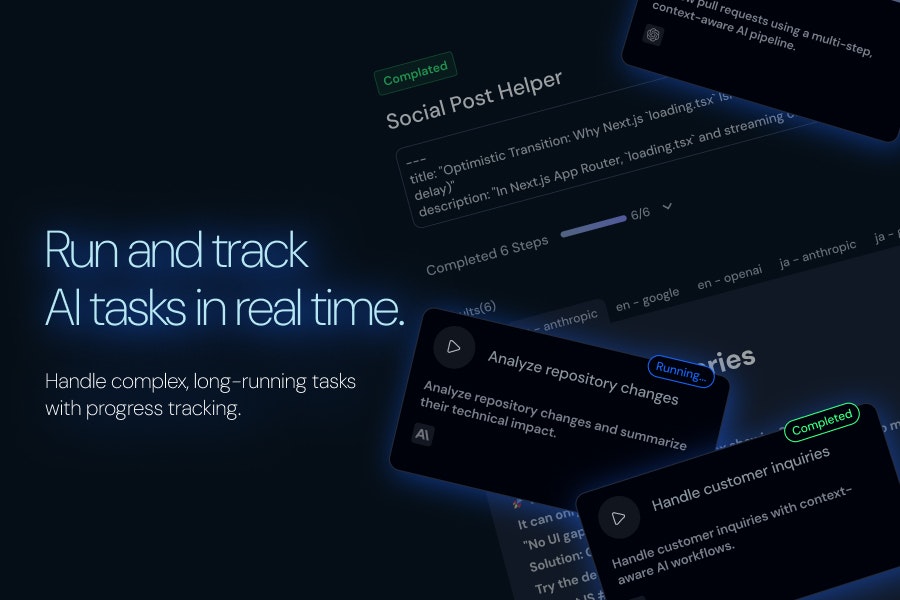
Built to design and run AI workflows that actually complete. Zero infra setup—just build and run. Handle complex, long-running tasks with a visual node editor and real-time tracking. Combine models from multiple providers in one canvas.

Hello everyone! 🙌

I'm so excited to finally launch Giselle and share it with all of you!

We built this for ourselves. There are countless AI workflow builders out there—but when we actually tried to use them for real work, something always felt off. Too complex to set up, too rigid to adapt, or too opaque to debug when things went wrong.

So we built what we actually wanted to use:

  • A visual node editor where you can see your entire workflow at a glance

  • Mix and match models from different providers in one canvas

  • Real-time tracking so you know exactly what's happening

  • Zero infrastructure headaches—just build and run

It's open source because we believe the best tools grow with their community.

If you've ever felt frustrated with existing AI workflow tools, give Giselle a try. We'd love to hear what you think.

And if you know of better products out there, please let us know! We're always looking to learn from great tools.

14
回复

@codenote I loved the neon sign-like effect, it made the content very easy to recognize! Is it possible to change the color of the cards inside as well? congrats on the launch!

1
回复

@codenote Seems a Promising product ! Best of luck !

0
回复

@codenote Hey! transparency and debuggability are big differentiators. How do you handle versioning and reproducibility in visual workflows, so teams can confidently change nodes or models without breaking existing pipelines or losing the ability to trace past runs?

1
回复

I'm Taka, CEO of the team behind Giselle. Today we're launching Giselle — a visual AI app builder designed for product teams.


Why we built this:

We started building Giselle over a year ago, back when GPT-3 was the standard and tools like CrewAI and n8n were just emerging. Our original goal was to bring LLM-powered automation to consulting and finance — domains drowning in research and documentation work.

But here's what we learned: getting "professional-grade" output quality was hard. Really hard. So we did what any stubborn team would do — we dogfooded relentlessly. We became our own zero-customer, using Giselle daily to build our own products.

That journey shaped what Giselle is today: an AI app builder optimized for product ops and GitHub-native workflows.


What makes Giselle different:

  • GitHub as your vector store — Turn your repos, issues, PRs, and code into RAG-ready context with one click. No pipeline setup.

  • Event-driven workflows — Trigger Giselle apps from GitHub events (new issue, PR comment, etc.). Build your own CodeRabbit-style review agent — no code required.

  • Team-first, cloud-native — Apps you build are instantly shareable. Call them from a chat UI ("Stage") or directly from GitHub with custom slash commands (you define the command name).

What you can build:

  • ✅ Automated PR review agents

  • ✅ PRD drafters that pull context from your codebase

  • ✅ Spec/docs updaters triggered by merged PRs

  • ✅ Parallel workflows like Cursor or Claude Code — but for your whole team

Why this matters:

Tools like Cursor and Claude Code have supercharged individual developers. But teams still struggle to share that leverage. Giselle bridges that gap — not everyone needs to be a builder; one person's app becomes the whole team's productivity boost.


What's next:

Right now we're focused on product ops, but the path forward is clear. As we expand support for diverse document types and data sources, we expect Giselle to handle the consulting and professional services use cases we originally envisioned — research synthesis, client deliverables, knowledge management at scale.

In the near term, we're doubling down on two fronts:

  • Visual builder improvements — Making it even easier to prototype AI apps without code

  • Developer-facing features — Instant API access for any app you build, MCP (Model Context Protocol) support, app virtualization for complex compositions, and smoother paths to scale with LangChain when you're ready

We'd love your feedback. What workflows would you build first?

11
回复

Hey Product Hunt 🙋‍♀️
We just launched Giselle — and I'm the designer behind it.

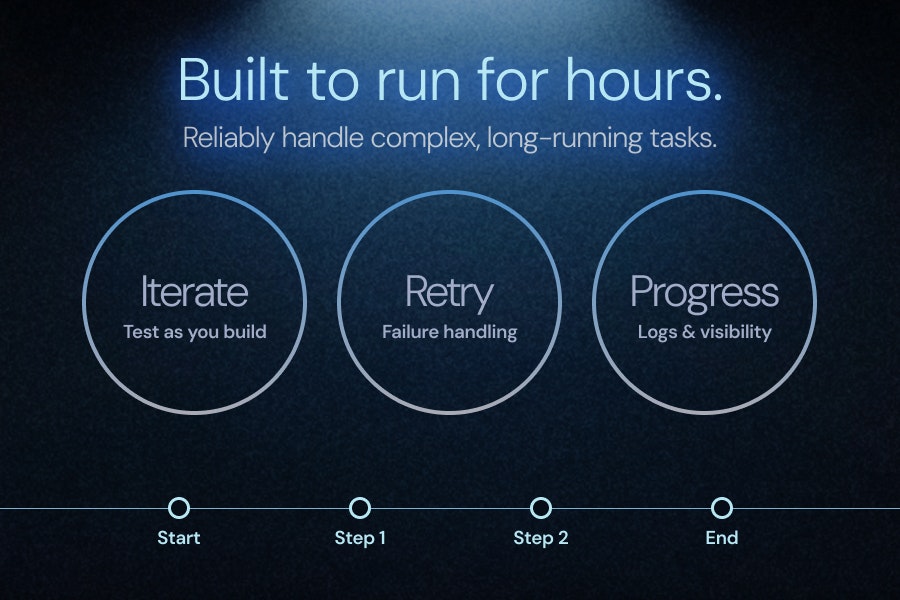
While our engineers were focused on making AI workflows safe to rely on — even when they run for hours — I obsessed over a different question:

What does it feel like to build one?

I spent way too much time on something most people won't consciously notice: the nodes. We designed them to feel like bright stars floating in space — vivid enough to stay readable as workflows grow, but calm enough not to overwhelm you.⭐️⭐️⭐️

My goal was simple: I wanted your workflows to look like something you'd actually want to show off — not just tolerate using.

I'd love to hear from you: What feels intuitive when you're building — and where do you still feel lost?✨

6
回复
Hey Tadashi, that line about workflows being too opaque to debug really hits. Was there a specific one that broke and you just couldn’t figure out why?
4
回复

@vouchy san! Thanks for your comment!

I can't recall a specific example off the top of my head, but workflows that pass large amounts of context to the model or combine multiple nodes with Deep Thinking tended to fail when execution time stretched to several hours. With the current version of Giselle, we can now complete workflows that run for several hours or more—theoretically, there's no limit on how long they can run.

1
回复

Looks very simple to use. I'm just wondering if you can build a workflow by writing a prompt, and will actually come up with the required nodes and suggest integrations?

3
回复

This is mind-blowing! 🤯 The visual builder for chain-of-thought agents is exactly what the dev ecosystem needed.

I'm really curious about the 'GitHub-native' RAG part. How do you handle context limits when indexing massive repositories? Do you have intelligent chunking for code specifically?

Congrats on the launch, team!

3
回复

Hits a nerve tbh. I’ve bounced off a bunch of workflow tools—too much setup, no clue when jobs hang. Open source + real-time view + mix providers sounds right. Gonna try it on a long-running scrape/summarize flow. Curious about retries/state.

3
回复

@alexcloudstar san! Thanks for the comment!
We've struggled with the same frustrations ourselves, so we're really happy to have built and launched a product that addresses them!

For long-running tasks, theoretically there's no time limit. That said, for scraping use cases specifically, we might be missing some features that could leave you wanting more—so if you have specific needs, we'd love to hear about them. You're also welcome to post an Idea here: https://github.com/giselles-ai/giselle/discussions/new/choose


On retries, we currently do a single retry, but we're thinking it'd be great to let users customize this themselves—definitely something we want to implement.

1
回复

@alexcloudstar san

Thanks so much for the comment - really appreciate it! Would love to hear how it goes with your scrape/summarize flow. Feel free to reach out if you have questions about retries/state management. And if you discover any interesting use cases, please share!✨

1
回复

@alexcloudstar Totally feel you — a lot of provider-specific “workflow” tools are convenient, but it’s frustrating when you can’t mix in other models/services. That was a big motivation for building Giselle as open-source + multi-provider from day one, with real-time visibility so you’re not guessing where/why a job is stuck.

And yes on retries/state: the execution side is basically ready — what we’re working through now is the UI/UX for it. We don’t want a “retry button somewhere” that’s technically there but awkward to use. We’re exploring how to surface retries at the most natural place/time in the flow (e.g., right on the node/step that failed, with enough context to decide whether to rerun/adjust).

0
回复

I appreciate the open-source approach here. It makes it feel less like a black box and more like a tool I can actually trust and grow with.

3
回复

@abod_rehman san, Thanks so much!
That really means a lot to hear!! We're excited to keep growing the product while staying transparent and building that trust.

0
回复

@abod_rehman Thank you — I completely feel the same way.

When I see an impressive AI product, if it’s not open source, there’s always a small sense of unease. I often find myself thinking, “This feature is incredibly useful, but how is it actually implemented?” That curiosity is part of what draws me to OSS.

My own skills today are built on reading and contributing to the great open-source projects that came before me. Giselle is our attempt to give something back to that ecosystem — something people can trust, inspect, extend, and grow alongside. I’d be very happy if this project becomes a small part of that ongoing open-source tradition.

1
回复

I'm curiouse: What's the 3 coolest things that has been built with this?

3
回复

@conduit_design san! Thanks for asking!!

Our team's been building all sorts of cool stuff, but my personal favorites are:

  1. Giselle's QA Assistant

  2. An implementation planning app for Giselle

  3. A blog post drafting app

Since Giselle is fully open source, you can actually see the QA Assistant in action here: https://github.com/giselles-ai/giselle/pull/2582#issuecomment-3695472517

0
回复

@conduit_design san

It's still early days, so I don't have three examples yet, but I can share a personal favorite - I used Giselle to build a stylish media site for my dog! It really showcased how versatile Giselle can be for passion projects. You can check it out here: https://giselles.ai/blog/making-stylish-dog-media-with-giselle

More cool projects are being built as we speak, so stay tuned!✨

1
回复

@conduit_design Thanks for the question.

Here are three things I personally use Giselle for most often:

  1. Generating PR titles and descriptions from diffs
    This is probably my most-used workflow. When I saw DiffSense, I immediately understood the value — generating structured context from diffs is incredibly practical. I also think the Apple Silicon–native, local-first approach you took is very elegant.

  2. Design reviews from onboarding screenshots
    I often capture screenshots of product onboarding flows and run design review workflows on them to identify UX issues, inconsistencies, or areas to refine. It’s been useful for iterating quickly and objectively.

  3. Lightweight research to catch up on artists
    As a more casual use case, I use it to collect and summarize recent updates about artists I like from multiple sources. It’s especially helpful for catching up on artists I haven’t followed closely in a while.

Looking forward to seeing more real-world use cases emerge.

1
回复

Congrats on the launch, the focus on clarity and flexibility in a workflow really stands out.

3
回复

@musfk san! Thank you so much!!
While we only have simple features for now, we worked really hard to deliver an easy-to-use UX! I really appreciate your comment.

0
回复

@musfk Thank you!

We really appreciate the kind words. We're glad the focus on clarity and flexibility came through.

1
回复

Congrats on the launch! "Zero infra setup" is exactly what I've been looking for—most AI workflow tools are way too heavy or complex to just get started. The visual node editor looks super intuitive. Since it's open source, are you planning to add community-contributed nodes/integrations soon?

3
回复

@sumit_deepenrich san, Thank you so much for your comment! It really means a lot to us.


As for adding community-contributed nodes and integrations, it's not on our immediate roadmap, but if we can design the architecture well, introducing a plugin system could really open up a lot of possibilities. Thanks for the great idea!!

1
回复

Hi Product Hunt 👋

I’m one of the creators of Giselle. Thanks for checking us out.

When we looked at existing AI workflow tools, they mostly fell into two camps.

Some are extremely easy to start with. You can build something quickly and see results right away — but once you try to use them for real work, they start to feel fragile. Long-running jobs and failures make you nervous, and it’s hard to understand what’s happening while they run.

Others are built for durable execution, with strong telemetry and observability. They’re powerful and reliable, but the first step is heavy, often requiring engineering effort before you can even try an idea.

We couldn’t find something that was easy to start and still safe to rely on.

That gap is exactly why we built Giselle.

Giselle lets you design AI-powered apps and workflows intuitively, while treating them as real jobs — with clear progress, structure, and visibility, even when they run for hours across many steps.

If you’ve ever felt that your AI workflow works “until you actually need to depend on it,” we’d love to hear your thoughts and feedback.

3
回复

Hey Product Hunt 👋

I’m part of the Giselle team now, but I actually started as an external contributor.

Giselle is fully open source. My journey began with a simple typo fix. From there, I started contributing small features, got feedback, and gradually understood the system. Eventually, I was invited to work closely with the team on the core product.

We want to create that same experience for everyone. Whether you write code, share ideas, or report bugs, every contribution moves Giselle forward.

If you want to help shape the future of AI workflows, come join us! Giselle is the perfect place to start contributing to an AI project.

3
回复
Very cool! Congrats on the launch!
2
回复

Looks cool! Thx for you guys build a easy-used workflow, which is really clear with input and output

2
回复

@yoang_loo san

Thanks so much! That really means a lot - we were aiming for that "cool" feeling while designing it, so I'm thrilled you picked up on that. Would love to hear your feedback once you try it out!👂

0
回复

@yoang_loo san, Thank you so much! We put a lot of effort into the UX, so I'm really happy to hear that!!

0
回复

Congrats on the launch! Building something you actually wanted to use really shows in how you’ve framed the problem. The focus on visibility and debuggability especially hits that’s where most workflow tools fall apart in real use.

2
回复

@syed_hassan9 san, Thank you so much!
I'm really glad it resonates with you. We've built this to handle our own use case—running complex workflows for extended periods—and we believe it's now at a level where others can benefit from it too.
Today marks just the beginning, and we'll keep refining the product from here.

0
回复

I loved the neon sign-like effect, it made the content very easy to recognize! Is it possible to change the color of the cards inside as well? Looking forward to the launch!

2
回复

@shawn_park_f12 Thank you so much for your kind words! We've finally launched! 🎉 Please give it a try and let us know what you think!

1
回复

@shawn_park_f12 Thanks so much! I'm really glad you picked up on that - it's a detail I really worked on. Hoping to add customization features like other editors down the line. Will keep pushing forward with updates!

0
回复
#2
BizCard
Kill LinkedIn QR contacts. Make real connections instead.
276
一句话介绍:BizCard是一款基于E-ink屏幕和NFC技术的智能名片,在会议、展会等线下社交场景中,通过非接触式轻触即时交换个人信息,解决了传统扫码连接打断对话节奏、导致后续联系率低的痛点。
Hardware Artificial Intelligence Social Networking
智能硬件 电子名片 商务社交 线下社交 NFC E-ink 人脉管理 效率工具 AI辅助 无干扰交互
用户评论摘要:用户普遍认可“幽灵联系人”痛点,赞赏产品“不打断眼神交流”的理念。主要问题聚焦于:如何确保轻触后能转化为有效跟进;产品在嘈杂、简短对话中的表现;以及与大型会议合作的计划。部分用户分享了早期体验的积极反馈。
AI 锐评

BizCard的野心不在于取代一张纸质名片,而在于试图修复数字时代线下社交中一个被忽视的“断点”。其真正价值并非那块E-ink屏或NFC技术本身,而是通过极简的硬件载体,强行将用户的注意力从手机屏幕拉回现实对话,扮演了一个“数字礼节强制者”的角色。

产品聪明地抓住了“LinkedIn二维码社交”的虚伪性:交换动作完成了,社交仪式感满足了,但连接本身却因互动流程的中断而变得空洞。BizCard通过硬件预设的“轻触”动作,将信息交换压缩至近乎本能,试图保住对话中稍纵即逝的“火花”与“上下文”。其宣称的AI记录场景信息,则是为后续转化埋下伏笔,旨在解决“我忘了为什么加你”这个终极难题。

然而,其面临的挑战同样尖锐。首先,它制造了新的“不对称社交”:只有当双方都持有此硬件时,其“无干扰”体验才成立,否则仍需回归传统方式。其次,它将竞争从软件体验转向硬件普及,面临更高的用户采纳门槛和供应链压力。最后,也是最关键的,它是否只是将“交换动作”优雅化,而未能真正解决“后续跟进”这一本质问题?AI记录的上下文能否有效催化二次对话,还是仅仅成为更精致的联系人备注?这取决于其软件生态与算法推荐的能力,而这部分目前仍是黑箱。

总体而言,BizCard是一次对线下社交数字仪式感的反思与硬件重构,切入点精准且具象。但其成功与否,不取决于硬件本身的精巧,而取决于它能否围绕“轻触”这个动作,构建一个足以改变用户习惯的、软硬结合的最小化闭环场景。否则,它可能仅成为科技爱好者又一件精致的玩具。

查看原始信息
BizCard
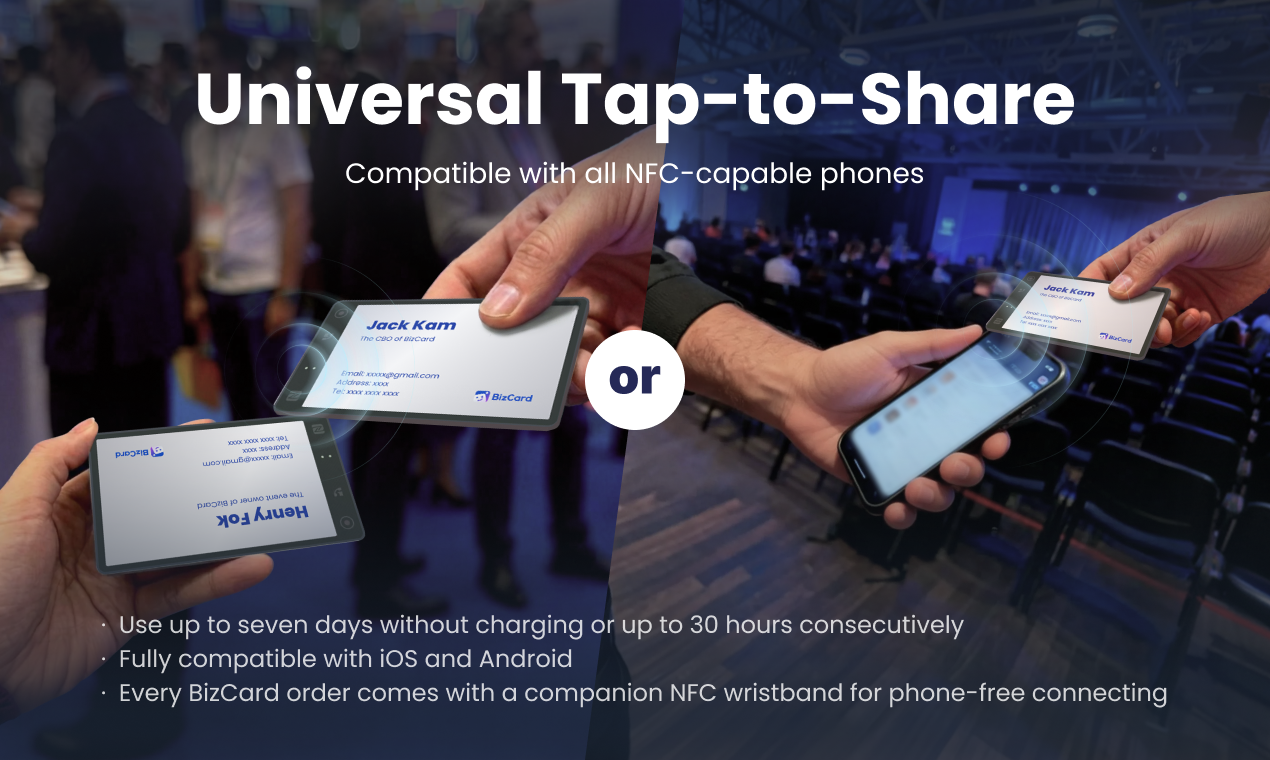
Exchanging LinkedIn QR codes requires you to pull out your phone and break the conversation. BizCard replaces QR codes with a distraction-free E-ink business card that shows your live profile at a glance. Clean, effortless, and human-first networking.

Hey Product Hunt! 👋I’m Jack Gan, cofounder of BizCard — an Eink NFC business card that lets you share your profile with a simple tap without breaking eye contacts.

Over the past few years, I’ve worked on AI agents, but I kept noticing the same simple problem in real life:

even as digital tools got better, my in-person networking felt worse. 🤕

At conferences and meetups 🧑‍💼🧑‍💻, every “great conversation” ended the same way.

Someone said, “Let’s connect,” then we all pulled out our phones 📱, dug through LinkedIn, held up QR codes, waited for apps to load… and the moment was gone ⏳. I went home with dozens of “LinkedIn QR contacts” — and almost zero real follow-ups.

They felt like ghost contacts, not real connections.

BizCard is our attempt at a remedy 💡

With a simple tap on our Eink card, you can share your details instantly — no unlocking phones, no breaking eye contacts 👀🤝

You can customize what the card shows for different events or audiences, but the core idea is very simple:

Stay in the conversation while you exchange details.

With BizCard, you can walk into a trade show or meetup 🎪 and connect with 3, 5, or even 10 people in a row — without everyone inviting their phones into the interaction 🚫📱.

We’re launching an early batch 🚀 for people who are tired of ghost contacts and want more present, human networking ❤️

If this resonates with you, we’d love your feedback and support 🙏

We’ll be in the comments all day 💬 answering questions about the hardware, the design process, and how we’re using BizCard at our own events.

14
回复

@jack_gan congrats

0
回复

@jack_gan Seems a Promising product ! Best of luck !

0
回复

@jack_gan Congrats on the launch... The stay in the moment angle is compelling! How do you help users turn those taps into real follow-ups afterward, so BizCard doesn’t just replace QR codes, but actually increases the likelihood that connections turn into conversations or actions later on?

1
回复

I appreciate both the problem @jack_gan and @haoran_fok are solving, and the solution.

This year, I’ve attended many tech events, and it’s always a drag to pull out my phone, open LinkedIn, hunt for my QR code or the scanner, and add a contact—only to end up with a ghost connection.

BizCard replaces your phone routine with an e‑ink NFC business card that lets people tap to connect, so you can stay focused and engaged in the conversation.

I especially appreciate that you can customize the shared information, including context about where and when you met, which reduces the chances of stacking up more ghost contacts that never materialize. 👻

8
回复

@jack_gan  @haoran_fok  @chrismessina Seems a Promising product ! Best of luck !

0
回复

Hey PH community 👋 — this is Henry, the event owner of BizCard.

How to get started 👇
1️⃣ Scan the QR code on our last gallery image or Click "Visit Website" to download BizCard app

2️⃣ Sign up and complete your profile
3️⃣ Fill out the "First batch users"Form inside the app

We’re giving away our first batch of AI business cards (valued at $200) to selected participants. All campaign details and selection criteria are available inside the app. If you believe real connections deserve better tools, we’d love your upvote and feedback.Let’s connect differently 🚀

7
回复

Hey Product Hunt! So pumped to finally share BizCard with you all. 😊

I'm Kevin,the CPO of BizCard. 👋

I've lost count of how many great sparks died the moment we both started hunting for LinkedIn QR codes. The worst part? Days later, I'd look at a new contact and realize I'd completely lost the context of our conversation.

I designed BizCard to be a distraction-free bridge. A simple tap shares your info without breaking eye contact, while our AI captures the context in the background so you can focus on the person, not the screen.

If you believe networking should be more human and less about phone-fumbling, we'd love your support and an upvote! I'm also curious: What's your biggest pet peeve when meeting people at conferences? Let's chat in the comments! 🚀✨

7
回复

I m gonna tag my BizCard link here, for those who want to see how it looks without our device

https://card.biz/jackkam

Do get a device!! Join the distraction free connecting experience, and find me on CES haha

0
回复

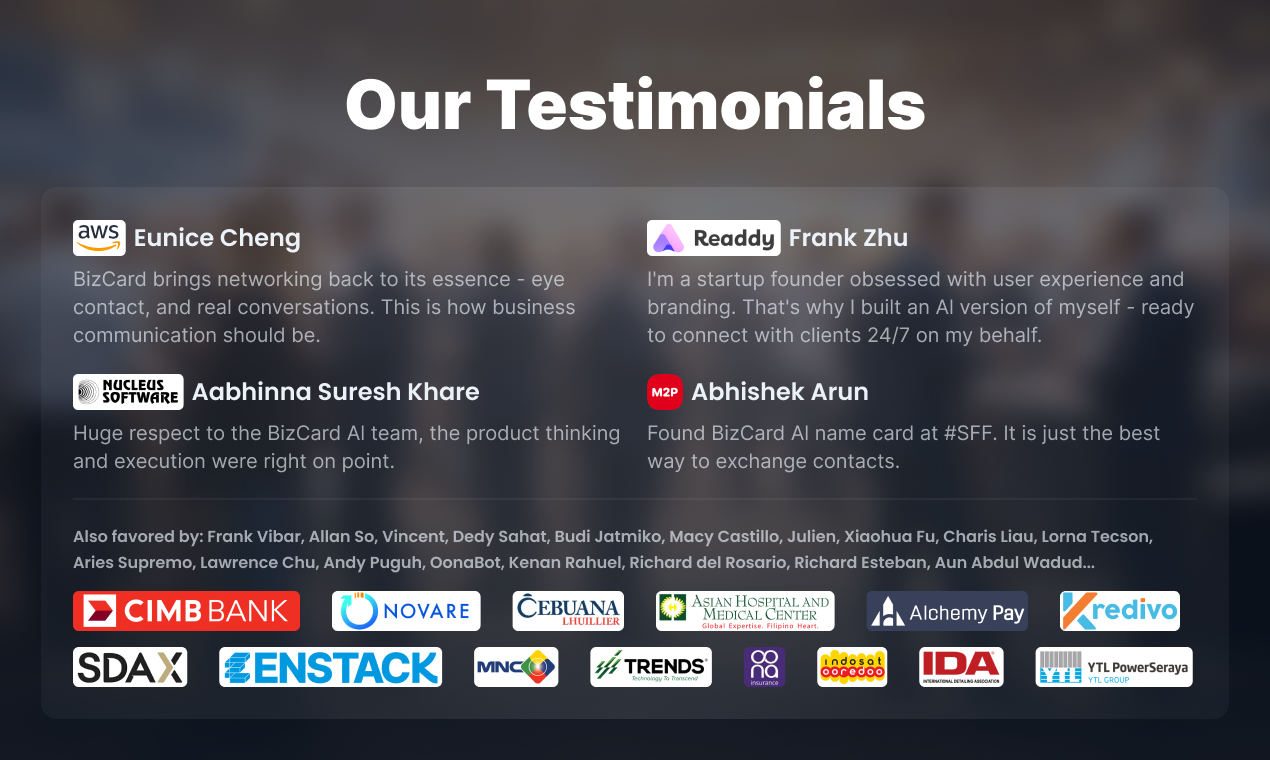
I checked out BizCard at SuperAI in Singapore back in June and was genuinely impressed with the card and the interface. ✨ Excited to see you guys launch. Wishing the whole team a great run ahead! 🚀

3
回复

@harshmanwani wow, great e-meeting u again Harsh! Hope u like our new AI but also “digital free” device! Hha

0
回复

As someone who attends weekly meetups, this could save me hours of post-event cleanup. Curious how well it handles short, chaotic conversations.

3
回复

@eeeeeach Indeed!Networking is messy, so we built the hardware to handle the mess. Those mics are there to catch the 'who and what' even in a loud room. You focus on the vibes and the connection; the AI handles the boring part—the cleanup and the follow-ups.

2
回复

This would also be suitable for conferences. Any plans to team up with, e.g. WebSummit, Slush etc.?

3
回复

@busmark_w_nika Definitely! Besides trade shows, conferences and product communication meetings are our major user scenarios. We also provide various tools combined with AI name cards. Expecting your feedbacks haha

1
回复

I relate a lot to the ghost contacts part. So many great conversations… and then zero follow-ups later.

This feels like a simple and very human fix.

2
回复

@abod_rehman can't agree more!
Feel free to join our communities and be the first batch of our physical card users, would really love to hear feedback from users with similar experiences!

0
回复

Congrats on the launch, Sounds very useful, will use this.

2
回复

This idea really resonates. Pulling out a phone always breaks the flow of a good conversation.

2
回复

Love the product and the creative team! Met @jack_gan at the Singapore FinTech Festival and picked up an NFC wristband. It’s super handy—I can link it directly to my WhatsApp and LinkedIn.

2
回复

We always need better card, maybe vibe coding a webpage to introduce yourself can be a better way

2
回复

@oratis ofc. We also provide a webpage for users who doesnt have BizCard yet. If you got any suggestions on what we need to show on webpage, feel free to share!

1
回复

At first I thought its an app but when I realized it's like an e-ink business card, it started to make sense. It's awesome that you can tap with it to share your contacts... I believe it works via NFC?

1
回复

@pasha_tseluyko Yes! Eink to show. NFC to share :P

0
回复

This would be huge in music. Conferences, showcases, backstage intros — half the time you never actually follow up because the moment breaks. Staying in the convo while sharing info is a great idea.

1
回复

@audearn Exactly! Having fully presented connecting moments r the keys! And we also provide AI notes, so that you will not just have a fully presented meeting, but also all in writing for future references.

0
回复

Cool! Its looks like a real-world Bonjour

1
回复

This nails the awkward “wait, open LinkedIn, hold up QR” moment. E‑ink looks clean. How’s durability in a badge holder? And if someone’s NFC is off, does it fall back to a short URL? I’d try this at my next meetup.

1
回复

@alexcloudstar  haha no more awkward moments. I'm not sure what do u mean by 'durability in a badge holder'. And if someone's NFC is off, the e-ink screen can always display ur QR code for them to scan if they prefer to connect with the traditional way. lol

0
回复

this fits perfectly in meetings and events where pulling out a phone kills the vibe. Calm, quiet, and intentional.

1
回复

@yosun_negi Exactly!

0
回复

Amazing Product!

1
回复

I’ve lost so many leads because I forgot context — this hits hard.

1
回复

@anthony_cai felt the same man! After developing BizCard, got no issues anymore XD

0
回复

I love how this product blends hardware and software without adding more distractions. The E-ink choice makes a lot of sense for real-world networking.

0
回复

Is that powered by NFC?

0
回复

@andrew_wy yes, the instant tap exchange is powered by NFC together with our sophisticated hardware build.

0
回复
#3
GitHub Wrapped 2025
Your Year in Code 2025
260
一句话介绍:一款为开发者提供个人年度GitHub贡献数据可视化总结的工具,在年终回顾场景下,帮助开发者直观洞察自己的编码活动与成长轨迹。
Open Source GitHub Tech
开发者工具 年度总结 数据可视化 个人分析 GitHub生态 开源文化 社交分享 效率工具 趣味应用 代码生涯
用户评论摘要:用户普遍认为产品有趣、有启发性,设计体验好且无需登录是亮点。有效反馈包括:询问对私有仓库活动的处理方式;建议增加按仓库或语言的详细贡献细分;希望持续迭代新增统计维度。
AI 锐评

GitHub Wrapped 本质上是一款精巧的“数据香水”,它嗅探并提炼了开发者日常提交中散发的、未被自我察觉的“编码体味”。其真正价值远非简单的统计罗列,而在于通过精心设计的叙事(如“六月低谷”、“还是太多JS”),将枯燥的提交日志转化为具有情感张力和反思价值的个人故事,从而满足了开发者深层次的“职业身份建构”与“社群认同”需求。

它巧妙地站在了“量化自我”与“社交展示”的交叉点。对于个体,它将不可见的劳动可视化,提供了除薪资和职级外,另一种衡量专业成长的感性标尺。对于社群,其生成的“分享卡片”则成为开发者技术人设的绝佳名片,在社交场中无声地传递着勤奋、持续贡献的积极信号。

然而,其犀利之处也隐含着局限与挑战。首先,它可能强化了以“提交次数”为中心的片面绩效观,忽略了代码质量、架构设计等更本质的价值。其次,数据所有权的暧昧性——基于公开数据生成价值,却由第三方服务封装——始终是悬在其头上的达摩克利斯之剑。最后,产品的长期吸引力高度依赖其叙事的新鲜感与深度,若不能从“趣味总结”进化到“深度洞察工具”(如关联生产力周期、技术栈迁移趋势分析),恐将流于年度一次的社交快消品。

总体而言,它是一个成功的“需求创造者”,将开发者未曾言明的回顾欲,包装成了一个令人愉悦的年度仪式。但其护城河尚浅,真正的考验在于能否将情感共鸣升级为不可替代的、具有严肃参考价值的开发者年鉴。

查看原始信息
GitHub Wrapped 2025
Your Year in Code 2025 - View your GitHub contributions, stats, and coding journey for 2025.
Hey everyone — GitHubWrapped 2025 is live! 🎉 Welcome to githubwrapped.xyz — your personalized, shareable snapshot of the year you spent building: top repos, languages, contribution highlights, and more. We polished the design, tightened the experience, and shipped a few new features based on last year’s great feedback — but we want to keep improving. Give it a spin and tell us: what surprised you most about your year in code? Any stats you'd like to see added for next year? Bugs, ideas, or love — drop them here. Every upvote and piece of feedback on Product Hunt helps us build something you actually want. 🙏 Check it out: https://githubwrapped.xyz/ — Amit Wani (creator)
3
回复

2026 not over yet but still the stats and fun narratives put already are fun and inspiring for doing more next.

0
回复

Fun! And crazy that I actually have stats — viva vibe coding!

0
回复

Tried it on the train. Quick look at my 2025 commits. June slump shows, oof. Still too much JS. No login is nice. Saved the card, tossing in Slack later. Curious how it treats private repo activity. Bookmarking.

0
回复

Love this, it’s a fun and surprisingly reflective way to look back at a year of building.

0
回复
Really cool concept! Does it also break down contributions by repo or language? Would love to see that!
0
回复

Such a cool project

0
回复
#4
Time
Time Zones and Meetings in your macOS menu bar
188
一句话介绍:一款常驻macOS菜单栏的时区与会议管理工具,为全球协作团队提供一目了然的跨时区时间显示、作息可视化和一键加入会议功能,解决因时区差异导致的沟通不便与误打扰痛点。
Time Tracking Meetings Menu Bar Apps
生产力工具 macOS应用 菜单栏工具 时区管理 远程协作 日历集成 隐私保护 买断制 日程管理 全球团队
用户评论摘要:用户普遍认可其为经典开源工具Clocker的精神续作,赞赏其UI、时光滚动条和昼夜可视化功能。主要建议/问题包括:强烈呼吁推出Windows和iOS版本;询问对多日历(Google/Outlook)同步的支持;关注夏令时处理;以及探讨其如何实际改变跨时区会议安排习惯。
AI 锐评

Time看似是一个精致的菜单栏小工具,但其真正的价值在于它精准地切入了一个被主流操作系统长期忽视的“专业缝隙”——全球化工作者的时空协调焦虑。它并非简单的时间显示,而是一个轻量级的“时空情境”仪表盘。

产品的犀利之处在于其“缝合”能力:首先,它缝合了“时间”与“行动”。将静态的时区显示与动态的日历事件、一键加入会议链接结合,把认知负担直接转化为一步操作,实现了从“看到”到“加入”的无缝流转。其次,它用“昼夜可视化”缝合了抽象数字与生理作息,将时差计算转化为直观的色块感知,这是一种卓越的信息设计,降低了用户的认知负荷。

然而,其价值也伴随着明显的局限。其“精神续作”的出身,既是情怀卖点,也暴露了创新上的谨慎。核心的“时光滚动条”概念借鉴自timeanddate.com,其创新更多体现在原生体验的集成而非原创。用户的反馈直指要害:对Windows和移动端的渴求,揭示了其作为macOS单平台工具的天然市场天花板。而多日历支持等问题,则考验着其从“优雅的小工具”向“复杂的枢纽中心”演进时的架构能力。

本质上,Time是“单点极致”路线的产物,在特定平台和场景下提供了远超系统原生功能的流畅体验。但它面临的挑战也在于此:当用户的工作流横跨多个平台和日历系统时,这个精致的菜单栏应用是否会显得力不从心?它解决了“一眼看清”的痛点,但更深层次的、自动化的跨时区日程协调与提议,或许才是下一个战场。买断制和隐私优先是它的美德,但也可能成为其持续迭代和生态扩张的财务与架构约束。

查看原始信息
Time
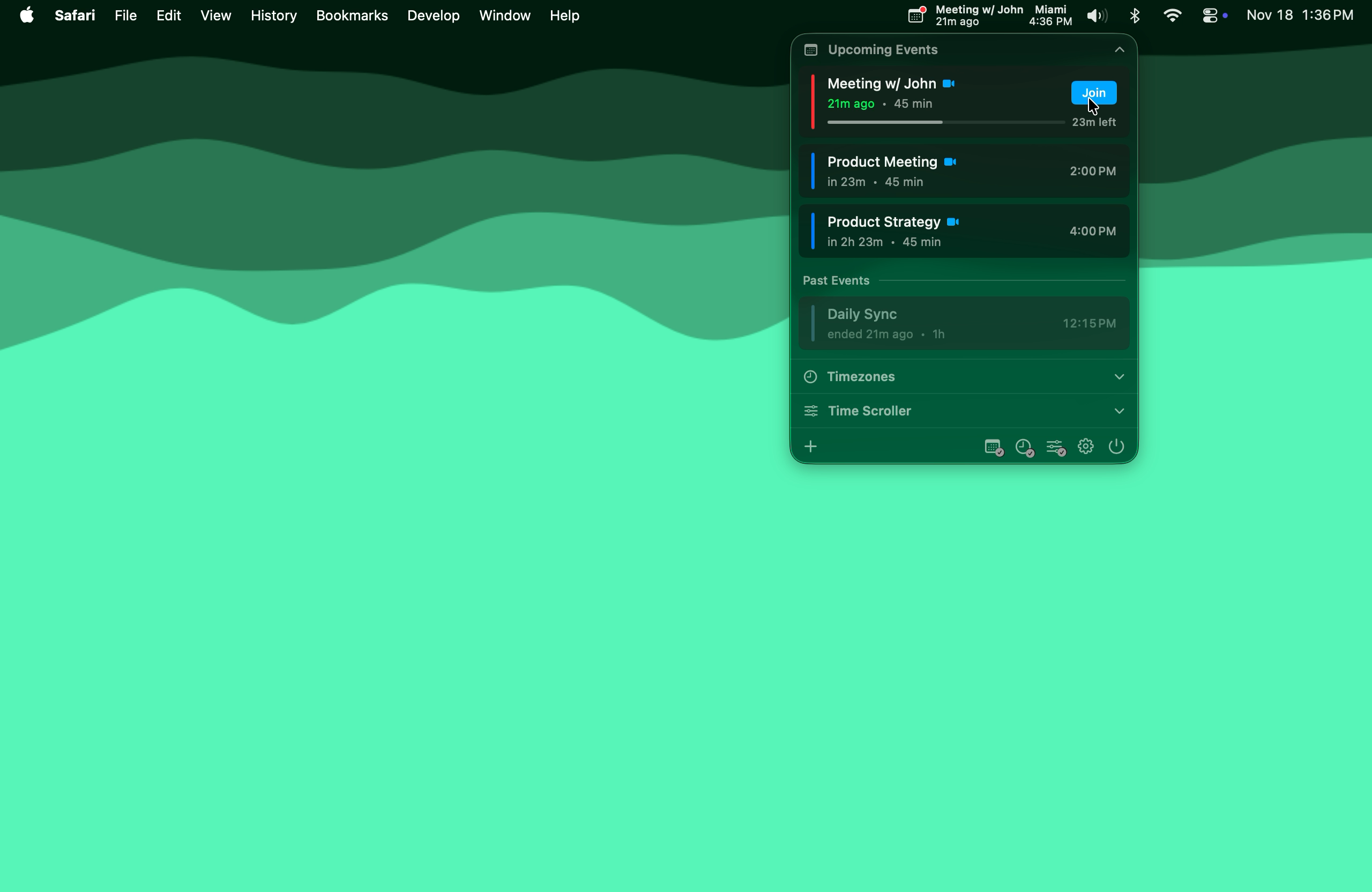
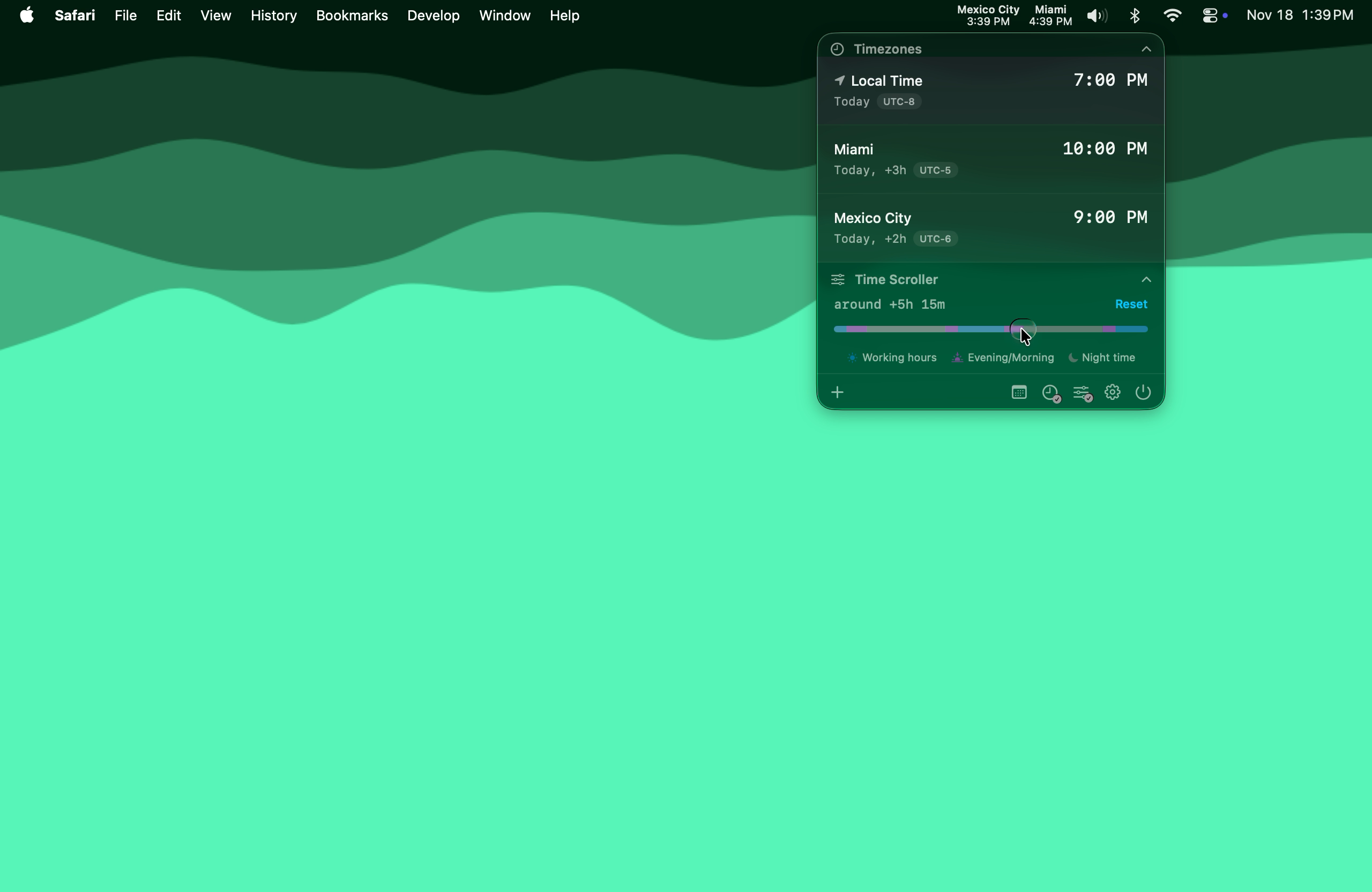
Working with a global team? Time lives in your menu bar, showing multiple time zones at a glance. See when teammates are awake, get meeting warnings, and join Zoom/Meet/Teams calls with one click. No more 3 AM pings.
Hey Product Hunt! I'm Miklós, and I have a confession: Time exists because of Clocker. For years, I used Clocker (https://github.com/n0shake/clocker), an amazing open-source menu bar clock app. It was exactly what I needed for managing time zones while working with a global team. But Clocker hasn't been updated in a while. Someone actually reached out to me asking if I could build an alternative. They'd contacted the Clocker maintainer and learned it wouldn't be getting updates anymore. So I built Time. Consider it a spiritual successor to Clocker, rebuilt from scratch with modern SwiftUI. A few things I'm proud of: The Time Scroller. I'll be honest, I shamelessly stole this idea from timeanddate.com's world clock converter. That slider that lets you preview times across zones? Pure genius. I just made it native and put it in your menu bar. Day/Night visualization. Instantly see who's asleep without doing timezone math at 6 AM. Calendar integration. See upcoming meetings and join Zoom/Meet/Teams with one click. No more hunting for links. Privacy-first. Your calendar data never leaves your Mac. Zero tracking. One-time purchase. No subscriptions, yours forever. Huge thanks to Abhishek Banthia (n0shake) for the original Clocker inspiration, and to timeanddate.com for the Time Scroller concept. I'd love your feedback! What would make Time even better for your workflow?
2
回复

@kmikiyy Make it for Windows 🙂 It’s been my headache for decades 😄

0
回复

@kmikiyy Seems a Promising product ! Best of luck !

0
回复

Nice app ! The ui is very well done

1
回复

Been limping along with Clocker. This looks like the grown-up replacement. The scroller + day/night strip makes sense. Team is SF↔Berlin, so one‑click join + privacy is clutch. Curious about DST weeks. Installing to save my 3am brain from timezone math.

1
回复

Hey there! Cool Product! Made a short form video about it on all my socials! Love these niche little tools like this.

0
回复

It's so convenient... Because the native Apple Clock app is just unusable, they failed to make such simple things, for example, it's impossible to show 4+ time zones on the iOS widget, and the time presented in the manual clock design. I hope you make an iPhone app one day!

0
回复

This is helpful considering I'm in LA and my merch designer is in Sydney, AUS while my main video editor is in Russia haha. I'm always asking Siri what time it is in those places so I don't accidentally ping those guys and wake them. I'll check this out!

0
回复

The day/night visualization is a nice touch. Has that actually changed how you schedule meetings across time zones?

0
回复

@abod_rehmanI actually use it more to plan destinations I want to go to and to check whether they are not too far off from my teammates’ time zones.

0
回复

Mac menu bar real estate is so valuable, so I love that this combines time zones and meetings in one spot! 🕒 Does it support syncing multiple calendars (like personal Google Cal + work Outlook) at the same time? That's always the struggle for me.

0
回复

Loved this tool

0
回复

@sandradjajic will love this tool! :D

0
回复
#5
Dropstone
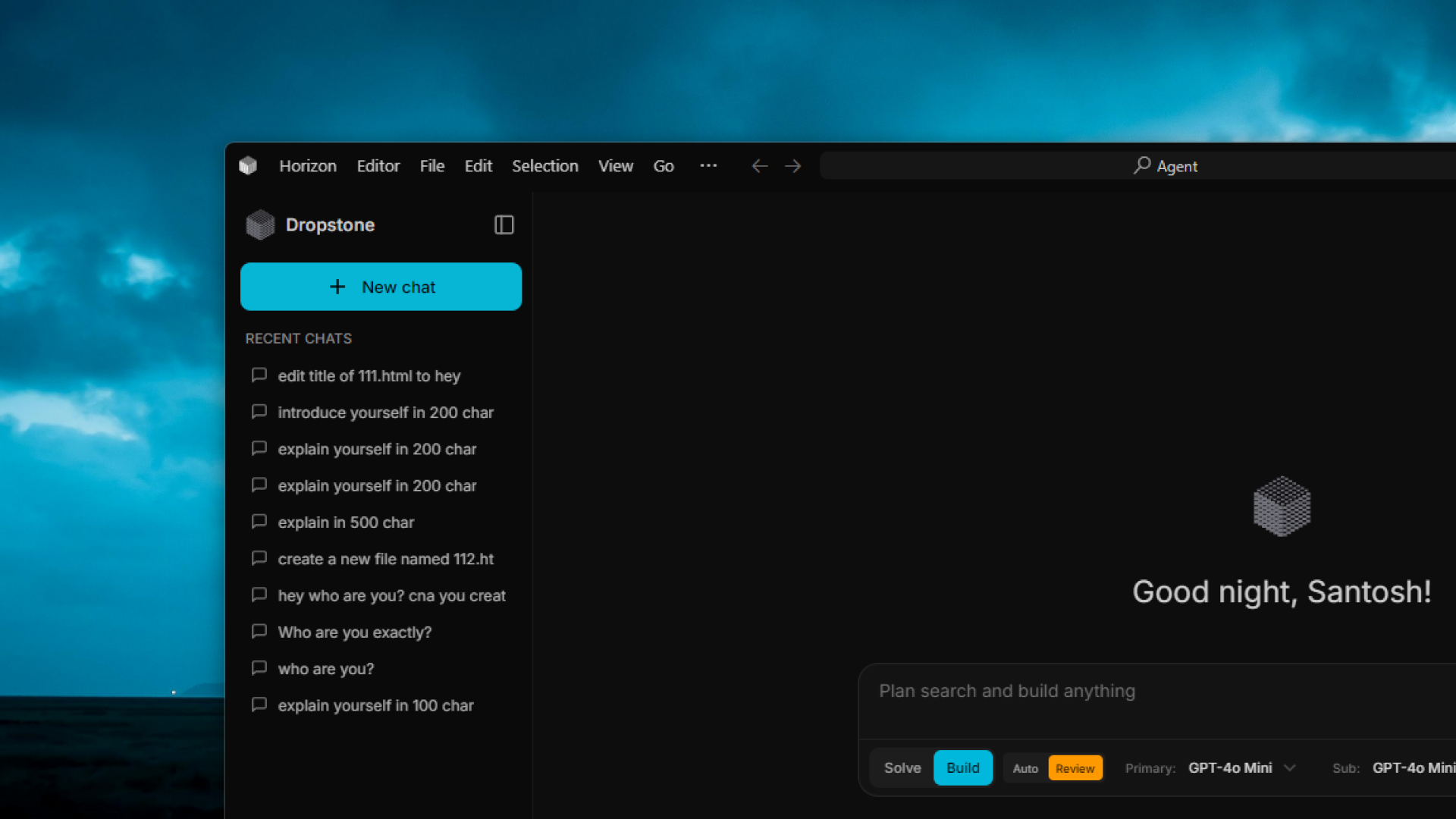
The Recursive Swarm IDE. 10,000 Agents in one tab
179
一句话介绍:Dropstone是一款基于递归群架构的AI编程IDE,通过模拟上万条并行路径来提前发现并修剪错误,解决了传统AI编码工具因线性预测导致的错误累积和上下文遗忘痛点,适用于复杂代码重构和疑难Bug排查等场景。
Productivity Developer Tools Artificial Intelligence
AI编程IDE 递归群架构 多智能体 代码生成 实时错误检测 神经符号推理 上下文压缩 软件开发工具 编程辅助
用户评论摘要:用户关注其技术实现(如群共识机制、计算负载)、实际效果(如何避免“纸上谈兵”)及兼容性(VS Code、Linux)。开发者积极回应,解释了云端计算以保轻量、强调代码实际执行验证、并因安全沙箱问题暂缓Linux支持。
AI 锐评

Dropstone v3 宣称的“递归群”架构,本质上是将蒙特卡洛树搜索思想应用于AI编程领域,用并行探索替代线性链式思考,这在理念上是一次有价值的跃迁。其真正锋芒并非“一万个智能体”的数字噱头,而在于将“编译执行”作为核心验证反馈环——让智能体在沙箱中真实运行代码,用构建失败或测试错误作为修剪分支的信号。这直击了当前AI编码工具“逻辑幻觉”的命门,试图将代码生成从概率文本游戏拉回确定性工程实践。

然而,其面临的挑战同样尖锐。首先,技术债隐藏在“动态蒸馏”等自有术语中,其上下文压缩技术(D3引擎)的实效与长期稳定性有待大规模验证。其次,尽管通过异构路由(混合使用大小模型)控制成本,但大规模并行执行带来的经济与延迟成本,是否能在复杂任务中持续保持“效率优势”,仍是问号。最后,其暂缺Linux版本暴露了安全沙箱设计的严峻性,这恰恰是“执行搜索”模式不可妥协的基础设施,也折射出将实验室概念转化为鲁棒商业产品的典型鸿沟。

总体而言,Dropstone 展现了一条超越“下一个Token预测”的务实路径:用工程化手段(执行、测试)约束AI的创造力。它不一定能完全解决“交织型”复杂问题,但为AI编程工具从“辅助生成”迈向“自主工程系统”提供了一个值得深思的范本。其成功与否,将取决于在真实、庞杂的代码库中,群智能的“广度搜索”能否持续且高效地转化为开发者可感知的“深度洞察”。

查看原始信息
Dropstone
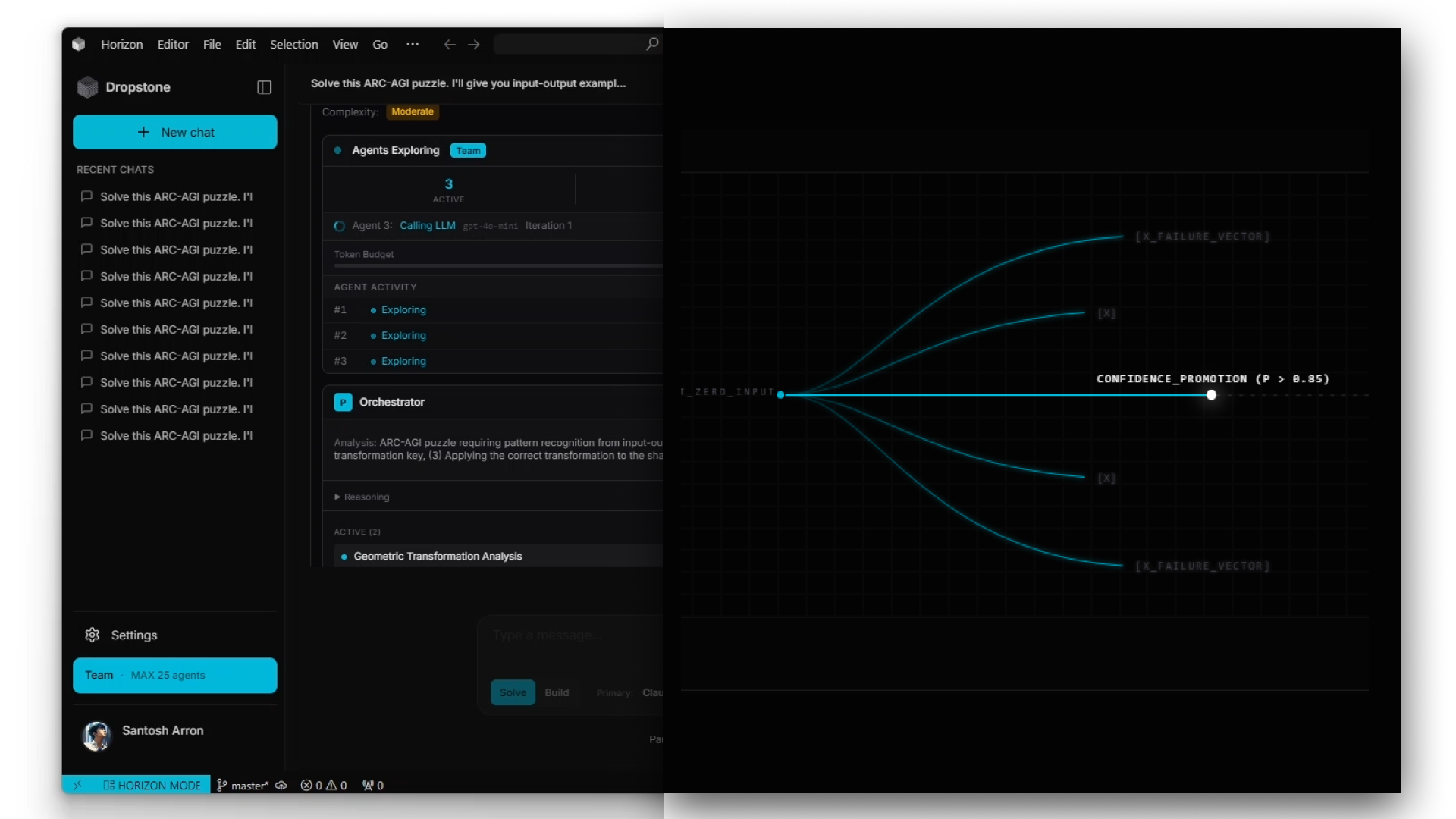
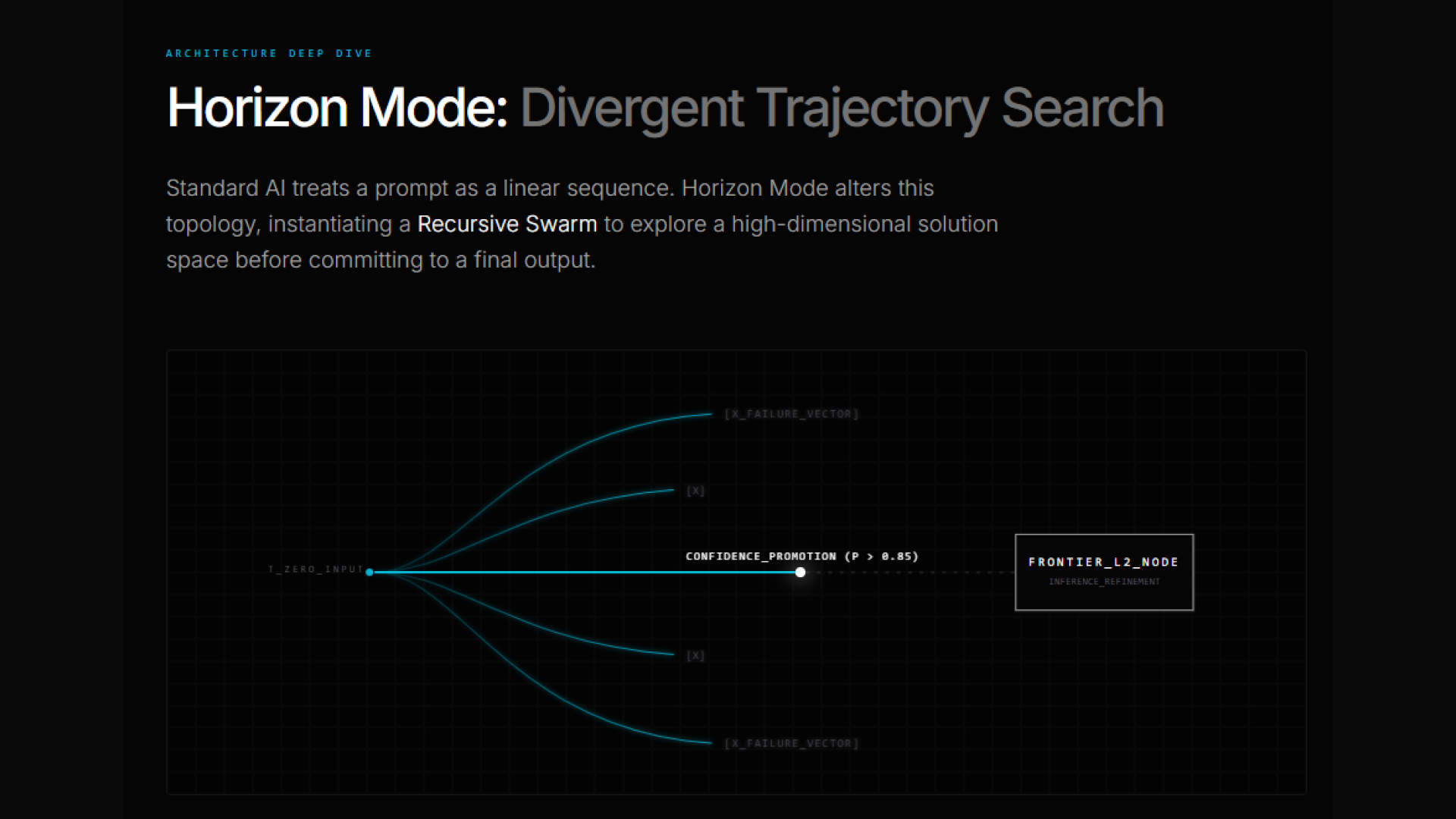
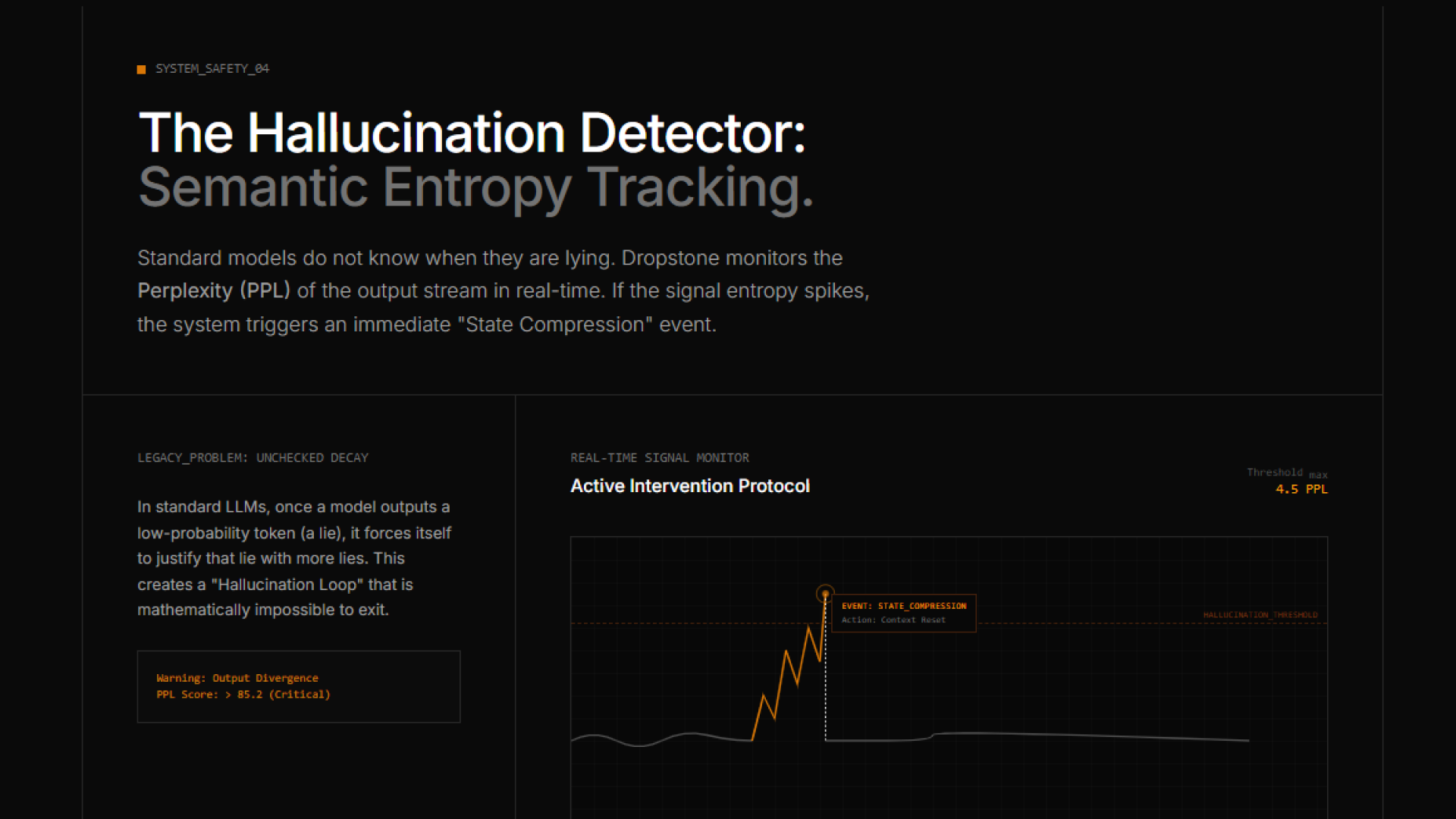
Dropstone v3 breaks the "Linearity Barrier" in AI coding. Powered by the proprietary D3 Engine (Dynamic Distillation & Deployment), it replaces linear token prediction with a Recursive Swarm Architecture. It simulates 10,000+ divergent timelines to prune errors before they happen. Features Horizon Mode for architectural planning and Semantic Entropy Tracking for real-time hallucination defense.

Hi Product Hunt! We are the team at Blankline.

Like many of you, we saw Andrej Karpathy's tweet about feeling "left behind" as programmers. We felt it too. But we realized the problem isn't the engineers—it's the tools.

Standard AI coding tools hit a "Linearity Barrier." They predict the next token, then the next. But real engineering isn't linear; it's a tree of possibilities. If the model makes one mistake at step 5, the whole codebase is broken by step 50.

So we built Dropstone Horizon.

It’s not just a wrapper. It’s a neuro-symbolic runtime that spawns a Recursive Swarm of up to 10,000 "Scout" agents to explore divergent solution paths in the background.

  • Scouts find the dead ends so you don't have to.

  • The D3 Engine compresses the context so you can work for 24+ hours without the AI "forgetting" the plan.

We built this because we wanted an IDE that could actually think, not just guess.

We’d love your feedback on our Distributed Reasoning Architecture. Does this solve the context fatigue you feel in other tools?

LIVE DEMO: I’ll be demonstrating the core capabilities and real-world use cases of the D3 Engine shortly on X. Follow along here to see the engine in action: https://x.com/santosh_arron

2
回复

For the engineers asking about the topology: We believe in building in public. Here are the technical whitepapers behind the runtime:

1. The D3 Engine (Logic-Regularized Autoencoding): https://archive.blankline.org/api/media/file/d3_engine_public_release%20(1)-1.pdf (See Page 5 for the 'Logic-Regularized' compression method).

2. Horizon Mode (Recursive Swarm Topology): https://archive.blankline.org/api/media/file/horizon_mode_public_release%20(1).pdf (See Page 6 for the 'Flash-Gated Consensus' protocol).

We invite you to tear apart our architecture. If you find a flaw in the consensus logic, let us know.

4
回复

@santosharron The swarm-based exploration is ambitious. How do you surface and prioritize the right solution path for the developer, so the system’s depth and parallelism feel empowering, not overwhelming or opaque during real-world coding sessions?

0
回复

10k agents in one tab sounds nuts. Horizon Mode for planning + the entropy thing for hallucinations… if it actually trims dumb paths before they happen, that’s a win. Curious how heavy it is on my laptop and if it plays nice with VS Code. Saving to poke later.

0
回复

@alexcloudstar Valid concern! 10k agents running locally would definitely be a fire hazard.

For this beta, we actually run the entire Scout swarm via our API to keep it lightweight. Our servers do the heavy lifting, so your laptop executes zero inference. We're adding a fully local option later for the privacy diehards, but right now we eat the compute cost so your machine stays cool.

As for VS Code - it's built on the same open-source core, so all your extensions and themes work out of the box. No need to 'switch' really.

Give the entropy graph a look, it’s honestly pretty satisfying to watch the bad paths get killed off.

0
回复

Love the "infinite possibility swarm maze runner approach" to finding the best possible solution. However, finding the best possible solution often involves intersecting trail and error with testing / logging. Not just simulating theoretical solutions. Miss that insight on step 5, and all future paths breaks, but youd never know about it. So the presented optimal solution in the end, is not only wrong, its probably very wrong and not even remotly related to initial ask. This might work for simple stuff thats easy to simulate, but hard problems are often hard because they are intertwined. But I guess this is more for solving hard problems that are solveable in "oneshot" attempts. That being said. This is really cool! What are some problems you have seen it solve that blew your mind? That normal AI agentic coders wouldnt even come close to solving.

0
回复

@conduit_design You nailed the core problem with 'Chain of Thought'—it’s just 'Chain of Hallucination' if you don't execute.

To clarify: We don't just simulate. We execute.

Every 'Scout' in the swarm is running inside an ephemeral sandbox with access to the compiler and runtime. As detailed in the Horizon Paper (Section 3.1), agents 'write, compile, fail, debug, and iterate in real-time.'.

If a Scout writes code that looks correct but fails the build log, that branch is pruned instantly. We treat the compiler error as a negative reward signal.

Two examples of where this 'Execution Search' blew our minds vs. standard linear agents:

1. The 'Circular Dependency' Refactor: We asked it to refactor a core utility used by 50+ files.

  • Linear Agents: Fix File A → Break File B → Fix File B → Break File A. (Infinite Loop).

  • Dropstone: The swarm spawned agents to traverse the dependency graph. It held the state in 'Latent History' and only committed the change once the entire dependency tree compiled successfully (L3 Verification).

2. The 'Heisenbug' Hunt (Race Conditions): We had a bug that only appeared 1% of the time.

  • Linear Agents: Ran the code once, saw it passed, and said 'Fixed!'

  • Dropstone: We forced the swarm to run 'Property-Based Testing' (Page 6 of D3 Paper). It spawned 100 tiny scouts with randomized inputs (fuzzing) until one triggered the crash, then back-propagated that failure vector to the main solution.

Great insight on the testing/logging necessity. That is exactly why we built the D3 Engine.

1
回复
This sounds wild - I would love to try it. Any Linux build on its way? 😁🙏
0
回复

@northguard Honestly, We are dying to ship the Linux build, but we are currently holding it back for one specific reason: Sandboxing Integrity.

Since Dropstone agents actually compile and execute code in the background , we rely on strict kernel-level syscall filtering to prevent 'Instrumental Convergence' risks (basically, preventing an agent from accidentally running rm -rf / to solve a disk space error).

Standardizing that 'Adversarial Oversight' layer across every Linux distro’s seccomp/BPF configuration is proving to be a non-trivial challenge. We refuse to ship a recursive swarm that executes code without a mathematically verified containment field.

It is top of our roadmap, but we won't release it until the sandbox is impenetrable.

0
回复
@santosharron sounds reasonable 😅 Is there some community work on this? Is Cursor, Antigravity or some other group working on this level of safety for their agents? I hope we get past this hurdle soon 😁
0
回复
Monte Carlo meets AI models? Fascinating. I have so many questions. is the output the set of all scouts or do they converge to a consensus? From your experience, how many scouts do you actually need? i.e. how different is scout to scout? This seems very comput heavy. Any optimizations you've found? In general, love the concept.
0
回复

@dakota_burrow Spot on with the Monte Carlo analogy, Dakota. That was actually our internal mental model during development (shifting from 'Next Token' prediction to 'Trajectory Search').

To answer your questions:

1. Convergence: It converges. We use a 'Flash-Gated Consensus' (Page 6 of the Horizon paper). We don't average the outputs; instead, if a Scout passes the unit tests (L3 Verification), it emits a 'Flash Signal' that freezes the swarm and promotes that single winning state to the Frontier Model.

2. Scout Diversity: It varies by task entropy. For simple refactors, ~50 scouts usually suffice. For complex architectural queries, we've seen the swarm spike to 2,000+ branches to find the 'P < 0.05' edge case. We force diversity by randomizing the temperature and system prompt slightly for each Scout batch.

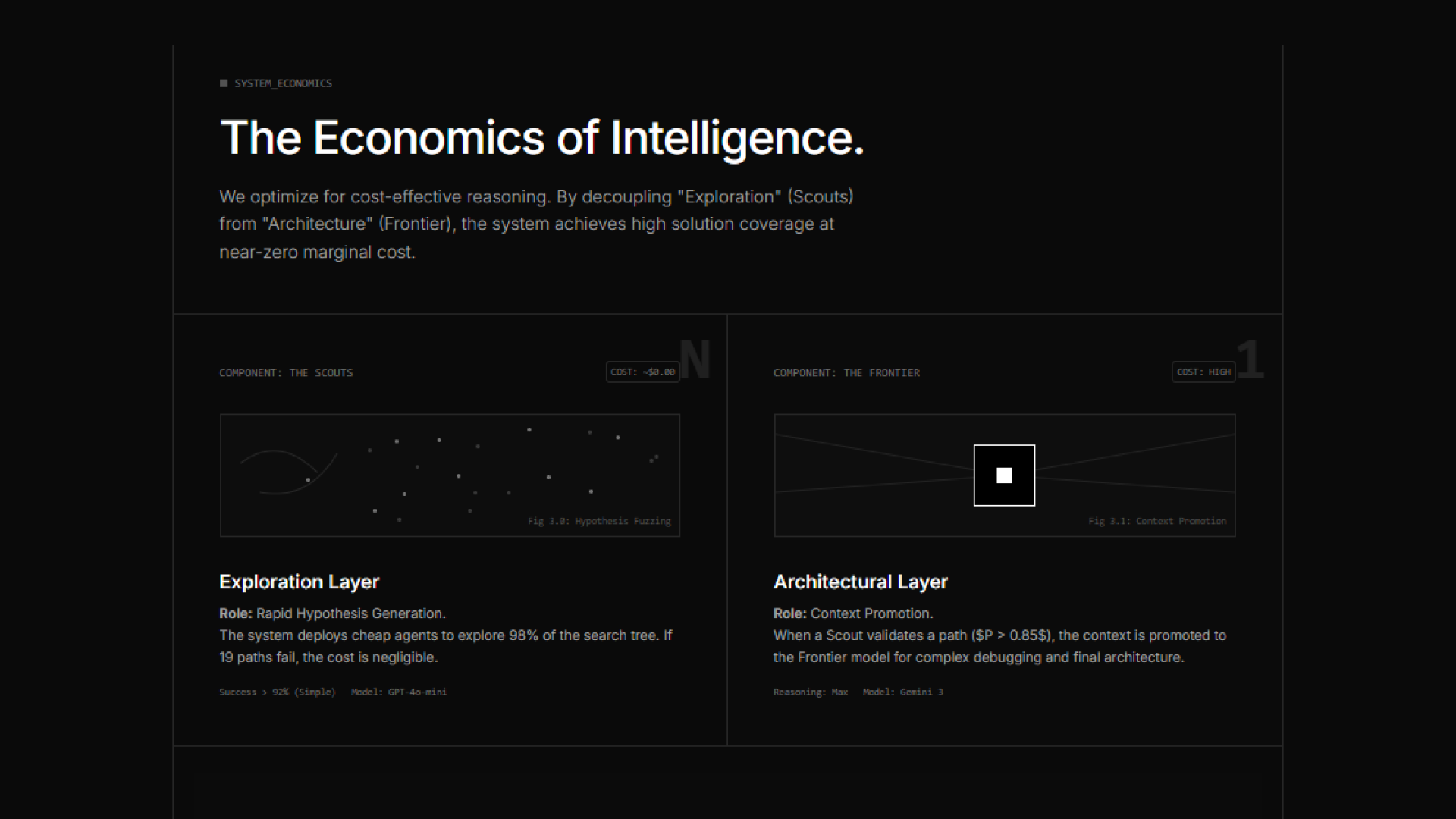
3. Optimizations: This is the critical part. If we ran 10k GPT-4 agents, we'd go bankrupt in an hour. The Fix: We use Heterogeneous Routing (D3 Paper, Page 5). 98% of the 'Scouts' are cheap 8B models (Llama 3 or Haiku). We only pay for the heavy compute (Opus/Sonnet) when a path is already verified.

Great questions. Let me know if you run into any bottlenecks on the local runtime.

1
回复
#6
ExtraBar
Build precise Mac actions and trigger them from the bar
158
一句话介绍:一款将macOS菜单栏变为可定制命令中心的效率工具,通过深度链接和自定义动作,为设计师、开发者等高频切换工作场景的用户解决了操作繁琐、路径过深的痛点。
Mac Productivity Menu Bar Apps
效率工具 macOS优化 菜单栏增强 深度链接 自动化触发 键盘快捷操作 开发者工具 隐私安全 工作流管理
用户评论摘要:用户普遍认可其解决“速度与意图”的核心痛点,超越Bartender等仅隐藏图标的工具。高度评价深度链接与脚本执行的结合,认为其是“工作流工具”。主要建议/问题集中在:希望扩展支持深度链接的预设应用库,并询问是否有预设分享社区。
AI 锐评

ExtraBar的实质,并非简单的菜单栏美化,而是试图在操作系统层面构建一个轻量级的“意图执行层”。其真正价值在于两点:一是将“深度链接”这一移动端和Web常见概念系统性地引入桌面端系统交互,实现了从“打开应用”到“直达应用内具体对象(会议、文件、频道)”的范式转变;二是将菜单栏从“状态显示器”重新定义为“命令发射器”,通过聚合脚本、快捷指令和预设动作,使其成为全局工作流的控制枢纽。

然而,其挑战同样明显。首先,深度链接的稳定性和广泛性严重依赖第三方应用的开放程度,这构成了其能力的天花板。其次,产品在“浮动条”和“内联模式”间提供选择,虽显灵活,但也可能分散开发焦点,且浮动条模式实已与菜单栏原生形态分离,面临与Raycast、Alfred等成熟启动器的直接竞争。后者拥有更强大的插件生态和用户基础。

当前定价策略(买断制)和隐私承诺是其亮点,但在一个由免费增值模式主导的工具市场,能否依靠解决“高频用户的高级痛点”这一细分市场获得足够增长,仍需观察。它更像是一把为专业工作流精心打造的“手术刀”,而非面向大众的“瑞士军刀”,其成败将取决于能否在设计师、开发者群体中形成口碑,并构建起用户共享预设的生态,以弥补官方预设的有限性。

查看原始信息
ExtraBar
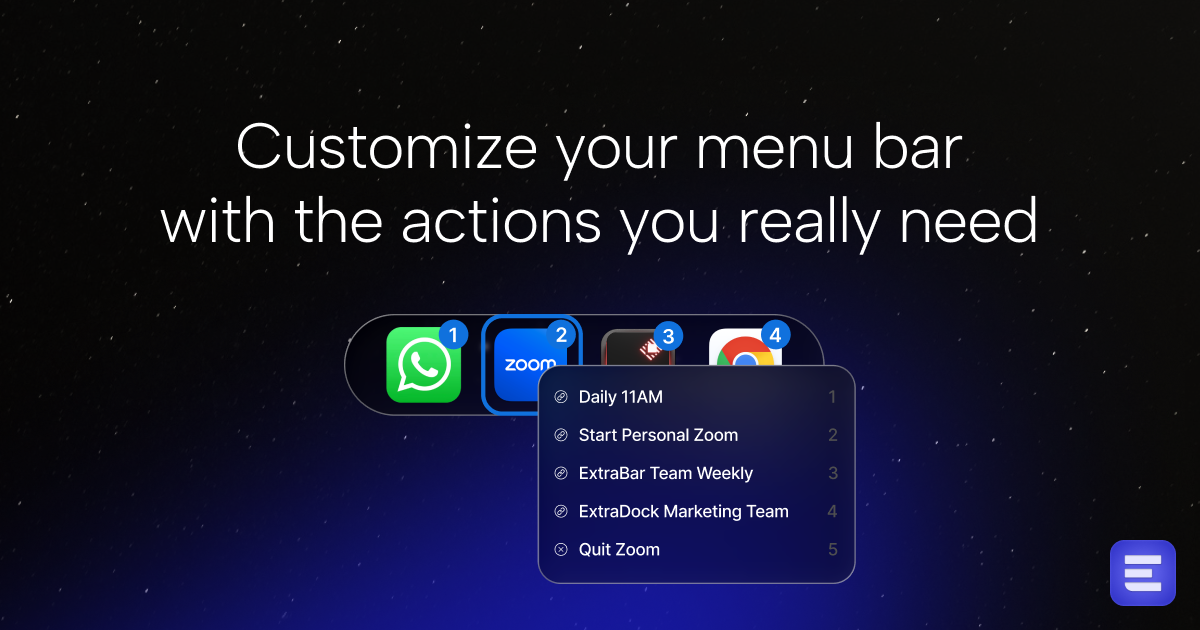
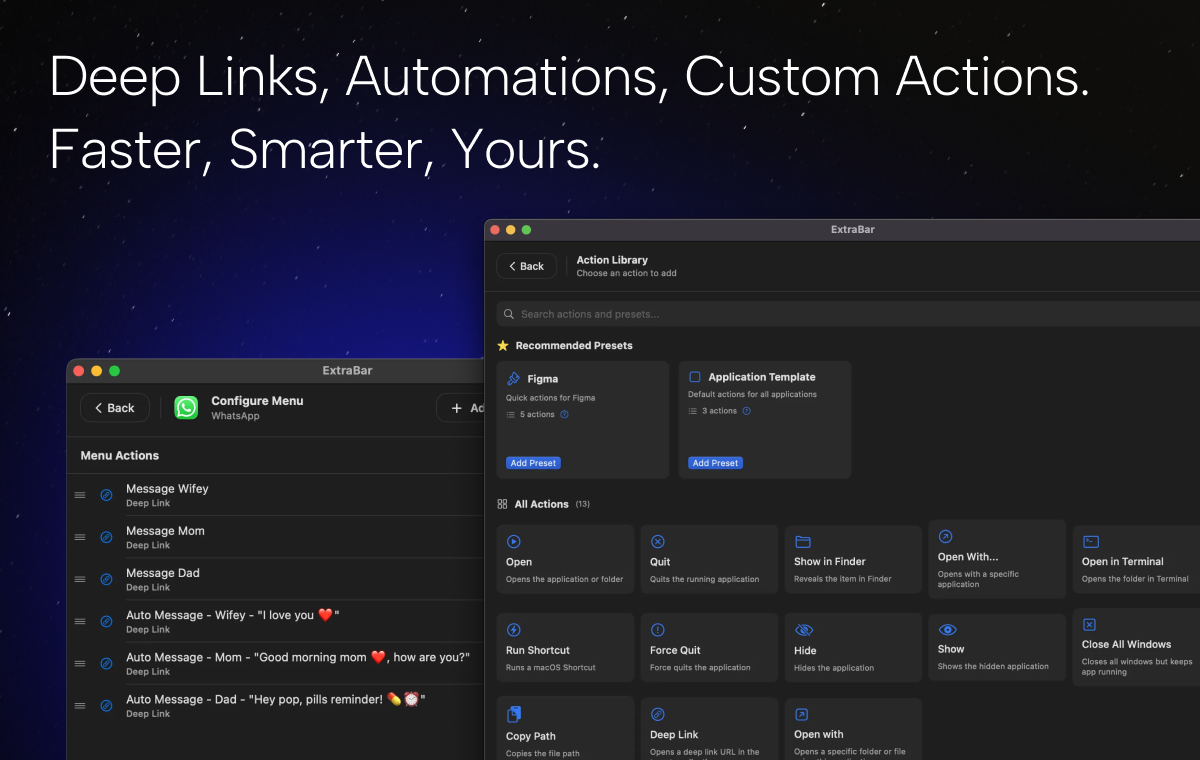
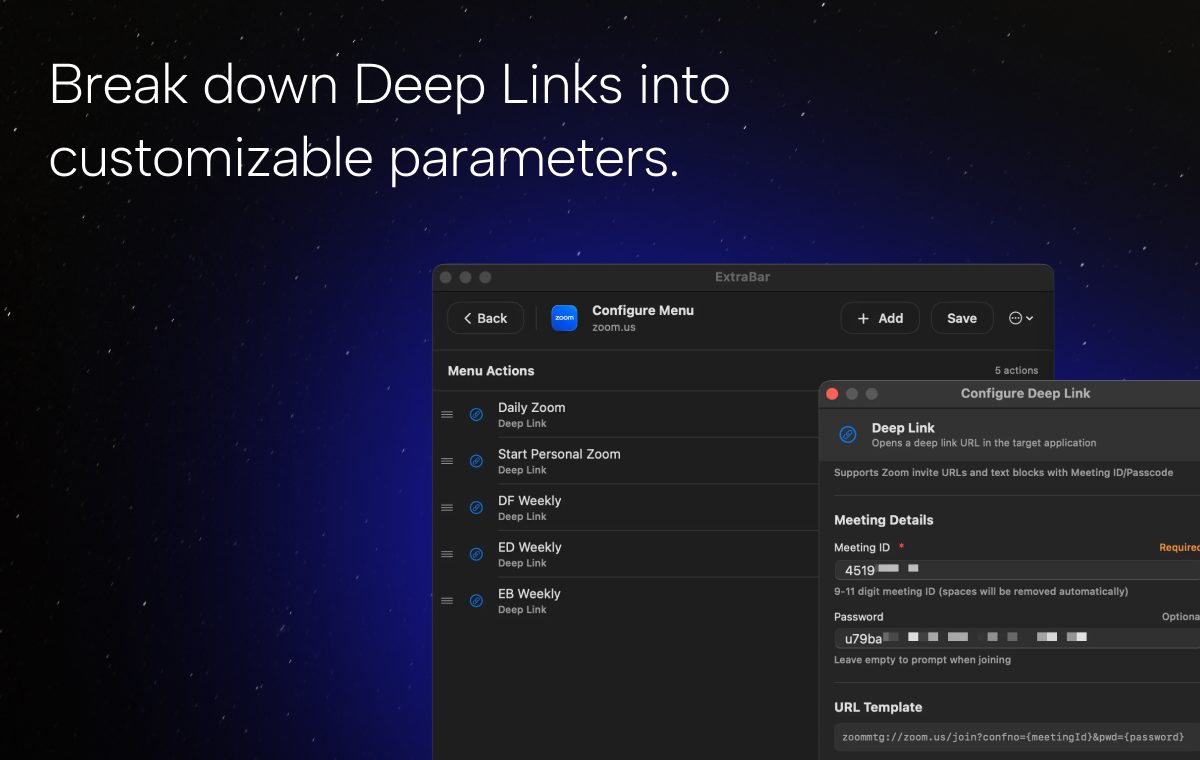
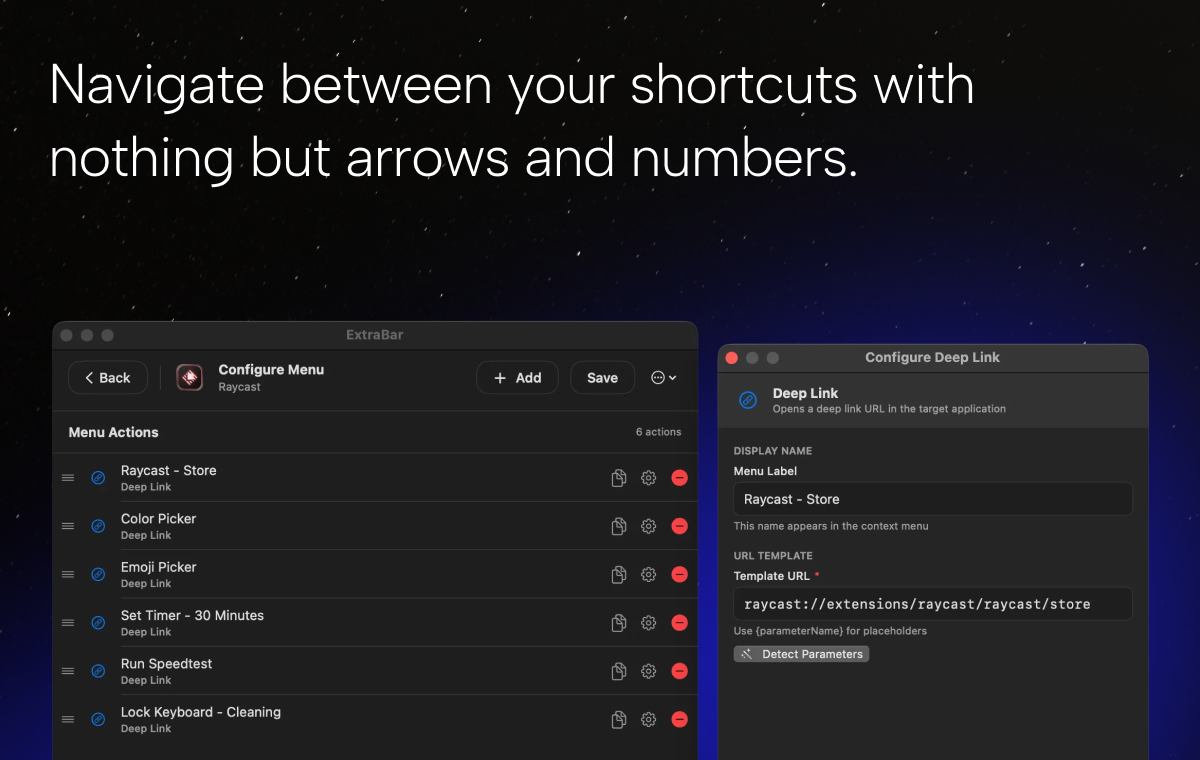
ExtraBar transforms your macOS menu bar into a customizable command center. Jump to Zoom meetings, Slack channels, VS Code projects, or Figma files instantly. Deep link into apps, run scripts, trigger automations, and access anything with keyboard shortcuts. Built for designers, developers, and anyone tired of clicking through endless menus.

Hey Product Hunt!
I'm Asaf, the maker of ExtraBar.
After creating DockFlow and ExtraDock - macOS apps that improve productivity and unlock unlimited options for Dock customization, I found a new issue in my workflow.

Yes, it is nice to have a complete workspace shift using DockFlow shortcuts, and to have multiple docks for different uses that hide and show whenever you need them, where you need them.

BUT sometimes you need to quickly open your personal Zoom meeting or a client's project when they message you, and you don't want to replace your entire workspace.
Looked at my macOS menu bar and found an incredibly large number of useless icons that I never use.
Most of the menu items in the apps that I use don't have what I need.

So this is how ExtraBar started to bake in my mind.
After a few months of exploration, learning the domain, three pivots for different solutions,
ExtraBar is live, and I can't live without it already.

I'm a developer who constantly switches between Code projects, jumps into Zoom meetings, checks Slack channels, and accesses Figma design.
The built-in menu bar made every one of these tasks slower than it should have been.
Click, navigate, search, click again. Repeat 50 times a day.

Apps like Bartender and Ice help hide icons, but they don't help you actually do things faster.
I wanted deep links, custom actions, and keyboard shortcuts without installing a dozen helper apps.

What makes it different:
Deep links that work:
Jump straight to Zoom meetings, Slack channels, Spotify playlists, Notion pages, Figma files, and Code projects. No more navigating through 5 levels of menus.

Real actions:
Run shell scripts, trigger Shortcuts, execute Terminal commands.
Every item has a customizable right-click menu with 16 action types.

ExtraBar runs in two modes:
Floating Bar (sleek, auto-hide window and customizable) or Inline Mode (native menu bar icons). Switch fast based on your workflow.

36+ app presets:
Smart defaults for dev tools, design apps, communication platforms, and productivity apps. Works out of the box.

Complete keyboard control:
Global hotkey, custom shortcuts for every action, zero mouse required.
Privacy-first: No network access. No data collection. Everything stays on your Mac.

Launch Special: €9.99 until January 31st (regular price €24.99)
Lifetime license. All future updates included. 14-day money-back guarantee.

Check the website at: https://extrabar.app.


I'd love your feedback:
What would make this even more helpful for your workflow?
Which apps would you like to see support deep link presets?
What actions are missing that you'd use daily?

Thanks for checking it out.
Happy to answer any questions.

Asaf

12
回复

@appit_studio Seems a Promising product ! Best of luck !

0
回复

@appit_studio This hits a real pain point that most macOS users don’t articulate well. Hiding menu bar icons was never the real problem. The problem is speed and intent. Jumping straight into a Zoom room, a specific Slack channel, or a Figma file without context switching is huge. The deep links + real actions combo is what makes ExtraBar feel like a workflow tool, not a cosmetic one. Love that it’s privacy-first and local only too. That matters more than people admit.

1
回复

@appit_studio What stands out to me is how ExtraBar goes beyond tools like Bartender or Ice. Those help you clean up the menu bar, but ExtraBar actually helps you do things faster. Deep links, shell scripts, shortcuts, keyboard-first control. This feels like a control layer for macOS, not just a UI tweak. Floating Bar vs Inline Mode is a smart touch as well. Curious to see how people in dev and design workflows adopt this long term.

1
回复

This one seems very convenient. It's so sad Apple has stopped caring about improving Mac usability! But it's so great that people are building it for high performers and shortcut lovers!

1
回复

@pasha_tseluyko They gave us great opportunities to build solutions 😄

0
回复

Congratulations on launching another fantastic app! Looks awesome!

1
回复

@kamil_d Thank you!

Glad you liked it 😄

Means a lot when it comes from you 🙏

1
回复

Deep links + shell scripts in the menu bar is brilliant. 🤯 I've been using a mix of Raycast script commands and Shortcuts, but having a visual "dashboard" for actions right in the menu bar seems way faster for clicking between Zoom/Slack contexts. Is there a library of pre-built presets we can browse?

1
回复

@sumit_deepenrich Thank you!

Glad you liked it,
Yes, there is a library of actions in the app.
And more will be available 😄

We build custom settings for popular apps such as Figma, Cursor, and Zoom.

Let me know if you managed to test it ,and for any questions or requests, feel free to contact me 🙏

0
回复

I tried it thanks to a friend’s recommendation, and it turned out to be the best product I didn’t know I needed. Having a visual UI for complex automated actions I previously had to do manually is a huge productivity boost - especially great for people with ADHD.

0
回复

@gabi_balko Thank you so much!
Glad you liked it 🙏

0
回复
#7
InstallKit
Set up your new Mac in minutes, not hours.
155
一句话介绍:一款通过生成单一Homebrew命令,帮助Mac用户在新机配置或系统重装时,一键批量安装必备应用,极大节省手动查找和安装时间的工具。
Mac Open Source GitHub Search
Mac工具 开发效率 一键部署 Homebrew 新机设置 批量安装 生产力工具 开发者工具 系统配置
用户评论摘要:用户普遍赞赏其概念简单高效,解决了Mac设置的痛点。有效建议包括:支持保存配置或团队模板、探索通过推广合作进行商业化。被认为是开发者友好型工具,尤其适合团队标准化和频繁换机的自由职业者。
AI 锐评

InstallKit的本质,是将一个高阶用户(开发者)圈子内熟知的“Homebrew Cask”能力进行了极致的平民化封装和场景化包装。它的真正价值不在于技术突破,而在于精准的体验重构和场景捕捉。

它敏锐地刺中了两个核心痛点:一是“新Mac开箱”或“系统重装”后,那种面对空白机器、需要重复数十次机械式搜索-下载-安装操作的心理倦怠感;二是团队环境中,为新成员统一配置开发环境的效率瓶颈。通过将图形化点选与命令行的高效性结合,它在易用性与自动化力量之间找到了一个优雅的平衡点。

然而,其商业模式和护城河也面临清晰拷问。首先,其功能严重依赖Homebrew这一开源生态,自身更像一个精心设计的“前端界面”,可替代性较强。其次,评论中提到的“推广合作”商业化路径是一把双刃剑:一旦引入付费排名或推广,其作为中立、纯净工具的信誉将面临挑战。最后,其功能深度目前较浅,如不支持复杂的环境变量配置、个性化设置等深度定制需求,这限制了其在专业开发者工作流中的渗透率。

它的成功,验证了“简化已知但繁琐的流程”这一市场始终存在。但若想从“有趣的小工具”成长为“不可或缺的平台”,下一步必须思考如何构建网络效应(如共享配置社区)或深化工作流集成(如与配置管理工具Ansible、dotfiles仓库联动),否则很可能止步于一个漂亮的“一次性使用”工具。

查看原始信息
InstallKit
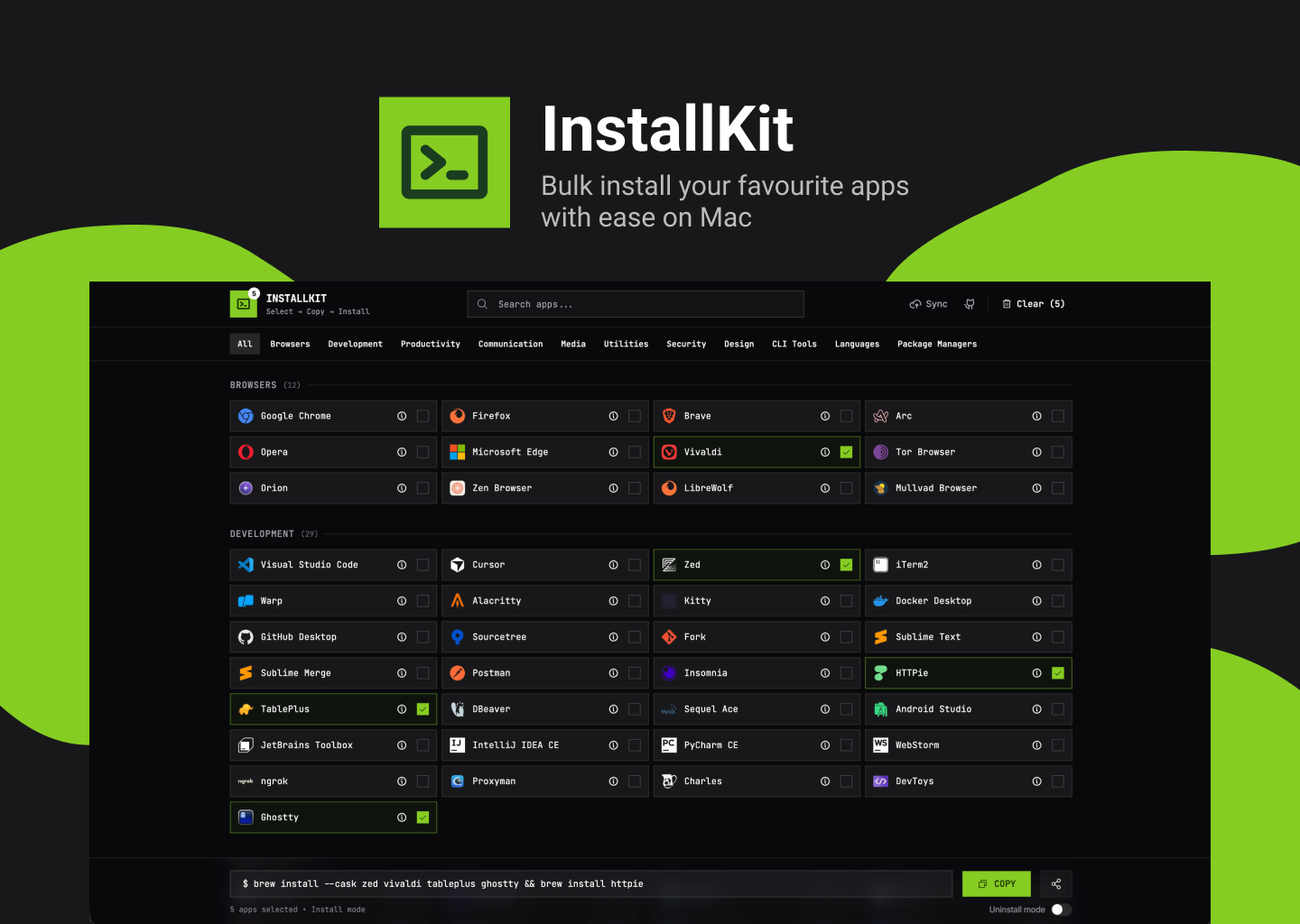
Select apps and generate a brew install command. Install your Mac essentials faster.
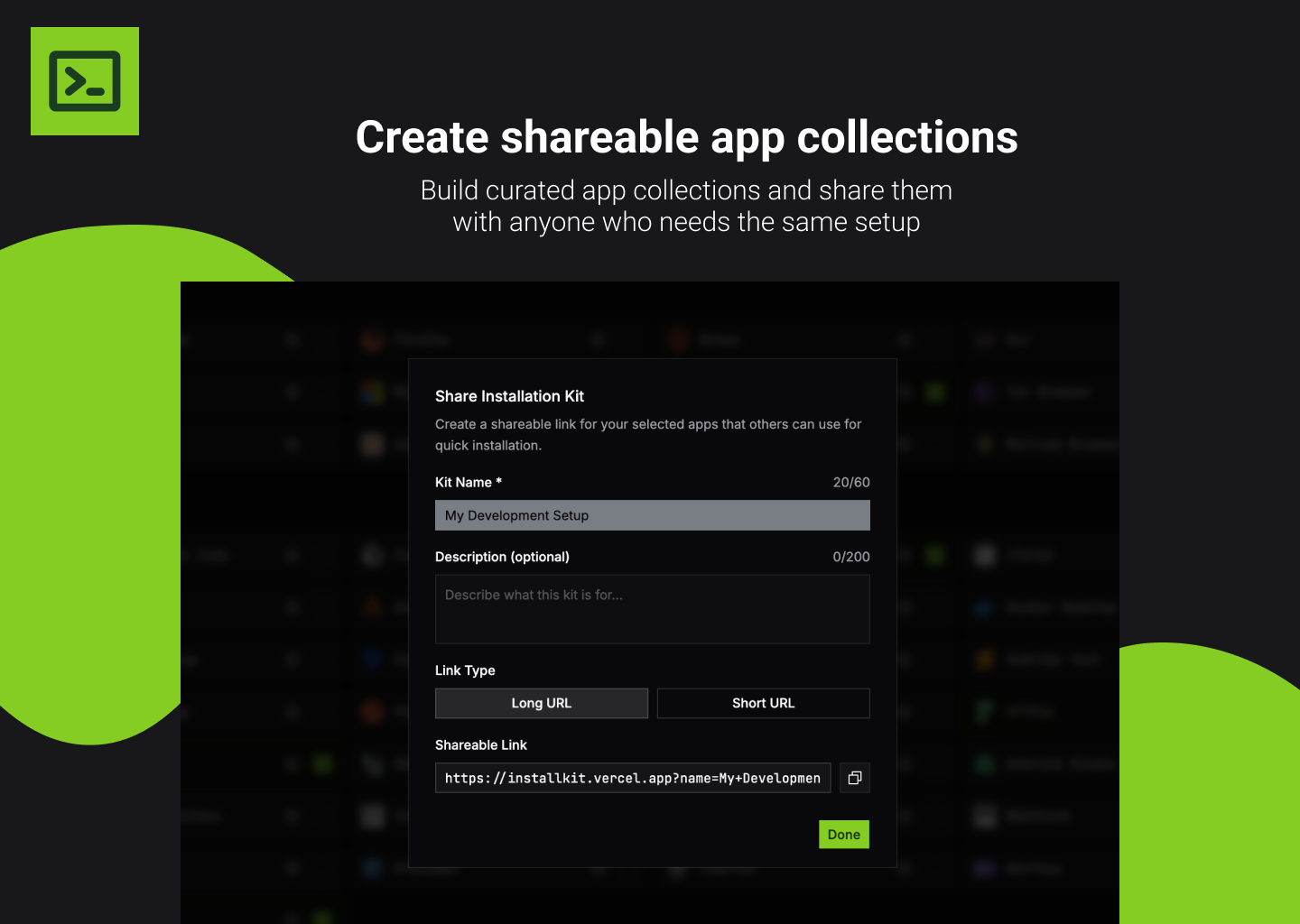
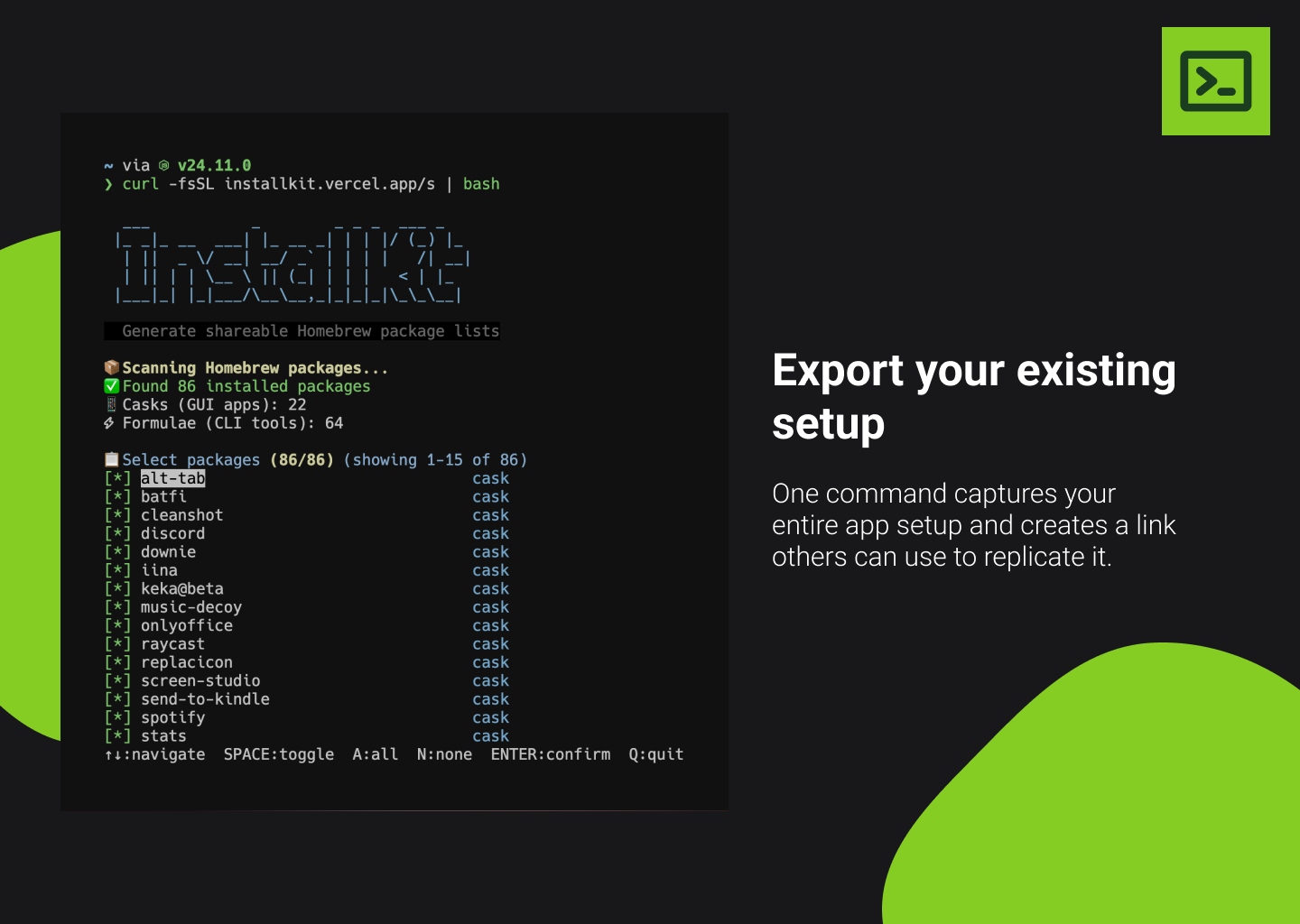
Hello guys 👋 Inspired by Ninite for windows, InstallKit helps you install all your favorite Mac apps at once using Homebrew. Instead of: - Searching for each app online - Downloading installers one by one - Dragging apps to your Applications folder repeatedly You can: - Pick all the apps you want from InstallKit - Copy one command - Paste it in Terminal and let Homebrew install everything Perfect for: 1. Setting up a new Mac — Get all your apps installed quickly 2. Reinstalling macOS — Restore your setup without hunting for downloads 3. Sharing your setup — Send friends a link with your recommended apps
6
回复

Really like the concept and simplicity

2
回复

This is sick! gonna use this every time i reset my mac

1
回复

Simple idea, strong execution. Makes Mac setups feel lightweight instead of exhausting 🚀

1
回复
imo very great idea, definitely gonna use it, congrats
0
回复

It's actually a great tool. You can monetize it with promotion deals and companies would beg you to include their software into the catalog if you manage to get a good traffic.

0
回复

Congrats on the launch - this is a very developer-friendly idea. Turning the painful “new Mac setup day” into a single Homebrew command is simple but extremely valuable. I can see this being especially useful for teams standardizing onboarding or freelancers switching machines often. Curious if you’re planning to support saved setups or team-wide templates next.

0
回复
#8
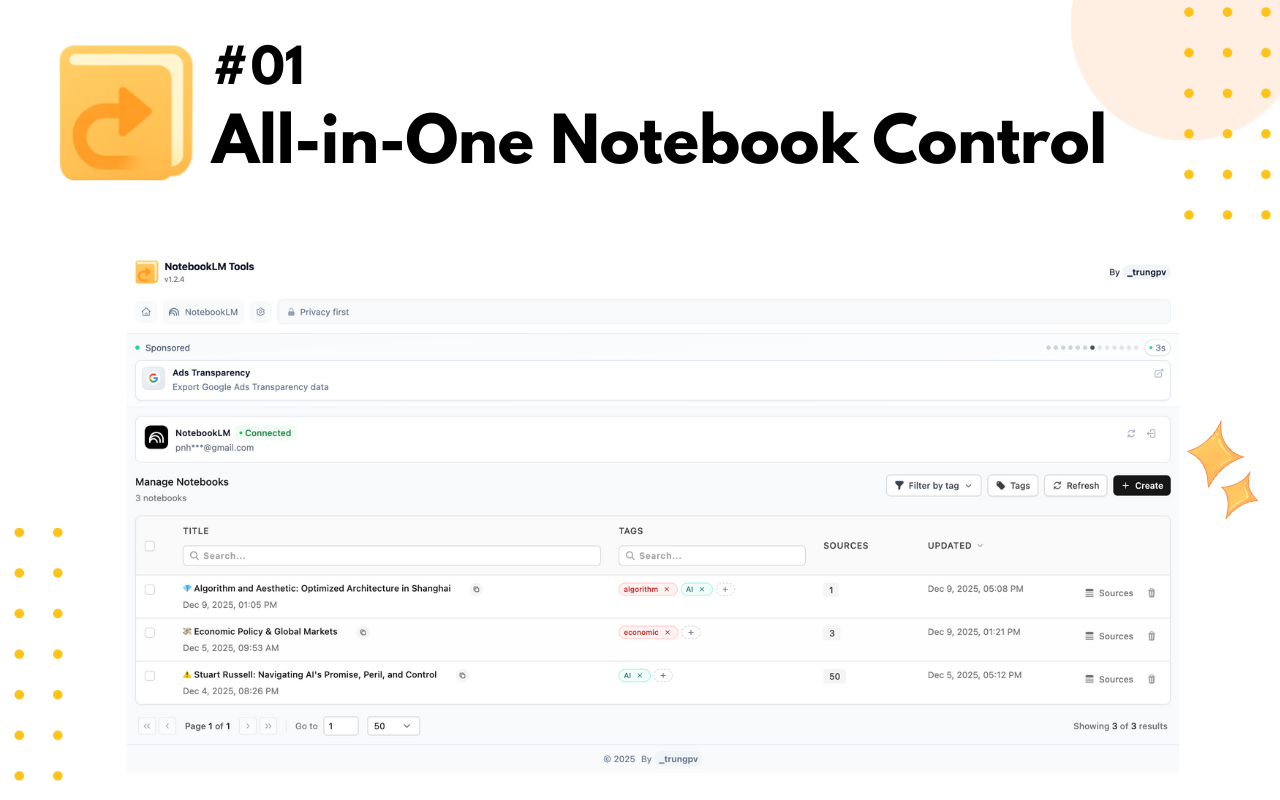
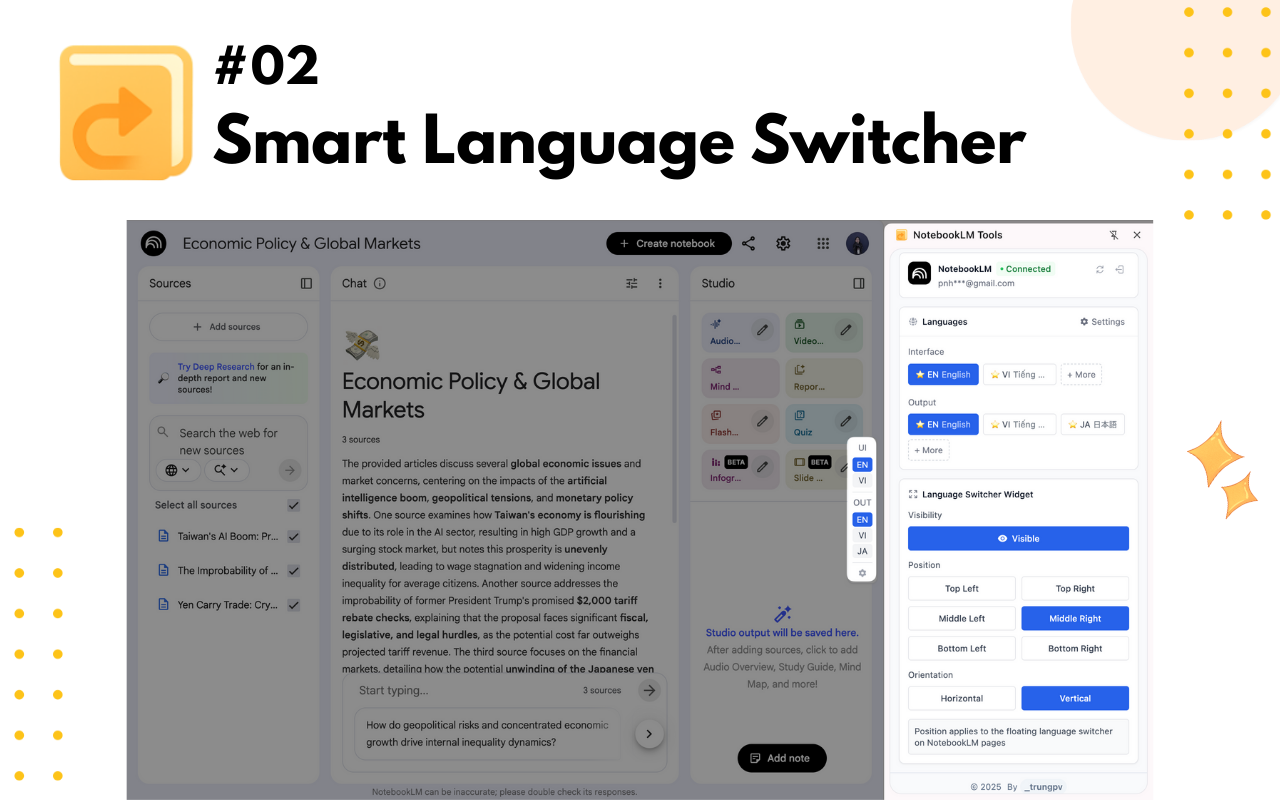
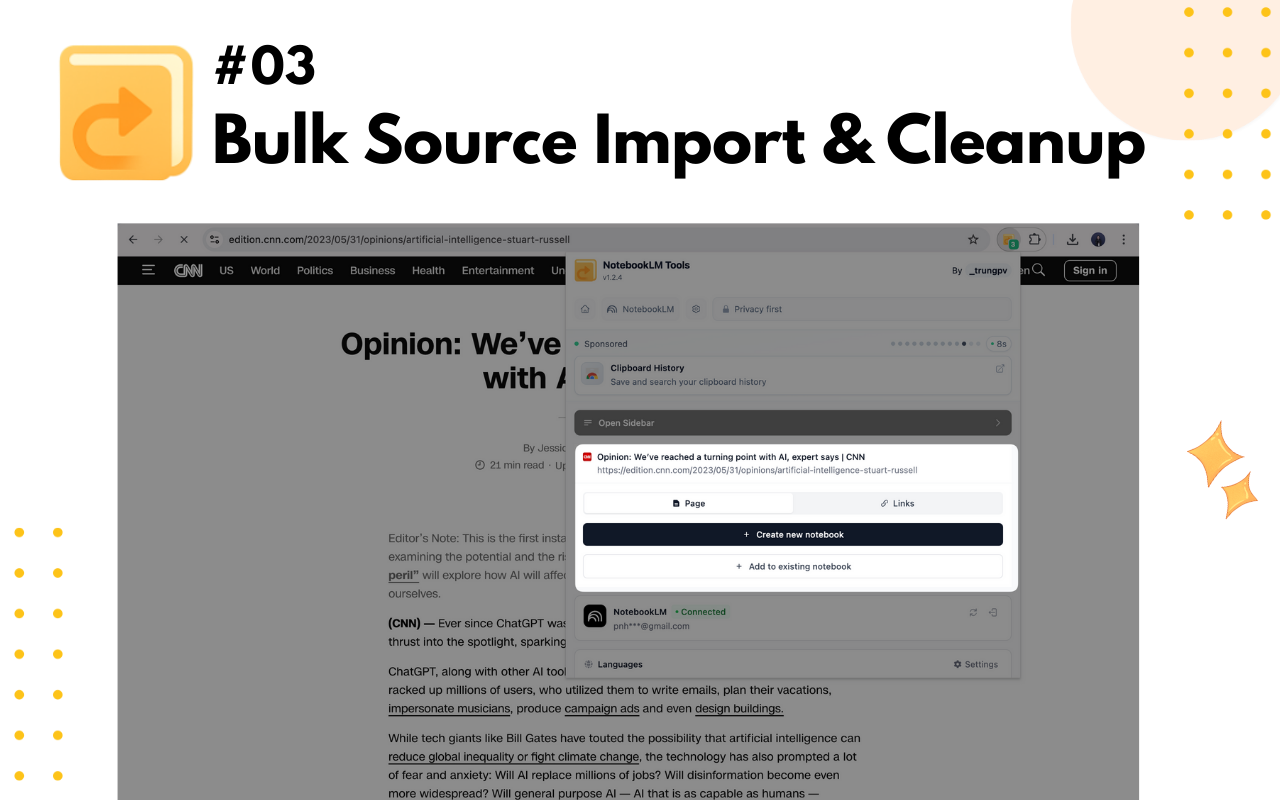
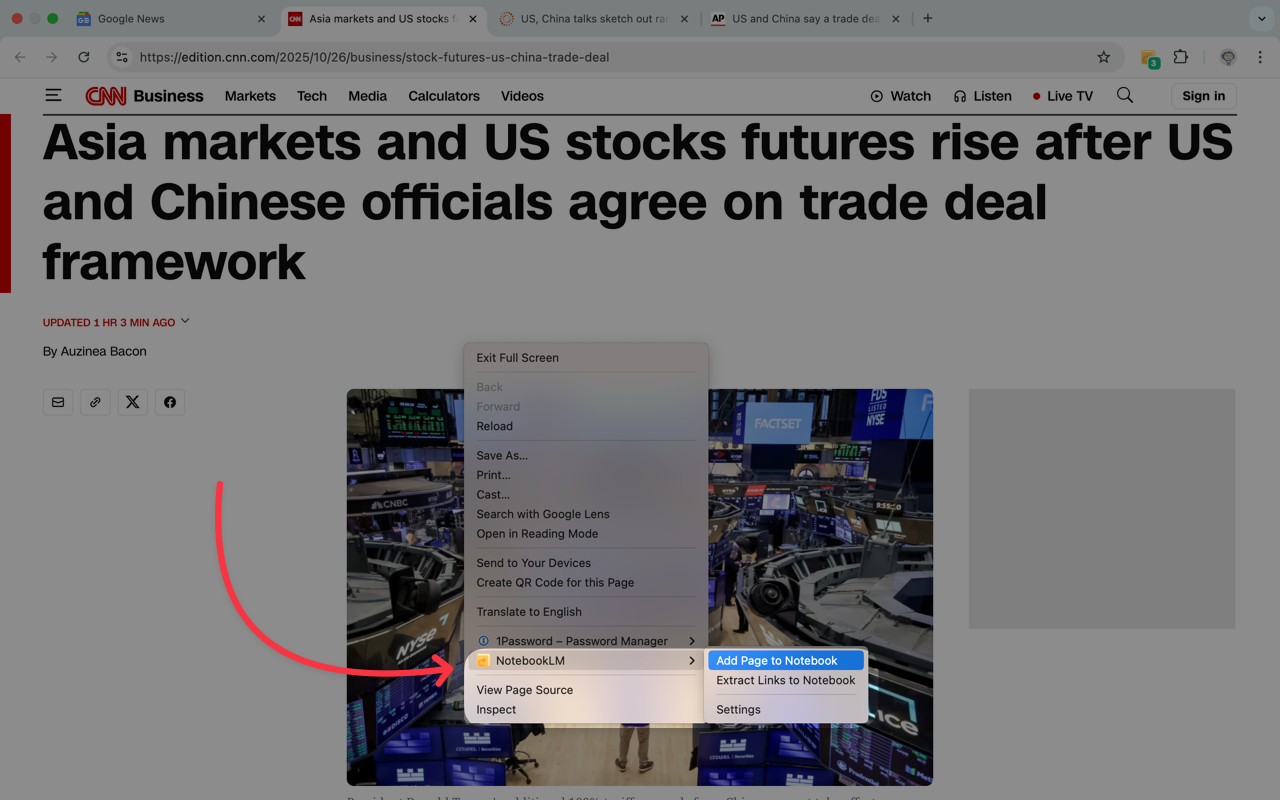
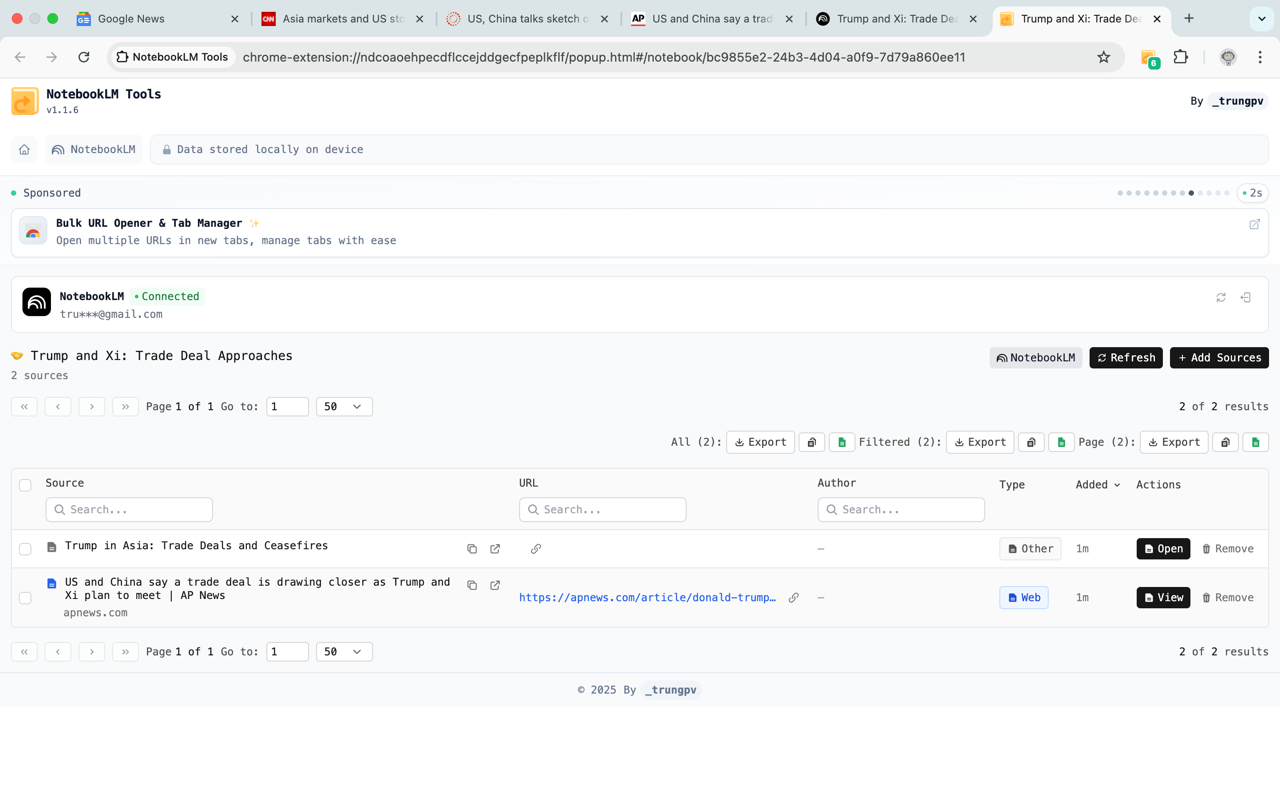
NotebookLM Tools Chrome Extension
Chrome extension for NotebookLM productivity utilities
97
一句话介绍:这是一款为Google NotebookLM设计的Chrome扩展,通过提供高级笔记本管理、多语言支持和批量操作等实用工具,解决了用户在学术研究、商务笔记及多语言学习场景中,原生AI笔记工具操作繁琐、管理效率低下的痛点。
Chrome Extensions Artificial Intelligence
浏览器扩展 AI笔记增强 生产力工具 多语言支持 批量操作 笔记管理 学术研究 商务办公 Google生态 Chrome插件
用户评论摘要:用户高度评价其多语言支持对研究工作的价值,认为其弥补了NotebookLM原生功能在管理上的笨拙感,赞赏其注重实际工作流、提供实用改进而非华而不实功能的设计理念。
AI 锐评

NotebookLM Tools Chrome Extension 揭示了一个典型的AI应用发展悖论:核心AI模型能力与用户端实际工作流之间存在着巨大的“最后一公里”缺口。NotebookLM本身作为AI驱动的笔记工具,其理解内容的能力或许是先进的,但正如评论所指出的“管理起来感觉笨拙”,这恰恰暴露了当前许多AI产品重“智能”轻“工程”、重“模型”轻“交互”的通病。

该扩展的价值不在于技术创新,而在于精准的“体验缝合”。它没有去挑战NotebookLM的AI核心,而是明智地选择在其外围构建生产力护城河——多语言支持、批量操作、高级管理。这反映了一个深刻的市场洞察:当基础AI能力逐渐普及时,用户体验和效率细节将成为决定产品成败的关键。用户“实用改进 > 华丽功能”的评论,是对这一价值最直接的肯定。

然而,这也引出了一个尖锐的问题:为什么这些明显提升效率的“实用功能”需要由第三方扩展来提供?这是否暴露了原生产品在用户场景理解与敏捷迭代上的迟缓?从长远看,此类扩展的成功,既是对主产品的有益补充,也可能是一种危险的“反衬”。如果主产品不能快速吸收这些已被验证的需求,其平台生态将可能出现“核心空心化”,用户忠诚度将更多地绑定在解决实际痛点的扩展上。这款扩展的流行,是给NotebookLM团队的一封公开产品需求函,也是一次关于AI产品如何真正落地的生动教学。

查看原始信息
NotebookLM Tools Chrome Extension
NotebookLM Tools is the leading Chrome extension for Google NotebookLM that adds advanced notebook management, multi-language support, and bulk operations that NotebookLM doesn't provide. Whether you're managing academic research, organizing business notes, or conducting multilingual studies, this NotebookLM extension enhances your AI-powered note-taking workflow.

Multi-language support alone makes this incredibly useful for research work. NotebookLM is great at understanding content, but managing it can feel clunky. This extension feels like it respects how people actually work with notes. Practical improvements > flashy features,every time.

1
回复

@drew_dunham thank you so much 🙏

0
回复
#9
Molmo 2
SOTA video understanding, pointing, and tracking VLM
94
一句话介绍:Molmo 2是一款开源视频理解视觉语言模型,通过精准的时空指向与追踪能力,解决了用户在长视频中快速定位、量化分析特定物体或事件的效率痛点。
Open Source Artificial Intelligence
视频理解 视觉语言模型 开源模型 时空指向 目标追踪 多模态AI 视频分析 高效训练
用户评论摘要:有效评论主要来自开发者,重点介绍了模型在视频时空指向、追踪精度及训练数据效率上的重大突破。另一条关于Objaverse的评论疑似误发,与本品无关。
AI 锐评

Molmo 2的发布,表面上是将“指哪打哪”的交互从图像扩展至视频维度,但其真正的锋芒在于两个层面的“叛逆”。其一,是对当前主流大模型“暴力美学”的挑战。它以不到竞品1/8的数据量,宣称在视频追踪任务上超越Gemini 3 Pro,这无异于对“数据规模决定一切”的行业叙事提出尖锐质疑。其价值不仅在于性能,更在于揭示了视频理解领域可能存在更优的、数据效率更高的技术路径,为资源有限的研究机构和企业提供了破局的可能性。

其二,是其“开源全家桶”(开放权重、训练数据和代码)的策略。这不仅仅是技术分享,更是一种生态构建的激进姿态。在视频理解这个壁垒高筑的领域,Molmo 2试图通过彻底开源,快速吸引社区,将自身确立为事实上的基准测试平台和迭代基础。其风险在于可能过早暴露技术细节,被巨头快速借鉴;但其野心在于,通过社区的力量,在应用场景的广度和深度上实现“农村包围城市”,最终定义该领域的技术标准。

然而,其面临的考验同样严峻。首先,宣传中的“超越”需经受开源后社区更严格的复现与检验,特别是在复杂、长尾的真实世界视频中。其次,从技术演示到稳定、易用的产品或API,仍有巨大工程鸿沟。最后,其核心的“时空指向”能力虽炫酷,但必须找到刚需的商业化场景(如视频内容审核、体育赛事分析、安防监控摘要),否则极易沦为技术演示的“玩具”。Molmo 2是一柄刺向现有格局的利剑,但它最终能否成为重塑格局的基石,取决于其开源生态的活力与商业化落地的锐度。

查看原始信息
Molmo 2
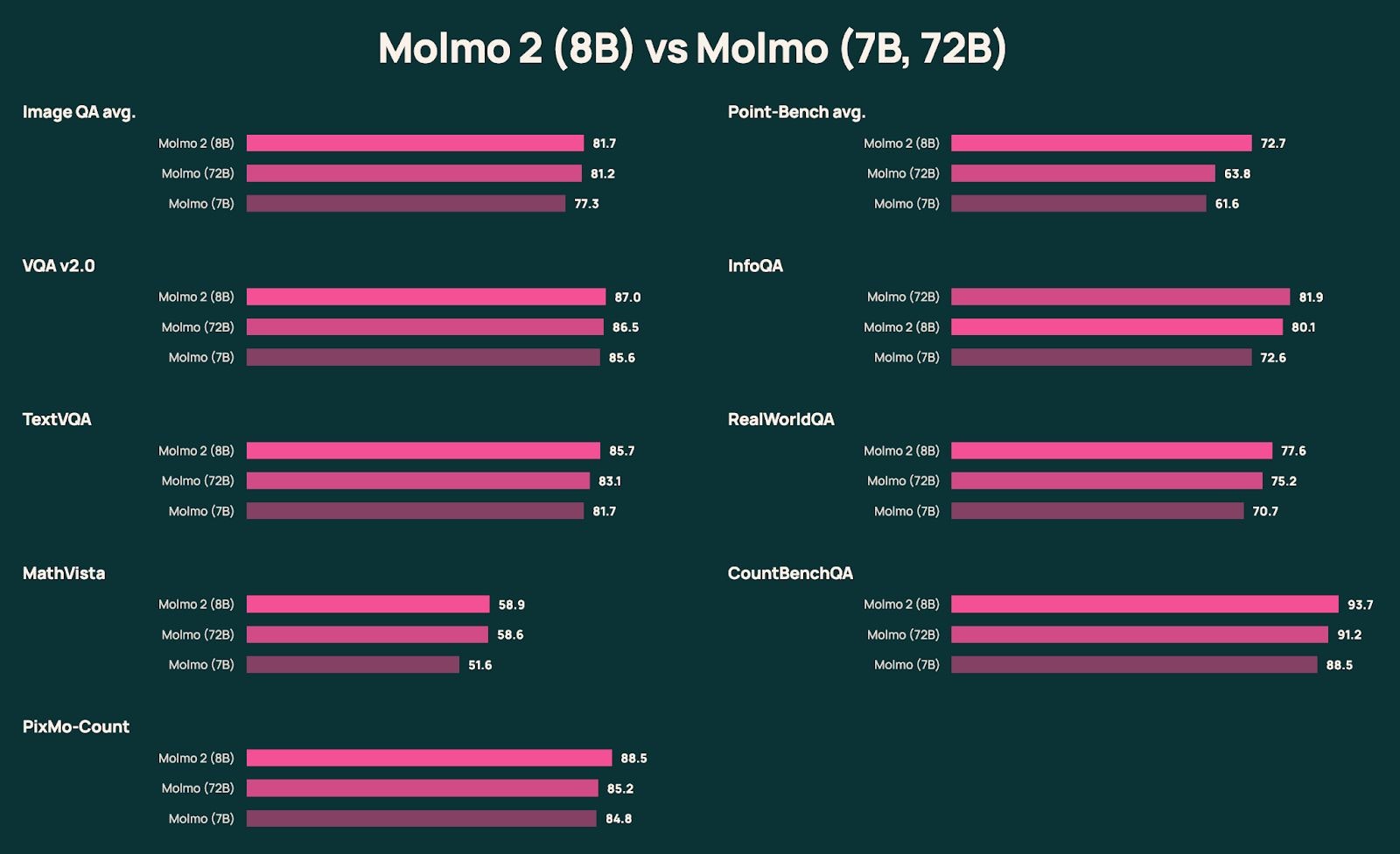
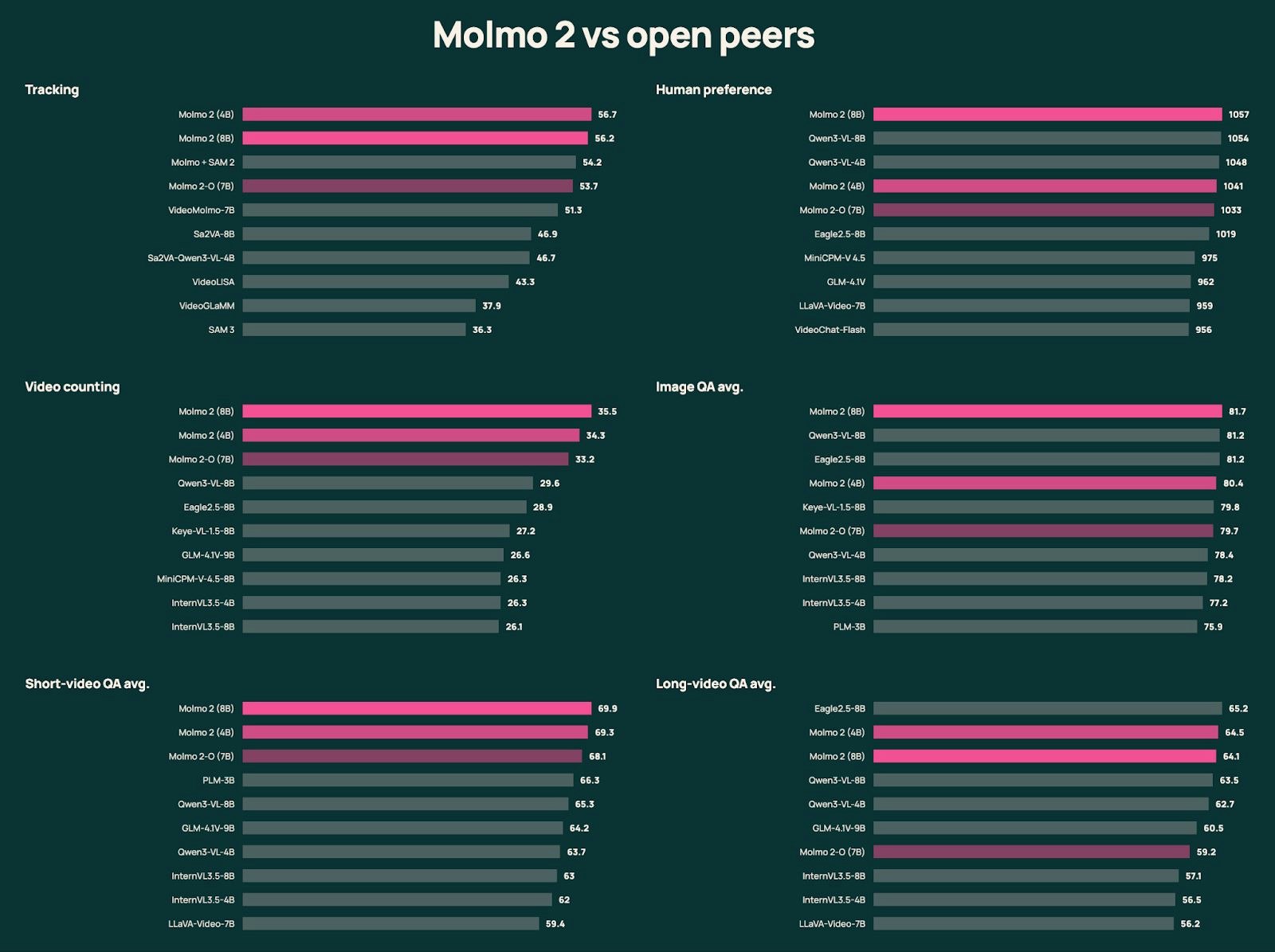
Molmo 2, a new suite of state-of-the-art vision-language models with open weights, training data, and training code, can analyze videos and multiple images at once.

Hi everyone!

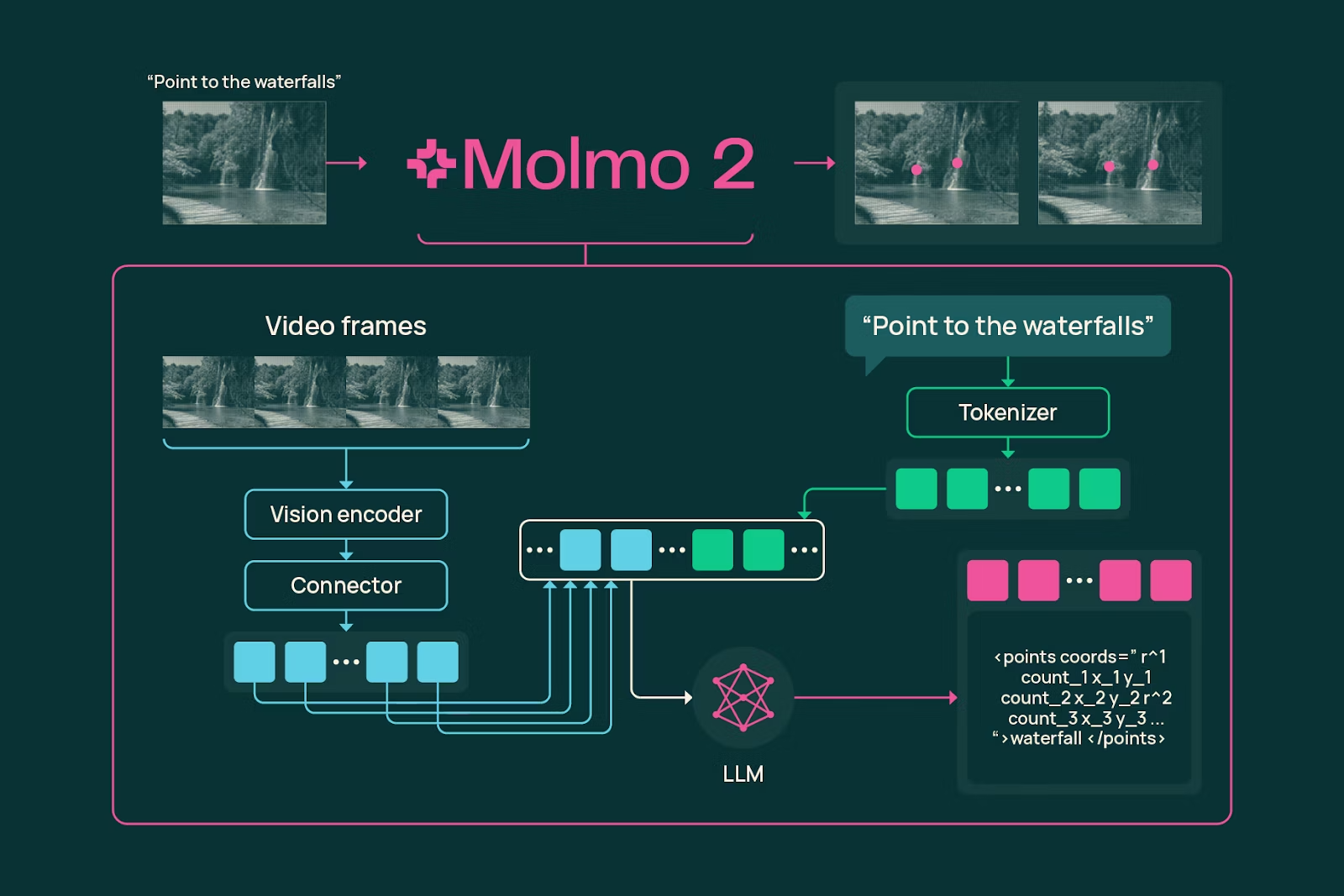
Ai2 is back with a massive upgrade. If you liked the original Molmo for images, you are going to love this. Molmo 2 brings that same "pointing" capability to video.

The coolest part is how it handles Space + Time. You don't just get a text summary, you get exact timestamps and coordinates. Ask it "how many times did the ball hit the ground?" and it points to every single instance.

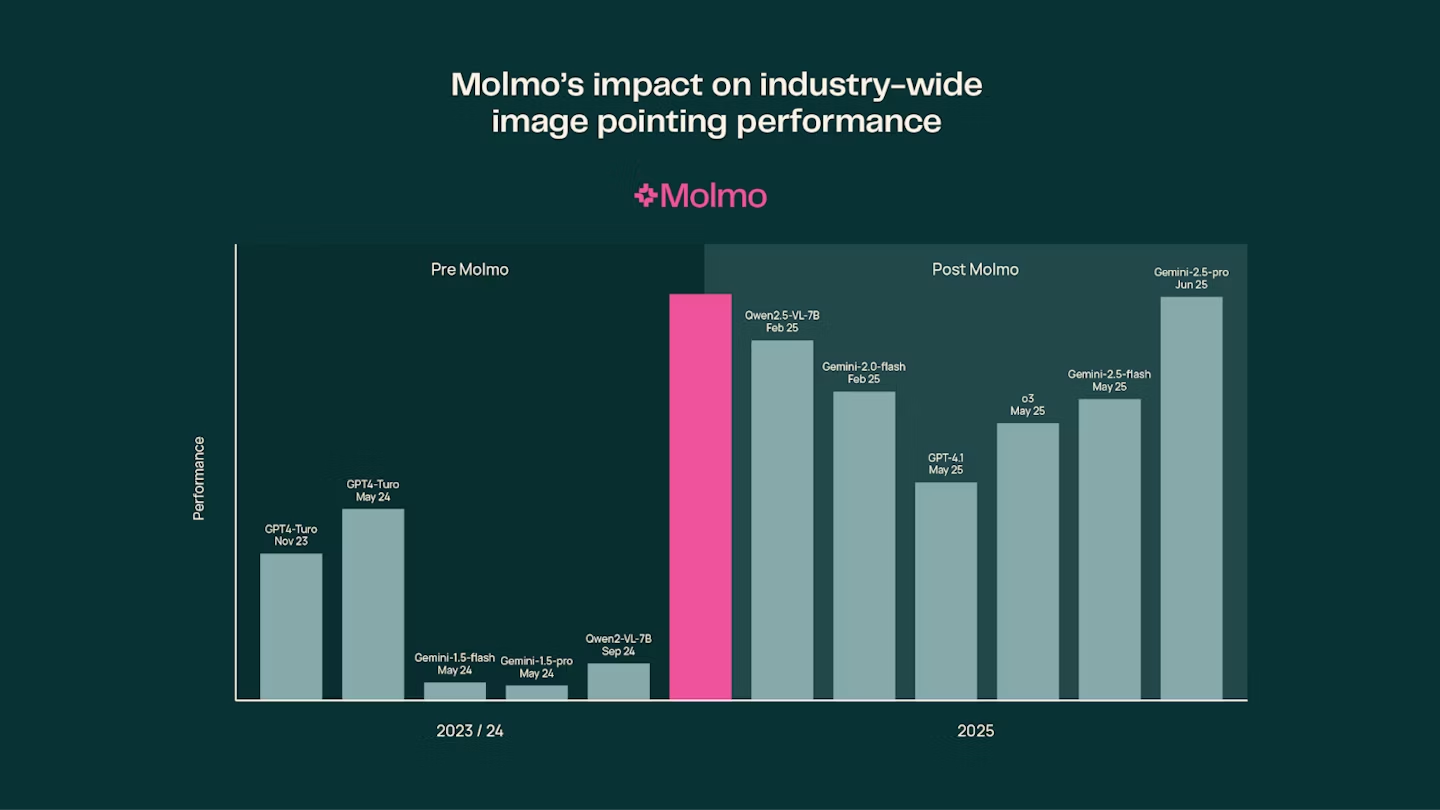
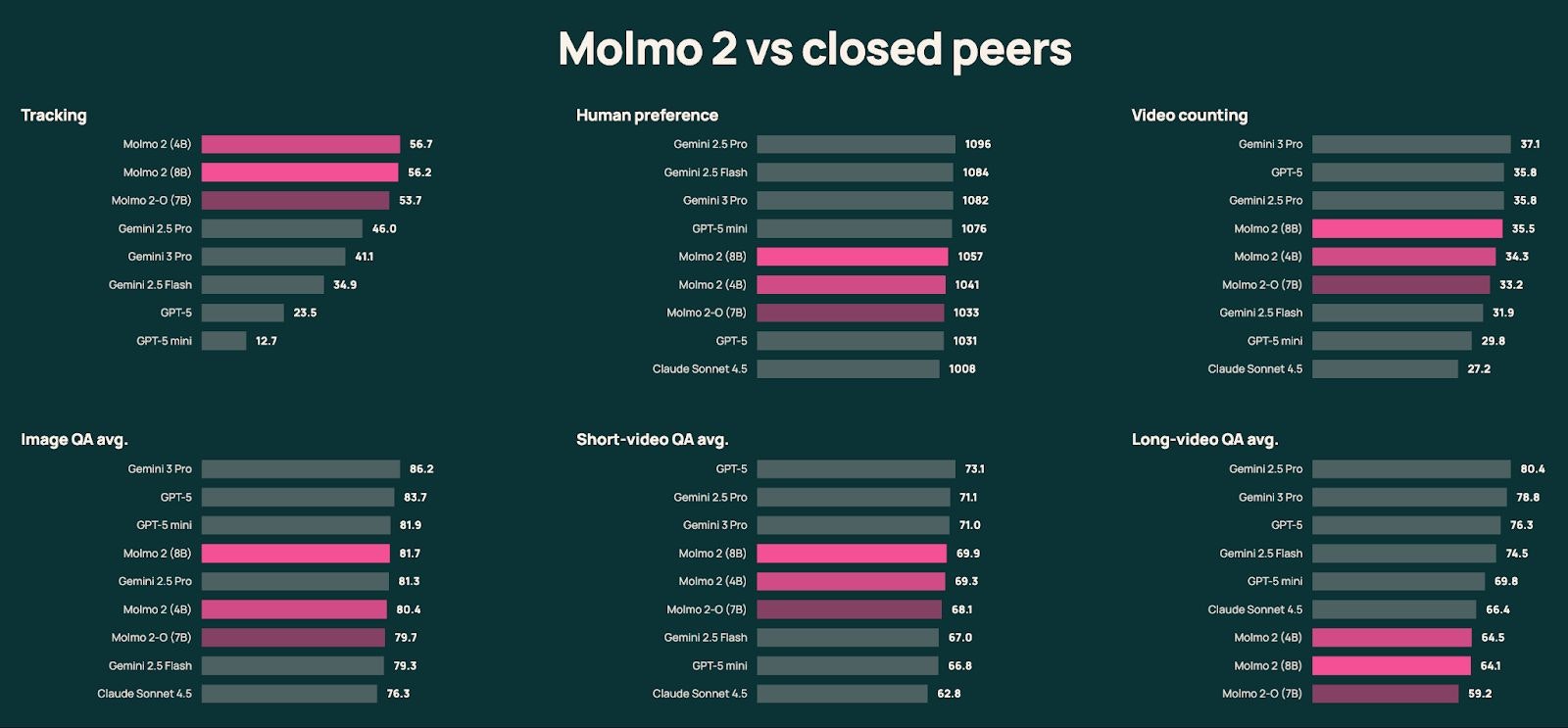
It reportedly outperforms Gemini 3 Pro in video tracking🤯, all while being trained on less than 1/8th of the data Meta used for PerceptionLM. That is some serious efficiency.

1
回复

Congrats on the launch! Objaverse is an impressive contribution to the 3D and AI ecosystem. The scale and visual diversity of 800k+ annotated objects really stand out compared to existing repositories. This feels especially valuable for advancing embodied AI, robotics, and 3D generation research. Curious how you see the community contributing back or extending the dataset over time.

0
回复
#10
BetaCircle
Get 12 android testers for 14 days in Closed Testing
91
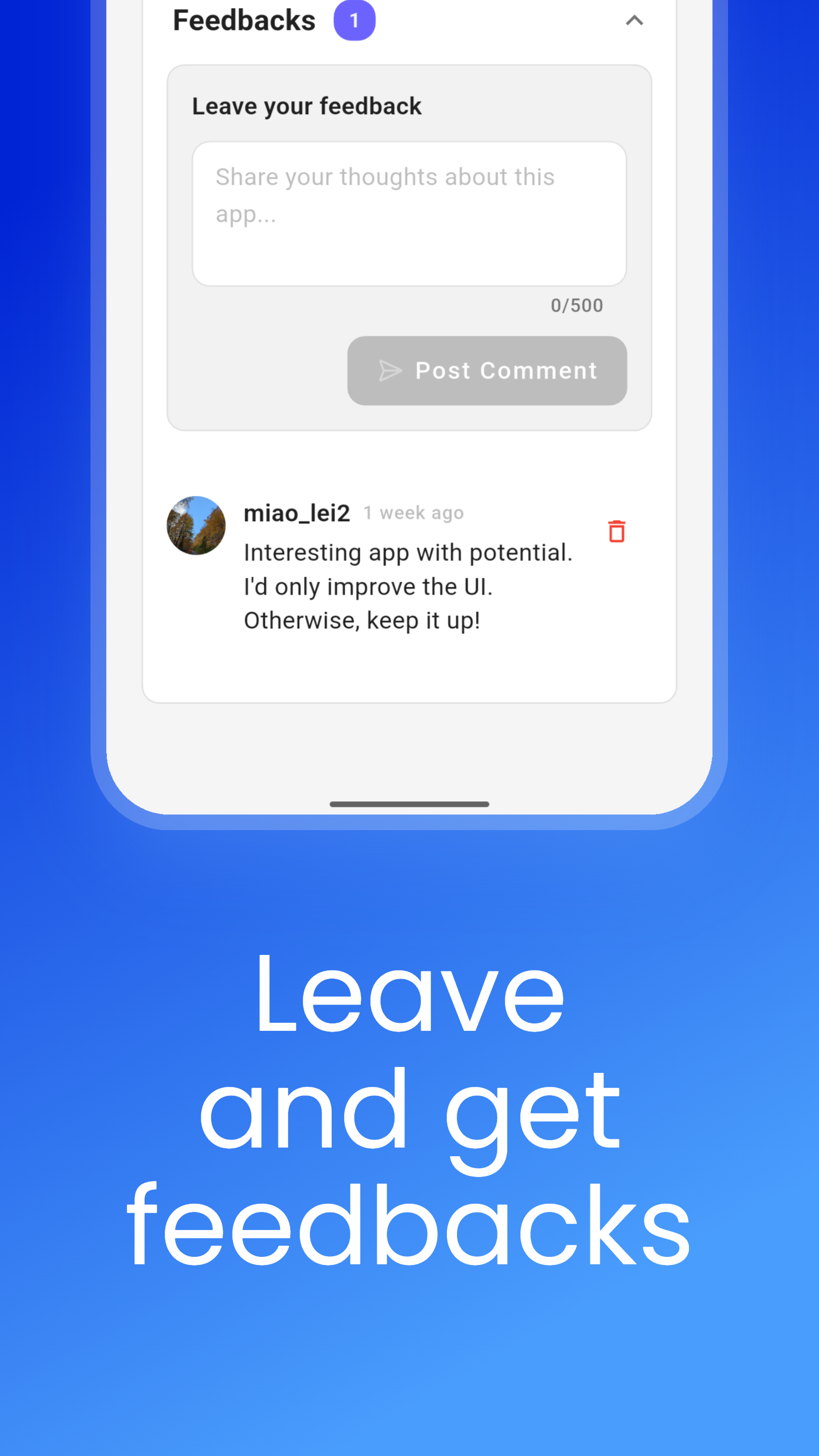
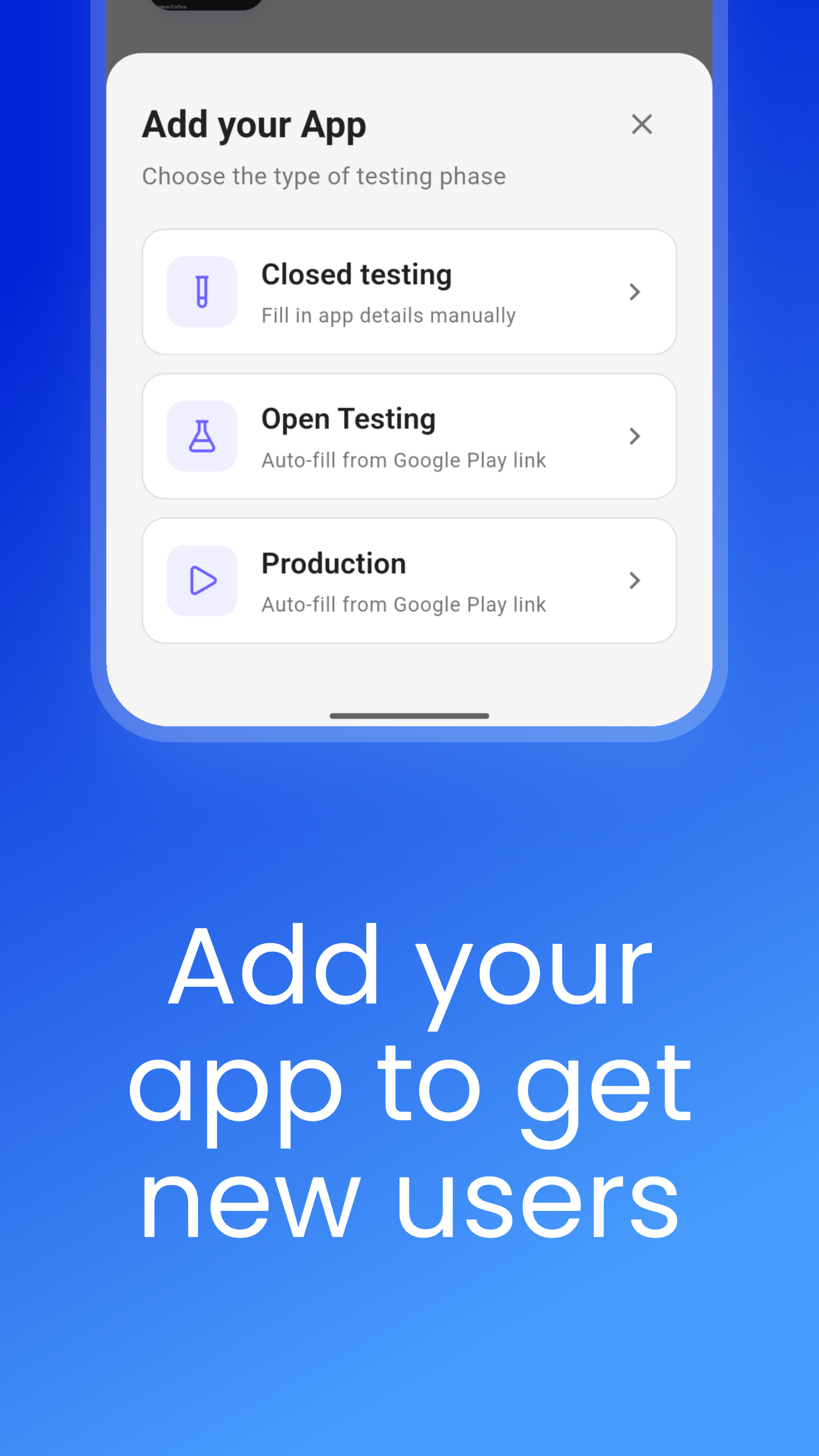
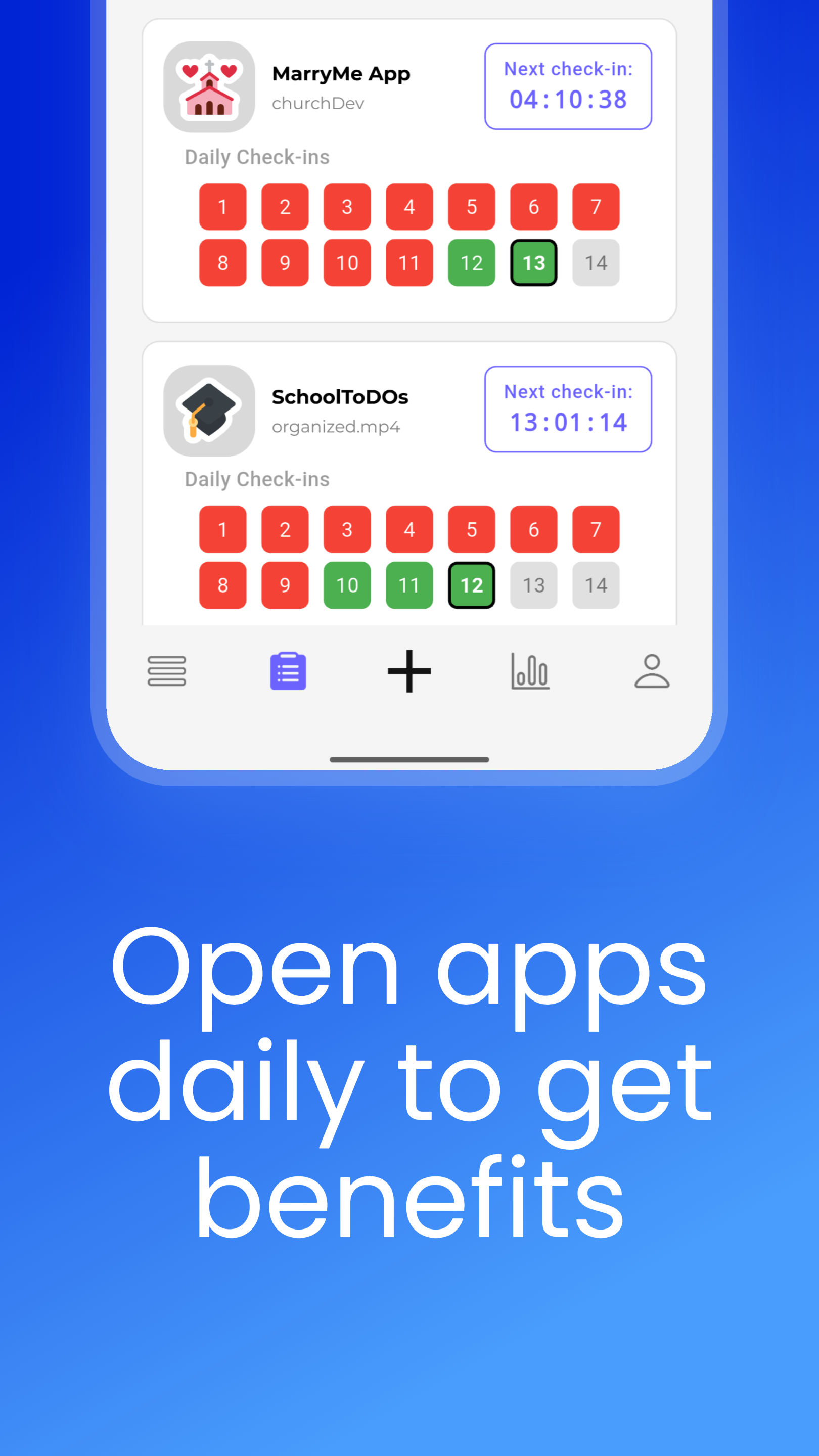
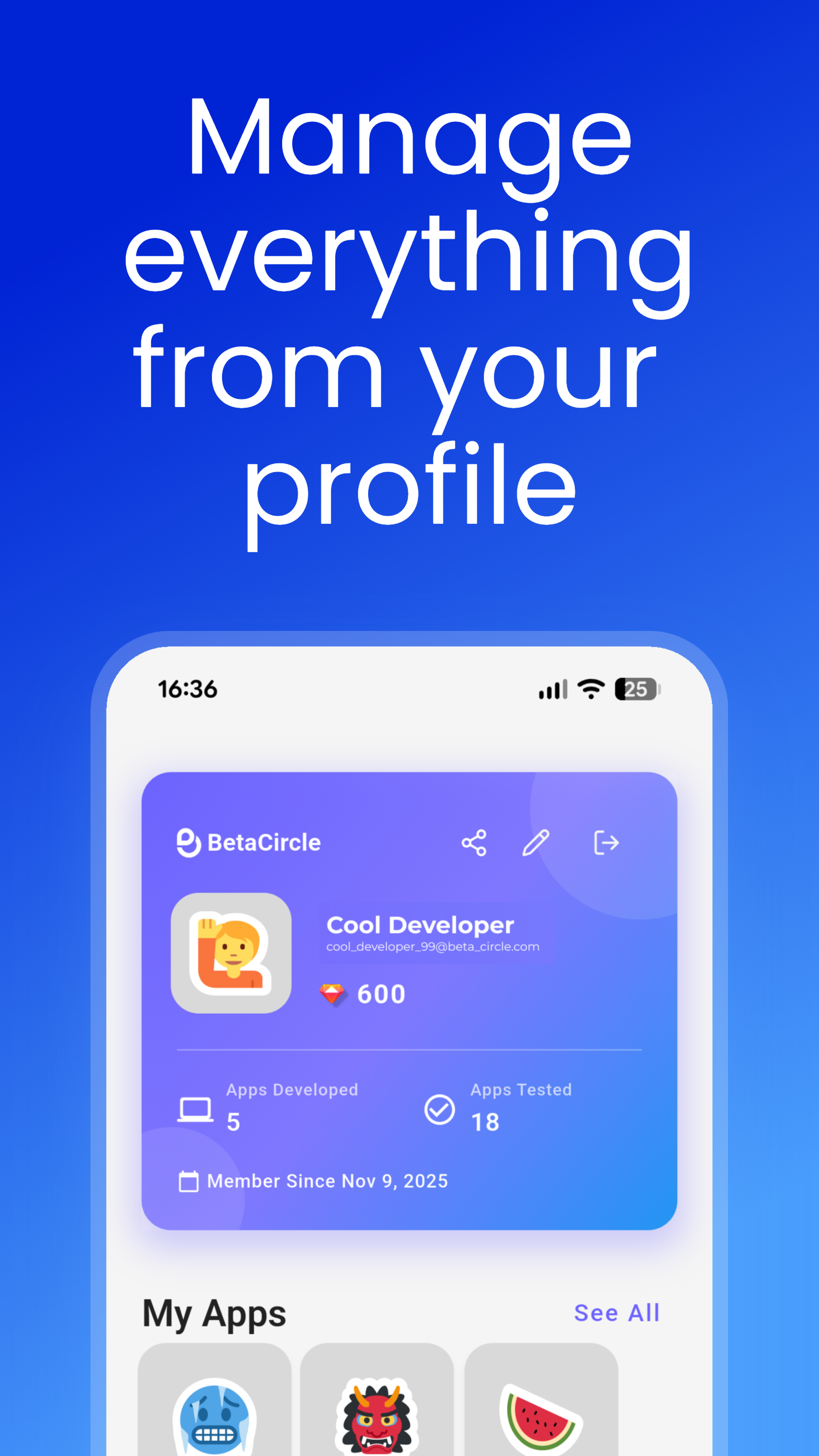
一句话介绍:BetaCircle通过构建开发者互助社区,为需要满足Google Play封闭测试阶段12名测试者硬性要求的独立或小型开发团队,提供了一种低成本、高效率的解决方案。
Android Developer Tools
应用测试 谷歌商店上架 开发者服务 测试者招募 反馈收集 互助社区 应用生命周期 产品验证 独立开发者
用户评论摘要:用户普遍认可其解决了寻找测试者的核心痛点,认为“解决了恼人的问题”。主要疑问集中在具体成本与“为何需要12人”的规则解释上。官方回复明确了免费互助模式与付费加速选项,并预告了iOS版本计划。
AI 锐评

BetaCircle的精明之处,在于将谷歌的强制性合规要求,转化成了一个可运营的社区商业模式。它表面上卖的是“测试者名额”,实际兜售的是“上架通行证”和“时间保险”。对于谷歌僵化的政策,它没有选择对抗,而是巧妙地充当了“润滑剂”和“漏洞补丁”,这显示了其精准的市场洞察。

然而,其核心模式存在双重挑战。其一,依赖“测试换测试”的积分体系,极易陷入“测试者通胀”或任务质量参差不齐的陷阱,可能演变为低效的“刷量”平台。其二,其价值高度依附于谷歌Play的政策稳定性,这构成了巨大的系统性风险。一旦谷歌调整封闭测试规则,其核心价值可能瞬间蒸发。

从评论看,用户情绪以“解脱感”为主,这反衬出谷歌生态对独立开发者的不友好。BetaCircle的成功,本质是建立在平台规则与开发者现实能力错配的“裂缝”之上。它的长期生存,不能止步于做“合规黄牛”,必须向更广义的“高质量早期用户获取与反馈平台”演进,并尽快将iOS版本落地,以分散风险。其Pro订阅的吸引力,将直接取决于社区内测试者的总体质量与反馈深度,这将是决定其天花板的关键。

查看原始信息
BetaCircle
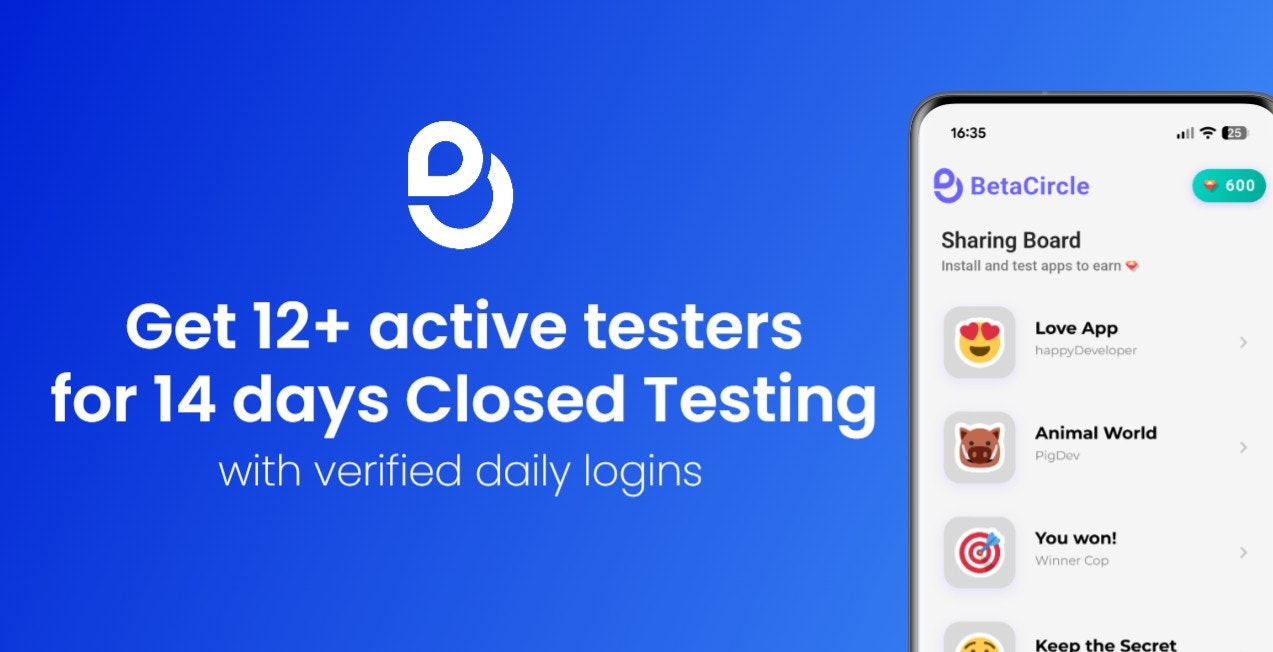
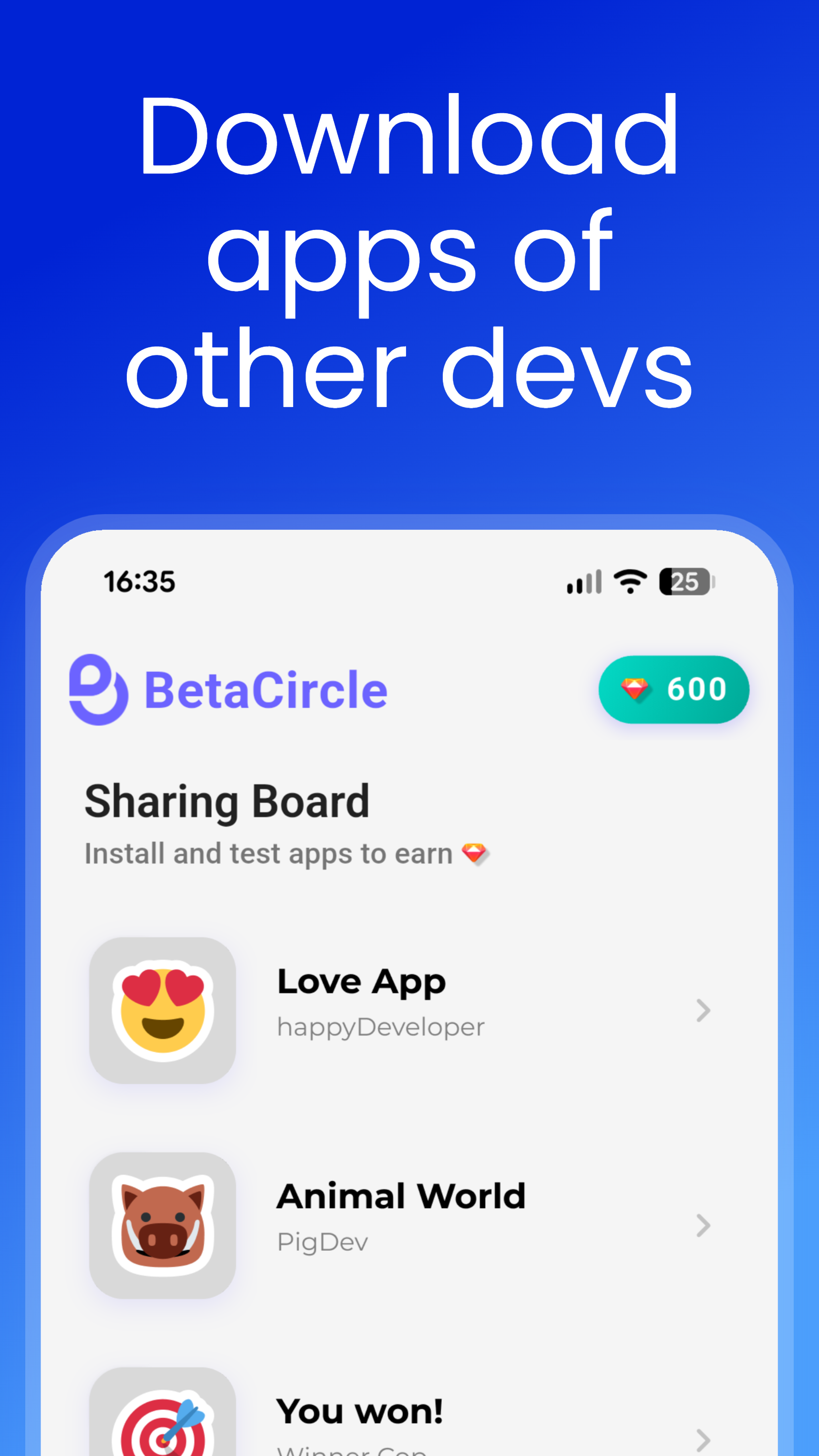
BetaCircle is the easiest way to get the 12+ testers required for 14 days on Google Play Closed Testing. Post your app, reach active testers, receive structured feedback, and boost visibility through the entire app lifecycle.
Hi developers, the process of finding 12 testers for closed testing when publishing your app on the Play Store can be frustrating. We're here to help !Let us know what you think, we're here to listen.
6
回复
@malkokai 🙏 Wish I had this back when I released my first app. Getting testers was extremely annoying. Glad you've solved it.
1
回复

The app seems like a big solution! How much would it actually cost me to get 14 testers via your app?

1
回复

@pasha_tseluyko Thanks for your interest. You can add your app to BetaCircle completely FREE. You can earn credits simply by testing other users' apps and spend them to add your own. This way, the community can help each other and achieve the goal together. Then, if you need to speed up the tester search process and want greater visibility, you can buy the pro subscription. I hope I have answered your question exhaustively =)

0
回复

I've launched my startup (plotsense) iOS app, but I'm still struggling to release it on play store because of 12-testers requirement. You have nailed down and solved a clean pain point. Thanks!

1
回复

@iamrajanrk I'm really glad that BetaCircle can help you publish your app. I think this stage can be very stressful if you don't have the right tools. I hope BetaCircle could be yours. If you have any questions or concerns, feel free to contact me at any time. In addition, the iOS version of BetaCircle is scheduled to launch within the first few months, so we can also help new Apple device developers who need testers and feedback. So stay tuned!

0
回复

Wow! Super interesting. It's crucial at the launching time. Question here... why 12? Btw, I wish you all the best here!

1
回复

@german_merlo1 Thank you very much, I'm glad to see interest. It's great to see your ideas being appreciated by others. The 12 testers represent the minimum required by Google to pass the Closed Testing phase of a new app. In fact, BetaCircle aims to help new developers by getting a minimum of 12 testers and then allowing the app to be published globally. BetaCircle also aims to support development with feedback to fix bugs or improve aspects that the developer has not noticed. An outside opinion is always useful =)

1
回复
#11
Plannotator
Annotate, review, and share Claude Code plans. (Plugin/Hook)
84
一句话介绍:Plannotator是一款本地化Claude Code计划审阅插件,允许开发者在浏览器中直接标注、修改和分享AI生成的代码计划,解决了团队协作中代码评审流程繁琐、反馈效率低的痛点。
Software Engineering Artificial Intelligence GitHub Vibe coding
AI编程工具 代码审阅插件 本地化应用 团队协作 Claude生态 无后端设计 静态站点 开源工具 开发效率
用户评论摘要:用户肯定其本地化无后端的隐私设计,创始人回应了关于协作版本控制的实现思路;有建议增加Web版提升易用性;认可其在大型团队中传递业务逻辑的价值。
AI 锐评

Plannotator表面上是为Claude Code设计的批注工具,实则揭示了AI编程工具生态中一个被忽视的断层——计划评审的协作真空。当前AI代码生成工具往往陷入“生成-接受/拒绝”的二元循环,缺乏人类代码评审中的渐进式改进环节。该产品通过本地化、链接共享的极简设计,巧妙避开了企业最敏感的数据安全问题,但这也暴露了其天花板:基于URL参数的状态管理难以支撑复杂的版本控制和多线程协作。

产品将Textarea.my的压缩存储模式移植到代码计划领域是聪明的技术嫁接,却回避了核心矛盾:真正的代码评审需要结构化差异比对和语义化批注跟踪,而不仅仅是静态快照分享。创始人关于“无后端”的坚持在隐私层面值得称赞,却也使得产品难以形成真正的协作网络——这恰是Figma等设计工具通过“可控同步”破解的难题。

值得玩味的是,84票的关注度反映了市场对AI编程“可干预性”的迫切需求,但现有方案更像是对传统代码评审工具的降维模仿。若不能深度集成到CI/CD流程或支持AST级别的智能批注,这类工具恐将停留在“临时便签”的辅助层级。真正的突破点或许在于:如何让AI不仅能生成计划,还能理解人类通过批注传递的架构意图,形成双向的、迭代式的编程对话。

查看原始信息
Plannotator
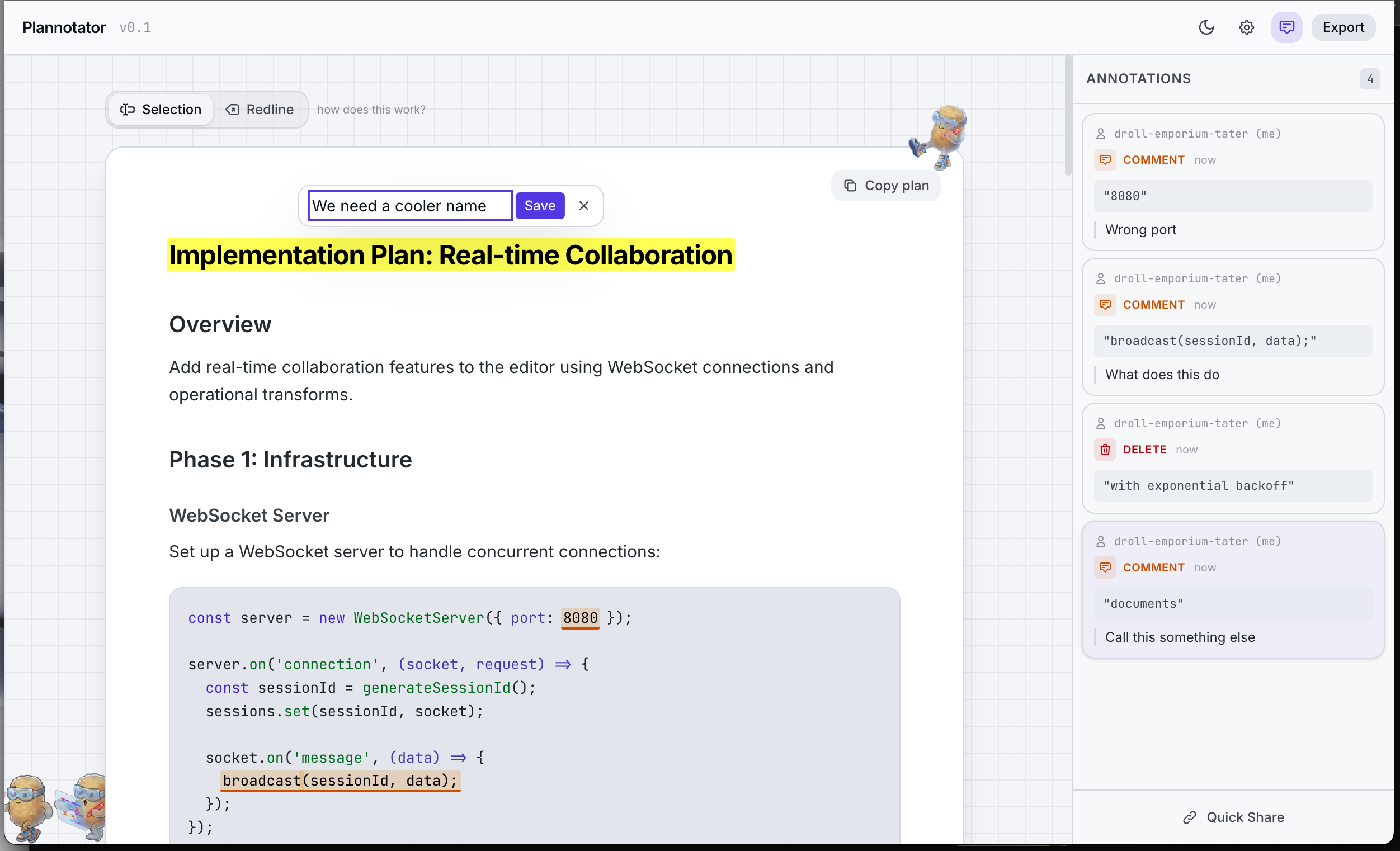
Interactive Plan Review: Mark up and refine your plans using a UI, easily share for team collaboration, automatically integrates with agent plan mode. Select the exact parts of the plan you want to change. Mark it for deletion, add a comment, or suggest a replacement. Share plans and collect team member feedback. Automatically send feedback for Claude Code to act on. Runs locally. Local plugin. No network requests. Plannotator runs entirely in your browser. Plans never leave your machine.

I personally wanted a better way to review Claude Code plans and then annotate certain sections of plans and also share the plans with teammates. So I built plannotator. Source code is available through the GitHub link.

Plannotator is a Claude Code plug-in and works through hooks. It runs locally and doesn't talk to any external service. See the README on GitHub for installation details.

You can try a demo here: https://share.plannotator.ai/

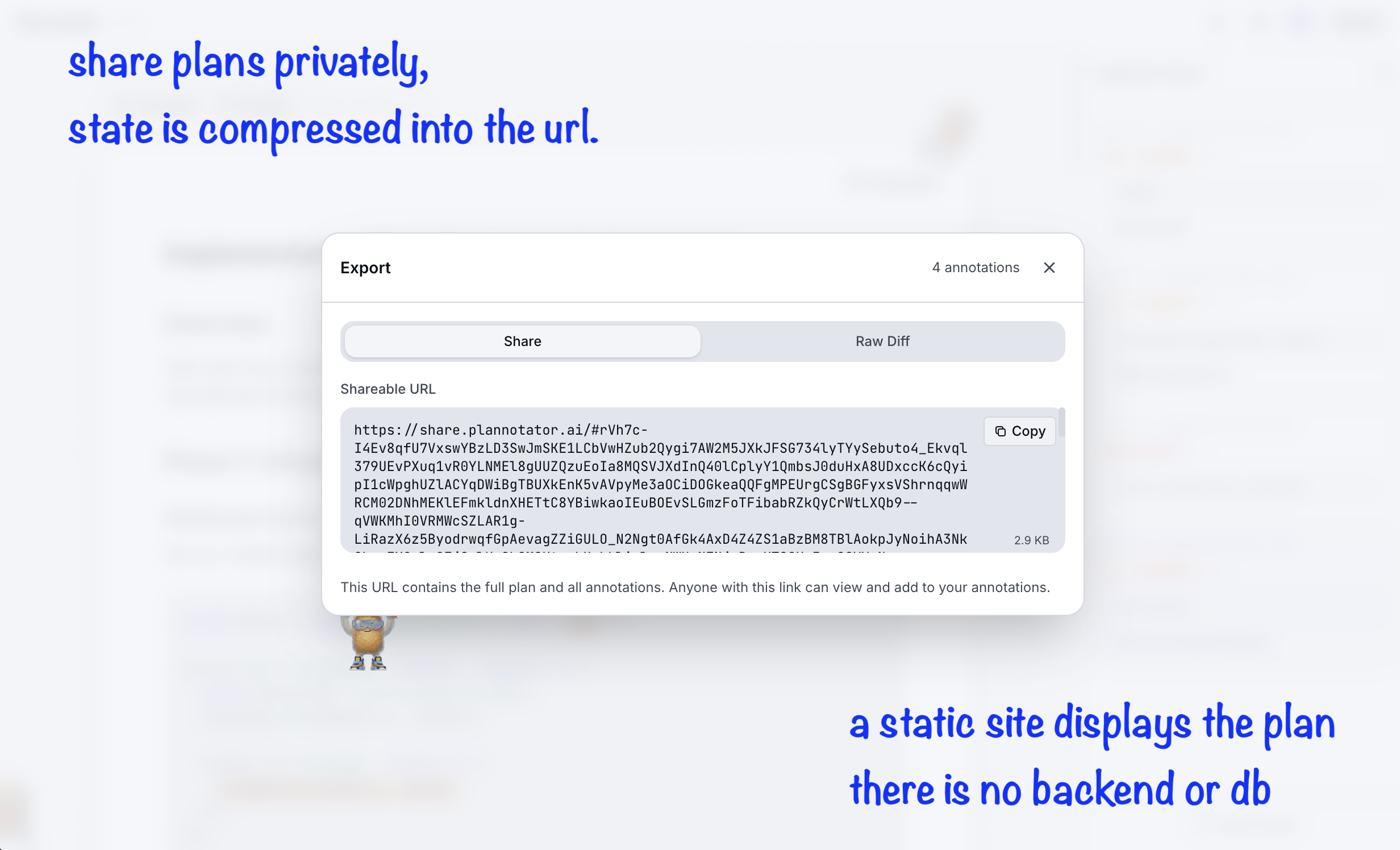
If you ever share a plan, it's never stored on the back-end. In fact, I don't have a back-end. This is a static site. The share link is a static site. Sharing is inspired by Textarea.my - I compress the content and annotations into a base64 and then store that in the link.

https://github.com/backnotprop/plannotator

2
回复

@backnotprop Local-first and no backend is a nice touch!! How do you think about collaboration and versioning over time, for example, when plans evolve, multiple people annotate, or you want to compare revisions, without compromising the stateless, link-based approach?

1
回复

That's cool! Would it make sense at some point to have the entire Claude code accessible via web? UI is so much friendlier.

1
回复

It can be very useful for giving out a business logic to the client or shipping code if you work in a large team. 👍🏻

0
回复
#12
Sequenzy
Cursor for Marketing Emails
53
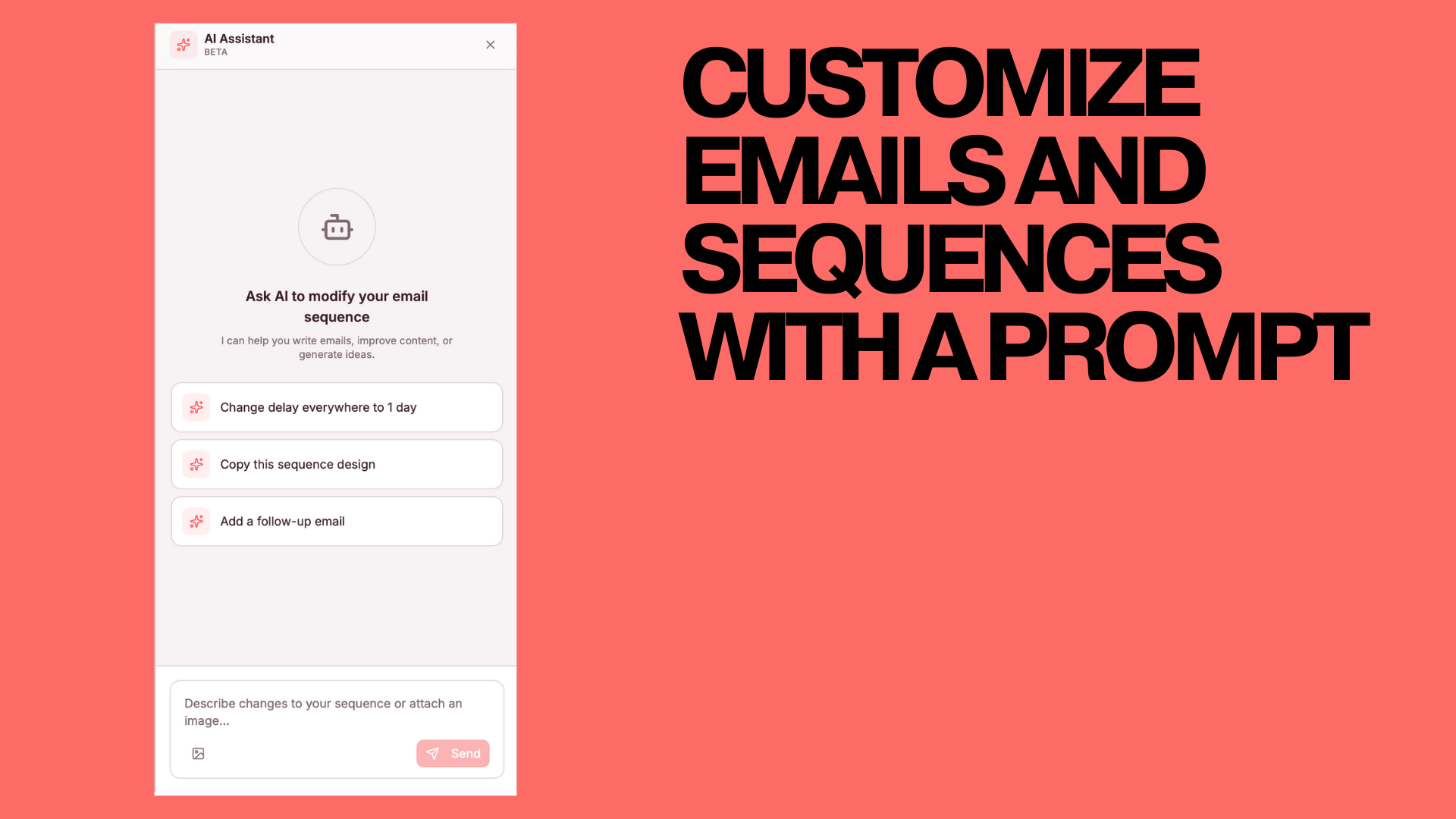
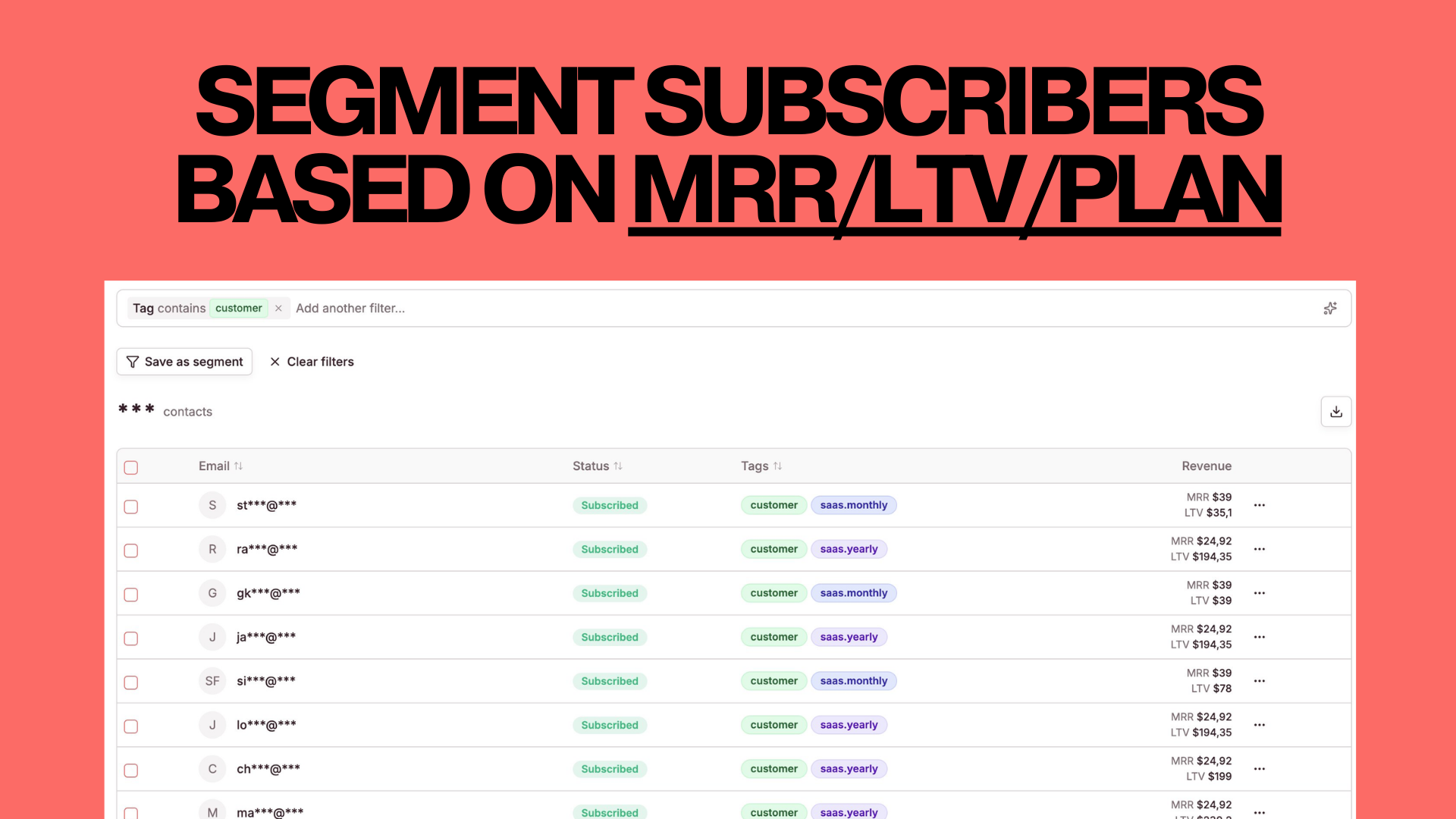
一句话介绍:Sequenzy是一款为SaaS创始人设计的邮件营销平台,通过AI辅助快速创建品牌化邮件序列与A/B测试,并集成Stripe和用户分群功能,在高效触达与用户生命周期管理场景中,解决了传统邮件营销工具操作繁琐、缺乏深度分析与精准触达的痛点。
Email Marketing SaaS
邮件营销平台 SaaS工具 AI驱动 用户分群 自动化序列 Stripe集成 产品触发邮件 交易邮件 营销分析 创始人效率
用户评论摘要:用户普遍认可其“创始人驱动”的定位与“Cursor式速度结合邮件分析”的价值。有效提问集中在是否支持产品触发邮件,创始人确认支持该功能及交易邮件。评论整体呈现积极支持态度,并肯定其源于真实需求的产品真实性。
AI 锐评

Sequenzy的亮相,精准地刺中了当前SaaS营销工具市场的一个尴尬缝隙:一边是Notion/Cursor这类极简、AI驱动的生产力工具所树立的“分钟级”操作体验新标杆,另一边是Mailchimp、HubSpot等传统邮件营销巨头功能全面却略显笨重的庞杂体系。产品提出的“Cursor for Marketing Emails”标语,不仅是一个巧妙的定位,更是一份直指核心的用户价值宣言——它贩卖的不是更多功能,而是“时间的赎回”。

其真正价值并非简单地将AI写作与邮件营销功能拼接,而在于试图重构SaaS创始人的营销工作流。通过深度集成Stripe(按MRR/LTV分群)和支持产品触发事件,它模糊了营销邮件与交易邮件的边界,将离散的触达动作整合进一个以用户生命周期和价值为中心的统一视图。这暗示着其野心是成为SaaS业务增长的“中枢神经系统”,而不仅仅是“发声器官”。

然而,其面临的挑战同样清晰。首先,“为SaaS创始人定制”是一把双刃剑,在早期能获得精准用户的共鸣,但也可能限制其市场天花板和场景泛化能力。其次,在“AI生成内容”已成为标配的当下,其长期竞争力必须建立在更深层的集成与数据分析洞察上,例如能否将用户产品内行为数据无缝转化为更精准的触发策略。最后,评论中关于产品触发邮件的追问暴露了市场对其“平台能力”而非“单点工具”的期待,这要求其必须在工作流自动化与系统生态集成上投入更多。

总体而言,Sequenzy展现了一个敏锐的市场切入点和清晰的产品哲学。它的成功与否,将取决于其能否在保持“Cursor式”优雅简洁的同时,构建起足够深、足够智能的“HubSpot式”数据与自动化护城河,真正实现“速度”与“深度”的兼得。

查看原始信息
Sequenzy
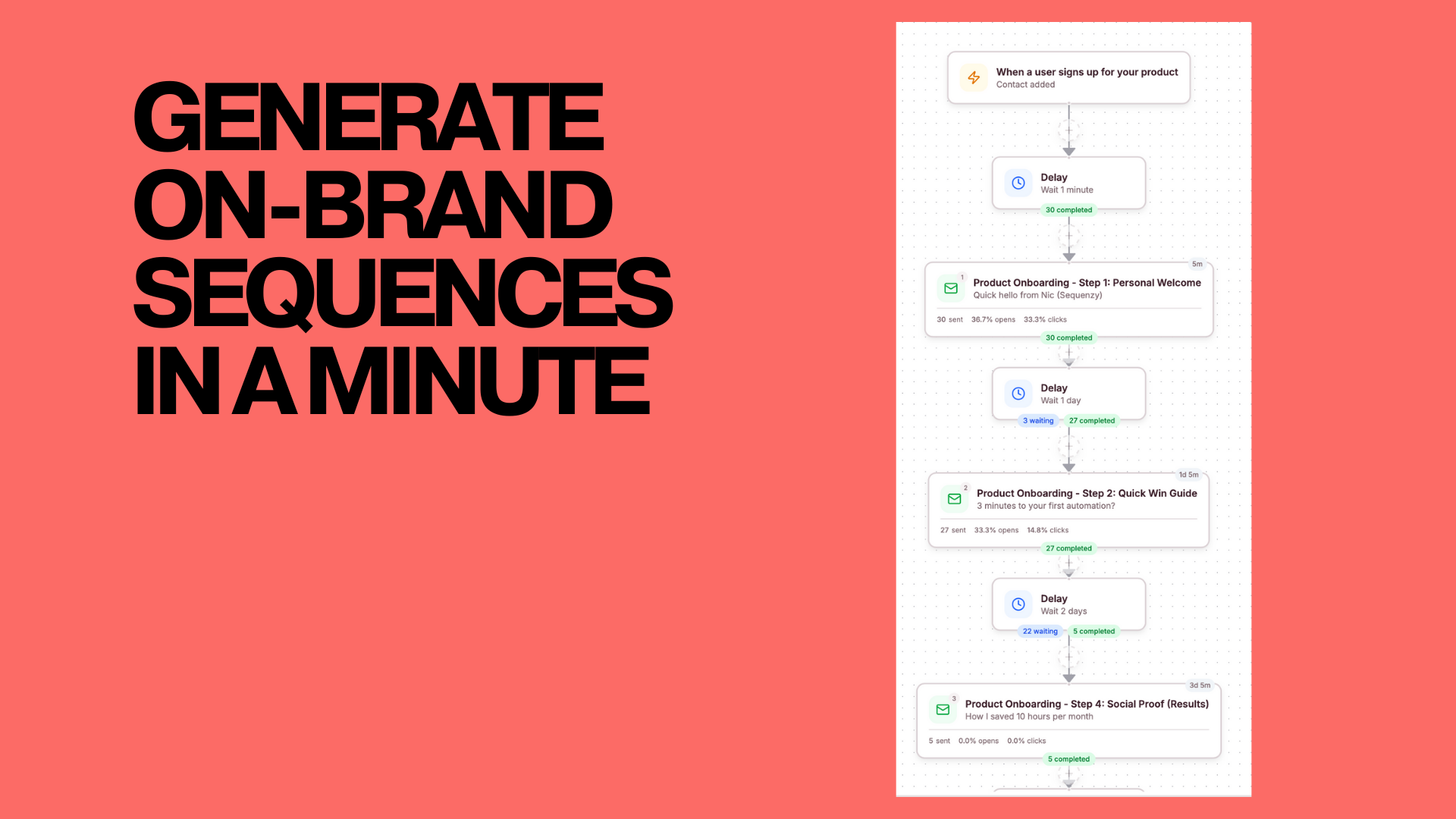
Email Marketing Platform for SaaS founders Create new on-brand sequences/email campaigns in minutes Draft new A/B tests with AI Sync stripe & segment users by mrr/ltv And much much more!
Hey everyone! As I was building my previous products, I always knew emails are important for your growth They can help in multiple ways: - Educate people about the product - Share testimonials you have - When user cancels a subscription - reach out to ask for questions - When user downgrades/churns - come back with reactivation emails A lot..... But it took a lot of time to create those. I ended up doing them in Cursor. It was great. Took 2 mins But I lacked all the beauty of email marketing tools - who opened, who clicked, analytics, proper segmenting, etc.... It clicked for me So I created sequenzy You can create your emails as quickly as with cursor. Yet, you still get all the features of standard email providers It's done specifically for SaaS founders to save time and give you EXACTLY what you need You can get started in literally 2 minutes. Hope you'd like it!
6
回复

This feels very founder-driven - fast like Cursor, but with real email analytics finally baked in. Makes a lot of sense. Does Sequenzy handle product-triggered emails too, or is it mainly focused on campaigns and sequences for now?

1
回复

@evgenii_zaitsev1 Thanks for the feedback

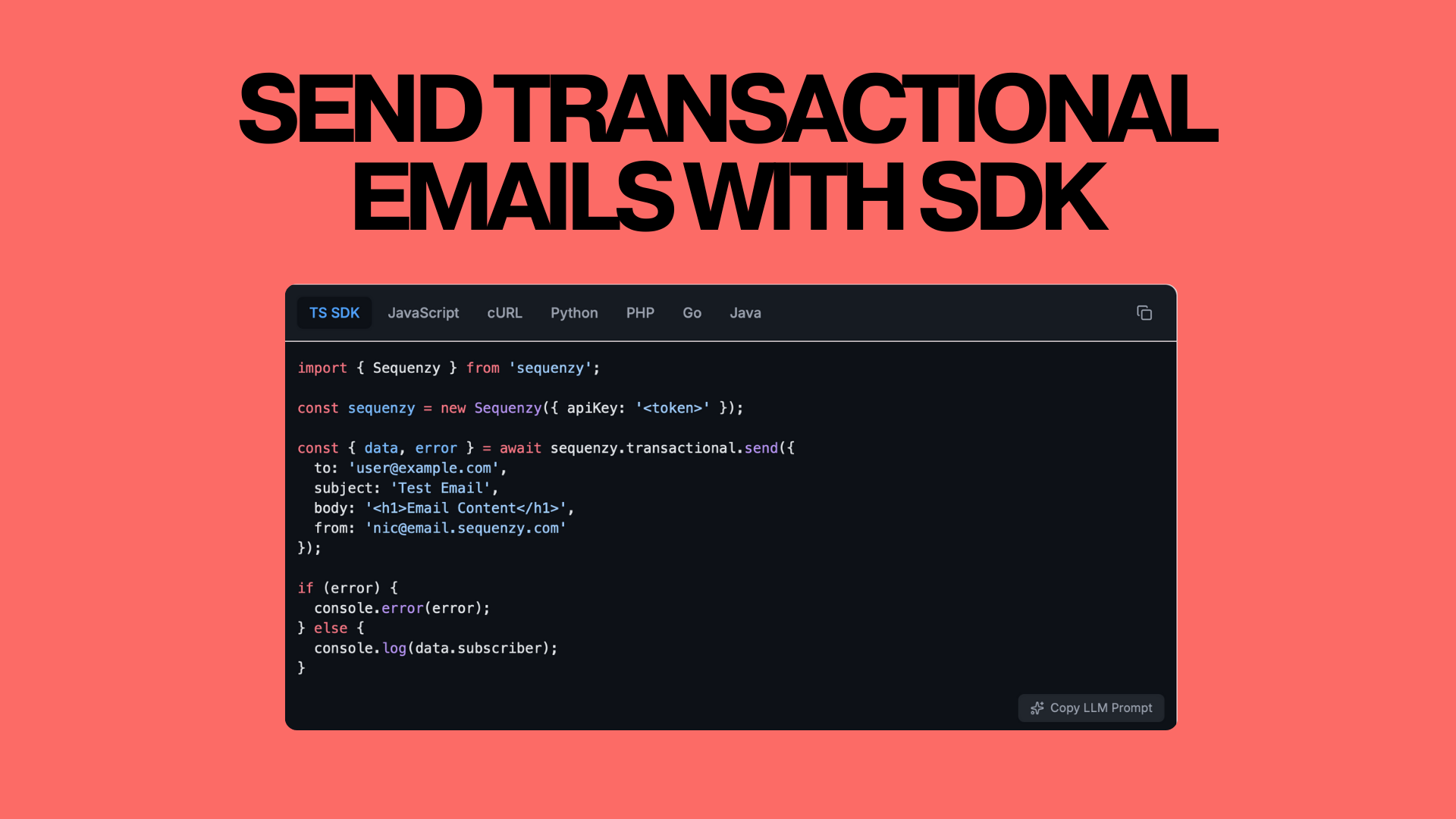
Product-triggered emails is also possible ofc. You can trigger any event and attach different kind of sequences to it, and you can also send transactional emails

Did I understand you correctly?

0
回复

Transactional emails are a pain. Glad you decided to solve it.

1
回复

@danzaitsev thanks, Dan

How do you currently send emails for LiftmyCV?

0
回复

Great product.. great launch.. all the best Nic.. Looking forward to trying it out for @OutlierKit 🙌

1
回复

@ayushtweetshere thanks, Ayush

Thanks a lot, looking forward to helping you!

0
回复

Good luck with the launch, Nic! That's a clever idea, and I know that the product is authentic because it grew out of your own needs

1
回复

@kyrylosilin thanks, Kyrylo

Appreciate the support!

0
回复

Hell yeah! Congrats on the launch :)

0
回复

@yahia_bakour3 appreciate you Yahia!

0
回复

Wow! game changer!

0
回复

@yaroslav_mykhaylov thanks a lot, Yaroslav

0
回复
#13
BlueTickets
Finally an easy and affordable tool for support tickets
35
一句话介绍:一款易于设置、价格亲民的工单系统,通过集成邮箱和简单API,为小团队解决了传统客服系统配置复杂、成本高昂且功能臃肿的痛点。
API User Experience Customer Communication
工单系统 客服平台 SaaS 中小企业工具 邮箱集成 轻量级 性价比 支持票务 团队协作 API集成
用户评论摘要:用户反馈现有主流客服工具设置复杂、使用繁琐、价格过高且缺乏简单实用功能(如多通知邮箱)。BlueTickets源于实际客户需求,以轻量化、易用性获得认可,直击“过度复杂”的行业通病。
AI 锐评

BlueTickets看似是又一个Helpdesk赛道的追随者,但其真正价值在于精准切中了一个被巨头忽视的缝隙市场:对轻量化、低成本、即装即用有极致需求的小团队与开发者。产品介绍中“[更多功能即将到来]”的标注暴露了其当前功能深度的不足,但这恰恰可能成为其阶段性优势——不过度设计,只解决最核心的邮件、网页工单集中化与API接入问题。

用户评论揭示了深刻的行业洞察:许多知名客服系统在追求功能全面的过程中,陷入了“复杂性暴政”,将大量无需复杂流程、预算有限的小客户拒之门外。BlueTickets的故事始于开发者为满足自身客户需求的内部工具,这种“由内而生”的路径保证了其产品逻辑紧密贴合真实、具体的痛点,而非想象出来的需求。其“简单API”和“手动创建工单”等强调,直指用户对控制感和灵活性的渴望。

然而,其挑战同样清晰。随着客户规模增长,对自动化、知识库、报表分析等“高级”功能的需求必然出现。如何在保持核心简洁的同时,优雅地扩展功能,将是对团队产品哲学的终极考验。此外,在低价策略吸引初期用户后,如何构建可持续的商业模式和竞争壁垒,避免被后来者复制或巨头通过降价挤压,是必须思考的战略问题。总体而言,BlueTickets的价值不在于技术创新,而在于对市场细分和用户体验本质的回归。它能否在“简单”与“可扩展”之间找到平衡点,将决定其是小众精品,还是下一个潜力股。

查看原始信息
BlueTickets
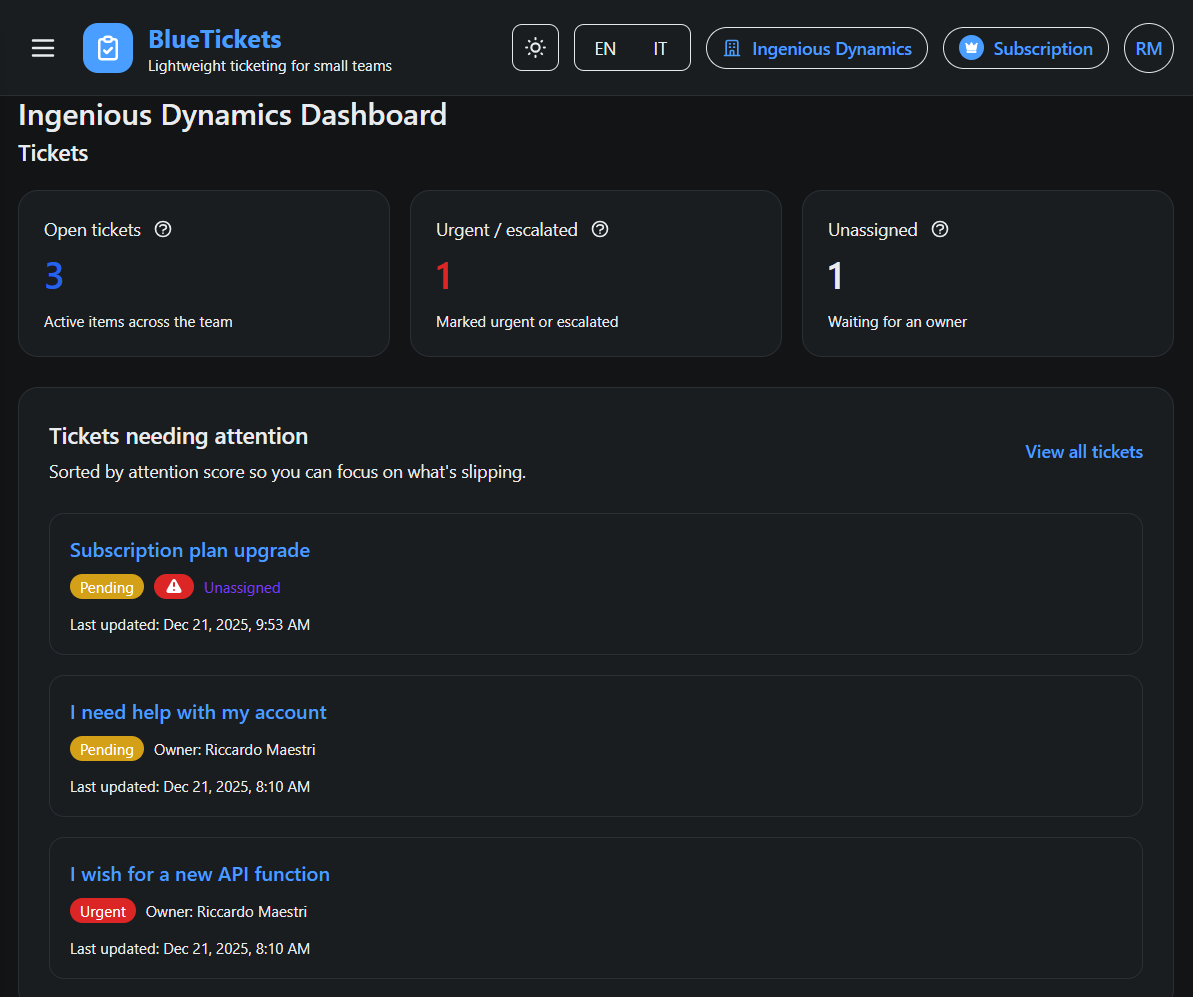
Discover BlueTickets, an easy-to-setup affordable support tickets helpdesk with email integration, simple APIs, manual ticket creation, and affordable pricing for small teams. Centralize support from emails, web, and more. [MORE FEATURES TO COME]!

We built multiple softwares for my clients, in healthcare, IoT, SaaS products. For all of them we ended up to the last "fine tuning" that required adding a support request form, from web and mobile apps. We created a form that simply sends an email to the support@clientdomain.com, and we thought it was enough. They wanted instead a bit more, so we started looking for the famous and well-known helpdesk tools. All our clients rejected them for these reasons:

1) Complicated to setup
2) Complicated to use
3) Too costly even for simple rare usage
4) Missing some simple but useful function (e.g. sending multiple notification email to listening accounts)

we offered to train our clients on how to use them, but they systematically refused.

That's when we decided to build our own ticketing system. We started with one client, and having seen him happy, we slowly scaled it to more, and finally we decided to make it public.

This story brought to what you see today at www.bluetickets.app.

3
回复

This resonates a lot. Every helpdesk tool I’ve tried feels like overkill for simple support. Nice to see something more straightforward.

0
回复
#14
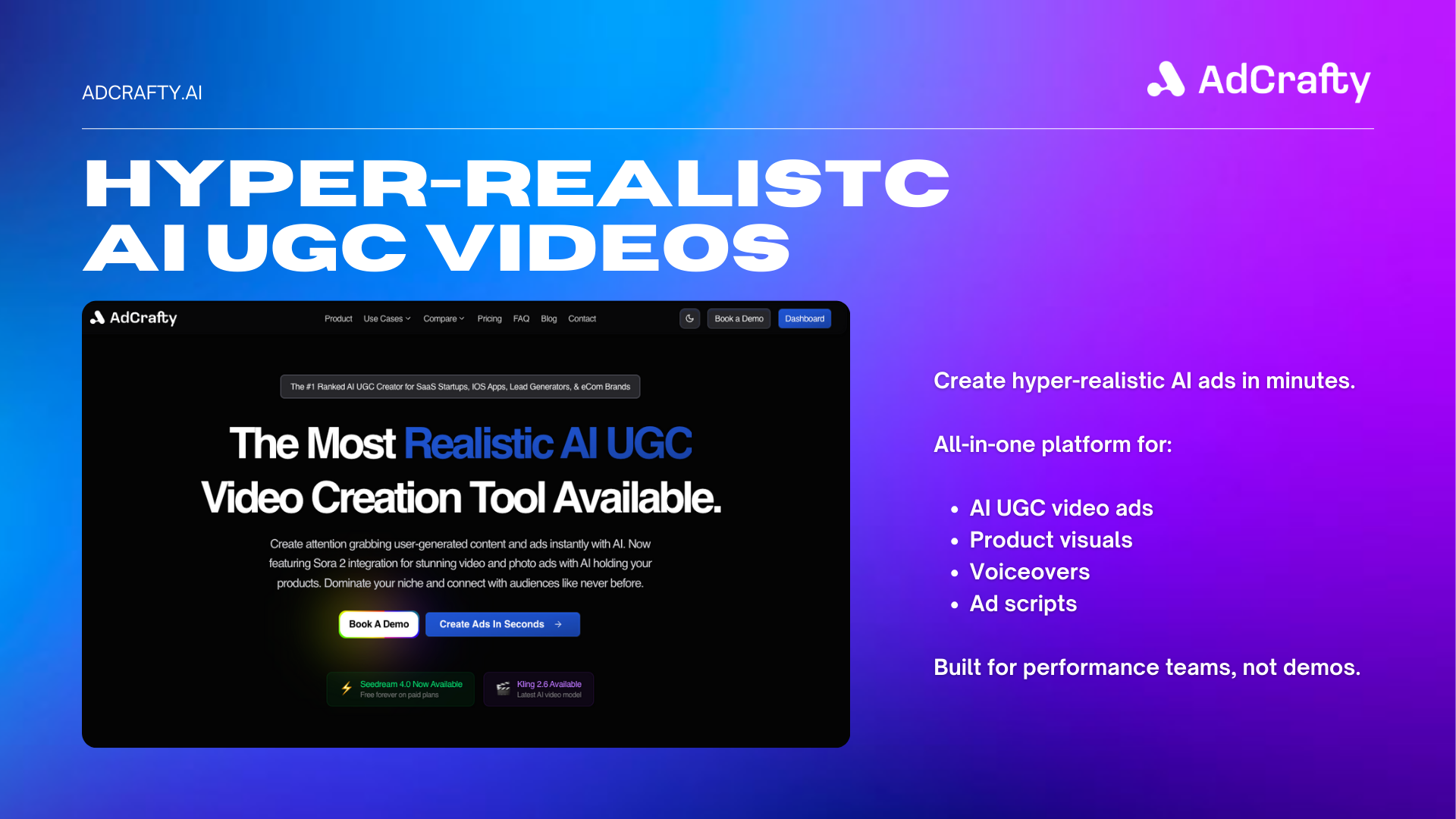
AdCrafty AI
Hyper-realistic AI UGC videos for modern advertising
31
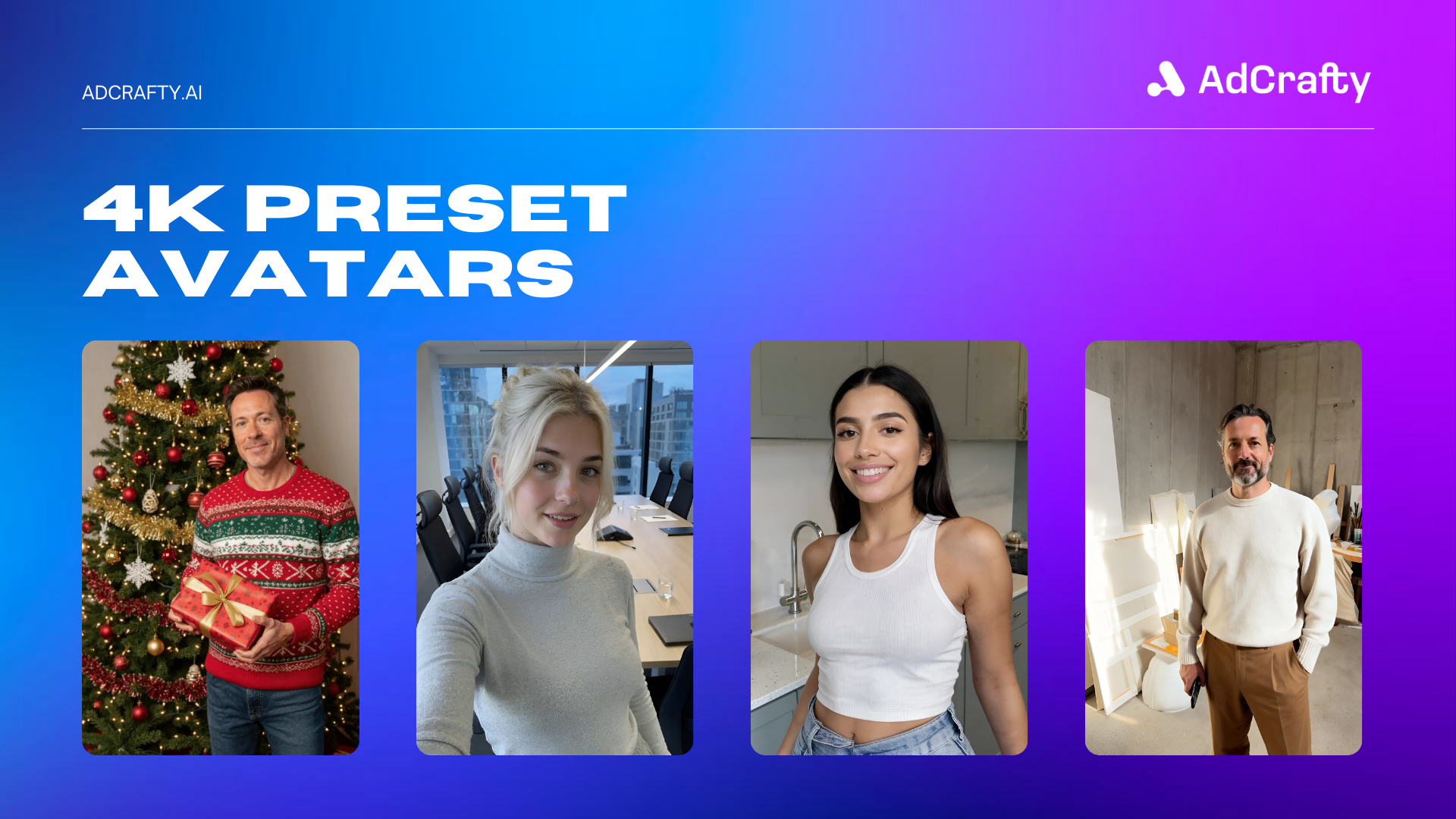
一句话介绍:AdCrafty AI 是一款专为效果营销设计的AI工具,通过生成超真实的用户生成内容(UGC)视频、证言、生活方式照片和产品演示,解决了品牌在广告创意制作中面临的速度慢、成本高且质量不一致的核心痛点。
Social Media Marketing Artificial Intelligence
AI视频生成 UGC内容创作 效果营销 广告素材 超真实虚拟演员 定制化头像 语音合成 数字内容生产 广告优化
用户评论摘要:创始人亲自介绍产品初衷,强调解决创意生产瓶颈。用户认可其精准定位广告场景,而非仅用于演示。目前评论较少,主要为产品发布互动,尚未出现具体问题或功能建议。
AI 锐评

AdCrafty AI 看似切入了一个炙手可热的赛道——AI生成营销内容,但其宣称的“超真实”与“专为效果营销打造”才是值得深挖的刀刃。产品介绍中罗列了“持产品演员”、定制头像、高级语音及Veo 3.1等下一代模型,这更像是一份尖端技术的堆砌清单,而非清晰的价值主张。其真正的赌注在于:在广告这个极度追求转化率的领域,“真实感”的边际效益是否足以撼动传统真人UGC或专业制作的地位?当前AI生成内容普遍存在的“恐怖谷”效应和情感空洞,仍是转化漏斗中的潜在风险点。

从评论看,市场初步反馈认同其解决“UGC生产痛点”的定位,但缺乏实际用例和数据佐证。产品目前最大的挑战并非技术炫技,而是如何证明其生成的内容不仅能“以假乱真”,更能“以假胜真”——即在A/B测试中,其ROI能稳定超越传统生产方式。它瞄准的“现代广告”生态(Meta、TikTok、Google)是内容消耗的巨兽,也是审美疲劳和广告屏蔽的重灾区。AdCrafty AI若想脱颖而出,必须超越“内容生产工具”的层面,深度融合广告平台的性能数据,形成“生成-测试-优化”的闭环。否则,它很可能只是为已然嘈杂的AI视频赛道,再添一款“看起来不错”的玩具,而非真正击穿营销成本结构的利器。

查看原始信息
AdCrafty AI
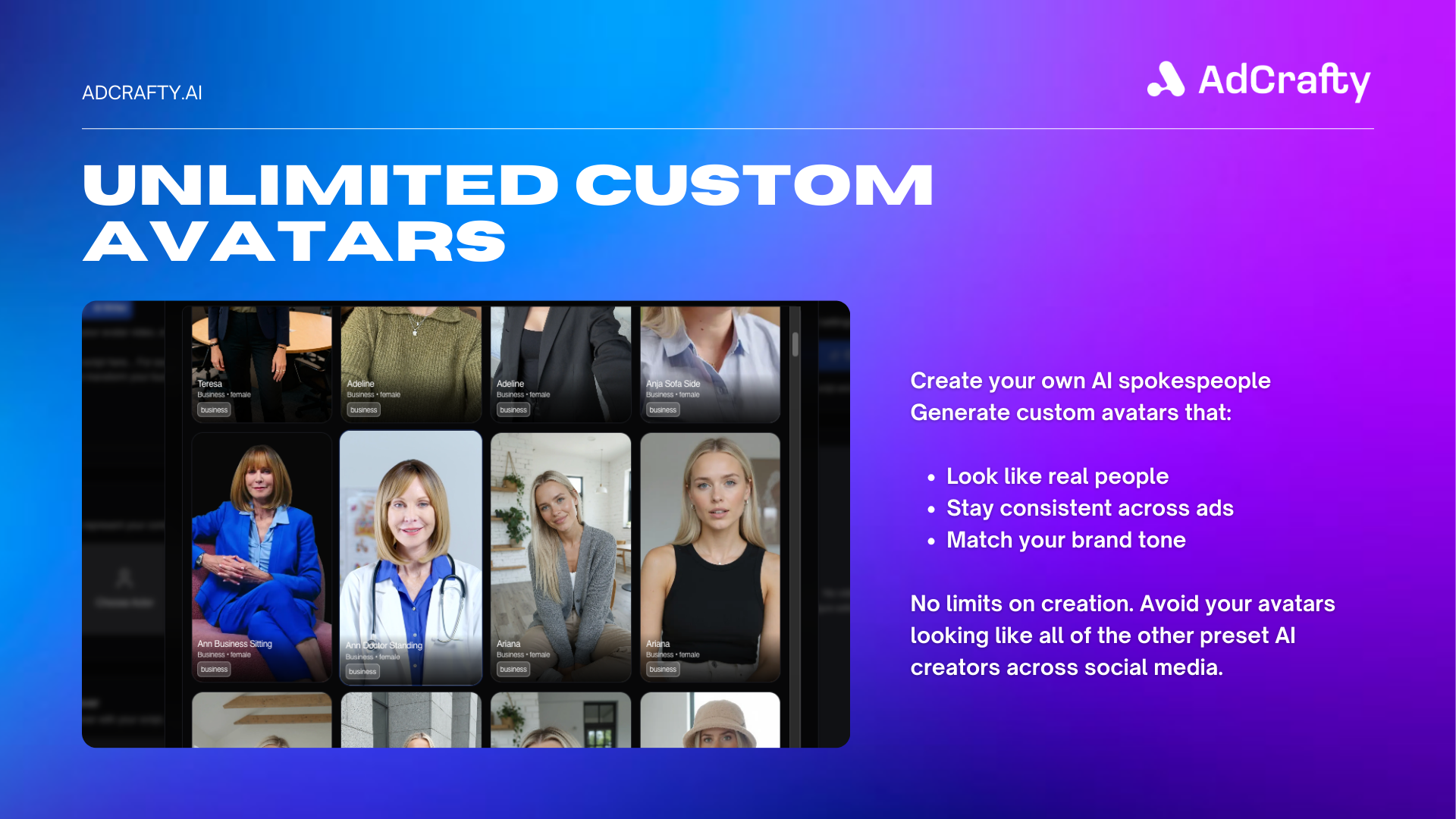
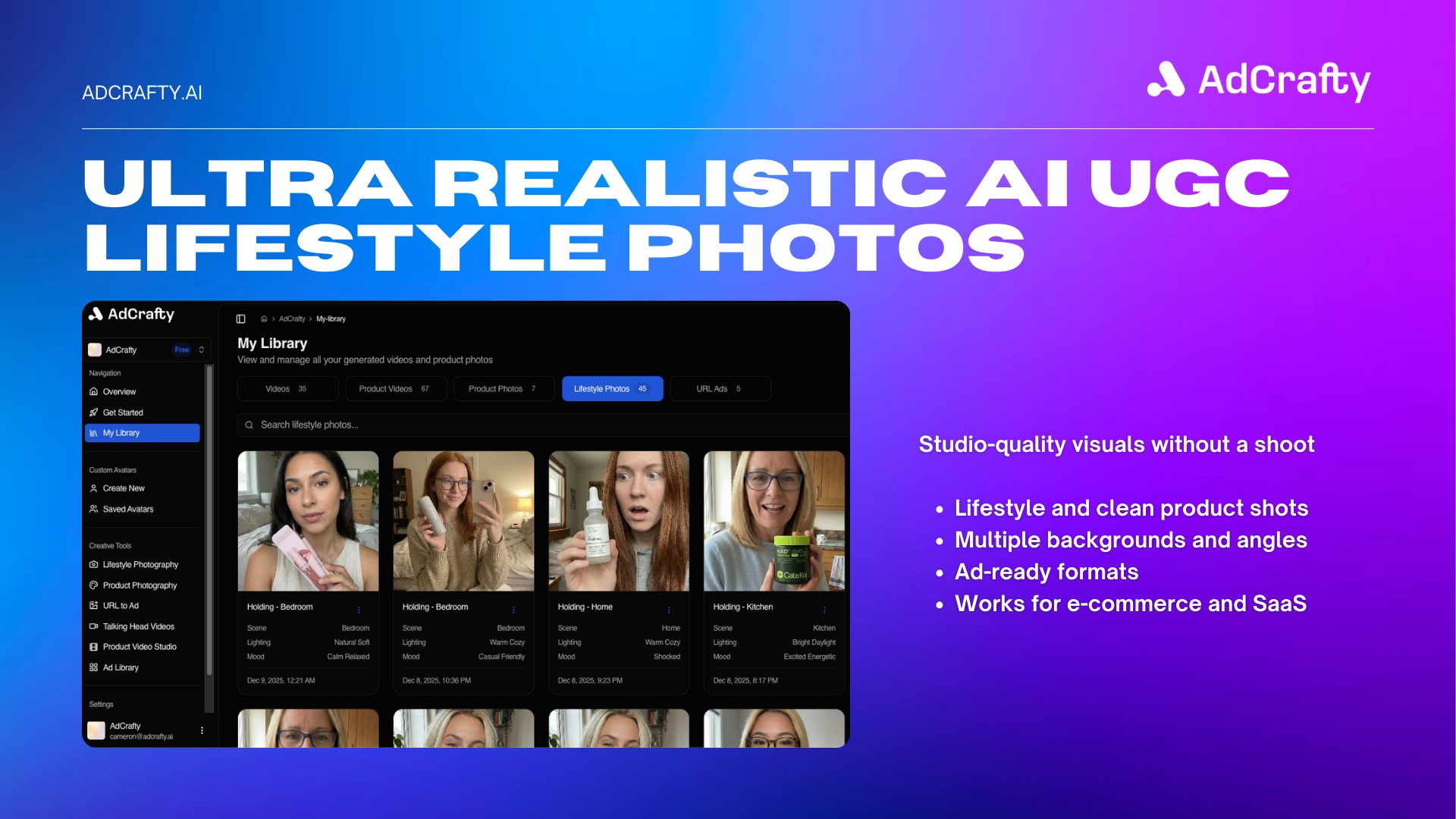
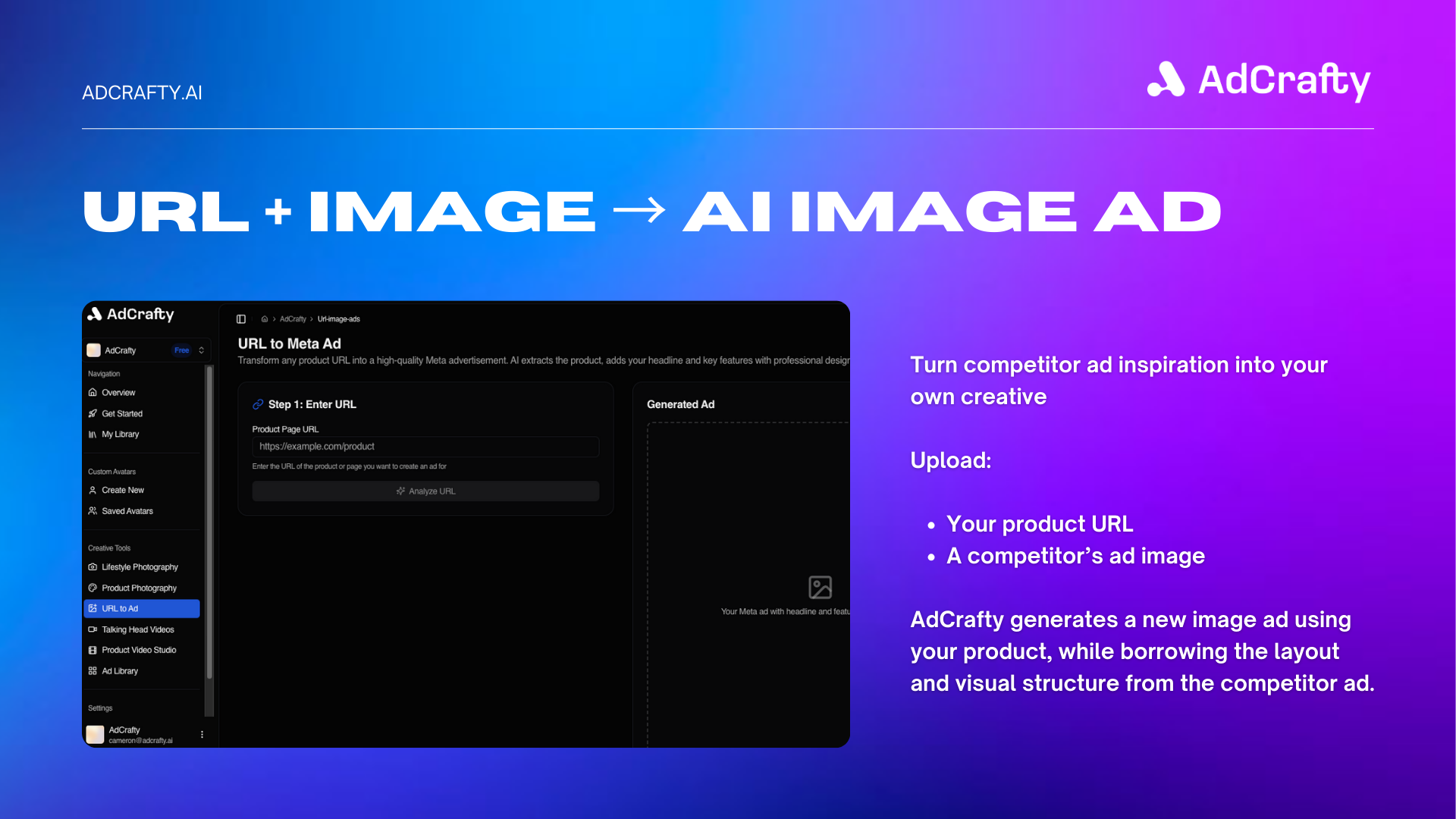
AdCrafty AI lets brands generate hyper-realistic UGC videos, testimonials, lifestyle photos, and product demos in minutes. Unlike generic AI video tools, AdCrafty is built specifically for performance marketing, with product-holding AI actors, custom avatars, premium voices, and next-gen models like Veo 3.1 and Sora 2 Pro. The result is scroll-native content that looks real and performs in Meta, TikTok, and Google ads.
Hey Product Hunt 👋 I’m Cameron, founder of AdCrafty. We built AdCrafty because creative production became the biggest bottleneck in performance marketing. Creators are slow, expensive, and inconsistent, and most AI tools still feel fake. Our goal was simple: make AI UGC that actually looks real and converts in ads. Product-holding actors, custom avatars, premium voices, and next-gen video models all in one place. Would love feedback from founders, marketers, and anyone running ads. Happy to answer questions all day 🚀
4
回复

UGC production is such a pain point right now. Cool to see something that’s clearly built for ads, not just demos.

1
回复

@audearn Thanks man, much appreciated!

0
回复
#15
DigiFlash
The Fastest WordPress Theme Ever Built
25
一句话介绍:DigiFlash是一款基于WordPress全站编辑器(FSE)构建的极致性能区块主题,通过纯JSON配置和零代码可视化编辑,解决了传统主题因遗留代码导致网站臃肿、加载缓慢的痛点,尤其适合追求完美PageSpeed分数和快速搭建的建站场景。
Design Tools WordPress GitHub E-Commerce
WordPress主题 全站编辑器(FSE) 高性能 PageSpeed优化 区块主题 零代码定制 WooCommerce 轻量化 快速建站 JSON配置
用户评论摘要:创始人在评论中阐述了产品解决传统主题“历史包袱”问题的核心理念。有效反馈来自一位用户,其肯定产品的JSON优先方案和性能,并提出了关于WooCommerce布局实际灵活性的具体疑问,这反映了潜在用户对“高性能”与“实用性”并重的关注点。
AI 锐评

DigiFlash的亮相,与其说是一款新主题的发布,不如说是对WordPress主题开发范式的一次激进宣言。它直指行业沉疴:将古早的PHP模板逻辑与现代的Gutenberg(FSE)区块系统生硬嫁接,必然导致性能损耗与体验割裂。DigiFlash标榜“纯FSE”、“零PHP模板”,本质上是试图彻底抛弃历史包袱,拥抱以JSON配置和区块为核心的全新架构。这使其在性能指标(如Lighthouse满分)上具有先天优势,所谓“3倍速”并非魔法,而是架构代差的结果。

然而,其真正的挑战与价值也在于此。首先,“纯区块”的代价可能是灵活性的隐性收缩。资深开发者习惯的PHP模板钩子和深度定制路径被阻断,一切依赖区块和JSON,这在应对复杂、非标准的商业需求(如评论中提及的WooCommerce布局)时可能成为双刃剑。其次,其价值主张高度绑定于WordPress自身的FSE生态演进。若FSE未能成为绝对主流,或市场仍大量需要与传统编辑器共存的方案,DigiFlash的“纯粹”反而可能成为市场壁垒。

从创始人背景(OceanWP)看,这是一次成功的自我颠覆。它不再满足于在旧体系内优化(“兼容Gutenberg”),而是选择在趋势明朗处All in,用极致性能树立新标杆。其商业模式也清晰:免费版获取用户与口碑,Pro版的AI工具和代码片段则瞄准了区块生态下的进阶需求。简言之,DigiFlash的价值不在于它今天比Astra快多少,而在于它押注并身体力行地推动着WordPress前端开发的“次世代”转型。成功与否,既取决于其自身在“纯粹”与“灵活”间的平衡艺术,更取决于整个生态对FSE的接纳速度。

查看原始信息
DigiFlash
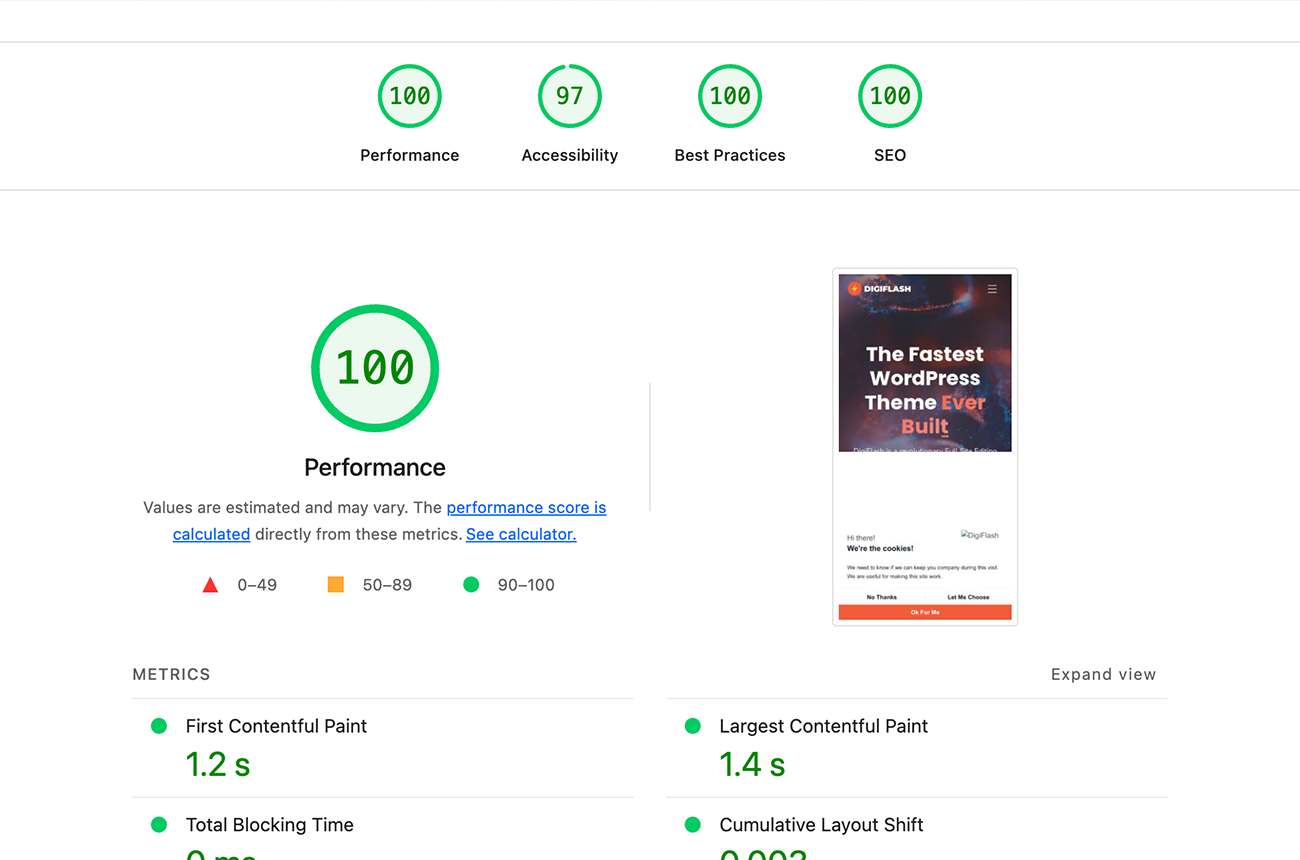
DigiFlash is the fastest WordPress FSE block theme with 100 PageSpeed score, and zero-code customization. 3x faster than traditional themes!
👋 Hey Product Hunt! I'm Nicolas, creator of OceanWP (used on 500,000+ websites) and founder of DigiHold. After 15 years building WordPress themes, I noticed something frustrating: The Problem: Traditional themes are stuck in the past. They bolt Gutenberg compatibility onto legacy PHP code, resulting in bloated sites that struggle to hit 90+ PageSpeed scores. The Solution: DigiFlash is built differently. It's a pure FSE block theme from the ground up, no legacy code, no compromises. What makes it special: ⚡ 0.3s load time with perfect 100 Lighthouse score 🚀 3x faster than traditional themes like Astra or Kadence 🎨 Zero PHP templates, pure JSON-powered configuration 🔧 Full Site Editor native, edit headers, footers, templates visually 🛒 WooCommerce & DigiCommerce ready out of the box The free version is available on WordPress.org. Pro adds AI writing tools, custom code snippets, and priority support. 🎁 Launch offer: Use code PHDIGIFLASH for 40% off Pro! Would love to hear your feedback, what features would make your ideal block theme?
2
回复

@digihold The performance claims are impressive, especially the clean JSON-first approach. Curious how flexible it feels for real-world WooCommerce layouts.

This is very much how we think at Curatora too. Strip the noise, rebuild from first principles, and focus on what actually matters.

0
回复
#16
FounderTrace
Chain of YC startups founded by its employees
24
一句话介绍:FounderTrace通过可视化图谱,呈现YC初创公司员工的创业传承链条,帮助创业者、投资者和招聘者洞察科技行业的人才流动与成功模式关联。
Investing Business Data Visualization
创业基因图谱 YC生态分析 人才流动可视化 初创公司数据库 招聘工具 投资决策辅助 数据挖掘 科技行业洞察 免费工具 网络关系分析
用户评论摘要:用户反馈积极,认为产品创意新颖且具有意外价值。开发者详细说明了项目源于PG推特的灵感,并借助Crustdata API快速实现。有用户表示会深入探索,并幽默提及延续自身“创始人链条”的压力。
AI 锐评

FounderTrace本质上是一款将YC系人才谱系进行数据可视化的轻量级工具,其核心价值并非技术创新,而是对公开数据的关系重组与叙事包装。产品巧妙抓住了科技行业对“成功血统论”的集体迷恋,将模糊的行业传闻转化为可交互的谱系图,满足了生态内参与者对模式确认和身份认同的心理需求。

然而,其深层局限性值得警惕:首先,数据源依赖LinkedIn等公开资料,准确性与完整性存疑,且“工作经历”与“创业传承”间的因果关系被过度简化;其次,强调“创始人工厂”概念可能加剧行业内的同质化思维,使投资者和创业者陷入路径依赖,忽视多元化背景的价值;最后,作为免费无门槛工具,其商业模式模糊,若未来转向数据变现或招聘服务,可能面临隐私与伦理争议。

从行业视角看,该产品是“数据叙事”趋势的典型缩影——通过低技术门槛的拼接,将枯燥数据转化为具有传播性的故事。短期看,它能提供有趣的社交谈资和初步的招聘线索;但长期而言,若不能引入更严谨的分析维度(如失败案例对照、技能迁移量化等),恐将停留于“科技星座图谱”的娱乐层面,难以形成持久的工具价值。

查看原始信息
FounderTrace
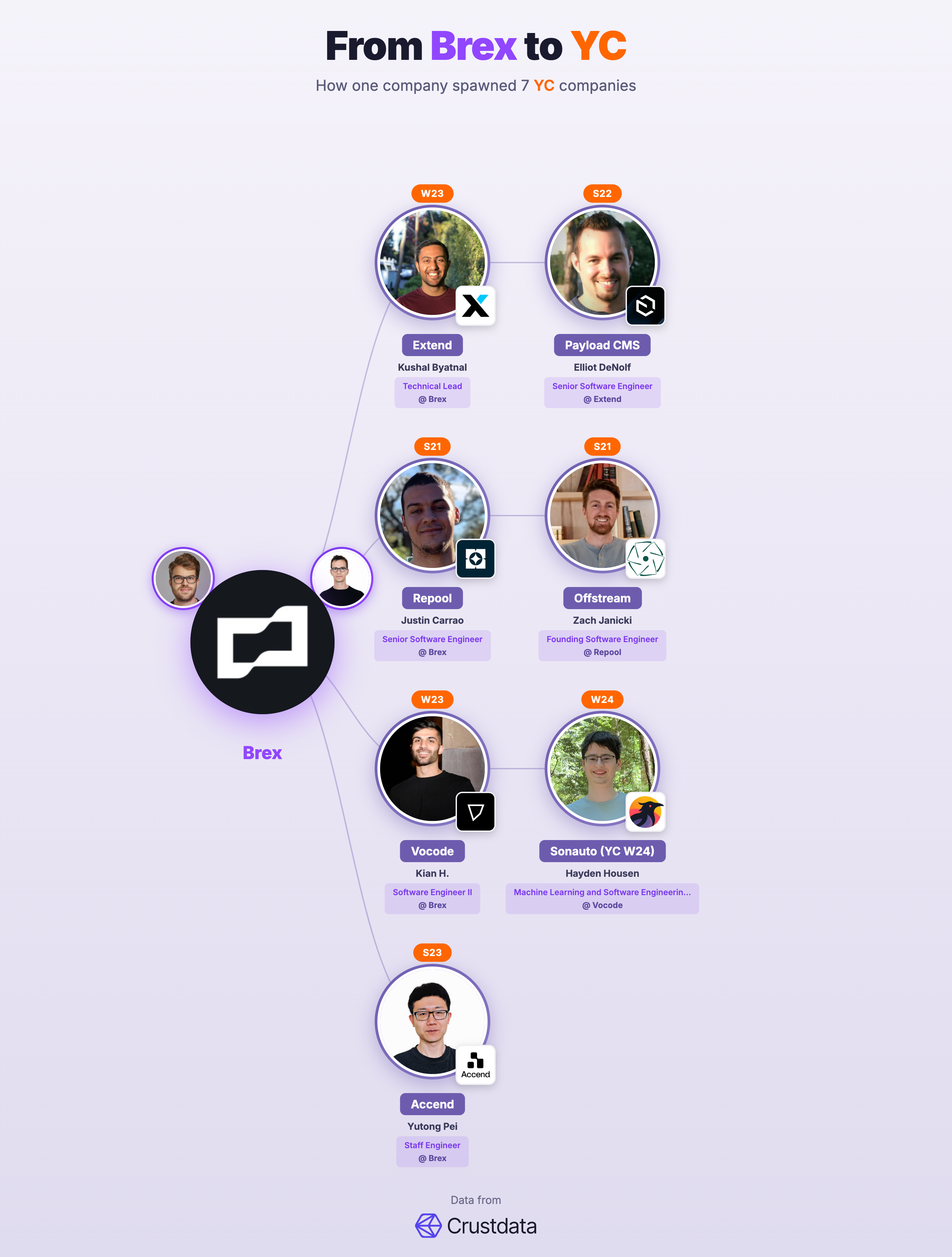
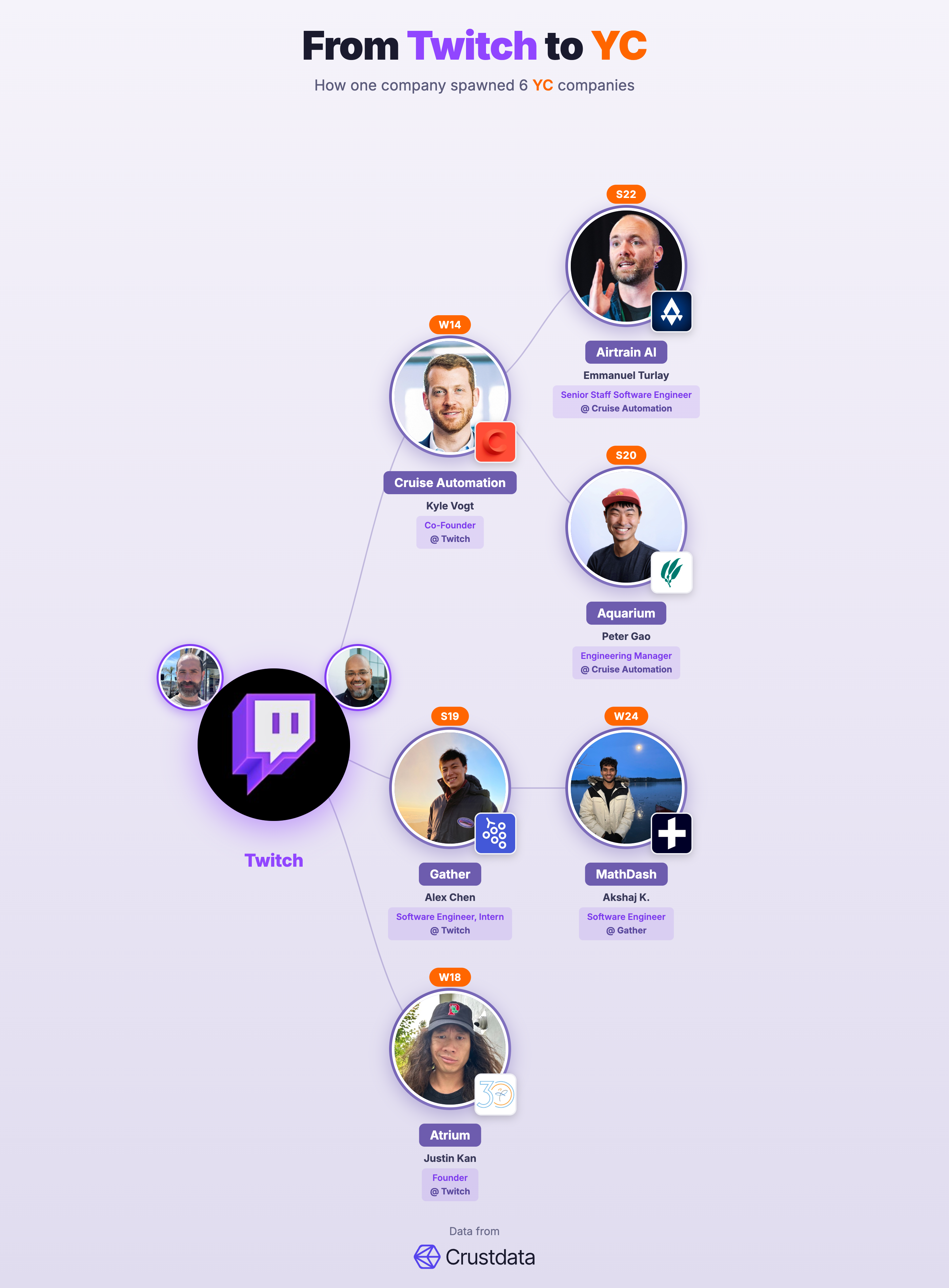
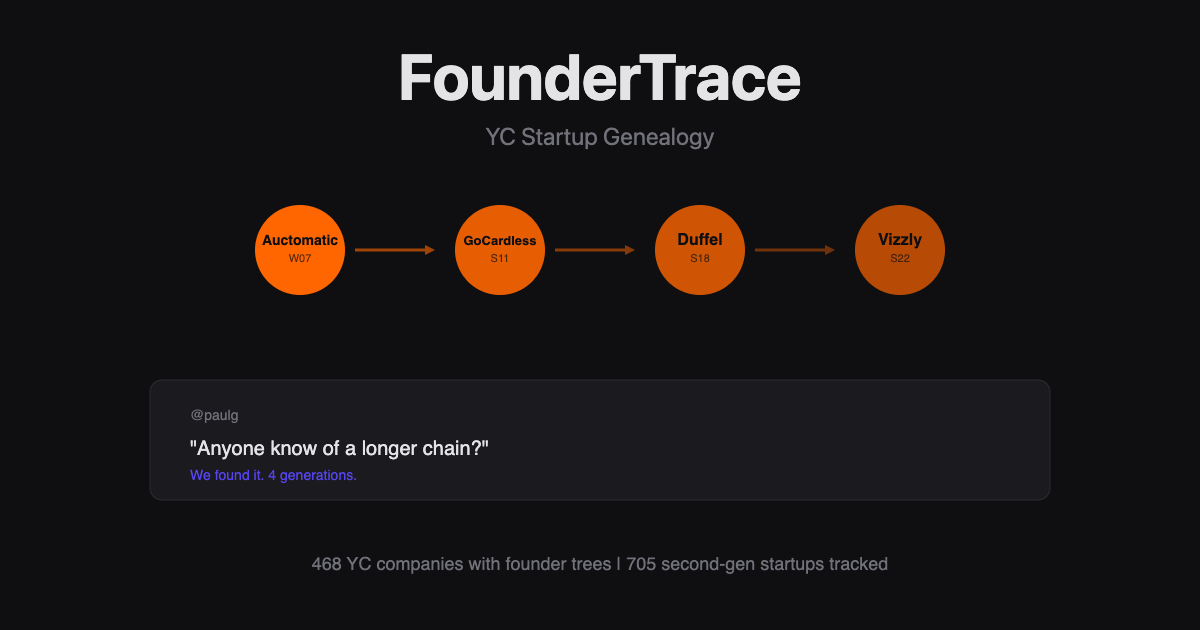
PG tweeted: "I bet 3 founder generations is not the record. Anyone know of a longer chain?" Challenge accepted. FounderTrace maps the entire YC founder genealogy — 6,000+ companies, showing who worked where before founding what. Discover 4-generation chains, see which startups are "founder factories" (Stripe alone spawned 50+ YC companies), and explore the family trees of tech's most successful companies. Vibe coded with Crustdata APIs. Free. No signup.
Hey Product Hunt! 👋 This started with a tweet from Paul Graham. Last month, PG posted: "I met a startup today whose founders had previously worked at Coinbase and Scale. And Brian Armstrong of Coinbase had himself worked at Airbnb. I bet 3 'generations' is not the record though. Anyone know of a longer chain?" The tweet got 268K views. Everyone was curious. So I vibe coded the answer in a weekend using https://crustdata.com. FounderTrace maps the entire YC founder genealogy — who worked where, who founded what, and how these chains connect across 6,000+ YC companies. What PG's AI found: The longest chain is 4 generations: Auctomatic (W07) → GoCardless (S11) → Duffel (S18) → Vizzly (S22) What FounderTrace shows you: - Visual family trees for every major YC company - Which startups are "founder factories" (Stripe alone has spawned 50+ YC companies) - The hidden connections between the companies you use every day Why you might care: - Founders: See who came before you in your "lineage" - Hiring: Find talent from companies that produce founders - Investors: Spot patterns in successful founder backgrounds - Curious minds: It's honestly just fun to explore Crustdata gave me access to enriched LinkedIn data for millions of profiles — work history, company connections, the works. Without that, this would've taken months instead of a weekend. The entire site is free. No signup. PG's original tweet is right there on the landing page as a reminder of how this started.
2
回复
such a great product
1
回复

I didn’t know I wanted this! I'll definitely dig into this later. Now I feel pressure to keep my founder tree going haha.

0
回复
#17
SheetSandbox
Transforms Google Sheets into a database for developers.
19
一句话介绍:一款将Google Sheets转化为生产级数据库的工具,使开发者无需构建后端即可为等待列表、反馈表单等场景快速创建API,解决了轻量级应用开发中基础设施搭建繁琐的痛点。
API Spreadsheets Developer Tools
无代码/低代码 API生成 Google Sheets集成 开发工具 后端即服务 数据管理 快速原型 生产力工具
用户评论摘要:评论为开发者自述,强调产品能节省为简单表单和等待列表搭建后端的时间,并突出其高性能、零配置、数据不离Sheet的特点。本质是产品宣传,未包含外部用户的直接反馈或建议。
AI 锐评

SheetSandbox精准切入了一个细分但普遍存在的痛点:开发者在构建MVP或轻量级功能时,常陷入“杀鸡用牛刀”的困境。为了一个简单的数据收集需求去配置数据库、编写API,是典型的价值耗散。该产品将Google Sheets这一广为人知的“平民化”工具进行“军规化”改造,赋予其生产级API的能力,本质是提供了一种巧妙的“降级”方案——将非核心、低并发的数据流导向一个成本极低、认知门槛几乎为零的存储界面。

其真正的价值不在于技术上的颠覆,而在于对开发优先级和资源分配的深刻理解。它让开发者能将宝贵的时间和精力从“基础设施正确性”中解放出来,投入到更核心的业务逻辑上。然而,其天花板也显而易见:Google Sheets的性能、并发、数据关系型操作的限制,注定它只能是特定场景(如早期验证、内部工具、低频操作)的临时桥梁,而非长久之计。产品的成功关键在于能否清晰界定并教育市场这些“适用场景”,避免用户产生不切实际的预期。同时,“零数据存储”是它的信任支点,但如何确保API安全性与权限管控的易用性,将是其能否从“玩具”升级为“工具”的关键考验。

查看原始信息
SheetSandbox
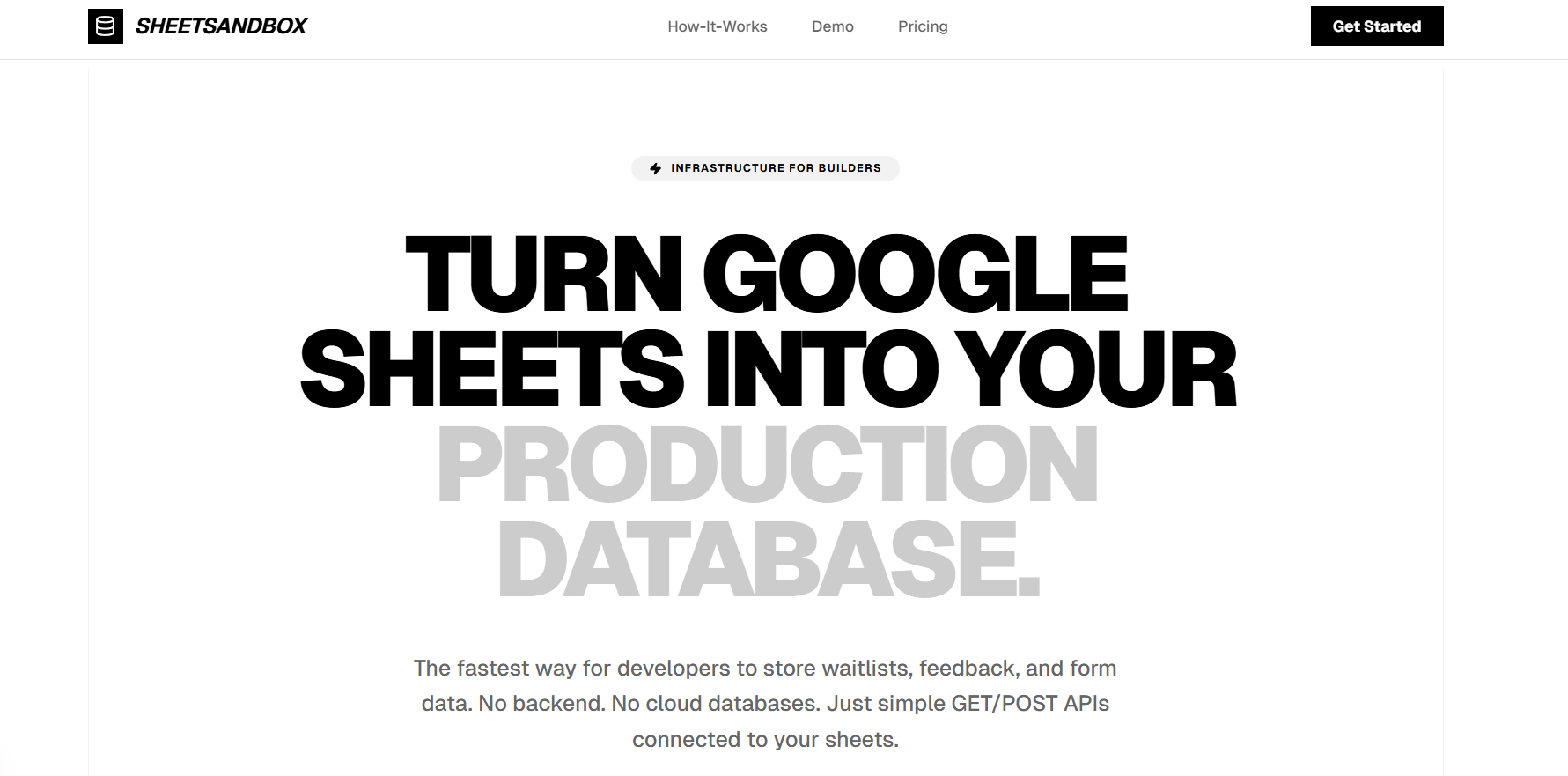
Turn Google Sheets into your production-ready database. Instantly create APIs for waitlists, feedback, and forms. No backend required.

Stop wasting time on backend infra for simple feedback forms and waitlists.

I just launched SheetSandbox—a high-performance API bridge that turns Google Sheets into your production database. GET/POST endpoints, zero-config, and zero data storage on our end. Your data stays where it belongs: in your spreadsheet.

Let me know your feedback on the application

0
回复
#18
Breathe
Breathing patterns for calm and focus.
16
一句话介绍:一款极致简洁的呼吸训练应用,通过提供清晰的呼吸模式,在用户需要快速平复情绪或集中注意力时,提供零干扰、即开即用的专注工具。
Health & Fitness Meditation Health
健康应用 正念冥想 呼吸训练 极简设计 免登录 无游戏化 心理健康 焦点提升 压力管理 轻量化工具
用户评论摘要:用户反馈高度认可其“零干扰”理念,赞赏无需账户、无游戏化、界面干净、启动无摩擦的极致简洁体验。开发者本人评论也强调了这一核心设计初衷。
AI 锐评

Breathe 的出现,是对当前“功能膨胀”和“过度设计”的冥想健康类应用市场的一次冷静反击。它精准切入了一个被忽视的细分需求:不是需要引导、社区或长期课程的用户,而是那些在焦虑瞬间或需要专注前,迫切需要一个“数字镇静剂”的群体。其真正的价值不在于提供了多么独特的呼吸模式,而在于其近乎偏执地剔除了所有可能产生心理负担的要素——账户、数据追踪、成就系统、复杂界面。这使其从一个“需要坚持使用的工具”降维为一个“即用即弃的瞬时媒介”。

然而,这种极致的单一性既是其利刃,也是其天花板。在解决“启动摩擦”痛点的同时,它也几乎放弃了用户留存和深度参与的所有常规手段。它的商业模式和长期生命力因此存疑,很可能局限于小众的“工具爱好者”市场。此外,在科学背书和个性化适配方面,它目前呈现的是一种“信任姿态”而非“证据支撑”,这对于追求实证效果的用户可能缺乏说服力。简而言之,Breathe 是一款优秀的“概念产品”,它清晰地定义并完美解决了一个特定问题,但它更像一个功能纯粹的“系统原生应用”,而非一个意图在激烈市场中生存的独立商业产品。它的成功,更多在于对行业过度复杂化趋势的批判性示范作用。

查看原始信息
Breathe
Breathe is a simple breathing app for calm and focus. No accounts. No gamification. No clutter. Just clear breathing patterns in a clean, ultra-lightweight, minimal interface. Open it and start breathing.
I built Breathe because I wanted a breathing app with no distractions. No accounts, no gamification, no clutter. Just clear breathing patterns in a clean, ultra lightweight interface.
2
回复

This feels nice just opening it. No friction at all.

0
回复
#19
GUD.QUEST
Share or read what people are asking on AI.
14
一句话介绍:GUD.QUEST是一个AI对话存档与发现平台,通过提供可公开分享和搜索的对话库,解决了用户与ChatGPT等AI工具进行高质量对话后内容难以留存、管理和复用的痛点。
Productivity Artificial Intelligence Search
AI对话存档 提示词库 知识管理 社区分享 搜索引擎优化 Chrome扩展 开源学习 内容发现 生产力工具
用户评论摘要:用户反馈积极,认为其解决了保存与分享AI对话的实际需求。制作者回应了关于产品定位的评论,透露将发展私有空间和一体化工作流等更深层功能。有用户明确表达了为“私人存储”付费的潜在意愿。
AI 锐评

GUD.QUEST瞄准了一个真实且正在增长的缝隙市场:AI对话的“事后价值”挖掘。其核心价值并非工具创新,而是对用户无意识产生的、高价值中间过程数据的“抢救性归档”和“结构化处理”。

产品聪明地借用了“GitHub Gist for prompts”的类比,将散落的、私有的AI对话转化为可搜索、可分类的公共知识资产。这本质上是为AI原生内容构建了一个轻量级的“谷歌学术”,但其研究对象不是论文,而是普通人如何有效提问。这直接切入了当前AI应用的核心矛盾:模型能力强大,但用户提示(Prompt)质量参差不齐。平台通过展示“专家如何提问”,试图成为提示工程的最佳实践库。

然而,其面临的挑战同样尖锐。首先,**内容质量与激励的悖论**:最有价值的对话往往涉及商业机密或个人深度思考,用户缺乏公开动机。公开的、不敏感的内容是否具备足够的学习深度?其次,**护城河问题**:功能本身技术壁垒不高,更像一个Feature而非Product,易被大厂(如Notion、Discord)或AI平台本身(如ChatGPT即将推出的记忆功能)集成或覆盖。最后,**商业模式模糊**:评论中提及的“私有存储”付费点较为薄弱,在本地文件和多平台同步工具盛行的今天,说服用户为云端私有存储付费需要极强的附加价值。

制作者在评论中透露的下一步方向——“在平台上直接使用AI”——是更合理的演进路径。即从“存档”转向“创作环境”,形成生产-存档-分享的闭环,提升用户粘性和数据独占性。否则,当前形态虽能快速获取早期尝鲜者,但极易陷入活跃度低、内容同质化的“死库”困境。

总而言之,这是一个极具洞察力的起点,精准捕捉了AI普及后的衍生需求。但其长期生存不取决于“库”有多大,而在于能否围绕这些对话数据,构建出不可替代的协作流程或智能增强体验,从“档案馆”升级为“研究所”。

查看原始信息
GUD.QUEST
GUD.QUEST - Share and discover AI conversations from ChatGPT, Claude (Anthropic), Gemini, Grok, Perplexity, DeepSeek, and Meta AI.

👋 Hey Product Finders!

I'm Naseeyat Gumaan, maker of gud.quest.

The problem We're solving:
Every day, millions of people have amazing conversations with ChatGPT/Claude. Then they close the tab and that knowledge disappears forever.

What gud.quest does:
- 💾 Save AI conversations publicly (like GitHub Gists for prompts)
- 🔍 Search 500+ existing conversations
- 🎯 Discover how experts prompt AI
- 📊 See what questions get the best answers

Why we built this:
I kept having great conversations with Claude about Redis architecture, startup strategy, etc. Wanted to reference them later → couldn't find them. Built this to scratch my own itch.

Current traction:
✓ 500+ conversations indexed
✓ Topics: Tech, MBA prep, startups, random curiosities & creativities
✓ Built on Railway + Cloudflare
✓ 100% bootstrapped

What makes us different from:
★ ChatGPT Shared Links → We're searchable + organized by topic
★ Quora → AI-generated answers, higher quality
★ PromptHero → Full conversations, not just prompts

Freely usable:
→ Chrome extension to save with 1-click
→ AI-powered conversation search
→ Community features (upvoting, collections)


Questions I'd love feedback on:
1. Would you pay for private conversation storage?
2. What's the ONE feature that would make you use this daily?
3. Which category interests you the most?

Thanks for checking us out! 🚀

Try it: gud.quest

12
回复

I use this as a free tool, a draw to bring people in for something bigger. Just a thought.

2
回复

@osakasaul Appreciate that — totally aligned. The public feed is meant to be the front door. The bigger layer coming next is where people actually use AI on the platform — private spaces, shared threads, and a 1-click Chrome workflow to turn any thought into a saved AI answer.

For anyone curious, you can just open the site and start exploring questions — the rabbit hole effect is real.

3
回复

I have installed the chrome extension.
Felt like this is what i needed the most.
Till now i was just copy pasting chats to share with my friends on whatsapp / telegram.
now i will just post on gud.quest and share the link.

1
回复
#20
Last Notes
Pass on what matters, when you no longer can
13
一句话介绍:Last Notes是一款安全存储和分享重要信息的应用,在用户遭遇意外或无法沟通时,确保其指定的亲人能及时获取关键资料和情感留言,解决了“身后事”信息传递不即时、不安全的痛点。
SaaS Lifestyle Family
数字遗产管理 信息安全存储 临终规划 家庭实用工具 加密通信 应急准备 情感传承 非法律遗嘱
用户评论摘要:用户反馈两极:创始人的亲身经历引发强烈共鸣,凸显了真实需求场景;但核心质疑集中在数据安全与信任度上。有用户认为这是面向未来的必要工具,并提及免费计划有助于降低尝试门槛。
AI 锐评

Last Notes切入了一个微妙而刚需的市场缝隙——非法律层面的临终信息传递。它聪明地避开了复杂的法律遗嘱领域,转而聚焦于更日常、更情感化、却同样混乱的“数字身后事”管理。其真正价值并非技术突破,而是场景定义:将“突发意外”与“信息断层”这两个普遍恐惧具象化为一个可操作的产品。

然而,产品面临的根本矛盾在于“信任的悖论”。它要求用户在生前托付最敏感的数据,以应对小概率事件,但验证其安全可靠性的时刻(即用户身故时)恰恰是用户无法见证的。创始人的地震经历是绝佳的故事,但无法直接转化为对系统的信任。评论中的安全质疑直指命门。尽管团队以“端到端加密”和“条件触发”作为回应,但在一个隐私丑闻频发的时代,新平台建立“终极信任”的成本极高。

其商业模式也值得深究。“免费计划”是降低心理门槛的必要策略,但如何让用户为一件希望永不使用的服务付费?这需要极其精准的用户教育和场景渗透。目标用户(父母、旅居者)画像清晰,但他们的付费意愿可能与对死亡的回避心理成反比。

总体而言,这是一个理念领先于市场的产品。它能否成功,不取决于功能多完善,而取决于能否构建一个超越技术、令人绝对信赖的“托付系统”,并将对死亡的消极避讳,转化为一种负责任的、充满关爱的积极行动。它更像一个社会学实验,而不仅仅是一个APP。
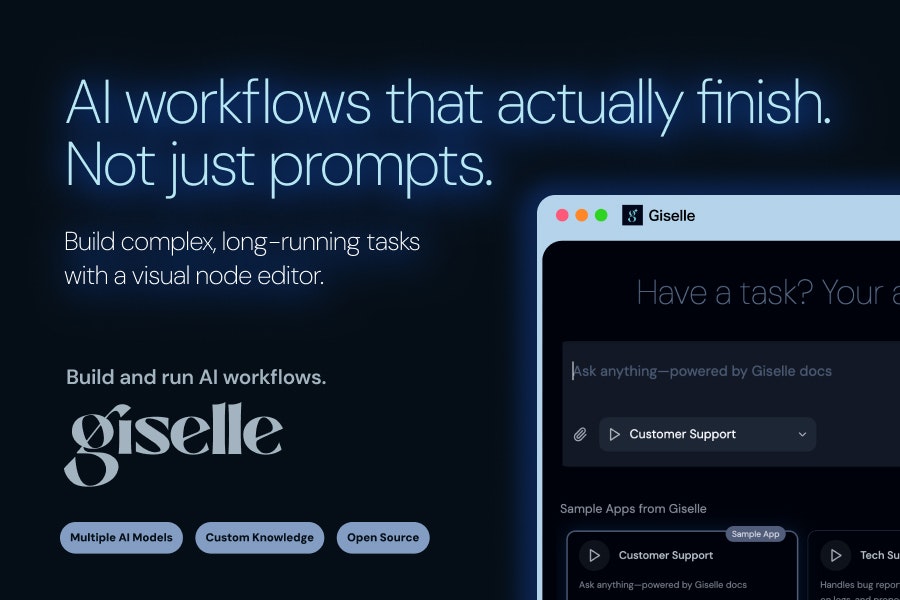
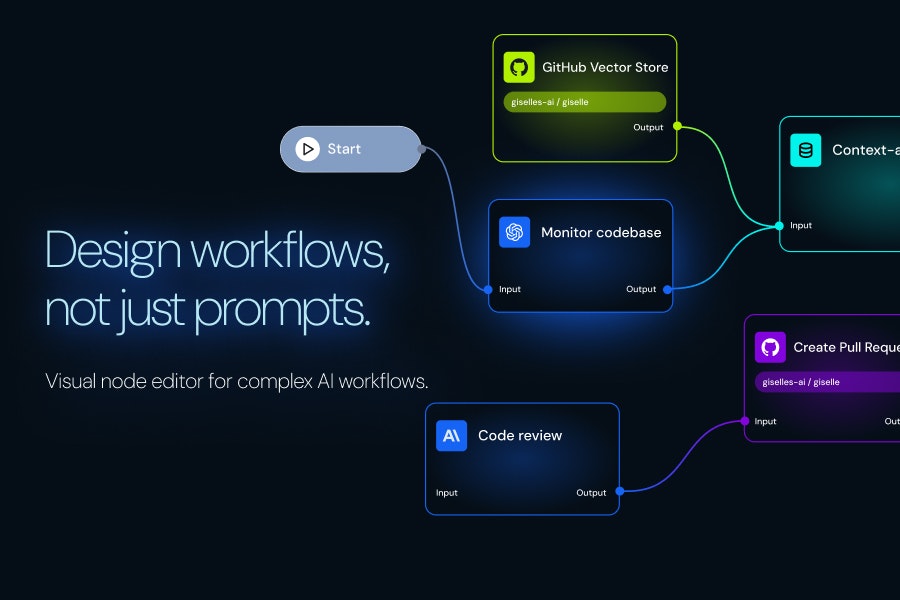
查看原始信息
Last Notes
Last Notes helps you securely store and share important information — like accounts, instructions, and personal messages — so your loved ones aren’t left guessing if something happens to you. It’s not a legal will, but a practical step in between. Built for parents, expats, travelers, and anyone who knows life can change fast.

During the 2025 Bangkok earthquake, I was running down a swaying skyscraper with one thought cutting through the panic:

If something happens to me… how will my family know where everything is?


My insurance. My bank accounts. What my dog is allergic to...

And the things I’d want my family to hear—if I wasn’t there to say them.

When I started looking for a solution, I was surprised: there was no simple, secure way to make sure the right information reaches the right people at the right time.

I wasn’t looking for a will software. I was looking for a simple way to make sure my loved ones wouldn’t be left guessing if something happened to me.

So we built lastnotes.io

It’s designed to store the things your family would need if you weren’t here—and release them only when they’re needed. Not sooner. Not to the wrong people.


We hope you never need it.


But if you ever do, we want it to be there—for the people who matter most.


We’d love your thoughts, questions, and feedback ❤️

7
回复

This is definitely something for 2026 and beyond. I should get my dad to use it because as of now all the important family info is jotted down in a notebook somewhere in his house I'm pretty sure - ha! Wishing you success on this super helpful product!

0
回复

This is a great idea, especially for people living abroad. However, I am wondering if I can trust you enough to put personal and sensitive info in there. Yet I really like the concept, and I will give it a shot. It seems like you have a free plan.

0
回复

@kyle_lubin Totally fair question — and I really appreciate you bringing that up.

Trust is the most important part of something like this, and it’s also the hardest to earn. That’s why we built Last Notes with privacy and security first: everything is encrypted, access is tightly controlled, and nothing is shared unless the conditions you set are met.

That said, I completely understand being cautious. The free plan exists exactly for that reason — so you can try it without committing or putting anything sensitive in right away.

And if at any point it doesn’t feel right, that’s okay too. I genuinely appreciate you taking the time to check it out and share your thoughts 🙏

0
回复