Product Hunt 每日热榜 2026-03-13

PH热榜 | 2026-03-13

#1
Perplexity Computer Skills
Extend Computer’s capabilities with repeatable instructions
394
一句话介绍:Perplexity Computer Skills 允许用户直接导入跨平台的SKILL.md工作流文件,通过19个专业模型自动执行,解决了AI高级用户在Claude Code或Codex等工具中积累的、可重复使用的智能工作流程被单一平台锁定的痛点。
Productivity Developer Tools Artificial Intelligence
AI工作流自动化 技能移植 多模型执行 提示词工程 生产力工具 无代码开发 团队知识管理 智能体生态
用户评论摘要:用户高度认可SKILL.md格式的跨平台可移植性,解决了供应商锁定问题。关注点包括:复杂多步骤技能的兼容性、多模型执行与单模型原版的输出差异、团队权限管理与技能版本控制、工作流执行的可观察性(调用链),以及对高订阅价格的顾虑。
AI 锐评

Perplexity Computer Skills 的真正野心,并非仅仅是增加一个“技能导入”功能,而是在试图定义和夺取下一代AI智能体工作流的“执行层”标准。其核心价值在于两点:一是通过支持日渐成为事实标准的SKILL.md格式,以极低的迁移成本,直接吸纳Claude Code和Codex等头部平台沉淀下来的高阶用户资产(那些经过精心调校的工作流),这是一种高明的“生态收割”策略。二是将“技能”与“执行”解耦,让一个工作流描述能动态调度19个专业模型(如Opus推理、Gemini研究),这本质上是在构建一个面向复杂任务的AI“操作系统内核”,其价值远超单一模型的提示词复用。

然而,其面临的挑战同样尖锐。首先,200美元/月的订阅门槛将绝大多数个人用户和初创团队拒之门外,在普及道路上自设高墙。其次,技术风险不容忽视:将针对单一模型(如Claude)优化的技能,平移到异构多模型管道上执行,其输出质量的稳定性和一致性是一个巨大的未知数,可能反而引入新的调试负担。最后,评论中提及的权限管理、版本控制、调用链观测等需求,暴露出产品从“个人玩具”迈向“团队生产工具”所必需的基础设施仍不完善。

当前,该产品是面向已有深厚SKILL.md资产的重度用户的效率工具。但其长远成败,取决于Perplexity能否将其“多模型执行层”打造成明显优于原平台的体验,从而让用户心甘情愿地付费迁移,并围绕此构建起更具活力的技能开发生态。否则,它可能只是高级用户手中一个备用的、昂贵的“技能播放器”,而非革命性的新平台。

查看原始信息
Perplexity Computer Skills
Every builder has SKILL.md files sitting in their Claude Code or Codex setup. Perplexity Computer Skills lets you import them directly, no rewriting, no translating. Your workflows activate automatically based on context. Same skills, 19-model execution.

he SKILL.md format has quietly become a lingua franca for how builders encode their best thinking into AI agents.

Claude Code popularized it.

Codex adopted it.

And now Perplexity Computer supports it which means the workflows you've spent months refining don't have to live in one tool anymore.

That's the actual news here. Not just "Perplexity added a feature." It's that your institutional knowledge the how-to-handle-this, how-to-structure-that logic baked into your skill files is now portable.

The gap this fills:

Most power users of Claude Code or Codex have accumulated a small library of SKILL.md files.

Presentation builders.

Research frameworks.

Weekly briefing templates.

These aren't throwaway prompts they're curated playbooks that encode real judgment.

Until now, those lived in one tool's ecosystem.

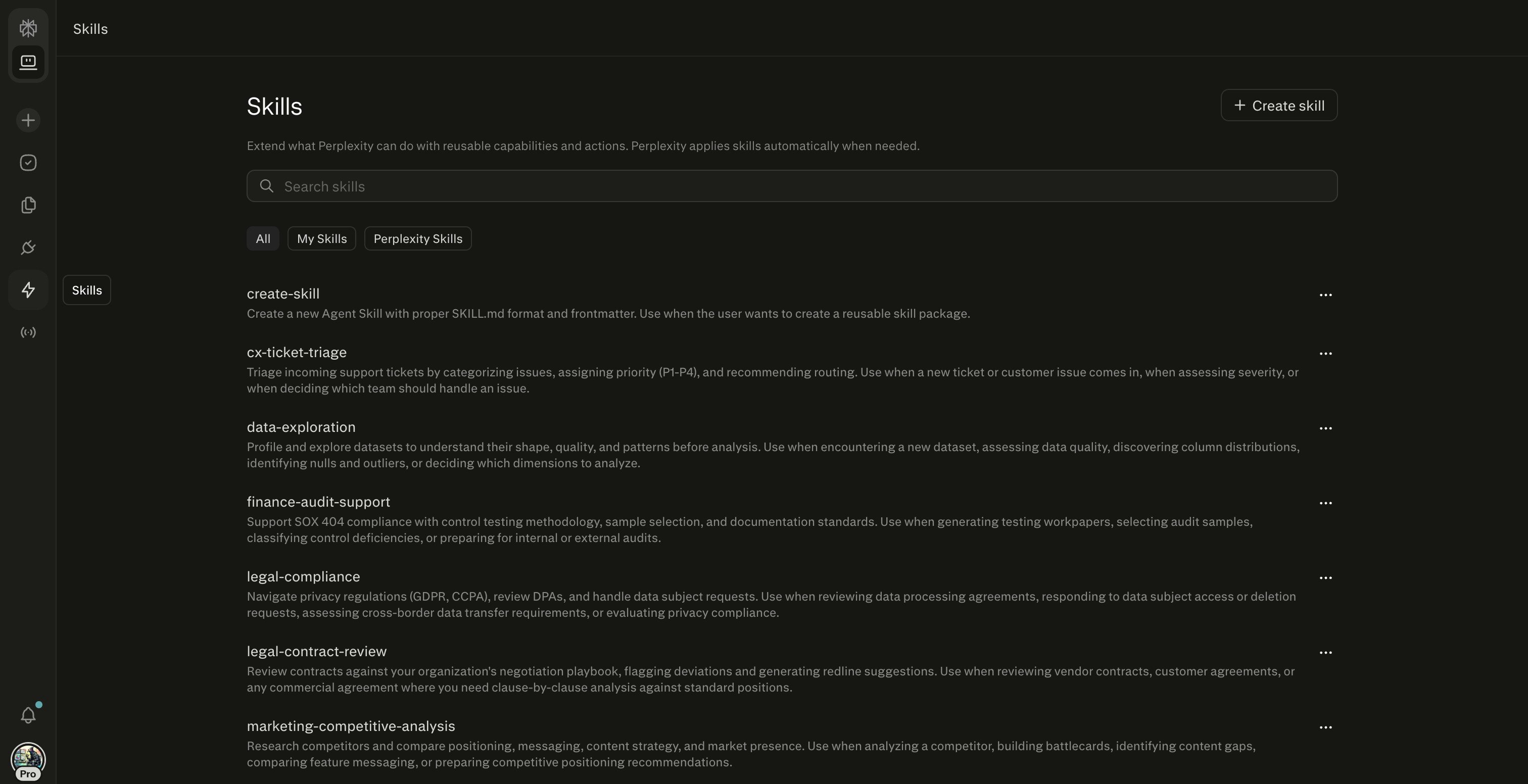
What Skills actually does in Perplexity Computer:

  • Upload any existing SKILL.md file directly -- it works as-is if it has the right YAML frontmatter

  • Describe a workflow in plain language and Computer builds the skill for you (no technical knowledge needed)

  • Skills activate automatically based on query context -- you don't have to invoke them manually

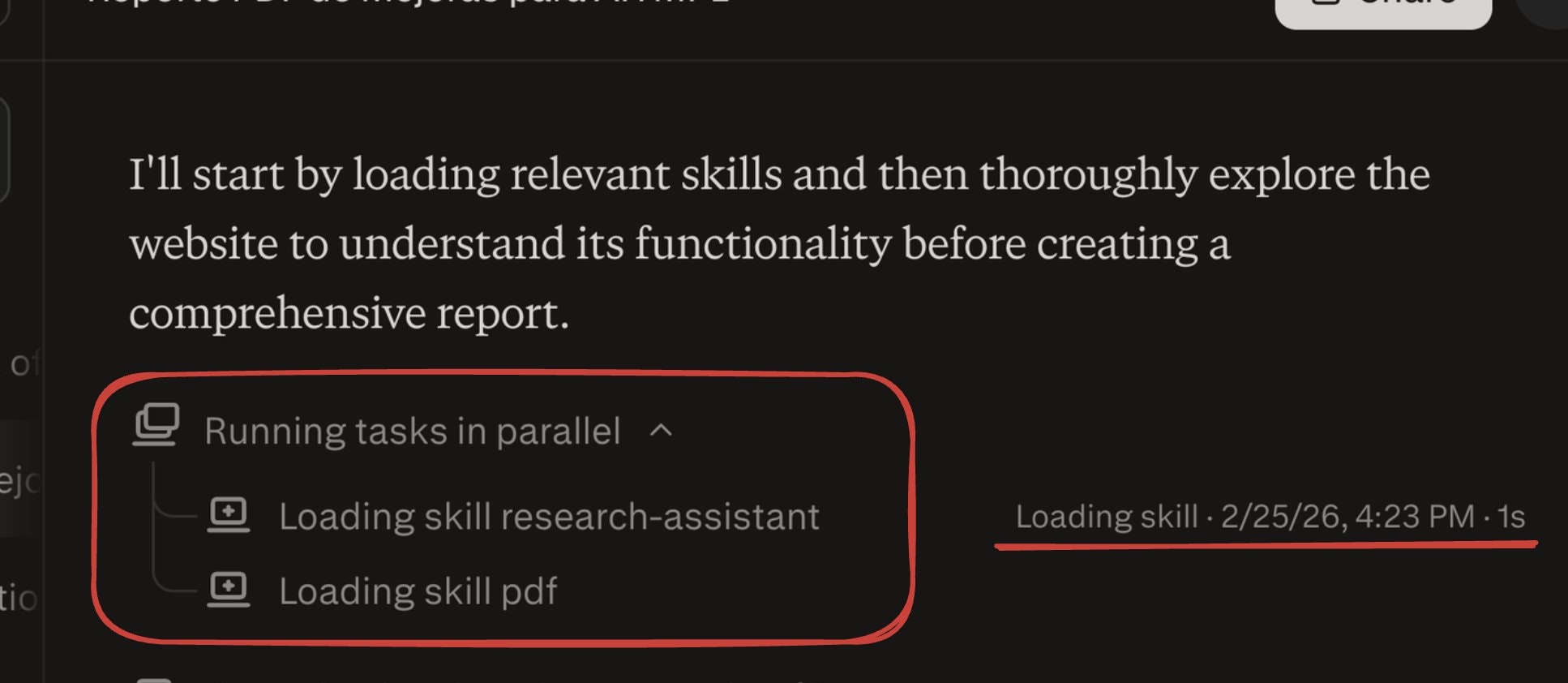
  • Computer can combine multiple skills mid-task (Research + Content for a blog, for example)

  • Browse and manage your library from a dedicated Skills tab

The execution layer underneath is what makes this different from just "importing a prompt."

Your skill now runs on 19 specialized models: Opus 4.6 for reasoning, Gemini for deep research, specialized models for images and video.

A SKILL.md that told one model what to do now tells the best model for each sub-task what to do.

Who this is for right now:

Builders and indie founders who've invested in building agent workflows on Claude Code or Codex.

If you've built more than five SKILL.md files, this is probably worth your attention today.

If you're newer to the format, Computer can generate skills from a plain-language description, so there's an on-ramp.

One honest caveat:

Computer is currently Max-subscriber-only at $200/month.

That's not nothing.

Pro and Enterprise rollout is coming, but if budget is a constraint, that's the real friction point to weigh.

The bigger question I keep turning over: as SKILL.md portability becomes table stakes, does the agent tool that wins end up being the one with the best execution layer or the one with the best skill library ecosystem? Perplexity is clearly betting on the former. Curious whether anyone here has already migrated workflows over and what the quality delta looks like in practice.

16
回复

@rohanrecommends congrats on this Perplexity Computer Skills launch. I love Perplexity.

0
回复

@rohanrecommends Congrats on the launch. Quick q here: have you tested migrating a Claude/Codex skill for content research or personal branding workflows yet; what was the biggest quality jump (or gap) in multi-model execution?

1
回复

@rohanrecommends Congrats on the launch! Looks really promising, I definitely try it out and come back with a feedback!

0
回复
Turning repeatable workflows into reusable skills feels like a really smart direction. Instead of rewriting prompts every time, being able to define a skill once and let it trigger automatically based on context could make AI workflows much more reliable. I also like the idea of importing existing SKILL.md setups without needing to rebuild them. Curious what kinds of workflows people are finding most useful as skills so far. Congrats on the launch.
1
回复

@alamenigma The workflows I've seen get the most reuse are the ones that encode judgment, not just steps — code review patterns, research frameworks where the structure matters. The gap I keep running into though: SKILL.md tells the agent what to do, but it doesn't know why your team made the decisions behind the code. That context lives in closed PRs. Curious if anyone's thinking about that layer - connecting workflow skills to the institutional knowledge of the repo itself.

0
回复

Amazing am gonna try this out

1
回复

The SKILL.md portability angle is the real story here. I maintain a library of 100+ skills for Claude Code and the biggest friction has always been vendor lock-in. Being able to reuse those workflows across tools without rewriting is a genuine time saver. Curious how it handles complex multi-step skills with tool-specific syntax.

1
回复

@rohanrecommends @aravindsrinivas @Perplexity Computer Skills As a heavy user of AI workflows, this "Computer Skills" module is really quite different.

Upgrade "prompt" to "reusable workflow template

Previously, long prompts were piled up in various chat interfaces, which were difficult to reuse and could not guarantee stable output. Perplexity's Skills transform these frequently used patterns into "naming and manageable skills", and they can be triggered automatically based on descriptions, providing a more experience similar to "requesting a fixed style AI employee" rather than randomly generating a prompt.

The two creation methods cover users ranging from beginners to advanced users.

If you can't write the SKILL.md file, you can directly generate it in the Computer using the "Create with Perplexity" dialog box. This is very suitable for product, operation, and analysis students.

For teams with their own knowledge base and standards, you can manage it using a .zip + SKILL.md format. Combined with the YAML frontmatter's name and description, it can achieve precise triggering and is already very close to the feeling of "lightweight workflow orchestration".

The automatic activation driven by the description + combined use is the highlight.

The series of relay tasks mentioned in the document, such as Research, Research Report, and Slides, are very crucial:

Users only provide requirements, and Computer selects and arranges the skills based on the descriptions.

In the same task, one can first conduct research, then write a report, and finally generate a presentation. This minimizes the need for manual copy-pasting.

This is closer to the real knowledge work scenario than a "super universal chat box".

It is very friendly to team collaboration and standardized output.

The "weekly report template", "competitive product research paradigm", and "data analysis report structure" are all made into Skills. New team members can directly reuse the SKILL.md accumulated by experienced members, which not only saves training costs but also ensures a more unified output style.

The following are the several points that I will pay attention to.

Permissions and Sharing: How to manage within a team or enterprise who can create, who can modify, and who can share skills

Version Control: SKILL.md, as a text, is actually very suitable for working with Git for version management

Observability: When complex tasks involve multiple Skills and the result is unsatisfactory, can one see the "call chain" to facilitate optimization

1
回复

Perplexity has quickly become one of my favorite tools for researching things online: getting answers with sources instead of digging through dozens of links is such a better workflow. Congrats on the launch! What feature are you most excited to build next for power users?

0
回复

Computer use is the big next step. Going from "answer my question" to "do this task on my computer" changes everything. I've been waiting for this since Anthropic demoed computer use last year. The repeatable instructions part is what I care about most. I have about 15 things I do every morning that could probably be automated if the AI could just watch me do it once. How reliable is it with apps that change their UI frequently? That's usually where automation breaks.

0
回复

The SKILL.md portability across Claude Code, Codex, and now Perplexity is a smart move — making workflows tool-agnostic rather than locking them into one ecosystem solves a real pain point for power users. Curious whether there's a versioning or diff system planned for skills, since iterating on a workflow across 19 models likely produces very different outputs than the original single-model setup.

0
回复

This looks really interesting.

Are the repeatable instructions more like automation workflows or closer to scripting for the computer?

Curious how flexible it is for developers.

0
回复
#2
Ask Maps by Google
Ask Maps questions, drive with immersive navigation.
352
一句话介绍:谷歌地图集成Gemini AI,允许用户用自然语言提问复杂现实问题并获得个性化答案,同时通过沉浸式导航提供更直观的3D路线指引,旨在解决用户在出行前信息碎片化查询和驾驶中路线理解不清晰的痛点。
Artificial Intelligence Maps Tech
地图导航 AI对话式搜索 个性化推荐 沉浸式导航 3D路线 本地生活服务 谷歌生态 出行助手 实时信息整合
用户评论摘要:用户普遍认可这是导航的自然进化,核心关注点在于:AI回答是否基于实时地图数据及具体工作原理;在驾驶中途提问时,系统如何权衡路线与需求;功能的具体启用方式;以及如何处理主观或模糊查询。部分评论提及对苹果地图用户体验的比较。
AI 锐评

谷歌此次升级,本质上是将地图从“静态数据库查询工具”推向“动态场景化出行助手”的关键一步。“Ask Maps”并非简单的搜索框对话化,其真正价值在于试图理解并缝合用户复杂、多条件的真实意图(如“夜间可用的网球场”),并联动预订、保存等动作,构建从查询到决策的闭环。这背后是对其海量地点数据与用户贡献洞察的深度挖掘与重组。

然而,产品光鲜演示下的挑战同样尖锐。首先,可靠性是生命线。评论中多次追问的“实时数据”与“中途导航场景”正是痛点:AI若不能基于实时路况、营业时间、乃至厕所换尿布台的真实可用性给出答案,其“个性化”将迅速沦为华而不实的噱头。其次,模糊查询(如“最佳安静咖啡馆”)的评判体系面临信任危机,是依赖商业推广、大众点评还是独家算法?若不能透明化处理,易引发公平性质疑。

“沉浸式导航”可视作对苹果等对手在视觉细节与直观性上竞争的回应,但核心壁垒仍在于AI与真实物理世界的耦合深度。谷歌的优势在于数据规模与生态整合,但成败关键在于执行:能否让AI在高速行驶的紧迫环境下,做出真正安全、高效、情境感知的决策,而不仅仅是在规划阶段充当一个聪明的聊天机器人。若成功,它将重新定义人机交互的边界;若流于表面,则只是为已有巨兽披上一层时髦的AI外衣。

查看原始信息
Ask Maps by Google
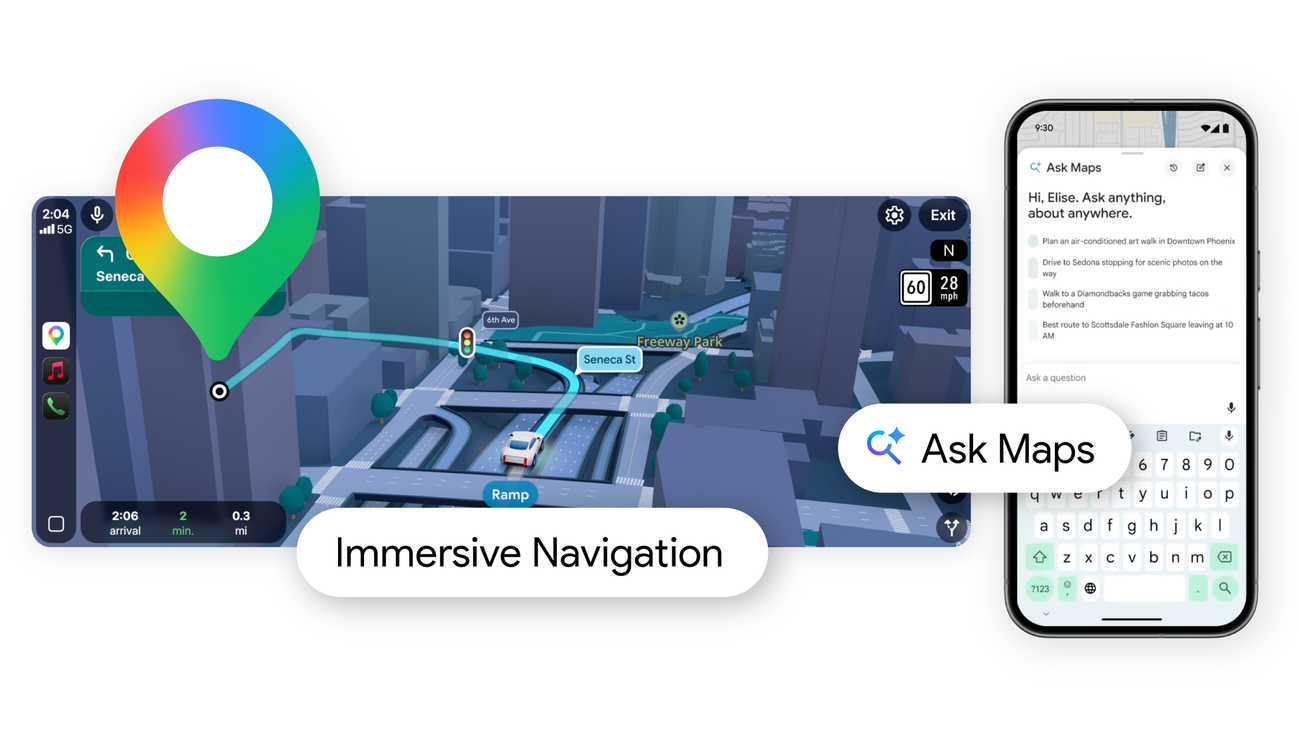
Google Maps gets a major Gemini-powered upgrade. Ask Maps lets you ask complex, real-world questions about places and get personalized answers. Immersive Navigation adds vivid 3D routes with lanes, landmarks, and smarter guidance for a more intuitive driving experience. Rollout live in US and India.

Google Maps is reimagining navigation with Gemini.

The new Ask Maps feature lets you ask real-world questions conversationally and get personalized recommendations powered by data from over 300M places and insights from 500M+ contributors.

Instead of searching multiple tabs, you can simply ask things like where to charge your phone, find a tennis court at night, or plan stops on a road trip. Maps then shows options on a customized map and lets you take action by booking, saving, or navigating.

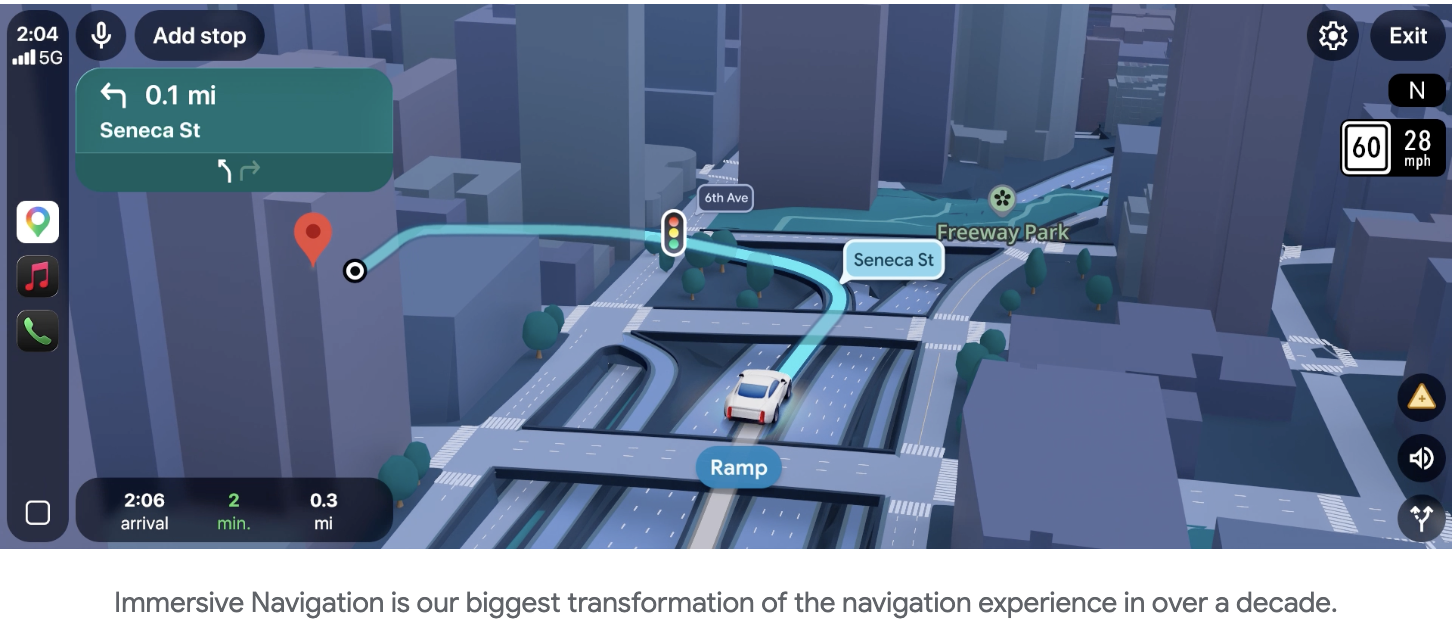
Google is also introducing Immersive Navigation, the biggest navigation update in over a decade. It adds vivid 3D route views, highlights lanes, traffic lights, and crosswalks, and gives more natural voice guidance to help drivers prepare for turns, merges, and exits.

The result is a more intuitive way to explore places and navigate routes with real-world context and smarter guidance.

I hunt the latest and greatest launches in tech, SaaS and AI, follow to be notified @rohanrecommends

10
回复

@rohanrecommends Asking real questions  instead of just searching sounds super handy 😮 Personalized answers could save so much time!

1
回复

@rohanrecommends Hey... hope for the best ... that it should work as things are explained .

1
回复

@rohanrecommends As a new father, I've been thinking about where to find changing tables if i'm out and about with my family. Will this new feature be able to locate such information for parents in need?

0
回复

This feels like the natural evolution of maps.

Is the AI answering queries using real-time map data or more like a conversational layer on top of existing search?

Super curious how navigation + AI interaction will blend here.

2
回复

Its not clear to me how you can opt in to this functionality and use it?

1
回复

The shift from keyword-based place search to conversational queries like "where can I charge my phone nearby" changes how people interact with maps entirely — it's less about finding a pin and more about solving a real-world problem in context. How does Ask Maps handle ambiguous or subjective questions like "best quiet café for working" — is it pulling from reviews sentiment, visit frequency, or something else?

1
回复

Has seen this comparison (Google vs Apple 2021). Dunno, Apple still feels a bit user friendlier: https://x.com/techdroider/status/2032146599783383196?s=20

1
回复

Simple yet effective. Tools that make other tools better are always a plus! Does it use real time map data to answer questions, etc?

0
回复

Interesting expansion! Immersive navigation seems fantastic. I assume the corpus here for a lot of the conversational elements is going to rely heavily on GMB information, which, for local businesses and discovery, will emphasize even more the importance of a fully fleshed-out GMB profile.

0
回复

As someone who's driven 2,000+ miles with Maps navigating, I'm curious how the LLM handles the ambiguity when someone asks "find me a coffee shop" while you're actively navigating—does it prioritize upcoming exits or reroute you somewhere better? The demo video's voice recognition seemed suspiciously good at parsing "somewhere quiet with good espresso near my route" without follow-up questions.

0
回复

@lliora The mid‑navigation scenario is exactly what I’d want to stress‑test. Asking for a coffee shop while you’re actively driving is a completely different context than planning a trip at home - the stakes are higher and the answer has to factor in where you are, how fast you’re going, and what’s actually on your route. If it handles that well in real traffic, that’s genuinely impressive.

2
回复
#3
GStack
Use Garry Tan's exact Claude Code setup
318
一句话介绍:GStack通过将Claude Code拆分为多个按需调用的专家角色(如计划评审、代码审查、一键部署),解决了开发者在单一通用AI助手模式下工作流混杂、效率低下的痛点。
Developer Tools GitHub
AI编程助手 Claude Code增强 工作流自动化 开发者工具 智能体协作 代码评审 浏览器自动化 工程效能 提示工程 角色专业化
用户评论摘要:用户普遍认可“专家分工”理念,认为能显著提升并行化效率。主要疑问和建议集中在:技术实现细节(如MCP配置、上下文窗口压力)、与现有配置的兼容性、工作流的可定制性与严谨性,以及需要增加安全审计层。
AI 锐评

GStack本质上是一套基于Claude Code的、高度工程化的提示词与工作流配置方案。它敏锐地切中了当前AI辅助编程的核心矛盾:一个试图包揽一切的通用智能体,在复杂的软件工程实践中必然陷入角色混乱与质量失控。产品将“创始人品味”工程化为可重复的、离散的专家技能,其真正价值不在于代码本身,而在于它封装并输出了一个被验证有效的“人机协作范式”——即通过强制性的角色隔离(如计划与评审分离)来约束AI行为,使其更贴合严谨的工程实践。

然而,这种高度预设的“意见性”工作流是一把双刃剑。它虽然为初学者和追求效率的团队提供了最佳实践捷径,但也可能抑制了Claude Code原有的灵活性与自适应潜力。用户的评论揭示了更深层的挑战:即便角色分工明确,智能体仍缺乏对代码库历史与“部落知识”的理解;并行化任务面临上下文管理的硬约束;而自动化带来的“隐形偏差”风险,催生了用户自行提出“审计层”的需求。这恰恰说明,当前阶段的AI编程工具,其天花板并非在于智能体的“技能”多寡,而在于如何建立可靠的可观测性、可控性与知识传承机制。GStack是工程思维对AI黑盒的一次成功规训,但距离真正理解软件工程的全貌,还有很长的路要走。

查看原始信息
GStack
gstack turns Claude Code from one generic assistant into a team of specialists you can summon on demand. Six opinionated workflow skills for Claude Code. Plan review, code review, one-command shipping, browser automation, and engineering retrospectives — all as slash commands.

"Planning is not review. Review is not shipping. Founder taste is not engineering rigor. If you blur all of that together, you usually get a mediocre blend of all four."


I resonate with this so hard. Agents (like humans) can't perform as well when they wear too many hats. The future is coordinating teams of specialized agents like this with just the right amount of human in the loop.

That means you can have one session running /qa on staging, another doing /review on a PR, a third implementing a feature, and seven more working on other branches. All at the same time.


It's a freeing feeling when your workflows reach this level of parallelization. The productivity gains are insane.


Can't wait to try these out in Birdhouse. Thanks for sharing!

4
回复

I've been using Claude Code with MCP for about a year now and keep iterating on my setup. Curious what's in Garry's stack — is it mostly about the MCP server configuration or also specific prompt engineering patterns? The biggest unlock for me was getting file system + browser MCP tools working together. Does GStack cover the agentic workflow side or is it primarily IDE-focused?

3
回复

The slash command approach resonates with how we've been running Claude Code autonomously. We built 100+ SKILL.md files over 108 hours of unattended operation and the key insight was exactly this: specialized roles outperform a single generic agent. The biggest win was separating "plan review" from "code review" — when Claude tries to do both in one pass, it either rubber-stamps or gets lost in details. Question for the team: does GStack handle context window pressure when running multiple skills in sequence? That's been our main scaling challenge.

2
回复

@yurukusa The context window pressure with sequential skills is real — we hit the same wall. The other layer we found: even with perfect skills, the agent still doesn't know why the codebase is structured the way it is. That lives in tribal knowledge, not in any SKILL.MD. Curious whether your 100+ skills encode any of that historical reasoning or if it's purely procedural?

0
回复

Why is this on Product Hunt?
This is a bunch of prompts. You have got to be kidding.

2
回复

@sherveen Actually I use a bun runtime and it does a lot to make headless browser useful. This one for instance will import your login cookies securely from ALL the browsers on your Mac.

1
回复

Splitting Claude Code into role-specific slash commands like plan review, code review, and shipping is a practical pattern — it enforces structure that most developers skip when using a single generic agent. How opinionated are the workflow skills under the hood — are they rigid step-by-step procedures, or do they adapt based on the codebase context and project size?

1
回复

Just got here to support the legend Garry who’s now back to coding like he’s 21. Keep up the great momentum G!

0
回复

This is amazing, Garry!

I am curious how you use it. do you usually run things sequentially, or is it parallel most of the time? And in the parallel case, how do you keep the flow in sync when each sub-agent is continuously making changes- do you use git worktree?

0
回复
Go @garrytan 🔥🤟🏻
0
回复

can't wait to dive into this this weekend

0
回复

Fastest easiest path to level up with CC

0
回复

Congrats on the launch! GStack is exactly what the Claude Code ecosystem needed — role-based specialization instead of one generic mode.

One thing worth adding to this setup: a seatbelt layer.

We ran GStack-style autonomous sessions and hit Case #001: a Claude Code agent looped for 70 minutes, repeatedly injecting a staging URL into a production config file. Every log showed exit code 0. All green. The deviation was invisible because nothing had recorded what the agent intended to do before it acted.

Built K9 Audit to fix this — a deterministic, non-LLM causal auditing layer that drops directly into .claude/settings.json (zero code changes, fully compatible with GStack). It records a cryptographically hashed 5-tuple of declared intent vs actual outcome. When something goes wrong, k9log trace --last gives root cause in under a second.

GStack for velocity. K9 Audit as the seatbelt.

Repo: https://github.com/liuhaotian2024-prog/K9Audit

0
回复

Cool to see you launching this! Very useful too - I've already pulled in a few of these for my setup.

0
回复
Nice to see Gary get the founder spotlight again. The amount of products he’s hunted and helped push to #1 is crazy. I’ll be giving this stack a try! Congrats on the launch.
0
回复

love the name xD

0
回复

I've been using Claude Code for months and my setup is held together with scattered markdown files and random CLAUDE.md instructions. The idea of a curated, tested configuration from someone who actually pushes it hard is appealing. My main question: how opinionated is this? Half the value of Claude Code is customizing it to your specific codebase. If this overwrites my existing CLAUDE.md and memory files, that's a dealbreaker. Does it layer on top of existing config or replace it?

0
回复

the slash command approach is really smart. I've been using Claude Code for a while and the biggest friction is always starting from scratch with context every time. having pre-built workflows for common tasks like code review and shipping saves so much time. curious if you're planning to add custom skill creation so teams can build their own workflows too?

0
回复

Love seeing developer environment setups shared like this.

Is this mainly optimized for Claude Code workflows or does it also work well with Cursor / other AI coding tools?

0
回复

cool! easy setup! thanks gary

0
回复
#4
Pinnacle
Turn your phone into a brain performance coach
288
一句话介绍:Pinnacle是一款AI大脑表现教练应用,它利用iPhone内置传感器测量用户生理数据,通过自然对话提供个性化训练,帮助高压下的知识工作者在日常场景中提升专注力、恢复力与整体表现,缓解压力、疲劳和注意力分散的痛点。
Productivity Artificial Intelligence Health
心理健康 生产力工具 个人成长 AI教练 生物识别 情绪追踪 专注力训练 压力管理 无穿戴设备 科学健身
用户评论摘要:用户普遍赞赏其无需额外硬件的便捷性、优秀的UX设计和实际效果(如改善睡眠、专注力)。核心问题集中在:情绪/认知状态检测的准确性、数据隐私(尤其是即将上线的注意力追踪)、与专业设备(如EEG)的验证对比、AI对话的引导平衡性,以及如何与通用LLM形成差异化。
AI 锐评

Pinnacle的野心在于将智能手机从“注意力消耗者”重塑为“认知增强器”,其核心价值并非技术创新本身,而在于对现有技术(手机传感器、LLM)进行极具洞察力的场景化重组与体验重构。

它敏锐地切中了高端健康穿戴设备(如Whoop)与通用冥想应用(如Calm)之间的市场空白:前者提供硬数据但缺乏心理维度和深度指导,后者提供标准化内容但缺乏个性化与量化反馈。Pinnacle试图用手机这一最高频触点,提供一种“轻量化但个性化”的解决方案。其宣称的“无穿戴设备”策略是双刃剑:它极大地降低了体验门槛,是产品早期增长的关键杠杆;但同时也将其置于科学严谨性的质疑风暴眼。评论中关于摄像头测HRV和情绪识别的准确性质疑,直指其产品立命的根本——如果数据源头可信度存疑,后续所有AI分析和教练建议都将沦为“精致的废话”。

团队回复中透露的“在设备端处理图像”和“构建科学教练框架”是应对之策,但真正的护城河在于长期、严谨的算法验证与临床研究,以及由此积累的专属数据集。另一个亮点是其对“用户体验”的深刻理解,从“减轻认知负荷”的设计哲学到AI“主动介入”的交互模式,都旨在让提升“表现”这件事本身不再成为一种负担。这使其区别于生硬的工具型应用和需要用户主动驱动的聊天机器人。

然而,其挑战同样清晰:作为订阅制服务,它需要证明自己不仅能提供愉悦的体验和即时的安慰剂效应,更能产生可感知、可持续的“性能提升”效果,这种效果的证明远比记录睡眠时长复杂得多。它最终可能不会取代专业治疗或高端生物反馈设备,但有望成为大众认知自我、进行日常心理健身的首个数字化触点。成功与否,取决于其在“科学严谨性”与“用户体验友好度”这条钢丝上行走的长期平衡能力。

查看原始信息
Pinnacle
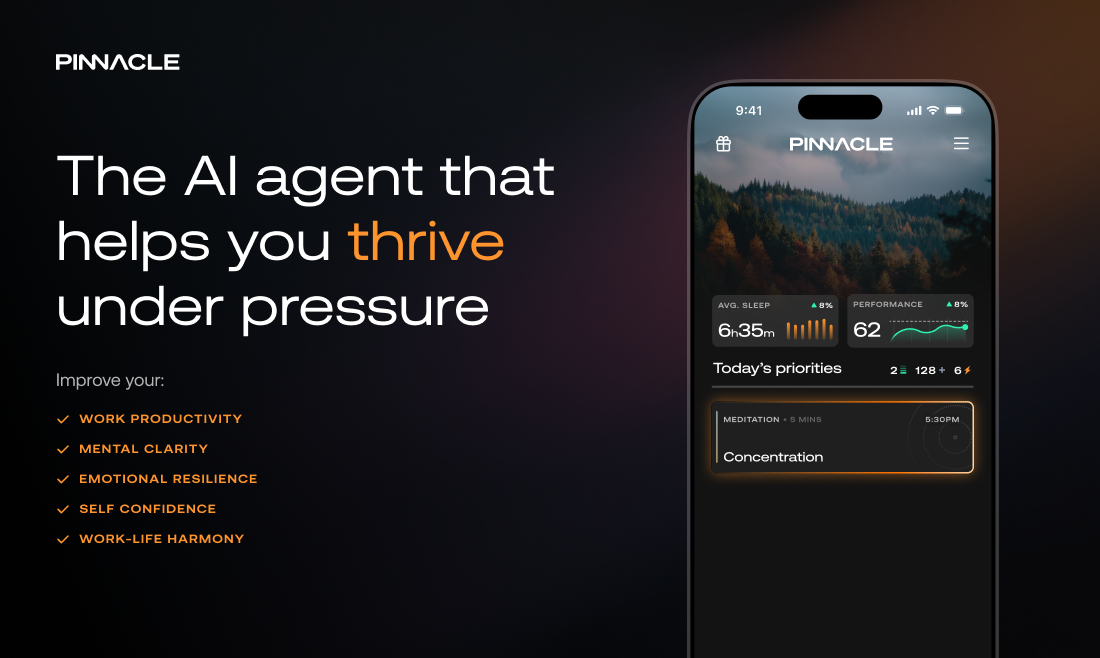
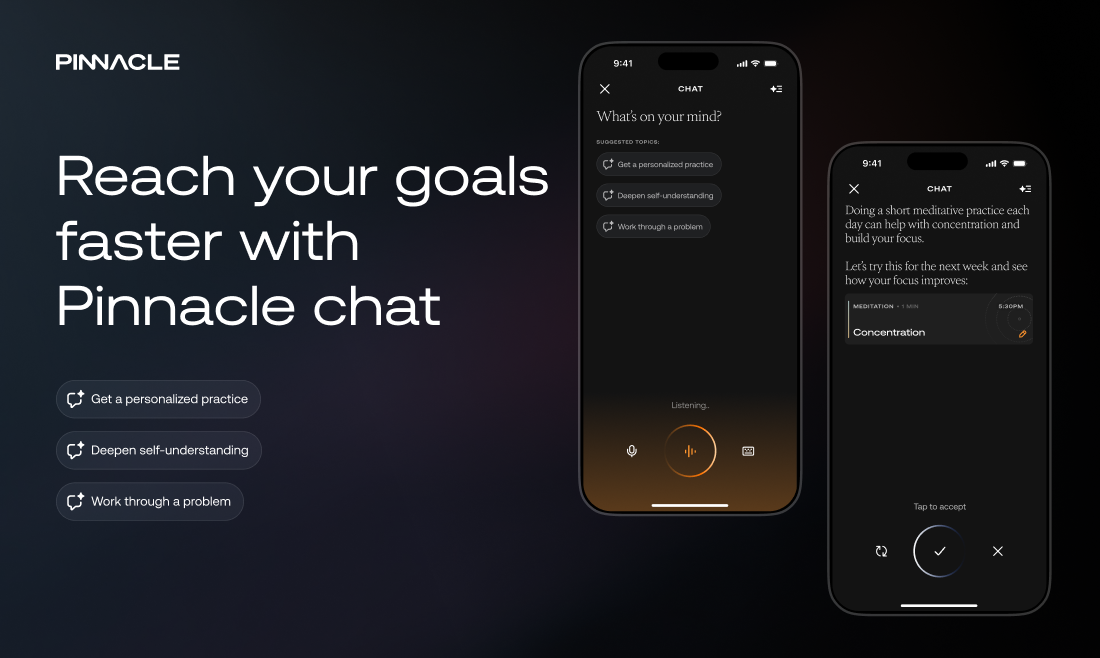
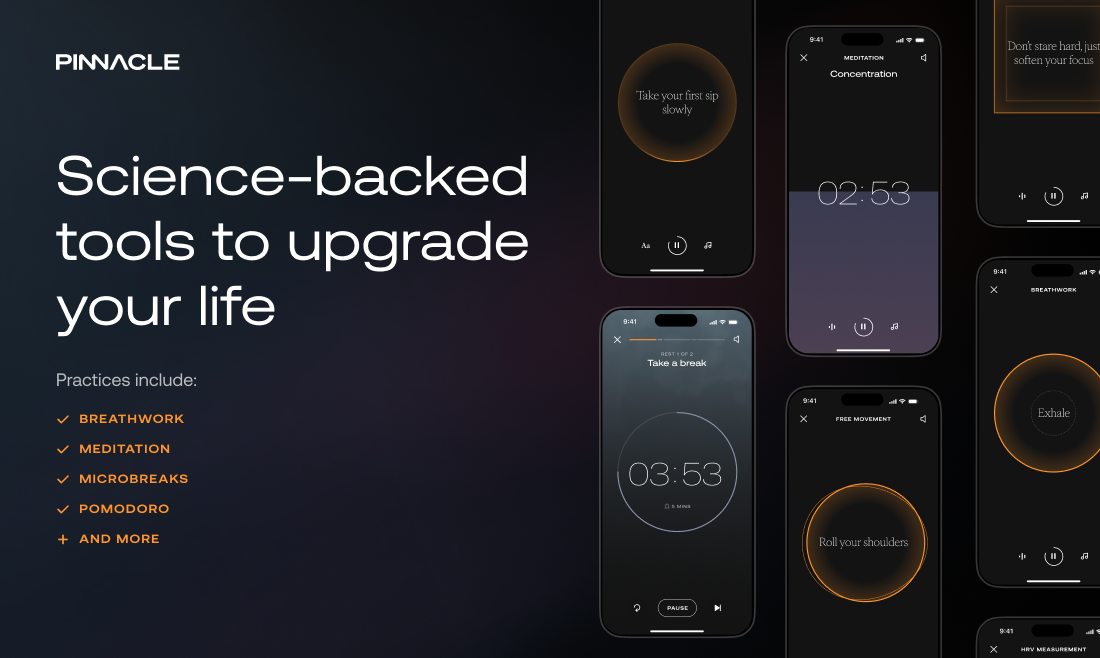
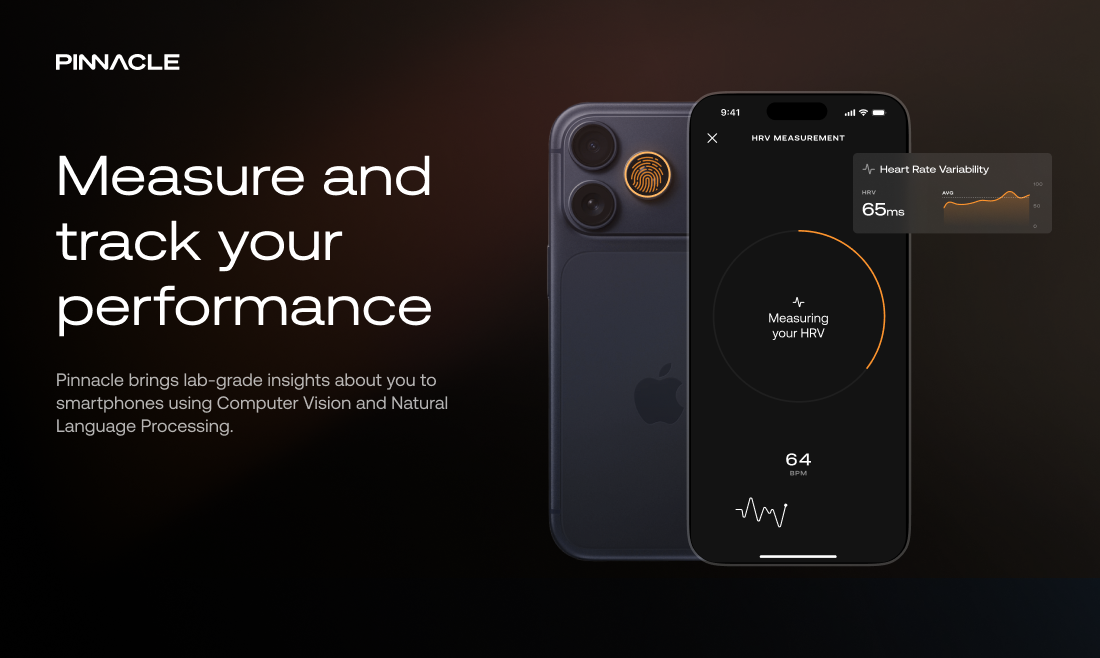
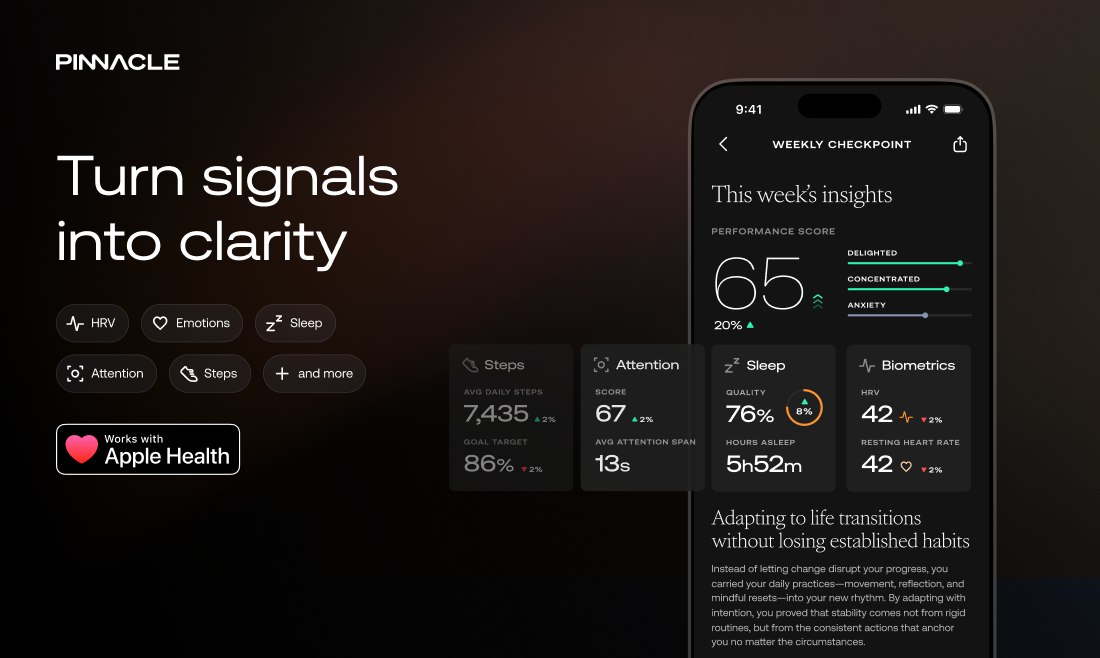
Pinnacle is an AI agent that measures your brain using built-in iPhone sensors and trains you through natural conversation. Get real-time insights to improve focus, resilience, energy, and performance - using science-backed tools.

Hey Product Hunt, I'm Joel, co-founder of Pinnacle!

The Problem

Our world today is overwhelming. Always-on culture and increasing demands have created an epidemic of stress, fatigue, distraction and burnout. Yet the tools available aren’t built to help people perform at their best under daily pressure. 

  • Therapy is incredibly valuable for mental health support, but it's expensive and geared more towards processing past experiences rather than future-focussed personal growth.

  • Coaching is more relevant to performance enhancement but still expensive, decentralised and lacking quantified measures to track progress.

  • Meditation apps teach profound mindfulness practice, but these experiences are impersonal and static, lacking adaption over time or a deep understanding of the user.

  • Smart Wearables measure your body but don’t measure your mind. Insights are limited to physiological indicators, lacking a more complete psychological picture.

The Pinnacle Solution

Pinnacle turns your iPhone into a tool for understanding and training your mind.

  • Using the sensors already built into your phone, our AI reads real-time biometrics, interprets your emotional state, and pulls everything together into a clear picture of how you're actually performing.

  • Instead of raw data, you get simple, actionable insights you can use throughout your day. With Pinnacle, you can track and improve your focus, HRV, emotions, sleep, and overall performance.

  • Think of Pinnacle as a mirror for your inner world. It surfaces patterns you wouldn’t normally notice and helps you make small, meaningful changes that add up over time, so you can perform better day after day.

  • For the first time, if you have an iPhone, you can truly quantify and upgrade your mind.

Who is this for?

If you're a knowledge worker experiencing high pressure and feeling stressed, fatigued or distracted, Pinnacle helps you build resilience and thrive under pressure. Upgrade your brain with Pinnacle.

Get started today

From today, the Product Hunt community gets access to Pinnacle Core for free. Try Pinnacle at pinnacle.co and see what you can achieve.

In the future, Pinnacle will start charging a monthly subscription. If you love Pinnacle, please message us directly with PHLOVE. The first 50 folks to do that before Saturday March 14th will get their first year of Pinnacle Core for free.

19
回复

@joel_jackson1 congratulations on your launch

0
回复

@joel_jackson1 What I am curious about is how accurately emotional or cognitive states can be interpreted just from phone sensors. How do you ensure the insights stay reliable and meaningful over time as user behavior and context keep changing?

0
回复

@joel_jackson1 Super interesting! Just installed and try ot out today, thanks!

1
回复
I’ve been using Pinnacle as a beta user for the past few months. It’s been a great tool for me to handle my energy and anxiety levels throughout my pregnancy and postpartum journey. I love that it allows me to measure my mental state and keep track of it over time with the “performance score”. The app design is very intuitive and easy to use. The breath work exercises are unlike any other meditation app I have tried - it perfectly syncs the audio so you can follow along with eyes closed. The voice chat is so good already, feels very close to a human performance coach! I strongly recommend people to try!
8
回复

@mahima_jain1 Hi Mahima, it's great to have you on the Pinnacle system - I am glad you enjoy the app.

If you're open to sharing, it would be great to learn about a particular scenario where Pinnacle helped you with your energy or anxiety!

1
回复
@rishab_mehra yes sure - bad sleep was a constant struggle throughout pregnancy, I used Pinnacle’s breath work exercises and a few more actions recommended by the coach everyday to help me sleep better which helped improve my energy levels throughout the day!
3
回复
@mahima_jain1 so great to hear since this is exactly the reason we started Pinnacle - to incorporate science backed practices into your daily routines. Did you try to quantify your sleep or was the improvement subjective?
2
回复

Huge fan of Pinnacle. Genuinely one of the best UXs I’ve seen

6
回复

@tanaykothari massively appreciate the support through this journey!

2
回复
@tanaykothari Thanks so much Tanay! That means a lot. As the product designer, I spent a lot of time with the team trying to strip away the noise, keep focus on the user's actual output and create visual calm. Anything that stood out to you? Really appreciate the feedback!
4
回复

@tanaykothari Thank you Tanay. We pay very close attention to making the experience as slick as possible, smoothing down friction wherever we can. I think it pays off in the various different interactions across the app.

3
回复

Nice launch! Tools that focus on improving real workplace interactions are always interesting to see. I’m curious how the AI balances providing guidance while still keeping conversations natural and unobtrusive.

5
回复

@angelaaa That insight is spot on. The hardest part of building the system was finding that balance: guiding users toward the right tools while respecting their original intent, all without making the interaction feel force-fitted.

Do let us know what you think about the level of "push" vs "pull" once you try the system!

3
回复

Using the iPhone's built-in camera for HRV measurement without requiring a wearable removes a huge adoption barrier — most brain performance tools fail because they add hardware friction before delivering any value. With the attention tracking feature coming soon, how are you thinking about privacy given that it likely requires continuous camera access during work sessions?

4
回复

@svyat_dvoretski We've worked hard to break down any friction in our performance measurement tools. Privacy is a key concern with Pinnacle. All image processing takes place on device, and only the distilled performance data is retained. We're always upfront about when and why we are using capture devices.

3
回复
@svyat_dvoretski Thats a killer feature. Cant wait for the android version!
0
回复

@svyat_dvoretski attention tracking is a one off test where you can track how well you can manage your inherent attention rather than concentrating on a task.

2
回复

Love the concept. I’ve tried prompting chatgpt to be my coach but it hasn’t led to great results. What’s your approach that’s differentiated from existing LLMs?

4
回复

@upasna_mehta This is a great question, and an important one for Pinnacle. We empower the LLM with multiple layers of biometric and performance-related data, psychological analysis and a sophisticated framework of science-backed coaching tools which other platforms don't have access to. The result is a system which has a deep understanding of what peak performance means for you, and has the methods to get you there.

5
回复

Hi @upasna_mehta. Thanks for the feedback! Jumping in on the design/UX side of Chris's point—the biggest difference is 'agency.'

When you prompt a standard LLM, the burden is on you to know what to ask. We designed Pinnacle to remove that cognitive load. It doesn't wait for a prompt; it uses those biometric and performance signals to 'lean in' at the right moment.

Think of it like the difference between a textbook (ChatGPT) and a coach standing next to you (Pinnacle). One has the information, the other has the context of your current state. This is what Pinnacle offers that other LLMs currently do not.

3
回复

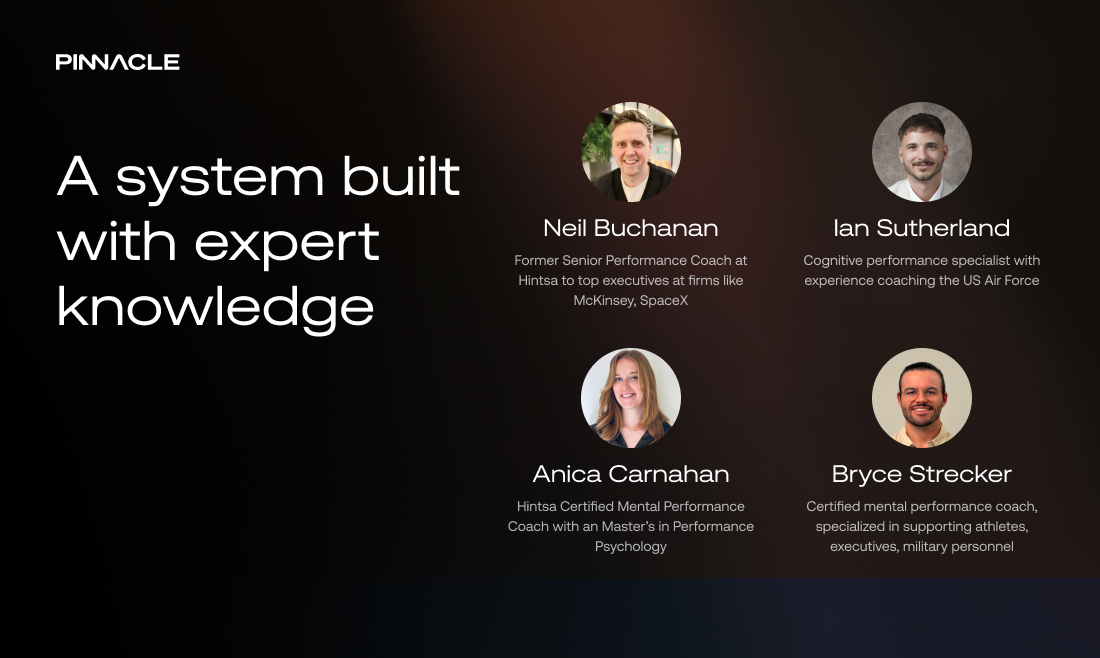
@upasna_mehta we've spent the last year with our performance director, Neil, to develop an architecture around coaching framework. Our AI system uses this architecture to inform LLMs, rather than prompting them directly, leading to a much more smooth coaching conversation!

0
回复

have been an early user! I'm impressed with how far its come. The interface and interaction is sci-fi and love the HRV and emotional detection features. What's next on the roadmap?

4
回复

@sumon_sadhu it's been great having you as a beta user Sumon - you've really helped shape the direction of this company.

Next up we are bringing our attention tracking into the production system! Can't wait for a wider audience to be able to measure and train their focus objectively day after day.

1
回复

@sumon_sadhu Thank you for the feedback! We really appreciate your thoughts on our HRV tracking and emotional detection features. You input has been very valuable throughout the journey. As you’ve experienced through the coaching at Pinnacle, the system builds a profile over time to better understand each user, enabling more personalised insights and now coaching directly through the app.

2
回复

Thanks @sumon_sadhu. Your feedback has been invaluable in helping to shape the product. More exciting things to come! 🙌

1
回复

So it's like Whoop for the brain? Love the idea. This will go big. Turn your phone from brain rot to brain healer. Good luck team!

4
回复

@davitausberlin I've always wanted to call it "Whoop for the mind", which it is except we don't require a hardware device strapped to your head. I think it's more "Runna for the mind"!

4
回复

Cheers @davitausberlin. Yes that's exactly the spirit of what we were going for! Much appreciated 🙏

2
回复

Interior designer and working mum here—my life is basically a constant battle against physical and mental clutter. I’m naturally skeptical of 'performance' tools because they usually just add more noise to an already loud day.

Pinnacle feels different. From a design perspective, the spatial hierarchy and use of negative space is calming, like walking into a clean studio after a chaotic morning with the kids. Was 'mental load reduction' a core part of the brief, or did the minimalist UI just happen to solve that for us busy parents? Love using the app so far!

4
回复

This is such a thoughtful observation @stef_hacking. To answer your question: Mental load reduction wasn't just part of the brief; it was the entire reason we built this.

Having spent a long time in design studios, I realised we often over-design for 'utility' and under-design for 'cognition.' We intentionally used that negative space to create 'breathing room' for your thoughts—much like a physical clean studio as you mentioned.

We wanted the AI to feel like a calm curator rather than another voice shouting for your attention. So glad to hear it’s resonating with your workflow 🙌

4
回复

I’ve been using EEG-based feedback apps for years, and the friction of carrying a headset kills the habit. If Pinnacle can really pull cognitive-state detection from nothing but the IMU and camera I already stick in my face every morning, that’s a 100x convenience win—would love to hear how you validated signal fidelity against a clinical-grade device.

3
回复

@lliora

Hi Liora, that was exactly our thesis from the start! The friction of dedicated hardware is the biggest barrier. To address your question on validation, here is how we’re currently bridging that gap:

  • Our primary overlap with EEG is tracking "attention state" (launching in the coming weeks). We’ve validated our algorithm by benchmarking perceived attention levels against publicly available EEG hardware, with very high correlation. We do want to do full scale medical studies here in the future.

  • We have other measurements built in as well:

    • HRV: Captured via the back camera. We can achieve accuracy very close to the best wearable hardware out there (we validated against Polar Band).

    • Psychological State: We extract this from voice data during your conversations with Pinnacle AI.

    • Wearable Integration: We sync with your existing Apple Health data.

We combine all these inputs to understand the full cognitive state and help you find optimal paths to optimize your performance. Please do give the system a try!

2
回复

@joel_jackson1 Congrats on the launch! The angle of using sensors already on your iPhone (no wearable required) is a winner for me. Curious: how are you handling the calibration challenge? iPhone camera-based HRV readings can vary a lot based on placement, lighting, and stillness. What does your accuracy benchmark look like ?

3
回复

@jerrybyday I agree, computer vision inherently has these challenge. We have a calibration pipelines built for each computer vision system to try to minimize the friction for users.

For HRV specifically, finger placement on camera is crucial and we guide users through this, as we detect the failure points. Lighting is less of a challenge here, since we can use the iPhone flash. In terms of benchmarks, we have been able to achieve over 90% accuracy (when the user is in a stable position) compared to a Polar Band strapped to your chest.

We have a separate computer vision system for attention tracking launching in a few weeks. The calibration question is much more complicated for that system, and we have a patent pending for it! Let's discuss this in depth when we unveil this feature.

Hope you enjoy the system.

2
回复

Turning a phone into a brain performance coach is a cool idea.

Are the exercises based on neuroscience research or more behavioral training?

Would love to know how the progress tracking works.

3
回复

@aroido Great question! It’s a mix of both:

  • We use science-backed exercises (breathwork, microbreaks) to regulate your nervous system.

  • The AI creates targeted action plans and helps build routines to apply your learnings in your day to day life

For tracking, we have a proprietary performance score, which is tracked alongside your wearable data (sleep, HRV, etc.) for a holistic view. We are also launching a feature soon to track your attention just using your iPhone - imagine meditating and knowing how well you did during the session!

Would love to hear your feedback once you've had a chance to dive in.

1
回复

Been using Pinnacle for a few months and it's one of the few (if not only) products which has a demonstrable impact on focus 😀

Big fan and hope many more people improve their lives through this launch!

3
回复

@eeshita_pande thanks Eeshita - always great to hear when the system brings real impact! Do try this new system - it's a big upgrade from the previous beta!

1
回复

@eeshita_pande Thank you Eeshita – we really do aim to make a meaningful difference in people's lives, so this is great to hear.

2
回复

@eeshita_pande hi Eeshita hope you're well and thanks for your feedback! Great to hear that the system is helping you with your focus! Do try out the new app to experience the new features, we hope you like it.

2
回复

Congrats on the launch!

3
回复
@kevinbensmith thank you!
0
回复

Cheers@kevinbensmith! It's great to have people trying out the app 🙌 

0
回复

@kevinbensmith thank you!

0
回复

This looks great! Does it have a fairly easy ramp up where you can try a small thing for a while and feel its impact before trying more?

3
回复

@twostraws Hi Paul, absolutely!

We have gone through many iterations of the product with varying challenge levels for users. At the end what we realized is that we need to meet the user where they're at and that's what the current system is optimized around.

Let us know what you think once you try the onboarding.

3
回复

@twostraws Spot on, Paul. That 'ramp up' was actually a big design challenge. We spent a lot of time thinking about 'meaningful friction'—ensuring the first time you use Pinnacle, you get a win in around 60 seconds without being overwhelmed by the AI logic.


Would love to hear your thoughts on how the app feels once you're in; we're obsessing over making it feel as intuitive and lightweight as possible! 🚀

2
回复

@twostraws Thanks Paul. The onboarding was a crucial part of getting the UX right, and the chat interface we landed on gave us the power & flexibility to fully explore the space & its opportunities. It was also great fun to build!

2
回复

Why do only the iPhone users get the good stuff?! 😭

Any thoughts on how Pinnacle can help deal with phone addiction?

2
回复

@lienchueh We hear you! While we’re starting on iOS to nail the high-fidelity experience, Android is definitely on the future roadmap.

Regarding phone addiction: It sounds counterintuitive for an app designer to say, but we actually built features to help you put the phone down. We have routines specifically for sleep that focus on reducing blue light exposure and reminders to step away from all screens.

We believe a performance coach should help you master your environment, not just your device. Mastering the 'off-switch' is a core part of modern performance.

2
回复

@lienchueh We’d really love to make it cross platform. Right now we’re a small team and our computer vision models run fully on Apple’s Metal framework, so iPhone was the fastest way for us to ship something that actually works well. Expanding beyond iOS is definitely something we want to do, it’ll just take a bit of time, sorry!

Phone addiction is a tricky one - a lot of apps try to solve it tactically with screen-time limits or blocking, which can help but usually just treats the symptom. With Pinnacle we go deeper to find the root case. Through conversation you can set a goal like reducing phone use, reflect on what’s actually driving the habit (boredom, stress, avoidance, etc.), and then work with Pinnacle to address the root cause rather than just the behavior. That being said, do try a tactical solution like One Sec until Pinnacle comes to Android!

1
回复
Beautiful app. Intuitive UX. I’ve only just started using it — as a first time dad to help manage my time, stress and workload. Early days, but it’s already helped to bring a sense of calm into my day. Excited to see where Pinnacle will take this.
1
回复

Sounds simple, but my eyes by default feel "tired" how does Pinnacle adapt to understand that's my normal eye expression? Congrats on the launch!

0
回复

Really interesting concept: turning your phone into a brain performance coach using real-time signals sounds super futuristic. Congrats on the launch! Which sensor or signal has been the most useful for understanding someone’s focus or mental state so far?

0
回复

Congrats on the launch, Joel! Really impressive to see how you're leveraging on-device sensors for these kinds of emotional insights. The focus on performance and resilience for knowledge workers hits home.

Quick question: what sensors on the device are you using?

Would love to see how this evolves. Upvoted!

0
回复

Looks really cool.
I in France and it doesn't seem to be available here. Will it be anytime soon ?

0
回复

@olivierbinet_code we are resolving some App Store regulations for EU - you should be able to use within 1-2 weeks.

1
回复

@olivierbinet_code We are now live in your region: https://apps.apple.com/fr/app/pinnacle-upgrade-your-mind/id6498899043 . Hope you enjoy the app, let us know what you think!

3
回复
#5
Perfectly
The first AI-native recruiting agency. Fill roles in days.
179
一句话介绍:Perfectly是一款AI原生招聘代理,通过名为Paul的AI智能体,在创业公司需要快速招聘的场景下,全自动处理寻源、触达、筛选和资格评估,将面试就绪的候选人直接推送至Slack,解决了传统招聘流程繁琐、耗时且成本高昂的痛点。
Hiring
AI招聘 智能招聘代理 招聘自动化 人才匹配引擎 初创企业招聘 SaaS 语音驱动 无界面工作流 候选人筛选 招聘效率工具
用户评论摘要:用户反馈积极,关注产品细节。核心问题集中在:AI如何处理文化契合等软性信号、能否同时处理多职位招聘、冷启动问题如何解决、是否接触被动候选人、最佳适用公司规模,以及语音简报的具体用途。团队回复展现了技术自信与实操细节。
AI 锐评

Perfectly将推荐系统逻辑应用于招聘,其宣称的“10倍候选人量”和“2倍面试通过率”若经得起验证,确实直击了传统招聘“人效瓶颈”与“匹配玄学”的双重痛点。产品核心价值不在于简单的流程自动化,而在于其试图构建的“持续校准”匹配引擎——这模仿了TikTok内容分发的精髓,即通过反馈循环不断优化模型,将招聘从一次性搜索变为持续优化的系统。

然而,其光环(前TikTok推荐算法工程师打造)之下,挑战同样尖锐。首先,招聘的本质是复杂决策,尤其在早期团队中,“ vibe匹配”涉及大量非结构化、甚至创始人自己也难以言明的隐性知识。仅凭5分钟语音简报和网络数据,AI能否真正捕捉并量化这种“灵魂”?评论中对“文化契合”和“创始人特定气场”的担忧正是于此。其次,其商业定位看似精准(求快求效的初创公司),但初创公司的招聘需求往往非常规、多变量且快速演变,AI系统处理极端“非标”角色的能力有待考验。团队强调“冷启动友好”,但这更多是技术层面的自信,在真实商业场景中,信任的建立和流程的磨合本身就需要时间。

产品的真正颠覆性在于其“AI原生”架构——并非在旧流程上叠加AI工具,而是用智能体彻底重构流程,实现“零UI工作流”。这带来了效率的极致想象,但也将招聘这一高度依赖人际洞察的活动彻底黑盒化。其成功与否,最终将取决于一个核心指标:在剔除掉所有流程效率增益后,其AI匹配引擎的“精准度”能否持续超越或比肩优秀人类招聘官的直觉与网络。目前来看,它是一个极具野心、工程思路清晰的大胆实验,但距离成为可靠的基础设施,仍需在真实世界的复杂性与模糊性中完成它的“持续校准”。

查看原始信息
Perfectly
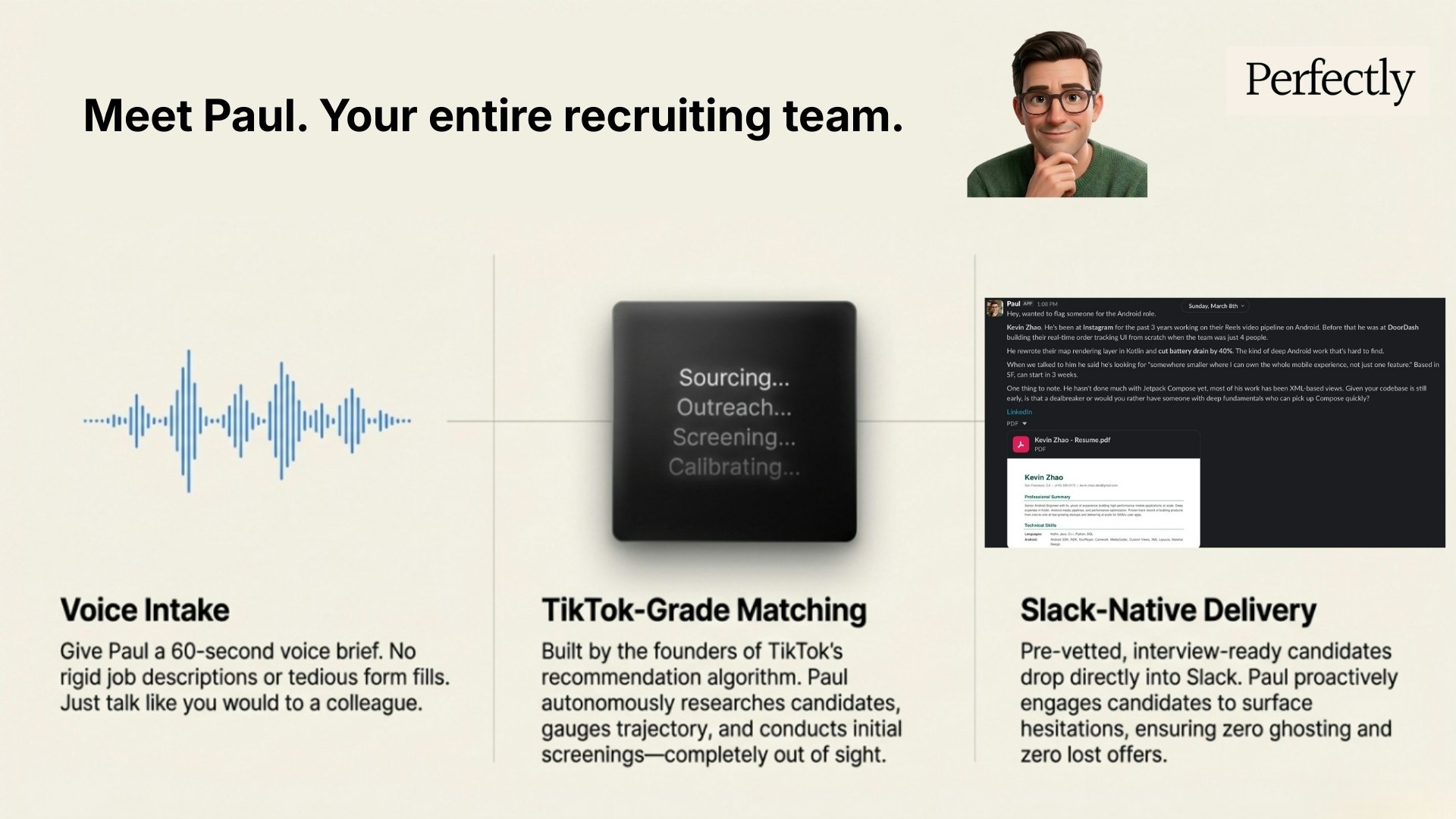
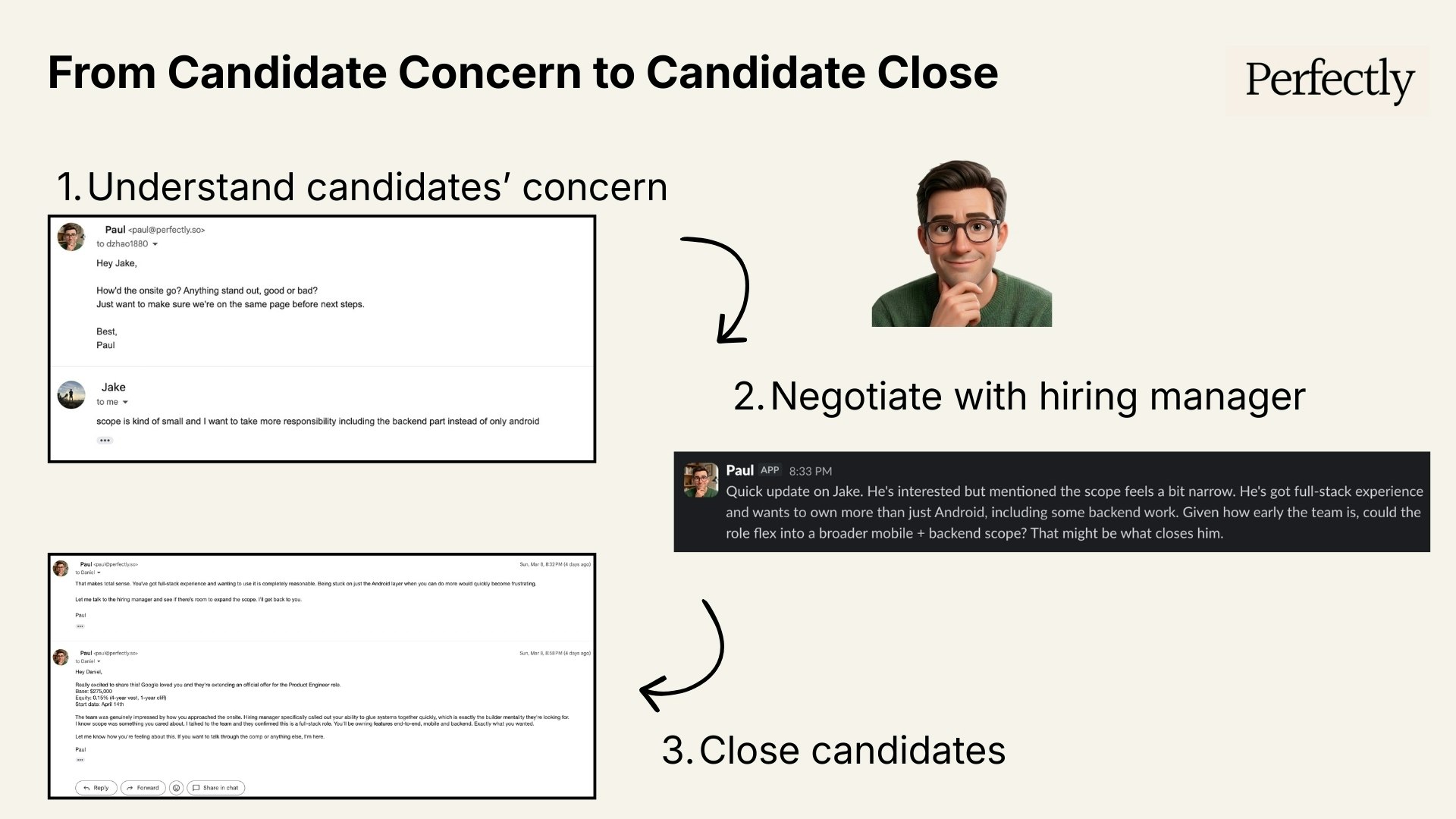
Perfectly is an AI-native recruiting agency that automates sourcing, outreach, screening, and qualification. Our agent Paul delivers interview-ready candidates directly to Slack and gives every candidate white-glove treatment to improve close rates. Built by ex-TikTok recommendation MLE for startups that need to hire fast.
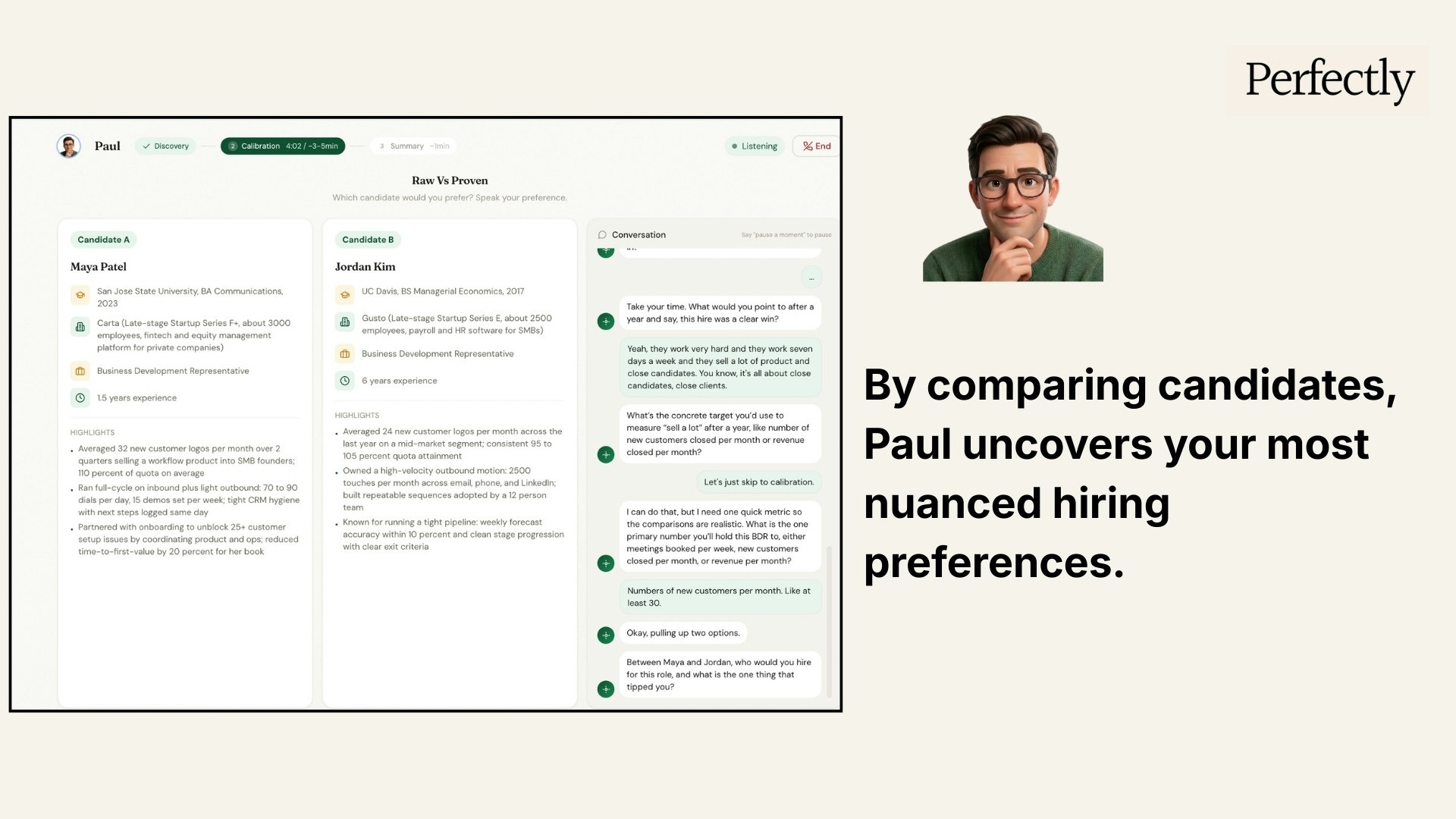
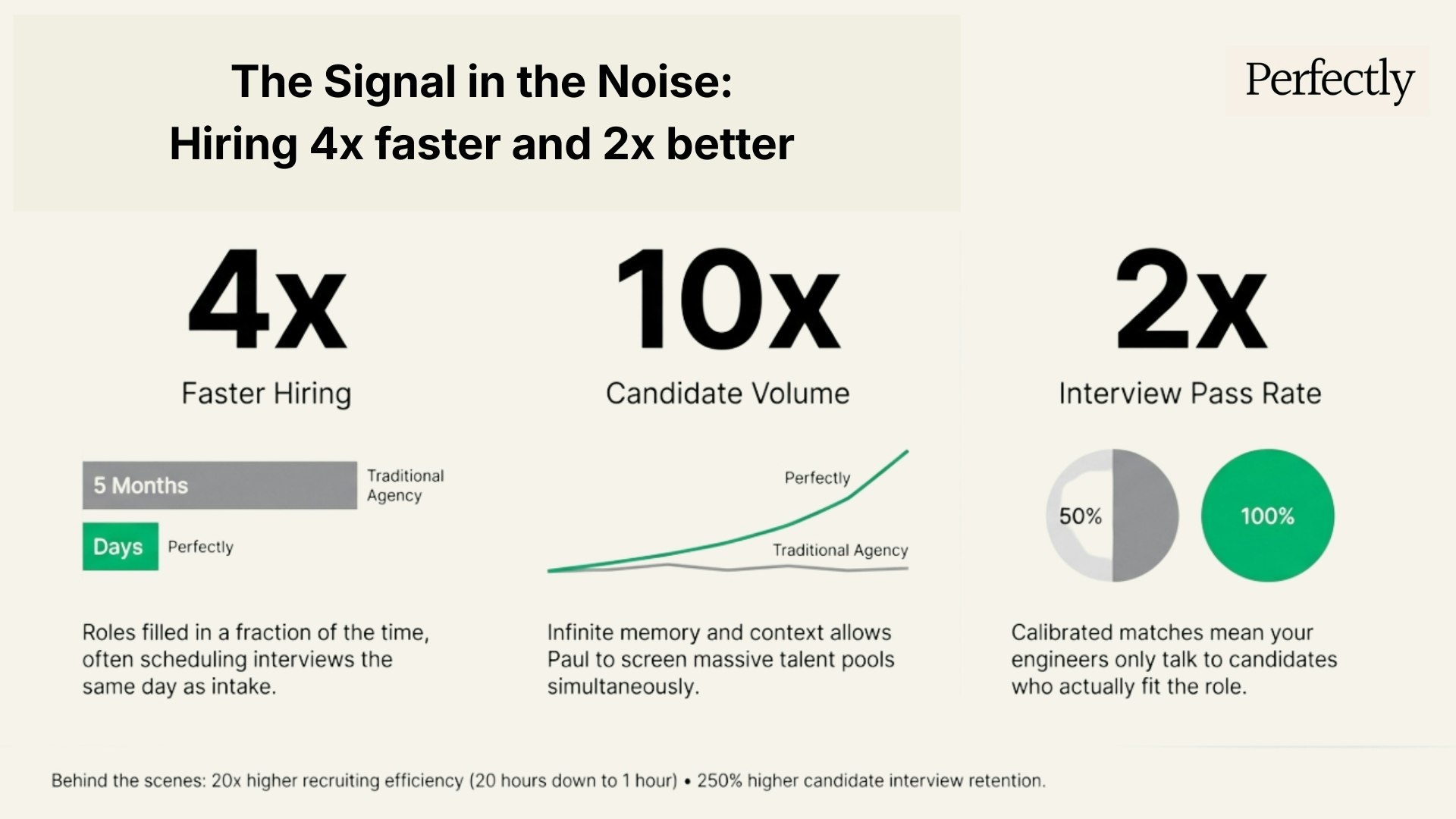
Hey Product Hunt! We're the team behind Perfectly, the AI-native recruiting agency. Our launch today, Paul, replaces the entire recruiting function with one agent that understands candidates deeper to make more reliable matches. Since starting YC, we've filled 4x faster for top startups like Corgi, Giga, LlamaIndex, Porter, and Mintlify. By removing the human bottleneck, we provide candidates at up to 10x the volume. The amazing thing is, our candidates are 2x more likely to pass interviews. Paul is an AI-native recruiting agent that treats hiring like a matching engine: - Voice-to-Stack: Give Paul a 5min voice brief. He captures the "vibe" and technical nuance human recruiters miss. - Zero-UI Workflow: Paul sources, screens, and nurtures candidates autonomously. Interview-ready talent just drops into your Slack. - Continuous Calibration: Like a recommendation system, Paul learns from your feedback to sharpen every subsequent match. We know the struggle of hiring great talent, having conducted 600+ technical interviews as founding ML Scientist at TikTok. We’re here for the ultimate "stress test" from this community. Ask us anything about the workflow, our ML approach, or how we’re killing the "recruiting tax." Let’s build (and hire) faster! — Victor & the Perfectly Team
4
回复

@victor_luo  Congrats on the launch! I really appreciate the Voice-to-Stack feature! I’m curious about this handles roles where the signal is contextual — like early founding engineer hires where culture fit and trajectory matter as much as the tech stack? Does the continuous calibration loop handle that nuance over time, or is there a human-in-the-loop moment there?

0
回复

@victor_luo good luck 👍

1
回复

@victor_luo Hey, congrats on this to you and your team! I have one question tho; how does Perfectly handle niche roles like sales leaders for B2B startups; does it capture founder-specific "vibes" from voice briefs as well as it does technical stacks, and what's one quick calibration hack for first-time users?

0
回复

Hey! Can Paul handle hiring for multiple roles at once, or just one at a time?

1
回复

Framing recruiting as a recommendation engine problem rather than a search problem is a meaningful distinction — the continuous calibration loop from interview feedback is exactly how TikTok's content matching works, and it makes sense applied to hiring. How does Paul handle the cold start problem for a new client with zero historical feedback — does it bootstrap from the voice brief alone, or is there a broader signal it pulls from?

1
回复

@svyat_dvoretski Hi Sviatoslav,

That’s a great observation! You hit the nail on the head regarding the TikTok comparison, which is the core of the product is indeed that continuous calibration loop.

As for cold-start problem:

Deep Alignment: You’re spot on. By leveraging LLMs' internal knowledge, Perfectly can effectively bootstrap from the job description and the hiring manager’s voice brief alone.

Broader Signals: Beyond the brief, the agent pulls from extensive web data and market signals to establish a high-quality baseline before the first piece of feedback from hiring manager even hits the system.

Snippets AI is cool btw!

0
回复

Really interesting idea: replacing the traditional recruiting pipeline with an AI agent that handles sourcing, outreach, and screening could save startups a huge amount of time. Congrats on the launch! How does Paul decide which candidates are the best match after the initial sourcing and screening steps?

0
回复

Sometimes the best candidates are the ones that aren't actively searching right now but could be potentially "poached". Does Perfectly consider these types of candidates as part of its "Outreach" process? Or are the candidates only the ones that are actively searching?

0
回复

The “recruiting tax” framing hits hard — every founder I know has lost weeks to sourcing, screening, and chasing candidates

Question: at what company size does Paul perform best right now? Curious if the calibration model needs a certain volume of interview feedback before the matches get really sharp, or if even a 3-person team can get value from day one.

Congrats on the launch!

0
回复

@jacklyn_i Great question, Jacklyn. The short answer is: a 3-person team can absolutely get value from day one.

We actually built Paul to be "cold-start" native. Because we combine the JD and your voice brief with extensive web data and the LLM's own internal knowledge, Paul doesn't need a mountain of historical data to understand what you're looking for. It hits a high-quality baseline almost immediately.

It also helps that my co-founder, @huimin_xie is an ex-TikTok MLE who specifically specialized in solving the cold-start problem for recommendation engines. We’ve baked that expertise directly into how Paul calibrates with very little feedback.

0
回复

That fork like the microphone holder. I can't. 🤣

0
回复

@busmark_w_nika Haha, good eye, Nika!

That was peak "founder engineering". Sometimes the best tools for the job are already sitting in the kitchen. Honestly, those scrappy DIY moments are half the fun of "creating" something from scratch. Glad it gave you a laugh! 🤣

0
回复

"Voice-to-Stack" sounds like a massive time-saver. Does Paul actually draft the JD based on that 5-minute brief, or just use it for internal search parameters?

0
回复

@jinhao_bai2 Hey Jinhao, good catch.Actually we use the voice brief and the JD as the primary sourcing "soul," but we also layer in web data to enrich the profile based on what your company actually does.

0
回复
#6
Parker by Perfectly
Your AI career super-connector
148
一句话介绍:Parker是一款集成于iMessage与WhatsApp的AI职业超级连接器,通过智能推荐关键联系人、代拟个性化沟通文案,帮助求职者在职位公开前通过内推渠道获得顶尖科技公司的工作机会,解决“信息不对等、人脉不足”的核心痛点。
Hiring Messaging Career
AI求职助手 人脉拓展工具 内推优化 智能沟通撰写 即时通讯集成 职业发展 招聘科技 隐私安全考量 主动求职 数据驱动
用户评论摘要:用户反馈集中于功能延伸与核心机制询问:建议增加联系提醒功能(已获回应正在测试);询问对话状态跟踪、无职位时的公司监控与自荐、防骚扰的沟通质量阈值、AI学习“个人语气”的数据源及数据隐私安全。团队对部分问题进行了积极回复。
AI 锐评

Parker的产品逻辑直击了科技招聘中“隐藏市场”的命脉——内推。其真正的颠覆性不在于AI代写信息,而在于将作战阵地前置并嵌入用户最高频的通信场景(iMessage/WhatsApp),这本质上是对求职流程的一次“去平台化”重构。它试图将传统的、分散的、依赖个人社交胆识与技巧的 networking 行为,转化为一个可分析、可执行、可规模化的数据驱动流程。

然而,其宣称的价值与潜在风险同样尖锐。其一,“学习你的声音”与隐私安全的平衡是脆弱的。若仅分析本地聊天记录,其个性化程度有限;若接入LinkedIn等外部数据,则面临严峻的数据合规与用户信任挑战。其二,产品可能陷入“效率与骚扰”的悖论。当AI降低了一对一沟通的成本,也可能催生海量“精准但冰冷”的招呼信息,稀释真正“温暖连接”的价值,其声称的防垃圾邮件阈值机制将是关键,但评论显示其目前细节模糊。其三,其商业模式存在内在矛盾:既服务于求职者(帮其内推),又服务于企业(直接招聘)。这可能导致最优机会优先流向付费企业客户,而非免费求职者,削弱其对C端用户的初始承诺。

总体而言,Parker是一款思路精准、切入巧妙的工具,但它更像一个强大的“杠杆放大器”。它放大了高效求职者的优势,却未必能填补求职者核心能力与背景的短板。它的成功将不取决于AI文案是否足够“像人”,而取决于其能否在扩大网络规模的同时,严谨地守护沟通质量与数据安全的生命线,否则极易从“超级连接器”滑落为“智能骚扰发生器”。

查看原始信息
Parker by Perfectly
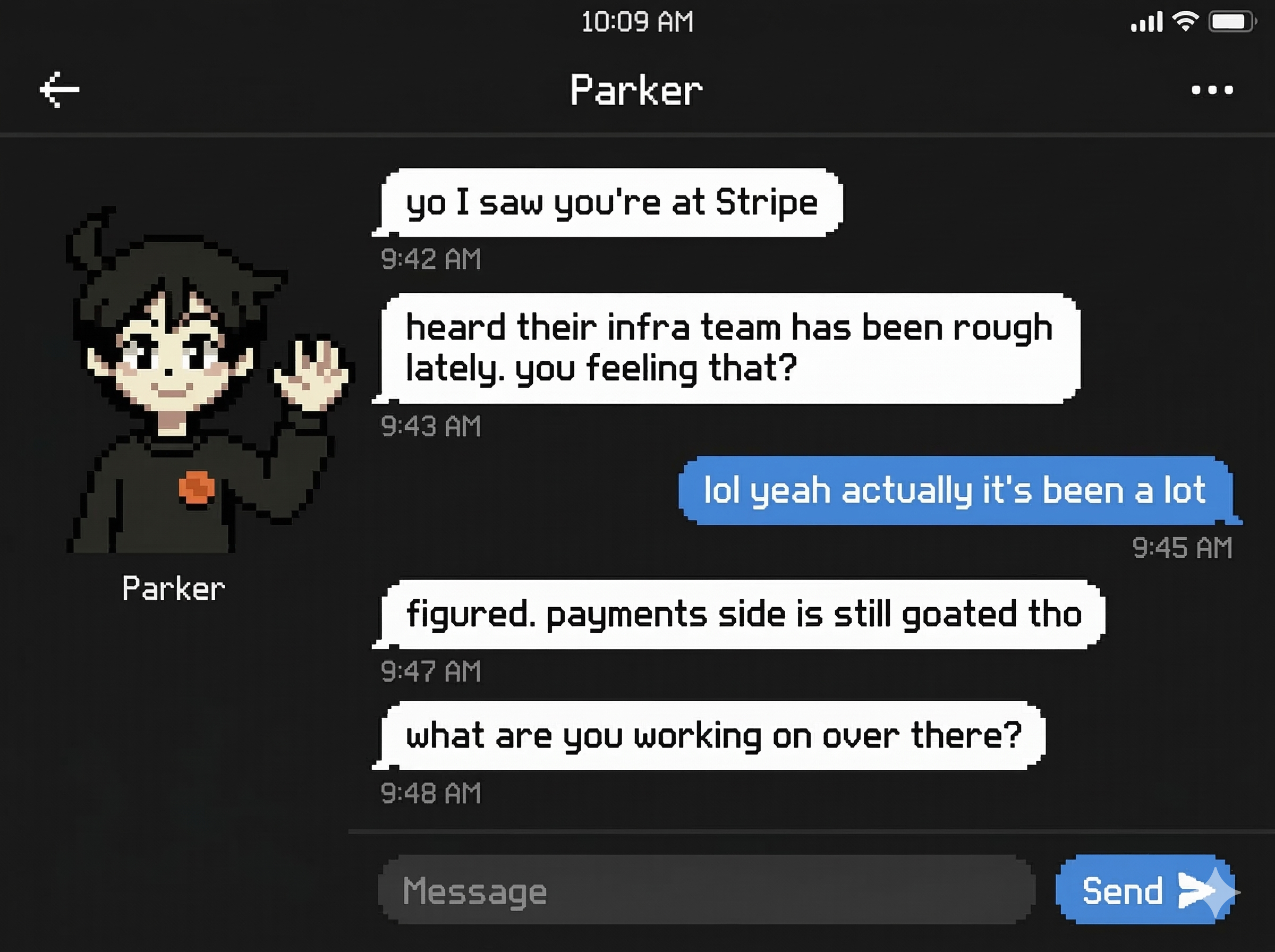
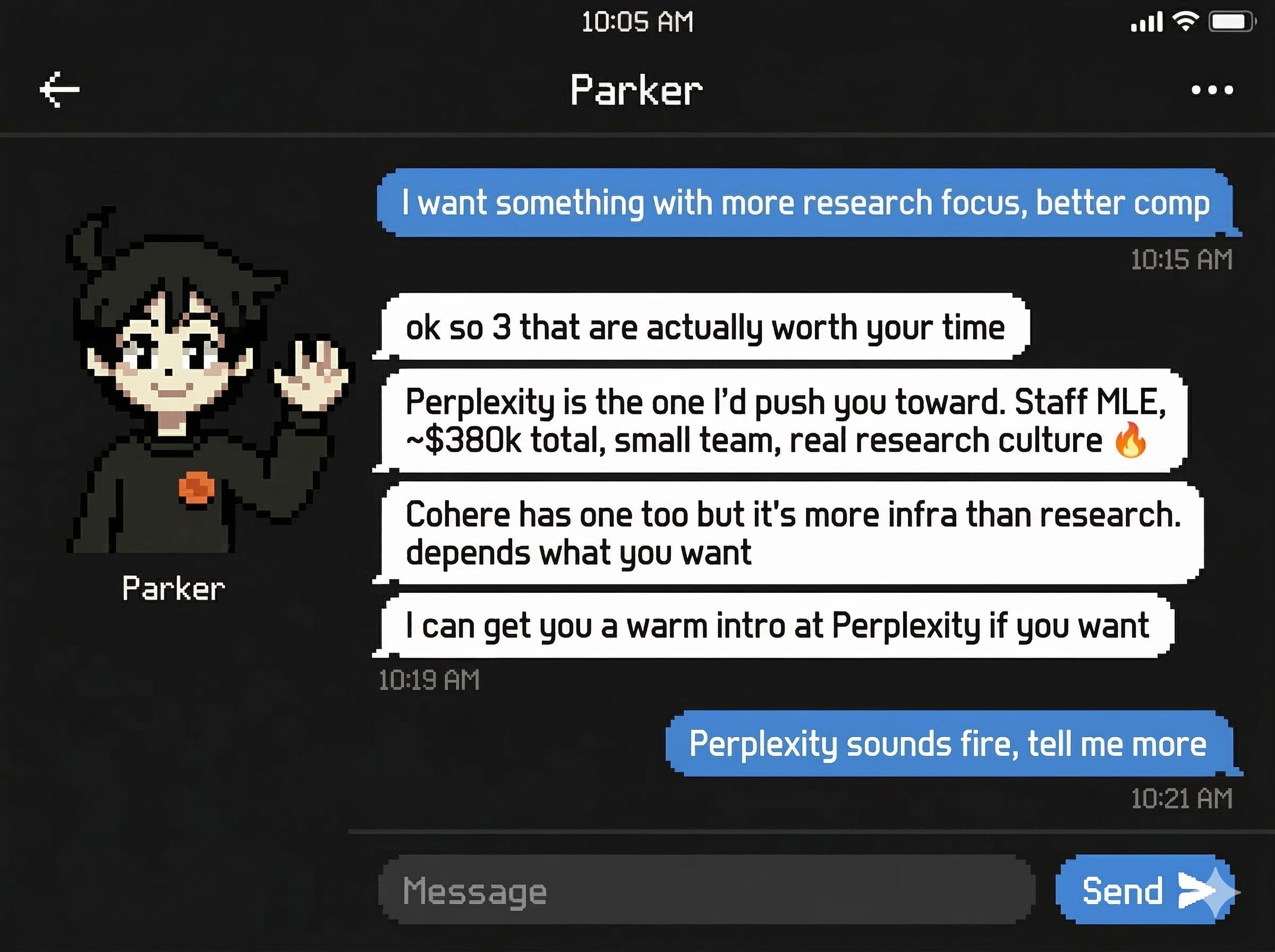
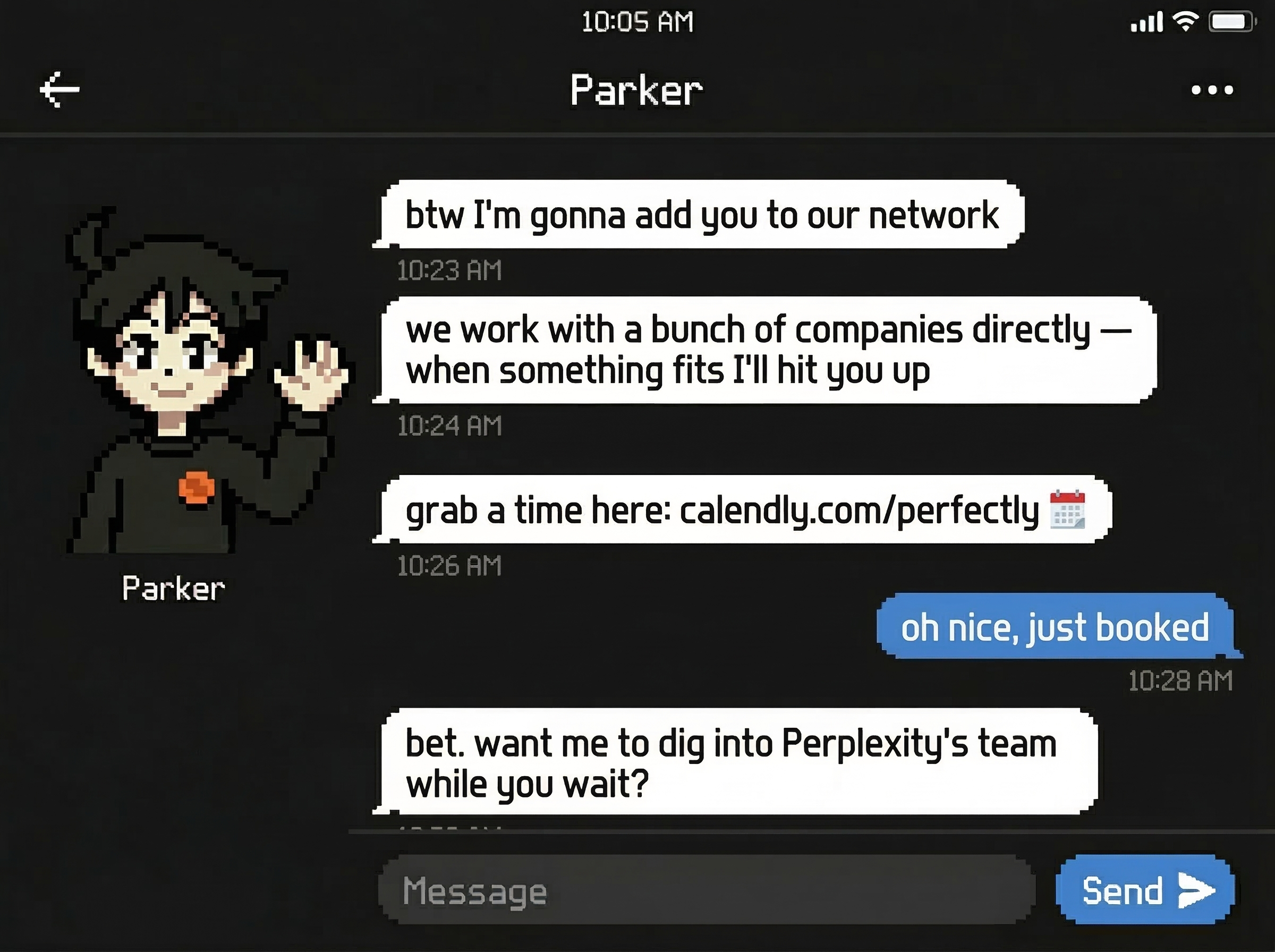
70-80% of tech jobs are filled through referrals before they hit a job board. If you're not talking to the right people, the best opportunities will never find you. Meet Parker — your AI career super-connector on iMessage & WhatsApp 🔥 Parker maps out exactly who you should talk to, drafts personalized outreach that actually sounds like you, and gets you in the door. Companies also come to us to hire directly — so the best roles find you. Try Parker free → https://candidate.perfectly.so/
We originally started on the hiring manager side (Meet Paul: https://hm.perfectly.so/) to help companies hire. But we kept seeing the same heartbreaking pattern: brilliant candidates stuck in the wrong roles simply because no one helped them find the place they truly belong.
4
回复

It might be helpful to add reminders for when to reconnect with someone after the first msg.

3
回复

@derek_julian Hey Derek, you're absolutely right, we're already testing this feature!

0
回复

Congratulations on your launch. Beyond the initial outreach, does Parker help track the status of these conversations, or is it primarily focused on getting the "foot in the door" initially?

1
回复

@charlenechen_123 Yes, we track them, so next time when you talk with Parker, he will follow up.

1
回复

If there isn't an active role available but it's at a company that I'd be interested in joining, are there ways that Parker can either (a) monitor for when a relevant posting appears or (b) help me craft outreach that could get me in the door even though there isn't an active job posting?

0
回复

Meeting people where they already are — iMessage and WhatsApp instead of yet another app — is the right distribution call, since the 70-80% referral stat means the real leverage is in warm intros, not cold applications. How does Parker differentiate between a genuine networking opportunity and a connection that would feel spammy to the recipient — is there a signal quality threshold before it suggests reaching out?

0
回复

Congrats on this @victor_luo The iMessage + WhatsApp angle is underrated. Every other AI career tool puts you in yet another dashboard you have to remember to open. When Parker drafts personalized outreach that ‘sounds like you’ — how does it actually learn your voice? Is it from the iMessage/WhatsApp chat history alone, or does it analyze LinkedIn activity, past writing samples, etc.?

0
回复

How does Parker handle data privacy? Mapping out who to talk to sounds powerful, but I want to ensure my professional network data stays completely secure.

0
回复
#7
Pre
Pre makes anybody an operator.
133
一句话介绍:Pre是一款为初创公司创始人设计的AI问责与聚焦工具,通过连接关键数据、设定北极星指标和强制发送未经修饰的周报,解决创始人因缺乏动力、自我欺骗和偏离核心目标而导致项目失败或停滞的痛点。
Productivity Startup Lessons Operations
AI问责工具 创始人效率 目标管理 数据驱动决策 初创公司辅导 YC方法论 进度透明化 北极星指标 周度复盘 防自我欺骗
用户评论摘要:用户反馈积极,认可其“无修饰周报”的强制问责机制。主要问题集中在:AI顾问是否实时挑战目标设定、如何处理复杂技术运维的边缘案例,以及个性化反馈的深度。创始人回复称正开发主动分析功能,并明确产品聚焦于商业运营而非技术运维。
AI 锐评

Pre试图产品化YC办公室小时的残酷诚实,其真正价值不在于又一个目标跟踪工具,而在于构建了一个“反自我合理化”的系统。创始人Darius的经历直指创业核心悲剧:我们善于编织叙事,将“略有起色”美化为“即将突破”。Pre的锋利之处在于,它用数据连接(如Stripe、Supabase)剥夺了这种叙事权,让客观指标说话,并通过社交压力(周报发送给“你不想让其失望的人”)完成最后一击。

然而,其深层挑战与潜力并存。挑战在于:第一,“北极星指标”的设定本身是战略艺术,AI能否真正理解业务本质并防止“优化虚荣指标”的历史重演?第二,对早期创始人,尤其是单打独斗者,最大的痛苦常是孤独与决策模糊,Pre的“AI顾问”若仅停留在目标-数据对齐的审计层面,则仍未触及最高价值的“战略共鸣”与“灵感激发”。第三,其模型假设“连接数据”等于“真实情况”,但许多关键进展(如客户访谈洞察、团队士气)难以数据化,存在盲区。

潜力则在于,它可能演化成首个“创始人心智外部缓存”。优秀的投资者或联创能提供的正是这种无情的焦点维护与现实检验。Pre若能深化其AI对行业上下文与创业阶段的理解,从“审计官”进阶为“模拟联创”,其价值将指数级增长。当前版本是一个强效的“防坠落网”,但创业者最终需要的,不仅是防止坠落,更是如何飞得更高更准的导航系统。

查看原始信息
Pre
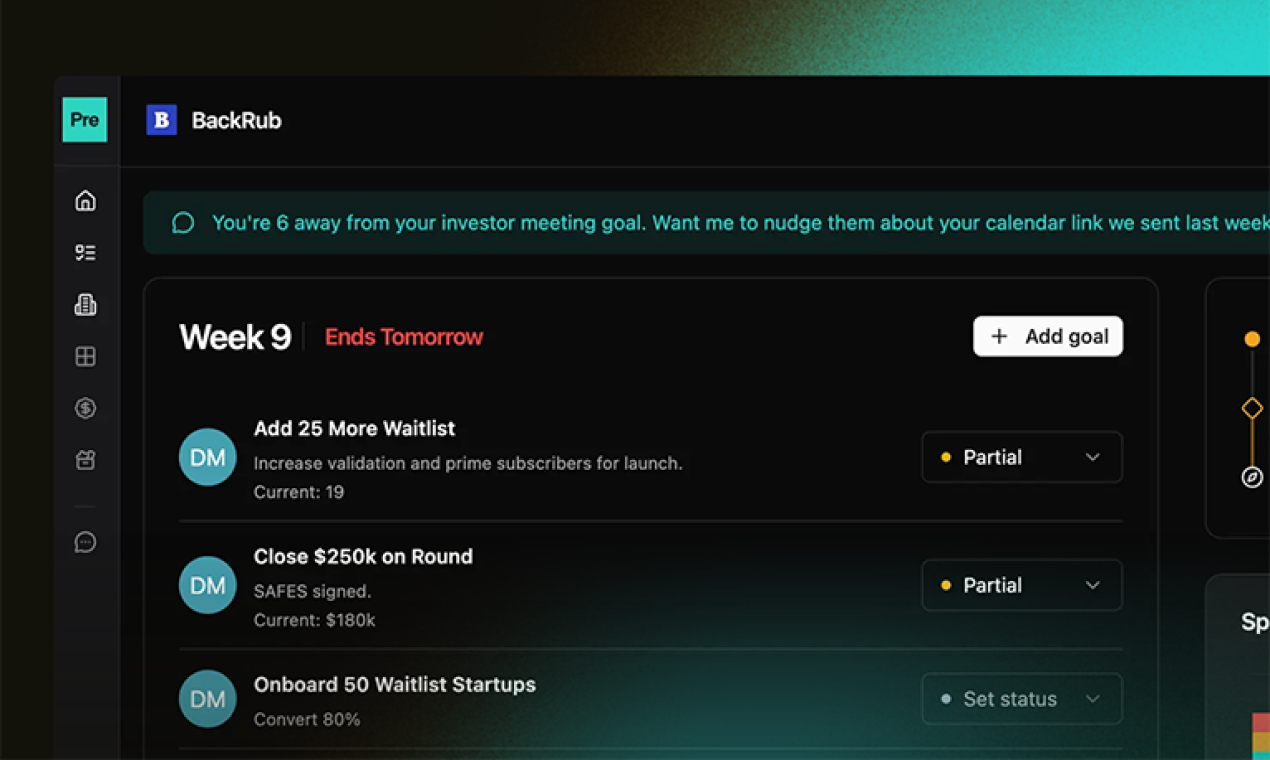
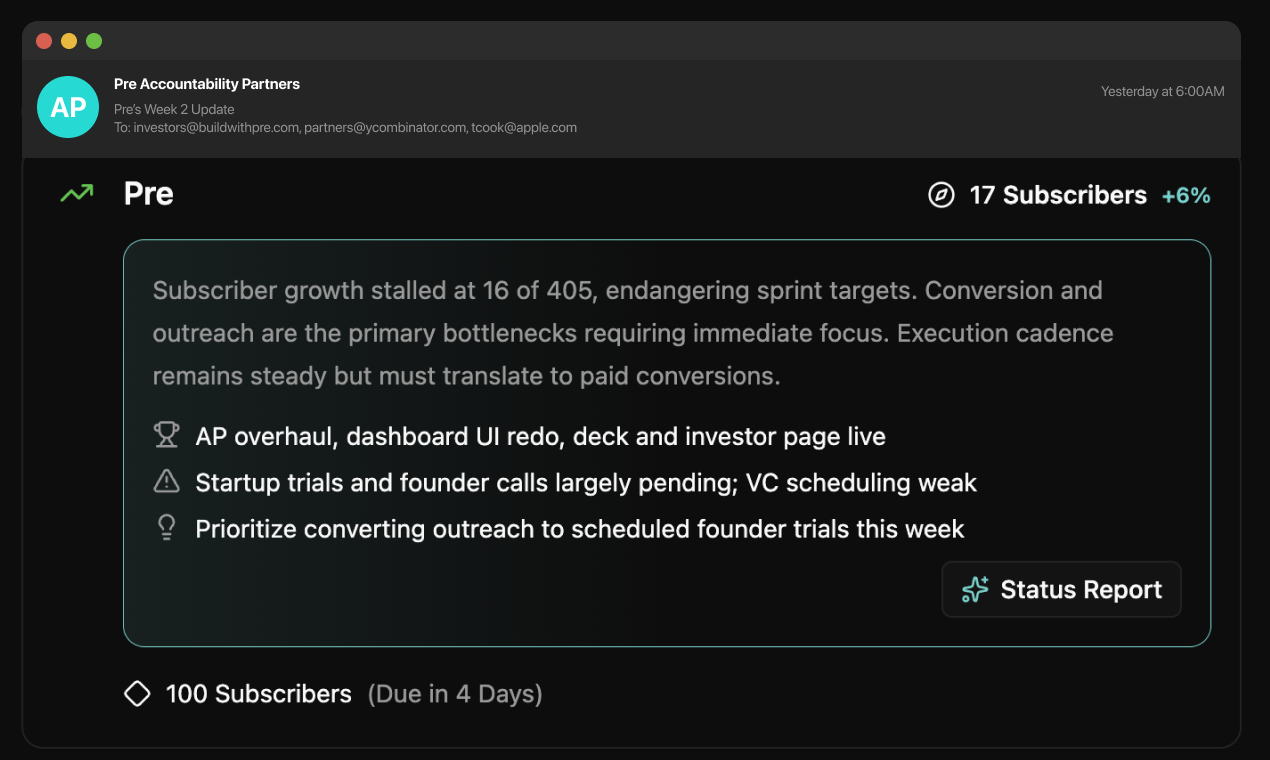
Lack of momentum kills startups. I've done YC 3 times and built Pre to productize the focus and accountability of batch office hours. Pre's AI agent knows exactly how you're really doing from your connected data. Set your North Star, commit to weekly goals that move the needle, and every week it sends a no-spin progress report to whoever you don't want to disappoint. No editing. No excuses.
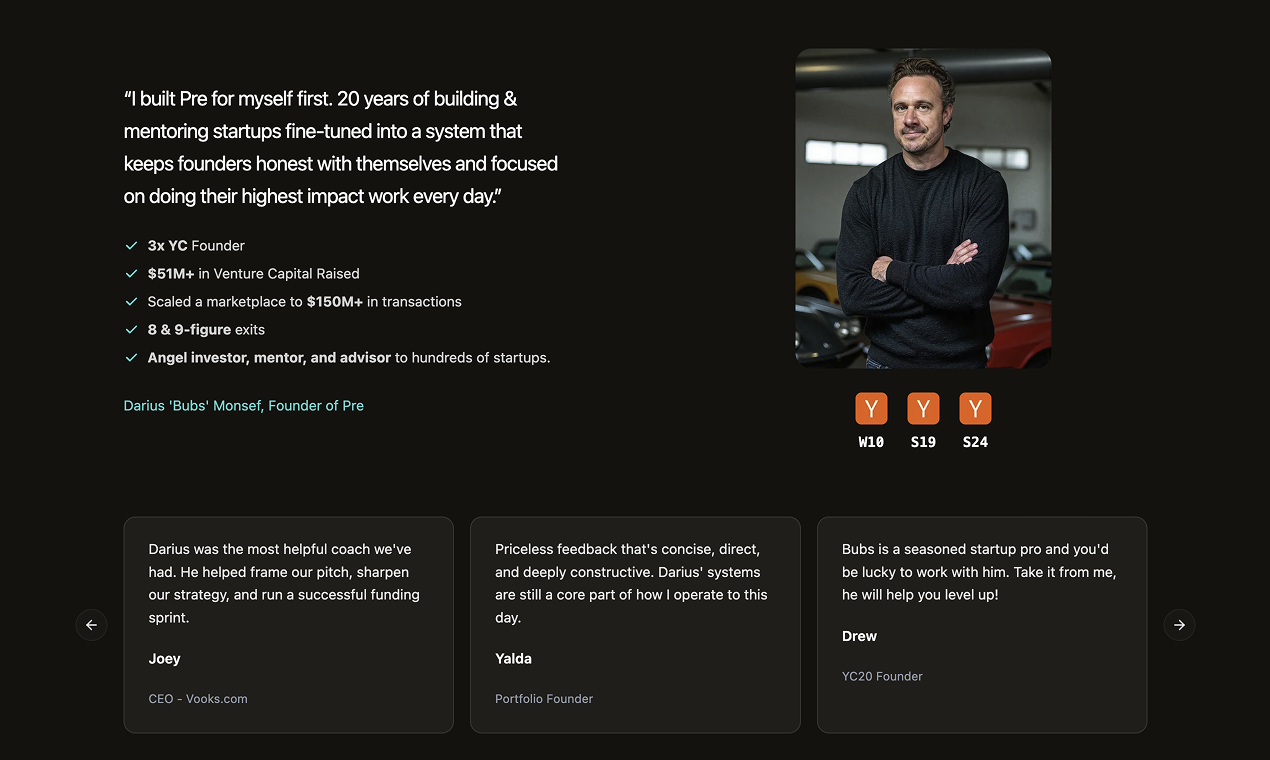
Howzit 🤙🏼 I'm Darius (Bubs). 3x YC founder and have exited for 8 & 9 figures. And I built Pre because even experienced founders fall into the same startup traps. My first startup I chased the wrong vanity metrics, and wasn't honest enough to kill things that were "kinda working" for NINE YEARS. We finally saw where there was real product market fit and pivoted... we were acquired 11mo later. Overnight success that took nearly a decade. My last startup grew thru Series B with 120+ employees and then imploded... We were scaling a model that was fundamentally broken and should have been something we were laser focused on making right in the beginning. So I built a system that makes it structurally impossible to bullshit yourself. You set a North Star metric. You commit to weekly goals that actually move the needle. Pre's AI advisor challenges your reasoning instead of just validating it. And every Friday it sends a no-edit truth report to whoever you've given permission to hold you accountable. Raw data. What you shipped. What you didn't. This is the same honest and direct framework you get during a YC batch... Now it's something anyone can use. Try it free for 10 days. Would love your feedback, especially from founders who have tried every system and keep ending up in the same spot. That's exactly who I built this for. What's the best way you keep yourself totally honest about what's working and what isn't as a founder? 👇
7
回复

@bubs Pre has been awesome keeping me on task with what actually matters. It’s a no brainer for solo founders like myself!

1
回复

As someone who just spent 3 hours debugging a deployment because our junior dev didn't understand the difference between staging and production variables, I can see why you'd want to abstract away the operator role entirely. The real question is: how do you handle the edge cases where someone needs to SSH into a box at 3am because the automated rollback failed, or when the "simple" deployment requires understanding the intricate dependencies between your Redis cluster and PostgreSQL replicas?

2
回复

@lliora Ugh. That's a rough one. Our focus is on the operations (ideation, talking to customers, getting validation, founder led sales, etc.) of early stage startups, not the Dev Ops. But I imagine the coding agents will get smarter as services are integrated into them so they understand the full dev environment and test and debug end to end.

1
回复

The no-edit Friday report sent to someone you don't want to disappoint is a clever forcing function — most accountability tools fail because founders can reframe their own narrative before sharing it. Does the AI advisor push back in real-time when you set weekly goals that are clearly too safe or disconnected from your North Star, or does it only surface that gap in the weekly report?

2
回复

@svyat_dvoretski Totally agree, we're great at spinning things but that doesn't give the real story. And yep it sure can. MVP form is an "audit" button for each goal, we're making that a proactive analysis/audit this week. So Pre will automatically push back when you're setting goals that don't matter, or aren't specifically driving your North Star.

+D

0
回复

@svyat_dvoretski its so good!!!

0
回复

I've been watching this product since its early concept days and I'm super impressed with the newest version. It has always provided accountability for founders, but this latest version makes it so much easier to get going – and keep going. Great work!

2
回复

@turoczy Thanks Rick, every founder deserves somebody supportive like you in their corner... we'll do our best to make the Pre agent as Rick as possible. :)

1
回复

How does the system get context with regards to where I am at in my startup journey? Are they solely based upon the "north star" I set or are there ways to get more personalized feedback once it understands the industry and product that I'm trying to sell?

1
回复

@lienchueh You connect Pre to your data... Supabase, Stripe, etc. So your agent knows not just what you're building and who it's for... it knows if the work you're doing every week is actually moving the numbers.

1
回复

This is launch of the week for me. Love this product and plan for our team to use it.

1
回复

Love seeing all the progress, Bubs! This is such a great idea and needed product. Good luck with the launch!

1
回复

Really interesting concept: an AI chief of staff that tracks your real progress and sends honest weekly updates could be huge for founders trying to stay accountable. Congrats on the launch! How does Pre decide what data signals actually matter when measuring whether someone is making real progress toward their North Star? 🚀

0
回复
#8
Fowel by Hackmamba
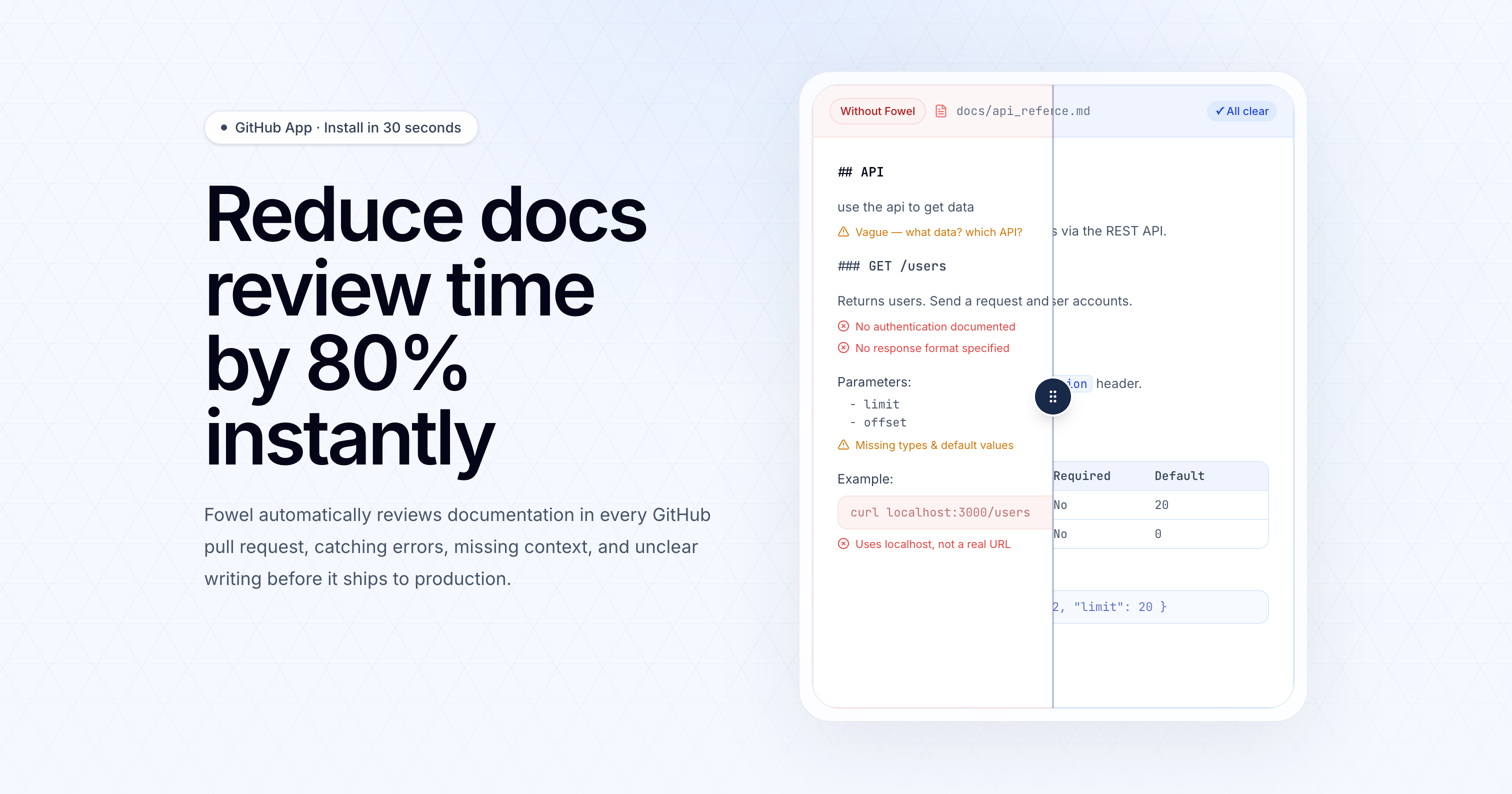
Reduce documentation review time by 80% instantly
121
一句话介绍:Fowel是一款集成于GitHub的AI工具,能在代码合并请求中自动审查文档,即时捕捉错误、缺失上下文和过时代码示例,将文档审查时间减少80%,解决了开发团队在快速迭代中确保文档准确性和一致性的痛点。
Developer Tools Artificial Intelligence GitHub
文档自动化审查 AI代码助手 开发者工具 GitHub集成 技术写作 质量保障 开源协作 内容审核 生产力工具
用户评论摘要:用户肯定其解决文档审查痛点的价值,并提出了具体问题:能否检测外部API/第三方库的破坏性变更?是否支持多语言文档?能否学习仓库现有风格或跨仓库理解依赖?如何适应风格指南的长期漂移?
AI 锐评

Fowel的诞生本身就是一个极具象征意义的AI时代寓言:一家技术内容代理机构因客户转向Claude Code而丢失合同,被迫从服务商转型为工具建造者。这精准揭示了当前AI渗透下的价值转移——当内容生成日益廉价且自动化时,核心价值正从“创作”上移至“质量保障与规范执行”。产品定位聪明地抓住了这一缝隙市场:不做文档生成的红海竞争,而是做生成后的“守门人”。

其宣称的80%时间节省颇具吸引力,但深层价值在于将团队内部的、隐性的文档审查知识(如风格指南、技术准确性逻辑、术语一致性)编码为可重复、可扩展的系统。这实质上是将“资深技术作家的经验”产品化。然而,从评论暴露的关切来看,其当前能力边界清晰:它更像一个基于预设规则与上下文的“静态分析器”,而非动态的“执行环境”。无法运行代码以检测破坏性变更、对多语言支持不明、跨仓库上下文理解存疑,这些正是其从“有用工具”迈向“不可或缺基础设施”必须跨越的鸿沟。

最大的挑战或许在于“适应性”。文档风格和项目规范是流动的,工具如何避免成为新的技术债来源?是依赖手动更新提示词,还是具备某种学习机制?这决定了其长期维护成本与实用性。总体而言,Fowel是一次精准的赛道卡位,它验证了“AI生成时代,审核与治理工具将崛起”的趋势判断。但其技术深度与可扩展性,将决定它是成为开发者工作流中短暂的过渡方案,还是未来人机协作文档工作流的基石。

查看原始信息
Fowel by Hackmamba
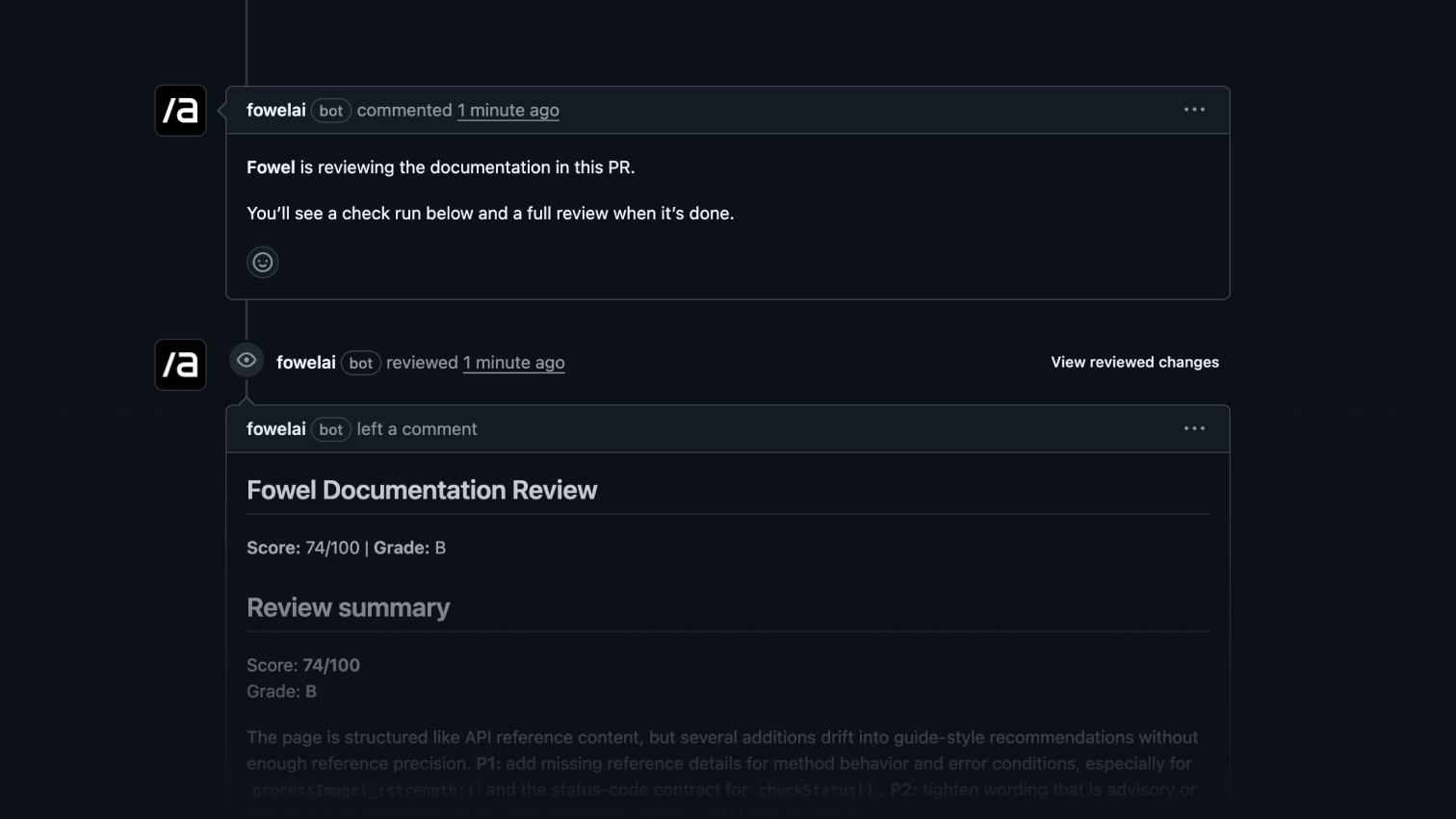
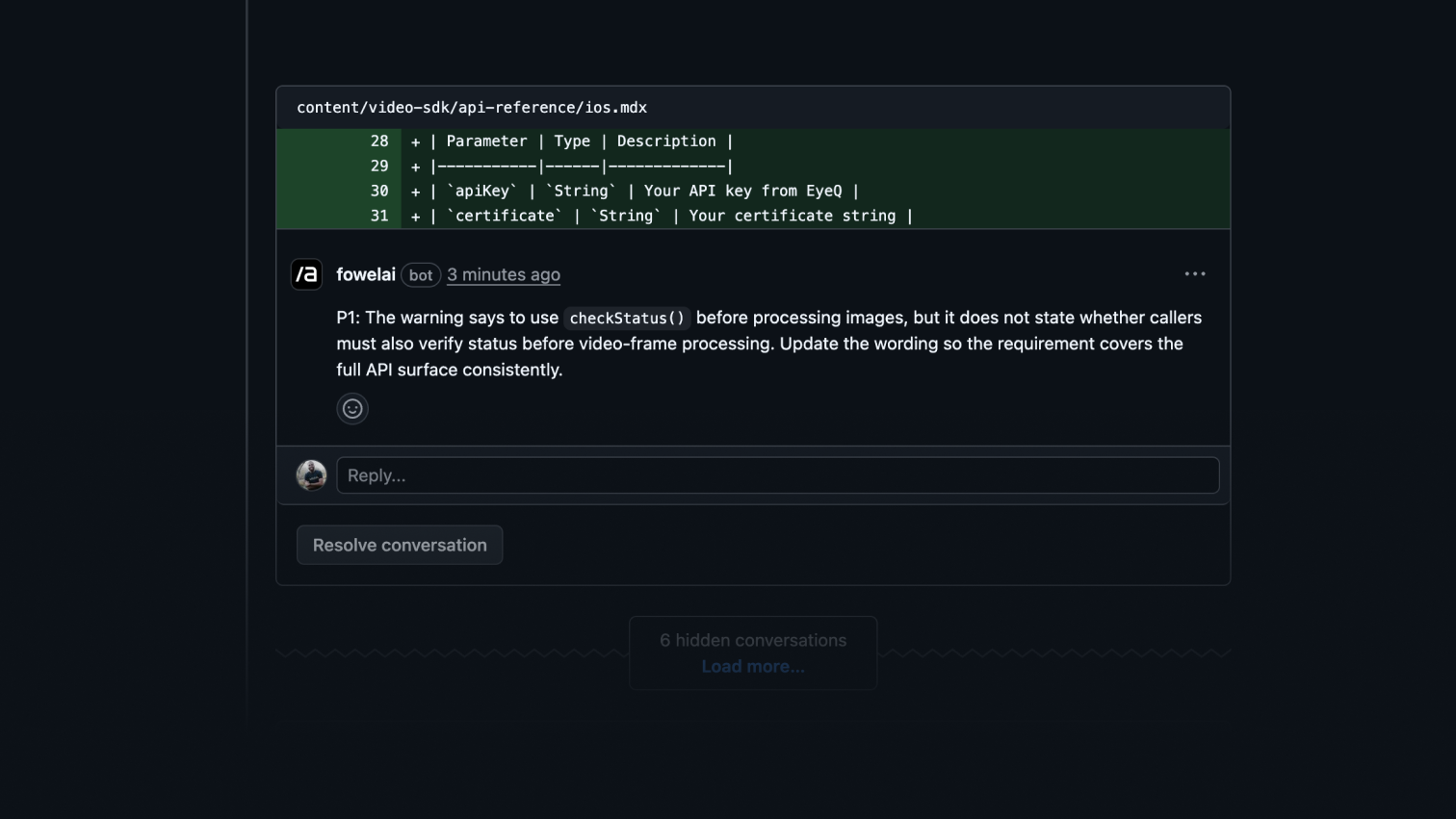
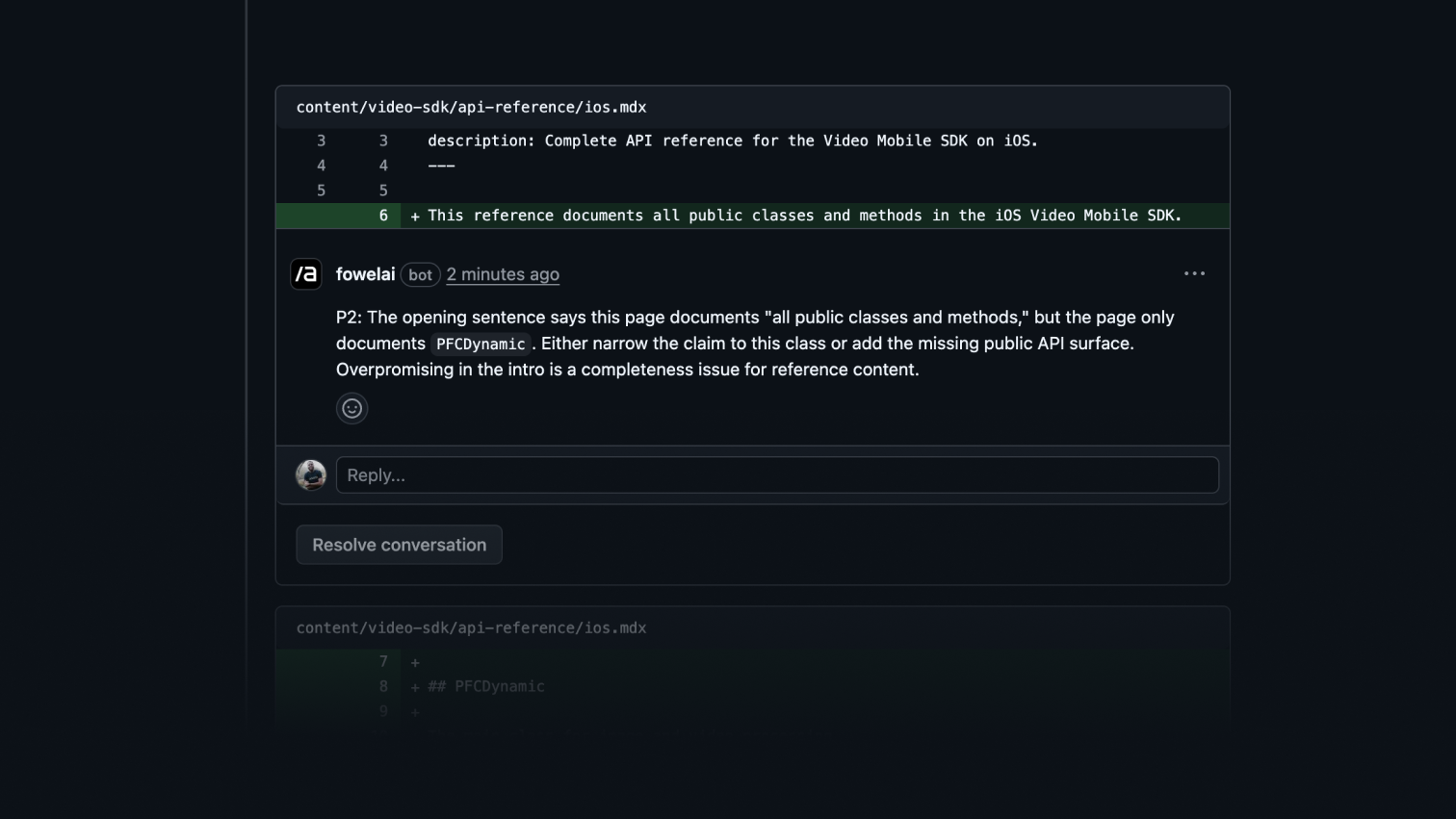
Fowel automatically reviews documentation in every GitHub pull request – catching inaccuracies, missing context, outdated code samples, and structural gaps before they reach production. Install in 30 seconds and scale across unlimited repositories.

Last week I got hit by a client with "sorry we took all the docs work your team did over the last 3 months which was great, fed it to Claude Code and we're good going forward". $5k+ MRR up in smoke.

I think that's when I might have finally gotten past the denial stage, that AI is coming for my company, Hackmamba, a technical content agency, even though we're focused on authenticity and technical creativity.

As an engineer and technical writer (now double-screwed I guess) I'm a big purporter that AI is like electricity, making things better, but the last 2 weeks have been, shocking (pun intended). Maybe I'd just been slow, doing too much talking and less doing.

So what did I do after J hit me with the contract cancellation line, I started looking for ways to do more with AI without crossing the blurry line that is generating slop. As a former PM, the first culprits of my evaluation were anything we spent more than 10 hours per month doing.

Technical reviews came up first. We work in teams shipping fast and need to get docs ready for developers and agents. Documentation is the ground truth before MCPs etc take over. So we spend a good amount of time reviewing docs PRs sent in by technical writers for accuracy, tone, shit code, typos, consistency with the overall style, persona match, clarity for sales and marketing usage etc.

So I did the next logical thing a software engineer (bless that job title) would do; I made a system prompt with everything we know and documented internally, plus everything I know about docs, individual frameworks, patterns etc. Then I built Fowel.ai (should sound like vowel, not foul) with it to handle deep GitHub PR reviews on documentation that was both written by a human or AI generated.

Frankly, I don't care at this point. If the end goal is to ship great docs for humans and agents, why care deeply about who wrote it. AI agents don't care, and I've worked with writers worse than GPT 5.4. We likely won't need documentation in the future too when we fix agent<>agent comms 🫠

Maybe I'm cooked for making such mental shift towards building the guardrails and quality enforcements. Time will tell.

We've seen a huge reduction in time to get PRs into production by about 80%, which I love. Do try Fowel if you're looking at the speed of getting great docs content out, and I appreciate any feedback shared. It's free to use.
Thanks in advance and let me know if this is shit too.

I don't mind brutal feedback.

William.

7
回复

@ichuloo inspiring story - and neat product. keep up the great work, Will 👏👏

3
回复

@ichuloo Wait, they paid your agency 5k/m to do this job? :) I didn't even know, that there was an agency niche for that. But sounds like classical agency -> SaaS path, solving problem in a niche, you know the best. Good luck to you and the team!

2
回复

This is honestly such a smart pivot. Doc review is one of those things that eats up so much time but nobody really talks about it. We've had PRs sit for days just because the docs changes needed back and forth on tone and accuracy.

Curious about one thing though, does Fowel handle docs that reference external APIs or third party libraries? Like if a code sample imports something from a package that just shipped a breaking change, would it flag that?

4
回复

@mihir_kanzariya thanks for the kind words. Great question too. That may be something we support in the future, right now we're focused on the content and don't run the code in a sandbox. We have that tech internally, maybe we'll just add it to Fowel :)

1
回复

The agency-to-SaaS pivot triggered by a client replacing your work with Claude Code is painfully honest and exactly the kind of signal that validates the product direction — if AI can write the docs, the value shifts to reviewing and enforcing quality standards. Does Fowel learn from a repo's existing documentation style over time, or does each PR review start from a generic baseline regardless of how much context already exists?

1
回复

This resonates hard. I maintain 440+ open-source developer tools and the docs review bottleneck is real — outdated code samples slip through PRs constantly. The fact that Fowel catches structural gaps (not just typos) is the key differentiator. Most linters stop at formatting. Curious: does it handle multi-language docs, like when a project has both English and Japanese README files?

0
回复

Since I rely so heavily on Claude to help me with development work these days, I find myself questioning if the documentation that I write up is detailed enough or if I missed a key detail.

Is Fowel able to build upon context across different repositories that share dependencies?

0
回复

An 80% reduction in doc review time is ambitious, but I'd accept it for certain use cases. Most of the time reviewing docs is spent on consistency checks and finding outdated references, and that's tedious work a human shouldn't be doing. I maintain docs for a SaaS with 5 language localizations and the drift between versions is constant. Does this handle multilingual documentation or just English?

0
回复

The 80% review time reduction tracks with what I've seen when you encode institutional knowledge into the prompt rather than relying on generic LLM behavior. How are you handling style guide drift over time? Like when a client updates their tone or deprecates certain terminology, is that a manual prompt update or do you have a way to version that context?

0
回复
#9
ReplylessAI
AI Email app that's affordable, Hit Inbox Zero
119
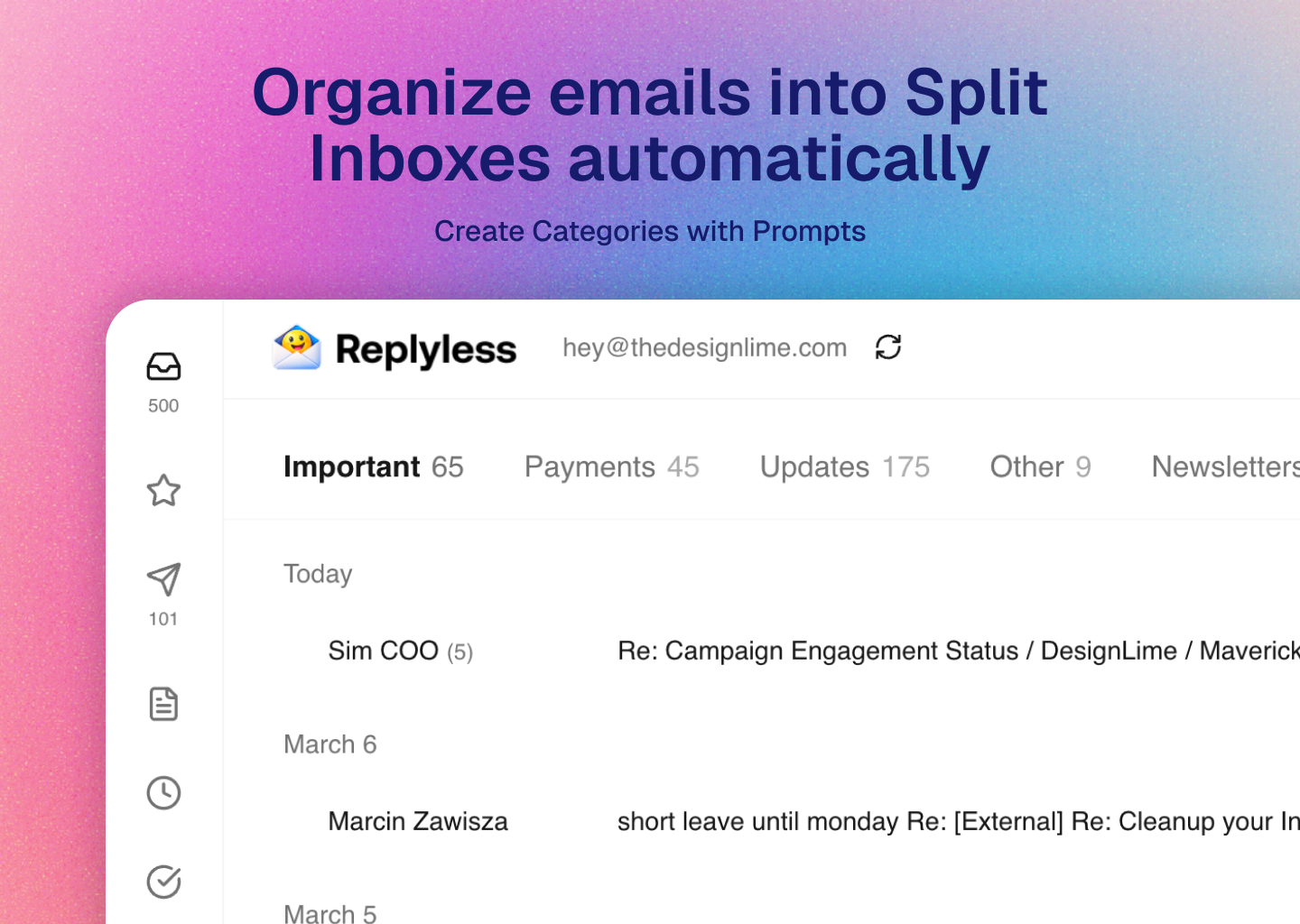
一句话介绍:ReplylessAI是一款经济实惠的AI邮件应用,通过自动智能分类和优先排序,帮助邮件过载的用户在复杂收件箱中快速识别重要信息,实现“收件箱清晰”,而非单纯追求零邮件。
Productivity Artificial Intelligence YC Application
AI邮件助手 收件箱管理 生产力工具 邮件自动分类 个人助理 性价比 替代Superhuman 邮件过载
用户评论摘要:用户肯定其“收件箱清晰”的价值定位与自动分类功能,对“可查询旅行计划”的助理功能兴趣浓厚。主要问题与建议包括:多账户支持细节、与竞品的性能对比、误分类反馈机制、新闻简报汇总能力,以及修改Logo的设计建议。
AI 锐评

ReplylessAI的亮相,精准刺中了当前AI邮件工具市场的两个软肋:高昂的订阅价格与繁琐的初始设置。它试图将叙事从“效率至上”的“收件箱归零”,扭转为“心智减负”的“收件箱清晰”,这是一个更贴合用户真实焦虑——害怕错过重要信息——的聪明定位。

产品真正的锋芒,并非停留在基础的自动分类,而在于其将收件箱重构为“可查询的知识库”。如“查询旅行计划”的演示所示,它意图让静态、杂乱的邮件数据流动起来,成为可交互的智能体。这跳出了传统邮件客户端“整理-归档”的范式,指向了未来个人信息管理的形态:一个集中、理解并主动整合跨平台信息的AI中枢。

然而,其面临的挑战同样尖锐。首先,“经济实惠”是其切入市场的楔子,但长期需证明在核心AI分类与理解准确率上,能与Superhuman等高端玩家媲美,尤其在处理模糊、专业或高度个人化的邮件语境时。评论中关于误分类反馈循环的提问,直指AI产品实用化的命门——个性化适应能力。其次,“多账户差异化管理”功能被置于付费墙后,这虽是其商业模式,但也可能将部分核心用户(如创业者)挡在门外,削弱其解决“混合收件箱”痛点的宣称。

总体而言,ReplylessAI展现了一个颇具潜力的方向:不做最强大的通用AI,而是成为最理解你个人邮件的、买得起的专属助理。它的成功与否,将取决于其AI模型在真实世界杂乱数据中的鲁棒性,以及能否在保持简洁的同时,构建起足够深的个性化护城河。市场需要另一个邮件客户端,但可能正渴望一个真正智能的收件箱“破壁者”。

查看原始信息
ReplylessAI
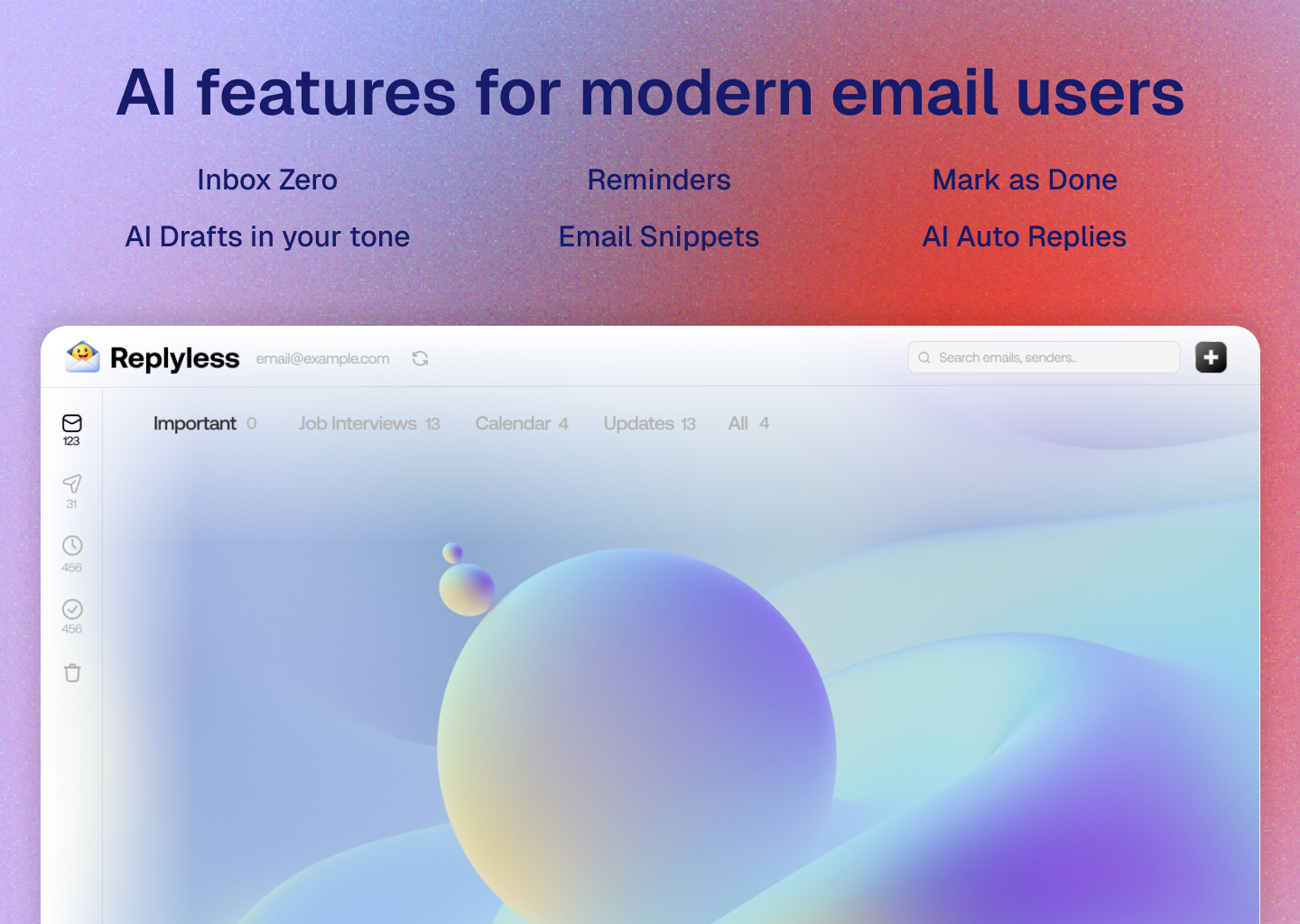
ReplylessAI is a powerful AI email app that helps you hit 'Inbox Zero' and beautifully sorts emails into categories. Finally a solid AI Email Inbox with all the features of popular email apps, and don't burn your pocket. No need to pay expensive subscriptions to Superhuman nor triage emails through clunky command line chats.
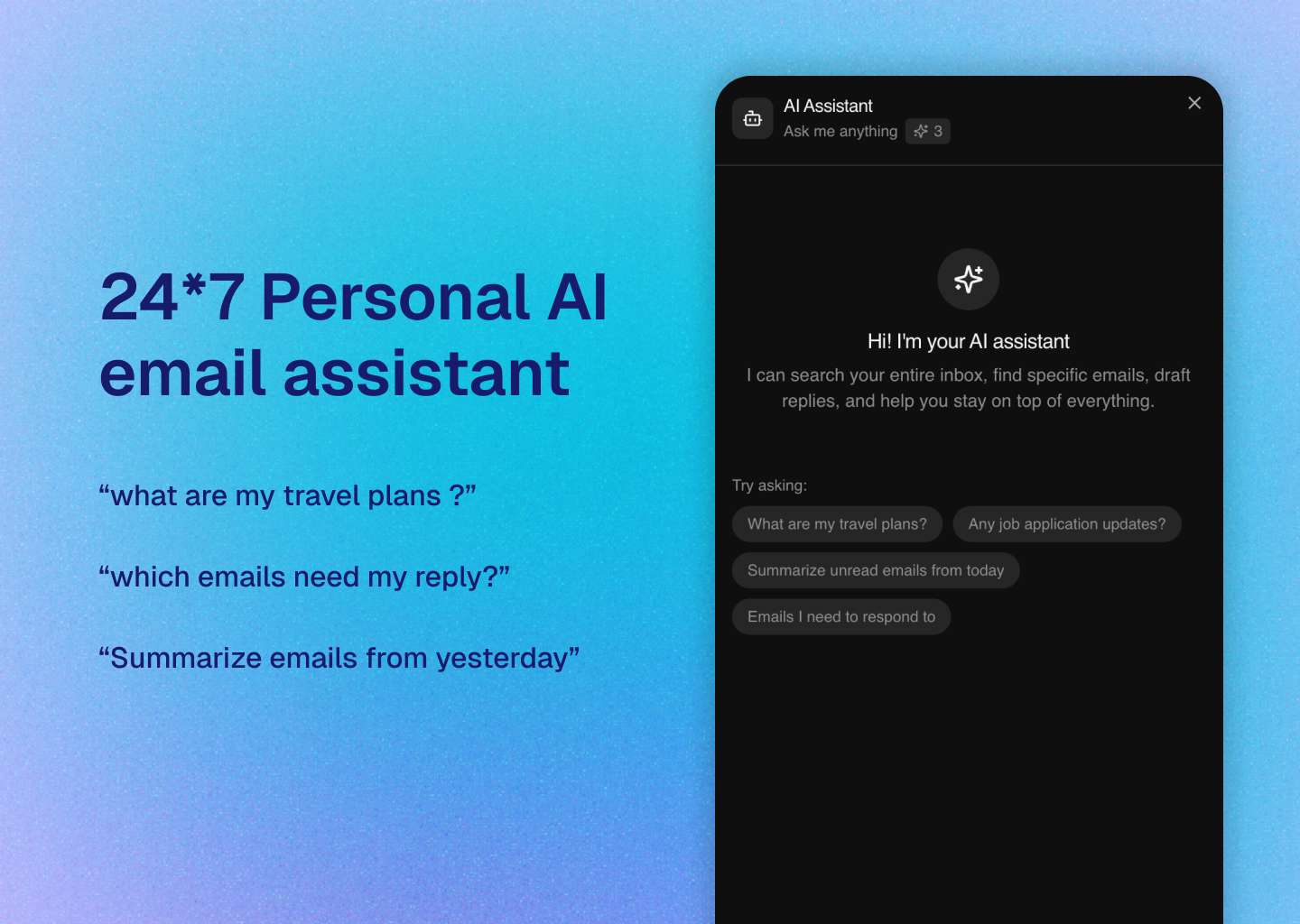
Hey Product Hunt 👋 I’m Sree, the maker of Replyless. Over the years I’ve built a few internet products, including Superpage(exit to YC backed company), and one thing that kept coming up from both creators and productivity enthusiasts was the same complaint: "email overload". Whether you’re a internet power user, creator, founder or just someone who receives a lot of email, the inbox becomes a mix of everything — important conversations, newsletters, payments, marketing junk & many more — all living in the same place. Some tools try to solve this well (Superhuman comes to mind), but they can be expensive and still rely heavily on manual workflows like labels and triage. I started building ReplylessAI to explore a simpler idea: "What if AI could actually separate signal from noise automatically?" Replyless focuses on: • prioritizing the emails that matter • categorizing messages intelligently • helping you respond faster - personal email assistant(just ask 'what are my travel plans' & it should pull up info from air ticket bookings to airbnb confirmations & chart out a quick gist) The goal isn’t inbox zero(even though replyless does this very well). It’s majorly inbox clarity -- "yes! I've reviewed all important emails that arrived today!" This is my third product on the internet, and I’m still learning every day from users. I’d genuinely love feedback from the PH community. A couple things I’m curious about: * What’s the biggest pain in your inbox today? * Do you use any AI tools for email yet? * What would make email actually feel manageable again? Thanks for checking it out 🙏 Happy to answer questions and hear your thoughts. Our early users absolutely love the clean email experience Replyless brings out of the box. As a token of love, we're offering special discount to Product Hunt users! ❤️ See you on the other side, Sree.
6
回复

@srivatsa_mudumby Asking my inbox about travel plans and getting a consolidated view from tickets plus Airbnb... that's the kind of thing I'd use daily. Most AI email tools still need label setup or manual rules first. Automatic signal separation without the config work is what makes these tools stick, especially for people who won't touch settings.

1
回复

@srivatsa_mudumby It's really excellent.

0
回复

@srivatsa_mudumby Congrats on this! The reframe from inbox zero to inbox clarity genuinely resonates. As a founder managing product feedback, partnerships, and investor threads all in one inbox, the anxiety isn’t that I haven’t deleted emails — it’s that I’m not sure I’ve seen the important ones.

1
回复
this is cool, please consider changing your logo. all love!
1
回复

The personal assistant angle — asking "what are my travel plans" and getting a consolidated view from booking emails — is a much stronger value prop than just inbox sorting, because it turns email from a chore into a queryable knowledge base. How does Replyless handle multi-account setups where someone has work and personal email with very different categorization needs?

1
回复

@svyat_dvoretski Thanks for the good words. Users can connect multiple accounts and setup different categorizations entirely, the best part is you can manage all from one account - like an account switcher on Instagram.

This feature is available on premium plans.

0
回复

This looks really interesting, but I'm curious about the quality benchmark — in what specific scenarios does ReplylessAI outperform Superhuman, and where would you honestly say it's not there yet?

0
回复

One of my biggest issues is that I subscribe to too many newsletters that I mean to read but never have time for. Are there ways for Replyless to help generate summaries and pull out key insights from an aggregation of newsletters from the week?

0
回复

@lienchueh Currently, you can chat with the AI assistant & it gives you cumulative summaries about newsletters - just mention its name.

0
回复

Congrats @srivatsa_mudumby This is real time saver. Quick question: how does Replyless handle false positives? If the AI miscategorizes something important as noise, is there a feedback loop to help it learn your preferences over time?

0
回复

@jerrybyday Yes, drag and drop emails into a different category and AI engine learns user preferences over time.

0
回复
#10
Manus Agents for Telegram
Personal AI Agent in Your Chat
107
一句话介绍:一款将功能完整的AI智能体嵌入Telegram聊天环境的工具,让用户无需切换应用或管理复杂配置,即可在熟悉的聊天界面中直接执行多步骤复杂任务、研究和文件处理,解决了用户在多平台间切换和操作繁琐的痛点。
Messaging API Artificial Intelligence
AI智能体 Telegram机器人 聊天自动化 多步骤任务 文件处理 无代码集成 生产力工具 工作流自动化 个人AI助手 即时通讯集成
用户评论摘要:用户主要肯定其依托Telegram生态的“智能分发”策略,利用用户已养成的机器人使用习惯。核心提问集中在性能与功能折衷上:与原生平台相比,在Telegram内运行多步骤任务的延迟如何?是否存在能力限制?
AI 锐评

Manus Agents for Telegram 的本质,并非一次简单的功能迁移,而是一次对AI智能体分发与交互范式的精准狙击。其真正的价值不在于技术突破,而在于对“场景寄生”策略的娴熟运用。

产品聪明地避开了与ChatGPT等超级应用正面竞争,转而寄生在拥有庞大、活跃且已深度习惯“聊天内自动化”的用户生态——Telegram。这解决了AI应用的两个核心难题:用户获取成本与日常使用频率。用户无需下载新应用、记住新网址,AI能力被无缝植入高频通信场景,这极大地降低了使用门槛和心理阻力,提升了智能体的“可达性”与“即用性”。

然而,评论中尖锐的提问恰恰点破了潜在隐患:这种“寄生”是否意味着“阉割”?通过Telegram Bot API的交互必然存在延迟与功能边界。复杂的多模态处理、长上下文承载、以及需要极高稳定性的链式推理,在受限于第三方聊天平台的中转下,性能损耗和可靠性风险是必须回答的问题。它可能出色地处理“轻量级自动化”和“信息中介”任务,但面对真正重型、专业的AI智能体工作流,其能力天花板可能很快触顶。

因此,这款产品的定位更像是“AI平民化”的快捷通道,而非专业用户的终极武器。它用便利性换取部分性能与深度,用场景融合替代独立体验。它的成功与否,将取决于其能否在Telegram的框架内,找到复杂能力与流畅体验的最佳平衡点,并证明这种“轻量化智能体”足以覆盖大部分用户的日常需求,而非只是一个有趣的玩具。

查看原始信息
Manus Agents for Telegram
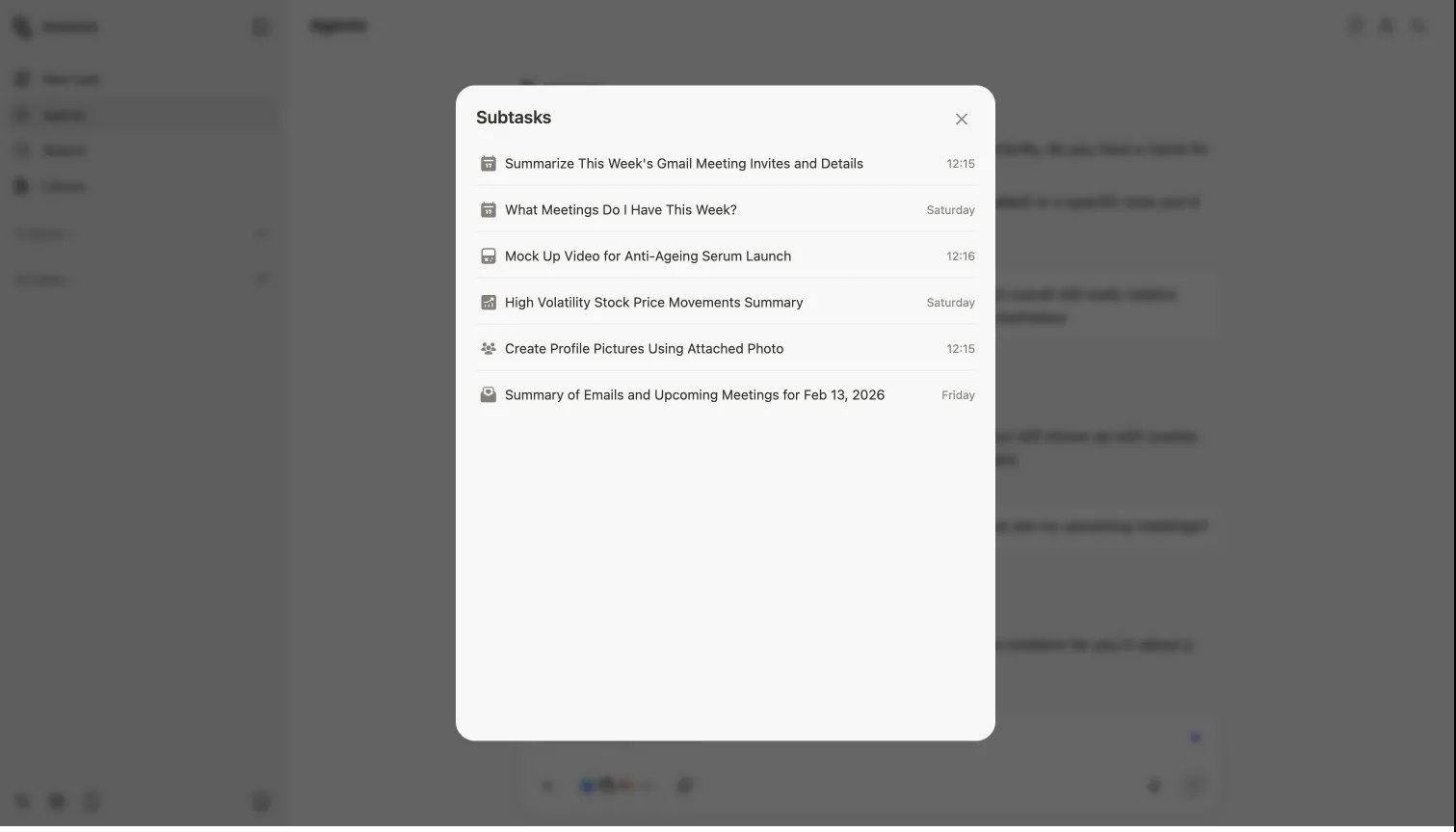
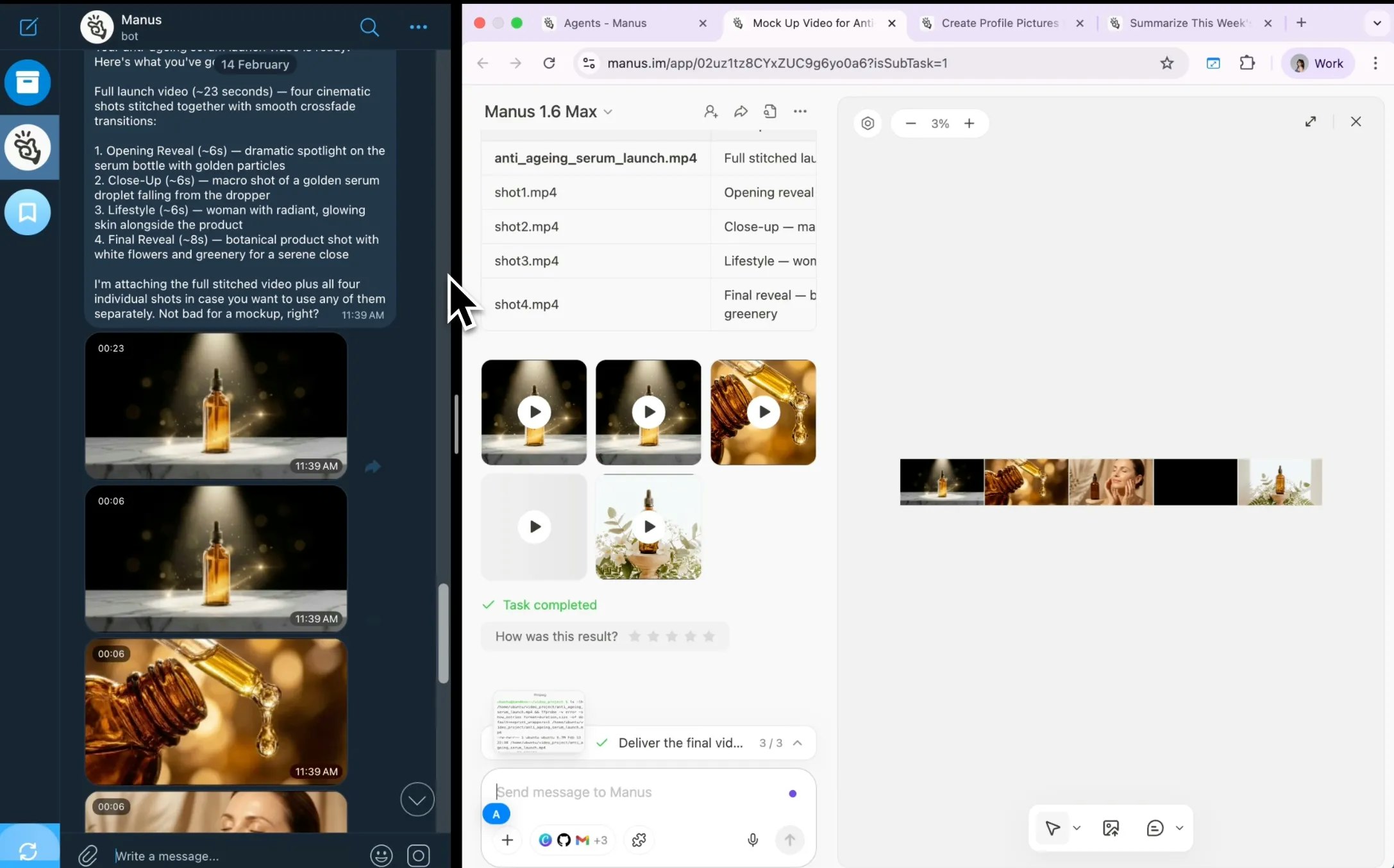
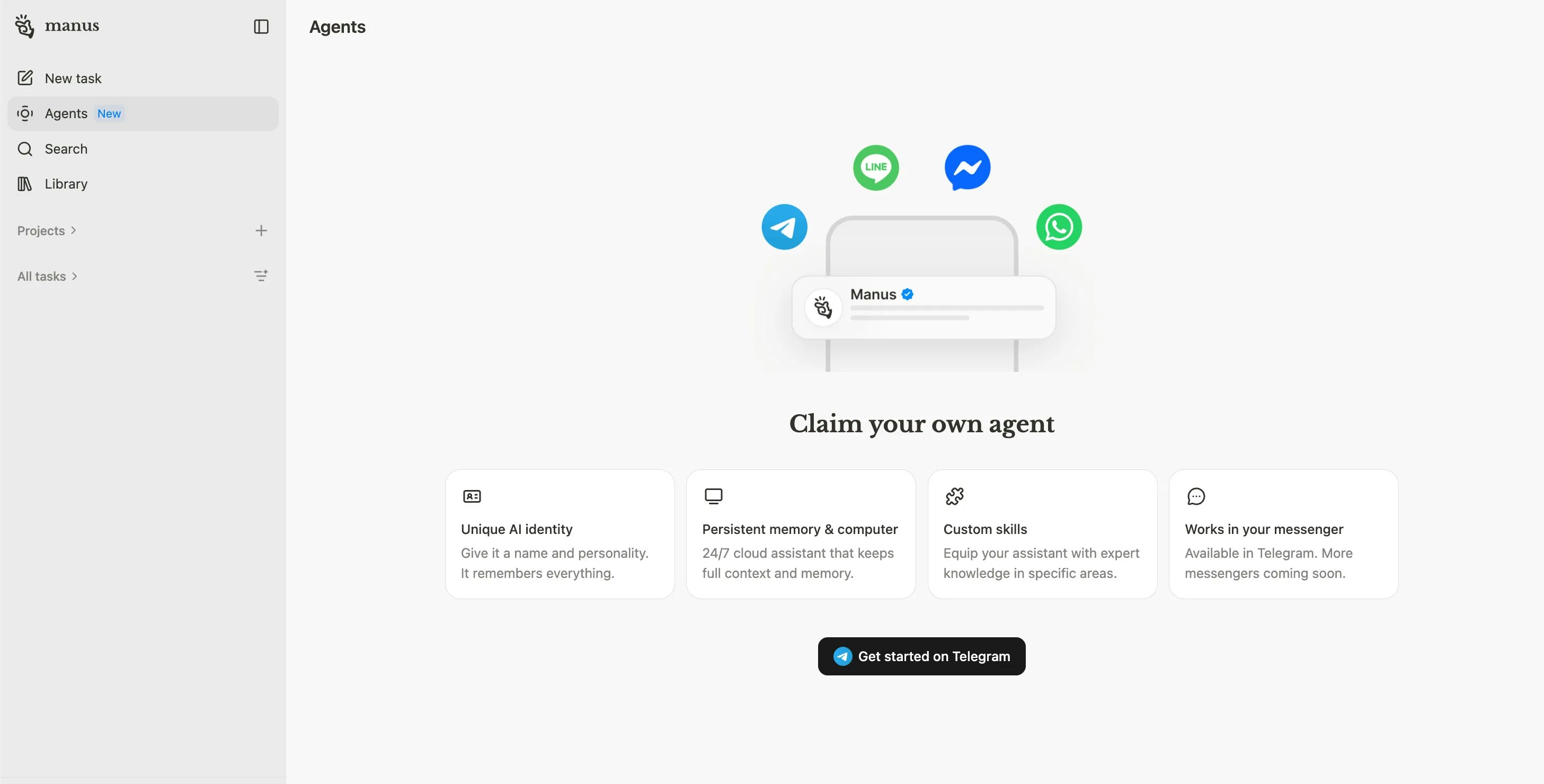
Access your full AI agent capabilities directly in Telegram. Connect in seconds with a QR code, then run complex multi-step tasks, research, file handling, and more from chat. No terminals, config files, or APIs to manage. Your personal AI, wherever you communicate.

Embedding a full AI agent inside Telegram instead of building yet another standalone app is a smart distribution play — Telegram's bot ecosystem already trained users to expect automated workflows in chat. What's the latency like for multi-step tasks compared to using Manus directly, and are there any capability trade-offs from running through the Telegram interface versus the native platform?

1
回复
#11
Window View
Step inside any building on Google Earth to see the view
105
一句话介绍:一款基于Google Earth 3D数据的开源工具,让用户能在租房或购房前,虚拟进入建筑物内部,查看特定楼层和朝向的窗外景观、遮挡情况及全年日照路径,解决因信息不透明导致的“视图盲盒”痛点。
Open Source Maps Neighborhood
房地产科技 3D可视化 租房工具 开源应用 谷歌地球 日照分析 视图模拟 决策辅助 免费工具
用户评论摘要:用户普遍认为产品创意极佳,解决了真实痛点。主要建议/问题包括:商业模式疑问、希望与房产平台集成、增加房源对比模式、关心3D数据过时如何处理。开发者回复保持开源免费,暂不计划集成,并承认数据更新依赖第三方。
AI 锐评

Window View 巧妙地扮演了一个“数字时代租房侦察兵”的角色。它的真正价值不在于技术上的颠覆——其根基是Google Earth和CesiumJS这些现成的3D图层——而在于精准地缝合了一个长期存在的市场缝隙:在房产交易中,关于“窗外是什么”这一关键信息的严重不对称。

产品犀利地戳破了房产描述中“城市景观”、“河景”等营销话术的泡沫,将决策依据从模糊的文字和精心构图的照片,转化为可量化、可分享的空间数据(楼层、朝向、日照路径)。这本质上是将一种属于高端房产的、昂贵的可视化咨询服务,通过技术民主化为零成本的自助工具。其开源属性进一步强化了这种“公共效用”的色彩,但也直接引出了其核心挑战:作为工具而非平台,它难以直接货币化,更像一个充满情怀的个人项目。

用户的评论揭示了其理想与现实的张力。一方面,人们期待它能更深地嵌入交易链条(如对接Zillow),或增加更复杂的对比功能,这暗示了市场对其工具属性之外,成为“基础设施”的潜在需求。另一方面,开发者对数据过时问题的坦诚,则暴露了其命门——它的体验完全上游依赖。当谷歌的3D数据滞后于城市建设时,工具的可靠性便大打折扣。

因此,Window View目前是一个极其锋利的“单点解决方案”,证明了需求的真实存在和解决方案的可行性。但它若要从小众利器成长为具有持久影响力的服务,必须跨越两大鸿沟:一是构建更稳定、或至少能标注数据时效性的数据源策略;二是在“免费开源工具”与可持续的生态角色之间,找到更清晰的定位。否则,它可能最终只是为更大的平台做了一次完美的需求验证和市场教育。

查看原始信息
Window View
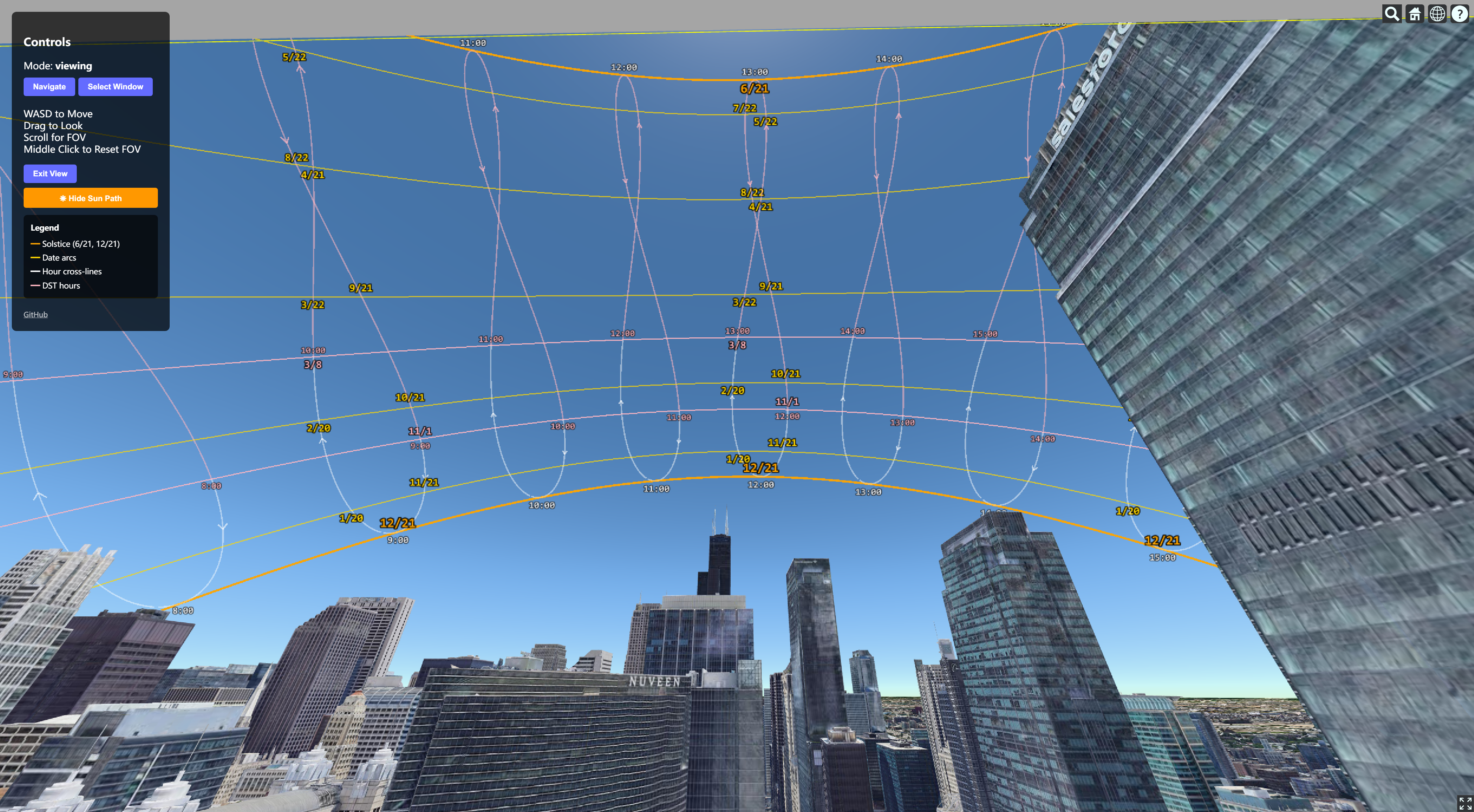
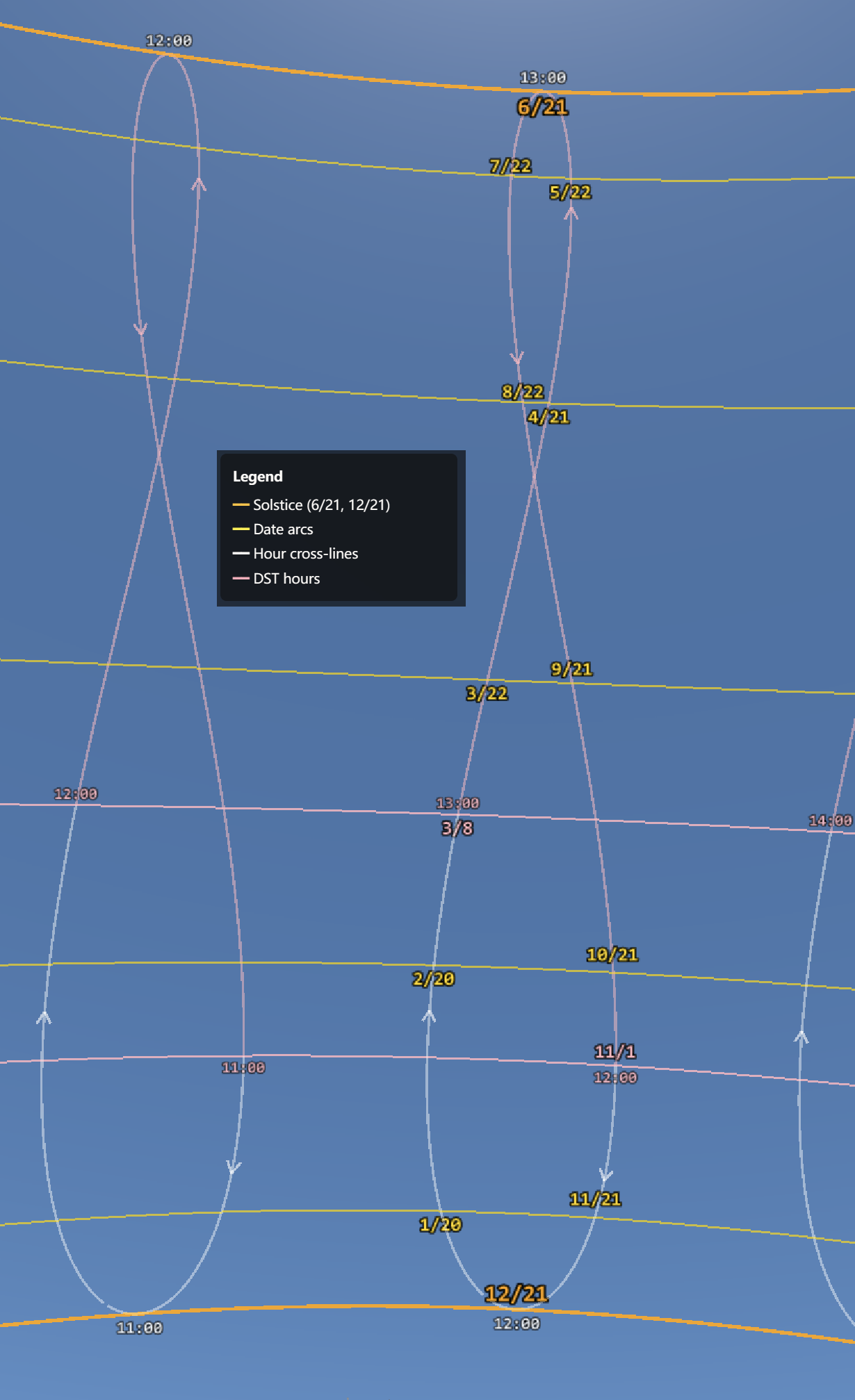
Ever shown up to an apartment only to find the "city view" is a brick wall? Window View lets you step inside any building on Google Earth and look out the window. Pick a floor, drop a window on any wall, and see exactly what's outside. A sun path overlay shows you when sunlight actually hits throughout the year. Free, open source, no account needed.

Hi everyone!

I built this from my own apartment hunt needs, as I was surprised that there are no similar tools online at all! With this tool, I was finally able to check exactly which floors and units of the apartment building have satisfactory view, privacy and sunlight, without having to guess.

Now, for your apartment hunt, you can:

  • 👀 See the outside view from a specific floor or unit.

  • 🏙 Check obstructions by other buildings.

  • ☀ View year-round daily sun exposure.

  • 🔗 Send the exact 3D view to roommates or brokers via URL.


Window View is powered by Google Maps Photorealistic 3D Tiles (through Cesium ion) and CesiumJS. Feel free to contribute or open issues for any features you want to see! https://github.com/wengh/window-...

2
回复

So cool. How do you plan to monetize it? Congrats on the launch!

1
回复

@mcarmonas I'd like to keep it open source and free!

0
回复

The shareable URL for roommates and brokers is really helpful. Are you planning to integrate directly with listing platforms like Zillow or Realtor.ca ? Also a “compare units” mode where you can pull up two apartments side by side would be cool. Congrats on this!

1
回复

@jacklyn_i 

“compare units” mode

You can do this by opening 2 tabs on the browser and placing them side by side!

integrate directly with listing platforms

No plan to do this so far.

0
回复

This is one of those “why didn’t this exist already” products. Renting an apartment and being burned by a listing photo that conveniently hid the parking garage wall outside the window? Not ideal. Congrats on your launch!

1
回复
Hey Haoyu, that frustration of having no way to check the view before signing a lease is such a real problem. Was there a specific apartment you almost took or actually moved into where the view or sunlight turned out way worse than you expected?
1
回复

@vouchy 

Was there a specific apartment you almost took or actually moved into where the view or sunlight turned out way worse than you expected?

Yes! I visited a apartment building that claimed "river view" only to find out that it faces a more recently built office tower right next.

0
回复

This is genuinely impressive. I just spent way too much time playing with it—it feels more like an immersive travel experience than a utility tool. Using Google Earth 3D tiles for something as practical as checking apartment views is a brilliant execution. Does it currently support sunlight simulation for specific seasons, or is it based on the current date?

1
回复

@linapok Thanks for trying it! The sunlight simulation plots the path of the sun for every day over the year.

1
回复

Really interesting idea. I like the concept of checking the view before renting.

Curious: how do you handle cases where Google Earth data is outdated or buildings have changed? Does the tool account for that in any way?

1
回复

@cosmin1907 I don't know any good way to handle outdated 3D tiles data. I guess you could replace Google Earth with any other more up-to-date 3D tiles Cesium asset that you find for the city you're interested in, by changing the Cesium Ion asset ID in the source code.

0
回复
#12
doXmind
The AI editor Notion should have built
103
一句话介绍:doXmind是一款集成了多智能体AI系统的文档编辑器,通过Notion式的数据库块、深度思考模式等功能,在知识管理、内容创作和团队协作场景中,解决了用户在处理结构化数据与复杂思维任务时工具割裂、AI辅助流于表面的痛点。
Productivity Artificial Intelligence Notion
AI文档编辑器 知识管理工具 Notion替代品 结构化数据库 多智能体AI 团队协作 深度思考模式 内容创作 SaaS 生产力工具
用户评论摘要:用户反馈积极,认可其技能系统与UI的差异化。主要问题与建议集中在:长文档/多版本修订的上下文保留机制、同时引用多数据库块时的上下文窗口处理、以及未来增加Notion导入功能以降低迁移成本。
AI 锐评

doXmind的野心,远不止于做一个“AI版Notion”。其真正的价值内核,在于试图用多智能体AI系统重新定义“编辑”行为本身,将数据库操作、内容生成与复杂推理编织成一个连贯的智能工作流。

产品从“文档编辑器”向“数据库”功能的激进扩展,揭示了其战略意图:占领结构化知识(而不仅是非结构化文本)的AI处理高地。这戳中了当前AI写作工具的普遍软肋——它们大多是与文档内容割裂的“聊天侧边栏”,无法深度理解和操作文档内部的结构化信息。doXmind的“数据库块”与AI的深度集成,正是对此的精准反击。

然而,其面临的挑战同样尖锐。官方回复中透露的“优先级管道”和“选择性加载”上下文策略,虽显务实,但也承认了技术天花板的存在。在现有模型语境窗口和算力成本的约束下,如何智能地在海量关联数据块中动态调度高价值信息,是决定其“思考模式”上限的关键。这并非单纯的工程问题,更是对产品“智能”深度的终极考验。

此外,其快速迭代(6周8更新)彰显了执行力,但功能堆砌也可能模糊核心定位。在Notion的生态壁垒和C端用户的迁移惰性面前,doXmind必须证明其AI工作流能带来一个数量级以上的效率提升,而非仅仅是体验优化。它需要将“AI思维模式”从特色功能升维为不可替代的核心价值,否则极易陷入与众多“现代化编辑器”的同质化竞争。

查看原始信息
doXmind
Since our February launch, doXmind has evolved dramatically: Database Blocks — Notion-style databases with table, board, gallery & list views, custom properties, and CSV export. 💬 Inline Comments — Highlight text to leave comments with resolve/unresolve tracking. Multi-Column Layouts — Arrange content in 2-4 flexible columns. AI Thinking Mode — Deeper reasoning for complex requests. Pro & Max Plans — Premium themes, animated frames, and expanded AI credits.
Hey Product Hunters! 👋 Back in February we launched doXmind as an AI-powered document editor. Your feedback was incredible — and we listened. The #1 request? Structured data. So we built Database Blocks from scratch: full table, board, gallery, and list views with custom properties and CSV export. Think Notion databases, but tightly integrated with our multi-agent AI system. We also added inline comments for collaboration, multi-column layouts for richer pages, cover images, page linking with live title sync, and web bookmark embeds with auto-preview. On the AI side, we introduced Thinking Mode — the AI takes extra time to reason through complex problems — plus chat @mentions so you can reference any document or data file in conversation. We've launched Pro and Max subscription plans with premium themes, animated avatar frames, and expanded AI credits. And for our users in China, we've added full regional support with dedicated infrastructure. This is v1.1, and we're just getting started. Would love your feedback — what should we build next?
6
回复

@mentions  @wangzhang_wu Bloody congrats on the launch to you and your team! Just one doubt; how does doXmind handle context retention across long docs or multiple revisions, especially when blending uploaded research with deeper reasoning tasks?

0
回复

So proud to see this go live! 🎉 The team has been shipping non-stop since February — Database Blocks, Inline Comments, Multi-Column Layouts, AI Thinking Mode — every feature came from real user feedback. Excited to see what the PH community thinks. Happy to answer any questions! 🙌

2
回复

@pei_lin1 Thank you Pei!! 🤝 Couldn't have shipped this fast without the whole team grinding together. v0.1 to v1.1 in 6 weeks — and honestly, the best features came from listening to what real users kept asking for. Let's keep building!

1
回复

Tried a bunch of "AI writing tools" this year and they all feel the same -chat window on the left, doc on the right, hope for the best. The skill system here is what's actually different. Great job on the UI!

1
回复

@spunchev Thanks so much, Serge — really appreciate this.
That’s exactly the problem we wanted to solve. Most AI writing tools feel like the same wrapper, so we built Doxmind around skills to make the workflow actually different. Glad the UI stood out too.

0
回复

Hey @wangzhang_wu Congrats on this! With thinking Mode now handling complex reasoning, how are you approaching context windows when the AI is referencing multiple database blocks and documents simultaneously?

1
回复

@jacklyn_i Great question Jacklyn! Context management is one of the hardest problems we've tackled.

Our approach: we don't dump everything into one prompt. When the AI references database blocks and documents simultaneously, we use a prioritization pipeline — the system first identifies which blocks and KB files are most relevant to the current query (using embeddings + relevance scoring), then selectively loads only the high-signal content into context.

For Thinking Mode specifically, the AI gets a structured summary of available data sources first, then "pulls in" specific blocks/documents as needed during its reasoning chain — similar to how a researcher would consult references while writing, rather than reading every paper upfront.

It's still an evolving system — we're constantly tuning the retrieval to balance completeness vs. context efficiency.

1
回复

“8 updates in 6 weeks” is the kind of shipping cadence that tells you everything about a team’s conviction. Congrats on this @wangzhang_wu Are you planning a Notion import feature so users can migrate their existing workspace?

1
回复

@jerrybyday Thanks Jeremiah! That means a lot 🙏

Notion import is definitely on our radar. We know migration friction is a real barrier — nobody wants to start from scratch. We're planning to support Markdown and CSV import first (CSV is already live in v1.1), and Notion export-to-Markdown is a natural bridge.

A dedicated Notion importer that preserves database structures and page hierarchy is something we want to build properly, not just partially. It's on the roadmap for a future release.

1
回复
#13
MTIA 300
Meta's 3rd-gen custom AI chips for GenAI inference
96
一句话介绍:Meta推出的第三代定制AI推理芯片MTIA 300,专注于大规模生成式AI推理场景,旨在以更低成本高效支撑其海量消费级AI应用。
Hardware Artificial Intelligence
AI芯片 定制硅 推理芯片 生成式AI 硬件加速 成本效益 PyTorch集成 大规模部署 Meta基础设施 芯片组
用户评论摘要:用户指出Meta虽仍是英伟达大客户,但正全力投入自研芯片;其战略重心从巨型预训练转向推理优先,并借助模块化小芯片和可复用机架设计,实现约半年一次的快速迭代,突破了传统芯片漫长周期。
AI 锐评

MTIA 300的发布,远非一次简单的硬件迭代,它揭示了Meta在AI基础设施竞赛中的深层战略转向:从“训练至上”的盲目追逐,转向“推理优先”的务实计算。其真正价值不在于单一芯片的性能参数,而在于其背后一整套快速迭代的硬件体系——模块化小芯片设计与可复用机架,将芯片开发周期压缩至半年。这标志着Meta正试图将互联网时代的敏捷开发逻辑,硬生生植入到传统周期漫长、壁垒高筑的半导体产业。

此举直指当前AI狂潮中最现实的痛点:天价推理成本。当行业沉迷于用天价英伟达GPU堆砌庞大模型时,Meta清醒地意识到,真正决定AI产品生死与普及度的,是模型部署后每一次与用户交互所产生的推理成本。MTIA系列正是为规模化、平民化的生成式AI体验所打造的“经济型引擎”。其原生PyTorch集成,则是在软件栈上构筑护城河,将开发者生态牢牢绑定于自身硬件平台。

然而,挑战同样尖锐。专用推理芯片的效能,高度依赖于Meta自身工作负载的稳定性与软件优化的深度,其通用性存疑。在英伟达CUDA生态已如操作系统般稳固的当下,MTIA能否在Meta生态外开辟天地?还是最终沦为一座性能卓越但封闭的“硅基孤岛”?Meta的“全栈自研”豪赌,成败关键在于能否在降低自身成本与构建开放生态之间找到平衡,否则其芯片再快,也恐难逃为庞大应用内部消化、对外界涟漪有限的命运。

查看原始信息
MTIA 300
Meta is accelerating its custom silicon roadmap with four new MTIA chips in two years. Built with an inference-first focus and native PyTorch integration, they are designed to cost-effectively power GenAI at a massive consumer scale.
Hi everyone! Even though Meta is still one of NVIDIA’s biggest customers, they had already been going all-in on their own silicon — and will clearly continue to do so. Meta is explicitly going inference-first instead of building only for giant pretraining jobs, and they can now ship a new MTIA chip (300 → 500) roughly every six months using modular chiplets and a reusable rack design. That is a very different posture from the usual multi-year silicon cycle.
2
回复
#14
GhostDesk
Real-time AI overlay for meetings & invisible to screenshare
95
一句话介绍:GhostDesk是一款运行于Windows系统的免费AI悬浮助手,可在会议、面试等屏幕共享场景中实时提供对话转录与智能建议,且其界面对他方不可见,解决了专业人士在线上沟通中需隐秘获取信息支持、避免切换窗口打断流程的核心痛点。
Artificial Intelligence Remote Work Career
AI办公助手 实时转录 屏幕共享隐身 会议效率工具 Windows应用 GPT-4.1 Llama 面试辅助 销售支持 无干扰叠加层
用户评论摘要:用户肯定其“隐身”设计解决了会议中尴尬搜索的痛点,并询问技术细节(与竞品差异、重口音识别、自定义知识库)。主要担忧集中于道德边界,如在面试中使用可能引发争议。
AI 锐评

GhostDesk精准切入了一个日益增长的灰色需求市场:在高度表演性的实时线上交互中,提供不被察觉的“提词器”与“智慧外脑”。其真正的技术创新不在于AI模型本身,而在于利用Windows底层叠加层与屏幕捕获API的规避技术,实现了“在场却不可见”的魔法。这使其价值超越了简单的效率工具,升维为一种数字时代的“沟通增强装备”。

然而,其光环之下阴影浓重。产品将“隐身”作为核心卖点,实质上是在鼓励用户(尤其是面试者、销售)在对方不知情的情况下获得不对称信息优势,这直接冲击了信任基石。评论中关于面试伦理的质疑,恰恰点中了其商业模式的阿喀琉斯之踵——它可能因帮助“作弊”而流行,也极可能因平台(如招聘公司、Zoom)的技术封杀或规则禁止而猝死。从长远看,这种游走于伦理边缘的工具,其发展路径将严重依赖于各平台对“辅助”与“作弊”的界定与监管力度。

此外,其应用场景虽瞄准“高压”,但实则脆弱。在严肃的技术面试或商业谈判中,依赖AI生成“正确回答”极易导致对话流于表面、缺乏深度洞察,反而暴露使用者准备不足。它的理想用户画像,或许是那些已具备扎实基础、仅需关键时刻提示以避免脑空白的专业人士,但这一定位又与其试图覆盖的广泛人群相矛盾。

总之,GhostDesk是一款技术构思巧妙、直击当下远程协作痒点的激进产品。它是一面镜子,映照出职场人对效率的极致追求与伴随而来的道德焦虑。其成败将不取决于AI的准确性,而取决于社会能否接纳一个“隐身助手”常态化的、更为复杂的数字沟通伦理。

查看原始信息
GhostDesk
GhostDesk is a free AI overlay assistant for Windows that floats above any app and stays invisible during screen shares, Zoom calls, and recordings. No tab switching, no distraction — powered by Llama and GPT-4.1.
GhostDesk is a Windows AI overlay that sits on top of any meeting or interview — and is completely invisible to screen share, OBS, and recording software. It transcribes both sides of the conversation in real time using Deepgram Nova-3, then feeds context to GPT-4.1 and Llama 4 Scout to surface relevant answers, talking points, and suggestions — all without the other party ever seeing it. Built for: Software engineers in technical interviews Professionals in high-stakes sales calls or client meetings Anyone who wants an AI co-pilot without the awkwardness of alt-tabbing
5
回复

Looks cool, but I wonder how companies feel about candidates using an AI overlay during interviews, might be a tricky line.

1
回复

How is it different from old Cluely? Congrats on the launch!

0
回复

As someone who's had to awkwardly pause screenshares to search docs mid-call, the invisible overlay concept is brilliant. Being able to silently pull up relevant client data or talking points without breaking flow would save me from those "let me just..." moments that kill momentum.

0
回复

TThhee iinnvviissiibbllee--ttoo--ssccrreeeennsshhaarree aapppprrooaacchh uussiinngg aO SW-ilnedvoewls oovveerrllaayy rtehnadte rbiynpga sisse st escchrneiecna lclayp tculreev eArP I— sm oisst tAeIc hmneiectailnlgy acslseivsetra n— tmso satr eA Ie imteheetri nvgi saisbslies ttaon tesv earryeo nvei soirb lree qtuoi reev etraybo-nsew iwthcihcihn gl itmhiatts bhroenaeksst yuosuarg ef.l oCwu.r iCouursi oaubso uatb otuhte tehteh iectahli cbso uanndgalrey: hheorwe :d od oy oyuo us esee ec otmhpiasn ipersi maanrdi liyn taesr vai epwreerpsa rraetsipoonn dtionogl afso rt hheisgeh -tsotoalkse sb eccoonmvee rmsoartei ocnosm,m oonr, aarned uisse rtsh earles oa rmuondnei ntgh aitt mtaok egse tG hroesatlD-etsikm ev iasnisbwleer sf odru rtirnagn slpiavree ntte cuhsnei ccaals eisn tleirkvei eswasl?es prep?

0
回复

@mit_parikh Congratulations on this! I really resonate with the no tab switching. Curious how GhostDesk handles heavy accents or fast speakers? Would love to know what your real-world WER looks like in noisy call environments.

0
回复

Congrats @mit_parikh I appreciate the ease and accessibility of this! Does GhostDesk support custom knowledge bases? For example, could I feed it my product docs, or research notes so it surfaces my specific answers rather than generic GPT responses?

0
回复
#15
ClawMote
One-hand OpenClaw control via voice
95
一句话介绍:ClawMote是一款通过将键盘快捷键映射到手持设备(如鼠标)按钮上,实现单手、远距离控制Mac的菜单栏工具,解决了用户在使用Wispr Flow、OpenClaw等AI工具时被“拴在”键盘和桌前的痛点,让工作流程更自由。
Productivity Artificial Intelligence Menu Bar Apps
效率工具 快捷键映射 远程控制 Mac应用 单手操作 AI工作流 生产力 键鼠增强 一次性付费 菜单栏工具
用户评论摘要:用户反馈积极,肯定其解放工作流程的核心价值。主要问题聚焦于功能边界:是否支持多设备配置/情景模式,以及是否局限于特定应用。开发者澄清其系统全局性,并确认可映射任何键盘快捷键,暗示未来可能考虑情景模式功能。
AI 锐评

ClawMote敏锐地捕捉到了一个高阶生产力场景下的“最后一米”痛点:当语音输入和AI助手已将我们从键盘打字中解放出来时,触发它们的那个物理按键(如FN键)却成了新的束缚。它本质上不是一个新功能创造者,而是一个“控制权转移”工具,通过将系统级快捷键从键盘重新映射到更随手、更可移动的输入设备(如鼠标侧键),实现了对计算机控制权的空间解耦。

其真正价值在于“空间自由”和“姿态自由”。它允许用户以更放松、非标准的姿态(如后仰、站立、远离桌面)与复杂的AI工作流无缝交互,这看似微小的改进,实则切中了深度用户追求无间断、沉浸式工作状态的核心诉求。一次性付费模式在订阅制泛滥的当下,也构成了其独特的吸引力。

然而,其前景也面临清晰挑战。首先,其作为系统增强工具,功能相对单一,护城河不深,易被更大型的键鼠驱动软件或操作系统本身更新所覆盖。其次,其重度依赖特定硬件(需有多按键的手持设备)和特定工作流(深度使用键盘快捷键及Wispr Flow/OpenClaw等工具),目标用户群体可能较为垂直和有限。开发者需在“轻量、专注”与“功能可扩展性”(如用户建议的情景模式、更复杂的宏定义)之间谨慎平衡,避免陷入小众工具的增长困境。

查看原始信息
ClawMote
Love Wispr Flow but hate the desk tether? ClawMote gives you one-hand OpenClaw total control. Stop reaching for your keyboard just to talk to OpenClaw. Map Wispr Flow and OpenClaw actions to any handheld device and command your Mac from the couch, your standing desk, or across the room. It’s a lightweight, set-and-forget utility for power users who demand total workflow freedom. Try it free for 7 days, then own it for a one-time $20 payment. Ditch the FN key. Keep the power. ClawMote.app Tr

"Hey Product Hunt! 👋 I’m Bryan, the maker of ClawMote.

I built this because I was tired of being 'desk-tethered.' I’d be leaning back on the couch, deep in a Wispr Flow dictation or an OpenClaw session, and I’d have to physically reach forward just to hit that FN key or keyboard shortcut or move my mouse just to get the pointer in the chat window. It was the only thing stopping a truly free AI workflow.

ClawMote is the bridge. It’s a lightweight, set-and-forget menu bar utility that puts total Mac authority in the palm of your hand.

Why you’ll love it:

One-Hand Total Control: Map Wispr Flow, OpenClaw, and keyboard shortcuts to a handheld device.

Lightweight: It lives in your menu bar and stays out of the way.

No Subscriptions: Try it free for 7 days. If it changes your workflow, it’s a one-time $20 payment to own it forever.

I’m here all day to answer questions. I’d love to hear—what’s the one 'desk-bound' shortcut you can’t wait to move to your handheld setup? 🦀🦾

I know it's simple, but I have Command+S mapped to a button for quick and easy OpenClaw session saves as backups!

Ditch the desk. Keep the power."

🚀 Community Spotlight: Shoutout to@jerrybyday for the great question on custom terminal commands! To clarify for everyone: ClawMote is system-wide and can be used with any app on Mac.

3
回复

@bryan_lee21 Congrats on the launch, Bryan! Quick question: does ClawMote support multiple device profiles? For example, switching between a “meeting mode” and a “deep work mode” with different shortcut mappings on the same handheld device?

0
回复

Congrats on this @bryan_lee21 Any plans to expand the mappable apps beyond Wispr Flow and OpenClaw? As someone building with AI tools daily, I’d love to see support for custom terminal commands down the line.

0
回复

@jerrybyday Thanks! ClawMote actually already works system-wide — it's not limited to Wispr Flow or OpenClaw. It remaps your mouse buttons to keyboard shortcuts that work in any app on your Mac. So if your terminal command has a keyboard shortcut, you can map it to a button right now. Copy, paste, Cmd+K, custom keystroke combos — whatever works in your workflow, ClawMote can fire it. The Wispr Flow and OpenClaw mentions on the site are just popular use cases, not limitations.

0
回复
#16
SitSense
Use your webcam to fix your posture
93
一句话介绍:一款利用笔记本电脑摄像头进行实时坐姿监测与纠正的网页应用,在无需任何可穿戴设备或外接硬件的场景下,帮助久坐办公的用户改善不良姿势,预防健康问题。
Health & Fitness Productivity
健康科技 姿势矫正 远程办公 生产力工具 电脑摄像头 无硬件方案 实时反馈 习惯养成 网页应用 健康监测
用户评论摘要:用户普遍认可其“无硬件”核心价值,认为想法实用。主要反馈集中在隐私安全(要求明确数据处理是否在本地)、功能优化(如勿扰模式、趋势报告、与工作流整合)以及更智能的通知机制上。
AI 锐评

SitSense 精准地切入了一个被“硬件方案”所统治的细分市场——姿势矫正,其“仅需摄像头”的网页应用形式,以零门槛和零成本的姿态,构成了对传统可穿戴设备的“颠覆性简化”。这不仅是技术路径的差异,更是对用户心理的精准拿捏:用户并非不需要姿势提醒,而是抗拒额外的购置、佩戴负担与隐私顾虑。

然而,其真正的挑战与价值天花板也在于此。首先,隐私是悬于其顶的“达摩克利斯之剑”。尽管本地处理是理想答案,但基于浏览器的复杂AI模型本地推理在性能与兼容性上存在巨大挑战。若无法清晰、有力地向技术敏感型用户(恰恰是其早期核心用户)证明数据的绝对本地化,产品将难以建立持久信任。其次,其价值极易从“健康工具”滑向“恼人提醒”。用户评论中对于“勿扰模式”、“专注时段集成”的呼声,正揭示了其核心矛盾:如何在不构成干扰、不制造焦虑的前提下,完成有效的健康干预。这需要极其精细的用户行为建模与交互设计,而非简单的阈值报警。

因此,SitSense 的长期价值不在于成为一个独立的“姿势警察”,而在于演变为一个无缝嵌入数字工作流的“健康背景层”。它需要从“监测-提醒”的简单循环,升级为提供可操作洞察(如结合时间分析姿势恶化规律)与个性化改善方案的健康数据平台。其竞争壁垒也将从技术实现,转向对办公场景下“人-机-环境”关系的深度理解与优雅设计。否则,它很可能只是一个体验新鲜、却难以长期驻留的“温和提醒器”。

查看原始信息
SitSense
You are probably hunched over reading this. SitSense turns your laptop camera into a real time posture coach. No wearables. No hardware. Just open your browser. Get nudged when you start slouching, track your posture score, build streaks, and rank up from Shrimp to Giraffe.
Hey Product Hunt 👋 Like a lot of you, I spend most of my day at a laptop. At some point I realized my posture was getting worse every year, but every solution required buying a wearable gadget or strapping something to your back. So I built SitSense. It turns your laptop webcam into a real time posture coach. No wearables, no hardware, nothing to install. Just open it in your browser and it nudges you when you start slouching. It tracks posture in real time, gives you a posture score, and helps you build better habits with streaks and simple feedback. The goal is to make posture awareness effortless while you work. I would love feedback from this community on a few things: • Does the idea of a webcam posture coach feel useful or weird? • What would make this something you would actually keep open during the workday? • Any features you would want to see? You can try it instantly here: https://sitsense.app Really excited to hear what you all think 🙏
4
回复

@cagarwal70 it should keep running while am doing other tasks

0
回复

@cagarwal70 Congrats on your launch! To directly answer your feedback questions: the webcam coach idea feels useful, not weird — the weirder part was always wearing something. What would keep me using it all day is a “quiet hours” setting and a weekly posture trend report.

0
回复

The privacy question Liora asked is the one I'd want answered before keeping this open all day. Local processing is a dealbreaker for a lot of people, and if you're doing it on-device, that should be front and center on your landing page, not buried in a FAQ.

0
回复

it will be great if the app could track your posture via webcam and send you notification when you go on the orange/red zone (bad posture). Good luck!

0
回复

As someone who's been working from the same desk for 3 years and just paid $800 for physical therapy, I'm curious about your privacy model - is all the posture detection happening locally or does my slouching data make a round trip to your servers? The real-time feedback loop sounds perfect for preventing the slow creep of bad habits that only hurt after months of reinforcement.

0
回复

I appreciate the “no wearables, no hardware, nothing to install” Congrats on achieving this! Any plans for a focus mode integration, where SitSense only monitors during active work sessions and pauses during breaks? This make it more like a coach rather than surveillance.

0
回复

@jerrybyday Hey Jeremiah, yes we already have a break reminder and break system in place! Definitely still needs some work though!

0
回复
#17
Hyper
Perfect memory for every real-world conversation
91
一句话介绍:Hyper是一款iOS语音AI应用,通过一键录音和自然语言查询,在现实世界对话(如1对1、咖啡闲聊、散步)中提供精准信息回溯,解决了非正式场合关键决策易遗忘、难检索的痛点。
Notes Meetings Artificial Intelligence
语音AI 对话记录 知识检索 个人记忆库 生产力工具 实时转录 自然语言交互 非结构化信息管理 iOS应用 团队协作
用户评论摘要:用户反馈集中于四大核心关切:1. **信息冲突处理**:如何解决不同对话间的决策矛盾;2. **隐私与同意**:录音的告知与授权机制需更优雅;3. **敏感信息处理**:需便捷的暂停录音或“不记录”功能;4. **信号提取**:如何从冗长对话中精准提炼关键决策与待办。团队回应展现了迭代意愿。
AI 锐评

Hyper的野心不在于成为又一个“更好的录音笔”,而试图颠覆以文档为中心的信息留存范式。其真正价值在于将非结构化、高价值的现实对话(那些真正决定项目走向的走廊闲聊和咖啡对话)转化为可即时查询的“团队记忆层”。这直击了知识管理中最顽固的痛点:隐性知识的捕获与活化。

然而,其面临的挑战与潜力同样巨大。技术上,从自然语言中准确识别“决策点”并处理跨时间的信息冲突,是NLP尚未完全攻克的难题。产品上,其最大的风险并非功能,而是**社会接受度**。评论中密集的隐私与同意问题揭示了核心矛盾:在效率与伦理、个人记录权与他人隐私权的边界上,尚未找到优雅的平衡点。一个“摩擦less的解决方案”可能本身就是伪命题——任何对他人隐形的记录都会带来权力不对等和信任危机。

商业模式上,从“个人记忆库”走向“团队记忆层”是必然路径,但这将使其从工具升级为基础设施,并直面更复杂的数据权限、安全合规问题。其大胆的设计语言暗示了瞄准早期科技采用者,但要想跨越鸿沟,必须让记录行为从“略显怪异”变为“自然常态”,这需要的不只是产品创新,更是一场对职场沟通文化的重塑。

如果成功,Hyper不会只是一个App,而会成为嵌入组织神经系统的“对话搜索引擎”,其终极形态可能是去文档化的团队协作中枢。但在此之前,它必须首先回答:我们是否真的准备好生活在一个所有对话都可能被索引和检索的世界?这或许是比技术更难的命题。

查看原始信息
Hyper
Nearly all existing meeting tools start and end with documents. We think that's the wrong answer. You don't want enhanced notes, you just want to ask "what did we decide about pricing?" 3 weeks later and just get the answer directly. Hyper is an iOS voice AI for IRL conversations (1:1s, coffee chats, walks). One tap record, ask it anything mid-conversations with "hey hyper", or after to find answers across everything you've ever recorded. Perfect memory without files or folders or organization.

Hey PH! I'm Shalin, building Hyper with my co-founder Kanyes.

At our last company (a robotics startup), the most important decisions never happened in scheduled meetings. They happened spontaneously (in hallways, over lunch, on walks). None of it got captured. And every recorder we tried was built for Zoom calls with agendas, not for real life.

What we realized was that even the tools that DO capture your conversations give you a document, a summary, or notes as the final artifact. And then what? You file it somewhere, never open it again, and three weeks later you're in another meeting going "wait, what did we decide about the deadline?"

We think the whole paradigm is wrong. You don't want better documents from your conversations. You want answers to your questions.

So we built Hyper. It's an iOS app where you tap to record any conversation (a 1:1 with your cofounder, a coffee chat, a standup, a brainstorming session). Then Hyper transcribes in real-time, and you can ask it questions mid-conversation ("hey hyper, what did we decide about pricing last time?") without breaking flow. Afterward, it generates notes and gives you one tap follow-ups (email drafts, slack messages) that integrate natively on your phone.

We're starting with this, but over the longer-term, we'd like to build a memory layer across every important conversation you've ever had. No files or folders or manual organization, just ask and get the answer. We're building towards a system that can resolve conflicting information, surface stale decisions, and untangle the messiest problems your team faces.

We're currently two founders, self-funded, building in SF. The design is intentionally bold and a bit weird. We wanted something that feels a bit more fun that traditional enterprise software, and ultimately something we ourselves would fall in love with. We'd love for you to try it in your next real conversation and tell us what you think.

— Shalin & Kanyes

4
回复

@shalin_shah1 Curious how you’re thinking about the conflict resolution piece — when Hyper surfaces a decision that was later reversed in a different conversation, how does it handle that contradiction? That’s a genuinely hard problem. Rooting for you to crack it! Congrats on this!

1
回复

As someone who's spent afternoons debugging a conversation I half-remember from standup, the idea of searchable real-world transcripts feels like replacing a whiteboard with a time machine. Curious how you handle the inevitable "I didn't actually mean that" moments when colleagues request deletions.

2
回复

@lliora absolutely. we acknowledge that AI systems like this won't represent everyone perfectly. We believe that the user should always be in control and be able to redirect Hyper to be as close to the truth as possible. Once Hyper has generated a summary, one-tap edits lets you say "When I said X, I actually meant Y," and Hyper will update the summary and use that information going forward! We're planning on rolling out more collaboration-related features soon to give teams even more flexibility in how they deal with this problem.

2
回复

Heyy Shalin, nice launch! I've been waiting for something like this for ages. Out of curiosity, how are you approaching the consent issue? Are users expected to ask everyone if they could record them, does the platform offer any support for this issue?

2
回复

@dennis_beytekin really important question. Consent is critical for these kinds of tools. Tools like Zoom assume the responsibility by announcing "this meeting is being recorded." Other tools put the burden fully on the user to decide whether to inform the person they're recording, which is an awkward interaction that people don't love doing. We're focused on figuring out a frictionless solution that is comfortable for all parties involved -- several ideas we're iterating on!

2
回复

One question: how does Hyper handle sensitive conversations? For 1:1s with cofounders or investor calls, some people will want certain things off the record. Is there a quick way to pause recording without it feeling disruptive? Congrats on the launch!

2
回复

@jerrybyday Great question! For now, the product is entirely personal, meaning your transcripts and summaries are only visible to you unless you decide to share them. We definitely take privacy very seriously, and acknowledge that there are times when you want to say something that you don't want showing up on paper at all. Very willing to design and build these features as these use cases pop up. Appreciate the kind words!

2
回复

Capturing the conversation isn't the hard part — it's retrieval without noise. An hour of meeting has maybe 3 minutes of actual signal: the decision, the unresolved tension, the thing that got glossed over. Curious how Hyper handles the signal-to-noise problem — does it surface by time, by participant, or by something semantic?

1
回复

@giammbo appreciate the question!

You're right that capturing isn't the hard technical part, but we've found the UX around capturing is. Anything more than one tap is enough friction that many people won't reach for their phone mid-discussion, and we wanted to make that as simple as possible.

Regarding signal-to-noise: Hyper is tuned to ignore small talk, asides, and tangents while keeping them in the transcript in case it misjudged. If it did miss something, voice editing lets you just say "we're missing a few bullets on X" and it'll fill them in.


The deeper future is the memory system we're building across conversations. When someone says "make the app red" and last week someone said "make it blue," Hyper will be able to surface that conflict. Users are already surprised when Hyper catches details, unresolved questions, or facts they wouldn't have thought to write down; that is the core of the retrieval problem we're most excited about solving

2
回复
#18
deepidv
AI-native verification & anti-fraud Engine
90
一句话介绍:一款AI原生的身份验证与反欺诈引擎,通过自研技术栈为金融科技、教育科技等行业提供低成本、一体化的身份核验与持续风险监控解决方案,直击传统方案依赖第三方API导致成本高昂的痛点。
SaaS Artificial Intelligence Security
身份验证 反欺诈 AI原生 金融科技 合规科技 深度伪造检测 持续KYC监控 风险管理 API服务 企业服务
用户评论摘要:用户关注点集中于技术独特性与商业模式。主要问题包括:与竞品的核心差异、如何实现无第三方API的全球覆盖、以及面向初创企业的定价策略。创始人回复强调了自研文档模型、全栈引擎定位及灵活、透明的“初创企业优先”定价模式。
AI 锐评

deepidv的叙事核心是“成本重构”与“技术自主”,其宣称的价值主张直指身份验证(IDV)市场的痼疾:层层转售的第三方API导致的昂贵、不透明且控制力弱的集成体验。它试图将自己从“集成商”重新定位为“引擎制造商”,这步棋野心勃勃。

真正的价值不在于功能清单的罗列(这些功能头部厂商也已覆盖),而在于其宣称的“无第三方依赖”架构可能带来的长期成本优势与技术可控性。如果其自研的文档识别、生物特征检测和深度伪造检测模型能达到甚至超越现有聚合服务商的水平,那么它确实能为中大型客户提供更具价格竞争力和定制潜力的选择。评论中关于全球覆盖实现方式的探讨,触及了其模式能否持续的关键:自建覆盖211个国家的文档模型数据集,其数据获取、合规成本与迭代速度是巨大挑战,这远非纯技术问题,更是运营与法律层面的持久战。

其“初创企业优先”的灵活定价,是聪明的市场楔入策略,旨在从价格敏感且增长迅速的客户群中培育未来巨头。然而,风险在于,在追求极致成本与全栈自研的同时,如何在每一个细分验证领域(如特定国家的驾照识别、前沿的深度伪造生成对抗)都保持技术领先,将消耗巨大的研发资源。它可能不是“通用解决方案”,而是为那些将IDV视为核心成本中心、且拥有一定技术整合能力的企业,提供了一个值得博弈的“自主化”选项。成败将取决于其AI模型在实际场景中的鲁棒性、合规广度以及能否将技术优势切实转化为客户的总体拥有成本(TCO)下降。

查看原始信息
deepidv
deepidv is the AI-native identity verification engine built from the ground up — no third-party APIs, no markup. Verify IDs, run on-going monitoring, deploy risk agents, accurately detect deepfakes, run credit checks, background checks, title searches and validate addresses across 211+ countries. Enterprise power, startup pricing.
Hey Product Hunt! 👋 I’m Shawn-Marc, founder of deepidv. I’ve been in the identity and fintech space for years, and one thing kept frustrating me: the cost of identity verification is absurd. Most providers charge $2–10+ per check because they’re stacking third-party APIs on top of each other and passing the bill to you. So we built deepidv from scratch. No third-party dependencies. No middlemen. Just AI-native verification that actually works. Here’s what’s inside the suite: Verifications & Checks: - Document verification (government IDs, passports, driver's licenses — 195+ countries) - Facial biometric matching - Liveness detection (anti-spoofing) - Deepfake detection (AI-generated face/video/audio detection) - Address verification (geographic knowledge testing + multi-source) - Bank statement analysis (AI categorization, daily balances, net worth scoring) - AML / Sanctions / PEP screening - Adverse media screening - Age verification Risk Management & Ongoing Monitoring: - Ongoing/continuous KYC monitoring (scheduled re-verification) - Watchlist re-screening (recurring sanctions/PEP checks) - Behavioral analytics / risk scoring (deeprisk) - Compliance case management dashboard - AI agents that autonomously screen and flag Additional Products: - Biometric e-signatures (deepsign) - Secure document management (deepdoc) - Deepfake detection hardware (deepcam DC-00) - AI content detection via WhatsApp (Truly) - API / SDK for embedding everything We built this for EdTech, FinTech, PropTech, and HR teams that are tired of getting gouged on verification costs. If you’ve ever looked at your IDV bill and winced — this is for you. Would love your feedback, questions, and honest thoughts. And if you think identity verification is a solved problem — I’d love to change your mind. 🚀 Try it free: deepidv.com
1
回复

@shawnmarcmelo IDV bills were the line item that always surprised me at month-end. Integrating liveness detection, deepfake detection, and ongoing KYC monitoring in one stack without third-party dependencies means you own the cost structure end-to-end. Building deepidv from scratch instead of stacking vendor APIs is the right call for teams running verification at scale.

0
回复

@shawnmarcmelo 190+ countries coverage and proprietary tech? make scaling globally way less of a headache 🌍

1
回复

Super interesting, whats different between you and other eKYC?

1
回复

@mehdidjabri For us we tackle the entire Engine. Background Checks, Education Screening, Credit Reports - Identity is an add-on in an ecosystem that is made to answer the question: Who are your potential customers?

We put focus into our deepfake technology our Agentic Fraud Suite and what we feel is the defining change in how KYC / AML companies will operate.

0
回复

Since deepidv claims no third-party APIs, how do you handle global ID verification across 190+ countries. do you maintain your own document models and datasets for each region, or use a unified model that generalizes across different ID formats?

Good luck with the launch!

1
回复

@davitausberlin We maintain our own document models trained on both synthetic, physical and internal data. We try not to generalize for a majority of countries. There are some smaller countries that still need to be refined with more data. Thats where our SDK will come in to help other developers use what we have gathered :)

Thanks so much Davit :)

2
回复

Congrats @shawnmarcmelo I’m curious about the economics at scale — is deepidv priced per check, per seat, or usage-tiered? For early-stage startups that need KYC compliance but aren’t yet doing high verification volumes, what does the entry point look like?

0
回复

@jacklyn_i  Thank you so much Jacklyn!

deepidv is priced per check on our API / Pay-Per-Use Tier. Seats are usually only used for smaller teams of less than 3 to take advantage of our U-KYC Offer. Usage-Tiered pricing is our go-to, it allows us to really service our users to the best of our ability. Some of our monitoring tools and Agentic AI Risk Management have their own simple and basic Monthly pricing.

The difference with us? We take a look at what you're real usage is on a commitment basis. In the early months of the ramp we see what your volume is like on a pay-per-use model, after that time your commitment becomes what you actually are averaging, not what we tell you you need to use or lose.

Our average Early-Stage startups sign a Start-Up Agreement which enables them to use pay-per-use for up-to 6 Months. We then take the true average of that 6-Months to confirm usage.

In a real example:

FinTech Web3 Start-Up has limited users right now. The first 6 months with their deepidv API integration they use 30,60,150,90,200,500 checks. Their commitment in the final 6 months of their term will be 171 checks on KYC.

We also allow start-ups to access some of our other tools including our Agentic AI suite for fraud and On-Going Monitoring even without Enterprise deals.

We are and will always be Start-Up First!

0
回复
#19
KingCoding
Run Claude, Codex & Cursor in parallel from one dashboard
88
一句话介绍:一款桌面应用,通过单一仪表板并行运行和管理多个AI编程代理任务,解决了开发者在多任务并行时因终端标签页混乱而导致的进度跟踪与协调难题。
Software Engineering Developer Tools Vibe coding
AI编程助手 多任务并行 开发效率工具 工作流自动化 仪表板管理 智能体协调 代码自动审查 元开发工具 独立开发者
用户评论摘要:用户普遍认可其解决多AI代理管理混乱的核心痛点。主要问题与建议集中在:希望“国王模式”能提供更细粒度的操作约束(如文件路径/数据库保护);询问任务依赖与失败处理的智能程度;澄清其并非多AI模型协同,而是多任务并行管理。
AI 锐评

KingCoding 精准切入了一个伴随AI编程助手普及而新兴的“元问题”:当开发者从与单个AI对话编码,转向驱动多个AI代理并行工作时,管理成本反而成为新的瓶颈。其本质并非技术创新,而是工作流工具创新,将分散的终端会话抽象为可注册、分发、监控的“任务”,实现了从“对话界面”到“管理仪表板”的升维。

产品真正的价值在于其“定位”和“元”特性。它不试图在代码生成质量上与Cursor、Claude Code竞争,而是定位为它们的“操作系统”,通过提供并行、监控、自动审查和计划(国王模式)来提升整个AI辅助开发系统的可靠性与效率。其“自举”开发的故事极具说服力,验证了工具的有效性。

然而,其深层挑战与潜力并存。当前“国王模式”的约束能力不足,暴露了AI规划在复杂项目中的风险——缺乏可靠护栏的自动化可能导致灾难。这恰恰指明了其进化方向:从“任务管理器”发展为“项目协调官”,需深度融合项目架构知识,建立更强大的策略与安全层。此外,其多模型支持目前略显鸡肋,未来若能根据任务特性智能分配不同模型,或实现模型间的接力协作,价值将更大。这是一款在正确时间点出现的、解决真问题的工具,但其长期生存取决于能否从“看得见”的管理,走向“信得过”的智能协调。

查看原始信息
KingCoding
A desktop app to run Claude Code, Codex, and Cursor tasks in parallel. Register your projects, dispatch tasks to any AI agent, and monitor everything from one dashboard. AI auto-reviews results and captures verification screenshots. King Mode lets you describe a goal and the AI plans, executes, and adapts automatically. Built by a solo dev who got tired of losing track of AI agents across terminal tabs. Your job: set direction, grant permissions, receive results. 🚀
Hey Product Hunt! 👋 I'm Shingo, a solo developer from Japan. I built KING CODING because I had a very specific problem: I wanted to run multiple AI coding agents at once, but keeping track of them was harder than the coding itself. Every time I fired up Claude Code for a few tasks in parallel, I'd lose track of which task finished, which one was waiting for input, and which one silently failed. It was death by terminal tabs. So I built a control tower. Now I register my projects, create tasks, pick an AI agent (Claude Code, Codex, or Cursor), and let them run. The dashboard shows me everything — what's running, what's done, what needs my attention. When a task finishes, another AI automatically reviews the result and even takes verification screenshots for UI changes. The "King Mode" is my favorite feature — I describe a goal like "add dark mode to the settings page," and the AI creates a plan, breaks it into tasks, executes them one by one, and adapts if something goes wrong. This whole app was built using KING CODING itself. It's the most meta thing I've ever made. Would love to hear your thoughts! 🙏
3
回复

Running multiple parallel from one dashboard sounds like a huge sanity saver 😅 Terminal tabs get messy fast.

2
回复

@andrew_king10 Thank you! That’s exactly the goal. Once you have multiple coding agents running in parallel, the bottleneck becomes coordination, not coding. We wanted one place to see progress, blockers, and next actions without the terminal-tab chaos.

0
回复

Congrats on the launch? ! This hits a very real nerve. As a founder running parallel product builds, the moment you start using more than one AI coding agent, you spend more time managing the agents than actually shipping. Quick question: Does King Mode let you set guardrails — like “don’t touch the database schema” or “only modify files in /frontend”?

1
回复

@jerrybyday Thanks, and that was exactly the pain point behind King Mode. Short answer: partially. Today the guardrails are more session-level than path-level, so you can control how much autonomy delegated tasks get, but finer constraints like “frontend only” or “don’t touch the DB schema” are exactly the kind of guardrails we want to make stronger over time.

0
回复

Congrats @iritec_jp This is such a game changer! Does King Mode handle task dependencies intelligently? E.g., if Task 3 fails, does it block downstream tasks or attempt a workaround before flagging you?

1
回复

@jacklyn_i Thanks a lot! Yes, King Mode is dependency-aware. If Task 3 fails, it won’t blindly keep pushing downstream tasks that depend on it. It stops that branch from drifting, then evaluates what happened and can suggest the next best move, like a retry or follow-up task, instead of just leaving you with a mess.

0
回复

As a non-techie, I have a question: How does kingcoding coordinate tasks between Claude, Codex, and Cursor simultaneously, is there a central orchestration layer that handles task decomposition, context sharing, and conflict resolution between agents?

Sounds interesting though, good luck!

1
回复

@davitausberlin Great question — and thanks for asking! To be honest, KingCoding isn't really about orchestrating different AIs simultaneously. It's more about running multiple coding tasks in parallel using a single AI provider (primarily Claude Code).

Here's how it works:

  • You describe what you want, and an AI planner breaks it down into subtasks

  • Each subtask has defined dependencies and parallel groups — independent tasks run concurrently

  • Results are stored in a local DB and automatically passed to dependent tasks

We do support Codex and Cursor as alternative providers, but they're options you can choose per task — not agents that collaborate with each other at the same time. Think of it more like spinning up multiple Claude Code instances working on different parts of your project in parallel.

Thanks for the kind words! 🙌

0
回复
#20
MascotVibe
Generate & animate brand mascots in minutes
88
一句话介绍:MascotVibe是一款AI工具,能在7分钟内根据网站或文本描述生成并动画化品牌吉祥物,解决了中小企业及初创公司设计吉祥物成本高、周期长、动画制作额外收费的核心痛点。
Design Tools Marketing Tech
AI设计 品牌吉祥物 动画生成 营销工具 SaaS 自动化设计 中小企业 品牌形象 AIGC 内容创作
用户评论摘要:用户认可吉祥物对品牌连接的价值,并期待工具易用、可定制且普惠。但实际体验中出现了步骤错误(“User not found”)和价格对比(提及竞品定价过高但灵活性不足)的问题。开发者已积极回复并尝试解决技术故障。
AI 锐评

MascotVibe切入了一个精明的市场缝隙:将“品牌吉祥物”这一传统上属于中大型公司的、高预算的品牌资产,通过AIGC技术进行平民化。其真正的价值并非仅仅是“降本增效”——将数千美元和数周周期压缩至几分钟——而在于它试图将“吉祥物”从一个静态的、一次性的设计符号,转变为一种可按需快速生成、迭代甚至动画化的动态品牌内容组件。这对于需要频繁进行内容营销和社群互动的数字原生品牌而言,意味着更高的灵活性和实验空间。

然而,从有限的评论已暴露出其核心挑战。其一,是“质量与成本”的经典悖论。用户提及竞品“定价天文数字但结果不够灵活”,这恰恰揭示了当前AIGC设计工具的普遍困境:低价或可及性往往以牺牲设计的独特性、品牌契合度和精细可控性为代价。吉祥物的核心价值在于其情感连接和品牌辨识度,一个“速成”的、可能流于通用的形象,能否承载此重任,需要打上问号。其二,是产品成熟度。在关键的用户创建流程中出现“User not found”错误,虽获响应,但暴露了产品在早期可能存在的稳定性和用户体验短板。在说服用户为其品牌形象核心元素付费时,这种不稳定性是致命的。

因此,MascotVibe的前景取决于它能否跨越从“有趣的技术演示”到“可靠的商业工具”的鸿沟。它需要证明其AI不仅能“画”出一个形象,更能深刻理解品牌内核,产出具备专业设计水准和高度定制化的结果。否则,它可能只会吸引一波寻求新鲜感的早期尝鲜者,而难以成为品牌建设中真正不可或缺的一环。它的真正对手或许不是高价设计师,而是用户心中对“品牌质感”的底线要求。
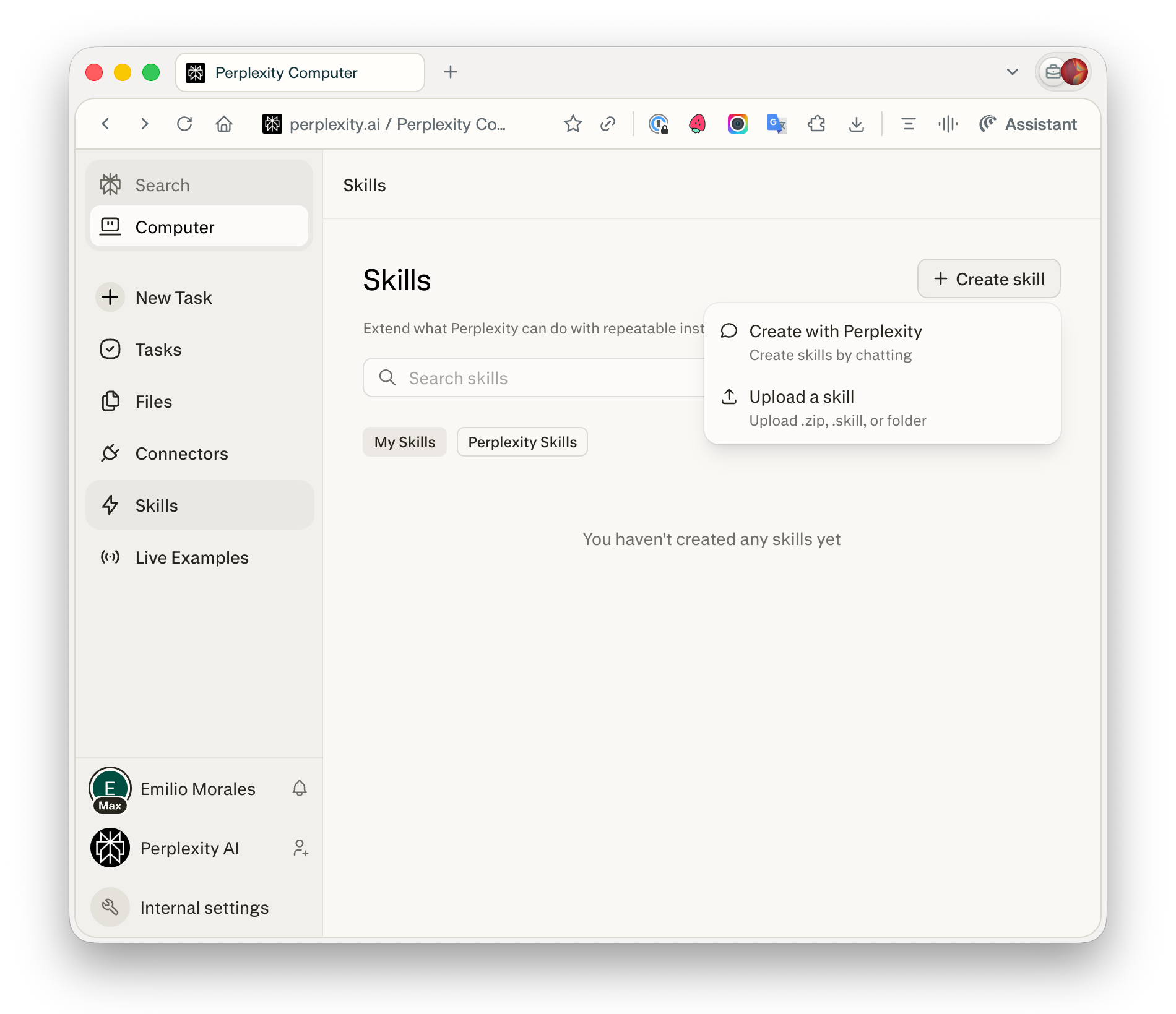
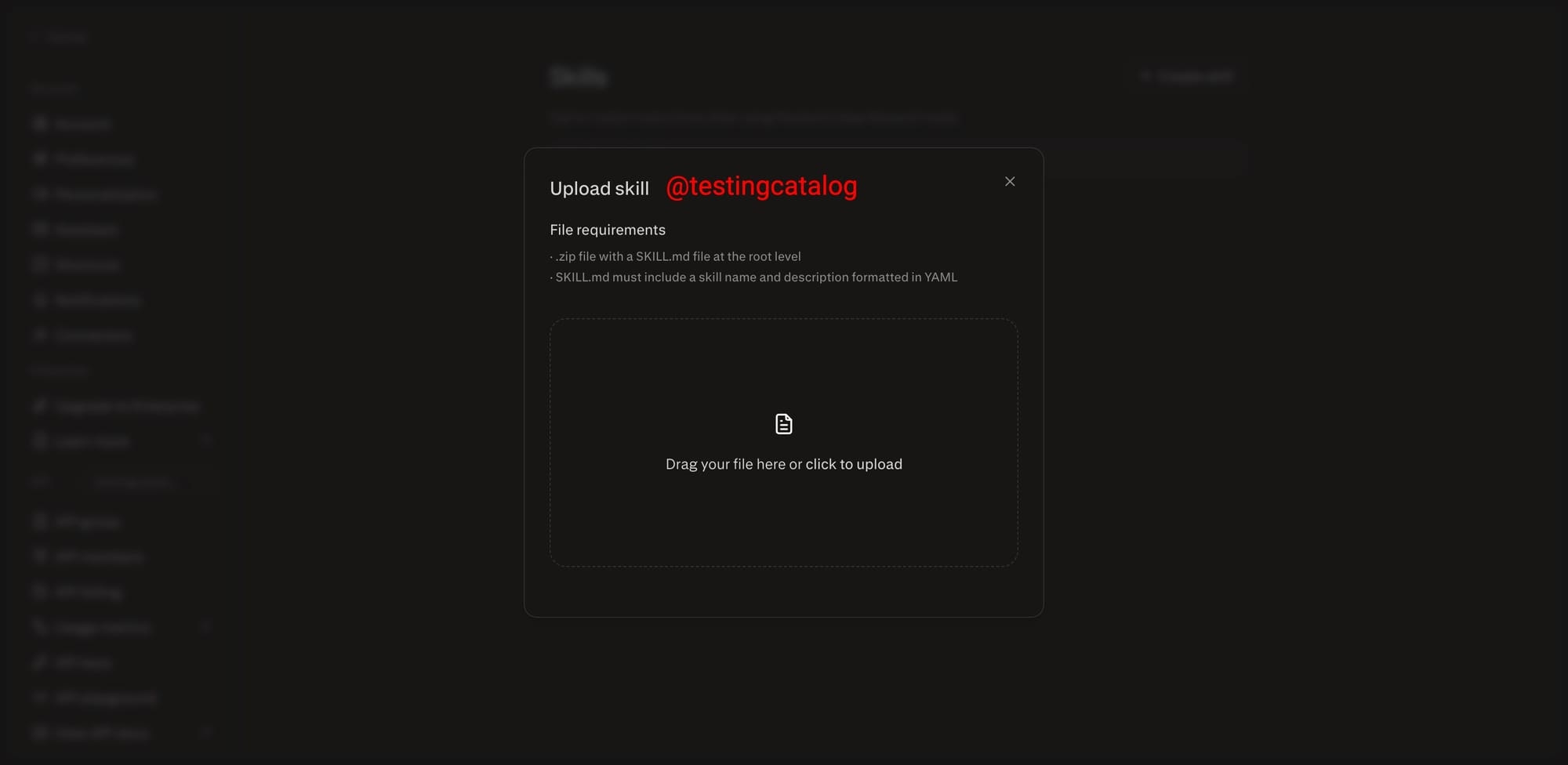
查看原始信息
MascotVibe
Every great brand has a mascot: Duolingo's owl, Mailchimp's monkey, Slack's logo character. But getting one made costs $500–$2,000+ from a designer, takes weeks, and you still need to pay extra to animate it. MascotVibe generates a custom animated mascot from your website URL or a text description,in under 7 minutes.
I was using a similar tool but the pricing was astronomical and the results weren't as flexible as I wanted. Mascots create an insatiable connection between the user and the tool (app, website, whatever!), I think they should be easy to create, totally customisable, and accessible to all.
1
回复

@daovid what did u use before?

0
回复

Hey @daovid , I like the idea.
Wanted to try it out, but at the 3rd step of the creation i'm getting this error "That didn't work, User not found"

1
回复

@seantiffonnet Hey Sean, thank you so much for giving it a try! Y'know, no matter how many times you test there's always something haha.

I think this should be solved*, you might need to sign out and back in. If it keeps happening, can you please lmk how you signed up (Google, Github, or email)

*This might take a little time to deploy (20-30 mins)

1
回复