Product Hunt 每日热榜 2026-03-27

PH热榜 | 2026-03-27

#1
Agentation
The visual feedback tool for AI agents
363
一句话介绍:一款将UI界面标注转化为AI编程智能体可理解的结构化上下文的视觉反馈工具,解决了开发者在向AI编程助手描述具体界面元素时耗时且易出错的痛点。
Productivity Developer Tools Artificial Intelligence
AI编程助手 视觉反馈 UI标注 开发提效 人机协作 智能体上下文 前端开发 MCP集成 设计转代码 开发工作流
用户评论摘要:用户普遍认可其解决了向AI智能体描述UI元素的核心痛点,认为能极大提升效率。主要关切点包括:对动态元素/状态的处理能力、与复杂/并行智能体工作流的兼容性、选择器漂移和历史记录管理、错误处理机制,以及安装形式(期望Chrome扩展)和定价不明确的问题。
AI 锐评

Agentation的野心,远不止于一个“更好用的页面标注工具”。它试图在人类意图与AI代码执行之间,铺设一条标准化的“意图传输轨道”。其真正价值在于“结构化”:它将人类模糊的、依赖自然语言的视觉指令(如“顶部那个按钮”),编译为包含组件层级、CSS选择器、计算样式等机器可精准解析的上下文。这本质上是为AI智能体创造了一种新的、高保真的“感官系统”,让它们能“看见”并“理解”界面,从而将反馈闭环从“描述-误解-修正”的循环,压缩为“指哪打哪”的精准操作。

然而,其面临的挑战与机遇同样尖锐。首先,技术层面,如何稳健地处理动态前端生态(状态变化、框架差异、选择器漂移)是其可靠性的生命线,当前用户评论已集中质疑于此。其次,产品定位上,它游走于“设计反馈工具”和“AI智能体控制面板”之间。若偏向前者,则易沦为现有设计协作工具的附庸;若坚定选择后者,则需深度构建与各类智能体工作流的状态同步、任务管理和复核机制,这从用户关于“部分解决即标记完成”的担忧中可见一斑。最后,生态策略是关键。是满足于作为Claude Code等工具的优质“外挂”,还是野心勃勃地想成为AI驱动开发时代人机交互的新界面标准?这决定了其技术架构的开放性与集成深度。目前看,其MCP集成和结构化输出已迈出正确一步,但能否从“提效工具”进化为“核心协议”,将取决于其能否将“标注”这个单点动作,扩展为覆盖意图表达、任务分发、状态追踪的完整工作流闭环。

查看原始信息
Agentation
Agentation turns UI annotations into structured context that AI coding agents can understand and act on. Click any element, add a note, and paste the output into Claude Code, Codex, or any AI tool.

This solves a real friction point. Right now when I use Claude Code or Codex, I spend a lot of time writing context about which element I mean - "the button in the top-right of the filter panel" etc. Having structured annotations that feed directly into the agent as context is much cleaner. How does it handle dynamic elements that change state? Like a button that’s disabled until a form is valid?

28
回复
24
回复

Agentation bridges the gap between design feedback and code changes. Annotate any element on your UI — click, type, done — and get structured output that AI coding agents can immediately understand and act on.

Paste your annotations into Claude Code, Codex, or any AI tool and watch feedback become working code.


Key features:

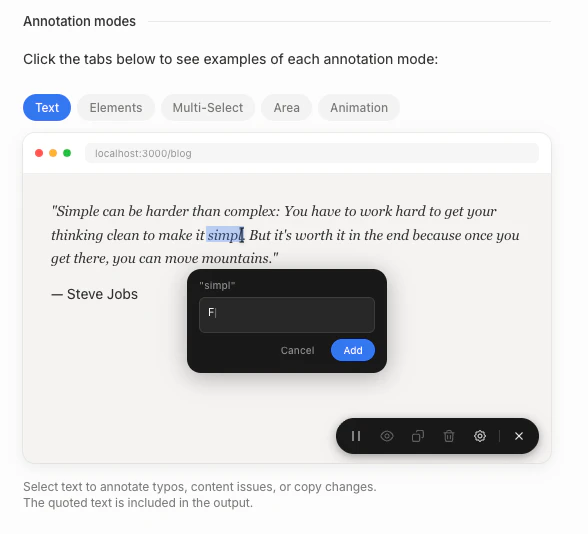
  • Multiple annotation modes: select text, click elements, multi-select, draw areas, or freeze animations to capture specific states

  • Smart element identification: automatically generates grep-friendly selectors so agents find the exact element in your codebase

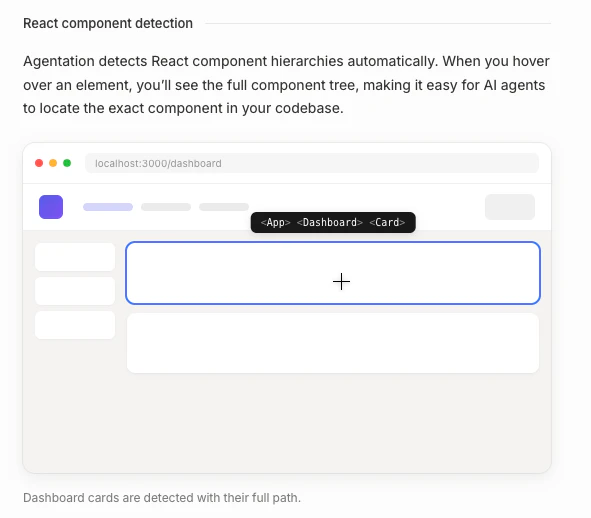
  • React component detection: surfaces the full component hierarchy for any element, right in the annotation popup

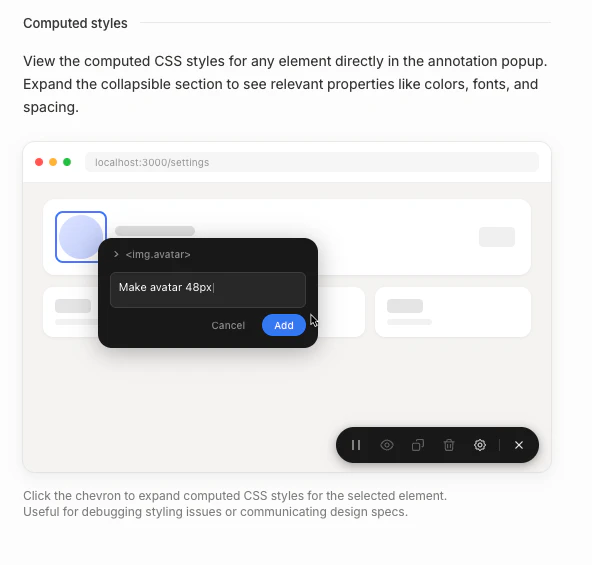
  • Computed styles: view live CSS properties alongside your notes for precise design specs

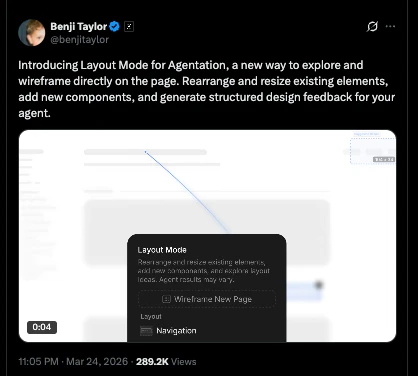
  • Layout mode: drag 65+ component types onto the page and rearrange sections; changes sync to agents in real time via MCP

  • Structured markdown output: copy clean, agent-ready annotations with one keystroke (C)

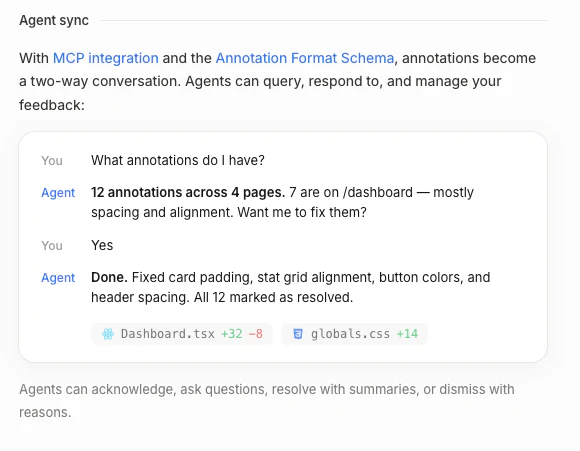
  • MCP integration: two-way agent sync lets AI acknowledge, question, or resolve your feedback directly.

    Check out the latest video demo by the maker here, who also happens to have joined X recently as the Design Lead.

26
回复

@adithya This is going to be a time saver, no need to back and forth with design team to share the changes.

0
回复

@adithya When the AI agent resolves a feedback annotation, how do you prevent it from marking something as done when it only partially addressed the issue, and is there a review step before annotations get cleared?

0
回复

One of the most underrated pain points in building with AI agents is having zero visibility into what they're actually doing, you're basically flying blind until something breaks. Curious how you're handling agent workflows that branch or run in parallel. Does the visualization scale well for more complex pipelines?

26
回复

Thanks for launching, Agentation team! When we annotate a component and feed it to Claude Code, can we keep a history of annotations so the agent knows when the DOM changed? I'd love to see how you handle selector drift.

26
回复

Congrats on the launch!

how does it handle errors or failed tasks?

25
回复

Congrats on the launch! Visual feedback for AI agents is a big gap right now. Most agent tools just give you text logs and hope for the best. What does the feedback loop actually look like in practice?

24
回复

Great tool! Curious if this couldn't just be a Chrome extension. I'm not a fan of npm so I might be biased, but seems it could work just as good with a lower friction to install it.

23
回复
Oh this is gnarly. It can be really annoying when you have to provide extra context to describe WHAT you’re giving feedback about. Not to mention when the agent interprets it incorrectly. Btw - The PH page doesn’t list the pricing type (free, freemium, paid, etc.) as usual though. Not sure if it’s a bug.
23
回复

@adithya This is completely badass. In the past, I was adding small text and design tweaks to Bugherd, Jira, or Linear. Now I can breeze through an entire site, creating small tasks at-will, and instantly hand them over via the MCP to get resolved in bulk. Really really well done. :)

23
回复

The click-to-annotate approach is what I've been wanting tbh. I spend way too much time trying to explain to coding agents which exact element needs changing, and half the time they still get it wrong.

Curious how it handles dynamically rendered stuff though? Like components behind a toggle or things that only show on hover?

22
回复

this is exactly what we've been missing. we use Claude Code daily and the biggest friction is always translating "fix that button" into precise technical context. being able to click and annotate the actual UI elements then paste structured output sounds like a game changer. how detailed does the context get - does it capture CSS selectors, component hierarchies, that level of detail?

14
回复
That is interesting, how does it work, is it a Chrome extension or a code snippet in the app?
6
回复

Can this tool integrate with existing LLM stacks like OpenAI or custom models, or is it built for a specific ecosystem?

2
回复

How does Agentation handle feedback for multi-agent workflows? Does it support collaboration between different AI agents?

2
回复

Every team already annotates UI. What you've done is make those annotations executable, and that shift is bigger than it first appears.

Most tools stop at capturing feedback. Agentation goes a step further by turning that feedback into structured intent agents can act on without losing something in translation. That's not a design tool improvement; that's a new interface between human thinking and code execution.

The framing worth leaning into: fewer Figma comments, more control surface for AI driven development. One describes a workflow; the other describes a category. And the category framing opens a much larger conversation about where product thinking ends and implementation begins.

The real leverage here isn't faster fixes. It's collapsing the gap between deciding what to change and actually changing it.

Curious whether Agentation stays a layer on top of existing tools or becomes the default way teams communicate changes to code entirely.

1
回复

The audience feels right away. I would test one version that pushes the outcome harder than:

"The visual feedback tool for AI agents"

Maybe:

"See where your AI agent breaks, fix it faster, and stop debugging blind."

中文也可以是:

"看清 AI agent 是在哪里出错,更快修掉,而不是继续盲调。"

1
回复

Curious—are you replying to every signup instantly or manually?

1
回复
#2
Claude Code auto-fix
Auto-fix PRs in the cloud while you stay hands-off
320
一句话介绍:一款基于Claude的云端AI工具,能自动监控并修复GitHub拉取请求中的CI构建失败和代码审查意见,让开发者无需值守即可获得可合并的代码,解决了开发过程中反复处理构建失败和审查反馈的耗时痛点。
Developer Tools Artificial Intelligence Development
AI编程助手 自动化代码修复 CI/CD自动化 开发者工具 云端SaaS GitHub集成 拉取请求管理 软件工程生产力 事件驱动工作流
用户评论摘要:用户肯定其“事件驱动、自主工作流”的方向,能节省时间。核心关切在于AI修复的可靠性与控制权平衡:如何界定“需要询问”的模糊场景?是否会因追求CI通过而引入深层缺陷?对长构建场景是否有效?以及如何确保代码质量。
AI 锐评

Claude Code auto-fix 所标榜的“放手不管”,本质上是对当前AI编程助手能力边界的一次激进试探。其真正价值并非在于“修复”本身——许多工具已能提供修复建议——而在于构建了一个闭环的、事件驱动的自主行动系统。它将AI从“交互式顾问”推向了“自治代理”的角色,试图接管从问题检测到修复提交的完整流程。

然而,产品最尖锐的矛盾也在于此。高赞评论精准地指出了其核心脆弱性:AI可能“自信地应用一个能通过CI但破坏下游逻辑的修复”。这揭示了产品依赖的脆弱基础:CI状态和明确的审查意见,只是代码健康的浅层、局部的代理指标。AI缺乏对系统整体意图、架构约束和业务逻辑的深层理解,其“修复”本质上是模式匹配和局部优化,极易陷入“通过所有测试,但软件依然崩溃”的经典陷阱。

评论中关于“信任与控制”的讨论,点出了这不仅是技术产品,更是一场工程文化变革。该产品迫使团队必须在“效率增益”与“风险控制”之间做出明确权衡。它最适合的场景或许是标准化程度高、测试覆盖全面、失败模式明确的重复性修复(如格式化、依赖更新、简单语法错误)。但对于复杂逻辑或架构性修改,目前的AI尚不具备承担“责任”的能力。

因此,这款产品的真正意义,或许不在于当下立即实现全自动“放手”,而在于清晰地勾勒出下一代开发工作流的蓝图:人类负责定义意图、设定边界和进行高阶评审,而将大量琐碎、明确的上下文修复工作委派给自治代理。它的成功与否,不取决于其技术炫酷程度,而取决于团队能否围绕它建立精细的防护网(如更强大的集成测试、代码变更影响分析)和清晰的决策边界,从而安全地享受自动化带来的效率红利。

查看原始信息
Claude Code auto-fix
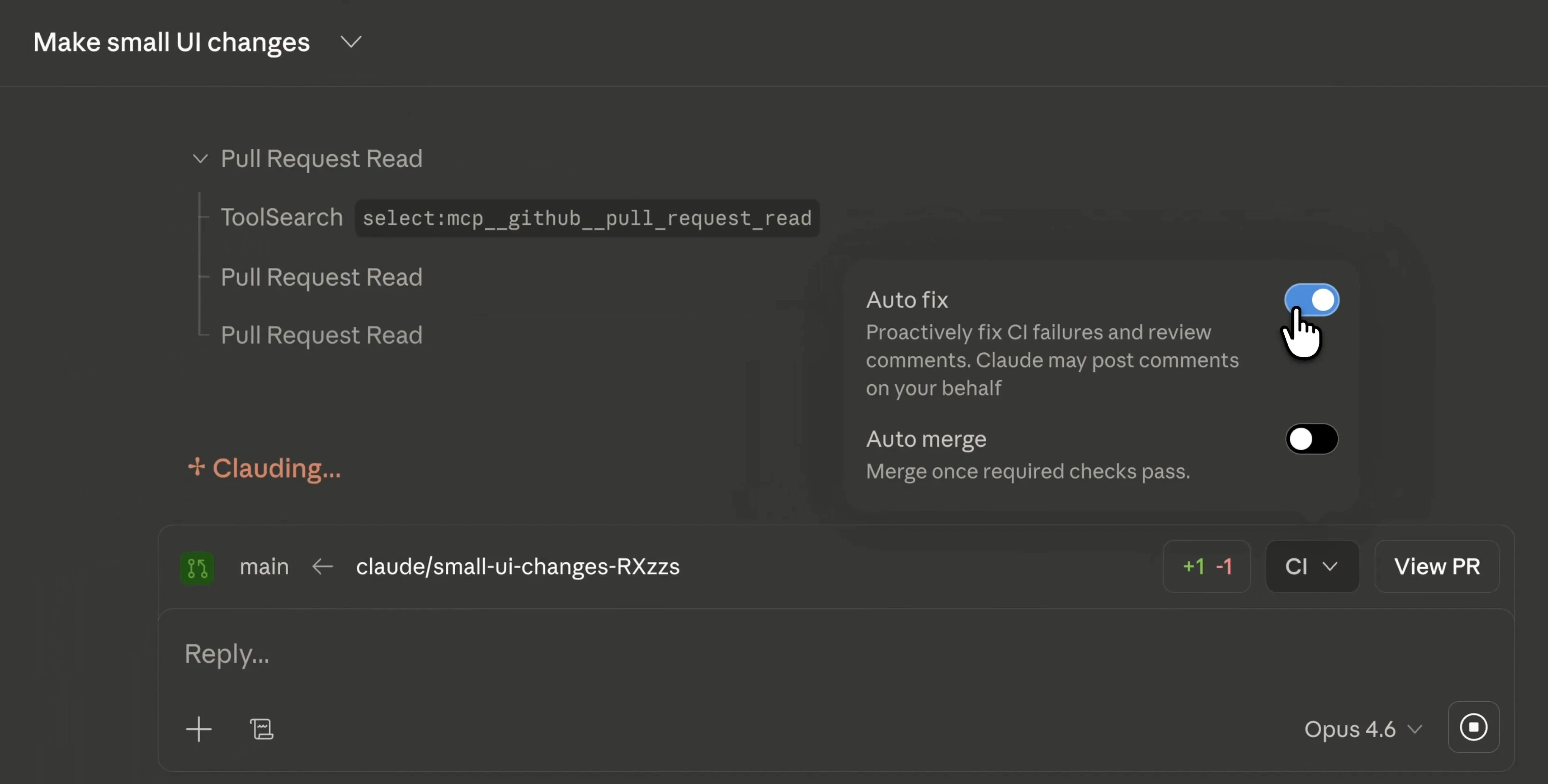
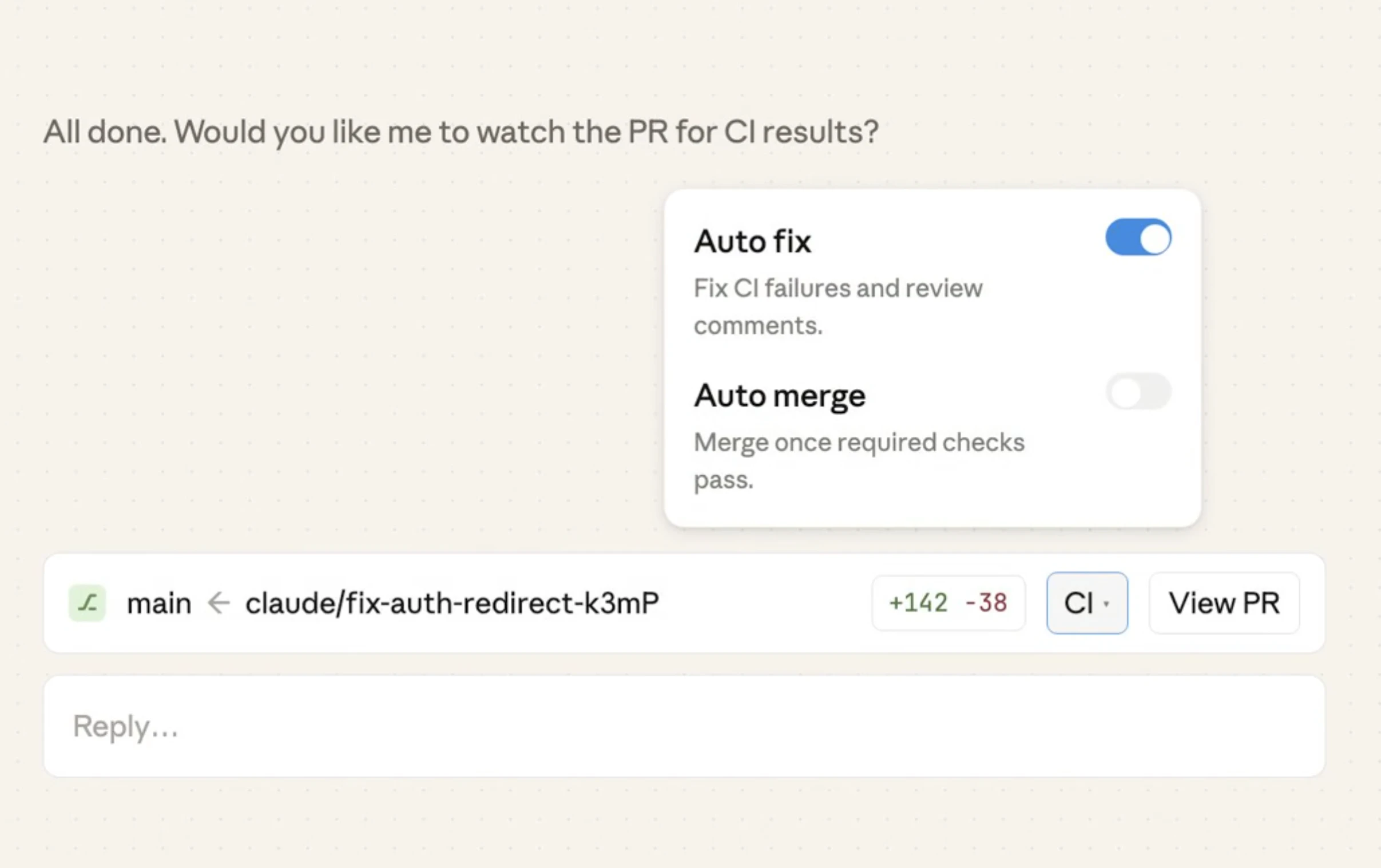
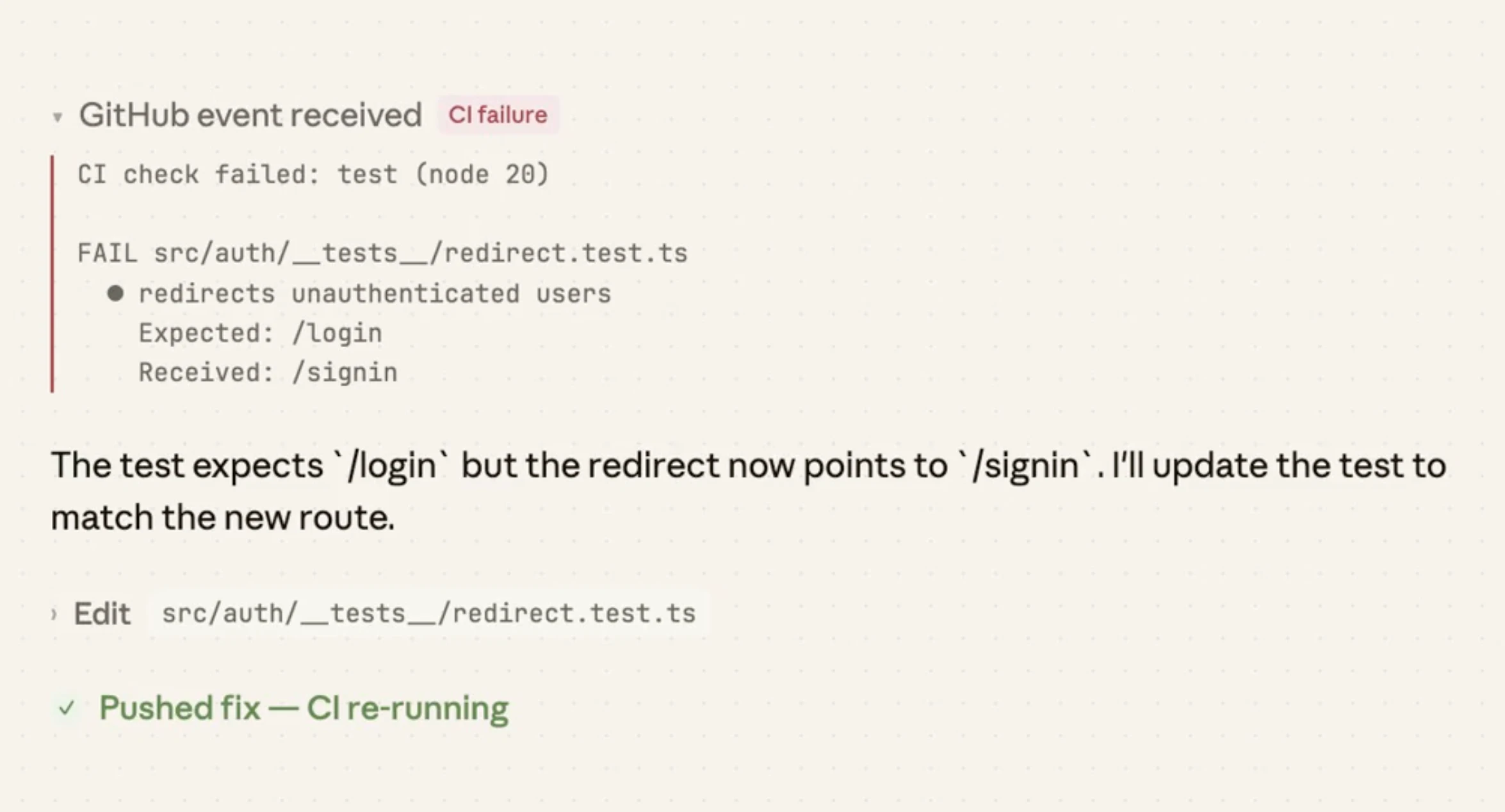
Claude Code auto-fix watches your pull requests in the cloud, resolving CI failures and review comments automatically. It pushes fixes, asks when needed, and keeps your PR green, so you can step away and come back to a ready-to-merge result.

Claude Code auto-fix brings hands-off PR management to the cloud.

It watches your pull requests, automatically fixing CI failures and addressing review comments, so your PR stays green without constant back-and-forth. No more babysitting builds or chasing feedback.

What makes it stand out is the autonomous, event-driven workflow. It subscribes to GitHub activity, pushes fixes when clear, and asks when things are ambiguous, keeping you in control without slowing you down.

Key features:

  • Auto-fix CI failures

  • Respond to review comments

  • Works across web + mobile

  • GitHub integration with real-time PR monitoring

Perfect for developers who want to save time, reduce context switching, and ship faster.

Read more here: https://code.claude.com/docs/en/claude-code-on-the-web#auto-fix-pull-requests

7
回复

@rohanrecommends really interesting direction 👏

The shift toward event-driven, autonomous workflows feels like the natural next step beyond just “AI assistants.” Instead of helping you do the work, it’s starting to own parts of the workflow itself.

Curious how you see teams balancing:

  • Trust in auto-fixes

  • vs maintaining control over critical code paths

Feels like this is where a lot of engineering culture decisions will come into play.

0
回复

The "asks when needed" part is doing a lot of work here. How does it decide when it’s stuck vs when it should just try another approach? In my experience running coding agents, the failure mode isn’t usually the agent giving up - it’s the agent confidently applying a fix that passes CI but breaks something else downstream. Does it have any awareness of test coverage gaps or is it purely CI green = done?

3
回复

Wait so it actually watches for CI failures and fixes them on its own? That's the part that gets me. I've lost count of how many times I've pushed a PR, walked away, then come back to find 3 lint errors blocking the merge.

Does it handle review comments too or just CI stuff? Because if it can address reviewer feedback automatically that would save our team so much ping pong.

3
回复

Look, I hate being the grumpy guy here but sometimes the current AI models just don't do exactly what you expect them to do (even if you very verbosely and clearly instruct them to). So maybe its still not the time to put even more trust on end-to-end code development to an AI system. I mean its a good goal to work towards but the previous stages need to be 100% working, all the time. This comment comes with good intention from someone actively using Claude Code for vibe coding my app.

2
回复

Oh that's the nice one. I'm building native apps for multiple platforms (Ritemark for Mac Arm, x64, Windows) and build times are loooong. CI failures sometimes happen like 1h into build. Will auto-fix help me in those scenarios?

2
回复

How does Claude Code auto-fix ensure code quality while automatically fixing PRs? Is there a review layer?

2
回复

@shivani_gupta03 It only fixes what CI or reviewers already flagged, keeps changes small and visible in the PR, and never bypasses existing review rules. If something’s unclear, it pauses and asks instead of guessing.

0
回复
#3
Gemini 3.1 Flash Live
Making audio AI more natural and reliable
288
一句话介绍:Google推出的新一代原生音频AI模型,通过极低延迟和复杂推理能力,实现更自然、可靠的实时语音对话,解决了实时语音交互中响应迟滞、对话不连贯的核心痛点。
Artificial Intelligence Audio
实时语音AI 低延迟对话 音频大模型 语音推理引擎 Google AI 企业级语音方案 自然语言交互 多模态AI 开发者工具 垂直整合
用户评论摘要:用户普遍关注其作为Gemini Live和Google搜索语音引擎的战略地位,认为低延迟是提升语音交互自然度的关键。开发者关心如何利用低延迟特性创新实时客服场景,并注意到Google将模型同时部署于搜索、Gemini和企业端的垂直整合力度,视其为Google将语音作为核心接口的标志。
AI 锐评

Gemini 3.1 Flash Live的发布,远不止是一次模型迭代,而是Google在“语音作为首要交互界面”战略上的一次关键性基础设施押注。其真正价值不在于纸面上的“更低延迟、更好推理”的基准测试提升,而在于其被同步、原生地深度集成到Google搜索、Gemini助手和企业客户体验三大核心产品线中。这种“研发即部署”的垂直整合模式,罕见地展示了谷歌将技术优势转化为统一产品体验的决心。

产品标语强调“更自然、更可靠”,直指当前语音AI的两大顽疾:因延迟产生的机械感,以及复杂场景下的逻辑混乱。用户评论中“500ms延迟就能毁掉整个体验”的感慨,印证了痛点的真实性。然而,模型的成功与否,最终将取决于其在亿万次日常语音搜索、开放式对话和高压企业客服场景中的综合稳定性。谷歌此举,实则是用同一套引擎统一其混乱的语音交互前端,试图结束内部不同技术栈割裂的局面,构建从云到端的统一语音交互标准。

值得警惕的是,在OpenAI、Anthropic等公司同样发力实时语音的竞争下,3.1 Flash Live能否在开放API的生态支持上展现出与内部整合同等的力度,将决定其能否赢得开发者社区,而不仅仅是谷歌产品的用户。它是一款强大的“引擎”,但谷歌是选择将其打造成开放的“动力系统”,还是牢牢锁在自家“汽车”内部,将影响整个语音AI赛道的格局。此次发布,是谷歌吹响了全面语音化的号角,但战役的胜负,在于生态,而非单一技术参数。

查看原始信息
Gemini 3.1 Flash Live
Gemini 3.1 Flash Live is Google’s new state-of-the-art native audio model. Built for low-latency, real-time dialogue, it excels at complex reasoning and function calling. It is the exact engine currently powering Gemini Live and Google Search Live.

Hi everyone!

The most important thing here is simple: this is now the voice model behind Gemini Live and Google Search Live. It is the speech engine @Google is actually putting into its consumer products.

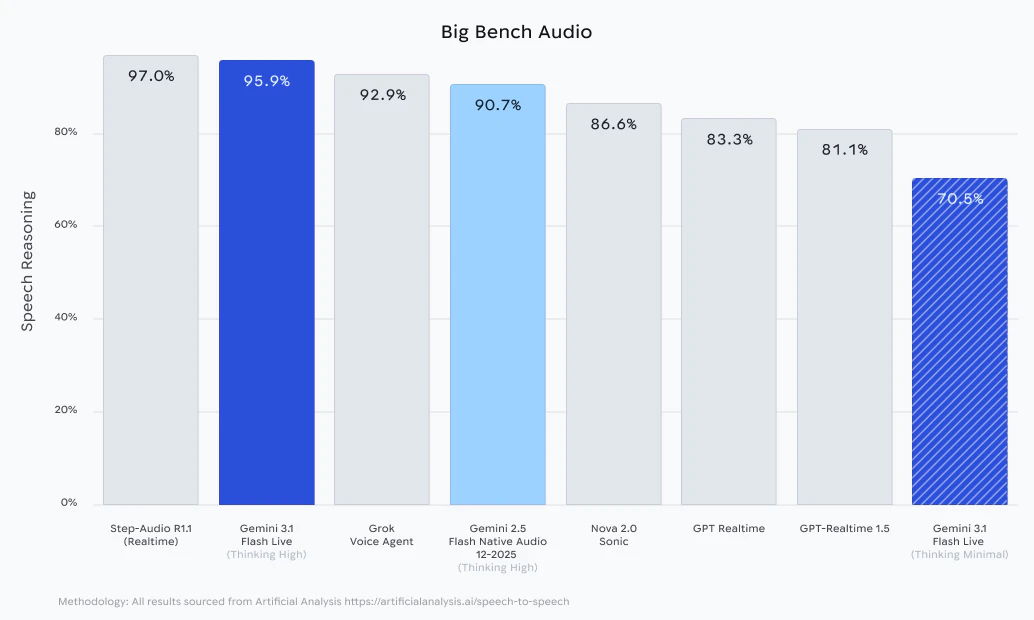
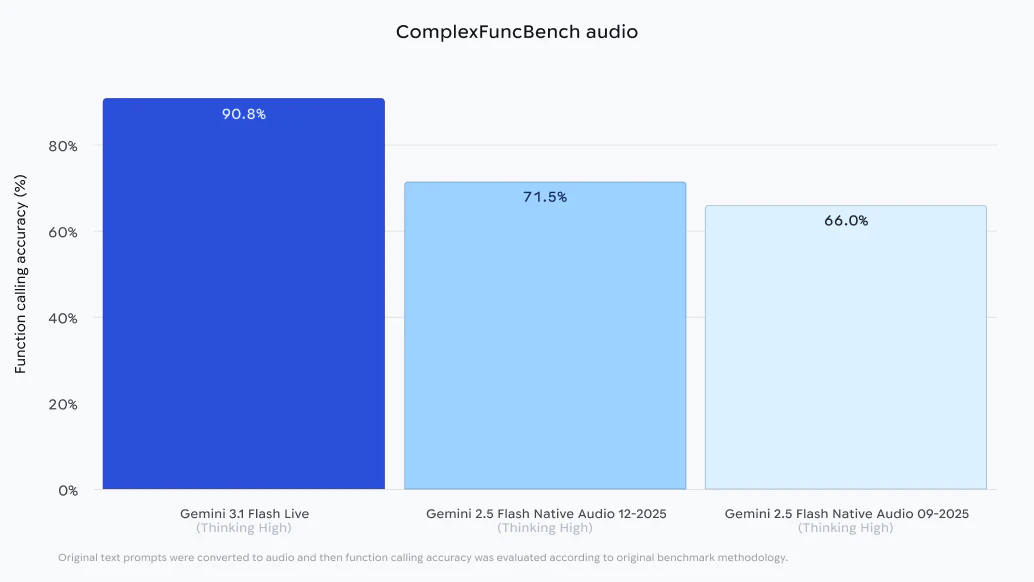
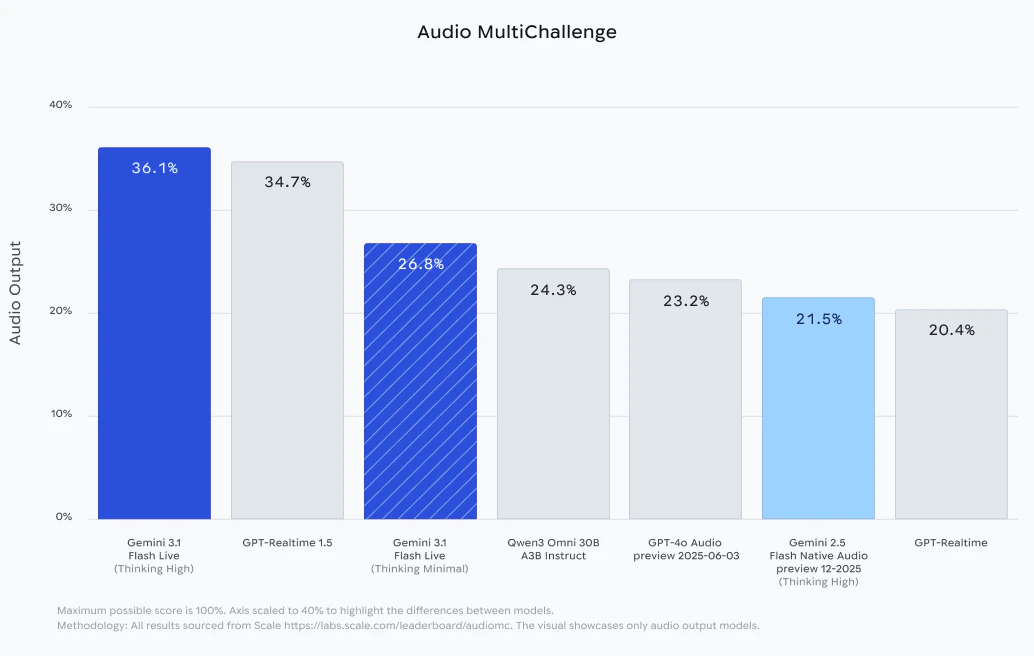
Google is pitching 3.1 Flash Live as its highest-quality audio and voice model yet, with lower latency, better reasoning, and more natural dialogue. The benchmark jump is also pretty meaningful on ComplexFuncBench Audio.

Google clearly sees live voice as a core interface now, and this is the model carrying that shift.

3.1 Flash Live is available across these Google products:

5
回复

@zaczuo As someone building content around AI interfaces, what's one underrated way devs can leverage the lower latency in 3.1 Flash Live for real-time customer convos, beyond the obvious chatbots?

0
回复

@zaczuo what stands out is Google deploying this across Search + Gemini + enterprise simultaneously. That kind of vertical integration usually means they’re serious about making voice a primary interface, not a feature. Excited to see how this impacts real-world workflows

0
回复
Nice, so far a like it very much, interesting reasoning when compared with Opus 4.6, but a great addition to my LLM tool set!👏🏼👏🏼👏🏼
0
回复

The low latency part is what matters most here imo. I tried building a voice agent last month and the delay between user speech and response made it feel super unnatural. Even 500ms of lag kills the whole experience.

Really curious to see how this compares to the realtime API from OpenAI in terms of actual latency numbers.

0
回复
#4
InsideOrg
Free organization chart viewer for any company
285
一句话介绍:InsideOrg是一款免费的组织架构查看工具,用户输入公司域名即可即时查看决策者、汇报线和组织结构,解决了销售、招聘等人员在获取公司内部信息时面临付费墙、注册障碍或手动搜集耗时费力的痛点。
Web App Sales Tech
组织架构图 销售线索挖掘 竞争情报 招聘辅助 免费工具 商业智能 数据可视化 B2B信息查询
用户评论摘要:用户普遍认可其免费、便捷的核心价值,主要应用场景为销售拓客、招聘和竞争分析。核心反馈集中在:1. **数据源与准确性**:多次询问数据来源(已知来自Crustdata API)、更新频率和新鲜度指示;2. **功能建议**:希望按部门(如IT、HR)筛选,并期待API接口;3. **使用问题**:部分用户遇到查询无结果或被拦截的情况。
AI 锐评

InsideOrg的颠覆性不在于其展示的组织数据本身——这类信息在LinkedIn、ZoomInfo等平台早已存在——而在于其**“去许可化”的获取方式**。它将通常被封装在付费墙后、需要销售介入的“商业情报”,变成了一个即搜即得的公共工具。这种定位巧妙地切入了一个市场缝隙:大量轻度用户(如初创公司销售、个体招聘者)只需要偶尔、快速地窥见公司架构,而不愿或无力承担传统高昂的SaaS订阅费。

然而,其商业模式和长期价值面临尖锐挑战。首先,**“免费”的可持续性存疑**。其依赖的第三方数据API(Crustdata)成本不菲,当前模式很可能是用融资或创始团队资金补贴的获客策略。最终必然面临向高级功能收费、限制查询次数或转型为企业API服务的压力。其次,**数据准确性与深度是阿喀琉斯之踵**。评论中反复出现的对数据新鲜度和来源的质疑直击要害。实时更新宣称与用户遇到“无数据”的体验矛盾,揭示了其在数据覆盖广度(尤其是非科技公司)和动态更新上的局限。组织结构远非静态树状图,涉及矩阵管理、临时项目组等复杂形态,工具目前可能仅能呈现一个理想化的简化版本。

其真正价值或许如一条深度评论所言,是成为一个**“工作流层”**——一个塑造外联团队战略思维的起点,而非决策终点。如果它能保持极致的速度和广度,并围绕“免费视图”构建增值服务(如变更提醒、关系路径分析、API集成),它有可能从一款有趣的工具,进化成切入商业情报工作流的一个关键入口。但若无法解决数据质量与商业化的平衡,它可能只会是昙花一现,成为另一个验证了需求却难以规模化的“免费工具”。

查看原始信息
InsideOrg
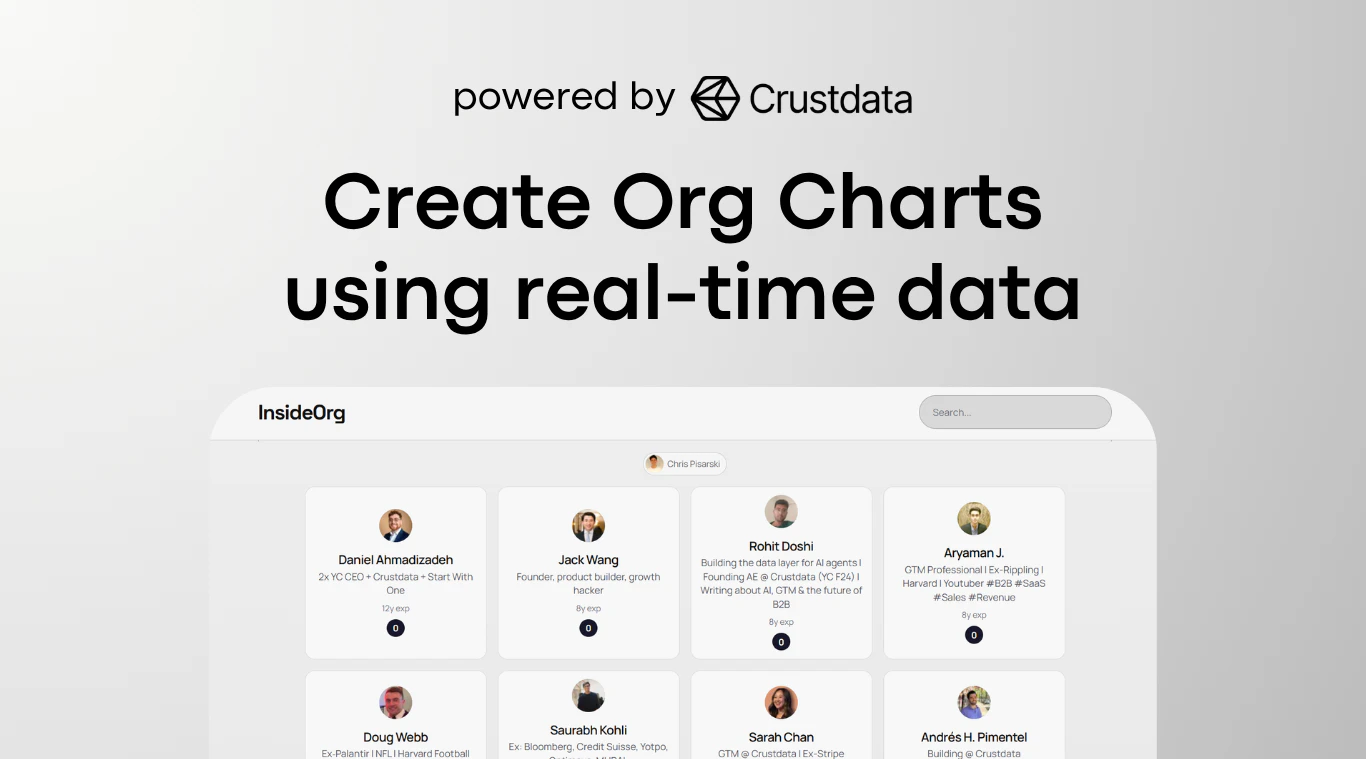
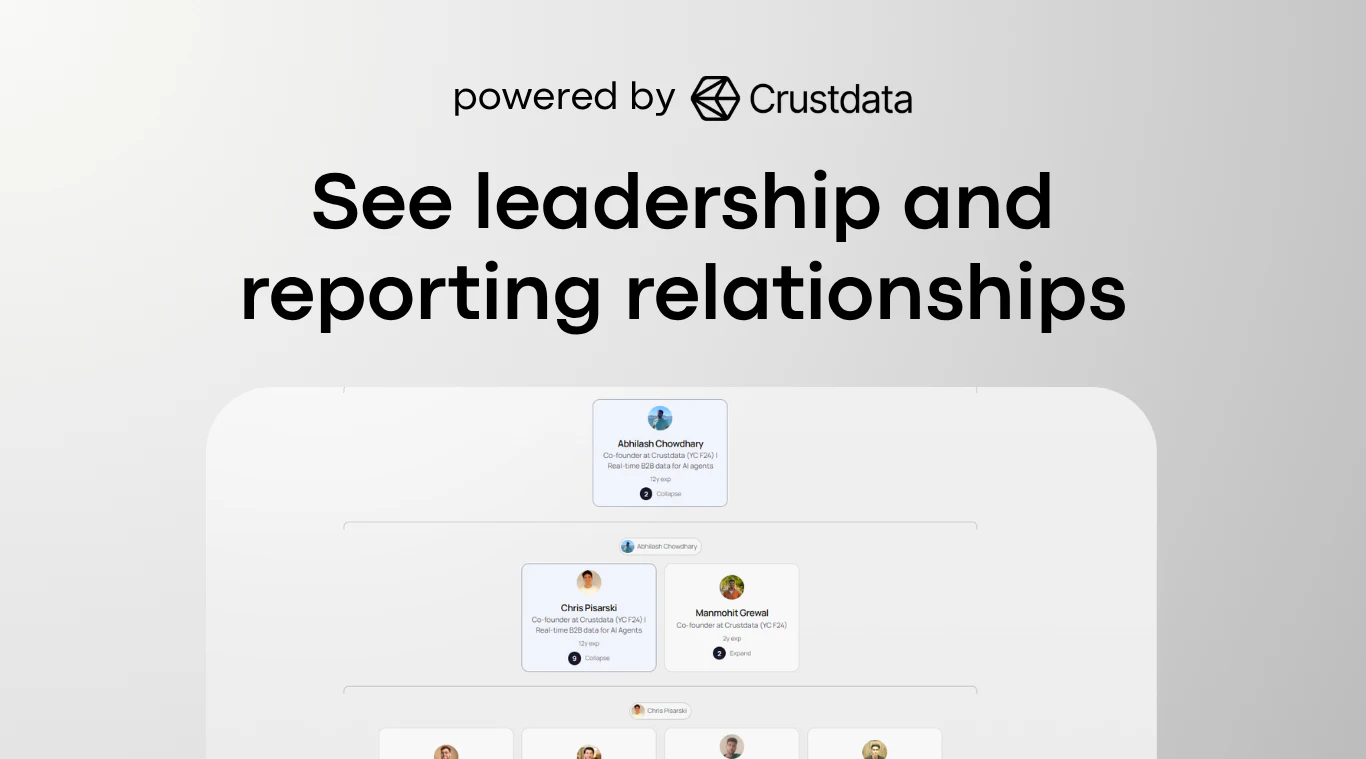
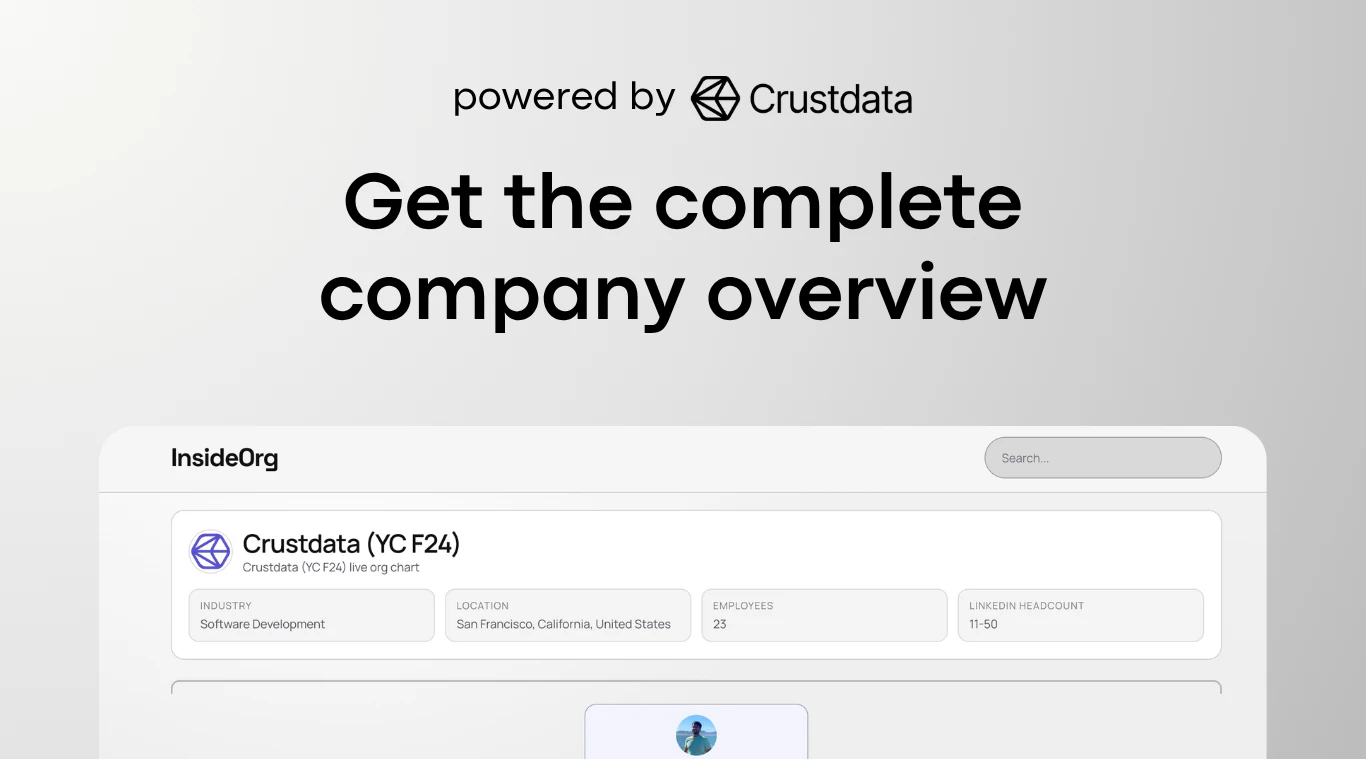
InsideOrg lets you enter any company domain and instantly see decision makers, reporting lines, and org structure for free. You don’t have to pay just to view a company’s org chart.
Hey PH! 👋 I built InsideOrg because I was tired of trying to understand how companies are structured and constantly running into login walls, paid tools, or hours of manually scoping out the structure of a company. Sometimes you just want to enter a company domain and see who the decision makers are, how the org is structured, and who reports to whom, without paying for access. With InsideOrg, you can enter any company domain and instantly get a free view of: 🧑‍💼 Key decision makers: from the C-suite to directors and team leads 🌳 Org hierarchy: a visual map of who reports to whom 🏢 Company overview: total employees, industry, and office locations Some ways people are using it: 🎯 Sales prospecting: Find the right decision maker and map out the buying committee before you reach out 🔍 Competitive intelligence: See how rival companies are structured and where they're investing headcount 🤝 Partnership development: Identify who owns the department you want to partner with 👥 Recruiting: See who's in what role at a target company so you know exactly who to headhunt Try it for free at: insideorg.com Open to feedback! Feel free to let me know what else you’d want to see in an org viewer.
8
回复

@nithish_a1  Initially I was like, argh, another workday plugin, but then I read more and I start to love it!

2
回复

@nithish_a1 Finding decision makers is like winning half the battle. This will be helpful even while applying for jobs. Congratulations on Launch!

0
回复

@nithish_a1 Where is this org data actually coming from, and how do you handle accuracy when people change roles, leave companies, or get promoted, is there a freshness indicator so users know how stale the information might be?

0
回复

We didn't expect this much traffic for just a fun idea we worked on!

Our backlog is filled and we are sending emails through out the next 48 hours with all the Org Charts! Thanks for your patience folks!

3
回复

@nithish_a1 Really didn't expect this! Working on sending out all the the Org charts!

0
回复
@nithish_a1 Huge congratulations!
0
回复

Congrats on the launch! 🚀

I tried it out, entered my company name and got the results sent to my email. Really interesting to see the final output.

Planning to share it with my colleagues as well 🙂

3
回复

This is AWESOME ... however it'd be nice if you could define which part of the organization you're interested in i.e. IT or HR or Finance

2
回复

@john_haden Feedback taken and will be incorporated for v2! Thanks John!

0
回复

Nithish, I really appreciate you making this free and the real-time data aspect you mentioned to Shivani is impressive. That’s a significant challenge to pull off for external org structures.

From an engineering perspective, I'm already thinking about what an API could unlock. While viewing it through the UI is helpful, an API would allow us to integrate this org data directly into our internal tools for competitive intelligence or partnership mapping, moving beyond manual lookups.

1
回复

@marcelino_gmx3c Thanks Marcelino, glad you liked it

0
回复

Congrats on the launch! Being able to see any company's org chart for free is super useful for sales and recruiting. Curious how you're sourcing the data and how often it updates?

1
回复

@dan16 Hi Daniel, we built this tool using Crustdata's people data API which is refreshed in realtime.

0
回复

How frequently is the organization data updated, and what sources do you rely on for accuracy?

1
回复

@shivani_gupta03 Hey Shivani, we're using Crustdata's people data API to power this tool and their APIs pull data from the web in real-time, so our org charts are consequently updated live.

1
回复
Congrats on the launch! I love this idea - hadn’t really considered whether there’s a way to find the right person to talk to quickly in an organisation, especially when you don’t know it well. Do you envision this mostly for user external to the organisation, or internal users too?
1
回复

@leah_dyke It can be used for both! Just add in your company domain or an external company domain and you'll be able to see everyone that you can reach out to.

1
回复
wow really helpful, bravo:)
0
回复

Super fun idea, looking forward to getting the org chart :) Happy to provide info on the companies I know well that I previewed, if that's helpful to the team

0
回复

Most org chart tools treat structure as premium intelligence, something gated behind a demo request and a sales call. This treats it like it should have been public all along. That's the real unlock: not the data itself, but the removal of permission.

What makes the positioning interesting is the distance between the free org viewer and where this could actually land. A fast, frictionless starting point for any outbound motion isn't a data tool; it's a workflow layer. Something that shapes how teams think about account strategy before the first touch, not just after they've already decided to reach out.

That framing carries a lot more weight with the right buyer than free org charts.

Curious whether the vision stays focused on speed and breadth or evolves into something teams lean on for higher stakes account decisions.

0
回复

What are some use cases for this tool?

0
回复

Haven't found any company org chart (for each company I checked there was no data), after 3 tries I ran into a block screen.

0
回复

Love the simplicity! What happens when a company is pretty flat with no clear hierarchy? Does it still show something useful?

0
回复

@ermakovich_sergey Hi Sergey, we'll still show you people classified by their functions/departments (sales, engineering etc) and where possible, show a hierarchy with people's job titles.

0
回复

Congrats on a launch! Offering this data for free is a nice move.

0
回复

@nikitaeverywhere Thanks Nikita!

0
回复
Congratulations on the launch! I tried searching for health tech companies but couldn't find the ones I wanted. What company sizes / geographic regions are you targeting?
0
回复

@hex_miller_bakewell Hey, so sorry about that. Do you mind sending over the companies you targeted? Our backend was under some pretty heavy load today. Didn't expect us to have such heavy usage today.

0
回复

Do you also segregate the org chart across different subsidiaries or sub-orgs within large enterprises? Like Nescafe, Nestea lies within the beverage division of Nestle?

0
回复
#5
Cockpit AI
Run revenue agents across every channel
238
一句话介绍:Cockpit AI是一款部署AI销售代理的SaaS平台,通过为每个潜在客户进行深度市场研究并生成高度个性化的触达内容,在B2B销售拓客场景中解决了规模化个性化营销与信息过载导致效果下降的核心痛点。
Artificial Intelligence
AI销售代理 个性化营销 B2B外联 自动化研究 多渠道触达 会议预约 销售自动化 智能获客 市场情报
用户评论摘要:用户关注点集中在规模化后的质量保持、多渠道协同防冲突、AI生成内容的准确性与可控性,以及实际ROI数据。创始人回应强调深度研究而非模板、人工监督、即时跨渠道暂停机制来保证质量与体验。
AI 锐评

Cockpit AI的野心不在于成为另一个邮件序列工具,而在于重新定义销售拓客的“工作单元”。它将竞争壁垒从“执行速度”转向“认知深度”——每个潜在客户消耗20万token进行研究,这本质上是在用AI的“思考成本”对抗营销自动化的“垃圾邮件化”趋势。其宣称的“信号在商品化那一刻就已死亡”直指当前个性化营销的症结。

产品真正的颠覆性在于尝试将“市场研究-叙事构建-多渠道互动”这一复杂链条自动化,并让AI自主决策切入角度。这使其价值主张从“帮你多发邮件”跃升为“为你部署一个不知疲倦的初级市场分析师与销售开发代表团队”。创始人“用Cockpit推广Cockpit”的案例是强有力的信任状,但也是双刃剑,其模型在异质化行业中的泛化能力有待考验。

核心风险与机遇并存。风险在于:规模化下研究质量与独特性的保持、AI“自主决策”可能产生的语境误判、以及最终可能形成新的高级模式化套路。机遇则在于:它正试图构建一个“潜在客户理解系统”,这比“外联执行系统”更具粘性和数据护城河。如果成功,它将切入一个更广阔的市场——AI驱动的销售团队,而不仅仅是营销自动化工具。其成败关键,在于能否始终维持“高认知成本”的个性化,避免在商业压力下滑向另一种形式的智能垃圾邮件工厂。

查看原始信息
Cockpit AI
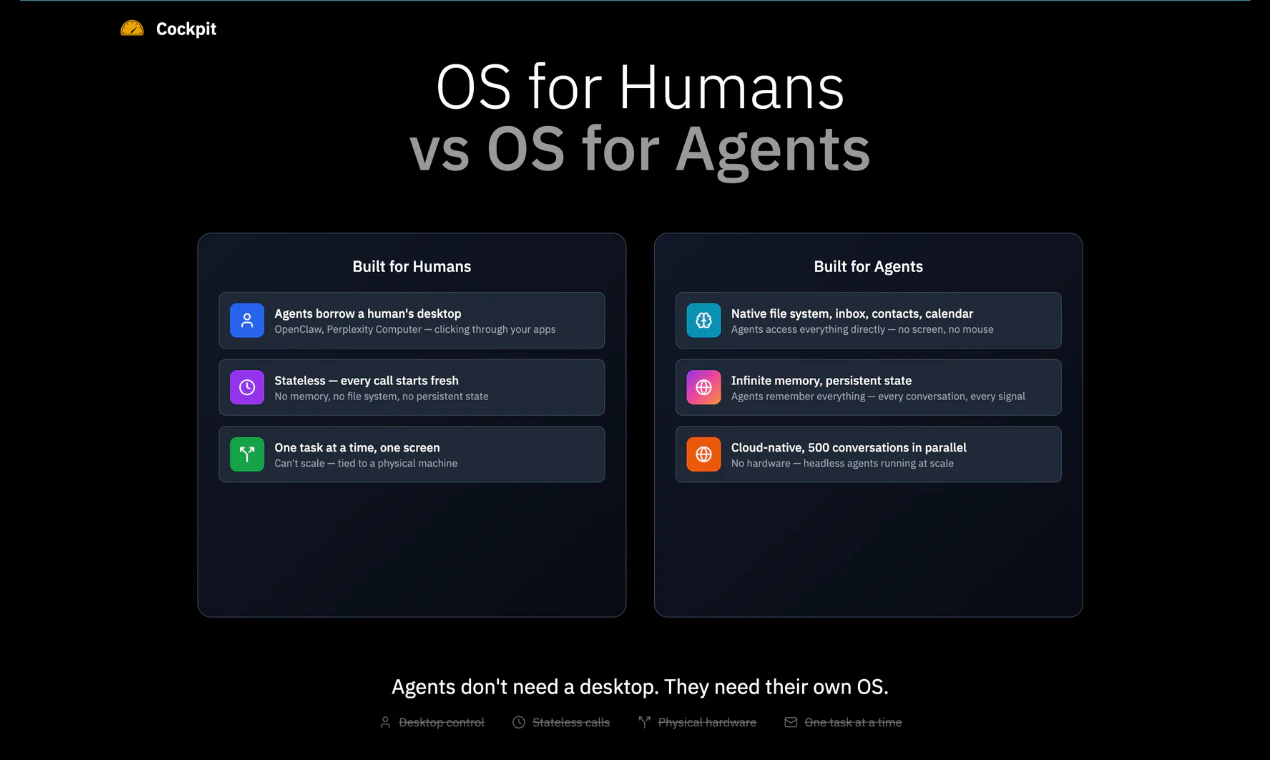
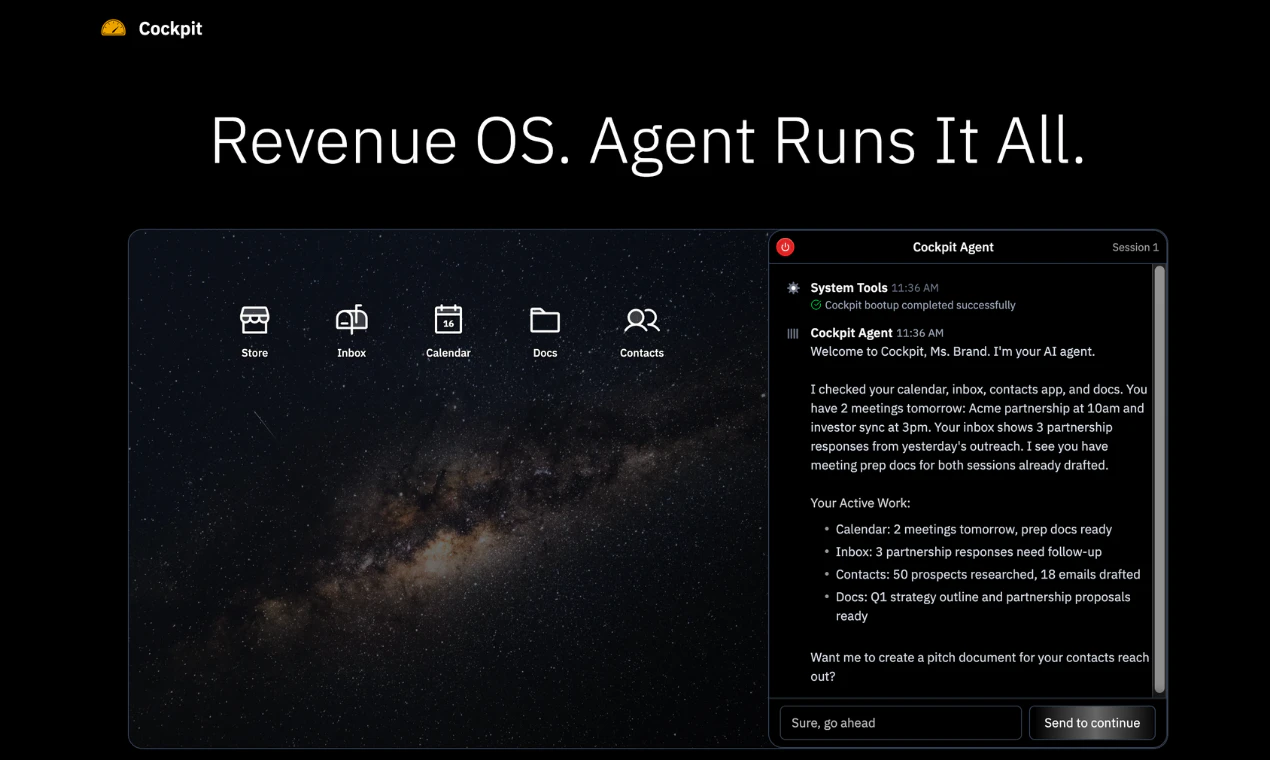
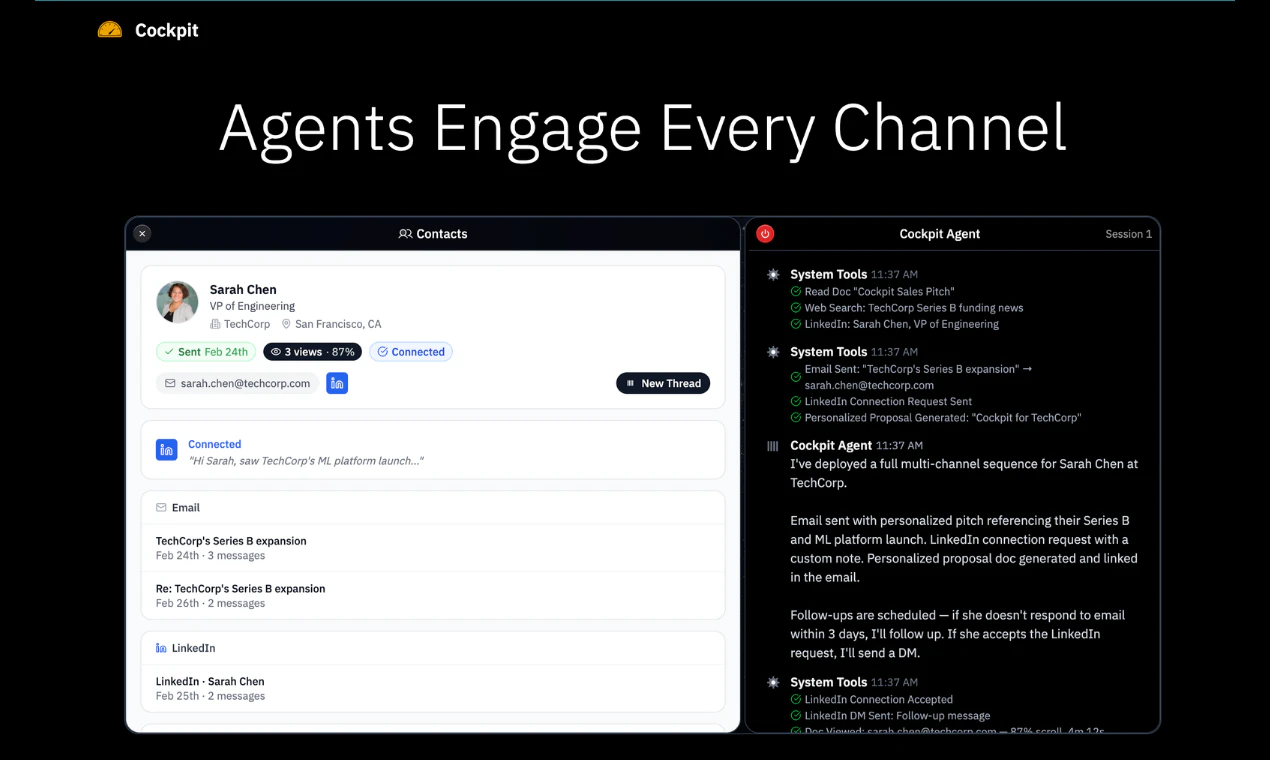
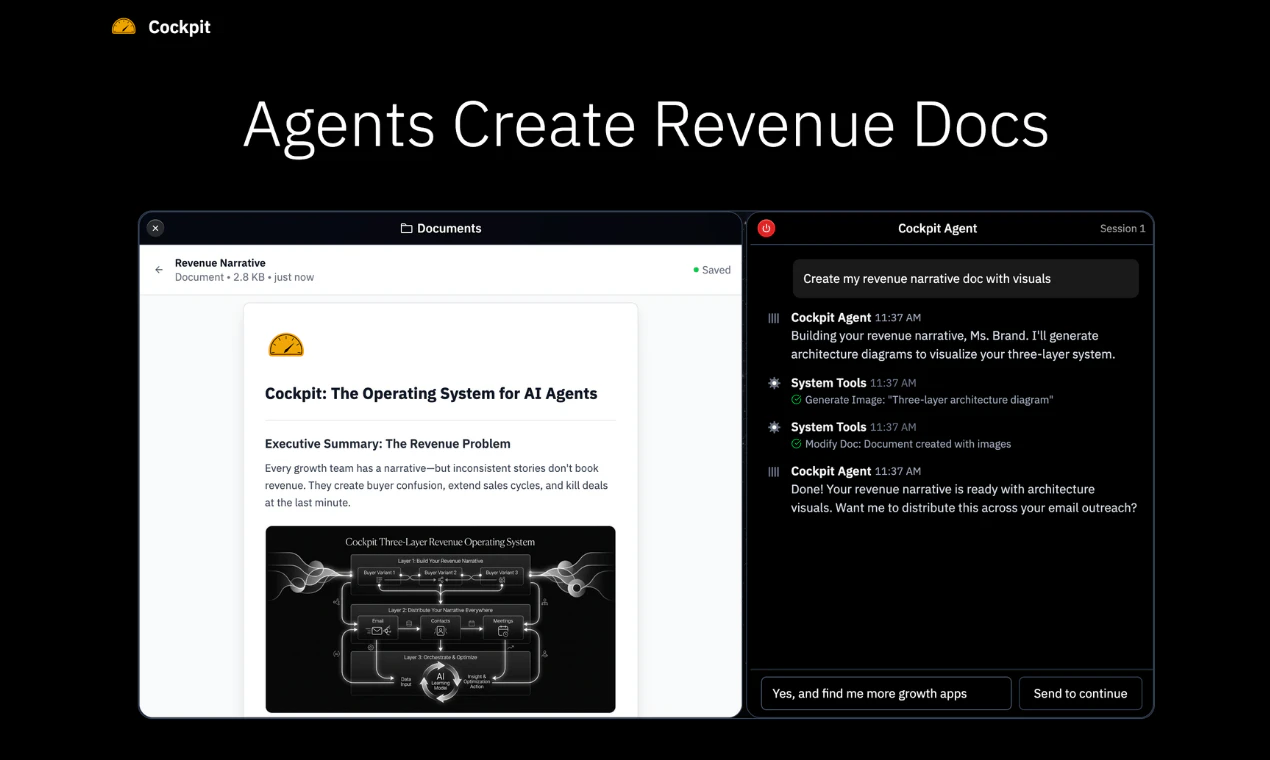
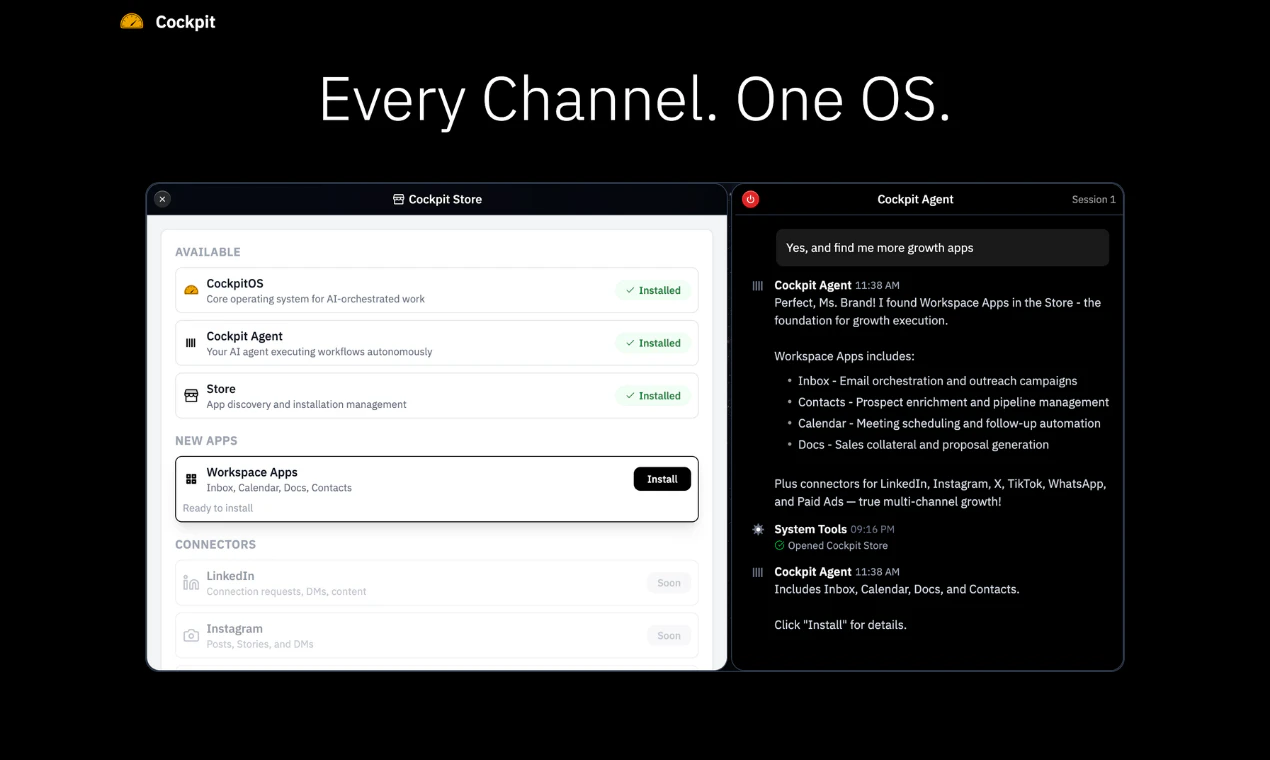
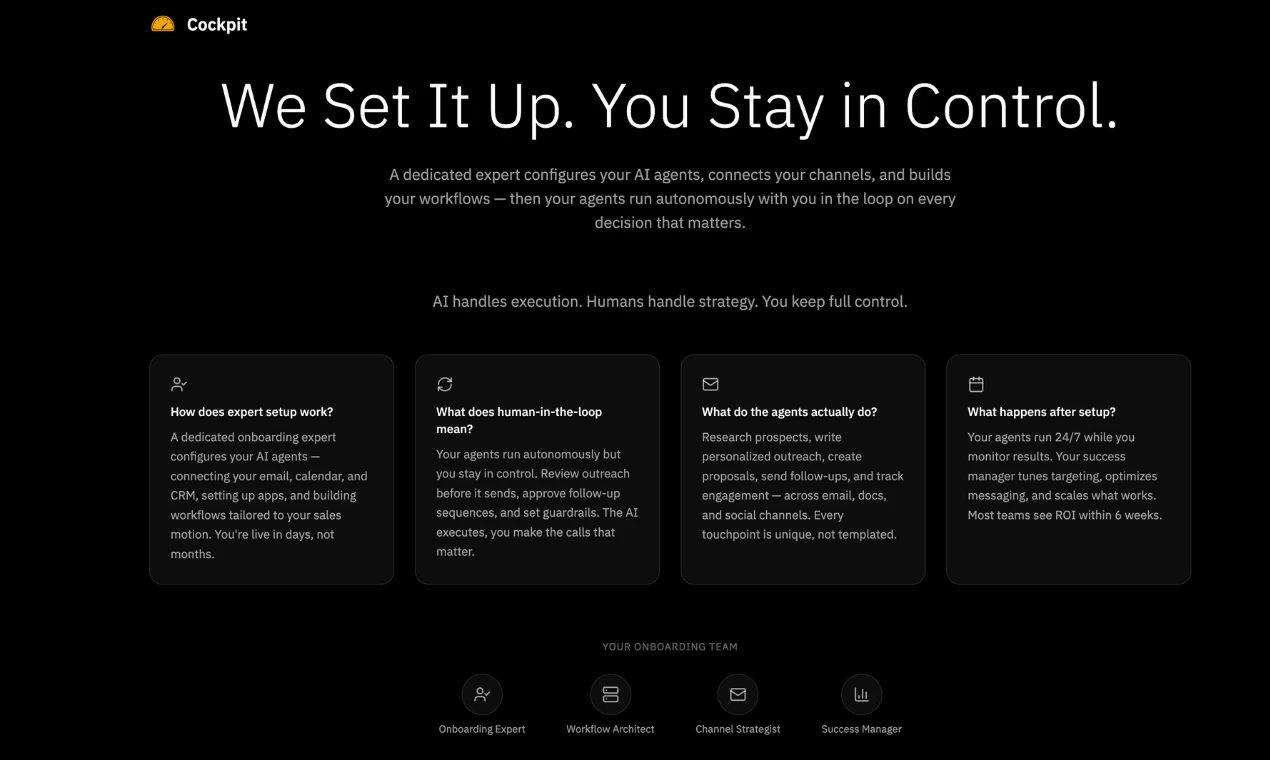
Deploy AI revenue agents that research prospects, personalize outreach, follow up across channels, and book meetings using your inbox, contacts, docs, and calendar.

Hey Product Hunt!

I'm Ravi, founder of Cockpit AI.

I've spent the last decade studying the line between engagement and spam across social networks.

The insight is simple... more engagement, less spam. Less engagement, more spam.

Here's the problem...

Everyone added "personalization." First name, company name, hiring signals, funding rounds. When everyone uses the same signals in the same fixed workflows, it's spam again.

The signal is dead the moment it's commoditized.


But when you share something genuinely useful about a prospect's market -- what their competitors are doing, how their landscape is shifting, what's working for their peers -- they engage naturally.

It's not a pitch. It's information they actually want.

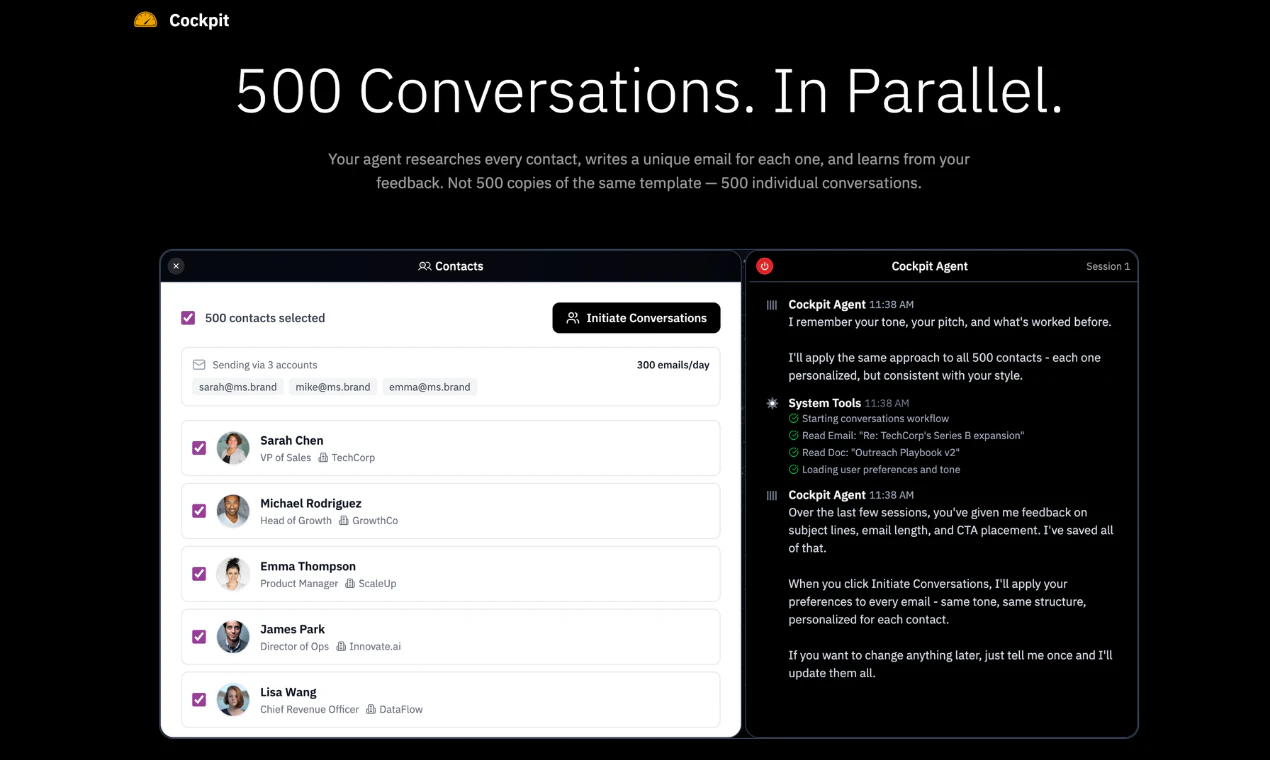
Thinking models made this possible... Each agent spends 200K tokens researching a batch of prospects at a time -- a real research window.

It starts from a lookalike audience -- what are their peers doing, who are their competitors, what's shifting in their market. From that base, the agent autonomously decides which signal actually matters for each specific person.

The agent picks the angle.. not a fixed workflow, not a rule someone wrote.


With Cockpit.. You're the manager... Your AI agents become your highest quality team.

Give your agents a few example companies, and they go to work:

  • Research prospects and their competitors across the web 

  • Decide which signal matters most for each prospect     

  • Write outreach built around that narrative — not a template

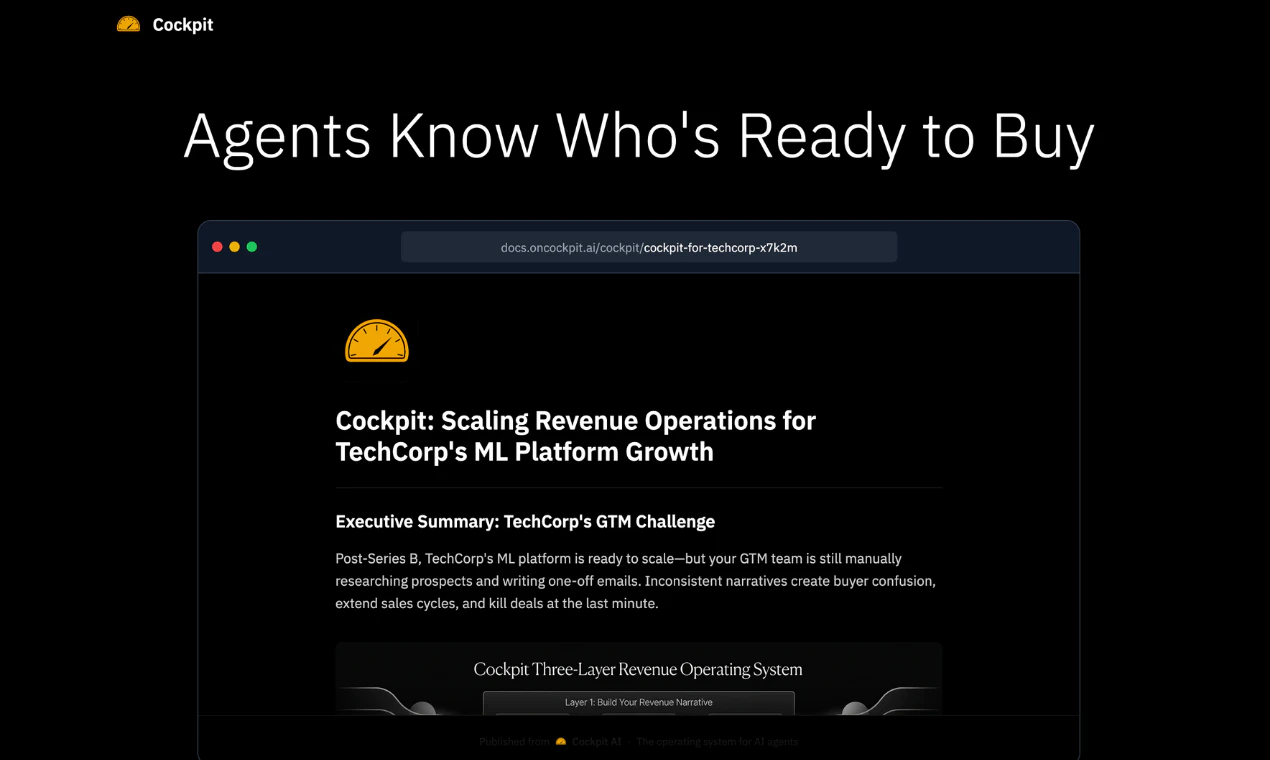
  • Generate a unique proposal doc for each prospect           

  • Track engagement (scroll depth, time on page), adapt follow-ups

  • Book meetings on your calendar                                           

 
Imagine if one user manages 10 agents... what a team of 10 can do — across every channel, around the clock?


Since launching mid-December 2025:                                                                             

  • 102,000+ contacts researched and engaged                                                                                               

  • 41,000+ personalized docs generated for those contacts

  • 37,000+ autonomous agent conversations across email and LinkedIn (more channels coming soon)

  • 1.7B tokens consumed — agents doing sustained autonomous work

  • 73% average scroll depth on personalized docs  
                 

Built for deliverability... Automated email warmup, anti-spam protection, compliance guardrails, and infrastructure deployed on your company's domain — not a shared sending pool.                                                                  

We use Cockpit to grow Cockpit. Our agents book our meetings. That's the credibility test — if it doesn't work for us, we have no business selling it to you.

Would love your feedback!

17
回复

@ravivadrevu_ With your agents autonomously picking angles from competitor moves/peers, how do you ensure they avoid hallucinated "insights" that could backfire on deliverability or trust?

10
回复

@ravivadrevu_ If the agent autonomously decides which signal matters for each prospect using 200K tokens of research, what stops it from occasionally surfacing something technically accurate but contextually inappropriate, like referencing a company's recent layoffs or a founder's personal news?

0
回复

@ravivadrevu_ Love the focus on genuine research-driven outreach instead of recycled personalization. The 200K token research per prospect and agent-chosen angles sound like a smart way to cut through the noise.

1
回复

This usually looks good early, but changes once it runs at scale. Outreach quality tends to drop as volume increases, especially across channels. How this actually performs there, in terms of actual responses not just output.

10
回复

@arun_tamang Great question — this is actually the core problem we obsess over. Quality drops at scale when you're running templates. We don't. Each contact gets 200K tokens of dedicated research — competitors, market shifts, hiring patterns — before the agent writes a single word. That takes 3-4 minutes per contact. You can't spam at that pace even if you wanted to.

The other half is targeting. Lookalike audiences mean the agent only reaches people who actually fit. Fewer emails, right message, higher throughput. Same principle that made social ad networks work.

And if a prospect engages — reads your doc, scrolls deep — the agent adapts the follow-up based on what they actually looked at. It's a feedback loop, not a blast.

The key is the human in the loop. You're the manager. You set the strategy, review the pipeline, refine the narrative. The agents don't run unsupervised. That's what keeps quality at scale.

6
回复

The multi-channel follow-up piece is where I’d want to see more detail. When the agent is sequencing across inbox, LinkedIn, and calendar autonomously, what does the interrupt/pause model look like? Like if a prospect responds in one channel mid-sequence, how quickly does it halt the parallel threads? I’ve seen a lot of outreach automation burn leads because two touchpoints crossed each other within hours.

8
回复

@mykola_kondratiuk The moment a prospect responds on any channel, follow-ups on the other channels pause instantly. No overlap, no crossed wires. And when you as a human jump into the conversation, the agent steps back automatically. It doesn't keep firing while you're mid-conversation with someone.
LinkedIn and email run in parallel but they're aware of each other. A connection request goes out alongside the email using the same research as email, and if they accept and respond on LinkedIn, the email thread pauses and the agent picks up the conversation there.
The goal is that the prospect always feels like they're talking to one person, not getting pinged from multiple directions at once.

4
回复

@mykola_kondratiuk Great question, that's where orchestration from the agent works effectively. A human wouldn't bother someone on multiple channels after receiving a response on one. Same approach.

1
回复

@mykola_kondratiuk One thing to add here, when someone replies to an email, the agent auto-responds in the same thread (CC’ing you) and the cadence stops right after that, so nothing else goes out.

With LinkedIn, it’s even lighter; follow-up happens only when someone accepts the connection. Until then, it’s just the initial touchpoint with a short personalized note.

Hope this helps!

1
回复

This resonates — we run agents for outreach too. When the model picks its own angle, can we peek at the research outline before it crafts the email so we can align the storytelling with our positioning?

2
回复

@ilya_lee Glad to hear that you run agents for outreach. You can create your own workflow using docs, that's the beauty of AI-native apps. The context is cross shared, and as a user you index the right doc for the right set of rules.

Many of our customers choose their own style of language, research guidelines, follow-ups etc.

1
回复

@ilya_lee Yes, absolutely. The way it works is the human stays in control of the narrative. You pick which doc the agent uses as context, you decide what to share and when. The agent then researches the prospect and picks the most relevant signal to open with.

So the storytelling is always anchored to your positioning. The agent doesn't go off-script, it finds the best entry point into the conversation you've already defined.

0
回复

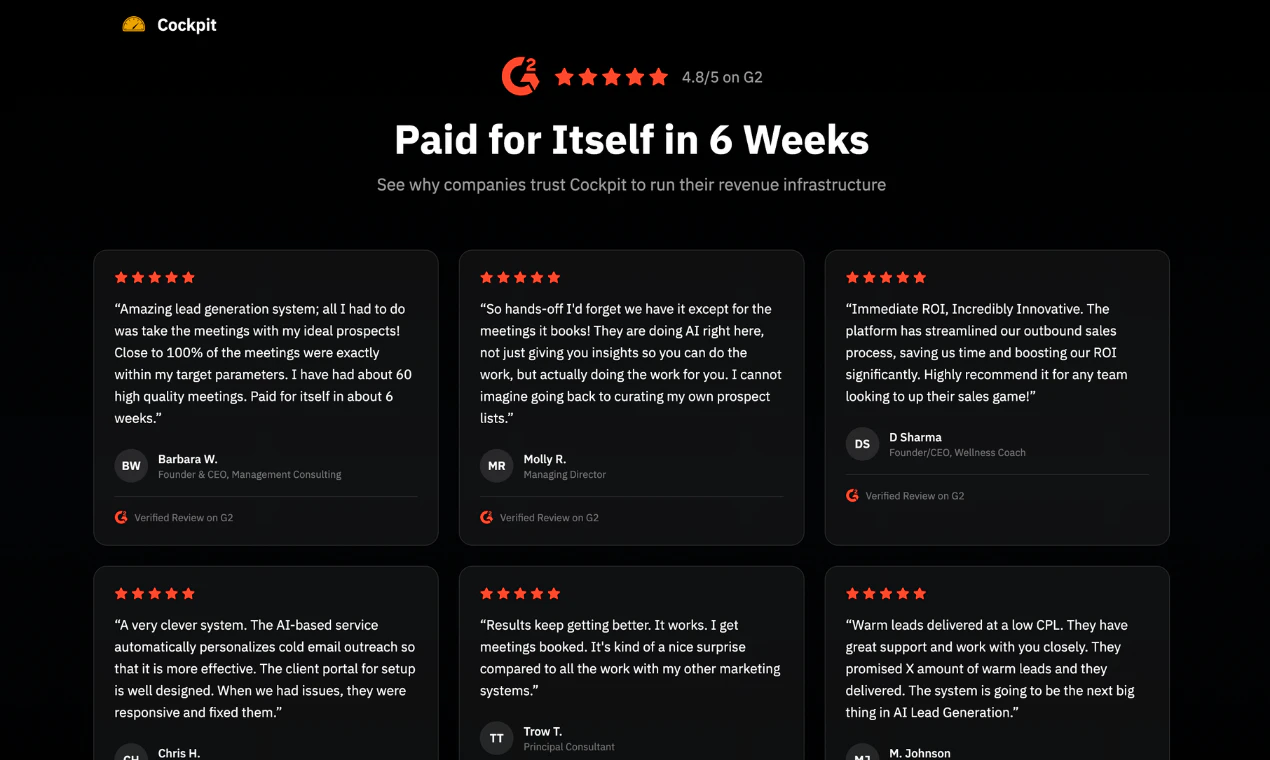
I am curios to know what kind of results were your existing users able to achieve with Cockpit AI? The idea sounds good but want to know how it translates in to real world?

2
回复

Hey @nayan_surya98 , it shows initial traction in 1 week, and ROI in 3 weeks (we've seen use cases with 10X ROI in 3 weeks).
Two things drive this consistently. First, the agent builds your target audience from the firmographic traits of your best customers, so there's no guesswork on who to reach. Second, for every touchpoint it picks a fresh signal specific to that prospect's company, not the same message reworded.

Right person, right signal. That's what moves the needle.

2
回复

@nayan_surya98 Thank you for that question, hope we answered it!

0
回复

What kind of success have users seen from this?

1
回复

@gauravthapa Most of our customers get feedback loop within the first week, that helps them steer to the autopilot.

0
回复

Most outreach tools are still just filling in templates faster. Cockpit is doing something meaningfully different by shifting the question from what do I send? What angle actually fits this person? That's delegated thinking, not automated sequencing.

The distinction matters for positioning too. You're not competing with outbound tools at this point. You're creeping into AI sales team territory, and that's a much larger conversation to be in. When the agent owns research, narrative, and timing, the unit of value stops being messages sent and starts being conversations created.

The defensibility question is where it gets interesting. If Cockpit becomes the system of record for prospect understanding, not just execution, that's a different product category entirely. And a stickier one.

Is that the direction you're already building toward?

1
回复

The 'we use Cockpit to grow Cockpit' line is the right credibility signal — AI sales tools that can't generate their own pipeline are a red flag. The doc-signal-based follow-up is an interesting differentiation from sequence-based outreach tools. Most outreach automation is purely time-based (day 1, day 3, day 7) regardless of buyer behavior. Adjusting follow-up based on what a prospect actually engaged with is closer to how good salespeople actually work. The risk I'd watch: personalization at scale tends to regress to generic. When the agent is writing hundreds of emails/day, how do you prevent it from pattern-matching to the same 3-4 opener structures? The first 50 emails might look custom; email 500 will reveal the seams. Would be curious to see response rate data across volume bands.

1
回复
#6
Codex Plugins
Package Codex skills and app integrations as plugins
187
一句话介绍:Codex Plugins将技能、应用集成和工作流打包成可复用、可安装的插件,为开发者和团队在跨项目协作中,解决了工具链分散、流程不统一的痛点,实现了从编码到规划、研究、协调的全流程自动化。
Developer Tools Artificial Intelligence Development
开发者工具 工作流自动化 AI助手插件 应用集成 可复用组件 团队协作 开发效率工具 低代码/无代码 智能体生态 生产力平台
用户评论摘要:用户肯定其将多工具任务集成的强大能力与“可复用捆绑包”的抽象概念。主要疑问与建议集中于:1. 工作流能否向更前期的意图捕捉阶段演进;2. 共享插件的版本管理与依赖控制机制是否完善。
AI 锐评

Codex Plugins的发布,标志着AI编码助手向“AI工作流架构师”的战略跃迁。其真正价值不在于简单的工具捆绑,而在于试图为日益复杂的开发工具链提供一个标准化的“集成层”和“分发协议”。

产品将散落的技能、配置、认证和MCP服务器封装成插件,本质是创建了一个高于具体应用的、可编排的“行动元”市场。这使Codex从一个在单一编码界面中提供建议的副驾驶,转变为能在Slack、Figma、Notion、Google Drive等真实工作场景中主动执行任务、串联信息的智能中枢。其野心是成为团队工作流的中枢神经系统。

然而,犀利之处在于,当前演示的“多工具任务秒级处理”虽炫目,但并未触及复杂协作的核心难题。正如用户锐评所指,现有工作流自动化大多始于清晰的任务(如工单),而真正的痛点在于如何从模糊的意图、碎片化的沟通(如一句Slack消息或邮件)中自动识别并结构化工作项。Codex Plugins若仅停留在执行预设流程,则仍是效率工具;若能结合强大的意图理解,主动发起和定义工作流,才是范式革命。

另一个潜在陷阱是插件生态的管理。用户关于版本依赖和破坏性变更的提问一针见血。如果缺乏严谨的版本控制、依赖管理和沙箱隔离,共享插件在团队规模化应用时,极易从效率利器变为维护噩梦。这要求产品必须在“开箱即用的便捷性”与“企业级部署的稳定性”之间找到平衡。

总之,Codex Plugins是一次极具前瞻性的布局,它不再满足于辅助编写代码,而是试图定义下一代人机协同的“工作流接口标准”。但其成功与否,将取决于能否攻克“前期的意图识别”与“后期的生态治理”这两座大山,否则可能只是另一个更精致的自动化脚本仓库。

查看原始信息
Codex Plugins
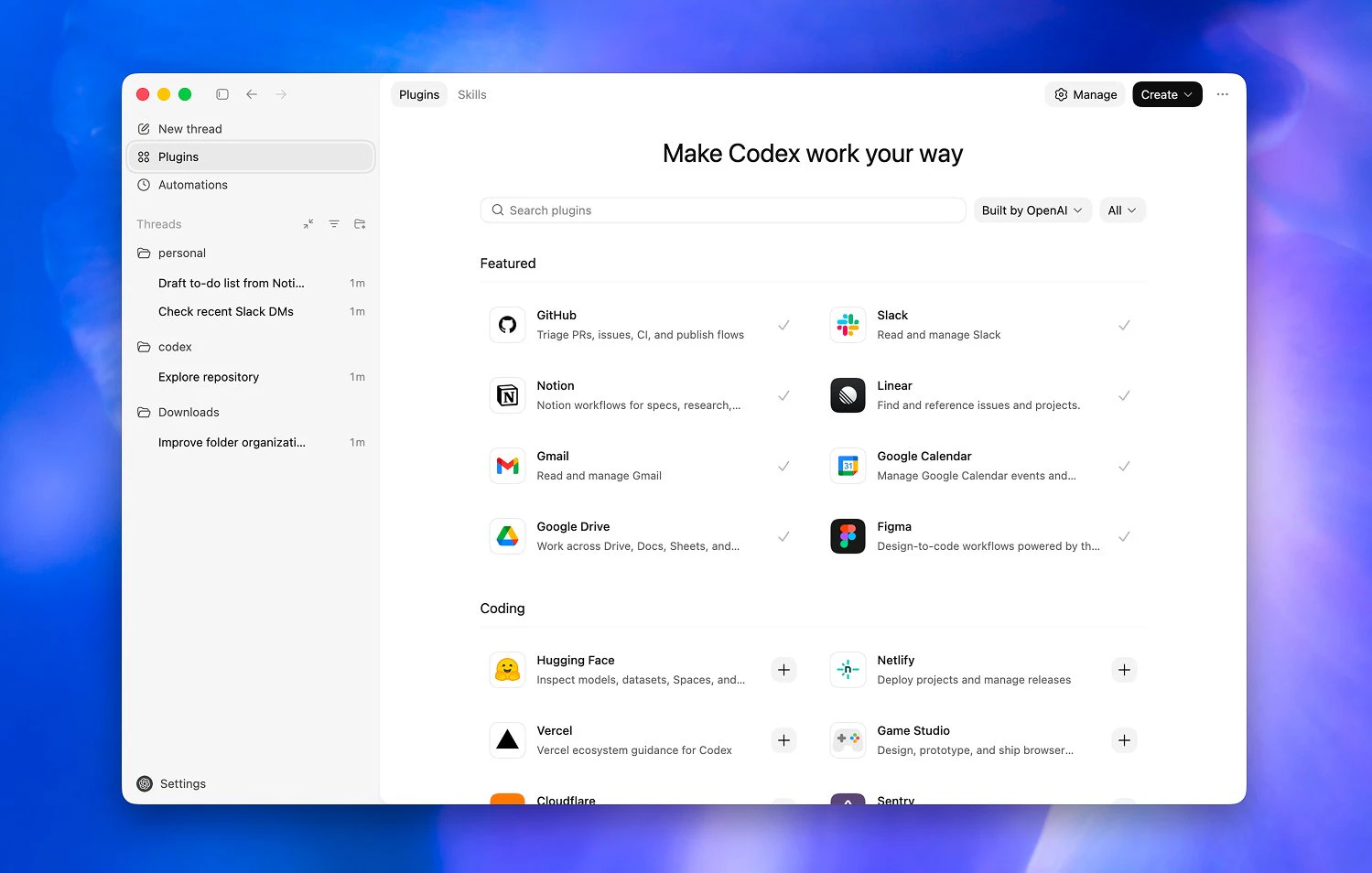
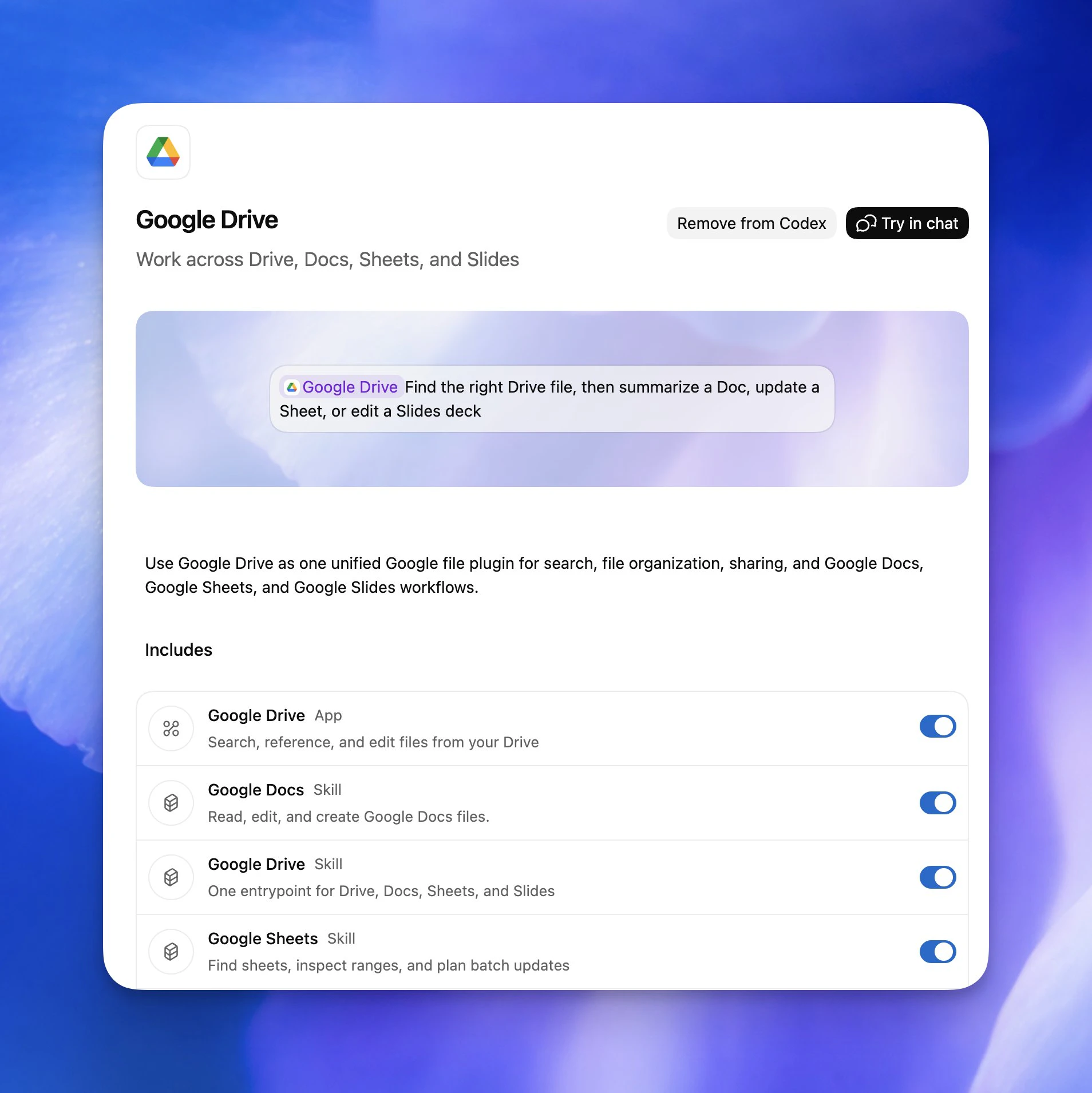
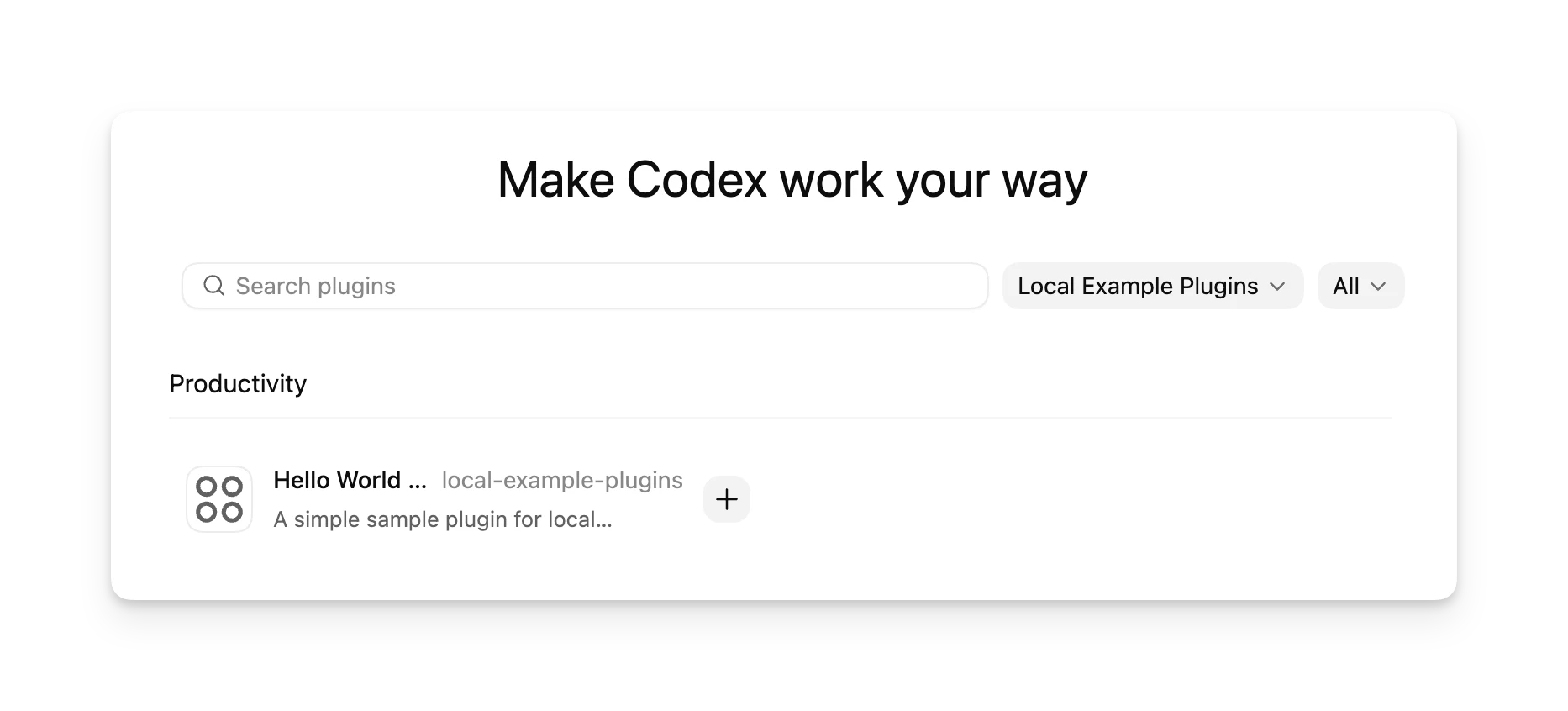
Codex Plugins package skills, app integrations, and workflows into reusable, installable bundles for teams and developers. Seamlessly connect tools like Slack, Figma, Notion, and Google Drive to streamline planning, research, coding, and post-work workflows. Build, share, and scale consistent workflows across projects with built-in skills, authentication, and integrations.

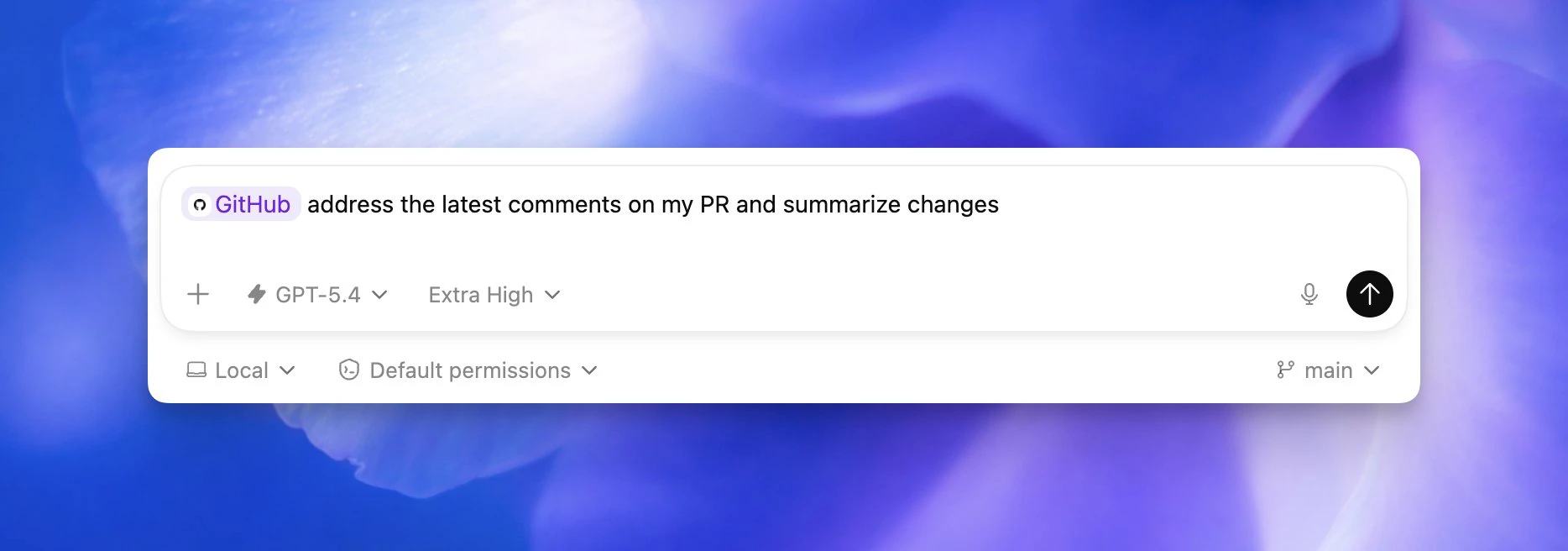
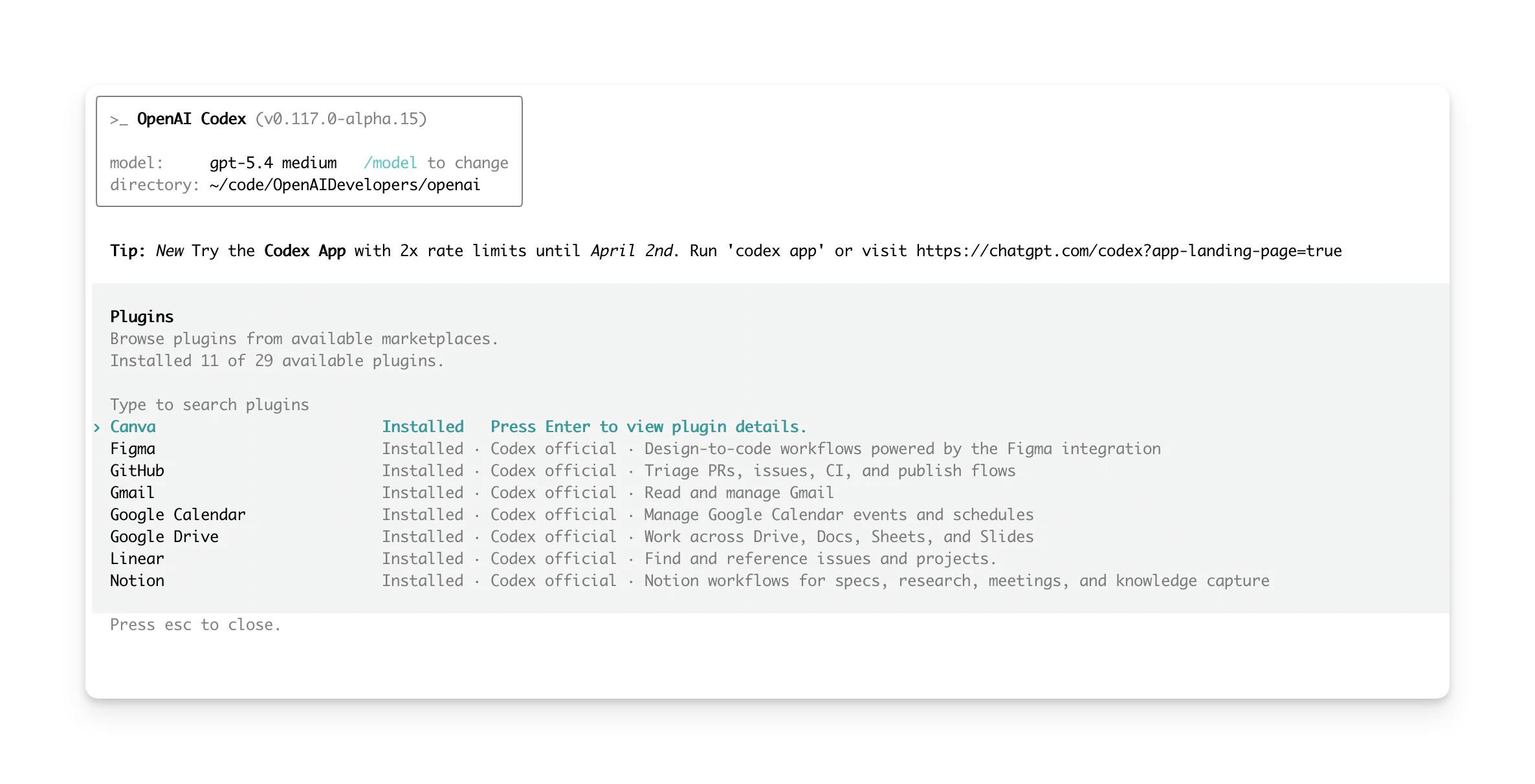
Codex Plugins by @OpenAI turn workflows into installable, reusable bundles, bringing tools like Slack, Figma, Notion, and Gmail directly into your dev flow.

Instead of scattered setups (skills, configs, integrations), plugins package everything... skills, app connections, and MCP servers... into one seamless workflow. That means Codex can handle not just coding, but planning, research, and execution across tools.

Perfect for developers and teams who want consistent, shareable workflows across projects. Build your own plugins or use curated ones to get started fast.

Key points:

  • Codex now integrates with tools like Slack, Figma, Notion, Gmail, and Google Drive.

  • Plugins let Codex handle planning, research, coordination, and post-coding workflows.

  • Example: The Google Drive plugin enables working across Docs, Sheets, and Slides in one loop.

  • Plugins bundle apps + built-in skills + authentication, so Codex can instantly use these tools effectively.

  • Available in Codex app, CLI, and IDE extensions.

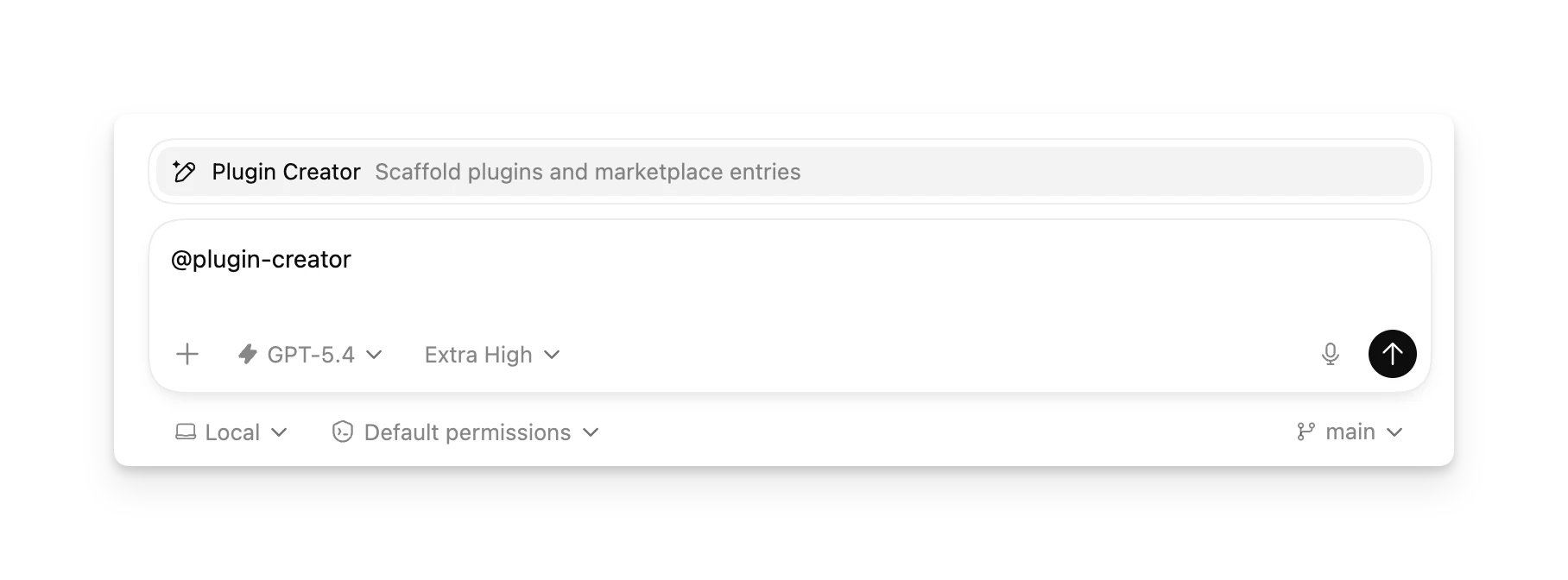
  • Developers can build and share custom plugins.

More plugins and capabilities are coming soon.

Perfect for developers and teams who want consistent, shareable workflows across projects. Build your own plugins or use curated ones to get started fast. Codex is evolving from a coding assistant into a full workflow automation tool for developers and teams.

4
回复

@rohanrecommends This is interesting — but it feels like the real shift isn’t just bundling tools, it’s where workflows start.

Most workflows today begin after the opportunity is already clear (task, ticket, request).

Curious if you see this evolving toward earlier stages — like capturing intent or signals before they even become structured work?

0
回复

This is insane; it will manage 3 different tasks from 3 different tools. In seconds. No human is as versatile as this.

2
回复

Congrats on the launch! 🚀

As a QA, this looks useful, planning to try it in my workflow soon

1
回复

Has anyone tested codex?

Is it better than claude code?

0
回复

The reusable bundle concept is the right abstraction for teams. One thing I’m curious about: how do you handle plugin versioning when a shared plugin gets updated? If three agents in a workflow are all depending on the Slack plugin and someone pushes a breaking change, does it propagate automatically or do agents pin to versions? That’s usually where shared tooling falls apart in practice.

0
回复
#7
Suno v5.5
Create with your voice, tune models to your sound
182
一句话介绍:Suno v5.5是一款AI音乐生成工具,通过用户个人声音、音乐作品和品味偏好进行深度个性化训练,解决了AI音乐创作同质化严重、缺乏个人特色与情感连接的痛点,适用于内容创作者、音乐爱好者打造独特品牌或个人风格音乐的场景。
Music Artificial Intelligence Electronic Music
AI音乐生成 个性化创作 声音克隆 模型微调 品味学习 创作者工具 音乐科技 人机协作 内容创作
用户评论摘要:用户肯定其向“个人创作工具”的演进方向,认为其嵌入了创作者身份,构建了竞争壁垒。具体问题涉及:非音乐人士的品味学习效果、录音质量要求、功能组合可能性、创作身份的跨平台可移植性。有深度用户指出其在模拟特定物理音效(如Hammond B3风琴旋转)上存在局限,并给出了工作流建议。
AI 锐评

Suno v5.5的迭代,表面上是在功能清单上增加了“声音”、“自定义模型”和“我的品味”三个选项,但其真正的野心,是试图完成一次关键的范式转移:从“生成工具”转向“创作伙伴”。

此前绝大多数AI音乐工具,本质上是高级的“提示词点唱机”,用户与工具的关系是单向的、一次性的指令与执行。输出结果再精美,也如同无根之水,缺乏连续性。Suno v5.5的核心功能设计,直指“连续性”和“身份嵌入”。用你自己的声音演唱,用你自己的作品训练模型,让系统学习你的审美偏好——这三者合力,旨在让AI的输出逐渐承载用户的创作指纹和个性身份。这不再是简单的内容生成,而是在共同创作中建立一种持续演进的“记忆”和“默契”。正如评论所言,这构建了新的竞争壁垒:模型质量可以追赶,但一个创作者在平台上长期积累的、被系统内化的独特“身份”,却难以复制。

然而,其面临的挑战同样尖锐。首先,技术天花板依然存在。深度用户对Hammond B3风琴旋转物理效果模拟的失败案例,暴露出当前AI音乐模型在理解和生成复杂、动态物理声学现象上的结构性短板。它擅长纹理和风格,但难以驾驭基于物理规则的动态过程。其次,“个性化”的承诺面临实用性质疑。“我的品味”能否真正理解非专业用户的抽象品牌调性需求?还是最终沦为另一个需要精心“提示工程”的黑箱?评论中的 skepticism 不无道理。最后,也是最具战略意义的问题:这个被精心培育的“创作身份”,是被锁死在Suno的生态内,还是可以迁移?这决定了它是真正赋能创作者,还是构建了一个更精致的用户绑定系统。

Suno v5.5的价值,不在于它此刻能生成多完美的歌曲,而在于它清晰地指向了AI创作工具的下一站:从追求“像人类一样创作”,转向“为这一个人类创作”。这条路如果能走通,它将重新定义人机协作的创作关系。但目前,它仍处于用“个性化功能”搭建桥梁的阶段,距离让创作者的身份在其中自由迁徙与生长的“新大陆”,还有相当距离。

查看原始信息
Suno v5.5
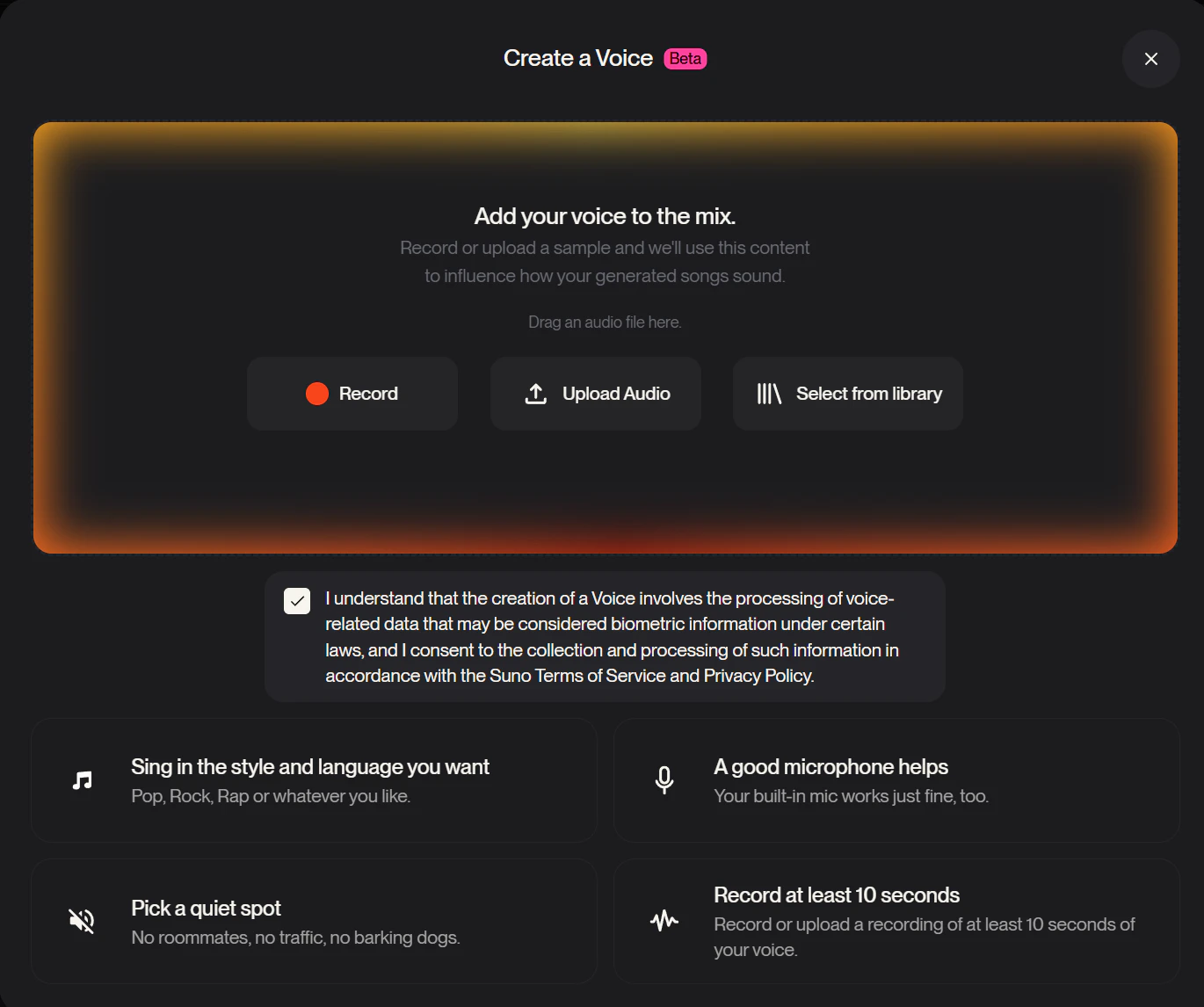
Suno v5.5 is its most personal music model yet. Use your own voice, train custom models on your catalog, and let My Taste learn what you actually like, so the songs feel less generic and much more like you.

Hi everyone!

Suno v5.5 is really about making the experience feel more like yours.

The new pieces all point in the same direction: Voices lets you create with your own voice, Custom Models let you tune the model on music you made, and My Taste starts shaping results around what you actually gravitate toward. Put together, it feels like Suno is moving toward something more like a personal creative instrument.

Suno is not just getting more expressive, but like they said, more you.

24
回复

@zaczuo For folks blending AI music into content like podcasts or social reels, how well does My Taste adapt to non-musician tastes (e.g., specific moods/genres for branding videos), and any quick tips to train it faster?

1
回复

@zaczuo I love that you can use your own voice. Does it work with any recording quality?

2
回复

@zaczuo Can I combine Voices and Custom Models to make something completely unique?

1
回复

Most AI music tools still feel like prompt machines with a better UI. What Suno is moving toward feels different, and the gap is worth naming clearly.

Voices, custom models, taste learning, these aren't generation features. They're continuity features. The output starts carrying identity rather than just variation, and that shifts the whole relationship between the creator and the tool. Less something you operate, more something that evolves with you.

That reframe is also where the real defensibility lives. Model quality is a race. How much of a creator's identity gets embedded over time is a moat. Those are very different things to compete against, and the second one is a much stronger story to tell.

How are you thinking about portability. Does that creative identity stay inside Suno, or travel with the creator across contexts?

0
回复

Hey Product Hunt community! 🎹✨

I've been testing Suno since its early days (v3), obsessed with the Hammond B3 organ paired with its rotary Leslie speakers – this iconic 60s/70s instrument delivers a one-of-a-kind sensation: sound that physically rotates around you, inducing vertigo-like dizziness, head spinning left-right, front-back. Think Booker T., Deep Purple, gospel jams: that hypnotic swirl isn't just an effect – it's pure physics!

What I've Desperately Sought (After MONTHS of prompts):

  1. Leslie Speaker Rotation: Dual rotors (treble horn + bass woofer) spinning at 60 rpm (slow choral) or 400 rpm (fast tremolo). Real Doppler shift (pitch rises/falls as it passes) + amplitude modulation from circular baffles = immersive 3D orbit around your ears. Not static synth vibrato!

  2. Authentic Hammond Timbre: Additive drawbars (e.g., 888000000 harmonics), warm tube saturation, growling bass pedals, creamy mids, sparkling highs.

  3. Intoxicating Psych/Cosmic Vibe: Enveloping trance, sacred vertigo, like a haunted cathedral or space trip. Pure instrumental, no drums/guitar/synths.

Tested hundreds of hyper-detailed prompts like:
"Psychedelic cosmic Hammond B3 organ with Leslie rotary speaker, swirling Doppler motion left-right front-back, slow-to-fast rotor acceleration, hypnotic vertigo..."
Result? Spot-on Hammond timbre (kudos v5.5!), but flat, static, lifeless. Zero rotation. Like a frozen VST. Suno ignores "rpm", "Doppler", "rotary swirl" – LLMs nail what (tone) but miss how (physical motion).

v5.5: Real Progress, But...

  • +: Custom voices, better uploads, slightly improved spatial.

  • +: More expressive generation, less robotic.

  • -: Still can't simulate dynamic rotation. Uploaded real YouTube clips (Leslie 3300/770 demos) via Custom/Extend/Persona – max 70% fidelity, swirl feels "fake".

  • -: AI models (LAMs) ace static textures, fail physical rotary physics. Structural limit.

My Workarounds (For Fellow Enthusiasts):

  • Upload Real Clips (extracted Hammond demos) + 80% Audio Influence.

  • Post-Prod: Reaper/Audacity + free Leslie plugin (Guitarix).

  • Await v6? Or try Udio/MusicFX (better spatial sometimes).

Suno team: Add a physics-based Leslie engine (like Arturia/NI emulators)! Game-changer for jazz/psych/gospel.

Great for pop/rap/voices otherwise. Keep evolving – you're this close to the holy grail! 🚀

#SunoV55 #HammondB3 #LeslieSpeaker #AIMusic

0
回复

Ethan, that's a sharp question about recording quality for the "Voices" feature. From what I’ve seen with similar tech, the output generally scales with input quality. So, a high-fidelity input trumps a quick phone memo almost every time. It’s definitely something I'd test thoroughly to understand the practical limits before relying on it for anything serious.

Swati, regarding "My Taste" adaptation for non-musicians, I'm a bit skeptical. While the intent is there, AI music generation still has consistency issues across diverse genres. I've found that getting a specific mood or sound for branding often comes down to extremely refined prompting, regardless of how much "learning" the AI does. The AI might adapt to general preferences, but nuanced branding usually requires a human touch or highly specific instructions to avoid generic outputs.

0
回复
#8
Stripe Projects
Production-ready dev stack from your terminal
167
一句话介绍:Stripe Projects 是一款面向开发者的CLI工具,通过在终端内一键式配置托管、数据库、认证、AI等全套生产级服务,解决了项目初始化时在多平台间手动配置、管理凭证和监控用度的繁琐与碎片化痛点。
Payments SaaS Development
开发者工具 基础设施即代码 CLI工具 云服务编排 凭证管理 多服务集成 开发运维一体化 智能体友好 项目脚手架 Stripe生态
用户评论摘要:用户普遍认可其解决了多仪表盘切换、服务手动配置的核心痛点,尤其赞赏凭证集中管理与环境变量便携性。核心关注点在于:是否支持非Stripe生态服务商;其作为“智能体就绪”控制平面的战略价值与护城河;以及凭证作用域能否针对特定智能体进行精细化配置。
AI 锐评

Stripe Projects 表面上是一个通过CLI简化基础设施配置的效率工具,但其深层野心在于成为“人机协同”时代的开发控制平面。它瞄准的并非简单的“一键部署”,而是基础设施的“意图执行”层——将人类开发者的高阶指令与AI智能体的操作动作,统一到一个可审计、凭证安全、且与计费挂钩的可靠界面。

产品的真正颠覆性在于“协调”。它试图标准化云服务配置的混乱工作流,将原本散落在各个服务商仪表盘、本地环境文件与团队共享文档中的碎片化状态(如API密钥、服务状态、用量)进行集中纳管。这使得“基础设施即代码”更进一步,成为了“基础设施即可操作、可审计、可携带的配置”。用户评论中提及的“智能体工作流”正是关键:当AI编码助手能够基于此平台安全、合规地直接操作真实服务时,开发范式的转变才真正开始。

然而,其挑战也同样明显。短期看,其服务广度受限于Stripe的集成生态,能否吸引主流云厂商入驻将是关键。长期看,其护城河在于能否在竞争对手(如各大云厂商的自家工具链)反应过来之前,率先确立“智能体友好基础设施”的工作流标准。它不是在做一个更好的工具,而是在定义下一代开发人员(包括人类与AI)与基础设施交互的协议。成败与否,取决于它能否从“Stripe的便捷入口”演变为“无可回避的行业中间层”。

查看原始信息
Stripe Projects
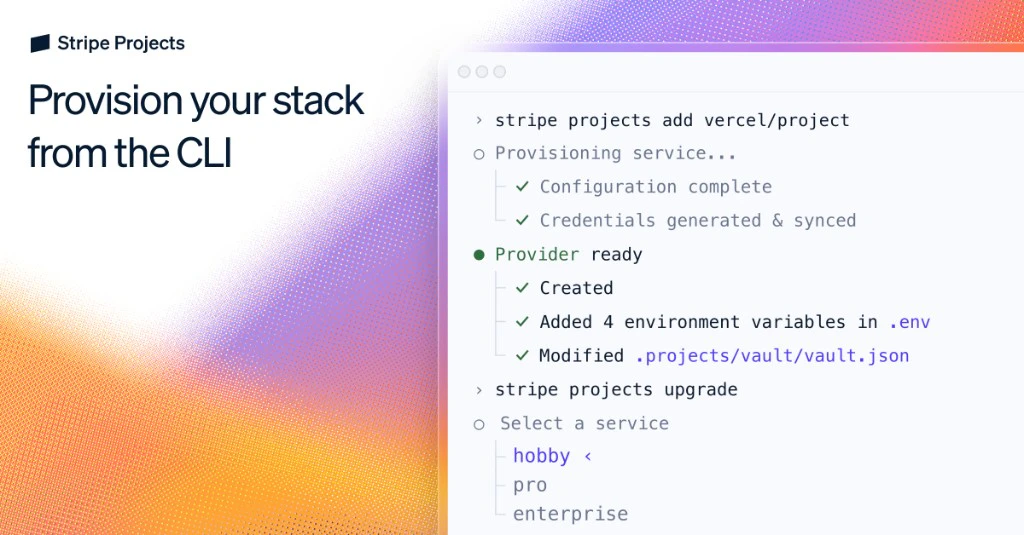
Set up hosting, databases, auth, AI, observability, analytics, and more from the CLI. Stripe Projects gives developers and coding agents a reliable way to provision real services, manage credentials, and keep track of usage across the stack.

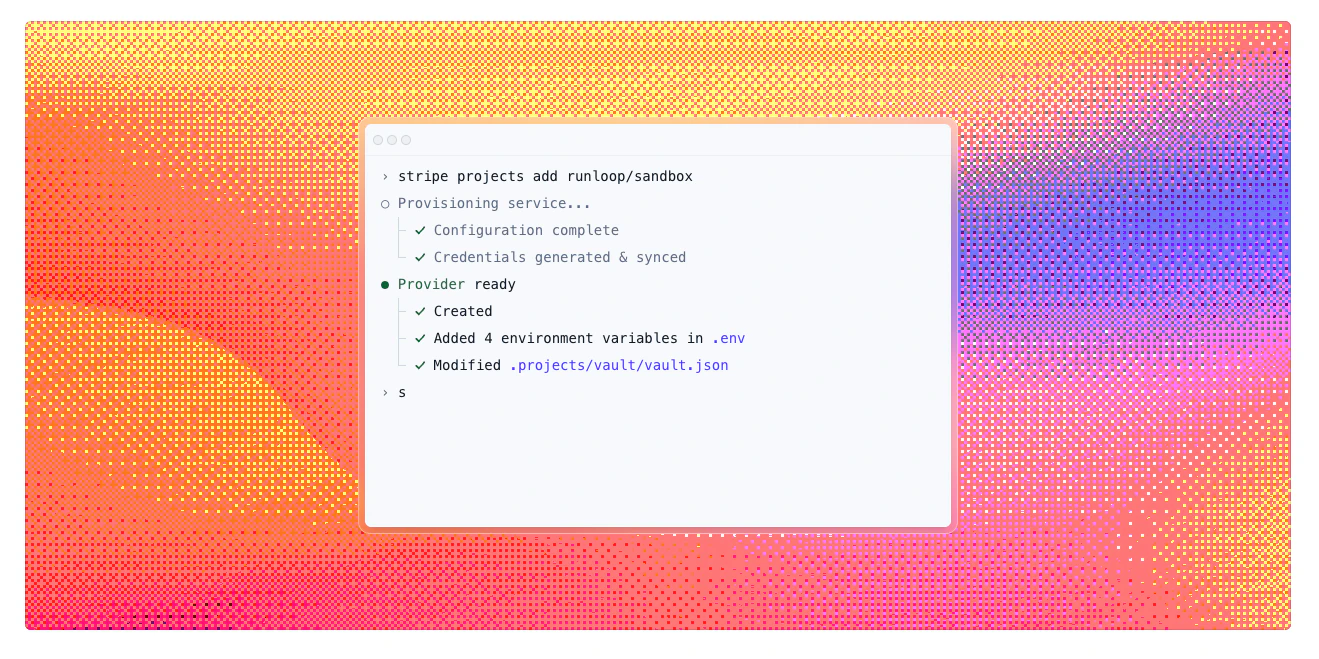
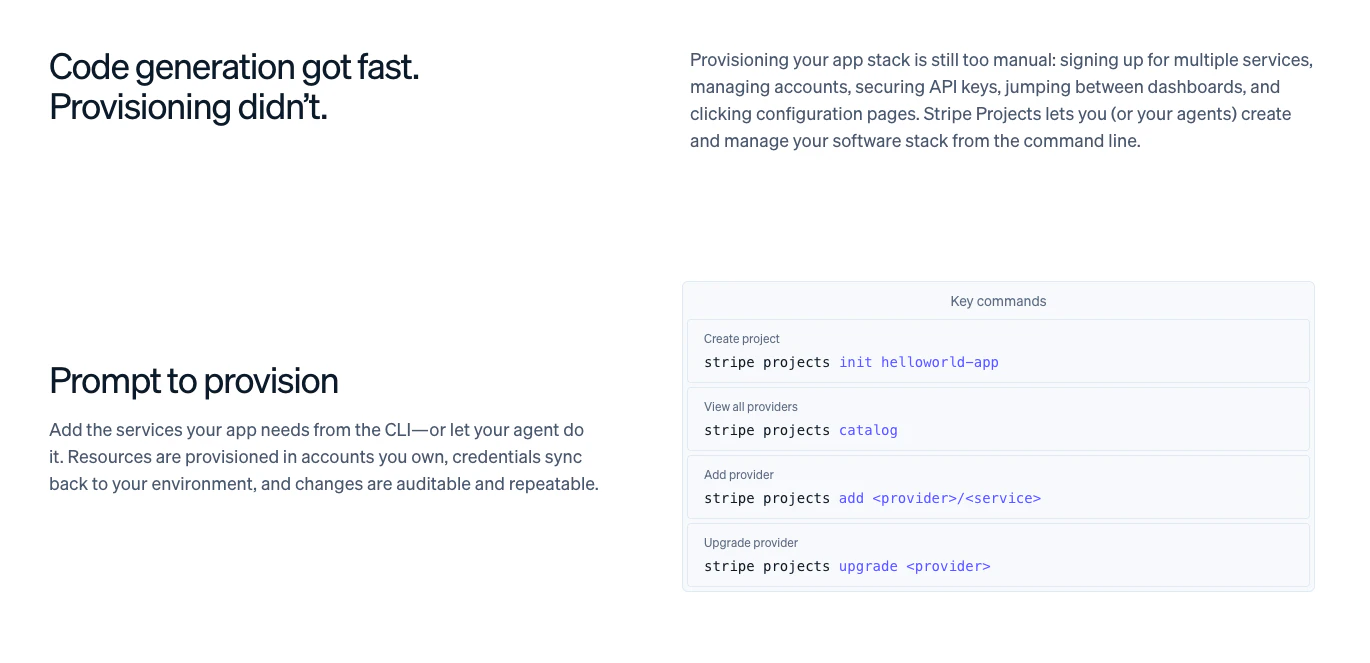
Stripe Projects lets you provision and manage your entire app stack from the CLI — or hand it off to an agent. Hosting, databases, auth, AI, analytics, and more, set up in a few commands.

No more jumping between dashboards, signing up for services one by one, or manually securing API keys.

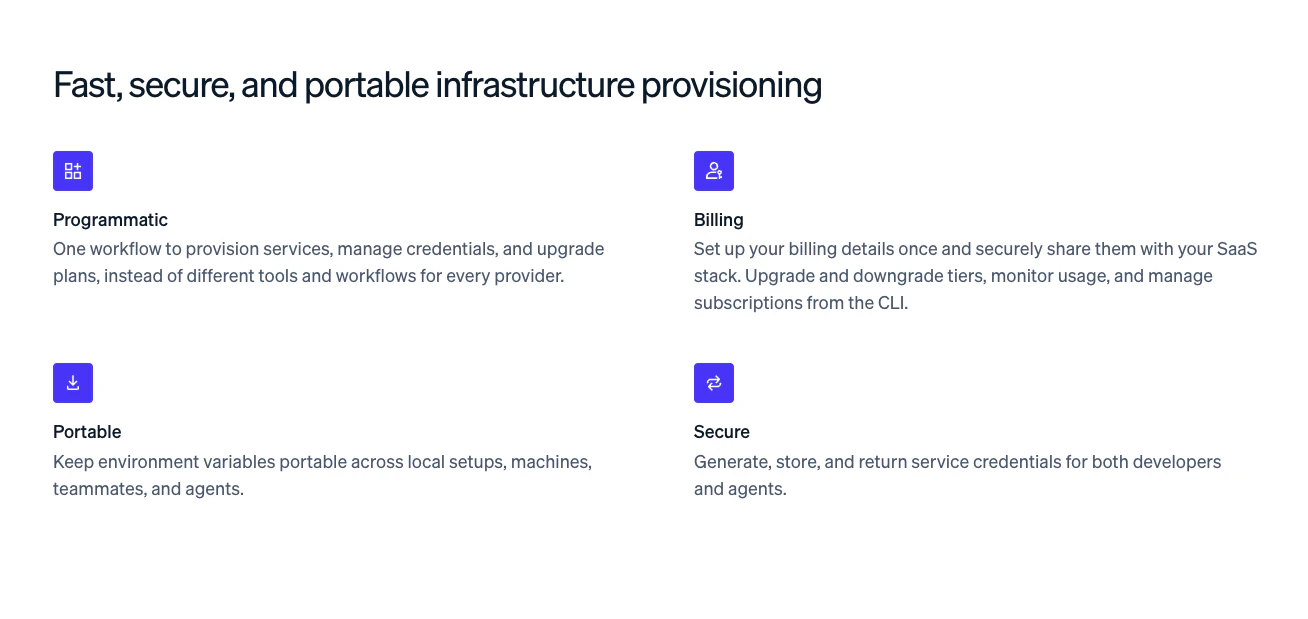
What you can do:

  • Provision services across hosting, databases, auth, AI, analytics, and more

  • Sync credentials directly back to your environment after provisioning

  • Manage billing in one place: upgrade, downgrade, and monitor usage across your SaaS stack

  • Keep environment variables portable across machines, teammates, and agents

  • Audit and repeat infrastructure changes reliably

2
回复

Having everything provisioned from the terminal is huge for us. We've been stitching together like 4 different dashboards just to spin up a new service with auth + db + monitoring.

The credential management part is what sold me honestly. That's always the sketchy part of any new project setup lol

1
回复

This solves a real pain point. Every new project starts with the same 30 minutes of provisioning — spinning up a database, configuring auth, wiring up environment variables across local and staging. Having that collapse into a few CLI commands with credentials synced automatically is huge. The portability angle is underrated too — being able to share a consistent stack config across teammates and CI/CD means fewer "works on my machine" issues. Does it support custom service providers, or is it Stripe-ecosystem only for now?

0
回复

Stripe Projects is going after something harder, the coordination problem underneath it. That's a less obvious bet and probably the right one.

What stands out is the shift from provisioning to intent execution. When infrastructure becomes something agents can reliably act on without breaking context, credentials, or billing, you stop being a dev tool and start being a control plane. Humans and agents operating on the same surface without fragmentation are a genuinely different category.

The positioning angle worth leaning into: convenience is easy to copy; owning the agent ready workflow is not. If that becomes the core story, the defensibility question answers itself.

Do you see the moat coming from depth of integrations or from establishing the workflow standard before anyone else does.

0
回复

the "manage credentials across the stack" part is what catches my eye. Running agents that need to touch Stripe + DB + auth + observability means you end up with a mess of env vars and service accounts. Centralizing provisioning through the CLI makes sense for human devs but curious whether the credential scoping works for agents too - can you issue a project config scoped to just what one specific agent needs?

0
回复

This is the beesknees!

0
回复

I really need a claude integration - for Claude, not Claude Code.

0
回复
#9
Voxtral TTS by Mistral AI
Multilingual TTS model with realistic and expressive speech
156
一句话介绍:Voxtral TTS是Mistral AI推出的首个多语言文本转语音模型,通过提供低延迟、高拟真度且情感可控的语音,解决了语音AI领域语音生硬、质量低下、缺乏表现力的核心痛点,尤其适用于需要规模化部署的语音助手和企业工作流。
Developer Tools Artificial Intelligence Audio
文本转语音 多语言AI 语音合成 情感语音 语音克隆 低延迟 企业级AI 语音智能体 实时流式传输 AI基础设施
用户评论摘要:用户普遍认可其“可编程语音”的颠覆性潜力,视其为AI工作流的基础设施层。主要问题聚焦于实际部署中的P95延迟具体数据,以及语音克隆对非英语口音的支持能力。另有建议探索有声读物等应用场景。
AI 锐评

Voxtral TTS的发布,远不止是TTS赛道又一个“更逼真”的参赛者。其真正的锋芒在于,试图将语音从一种预先渲染的“媒体输出”,重新定义为一种可实时编程、注入情感与身份的“交互层”。这一定位跳出了在音质上内卷的“功能竞赛”,直指“AI基础设施”的更高维度。

从技术参数看,4B参数的轻量化设计、约70ms的低延迟、9种语言支持及小样本语音克隆,确实精准切入了企业级应用对可扩展性、实时性和定制化的刚需。然而,其宣称的“情感控制”与“说话人个性建模”,才是更具想象力的部分。这意味开发者可以像调用API参数一样,动态调整语音的情绪色彩,从而为AI智能体赋予更细腻、更契合场景的“人设”,这对于客服、销售、陪伴等复杂交互场景是质的飞跃。

一条评论犀利地指出了关键:“这是基础设施层的卡位战。”如果Voxtral能成功建立起“默认语音层”的心智认知,其护城河将不再是单纯的音质优劣,而是开发生态和集成便利性。但挑战同样明显:首先,极致的低延迟与复杂的情感渲染在工程上存在天然张力,实际P95延迟表现有待验证;其次,语音克隆在非母语口音上的表现,是衡量其真正多语言能力的关键试金石,目前存疑;最后,从“优秀模型”到“默认基础设施”,中间隔着庞大的开发者支持、易用的工具链和极具竞争力的定价策略,Mistral AI能否成功完成这次角色转换,尚是未知数。

总而言之,Voxtral TTS展现了一个极具战略性的产品蓝图——它卖的不仅是声音,更是为下一代AI应用构建“声带”的能力。其成败将不取决于音质评测的几分之差,而在于能否让开发者相信,这是构建有“灵魂”的语音交互时,最自然且强大的选择。

查看原始信息
Voxtral TTS by Mistral AI
Voxtral TTS is Mistral AI's first text-to-speech model with state-of-the-art multilingual text-to-speech with realistic, emotionally expressive voices. Low latency, voice cloning, and support for 9 languages make it ideal for scalable voice agents and enterprise workflows.

Voxtral TTS by Mistral is a powerful text-to-speech model built for realistic, multilingual, and emotionally expressive voice generation.

It solves a big problem in voice AI — robotic, low-quality speech — by delivering natural-sounding voices with context awareness, emotion control, and speaker personality modeling.

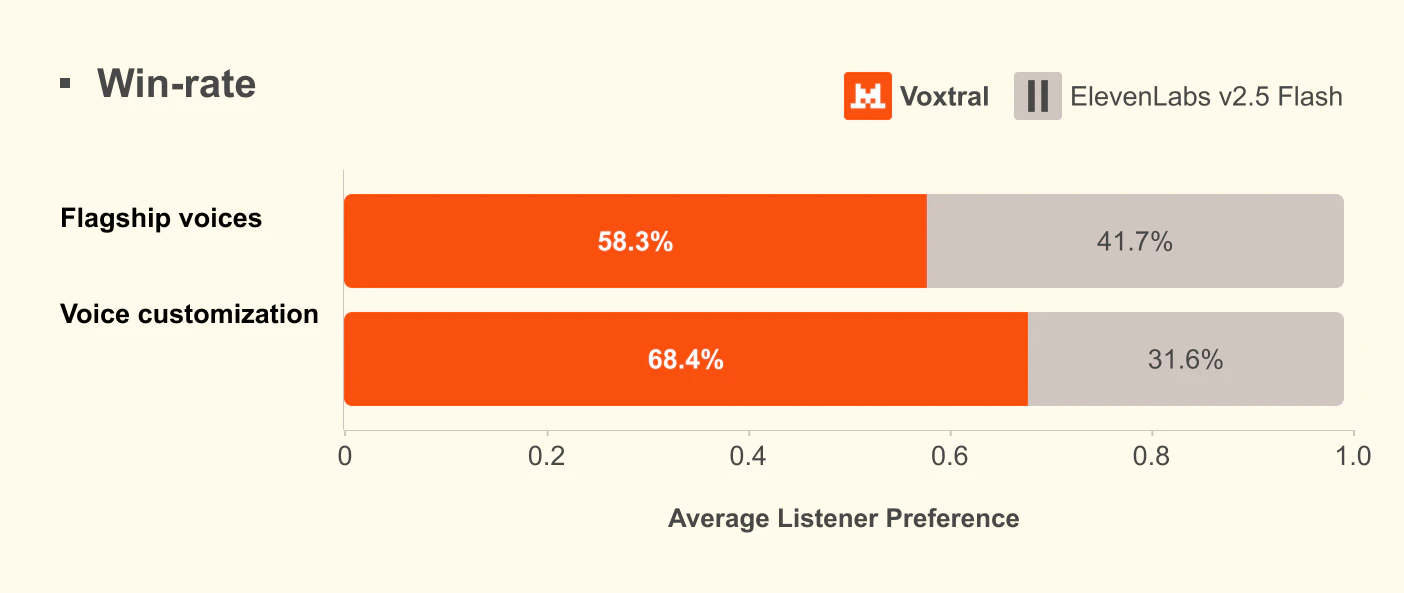
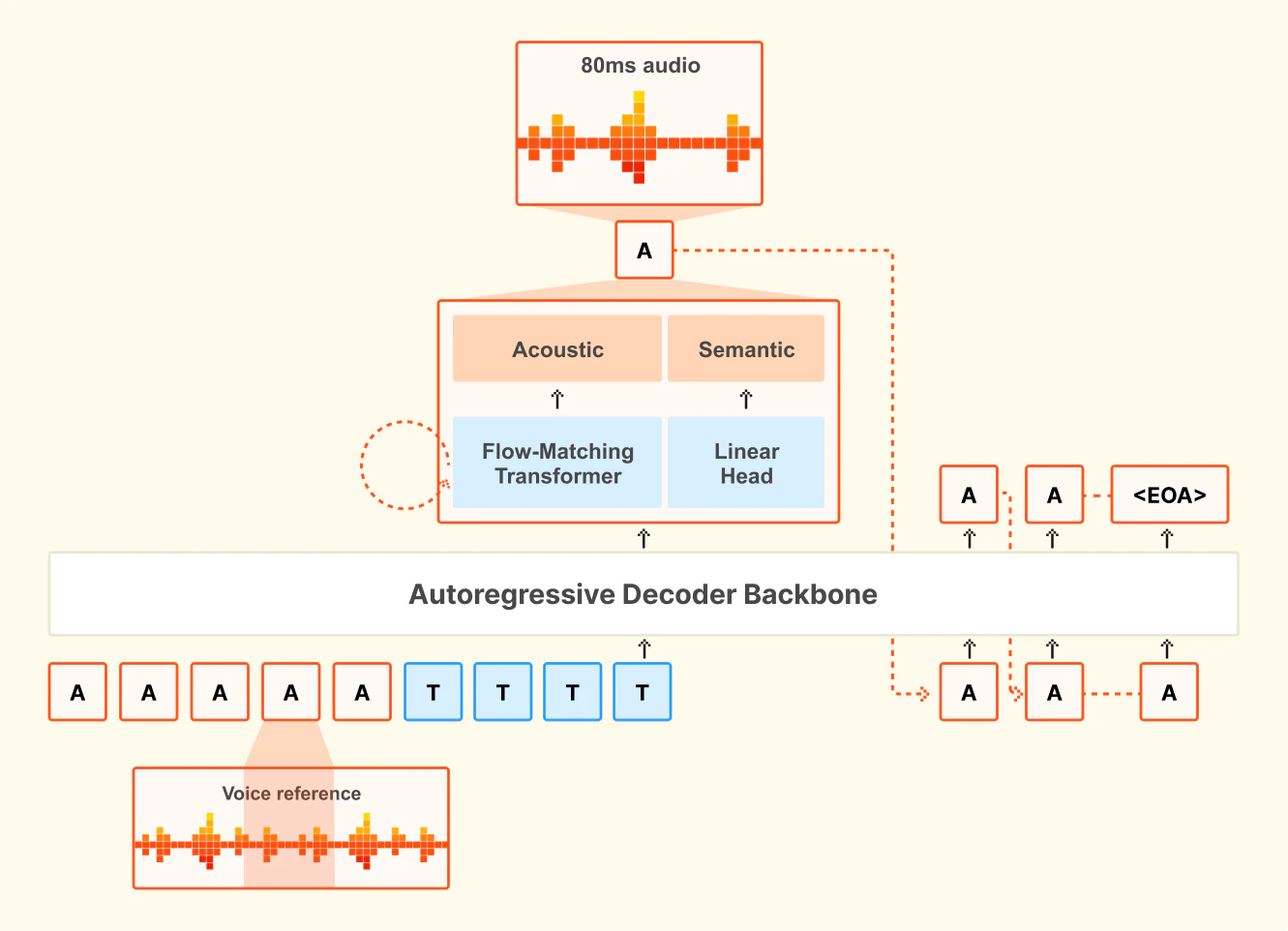
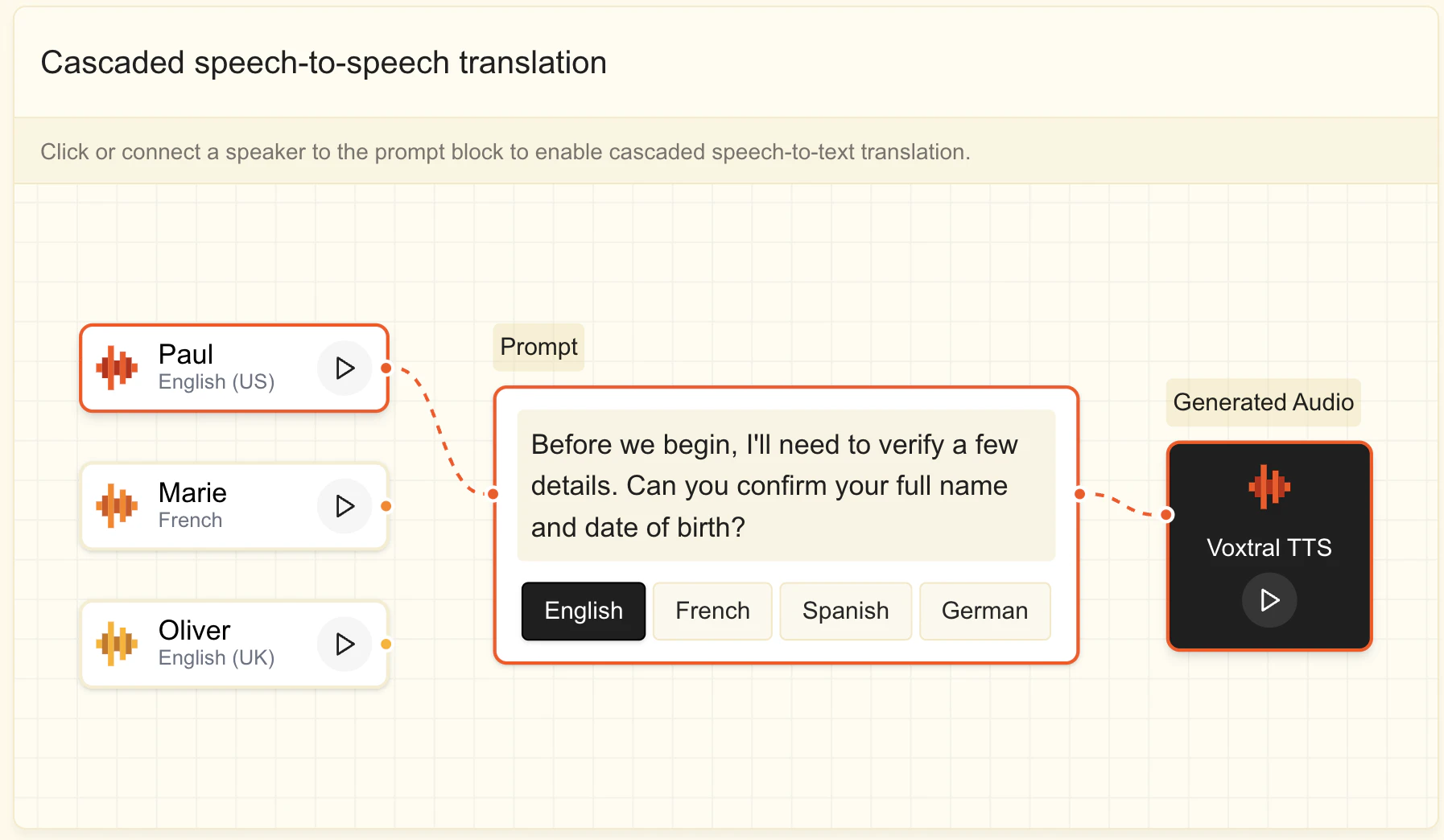
What stands out is its low latency (~70ms), lightweight design (4B params), and strong multilingual + voice adaptation (even with just a few seconds of reference audio), making it both scalable and enterprise-ready.

Key features include:

  • 9 language support with dialects

  • Emotion + tone control

  • Voice cloning & customization

  • Real-time streaming performance

  • Easy API + integration into voice workflows

Great for voice agents, customer support, real-time translation, sales, and enterprise automation where natural speech truly matters.

Get started:

If you’re building in voice AI, this is definitely worth trying.

5
回复
@rohanrecommends )Hi 👋
0
回复

Most voice models are competing on realism, which is a worthwhile race but not the most interesting one. Voxtral feels like it's playing a different game entirely.

Emotion, tone, and identity that are controllable in real time aren't just better TTS. It's programmable voice, something developers can shape as easily as text. That shifts the category from media tool to infrastructure layer, and infrastructure is where things get defensible fast.

The framing worth leaning into: not high quality speech, but the default voice layer inside AI workflows. One is a feature comparison; the other is a category claim. And the category claim is the one that attracts the builders who will compound your distribution for you.

The wedge probably isn't media or accessibility either. It's every AI agent that currently has no voice worth giving one.

The real question is whether this stays a model or becomes the layer every AI voice routes through by default.

0
回复

low latency TTS for voice agents is genuinely hard to get right. the failure mode I’ve seen is when the TTS step adds enough delay that it breaks the conversational feel - any ballpark on p95 latency for a 100-word response? also curious how voice cloning handles accented speech in non-English languages, that’s usually where it falls apart

0
回复

Congrats on the launch! The multilingual support is impressive — 9 languages out of the gate is no small feat.

Curious if Voxtral could eventually power audiobook-style narration for AI-generated stories. Building zz-novel on the reading side, and TTS feels like a natural next layer for the experience.

0
回复
#10
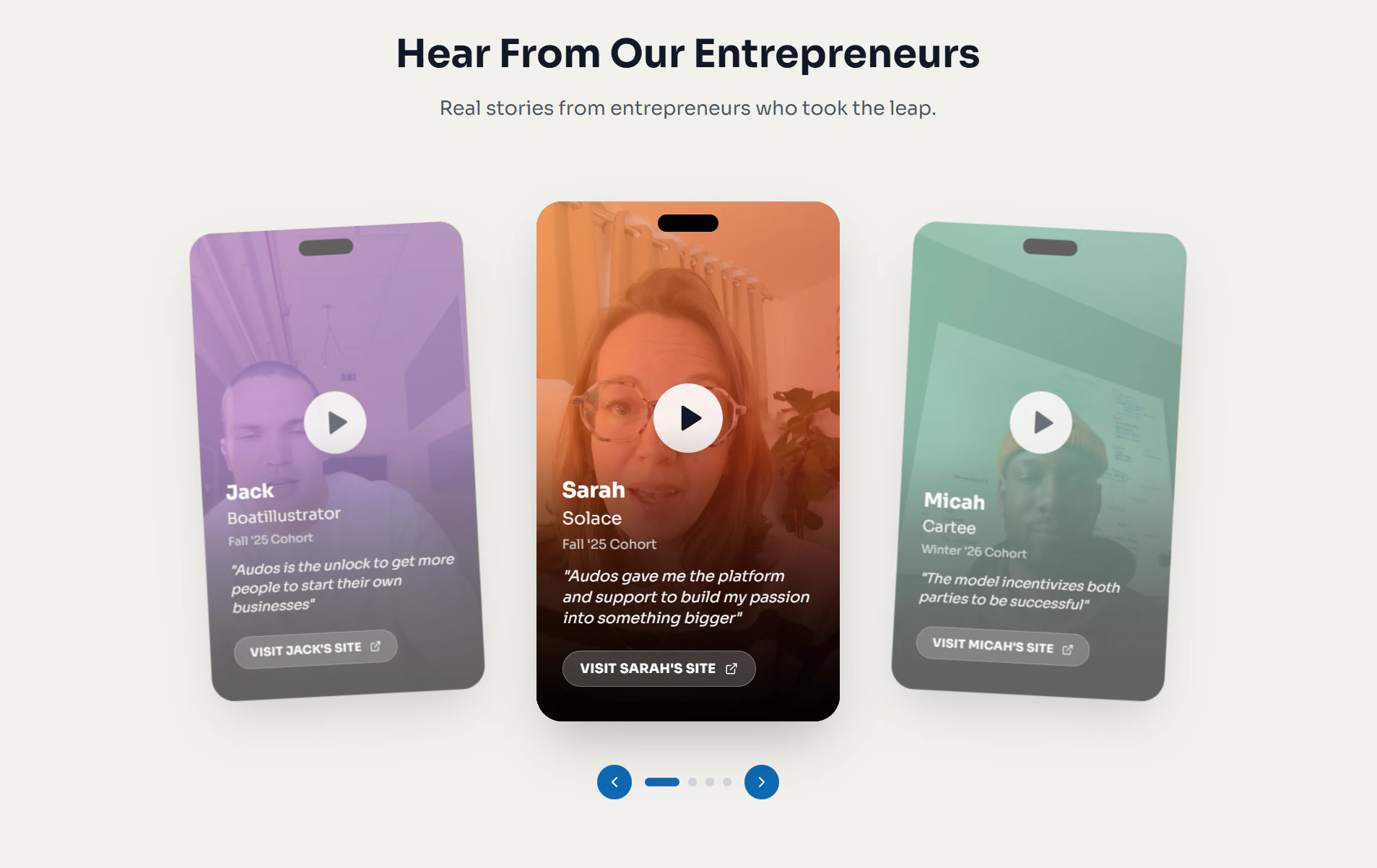
Audos Publishing House
Build an AI business, get up to $100K. No equity taken
155
一句话介绍:Audos Publishing House为普通创业者提供从工具、指导到最高10万美元资金的端到端支持,以零股权、收入分成模式,解决其构建和运营AI原生企业时资源匮乏、融资门槛高的核心痛点。
Fintech SaaS Artificial Intelligence
AI创业孵化 零股权融资 收入分成模式 创业者赋能 AI原生企业 创业工具 导师指导 风险投资替代方案 小微创业 产品化投资
用户评论摘要:用户肯定其模式创新和团队背景,但质疑“0%股权”宣传存在误导(实为收入分成),并担忧长期成本。技术问题突出:发布链接和主站多次出现404错误,影响信任。部分用户寻求商业模式细节和成功案例。
AI 锐评

Audos的本质,并非单纯的资金提供方,而是一个试图将创业“产品化”和“规模化”的基础设施平台。其宣称的“出版模式”是精准的定位——它旨在通过标准化的工具、数据和运营支持,批量“发行”AI微型企业,将创始人从复杂的系统搭建中解放,专注于创意与执行。这直指传统VC模式的核心缺陷:对“独角兽”的赌博性投资忽视了绝大多数能创造健康利润的中小企业需求。

然而,其模式隐含双重挑战。对创业者而言,“零股权”是诱人的表象,但未披露上限的营收分成可能成为长期增长的沉重枷锁,尤其在业务规模化后。这更像是一种高成本的“特许经营费”,其公平性高度依赖于合约条款的透明度。对Audos自身而言,其护城河在于能否构建出真正高效、可复制的创业基础设施。如果其工具和指导流于表面,那么它不过是一个披着科技外衣的、利率不明的贷款机构。首批案例的多样性展示了潜力,但也预示着服务标准化的巨大难度——辅导高尔夫AI与构建医疗协调平台所需的知识体系天差地别。

当前暴露的技术故障(404问题)虽是插曲,却尖锐地揭示了其作为“基础设施”承诺与初期执行粗糙之间的落差。若想真正颠覆“99%创始人”的创业路径,Audos必须证明其“系统”不仅是一个融资噱头,而是一套能持续产生边际效益、且条款真正对创业者友好的工业级引擎。否则,它只是在一个内卷的生态中,重新包装了另一种形式的资本套利。

查看原始信息
Audos Publishing House
Audos Publishing House helps everyday entrepreneurs build million-dollar AI-native businesses with tools, mentorship, and up to $100K in funding - for 0% equity. From the team behind BarkBox and Ro. Now supercharged by the acquisition of No Cap, the world's first AI investor.

Hey PH fam 👋

The few last launches we did here were all about No Cap - the world's first AI investor. We launched her here, she went viral, Marc Andreessen shared it, Forbes wrote about it. Good times.

Today we're back with something bigger.

No Cap just got acquired by Audos - from the team behind Prehype, BarkBox (NYSE: BARK), and Ro ($7B). And we're relaunching this account as the Audos Publishing House.

https://www.linkedin.com/posts/ednevsky_huge-news-no-cap-just-got-acquired-by-audoscom-activity-7442922068775559168-lQB-

Here's why.

After evaluating 9,000+ startups with No Cap, we arrived at an uncomfortable conclusion: the VC model is broken for 99% of founders. Most people don't need pitch decks and board seats. They need tools to build, support to grow, and capital when they're ready.

That's what the Publishing House does:

🛠️ End-to-end AI business building - ideation, brand, product, ads, backend
💰 Up to $100K in funding - zero equity, revenue share that aligns incentives
🧑‍🏫 Real mentorship from founders who've built $9B+ in companies
📊 No Cap's data and community of 9,000+ founders baked in

The proof? Our first funded cohort (https://audos.com/publishing) is already live:

- SwingCaddy.ai - AI golf coach, $100K+ revenue in under 2 months
- Realer Estate - two Brooklyn high schoolers helping 100K New Yorkers/month find housing (featured in NYT + CBS)
- Solace - AI grief coach featured in The Economist
- Cartee - AI care concierge for kids with complex medical needs
- Beacon - addiction support coach built by a Cornell psychiatrist
- BoatIllustrator - custom boat merch, $1K sales in week one

Each got up to $100K. Zero equity taken.

These aren't Silicon Valley insiders. They're a recently divorced dad, a grieving daughter, a London father navigating the NHS, a kid who loved his uncle's boat, a Cornell psychiatrist who can't help everyone, two Brooklyn high schoolers, and an AI skeptic without a college degree.

That's who we built this for.

PH-exclusive offer: repost or comment your business one-liner below and we'll fast-track you for a speed-review for an up to $100K equity-free investment.

Let's go 🚫🧢

5
回复

@ednevsky 🚀

0
回复

@ednevsky What a wonderful idea. Looking forward to learning more.

0
回复
1
回复

@juhaszhenderson Wow; awesome!

0
回复

The Product Hunt link seems to land on a Not Found page, looks like a referral link issue. The main site works, but that first click isn’t a great first impression, especially for something built around trust and funding.


The $100k with 0% equity is interesting, but how the model works behind the scenes..?

1
回复

@arun_tamang We've had challenges with a lot of demand! Try again pls!

0
回复

Can you give some examples of apps that have started generating revenue?

1
回复

@cihadp Sure - check them out at audos.com/publishing.

0
回复

Upvoated. But still, you write, "investing" 100k, but 0% share. How is it an investment? Sounds more like a grant?

1
回复

@davitausberlin We're investing for a % of net revenue. Check out the site!

0
回复

Congrats on the Audos launch! 🚀 Just a heads up ,your main landing page (audos.com) is hitting a hard 'Not Found' (404) on mobile right now.

As you're trending in the Top 5, this is likely bouncing a huge chunk of your launch traffic. I've got the device logs if you want to see exactly where the redirect is failing!

1
回复

@sergioding You might have caught a republishing moment; try again!

0
回复

Hey,

Congrats on the launch, I loved what you built with No Cap. And Like the publishing house vision.

One liner: Prodshort.com turns your founder journey into content worth sharing, so you focus on building.


We are launching soon on Producthunt

I built my last company, went through Station F and YC. I had so much worth sharing but was too focused on building. My biggest regret was not documenting the story. So I built Prodshort to make sure that never happens again, starting with meetings and shorts.


1
回复

@bengeekly 

Nice one! Pls email No Cap at nocap@nocap.so with some info on where you're at right now (no need for much), and we'll do a speed review of your app!

If there will be any questions, she'll ask :)

0
回复

hey guys. looks nice & feels directionally right, but “0% equity” claim is a bit misleading...

you still take a cut, just from revenue. for some founders that can cost more long term

this is a different financing model, not free capital. do you cap the revenue share?

1
回复

@dima_sable What's misleading about that? It's literally the meaning of "0% equity".

Capping is individual, case-by-case.

0
回复

Repost or comment your business one-liner below and we'll fast-track you for a speed-review for an up to $100K equity-free investment!

1
回复

I'm Henrik, co-founder of Audos. We spent 15 years at Prehype building BarkBox, Ro, and 16 other companies (~billions in value). The lesson? The future isn't about more unicorns. It's about millions of founders building businesses that make them a great living.

Today we're launching the Audos Publishing House - and announcing the acquisition of No Cap, the world's first AI investor that many of you upvoted right here on Product Hunt.

No Cap evaluated 9,000+ startups and realized the VC model is broken for 99% of founders. We'd seen the same thing from the inside for 15 years. Joining forces was obvious.

The Publishing House gives solopreneurs everything they need: AI tools, business support, mentorship, and up to $100K in funding with zero equity.

Our first cohort is already making real money. Check them out - they're all launching on PH today too.

If you know someone sitting on a business idea - tag them. We built this for them.

1
回复

@werdelin Henrik's experience is just nuts. He was here at PH when it was possible to hunt podcast episodes lol @rajiv_ayyangar

0
回复

@werdelin Congratulations on the successful journey you've had! The change in the VC is inevitable and promising. Looking forward to staying connected.

0
回复

Most venture models are still betting on outliers and hoping the math works out. Audos is doing something structurally different, and the difference is worth naming clearly.

The $100K matters less than what surrounds it. Systems, data, and distribution baked in from day one turn funding a startup into something closer to operationalizing the founder entirely. That's not a capital play; that's a category play.

The framing that stands out most: this looks less like a fund and more like a modern publishing model for companies. Capital is the entry point, but the infrastructure underneath is where the real leverage compounds.

Founders aren't just getting money; they're getting a repeatable surface to build on.

That's also where the defensibility story gets interesting. If every new AI founder has to build on top of what Audos creates, the moat isn't capital; it's the infrastructure itself.

Curious whether you see that as the long term direction.

0
回复
#11
PickleMatch
the dating app where your first date is pickleball
152
一句话介绍:一款通过匹克球运动匹配单身人士的约会应用,将首次约会直接安排在球场上,解决了传统约会软件匹配后无话可聊、首次约会尴尬且像面试的用户痛点。
Android Dating Sports Community
约会社交 兴趣交友 匹克球 线下活动 体育应用 第一约会策划 技能匹配 美国初创 生活方式
用户评论摘要:用户普遍赞赏其“活动式约会”概念,认为能缓解压力、建立共同兴趣。主要问题/建议包括:是否支持非单身用户寻找球友、匹配逻辑细节、技能水平兼容性、国际扩张、以及应用描述中用户数据(如等待列表与下载量)不一致引发的困惑。
AI 锐评

PickleMatch 的精明之处在于,它巧妙地将“解决孤独”这个宏大命题,降维成了一个“解决无聊”的具体方案。它没有在算法匹配的精度上内卷,而是直接重构了约会的行为脚本:从“匹配-尬聊-约咖啡”变为“匹配-约打球”。这并非简单的场景转换,其核心价值在于用明确的协作性活动(匹克球),替代了开放式的社交试探。

产品真正的护城河可能并非功能,而是它精准捕获了一个“交叉需求”群体:既对传统约会倦怠,又身处匹克球这项社交属性极强的运动热潮中。用户评论中“跳过闲聊”、“观察真实性格”、“共同爱好”等高频词,验证了这一需求。然而,这也暴露了其潜在风险:增长严重依赖单一小众运动的流行周期。从团队回复中透露的“MahjongMatch”愿景来看,他们已意识到需将“活动媒介”范式扩展至其他兴趣领域,以突破天花板。

当前数据(700+活跃用户 vs 1500+等待列表)的微妙差距,以及非单身用户寻找球友的强烈需求,揭示了产品在定位上的一个关键抉择:是坚守“约会”的垂直纯度,还是顺势扩展为以兴趣为中心的“泛社交连接平台”?后者市场更广,但会稀释其最初的犀利定位。产品下一步的走向,将取决于它如何平衡这份早期来自利基市场的成功,与更广阔但更嘈杂的社交需求之间的张力。

查看原始信息
PickleMatch
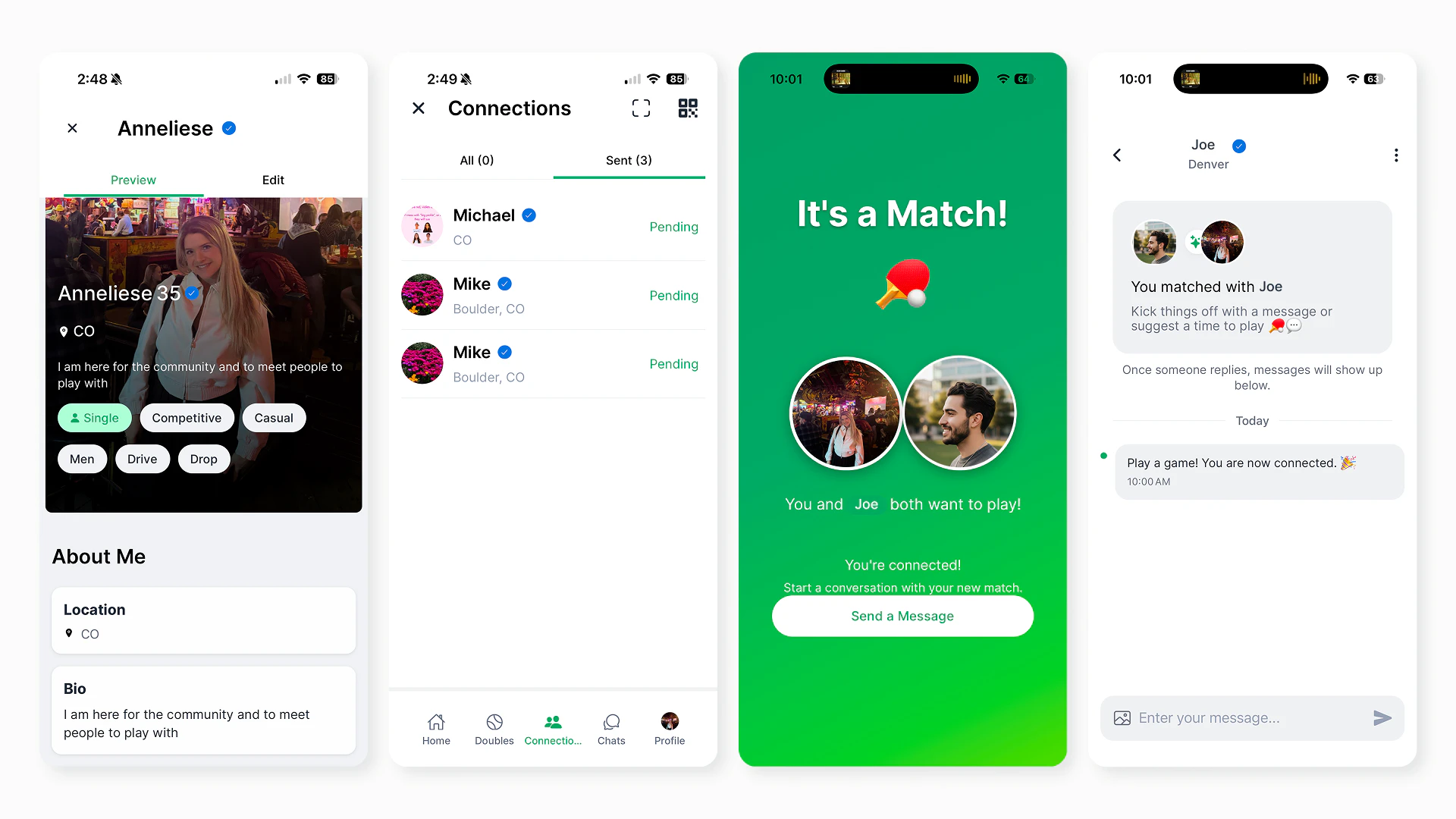
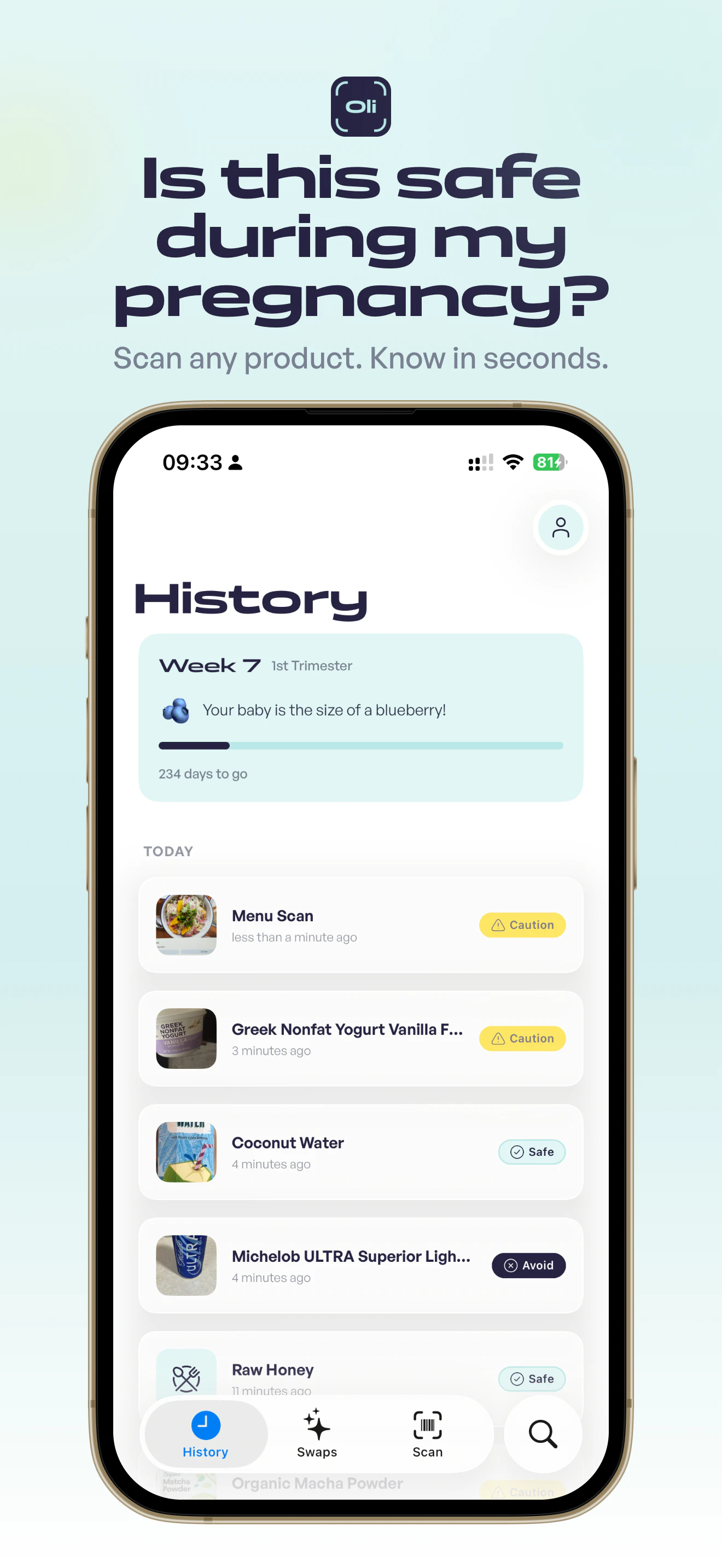
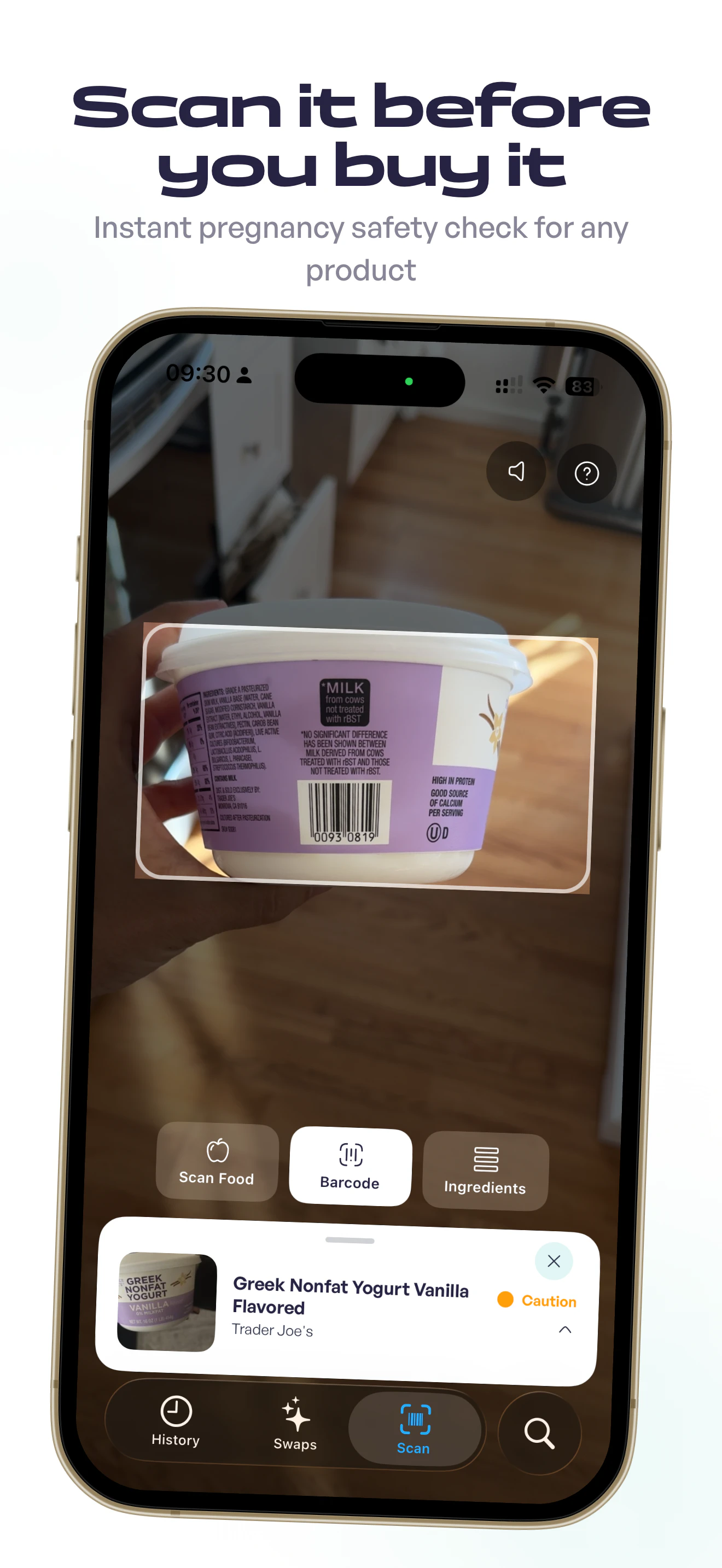
PickleMatch connects singles for pickleball dates. The app that helps you: • find people near you who also play • match based on skill level and where you play • turn that match into an actual game The first date is already planned, and it's pickleball. Time, place, and even doubles partners can be coordinated in the app. We launched in October on iOS and Android. Today we have 700+ active profiles, 1,500 people on the waitlist. People are already meeting every week.

After getting out of a nearly decade-long relationship, I got on the apps and burned out fast. It was admin, forced small talk, and first dates that felt like interviews.

Then I found a simple workaround.

I had recently gotten into pickleball, so started only swiping on people who played. It gave me an easy opener. "Want to play sometime?"

It worked. I skipped the small talk and started going on actually enjoyable dates.

Most dating apps solve for the match, then dump you in a chat with a complete stranger. PickleMatch solves for meeting IRL. Your first date is sorted, and it's pickleball. It's social, fun, and affordable. You do not have to carry the conversation the whole time. The activity does that for you.

Since launching in October, the app has taken off. We have 700+ active users organising pickleball dates every weekend and have been featured on Yahoo News, Nightline, and we were even roasted on Jimmy Kimmel.

12
回复

@anneliese Congrats on the launch!! Quick question - will single friends of mine be able to match with players in other states if they're open to exploring beyond their local region?

0
回复

Amazing concept! Other dating apps really need to catch up.

2
回复

@lak7 ahh you're too kind!! We're pretty excited about the early success stories :)

1
回复

I think if more apps (dating ones) were including common sports activities, it would be pretty cool because:

  1. at least one hobby you have in common

  2. you are doing something good for your body/health

  3. you can see the reaction of the other side when loses the match, so you can see the behaviour in his/her pure nature (I know some people who take defeat tragically. :D)

Also, love how you found parallel between sport and copywriting "Match"

2
回复

@busmark_w_nika Yess!! I totally agree, especially with point number 3. There's a lot of research about what builds trust, and one of the biggest factors is repeated interaction over time. That's why hobbies make great foundations for new relationships :)

0
回复

Fascinating approach. I'm not single, but if I was I would much rather consider partners I already have something in common with. And as a Pickleball junkie, we might agree that it can become a little more than a "something."

Also, what a great first date.

1
回复

@caseycapshaw 100% and, we also have a feature where you can do on a "double date" with someone you're paired with for those that already have significant others!

0
回复

This is super cool! and great to see AdRoll alumni building awesome things..!

1
回复

@plc yesss! the sun never sets on the AdRoll empire ;) !

0
回复

Good luck!

1
回复

@dmitry_zakharov_ai thanks so much Dmitry - love this PH community. everyone is so supportive!

0
回复

This is great fun! I am unfortunately very happily married, so I'd love to see a non-dating focus in the future too :) Maybe a couples pickleball to meet friends and get fit too?

1
回复

@nick_bull1 100% We actually do have a "doubles" feature where you and the person you match with can list yourselves together to match with other teams to play doubles with!

0
回复

Congrats on the launch!

A few questions:
- Can non-single but ready to pickleball mingle players join?
- Is it all-levels friendly or more geared to competitive players?
- Is it live in Denver and/or NYC?

1
回复

@nseldeib thanks so much Nadia, I have so much love for the PH community

  • It's definitely open to any/all interests and orientations. there are folks on there that are married and just looking for new doubles partners or tournament partners. You can indicate your relationship status and interests on your profile.

  • All-levels friendly. 15% of the people who come to our events have never played before!

  • Our original launch markets are CO and LA, but we've now expanded to soft-launch nationwide!

1
回复

Such an awesome product! Y'all are nailing the pickleball scene, Would love to see this expand into more of a general "hobby match" app to help people make more connections through activities! Like SweatPals but better

1
回复

@ravi_bhankharia YESS!!! 100% that is also my long-term vision.... gotta say MahjongMatch has a kinda ring to it ;)

0
回复

Congrats on the launch! This is hilarious and honestly kind of genius. Taking the pressure off first dates by making it an activity is so smart. 700 active profiles already is solid. The landing page could use a bit more about how the matching actually works, the app sounds great but the site doesn't really sell it yet. Do you match based on skill level or is it more of a vibes thing?

1
回复

@dan16 Thank you Daniel!! And great feedback on improving clarity on the website.

Matches are based on a number of filters (location, age, skill and interests). From there users see a feed of all the nearby players who fit their preferences.

Unlike other dating apps, we don't gate-keep matches. You can see everyone who wants to match with you and everyone who matches your preferences

0
回复

Congrats on the launch! Two qs:
1) Can it be used for regular pickleball matches too? Not sure if it'll be a common ask, but I imagine people who just want to play might download the app. People who are already married, like me :)
2)I like the intentional geo rollout. BUT, i have a challenge... Launch internationally! You might get surprised with traction in places you never imagined?!

1
回复

@pedro_branco3 thanks so much Pedro!

  • It's definitely open to people looking to just play pickleball and seeking new doubles or tournament partners. You can indicate your relationship status and interests on your profile :)

  • I'm down!! How's the pickleball scene in Brazil??

0
回复
Interesting approach to what is a challenging market, in more ways than one! Big fan of combining dating with physical activity, but then again my partner and I are both very active so I may be biased!
1
回复

@dr_simon_wallace I quite agree, but as I'm criminally addicted to pickleball, I too am biased lol. That being said, there's strong research about how one of the key ingredients to building trust is repeat interactions over time and hobbies/activities are a great organic way to build that.

0
回复

Hey @anneliese, congratulations on the PickleMatch launch!

The idea is smart. You plan the first date around pickleball. This takes away the pressure of what should we do?

I read your app description. One line is punchy: Skip the endless chatting, meet IRL on the court.

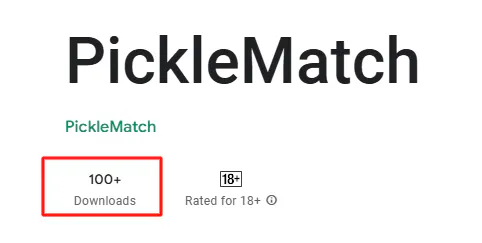
Many people are tired of texting for weeks and never meeting. One small thing I noticed. Your description says 700+ active profiles & 1,500 people on the waitlist. These are good numbers.

But it also says “100+ downloads” on the Play Store. There is a big difference between these numbers. A new user might feel confused. They may think: “If so many people are on the waitlist, why are downloads so low?”


I attached two screenshots to show what I mean.


I am curious.... how are you thinking about this? Is the waitlist mostly from iOS users? Or is something else happening?


1
回复

@taimur_haider1 ahh great question - we have 800+ users, but not everyone on the waitlist has downloaded because we aren't live outside of the US yet and have slowly been launching new cities in the US.

0
回复

Correct me if I am wrong but the matching logic will be similar to other dating apps and instead of meeting at cafe we meet at Pickle ball? is this correct or we have a completely new logic for matching?

1
回复

@nayan_surya98 There are slight differences in the matching logic because there are considerations like skill level, preferred courts, and interests that make a difference in the success of a match.

But, overall, we are most interested in matching people that both have intention to meet up to play pickleball, so we try to match users who are active / responsive.

0
回复

Gj Anneliese! Have a nice launch

1
回复

@matvey_veretennikov thank you Matvey <3 !! Let me know if you have any feedback!

0
回复

Great idea Anneliese! Couple questions:
- I'm a tennis player OG who likes pickle (and other racket sports). Is it pickle specific or might you open it up to other racket sports (like Padel that is exploding right now)?
- Are you working in deals with Pickle establishments to get deals on courts, etc from within the app?

0
回复

Some dating apps are optimized for conversation volume, which sounds good until you realize it's the opposite of what people actually want. More matches, more chat, less meeting. The incentive structure quietly works against the user.

What's interesting about Picklr is the inversion. Collapsing the gap between match and meeting isn't just a UX choice; it's a different philosophy about what the product is actually for. Chemistry discovered in motion beats chemistry performed in chat bubbles, and that insight is doing a lot of work underneath the surface.

The longer play here might not even be pickleball. It's owning the activity of first dating as a category before anyone else names it. The sport is the wedge. The real product is a coordination system where real world interaction is the default, not the reward.

That framing is a much bigger story than a niche dating app for pickleball players.

How you're thinking about expanding beyond a single sport without losing the simplicity that makes this click.

0
回复

@anneliese the world is so fed up with old-school dating apps, and it feels so good to see people notice and act on it. Thank you for taking a real step to re-ground our world in the sort of activities that form real relationships. :)

0
回复
#12
Universal CLI by Composio
Connect AI agents to 1000+ apps directly from your terminal
142
一句话介绍:一款为AI智能体提供统一命令行接口的工具,让开发者能在终端直接连接超过1000个应用,解决了在多工具集成时面临的认证、权限管理和接口碎片化等工程痛点。
Developer Tools Artificial Intelligence GitHub
AI智能体工具集成 命令行界面 统一API层 认证与权限管理 开发者工具 MCP与CLI融合 终端工作流 自动化运维 生产级Agent部署 OAuth抽象层
用户评论摘要:用户普遍认可其统一接口的价值,尤其赞赏其抽象的OAuth管理和权限控制。主要问题集中在团队协作的权限粒度、错误处理机制、与现有工具(如Rube)的对比,以及长期运行下的凭证刷新可靠性。部分用户认为其核心价值在于解决“集成地狱”,而非单纯提供大量工具。
AI 锐评

Universal CLI的发布,远非一个简单的命令行工具上线,而是一次对AI智能体工具生态“接口战争”的精准卡位。它聪明地避开了“MCP vs CLI”的无谓站队,转而提出“底层统一,接口适配”的务实哲学。这本质上是一次降维打击:将智能体开发中最肮脏、最易碎的“脏活”——即跨服务的OAuth流程、令牌生命周期、权限范围和凭证安全——封装成一个统一的、托管式的执行层。

产品的真正野心,在评论中已被点破:旨在成为“智能体领域的Stripe”。正如Stripe抽象了支付复杂性,Composio试图抽象掉智能体与真实世界交互的复杂性。其CLI界面只是一个分发策略,核心是抢占“执行层”的生态位。用户欢呼的“一键连接”背后,是团队对生产环境中智能体悄然崩溃(如令牌深夜过期)这一痼疾的解决方案。它卖的不是工具数量,而是可靠性。

然而,光环之下暗藏考验。首先,它将所有认证风险与单点故障集中于自身平台,其安全性与可靠性将成为生命线。其次,评论中关于错误表面化和团队权限的追问,直指其从“好用工具”迈向“企业级基础设施”的关键门槛。它能否提供足够精细的管控和透明的可观测性,将决定其能否从个人开发者的“利器”成长为团队协作的“支柱”。最终,这场竞争胜负不在于支持的工具数量,而在于谁能更稳健、更安全地承载那些真正创造商业价值的自主化工作流。

查看原始信息
Universal CLI by Composio
There’s a lot of debate right now around how agents should use tools: MCP vs. CLI. We don’t think there’s one right answer. Universal CLI by Composio gives you a single interface to connect agents to tools, whether you're working with MCP, APIs, or both. Same underlying system. Just another way to access it.
Hello PH 👋🏼 I'm back with a banger launch. There's a debate happening on Twitter right now: MCP vs CLI. Everyone's picking sides. We're here to settle it: the answer is both. Stoked to announce Universal CLI by Composio today. Your agents can get access to 1000+ tools instantly with one command in your terminal. Same Composio ecosystem you know, new interface for where a lot of you are actually building. The wave is here. We're riding it 🏄 If you have any questions/feedback, me and my team will be hanging out in comments. Let's chat. GO TEAM CLI 🚀
7
回复

@5harath This is really useful, congratulations on the launch!

0
回复

Hey PH community. Soham, co-founder at Composio.

We're taking a side today: we go where our users are.


And right now, a big chunk of them are in the terminal. Claude Code users. Agent builders running scripts. Teams with CI/CD pipelines. They've been asking for this.


MCP is a protocol. CLI is an interface. They solve different problems at different layers and we support both. But the timing for CLI is right, and we're not going to sit on the sidelines while the ecosystem moves.

Announcing Universal CLI by Composio

                 curl -fsSL https://composio.dev/install | bash


With this one command your agent get to access:
- 1000+ tools
- managed auth
- scoped permissions 


All from your terminal.


If you're already on Composio via MCP, this is additive. Use whatever fits your environment.


Building something with it? Drop it below — happy to go deep.


Got any feedback? Let us know what you think in comments below.

5
回复

@soham_ganatra3 For teams scoping permissions across multiple devs, how granular does the auth get? Can you lock it to specific tools/actions per env/user without boilerplate?

2
回复

This seems very helpful for solo developers. How do teams collaborate using this system?

3
回复

The MCP vs CLI take is spot on. I've been going back and forth on which approach to use for my agent workflows and honestly it shouldn't matter that much. One interface for both is the right call.

How's the OAuth handling work in practice? That's always the part where things get messy when you're connecting to like 10 different services.

2
回复

@mihir_kanzariya 

Appreciate it Mihir! DevRel from Composio here!

And yeah, the OAuth piece is actually where Composio shines the most IMO. In practice, you don't manage OAuth flows yourself at all.

When you try to execute a tool and the account isn't connected yet, the CLI just tells you. Then you run `composio link ` — it opens a browser-based auth flow, handles the token exchange, and stores the credentials on Composio's side.

After that, every tool call for that service is automatically authenticated.

So for 10 services, it's literally just `composio link github`, `composio link gmail`, `composio link slack`, etc. — one-time setup per service.

From that point on, whether you're using `composio execute`, scripting with `composio run`, or even hitting raw API endpoints via `composio proxy`, auth is handled for you. No token refresh logic, no credential management in your codebase.

The key thing is Composio manages the auth layer - your agent just calls tools.

It never sees tokens or deals with OAuth scopes directly. That's the same whether you're coming in through the CLI or through Rube/MCP.

Hope that makes sense

0
回复

Congrats on the launch! I'm a big fan of composio, I've been using @Rube by Composio for almost all my agents. I see that we can also install Composio natively into other agents aside from the CLI as well. How does the new launch and those other methods compare to Rube? Which do your recommend?

2
回复

@gabe Hey Gabe! I work on the DevRel side at Composio so happy to clarify this.

Short answer: if you love Rube, keep using it! We still love MCP.

The CLI just brings that same tooling to the command line. So if you're using Claude Code, Cursor, Codex, or any AI agent in your terminal, the CLI makes them way more powerful by giving them access to all 1000+ Composio tools right where they already work.

Think of it as: Rube brings Composio to your apps, the CLI brings Composio to your terminal.

Same tools, just meeting you wherever you are.

Let me know if that makes sense!

2
回复

Soham's framing on this is right — MCP vs CLI is a false dichotomy. They operate at different layers and which you use depends on your runtime environment, not a philosophical stance. What I find compelling here is that the auth abstraction (managed OAuth, token refresh, scoped permissions) is the actual hard problem being solved. Any team that's connected agents to 5+ services knows the OAuth hell that follows. The unified credential layer is the moat, not the CLI itself. One thing I'd push on: error surface. When a tool call fails mid-workflow at 2am because a token silently expired or a permission scope changed, how does your system surface that in a way an agent can understand and recover from? That's the operational gap that kills autonomous workflows in practice.

1
回复

W demo video guys

Been using the Composio CLI inside Claude Code to connect Notion, Slack, Gmail, and GitHub recently. It's a massive unlock as a solopreneur.

One-click OAuth for all of them, no more context switching between apps.

Multi-Claude'ing + CLI is all you need

1
回复

The MCP vs CLI thing is genuinely annoying to navigate as someone who runs a bunch of terminal-based agents. I keep hitting cases where one tool works great over MCP but another only has a CLI wrapper. Having a unified interface that handles both underneath makes a lot of sense. Curious how you handle auth token refresh for long-running agents - that’s usually where things break silently.

1
回复

@mykola_kondratiuk  Hi Mykola,

DevRel from Composio here.

This is the exact pain point that made makes Composio perfect for agent workflows.

On the auth refresh question — Composio manages the entire token lifecycle on their side. When you connect a service via `composio link`, the OAuth tokens are stored and refreshed by Composio, not your agent.

So your agent just calls `composio execute GMAIL_SEND_EMAIL` or whatever, and Composio handles whether that token needs a refresh before the call goes through. Your agent never touches tokens directly.

That's the key difference from rolling your own integrations — there's no silent breakage at 3am because a Google token expired and your refresh logic had an edge case. Composio sits in between as the auth layer.

And on the unified interface point, that's exactly right.

It's the same auth, same tool library, same permissions whether you're coming in through MCP (Rube) or the Composio CLI.

We designed it to fit the interface that fits your environment, so we can support as many devs as possible.

Hope that makes sense!

Shawn

1
回复

Landon


The default in agent tooling is to treat intelligence and capability as someone else's problem to connect. Composio collapses that gap, and what disappears in the process is worth naming clearly.

Auth, permissions, reliability, these aren't glamorous problems, but they're where most agent workflows quietly break in production. Abstracting that friction layer is the real unlock, not the volume of tools available on top of it.

The CLI move reads less like a feature and more like a distribution decision. Meeting builders where execution already happens rather than where demos live is a different kind of product thinking, and it signals where the real positioning sits.

Stripe for agent actions is the framing that sticks. Not an integrations provider, but the execution layer agents run on by default. That's a category claim, and it's a defensible one if the reliability holds.

Curious whether the long term wedge is owning execution or becoming the default interface between agents and the real world entirely.

0
回复
A lot of teams worry about security boundaries with agents: where do credentials live, how are scopes enforced, and what audit/logging exists. How does the Universal CLI handle least-privilege and credential lifecycle in practice, especially for multi-user teams and headless/CI environments?
0
回复
#13
Google Gemini Memory Import
Switch to Gemini without losing your AI memories
133
一句话介绍:Google Gemini推出记忆与聊天历史导入功能,解决了用户在切换不同AI助手时丢失个人化设置、对话历史和上下文连贯性的核心痛点,实现无缝迁移。
Artificial Intelligence Tech Tech news
AI助手迁移 数据可移植性 用户记忆导入 聊天历史同步 个性化AI 上下文连续性 AI工具切换 Google Gemini 数据所有权 工作流整合
用户评论摘要:评论普遍认为该功能解决了AI工具切换时“重置感”的核心痛点,是实现AI数据可移植性和用户所有权的重要一步。有效评论主要肯定其降低迁移成本、保持个性化体验的价值,未提出具体问题或建议。
AI 锐评

Google Gemini Memory Import 看似是一个便捷的迁移工具,实则是一次精准的生态卡位战。其真正价值不在于技术上的突破(ZIP导入、数据解析并无太高壁垒),而在于战略上对“用户AI记忆”这一核心资产的争夺。

在AI助手功能日趋同质化的当下,用户的个性化记忆、对话历史和偏好设置,已成为构建竞争壁垒最深的“护城河”。它锁定了用户的切换成本。Google此举,本质是发动了一场“侧翼进攻”:通过承诺“无损迁移”,直接瓦解竞争对手(如ChatGPT)通过长期互动积累的用户粘性。它向市场传递的信号是:你的AI记忆不属于任何单一平台,而应跟随你自由流动——前提是,流向我的生态。

然而,这一“开放”姿态背后,是更深层次的绑定。将记忆导入Gemini后,这些数据将与Gmail、Photos等谷歌服务深度集成,形成更庞大的用户画像和更封闭的体验循环。这并非简单的数据可移植性胜利,而是将用户从对手的“小花园”迁移到自家“大陆”的高明策略。其风险在于,若导入体验存在折损(如记忆结构化丢失),或后续的个性化响应未达预期,用户感知将迅速从“解放”变为“另一种锁定”。此举能否成功,不取决于导入功能本身,而取决于Gemini在导入后,能否真正提供显著优于原平台的、更具深度的个性化智能。否则,它只是一个精巧的入口,而非值得停留的家园。

查看原始信息
Google Gemini Memory Import
The Gemini app just made it easier to switch from another AI chat app, without starting from scratch. Google Gemini now lets you import memories, preferences, and full chat history from other AI apps, so you can switch without losing context. Skip the reset, keep continuity, and get personalized responses instantly across your workflows.

Google Gemini just made switching AI assistants frictionless.


Switching AI tools usually means losing all your context, past chats, and personalization, making the experience feel “reset.” Google @Gemini is introducing memory + chat history import, solving exactly this.

What it does: Instead of manual setup, Gemini automates onboarding by pulling structured memory + past conversations into one place. Lets you import your preferences, personal context, and even full chat history from other AI apps directly into Gemini.

Key features:

  • Memory import (preferences, relationships, context)

  • Chat history import via ZIP upload

  • Search + continue past conversations

  • Deep integration with Gmail, Photos, Search (for richer context)

Benefits:

  • Switching from another AI assistant without losing context

  • More personalized responses instantly

  • Continuity across tools and workflows

This is a good step toward AI portability + ownership of your context.

Check it out here: https://gemini.google/import-memory/

2
回复
#14
Oli
Scan any product to know it's safe during pregnancy
121
一句话介绍:Oli是一款孕期安全扫描APP,通过扫描条形码、搜索名称或拍摄成分标签,为孕妇提供即时、个性化的产品安全评级,解决了孕期女性在选购食品、护肤品等日常用品时信息过载与选择焦虑的痛点。
iOS Health & Fitness Artificial Intelligence
孕期健康 AI安全扫描 消费品安全 成分分析 孕妇工具 健康科技 决策引擎 移动应用 个性化推荐 女性科技
用户评论摘要:用户肯定其解决“信息焦虑”的核心价值,并提出关键问题:AI决策的责任归属与信任建立、数据源冲突处理、全球适用性与数据覆盖、识别准确率,以及向更广泛安全工具扩展的可能性。建议建立独立官网以助推广。
AI 锐评

Oli表面上是一款垂直的孕期工具,但其真正锋芒在于它试图成为消费时代的“决策层”。它不生产信息,而是压缩信息——将纷繁复杂、甚至相互矛盾的安全指南,压缩成一个简单的三元指令(安全/谨慎/避免)。这种从“搜索引擎”到“决策引擎”的范式转变,才是其颠覆性所在。

产品巧妙地选择了孕期这个切口。孕期是一个高敏感、高焦虑、高付费意愿的“完美”试验场:用户决策压力大,传统信息检索成本极高,且容错率极低。这迫使产品必须在“信任构建”上做到极致。然而,这恰恰是其最大的阿喀琉斯之踵。评论中关于责任归属与数据源冲突的质问直指核心:当AI承担了本应由专业医疗人员提供的判断时,其背后的伦理、法律与信任框架远未建立。仅靠引用FDA、NHS等信源作为“脚注”是远远不够的,信任必须内嵌于整个体验与责任闭环中。

其技术架构(Claude API + 开放数据库)是一把双刃剑。它实现了快速启动与广泛覆盖,但也带来了准确性的“长尾风险”和决策的“黑箱”疑虑。对于孕期场景,过度谨慎或许是安全策略,但这会损害用户体验;而一旦出现误判,后果不堪设想。创始人回应中“沟通不一致性”的做法是诚实的,但并未从根本上解决问题。

长远看,Oli的价值锚点不应局限于孕期。评论中一针见血地指出,这是“日常消费实时安全层”的早期形态。孕期只是这个需求最尖锐的体现。若能跨越信任与技术的高门槛,其想象空间将扩展至过敏原识别、儿童安全、宗教饮食规定等更广阔的“安全决策”市场。但在此之前,它必须首先在孕期这个最严苛的考场中,交出关于准确性、责任与绝对信任的满分答卷。

查看原始信息
Oli
Oli is a pregnancy safety scanner. Scan a barcode, search by name, or photograph an ingredient label — get a clear answer in seconds: safe, caution, or avoid. Personalized to your trimester. Works on food, skincare, cleaning products, supplements, and more. Powered by AI informed by FDA, NHS, and OB-GYN research. Free to try, no credit card needed. iPhone only (Android coming soon).
Hey Product Hunt! 👋 I built Oli because my wife and I got tired of the "is this safe during pregnancy?" Google spiral. You search one ingredient, get 10 conflicting answers, and end up more anxious than when you started. Oli gives you one clear answer — safe, caution, or avoid — for every ingredient, personalized to your trimester. The thing I'm most proud of: it works on everything, not just food. Skincare, cleaning products, supplements, hair care. My wife's favorite moment was when she scanned her face cream and discovered it had retinol — something she had no idea to avoid. The tech: Expo (React Native), Supabase, Claude API for safety classification, and data from Open Food Facts + FDA. Would love your feedback — especially from anyone who's been through this. What did I miss? What would make this more useful? — Felipe
5
回复

@pipe_abello One of the most useful apps these days at PH. Congrats! Any plans to port it to other platforms?

2
回复

@pipe_abello I hope we soon get an android version too!

0
回复

@pipe_abello Brilliant reason to build something and brilliant idea.

0
回复

The problem you're solving isn't lack of information; it's the anxiety loop that comes from too much of it pulling in different directions. That's a harder thing to name and a more valuable thing to fix.

What stands out isn't the scanner. It's the compression of uncertainty into a single trusted decision. Shifting from search engine to decision engine is a different product category entirely, and it carries a much bigger story than a pregnancy app.

Because this doesn't feel like a pregnancy tool. It feels like the earliest version of a real time safety layer for everyday consumption. Pregnancy is just the sharpest, highest stakes edge of a need that extends a lot further.

That's also why the trust model decides everything. Citing sources helps, but when someone outsources judgment at a moment that loaded, the trust has to be built into the experience itself, not just footnoted.

How are you thinking about making that visible?

0
回复

Good idea. Question on accountability though. The answer comes from Claude as you mention. If by any chance it makes a mistake and a pregnant woman gets some health/pregnancy issue, who is to blaim? Or is there some banner/disclaimer that you use on your own risk or something like that?

0
回复

Congrats on the launch! This is such a good idea. We built something similar for food with Biteme (AI scanning for calories) so I know how tricky getting the recognition right is. Love that it's personalized by trimester. One thought, a landing page or website outside the App Store would probably help a lot with SEO and conversions. Right now the only link goes straight to the App Store which can lose people who want to learn more first. Are you planning to expand beyond pregnancy into general food safety?

0
回复

the barcode scanning is smart - navigating ingredient lists during pregnancy is genuinely overwhelming. curious how accurate the AI gets with edge cases where research is still evolving? seems like the kind of thing where being overly cautious is probably the right call.

0
回复

Congrats on the launch

I was wondering what type of barcodes would work? and can it work globally?
if so, how do you make sure you get the data for most products

0
回复

@ahmad_bassime hi Ahmad, Oli works globally, we are actively building our own database with barcodes from many countries. Also our AI is capable of identifying ingredients from a picture so we also use that in our analysis!

0
回复

Congrats on the launch!

@pipe_abello how do you handle cases where FDA and NHS actually disagree on the same ingredient?

0
回复

@pipe_abello @denious hi Denis! This is a great question; we communicate that to the user. We also have been identifying the ones that the FDA doesn’t have a posture on, in general herbal or supplements (arnica for example), and we haven’t found other sources yet to be able to confidently say if it’s safe or not to use. So we communicate that, but I’d love to be able to have an opinion. Ideas?

1
回复
#15
Supapin
Scans your site to create pins + SEO‑optimized descriptions
117
一句话介绍:一款通过自动扫描网站内容、生成专业Pin图并撰写SEO描述,实现Pinterest全流程自动发布的工具,为内容创作者和电商卖家解决了手动运营耗时耗力的核心痛点。
Social Media SEO Marketing automation
Pinterest自动化 社交媒体管理 内容营销 SEO优化 AI设计 博客推广 电商引流 流量增长 SaaS 效率工具
用户评论摘要:用户肯定其节省时间的核心价值,对自动匹配画板功能表示赞赏。主要建议包括:在官网更早展示Pin样式预览以降低使用门槛;关注长期实际引流效果;询问API集成和更灵活调度功能。开发者积极回应了反馈。
AI 锐评

Supapin看似是又一款社交媒体自动化工具,但其真正的锋芒在于对Pinterest流量逻辑的精准手术式切入。它没有停留在简单的“发布调度”表层,而是直击“内容资产复利化”这一深层需求——将网站既有的、可能沉寂的内容库,自动转化为Pinterest这个视觉搜索引擎持续抓取的“索引入口”。其价值不在于生产了多少张Pin,而在于以近乎零边际成本的方式,为每一条存量内容增加了被发现的“概率表面积”。

然而,其面临的挑战同样尖锐。首先,工具的效率与平台生态规则存在固有张力。批量生成的内容如何在Pinterest的推荐算法中保持竞争力,避免被判定为低质量或重复内容,是悬而未决的考验。评论中关于“实际引流效果”的质疑,正点中了自动化营销工具最脆弱的“阿喀琉斯之踵”:它保障了输出量,却无法担保结果。其次,其“全自动”的卖点与用户对品牌调性控制的诉求存在潜在矛盾。虽然提供了手动编辑选项,但核心价值主张是解放人力,这可能导致品牌输出在“自动化”与“个性化”之间失衡。

本质上,Supapin是一场精明的赌注:赌的是Pinterest作为流量渠道的长期价值,以及“规模优先,优化后置”的运营策略在当前阶段的可行性。它最适合的客户并非追求每一Pin都精致打磨的品牌,而是拥有大量内容库存、急需冷启动或放大长尾流量的务实型玩家。它的未来,取决于能否从“自动化工厂”进化成“智能优化引擎”,用数据证明其产生的Pin不仅是多了,而且是更“准”了。

查看原始信息
Supapin
Supapin scans your site, creates professional pin designs, writes SEO-optimized descriptions, and publishes to Pinterest automatically. More pins, more traffic. All on autopilot.

Hello Hunters! 👋

Today I'm excited to introduce Supapin.
A tool my brother (@campvictors) and I have been building to solve a problem we kept running into: Pinterest is one of the best sources of organic traffic, but creating and publishing pins consistently is painfully manual and time-consuming.

Supapin automates the entire Pinterest workflow.
It scans your website, generates professional pin designs using your content, writes SEO-optimized descriptions, and publishes them to Pinterest on autopilot. 📌🤖

We built this for bloggers, e-commerce store owners, and marketers who know Pinterest drives traffic but don't have the time to manage it manually every day.

We're offering 50% OFF for 3 months for the PH community. Use code PH50 at checkout.

I'd love to hear your feedback and how you're currently handling Pinterest.
Thanks for checking it out! 😊

7
回复

@campvictors  @camposped Supapin seems like a powerful way to automate Pinterest growth!

I tried exploring the site and was curious do first-time users immediately know which step to take to see value quickly?

Love how many features are packed in would be interesting to hear how you guide new users through the experience

1
回复

@campvictors  @camposped 

Nice!! Congrats, guys 👏🏼

0
回复

@campvictors  @camposped This is super clever and will save so much time for anyone using Pinterest. Just gave it an upvote and can’t wait to try automating my pin workflow with Supapin.

0
回复

Congratulations on the Supapin launch, @camposped & @campvictors! Good product... you scan a website and it automatically turns everything into pins. This kind of automation saves time.


I like this line in your testimonials: “Set it up on Monday, had 200 pins scheduled by Tuesday.” That line is very strong. It makes people stop and pay attention.


One small thing I noticed. Your homepage says “up and running in 3 minutes.” It shows a 4-step process.

Step 1 is clear: “Paste your website URL.”


But Step 2 says “Pick your pin style.”


There is no picture or example of what the pin styles look like. A new user might feel confused. They may wonder: “What am I choosing?” before they start.


I attached a screenshot to show what I mean.


I am curious... have you tried showing pictures of the pin styles earlier? This might help people decide faster.

Thanks!

3
回复

@camposped  @campvictors  @taimur_haider1  Great feedback on the pin style previews. That's the kind of thing that seems small but makes a huge difference for new users trying to decide.

2
回复

@taimur_haider1 @dan16 Thanks so much for the detailed feedback, really appreciate it!

What actually happens in that step is that we show a live preview of the pin designs using your website's own branding. So by the time you're choosing a style, you're already seeing how your actual pins would look.

It's one of those things that makes more sense once you're inside the flow, but you've given us a good nudge to make that clearer on the homepage itself. We'll work on showing that preview experience earlier.

Thanks again!

0
回复

sounds very interesting @camposped ! Let me know if you are planning to run any discounts. I run a bunch of blogs and would love to try out supapin. I have never really paid attention to pinterest as a channel so far.

3
回复

Hi@ambikaiyer29 !

Yes! We are offering a 50% OFF discount for our launch today.

You can use PH50 at checkout to get the discount.

Please let me know what you think of our tool and if you need any help.

3
回复

Congrats on the launch Pedro! Amazing product

3
回复

Thanks, @glauberramos !

Glad you liked our tool 😊

1
回复

I loved it @camposped , congrats on the launch!

2
回复

Congrats on the launch!

Supapin looks great, planning to use it.

Is there a way to schedule the creation? If not, is there a plan/timeline on when this would be available?

Cheers!

2
回复

@sudoferraz appreciate the comment!

The initial pins are created in the initial setup and scheduled for the month. Then, next month, when your credits renew, we email you a new batch of generated pins for you to approve.

You can also modify the content and the design of each one individually in the editor.

We’re soon adding an option to run it fully on autopilot so it creates, schedule and publish pins without you even have to access our app 😁

1
回复

Thanks @sudoferraz !
Yes, scheduling is already built in. You set how many pins you want published per day (we recommend 3–5), and Supapin automatically creates and publishes them on a rolling schedule. Once you connect your website and Pinterest account, it runs on its own every day.

Give it a try and let me know if you have any questions! 😁

1
回复

Automating creation is one part. The harder part is usually whether those pins actually get picked up and drive anything back. How this holds up once it’s running for a while, not just in terms of output but what kind of traffic it actually brings.

1
回复

Fair point, @arun_tamang. Pinterest still needs to do its job. What we see so far is that consistency is the biggest factor: accounts that pin daily for 2-3 months are the ones that start seeing real traffic. Supapin handles the boring part, Pinterest does the rest 🤞

1
回复

Congrats on the launch! Pinterest is so underrated for traffic. The auto board matching is what got me, that's usually the most annoying part. How accurate is it after a few hundred pins?

1
回复

Thanks @dan16 ! 👊🏻
I completely agree. Pinterest is one of the most underrated traffic channels out there.

Regarding accuracy, board matching uses page content (title, description, main text) to find the best match among your existing boards. It's accurate most of the time. But even so, you have full control to reassign before publishing. The more descriptive your board names are, the more accurate the match will be.

There's also the option to generate AI-generated boards with better names and descriptions for your website.

1
回复

Congrats on the Launch Pedro!

Do you plan on adding an API for it in the future? I was thinking I could use my OpenClaw instance (or Claude Code) to operate it for me in the future, this will make it really easy to do :)

It would be awesome to ask it "What are the upcoming pins for this week" and have it from there.

1
回复

Interesting idea, how do you handle sites with lots of different products/pages without the generated pins feeling too repetitive?

1
回复

@cosmin1907 thanks for the comment!

We allow the user to select which pages he wants pins generated for, how many of those pages you want to repeat pins for and set other rules for scheduling.

Also, the user can manually modify, reject or aprove each pin before scheduling it for publishing.

Or run it on autopilot 😊

2
回复

Pinterest has always had an unusual ROI problem. The returns are real, but the consistency required to capture them kills momentum for almost every team that tries. Supapin goes after that specific failure point, and the approach is smarter than Pinterest automation makes it sound.

The shift worth naming is this: treating Pinterest as a compounding distribution channel rather than a design task changes what the product actually is. You're not selling pin creation. You're selling continuous surface area, more indexed visuals, more entry points, and more shots at discovery without additional effort per piece of content.

That reframes Supapin from a scheduling tool into something closer to a traffic multiplier for content that already exists. And that framing carries a lot more weight with the founder who's sitting on a library of underperforming content than automating your Pinterest does.

Curious whether the vision stays Pinterest-native or expands into a broader visual distribution layer across platforms.

0
回复
Congrats on the launch!!!
0
回复
#16
Noctiluca
A new remote desktop for macOS
108
一句话介绍:Noctiluca是一款基于自研Sirius协议的高性能远程桌面软件,专为macOS设计,解决了跨平台、跨操作系统远程访问Mac时遇到的延迟高、画质差、键位冲突等核心痛点,尤其适合需要在Linux或Windows环境下流畅使用MacOS生态的专业开发者。
Productivity Developer Tools GitHub Tech
远程桌面软件 macOS远程访问 跨平台 高性能协议 开源协议 低延迟 硬件加速 多显示器支持 开发者工具 生态系统桥接
用户评论摘要:用户反馈主要集中于:创始人因跨平台开发痛点(VNC延迟、Chrome远程桌面键位冲突)而自研,产品哲学强调“挣脱生态束缚”而非单纯“远程接入”。长远愿景是通过开源Sirius协议,成为连接封闭生态系统的桥梁,并最终实现应用流(AppStream)以彻底打破操作系统边界。
AI 锐评

Noctiluca的野心远不止于成为又一个“更好的远程桌面工具”。其真正价值在于两个层面的颠覆性尝试:在技术层,它抛弃了陈旧的VNC和复杂的RDP,基于QUIC自研Sirius协议,并优先集成macOS的硬件编解码能力,这直击了远程桌面核心的性能与画质顽疾,是务实的技术革新。

但更值得玩味的是其战略层定位。创始人的个人叙事和产品愿景揭示了一种“反向接入”哲学:其终极目标“AppStream”旨在将特定应用(如Xcode)从macOS中剥离、流式传输到其他设备,这本质上是对操作系统垄断和硬件捆绑发起的挑战。它将远程桌面从“访问工具”重新定义为“生态解耦器”。同时,将核心协议开源,意图使Sirius成为跨苹果、Linux、Windows等封闭花园的“公共桥梁”,这步棋若能成功,将使其从单一产品跃升为事实标准的基础设施。

然而,其风险同样显著。宏伟的“破壁”愿景依赖尚在实验中的AppStream功能,且面临强大的既有生态壁垒。开源协议是构建生态的利器,但也可能使核心技术优势被快速稀释。目前它更像是一个为特定高端场景(如跨平台开发者)服务的锋利工具,能否从“俺得”走向“誰得”,成长为真正的跨生态桥梁,将取决于其开源社区的运营能力、大型科技公司的态度,以及其能否在“协议平台”与“商业产品”之间找到可持续的平衡点。

查看原始信息
Noctiluca
Noctiluca is a remote desktop server/client for macOS, built on Sirius — our custom protocol over QUIC. ⚡ HW-accelerated H.265/H.264 via VideoToolbox 🖥️ Multi-display with detachable windows 🔑 SSH key authentication 🌐 Free cross-platform clients (macOS, iOS, Windows, Linux) 🎨 Experimental HDR streaming Sirius protocol spec is open source. Client reference library (libsirius) coming this summer. https://github.com/team-unstablers/SiriusProtocol

There's a Japanese internet slang "誰得" (daretoku) — roughly meaning "who even benefits from this?" And the classic comeback is "俺得だ!" (oretoku da!) — "I do!" That's exactly how this app started. I built Noctiluca because I needed it.

I've been a Linux desktop user for nearly 15 years, mostly on KDE Plasma. After starting a small company, iOS development became a bigger part of my work, so I reluctantly bought a Mac — and reluctantly made it my main machine.

I tried everything to stay on Linux. VNC? Painfully slow on non-Mac clients. Chrome Remote Desktop? Better than VNC, but still laggy — and being browser-based, it can't grab system keys. xrdp? I actually built a predecessor to Noctiluca called '麗 ~Ulalaca~' (https://github.com/team-unstable...), but gave up due to the sheer complexity of the RDP specification.

I wanted to build something like RDP — but for Mac.

Building this app is also my journey back to Linux. My ultimate goal: plug my iPhone into my Linux laptop, have it recognized by a Mac in another room, and use Noctiluca's 'AppStream' to run just Xcode — as if it were a native Linux app.

There's also a deeply personal motivation behind this app and the Sirius protocol. Someone very dear to me, who is no longer with us, first taught me programming through Perl. He loved Linux and open-source software. When the time is right, I plan to open-source the Qt-based Linux/Windows Noctiluca Navigator and libsirius. I want to see my software officially packaged in Debian/Ubuntu distributions — and show that to him, wherever he is.

Thank you.

0
回复

The framing that keeps standing out is independence over access. Remote desktop tools optimize for getting in. Sirius optimizes for getting out, and that's a fundamentally different product philosophy hiding inside a familiar category.

The portability angle is where it gets interesting. This stops being remote desktop for macOS the moment AppStream lands. At that point you're not competing with VNC or RDP; you're chipping away at OS boundaries entirely. That's a much larger conversation to be in.

The open protocol move is the real leverage point, though. If others build on Sirius, Noctiluca stops being a product and starts becoming the default bridge between locked ecosystems. That kind of positioning doesn't get claimed by explaining features; it gets claimed by naming the category before anyone else does.

The long term vision is Sirius as an open standard others adopt or something that stays tightly coupled to your own stack.

0
回复
Hey Gyuhwan, 15 years on Linux and then being forced onto a Mac for iOS dev sounds painful. Was there a specific day where you tried VNC or Chrome Remote Desktop, hit the lag or the missing system keys issue again, and just thought okay I need to build something better myself?
0
回复

@vouchy Hey, thank you for the comment!

At the time, Chrome Remote Desktop was actually the best option I had. It was reasonably stable and smooth. But the keybinding issue was a dealbreaker I just couldn't work around. Certain key combinations would close the browser tab or trigger a page refresh — and when you're trying to work in a remote desktop session, that's absolutely maddening.

That frustration reminded me of xrdp, which I'd used years earlier. I thought, "xrdp is open source — I can just write a plugin for it myself!" That's how the early version of 麗 ~Ulalaca~ was born.

But I eventually hit a wall — the RDP specification is incredibly complex to implement, and Microsoft had effectively abandoned RemoteFX/GFX, which was the graphics pipeline I needed. So I decided to start from scratch and design both Noctiluca and the Sirius protocol from the ground up.

Looking back, that browser keybinding issue was the spark that set everything in motion. 😄

0
回复
#17
CapCut Video Studio
Transform Ideas Into Stunning AI Videos
107
一句话介绍:一款基于画布的AI视频生产工作空间,通过集成从构思到导出的全流程AI工具,解决了多工具切换、制作门槛高的痛点,助力创作者高效产出视频内容。
Design Tools Video
AI视频生成 视频编辑 创作工作空间 一体化生产 故事板 智能脚本 画布编辑 在线工具 创作者经济 内容营销
用户评论摘要:评论数量较少,有效反馈有限。主要观点认为该产品是向“一体化AI视频生产”迈出的重要一步,整合了从构思到导出的全流程,解决了以往需要多工具切换的痛点。有用户表示因其在营销推广中的应用潜力而看好。
AI 锐评

CapCut Video Studio的发布,本质上是字节跳动对其拳头剪辑工具CapCut的一次“自我革命”,其核心价值不在于新增某个单项AI功能,而在于对传统“时间线”视频生产范式的彻底重构。

它用“无限画布”取代“线性时间线”,这绝非简单的界面改动,而是将视频创作从“剪辑思维”转向“空间设计与叙事思维”。其宣称的从“想法到导出”的一站式流程,尤其是内置AI代理构思与故事板功能,直击业余及半专业创作者最核心的痛点:启动阶段的“空白页恐惧”与叙事结构混乱。这试图将专业前期策划流程(如脚本、分镜)AI化、平民化,是比单纯生成视频片段更具野心的“创作中台”思路。

然而,其面临的挑战同样尖锐。首先,“All-in-One”工具常陷入“全能全不精”的窘境,面对专业用户的深度需求与垂直AI工具(如Sora、Pika)的生成质量,其每个模块能否保持竞争力存疑。其次,将复杂创作压缩进单一画布,可能带来界面混乱与性能负担,影响核心的编辑体验。最后,其商业模式从“免费剪辑”转向“AI算力消耗”,用户在为AI Credits付费后,能否获得与之匹配的产出效率与质量,将是留存关键。

当前107的投票数略显平淡,反映了市场对“又一款AI视频工具”的审慎态度。它的真正试金石,在于能否凭借无缝的流程整合,形成超越功能堆砌的“创作体验护城河”,从而在拥挤的AI视频赛道中,定义下一代视频生产工具的新标准。

查看原始信息
CapCut Video Studio
Video Studio is your canvas-based AI production workspace, built for creators at every level to bring great stories to life.

Hey Hunters

I am excited to hunt CapCut Video Studio 🎬

This is a timeline-free, canvas-based AI workspace that completely rethinks how videos are created on CapCut Web.

Instead of juggling tools, you can now go from idea → storyboard → generation → editing → export all in one place.

What stands out:

  • AI agent to help with ideation & scripting

  • Built-in storyboard for structuring your story

  • Powerful image & video generation (with omni reference)

  • Full editing toolkit on a single unlimited canvas

Whether you're creating short films, ads, animations, or explainers, this feels like a big step toward all-in-one AI video production.

💡 Bonus: You get free credits to try it out!

1
回复

We've been tinkering with AI videos for launches and promotions for so long, this looks very promising @saaswarrior

0
回复
#18
1DevTool
Multi-project IDE with persistent terminals and 9 dev tools
102
一句话介绍:一款集成了终端、浏览器、API客户端、数据库等九大开发工具的多项目IDE,通过统一工作空间和共享上下文,解决了开发者同时处理多个项目时窗口混乱、环境重建和上下文切换的低效痛点。
Productivity Developer Tools Artificial Intelligence
集成开发环境 多项目管理 开发工具聚合 AI编程助手 上下文持久化 终端复用 开发者生产力 工作流整合
用户评论摘要:用户普遍认可其解决多项目窗口管理混乱和上下文丢失的核心痛点。积极反馈包括:工具集成度高、AI上下文共享实用、终端持久化体验好。主要建议与问题:自动粘贴剪贴板存在bug需修复;进一步询问AI代理的上下文隔离机制与未来工具扩展计划。
AI 锐评

1DevTool 的野心并非简单做“工具的缝合怪”,其核心价值在于构建了一个**上下文感知的集成环境**。它将传统分散的终端、浏览器、数据库客户端等工具置于同一底层沙箱,实现了状态与事件的互联互通。这直接带来了两大质变:一是为开发者提供了无缝的、连续的工作流体验,将“复制粘贴日志”的调试模式升级为“所见即所得”的对话模式;二是为内置AI代理提供了真实、实时、全面的系统状态视图,从根本上解决了AI与开发者“信息不对称”的问题,使AI从基于文本猜测的“盲人顾问”转变为拥有上帝视角的“协作者”。

产品巧妙地用“项目工作空间”作为隔离单元,既保证了多任务环境的纯净,又通过“Channels”功能支持了项目内的多代理协作,在灵活性与秩序间取得了平衡。其基于tmux的终端持久化,更是直击了开发者每日重建环境的核心痒点。

然而,其真正的挑战在于“集成深度”与“工具专业性”的永恒矛盾。能否在保持轻量、流畅的同时,满足专业开发者对单个工具(如IDE、数据库客户端)的深度功能需求?这决定了它是成为一个“偶尔用用的便捷工具”,还是开发者愿意长期驻留的“主工作站”。此外,其AI功能的价值高度依赖于上下文的质量与广度,目前看来更像一个高效的“调试副驾驶”,距离其愿景中“预测性AI建议”的智能环境尚有距离。它开启了一个正确的方向,但战役才刚刚开始。

查看原始信息
1DevTool
1DevTool puts 9 dev tools — browser, API client, DB, terminal & more — in one window. Your AI agent sees exactly what you see: browser errors, API logs, DB queries. No copy-pasting context. Send logs directly to AI terminals. Orchestrate multiple agents via chat with @mentions. Terminals backed by tmux — persistent across sessions. Running 3 projects at once? Each gets its own terminal, browser tab, and AI agent — all in one persistent workspace. No lost context when switching projects.

I usually work on 5–6 projects at the same time.
Each coding session is like 2–3 projects, each project has 3–4 terminals, plus IDE, browser to check console + network, Postman, DB client…
I even organized desktops on macOS to keep things clean.
But the moment I plug/unplug an external monitor, everything explodes. Terminals jump desktops, windows stack everywhere 😵
And I also have the habit of closing everything to keep things tidy.
Next day? Rebuild the whole workspace again.
After doing that over and over, I couldn’t take it anymore — so I built 1DevTool.
1 app = 1 project workspace.
Terminal, browser, IDE, AI agent — all inside one window.
But the key point isn’t just putting tools together.
Because when everything lives in the same place, they know each other. The browser knows what page you’re on. The DB client knows what query you ran. The API client knows which request failed.
So AI already has the context — you don’t need to explain or copy logs.
You just ask.


Here are some things that already work:
🔗 Send to AI — Error in browser, DB client, or HTTP client? Click one button and AI gets the exact context: DOM, interaction logs, query logs, HTTP request. No copy-paste. Eventually AI will auto-detect errors.
✍️ Agent Input (Cmd+I) — Expandable prompt editor. Drag files, images, markdown, even edit screenshots. If you’re writing prompts in Notes/Obsidian and pasting them into the terminal, this replaces that.
💾 Terminal persistence — Powered by tmux under the hood. Close your laptop, reopen it later, sessions are still there. Layouts: 2×2 grid, vertical tabs, columns, rows, canvas.
🔁 Resume — Revisit previous AI chats visually. Combine chats from multiple AIs (Claude, Codex, etc.) into a new session. Prompt history and reusable skills included.


Other stuff included:
Markdown Reader Mode, AI completion notifications, a Kanban dashboard for all terminals (idle / running / needs review), plus Docker, DB client, HTTP client, Git, and a basic design tool — enough to avoid opening a bunch of separate apps.


You can try it free at 1devtool.com — includes 1 project + 4 terminals.
Curious: how do you manage multiple projects at the same time?

2
回复

working on three projects at once usually means chaos on my screen. A persistent workspace for each one keep things under control.

1
回复

@anil_yadav38 100%, that's exactly the problem I built this to solve. Each project keeps its own terminals, open files, layout, database connections, HTTP requests - everything. Switch away, come back, it's all exactly where you left it. Your terminals even survive app restarts. No more "wait, which tab was that in again?" chaos.

0
回复

Congrats on the launch! 🚀

what kind of tools are included right now, and do you plan to keep expanding the list?

1
回复

@julia_zakharova2 
Right now, 1DevTool includes:

  • Terminal with multi-pane grid layout and built-in AI agent support (Claude, Codex, Gemini, and others)

  • Code editor powered by Monaco (the same engine used in VS Code)

  • Built-in browser for live preview, record interactions, console, networks

  • HTTP client for API testing

  • Database client supporting 13+ engines — PostgreSQL, MySQL, MongoDB, Redis, Elasticsearch, Kafka, ClickHouse, and more

  • Git client for visual Git operations

  • Channels for multi-agent AI collaboration

  • Toolbox with 17 utilities — JSON formatter, JWT decoder, regex tester, diff viewer, Base64 tools, UUID generator, and more

And we’re definitely not stopping here.

Design tools, more AI-powered features, and testing tools are already in the pipeline.

The vision:

Make it the only window you need open while coding and you can Send to AI from everywhere

0
回复

@khoa_nvkCongrats on the launch)

How does the AI handle context across multiple projects simultaneously — does each get isolated memory or is it one shared context?

1
回复

@denious Thanks Denis! Each project gets its own fully isolated workspace - separate terminals, files, environment variables, and AI sessions. So if you're running Claude in Project A and Codex in Project B, they're completely independent.

Nothing bleeds across. We also have a Channels feature where you can have multiple AI agents collaborate together, and even those conversations are scoped to the project you're working in. So yeah, no cross-world — each project is its own little world.

I used tmux & node-pty behind the scene

0
回复

Some screenshots from the apps

1
回复

Context fragmentation is the silent productivity killer most dev workflows never fully solve. Switching between terminals, browsers, databases, and Postman tabs isn't just friction; it's a concentration tax that compounds across every session.

What 1DevTool gets right is the layer underneath the consolidation. Tools that can see each other and share context automatically aren't a workspace aggregator; they're a self aware environment. That distinction changes what's actually possible inside it, for developers and AI agents alike.

The shift from reactive to continuous is where the real story lives. Debugging, testing, and iterating starts to feel like one unbroken conversation rather than a game of copy-paste and window juggling. That experience is hard to explain in a feature list and immediately obvious the first time you feel it.

Curious whether shared context eventually opens a path toward predictive AI suggestions across projects, not just responses to what's already happened.

0
回复

the shared context angle is interesting - most agent setups I’ve run have a problem where the agent’s view of state diverges from what’s actually in the browser. having the agent read from the same error logs and API traces you’re seeing removes a whole class of debugging problems. how does it handle concurrent agents - do they each get isolated views or a shared session?

0
回复

I just downloaded it today to try it out. One thing I noticed pretty quickly is the desktop notifications, when a terminal task finishes or AI sends a response it pops up on my desktop. I was running a few commands and switched to another tab, then the notification showed up when it finished, small thing but actually pretty nice. There are some buggy when opening the Agent Input, it auto pasted the clipboard that’s quite annoying. Please fix that

0
回复

Impressive product Khoa, good luck!

0
回复

@vunguyentuan Thanks Vu, really appreciate it!

0
回复
#19
DashPane
Switch apps at the speed of thought
102
一句话介绍:DashPane是一款macOS极速窗口切换工具,通过快捷键和模糊搜索实现精准窗口跳转,解决了多应用多窗口场景下传统Command-Tab循环切换效率低下的痛点。
Mac Productivity Tech
macOS效率工具 窗口切换 模糊搜索 生产力工具 原生应用 一次性付费 轻量级 应用启动器替代 多显示器支持 手势侧边栏
用户评论摘要:用户肯定其精准窗口切换和一次性付费模式。主要疑问集中在与Raycast等集成工具的差异化、后台资源占用,以及多显示器/多工作空间下的适配能力。开发者回应强调其专注、轻量及持续优化。
AI 锐评

DashPane切入了一个被“习惯性忍受”的细微痛点:macOS原生窗口切换在多任务场景下的低效。其真正价值不在于“发明”了窗口搜索,而在于通过极致的专注和原生体验,将这一功能从“集成特性”提升为“无缝肌肉记忆”。

产品定位颇具巧思。在Raycast、Alfred等“瑞士军刀”统治的效率工具领域,它没有选择功能堆砌,而是反其道行之,做一把“手术刀”。这一定位精准捕获了两类用户:一是追求极致流畅、厌恶复杂配置的纯粹主义者;二是虽用Raycast但对其窗口切换体验不满、寻求专项增强的用户。开发者“与Raycast共存而非替代”的回应,既是务实,也是聪明的市场区隔。

然而,其面临的挑战同样尖锐。首先,“单一功能工具”的天花板明显,用户为一个小痛点单独付费并常驻后台的意愿需要持续验证。其次,其核心交互逻辑(模糊搜索跳转窗口)已被主流启动器广泛集成,虽体验可能稍逊,但“免费且一站式”的吸引力巨大。最后,$4.99的一次性定价虽在情感上赢得好感,但从商业可持续性看,能否支撑长期的更新、优化以及对复杂系统适配(如多工作空间)的深度开发,仍需观察。

本质上,DashPane是对“工具理性”的一次回归测试:在集成化、平台化的趋势下,一个将单一体验做到极致的轻量级工具,究竟能赢得多少用户为其纯粹性买单?它或许无法成为大众产品,但很可能成为特定生产力狂热者的“秘密武器”。其成败,将是对macOS效率工具市场细分深度的一次有趣探针。

查看原始信息
DashPane
DashPane is a lightning-fast window switcher for macOS. Stop cycling through apps with Command-Tab. Just press a shortcut, type a few letters, and instantly jump to any window. Fuzzy search, gesture sidebar, multi-display support

Hi Product Hunt! I'm Jayesh, the maker of DashPane.

I built this because Command-Tab has frustrated me for years. When you have 10+ apps open, cycling through them wastes so much time.

With DashPane, I press Control+Space, type "sl" and I'm in Slack instantly. Type "te" and I'm in Terminal. It's become muscle memory.

Key things that make it different:
- Fuzzy search (type "chr" to find Chrome)
- Shows individual windows, not just apps
- Beautiful native macOS design
- $4.99 one-time, no subscriptions

10
回复

Hi! Congrats on your launch!

I’m curious about how you see this fitting alongside tools like Raycast, which already offer window switching as part of a broader (and free) workflow. For users like me who are already pretty embedded in Raycast, it’d be interesting to understand what would make DashPane a compelling switch or addition.

7
回复

@enhancedjax Thanks! Fair question. Raycast is excellent and if it's already working for you, honestly stick with it.

The difference is focus. Raycast does a hundred things, DashPane does gets one thing right (at the moment): get you to the right window as fast as possible. No launcher, no extensions, no setup. Just hover the edge or hit your shortcut and you're there.

Some people find that a dedicated tool with zero cognitive overhead fits better alongside Raycast than replacing it. Others prefer keeping everything in one place. Both are valid.

If you're curious, try it for a week. If it doesn't change how you switch windows, a refund if you don't enjoy it.

5
回复

Idea is quite new but does this affects the performance? since it will be running all the time biting in to RAM? if not then its a great product.

6
回复

@nayan_surya98 Great question, performance was a core priority. DashPane is built in pure SwiftUI and stays extremely lightweight. CPU usage is ~zero when idle, and RAM footprint is minimal. It's designed to sit quietly in the background and only wake up when you need it.

And yes, I'm continuously optimizing it — every update will make it leaner. As a solo dev, I care about this stuff personally. I run it on my own machine all day.

6
回复

Good question. If a tool like this stays lightweight in the background, the UX win is huge, but resource usage absolutely matters for something you rely on all day.

0
回复

Command Tab works fine until it doesn't. The moment you hit ten or more windows, it stops being navigation and starts being a guessing game. DashPane solves for the specific frustration most people have learned to tolerate rather than fix.

The precision is what stands out. Jumping to a specific window rather than cycling through an app entirely is a small change in interaction and a significant change in flow. That distinction is also the sharper positioning angle; window first navigation lands differently than app switcher or launcher. One is a marginal improvement; the other is a different mental model for how you move through your work.

The one time $4.99 price is doing quiet work too. In a space full of subscriptions, it signals confidence in the value without making the user do the math every month.

Curious how this holds up across multi display, multi workspace setups and whether that's where the real power user story emerges.

0
回复
#20
Stakpak Autopilot
Keep Your Apps Running 24/7
100
一句话介绍:Stakpak Autopilot是一款开源自主运维代理,通过在服务器上持续运行并自主修复应用故障,解决了开发者在非工作时间被报警频繁唤醒并手动处理线上事故的核心痛点。
Open Source Developer Tools Artificial Intelligence GitHub
自主运维 AIOps 开源代理 应用自愈 事件响应 基础设施管理 生产环境监控 开源Rust 安全护栏 告警管理
用户评论摘要:用户反馈积极,认可其“自主修复”理念和开源模式。核心关注点集中在生产环境使用的安全性、代理行为的边界控制(如防止破坏性操作)以及如何建立对AI代理决策的信任。开发者回应已通过“Warden”安全层和沙箱机制应对。
AI 锐评

Stakpak Autopilot的野心不在于成为又一个观测工具,而在于成为替代初级运维人力的“自动驾驶层”。其真正价值并非更智能的监控,而是将“检测-决策-执行”的闭环自动化,试图将运维模式从“人类驱动”转变为“软件运行软件”。

产品犀利地切中了现代运维的荒谬循环:投入大量精力设置告警,只为在凌晨三点被唤醒去执行一个可脚本化的修复操作。它用AI代理替代了这个循环中“诊断”和“执行”环节的人力,仅将真正需要复杂判断的环节上报给人。这种定位使其跳出了红海般的可观测性市场,进入了更具颠覆性的“自主运维”赛道。

然而,其面临的最大挑战并非技术,而是“信任”。将生产环境的修复权限授予AI,即便有沙箱、策略引擎和人工审批环节,对大多数企业而言仍是心智上的巨大跨越。评论中的安全性质疑就是这种担忧的直观体现。产品的成败关键在于其“安全护栏”(如Warden)能否被验证为绝对可靠,以及其决策过程是否足够“可解释”。它必须证明自己不是一个可能“半夜删库”的黑盒,而是一个谨慎、透明、行为可预测的智能副驾。

此外,其开源策略是一把双刃剑。一方面能迅速获取技术团队信任并构建生态,另一方面也可能让大型企业对其在复杂私有环境下的稳定性和支持能力存疑。它描绘的未来很美好——让告警疲劳成为可选、让值班成为一种设计选择。但要实现这一愿景,它需要跨越的不仅是技术门槛,更是组织对自动化根深蒂固的谨慎与恐惧。
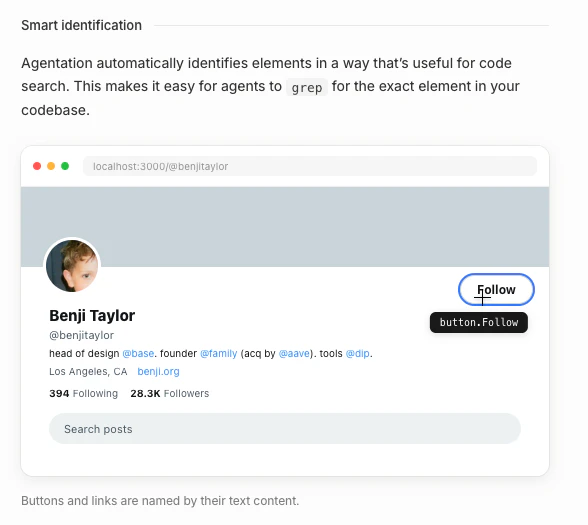
查看原始信息
Stakpak Autopilot
An open source agent that lives on your machines 24/7, keeps your apps running, and only pings when it needs a human. Install Stakpak -> Run /init curl -sSL https://stakpak.dev/install.sh | sh

Hey everyone! we really appreciate your support reaching 1.2K stars on GitHub

Open-source self-driving infra is here! We didn’t build this to monitor your apps. We built Stakpak Autopilot to resolve 3am incidents AUTONOMOUSLY, and SAFELY!

We're killing this loop: You spend hours setting up alerts, You get an alert, You wake up, You fix it yourself.

So we built something to babysit your apps in production:

Stakpak Autopilot doesn’t just watch your infra, it sets up its own alerts, and actually fixes issues in production. And when something really needs a human, it escalates, pings you on Whatsapp/Telegram/Slack.

No 5+ observability tools, No manual setup, No dashboards, No alerts waking you up for things that could’ve fixed themselves.

1) install stakpak (single Rust Binary)
2) run /init

Open-source, single binary, and state of the art network guardrails with a Cedar policy engine.

7
回复

Hi Everyone👋🏻

Stakpak Autopilot watches your app like a dev would, fixes what’s safe, and only pulls you in when it actually matters.

So you can keep shipping.

Install Stakpak and run /init
www.stakpak.dev

5
回复

Hey everyone 👋

We built Stakpak because we kept seeing the same pattern: teams either give full production access to AI tools (scary) or don't use them for infra at all (wasteful). We wanted a middle ground.

Stakpak Autopilot is an open-source Rust agent that runs as a system service on your machines — systemd on Linux, launchd on macOS. It watches your infrastructure on a cron schedule, runs pre-flight check scripts, and only spins up the AI agent when something actually needs attention.

What makes it different:

  • Security-first: secrets are automatically redacted using gitleaks patterns before they ever reach the LLM. Tool execution happens inside Docker sandboxes. mTLS by default.

  • No lock-in: works with Claude, GPT, Gemini, or any OpenAI-compatible endpoint. Your infra stays yours.

  • Connects where your team already is: Slack, Telegram, Discord — the agent reports what it found and asks for approval when it needs to do something risky.

  • Profile system: define different behavior profiles (what tools are allowed, what gets auto-approved, which model to use) for different jobs — monitoring vs. deployment vs. debugging.

We've been dogfooding this on our own infrastructure and the shift from "get paged, SSH in, diagnose, fix" to "get a Slack message with the fix already applied" has been huge.

Install with one command: curl -sSL https://stakpak.dev/install.sh | sh

Would love your feedback — especially around what checks/automations you'd want to schedule first!

4
回复
hey @georgefahmy congrats on the launch and for Open Source of such a product. but just from security point of view how secure is this to be used in production ? and with all critical workloads is there any allowed rule for these agents to do specific actions , can we define some boundaries so that in case it goes wrong then disruption will be minimal.....
2
回复

@georgefahmy  @randhir_kumar7 

We have stakpak warden it will prevent the agent from doing any destructive actions

Or in other words it wont be able to delete your db

2
回复
@noureldin_ehab then it's great.....
0
回复

@randhir_kumar7 we built a state of the art L7 guardrail called "Warden", you can read the detailed threat model and security layers in this post https://georgebuilds.dev/blog/agent-security/

2
回复

The gap between self healing infra as a promise and as a reality is usually a human sitting on call waiting for an alert. Stakpak closes that gap in a way that actually changes the operational model, not just the dashboard.

Owning the incident from detection to resolution is a different product category than monitoring. It's not observability; it's trust in software to run software. And that framing shift matters because it changes who the buyer is and what conversation you're walking into.

The positioning angle worth leaning into: StackPak as the pilot layer sitting above all other infra. Alert fatigue becomes optional. On call rotations become a design choice rather than a requirement. That's a much larger story than smarter monitoring.

The trust question is the one that decides adoption speed, though. Curious how you're thinking about making agent judgment legible enough that teams feel comfortable handing over the wheel.

0
回复