Product Hunt 每日热榜 2026-04-18

PH热榜 | 2026-04-18

#1
Claude Design by Anthropic Labs
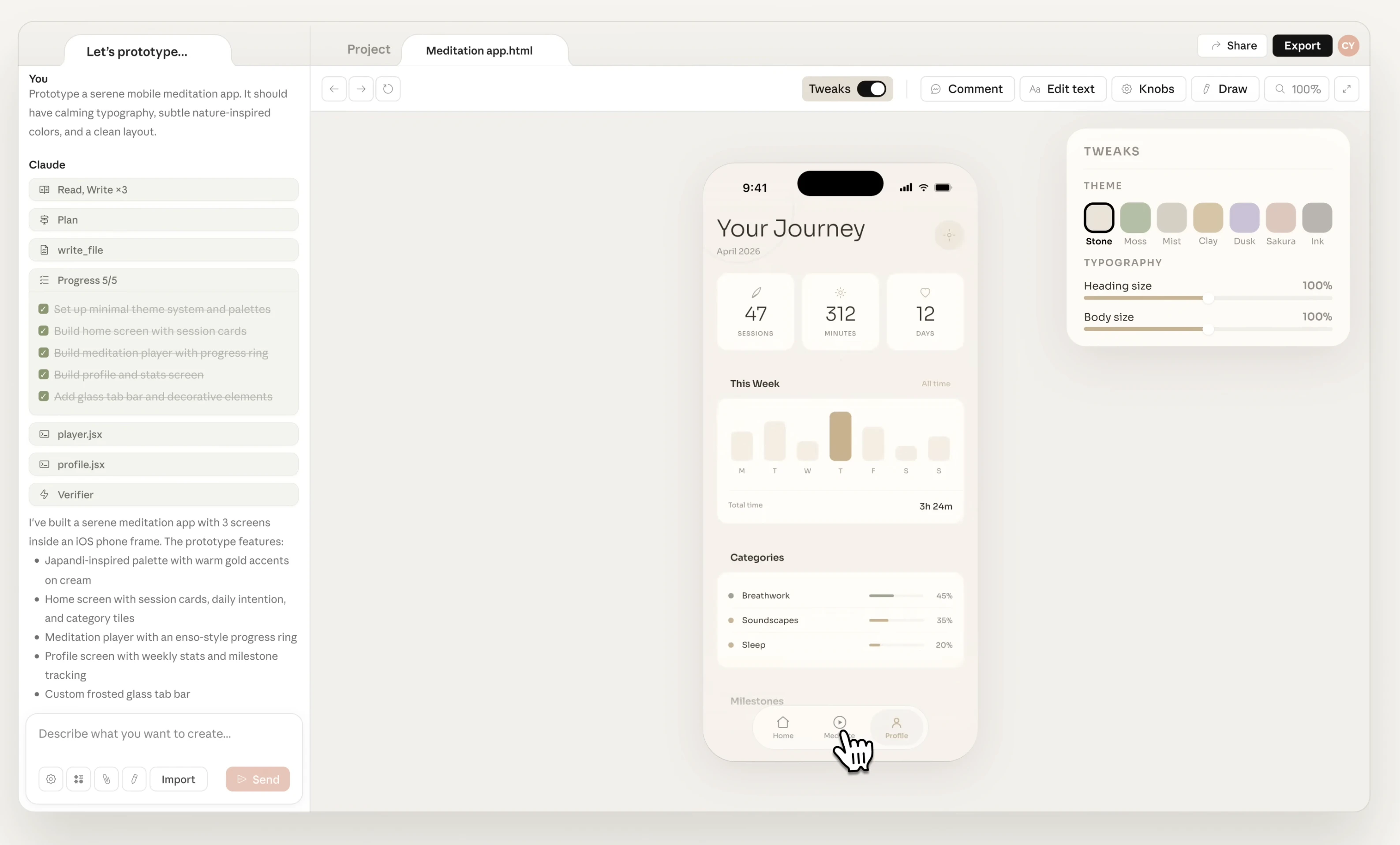
Make prototypes, slides & one-pagers by talking to Claude
409
一句话介绍:一款通过对话式AI将想法快速转化为精美原型、演示文稿及营销页面的设计工具,主要帮助设计师、创始人和市场人员在缺乏专业设计技能或时间的情况下,加速从概念到视觉产出的工作流。
Design Tools Artificial Intelligence Design
AI设计工具 原型设计 对话式交互 团队协作 品牌一致性 设计系统自动化 快速出图 营销物料生成 设计工作流加速
用户评论摘要:用户普遍认可其生成速度和创意激发能力,尤其赞赏设计系统自动应用功能。主要槽点集中在高昂的Token消耗(快速耗尽周限额)和部分交互细节(如拖拽)不完善。用户亦关注与Figma/Canva的集成、品牌一致性保持能力及成本效益。
AI 锐评

Claude Design并非意在取代Figma等专业设计软件,而是精准切入“前设计阶段”的空白。其核心价值在于作为“创意加速导管”,通过降低结构化输入门槛(用对话替代手动拖拽),将模糊的想法瞬间具象化,解决了从“脑中概念”到“可视初稿”这一最高认知负荷环节的效率痛点。

然而,产品面临双重挑战。其一,商业模式与用户体验存在内在矛盾:作为重度依赖大语言模型的工具,其引以为傲的“对话式迭代”与“高保真输出”必然伴随高昂的Token成本,这与用户期待的“高频、低成本实验”形成直接冲突。早期采用者“一小时耗尽周限额”的反馈,揭示了其从惊艳Demo到日常生产工具之间的巨大鸿沟。

其二,其宣称的“自动应用设计系统”是价值高地,也是风险雷区。在动态对话中保持严格的品牌规范,技术上近乎于要求AI在发散与收敛间精准平衡。任何微小的“风格幻觉”或组件漂移,都会导致产出物不可用,反而增加后期修正成本。这要求其底层AI必须具备远超当前图像生成模型的、对设计规则的深度结构化理解。

本质上,这是Anthropic将Claude从“聊天大脑”向“专业智能体”拓展的关键一步。它试图将AI的叙事能力与设计逻辑捆绑销售。成功与否,不取决于生成了多少张漂亮图片,而在于能否成为团队设计流程中可信赖的“第一稿合作伙伴”,并最终通过稳定的产出质量与可控的成本,证明其ROI。否则,它可能只是另一个令人惊叹却难以承载高频工作流的“AI玩具”。

查看原始信息
Claude Design by Anthropic Labs
Claude Design by Anthropic is an AI-powered design tool that turns ideas into polished visuals through simple prompts. Create prototypes, decks, and marketing assets, refine them via conversation, and export anywhere. It speeds up design workflows, ensures brand consistency, and enables designers, founders, and marketers to go from concept to execution faster.

I've tried this and found that I can create a marketing video from reading my codebase in 10 minutes. 🤔 But just to do this, it costs me 46% of my weekly limit. 😂

5
回复

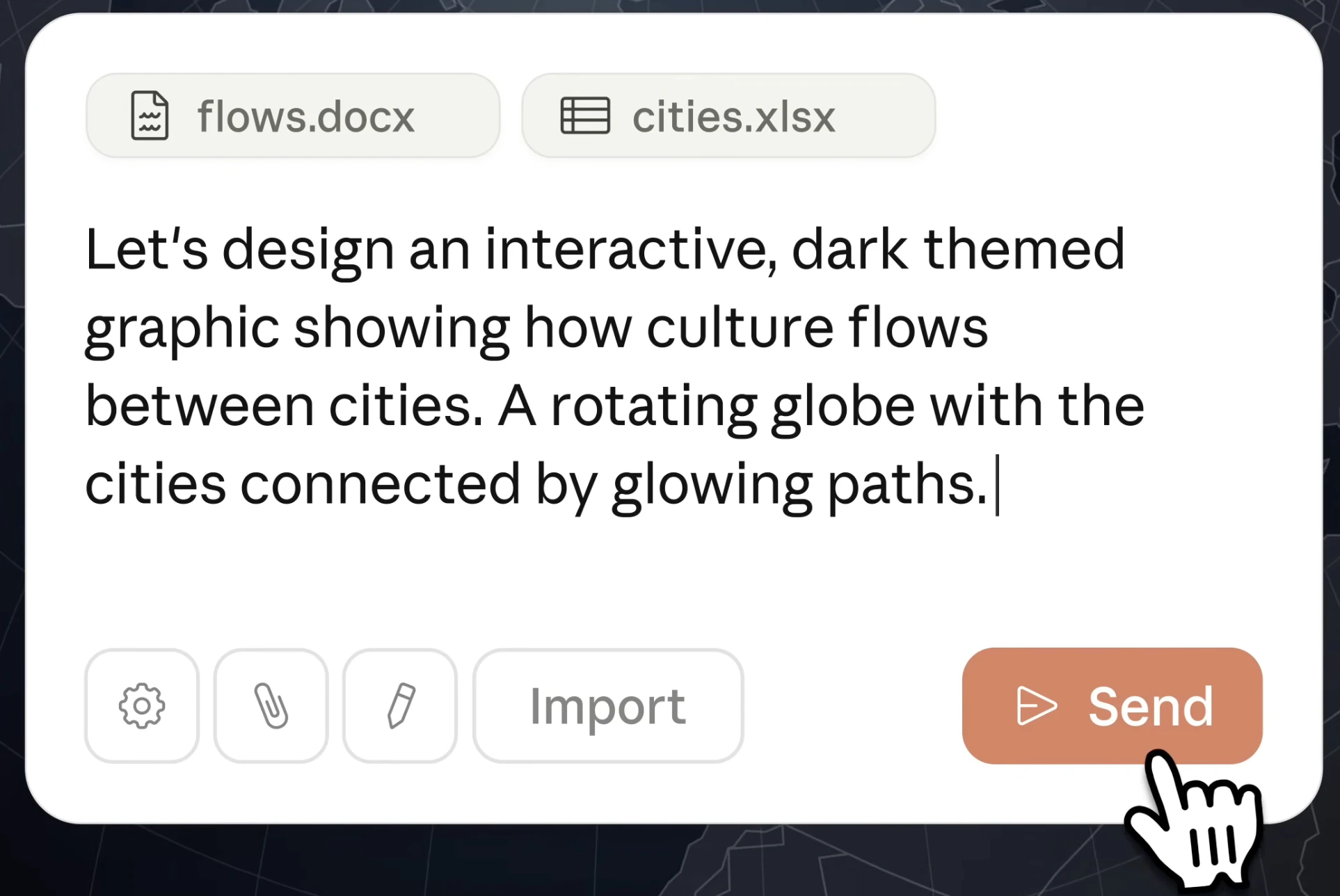
Claude Design by Anthropic Labs is a big step toward AI-powered creative workflows 👇

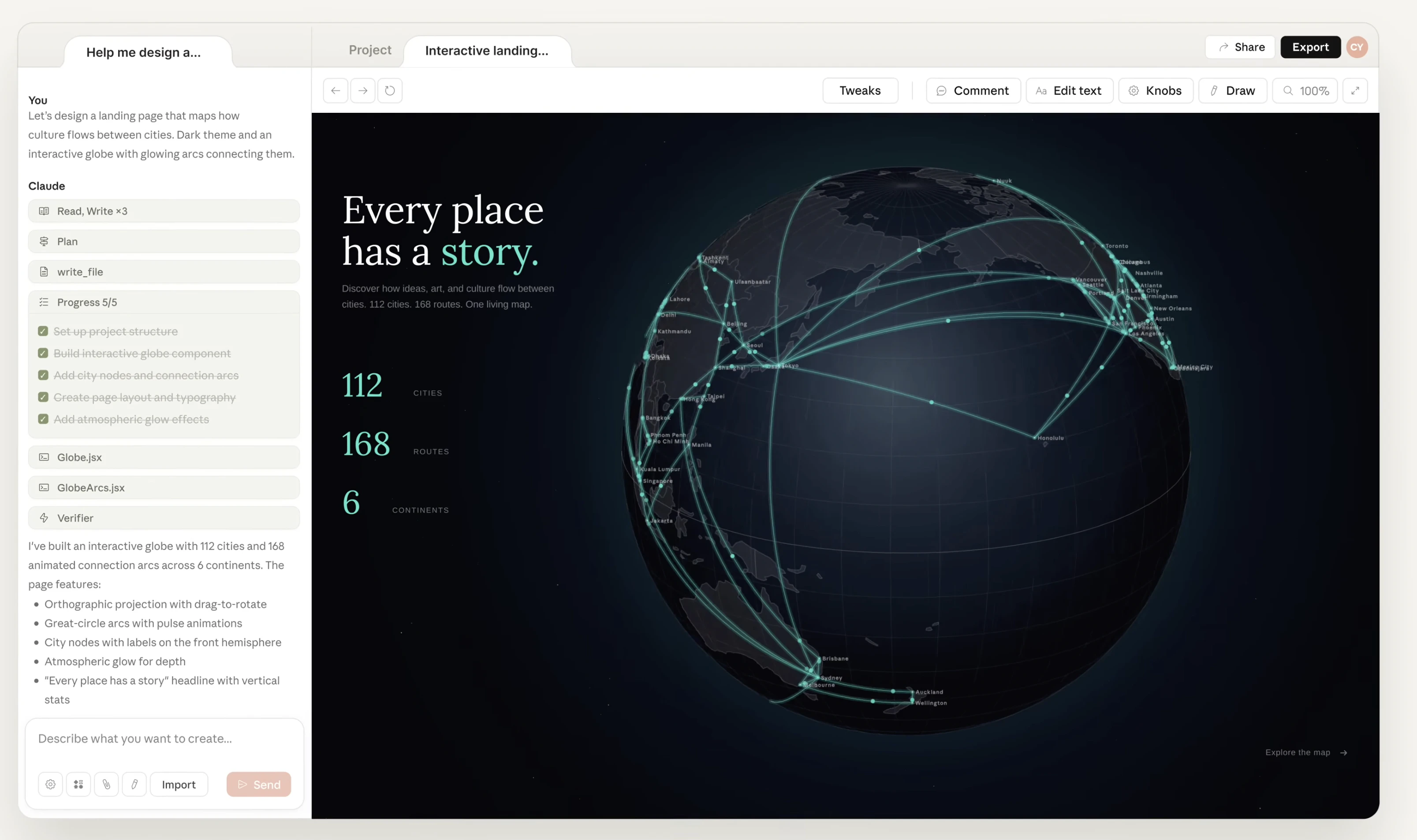
What it is: A collaborative AI design tool to create polished visuals like prototypes, decks, landing pages, and more

Problem → Solution:

  • Design is time-consuming and requires expertise

  • Claude lets you describe ideas and iteratively refine them through conversation

What’s different:

  • Conversational design workflow

  • Real-time editing with inline feedback

  • Automatic application of your team’s design system for consistent outputs

Key features:

  • Prompt-to-design generation

  • Inline comments and direct edits

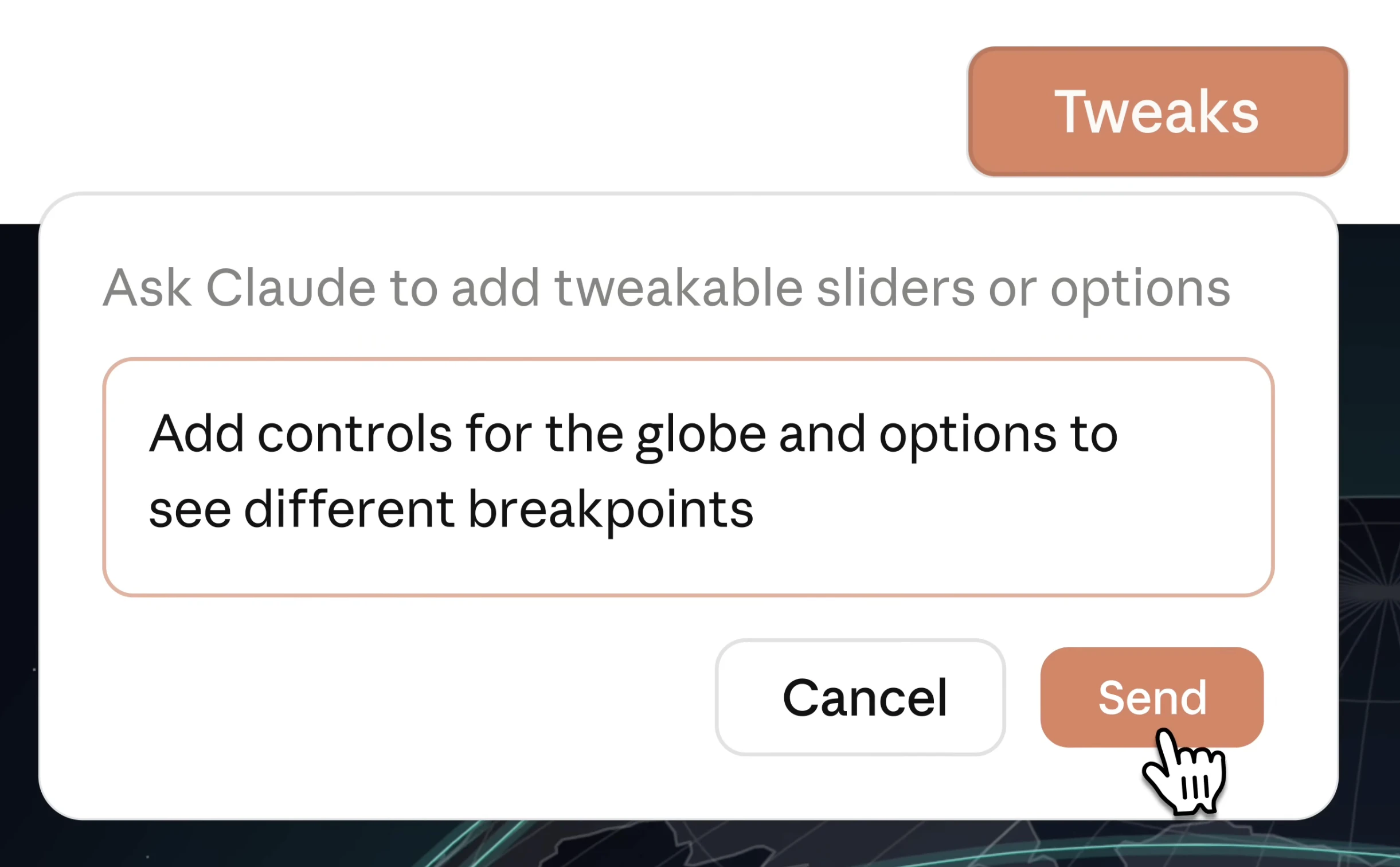
  • Adjustable controls (spacing, color, layout)

  • Import from docs, images, or codebases

  • Team collaboration and shared workspaces

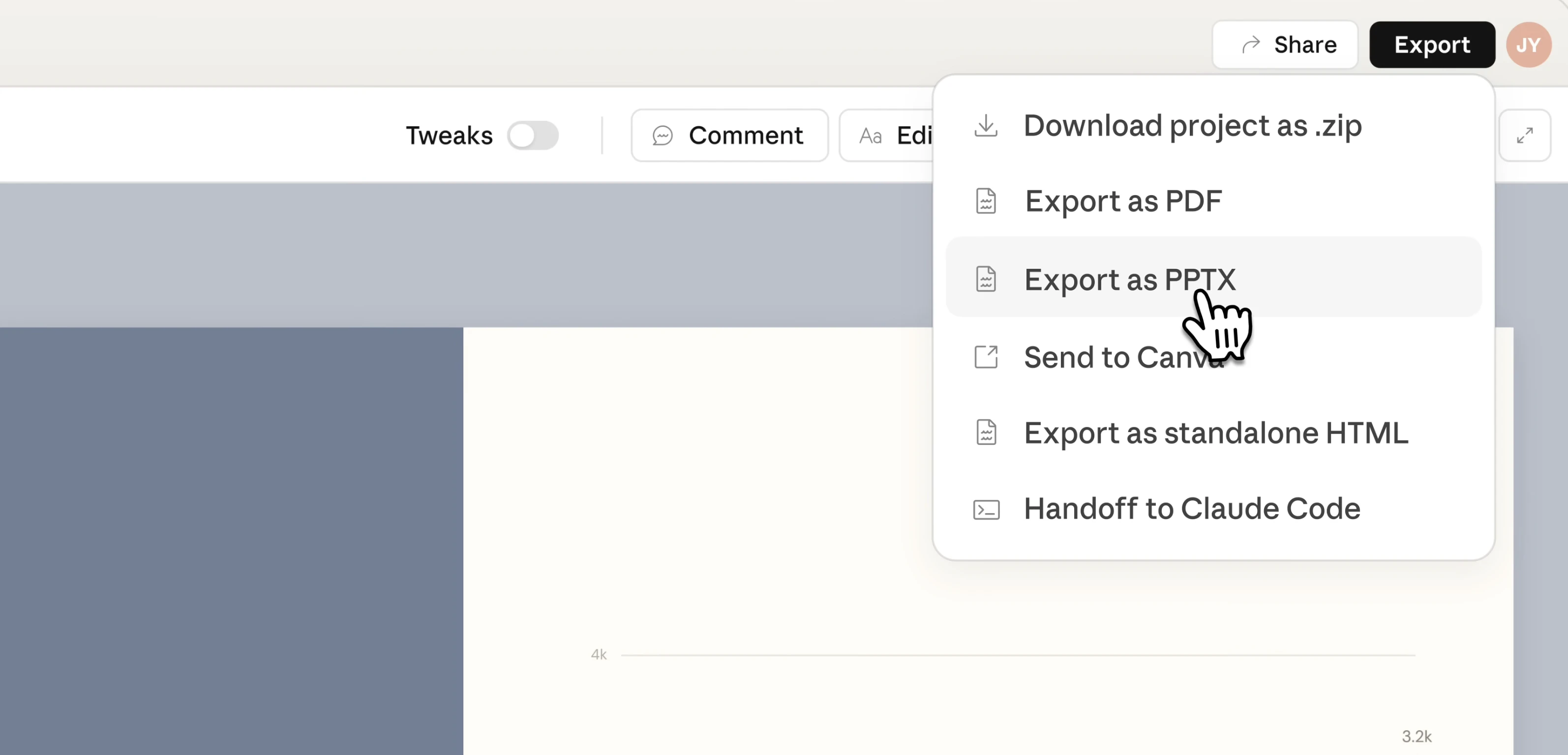
  • Export to PPTX, HTML, Canva

Benefits:

  • Faster iteration and experimentation

  • No design expertise required

  • Consistent, on-brand outputs

  • Smooth handoff from design to development

Who it’s for & use cases: Designers, PMs, founders, and marketers for wireframes, pitch decks, landing pages, marketing assets, and interactive prototypes.

Feels like a strong bridge between idea → design → execution.

I and @rohanrecommends co-hunt today.

4
回复

Excited to discover and share this BIG update with the PH community alongside you @byalexai.

This was an obvious direction for Claude because it was technically good, but lacked design sense. This launch bridges that gap.

Anthropic CPO left @Figma’s board before this competing product rolled out. We will continue to watch the big tech drama unfold.

What I am most excited about this update is ability to export to Canva and edit AI designs further. It is going to be such a joy designing stuff! :)

4
回复

@rohanrecommends  @byalexai How well does it handle brand voice consistency when generating copy alongside visuals?

0
回复

@rohanrecommends  @byalexai How well does Claude Design stick to custom brand kits during iterative convos; does it hallucinate styles or stay locked in?

0
回复

Great tool, love it, ate my weekly usage in 1h (I only managed to setup the design system)

2
回复
Tried this already and prototyping really does feel much faster here – I was able to put together a pretty complete app concept, including animations, and it felt surprisingly smooth. There are still a few rough edges to polish. For example, I couldn’t figure out an easy drag-and-drop flow for moving objects around in the design, though I may just have missed it. But those feel more like fixable product details than core limitations. Overall, this makes the jump from idea to prototype feel much smaller.
2
回复

I have a question....Would this be capable of creating a walkthrough to a newly created app? And if so, can Claude Code leverage Claude Design for this task, through an available MCP?

2
回复

I've answered this myself. I was able to create a fairly interactive walkthrough using screenshots. It did a rather impressive work. Absolutely love it. Unfortunately, the limits are not enough. It's already using extra credit off my account and I'm on the Max Plan

0
回复
@leroy_price do you have a link? I would love to see the walkthrough.
0
回复

Each day there's a new Anthropic surprise!! Thanks for that!

2
回复

honestly the design system auto-apply is the part that gets me most excited here. been prototyping landing pages with Claude for a while now and the biggest pain was always manually fixing brand colors and spacing after generation. if this actually learns your team's tokens and applies them consistently that's a massive time save. curious how it handles edge cases tho - like does it respect component-level overrides or just global styles?

0
回复

Hey, can this send my creation to Figma so I can make adjustments there and then send it back to Claude?

0
回复

I heard it uses double tokens compared to working with Claude Code via Figma MCP. What are the main benefits of this?

0
回复
#2
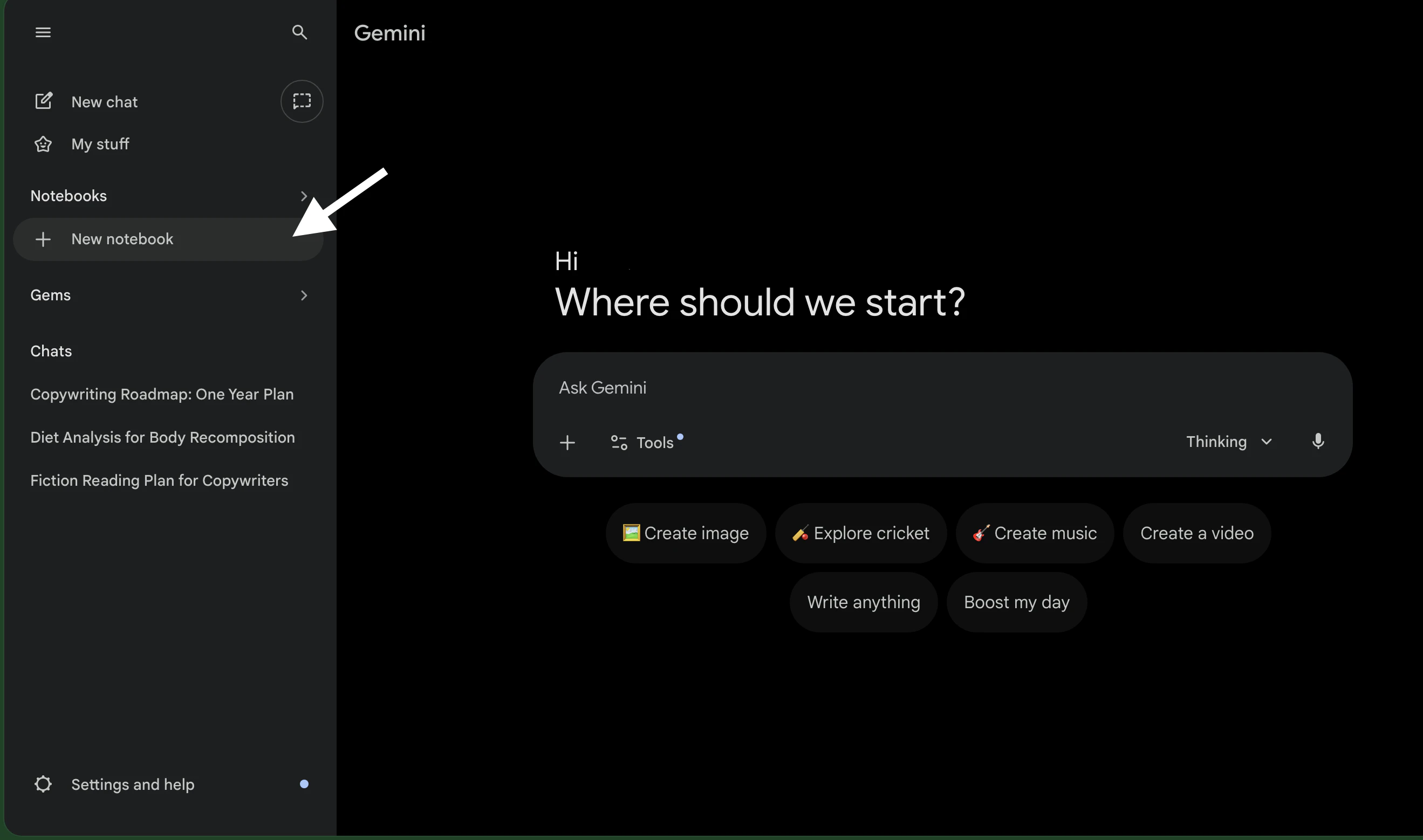
Notebooks in Gemini
Keep every project, chat, and file in one focused space
244
一句话介绍:一款在Gemini AI中引入笔记本功能的产品,为需要管理多项目、多资料的用户提供了一个集中、持久的项目空间,解决了复杂项目中聊天记录分散、上下文丢失、每次会话需从头开始的痛点。
Productivity Education Artificial Intelligence
AI工作空间 项目组织 知识管理 聊天归档 文档整合 自定义指令 多平台同步 NotebookLM集成 Google AI 生产力工具
用户评论摘要:用户普遍认可其从“聊天窗口”转变为“工作空间”的核心价值,认为NotebookLM同步和自定义指令是亮点。主要担忧集中于长期使用后信息混杂是否影响AI响应质量,以及界面自定义程度。部分用户对Gemini与NotebookLM的整合感到自然。
AI 锐评

Notebooks in Gemini 远不止一个功能更新,它标志着主流AI助手从“对话工具”向“个人知识中枢”的战略转型。其真正价值在于试图解决当前生成式AI的核心缺陷——记忆碎片化与上下文割裂。通过“笔记本”这一高度隐喻现实的容器,它将离散的对话、上传的文件和用户意图封装为可延续、可迭代的“项目”,这本质上是为AI构建长期记忆体和工作流。

然而,其光鲜之下潜藏深层挑战。首先,它加剧了Google自身产品的内耗:与NotebookLM的“自动同步”在提供便利的同时,也模糊了二者定位,这更像是为NotebookLM导流的桥梁,而非纯粹的功能增强。其次,“项目空间”的构想美好,但AI对混杂、演进信息的理解与提炼能力仍是黑箱。评论中“几周后是否仍保持敏锐”的质疑直击要害:当笔记本内堆叠大量信息时,AI是能精准调用相关知识,还是会被“噪音”干扰导致性能下降?这考验着底层模型的检索、关联与遗忘机制。

最后,其现阶段绑定高端订阅用户(Ultra/Pro/Plus),虽属商业常态,却可能将最具探索欲和创造力的免费用户群体挡在门外,不利于形成多样化的真实用例反馈。总体而言,这是一个方向正确、但考验长期工程与算法功力的功能。它的成功不取决于“有无”,而取决于“多智能”。如果最终只是一个结构化的聊天文件夹,而非真正理解项目脉络的智能伙伴,其吸引力将大打折扣。

查看原始信息
Notebooks in Gemini
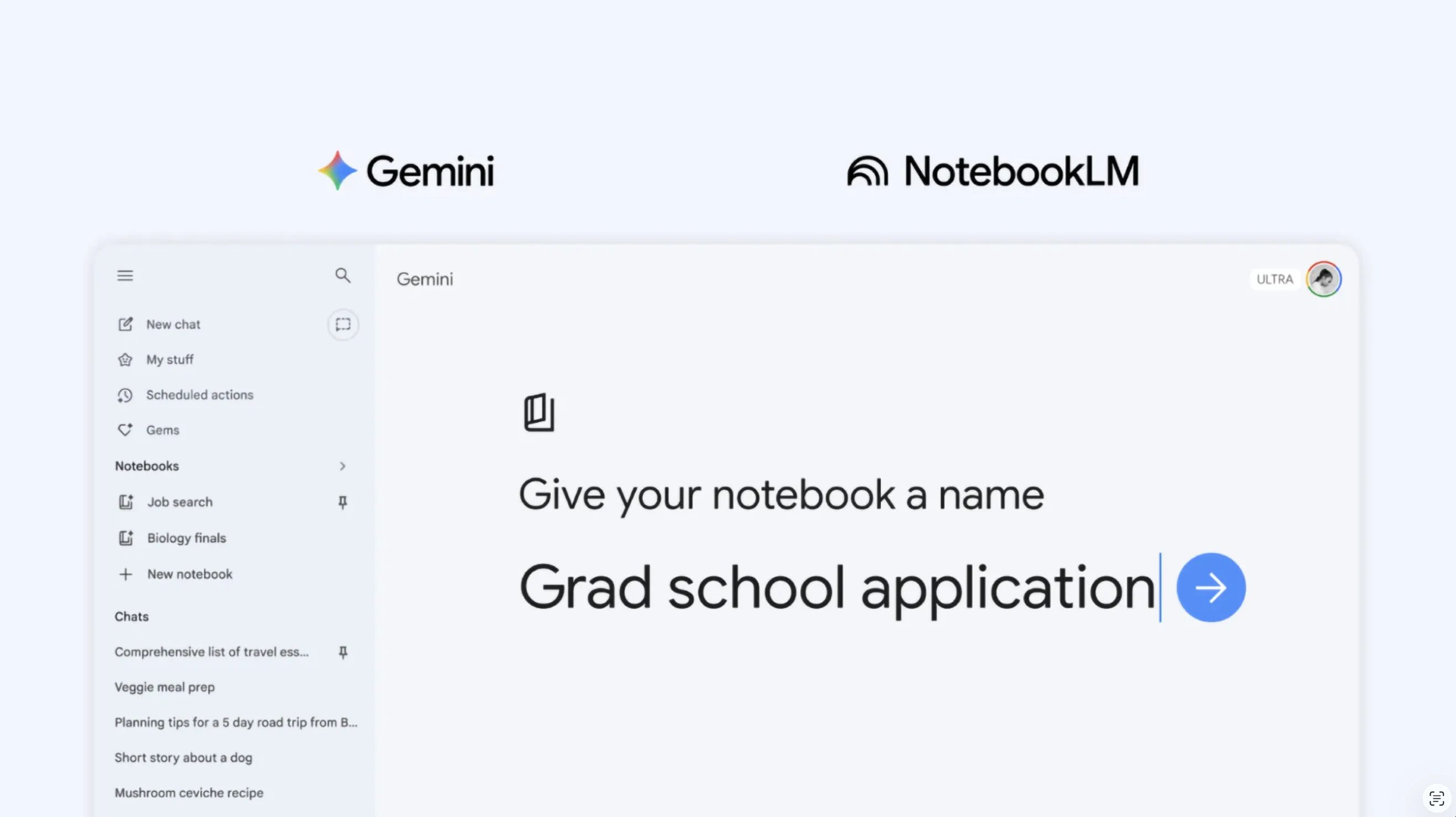
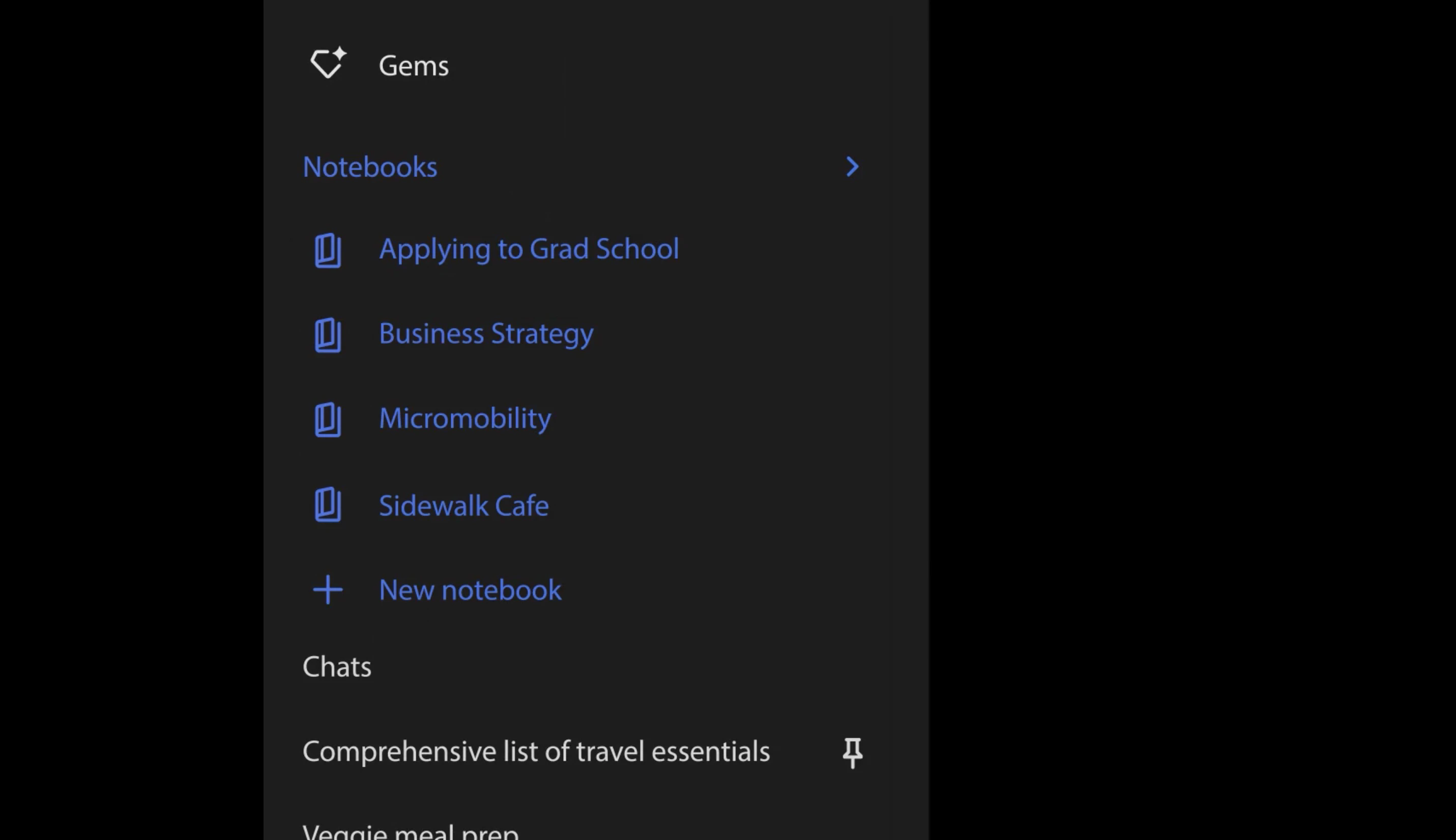
Now with Notebooks in Gemini, you get a dedicated space to organize chats, files, and PDFs by project. Add custom instructions, sync with NotebookLM, and let Gemini use your sources alongside web search. Rolling out to Ultra, Pro, and Plus users now.

Gemini just became a proper workspace, not just a chat window.

The problem: The more you use Gemini for complex projects, the harder it is to keep everything organized — chats scatter, context gets lost, and you start every session from scratch.

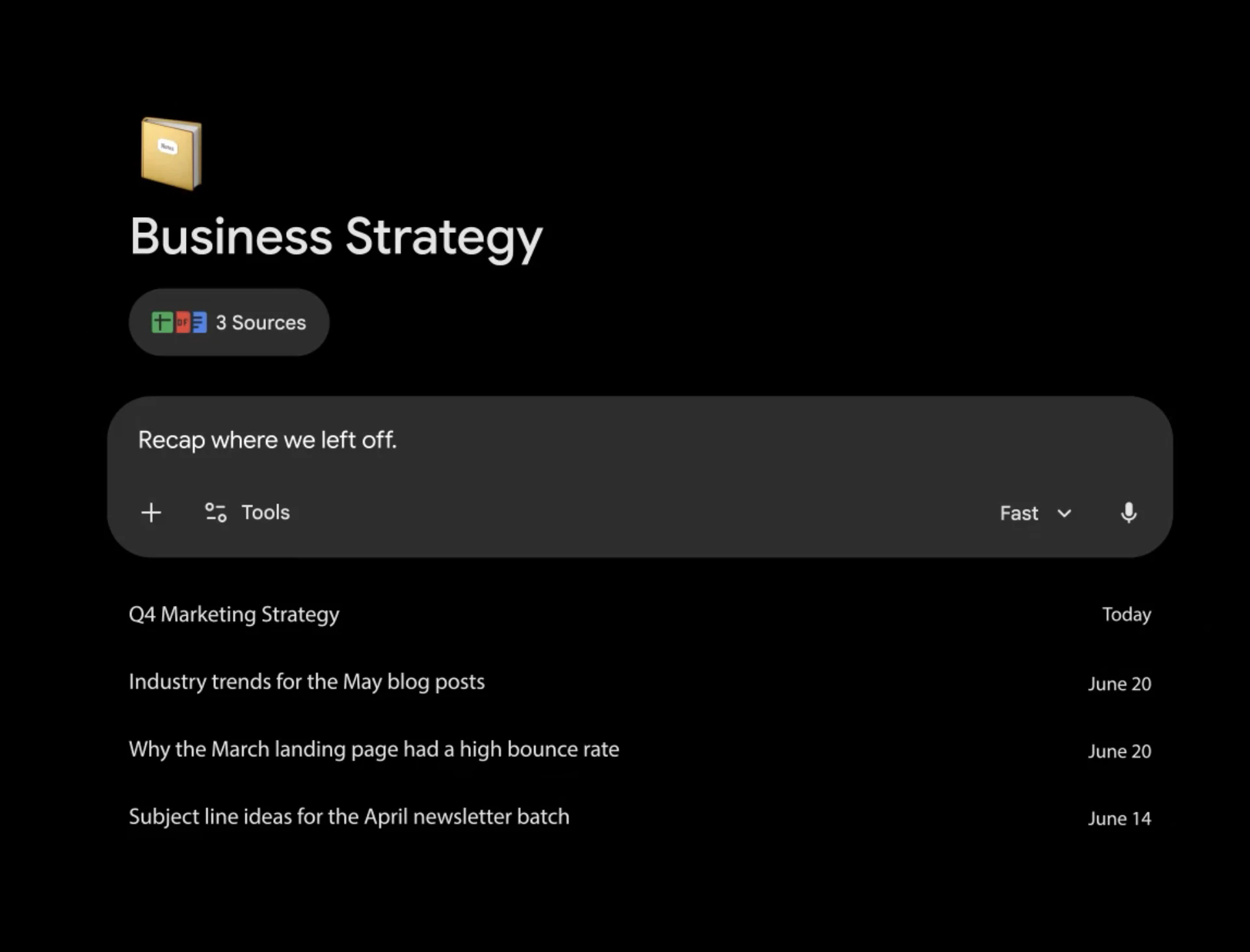
The solution: Notebooks give you a dedicated, persistent space per project where Gemini remembers your sources, files, and past conversations.

What stands out:
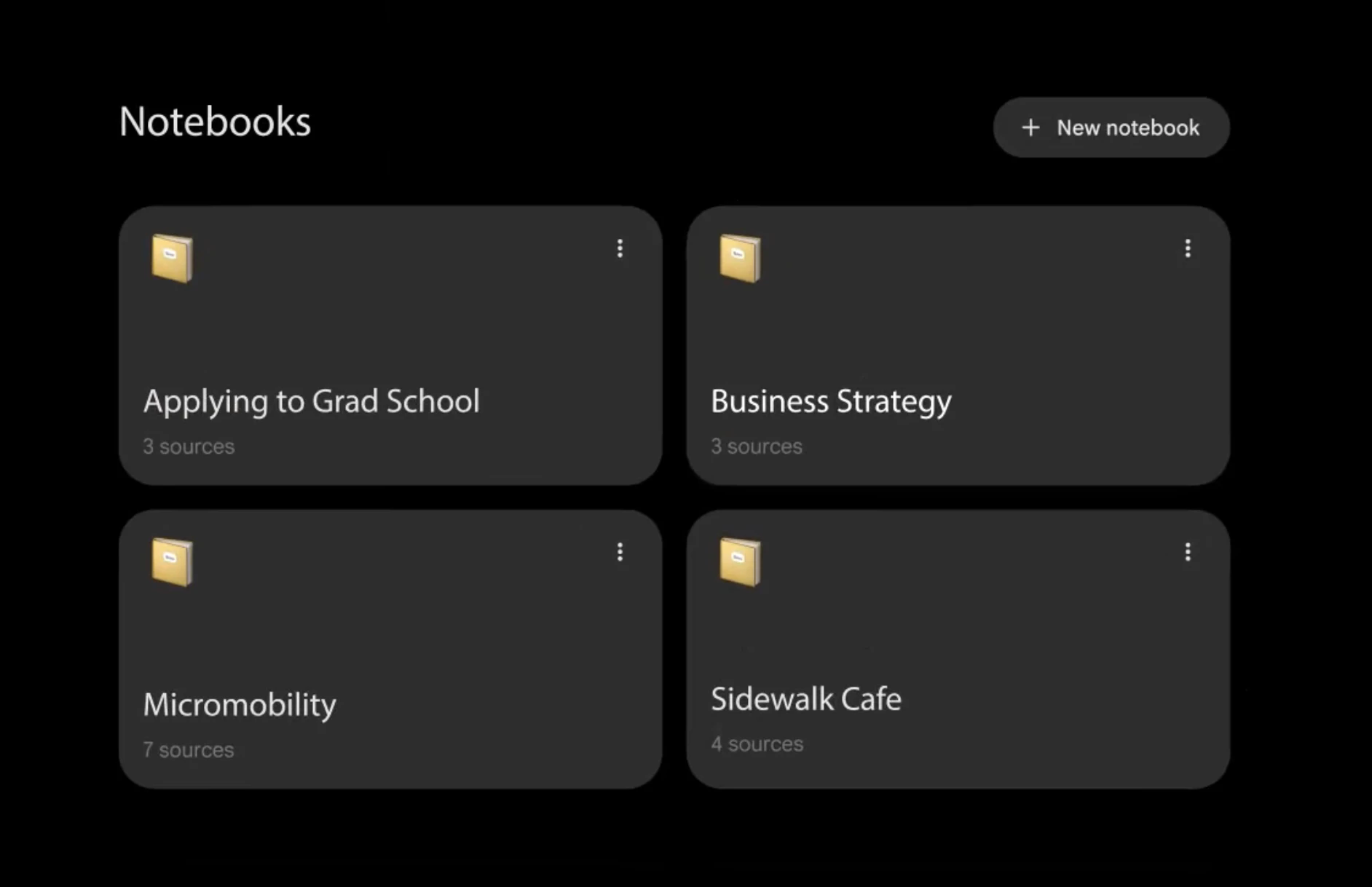
📓 New notebook per project:
No losing context across chats, keep everything in one focused space
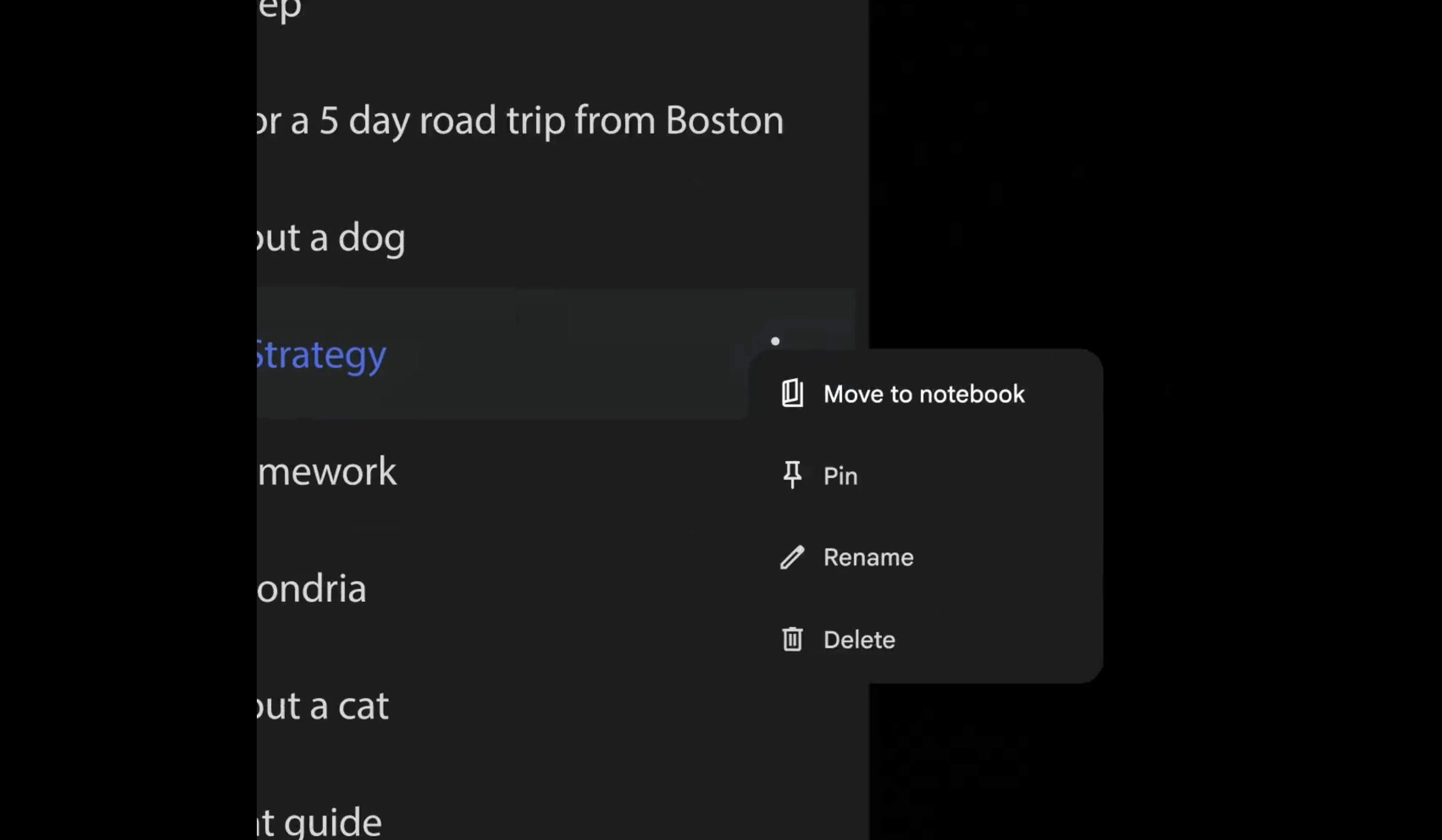
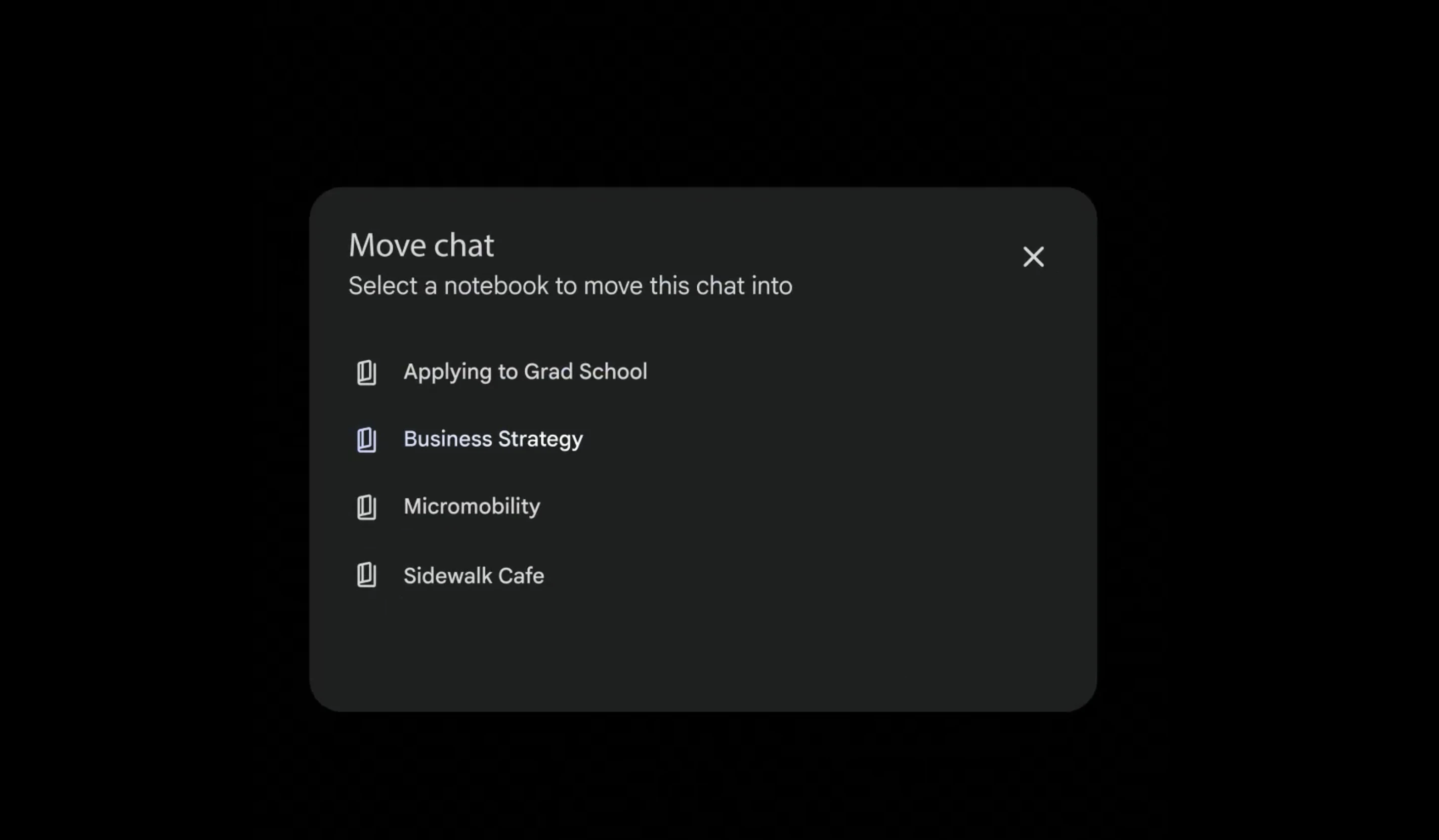
💬 Move past chats in: Bring existing conversations into a notebook so nothing gets left behind
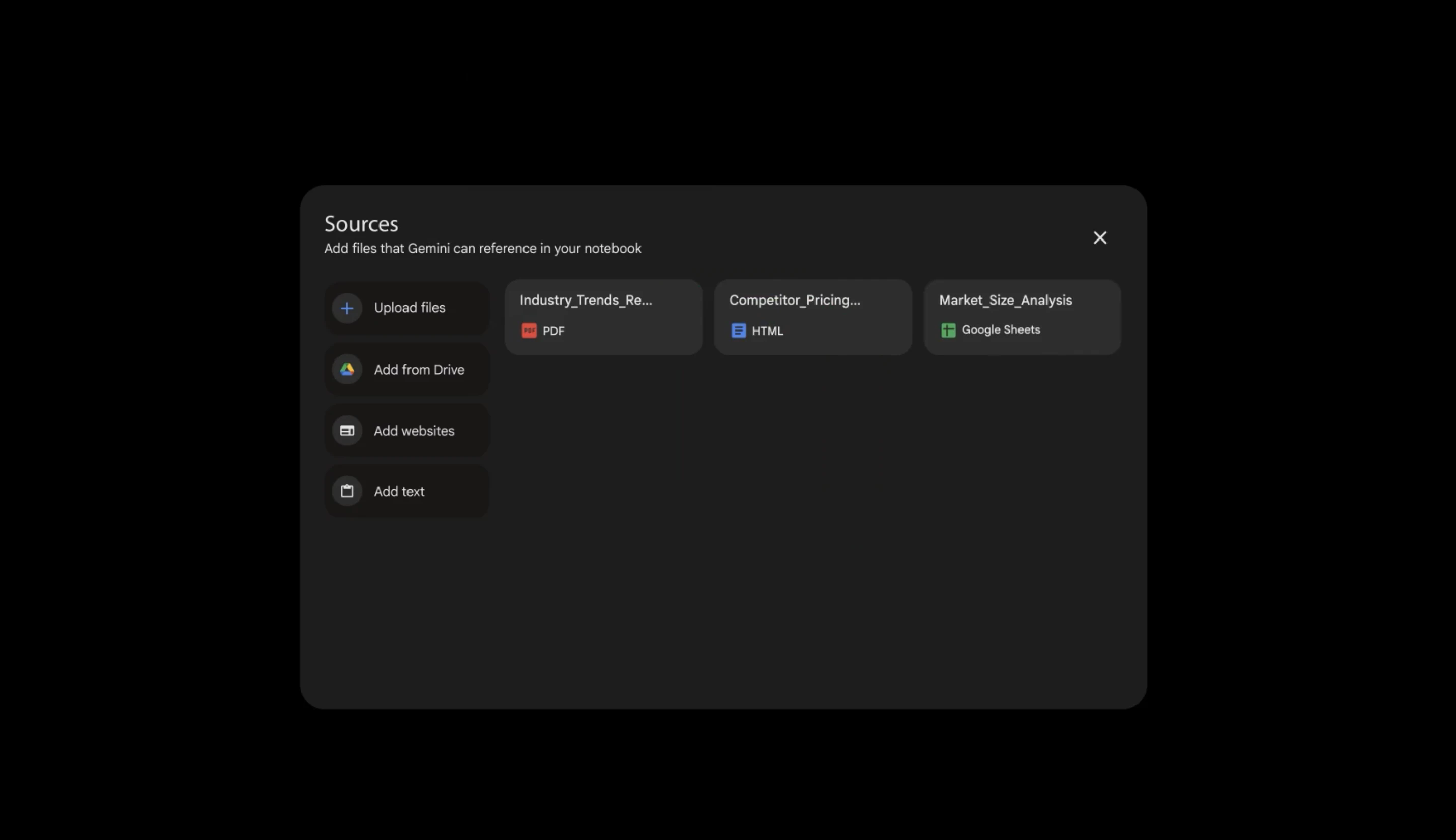
📄 Add documents as sources: Gemini uses them alongside web search for more better responses
⚙️ Custom instructions per notebook: Tailor how Gemini responds to each specific project or topic
🔗 Syncs with NotebookLM automatically: Sources in Gemini appear in NotebookLM & vice versa
🎬 Unlock NotebookLM features from Gemini: Use Video Overviews, Infographics, and more
📚 More sources on higher plans: Tackle bigger, longer-running projects without hitting limits

Rolling out now to Google AI Ultra, Pro, and Plus subscribers on web. Mobile, Europe, and free users coming in the next few weeks.

Perfect for students, researchers, and anyone managing multiple ongoing projects who needs Gemini to actually remember what they're working on.

P.S. I hunt the latest and greatest launches in tech, SaaS and AI, follow to be notified @rohanrecommends

3
回复

@rohanrecommends For PH makers juggling launches + personal threads, does this finally make Gemini a daily driver over Notion AI? What's your first notebook use case?

0
回复

@rohanrecommends What I like here is not the feature itself, but what it changes. It turns Gemini from a place you “visit” into a place where work actually lives. That’s a big difference.

At the same time, I wonder how this behaves after a few weeks of real usage. When a notebook starts filling up with mixed inputs, old assumptions, and evolving context, does it still stay sharp, or does it slowly become harder to reason with over time?

0
回复

Proper organization is always my biggest worry when dealing with extensive projects. Will the stylization be fully customizable?

0
回复

Super excited to see two of the tools I used heavily - coming together. To be honest, now it feels like why they were two different products at all? Organizing my chats got into a whole different game now.

0
回复

The NotebookLM sync is the killer feature here honestly. I've been using NotebookLM for research and Gemini for quick questions separately, and having sources flow between them automatically removes a ton of friction. The per-notebook custom instructions is smart too - my coding project needs completely different Gemini behavior than my reading notes.

0
回复
#3
CraftBot
Self-hosted proactive AI assistant that lives locally
233
一句话介绍:CraftBot是一款本地自托管的主动式AI助手,能在个人电脑上7x24小时运行,通过自主解读任务、规划并执行行动来帮助用户达成日常与长期目标,解决了云端AI代理成本高、设置复杂且隐私顾虑多的痛点。
Productivity Open Source Artificial Intelligence GitHub
本地AI助手 主动式代理 自托管 任务自动化 隐私安全 多模型支持 工作流管理 开源代理框架 个人生产力工具 智能体操作系统
用户评论摘要:用户普遍赞赏其简易设置、本地运行带来的速度与成本优势及隐私安全。核心关注点包括:与云端代理的性能对比、非技术用户的上手难度、自定义工具集成能力、移动端支持、以及主动建议的实用性与打扰度平衡。对默认技能的可靠性存有观察性疑问。
AI 锐评

CraftBot的亮相,与其说是又一个OpenClaw的仿制品,不如说是一次对“实用化个人AI代理”的激进重构。其真正价值不在于堆砌的150+技能或MCP支持,而在于它试图从底层解决当前AI代理的核心矛盾:高昂的云端交互成本与迟钝的响应、复杂的部署与脆弱的安全性、以及被动响应与真正“智能”协助之间的鸿沟。

通过坚定的本地优先、进程内执行架构,它直接将云端代理最大的开销——每次工具调用的网络序列化与虚拟机启动成本——降为零。这不仅关乎速度和成本,更关乎可行性:使得7x24小时后台监控与触发成为经济上可持续的模式,这是实现“主动性”的技术基石。其“梦境”记忆系统,尽管实现看似朴素(文件存储+RAG),却指向了AI代理从“失忆会话”走向持续个性化学习的必经之路。

然而,其最大的挑战与价值同样凸显于“主动”二字。评论中“如何平衡帮助与打扰”、“如何确保建议可操作”的疑问,直指当前主动式代理的阿克琉斯之踵。CraftBot将复杂的代理循环(从提示到执行)开源,是明智之举,它将最棘手的“智能”问题——规划、决策、人机协作节奏——交给了社区与用户自身去迭代和适应。这预示着一个趋势:未来AI代理的竞争,将不再是功能列表的竞赛,而是对用户工作流深度理解、无感嵌入以及信任建立能力的较量。CraftBot搭建了一个极具潜力的擂台,但擂台上真正的胜负,才刚刚开始。

查看原始信息
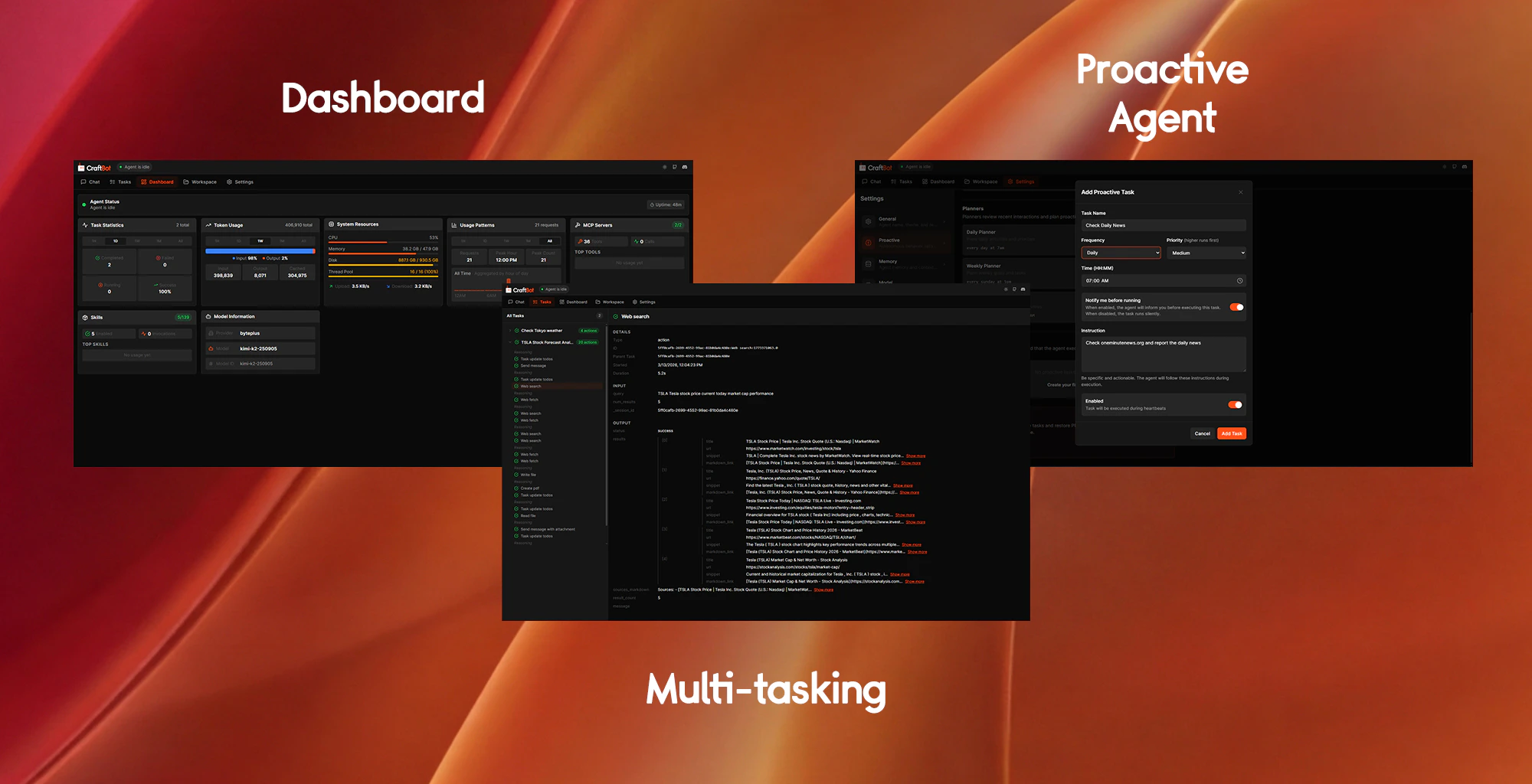
CraftBot
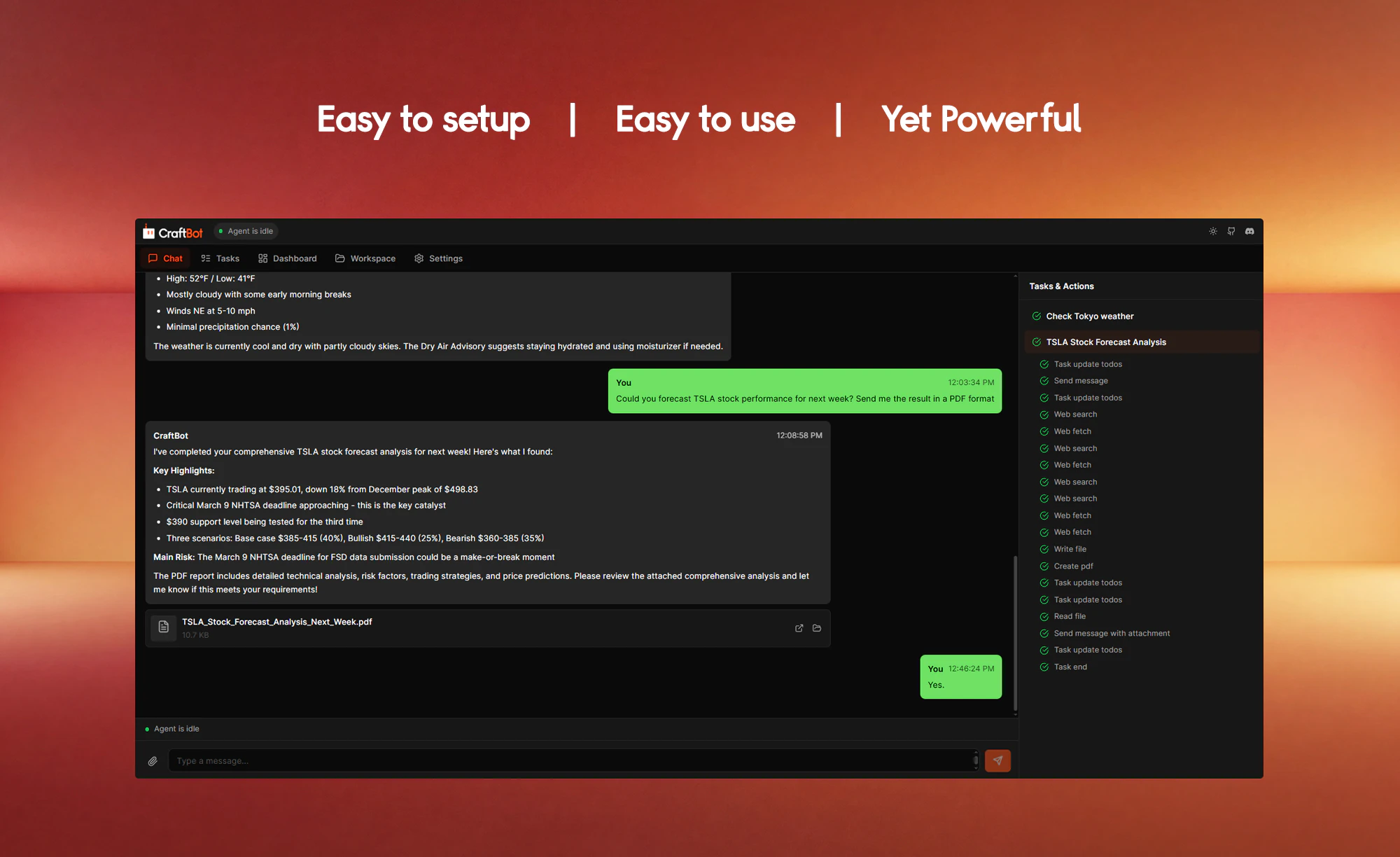
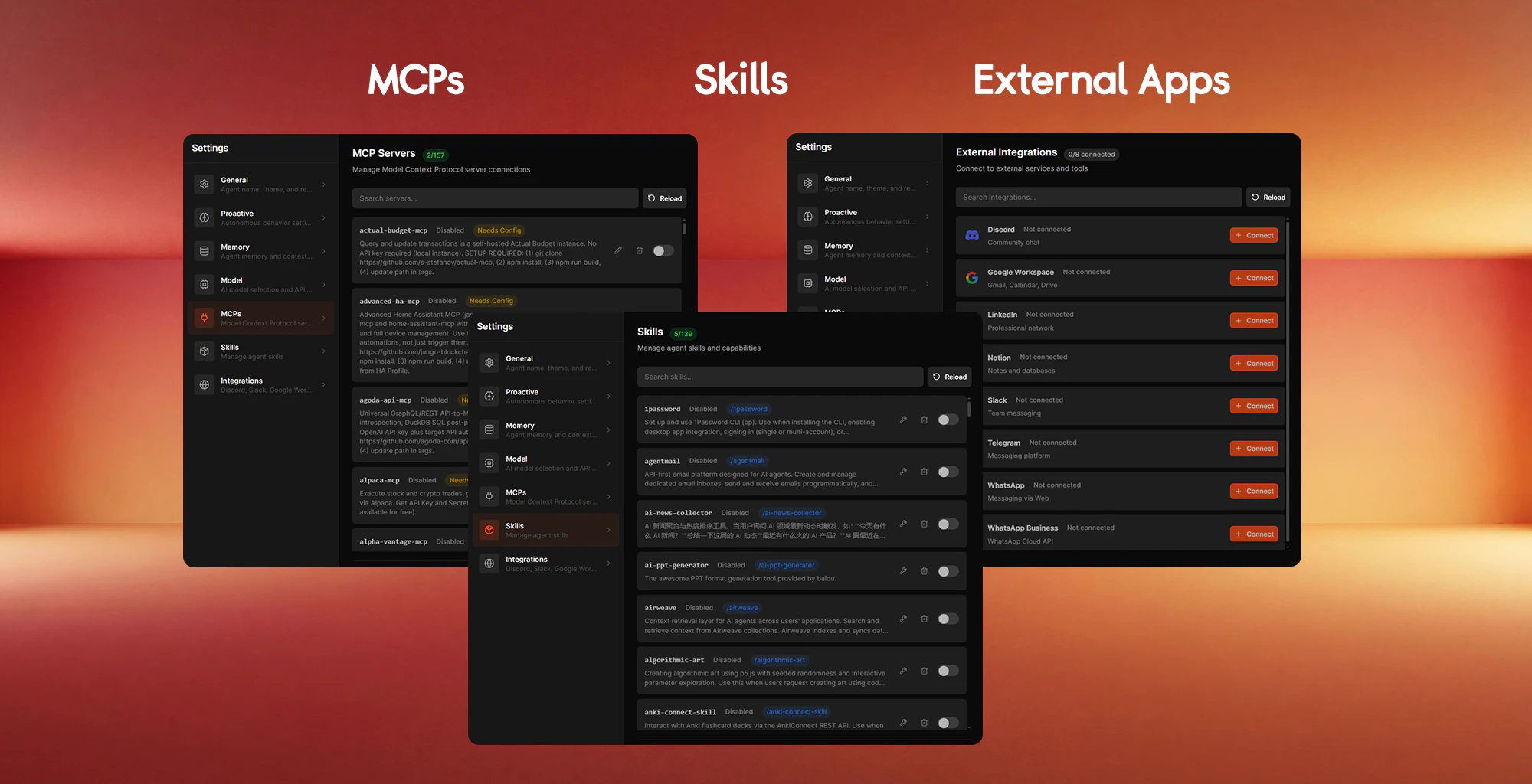
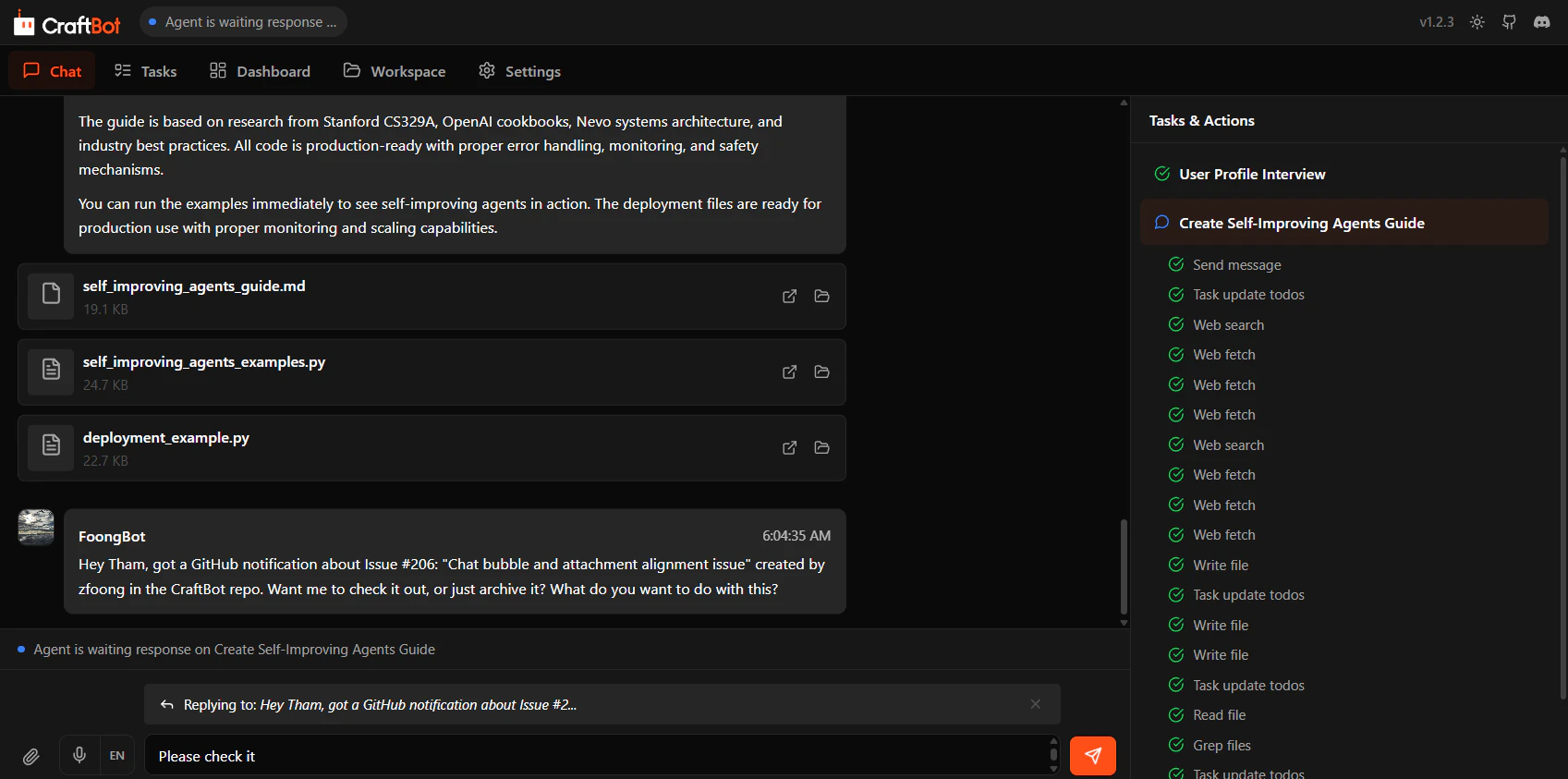
A self-hosted Proactive AI Assistant that lives inside your machine and works 24/7 for your daily execution. It autonomously interprets tasks, plans actions, and executes them to achieve your goals. It learns your objectives, proactively helping you plan and initiate tasks to achieve your life goals. MCPs,Skills, and external App integrations are supported. The agent harness, from prompt to agentic loop, is under the MIT license. Try it out here! https://github.com/CraftOS-dev/CraftBot

We started building CraftBot before OpenClaw went viral. Our goal is to create a proactive agent that actually works WELL. Different from the nanobot, MiniClaw, or other OpenClaw alternatives, CraftBot is built independently of OpenClaw.

🟠 CraftBot solves some of OpenClaw's current pain points:

Saves more tokens: smart action retrieval (dynamically loading tools that are required into the context) and task mode switching (simple tasks use fewer tokens, while more complex tasks receive additional tokens to maintain accuracy).

Simple to set up and use: clone the repo, run one command, and a browser interface launches. That's it. (Python and Node.js required though!)

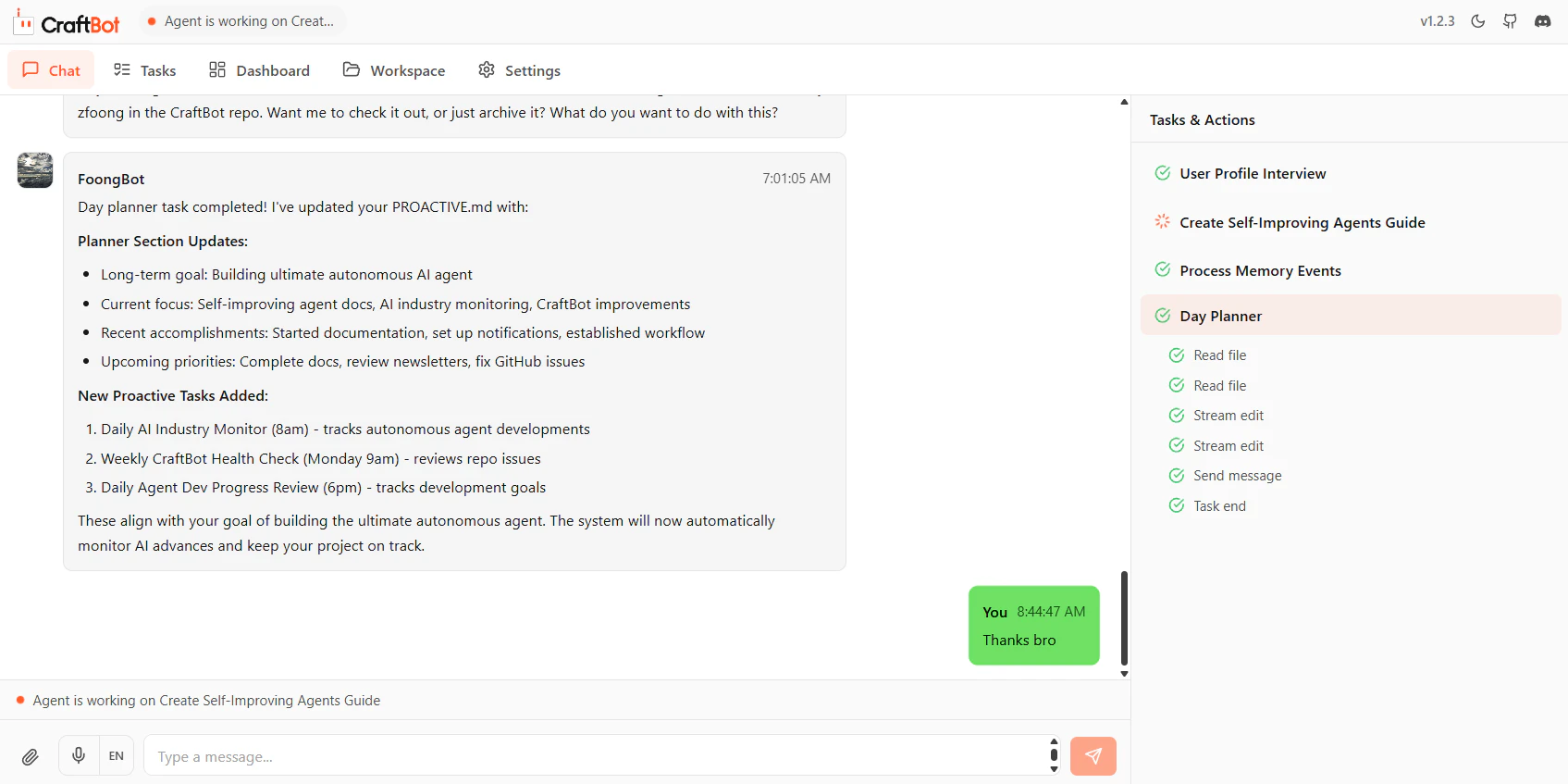
Proactive: a built-in planner that plans and initiates tasks for you, with your approval. CraftBot can be your life coach that help define goals, and help you work toward them. Different from heartbeat, this runs daily, weekly and monthly to propose proactive tasks, while the heartbeat is used only for recurring tasks.

Memory: every night 3AM, it "dreams" to consolidate the day's events into preferences, mistakes, events, and long-term memory about your tasks and habits. Here is the implementation in detail: store events in EVENT.md -> read the events and put them in MEMORY.md -> retrieve memory snippet with RAG -> agent reads the MEMORY.md if the snippets are relevant.

FORMAT.md: Agent sometimes outputs artifacts (PDF, Powerpoint) without consistency. We integrated FORMAT.md into CraftBot, so it can follow a format and design schema when generating files.

Other features:

  • MCP support

  • 150+ default skills (some from ClawHub)

  • App integrations (Slack, Discord, Telegram, WhatsApp, Notion, Gmail, Outlook, and more)

  • Multi-tasking

  • Multi-mode UI: Browser, Terminal (deprecated soon), or CLI

  • Model-agnostic (OpenAI, Anthropic, Google Gemini, and more)

  • Local LLM (Ollama) and self-hosted

  • CLI-anything support

    etc, etc

📋 What are early users using CraftBot for?

Outreach, lead sourcing, PM tasks (we rely on heavily internally), SEO analysis, vibe-coding from WhatsApp, and more...limited only by your imagination! (and the model you use).
There is no trick to it. Just tell CraftBot what you need as if you were talking to a fairy living inside your machine.

If you find issues using OpenClaw (Bad accuracy, token usage explodes, hard to set up), try CraftBot, a proactive agent that not only works, but works well.

11
回复

@tham_yikfoong one command to launch the browser ui? thank you. i spent three hours trying to get miniclaw dependencies to behave last week. really appreciate the focus on simple to set up for a local agent. support on the launch.

5
回复

@tham_yikfoong For PMs using this for outreach/lead gen, how's it handling the messy human part; like when leads ghost or need that nuanced follow-up only intuition catches? Does the memory system adapt to those "vibe checks" over time, or do you still need to babysit?

4
回复

@tham_yikfoong Many congratulations on the launch Tham and Koyuki. Looks exciting indeed. Do you already have a native mobile companion app to monitor and trigger tasks remotely?

1
回复

Looks very cool, worth giving a try.

5
回复

How does CraftBot compare performance-wise when running locally vs cloud-heavy agents?

5
回复

@syed_shayanur_rahman CraftBot is faster and cheaper for desktop automation, personal workflows, and background monitoring. Tool calls (filesystem, shell, GUI automation via the browser/CLI/GUI adapters) execute in-process through the local action executor. No serialization, no HTTPS round-trip, no sandboxed VM spin-up per action.
Cloud agents pay that cost on every tool invocation, plus egress for any file or screen context they need to inspect. They also monitor compute when idle (file watchers, schedulers, long-running monitors) and so burn budget even while waiting; CraftBot's event loop is effectively free at idle since it's just a local Python process.

2
回复

Congrats on the launch 😊 This feels like a strong foundation for personal automation ecosystems. I would like a visual workflow builder for tasks instead of only prompt-driven planning.

4
回复

@iamanantgupta Thank you so much!! That's a great idea. We don't have that feature yet, but it is actually a planned feature. You have to stick around and see it happen!

1
回复

Congrats!!! This seems to be a horizontal agent helpful for managing ops, marketing and dev all together.

4
回复

Apart from the MCP, could we also plug in custom tools or internal APIs??

3
回复

@nuseir_yassin1 Ahh yes you can! In app/data/action, create your own action with a decorator. Our agent will automatically register this as an action/tool. Here is one example of the grep_files action:


Perhaps we should support easy creation of tools in the browser interface too! That will be a cool feature in the future. Hope that answer your question!

4
回复

Congratulations on shipping. What’s the most common use case users are adopting right now with CraftBot?

3
回复

@roopreddy Thank you! Have not conduct any survey yet, but from a small group of testers we know, they are using it to generate reports. Basically moving data from one place to another + compile them.

2
回复

One of the coolest launch of the day! Btw what’s the hardest unsolved problem in making proactive agents truly dependable day to day???

3
回复

@lak7 Thanks!! I would say they are these two things: (1) How to make them less annoying and (2) actually suggest actionable tasks. Still trying to perfect them!

3
回复

The biggest concern of openclaw is security reason, we can't give admin access to openclaw so we have to setup it in vps and do our task which is to exhausted and irritating same i have concern with this.

2
回复

Onboarding might be overwhelming for non-technical users. Is there a guided template or tutorial to follow? Thanks in advance.

2
回复

@zerotox Thanks for the feedback! We are working on user playbook and documentation for that.

0
回复

I like the low-config setup. But why did you exclude OpenRouter as a first-class provider?

1
回复

@joel_farthing Thanks! OpenRouter as provider is in our feature roadmap, still working on getting more providers out. Come back to check in a few more weeks!

0
回复

This look super exciting, but since it’s local-first, how are you handling security and permissions when the agent executes tasks on behalf of the user?

1
回复

the self-hosted angle is what makes this stand out for me. been running a couple local AI setups and the biggest issue is always that they're reactive - you gotta explicitly ask them stuff. a proactive assistant that watches your workflow and surfaces relevant info before you need it is genuinely different. love that it's built with Claude Code too. how does it decide when to interrupt vs stay quiet? that balance between helpful and annoying is the hardest UX problem in proactive AI imo

0
回复

Local AI agent that plans ahead and doesn't send your data anywhere — solid foundation. 150+ default skills sounds impressive until you start wondering how many actually work reliably. Worth testing either way. 🤔

0
回复

I like the idea of an AI that 'dreams' to keep track of and compartmentalize data it's received the previous day. Is the time it does only at 3am or can you potentially change it to fit other timezones?

0
回复
#4
Is Your Site Agent-Ready? by Cloudflare
Scan your website to see how ready it is for AI agents.
211
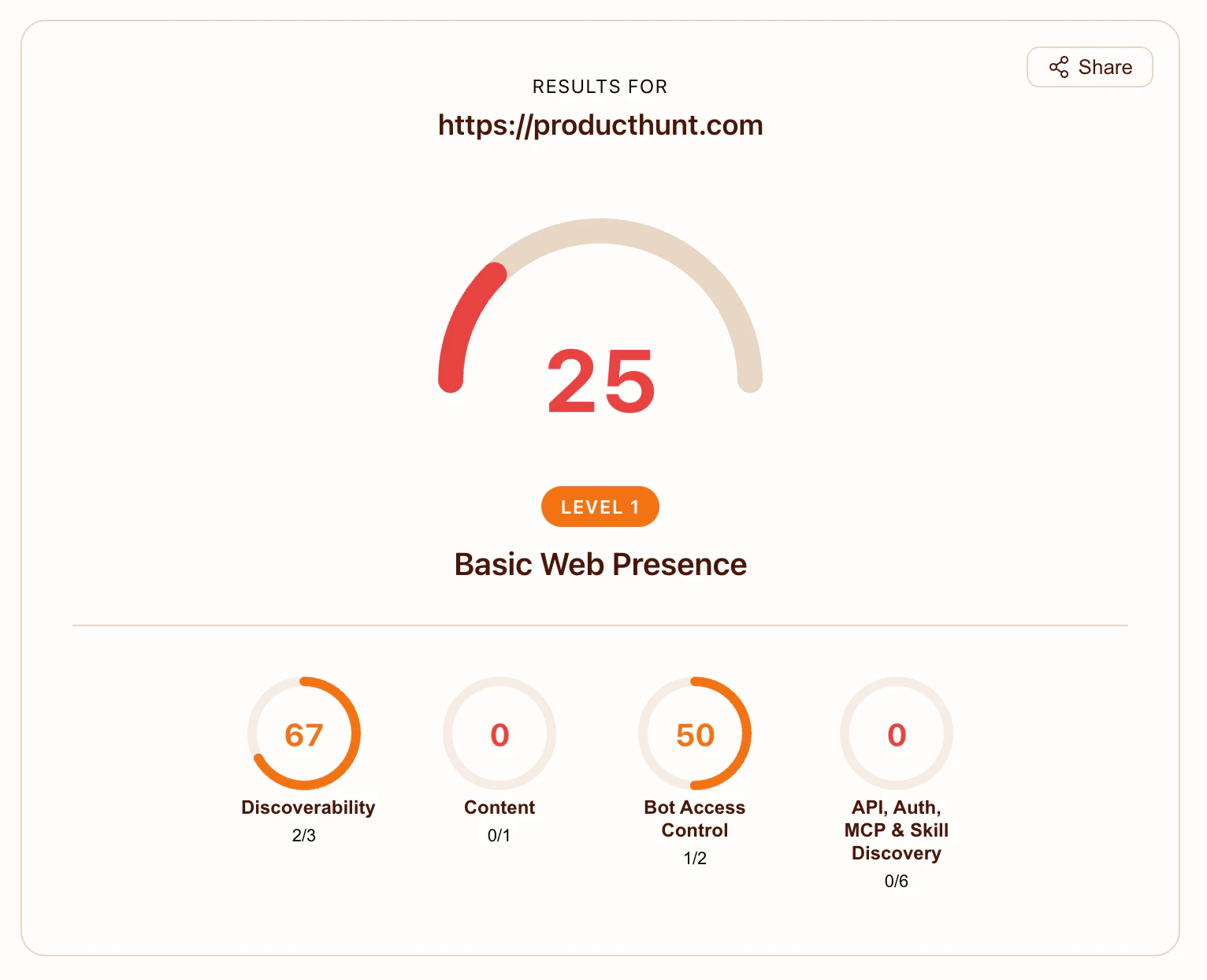
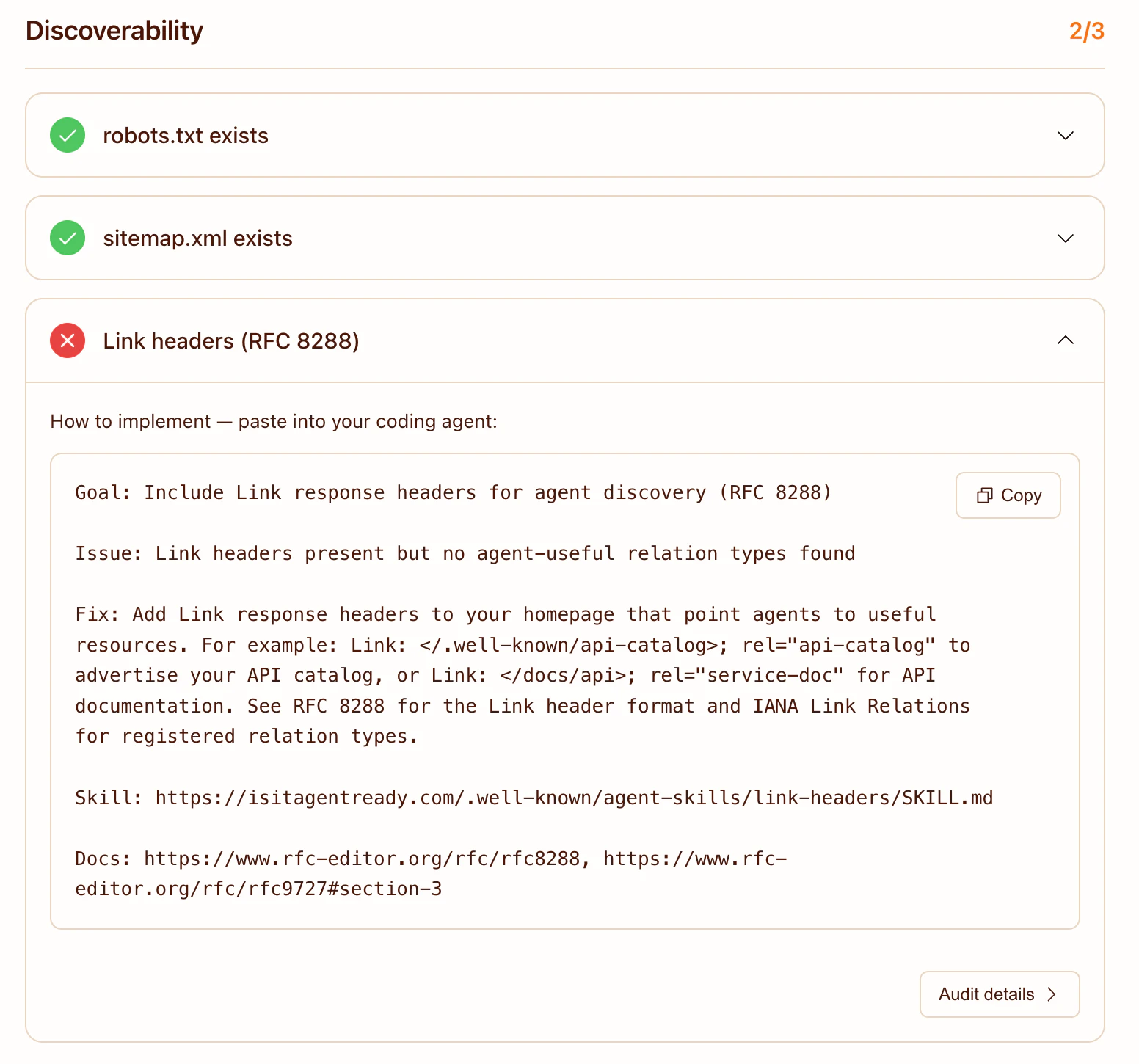
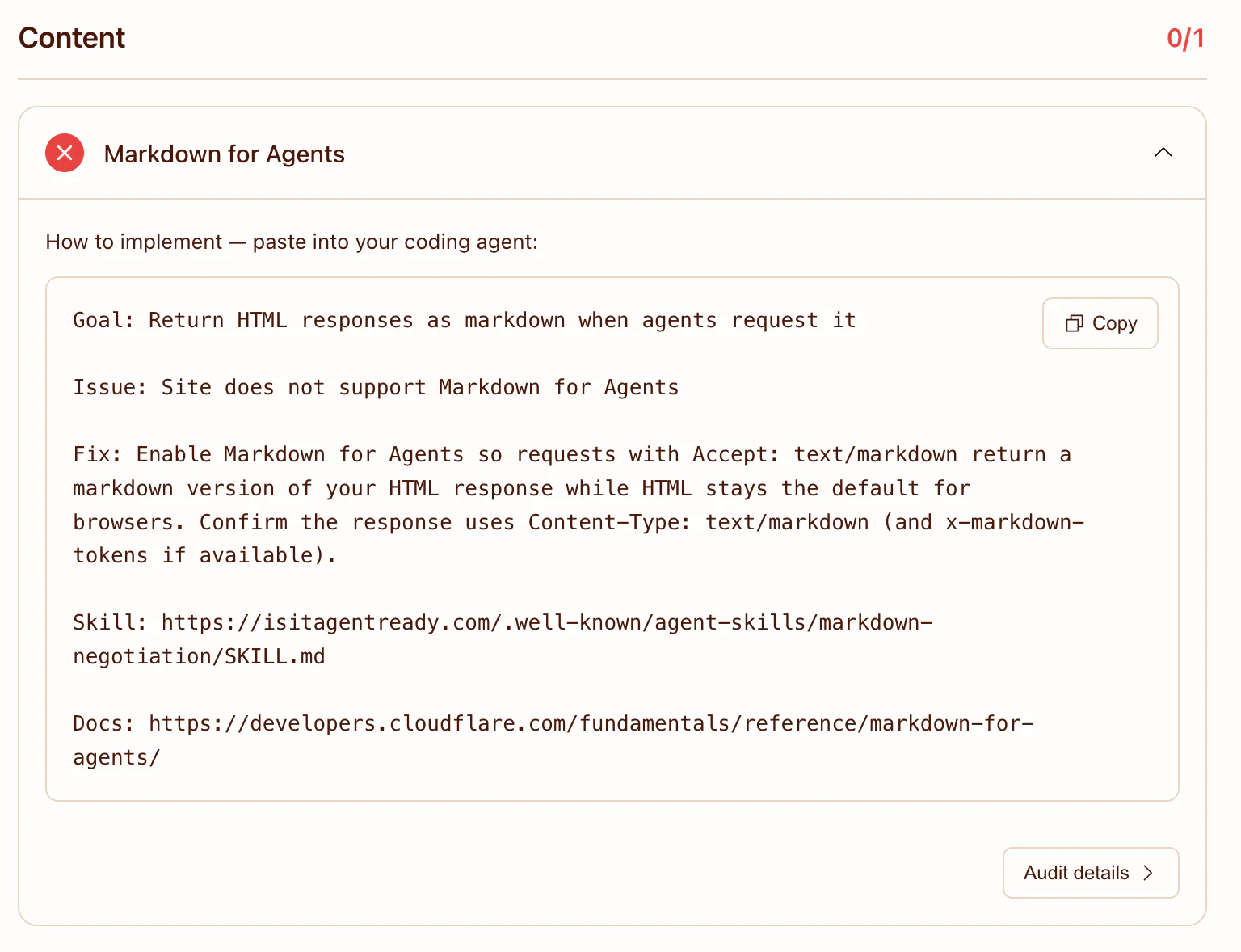
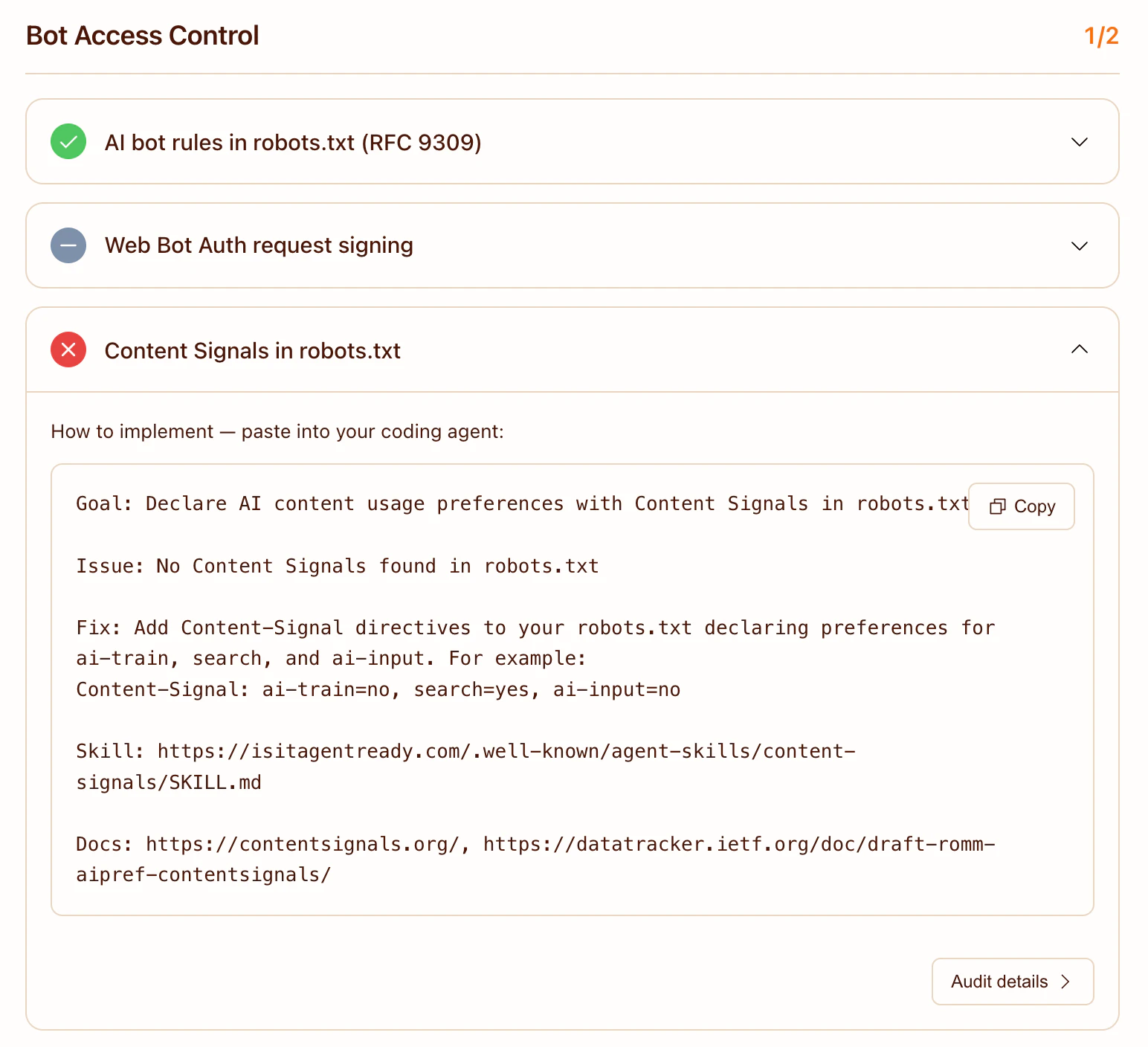
一句话介绍:Cloudflare推出的网站扫描工具,通过检测robots.txt、MCP、OAuth等新兴协议标准的合规性,帮助开发者和网站主在AI智能体日益普及的背景下,解决网站对AI代理不兼容、难以被自动发现和交互的核心痛点。
SEO Artificial Intelligence Development
AI兼容性扫描 网站代理就绪度 开发者工具 SEO优化 机器人协议 AI智能体基础设施 网站可访问性 自动化工作流 Cloudflare
用户评论摘要:用户肯定工具的及时性与启发性,尤其关注MCP端点、Markdown协商等新概念。主要问题集中于:扫描深度是静态检查还是动态模拟;如何区分不同类型AI代理的权限;对`llms.txt`等新兴标准的覆盖度;以及修复建议的具体程度。
AI 锐评

Cloudflare此次推出的“Agent-Ready Scanner”,看似是一个技术合规性扫描工具,实则是一次对下一代互联网入口的精准卡位。其真正价值不在于罗列几个协议检查项,而在于试图定义并标准化“AI友好型网站”的构成要件——将原本分散的robots.txt、MCP、OAuth、Agent Skills等协议整合为一个可量化的“就绪度”指标。

产品犀利之处在于其前瞻性。它敏锐地捕捉到,当AI智能体从简单的信息抓取转向复杂的“浏览、交互、交易”时,现有的、为人机交互设计的Web基础设施将出现严重错配。工具检查的“Markdown协商”、“结构化API端点”等项目,直指未来AI代理更偏好结构化、简洁数据格式的本质需求。这不仅仅是优化,而是为网站增加一个面向机器用户的新“交互层”。

然而,从评论暴露的疑虑来看,产品目前可能仍处于“定义问题”阶段,而非“提供闭环解决方案”。用户关心的动态交互测试、细粒度权限管理、修复方案的直接集成等,都暗示着当前工具的诊断深度和修复指导性尚有不足。更深刻的挑战在于,它无意中触及了一个伦理与商业敏感区:正如用户所问,在“平衡AI可访问性与内容保护”以及“网站是为机器还是为人设计”的议题上,工具本身无法给出答案,却迫使每个网站主必须直面它。

总体而言,这是一个极具战略眼光的市场教育产品。Cloudflare通过降低“AI就绪”的认知和技术门槛,正在悄然推动其基础设施从“服务人类流量”向“同时服务人类与AI智能体流量”的范式转变,旨在成为未来人机共融网络的基础层守门人。但其成功与否,不仅取决于检测算法的演进,更取决于其能否构建起围绕“AI就绪”标准的开发者生态与共识。

查看原始信息
Is Your Site Agent-Ready? by Cloudflare
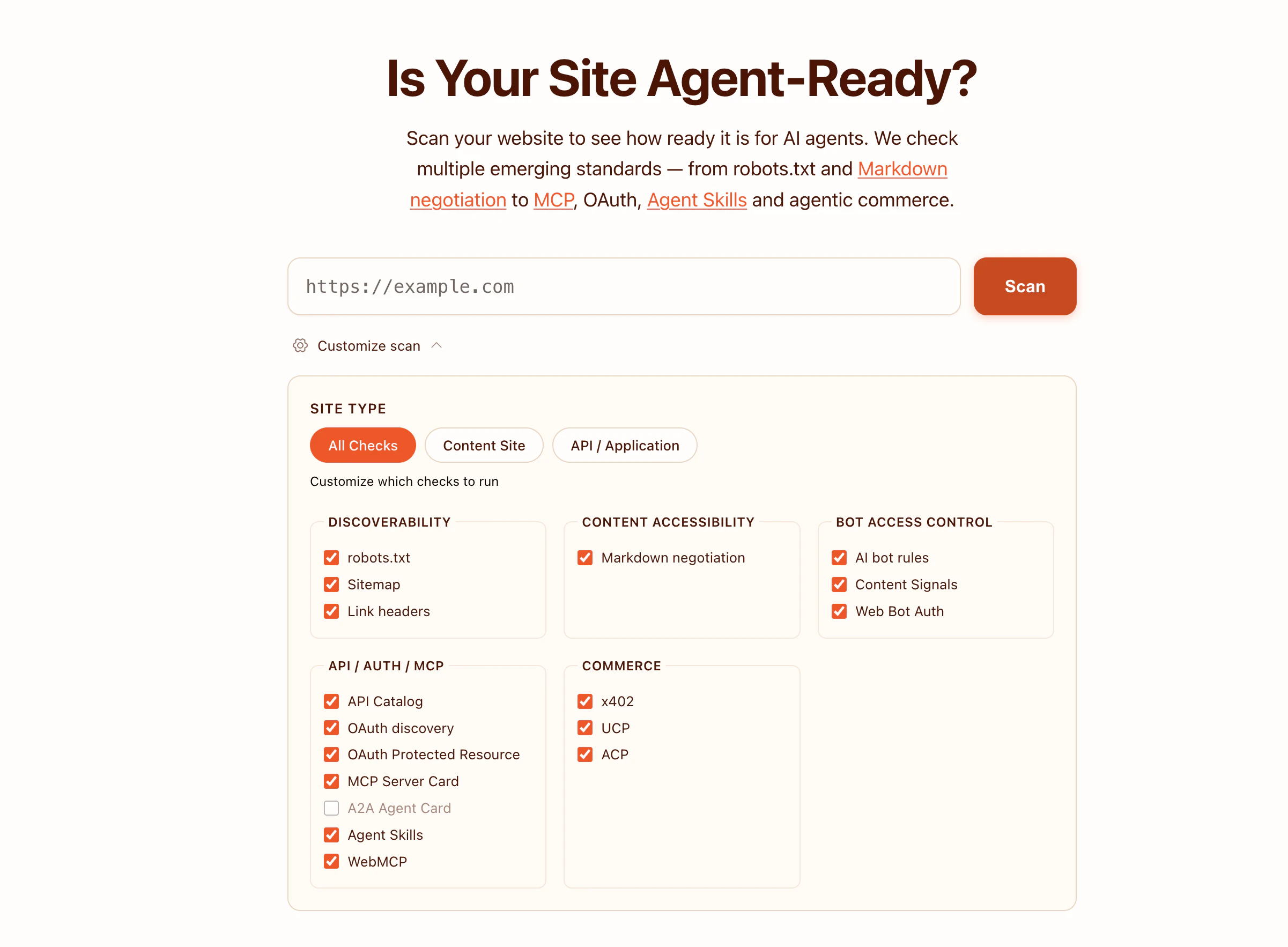
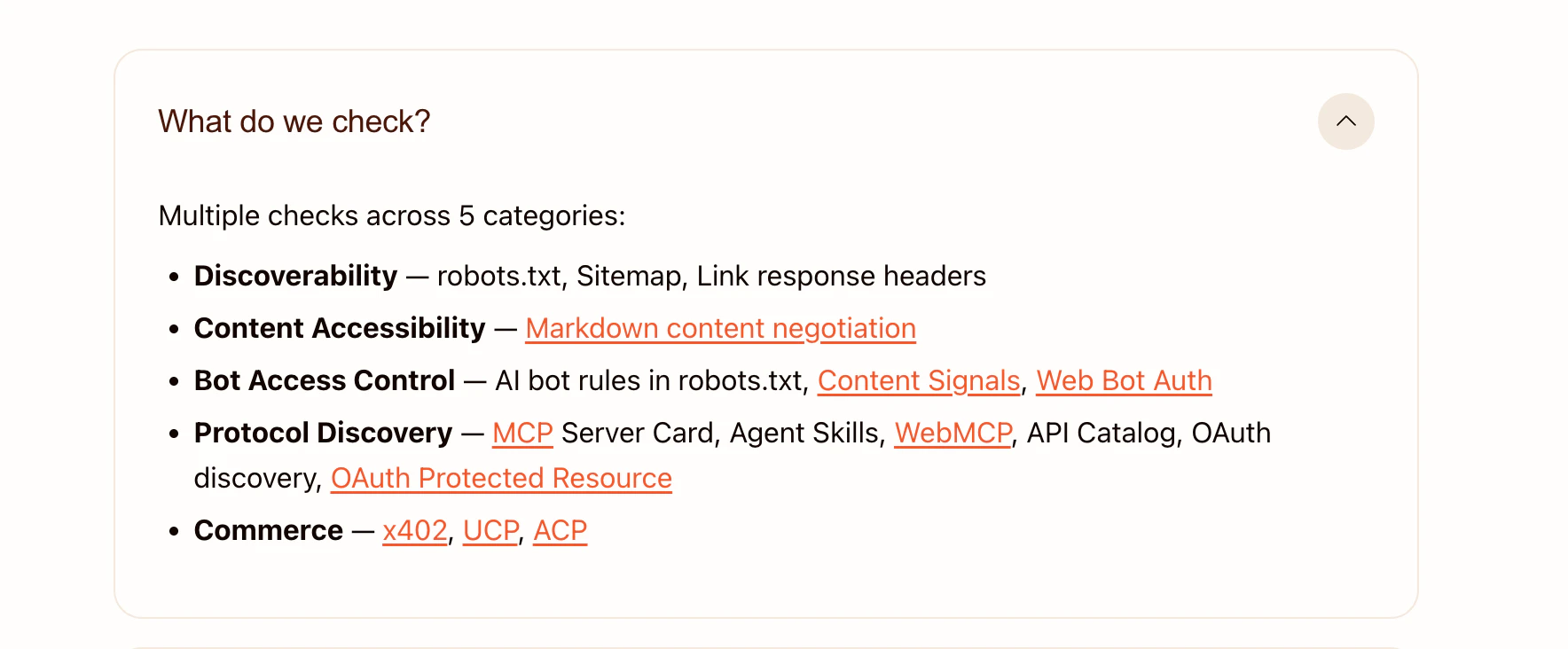
Cloudflare’s Agent-Ready Scanner analyzes your website for AI compatibility across standards like robots.txt, MCP, OAuth, and agent protocols. Identify gaps, improve discoverability, and prepare your site for AI agents to browse, interact, and transact seamlessly.

Really interesting launch! @Cloudflare launched a tool to scan and evaluate how “agent-ready” your website is for AI agents.

Problem → Solution: As AI agents browse, interact, and transact online, most sites aren’t optimized for them. This tool audits readiness across emerging standards and shows what to fix.

What makes it different:

  • Focused specifically on AI agent compatibility (not just SEO or performance)

  • Covers new protocols like MCP, Agent Skills, and agentic commerce

Key features & benefits:

  • Checks robots.txt, sitemap, and discovery signals

  • Evaluates Markdown negotiation & content accessibility

  • Reviews bot access control and AI bot rules

  • Audits API, OAuth, and MCP readiness

  • Provides actionable recommendations to improve

Who it’s for & use cases: Developers, founders, and site owners → optimize sites for AI agents, automation workflows, and future agent-driven commerce.

Read more here: https://blog.cloudflare.com/agent-readiness/

P.S. I hunt the latest and greatest launches in tech, SaaS and AI, follow to be notified @rohanrecommends

7
回复

@rohanrecommends For B2B founders with gated content, what's the smartest way to balance agent accessibility without leaking premium stuff to bots?

1
回复

@rohanrecommends Are we heading toward a web where sites are designed more for machines than for people, and if that happens, who really owns the user experience in the long run?

0
回复

@rohanrecommends a month ago, I was trying to build a similar but a student proj named CiteWeb unfort. couldn't continue due to some design evaluation issues and my busy schedule. lol

0
回复

ran this on a couple of my sites and the MCP readiness check was an eye-opener. never even thought about exposing structured endpoints specifically for AI agents before tbh. the part about markdown negotiation is interesting too - most of my pages serve html and never considered that agents would prefer a simpler format. gonna have to rethink my content-type headers now. one thing tho - does it differentiate between different agent types? like a shopping agent vs a research agent would need pretty different access levels right?

0
回复

oh this is cool — does the scanner actually test how an agent would navigate the site end-to-end, or is it mostly static checks against robots.txt and MCP/agent manifests? curious how deep it goes.

0
回复

I approve of a way to screen your website to ensure it's ready for AI agents. Does it require interacting with the agent first or does it have an updated catalog that has information on agents that are out right now?

0
回复

Thanks for this tool! I was just recently wondering if I have everything set up correctly. Now I know exactly what I'm fixing today 😅

0
回复

@rohanrecommends — does the audit check for llms.txt (the emerging convention for AI crawlability hints alongside robots.txt), or is coverage limited to the established stack? Also curious whether the score differentiates between 'actively blocking AI crawlers' vs 'not explicitly allowing them' — those are pretty different signals for an agent deciding whether to index.

0
回复

Congrats on the launch! This is a timely tool as AI agents become more prevalent. I'm curious about the implementation side - when the scanner identifies gaps in a site's agent-readiness, how prescriptive is the guidance for fixing them? Are there pre-built solutions or does it mostly flag issues and leave remediation to the developer?

0
回复
#5
Vercel Flags
Feature flags, targeting rules, rollouts. All from Vercel.
174
一句话介绍:Vercel Flags 是一款内置于 Vercel 平台的功能开关服务,让开发者无需集成第三方服务,即可在控制台内直接管理功能发布、目标规则和 A/B 测试,简化了现代前端应用的迭代和部署流程。
Software Engineering Developer Tools
功能开关 特性发布 A/B测试 渐进式发布 前端云 开发运维 平台集成 无服务架构 Vercel生态 开发体验
用户评论摘要:用户普遍欢迎该原生集成,认为能简化技术栈、提升体验。核心关切点集中在:是否支持边缘函数的无额外往返服务端评估,以及是否有计划将功能标记状态同步到外部分析工具,以实现更精细的转化追踪。
AI 锐评

Vercel Flags 的发布,远不止是在现有平台菜单里新增一个功能模块。它是 Vercel 巩固其“前端云”战略地位的关键一步,标志着其从“部署平台”向“完整应用交付与管理平台”的深刻演进。

其真正价值在于 **“集成霸权”**。通过将功能开关这一关键实践深度嵌入自身平台,Vercel 正在构建一个高粘性的开发闭环。开发者过去需要自行选型、集成、维护的第三方功能标记服务,现在成了平台的原生能力。这看似是“便利”,实则是“锁定”。它降低了用户启动成本,却提高了未来的迁移成本。产品介绍中“without adding another service to your stack”的表述,既是价值主张,也是战略宣言。

从评论看,资深开发者们立刻嗅到了关键:**对边缘运行时(Edge Functions)的无缝支持是成败手**。如果每次功能检查都需要发起额外的 API 调用,将严重违背边缘计算的低延迟初衷。因此,能否实现真正的“服务端评估”,是衡量该功能是否具备生产级能力的技术标尺。另一条关于同步数据到外部分析工具的评论,则揭示了更深层需求:开发者需要的不只是一个开关,而是一个能与整个数据驱动决策流程打通的**智能发布管道**。目前 Vercel 提供了控制层面的便利,但在数据层面是否开放、如何集成,将决定其天花板是“便利工具”还是“核心中枢”。

犀利来看,Vercel 此举是对 LaunchDarkly、Split 等独立功能标记服务商的“降维打击”。它利用自身在前端部署市场的统治地位,以捆绑销售的方式切入一个相邻但规模可观的市场。对于大量使用 Vercel 的中小企业和初创团队,这极具吸引力;但对于拥有复杂混合架构或强调供应商多元化的企业,这种深度绑定可能反而是一种顾虑。Vercel Flags 的成功,将不取决于功能多强大,而取决于 Vercel 平台本身能否持续成为前端开发的事实标准。这是一场生态战争,而功能开关,只是最新部署的一座桥头堡。

查看原始信息
Vercel Flags
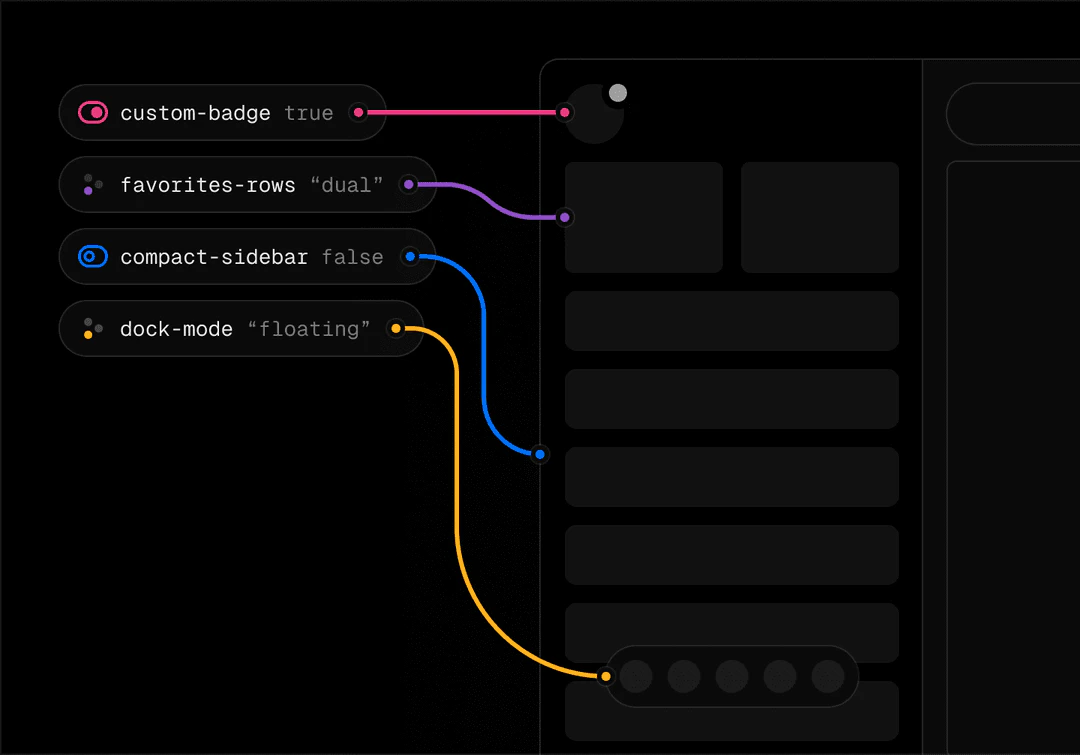
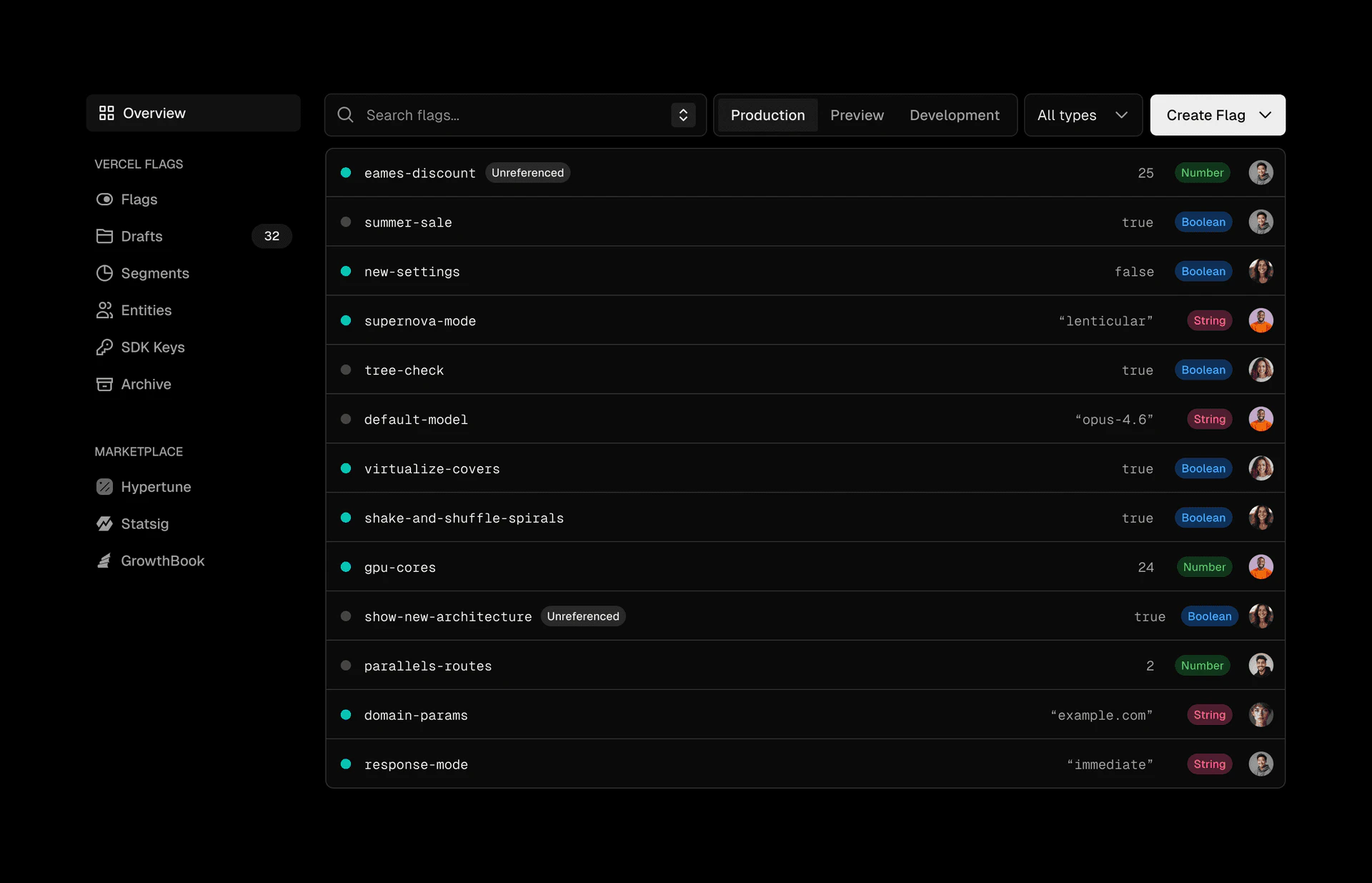
Vercel Flags, a feature flag provider built into the Vercel platform, is now generally available. Create flags, define targeting rules, run progressive rollouts, and run A/B tests, all from the Vercel Dashboard without adding another service to your stack.

Congrats on the launch! I've been following Vercel's evolution and this positioning around the "frontend cloud" feels really strategic. Quick question: how are you thinking about the developer experience for teams migrating from traditional hosting? Are there specific pain points you're prioritizing in the onboarding flow?

1
回复

nice, having flags native in the Vercel dashboard is a big quality-of-life win. does it support server-side evaluation inside edge functions without an extra round-trip, or is everything going through an API call?

0
回复

Having feature flags built directly into the Vercel dashboard means I can finally stop juggling external SDKs just to handle simple percentage rollouts in Next.js. Are there any plans to support syncing these flag states to external analytics tools so we can easily track feature conversions by cohort? I am going to try ripping out my current third-party flag setup and migrating to this over the weekend.

0
回复

nice to see feature flags baked directly into the platform instead of needing a separate service. one less thing to wire up. does it support server-side evaluation for edge functions too?

0
回复
#6
ChatGPT Shopping
Richer, more visually immersive shopping experiences
134
一句话介绍:一款基于Agentic Commerce协议的AI购物助手,在ChatGPT内提供视觉化、对话式的商品浏览与比价功能,解决了用户在线购物时信息碎片化、决策过程冗长繁琐的核心痛点。
User Experience Artificial Intelligence E-Commerce
AI购物助手 对话式电商 视觉化搜索 商品比价 个性化推荐 开放商务协议 产品发现引擎 消费决策 ChatGPT插件 沉浸式购物
用户评论摘要:用户肯定其从“搜索助手”升级为“发现引擎”的价值,认为能极大提升决策效率。核心关切点在于推荐算法是否公正无偏,担忧商业化推广损害可信度。另有用户询问其未来对零售商覆盖的扩展计划。
AI 锐评

ChatGPT Shopping的发布,与其说是一款新应用,不如说是对“AI原生商业”基础设施的一次压力测试。其真正价值并非炫酷的视觉对比或对话界面,而在于其底层所依赖的“Agentic Commerce Protocol”(ACP)。这个连接了数亿用户与主流零售商的开放协议,试图扮演一个中立的数据管道和交易层,这才是其颠覆性所在。

产品逻辑清晰:将购物从基于关键词的“搜索-筛选”被动模式,转变为基于意图和对话的“探索-发现”主动模式,理论上能显著降低用户的认知负荷与决策时间。然而,其面临的挑战同样尖锐。首当其冲便是评论中提及的“信任”问题。当AI同时扮演导购、比价工具和交易入口时,如何保证其推荐逻辑的绝对中立?协议“开放”的另一面,是参与商户对曝光位和排序规则的潜在争夺。若不能建立一套透明、可信且抗操纵的推荐机制,其“节省时间”的承诺将迅速崩塌为“引导消费”的嫌疑。

其次,它的体验优势高度依赖于ChatGPT的上下文理解与ACP协议的数据丰度。目前覆盖大型平台固然可喜,但长尾、特色商品库的完整性,以及实时价格、库存、优惠信息的准确性,将是决定其能否取代用户“多开标签页”习惯的关键。它并非简单聚合信息,而是需要理解“平替”、“露营新手入门”等模糊需求并精准匹配,这对AI和底层数据质量提出了极高要求。

本质上,这是一场关于“购物入口”控制权的争夺。它试图将ChatGPT从问答工具变为消费起点,把交易环节更深地嵌入对话流。成功与否,取决于它能否在商业变现与用户体验之间找到那个脆弱的平衡点,并证明其协议能创造一个比现有电商平台围墙花园更高效、更公平的生态系统。否则,它可能只会成为一个有趣的、但非必需的购物玩具。

查看原始信息
ChatGPT Shopping
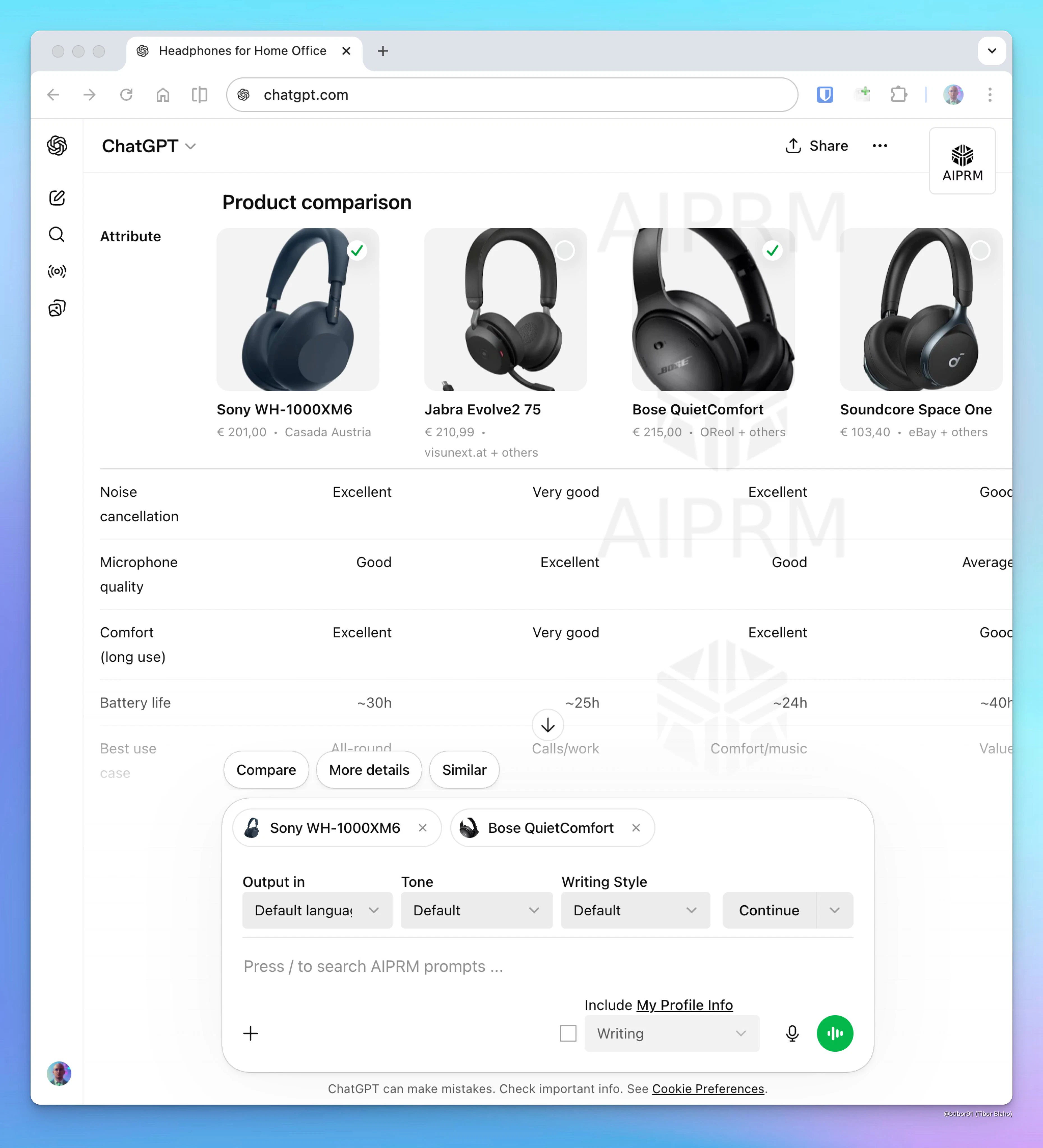
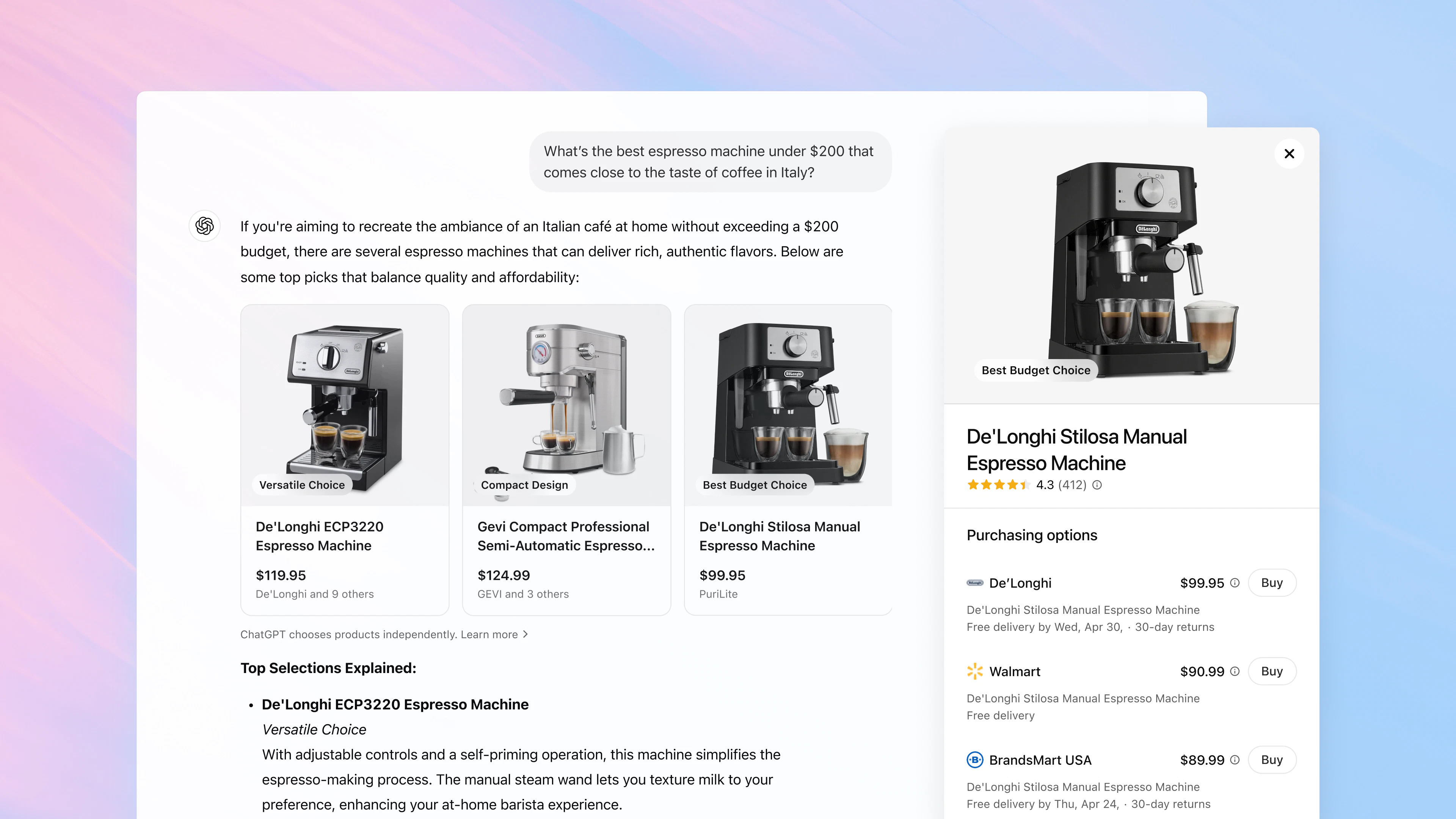
ChatGPT shopping now runs on Agentic Commerce Protocol, an open commerce protocol connecting 700M users to Target, Walmart, Sephora, Shopify and more. Visual comparisons, image search, personalised buyer guides. Free for all users.

Really interesting launch, this turns ChatGPT into a true product discovery engine rather than just a search assistant.

What it is: A richer, visual shopping experience inside ChatGPT that helps users explore, compare, and decide what to buy, all in one place.

Problem → Solution: Online shopping is fragmented... too many tabs, repetitive research, and slow decision-making. This solves it by enabling conversational discovery, visual browsing, and side-by-side comparisons instantly.

What makes it different: Instead of keyword search, it’s intent-driven + conversational, with real-time refinement and personalized results, massively reducing decision time.

Key features:

  • Visual product browsing

  • Side-by-side comparisons (price, reviews, features)

  • Conversational refinement

  • Personalized recommendations based on preferences

  • Integrated merchant ecosystem via ACP

Benefits:

  • Faster decisions (minutes vs hours)

  • Fewer tabs, less cognitive overload

  • Higher-quality purchase choices

  • Seamless discovery → checkout flow

Who it’s for: Shoppers, researchers, indecisive buyers, and anyone exploring options, not just people who know exactly what they want.

Use cases:

  • Comparing products before buying

  • Finding alternatives or similar items

  • Budget-based recommendations

  • Exploring new categories

This is a big step toward AI-native commerce where discovery, comparison, and decision-making happen in one flow.

P.S. I hunt the latest and greatest launches in tech, SaaS and AI, follow to be notified @rohanrecommends

2
回复

I’d definitely use something that helps me find the right products faster, but only if the recommendations stay unbiased. The moment companies can pay to push their products higher, this'd lose my trust.

2
回复

@aniela_oprea Good point

0
回复

These are the tools I look forward to using in my day to day. Are there any online stores that it doesn't have access to that will be looked into in the future?

1
回复
#7
React Email 6.0 by Resend
Build, customize, and ship emails — all from your own app
133
一句话介绍:React Email 6.0 是一款可嵌入应用的开源可视化邮件编辑器,让开发者能在自己的产品中快速构建、定制和发送样式兼容的邮件,解决了在应用内集成专业邮件编辑功能的高门槛痛点。
Email Open Source
开源邮件编辑器 邮件模板 React组件 前端开发工具 邮件开发 可嵌入组件 开发者工具 电子邮件基础设施
用户评论摘要:用户肯定其热重载和预览功能。主要疑问集中在:6.0版本的破坏性变更与升级工具、产品主要面向开发者还是非技术人员、以及嵌入式编辑器是否能注入设计令牌以匹配宿主应用风格,避免视觉割裂。
AI 锐评

React Email 6.0 的野心,远不止于又一个邮件模板库。其核心价值在于将“邮件编辑器”从一个独立工具,降维为一个可被任意应用吞食的标准化组件。通过提供开源、可嵌入的可视化编辑器,它试图将邮件内容生产这一传统上需要前后端协作、且饱受客户端兼容性折磨的环节,彻底前端化和模块化。

此举直击一个关键痛点:SaaS产品中,营销或运营人员所需的内容灵活性与工程师追求的代码可控性及样式可靠性之间的永恒矛盾。Resend的方案颇具匠心——编辑器输出的是“email-ready HTML”,这保证了邮件最终渲染的确定性;同时开放的组合API,又允许扩展自定义功能块。这实际上是在提供一种“受控的自由”,将非技术人员的创作,约束在工程师预设的安全边界内。

然而,评论中关于设计令牌注入的质疑,恰恰点出了此类嵌入式编辑器能否成功的关键:它是否真的能做到“无缝融合”,而非一个视觉上格格不入的“异域iframe”。这不仅是技术问题,更是产品哲学问题。Resend若想让它成为应用的标准内建模块,就必须解决这一层“宿主适配”的深度定制需求,否则它可能永远只是一个为开发者服务的、更优雅的代码工具,而难以赋能给真正的“非技术成员”。

总体而言,React Email 6.0 代表了基础设施产品的一种演进趋势:从提供外部API服务,转向提供可内聚的、UI级的基础软件模块。它的成功与否,将检验“开发体验”与“最终用户体验”的边界,在复杂的功能性组件领域,能否被真正抹平。

查看原始信息
React Email 6.0 by Resend
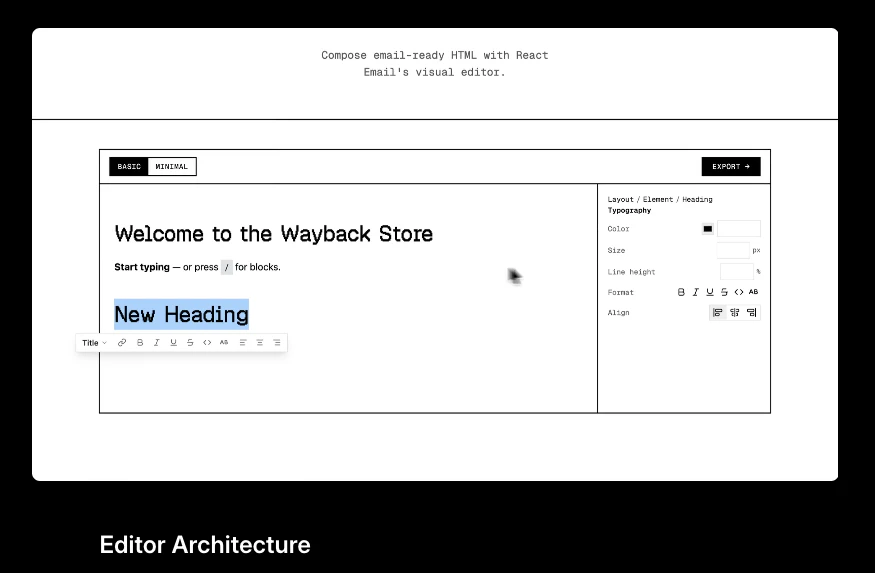
An open-source email editor you can embed in your own app, plus a new collection of templates.

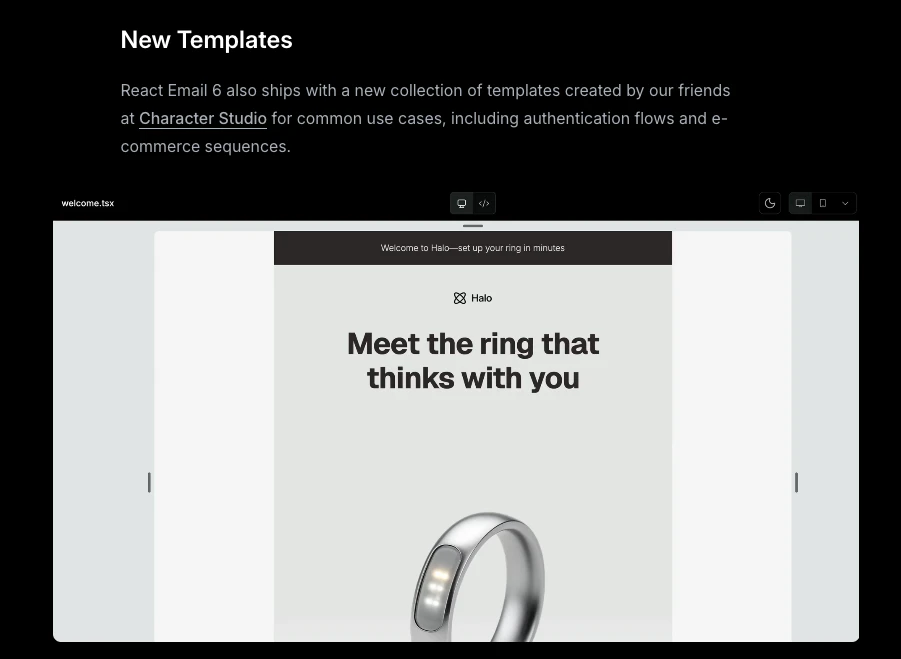
React Email 6.0 ships with an open-source visual editor you can embed directly in your app, a new template collection, and a unified package that simplifies imports across the board.

What's new:

  • Open-source editor: embed a full visual email editor in your app with a few lines of code, outputs email-ready HTML that renders correctly across every major inbox provider

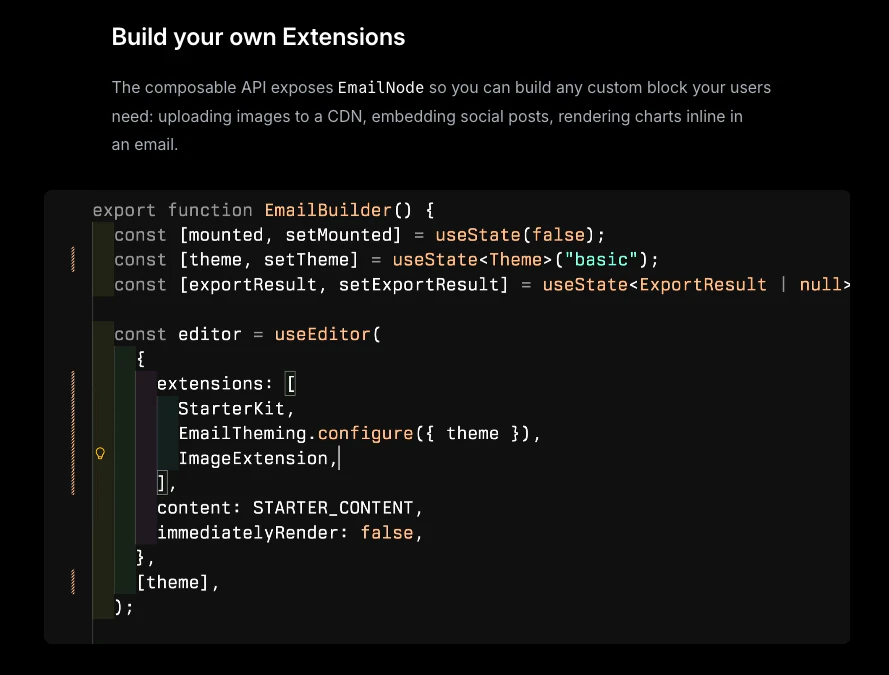
  • Custom extensions: build your own blocks using the composable API, from CDN image uploads to inline charts

  • New templates: ready-to-use authentication and e-commerce sequences, available as React Email templates or Figma files

  • Unified package: import all React Email components from a single react-email package, no more juggling multiple installs

2M weekly npm downloads. 196 open source contributors. Full docs on GitHub.

3
回复

been using react-email for a while — the hot reload and preview server are 10/10. what's the biggest breaking change in 6.0, and is there a codemod for folks upgrading from 3.x?

0
回复

Love resend. Started implementing it 1 month ago and it's amazingly cool!

0
回复

I'm trying to understand who this is primarily for? Is this a tool that enables non-technical members to engage in some of the benefits of the react ecosystem or for engineers? Just let's you compose email templates but within your own project?

0
回复

@adithya — the embeddable editor is the standout part here. Does it support design token injection so the editor UI can match the host app's visual system, or does it ship with a fixed style? I've seen email editors where the iframe boundary creates visual jarring when dropped into a SaaS product — curious how Resend's approached that.

0
回复
#8
Claude Code Rendering
Mouse support and flicker-free rendering for Claude Code
125
一句话介绍:Claude Code Rendering 是一款针对 Claude Code CLI 的增强渲染器,通过在应用层虚拟化终端视口,为在 VS Code、tmux 或 iTerm2 中进行长会话开发的程序员,彻底解决了终端界面闪烁和滚动跳跃的核心体验痛点。
User Experience Developer Tools Artificial Intelligence
终端工具增强 开发者工具 CLI优化 用户体验 无闪烁渲染 鼠标支持 视口虚拟化 AI编程助手 性能优化 TUI
用户评论摘要:用户普遍对解决终端闪烁问题表示高度赞赏,认为这是长期存在的痛点。鼠标支持(如点击定位、滚动)显著提升了交互效率。用户关注其技术实现是否基于现有TUI框架,并注意到复制粘贴等原生行为在预览模式下可能有所不同。
AI 锐评

Claude Code Rendering 看似只是一个“消除闪烁”的补丁,实则触及了终端应用现代化的一个深层矛盾:在保留传统终端轻量级、可移植性优势的同时,如何提供现代GUI的流畅交互体验。其真正的价值不在于“增加鼠标支持”这一功能本身,而在于其技术路径的选择——它没有像许多现代TUI工具那样引入重型框架(如Ratatui),而是巧妙地通过“视口虚拟化”在应用层接管渲染,实现了无闪烁更新。这是一种优雅的妥协:既维持了与标准终端的兼容性,又在核心交互痛点(闪烁、长会话内存膨胀)上实现了突破。

然而,其“研究预览”的状态和文档中提及的与原生快捷键行为的权衡,暴露了这种“夹层”方案的固有挑战。它本质上是在修补一个基于流式文本和ANSI转义码的古老体系,而非重塑它。这带来一个尖锐问题:对于AI编码助手这类高交互性、状态复杂的下一代CLI工具,我们是否应该继续委身于终端的限制?还是需要更彻底的协议或运行时重构?该产品是一次出色的工程实践,证明了在旧范式内仍有巨大优化空间,但它也像一面镜子,映照出终端生态在AI时代所面临的架构性张力。它的成功与否,将取决于其能否在保持极简依赖的前提下,持续弥合传统终端与现代交互期望之间的鸿沟。

查看原始信息
Claude Code Rendering
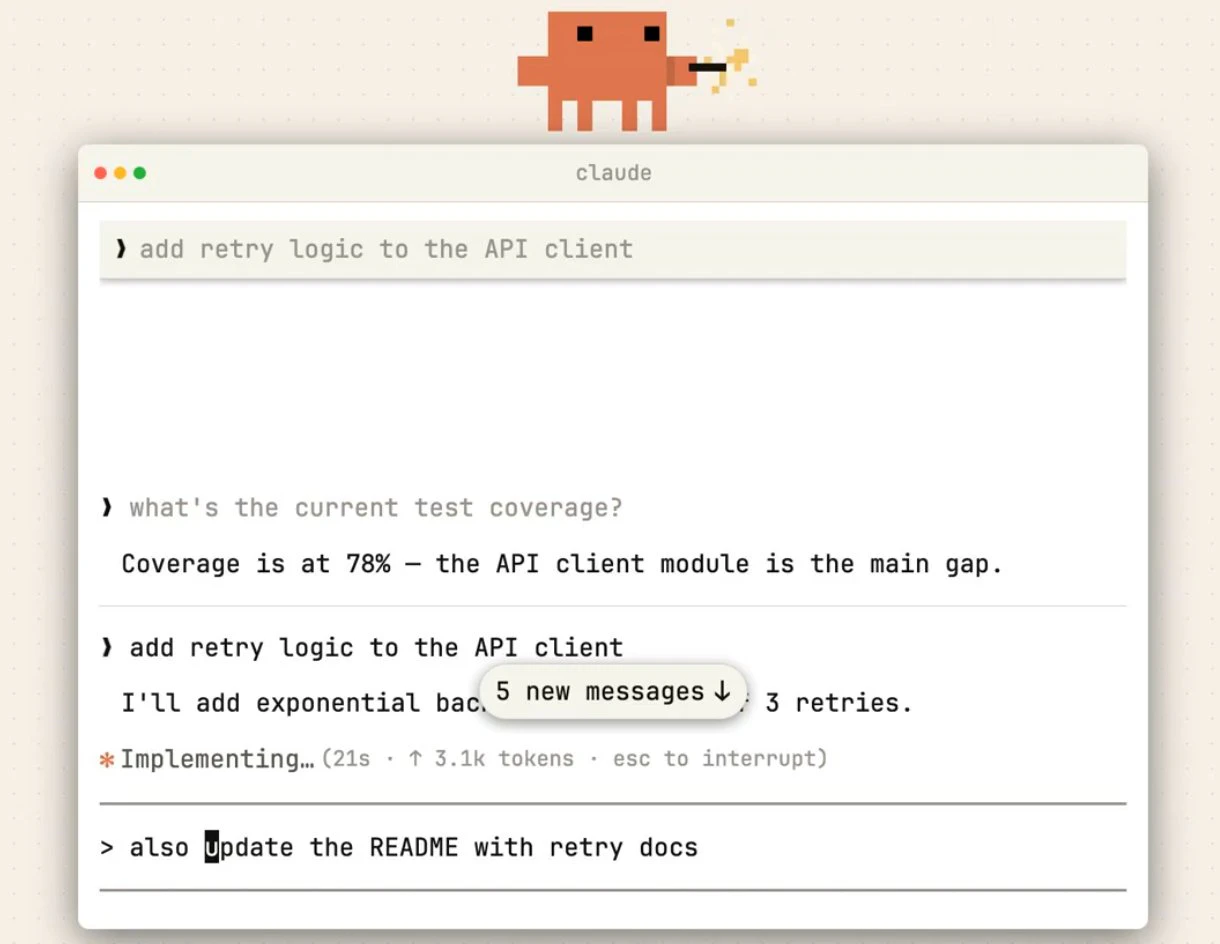
Claude Code's new opt-in renderer virtualises the viewport, eliminates flicker, adds mouse events, and keeps memory flat in long sessions. For developers running Claude Code in VS Code, tmux, or iTerm2.

Claude Code Fullscreen Rendering is a new opt-in renderer for the Claude Code CLI that virtualises the terminal viewport and adds mouse support.

It solves the core UX problem in terminal-based AI coding: ANSI escape codes lack a mechanism to repaint rows outside the viewport, so every update forces a full-screen clear. That's the flicker.

Fullscreen rendering moves viewport control into the application layer, the same way Vim and Htop do it.

What makes it different is that it eliminates flicker without sacrificing terminal portability, no external TUI framework, and no new dependencies.

It supports click-to-position cursor in the input box, click-to-expand tool results, URL and file path clicking, mouse-wheel scrolling, transcript search with less-style navigation, and constant memory and CPU usage regardless of conversation length.

Built for developers running Claude Code in VS Code's integrated terminal, tmux, or iTerm2, especially in long sessions where flicker and scroll jumps are most disruptive.

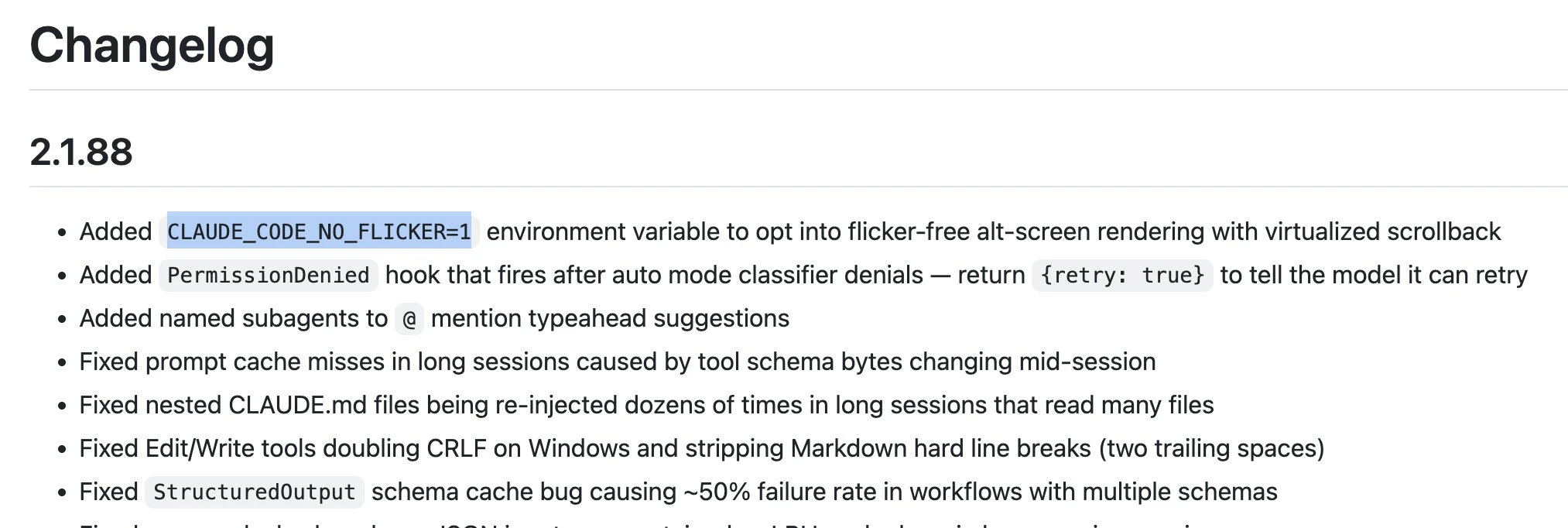
Enable it with: CLAUDE_CODE_NO_FLICKER=1 claude

Note: this is a research preview. Native cmd-f and copy-paste behave differently in this mode. Full tradeoff details in the docs.

https://code.claude.com/docs/en/fullscreen

P.S. I hunt the latest and greatest launches in tech, SaaS and AI, follow to be notified @rohanrecommends

2
回复

@rohanrecommends How does mouse support change your typical workflow? Does it feel more "IDE-like" in tmux, or still pure terminal soul?

2
回复

This is solving a problem I've been annoyed by for months. The flicker during long Claude Code sessions in tmux is genuinely painful - especially when you're trying to read tool results while the model is still generating. The Vim-style viewport approach makes total sense. Already enabled it with the env var and the difference is immediately noticeable. Mouse wheel scrolling through long conversations is a game changer too.

2
回复

oh nice, the memory staying flat in long sessions is huge. the flickering in terminal was one of those small things that really added up over time. mouse support is a great bonus too

2
回复

flicker in the CLI has been one of those papercuts i didn't realize was bugging me until i saw a smooth render. is this built on a custom TUI layer or using something like ink/ratatui under the hood?

1
回复
#9
Android CLI
Build high quality Android apps 3x faster using any agent
117
一句话介绍:Android CLI是一款面向AI智能体的终端工具集,通过提供结构化命令、模块化技能和实时知识库,指导AI智能体遵循最佳实践,解决Android开发环境搭建缓慢、工作流陈旧和工具链割裂的痛点,使开发者能借助AI代理在终端内快速构建高质量应用。
Android Artificial Intelligence SDK
Android开发工具 AI辅助编程 命令行工具 智能体开发 工作流加速 开发效率 终端工具 最佳实践 项目脚手架 开发自动化
用户评论摘要:用户普遍认可其解决Android开发环境搭建痛点的价值,认为为AI智能体提供结构化接口是明智之举。主要疑问集中在:其“实时知识库”如何保持与Android最佳实践同步(是手动还是自动更新),以及AI智能体在遇到模糊设计规范时如何做出决策。
AI 锐评

Android CLI的核心理念并非简单的“命令行工具”,而是“为AI智能体设计的结构化操作系统”。它试图解决的深层问题,是当前AI编码助手在复杂、配置繁重的Android生态中表现出的“无知”与“低效”。通过将SDK管理、项目模板、测试部署等环节封装为标准化、可理解的“技能”,并辅以声称实时更新的知识库,其本质是为AI构建了一个高确定性、低噪音的专属执行环境。

产品的真正价值在于“降本增效”的两面:对开发者,是提升工作流速度;对AI智能体及其背后的企业用户,则是通过减少其在复杂上下文摸索中产生的冗余token消耗,直接降低大模型API调用成本。其“提速3倍”的宣称,很大程度上可能源于此。

然而,其面临的挑战同样尖锐。首先,“实时知识库”的更新机制是技术护城河,也是潜在风险点。若依赖手动维护,其时效性将大打折扣;若试图自动抓取并整合谷歌官方、社区碎片化的最佳实践,则面临信息过滤、准确性验证的巨大挑战。其次,产品将AI智能体的决策“管道化”,在提升效率的同时,也可能限制其创造性解决方案的生成,尤其在需要突破常规的复杂场景中。最后,其成功高度依赖于主流AI编码助手(如Cursor、Claude Code)是否会将其技能集深度集成,否则它可能只是少数前沿技术爱好者手中的利刃,难以触及更广泛的开发者群体。

总而言之,Android CLI是一次极具前瞻性的尝试,它瞄准了AI原生开发工具的关键缺口。但它能否从“聪明的玩具”成长为“必需的基础设施”,取决于其知识库的持续智能水平,以及能否在“约束AI”与“赋能AI”之间找到完美的平衡点。

查看原始信息
Android CLI


Android CLI is a new agent-first toolkit that lets developers build Android apps directly from the terminal—faster and with less guesswork. It combines CLI commands, modular “skills,” and a live knowledge base to guide AI agents with best practices, enabling rapid setup, project creation, testing, and deployment while reducing token usage and speeding workflows up to 3x.


Android CLI brings agentic Android development to the terminal helping devs build apps faster with less guesswork. It solves slow setup, outdated workflows, and fragmented tooling by giving agents a structured interface.

What makes it different?

  • Built for AI agents + modern workflows

  • Reduces token usage & speeds tasks ~3x

  • Grounded with official Android skills + knowledge base

Key features:

  • SDK + environment management

  • Instant project creation from templates

  • Emulator + deployment via CLI

  • Auto-updating + best-practice guidance

Who it’s for: Android devs, AI-assisted coders, and teams building faster with agents

Use cases: Rapid prototyping, CI automation, agent-driven dev workflows.

If you're building Android apps with AI, this is worth a look!

P.S. I hunt the latest and greatest launches in tech, SaaS and AI, follow to be notified @rohanrecommends

3
回复

@rohanrecommends When an agent hits an ambiguous UI spec, how does it decide between Material 3 guidelines vs custom theming?

1
回复

been waiting for something like this — android dev setup has always been the worst part. the idea of giving agents a structured interface with built-in best practices is really smart, way better than just letting them guess at gradle configs

1
回复

Congrats on the launch! This is a really interesting approach to agent-assisted development. I'm curious about the "live knowledge base" you mention—how does it stay updated with the latest Android best practices and API changes? Does it require manual updates from your team, or have you found a way to make it self-updating?

0
回复
#10
Grok Voice API
Fast, accurate STT and TTS APIs at the best price
114
一句话介绍:Grok Voice API 提供快速、准确的语音转文本和文本转语音API服务,以极具竞争力的价格,为开发者解决了在实时会议转录、多语言内容生成等场景中,构建高质量、低成本语音AI功能的技术与成本痛点。
API Artificial Intelligence Audio
语音AI 语音转文本 文本转语音 开发者API 实时转录 说话人分离 多语言支持 按量计费 成本优势
用户评论摘要:用户普遍认可其定价策略对市场(如Deepgram、Whisper API)的冲击力,并赞赏将说话人分离等实用功能内置。主要疑问和建议集中在:多语言及口音支持的实际表现、实时流式传输的延迟与抗噪能力、以及不同语言下说话人分离的准确性。
AI 锐评

Grok Voice API的发布,远非一次简单的功能扩充,而是xAI在语音AI领域一次精准的“价格-功能”组合拳。其真正价值在于,试图用一套高度集成、定价激进的标准化API,重新定义语音AI基础设施的准入门槛。

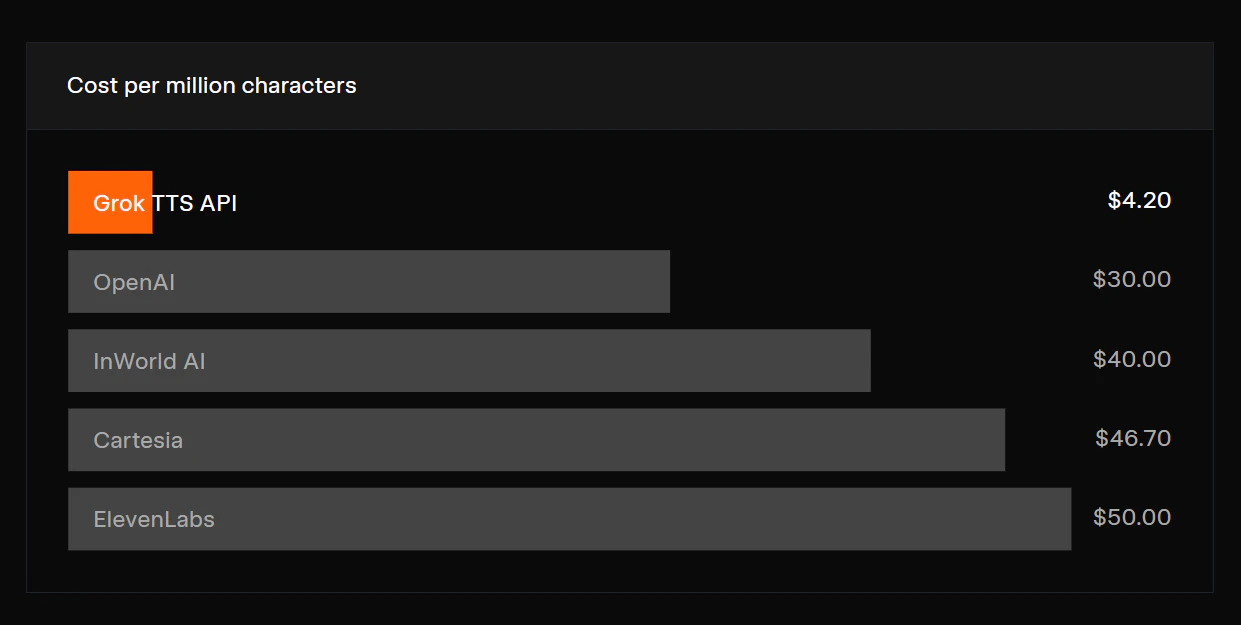
表面看,其亮点在于将实时流式转录、说话人分离、智能文本格式化等生产级需求打包,并以低于市场主流水准的价格(如流式转录每小时0.2美元)提供。这直接瞄准了开发者在集成多个独立服务(如转录+声纹分离)时面临的复杂性与高成本痛点,实现了“开箱即用”的便利性。

然而,犀利之处在于其战略意图。这并非单纯的技术炫技,而是典型的生态卡位。通过将语音能力从其Grok聊天机器人中解耦并产品化,xAI正从单一的AI应用提供者,转向为更广阔的开发者生态提供底层能力。其定价策略极具侵略性,目的明确:快速吸引开发者采用,形成规模和数据飞轮,从而挑战OpenAI的Whisper API、Deepgram等现有玩家的市场地位。

但评论区的疑问也暴露了其潜在挑战与市场检验的关键点:在非英语环境及复杂声学场景下的鲁棒性。说话人分离和低延迟流式处理在理想环境下表现良好是“标配”,但在嘈杂的真实世界音频中能否保持稳定准确,才是决定其能否从“价格颠覆者”晋升为“质量领导者”的试金石。如果Grok Voice API能在这些实际生产问题上交出满意答卷,那么它掀起的将不止是价格战,而是一场关于语音AI服务可靠性与实用性的标准重塑。目前,它已成功抛出了一枚极具分量的市场砝码,压力完全给到了竞争对手一边。

查看原始信息
Grok Voice API
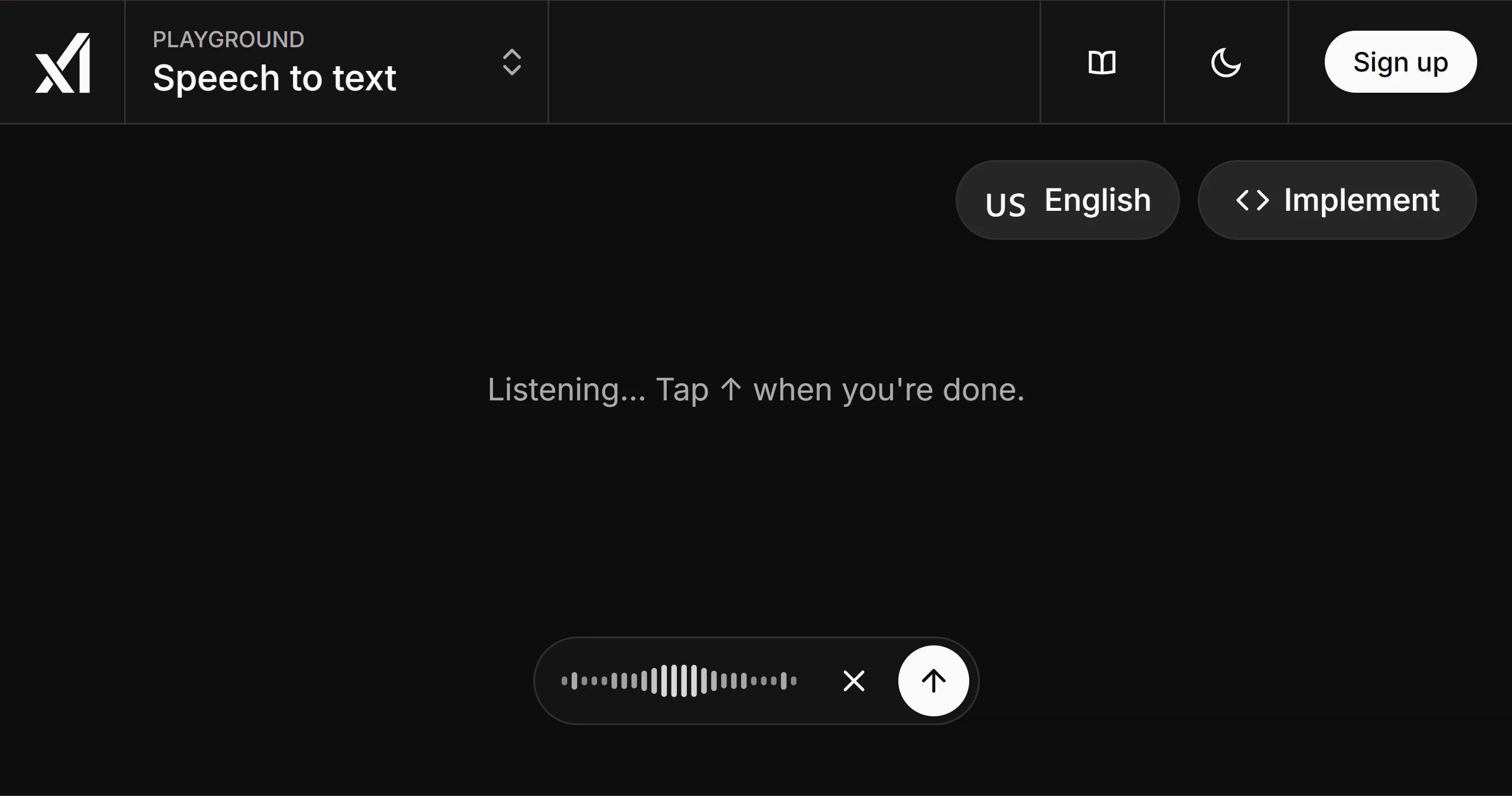
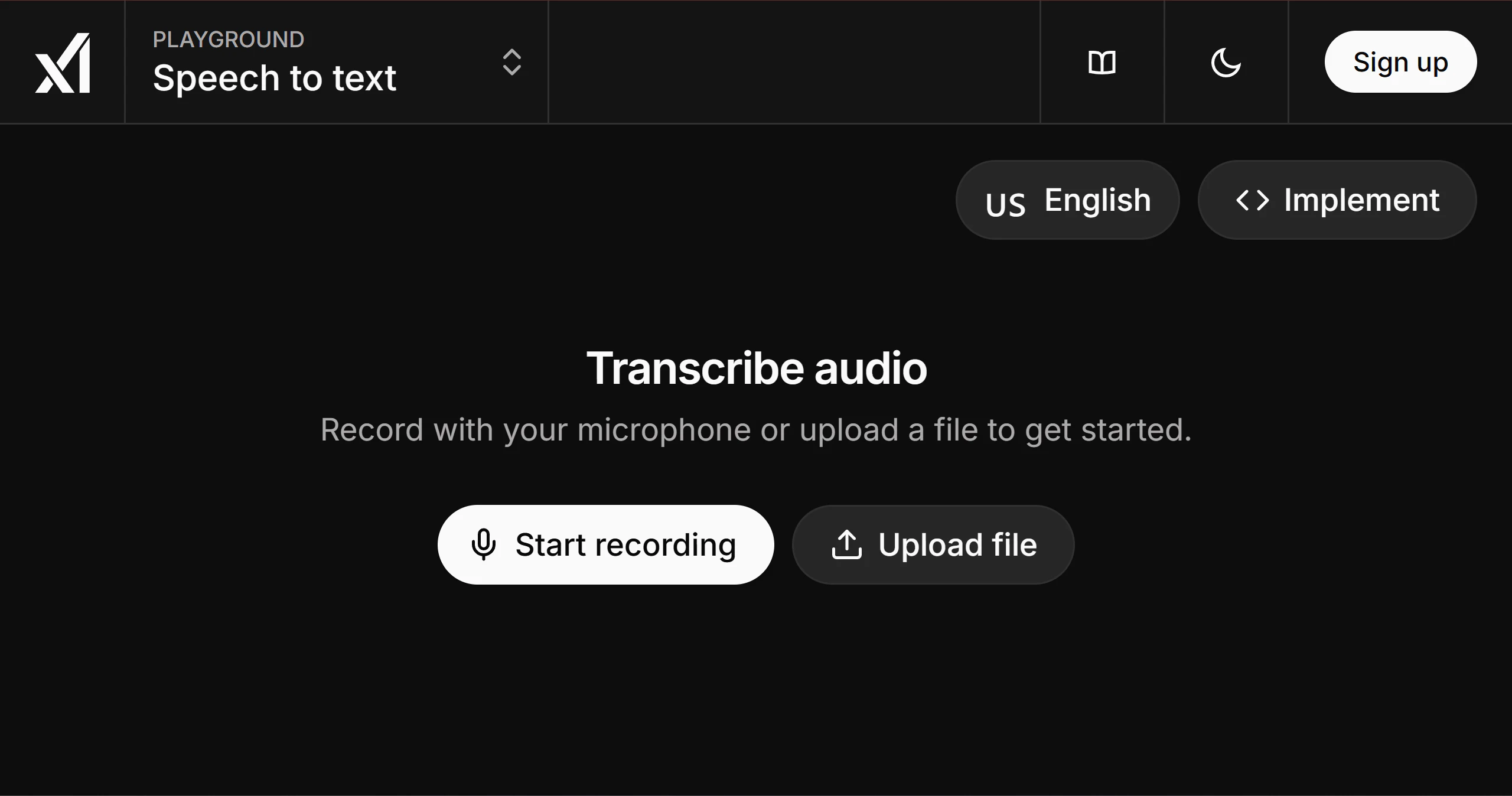
Grok now offers standalone Speech-to-Text and Text-to-Speech APIs for developers. The new voice stack covers real-time and batch transcription, multispeaker diarization, multichannel audio, text formatting, expressive TTS with speech tags, multilingual support, and simple usage-based pricing.

Hi everyone!

With the new transcription (Speech-to-Text) API now available, combined with their Voice Agent capabilities, it’s clear that @Grok is making a systematic push to capture the entire Voice AI ecosystem.

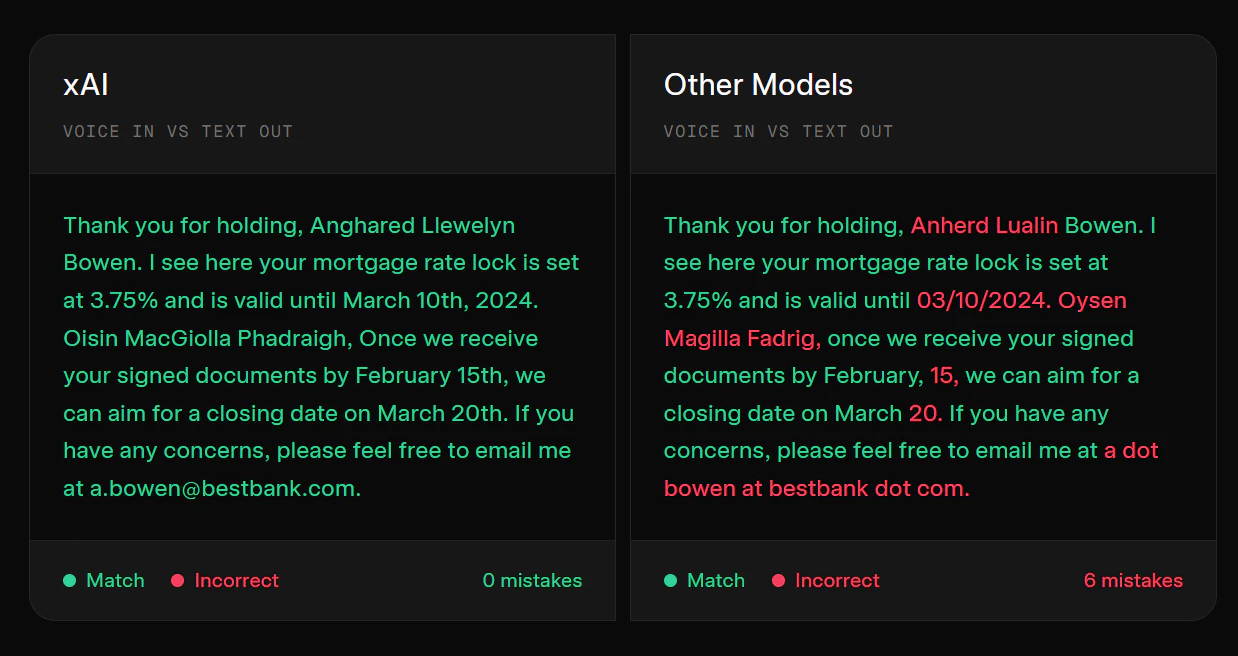
Looking specifically at the STT model, they have shipped a highly pragmatic feature set. It includes native WebSocket support for real-time streaming, built-in speaker diarization (a must-have for meetings), and intelligent text formatting that automatically handles numbers and currencies (it's cool and pretty useful in production!).

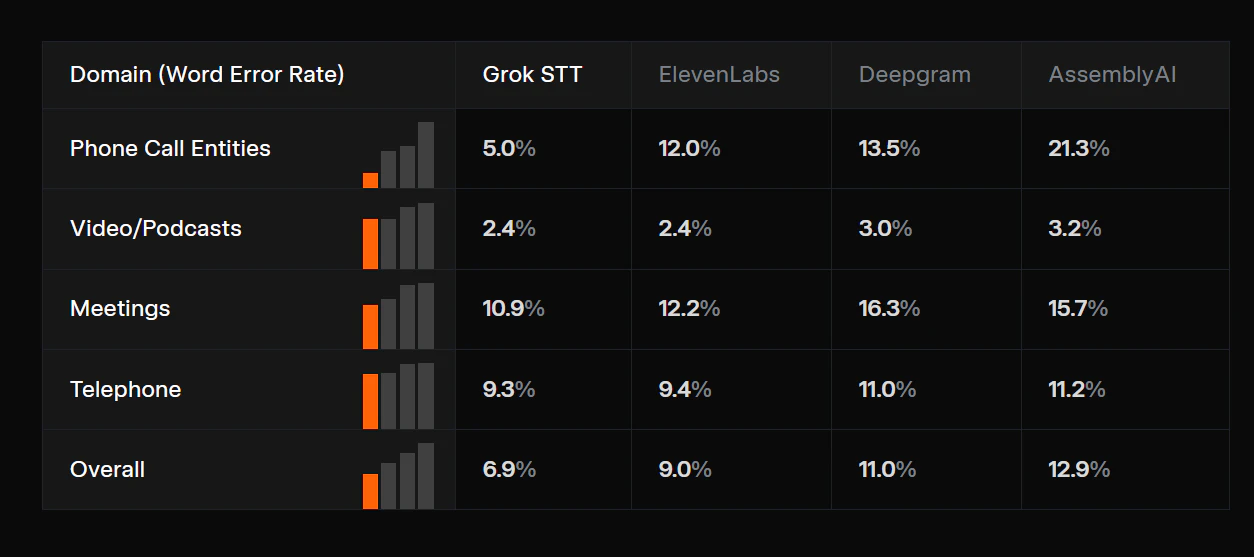
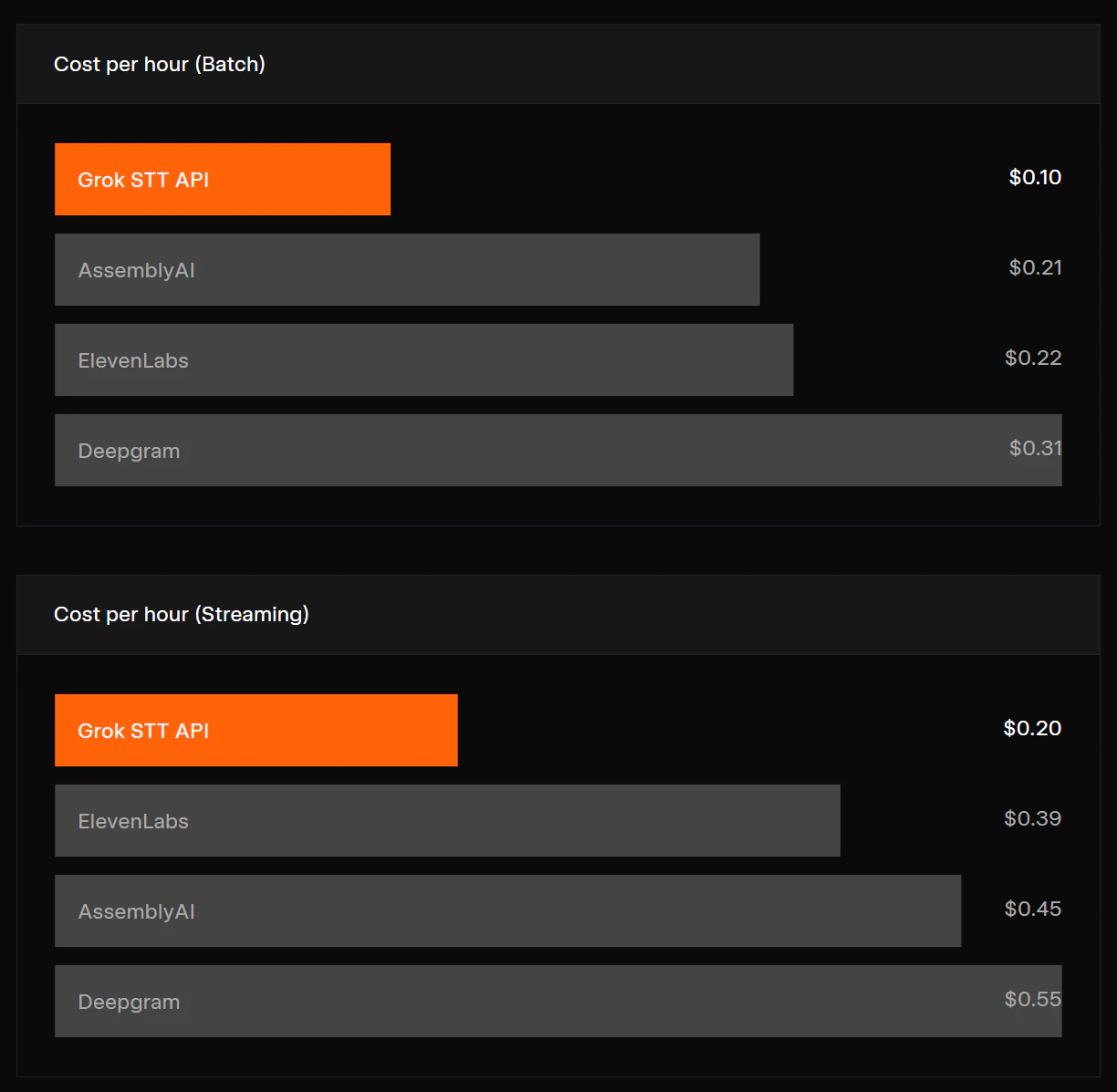
The pricing is also very aggressive: $0.10 per hour for batch and $0.20 per hour for streaming. xAI is once again putting some real price pressure on the market, isn't it?

3
回复

@zaczuo How are you all handling noisy real-world audio? Does the streaming hold up, or is batch still king for cleaner results?

1
回复

@zaczuo Strong move on the pricing.

0
回复

I've always appreciated the extent in which Grok can utilize voice for projects. Is the text to speech compatible and fluent with all manner of accents as well?

0
回复

@zaczuo — the pricing puts real pressure on Deepgram and Whisper API. Curious about multilingual coverage — is speaker diarization accuracy consistent across languages, or is English still the primary target where the model performs best? That's usually where the gap shows up in production.

0
回复

the multispeaker diarization built right into the STT is a nice touch — that's usually a painful separate step. how's the latency on the real-time streaming? would love to see benchmarks vs whisper and deepgram

0
回复
#11
CapyPlan
Your no stress chearleader for tiny tasks
110
一句话介绍:一款主打“无压力、温馨”体验的轻量级每日规划应用,通过清晰的“鸟瞰式”视图和Apple Watch集成,帮助用户在处理日常琐事时摆脱传统效率工具的僵硬感,获得平静的掌控感。
Task Management Calendar
每日规划 效率工具 无压力生产力 温馨设计 轻量级 Apple Watch集成 个人任务管理 极简主义 替代TickTick
用户评论摘要:用户普遍赞赏其干净、愉悦的UI视觉设计,这是吸引尝试的主要因素。有用户询问是否支持从苹果原生“提醒事项”导入,提出了功能集成需求。评论中也出现了对文案创意的积极反馈。
AI 锐评

CapyPlan的出现,精准地刺中了现代效率工具的一个隐秘痛点:焦虑贩卖。它并非在功能上与TickTick等巨头正面交锋,而是进行了一次彻底的情绪价值转向。产品介绍中“太僵硬”、“太企业化”、“霓虹粉”等抱怨,揭示用户反感的并非功能缺失,而是工具所带来的压迫感和情感不适。

其真正价值在于试图将“生产力”与“放松”这对矛盾体进行缝合,提出“平静生产力”的概念。这与其说是一个工具创新,不如说是一种体验设计宣言。它瞄准的是那些被过度设计的甘特图、紧迫的时间线和冰冷通知所劝退的普通用户,提供一种低心理负担的规划仪式。Apple Watch集成进一步强化了其“轻量”、“随手”的特性,与“处理微小任务”的定位契合。

然而,其深层挑战也在于此。当“温馨”、“无压力”成为核心卖点,意味着其功能深度和团队协作等硬核场景必然受限,天花板明显。它可能出色地成为用户效率工具栈中的“情绪缓冲垫”或特定场景补充,但难以成为唯一主力。用户关于导入苹果提醒的提问,已触及了其作为独立工具生态的短板。它的成功与否,将取决于能否在保持极简温馨体验的同时,以插件式的智慧融入更广泛的工作流,而非又一个美丽却孤立的岛屿。

查看原始信息
CapyPlan
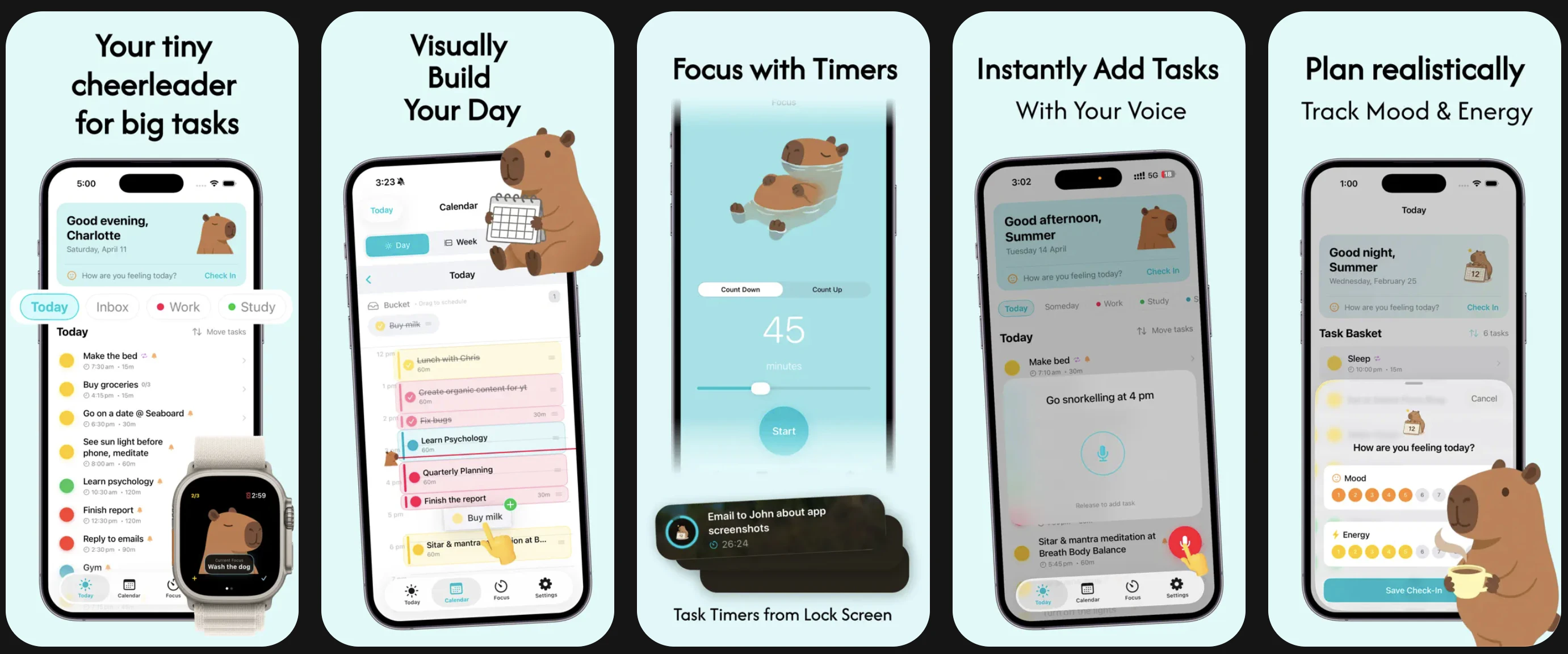
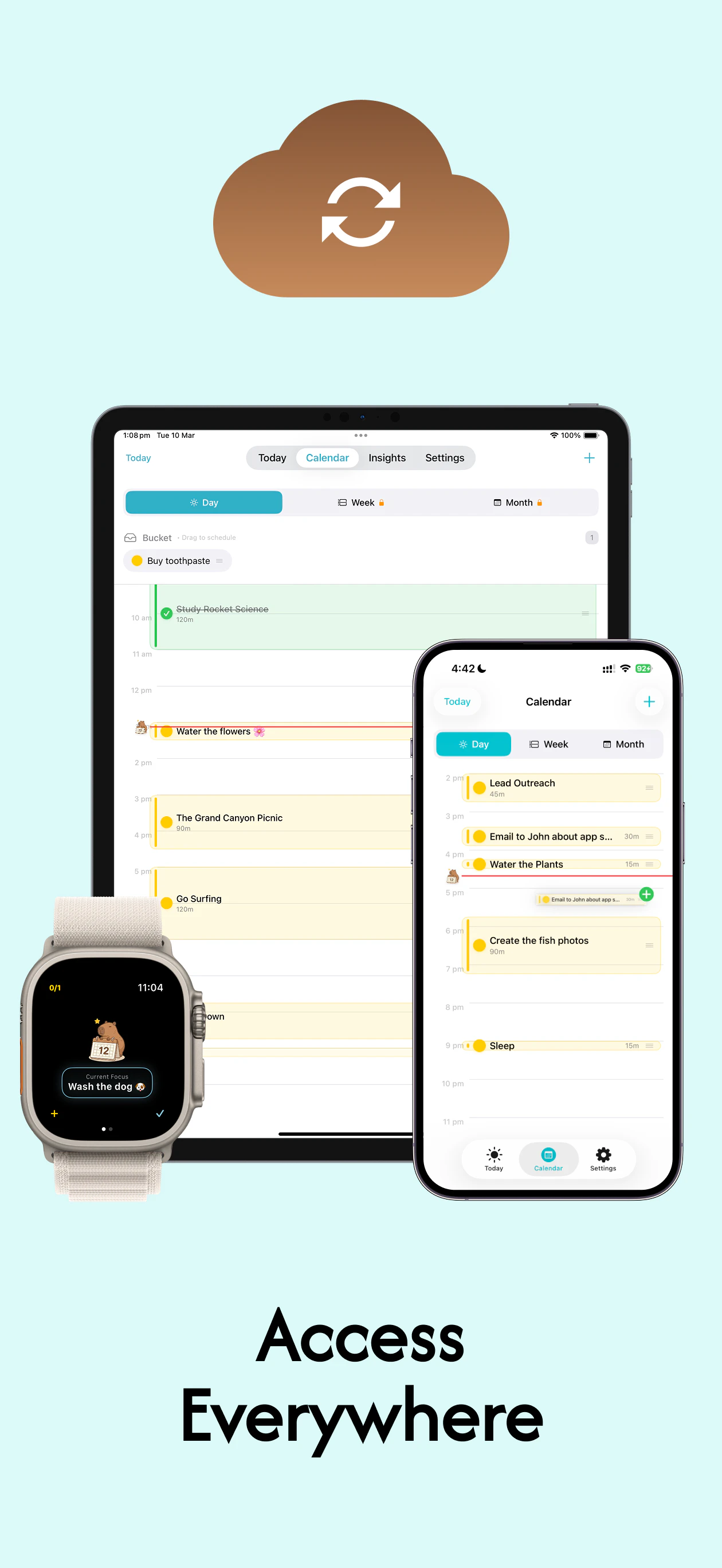
I know, I know—the world probably doesn't need another daily planner. But I’m sharing this because I genuinely couldn't find a "cosy" middle ground. I tried TickTick, but it felt too rigid and corporate. I tried Structured, but the UI felt a bit too "neon pink" for my taste, and I hated how the timeline morphed—I just wanted a clear bird’s eye view of my day. So, I built CapyPlan with Apple Watch Integration. It’s gentle, cosy and focuses on "no stress calm productivity"
I know, I know—the world probably doesn't need another daily planner. But I’m sharing this because I genuinely couldn't find a "cosy" middle ground. I tried TickTick, but it felt too rigid and corporate. I tried Structured, but the UI felt a bit too "neon pink" for my taste, and I hated how the timeline morphed—I just wanted a clear bird’s eye view of my day. So, I built CapyPlan with Apple Watch Integration. It’s gentle, cosy and focuses on "no stress calm productivity". Would you want a capybara to cheer you up for all the tiny and big tasks you did?
6
回复

@summer_liuu 

The UI and overall visual design look really clean and pleasant!🎨 that’s actually what makes me want to try this the most!

0
回复

Good copywriting! :D :)

2
回复

@busmark_w_nika*good Capywriting

2
回复
Love the UI! I’ll definitely check it out :) is there a possibility to import from apple native reminder app?
1
回复
#12
Hire ID
Free AI resume builder to land your dream job
98
一句话介绍:一款免费的AI简历生成器,通过AI写作辅助和针对性优化,帮助求职者快速创建符合职位描述、通过ATS筛选的专业简历,解决了简历内容撰写难、与岗位匹配度低的痛点。
Productivity Artificial Intelligence Career
AI简历生成器 求职工具 ATS友好模板 简历优化 AI写作辅助 一键导入 免费增值 职业发展 生产力工具
用户评论摘要:用户肯定其“内容重于格式”的定位和AI辅助写作的价值。主要疑问集中在:AI处理小众职位的能力、如何避免输出同质化、以及未来是否会扩展为覆盖求职全流程的“副驾驶”。团队回复强调了深度定制化和更宏大的产品愿景。
AI 锐评

Hire ID切入了一个拥挤但痛点明确的市场。其宣称的价值并非简单的模板格式化,而是通过AI进行内容生成与职位描述匹配,这确实击中了大多数简历工具的软肋——它们美化简历,却回避了“写什么”这一核心难题。然而,这也使其面临最尖锐的质疑:当所有用户都使用相似的AI和模板时,如何保证简历的独特性与竞争力?团队的回应(分离内容、结构和布局,赋予用户完全编辑权)在逻辑上成立,但在实践中,依赖AI启发的用户很可能止步于初版优化,导致“精致的平庸”。

产品的真正价值可能不在于制造“独一无二”,而在于高效生成“安全且合格”的ATS通行证。它降低了求职者从零构建一份专业简历的心理与操作门槛,尤其适用于海投或转行场景。其长期潜力,如评论所问,在于能否从“简历生成器”演进为“求职工作流中枢”,整合求职信、面试准备等功能,构建数据闭环,从而提供更深度的个性化建议。目前来看,其“免费一年Pro”的激进策略旨在快速获取种子用户与使用数据,这或许是打磨其AI、验证更大愿景的关键一步。成功与否,取决于其AI在“辅助”与“替代”之间的精准拿捏,以及能否在标准化输出与个性化表达之间找到更优解。

查看原始信息
Hire ID
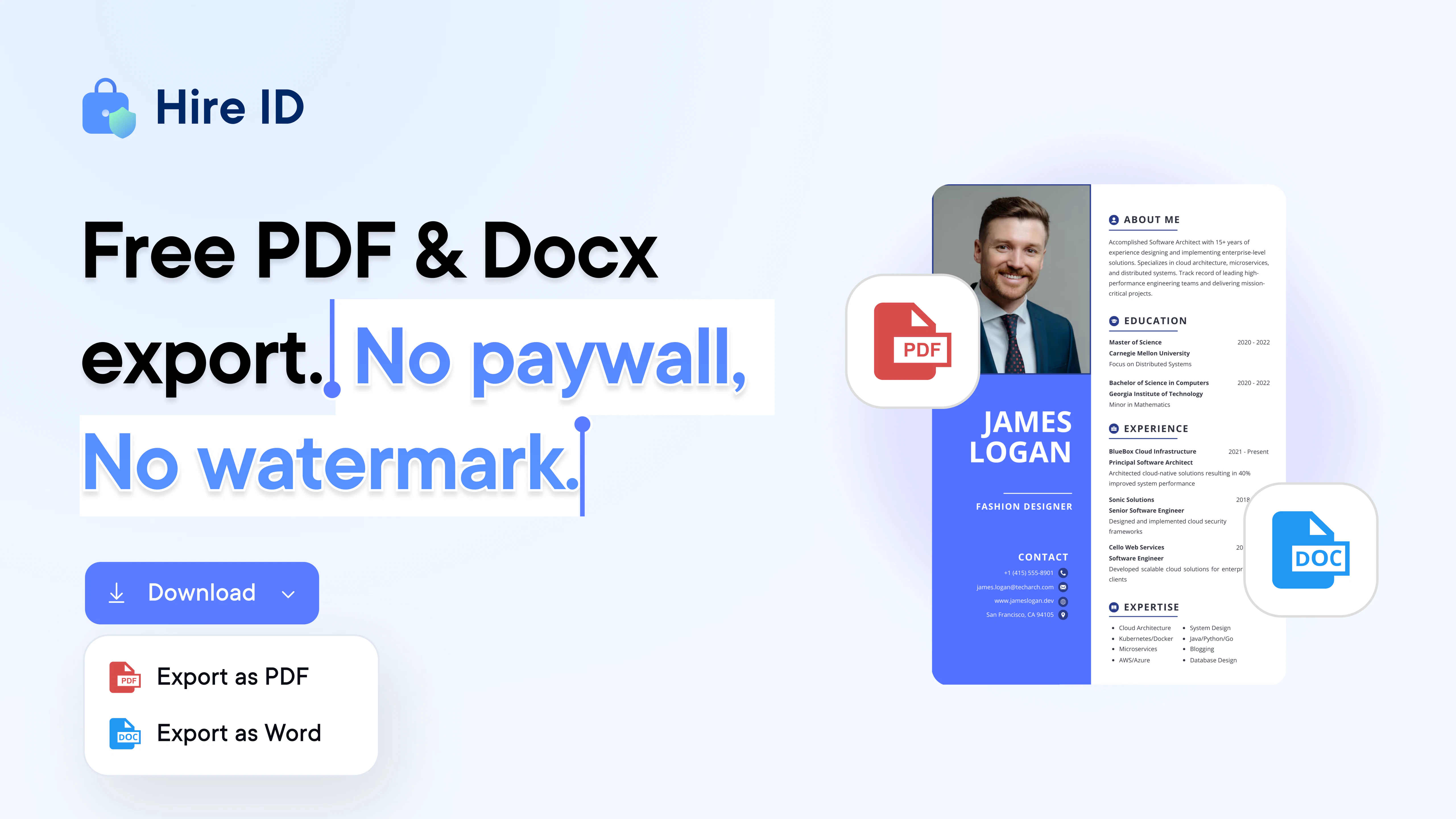
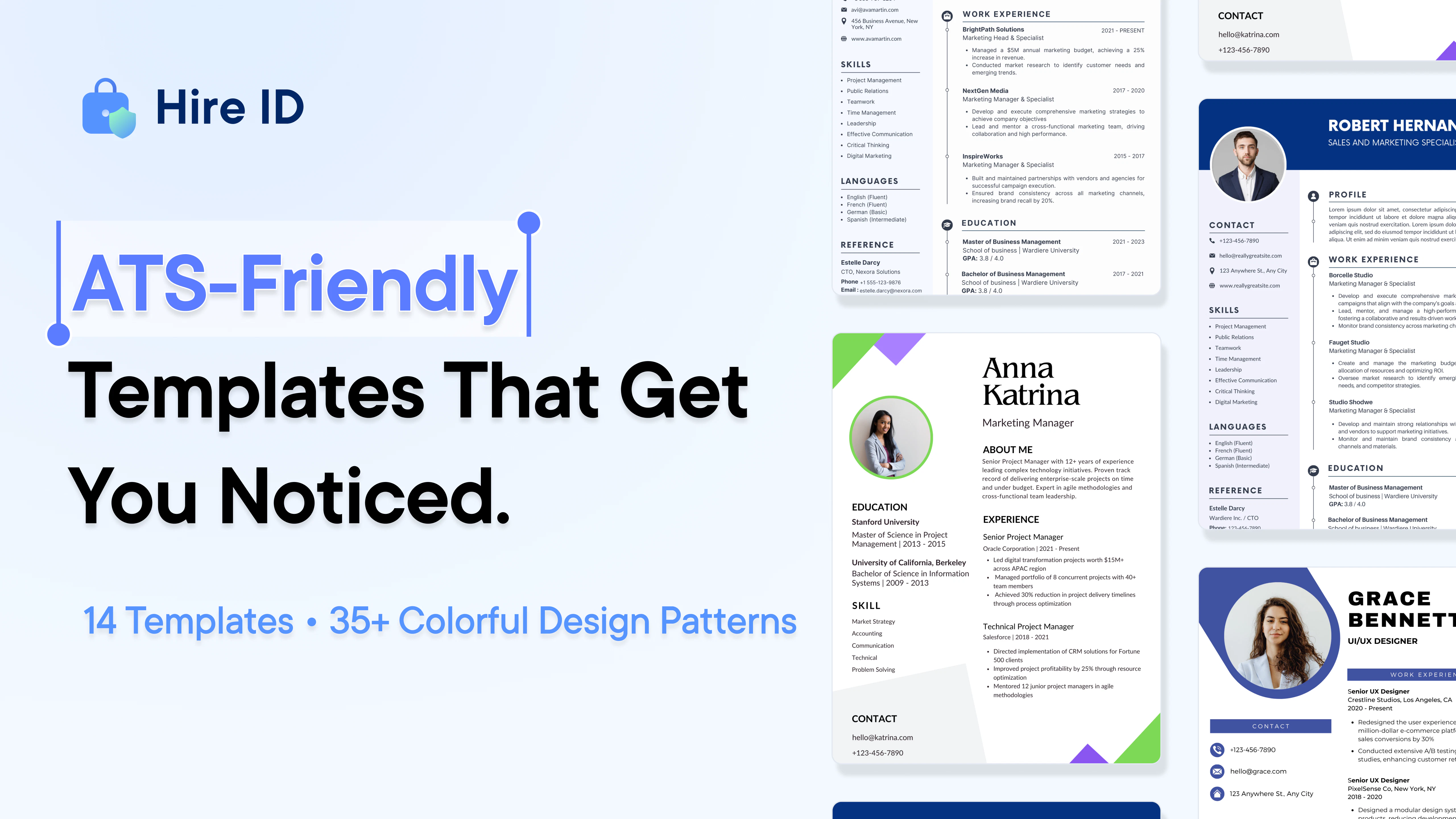
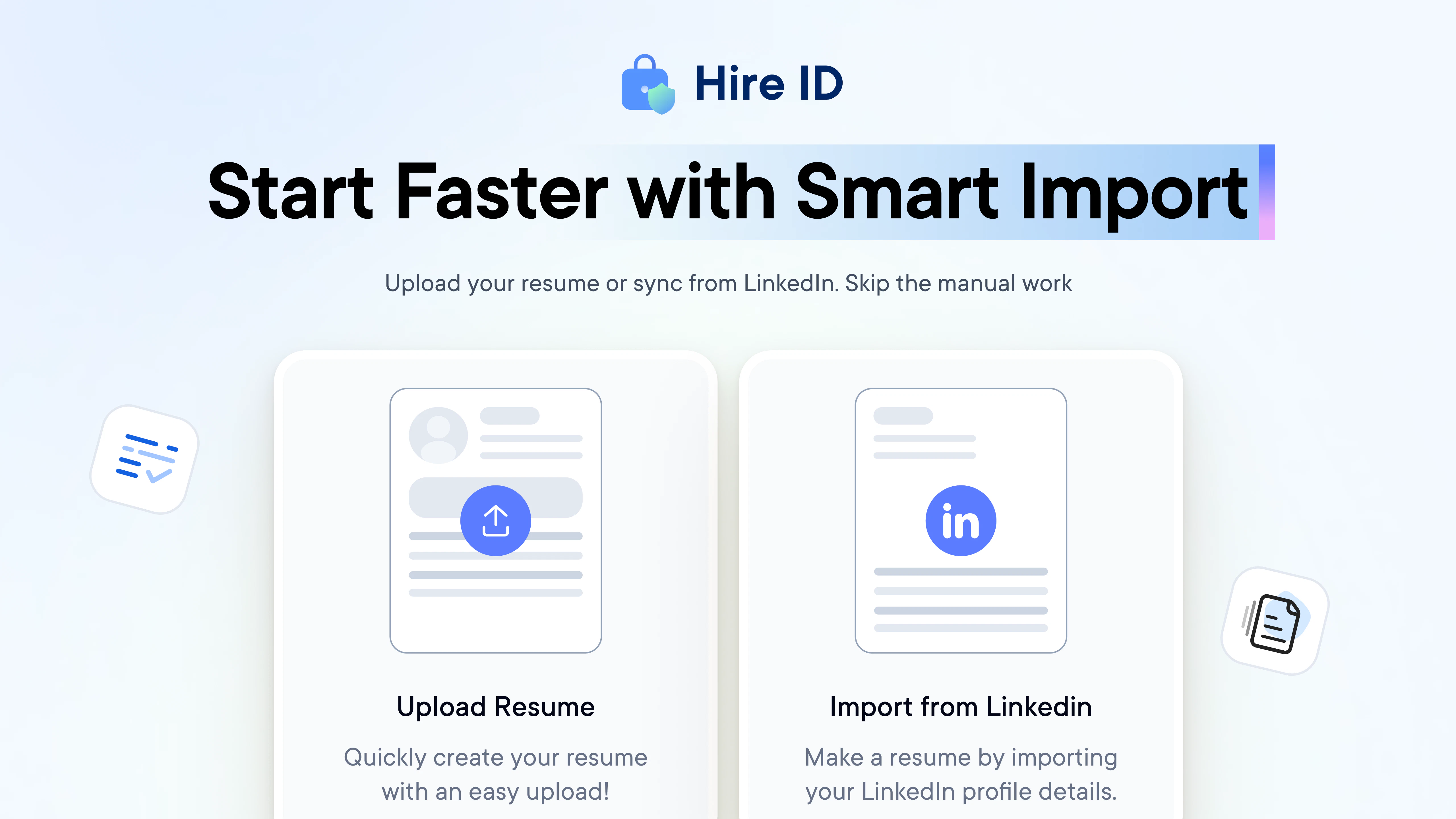
Introducing Free AI Resume Builder that helps you create a polished, job-ready resume fast. Use AI to write and tailor your resume for specific roles, import from LinkedIn or existing resumes, and choose from 14 ATS-friendly templates. Customize sections, layout, fonts, and colors, then export clean PDF or DOCX files with no watermarks. First 1000 users get 1 year of Pro free with coupon code HIREID1000.

Hey Product Hunt! 👋 Bhavya here.

We built Hire ID Resume Builder to make resume creation simpler, faster, and more effective. Many tools focus only on formatting, but the hardest part is actually writing a strong, relevant resume.

Hire ID helps you create job-ready, ATS-friendly resumes quickly using AI, while still giving full control over customization.

✨ AI writing assistance
🎯 Tailor resume to job descriptions
📄 Import from LinkedIn or existing resume
🧩 ATS-friendly templates
⬇️ Export PDF/DOCX without watermark

🎁 Launch offer: 1 year of Pro free for first 1000 users with coupon code HIREID1000

We want to make it easier for everyone to build strong resumes and find great opportunities.

Would love your feedback to keep improving!

16
回复

@bhavyasree How does the tailoring feature handle super niche roles, like AI ethics specialist or fractional sales VP, where job descriptions are sparse; does it pull from broader trends or stick strictly to the input JD?

0
回复

@bhavyasree 

one last step ❌
last step ✅

where is Pakistan?

0
回复

@bhavyasree Hey, congratulations on the launch. How does the AI handle niche roles like "personal branding strategist" or "AI content lead"? Does it pull industry keywords from job descriptions to avoid generic fluff, or suggest ways to quantify impact?

0
回复

Hello Product Hunt! 👋

Akshay Here, CTO at Hire ID.

Today, I’m excited to introduce Hire ID Resume Builder.

While building products for job seekers, one thing became very clear to us: creating a strong resume is still harder than it should be.

A lot of tools either feel too limited, lock important features behind paywalls, or make the final export the biggest friction point. And even then, they often don’t solve the most important part - helping people actually write a resume that feels relevant, polished, and ready for the role they want.

That’s exactly why we built Hire ID Resume Builder.

Our goal was simple: make resume creation faster, smarter, and more flexible, while still giving users full control over the final result.

With Hire ID Resume Builder, you can:

🤖 Use AI to improve summaries, experience, and resume content

🎯 Tailor your resume based on a job description

📄 Import details from LinkedIn or an existing resume/PDF

🧩 Choose from 14+ ATS-friendly templates

📊 Explore 35+ resume patterns across different structures and styles

🎨 Customize layout, fonts, colors, spacing, and sections

⬇️ Export in PDF or DOCX with no watermark

🚀 Build resumes that feel polished, relevant, and ready to send

From a product and engineering perspective, we wanted this to be more than just a resume formatter. We wanted to build something that genuinely helps people move faster with less stress while applying for opportunities.

Whether someone is creating their first resume, switching careers, or improving an existing one, Hire ID is built to combine AI assistance with deep customization.

🎁 Product Hunt Launch Offer

We’re offering 1 year of Pro for free with coupon code HIREID1000 for first 1000 Users.

Would love to hear your feedback and thoughts.

Excited to share what we’ve built with the Product Hunt community 🙌

15
回复

@akshay_k_hireid This looks good! Congratulations on the launch, All the best!

0
回复

@akshay_k_hireid Good luck with a launch!

0
回复

@akshay_k_hireid Kudos to your team, just one quick question. Would you be developing this as a full stack for cover letter, recommendation formats, job interview preps (based on specific industry+rounds), and resume as well? Could be a real game changer.

0
回复

This could be useful if it genuinely improves candidate outcomes. Good luck launching.

5
回复

@athsara Thanks so much! That’s exactly our goal - to genuinely help candidates present their strengths better and improve their chances. Really appreciate the support : )

4
回复

@athsara Thank you, really appreciate the support!

1
回复

as someone who sees hundreds of resumes, the 'job-ready' aspect is what matters. formatters are plenty, but tools that help with the writing are what candidates actually need. clean designs help us move faster too.@Hire ID @akshay_k_hireid

5
回复

Thank you for your support @vikramp7470  Absolutely, that is exactly what we believe too.

A resume should not just look good, it should help people communicate their value better and get shortlisted faster. That is why we focused on both clean design and strong writing support with Hire ID. Really appreciate you sharing this.

1
回复

Thanks@vikramp7470 That is exactly the problem we wanted to solve with Hire ID.

Clean design matters, but strong writing support is what truly makes a resume job ready.

1
回复

Could be helpful! But if many users use the same AI + templates, how do you help each resume still feel unique and differentiated? Also do you see Hire ID evolving into a full job application copilot like resume + cover letter + interview prep???

4
回复

@lak7 That is a great question.

The goal is not to give everyone the same AI output. Hire ID is built to help users tailor content for their target role, edit every section manually, and combine that with different templates, patterns, and layout controls so the final resume still feels personal.

And yes, we do see this growing beyond just resume building. We are thinking much bigger about how Hire ID can support the full job search journey over time.

1
回复

There are a lot of AI resume tools now. How are you helping people actually stand out rather than just generating something that looks similar to everyone else?

4
回复

@becky_gaskell  That's a fair question.

Behind the scenes, Hire ID does not treat resume building like a one click output. We separate content, structure, and layout so users can tailor each part for the role, improve the writing with AI, and still keep full editing control.

That helps the resume feel more relevant and personal, not generic.

3
回复

Looking quite interesting-good luck on the launching

4
回复

Thanks a lot, Divesh. Really appreciate the support and kind words.

Excited for the launch and looking forward to sharing more soon.

0
回复

@sooddvs Thanks so much, Divesh. Really appreciate the encouragement.

We are excited to bring this out and hopeful it makes resume building a lot simpler for people.

0
回复

@sooddvs Thank you, really appreciate the support!

0
回复

Hello PH community! 👋

We created Hire ID to make resume building simpler and more effective for job seekers. Writing a strong resume shouldn’t feel overwhelming.

We hope the free Pro plan helps more people take the next step in their careers.

🎁 1 year Pro free for first 1000 users - HIREID1000

Would love your feedback 🙌

4
回复
Congratulations on your launch 😊 This is a really practical idea 💯A lot of tools stop at formatting, but the actual struggle is writing something that feels strong and targeted. What makes your AI output better than just prompting ChatGPT with a job description?
3
回复

@george_esther Thank you so much! Completely agree - the hardest part is getting the writing to feel strong and relevant.

The idea is to make the output more structured, clear, and tailored to the job description, while still keeping you in control to edit and refine easily in one place. It helps save time and avoids starting from scratch with prompts every time.

Really appreciate the thoughtful question and support!

1
回复

What was the motivation to build this app? Personal experience with job seeking? There are dozens of AI resume builders available like Resume Worded, what makes yours different and stand out from the crowd?

3
回复

@peterclaridge Thanks, Peter. Alongside the resume builder, Hire ID is part of a much bigger vision.

We are building it not just for job seekers creating resumes, but also for professionals looking to switch roles more easily. What you see today is just the starting point. There is a much bigger update coming soon, and we believe it can turn Hire ID into something far more impactful.

0
回复

@Hire ID Congrats on the launch! Really like the focus on helping users create job-ready resumes quickly with AI. Looks super useful. Curious - what new features are you planning to add next?

3
回复

Thanks a lot, @harigovind11 Really appreciate the support.

We are working on making Hire ID even more helpful with stronger job based tailoring, smarter AI suggestions, and more flexibility in how users build and refine each section of their resume. More exciting updates soon.

0
回复
Congrats with the launch! Good luck
3
回复

@panphilov Appreciate your support, Thank you very much : )

3
回复

This is exactly what resume builders should be – focused on helping you tell your story better, not just making it look pretty

3
回复

@alexia_li Thanks a ton for the support! Helping people present their experience with clarity and confidence is exactly what we aimed for : )

3
回复

Congratulations

3
回复

@madalina_barbu Thanks a lot for your support : )

3
回复

@madalina_barbu Appreciate your support, thank you!

1
回复
Congrats on the launch! Can I ask, are you able to provide it job descriptions + your resume info, so it tailors the output to each role you might apply for?
2
回复

@leah_dyke Thank you! 😊 Yes, you can share the job description along with your resume details, and it helps tailor the content for that role. You can always edit or tweak anything to keep it just the way you want. Appreciate the question!

1
回复

Congrats you launching!! Updating resumes for every single job posting is honestly one of the most exhausting parts of job hunting. The fact that Hire ID actually tailors the content to the job description (not just formatting) is what sets it apart for me. When the AI rewrites your experience section, can you control how much it changes or does it fully rewrite everything?

2
回复

@aya_vlasoff Thank you so much! Totally agree - tailoring the resume for each role can be really tiring, so we wanted to make that part much easier.

When the AI suggests updates, you’re always in control - you can edit, adjust, or keep as much of your original content as you like. It helps refine and tailor, but nothing changes unless you choose to. Really appreciate the thoughtful question and support!

0
回复

Congratulations. And happy product launch.

2
回复

@huisong_li Thanks a lot for your support : )

3
回复

@huisong_li Appreciate your support, thank you!

0
回复

Timing is funny - I literally just built a resume by hand this week and hated every minute of it. The LinkedIn import alone would have saved me hours. Trying it now

1
回复

@dklymentiev Haha perfect timing 😊 Writing a resume manually can be such a pain, so really glad the LinkedIn import can save you some time. Hope it makes things much easier - would love to hear what you think after trying it!

0
回复

Looks amazing! Does it use LinkedIn or your current CV to extract info from automatically? Or do we create it from scratch?

1
回复

@dua_khan7 Thank you! 😊 You can start either way - import from LinkedIn or upload your current CV, which saves a lot of time, or create it from scratch if you prefer. Whatever feels easiest for you. Appreciate your interest!

0
回复
Okay this is nice… finally something that won’t make the resume sound like a robot wrote it.
1
回复

@shahmeer_baloch1 Really glad it feels that way 😊 We wanted the writing to sound natural and human, not AI-ish. Thanks a lot for the kind words and support!

0
回复

Getting the writing part right is the real pain, not the template. Can resumes be created in multiple languages?

1
回复

@amraniyasser Totally agree - writing is the toughest part for most people 😊
Multi-language support isn’t available yet, but it’s something we’re planning to add. Really appreciate the suggestion!

1
回复

Congrats on the launch!

Really interesting direction. I’m curious how you handle the risk of AI over-smoothing a candidate’s resume and missing important nuances. Do you have any safeguards or validation steps for that?

1
回复

@vladimir_mynka Thank you! 😊 That’s a really thoughtful question. We try to make sure the AI improves clarity without losing the person’s unique voice. Everything can be easily edited, so users stay fully in control of what goes into their resume. We’re also constantly refining the suggestions to better preserve important details and nuances. Appreciate you pointing this out!

2
回复
it will be interesting to see how ATS friendly this is. The factors that influence the selection might also change on based on the ATS used, right? Also, can I customise my resume based on the geography of the org I am applying to? Do you have any insights on the geography of the org affecting what is important to highlight in the resume?
1
回复

@jsurendranathreddy Great questions - really appreciate you thinking deeply about this! 😊

Yes, ATS systems can vary in how they parse and rank resumes, which is why we focus on keeping the structure clean, standard, and readable across most widely used ATS formats. The goal is to avoid overly complex layouts and ensure the content is easy for both ATS and recruiters to understand.

Regarding geography, you can absolutely customize your resume based on where you’re applying. Expectations can differ by region - for example, some markets prefer concise one-page resumes, while others value more detailed experience, or emphasize different sections. We’re continuing to improve guidance so users can better tailor resumes based on role, industry, and geography.

Really thoughtful points - feedback like this helps us keep improving. Thanks for sharing!

2
回复

Just used this to update my CV and I’m honestly blown away. The LinkedIn import feature saved me so much time, and I love that I could actually focus on writing good content instead of fighting with text boxes and formatting. Exported my watermark-free PDF in minutes and it looks incredibly clean. Awesome product, Bhavya and Akshay—congrats on the launch! 🚀

1
回复

@jordanh22 Thank you so much! 😊 Really glad the LinkedIn import saved you time and made the whole process easier - exactly what we hoped for. Appreciate you trying it and sharing this!

1
回复

Looks like a great tool to help anyone looking to build a modern resume! Congrats on the launch!

1
回复

@anthony_latona Thank you so much! 😊 Really glad you feel that way - that’s exactly what we hoped to build. Appreciate your support!

1
回复

I found it on LinkedIn and thought of giving it a try and i can say it's genuinely amazing 😍

1
回复

@rkkrishna So happy to hear that! 😊 Thanks a lot for trying it out and sharing your feedback - really appreciate the support!

1
回复

Congratulations on the launch! The suggestions and editing appear to be both easy to follow and professional.

1
回复

@mssulthan Thank you so much! 😊 Glad you found the suggestions and editing simple and professional - that’s exactly what we aimed for. Really appreciate your support!

1
回复
Nice tool but I suggest formatting to suit countries normes like Canadian CV or European CV.
0
回复
#13
.MD This Page
Convert any page to clean Markdown instantly
96
一句话介绍:一款浏览器扩展,一键将杂乱网页内容提取并转换为结构清晰的Markdown文本,解决了用户在信息存档、知识库构建及为LLM准备优质输入时,手动整理效率低下的痛点。
Browser Extensions Chrome Extensions Open Source GitHub
浏览器扩展 网页转Markdown 内容提取 信息整理 AI工作流 知识管理 开源工具 生产力工具
用户评论摘要:用户关注其技术实现(如使用Mozilla Readability和Turndown库)、处理JavaScript渲染页面的能力,以及应对复杂内容(如表格、数学公式)的效果。开发者确认其基于渲染后DOM提取,纯本地运行,未使用LLM。
AI 锐评

在信息过载与AI应用爆发的交汇点,.MD This Page精准地切入了一个看似简单却至关重要的缝隙市场——数据预处理。它的真正价值并非简单的格式转换,而是充当了混沌网络信息与结构化AI应用之间的“清洁接口”。

产品逻辑犀利地抓住了当前AI工作流的核心瓶颈:垃圾进,垃圾出。它通过成熟的Readability库解决内容提取这一经典问题,再转化为LLM友好的Markdown,本质上是将网页的“视觉排版”优化为“语义排版”。这不仅节省了提示词中的无用令牌,更通过提升输入数据的信噪比,潜在地改善了LLM输出的质量和稳定性。开源属性进一步降低了用户信任门槛,并允许社区针对特定场景优化。

然而,其天花板也显而易见。依赖规则库的转换在面对高度动态、非标准或强交互式内容时,难免力有不逮。用户对复杂表格和数学公式的担忧,正是其边界所在。在“AI原生”理念泛滥的当下,它明智地选择了“AI赋能”而非“AI驱动”,所有处理均在本地完成,这既是隐私卖点,也意味着放弃了利用AI本身来理解、重构复杂内容的可能性。这是一款优秀、务实的工具,但它更像是智能时代的“高级剪刀浆糊”,而非革命性的信息理解引擎。其长期价值取决于能否从“格式转换器”进化为“语义理解过滤器”。

查看原始信息
.MD This Page
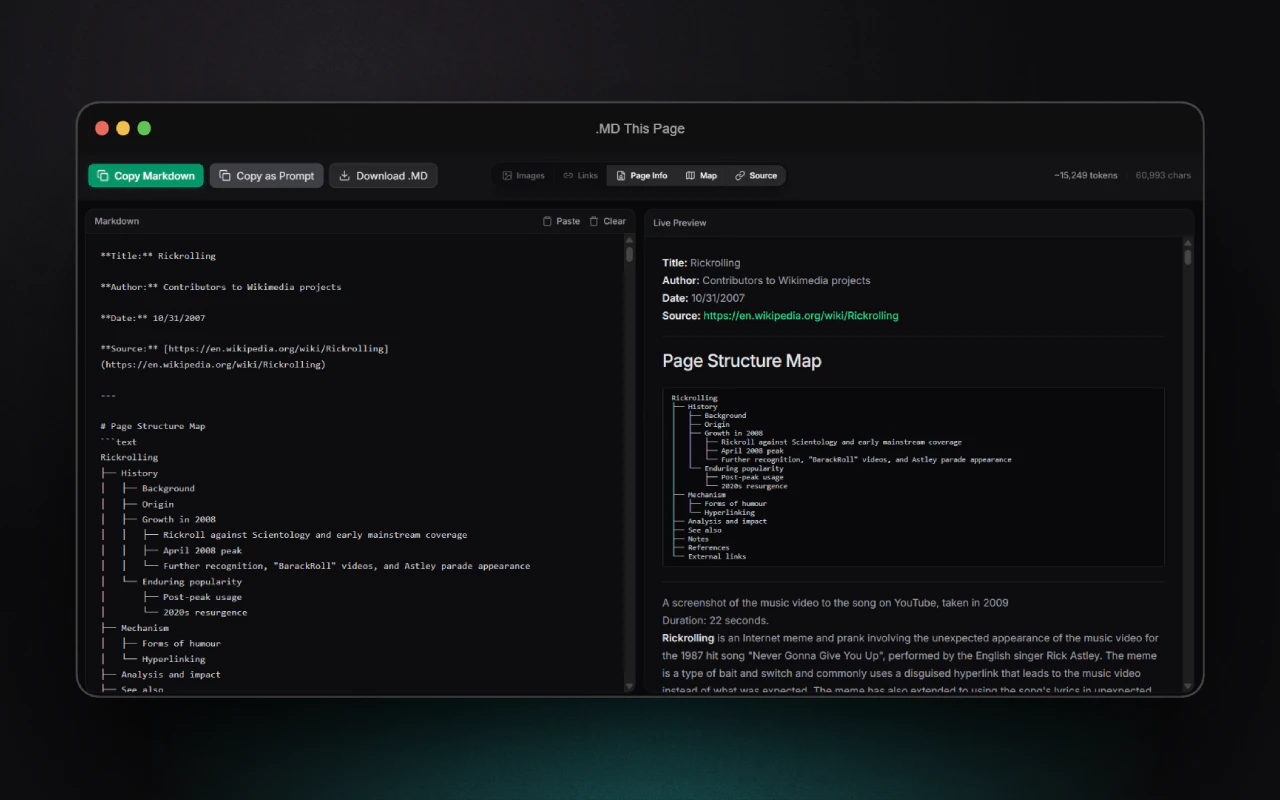
.MD this page is a browser extension that extracts the main content of an article or webpage, removes clutter, and converts it into well-formatted Markdown. Whether you're saving articles, preparing content for large language models, or building knowledge bases, this extension helps you turn messy web pages into structured, readable text in seconds
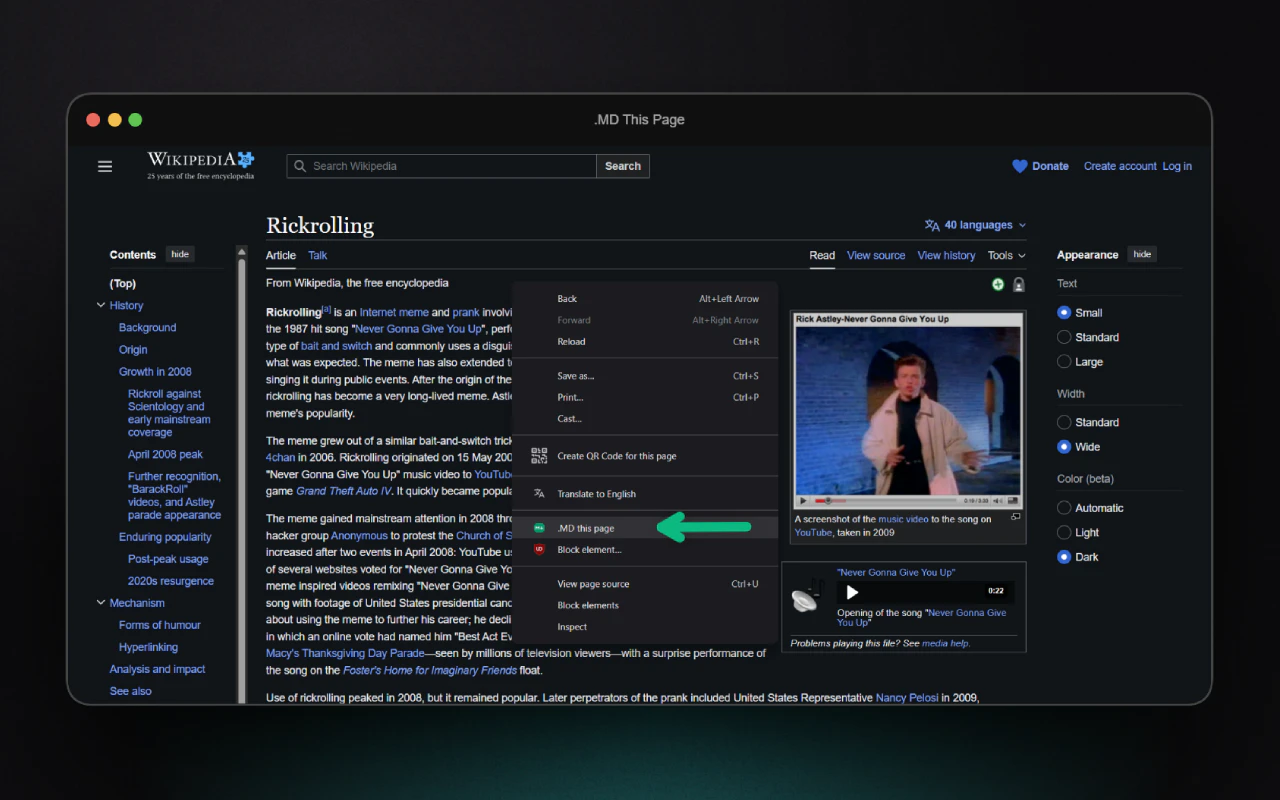
Hello Product Hunters, ".MD this page" is a browser extension that extracts the main content from any article or webpage, removes clutter like ads and navigation, and converts everything into clean, well-structured Markdown with a single click. It’s especially useful for working with modern LLMs, which perform far better when given organized Markdown instead of noisy HTML resulting in clearer structure, better reasoning, and more efficient use of tokens. The extension uses smart extraction (powered by Mozilla Readability), offers a dedicated preview interface, and lets you customize the output by toggling images, links, metadata, and even generating a page structure map. You can then easily copy the result, download it as a .md file, or use it directly as a prompt for AI workflows—turning messy web pages into clean, LLM-ready documents in seconds. The extension is open source: https://github.com/Ademking/MD-T...
2
回复

@adem_kouki Have you tested token savings on long-form pages like research papers or paywalled articles? Any tweaks for handling complex tables or math equations that LLMs often choke on?

0
回复

@adem_kouki 

Nice, I’ll try it out.

Are you mainly using something like Mozilla Readability for the extraction, or did you add your own layer on top?

0
回复

@adem_kouki — how does the extension handle JavaScript-rendered pages? Most page-to-markdown tools work cleanly on server-side rendered content but produce noisy output when the main body is client-side. Are you doing a readability-style extraction pass before converting, or working directly from the DOM?

2
回复

@jimmypk Good question. it works on the fully rendered DOM, then run a Readability extraction pass before converting to Markdown. So it handles most JS-rendered pages pretty well

0
回复

What does it use under the covers to convert the html to markdown? Some pre-existing library or rolls its own? Is there LLM assistance at all?

1
回复

@gunnarniels The pipeline is basically: rendered DOM → Readability extraction → Turndown → Markdown

No LLM involved at all.. everything runs locally in the browser

1
回复
#14
Hipocampus
AI operators that own team workflows
84
一句话介绍:Hipocampus为团队提供了一个工作流所有权层,通过部署受管控的AI操作员,在碎片化的系统间自动化并“持有”工作流,解决跨工具、跨时间协作中流程中断、需人工频繁介入的痛点。
SaaS Artificial Intelligence YouTube Vercel Day
AI工作流自动化 智能体(Agent) 团队协作 分布式系统 流程持久化 多工具集成 人机交接 企业级AI 业务流程管理
用户评论摘要:用户反馈积极,认可产品概念。主要问题集中在:工作流中优先级动态调整、人机交接时的上下文保持、底层模型变更对持久化状态的影响。创始人回复重点阐释了其持久化架构、任务化交接设计及对LLM的弱依赖性,以保障可靠性。
AI 锐评

Hipocampus的野心不在于成为又一个AI聊天机器人或简单的自动化触发器,而是试图成为团队数字工作的“中枢神经系统”。其核心价值主张“工作流所有权”直击当前AI应用的核心矛盾:AI能生成内容,但无法对复杂、长期、跨系统的工作结果负责。

产品将工作流状态、审批、上下文进行持久化封装,并由“操作员”长期持有,这本质上是在构建一个以目标为导向、而非以任务执行为导向的AI系统。其最大挑战与亮点均在于此。亮点在于,它试图解决智能体(Agent)领域的“健忘症”和“脆弱性”难题,通过借鉴分布式系统理念(如状态持久化、容错),让AI能真正跟进一个长达数周的任务。挑战则在于,这种“所有权”的边界定义极为复杂——操作员应在何时、以何种方式“拉人介入”?过度自主会失控,过度请示则沦为通知工具。

从评论区的技术问答可见,团队清醒地意识到对底层大模型的过度依赖是系统性风险,因此强调“缰绳”(harness)架构和模型无关性。这使其区别于跟风套壳的AI应用,展现了工程深度。然而,其真正的考验在于,能否将这种对“可靠性”和“状态”的抽象,转化为不同行业团队可直观理解并灵活配置的工作流范式。它可能不是解决所有自动化问题的银弹,但为“AI作为协作者而非工具”的愿景,提供了一个颇具工业级潜力的实现路径。

查看原始信息
Hipocampus
Hipocampus is a workflow-ownership layer for teams. It deploys governed operators that automate and own team workflows across fragmented systems, with persistent workflow state, approvals, delegation, escalation, and shared context so work keeps moving across tools and time.
Hey everyone 👋 Noureddin here, co-founder of Hipocampus. We’ve been spending the last couple of years building AI systems, and one thing kept coming up over and over again — AI tools are everywhere, but actually getting real work done across them is still messy. You end up stitching workflows together by hand, jumping between tools, and babysitting everything to make sure it moves forward. So we built Hipocampus, AI operators that own team workflows. The idea is simple: give every team an swarm of operators. Instead of just generating outputs, operators actually own workflows, they carry context across tools and time, take actions, keep things moving, and only pull you in when it actually matters. Our goal is to become the single point of contact for how work gets done across your stack. We’re still working closely with teams to shape this, so if you’re dealing with messy, multi-step workflows, I’d genuinely love to hear what’s painful for you. Try it out, break it, tell us what’s missing. I’ll be here all day answering everything 🙌
6
回复

@noureddin_bakir1 How does Hipocampus handle evolving priorities mid-workflow, like reprioritizing based on real-time feedback?

0
回复

Congrats on the launch! This is a compelling take on workflow automation. I'm curious about how Hipocampus handles context handoffs when operators need to escalate work back to humans—what does that experience look like for team members, and how do you prevent context loss in that transition?

4
回复

@osakasaul Our operators aren't driven by a thin runtime, in essence a series of ephemeral chats. Instead, they are persistent in memory, state, and context, which allows them to continue working after weeks at a time.

Our architecture supports persistence at scale, unlike most of our competitors within this space.

2
回复

@osakasaul thank you. Great question. To add, when an operator needs a human, that handoff becomes a task with the context attached, not just a chat relay. The teammate sees a review item in their queue or inbox with the task, notes, comments, latest summary, and outputs. We avoid context loss by storing the work state outside the model: task history, ownership changes, comments, session summaries, notifications, and artifacts stay with the task, so work can move between operator and human without anyone having to reconstruct what happened from memory.

Hipocampus is built to learn the job as you do it. You do something once or twice with the AI helping, it starts to recognize the pattern, and then it can take the first pass on similar work on its own. When you come back, the draft or prep work is already there, and you can review it, tweak it, approve it, or send it back

2
回复

@noureddin_bakir1 — given the distributed systems background, how do you handle consistency when an operator's state needs to survive model version changes or provider swaps? Most persistence layers I've seen for long-running agents break down when the underlying model behavior shifts mid-workflow.

3
回复

@jimmypk Easy. You don't train your system on being very reliant on LLMs. That's a mistake a lot of teams building agentic systems make.

One of the things that differs us is that we understood that early on was to build harnesses that weren't reliant on the model itself. That way we avoid model quirks, becoming model agnostic.

Teams make the most mistakes by being reliant on an LLM Model.

1
回复

Seriously cool! This feels like Zapier + Temporal + AI agents combined. Btw what’s been the hardest part in making that actually reliable in production?

2
回复

@lak7 The hardest part was figuring out how to approach building Hippocampus. Since we both have a background from distributed systems, we realized this was just another distributed systems pattern. This is why we're ahead of the curve when it comes to production reliability, observability, and why we have the strongest harness given our intelligence layer.

2
回复
#15
Lounge
macOS Tahoe menu bar manager with notch-aware icon control
77
一句话介绍:一款专为macOS Tahoe设计的菜单栏管理工具,通过独特的“刘海感知面板”和灵活的重排功能,解决了MacBook刘海屏遮挡菜单栏图标以及图标过多导致混乱的用户痛点。
Productivity Icons Menu Bar Apps
macOS工具 菜单栏管理 刘海屏优化 效率工具 状态栏整理 桌面美化 付费订阅 开发者工具 交互设计
用户评论摘要:用户反馈主要关注:1. 核心痛点解决(刘海遮挡问题);2. 性能与兼容性疑问(多图标下流畅度、M芯片适配);3. 实现技术细节(是否使用苹果官方API);4. 使用场景探讨(菜单栏使用频率);5. 意外发现AI代理集成功能。
AI 锐评

Lounge切入的是一个看似微小却极其顽固的痛点:苹果硬件设计(刘海屏)与软件自由(菜单栏图标数量)之间的冲突。其真正的价值不在于“又一个Bartender替代品”,而在于它试图成为macOS生态中一个“感知硬件缺陷的软件补丁”。

产品逻辑清晰且犀利:它没有粗暴地要求屏幕录制权限(这与Bartender等形成关键差异,主打隐私和安全牌),而是用“刘海感知悬停面板”这一交互,将硬件的缺陷扭转为触发功能的入口。这比简单的隐藏/显示更聪明,赋予了刘海区域新的交互意义。其拖拽排序和快捷键功能,则是菜单栏管理工具的及格线。

然而,评论中暴露的疑问恰恰点出了其潜在风险与天花板。首先,**性能存疑**。菜单栏管理工具本质是系统级常驻助手,在“重度用户10+图标”场景下的流畅度是生命线,这依赖于其“自定义显示数学方法”的优化程度,而非苹果官方API可能带来兼容性风险。其次,**需求刚性存疑**。随着用户越来越多地使用Cmd+Space全局搜索启动应用或控制中心,传统菜单栏的交互频率是否在下降?这动摇了此类工具的根本市场。最后,**定位模糊**。评论末尾提到的“AI代理集成通知”功能显得突兀,这究竟是探索新场景,还是功能蔓延的开始?容易模糊其“专注解决刘海与菜单栏冲突”的锋利定位。

总体而言,Lounge是一款在特定硬件换代期(刘海屏MacBook普及)和特定系统窗口期(macOS Tahoe)下,思路精巧的痛点型工具。但它面临的是一个小众、专业且可能逐渐萎缩的市场。其每年3.99美元的定价也表明开发者对其规模有清醒认知。它能否从“聪明的解决方案”进化为“不可或缺的系统增强组件”,取决于其能否在极致性能稳定性和拓展高价值菜单栏使用场景(如AI通知提示或许是一个方向)上取得平衡。目前来看,它是一个值得尝试的“优等生”,但尚未展现出颠覆格局的潜力。

查看原始信息
Lounge
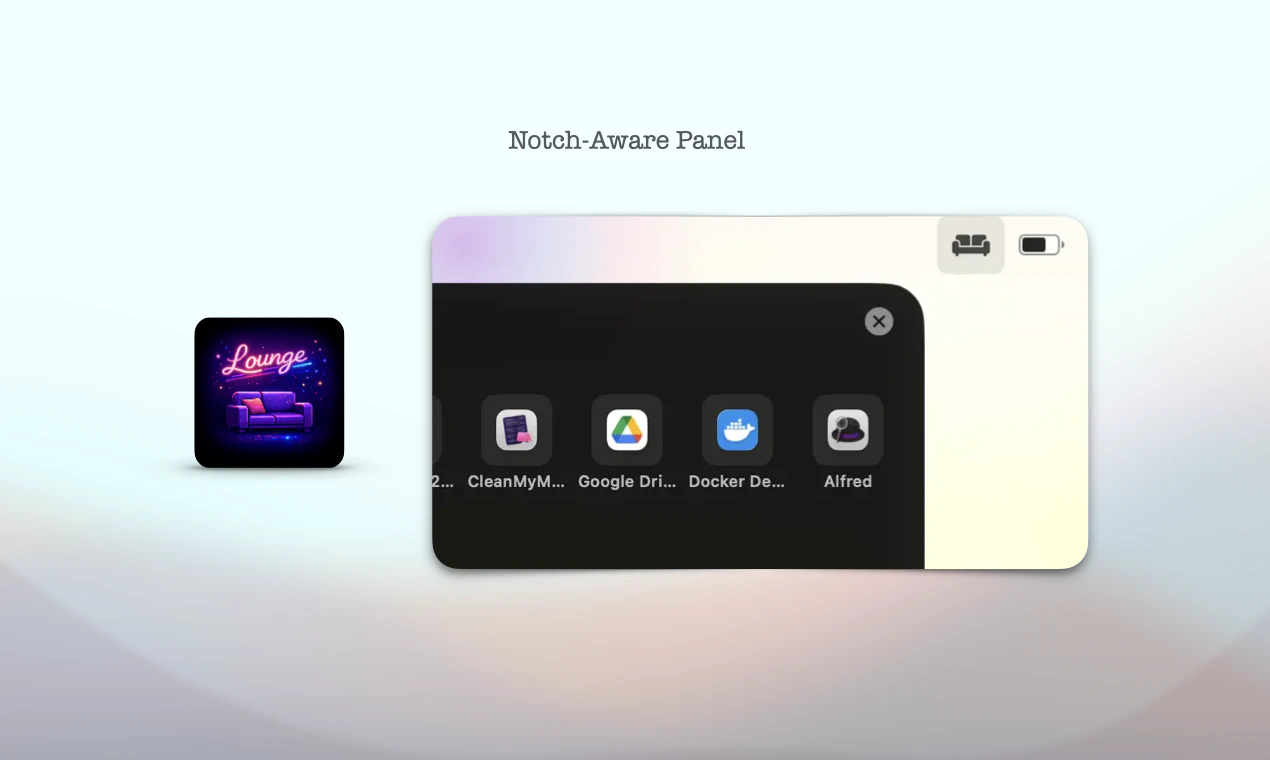
Lounge is a Bartender alternative built for macOS Thoe. Every app clutters your menu bar, and MacBook'snotch hides icons you need. Lounge solves this with🖥️ Notch-Aware Panel — Hover near the notch to revel all hidden icons in a beautiful panel. ✋ Drag & Drp — Hold ⌘ to rearrange icons across your menu bar. ️Shortcut — Cmd+Shift+L toggles hidden items instanty. 🎨 Customizable — Pick icon styles, dividers, and nimations. $3.99/year. 7-day free trial, no credit ard needed.

Hey MacBook lovers,

I built Lounge because I as frustrated with the lack of good menu bar manages on macOS Tahoe. I do not favor other alternatives(such as: bartender) , they require screen recording permissions.

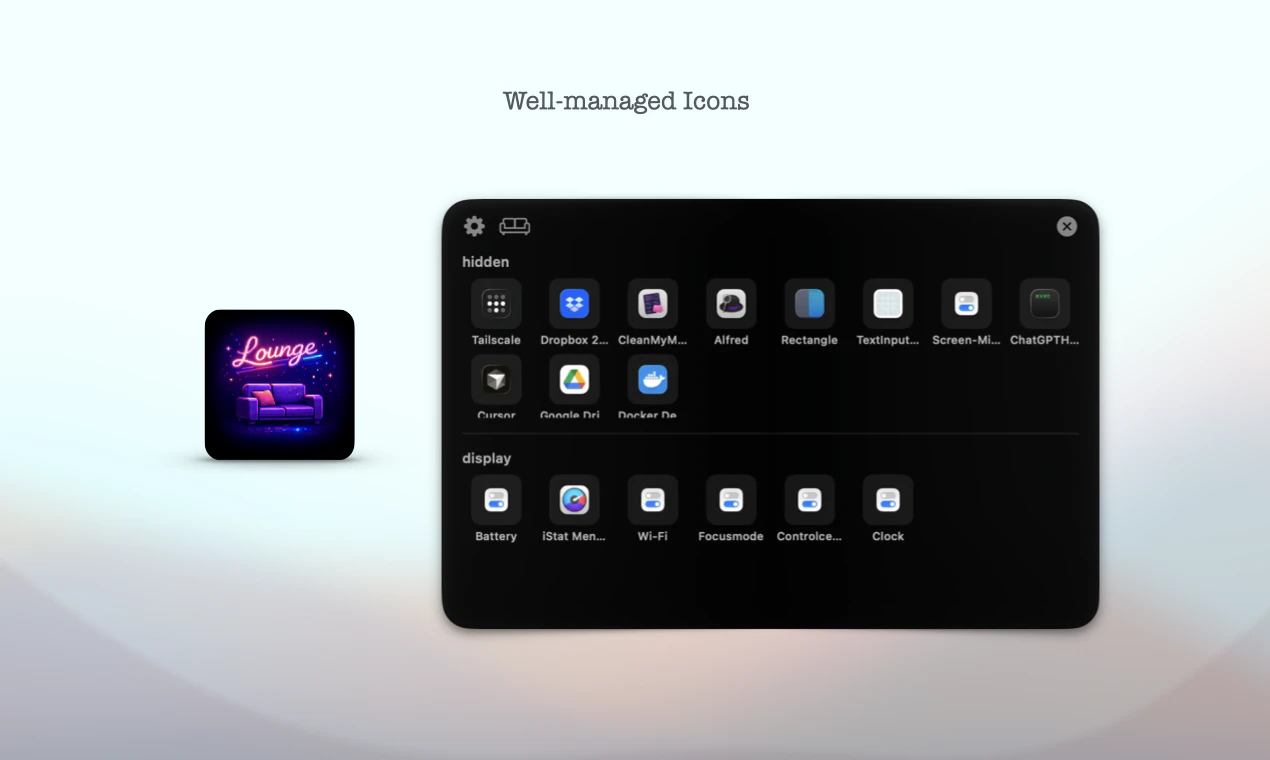
The notch problem is real: it physically hides icons, so you can't even click on them. Lounge solves this with a notch-aware hover pane — just move your cursor near the notch and all your hidden icons slide into a beautiful, organized view.
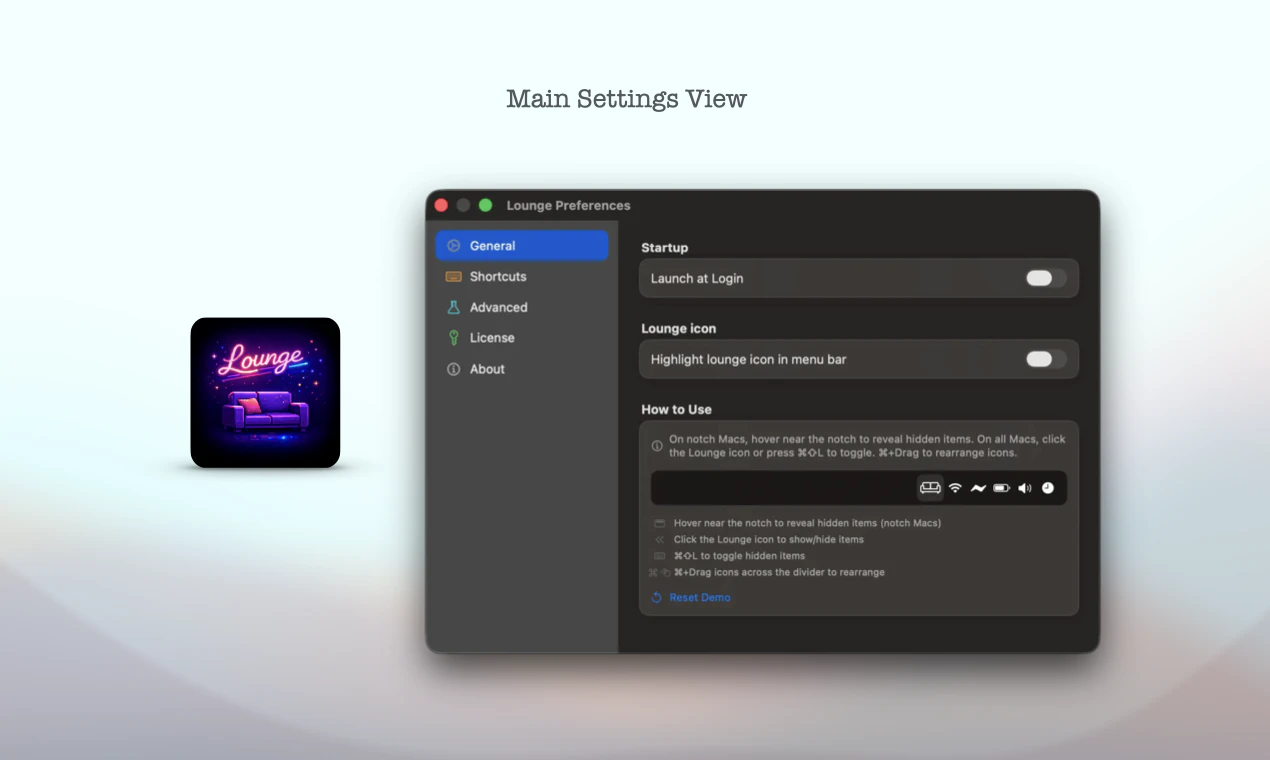
Beyond that, Lounge brings drag & drop re-arranging, a keyboard shortcut (Cmd+Shift+L), a clean single-panel settings UI.

It's $3.99/year with a 7-day free trial

Would love your feedbck! 🙏

8
回复

@asktobuild Have you tested it with heavy menu bar users (10+ icons)? Does the hover pane stay smooth under load, or any lag on M-series chips?

1
回复

@asktobuild 

Good job on the UI/UX, it really feels very Apple-like.

One thought on actual usage: how often do people really reach for the menu bar? I feel like using Cmd+Space to search for apps is pretty common, no?

Good luck!

0
回复

Having the MacBook notch swallow my background app icons is a daily annoyance when I have my whole dev stack running. Handling those safe area bounds programmatically is surprisingly tricky, so I am curious if you are relying on standard Apple APIs or doing custom display math to route icons around the notch. I am going to swap out my current manager today and see how Lounge handles my ridiculously bloated menu bar.

0
回复

Thank you! @y_taka 

Not standard Apple APIs, rather, be a custom display math method. You can view the interactive examples on YouTube https://www.youtube.com/watch?v=VSlZGZXwzwk

0
回复

I have just updated this app. You can configure hooks of AI Agents with the Lounge App. This way, when your AI Agent completes a task or requires your approval, it will send a notification to the Lounge App, it will display a dynamic island with notification messages letting you know the latest status of your AI agents' tasks.

0
回复
#16
GPT‑Rosalind
Purpose-built model for scientific research & drug discovery
56
一句话介绍:GPT-Rosalind是OpenAI推出的生命科学专用AI模型,通过整合数据、生成假设和规划实验,在药物发现、基因组学等科研场景中,解决了科研流程复杂、数据碎片化导致的研究进展缓慢的痛点。
Health & Fitness Artificial Intelligence Medical
生命科学AI 科研辅助工具 药物发现 基因组学 假设生成 实验设计 科学工作流 生物信息学 专业大模型 OpenAI
用户评论摘要:目前展示的评论为一条高度概括产品价值的有效评论,其肯定了产品在整合多领域知识、连接科学工具、加速从数据到突破的科研闭环方面的能力,未提出具体问题或建议。
AI 锐评

GPT-Rosalind的出现,标志着通用大模型向垂直深水区迈出了极具象征意义的一步。其真正价值不在于“又一个AI工具”,而在于试图成为生命科学领域的“推理引擎”和“工作流操作系统”。它直面该领域最顽固的痛点:高度专业的知识壁垒、分散的工具与数据库、以及从海量数据到可验证假设之间巨大的逻辑鸿沟。

产品宣传的“多步工作流支持”、“工具集成”和“领域深度推理”是核心看点。如果它能真正理解复杂的生物化学上下文,并协调调用超过50种专业工具执行连贯分析,那么它改变的将不仅是单个科研人员的效率,而是整个团队甚至机构的研发范式。它将促使研究从传统的、线性的“提出假设-设计实验-验证”循环,向更动态、数据驱动的“AI生成候选假设-智能规划验证路径-快速迭代”模式转变。

然而,其面临的挑战同样严峻。科学研究的容错率极低,模型的“幻觉”在实验室里将是灾难性的。其推理的可解释性、与现有实验室硬件和数据库深度集成的实际效果、以及对未经验证的科学前沿知识的处理能力,都将决定它是一款颠覆性生产力工具,还是一个高级的文献总结助手。OpenAI的品牌和通用技术能力是其入场券,但在高度严谨的生命科学领域,赢得科学家的信任需要远超技术演示的、经得起同行评议的实证案例。目前56票的关注度,也反映了专业市场仍在观望。这款产品的成败,将是检验AI深入赋能硬核科研的一次关键试炼。

查看原始信息
GPT‑Rosalind
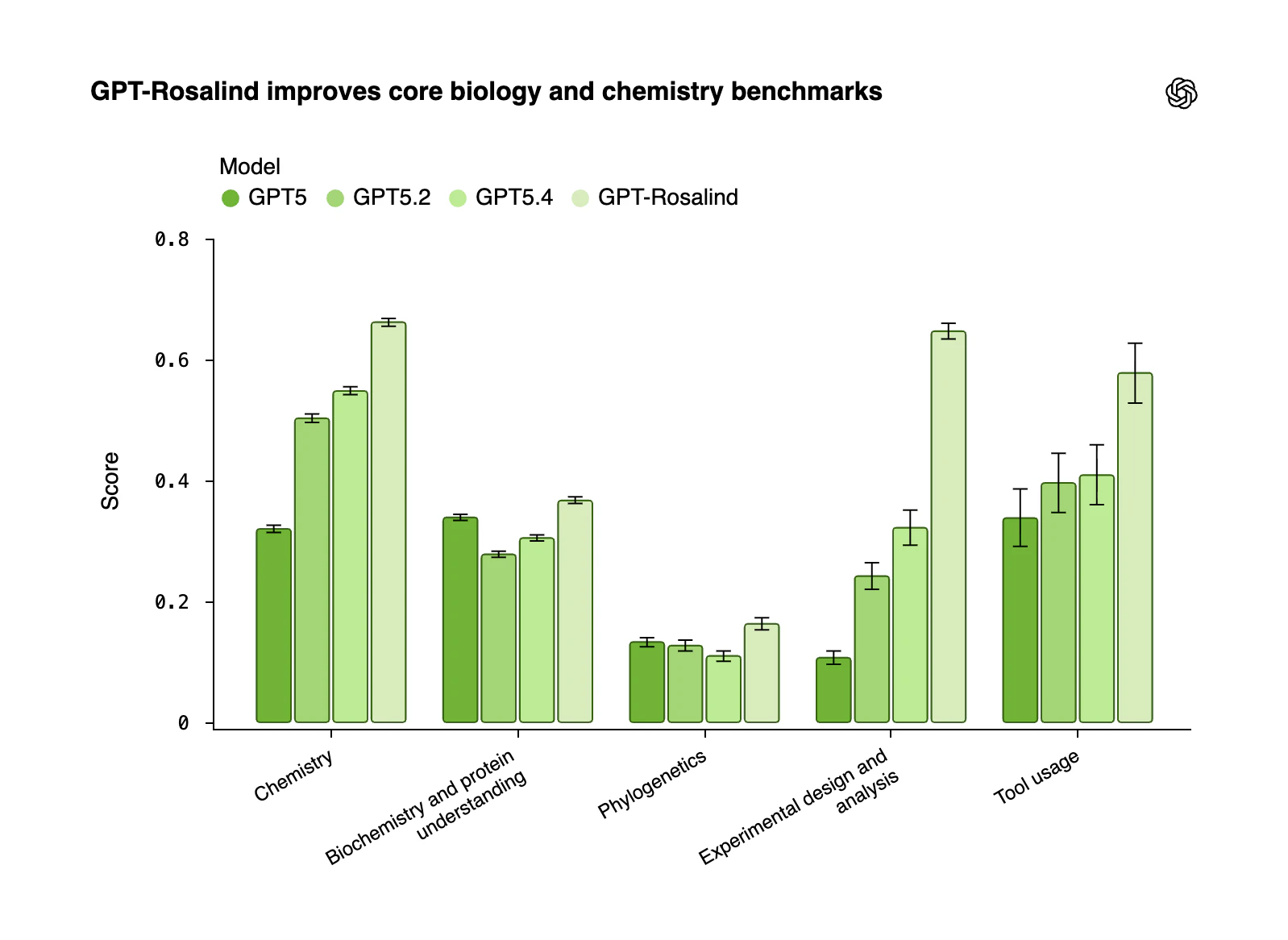
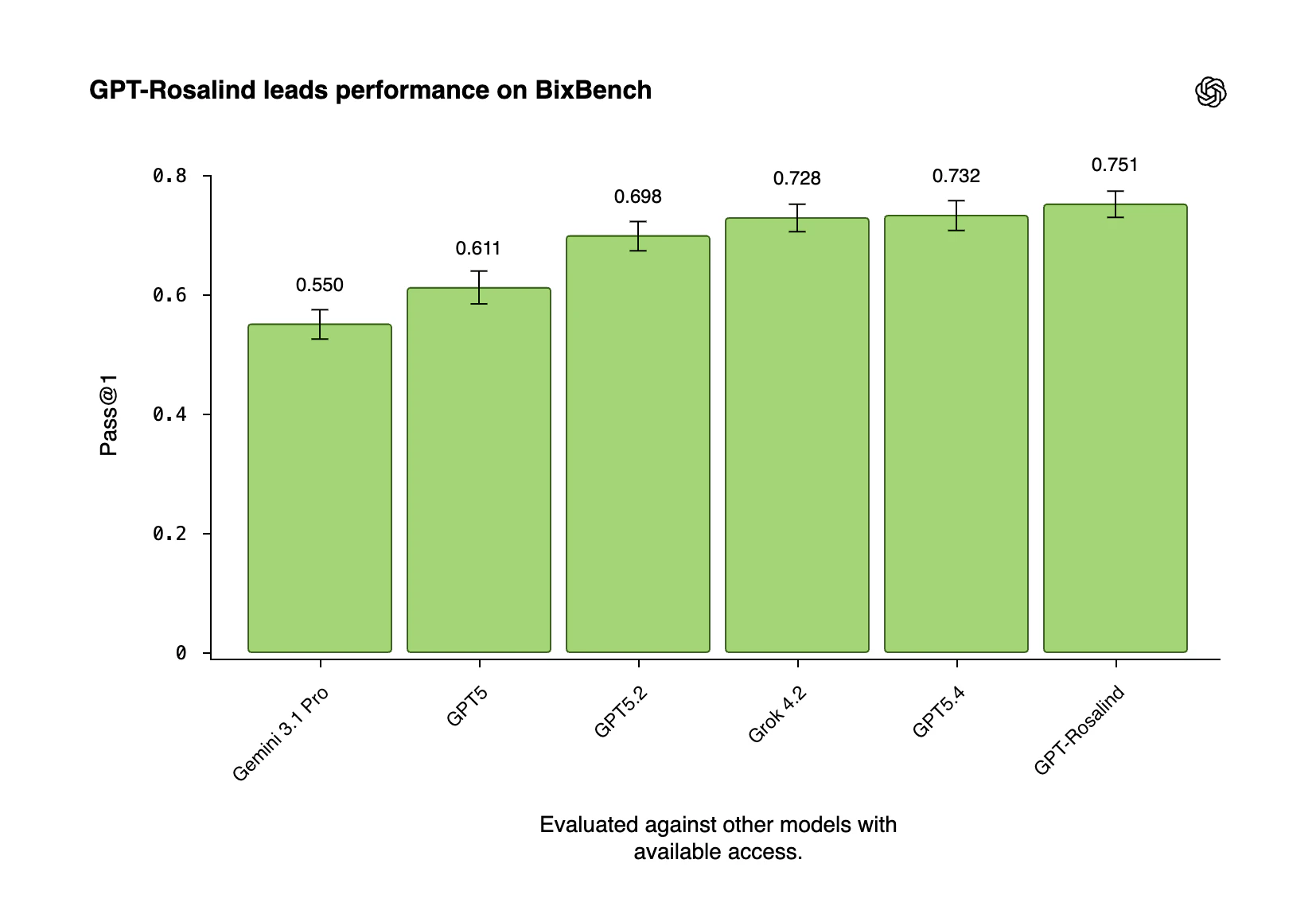
GPT-Rosalind by OpenAI is a life sciences AI model that accelerates research by synthesizing data, generating hypotheses, and planning experiments. Built for biology, chemistry, and genomics workflows, it helps scientists move faster from insight to discovery.

GPT-Rosalind by OpenAI is a purpose-built AI model for life sciences research, tackling the complexity and fragmentation of scientific workflows.

Problem → Solution: Speeds up slow, complex research workflows by enabling faster evidence synthesis, hypothesis generation, and experimental planning

What’s different: Deep domain reasoning across biology, chemistry & genomics + integrates with 50+ scientific tools/databases

Key features: Multi-step workflow support, tool usage, literature analysis, experimental design

Benefits: Faster discovery cycles, better hypotheses, improved research outcomes

Who it’s for: Scientists, biotech teams, pharma orgs

Use cases: Drug discovery, genomics research, protein analysis, translational medicine

If you want to go from data → insight → breakthrough faster, this is worth exploring.

1
回复
#17
Daily Idea Sprint
Make ideation a daily ritual (just 3 minutes)
20
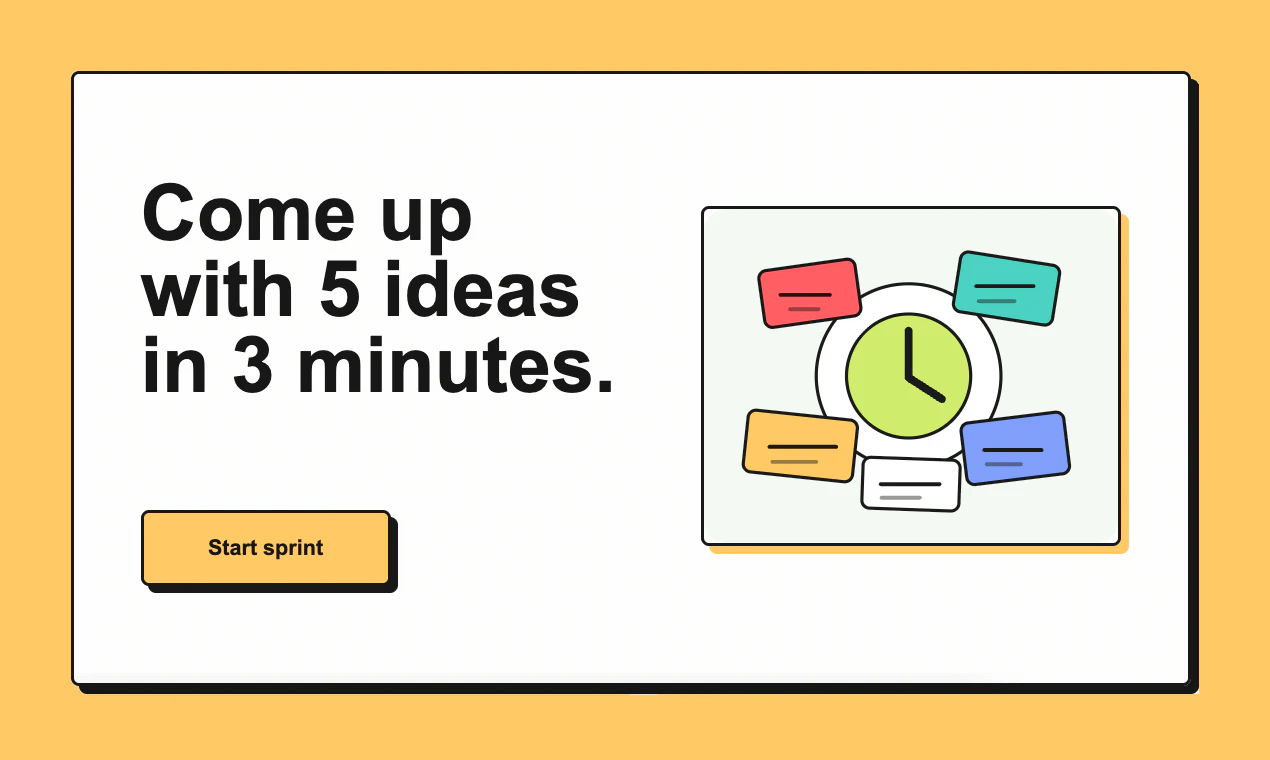
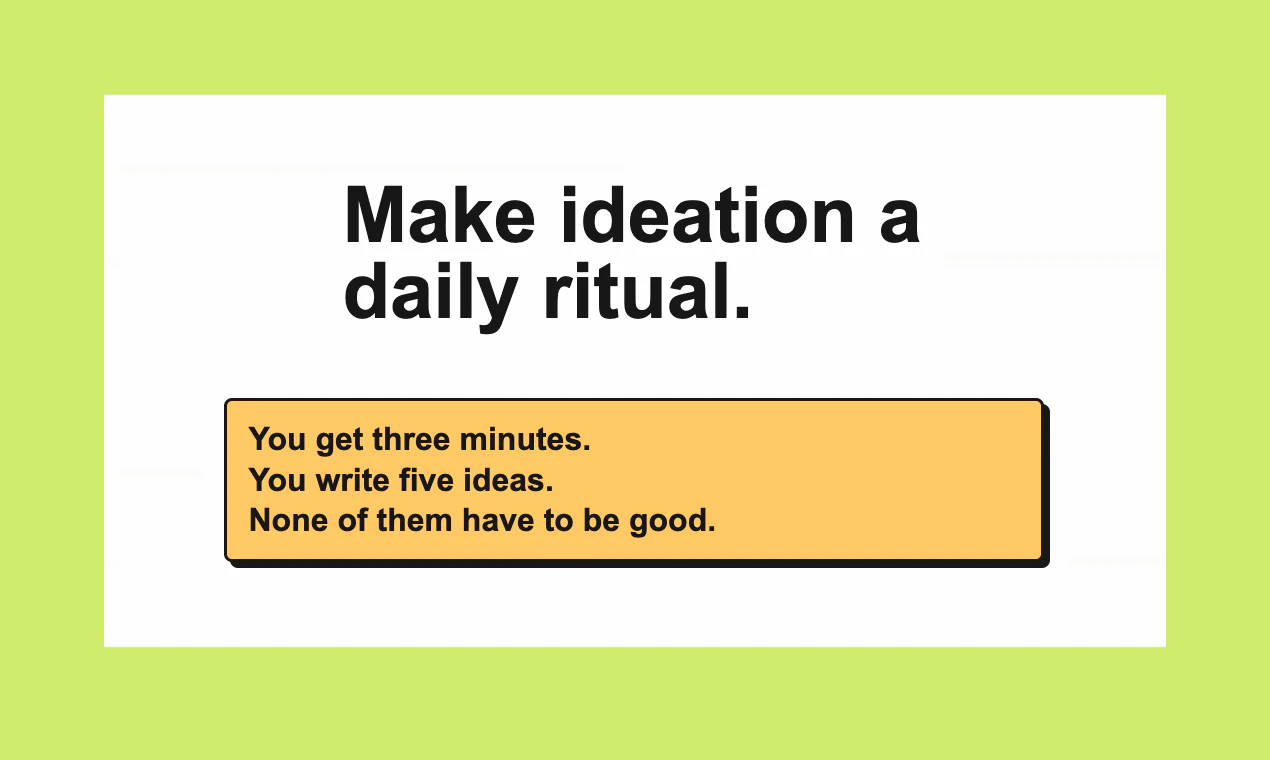
一句话介绍:Daily Idea Sprint是一款极简的每日创意训练工具,通过强制用户在3分钟内写下5个粗略想法的规则,帮助创作者、写作者等群体在缺乏灵感或面对空白页时,快速启动思维、形成日常产出习惯,缓解创作焦虑。
Productivity Maker Tools
创意训练 每日习惯 生产力工具 头脑风暴 写作热身 创作者经济 极简应用 思维练习
用户评论摘要:用户反馈积极,认为适合灵感多需整理的人群。主要问题集中在:规则如何适配LinkedIn等具体平台以促进对话;以及对用户长期坚持率的质疑,开发者承认多数人可能难以持续。
AI 锐评

Daily Idea Sprint 的本质,并非一个功能复杂的“生产力工具”,而是一套披着应用外衣的“行为干预装置”。它的真正价值不在于管理或孵化创意,而在于粗暴地对抗创作中的“完美主义瘫痪”与“启动摩擦力”。其核心设计的犀利之处在于:用极短的时间和明确的量化目标(5个/3分钟),将“产出伟大想法”的心理负担替换为“完成一个机械任务”的轻松感,从而绕过心理抗拒,强制思维进入输出状态。

然而,其深层矛盾也显而易见。首先,它将“创意”高度流程化,可能牺牲了深度思考与偶然酝酿所需的时间,长期而言,或导致想法流于表面和同质化。其次,从评论中关于“坚持率”的质疑可以看出,该应用解决的是“启动”痛点,却无法解决“持续动力”这一更根本的问题。当用户发现产出的想法多数确属平庸(正如产品自身所预警),且缺乏后续系统化的筛选、连接与推进机制时,新鲜感一过,工具极易被弃用。

它精准地切入了一个细分市场:需要公开思考、维持创作流和内容节奏的独立创作者、个人品牌构建者。对于他们,每日产出的“过程”本身即具有展示和社交价值。但对其宣称的“偶尔发现粗钻石”的长期价值,我们应持审慎态度。这更像是一款优秀的“心理热身操”应用,而非“创意孵化器”。它的成功与否,最终不取决于工具本身,而取决于用户是否真正需要并内化这种“为输出而输出”的纪律性仪式。

查看原始信息
Daily Idea Sprint
"Daily Idea Sprint" is a simple tool for practicing your ideas every day: write five rough ideas in three minutes. There's no need to edit and no pressure to be brilliant. Most ideas will be mediocre, but some will spark content or conversation, and the occasional one will be a rough diamond worth keeping.
Hey Product Hunt 👋 I created the 'Daily Idea Sprint' rule to make idea generation a daily habit. The rule is simple: write five rough ideas in three minutes. There's no need to polish or edit them, and there's no pressure to be brilliant. Most days, the ideas will be mediocre, but that's the whole point. You can publish them, tweet them and then use them to generate content or spark a conversation. Then, every so often, one idea will stand out, which you can save for further development at a later date. It's a small tool for creators, makers, writers, and anyone else who wants to think more often in public without waiting for inspiration or feeling ready. -Makers who want to stay in motion -Writers who need a low-friction warm-up -Indie hackers shipping small experiments -Anyone who feels stuck staring at an empty page
3
回复

@danischenker How do you recommend tweaking the 5-ideas-in-3-min rule for someone building personal brand threads on LinkedIn, where sparking convos is key?

1
回复

This is great launch @danischenker, perfect for someone like me who is exploding with ideas, I am gonna use it to keep it all organized.

1
回复

@sohazur Awesome! Thanks for the comment, Sohazur!

0
回复

Simple idea, I like it. Are people actually sticking with it daily, or does it drop off once the novelty wears off?

1
回复

@becky_gaskell Hi Becky. I'm sure it will drop off with most people. Most won't see the benefit in it, or they just don't have the discipline to do it. But I am sure that a couple of people will appreciate it ;-)

0
回复
#18
Vokabulo
A context-based AI vocabulary trainer
12
一句话介绍:Vokabulo是一款基于上下文的AI词汇训练工具,帮助处于中级平台期的外语学习者和专业人士,通过捕捉真实语境中的词汇与短语,解决“听得懂但用不出”的流利度瓶颈问题。
Education Languages Artificial Intelligence
语言学习 AI词汇训练 上下文学习 外语学习工具 中级学习者 专业场景 闪卡应用 付费订阅 文化沉浸 生产力工具
用户评论摘要:开发者自述产品针对中级平台期学习者,并解释了付费原因。用户反馈积极,认为其像“人类记忆缓存”,能存储实用短语。主要问题集中于其首发支持的语言种类,以及如何捕捉文化细微差异(如习语)而非单纯词汇。
AI 锐评

Vokabulo的野心不在于成为另一个Duolingo,它精准地瞄准了一个被主流轻量化应用忽视的硬核市场:已脱离新手村、却深陷中级泥潭的专业人士。其核心价值主张“Context”是真正的刀刃——它试图解决的并非“认识”,而是“调取”问题,即让储存在大脑被动记忆区的词汇,能在特定场景被主动激活。

产品逻辑犀利地指出了传统闪卡和单词表的致命伤:剥离语境。通过从播客、会议、文章等真实语料中抓取,它构建的是“词汇-场景-文化”的关联网络,这比单纯记忆“apple=苹果”在语言生成上有效数个量级。“Scenes”功能更是将工具属性推向实战,直接为特定情境(如商务谈判、医院就诊)预制语言弹药,这是从“学习”到“备战”的关键转变。

然而,其面临的挑战同样尖锐。首先,技术黑箱:其AI如何精准识别并提取“有价值”的短语和文化细微之处?这极度依赖LLM对源语言文化的深度理解,目前仍是行业难题。其次,商业模式与市场规模的矛盾:定位“严肃学习者”虽精准,但群体规模有限且付费意愿存疑。开发者将成本转嫁至“每周一杯浓缩咖啡”的定价策略,能否打动已被海量免费资源宠坏的用户,仍需观察。最后,从评论中开发者回避具体语言支持的细节来看,其多语言实现的深度和广度,可能是其从“有趣概念”迈向“实用工具”的第一道门槛。

总而言之,Vokabulo概念先进,切口精准,展现了工具演化的正确方向——从通用学习转向个性化、场景化的能力补给站。但它能否真正撬动“中级平台”这块坚冰,不仅取决于其技术实现的精度,更取决于能否构建一个足够丰富、高质量的场景语料生态,让用户持续感到“物有所值”。否则,它极易沦为另一个让用户兴奋三天后便遗忘的“高级笔记本”。

查看原始信息
Vokabulo
Meet Vokabulo, built for expats and professionals using a foreign language every day. Capture words, phrases, and expressions from podcasts, meetings, and articles with context and translation. Use Scenes to prepare for new situations, Community Sets to see what others recommend, and Study to master them fast - even hands-free. Vokabulo is unlike any language tool you’ve used before. Because language isn’t built from words alone. It’s built on context. Vokabulo. For serious learners.
After 8 months of designing, coding, debugging, and polishing, I’m excited to release Vokabulo into the wild. I originally built it for myself, but I suspect it may be especially useful for a very specific kind of learner: people who are no longer beginners, yet no longer improving in any satisfying way either. The ones stuck on that long intermediate plateau, with plenty of exposure to the language but still feeling strangely static. I’m deeply convinced that language learning will never go out of fashion, because language is never just vocabulary or grammar. It is a way into another culture, another rhythm of thought, another way of seeing the world — in a way no Babel fish ever will. I did consider making Vokabulo free. Unfortunately, the LLM providers powering it have not yet discovered the joys of philanthropy, and I’m not especially optimistic that their future IPO roadshows will change that. So yes, Vokabulo costs money — though less than an espresso a week. I’d love to hear what you think. This is my first app, so please be gentle.
1
回复

@vokabulo What language were you targeting first, and how does Vokabulo pull cultural nuances (like idioms or rhythms) into the flashcards beyond straight vocab?

0
回复

Memcache but for humans!

Store the useful phrases as you discover them.

I'm going to have to try this next time I travel

0
回复

@ryanglambert Thanks, Ryan. Indeed, always the right words for any situation!

0
回复

Congrats on the launch @vokabulo. Will definitely need to give this a try when brushing up on my Dutch.

0
回复

@paul_richards1 Thank you so much, Paul!

0
回复
#19
Cepien AI
Ship products & features 120x faster and smarter
7
一句话介绍:Cepien AI 是一款AI驱动的产品洞察与执行平台,通过整合企业内分散的数据源,自动分析用户反馈并生成可执行的建议,最终借助AI智能体将建议转化为具体的开发任务,帮助产品、设计和研发团队在复杂数据环境中快速、精准地决策和落地,极大提升产品迭代效率。
Productivity Analytics Artificial Intelligence
AI产品洞察 数据整合平台 用户反馈分析 自动化工作流 智能体执行 产品管理工具 跨部门协同 需求转化 Jira自动化 产品决策支持
用户评论摘要:创始人阐述了产品解决数据分散、洞察提取费时费力的核心痛点。有效评论认可其解决工具泛滥、依赖直觉决策的问题,并强调其与业务目标对齐的独特性。用户期待产品能改变团队协作方式。主要反馈集中在价值主张清晰度、输出成果的实用性以及更多数据源集成需求上。
AI 锐评

Cepien AI 描绘了一个从“数据沼泽”到“执行指令”的终极自动化愿景,其野心远不止于又一个AI洞察仪表盘。它试图成为横跨数据整合、模式识别、优先级判定乃至任务创建的全栈式中枢神经系统。真正的价值不在于“发现”问题——市面上已有众多分析工具,而在于用“影响分数”和“目标对齐”为海量问题建立了经济学的优先级排序,并直接桥接到执行层(Jira, Figma, Cursor)。这直击了现代产品团队的核心瘫痪点:信息过载与行动脱节。

然而,其最大的挑战也蕴藏于此。首先,“连接所有数据”是技术、安全和组织层面的巨大鸿沟,尤其是在整合销售、营销等敏感业务数据时。其次,将模糊的“推荐”自动转化为合格的开发任务或设计稿,需要AI智能体具备近乎资深产品经理的理解力与上下文把握能力,当前技术能否可靠交付存疑,可能仍需大量人工复核。最后,其成功高度依赖预设的“业务/产品/可用性目标”是否合理,若目标本身有偏差,整个自动化管道将高效地跑向错误方向。

产品目前的低投票数可能反映了其概念的超前性与市场验证的早期状态。它并非解决表面效率问题,而是试图重塑产品开发的核心工作流。若其AI执行层的可靠性得到验证,它将从“智能助手”升级为“代理协作者”,价值巨大;若执行层薄弱,则可能沦为另一个昂贵的洞察报告工具。其成败关键在于,能否在“全自动魔法”与“人类关键控制”之间找到真正可信赖的平衡点。

查看原始信息
Cepien AI
Cepien AI connects all your scattered data, feedback, analytics, research, business, sales, support tools, and more, then automatically discovers patterns, tags user issues, generates clear insights, and actionable recommendations, with in-depth impact score analysis on your business, product, and usability goals, alongside agentic workforce that turns recommendations into Jira Tickets, Notion PRDs, Figma designs, and even code in Cursor, Claude, and so much more.

Hey Product Hunt — I’m Yan, founder of Cepien AI.


I started Cepien AI because digging through scattered data for insights, sucked! I've experienced it first hand in my career as UXer and Product Designer, in over two decades of design and product career, I learned that truly understand what users need, not just want, requires a full 360 degree view of data and analytics, that lives in a bunch of different places across organizations we work at.

Of course there are a bunch of different tools for turning your user feedback into beautiful graphs, and charts and some sort of AI co-pilot based insight summaries that you have to spend hours promoting your way to something useful. But sadly, none of them includes sales motions, marketing data, behavioral analytics, and so much more rich data that is available but not utilized.

Cepien AI connects those sources, automatically discovers and tags user issues, groups patterns, ties them to business/product/usability goals, and turns them into clear insights, actionable recommendations and passes it to agent that help you ship.

No need to prompt your way to value, Cepien does all the heavy lifting, from scattered raw data, to clear insights, recommendations, and agentic execution, all in a single pipeline.

A few things Cepien can do:

Unify your entire data
Automatically uncover, tag and organize user issues
Show you clear insights and generate actionable recommendations
Show a direct impact of each insight & recommendation on your business, product, and usability goals.
Have agents turn recommendations into Jira tickets, PRDs, Cursor code, or Figma wireframes.

We’re building this for product, design, research, and CX teams that want to move faster, with clarity and confidence.

For this launch, I’d love feedback on three things:

- Is the value prop immediately clear?
- Which output is most useful to you: tagged issues, clear insights, actionable recommendations, or agentic execution?
- What source integrations would make this most valuable in your workflow?

We’re excited to share Cepien with you. Thanks for taking a look.

A quick note from me.

2
回复

@yan_grinshtein Congrats on the launch!

0
回复

We feel this deeply at Moio. Scattered signals, too many tools, decisions made on gut. The goal alignment piece is what sets this apart from just another insights dashboard. Congrats on the launch! 🚀

1
回复

Love this product, it will change the way product teams work (without replacing them, but by empowering every person to make better product decisions!) 💜

1
回复
#20
CroozLink
The all-in-one business platform for professionals.
7
一句话介绍:CroozLink是一款一体化商业平台,通过整合日程安排、文件追踪、电子签名和支付等功能,解决了高价值专业人士在客户 onboarding 过程中工具分散、流程断裂、信任感降低的核心痛点。
Meetings Business Consulting
一体化商业平台 SaaS工具整合 专业人士赋能 客户旅程管理 AI叙事 链接缩短与线索保护 替代Calendly/DocuSign 订阅制 NVIDIA初创计划 效率工具
用户评论摘要:有效评论主要为创始人自述,详细阐述了产品解决的工具分散、流程摩擦和信任感问题。另一位用户评论称赞其“化混乱为清晰”。评论整体积极,但缺乏来自真实早期用户的深度使用反馈或具体改进建议。
AI 锐评

CroozLink的叙事核心是“整合”与“叙事化”,其真正价值不在于功能罗列,而在于试图重构高价值服务提供者的数字专业身份。产品敏锐地抓住了“溢价服务与廉价工具链”之间的认知失调痛点——当咨询费高达数万时,使用一堆通用、割裂的免费或廉价工具,会无形中稀释专业权威、中断交付心流。

然而,其挑战同样明显。首先,**“一体化”的悖论**:它旨在替代多个垂直领域的头部产品(如Calendly, DocuSign),这些产品之所以成功,源于其功能的深度与可靠性。CroozLink作为平台,必须在每个细分功能上都达到“可用级”以上,否则用户会因某一环节的不足而放弃整个平台。其次,**“AI叙事”的价值需要验证**。将个人专业历程转化为互动故事是一个新颖的卖点,但其实际转化效果、是否会被用户视为“华而不实”,仍需市场检验。最后,**目标用户群的精准度**。产品定位“高净值顾问和兼职高管”,这是一个对效率敏感但更对结果和信任敏感的小众群体。如何穿透并说服这群已被现有工具链“驯化”的用户迁移,是增长的关键。

加入NVIDIA Inception计划为其增添了技术背书,但产品本质是应用层创新,而非底层AI突破。其最巧妙的设计或许是Crooz.to短链,它试图解决外部内容引流导致的线索流失,这体现了产品对“私域”流量的深度思考。总体而言,CroozLink是一个思路清晰、直击痛点的产品,但其成功与否,将取决于其执行深度能否支撑其整合野心,以及其“叙事构建权威”的价值主张能否被目标用户真切感知并买单。
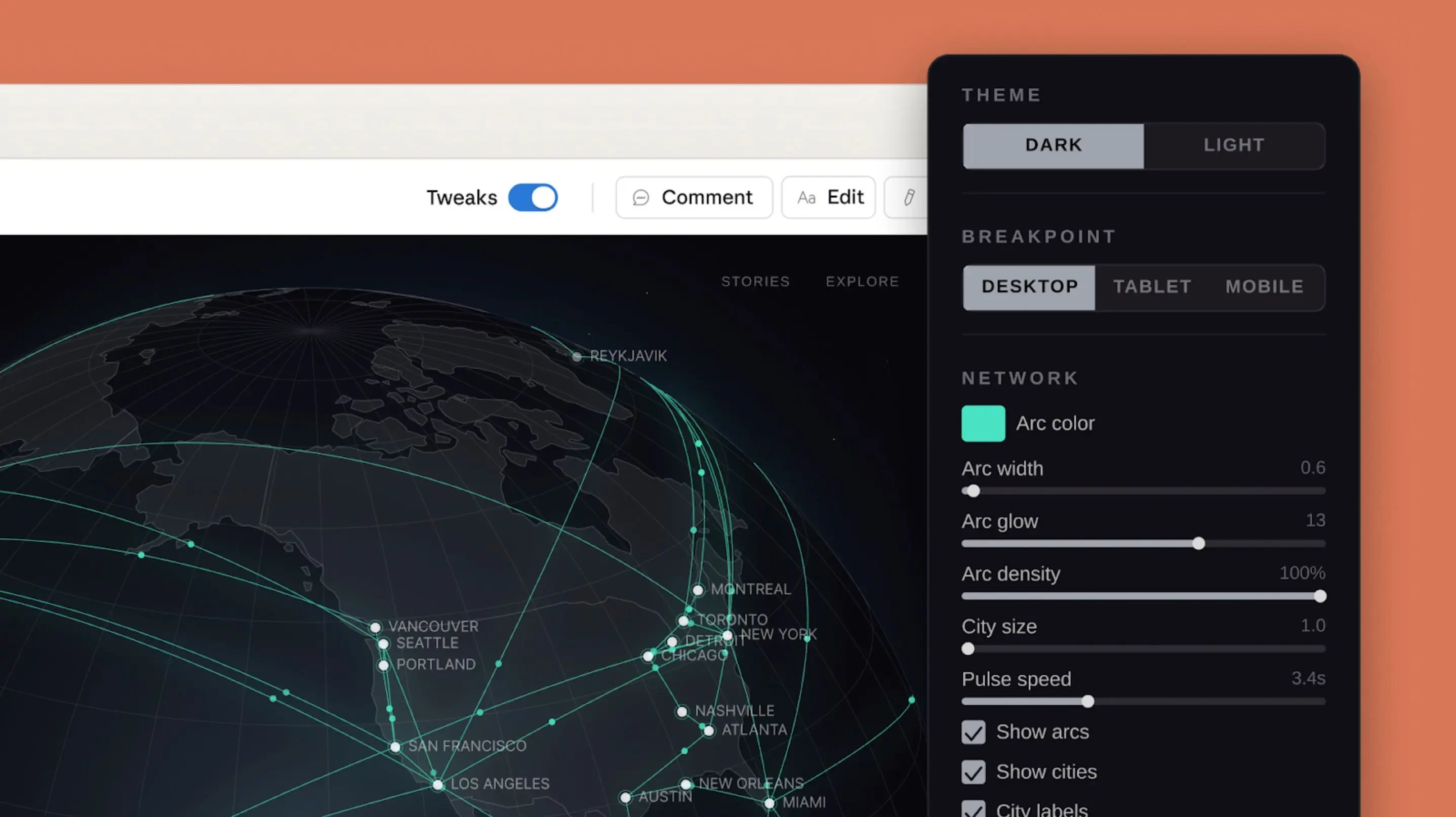
查看原始信息
CroozLink
The all-in-one business platform for professionals. Replace Calendly, DocuSign, DocSend, and $200+/month in scattered tools. Instead of a dead list of links and a boring website, Crooz AI turns your professional journey into a narrative that builds instant authority. No more making clients switch between 5 different apps. Book meetings, share tracked decks, sign agreements, and collect payments - all in one place. We are also incredibly proud to be a part of the NVIDIA Inception Program.

Hey Product Hunt!

I'm Tanmay, Founder of CroozLink.

High-ticket consultants and fractional executives struggle with a frustrating problem: they deliver premium expertise, but their online onboarding is a scattered mess.

Sending a high-value client to a basic website, then to Calendly to book a call, then to DocSend for a proposal, DocuSign for an NDA, and finally an external payment gateway - that is $200+/month in scattered tools that break trust and completely kills momentum. I realized there was no single, unified space for professionals to run their entire client journey.

I built CroozLink to fix this. It is a professional business platform designed to eliminate tool-hopping and friction. You can finally replace that scattered costly stack.

Instead of a dead list of links and a boring website, our Crooz AI turns your professional journey into an interactive story. Your CTAs are naturally woven into this narrative, so your pitch never feels salesy but instantly builds authority. We have native scheduling (to replace Calendly), tracked pitch decks (to replace DocSend), e-signatures (to replace DocuSign), and a 0% commission storefront where payments go directly to your Stripe account.

We also built Crooz.to, a smart link shortener that actually protects your leads. Unlike Bitly, where a user clicks and leaves your ecosystem, our Crooz.to links (like crooz.to/article) open the external content directly inside your CroozLink profile. You never lose the lead.

There is a lot more under the hood (lead collectors, live messaging, and Google Reviews import) but I want to keep this brief. It is all bundled into a single $29/month plan so you never have to deal with annoying upsells later. We are also incredibly proud to be a part of the NVIDIA Inception Program.

You can see a live example of a professional platform here: croozl.ink/marcus

As a thank you to the PH community for supporting croozlink, use code FL7O37FLG7 for a 15% discount (valid for the next 30 days).

I would love to hear from other founders, consultants, and professionals here: How do you currently manage your client onboarding stack, and what is the biggest point of friction you face right now?

Thanks for having me!

- Tanmay Agarwal

3
回复

@vichaarit Congrats on the launch! Business platform for professionals looks genuinely interesting.

0
回复

Finally , a solution that replaces chaos with clarity. Love this tool

2
回复