Product Hunt 每日热榜 2026-05-31

PH热榜 | 2026-05-31

#1
Clipto
Fully local, natural language search over terabytes of media
390
一句话介绍:Clipto是一款完全离线的本地化AI媒体搜索引擎,帮助创作者、团队在海量视频、音频和文件中,通过自然语言描述即可秒级定位特定片段,解决“数据丰富但知识贫瘠”的痛点。
Mac Productivity Artificial Intelligence
本地AI搜索 视频管理 音频转文字 自然语言检索 媒体资产管理 隐私优先 Apple Silicon 内容创作工具 人脸识别
用户评论摘要:用户普遍认可“本地化+自然语言搜索”的价值,尤其对创意工作者(如B-roll管理)和合规要求高的企业场景感兴趣。核心问题聚焦在:索引是否随文件移动同步更新、多设备(MacBook/iPad)间索引是否可移植、对专业摄影语言(如机位、构图)的理解深度,以及人脸自定义命名功能。部分用户关心初始索引对大量旧数据(如5年会议记录)的处理效率和增量更新机制。
AI 锐评

Clipto的核心理念并不新鲜——“本地版谷歌相册”的类比精准但暴露了其局限性。谷歌相册的真正护城河不在于AI识别能力,而在于跨设备无缝同步的生态粘性。而Clipto当前“每台机器独立索引”的设计,恰恰是用户接受度最大的障碍:一个需要为2TB视频等24小时的本地索引工具,让搜索效率变成了昂贵的奢侈品。对创作者而言,其真正的价值并不在于“搜索速度”,而在于“避免组织成本”——当用户不需要再手动打标签、建文件夹时,搜索才成为真正的生产力工具。

产品最聪明的设计是明确聚焦于“已知存在但找不到”的场景,而非虚无缥缈的“AI发现”。这避开了多数AI工具“帮你想象”的陷阱,回归到“帮你回忆”的实用主义。然而,技术实现的硬伤不容忽视:对Apple Silicon的苛刻依赖(M1 Pro起步、24GB+内存)将用户群锁死在高端Mac用户的小圈子里。在Windows和更低功耗设备上的缺席,让“本地优先”变得有些傲慢。

更隐忧的是,当AI索引本身成为重度计算资源消耗者时(如处理5年会议记录),用户是否会愿意让电脑持续满载工作?这个问题比“搜索有多快”更本质。Clipto真正的增长瓶颈将不是技术能力,而是如何在不牺牲“本地化”承诺的前提下,解决跨设备协同这一终极难题——如果做不到,它永远只能是一个高级的“文件搜索器”,而非“个人记忆系统”。

查看原始信息
Clipto
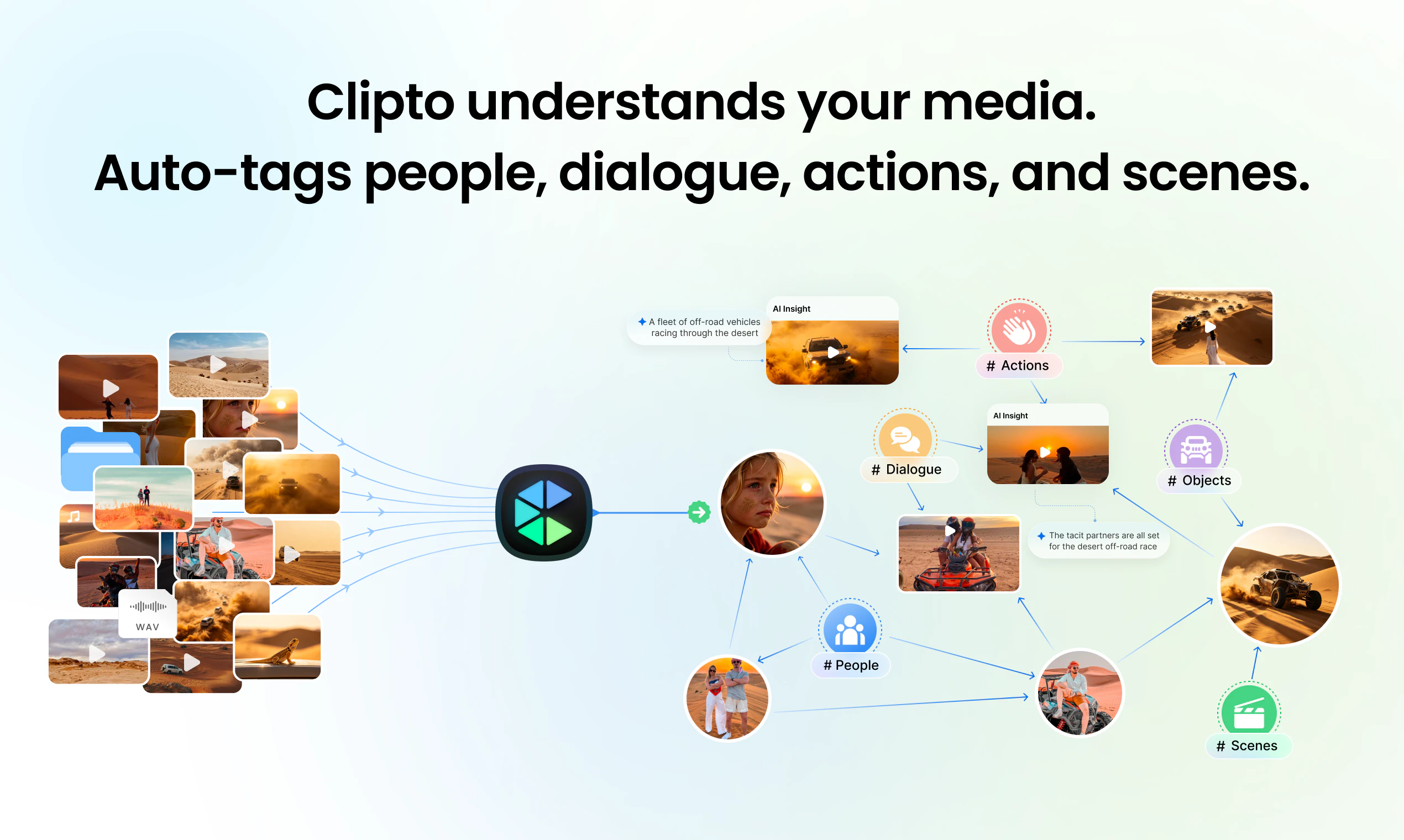
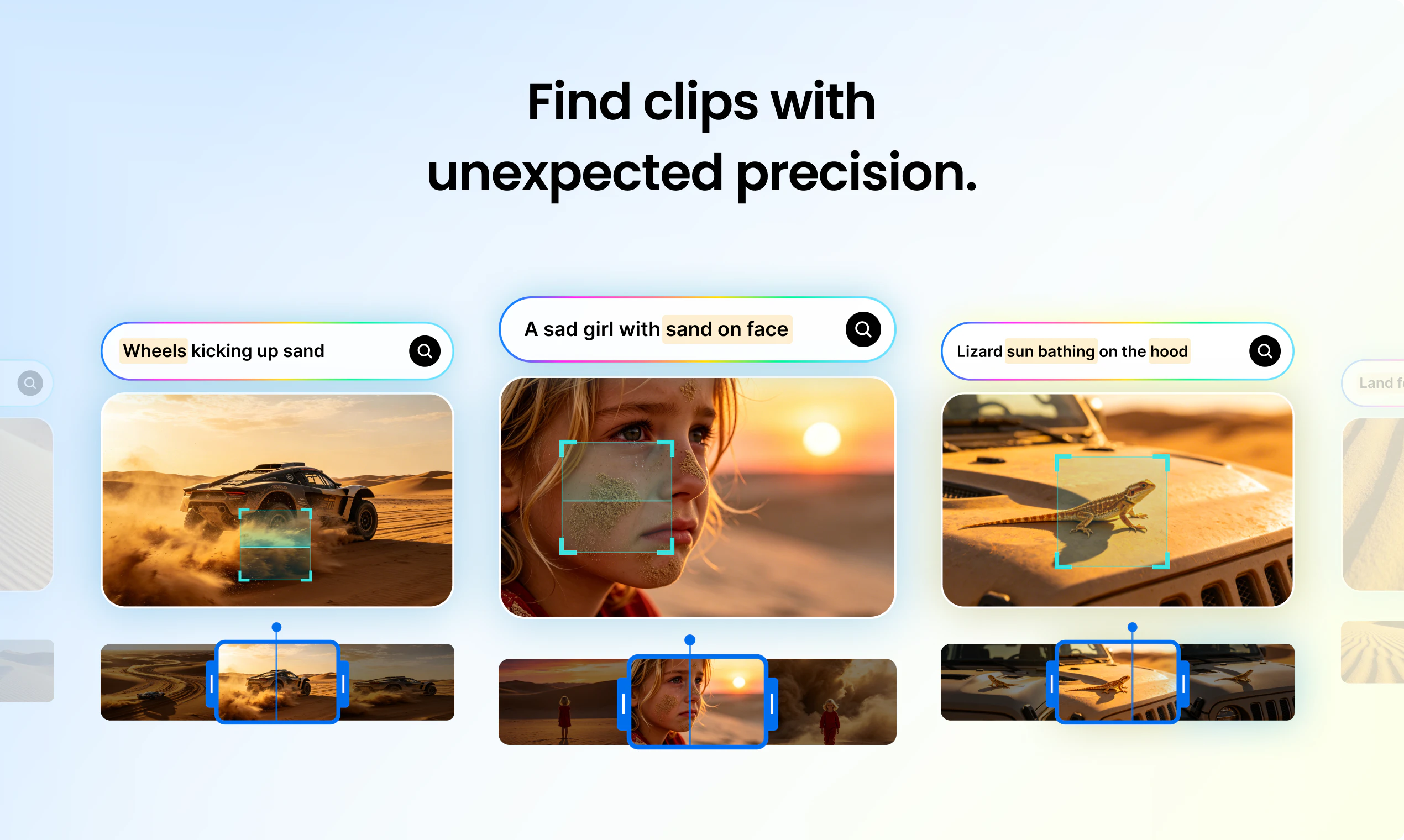
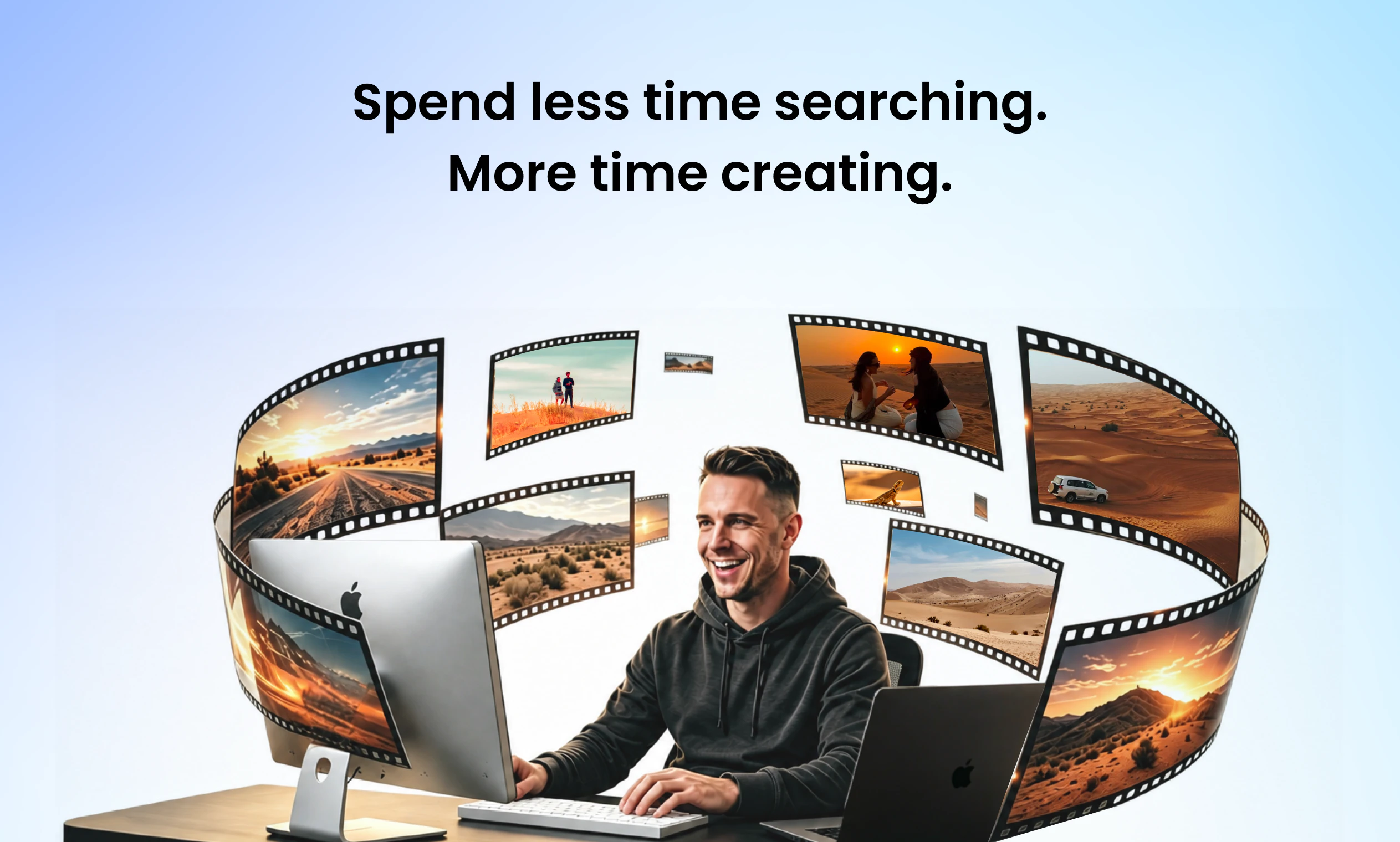
Like Google Photos, but fully local. Turn the terabytes of video, audio, meetings, and files you work with into searchable memories, without uploading anything to the cloud. Clipto automatically tags people, dialogue, and scenes, so you can instantly find any moment buried in your media just by describing what you're looking for. It's fast too: on a MacBook Pro M5, Clipto indexed 2TB of videos in just 24 hours.

We've been honing Clipto's story for a few months. At the end of our last call @henry_kang proved the value of the product.

He and his team were out in the desert, testing Clipto remotely: minimal reception, terabytes of footage sitting on his laptop, and he needed to find a specific shot for the launch video.

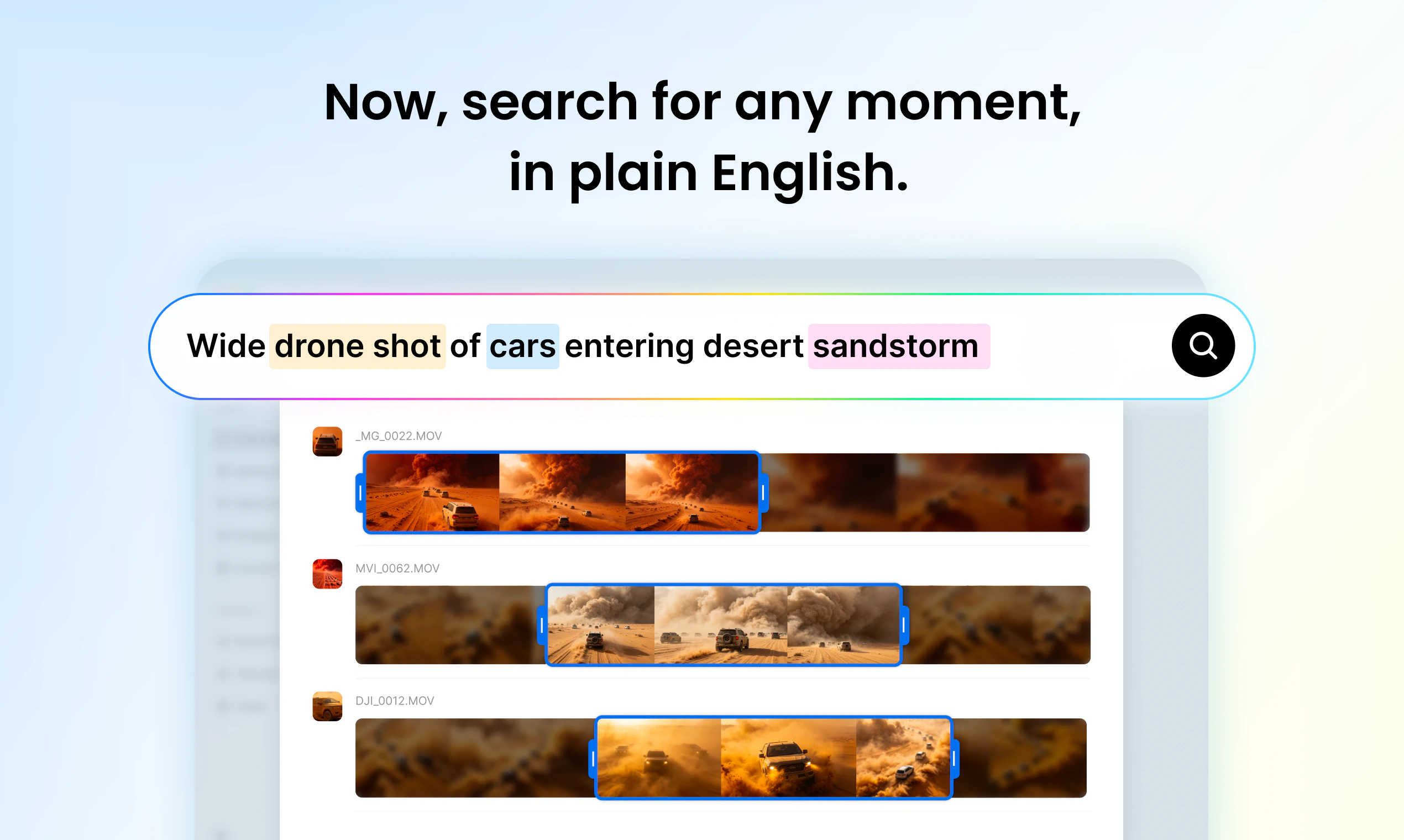
He searched for: "the wide drone shot where the car enters the desert".

He didn't want "a cinematic moment." Not a "vibes" search.

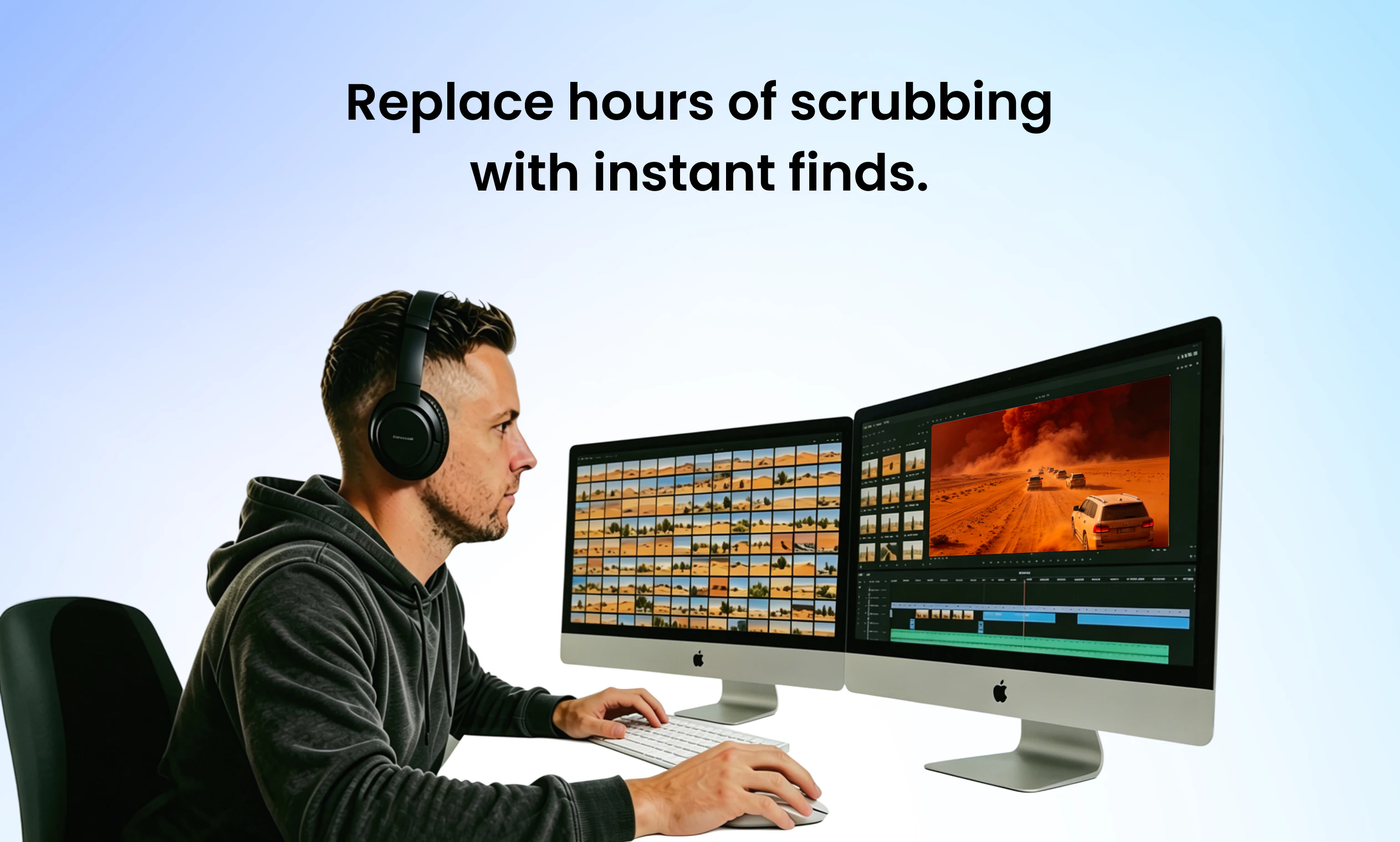
He knew he had the clip but in the pre-Clipto world, it would take hours of video scrubbing to find it.

He found that clip in seconds using natural language to search over his own media, fully local.

Just like Google Photos — but nothing lives in the cloud.

This isn't an easy problem to solve. Henry's been pursuing this direction for over twenty years, when at CMU's Robotics Institute (my alma mater, FYI), he began pushing the limits of computer vision. He starting with indexing hundreds of images and then advanced to millions of objects — and watched recognition basically explode once memory scaled.

Clipto is in many respects the culmination of that work, pointed at your personal hard drive.

And it's quick: a modern M5 MacBook chews through ~2TB of video in about a day. Why not push yours through its paces?

16
回复

@henry_kang  @chrismessina Genuinely fascinating - to have that kind of local searchability is a game-changer for sure. The video aspect alone is great but to have audio searchability as well is something podcasters, the interview-heavy (I'm thinking like HR departments), and even marketing, who'd have a combo of both would benefit from. I see many applications for this in the corporate world where privacy and compliance are concerns. Congrats!

0
回复

@henry_kang  @chrismessina  As a fellow creator b-roll management is the worst part of post production hands down

0
回复

@chrismessina 

Thanks Chris. 🙏

One thing we’ve learned from today’s discussions is that people aren’t really looking for “AI magic.”

They already know the clip exists.

They already own the footage.

They just need a reliable way to find it.

Whether it’s:

• the exact moment a decision was made in a meeting
• a specific quote from a podcast recorded months ago
• a particular shot buried in terabytes of footage

the common problem is the same:

our computers store everything, but remember nothing.

That’s ultimately what we’re building toward: a local memory layer for the media people already own.

4
回复

Hi Product Hunt! I’m Henry, founder of Clipto.

Clipto gives you the ability to search in natural language over terabytes of media in seconds.

Think: Google Photos, but fully local.

During my 20 years ago at CMU’s Robotics Institute, I became obsessed with memory systems: what if computers could actually remember what they’ve seen?

I trained robots to memorize millions of product images crawled from the Amazon catalog (the standard back then was to index 100s of images at a time), and discovered that they could use that memory to recognize almost anything they encountered!

By pushing computers beyond their conventional limits, I had unlocked an explosion in machine intelligence.

Years later, the problem has become personal.

Our computers are full of valuable raw footage, interviews, recordings, and more, but most of that data is still painfully hard to search, revisit, or reuse. We are data-rich, but knowledge-poor.

That’s why I built Clipto. Clipto helps you find what matters inside terabytes of video, audio, meetings, and files, instantly, turning hours of repetitive work into seconds.

  • Find the wide drone shot where the cars enter frame.

  • Find the shot specifically in the moment the sandstorm arrives from hours of footage.

  • And find what you know is in there, without suffering through hours of scrubbing.

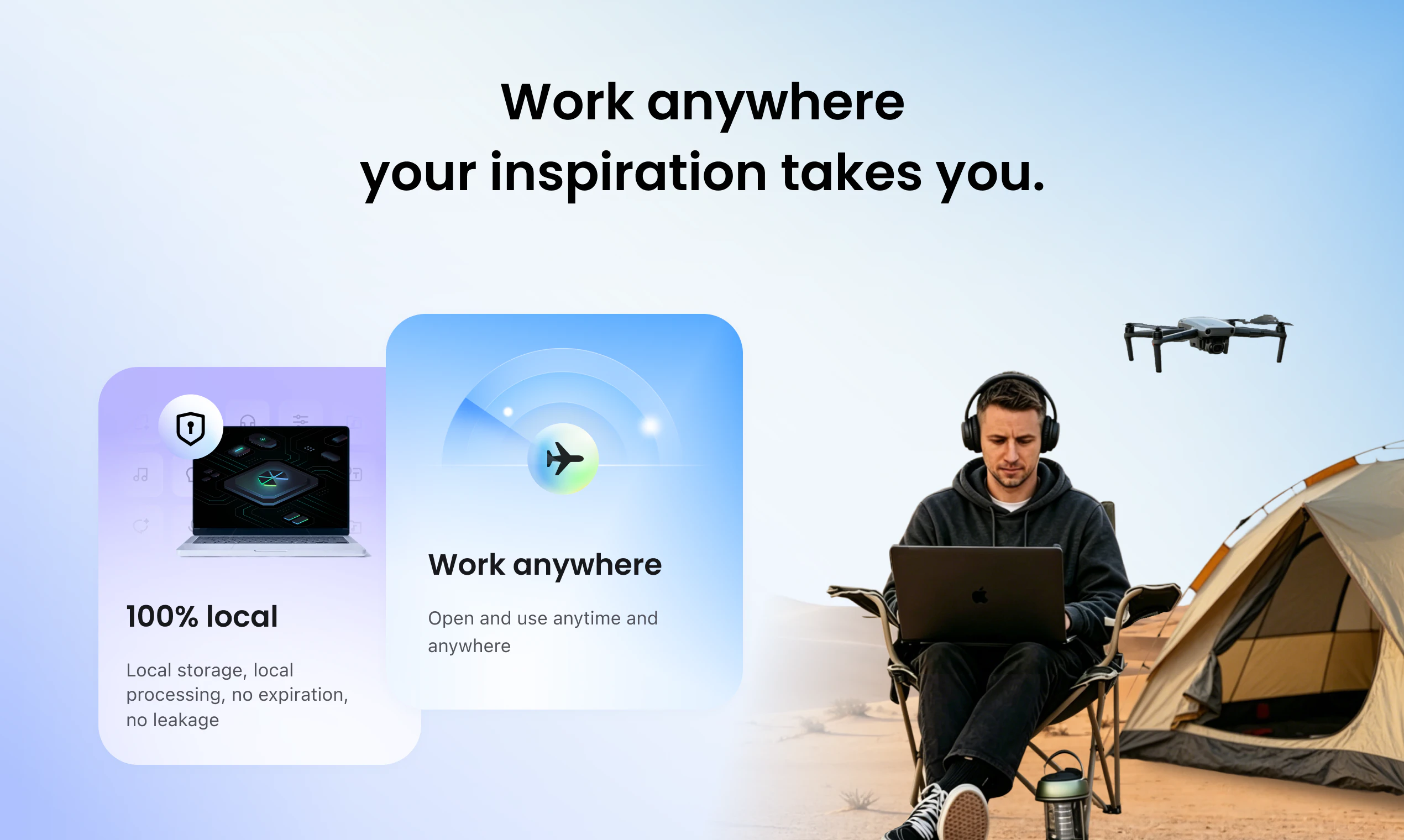
Clipto's memory system live where your data already is: on your device, under your control, available anytime, even offline — so you can keep working wherever and whenever inspiration strikes.

After two years of compressing, optimizing, distilling and orchestrating AI models to run entirely on-device, we are ready to share it with the Product Hunt community.

It’s still early, and it’s still compute-heavy. Right now, Clipto works best on higher-performance Apple Silicon Macs (M1 Pro/Max/Ultra and newer) with 24GB+ RAM. If you have a compatible Mac, we’d love for you to try it.

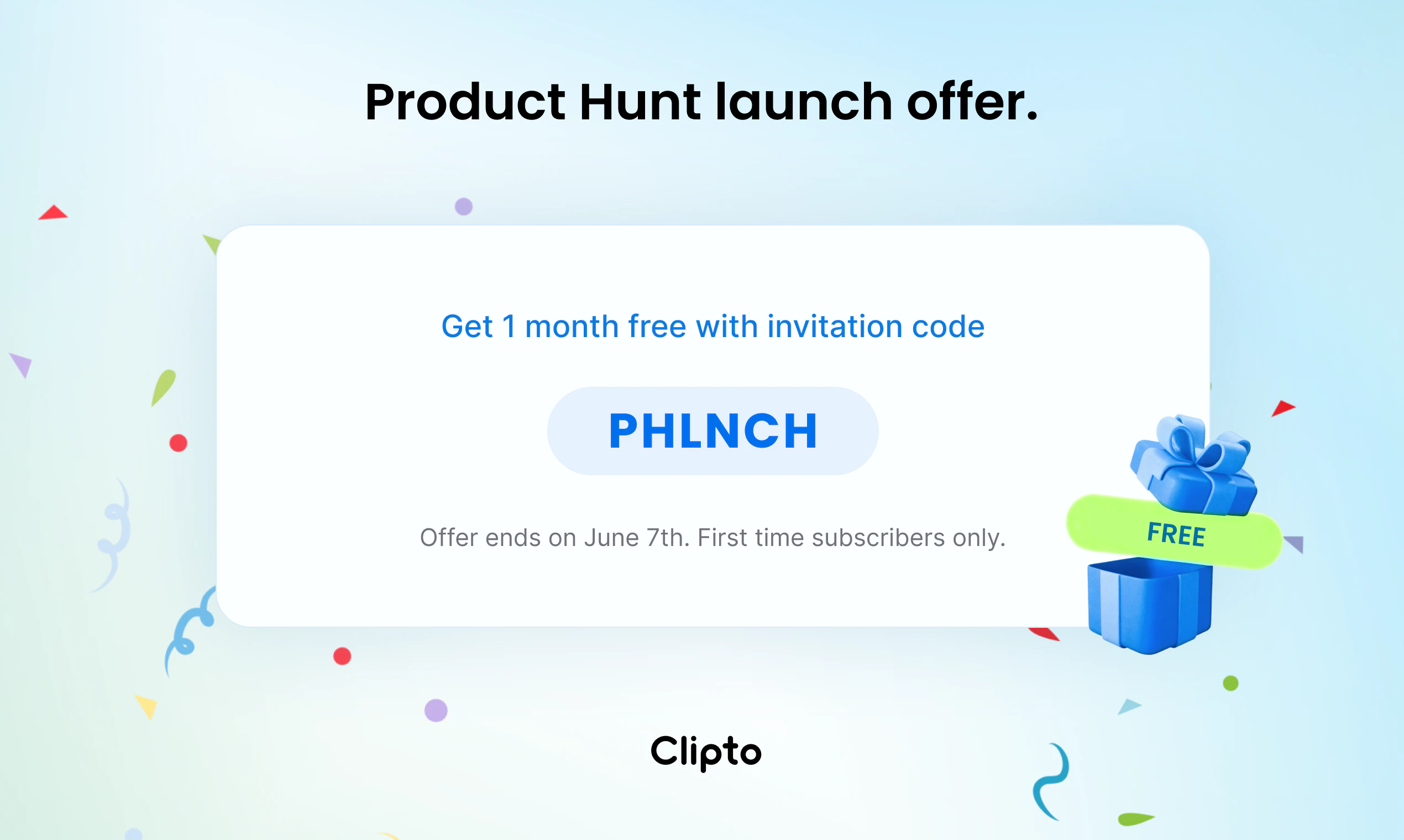
To celebrate our launch, we're offering 1 month free to anyone who signs up this week with code PHLNCH.

I’ll be here in the comments all day and would genuinely love to hear about the strategies you've developed to find your content diamonds in your digital rough.

8
回复

@henry_kang Congrats on the launch Henry 👏

The “Google Photos, but fully local” analogy clicked for me immediately. Curious how long the initial indexing usually takes for something like 1TB of footage?

0
回复

This looks really interesting.

I'm curious about how deeply it understands media content.

Does it recognise things like camera angles, shot types (wide, medium, close-up), camera movements, transitions, B-roll, and multi-camera sequences?

It would be incredibly useful if I could search for something like "close-up shot of a person smiling" or "drone footage with a slow pan" and instantly find matching clips across my archive.

Would love to know how detailed the visual understanding gets beyond basic object and dialogue detection.

2
回复

@pradeepmalakar That's a really professional cinematography question. We're working hard to enrich our understanding of cinematic language to better serve professional video creators — here's what we can reliably recognize today:

  • Shot Type: Wide Shot, Medium Shot — e.g. "wide shot of a city street" or "medium shot interview"

  • Camera Angle: High Angle, Overhead/Top-down — e.g. "overhead shot of a table" or "high angle crowd scene"

  • Framing & Composition: Landscape — e.g. "landscape framing outdoor scene"

  • Scene & Setting: Urban/City, Green Screen/Studio, Day — e.g. "studio interview daytime" or "urban street scene"

  • Technical Specs: AV1, Rec.709, 4:2:0, 8-bit, 25FPS — e.g. filter footage by codec or color space when you need format consistency in an edit

  • Focus & Quality: Out of Focus — e.g. quickly filter out unusable takes

...and more, these are just a few examples across the many dimensions Clipto tags. Sorry I can't list them all here! Every case shown in our demo video is a real.

Camera movements, transitions, B-roll classification, and multi-camera sequences — those are on the roadmap and we're heads-down on it.

Would love to hear what specific search queries matter most to your workflow — it really helps us understand what to build next:)

1
回复

Love the local-first philosophy! Does the single license cover multiple Macs, or do I need a separate seat for my studio desktop and my travel MacBook?

1
回复

@jocky Thanks! Today, most users run Clipto across their personal devices without friction.

We’re still refining some of the licensing and account management details as the product grows, especially for creators and teams who work across multiple machines.

Our goal is to make legitimate personal use feel simple, not burdensome.

Out of curiosity, when you switch between your studio desktop and travel MacBook, are you typically working with the same media library or different projects on each machine?

1
回复

Interesting. Local-first stops being a privacy story the second you can find a clip on your own drive faster than you'd find it in cloud storage. Question - what happens to the index when I rename or move a file in Finder after indexing? Does Clipto watch the filesystem?

1
回复

@artstavenka1 Great question.

Yes, Clipto watches the local filesystem and keeps the index in sync.

If you rename or move a file after it’s been indexed, Clipto will detect the change and update its references automatically, so the media doesn’t need to be re-indexed from scratch.

The heavy lifting (transcripts, visual understanding, embeddings, etc.) is already done, so we’re simply updating the file mapping rather than reprocessing the entire asset.

We designed it this way because media libraries are constantly evolving. People reorganize folders, rename projects, move files between drives, and we don’t want that to break search. Local-first only works if the index evolves with your library.

1
回复


I’m a YouTuber and managing b-roll is my biggest nightmare. Does Clipto allow for tagging, or is it all AI-based search?

1
回复

@song_kirby Totally feel you. Managing B-roll was my personal nightmare back when I was creating videos. It's actually one of the core reasons we built Clipto. It automatically analyzes and tags your footage across multiple dimensions — shot type, people, actions, dialogue, expressions, subjects and more. All AI, zero manual work. Your B-roll will become a fully searchable library.

And what makes it really special — at least for me personally — is this: when you're deep in an edit, you often need that one specific detail to nail the emotional continuity, the storytelling flow, or the movement between cuts. Something you half-remember from the shoot, or honestly didn't even notice you'd captured. Just describe it in plain language, and you'll find exactly what you need in seconds.

Hope Clipto will help you a lot:)

0
回复

'like Google Photos but fully local' framing is clean but Google Photos works because the index follows you across devices seamlessly. curious how Clipto handles the multi-device problem. if i index 2TB on my MacBook and then want to search from my iPad or a second machine, what does that look like. is the index portable or does each device need to reindex independently because that changes the use case significantly for anyone with more than one machine

1
回复

@ansari_adin That’s a very insightful question.

Today, Clipto works independently on each machine. The index is built locally and stays local, so if you index 2TB of media on your MacBook, that index currently doesn’t automatically appear on another device.

We made that tradeoff intentionally because our first priority was privacy, local ownership, and offline usability.

That said, we completely agree that long-term memory becomes much more valuable when it can follow you across devices. Cross-device memory and synchronization are already on our roadmap, and we’re actively exploring ways to do that while preserving the local-first principles that make Clipto unique.

In many ways, this is one of the most interesting problems for us: how do you build a Google Photos-like memory layer without giving up control of your data to the cloud?

1
回复
Congrats on the PH launch, @henry_kang & team! 🎉 “Fully local + natural language search” is such a killer combo—especially after that desert story. I’ve wasted hours scrubbing through raw footage myself, so I feel that pain. What I love: the 2TB/day indexing speed on M5 is seriously impressive. And the fact that nothing leaves your drive? 👏 Privacy-first done right. One idea to make it even stickier: allow users to manually name detected faces (e.g., label “Mom” or “Client A”). Right now auto-tagging is great, but custom naming would turn “a person” into your person. Imagine searching “Grandpa’s birthday” and actually finding it. Does Clipto already support that? If not, would love to see it in the roadmap! Congrats again—can’t wait to try it out. 🔥
1
回复

@rocsheh Thanks, Zepeng!

Yes, Clipto already supports this today!

You can assign custom names to detected faces, so instead of searching for “a person”, you can search for people that actually matter to you, such as family members, friends, clients, or collaborators.

We’ve found that once people start organizing media around real identities, search becomes much more powerful. Instead of “find a woman speaking on stage,” you can search for things like “Mom’s speech”, “Client A interview”, or “John at the conference.”

We think that’s an important step toward turning media search into a true personal memory system.

0
回复

This feels like what the Apple 'Photos' search should have been for professional video files. Super impressed.

1
回复

@limxn6 High praise — thank you. 😊

Apple Photos is great for memories. Clipto is built for work: terabytes of raw footage, interviews, production assets — all searchable locally, offline, instantly.

Glad it resonates. Let me know what you find when you try it.

0
回复

This is genuinely impressive — local-first AI search for video is something I didn't know I needed until now. The desert story really sold it for me.

Quick question: does Clipto index audio content like podcast recordings or interview transcripts the same way it handles video footage? I have hundreds of hours of recorded interviews and this could be a total game-changer for my workflow.

1
回复

@jaredl Totally yes. Clipto can index audio content like podcast recordings and interviews the same way it handles video footage.

Beyond search, Clipto can also transcribe your recordings into text, generate concise summaries or key highlights, and let you chat directly with your podcasts, interviews, or meeting transcripts.

Once a transcript is completed, you can open the document and use the AI Chat box at the bottom of the page — labeled “Ask Clipto AI everything about the transcription” — to ask anything about the content.

The AI will answer based on the current document, pulling responses directly from your own recording. You can ask it to summarize a long interview, extract key moments, turn the transcript into polished content, or simply answer specific questions.

For any AI-generated response, you can also Copy, Regenerate, or Pin it back to the original text.

So for hundreds of hours of recorded interviews, Clipto should be a strong fit: it helps you search, understand, summarize, and QA your audio archive without manually going through everything.

0
回复

@jaredl Absolutely. Video gets most of the attention, but Clipto works with audio just as well.

Podcasts, interviews, meetings, voice recordings, and other audio files are all indexed and made searchable. You can search across transcripts using natural language and jump directly to the relevant moments.

In fact, if you’re sitting on hundreds of hours of recorded interviews, that’s one of the strongest use cases for Clipto. Those recordings often contain valuable insights that are almost impossible to rediscover later without a system like this.

We’d love to hear how you’re currently managing and searching those interviews today.

0
回复

Been following the journey on LinkedIn and so glad to see you guys finally launch! The search functionality is spooky good.

1
回复

Thanks @sandy_liusy Sandy! 🙏

Search has definitely become the heart of the product. There’s something magical about finding a specific moment from terabytes of media in seconds.

To be honest, I’m still surprised by some of the details Clipto catches. Every now and then it finds something in a frame that I completely missed while filming. 😄

0
回复

Concept is really intresting and the smooth onboarding
How did you get the idea to make that kind of stuff? what was your excatly the moments you think to create this.

0
回复

I am not a creator , but I do have lots of personal photos stored in different locations on my device , will clipto be able to organise those for me ? And can it build a memory chart out if it. For me rather then searching I like what google shows to me on time to time , like memories.

But sometimes searching is also required.

0
回复

Local-only across audio + video + files is the version of this I keep waiting for, congrats on shipping. The piece that usually breaks under real load is the indexing job, not the search itself. How are you handling the initial pass on someone with 5 years of meeting recordings? And does the index update incrementally or do new files queue behind the original backfill?

0
回复

How does the search handle lighting conditions? If I search for 'forest at night' vs 'forest during the day,' is the vision model sensitive enough to distinguish the cinematic mood?

0
回复

@carooolxxyy Great question.

Yes. Our visual models don’t just recognize objects and scenes, they also capture contextual signals such as lighting conditions, time of day, atmosphere, and other visual characteristics.

So in practice, searches like:

• “forest at night”
• “forest during the day”
• “sunset over the ocean”
• “dark and moody street scene”

can produce very different results, even when the underlying scene category is similar.

Of course, cinematic mood is inherently subjective, so there are limits to what any model can perfectly understand. But distinguishing things like day vs. night, bright vs. dark environments, or dramatically different visual atmospheres is something the system is designed to handle.

We’d actually love to hear the kinds of searches you’d want to run. “Cinematic mood” is an area where we’re continuing to push the models forward.

0
回复

Congrats! I believe this product is very helpful for me! Clipto arrives at the intersection of three powerful trends: on-device AI, privacy-centric computing, and knowledge management. it has genuine disruptive potential.

0
回复

@fei_li5 Thanks, really appreciate that.

We believe those three trends are converging faster than most people realize. What started as a search product is gradually evolving into something closer to a local memory layer for personal media.

Curious which part caught your attention first: local AI, privacy, or knowledge management?

0
回复

For long-form team collaboration, is there a way to share the index file with another editor, or does each person need to re-index the same footage locally?

0
回复

@s_cen Great question!

Today, each Clipto library and index lives locally on the user’s machine. If multiple editors are working independently, each machine maintains its own local index.

That said, collaborative workflows are something we’re actively thinking about. As media libraries grow and teams become more distributed, sharing knowledge about a media collection becomes just as important as sharing the files themselves.

Team collaboration, shared knowledge, and more flexible ways to work across multiple users and machines are all areas we’re exploring for the roadmap.

Out of curiosity, what’s your setup today? A shared NAS, cloud storage, or a traditional post-production workflow with multiple editors?

0
回复

Does the natural language search get better over time through local fine-tuning, or is the model static upon installation?

0
回复

@ea_z Great question.

To clarify, Clipto does not perform local model fine-tuning on your personal media library today. The underlying models themselves aren’t continuously retrained on-device.

What we do have is a local data flywheel. As you use Clipto, your interactions, edits, labels, and feedback help the system build a better understanding of your media and preferences over time.

For example, if you consistently organize content a certain way, rename detected people, or make specific editing decisions, those signals can be incorporated into future retrieval and understanding workflows.

So while the model weights remain unchanged, the system itself becomes increasingly personalized as it accumulates more context about your library and how you work with it.

We think that’s often more valuable than fine-tuning alone because it allows the experience to improve while keeping your personal media private and local.

0
回复

I've got a lot of multi-cam footage and heavy ProRes files. Does the app struggle with professional codecs, or is it optimized for proxy-like speeds internally?

0
回复

@oscarliu Great question.

Professional codecs are absolutely a use case we designed for. We see a lot of ProRes, multi-cam footage, drone footage, and other creator-grade media libraries.

Under the hood, Clipto normalizes media through its processing pipeline, allowing us to support a wide range of formats while keeping indexing efficient and consistent.

More importantly, our goal isn’t to play back or edit every frame in real time. The goal is to understand the content and make it searchable, so we can optimize the indexing workflow differently from a traditional NLE.

We’ve successfully indexed libraries containing hundreds of gigabytes and even multiple terabytes of media, including ProRes-heavy workflows.

Out of curiosity, what’s your typical setup? Premiere, Resolve, Final Cut, or something else?

0
回复

On-device NL search over 2TB is the hard part — curious if you're embedding frames with a local CLIP-style model + ANN index, or sampling keyframes? And how does it stay incremental as the library grows?

0
回复

@qifengzheng Great question.

The high-level approach is directionally similar, but the actual system is quite a bit more involved than a straightforward CLIP + ANN pipeline.

We don’t rely on a single vision model. Instead, we combine multiple model types and signals, including visual understanding, semantic retrieval, transcripts, metadata, and other media-specific features.

For video, we also don’t simply sample frames at fixed intervals. A big part of the challenge is identifying the most informative moments in a video while keeping the index efficient at scale. We’ve built quite a bit of logic around selecting and processing high-information-density frames rather than treating every frame equally.

As for growth over time, the library is designed to be incremental. Under the hood, we maintain a persistent local knowledge structure and database layer that allows new content to be added continuously without rebuilding everything from scratch.

Out of curiosity, have you built search or retrieval systems before? This is one of the more technical questions we’ve gotten today. 🙂

0
回复

This looks like a great concept. I'd definitely love to give it a try, especially since I spend a lot of time switching between notes, recordings, and transcripts. One question though; when can we expect support for Pixel phones? That would make it an easy download for me.

0
回复

@vikranth_reddy_bollam Thanks! We’d love to have you try it as well.

Pixel support is definitely something we’re interested in, but today our focus is on Mac. The product is fairly compute-intensive, and we wanted to start on a platform where we could deliver the best possible experience before expanding further.

We’ve spent a lot of effort optimizing for Apple Silicon and making large-scale media indexing practical on a local machine.

Mobile devices are absolutely on our radar, but for now we’re focused on continuing to improve the Mac experience first and then evaluating the best path to bring Clipto to other platforms.

Out of curiosity, what’s your primary use case on a Pixel? Notes, recordings, podcasts, or something else?

0
回复

This is super cool, I wanted to ask you a question. How does it deal with hardware and devices that are very weak?

0
回复

@sam_alghaithi Great question! Supporting a wide range of hardware has actually been one of our biggest engineering challenges.

We approach it from two directions.

First, at the model layer, we use different model tiers optimized for different classes of machines. Depending on the available hardware, Clipto can choose between smaller and larger models to balance quality, speed, and resource usage.

Second, we’ve spent a lot of time optimizing the orchestration layer. Different workloads are scheduled differently depending on the machine’s capabilities.

On high-end systems, we can take advantage of more parallelism and process media much faster. On lower-powered machines, the priority shifts toward stability and responsiveness, making sure indexing doesn’t overwhelm the computer or interfere with normal work.

There’s still room for improvement, but a lot of the engineering effort has gone into making local AI practical on real-world hardware rather than assuming everyone has a top-spec machine.

1
回复

An absolute game-changer for the creator economy. Managing asset libraries is the unsexy part of the job that everyone hates. Thanks for fixing this!

0
回复

@lisa_helicopter_l Thank you! That pain is exactly what pushed us to build Clipto.

Asset management is one of those invisible parts of creative work that takes a huge amount of time, but rarely gets talked about. If Clipto can help creators spend less time digging through folders and more time actually making things, that’s a big win for us.

0
回复

This solves a problem I didn't even realize was draining my energy every day. No more hunting for files. Instantly installed.

0
回复

@rydensun Really glad to hear that — and thanks for installing so quickly.This is exactly the kind of everyday friction we hoped to address. File hunting feels small in the moment, but when it happens day after day, it can quietly consume a surprising amount of time and attention.Would love to hear how Clipto works with your own media after you’ve had a chance to try it:)

0
回复

This feels like a glimpse into the future of local file management. Huge congrats on the Product Hunt launch, Henry & team! Def trying this out today.

0
回复

@jianqiang_hao Thank you so much, really appreciate the support.

“Future of local file management” is exactly the direction we care about: making the files already sitting on your device easier to understand, search, and reuse without forcing everything into the cloud.

Would love to hear what you think after trying it with your own media.

0
回复

Comment list for Clipto.AI on Product Hunt


Actually works offline? That’s a game-changer for when I’m editing on the road or in a cafe with spotty Wi-Fi.


Actually works offline? That’s a game-changer for when I’m editing on the road or in a cafe with spotty Wi-Fi.

Turn on screen reader support

Working…

To enable screen reader support, press Ctrl+Alt+Z To learn about keyboard shortcuts, press Ctrl+slash

0
回复

@mooyan Yes. You can even use Clipto on the road, on a mountaintop set, in the desert, on a plane, or pretty much anywhere, without relying on the cloud. Give it a try, and we’d love to hear more of your feedback, thanks:)

0
回复

This is cool. Keeping everything local is a massive win, especially with how unpredictable cloud costs can get and how worried people are about privacy right now. I really respect that you stuck to local-only storage to protect user data.

As a developer working a lot with local-first Python frameworks, I'm super curious about the performance side. How do you manage the local system resources so that indexing a massive 2TB drive doesn't slow their device to a crawl?

0
回复

@rumiza_shaikh Thanks! Performance has actually been one of the biggest engineering challenges for us.

We’ve spent a lot of time optimizing the entire stack, from model acceleration and inference efficiency to orchestration between different models and processing pipelines.

The goal is to make indexing large media libraries feel like a background task rather than something that takes over your machine.

That said, we’re definitely not done. There is still plenty of room for improvement, especially around memory footprint and resource utilization during large indexing jobs.

We’ve been shipping performance improvements continuously, and there are a few more significant optimizations currently in the pipeline.

Since you’re working with local-first systems yourself, I’d love to stay in touch and compare notes. This is one of those areas where there’s still a lot of unexplored territory.

0
回复
Very cool! Going to check it out.
0
回复

@mogabr Thank you for your kind words! We're very much looking forward to you experiencing Clipto.

0
回复

Cool concept. Real question though — is this doing actual frame-by-frame visual understanding or is it metadata/transcript/keyframe analysis? Because the gap between those two is enormous for practical use. What I actually want: upload 10 raw clips of the same scene, AI watches them all, ranks by emotional resonance, suggests best cuts.

0
回复

@joe_rucker Great question. It’s not just metadata, transcripts, or simple keyframe extraction.

We combine multiple signals, including metadata, speech transcripts, visual understanding, and information extracted directly from the video stream.

That said, we also don’t do naive frame-by-frame analysis across every frame. At scale, that becomes extremely expensive while often adding little value. Instead, we use a more selective approach to identify and analyze the most informative moments within a video.

Our current focus is helping users find the right moments and clips from large media libraries as quickly as possible.

The workflow you described, where AI reviews multiple takes, ranks them, and suggests the best cuts, is a fascinating direction. While Clipto doesn’t currently optimize for edit recommendations, many of the underlying building blocks are already there.

Out of curiosity, what’s your current editing workflow today? Are you using Premiere, Final Cut, Resolve, or something else? And how much of the selection process is still manual versus AI-assisted?

We’re spending a lot of time thinking about how AI agents and creative tools could work together, so I’d love to learn how you’re approaching it.

2
回复

Tried a similar tool last year and it choked on my 500GB of GoPro footage. Curious if Clipto handles high-bitrate HEVC files smoothly.

0
回复

@trydoff Great question.

Yes, high-bitrate HEVC footage is something we encounter quite often, especially from GoPros, drones, and modern mirrorless cameras.

During indexing, Clipto normalizes media through our processing pipeline, so it can handle a wide range of formats and codecs, including H.264, H.265/HEVC, AV1, VP8/VP9, MPEG-2, ProRes, AAC, MP3, FLAC, WAV, and more.

In practice, we’ve successfully indexed and searched across libraries containing hundreds of gigabytes and even multiple terabytes of HEVC footage.

Processing speed will depend on your hardware, but HEVC itself is absolutely a first-class citizen in the workflow.

0
回复
#2
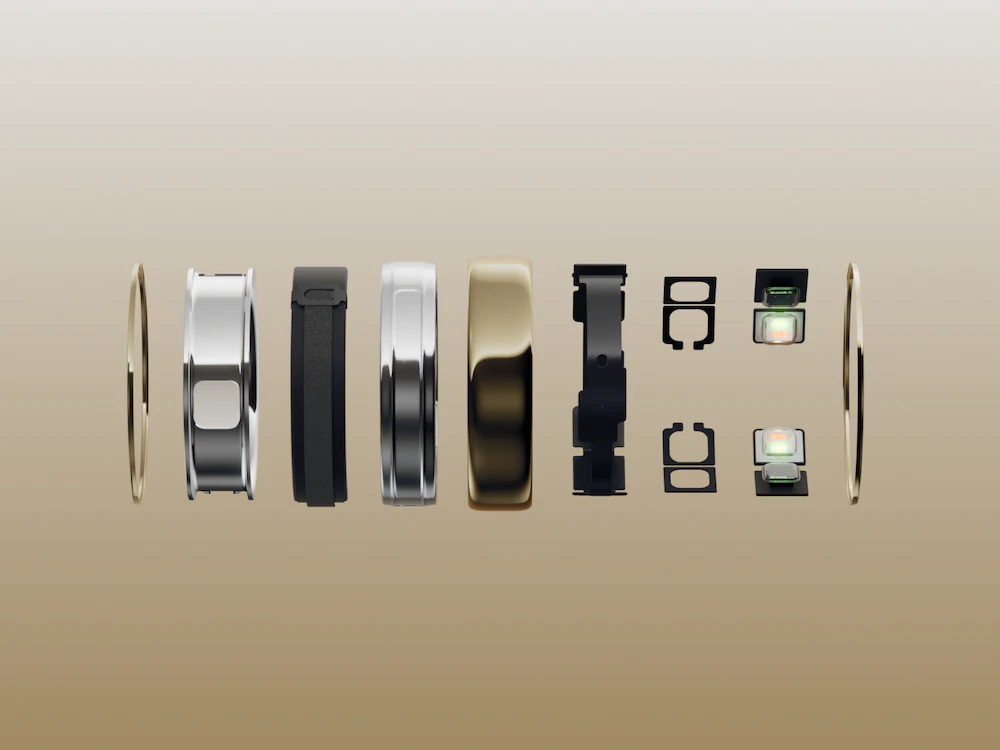
Oura Ring 5
The world’s smallest smart ring, now even better
273
一句话介绍:Oura Ring 5是一款主打舒适佩戴与主动健康洞察的智能戒指,通过更小的体积和长达9天的续航,解决用户全天候追踪睡眠、压力、心率及恢复数据而不愿佩戴沉重腕戴设备的痛点。
Health & Fitness Hardware Wearables
智能戒指 健康监测 睡眠追踪 压力管理 心率监测 可穿戴设备 主动健康 钛合金设计 长续航 Oura
用户评论摘要:用户关心老用户能否获得软件更新;质疑蓝牙连接与Apple Health的兼容性问题;询问睡眠追踪的准确性(有反馈称会漏记初段睡眠且无法手动校正);探询Health Radar识别异常波动的算法逻辑;同时有用户称赞小巧设计是“去手腕化”的关键突破。
AI 锐评

Oura Ring 5在硬件上迈出了关键一步——40%的体积缩减和2克重量使其真正逼近“无感佩戴”的边界。这不再是简单的迭代,而是一次对佩戴场景的重新定义:当戒指比绝大多数传统戒指还轻时,它才可能成为真正的24/7健康伴侣。然而,产品的真实价值并不完全在于尺寸。评论中用户最尖锐的质疑指向了核心功能——睡眠追踪的准确性。有人直言“会漏记前1-3小时睡眠且无法手动校正”,这是智能戒指品类最致命的信任裂缝:如果核心数据存在明显盲区,再小的体积也只是摆设。

软件层面,Oura正试图用“Health Radar”等AI功能构建差异化。但一个关键矛盾在于:用户对“主动提醒”的期待,与当前产品在数据校正、Apple Health兼容性等基础体验上的缺失形成了反差。与其画饼“夜间呼吸模式”“血压信号”等医学级推测,不如先解决用户早晨必须手动运行快捷方式才能同步数据的“非智能”体验。此外,Oura的订阅制模式正在将硬件利润转化为长期收割,用户关心的“老用户能否获得更新”本质上是对硬件寿命与软件付费墙之间的博弈。

整体而言,Oura Ring 5是“硬件正确”与“软件待补”的结合体。它用极致的小巧叩开了主流消费市场的大门,但能否真正留住用户,取决于它能否用实际数据打赢睡眠追踪的一对一战争——而不是仅靠“忘掉你戴着它”的文案说辞。

查看原始信息
Oura Ring 5
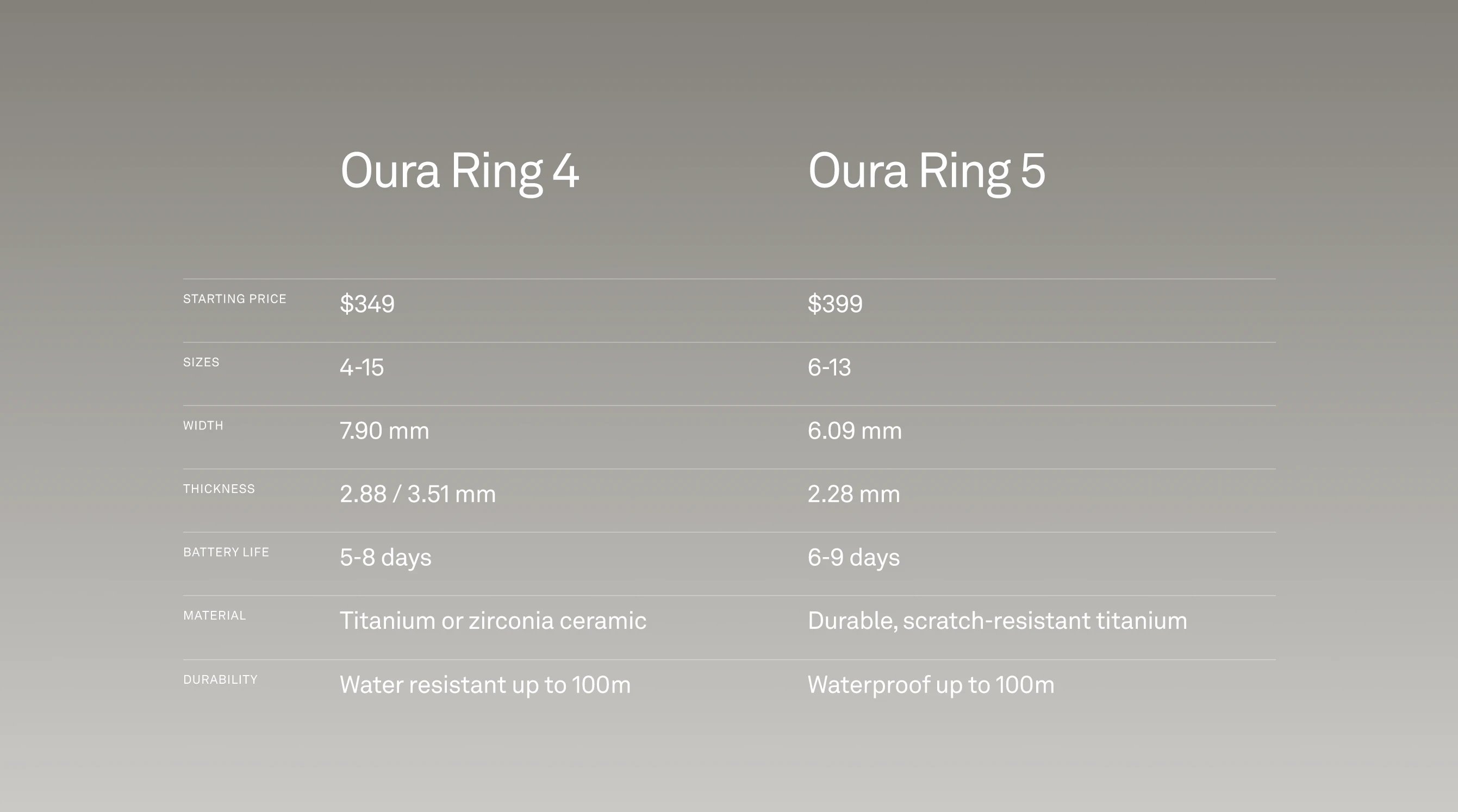
Meet Oura Ring 5. Now 40% smaller with a titanium design and up to 9 days of battery for sleep, activity, stress, heart health, and recovery.

Hi everyone!

The best smart ring is the one that keeps getting easier to forget you’re wearing.

Ring 5 is 40% smaller than Ring 4 and weighs as little as 2 grams. It tracks the core Oura loop of sleep, readiness, recovery, stress, and activity directly from your finger.

Oura is also taking a much more proactive approach with the software. Starting in June, features like Health Radar will help surface patterns around nighttime breathing, blood pressure signals, and GLP-1 use.

So it gives you more early signals when something is worth paying attention to.

6
回复

@zaczuo Does it mean that this one is "thinner" and "smaller in weight"? right? So that's where the "smallest" ring got its customisation?

0
回复

Looks interesting. I'm currently using an older Oura ring and was wondering if existing users will get these updates as well. Would love to know how much of this is software versus new hardware.

1
回复

I’m an Oura OG - love my ring and the Oura ethos, keep it rolling!

1
回复
Honestly, a smaller ring is genius for people who don't like the feel of wrist watches. One thing I noticed with smart rings is the sharing of consumer data, i just wanted to know, is the app that helps connect to the ring a third party software or is the software made by your team. Regardless this deserves a cheers of pint for the team, Great work!
0
回复

Does this include an update to the software that brings full connectivity with Apple Health? Having to run the app and then a shortcut every morning just to get complete insights isn't optimal.

0
回复

I really like the direction you're taking with the proactive insights. How does Health Radar know when something is just a normal fluctuation and when it's something users should pay more attention to?

0
回复

@plahtela @thisisthequick @laura_furman the 40% size reduction isn't a design upgrade, it's the mainstream unlock. The ring has always been the right signal for people who don't want to wear a health statement on their wrist. Shipping this as a preorder is the right call too. Strong launch.

0
回复

How accurate is the sleep tracking?

0
回复

@nithin_raju1 if you are ok that it misses the first 1-3 hours of your sleep, you never get up at night to go to the toilet and can live with the fact that you can't correct the sleep times manually (like with every other tracker on the market), you will be happy with it!

0
回复
#3
Second Brain for AI
Persistent memory for Claude, ChatGPT & Cursor. Free.
238
一句话介绍:Second Brain for AI是一款自托管式的AI持久记忆层,能在Claude、ChatGPT、Cursor等工具间同步项目决策、偏好和历史上下文,解决每次对话都需从零开始的痛点。
Open Source Developer Tools Artificial Intelligence
AI记忆层 持久化上下文 语义检索 自托管部署 多工具同步 MCP协议 冲突检测 上下文窗口管理 Cloudflare 免费开源
用户评论摘要:用户关注四点:1. 记忆冲突处理(新旧数据如何覆盖/合并)与版本历史缺失;2. 非后端用户的部署门槛(要求一键部署而非手动配置);3. 跨会话记忆与窗口内溢出问题的区别;4. 对数据“最新即正确”逻辑的担忧,建议增加“规范/草稿/弃用”状态标注。
AI 锐评

Second Brain for AI精准击中了当前AI工具生态中最令人抓狂的断层:每个会话都是“记忆格式化”的白板。产品价值不在于提供更大的上下文窗口,而在于构建跨工具的、持久的、可被意图检索的“大脑皮层”。对于重度使用者来说,反复注入环境信息的时间损耗已经超过了AI本身带来的效率增益,因此这个解决方案在边际效用上是成立的。

但从评论中能看出,产品目前还处于“能用”而非“好用”的阶段。核心的冲突检测机制仅依赖语义相似度和LLM裁决,且对“旧记”的替代策略偏向粗暴——当新旧记忆矛盾时,旧记忆直接被删除,这在实际工作流中是危险的。一个六周前确定的技术架构决策很可能因为一次临时讨论被错误覆盖。开发者回应中提到的“重要性评分影响排序但不影响改写”也揭示了逻辑缺陷:决定信息是否应被更新的不应是时间戳,而是其被标记的“权威层级”(规范/草稿/废弃)。

更值得关注的是,用户在部署体验上给出的信号极为明确:技术门槛正在杀死产品触达。尽管团队已有一键部署到Cloudflare的方案,但README的入门引导显然失败了。对于一个强调“自托管”“数据主权”的产品,需要让非后端用户,例如产品经理或资深研究员,也能轻松点击启动,否则这层“记忆层”只会变成Github上的又一个漂亮但无人用的公开仓库。

此外,产品在“跨会话记忆”(Second Brain)与“会话内溢出”(滚动摘要)之间存在一条没有填平的沟壑。后者是用户实际高频复现的痛中痛,但尚在路线图第9位,优先级偏低。如果团队只在记忆层做持久化,而不解决长对话的首尾失忆问题,产品的用户黏性将始终受限于会话形态。

总的来说,Second Brain走在正确的方向上,但目前更像一个为开发者群体准备的智能“剪贴板”。要成为真正的AI第二大脑,还需要在冲突管理、用户权限(如记忆所有者标注)、以及引入版本历史的迭代中完成蜕变。产品的对手不是ChatGPT的用户记忆,而是用户大脑的轻信成本——一旦注入错误上下文导致的决策损失超过了手动输入的麻烦,用户就会流失。

查看原始信息
Second Brain for AI
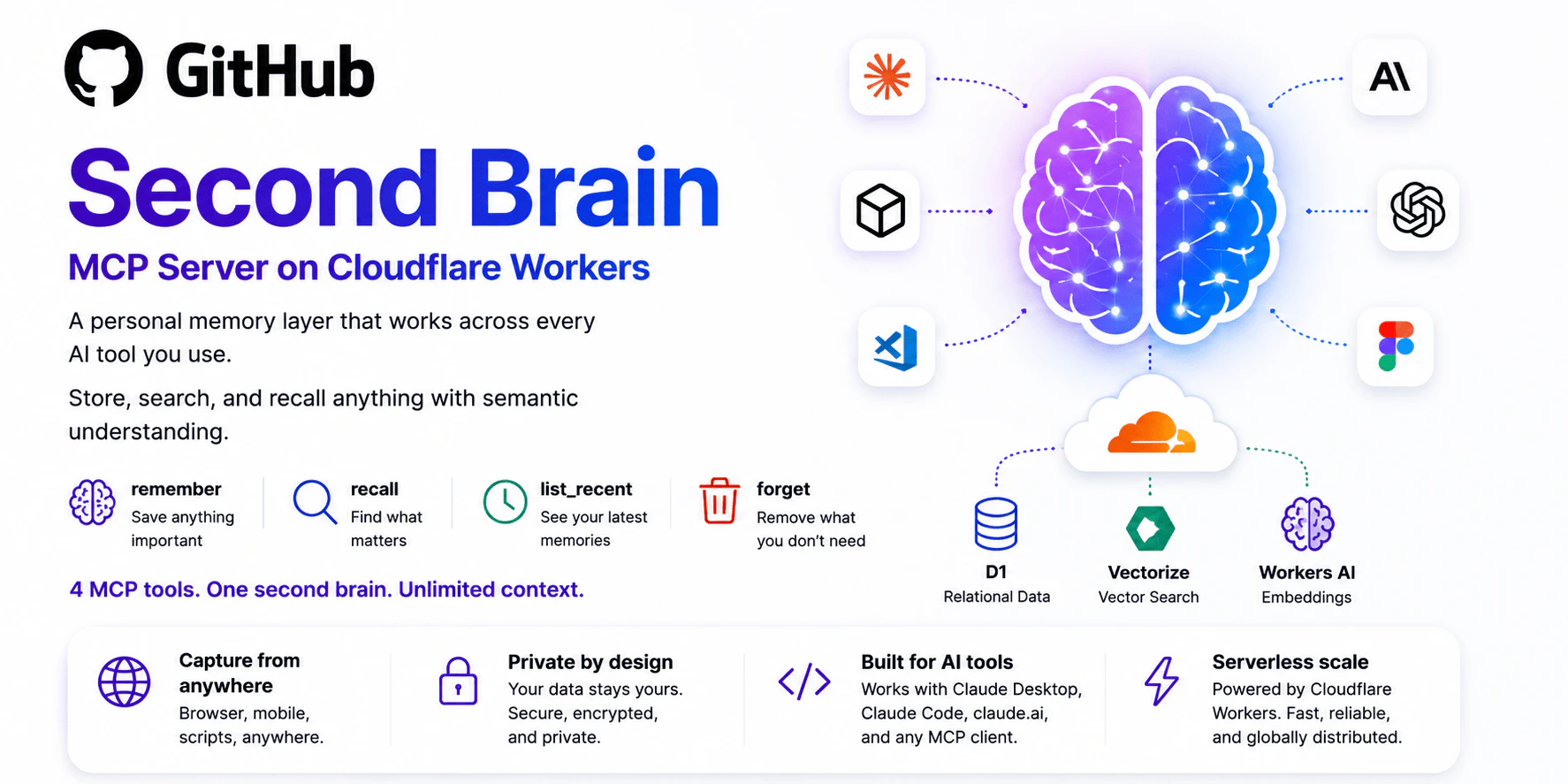
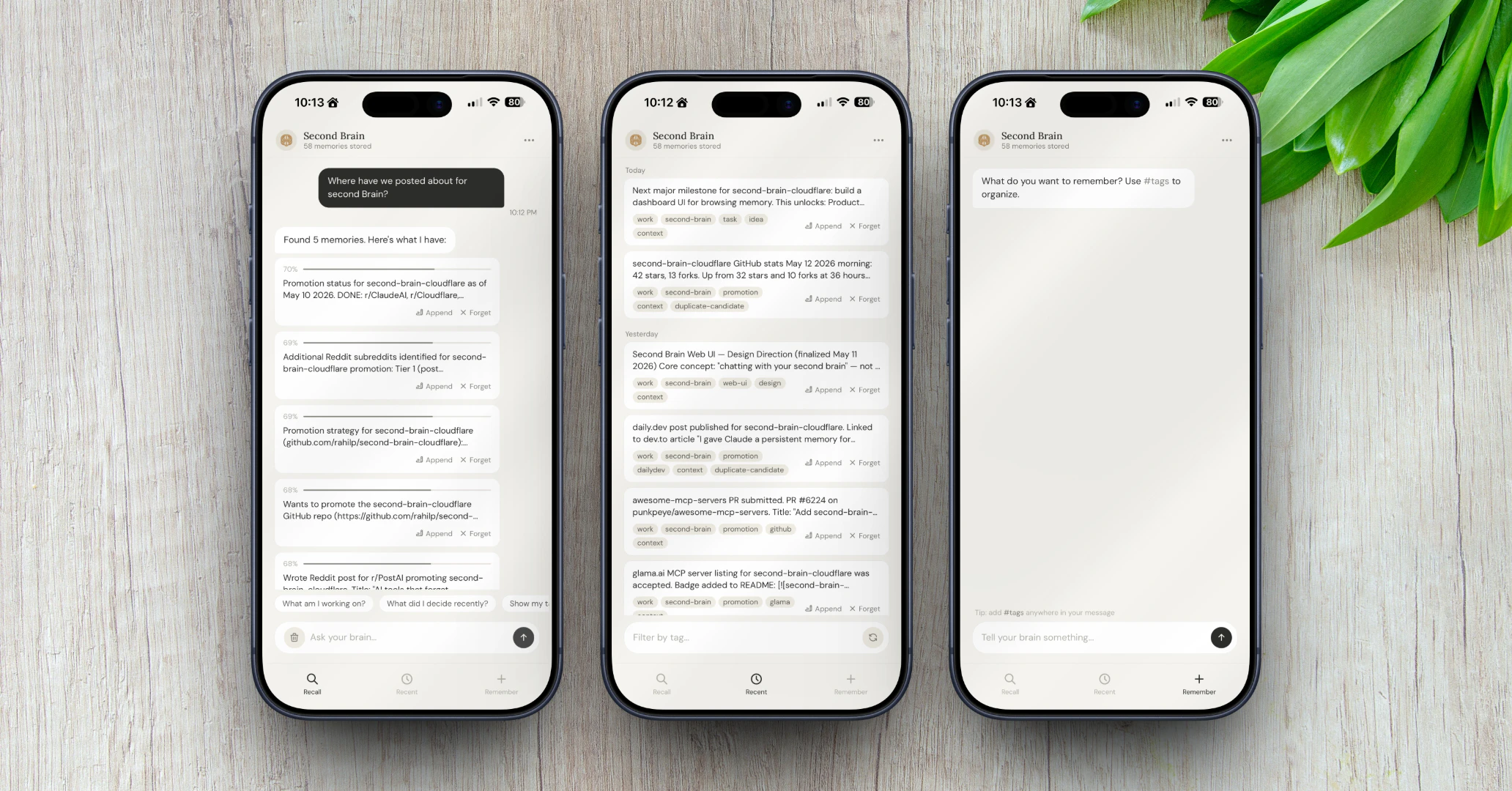
Every AI conversation starts from zero. Your projects, decisions, and preferences disappear as soon as you close the chat. Second Brain fixes that. It is a self-hosted memory layer that works with Claude, ChatGPT, Cursor, and any MCP client. You can store context once and recall it by meaning instead of keywords. It includes duplicate detection, semantic search, and a web UI. Built on Cloudflare, it offers a free tier and your data remains yours. MIT licensed.

Semantic retrieval over stored context beats keyword search for memory, and the dedup layer is a smart addition since AI workflows generate a lot of overlapping notes. We've wrestled with context window management in multi-step AI tasks too: deciding when to summarize vs. fetch older context is genuinely tricky. How does the similarity threshold work when memories partially overlap? Can users tune it?

4
回复
@anand_thakkar1 Great technical question. There are two thresholds at play. Below 0.85 similarity the new memory is stored as a separate entry. In the 0.85 to 0.95 band, it goes to LLM judgment to decide whether to add, replace, merge, or ignore based on actual content. Above 0.95 it treats it as a duplicate and skips storage entirely. topK is configurable so you can control how many candidates get pulled into that judgment step. Full threshold tunability is on the roadmap. right now the importance score influences recall ranking but does not factor into the merge or delete decision. That's actually a really interesting idea though. A high-importance memory probably should require stronger evidence before getting overwritten. Adding that to the roadmap.
4
回复

@anand_thakkar1  Context windows reset every time you close a session so persistent memory and chat history solve different problems entirely

0
回复

what the actual setup experience looks like for someone who knows their way around cloudflare but isn't a backend developer. the github readme is usually where these projects lose 80% of potential users because the instructions assume a level of comfort with wrangler and environment variables that most people who would benefit from this don't have. is there a one-click deploy path or is it still a manual configuration process

4
回复
@ansari_adin This is genuinely the most useful feedback I've received today and you're 100% right. The README assumes too much. There is a one-click Deploy to Cloudflare button that handles the Worker, D1, and Vectorize setup automatically… no Wrangler, no CLI, no environment variables to configure manually. You click deploy, fill in a name, and it's live. I'm going to make that the first thing people see. Thank you for saying this out loud.
4
回复

This is a strong wedge. The bit I’d be most careful with is treating “newer” as automatically more correct when memories conflict. For writing/product work especially, an old positioning decision might still be canonical while a recent one-off chat is just exploration.

A lightweight status layer could help a lot: canonical, draft, preference, deprecated, maybe source-linked. Then the model can say “I found the current rule” vs “I found a past note that may be stale,” instead of injecting both with the same confidence.

3
回复

@jim_jeffers Valid. Newer isn’t always more correct. A positioning decision from six months ago can absolutely outrank a throwaway idea from yesterday. The current contradiction logic does lean on recency too heavily for that case.

The status layer you’re describing (canonical, draft, deprecated) is exactly the right fix. It’s on the roadmap but not shipped yet. The honest answer right now is that importance scoring and explicit pinning partially address it, but a first-class memory status field would close the gap properly. Adding this to the backlog with your framing… it’s more precise than how we had it scoped.

1
回复

curious how it handles conflicting memories. if you store an architecture decision then change it a month later, does it override or accumulate? stale context injected confidently is probably worse than no context at all

3
回复
Great question! This is actually something I spent a lot of time on. Second Brain has automatic contradiction detection built in. When you store a new memory, it checks your existing memories for semantic conflicts using vector similarity and LLM judgment. If it finds a contradiction, the old entry is deleted and the new one is stored as canonical. So if you change an architecture decision, the old one doesn't silently linger. You're right that stale context injected confidently is worse than no context and that's exactly why this was a priority build for me.
2
回复
CC A
3
回复

@dobaduc appreciate you Duc! Are you building anything that deals with AI context or memory?

1
回复

Quick update since launch. Here are a few things worth noting:
We shipped the Second Brain CLI today. If you use the terminal, you can now capture and recall memories without leaving it.

npm install -g second-brain-cf-cli


For those asking about integrations, Second Brain works with Claude, ChatGPT, Cursor, Windsurf, and any MCP-compatible client. There’s also an Obsidian plugin in the community directory, a Chrome extension, iOS Shortcuts in the repo, and a web UI if you prefer managing everything visually.


CLI, Obsidian, Chrome extension, iOS Shortcuts, MCP… same memory, every interface.

2
回复

The product is good and very needed for those who want very personalised chats.

But even claude has a good context window not that big but decent

2
回复
@jay_gangwar Great point, and it's a common misconception worth clarifying! Context window is what the AI can see in a single session. Second Brain is what carries over between sessions. When you close Claude and open it tomorrow, that context window is gone. Second Brain is what fills it back in with what actually matters… your decisions, your preferences, your project history. They work together, not against each other.
2
回复

Nice one @rahilpirani !

This can be run on-prem too?

2
回复
@aiswarya_s Thank you! It runs on Cloudflare Workers so it's not traditional on-prem, but since it deploys to your own Cloudflare account, your data never touches any third-party server. You own it completely. As close to on-prem as serverless gets!
1
回复

persistent memory is the piece most AI tools are missing right now. you end up re-explaining context every session which kills the usefulness for anything beyond one-off tasks. curious how this handles conflicting memories when your thinking evolves over time — does it version or just overwrite?

2
回复
@ozandag Exactly the problem that made me build this. On conflicting memories it does both depending on how you handle it. The `update` tool lets you explicitly overwrite a memory in place when your thinking changes. But there's also automatic contradiction detection: when you store something new, it checks existing memories for semantic conflicts and auto-resolves by replacing the old one with the new one as canonical. Full versioning history is on the roadmap but not there yet. For now it's explicit update or automatic conflict resolution.
1
回复

Does it work seamlessly with ChatGPT and Claude together?

2
回复

@nithin_raju1 Yes! Claude and ChatGPT both connect via MCP and pull from the same Second Brain memory layer. Store something in Claude, recall it in ChatGPT. Same context, same session history, across both.

That's actually one of the core reasons I built it... your memory shouldn't be locked to one tool.

1
回复

Hey Product Hunt, I'm Rahil. I built Second Brain.


I got tired of explaining myself to every AI tool during each session. A new Claude window is a blank slate. A new Cursor project doesn’t know my stack. It adds up quickly.

Second Brain is a self-hosted memory layer that connects to Claude, ChatGPT, Cursor, and any MCP client. You store context once and recall it by meaning across any session. Everything lives in your own Cloudflare account, not on a third-party server. There's a free tier, and you don't need a subscription. You also get a web UI to browse and manage everything visually.

What makes it different:

  • It works with all your AI tools—not tied to one app.

  • It uses semantic recall, which finds memories by meaning instead of exact keywords.

  • It’s self-hosted, so your data stays in your own Cloudflare account.

  • There’s a free tier, so it costs nothing to run.

  • The web interface lets you browse, search, and manage memories visually.

II’m really curious: what context do you find yourself re-entering most? That has influenced my roadmap more than anything else.

Ask me anything. Big shout out to @fmerian for his support!

2
回复

Memory as a separate product (rather than a feature of one chat client) is the right bet. The interesting bit is conflict resolution: when Claude and Cursor have both updated the same project entry over the last day with different framings, what wins? Last-write, semantic merge, or surfaced to the user? That choice usually decides whether the layer feels like trust or like noise after a few weeks of use.

1
回复

the memory problem is so underrated in AI tooling right now. you spend 20 minutes setting up context in a conversation and then it just... vanishes. self-hosted is the right call too, especially for teams dealing with proprietary code. how does it handle conflicting memories across different tools?

1
回复

@ozandag Exactly right on the self-hosted point. Proprietary code should never be on someone else's server.

On conflicting memories across tools: since all your AI tools write to the same memory layer, conflicts are caught at the time of writing, no matter which tool triggered the write. When a new memory arrives that contradicts an existing one, it is detected through semantic similarity and LLM judgment. The old entry is replaced, and its vector is removed. So, if Claude updates something you told Cursor last week, it resolves automatically instead of accumulating into contradictory context.

0
回复

The between-session memory problem is real and this solves it well. The harder problem - at least for how I use AI - is within-session overflow. My conversations regularly hit 100K+ words before they die/lag to unusble. The context window can't hold it all anyway, so even within a single session I'm losing early context. What I actually want is a rolling summarizer that compresses as the thread grows - keeping the essential through-line while shedding weight. That plus persistent cross-session memory would be the full solution. This a great idea tho, one I really like!

1
回复
@joe_rucker You’ve described the problem precisely. Between-session memory is what Second Brain solves today. The within-session overflow problem… compressing a 100K word thread down to its essential through-line is issue #9 on our roadmap: Semantic Compression. Rolling summaries that shed weight while preserving the core narrative, then persisting those summaries across sessions so nothing is ever truly lost. You’ve basically described the full vision. We’re building it!
1
回复

How does duplicate detection handle near-duplicates or nuanced variations in context? I've found that tricky in my own memory tools.

1
回复
@trydoff Great question. We use a three tier cosine similarity band in what we call Smart Merge. Anything above 0.95 is a true duplicate and merges automatically. The 0.85 to 0.95 band is the nuanced zone where an LLM decides: merge, append, or keep separate. Below 0.85 it stores as new context. Smart Merge handles most edge cases without being too aggressive about collapsing related but distinct memories.
1
回复
how it's different than https://github.com/rohitg00/agen...
1
回复

@rohit_ghumare Great project, truly impressive work!

The main difference is infrastructure. Agentmemory, from what I see, runs a local server that you have to manage.

Second Brain deploys to Cloudflare Workers and runs entirely serverless. There is no process to handle, no Docker, and no Node runtime. Your data is stored in your own Cloudflare D1 and Vectorize. One-click deploy, free tier, it's done.

There’s a different tradeoff: Agentmemory offers more features, while Second Brain is easier to run and own.

2
回复
@rahilpirani is agent memory just for code?
2
回复
@health_rational Not at all… Second Brain works with any MCP-compatible client. Claude, ChatGPT, Cursor, Windsurf, whatever you use. It’s general purpose memory, not tied to any specific workflow.
1
回复

The 'every conversation starts from zero' problem is real — I waste so much time re-explaining project context to Claude Code every new session. Self-hosted is a big plus for me. Curious about the MCP integration — does it expose memory as a tool that the LLM can call dynamically, or is it more of a pre-prompt injection layer?

0
回复

The forgetting problem is the actual bottleneck — not the quality of the model's reasoning. We've been building AI agents at Tuple for 18 months and the single biggest drop in usefulness happens at session boundary. A tool that routes around that without requiring the user to manage a "context file" is directionally correct. The self-hosted angle matters more than it might seem for B2B adoption — our clients will not put proprietary deal flow or client strategy into a vendor's cloud memory layer, full stop. Local or self-hosted is the only viable path there.

0
回复
#4
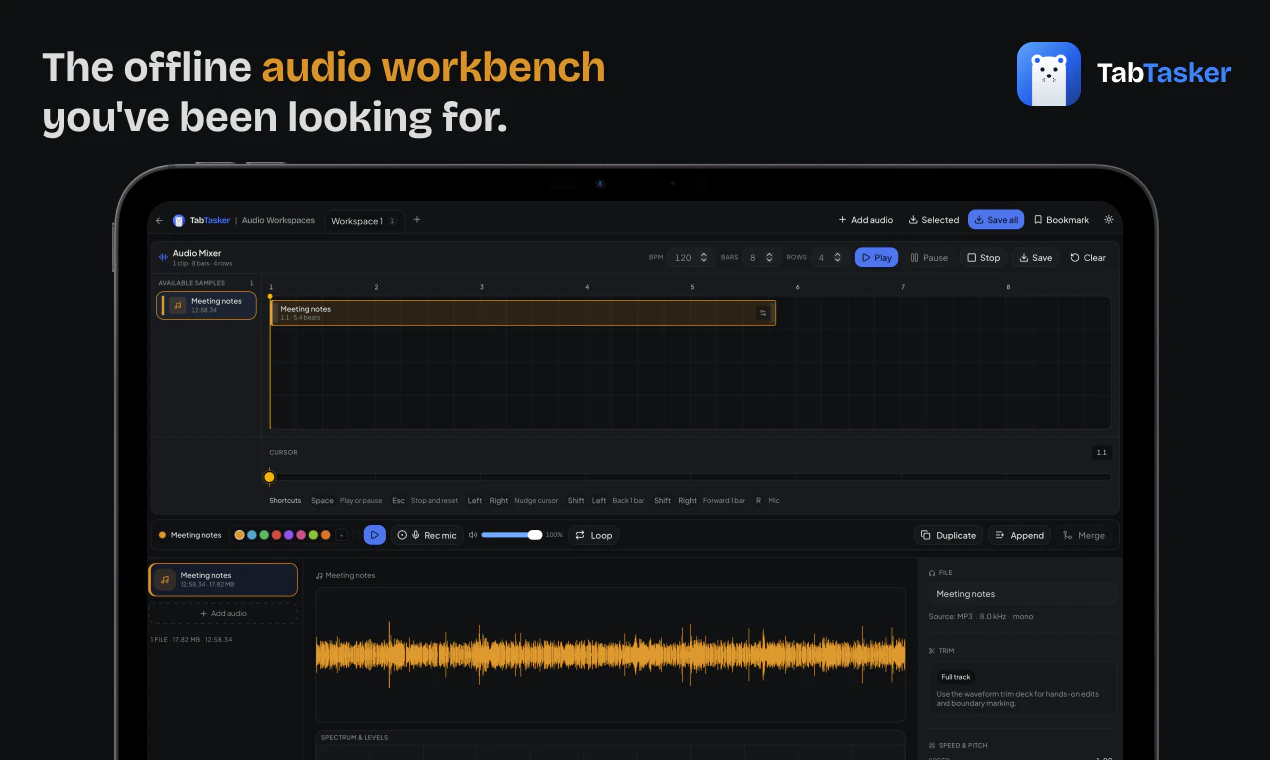
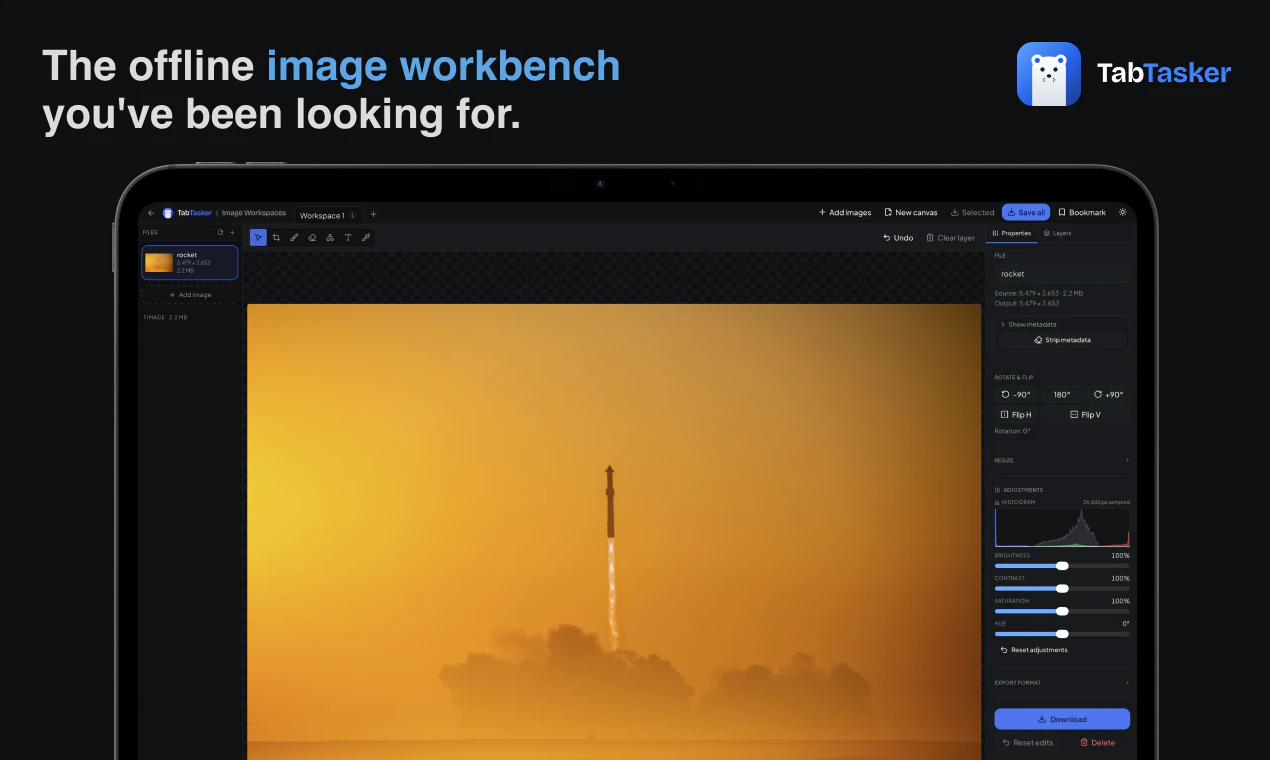
TabTasker
Zero servers. Total privacy. Your new favorite toolbox.
207
一句话介绍:TabTasker是一款在浏览器中完全离线运行的免费工具集,让你无需上传任何文件即可处理PDF、图片、音频及50多种日常任务,彻底解决对数据隐私泄露的担忧。
Productivity Privacy Artificial Intelligence
离线工具集 浏览器本地处理 PDF编辑 隐私保护 WebAssembly ONNX Runtime AI转录 图片处理 免费工具 无服务器
用户评论摘要:用户高度认可零上传的隐私设计,尤其赞许无需注册和完全免费。技术用户关注WASM与Whisper模型的实际运行效率,并建议对“零服务器”声明进行网络请求审计。开发者回应称可通过浏览器Network tab自行验证,并承认因无法追踪错误而依赖用户反馈。
AI 锐评

TabTasker的“零服务器”宣言在隐私焦虑蔓延的当下堪称精准的营销靶向,但其真实价值并非单纯的技术颠覆,而是对用户心理账户的巧妙卡位。将所有处理压在客户端,用WebAssembly和ONNX Runtime硬扛FFmpeg与Whisper的运算量,确实体现了工程诚意——尤其是放弃Web Speech API以保全“数据不出标签”的承诺,这一刀切得果断。然而,它并未真正解决“本地计算”与“便利性”的古老矛盾:重度用户很快会发现,转码4K视频或处理大PDF时,风扇狂转的笔记本并不比云服务更“快”。评论中工程师们追问的“WASM体量与内存限制”正是其隐痛——这个工具箱在展示实力的同时,也暴露了浏览器沙盒的物理边界。更犀利的观察在于,其商业模式暗示了产品上限:既然没有服务器账单,那么盈利点何在?若依赖捐赠或未来功能收费,则可能重蹈“隐私换便利”陷阱;若坚持完全免费,则缺乏持续迭代的动力。而对“零服务器”的审计提问,恰好戳中软肋——即使没有后端,前端依赖的第三方CDN、配置的Service Worker,甚至GitHub Pages的日志,都可能造成数据“侧漏”。TabTasker当下是极佳的签名档产品:创始人展示技术审美,个人用户安放敏感文件。但要成为“生产工具”,它仍需证明自己不是浏览器里那个优雅的离线孤岛。

查看原始信息
TabTasker
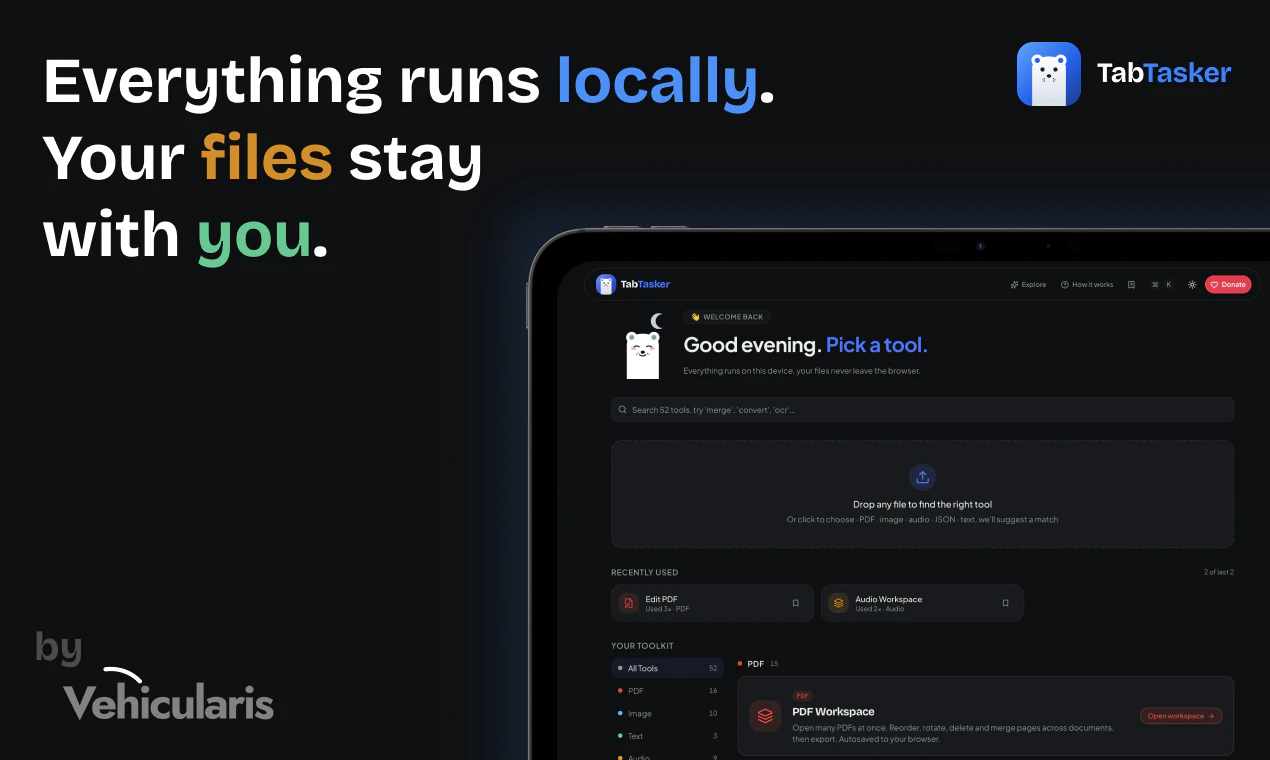
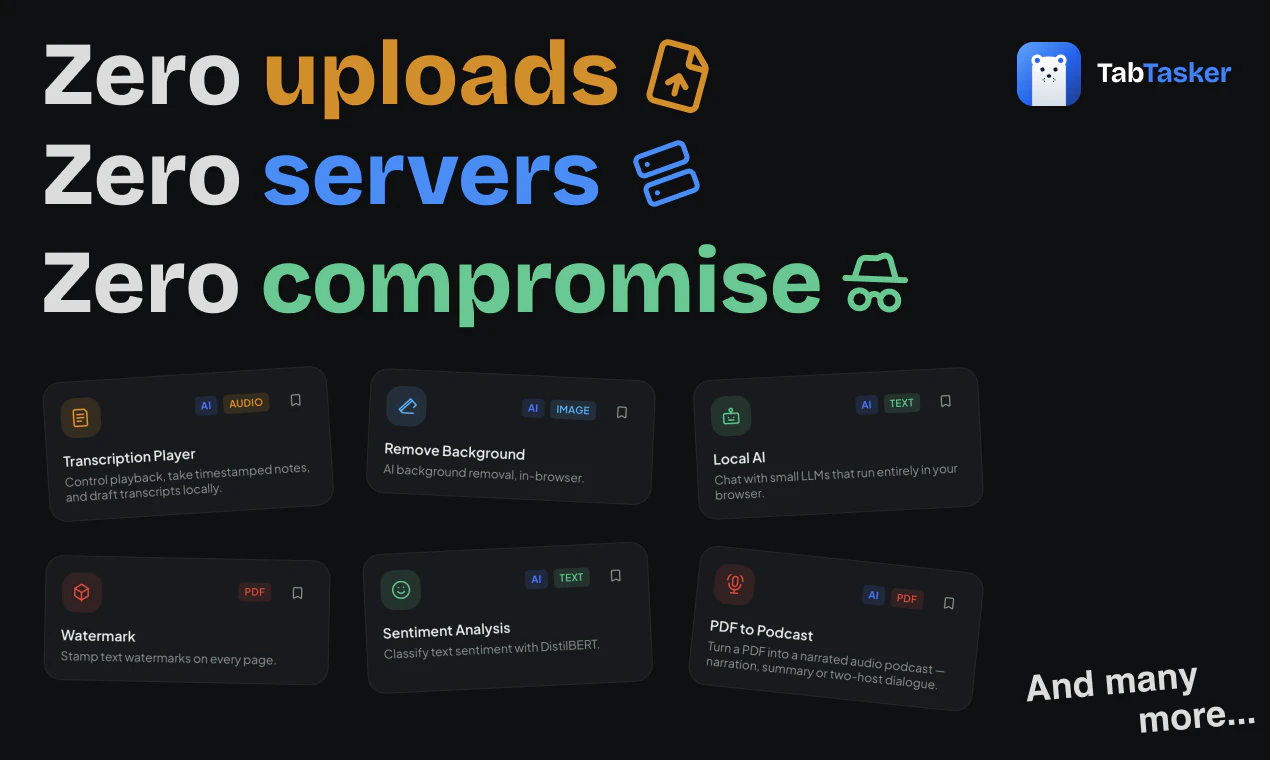
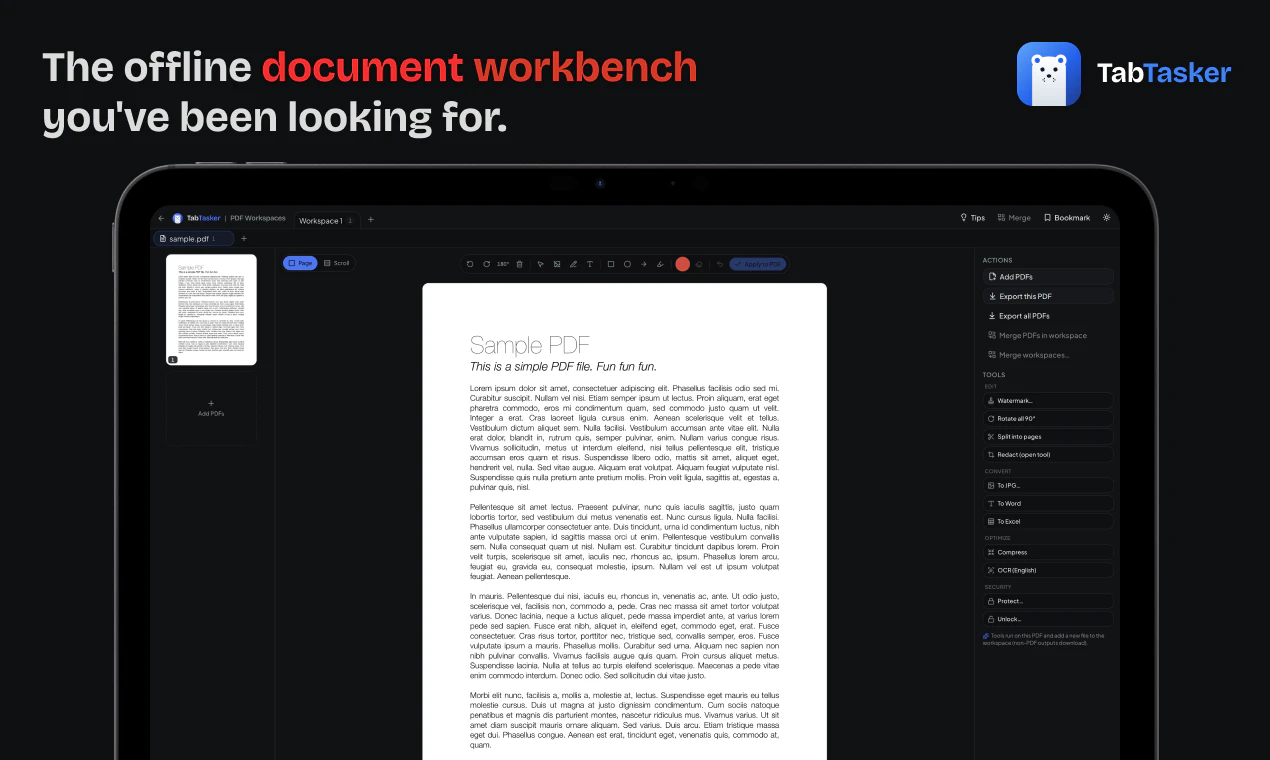
A free web toolbox running 100% offline in your browser. We built TabTasker so you can edit PDFs, process images, transcribe audio, and access 50+ utilities without uploading a single file. Lastly, it is free to use.

Hi Product Hunt 👋

We are building TabTasker because we got tired of the same old problem. Every time I needed to format some JSON, convert a file, or run a quick AI prompt, I had to paste my data into a random website. It always felt a bit sketchy wondering where that information was actually going.

So, we decided to build a toolbox that completely respects your privacy.

TabTasker runs 100% locally right inside your browser. By using WebAssembly and ONNX Runtime Web, all the processing happens directly on your own machine.

What this means for your daily workflow:

Zero uploads: Your files, code, and text stay on your device.
Instant speed: You get immediate results because there is no waiting on server traffic or queues.
Absolute privacy: Nothing is saved on our end, and your data is never sent away.

TabTasker runs entirely on your own device, we don’t have massive server bills. That means we can keep this toolbox 100% free with no paywalls or sign-ups.

It is just a simple, honest digital workbench for the tasks you do every day. For your sensitive documents of photos, TabTasker is ready to support you with ultimate privacy.

7
回复

 Most web tools that process your files — PDFs, images, audio — are sending those files to a server you don't control, even if the UI feels local. TabTasker's bet is different: WebAssembly and in-browser AI models (Whisper, BLIP, DistilBART) doing the actual processing inside your browser tab, zero server contact. For anyone handling pitch decks, contracts, or anything sensitive that they'd normally hesitate before uploading to Smallpdf, that architecture matters. For pre-seed founders who deal with confidential documents daily, this is the kind of tool that belongs in the stack quietly. Added TabTasker to SoftRankings under the pre-seed productivity stack for that reason. @caglar_su — which tool in the collection was the hardest to get running fully client-side?

0
回复

@caglar_su Privacy is becoming a product feature again. Congrats on the launch! I like that TabTasker runs 100% offline in the browser, especially for PDFs, images, audio, and other files people don’t always want to upload somewhere. Curious how you think about the tradeoff between local-first privacy and the convenience users expect from cloud tools.

0
回复

@caglar_su "Every time I needed to format some JSON, [...] I had to paste my data into a random website." - hahaha, literally story of my life. Sounds like an amazing thing!

0
回复

Finally, there's no need to share my data anymore.

3
回复

@jannnnn Absolutely, that’s exactly the idea. You shouldn’t have to share your data with multiple random tools just to get simple tasks done. Keeping everything in one trusted toolbox makes the workflow much safer and easier.

0
回复

Running FFmpeg and transcription models entirely in the browser via WebAssembly is the real engineering lift here. Most tools skip client-side processing because WASM bundle sizes and memory limits are genuinely painful. We've hit similar tradeoffs handling sensitive data in AI pipelines where even transient server hops create compliance headaches. Is the transcription using a WASM-compiled Whisper variant, or native browser speech APIs where available?

2
回复

@anand_thakkar1 Hey Anand, great question.

Transcription runs Whisper (whisper-tiny) compiled to ONNX, executed in-browser via Transformers.js on ONNX Runtime Web. It uses WebGPU when available (fp16) and falls back to WASM automatically. Not the native Web Speech API, since that streams audio to vendor servers on some browsers and breaks the "nothing leaves your tab" promise.

On FFmpeg, we actually pulled ffmpeg.wasm out for exactly the reasons you mentioned.

Net result: no backend, no server hop, audio never makes a network trip. The trust boundary is the browser tab.

1
回复

@caglar_su @mfethio @acanturgut I like the privacy-first angle here. A lot of productivity tools become less useful when people hesitate to put real work into them, so keeping things local and lightweight can actually make the workflow more practical.

2
回复

@alpertayfurr Thank you for your kind comment. We completely agree with you.

0
回复

This looks like a great productivity tool 🚀

2
回复

@nithin_raju1 Thank you for your kind comment.

0
回复

Which tools get used the most so far, is it mainly PDF editing or the image converters?

1
回复

Hi, @thamibenjelloun 

From what we can tell, the PDF to podcast, PDF editor, Image background remover and Local LLM are definitely the crowd favorites right now. Because everything runs strictly locally on your device for privacy, we actually can't see any deep usage details, and honestly, we are totally thrilled about that :)

0
回复

The zero-upload model is the right call for this category. We ran into serious friction getting Tuple's SMB clients to adopt any tool that required cloud access to their files — IT approval cycles alone killed two POCs. The instinct to keep processing local is exactly what removes that blocker. One thing worth testing: the use case that tends to unlock stickier retention for productivity tools like this is the "I just saved myself from a real mistake" moment, not the "this is convenient" moment. If you can instrument which utilities trigger that feeling, you'll know exactly which to lead with in copy.

0
回复

Offline-first toolbox in the browser is a genuinely useful pitch, especially for anyone working with anything they don't want sitting on someone else's servers. Two things I'd want to know before recommending it to teammates: which of the 50+ utilities actually run fully in WASM vs. just hit a local endpoint, and what the audio-transcribe model size looks like at runtime. The honest answer to both probably decides whether this is a desktop replacement or a clever side tool.

0
回复

the 'zero servers' claim is the one i'd want verified independently before trusting sensitive files to it. not saying it's not true, just that a lot of tools make this claim and then have analytics, error logging, or feature flagging that phones home without being obvious about it. have you had anyone audit the network requests during a typical session or is there a technical writeup somewhere about what actually stays local

0
回复

@ansari_adin Hi Ansari,

Thank you for asking this. It is a really valid question.

You do not just have to take our word for it when we say TabTasker is offline and private. It is actually very easy to verify it yourself. If you open the site and check the Network tab in your browser's Inspect tool, you will see exactly what is happening. There is no communication with outside servers while you work (it only downloads the related tool if required), and we do not even have a backend to leak data to.

We tested it ourselves multiple times. Every single tool is just a static page running directly on your device. You might notice Local JS Service Workers in the Network tab, but those run entirely inside your browser. Ultimately, the very best verification is just testing it out on your own machine.

The trade-off for this strict privacy is that we have absolutely no way to track errors or see if something fails on your end. Because we cannot monitor bugs automatically, we put a feedback button on every page. We are completely relying on the community to let us know if they run into any unexpected issues.

1
回复
#5
Marqly 5.0
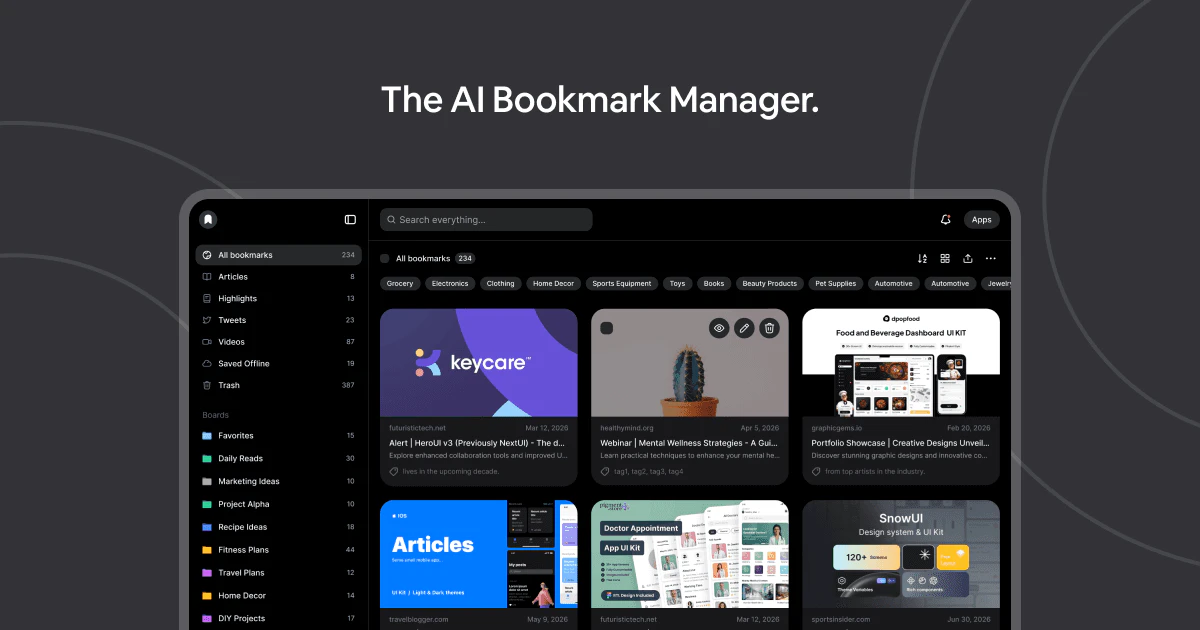
Your AI-powered bookmark manager
169
一句话介绍:Marqly 5.0 是一款利用AI自动为收藏链接打标签、分类并支持语义搜索的智能书签管理器,解决用户在海量书签中快速检索和复用的痛点。
Productivity SaaS Developer Tools
AI书签管理 语义搜索 智能标签 内容摘要 自然语言查询 跨平台同步 离线访问 知识库构建 信息检索 浏览器扩展
用户评论摘要:用户普遍认为书签管理的痛点是“检索而非保存”,担心数千条书签会变成“墓碑”。用户关注AI如何应对认证页面或JS渲染页面的内容抓取问题,官方回应会降级使用URL和元数据信号。
AI 锐评

Marqly 5.0 的核心价值在于将书签管理从“存储行为”升级为“检索行为”。它聪明地避开了传统工具比拼“收藏速度”的误区,瞄准了用户八个月后面对两千条链接时的真实焦虑。产品语义搜索和自动标签的设计,精准击中了人类思维模式(自然语言)与数据组织模式(文件夹/标签)之间的割裂——用户本来就不会记住自己当时放在了哪个文件夹,只会记得“好像看过一篇讲XX的文章”。

然而,评论中一位技术用户的提问值得深思:对于被认证墙或JS渲染页面“锁住”的链接,AI标签功能是否形同虚设?官方承认会降级使用URL、标题等有限信号,这恰恰暴露了AI书签管理的阿喀琉斯之踵:当内容不可见时,AI的“智能”就退化为关键词匹配。这意味着Marqly在私有化、动态化内容面前,可能与其他竞品一样陷入“准确率折扣”的窘境。产品目前更多解决了“跨浏览器、跨设备”的物理存储散乱问题,但在解决“跨信息墙”的非物理问题上,还需要更激进的方案(如镜像缓存、用户主动补充内容)。总体来说,它在“整理”环节做得很棒,但在“读取”环节的底层壁垒仍未突破。如果未来能打通阅读器模式与订阅源的二次加工,将更有希望从“书签助手”进化为“外脑”。

查看原始信息
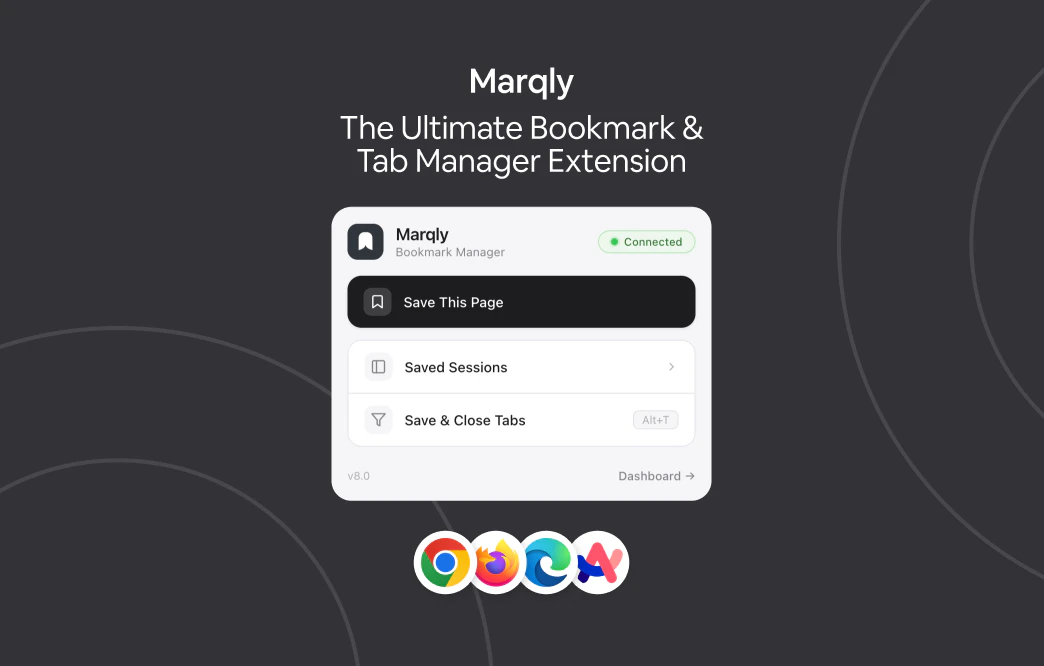
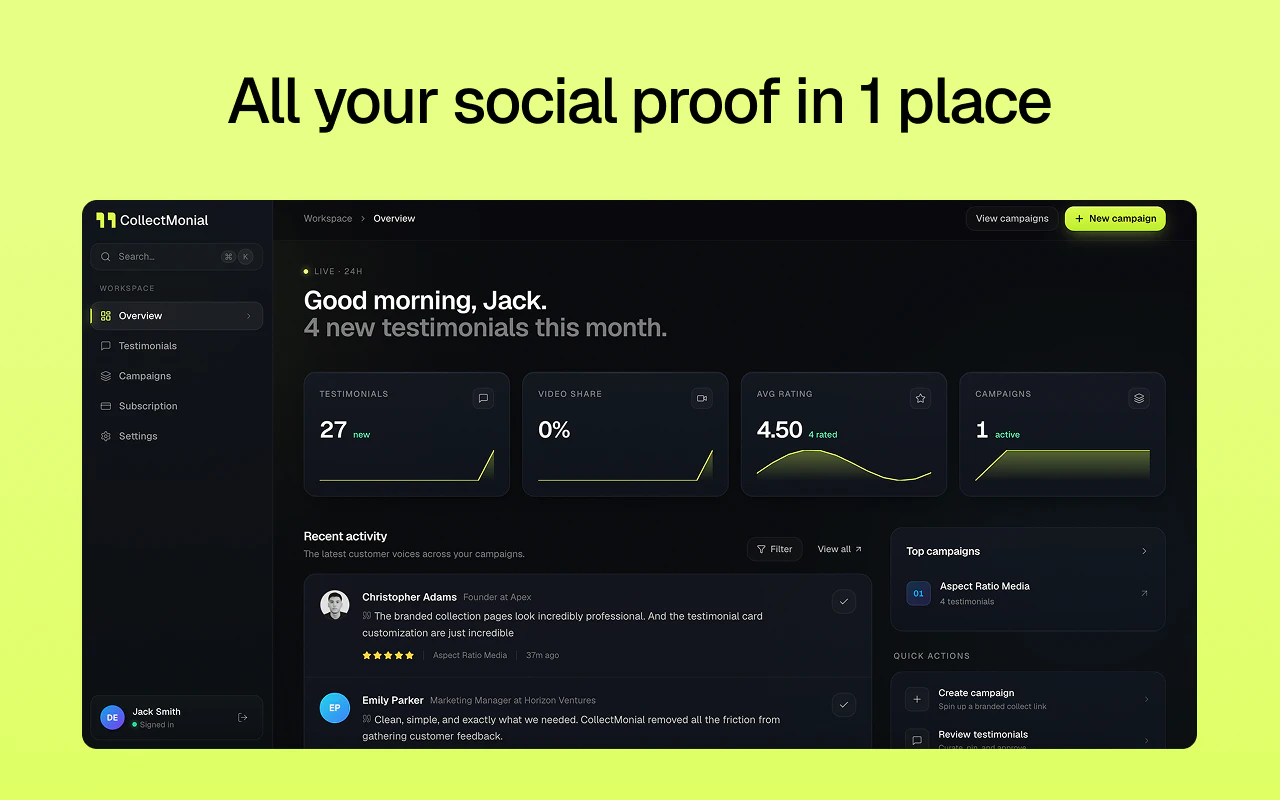
Marqly 5.0
Marqly is an AI-powered bookmark manager that automatically organizes your saved links using intelligent tagging, categorization, and semantic search. Save articles, videos, docs, and websites from any device, then find them instantly using natural language instead of folders and manual sorting. With AI summaries, reader mode, cross-platform sync, offline access, and smart organization, Marqly helps you build a searchable knowledge library without the maintenance.
Hey Product Hunt 👋 Kim here. Like many people, I had thousands of bookmarks spread across browsers, devices, notes apps, and random folders. The biggest problem wasn't saving information. It was finding it again months later. Most bookmark managers still rely on manual folders and tagging. We wanted to build something different. Marqly 5.0 uses AI to automatically understand, organize, tag, summarize, and make your saved content searchable. Instead of remembering where you saved something, you can simply search using natural language and let Marqly find it for you. Over the past year we've rebuilt large parts of the product, including AI-powered organization, semantic search, content understanding, summaries, improved browser extensions, offline support, and a much faster search experience. We're still early and would genuinely love your feedback. What is your biggest frustration with bookmarks today?
3
回复

@marqly Congrats! Bookmark managers tend to win or lose on retrieval, not on capture. Capture is solved by the browser. The question Marqly's positioning needs to answer is what happens 8 months in when I have 2k saved items: do I get my way back to the right highlight in 5 seconds, or does it become another graveyard tab? That's the gap most of this category falls into.

0
回复

Hehe it's super cool! My bookmarks are going out of control so It's absolutely needed! I'm sure many founders like me gonna be more than happy with this! Wish you all the best

1
回复

@german_merlo1 Thank you! 😄 That's exactly why we built it. At some point bookmarks stop being organized and start becoming a graveyard of links. Hopefully Marqly helps with that. Really appreciate the support!

1
回复

Anyone switched from traditional bookmark managers?

1
回复

@nithin_raju1 Yep. Most bookmark managers eventually become storage closets. People save thousands of links and rarely find them again. Marqly focuses on helping you actually retrieve and use what you save, with AI organization and search doing most of the heavy lifting.

0
回复

Semantic search over saved links is the right call. Natural language queries are actually how people think about their saved content, not folder paths. We've built similar auto-classification pipelines and the gnarly part is always content behind auth walls or JS-rendered pages. How does the AI tagging handle bookmarks where the actual page content isn't accessible at save time? Does it fall back to URL and title signals only?

0
回复

@anand_thakkar1 Exactly. When content is accessible, we use the page content for much richer tagging and search. If it's behind an auth wall, heavily JS-rendered, or otherwise unavailable at save time, we gracefully fall back to signals like the URL, title, metadata, domain, and any available context. Not perfect, but usually enough to classify the bookmark reasonably well until more content becomes available later.

0
回复
#6
Web Clipper for NotebookLM
Your ultimate NotebookLM's Chrome Extension
131
一句话介绍:Web Clipper for NotebookLM是一款Chrome扩展,通过一键剪藏网页、PDF、YouTube视频/频道/播放列表、Reddit线程、AI对话等内容到NotebookLM,并支持将笔记中的闪卡、思维导图、报告、聊天记录导出到Anki、Obsidian、Word/PDF/Markdown等外部工具,解决用户手动复制粘贴URL的繁琐痛点和NotebookLM数据“困在内部”无法自由流转的短板。
Chrome Extensions Artificial Intelligence Online Learning
Chrome扩展 NotebookLM增强 网页剪藏 内容导出 知识管理 研究工具 自动化工作流 AI笔记 生产力工具 数据同步
用户评论摘要:用户普遍认可该插件解决了NotebookLM“数据孤岛”问题,尤其看重导出到Obsidian和Anki的功能。核心反馈:一是当剪藏数百个视频的长频道时,用户应能选择视频而非静默耗尽配额;二是希望导出内容能标注源文件的同步新鲜度(如实时同步/一次导入/失败)以提升可信度。另有用户关心Reddit剪藏是否合规(API调用及限流),开发者回应使用公开API且遵守限流,非大规模爬取。
AI 锐评

Web Clipper for NotebookLM的走红,本质上是AI笔记工具生态“开放性”缺失的必然结果。NotebookLM虽然凭借大模型的理解能力在信息整理上表现惊艳,但其封闭的产品形态——数据无法批量复制、无法导出、无法同步——实际上把用户变成了“数据佃农”。这款插件做的,恰恰是用最轻量的方式,帮用户把被困在NotebookLM数字围墙里的资产搬运出去,同时把外部的海量内容高效地扔进来。

从产品策略看,其价值并非单纯“剪藏”,而在于打通了两个关键断点:一是“输入效率”——从逐条粘贴URL升级为频道/播放列表批量导入、AI对话一键拾取,大幅降低了素材搜集的摩擦;二是“输出自由”——通过Anki、Obsidian等成熟工具的导出,将NotebookLM的临时研究产出转化为可长期积累的终身知识库。

不过,风险也不容忽视。依赖Reddit公开API的剪藏方式可持续性存疑,一旦Reddit收紧政策,功能可能随时失效。此外,视频批量转录会快速消耗NotebookLM的配额,用户反馈中已有人担忧“无声耗光额度”——如果插件不主动提示和限制,反而可能成为用户的反向痛点。更关键的是,Google正在推进Drive原生同步,一旦NotebookLM自身补齐导出和复制功能,该插件60%以上的核心价值将瞬间归零。

所以,目前的口号是“the extension grows into a layer that genuinely extends NotebookLM”,但真相是:这个“layer”的生存周期,完全取决于Google的上层决策。短期看是趁虚而入的补位产品,长期看则是一场与平台赛跑的赌博。

查看原始信息
Web Clipper for NotebookLM
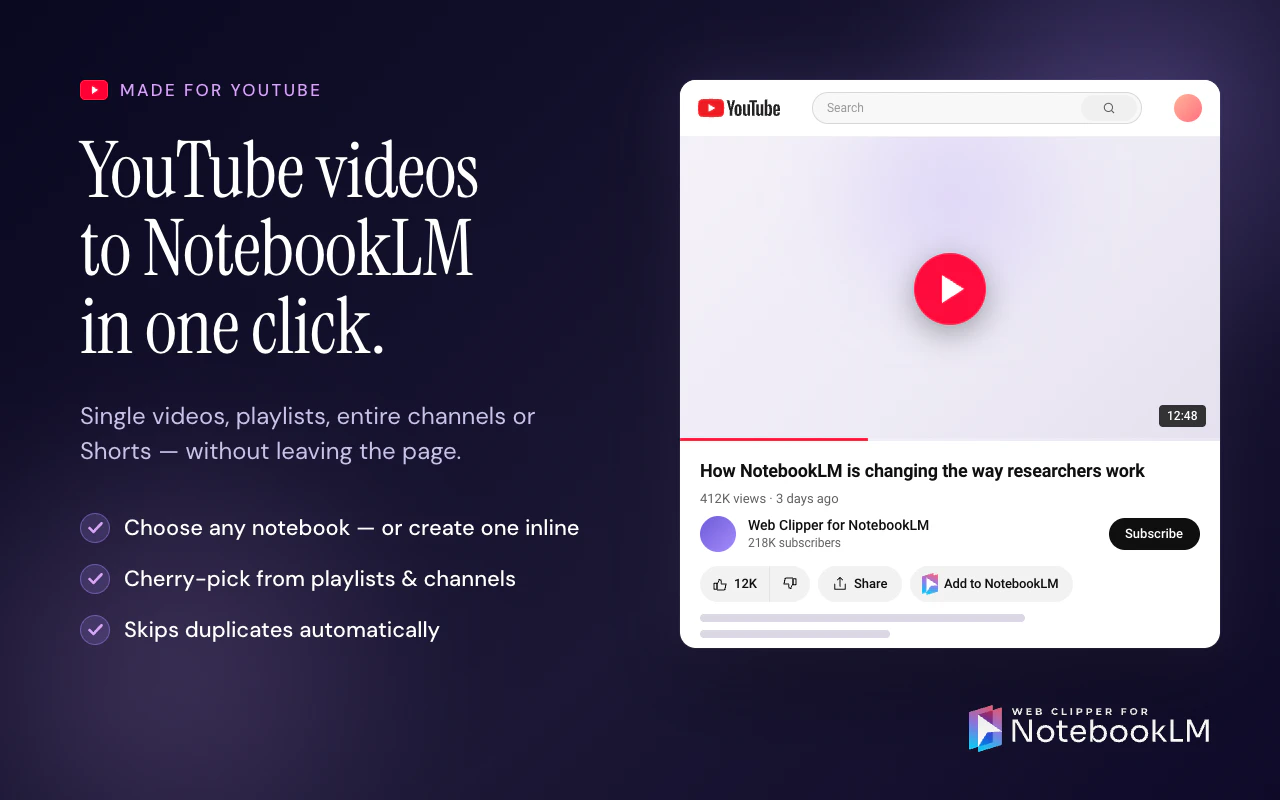
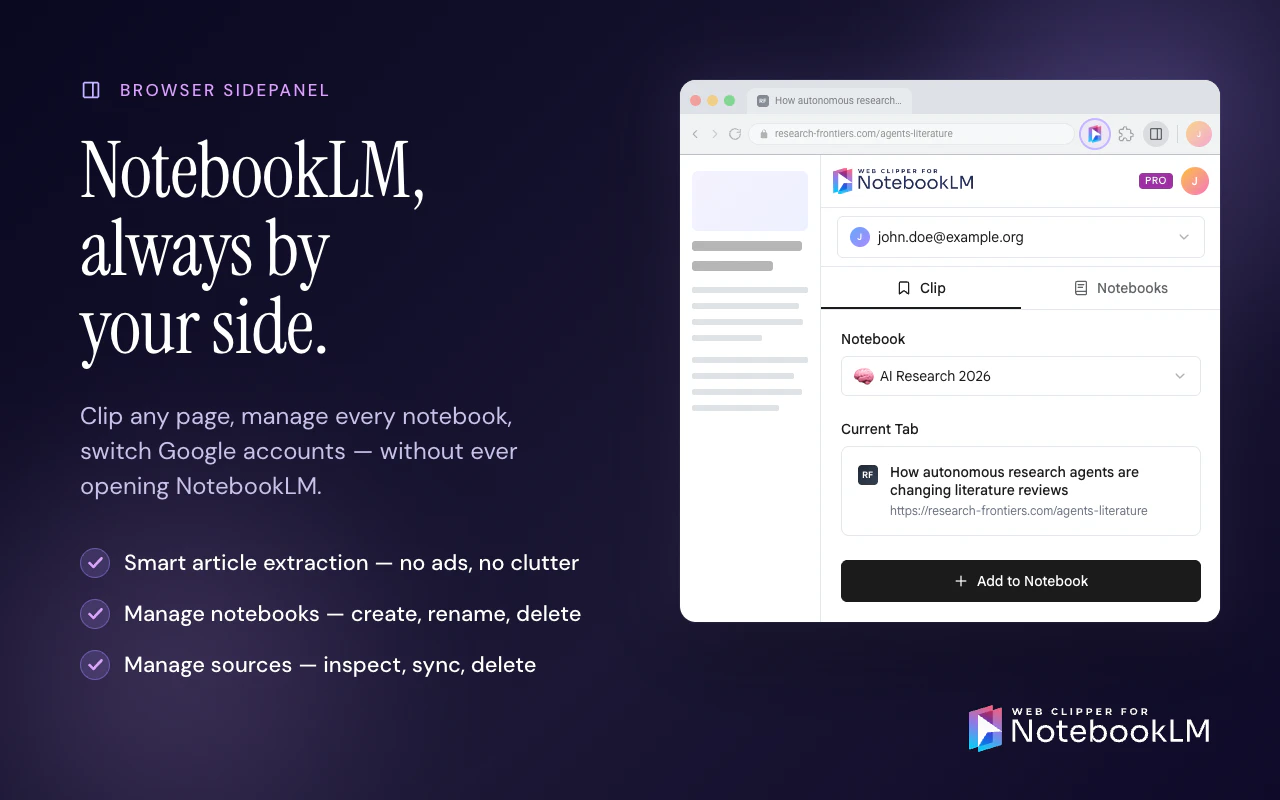
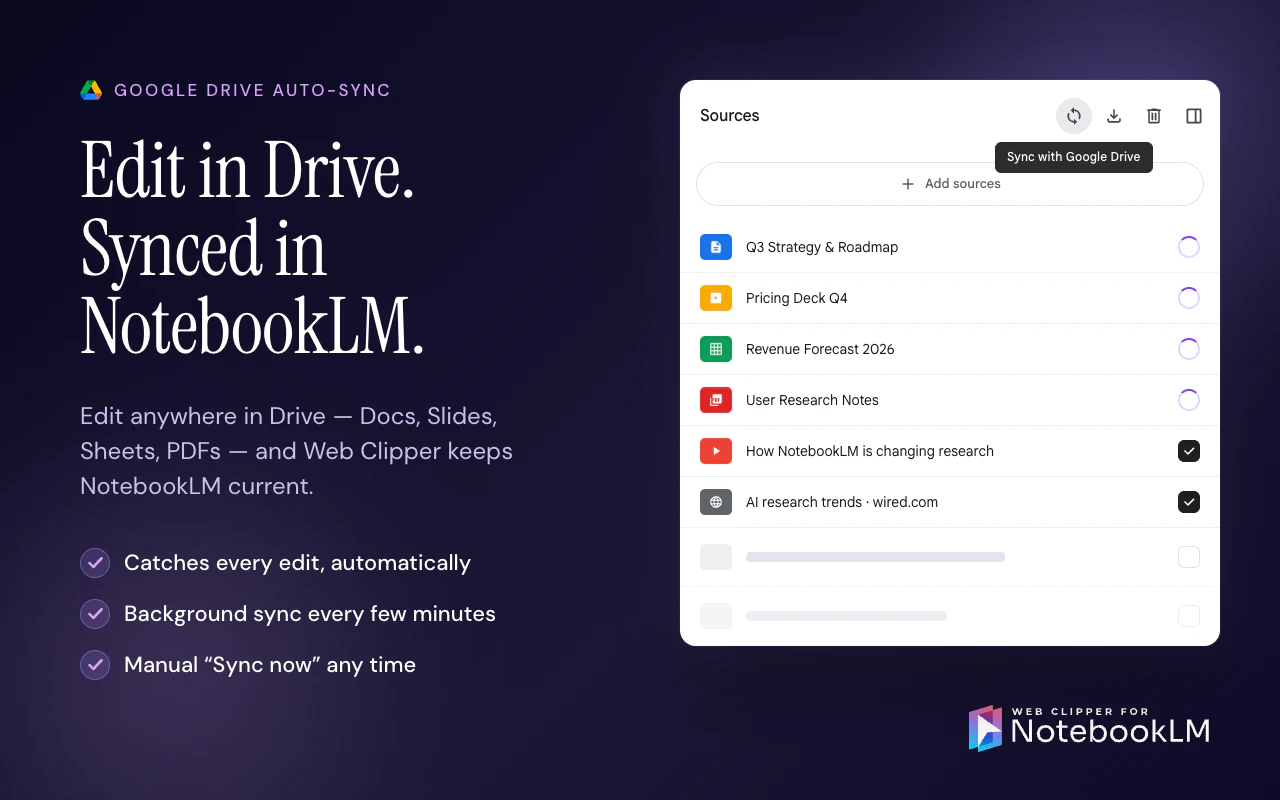
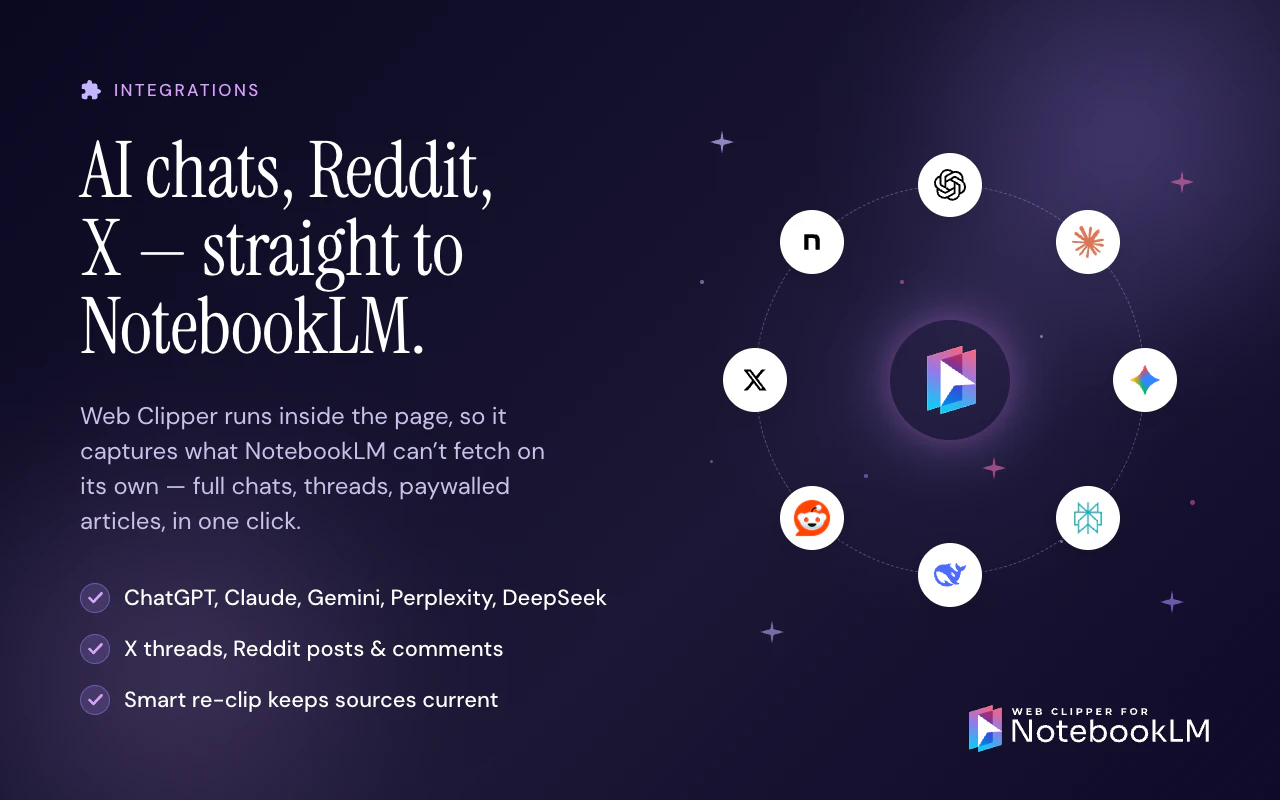
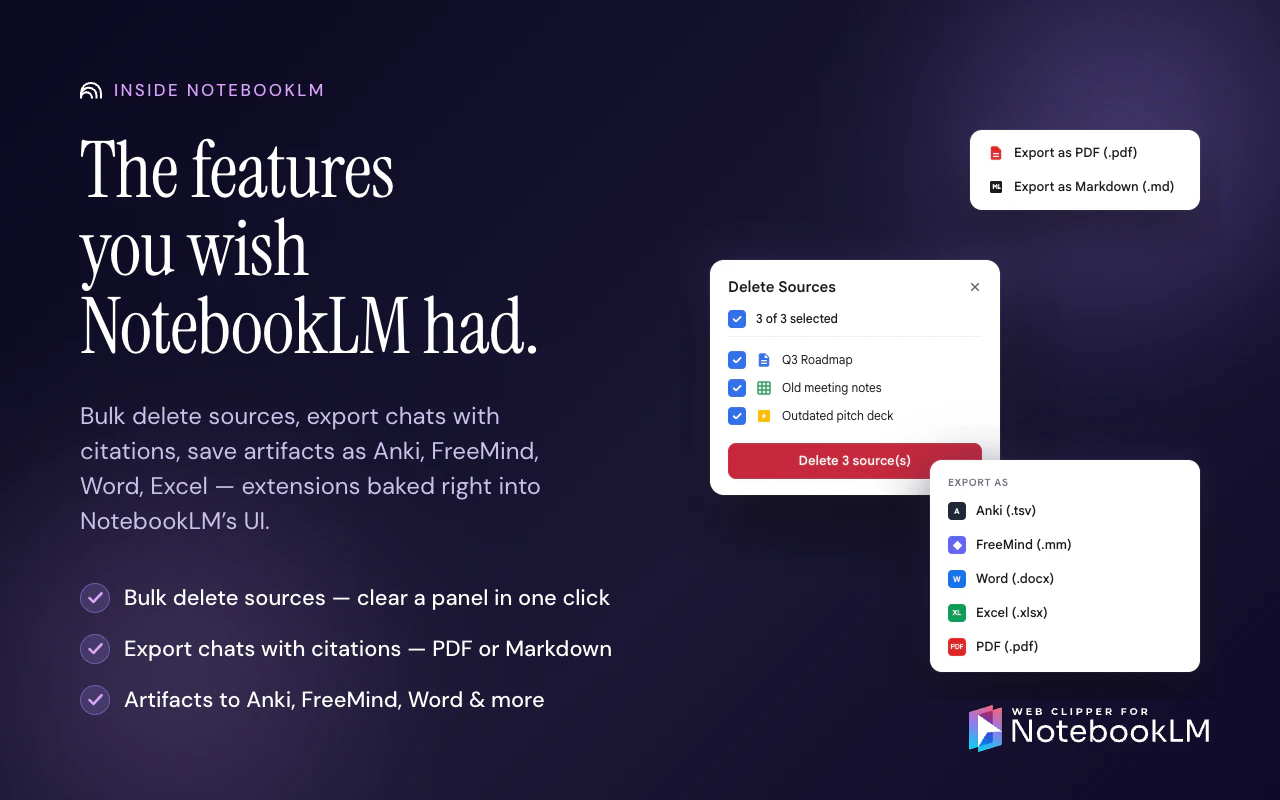
NotebookLM, supercharged from both ends. • Clip in: one click saves any web page, PDF, AI chat, Reddit thread, tweet or a YouTube video, channel, or playlist (cherry-pick which videos to include). • Export out: NotebookLM's flashcards to Anki, mind maps to Obsidian, reports to Word/PDF, full chats to Markdown. • Stay in sync: Google Drive sources auto-refresh in the background. • UI blends in like Google built it.

Hey Product Hunt 👋 I'm Stéphane, maker of Web Clipper for NotebookLM.

This started from a dumb, repetitive pain: I kept wanting to drop YouTube videos and web pages into NotebookLM to study them — and there was no clean way. I was copy-pasting URLs, losing transcripts, doing it one source at a time.

There were a few existing tools, and I tried them. But they felt intrusive, a bit rough around the edges, and never quite did what I needed. So I decided to build the one I wanted to use.

It began as a simple one-click clipper: hit the button on any page — a YouTube video, an article, a Reddit thread, even a ChatGPT or Claude conversation — and it lands in NotebookLM as a clean source, ready to query. But the more I lived in NotebookLM, the more small gaps I kept hitting. So over time the extension grew into a layer that genuinely extends NotebookLM with the things it can't do on its own:

  • Duplicate an entire notebook in one click (NotebookLM has no copy) — Drive sources stay live-synced, the rest get re-imported automatically

  • Bulk-import a whole YouTube channel or playlist, skipping videos you already have

  • Bulk-delete sources instead of removing them one at a time

  • Export what NotebookLM traps inside it — flashcards to Anki, mind maps to Obsidian, chats to Markdown/PDF with citations intact, reports to Word

  • Keep Google Drive sources auto-synced so your notebook never goes stale

    It's free at the exception of a few Pro features, works on basically any page (not just a fixed list of sites), and a few months in it's already used by 25,000+ people around the world — which still slightly blows my mind.

    I'll be in the comments all day. The thing I'd genuinely love to know: what's the one thing you wish NotebookLM did that it doesn't? That's usually where the next feature comes from. 🙏

2
回复

This is exactly what the NotebookLM ecosystem needed! 🚀

I’ve been using NotebookLM for a while, and the "URL copy-pasting" friction was real—it definitely breaks the research flow. What I love about this Web Clipper is that it doesn't just "clip"; the ability to export to Obsidian and Anki makes it a complete productivity powerhouse.

Solving a "repetitive pain" is where the best tools are born. Great job on the launch, Stéphane! Upvoted! ⬆️

0
回复

@stephane_turquay Clip-in plus export-out is the right shape for NotebookLM, the default flow leaves you stranded once you want the output anywhere else. One question, when you clip a long YouTube channel with say 200 videos, do you let the user pick before transcripts run or do all of them silently chew through the NotebookLM quota?

0
回复

The export-out side is just as interesting as the clip-in side. NotebookLM is great until the useful thing gets trapped in the notebook.

One thing I’d love to see clearly surfaced: freshness/source state on synced Drive sources and exported artifacts. If a report or chat export includes citations, it would be useful to know whether the underlying source was live-synced today, imported once, or failed to refresh. That little trust signal matters a lot when people reuse research in docs, decks, or study material.

1
回复

Thank you@jim_jeffers! That's a great feedback!

Google is currently rolling out an update so that Google Drive files will be automatically sync'd with NotebookLM therefore, there should be always up to date.

It's unclear at the moment to say if they will provide additional information on the freshness of the files. However if they do provide the last sync date, it's a great idea to mention it in exports as you suggested.

0
回复

Reddit thread clipping is interesting but Reddit's relationship with scrapers and extensions has gotten complicated since the API changes. are you pulling the thread content directly from the page DOM or going through the API and if it's the API how are you handling rate limits for users who clip a lot. asking because i've seen a few Reddit clipping tools quietly break or get their API access revoked and it's usually not obvious to users until suddenly nothing works

0
回复

@ansari_adin We are using the Reddit's public API and are careful with respecting the rate limits. Those are same endpoints the browser would use to deliver the content to end-users.

Overall, this extension as well as NotebookLM are not meant to be use for mass scraping therefore we are well under quotas.

0
回复

Love tools that improve research workflows.

0
回复
Thank you so much for your support @nithin_raju1! It’s exactly one of the reasons why I started building Web Clipper for NotebookLM 🎉
0
回复
#7
Copycat Cafe
Learn your next language by copying native speakers
43
一句话介绍:通过模仿母语者的真实对话并借助AI语音克隆与发音评分(0-100%),解决“能看懂却说不出”的核心痛点,帮助学习者在15分钟内从被动理解转向主动开口。
Education Languages Artificial Intelligence
语言学习 AI发音评分 口语训练 语音克隆 沉浸式模仿 法語學習 西班牙语学习 口语自信 非典型学习法 小團隊產品
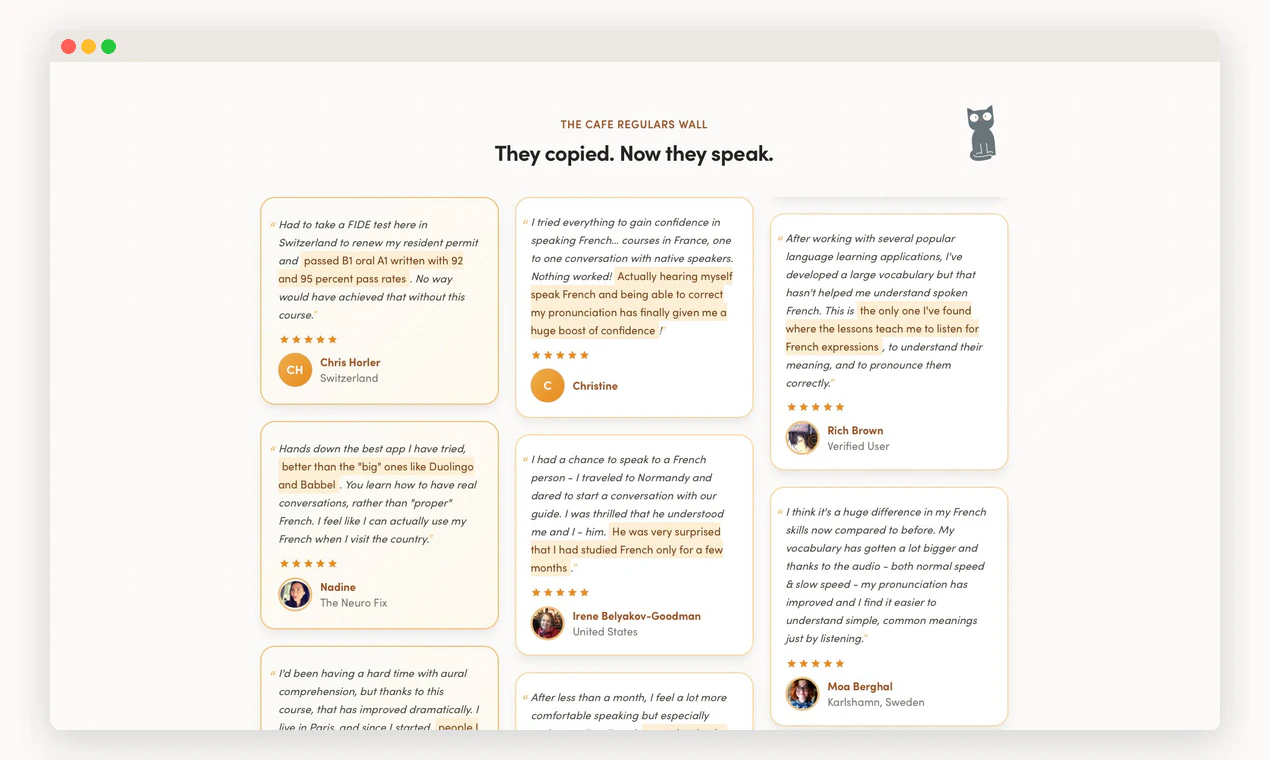
用户评论摘要:用户普遍好评其提升口语能力与自信,尤其与Duolingo对比时强调“真正逼你开口”。核心问题集中在对不同口音是否公平(官方回应不惩罚口音,只关注可理解度),以及AI语音克隆的情感表现力(依赖ElevenLabs)。部分老用户表达了长期支持。
AI 锐评

Copycat Cafe 的存在本身就是对Duolingo等主流语言学习产品的一种无声抗议。当大厂还在用“单词匹配”和“完形填空”堆砌用户时长时,它精准切入了“能看懂但说不出口”这个被长期忽视的断层。其核心价值不在于AI,而在于回归人类语言习得的本质:模仿。把语音评分、AI克隆和自由对话作为手段,本质是在模拟“婴儿学语”的试错环境,而非“学生做题”的考试逻辑。

从产品路径看,这是一个AI+垂直场景的成功范本。两个创始人做到16K MRR和1000+付费用户,证明极度细分市场的付费意愿远高于泛化教育工具。但风险同样明显:发音评分的准确性在非标准口音面前依然是技术难点,虽然有“只评分可理解度”的策略,但用户如果感知到评分不公,信任会立刻崩塌。语音克隆的情感表达也完全受制于第三方模型(ElevenLabs),这是供应链上的一个潜在脆弱点。

另外,当前仅支持法语和西班牙语,限制了用户天花板。如果后续增加德语、意大利语等语言时无法复现同样高水平的声音克隆和发音评分,增长就会遇到瓶颈。整体来看,这是一款“小而美”但“不轻易大”的产品。它证明了AI语言学习不该只有背单词一条路,但能否从小众口碑走向规模增长,还要看它对语言扩展和全球口音包容性的处理能力。

查看原始信息
Copycat Cafe
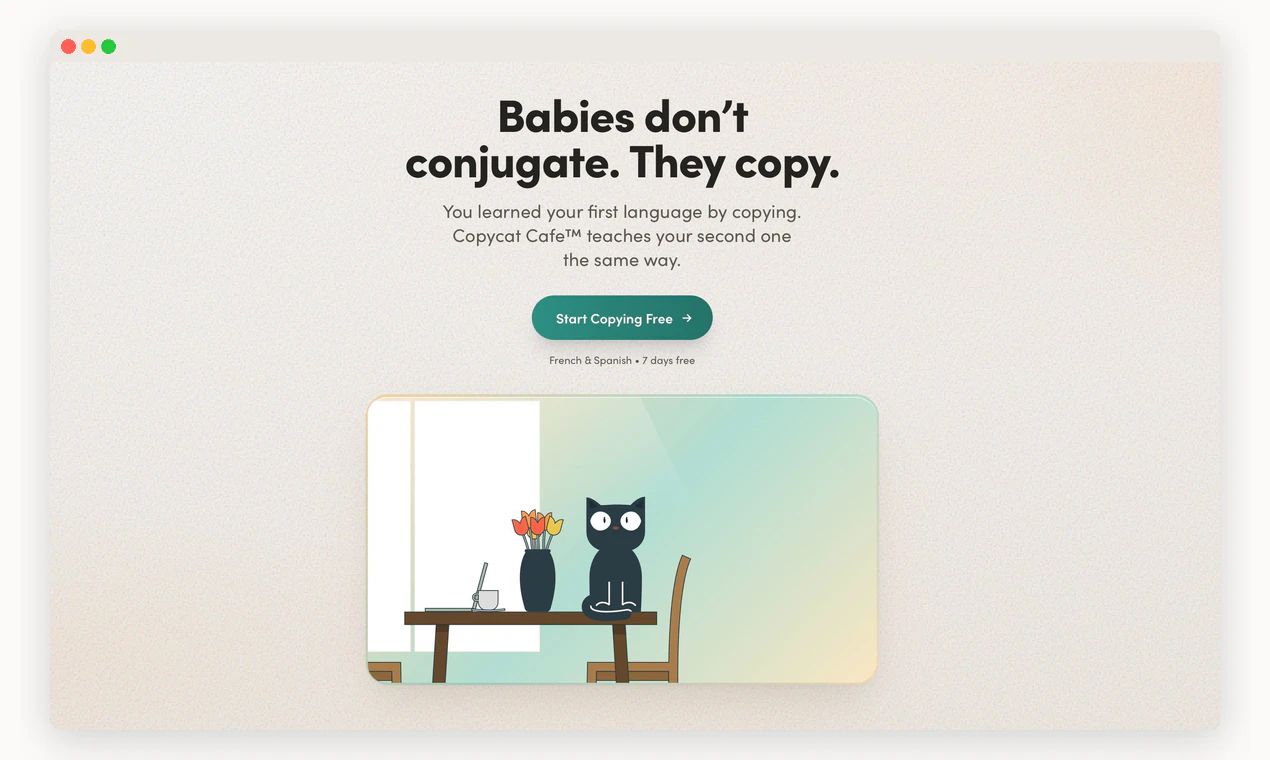
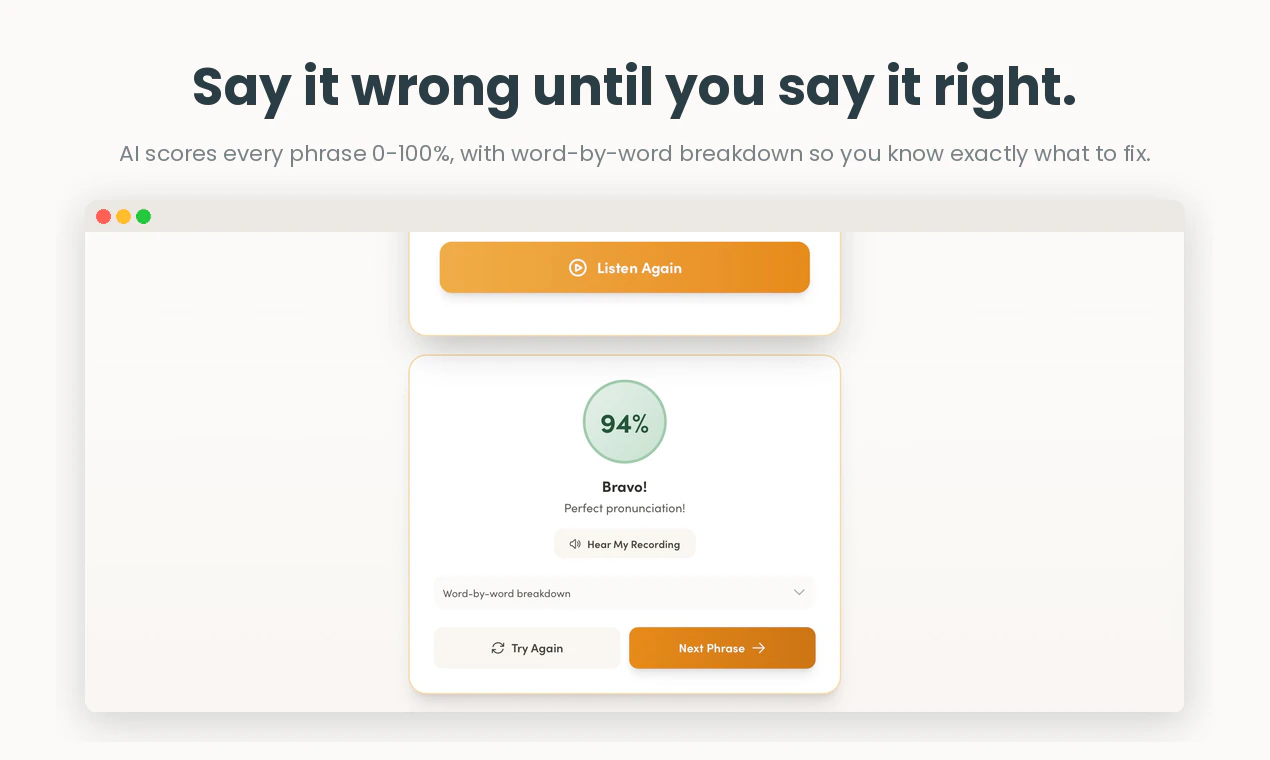
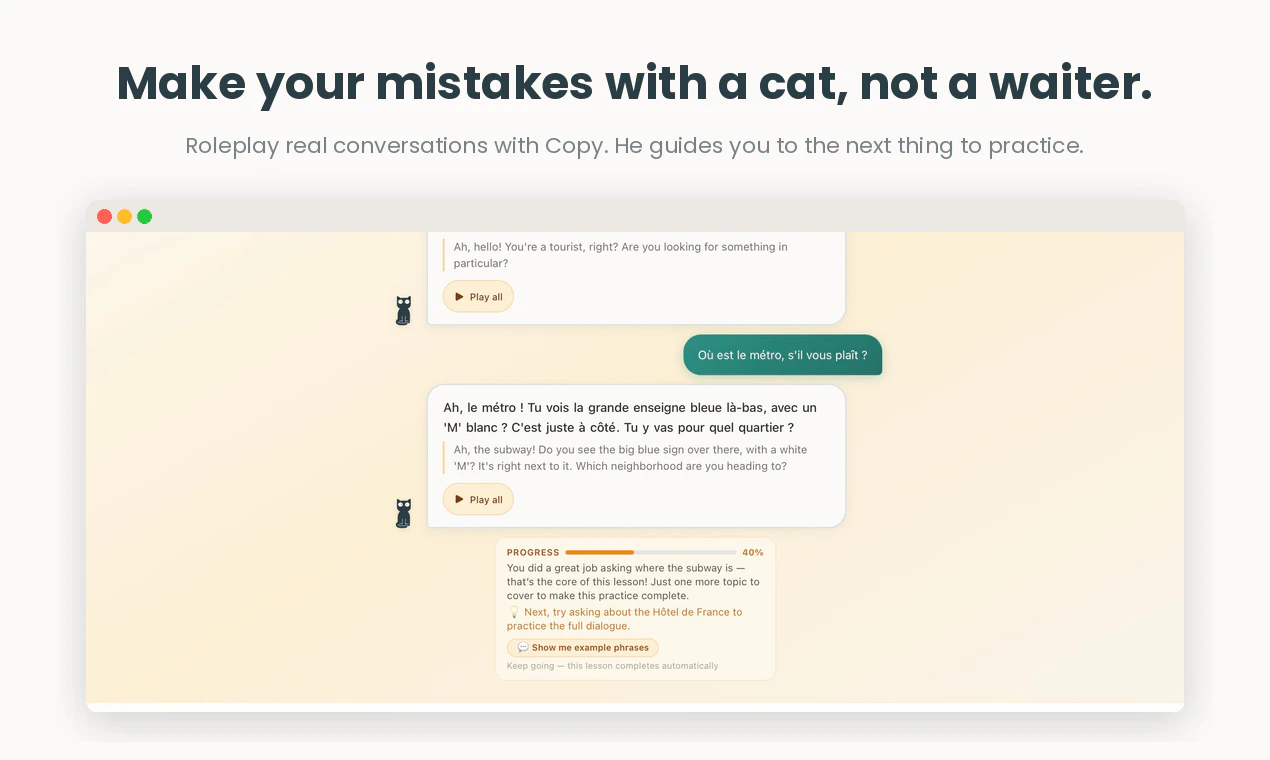
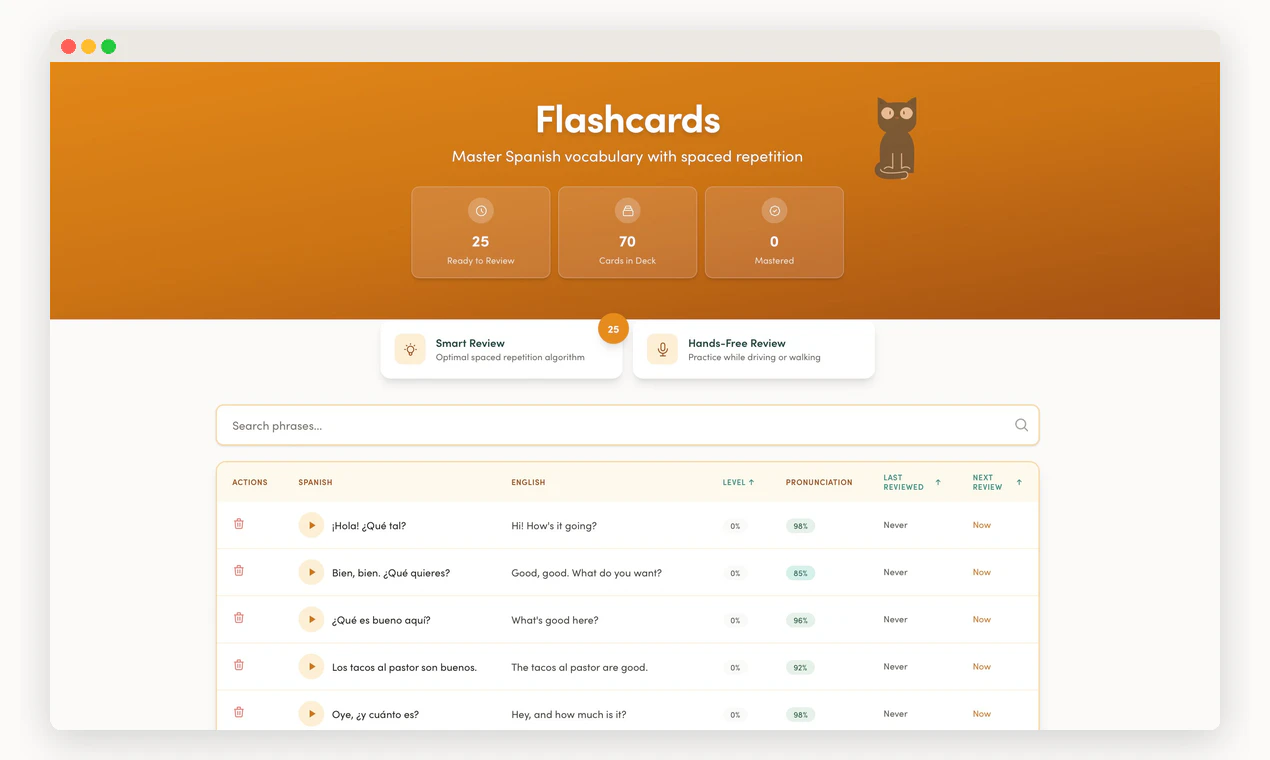
Most language apps teach you to recognize words. Copycat Cafe teaches you to speak them. Watch real conversations with voices cloned from native speakers, copy what they say with AI scoring your pronunciation 0-100%, then chat freely with an AI that corrects you without judgment. 15 minutes a day. French and Spanish, more languages coming. Built by two people who read every email. 1,000+ paying learners, $16k MRR.

Hey Product Hunt!


Most language apps train you to recognize words. Ours trains you to speak them.

We kept hearing the same story from learners: five years on Duolingo, streak in the hundreds, then they walk into a bakery in Paris (or a café in Madrid) and freeze when someone speaks to them. They understood fine, they just couldn't get a word out in response.

So we rebuilt the app I'd been running solo for a decade around how humans actually learn to talk. Babies don't conjugate, they copy.

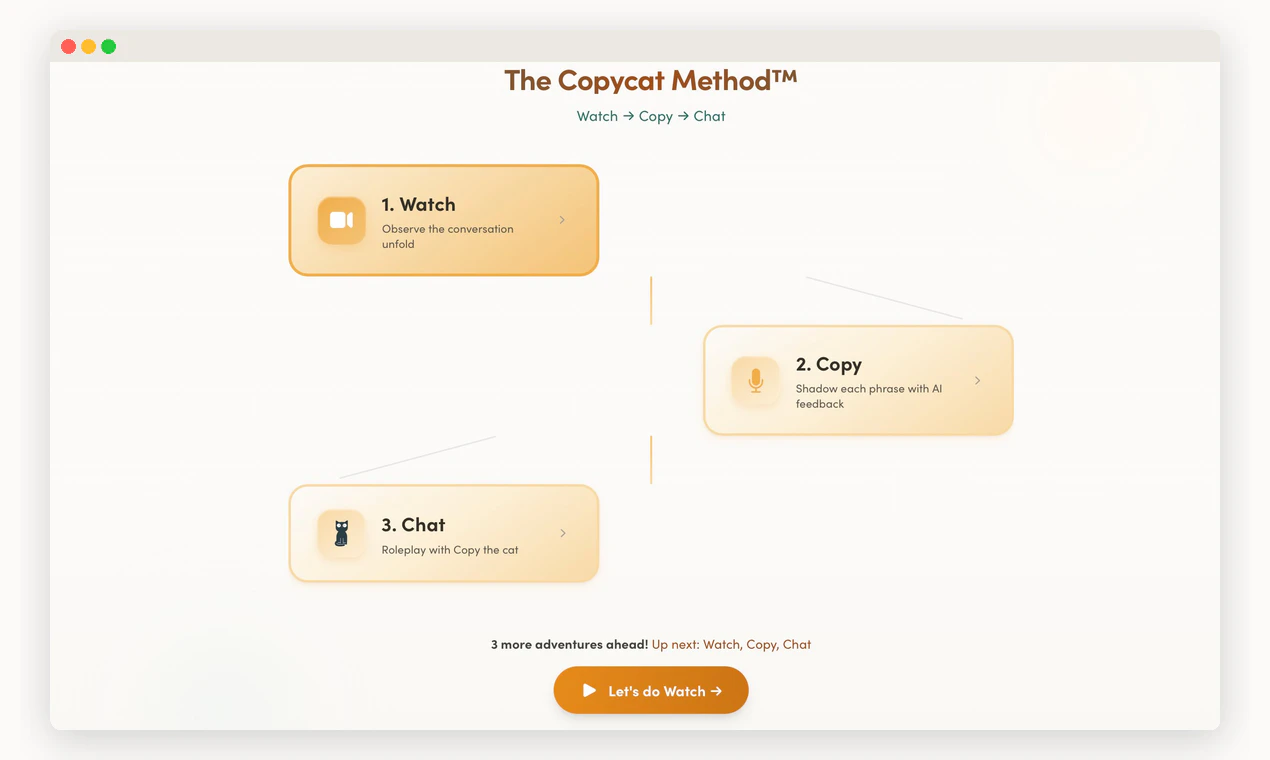
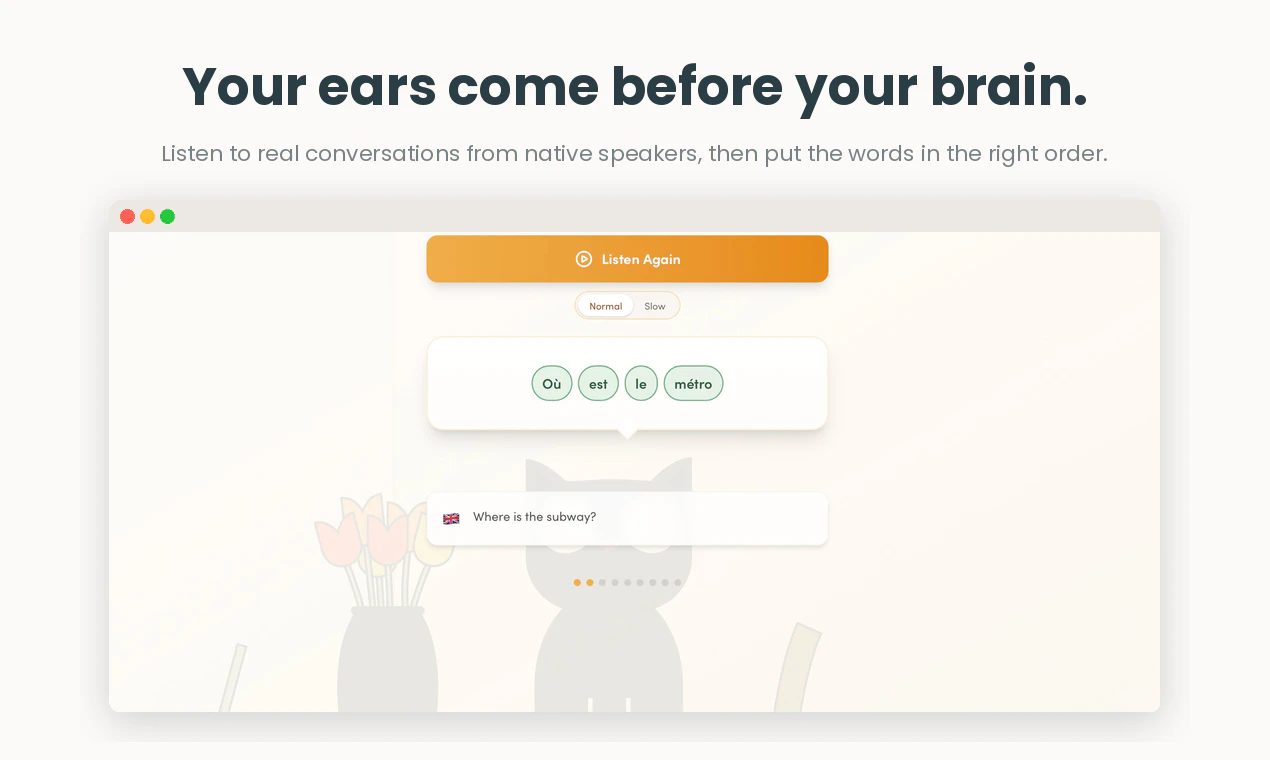
The Copycat Method takes about 15 minutes a day:

  • Watch a real conversation with the text not visible at first. Ears before brain.

  • Copy each line out loud. AI scores your pronunciation word by word, so you know exactly which sounds need work.

  • Chat with an AI cat coach to use what you just copied in a real conversation, where the only thing judging you is the score.

What you get out of it: you stop freezing when a native speaker turns to you, your accent stops sounding foreign, and your pronunciation scores climb from around 60% to 90%+ on lines you've copied a few times.

We're at $16k MRR with 1,000+ paying learners. French and Spanish today, with German and Italian on the way and iOS coming too. No VC, no growth team. Just two people who read every email.

Two things I'd genuinely love your take on:

  • If you've tried language apps before, what made you quit?

  • What would convince you that an app could actually get you speaking, not just understanding?

Nur and I are here all day. Bring the hard questions.


PS: Code PH30OFF gets you 30% off the annual plan for the next 60 days.

11
回复

@bhouy Good luck with the launch, Benjamin.

0
回复

Good luck with all of this, @bhouy. You’re doing great stuff with the rebrand!

3
回复

@toolboxofdesign Thanks Nick, really appreciate it! :). The amazing design assets you created help a lot!

0
回复

I was using another online training tool. When I tried to speak French in Canada or in Europe, I would end up switching to English. After using Copycat I am looking forward to trying my French with people who are French. I feel more confident.

2
回复

I'm having a great time on CopyCat Cafe taking my rusty 8 years of academic French and, lesson by lesson, turning myself into a much more fluent and colloquial French speaker. I had already mastered the accent. But I never acquired a complete, colloquial vocabulary or the ability to just automatically use right words and expressions, or the ability to understand what native French speakers say, because they talk so fast. CopyCat is really helping me with all of that!

2
回复

@elizabeth_e_michaud I’m really glad to hear that, that’s exactly what we are aiming for :)

0
回复

Will try - interested how it compares to Duolingo

2
回复
@moritz_schultz Great to hear, Moritz! Compared to Duolingo, we really tried to include a lot of natural phrases you would use in daily conversations, but I’m curious to hear about your feedback. :)
0
回复

I'm very pleased and grateful to you Benjamin. I am an on/off French student of yours and have always appreciated your accessibility when I had questions or issues. Wishing you great success in this newest iteration of your life's work.

2
回复

@diane_jones4 thanks you so much Diane! :)

0
回复

I love Copy Cat and have used the earlier version for several years for French, and now have added Spanish. What I found interesting is that I no longer struggle for a word in English before speaking in Spanish - but my brain goes to French first to find the missing word I want to say in Spanish! Copy Cat practice doesn't judge you: sometimes I show up daily, other times weekly, but you can pick up wherever you want as well as whenever you want The AI conversation tool intimidated me at first, because I still had to talk! But now Benjamin's team has added convesation hints. I feel like I am cheating by reading those, but the AI mimicks a typical native conversation instead of watering it down. You can choose normal and slower speed for listening, too. A fan and follower for years, and will continue to use and recommend.

1
回复

@judalon_manes thank you so much for your kind words Judalon :). Your support over the years means a lot to us.

0
回复

How do you handle different accents, like does the 0 to 100 score penalize someone for sounding non French?

1
回复

@thamibenjelloun great question, and a fair thing to worry about. Short version: no, you don’t get penalized just for having an accent.

The score works at the level of individual sounds, not your overall “nativeness.” Your speech is aligned phoneme by phoneme against a reference for the language (French as spoken in France, a neutral Latin American Spanish), and each sound is checked for how close it is to the target. A clear accent is completely fine — what actually pulls a score down is when a sound drifts far enough that it lands as a different sound, or gets hard to follow.

We’ve tested it across thousands of accents and people score well as long as they’re intelligible. The bar is “can a native speaker understand you and recognize the sound you meant,” not “do you sound Parisian.”

1
回复
Great app for improving spoken French. I've been using it for a few months it has really helped my confidence.
1
回复
@catherine_wright4 Thank you so much Catherine. :)
0
回复

Love you app Benjamin - really helps Meg me to express myself more naturally in French.

1
回复

@jean_nolan I'm really glad to hear that, nothing makes me happier than knowing we help people actually speak French :)

0
回复

16K MRR with two people is the whole story. The insight that recognition ≠ production is obvious in hindsight but nobody was solving it this way. Used voice cloning extensively for a different project — the pronunciation scoring is the hard part. How are you handling accent variation within a single language?

0
回复

@joe_rucker mostly by focusing on intelligibility. Meaning you get a good score as long as your accent is understandable to native speakers. Although we do plan on releasing different pronunciation assessments for different language variants.

1
回复

The voice cloning twist is brilliant. How do you ensure the cloned voices capture emotional nuance from the real conversations?

0
回复

@trydoff credit for this goes to ElevenLabs and their V3 model. It’s really good at understanding meanings and automatically having the right emotions.

0
回复

Good luck, Benjamin!

0
回复

@dmytro_krasun Thank you! :)

0
回复
#8
Zoomix
Create beautiful product demos with smooth zoom effects.
16
一句话介绍:Zoomix 是一款浏览器插件,通过自动添加智能缩放、光标追踪和干净背景,让用户无需剪辑就能快速生成专业级的产品演示视频,解决屏幕录制画面粗糙、观众流失和后期编辑耗时的问题。
Productivity
屏幕录制 产品演示 浏览器插件 自动缩放 光标追踪 视频美化 零剪辑 SaaS 效率工具 视频创作
用户评论摘要:用户指出官网定价链接失效、缺少社交媒体账号和Logo、与Loom的差异化不清等问题。开发者已修复链接,说明当前有Pro版五折首发优惠,并强调免费版无录制限制。部分用户询问离线或桌面端应用,目前暂无计划。
AI 锐评

Zoomix 切中了一个真实的痛点:绝大多数屏幕录制既丑陋又分散注意力,导致观众难以跟随。其核心价值并非“录制”,而是“自动美化”——通过智能缩放、光标追踪和背景清理,将原始的录制内容直接转化为更易观看的“产品叙事”。这种零编辑、即录即得的思路,精准打击了那些没有视频制作能力但需要快速分享产品演示的创业者、产品经理和销售。

然而,产品面临的挑战也很明显。第一,差异化壁垒不足。Loom、Screen Studio等竞品已占据用户心智,且Zoomix的“自动缩放”和“光标追踪”并非颠覆性创新,更多是功能层面的集成优化,技术门槛不高,极易被模仿或集成到主流工具中。第二,从评论看,产品尚处在极其早期的阶段,官网链接失效、社交资产为零、品牌传播乏力,说明团队在运营和信任建设上存在明显短板。用户质疑“和Loom有什么区别”时,开发者的回答虽明确,但“免费无录制限制”的卖点在商业化长期可持续性上存疑。

Zoomix 真正的机会在于聚焦“浏览器录制+自动美化”这个极窄场景,并持续优化AI对操作行为的理解,让特效真正“懂”用户在讲什么,而非机械缩放。如果能做到“录一次,自动生成多种演示风格”,则有可能在工具类SaaS中占据一席之地。但目前来看,它更像一个精致的功能插件,而非一个成熟的产品平台。若不能在“无法编辑但随时可美”这条路上做到极致,用户很容易回头拥抱Loom加后期。

查看原始信息
Zoomix
Most screen recordings look cheap and messy. Viewers drop off. Creators waste hours editing. Zoomix records straight from your browser and automatically adds smart zoom effects, cursor tracking, and clean backgrounds to make your recordings magical. No editing. No plugins. Just hit record and share something worth watching.

@vatsal_gabani the view pricing link on the website doesn't work, only the pricing link in the menu.

PS any product hunt discount for the pro lifeline deal :-) ?

1
回复

@tomm_p Thanks Tom for the quick feedback!! I have resolved the issues now.
Also Pro plan already has a 50% off launch offer as displayed in the extension UI. I also have updated the website pricing section.

0
回复
👋 Thanks for checking out Zoomix! Most screen recordings are difficult to follow and require hours of editing before they look professional. Zoomix helps you create polished, engaging videos directly from your browser by automatically enhancing recordings while you focus on sharing your ideas. Zoomix offers you: 🎥 Auto Zoom Effects - Automatically focuses on important actions to make recordings more engaging. 🖱️ Cursor Tracking - Highlights cursor movements so viewers can easily follow every step. 🎙️ Screen, Camera & Audio Recording - Record your screen, webcam, and microphone together with ease. 🎨 Professional Backgrounds - Add clean backgrounds and layouts that instantly improve video quality. ⚡ One-Click Recording - Start recording in seconds without downloads, plugins, or complicated setup. We're just getting started and would love your feedback, ideas, and support as we continue making screen recording simpler and more enjoyable for everyone. 🚀❤️
0
回复

Recording straight from the browser is smart. Any plans for offline mode or desktop app?

0
回复

@trydoff Thanks for the compliment!! Although there are no plans for an offline app yet but if there is a demand for that, I might move to that model too!

0
回复

Does the project have any valid socials? I checked but found none except on LinkedIn and there is no logo so im not sure if it related to your product.

0
回复

@jojopose No its currently not listed to any major social media platforms. Although I have listed it to multiple saas listing websites.

0
回复

How is this different from @Loom

And what is the pricing?

0
回复

@jay_gangwar Thanks Jay! 🙌

Loom is great for recording and sharing videos. Zoomix focuses on making recordings look polished automatically. We add smart auto-zoom effects, cursor tracking, and clean backgrounds right from the browser, so creators spend less time editing and more time sharing.

As for pricing, Zoomix has a free plan with no recording limits, so you can create as many videos as you want. 🚀. For power users, we're currently offering Zoomix Pro for as a launch offer for 39$.

1
回复
#9
DROP
Turn creative files into beautiful client delivery pages.
13
一句话介绍:DROP是一款专注于极简化文件交付的工具,通过去掉冗余功能,让创意工作者能快速创建文件空间并生成分享链接,解决文件分发流程中操作沉重、效率低下的痛点。
Productivity Storage
文件分享 交付页面 极简工具 创意工作流 链接分享 透明计费 空间管理 轻量协作 信用额度
用户评论摘要:用户(即产品创始人)主动提出产品回退至极简流程,主要反馈集中在两点:1)当前文件分享流程中仍存在哪些冗余步骤;2)分享链接的信用额度计费模型是否足够清晰透明。暂无其他用户有效评论。
AI 锐评

DROP的“自宫式”重构,在AI和协作功能泛滥的当下,堪称一股清流。它精准洞察了创意交付场景中一个最痛的点:不是功能不够,而是功能太多。用户上传文件、给客户看、拿到反馈,这个核心闭环被无数“AI增强”、“去中心化”等伪需求层层包裹。DROP直接砍掉95%的“屎山”功能,回归“上传-分享”的原子级操作,这种减法哲学在SaaS产品中显得尤为珍贵。

然而,13票的投票数暴露了其现实困境:极简意味着极低的护城河。任何网盘都能做类似事情,DROP唯一的差异化是“透明信用分计费”——这更像一个商业实验而非用户体验的突破。其所谓的“收件人可从简洁页面下载”也并非新概念。如果DROP只是做成了一个更干净的WeTransfer,那它最终会沦为“无AI功能的二流工具”,在巨头碾压和用户免费习惯之间被挤压。

真正值得思考的是:“极简”能否支撑起一个独立产品的生存?对于追求效率的创意工作者而言,DROP的低摩擦确实诱人,但用户粘性完全依赖于“上传-分享”的路径依赖。倘若DROP不尽快找到数据管理、版本追溯或品牌化交付页面等更深层的价值锚点,它的命运很可能就像其鼓吹的“反AI口号”一样,成为行业潮水退去后一个漂亮的泡沫。

查看原始信息
DROP
We removed 95% bullshit features, include almost all "AI " features, make DROP pure and simple again
# Maker Comment Hey Product Hunt, We rebuilt DROP around a much smaller workflow: Upload files, get a share link, and move on. The earlier product had too many directions. This version cuts DROP back to the thing people kept needing: a quick space for files, a clean link for recipients, and transparent credits when sharing becomes paid usage. What you can do now: - Upload files into a space. - Share the whole space or selected files. - Preview the shared page before sending. - See share-link credit cost before creating a logged-in link. - Copy existing links again without being charged again. - Let recipients download from a simple shared page. We are keeping this release intentionally narrow. No big workspace promise, no AI positioning, no overloaded collaboration layer. Just a fast file handoff flow. I would love feedback on two things: 1. Where does file sharing still feel too heavy in your current workflow? 2. Does the credit model feel clear enough before you create a share link? Thanks for taking a look.
0
回复
#10
Uindow
The programmable browser with trusted interactions
13
一句话介绍:Uindow 是一款可编程浏览器,通过无代码录制与纯JavaScript编辑相结合,让用户在不牺牲确定性的前提下,安全、可控地完成真实网页自动化任务,解决市面上自动化工具要么依赖不可控的AI云端、要么脚本脆弱难用的痛点。
Software Engineering Developer Tools GitHub No-Code
可编程浏览器 网页自动化 无代码录制 JavaScript脚本 本地AI 隐私安全 开源 社区模块 工作流自动化 自动化录制
用户评论摘要:用户评论仅有三条(含Maker自述),核心是Maker介绍产品核心亮点:支持本地AI推理、数据不外泄、自动化可录视频、免费且源码可用。暂无用户具体问题或建议。
AI 锐评

Uindow 的野心值得肯定,但13票的首日成绩也暴露出它目前仍是一款小众、甚至未经过市场锤打的工具。Maker Mark 几乎把产品所有优势浓缩在一条评论里——从无代码录制到纯JS编辑,从本地LLM到社区模块——但这些“全栈式”功能恰恰可能成为双刃剑。

首先,“可编程浏览器”这个定位本身就极窄。目标用户必须是既懂网页交互又愿写JS的开发者,同时还需要自动化但不愿用Puppeteer/Selenium?这其实是个很矛盾的群体:真正的开发者倾向于用开源框架定制,而非受困于一个闭源(虽开源但受控)的浏览器环境;而纯业务用户,又很可能被“纯JavaScript”这个门槛劝退。Maker试图用“无代码录制”降低门槛,但一旦自动化出现偏差,非技术人员就不得不接触JS,那跟用自动化测试框架有何区别?

其次,“信任交互”虽能实现文件上传、select元素修改等原生操作,但这并非革命性突破,AutoHotkey、Playwright等工具早已通过更底层的API实现类似能力。Uindow的差异化在于“本地AI推理”——这个卖点契合隐私合规趋势,但实际操作中,本地小模型的上下文理解能力远不如云端大模型,对于复杂逻辑判断和模糊任务,效果很可能大打折扣。用户最终仍可能重回云端AI,那“可控”的承诺就变成了伪命题。

商业化前景也存疑。目前仅强调“个人免费、源码可用”,但如果用户数上不去,社区模块生态就成了空中楼阁。至于被录视频、.js.yaml格式这些功能,更像锦上添花的补丁而非核心护城河。

总的来说,Uindow 是一个技术功底扎实且理念讨喜的早期作品,但尚未证明自己能比 Playwright + LangChain 的组合拳更具实际竞争力。它更适合那些对隐私极度敏感、且愿意忍受初期不完善的小团队做POC验证。想真与成熟工具扳手腕,还需要更多一线用户反馈和痛点打磨,而非只靠一张功能清单自嗨。

查看原始信息
Uindow
Uindow is a programmable browser for real-world web automation. Create automations with ease, with a world-class recorder, and can edit them in pure JavaScript.
Hey Product Hunt! 👋 I'm Mark, the maker of Uindow. I built Uindow because every web automation tool I tried forced a painful tradeoff: either you get AI flexibility (unpredictable, cloud-dependent, sometimes extremely unsafe, and super-expensive) or JavaScript determinism (brittle, with no intelligence). Uindow does both - you create automations with just a few clicks (no-code), and optionally call a locally running large language model wherever you actually need AI reasoning. Nothing ever leaves your machine. A few things I'm especially proud of: ⭐ All interactions are trusted - from clicks to file uploads, and even HTML select element changes - try that with Puppeteer or Selenium! ⭐ Everything is safely stored on your device, and sensitive data is never hard-coded in your automations ⭐ The learning curve is minimal, with a world-class recorder ⭐ Automations are exported as .js.yaml - fully portable, version-controllable, and shareable ⭐ You can record your automations as video - even between page navigations ⭐ You can use and publish community modules, with one-click install ⭐ And best of all, it's free for personal use and source-available: https://github.com/uindow/uindow/ What workflows would you automate first?
0
回复
#11
Harness Starter Kit
Repo guardrails for reliable AI coding agents
12
一句话介绍:Harness Starter Kit 将AI编程助手的脆弱单次提示词转化为存储在代码仓库中的持久化规则与检查机制,解决团队协作时上下文丢失和规则无法复用的痛点。
Open Source No-Code Vibe coding
AI编码代理 仓库守护规则 AGENTS.md 漂移检测 失败记忆 团队协作 提示词管理 开发工作流 Cursor Codex
用户评论摘要:开发者强调项目巧思是将关键指令“写在仓库里”而非提示词中;询问如何让代理记住并预防反复出现的错误,并希望获取本地试用链接。暂无其他负面或建设性批评。
AI 锐评

Harness Starter Kit切中了当前AI编程工具的一个核心盲区——会话的“失忆症”。大多数AI编码代理(如Cursor、Copilot)依赖短暂的对话窗口或局部上下文,导致团队层面的最佳实践、错误规避记录无法累积。该产品通过“AGENTS.md + 漂移检测 + 失败记忆”的组合,将制度化的知识封装进版本控制,本质上是为AI协作引入“代码规范”的等价物。思路简洁且务实:不依赖外部复杂中间件,仅通过文件结构和检查脚本就完成了规则固化。不过,它的真实价值取决于两个变量:一是AI代理本身是否愿意遵循仓库中的指令(很多工具对本地规则文件的支持仍很薄弱或优先级低),二是团队是否有意愿维护这些文件(一旦规则过时或缺失,反而会误导代理)。目前12票暗示其尚未引发广泛关注,但“提示词优先”的设计哲学值得肯定——它避开了重耦合的安装流程,降低了采用门槛。对于已深度使用AI编码的团队,这套骨架能快速搭建“代理行为守则”,但若想成为标准方案,仍需社区贡献更多即用的堆栈配置文件和错误模式库。

查看原始信息
Harness Starter Kit
Harness Starter Kit helps teams turn fragile AI coding prompts into durable repository rules: AGENTS.md, drift checks, failure memory, adoption reports, and stack profiles for safer agent collaboration.
Hey Product Hunt, I built Harness Starter Kit because I kept seeing the same problem with AI coding agents: every session starts smart, but the important project rules disappear when the chat ends. The idea behind this project is simple: stop putting all the critical context in one-off prompts. Put it in the repo. Harness Starter Kit helps teams add durable agent instructions, lightweight drift checks, failure memory, decision records, adoption reports, and stack-specific harness snippets to real repositories. It is intentionally prompt-first, not installer-first. The target repo stays the source of truth, and the kit pushes agents to inspect, adapt, and verify instead of blindly copying defaults. I’d love feedback from people using Cursor, Claude Code, Codex, Copilot, or other coding agents in production repos: What recurring agent mistakes would you want your repo to remember and prevent?
1
回复

For anyone who wants to inspect the repo or try it locally: https://github.com/baskduf/harness-starter-kit

0
回复
#12
Hum
Make your website feel alive with realtime visitor presence
11
一句话介绍:Hum通过现代化设计的实时访客徽章和在线人数挂件,帮助网站摆脱老旧的统计工具,以美观且不突兀的方式展示访客动态,解决网站“有人气却看不见”的尴尬痛点。
Design Tools SaaS Developer Tools
网站访客展示 社交证明 实时在线挂件 访客计数器 UI组件 网站工具 轻量化分析 SaaS 开发者工具
用户评论摘要:用户认可产品设计但质疑UI是否为AI生成,创始人坦诚使用Claude设计后经自身UX背景优化。另有用户预测产品被低估,创始人感谢并期望持续反馈。
AI 锐评

Hum精准切中了一个被忽视的需求:网站“有人气”的可视化。传统方案要么是丑陋的“你是第X位访客”,要么是偏重后台数据的分析平台(如Google Analytics)。Hum选择聚焦于“前端感知”,用现代UI将实时访客数据转化为一种社交证明,这本质上是在贩卖一种“氛围感”——让网站访问者感觉身处一个活跃空间,从而提升停留和转化。

从技术角度看,其壁垒不高。实时计数器可通过WebSocket或轮询实现,20+模板考验的是设计而非工程能力。真正的价值在于抢占了“数据可视化”与“UX增强”之间的缝隙市场。但风险同样明显:用户容易审美疲劳,且一旦免费层泛滥,这种“在线感”会变得廉价。创始人将UI归功于Claude并坦诚调整,体现了执行效率,但长期看,Hum若只停留在挂件层,很难形成护城河。建议其向“实时社交证明+轻量行为分析”进化,比如统计哪些页面访客最多、从哪些页面跳转,并提供“热力图”式的行为痕迹,才能从“好看的工具”升维成“真正提升转化率的商业工具”。

查看原始信息
Hum
Most visitor counters and social proof widgets look outdated, intrusive, or overly focused on analytics. Hum focuses on modern design first, offering beautiful realtime visitor badges, live presence widgets, and 20+ customisable templates that blend naturally into modern websites. Developers can add them with a simple integration, while businesses get lightweight analytics and customisation without the complexity of traditional analytics platforms.

Very underrated product. Congrats on launch!!

1
回复

@daniel_nwankwo Thank you! Means a lot.

0
回复

The product is good.

But I like the ui very much did you make it on your own or Claude design

1
回复

@jay_gangwar Hey thank you! Design I got from Claude design, but since I am from UX background, I refined it in my own way.

1
回复
Hey Product Hunt 👋 I'm excited to share Hum with you today. The idea came from a simple frustration: I wanted visitor counters and website presence widgets for my own projects, but most options felt outdated, overly intrusive, or focused entirely on analytics. Hum is my attempt to make those widgets feel modern. With Hum, you can add beautiful visitor badges, live visitor counters, and realtime website presence widgets that actually blend into modern websites. The focus is on simplicity, customisation, and design. A few things we're working on: • Realtime visitor counts • Unique visitor badges • 20+ widget templates • Lightweight analytics • Simple developer-friendly integration This is still early, and I'd genuinely love your feedback. If you try it, let me know what feels useful, what's missing, or what you'd like to see next. Thanks for checking it out ❤️
0
回复
#13
CoffeePomodoro
Brew your productivity, one Pomodoro at a time
10
一句话介绍:CoffeePomodoro 将番茄钟与咖啡文化融合,通过等级晋升、连续打卡和温暖动效,解决用户在专注过程中缺乏仪式感和持续动力的痛点,让时间管理变得像品咖啡一样愉悦而自然。
Android Productivity Time Tracking Coffee
用户评论摘要:开发者自述产品灵感源于咖啡与专注的日常仪式,已坚持开发一年半,现面向用户征求“让专注更温暖”的建议,期待优化体验。
AI 锐评

CoffeePomodoro 的创意切入点值得肯定——用咖啡文化为枯燥的番茄钟注入情感温度,这是它区别于普通计时器的核心差异。然而,从10个投票数和仅有开发者一条评论的冷清数据来看,产品尚未形成有效的社区共鸣。

其真正价值不在于功能堆砌(21种音效、小组件、灵动岛等),而在于将“咖啡仪式感”抽象为可量化的成长路径(从宝宝杯到咖啡征服者)。这种游戏化设计若能落地,确实能提升用户粘性。但问题也在此:咖啡等级与专注效率之间的关联是否足够直观?用户是否会为了解锁一个虚拟杯子而长期坚持?如果缺乏更深的社交或数据反馈机制(如对比他人、专注时长分析),这种“小确幸”玩法容易快速疲劳。

此外,独立开发者1.5年的投入值得尊重,但产品在营销和用户互动上明显薄弱。当前阶段,比起添加更多功能,更应聚焦于“咖啡叙事”的完整闭环——比如将一次专注时长与一杯咖啡的“冷却”时间联动,或用真实咖啡优惠券激励打卡。否则,它仍会淹没在无数“好看但无用”的效率工具中。

查看原始信息
CoffeePomodoro
CoffeePomodoro turns your focus sessions into a warm coffee journey. Use the classic Pomodoro technique, level up through coffee ranks (from Babyccino to Coffee Conqueror), track streaks, and stay motivated with cozy animations, 21 focus sounds, Dynamic Island support, and home screen widgets. Built daily for 1.5 years by a solo indie dev. Available on iOS & Android.
Hey hunters! 👋☕ I'm Remzi, a solo indie dev, and CoffeePomodoro is the app I always dreamed of building. Here's the story: I've always been a heavy Pomodoro app user. But every time I looked at the coffee on my desk, I thought — why doesn't this cup balance out with my focus? Sometimes I'd even stretch a single coffee across an entire focus session. That little ritual is exactly where CoffeePomodoro was born. So I built a Pomodoro timer where focus feels warm and rewarding instead of stressful. You brew your productivity — level up through coffee ranks (from Babyccino to Coffee Conqueror), build streaks, unlock cups, and stay in flow with 21 focus sounds, Dynamic Island support, and home screen widgets. I've worked on it every single day for about 1.5 years. It's on both iOS and Android now. I'd genuinely love your feedback — what would make your focus sessions cozier? Happy to answer anything in the comments today. 🙏
7
回复
#14
ColorCraft
Batch-recolor 500+ sprites in seconds
10
一句话介绍:ColorCraft 是一款为像素游戏开发者设计的批量重上色引擎,通过连接 Aseprite 实时联动,在几秒内自动为数百张精灵图更换配色方案,解决了角色、元素变体等美术资产手动迭代的低效痛点。
Design Tools Productivity Art
批量重上色 像素艺术 游戏开发工具 Aseprite 联动 精灵图 调色板 实时预览 自动化工坊 独立游戏 图形处理
用户评论摘要:用户(开发者)自述在制作游戏时,手动统一资产配色并反复修改的流程非常痛苦,进而开发了本工具。从CLI起家,最终完善为拥有实时联动、多种颜色算法、动画支持、遮罩等功能的完整应用,并提供了3.50美元的首发优惠价。
AI 锐评

ColorCraft精准切中了像素游戏美术管线中最“脏活累活”的环节——配色变体迭代。对于追求视觉一致性又需要批量产出不同元素(如红蓝绿三种史莱姆)的独立开发者而言,它确实能避免大量的“另存为+手动吸色”操作,将重复劳动自动化。其核心价值在于“Aseprite Live-Link”带来的所见即所得反馈,以及4种感知颜色算法背后的专业度,这使得它不仅仅是简单的颜色替换,而是试图在不破坏光照和细节的前提下完成逻辑变换。

然而,从产品介绍和评论看,它目前更像一个服务于Aseprite的“插件级”工具,而非独立引擎。其用户基础严重受限于“使用Aseprite且需要批量重上色”的细分人群。极低的投票数(10票)也侧面印证了其冷启动的商业困境。虽然3.5美元的定价对于重度使用者来说是“尘埃价”,但潜在用户是否会特意为“自动化短板环节”下载一个独立应用,而非寻求已有的开源脚本解决方案,是其需要回答的关键问题。此外,评论中透露的从CLI到Full App的演进史,暗示其UI/UX可能仍有“开发者为自己造车”的打磨空间。长远看,能否从“Aseprite伴侣”进化为更开放的像素工作流枢纽,才是其能否从利基工具跨越为社区基础设施的关键。

查看原始信息
ColorCraft
Creating characters, elemental variants, and biome-themed assets usually takes a lot of manual work. ColorCraft is a professional batch-recoloring engine that automates the "boring part" of gamedev. Simply link youraseprite files, pick your palettes, and watch your variations update in real-time as you draw. With native Aseprite Live-Link, 4 perceptual color matching algorithms, and industrial-scale batching (500+ sprites in seconds), ColorCraft is the missing link in your pixel art pipeline.
While making my own game i wanted to have all my assets in the same palette to create a consistent vibe. This was a ton of manual work and every time I made a change I had to do everything again. Being a developer of course I created something to automate this for me. At first it was just a cli tool, then i build a very basic ui, then i added support for more palette types, then improved the UI some more. I just kept improving it till the point its a full application. ColorCraft allows you to easily batch recolor hundreds of files in seconds. It has a live link feature where you can instantly see the work you are making in Aseprite in multiple palettes. There is a cli mode for the power automation users in the pipeline. Dark/light mode. Different distance metrics, different dithering algorithms, support for sprite sheet animations, masking, and more... Hope it can help some of my fellow indie devs out there! PS: on launch ColorCraft will have a special deal, 3.50$ in stead of 4.99$.
0
回复

@jeltedeproft thanks man, love the tool!

0
回复
#15
CollectMonial
Custom testimonial walls that match your brand and convert
9
一句话介绍:CollectMonial 是一款为独立开发者和SaaS创始人设计的品牌化评价墙工具,用户通过一个链接即可收集视频或文字评价,并以高度可自定义的样式嵌入网站,解决了一站式获取客户好评且不破坏品牌视觉的痛点。
Public Relations Marketing SaaS
评价收集 视频推荐 品牌定制 嵌入组件 SaaS工具 独立开发者 客户反馈 口碑营销 社交证明 产品发布
用户评论摘要:创始人指出现有工具价格高($50+/月)且Widget样式破坏品牌设计,因此打造了定价$25/月的工具,支持深度定制、一键嵌入、飞书/推特导入及多活动管理。有用户表示“看起来很酷”,将去试用。
AI 锐评

CollectMonial 切中了一个非常具体但扎实的痛点:SaaS和独立开发者对“社交证明”的刚需与现有评价工具“贵且丑”之间的矛盾。创始人以品牌设计师的视角切入,将“品牌一致性”作为核心卖点,这远比单纯做一个“评价收集工具”更有护城河。

从产品定价看,$25/月的FLAT费用对个人开发者极具吸引力,直接瞄准了Trustpilot、Yotpo等高价工具的“低配替代”市场。功能上,视频评价+一键嵌入+支持从X和LinkedIn导入,已经覆盖了基本的MVP,并且“多活动管理”暗示了它向下游营销自动化扩展的潜力。

但目前9票的微弱反馈说明产品尚在冷启动阶段,值得注意的是评论中仅有1位潜在用户表达了试用意愿,缺乏对实际转化率、嵌入后加载性能、视频存储成本的深度讨论。真正的挑战在于:当用户量增长后,视频存储和带宽成本会迅速吞噬利润,25美元/月的定价能否支撑起长期运营?此外,大厂如Canva或Notion若在下一个版本中直接集成同类功能,该工具将面临被“平台化吞噬”的风险。CollectMonial 的长期价值不在于“收集”,而在于成为遍布独立站点的“品牌化评价网络”,关键在于能否利用早期社区建立起像素级匹配不同主题的模板生态,从而形成数据与资产的转换壁垒。

查看原始信息
CollectMonial
CollectMonial is testimonial collection software for SaaS founders and solopreneurs. Send a single link to clients, they record a video or write a testimonial, and you embed a fully branded testimonial wall on your site with one script tag. Customize card edges, colors, and layouts to match your brand.
Hey, I'm a brand designer turned solo founder. Every time I tried to add testimonials to a client site, the existing tools either cost $50+/month or produced widgets that completely broke the brand design. So I built CollectMonial, a testimonial collection software with deep design customization, priced at $25/month flat. What it does: - Send a link to clients, they record video or text testimonials directly in their browser - Customize card edges, colors, and layouts so your testimonial wall matches your brand - Embed it on any site with one script tag - Import existing testimonials from X and LinkedIn - Multiple campaigns for different products or services Would love some early feedback.
1
回复

this looks cool! will check it out for shhots.ai 🙌

congrats on the launch @devanuj

1
回复

@rajat_dangi1 Thanks a lot Rajat :)

0
回复
#16
JSON Kit
Fix broken AI JSON and 6 more JSON tools, all in-browser
9
一句话介绍:JSON Kit 是一套浏览器端 JSON 修复与处理工具集,核心功能是自动修复大模型输出的破损 JSON,并明确标注错误原因,解决开发者因 AI JSON 格式不兼容导致的奔溃或转换失败痛点。
Productivity Developer Tools Artificial Intelligence
开发者工具 JSON修复 AI工具 浏览器端 在线工具 数据格式转换 调试 开源 大模型适配 零隐私风险
用户评论摘要:暂无用户负面评论。发布者自述项目源于解决大模型输出JSON格式不一致的痛点,强调浏览器端运行保护隐私,底层依赖开源库,并欢迎反馈更多边缘错误案例。
AI 锐评

JSON Kit 的切入点非常精准——抓住了“AI开发红利期”最琐碎却高频的屎坑:大模型输出结构化数据时的格式任性。这类“AI JSON修复”本质上不是技术难题,而是开发体验的扫盲工具。它的价值不在于算法深度,而在于及时性:将修复机制直接做成浏览器端、零部署的即时工具,且加上了“错误诊断标签”这一巧妙的认知层,让用户从“玄学报错”跳转到“看原因改代码”。这种定位聪明且克制:不自建大模型,不搞云端服务,规避了隐私争议,也降低了维护成本。

但问题也很明显:工具集里大多是“别人都有了,我顺便做一个”的冗余功能(如格式化、JSONPath),缺乏真正的稀缺性。修复逻辑依赖开源库,意味着同质化极易被复制。这种产品形态天生飞轮效应弱,用户用完即走,缺乏黏性。真正的护城河在于能否积累出“罕见错误模式数据库”——比如大模型输出的多行截断、非标准Unicode、混合语言注释等——从“通用修复”进化到“AI输出特化修复”。如果止步于标签化开源工具,很快就会成为开发者收藏夹里吃灰的又一个网址。第一版不错,但别止步于此。

查看原始信息
JSON Kit
JSON Kit is a set of fast, browser-side JSON tools built for the AI era. The standout is Fix LLM JSON: paste the broken JSON that ChatGPT, Claude, or local models hand you, and get clean, valid JSON back instantly, with a label for exactly what was wrong (trailing commas, single quotes, Python literals, markdown fences, truncated output, and more). Everything runs 100% in your browser, so your output never touches a server.
Hey Product Hunt 👋 I built JSON Kit. This started from one annoying bug. I kept piping LLM output into JSON.parse() and it would work fine for days, then break in production because the model added a trailing comma or wrapped everything in a ```json fence. If you've built anything on top of AI output you've probably hit the exact same thing. So I made Fix LLM JSON: paste the broken stuff, get clean JSON back, and it tells you what was wrong instead of silently fixing it. It runs entirely in your browser, which I cared about because LLM outputs are full of API keys and user data I didn't want sending anywhere. Full transparency: the repair engine under the hood is the open-source jsonrepair library by Jos de Jong, with a layer I built on top to detect and label the specific error patterns. The rest of the kit (formatter, JSON→TS, JSON→Zod, JSONPath, diff, markdown extractor) grew out of the same "I keep needing this" itch. It's free to use, no signup. Would genuinely love feedback on what else breaks your JSON, especially the weird edge cases. Happy to answer anything in the comments today.
0
回复
#17
Mixstream
Rebuilding Music and Digital Economy
9
一句话介绍:Mixstream是一个让音乐人自主掌控音乐经济的平台,通过透明的版税追踪和同步授权,解决艺术家在传统行业中收入不透明、中间商抽成高、无法了解每笔版税来源的痛点。
Music Streaming Services Tech
音乐人平台 版税透明 数字音乐发行 同步授权 AI工作室 去中介化 创作者经济 自主版权 流媒体分发 版税追踪
用户评论摘要:用户对平台透明版税和去中间商化的理念表示支持,期待其未来发展。创始人强调了行业弊端(版税黑箱、中间商盘剥),并说明构建了完整技术栈(含自家流媒体应用和AI工作室),希望获得艺术家、管理者等对平台信任度的真实反馈。
AI 锐评

Mixstream的切入点精准地踩中了音乐行业的“暗伤”——版税不透明和创作者被剥削。它没有在发行价格这个红海里打滚,而是把价值锚定在“权利与许可”的复杂层上,这确实比单纯的“上传文件”更有护城河。但坦白说,“透明”和“公平”是每个区块链音乐项目都喊过的口号,最终大多折戟于用户增长与变现效率。Mixstream的MVP和仅9票的现状说明它仍处于极早期验证阶段,最大的挑战不是技术,而是如何让已经对各类“画饼”平台麻木的艺术家真正相信并迁移其核心资产——音乐版权。靠“AI处理繁琐事务”和“自建流媒体应用”来证明管线可行,听起来更像一种自证清白的苦功夫,而非规模化的利器。若不能快速接入足够大的版税池(如热门影视同步授权资源)或提供显著高于Spotify等巨头的分成比例,很可能演变成又一个“小而美”的理想主义试验品。真正的价值,在于其系统的底层审计能力能否成为行业未来的基础设施,而不只是又一款发行工具。

查看原始信息
Mixstream
Mixstream puts artists in control of their own music economy, transparently and fairly. Release and distribute to every DSP, monetize your catalog through sync licensing, and see exactly how every royalty is generated, down to the stream. No black-box accounting, no middlemen skimming the top; just transparent payouts, fair splits, and 100% ownership of our masters.

A nice one for talented musicians looking for support! Love to see how it goes in the future.

2
回复
Hey Product Hunt 👋 Sami here, one of the founders of Mixstream alongside Dylan. We built this because the music industry has the incentives backwards. Artists make the music, but everyone else owns the economy around it. Your royalties show up as a single number in someone else's dashboard, with no way to see how it was actually generated. Middlemen take the biggest cut. And most distribution tools just race each other to the bottom on price, because uploading a file to Spotify was never the hard part. We wanted to flip that. Mixstream is a studio where artists actually control their own music economy. You release and distribute to every DSP, monetize your catalog through sync licensing, and see exactly how every royalty is earned, down to the stream. You keep your masters. No black box, no skimming. Building it taught us the real lesson: distribution is a commodity, but the rights and licensing layer on top is where the value lives. So we built the whole stack ourselves, even our own streaming app just to prove the pipeline works end to end, with an AI studio that handles the tedious parts so artists can stay focused on the music. We are launching the MVP and currently signing up alpha partners who will get long term exclusive benefits on Mixstream via the partnership program. We would genuinely love your honest feedback, especially from artists, managers, and anyone who has ever squinted at a royalty statement. What would make you trust a platform with your catalog?
1
回复
#18
AnyFrame
Platform for every agent your team builds
9
一句话介绍:AnyFrame是一个让团队快速搭建与部署多智能体(Agent)的平台,通过提供沙箱、内存、可观测性等底层基础设施,解决开发者重复构建Agent运行环境的痛点,并支持将Agent嵌入Slack、GitHub等现有工作流中。
Software Engineering Developer Tools Artificial Intelligence
多智能体平台 Agent运维 基础设施 工作流集成 沙箱环境 可观测性 SDK AI部署 Slack集成 GitHub集成
用户评论摘要:用户Chirag(联合创始人)主动介绍产品,强调团队厌倦了重复构建Agent基础架构,AnyFrame负责运行时与集成,用户可专注于业务逻辑。评论目前无负面反馈或具体问题,主要表达产品定位与未来计划。
AI 锐评

AnyFrame踩中了当前AI应用落地中最痛的“最后一公里”问题:Agent的部署与运维。其价值不在于创造新的AI能力,而在于将基础设施标准化——沙箱隔离、内存管理、工具链集成、以及跨工作流(Slack/GitHub)的触发机制,这些都是从Demo到生产环境的必要台阶,但很多团队的确在反复造轮子。然而,产品仅发布一个月,仅有9票,说明目前还在早期概念验证阶段,市场接受度存疑。它的真正命门在于:1)竞争激烈,同类型的LangChain、AutoGPT、以及云厂商的Agent框架都已布局,AnyFrame如何差异化?目前看仅有“Harness可互换”算是亮点,但这本质是兼容性,并非护城河。2)用户评论中只有创始团队自述,缺乏真实第三方反馈,难以判断实际落地中沙箱性能、延迟、异常处理等关键指标的成熟度。3)宣称“分钟级启动swarm”,但在企业级场景下,权限控制、审计日志、成本监控等治理需求可能被过度简化。总体来看,方向正确,但需要迅速证明能在大规模、高并发、复杂流程中稳定运行,否则很容易沦为又一个“Demo级”工具。团队速度是优势,但产品深度才是生存的关键。

查看原始信息
AnyFrame
Spin up swarms of agents in minutes, for any use case, on any harness. For internal tools or customer-facing products.

Hey Product Hunt! 👋

I'm Chirag, co-founder of AnyFrame, building this together with @inishchith

For the last 6 months, we watched teams burn weeks building agent infrastructure before writing a single line of actual business logic. Sandboxes, retries, memory, observability, harness integrations. Every team was rebuilding the same plumbing from scratch.

We got tired of watching it happen, so a month ago we started building the fix.

AnyFrame is the platform layer every agent team keeps reinventing. You bring the logic. We handle the runtime, sandboxing, memory, and observability. Your agents live inside Slack, GitHub, Discord, wherever work already happens, and get triggered naturally by the things that happen there.

What we shipped today:

  • Agents that can browse the web, interact with any UI, and connect to your existing tools for context and action

  • Triggers from the tools your team already uses (Slack, GitHub, Discord and more)

  • Harness-swappable agents (Claude Code, Cursor, Codex) so you can flip anytime without rewrites

  • Python + TypeScript SDK to embed agents inside your own product in a few lines

We're one month old and this is just the beginning. We have a packed roadmap and will keep shipping fast. This community's feedback will directly shape what we prioritize next, so we'd love to hear what you're building and what's getting in your way.

1
回复
#19
Launci
the go-to-market agent
8
一句话介绍:Launci 是一个面向创始人的AI上市(GTM)代理,能根据你设定的目标,自动调研潜在客户并在邮件、LinkedIn、X、Reddit等渠道撰写个性化触达消息,解决冷启动时“找不到对的人、写不出对的文案”的痛点。
Email Sales Marketing
AI GTM代理 冷启动 个性化外联 创始人工具 社交媒体自动化 潜在客户调研 AI销售助手 小众市场触达 自动化营销
用户评论摘要:用户(0点赞)评论肯定了创始人的假设方向正确,但关键挑战在于代理能否可靠地导航LinkedIn平台。目前仅有1条回帖获得点赞,整体反馈有限。
AI 锐评

Launci 切中了一个真实的痛点:传统GTM工具在“量”上内卷,却忽略了冷启动最稀缺的“质”——找到真正关心你且你能提供独特价值的人。其价值不在于自动化发送,而在于用AI模拟人做“慢活”:深度调研、理解上下文、锁定销售数据库难以覆盖的“水下角色”(如行业记者、播客主、小众社区版主)。这种定位让它避开了与Apollo、Lemlist等投放型工具的正面竞争,转而服务那些追求精准而非广撒网的深度技术创始人。

但风险同样明显。正如用户评论所质疑的,AI代理对LinkedIn等封闭社交网络的导航能力是最大瓶颈——自动化爬取、模拟真人交互极易触发平台反爬机制或账号封禁。此外,“询问后再执行”的设计虽强调控制感,却可能拖慢响应速度,抵消自动化的本质优势。若不能以极低用户介入成本实现高精度决策,创始人依然会觉得不如自己写。Launci 的理想用户画像应是“极客创始人”:信任AI的推理能力,愿意容忍部分延迟以换取深度精准。长期看,它必须建立一套透明的信任机制——让用户清晰看到AI的调研逻辑和决策依据,否则将沦为又一个“看起来很聪明但实际不敢用”的玩具。

查看原始信息
Launci
For founders who'd rather ship code than DM strangers. Launci is the AI go-to-market agent for founders. Drop a goal and it operates for days: researches prospects, writes personal outreach across email, LinkedIn, X and Reddit, sends from your own inbox, follows up, brings replies back. It asks before it ships. Works for the niches Apollo can't touch.

Hey Product Hunt,

I'm Pung, building Launci solo from Munich.

The hard part of launching isn't sending the message. It's finding someone who actually cares about your thing, and writing something that proves you understand them.

Every cold outreach tool I've used optimizes for the wrong thing, more sends, bigger lists, more templates. Reply rates sit at 0.5% because nobody's finding the right person or writing the right angle.

So Launci does the slow, hard work. You give it a goal in plain English and the agent:

- Researches prospects across email, LinkedIn, X, Reddit, and DMs, including the people sales databases can't find: indie journalists, podcast hosts, niche newsletter writers, community moderators, micro-influencers in your specific corner
- Picks the angle per person, references a specific post, a quote from their site, a real connection
- Sends from your own inbox or account, follows up for days, brings replies back to you
- Asks before it ships every move

If there's no good reason to reach out, it doesn't. One specific message beats 100 templated ones.

Three things I'd love feedback on:
1. Did the demo land or feel too dense?
2. Anything obvious missing from the channels?
3. "Asks before it ships", right amount of control, or should I default to more autonomous?

Will be answering every comment today.

Pung

0
回复

@pungme Your hypothesis is right for sure. Will come down to how reliably the agent navigates LinkedIn. Good luck!

1
回复
#20
Open Source Alternative Finder
Free replacements for Slack, Notion, Figma & 60+ paid tools
8
一句话介绍:一款每日更新的工具对比网站,帮助用户找到Slack、Notion、Figma等60+付费SaaS的免费、自托管开源替代品,并提供迁移指南和AI分析,解决团队高额软件订阅费痛点。
Open Source SaaS Artificial Intelligence GitHub
开源替代 SaaS对比 自托管 迁移指南 AI生成 定价透明 独立开发者 省钱工具 团队效率 VPS部署
用户评论摘要:开发者John解释了项目初衷:团队每年支付$8000+订阅费,而自托管方案仅需$6/月VPS。他强调了“留在付费工具”的诚实对比、难度评级和节省计算器。用户关注点在于迁移指南深度和定位清晰度,期待更多类别覆盖。
AI 锐评

Open Source Alternative Finder精准切中了“SaaS订阅疲劳”这一刚需——尤其是对中小团队和预算敏感的技术用户而言。其核心价值不在于“罗列替代品”,而在于用AI降低决策成本:每天自动更新、定价对比、迁移难度评级,甚至有个“诚实劝退”模块(提示用户何时不适合转开源),这比绝大多数开源推荐站更务实。

但问题也很明显:当前仅57组对比、8类工具,覆盖深度有限,且AI生成的“AI裁决”可能缺乏技术细节的实操验证。开发者John以“零成本管道”运营,依赖GitHub Actions和Groq AI,这既是优势(低门槛),也是隐忧——一旦维护者精力分散,内容更新和准确性可能滑坡。

另外,投票数仅8,社区共鸣微弱。评论中虽有开发者坦诚分享,却几乎没有用户真实反馈或使用体验。这暗示产品仍处于早期“自嗨”阶段,尚未形成口碑传播。若想从“个人项目”跃升为“产品”,需要更系统的社区建设、用户案例,以及更深度的迁移教程(如实际部署踩坑记录)。一句话:方向正确,但离“替代品参考标杆”还有不少路要走。
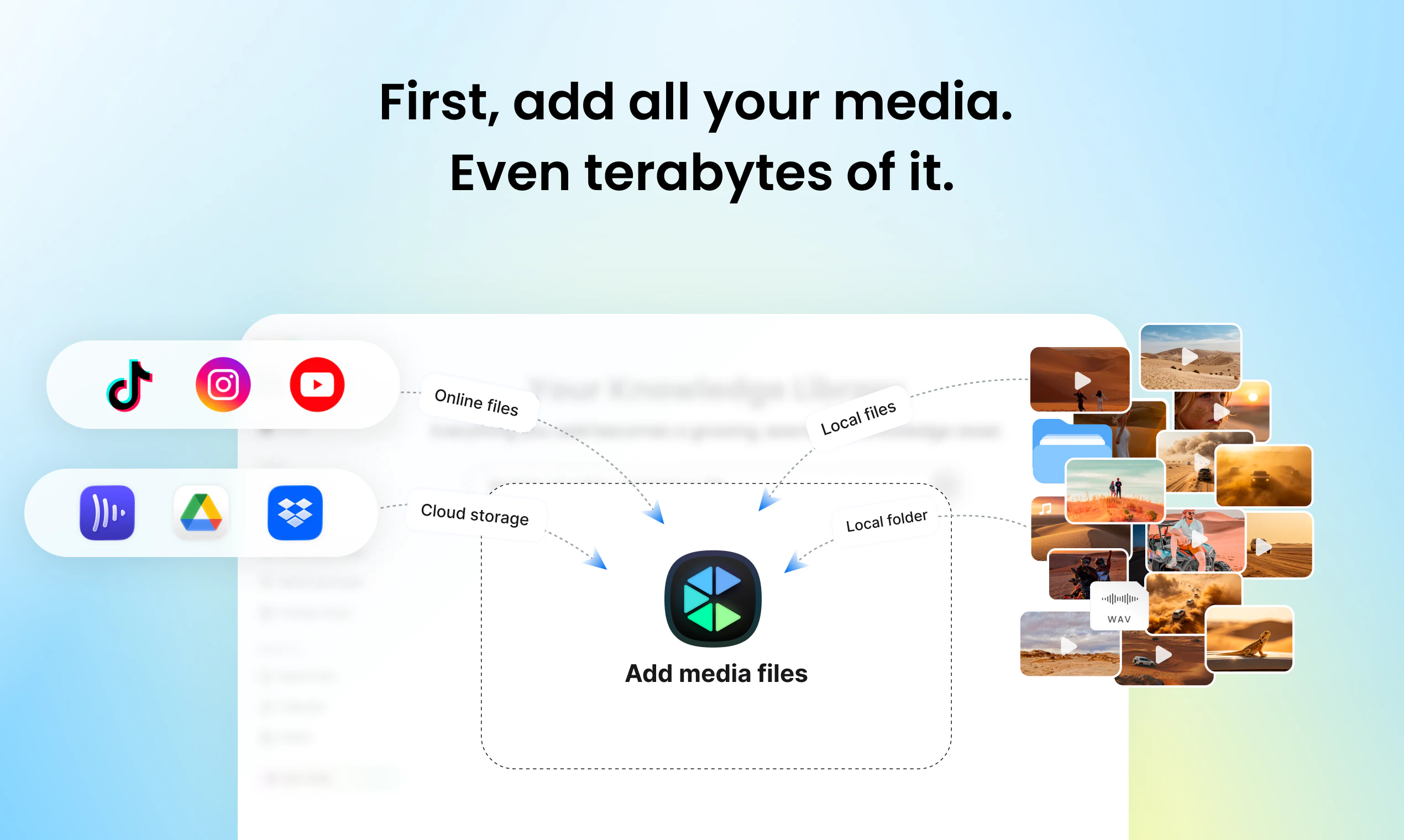
查看原始信息
Open Source Alternative Finder
A daily-updated comparison site covering 60+ proprietary SaaS tools and their free, self-hosted open-source alternatives. Every page includes pricing tables, self-hosting difficulty ratings, step-by-step migration guides, and an AI verdict. Built and run by John Ogoina, a solo developer based in Nigeria.
Hey PH 👋 I'm John, the solo developer behind OSALFinder — built and run from Nigeria. The idea came from a simple frustration: teams were paying $8,000+/year for tools like Slack, Notion, Figma, and Jira — and equally good self-hosted alternatives existed for the cost of a $6/month VPS. But there was nowhere that compared them honestly, with real pricing tables, self-hosting difficulty ratings, and step-by-step migration guides. So I built it. The entire site runs on a $0/month pipeline — GitHub Actions scrapes live data daily, Groq AI generates the comparison content, and GitHub Pages hosts it all for free. 57 comparisons across 8 categories, rebuilt every 24 hours. A few things I'm especially proud of: — The "Stay with the paid tool if..." section on every page (we're honest when the OSS alternative isn't good enough) — Self-hosting difficulty ratings (1–5 scale with time estimates) — The Savings Calculator that shows your team's exact annual saving Happy to answer any questions about the pipeline, the niche, or building solo with AI tools.
0
回复

Thanks to everyone who voted today. I genuinely didn't expect makers to show up this early.

@alexcloudstar @david_firouzbakht @praneethnarisetty — curious what drew you to the tool. Any categories where you'd want to see deeper migration guides? Still expanding coverage and maker input tends to be sharper than general feedback.

I'm open to any honest thoughts on the positioning too. It's always better to hear it straight.

0
回复