Product Hunt 每日热榜 2026-06-01

PH热榜 | 2026-06-01

#1
Mina Meeting Assistant
Your AI Teammate now responds and executes during your calls
420
一句话介绍:Mina是一款能主动参与会议、实时回应、执行任务并更新工具的AI会议助理,解决传统会议工具只记录不行动、会后跟进忙乱的痛点。
Productivity Artificial Intelligence No-Code
AI会议助理 实时参与 工作流自动化 CRM集成 智能技能定制 主动/被动模式 会议行动项 音视频会议 生产力工具 销售辅助
用户评论摘要:用户核心关切:Mina如何避免会议中误发言(支持主动/被动模式切换及改名)?是否支持选择性集成工具(可配置技能和评价体系)?数据隐私如何保障(鼓励本地存储)?对“从多个工具拉取上下文”的真实可靠性表示质疑,团队回应称可通过预设技能和评价测试缓释。整体反馈积极,认为其比传统转录工具更主动。
AI 锐评

Mina的野心不止于做一个“更聪明的会议记录员”,它试图成为会议的“第二大脑”和“执行手脚”。其核心价值在于将会议从信息收集场转变为决策与行动驱动站。传统的会议助手解决的是“说过什么”,而Mina试图解决“然后呢?”——它抓取上下文、自动生成提案、更新CRM、分配任务,这些动作发生在会议进行中,而非事后补记,这极大压缩了“会议”与“工作”之间的延迟。

从评论看,用户对“主动参与”有着明确的担忧和期待:何时插话、如何确认隐私、如何处理复杂工具链中的上下文混乱。团队通过“主动/被动模式”、自定义名称、以及强调将记忆存在用户端而非服务器的方式,试图解决前两个问题。但在“多工具实时拉取信息”这个最诱人也最易翻车的点上,团队的回答略显理想化(依赖于用户创建“精细的评估集”)。这意味着Mina的效果高度依赖用户的配置能力和组织内部的信息治理水平,其价值并非开箱即得。

Mina真正犀利的地方在于其“技能引擎”和双代理架构(会议内+工作流),这让它从一个工具进化成了可编程的平台。如果用户能围绕特定角色(如面试官、销售)构建出高质量的“技能”,Mina将爆发出远超同类产品的生产力。但反之,如果用户只是为了“不记录”而用,那它可能只是另一个增加认知负担的“玩具”。

一句话评价:Mina的愿景是颠覆性的,但其成功不取决于AI本身的聪明程度,而取决于它能否让每个用户轻松地成为自己会议流程的“编程者”。当前版本更像一个潜力巨大的框架,而非即用型神器。

查看原始信息
Mina Meeting Assistant
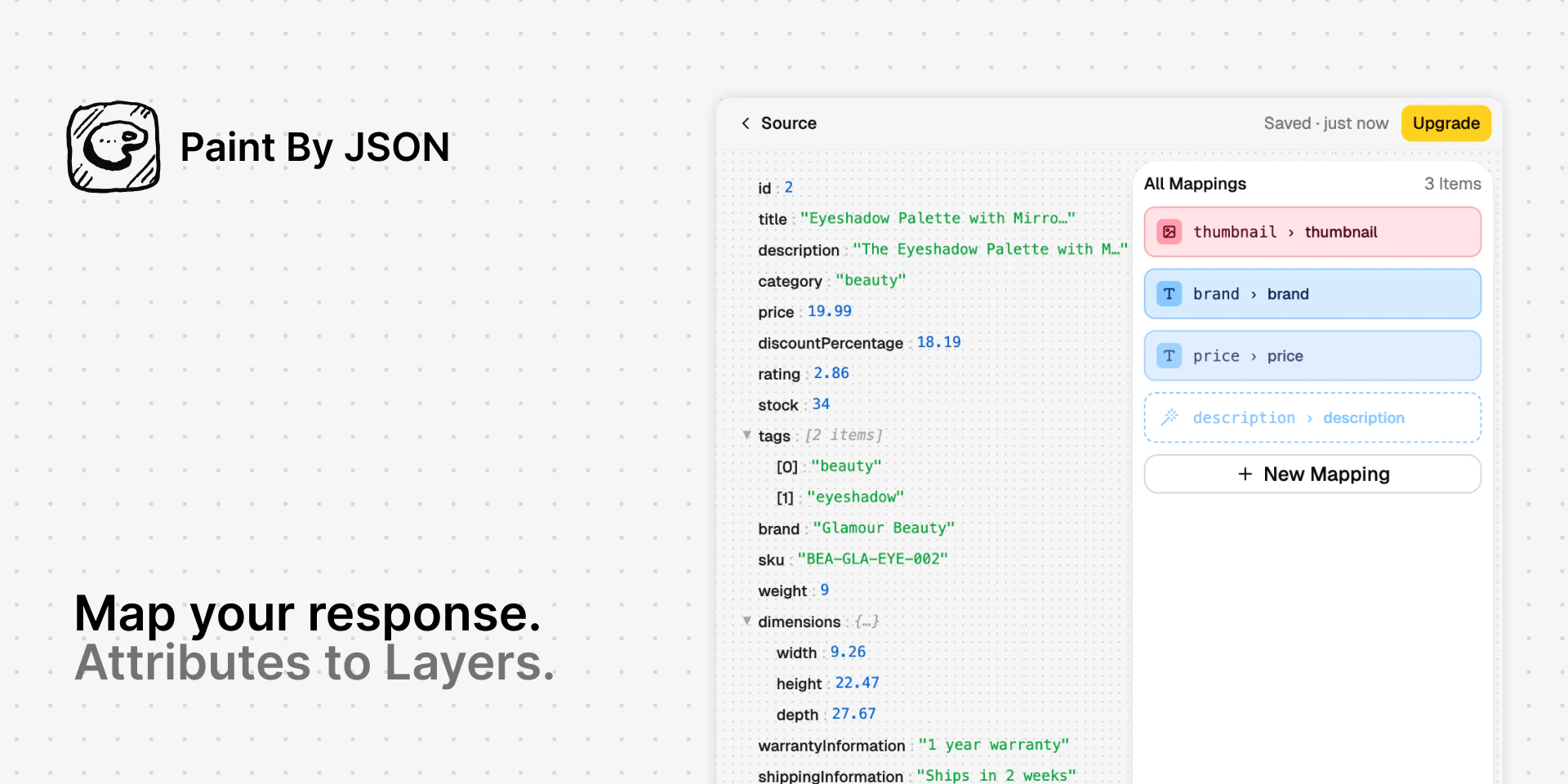
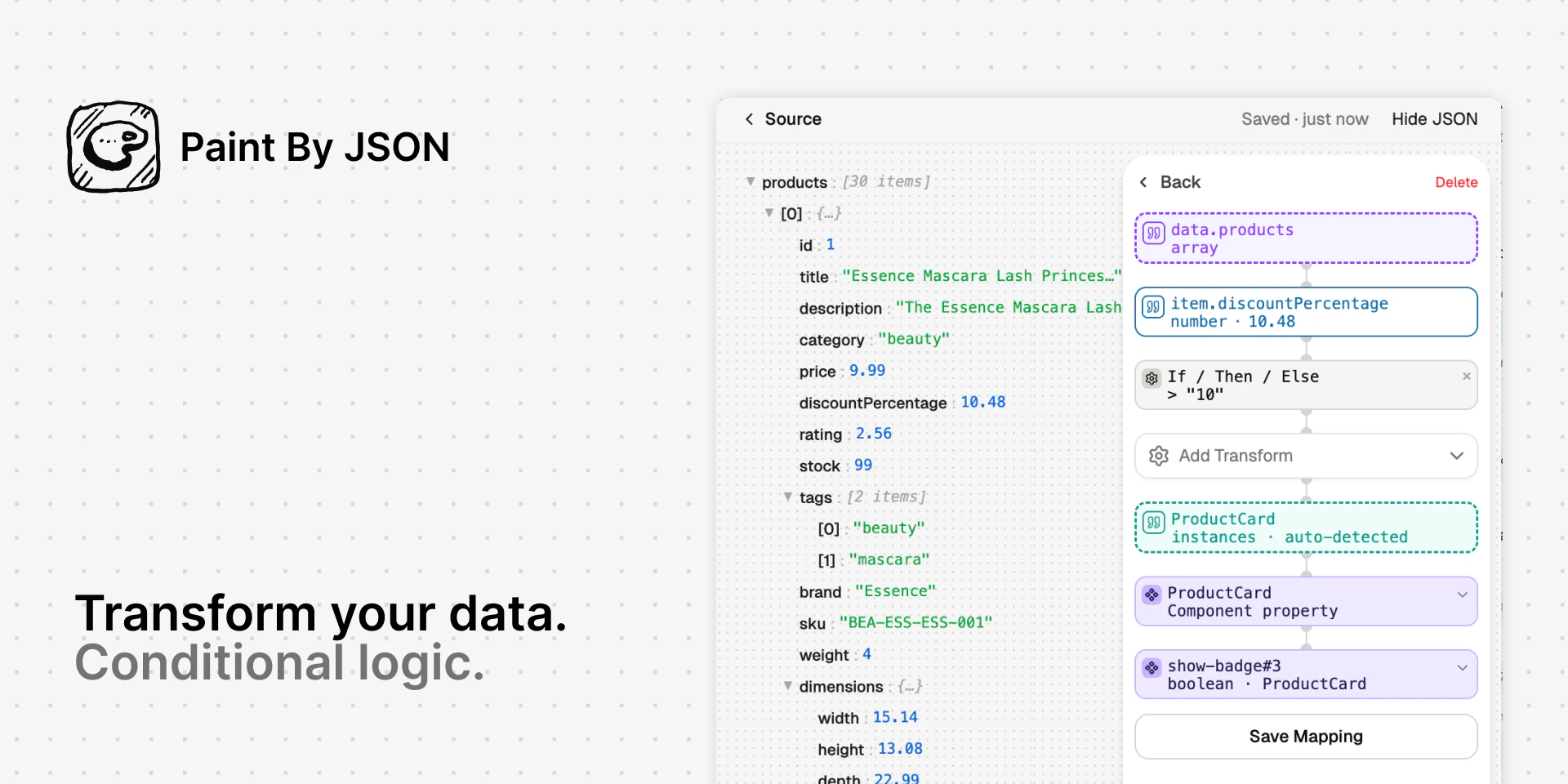
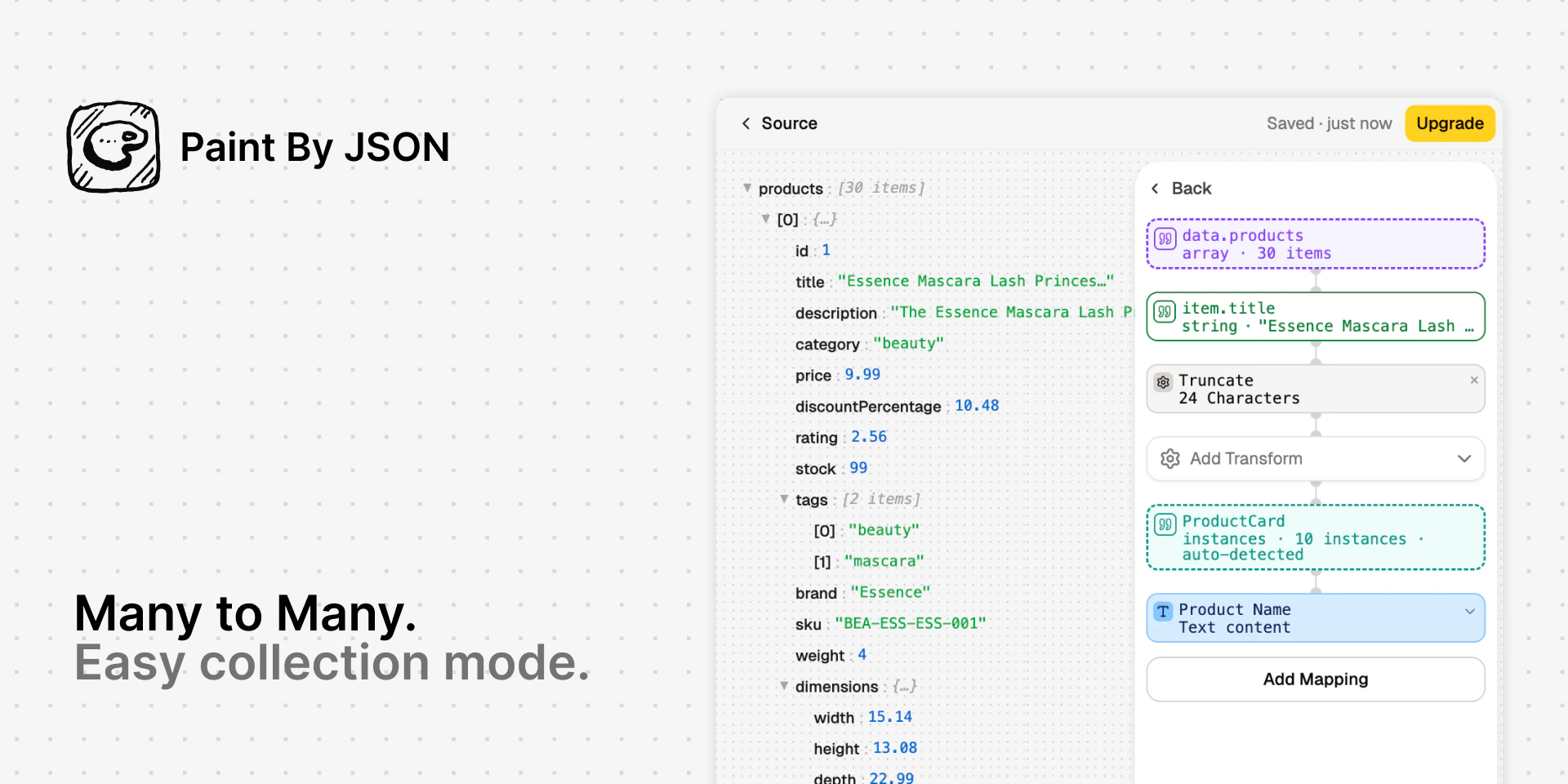
Mina is an AI meeting assistant that actively participates in meetings, responds in real time, pulls context from your tools, and helps move work forward while the conversation is still happening. Unlike traditional meeting tools, Mina can speak during calls, use skills, generate outputs, and support sales calls, interviews, standups, customer conversations, and team workflows before, during, and after meetings.

Hey Product Hunt 👋

I am Sridhar, co-founder of Mina AI. 

I’m excited to introduce Mina, an AI Meeting Assistant designed to actively participate in meetings instead of just recording them. 

Most meetings today still end the same way: Forgotten decisions, scattered follow-ups, missing context, and hours of manual work afterward. Existing meeting tools mostly act as passive note takers. They transcribe conversations, generate summaries, and stop there.

We wanted to build something fundamentally different. Mina acts like an actual AI teammate inside your meetings.

It can:

  • respond during meetings in real time

  • pull live context from your connected tools

  • capture decisions automatically

  • generate summaries, proposals, and follow-ups live

  • assign action items

  • update CRMs, tickets, and workflows

  • retain memory across meetings and conversations

What makes Mina different is flexibility.

Instead of being a single-purpose assistant, Mina can be configured into different workflow-specific teammates:

  • a proactive moderator

  • a quiet assistant

  • a Scrum facilitator

  • a customer-facing copilot

  • or a completely custom workflow assistant

Mina integrates with 200+ tools including Slack, HubSpot, Salesforce, Jira, Notion, Google Meet, Zoom, Microsoft Teams, Linear, GitHub, and more. 

Some common use cases:

  • sales calls & demos

  • standups & sprint reviews

  • customer success reviews

  • hiring interviews

  • brainstorming sessions

  • leadership syncs

  • project discussions

  • training & onboarding sessions

The biggest shift we noticed internally: Meetings stop becoming documentation exercises and start becoming places where actual work gets done.

We’ve been testing Mina with founders, operators, and teams for months, and today we’re excited to open it up to the broader Product Hunt community.

Product Hunt users also get additional free credits today to explore Mina. 

Claim your additional free credits here: https://getmina.ai/ 

If there’s a workflow, meeting type, or custom assistant you’d like to build with Mina, drop it in the comments. I’d genuinely love to help you set it up and hear your feedback.

Would love your support, feature requests, and ideas ❤️

- Sridhar

49
回复

@sridharmuppidi congrats on the launch Sridhar. Are responses user invoked or auto? How do you handle selective integration into tools (items 1-4, 8 and not 5,6,7 etc)

7
回复

@sridharmuppidi Congrats to the launch! Mina sounds exactly like what I've been looking for. Having used Notion meeting transcriptions and other similar tools in the past, they transcribe, create summaries and that's about it.
So my questions would be
1) when you write Mina integrates with meeting tools x,y,z, does Mina "join" a Teams or Zoom call as a "participant" a retain the ability to perform tasks in the background or would it be through active commands during the meeting?
2) if one has confidential meetings and wants to use Mina, how securely is the data stored?

9
回复

@sridharmuppidi Congrats on launching Mina, Sridhar! The shift from passive note-taker to active AI teammate is exactly what meetings have been missing. I can already see the use cases running, sales calls, hiring interviews, sprint reviews.

Quick question: are you planning content around specific workflow templates? Because that's where I think Mina's education gap is, people need to see it configured before they believe it. Happy to help with that.

0
回复

What does "Skills" mean here in practice: user-defined templates, or pre-built integrations?

9
回复

@fabriziowexare Great question.

Integrations give Mina access to different systems. Skills are reusable capabilities that Mina and its specialized meetings and workflows agents can use.

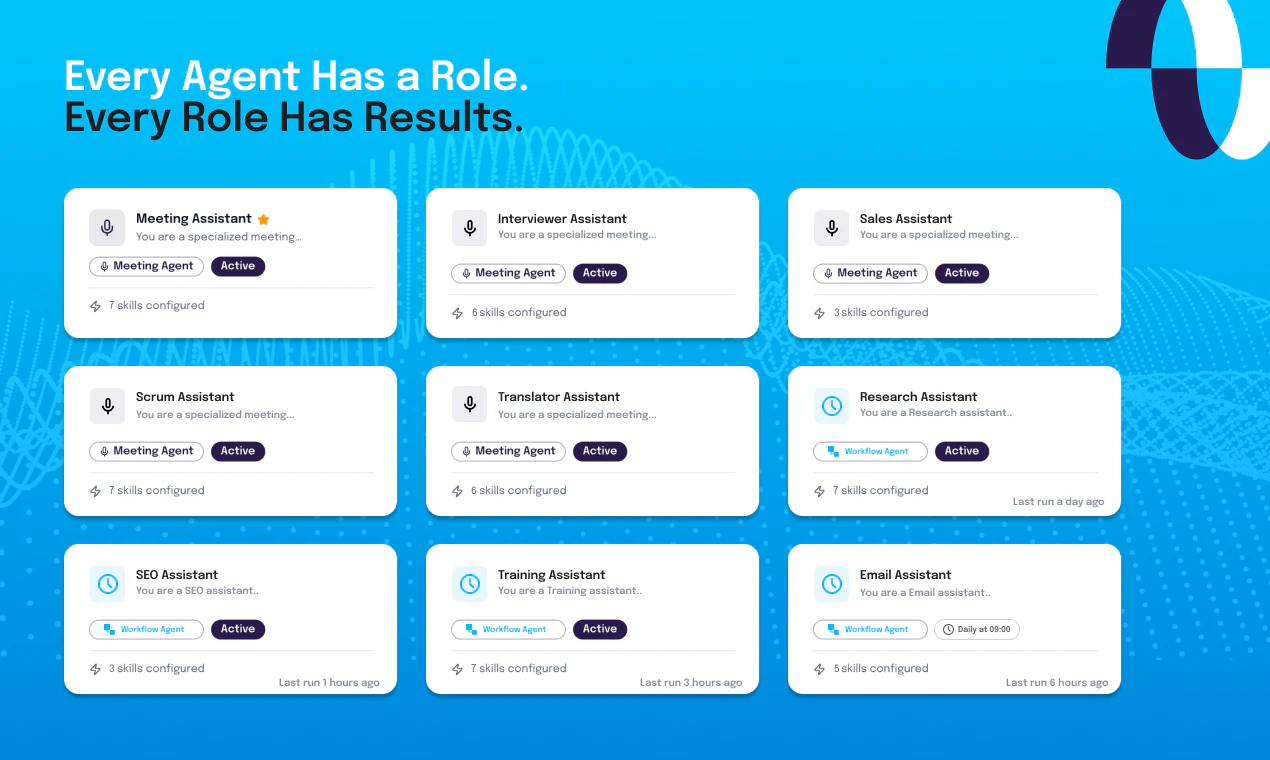
For example, an Interviewer Assistant(agent) might use skills like Resume Analyzer or Rubric Tracker. A Sales Assistant might use skills like Case Study Finder or Proposal Builder.

Mina comes with a small library of pre-built skills, but the bigger idea is that users can create their own. If your team has a specific process, playbook, or workflow, you can turn it into a skill and make it available to Mina, your assistants, or the rest of your organization.

So integrations provide access to tools, skills define how work gets done, and users can extend Mina by creating their own skills without writing code. Please try it out, and would love your feedback.

15
回复

How do you keep Mina from interrupting people or talking at the wrong time, is there a push to talk or strict turn taking?

7
回复

@thamibenjelloun We have proactive and reactive modes. Depending upon what kind of assistant you want to use, usually the default meeting assistant is a reactive one. It only talks or jumps in when you say "Hey Mina" or when you explicitly ask it something. A proactive one would be the one which can take charge, your scrum master or your interviewer and others. You also have the ability to set how proactive or reactive your system can be by editing the system prompt. We have two prompts: The primary prompt(role) and The system prompt(behavior) - you can edit both of them.

7
回复

Since Mina creates action items live, how do teams stop tentative ideas in a call from becoming assigned work too early?
Does Mina have it own Tasks tracker or can add them to notion?

6
回复

@bengeekly Great question. There are multiple ways to interact with Mina:

  1. Inside a meeting, while you are in a live call, you can interact and ask her to summarize action items and so on. You can then say, "Go ahead and log these." You can actually prompt it to enter things after you approve those action items.

  2. The other way is post-call. There could be a skill that has access to the whole transcript. A good reasoning skill can deduce what tentative items are versus what are actual items that need to be assigned to people, and then they can be logged into your Linear, Jira, or other tools. We also have a default skill set for the scrum master and interviewer that you can try; everything is stored in a simple Excel sheet. You can go ahead and tailor those skills to suit your kind of assistant.

4
回复

Congrats on the launch.

Does it collect information from previous meetings about any particular topic and remind the team if we are going off course?

4
回复

@m_d_p Assuming you have a memory management skill setup so that, pre-meeting, it loads the previous meeting's context, and post-meeting, it saves it back. This is designed so that it saves it to your Google Drive or whatever tool you want it to save. We would never save it on our servers. You need to give enough context to the skill creator when you are creating a new skill along with information on who would be the assistant, who would use it. If you look at one of my comments below about a homework helper assistant, where the context is different, there you want to keep some basic information about the student and what they know and what they're good at. Usually, for memory management, we recommend you save data in three levels:

  1. Universal biographical information along with some key facts.

  2. A rolling summary of all the conversations so far.

  3. A condensed version of a couple of recent sessions.

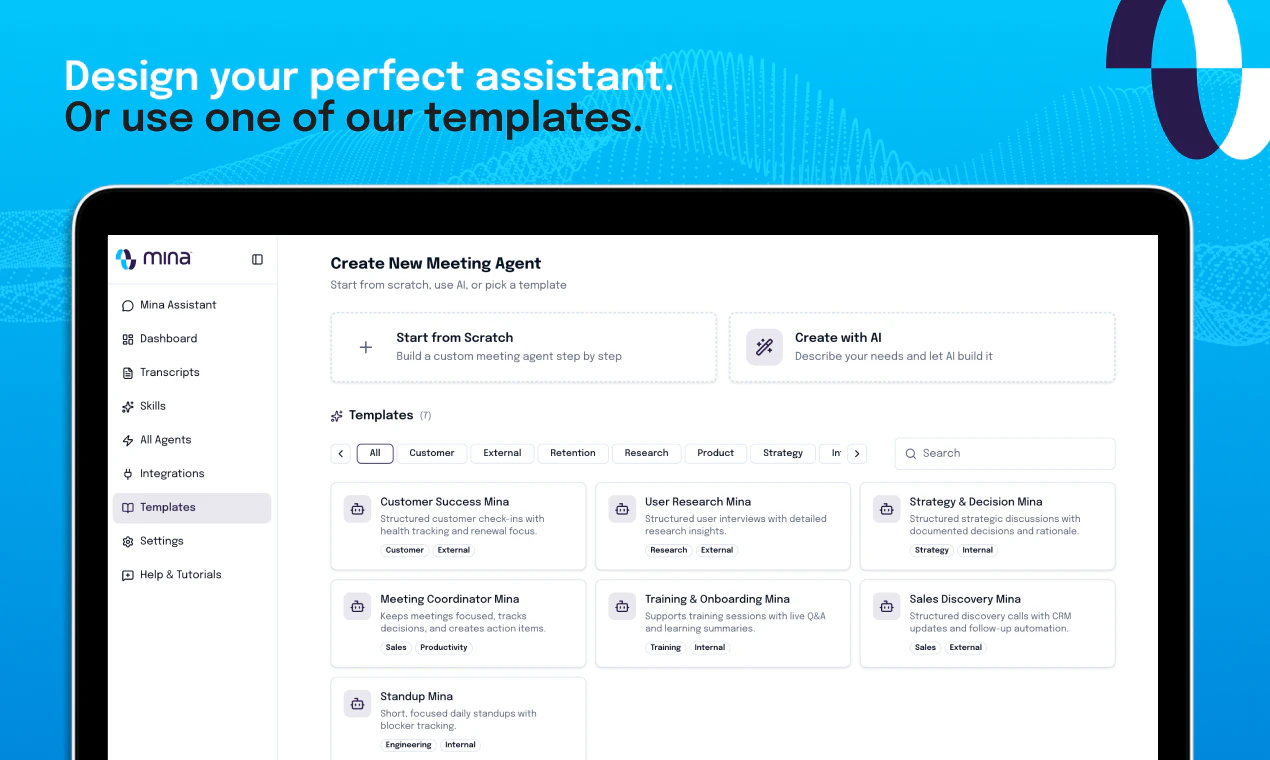
If you have sophisticated enough memory management skill as described above then you need to set up your agent, either proactive or reactive, to be able to leverage the information the skill provides to it as part of the prompt. Right now, there are enough templates in the system. You can just use them or duplicate them or edit them for what you need.

2
回复

very interesting.. I was thinking how does one invoke her? By saying, "Hey Mina, can you please..." and so on? What if there is real human named Mina also on call? Is it possible to change her default 'name'? or change the way we address this AI?

3
回复

@ashishkingdom Yes - we handle this exception by checking the context to whom the question might be, but that said, you can definitely change the name to whatever you want. It's a nickname, and it's super easy to configure. How you invoke it depends on the kind of assistant you have in your meeting. If it is a reactive assistant, yes, you need to invoke it by calling its name, "Hey Mina", "Hey Veda". If it is a proactive one, it's always listening in. Based on the context, it either invokes the tools (assuming it's configured that way) or even participates in or drives the conversation.

3
回复

he 'pulls context from your tools' piece is where these products usually have the biggest gap between demo and reality. pulling context from a CRM or a Notion doc in a controlled demo looks seamless. in a real meeting where the context is spread across five tools with inconsistent naming and outdated records it usually surfaces the wrong thing at the wrong moment. what does the failure mode actually look like when the context retrieval gets it wrong mid-conversation

3
回复

@ansari_adin Good question. There are multiple ways we've solved this. You can pull the context pre-meeting using a skill ( this would be similar to a memory skill). Now this skill can go to multiple tools/integrations to fetch the information, make sense of it, and organize it in a format that your meeting orchestrator can easily understand. The same thing can be done during the meetings too - though we would recommend using a single tool call to ensure a timely response. For multi-tool workflows, please create a detailed set of evals to test different possibilities. Skill creator gives you flexibility, allowing you to generate them dynamically. 

2
回复
This is impressive just tried for one of my meetings and it went well. One interesting thing to be noted is when asked for a summary it quoted the discussion points in a well structured manner. Kudos to the team. I would really love to see how the Scrum agent work tomorrow for my scrum meetings.
2
回复

@veera_satya_bhaskar_koppisetty Thank you! The current Scrum master's skills are designed to just go to a generic Excel sheet, but you can ask your skill creator to create a brand new skill to go to, say, whatever your program management tool you use Jira, Linear, or anything else.

0
回复

Well, this is quite interesting. Imagine that someday instead of just having Mina as a meeting assistant, you give Mina a personality and face which is AI generated and she actually becomes a character on the meeting. It's not a must-have feature, but definitely a nice-to-have feature from the user experience perspective. :D

2
回复

@himani_sah1 Great suggestions! At the moment, Mina does have a personality as long as you set it up that way. It can have a neutral tone or a more friendly, professional tone - it's totally up to you how you want Mina to behave.

1
回复

How is Mina different from a product that released a few days back called @Shadow or @Littlebird?

1
回复

@soni_karan Both are pretty awesome products, though they play in different spaces altogether from us. The 3-4 key differences are:

  1. Mina actually attends the meeting. Its not hidden from other users in the meeting. That way, from a privacy standpoint, it's a lot more open.

  2. You don't have to download or install any software on your computer. You just connect your calendeer, and it joins your meetings.

  3. Mina responds to you using voice, so you can ask it questions like "Present the case study about our healthcare product," and it can just do screenshare while you are in a meeting. Or you can ask specific questions like "What is our price for a 50-seat account?" and it can respond with information during the call for everyone else to hear.

  4. Biggest thing is the flexibility. You can literally create any kind of integration, any kind of workflow. It has two kinds of agents:

    • Meeting agents, which exist within the meeting

    • Workflow agents, which are outside the meeting and can do any task you see fit

    Both of them are supported by a sophisticated skills engine.

0
回复

Congrats on the launch 🚀

The “AI assistant that actually participates in meetings” direction is really interesting, especially because realtime conversational systems seem to hit a completely different class of production/reliability problems compared to normal chat apps.

1
回复

@muzammil_inamdar I'm very excited about this topic. More and more users of software, especially enterprise software, are going to be agents, not humans. What used to be traditionally human, updating a lead, human fetching the information, human creating proposals, are all going to be outsourced to agents. Agents like Mina are the ones who are going to be doing all of that. Right now, Mina can be set up to be able to:

  • Research lead

  • present case studies

  • do price manipulation on proposals and email

  • update your CRMs, so on

It can do literally anything you can imagine a human can do in terms of interaction with software. Here is an article I recently wrote about this hypothesis. While I don't think it's a new way of thinking, it's definitely very exciting - https://thefoundermedia.com/every-category-of-enterprise-software-is-up-for-rebuilding/

1
回复

I love using Mina. It is helps me organise my daily work schedule. Keep me abreast of my task for the day. Sets-up tasks after every call and marks everybody on the call with clear call to action and tasks post the call.

1
回复

@machaiah_kalengada Thanks Mach!

0
回复
Just tried Mina today and had a great first impression. The meeting summaries are clear and well-structured, making it easier to keep track of discussions and action items. Looking forward to using it more in my workflow.
1
回复

@gayatri_thaman Thank you!

0
回复
@sridharmuppidi What is the most unique assistant you have built so far?
0
回复
@sridharmuppidi That sounds really interesting. Would you mind sharing the prompt? I'd love to try it myself.
0
回复

Mina在会议中能被其他参会人感知吗?

1
回复

@mia_qiao 是的,可以感知到。Mina 知道所有的参会人,也能读取你的演示文稿(PPT)。你可以直接问它:“这份演示文稿讲了什么?”或者让它帮你解释内容。你也可以问它某位参会人说了什么,或者让它总结大家的待办事项(Action Items)。如果开启了主动模式,Mina 甚至可以帮你主持会议。

3
回复
Curious—do you see Mina eventually becoming an active participant that can ask clarifying questions when requirements are unclear?
0
回复

@hemanth_kumar63 It does that right now. It depends upon what kind of assistant you have taken along and what their personality is. But yeah, it can be set up to be proactive. So think of this way: a Mina, who is a lawyer's assistant. It can ensure that certain compliance matters are proactively addressed in the meeting. Or maybe, if it is a sales assistant, and assuming you are talking to a client and potentially collecting requirements, it is trying to make sense of them. It is potentially drafting sort of like a spec in front of you, while asking questions you may have missed - this can be done by configuring your assistant and its relevant skills quite easily.

0
回复

@hemanth_kumar63 Hi Hemanth, Mina can do this right now! For example, if you create a proactive Mina agent, it will ask questions to get all the information necessary. If your Mina agent is reactive, meaning it moreso responds when addressed, it'll prompt for clarity if needed. So it really depends what the agent you create is intended for if that makes sense!

0
回复

@sridharmuppidi congrats on a highly successful launch! two thoughts - a question and a point of feedback:

  1. How do you avoid Mina piping up when you don't want her to?

  2. I'm sure you guys have been heads down and way more focused on the product than the branding/marketing, which totally makes sense, I'm a big PLG guy myself. With that said - and I mean this with the utmost respect... your product is good enough that it deserves a vastly better logo/website/explainer video (especially)/branding more broadly.

Regarding my second point, maybe it makes sense to work on the product and then launch new branding with v2, but, I'm just left with the feeling that the copy/imagery/branding/visuals/video at the top of the site don't suitably convey the excitement/capabilities. I think this is one of the few products I've seen recently where a more narrative - cinematic, even - approach is warranted. Something very luxe and engaging.

Just food for thought - I think some tweaks to positioning and GTM approach could make a huge difference... but then again, you've dominated PH on a Monday - no small feat - so, what do I know? :p - congrats again.

0
回复

@sridharmuppidi  @grey_seymour Hi Grey! Thanks for you kind words! To answer your first question, it depends on whether your Mina is set up to be proactive or reactive. If it's reactive, it'll remain quiet and won't pipe up unless you specifically direct a question or instructions to it. Something like, "Hey Mina, can you check..." or "Please set a reminder for X task," etc. If it's proactive, it is looking for tasks to do without you specifically prompting it, but in that case it depends on what those tasks are if that makes sense. Also, thanks for your feedback regarding the branding and marketing! Really appreciate the input and it's extremely helpful to know what others think :)

0
回复

@grey_seymour Thank you. We will definitely look into the branding. appreciate the feedback.

0
回复

the shift from "records meetings" to "participates in meetings" is where this gets interesting. most AI note-takers are still just fancy transcription. the real test is whether Mina can handle the messy context switches that happen in actual calls, not the clean demo scenarios. curious how it handles situations where the right move is to say nothing.

0
回复

@ozandag We've been using Mina in all our meetings, as well as with a small circle of beta testers, for the past couple of months, and it performs exceptionally well, moving seamlessly from one aspect of the conversation to another. Our orchestration layer has enough intelligence to know when it needs to perform deep reasoning on the entire conversation transcript rather than processing the response based on a rolling summary.

0
回复

Can Mina reference past decisions?

0
回复

@bhaskararao_karri Absolutely. Mina builds a persistent memory of discussions, decisions, and meeting context, helping teams avoid repeating conversations and making future meetings more informed.

0
回复

Here's the honest problem with every AI meeting tool right now: they're all built to help you remember meetings, not improve them.

You still run the meeting. You still chase follow-ups. You still update your CRM, write the recap, create the tasks. The tool just watches and reports.

@Mina Meeting Assistant Mina 1.0 changes the job description entirely.

With 40+ active skills, Mina doesn't wait to be debriefed, it works alongside you. It speaks when needed, acts on decisions in real time, syncs across your tools, and makes sure every commitment made in a meeting becomes a thing that actually happens.

The goal with Mina 1.0 is simple: zero unproductive meetings.
Every session has an outcome. Every outcome has an owner. Every owner gets a nudge.

If that sounds like the AI teammate you've been waiting for. Give it a try and let us know what breaks (and what delights).

0
回复

My first thought was that people may misuse it, like getting help for passing an interview without real experience. On which side Mina will be in this case?

0
回复

@nikitaeverywhere So, because it's an active participant in a meeting, unlike a shadow apps that listens in to the conversation and gives you feedback in the background, the chances of it being used to cheat are almost non-existent. We have been using it for interviews for a few weeks, but the best way to use it is not completely leaving Mina alone with a potential hire, but actually having somebody else in the room, a human. Let Mina be the specialist interviewer, while the human is also listening in to see how the person answers and reacts to those questions.

0
回复
Congrats on launch 🚀
0
回复

@narendra_solanki Thank you!

0
回复

Liked the joins-your-calls-and-executes angle — gave it a quick test with Lastest, run here: https://app.lastest.cloud/r/mtav...

0
回复

@viktor_fasi That looks nice. We'll check it out. Thanks for the support.

0
回复

Honestly came in skeptical about the whole "AI in meetings" thing — expected another gimmick. Then I tried it in an

interview, had it compile structured notes from the candidate's responses, and it was way more accurate than me

trying to type and listen at the same time. Now I run it on every interview and client call. Wouldn't go back.

0
回复

@zhaoliang_zhang Thanks, Alex. That means a lot.

0
回复

Nice. Is there a memory or bank to be able to track what Mina knows?

0
回复

@joseph_adeola You can set one up based on your needs - there is default memory management skill. Pre-meeting, it loads the memory. Post-meeting, it transcribes the meeting into short summaries and adds it into the memory, but you can actually customize the memory management based on the type of assistant you are creating. And all of it gets stored in your Google Drive.

1
回复

Really interesting take on AI meeting assistants. I like that Mina goes beyond note-taking and actually helps drive the conversation with role-based support. How does Mina learn and adapt to a team's workflow over time without requiring a lot of manual setup?

0
回复

@shahriardgm Great question. At this point, yes, it does need to be properly set up - our experience has been that it doesn't take more than 10-15 minutes to get it to work for your needs. Eventually, we would open up Mina to other assistants, such as openclaw or Hermes - that way they can orchestrate the meeting assistant on demand. Mina 2.0 will also introduce our own multi-purpose agent(Chief of Staff), along with workspaces.

0
回复

Really cool. Congratulations @sridharmuppidi

Is it possible to add a tool during the meeting or we have to relaunch Mina if we have to ask her to connect to a new tool?

0
回复

@bahubali_shete2 Unfortunately, you do need to re-launch as most of the tool integrations or skills need to be set up before the meeting. We expect some of this to change with Mina 2.0.

0
回复

Liked the product.. Was looking for something more than a note-taker.

0
回复
1
回复

Curious how Mina handles context switching mid call like if the conversation shifts topics suddenly does it follow along or does it need manual prompting to catch up?

0
回复

@munis_abbas To keep the token count low, we periodically compact the context. That said, there is enough intelligence in the orchestration layer to determine whether the question needs a full transcript of the conversation so far or just a condensed or summarized version, and it adapts seamlessly to changes.

0
回复
#2
SocialEcho 2.0
AI social media copilot for teams and agents
347
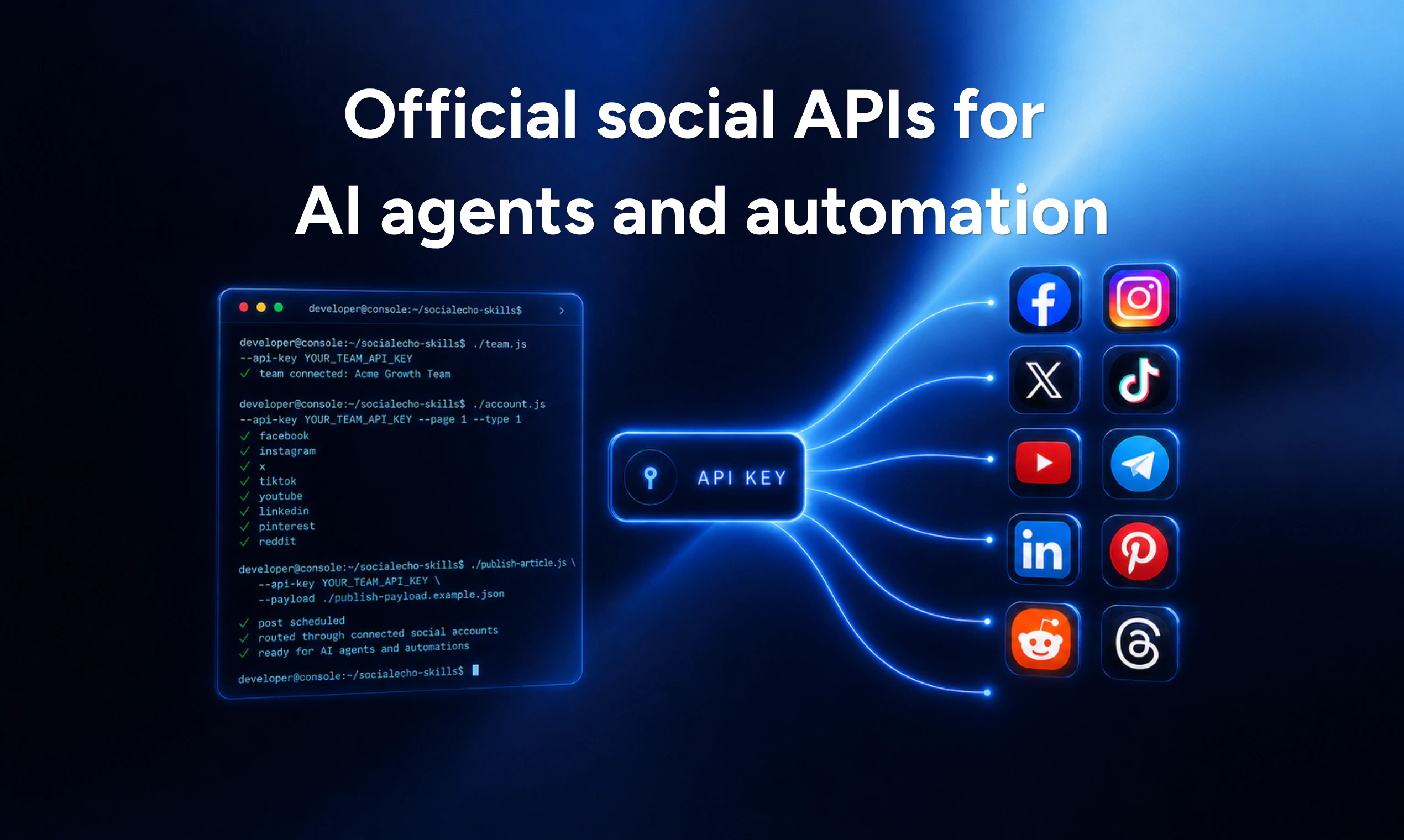
一句话介绍:SocialEcho 2.0 是一个基于官方API的AI社交媒体协作平台,帮助团队和AI代理在多个品牌、账号和渠道中完成内容创作、发布、互动与数据分析,解决多平台、多账号运营下的效率与一致性痛点。
Social Media Marketing SaaS
AI社交媒体管理 多品牌运营 内容发布 官方API 代理工作流 跨平台适配 品牌一致性 社交监听 团队协作 可视化分析
用户评论摘要:用户普遍关注其与Buffer等竞品的差异、AI代理的工作流成熟度、品牌声量在多账户间的保真度、权限粒度、集成CRM/DAM等工具的能力、以及白标支持。有用户建议先从分析功能入手建立信任,再逐步开放发布权限。
AI 锐评

SocialEcho 2.0 不做又一个“定时发帖”工具,而是试图在AI代理接管社交媒体运营的趋势中,拿到“基础设施令牌”。它的核心卖点并不在于AI写文案或者跨平台发布,而在于“官方API”的正统性和安全性——这在当下几乎所有平台都在收紧爬虫策略、封杀脚本的背景下,显得格外关键。相比Buffer、Publer等工具,SocialEcho的差异化不是功能更全,而是架构更干净,尤其适合AI agent集成场景(如OpenClaw、Hermes),让代理不再是“模拟人工”,而是“原生操作”。

但冷静来看,产品目前尚有多处硬伤待解:品牌声量管理仍依赖“品牌档案+自定义prompt”这一相对静态的设定,缺乏实时监测和动态纠偏机制;评论中“趋势发现”目前只停留在关键词和公开帖跟踪层面,智能性有限;第三方工具集成并未提供原生连接器,而是依赖开发者自行通过API构建,这提高了非技术用户的门槛。此外,权限管理尚止于“按账号和工作流”级别,并未触及“内容审批链”或“AI操作预算”等企业级管控功能。

产品定位清晰,但执行仍需成熟。对于中小型Agency和AI agent开发者,这或许是当下最稳妥的社交运营基础设施选择;但对企业级或高合规场景用户来说,目前的版本更像是一个“高配启动器”,而非一个真正可交托运营的AI副驾。

查看原始信息
SocialEcho 2.0
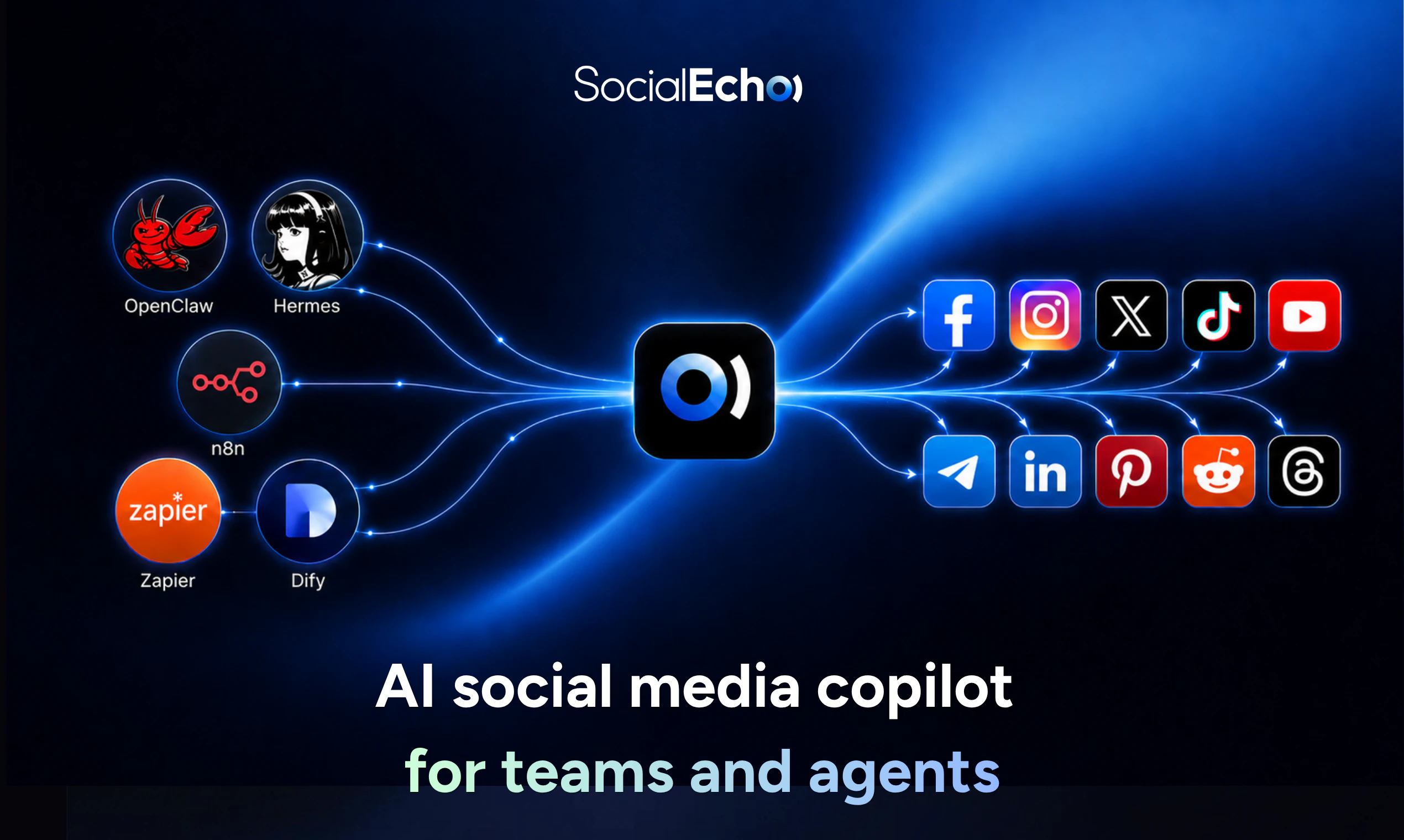
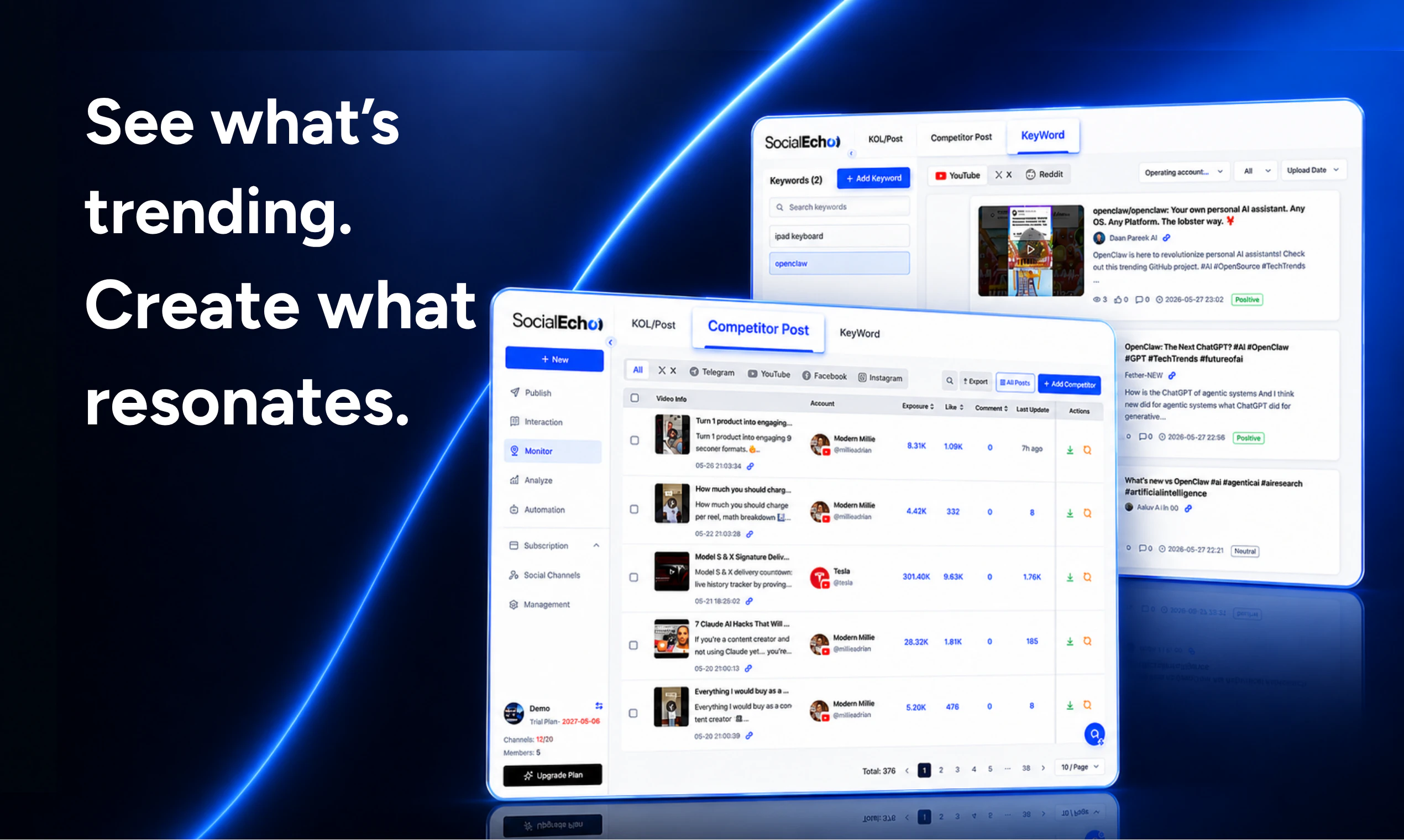
SocialEcho is an AI social media copilot for teams managing social campaigns across multiple brands, accounts, and channels. See what’s trending, create content that resonates, optimize posts for every platform, publish from one workspace, manage every conversation, and track what drives engagement. Built on official social APIs, SocialEcho gives AI agents like OpenClaw, Hermes, and custom automations a secure way to manage connected social accounts without brittle scraping or risky workarounds.

Hey Product Hunt — Samuel here, one of the makers behind SocialEcho 👋

Most social tools help you schedule posts. But the real pain we kept hearing from growth teams was bigger: keeping content, engagement, and reporting consistent across many brands, accounts, and platforms.

So we built SocialEcho — an AI social media copilot for teams running sophisticated campaigns across multiple brands, accounts, and channels.

With SocialEcho, teams can:

→ See what’s trending and create on-brand content  

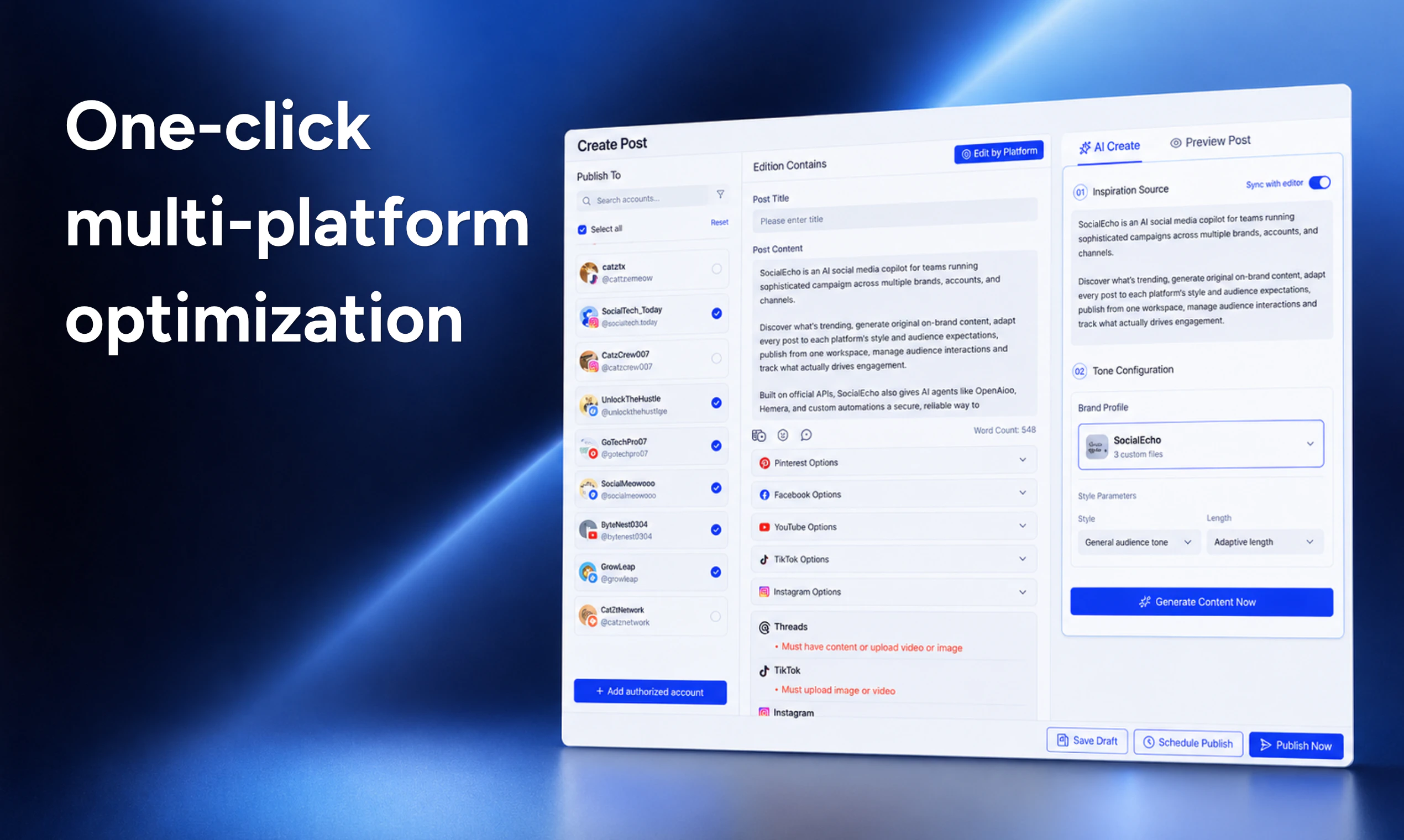
→ Adapt one post for every platform  

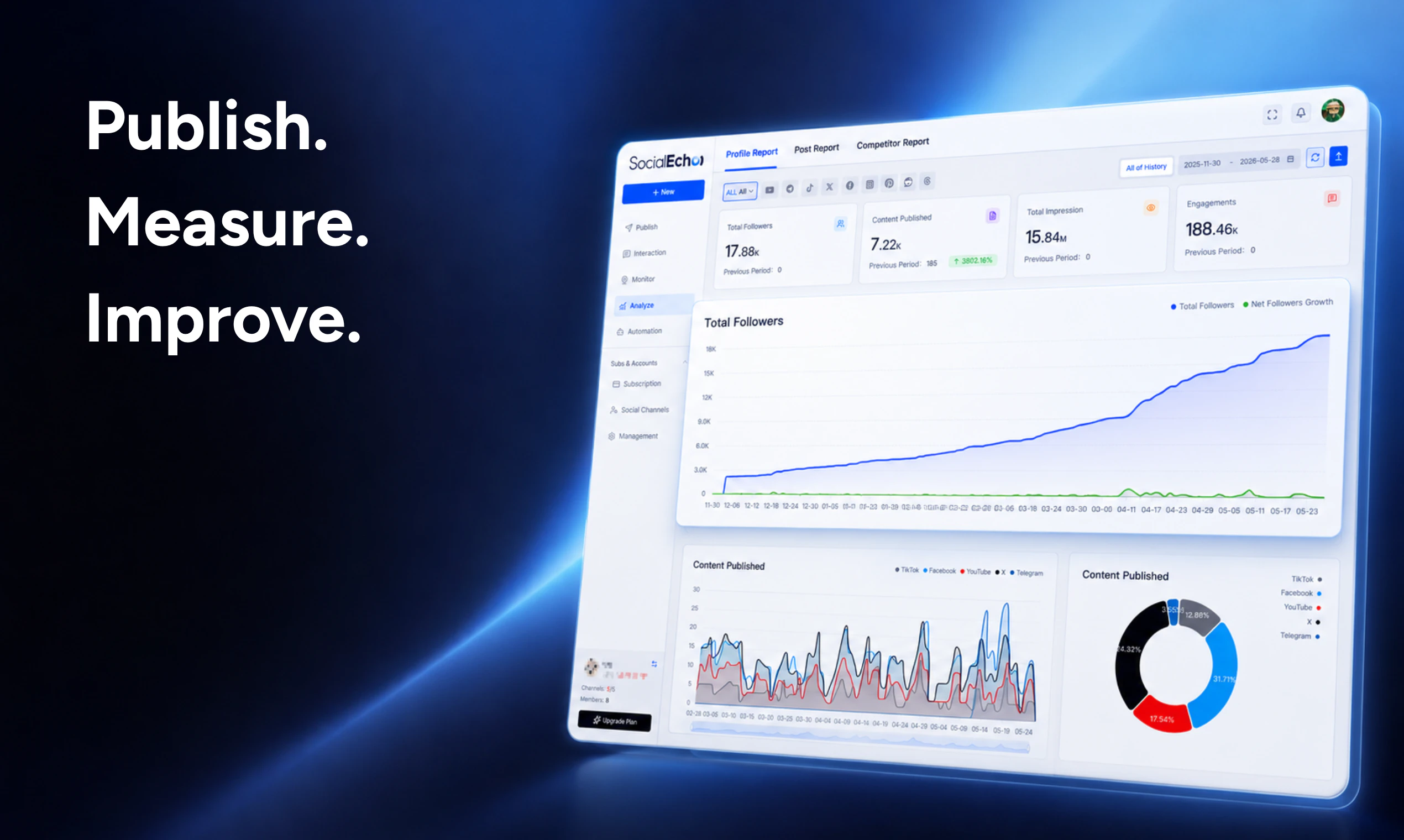
→ Publish, measure, and improve from one workspace  

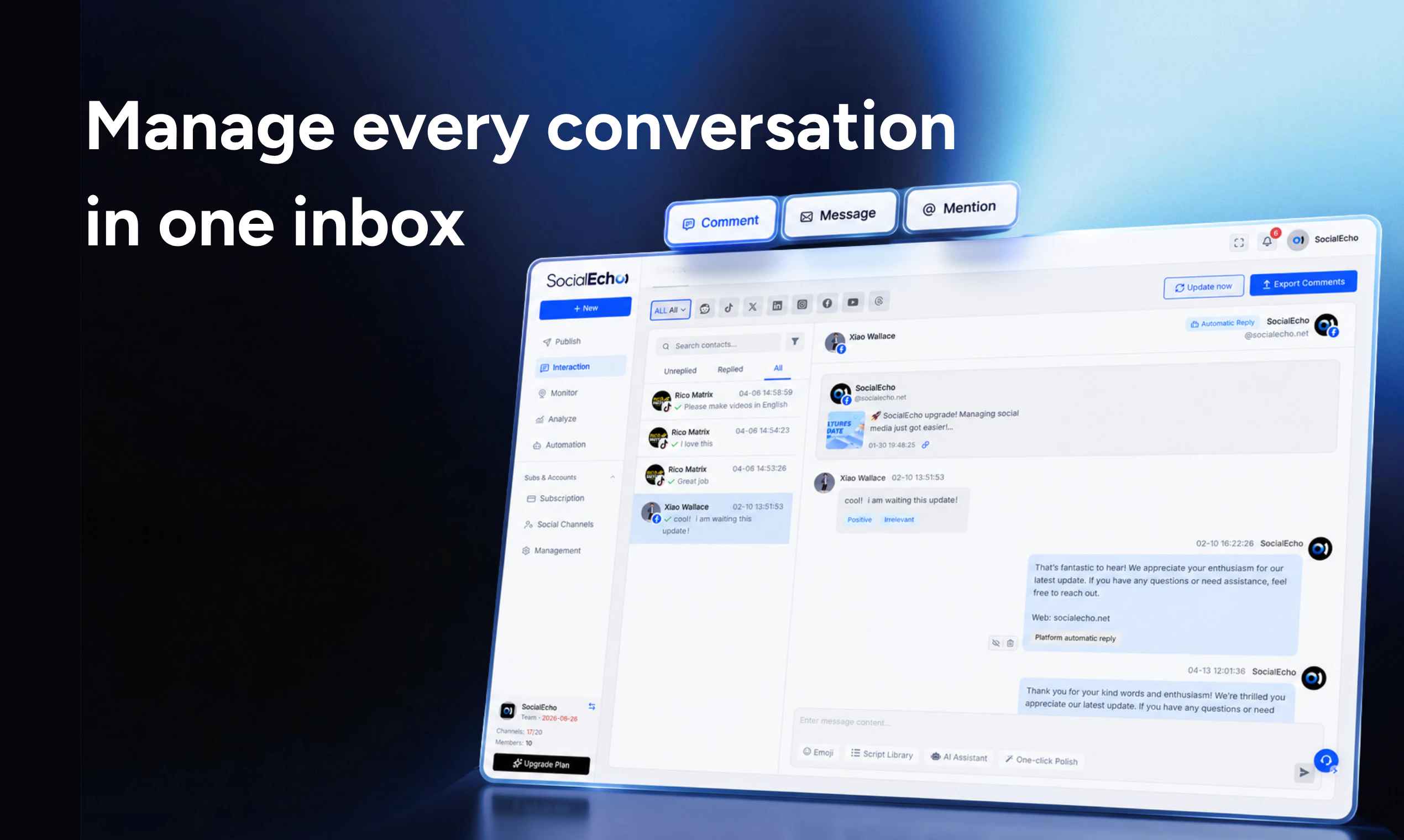
→ Manage comments, messages, and mentions in one inbox  

→ Give AI agents secure access to social workflows through official APIs

The part we care about most: SocialEcho is built on official social APIs — no browser bots, no cookie injection, and no risky workarounds.

We’re building this for growth teams, agencies, brand marketers, and AI agent builders who need social operations to be safer, more consistent, and more automated.

🎁 Product Hunt launch offer: get up to $1,888 in bonus credits during launch week.

Question for you:

  • Which part of social media ops would you trust an AI agent with first — content, publishing, engagement, or analytics?

Roasts and feature requests are welcome. We’ll be here all day.

11
回复

@eexlkuang_se congrats on the launch team. Whats the usp vs buffer, publer etc?

3
回复
@eexlkuang_se Analytics first, honestly. It's the lowest-risk entry point — AI can observe and report without making irreversible decisions. Once trust is built there, publishing feels like the natural next step. The official APIs approach is smart — that's exactly what makes handing over publishing access feel less scary. Congrats on the launch! 🎉
0
回复

@eexlkuang_se when an AI agent adapts one post across platforms, how do you handle brand voice guardrails at the account level? Do you let users define voice per brand/account with shared templates or is that next on the roadmap?

0
回复

Is this you? Copying the same content to post across socials like X, Threads, and LinkedIn manually across three tabs?

Coz yeah, that's me. Still! 🤓

Which is why@eexlkuang_se built @SocialEcho 2.0: so your AI agent can do that, plus all the boring plumbing that maintaining a social presence requires these days: publish, monitor, analyze, and route social workflows across Facebook, Instagram, X, TikTok, YouTube, LinkedIn, Reddit, and more.

SocialEcho actually adapts your content to fit the audience expectations of each platform, so you can start with the message, and SocialEcho will tune the posted format to not stand out like a slop-stained sore thumb.

SocialEcho didn’t start as just “another social scheduler.” Instead, it grew out of tens of thousands of cross-border sellers and agencies managing many brands, accounts, and languages at once. So platform-specific adaptation is at its core.

I appreciate they’re using official social APIs rather than sketchy browser-bot/cookie hacks (which are increasingly brittle thanks to the kind of Cloudflare defenses Product Hunt and others are adopting). If you’re working with agents that need to handle social media, this is critical.

5
回复

@chrismessina Chris, this means a lot. Thank you! You captured exactly why we built SocialEcho the way we did. Social media work today is no longer just “schedule once and post everywhere.” Teams need platform-specific adaptation, multi-account workflows, monitoring, analytics, and reliable API-based execution.

And yes, official APIs are a big part of our approach. We want SocialEcho to be something teams and agents can actually build workflows on top of, not a fragile shortcut that breaks the moment platforms change their rules. Really appreciate the thoughtful support!

2
回复

This is interesting. What agent workflows are live today? Can they handle publishing, analytics, inbox triage, or all three?

3
回复

@ea_z The short answer is all three, but at different depths. SocialEcho already supports AI-assisted publishing, performance analytics, and comment/DM management. We’re starting with the workflows teams repeat every day, then making them more agent-friendly step by step.

0
回复

Really interesting positioning. Most social media tools still feel like scheduling dashboards with some AI writing features added on top, but SocialEcho seems to go deeper into the actual workflow: trend discovery, on-brand content creation, platform-specific adaptation, publishing, engagement, and analytics in one place.

What stands out to me is the official API angle. As more AI agents start handling real operational tasks, reliable and secure access to social accounts will matter much more than brittle scraping or manual workarounds.

Curious how you think about brand consistency across multiple accounts and teams — especially when different platforms require very different tones. Congrats on the launch!

1
回复

@hanzhizhang0405 Really appreciate this. You’re spot on that the official API layer becomes much more important once social workflows move from “posting tools” to real operational systems. If agents or teams are touching actual brand accounts, access needs to be reliable, permissioned, and built on the right foundation.

On brand consistency, we try to separate two things: the brand voice and the platform expression. SocialEcho supports multiple brand profiles, so each brand or account can have its own tone guidelines, positioning, and custom prompts. Then when content is adapted for LinkedIn, X, Instagram, or other channels, the platform style can change, but the underlying brand voice stays anchored to that profile.

0
回复

🎉 Love the positioning. The combination of content, inbox, analytics, and APIs makes this feel much more complete.

1
回复

@1zoe_zhao101 Thank you! That’s exactly the idea. Social teams don’t just need another posting tool anymore. They need content, inbox, analytics, and APIs working together in one workflow. Really glad the positioning resonates with you 🙌

0
回复

Congrats on the launch!
this seems like a strong fit for scaling agencies. do you also support white label setups for client facing dashboards?

1
回复

@joshua_martinez7 Thank you! Agencies are a big part of who we’re building SocialEcho for. Yes, we support white-label setups, so agencies can manage multiple clients, brands, and social accounts more efficiently while offering a more client-facing experience when needed. It’s especially useful for teams that want to scale social operations without building all the infrastructure themselves.

0
回复

What does the integration layer look like beyond the social platforms themselves? Thinking about connections to tools teams already have CRMs like HubSpot or Salesforce for audience context, DAMs for creative assets, or project management tools like Notion and Asana for campaign briefs. How plugged-in is SocialEcho to the broader stack?

1
回复

@daniel_juan2 That’s exactly how we think about it too. SocialEcho is not meant to be a closed social tool. Beyond social platform connections, we provide open API capabilities so teams can plug SocialEcho into their broader stack, including CRMs, internal dashboards, agent workflows, or automation tools like n8n and OpenClaw.

For tools like HubSpot, Salesforce, DAMs, Notion, or Asana, the integration layer can be built through API-based workflows depending on the team’s setup. The goal is to let social publishing, engagement, monitoring, and analytics connect with the systems teams already use, instead of forcing everything to live inside SocialEcho.

0
回复

This is a strong launch. I like that you’re solving the full social workflow instead of just one small piece.

1
回复

@lily_liu8 Thank you, really appreciate that. We’ve seen social teams struggle not because one task is hard, but because everything is scattered across too many tools and handoffs. SocialEcho is our attempt to make those pieces work together more smoothly, from content to engagement to insights.

0
回复

This is super useful for us — we’ve actually been looking for exactly this kind of distribution layer for managing multiple brands and channels.
Does this connect directly to our own social media accounts via official APIs, or do you provide managed accounts inside the platform? 🤔

1
回复

@tim_dageno_ai Tim, thanks for the question! SocialEcho connects directly to your own social media accounts through official APIs. We don’t provide managed accounts. Your team authorizes the accounts, then you can publish, engage, monitor, and analyze them from one workspace.

0
回复

Managing multiple brands on social is a real nightmare, btw does SocialEcho let one set different tone or voice guidelines per brand, or is it one config across all accounts?

1
回复

@boyuan_deng1 Totally agree. Multi-brand social management can get messy very quickly. SocialEcho supports brand profiles, so teams can define different tone, voice, positioning, and content guidelines for each brand. It is not limited to one shared config across all accounts. The idea is to help each brand stay consistent while still adapting content for different platforms and workflows.

0
回复

This looks useful for team-based workflows. One question: how granular are the permission scopes? Can access be limited by account, platform, or specific workflow?

1
回复

@phoenixhu Great question. SocialEcho supports team roles and permission settings, so access can be managed by account and workflow. This helps teams control who can view, edit, approve, or publish across different brands and platforms.

0
回复

我是市场营销人员 非常喜欢这个软件 尤其喜欢社媒发布这个 很实用

1
回复

@new_user___15220269edb85804a602be6 Thank you! So glad to hear that from a marketer. We built the publishing feature to make daily social media work faster and less messy, so this means a lot

0
回复
Congrats on the launch! how are you handling brand voice consistency when your AI is generating and adapting content across multiple accounts with different tone guidelines?
1
回复

@abod_rehman Thanks! Great question. We handle this through brand profiles and customizable prompts. Teams can define each brand’s tone, positioning, content rules, and preferred style, so AI-generated or adapted content follows the right guidelines for that specific account or brand. The goal is not to make every post sound the same, but to keep each brand consistent while still adapting to different platforms and formats.

0
回复

Curious how SocialEcho identifies trends — by keywords, competitors, public posts, engagement patterns, or all of the above?

0
回复

@3rdmatter Today, SocialEcho mainly uses keyword monitoring, public post tracking, and competitor or creator monitoring. So teams can follow the topics, accounts, or posts they care about, then spot what’s starting to gain traction.

0
回复

Congrats on the launch!Amazing Product!!!Great Team~

0
回复

@gideon_ge Thank you so much! Really appreciate the love and support from you 🙌

0
回复

The per-platform adaptation is the smart bet — same message, different native format per channel is exactly where most creators lose hours. I run a finance YouTube channel (Mod3Loop) and the cross-posting tax to Shorts, LinkedIn, and X is real; the win isn't just scheduling, it's not having content land like an obvious copy-paste. Does SocialEcho let you set a per-platform voice/tone profile, or does it infer the adaptation automatically from the source post?

0
回复

@samir_asadov Totally agree. The real pain is not just cross-posting, it’s making each version feel native to the platform. SocialEcho does both: it can infer the right adaptation from the source post, but teams can also set brand voice and tone guidelines so the output doesn’t drift.

So for a finance channel like Mod3Loop, you could keep the core message consistent while making the Shorts version tighter, the LinkedIn version more polished, and the X version sharper and more conversational.

0
回复

I’m glad you emphasize original, on-brand content. Generic AI captions are everywhere, but brand fit is still hard.

0
回复

@nina563 Exactly. Anyone can generate captions now, but making them sound like the right brand is the hard part. That’s why SocialEcho puts brand profiles, tone guidelines, and custom prompts into the workflow, so AI helps with speed without turning everything into generic content.

0
回复

Curious about the brand-voice layer specifically. The failure mode I keep watching in multi-account tools is that the generated post passes the platform-style check (LinkedIn cadence, X length) but the brand voice drifts inside two weeks because nobody is regression-testing the tone against last quarter's published posts. Do you keep a brand-voice eval set per workspace, or is it captured once at onboarding and frozen?

0
回复

@fabriziowexare This is a very sharp point. Today, SocialEcho’s brand voice layer is mainly driven by brand profiles, tone guidelines, custom prompts, and reference content that teams provide. It is not frozen at onboarding. Teams can update the brand profile and refine the guidelines over time as the brand evolves.

We don’t currently run a formal “brand voice eval set” per workspace in the way you described, but we agree that this is the right direction for keeping tone from drifting over time. Our current focus is giving teams strong brand voice controls and human review, and longer term we want to make brand voice consistency more measurable against past content.

0
回复

This is interesting because the hard part with social usually isn’t just scheduling a post. It’s the messy middle between ideas, approvals, publishing, replies, reporting, and everybody trying to stay on the same page.

I’m curious what workflow pain actually made you build SocialEcho. Was there a tool your team kept using that felt close but not quite right, like Hootsuite, Buffer, Later, Publer, Typefully, spreadsheets, native analytics, or some ugly mix of everything?

For teams already using those tools, would you say SocialEcho is ready to replace that stack, or is it more of a smarter layer that helps organize the chaos first?

0
回复

@caleb_criste You described the messy middle perfectly. That’s exactly what pushed us to build SocialEcho. We kept seeing growth teams and agencies managing many brands, accounts, and platforms with a mix of schedulers, spreadsheets, native inboxes, native analytics, and manual handoffs. Each tool helped with one piece, but the full workflow still felt disconnected.

So SocialEcho was not built as just another scheduler. We’re building it as an AI social media copilot for teams running more complex social operations, from trend discovery and on-brand content creation to platform adaptation, publishing, engagement, monitoring, analytics, and official API-based agent workflows.

For teams already using tools like Buffer, Publer, Typefully, or spreadsheets, SocialEcho can replace parts of that stack. But more importantly, it acts as a smarter social operations layer first, helping teams organize the chaos before they decide what to replace.

0
回复

Social media is honestly one of those things that looks simple until you're actually doing it for a business. Keeping up with posting while running everything else is exhausting. I like the copilot angle here — it feels less like automation and more like having someone alongside you. My question is around reactive content though — can it handle real-time moments or is it mainly for planned posts?

0
回复

@ms_harita_kanuri Totally get that. Social media looks simple from the outside, but once you’re doing it for a business, it becomes a constant stream of planning, posting, replying, and reacting.

Today, SocialEcho is strongest for planned workflows like content creation, platform adaptation, scheduling, publishing, monitoring, and inbox management. For reactive moments, teams can use trend discovery, post monitoring, comments/DMs, and AI-assisted drafting to respond faster, but it’s not a fully autonomous real-time content engine yet.

That said, reactive content is definitely an important direction for us because social teams need to move fast without losing brand control.

0
回复

dapting one piece of content for 4 different platforms is a massive time sink. Quick question on the platform adaptation does it just tweak the length, or does it actually change the tone based on the platform (e.g., professional for LinkedIn vs casual for X)?

0
回复

@priya_kushwaha1 It’s more than just shortening the text. SocialEcho adapts the tone, structure, length, hashtags, and format based on the platform. So a LinkedIn version can sound more professional, while an X post can be sharper and more casual. The core message stays the same, but the delivery changes for each channel.

1
回复

The official API angle is the bit I’d lead with. For teams running multiple brands, avoiding browser bots and cookie-based workarounds matters as much as scheduling. Does SocialEcho support per-client approval flows before AI replies go live?

0
回复

@ckmadethis Really appreciate that. We agree, official API access is not just a technical detail for multi-brand teams. It’s a big part of making social workflows more stable and safer than browser bots or cookie-based workarounds.

For AI replies, SocialEcho currently supports manual replies, AI-assisted reply drafting, and rule-based auto-replies. Per-client approval before an AI reply goes live is not supported yet. For now, teams that need tighter control can use AI-assisted drafting and send replies manually, while auto-replies can be limited by rules and conditions. More advanced approval flows for agencies are definitely something we’re looking at.

0
回复

also, to add to my previous longer comment - I personally really don't like that the site asks for notif permissions as soon as I access it. I suspect the vast majority of folks decline this (educate me if I'm misinformed, please! :)) but this plus the banner and hero image touting ~$2k in top-ups throws me off.

Again, congrats on the launch, tech looks cool, just some thoughts for a possible variant. :)

0
回复

@grey_seymour Really appreciate you adding this. Fair point. The notification prompt and promo banner are there because we wanted to make sure new users don’t miss product updates, launch offers, and the anniversary top-up bonus. It’s meant to be a user benefit, especially for teams that are ready to try SocialEcho and want to save on their first setup.

That said, you’re right that the first-time experience should still feel clean and focused. We’ll think about how to make the benefit visible without creating too much upfront noise. Really appreciate the thoughtful feedback, and thanks again for the kind words on the launch!

0
回复

@eexlkuang_se this looks cool & powerful, but - and I mean this with the utmost respect - there is way too much going on with your homepage... -- hey, if it works, it works - but, for me, I'm not sure where to position my eyes, where to go, and I'm liable to just experience overwhelm and dip.

The @chrismessina hunt semi-cosign encourages me to look deeper and maybe use this, but, my strong suggestion to you: consider making a stripped down minimalistic beautiful version of your homepage, and then A/B test that version against this one. I think you'll find that a certain cohort of more sophisticated would-be users will convert at a higher clip.

Nonetheless, huge congratulations on a successful launch, and - again - what appears to be a very powerful solution. My feedback comes from a desire to see you succeed. :)

PS - do you support Farcaster, by chance?

0
回复

@chrismessina  @grey_seymour Really appreciate you saying this, and honestly, fair point. SocialEcho does a lot, but the homepage should help people get it faster, not make them feel like they need a map. A cleaner, more focused version is definitely worth testing, especially for people who just want to understand the core workflow quickly.

For Farcaster, we don’t support it yet, but it’s on our radar as we keep expanding platform coverage.

And thank you for the kind words on the launch. Feedback like this is super helpful!

0
回复

Managing multiple brands from one workspace is the use case that always gets messy fast. Curious how the AI handles brand voice consistency when the accounts have very different tones - does it learn per account or do you configure it manually?

0
回复

@sikora_dominik_ That’s exactly where multi-brand work gets tricky. SocialEcho supports multiple brand profiles, so teams can set different voice guidelines for different brands or accounts instead of using one generic tone everywhere.

Each profile can include tone, style, positioning, and custom prompts. When AI adapts a post across platforms, it follows the right brand profile as the guardrail, and teams can still review or tweak everything before publishing.

0
回复

The platform style adaptation feature is something I manually do every single day and genuinely dread. A post that works on LinkedIn reads completely wrong on Instagram, and vice versa. If the AI is doing that translation intelligently not just resizing text this alone would justify a subscription for my team. Looking forward to testing it.

Btw Congrats on the launch!

0
回复

@elsa_williams Totally agree. The hard part isn’t just posting to multiple platforms, it’s making each version feel native. SocialEcho doesn’t just resize or shorten the text. It adapts the tone, structure, format, and platform context, so a LinkedIn post doesn’t land awkwardly on Instagram or X.

Really glad this resonates with you, and excited for you to test it out. Thanks so much for the support!

0
回复

how do you handle permission management when multiple team members and clients are involved? is role based access built into every workflow?

0
回复

@flora_kendall Yes, role-based access is built into the team workflow. SocialEcho lets teams separate who can create, edit, review, and publish content, so when multiple teammates or clients are involved, access can stay clear and controlled.

0
回复

How granular are the analytics insights can users track performance per content variation? or is it more aggregated at post level?

0
回复

@luz_bidelspach Right now, analytics are mainly tracked at the post, account, and platform level. So teams can see how each published version performs on its own, but we don’t yet group multiple adapted variations under one shared campaign view.

For now, this keeps reporting clear by channel. But variation-level comparison is a very useful workflow for multi-platform teams, and it’s something we see a lot of value in as we keep improving SocialEcho.

0
回复

How does SocialEcho approach the balance between AI-generated content and human editorial control? Specifically can teams set guardrails so the AI only ever drafts and never publishes autonomously, with a required human review step? Knowing where the human stays in the loop is important for brand-sensitive accounts.

0
回复

@ding_hao Yes, teams can keep humans fully in the loop. SocialEcho doesn’t have to publish autonomously. You can use AI for drafting, rewriting, or reply suggestions, while setting permissions so only approved team members can review and publish.

For brand-sensitive accounts, that means AI can help with the heavy lifting, but the final decision stays with the team before anything goes live.

0
回复

Curious about the trend discovery experience in practice. When SocialEcho surfaces a trending topic, does it also suggest specific content angles or hooks that align with each brand's voice or does it just flag the trend and leave the creative interpretation to the team? The former would dramatically accelerate ideation speed.

0
回复

@diego_joaquin1 Love this question. Today, SocialEcho mainly helps teams discover and monitor trending topics, rather than automatically generating full creative angles or hooks for each brand.

For deeper strategy and insight work, teams can connect SocialEcho data through our open API to agents like OpenClaw, then use that layer to analyze trends, find opportunities, and turn them into brand-specific content ideas.

We’re also planning to build more inspiration and ideation features directly into SocialEcho, because we agree this can save teams a lot of time at the creative starting point.

0
回复
#3
Databox MCP
Chat with your business data inside Claude, ChatGPT and more
305
一句话介绍:Databox MCP 通过MCP协议将企业绩效数据(如收入、广告投放、销售管道)直接接入Claude、ChatGPT等AI工具,让用户用自然语言提问即可获得基于真实业务指标和历史上下文的可靠答案,摆脱手动整理数据、导出CSV的繁琐流程。
Productivity Analytics Artificial Intelligence
数据连接器 AI集成 商业智能 绩效分析 语义层 自然语言查询 数据治理 工作流自动化 营销分析 RevOps
用户评论摘要:用户普遍认可其消除“数据准备”步骤的提效价值,赞叹从30分钟到30秒的查询速度提升。核心关注点包括:隐私如何保障(数据交给LLM)、指标歧义如何消解(如“收入”的不同定义)、是否支持自定义财务日历与非标准报表周期、以及自动化平台是否仅限于n8n。有用户对比了“粘贴CSV”工作流,强调语义层才是可行动答案的关键。
AI 锐评

Databox MCP的巧妙之处在于,它没有试图用AI颠覆BI工具,而是做了AI时代的“数据管道”——将Databox多年积累的语义层(指标定义、数据模型、历史趋势)作为“事实来源”反哺给LLM。这精准切中了当前AI落地中的尴尬:LLM能自信地给出答案,但缺失对业务上下文的真正理解。从用户反馈看,其价值已从“更快回答”跃迁至“解锁新问题”——用户开始问那些过去因数据整理成本过高而跳过的问题,甚至有人基于它构建了带置信度评分的决策系统。

然而,产品成熟度仍有待验证。隐私问题悬而未决:将CRM、广告等核心业务数据通过MCP注入第三方LLM,企业合规与数据泄露风险是潜在的雷区,官方并未给出足够清晰的承诺。此外,“指标歧义”的消解方案仍显粗糙——暴露两个相似指标让用户选择,在大规模或复杂查询场景中注定难以为继。自定义财务日历等高频需求也未原生支持,说明产品在面对“非标”企业场景时,语义层厚度仍不足。

与其说Databox MCP是一个颠覆性产品,不如说它是一个聪明的位置卡位——在AI对话界面的便捷性和BI工具的严谨性之间,它找到了一个实用且有价值的中间态。真正的考验在于后续:如何在不牺牲数据治理深度的前提下,将“桥梁”的覆盖面和稳健性持续提升,否则容易沦为另一个“漂亮的Demo”。

查看原始信息
Databox MCP
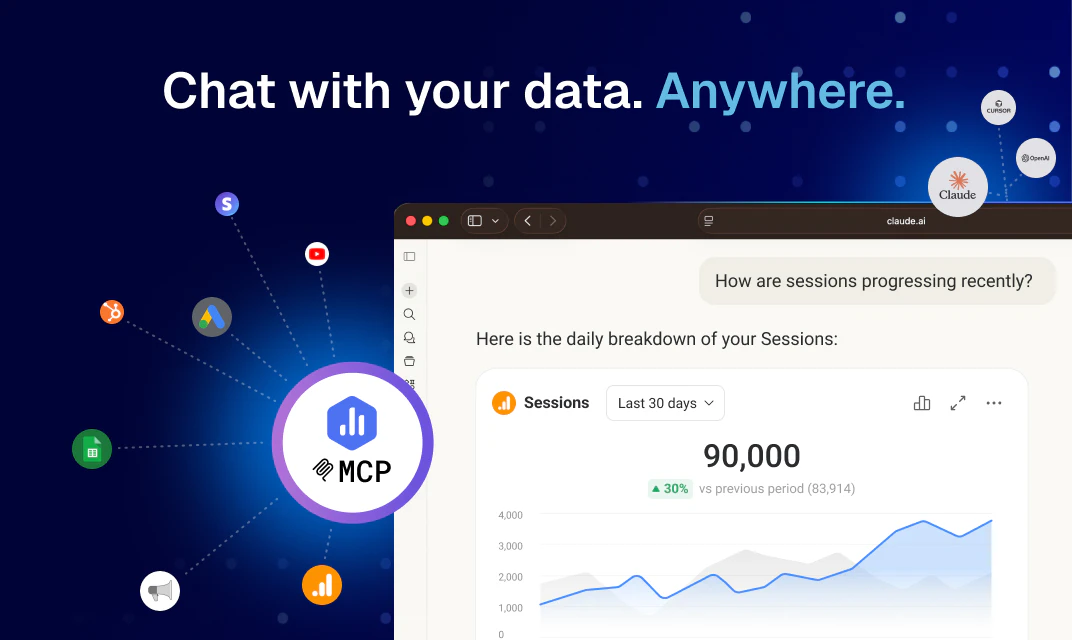
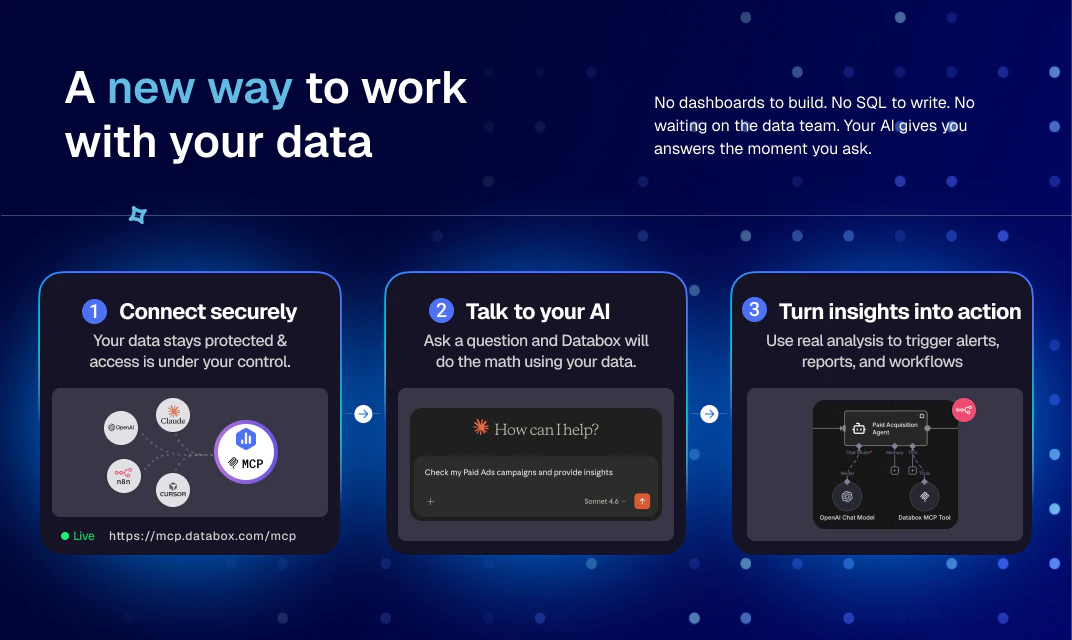
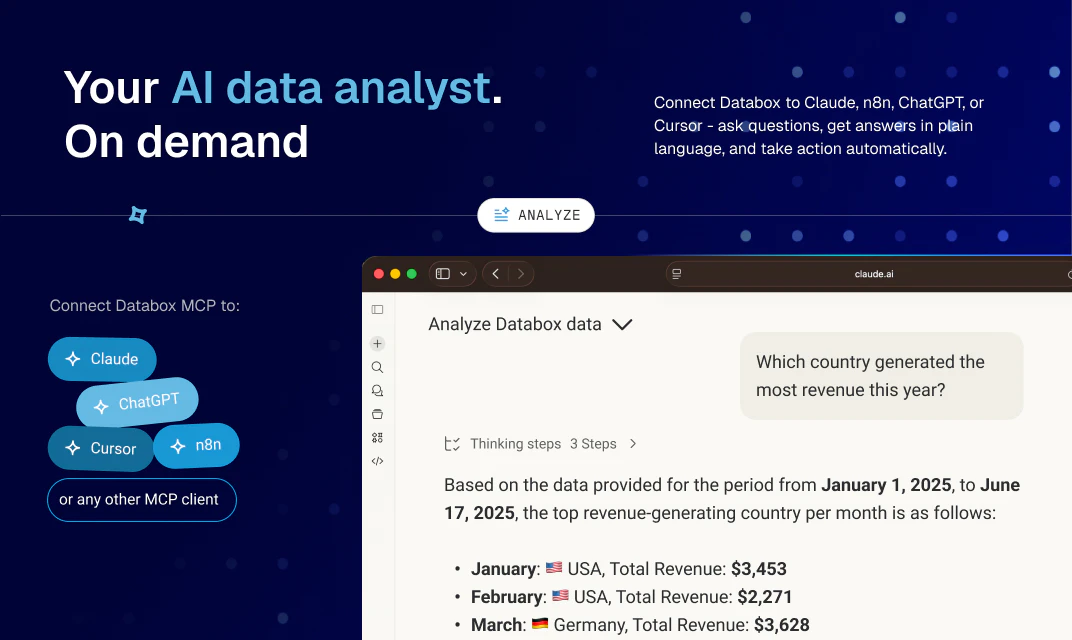
Databox MCP connects your business data to Claude, ChatGPT, Cursor, and n8n. Ask about revenue, campaigns, or pipeline in plain language and get answers grounded in your real metrics and business context.

Hi Product Hunt! 👋

I'm Pete from the Databox team, and today we're excited to share something we've been building for a while: Databox MCP.

Every team we talk to uses AI for writing, planning, and thinking through problems. When it comes to performance data, teams are still piecing it together by hand. Someone asks "why did my ad cost spike last week?" and answering takes 20 minutes of combing through multiple dashboards, adjusting date ranges and filters.

Some teams have shortcut this by uploading a CSV to Claude. The answer sounds confident, but it’s built on context that the AI doesn’t have. No metric definitions. No historical trends. No understanding of how their business measures success. The answers are hard to trust, and even harder to act on.

Databox MCP closes that gap. 

Databox connects to all of your tools, then it feeds the AI tools with data, analysis and insights. You ask questions in plain language, and the answers come grounded in your real business data: your metric definitions, your historical context, and the way your team measures success.

Here are a few things you can do with it: 

  • Get fast answers without leaving your AI tools: Ask "why did ad cost spike last week?" and your AI pulls the answer from your trusted data, and gives you a written explanation with visual context. 

  • Point your AI at any of your dashboards:   Say "analyze my Google Ads dashboard" or "summarize my client reporting dashboard," and your AI knows which metrics to pull. You skip the setup work that usually goes into every AI prompt.

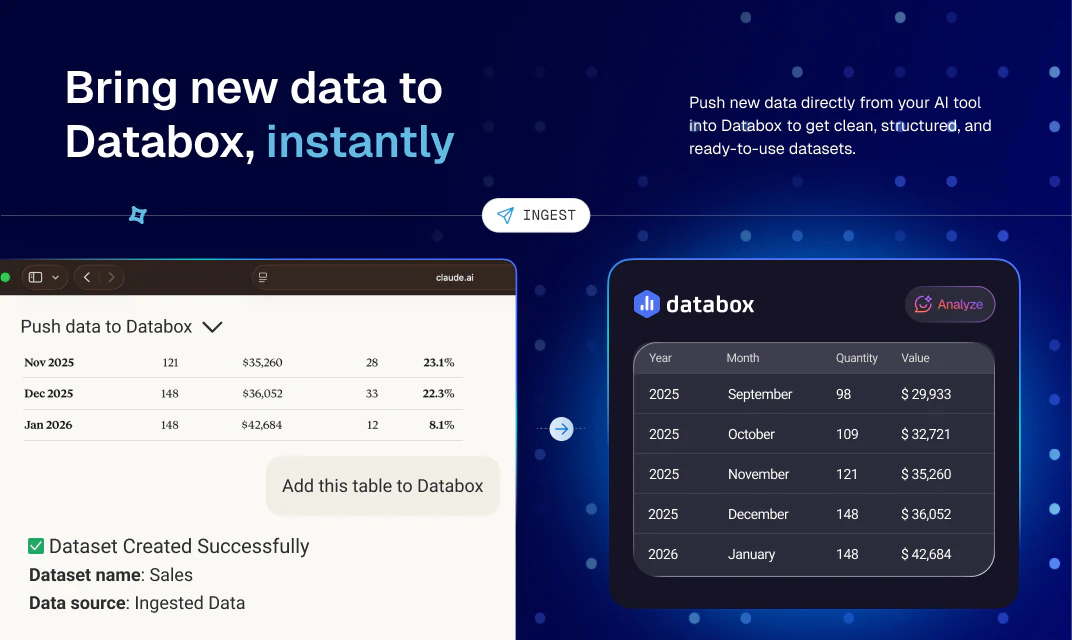
  • Push new data into Databox from your AI: Upload a CSV or pull from an API in your AI conversation, and your AI sends it to Databox as a clean, structured dataset. Analyze it the same minute alongside the metrics you already track.

  • Rely on Databox for mathematical analysis: Whether it's simple things like understanding wether an increase in a number is good or bad, or more complicated things like calculating correlations or detecting anomalies, Databox is doing the math the same every time.

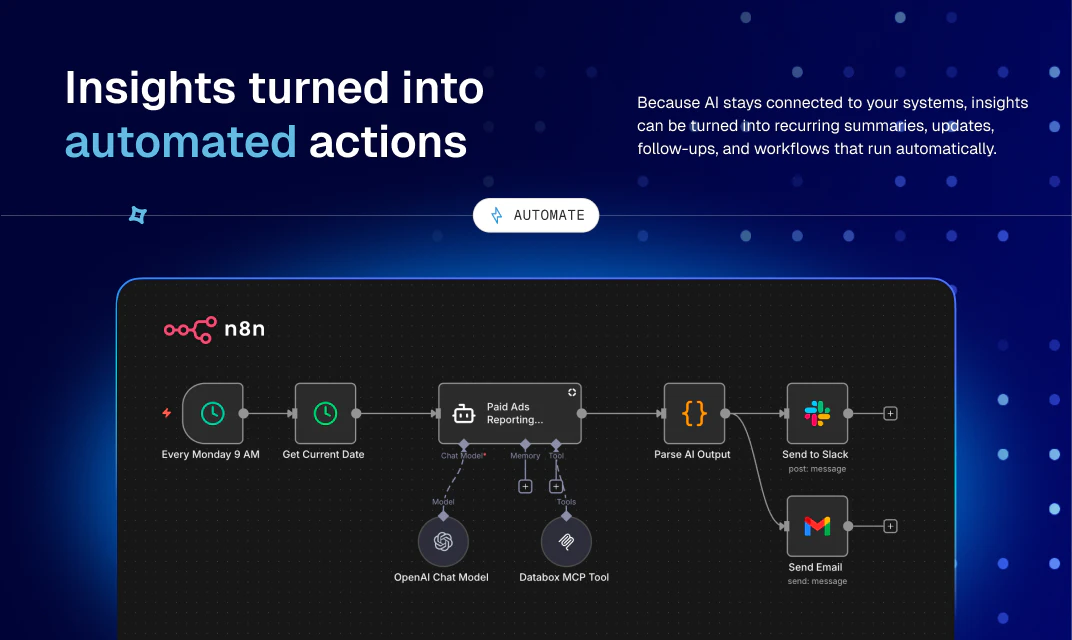
  • Turn recurring work into workflows: Connect MCP to n8n or Make, and your recurring AI analysis runs on its own. Schedule the Monday performance summary, trigger alerts when key metrics change, and send executive summaries that arrive with the context built in.

We soft-launched it in February, and the most interesting thing has been watching what customers do with it. Rick Kranz used the Databox MCP with Claude to turn traffic, search, and CRM data into weekly content creation recommendations. He even made the skill available for others to download. Agency operations leaders like Gary Magnone started using it to spot the root cause of KPI spikes in minutes instead of hours. High volume digital advertising agency owners like (like Kamil Rextin) used it to build paid media benchmarks from client data. Island, a software development firm used it to automate data analysis for 25 leading online publications, cutting reporting time by 96%!

It takes 60 seconds to connect and is available on all paid Databox plans. 

We'd love your input 👇

What's the one performance question your team asks every week - but still takes too long to answer?

Thanks for checking it out 🙏

12
回复

Hi@pete_caputa - why MCP? Agents can read OpenAPI specs and create REST requests. So is investment worth it?

2
回复

We built Databox MCP because of a pattern we kept seeing: teams were doing their thinking in Claude and ChatGPT, but their actual performance data lived elsewhere. So they'd export it, paste it in, and hope the AI understood it. It didn't. The data was already in Databox, connected, defined, with all the historical context. It just wasn't reachable from the tools where people were actually working. MCP closes that gap. One connection, and your AI can talk about your real numbers instead of guessing.

This is the part that matters more than people realize. An AI is only as good as the data layer underneath it. Databox isn't a pile of raw exports; it's a governed semantic layer: metrics defined once and consistently, data cleaned and modeled across all your sources, with the historical context that tells you whether a number is actually good or bad. That's the difference between an answer you can act on and a confident guess you have to double-check.

Asking questions and getting trusted answers is the obvious first use. What I'm most excited about is what comes next: workflows that act on the data on their own. Performance management, monitoring, and decisions that trigger automatically. Your AI stops being something you ask and starts being something that keeps the business moving week to week.

Proud of the team for shipping it.

11
回复

@davorin Congrats on the launch Davorin. How do you address privacy? when handing over business data to llms?

5
回复

@davorin Many congratulations Davorin, Ziga and team on shipping yet again! :)

I’m excited to be hunting Databox again today after their previous launches Custom Integrations by Databox and Genie by Databox.

This time, the team is tackling one of the other pain points of analytics, marketing and RevOps teams... context management of your business data inside Claude, ChatGPT and more.

You usually copy the metrics, paste it on Claude/ChatGPT and ask questions. The answers are only as good as the context you pasted. It misses the metric definitions, semantic layer and historical trends.

Databox MCP lets you bring the AI to where the truth already lives: Databox as a governed semantic layer with clean, modeled datasets, consistent metric definitions, and historical context baked in.

Instead of stitching together dashboards, filters, and exports, you just ask questions in Claude, ChatGPT, Cursor or n8n and get answers grounded in the actual numbers your team already trusts.

A few things I especially like:

  • Using natural language to analyze existing dashboards (e.g. “summarize my Google Ads dashboard” or “why did CAC spike last week?”) without rebuilding prompts from scratch.

  • The ability to push new CSV/API data into Databox from an AI conversation and immediately join it with existing metrics.

  • Turning recurring analysis into workflows via n8n/automation, so weekly summaries, anomaly alerts, and exec updates just “happen” instead of eating up someone’s Monday morning.

For teams already living in Databox for performance reporting, this feels less like “another AI add-on” and more like the missing bridge between dashboards and decisions.

Excited to see the kinds of real-world playbooks Databox users build on top of MCP next.


Give it a spin today!

6
回复

@davorin The semantic layer point is what separates this from the copy paste workflow most teams are using. Anyone can dump a csv into Claude and get an answer. The problem is the AI has no idea if that number is good, bad, or expected. Grounding it in your actual metric definitions and historical context is the part that makes the output actionable.

Congrats on the launch.

0
回复

Sounds very interesting.

I actually do upload a google sheet of my company stats which includes revenue and marketing data. I have a Claude Project that analyzes the google sheet and then creates a dashboard. This solution is very interesting and more dynamic.


7
回复

@heyitsirenechan the Google Sheets + Claude Project workflow you have is a solid start - Databox MCP takes it further by connecting live data sources directly, so there's no manual upload step and your dashboards stay current automatically. Worth a try if you want to cut that prep work out of the loop!

2
回复

I tested Databox MCP against some of the scenarios I use most often in client work - cross-channel performance comparisons, weekly trend checks, flagging anomalies in paid acquisition. In every case, connecting through MCP and asking conversationally was faster than navigating dashboards manually. The answers referenced real metric data, not approximations. For anyone who spends time preparing performance summaries, the productivity difference is immediately obvious.

6
回复

@tadej_kelc , this is exactly the workflow we had in mind - cross-channel comparisons, trend checks, anomaly detection, all conversational. The "real data, not approximations" part is what makes it useful for client work rather than just a party trick. Thanks for putting it through real scenarios and sharing the results here!

2
回复

The speed of updates from DataBox team is inspiring. I see something fresh is shipped every month on PH from DataBox. Congrats Ziga and team!

4
回复

@zerotox Thank you!

1
回复

The scenario I see most often is a team that has good data in Databox but spends too much time retrieving and formatting it for reporting. Databox MCP shifts that entirely. Instead of opening dashboards and exporting data, you ask a question and get an answer - in the AI tool you are already using, backed by the same data your reports use. The time savings are real, but the bigger change is that analysis becomes something anyone can do, not just the person who knows where everything lives.

4
回复

What makes Databox MCP technically solid is the design of the tool layer. You get a full lifecycle interface: load_metric_data for querying with date ranges and dimension breakdowns, ask_genie for natural language analysis, ingest_data for pushing records in, and get_current_datetime to resolve relative expressions like 'last week' accurately. Each tool does one thing cleanly. The result is an AI agent that can answer performance questions with the same reliability as a well-built dashboard query - and can do it in a conversation.

4
回复

What’s the biggest productivity gain teams usually get after connecting Databox MCP? Faster reporting, better decisions, fewer manual data checks?

3
回复

@byalexai from what we hear most - it's the elimination of the "data prep" step before every meeting or report. The time between "I need to know X" and "I have a reliable answer" goes from 30 minutes to 30 seconds. That shows up as faster reporting, but the real unlock is that people start asking questions they would have skipped before because the effort wasn't worth it.

2
回复

I spent more than 100,000 dollars trying to build my own data warehouse before I gave up and used the Databox MCP instead.


The problem I was solving is the one nobody likes to talk about with AI and data: an LLM will give you a confident answer whether or not the data supports it. When you manage ad spend across dozens of markets for a client, a confident wrong answer is expensive.


So I built Arcanian OS on top of the Databox MCP. It runs in Claude Code, connects to live data, and every claim it makes carries a confidence score. Data straight from a CRM pipeline scores high. A number inferred across two loosely connected sources scores low and gets flagged for a human. When a question contains a contradiction, the system does something most AI tools never do. It refuses to answer and asks me to rephrase.


It runs an internal debate among agents before it reaches a conclusion, creates tasks when it spots a risk or an opportunity, then checks back later to see whether finishing the task actually moved the metric. The learnings get anonymized and reused across every client in the system.


None of this works without a data layer that pulls accurately and defines each metric the same way every time. That layer is the Databox MCP. I open-sourced the whole operating system on GitHub so other agencies can run it too.

3
回复

@laszlo_fazakas this is one of the best use cases we've seen built on top of Databox MCP - confidence scoring based on data lineage is exactly the right architecture for high-stakes ad spend decisions. Love that you open-sourced it so other agencies can run it too. Share the GitHub link here so others can check it out!

1
回复

@laszlo_fazakas what you built is the future, Laszlo.

Systems that draw insights, prioritize actions, then measure the impact of those actions.

Your system learns from it's work, like any expert in any job does.

Except that your system can draw on a way better, longer, more thorough memory and it can't quit... like a human can.

0
回复

Been building on the Databox MCP for months alongside the HubSpot MCP. The combination unlocks a revenue intelligence layer most HubSpot agencies haven't explored yet. Excited to see this go public today.

3
回复

@keith_gutierrez Databox + HubSpot MCP is a powerful combo - pipeline data with full historical context and cross-channel performance in one layer. Would love to hear more about what you've built. What's the most useful query you've unlocked with the two connected?

2
回复

The semantic layer design is what separates this from copy-paste workflows. You're connecting to metrics with definitions and historical context baked in, so the AI knows if a number is actually good. Does it handle custom fiscal calendars or non-standard reporting periods?

3
回复

@dhiraj_patel5 exactly right on the semantic layer - that's the core of why it works. On custom fiscal calendars: Databox supports custom date ranges and you can query any time period conversationally, but dedicated fiscal calendar mapping isn't a built-in feature today. It's on our radar. Happy to dig into your specific reporting setup if you want to share more details!

2
回复

@dhiraj_patel5 Databox does allow for custom fiscal calendars. https://help.databox.com/switch-to-a-fiscal-calendar

Can you be more descriptive about what you mean by non-standard reporting periods? (Are you using it as a synonym for custom fiscal calendars or just asking about date range capabilities?)

If the former, the link above should address it. If the latter, here you go: https://help.databox.com/select-date-ranges

2
回复

Nice, I actually try to connect all of my apps to Claude because that's a default app that I always keep ON. Good to see Databox got an MCP.

3
回复

@himani_sah1 Claude is exactly where we'd start too - it's the smoothest experience with Databox MCP right now. Your business data is already in Databox, now it's one connection away from being live in Claude. Hope you enjoy it!

2
回复

every marketer I know already pastes their numbers into chatgpt and asks 'what happened last week.' the fact that you're just connecting the data directly so the AI actually has real context instead of whatever we copy-paste is one of those obvious ideas that should've existed sooner

3
回复

@tina_chhabra you nailed it - copy-pasting numbers into ChatGPT works until it doesn't (wrong export, stale data, missing context). Live connection means the AI always works from the actual source. Glad the idea landed!

2
回复

The real challenge in analytics MCP isn't data retrieval, it's grounding the LLM in correct metric definitions. We've run into this on customer data pipelines: 'churn' means different things across systems. How does the MCP layer handle semantic disambiguation? When a user asks about revenue or pipeline, does the context layer resolve conflicting metric definitions or surface the ambiguity to the user?

2
回复

@retain_dev you're hitting the real problem. In Databox, metrics are defined once - name, calculation, data source - and that definition is what the MCP exposes to the AI. So when you ask about "revenue," it queries the metric you've already defined in your account, not whatever the LLM thinks revenue means. If you have two metrics that could match (say, MRR vs total revenue), the AI will typically surface both and ask which one you mean. It's not perfect disambiguation, but the single-definition-per-metric model cuts most of the ambiguity before it reaches the LLM.

1
回复

@retain_dev You have a point

0
回复

Great product! Is the automation itself by n8n?

2
回复

@avi_ct n8n is one of the automation tools we officially support - we have templates ready at n8n.io for common workflows like weekly performance reports and Slack alerts. But Databox MCP works with any automation platform that supports MCP, so you're not locked in to n8n!

1
回复

One more thing worth sharing. The most fun part of the soft launch has been watching what partners built on top of the Databox MCP, then gave away for free. A few you can grab or look at right now:

László Fazakas open-sourced Arcanian OS, a system for managing complex, multi-market client campaigns that uses the Databox MCP to run automated in-depth analysis and inform daily decisions. The whole thing is on GitHub: https://github.com/arcanianHQ/arcanian-os

Max Traylor built Mantis, an AI-powered agency account management system that automates reporting, protects retention, and surfaces upsells. Here's how it works: https://claude.ai/public/artifacts/7b5265c8-2b0c-47d9-ae69-bbdbb86ab113

Jovan Miljevic built an n8n workflow that monitors SEO cannibalization across Databox, Google Search Console, and Slack, running on its own on a schedule. It's published here: https://n8n.io/workflows/15691-ai-powered-seo-cannibalization-monitor-databox-google-search-console-and-slack/

Rick Kranz gave away three Claude skills that use the MCP to analyze different parts of a sales and marketing funnel automatically. Free to download: https://www.linkedin.com/feed/update/urn:li:activity:7455235813786861568/

Keith Gutierrez built a pipeline that flags an underperforming page, audits it, writes the fixes, and updates the CMS, with no one touching a spreadsheet. One page it touched is up 62% in sessions.

A couple of how-to walkthroughs from partners, if you'd rather see it applied to a specific job:

Gary Magnone, on finding the root cause of a KPI spike in minutes instead of hours: https://databox.com/how-to/identify-the-root-cause-of-kpi-spikes-faster-with-ai-powered-analysis

Kamil Rextin, on building paid media benchmarks from client data: https://databox.com/how-to/create-paid-media-benchmarks

Different problems, same foundation underneath. If you build something with it, I'd love to see it.

1
回复

I've tried way too many analytics tools that looked like they required a data degree just to set up a dashboard. The fact that Databox MCP actually gives answers without spending a week configuring things is a big time saver. Congrats on the launch!

1
回复

@olga_kargopolova that's exactly what we were going for - connect your data sources once and start asking questions, no SQL or configuration rabbit holes. Thanks for the kind words and glad it landed that way!

0
回复

I've spent so much time jumping between dashboards trying to make sense of numbers that just sit there. The idea of just asking your data a question in plain English and getting a real answer — that's the part that gets me. Especially useful for people running lean teams where not everyone is a data analyst. How are you keeping the context fresh when the underlying data changes?

1
回复

@ms_harita_kanuri the context stays fresh automatically - Databox MCP queries live data every time you ask, so there's no stale snapshot to worry about. The metric definitions, calculations, and historical context are all maintained in Databox, and the AI reads from that on every query. No manual refresh needed on your end.

0
回复

The setup experience is worth calling out. Connecting Databox MCP to Claude or n8n takes under a minute -> paste the server URL, authenticate with OAuth, and your metrics are immediately accessible. No infrastructure to configure or pipelines to build. That low barrier is important because the hardest part of most analytics integrations is getting started. Removing that friction means we can go from zero to asking real performance questions in a single session.

1
回复

@rtadej this is 100% true. we need to talk about this more.

0
回复

I'm loving the Databox MCP and honestly, the one thing I didn't anticipate was how useful this could be for upskilling junior team members in the marketing agencies I work with.

I sit at the intersection of ops, strategy, delivery, and client services for agency teams, and the hardest part to scale has always been the month-end report analysis. We've always needed to pair every account with a dedicated senior strategist to look at the work, the numbers, the objectives, and then tell a strong, client-facing story about what's going on and what to do about it. It takes YEARS to build that kind of instinct, and it's not practical to assume your more junior folks can step in and handle it.

With the Databox MCP, you've just fast-forwarded years of experience. An AM or coordinator can ask why a number moved, get a real answer pulled from the actual metrics, provide context around the program and goals, collaboratively hypothesize around what's happening, then show up to the client call with a proactive point of view instead of a dashboard and a promise to "have the team look into it".

Game changer. Stoked for this new evolution of the Databox platform!

0
回复

The MCP angle makes sense for analytics because the useful part is not just querying charts, it is keeping answers tied to the same metric definitions the team already trusts. I’d be curious how you handle permissions when Claude or Cursor asks for data across multiple teams.

0
回复
#4
Dune Keypad
Context-aware Mac keypad, w/ Claude + community extensions
288
一句话介绍:Dune Keypad是一款结合AI与社区生态的Mac物理快捷键面板,通过语音配置、社区脚本市场与三键硬件,让开发者、会议密集用户等高频操作者能够一键执行复杂工作流,省去记忆和手动切换的繁琐。
Productivity Developer Tools Artificial Intelligence
mac外设 物理快捷键 工作流自动化 AI配置 社区市场 生产力工具 Claude集成 上下文感知 开发者工具 会议效率
用户评论摘要:用户赞赏市场与配置功能,核心问题包括:脚本能否基于时段切换(已支持)、私密性(可私有)、macOS更新后兼容性(团队维护)、是否需额外设置(多数即用),以及海外发货和脚本预览/版本管理需求。
AI 锐评

Dune Keypad的第二次亮相,把一款硬件外设从“炫酷桌面玩具”推向了“可生长的生产力平台”。其核心价值不在于三颗物理按键,而在于两个关键设计:Marketplace和Build with Claude。

Marketplace解决了硬件功能固化的痼疾。当硬件与社区脚本绑定,它就变成了一个随需求演化的开放式系统。用户不再受限于厂商预设,而是可以安装“会议摘要”“企业搜索”等实用脚本,甚至自己上传“一键开启办公应用”这类微创新。这本质上是在重塑用户与硬件的交互逻辑——从“我要记住快捷键”转向“我发现一个工作流,一键安装即可用”。

Build with Claude则进一步降低了配置门槛。通过自然语言描述日常操作,即生成个性化设置,这是对传统“设置面板”的重构。Claude的介入,让非技术用户也能定制复杂流程,这是市场上许多同类竞品忽视的痛点。

然而,产品仍需直面挑战:社区脚本质量参差,macOS更新或依赖变更可能批量失效,目前依赖团队手动维护;脚本预览、版本管理、依赖锁定等工程化问题尚未解决。其次,硬件售价与“可替代性”成疑——如果Marketplace是核心价值,软件方案(如Keyboard Maestro、Raycast)可能更经济、无物理绑定。

Dune的野心在于将“硬件”降维为用户与AI生态的端点,而非单纯输入设备。它真正填补的是“物理满足感+即时智能反馈”的情感空白。但若要让这个点子走得更远,必须让Marketplace持续产生高稳定性的脚本,并打造类似App Store的审核、评分和自动修复机制。否则,它终将只是少数极客的办公玩具,而非普罗大众的效率利器。

查看原始信息
Dune Keypad
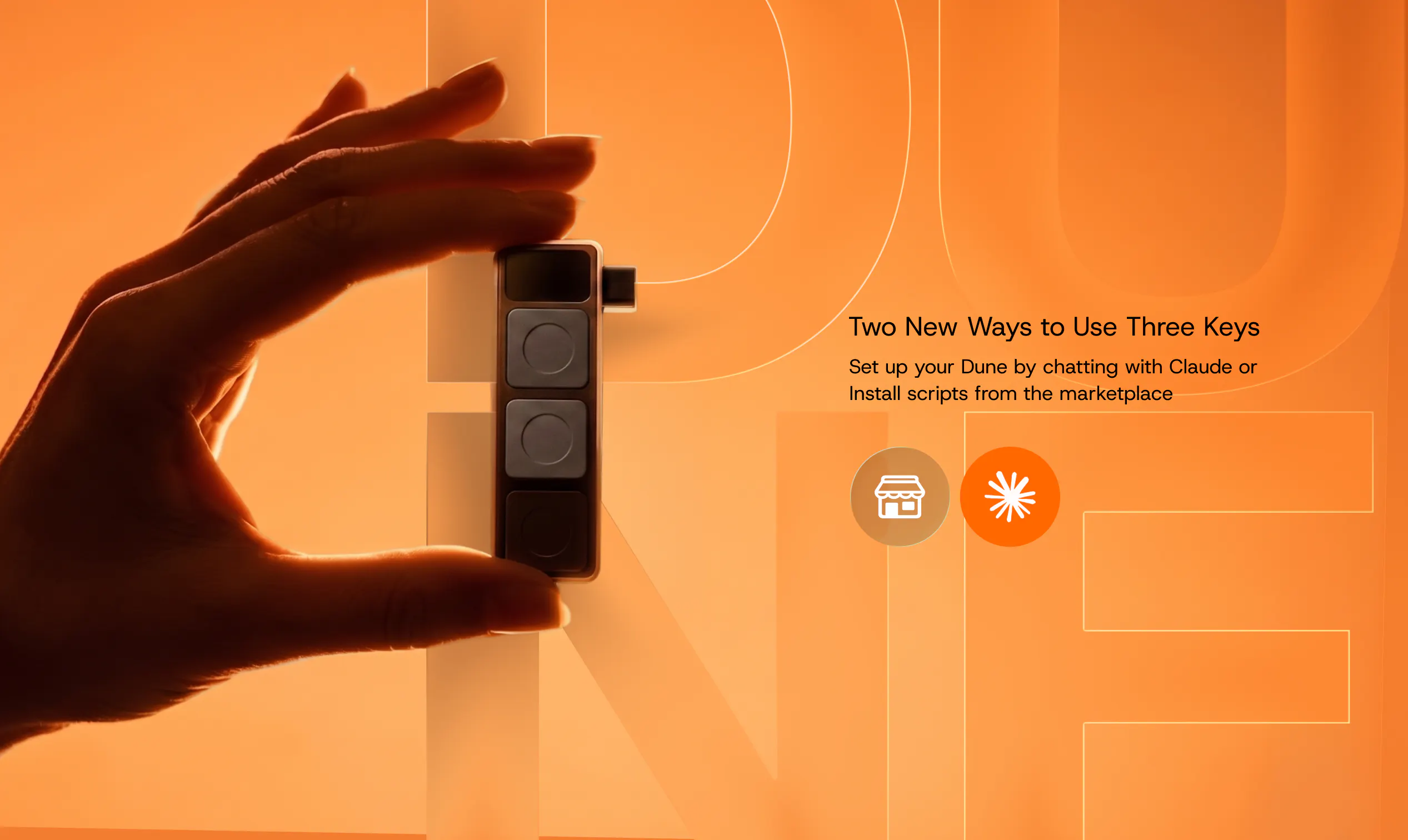
Dune is a context-aware keypad for Mac that now builds around you. Create shortcuts just by talking to Claude, browse a Marketplace of community-built scripts, and assign any workflow to your three keys across the apps you use. From meetings to dev tools to everyday tasks, Dune adapts instantly so the right action is always one keypress away.

Hi Product Hunt community, we're back!

When we launched Dune in April, the response floored us. You made it Product of the Day, then Product of the Week. Batch 1 sold out, we opened Batch 2, and the most common question we keep hearing is some version of "can Dune do X?" — the answer is almost always yes, so we built the tools to make that happen faster.

What we shipped
1. Dune Marketplace
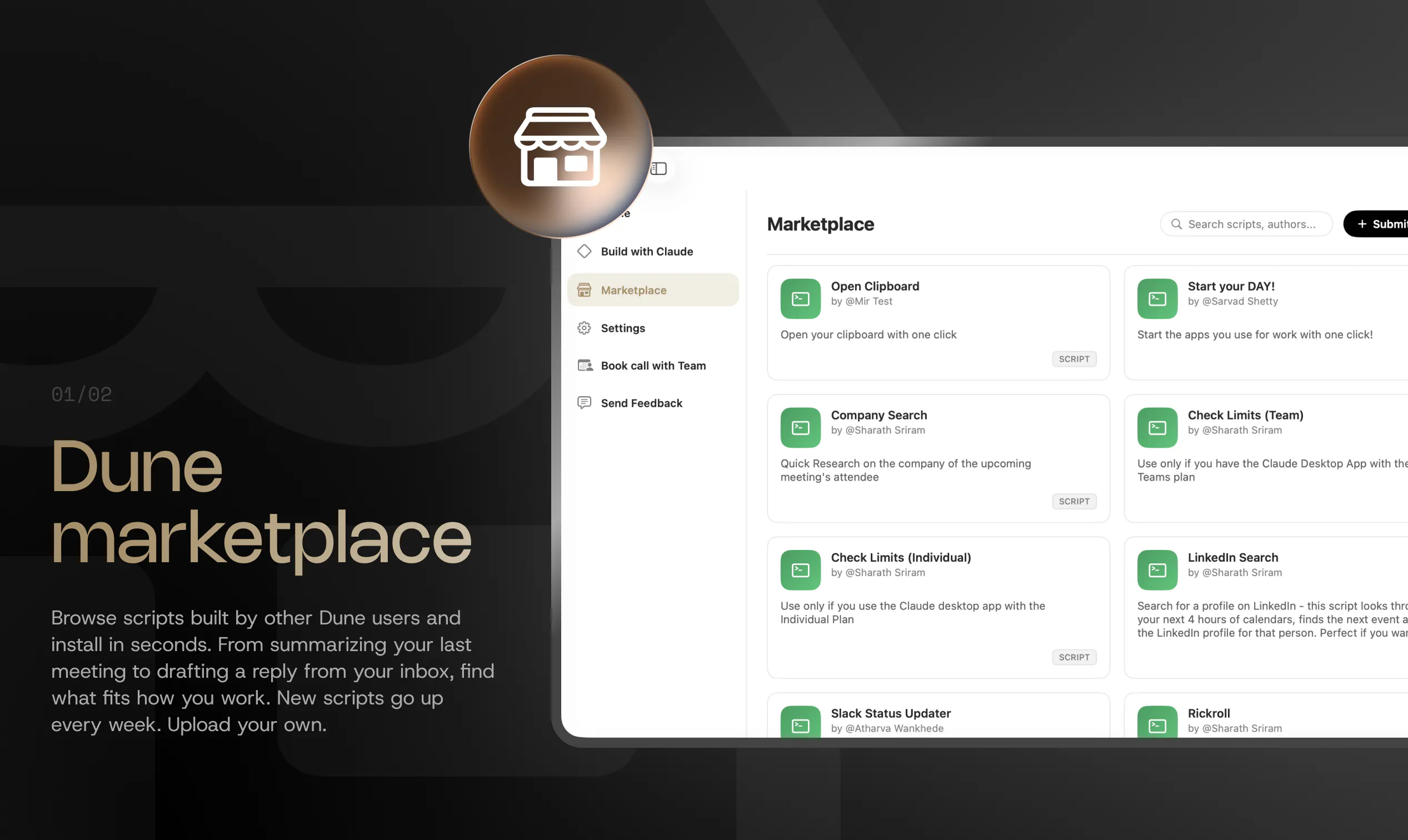
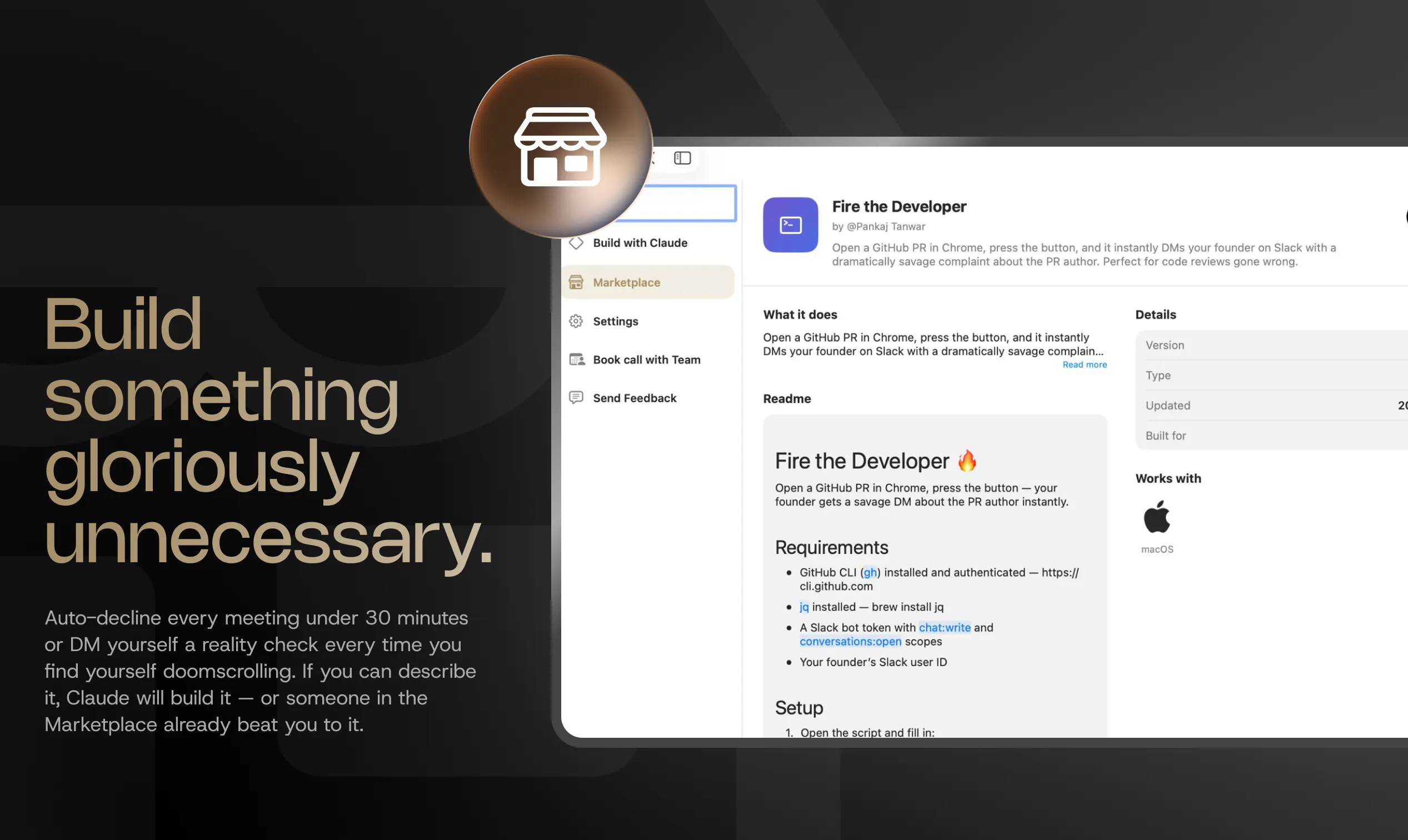
A community-built library of scripts and agentic workflows. Browse and install what other users have built, assign to your keys in seconds, and add your own to the mix. From summarizing your last meeting to drafting outreach from your inbox, you can install what someone else built in seconds or upload your own. New scripts go up every week.

2. Build with Claude
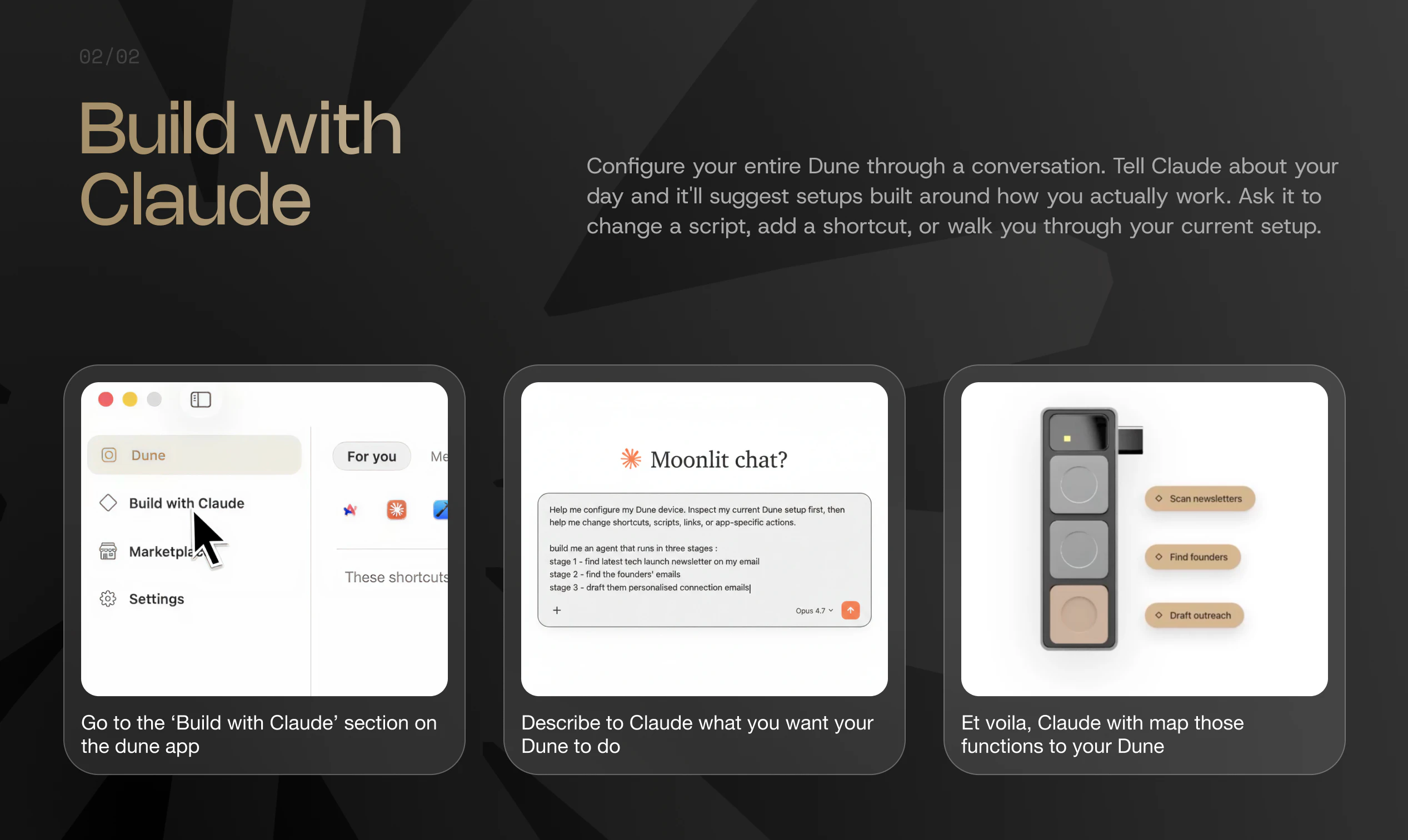
You can now configure your entire Dune through a conversation. Tell Claude what you do all day and it'll suggest a setup built around how you actually work. Ask Claude to change a script, add a shortcut, walk you through what's currently set up on your keys, or suggest a smarter way to use them. No settings panel. Just talk.

A few setups already on the Marketplace, in case you want somewhere to start:
a) Start your Day! — Open the apps you use for work with one click.
b) Check Limits Individual/Team Plans — Launch the Usage tab on your Claude Desktop app with a single keystroke.
c) Company Search — This script goes through your calendar, finds the current or upcoming event, identifies the attendee's company name, and searches for the company on Crunchbase, LinkedIn, X, and their website, along with the attendee's LinkedIn profile.

These two features make Dune even more powerful.

Who this is for
If you're in back-to-back meetings on Zoom, Teams, or Google Meet, there are scripts for that too. If you're a developer running agents in Claude, VS Code, or GitHub, the Marketplace has workflows built specifically for those contexts. And if you have a workflow no one's built yet, Build with Claude will help you create it.

We'd especially love to hear what you build, or what you wish existed in the Marketplace.
Drop a comment — what's the one workflow on your Mac that still has too many steps?

---

🔗 Links
Site: https://www.projectmirage.ai/
Setup Guide: https://www.notion.so/There-s-Mo...
FAQs: https://www.projectmirage.ai/#du...
Demo: https://youtu.be/4Hn_ece7NVc?si=uO47h14--MRvI_OY

16
回复

@apoorv_shankar Many congrats on the second launch, @apoorv_shankar and team!

Dune’s context-aware keypad is a smart evolution of physical workflow automation, especially for devs juggling GitHub, VS Code, Claude, and back-to-back meetings.

The new Dune Marketplace and Build with Claude features are exciting for configuring your entire setup through conversation and tapping into community-built scripts removes the friction of remembering shortcuts or manually scripting workflows.

Love that scripts stay private unless shared, and the 48-hour review process keeps the Marketplace secure and functional. This turns hardware into a living productivity tool that gets smarter over time.

All the best! :)

4
回复
@rohanrecommends thanks for hunting us again! :)
0
回复

@apoorv_shankar Congrats. What's the plan on versioning and dependency management in the marketplace? Can users stick to a specific script version?

0
回复

Love the product! I wish you guys would ship overseas as well. Quick question: do the custom/marketplace scripts live on memory or your macbook?

6
回复

@hassan50306 Thanks! We ship overseas to multiple countries, please check the website to see if we are shipping to your country. The custom scripts are private unless you upload it on marketplace.
@sharaththegeek can share more details

0
回复

Put Start your DAY! on the Marketplace a while back. One key opens every app you use for work. Strange feeling to see a script you wrote show up in someone else's setup.

5
回复

Good to have the software catch up with what the hardware was always capable of.

5
回复

Congratulations

5
回复
0
回复

The bronze key is still the first thing people notice when I have it on my desk. Now when they ask what it does I have a much better answer than before.

5
回复

@manash_pratim2 cheers! Glad Dune is helping make a statement :)

0
回复

Can I assign different scripts to the same key based on time of day?

4
回复
@anoop_jayan1 100%
0
回复
I built a custom flow using BWC to read new emails, slack messages and meeting notes from the day before to create a daily task list. Love getting my day organised at the press of a button. Go dune!
4
回复

@masaboor Cheers!

0
回复

The Marketplace changes this from a hardware purchase to something that keeps getting more useful over time. Curious whether scripts can be private or if everything you submit has to be public.

4
回复

@rahul_prabakaran cheers! Scripts you write for yourself, which you don't upload on the marketplace stay private to you.
@sharaththegeek can comment more on this.

3
回复

The marketplace and build with claude features are gonna make Dune hyper-personalised to each one of its users! Can't wait to see what the community builds 🖍️

4
回复

built a “fire the developer” skill on marketplace this week that dms your founder on slack the second you open a github pr and complain about whoever wrote it.

took like 5 mins to build. the fact that this is now a one-tap thing is genuinely gonna keep me up at night.

4
回复

How does the Marketplace handle scripts that stop working after a macOS update? Is there a way for authors to push fixes or does it fall on the user to notice something broke?

3
回复

@manish_singh92 great point, we check the scripts every time a new macOS update comes in. Its been manageable so far, still seeing if we could fully automate this testing process though when the marketplace scales. For fixes, we currently have our team do this.

0
回复

Are most of the Marketplace scripts plug and play or do most need setup?

3
回复

@ananthu_s_pillai most are plug and play, but the more complex the trigger, more setup it may need.

0
回复

Is there a way to try a script from the Marketplace before fully committing to assigning it to a key? Like a preview or a test run before it goes live.

3
回复
@joe_12 yes, the shortcuts are all reversible
0
回复

The Company Search script goes through your next calendar event, finds who you are meeting, and pulls their LinkedIn, Crunchbase, and X before the call starts. I have been doing that manually for years.

3
回复

Been using Dune since batch 1 and the muscle memory is real. If the keys are not there I notice immediately. The Marketplace is the thing that was missing. Finally have a reason to go back and rethink the setup.😄

3
回复
@mir_mubashshir cheers!
0
回复
For Build with Claude - what happens when the workflow you describe involves an app that Dune doesn't have a pre-loaded mapping for? Does it still work or does it fall back to something?
2
回复

Watched someone try Build with Claude for the first time. They described what they do all day, Claude configured the keys, and they looked at the result and said that is exactly right. That is a hard reaction to engineer.

2
回复

@dhanrajchoudhary Cheers! Would love to see more people build their own use cases on Dune.

0
回复

The Marketplace catalog is extremely powerful if it stays fresh. What's the submission review process like and how fast do new scripts actually go live?

2
回复

@paras_patle1 Thanks, our team also ships a few new scripts every week. The submission review process takes about 48 hours, we primarily check for security issues and functional validation and take them live.

0
回复

Does the Marketplace show install counts for scripts? Would be useful to know which ones are actually being used before you commit to a setup.

2
回复

@pranab_p_kumar good idea. Will start doing this.

0
回复

Build with Claude is interesting. Is it actually writing the script from scratch or is it picking from a set of templates and filling in the gaps?

2
回复

@shaumik_kanvinde would like to clarify -the scripts on the marketplace are things which our team and early users have built. Build with claude writes scripts based on what the user wants, so that's completely dependent on the user. There is no template in this case.

0
回复

reminds me of the figma keyboard, very cool

1
回复

Curious whether there is a way to browse the Marketplace by app rather than by script name. Looking for everything built for VS Code specifically, and scrolling through the whole catalog is not ideal.

1
回复

Does Build with Claude work if you describe a workflow in detail but you are not technical enough to know what the underlying script should look like? Or do you need to understand what you are asking for at some level?

1
回复

If I build something good and share it, do I get attribution on the Marketplace?

1
回复
@nadeem_zafar03 yes you can publish scripts with your own name. Names of publishers are mentioned o each script
0
回复

Congrats on the launch! The Claude setup flow is a really nice direction.

Curious how you think about permissions/security for community scripts in the Marketplace, especially as people start building more agentic workflows across dev tools and meetings.

0
回复

Dune Marketplace is such a cool idea! Congrats @apoorv_shankar and the team!

0
回复
@victorstepanov11 thanks. Do try it out
0
回复

Polling the accessibility API for foreground app state is the right call. That's much cleaner than intercepting at the keyboard driver level. We've done similar context-detection work in our own tooling, where the active app determines which automations fire. How does the Claude shortcut generation pipeline work? Is it outputting shell commands or AppleScript, and how do you sandbox community scripts?

0
回复

Hello and congratulation!! Im sad because i cant order it to the Czech Republic...
Really wanted to order and cant so im writing you here Dune team. :/ today with FedEx, UPS, DHL i dont think its hard to deliver it to any country. <3

0
回复

The foreground-app context detection adapts keys in real time based on the active app, which is genuinely useful in a dev setup. We've felt the constant tax of switching between VS Code, Claude, and meeting tools while building AI features. Does the shortcut creation via Claude generate scripts locally or does it call the API each time you define a new workflow?

0
回复
@anand_thakkar1 glad you found the dev setup useful. On Claude, the shortcut/script gets generated locally.
0
回复
#5
folk
the AI in your texts that gets stuff done
259
一句话介绍:Folk 是一款嵌入 iMessage、Telegram 等聊天应用的多智能体 AI,通过持续记忆和地理位置感知,主动帮用户处理约会、会议记录、预订餐厅等生活琐事,解决 AI 助手“用完即忘”且缺乏主动性的痛点。
Productivity Messaging Artificial Intelligence
AI生活助手 智能体 主动式AI 记忆增强 地理围栏 多智能体协作 会议记录 聊天机器人 生产力工具 社交协作
用户评论摘要:用户高度认可“多人协作”和“地理位置触发”的独特性,但也质疑记忆机制是增量文件还是知识图谱,担忧隐私与数据存储位置。多数用户希望AI能自动处理行程变动、订餐等行政负担,并强调本地化处理使信任度更高。
AI 锐评

Folk 的亮点并非“AI 助手”这个老概念,而是它对“主动性”和“记忆”的实现路径。大多数所谓“主动”的 AI 只是死板的定时任务,Folk 则通过条件触发的“看门狗”机制和结构化知识图谱,在真实场景中做到了“该出现时才出现”——比如路过超市提醒购物清单,这种微妙差异恰恰是产品从“玩具”到“工具”的分水岭。

真正值得关注的是“多人协作”模式。它并非简单的聊天机器人互联,而是在用户授权下,让两个 AI 代理直接处理事务(如协调聚餐时间),这避开了传统社群应用中的“消息中转”效率灾难,直击了社交协同中“确认-回复-再确认”的痛点。如果隐私控制做得足够细粒度(一键批准),这在社交和商务场景中具有极强的裂变潜力。

但风险同样明显:隐私信任是悬在头顶的达摩克利斯之剑。创始人虽然回应用户质疑时强调“结构化知识图谱”“不存储信用卡”,但当 AI 能访问地理位置、对话历史、日历甚至浏览器会话时,任何一次数据泄露或误用都将摧毁整个信任基础。此外,“记忆越用越聪明”也可能陷入“弱鸡”陷阱——若用户前期输入不足,产品即刻变得鸡肋;而即使记忆丰富,若知识图谱的推理效率不及直接调用大模型,那“记忆”可能成为推理链条上的累赘。

一句话:Folk 在“让 AI 过日子”这件事上走出了有价值的半步,但接下来需要在“隐私边界”和“记忆效能”之间找到平衡,否则很容易变得既烦人又危险。

查看原始信息
folk
Folk is your AI friend that lives in any messaging app: iMessage, Telegram, Discord, and more. It joins meetings, plans your date, knows where you are, and gets smarter with every conversation. The longer you use it, the more it knows you. And now it's multiplayer, so you and your friends can team up and reach your goals together.

Yoo Product Hunt 👋

I'm Arlan. I dropped out of high school, did research at Stanford at 16, built multiple apps, went through Y Combinator, and have raised over $6M.

I spent the last year going deep on context and memory. I tried everything out there, and two things kept bothering me. First, none of them actually grow with you. They're smart in the moment, but tomorrow they don't remember yesterday. You're always re-explaining yourself, always starting over.

Second, none of them are actually proactive. You're always the one going to them, they never come to you. A lot of tools claim to be proactive, but really it's just a cron job firing on a schedule, and a timer isn't proactivity. Real proactivity is showing up at the right moment on its own, texting you exactly when something matters, without you setting anything up.

Folk is different. It lives inside the messaging apps you already use and it's built from the ground up to integrate into your life, not just assist when you ask.

Here's what that looks like in practice:

  • It knows where you are. Folk tracks your location and acts on it. Walk past a grocery store with items on your list? It'll ping you. It's not a map, it's context.

  • It joins your meetings. Folk's notetaker drops into every Google Meet, transcribes everything, and builds on what it learns so it always knows your world.

  • It remembers everything and gets smarter over time. Folk builds a growing memory of your life. The longer you use it, the more it knows you. That's the whole point.

  • It's multiplayer. This is the part I'm most excited about. Add friends who are already on Folk, and your folk and theirs can do things for each other, like book a table, share a doc, or check a calendar. One way, and only ever with a tap to approve.

And it does real things like research, coding help, date planning, booking restaurants, and tracking flights, all from the chat thread you're already in.

We're giving Product Hunt users 15% off today with code FOLK.

Two questions I'd genuinely love your take on:

  • What part of your life do you most wish an AI could just handle for you?

  • What would make you actually trust an AI with something personal?

Thanks for being here 🙏 Arlan

14
回复

@arlanrakh The multiplayer angle is what really caught my attention here. A lot of AI companions focus on individual productivity, but bringing shared goals, accountability, and collaboration into the experience feels like a much more natural fit for how people actually make progress. The challenge with long-term AI relationships is creating enough value for people to keep coming back. Curious which use cases are driving the strongest retention so far?

0
回复
@arlanrakh Incredible backstory, Arlan! To answer your question on trust: for me, seeing an AI that handles personal context securely without selling data is key, so on-device processing or explicit privacy guardrails build that trust. As for what I wish it could handle—definitely the administrative 'mental load' like automatically tracking flight changes or booking a spot without me checking three different apps. The fact that Folk lives right inside existing messaging apps and actually remembers context over time is a massive step up from regular bots. Congrats on the launch!
3
回复
@aikhan Appreciate the kind words, @Aikhan Jumashukurov! Always glad to share my thoughts. Cheers!
3
回复

the 'gets smarter with every conversation' claim is the one I'd want to pressure test. most AI assistants that claim this either mean they store a growing context file or they fine-tune on your data, and those are very different things with very different privacy and quality implications. what's actually happening under the hood when Folk learns from you and where does that data live

3
回复

@ansari_adin good pressure test. folk is neither of your assumptions. no fine-tuning and no dumb growing context file. its a structured knowledge graph running in your own isolated instance. think nodes and edges back when you took DS&A in college. the facts are nodes, and the edges form over time as the agent connects what it learns about you. super simple. u building in the space?

0
回复

@ansari_adin fair question. neither of those.

we don't fine-tune on your data. what actually happens: after conversations, folk extracts durable facts about you (preferences, people, context) into a private memory store tied to your account. at the start of each session it pulls the relevant pieces back in, so it doesn't need your full message history in the prompt every time.

1
回复

I'm pretty into the iMessage -> Assistant workflow and am currently using @Poke.com pretty heavily. How does Folk compare and differentiate from other assistants like Poke?

3
回复

@gabe hey, love that. poke is genuinely good, they nailed the proactive-texting feel.

geo. folk actually knows where you are and acts on it. walk past the grocery store with stuff still on your list and it pings you. change cities and it adjusts asw (tested it when going to nyc lol)

multiplayer. add friends who are on folk, and your folk can work with their folk. "ask maya's folk to find a sushi spot friday" and the two agents coordinate it, one-way, and only ever with her tap to approve. your assistant stops being a silo.

we also have bunch of other things like meeting note taker, custom memory system that supports 3 memory types, and slightly different agent architecture!

1
回复

Well, let's start by saying that I'm probably in the top 10 of Folk users by api consumption xp (they don't know about my second account), the amount of shit you can get done with it is out in the stratosphere, Nozomio created the best context solution with Nia (still has, Nia keep improving everyday), now it has a system to put it in, Arlan continue to provide so value to every users out there, I can hope in my normal meeting, record the whole thing with folk and launch nia oracle on the job, saved my ass and clients multiple time,

(sent by folk)

.. (tell this mf to enjoy time in Shanghai instead of spending it's in Cursor)

3
回复

@tomcoustols Stay tuned. there are more to come to folk

1
回复

@tomcoustols thanks so much tom!!

1
回复

yoooo! congrats on the launch @arlanrakh
do you support custom integrations / MCPs?

3
回复

@pederzh yessir, just tell it to connect to any type of mcp or go to https://www.getfolk.app/dashboard -> connections -> custom if MCP requires OAuth

1
回复

I love how the product has a built in meeting-notes taker feature. Actually helps me so much because I dont have to use something external to keep my meeting notes and everything is in my folk which means its in my memories and gets connected to every other memory!!

I wonder who implemented it

3
回复

@aikhan lmao

0
回复

Best hosted agent you can get for $20/month frfr

2
回复

@pkyanamaux thank you goat

0
回复

Amazing, can I install custom plugins/skills in folk? How does the integrations work?

I was looking to connect my card with it for lunch orders

2
回复

@kaiserrr folk will NEVER store your card. ima keep it a buck, theres no "connect your card" in folk today.

INSTEAD, Folk drives the order in its own browser, and when it hits the pay step it pings you (human in the loop amirite). Folk can stay signed in to the ordering site after the first time, so you can legit send a msg such as "folk, order my usual"

is a saved-payment option something youd actually want? this is the kind of thing we'd only ship if we could keep it as safe as everything else in folk.

0
回复

@kaiserrr yes u can! just ask folk to connect you to something + u can create custom skills as well :)

0
回复

@kaiserrr You can just ask your folk to install skills or integration for you. Also, for integrations and MCP servers, you can set them up manually on dashboard if you want

0
回复

Can’t wait to try it out myself

@arlanrakhdoes it have an api so that my server can inform about errors or cpu spikes and folk will

Message me about it?

2
回复

@daniel_giacobelli yoo! we don't have api support YET but it is on the roadmap (+sdk) :)

0
回复

paid user here and i really love the live geolocation feature. It found me right when I needed a nudge and the context awareness is genuinely impressive. Gets smarter every week. Congrats on the launch! 🚀

2
回复

@abdulla_baker thanks so much

0
回复

@abdulla_baker thank you so much abdulla! yeah, we really tried our best with the geolocation feature. its honestly my favorite whenever I go grocery shopping

0
回复

Never knew how much I actually needed meeting noted before this haha, and being able to query them on the go from iMessage is super useful 😉😉

1
回复

@charles_mcclasky thanks charles!!

0
回复

The memory part is what I want to understand better, how does it actually build context over time? is it pulling from message history or does it need explicit inputs from us?

1
回复

@munis_abbas automatically! just by talking to it. you talk, folk listens, and keeps the things worth keeping (who matters, what you like, the plans youre nursing) as nodes, then connects them over time, with a quiet overnight pass where it thinks about you.

you can be explicit if you like ("remember my sister is vegetarian"), but mostly it just gets to know you over time. i wouldnt force it. mention one oddly specific thing today and itll resurface a week later..

the exact moment i fell in love with Folk was when it was the second one to tell me happy birthday!

the first one was obviously the team at Nozomio haha.

0
回复

@munis_abbas both, but not in the way you'd expect from raw chat logs.

folk keeps a curated memory of you (preferences, people, habits, open loops) that gets updated as you talk. it also has access to recent conversation history and can search past sessions when something relevant comes up. you don't have to manually teach it everything, but you can. if you tell it something explicitly ("remember i hate cilantro"), it sticks. over time the useful stuff compounds and the noise gets dropped.

0
回复
The text thread is where work actually lives. ‘Gets stuff done’ is the hard part. Rooting for you to nail it.
1
回复

havent slept all night, u made my launch day ngl. tysm for taking the effort to comment nice words, its really appreciated.

0
回复

@anusuya_bhuyan thanks a lot :))

0
回复

the multiplayer thing where my ai and my friend's ai coordinate dinner plans without us going back and forth is actually new. haven't seen anyone else do that. the location pings are useful too if they're actually accurate and not just spamming you every time you're near a store

1
回复

@tina_chhabra thanks for kind words :)

0
回复

@tina_chhabra Thanks. Yeah it was a pain point myself especially nowadays for a lot of the tasks, after you messaged your friend, your friend would just send a prompt to an AI agent anyways. It just reduced a lot of friction to be able to just let your folk prompt the other person's folk essesnailly

0
回复

Loved that the demo is about planing a date instead of yet another work task — there's actual soul behind this one. Memory that doesn't really grow and "proactivity" that's just a timer are exactly the two thiings that have kept me from trusting any of these tools. Genuinely curious how folk solves them under the hood — is it a real architectural difference, or the same promise everyone's making?

1
回复

@haotian_wang5 appreciate this comment! the date demo was a deliberate choice. on your two:

memory is a knowledge graph, not a growing file, facts are nodes and edges form over time as it connects them, so it grows in structure not just length.

proactivity isnt just a timer, folk runs on an always-on cloud computer with condition-based watchers ("ping me if the price drops below $80") that check state and only fire when its actually true.

as a dev, i make promises i stand behind. as a user, check it out! tell me if I kept my promise ;)

0
回复

@haotian_wang5 personally folk's memory system is the best i've tried among all the agents. It is emerging facts about you and form knowledge graph not only via a set timer but also events from integrations or your conversation. We also index all the chat history that agent and look up on demand

0
回复
One of the first users of folk here, honestly feels like genuine assistance that can be helpful vs just another ai chat 👌🏽
1
回复

@mahyad otdushi. THANK YOU SO MUCH!

0
回复

The "lives where you already are" angle is the right one — assistants die when they require a new app and a new habit. The thing I'd want is for it to quietly handle recurring low-stakes decisions, not just one-off tasks. That's actually why I built DishRoll (dishroll.netlify.app) for the weekly meal-planning version of this — the value isn't a single answer, it's removing the same decision you re-make 52 times a year. Does folk learn recurring patterns and start pre-empting them, or is it reactive to each message?

0
回复

@samir_asadov thanks for ur comment! yes, folk can learn pattern as you use it :)

0
回复

this ai guy actually gets stuff done, this is the future right behind such products. love the gps feature, congrats on the launch!

0
回复

@igor_martinyuk thanks bro!

1
回复

@igor_martinyuk Thanks! We have tons of cool feature planned so stay tuned

1
回复

Really enjoying the uptick in services that live in iMessage. One thing I've noticed with all of them - folk included, I'm afraid - is that latency varies wildly... like, sometimes it'll start responding as soon as I send a message, other times - like right now, as I stare at my phone - I sent a message minutes ago and it's not even typing, but it DOES show "read".

Is this endemic to iMessage's infra? what's up with that?

also, @arlanrakh - what's folk powered by? you down to give us a peek under the hood?

congrats on a highly successful launch, thx for the hunt, @garrytan !!

0
回复

@arlanrakh  @garrytan  @grey_seymour thank you for the sharp comment!

the read fires instantly because thats handled the second your message lands. the silence after is on us unfortunately, not apple, behind that read your folk is sometimes waking its cloud computer, pulling memory, or already opening the browser. we were thinking of dropping in little "on it, pulling your data" notes, but they clutter the imessage thread.

under the hood, everyone gets their own 24/7 cloud computer with a real browser and a knowledge-graph memory, and we route across frontier models.

if you have any questions definitely let me know

0
回复

@grey_seymour hey grey, fair call on the latency and you're not imagining it.

the read receipt and the reply are two different pipes. "read" is imessage acknowledging delivery. the actual response has to wake your folk's computer, load your session + memory, run the model, then send back. if the sandbox was cold (nobody texted you in a while), that wake-up can take 2s before you even see typing. when it's warm, it's basically instant. w

and thanks for the kind words on the launch, means a lot.

0
回复

yeah my dude, this is sick! go @arlanrakh!

0
回复

@arlanrakh  @jayreno thank you for the nice comment! we have so many more features in store

0
回复

@jayreno thanks a lot jay!

0
回复

hahaha! the video made me laugh but I'm also impressed by the potential of Folk. Wish you all the best Arlan

0
回复

@german_merlo1 arlan is currently napping (took the night shift, im taking the morning shift lol), so on his behalf: THANK YOU!! we really put effort into that video and comments like this make all the time we spent worth it.

0
回复

@german_merlo1 thanks so much for ur support!

0
回复
That’s awesome, congrats on the launch! Can you integrate it with Claude code CLI?
0
回复

@miras1 thanks! yes, u can :) just tell it to install claude code

0
回复

How do you handle shared memory in group chats, like what’s private to me and what the whole group can see?

0
回复

@thamibenjelloun group chats and your private memory are completely separate.

in a group, folk only sees what's in that group thread. it won't pull from your personal memory, your dms, calendar, email, location, or anything from outside that chat. if someone asks for that in a group, it refuses and tells them to dm you directly.

0
回复

@thamibenjelloun That's the magic of folk, in group chat, everyone in the group chat can talk to folk and folk is aware of everyone in the group chat and decide when to chime in or you can just say "hey folk" and your questions.

0
回复

The "in your texts" framing is interesting because most AI messaging tools still make you context-switch to a separate interface.

What actually triggers the AI here, a keyword, a slash command, something else?

0
回复

@fberrez1 it lives in messages apps (like imessage or discord) and you just talk to it as it was ur friend :)

1
回复
#6
Typeahead
AI autocomplete for every app on your Mac
245
一句话介绍:Typeahead 是一款运行在Mac本地、为所有输入框提供内联AI建议的写作辅助工具,解决了用户在不同应用中写作时频繁切换AI工具、打断思维流的问题。
Productivity Writing Artificial Intelligence
AI写作助手 内联自动补全 本地模型 隐私保护 Mac应用 买断制 离线可用 上下文感知 写作加速工具 文本补全
用户评论摘要:用户普遍赞赏本地运行与低延迟。主要问题与建议包括:预算不足希望试用;担心系统资源占用(已有反馈仅300MB内存);探讨其与代码自动补全的区别;建议增加模板、语音听写、翻译改写等扩展功能;注意终端与不同应用的上下文切换(已有自定义提示词与每应用开关功能);并询问Windows版计划。
AI 锐评

Typeahead的聪明之处在于对“AI写作工具”这一品类进行了精准的逆向选择。当大部分同行忙着用大模型生成整篇文章、抢走用户笔杆子时,它选择退一步,只做最轻量的“按键加速器”。这看起来是在迎合“手残党”,实则是抓住了写作中最高频、最痛的点——思维与打字速度的鸿沟。

它的核心壁垒并不在AI模型本身,而在于“内联”和“本地”这两个产品决策。内联意味着零上下文切换,让AI回归工具的透明属性;本地则切中Mac用户对隐私和离线体验的极度敏感,叠加买断制,直接与订阅制AI工具形成降维打击。

但危险同样在此。当前Gemma 3 4B的模型能力上限明显,只能做句子级补全,无法处理长文结构或复杂逻辑。如果Typeahead止步于“加速打字”,它就会沦为“智能输入法”,而天花板是那个被市场验证过、但天花板很薄的功能。评论中用户对“模板”、“翻译”、“改写”的呼唤,实际是要求产品从“工具”向“平台”跃迁,而这需要更强的模型能力和更复杂的上下文理解,这与本地模型的能力上限形成根本矛盾。

产品创始人将初心归结于帮助朋友应对脑损伤,这很有温度,但商业世界不只看情怀。如果Typeahead能利用本地运行的低延迟构建出独特的人机协作感,并围绕“Mac原生写作助手”做深体验,而非盲目堆砌功能,它有机会在Apple生态里站住脚,否则,不过是另一个“尝鲜即弃”的玩具。

查看原始信息
Typeahead
Typeahead is the writing assistant that writes with you, not for you. It works in every text field on your Mac, helping you type faster and smarter with inline suggestions that appear as you write. It runs on a local AI model, works offline and keeps your writing on your device.

Hey Product Hunt 👋

I’m Sam, co-founder of Typeahead.

We built it because most AI writing tools still take you away from the place writing actually happens. You open a chatbot, paste text into a box, get something back, then spend time trying to make it sound like you.

That never felt like the right interface for writing.

Typeahead works inline in every text field on your Mac. As you type, it instantly suggests words and sentences right at the cursor, so you can move faster and think less about the tool. It feels more like your computer helping you write than using a separate AI product.

A big part of the product for us was making this local. Typeahead runs on a local AI model, works offline and keeps your writing on your device. We also wanted it to feel like software you own, which is why it's a one-time purchase rather than another subscription.

A few things that make it different:

  • inline suggestions, right where you already type

  • works across your Mac instead of inside one app

  • built to write with you, not for you

  • runs locally, your writing stays on your device

  • one-time purchase, free updates for life


Would love to hear what you think, especially from people who have tried chat-style AI for writing and found it broke their flow.

I'll be around all day replying to comments.

6
回复

@samasante Honest question: inline suggestions you accept and keep typing is basically Copilot 2021, and code has since run off to full agents. Is "you still type" a deliberate bet — that writing is different from code because the hard part is voice, not output — or just the starting point before something more autonomous?

1
回复

@samasante mate, this is awesome! It's really fast too which makes it feel really part of whatever app I'm using. Way to go!

3
回复

Hi @hnshah, Great to see you launching this! Are you co-building it with @samasante?

I had a question: how are you able to offer this as a lifetime deal, especially with AI involved? I am curious about the ongoing costs of running it, whether users bring their own key, or if the underlying tech naturally supports the LTD model.

Also, a few product feature suggestions:

  1. Could it evolve into an ultimate text expander, not just autocompleting sentences, but also saving reusable templates like @Text Blaze?

  2. Could it support voice dictation similar to @Wispr Flow?

  3. If you add auto-translation, rewriting, and the ability to apply a user’s own tone, it could further enhance the quality of written text.

  4. And ultimately, with a mobile version, it could become one of the most comprehensive writing tools for productivity replacing a dozen apps we use for writing daily.

The above features would make it a truly standout product. :)

1
回复

Interesting idea. But I would like to try it before purchasing it.

3
回复

@nasimuddin01 Check out our launch video for a few examples of how Typeahead feels in action! And be sure to follow us on social media for updates and more product news

1
回复

Really like the "writes with you, not for you" angle — that's the line I

keep coming back to when building my own AI writing tool. Most autocomplete

products try to take over and end up feeling pushy.

Two genuine questions :

1. How did you balance suggestion frequency vs friction? My biggest worry

with always-on autocomplete is that it interrupts flow when you actually

know what you want to type. Did you implement a "quiet mode" threshold or

is it always live?

2. The on-device model is a strong sell for privacy — what model size are

you running, and does performance scale with M-series Macs?

Bookmarked. Looks like one of the cleanest implementations I've seen in

this space.

3
回复

@fabiendsh Thanks Fabien, really appreciate that.

  1. It is always live but designed to feel invisible when you're not using it. Suggestions are just light ghost text, so when you already know what you want you keep typing and ignore it, Tab is the only thing that commits. When you don't need to type faster, you can pause for 30 minutes, an hour or until tomorrow, or switch it off in specific apps entirely.

  2. The default is Gemma 3 4B running locally with Metal. You can drop to a lighter 1.7B model if you want more speed, or step up to Gemma 4 for more capability. So yes, it scales with Apple Silicon, the newer the chip the snappier it feels.

Hope you give it a try, would love to hear what you think.

1
回复

The interesting edge case with system-wide autocomplete is how it handles context switching. does it know you're writing a Slack message versus a legal doc in Word and actually shift register accordingly, or is it one tone fits all? Also curious whether it reads the surrounding text in a field or just the last few words, because that gap is usually what makes suggestions feel off.

2
回复

@fberrez1 Great question. Context handling is something we spent a lot of time on. Rather than just grabbing the last few words, it reads the full surrounding text in the field, and we have built custom detection tuned for the apps people use most like Slack so it captures the right context for each one. That is what stops suggestions from feeling off.

It picks up the tone you are already writing in, so a quick Slack reply and a formal doc come out differently. And all of it runs on device, no screen capturing and nothing sent to the cloud. You can also set your own instructions to steer tone, with per-app prompts on the way.

4
回复

Really impressed by this. Congrats on the launch. I’m kind of amazed at how fast the suggestions show up. They feel instant, and more importantly they’re actually useful. A lot of AI writing tools are slow or get in the way, but this genuinely helps me type faster.

2
回复

@jonnotie Thanks Jonno, this means a lot! Speed is something we put a lot of work into. A suggestion that shows up even a beat late breaks your flow instead of helping it, so getting it to feel instant was a big focus. Hearing it actually helps you type faster is the whole reason we built Typeahead 😃

1
回复

did you guys manage to make it work in terminal? say with claude code?

1
回复

@arag_agrawal Yes! We have full support for completions inside your Terminal, but it's currently disabled by default as Typeahead is optimized for natural language rather than bash commands. We could easily add a toggle to enable it though. Would that be useful for you?

It already works great in apps like Claude Code and Codex desktop, where you're writing prompts in plain language instead of raw commands.

0
回复

Looks clean! ✨ I’ve always been weirdly interested in typing shortcuts, dictation, and anything that helps people get thoughts out faster before the idea disappears.

I like when it’s not just about “write this for me,” it’s more about helping the sentence catch up to the thought.

The thing I’m curious about is how you keep people sounding like themselves over time. A lot of AI writing tools make things cleaner, but sometimes cleaner also means more generic. Are you thinking about personalization in a way that preserves someone’s actual voice and quirks, or is the goal to keep it more lightweight and context-based?

1
回复

@caleb_criste Well said! "Helping the sentence catch up to the thought" is exactly what we're going for. Most tools go generic because they try to clean your writing up. Typeahead does the opposite, it builds on what you've already written, so it leans into your voice and quirks instead of smoothing them out. That's what keeps you sounding like you. A custom system prompt lets you steer it even further.

0
回复

very cool! did the idea start with building something local or did it start with the use case?

1
回复

@smalter Started with the use case. A close friend of mine had a brain injury that affected his motor skills, so typing became a lot more challenging for him. I wanted to build something that helped. What surprised me was how useful it became for me too. It never got in the way of my writing, it only made me faster. That's when I realized we were on to something big.

Local-first was a very intentional choice though. Macs are powerful enough now that there's no reason to send your writing to the cloud and give up privacy for any of this.

0
回复

Does the app offer an option to limit the maximum length of text autocomplete? Is it possible to set a specific word count in the settings for how much the AI generates at a time?

1
回复

Yes! You can choose from several length options in settings (Short, Medium, Long, Very Long). Each preset is calibrated so your suggestions stay sharp and natural. Gives you all the control you need while keeping the quality high.

1
回复

The fact it's running a local model is a huge upsell for me. Excited to see how the product evolves - It works great, easy af to install. I do lots of dictation these days, but I find a totally different thought pattern when typing - this is a cool addition to the stack.

1
回复

@hunter_hastings Thanks Hunter, glad it's working well for you! And totally agree, typing and dictation put you in completely different headspaces. Good to hear it's earning a spot in the stack.

0
回复

An interesting app. I would like to see something like this for Windows.

1
回复

@sergei_popovichev Thanks Sergei! Running locally and optimized for Apple Silicon is a big part of what makes Typeahead so fast, so Mac was the natural place to start. We'd love to release a Windows version though, so hearing the demand helps make the case.

1
回复

M1 air 8gb. chrome and cursor already hurt. does the model sit in ram all day or only spin up when i'm typing?

1
回复

@novamaker01 Typeahead is optimized to be extremely memory efficient. I am running the heavier Gemma 4 model right now and RAM usage is sitting at around 300MB, often less than a single Chrome tab, so it should work well even on an 8GB machine.

It loads once and stays ready in the background so suggestions are instant and quitting frees it straight away. Your Air should handle it well, and if our built in options ever feel too heavy you can load your own custom model. The models are getting more efficient by the day, so performance will also continue to improve over time!

1
回复

Nice launch. What got me is that it runs locally and works in every text field instead of pulling me into a separate chat window just to rewrite a sentence. The writes with you not for you angle feels right. Congrats Sam, followed you on X too.

1
回复

@JayTheSong Appreciate it Jay. Keeping it local was a big focus for us. Your writing should not have to take a round trip through someone's cloud just to finish a sentence. Thanks for following along, watching Shadow too.

1
回复
#7
Presentify
Take your presentation skills to the next level
185
一句话介绍:Presentify 是一款 macOS 屏幕标注工具,能在任何演示或视频会议软件(如 Keynote、Zoom)上实时高亮光标、标记重点区域并放大画面,解决远程教学、技术演示和录屏教程中“指针不清晰、重点不突出”的痛点。
Mac Sales Apple
macOS工具 屏幕标注 演示辅助 远程教学 光标高亮 视频会议 录屏神器 生产工具 演示增强 教育科技
用户评论摘要:用户普遍称赞其“轻量且强大”,尤其适用于在线辅导和技术演示。老用户认可三年持续迭代,新增功能超出预期。核心疑问包括:是否支持 Discord 等泛会议软件?能否预设幻灯片重点区域?部分用户建议增加针对“教学/销售/录屏”场景的引导教程,以降低上手门槛。
AI 锐评

Presentify 本质上是一个“演示放大器”,而非创作者工具。它不制造内容,而是极大地提升了内容传达的效率——这在信息过载的远程协作时代,价值被严重低估。

从评论看,产品已形成自发的用户增长飞轮:教师用于辅导、UP主用于录课、创业者用于融资演示,用户群体从教育向技术培训、金融建模等垂直领域自然延伸。但这种“万金油”定位也是一把双刃剑。当前评论区暴露的核心矛盾在于:功能虽多(标注、放大、高亮、Stream Deck 联动),但缺乏场景化引导。用户问“能否预置重点区域”这类需求,暗示的是预设工作流,而非临时快捷键操作。如果开发者只堆砌快捷键,而不深入教育、销售、开发等细分场景做配置模板或傻瓜式“模式切换”,就会被后来者(如更垂直的会议协作工具)精准截流。

另一个隐忧是平台锁定。它严重依赖 macOS 生态,且强调“与 Keynote/Zoom 合作”——实际上只是悬浮层覆盖,并无实质集成。当 Windows 用户或跨平台协作需求爆发时,产品或需面临架构重写。

总体而言,Presentify 是一款功能扎实、迭代务实的工具型产品,很符合独立开发者“少即是多”的哲学。但它若要从小众口碑走向主流爆发,必须学会从“一个功能”转变为“一套针对不同场景的解决方案”。否则,它永远只是极客和重度用户的隐藏宝贝,而非大众必装应用。

查看原始信息
Presentify
Presentify is a macOS app for annotating your screen, highlighting your cursor, spotlighting important areas, and zooming in for a closer look. It works with any presentation app, including Keynote, Google Slides, and Microsoft PowerPoint, as well as video calling apps like Zoom, Microsoft Teams, and Google Meet.

Hey Product Hunt 👋


We built Presentify to make presentations and video calls more engaging — whether you're teaching, demoing, pitching, or recording tutorials. It works with apps like Keynote, Google Slides, Microsoft PowerPoint, Zoom, Microsoft Teams, and Google Meet.


To celebrate the launch, here’s a little Product Hunt gift 🎁
Use code PRESENTIFY20 for 20% off when bought directly on the website.


And because launch days run on caffeine and comments…
Leave a comment below and I will send you an even better deal 👀

10
回复

@rampatra Presentations + video calls getting more engaging is honestly overdue, especially for educators, founders, and people doing async demos.

One thing I’m curious about is onboarding clarity, most tools like this win or lose on how quickly users discover when and how to use the features without feeling like they need to “learn a new tool.”

Curious if you’re planning short use-case walkthroughs (like “teaching setup,” “sales pitch mode,” “screen recording demos” etc.). That’s usually what helps adoption stick beyond first use.

Congrats on the launch 👏

0
回复

@rampatra This looks like a great app for teaching someone on a video call. Is it basically app agnostic? As in, will it work with any video conferencing tool? Specifically, Discord? Looking forward to trying it!

0
回复

Congrats on the launch. I started using Presentify in April 2023. I was tutoring secondary school students in maths and physics online and I was looking for a cursor highlight. I got so much more and appreciate the continued development and added features over the last 3 years. Whether I tutor students online or face to face I use Presentify in every session for the majority of the sessions. The ability to annotate anywhere on the screen while looking at a pdf, website, etc really helps when working with students. I use the freehand tool to write when working through problems with students. Fantastic app.

2
回复

@pam_evans1 nice to see such support from a long-time user. If you would like to improve the app further, you can fill out this form - https://tally.so/r/rjvVq2. Your ideas and feedback will be invaluable.

0
回复

Presentify is one of those apps that does one thing exceptionally well. I’ve been using it for my remote classes, and it has made a noticeable difference. Some of my students have even started using it themselves. Congrats on the relaunch, and highly recommended!

2
回复

@uxfoolcom thank you Lucas for taking the time to share your experience. If you have any ideas or feedback in mind, you can submit them here - https://tally.so/r/rjvVq2

0
回复

It's an interesting concept!

1
回复

Screen annotation is underrated for teaching anything technical — I record an Excel/financial-modeling course on Udemy, and the moments that actually land are when you can spotlight one cell or trace a formula live instead of waving a cursor around. Cursor highlighting and zoom would've saved me a lot of re-recording. Does Presentify let you pre-set spotlight regions per slide, or is it all live/on-the-fly during the talk?

1
回复

@samir_asadov it’s live / on the fly type of app but with key shortcuts you won’t have any hassle doing it live. Moreover, with Stream Deck it can be even more seamless.

0
回复

I run a YouTube channel where I teach web development and this tool is exactly what I needed!

I think I had previously shared some feedback on Reddit about a few features, and now I can see that a few of them have been implemented, which I absolutely love!

Congratulations on this update!

1
回复

@falconmasters that’s great. Curious to know your ideas that are not implemented yet. Feel free to request them here - https://github.com/Softal-io/presentify-community/discussions/categories/ideas

0
回复

As someone who records educational content regularly, Presentify has been incredibly useful for my courses on Udemy, Tutorialspoint, Luvenica, and Insight Timer. Being able to highlight important areas on screen instantly improves the learning experience for students. Clean, lightweight, and practical. Wishing the team a successful launch!

1
回复

@adrija_choudhury thank you Adrija for sharing your experience. It's great to hear from existing long-time users of Presentify.

0
回复

I have been using Presentify for over three years. It is lightweight yet powerful, and it significantly enhances the visual quality of my presentations. This has been especially helpful in a remote work environment.

1
回复

Presentify has become one of my go-to tools when I teach or give technical presentations from my Mac, especially in cybersecurity sessions and live demos. What I value most is that it lets me direct students' attention exactly where I want, without wasting time fighting with the interface.

1
回复

@leonardo_huertas_calle thanks for sharing your experience. If your content is public, I would love to see them and feature some of them on the main website. Feel free to reach out to me on X. My handle is @rampatra_.

0
回复

Great tool for anyone who has a live audience in front of the screen.

1
回复

@randomor thanks Shao for the review. Love your DoubleMemory and SnaPop app.

0
回复
Newbie here. Looks very cool. Could be an excellent addition to helping teaching people who are 50+ how to use their devices with less issues and friction.
1
回复

@steven_shewach welcome to Presentify launch page, Steven. Reach out to me on X if you want a free license for Presentify as part of our launch promotion.

0
回复

Great to see you updating and re-laucnhing Presentify - I've been using it since 2020.
I use it on all my presentations and demos.
Thanks for all the hard work, time and effort 👍

1
回复

@ppm6 means a lot to see your support, especially because you took the time to leave a comment without expecting any offers in return.

0
回复

Congratulations! I've been using presentify for multiple years, and my educational videos are more expressive thanks to it. Highly recommended!

1
回复

@ziadmtl thank you 🙏 😊

0
回复

I've been using the app since I've first heard about it, and the amount of work the devs have put on the updates is amazing. It has been getting features that I didn't even know I needed!

1
回复

@bill888 thank you for such a glowing review. Statements like this encourages me to put even more time into the app.

0
回复

I make a lot of presentations and this definetly seems like a great way to level-up my presentations.

1
回复

I started using this tool recently in my meetings with clients and immediately wondered why I haven't used it before. The ability to annotate on the screen to show my clients exactly what I'm referring to is super useful.

1
回复

This looks promising in terms of ease f use balanced with functionality. The real proof will be in using it under deadline conditions i.e. how well does the UI layout help...

1
回复

@randalltrini you can configure all actions in Presentify on your Stream Deck or similar device for even faster workflow. This definitely helps me personally when I have limited time to demo or present something.

0
回复

The cursor highlight and spotlight features alone have already saved me from so many "wait, where are you clicking?" moments during demos. Tiny footprint, zero friction, works with everything. One of those rare Mac apps that just does its job perfectly

1
回复

I've been using Presentify for about a month.

Its so powerful to be able to show people know exactly where to look while you are sharing your screen. It helps the viewer understand the message much more effectively.

The app has been really well thought-through. Glad to have it on my Mac.

1
回复

@kole_ogundipe1 thanks Kole. I come to know many wonderful people through this app and you’re one of them. Looking forward to our conversations on LinkedIn.

0
回复

I've been using Presentify since 2023, and it has become an essential part of my daily workflow. The app is incredibly useful, easy to use, and the developer regularly releases new features and improvements. It's amazing to see how consistently it evolves, making presentations and screen sharing more engaging and effective. Highly recommended!

1
回复

Looks really nice - was hoping to give it a try but the Homebrew installation fails!

1
回复

@cronberry thanks Jonathan for your interest. You will need a license even when installing via homebrew. But no worries, I will send one to you as part of the PH promotion today.

And, regarding the homebrew issue, you'll have to wait for at least 3 hrs for homebrew to update the checksum. Sorry for the inconvenience but you can click the Direct Download button if you want to use it right away.

Update: homebrew has been updated now and the install via homebrew should run fine.

1
回复

Been trying to develop professionally and presentations are an area for improvement. This has been extremely helpful in my journey.

1
回复

Does it have a spotlight with softer edges??

1
回复

@mindstormer this is a nice feature request. I'll add it in the next version. Currently, it has Spotlight with different shapes and with optional zoom.

0
回复

Been losing people on calls because they can't follow where I'm pointing on screen the spotlight feature is superb. Congrats on the launch!!

1
回复

Glad to see it! I’ve been using it and have 2x’d the quality of my demos. I hear from prospects often, “that feature you spotlighted was exactly what we needed to know about” and “the annotations helped me out, I’m a visual person”. It’s become such a necessary part of my tech stack.

1
回复

@karachlyn this is a great feedback. I would love to see your demos (if they are public) in which you have used Presentify. I might feature them on the website too.

0
回复

Love Presentify, use it all the time for demos. Congrats on the launch! 🚀

1
回复

@mddanishyusuf Thank you Danish for using the app regularly. It means a lot coming from you, who has a lot of products to demo. Can't wait to see your next one!

1
回复

Congrats Ram on the launch!

I've been using it lately, love the app

1
回复

@shobhit98 thank you, Shobhit. Can’t wait for our podcast episode on ‘Ship Happens’ to talk more about it and your awesome projects — SuperCmd and DynamicIsland.

0
回复

Came across this on PH today, and it immediately makes sense. I do a lot of screen demos for clients, for content, and the cursor visibility thing is a real problem. You're pointing at something on screen, and the person watching has no idea where to look.

The zoom-in feature is what gets me. Most presentation tools make you plan your zoom points. If this works live during a Zoom call, the way the listing suggests, that's actually useful.

Congrats on the launch. Going to try this on my next client demo.

1
回复

@joy_shekhar thanks Joy for your comment. Yes, it works with Zoom and other video calling apps.

Presentify’s current Zoom feature is unique and helpful but there’s a new feature coming up where you can simply select multiple areas on screen and it will appear zoomed in.

0
回复
#8
Tabstack Web Research
Run a research agent with cited answers in a single API call
141
一句话介绍:Tabstack Web Research 通过单一API调用,让开发者无需自建爬虫和编排逻辑,即可为应用或AI代理提供从实时互联网获取、并附带可验证原始链接的引用答案,主要解决法律、金融和竞争情报等场景下,对信息准确性和溯源有高需求的研发团队在构建可信AI搜索功能时的复杂集成与维护痛点。 ### 关键词 API服务,实时网络搜索,引用生成,AI研究代理,数据溯源,金融情报,竞争分析,自动化数据提取,开发者工具,Mozilla背书 ### 评论摘要 用户高度认可“引用不可选”和实时网络的设计,认为这对金融、法律等可信度要求高的场景至关重要。主要关注点:如何处理信息源之间的冲突(是否展示矛盾或直接择优)、如何过滤低质量SEO页面及是否支持域名白名单。有用户建议提供句子级别的出处支持。 ### AI锐评 Tabstack的“/research” API 打中了一个看似基础却极其核心的痛点:**AI产出的信任危机**。在过度炒作“智能”的今天,它反其道而行,将“可验证”作为产品第一性原理,而非锦上添花的功能。通过将“搜索-抓取-合成-引用”这一复杂编排完全封装进一个API调用,它精准降维打击了那些既想快速集成搜索能力、又疲于维护爬虫和引用格式的“懒人”开发者,尤其是后台团队。 其价值不在于技术有多“深”(本质上仍是基于LLM的检索增强生成编排),而在于它定义的“好产品”标准:**将繁琐但正确的工程实践,转化为极简的用户体验**。SSE流式输出,更是对用户体验的朴素尊重——用户不再面对黑箱和无尽的加载圈,信任由此建立。 然而,关键在于“实时”和“源于权威”的内在矛盾。产品宣称“去实时网络”而非预索引,这必然带来返回质量的不稳定。对低质量SEO页面的过滤,以及首条评论中“信息冲突时直接择优”的处理方式,虽然工程上高效,但在严肃调研场景下,隐藏了绝对的“裁判偏见”。如果一个金融应用依赖其API输出而未意识到其隐含的“优先级公式”,将导致不可预知的决策偏差。 此外,高度封装意味着开发者“黑盒依赖”。一旦底层编排策略更新或源站发生变化,应用的回复逻辑可能瞬间“变笨”,而开发者并无任何调试抓手。这把双刃剑,在赢得初期易用性好评的同时,也埋下了后期可控性的隐患。对于非核心依赖场景,这是绝佳工具;但对于追求极致准确性和透明度的企业级应用,它更像一个精密的“黑匣子”而非可信任的“供应链”。Mozilla背书固然亮眼,但溯源诚意应体现在清晰的“冲突解决表现报告”而非乐观的“优先处理公式”上。
API Developer Tools Artificial Intelligence
用户评论摘要:AI解读失败
AI 锐评

AI解读失败

查看原始信息
Tabstack Web Research
/research gives your app or agent cited answers from the live web in one API call. Not a pre-indexed corpus: the actual live web. Every request comes back with source URL's users can verify. Source selection, synthesis, and citation formatting are all inside the call. You write or maintain none of that code. Built for legal, financial, and competitive intel, where a wrong answer is a liability. Free to try.

We launched /research today, a single API call that runs a full web research agent and returns cited answers.

Here's the pattern it replaces:

// What most teams build:

// 1. Search the web (or an index)

// 2. Fetch and read relevant pages

// 3. Synthesize across sources

// 4. Validate citations

// 5. Format for streaming

// 6. Debug all of the above forever


// What /research does:

const stream = await client.agent.research({ query: 'Your question here' })

That's it. The orchestration lives inside the call. Your codebase doesn't own it.

First 10,000 credits are free. Happy to answer questions in the comments. Give it a try → https://tabstack.ai/web-research


Three things that matter about how we built this:

1. Citations are not optional.

Every claim comes back with a source URL. Users can verify where the answer came from. That's the difference between an AI feature people trust and one they don't.

2. Live web, not an index.

Pre-indexed research APIs (Exa, Perplexity) are fast and good for broad questions. /research goes to the live web on every call. For legal, financial, and competitive intelligence work — where the answer needs to be current and sourced — that's the relevant difference.

3. SSE streaming built in.

Users watch it work in real time. No spinning wheel. Progress events as sources are found, then a complete event with the full report and all citations.

6
回复

@tessak22 S/O for this new launch! Psyched to be part of this journey

1
回复

@tessak22 Congrats on the launch! Tabstack solves a massive headache for Jamstack and PWA developers who want structured semantic data without setting up custom scraping workflows or heavy Puppeteer instances. The single API call approach with schema validation is brilliantly clean. Upvoted and definitely adding this to my dev toolkit!

0
回复
Cited or it didn’t happen. Single API calls make it dangerous.
3
回复

Cited or it didn’t happen. Single API calls make it dangerous.

Spot on!

2
回复

@anusuya_bhuyan exactly. I wish all LLM's had to cite their sources. It would make results a lot more trustworthy. I actually use Tabstack for almost everything I do with LLM's for this reason.

1
回复

The citations part is what matters most to me here. For research workflows, a good looking answer is not enough if people cannot check where it came from. Live web also makes sense for topics that change quickly, especially competitive research or financial updates. How do you handle cases where sources disagree with each other? Do you show conflicting findings or choose the strongest source?

3
回复

The citations part is what matters most to me here. For research workflows, a good looking answer is not enough if people cannot check where it came from. Live web also makes sense for topics that change quickly, especially competitive research or financial updates.

Exactly. From my perspective, it's all about trust - especially these days - and @Tabstack has an unfair advantage here, backed by @Mozilla. Read their manifesto here: mozilla.org/about/manifesto

re: conflict resolution.

How do you handle cases where sources disagree with each other? Do you show conflicting findings or choose the strongest source?

Good question! If the loop encounters conflicting information, the system resolves this by verifying the context. The result is a reconciled data point that prioritizes the most authoritative source. Learn more in this blog announcement: https://tabstack.ai/blog/tabstack-research-verified-answers

Hope this helps!

0
回复

Liked the no-scraper web-extract angle — gave it a quick test with Lastest, run here: https://app.lastest.cloud/r/owYo...

2
回复

@viktor_fasi what led you to a 404? I'll get it addressed ASAP.

1
回复

happy to share this new collaboration with @tessak22 and the @Tabstack team!

First launched on @Product Hunt last April, the @Mozilla-backed platform is launching again today, introducing a new /research endpoint.

Run agents to explore the web and answer complex questions with precision, all in a single API call. Simple, accurate, and secure. Read the docs to learn more: https://docs.tabstack.ai/guides/research/

There are multiple products in the browser automation category - @Tabstack just hits differently.

Start for free: https://tabstack.ai/web-research

2
回复

@fmerian So thankful for you and the support! It's been a ton of fun bringing this to life with you!

2
回复

The “citations are not optional” stance is exactly right, especially for legal / financial / competitive-intel use cases.

One thing I’d be curious about: do you treat citations as source links only, or as claim-level support? In research workflows, a source URL is helpful, but the trust really jumps when the user can see which sentence or assertion each source is meant to support, plus whether another source disagreed or was skipped as stale.

That extra bit of provenance would make the output much easier to use in a report without forcing someone to re-run the whole research process manually.

1
回复

The "cited answers from the live web, source URLs users can verify" point is exactly the bar for any signal you'd act on financially. I work in finance and also built PolyMind (polyminds.netlify.app), which pulls real-time signal from Polymarket trades — and the hardest part was never fetching data, it was making every alert traceable back to a verifiable source so a user can sanity-check it before trusting it. Curious how Tabstack handles conflicting sources on the same question — does /research surface the disagreement, or pick a winner?

1
回复

Curious how Tabstack handles conflicting sources on the same question — does /research surface the disagreement, or pick a winner?

That's the best part of @Tabstack's Autonomous Research. The system does not just aggregate data, it reconciles it. The loop might encounter conflicting information, and the system resolves this by verifying the context. The result is a reconciled data point that prioritizes the most authoritative source.

Read the docs for more technical details: https://docs.tabstack.ai/guides/research

PolyMind sounds awesome! and ngl a perfect use case for @Tabstack. Curious what's your current stack?

0
回复

How do you pick sources and avoid low quality SEO pages, and can users whitelist domains?

1
回复

@karimbenkeroum Great question, and TL,DR: The system prioritizes official docs, ignores SEO-optimized posts, and filters out marketing noise and DOM boilerplate during content extraction. That's it!

Give it a spin at tabstack.ai - curious to have your feedback about the onboarding flow and overall DX

2
回复

@karimbenkeroum We don't support a domain whitelist, but I'm submitting that as a possible feature request. Thanks for your engagement and support.

1
回复
#9
Trippple Club
Advertise together on Meta Ads and pay 3x less
136
一句话介绍:Trippple Club 是一个Meta广告集体采购平台,让小企业通过与非竞品商家合并预算,以“大广告主”身份获得更低投放成本、更好广告效果,解决小预算广告被平台算法惩罚的痛点。
Marketing Advertising Artificial Intelligence
Meta广告 广告集体采购 小企业广告 广告成本优化 受众重叠匹配 非竞品合作 广告投放平台 广告创意制作 预算池模式 SaaS营销工具
用户评论摘要:用户主要关注报告分解透明度(能否查看自家品牌进展)、是否支持iOS App推广广告(目前不支持)、B2B场景效果(基于受众画像匹配可行但窄领域困难)、最小预算门槛(€500/月)、以及是否会扩展到Google/TikTok等平台(Meta是起点)。用户普遍认可解决小预算被惩罚的痛点,但要求更多透明度。
AI 锐评

Trippple Club 的创意核心——广告预算集体采购,精准卡位了平台算法对“小预算”的系统性歧视。这个痛点真实且持久:Meta的机器学习需要足够转化信号来优化,小广告主花500美元/月几乎永远停留在“学习阶段”,而大品牌靠预算规模就能获得更优CPM和转化率。Trippple 本质上是在做一个“预算聚合层”,它不改变广告技术本身,而是通过汇流重构了流量购买方的议价权和数据密度,从这个角度看,它更像是“广告界的拼多多”。

然而,这个模式的可持续性面临两个核心挑战。第一,信任与透明度问题。广告主投入真金白银,却无法清晰看到“我的500美元在合并池中实际产生了什么”,回复中多次出现的“报告分解疑问”就是典型信号。如果不能提供细粒度、可验证的归因(例如每个品牌独立看到自己的转化数据),用户会怀疑自己是在补贴别人的转化。第二,匹配机制的门槛。非竞品且受众重叠的商家匹配在B2C或许可行,但在B2B或高度垂直领域几乎难以规模化。一旦匹配池过小或差异太大,算法的“集体优化效果”就会退化,相当于又回到了小预算困境。此外,维持“非竞品”规则需要持续的审核和运营成本,这将是其能否从“聪明点子”升级为“可持续生意”的关键分水岭。

综上所述,Trippple Club 解决了真问题,但本质是“运营模式创新”而非“技术颠覆”。其真正的价值不在于技术壁垒,而在于能否建立一套高信任、高透明度的运营体系,并找到足够多、足够互补的商家来维持池子质量。如果能做到,它可能成为中小商家的广告基础设施;如果做不到,它就是一个漂亮的“降本叙事”。目前来看,思路清晰,门槛明确,但距离闭环尚远。

查看原始信息
Trippple Club
Trippple Club is the first Meta ads collective for small businesses. You pool your budget with non-competing peers who share your audience. The algorithm treats the group like one large advertiser. Everyone gets better delivery, faster learning, and lower costs - and it compounds as the collective grows, besides, we create your ads too!

Hi everyone,
I'm Charlene, co-founder of Trippple Club.

I kept seeing the same unfair thing: on social media platforms, small businesses pay more and get less: not because their ads are worse, but simply because they don't spend enough. Big brands get better rates and better performance purely from the size of their budgets. A shop spending $500 a month is playing a completely different game than one spending $500k.

Trippple Club closes that gap. We pool the ad budgets of many small businesses so you're effectively buying Meta ads together, and get the economics that normally only big spenders see. The result is up to 3x lower cost per result (from our pilot customers) with no agency and no wrestling with Ads Manager.

How it works:
- You set your budget and goal in a few minutes
- It's pooled with other small businesses
- You run your own campaigns, but at big-brand rates

We're live today and I'd love your honest feedback, especially from other small business owners and marketers. What's been your biggest frustration with running Meta ads yourself? And does the collective model make sense to you, or does it raise questions?

Thanks for taking a look.

11
回复

@charlene_lin Congrats on the launch Charlene, can you deaggregate reporting so I can see what progress is like on my own brand?

4
回复
Navigating the world of advertisement on social media like Facebook and Instagram could be a daunting task for SMBs. If you ever tried you know what I’m talking about, your budget is spent very quickly for poor results. Trippple helps you optimize your campaign by grouping you with other SMBs. In the end you get to reach more people for less money.
3
回复

Amazing, let's go 🔥

1
回复

Great idea, congrats on your launch!

As a solo founder getting a consumer iOS app ready to launch (relationship/wellness space) and planning paid Meta experiments around month 3 post-launch, two specific questions from that angle:

  1. Does the pool support iOS App Promotion campaigns? Those have their own delivery mechanics and SKAdNetwork attribution compared to standard lead/traffic, so I'm wondering whether the pooling math holds up specifically for app installs, or if Trippple is mainly oriented toward web conversion campaigns today.

  2. How does the non-competing-peer matching actually work? My ideal pool-mates would be wellness / journaling / meditation apps (overlapping audience, non-competing intent). My worst would be other relationship apps. Is the matching audience-vector based, category-based, or manually curated?

1
回复

@ferdi_sigona Thanks so much, and great questions, you clearly know the space.

On iOS App Promotion: straight answer, we don't support those today. You're right that SKAN's delivery and attribution mechanics are a different animal, and our pooling model is built around web conversion campaigns, where the math is cleanest. I'd rather tell you that now than have you test app installs in month 3 and be let down. If we add first-class App Promotion support, you'll be the first I ping.
=> That said, one thing that might be genuinely useful to you before then: try our campaign creation flow even without going live. It walks you through your market landscape, product, offer, differentiator, persona, and buying triggers, so by the end you've got a sharp, structured view of your positioning. A lot of founders find that clarity valuable on its own, well before they spend a euro.

On peer matching: your instinct is exactly right, overlapping-but-non-competing (wellness / journaling / meditation) is the ideal, and direct competitors are the thing we actively keep apart. Matching today is calculated based on audience overlap lens and manually curated, and excluding direct competitors from the same pool is a hard rule, we'd never put two relationship apps together.

Given you're web-conversion-light and app-install-heavy, I want to be honest that we may not be the right fit yet for your launch, but I'd genuinely love to stay in touch as we expand. Feel free to reach out closer to month 3.

2
回复
Very interesting and pragmatic optimization!! Also love the design of your ads!
1
回复

@rguignar Thank you, that means a lot! The optimization is really the heart of it, glad the pragmatism comes through. And appreciate the note on the design, we work hard to make small-business ads look like they belong next to the big brands.

0
回复

I can see form the video you are at Station F ? 🫡
Is there a minimum spend to join the club ?

1
回复

@bengeekly Yes we are incubated at Station F, the biggest incubator in the world, and sit in beautiful Paris.

To your question minimum spend, the minimum is €500/month / $600 per month, and it's there for your benefit, not as a gate. Below that, even with pooled buying power, Meta doesn't get enough signal to optimize your campaigns properly, so you'd be paying without seeing the results we're after. At €500 the collective can actually do its job for you.

1
回复

very cool

I'd be interested in learning more about how the reporting is disaggregated (though I imagine there's some secret sauce involved).

0
回复

Congrats @charlene_lin! Early-stage startups can now experiment better without feeling the pain.

0
回复

Love the collective model—the budget penalty for small spenders is one of those things everyone feels but nobody fixes. Most of the examples here read B2C/local. Does the math hold up for B2B lead gen, where audiences are much narrower and CPLs higher? Pooling seems to need overlapping-but-non-competing audiences, which is harder to find in niche B2B. Would be great to hear if you've seen it work there. Nice launch!

0
回复

@_ivan1 Really sharp question, and you're right that most of our examples skew B2C/local, so let me be straight about B2B.

Two different things are happening when we pool, and they behave differently in B2B:

  • The volume benefit: hitting the conversion threshold Meta needs to optimize, actually matters more in B2B, not less. Higher CPLs and fewer conversions mean small B2B budgets almost never escape the learning phase solo, or it needs really long cycle considering B2B sales cycle and feedback. That's the exact pain you're describing, and it's where pooling helps most. We have a couple of clients (B2B selling software to higher education establishment, or selling to HR), but mainly in start-up space, this is where the pooling comes in and helping them to fine tune copy, testing persona, landing the first leads.

  • The audience benefit is the harder one, and you've put your finger on it. In niche B2B you can't pool on category. What works is pooling on shared buyer persona, different, non-competing products sold to the same decision-maker (e.g. two tools both targeting HR leaders but for different features). Same audience, zero competition. Category-based matching breaks in B2B, persona-based matching holds.

Honest caveat: in ultra-narrow niches with a tiny addressable audience, it does get harder, and I won't pretend it's as clean as B2C there.

I'd genuinely love to pressure-test it against your specific case, happy to dig in if you want to share the persona you're targeting.

0
回复

Starts with Meta, but the collective model could extend to Google, TikTok, even programmatic.

Is Meta the wedge or the whole product?

0
回复

@serhat_akar Meta's the wedge, not the ceiling. We started here because it's where small businesses already are and where the budget-penalty is worst, the hardest place to prove pooling works. The model itself is channel-agnostic (Google, TikTok, programmatic all share the same logic), and the architecture's built for it. But we'd rather nail one channel deeply than be shallow across five.

1
回复

Well done, Charlene and Julien! 🙌 The future of growth is collective - and you're proving it!!

0
回复

@akvile_marciukaityte Thank you! 🙌 That's the whole bet, small businesses, mighty together. Julien and I really appreciate it.

0
回复

this is actually smart. small budgets on meta get punished and everyone knows it but nobody talks about it. pooling spend to get big-brand delivery rates without hiring an agency is a good solve. signed up to check it out

0
回复

@tina_chhabra Thank you, that's exactly it, small budgets get punished and it's weirdly under-discussed.
Some of our customers are running ads with 1000 euros budget per month, and they had to pay 1.5x their budget to agencies!
Making big-brand delivery accessible without an agency is the whole point. Glad you signed up; reach out anytime once you're up and running.

1
回复
#10
Open Caffeine
Keep your Mac awake
129
一句话介绍:一款原生macOS菜单栏应用,通过预设时长、自定义计时器、全局热键和低电量自动停止等功能,解决Mac用户需要临时保持屏幕唤醒又不想繁琐操作或担心耗电的痛点。
Open Source Developer Tools GitHub Menu Bar Apps
macOS工具 菜单栏应用 防休眠 Caffeine替代 开源 Apple Silicon原生 电量管理 计时器 全局快捷键 免费
用户评论摘要:用户主要对比原版Caffeine和Amphetamine,关注功能趋同问题;核心亮点是低电量自动停止和美观的原生UI;开发者明确使用IOKit接口而非caffeinate命令;安装需通过GitHub Release包,支持自动更新;有用户质疑“Open”命名易误导。
AI 锐评

Open Caffeine是一款典型的“极简精品”式macOS工具,但它的价值并不在技术颠覆,而在审美与体验的精准取舍。

从评论看,它并未解决Caffeine或Amphetamine无法解决的任何核心问题,本质上是同一类工具的“UI重制版”。真正的亮点在于两处细节:一是低电量自动停止,看似微小,却精准切中移动办公用户的焦虑——绝大多数同类工具只关心“唤醒”,不关心“何时该停止”,这一功能将被动防休眠升级为主动能耗管理;二是采用IOPMAssertionCreateWithName直接调用IOKit接口而非包装caffeinate命令,既保证了更深层的系统兼容性,又避免了子进程的额外开销,体现了开发者对macOS底层机制的尊重。

但问题同样明显:功能过于单薄,缺乏Amphetamine那样的触发规则(如根据网络、进程或外接显示器自动启用)。这决定了它的受众只能是“轻度用户”——那些只是偶尔需要下载文件或看视频时防休眠的人群。对于需要复杂自动化场景的开发者或重度用户,它远不够用。此外,命名争议并非小题大做,“Open”前缀在当前语境下极易被理解为“开放核心功能”的对比,而开发者自己也承认取名随意,这在品牌认知上是个硬伤。

一句话总结:它是一把打磨精良的“瑞士军刀小剪刀”,但别指望它能帮你拆电脑。对于追求纯粹、厌恶冗余的用户,它是最好的选择;对于需要多功能自动化的人,它只是一个好看的花瓶。

查看原始信息
Open Caffeine
Open Caffeine is a native macOS menu bar app for keeping your Mac awake for a chosen duration. Pick presets, set a custom timer, toggle screen sleep behavior, use a global hotkey, show a countdown in the menu bar, and stop automatically at a low battery threshold. It is open source, Apple Silicon native, and built for people who want a simple, modern Caffeine-style utility without extra marketing menu items.

What's the difference with OG Caffeine? https://www.caffeine-app.net/en/

7
回复

@panphilov Honestly, not much 😄

Apps in this category are all pretty similar, and I definitely took inspiration from both Caffeine and Amphetamine when building it.

That said, since I built this one, I might be a little biased, but I think it looks nicer, feels more native to macOS Tahoe, and has a cleaner user experience. 😆

At the end of the day, people should use whichever one they like best. I just wanted something that matched my own taste and workflow.

Thanks for the feedback — I genuinely appreciate you taking the time to check it out and leave a comment.

0
回复
Hey Product Hunt! I built Open Caffeine because I wanted a simple, modern macOS menu bar app that keeps my Mac awake without extra clutter. It lets you start a stay-awake session for a preset duration, set a custom timer, keep the display on or only prevent system sleep, toggle everything with a global hotkey, and see the remaining time right in the menu bar. There is also a low-battery threshold so it can stop automatically when you are on battery power. The project is open source and Apple Silicon native. I’m launching it here to get feedback from macOS users, developers, and productivity folks: what would make this feel like the default lightweight utility you would install on a new Mac?
2
回复

@sapsaldog Congrats on the launch Hoon. Cool tool

2
回复

@sapsaldog  Same here, the battery threshold is one of those small details that saves a lot of hassle. I have walked away from too many long downloads only to come back to a dead Mac.

0
回复

nice one. caffeinate -d under the hood i assume? curious what made the gui worth shipping over the cli.

1
回复

@qifengzheng Thanks for the comment! 😊

And yes, it's essentially the same underlying mechanism. At the end of the day, caffeinate already does the heavy lifting.

As for why a GUI is worth shipping... well, there's a reason Xerox PARC spent so much effort researching graphical user interfaces. 😄 Not because the command line couldn't do the job, but because making something more discoverable, accessible, and pleasant to use matters too.

Thanks again for checking it out!

0
回复

How is this different from the original Caffeine or Amphetamine? Both are open source.I think calling this "Open" Caffeine is misleading.

1
回复

@james_bathgate1 That's a fair point, and I can see why the name might be misleading.

Functionally, it's very similar to Caffeine and Amphetamine. My main goal wasn't to reinvent the category, but to build something that feels more native to macOS Tahoe. I spent more time focusing on the visual design, Tahoe-style UI, and making sure it's built specifically for modern Apple Silicon Macs.

One practical benefit is that you won't run into the "this app was built for Intel Macs" kind warnings that some older utilities may eventually trigger as Apple continues moving away from x86 compatibility.

That said, your comment about the name is valid. I honestly didn't put a huge amount of thought into the naming when I started the project, so it's something I'll probably need to think about more carefully.

Thanks for the feedback — I genuinely appreciate it.

1
回复

The battery threshold auto-stop is a genuinely thoughtful detail that most wake-lock utilities skip entirely. We've had long-running local processes fail silently because the Mac went to sleep mid-run, so this addresses a real pain point cleanly. How do you assert the wake lock under the hood? Are you using IOPMAssertionCreateWithName or a different IOKit approach?

1
回复

@anand_thakkar1 Thanks! Yeah, under the hood it's the IOKit power-management API directly — IOPMAssertionCreateWithName with kIOPMAssertionLevelOn, not a caffeinate subprocess or NSProcessInfo.beginActivity.

0
回复

This is the kind of tiny Mac utility I like, but the install path is the part I’d check first.

Is the GitHub release meant to be used directly, or is Open Caffeine still mainly a local build from Xcode for now?

1
回复

@novamaker01 Ah, sorry — I wasn’t clear enough. You don’t need to build it yourself; just use the release package. Once it’s installed, you’ll automatically get a popup whenever there’s an update, so there’s no need to manually download new versions each time.

https://github.com/sapsaldog/open-caffeine/releases/tag/v1.0.1

0
回复

Auto stop at a low battery level is a great feature, I’ve killed my battery doing long downloads many times.

0
回复

@thamibenjelloun Thanks! That feature actually came from exactly the same concern. I’ve had a few situations where I left my Mac awake overnight for downloads or long-running tasks and ended up draining the battery more than I wanted.

Glad to hear it sounds useful to someone else too 😊

0
回复
#11
Mistral Vibe
I agent for long-running, multi-step work and coding
123
一句话介绍:Mistral Vibe 是一个融合了任务规划与代码生成的 AI Agent,在办公自动化与软件开发场景中,通过“工作模式”和“代码模式”解决用户处理多步骤任务时需频繁切换工具、缺乏持续执行力的痛点。
Productivity Artificial Intelligence
AI Agent 代码生成 任务自动化 工作流 开发者工具 办公效率 多步骤任务 VS Code扩展 CLI工具 智能体
用户评论摘要:用户期待“工作模式”能实际跨应用(如邮件、日历、文档)执行复杂任务,并愿意将其用于周报流程。有评论质疑Mistral在商业压力下是否会收紧开源策略,缺乏对开源承诺的明确声明。
AI 锐评

Mistral Vibe本质上是Mistral从“模型公司”向“平台公司”转型的一次试水。产品价值不在于其AI能力的突破,而在于将长周期任务拆解为“先规划、后执行”的半自动化协作机制——这恰恰是目前多数AI助手在“执行深度”上的软肋。工作模式与代码模式的分离设计,避免了大而全的AI工具常有的定位模糊,但核心挑战仍在于:跨应用的实际执行依赖稳定的API生态与权限模型,而这并非Mistral能独自掌控。另一隐忧是,当“Vibe”作为一个编辑器和终端深度绑定的Agent时,它必然会与Cursor、GitHub Copilot等同类工具短兵相接,而后者在IDE体验上积累更厚。从评论看,用户更在意实际产出效率而非开源情怀——但Mistral若在商业扩张中悄然收紧模型权限,恐将重蹈其他AI Labs的信任危机。总体而言,Vibe是务实的产品方向,但能否从“长周期任务”这个狭窄切口撕开市场,取决于其集成深度与执行可靠性是否真如宣传般硬核。

查看原始信息
Mistral Vibe
The unified agent for long-horizon productivity and coding, launching with Work and Code modes. Plus, a new Vibe VS Code extension.

Hi everyone!

Le Chat is now Vibe — one agent across long-running work, coding, web app, editor, and terminal.

Work Mode handles multi-step tasks across inbox, calendar, docs, spreadsheets, search, connectors, and scheduled workflows. It plans first, gets approval, then runs the work with visible progress.

Code Mode brings the coding agent into the web app, VS Code, CLI, and remote sandbox sessions. It can connect to GitHub, work on projects, inspect diffs, and carry a task through to a reviewable pull request.

The CLI also gets skills as slash commands, custom modes, subagents, editable plans, session-scoped permissions, and /teleport to move a live session between terminal and cloud.

@vnglst has an interesting post from AI Now Summit covering @Mistral AI’s future vision and product evolution.

2
回复

Cocorico!

0
回复

about the long-term open model strategy. the pattern with several AI labs has been open weights early to build developer adoption, then gradual tightening of licensing or capability access as the business matures. Mistral has been more consistent about this than most but the commercial pressure is real. is there an explicit commitment somewhere about what stays open as the company scales or is it more of a current philosophy that could change

0
回复

work mode that connects to gmail slack and notion and actually does stuff across all of them is what I've been wanting. might try this for my weekly reporting workflow

0
回复
#12
Tokenwise
A smart LLM proxy that shows where you're overpaying
112
一句话介绍:Tokenwise 是一个只需一行代码即可接入的智能LLM代理,通过分析真实请求流量,精准定位开发者在使用OpenAI兼容API时的浪费开支,并提供一键优化和基于自有流量验证的省钱方案。
Analytics Developer Tools Artificial Intelligence
LLM代理 成本优化 API监控 智能路由 Token追踪 质量验证 Prompt分析 代理网关 开发者工具 SaaS
用户评论摘要:用户关注代理性能开销与报告深度;询问是否支持按会话(session)拆分解码代理支出,回复称可通过标签聚类,会话视图已在规划中;关注“应用优化”前的透明度和回滚机制,回复说明支持A/B测试和精准流量范围选择;提问如何自动验证替换模型后的答案质量,猜测嵌入相似度可能过于宽松或严格。
AI 锐评

Tokenwise的切入点非常精准地扎在了LLM应用开发者的普遍盲点上。市面上的成本优化工具要么堆叠仪表盘,要么绑定特定框架,而Tokenwise选择了一条极简且务实的路径——零侵入式的一行代码接入,直接过滤并分析生产流量。这个设计背后隐藏着一个很深的洞察:开发者们并不是不想优化,而是不知道在优化什么,以及优化后是否牺牲了质量。Tokenwise用“自有流量验证”这一钩子,从根本上化解了“省钱伤质量”的信任危机,让优化从盲猜变成数据驱动的渐进式迭代。

但必须指出,其价值上限高度依赖两个变量:一是代理节点的单点性能开销,如果引入的延迟和失败率大于优化收益,就是本末倒置;二是“质量验证”的智能化程度,目前依赖的语义聚类与重放打分机制若无法灵活适配不同业务场景(如严格的事实型问答 vs 创意生成),很容易产生误判,反而增加用户的心智负担。此外,创始人坦诚“按会话拆分”还在路线图上,这意味着目前对于复杂的编码代理场景,可操作粒度仍然不够细。Tokenwise真正要证明的,不是“省了多少钱”,而是在多大程度上能替代掉用户对复杂可观测性工具的依赖,成为LLM调用层的默认网关。这步棋如果走通,它将不仅仅是一个省钱工具,而是LLM工程栈中一个隐形的核心调度层。目前看,方向对了,细节待打磨。

查看原始信息
Tokenwise
Tokenwise is a one-line LLM proxy (OpenAI-compatible baseURL) for makers and small teams. It learns from your real requests, shows exactly where you're overpaying, proven with quality checks on your own traffic, not public benchmark, and lets you apply the fix in one click while it verifies the savings in real dollars.
Hey everyone, Theo here. I build a few small SaaS on the side of a full-time data engineering job, and at some point every one of them started leaning on LLMs. My API bills crept up every month and honestly I could never tell you why. Which feature, which prompt I'd changed last week, which model I picked without really thinking about it. I'd just top up credits and move on. The part that really got to me was the spend I couldn't even see. Claude Code running all day while I work, plus Cursor and Codex. None of that shows up anywhere until the invoice lands, and it turned out to be the money I understood the least. I tried the tools that already existed. One felt like it was in maintenance mode, one needed a whole observability setup just to get started, and one only worked if your stack was built around a specific framework. None of them were made for someone like me who just wanted to know where the money went and what to do about it. So I built Tokenwise. You add one line of code, or point your coding agents at it with no production changes, and you see every call: cost, latency, tokens, and what's being wasted. Then it tells you what to cut. A cheaper model here, a cache there, a bloated prompt to trim. Every fix gets checked against your own quality bar first, so you're never trading cost for worse output. The idea shifted a lot while I was building it. I started out thinking it was a dashboard. Then I realised nobody wants another dashboard, they want the answer: here's the $842 a month you're burning, and here's the one click to fix it. The real value was proving the savings on your own traffic, live. It's early and I'd genuinely love your honest feedback. Tell me what's missing, what's confusing, what you'd never use. That's more useful to me right now than anything. Thanks for taking a look.
4
回复

@tofil congrats on the launch Theo, this is very useful (I can never match the advertised input/output costs to my work either). What's the overhead fo r this and how deep does it go reporting wise?

2
回复

@tofil Congratulations on the build! I imagine the more one builds, optimizing those token$ will become more important. Do you see this product as something primarily for heavy users/developers or do you see it benefiting those of us just getting started? I'm building my first app - would I likely see a savings?

0
回复

Does Tokenwise break down coding agent spend by session or only by model?

2
回复

Hey @bengeekly not by session yet, but the workaround works well today.

You can pass a tag (or session ID) on each request via the X-Tokenwise-Tags header, and Tokenwise clusters all requests sharing that tag, so for a coding agent you'd set X-Tokenwise-Tags: session-{conversationId} and see the full cost breakdown per session: total spend, which model, which prompt template (we cluster those semantically too), outliers, etc.

First-class sessions view (auto-grouped, no header needed) is on the short roadmap.

0
回复

Observe-only is probably where I’d start, especially for Claude Code spend. The scary part is the “apply” step.

Before swapping a model, does Tokenwise show exactly which traffic it will touch, and is there an easy rollback?

1
回复

@novamaker01 

Here's how it works:

Before apply, you see exactly:

  • The prompt template(s) affected (with a sample of recent requests)

  • The estimated traffic % (e.g. "this rule will route ~12% of your project's requests")

  • Optional scoping: limit to a tag, a project, exclude certain endpoints

The "apply" doesn't blindly cutover. By default it runs as an A/B split, say 10% of matching traffic on the new model and you watch the quality scores + latency + cost for 24h before deciding to ramp to 100%. You can also choose immediate cutover if you prefer.

0
回复
Site is down?
0
回复

The "quality check on your own traffic, not public benchmarks" is the right frame, that's exactly the gap most LLM-cost tools wave at. Question for Théophile: when you replay a request on the cheaper model to verify quality, how do you score "same answer" without a human in the loop? Embedding similarity tends to be permissive and exact-match too strict.

0
回复
#13
Skylive
Never miss a celestial event, anywhere on Earth
102
一句话介绍:SkyLive通过全球社区驱动的实时天空摄像头网络,让用户无论身处何地、无论天气如何,都能在线观看日食、流星雨、极光等天文事件,解决因地理位置和气象限制而错过罕见天象的痛点。
Streaming Services
天文直播 社区网络 远程观测 实时摄像头 云层挑战 天文教育 全球覆盖 事件追踪 众包硬件 观星平台
用户评论摘要:用户普遍称赞创意,但反馈当前仅有一台测试摄像头且非24小时直播,很多地区看不到画面;建议增加回放、全时段直播和实时清晰度提示。部分用户希望未来能接入AI预警、云量数据接口及公开摄像头元数据。创始人回应将先稳固全天候直播基础设施,再扩展全球布点。
AI 锐评

SkyLive的核心卖点——“社区驱动的全球天空摄像头网络”——看起来很美,但目前的MVP状态(一台偶尔开启的测试摄像头)暴露了产品与现实之间的巨大鸿沟。用户的兴奋很快被“看不到画面”的现实冷却,这并非挑剔,而是项目现阶段根本无法兑现“永不miss天象”的承诺。

真正的价值在于它试图解决一个真实的痛点:天文观测高度依赖“天时地利”。然而,这个痛点的解决依赖于两个前提——足够多的摄像头节点和全天候的稳定直播。前者是典型的“鸡生蛋”问题:没有足够多的活跃用户就无法覆盖全球,没有覆盖全球的直播就难以吸引用户参与布点。后者则涉及硬件成本、网络带宽、电力供应和维护人手,这些都不是一个创业团队能轻松规模化的。

从评论来看,SkyLive的风险在于容易变成“单点直播”——观众只能看创始人家乡的星空,而非自己错过的天象。更值得追问的是:如何激励陌生人在自家屋顶装一个全天候摄像头并共享?如果靠免费观看,盈利模式是什么?如果靠硬件销售,会不会陷入贴牌摄像头生意?

产品目前的方向更像是“天文版的Twitch”,但直播天文事件比直播游戏困难得多:事件稀缺、节点稀疏、画面缺乏互动性。创始人在回复中表现出务实态度——先搞定一台稳定摄像头,再考虑扩展——这是对的。但若长期停留在“单一试点+偶尔直播”,SkyLive将永远是一个漂亮的概念,而非可用的产品。它真正的门槛不在技术,而在运营与规模化动力。

查看原始信息
Skylive
SkyLive is creating the world's first community-powered network of sky cameras. Our mission is to deploy cameras across the globe, enabling people to watch celestial events live regardless of weather, location, or time zone. By combining real-time streaming, global coverage, and event tracking, SkyLive makes astronomy more accessible than ever before.

What's the single most breathtaking event a SkyLive camera has captured so far? The one that made you think 'yes, this is exactly why we built this' :)

5
回复

@anastasija_pm Thanks for asking, Anastasija. SkyLive is still in its early MVP stage. Right now, we’re testing with one camera I bought and installed in Tampa, FL, streaming the live sky occasionally.

We haven’t captured a major event yet, but that’s exactly what we’re building toward: catching unexpected celestial moments in real time 👀

2
回复
Hi Product Hunt 👋 I'm Samuel, founder of SkyLive. The idea for SkyLive came from a simple problem: many of the world's most amazing celestial events are only visible from specific locations, and weather conditions often prevent people from experiencing them. Eclipses, meteor showers, auroras, comets, and other astronomical events can be missed simply because you're in the wrong place at the wrong time. We're building a global network of live sky cameras that allows anyone to watch these events in real time from different parts of the world. Our vision is to create a community-powered infrastructure that makes the sky accessible to everyone, regardless of location. This is just the beginning. We would love to hear your feedback, ideas, and suggestions as we continue building SkyLive. Thanks for checking us out! 🚀🌎✨
3
回复

@samuel_gallo_ocampo as a lifelong amateur astronomer, I can imagine how to use it - when there is a full sun eclipse visible only on a different continent and you don't want to miss it :) not the same thing as watching it live, but still... good idea!

2
回复

What inspired you to make this? I love the idea, not much natural night sky is visible in my area :/

2
回复

@sibtk We’ve always loved the idea that everyone shares the same sky. Familiar to all of us, yet different for each person. That’s why we wanted to let everyone see how it changes around the world.

2
回复

This is a great idea. I got onto your site, but no matter what city I typed in, there does not seem to be anything that shows up. When will this go live, or am I doing something incorrectly?

2
回复

@st1100 Thanks for checking it out! Right now, we have one test camera in Tampa, FL, and it isn’t live 24/7 yet, so you may not always see a stream. You can also visit the Community section and interact there by creating a free account. We’re working on adding more cameras soon. Stay tuned!

1
回复

congrats on the launch! this looks cool tbh but cant see any stream now. Also no past streams are visible to me? do we have to signup on the platform to have full access?

2
回复

@ashishkingdom Thanks for checking it out! Right now, we only have one test camera in Tampa, FL, and it’s not live 24/7 yet, so the stream may not always be available. Past streams aren’t visible publicly at the moment. You can create a free account to access the Community section and interact there. We’re working on adding more cameras and improving access soon. 📸

2
回复

The moment I saw this idea, I thought about every single event I've missed over the years. The aurora, a meteor shower I planned a whole night around, only to get clouds. So this genuinely resonates with me.

What I love most is that you framed it as community-powered infrastructure, not just a livestream feed. As someone who builds with AI and gets way too excited about turning ideas into actual products, I keep imagining the layers you could add on top: smart alerts for clear-sky cameras, maybe an AI that flags the best viewing window in real time. The foundation you're laying here is the hard part, and you nailed the vision.

Following closely and rooting for you, Samuel. This is the kind of thing the internet should be used for.

2
回复

@ghazal_ebnalnassir Thank you so much, Ghazal — this really means a lot ☺️. I love the way you’re thinking about this, and we’ll definitely discuss your ideas as we keep building. For now, we’re focused on securing a reliable camera stream that can stay live 24/7. Once we have that foundation in place, we want to add more cameras around the world 😉

1
回复

Looking forward to when you have more cameras and streams. Would love to have this on to unwind.

0
回复

How does this work? Should I buy camera, point it to the sky and plug into your server?
It sounds unusual, interesting, but... what is the system behind? Currently, only you 'occasionally' pointing camera to the sky. Even you are not committed. "catching unexpected celestial moments in real time' occasionally looking to the sky is a bit challenging, no?

0
回复

A community-powered global sky-camera network is a great idea — the weather/location dependency is exactly why a single backyard telescope so often disappoints. The location-specific sky data angle actually overlaps with something I built: RoofSolar (roofsolars.netlify.app), which pulls live PVGIS irradiance by location to model solar output — same underlying problem of "what is the sky actually doing at this exact spot." Are you planning to expose any of the camera metadata (cloud cover, clarity by site) as data, or is it purely a viewing experience for now?

0
回复

@samir_asadov That’s a good question. We haven’t explored potential uses for the metadata yet. Everything we’re doing is focused on entertainment for now, but we’re open to looking into this on the near future.

0
回复
#14
Stella
Local natural language search across all your files
98
一句话介绍:Stella是一款Mac端本地自然语言文件搜索工具,解决用户因忘记文件名或存储位置而无法通过Spotlight找到文件的痛点,只需描述文件内容或特征即可快速定位。
Mac Productivity Search
本地搜索 自然语言处理 文件管理 Mac工具 智能搜索 隐私优先 免费应用 语义搜索 效率工具 离线AI
用户评论摘要:用户普遍认可其解决文件查找痛点,但希望支持Windows和更多文件格式;建议增加工作流程示例(如法律文件、设计稿)以提升非技术用户信任;UI展示不足,需优化截图和演示;关注本地隐私优势,质疑语义搜索的稳定性和跨文件类型的一致性。
AI 锐评

Stella切中了一个被忽视的高频痛点——人类记忆与机器文件名逻辑的鸿沟。其核心价值并非“更快”的搜索,而是对用户思考方式的适配:用自然语言描述替代精确文件名,将文件检索从“数据库查询”降维成“日常对话”。这本质上是对文件系统交互范式的重构,比“Invenio”等工具更贴近普通用户的行为惯性。

但产品目前存在明显短板:首先,局限于macOS是战略上的自我设限——Windows用户同样饱受Outlook和文件管理器低效搜索之苦,而企业级场景往往跨平台。其次,AI模型(291MB quantized)的效果能否覆盖长尾需求存疑,评测中0.83的MRR虽优于Spotlight,但在专业场景(如代码片段或特定格式元数据)的召回率可能骤降。

更值得警惕的是“功能泡沫”:为免费而牺牲云端整合,意味着无法自动索引邮件附件或云盘文件,而这正是企业用户的核心需求。团队计划后续支持Outlook和Windows,但硬件差异化(如本地模型算力消耗)与跨平台适配的工程挑战不容小觑。

总的来说,Stella是一个精巧的“止痛剂”而非“手术刀”。它解决了个人用户的燃眉之急,但距离替代企业级搜索工具(如Alfred或Raycast的付费插件)仍有距离,除非其语义模型能进化到理解“上季度华东区销售报告”这类包含时间和地域逻辑的复杂查询。值得关注的是其定价策略——免费+无账户的模式能否支撑长期迭代,将是决定这款工具能否从“玩具”变为“武器”的关键。

查看原始信息
Stella
You know the file exists. Spotlight can't find it. Stella can. Just describe it, "my cheat sheet for the final exam," "the product spec from last week's meeting" and Stella finds it. Then drag it straight into Gmail, open it, or launch any app from the same bar. One shortcut for your whole Mac. Free. Private. No account. Bad filenames welcome.

Hey Product Hunt 👋

We've lost hours of our lives to Spotlight returning nothing when we know the file exists. Naming a file untitled (4).docx or assignement_1(4).pdf guarantees you'll never see it again. Naming a PDF after a client doesn't help when you've forgotten the client's name.

So we built Stella. You describe the file the way you'd describe it to a coworker. "The pitch deck with the blue charts," "my tax return from last year," "that contract Sarah sent in February,"  and Stella finds it. One search bar across all your local folders.


Oh, and it's free.

A few things we care about:
- 100% local. Your files never leave your device. No cloud, no telemetry on file contents, no account required. The embedding model (291MB, quantized) runs on your machine.
- Fast. Filename matches return in ~5ms; semantic results land under 200ms.
- Honest about quality. We benchmarked against Spotlight on 433 real queries — Stella was ~5x more accurate (0.83 vs 0.16 MRR@10), and Spotlight didn't surface a single file Stella missed. We'd rather show numbers than adjectives.

What's next: more file formats, a Windows build, and cloud storage integration (yes that includes Outlook, because Outlook search is so unbelievably bad).

We'd love your feedback, especially the queries where it fails. That's where we learn the most.

– The Stella team

8
回复

@senan_gaffori Congrats team. Are you planning on a windows release anytime?

1
回复

@senan_gaffori This is a really strong use case for natural-language file search.

One thing I can already see users struggling with post-launch is trust + mental mapping, i.e. knowing Stella will consistently understand “how I describe things” across different file types and contexts.

Curious: are you planning to show real workflow examples (like legal docs, design files, contracts, etc.)? I feel that’s where adoption will really click for non-technical users.

Either way, great build. This solves a frustration a lot of people don’t even realize they’ve normalized.

0
回复

@senan_gaffori I've had this situation so many times (and in most cases, failed to find what I needed). Too bad it's only for Mac (why so many cool products are only available on Mac? xD) But I love the idea!

4
回复

This would definitely be helpful! I have a photo that I cannot find right now and I name my files pretty well. So, it's a frustrating experience.

5
回复

This looks cool, but I think the lack of any product shots (e.g. screenshots of the app itself running) = a huge missed opportunity. We've seen a slew of local filesearch using natural language tools on PH lately - I use Invenio for images which I found here, and I've seen at least 2 others that aren't filetype-specific in the last week.

I chose @Invenio because their site made it clear that the platform would be a delight to use, UX/UI wise.

Congrats on the launch either way, and again, this does look very cool.

4
回复

@grey_seymour thank you so much for the feedback! This was intended as a replacement to Spotlight and has a similar layout and UI, where it's not a full screen app and you can toggle it at any time. This was our first launch, so any feedback on that is always very appreciated. We'll definitely try to revamp the screenshots and demo videos to make it clearer.

2
回复

Congratulations on your launch! Interesting. I need it.

4
回复

@thamibenjelloun thank you! We'd love to hear your feedback. We're always trying to improve the accuracy and what people get out of Stella.

2
回复

Wow

2
回复

@david_tedaldi1 thank you! We'd love to hear any feedback you have!

2
回复

Need it desperately!! I can't count how many hours I've spent finding files that I knew existed but could not remember the file location or name... (and love the name =)

2
回复

@stella_guan haha, glad you like the name :) a lot of people we spoke to had the same problem. It's very annoying, and it's insane there hasn't been a solution to it yet. We hope this solves it. We'd love to have you try it out and hear your thoughts!

2
回复
“Local” did all the heavy lifting in that sentence. The “where’d I save that” tax is brutal, fixing it without the cloud is the move.
2
回复

@anusuya_bhuyan 100% agree. We're in the same boat as most people. The idea of having your files in the cloud isn't an appealing one. Keeping it local was an absolute must.

2
回复
#15
Sentinel
Control your robots from anywhere in the world
96
一句话介绍:Sentinel 是一款让机器人公司在自主系统出故障时,能从世界任何地方远程接管控制、实现100%正常运行时间的远程遥操作软件。
Virtual Reality Robots Tech
远程遥操作 机器人控制 自主系统故障恢复 工业自动化 人形机器人 低延迟 安全冗余 人机协作 Avea SaaS
用户评论摘要:用户核心关注延迟和网络中断问题。团队回应通过冻结机器人而非失控来应对断网;已成功应用于制造、物流及餐饮,并正支持人形机器人在工厂行走,展示了实际落地能力。
AI 锐评

Sentinel的价值并不在于“远程控制”本身——这个领域早已有无数方案。它的真正切口在于精准定位了当前自主机器人的致命短板:号称“全自主”的系统一旦遇到边界案例就会变成昂贵的废铁。Sentinel提供的是“自主驾驶”时代过渡期的安全气囊:当机器人的大脑宕机时,人类可以瞬间空降接手,保证生产线不崩。从商业上看,这种“自主+人工兜底”的模式比纯自主更具可落地性和信服力,它直接回应了企业客户对“机器人如果我搞砸了怎么办”的最深恐惧。但风险同样明显:低延迟遥操作是网络依赖性极强的技术,用户提到的“网络断开时机器人冻结”本质上是用安全换效率,在高速动态场景(如捡起坠落零件)中一旦断联,冻结本身可能就是事故。此外,Sentinel目前披露的客户案例仍偏早期(人形机器人缓慢行走),尚未证明其在极高节拍物流线或精密装配中的抗干扰能力。如果Avea能凭借低延迟优势,将“人类兜底”从应急手段升级为常态化的远程操控+自动化混合系统,它可能成为机器人运维的基础设施;若仅停留在“防故障遥控器”,则很快会被边缘计算与更强的自主AI蚕食。一句话:这是为“半成品”自主机器人准备的止损神器,但止损不等于增益。

查看原始信息
Sentinel
Avea's Sentinel is the fastest remote teleoperation software on the market, so you can control your robots from anywhere in the world. With Sentinel, robotics companies can keep their robots at 100% uptime and instantly intervene when autonomy breaks down.

We're live in manufacturing, logistics, and food service! Book a demo: avearobotics.com

2
回复

@ary_avea congrats on the launch team. How do you deal with lag?

1
回复

Really cool launch. Being able to jump in and take over a robot the moment autonomy breaks is exactly the safety net these teams need, and that VR demo is wild. Congrats Ary, followed you on X to keep up with what you're building.

1
回复

@jaythesong Thanks Jay!

0
回复

the idea of a human being able to jump in the second a robot gets stuck is smart. 100% uptime on autonomy isn't realistic yet so having that instant fallback makes sense

1
回复

Сongrats on the launch 🚀
Fully outside my world (i build mac/web stuff 😅) but the framing really clicked – "100% uptime + instant human fallback" is exactly right for autonomy that's not-quite-there yet.

What's the wildest robot a customer is controlling through this right now? 🤖

0
回复

@zhuzhavladislav We run on humanoids, it's so cool to see them walking around a factory!

1
回复

what happens during a network interruption mid-teleoperation. the robot is mid-task, the operator loses connection, and the autonomous fallback may not be reliable enough to complete it safely. that's the failure mode that keeps robotics operators up at night and it's usually the first question any serious enterprise customer asks. how does Sentinel handle graceful degradation when the remote connection drops

0
回复

@ansari_adin We make sure the robot never jumps around like crazy, and if the connection drops, the robots just freeze. So even when there are network interruptions, the operator can re-initiate control.

0
回复
#16
R0Y OMNI 1.0
Generate more accurate investment dashboards and reports
89
一句话介绍:R0Y OMNI 1.0 是一款能将自然语言指令实时转化为交互式投资仪表盘与研究报告的金融研究平台,旨在为投资者提供比传统代码工具更快速的看板与报告生成体验。
Fintech Developer Tools Artificial Intelligence
投资仪表盘 自然语言生成 金融研究平台 财报生成 即席分析 Dashboard自动化 社区模板 投资组合分析 金融AI应用 低代码金融
用户评论摘要:用户赞赏自然语言生成速度,但更关注审计溯源:能否追踪财务指标(如IRR)到具体假设与公式路径?数据层是否支持链上数据(如DeFi收益率)?社区仪表盘被Fork时是否附带底层模型与数据逻辑?
AI 锐评

R0Y OMNI 1.0 精准踩中了金融从业者“想要快,更想要透明”的矛盾心理。其核心卖点“自然语言→实时看板”确实比传统拖拽式BI工具和纯代码方案前进了一步,尤其适合财报季应急出图或快速验证投资假设。但评论中三个尖锐问题直击命门:审计性、数据广度、模型完整性。对于投资决策场景,一个不可溯源的IRR等于没有数字,再炫酷的UI在投决会上都会沦为“黑箱玩具”。此外,当前社区100+模板的价值并非堆量,而是能否作为“可追溯、可修改的活模型”被复用——若仅展示截图,则与图库无异。R0Y真正的护城河不应停在“生成速度比Bolt快”,而应构建三层可信:1) 公式与假设的可逆查看;2) 兼容TradFi与DeFi的多元数据接口;3) 社区模板的完整移植性。否则,它只是一个被金融外壳包裹的“高级图表生成器”,而非投资者需要的“可验证推演引擎”。

查看原始信息
R0Y OMNI 1.0
Turning natural language prompts into live, fully functional investing dashboards, faster than Bolt, Lovable & many more. New Omni 1.0 model, outshines the deprecated Atlas model, and is able to generate far greater dashboards. Community section added, to view 100+ pre-generated dashboards & models
Hello Product Hunt community! This is our second launch of R0Y, we have added our new models which include OMNI(Dashboard/model builder), Catalyst(Report builder), and Allocate(Portfolio builder). Would love to see how you guys use this financial research platform, don't hesitate to reach out!
2
回复

@bryanliu Hi Bryan, congrats on the launch. can I link this to reporting on my actual portfolio?

2
回复

Natural-language-to-dashboard speed is impressive, but as someone who builds project-finance and valuation models for a living, the thing I'd watch is auditability: when an IRR or a projection comes out, can a user trace it back to the exact assumptions and formula path, or is the logic a black box? That traceability is the whole reason I keep a library of transparent, formula-driven templates on Eloquens — fast output only earns trust in an IC meeting if every number is defensible. How does R0Y handle showing its work?

0
回复

natural-language dashboards for investing is a clean idea. curious how far the data layer reaches. does it pull on-chain data too, like stablecoin lending rates or DeFi yields, or is it tradfi instruments for now? that side has almost no good no-code tooling, so it'd be a real wedge.

0
回复

The community section with 100+ pre-generated dashboards is a smart call. It shows what the Omni model can produce and gives new users a starting point. When someone forks a community dashboard, does the underlying data logic and model structure come with it?

0
回复
#17
Paint By JSON | Figma API Client
Real API data in your mockups made as easy as lorem ipsum.
84
一句话介绍:一款 Figma 插件,让设计师通过粘贴 JSON 路径就能把真实 API 数据直接绑定到图层上,彻底告别用假数据(Lorem Ipsum)做原型、等后端联调才能验证设计的痛点。
Design Tools UX Design Vibe coding
用户评论摘要:用户普遍认为插件解决了设计数据真实的刚需,尤其适合 headless 项目,可一键重绘、映射 JSON 路径并支持本地 JSON。反馈集中在希望试用完整功能,有用户申请30天 Pro 权限以测试全部转换功能。
AI 锐评

Paint By JSON 的定位非常精准——它不是在造一个“数据可视化工具”,而是切中了设计师与前端协同中最痛的“数据断层”环节。传统工作流中,设计师先用假数据出稿,等后端接口就绪后,要么手动替换,要么靠开发“回填”,效率低且易出错。该插件把“数据绑定”这件事从开发阶段前移到设计阶段,且通过 Palette 机制实现一次配置、多次复用,本质上是在 Figma 上建立了一个“轻量级 API 映射层”。

但它的价值高低完全取决于用户对“数据驱动设计”的依赖程度。对于主要做 UI 视觉稿、不关心实际数据形态的设计师,这只是个锦上添花的效率工具;但对于 headless/无头 CMS 场景、数据表格、仪表盘、电商商品列表等对数据长度、边界值敏感的设计,这就是刚需级武器。84票与两位评论的冷清表明,创作者更倾向于把自己当成“开发者友好型”工具在推销,对话术偏技术化(JSON路径、端点、映射),这可能限制了它在纯设计圈层的传播。

另外,免费版仅限2个 Palette 的设定略显小气,尤其对于希望在公司内部推广的团队来说,成本门槛会阻碍试用意愿。建议强化“跨组件、跨页面、团队库”级别的 Palette 共享机制,而非仅仅用“存储数量”做付费区分。

查看原始信息
Paint By JSON | Figma API Client
A Figma plugin that binds layers to live REST endpoints. Paste a URL, map JSON paths to layer names, save the recipe as a Palette, and apply it to any frame. Design with real data instead of lorem ipsum.
Populate Figma designs with real, live API data — saved once, applied in a click. Connect any endpoint, map JSON paths to your layers, and save the recipe as a Palette you can repaint anytime. Pressure-test your design against the names, lengths and edge cases it'll actually carry. I tend to work with a lot of headless products, so I built a plugin that lets you save "palettes" of JSON from a source URL, then map the response to the canvas layers, setting text, image fills, component properties and more with some powerful transformation logic. Also allows local JSON, and pro users can export to a spec frame, markdown or as an importable palette. Free users can save up to 2 palettes. Pro unlocks more palettes, more transformations, export functions. Any feedback just let me know!
0
回复

Offering a month of pro free if anybody would like to try full features. If you have ideas for transforms or other ways it could empower your workflow, let me know!

0
回复

@rob_does_ux This looks amazing and exactly what I've always wanted. Would love a month of pro to test out all the features if possible.

1
回复
#18
Emily by Co-Desk
Voice AI copilot for coworking & coliving operators
81
一句话介绍:Emily是一款嵌入Co-Desk系统的语音AI助手,专为共享办公与长租公寓运营商设计,让他们在“手忙脚乱”的现场工作中,通过语音询问即可快速获取到店名单、欠费账单信息,并一键确认房间预订等操作,彻底告别必须跑回电脑前点屏幕的痛点。
Productivity SaaS Artificial Intelligence
AI语音助手 协作办公 共享空间管理 工具型AI 语音确认双步骤 后台数据整合 现场运维 免提操作 Stripe聚合支付 产品猎人上线
用户评论摘要:用户肯定双步骤确认设计,询问语音在嘈杂环境下(如前台、活动)的识别可靠性;讨论2.5%平台费率与Stripe成本构成;关注模糊指令(如“订老地方”)的记忆漂移风险。创始人坦诚回复,强调确认卡可防误操作,Beta期愿收集真实反馈。
AI 锐评

Emily切中了一个真实但常被忽视的痛点——现场运营者与数据后台之间的“物理距离”。它不是又一个万能语音助手,而是高度场景化的“企业Copilot剪裁版”。最大价值在于两个核心边界设计:第一,语音仅作输入快捷通道,所有操作必须经屏幕确认卡缓冲,这从根本上解决了语音误触引发的信任危机,尤其适合收费、预订等不可逆操作;第二,产品深度嵌入Co-Desk自有数据,而非调用OpenAI的通用知识库,因此能准确回答“今天有谁入住”,而非给出北京天气。

但需警惕的是,这一“场景浅窄”既是优点也是天花板——Emily无法脱离Co-Desk体系独立运行,也绝不适用于通用运营场景。从用户评论看,噪声识别、模糊指令解析、模型记忆漂移在长期经营中可能引发逐级放大的运营错误,目前依赖“卡确认”兜底只是治标。

此外,平台费率选择透明且有吸引力(无订阅、随交易收费),但本质仍是“锁定用户后收路费”——一旦Operator习惯了Emily的语音流,迁移成本将变得极高。总体而言,这是一款“精而深”的工具,比市面上那些假装通用、实际处处需要调教的AI产品务实得多。但Beta期必须重点补齐边缘噪声和记忆建模,别让“双步骤”变成“双倍麻烦”。

查看原始信息
Emily by Co-Desk
Emily is the voice assistant inside Co-Desk, now in public beta. She lives on your phone and knows your workspace. Ask about today's arrivals or overdue invoices. Tell her to book a room for a member. She prepares it as a card, you tap Confirm. Voice proposes, you confirm, always two steps. Built for operators who don't sit at a desk: walking a tour, setting up an event, turning over a room. Hands busy, phone in pocket, Emily ready.

The two step confirmation workflow is smart . How quickly can Emily complete common actions like room bookings or invoice lookups?

2
回复

@bernard_lewis Thanks. It feels like a quick chat. Ask "any overdue invoices?" or "who's arriving today?" and the answer comes straight back, no screen to open. A booking is one sentence, then you look at the card and tap to confirm. Faster than opening a laptop and clicking around.

Still making it quicker during beta, so if it ever feels slow, I want to hear it :)

0
回复

the "never touches the money" Stripe Connect setup is the right call for an operator tool, keeps you clear of money-transmission licensing. one thing I'd dig into: how does the flat 2.5% pencil out when Stripe's own standard card rate is 2.9% + 30c? is the 2.5% your platform fee on top of processing, or have you got interchange-plus negotiated underneath?

1
回复

@sweepbase 
The 2.5% is our platform fee on top of Stripe's standard processing. Most of our operators are in the EU, where Stripe's card rate is around 1.5%. In the US it's 2.9% + 30c.

Operator keeps their own Stripe account, we just add 2.5% via Connect. No subscription, no setup fee. And when an operator is just starting with no transactions yet, they pay nothing. We only earn when they process a payment.

0
回复

Does Emily work well in noisy spaces like receptions and events, or do you need a headset to get reliable input?

1
回复
@thamibenjelloun Good question, and an honest one. In a normal room or while walking around, phone mic is enough, no headset needed. Heavy background noise (a busy reception mid-event, music up) is exactly the kind of edge case we're watching during beta. If it ever mishears, nothing gets booked anyway: every action waits on the confirmation card you tap, so a noisy room can cost you a retry, not a wrong booking. If you've got a loud space, I'd love to hear how it holds up for you. That's the kind of real-world data we want right now.
0
回复
Hi Product Hunt, I'm Rafael, technical founder of Co-Desk. We've been building pay-as-you-go management software for coworking and coliving operators for two years. Emily is the latest thing we shipped, and today she goes into public beta. The problem: operators don't sit at desks. They're walking tours, setting up events, turning over rooms, helping members. By the time they're back at a laptop to approve a booking or check today's arrivals, the moment has passed. The phone is in their pocket the whole time, but tapping through screens one-handed while holding a key in the other is its own kind of friction. Emily is the voice assistant inside Co-Desk. She lives on your phone and knows your workspace. Ask about today's arrivals or overdue invoices. Tell her to book a room or cancel a stay. She prepares the action as a card showing member, resource, time, and cost. It only commits when you tap Confirm. Three things worth flagging: 1. Voice alone never books. Emily proposes, you confirm on screen. No accidental bookings from a misheard yes. 2. She's built into Co-Desk, not bolted on. She already knows today's bookings, invoices, and arrivals because she lives inside your account. A generic chatbot has no idea what's happening in your space. 3. She stays in scope. Ask her about recipes or life advice and she'll tell you it's outside what she can help with. One sentence, no detour. Every confirmed action is logged too: who, when, from which phone. This is a public beta. Real operators are using her this week. The voice flow, the cards, the scope guards, the audit log all work in production. We're calling it beta on purpose because we're still learning what operators actually ask her to do all day. I'd love feedback from anyone who's built voice or hands-free tools, or from operators who can picture using this on their own floor. What would you ask her first? What would you not trust voice with yet? Try Co-Desk at co-desk.app. Set up your space in 30 minutes, then talk to Emily. Rafael
0
回复

@rafael_romano This is a smart constraint design, especially the “voice proposes, user confirms” layer. That alone solves the biggest trust issue with voice-based operational tools.

What stood out to me is the context awareness inside a fast-moving environment (operators walking tours, handling physical tasks, switching attention constantly). That’s exactly where traditional dashboards fail.

One interesting edge case I’m thinking about: How does Emily handle partial or ambiguous commands in noisy environments (e.g. “book the usual room for tomorrow afternoon” when “usual” isn’t explicitly defined or has changed recently)?

In workflows like coworking ops, I imagine memory drift + role changes could become a subtle failure point over time.

Curious how you’re thinking about that layer as usage scales in real spaces.

0
回复
#19
Joanium
Local AI workspace to build and work with your computer
80
一句话介绍:Joanium是一款本地优先的AI桌面应用,能读取项目文件、调度自动化任务、运行后台代理,并原生连接GitHub、Gmail等生产力工具,在完全不将数据上传云端的前提下,充当开发者的“工程队友”,解决AI工具与本地工作流深度融合时的隐私与上下文碎片化痛点。
Productivity Artificial Intelligence GitHub Tech
AI编程助手 本地优先 隐私保护 桌面AI操作系统 自动化工作流 多模型路由 项目级上下文理解 开发者工具 背板代理 离线可用
用户评论摘要:用户高度关注本地优先的隐私价值,并追问离线能力与模型路由细节。核心建议集中在:如何结构化保留项目级上下文(文件、架构、历史决策),以及商业模式是否可持续。有用户指出“AI编程工具已不在能力上竞争,而在工作流集成信任度上竞争”。
AI 锐评

Joanium切入了一个日渐拥挤但仍有空位的赛道——AI编程工具。但它的差异化并不在于“更会写代码”,而在于“更安全地听懂你的项目”。当Copilot和Cursor仍在云端狂奔时,Joanium把数据主权拉回桌面,这不仅是合规手段,更是对开发者“信任焦虑”的精准狙击。

它真正的护城河,不是本地推理的速度,而是“项目级上下文”的持续性。多数AI助手只在单次对话中聪明,离开后便失忆。Joanium若能长期跟踪文件变更、架构演进和曾做过的决策,它就不再是“聊天机器人”,而成为一个成长中的工程记忆体。评论区的提问也印证了这一点:用户关心的不是它能写多少行代码,而是它能否记住昨天你为何重构了那个模块。

不过,风险同样明显。本地优先意味着用户必须承担算力成本,而10+模型API的接入虽灵活,却让“离线”成了一种有条件的承诺——自动化、GitHub连接在本质上是联网的。另外,在生态壁垒面前,单打独斗的本地工具很难对抗微软+GitHub+Copilot的闭环体验。Joanium要活下来,不能只靠“不同”,而要靠“不可替代”——比如,当一个离线场景下自动修复CI脚本的能力变成刚需,它才算真正站稳。当前80票的声量尚小,但方向值得关注。

查看原始信息
Joanium
Joanium is a local-first AI desktop app that goes beyond chat. It reads your project files, runs automations on a schedule, operates background agents, and connects natively to GitHub, Gmail, Google Drive, and Calendar, all without sending your data to the cloud. Supports 10+ AI providers including Gemini, Claude, and GPT. Your data stays on your machine. Always.

👋 Hi Product Hunt!

I'm Joel, the creator of Joanium.

Joanium is an AI-powered software engineering assistant designed to help developers build, debug, and maintain applications more efficiently. It can assist with coding tasks, project understanding, and day-to-day development workflows.

I built Joanium because I wanted a tool that feels more like a reliable engineering teammate than just another chatbot.

We're launching today and would love your feedback:

  • What features stand out most?

  • What would make you switch from your current AI coding tools?

  • What workflows should we support next?

Thanks for checking out Joanium! I'll be here all day to answer questions and discuss ideas. 🚀

8
回复

@withinjoel The local-first approach is what stands out most here. As AI tools become more deeply connected to files, email, calendars, and workflows, privacy and data ownership are becoming major differentiators rather than nice-to-have features. I also like that this goes beyond chat into scheduled automations and background agents. Feels closer to a true desktop AI operating system than another AI assistant. What are users building with it that surprised you the most?

0
回复

@withinjoel This sits in a very interesting space because “AI coding assistant” tools are no longer competing on capability alone, they’re competing on trust in workflow integration.

What usually makes or breaks tools like this isn’t just debugging ability, but how well they understand context across an entire project (not just single prompts).

Curious, how deeply does Joanium retain or structure project-level understanding (files, architecture, past decisions)? That’s usually the gap between “helpful assistant” and “reliable engineering teammate.”

Also interesting to see where you’re positioning it against existing AI dev tools, feels like workflow continuity could be a strong differentiator here.

Congrats on the launch 🚀

0
回复
@withinjoel what’s the business model?
1
回复

The local-first approach is what caught my attention. Most AI tools talk about privacy, but very few actually keep the data on the machine. Curious how much of the workflow can run fully offline versus requiring API access to external models?

1
回复

@sydneywills114 Thanks Sydney! Joanium is designed to be local-first, so core workflows can run entirely on your machine using local models such as Ollama. In that setup, files, conversations, and AI processing stay on-device and can work offline.

External APIs (OpenAI, Anthropic, Gemini, etc.) are optional and only used when you choose to connect them. Similarly, connectors such as GitHub naturally require network access to communicate with those services, but Joanium itself doesn't require cloud AI services to function. The goal is to give users full control over where their data is processed.

1
回复

Is there a way to route different tasks to different models automatically, or do users pick one per chat?

1
回复

@thamibenjelloun We support automatic model routing, currently available in our Preview Channel. Users who opt into preview builds can configure different tasks to be handled by different models automatically. We're actively testing and refining it before rolling it out to all users in the stable release.

1
回复
#20
NetworkSpy
HTTP(s) proxy debugger with custom viewer
79
一句话介绍:NetworkSpy是一款面向GraphQL、流式传输和AI应用的HTTP(s)代理调试器,通过自定义查看器帮助开发者告别原始负载,聚焦问题本质,提升调试效率。
API Open Source Developer Tools GitHub
HTTP代理调试 API调试工具 GraphQL调试 流式传输调试 AI应用调试 自定义查看器 LLM查看器 网络抓包分析 开发者工具 Team collaboration
用户评论摘要:用户询问能否捕捉可视化的完整AI代理循环。官方回复称内置LLM查看器适用于OpenAI端点,但无法提供全链路后端可观测性;建议使用自定义查看器构建器,可聚合多个流量实例并创建自定义视图,支持GitHub版本控制与团队共享。
AI 锐评

NetworkSpy聪明地找准了“AI时代API调试”这个细分缺口。其核心价值不在于传统代理抓包,而在于“自定义查看器”——这实际上是一个低代码可视化层,允许团队为特定协议(GraphQL、流式、AI Agent)快速构建专属解析视图。这是对“通用抓包工具+开发者手动写脚本”这一传统低效模式的降维打击。然而,产品目前定位略显尴尬:自带的LLM查看器局限于OpenAI兼容格式,对真正的Agent循环、多工具调用链等复杂场景无能为力,官方也直言“不解决后端可观测性”。这意味着NetworkSpy目前更像一个“强大但需自配弹药”的画布——对于小团队,自定义查看器的学习成本可能超过其带来的收益;对于大型复杂AI应用,它又缺乏APM工具的深度。真正支撑其喊出“AI时代调试”口号的关键,在于其自定义查看器能否快速积累社区模板并生态化,否则很容易沦为又一款“轻量级但鸡肋”的调试玩具。不过,它面向“加入新项目时快速理解他人系统”这一场景的痛点抓得很准,这一点值得肯定。
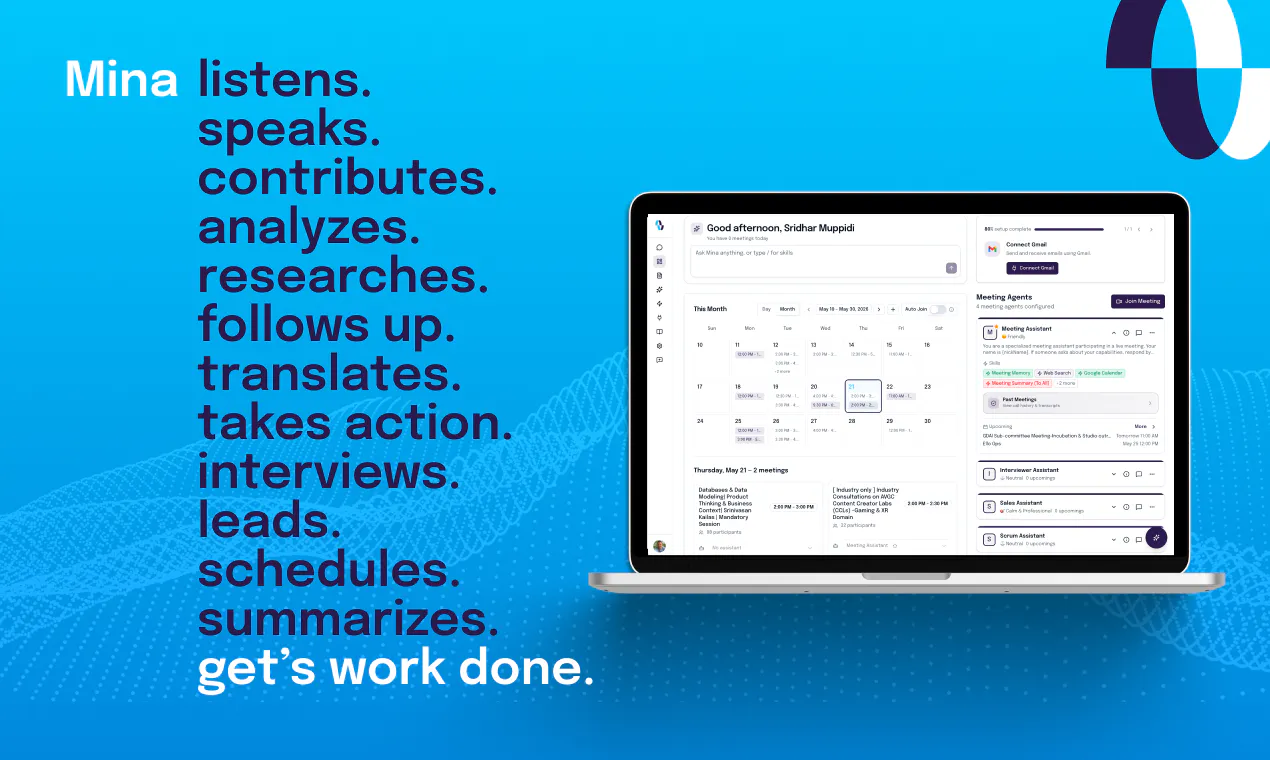
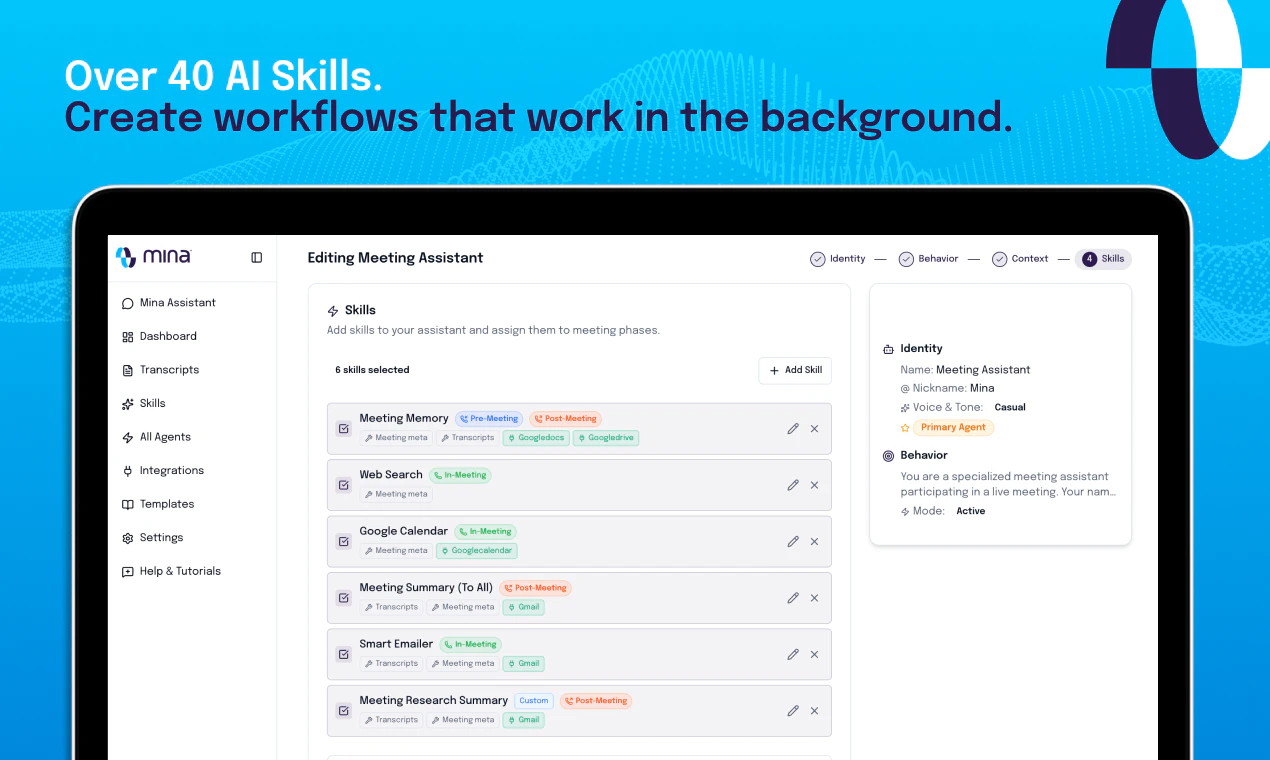
查看原始信息
NetworkSpy
Inspect, debug, and understand modern API traffic with NetworkSpy — a network debugger built for GraphQL, streaming, and AI apps. When joining new projects, learning other teams’ systems, or tracking tricky issues, a custom viewer makes everything easier. Instead of raw payloads, focus on real problems with your team. Don’t fall behind in the AI era. Build faster, debug smarter, and ship better products with the right tools.

Can NetworkSpy capture and visualize the full agent loop, like prompts, responses, and function calls, in one timeline?

1
回复

Hi @thamibenjelloun, thanks for the question!


NetworkSpy's built-in LLM viewers are designed for OpenAI-compatible /completions and /chat/completions endpoints. They provide a structured, developer-friendly view of requests and responses, including messages, available tools, response choices, and streaming chunks. The goal is to make debugging intuitive and enjoyable, rather than forcing developers to sift through large volumes of raw JSON.


For full agent-loop visualization—such as prompts, responses, tool/function calls, and execution flow in a single timeline—the built-in viewers are not intended to serve as a backend observability solution.

That said, NetworkSpy's Custom Viewer Builder gives you the flexibility to create your own visualization layer. You can build viewers for individual traffic inspections or aggregate multiple traffic inspections into a single custom view. This allows you to parse traffic data and present it in whatever format best fits your workflow, including agent execution timelines and cross-request flows.

Custom viewers can also be versioned in GitHub and shared across your team, ensuring everyone has a consistent understanding of how data and requests move between clients, servers, and AI agents.

0
回复