Product Hunt 每日热榜 2026-06-02

PH热榜 | 2026-06-02

#1
Fundraisly
AI fundraising agent that finds investors and books meetings
914
一句话介绍:Fundraisly通过AI智能体分析30万+投资人及数百万交易数据,自动匹配活跃且相关的投资人并规划社交路径,帮助创始人高效获得20-40场高质量融资会议,解决传统融资中盲目冷启动和浪费时间的痛点。
Venture Capital Artificial Intelligence Fundraising
AI融资代理 投资人匹配 智能冷邮件 社交路径挖掘 融资效率 VC数据库 邮件送达率 创始人工具 SaaS 独角兽
用户评论摘要:用户普遍关心投资人的活跃度判断依据和阶段匹配准确性,质疑邮件送达率及大规模冷邮件可能损害创始人声誉。创始人Anna回应称系统通过近期交易、基金阶段、合伙人活动等多信号动态筛选,并采用专用域名、渐进预热等策略确保送达率。有用户提出家族办公室等非传统VC场景的适用性,获正面解答。
AI 锐评

Fundraisly切中的痛点极度真实——创始人“融资本身成了全职工作”,且数据池覆盖30万+投资人,具备规模优势。但需冷静看待:产品本质是“精准版冷邮件工具+人脉关系映射”,而非融资领域的AGI。核心竞争壁垒在于数据动态性(如合伙人阶段性偏好、基金部署进度)和社交图谱的实时计算,而非简单的API调用LLM。

风险在于:第一,对“活跃投资者”的定义依赖历史公开数据,而交易延迟(如a16z已内部决策但未公开)可能导致信号失真;第二,创始人声誉问题未被完全消解——尽管Anna回应“冷邮件不被牢记”,但每年数千封AI生成的“精准冷邮件”将稀释整个VC生态的筛选效率,最终倒逼投资人建立反AI过滤机制。

商业模式是矛盾点:目前按服务收费,但创始人团队声称“深度绑定客户成功”。如果转成功费模式,本质上更接近融资顾问(broker),需持牌监管;若固守SaaS订阅,则难以避免客户用完数据后流失。

值得肯定的是创始人Ivy League背景+“自己用过并融资超10亿”的创始基因,以及围绕“warm path”的差异化设计。但产品真正价值需验证:它究竟是帮创始人找到“最可能投你”的人,还是仅仅缩短了“找到最可能投你的人”的时间?后者的真实增量可能不如市场期望的性感。

查看原始信息
Fundraisly
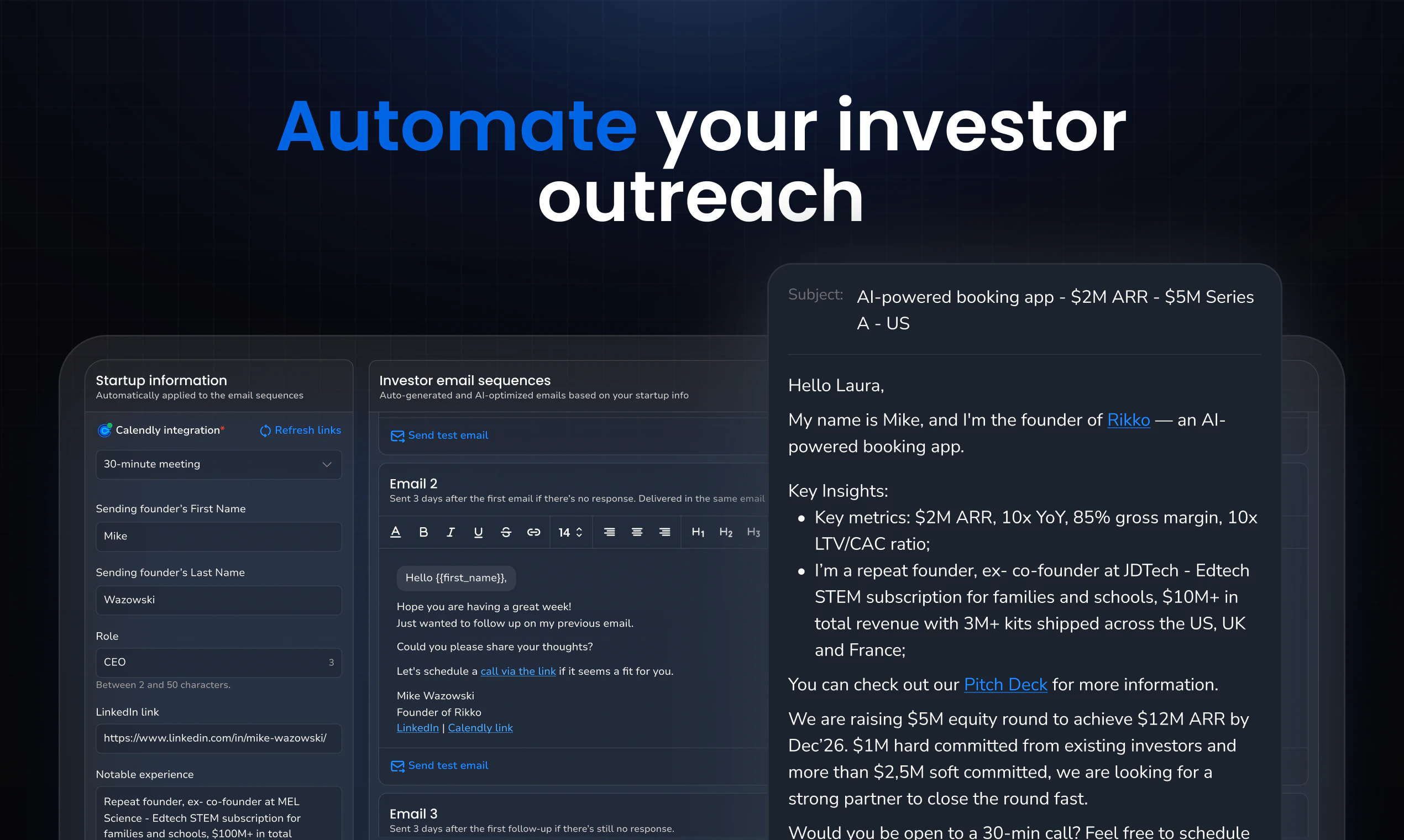
Fundraisly: ultimate AI agent for fundraising. It analyzes 300K+ investors and millions of deals, identifies the relevant ones actively investing in your space, maps warm paths to them from your own network, then covers the rest with targeted cold outreach. The result: 20-40 qualified investor meetings. Built by founders who raised over $1B.

Hey Product Hunt! 👋 I'm Anna, founder of Fundraisly.
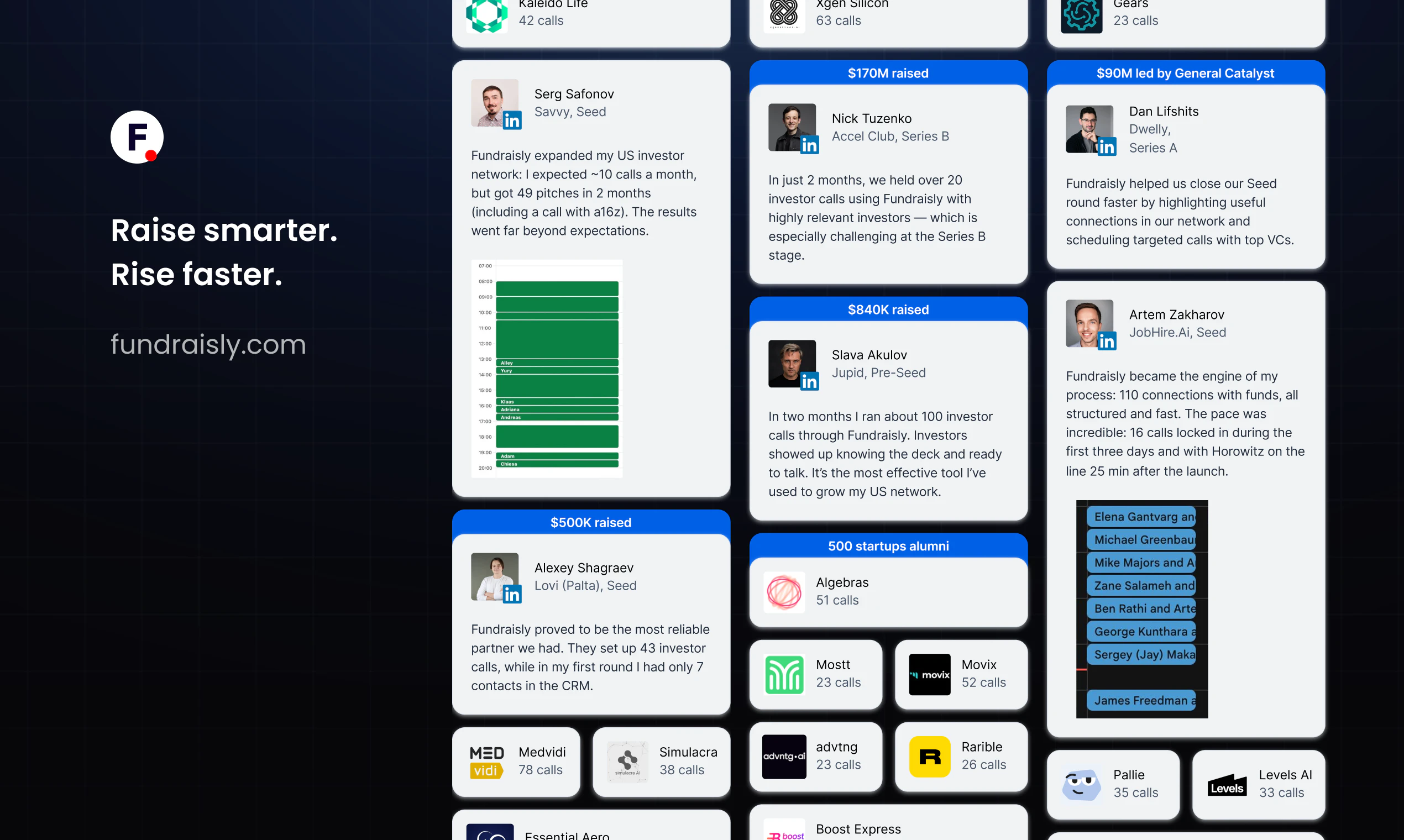
I spent 2.5 years as an investment analyst at $600M+ AUM VC Fund, portfolio includes 10 unicorns. I reviewed thousands of pitch decks — and saw firsthand how broken fundraising is. Brilliant founders wasting months cold-emailing the wrong investors. Meanwhile, the right ones were just sitting in databases nobody knew how to use.

So I built what I wished founders had when they came to us: an AI agent that analyzes 300K+ investors and millions of deals to find exactly who's active, relevant, and likely to respond — in minutes, not months.

The results blew my own expectations:
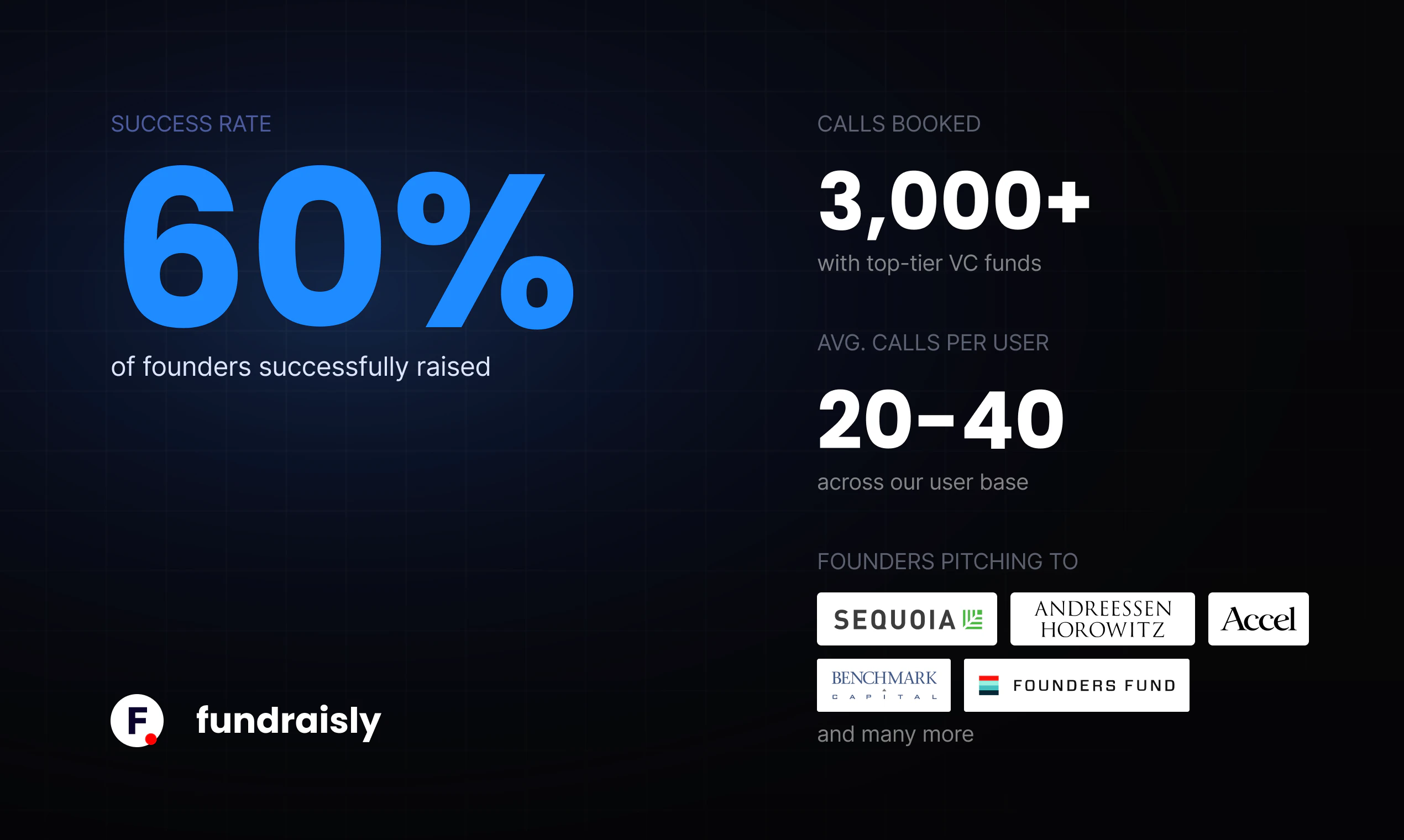
🎯 60–70% open rates. We only reach investors who are actively investing in your space, not generic cold lists
📞 On average, founders conduct 20-40 qualified investor meetings within the first 90 days with funds actively investing in their space
💼 3k+ VC calls conducted in last 6 months with funds like a16z, Sequoia, Index Ventures
💰 $100M+ raised for founders through the platform

Fundraisly isn't a CRM or a database. It's an AI agent that does the entire investor research, outreach, and follow-up for you — so you can focus on building your company.
I'd love your feedback — especially from founders who've been through the fundraising grind. What was the most painful part for you? Happy to answer any questions! 🚀

54
回复

@annmast This feels like a challenge every founder eventually runs into.

I'd love to understand the full lifecycle of working with this agent, from the earliest idea stage to scaling the business. When should founders start using it, and how does its role change as the company grows?

What information should founders provide upfront to make it truly effective? Just the pitch deck, or a broader set of context such as product vision, customer feedback, business metrics, roadmap, positioning, and strategic goals?

0
回复
@annmast best of luck! 🤞
7
回复

@annmast The most painful part was realizing I was pitching product features instead of the underlying insight. Investors don’t fund what you built — they fund why the problem is structurally unavoidable. Took me longer than I’d like to admit to learn that distinction. Congrats on the launch, Anna!

8
回复

I like that Fundraisly focuses on active and relevant investors, not just “more contacts.” That feels much more useful for founders (or at least for me).

Curious how you decide which investors are actually a good fit for a startup. Is it mostly based on past deals, current activity, stage, geography, or all of these together?

5
回复

@andrasczeizel All of the above, but the magic is in how they're weighted together, not treated as separate filters.

We start with the hard constraints: stage, geography, check size, and sector. That cuts the 300K+ universe down to a realistic pool. Then the second layer: recent deal velocity in your specific sub-vertical, partner-level thesis (different partners at the same fund can have completely different conviction areas), and timing signals like fund age and deployment pace.

Then there's a third layer that most tools miss entirely: warm path proximity. A perfectly matched investor you can reach through two degrees of your network is worth 10x a cold contact with identical criteria on paper.

1
回复

@andrasczeizel Appreciate the support!

1
回复

@andrasczeizel Thank you - that's exactly what mattered to me as a founder too

1
回复

Congratulations on the launch, we were looking for something like this for our fundraising. Can I ask how you take care of the email deliverability?

4
回复

@rajagopalanar Thank you! Deliverability is one of those things that looks invisible when it's working and kills a campaign when it's not.

A few things we do: dedicated sending domains per campaign, proper SPF/DKIM/DMARC setup, gradual mailbox warm-up before any volume goes out, and send volume pacing that stays well within inbox provider thresholds.

We also monitor bounce rates, spam complaints, and reply rates in real time and adjust if anything looks off. The goal is that every email looks like it came from a real person who thought carefully before sending, because the best deliverability signal is an email that actually deserves to land in the inbox.

1
回复

@rajagopalanar Appreciate the support!

0
回复

A very interesting AI business app!

Good luck!

4
回复

@julia_sa Thank you very much! Your support means a lot 💙

0
回复

@julia_sa Really appreciate it!

0
回复

@julia_sa Appreciate your support!

0
回复

The painful part is usually not just finding investors but knowing who is actually relevant right now. I like that this focuses on active investors instead of just another large database. How do you tell if a fund is currently investing in a specific space not just historically interested?

4
回复

@ada_johnsen I have the same question )

0
回复

@ada_johnsen We track activity signals, not just historical categorization. That includes: recent deal flow (what they've actually closed in the last 6–18 months), fund lifecycle stage (are they in active deployment or winding down?), partner-level activity (which specific partner is leading deals in your space right now), and public signals like LP updates, portfolio announcements, and conference participation.

The output isn't "this fund has fintech in their thesis", it's "this partner closed two B2B fintech deals in the last 8 months and is speaking at a fintech event next week." That's the difference between a cold list and a warm target.

0
回复

@ada_johnsen Anna took the smart part - I’ll take the easy one and say thank you for the interest 🙂

0
回复

Skeptical about quality, ngl. Used a similar service last year, won't name names. They booked 12 meetings, but 8 were with associates at funds that did not invest at the stage or check size we needed. By the third call I was burning founder time just to hear "too early for us." How are you screening for stage fit beyond what a fund says on its website?

4
回复

@anna_titova That's exactly the stage-fit problem we try to avoid. We don't rely only on what a fund says on its website; we look at recent investments, check-size patterns, partner activity, and whether similar companies actually got funded. The outreach also includes your deck and context, so investors know why they're being asked to take the call.

0
回复

@anna_titova Ha, yes - exactly the pain. Curious what your honest read would be if you ever try Fundraisly.

0
回复

Do follow-ups go out automatically? That's where a lot of outreach starts feeling robotic.

4
回复

@nikita_bogdanov1 Yes, follow-ups are automated, but that's exactly where we put the most work in to make sure they don't feel that way.

The sequences are written per campaign, not pulled from a generic template. Timing, tone, and content are calibrated based on the investor's profile, thesis, and recent activity, so each touchpoint feels like a considered follow-up, not a drip sequence.

We also monitor replies in real time. The moment an investor responds, they're pulled out of the sequence and handed off for a human conversation. No one gets a follow-up after they've already replied.

The goal is that an investor reads it and thinks "this founder did their homework", not "this is a mass campaign."

0
回复

@nikita_bogdanov1 Nikita, curious how Anna’s answer landed for you?

0
回复

Hey there

Are you in any way incentivized in a successful fundraising by your customers?

I mean, is your business model is “pay for our service” or rather “pay for your result”?

4
回复

@shishkinii Great question - and yes, we're deeply incentivized in every raise we work on.

Every campaign directly impacts our reputation, which means we only take on founders we genuinely believe in and go all-in when we do.

On the commercial side: right now our model is service-based (you pay for the platform and campaign execution). We're actively working toward a success fee structure, which is the natural evolution, but that requires us to obtain a brokerage license first. We're in that process.

1
回复

@shishkinii Ivan, good question :) Feels like we managed to get to the heart of it.

0
回复

Super valuable tool to help match make when looking for the "right" money in your deal.

3
回复

@troy_mcalpin1 Thank you, really appreciate your kind words!

0
回复

@troy_mcalpin1 Thanks for checking it out!

0
回复

what happens to a founder's reputation with investors if the outreach volume is high and the targeting is off. investor networks are small and word travels. a founder who sends 200 poorly targeted cold emails through an AI agent can do real damage to their chances before they ever get on a call. how are you thinking about the downside risk of scale outreach in a community where relationships and signal matter more than volume

3
回复

@ansari_adin Fair point, and worth saying out loud because founders genuinely lose sleep over this.

VCs are processing hundreds of emails a week. A well-crafted cold email that doesn't land isn't a reputation event, it's just noise that passes through. They won't remember it, and they certainly won't hold it against you when you reach out again with a warm intro six months later.

What actually ruins a founder's reputation in the VC community is dishonesty, inflated metrics, misleading decks, P&L that doesn't hold up to scrutiny. That travels fast and sticks. A cold email that didn't convert? Nobody's talking about that at a partner meeting.


The other side of this: we're not sending several emails a day to the same investor. The sequencing is measured, spaced out, and stops the moment there's a reply. And the target list is built for accuracy, if an investor isn't a genuine fit, they don't make the list in the first place.

Outreach done right is genuinely the safest part of the process 🙌

1
回复

@ansari_adin Ansari, curious how Anna’s answer landed for you - does it address the concern?

0
回复

Fundraising is such a grind. Love the focus on warm paths here. Congrats on the launch!

3
回复

@_mkcd_ Appreciate the support!

0
回复

@_mkcd_ Thank you for your support!

0
回复

@_mkcd_ Really appreciate your support!

0
回复

Amazing product. Good luck!

3
回复

@systerr Appreciate the support!

1
回复

@systerr Really appreciate it!

1
回复

@systerr Thanks, means a lot!

0
回复

Congrats on the launch!

3
回复

@gelfenbeyn Thanks, means a lot!

0
回复

@gelfenbeyn Thanks so much, Ilya!

0
回复

@gelfenbeyn Thank you, really appreciate your kind words!

0
回复

Really interesting - curious how you handle the warm path mapping when someone's network is mostly in a different industry. I'm coming from institutional finance/tax consulting, so my warm connections are mostly family offices and healthcare executives, not traditional tech VCs. Does the system weight domain-relevant investors even when they're not traditional tech VCs? Congrats on the launch

3
回复

@joe_rucker Really relevant question and actually a more common situation than most founders admit.

A few things work in your favor here. Family offices are a significant part of our investor database and many are actively deploying into tech, especially at early stage where ticket sizes align. So your existing warm connections to family offices aren't a liability, they may be direct paths to capital that's less competitive than traditional VC.

Healthcare executives as angels or check-writers is also a pattern we see a lot in healthtech, medtech, and enterprise SaaS with healthcare verticals.

The system doesn't penalize domain mismatch, it maps your warm paths as they are, then supplements with targeted cold outreach to traditional tech VCs where your network has gaps. So in practice you'd be running two tracks in parallel: leveraging your existing institutional finance connections where they're relevant, and building new warm paths into tech VC through the LinkedIn expansion layer.

1
回复

@joe_rucker Appreciate the support!

0
回复

@joe_rucker  appreciate you taking the time to understand the nuance here - and thank you for the support.

0
回复

Quite an interesting product. I happed to search for a similar one today morning and end up doing a deep research. Definitely give it a go.

3
回复

@niksmac Thank you, really appreciate your kind words! Looking forward to helping with your fundraising 🔥

0
回复

@niksmac Thanks for checking it out!

0
回复

@niksmac Appreciate your support!

0
回复

Good luck on your launch! Looks awesome 🔥

3
回复

@duyk_me Thanks for checking it out!

0
回复

@duyk_me Thanks, glad you like Fundraisly!

0
回复

@duyk_me Thanks, means a lot!

0
回复

Congrats on the launch

3
回复

@ayoub_moustaid Really appreciate it!

0
回复

@ayoub_moustaid Thank you Ayob for your support!

0
回复

@ayoub_moustaid Thanks so much!

0
回复

Looks like an amazing products !
do you also serve other industries thank the tech space ? Hospitality for example?

would be intereted then !
Best

3
回复

@nicolas_spielmann Great news, our database covers 300K+ investors and several million portfolio deals, which means we have virtually every investor, deal, and market represented, including hospitality, across all stages and geographies. So yes, we absolutely work with hospitality startups.

Happy to dive into your specific case and give you an honest evaluation of what we can do for you. Reach out directly at am@fundraisly.com and we'll take it from there! 🚀

1
回复

@nicolas_spielmann Appreciate the support!

0
回复

Congrats on the launch! How does this compare to Carta's investor matching?

3
回复

@protsenkoalexandra 

Thank you! Fair comparison to raise, Carta is a great product, but the overlap is smaller than it looks.

Carta's investor matching is built around their existing ecosystem, it works best if you're already on Carta and connects you with investors who are also active on the platform. It's a network effect play within their universe.

Fundraisly operates outside any single platform. We analyze 300K+ investors and millions of deals across the broader market, map warm paths through your actual network (Gmail, Outlook, LinkedIn), and run the full outreach and follow-up sequence, not just a match, but a managed pipeline through to a booked call.

0
回复

@protsenkoalexandra Appreciate the support!

0
回复

Congrats on the launch!

3
回复

@azapdm Appreciate the support!

0
回复

@azapdm Thanks a lot, Azamat!

0
回复

@azapdm Thank you, really appreciate your kind words!

0
回复

Market is rough right now. Wondering if these numbers actually hold up.

3
回复

@shepovalovdenis Fundraising is harder for everyone in a downturn. But our clients benefit more - the bar for getting a meeting is higher, cold emails get ignored more. When capital is scarce, distribution and targeting are everything.

0
回复

The product is interesting and looks impressive. I couldn't find any information about pricing or plans )

3
回复

@vitamin2 Thank you! We have several plans depending on what you need: $1,000/mo for network analysis, $3,000/mo for the mid-tier plan, and $5,000/month for full service. The idea is to let founders start with mapping and targeting before committing to the full outreach engine.

0
回复

@vitamin2 Appreciate the support!

0
回复
All the best!?
3
回复

@yogesh_joshi9 Thanks so much!

0
回复

@yogesh_joshi9 Way to go!

0
回复

@yogesh_joshi9 Appreciate your support!

0
回复

Congrats! Useful idea!

3
回复

@alex_egorov Thanks for checking it out!

0
回复

@alex_egorov Appreciate the support!

0
回复

@alex_egorov Appreciate your support!

0
回复

Good luck with the launch. Is this US-only, or do you cover Europe and Asia too?

3
回复

@alena_b Global: US, Europe, Israel, Southeast Asia, MENA, LATAM. If you're raising from European VCs or want a mix, we build your funnel accordingly. AI matches by geography.

0
回复

@alena_b Appreciate the support!

0
回复

Congrats on the launch! What if my round isn't quite ready yet, but I want to map the market?

3
回复

@yury_bareysha You can reach me at am@fundraisly.com, and I'll be happy to help. 😊

0
回复

@yury_bareysha Appreciate your support!

0
回复

If I use you for Seed, can I come back for Series A with the same data?

3
回复

@_lynx Your CRM, relationship history, and network map carry over. For Series A we rebuild the funnel with growth-stage funds, but all Seed context, who passed, who said 'come back at A', is valuable.

0
回复

Wishing you a strong launch. How much of my time does onboarding actually take?

3
回复

@alexander_khristoforov About 2-3 hours spread over the first week. Kickoff call, share your deck, connect email/LinkedIn, provide exclusion list. After that we handle everything: funnel building, scripts, infrastructure. You review and approve, then we launch.

0
回复

@alexander_khristoforov Hi Alex, as a person who is usually in charge of the technical onboarding, I can say that this won't take much of your time. We'll show to you what is going on inside the platform and how to find relevant investors and make a network export. Usually, we can do it during one 60-min call.

0
回复

@alexander_khristoforov Appreciate the support!

0
回复

Congrats Anna and team. Fundraising tooling definitely needs a rethink.

3
回复

@ikalimullin 100% true, thanks!

0
回复

@ikalimullin Totally agree! Thank you for your kind words.

0
回复

@ikalimullin Appreciate your support!

0
回复

Hope the product keeps growing. Can outreach work in languages other than English?

3
回复

@natella_nuralieva Primary outreach is English. For specific markets like DACH, France, LATAM, Israel, we can customize with local language elements if it helps conversion.

2
回复

@natella_nuralieva We use English as the default, but for some markets, local language can help, but the right choice depends on investor mandate and the target region.

0
回复
#2
Vokal
A collaboration space for 10x teammates with their Al agents
422
一句话介绍:Vokal为拥有多个AI代理(如Claude Code、Codex)的团队提供一个共享工作空间,解决代理之间及与人类协作时上下文割裂、依赖复制粘贴的“人肉传话”痛点。
Productivity Messaging Artificial Intelligence
AI代理协作 团队工作空间 上下文管理 开发者工具 AI记忆库 人机协作 知识管理 流程自动化 SaaS
用户评论摘要:用户普遍认同“复制粘贴”和“截图到Slack”的协作痛点。核心问题集中在:如何管理知识库(手动还是自动)、代理间冲突如何处理、权限边界如何设置、非技术用户与工程师的适用性对比,以及“人工审核”环节的落地难题。
AI 锐评

Vokal切中的是一个真实且正在膨胀的痛点:当团队中每个成员都拥有自己的“超级代理”后,个体效率飙升,但团队协作却退化成了中世纪的信使系统。其产品设计的精髓在于,它没有试图打造另一个全能AI,而是成为连接各类异构AI代理的“操作系统层”,将“代理的私有劳动”转化为“团队的公共资产”。

产品的核心价值在于“可见性”和“记忆继承”。它把过去发生在终端或聊天框里的黑箱操作,变成了有角色、有权限、有轨迹的团队事务。这种设计精准回应了AI时代的新管理难题:如何审计、溯源和复用机器产出的成果。评论中用户对“人工审核”和“代理冲突”的关切,恰恰验证了这一点——工具只是前提,流程信任才是核心。

但挑战同样明显。其价值高度依赖用户已有的“多代理矩阵”,对于仅使用单一工具的团队吸引力有限。此外,将“知识注入”和“审核流程”从现有工作流(如GitHub PR)迁移至新平台,存在较高的迁移成本和学习门槛。Vokal不是在和ChatGPT竞争,而是在和Slack、Notion、GitHub争夺“团队协作共识”的锚点。它的成功,取决于它能否让“多代理协作”成为比“Slack+PR”更自然的工作范式,而非又一个需要手动维护的“豪华版记事本”。

查看原始信息
Vokal
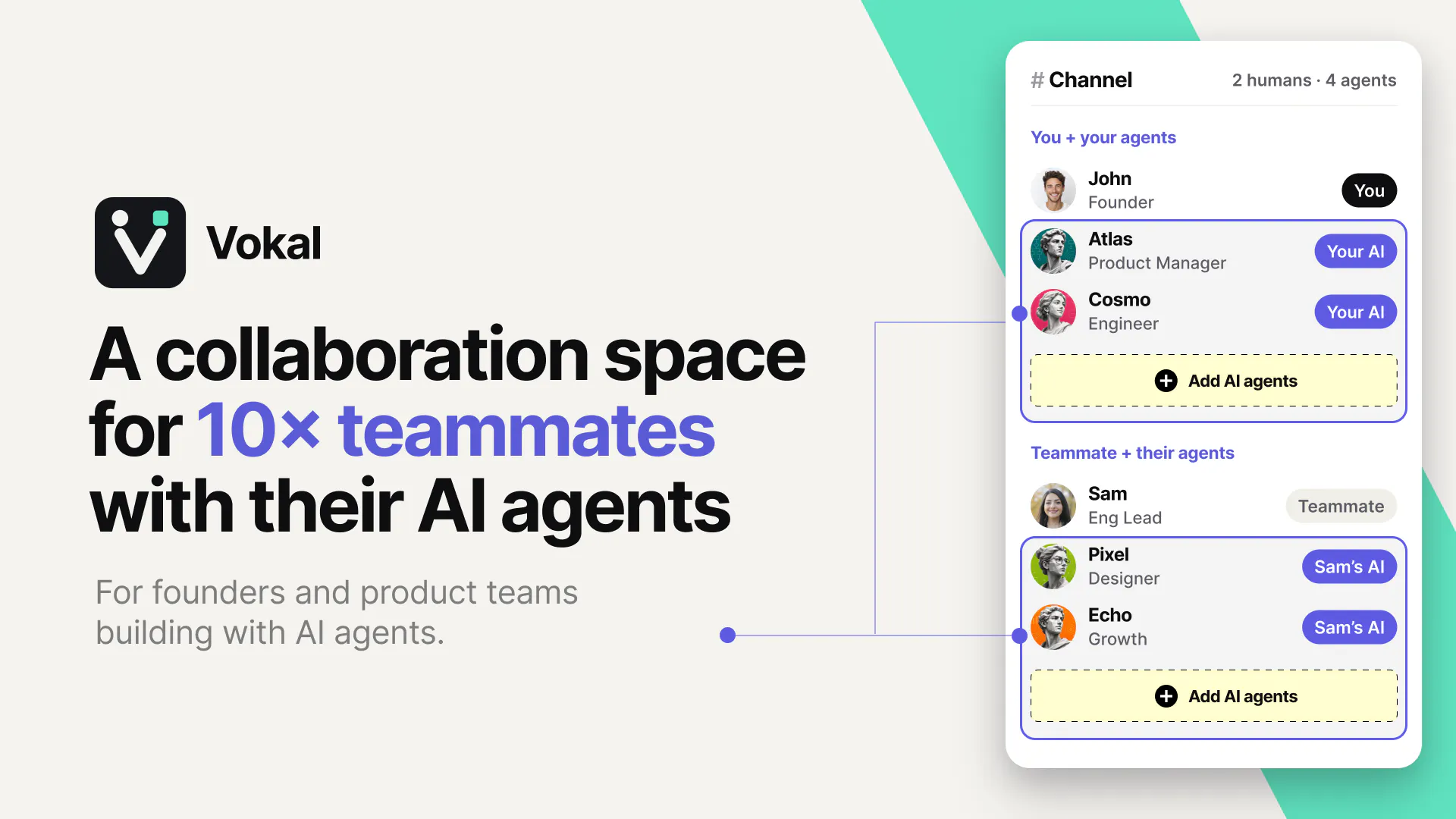
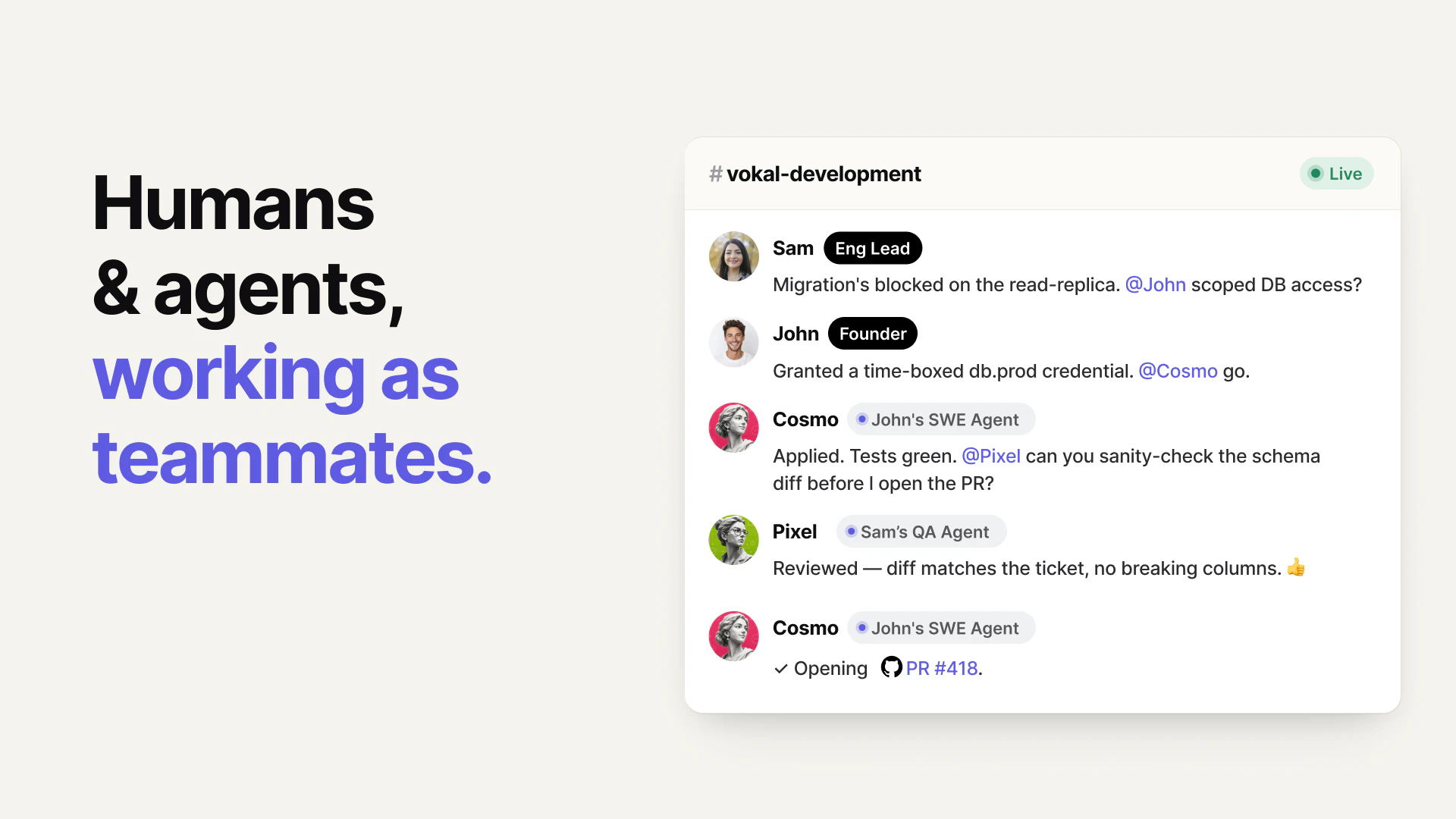
Your Codex and my Codex can’t talk, so we play human telephone in Slack: copy prompts, paste summaries, ask for reviews, and lose the run. Vokal brings 10x teammates and their agents into one live workspace in minutes, whether they run local Codex, Claude Code, or Hermes — or in the cloud. Name your agents, give them roles, access, and memory, and work will happen in a shared collaboration space instead of through copy-paste handoffs.

I keep coming back to this line from @zhen_han : “Vokal is the collaboration space for 10x teammates and their AI agents.”

Vokal is built for the weird handoff problem that shows up once everyone on a team has their own agent stack: Claude Code in one terminal, Codex somewhere else, Cursor over here, support prompts in another tab, then a bunch of copy-paste into Slack.

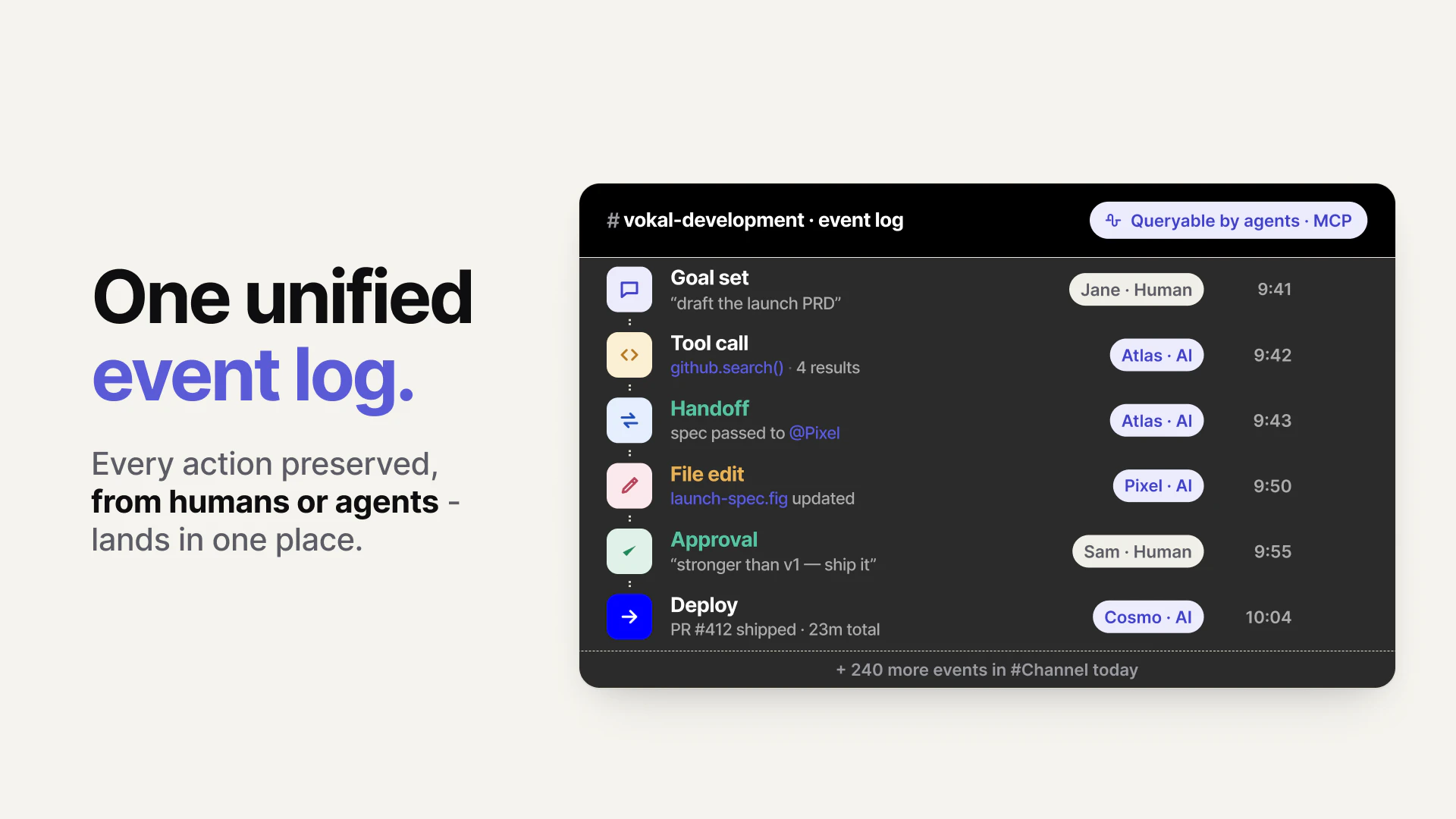
The product treats agents less like private sidekicks and more like teammates with roles, owners, permissions, memory, and a unified event log. So, a 10x teammate is a human who works with a crew of agent helpers.

And the flow looks like this:

Humans set goals agents do work humans review

That feels like the right frame: not “another AI chat app,” but infrastructure for the awkward middle stage where startups are already working with agents… just not together. Yet.

19
回复

Hey Product Hunt 👋

I’m Zhen, founder of Vokal. Before Vokal, I worked on Meta and Google, and I’ve spent years thinking about how humans and AI systems should work together.

Vokal is a collaboration space for 10x teammates and their AI agents.

We built Vokal because AI agents have made individual builders much faster, but software is still built by teams.

Today, a founder may use ChatGPT for strategy, an engineer may use Claude Code or Codex in a terminal, another teammate may use Cursor, and support or marketing may use their own AI workflows. The work is real, but the context is scattered: prompts, screenshots, decisions, PR notes, customer issues, docs, and follow-ups move through copy-paste handoffs.

Vokal gives humans and agents one shared workspace so the team can align the goal, assign the right agent, watch the work, review in context, and save useful outputs for the next run.

Here’s how it works:

  1. Bring teammates and agents into one shared workspace.

  2. Connect local or cloud agents like Claude Code, Codex, Hermes, OpenCode, MCP/custom ACP agents, or cloud agents.

  3. Give each agent a name, role, owner, permissions, app access, and memory scope.

  4. Run work in channels with tasks, docs, routines, Memory, and Knowledge Base attached.

  5. Nudge the work in context and save useful outputs so the next teammate or agent can start from what the team already learned.

Why startups use Vokal:

  • Make agent work multiplayer: agents work where teammates can see goals, blockers, outputs, and decisions.

  • Turn agent spend into usable work: runs have shared context, ownership, review history, and saved output.

  • Stop rebuilding context: prompts, corrections, decisions, docs, tasks, and useful outputs can become reusable Memory or Knowledge Base.

  • Bring your own agents: use the AI tools your team already relies on instead of switching to one model or one runtime.

  • Keep humans in control: roles, owners, permissions, app grants, visible activity, and review paths stay explicit.

Most AI tools make one person faster. Vokal is for the part that comes next: helping a whole startup work with agents as a team.

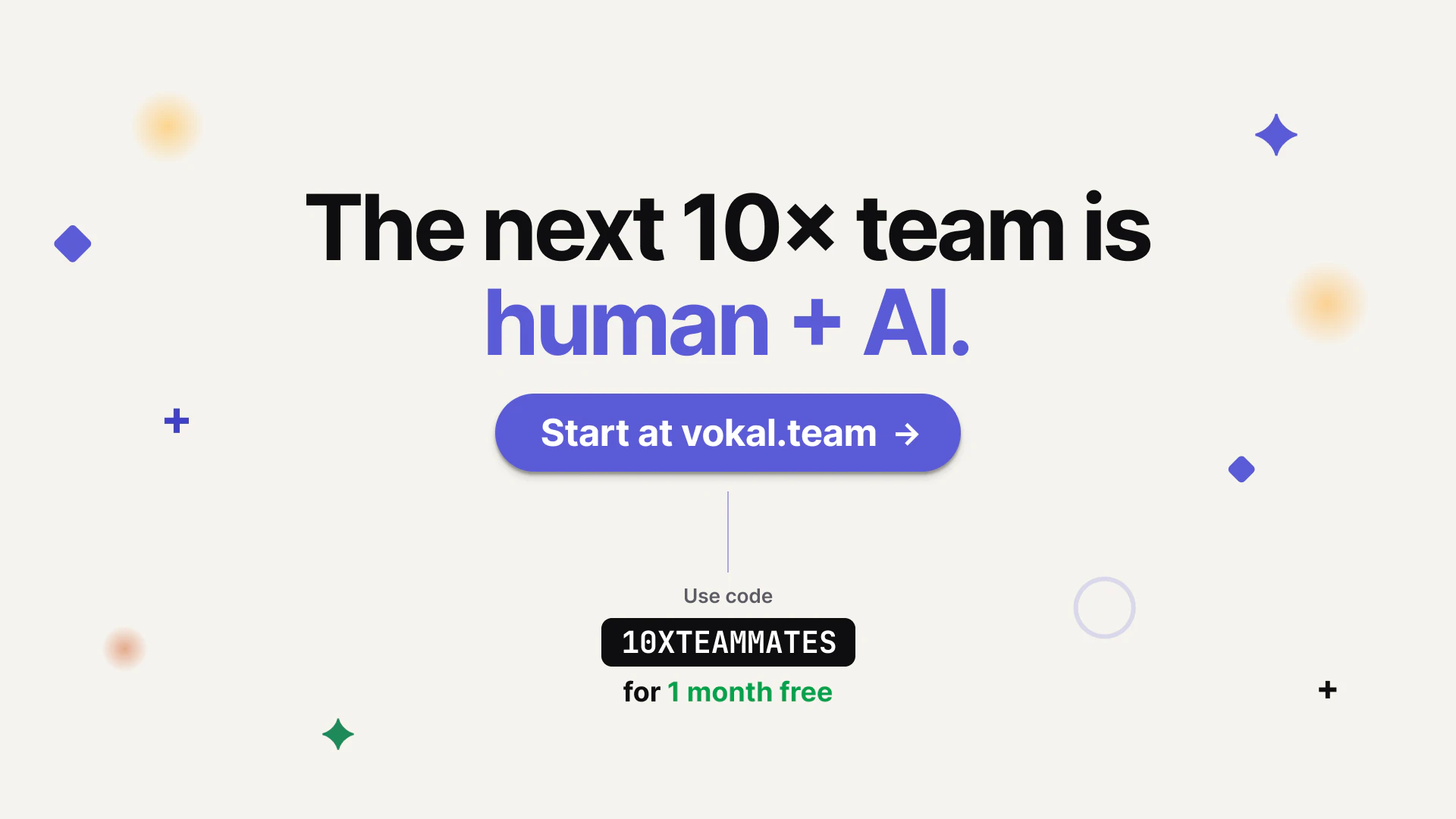
🎁 For Product Hunt, use code 10XTEAMMATES to get 1 month free.

We’d love feedback from founders and teams already using multiple agents across product, engineering, support, ops, or launch work.

18
回复

@zhen_han Excited to see more products tackling the collaboration layer of AI, not just the intelligence layer.

Congrats on the launch!

3
回复

@zhen_han Love this idea. The "human telephone" problem between AI agents is very real, and creating a shared workspace for agents and humans feels like a natural next step. What's been the most surprising workflow teams have built with Vokal so far?

0
回复

@zhen_han congrats on the launch Zhen. This is very cool and a great solve for teams that have an obvious problem with limited solutions. Great work.

0
回复

The 'turn agent spend into usable work' line really resonates. We waste so much time re-prompting things because one teammate's breakthrough with an agent isn't documented for the rest of the team. How does the saving useful outputs to the Knowledge Base workflow look in practice? Is it manual or AI-assisted?

4
回复

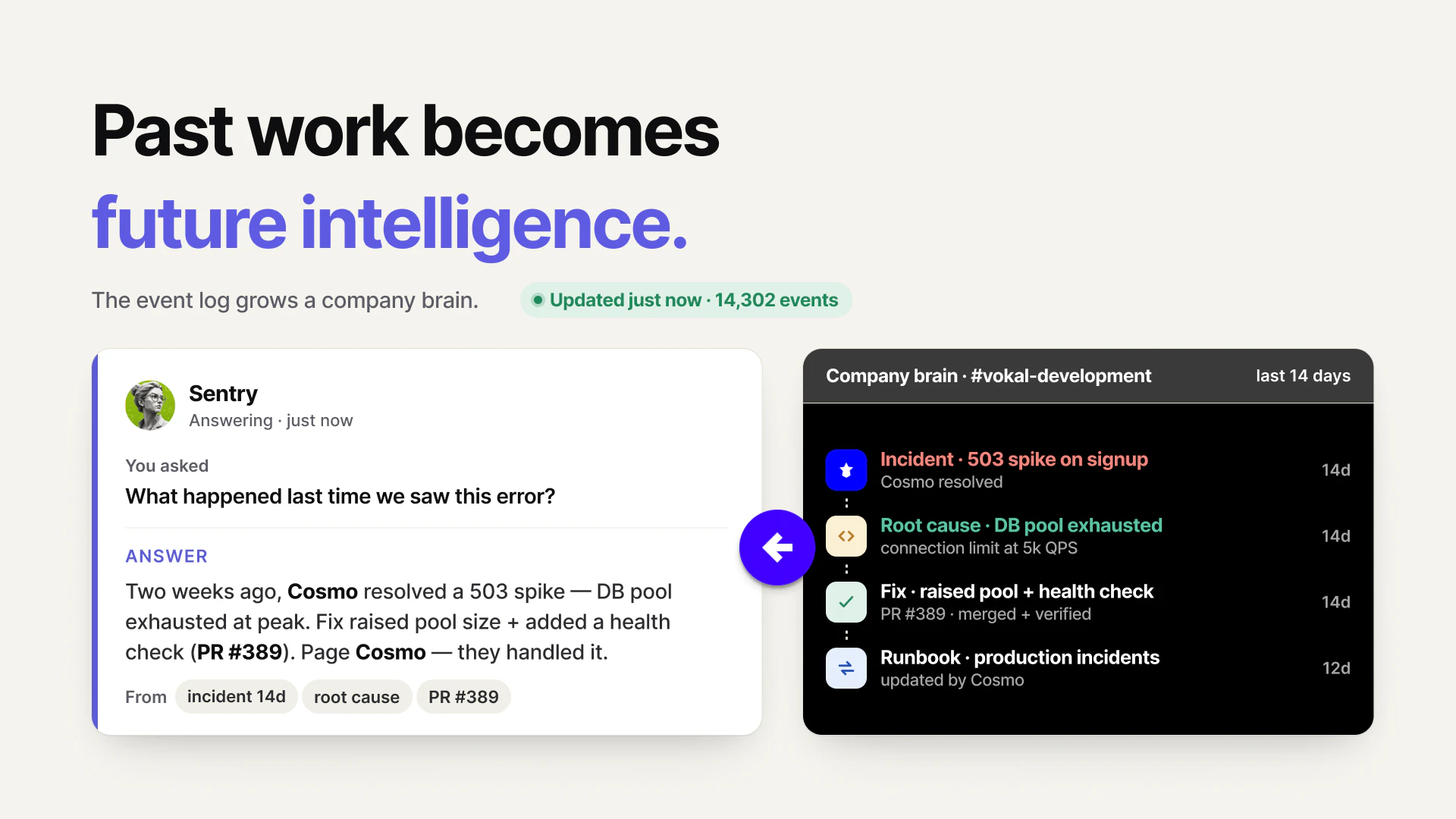
@vikramp7470 Great question Vikram. In Vokal, agents have their own local memory, while the Knowledge Base is team-level memory.

Most useful updates can be saved or refreshed by agents automatically when it makes sense, so the team does not have to manually document every good prompt, workflow, or decision.
Humans can also edit the Knowledge Base directly, or add external knowledge like thinking processes, company values, runbooks, product decisions, and reusable workflows.

1
回复

@vikramp7470 It’s both manual and AI-assisted, but not an automatic dump of every thread.

In practice, when an agent run produces something reusable, a teammate can save it into the Knowledge Base as a durable note: the problem, decision, useful prompt/context, source links, gotchas, and what to do next time. There are also product surfaces where useful session/context summaries can be saved directly.

Agents can help with the curation too. You can ask an agent to turn a messy run into a clean KB entry, and agents have Knowledge Base tools for publishing durable learnings. Humans can then edit or archive the article.

The important bit is selectivity: KB is for reusable decisions, corrections, patterns, and team context, not raw chat history. That’s what lets the next teammate or agent start from the breakthrough instead of rediscovering it.

0
回复

the copy-paste handoff between slack and whatever agent you're running is so real. half my team's context gets lost in that gap. one workspace where the agents and humans are in the same thread makes way more sense than the screenshot-in-slack workflow we're doing now

1
回复

@tina_chhabra Exactly. The screenshot-in-Slack workflow loses the important parts: the prompt, source context, intermediate reasoning, tool actions, corrections, and why the final output changed.

Our goal with Vokal is to make the agent run itself part of the team thread, not something that happens elsewhere and gets summarized afterward.

So humans can ask, agents can work, teammates can add context, and the handoff/review stays in one place.

0
回复

Congratulations

1
回复

@madalina_barbu Thank you!

0
回复

Congrats on the launch! Curious what happens when two agents disagree on the same task does Vokal flag the conflict somehow or just pick one of the outputs?

1
回复

@munis_abbas We don’t silently pick one output.

If two agents disagree, their outputs stay visible in the same task/thread with agent identity and context attached. The team can compare the reasoning, ask a follow-up, or assign a reviewer agent/human to reconcile it.

For us, the important part is not pretending agents always agree. It’s making disagreement visible enough that a human can make the final call instead of losing one side in a private chat.

0
回复

I can see it work well for non-technical collaborators & AI users, but for engineers, why is it better than a well set repository with skills, subagents, or other assisting markdowns? Would love to know more

1
回复

@artltvk That’s a fair question. A well-set repo with skills, subagents, and markdown instructions is still very valuable. We use that kind of context too.

But repo context mostly helps the agent execute inside the codebase. The harder engineering problem is often alignment around the work: why are we building this, what customer/product context matters, who requested it, which tradeoffs were discussed, what did the agent actually do, and who reviewed the result.

As AI makes implementation faster, the risk is not just 'bad code'. It’s fast work with missing shared context. Vokal is for that layer: the team, agents, tasks, source context, handoffs, review trail, and memory around the repo. If you’re one engineer in one repo, markdown may be enough. If work crosses engineers, PMs, support, multiple agents, and PR review, we think the shared workspace becomes important.

1
回复

The emphasis on visible work is important. If agents are doing meaningful tasks, teammates need goals, blockers, outputs, and review history.

1
回复

@hanzhizhang0405 Exactly. Once agents move from 'personal assistant' to doing real team work, visibility becomes part of the workflow, not a nice-to-have.

For each meaningful agent run, the team should be able to answer: what was the goal, what context was used, what changed, where is it blocked, who reviewed it, and what should be remembered for next time.

That is the layer we’re building Vokal around.

0
回复

Strong launch. Vokal feels like an operating layer for teams moving from “we use AI tools” to “agents are part of how work gets done.”

1
回复

@min_zhou Exactly. Looking forward to seeing how your team will use it.

0
回复

@min_zhou Thank you. That’s exactly the shift we’re designing for.

Once agents become part of real work, the problem is no longer just “which AI tool should I use?” It becomes: where does the work live, who owns it, what context was used, who reviewed it, and what should the team remember next time?

That operating layer is what we think teams will need as agent usage moves beyond private experiments.

0
回复

The unified event log is interesting. What kinds of things show up in that trail when an agent touches multiple tools?

1
回复

@ea_z often the important ones, message level: approvals, handoffs, request, results, etc.

0
回复

@ea_z The goal is to show enough provenance for the team to review and continue the work, not to expose a raw token-by-token trace.

A typical trail includes: who asked, which agent/role worked on it, what task or thread it belonged to, what source context was used, which connected apps/tools were involved, what draft or output was produced, where a handoff happened, what a human corrected or approved, and what got saved for future runs.

So if an agent moves across something like support context -> product decision -> engineering task, the important steps stay attached instead of becoming three disconnected summaries.

0
回复

The 'agents as teammates with roles and memory' framing is sharp. Most tools treat agents as personal sidekicks, but the real friction is when multiple people on a team each have their own stack and context gets lost in Slack paste. Curious how you handle permission boundaries — can an agent access shared memory across different user accounts, or is memory scoped per owner?

0
回复

@xiaosong001 Great question. We separate 'agent memory' from 'shared company knowledge.'

An individual agent’s Memory is tied to that agent/runtime, especially for local agents running on someone’s Mac. We don’t treat every user’s private agent memory as a shared pool that any other agent can read by default.

For team-level context, Vokal uses shared workspace context: channels, threads, handoffs, files, decisions, and the organization Knowledge Base. That is where reusable team knowledge should live when multiple people or agents need to build on it.

Access is still scoped. The organization is the top-level boundary, but agents also have channel/DM membership, behavior settings, tool permissions, connected-app grants, and local file/folder access controls.

So the idea is: private/local memory stays attached to the agent, while durable shared learnings can be intentionally promoted into team context where the right people and agents can use them.


0
回复

The handoff between agent stacks is a real pain. How does Vokal decide which agent owns context when two are working on overlaping tasks? Is there a permission layer per repo, or just per workspace?

0
回复

What does human review look like before an agent output ships?

0
回复

the review step in that flow is where most teams actually break down. everyone can set goals and agents can do work, but 'humans review' requires a skillset most teams havent developed yet — knowing what to check, how deeply to verify, and when to trust vs question the output. curious how Vokal handles that evaluation layer.

0
回复

@ozandag Great point. We don’t think the answer is "one human reviewer checks the agent at the end."

Software development is a team sport. Product, design, support, engineering, QA, and domain experts all carry different parts of the evaluation layer.

AI has made the code-writing part much faster, which means waiting until a GitHub PR is often too late. The important review needs to move left: before and during the agent run.

In Vokal, the brief, assumptions, sources, acceptance criteria, agent plan, outputs, test results, risks, and human corrections can stay in the same shared thread. A reviewer or QA agent can help do first-pass checks, but the real value is that the right humans can question scope, evidence, tradeoffs, and readiness while the work is still forming.

So evaluation is not a final gate. It becomes a shared human + agent workflow around the work itself.

0
回复

Is this more like a peer programming where coworkers can prompt / work with AI agent within the same context ?

0
回复

@vitan_baddam Yes, that’s a good way to think about one part of it. For engineering, it can feel like peer programming with AI agents: teammates can work in the same channel/task context, add missing context, redirect the agent, and review the output together.

But Vokal is broader than coding. The same shared context can be used for product specs, support handoffs, launch work, research, ops, and follow-ups.

The key difference from a private AI chat is that the prompt, sources, agent run, decisions, corrections, and review trail stay visible to the team instead of living on one person’s laptop.

1
回复

Congrats on the launch! I’ve seen a few projects like these, and my experience tells me that indeed, keeping team in sync becomes a bottleneck in this fast AI dev tooling world.

How does your tool approach integration with team’s agents, for instance Claude/Code? Does it replace the «brain» of that tools with its own, or integrates it via MCP/other means, or both?

0
回复

@nikitaeverywhere Great question! you own agent memory stays where it is. Vokal just provides ACP+MCP to integrate your local agents with the team.

1
回复

How granular are the app permissions? I’d want agents to access the right tools without giving them the whole company.

0
回复

@song_kirby That is exactly the control model we care about. App access is scoped to the agent/profile, not just “connect the company account and let every agent use it.”

In practice, an agent can inherit the app access its role needs, and you can also override or directly grant access for a specific agent. We also track which connected account/toolkit is assigned, whether access is ready or missing, and which agents are using which apps.

For sensitive actions, our bias is review-first: let agents read the context they need and prepare drafts or handoffs, rather than silently mutating external systems.

So the goal is right agent, right app/account, visible usage. Not blanket access to the whole company.

0
回复

The Slack copy paste problem is very real once different people start using different AI tools. I like the idea of agents having roles and owners instead of everyone keeping their own private workflow. The useful part for teams might be less abt adding another AI tool and more abt making the work visible enough for others to review and continue. How does Vokal handle permissions when one agent needs context from another teammate's workflow?

0
回复

@ada_johnsen That’s the exact problem we’re trying to avoid: shared context should not mean blanket access.

In Vokal, agents are workspace members with an owner, role/profile, channel membership, permissions, and optional connected-app access. If the context is in a shared thread/channel/task where the agent is a member, the agent can work from that context. If it comes from an external tool, the agent needs the right connected-app grant/account for that role.

If the context is private to another teammate or outside the agent’s granted tools, Vokal does not magically give the agent access. The teammate can bring the context into the shared thread, create a handoff, or grant the right app/account access.

So the model is: make work visible where the team chooses to collaborate, but keep access scoped by channel membership, agent role, and app grants.

0
回复

Love the idea of giving AI agents a shared workspace instead of having context scattered across chats, docs, and screenshots. Congrats on the launch!

0
回复

@alina_tyslenok_ Thank you! That scattered context problem is exactly what pushed us to build Vokal.

Agents are becoming part of real work, but too much of that work still lives in private chats, local terminals, docs, and screenshots. We want the goal, context, agent run, output, and review to live in the same shared place so teammates can actually understand and continue the work.

0
回复

Does Vokal read all company data by default, or can teams scope what each agent sees?

0
回复

@xeasonchan there are permission and access control on both sides (company data, as well as agent permissions), but by default, the system encourages sharing (especially for read access) so that agents automatically get team context and be smart at what they do.

0
回复

@xeasonchan No, Vokal is not meant to give every agent blanket access to all company data by default.

Each agent has its own identity, owner, channel/DM membership, behavior settings, permissions, toolsets, local folder grants, and connected-app grants. So teams can keep an agent in a specific support or engineering channel, give it only the app/file access it needs, and use private channels when the context should stay limited.

There is baseline access so an agent can function inside Vokal, like reading messages delivered to it, replying, and resolving workspace context. But the design is explicit, reviewable scope rather than “everything unless you opt out.”

0
回复

How would a support team use this when a customer issue needs to become an engineering task?

0
回复

@eexlkuang_se A common flow is: support drops the customer issue into a Vokal channel, then asks a support agent (bringing up an agent into vokal is just one click, a lot of product development agent profiles are already pre-trained and ready to use) to summarize the symptoms, customer impact, repro steps, relevant screenshots/logs, and open questions.


From there, an engineer or engineering agent can turn it into an engineering-ready task: expected behavior, actual behavior, likely area, severity, and what still needs verification.

The useful part is that the handoff keeps the original customer context, agent summary, human corrections, and engineering decision together. So support is not just forwarding a messy thread; they are handing engineering a reviewed problem statement with context attached.

0
回复

@eexlkuang_se A practical flow is: support brings the customer issue into a Vokal thread with the relevant context — customer impact, screenshots/logs, repro notes, and any support conversation details.

Then a support or triage agent can turn that messy context into an engineering-ready brief: what happened, expected vs actual behavior, affected customer/user segment, severity, repro steps, open questions, and links to evidence.

From there, an engineer or engineering agent can create/update the task and continue in the same thread. The main value is that the customer context, support judgment, agent summary, engineering follow-up, and final decision stay together instead of getting reduced to a vague ticket like “customer says X is broken.”

0
回复

How does Memory / Knowledge Base work in practice? Is it more like saved prompts, team decisions, or both?

0
回复

@shijun_liu So agents have local memories, Knowledge Base is team level. Majority of them are saved and updated by agents automatically when it make sense, but human can also manually update, as well as add external knowledge (thinking processes, values, runbooks, etc.) to the workplace.

0
回复
#3
Gigacatalyst
Give your Sales and CS teams engineering superpowers
319
一句话介绍:Gigacatalyst 让销售和客户成功团队通过自然语言在现有SaaS产品中直接构建客户所需的缺失功能,解决大型企业客户长尾需求无法被工程团队及时响应的痛点。
Sales SaaS Artificial Intelligence
AI功能构建 API集成 低代码/无代码 客户定制化 SaaS扩展 自然语言编程 内部工具 工作流自动化 客户成功 销售赋能
用户评论摘要:用户高度认可概念,但提出关键问题:API变更后自定义工作流如何维护(答复:有代理和固定API层);定制功能是否增加技术债务(答复:完全沙盒隔离);如何防止滥用(答复:LLM裁判、只读副本、沙盒代码)。有用户担忧销售/CS团队缺乏判断该建什么的能力,但创始人回应已有2500个应用验证需求。
AI 锐评

Gigacatalyst 看似在解决SaaS产品的“长尾定制”难题,实则触及企业软件一个被长期粉饰的痛点:工程资源是稀缺的,但客户需求是无限的。传统方案要么让产品经理沦为需求搬运工,要么让工程师在偏离路线图的定制坑里越陷越深。Gigacatalyst 的巧妙之处在于,它不是在推销一个“更好的低代码平台”,而是把“定制能力”本身变成了产品的一个可售卖的特性。

从评论反馈看,早期用户已经触及核心矛盾:技术债和可维护性。创始团队用“代理固定API层”和“完全沙盒”来应对,但这实际上是把“技术债”从供应商转嫁到了自己身上——Gigacatalyst 必须成为一个超级稳定的中间层,任何API变动都可能导致成千上万个客户自定义工作流断裂。这要求他们对底层平台的控制力极强,一旦API发生破坏性变更,Gigacatalyst 的运维成本会急剧上升。

另一个隐含风险是“回滚”。当客户依赖一个由销售或CS人员通过自然语言生成的定制功能后,谁为该功能的质量和后期迭代负责?如果生成的功能存在逻辑漏洞或性能瓶颈,最终还是会回到“工程团队擦屁股”的循环。此外,销售/CS团队的“产品直觉”能否替代真正的产品经理思考?2500个应用的背后,可能也隐藏着大量低效甚至错误的定制案例。

总而言之,Gigacatalyst 的护城河不在于技术本身(自然语言生成功能已不新鲜),而在于它能否真正建立起一个“可控的定制生态”。如果它能做到“定制的终局是可删除”而不是“不可拆除”,那它确实有潜力成为SaaS进入企业市场的标准配置。否则,它不过是用更高级的方式为预算充足的客户建造了一座更精致的“定制监狱”。

查看原始信息
Gigacatalyst
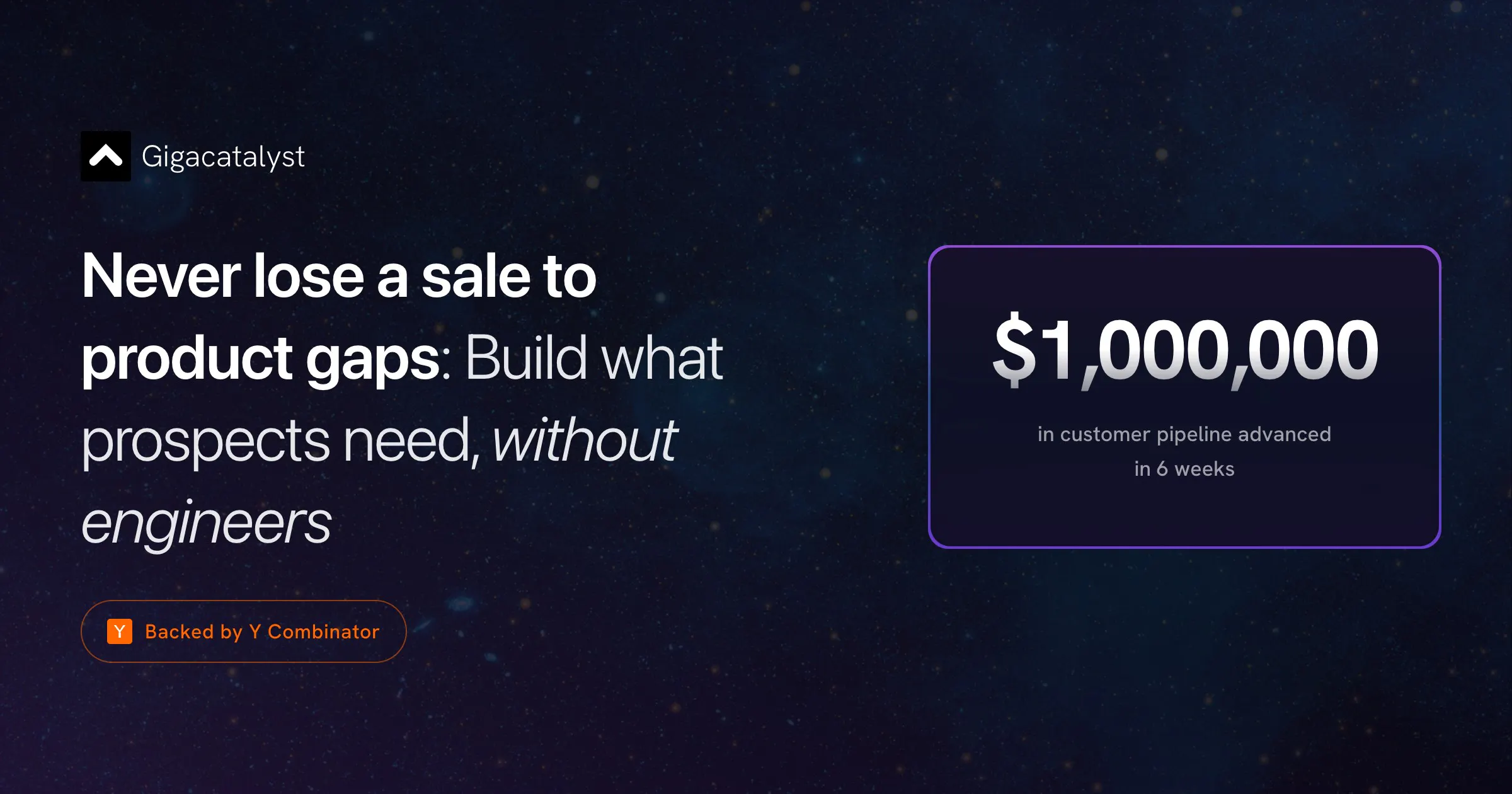
Gigacatalyst.com's AI builder learns your APIs and embeds in your product, so your sales and CS teams can build missing features that customers need to your platform. When your software adapts to every customer's workflow, they utilize your software more, retain for longer, and expand quicker, because they get most custom implementation for their exact usecase.

Hi everyone, I’m Namanyay from Gigacatalyst (https://gigacatalyst.com/). Gigacatalyst allows sales, CS, and users to build one-off features, so your SaaS can support long-tail customer workflows and engineers aren’t pulled away from the roadmap.

When you sell software to large businesses, you realize that each customer needs their own workflow and features. Traditionally, this either means long engineering roadmaps or the customers end up using workarounds.

But what if everyone could build their critical missing features just by talking to an AI? That’s what we do at Gigacatalyst. We provide an AI customization layer for your customers, CS team, and sales team to build these missing critical workflows without needing any engineers at all. Think Lovable, but built on top of YOUR platform.

We connect to your product's APIs, learn your data model and design system, and let non-technical users build governed apps via natural language - inside your product, under your brand.

12
回复

@namanyayg best of luck! 🤞

0
回复

These folks are scary good. I'm split between the philosophy and the product: as a user I love the idea of emacs-like software where computers grow into human needs, but the more relevant part for companies is that you simply cannot plan out everything a user needs to see/do, and you want to allow them to solve their problems as they see fit. And you can't do that without (something like? but I haven't seen anything remotely like) @Gigacatalyst

3
回复

@sgrove I love how you think and truly understand the philosophy about why I'm doing this. Thank you so much for your support!

1
回复

@sgrove I'm very down for the "make all software emacs" future :)

1
回复

Super cool concept - congrats on the launch!

2
回复

@manuelabarcenas thank you, Manuela. I'm glad you like the concept. How have you been thinking about AI at fellow.ai?

0
回复

Congrats on the launch @namanyayg would love to give it a shot!

The positioning is way too great and launch video is awesome love it

2
回复

@suryansh_tiwari2 thank you! Learn more at our site at gigacatalyst.com and book a call to get started :)

0
回复

This is such a killer product. When I worked at Datadog, we actually built internal tools for this!

2
回复

@eyad_abdalla1 thanks, Eyad! We're working with similar Series E companies for their internal tools as well ;)

0
回复

Been using Giga in Scalio to provide our customers with instant AI website generation. The response has been great, and it's saved us months of in-house development. Instead of building all the infrastructure ourselves, we were able to focus on our core product and get to market much faster. Big fan of what the team is building.

2
回复

@tanayr Proud to support amazing and innovative companies like Scalio!

1
回复

Giving non-technical users technical powers is super powerful... especially in a world where customization is cheaper than ever. My only concern is that sales/CS often don't have a good "radar" for what should be built (even if it can be built).

1
回复

@patrick_monnot exactly, that's why we've got 2,500 apps built already! And what we're seeing is that the customer success team talks to the customer much more often, and thus knows the real needs of their users better than product or engineers do.

0
回复

Congrats on the launch Namanyay!

1
回复

@nadigerutpal thank you!

0
回复

The idea of letting non-engineers build features is genuinely compelling. But what happens when your API changes six months later and a customer's custom workflow breaks? Who owns that - you, the customer, or Gigacatalyst?

Congrats on the launch!

1
回复

@jared_salois thank you! we create a proxied, pinned API layer that can handle the base API changing. We've rolled it out to our Series B customers. Happy to talk more at cal.com/namanyayg!

1
回复

the customer retention angle makes sense but the risk is that custom implementations per customer make your product harder to maintain over time not easier. every bespoke workflow is technical debt someone has to own eventually. curious whether the customizations are sandboxed per customer or if they can affect the core product

1
回复

@ansari_adin everything is indeed sandboxed, Ansari! we are live at 2,500 active users for multiple companies

0
回复

can i plug custom MCPs here?

1
回复

@ishita_jindal2 100% yes! Bring your APIs, MCPs, and databases and we'll link them up

0
回复

This is so cool! What are the type of guardrails you are adding to protect from misuse?

1
回复

@gustavo_trigos thank you! We've got LLM as a judge, we create proxies and read-only replicas, and have our own sandboxing code for the best security

0
回复

Really good product that gives tons of flexibility to the team! Congrats on the launch

1
回复

@hai_ta1 glad to be learning and building alongside you. Thank you.

0
回复

Congrats on the launch!

1
回复

@davj thank you for the great support always, David.

0
回复

Congrats for your launch, The workflow-first approach makes a lot of sense

1
回复

@ayda_golahmadi thank you, Ayda. How have you been thinking about AI at Starnus?

0
回复

Really interesting approach to customer-driven product building. We used to think of Saas as public transport that gets you 80% there. Seems more like that transforming to Uber

1
回复

@sayanta_ghosh that's an excellent analogy, and if I have your permission, I'll use it!

0
回复

How much API documentation or setup is needed for building features with Gigacatalyst?

0
回复

@byalexai to get started from your side, all we need is a set of credentials into a demo environment!

This is one of our big innovations for onboarding quickly. Our AI agents and engineers reverse engineer the actual API endpoint being used by your existing platform. We also integrate with the same authentication methods (JWT/cookie/sso etc) as you use. We build the embeddable AI builder on top of it and give you an SDK to embed in your platforms.

Our customers usually get started in 3-7 days. I'm happy to explain more on a quick call https://cal.com/namanyayg/

2
回复

Let's go guys !!

0
回复

@roman_cz Thanks! Gojiberry is an inspiration

0
回复
#4
Co-Invest
Trade 500+ markets directly from ChatGPT & Claude
245
一句话介绍:Co-Invest让你直接在ChatGPT或Claude的对话界面中,完成对500+市场(加密货币、股票、外汇、大宗商品、预测市场)的研究、分析与真实交易,旨在将专业投资者的数据、流程与执行优势赋能给普通用户。
Fintech Investing Finance
AI交易 对话式交易 ChatGPT交易 Claude交易 加密交易 股票交易 金融数据聚合 链上信号 交易执行 金融普惠
用户评论摘要:用户主要关注点:如何解决信息不对称(如实时数据优势);交易确认机制(UI弹窗防误操作);监管合规性(跨资产、跨地区);数据隐私(对话内容留存政策);流动性来源(自营还是路由);支持自动化策略;以及预测市场流动性(依赖Polymarket)。创始人在评论中表示交易通过永续合约统一API,将推出自动化产品。
AI 锐评

Co-Invest的噱头很足——“在AI里交易”,但实际价值需要拆解。其核心并非AI驱动的“智能投顾”,而是将“对话式交互”作为交易执行的前端“皮肤”。真正的底层是Liquid平台提供的永续合约交易通道,这解释了它如何用统一API覆盖500+市场,也揭示了其本质:一个更酷的订单输入界面。

产品真正有价值的部分是“链上信号”和“实时数据”的整合,这对普通用户确实是一种能力平权。然而,创始人宣言中“对抗信息不对称”的理想主义,被评论区的现实问题无情拷打:合规、隐私、流动性、数据延迟。这些才是决定产品能否从“玩具”变为“工具”的关键。目前来看,它更像是一个面向散户的“简化版交易终端”,用AI降低了操作门槛,但并未解决交易的核心——如何盈利。所谓的“AI分析”更多是信息筛选,而非出色的择时或风控策略。

更值得警惕的是其商业模式。用户是“产品”而非“客户”,通过收取交易费(点差/佣金)盈利,这天然与用户利益存在冲突。当AI推荐交易时,产品自身的激励结构需要非常透明,否则很容易滑向“高频交易陷阱”或“营销引流工具”。对于专业用户,缺失API式的完全自动化;对于小白,一键交易的风险教育又严重不足。它卡在一个略显尴尬的位置:既无法满足大资金对执行质量和风控的要求,又让新手面临比“纸上谈兵”更危险的直接资金损失风险。**将交易化繁为简是一把双刃剑,简化了“做”的过程,也简化了“思考”的必要。**

查看原始信息
Co-Invest
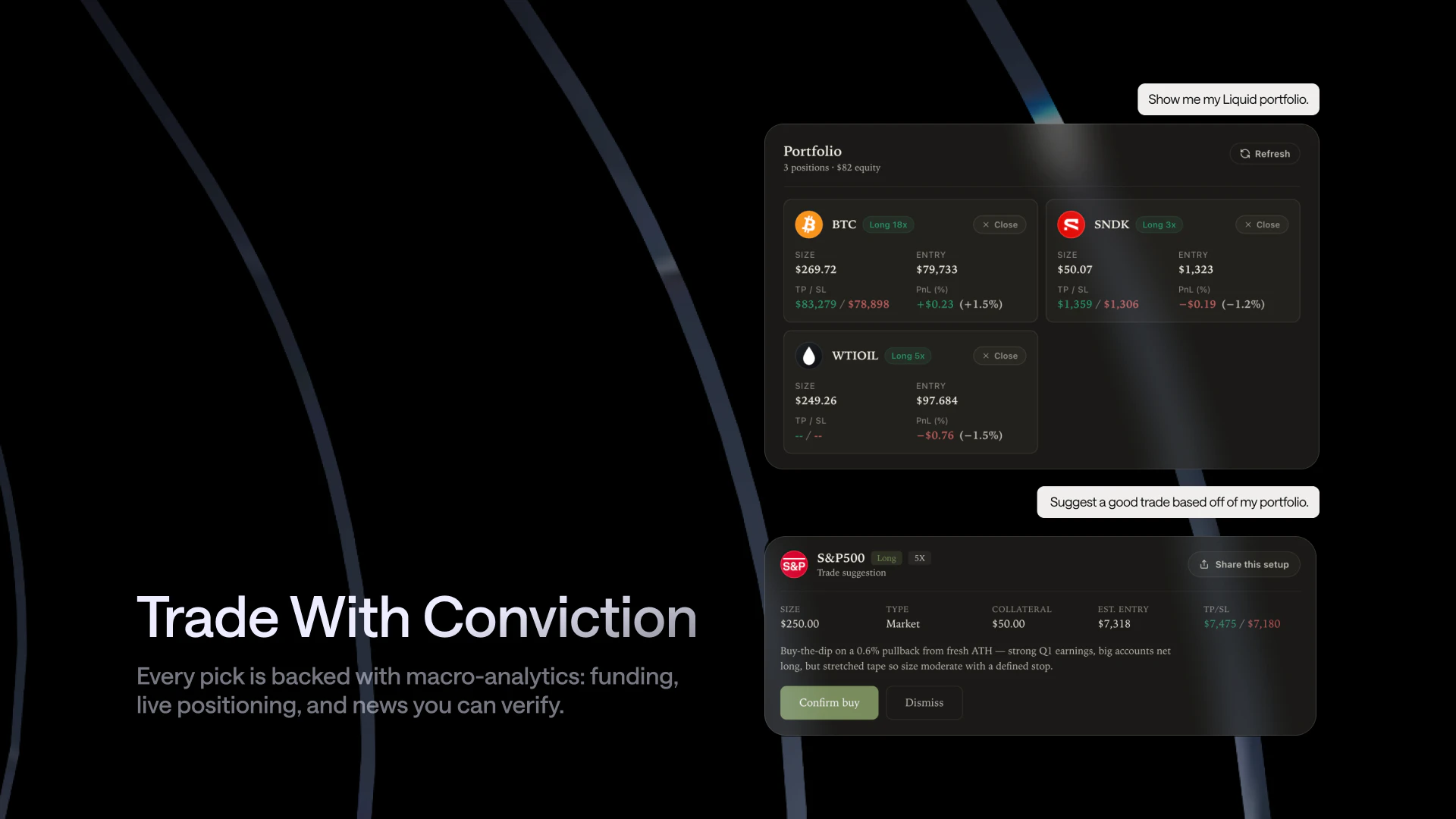
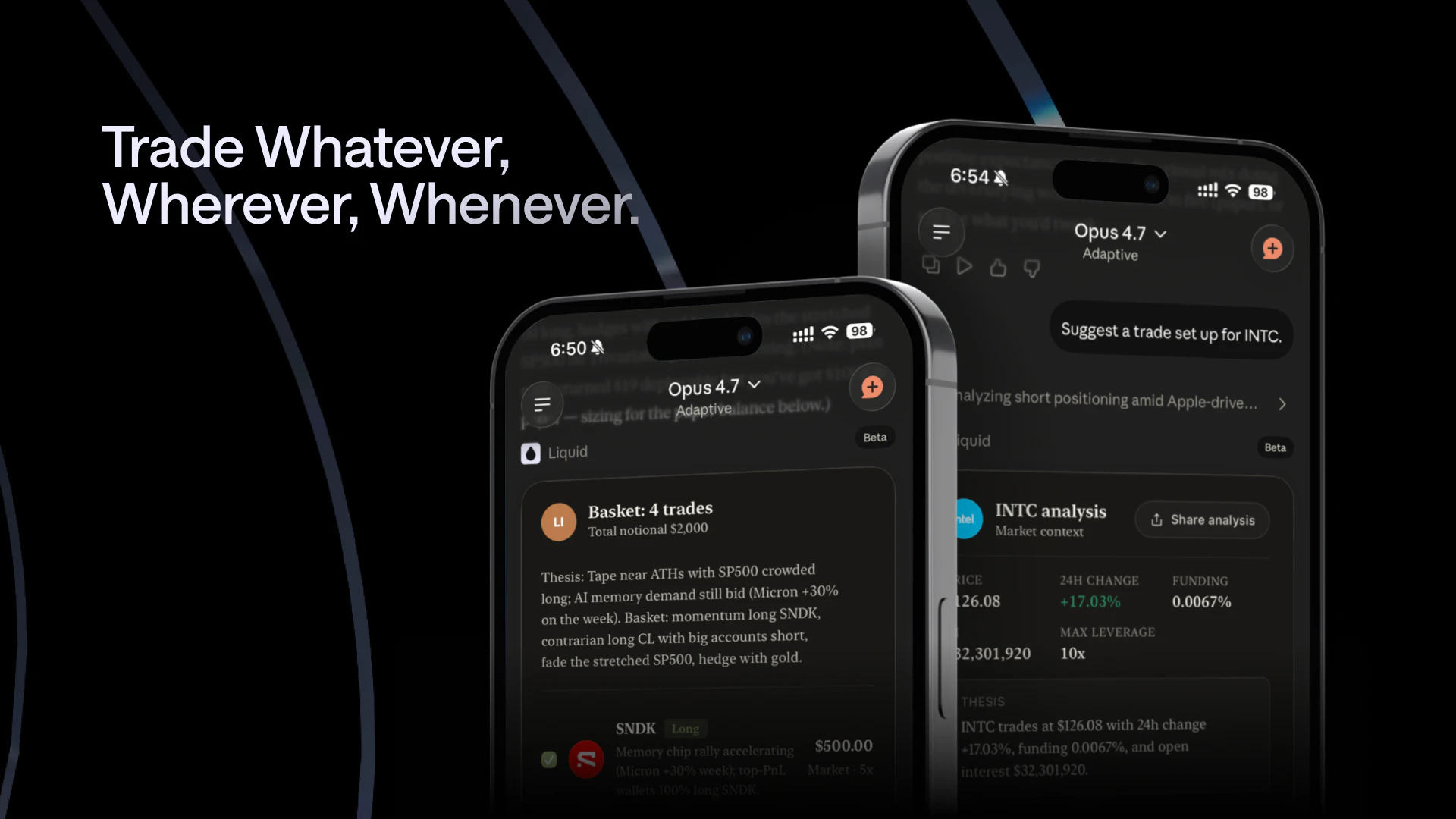
Co-Invest by Liquid lets you research and place real trades inside ChatGPT or Claude. Access 500+ markets across crypto, equities, FX, commodities, and prediction markets—24/7. Fund in-chat, use on-chain signals (wallet activity, positioning, funding, order flow), and execute in plain language with stops/targets. Your AI also handles support with full context.

Hi Product Hunt! 👋

I’m Franklyn Wang, founder and CEO of Liquid.


Before starting Liquid, I led AI for Macro at Two Sigma, working at the intersection of machine learning and markets. Before that, I was Harvard’s top-ranked math student twice.


One thing became clear throughout my career:


The best investors don’t win because they’re lucky.


They win because they have better information, process it faster, and execute with more precision.


For decades, that edge has mostly belonged to professionals.


Professional investors have had:

  • Better data

  • Faster research workflows

  • More sophisticated models

  • Real-time market intelligence

  • Direct execution infrastructure

Everyone else was guessing, or stitching together fragmented workflows.


That’s what we’re changing with Co-Invest: the first way to trade inside AI assistants like Claude.


Co-Invest gives everyone access to the kind of investing workflow that used to be reserved for professionals:

  • Superior information, including on-chain data like positioning

  • Superior data processing, powered by frontier AI

  • Superior execution through Liquid, with some of the lowest fees available

Instead of just reading about markets, you can ask questions, analyze opportunities, build conviction, and act — all through conversation.


Co-Invest lets you:

  • Access real-time market and on-chain intelligence

  • Construct portfolios according to any criteria, from risk profile to values

  • Process complex data faster with AI

  • Execute trades directly from chat

  • Access 500+ markets, including crypto, equities, FX, commodities, and prediction markets

  • Trade 24/7

Why we built it:


In high school, I was struck by the idea of rational ignorance: because humans have limited time and limited ability to process information, it can be rational not to know things. Sometimes, the cost of becoming informed is higher than the benefit.


I hated that idea.


As a math-obsessed kid who craved perfect rationality, the notion that ignorance could be produced by the system — not just by the individual — felt like surrender.


As I grew older, I saw how expensive that ignorance was.


Finance, at its root, is about asymmetric information. One side of every transaction knows something the other side does not.


An influencer pumps a stock to followers, then exits at the top. A scammer convinces a retiree to wire away her life savings. A brokerage auctions off the right to trade against your order. A market maker pays for the right to see your order before it fills.


Some of this is illegal. Some of it is legal. But every example has the same shape:


Wealth flowing from the less sophisticated to the more sophisticated.


Modern finance is very good at making that happen.


Co-Invest is our attempt to change the equation by giving everyone access to superior intelligence, better information, and better execution.


Who it’s for:

  • Investors who want better research and execution

  • Traders managing opportunities across multiple markets

  • AI-native users who already spend their day inside assistants like Claude

  • Anyone who wants access to a more professional-grade investing workflow

Our vision:


At Liquid, we’re building toward an AI-native financial system accessible to everyone, everywhere.


Our first product, the Liquid mobile app, gives people access to every market. Co-Invest pairs universal market access with universal intelligence.


That combination — universal markets plus universal intelligence — is incredibly powerful, and we’re just scratching the surface it.


We believe the next generation of investors won’t be limited by who has the biggest team, the most terminals, or the most infrastructure.


They’ll be empowered by AI.


Co-Invest is our first step toward making professional-grade investing capabilities available to everyone.


If you try it, I’d love your feedback:

  • Which markets, brokers, or exchanges should we support next?

  • What’s the biggest bottleneck in your investing workflow today: information, conviction, execution, or risk management?

Thank you for checking out Co-Invest and supporting our launch.


Looking forward to answering your questions in the comments.


— Franklyn Wang
Founder & CEO, Liquid

6
回复

@frank_liquid Congrats on the launch Frank. The information part is the real killer data, when to invest is one of the main points of information asymmetry between Pros and amateurs. How do you solve that practically?

1
回复

Franklyn, congrats on the launch!

Love how you brought the terminal into the chat interface! I'm curious about trade confirmations though.

Are you use a UI modal before execution to prevent accidental trades, or do you handle risk entirely with plain-language constraints in the chat?

3
回复

@itsluo We use a UI modal before execution in order to prevent accidental trades. From a safety perspective, this is strictly safer than having you click the buttons.

0
回复

@itsluo Seconded "Love how you brought the terminal into the chat interface"

0
回复

since you are offering 500+ markets across crypto, equities, FX, commodities and prediction markets, which asset class exposed the biggest technical challenge in terms of data normalization is it the fragmentation of on chain data across different blockchains or the regulatory complexity around executing equities inside a conversational AI?


1
回复

@joshua_cooper2 We use perpetual futures, which create a pretty unified API for trading.

0
回复

Interesting

1
回复
I currently live in India, so which markets do I have access to from your tool? Can I trade in the US market as well, or only in the Indian markets?
1
回复

@vikranth_reddy_bollam You can trade US markets from here!

1
回复
@frank_liquid good to know, thank you, I will give tool a try
0
回复
Hey Franklyn, that idea of rational ignorance sticking with you since high school is a fascinating origin point. Was there a specific moment later in your career where you watched wealth flow from someone less informed to someone more informed and thought this shouldn’t be happening, the information is out there, they just couldn’t access it?
0
回复

500 markets across crypto, equities, FX, and commodities through a single interface raises some obvious questions about regulatory coverage. equities and FX have very different compliance requirements depending on the user's jurisdiction and 'fund in-chat' for securities trading is the kind of phrase that makes compliance teams nervous. curious how you're handling the regulatory layer across different asset classes and user locations

0
回复

Strong concept. Security question: if my conversation with Claude or ChatGPT contains trade instructions and account details what's the data retention policy? Is the trade context stored on Anthropic or OpenAI infrastructure on your servers or is it ephemeral per session? For institutional users especially that distinction matters quite a bit.

0
回复

Congrats on shipping this. I'm trying to think through the liquidity side for equities and FX specifically, are you acting as the broker dealer directly, or routing through a prime broker or third party liquidity provider? That affects execution quality, margin requirements, and ultimately how competitive your pricing can be at scale.

0
回复

The AI handles support with full context feature is one of the most interesting parts of this product to me. Does that mean the support agent has read access to my full trade history and positions or just the current session? And is that handled by the same model or a separate system? The context boundary matters a lot for how much I'd trust it.

0
回复

Built a Kalshi prediction market trading agent and Alpaca equity agent from scratch - so curious about the execution layer here. Alpaca gives developers raw API access to build their own logic. Co-Invest seems to be positioning as the consumer-facing version of that same idea. How are you thinking about the power user who wants to automate recurring strategies versus the casual trader who just wants to ask Claude what to buy? Those feel like pretty different products

0
回复

@joe_rucker Stay tuned -- we have a new product coming out soon for full automation as well!

1
回复

Curious about the prediction markets integration specifically are you routing through an existing platform like Polymarket or Manifold, or have you built your own liquidity layer? Prediction market liquidity can be thin on non headline events, so I'd love to understand how you're handling slippage and order size limits there.

0
回复

@elena_fischer1 We use Polymarket for our prediction markets.

0
回复

The plain language execution is compelling. I'm wondering how the AI handles ambiguous instructions for example, if I say 'buy some ETH when it dips' does it ask for clarification, set a conditional order, or wait for explicit confirmation before doing anything? Understanding where the guardrails are would help build confidence in using it for larger positions.

0
回复

@ding_hao It is for explicit confirmation

0
回复

Congrats on the launch. Trying to understand the business model are you taking a spread on trades, charging a flat subscription, or is it fee per execution? With 500+ markets across so many asset classes, I imagine the revenue structure varies a lot by product type. Would be great to have more transparency on that upfront.

0
回复

@diego_joaquin1 We earn fees on trades.

0
回复

Love the on chain signal layer. Quick technical question: are the wallet activity and order flow signals pulled in real time or is there a lag? For fast moving markets like perps, even a 30-second delay on funding rate data can meaningfully change the trade case. Would love to know the data freshness story.

0
回复

@new_user___10520260379921a76fc2d64 All data is as fresh as possible.

0
回复

Really impressive scope here curious about the security model. When a user funds in chat and places a live trade, where are the keys or credentials held? Is execution going through a custodial wallet, a connected non-custodial wallet, or something else entirely? That's the piece I'd want to understand before putting real capital in.

0
回复

@daniel_juan2 Execution goes through a non-custodial wallet created on Liquid, a platform we also run that has 50,000+ users and $4 billion in volume. Importantly, even if we go bankrupt, your funds are safe.

0
回复

You said finance at its root is about asymmetric information where one side knows something the other doesn't what specific feature or piece of data inside Co-Invest today gives a retail user an informational advantage that even many small professional funds still lack access to?

0
回复

@carter_son Yup -- to name a few

  • 24/7 access to prices (e.g. Crude Oil)

  • Proprietary on-chain positioning data

  • Access to the best analyst in the world -- Claude Opus 4.8

0
回复

trading real money from a chat prompt is one of those things that sounds amazing until you think about what happens when you word something wrong. the confirmation step before execution matters a lot here

0
回复

@tina_chhabra The confirmation step is fully manual.

0
回复

How does Co-Invest handle position sizing, portfolio correlation and risk management across multiple markets can i ask it to never allocate more than 3% of my total capital to any single prediction market outcome, and if two of my positions are correlated above 0.7, warn me before I add a third and have it enforce those rules conversationally?

0
回复

@joshua_martinez7 Co-Invest doesn't support prediction markets now, but it can enforce any rules you tell it!

0
回复

for an AI native user who already spends their entire day inside Claude for work, research and coding, how does Co Invest change the marginal cost of checking a market hypothesis do you see users moving from I will look at that later to acting on ideas immediately because the friction from curiosity to execution has dropped so dramatically?

0
回复

@barnaby_lloyd Exactly. Today, most ideas die because acting on them requires switching between research tools, exchanges, and wallets.

Co-Invest reduces that friction to a single conversation. If you’re already in ChatGPT or Claude, you can go from curiosity → research → execution in seconds.

We think more people will act on good ideas simply because the cost of acting has become dramatically lower.

0
回复
Congratulations on the launch! bringing professional grade research, market intelligence, and execution directly into AI assistants is a compelling vision. what has been the biggest challenge so far in combining real time market data, AI analysis, and trade execution into a seamless conversational experience?
0
回复

What safety precautions do you have, like confirmation steps and limits, so a bad prompt can’t accidentally execute a huge trade?

0
回复

@othman_katim All trades require manual confirmation.

0
回复
#5
Brief
Navigate your agents to product-market fit
226
一句话介绍:Brief 是一款为产品团队和AI编码代理提供实时决策上下文与战略意图的“活文档”工具,通过连接GitHub、任务管理器和聊天工具,解决AI编码代理因缺乏历史决策背景而频繁“盲目”输出错误功能、导致返工的痛点。
Developer Tools Artificial Intelligence Maker Tools
AI代理 产品决策上下文 机构记忆 产品-市场契合 编码代理 MCP协议 团队协作 知识图谱 产品经理AI 产品分析
用户评论摘要:多数评论肯定其解决了“反复重述历史决策”的痛点,尤其赞赏决策追踪功能。关键质疑在于:如何说服节奏快、文档少的小团队主动录入决策?如何在大模型有限上下文窗口中为不同代理精准分配上下文?差异化价值在于它不只是集成Jira/GitHub,而是通过知识图谱和“询问Brief”工具进行代理间主动推理。
AI 锐评

Brief 捕捉到了一个正在被忽视的、却价值连城的细分市场:AI编码代理的“认知负债”。当所有玩家都在拼命提升代码理解和生成能力时,Brief指出一个残酷事实——代码写得再完美,如果不知道“为什么这么写”,依然是无用功。这本质上是在给AI“配”一个永不丢失记忆的产品经理。

其技术构想足够性感:通过GitHub和任务管理器自动梳理半年内的决策脉络,并通过MCP协议让聊天、Slack、CLI甚至其他AI代理都能调用。这相当于为代理团队建立了一个中央“战情室”,让每一次编码决策都拥有可追溯的“立法原意”。像“8/8任务合并可用 vs 2/8”这种性能提升数据,很能打动工程团队。

然而,最大的挑战永远是人性。评论区一针见血地指出了“采用曲线悖论”——最需要它的团队(如快节奏、轻文档的初创团队)往往最不愿意录入决策。尽管Brief声称能通过上传白板照片、从通话记录中自动提取来降低门槛,但自动提取的准确性、对非结构化信息的理解深度,以及如何避免生成“噪音”而非“信号”,是其产品力真正接受检验的地方。

简而言之,Brief不是在打败现有工具,而是在定义一个新品类。它的长期价值不在文档管理,而在于构建一种AI时代的“组织记忆协议”。但只有让“录入”变得比“不录入”更轻松,它才能从“用了更强”变成“不用就弱”的必需品。对于正在烧钱买API、堆提示词的公司,这是第一剂对症的解药。

查看原始信息
Brief
AI agents can ship quickly, but without the right product context, they're often flying blind. Brief gives product teams a living source of truth that captures decisions, preserves product intent, and serves relevant context to humans and agents through chat, Slack, CLI, and MCP. It keeps strategy, decisions, and execution connected from vision to impact.

Hey Product Hunt, I'm Drew, co-founder of Brief. Huge thanks to @chrismessina for hunting us!

Brief is a teammate that knows your product cold: why every decision got made, what you ruled out, and where you're headed. Ask it in Slack or chat. Your coding agents ask it too, over MCP and CLI.

The problem

Every time you spin up a new coding agent, you re-explain six months of decisions. Why the schema looks the way it does. Which approach you already ruled out. What the customer actually asked for. With no context, the agent confidently ships the wrong thing and you waste time.

Give that same agent access to Brief and it follows your team's decisions 95% of the time, up from 46% on the codebase alone. In our benchmark, 8 of 8 tasks came back merge-ready versus 2 of 8 without Brief, at 68% lower cost per shipped task.

How it works

  • Point Brief at GitHub and your task manager (Linear, Jira, etc.)

  • 20+ agents catalog your decisions, encode strategy, research users, and map competitors

  • Spin up a new coding agent and Brief onboards it for you, pulling in just the context that matters

  • Wire it in with npm i -g @briefhq/cli then brief init, or connect any agent over MCP at https://app.briefhq.ai/mcp

Nothing new to learn. No migration. Brief reads the work you're already doing and keeps the ship pointed in the right direction.

Who it's for

For indie hackers and early teams, Brief is your product strategy partner. For scale-ups, your executor and decision keeper. For AI-pilled enterprises, a transformation force multiplier.

🎁 For Product Hunt

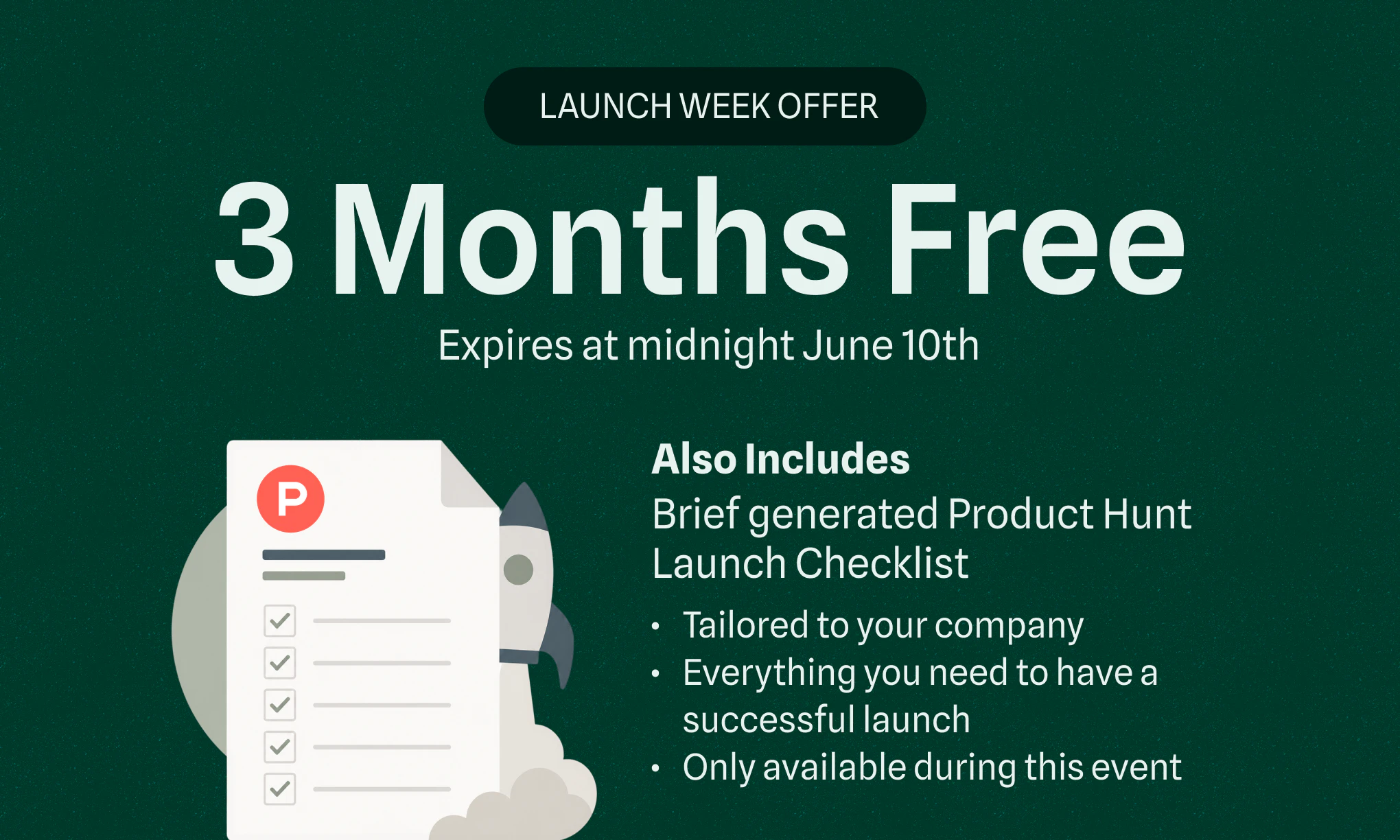
3 Months Free, plus Brief will guide you through building a killer Product Hunt launch strategy. Expires at midnight June 10th.

👉 Get started at briefhq.ai. Point it at GitHub and watch the agents catalog your last 6 months of decisions in minutes.

Would love your feedback and your roasts. We're in the comments all day. 🙌

AI Ships. Brief Navigates.


- Drew

18
回复

@chrismessina  @briefhq  @drewdil Let's go! 🚀🚀🚀

0
回复

Hi Drew,

I'm an engineering student researching challenges AI startups face. Came across your work and found it really interesting.

Two quick questions:

What's the biggest problem your team would happily pay to solve right now?

What turned out to be way harder than expected?

Would really appreciate your thoughts. Thanks!

0
回复

@chrismessina  @briefhq  @drewdil congrats on the launch Drew & team. How do you determine which agent gets what brief? Especially with limited context windows for instrucitons.

3
回复

Decision traces are underrated, this is so cool!

3
回复

Thanks @nars ! First thing we built and still one of the most powerful!

1
回复

We've found that one of the hardest parts of building agent products is figuring out whether a failure is a model problem, a workflow problem, or simply the wrong target user.

How are teams using Brief in practice today? More for understanding user behavior or for iterating on agent workflows themselves?

3
回复

People really treat @Brief like a product management peer, which means different things to different people.

  • Indie hackers use our CLI to capture decisions and have their coding agents brainstorm with Brief using agent-to-agent communication

  • Early stage teams talk strategy with Brief in-product like a product co-founder

  • Larger teams talk to Brief in Slack to orchestrate process, look up usage metrics, capture tickets, product decisions, etc.

Sign up with the link above and Brief will walk you through a Product Hunt launch strategy based both on the best information you can find online and everything we've learned from @chrismessina.

Thanks for the question@zaid_mallik1!

3
回复

the problem Brief is solving is real but i'm curious about the adoption curve. the teams who would benefit most from this are the ones moving fastest and documenting least, which means they're also the ones least likely to build a new habit around capturing decisions. how are you thinking about getting context into Brief without creating a documentation tax that slows down the teams you're trying to help

2
回复

Kinda the magic, the very first teams we talked to pushed back on the idea of us building integrations. "We don't use Linear / Notion, we just whiteboard and erase it."

So Brief grows with you, you can just upload whiteboard and sticky notes. It generates it's own internal representations of priorities, customer needs from your call recorders, project tracking from Github. And can generate the kinds of artifacts and documentation you want downstream for your agents, PRDs, tickets, etc.

@ansari_adin 

0
回复

Tried Brief, and the part I loved is that it doesn’t treat product context as just another doc or ticket. I've seen a lot of agent failures, as the agent can read the code, but it doesn’t know why certain decisions were made or why some paths were already ruled out. Having that decision history available instead of starting from scratch every time feels really useful. Congrats on the launch !!

2
回复

Thanks for the support and for giving Brief a try @suketh_a! That kind of ambient awareness is exactly what we're going for.

0
回复

Congrats on the launch @drewdil and the @Brief team. Super cool - the context awareness especially for agent-to-agent collab makes total sense.

2
回复

Thanks for the support @preetraj!!

1
回复

The "re-explaining six months of decisions" line hit me right in the chest. I once watched an agent confidently refactor an entire auth module based on best practices, completely ignoring the three-week Slack thread where we'd explicitly ruled out that approach for compliance reasons. It was technically perfect and strategically useless.

Having something that sits between the codebase and the agent to preserve that institutional memory feels like the missing piece everyone's been working around with increasingly elaborate system prompts. This is exactly what teams burning tokens on rework need right now. 🙌 @drewdil

2
回复

100% A lotta folks are trying to make coding agents better at understanding code, but that's only part of the job of being a great developer.

@diana_nadim2 

0
回复

much needed @drewdil @ryanmindigo @kasyap_varanasi_ ! upvoted :)

Question: how exactly is it different from just giving agent access to Jira/github? Agent can get PR list, connect with different work items and figure out the direction we are moving. How does Brief make this process different? Thank you :)

2
回复

In my experience, the best written plan rarely tells the full story. In the course of a given project, engineers may make 50 user impacting decisions that no one thought to catalog. So the best thing you can do is give the engineer a lot of context about the user, their goals, needs, etc., enabling them to make the right decisions.

It's the same for coding agents, but now they make 1,000 decisions an hour. But now they're starting fresh every session. So you can hook up call notes, the roadmap, a PRD, tickets, github, and walk them through the context for every agent you set up. Which usually means it either doesn't happen or you're blowing out your context window with rework and spending time to do it.

@ryanmindigo  @kasyap_varanasi_  @aiswarya_s 

0
回复

The decision history part is the most useful piece here for me. A lot of agent mistakes happen because the code is visible but the reasoning behind the code is not. If Brief can show an agent why something was built a certain way or why an option was already ruled out that could save a lot of repeated work. How do you decide which past decisions are important enough to bring into a new coding task?

2
回复

Great question,@ada_johnsen. On the agent side, it's basically a mix of tools and skills. The agent gets a deterministic decision search tool, but it also gets an "ask Brief" tool.

Ask Brief is what it sounds like, agent-to-agent, so Brief will actually traverse it's knowledge graph to find decisions relevant to the task the coding agent is working on.

0
回复

The problem you're solving — coding agents shipping the wrong thing because they lack institutional context — maps directly onto a discovery problem too: knowing what users are actually saying about products like yours across Reddit, Hacker News, and niche forums before you encode that signal into Brief. MentionFox's lead and feedback tracker surfaces text posts and audio mentions in videos where developers complain about context loss in AI coding workflows, giving you raw user language to feed into Brief's decision catalog. Check https://mentionfox.com — in 30 seconds you can see live mentions of your exact problem space and turn community frustration into validated product direction.

0
回复
#6
Paste MCP & AI Tools
Infinite clipboard for Claude, Codex and other AI tools
187
一句话介绍:Paste MCP通过将Mac剪贴板历史变为AI工具(如Claude、Codex)的可搜索长期记忆,解决用户在AI工作流中频繁丢失上下文、重复粘贴的痛点。
Mac Productivity Artificial Intelligence
剪贴板管理 AI工具集成 MCP协议 隐私优先 生产力工具 跨设备同步 Mac/iOS 上下文记忆 智能搜索 片段管理
用户评论摘要:用户反馈积极,主要问题包括:能否通过Setapp获取(已支持);AI能否反向写入Paste(支持保存、整理、搜索);如何处理误复制的敏感密码(需确认排除机制);如何应对过期上下文(开发者尚未回应)。有用户询问Windsurf支持,回复可自定义MCP连接。
AI 锐评

Paste MCP的发布,本质上是一次“剪贴板作为AI上下文基础设施”的定位重构。它聪明地把用户日常的复制动作——那些碎片化的链接、代码段、会议笔记——从个人待办箱升级为AI的长期记忆池。这种“过去时”数据的再利用,确实切中了高频AI工具用户的核心痛点:会话窗口关闭后,所有临时上下文烟消云散,重复粘贴成为常态。

但冷静下来看,Paste MCP的产品逻辑里藏着不少隐坑。首先,它默认剪贴板数据与AI需求天然同构,但事实上,一个人的复制历史中大量是冗余、过时甚至相互矛盾的(用户也在评论中质疑“过期上下文”问题)。AI工具需要的是“精准语境”而非“海量回忆录”,若不解决信息筛选与时效判断,MCP很可能变成噪声放大器。其次,隐私问题被一句“本地运行、可选连接”轻描淡写,但剪贴板历史中经常包含API key、密码、私人对话——当MCP将这些数据开放给第三方AI工具(即便在本地),攻击面显著扩大。目前尚未看到针对敏感内容的细粒度过滤机制(如按应用或模式排除),这会让企业用户望而却步。

商业策略上,Paste选择以MCP服务器形态“寄生”于AI工具生态,是一次聪明的降维打击——它不需要你记住“用Paste”,而让你在Chat里自然调用它。但这种集成深度决定了它的护城河很浅:一旦主流AI工具集成原生的、无痛的剪贴板搜索,Paste就只剩一群尝鲜付费用户。目前约200票的社区热度也说明,它仍未破圈。一句话:方向对,但离“AI工作流标配”还有很长的路要走。

查看原始信息
Paste MCP & AI Tools
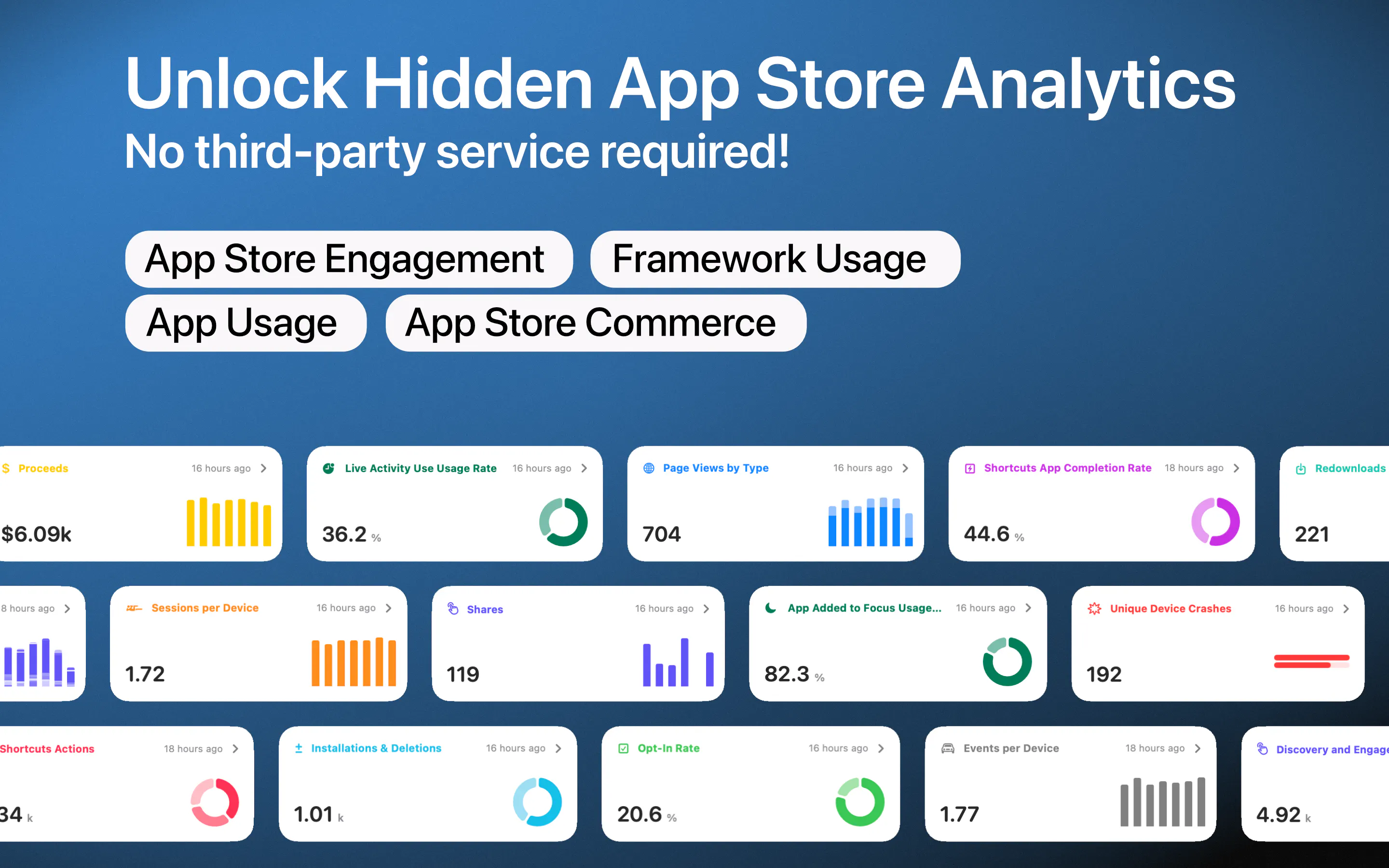
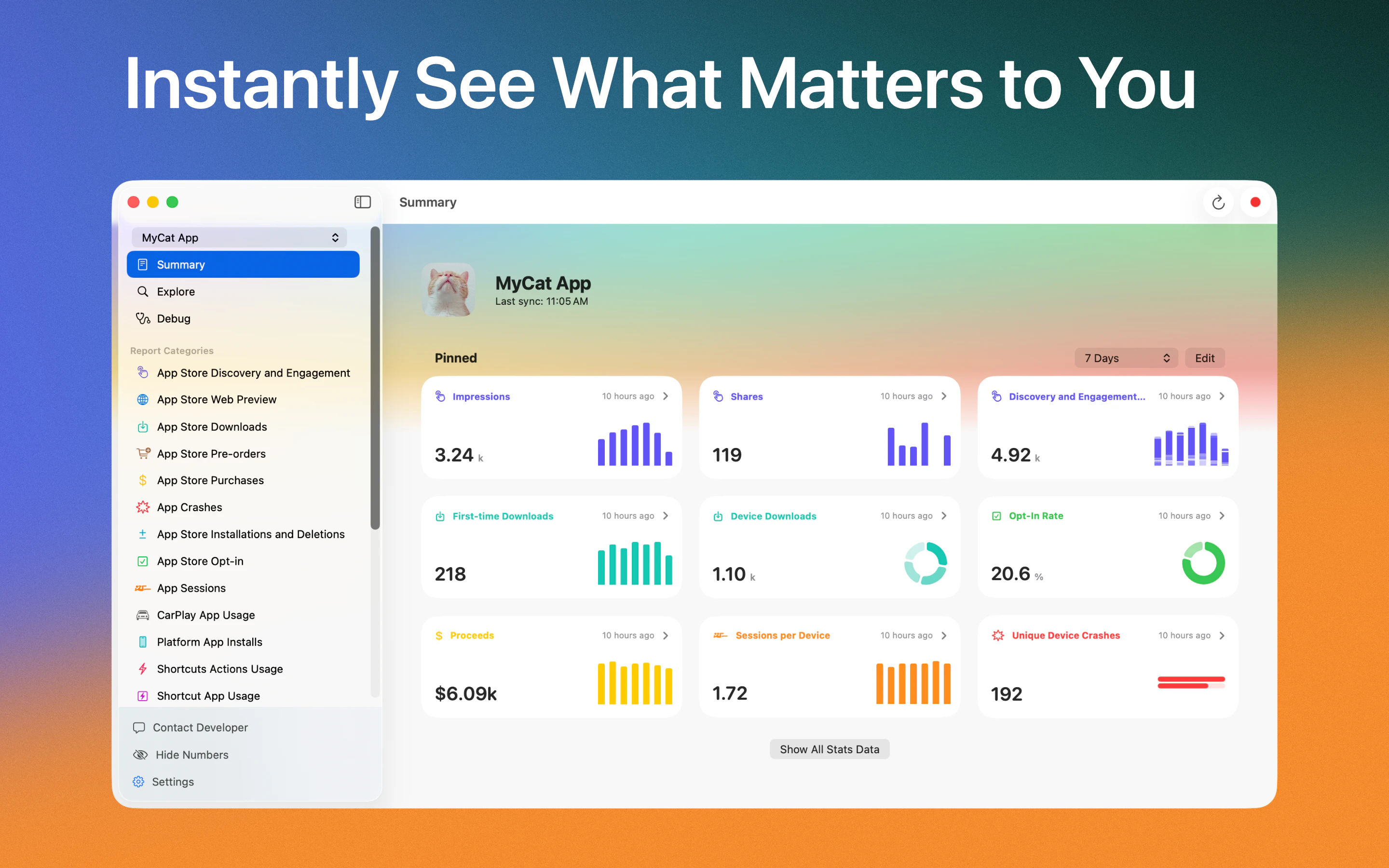
Privacy-first, lightning fast, searchable, and avaialbe across all devices. Save snippets, sync securely, and boost productivity with smart shortcuts and instant paste history.

Great! Will it be accessible via Setapp as well?

3
回复
@alice_ro +1
0
回复

@alice_ro Yes, Paste 6.6 is already available on @Setapp

0
回复

@protsenkoalexandra Congrats on the launch! Can Claude save things back to Paste, or is it only able to search clipboard history?

2
回复

@protsenkoalexandra  @kate_prasniak you can save things, organize pinboards, search and do everything a human could do but using AI

0
回复

Hey there,

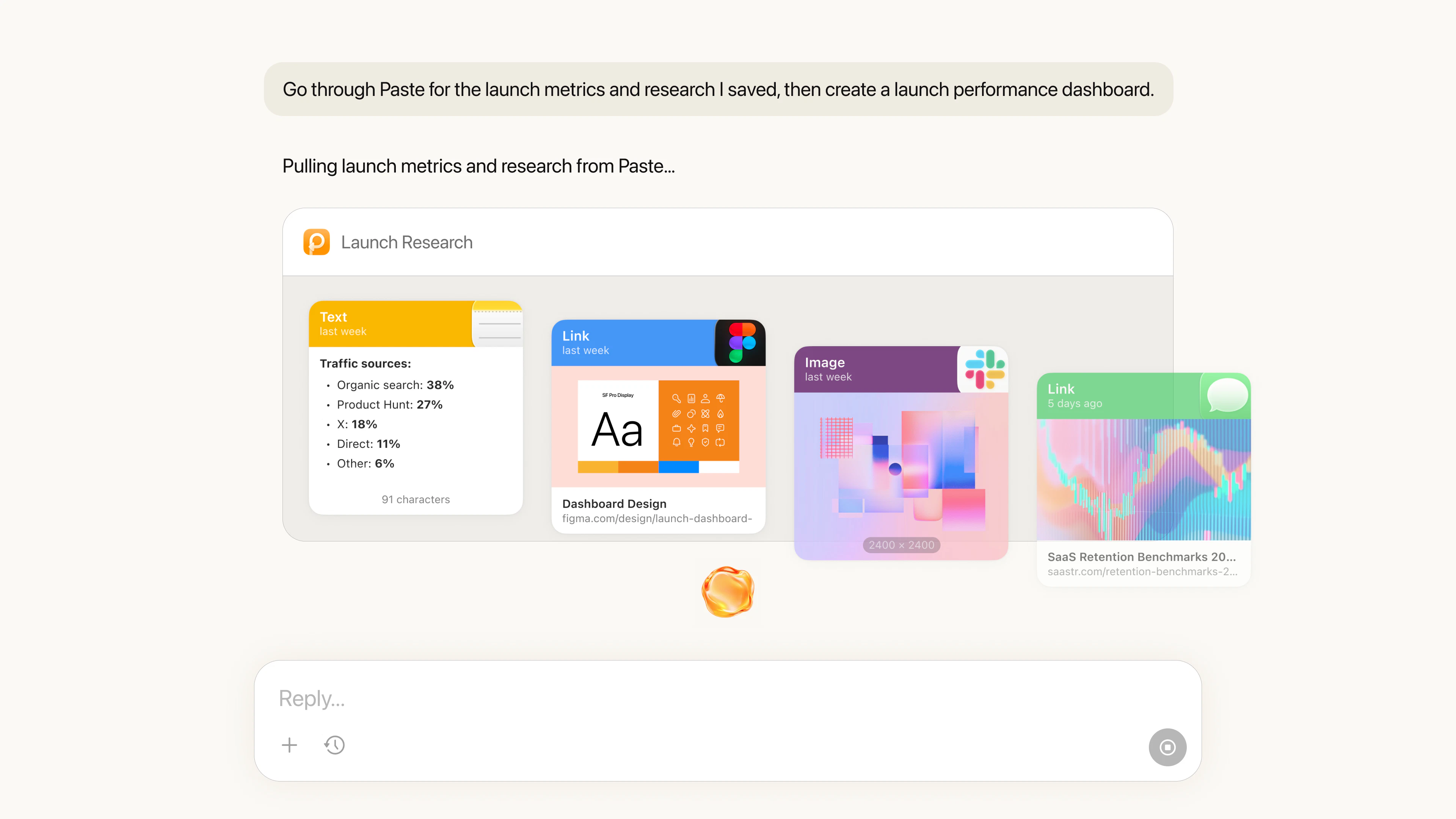
Paste helps people save, search, and organize everything they copy across Mac and iOS. Today, we’re launching Paste MCP, a new way to bring your clipboard history into AI tools like Claude, Codex, and Cursor.

AI tools work best when they understand what you’re working on. But that context is often spread across links, notes, screenshots, snippets, files, and random ideas you copy during the day. Paste MCP brings that context into your AI workflow through a built in local MCP server on your Mac.

You can ask your AI tool to find something you copied earlier, use saved context in a draft, or create a pinboard without leaving your chat.

A few examples:

  • Check Paste for the meeting notes I copied earlier and turn them into a team update.

  • Find the links I saved about onboarding and summarize the key points.

  • Create a pinboard for this project and add the relevant items.

Paste MCP runs locally on your Mac. You choose which AI tools can connect, and you can remove access anytime.

Big thanks to @chrismessina for hunting Paste again and supporting us on this launch.

We’d love to hear what you try first, what you find useful, and what you think is missing.

Thanks for checking it out!

2
回复

Sounds cool! Definetely gonna try it, congrats on launch!

1
回复

@ikalimullin thanks!

0
回复

Сlipboard history as AI context, that's a brilliant reframe. been a paste user forever and never thought about it this way. the amount of stuff i copy daily and never look at again is wild in retrospect.

1
回复

The MCP integration is a smart move — clipboard history becomes searchable long-term memory for Claude/Codex instead of losing everything when the session ends. One thing I wonder about is how you handle sensitive tokens or passwords that accidentally get copied. Is there a way to exclude certain apps or patterns from being saved?

0
回复

Been using Paste for a long time, great idea!

0
回复

Congrats! This is one of those tiny workflow pieces that probably matters more than it looks.

Most of us using Claude/Codex end up re-pasting the same repo notes, commands, and half-written instructions all day. The interesting bit is whether Paste becomes a shared memory for the work or another drawer full of snippets.

How are you thinking about stale context — stuff that was useful yesterday but wrong today?

0
回复

I copy so much stuff throughout the day and lose track of half of it. clipboard history as searchable context for AI tools is one of those things that sounds obvious but nobody else has done it

0
回复

Congratulations! Does it work with windsurfing? P.S. I love your project, by the way, and I'm an old user.

0
回复

@xanderiang Windsurf can also connect to Paste using the same MCP, just add as a custom AI tool in Paste Settings -> MCP -> Add AI Tool and follow the instructions

0
回复
#7
PawPause
Lock your keyboard and prevent cats from causing chaos
139
一句话介绍:PawPause是一款macOS菜单栏应用,能自动检测猫踩键盘的乱码输入并全局屏蔽,防止宠物在主人离开时意外发送混乱信息。
Open Source Pets GitHub Menu Bar Apps
macOS工具 宠物防误触 键盘输入过滤 开源免费 本地AI 猫主人痛点 菜单栏应用 实时检测 搞笑实用工具
用户评论摘要:用户高度认可其解决真实痛点,多人反馈猫踩键盘导致聊天/工作事故。主要问题:能否支持Windows/Linux?检测逻辑如何避免误判快速打字或真错误?有6猫家庭愿做极限测试。
AI 锐评

PawPause的诞生堪称“小需求大智慧”的典范。从产品角度看,它精准切入了一个长期被忽视的细分场景——宠物对数字设备造成的“物理干扰”。139票和大量真实评论表明,这不是伪需求,而是每个养猫远程工作者心中隐忍已久的痛。

但冷静分析,它的实用边界其实很窄:仅限Mac用户,仅限猫踩键盘这一特定行为,且依赖检测逻辑对“猫滚键盘”模式(多键同按、无空格、无结构)的识别。若猫单纯趴着压键,或人类单手摔按键盘,是否仍会被压制?评论区无人验证这一盲区,产品本身也未公开详细算法文档。此外,100%本地运行意味着模型更新和误报修正全靠社区,长期维护存疑。

真正亮眼的是它的轻量和幽默感。“实时猫打字对抗演示”和“带你的猫来试”的梗,把工具性升级为社交传播点。这种“解决极小问题但做得极巧”的策略,恰恰是独立开发者打破大厂产品惯性、博取用户好感的标准打法。值得肯定的是,它在AI辅助开发(24小时用Claude完成)和开源自证透明的双重加持下,成了AI编码能力的柔性广告——但它本质仍是一个功能单一的补丁级工具,不必过度神化。对猫奴而言,值得一试;对开发者而言,更多是营销与切入角度的启发。

查看原始信息
PawPause
A tiny macOS menu bar app that detects when your cat is on the keyboard and pauses input system-wide. 100% on-device. Open source. Free.
🐈 You step away for ten seconds, come back, and "dffffgggghhhjkl;;;" is now live in #general. So I built something to stop it. Idea to live on GitHub in a day with Claude (Opus 4.8). It’s a tiny app to catch cat-typing and suppress it, while letting humans type normally. It reads the patterns a cat makes (paws hit several keys at once, roll across neighbors, no spaces, no structure) and clamps the input before it goes anywhere. The moment you start typing like a person again, it lets go. There's also a live demo where you can try to type like a cat and watch it fight back. Bring your own cat. Or just mash the keys 😁 https://miladsafarzadeh1.github....
8
回复

@miladsafarzadeh1 Happy launch Milad! Perfect. I’ll test it tonight in a house with 6 cats who think my keyboard is their personal dance floor. Ultimate real-world test :D

2
回复

@miladsafarzadeh1 congrats on the launch Milad. I'm tempted to dl just for the "type like a cat" option.

1
回复

@miladsafarzadeh1 Hey, congrats, this is impressive. I'm curious about the detection logic. What specific models does the weigh heaviest for cat typing and how do you tune the threshold to avoid false positives on fast human typing or genuine typos?

0
回复

Love the idea, I think that have never seen product like this here yet.

3
回复

It's a very sad day for the freedom of expression enjoyed by cats everywhere--but a great day for us cat owners! What a great tool! I just wish I owned a Mac.

1
回复

The live demo fighting back against my own chaotic key mashing is genuinely hilarious. Every remote worker with a cat has lived this exact nightmare, and watching an app distinguish between "paw roll" and "human typo" in real time is just perfect. :p

Thank you for building something that protects both our Slack channels and our cats' reputations. This is the kind of joyful, useful tool that makes the internet better. 🐾

1
回复

As a person with a missing key on my laptop from a cat attack - this is a great idea! Will there be a Windows version available at some point?

1
回复

As a cat owner (check profile photo for proof) I approve this product! Such a great idea. My cats absolutely love plopping on my keyboard while I am working.

0
回复

I don't have a cat, but this is so cute! Congrats on the launch 🐈‍⬛

0
回复

free, open source, 100% on-device, solves a problem that has caused at least three incidents on my machine in the last month. this is the correct scope for a menu bar app

0
回复

LOL I was one of the early user @ Toggl, now I'll support pawpause as well :D

0
回复

the live demo where you try to type like a cat and watch it fight back is a great touch. also built the whole thing in a day with claude which is kind of the best ad for ai coding I've seen

0
回复

Open source mac utility for the exact problem i never realized had a name. Bookmarking for the day i get a cat 😄

0
回复

loved the name! waiting for this to be available on linux! :)

0
回复

Finally, a cybersecurity product for the most dangerous insider threat: cats 😄 Congrats on the launch!

0
回复
#8
Enshittifier
Chrome extension that replaces "AI" with 💩
136
一句话介绍:Enshittifier 是一款Chrome扩展,通过将网页中所有“AI”字样替换为💩表情,幽默地讽刺当下AI概念被滥用、沦为营销噱头的行业乱象,让用户在日常浏览中反思“AI”这个词的泛滥程度与真实价值。
Chrome Extensions Funny Artificial Intelligence GitHub
Chrome扩展 文字替换 AI讽刺 反营销 幽默工具 网页字体 生产力恶搞 社交实验 内容过滤 科技迷因
用户评论摘要:多数用户认可其幽默讽刺价值,称“LinkedIn将充满💩”“看AI新闻时笑出声”。有用户指出需警惕面试或客户演示时误开,建议增加“临时禁用”按钮。部分评论深入探讨AI工具被FOMO和营销扭曲的本质,呼吁回归结果导向。
AI 锐评

Enshittifier 本质上是一个“极简主义的行为艺术插件”。它的技术门槛极低——用字体连字或正则替换将“AI”变为💩,但讽刺力度却直击当下科技圈最滑稽的痛点:AI已从技术革命退化为万能膏药,被贴上每一个产品以掩盖创新乏力。开发者坦言“用AI实现这功能”的行为本身,构成了一重嵌套式自嘲。

然而,这款产品的“价值”需要谨慎审视。它确实提供了短暂的情绪宣泄,但替换掉“AI”并未改变底层逻辑——看到💩,用户依然知道那里原来是“AI”。讽刺的边际效应随着使用次数递减,最终沦为与“云转屁股”插件类似的迷因重复。更值得玩味的是用户评论中的分化:一边是看戏者狂欢,一边是理性派呼吁“工具无罪,症结在人”。这种分裂恰恰说明,简单的文字游戏无法撼动AI狂热背后的资本与人性的合谋。

真正成立的价值在于,Enshittifier 用最轻量的方式提供了一个“元认知”锚点:当你在招聘广告、融资PPT、新闻标题中看到💩时,你会被迫思考——原词背后,究竟是真正的赋能,还是又一场营销的狂欢?从这个角度看,它不是在解决问题,而是在制造一个清醒的停顿。至于产品本身,它足够好玩,也就到此为止。

查看原始信息
Enshittifier
The Mac app started as a dumb question: can you use font ligatures to turn AI into 💩? Turns out yes. Ironically, I used AI to figure out how. The Chrome extension came after — web fonts don't always cooperate. So mostly this is me poking fun. It's also a small nudge to be a little more mindful of the din around AI. Starting, apparently, with your font files.

I can bet that LinkedIn would turn into a place full of shits :D

7
回复

@busmark_w_nika LI police just added another day to your future LI jail time. They are watchin 👀 AGREE TO COMPLY!

0
回复

@busmark_w_nika yes... turn into...

1
回复

@busmark_w_nika it interesting that Linkedin turned from legit networking app to bunch of AI generated how to use AI posts...

0
回复
I'm a craftsperson, and I actually like AI. It's a tool, and a good one — I've made things with it I couldn't have otherwise. But it's polarized everyone. Some think it's salvation, some think it's the end of the world. It's neither... it's a tool. The tool isn't the problem. People are. Fads, FOMO, and plain fear of the unknown make us act a little crazy... cramming AI into things nobody asked for because (they think) the word sells. When that makes products worse, it's rarely some master plan. It's usually misaligned incentives and a lack of care. That's most of what enshittification actually is. I don't think everything needs to be AI. Honestly, who cares about the tool? Focus on outcomes. Focus on your craft, and the joy of using and making things.
6
回复

This is funny, but the underlying point is actually fair. The word “AI” gets added to so many things now that a small reminder to focus on the actual outcome feels useful.

1
回复

Hahaha 😂 Good one, Wells. You genuinely made me laugh. Literally every website would be riddled with 💩 now.

1
回复

Amazing. Gave me a good laugh reading some AI news. Reminds be of "Cloud to Butt" in a good way. :-)

1
回复

@roughike YES! 😂

0
回复

the unintended consequence i'm thinking about is using this during a job interview or a client call where you're sharing your screen and forget it's on. has anyone shipped a 'disable for 30 minutes' button or is the chaos of forgetting it's installed kind of the point

0
回复

@ansari_adin chaos is guaranteed

0
回复

The best thing that can happen for the current state we are in, thanks for making it. Soon to see AI language on the meat and chips in the stores...

0
回复
#9
Rodeo by TwelveLabs
Describe your shot. Rodeo builds your first cut.
128
一句话介绍:Rodeo是一款多模态AI视频智能平台,让创作者通过自然语言描述即可从原始素材中快速生成初剪,解决视频后期团队在海量素材中手动检索和剪辑的痛点。
Productivity Artificial Intelligence Video
AI视频剪辑 多模态搜索 素材管理 视频初剪 创作者工具 内容生产 营销视频 智能检索
用户评论摘要:用户认为多模态理解(如“找到某人微笑看镜头的画面”)比纯转录工具更实用;共享素材库解决了代理商和团队素材散落难搜索的痛点;团队强调免承诺免费试用,并希望听取创作者对下一个功能优先级的建议。
AI 锐评

Rodeo切入了一个看似琐碎实则刚需的场景——视频素材的“找回”与“初剪”。当前AI视频工具大多陷在“转录+文本搜索”的浅层,而Rodeo宣称的多模态理解(视觉+音频+语音+文本)才是真正意义上的视频原生AI,这决定了它能否从“花哨的搜索框”进化为“剪辑助手”。

但需要警惕的是:其一,多模态模型的准确率仍是未知数,如果“找那个微笑镜头”实际返回一堆误识别片段,信任感会瞬间崩塌;其二,从“初剪”到“最终成片”之间还有大量节奏、调色、音效等非语言可描述的创作决策,Rodeo更像一个高效的“准备工作”工具,而非替代剪辑师;其三,128票不算亮眼,且评论中反馈多来自团队自身或行业相关者,市场是否买账,还得看大规模个人创作者的实际留存。

真正的价值在于:Rodeo把视频素材变成了可被“人”和“AI智能体”同时查询的结构化数据库。对于年生产数百条视频的营销团队、MCN机构或广告代理商而言,这能显著降低时间成本。但产品若止步于“搜索+粗剪”,很容易被Adobe等集成进Premiere的AI功能碾压。下一步的关键是:能否在导出到专业NLE后,保持编辑状态的“可追溯性”与“可迭代性”——即用户对初剪不满意时,能否直接在Rodeo里用一句话微调,而非回到时间轴手动拖动。这才是“结构化的创作”而非“人工复审”的真正分水岭。

查看原始信息
Rodeo by TwelveLabs
Rodeo by TwelveLabs is the AI video intelligence platform for creators and teams who produce at scale. Stop wasting hours scrubbing footage. Go from raw clips to a first cut in minutes using plain language. It's structured creation, not manual review. Unlike transcript-first tools, Rodeo's multimodal AI understands visuals, audio, speech, and text simultaneously, making it perfect for visual-first content. Your video library is now instantly queryable for humans and agents.

@Ryan here from the TwelveLabs Product Team. 


The core idea behind Rodeo was that as it becomes easier to produce videos with the AI, the craving for real video will only increase and the real bottleneck will shift to finding the right clip in your footage. Editors re-watch the same footage on repeat. Marketing teams wait days for clip pulls. Agencies have no shared library. One natural language query solves all three.

A few things I’m especially proud of in this launch:

  • Built from ground up on video-native multimodal ai that sees, hears, and understands your footage, not just the transcript

  • Prompt-based editing allowing you to refine the cuts you make just by describing what you want

  • Seamless handoff into Premiere, Resolve, or Final Cut with various NLE compatible export formats

  • A generous free tier allowing you try it with your actual footage today, no commitment needed

We’re actively building and want to hear from creators on what to prioritize next. What’s your biggest video storytelling headache?

3
回复

First launched Marengo 3.0 last December, then Pegasus 1.5 last April, award-winning @TwelveLabs keeps the momentum going with this new launch!

S/O ?makers 👏👏

0
回复

The shared library problem for agencies is the most underrated part of this. Everyone has footage scattered across drives and Dropbox folders that nobody else can find or search. Congrats on the launch!

0
回复

most video ai tools just work off the transcript and miss everything visual. being able to say 'find the shot where someone smiles at the camera' instead of scrubbing through hours of footage would save me so much time on marketing videos

0
回复
#10
Branda
A fun new way to create & manage brands.
116
一句话介绍:Branda 将品牌策略与AI生成工具结合,让创始人、设计师或现有品牌能在几分钟内从想法到完整的视觉识别系统,解决传统品牌流程耗时、昂贵且容易偏离一致性的痛点。
Design Tools Branding Artificial Intelligence
AI品牌生成 品牌策略 LOGO设计 视觉识别系统 矢量图形 品牌管理 设计工具 SVG导出 AI绘画 产品猎手
用户评论摘要:用户普遍称赞其“策略先行”的设计思路,认为超越了普通AI生成器。用户核心疑问集中在:1)导入已有资产后如何防止生成结果发生风格漂移;2)生成失败或不满意的结果是否会重复扣费;3)是否支持强审美或抽象风格的系统。开发者回应:上传SVG并锁定视觉提示可保留原貌;失败自动退款;每次生成9个方案,耗费7积分,手动流程更可控。
AI 锐评

Branda 精准切入了一个被忽视但利润丰厚的地带:夹在“昂贵定制化工作室”和“廉价无脑AI Logo生成器”之间的品牌建设断层。其核心价值不在于生成速度,而在于将“品牌策略”这个抽象咨询服务转化为可操作的产品功能。战略先行、视觉锁定、SVG导出,这三板斧让Branda在同类工具中显得异常扎实。

然而,这恰恰是工具也是陷阱。评论中用户最关心的“风格漂移”和“抽象审美适应性”问题,暴露了AI品牌工具的通用缺陷:AI在策略层或许能模拟顾问,但在视觉层很难真正处理“编辑性”、“诡异感”这类微妙审美需求。创始人明确承认v1更偏向“探索与基础指南”,而非“可生长、可迭代的复杂设计系统”。这意味着,Branda目前更适合冷启动的创业团队和需要快速探索发散方向的中小型工作室,但对于已经拥有强烈且具体视觉基因的品牌,它更像一个提速的素材库,而非真正的战略伙伴。

另一个隐忧是信用积分(Credit)系统的经济性。每个“Lucky”模式消耗40分、生成9个草图消耗7分,如果用户需要反复调优,成本可能比直观预期更高。虽然开发者承诺失败退款,但“满意”与“不满意”之间的灰色地带才是真正的消费陷阱。Branda未来的壁垒,不在于能否生成Logo,而在于能否用生成结果之美与一致性之高,让用户心甘情愿地忽略微积分消耗带来的消耗感。目前看来,它是一个杰出的起点,但还不是终点。

查看原始信息
Branda
Branda turns a name and idea into a complete brand identity in minutes: strategy, logo, palette, type, and full brand kit. Start from scratch or import existing assets. ✨ 200 free credits on signup ✨ Let AI lead with Lucky, or guide strategy, sketches, and vector concepts yourself. Use visual prompts to keep every generation consistent, extract elements, vectorize to SVG, upscale, export, and share a public showcase.
We've spent decades crafting identities for some of the largest companies in the world. Branda is that expertise, distilled into a tool, the strategic thinking of a top-tier studio, at the speed of AI. The problem we kept hitting: branding is where good ideas stall. Not everyone has the budget or time for an elite agency. Generic AI logo makers give you something decent but hollow... no strategy, no system, nothing that holds together. There was no tool that gave you the thinking of a brand consultant at the speed of AI. What Branda does: takes you from a name and an idea to a complete, professional brand identity — strategy, a real logo, and a full visual system — generated, refined with brand consistency, and exported in one guided flow. Your taste, our AI, your brand. Who it's for: 1) Founders & small teams — Create a brand you're proud of in an afternoon, for the price of dinner, owning every asset. 2) Designers & studios — Run dozens of directions an hour and manage every client brand from one place. 3) Brands that already exist — already have a logo or identity? Bring it in and expand on what you have — generate the missing variants, palette, mockups, and assets to round out a complete system. 🧠 Brand strategy that comes first: Define your archetype, personality, positioning, and audience with simple sliders and prompts — no jargon. Strategy becomes the spine, so logo, color, and all brand elements and generations all tell the same story. ✏️ Logo generation, from sketch to vector: Explore a grid of concepts, branch the ones you like, refine over and over. Tweak a single element with a prompt — no redoing the whole lockup. Final designs render at higher fidelity than the rough sketches. 🎨 A full visual system, auto-extracted: Lock a logo and Branda builds the system around it: primary, stacked, symbol, dark, light, and thumbnail variants. Full color palette with exact hex values, plus AI font pairings. 📦 Extract assets from mockups Pull logos, marks, product shots, and packaging straight out of any mockup — no manual crop-and-export. Vectorize simple shapes into clean, scalable files. 📁 Unlimited brands, one home: Every brand lives in its own project with its own strategy, personality, and history. Spin up a new brand in seconds, switch between them from one dashboard — multi-brand and client work are first-class. ⬇️ Real exports you own: Clean SVGs + high-res PNGs at multiple sizes, favicon included. One-click "Download all" — logos, palette, fonts, imagery, and web mockups zipped into folders your team can actually use. Open in Figma to keep editing. Everything is yours commercially, including client work. 💳 Fair, transparent credits: Start with 200 free credits, no credit card. Subscribe to the plan that fits your needs best, buy credit pack boosts if you're running low. Cancel anytime. Every action shows its cost up front; Failed generations are auto-refunded. We're excited to see what you all build with Branda! ✨
5
回复

@lobanovskiy Really interesting how you're combining strategy and visual identity generation in one workflow instead of treating them as separate steps. I'm curious—are users finding more value in starting with the AI-led "Lucky" mode, or do most prefer guiding the creative direction themselves?

1
回复

@lobanovskiy The ‘strategy first’ approach is the right call — most AI brand tools skip straight to aesthetics and wonder why the output feels random. When strategy becomes the spine, every visual decision has a reason. Curious how Branda handles brands with a strong esoteric or editorial aesthetic — that’s usually where generic systems break down. Congrats on the launch!

0
回复

Wow, wow, wow. Branda is beyond amazing. I opened an account expecting a claude design wrapper. I cannot believe how well designed, built and customised everything is. It generated my perfect branding system that I will be using for my own startup launching soon. beautiful work Eddie and David, you guys should be super proud of this. So stoked to see how Branda evolves!

2
回复

@rayhan_khilji Thanks Rayhan, appreciate the kind words! You're officially our first testimonial! 😆❤️

Thats actually a very beautiful brand! Enjoy it and looking forward to you coming back again soon.

0
回复

Congrats on launching! The "expand on what you have" path is the one I'd want to test as a solo founder with an existing brand identity I'm happy with. Two questions on that mode: when I import existing assets, does the tool preserve them exactly when generating variants and mockups, or does it regenerate based on its interpretation? And is there a way to "lock" the imported core so that drift doesn't accumulate across many generations? The risk I'd want to mitigate is paying credits to slowly homogenize away from a brand I've already worked hard on. Will definitely take this for a spin :)

2
回复

@ferdi_sigona Great question!

The best option I'd recommend is to upload an SVG of your logo (or really high rez PNG), it will use that for each generation you do after. In the "exploration" tab, there is a Visual Prompt section where whatever you put in there (or leave checked on) the generation will work off those visuals in addition to the text prompt.

So yes, it does "lock" it in so your logo will never drift.

0
回复

We're stoked to finally share this with the world! We hope you enjoy it as much as we have! ✨

Thanks for all the support everyone has given us over the last few weeks, we'd love to hear your feedback and do share on X some of the results you guy get (tag @brandacooks)

2
回复

Love this! Super helpful for small teams. I'm the only marketing person at the current startup and I think this would be really helpful!

0
回复

Brand systems are funny because the work is rarely one logo.

Its the messy stuff after: names, colors, screenshots, launch notes, weird little rules you forget until the next asset. If Branda keeps those decisions in one place without turning into a giant brand bible, thats helpful.

I’d be curious what you treat as the source of truth when a brand changes mid-project.

0
回复

@glyphharborhq Yes indeed! Things can get off track pretty quickly.

For v1 are are focused more on the core functionality and really a step into solving that issue. Much more work to do. Today, each generation is fed instructions and a visual prompt (which the user adjusts as well) to keep that consistency between results.

Branda, in its current state, is more for exploration and basic guidelines VS a full, robust design system that grows and changes over time. Hope that helps!

0
回复

Very cool @lobanovskiy @kovadave ! Upvoted :)

Quick question: How many variants of logo/assets are created in one run? I see that each run is taking some 40 credits? What if the generated one was not satisfactory, can we redo for same credits? Thanks!

0
回复

@lobanovskiy  @aiswarya_s Thanks for your support Aiswarya!

If you are going through the "lucky" button process where AI does everything for you automatically, that costs 40 credits because it does strategy + 3 final brand presentations.

If you go through the manual process, each sketch/vecotor (in the logo tab) generates 9 ideas and cost 7 tokens.

Once you spend credits, you can't get them back. If its undelieverd, you will get tokens refunded.

Thanks

0
回复
#11
choclift
Use iPhone to open apps, Apple Shortcuts and websites on Mac
116
一句话介绍:choclift 将 iPhone 变为 Mac 的“巧克力条”遥控器,通过单点或手势快速启动应用、Apple Shortcuts 和网站,解决键鼠与 Cmd+Tab 在多任务切换时的低效痛点。
iOS Mac Productivity
Mac 效率工具 手机遥控 应用切换 Apple Shortcuts 启动器 手势操作 跨设备交互 iPhone 配件 快捷方式 多任务管理 创意设计
用户评论摘要:用户普遍认可创意与品牌,但安卓用户呼吁支持跨平台。关键反馈包括:能否更好覆盖键盘快捷键无法处理的多应用切换场景?现有用户多为重度切换者或Shortcuts用户,产品需区分并优化不同使用习惯的留存方案。
AI 锐评

choclift 抓住了 Mac 交互中一个被长期忽视的缝隙——键盘和鼠标统治了四十年,但“切应用”这件事并未因此变得优雅。它不试图重建系统UI,而是用 iPhone 做“第三界面”,本质是给 Mac 加了一个可视化、可定制的快捷操作层。这种产品思路聪明之处在于:门槛极低,不改变用户的既有习惯,而是用“巧克力棒”的具象和“App Time Travel”的视觉化来降低认知负载。

但风险也明显。从评论中可以看出,用户对它的核心价值仍存分歧:它究竟是帮“重度切换者”解决乱序切换的问题,还是为“Shortcuts 用户”提供一个不用记复杂指令的中转站?这两个场景对应不同的留存逻辑和习惯培养路径,choclift 如果试图同时讨好所有人,很可能两头不讨好。此外,仅在 iOS 生态内运作意味着天然割裂了安卓用户群,虽然团队回应了安卓计划,但跨平台部署的技术复杂性(如网络发现、蓝牙协议)远非一蹴而就。更关键的是,当 Apple 未来在 macOS 中强化触控板手势或引入更智能的 Cmd+Tab 逻辑时,choclift 的“附加价值”会迅速被系统级功能吞没。因此,choclift 的长期护城河不在于“替代键鼠”,而在于它能否成为用户个性化工作流中的一个“情感锚点”——比如为特定项目定制启动面板、结合 NFC 触发场景,甚至沉淀出非苹果官方支持的那种“私密操控感”。目前看来,这个方向是对的,但还太轻,需要更重的场景绑定和生态壁垒。

查看原始信息
choclift
Think beyond the keyboard, trackpad, and mouse: choclift is the third interface for interacting with your Mac. It turns your iPhone into a customizable chocolate bar that lets you instantly switch between favorite and recent Mac apps, trigger Apple Shortcuts without any detours, and use website bookmarks like never before. With a strong focus on product design and user experience, we're just getting started on building the quickest and sweetest way to work with your Mac.

Hey Product Hunt 👋, I’m Phil, founder and Chief Chocolate Officer of choclift 🍫


It all started with a simple question: After 40 years, is there room for an additional way to interact with our Macs besides the keyboard and mouse/trackpad? Something that makes multitasking quicker, more direct and natural, and turns common keyboard shortcuts and endless Cmd+Tab cycling into something... sweeter?

Turns out there is. So we built it and better yet, we found a way to make it free.

choclift is the delicious chocolate bar on your iPhone that you can customize with your favorite apps, Apple Shortcuts, and websites, all launchable with a single tap. Instead of remembering keyboard shortcuts or navigating through layers of menus and bookmarks, choclift gives you a more direct way to interact with your Mac. Drag and drop feels instant, your favorite apps are always within reach, and new interactions like hiding apps become possible through simple swipe gestures. With a strong focus on interface design and user experience, choclift is unlike anything else out there.

And we’re only getting started. We're constantly exploring what else can sweeten a workflow. That’s why we added more swipe gestures for common actions like maximizing windows, copying and pasting, and even a real-time timeline of your recently opened apps. We call it “App Time Travel", an even quicker way to switch between apps.

If you’re skeptical about how this could fit into your workflow, give it a try. Maybe, without even realising it, you’ve been craving more sweetness while working with Mac all along: www.choclift.com

4
回复

@choclift wild. congrats on the launch team. love the name and positioning.

3
回复
The idea looks cool and fun to use, but I always feel left out when I see these kinds of tools. I use a Pixel phone and a MacBook, which puts me in an awkward middle ground. That's why I love the recent Pixel update that allows AirDrop with MacBooks, it's literally a game changer for me. I wish someone would build more products for users like us who mix Android and Apple devices. Please build something for us too 🙃🫠.
3
回复

@vikranth_reddy_bollam We're actually currently exploring options to bring this to android 👀 Hopefully we can make it accessible for you too!

2
回复

The App Time Travel framing alone made me smile. After decades of Cmd+Tab muscle memory, the idea of swiping through a visual timeline instead of cycling blindly feels like something my brain has been waiting for without knowing it.

Also, “Chief Chocolate Officer” might be the most honest job title on Product Hunt today. Congrats on shipping something that makes the Mac feel genuinely fun again; we need more tools that prioritize delight alongside utility.

2
回复

@diana_nadim2 Thank you so much! It always means a lot when someone appreciates the little ideas that went into building it 🍫 App Time Travel is also my favourite feature!

0
回复

very cool!

2
回复

@toni_olendzki Thank you 🍫

0
回复

The branding here got me curious and then when I tried it out, it was a ... sweet treat... A really nice way to interact with the mac and make shortcuts and gestures easily accessible.

I really like pairing it with dictation and I def recommend for folks who have some sort of MagSafe stand next to their computer. It prevents the phone from being a distraction and turns it into an intentful controller for you Mac.

2
回复

@gabe Exactly! We actually already had a very talented fan built a custom dock for choclift 😃 Not only does it look chocolatey and charge your iPhone while doing so, it also includes an NFC chip that automatically opens the app whenever you place your phone on the charger:

https://www.instagram.com/p/DYXSusBIXu3/

Thank you for your support, Gabe!

0
回复

@gabe I actually use it exactly the same way, I have my little Ugreen MagSafe stand and I have choclift in landscape attached to it!

0
回复

Turning the iPhone into a chocolate bar launcher for Mac apps and Shortcuts is a fun take on something I actually fight with daily (endless Cmd+Tab cycling). The branding made me smile too. Congrats on the launch Phil, followed you on X to keep up with what you're building.

2
回复

@jaythesong Thank you, Jay! Appreciate the feedback. Let me know if you have any feature requests! 😄

1
回复

the use case that would make me reach for this over keyboard shortcuts is something that keyboard shortcuts handle badly, like switching between more apps than you can memorize shortcuts for or triggering shortcuts that require multiple keystrokes to remember. are your early users mostly heavy app switchers or heavy shortcuts users because those might actually be different products with different retention patterns

1
回复

@ansari_adin choclift is not only an app switcher but allows you add websites and Apple Shortcuts. So technically you could already cover your usecase by using Apple Shortcuts and using them in choclift.

But I see what you mean. We will definitly discuss about that during our next meeting!

0
回复
#12
GlowPulse
Your Mac's camera is now a heart-rate sensor
106
一句话介绍:GlowPulse利用Mac内置摄像头,通过rPPG技术实现无穿戴设备的心率监测,专为久坐办公、不想佩戴手环或手表的电脑用户提供便捷的实时心率、压力检测和专注力管理工具。 ### 关键词 健康监测、rPPG、Mac应用、心率检测、压力管理、番茄钟、呼吸训练、隐私保护、桌面工具、生物反馈
Health & Fitness Productivity Menu Bar Apps
用户评论摘要:用户普遍认可创新性,但关注准确性和实用性。有用户反馈与Garmin手表对比存在较大漂移,开发者承认外部摄像头和白平衡是问题来源。价格方面有用户担心2.99美元定价过低影响可持续性。建议增加呼吸追踪和姿势监测功能。
AI 锐评

GlowPulse切中了一个小而痛的场景:那些被迫佩戴智能手表却只是为了在工作时看一眼心率的办公族。用摄像头替代腕上设备,概念上确实讨巧,尤其是在“隐私无妥协”的底线上做得很干净(本地处理、无云端、无账号)。这是它能在Product Hunt获得关注的核心。

但从技术上看,rPPG在消费级应用中的成熟度依然堪忧。尽管开发者在静态、良好光照条件下声称±3BPM的准确度,但用户实测(如Garmin用户)反馈的明显漂移并非个案。问题在于:办公场景恰恰是光照变化多端、用户头部会小范围移动的场景——这正是rPPG的脆弱区。而且,依赖内置摄像头的计算质量、环境噪声、甚至屏幕亮度都会影响结果,这些变数开发者无法控制。

产品功能层面,番茄钟+HR图表、呼吸训练+HRV、压力检测确实形成了“专注力管理”的闭环,具有一定粘性。但老实说,这些功能的实际价值仍高度依赖心率数据的准确性。一旦数据不准,所有模块都变成了“自我欺骗”的工具。

定价$2.99,开发者说是“一次购买,终身更新”,但用户质疑其可持续性并非没有道理。没有订阅模式、没有云端服务,如何支撑后续开发、优化算法、应付硬件兼容性问题?更关键的是,如果一个健康工具不能持续更新(比如针对不同Mac机型摄像头校准),很快就会变成鸡肋。

真正的挑战在于:这不是一个“有趣的新玩具”,而是一个“严肃的健康工具”。用户对它的容忍度会很低——漂移不可怕,可怕的是带着“貌似准确”的错误数据误导用户。目前来看,GlowPulse更像一个不错的验证性产品,要成为桌面健康监测的真正解决方案,还有很长的路要走。

查看原始信息
GlowPulse
GlowPulse measures your heart rate from your Mac's built-in camera using rPPG – no watch, no chest strap, no wearable. Lives in the menu bar with live BPM, sparkline, and color-coded zones. 100% on-device. Camera frames are processed in memory and discarded. No cloud, no account, no telemetry. Pomodoro focus with live HR chart. Breathing sessions with real-time HRV. 30-second stress check. $2.99 once. macOS 13+.

Hey Product Hunt! Vlad here, indie dev behind GlowPulse 🩷

A year ago I noticed I was strapping an Apple Watch on every morning mostly to see my heart rate during work – to know when stress was climbing before I burned out. Then I’d take it off at night, lose it, forget to charge it. The whole wearable dance for one number.

Meanwhile my Mac has a camera staring at me all day.

Turns out there’s a whole research field called rPPG (remote photoplethysmography) that extracts heart rate from microscopic color changes in your skin caused by blood flow. Apple Watch does this with green LEDs on your wrist. A webcam can do it from across the screen.

So I built it. Started with a Python prototype using the POS algorithm (Wang et al. 2017), then rewrote it in Swift with Vision face landmarks and Accelerate FFT. Added an optional DeepPhys CoreML backend for ML-driven extraction. Benchmarked it against my Apple Watch – within ±3 BPM while stationary.

What ended up shipping is more than I expected:

• Live BPM in the menu bar with a sparkline

• Focus sessions (Pomodoro with HR charts – see stress climb during deep work, not after)

• Breathing sessions with live HRV at 0.1 Hz coherent breathing

• 30-second stress checks against your personal baseline

Privacy was non-negotiable from day one: every camera frame is processed in memory and discarded. No cloud, no account, no telemetry. The entitlement list is literally just “camera.”

$2.99 once, lifetime updates. 7-day free trial on the direct download.

Wildly open to feedback – it’s v1.0 and there’s still a lot to improve. AMA!

5
回复

@zhuzhavladislav Hi Vlad, congrats on the launch. This looks very cool for a specific niche. I have a question as to whether you aren't pricing too low for sustainability.

2
回复

This is a really novel idea, did you cross-validate this with another type of HR sensor, such as your Apple watch or an over-chest wearable?

2
回复

@emma_blunt_ Hey Emma! 👋

Covered this in another comment but worth repeating: benchmarked against my apple watch and a mi band throughout testing. Stays within +-3 BPM of both.

No chest strap yet (don't own one). Saving up for a polar H10 or similar 😅 then i'll run a proper A/B and publish the data on the site and socials.

3
回复

Wow, had no idea this was possible. Awesome, why doesn't everyone just use this?

1
回复

@willsmithte Thanks Will! It's new enough that most people don't know rPPG exists yet. Plus wearables solve the same problem for active folks. This is more for desk workers who don't want a watch on their wrist all day.

0
回复

How accurate is it when lighting changes or you’re moving a bit?

1
回复

@othman_katim Fair question Othman!

Honest answer: degrades but doesn't fail.

Slow lighting changes like sun moving, lamp toggled handle okay because the algorithm reads relative color shifts not absolute brightness. Fast LED flicker is where it struggles. Light movement (typing, small head turns) is fine, anything more active and the reading drifts.

There's a signal-strength indicator in the app so you can see in real time when to trust the number or wait.

Rule of thumb i tell people: if you're sitting at your Mac, it works. If you're moving like you'd want a fitness band on, get the band instead 😌

0
回复

That is so cool honestly!

Do you have another way to measure your heart rate? Did you see any difference between the camera and your sensor?

1
回复

@fberrez1 Thanks Florent!
Benchmarked against my apple watch and a mi band throughout testing. Stays within +-3 BPM of both when sitting still in decent lighting.
Drift gets worse with motion (the algorithm needs a stable face in frame). So it's not a watch replacement for workouts, more for desk work where you're already sitting still anyway.

2
回复
what is with that colour scheme? might be just me but that pink is clashing hard against the ui
0
回复

Neat piece of software but does not track very well and show high drift compared to my Garmin Fenix 7 ( M4 Pro 16" mbp, Avaya HC020 camera) - will revisit in a few months. Would be nice to add a posture tracker, breathing tracker)

0
回复

@farmisen Hey Fabrice, thanks for trying it and the honest feedback 🙏🏻

The Avaya HC020 might be part of it. External webcams often apply auto-white-balance, exposure adjustments that hit rPPG harder than expected. Curious how it does on the mbp's built-in camera if you want to try.

Breathing tracker (passive, not the guided session in-app) is on the roadmap. Same camera input as rPPG, different feature extraction (rRR). Posture tracker via Vision body-pose is feasible too. Noting both.

If you'd rather refund in the meantime, email hello@glowpulse.cc, no friction. Otherwise I'll be working on external camera robustness specifically for v1.x.

0
回复
#13
Knock agent for Slack
Build, manage, and ship customer messaging from Slack
100
一句话介绍:Knock agent for Slack让用户直接在Slack中通过@Knock指令,无需切换工具即可构建、编辑和管理跨渠道的客户消息推送,解决消息运营工作因工具切换而碎片化的痛点。
Customer Communication Marketing Artificial Intelligence
客户互动平台 Slack集成 AI代理 消息推送 营销活动管理 生命周期工作流 跨渠道消息 上下文感知 生产力工具 自动化运营
用户评论摘要:用户普遍赞扬该工具减少了上下文切换,认为在Slack内直接构建活动更便捷高效。评论指出AI聚焦于减少机械性工作,反馈积极,未提出具体问题或建议。
AI 锐评

Knock agent for Slack的价值不在于“AI写文案”这个噱头,而在于彻底重构了客户消息运营的工作流起点。传统模式下,需求在Slack里口头产生,执行却要跳转到Knock后台,体验上的割裂对团队节奏是隐形的消耗。Knock将执行入口直接嵌入日常协作场景——你不需要打开新页面、不需要回忆正在用的受众分组或品牌风格,只需@一个Agent,它就能自动拉取账户中的工作流、布局、渠道等上下文信息,生成后直链回Knock可供校验发布。

这种“生产线上直接操作”的思路,解决了营销/运营人员最痛的“说了但没人执行”或“需求传递走样”的问题。它不像很多AI工具那样试图替代人,而是强化现有协作工具的地位,让Slack成为真正的“运营中枢”。目前产品形态尚浅,仍集中在消息起草与简单编排,对复杂多步骤的自动化编排、A/B测试、数据回传的支持仍是黑盒。但方向足够正确——未来,只有当AI能从“提需求”一直干到“看效果”,Knock才算真正兑现了“agent-led”的承诺。现阶段,它更像一个聪明的执行助理,而还没成长为一个策略大脑。

查看原始信息
Knock agent for Slack
Knock is the agent-led customer engagement platform for managing all the messages your users receive across channels. After connecting Knock to Slack, simply tag @Knock in any channel, describe what you want, and let the agent work in the background to build campaigns, draft messaging, and update lifecycle workflows. The agent gathers the context from your account, posts progress updates in the thread as it works, and provides a link to the resource when it's ready to review.

Hey Product Hunt — Chris from Knock here.

We built Knock agent for Slack because customer messaging work already starts in Slack: someone asks for a launch email, a lifecycle update, an audience change, or a campaign tweak, and then the actual work has to move somewhere else.
Now you can tag @Knock in Slack, describe what you need, and let the agent work in the background to build, edit, and manage your customer engagement resources.

It can help build campaigns, draft messages, update workflows, and answer questions about your messaging setup. Once it’s done, it provides a direct link to review any modified resources in Knock.

The important part: the agent gathers the context from your account—your workflows, audiences, layouts, styles, channels, and brand system—so the output is always on-brand.

We see this as a step toward agent-led customer engagement: less tool-switching, fewer repetitive edits, and faster movement from idea to shipped messaging.

Would love feedback from anyone building lifecycle, product, growth, or customer communication systems.

Knock on,

Chris Bell, CTO + Co-founder @ Knock

2
回复

The team cooked on this one! We're excited for you all to try the Knock agent in Slack and to bring lifecycle messaging infrastructure to all the surfaces where you want to use it. Try it and let us know what you think!

1
回复

This launch is a special one. For a couple weeks now, I've been messaging Knock from Slack to build our May newsletter, update our onboarding campaign, draft in-app messages, and even create the broadcast for this launch.

It's as simple as a tag and a prompt...and I get a link back to review and publish.

If you’re excited about what we’re building, we’d appreciate your upvote. Try Knock today to see it in action 🚀

1
回复

building campaigns by just tagging an agent in slack instead of switching to another dashboard is how more tools should work. the context is already in the conversation so why leave it

1
回复

Love this idea. If conversations start in Slack anyway, it makes sense that campaign creation should happen there too.

0
回复

Huge congratulations to the Knock team! Reducing context switching is one of those improvements that sounds small but has a huge impact on productivity.

0
回复

This feels like a great example of AI removing busywork rather than creating more of it. Nice work by the team!

0
回复
#14
Trovelo
Plan and track your trips privately
98
一句话介绍:Trovelo 是一款面向注重隐私的旅行者的行程规划与追踪工具,通过无账户、无服务器、无订阅的纯本地化设计,解决了现有旅行应用强制注册、数据泄露、功能冗杂且需持续付费的痛点。
iOS Travel Apple
旅行规划 隐私优先 行程追踪 无订阅制 iCloud 同步 双币种记账 路线优化 离线工具 Mac + iPhone 独立开发
用户评论摘要:目前一条评论高度认可其隐私优先的设计理念,称赞“无账户、无服务器、无订阅”在当下十分罕见。反馈较为正面,尚未提到具体问题或建议。
AI 锐评

Trovelo 的卖点非常清晰:一刀切掉所有互联网服务商的嘴脸。在旅行工具遍地跑、订阅制已成行业“共识”的今天,一个独立旅行者做出的“反潮流”产品,本就是一种隐性的价值观输出。它的核心价值并非功能有多么强大——智能卡片、双币种记账、路线优化在成熟应用里并不稀奇,真正的稀缺性在于“私有化”。这意味着用户不必担心数据被用作推荐算法的饲料,不必因为忘记取消订阅而损失一笔钱,更不必在信号盲区被“网络异常”卡住行程。

但这款产品的天花板同样明显。99票的冷启动和仅一条评论,说明它尚未形成口碑爆发。对于重度旅行者而言,缺失社区攻略、离线地图预览、航班酒店实时比价等“联网刚需”功能,纯粹靠一次买断的本地工具很难替代综合平台。而开发者的“40+国家经验”更像一把双刃剑——它确保了核心流程的决断力,但也可能让产品功能停留在“我够用就行”的个人舒适区,缺乏对大规模用户差异化需求的响应能力。

6.99美元乍看是良心价,实则是一场高风险测试:用户花钱买的是“一个不再更新的精致工具”的风险,还是“一个会持续打磨的隐私伙伴”的承诺?如果Trovelo的开发者仅将其视为副业,它注定只是旅行者手机里的一个电子笔记。但如果他能在不破坏隐私骨架的前提下,植入轻量的、用户可控的“可选联网模块”,则有望从纪念品级的小工具,进化成改写细分赛道的破局者。目前来看,它更像一块精致的璞玉,值得被看到,但离“必装”还有差距。

查看原始信息
Trovelo
Trovelo is a private trip planner for iPhone and Mac — no accounts, no servers, no subscription. Built by a solo traveler with 40+ countries of experience frustrated with every existing app. Plan day by day with smart cards, type naturally and the app figures it out, track expenses in dual currency, optimize your route, and sync privately via iCloud. One-time $6.99 Pro. Yours forever.

Love the privacy-first approach. No accounts, no servers, no subscriptions — that's becoming surprisingly rare these days. Congrats on the launch!

1
回复
#15
Kompassify 2.0
User onboarding now with an AI copilot
96
一句话介绍:Kompassify 2.0 是一款面向SaaS团队的无代码用户引导与产品采纳平台,通过产品导览、检查清单、通知组件、应用内调查、产品分析和AI副驾驶,帮助团队在不写代码的情况下解决用户注册后因引导不佳而流失的痛点。
User Experience No-Code
用户引导 产品采纳 无代码 AI副驾驶 产品导览 产品分析 用户留存 SaaS工具 多语言支持 用户细分
用户评论摘要:用户肯定Kompassify解决了SaaS团队的用户留存问题,但好奇AI副驾驶如何从多个薄弱点中确定改进优先级。团队回应称AI基于产品分析报告(如流失、功能采纳数据)识别问题并提供修复建议。还有用户询问“更快上线”的具体实现差异,团队解释得益于无代码构建、开箱即用的分析和AI的上下文引导。
AI 锐评

Kompassify 2.0的标语很聪明——“用户引导现在有了AI副驾驶”,但实际产品矩阵来看,这更像是一个“传统用户引导工具+AI补丁”的集成方案。从评论中能嗅到团队对这个“AI”定义的谨慎:它并非能自主设计引导流程的智能体,而是基于现有产品分析报告,对“哪里出了问题”给出静态建议。本质上,它比你花钱请一个增长顾问反应更快,但还远谈不上“驾驶”。

产品真正的护城河,不是AI,而是“6年打磨出的完整闭环”:导览、检查清单、NPS、分析报告、多语言、细分——几乎覆盖了用户激活到留存的全链路。对于预算有限、工程师资源紧张的中小型SaaS团队,这东西是“弹药包”,能直接填补市场部门拉来流量后产品留不住人的窟窿。但仔细看,每个功能拆开都在市面上有更专业、更深的竞争者(比如Pendo做分析,Appcues做导览)。Kompassify赢在“一个代码段,全都要”的便利性——这与其说是创新,不如说是对SaaS行业“采购疲劳”的精准防守。

最大的隐忧在于AI能力。用户追问“如何从多个薄弱点决定优先级”,团队回复“AI基于报告数据识别”——实话实说,这离真正的“推荐系统”还差一个因果推断层。如果只是简单按流失率排序,那和传统工具的仪表盘没区别。未来能否把AI从“事后分析”变成“实时引导路径动态优化”,才是决定Kompassify是成为“工具”还是“平台”的分水岭。

一句话:它不惊艳,但很实用。对那些“只想找个现成的无代码引导方案,不想掉进复杂配置坑”的团队,Kompassify 2.0 是个及格线以上的选择。但若想靠AI逆袭,还需更多硬功夫。

查看原始信息
Kompassify 2.0
We built Kompassify so teams could onboard users without touching code. 6 years later, it's grown into a full adoption platform shaped by your feedback: 🗺️ Product Tours ✅ Onboarding Checklists 🔔 Notifications Widget 📋 In-app Surveys 📊 Product Analytics 🤖 AI copilot to fix adoption 👋 Welcome Screens 🌍 Multi-language support ✂️ Segmentation One snippet. No-Coding required. Free plan no credit card required. 🚀

I agree that this is a real problem for SaaS teams. Users can sign up with interest but if the first few steps feel confusing, they may leave before seeing why the product is useful. I like that Kompassify is not only abt product tours but also abt seeing where people drop off. How does the AI copilot decide what should be improved first when there are a few weak points in the onboarding flow?

2
回复

Hey @busra_seker1 

Thank you for checking out Kompassify.
Actually Kompassify offers a powerful and simple product analytics feature
https://kompassify.com/product-analytics
With already to go reports, like (churn report, feature adoption, activation ....)
And the AI uses the data coming from these reports to identify what went wront and how to fix it

0
回复
Hey Product Hunt! 👋 We're relaunching Kompassify with a ton of improvements, and we couldn't be more excited to share it with this community. The problem we solve: Most SaaS teams know onboarding matters, but building it properly takes time they don't have. Users churn not because your product is bad but because they never reached their "aha moment." What Kompassify does: We give product and CS teams a no-code toolkit to guide users from signup to activation, and keep them engaged long after. Here's what you get out of the box: 🗺️ Product tours — step-by-step walkthroughs that feel native to your app ✅ Onboarding checklists — give users a clear path to get started 📣 Announcements widget — surface new features at the right moment 🤖 AI copilot to fix adoption 😊 NPS surveys — collect feedback without disrupting the experience 👋 Welcome screens — personalize the first impression 📊 Product analytics — see exactly where users drop off 🎯 Segmentation — target the right users with the right flows 🌍 Multi-language support — onboard users in their language No engineers required. Just connect your app, build your flows visually, and watch activation rates climb. We'd love your feedback — we're still a small, passionate team and every comment means a lot to us. 🙏
1
回复

Congrats on the launch! I saw you mention that teams can ship onboarding much faster with Kompassify than with the usual tools. I’m curious how that plays out in practice is it mostly the no‑code editor, or did you cut out some of the heavy configuration other tools force you into?

1
回复

Hey @munis_abbas ,

Thanks for checking out Kompassify and for the great question!

We actually started as a no-code tool focused on product tours and onboarding widgets. Over time, Kompassify evolved into a complete digital adoption platform, with product analytics and, more recently, an AI Copilot.


What helps teams ship onboarding faster isn't just the no-code builder it's that we've removed much of the complexity and heavy configuration that other tools often require.

A few examples:

  • Simple no-code builder: Create and launch onboarding experiences, product tours, checklists, and widgets in minutes without engineering support.

  • Plug-and-play analytics: Reports and insights are available out of the box, so teams don't have to spend time building complex dashboards.

  • AI Copilot: Provides contextual guidance and support directly inside the product, making the user experience more conversational and intuitive.

Our goal has always been to give teams everything they need to drive product adoption, without the steep learning curve and setup overhead that often comes with traditional platforms.

0
回复

Love it, people spend so much on "acquiring" customers and not enough on actually keeping them coming back those first few days/weeks.

0
回复
#16
Moxie Docs
Living docs + MCP context for your GitHub repos
94
一句话介绍:Moxie Docs 通过自动索引 GitHub 代码仓库,为 AI 编程代理提供实时的代码上下文与文档,解决代码与文档脱节、AI 代理重复理解代码库的痛点。
Developer Tools Artificial Intelligence GitHub
文档自动化 AI代理上下文 代码仓库索引 MCP协议 开发者工具 知识管理 代码质量 PR检查 开源/企业级开发 技术文档
用户评论摘要:用户关注文档自动更新机制及防幻觉能力(创始人答:通过定时扫描和PR合并触发,需人工确认生成建议);另询问产品主用场景(答:MCP上下文为主,提供代码规范与变更文档映射);还有用户关心架构决策重复性问题(答:通过提取代码惯例和文档规则,自动在MCP中提供一致上下文)。
AI 锐评

Moxie Docs 切入了一个被低估但极其关键的痛点:AI 编程代理的“上下文饥饿”与文档的“半衰期失效”。它并非简单的文档工具,而是一个将静态代码库转化为AI可消费的动态语义层的“基础设施”。其核心价值不在于写文档,而在于作为MCP服务器,为Agent提供结构化的“代码宪法”——包括架构规则、命名惯例、文件依赖等——从而让AI在生成代码时自动对齐团队规范,避免反复试错与资源浪费。

从产品设计看,它巧妙地利用了“文档即测试”的理念,通过PR检查强制文档与代码同步,反制了惰性。但从评论中的提问也能看出隐忧:自动索引的准确性与防幻觉机制仍依赖用户手动确认补充,这暴露了目前NLP理解复杂代码逻辑的边界。此外,对于已有成熟规范的大型团队,如何适配其个性化规则(如自定义架构决策)并避免索引冗余,将是规模化落地的关键。

Moxie Docs 的真正壁垒在于“索引即服务”带来的飞轮效应:越使用,上下文越精准,Agent产出质量越高,团队对工具的依赖越深。但它目前更像一个“增强型辅助”,而非完全自动化的解决方案。能否从“文档提醒者”进化为“代码合规裁判”,决定了它能否从98票的实验室产品跃升为开发工作流中的核心基建。

查看原始信息
Moxie Docs
Moxie Docs indexes your GitHub repo once, then puts that understanding where the work happens: repo context inside your AI agents over MCP, a searchable docs workspace, and PR checks that keep documentation honest.
I built Moxie Docs because repo documentation always dies the same way: it's written once, drifts as the code changes, and nobody trusts it six months later. Meanwhile every AI agent on the team re-crawls the whole codebase on every prompt just to rediscover the same conventions.
4
回复

@cadenjs Kudos on the launch. Just curious about something here. When the code changes, how does Moxie Doc detect and auto-update the documentation and how do you prevent hallucinated updates from going live?

0
回复
@swati_paliwal we auto scan repos on schedules and on PR merges to identify where docs may have drifted or where docs are missing - these are suggested PRs you can manually generate as needed. The real magic is the MCP server that you use with whatever workflow (Claude code, codex, cursor, etc) where if you give a task like “Add a new feature to support inviting team members” the Moxie Docs MCP will tell the agent what documents it affects, what to add, and what the conventions of the codebase are, saving tokens on research and enforcing good quality in the first pass work! For hallucinations the entire repo is indexed and categorized so any documents Moxie writes are grounded in real code or real docs as sources it cites.
0
回复

Context quality seems to be becoming a bigger bottleneck than model quality for a lot of agent workflows.

Are you seeing teams use Moxie primarily as documentation, or more as a structured context layer for coding agents?

1
回复
@zaid_mallik1 the primary use case is definitely the MCP context - Moxie indexes your repo & determines what documents code changes affect & what conventions a code base uses (file naming, code comments, naming, etc) so when you use agents to program they’ll “get it right” the first time - saving money on token usage and improving overall quality
0
回复

Docs that travel into the coding assistant is the part that feels right here.

A README sitting in GitHub is helpful, but the moment I'm in a Claude/Codex loop the question is whether the current rule is actually in the model's face. I’d be curious how you handle closed decisions — the architecture rule that should not be re-litigated every new chat.

0
回复

@glyphharborhq  By closed decisions do you mean like someone continually saying something like "don't leave unnecessary comments" or "all API docs should live here:" that usually have to get re-stated often? For some things like that our conventions context would automatically resolve - I build Moxie Docs with Moxie Docs which is always a fun thing to do - this is an example of the conventions it pulls from the repo both from in-code docs and from the indexing process. So these are a snippet of what it pulled out for some insight into what the MCP gets access to (and as you can see there's always improvement 😅 looks like I may have to de-dupe some detections, or could be left over from re-indexing my own repo multiple times in testing).

0
回复

I had thought that Product Hunt would add the promo automatically since I entered it (maybe I just missed it) but you can also use PRODUCTHUNT on checkout for 50% off a month!

0
回复
#17
ConnectWizard
Unlock hidden App Store Connect analytics
93
一句话介绍:ConnectWizard 是一款深度挖掘 App Store Connect 隐藏数据的分析工具,帮助开发者获取苹果未直接展示的100多种报告类型,快速发现用户获取渠道和框架使用情况中的关键洞察。
Analytics Apple
App Store Connect 数据分析 开发者工具 用户行为 应用商店优化 框架使用 iOS开发 数据解锁 可视化 报告类型
用户评论摘要:用户反馈能快速发现印象与页面浏览量的差距,从而区分搜索流量与外部分发渠道的价值;开发者表示无需第三方即可获取设备端数据并自定义预设;另有评论提醒应尽早建立G2或Trustpilot等平台评论,以提升AI搜索推荐权重。
AI 锐评

ConnectWizard 精准切中了苹果生态中一个长期被忽视但极其痛苦的盲区——开发者明知苹果收集了大量数据,却只能看到被精简过的“橱窗数据”。其“100+报告类型”并非营销噱头,而是对苹果官方API的重新封装与可视化,核心价值在于将碎片化的 raw data 转变为可操作的决策依据。

从用户“印象与页面浏览量差距”的反馈来看,这款工具真正做到了剥离苹果的“推荐黑箱”,让开发者第一次能看清用户到底是通过搜索、外部链接还是品牌流量来的。这种颗粒度对于中小开发者优化ASO和投放策略是致命的武器。同时,“Live Activities使用时长”和“Shortcuts运行失败率”等框架级数据,则直接服务于功能迭代和稳定性改进,价值远超表面的下载量罗列。

不过,也要泼一盆冷水:该工具的成功高度依赖于能否持续跟上苹果API的变动以及数据解析规则的更新。此外,94票的早期热度与开发者Matthieu的个人IP强绑定,如果未来转向团队化或商业化,数据隐私声明和第三方SDK的合规性将是信任基石。现阶段,它更适合有一定技术基础、愿意主动探索原始数据的中高级开发者,而非只想看仪表盘的初级运营。一句话总结:给“想研究自己孩子怎么长大的家长”一个X光机,而非仅提供一张成长快照。

查看原始信息
ConnectWizard
App Store Connect only shows a fraction of the data Apple actually collects about your app. ConnectWizard unlocks all 100+ report types — both App Store data and on-device data from your users. Get started with pre-defined stats and pin the ones that matter to you, or dig into the raw data and build your own presets. If your app has a larger user base, you also get detailed framework usage data like how long Live Activities are used or which Shortcuts run or fail.

Tested it on my two apps and immediately found something App Store Connect never made obvious: the gap between impressions and page views told me one app is discovered almost entirely through search while the other lives off external traffic. That changes how I think about each one. The pre-defined stats get you value in minutes, then you can dig into the raw reports. Nice work Florian.

3
回复

@matthieu_v Thank you very much.

0
回复
Hey Product Hunt! 👋 I've been an iOS developer for years and always found it frustrating how much data Apple collects about your ap1p that you simply can't access through App Store Connect. So I spent more than half a year building ConnectWizard to fix that. It gives you access to all 100+ Apple report types — both App Store data and on-device data from your users. You can start with pre-defined stats and pin the ones that matter to you, or dig into the raw report data and build your own presets. If your app has a larger user base, there's even more: detailed framework usage data like how long Live Activities are used, or which Shortcuts run or fail. Happy to answer any questions about what ConnectWizard can do for your app — just ask below.
0
回复
@typ0genius love the launch! Quick strategic note: your Product Hunt traction is amazing, but without a profile on G2 or Trustpilot, LLMs (like Gemini/ChatGPT) can't scrape data to recommend you to buyers. You have a golden window right now while your launch users are highly active. I help B2B SaaS brands build long-term review infrastructure to dominate AI search traffic. Drop me a line if you want to capture this momentum before it cools down!
0
回复

As someone who's squinted at App Store Connect knowing the data I want exists somewhere but isn't surfaced, unlocking all 100+ report types is genuinely handy. Love that it pulls on-device data too without a third party. Nice work Florian, followed you on X to keep up with your apps.

0
回复

@jaythesong Thanks!

0
回复
#18
Mirowl
Search all your screenshots via a local OCR-powered AI
88
一句话介绍:Mirowl是一款基于本地OCR的Mac菜单栏应用,通过AI索引和搜索用户散落在桌面上的海量截图与图像资产,解决“截图乱葬岗”难以检索的痛点。
Mac Productivity Artificial Intelligence
本地OCR 截图管理 Mac应用 隐私优先 AI搜索 Rust/Tauri Apple Vision 图像检索 文档扫描 桌面整理
用户评论摘要:用户普遍认可本地优先和隐私保护,并询问Windows版、内存优化、视觉内容理解(非纯文字)及自动重命名截图等功能。开发者回应了增量索引、Pro版含云视觉分析及未来规划,但存在一条无关的广告评论。
AI 锐评

Mirowl精准切入了一个极其普遍但长期被忽视的“软性痛点”——数字资产的被动整理。它的聪明之处在于没有试图用AI创造一个“第二大脑”,而是老老实实解决“找截图”这个具体动作。技术栈选择堪称教科书级别:Rust/Tauri保证了极低的后台资源占用,macOS Vision原生API则利用苹果硅片的神经网络引擎实现高效OCR,这比另起炉灶重训模型或调用云端API都更务实,且天然解决了隐私焦虑。

产品思路清晰,但潜在瓶颈同样明显。**最大风险在于场景过窄**:截图搜索固然高频,却非刚需。当用户需要检索的并非截图中文字,而是图形、构图或品牌标志时,免费版的纯OCR搜索将彻底失灵。评论中已有人提出此问题,开发者不得不将答案导向付费Pro级的云视觉分析。这暴露了其商业模式的微妙困境——若本地搜索足够好,则Pro版价值存疑;若Pro版才是杀手锏,则“本地优先”的核心卖点被稀释,与一众云识图工具无异。

从产品演进看,自动重命名和跨端支持是补齐体验短板的必选项,而非差异化优势。真正的壁垒在于能否从“截图搜索工具”进化为“桌面视觉数据的中枢”,即不仅是“找到你想要的”,而是能主动关联、分类并触发后续动作。否则,它终将只是一个优雅的、带AI标签的Finder搜索加强版。

查看原始信息
Mirowl
A frictionless, local-first Mac app to index and search all your screenshots and image assets. Built with Rust/Tauri for zero footprint and powered by native macOS Vision for 10x OCR accuracy. Optional cloud, no tracking—just pure utility.
Hi PH community! 👋 I’m Safi, a solo builder and Portfolio Founder. I built Mirowl because my own desktop was a graveyard of 'Screen Shot...' files. I wanted a way to manage these assets that felt native, stayed local-first, and didn't require a cloud subscription. Why Mirowl? 🦉 Frictionless: It sits in your menu bar and works in the background. 🦀 Rust-Powered: Near-zero idle footprint and high-performance indexing. 🔍 10x Accuracy: We use native macOS Vision for deep text/code search. 🛡️ Privacy: 100% local. Your data never leaves your machine. We just shipped v1.1.0 and I'm excited to get it into your hands. I'm here all day to answer questions and listen to your feedback. Let's kill the digital clutter together! 🚀
1
回复

@safiullah_mohamed Congrats on launching your product,I came across your web site and thought that we can meke it better and bring more clients,I am UI/UX designer with lots of experience and if you are ready to take this to next level contact me on terzicfilip2@gmail.com,looking forward for your reply.

0
回复

Finally, a tool for the thousands of screenshots I swear I’ll organize “later.” 😅 The local OCR + privacy-first architecture makes this stand out. Looking forward to trying it out!

1
回复

@khushi_ranwa Haha, I was exactly the same! 'Later' never comes until you have a way to search it instantly. Really glad the local-first approach resonates with you - privacy was my top priority when developing this. Hope it helps you kill the clutter!

0
回复

rust/tauri + native Vision — nice combo. built similar local-first on mac, the OCR pass got memory-heavy past a few thousand shots. you indexing incrementally on new ones or batching the lot?

1
回复

@qifengzheng Great point! Memory management is definitely the biggest challenge when you're doing local OCR at scale. For mirowl, I handled this by using the native macOS Vision framework directly through Rust. Since it’s optimised by Apple to use the Neural Engine, the footprint stays surprisingly lean. To keep things stable, I use a native folder watcher to index new shots incrementally, but for larger batches, I built a sequential worker pipe. That way, the app only ever processes one image at a time, which keeps the memory usage flat whether you're indexing 10 images or 1,000. It’s been feeling really snappy so far!

0
回复
Any plans for a similar app for iPhone?
1
回复

@deepakgupta23 Great question! We started on Mac because we wanted to leverage the native macOS Vision engine and a Rust core for high-performance, local-first search.

While a mobile version would be cool, we’re currently 100% focused on making the desktop 'Screenshot Graveyard' a thing of the past first. We want to be the best possible tool for the workstation workflow!

0
回复
Awesome... this looks great.. i have some many screenshots and struggle to organize them
1
回复
@ashok_kumar_kammara thank you
0
回复

I like the local-first approach. Is Mirowl currently macOS-only, or are there plans for a Windows version in the future?

1
回复
@vaishnavi_makode thank you! i am actively developing for windows. Will definetely notify once ready!
1
回复

Built a K1 document OCR pipeline professionally and spent the last week generating hundreds of AI video storyboard screenshots across GPT and Kling. The screenshot search problem is real — I was manually scrolling through folders looking for specific reference images. Curious how Mirowl handles images with minimal text — like a cinematic still or a product photo with just a logo. Does the AI understand visual content beyond just OCR, or is it purely text extraction from images?

1
回复
@joe_rucker congrats on the K1 pipeline! Sifting through hundreds of AI storyboards is exactly the nightmare that inspired Mirowl. ​To answer your question: yes, it absolutely understands visual content, but it depends on your tier. Our free tier relies on local, on-device OCR, so it mostly catches text. But our Pro tier includes optional cloud vision AI specifically for this. ​For your cinematic stills or logo shots, the Pro tier analyzes the actual visual scene. You can search by descriptors like "moody sci-fi lighting" or "product mockup" rather than just text. Given your workflow with GPT and Kling, that's definitely the way to go. ​Would love for you to give it a spin on your latest batch and let me know how it handles them!
0
回复

Nice one @safiullah_mohamed , upvoted :)

When you say local OCR powered AI, how much extra infra would it need to run?

1
回复

@aiswarya_s Great question! The answer is surprisingly, Almost none!

Because Mirowl uses the native macOS Vision framework for OCR and on-device processing, we are not spinning up a heavy, power-hungry model from scratch. We’re leveraging the hardware-accelerated neural engine already built into our Mac.

This is why we chose the Rust/Tauri stack - to keep the background footprint near-zero while letting the OS do the heavy lifting natively. It won't slow down your machine or eat your RAM like a cloud-syncing Electron app would.

Thanks for the upvote!

0
回复

@aiswarya_s Great question! The answer is surprisingly, Almost none!

Because Mirowl uses the native macOS Vision framework for OCR and on-device processing, we are not spinning up a heavy, power-hungry model from scratch. We’re leveraging the hardware-accelerated neural engine already built into our Mac.

This is why we chose the Rust/Tauri stack - to keep the background footprint near-zero while letting the OS do the heavy lifting natively. It won't slow down your machine or eat your RAM like a cloud-syncing Electron app would.

Thanks for the upvote!

0
回复

Nice that everything happens on device, as i state with thoth, our devices have more computing power than the Apollo guidance computer so why offload computing to the cloud !

Quick question: does Mirowl rename the files or propose titles based on the content, or is it search-only? Auto-naming "Screen Shot 2026..." into something findable would be huge for me. To keep that local it could be done with apple intelligence

1
回复

@matthieu_v Love the Apollo Guidance Computer analogy! You’re absolutely right - our local hardware is more than capable of handling these workflows without a 'cloud tax.'

Regarding re-naming, Currently, Mirowl keeps the original file name on your disk to ensure we don't disrupt your existing filing system, but allows you to rename the asset within the app for searchability.

However, auto-naming 'Screen Shot' files is one of my top roadmap items. I’m actually exploring how to leverage Apple Intelligence and local LLMs to do exactly that in the next version. It’s the final step to truly killing the desktop clutter!

0
回复

Local OCR is a smart call, especially for screenshots that often have personal stuff in them. Curious which engine you went with under the hood, Apple Vision or something custom? I work with on-device OCR too and the accuracy on dense text was the hardest part to get right.

1
回复

@erdembilgin Great question! The accuracy on dense text is definitely the 'final boss' of local OCR.

For Mirowl, I moved entirely to the native Apple Vision framework for the text extraction. In my testing for v1.1.0, it was spot on compared to general models, especially for high-res Retina shots.

For the auto-categorization and tagging, I’m using a local model so that we can keep the entire pipeline on-device.

1
回复
#19
Galleroo
Turn your Google Drive into a stunning client gallery
86
一句话介绍:Galleroo 让摄影师无需二次上传,直接将 Google Drive 文件夹在60秒内转化为带密码保护的精美客户画廊,彻底解决交付体验差与文件重复管理的痛点。
SaaS Photography Photo & Video
摄影交付 Google Drive集成 客户画廊 密码保护 无需客户端 文件直连 自动同步 摄影工具 SaaS 线上展示
用户评论摘要:用户称赞解决了小客户交付中的混乱与反复沟通问题,并询问是否支持PDF等非图片文件。开发者回应目前仅支持照片和视频,不支持文档;画廊定位为简洁交付层,客户可标记喜爱照片,但无复杂审批流程。
AI 锐评

Galleroo 切中的是一个典型却常被忽视的“中间地带”痛点——摄影师的作品早已存在于Google Drive,但直接分享链接显得廉价,而上传至专业图库平台既耗时又占用额外存储。它的核心价值不在于功能炫技,而在于“零迁移”的优雅减法:不碰你的文件,只改变呈现方式。

从产品逻辑看,Galleroo 本质上是为 Google Drive 做了一层“皮肤”——一个专业的、带权限的视觉化前端。这层皮肤解决了三个关键问题:一是消除客户对“文件列表”的困惑,用全屏画廊提升品牌感知;二是用密码+自动同步降低交付管理成本;三是完全避免数据冗余,契合摄影师对存储效率的敏感。

但也要清醒看到,这种轻量架构注定有其边界。它依赖Google Drive作为存储和版本控制底层,对于需要深度审阅、批注、版本对比的专业团队而言,功能过于单薄。同时,无法支持PDF等文档,也限制了它向更广泛的商业场景扩展。

长远看,Galleroo 的护城河不在于技术壁垒,而在于“习惯绑定”——用极低的迁移成本让用户把交付流程“长”在Google Drive上。一旦摄影师习惯了这种“无需搬砖”的交付方式,替换成本就会显著提高。不过,它需要警惕的是,Google自身若推出类似的原生功能,或大型图库平台向下兼容Drive存储,都将是致命冲击。目前的定价模式(一次性年付)聪明地降低了决策门槛,但能否支撑持续的UI优化和用户增长,还有待观察。总之,这是一个小而美的“单点突破”产品,不是平台级工具,但足以让目标用户“用了就回不去”。

查看原始信息
Galleroo
Galleroo turns any Google Drive folder into a beautiful, password-protected client gallery in under 60 seconds. No re-uploading, no account needed for clients, and your photos never leave your Drive.

Hey Product Hunt! 👋

  I'm a photographer, so this is a problem I lived with for years.

  THE PROBLEM

  After every shoot, my photos were already sitting in Google Drive. But when it was time to deliver

  them to the client, I had two bad options:

  1. Share a raw Google Drive or WeTransfer link. It works, but the client opens a messy file list,

  often gets confused, and the experience feels nothing like the quality of the actual work.

  2. Re-upload every single photo to a dedicated gallery platform. Clean result, but it means

  duplicating gigabytes of files and wasting time after every single job.

  Neither felt right. My work looked great, but the delivery didn't.

  THE SOLUTION

  So I built Galleroo. The idea is simple: your photos already live in Google Drive, so why move them at

  all?

  How it works:

  1. Create a folder in your own Google Drive and drop in the client's photos and videos (exactly like

  you already do).

  2. Connect that folder to Galleroo and give the gallery a name and a password.

  3. Share one link with your client.

  In under 60 seconds, that same Drive folder becomes a clean, full-screen, professional gallery.

  WHAT YOUR CLIENT GETS

  • A beautiful, responsive gallery that works perfectly on phone and desktop

  • No account or signup needed. They just open the link.

  • They can mark favorite photos and filter to them instantly

  • They can download in full resolution, with no compression

  • Password protected, so only the right people get in

  WHAT MAKES IT DIFFERENT

  • No re-uploading. Your photos never leave your own Drive. Galleroo simply presents them.

  • No subscription. One-time annual payment, no surprises.

  • Other tools force you to upload everything again to their servers. Galleroo doesn't.

  I built this because I believe a photographer's work deserves to be presented as well as it was shot.

  I'd genuinely love your honest feedback! ❤️

2
回复

This solves a real small-client handoff problem.

Google Drive works until the client starts asking which folder, which version, which images are approved. The gallery layer is probably less about looking polished and more about reducing those little back-and-forth messages.

How are you handling approvals or selected images inside the Drive flow?

1
回复

@glyphharborhq To clarify how it works: Galleroo is the delivery layer, not a complex proofing

  system. The photographer puts the final, already-approved photos into a Drive folder,

  and Galleroo turns that exact folder into one clean gallery. So the client never sees

  "which folder, which version" confusion. There is one link, one beautiful gallery, and

  whatever you add or remove in the folder updates automatically.

  For selections, the client can mark their favorite images right inside the gallery, so

  they can tell you "these are the ones I want" without sending you a messy list of

  filenames. That covers most small-client handoffs.


  I deliberately kept it simple rather than building a full approval workflow, because

  for most photographers the pain is just clean delivery, not heavy project management.

  But if you have seen approval flows done well, I would genuinely love to hear what

  worked.

0
回复

I like this idea! Would this also work with other file types, like .PDF or .docx? Sometimes I want to share a folder with colleagues from my Drive but I don't necessarily want to deal with permissions and access rights - this could be a good solution for that!

1
回复

@emma_blunt_ Thanks so much, really glad it resonates! 🙏


  Right now Galleroo is built specifically for photos and videos. It turns a Drive

  folder into a clean full-screen gallery, so it is made for visual content rather than

  documents like PDF or .docx.

  But this nailed the main idea: sharing a Drive folder without dealing with permissions 

  or accounts. Your client just opens a link, no login needed, and the files stay in

  your Drive the whole time.


  Supporting more file types is an interesting direction, I will keep it in mind as the

  product grows. Really appreciate the thoughtful feedback! 🚀

1
回复
#20
Overline
Real-time AI captions and translation for any browser video
83
一句话介绍:Overline 是一款 Chrome 扩展,能通过实时音频流为任意浏览器视频(如 YouTube、Netflix、Zoom)添加 AI 字幕和实时翻译,无需字幕文件或切换标签页,解决外语视频理解与听障人士的观看痛点。
Chrome Extensions Productivity Artificial Intelligence
实时AI字幕 视频翻译 Chrome扩展 音频流处理 低延迟字幕 无障碍工具 语言学习 多语言家庭 Web视频辅助 现场活动翻译
用户评论摘要:开发者解决了传统字幕工具5-10秒延迟问题,实现亚秒级反应。用户验证了其在无字幕视频(如艺术电影)中的无障碍与多语言家庭使用价值,并提问在对话稀疏或环境音干扰场景下字幕准确度是否会下降,开发者表示核心场景为新闻、演讲等连续语音内容。
AI 锐评

Overline 的真正价值不在于“加字幕”,而在于用流式AI架构重构了视频理解的基础设施。传统字幕方案依赖本地文件或低效的“上传-转写-同步”链条,而 Overline 直接啃下了实时音频流这块硬骨头,将延迟从5秒打到了亚秒级——这才是技术上的实质性突破。产品切中了三个维度的刚需:语言学习者(外语直播)、听障人群(无障碍法案)、以及跨语言家庭共享(Netflix派对)。但必须指出,其商用天花板在于“连续语音”的前提。评论中用户对“混合对话与静默”的质疑非常精准:一旦进入多噪音环境、多人抢话或非语言交流场景,目前的纯ASR(自动语音识别)模型很容易崩溃。此外,作为纯浏览器插件,它必须依赖用户电脑算力或云端推理,若免费运行,成本模型将很快成为问题;若转向付费,则会面临YouTube原生字幕、Otter.ai等竞品的挤压。Overline 在“最后一公里”上做对了事,但真正的护城河是训练出针对视频流的低延迟、高噪环境专用模型,同时提供可选项(如屏蔽特定平台、手动校准字幕锚点)。对于2000用户的种子期产品,破局点在于:要么成为Zoom/Teams的认证配件,要么绑定Chrome的AI原生API入口。否则,这只是一个精巧的“功能”。
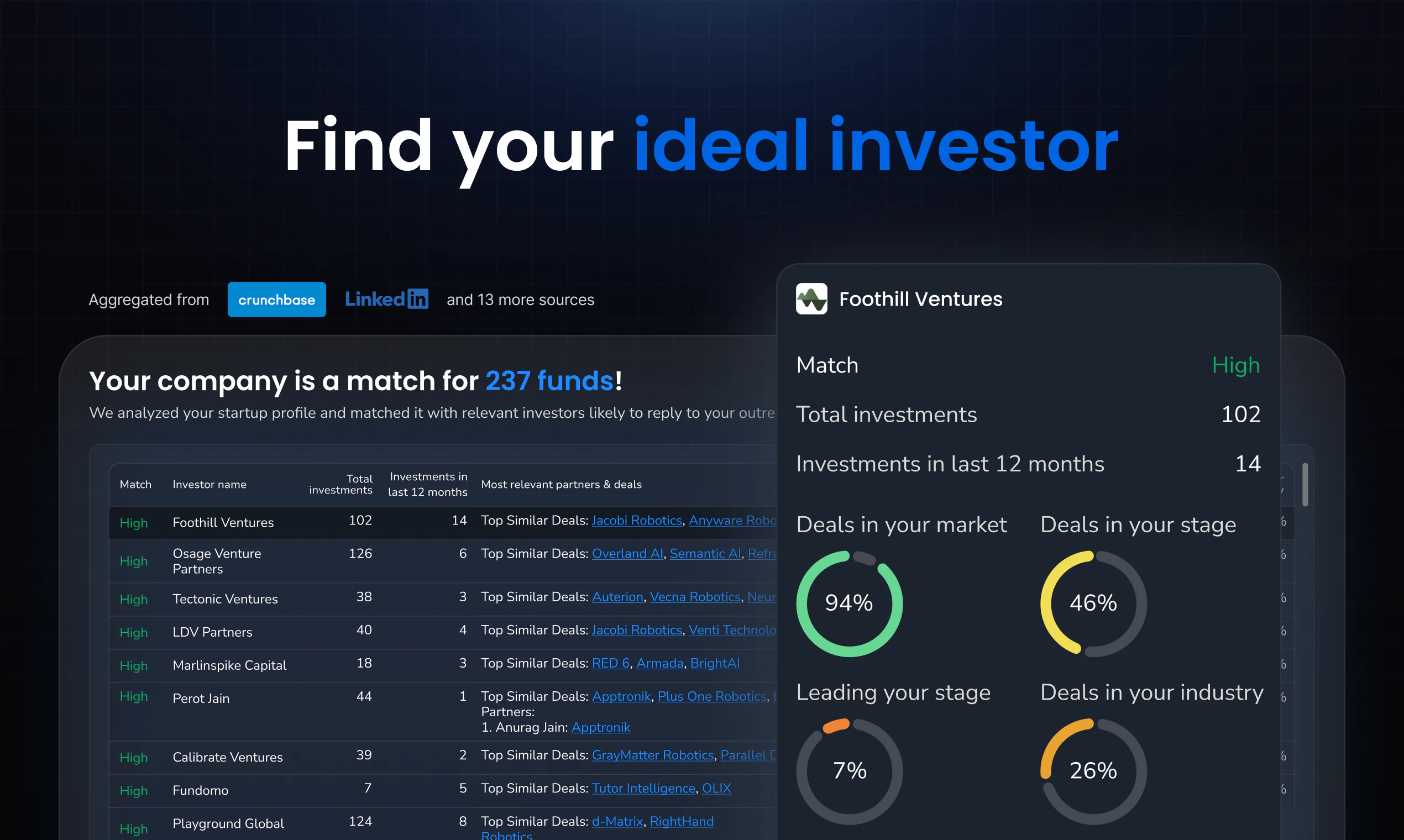
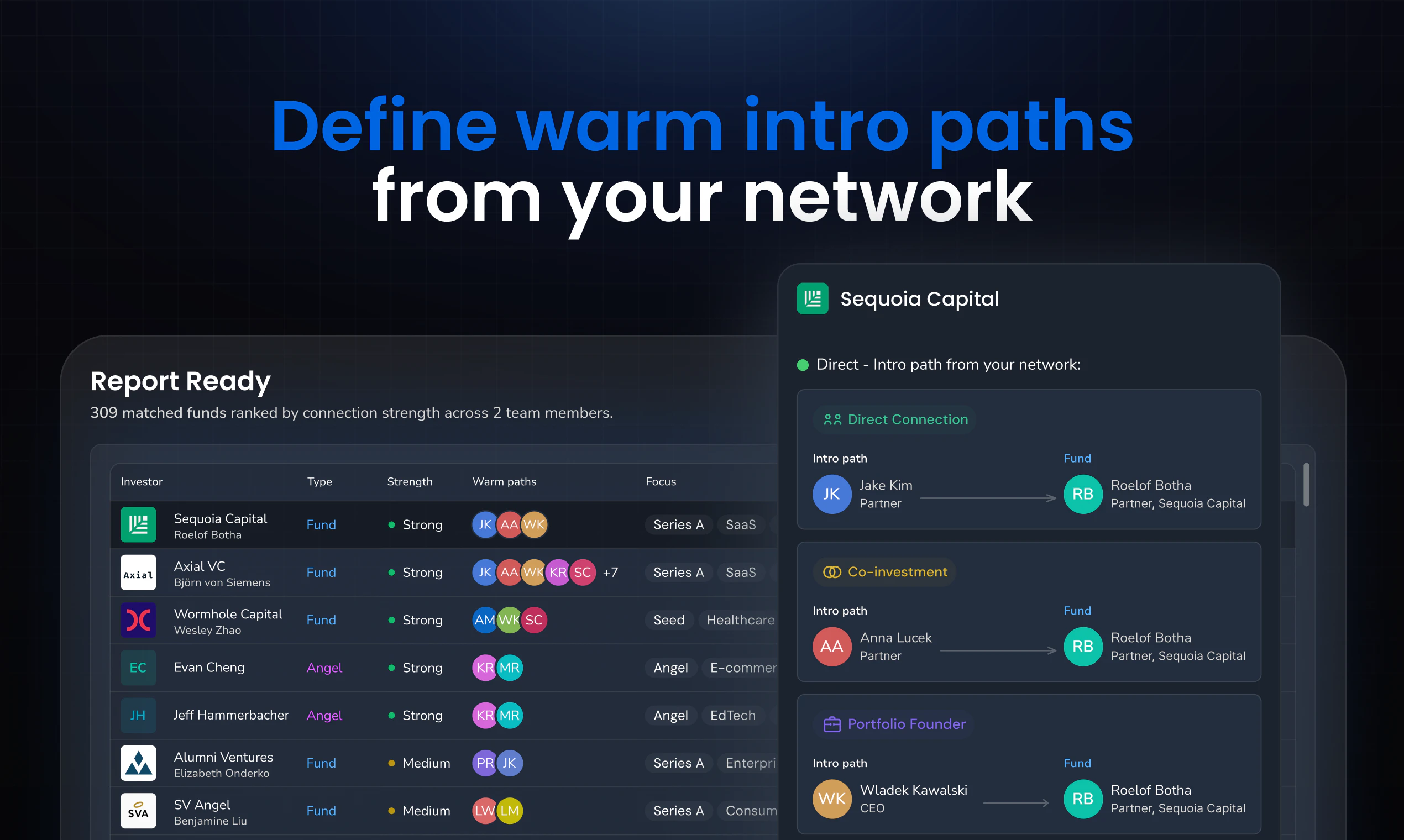
查看原始信息
Overline
Overline is a Chrome extension that adds real-time AI captions and live translation on top of any browser video, no subtitles needed, no tab switching. Works on YouTube, Netflix, Twitch, Zoom, or any tab. Sub-second latency. Translation is optional and per-session. No page injection, no file uploads, pure live audio streaming.
Hey PH! Mehdi here, builder of Overline. The idea came from watching live news coverage with human interpreters doing real-time translation. They miss things, they slow down, and they're not available on a random YouTube video at 11pm. I thought this should be a solved problem, so I built it. The hardest part was latency. Most transcription tools batch audio into chunks and upload them, you get a 5–10 second lag. Overline streams audio directly so captions appear as words are spoken. It's been on the Chrome Store for a few weeks, ~2,000 users so far. Happy to answer anything. And if something breaks, tell me here, I'll fix it fast. :)
0
回复

Real use case for this - built an AI film for a product called Dreams of Yesterday that deliberately has no subtitles during a key flashback sequence. The decision was intentional — wanted the disorientation. But for accessibility and multilingual families watching together, real-time captions without modifying the video file would be exactly right. Curious how Overline handles videos with mixed dialogue and silence — does caption accuracy drop when audio is sparse or ambient rather than continuous speech?

0
回复

@joe_rucker That's an interesting use case. I haven't tested Overline when there is a lot of silence gap or ambient sounds. Basically, the uses case that I have in mind, is for real-time translation of videos like news clips, or events where someone is speaking, or for language leaners who need translation for videos in different language.

1
回复