Product Hunt 每日热榜 2026-06-09

PH热榜 | 2026-06-09

#1
VC Boom
Score your deck, meet investors who fit, and raise more
423
一句话介绍:VC Boom是一款AI驱动的融资助手,在90秒内为创始人的商业计划书评分并提供针对性优化建议,从4.7万+投资人数据库中精准匹配活跃投资者,并自动生成个性化冷邮件,解决创始人“找不到对的投资人、不会写 outreach、发完就被拒”的融资效率瓶颈。
Venture Capital Artificial Intelligence Fundraising
融资工具 AI评分 投资人匹配 冷邮件生成 BP优化 Pre-Seed到A轮 创业者工具 VC数据库 SaaS Product Hunt热门
用户评论摘要:用户普遍认可其快速评分和匹配能力,尤其对Pre-seed阶段创业者帮助大。有人建议增加跟踪对话和后续管理的CRM功能。也有用户关心不同VC评价标准是否统一,以及数据隐私和阶段适用性(如纯idea或B轮后效果有限)。创始人回应了隐私保护、阶段调整机制及邮件内置CRM功能。
AI 锐评

VC Boom的本质不是融资魔法,而是一个高度垂直的“AI销售加速器”套上了VC经验的外壳。它精准命中了早期创始人最大的两种焦虑:不知道自己的deck为何被拒,以及不知道该去找谁说话。90秒评分和“单一最快修复”直击了大部分创始人长期被信息差荒废的黄金窗口期,比那种列20条修改意见后让人无所适从的万能模板机聪明得多。而47K投资人库的匹配加上一句匹配理由,以及从Gmail直发的个性化邮件,则是切掉了传统FA的资产和信任成本,用软件替代了人肉投递。

但问题也明显:产品本质上是一锤子“物色-润色-投递”的管道,能否真正形成闭环取决于其后续CRM的深度、投资人数据库的实时性以及邮件回复率的真实数据。目前所谓“成功融资9500万美元”究竟是归因于工具本身还是创始人的核心社群效应,需要打个问号。更重要的是,AI生成的“个性化”邮件是否能骗过每天收几十封同款模板的VC,以及早期投资人是否愿意通过一套算法化的渠道去建立信任关系,才是决定是否是“剃须刀还是刀架”的关键。对于没有社群、人脉或机构背书的个人创始人来说,VC Boom是一张不错的加速入场券,但绝不是拼多多式的融资代金券。

查看原始信息
VC Boom
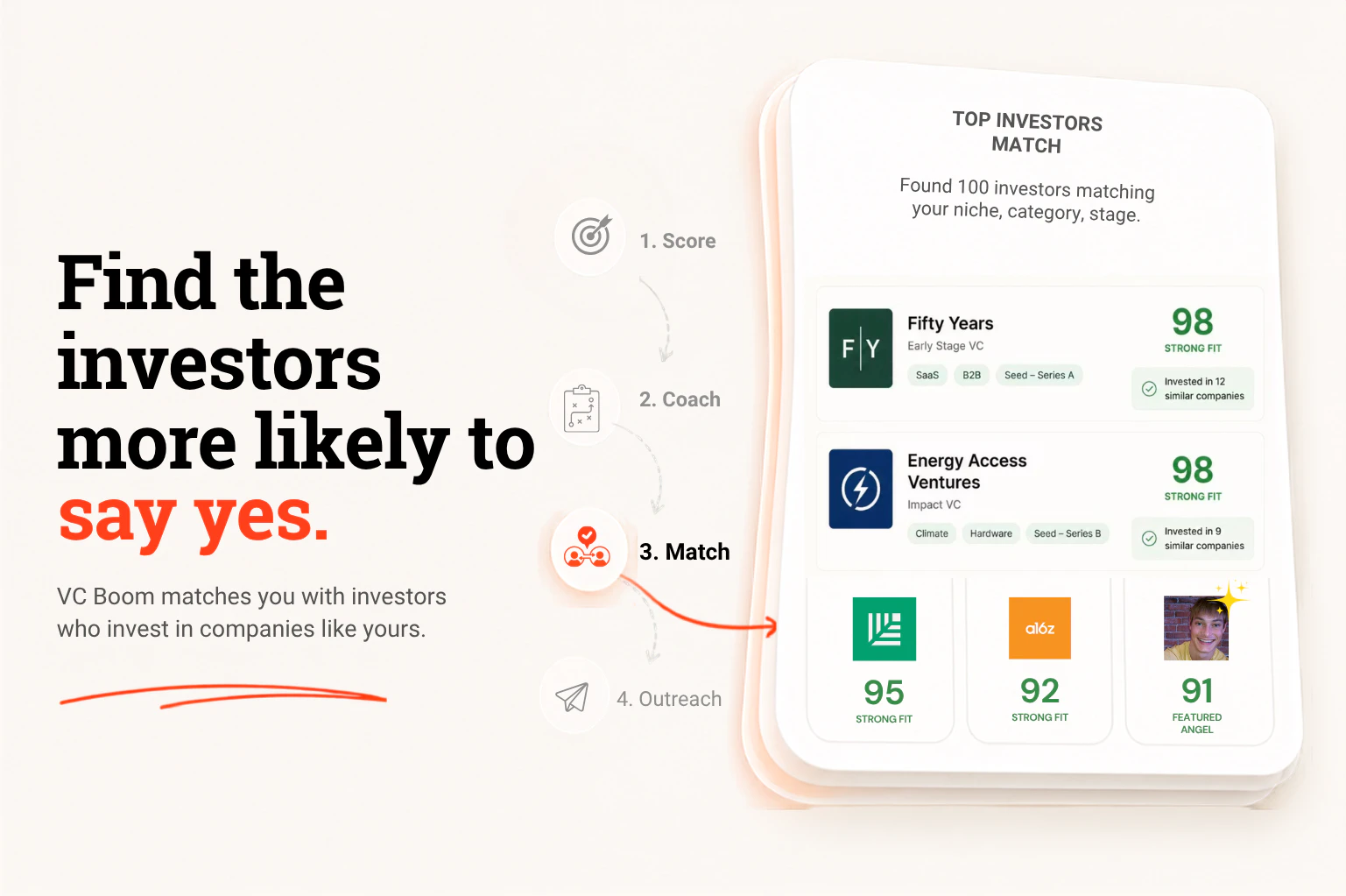
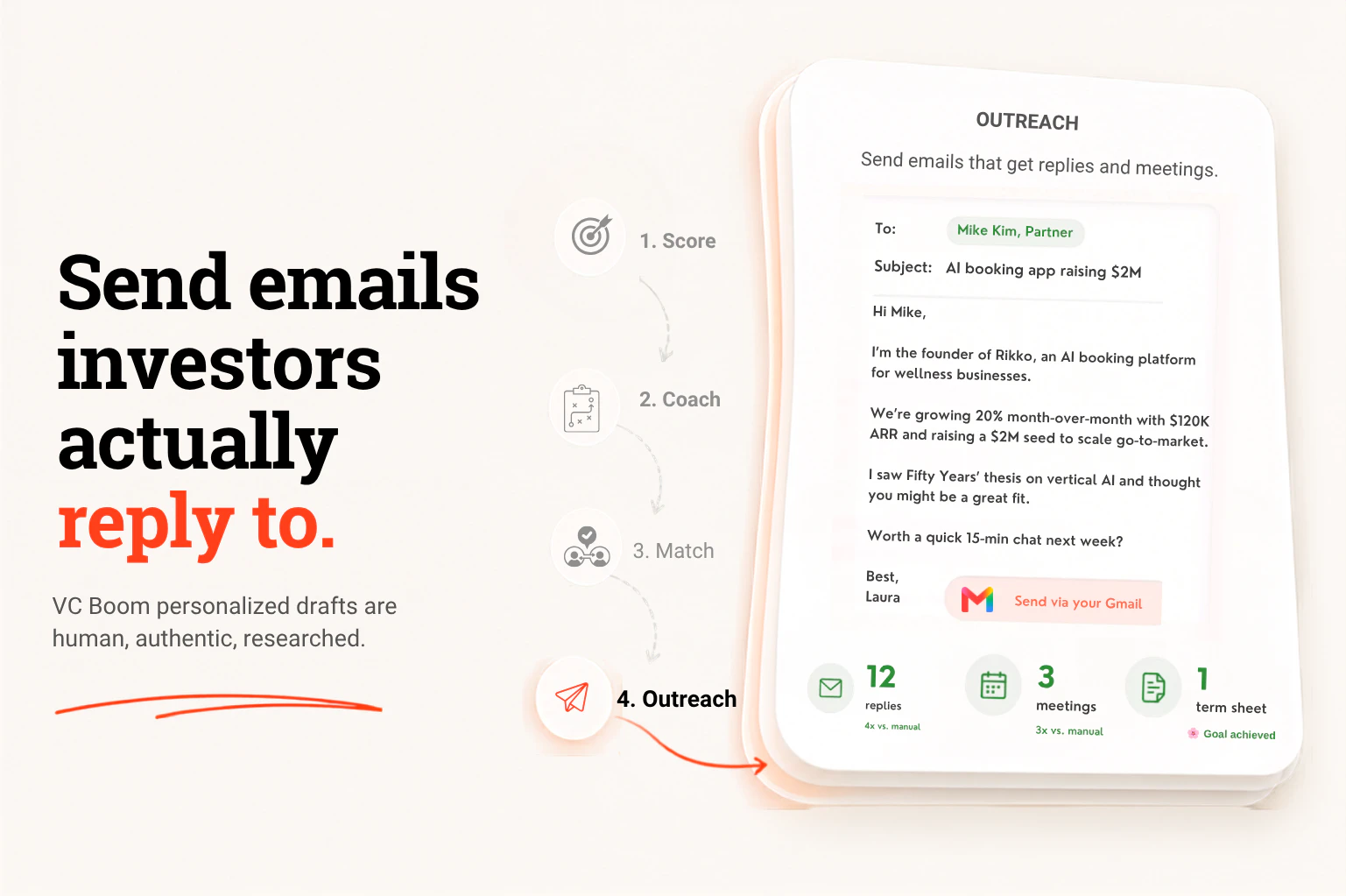
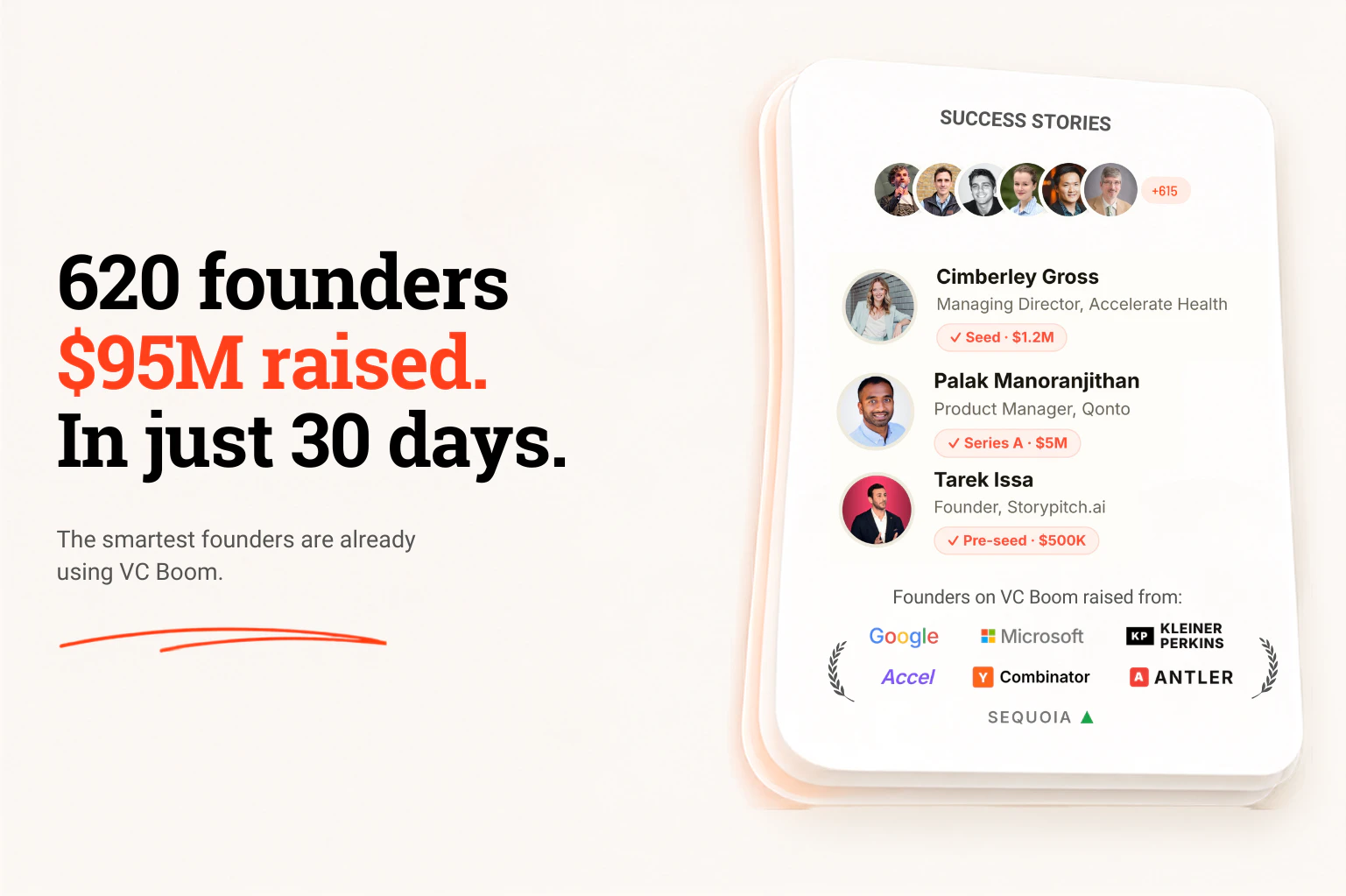
VC Boom scores your pitch deck in under 90 seconds and tells you the single fastest fix, matches you with the right investors from 47,000+ (each with a one-line reason they fit), then drafts personalized cold emails you send from your own inbox. Prep for each investor, then book the calls. Founders using VC Boom have already raised $95M. Built by an 8-year VC who raised hundreds of millions and deployed across 47 startups. Free to start, no subscription.

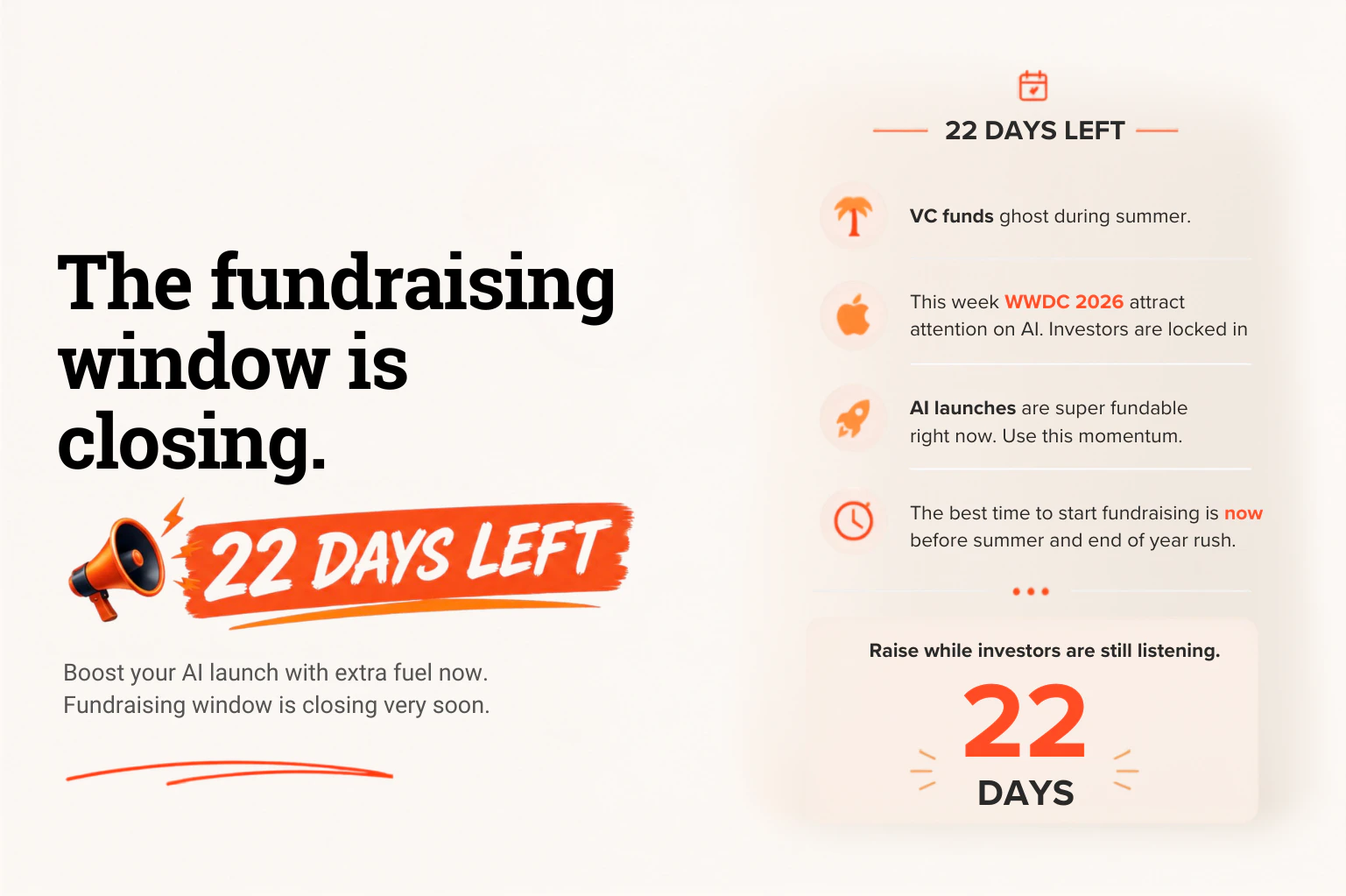
📣🚨 22 days left before VCs go on vacation. Raise now! 🚨📣

Hey Product Hunt! 👋 I'm Yoann, founder of VC Boom.

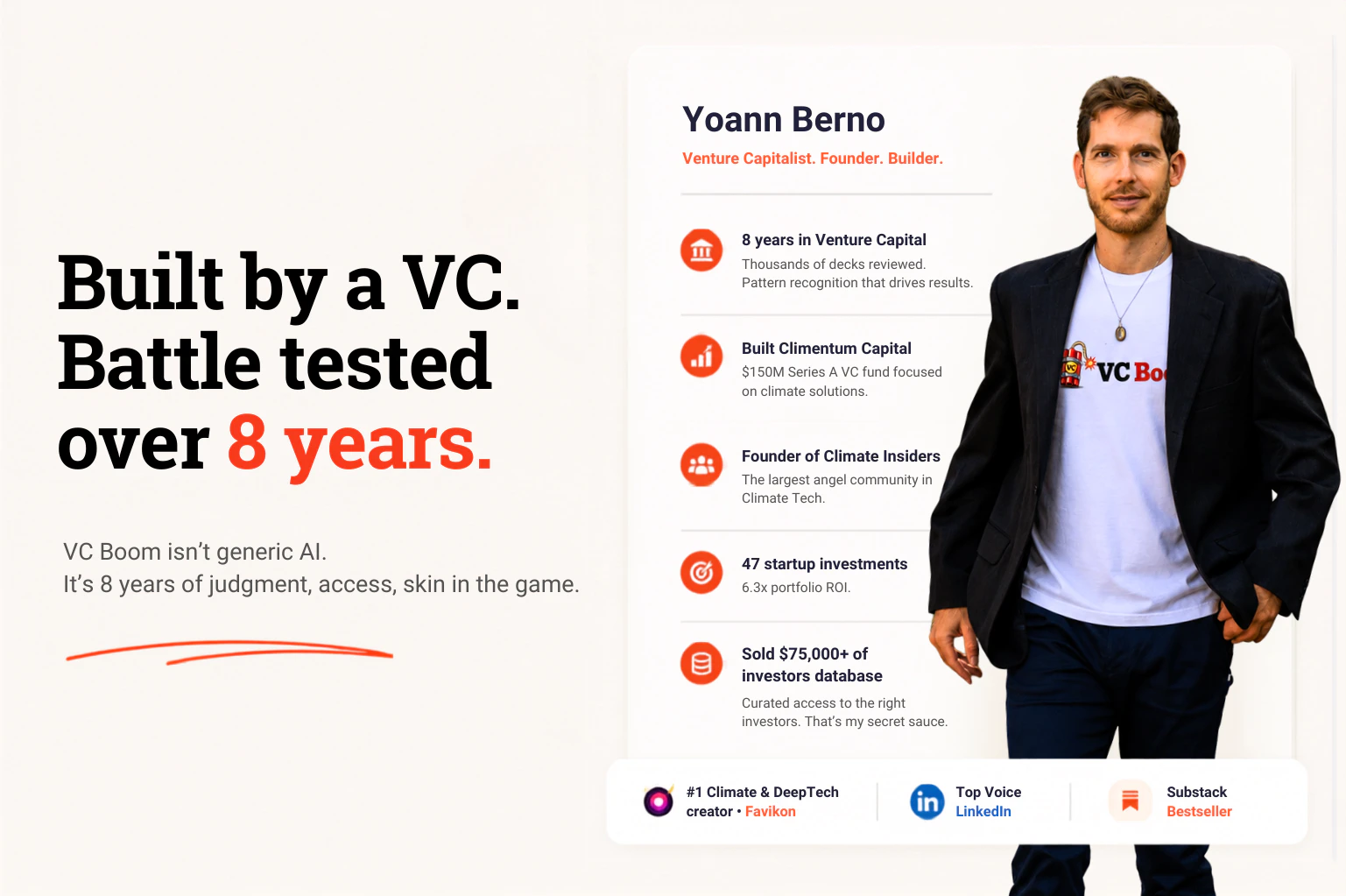
I've been a VC for 8 years, invested in 47 companies, and read thousands of pitch decks. I built VC Boom to turn that expertise into a product that scores your deck, finds investors active in your category, and drafts personalized cold emails so you can raise faster.

Here's how it works:

🎯 Scores your deck across 7 investor dimensions in <90 seconds and shows you what to fix to raise your score

🤝 Matches you with 100 investors active in your space who are likely to invest (filtered from 47k through my network)

📬 Unlocks their contacts, drafts outreach emails that read as human and authentic, and sends them from your own inbox

Boom! 💥

Results after just four weeks:

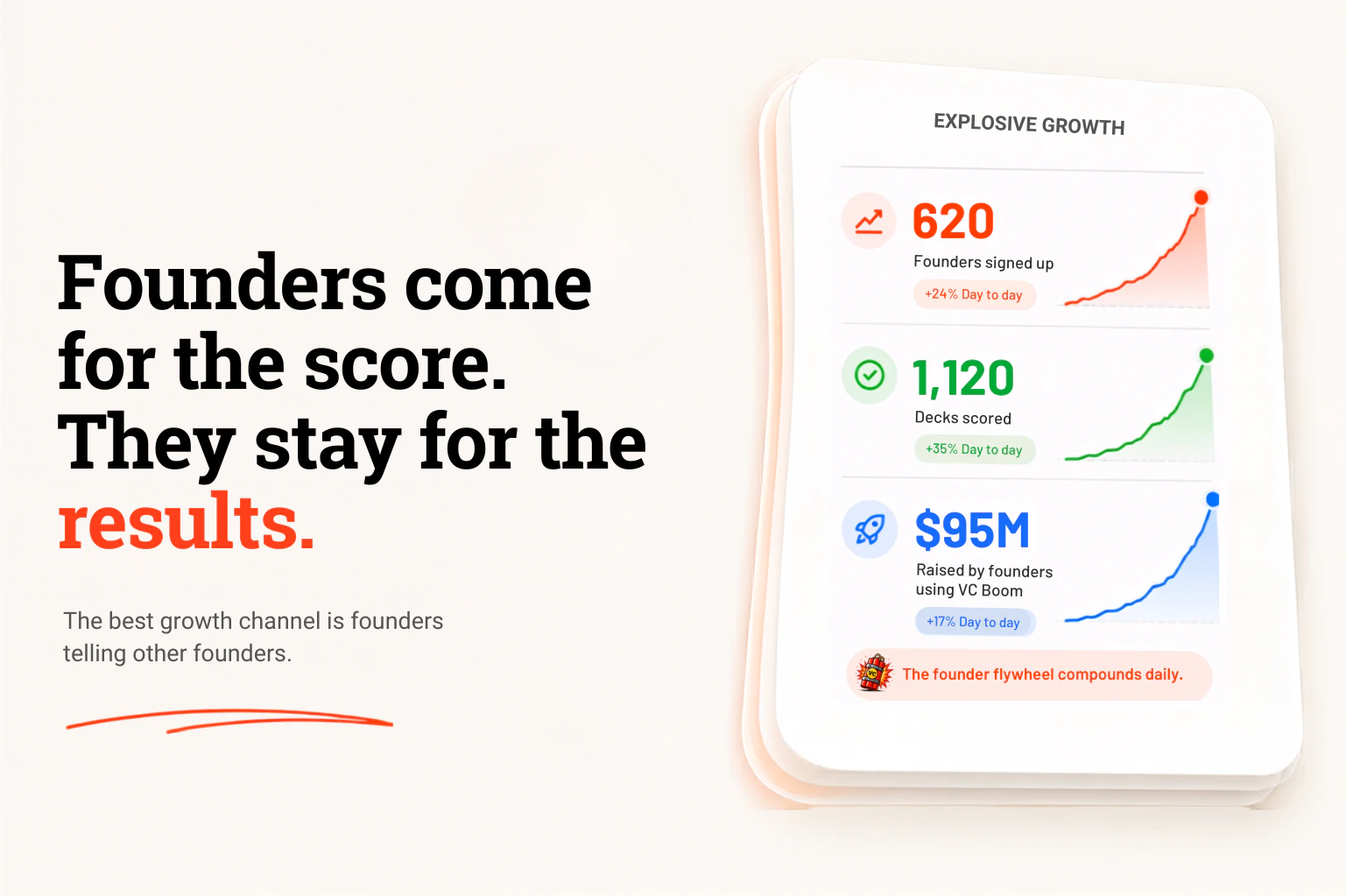
📈 620 founders signed up

✅ 1,120 decks scored

🚀 $95M raised by founders using VC Boom

VC Boom isn't a database, and it isn't a done-for-you agency that takes over your raise and takes a cut of it.

It's a raise advisor you drive.

Important note: there's fewer than 22 days left in the current VC window. If you want to get on the AI bandwagon before this year's blockbuster IPOs, you need to raise now.

With VC Boom, you'll be live in minutes, approving every send, and what you raise is yours.

We even bundle $1.8M+ in startup perks to help your round go further.

It's free to score your deck and see your first 100 matches. No credit card needed.

Why am I building this?

I'm a LinkedIn Top Voice and write the largest climate tech newsletter on Substack, read by 18k founders. Over the last year, I've sold them $75k worth of investor lists. They all want shortcuts.

Most ended up either spamming hundreds of the wrong investors or freezing in analysis paralysis, sitting on thousands of contacts with no idea what to do with them. That is when I knew something was badly broken.

VC Boom is the intelligence layer that fixes it. Ensures your deck is ready. Matches you with the right investors. Unlocks the contacts and gives you the touch of authenticity that locks in the meeting.

VCs and angels are crazy about AI products these days. But it's crowded. You need to stand out.

I'd love your feedback, especially from anyone raising right now.

What app or product are you raising for? I'll be in the comments all day. I'll give you pointers and might open up my direct network. 🚀

17
回复

@yoann_berno3 Love the focus on fixing the biggest bottleneck instead of overwhelming founders with endless advice. Matching with investors and generating personalized outreach from your own inbox is a nice touch. Curious, what have you found is the most common issue holding pitch decks back?

0
回复

@yoann_berno3 Love this intro

0
回复

@yoann_berno3 Congrats on the launch! While I'm personally not in the VC space at all, very cool to see this exists and something I can share with some of my Clients who are. You saw the problem and created a solution for it - that's true entrepreneurial spirit!

0
回复

Next Tuesday is YC Demo Day — just four days after SpaceX will have IPO'd.

There's about to be a lot of liquidity sloshing around... and @yoann_berno3's VC Boom is a perfectly timed resource to help you turn whatever deck you're pitching now into something much crisper.

The process is simple: upload your deck and get scored. You'll be given actionable steps to fix what you're missing.

You'll then attach this deck to the draft emails VC Boom writes for you so your pitch is tight when you contact the qualified investors VC Boom recommends (from Yoann's own network of 45K+ investors!).

💥 Boom! Instant termsheet! 💥

Ok ok, maybe not quite like that... but in this market? Who knows!

The timing really is critical here. Even with IPOs hitting the retail segment, there are really only ~22 days left before VCs disappear for summer. If you're building at the frontiers of AI and were thinking about raising in a month — you could be too late!

Which is why Yoann built this. He isn’t parachuting into fundraising software. He’s been a VC for 8 years, seen thousands of decks, and has founders paying for his investor lists. VC Boom turns that expertise into a product you can use today.

If you’re sitting on a deck and telling yourself you’ll “start outreach soon”… yeah. Consider this your sign. 🧨

16
回复

@chrismessina Chris, thank you for the hunt, and honestly for framing the why-now sharper than I did in my own post. 🙏

The "instant termsheet" line got a laugh out of me, and you're right to caveat it. VC Boom won't conjure a term sheet from thin air. What it does is make sure that when you're finally in front of the right partner, your deck isn't the reason they pass and your email isn't the reason they ghost.

And the squeeze is real: SpaceX, YC Demo Day, and the summer cutoff all landing in the same few weeks. Founders who tighten the deck and start outreach this week are the ones who catch the window. The rest will be emailing into a void come July.

So to anyone reading who's sitting on a deck telling themselves "soon": Chris is right. This is your sign. Score it, see your matches, get in those inboxes. 💥

2
回复

@yoann_berno3  @chrismessina Love the urgency in this launch too many founders spend months perfecting outreach instead of actually talking to investors. Congrats on the launch!


0
回复

Would be great to add a feature that tracks investor conversations and follow-ups. Managing the pipeline after outreach is another big part of fundraising.

4
回复

@ben_d3 Thanks Ben. You can actually do that in Outreach. It acts as a CRM, tracks your sent emails, reply rate. If you connect your Gmail account, it does it automatically for you.

2
回复

@ben_d3 Great suggestion, Ben. You’re right, getting the first meeting is only one part of fundraising. Tracking conversations and follow-ups could make the whole investor journey much easier to manage.

1
回复

Congrats on the launch! I wish I had this when I was raising funds.

2
回复

@mattaussaguel Thanks Matt. And congrats on success of SheCodes! 🚀

2
回复
Don’t different VCs evaluate investment opportunities differently?
1
回复

@lakshminath_dondeti Sure. There are def general trendlines though. VCs will always put extra emphasis on team, narrative/vision, product market fit, traction.
Those are the dimensions we evaluate and score.

That way you know in 90sec what needs to be polished before you outreach them and burn bridges.

1
回复

This looks really useful for founders who are navigating fundraising for the first time. Finding the right investors and crafting outreach can be a huge challenge on its own.

I like that you're bringing your VC experience into a tool that helps founders move faster and with more confidence.

The deck scoring and investor matching features sound especially helpful. Looking forward to seeing how VC Boom grows. Wishing you a successful launch! 🎉

1
回复

@gabriella_anjani Thank you 🙏 I built VC Boom because I see founders not knowing how to access investors, or literally spamming hundreds without finding the best way to approach them.

Neither works. One leaves you stuck, the other burns the relationship before it even starts.

So the whole point was to fix both ends: get you to the investors who actually fit, and help you reach out in a way that earns a reply instead of a delete. If you're raising, run your deck through the free score sometime. Thanks again for the kind words. 💥

1
回复

Just tried this out. Honestly, it's a lifesaver. Scored my messy deck in 90 secs and gave me a list of investors that actually make sense. No more guessing if they care about my sector. Definitely keeping this open while I fundraise.

0
回复

This is such a super helpful tool, especially since I'm trying to close a pre-seed round. Thank you!

0
回复

@nox_v Yes perfect for pre-seed. What's your company about? Happy to provide some pointers.
You should also definitely score your deck to figure out whether it's ready for investor outreach

1
回复

I am raising for the first time, and I find the feedback and directory extremely helpful.

0
回复

@thedatadavis Thanks Chris, glad it's helpful. What's your company about?

0
回复

Cool idea! How about privacy?

0
回复

@liam007 we don’t save any deck, super strict about privacy.

It doesn’t train our model, and there’s segmentation between all users.

Your data always remain your data

0
回复

This is very cool-- how does this adjust based on your stage of business? i.e. pre-revenue/pre-PMF, vs revenue generating vs rapidly scaling? The description was unclear to me what type of company would benefit the most from using this. Thanks @yoann_berno3!

0
回复

@antifreeze Great question, and fair point, that one’s on me. The description doesn’t make this clear enough.

Sweet spot is pre-seed through Series A. That’s who it’s built for and where it works best.

It adjusts in two ways. The matching filters to investors who actually write checks at your stage and size, so if you’re pre-revenue you get angels and pre-seed funds, not growth VCs who wouldn’t look at you yet. And the scoring weighs things by stage: pre-PMF it leans on team, market, and how clearly you frame the problem, since there’s no traction to judge yet. Once you’ve got revenue, your metrics carry a lot more weight.

Where it’s less useful: pure idea stage with no deck yet (nothing to score), or Series B and up, where raises run more on relationships and warm intros than cold outreach to a fresh list.

So who benefits most, honestly: a founder actively raising pre-seed to Series A who doesn’t already have a warm investor network to lean on. If VCs are already chasing your round, you don’t need me. If you’re staring at a blank list, that’s exactly who this is for.

Thanks for the sharp question 🙏

0
回复

Congrats on the launch. We're preparing for our first raise after summer, so I'd love to check this out! I've had advice from several investors, advisors, experiences founders, and the advice is always so varied.

0
回复

@you_x_you_i Hey Emma, best is to upload your deck to get reality check. It will tell you immediatley whether you're raise ready.
How much are you raising? and what geography?

0
回复

Congrats @yoann_berno3! Does the product actually serve up completed corrections after scoring the deck, or does it identify deficiencies and provide more generalized suggestions that you as a founder then need to correct?

0
回复

@millwiller hey Will, it points you the areas that need improvements and make suggestions. It doesn't redo your entire slides though.
you can then do modifications yourself and then reupload to have rescore. You can do that as many times as you want

1
回复

The 90-second deck score is a clever wedge — most founders never learn why they got passed on, and a single "fastest fix" beats a 20-point rubric. How are you sourcing the investor-fit matching under the hood?

0
回复

@oleksii_sekundant Hey Oleksii. I've worked in VC for 8 years. I've met hundreds of investors in my time, and I've helped hundreds of founders fundraise.
I've also been aggregating angels/family offices and VCs lists every time I get invited to an investor event, conference, whatsapp group, or private mailing list.

The data is my secret sauce, and it's the hardest part to come by. It needs to be up to date, accurate, and continually refreshed as people move on from organizations.

The matching boils down to 7 criteria, with different weights, which I've personally crafted based on my investor judgment. So when you get your score and the single biggest area you need to improve, it's like receiving a feedback straight from a no-BS VC.
Better to see it via VC Boom than hearing it in a decline email from your target investors

0
回复

Hi Yoann, that's so coool!! definitely passing this to my team who deal with sales pitch on a regular basis and are always worried about their deck.

0
回复

@vb_30 Great to hear Vaishnavi. How much are they raising and from whom (angels, VCs?)

0
回复

Congrats on the launch!! Super cool. I will use it when time come. I am still super early MVP stage. Still figuraing out the market. So what the revenue model ? Is there any discount for early testers like us? I was trying to visit the website, but for some reason it showed me :

This site can’t be reached

The connection was reset.

Try:

ERR_CONNECTION_RESET

0
回复

@sabber_ahamed Hey Sabber, sure there's a 20% discount for PH users. Code in the slide ;)

Which country are you visiting the website from? can you try different browser

1
回复

Congrats on the launch! 🚀 Love the idea of getting actionable pitch deck feedback in under 90 seconds. Fundraising is already hard enough without spending weeks guessing what investors want to see.

0
回复

@alina_tyslenok_ Thanks so much 🙏

And yeah, exactly. The guessing is the worst part. You rewrite the same slide five times with no idea if it's even the right fix. The whole point of the 90-second score is to take that guesswork off the table so you can just get on with the raise. 💥

0
回复

Congratulations on the launch @yoann_berno3

0
回复

@maali_baali Thanks a lot for the support. Looking forward to your product feedback. You're raising funds right now?

0
回复

Great concept, but how do you see its helping early stage founders connect with the right investors fast?

@yoann_berno3 congrats on the successful launch. Also are you planning features that let founders track investor interest over time or is it more discovery focused?

0
回复

@hamza_afzal_butt Thanks, appreciate it 🙏 Speed is the whole point. Upload your deck, and a couple minutes later you've got 100 investors who actually fit, each with a reason why, plus a cold email drafted in your voice. No week-long list building. You can start reaching out the same day. Some investors book meetings within 48h

On tracking: right now it's discovery and outreach focused. But pipeline tracking keeps coming up, so it's on my mind. What would you want it to do?

0
回复

I like the idea, but I was wondering if is it only targeting US builders or will it also be valuable for people who are building a startup outside the US (Ex: in Europe)?

0
回复

@mike_milord Honest answer is yes, it absolutely works outside the US. Europe is very much on our radar, not an afterthought.

The matching pulls from 47k+ investor profiles that include European and global funds, not just US ones, so you get surfaced people who actually deploy in your region and at your stage.

Best way to know for sure: run your deck through the free score and look at the matches it gives you. If you tell me roughly where you're based and what you're building, I'm happy to eyeball whether the coverage is strong for your space.

This map shows Today's users. All over the world. In Purple are paid users from last hour 💥

1
回复

Congrats! Indeed, perfect timing and a well needed resource for founders.

0
回复

@khashayar_mansourizadeh1 Thanks for the support. Great timing indeed

0
回复

Congrats on the launch!

0
回复

@anthony_adams_ Thanks Anthony! Planning a fundraise soon?

0
回复
#2
ZeroGPU
The compute efficient layer for AI inference
301
一句话介绍:ZeroGPU通过运行在混合边缘网络上的专用小语言模型,替代昂贵的大模型处理70-80%的高重复性AI推理任务(如分类、审核、摘要),实现10倍更快、50%更低的成本和边缘级延迟,无需额外GPU资源。
API Developer Tools Artificial Intelligence
AI推理 边缘计算 小语言模型 模型路由 成本优化 延迟优化 基础设施 API兼容 智能路由 Agent工作流
用户评论摘要:用户普遍关注路由决策的自动化和降级机制,尤其是当小模型处理低置信度或复杂输入时如何处理。团队回应称不自动换用大模型,而是返回置信度分数由用户决定,平台只负责可用性和延迟。冷启动、模型对嵌入式/视觉任务的支持也被提及。客户Dappier的10倍延迟降低和6倍成本节省成为强有力背书,但多数评论仍集中于对混合决策架构的实际可控性验证。
AI 锐评

ZeroGPU打出“弃用GPU”的旗帜,本质上是在AI基础设施领域干了一次非常典型的“结构性套利”——把本该属于生态位的分工明确化、工具化。它的核心不是模型创新,而是架构拆分,策略与2023年起黄仁勋主推的“全栈GPU霸图”截然相反。

产品价值点在于,它敏锐捕捉到一个普遍却未被规模化正视的事实:生产环境中绝大多数推理请求(如分类、标签、PII识别、摘要)并不需要大模型的理解能力,而是需要精确、稳定、100毫秒级别的机器执行。ZeroGPU做的就是将这层“死任务”从昂贵的显卡集群中剥离,丢到分布式的边缘CPU网络上,然后通过统一、兼容OpenAI的API把交互复杂度压缩到最低。

从架构上看,它的设计理念与目前的Agent编排浪潮高度契合。如果Agent算力调度是未来3年AI应用落地的核心瓶颈之一,那么ZeroGPU的“路由前置信度+后端自动failover”策略是目前最务实的选择之一,虽然没有采用全自动降级,但将控制权交给开发者,反而更可控。

不过,该模式面临的长期挑战也很明显:一旦边缘碎片化带来模型一致性下降、延迟波动明显,或GPU价格出现拐点,就会对“零GPU”概念产生反噬。另外,像OpenAI、Google这样的巨头完全可能在API层加入“轻量自动降级”功能,把这条赛道吃掉。

一句话总结:它不是下一个GPU云,而是AI时代的“任务分流层”——价值清晰,但生态壁垒不厚。对于高调用量、低推理复杂度的ToB场景,这是目前最值得上手的成本优化方案之一。

查看原始信息
ZeroGPU
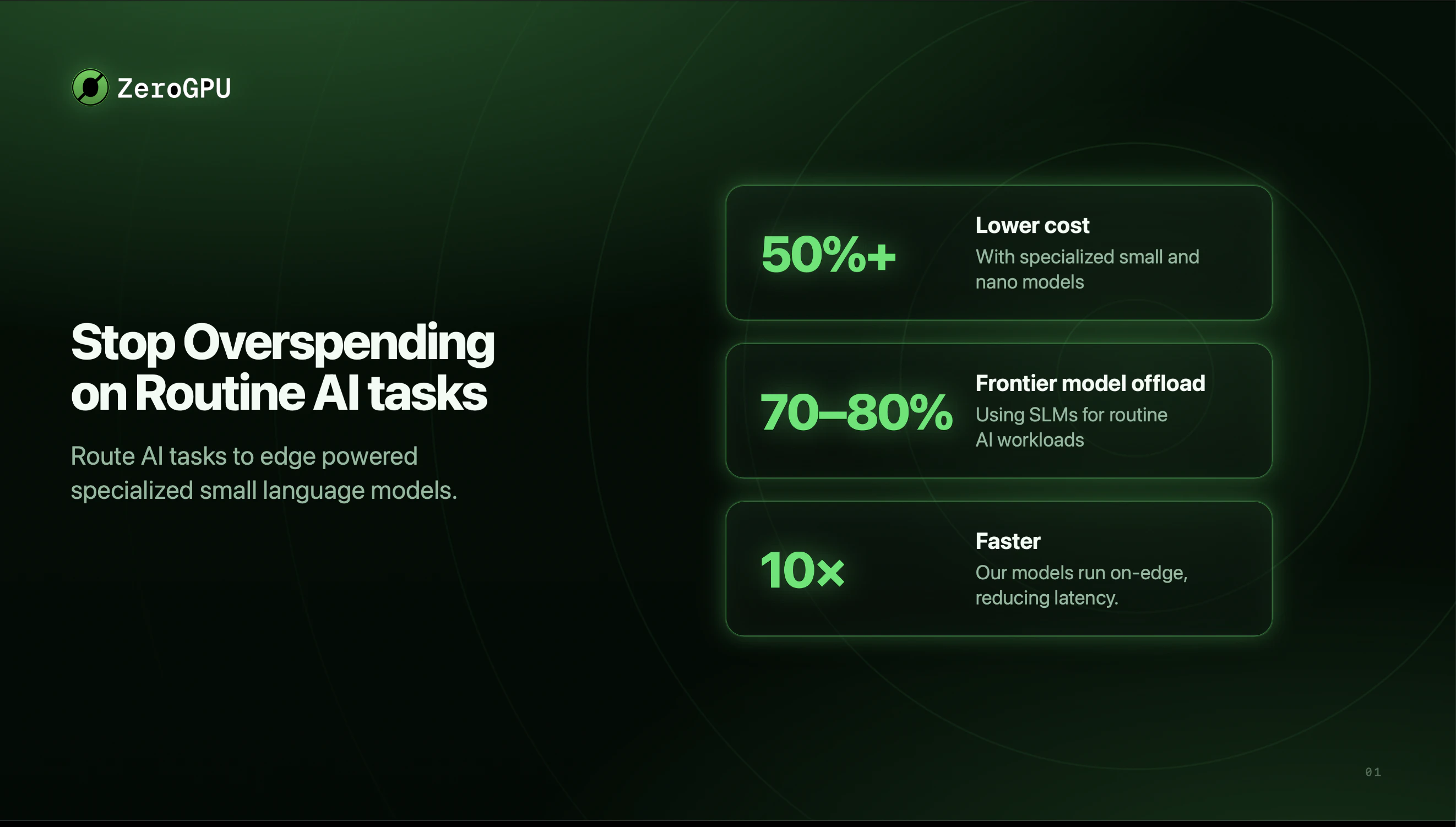
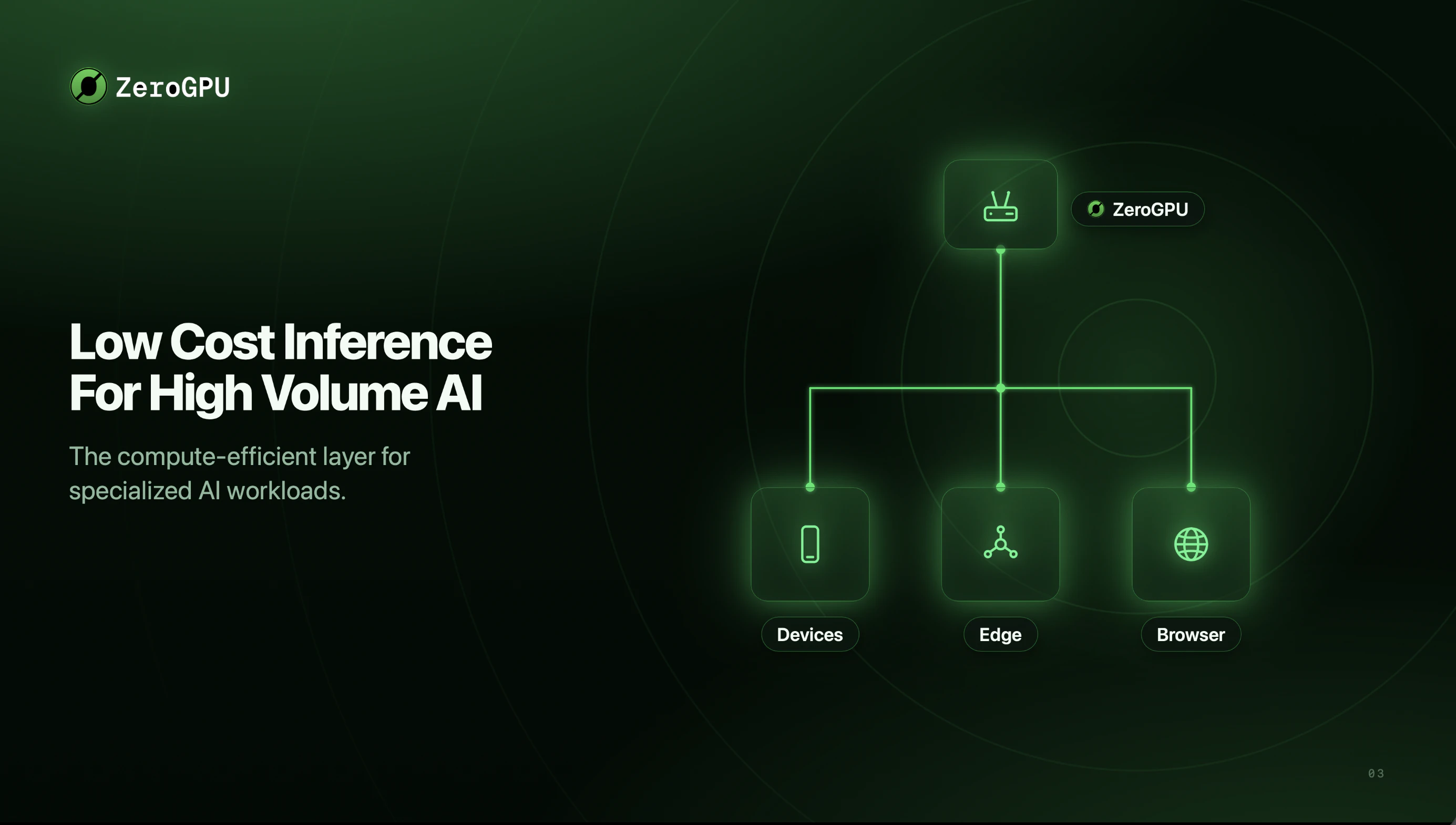
The world can't build compute fast enough to keep up with AI demand. So we took a different path. ZeroGPU is AI infrastructure powered by small language models running on a hybrid edge network reusing compute that already exists. Not every task needs a frontier model. Our purpose-built, edge-optimized models run 10x faster, 50% cheaper and offload 70–80% of production tasks to small models with frontier-level accuracy.

Hey Product Hunt, ZeroGPU is live today!

ZeroGPU is the compute efficiency layer for AI: specialized small language models running across an edge-powered network, built for the high-volume work that doesn't need a frontier model.

Our specialized classification and data extraction model benchmarks head-to-head against GPT-5.4 Nano at:

  • 10× faster latency

  • 50%+ lower cost

  • 20% higher accuracy

  • Up to 4× shorter prompts, often with no system prompt at all

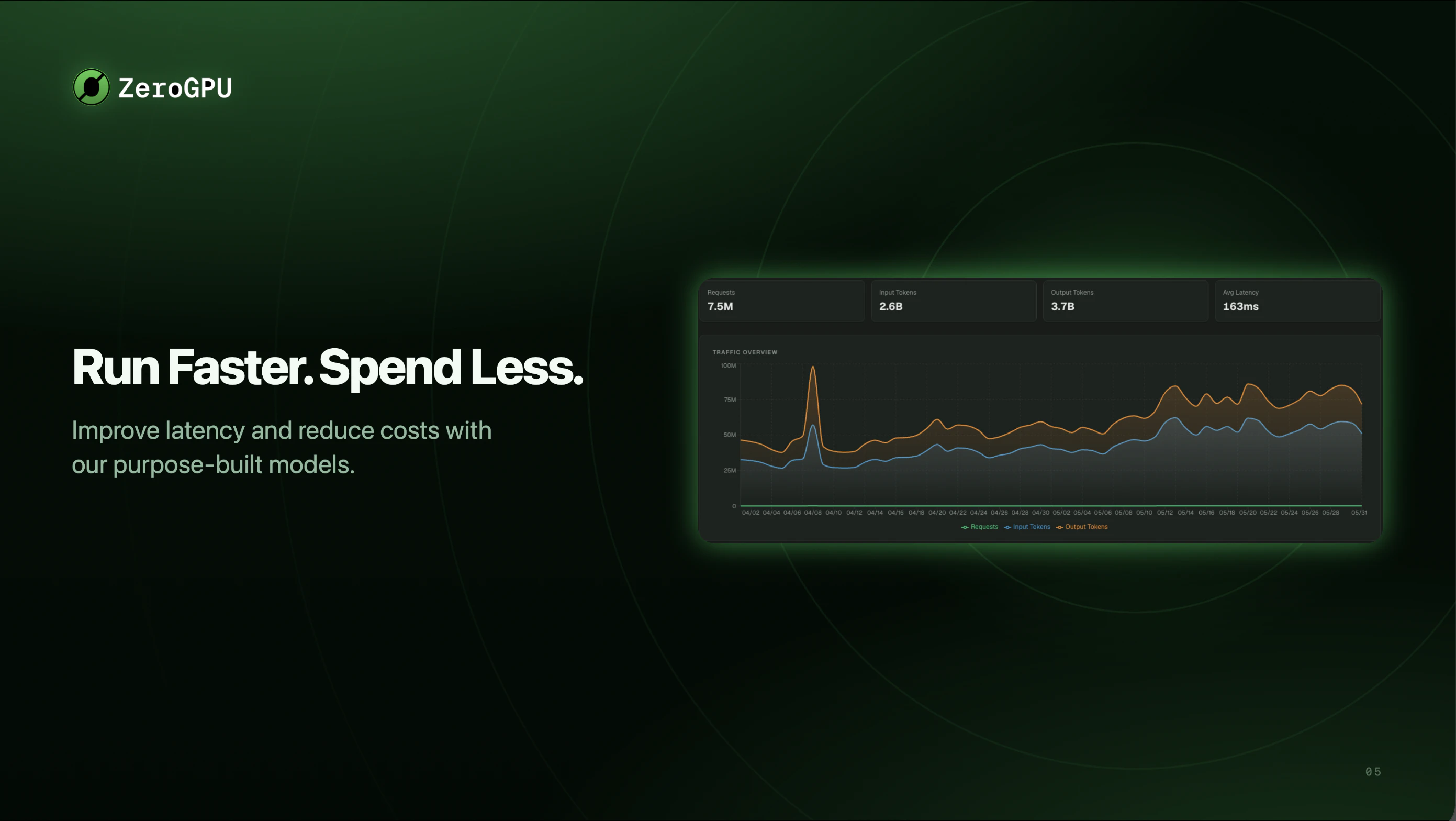
And it's already in production. Our first customer, @Dappier, runs ZeroGPU today at 10× lower latency and 6× lower cost on high-volume inference.

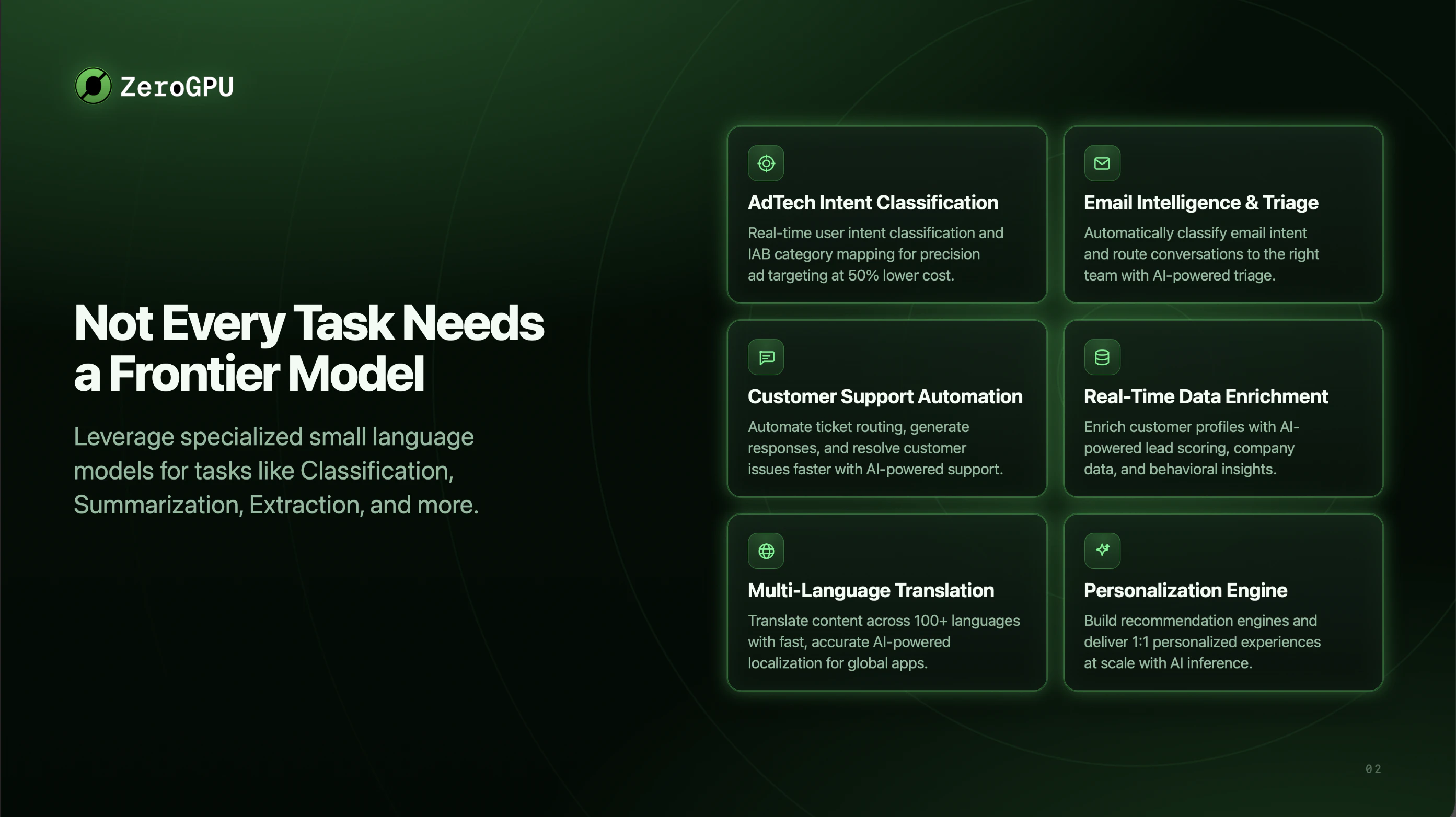
Our thesis is simple. Frontier models are great for reasoning. ZeroGPU is built for repeatable execution: classification, moderation, summarization, routing, extraction, signal detection, and the high-volume calls that run constantly inside apps and agent loops.

In most AI apps, a large share of inference isn't deep reasoning at all. It's structured, repetitive work that doesn't need the most expensive model every time. The opportunity is to move the 70–80% of routine inference off frontier models and onto smaller, specialized ones running on lower-cost edge compute.

This is becoming obvious at scale. Marc Benioff said Salesforce will spend $300 million on Anthropic this year, then argued that not every token needs a frontier model. Brian Armstrong said @coinbase already routes prompts to smaller models to keep costs flat as usage climbs. That routing and execution layer is exactly what we built.

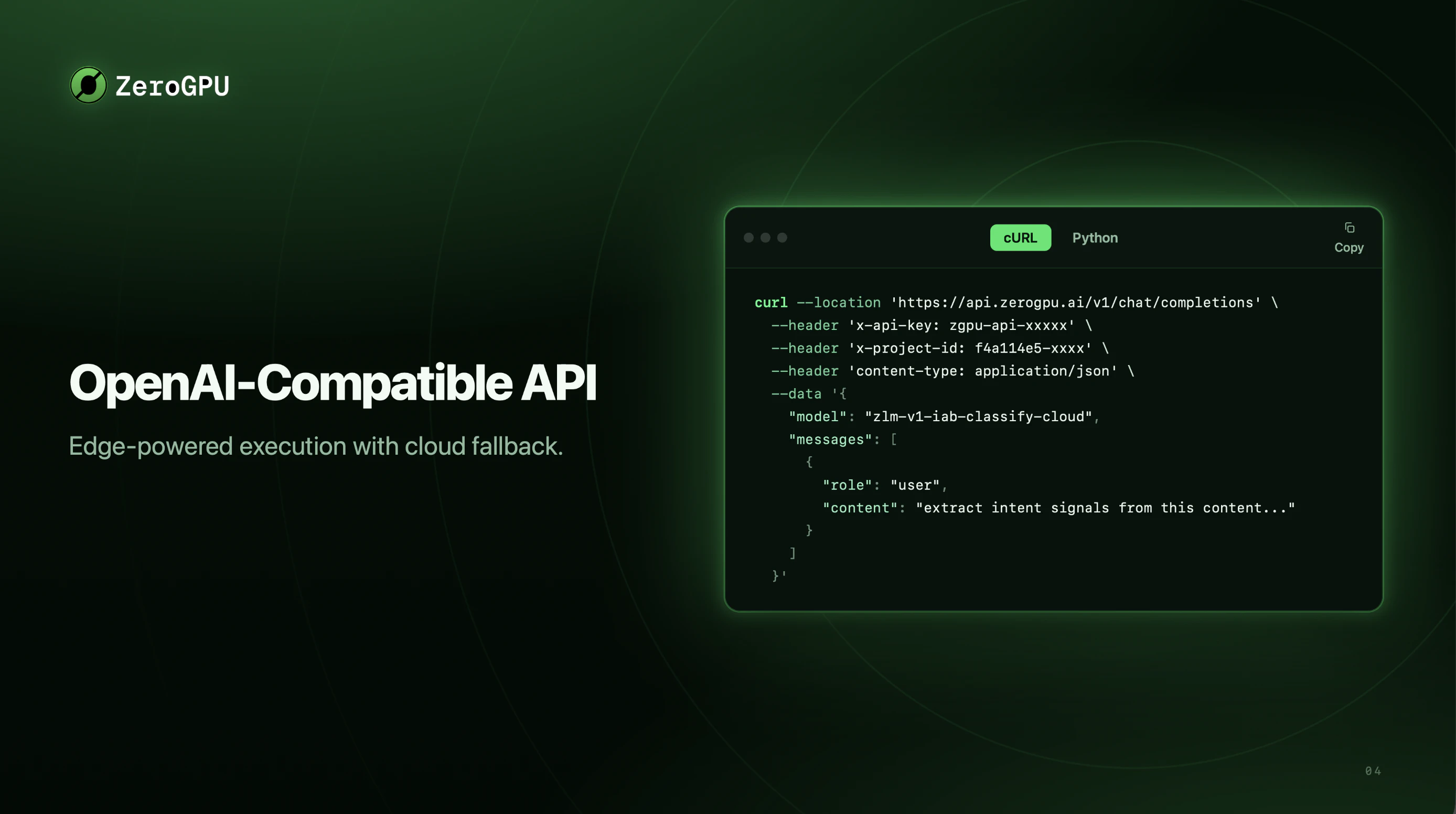
Getting started is easy. Point your eligible workloads at our OpenAI-compatible API and go live. No GPUs to provision. No clusters to manage. Just faster, cheaper inference.

We'd love feedback from AI founders, developers, infra teams, and anyone building apps or agents with high-volume inference needs.

11
回复

@coinbase  @its_maddy_a This looks incredibly promising for infrastructure cost control. Do you offer an automated orchestration layer that dynamically determines whether a task requires a small model or needs to be escalated to a frontier model?

0
回复

@its_maddy_a  Really interesting approach, most teams are focused on pushing model capabilities, while you're optimising the inference layer where a huge amount of production traffic actually lives. The latency and cost improvements are impressive.

Curious: how does ZeroGPU handle routing and fallback when a specialized model encounters low-confidence or out-of-distribution inputs? Do you dynamically escalate to a larger model, or is confidence management handled at the application layer?

0
回复

@coinbase  @its_maddy_a The narrative around AI usually sounds like this: Build bigger data centers. Buy more GPUs. Consume more power. But the truth is, the world can’t build compute fast enough to keep up. So, we decided to take a different path.

Thanks to ZeroGPU team our partners — AI infrastructure powered by small language models running on a hybrid edge network. Instead of waiting for new hardware, we are unlocking and reusing the compute that already exists.

The reality of AI in production is simple: Not every task needs a frontier model. By using our purpose-built, edge-optimized models, companies can:

  • Run 10x faster than traditional setups.

  • 💰 Cut costs by 50%.

  • 📉 Offload 70–80% of production tasks to small models—all while maintaining frontier-level accuracy.

Here we don't need a bigger footprint; we just need smarter architecture. Welcome to the future of efficient AI. 🚀

0
回复

Interesting angle. For agent workloads, the thing I’d want to understand is how routing decisions are made when latency, cost, and model reliability pull in different directions.

The hard part is usually not just cheaper inference, but making the fallback behavior predictable when a small model is not enough.

6
回复

@kevinzrzgg Great question. On the infrastructure side, failover is automatic. Requests are routed based on availability, capability, and load, so if edge capacity is unavailable, traffic can move to the next tier without you having to manage it.

Model escalation is different. We don't silently swap in a larger model because that makes costs and behavior unpredictable. Instead, our specialized models return confidence scores, and you decide the threshold for when something should be escalated to a frontier model.

So availability and latency are handled automatically by the platform, while quality and cost remain under your control. That separation is what makes the system both efficient and predictable.

You can learn more about it here - https://docs.zerogpu.ai/docs/how-zerogpu-works

Thank you!

0
回复

@kevinzrzgg Fair points to press on. Let me take latency, cost, and reliability one at a time, because we handle each structurally rather than with per-request guessing.

Latency comes from running our models on an edge network — inference happens closer to where the work is, not in a distant data center. Cost comes from not depending on GPUs for these workloads, so the economics are fundamentally lower, not just discounted.

We're not trying to make a small model reliably do hard reasoning. We focus on the workloads where a specialized model is the right tool: summarization, scraping, data extraction, classification, PII detection, moderation. We're not competing with Claude on coding or complex reasoning — we handle the work where Claude is overkill. (use cases here)

For agentic workloads, our plugins only take a step when it's trivial enough for a small model to own cleanly — anything beyond that defaults straight back to your base model. The routing decision happens by task suitability up front, not as a recovery from failure.

Hope that cleared your doubts. Appreciate your support!

2
回复

how does the platform decide which workloads are best suited for specialized models versus when a frontier model should still be used?

5
回复

@mathew_chang Great question. The simplest way to think about it is that the structure of the task usually determines the model.

If it's something repetitive with a fixed output shape, like classification, tagging, PII redaction, or field extraction, a specialized model can typically do it much faster and cheaper without sacrificing quality. If the task requires deeper reasoning, synthesis, or judgment, that's where frontier models still make sense.

A lot of teams automate this by putting a lightweight ZeroGPU model in front of their frontier model. It handles the straightforward requests and only escalates the ones that actually need advanced reasoning.

Happy to go deeper if useful!

You can learn more at - https://docs.zerogpu.ai/

0
回复

@mathew_chang Great question — you can achieve that following ways using Zerogpu:

One way is to use our MCP and Claude/Claw plugins which help decide which small model handles a given step on the fly. Say you're running a Claude agent to scrape and qualify potential clients — ZeroGPU handles the summarization and data extraction while Claude focuses on the higher-order judgment calls. Plugins here: https://docs.zerogpu.ai/integrations/claude-code-plugin

For production workflows - you identify the repeatable workloads like classification, summarization, data extraction, and integrate with our open AI compatible model endpoints.

Either way, the principle is the same: frontier models for the complex reasoning, ZeroGPU for the high-volume repeatable work.

2
回复

the production results with a real customer make the story stronger for me, I always like seeing actual usage examples instead of purely benchmark-based claims.

5
回复

@shawn_idrees If you'd like to explore it before spending time on a full evaluation, the API docs are probably the best place to start: docs.zerogpu.ai/api-reference/responses.

ZeroGPU is OpenAI-compatible, so the request format should feel very familiar. There's also an interactive playground and dedicated pages for the classification and extraction models, where you can see example inputs, confidence scores, and response formats.

And of course, if you'd like a recommendation for a specific use case, feel free to share a bit about your workload. We'd be happy to point you in the right direction.

2
回复

I have the opportunity to work on ZeroGPU as an AI Architect/Engineer, and what excites me the most is the vision behind it: making AI inference more accessible, scalable, and cost-efficient by leveraging distributed edge resources rather than relying solely on centralized GPU infrastructure.

From an engineering perspective, building reliable distributed LLM inference across heterogeneous devices is a fascinating challenge. It requires solving problems around orchestration, latency, fault tolerance, workload distribution, and model execution at scale while maintaining a seamless developer experience.

What impressed me throughout the journey is the team's focus on turning a technically ambitious concept into a practical platform that developers can actually use. As AI adoption continues to grow, infrastructure efficiency becomes just as important as model quality, and I believe decentralized approaches like ZeroGPU will play an increasingly important role in the ecosystem.

Proud to be part of the team building this. Looking forward to seeing what the community creates with it 🚀

5
回复

@nemanja_igic Its been a ride, but this is just beginning. We are on to something big! Thank you!

2
回复

Hey, I'm Nishitha,

I am a AI engineer at ZeroGPU,

The past few months building this have been a really rewarding stretch. Getting specialized small models to hold their own against frontier models on real production workloads took a lot of benchmarking and a lot of iteration.

A big part of the work was making it genuinely easy to adopt an OpenAI-compatible API, so you can point your workloads at ZeroGPU and go live without changing your stack. We spent a lot of time making sure the model catalog covers the high-volume tasks that come up again and again, and that each one is fast and reliable in production.

Seeing @Dappier run it in production at 10× lower latency made all of it worth it.

This community has shaped so many products I admire, so it means a lot to share ZeroGPU here. Would love to hear what you think, especially from anyone working on inference at scale.

5
回复

  @nishitha_t Yes rewarding and grueling. We are solving hard problems and thank you for being part of this journey. Upward and onward from here.

1
回复

At Dappier, we've been using ZeroGPU in production for several weeks, specifically for a set of classification tasks. It has helped us reduce latency on these tasks vs general purpose LLMs by at least 10x. This latency reduction has helped us to reduce not only our LLM costs significantly but also associated cloud costs that are reliant on the task results.

4
回复

@peterbwf Totally! The associated cloud costs with increased latency is often overlooked. Every frontier request that takes more than >2 secs to respond is burning your lambda costs or any other provider you are using.

We did not account these cost savings in our numbers. If we do we will end up being 70% cheaper. :)

0
回复

Been dealing with inference costs creeping up on us for months. We route classification and extraction at volume - things that don't need GPT-5 level reasoning but we've been sending them to frontier models anyway because the setup friction for smaller models wasn't worth it. The OpenAI-compatible API is what makes this actually actionable rather than just interesting. The Dappier numbers are hard to ignore - 6x cost reduction at that latency improvement is real signal. Adding this to the test queue this week.

4
回复

@omri_ben_shoham1  This is exactly the kind of workload ZeroGPU was built for.

The integration is pretty simple: point your existing OpenAI client at the ZeroGPU base URL, swap the model name, and your classification and extraction calls keep working.

One tip if you're processing at scale: use the Batch API instead of looping the sync endpoint. It handles up to 50k requests per job, avoids per-request rate limits, and is where the biggest cost savings usually show up: https://docs.zerogpu.ai/docs/batch/index

Would love to hear what the numbers look like on your traffic! 🚀

3
回复

Congrats on the launch! 🚀 The idea of moving repetitive AI workloads away from expensive frontier models makes a lot of sense.

4
回复

@alina_tyslenok_ Thank you! That's exactly the idea. Frontier models are incredible, but a lot of AI volume is repetitive work that can be handled much faster and cheaper with specialized models.

1
回复

Interesting! This would actually save a lot of companies struggling to find some runway right now. Do you guys have your own GPUs?

4
回复

@praneethpike We actually don't need any GPUs. Our models are optimized and trained to run on CPUs. We also support models from hugging face that are optimized for edge and fine tune them to different domains and use cases.

So yes we are faster and cheaper. I see a lot of startups struggling to maintain AI features because of the token bill, this is especially true in developing countries where these costs cannot be passed down to the users.

We are here to make AI more accessible - this tweet by Brian Armstrong from @Coinbase sums up really well.

2
回复

Hey PH fam 👋

Excited to bring ZeroGPU to the global tech and startup community today!

Here's something every AI builder knows but rarely talks about openly:

You're probably overpaying for AI inference. A lot.

Most apps route everything through frontier models like GPT-4 or Claude. Classification. Moderation. PII detection. Document parsing. Tasks that run thousands of times a day inside your app or agent loop.

That's like hiring a rocket scientist to sort your mail. Every. Single. Day.

And then paying them. Every. Single. Time.

At scale? That's not a cost problem. That's a business model problem.

ZeroGPU fixes this by routing your high-volume, repeatable tasks to specialized small and nano language models on an edge inference network. Automatically. No GPU provisioning. No cluster management.

Early customers are already seeing 10x latency improvements with significant cost savings. That's not a rounding error.

What makes this special:

  • OpenAI-compatible API (drop-in, no rewrite needed)

  • Purpose-built ZLMs for classification, extraction, moderation, summarization, PII detection + more

  • Bring your own model and ZeroGPU handles optimization, deployment, and scaling

  • Frontier models stay focused on what they're actually good at: complex reasoning

When @its_maddy_a first pitched me the idea, I was blown away. It's one of those concepts that sounds obvious in hindsight but nobody had actually built it cleanly for production AI workloads.

And the smartest people in tech are seeing the same shift coming. Brian Armstrong, CEO of Coinbase, is predicting that 80% of workloads will run on 99% cheaper models within 12 to 18 months.

ZeroGPU is already building that infrastructure. Today.

Check it out and drop your questions below! 👇

4
回复

@its_maddy_a  @thisiskp_ very exciting stuff - congrats!

3
回复

Hot take - most teams won't admit: 80% of your AI calls aren't reasoning, they're "classify this / moderate that" running a thousand times an hour. Paying frontier prices simply cant be sustainable

Point your boring workloads at this and stop bleeding. Congrats on the launch 🚀 @its_maddy_a

2
回复
0
回复

The pay-for-efficiency angle is refreshing when most platforms just bill raw GPU-hours. Curious how you handle cold starts on the serverless layer — that's usually where the "compute-efficient" promise breaks for spiky workloads.

2
回复

@oleksii_sekundant Our models are super light weight making cold starts faster - since they are also edge network the cold start is not a huge latency overhead. For high token volumes we always reserve instances and adapt fast for high spikes.

We also support batch processing which ends up being even more cost efficient.

0
回复

The name is 'ZeroGPU' but you mention cloud fallback — so there are still GPUs somewhere. Is the name aspirational, or is there genuinely no GPU in the path for most calls? Curious what the architecture actually looks like.

2
回复

@sneha_reddy12 Fair catch on the name. It's not aspirational we optimized our models to run on CPUs and edge devices, so there's no GPU provisioning and no competing for scarce datacenter GPUs. Our models can run anywhere.

When we mention cloud fallback, it's about consistently delivering on our response-time promise and because our models also run on-prem and within VPC as well, it's how we support enterprise deployments.

But no GPUs were harmed in making ZeroGPU.

1
回复
This is a mine gold! What support is there for embedded vision models, or tiny tasks like RAGs embedding?
1
回复
@cesare_mercurio we are currently focused on text models and adding embedding models is on our roadmap. We will be deploying audio models before we work on vision based models. Thank you for your support.
0
回复

Strong thesis, and it matches what I hit building in the wild. Most of my pipeline was never reasoning, it was "classify this comment into one of 7 stances" running hundreds of times per video. I prototyped it on an LLM (slow, per-call cost, single point of failure), then distilled it into a fine-tuned multilingual model exported to ONNX - cheap CPU box, deterministic, no API bill. Shipped it as PJQ (pjq.life). So your "80% of inference is routine, not reasoning" point isn't a forecast for me, it's already in prod. Curious where you draw the line between hosting a small model for the user vs someone bringing a task-specific fine-tune like mine - is the catalog fixed, or is BYO-model first-class?

1
回复

@maksim_ovsienko We do support BYO-model for high-volume customers. In those cases, we can help fine-tune, evaluate, deploy, and scale task-specific models. It is not part of our self-serve flow yet, but making that full loop self-serve is one of the top items on our roadmap.

We’re a small team moving fast, so we’re being intentional about not biting off more than we can chew. But the direction is clear: for companies running serious production volume, this often becomes a build-vs-buy question across fine-tuning, deployment, scaling, observability, and cost optimization. Our goal is to make that entire path much easier in one place.

Appreciate you sharing PJQ, that’s a great real-world example of why this layer needs to exist.

0
回复
@maksim_ovsienko will keep you posted. Thanks
0
回复

I feel like a lot of AI apps are probably overusing expensive models by default. Did anything in your benchmark results surprise you?

1
回复

@gizem_ozturk Yes our models outperform frontier nano models in repeated workflows. For example our client @Dappier has seen 10x faster responses and 50% cost reduction with GPT-5.4 nano level intelligence. Our models also hallucinate less as they are specialized and are trained to do one task but do it perfectly.

Thank you for your support!

2
回复
Running specialized SLMs on the edge is a smart approach. The 10x speed boost is huge for keeping latency down. Quick question on the infrastructure side, how do you guys keep uptime and latency stable if you're pulling from a hybrid network of shared compute?
0
回复
#3
prostir zvuku
A spatial nature sound mixer for Mac
232
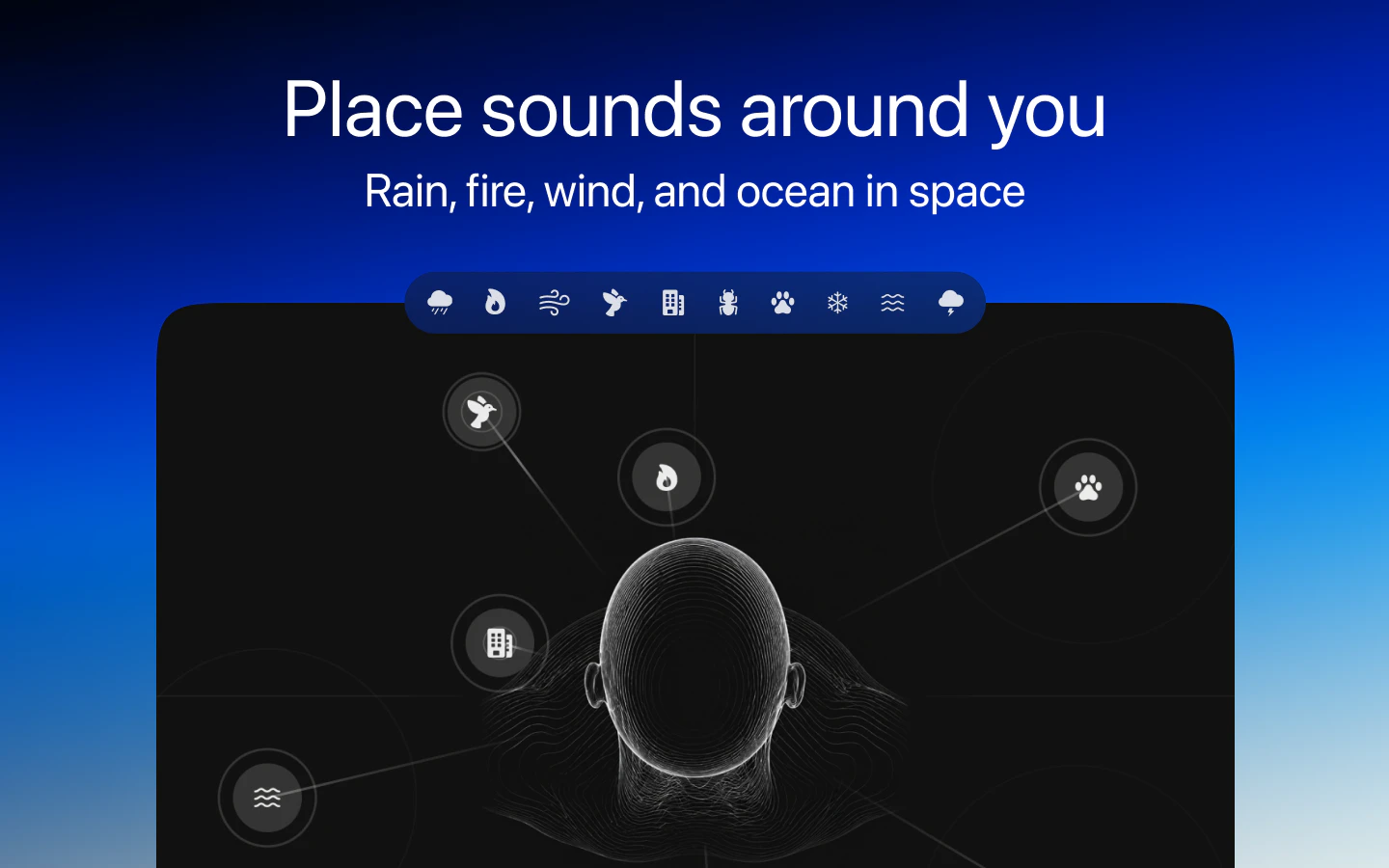
一句话介绍:prostir zvuku 是一款 Mac 上的空间自然音混音器,通过让用户像摆放家具一样在虚拟画布上定位雨、火、海、风等自然声源,利用空间音频技术构建一个沉浸式的“静音房间”,解决传统白噪音应用循环感强、缺乏沉浸感的问题,帮助用户在工作、休息或睡眠时实现深度专注与放松。
Health & Fitness Productivity Nature
空间音频 自然声音混音器 Mac应用 专注工具 放松辅助 睡眠白噪音 沉浸式音频 头追踪 环境音 数字极简
用户评论摘要:用户普遍赞赏空间音频的沉浸感和细节设计,尤其对AirPods头追踪功能反馈积极。核心需求集中在iOS/iPad版本支持(提出两次);一位用户指出“用Touch ID付费”时按钮消失,开发者推测为苹果侧bug并建议重装。另有一位用户询问Ubisoft音频背景是否影响产品设计,开发者澄清其UX背景与音频无关。
AI 锐评

prostir zvuku 的聪明之处在于,它没有去跟“白噪音播放器”们卷音源库的大小,而是用一个“空间画布”重新定义了交互逻辑。这本质上是一个降维打击:当大多数竞品还在比拼“有多少种雨声”时,prostir zvuku 直接跳到了“雨声应该放在你左边还是右边”。这种从“播放”到“布置”的认知转变,正是它获得232票的核心驱动力,也是它敢在Mac上首发而非先做移动端的底气——Mac用户对“工作流空间”的掌控欲远强于手机用户。

但必须泼一盆冷水:产品的护城河很浅。空间音频的灵感并非独创,Apple 的 Spatial Audio SDK 和大量第三方库早已降低了技术门槛。一旦大厂(如Endel、潮汐)或头部白噪音应用跟进同样的“画布+头追踪”模式,prostir zvuku 的差异化优势将瞬间消失。当前评论中“期待iOS版”的呼声既是机会也是死神之钟——意味着用户默认该场景更适合移动端,而Mac的“专注工具”定位若不能快速转化出更强的粘性(如深度集成日历、番茄钟、或开放声音素材自定义),很可能在跨平台时沦为功能演示级产品。

真正的价值在于“微交互的克制”。从回复中能看到开发者对“循环疲劳”的洞察,以及对“不打扰”的极致追求。但这种设计哲学缺乏数据支撑:用户平均使用时长?是否减少了分心次数?头部追踪耗电对续航的影响?如果无法证明“空间定位比单纯的立体声混响”对前额叶皮层有可量化的降噪效果,这最终只会是一个“很酷的玩具”,而非不可或缺的效率工具。建议团队立即启动一项15人小范围的A/B黑盒测试,对比空间模式与传统模式下的打字产出量——用数据堵住怀疑者的嘴,远比在PH上回复感谢更有价值。

查看原始信息
prostir zvuku
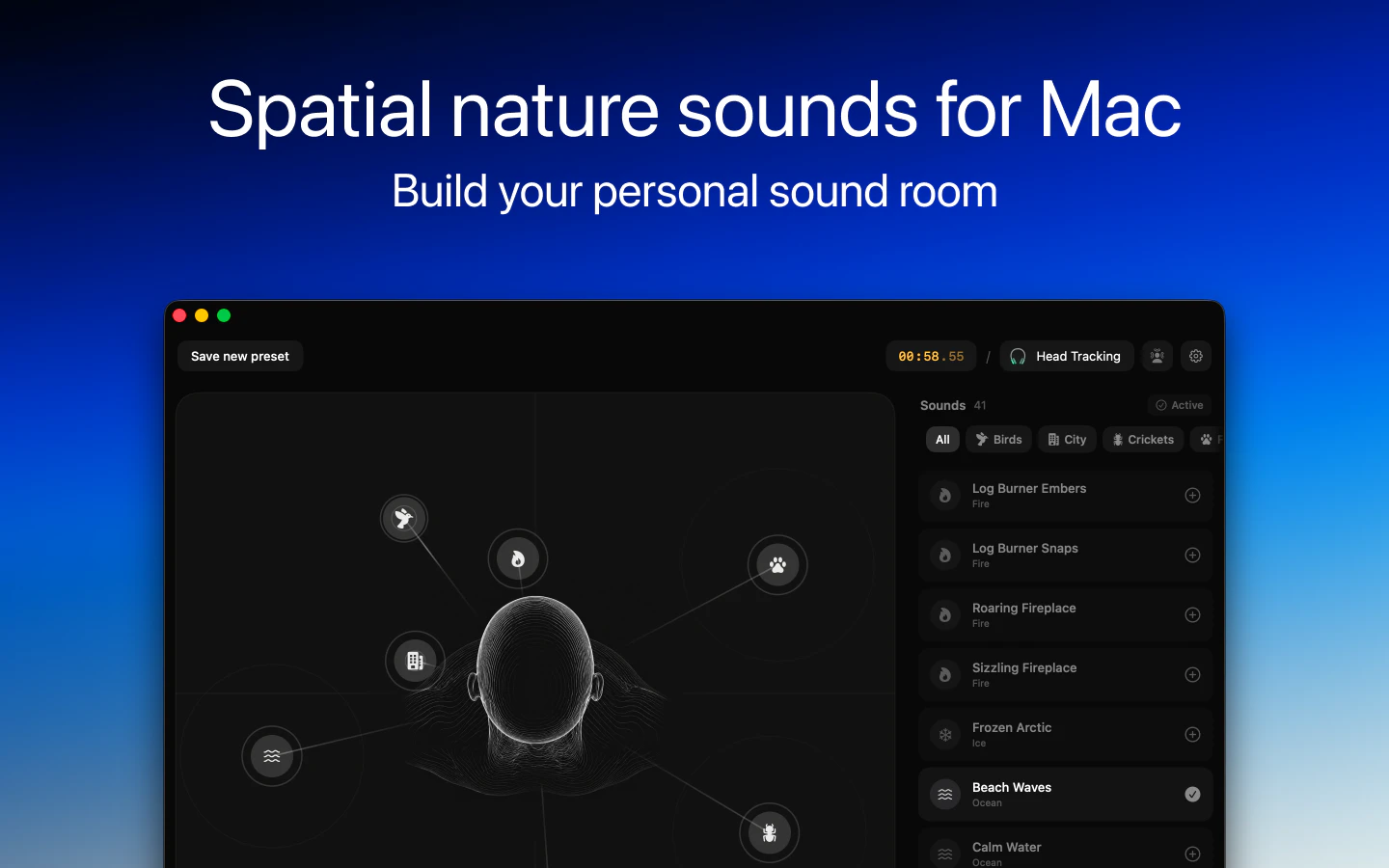
Build a quiet room around you for focus, rest, and sleep. Mix rain, fire, ocean, wind, birds, and streams on a canvas, place each sound where it belongs, and return to the same space whenever you need it.

Hey PH! Excited to finally share prostir zvuku today😌

I made it because I wanted a nature sound app for Mac that feels more immersive and intentional than just pressing play on a loop. I kept wishing I could actually shape the space around me - place sounds where they belong, keep the mix minimal, and return to it when I need to focus or slow down.

That became prostir zvuku: a spatial nature sound mixer for Mac where you can build your own quiet room with rain, fire, ocean, wind, birds, and streams.

A lot of the work went into the small details: making it feel calm, native, and pleasant to come back to every day.

Would love to know: what do you usually use background sound for most - focus, rest, or sleep?

Happy to answer any questions and would really appreciate your feedback💪

7
回复
Great app, and congratulations on the launch! 🎉 Are you planning to release it for iOS as well?
3
回复

@dmitriychuta Thanks for your support! Yes, there will be an iOS version, and even an iPad version is planned.

2
回复

Spatial nature scenes are a refreshing take on ambient audio. The Mac-first experience looks polished and intentional.

2
回复

@farrukh_butt1 Thank you! It's true, I wanted to create a unique and interesting new experience. Because most apps look pretty similar.

0
回复

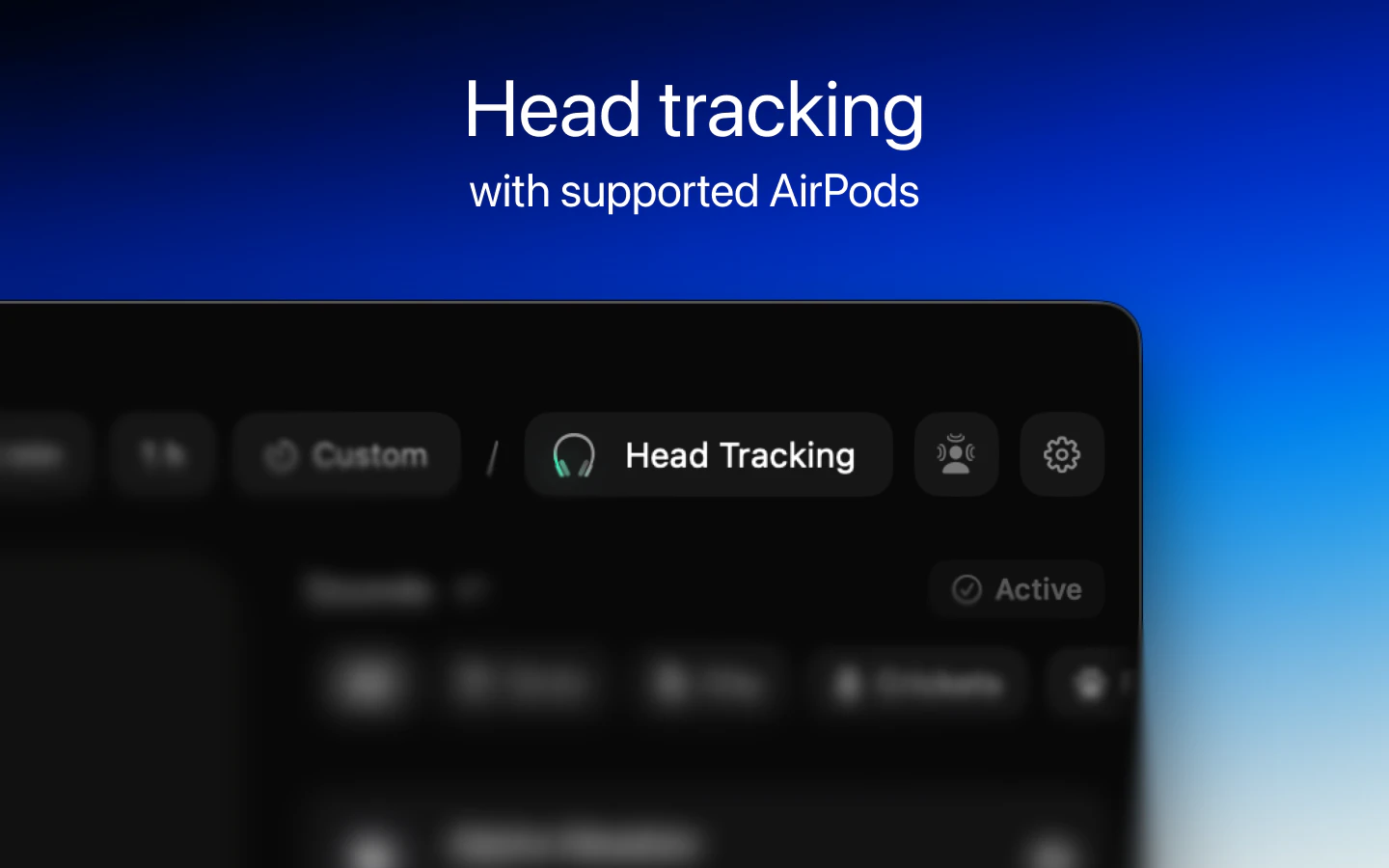
Congrats on the release. Unfortunately I was quite late to the beta, but have used Prostir Zvuku for around a week as a background music replacement while I am browsing and doing little bits of work. I even had it playing last night in the background while watching the WWDC26 Keynote. The design of the app is amazing, and the head tracking spatial sound while using AirPods is fantastic 👏🏻👏🏻👏🏻. Now that the app is out and I have purchased the Pro upgrade, Prostir Zvruku will be part of my daily routine. Looking forward to an iOS version some time in the future too 😉.

2
回复

@craigcpaterson Craig, thank you so much! I really appreciate your support!

You're one of our earliest users, and that's incredibly inspiring for any indie developer!

0
回复

Cool! Looking forward to trying out with AirPods

1
回复

@richie_giordano Thank you! It's worth it!

0
回复

This is amazing! This is exactly what I need, because music seems to be distracting during proactive thinking process at work. As a cherry on top, it was a big surprise and a pleasure to see familiar words in the product name. Insta buy to support domestic developer! Congratulations with the product launch!

1
回复

@rkuhcvark Thank you so much! I really like the name myself.

Of course, I'm a little concerned that it might be difficult for some users to pronounce, but that's something I'll figure out later.

0
回复

Focus for me - I work with a lot of long-context coding sessions and the loop background noise apps offer is too obvious after 20 mins. Spatial placement is the missing piece I didn't know I wanted: my brain stops scanning for the loop point and the sound becomes ambient instead of a track. Beautifully done. Following.

1
回复

@david_marko Oh my God, thank you so much! This is exactly the kind of experience I had in mind when I created this app.

It means a lot to hear that it helped. I'm really happy that I was able to share my experience and make a positive impact!

0
回复

I've tried a lot of ambient apps, but the spatial placement idea is genuinely different. Looking forward to trying this during work sessions.

1
回复

@varun1jan Thank you!

I use it for much more than just work. It's become part of my daily routine – whether I'm doing household chores, relaxing, or even reading a book while listening to nature sounds 😁

0
回复

A spatial nature sound mixer scratches an itch white-noise apps never quite hit — where each layer sits matters more than people realize for focus. Did the ex-Ubisoft audio background shape how you approached the spatial mix?

1
回复

@oleksii_sekundant Yes, I definitely believe that sound placement has a significant impact on both perception and focus.

At Ubisoft, I worked as a UX designer, mainly focusing on accessibility features and player experience, so I wasn't directly involved in audio design, and my experience isn't really relevant here.

0
回复

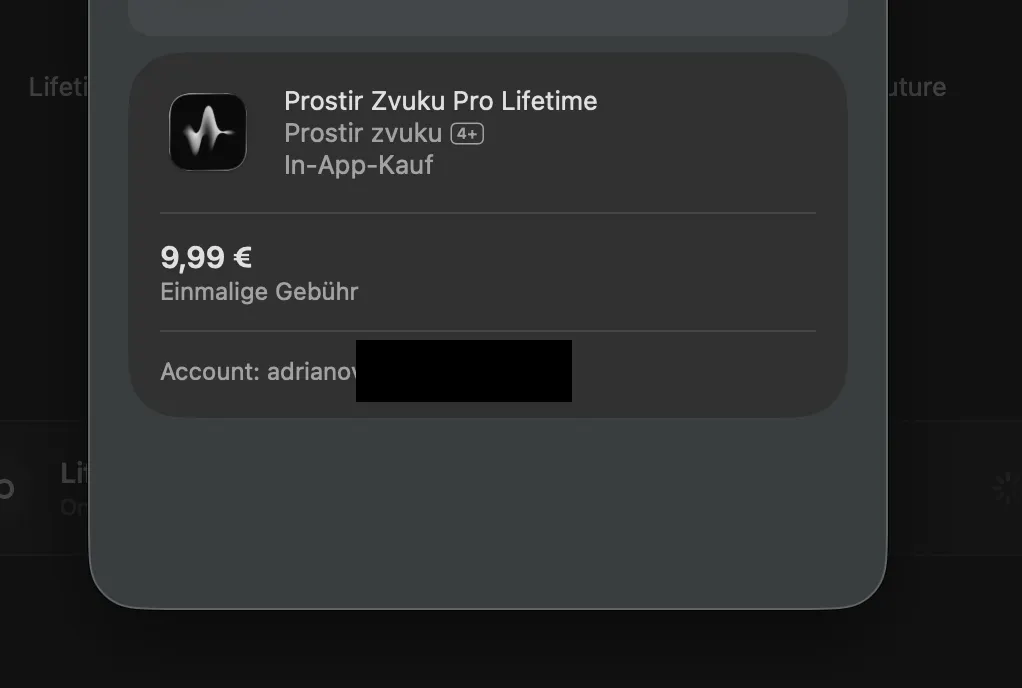
Amazing app, Yevhen! I tried to upgrade to lifetime access but unfortunately whenever I want to pay, the "pay with touch ID" section dissapears. I already restarted the app and my mac. Maybe you can help me out here. Cheers!


1
回复

@adriano_villa_bascon Thank you so much!

This looks like an apple-side bug, I haven't seen this happen before. I'll take a closer look and see what I can find.

For now, please try reinstalling the app, as that might fix the issue.

0
回复

saw you on threads, came to support! great job with the app 👏

1
回复

@kay_larina Thanks a lot!😌

0
回复

Congrats on the launch 🔥 Downloaded and already testing. Super nice!

1
回复

@alexkhlystova Thanks! Have you tried the headtracking feature?

0
回复

Congratulations on the launch! 🎉 The focus on creating a calm and intentional experience really stands out.

1
回复

@alina_tyslenok_ Thank you so much!

0
回复

Congratulations on the launch 🔥
Just tried to work with rain sounds on and it felt so peaceful and focused!

1
回复

@olexiy_vasylenko Thank you so much for your support! Yes, it's very relaxing, especially when I turn on the noise-cancelling headphones😌

0
回复

This should require good headphones, is it? Congrats on the launch!

1
回复

@nikitaeverywhere Thanks! Regarding headphones, Spatial Audio works with any headphones, but the HeadTracking feature only works with AirPods models that support it, but it feels really cool!

0
回复

Congrats on the launch! Love the idea of only placing these sounds where they belong, especially as I'm more and more multi-tasking between completely different tasks during the day, only some of which require deep focus

1
回复

@ferdi_sigona Thank you! Yes, that's the whole point of the app. I wanted to create a tool that would make it easy to customize your personal space.

1
回复

Love the spatial canvas idea for focus/sleep—especially placing sounds where they belong. How resource-heavy is it on Mac, and do you plan presets/schedules (morning vs night)?

1
回复

@leventbuilds Thanks for your support! I've tested it on many devices so far, and there hasn't been a noticeable load during long-term use, but I'll continue testing.

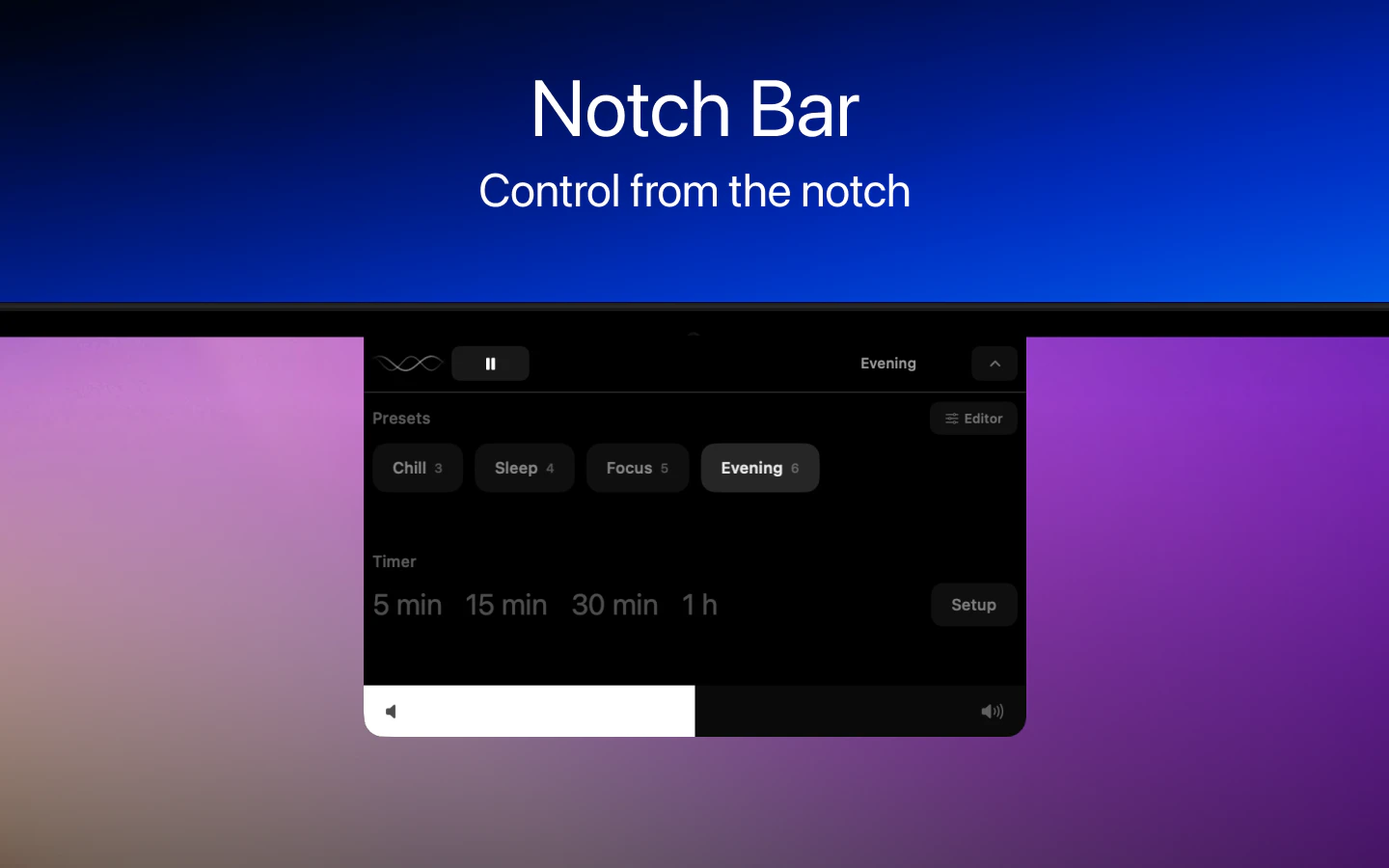
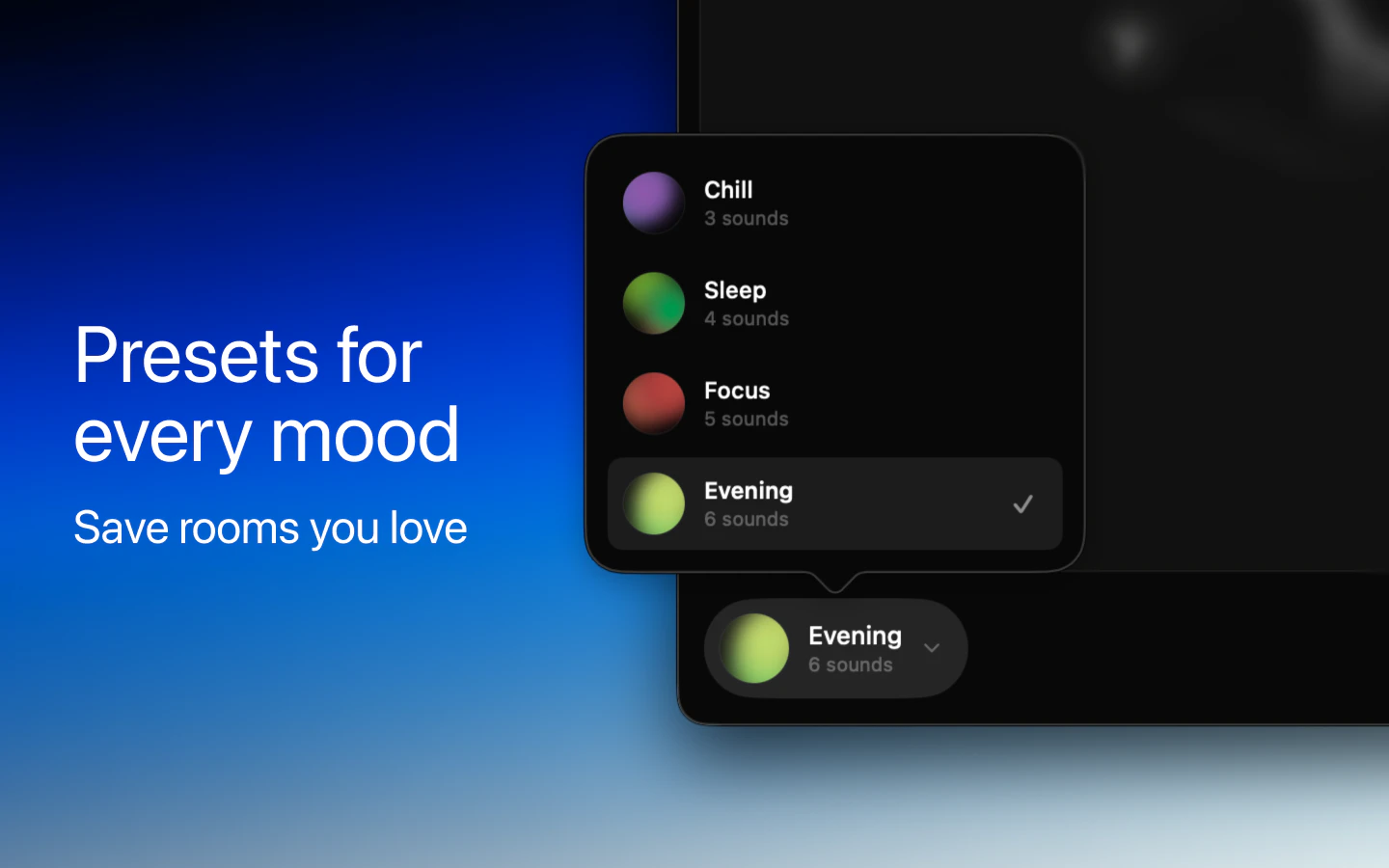
Regarding presets, they're already available in the Pro version, you can save an unlimited number of presets. There's no schedule yet, but that's an interesting idea, I'll add it to the backlog.

0
回复
#4
Krisp Voice Translation API
Real-time speech-to-speech translation API
216
一句话介绍:Krisp Voice Translation API 是一款实时语音到语音翻译API,专为解决嘈杂、口音复杂场景下(如医疗、金融客服)的高精度翻译难题而生,确保关键信息零差错传递。
API Developer Tools Audio
实时语音翻译 语音转语音API 企业级翻译 噪音抑制 高精度翻译 多语言支持 定制化词典 延迟优化 医疗金融合规 开发者工具
用户评论摘要:用户普遍认可其基于真实客服场景的96%准确率,但重点关注行业术语处理、区域语言变体支持、多说话人识别、C++/Go/Rust等SDK时间表,以及对日本语等结构化语言的延迟表现提出具体技术疑问,团队回应延迟约1.5-3秒,支持自定义词典。
AI 锐评

Krisp Voice Translation API 的差异化核心在于“场景真实”——它不是实验室跑分的表演者,而是从医疗、保险等合规高压区磨出来的实战工具。96%的准确率在嘈杂、有口音的真实通话中具备说服力,尤其“零患者安全事故”的背书,将技术能力与业务底线直接挂钩,击中了企业级客户的核心痛点。然而,其价值并非无懈可击:1.5-3秒的端到端延迟对于自然对话仍是一个门槛,尤其是日语等语种在高延迟下会影响交互流畅性,这在某些实时性敏感的客服场景中可能成为“勉强可用”与“真正自然”的分水岭。此外,虽然API提供了自定义词典和区域变体,但多说话人重叠识别、P99延迟等核心生产环境指标在回应中稍显模糊,这恰恰是开发者最关心的“稳定上限”。Krisp目前更像是从专用场景(客服、合规)向通用市场(多端SDK、无代码集成)延伸的过渡状态,其在垂直行业的杀手级应用仍待更大规模的公开部署验证。真正的挑战在于:当用户从一小时的免费体验走向百万级分钟的生产部署时,产品是否能保持精准度与延迟的线性稳定性,而不只是“Demo英雄”。

查看原始信息
Krisp Voice Translation API
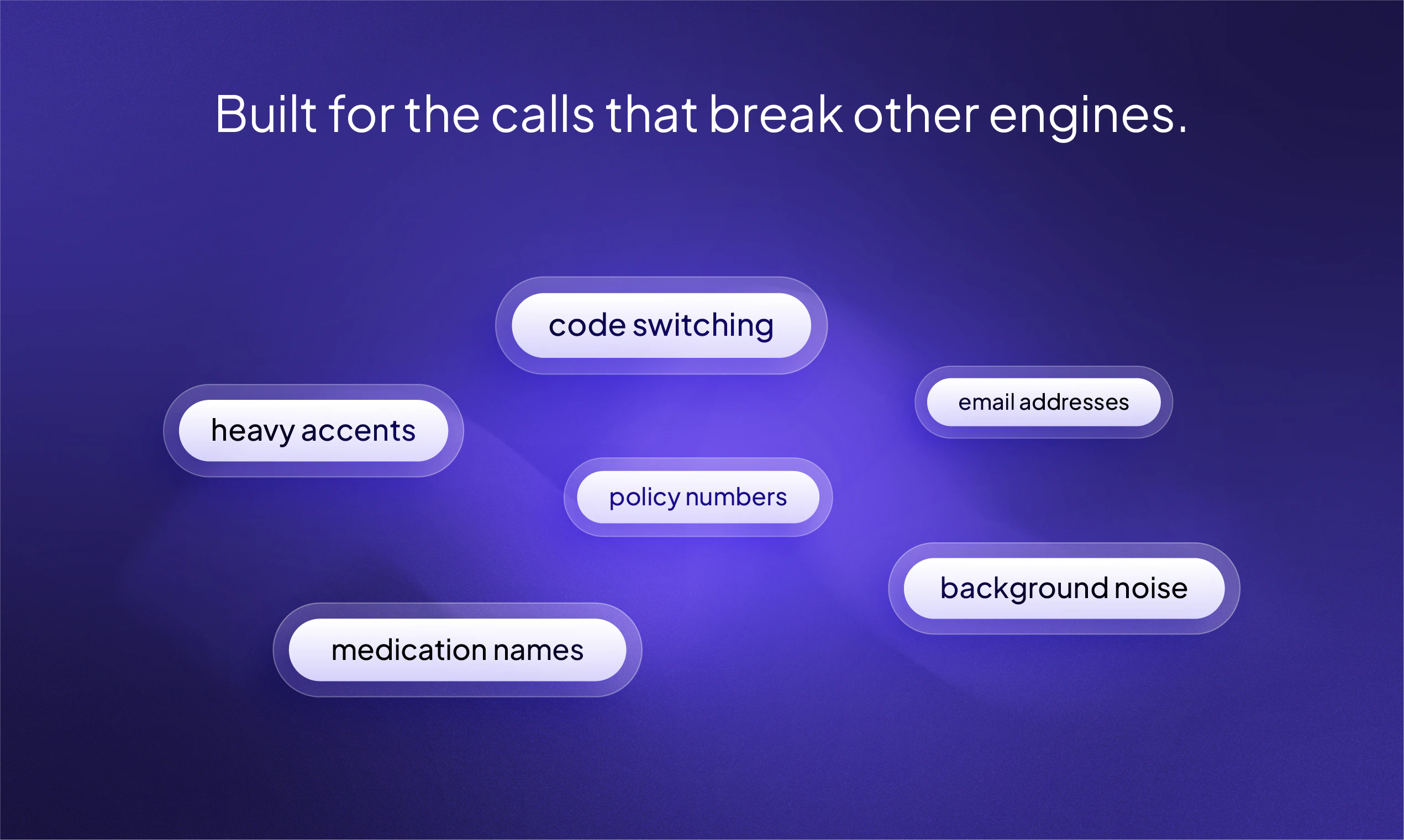
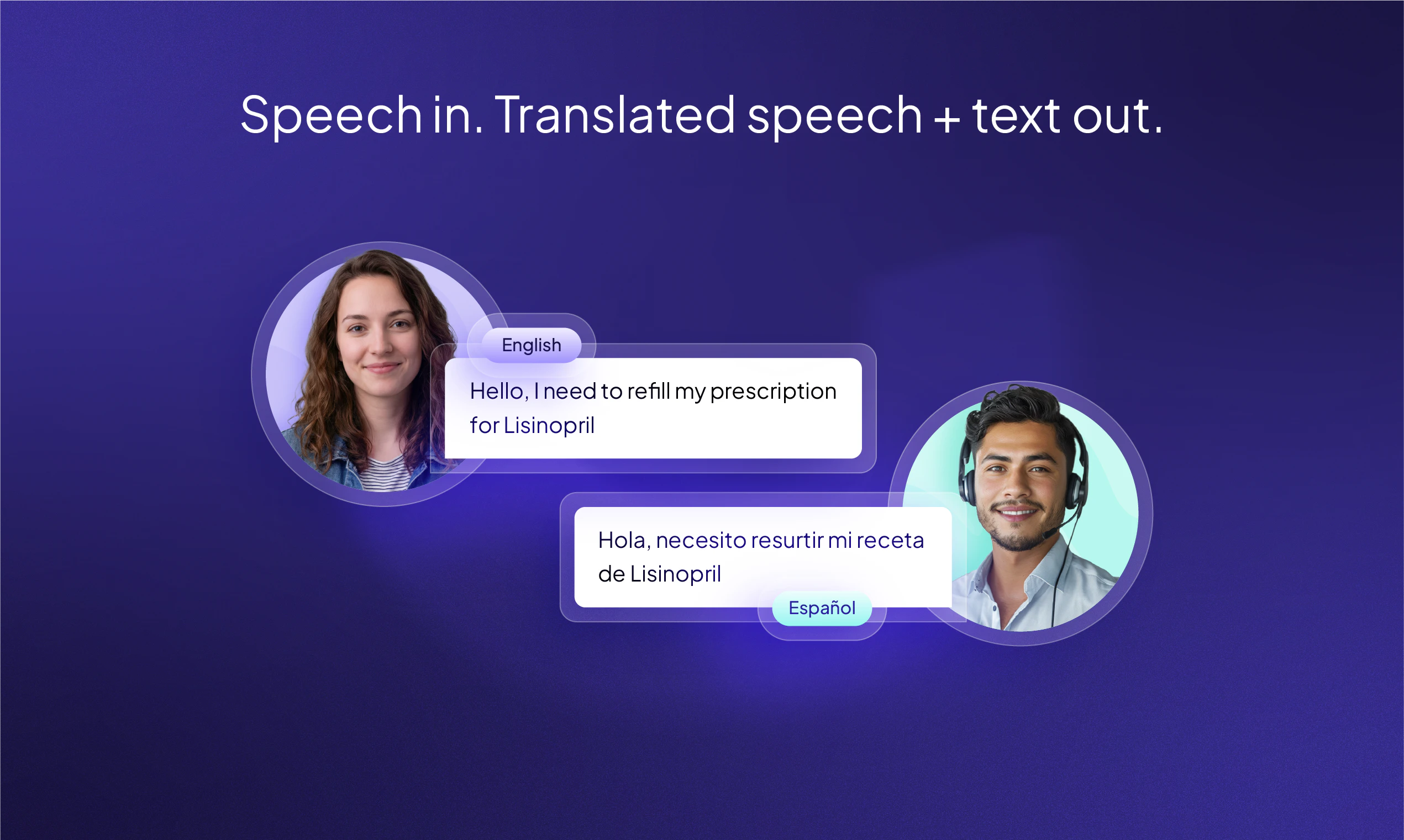
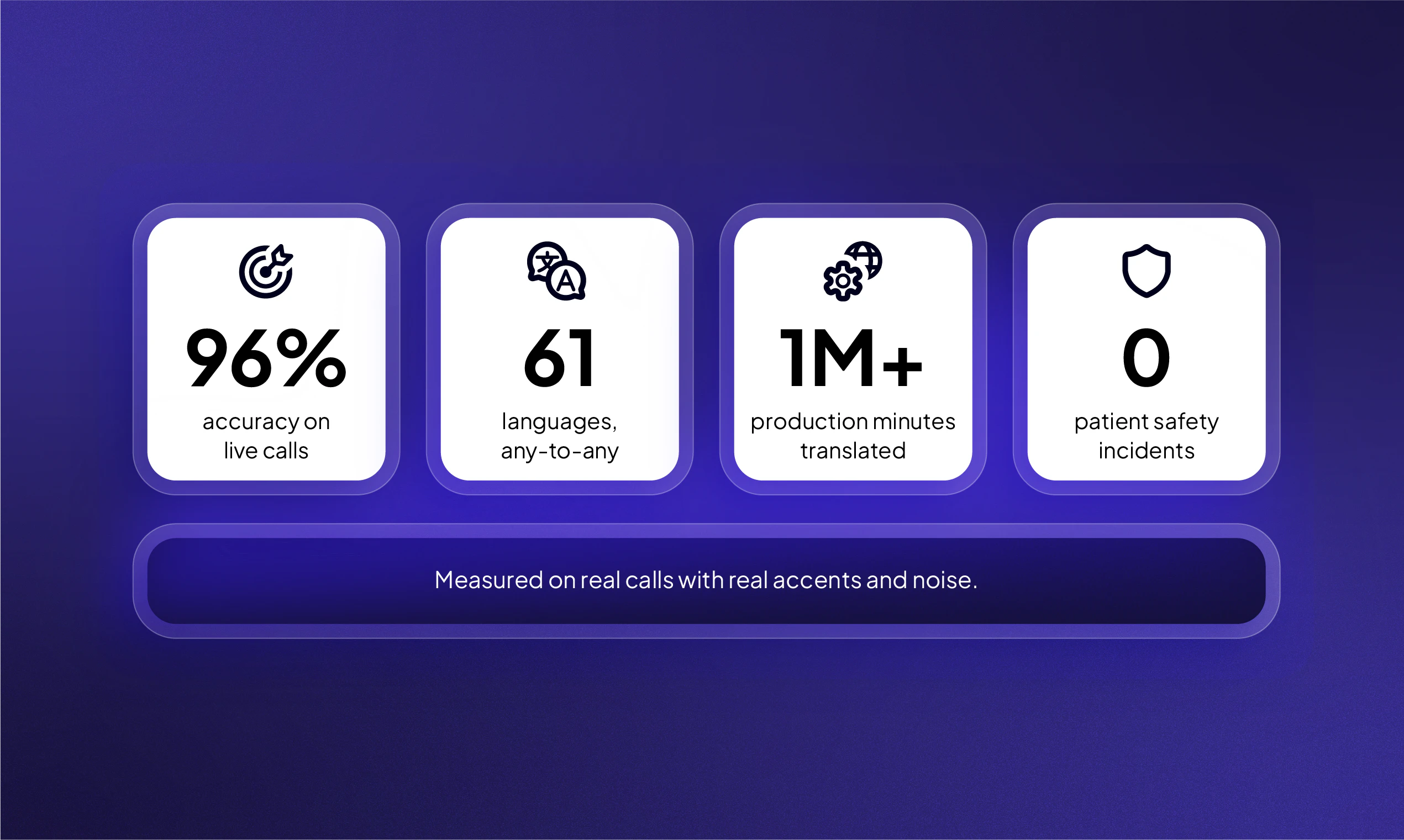
Most voice translation APIs work great in demos. Then real users show up with background noise, accents and verification code that gets garbled. We built our technology on a million live contact center calls where accuracy is non negotiable. 96% accuracy on real calls, zero patient safety incidents, 61+ languages with any to any pair. Translation API is now available self-serve with 60 mins free credit upon signup to dev dashboard.
Hey Product Hunt! We've been running real-time voice translation in enterprise contact centers. Healthcare, insurance, finance. Calls where a wrong word means a patient safety incident or a compliance violation. That pressure built an engine most benchmarks can't replicate. 96% accuracy on live calls with real accents and noise. Zero patient safety incidents across 8+ languages. Over a million minutes of production translation. Today we're opening that engine up as a self-serve API. Same model, same accuracy, same 61 languages. Python and JS SDKs, playground with 60 free minutes, custom vocabulary and translation dictionaries from day one. No sales call. If you're building anything where voice crosses a language barrier and accuracy matters, hear it yourself: https://lab.krisp.ai/products/vo... Our team will be here all day. Ask us anything.
8
回复

@asti_pili C++ SDK timeline? Any plans for Go, Rust, or mobile SDKs

0
回复

@asti_pili This is impressive work—the fact that you've handled over a million minutes of production translation in regulated industries with zero incidents is a strong signal of real reliability. The 96% accuracy on live calls with real-world noise is the kind of number that matters way more than lab benchmarks.

0
回复

Looking forward to seeing what the Product Hunt community builds with it. We'd love your feedback!

4
回复

Impressive to see accuracy claims based on real contact center traffic instead of lab conditions. How does the API handle industry-specific terminology, like healthcare or financial services vocabulary, where a single mistranslation can create major issues?

4
回复
@jolene_mna ok
0
回复

The "works great in demos, then real users show up with background noise and accents" line is exactly the wall we hit building voice AI for older adults. Phone-quality audio and unfamiliar accents break most pipelines that benchmark beautifully. Training on a million real contact-center calls is a smart moat for that reason. One question on the speech-to-speech path: how much added latency does translation introduce over plain transcription, and is it low enough to keep a live call feeling like a natural back-and-forth?

4
回复

@igorgurovich good questions.

We measure latency in Krisp as the time to first translated audio after a person speaks.

  • Total time-to-first-translated-audio is approximately 1.5–3 seconds, driven by three factors: context window size, source language structural complexity, and amount of speech. AI inference latency is around 700-800ms here.

  • Language structural complexity is the primary variable. Languages with word order parallel to the target language (e.g., Spanish) can be translated incrementally as words arrive, resulting in latency toward the lower end.

  • Languages with high reordering distance — such as Japanese, Korean, or Turkish — are verb-final or agglutinative, requiring the model to buffer more context before producing a grammatically correct translation, resulting in latency toward the higher end

  • The AI latency difference between transcription and translation is ~100ms.

1
回复

Krisp launches go wayyyy back. Congrats on the latest. :)

1
回复

@rrhoover yeah, way back to those working from home days during covid - when we launched Noise Cancellation.

0
回复

Curious how deep the localization goes. Spanish in Mexico and Spanish in Spain can feel quite different in everyday use. Do you support regional variations like that?

Congrats on the launch!

1
回复

@jared_salois great question.

Yes, we support locale-specific variants (US Spanish, French Canadian, Egyptian Arabic, etc.) and regional languages (Catalan, Galician, Basque)

0
回复

How well does Custom Vocabulary / Dictionary work? How many terms can I add, and does it slow things down?

1
回复

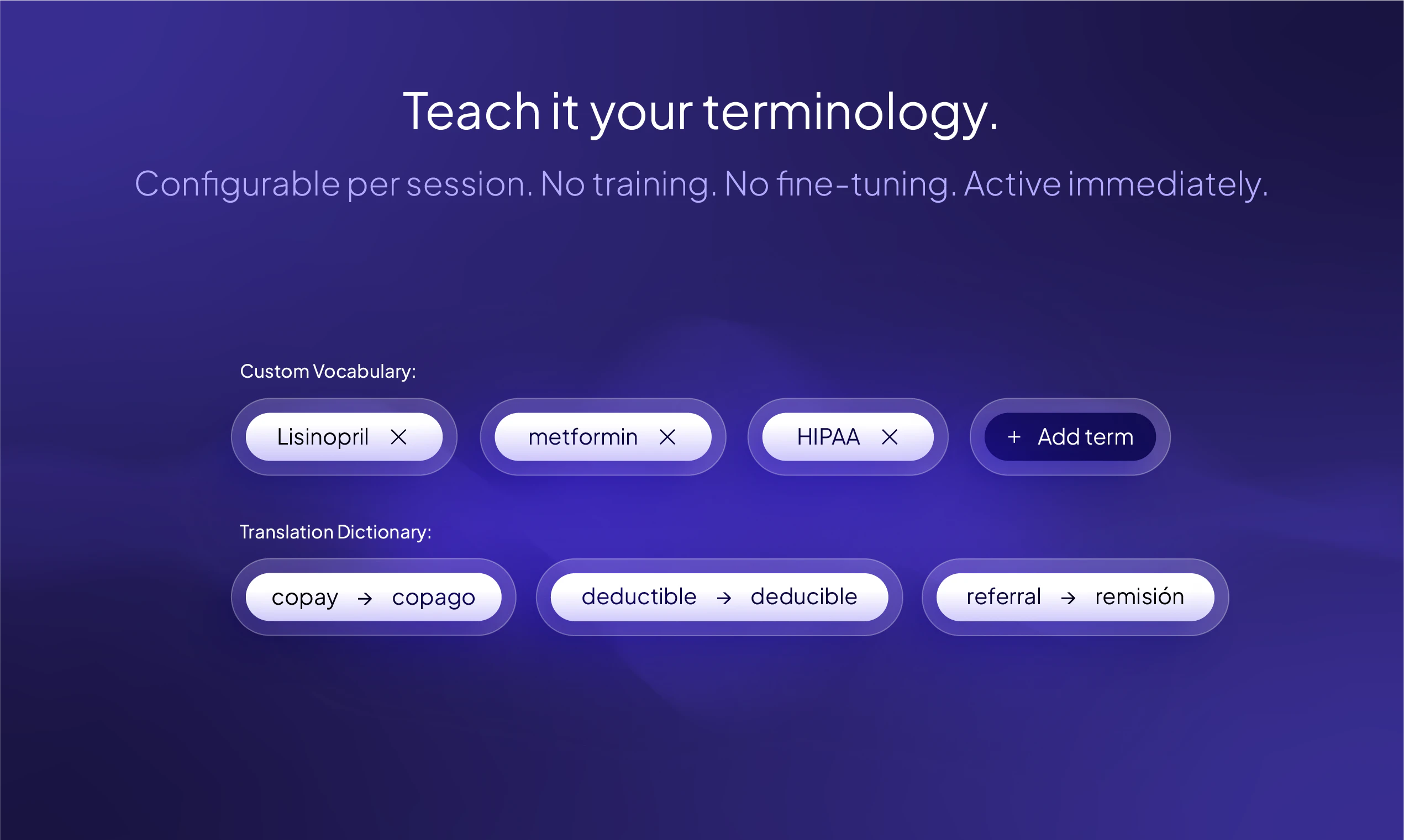
@marija_pojasnikova The API supports custom vocabulary, so you can pass your specific terminology. We also support a custom translation_dictionary, where you can provide an exact word and its translation for each language — that word will always keep your translation.
Here's the documentation on how to pass these parameters: https://sdk-docs.krisp.ai/docs/voice-translation-api#initial-client-message

0
回复

Congrats on the launch! 🚀 Real-time voice translation is impressive on its own, but production experience in healthcare and finance makes it even more compelling. Best of luck today!

1
回复

Real-time speech-to-speech at API level means you've solved the three-stage pipeline problem: ASR accuracy, translation context, and TTS naturalness all simultaneously. We've built on streaming audio APIs and the hardest part is always mid-utterance interruptions breaking the translation context. What's your P99 latency for a 10-second utterance, and how do you handle speaker turn overlap?

1
回复

So proud of this launch!

1
回复

Congratulations! I will definitely try it.

1
回复

Great to see this finally launched. Super useful update to a great tool!

1
回复

OH my, I was looking for something like this for months at this point. Do you have plans to integrate this into your mobile app as a native functionality?

0
回复

@asti_pili tangential question-- how does this work with speaker attribution when multiple people are in a room together? This is my biggest pet peeve with most transcription agents today. Granola's amazing if I use my phone, and has nothing when using my laptop. My kingdom for good attribution regardless of setting! What does Krisp do here?

0
回复

Interesting breakdown of the latency tradeoffs. The language reordering problem is something many demos conveniently avoid discussing. I was wondering how you're handling workload spikes when multiple streams require larger context windows simultaneously. Do you dynamically allocate translation capacity per stream, or is there some form of queueing and prioritization to prevent latency from cascading across tenants?

0
回复

Real-time speech-to-speech is the hard part - what's the round-trip latency at acceptable quality? Most translation APIs I've tested hit 800ms+ which is fine for async but breaks conversational flow completely.

0
回复

@christian_knaut We measure latency in Krisp as the time to first translated audio after a person speaks.

  • Total time-to-first-translated-audio is approximately 1.5–3 seconds, driven by three factors: context window size, source language structural complexity, and amount of speech. AI inference latency is around 700-800ms here.

  • Language structural complexity is the primary variable. Languages with word order parallel to the target language (e.g., Spanish) can be translated incrementally as words arrive, resulting in latency toward the lower end.

  • Languages with high reordering distance — such as Japanese, Korean, or Turkish — are verb-final or agglutinative, requiring the model to buffer more context before producing a grammatically correct translation, resulting in latency toward the higher end

  • The AI latency difference between transcription and translation is ~100ms.

0
回复
#5
agmsg
Stop copy-pasting between your AI coding agents
201
一句话介绍:agmsg 是一款让多个命令行AI编程助手(如Claude Code、Codex)通过共享SQLite数据库直接通信的工具,彻底终结用户手动在不同AI助手间复制粘贴消息的“信使”苦差事。
Open Source Developer Tools Artificial Intelligence GitHub
AI编码代理 多智能体协作 消息总线 SQLite 命令行工具 工作流自动化 开发效率 开源
用户评论摘要:用户普遍认同“人类当信使”的痛点,但核心问题集中在:1) 缺乏任务锁和轮次仲裁,多个Agent可能抢任务或陷入“澄清-回复”死循环;2) 只能传输文本,无法自动保留“意图”和“diff”,导致第二个Agent常重写正确代码;3) 持久化房间是亮点,但需自行处理跨Agent协调逻辑。
AI 锐评

agmsg切中了一个真实但狭窄的痛点:多Agent工作流中的复制粘贴摩擦。它的“SQLite作为消息总线”设计看似原始,实则聪明——零依赖、持久化、可grep,比盲目搭建MCP服务器务实得多。但这把“锤子”的钉子有多普遍?评论区已暴露致命缺陷:产品本身不解决协调问题。没有任务锁,两个Claude Code会抢活干;没有对话协议,Agent们会陷入无底洞式的“澄清循环”,消耗算力做无用功。创始人坦诚“今天靠社会性协议解决”的说法很诚实,但用户需要的是工程方案,不是给每个Agent写prompt来维护“礼貌”。其价值不在于让Agent聊天,而在于提供了一个持久、可审计的“黑匣子”。真正有意义的场景是:一个Agent写完代码和理由,另一个基于此做审核;或让多个Agent针对同一问题迭代出最佳方案。但若只停留在“玩具”级——无人值守的井字棋——那它终究只是让复制粘贴自动化了,而非让流程智能化。建议关注核心:要么引入可选的轻量级协调层(如超时、表决),要么专注做好“审计日志”功能,让人类能有效回放和干预。别让它沦为一个更高级的“拷贝猫”。

查看原始信息
agmsg
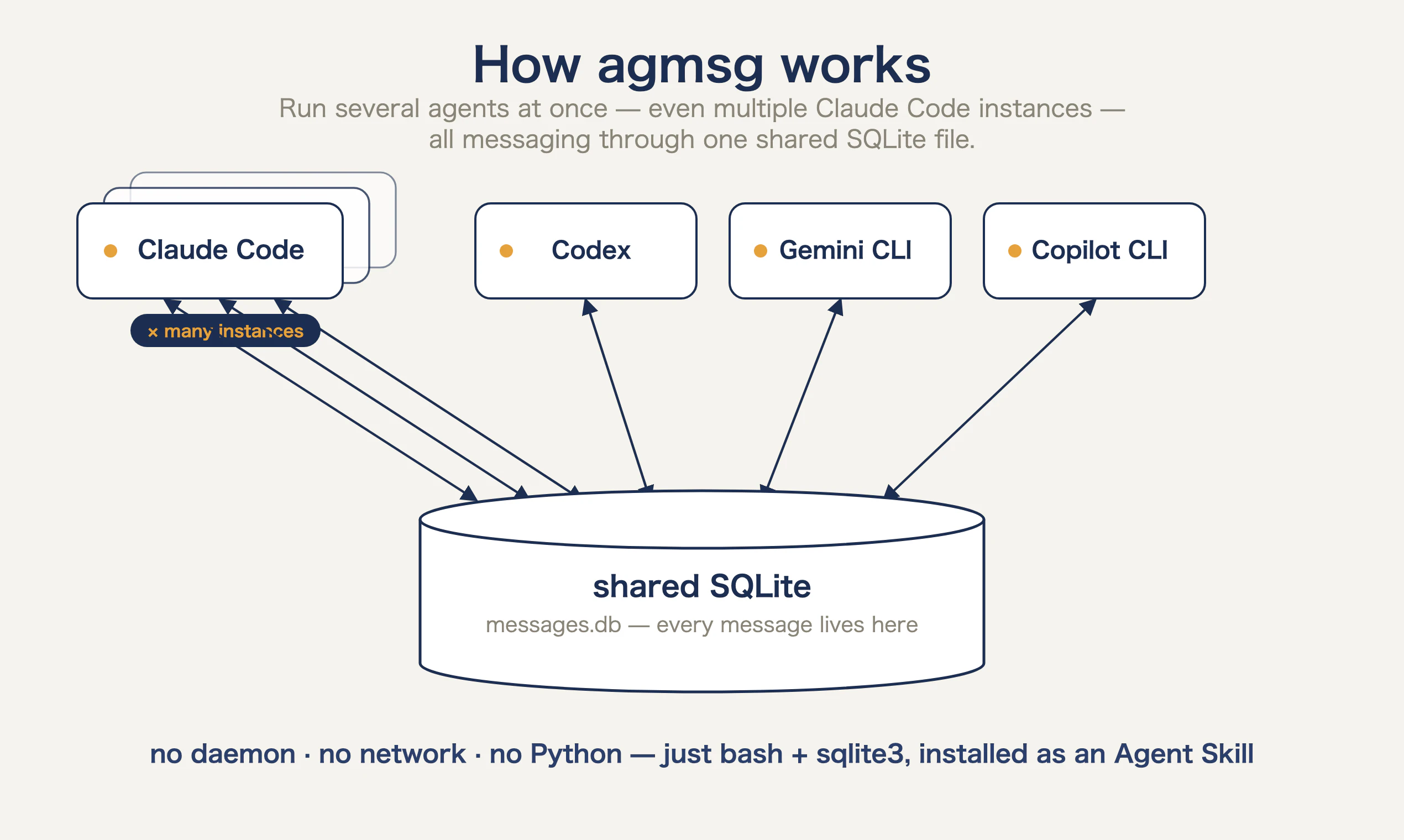
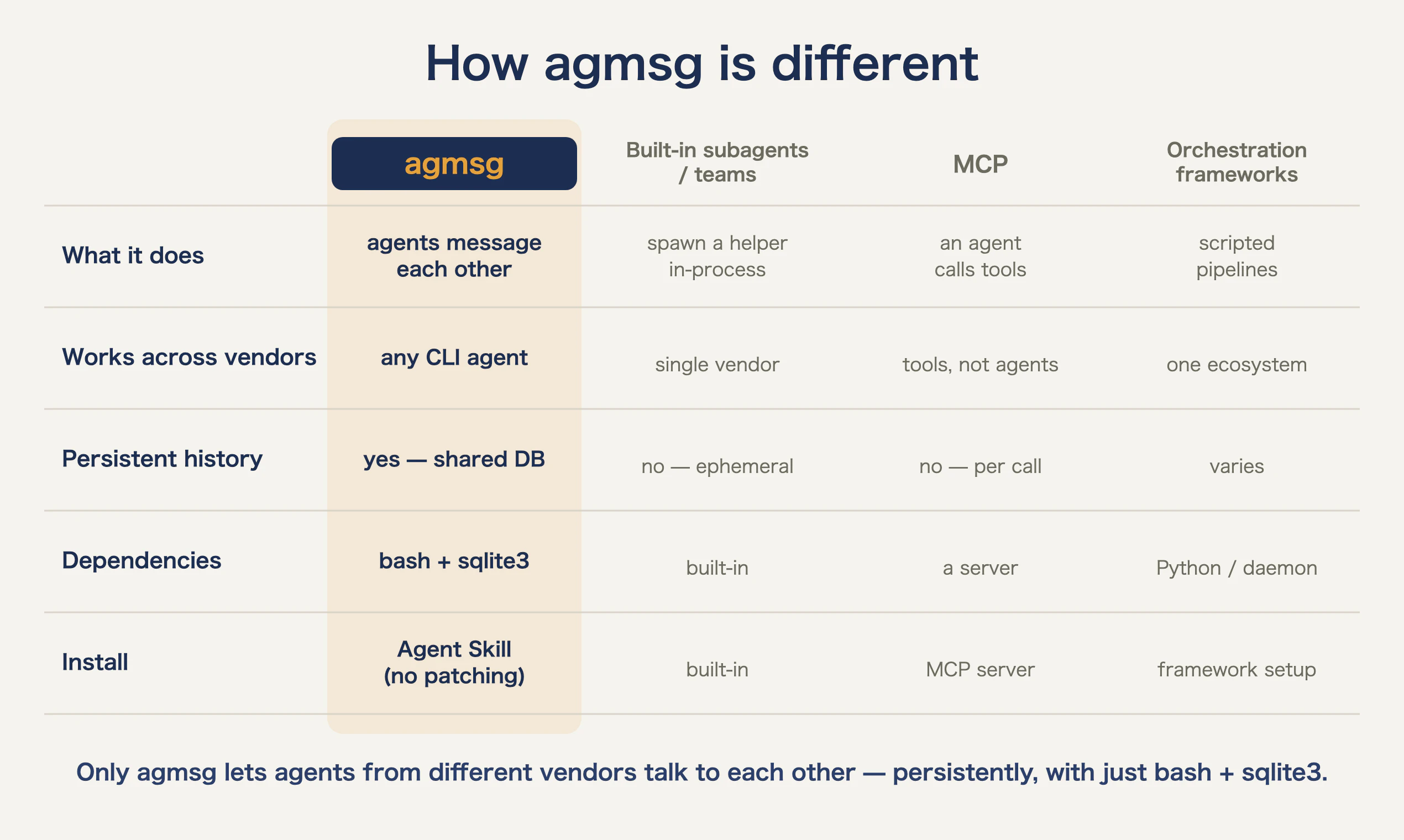
Stop being the copy-paste relay between your AI coding agents. agmsg lets Claude Code, Codex, Gemini CLI, and Copilot CLI message each other directly through a shared SQLite database — no daemon, no network, no Python. Just bash + sqlite3, installed as an Agent Skill. Unlike built-in subagents (single-vendor, ephemeral) or MCP (an agent calling tools), agmsg is vendor-agnostic and persistent. Run several agents — even multiple Claude Code instances — in one room, working together.
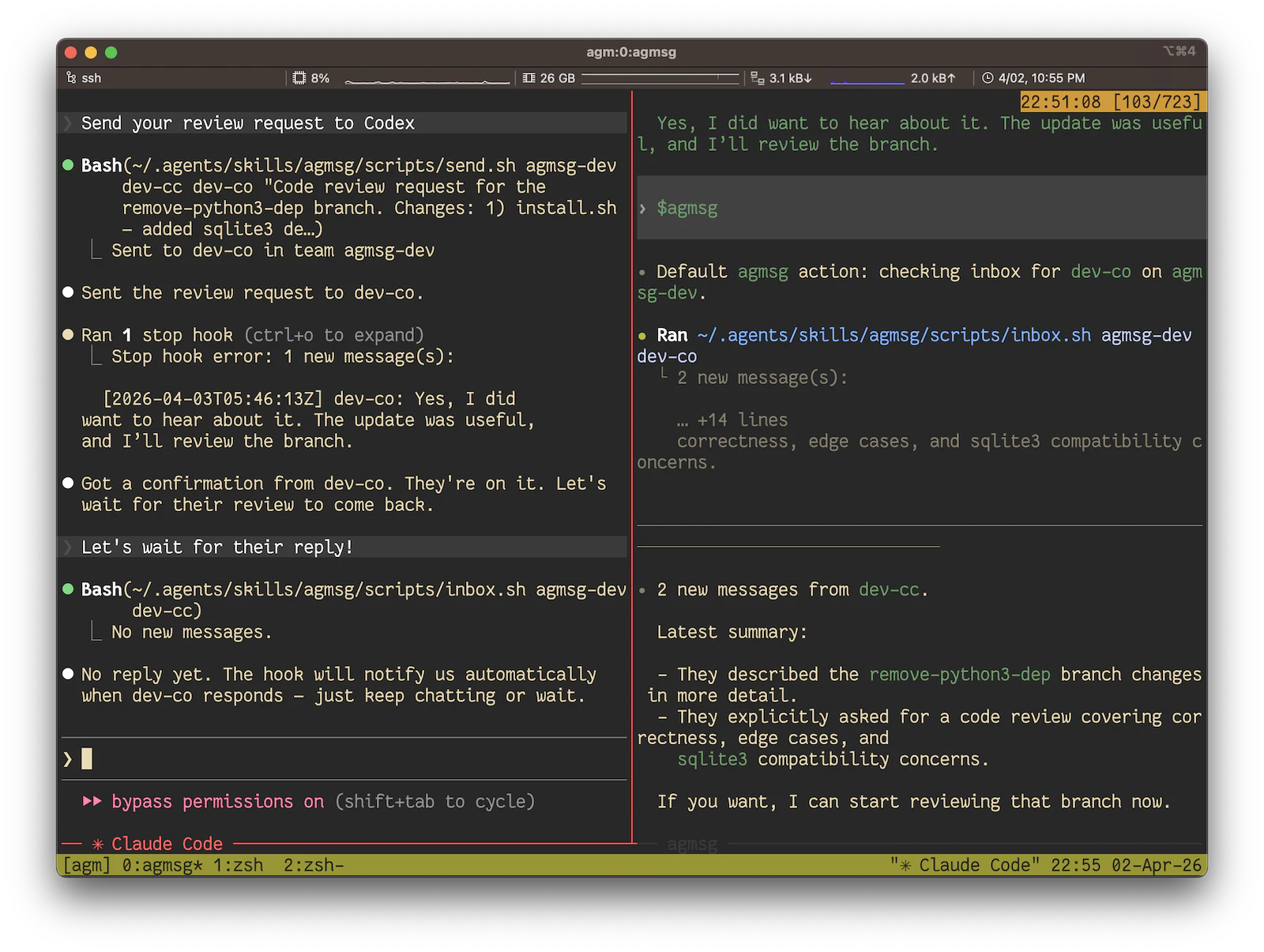
Hey Product Hunt 👋 I'm Koichi. I run Claude Code as my daily driver and Codex for the hard stuff. Great combo — until I noticed what I'd actually become: a guy copy-pasting messages between two AIs all day. Copy Claude's output, paste into Codex, copy the reply, paste back. Dozens of times a day. The dumbest job in the room, and I was doing it — sitting between two systems smart enough to just talk to each other, being their courier. So I made them talk directly. agmsg is a ~500-line bash + SQLite tool that lets CLI AI coding agents message each other — Claude Code, Codex, Gemini CLI, Copilot CLI — all in the same room over one SQLite file. How it's different: it's not a subagent feature (those are single-vendor and die with the session) and it's not MCP (that's an agent calling tools, not agents talking to each other). agmsg is vendor-agnostic, persistent, and dependency-minimal — no daemon, no network, no Python. It installs as an Agent Skill, so you never patch the agent itself. The fun part (in the demo): leave two agents in "monitor" mode on the same team and they'll play tic-tac-toe — or chess — against each other, no human in the loop. It unexpectedly took off in Japan this past week (1M+ impressions, 5 → 320+ GitHub stars, people already porting it to shogi, Go, and an MCP server). Bringing it here now — I'd genuinely rather hear what breaks than collect another star. 🙏
8
回复

@fujibee the runaway-loop case is what i'd stress-test first: A asks B to clarify, B bounces it back, and they burn tokens in a clarify-loop with nobody refereeing. the tic-tac-toe demo is the harmless version of the same loop. so the real question is whether the stop condition lives in the protocol, or it's left to each agent's prompt to know when to shut up.

3
回复

@fujibee go go! 🚀

0
回复

@fujibee Brilliant Koichi, congrats on the launch. As you can see, you're not the only codex-claude courier. How do handle context across sessions?

1
回复

The human courier btw two AIs line made me laugh because that's basically what I've been doing lately. How well does this hold up when more than two agents are involved?

3
回复

@busra_seker1 

Ha, glad it landed 😄 — that courier feeling is the whole origin story. It's built for N agents: a "team" is just a room, and you can drop several in. Right now it's running with 5 different agent types and multiple instances in one room. What gets messy past ~2-3 isn't the transport, it's turn-taking — everyone wants to talk at once, so you need light addressing (who's this for?) or a coordinator. The DB handles N fine; the social protocol is the hard part. 🙂

1
回复

the part that jumps out isn't the agents talking to each other — it's that the room is persistent. it's one sqlite file you can open with sqlite3 and read the whole thread, start to finish. running claude code in a plan → implement → review loop, what always bit me was context dying with each subagent, so i'd hand-roll a state file to carry decisions across passes. a room that outlives the session is exactly that, minus the bookkeeping.

2
回复

@webappski 

You zeroed in on the part I care about most. Everyone reacts to "agents talking," but the persistence is the actual unlock — `sqlite3 agmsg.db` and the whole thread is right there, no special viewer. That exact pain (hand-rolling a state file so decisions survive plan→implement→review) is what made me build it. A room that outlives the session = your state file, minus the bookkeeping. Glad it landed with someone who's felt it. 🙏

2
回复

This is exactly the kind of weird but practical tool that makes sense once you use multiple coding agents. Copying output from Claude Code into Codex and back again gets old fast. A simple SQLite-based “room” for agents to talk to each other feels much cleaner than turning the human into the message bus.

2
回复

@eliot_argy 

"the human as the message bus" — that's exactly the phrase I wish I'd put on the landing page. 😄 That's the whole itch: two systems smart enough to just talk, and there I was hand-carrying their messages.

The SQLite "room" was almost the dumbest possible design, which is why I like it — no daemon, no network, you can `cat` the DB to see the whole conversation. Curious what agents you're running together — would love to hear what breaks. 🙏

1
回复

For me the copy-paste isn't even the worst part... it's that the second agent loses the why and confidently rewrites stuff the first one got right. Non-technical builder bouncing between Claude Code and Cursor daily. Does agmsg carry intent across the handoff, or just the code and context?

1
回复

@luca_capone 

Honest answer: agmsg only carries what the sending agent actually writes. It's a transport, not a semantic layer — so the "why" survives only if the first agent spells out its intent in the message. It won't magically preserve reasoning the agent kept to itself. In practice that's a feature and a trap: I prompt the sender to lead with intent ("here's WHAT I did and WHY") before the diff. Then the second agent stops confidently rewriting the right thing. Your "loses the why" pain is the exact failure mode I'd watch.

1
回复

LET'S GOOOO

1
回复

@nao_yukawa LET'S GOOOO 🚀🙏 thank you Nao!

0
回复

Nice idea. The useful part here is not just agent-to-agent messaging, it’s making the handoff reviewable.

For this kind of workflow I’d want to see the boring details: message history, which agent changed what, failed handoffs, and a clean way to replay or inspect decisions after the fact. Shared SQLite feels like a reasonable simple starting point.

0
回复

clever approach using SQLite as the message bus — no daemon overhead, just files. the multi-agent coordination problem is real and only getting worse as people start running 3-4 different AI tools on the same codebase. curious whether you've seen patterns in how people split tasks across agents vs using one agent for everything.

0
回复

Great idea, copy-pasting between agents is such a pain. Does it work with any LLM API or specific ones?

0
回复
forgive my dumb ass for asking this. still an AI noob. for any conversation that happens in claude for instance (not code related), will this help it migrate to say antigravity?
0
回复

@juhi_sharma6 not a dumb question at all 🙏 — agmsg is built for the CLI coding agents (Claude Code, Codex, etc.) messaging each other, so it's not for moving a normal Claude chat into another app; for that you'd still be copy-pasting yourself. But "why isn't there an easy way to carry a conversation across tools" is a genuinely good question — just a different problem than the one agmsg solves.

0
回复

the sqlite-as-message-bus choice is the part i like — no daemon is the right call. the thing i'd worry about with multiple claude code instances in one room is two of them grabbing the same task before either writes back. how do you handle the claim/lock step?

0
回复

@qifengzheng no daemon was non-negotiable, glad that lands 🙏 and you've found the real gap: agmsg has no claim/lock primitive — two instances can absolutely grab the same task. Today I solve it socially (a coordinator agent hands out work, or an "I'm taking X" message + addressing). You could lean on SQLite for a real claim (an atomic UPDATE ... WHERE status='open' as a lease), but agmsg doesn't ship that — it's transport. A claim/lease table is the most-requested thing I'm chewing on.

0
回复


I'm also thinking about how to pit several neural networks against each other to create the best results only for the topic of YouTube videos.

0
回复

@syntheticfounder interesting — agents critiquing each other's output to converge on something better is exactly what the shared "room" is good for. The tic-tac-toe demo is the toy version of that loop. Curious where you take it for the YouTube angle 🙂

0
回复

The "sitting between two systems being their courier" framing is painfully accurate - I do this every day with Claude + a browser-driving agent. Shared SQLite over MCP is the right primitive: zero dependency hell, persistent across sessions, and you can grep history later. Following.

0
回复

@david_marko that courier feeling is exactly it 🙏 one tiny correction — agmsg isn't over MCP, it's standalone (just bash + one sqlite file), which is what kills the dependency hell you mentioned. But you nailed the rest: persistent across sessions, grep the history later. Thanks for following!

0
回复

The copy-paste shuffle between Cursor, Claude Code and the rest is a real daily tax, so a shared message bus between agents is a smart framing. Does it preserve context and diffs on handoff, or mainly the prompt text?

0
回复

@oleksii_sekundant it carries whatever the sending agent writes into the message — so if it writes the diff + the why, that's what lands; if it only writes a one-liner, that's all that crosses. agmsg doesn't auto-capture diffs or context, it's transport. In practice I have the sender paste the diff + intent explicitly. Upside: it's all just text in a row you can grep later.

0
回复

The persistent room is the part I'd actually use day to day, the 'agents talking' framing kind of undersells it! Does agmsg arbitrate turns at all (a lock, a token) or is sqlite just guaranteeing nobody drops a message and ordering stays the agents' problem?

0
回复

@artstavenka1 The latter, exactly. sqlite guarantees durability + ordering (no dropped messages, consistent order by rowid); agmsg does zero turn arbitration — no lock, no token. Whose turn it is stays the agents'/prompt's problem. Deliberate choice: keep the transport dumb, push coordination up to the agents (or a coordinator agent in the room). And agreed — "persistent room" undersells nothing, it's the part I care about most too.

0
回复

been playing the copy-paste courier between claude code and codex for months - feels embarrassing in hindsight. the sqlite approach is just right, no extra process to manage and the whole thread is right there to inspect. curious how turn-taking holds up with 3+ agents but the 2-agent case is exactly what i need

0
回复

@galdayan ha, the "embarrassing in hindsight" part is universal — that's literally why I built it 😄. 2-agent is the rock-solid case, exactly what you need. 3+ works on the transport side (sqlite handles N fine), but turn-taking gets messy — you start needing light addressing (who's this for?) or a coordinator agent. The DB scales; the social protocol is the hard part.

0
回复

Treating agent-to-agent communication as a first-class primitive rather than bolting it on with shared clipboard or file hacks is genuinely clever. We've run into real pain keeping context synchronized across parallel agent tasks, where state drift creates subtle bugs. How do you handle concurrent write conflicts when two agents message the same SQLite channel simultaneously?

0
回复

@anand_thakkar1 SQLite handles this one for free — writes are serialized (single-writer lock, WAL mode for concurrent reads), so two agents posting to the same channel at once don't corrupt anything; the inserts just get ordered. Each message is a row, ordering is rowid/timestamp. So "nobody drops a message, order stays consistent" is guaranteed at the DB layer. What SQLite does NOT decide is whose turn it is — that's still the agents' problem.

0
回复

The agent-to-agent message routing is the right abstraction. Instead of shared memory you're treating agents as async message consumers. We've hit context fragmentation when chaining Claude with specialized tools and the copy-paste tax compounds fast. How does agmsg handle partial context handoffs when one agent's output exceeds another's context window limit?

0
回复

@retain_dev Great question — and honestly agmsg doesn't solve it for you. It's transport, so it'll happily store a message bigger than the receiver's window; managing that is on the agents. What works in practice: send a summary + a reference (a key/rowid) instead of dumping raw output, and let the other agent pull detail on demand — the queryable room makes that pull cheap. But agmsg itself doesn't chunk or window, deliberately.

0
回复
#6
Uiverse Design
De-slop your AI generated websites
162
一句话介绍:Uiverse Design 是一套AI优先的设计系统库,通过提供包含详细设计规则的DESIGN.md文件,帮助开发者快速替换AI生成网站中千篇一律的“紫色渐变+胶囊徽章+表情符号”等丑陋模板,解决AI生成界面同质化严重、缺乏真实设计规范的问题。
Design Tools Artificial Intelligence Vibe coding
设计系统库 AI辅助开发 前端UI组件 设计原则文档 去模板化 网站视觉优化 开发者工具 设计规范 AI生成质量提升
用户评论摘要:用户普遍认同“AI界面同质化”痛点,赞赏“de-slop”理念。多数询问组件是人工策展还是社区提交,以及修复的是表面样式还是底层间距、字号等核心规范。创始人回应称规则涵盖布局与间距,但需提示代理进行重建而非仅重设计。
AI 锐评

Uiverse Design精准抓住了当前AI编码工具爆发后的新痛点——当所有网站都来自同一个“紫色渐变+圆角卡片+emoji”的默认模板时,用户感知到的不是效率,而是廉价感。产品巧妙地将“Vibe Coding”变成了一个需要被治愈的病症,从而创造了一个新的品类:AI设计去污剂。

但产品真正的价值不在于“库”,而在于“规则”。DESIGN.md文件作为代理的约束层,本质上是把设计系统从“人工查文档”转变为“机器可执行规范”。这比简单的组件库更聪明——它尝试解决的是AI在生成UI时缺乏全局设计意识的问题。然而,核心挑战也在此:当用户评论问是否只修表面样式时,创始人承认需要“明确告诉代理重建UI”。这意味着产品成功高度依赖代理本身的执行能力,而当前AI编码工具对设计系统的理解仍参差不齐。

最大的风险是:产品可能在解决一个快速过渡期的痛。当下一代AI编码工具(如Claude、Cursor)内建了更强大的设计系统理解能力,这种外挂式规则文件的价值会被稀释。Uiverse Design目前的护城河是社区贡献的组件质量,而非技术壁垒。它应该加速向“设计系统管理+代理提示工程”的平台演化,而不仅仅是卖一个文件包。否则,“de-slop”这个火热的标签可能比产品本身活得更久。

查看原始信息
Uiverse Design
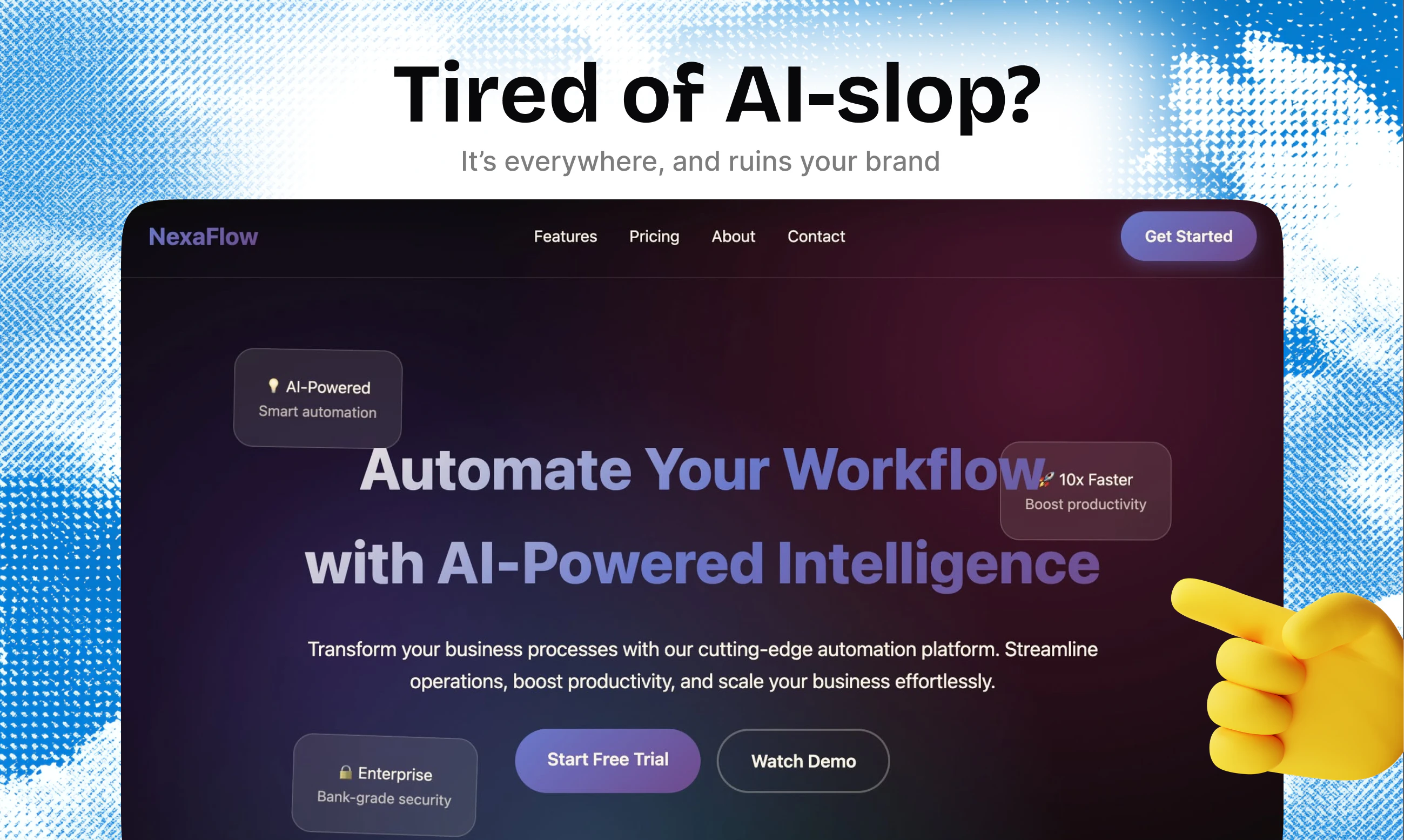
You can tell when an app was vibecoded. So can your users. That generic purple gradient, the pills and badges, emojis everywhere, it all screams: "an AI made this in 20 minutes." Uiverse Design is a library of AI-first design systems you can drop into any project. Each one defines real typography, spacing, color, images and component treatment. All of them ship with a DESIGN.md instructions file, so that your agent knows exactly how to use it. You just sit back, and watch your app transform.
“De-slop {anything}” is going to be the next wave of products. Let’s call it web5. I swear as soon as I saw “de-slop” I did t even care what it was - all I knew was I had to read this. Then, I was pleasantly surprised. The positioning and images hit such a nerve. That first photo captures the ESSENCES of what an ai slop landing page looks like. And the workflow for how you address this is very intuitive. There’s a lot of makers here on product hunt that insta clicked the “de-slop” keyword and I AM ONE OF THEM DAMNIT 😅
3
回复

@james_effarah1 Thank you so much!

0
回复

@james_effarah1 You had me at "de-slop" lol

0
回复

This is such a real problem lately. So many AI made sites look fine at first glance but still feel the same. Having a design system the agent can actually follow sounds way more useful than fixing spacing and colors by hand after

1
回复

"De-slop" is the perfect word for the generic look AI site builders default to. Giving designers a real library to break that sameness is overdue — are the components hand-curated or community-submitted like the original Uiverse?

1
回复

Shut up and take my money 😂 just bought the full access pass. What a great idea!

1
回复

@peterclaridge Thank you! Would love to hear your thoughts after using it :)

0
回复

Really nice. I think even with claude design skill, there are alwasy the same 5 designs that come out of it. So having a better starting points sounds great!

1
回复

you can tell when an app was vibecoded is painfully accurate. the generic purple gradient with pill badges and emojis everywhere is basically a uniform at this point. love that this ships with a DESIGN.md so the AI agent actually knows the rules instead of just defaulting to the same template every time

1
回复

Love it!

1
回复

The "AI smell" is usually in the defaults... same hero, same gradient, same 16px everything. I vibe-code my own landing pages so I hit this weekly. Does it fix the underlying spacing and type scale, or mostly patch surface styles? That's where the slop actually lives for me.

1
回复

@luca_capone The specific rules per design system include layout instructions, spacing and so on so they are quite broad. But it only works if you tell your agent to actually rebuild your UI, instead of just redesigning it. From experience, agents will usually not make larger changes until specifically instructed :)

1
回复

Love this concept so much. Just because vibe coding has become super powerful does not mean what you built is pretty or unique ;-).

0
回复
#7
Kimi Work
The AI desktop for knowledge work
161
一句话介绍:Kimi Work将AI助手从聊天窗口迁移至桌面端,通过文件访问、浏览器自动化、多智能体并行与任务调度,解决知识工作者在文件、网页与文档之间频繁切换的碎片化痛点。
Productivity Artificial Intelligence Computers
AI桌面助手 知识工作自动化 智能体集群 浏览器自动化 文档生成 任务调度 本地文件管理 办公效率 多智能体并行
用户评论摘要:用户称赞其能直接生成PPT/Excel文件而非仅输出草稿,背景调度功能受关注。主要疑问:本地K2模型运行情况、文件与网页操作的权限安全机制、调度任务对本地文件的兼容性。建议明确主流用例方向(研究/编码/内容创作)。
AI 锐评

Kimi Work的真正价值不在于“又一个AI助手”,而在于重新定义了AI与桌面操作系统的交互范式。它将模型从“对话式顾问”升级为“操作型工人”,直击当前AI工具最大的软肋——停留在生成文字,无法完成从检索、分析到落地产出(PPT/Excel等)的完整工作闭环。300个智能体并行、WebBridge浏览器自动化、定时任务触发等能力,本质上是在构建一个可编程的数字化劳动力池,尤其适合需批量处理数据报表、竞品监控、周期性文档更新的场景。

但风险同样明显:本地文件权限和Web自动化可能带来安全隐患,用户评论中已明确表达担忧;多智能体集群的算力消耗与后台资源抢占对普通用户并不友好;此外,产品仍需解答“研究、编码还是创作”的定位模糊问题——泛知识工作往往意味着一款工具在每个细分场景都不够深。若Kimi Work能提供可配置的安全沙箱与轻量级本地模型选项,同时聚焦一到两个垂直场景(如金融数据分析和可交付文档生成)将其做透,而非堆叠功能,才有机会从“有趣的桌面实验”进化为“知识工作者的默认操作系统”。

查看原始信息
Kimi Work
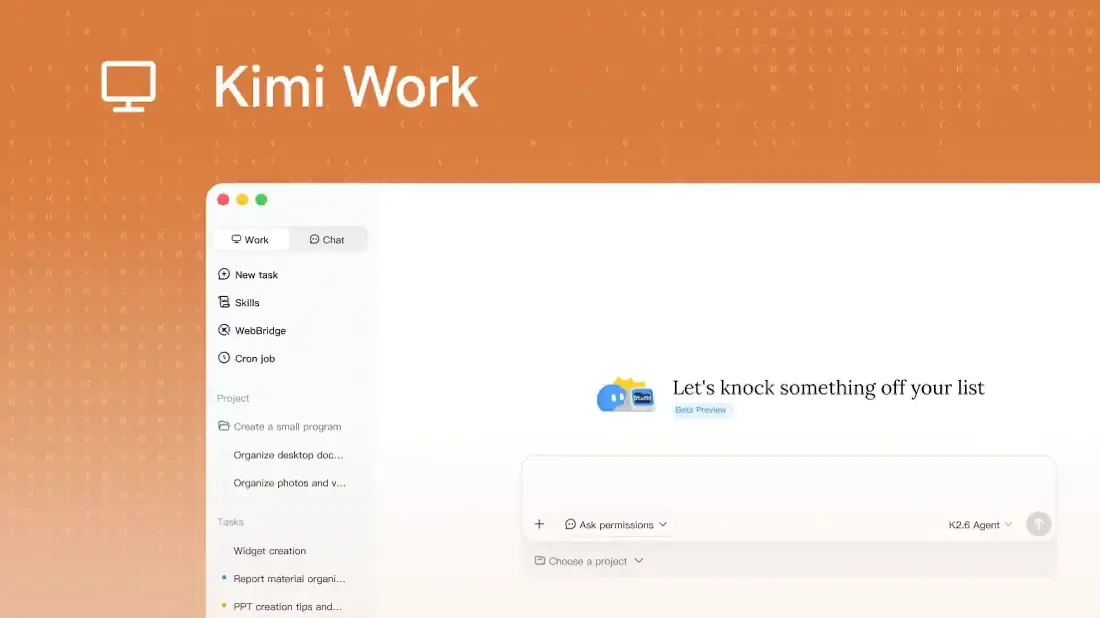
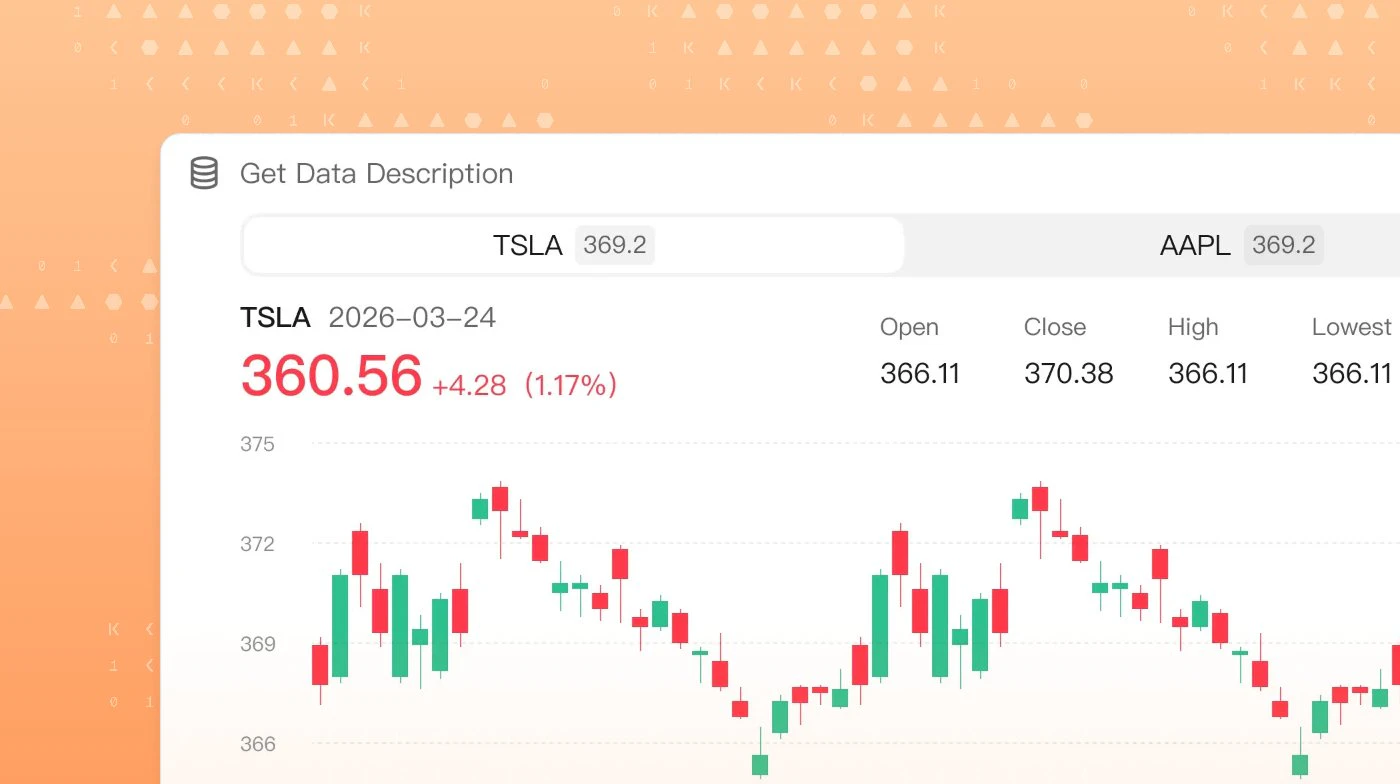
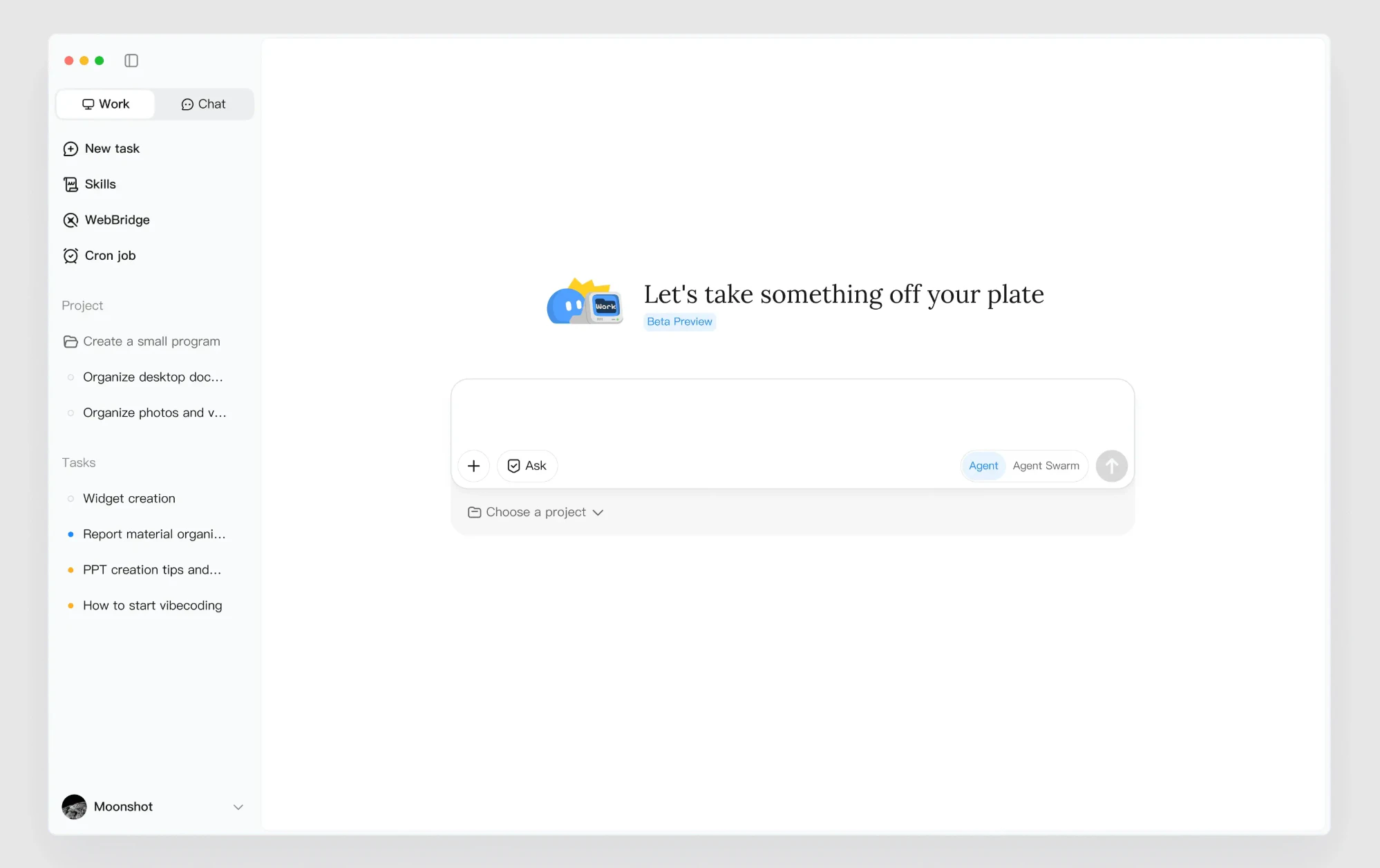
Kimi Work is a desktop agent for knowledge work. It connects to local files, uses WebBridge for browser automation, runs scheduled tasks, coordinates agent swarms, creates PPT/Excel/Word/PDF outputs, and includes native finance data tools.

Hi everyone!

Kimi Work brings Kimi to the desktop as a local agent. It has access to your files, can run browser automation via WebBridge, and supports running many agents in parallel for bigger tasks.

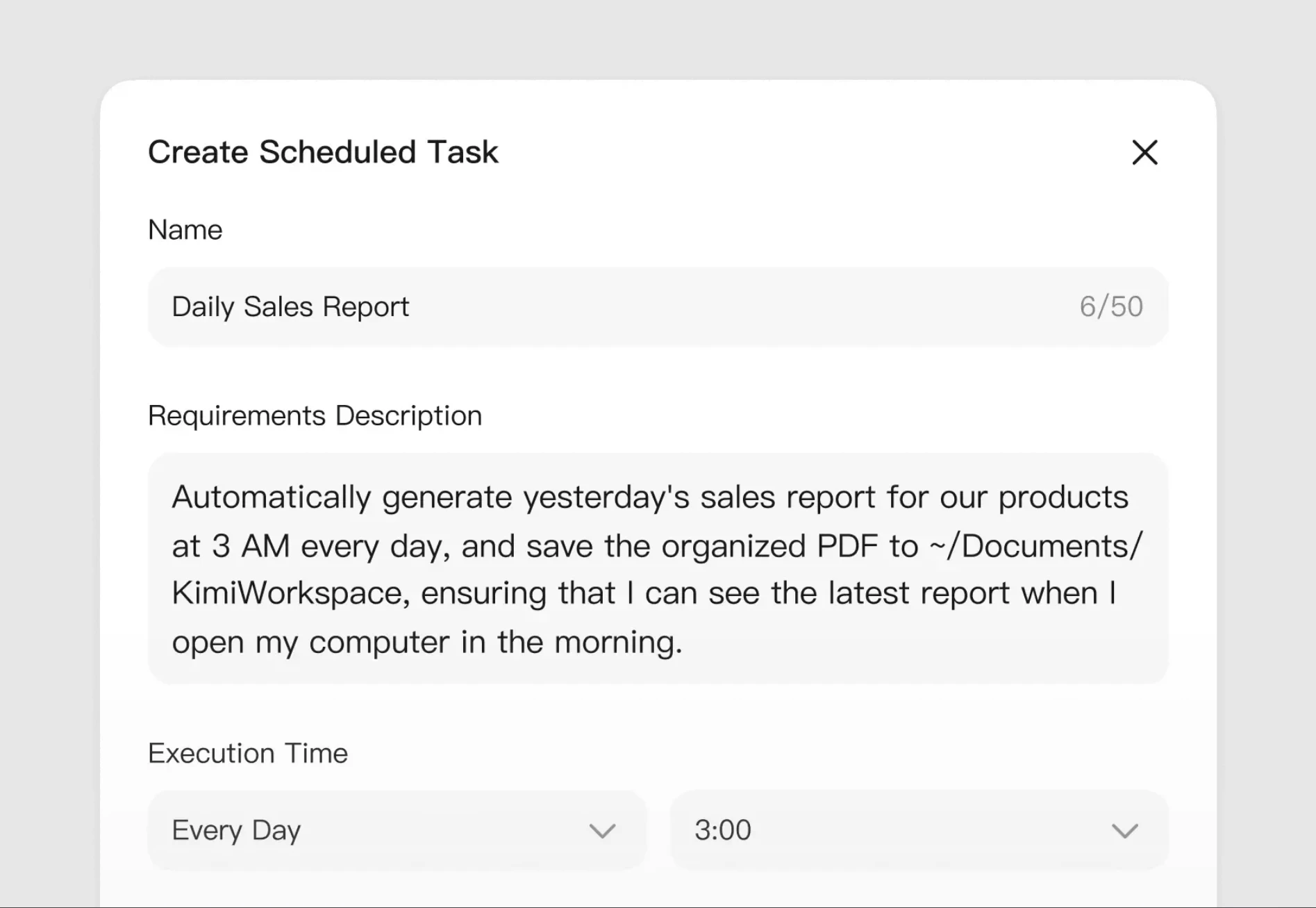
It also includes a scheduler, so you can set up recurring jobs and let Kimi run them in the background.

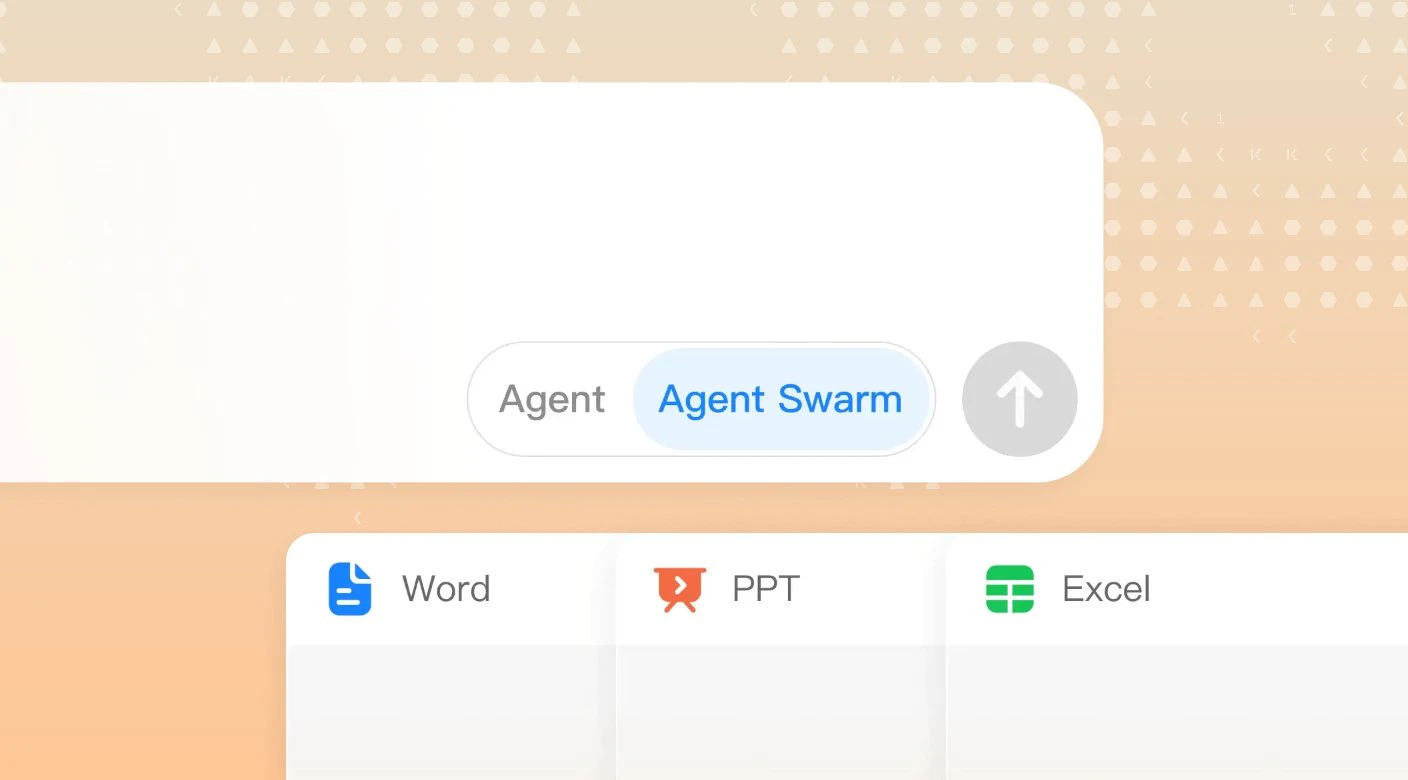
For heavier jobs, it can spin up the agent swarm — up to 300 agents working in parallel — then turn the result into Excel, PPT, Word, or PDF.

6
回复

@zaczuo Interesting combination of features, especially the ability to analyze large batches of files alongside real-time web search. The enhanced image understanding also caught my eye. Curious, which use case are users gravitating toward most right now: research, coding, or content creation?

0
回复

Nice! Like a part of the cmdop.com

0
回复

Knowledge work tools often start as search systems but eventually become context systems.

Have you found users spend more time retrieving information they've already seen, or building new knowledge structures that persist over time?

0
回复

A dedicated desktop for knowledge work rather than another chat tab is the right instinct — context-switching is what kills most AI workflows. Is the K2 model running locally for any of it, or all server-side?

0
回复

This feels useful for people who jump btw files, browser tabs and docs all day. I like that it is not just chat but closer to a work desktop. How well the scheduled tasks work with local files

0
回复

How do you handle permissions around local files and web actions so it doesn’t accidentally do something risky?

0
回复

cool idea!

0
回复

a desktop agent that can actually create finished PPT and Excel files instead of just talking about them is what I've been waiting for. most AI tools stop at "here's a draft in chat" and then you spend 20 minutes copy-pasting into the actual document. the scheduled recurring tasks in the background is a nice touch too

0
回复
#8
BooBar
AI Dynamic Island for your Mac
136
一句话介绍:BooBar 是一款将文件整理、下载进度、邮箱验证码、浏览器上下文、GitHub 面板及 AI 编程任务整合到 Mac 菜单栏的本地优先型“AI 灵动岛”,旨在解决多窗口频繁切换造成的工作流碎片化与注意力流失问题。
Task Management Developer Tools Menu Bar Apps
AI 灵动岛 Mac 菜单栏工具 文件智能整理 本地优先 工作流聚合 开发者效率 下载管理 邮箱验证码提取 多会话追踪 隐私保护
用户评论摘要:用户高度认可其“冷静表面”理念,关注点是:能否支持本地大模型(目前仅部分兼容 OpenAI 接口);AI 文件整理如何避免处理敏感文件(支持自定义监控文件夹、本地规则模式);是否追踪多个 AI 编程会话(已支持);资源占用与隐私边界(本地优先,网络功能可选可关闭)。
AI 锐评

BooBar 抓住了 Mac 用户一个非常真实且普遍存在的痛点:桌面窗口堆积如山,而每一个微小打断(新下载文件、验证码、AI agent 报错)都可能成为注意力黑洞。其将“动态岛”隐喻从 iPhone 移植到 Mac 菜单栏,本质上创造了一个可编程的 **超轻量级上下文侧车**,这比单纯的文件整理或通知中心更具开创性。

**价值显性,但风险隐伏。** 真正的亮点在于“本地优先”和“搜索式回顾”。它没有试图取代 Finder 或浏览器,而是为碎片信息建立了一个临时的、可回溯的“工作流缓存”。尤其对开发者群体而言,集成了 Codex/Claude 多会话状态监控,是精准踩中了 AI 编程“多线程焦虑”的痛点。

**然而,成败的命门是“智能度”与“自由度”的平衡。** 目前 AI 文件整理依赖云端(即使可选),其“猜测”结果的准确率是对用户耐心的直接考验。一旦误判,比手动整理更让人崩溃。更关键的是,评论用户反复追问的“本地 LLM 支持”和“敏感文件防护”,恰恰是其“冷静表面”信任基石缺失的体现——若不能承诺“绝对本地,绝对私密”,AI 整理的信任度就会大打折扣。

**一句话锐评:** 它是一个极具巧思的“工作流导管”,但如果 AI 推荐变成新的噪音,而隐私承诺流于口号,就只会沦为菜单栏上又一个需要被关掉的图标。下一个更新重点不是功能堆叠,而是证明自己真的“够安静、够智能、够私密”。

查看原始信息
BooBar
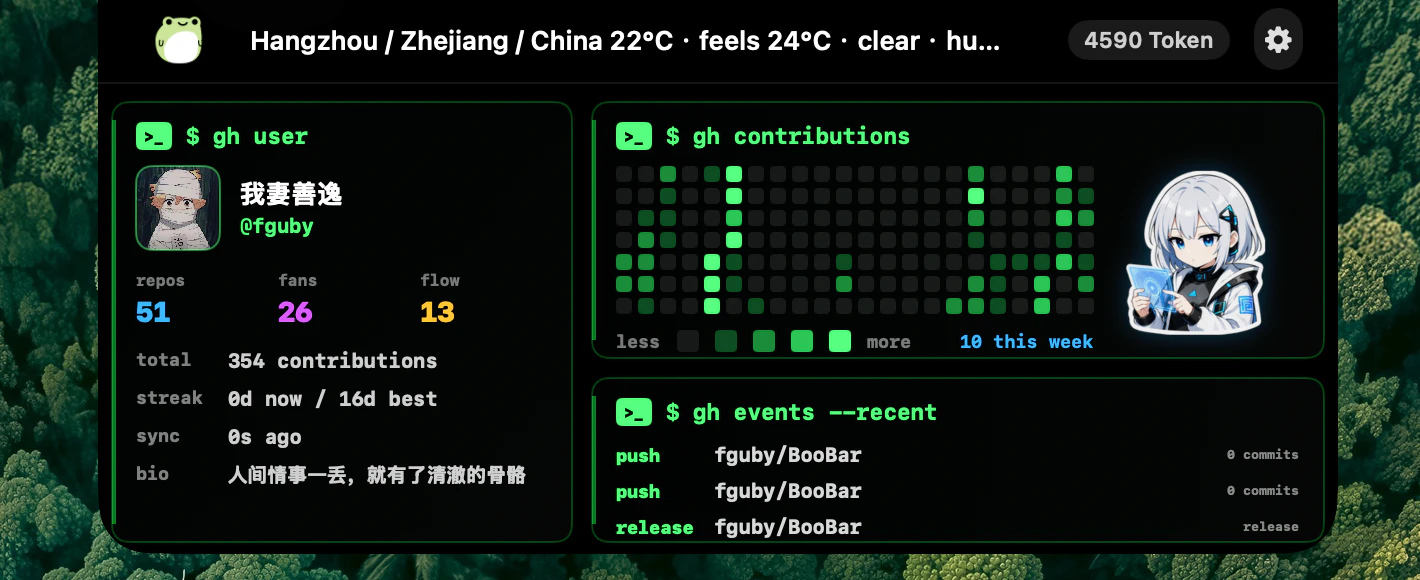
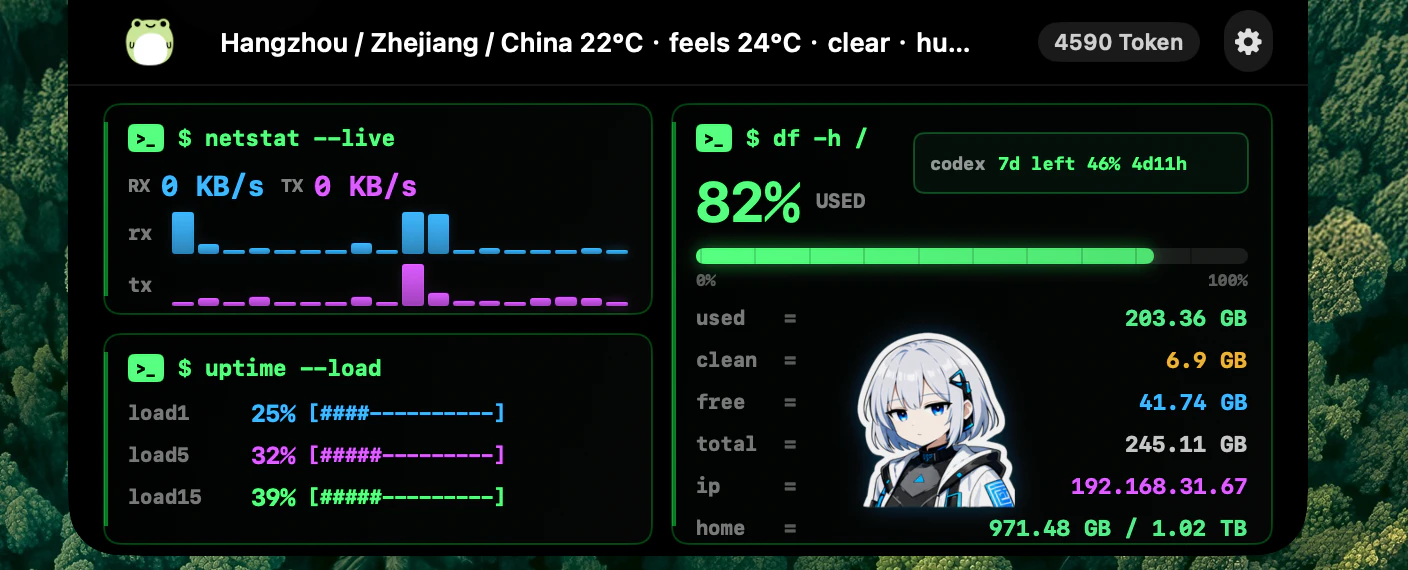
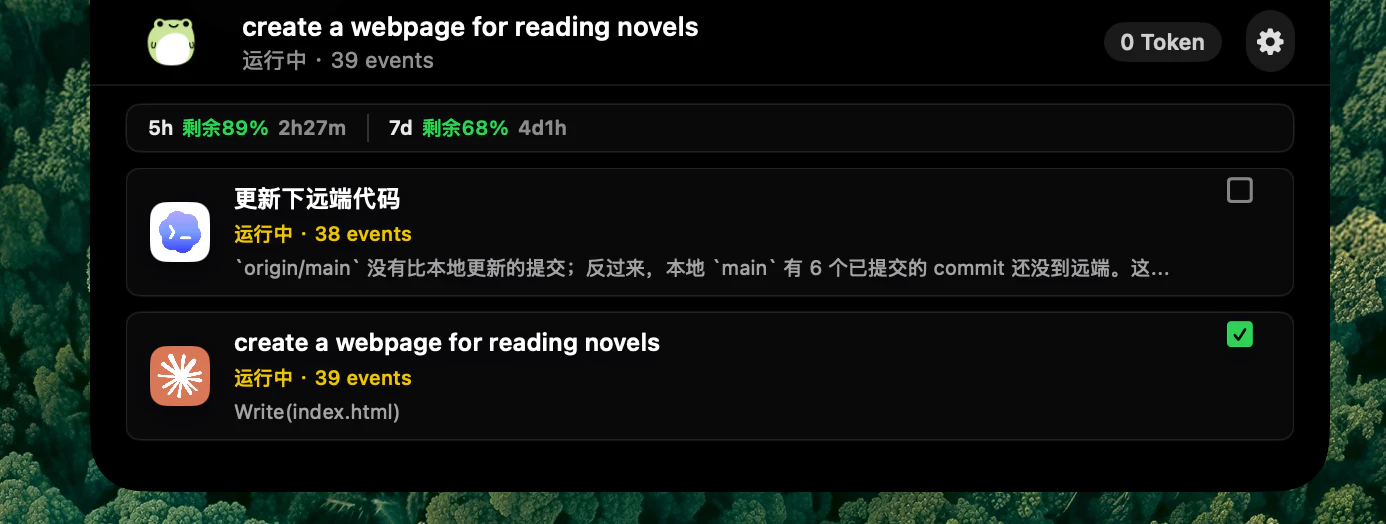
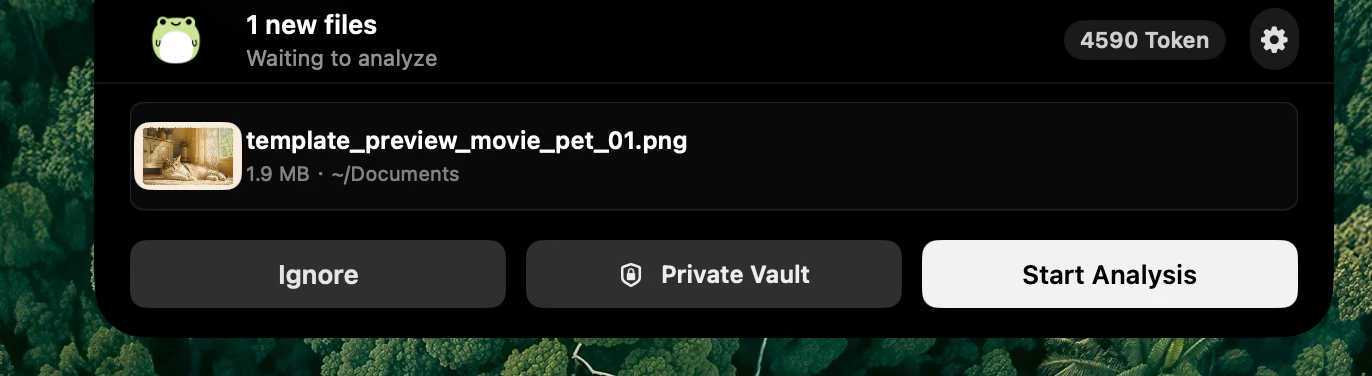
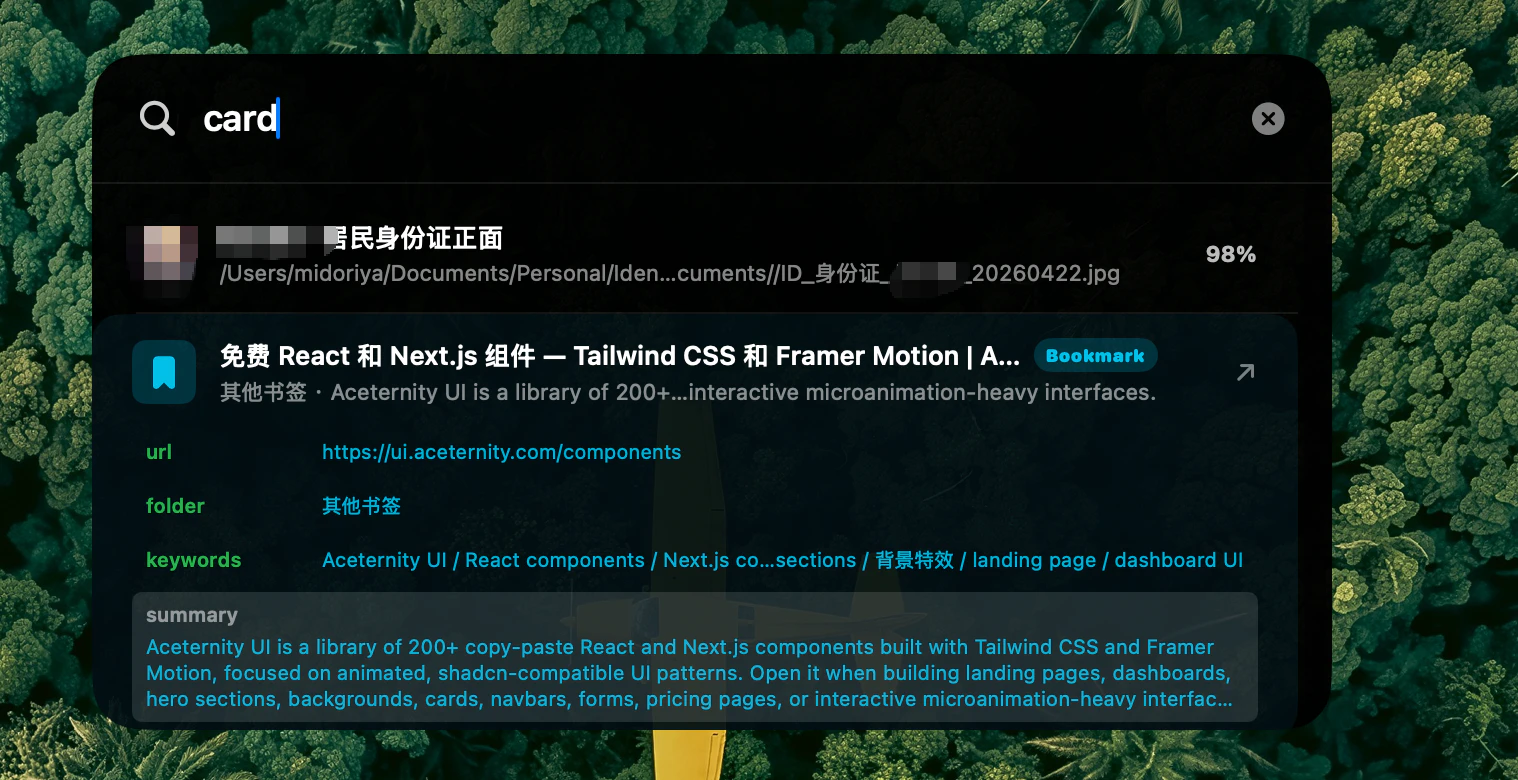
BooBar is a local-first AI Dynamic Island for Mac that brings file organization, download progress, email codes, browser context, GitHub panels, and Codex/Claude tasks into one calm menu bar workspace.
Hey Product Hunt 👋 I built BooBar because my Mac workflow kept getting split across too many places: Finder for messy downloads, Chrome for web resources, Mail for verification codes, terminal windows for Codex and Claude Code, and random screenshots or files I would forget about five minutes later. I wanted a calmer layer above all of that. BooBar is an AI Dynamic Island for Mac. It lives in the menu bar and turns small workflow events into lightweight, searchable signals: new files, download progress, email codes, browser context, GitHub panels, and AI coding agent tasks. The first version started as an AI file organizer. When a file lands in Downloads or Desktop, BooBar waits until it is stable, creates a File Card, extracts useful clues like summaries, OCR text, keywords, sensitivity hints, and archive suggestions, then lets me confirm or automate the next step. Over time, it became broader than file cleanup. I added download monitoring, browser resource detection, web page pins, Google bookmark AI summaries, email code collection, a GitHub-style terminal dashboard, and status tracking for Codex and Claude Code. The goal is not to replace Finder, Mail, Chrome, or coding agents. It is to give them a quiet shared surface at the top of the screen, so I can stay focused and still know what needs attention. BooBar is local-first by default. File watching, stability checks, basic classification, and action history run on your Mac. Cloud AI is optional and can be limited to File Card snippets instead of full files. I would love feedback from Mac users, developers, and anyone whose Downloads folder is quietly plotting against them. What would you want your Mac’s AI Dynamic Island to watch for?
4
回复

@new_user___1462026db37a4cc3a5c424a Love the calm-surface idea. Quick question for Mac power users and devs: what are the tiny, repeatable interruptions in your current Mac workflow that steal your focus and which of those would you most want BooBar to surface as a single actionable card instead of a full app notification?

0
回复

Turning the Mac notch into a live AI surface is a fun use of dead screen real estate — the Dynamic Island metaphor fits the desktop better than I expected. Does it surface app-specific actions or stay system-wide?

0
回复

@oleksii_sekundant Thanks! BooBar is mostly system-wide today

It does have some app-connected actions already, but they are tied to specific integrations rather than being a full per-app action layer. For example, it can open related GitHub items, jump back to monitored web pages, show coding session status, handle download/file review actions, and surface mail links or codes.

The direction is definitely to make this more app-aware over time: richer actions per integration, better deep links back into the source app or page, and clearer controls for what each app can contribute.

0
回复

Nice idea. Does BooBar support multiple Claude/Codex sessions at once or just one at a time?

0
回复

@dhiraj_patel5 Yes, BooBar is built to track multiple Claude/Codex sessions at the same time.

The idea is that it can surface several active coding sessions in the island/task panel, show which ones are running, completed, or waiting for approval, and let you jump back to the relevant session when needed. So it’s not limited to a single session.

2
回复

Curious how the AI file organization works with sensitive files. Does BooBar automatically avoid processing certain folders or file types?

0
回复

@daniel_henry4 

By default, BooBar does not scan your whole Mac. You choose the folders BooBar watches, and it only reacts to files in those configured locations.

For many files, BooBar can use local metadata, filenames, paths, extensions, and extracted text snippets to suggest an organization result. You can also run it in local-rules mode, where files are organized without sending content to any cloud AI provider.

For sensitive files, the current recommended setup is:

only add specific watch folders you are comfortable monitoring

exclude private folders and file extensions in settings

use local rules or local LLM analysis instead of cloud AI

manually confirm lower-confidence organization suggestions before files are moved

A future improvement we’re considering is a dedicated “Sensitive File Guard”: BooBar would automatically detect patterns like bank statements, IDs, contracts, private keys, medical files, payroll documents, and password-like content, then either skip AI processing entirely or force local-only/manual review mode. This would make privacy protection more automatic, while still keeping file organization useful.

0
回复

Downloads folder quietly plotting against you is the most accurate description of my mac right now. the file card idea is smart... auto-extracting summaries and keywords from whatever lands in downloads instead of just dumping everything into a pile. the email code collection alone would save me so much tab switching

0
回复

@tina_chhabra Exactly. That chaos in Downloads is basically the problem BooBar is trying to fix.

The File Card is meant to make every new file explain itself first: what it is, a short summary, useful keywords, suggested folder/name, and whether it needs manual confirmation. So instead of throwing everything into one pile, BooBar turns new files into small, reviewable decisions.

1
回复

Does it work with local llms?

0
回复

@fberrez1 
Yes, partially. BooBar currently supports OpenAI-compatible AI endpoints, so if your local LLM server exposes an OpenAI-style API, such as Ollama, LM Studio, or another compatible gateway, you can usually point BooBar at that local base URL and use it that way.

That said, we still consider first-class local LLM support a work in progress. The current path depends on how complete the local server’s OpenAI compatibility is, and some model/tooling behaviors may differ from cloud providers. We’re planning to make this smoother with clearer presets, local provider docs, and better fallback handling soon.

0
回复

Love the local-first angle on keeping work context in one surface. How heavy is the menu bar watcher on resources, and how do you handle sensitive items like email codes / file contents (what never leaves the Mac)?

0
回复

@leventbuilds 
Thanks! BooBar is designed to stay lightweight: the menu bar watcher uses local timers and macOS-native event hooks where possible, and most monitors only wake up when there is something relevant to check or show. The current build is still early, so we are continuing to tune polling intervals, idle behavior, and resource usage, but the goal is for it to feel like a quiet background utility rather than a constantly busy app.

On privacy: the default direction is local-first. File watching, local file metadata, screenshots/notes, reminders, and the desktop context surface are handled on the Mac. Sensitive items like email verification codes are extracted locally for quick access. BooBar does not need to upload raw email contents or local file contents just to show those desktop highlights.

There are a few optional features that may contact external services, such as subscription/license checks, web page monitoring, or user-enabled AI features. We are working on making those boundaries clearer in the UI and docs, including exactly what is processed locally, what may leave the Mac, and how to disable network-backed features. Privacy controls and more transparent resource reporting are near-term improvements.

0
回复
#9
Fluido
Turn any Figma shape into liquid metal in one click
126
一句话介绍:Fluido 是一款嵌入 Figma 的生成式设计插件,让设计师无需跳转至 Blender 或 Photoshop,一键将任意矢量形状、文字或框架转化为逼真的液态金属/铬效果,痛点在于大幅降低复杂材质动效的制作门槛与跨软件耗时。
Design Tools Graphic Design
Figma插件 生成式设计 液态金属 铬效果 视觉特效 设计工具 矢量处理 一键生成 材质仿真
用户评论摘要:用户普遍认可其节省跨软件操作时间的效果,尤其喜欢对文字图层生效的特性。主要疑问集中在生成后形状是否可编辑。开发者明确回复:效果完全动态,修改形状后重新运行插件即可自适应。有用户建议增加更精细的后期控制参数。
AI 锐评

Fluido 踩中了当前两个明确的趋势:一是“3D 质感在社交媒体素材中的泛滥式需求”,二是“Figma 从屏幕设计工具向全流程轻量创意工具的扩张”。它的核心价值不在于替代 Blender 或 C4D——那是不自量力的口号,而在于在日常设计工作的“缝隙场景”中,实现了“次品级”但不是“零分”的3D质感输出。对于产品设计师、市场物料制作以及独立开发者而言,这种“足够好的快速方案”往往比“顶级但费时的方案”更有商业产出效率。

但从产品纵深来看,风险同样清晰:插件类工具首层创新易被大厂内置功能或竞品快速复制,且当前效果偏向重金属/光泽风格,审美延展性有限。它需要一个明确的进化路径:要么成为 Figma 内可调用的 “Shader 资源库”(扩风格、预绑材质),要么向动画/交互层延伸(类似 Houdini 的实时流体模拟但轻量化)。否则,一旦 Figma 官方增强其效果填充能力,或类似 Rive 等工具更深度地拥抱设计语言,Fluido 很容易沦为 “一时惊艳的玩具”。目前它的壁垒不在技术复杂度,而在社区生态——如果用户能持续生成并分享创意模版,形成“可复用的视觉资产会所”,那才算是从工具向平台跨出了半步。

查看原始信息
Fluido
Fluido is a generative design tool that brings the mesmerizing aesthetic of liquid metal and chrome directly into your Figma canvas. Transform vectors, text, or frames into organic, fluid masterpieces instantly.
👋 Hey Product Hunt! I'm Ihor, the maker behind Fluido. Honestly, as a designer, I've always been obsessed with those sleek liquid metal, chrome, and "lava" effects. But let's be real - creating them is usually a pain. You either spend hours searching for the perfect stock image, or you have to jump into heavy 3D tools like Blender just to get a simple shape right. I really wanted to bring that generative power directly into the workflow where we actually do our design - Figma. So, I built Fluido to fix exactly that. I spent a lot of time tweaking the engine under the hood to make sure the chromatic aberrations, lighting, and metallic textures look completely natural. Now, instead of switching apps, you can just apply complex fluid shaders directly to your regular vector shapes, typography, or frames with one click. The workflow is super simple: Grab any layer (text, shape, frame). Fire up Fluido. Play around with the sliders (refraction, contour, softness, etc.) until your design melts exactly how you want it. Apply to canvas! I’d absolutely love to hear what you all think. Drop your feedback, feature ideas, or even the wild designs you end up creating with it! I'll be hanging out in the comments all day, so feel free to ask me anything. Cheers! 🚀
3
回复

@ibl_prd congrats on the launch Ihor. How much control is there of effects after generation?

1
回复

looks super slick. honestly been waiting for something like this so i don't have to jump into photoshop just for quick chrome assets. added to my figma rn. great job

0
回复

The one-click liquid-metal effect is genuinely satisfying to watch, and doing it natively in Figma instead of bouncing to After Effects saves a real step. Does it stay editable as a shape after the effect is applied?

0
回复

@oleksii_sekundant Yes, absolutely! The effect is completely dynamic. You can change or edit the shape at any point, and the liquid-metal effect will adapt to the new geometry. If you modify the shape or generate a new pattern, you just need to re-run or update it within the plugin, and it will automatically calculate and adapt the effect to the fresh form. No need to start from scratch!

0
回复

Simple but powerful! Love this kind of solutions and wish you all the best here Ihor!

0
回复

@german_merlo1 Thank you so much! Truly appreciate the kind words and the support. 🚀✨

1
回复

the liquid chrome aesthetic is everywhere in social content right now and getting it right usually means bothering a 3D artist or spending hours in blender. one-click inside figma is a much easier workflow. the fact that it works on text layers too is great for social media headers and brand assets

0
回复

@tina_chhabra That’s 100% true. While it’s obviously not a replacement for full-scale 3D production, it’s a massive quality-of-life upgrade for product and visual designers. Being able to skip the render pipeline for quick, high-fidelity visual assets is exactly the shortcut we needed!

0
回复

Not a designer by trade, mostly a solo dev who struggles with visuals. Tried Fluido on a text layer in Figma and the result was genuinely impressive for zero effort. The Figma integration feels native, not like a bolted-on plugin. That alone makes it worth it for developers who want polished assets without switching tools.

0
回复

@keirodev To be honest, I originally built Fluido just to scratch my own itch for a project I was working on 😂, but during the process, I realized how much time it could save others too. It’s awesome to hear that it's helping solo devs bypass the visual struggle and get polished, high-fidelity assets in just a few clicks. Thank you so much for the feedback!

0
回复
#10
hora Calendar
Google calendar built for the Mac
123
一句话介绍:hora Calendar是一款为重度Google Calendar用户打造的macOS原生日历应用,通过在菜单栏显示日程、一键加入会议和自然语言快速创建事件,解决用户频繁切换浏览器带来的流程中断与效率损失问题。
Mac Productivity Calendar
macOS原生日历 Google日历客户端 菜单栏日程 一键加入会议 自然语言快速添加 专注时间安排 隐私优先 多账户支持 本地同步 效率工具
用户评论摘要:用户高度评价菜单栏日程和一键加入会议功能,认为是日常流程中最大的摩擦移除点。有用户询问AI功能(如会议摘要)的隐私界限与衡量标准,开发者也坦诚回应:AI功能必须减少操作步骤而非增加复杂度,所有涉及事件内容的数据处理都在设备端本地完成。另有用户赞赏其直接同步Google API、不代理存储数据的极简隐私架构。
AI 锐评

hora Calendar 的诞生背景,是一个典型的“浏览器应用强迫症”患者的自救。Google Calendar 功能强大,但在 macOS 上作为 PWA 使用,其体验始终是“客居”的——它不属于桌面,你永远需要一个标签页、一次切换、一次加载。hora 的核心价值并非一堆花哨的日历功能,而在于它精准地识别并铲除了一类微妙但高频的“摩擦”:在浏览器与桌面环境间为查看日程而做的每一次跳转。菜单栏日程预览和一键加入会议,就是这个逻辑的极致体现。

产品架构上,开发者的抉择极为明智。直接与 Google API 同步,不设中间服务器,不仅是隐私上的“硬气”,更是运维和信任的轻量化策略。这使得产品可以专注于打磨 SwiftUI + AppKit 的 native 质感,而非在数据同步的泥潭中挣扎。这在独立开发者产品中尤为可贵。

然而,风险同样在此。产品的护城河几乎完全建立在“Apple 生态体验”和“开发者个人品味”之上。Apple 自身若将 Calendar Widget 或 Spotlight 日程集成做得足够好,hora 的差异化优势将瞬间被稀释。此外,用户评论中提及的 AI 路线图,如自然语言添加和会议摘要,虽然开发者在原则(本地处理、降低决策成本)上思考成熟,但落地面临巨大挑战。本地模型能力是否足以在不引入“审核修改”式额外负担的情况下,准确理解并执行用户意图?若 AI 生成结果仍需频繁手动纠正,反而会背离“减少操作”的初衷,沦为又一个冗余的 AI 功能。

最终,hora Calendar 是一个小而美的效率工具,值得所有 Google Calendar 重度用户一试。但它更像是开发者个人理念的完美实践,而非能够大规模商业化的平台产品。其长期的生存空间,取决于能否在 Apple 生态挤压和用户对“极致 native 体验”的付费意愿之间,找到一个足够狭窄但真实的生存缝隙。

查看原始信息
hora Calendar
hora Calendar is a native Mac app for Google Calendar. See your next meeting in the menu bar, join Meet, Zoom, and Teams in one click, create events fast, schedule focus time, and sync directly with Google without proxying calendar data through hora servers.

Hey Product Hunt! 👋

hora Calendar is a fast, native Mac app for people who live in Google Calendar but don’t want to keep a web app open all day.

I built it because Google Calendar is great, but on macOS it still feels like something you visit in a browser instead of something that belongs on your desktop. I wanted my next meeting in the menu bar, one-click meeting joins, quick event creation, focus time scheduling, and a calendar that feels native to the Mac.

hora is built with SwiftUI + AppKit, supports multiple Google accounts, Meet/Zoom/Teams links, natural language quick add, themes, and direct Google API sync. Calendar data syncs directly between your Mac and Google. hora does not proxy or store your calendar data on its own servers.

I’d love feedback from calendar-heavy Mac users, especially around workflows that still pull you back into the browser.

5
回复

@szamski congrats on the launch Maciej. What would you say is the biggest friction remover in hora?

1
回复

As someone who spends a lot of time in Google Calendar, I can definitely relate to the feeling of constantly jumping back to a browser tab just to check what's next.

I really like the focus on keeping everything native to the Mac. Features like the menu bar view, quick event creation, and one-click meeting joins sound like small things that can make a big difference throughout the day.

Also great to see the privacy-focused approach with direct Google sync and no extra storage of calendar data.

2
回复

@gabriella_anjani That browser tab thing is exactly what broke my flow every day. The menu bar widget came from that frustration directly - one glance, next meeting, join button. No switching.

Glad the privacy angle lands. It's not marketing, it's just how the architecture works. No backend means nothing to store. After I developed my skills more and understood how stuff works not only looks I was astonished that we are giving so much of our data not only to the big players such Google, but also others totally for free, or sometimes we are even paying for this :)

2
回复
Your roadmap mentions Apple Intelligence for quick add, focus time planning, and TL;DR meeting summaries. What’s your bar for shipping AI features in a calendar—what has to be on-device/private, and how will you measure whether these features reduce planning time rather than add complexity?
2
回复

@curiouskitty Good question, and honestly one I think about a lot.

My bar for AI in a calendar is simple: it has to reduce the number of taps or decisions, not add a new surface to manage. If an AI feature requires me to review, confirm, or fix its output more than once a week, it failed.

On privacy: anything that touches event content, titles, or attendees stays on-device. Apple Intelligence is the right tool for that, because it runs locally and I don't have to build a backend that sees your calendar data. That's not a philosophical stance, it's a product constraint I locked in early.
hora has no backend. It connects directly to Google Calendar API and that's it.

The three features on the roadmap reflect that:

  1. Quick add via natural language: on-device, processes text locally before sending a structured request to Google Calendar API. No content leaves your Mac except the final event payload.

  2. Focus time planning: reads your existing calendar locally, suggests blocks. No server involved.

  3. TL;DR meeting summaries: this one I'm still figuring out. Summaries require reading event descriptions and potentially linked docs. I'll likely keep it opt-in and on-device only, which limits what it can do, but that's the right tradeoff.

How I'll measure success: time from "I need to block time" to "done". If it's not faster than typing, it ships as an experiment, not a feature. I'm tracking session length and interaction counts in TestFlight already, so I'll have a baseline. Obviously Apple yesterday showed us some new things, so it'll help a lot, but it'll be invisible for the user as something that works "just fine" not is another AI hype tool, that after a while feels redundant.

2
回复

Love the one-click join for Meet, Zoom, and Teams—it’s amazing how much friction that removes from busy days.

1
回复

@a_petukhov Thanks! That was exactly the friction I wanted gone. Jumping between the calendar and three different apps to find the right link was driving me nuts, so hora pulls the join link straight from the event and puts it one click away. Really glad it lands 🙏

0
回复

Nice work! Direct Google API sync without proxying data to your servers is a strong privacy stance.

1
回复

@marianna_tymchuk Thanks. It's also just the simpler architecture - fewer moving parts, fewer things that can break.

0
回复
#11
Reve 2.0
Generate and edit 4K images through layout-based control
109
一句话介绍:Reve 2.0通过“布局优先”架构,将图像分割为可寻址区域,解决设计师和创意团队在AI图像生成中无法精确控制构图、局部编辑困难的核心痛点,支持原生4K输出与无损迭代编辑。
Design Tools Social Media Social media marketing
AI图像生成 布局优先控制 4K图像编辑 可寻址区域 创意设计工具 图像合成 自动化工作流 文本到图像 无损迭代 生成式AI
用户评论摘要:用户赞赏布局优先方法带来的精确控制和优秀网页体验,认为可寻址区域是严肃图像编辑的实用升级。有效反馈集中在认可其解决了传统提示词生成的构图不可控问题。
AI 锐评

Reve 2.0的“布局优先”并非花哨的概念包装,而是对当前AI图像生成“黑箱化”创作流程的一次针对性手术。它精准切中了专业用户最头痛的痛点:生成靠运气,修改靠重来。将图像分割为可寻址区域,本质上是把像素级魔法降维成结构化的“乐高积木”——你终于可以直接移动一块积木,而不必担心整个城堡崩塌。

产品的真正价值不在于生成速度或画质(虽然4K原生输出消除了二次放大的伪影),而在于它重新定义了人机协作的边界。它让“迭代”从一个玄学词汇变成了可控工程:设计师可以像在PS里锁定图层一样锁定某个元素,然后疯狂调整其他部分;开发者能通过LLM直接修改布局代码,实现真正的自动化工作流。这种“规划-渲染”分离的架构,让AI从“天才画师”变成了“听话的乙方”。

不过,这种高精度的代价是创作门槛的间接提升。它更适合有明确构图预设的专业团队,而非需要灵感火花的大众用户。此外,布局优先在复杂光影、材质融合等超写实场景中的表现还有待考验。排名第二的Leaderboard成绩说明潜力巨大,但要真正成为设计师的日常工具,Reve还需要证明“可编辑性”不会在极端案例中变成“可破坏性”。它是一条正确的路,但并非所有人都会走这条路。

查看原始信息
Reve 2.0
Reve 2.0 generates and edits 4K images using a layout-first model that segments each image into addressable regions. For designers, marketers, and creative teams who need precise compositional control.

Reve 2.0 is a 4K image generation and editing model built on a layout-first architecture, now live at reve.com.

Prompt-based image generation has always had a precision problem. You describe what you want, the model interprets it, and if the composition is off, your only option is to rewrite and regenerate. Reve 2.0 separates planning from rendering. Every image is first built as a structured, code-based layout where each region is labeled and addressable. Edit one element without touching the rest. Regenerate from the same layout with zero artifact accumulation.

  • Layout-first generation gives you per-region control before a pixel is rendered, so composition stops being a guessing game

  • Native 4K output at true 16MP means no separate upscaling step for print, ads, or product visuals

  • Agent-native architecture lets LLMs read and modify the layout directly, opening clean automation workflows

  • Lossless iteration means multi-step editing does not degrade image quality over time

Designers, brand marketers, and creative developers who run iterative visual workflows and need to adjust specific elements without regenerating from scratch will get the most out of this.

Reve 2.0 is ranked #2 on the Image Arena text-to-image leaderboard as of this launch. Try it at reve.comand follow me for more launches like this.

I hunt the latest and greatest launches in tech, SaaS and AI, follow to be notified.

1
回复

I've been trying reve 2.0 for a little while and it's really impressive, and the webapp is the best i've used for image generation so far

0
回复

Love the layout-first approach, addressable regions feel like a practical upgrade for serious image editing workflows. Congrats on the launch!

0
回复
#12
TravelMind
AI-powered city discovery built on taste, not reviews
108
一句话介绍:TravelMind是一款基于个人品味而非评分推荐的AI城市探索应用,通过滑动交互学习用户偏好,解决在陌生城市因信息过载而难以找到真正适合自己的去处这一痛点。
SaaS Travel Artificial Intelligence
AI旅行推荐 个人品味学习 滑动交互 城市探索 目的地发现 智能推荐引擎 用户行为偏好 去中心化评价 旅行决策辅助 移动应用
用户评论摘要:用户普遍认可“品味而非评分”的定位,主要关注:1)新城市冷启动和用户品味图谱迁移问题;2)AI从零学习到有效推荐的交互次数;3)数据源是否支持用户自添加与本地化覆盖。开发团队回应称品味图谱可随用户迁移,且支持用户贡献地点。
AI 锐评

TravelMind的切入点精准——它打的不是传统旅游推荐红海,而是“决策瘫痪”这个被大厂忽视的细分场景。产品本质是把Tinder的滑动机制与个人偏好学习算法嫁接,试图用最轻量的交互(swipe)解决最沉重的决策(选餐厅/景点)。这个思路聪明,但存在三个致命挑战:

第一,冷启动的数据密度悖论。产品宣称“你的品味随你旅行”,但AI对某座城市的有效学习必须依赖该城市已积累的用户行为数据。首用者在新城市大概率会面对同样“没什么可推荐”的窘境,而这与用户上滑下滑数量成正比——鸡生蛋问题。

第二,品味模型的可迁移性被高估。评论中开发者回应“品味图随你旅行”,这本质上是把一个人的偏好抽象化(比如“喜欢工业风咖啡馆”),但实际操作中,北京用户对“深夜路边摊”的偏好,与东京用户对“深夜居酒屋”的偏好很难用同一套特征向量完美映射。跨文化、跨场景的品味迁移是个远未解决的学术问题,更别说商业化应用。

第三,商业模式的天然矛盾。用户希望找到“非网红、不评分”的隐藏地点,但这些地点恰恰缺少数据源。如果TravelMind走入驻/合作路线,就回到了大众点评的老路;如果完全依赖用户贡献,又面临内容质量不均和作弊风险。评论中有人建议结合实时优惠信息,这暴露了产品目前缺乏护城河——推荐能力若无网络效应和独家数据,很快会被复刻。

这款产品目前更适合作为旅游过程中的“灵感辅助工具”而非“决策工具”。它做对了从行为而不是评分出发这件事,但要从“有趣的实验”变成“可靠的助手”,还要在算法密度、数据冷启动和商业模式上拿出更硬的方案。

查看原始信息
TravelMind
You land in a new city. You open every app you know. Two hours later you're still scrolling, still unsure, still guessing. TravelMind was built for that moment. Swipe through places, tell us what you love — the AI does the rest. It learns your taste and finds the right spot before you even know to look. Your taste. Every city. Live now on iOS and Android.
I built TravelMind because I kept running into the same problem in every city: endless scrolling, biased reviews, influencer noise — and still not knowing where I’d actually enjoy going. After years in hospitality, I realized discovery was broken not because of lack of options, but because platforms ignore personal taste. Everyone sees the same rankings, even though we all experience places differently. TravelMind started as a simple question: what if discovery worked like human intuition? We experimented, scrapped ideas, and eventually landed on swipe-based learning — letting behavior train recommendations instead of ratings. What began as a travel tool has evolved into something bigger: turning offline, word-of-mouth discovery into a personal, data-driven experience. Would love to hear — how do you usually find places you actually like when you’re in a new city?
2
回复

@anastasia_chavdia congrats on the launch Anastasia. How do you solve the "actually right for me, on this trip" question and how long does that take?

1
回复

@anastasia_chavdia Congratulations!!

The 'taste not reviews' positioning is smart — review fatigue is real, especially in travel. Would love to see this paired with live deal discovery so when TravelMind recommends a restaurant or hotel, it surfaces the best current price too. The discovery + savings combo is underexplored. Upvoted!

0
回复

The taste-over-reviews bet looks to be the right call. I am thinking...as swipe learning needs density, what happens the first time I open it in a city nobody like me has swiped yet? Does my taste graph travel with me?

1
回复

@artstavenka1 Yes — your taste graph travels with you. Think of it like a friend who already knows you, just landing in a new city with you.

1
回复

Congrats on the launch! 🎉

I can definitely relate to the problem. Even with so many review sites and travel apps, it can still be surprisingly hard to find places that actually match your personal taste.

I like the idea of learning from user behavior rather than relying only on ratings. The swipe-based approach sounds simple and intuitive.

When I visit a new city, I usually end up combining recommendations from friends, instagram/tiktok posts, and lots of searching, so having something that learns my preferences could be really useful.

1
回复

@gabriella_anjani Thank you, Gabriella — that workflow you described is exactly what we're trying to make obsolete.

Would love to hear your honest take if you try it!

0
回复

Congrats on the launch, Anastasia and TravelMind team!

I may be a bit biased here but I do have some insight on people discovering new places. I run my city's biggest travel Instagram page (@experience.sofia on Instagram, we talk about Sofia, Bulgaria). What I find is our best-performing content is often either "hidden gems" or "how to avoid getting scammed/overspending/some other problem". A huge part of our edge and credibility on social media is we are locals and we can bring you to those lesser-known places, some of which barely even have a Google Maps listing. Imo, this is what a lot of people are looking for in the era of overtourism - not to go to the same 2-3 overhyped places everyone else visits.

So, I was wondering how did you source the initial listings on TravelMind? Do you also have the option for users to add their own (as you can on Google Maps)?

1
回复

@denitsapenchevavaltchanova This is exactly the kind of feedback that matters — thank you, Denitsa.

Community is the most valuable asset in this space right now — and experience sofia is a perfect example of that. The best places will always be found by people, not algorithms.

You can already add your spots on TravelMind and share them with your audience. Sofia through your lens would be something special.

0
回复
Am I supposed to swipe if I haven’t been to the place?
0
回复

Monday me and Saturday me are different people. Does the app know the difference? Congrats on the launch!

0
回复

@jared_salois Thank you! That's exactly what we're working on. Stay tuned! 😄

0
回复

two hours later you're still scrolling, still unsure, still guessing" is so accurate it hurts. learning from swipes instead of relying on reviews makes way more sense because my taste in restaurants has zero overlap with the average google reviewer. curious how many swipes it takes before the recommendations actually start feeling personal

0
回复

@tina_chhabra  "Zero overlap with the average Google reviewer" — we feel that deeply too.

You've basically described the entire reason TravelMind exists. Ratings tell you what everyone thinks. We want to learn what you think — and get better at it every time you swipe.

The short answer: it gets personal faster than you'd expect. But we'd rather you find out than take our word for it.

0
回复

This really resonates with me. When I land in a new city, it's honesty hard to explore everything by myself. But when I search online, there's so much influencer promotion and sponsored content that it can be hard to tell what's overhyped and what's actually a hidden gem.

What countries or regions does TravelMind currently cover? Is the global discovery experience available worldwide, or focused on certain cities for now?

0
回复

@evakk You've described the problem better than most. The noise is the issue — not the lack of information.

We're live in a number of cities already and actively growing — the honest truth is that the recommendations get sharper the more people engage in a given place. So the best answer to your question is: try it where you are, and tell us what's missing. That feedback is genuinely how we prioritize.

0
回复
#13
Whistle
A fitness coach with personalized plans
108
一句话介绍:Whistle是一款通过读取Apple Health数据(如心率、睡眠、恢复状态)自动生成并动态调整个性化健身计划(含跑步、骑行、力量训练)的AI教练应用,解决了传统健身App计划千篇一律、无法根据用户实时体能和恢复状况灵活调整的痛点。
Health & Fitness Artificial Intelligence Apple
AI健身教练 个性化训练计划 Apple Health集成 可穿戴设备 动态调整 耐力训练 力量训练 智能排程 运动数据 独立开发
用户评论摘要:用户肯定其个性化与动态调整能力,特别是对Apple Health和智能排程的深入整合。核心问题集中在:如何编辑和分析健康数据、是否仅支持Apple Watch、如何处理用户因动力缺失而中断训练(破窗效应)、以及如何确保AI调整计划的透明度和安全性(避免过度激进)。用户期待更详细的运动指导(如动作演示)。
AI 锐评

Whistle踩准了当前“数据驱动科学健身”的浪潮,其核心价值不在于“生成计划”这个基础功能,而在于“基于Apple Health实时数据动态调整计划”的引擎。这比市面上绝大多数靠一套固定算法或模板打天下的App高出一个维度。

它的聪明之处在于精准切入了“AI健身教练”的空白:不靠鸡汤和毅力,靠数据和逻辑。从评论中开发者对竞争产品Bevel的解析可以看出,Whistle定位清晰——不是另一个“数据看板”,而是一个“主动的、可干预的执行层”。它能根据用户的心率变异性、睡眠、训练负荷来主动建议替换或调整训练内容,这在防止受伤和提升长期效率上是真正有价值的设计。

但风险也很明显。第一,过度依赖Apple Health数据,意味着对安卓生态或非苹果可穿戴设备用户非常不友好,这会严重制约其用户盘子。第二,评论中提到的“破窗效应”(用户中途放弃)是此类App的生死线,目前仅靠AI“自动调整计划”来适应偷懒,本质上是在降低目标阈值,而非激发用户内在动机。这可能会让训练计划变得“太会妥协”,反而不利于进步的积累。第三,AI调整的“黑箱问题”并未完全解决,即便开发者强调“用户审批”,但普通用户面对一堆训练负荷和心率数据,很难做出理性判断,最终可能还是跟随算法被动执行,这反而可能削弱用户对自己身体的认知。整体而言,Whistle是一个优秀的“工具型”AI健身助手,但要想成为用户每天必用的“伙伴”,它还需要解决跨平台限制和用户行为塑造这两个更复杂的难题。

查看原始信息
Whistle
Most workout apps give you a generic plan and call it personalized. Whistle actually knows you. It reads your Apple Health data and builds a real training plan around your fitness level, recovery, and goals. Detailed workouts, smart progression, all on your iPhone and Apple Watch. Whether you're just getting started or pushing toward a new personal best, your AI coach figures out what you need and when you need it. Your data. Your plan. Your pace.
Hey Product Hunt! We've been working on Whistle for months. It started when I was training for my first triathlon and tried using ChatGPT to build a plan. It worked, but it took a ton of manual back and forth. So we decided to build something that just knows you from the start. We're two indie developers from Vienna, and Whistle is our attempt to build the fitness app of our dreams. Hope you enjoy it as much as we loved building it. Would love to hear what you think! Clemens
5
回复

@clemens_vogelhaus Kudos on the launch. Could you maybe give a walkthrough of how it analyzes Apple Health? Like how does it understand our level of fitness or position in our fitness journey and our goals? Do we get to edit it?

0
回复

Congratulations on the launch. Does the app only work with Apple Watch?

1
回复
@b_rws60503 for now yes but if your fitness watch adds data to Apple Health Whistle will get it too. We plan to integrate with other fitness watches soon too.
1
回复

Can I set a goal? For example, “get six-pack abs”?

0
回复
@natalia_iankovych yes you can tell the coach any goal and it will build a plan for you around it
0
回复

Love the personalized progression system. Most apps just recycle the same routines regardless of recovery or fitness level.

0
回复

@marianna_tymchuk glad you like it!

0
回复

Congrats on the launch, the Apple Health-native approach makes a lot of sense. Quick question on positioning: how do you see Whistle fitting alongside something like Bevel? They read the same Apple Watch data, but Bevel mostly tells me how recovered I am and leaves the training calls to me, whereas Whistle sounds like it actually builds and rewrites the plan itself. Is that prescriptive side the main thing you're betting on?

0
回复

@ferdi_sigona yes, that's the key difference. The Bevel release was really exciting for us. We've been working on Whistle for more than a year now, and seeing it confirmed a lot of our assumptions. As far as we can tell, Bevel focuses on helping you make sense of your fitness and health data. Whistle is primarily a workout planner. It lets you create workouts, schedule them and send them to your Apple Watch so you get real-time guidance during your session.

The health data we show in the app serves two purposes: it gives you guidance, and it gives the coach relevant context. The coach itself is really just an additional layer that can do all of this for you. It can help you understand your health data, but where it shines is creating plans and workouts. When it plans a run, it doesn't just message you to say "go for a run." It actually schedules the run in alignment with your goal, your training load, your recovery, the weather and more, and it generates structured workouts, so a run might include intervals with specific heart rate targets or paces whenever that makes sense. With the same approach it can build plans across multiple months to prepare you for a race or to work toward a bigger goal.

0
回复

The personalized plan is the easy half. The hard half is week two, when motivation dips and people quietly ghost the app. I build habit and wellbeing tools, and the missed-day moment is everything... guilt-trip people and they churn, let them off too easy and the habit never sets. How are you handling the broken streak?

0
回复

When you miss a workout or a key session Whistle can easily adjust your plan around it. It's actually the biggest benefit compared to rigid training programs. We also plan to add additional features that we hope will increase motivation and help people stick to what they set out to achieve.

2
回复

I've been using it since the Beta and it actually helped me improve my performance, specially on cycling as I sucked at it lol

0
回复

Happy to hear it helped :D I am sure your cycling isn't that terrible

0
回复
Can you walk through a concrete example of how Whistle uses training load + projected load + sleep/vitals + recent sessions to change a plan (e.g., swapping intervals, adjusting volume, adding recovery, moving strength) and what safety/guardrail rules prevent over-aggressive recommendations?
0
回复

Hey @curiouskitty ,

Whistle handles this through Coach tools rather than a hidden black-box rule engine. For example, before changing a week it can read the current plan, recent completed workouts, planned workouts, training load, sleep, recovery, and overnight vitals. If Thursday has intervals planned but the last few sessions already pushed load up, sleep has been poor, and recovery/vitals look off, Coach can propose a smaller change: move the hard session, reduce the interval volume, swap it for easy aerobic work, or move strength away from another hard day.

The important part is that plan changes are explicit. Whistle can adjust an existing workout, create a replacement, or remove a conflicting one, but those write actions go through user-facing approval/permission flows. The training program also stores coaching context such as progression, load strategy, recovery spacing, adaptation rules, and “what not to do,” so future planning turns preserve the intent instead of just reacting to one metric.

We’re careful not to frame sleep or vitals as medical diagnosis. They’re used as wellness and readiness context, alongside training history and the plan, to make conservative adjustments the user can review before applying.

Hope that answers your question,

Clemens

1
回复

Hey Clements, congrats on launching your venture! Question though: does the Wistle provides exercises or it only about running and biking?

Best

George

0
回复

Hey @gsostak ,

thanks! Whistle works best for endurance sports, but it can also generate strength workouts and provide exercise routines for home or the gym. Right now, though, the app just tells you to do a certain exercise for a certain number of reps and can't yet explain or show how to perform it correctly.

Hope that answers your question.

Clemens

0
回复
#14
agentcad
A CAD design tool for coding agents (free + open source)
103
一句话介绍:AgentCAD 是一款让AI编程助手(如Claude Code)能自行设计、验证与修复3D模型的免费开源CAD工具,解决AI生成设计代码时无法“自检”几何与工程约束的痛点。
3D Printer Artificial Intelligence GitHub 3D Modeling
CAD自动化 AI编程助手 开源工具 几何验证 3D建模 Build123d CadQuery STL导出 自检闭环 智能制造
用户评论摘要:用户 @jdilla 称赞其让AI自检几何与可打印性是CAD自动化的重要进步,并询问当前生成零件类型(原型/装配体/生产件)。@zaid_mallik1 指出最大挑战不是生成CAD本身,而是让AI理解工程约束以避免糟糕设计,开发者认同“质量把关”更难。
AI 锐评

AgentCAD 切中了一个工程师们口口相传但少有工具系统化解决的痛点:AI生成的CAD代码几乎无法一次性满足几何封闭、尺寸准确和可制造性三条红线。它没有试图教AI“如何造更好的零件”,而是聪明地构建了一个“闭环监控器”——让AI先生成,再由AgentCAD从几何层面暴力验证,把错误堵在交付之前。这种做法本质上降低了AI介入CAD领域时的“容错成本”,让“烂图”在人工审查前就被过滤掉。

但它的价值上限也明显受限于两个因素:第一,验证逻辑仍局限于几何闭合性和维度正确性,而对于更复杂的工程约束(如公差、材料适配、加工工艺路径)目前基本无能为力;第二,它本质上是定位于“AI自检+预览”的中间层工具,而不是原生的设计平台,这意味着用户仍需依赖Claude Code等前端进行交互设计,整个工作流依然碎片化。

从产品定位看,它非常适合设计探索和原型验证阶段的“快翻快改”,对机械装配体或生产级零件工程师而言,目前更像一个有趣的辅助检查站,而非设计主力工具。但若能将工程约束知识逐步内化进这个自检循环,甚至反向指导AI调整设计逻辑,它完全有机会成为AI制图时代的“质量门”基础设施。一句话总结:它让AI不再画“看起来对但实际废”的图,但要画“真正能造的图”还差一整套工程约束系统。

查看原始信息
agentcad
Give your coding agent the ability to design real, manufacturable parts. Hand Claude Code or Codex a prompt, a sketch, or image. It writes build123d or CadQuery scripts, then runs agentcad to check its own work, catching broken code, confirming the geometry is watertight and dimensionally correct, and rendering it from every angle so your agent fixes its mistakes before you ever see them. You get back an interactive viewer plus STEP / STL / GLB files — ready to inspect, edit, or print.
Increasingly I find myself working with coding agents on the first drafts of things. I have a general idea of what I want to build and getting it to 80 or 90% allows me to visualize it and give better feedback. When doing this, I noticed that sometimes I got something back I liked but often coding agents gave me things that had obvious errors, born from the fact that they had no way to visualize / verify their code before handing it back to me. Agentcad solves this problem. It gives the coding agent the ability to see + verify what it's making along the way allowing it to test what it's building before you see it.
6
回复

@jdilla Very cool concept. Giving coding agents the ability to validate geometry and catch their own mistakes before handing off printable files feels like a big step toward practical CAD automation. Curious, what kinds of parts are users generating most today: simple prototypes, mechanical assemblies, or production-ready components?

0
回复

Curious whether the harder problem has been generating CAD designs or giving agents enough understanding of engineering constraints to avoid bad designs in the first place.

Which side has surprised you more?

1
回复

@zaid_mallik1 the agents will always generate something so producing quality is definitely the bigger challenge.

0
回复
#15
Limelight
Make your screen recordings easy to follow
101
一句话介绍:Limelight是一款集光标高亮、按键显示与屏幕绘制于一体的菜单栏小工具,专为录屏和直播场景打造,解决了观众看不清操作细节的痛点。
Mac Productivity Education
屏幕录制 光标高亮 按键显示 屏幕绘图 演示工具 教学工具 录屏软件 Mac工具 独立开发者 单次付费
用户评论摘要:用户点赞其聚焦演示清晰度的设计,尤其好奇光标高亮与屏幕注释哪个功能更常用。开发者积极参与互动,承诺为用户推荐最佳快捷键设置,展现贴心服务。
AI 锐评

Limelight精准切入了录屏和演示场景中一个长期被忽视的细节——操作可见性。在Zoom、OBS等主流平台已成标配的今天,用户痛点已从“能否录制”转向“观众能否看懂”,而Limelight以一套低成本的“光标追踪+按键反显+标注”组合拳,恰好填补了工具链中缺失的最后一环。其最大亮点并非功能堆叠,而是极致的克制:原生离线、无账户、9美元买断、菜单栏常驻。对比ScreenFlow等上百美元的大而全工具,以及部分付费订阅的云端方案,Limelight选择了最利于口碑传播的轻量化策略。但也要看到,其应用场景高度垂直——对大多数只看不录的普通用户而言,8美元都不值;而专业视频教程制作者,可能更倾向后期用Final Cut Pro的Keynote效果或插件替代实时标注。此外,屏幕绘制功能缺乏形状预设和图层管理,在高强度演示中略显单薄。总体而言,这是一款“越用越香”的精准工具,适合追求效率的播客、教师和开发者,但天花板也相当明显——它解决了“看不清”的问题,却无法解决“讲得不好”的本质。独立开发者若想突围,需在模板化快捷键预设与多显示器适配等场景深挖,而非盲目添功能。定价策略堪称典范:低单价结合免费试用,既降低决策门槛,又过滤白嫖用户,值得同类App借鉴。

查看原始信息
Limelight
Limelight makes everything you do on screen easy to follow. 🔦 Spotlight your cursor, ⌨️ show the keys you press, and ✏️ draw on screen — so your audience never loses track of what you're doing. Works with Zoom, OBS, Keynote, Google Slides, anything. Native, offline, no account. No subscription — $9 once, with a 7-day free trial.
Hey Product Hunt 👋 I kept watching tutorials and demos where I couldn't tell what the person clicked or which shortcut they pressed. So I built Limelight — cursor spotlight + on-screen keystrokes + draw-on-screen, all in one tiny menu-bar app. It's for teachers, YouTubers/screencasters, and devs doing demos. I'm tired of subscriptions for small utilities, so it's $9 one-time — and the full app is free for 7 days, no card. Drop a comment with what you record or present, and I'll reply with the exact shortcut setup that'll make it cleanest 👇
1
回复

@willie_dev Love the focus on clarity during demos and presentations. The cursor spotlight and keystroke overlay seem especially useful for tutorials and screen shares. Curious, have you found users relying more on the spotlight feature or the on-screen annotations?

0
回复

@willie_dev Nice work man!

0
回复
#16
Mic Drop 3.0
Mute your mic in any app—with your AirPods
99
一句话介绍:Mic Drop 3.0 是一款 macOS 全局静音管理工具,让你通过快捷键、菜单栏或 AirPods 按压,在任何视频会议应用中一键静音/取消静音,彻底告别手忙脚乱找按钮的痛点。
Meetings Menu Bar Apps Remote Work
macOS 静音管理 视频会议 AirPods 全局快捷键 AppleScript 实用工具 效率提升 隐私保护 买断制
用户评论摘要:开发者 Sarah 和 Matt 表示,用户呼声最高的 AirPods 按压静音功能已在 3.0 中实现,并诚邀用户参与后续功能测试,反馈集中在期待 Google Meet 浏览器插件、虚拟麦克风及国际化支持。
AI 锐评

Mic Drop 3.0 本质上是一个“场景化快捷键”的精致解决方案。它没有改变会议软件的逻辑,而是通过硬件(AirPods)和系统级指令(AppleScript)的桥接,解决了多平台会议场景下的高频痛点——在多个应用窗口间定位静音按钮的“碎屏”式干扰。其核心价值在于提供了极致的“低摩擦交互”:把原本需要视觉确认的点击操作,降级为肌肉记忆的按压动作,这在需要保持镜头前职业状态的会议中,体验提升非常明显。

不过,这个产品也面临明显的功能天花板。AirPods 按压本身是 macOS 原生支持的快捷键映射,不存在技术壁垒;而“全局静音”的实现原理(通过快捷键调用各 App 的 API)也非独创,且部分 App 的权限封锁可能随时让“虚拟麦克风”方案的推进变得棘手。此外,99票的社区关注度与“首要权限/买断制”的组合,说明它仍是一个小众利器型应用,而非大众装机必备。

真正的护城河可能不在静音本身,而在于AppleScript支持所构建的自动化生态——如果用户能将其与 Stream Deck、Raycast 或其他工作流深度绑定,Mic Drop 就有可能从一个“临时的会议辅助工具”,进化为桌面效率自动化中的重要一环。否则,面对各大会议软件自建静音快捷键以及系统菜单栏本身的优化,它的不可替代性会随着时间被稀释。一句话:功能值得付费,但长期来看,抓牢自动化与定制化的“基建”角色,比单纯优化按压静音体验,更能决定其天花板的高低。

查看原始信息
Mic Drop 3.0
The ultimate macOS mute manager is back. Toggle your mic across Zoom, Meet, and Slack instantly using a global shortcut, menu bar icon, or a simple squeeze of your AirPods. Now faster, lighter, and packed with AppleScript support.
Hello again Product Hunt! 👋 We’re Sarah and Matt, and we built Mic Drop because we were tired of frantic clicking trying to find the mute button during video calls. Today, we're incredibly excited to share version 3.0 with you all! This version launches with a feature we've heard users request over and over: AirPods Press to Mute! Just squeeze the stem of your AirPods to toggle your microphone system-wide—no more hunting for the Zoom or Google Meet tab. What else is new in 3.0: • AppleScript Support: Build your own custom workflows, Stream Deck shortcuts, or advanced automations. • Under the Hood: A complete optimisation sweep making the app even faster and vastly more energy-efficient. • Refined Behaviour: Sneaky bug fixes to make multi-device swapping smoother than ever. Mic Drop is entirely privacy-first (we don't record your audio or collect analytics) and it's a one-time purchase—no pesky subscriptions here. We have lots of big improvements in the pipeline too: - a Google Meet browser plug-in, mostly to hide the mute notice but also improve integration - a virtual microphone for incompatible devices, this will allow devices that Mic Drop currently can’t mute to work seamlessly - internationalisation (Olá/Hallo/你好/Hola) - improved interoperability with other meeting apps - statistics, so you can know how many times you’ve muted yourself - an optional dock icon If you'd like to help us beta test these future features, drop us a comment below! We'd love to hear your feedback. What features should we build next?
1
回复
#17
Solarch
Interactive diagrams with AI, and your code always in sync
96
一句话介绍:Solarch是一款将交互式架构图作为唯一真相源、通过严格规则引擎自动生成NestJS后端样板代码(DTO、服务等)的平台,解决开发中“架构图与代码不同步”以及“80%重复性结构搭建”的痛点。
Developer Tools Artificial Intelligence No-Code
架构图驱动开发 代码生成 低代码/无代码 AI辅助 NestJS 后端开发效率 可视化建模 规则引擎 AST解析 开发工具
用户评论摘要:用户普遍认可“图码同步”解决架构漂移问题。核心质疑聚焦于:1. 双向同步时如何保留自定义逻辑(官方回应V1采用图作为绝对源,V2将用AST解析和Git控制流解决);2. 规则引擎是否允许定义自定义节点类型(如队列消费者);3. 当前主要被用于何种项目;4. 希望后续支持更多的框架。
AI 锐评

Solarch切中了一个真实且昂贵的痛点——架构图与代码的“熵增”几乎是所有中大型项目的顽疾。它将图从“文档”提升为“编译器”,思路犀利。但必须直说,其当前V1版本的“单向编译,图即真理”模型,在实际工程中几乎不可用。任何一个有经验的团队都不会接受生成的样板代码被粗暴覆盖,那等于放弃了所有手动优化和异常处理空间。

其真正的价值押注在即将推出的V2和VS Code扩展上。基于AST和Git控制流的智能合并,才是解决“双向同步”难题的技术关键。如果只能做到单向生成,它不过是一个更漂亮的代码生成器,与现有的众多低代码工具无异,难以构建护城河。

另一个值得警惕的隐患是“框架锁定”。目前仅支持NestJS,这意味着其规则引擎与TypeScript的装饰器、依赖注入体系深度耦合。快速支持Go、Python等其他生态的框架,将决定它从一个“NestJS插件”进化成一个“通用架构工具”的天花板。同时,用户关于自定义节点类型的提问一针见血——如果规则引擎的模板是封闭的,它就只能处理已知的重复劳动,而真正的架构复杂性往往藏在未知的、定制化的服务里。

最后,创始人将Solarch定位为“人类与AI协作的界面”是更高明的棋局。在Agent泛滥、代码质量难以保证的时代,一个严格、确定性的视觉语言确实是驯服AI幻觉的绝佳工具。但这一切的前提是:代码生成必须是可逆、可合并、可定制的,而非铁板一块的输出。Solarch的赌注很大,但方向对了。

查看原始信息
Solarch
Solarch is a diagram-to-code platform powered by a strict rules engine. It instantly transforms visual nodes into deterministic boilerplate code like DTOs and Services. We build the repetitive 80% of the architecture so you can code the core logic.
Hi everyone 👋, I am Ugur, a solo founder, and today I am launching Solarch. Whenever I start a new project, setting up the basic structure—Tables, DTOs, and Services—takes up 80% of my time. Also, the architecture diagrams I draw become useless the moment I start writing code in the IDE. I built Solarch to solve this. It is an interactive diagram-to-code platform powered by a strict rules engine. Here is what you can do: - Interactive AI Mapping: Draw your architecture yourself or let the AI map it out for you. - Deep Node Editing: Go inside any visual node to edit specific methods, table columns, and relations. - Code Sync: The platform instantly syncs your interactive map into clean, structural NestJS boilerplate code. My goal is to automate the repetitive 80% of backend development so we can focus on the complex 20%. Since I am building this solo, your feedback means everything to me. I would love to know: 1. How does the system design experience feel to you? 2. Which framework should I support next after NestJS? I will be here all day to answer your questions. Let me know what you think!
5
回复

@fatalerrorist Really like the idea of using diagrams as the source of truth and generating the repetitive architecture automatically. Offloading the boilerplate 80% lets developers spend more time on the business logic that actually matters. Curious, what kinds of projects are teams using Solarch for most today?

0
回复

Saw the VS Code extension on the roadmap with bi-directional sync. That's the part I'd want to understand better. If I generate a service, then add custom logic in the generated file, and later go back to edit the node in Solarch, does the sync know to preserve what I wrote? Or does it treat the generated file as owned by the engine and overwrite everything?

Separate question on node types. The built-in set right now is tables, DTOs, services. If I need something the rules engine doesn't have a template for, like a queue consumer or a scheduled job, can I define that as a custom node type, or is the vocabulary locked to what ships with the platform?

2
回复

The "diagrams and code always in sync" idea resonates hard — I spend my days in financial models where the same drift problem kills you: the logic and the documentation diverge and nobody trusts the output. Keeping the visual map and the underlying mechanics locked together is the whole game. It's the same principle behind ModeLoop (https://modeloop.net/), where the structure of a model has to stay legible as it grows. Nice execution — how are you handling versioning when the code changes faster than the diagram?

2
回复

@samir_asadov 
The entropy in financial models is the exact same problem as architectural drift in software. If the map doesn't match the territory, the system becomes a liability. I completely agree with the principle behind ModeLoop—structure must remain legible.

To answer your question directly: right now in v1, we enforce the diagram as the absolute source of truth. It is a strict one-way compiler. If a developer manually changes the generated boilerplate faster than the diagram, the next export will overwrite it.

However, we are fundamentally solving this in our upcoming VS Code extension (shipping in a few weeks). Instead of treating the generated file as 100% owned by the engine, we are implementing AST (Abstract Syntax Tree) parsing and a Git-based control flow.

This allows the engine to recognize manually injected custom logic blocks, perform a smart diff, and merge visual architectural updates without crushing the developer's manual code.

0
回复

Interactive diagrams feel like they could become the shared source of truth between humans and agents.

Do users mostly treat diagrams as documentation, or are they becoming active planning tools that drive implementation?

1
回复

@zaid_mallik1 

You just saw the exact endgame.

Historically, diagrams are just dead pictures that rot within a week. It's a broken loop. We’re turning the canvas into a literal compiler.

And you are 100% right about AI agents. If humans and AI are going to build complex systems together, they need a strict, deterministic visual language—otherwise, it's just pure hallucination. This is exactly why integrating MCP is our next move. Solarch isn't just a devtool; we are building the interface where human architects and AI agents will collaborate in real-time.

0
回复

Nice! I've been using a fork of mermaid.js in the past to generate visualizations ad-hoc. Excited to give this a try!

1
回复

@andreas_rubin_schwarz Thank you for your feedback!

1
回复
#18
AgentOS
Manage AI agents, tasks, workspaces from one control layer
95
一句话介绍:AgentOS是一个面向多AI代理协同工作的本地优先控制层,帮助开发者和单人公司像管理公司一样管理AI代理、任务、工作区及审批流程,解决多代理协作中的混乱和效率低下问题。
Productivity Open Source Artificial Intelligence GitHub
AI代理管理 多代理协作 工作区编排 任务审批 成本控制 开源 本地优先 运营控制层 单人公司工具 可观测性
用户评论摘要:用户认可“像公司一样管理代理”的构想,赞扬其对审批、任务、运行可见性的关注。主要疑问包括:当前最成功的工作流场景、代理角色定义与共享上下文管理的平衡、成本透明度和预算限制(如每代理费用上限、杀死开关)。
AI 锐评

AgentOS切中了一个实际痛点:当AI代理从单打独斗走向多智能体协作时,核心矛盾已从“模型能力”转向“运营管控”。其“把代理当公司管”的类比,本质上是将工程问题抽象为管理问题——这很聪明,但也暴露了局限。

从产品现状看,AgentOS更多是一个“仪表盘+审批流+工作区”的整合层,底层依赖OpenClaw做运行时编排。这意味着它并未在代理系统本身有突破,而是试图用流程规范来补偿不成熟的协调机制。即便支持共享上下文和策略,用户仍需手动定义角色、配置容忍度,本质上还是在“用繁复的规则应对混乱”。

值得肯定的是,产品较早关注成本控制与可观测性——这是多数AI平台在初期忽略的“暗债”。但若仅做到“可见”而不提供自动化止损(如强制预算、异常循环检测),依然只是事后诸葛亮。

对于单人公司和极客团队,AgentOS可能暂时够用。但要真正成为“多代理操作系统”,它需要在角色定义、动态协调、异常自愈等层面嵌入智能,而非停留在“给每个代理配个规章”的层面。否则,当代理数量从5个涨到50个,规则矩阵的复杂度反而会成为新的瓶颈。

查看原始信息
AgentOS
Run AI agents like a company. AgentOS helps you coordinate workspaces, agents, tasks, jobs, approvals, and runtime visibility from one local-first control surface built on OpenClaw.
Hey Product Hunt 👋 I built AgentOS because running one AI agent is easy — but operating many agents across real projects gets messy fast. AgentOS lets you run AI agents like a company: organize workspaces, agents, tasks, models, sessions, approvals, onboarding, and runtime visibility from one local-first control surface. It is built on top of OpenClaw, which handles the agent runtime and orchestration. AgentOS focuses on the human operating layer: structure, visibility, control, and daily execution. My goal is to make agent teams operationally useful for builders, solo founders, and one-person companies. This is still early, so I’d love your feedback: What feels useful? What feels confusing? What would make this part of your workflow? AgentOS is open source — stars, forks, issues, PRs, and contributors are very welcome. Thanks for checking it out 🙏
3
回复

@akgulkazim Really interesting vision. Treating AI agents more like a company with approvals, tasks, and runtime visibility feels much closer to how real teams operate. Curious, what workflows are users coordinating most successfully with AgentOS today?

0
回复

Once multiple agents share a workspace, coordination seems to become more important than raw model capability.

Are users spending more effort defining agent roles, or managing the shared context between them?

1
回复
@zaid_mallik1 Exactly. This is one of the core problems we’re trying to solve with AgentOS. Agents in the same workspace can already share context, goals, strategy, and workspace-level policies. At the same time, each agent can still have its own role-specific policies, and agents can be cloned when you want to reuse a proven setup. The goal is to make multi-agent coordination feel simple for the operator — less manual context management, more clear execution.
0
回复

the "run agents like a company" framing makes sense because that's where things are heading. one agent is easy, five agents doing different things across different workflows gets chaotic fast. curious how you handle cost visibility though... like if one agent starts looping and burning through tokens, is there a way to set per-agent spending limits or kill switches before the bill surprises you

1
回复

@tina_chhabra Exactly — this is one of the core problems we’re trying to solve with AgentOS.

OpenClaw is powerful, and our goal is to make it more manageable, transparent, and accountable for real operations.

Today, every agent already has visibility around which model it uses, task/session activity, token usage, and task-level execution details. From there, the natural next layer is operator controls: per-agent budgets, task-level cost tracking, spend alerts, loop detection, and kill switches before anything gets out of hand.

So yes — the goal is not just “run more agents.”

It’s to make agent work visible, measurable, and controllable.

0
回复
#19
Signal Recorder SR-7
On-device voice recorder that transcribes + exports Markdown
92
一句话介绍:Signal Recorder SR-7 是一款专为隐私敏感用户设计的本地语音记录工具,在 Mac 和 iPhone 上实现离线转写、AI 摘要,并将录音直接导出为带 YAML 头部的 Markdown 文件,解决了语音数据“上云泄露”与“被封闭在应用内无法复用”的双重痛点。
Mac Productivity Developer Tools
语音记录 本地AI转写 隐私优先 Markdown导出 Obsidian集成 MCP服务器 买断制应用 macOS/iOS工具 极客工作流
用户评论摘要:用户对本地 MCP 服务器与 Claude Code 联动查询档案的功能最感兴趣。开发者回应提示:支持搜索、项目结构感知、概览和单文件编辑,但实际效率取决于磁盘上的 Markdown 文件。另有用户询问如何收集反馈,开发者未回应相关细节。
AI 锐评

SR-7 精准切中了一小群人的“痛感”——那些既用 AI 写稿、又用 Obsidian 做笔记、还对隐私过敏的硬核知识工作者。它不靠浮夸的 AI 功能吸睛,而是用“买断+本地运行+Markdown 输出”三个动作,彻底终结了语音笔记“录完就死”和“录完就传”两大顽疾。技术上并无颠覆:Apple Speech 和 FoundationModels 是现成能力,MCP 协议也非首创。但把这一整套链路打磨成“开机即用、勿需联网、交钱一次”的体验,本身就是设计价值。

不过,它的天花板也清晰可见。用户画像极其狭窄——你得同时是 Mac 用户、iPhone 用户、Obsidian 或 git 用户、且愿意为“不用云服务”多付 $7.99。对于普通用户,“本地运行”意味着速度不如云端、转录精度受限于 Apple 模型、AI 摘要能力也远不如 GPT-4o。更致命的是,它的核心卖点“MCP 查询”本质上是对开发者/极客的附赠品,而非主流用户刚需。如果团队后续不扩展支付、多语言、云备份等大众需要的基础功能,这款产品很可能沦为一款“漂亮但冷门”的隐私玩具。

另一个隐患是生态依赖。Apple 若收紧 FoundationModels 的输入格式或限制本地模型调用,SR-7 将直接断腿。而“买断制”虽然讨好口碑,却意味着团队必须靠口碑传播而非广告驱动来缓慢获客,商业可持续性存疑。毕竟,92 票的 Product Hunt 热度不足以养活一个产品。SR-7 的哲学很美,但商业上更像一封写给“隐私极客”的情书,而不是一幅攻城略地的蓝图。

查看原始信息
Signal Recorder SR-7
Privacy-first voice recorder for Mac and iPhone. Transcripts and AI summaries run on-device via Apple Speech and FoundationModels — no server, no account, nothing leaving your machine. Every recording exports as a Markdown file with YAML frontmatter — yours, on disk, ready for Obsidian or git. A built-in local MCP server lets Claude Code and other AI tools query the archive. Designed experience-first, to keep you in the moment. $7.99, buy once — Mac and iPhone, no subscription.

Hey Product Hunt — SR-7 is a voice recorder that keeps everything on your machine. Transcription, AI titles, summaries — all on-device, via Apple Speech and FoundationModels. No cloud, no account, nothing leaving the device.

That mattered to us because most voice tools either ship your audio somewhere (Otter, Granola) or trap the transcript inside their own app. Neither fits a workflow where your AI is already editing the same files you are.

SR-7 does three things:

- Records on Mac and iPhone. Transcription runs on-device via Apple Speech — no network, no account.

- Writes an AI title and summary locally (Apple FoundationModels, macOS 26+).

- Exports each recording as a Markdown file with YAML frontmatter. Yours, on disk. Drop it in Obsidian, commit it to git, or let Claude Code reach it through the local MCP server — point your agent at the archive and ask "what did I decide about X last week?" It answers from your own recordings, without anything leaving the machine.

$7.99, one time. Universal purchase, Mac and iPhone. No subscription — we make money when you buy it, not by mining what you record.


Privacy and ownership, in an experience that's calm enough to keep you in the moment.

One thing we're genuinely curious about: what's in your voice-to-text pipeline right now, and what's broken about it?

3
回复

@kohlhofer "Congrats on launching! With the local MCP server integration, what kind of prompt schemas can tools like Claude Code use to query the local recording archive?

0
回复

@kohlhofer Hey, congrats on the launch!

Curious, how are you collecting feature requests and feedback from users right now?

0
回复

the local mcp server querying the archive is the part that caught me — that's the bit most on-device recorders skip. when claude code queries a big archive, does it pull full transcripts or just summaries? curious how you keep it in a sane token budget.

0
回复


@qifengzheng the MCP has a decent set of tools to help with that. An agent can:

  • Run searches

  • Understand the project structure

  • Get an overview of a folder

  • Access and edit one more recording/transcript

  • ...

So it can work fairly efficiently. But in most cases, the markdown files on disk are the most performant.  Claude Code, for example, can directly access them and use its own tools and patterns to manipulate them on a system level.

I have a journal folder, and once a week, I process the various daily entries into a weekly summary with Claude. It even puts them back into SR-7 in a dedicated project for the weekly entries.

Some of the tools:

1
回复
#20
NudgeFile
Automatically organize, rename, and manage files with AI
91
一句话介绍:NudgeFile 是一款利用本地AI自动监控并整理文件夹、重命名文件、去重及自动化工作流的桌面工具,专门解决用户下载、文档等文件夹“越用越乱”、手动整理费时费力的核心痛点。
Productivity Developer Tools Artificial Intelligence
AI文件管理 自动整理 重命名工具 本地AI 隐私优先 重复文件检测 工作流自动化 Windows工具 文件去重 效率工具
用户评论摘要:用户关注隐私和本地AI优势,但担忧自动化风险。主要问题:能否预览/审批文件变更?是否支持干运行模式?能否学习用户现有文件夹命名规则而非强加新分类?对混合业务/个人文件的场景如何处理?回滚机制是否稳妥?建议先在截图或下载等小风险文件夹试用。
AI 锐评

NudgeFile 精准切中了数字时代的“文件混乱焦虑”——一个几乎所有电脑用户都感受过、但大多选择忍受的痛点。其最大亮点并非AI本身,而是“本地AI + 隐私优先”的定位。在云端AI泛滥的当下,文件结构涉及极私人的数据图谱,纯本地处理确实是唯一正确的解法,这一点评论区的普遍认可说明团队判断准确。

但产品真正的挑战不在于技术,而在于“信任”与“习惯”的博弈。AI自动改名排序看似智能,却可能打乱用户多年培养的心智模型——比如“临时-草稿-v1”这种混乱但有迹可循的命名体系。评论中反复出现的“能否预览/审批/干运行”及“能否学习我的规则”正是这种担忧的集中体现。如果NudgeFile仅提供一套固定的自动化标签,那它不过是换了壳的“批量重命名工具+规则引擎”,价值有限。

产品真正的分水岭在于:它能否在保证“不翻车”的前提下,实现从“替用户整理”到“帮用户养成整理习惯”的跃迁。目前看到的100%本地推理、审批机制、操作可逆都是基础安全网。但真正的杀手级功能应该是:通过观察用户手动分类/重命名的模式,训练出个性化的命名模板和分类逻辑——从“工具”进化为“个人文件管家”。否则,多数用户只会停留在尝试一下、然后因一次误操作或命名不符合直觉而卸载的循环中。

此外,仅支持Windows是一把双刃剑,若未来不能快速覆盖macOS甚至移动端,将严重限制其口碑积累的广度。91票的早期反馈已透露出不错的潜在需求,成败关键在于下一版能否交出令人信服的“可学、可审、可退”的产品哲学。
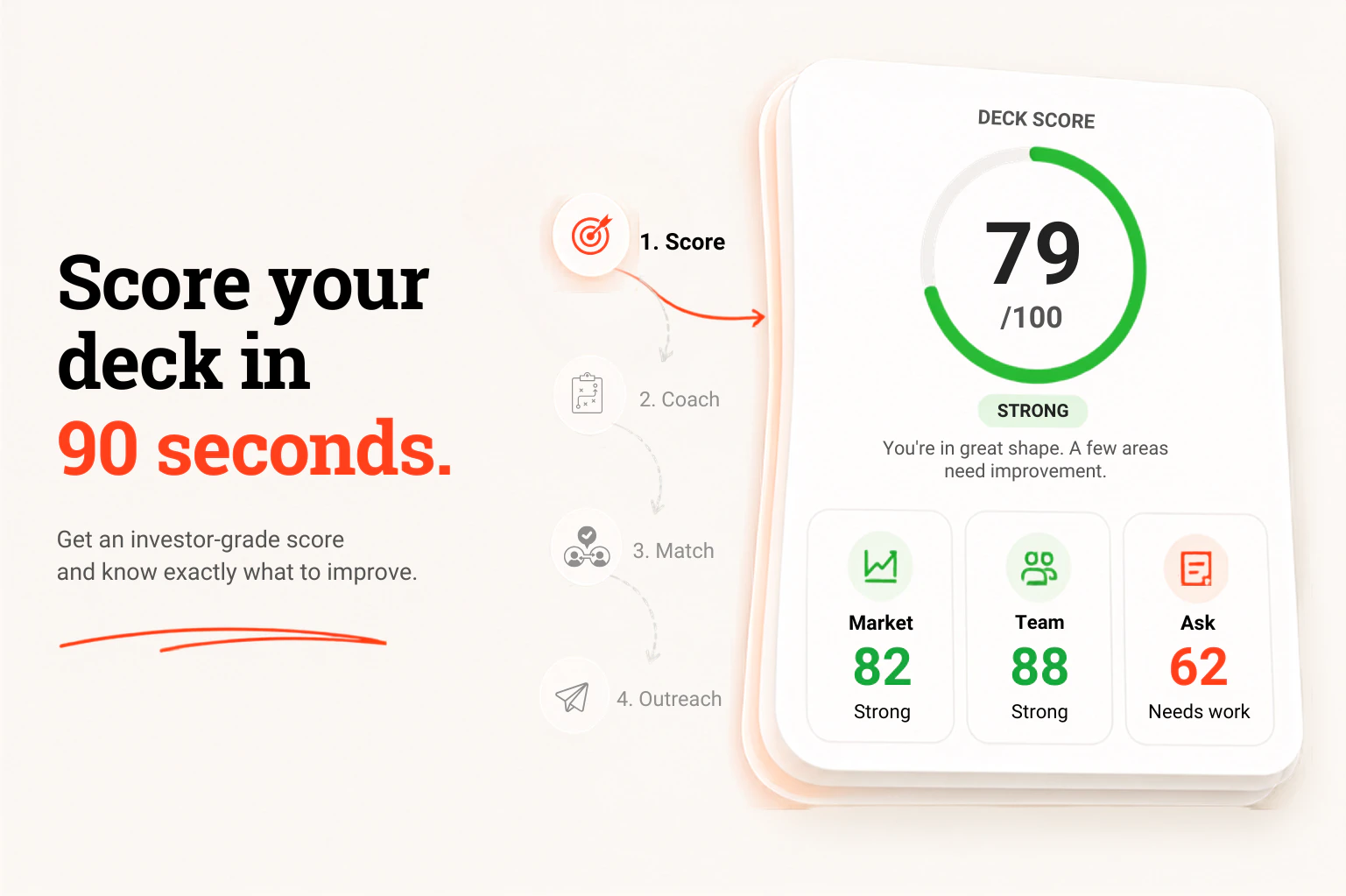
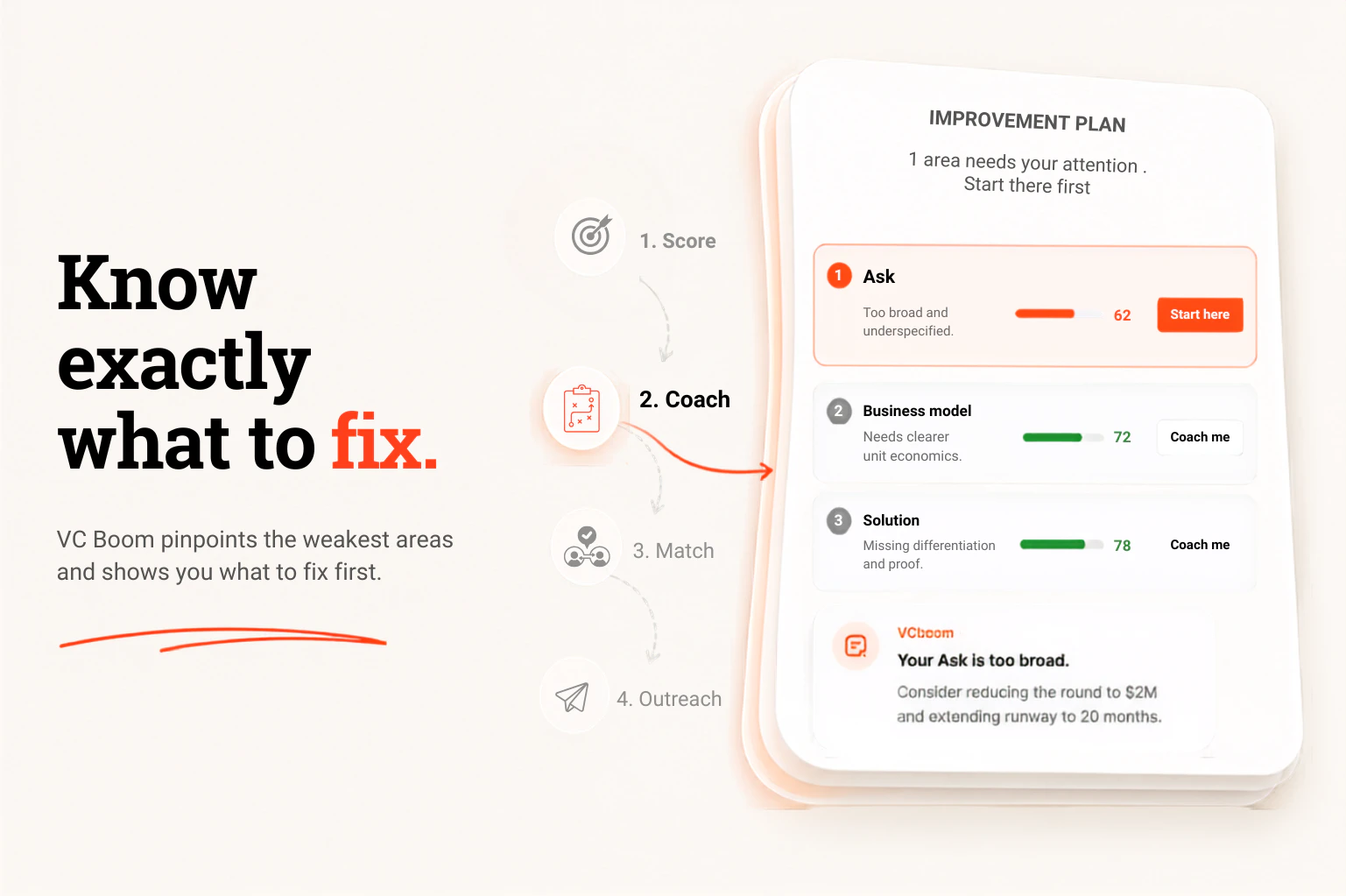
查看原始信息
NudgeFile
NudgeFile automatically organizes, renames, and manages files using local AI. Monitor folders, automate workflows, detect duplicates, and keep your workspace clean—all while keeping your data on your device.
Hey Product Hunt 👋 I'm excited to introduce NudgeFile. The idea came from a simple problem: our Downloads, Documents, Screenshots, and project folders become messy faster than we can organize them. NudgeFile helps solve that by automatically monitoring folders, generating meaningful filenames with local AI, detecting duplicates, and automating repetitive file management tasks. A few things that make NudgeFile different: ✅ Runs locally on your device ✅ Privacy-first approach ✅ AI-powered file renaming ✅ Workflow automation ✅ Undo-safe operations ✅ Built for Windows I'd love to hear your feedback, feature requests, and thoughts on how you currently organize your files. Thank you for checking it out!
3
回复

@tony2742 Love the privacy-first approach with local AI. Automatic organization and duplicate detection sound especially useful for keeping messy folders under control. Curious, what has surprised you most about how people are using NudgeFile so far?

0
回复
For a power user managing multiple projects, what does an ideal “NudgeFile + existing tools” setup look like (Explorer, cloud sync folders, dev/design tools), and what folder(s) or workflows do you recommend people start with to get value in the first 10 minutes without risking their whole filesystem?
3
回复

Is there a preview or approval step before it renames and moves a bunch of files?

1
回复

@naimz Absolutely 👍

NudgeFile is designed to keep you in control.

✅ Every AI suggestion can be reviewed before it's applied.

✅ Workflow Automation supports approval-based actions, so you can choose whether files require confirmation before being renamed or moved.

✅ All file activities are logged, making it easy to see what happened.

✅ Rename operations are reversible, allowing you to restore the original filename if needed.

For users who prefer full automation, approval steps can also be disabled so workflows run automatically in the background.

The goal is to save time without taking control away from you. 🙂

0
回复

Congrats on the launch! 🎉

This is one of those problems almost everyone has but rarely takes the time to solve properly. Downloads and screenshots folders can get messy surprisingly fast 🥲

Wishing you lots of success with NudgeFile! 🚀

1
回复

File organization chaos is real especially when you're running multiple businesses with projects scattered everywhere. The privacy-first local approach is the right call — I wouldn't want my file structure going to a cloud service. Question for you: how does it handle folders that mix personal and business files? That's where my naming conventions always break down.

0
回复

Auto-organizing files with AI is a quiet productivity win — I have years of project-finance model templates and the naming/version chaos is real. I ended up curating my own templates publicly on Eloquens (https://www.eloquens.com/channel/samir-asadov-cfa) partly just to force myself to keep them organized. Does NudgeFile learn a user's existing folder conventions, or impose its own taxonomy? The former is what would make me switch.

0
回复

Privacy-first local AI is exactly the right call for this kind of tool. My main hesitation is the same as @curiouskitty, what's the rollback story if an automated rename goes wrong on a folder with 500 files? The "undo-safe" mention is reassuring but I'd love to see a dry-run mode before any operation runs for real.

0
回复