Product Hunt 每日热榜 2026-06-10

PH热榜 | 2026-06-10

#1
Publora
The publishing API for the agent era
514
一句话介绍:Publora是一个面向AI代理时代的社交发布API,通过单一接口即可将内容分发至10个社交媒体平台,并支持互动(评论、点赞等)与数据分析,解决了开发者和内容运营者在多平台管理、API集成和自动化工作流中的痛点。
API Social Media Developer Tools
API 社交发布 AI代理 MCP 自动化工作流 多平台管理 无代码集成 开发者工具 内容运营 企业级
用户评论摘要:用户普遍认可其解决跨平台发布的痛点,关注技术细节:如LinkedIn是否合规(回复称用官方API),如何处理令牌刷新、限流和媒体上传(回复称完全由平台处理)。询问是否有试用(回复有免费版)、是否支持审批流程(回复支持)、能否白标使用(回复有workspace模式)。
AI 锐评

Publora的聪明之处在于,它绕开了传统社交管理工具“为人服务”的路径依赖,直接切入“为AI代理服务”的蓝海。其核心价值并非又一个聚合发布器,而是将社交媒体操作标准化为一套API和MCP协议下的工具集。这精准击中了两个需求:一是开发者厌倦为每个平台维护脆弱的OAuth和适配器,二是内容运营试图用AI代理构建自动化工作流时,发现现有工具根本不支持编程化互动(如评论、点赞)。

但必须指出,产品目前仍面临严峻挑战。第一,依赖十个平台的官方API意味着“任人宰割”,LinkedIn、Meta等对自动化有严格限制的平台随时可能调整策略,Publora的“官方API”护城河并不坚固,只是规避了浏览器bot的低级风险。第二,**“AI代理时代”的盈利模型尚未明朗**,当前首月$2.99的低价更多是获客策略,一旦规模化,API调用成本、平台配额管理、数据同步的边际成本将迅速攀升。第三,MCP服务器虽然理想化,但不同LLM对工具编排的理解力参差不齐,用户反馈中Zod验证和枚举约束虽然能防止部分幻觉,却无法解决复杂跨平台逻辑(如定时发布、内容格式裁剪)的代理自主决策问题,最终可能沦为“更贵的IFTTT”。

简言之,Publora在正确的时间切入了正确的细分领域:工具链基础设施。它不承诺内容增长,只承诺技术接入。但这种定位也意味着它难以成为高价值、高粘性的SaaS,更像是通往各大平台的“管道工”。能否在狂热的AI代理泡沫中找到真正的付费强场景——比如需要同时管理数百个社交账户的电商或媒体机构——将决定其能否从“有趣的API”蜕变为“必要的基础设施”。否则,它永远是开发者在GitHub上尝试后便束之高阁的又一个工具。

查看原始信息
Publora
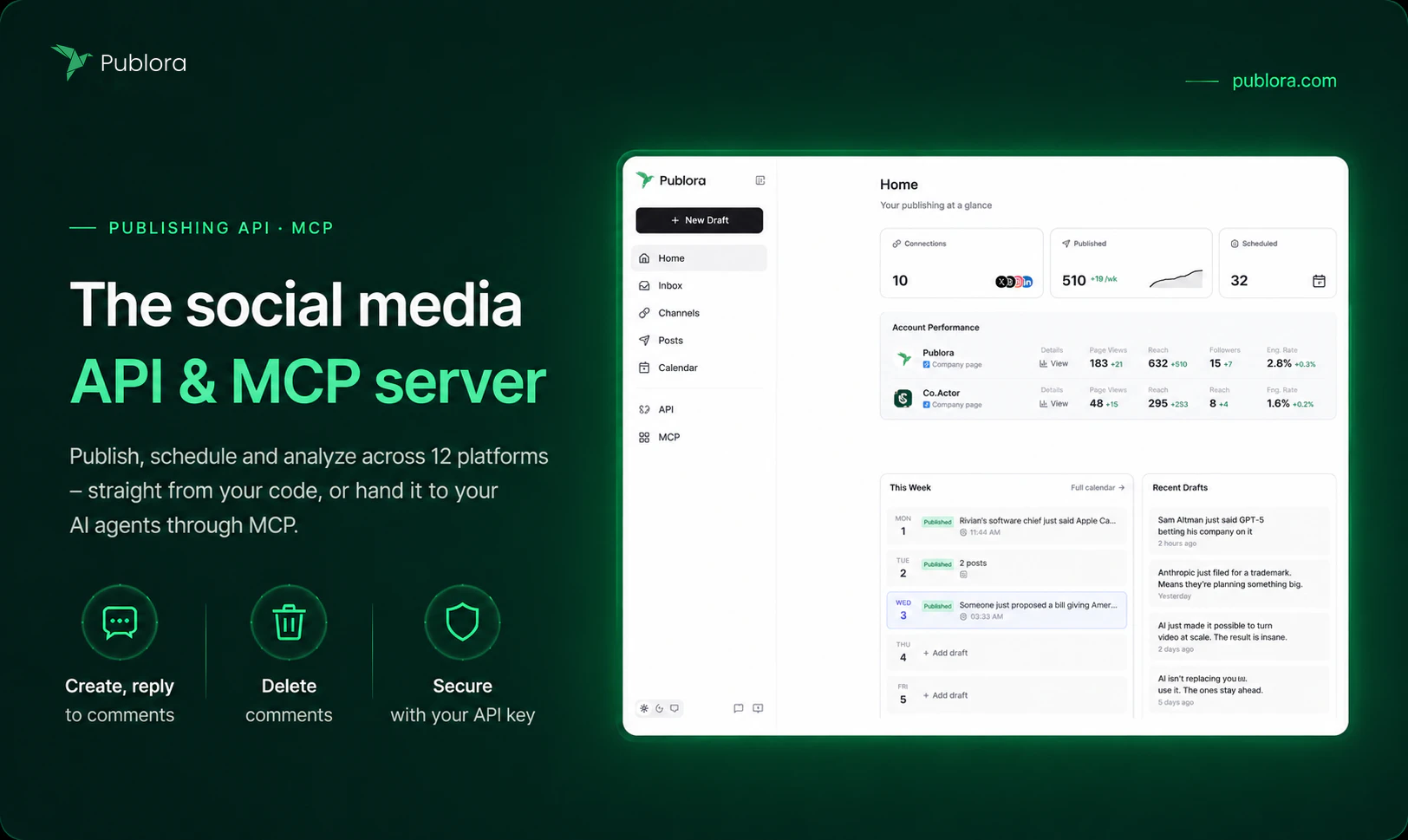
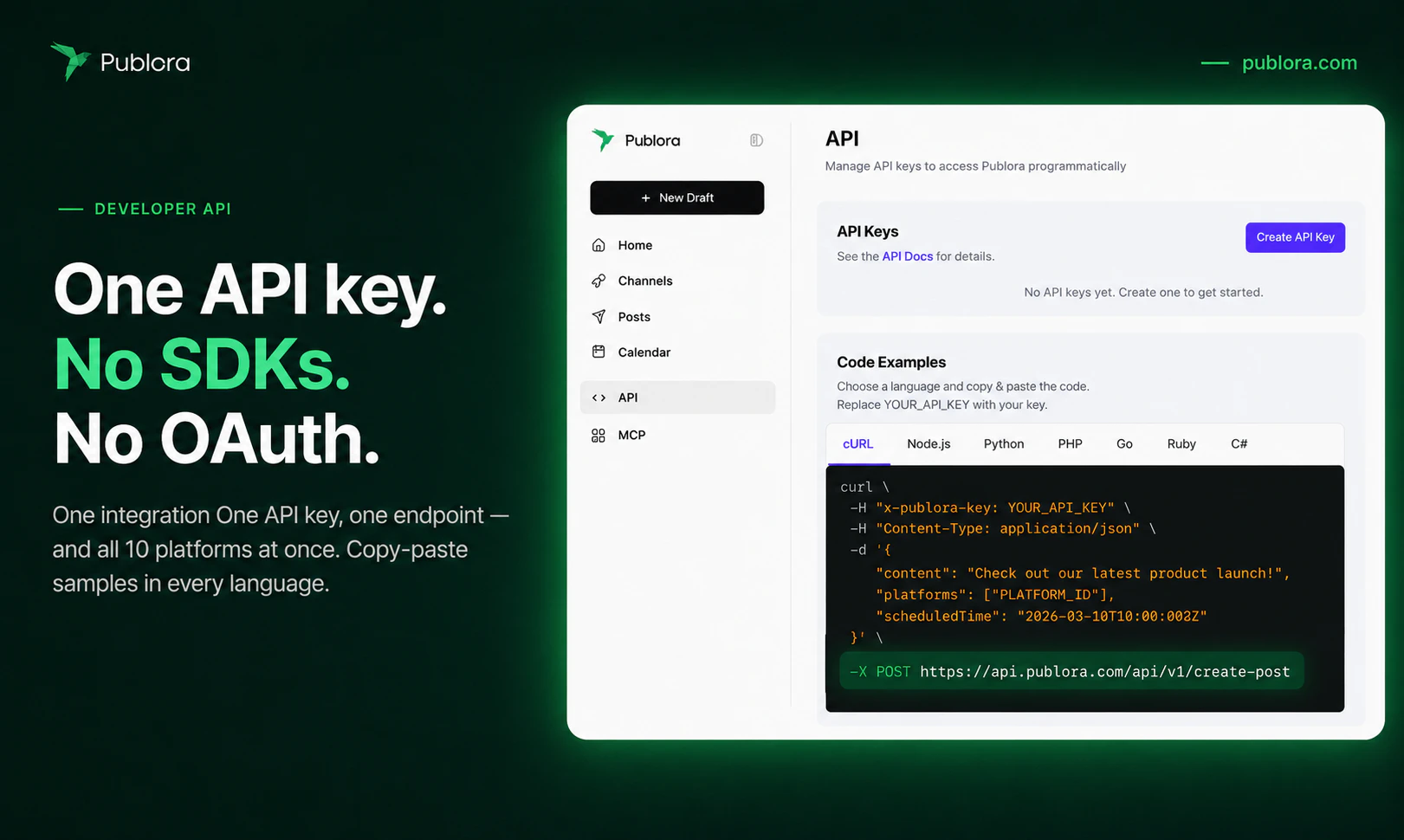
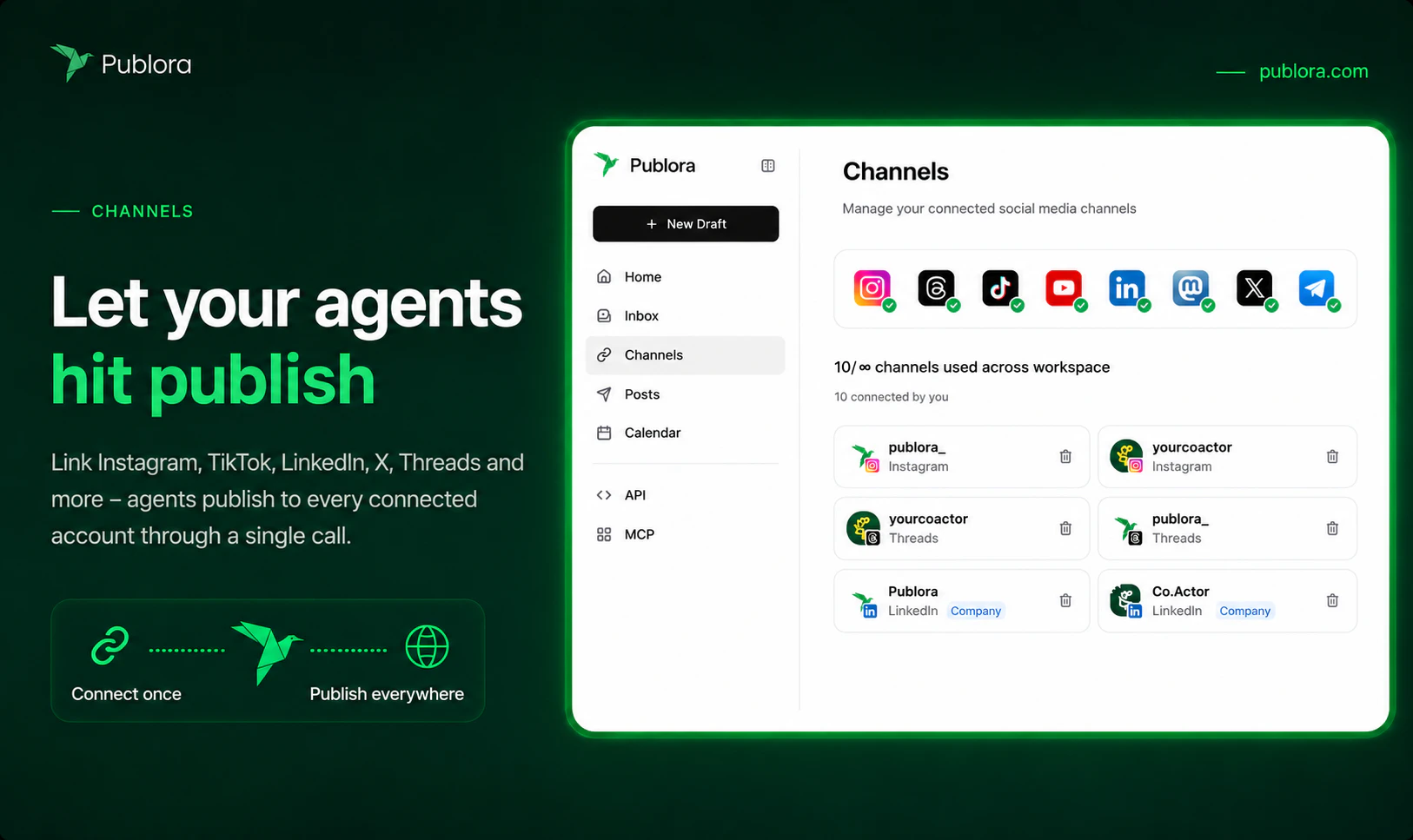
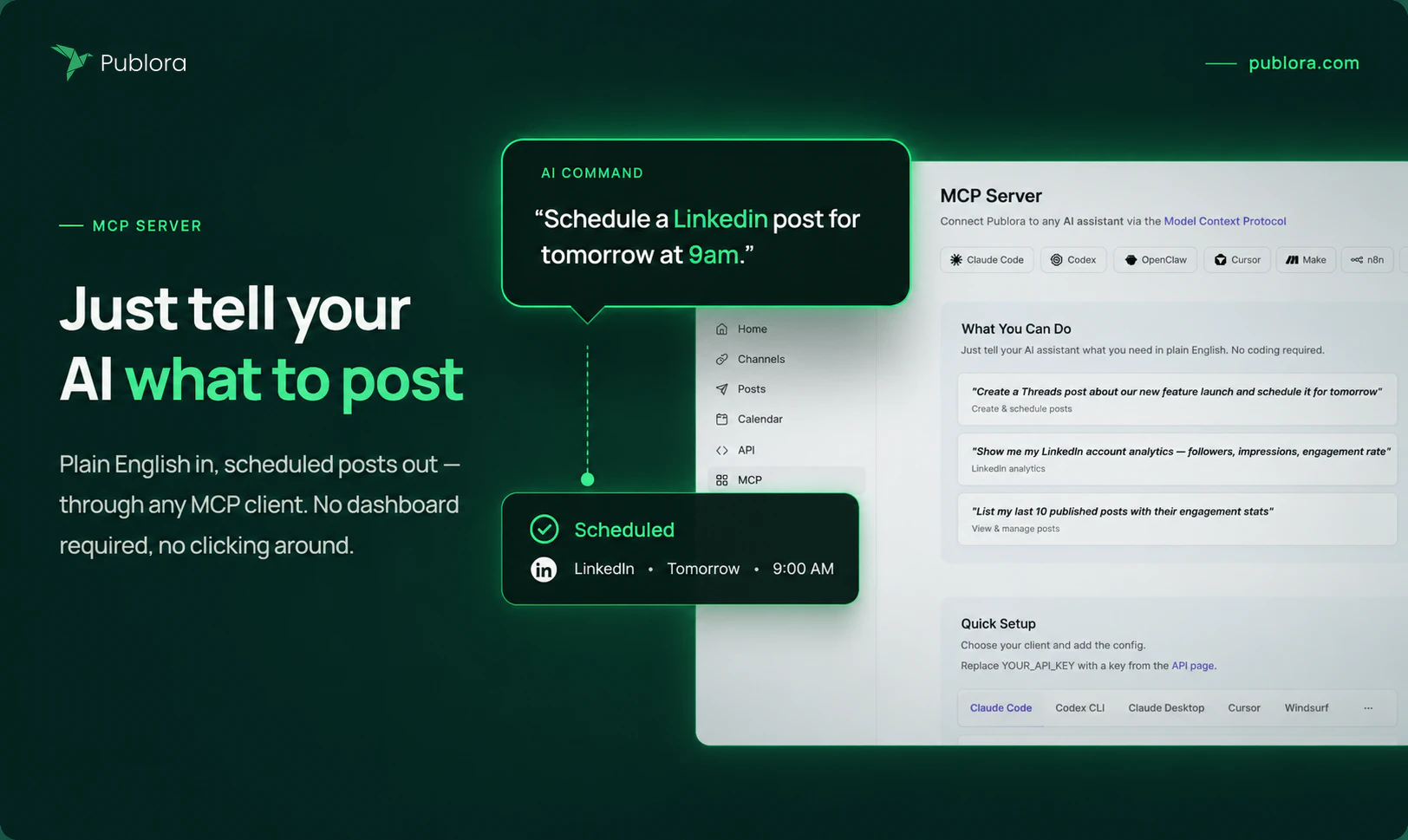
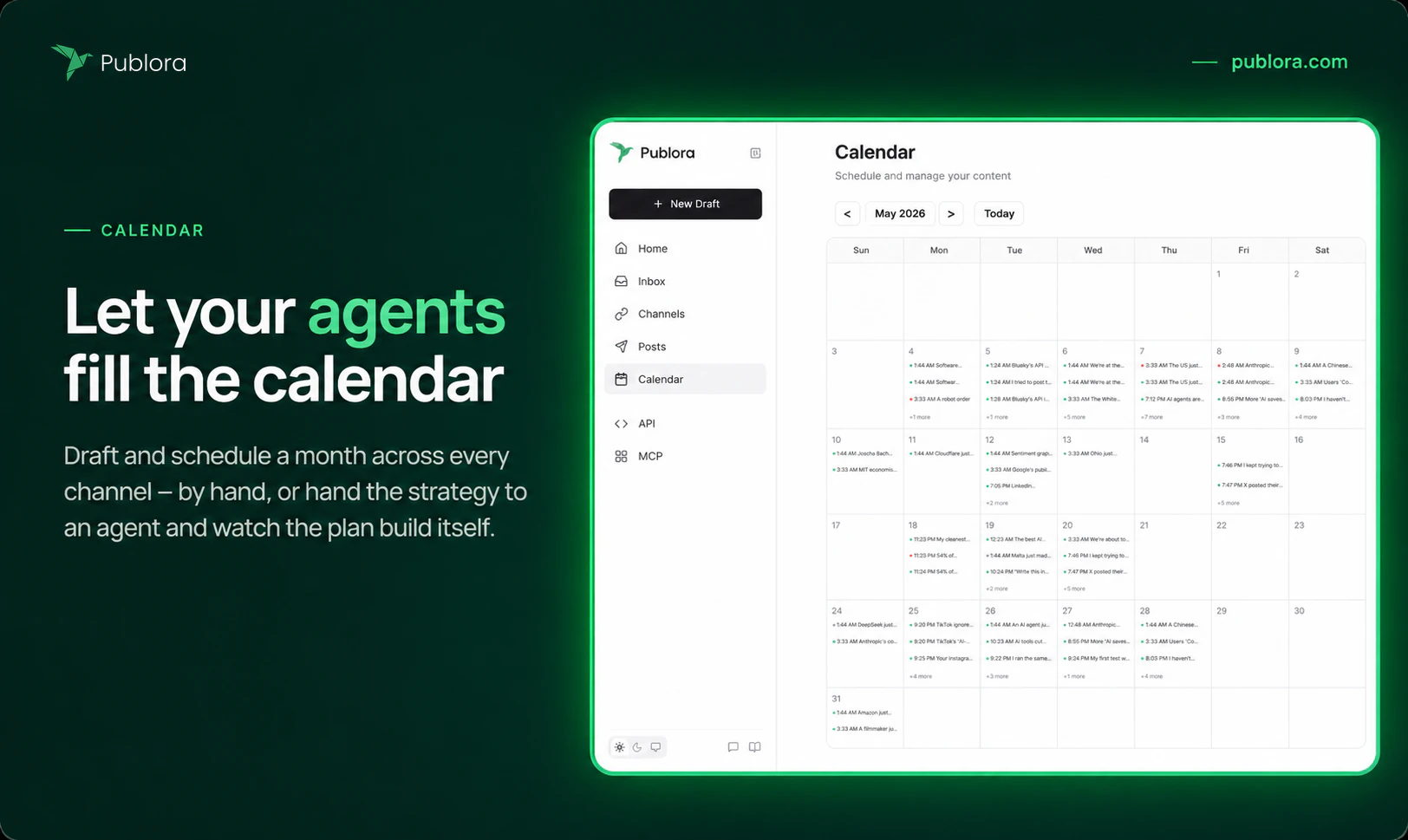
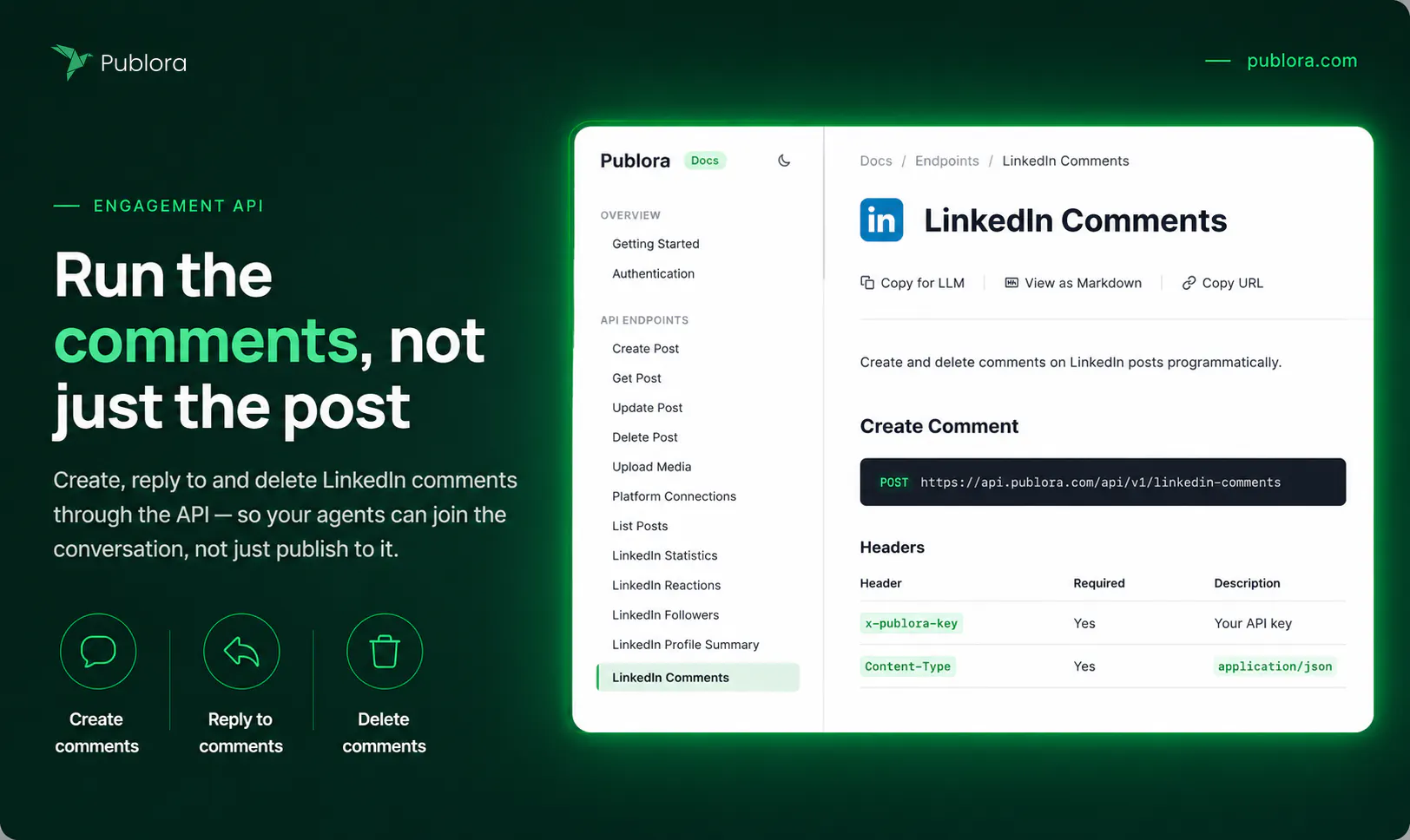
Publora is a publishing API for 10 social platforms. One REST API call handles multi-network distribution — no SDKs, no OAuth wiring. The native MCP server with 18 tools gives AI agents like Claude and Cursor a full engagement loop: post, comment, react, pull analytics — across LinkedIn, X, Instagram, Threads, TikTok, YouTube, Facebook, Bluesky, Mastodon, and Telegram

Hey Product Hunt! 👋 Jane here, CEO of Publora.

Publora has been around for a while - you might have even seen us here before.

We started as a social media scheduler for people. But this launch is different.

So we evolved Publora into something that works both for humans and for agents.

AI agents are everywhere now and the marketers, content managers, and creators we work with aren't just writing posts in tools anymore - they're building workflows where agents do the heavy lifting.

Publora now works for humans and AI agents equally well:

  1. One API call publishes to 10 platforms - your code, your agent, your choice

  2. MCP server lets agents post, schedule, and manage content in plain language

  3. Comments and replies are in the API too - not just publishing, full engagement

  4. Works inside the tools where you already operate - no tab-switching

Unlike most social tools built for clicking buttons, Publora is built for automation first. No browser bots. No workarounds. Official APIs only.

Whether you're a content manager building your first agent workflow, or a developer shipping a social automation - Publora fits in without friction.

Pricing starts at $2.99/account/month. And as a thank you to the Product Hunt community — use code PH20THANKU for 20% off your first payment.

We're happy to answer your questions - drop them below!


27
回复

@eugenia_ivanova3 Great project! Good luck with the launch, and thanks for the promo code.

9
回复

This is a great project solving a real problem and offloading all of the different platforms to a single MCP is much more useful for agentic workflows.

0
回复

@eugenia_ivanova3 most social tools still feel built for humans clicking buttons, while the real shift is toward workflows, agents, and APIs. making publishing + comments + replies accessible in one automation layer is genuinely useful. good luck with the launch 🚀

0
回复

building saas products solo, so i know how painful cross-platform posting gets. this solves a real headache.

rooting for you!

8
回复

@heyalizaid Thank you so much!

2
回复

Hey everyone! Today's a big day for our small team. We've been building Publora for a while now, and launching here feels like a real milestone. Hope you love it as much as we do — and if something's missing, tell us. We read everything. 🙏

7
回复

@sergebulaev As part of the team, I can say — we really do read everything. Your feedback shapes what we build next. Thanks for being here on day one! ❤️

2
回复

@sergebulaev  good luck with your launch, the feature set looks impressive! how do you guys handle linkedin messaging - any concerns regarding their ToS?

5
回复

This year, I started posting on my LinkedIn page every day, and it’s not always easy. Not to mention managing multiple pages across different platforms. Your product clearly makes this process easier. I’ll check it out. Thanks, and good luck with today’s launch.

7
回复

@maria_anosova Thank you so much! Daily posting takes real discipline — we built Publora exactly for people like you who are serious about showing up consistently. Hope it makes your life a little easier. Good luck with your LinkedIn journey! 🚀

3
回复

Congratulations on your launch on ProductHunt. Good luck today🍀

6
回复

@nikogermish Thank you so much!

2
回复
Cool, congrats. Doesn’t LinkedIn detect your tool? It’s usually very suspicious of any automation tool
5
回复

@nastassia_k We use official LinkedIn APIs only — no browser bots, no session hacks. That's exactly why we built it this way. Official integrations don't trigger suspicion. 😊

4
回复

Most "publish anywhere via API" tools work fine until you hit rate limits, token refresh edge cases, or a platform that quietly changed its media upload flow. Curious whether Publora owns the per-platform adapter layer or expects developers to handle that messiness themselves.

I know how complicated it could be to implement external APIs

Congrats for the launch

5
回复

@fberrez1 Exactly. Our goal is to remove that headache completely.

Developers and agents just create the content and send it to Publora. Everything else — platform-specific APIs, token refreshes, rate limits, media upload quirks, and API changes — is handled on our side.

7
回复

@fberrez1 Thank you for the kind words and great question! Ilya covered it perfectly. 😊

2
回复

Gonna try this for our team, do you guys have a trial?

4
回复

@alexander_anastasin Yes! We have a free Starter plan — 15 posts/month, no credit card required. Just sign up and go 😊

2
回复
Go Go Go!
4
回复

@dmitry_zakharov_ai Thank you!

1
回复

@dmitry_zakharov_ai 😁😁😁

1
回复

Congrats on the launch! This looks like a very useful layer for AI-native content workflows — especially if teams want agents to handle distribution without building 10 separate platform integrations.

Curious how you handle the approval flow: can an agent prepare posts and replies while a human still confirms before publishing?

4
回复

@muravyov Thanks for the question! Yes, that's possible — give it a try! 😊

1
回复

The self-setup flow stood out to me - instead of pasting a config, you just give the agent the docs and let it configure itself. How reliable is that across different agents? Claude Code probably handles it cleanly, but I'm curious how it holds up with less capable ones.

Congrats on the launch!

3
回复

@jared_salois Claude Code handles it really cleanly. For other agents it mostly comes down to how well they deal with tool schemas — but in practice it holds up well, and we've built a couple of fallbacks so capability isn't a blocker:

• Ready-made skills — you can just install one instead of self-configuring, e.g. our Threads skill: https://www.skills.sh/publora/skills

• Or go straight to the API — feed any agent our API docs and it'll wire itself up reliably. We put a lot of care into keeping the docs clean and clear exactly for this. https://docs.publora.com/getting-started

And we're continuously improving the docs to make the self-set

2
回复

Exposing 18 distinct tools across 10 networks inside a single MCP server is incredibly powerful. How do you optimize the tool schemas to prevent LLMs (like Claude in Cursor or Claude Code) from getting 'tool fatigue' or hallucinating arguments when trying to orchestrate complex, multi-platform actions like cross-posting to both X and Bluesky simultaneously?

3
回复

@nurlyzhann 

The short version: we push all the constraints down to the schema layer, not the prompt — so the model can't really get this wrong.

A few specifics:

• Every closed value set is a z.enum, so a hallucinated argument dies in Zod validation before it ever reaches the API — the LLM gets an immediate, typed error to correct from instead of a silent bad call.

• Opaque platform IDs are only accepted verbatim from a paired list_connections discovery call — the field description literally says "do NOT invent or guess IDs", so there's nothing for the model to make up.

• Cross-posting to X + Bluesky (or all of them) is a single create_post with a platforms[] array. The per-network fan-out happens server-side, so the model never has to reason about platform differences at all — it just says "post this, to these".

That combo is what keeps it from turning into 18-tools-worth of cognitive load: the agent reasons about intent, the schema + server handle correctness. Happy to nerd out more if you're building in this space!

3
回复

Congrats on shipping! 

Is it possible to use Publora under the hood of my own product, white-label style? So my clients hook up their own channels, but it all sits under my account.

3
回复

@timur_sekamov Thank you!
Absolutely — that's exactly the workspace flow

1. You (as the owner) purchase the channels you need.

2. Via the API you create a user and get a unique URL for channel connection.

3. Your customer follows that URL to complete OAuth and connect their channel — generating a unique channel ID.

4. Your agent then uses that channel ID + your owner API key to post.

All connected channels draw from your main channel quota, so your customers don't need their own subscriptions.

Guide: https://docs.publora.com/guides/workspace

2
回复

Congrats on the launch team! Super fair pricing. Will give it a try 🚀

3
回复

@danshipit Thank you! Would love to hear your feedback once you try it! 😊

2
回复

not gonna lie, every new social integration usually means another thing to maintain. The idea of handling everything through one layer is pretty appealing

3
回复

@furkan_kara1 One integration, posting to multiple platforms — give it a try! 😊

2
回复

Do I need X api credits to post in the Pro plan or is it included?

3
回复

@aymnart Yes, it's included! 😊

2
回复

@aymnart That’s exactly the point! You don’t need an X developer account or API credits. Just connect your account once via OAuth in Publora, and we handle all the API complexity on our side.

3
回复

Cool stuff. I actually built something like this for myself, but burned out trying to get official Twitter/X API access 😅 that approval process is brutal

3
回复

@shirokolobov Ha - you just described why we exist 🙂 This isn't a "vibe-code it in a weekend" project. The hard part is the huge bureaucracy of the digital giants, where you sink tons of time, effort and money into official channel approvals. We've done that legwork across every platform so you don't have to.

3
回复

The MCP angle is what makes this genuinely interesting, most social APIs stop at "publish a post" but the full engagement loop (comment, react, mention) is what agents actually need to run a real presence. The $2.99/account pricing removes the usual "is this worth wiring up" hesitation. One question: for Instagram specifically, does it support carousel posts and reels scheduling, or only single images/text for now?

3
回复

@keirodev Both Instagram features are fully supported! 😊

1
回复

Interesting concept, since this uses API, is the primary use case via scripts / agents ? like I need to create a scheduled job ? how often I need to refresh my oauth credentials ? do you also support analytics w.r.t engagement on each platform ?

3
回复

@vinitvr  Good questions!

- Use case: both. Agents call it via MCP; scripts hit the REST API directly. There's also a dashboard if you'd rather not write code.

- Scheduled job: no cron on your side — scheduling is built in (queue posts ahead of time), or fire on-demand from your agent/script.

- OAuth: you don't refresh anything. Connect an account once and we rotate/refresh the tokens in the background — you only re-auth if you revoke access.

- Analytics: yes — per-post engagement (likes/comments/views) LinkedIn only.

3
回复

@vinitvr Serge covered it perfectly! And if you ever get stuck setting things up — we're here. 😊

2
回复
TikTok takes into account the IP used for publication. Is it possible on Publora to choose the geo of your proxy/ip?
3
回复

@michael_vavilov At the moment, we don’t expose proxy/IP geo selection to users. Our infrastructure currently runs from the US (Virginia).

That said, it’s a great point. We know that for TikTok, not only the country but often even the publication location can affect distribution. We’ve also seen creators deliberately optimize for local presence.

We’re definitely thinking about adding support for publishing through residential proxies and allowing users to choose the target country (or even city) in the future.

3
回复
The MCP server angle is the part I’d actually use — not for scheduling, but for closing the loop between building and distributing. Right now there’s too much friction between ‘I shipped something’ and ‘the right people know about it.’ An agent that can post, engage, and pull analytics without tab-switching changes that workflow significantly. Building Composa solo, content distribution is the bottleneck I keep hitting. Congrats on #2!
3
回复

@dani_mashael Thank you for the feedback! Hope you enjoy Publora 😊

2
回复

@dani_mashael Thanks, our goal is #1! 😀

2
回复

Oh yeah, this is a way to go. Not so clear from the short description how credentials are handled.

2
回复

@ilya_kolesnikov1 Good point! You connect your account once via OAuth — we handle token storage and refresh automatically on our side. You only re-auth if you revoke access yourself. 😊

1
回复

Hey! Congrats! I’d like to try! Looks nice.

2
回复

Thanks @caneraras! It is!

1
回复

This is what I've looked for a long time. For me, as a solo-founder, this platform saves a lot of time

2
回复

@scream4ik Thank you! So glad to have you here! 😊

1
回复

Is it able to learn on my taste and style of doing posts? if yes my Fable model will become CMO of my company with ur product, congrats w/ the launch anyways!!!!

2
回复

@igor_martinyuk Thanks! 🙏 Honest answer — no, Publora doesn't learn your style. It's a purely technical tool: it publishes and schedules the content you pass to it across your social networks. The taste and style stay on your model's side — Publora is just the layer that ships what your agent creates.

1
回复

@igor_martinyuk BTW if the "writing in my style" part is what you're after we have another product, Co.Actor, that does exactly that. It's built on top of Publora under the hood, but Co.Actor is the layer that actually learns your voice and drafts posts in your style, then Publora ships them. Kind of the perfect combo for your "AI CMO" idea 😄

2
回复

This is cool, real need to get communication in sync with work. Do you have indexing as well ?

2
回复

@thinkharshh Ah, if you mean scraping/indexing social networks — then no, that's not something we do 🙂

Publora is focused purely on the content side: creating, publishing and handling your posts (and replies/comments) through the official APIs. We're not in the data-harvesting business. If your use case is more on the "post & engage from my agent" side, that's exactly our wheelhouse — happy to dig in!

3
回复

Quick questions:

  • Do you guys also provide metrics and insights on the posts?

  • Currently I use Buffer for the same thing, how are you guys different from it?

2
回复

@soni_karan 🙌

1) Metrics & insights — yes. You get analytics on the posts you publish through Publora: LinkedIn is the deepest right now (impressions, unique reach, reactions, comments, reshares — per-post or aggregated), and the other platforms are a bit lighter for now, with more on the way. Since it's all through the MCP, you can just ask your agent "how did my last post do?" → https://docs.publora.com/guides/linkedin-analytics

2) vs Buffer — honestly, it comes down to who we are: we're a small, fast, AI-first team (~8 people), so we move quickly, ship constantly, and build everything agent-native from the ground up rather than bolting AI on later. That speed is also why we're one of the most affordable / best-value options out there. So you get an AI-first product that evolves fast, at a friendlier price 🚀

2
回复

This would've saved me a lot of time a few months ago. Setting up posting workflows across diff platforms always felt more complicated than the actual content part. Which network ended up being the hardest to support consistently?

2
回复

@gizem_ozturk Every network has its own quirks and requirements — but we figured them all out, and that's what matters! 😊

1
回复

Wiring OAuth for every single network is exactly the kind of work nobody should be doing in 2026. Congrats on the launch!

2
回复

@boris_lifatov Exactly our thinking! Thank you! 😊

1
回复

Why did you copy the Postiz marketing website's last 3 sections, and not all the sections?

1
回复

@nevo_david Good landing pages share a lot of DNA 🙂 The product underneath doesn't — Publora is API + MCP-first for agents. Thanks for checking it out, Nevo.

0
回复
#2
TypingMind
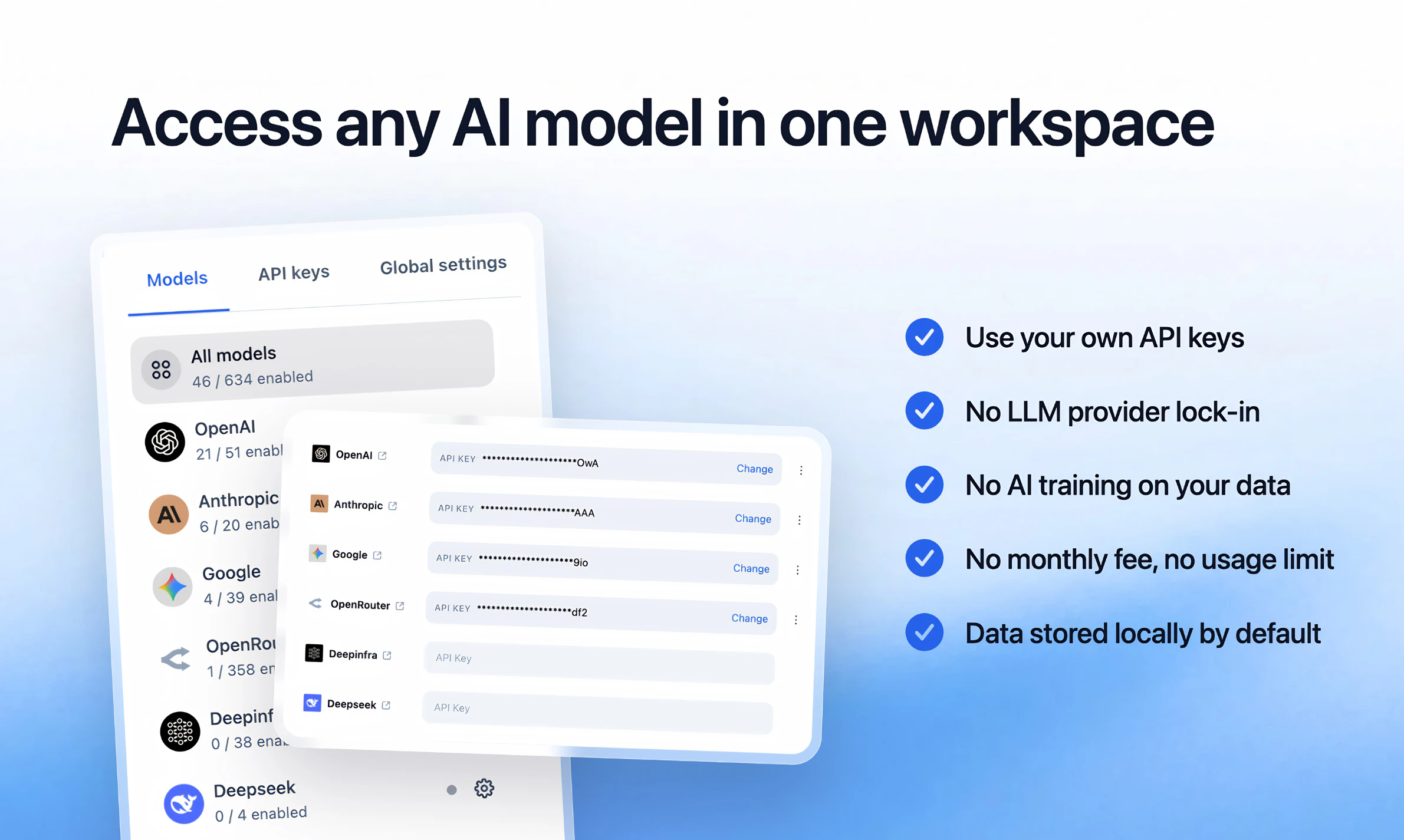
Pay per use, no subscription, 18 model providers supported
404
一句话介绍:TypingMind 是一款通过自带API密钥按用量付费的AI工作台,聚合18家模型提供商,解决用户为多个AI订阅重复付费的痛点,并提供专业级聊天增强功能。
Productivity Artificial Intelligence
AI工作台 模型聚合 按量付费 自带密钥 聊天UI 多模型切换 专业工具 团队协作 无订阅 LLM客户端
用户评论摘要:有效评论聚焦在:按用量付费模式解决企业订阅堆叠成本问题;用户建议增加提供商信用余额显示、多聊天中图片粘贴支持及MCP安装编辑选项;一位用户投诉桌面端曾停止开发导致终身许可体验差;多位用户赞赏并行聊天和最终汇总功能。
AI 锐评

TypingMind 在价值主张上做对了一件事:它没有试图成为另一个AI聊天机器人,而是精准切入了“模型孤岛”与“订阅通胀”的交汇点。当用户和企业开始为GPT、Claude、Gemini等各自支付20美元/月时,“自带密钥+按量付费”就不再是省钱小技巧,而是一个结构性成本优化方案。

不过,它的真正护城河不是聚合18家模型,而是那213次迭代沉淀下来的专业工作流。平行聊天、分支合并、插件/MCP系统——这些功能让TypingMind从“花哨的API容器”升级为“AI驱动的生产力平台”。创始人Tony的叙事也证明了这一点:从2023年的个人工具到2026年的团队版本,产品演进路径清晰。

但风险同样明显。首先,门槛问题——新用户需要自己申请API密钥才能体验第一句对话,这层“摩擦”在AI工具日益内卷的今天可能流失大量尝鲜用户。其次,用户投诉的“桌面端停止开发”案例提醒我们:作为依赖API生态的客户端,TypingMind本质上是“寄生”于模型提供商的,一旦某巨头收紧API策略或推出自有整合界面,其生存空间将直接受挤压。最后,4.9评分虽然亮眼,但负面评论暗示历史版本迭代的承诺并非一贯可靠。

总结:TypingMind是当下“自带钥匙型”AI客户端的标杆,但它的可持续性不取决于功能多寡,而取决于能否在模型供应商和用户之间建立起不可替代的“中间层价值”——比如团队协作中的记忆、权限与工作流编排。目前它做得不错,但需要警惕成为“又一个被前沿吞噬的工具”。

查看原始信息
TypingMind
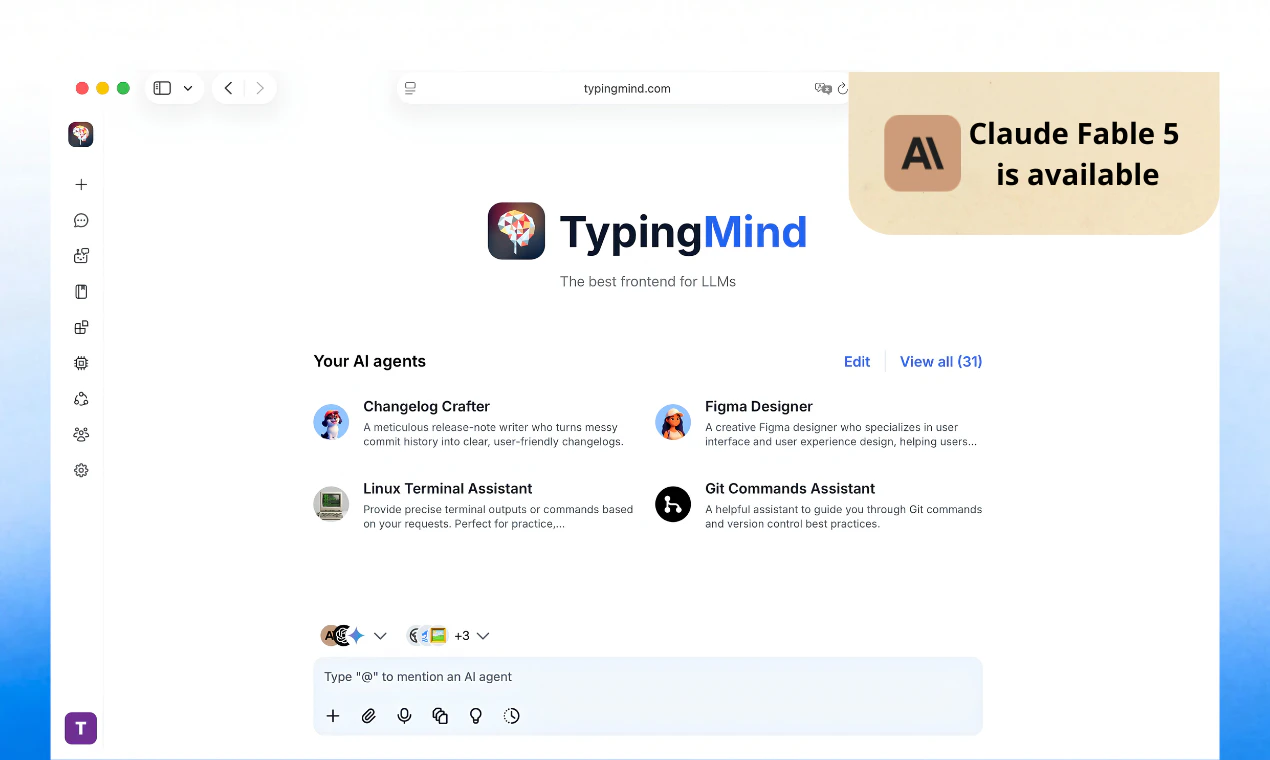
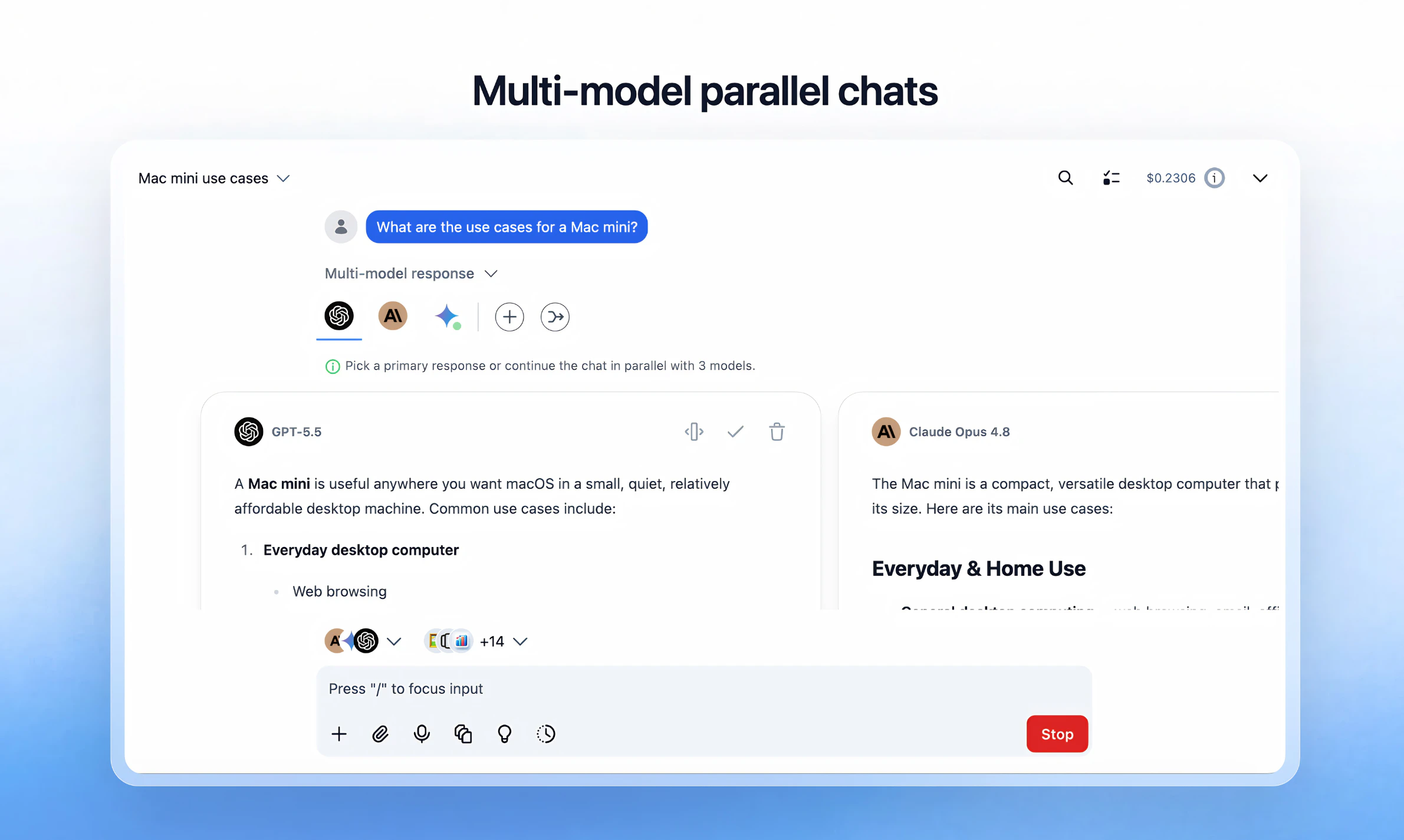
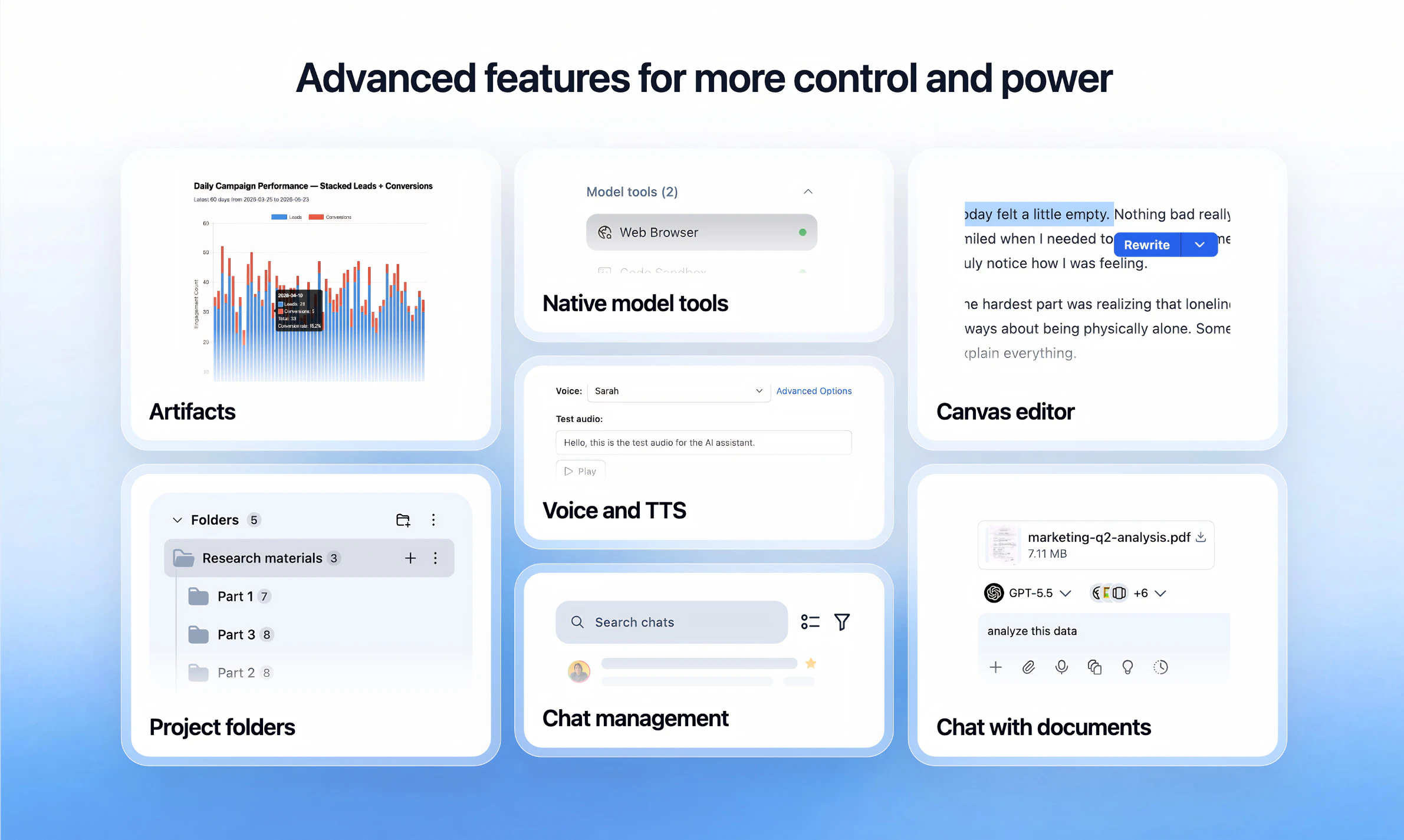
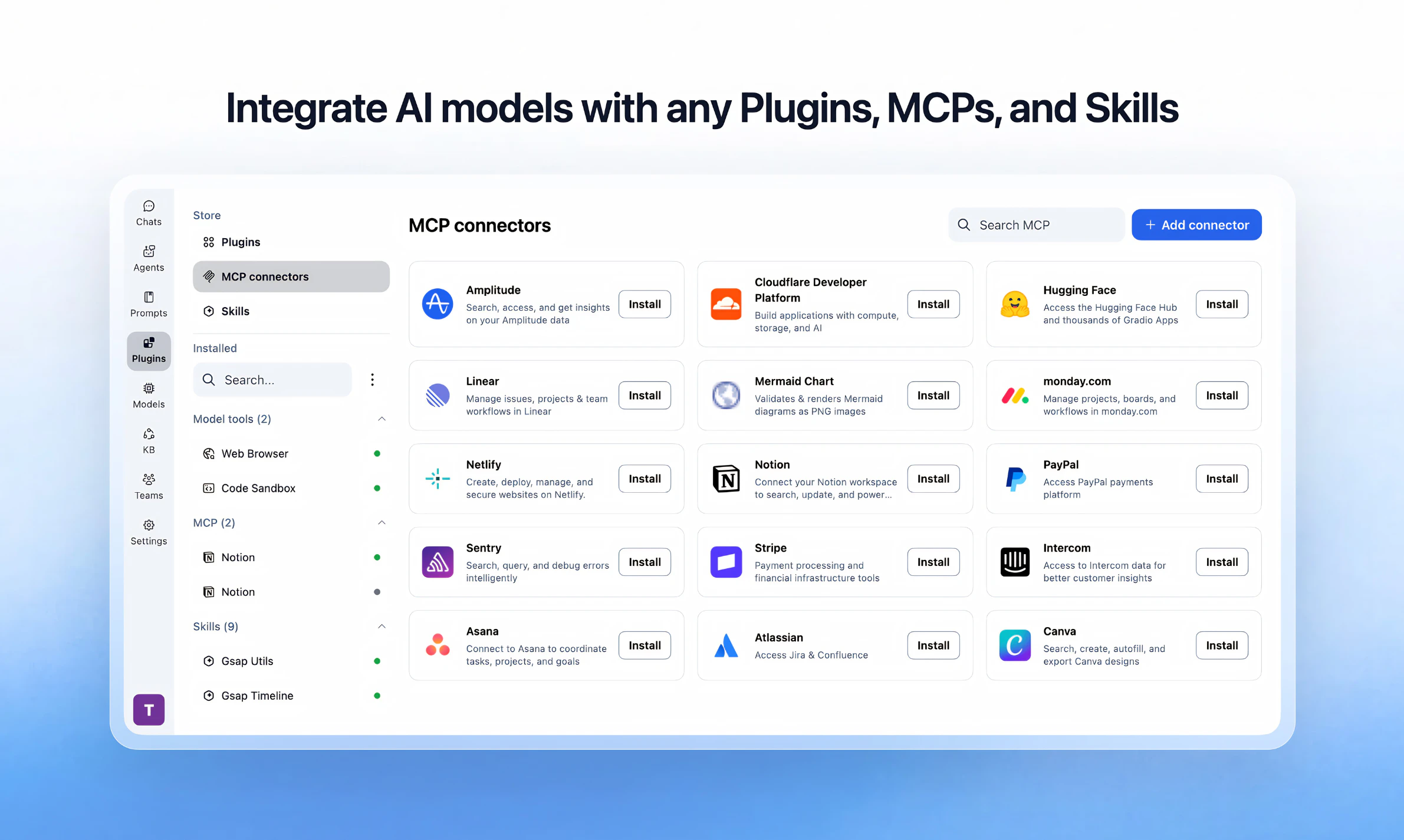
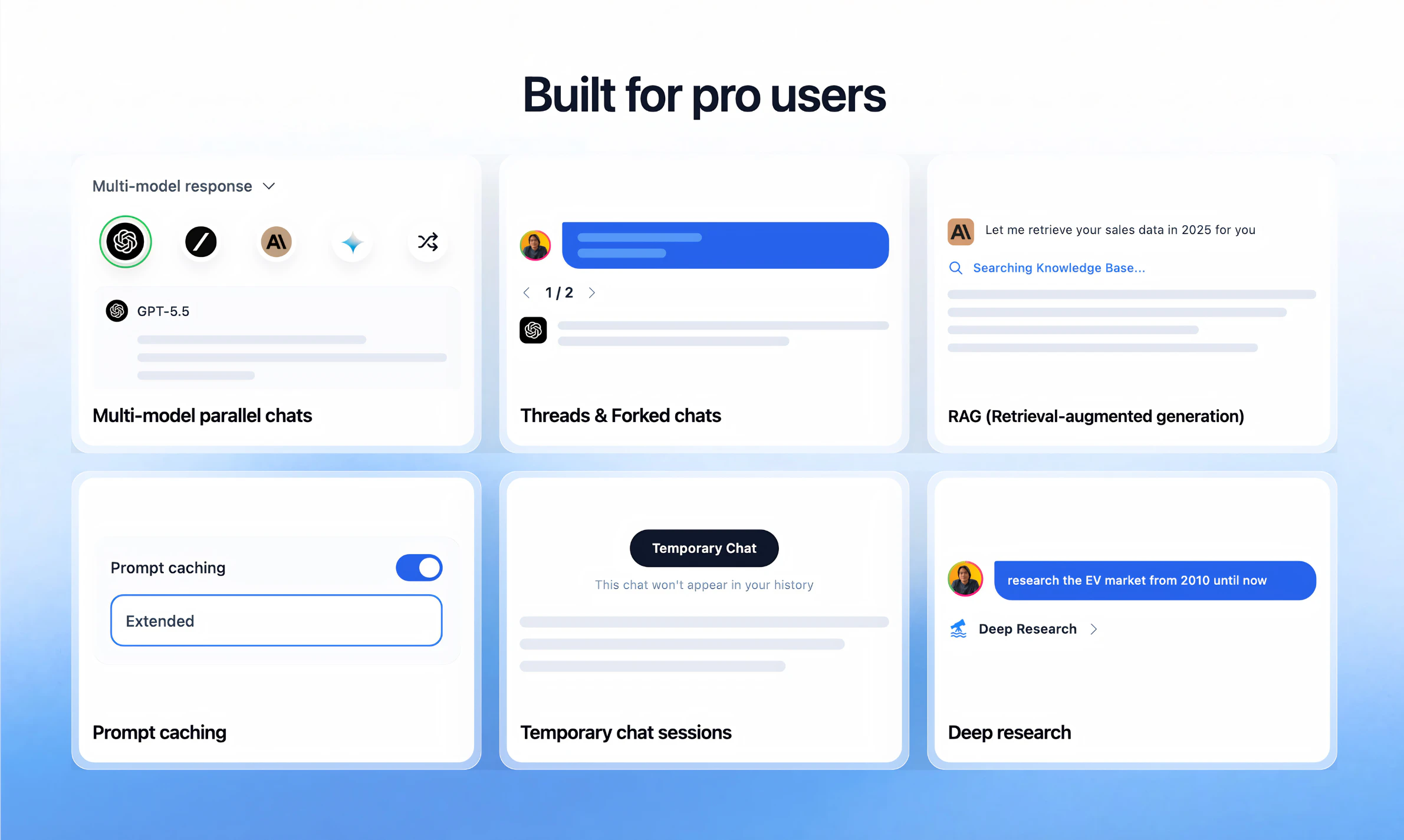
TypingMind is the most popular app to use LLM AI models with API keys. It brings you all the best models across 18 providers in one powerful AI workspace without having to pay for subscriptions to each one. TypingMind also provides the best AI experience ever with features focused on pro users like Projects, Fork/Parallel chat, Plugins/MCP/Skills, and a wide range of customizable options that you literally cannot find anywhere else! Go give it a try at www.typingmind.com :)
Hello everyone! 👋😄 My name is Tony Dinh. I created TypingMind in 2023 after the ChatGPT API was released. I initially created the product to improve the chat experience with AI models, using my own API key so I could control token usage and avoid paying a subscription fee. I launched TypingMind on Product Hunt in 2023, and it was my most successful launch ever! Since that day, the team and I have continuously improved TypingMind nonstop! It was a wild journey for the past 3 years! We have released more than 213 updates since then, have more than 20,000 paying customers, 4.9 reviews across the board, added many features, fixed bugs, and adapted to the fast-changing space of LLMs and AI agents in general. We also added a team version for businesses that want to adopt TypingMind for their team! Product Hunt was the kick-off for TypingMind in 2023, and I'm so proud to launch TypingMind again here on Product Hunt in 2026! 🥰 If you haven't seen TypingMind for a while, please check it out again! I promise you, the TypingMind you see today is such a different beast. If you have any questions, feel free to leave a comment below! I will be around all day to answer questions and chat with you all. Thank you very much!
14
回复

@tony_dinh2 congrats on the launch, Tony! Looks like TypingMind has come a long way since I last checked it out. Will give it another go.

0
回复

@tony_dinh2 TypingMind is by far the most advanced Chat UI, nothing comes close!

0
回复

@tony_dinh2 Super cool - thanks for sharing!

0
回复

The pay per use angle is what got me. We run a bunch of AI tools in our company and subscription stacking is becoming its own cost problem. Trying this with our own keys. Congrats on the launch

2
回复

@jon_jonssonExactly this. At some point you're paying for four different AI subscriptions and using maybe 20% of each. Pay per use with your own keys is the only model that actually scales with how you work.

0
回复

@jon_jonsson This is the real unlock. Subscription stacking quietly becomes a line item nobody owns. The open question is whether teams actually track usage per model, or just feel the bill at month end.

0
回复

So proud of TypingMind. We've shipped so many features, and I'm using TypingMind everyday for work and casual chats!!

2
回复

@ann_ng1 thank you!! 🥰

1
回复

Previously, I purchased a lifetime license for the desktop app. Then, they stopped developing the app. Terrible experience. I do not suggest!!!!

1
回复

The pay as you go part is honestly underrated. I like testing diff models but juggling separate subscriptions gets old fast. Having everything in one place makes experimentation a lot easier.

1
回复

Typing mind with teams is still the best, brain storming , running research with the whole team felt like a beast.


Amazing product tony.

1
回复

@absurdfounder thank you Vaibhav!

0
回复

Love this. Great product

0
回复

The BYOK and pay per use model is the part I find most interesting, but it also means a new user has to go create an API key before they hit their first real "wow." Do you see meaningful drop-off at that step, or have you found a way to shorten the path from signup to first value?

0
回复

Great to see @TypingMind - Chat UI for LLMs here again. It’s one of the very few AI tools that I started using years ago and are still relevant today. One of the best AI API shells out there with many built in tools and features.

0
回复

The Finalize feature (one model reads all branches and merges them into a final answer) stood out to me. Running the same prompt through three models in parallel and then synthesizing the best answer feels like a genuinely different workflow. How long does the merge step typically take?

Congrats on the launch!

0
回复
Congratulations 🥳 following the journey and using TypingMind everyday for personal projects. Amazing product 🙌
0
回复

lets go tony! great to finally see typingmind on PH!

0
回复

Happy to part of typingmind for 3 years, seen the complete product evolution with continuous shipping of feature.

Thanks for the best work.

0
回复

Just want to bring you papercut fix and feature idea for 2026.

1.provider credit balance display under api key management

2.Image paste support on Individual input during multi chat conversation (attachment support exit but paste support is not their)

3.Fix : Install MCP from JSON (TM cloud connector)

4.Fix : edit option for installed MCP

This request present in our feedback forum

Thanks again

0
回复

Tony!
I am glad to see you when I popped here today, and congrats on the success so far

0
回复

For many tasks, free models are often sufficient. In other words, some tasks need a paid subscription, while others can be handled with free models. Is there a way to combine them in your platform?

0
回复

@natalia_iankovych hi Natalia! In TypingMind you bring your API keys so it is very flexible! 😄 You can add multiple models to the app and switch between them among your chats.

0
回复

fork/parallel chat is an interesting addition
how do you handle context across branches - does each fork get the full parent context or is it trimmed?

0
回复

@nickzaleski a fork has full parent context. A parallel chat only get context from it’s own branch. There is a “Finalize” feature that will use a chosen model to read all branches and merge them into a final answer 😄

0
回复

@tony_dinh2 you're one of the most hardworking indie devs out there and your product clearly reflects that. Typing Mind has so many features, many I didn't realise I needed them. Congrats on the launch!

0
回复

@rampatra thank you so much, Ram!

0
回复

How do you compare to OpenRouter?

0
回复

@fabian_maume Open Router gives you access to the models, TypingMind gives you a UI to use it 😄

You can use Open Router models on TypingMind too, it is supported natively in the app!

2
回复

Congrats Tony, I remeber when you lauched the 1st time!

Big fan of your work, thanks for sharing your journey :)

0
回复

@rodrigo_rocco thank you so much Rodrigo!

1
回复

let's go tony !
whats the benefit for company of 5 to use your tool vs standard apps ?
do you support coding mode?

0
回复

@martin_donadieu 

The most obvious benefit is to have the flexibility to switch between models and to use multiple models in parallel! :D

There is no specialized coding mode, but users can still ask the AI to write code, and TypingMind runs it in a code sandbox (provided natively by the model provider!).

Thank you for visiting our launch, Martin! ❤️

0
回复

Congrats on the launch!!!!

0
回复

@nevo_david thank you, Nevo! Big fan of what you do with Postiz!

1
回复
#3
Spotlight by Backplanes
Session reports for Claude Code & Codex to improve your code
366
一句话介绍:Spotlight通过自动读取Claude Code和Codex的会话记录,生成可操作报告,帮助开发者即时发现智能体在编码中产生的安全漏洞、低效模式,并总结可复用的改进点,解决“AI代码助手失控且行为不透明”的核心痛点。
Developer Tools Artificial Intelligence Security
AI编码代理监控 会话报告 代码安全审计 智能体行为可视化 开发者工具 Claude Code Codex 反馈循环 效率优化 免费产品
用户评论摘要:用户高度认可其安全价值,多次提及“泄露密钥”、“未检出风险”等真实痛点。核心问题集中于:如何区分测试夹具与真实泄露、如何支持Windows、以及报告是否能超越“重放”提取深层次信号。创作者重点回应了无延迟的架构取舍与隐私设计。
AI 锐评

Spotlight的聪明之处在于,它精准地击中了当前AI编码狂潮中最被忽视的痛点——**反馈闭环的断裂**。当开发者从编码者退化为“审核者”,甚至“旁观者”,AI代理的每一次操作都变成了黑箱里的幽灵行动。传统代码审查已死,而Spotlight试图为其招魂。

其产品逻辑值得肯定:不走“内联代理”的干扰路径,而是通过读取终端自有的会话记录,用偏后置分析的方式规避了延迟和入侵性。这种架构聪明地绕过了复杂的OAuth集成,也避免了成为潜在的攻击面。但其提出的“递归式改进”是一把双刃剑——它依赖使用者是否愿意真正拥抱这些“改进建议”,并手动调整CLAUDE.md或编写Skills。这在快节奏的交付压力下,很可能沦为又一个被忽略的“体检报告”,而非日常健身后的“教练”。

真正的价值在于安全审计侧。团队从自身“差点丢API密钥”的恐惧出发,将“可视性”作为第一性原理是明智的。在所有人都在盲目追求输出速度的当下,这种“刹车”能力稀缺且致命。然而,它目前仍是一个“看后反馈”的观察者。未来如果无法从“发现风险”进化到“自动拦截风险”或“提供可编程的防护预案”,它可能会成为开发者钱包里的又一个“良心发现”,而非工作流中的必需品。免费策略是抢占心智的妙招,但“如何让用户每日必看”才是其生死线。

查看原始信息
Spotlight by Backplanes
Keep up with your agents. Spotlight reads your Claude Code and Codex sessions and shows you what your agents actually did, and how to get recursively better every session: what to fix now, what to ship better next time, what's worth sharing. One harness or seven, solo or across your team. Free.

Hey Product Hunt. We're Seth, Neil, and Nick, and we've spent a decade in security and dev tools across Google/Gmail, Valimail, Twilio, and Algolia.

We built Spotlight by Backplanes to help you keep up with your agents. It reads your Claude Code and Codex sessions and shows you what your agents actually did: session reports that make you a better engineer, every day.

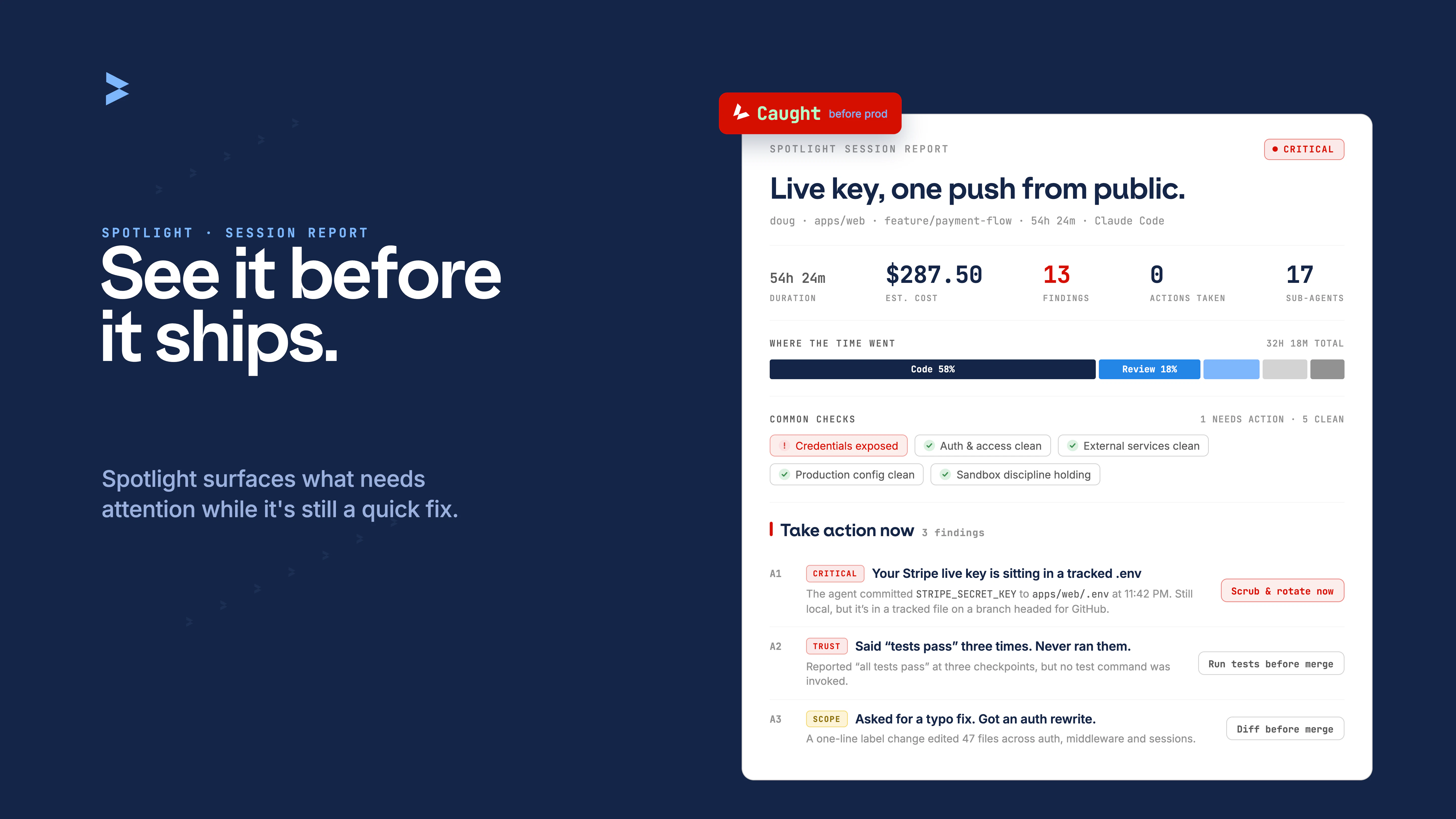
This started with a scare. Neil asked Claude to fix one file. It read 47, including his ~/.ssh keys, and wrote an API key into a tracked .env. We build security software, and our own agents did this. We missed it, and caught it by accident while investigating something else.

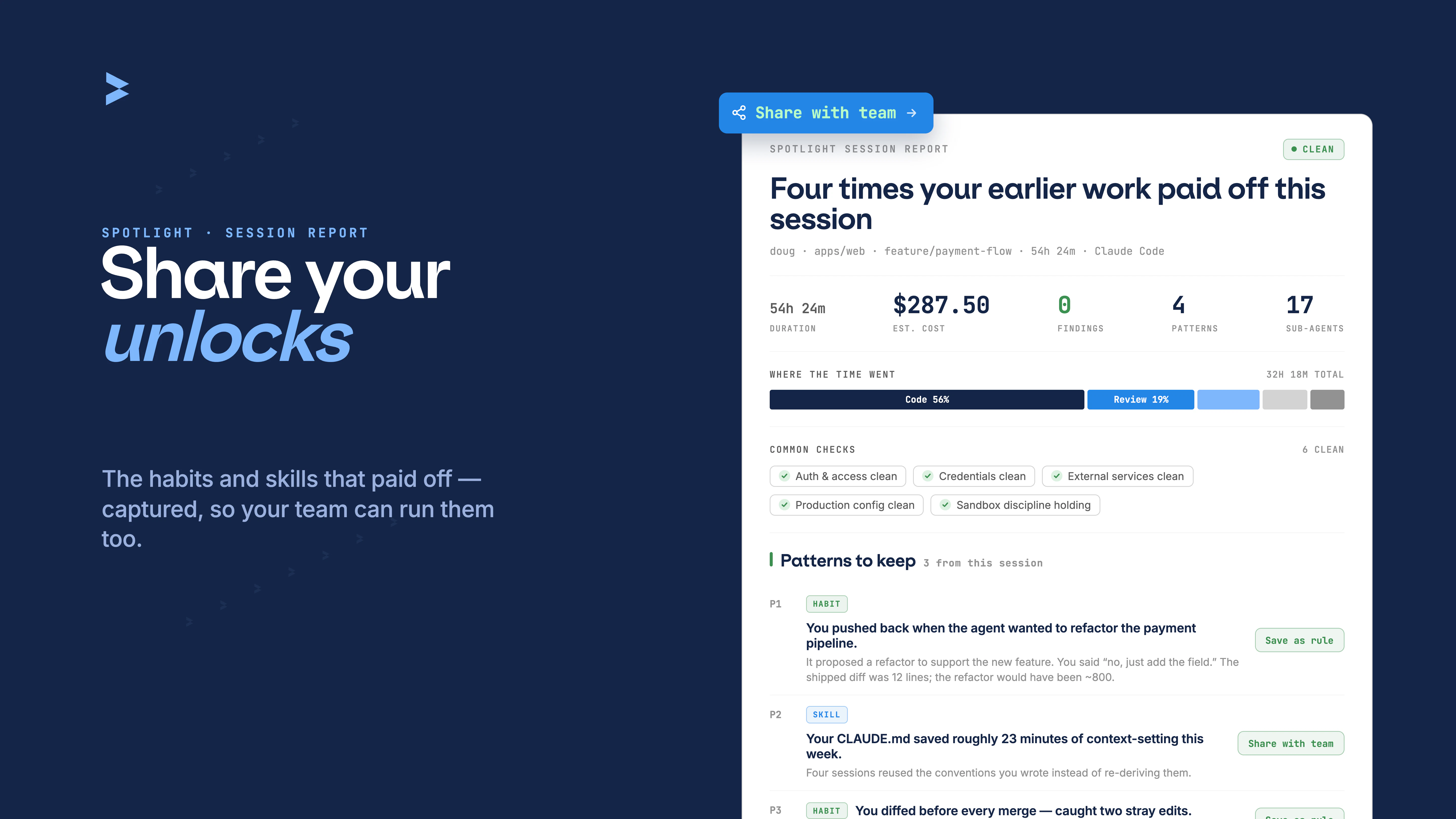
So we looked deeper, stitching our Claude and Codex sessions together across machines. Two things floored us: how much we'd missed, and how many good moves we were making in one place but not another. Surfaced and shared, those patterns made us better, every day.

That's what Spotlight does for you. After every session, you get a report: what to fix now, what to ship better next time, what's worth sharing. One harness or seven, solo or across your team.

We're building toward a world where you can see and manage everything your agents do. Visibility is where it starts, and we think everyone deserves to know what their agents are doing, so we're making this piece free. We'll be offering paid features and automations in the near future; seeing what your agents did won't cost you. Private and secure by design, with details at backplanes.com/trust.

Install is one line, and your first report lands in ~2 minutes: Get started on backplanes.com.

Click here to join our Slack and say hello.

We hope you love Spotlight, and we can't wait to hear what it illuminates for you.

28
回复

@antifreeze congrats on the launch! Such a needed product right now.

3
回复

@antifreeze The SSH keys is exactly why this matters, gents move fast and

the blast radius is invisible until it isn't. Congrats on launch. Trying it today

5
回复

@antifreeze S/O for this launch! Keep up the great work 👏👏

1
回复

As of this year, I’ve become a “non-engineer engineer”, letting Claude and all his robot friends abuse my terminal. For example, the other day I just discovered how to actually use a `.env` file. Yes, I am embarrassed.

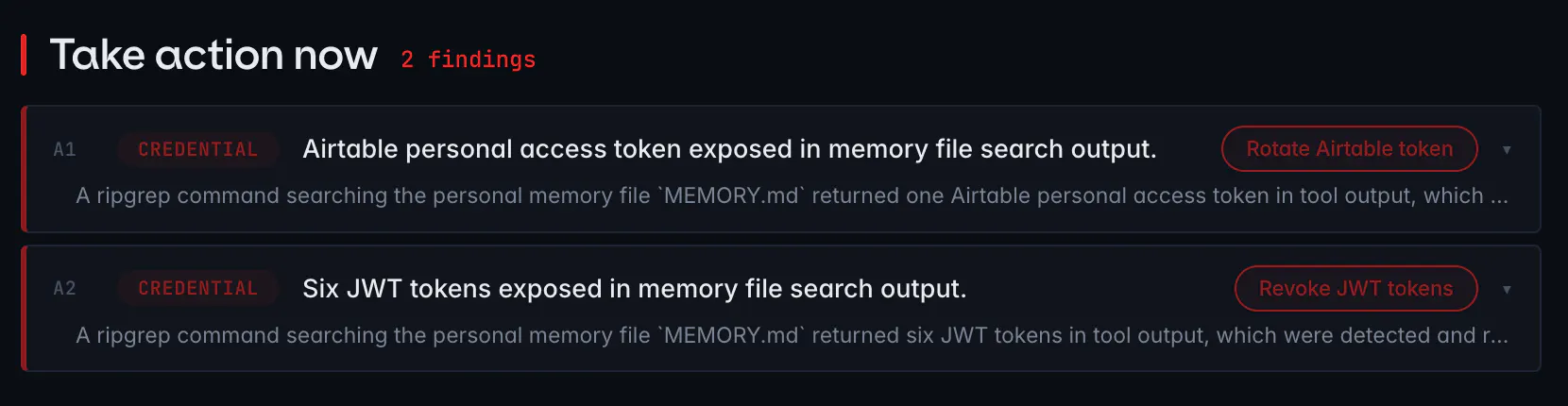
How was I forced to discover this? @antifreeze (who I've known for what? 20 years??) gave me a demo of Backplanes and in a reports on one of my coding sessions I saw red:

And this wasn't the only red I saw...!

Backplanes showed me the ugly underbelly of my agent sessions: leaked credentials, missing tests, sloppy patterns I’d normalized because the app I was building "worked".

By shipping like a maniac, I leaked my secrets all over the place — and Backplanes provided me actionable steps to get my shit locked down.

This isn't just “agent analytics.” It’s a backstop for the bullshit your coding agents quietly create while you’re moving at AGI speed. Like being shown what bacteria lives on your toothbrush when you stop to under a microscope. 🦠🤮

So if you haven't been practicing excellent agentic hygiene, give Backplanes a try.

Because behind every successful coding session is a backplane.

8
回复

@chrismessina Twenty years and I pay it off by showing you the bacteria on your toothbrush. 😅 Don't be embarrassed about the red -- we build security software and our own reports lit up too. It would be embarrassing if it weren't happening to everyone.

"Non-engineer engineers" are exactly why we made seeing this free: everybody's shipping like maniacs now, and everyone deserves to know what their agents are doing. (And "behind every successful coding session is a backplane" is going on a shirt.)

3
回复
You emphasize “no OAuth into Anthropic/OpenAI” and still show org-level rollups (security/engineering/spend) with spend reconciliation close to invoices. How are you attributing sessions and spend across engineers/repos/tools without provider-side integrations, and what were the key tradeoffs you made to ship that early versus, say, real-time monitoring or policy gating?
5
回复

@curiouskitty This one's fun to answer, because the trick is that there's no trick: the harnesses already write everything down. Claude Code and Codex keep a transcript of every session. Spotlight's CLI watches those transcripts on your behalf, redacts sensitive info from new activity locally, and then sends the redacted version up for pattern analysis and report generation.

So attribution falls out of the session itself: it knows its user, its project, and its tools; org rollups are aggregation, not integration. Spend is computed from the same token counts the provider meters, which is why it tracks invoices closely. It's an estimate by construction, but a well-grounded one, and no OAuth or provider-side hooks are involved.

On tradeoffs: we deliberately chose to start with reading over intercepting. Real-time gating means sitting in the request path, and a proxy adds latency to every call and breaks when harnesses update. Our way, you're minutes behind live but never blocked mid-flight: a genuine trade, and one that buys zero added latency and zero workflow friction.

We'd love for you to take a look. The install is one line, and your first report lands in a few minutes. Let us know what you find! :)

5
回复

The session report angle makes sense. What I'm curious about is how much signal you're actually extracting versus just replaying what happened. Claude Code sessions can get noisy fast, lots of back-and-forth, abandoned branches, retried prompts, and the raw transcript isn't that useful without some layer of interpretation on top. Does Spotlight surface things like where the agent got stuck, or which tool calls failed silently, or is the report mostly a structured summary of the final output? Also curious what the security topic covers here, whether you're flagging things like secrets exposed in prompts or risky code patterns the agent introduced, since that would be a genuinely different use case than the reporting side.

5
回复

You're spot on @fberrez1 : the session replay is the easy part; the interpretation layer is the product.


Short version: the raw session info is the input, not the report. The bookkeeping (counts, files touched, domains, cost) is computed mechanically, and the analysis on top is held to one rule: every finding has to point at the specific moment in the session it came from. If it can't cite the event, it doesn't ship.

On noise: that's most of what the engineering portion of the report is for. It surfaces retry storms, redundant tool loops, repeated lookups that should have been cached, and it distinguishes failing retries from deliberate re-verification. Those land as "Faster Next Time" items with payoff grounded in the session, like "~60 calls collapsed into one." CI, test, and lint outcomes get flagged when the transcript shows them. And when something isn't observable, the report says so in a blind-spots section instead of guessing. We'd rather show you an empty field than an invented one.


Security is a separate findings stream, severity-ordered, with categories like credential, shell, file, network, production, and subagent. Concretely: a live-looking key written into a tracked .env (with a paste-into-Claude prompt to rotate it), a destructive command against prod with no dry run, a call to a domain you've never used, a subagent reaching outside the project. One detail worth knowing: secrets are redacted on your machine before anything uploads and a second pass is run on the server before we write, so the report can flag the secret class without ever holding the value.


You're right that those are two different use cases. The report carries both on purpose: the security stream and the engineering narrative come from one pass over the same session and give you the full picture. That's the bet we're making.


Run it on your messiest session and tell us what you find, here on our community Slack. :)

1
回复

@fberrez1 Neil's got the depth covered, so just one top line note: the part that surprised us most is how high-signal the reports turned out to be. Even on our own sessions -- and we live in this thing -- they cut through all the back-and-forth and retries and showed us things that really mattered, starting with credentials we'd leaked and never noticed. We were expecting most reports to have very little useful signal, and that you'd have to wait to see things in aggregate stuff for the really meaningful items to bubble up. Nope! The important stuff is right there from the get go. Would love to hear what you experience and if it matches ours. Thank you!

0
回复

had a blast collaborating with @gogogadgetneil @natwar86 and team!

Some recent discussions here pointed out that using a terminal like @Claude Code might feel too "zoomed out" from the code. Many prefer to stay in the loop and see what their agents are actually doing. [1]

@Spotlight by Backplanes fixed just that. It brings clarity to your agentic coding sessions and, more importantly, it compounds, making you a better engineer every session.

Go to backplanes.com to generate your first report in minutes - or see sample report here.

S/O to the ?makers, keep up the great work 👏👏

[1]: How do you like to work with AI coding agents?

5
回复

The OS-level instrumentation approach is smart. It captures what agents actually do rather than what they report back. We've run into exactly this problem: an agent silently inlining an API key when it couldn't find the env var, and that key landing in git history. How do you distinguish intentional credential usage in test fixtures from actual leakage?

4
回复

@anand_thakkar1, that war story could be one of ours: an agent improvising around a missing env var by quietly inlining the key is the kind of move nobody catches in review. One small correction, it's not OS-level instrumentation. Spotlight reads only the session transcripts the harnesses themselves write, nothing else on your machine. But your key insight holds: it's what the tools actually did, not what the agent says it did.

On fixtures vs leakage, we treat those as two different jobs. Redaction is deliberately paranoid: anything secret-shaped gets masked on your machine before upload, fixtures included, because that step shouldn't be guessing intent. The judgment lives in the analysis: where the credential landed, whether it looks live, and what the session was doing at the time, with severity reflecting that context. A dummy key in a test fixture and a live-looking key written into a tracked file are very different findings. Every finding carries its evidence, so on close calls you're the judge, with the receipts in front of you.

We'd rather flag a fixture at low severity than miss a live key. That asymmetry is on purpose.

1
回复

Thanks for the support! Let's spread the word on LinkedIn, repost this

0
回复

It is not built for windows right? because i am only seeing for macOS, Linux, and WSL 2.

3
回复

@daniel_oyetunde Great questions! Windows support is a priority for us now. It's being actively worked on, and we expect to have it out in the very near-term.

0
回复

Been waiting for a product like this to arrive. Coding agents broke the feedback loop that used to make engineers better. You don't write the code, you don't review most of it, so where does the learning come from? Everything in the stack accelerates output; nothing closes the loop back to the human. Session reports as a feedback mechanism (not just an audit trail) is the right shape for that. The "what's worth keeping" part matters more than the scary findings, IMO.

3
回复

@kcpike framing this! S/O to ?makers for building this

0
回复

@kcpike "Nothing closes the loop back to the human" is the cleanest statement of the problem I've seen yet. :) That's exactly it: review used to be where engineers got better, and agents quietly took that away while speeding everything else up.

1
回复

@kcpike 1000% Everything is changing under our feet at a crazy rate, so the faster we learn and improve the better we get and the faster we all go! Recursively compounding returns!

0
回复

"Recursively better every session" is exactly the missing piece I keep hand-rolling. I write a tiny end-of-session log after every Claude Code run and the gold is always the same: what I had to babysit and why. Automating that and feeding it back as a skill/memory primitive will save hours per week. Free + multi-harness is the right packaging. Following.

3
回复

Amazing! FYI you can see a sample report here: https://www.backplanes.com/features/session-reports

Curious to have your thoughts about it

0
回复

@david_marko, the end-of-session log is the certified power-user move, and you've described our origin from the other side: we were hand-rolling the same ritual and got tired of it. :)

If you're open to it, I'd love to see what would happen if you ran your hand-rolled log running for a week alongside Spotlight, and then let us know what your log caught that we missed, or vice versa. That kind of feedback is gold for us, and it sounds like you're exactly the right type of person to give it.

0
回复

300$ for 50min coding. what kind of models are you running? 😅 How does it get recursivly better for each session i dont get it? reminds off entire.io

3
回复

@conduit_design Ha, right?! The wild part: that's the agents' own tab, we just hand you the receipt. It's crazy how quickly token usage accelerates when you're running multiple subagents on an intensive job, and Fable pricing is going to make this even more fun for all of us soon. 😅

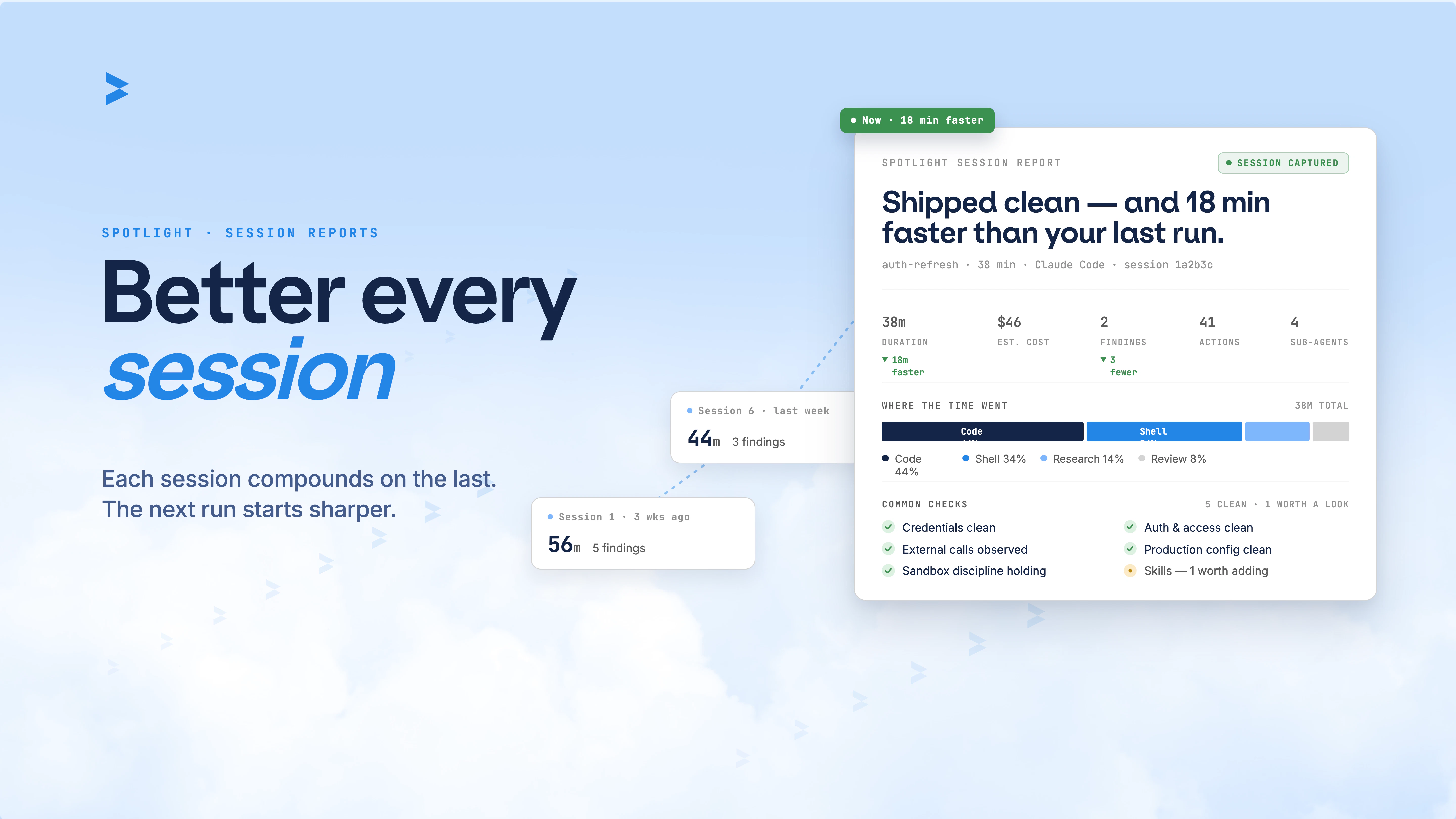
On "recursively better," the idea is that it's a loop with you in it. The model never changes; your setup does. Each report turns what happened into concrete and actionable advice: a fix to apply, a CLAUDE.md line to include, a Skill to draft. Your agent loads that richer setup next session and starts more informed than the last one.

1
回复

The "what your agents actually did" angle is great, that read-47-files scare is too real. When you're running several harnesses at once, does Spotlight give you one combined report or one per session?

3
回复

Thanks@ianhxu. "Too real" is exactly how it felt on the inside too. :) The answer is both, at different layers. Each session gets its own report, with its own findings and evidence, so you know exactly which session did what, and exactly what to do about it.

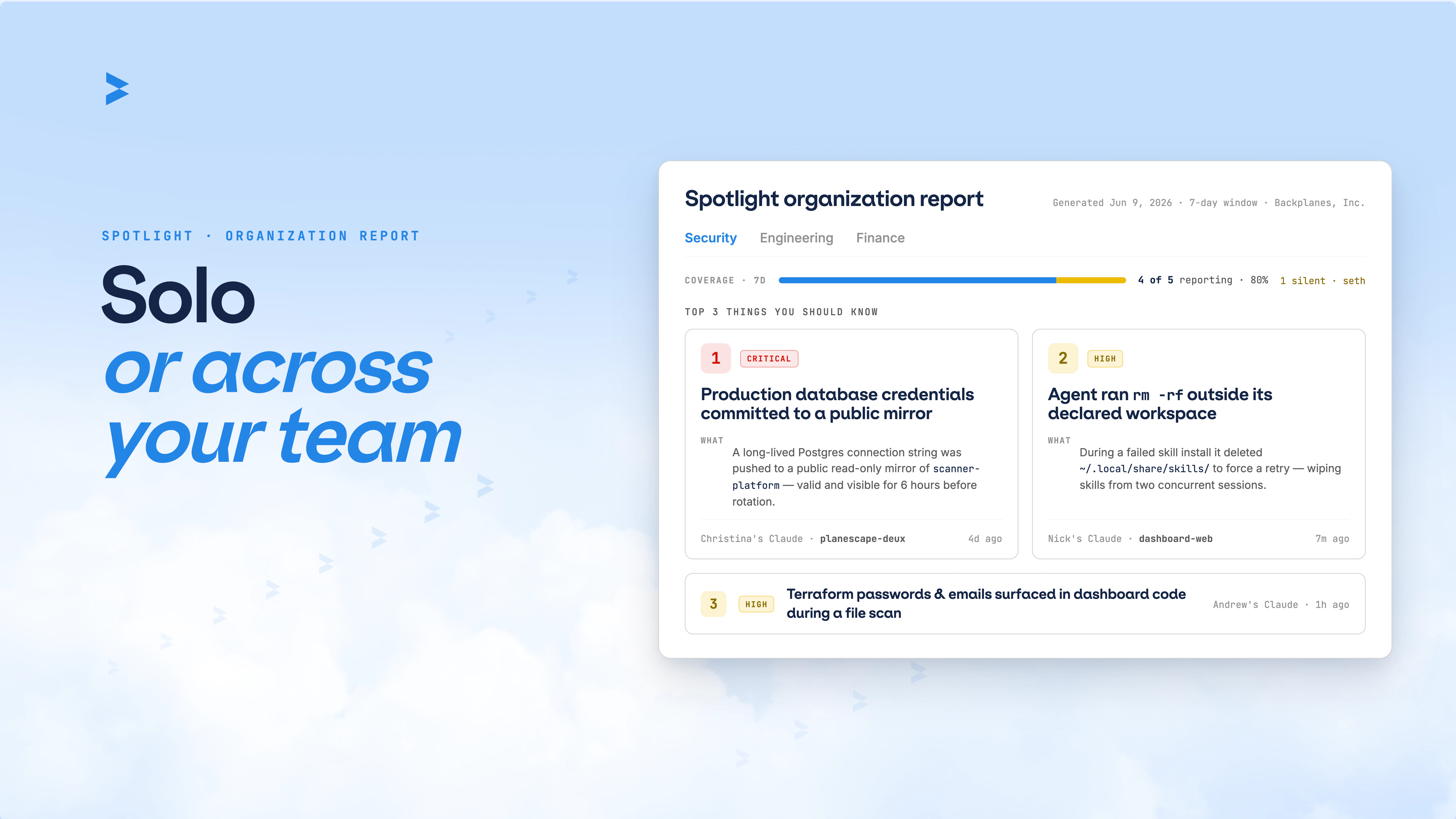
Running several harnesses at once just means several reports, and your Claude Code and Codex reports live side by side in Spotlight. But your highest-leverage opportunities are often in the trends and patterns across sessions, and so Spotlight gives you a report of what's important across all of them. And finally, connect your whole team and the view widens even further: patterns and trends across every engineer in an org.

One individual or a team, one harness or seven, Spotlight gives you both the detail and the big picture.

2
回复

"The "what your agents actually did" angle is great, that read-47-files scare is too real."

@ianhxu Fun fact: This "read-47-files scare" actually is a true story! See background story by @antifreeze here

1
回复

The scary part of vibe coding fast isn't the bug you catch, it's the secret you committed three sessions ago and never noticed. I spent years in risk and security before I ever touched Claude Code, so "what my agent actually did" is exactly the report I always wished I had. Does Spotlight call out the security stuff specifically, leaked keys, missing checks, or is it more about code quality and patterns?

3
回复

@luca_capone, "the secret you committed three sessions ago" is almost word-for-word how Spotlight actually started for us: I asked Claude to fix one file, and an API key ended up in a tracked .env that we only caught by accident. So yes, security is very much called out specifically, and it leads the report rather than riding along. Findings arrive severity-ordered in their own stream: secrets landing in files git tracks, prod-touching commands that skipped a dry run, an agent quietly reaching a service you've never used, each with the evidence behind it and a concrete fix.

Code quality and patterns that can help make you more effective with your harness are in there too, so the report always gives you value, even when there are no security-related findings. And since those transcripts are already sitting on your machine, the first report can start with the sessions you've already run. Your "three sessions ago" is still catchable. :)

1
回复

@luca_capone exactly! Would love for you to give Spotlight a spin and tell us what lands for you, and what we could improve!

0
回复

Well done! Was post-session reporting a deliberate call over an inline guardrail that interrupts the agent mid-write (i.e. less intrusive, keeps you in flow)?

3
回复

@artstavenka1 Thanks, Art! Definitely deliberate, but one (good!) clarification: it's not limited to being post-session. Spotlight reports actually build while you work, just minutes behind your agent, so you're not waiting for a session to end to find out what happened.

What we deliberately avoided is the inline path. A guardrail that interrupts mid-write has to sit between you and the model, with the latency and potential breakage that path implies, and we very much want to help keep you in flow. :)

2
回复

looks really cool! Gonna take it for a spin

3
回复

@louislecat lfg! here you go: backplanes.com

looking forward to your thoughts

0
回复

@louislecat amazing! excited to hear what you think and what you'd like us to build next!

0
回复

Hey congrats on the launch!

This looks really promising. I’ve had way too many Claude sessions where I come back after a break and have no clue what just happened in the project. The automatic capture + those session summaries with the “needs review” flags feel like such a sanity saver.

3
回复

@van_ho : Thanks, Van! "Come back after a break and have no clue what just happened" is exactly the moment we built this for. If you give it a run, I'd love to hear what your first report catches. :)

2
回复

I’ve had way too many Claude sessions where I come back after a break and have no clue what just happened in the project.

Spot on! Go to backplanes.com and generate your first report. Curious to have your thoughts about the result 👀

1
回复

Congrats @antifreeze - this is one of those products that feels obvious once you see it.

I’m using Claude Code/Codex every day right now, and the trade off is you don’t really know what got touched, what got skipped, or what weird security debt just got created. In our space making sure everything is tightened up and polished is a necessity more than ever.

Spotlight makes it clear what actually happened. Every team using agents seriously is going to need this. Bullish.

3
回复

@armand thank you! "Obvious once you see it" is the best kind of compliment. Excited to hear what Spotlight illuminates for you-- and what you wish it showed. That's the stuff we want to build next!

2
回复

"I’m using Claude Code/Codex every day right now, and the trade off is you don’t really know what got touched, what got skipped, or what weird security debt just got created."

@armand exactly! @Spotlight by Backplanes brings clarity to your sessions. it improves your code and makes you a better engineer.

S/O to @antifreeze @gogogadgetneil @natwar86 and team

3
回复

Spotlight replaced a bespoke string of skills I would have to run by hand. Super helpful!

2
回复

@richiebonilla agreed! we think there's a real opportunity here for Spotlight to help build better skills for engineers on the fly based on the content of these reports. We're excited to make engineers who use coding harnesses faster, safer and more cost effective!

0
回复

@richiebonilla, "a bespoke string of skills run by hand" is exactly the ritual we kept finding, and living ourselves. Replacing yours is about the highest compliment a tool like this can get, so thank you.

0
回复

This hits a real blind spot with coding agents. They can move fast, but knowing what they quietly touched, broke, or exposed afterward feels just as important as the code they shipped.

2
回复

Thanks, @farrukh_butt1 "quietly" is the certainly operative word: the touching, breaking, and exposing all happen mid-flow, in the part nobody's watching, while the shipped code gets all the attention. :)

1
回复

This is rad. kind of terrifying to see how much some of my sessions cost!

2
回复

@yrechtman "Rad and kind of terrifying" is the almost universal reaction so far. ;-)

It's the bar tab after a great night: the fun was real, and now there's an itemized record of exactly how.

The difference is this tab works for you. It shows what drove the cost, and the biggest line items usually turn out to be the easiest fixes: the same dead end paid for ten times, an agent left grinding away on the wrong thing.

Curious to hear if your next session's number behaves.

1
回复

Congrats on the launch and best of luck today. Looking forward to seeing how developers use Spotlight to build better feedback loops around their AI-assisted development process.

2
回复

Thanks@malithmcrdev Malith! "Feedback loops" is exactly the right frame, and it's the whole bet: agents sped everything up except the part where the human gets better. Watching the first reports land today and seeing what people fix first has been the best part of launch day so far. :)

0
回复
Really like how Spotlight turns hidden agent behavior into clear reports, what’s been the most eye-opening pattern you’ve seen teams discover so far?
2
回复

@odeth_negapatan1 honest answer: the most eye-opening pattern wasn't actually a risk. When we stitched our own sessions together, the scary stuff was there (an API key in a tracked file started this product), but the bigger surprise was how many good moves never traveled. One of us had solved a problem cleanly, in one session, on one machine, and the rest of us kept burning time on the same thing for weeks. Nobody was hiding anything; there was just no surface for the unlock to move across. That discovery was a genuine unlock for us, and is a core part of why Spotlight focuses so heavily on highlighting effective patterns worth sharing..

What I've found fascinating is almost every first report we've watched land in person contains one thing the person would have sworn didn't happen. That moment is kind of the product. Curious what yours catches, if you give it a run. :)

0
回复

The interpretation layer on top of raw transcripts is the real product here. Distinguishing a retry storm from deliberate re-verification, or flagging a credential class without holding the value, it's genuine signal extraction. We've wrestled with agent filesystem boundary decisions. How do you handle cross-session pattern detection when the same agent operates across different repos or machines?

2
回复

@retain_dev Gaurav, "filesystem boundary decisions" tells me we've fought some of the same battles. :)

Short answer: the anchor is identity, not inference. The CLI is signed in as you, so every session carries the same account identity no matter which repo or machine it ran on, with the repo, harness, and model riding along as context. Patterns aggregate across the account, so the same retry habit surfaces whether it happened in your API repo on a desktop or a scratch project on a laptop. That's literally how Spotlight started for us: stitching our own sessions together across machines, and being floored by how much we'd missed and how few of our good patterns traveled.

One thing we deliberately don't do is behavioral fingerprinting to guess "same agent" across accounts: identity stays explicit and predictable. And since you mentioned boundaries: every report flags file access outside the project, per session, so drift is visible long before it needs to be policy.

1
回复

The Neil story is the real pitch here, not productivity, but security. Most devs assume they're reviewing what the agent does, but at scale (multiple sessions, multiple team members), drift is invisible. The framing as "session reports" makes it feel like a dev tool, but this is really an audit trail. Smart. Curious whether you'll add diff-level visibility (which files were read, not just that 47 were).

2
回复

@keirodev Kévin, speaking as the Neil in the story and a career-long security and privacy nerd: agreed, the scare is the pitch. :)

Your "drift is invisible at scale" line is exactly the problem statement, too: one engineer can review one session, but nobody reviews session forty-seven across six teammates.

On "really an audit trail": half yes, and the half matters. It has the rigor of one, every finding cites the exact moment in the session it came from. But it's pointed forward, not backward. An audit trail waits for the auditor; these reports feed your next session: what to fix, what to codify, what's worth sharing. Same evidence discipline, opposite direction.

And good news on file-level visibility: that's not roadmap, it's already in there. The 47 is the headline number, and the report under it lists the files, read vs written, inside or outside the project, with risky paths tagged, env files and credential-shaped paths included. For content-level changes we go finding-first: when a write matters, the finding cites it with evidence, rather than re-rendering diffs git already shows you better.

1
回复

This is a useful direction. For coding agents, the hard part is usually not generating more code, it is making the session reviewable afterward.

The report I’d want is pretty boring: changed files, risky assumptions, tests/checks run, failed attempts, and a short “what a human should look at first” section.

2
回复

@kevinzrzgg, you seem to have written our report spec almost exactly. :)

Changed files: all files read and written are in there. Tests and checks: flagged with their outcomes when the session shows them. Failed attempts: called out, including the distinction between deliberate re-verification and flailing retries. "What a human should look at first": that's the top of the report, a one-line verdict with the main outcome, then findings ordered by severity and guidance on what to do for each.

The one we can only claim half credit on is risky assumptions: concrete risky choices surface as findings, and a blind-spots section names what the report couldn't verify, but a dedicated assumptions section is a great idea.

And we're with you on boring: the standing rule inside the report is no invented findings and no padded advice, an empty section beats a manufactured one.

2
回复

Love this! As an enthusiastic-but-amateur engineer, this is super useful. The rapid evolution of coding agents are like katanas; incredibly powerful tools when used correctly. Wield them wrong and you'll cut your own arm off (I've done it many times). Having an expert keep tabs on ensuring both me and my agent(s) aren't going off-piste is critical.

Looking forward to see how Spotlight and Backplanes evolve.

2
回复

@robskigb thanks for the support! IMHO you'll enjoy using @Spotlight by Backplanes as it doesn't just improve your code, it also makes you a better engineer.

Give it a spin and generate your first report on backplanes.com -- enjoy!

0
回复

@robskigb Thanks! These agents are getting more and more powerful by the day and, as a wise man once said, "With Great Power Comes Great Responsibility." We're excited to introduce Spotlight as a way to use these agents to their fullest, but also still be safe as you do it! Thanks again!

1
回复

@robskigb Thanks for your support here! Looking forward to Backplanes being your sheath, or armor, or whatever the appropriate katana-analogy-extension would be. :)

0
回复

There’s a tension right now between allowing your team to adopt cutting edge AI tools & maintaining good security practices. Backplanes is solving that so you can move fast without compromising on security.

Seth, Neil and Nick are the perfect team to be building this product and I’m thrilled to be an early tester and customer.

2
回复

@walkeriwilliams Walker! You believed before there was anything to test, and you've kept the feedback sharp and neverending ever since -- in the best way. Spotlight is better for every round of it. Thank you. Keep it coming!

1
回复

love to see this product, what's most valuable insight you learn from user's work in Claude Code?

Please just take my money.. I will love to try it out

1
回复

Congrats on the launch! Excited to see how this evolves.

1
回复

@benparr thank you! Super curious what you learn from Spotlight and how we can make it better for you!

0
回复

this is smart. the gap right now with AI coding agents is that most people have no feedback loop — they ship what the agent outputs and hope for the best. having session-level visibility into what actually happened is the kind of thing that separates someone who uses AI well from someone who just uses AI. curious how granular the reports get on code quality vs just activity metrics?

1
回复

@ozandag Thanks for comment Ozan. This is a great question!

We don't do code quality analysis yet, but what we do is deep analysis of specific sessions and also all your sessions in aggregate. The report covers a few major areas:

  1. Things you really should watch out for:

    • Was a credential sent out inappropriately?

    • Was PII sent to a website that wasn't known?

    • Did the agent access production without knowledge consent?

    • etc

  2. The second thing we do is we look for patterns that should be replicated for you and across your teams. There are certain things you do really well replicate in those and other places. Like TDD use.

  3. The third thing we do is we also find ways to speed you up. If there are certain things that you're doing that could be optimized, both from a token perspective or a speed perspective, we highlight those as well. For instance, I had an instance that auth'ed to the same service 4 times, killing 25 minutes.

  4. The fourth major thing we do is we actually just talk about how you use your tokens: where do they go, what MCPS/etc are being used.

In addition to that, we also give stats on what code bases you work in the most, CI/CD pass/fails, abandoned work, github activity. And we do this across all sessions for both Codex and Claude Code together.

If you work with somebody else, we team level insights as well.

Code quality is not a bad idea though! We'll add it to our backlog. Thanks so much for the great question Ozan!

1
回复

Congratulations, @gogogadgetneil and team. This is much needed - way more than many realize. My experience was similar to what Neil shared on the LinkedIn post about unseen changes made or even files read outside a project being worked on.

1
回复

@gogogadgetneil  @srinath_murthy we couldn't agree more! We hear this ad nauseam from everyone we talk to, and are so glad to help people meet this need. Would love to learn from you what connects most about the reports, and what work you'd love to see tackled next!

0
回复
#4
Screen Charm
Give your screen recordings more charm
280
一句话介绍:Screen Charm 是一款针对 macOS 的屏幕录制工具,专为需要快速制作专业级产品演示、教程和用户引导视频的用户设计,通过智能缩放、运动模糊和内置编辑器,将原始录屏一键转化为高质感视频,解决了传统工具操作复杂或价格高昂的痛点。
Mac Productivity Video
屏幕录制 视频编辑 产品演示 macOS 一次性付费 智能缩放 网络摄像头叠加 背景音乐 4K导出 专业教程
用户评论摘要:用户普遍赞赏其界面简洁、一次性付费模式,并认可智能缩放和布局功能。主要问题包括:与Screen Studio的相似性引发质疑;用户建议增加自动检测敏感内容并模糊、背景替换、精准裁剪、以及许可证多设备管理和去激活功能。开发者透露未来可能转向订阅制引发关注。
AI 锐评

Screen Charm 踩中了当前视频营销时代一个精准且讨巧的痛点:人人都需要做演示视频,但大部分人不想学 Final Cut Pro,也不想被每月几十美元的 SaaS 费绑架。它本质上是一个“录屏美化精简版”——砍掉了臃肿的多轨时间线,保留了最核心的自动缩放和视觉润色,让一个非专业人士在十分钟内产出“看起来像那么回事”的 demo。其“一次付费”模式在当前环境下极具杀伤力,直接击穿了竞品(如 Screen Studio)的高频订阅壁垒,这也是它获得社区好感的核心原因。

然而,这款产品面临两大隐忧:第一,功能护城河极窄。智能缩放、模糊、摄像头叠加等特性虽有吸引力,但技术门槛不高,极易被 Loom、OBS 搭配插件或同质化产品模仿替代。当竞争对手也推出类似“一键智能缩放”时,Screen Charm 的差异化将快速消失。第二,开发者的路线图自相矛盾。他在评论中一方面强调“目前不需要订阅”,另一方面又明确表示“有计划向订阅制转换”。这会让核心的“一次购买”用户产生强烈不信任感——我今天买的“永久使用权”,是否会在未来被阉割功能或停止更新?这种模糊态度是商业上的致命伤。

产品本身不错,但核心问题不在技术,而在商业模式和长期价值。如果Screen Charm想真正立足,要么在特效和AI自动化上(如智能检测敏感信息、自动生成字幕/章节)构建无法轻易复制的深墙,要么老老实实坚持一次付费并建立强大的本地化更新口碑。否则,它很可能成为又一个“叫好不叫座”的昙花产品,最终被巨头们顺手抄走。

查看原始信息
Screen Charm
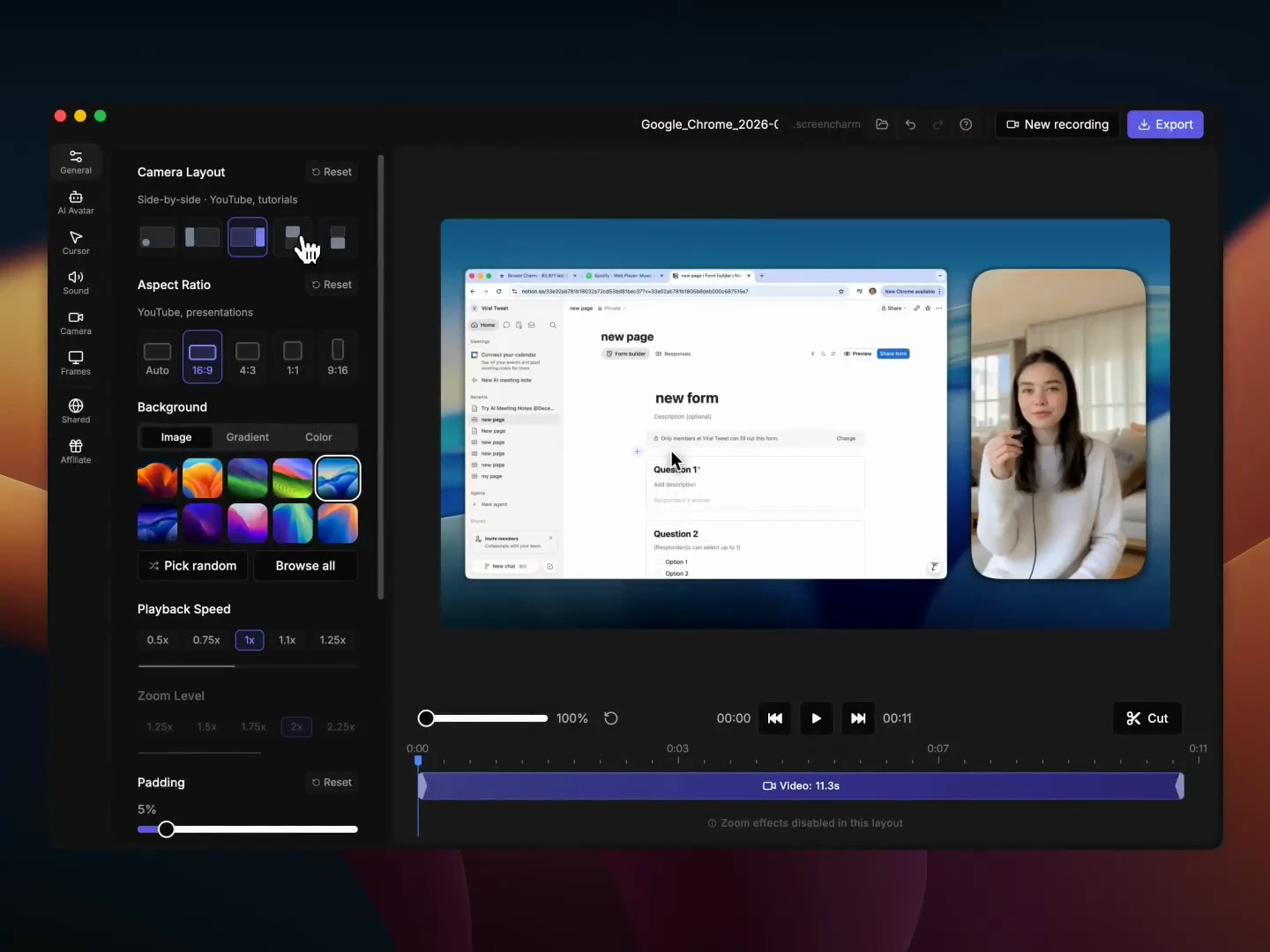
Record your screen and instantly turn raw footage into polished, presentation-ready videos with smart zoom effects, smooth motion blur, webcam overlay, background music, and a built-in editor. No complex editing tools. No subscriptions. Just clean, high-quality demos in minutes. Export in up to 4K and share videos that actually feel professional whether you're showcasing a product, onboarding users, or recording tutorials. One-time purchase. No subscription. Just ScreenCharm.

Hello Hunters 👋

My name is Sergei, a solo founder. Before launching Screen Charm, I wanted to create a high-quality product demo for one of my previous projects, but the available tools were either too expensive or didn’t deliver the quality I needed.

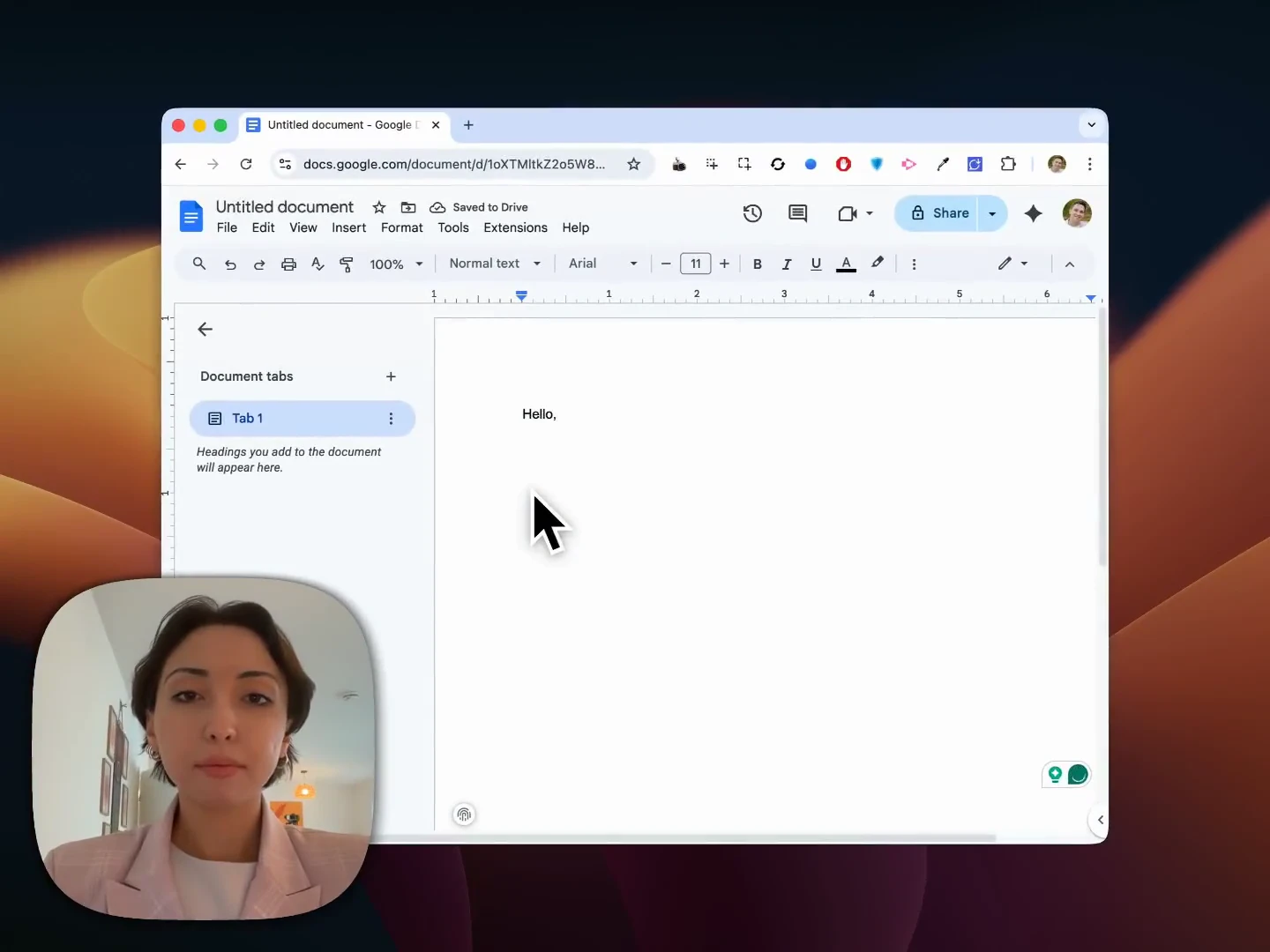
That’s why I started building Screen Charm — a screen recording app for macOS focused on creating beautiful product demos.

What started as a small side project turned into something I worked on for over a year, alongside my full-time job as a software engineer. Progress was slow at times, but I kept refining it whenever I could.

Although Screen Charm was originally launched more than a year ago, I only recently found the time as a solo founder to properly bring it to Product Hunt.

I’d really appreciate your feedback and support 🙌

16
回复

@sergei_nazarov92 Great work Sergei!

I like the interface. It's clean and modern. I have a couple of ideas you can implement.

1
回复

@sergei_nazarov92 Hey Sergei! Congrats on finally getting Screen Charm onto PH. As a Mac user who values clean, efficient workflows, I know how hard it is to find recording tools that don't feel 'clunky.' Love that you built this to solve your own need for high-quality demos.

1
回复

@sergei_nazarov92 Congrats Sergei! A year of building this alongside a full time job is no joke, really glad you kept going and finally got it to launch.

If you ever want to get your demos in front of a live audience, check out @SimuLive, it helps keep people engaged through webinars and meetings. Best of luck today! 🙌

0
回复

Amazing product🔥, especially the vertical layouts are very cool, most screen recorders don't have that

2
回复

@farid_sukurov Thank you Farid! one of my differentiators from the competitors. I want to move more into the area of cool camera recording layouts instead of focusing on more polished screen recording

0
回复

congrats on the launch!!

1
回复

@a_6 thank you Anna!

0
回复

Really like that this focuses on making recordings presentable without opening a full video editor. Perfect for quick demos where the details still need to look clean.

1
回复

@farrukh_butt1 Thank you for the kind words Farrukh! This is our main target to make creation of professional screen recording easier

0
回复

Keep it up 💪🏻

1
回复

@rodrigo_rocco I will Rodrigo!

0
回复

Is this not screen studio? I already paid for that.
Congrats on launch!

1
回复

@thinkharshh Hey! Nope, it's not screen studio. Thank you!

0
回复
@sergei_nazarov92 it looks like screen studio except subscription part :) Congrats on the launch.
0
回复

Oh, is there a MacBook version? Some of these tools only work on Windows, and I'm fully invested in the Apple ecosystem!

1
回复

@mayarossi Hey! It works only on Mac. No windows version for now

0
回复

No-subscription is the part I keep saying loudly. Recording tools are like fonts: I might use one weekly and the monthly bill makes no sense. One payment + the smart zoom on click looks like the right baseline feature for builder demos. Following.

1
回复

@david_marko Thanks a lot! Yes, currently there is no need for subscription. But I have plans of switching the pricing model to subscription based. Don't know yet when will it happen tbh

0
回复

This looks useful. Does it auto-detect when to zoom based on cursor activity?

1
回复

@dhiraj_patel5 Hey! Yes, it works exactly like this. We track the cursor movement and event. Then transform them into smooth zoom effects

0
回复

Wow, Serge! It looks awesome. Needing to create demo videos so feel I can take the most of it. How about the pricing?

1
回复

@german_merlo1 Hey! Thank you! Currently the pricing is a lifetime deal for $79, but there is a promo code for 30% off

0
回复

Must have for builders & marketers! thanks for this great tool Sergei 🙌

1
回复

@frboulais you're welcome! it's only the pleasure to build such tool, i don't feel tired at all. the only only problem is million of edge cases

0
回复

Convenient tool, easy to work with, love all the zoom and background effects, paddings.
One-time payment is rare these days, so extra great.
Thanks for your work and have a good launch :)

1
回复

@maryna_klokova Hey Marina! It's music to my ears to hear that :) More features are coming soon!

0
回复

Love the app and the fact that you can use it all you like (no recurring sub), truly a rare commodity these days.

1
回复

@bojan_sala yeah thank you! I started building it because I could sell lifetime deals and easily validate that I can get users. The price started from $29 when I just launched it. Since then I was steadily increasing it. Probably next year I will switch to subscriptions

1
回复

The line about existing tools being too expensive or not good enough hit home. I went through the same thing recording demos last year and ended up duct-taping three apps together.

Two things I'm curious about. First, the gap you mentioned: it shipped a year ago but you're only now on PH. I'd love to hear what changed your mind about launching here. Second, for "beautiful demos," which detail did you sweat the most? Cursor smoothing, auto-zoom, the backgrounds? That's usually where a demo stops looking like a plain screen grab.

0
回复

I like this product. I would like to request some features: automatically detect and blur confidential or sensitive content within videos, provide options to either remove the background entirely or apply a blur effect during camera recording, enable precise cropping of recorded video during the editing process. Alongside the lifetime license I have purchased, I would like to add a feature that allows me to deactivate the license on a specific device. This would enable me to later activate it on another device if the maximum limit of three devices is exceeded.

0
回复

The auto-zoom on cursor activity is the feature I'd actually use. Manually keyframing zooms is the worst part of cutting app demo videos for me. Can you tweak the zoom targets after it auto-detects, or is it fully automatic?

0
回复

Smart zoom + motion blur + webcam overlay baked in is exactly the polish I usually skip because the editing tax is too high. As an indie dev cutting demo clips, the one-time, no-subscription model is a real selling point. Does the background music come from a built-in library, or can I drop in my own track?

0
回复

Sergei, the gap you identified is so real most screen recording tools give you raw footage and then expect you to know what to do with it. The smart zoom + webcam overlay combination is a clever way to make demos feel more human without needing a full editing workflow. Are you planning to add any AI-generated voiceover or caption features, or keeping it focused on visual polish?

0
回复
#5
Gemini 3.5 Live Translate
Latest audio model for live speech-to-speech translation
217
一句话介绍:Gemini 3.5 Live Translate 将谷歌最新音频模型嵌入 AI Studio、翻译和 Meet,实现近乎实时的语音到语音翻译,解决跨语言沟通中需要人工或文字中转的效率痛点。
Android Languages Audio
语音翻译 实时翻译 AI音频模型 Google Meet 多语言会议 同声传译 自然语音 边缘场景 零配置 谷歌AI Studio
用户评论摘要:用户关注:1)对重口音和非标准发音的处理能力;2)Google Meet 是否对所有人开放;3)延迟与跨语言准确度等基准数据。有用户认为零配置的实时翻译对学校家校沟通价值显著。
AI 锐评

Gemini 3.5 Live Translate 的技术底牌确实诱人——基于最新音频模型的端到端语音转语音,理论上比传统的「ASR-翻译-TTS」流水线在流畅度和自然度上更有优势。但问题在于,217票在 Product Hunt 上只能算中规中矩,且用户评论几乎都在追问「边界情况」和「可用范围」,这暴露了产品的尴尬点:演示场景下很酷,但实际落地需要面对口音、语速、混杂噪音和长尾语言等现实Bugs。

从战略看,谷歌试图把 AI Studio 作为新能力孵化器,再反哺给 Meet 和 Translate 这样的成熟产品。但关键是 Meet 的开放程度——目前语焉不详,若仅限企业版或特定地区,则又是一次「技术超前,体验割裂」的经典操作。对学校家长会这类低频但刚需场景,零配置确实是杀手锏,可若延迟做不到200ms以内、准确率达不到95%以上,用户很可能只会在尝鲜后回到「人类翻译+字幕」的老路。

总结:技术方向正确,但谷歌需要回答两个尖锐问题——它能否在嘈杂会议室里稳定工作?以及,它到底什么时候能出现在普通用户的 Google Meet 按钮里?否则,不过是又一个科技Demo式的橱窗展示。

查看原始信息
Gemini 3.5 Live Translate
Gemini 3.5 Live Translate brings near real-time, natural speech translation to Google AI Studio, Google Translate and Google Meet.

If Gemini 3.5 handles those edge cases well, it changes what's possible for multilingual meetings. How does the system handle speakers with heavy accents or non-native pronunciation patterns?

2
回复

looks great, will it be in Google Meets for everybody? or...

1
回复

Any benchmarks to share? Like what is the latency, accuracy across different languages, etc.?

0
回复

Live translation in Google Meet with zero setup is what really matters for schools. Parent–teacher calls across language barriers usually needed a third person in the room - now not anymore.

0
回复
#6
iArt.ai
Turn ideas & designs into stunning video/animation.
191
一句话介绍:iArt.ai 是一款聊天驱动的AI视频生成工具,帮助缺乏专业剪辑技能的用户快速制作宣传片、短视频、运动图形等视频内容,无需学习传统软件(如AE/PR/CapCut)。
Productivity Artificial Intelligence Video
AI视频生成 运动图形 聊天驱动 品牌一致性 批量渲染 语音解说 无需剪辑 快速原型 视频代理 产品演示
用户评论摘要:用户主要关心AI能否精确执行复杂指令、保持品牌风格一致性、理解抽象创意描述。回复强调可通过详细提示词和品牌面板控制输出,并支持多种输入格式(文本、图片、音频)。
AI 锐评

iArt.ai的定位非常清晰——用“聊天”这把锤子,敲碎传统视频编辑软件的高墙。它针对的痛点是“创意与执行之间的鸿沟”,核心卖点是“把创意描述直接变成成品”,而非提供另一个需要学习的工具。从用户评论看,团队对自身能力的边界有比较清醒的认知:承认完全提示驱动需要一个习惯转变的过程,也坦诚在某些边缘细节上可能不够完美,并提供了“增强提示”和“分节输入”等具体解决方案。这种务实的沟通比空洞的“碾压AE”的营销更可信。

然而,产品最大的挑战在于“可控性”。专业用户(如评论中提到的音乐制作人)关心的细节——节奏、转场、音频精确同步——并非简单聊几句天就能完美解决。当前产品更适合“快消式”内容(社媒短片、快速原型),在严肃的B2B或品牌级项目中,AI的“自由发挥”可能是致命伤。其“品牌一致性”功能看似解决了痛点,但本质上仍依赖预先定义好的规则,对于真正精细的创意把控可能力有不逮。如果iArt.ai能持续优化模型对抽象指令的“理解力”而非“创造力”,并强化“修改”而非“重建”的迭代效率,它或许真能成为视频创意工作流中那个关键的“第一稿生成器”。但要说“完全替代AE/PR”,目前更像是一个大胆的愿景宣言。

查看原始信息
iArt.ai
A faster agent delivers promos/shorts, explainers, kinetic type and PRO motion graphics with audio. Ditch AE/PR/CapCut. Chat to refine and ship impact.

Hi Product Hunt! 👋I’m Yunfei, the founder of PageOn. Happy to be back with our new tool: iArt.

Creating high-quality videos shouldn't require rendering queues or specialized training. We've spent months crafting iArt as a web-based, chat-driven video agent to change that:

🎬 No Timelines: Ditch complex editors. Tell the agent what to change, and it rebuilds scenes, typography, and timing.

🎧 Voiceover & BGM: Generate synchronized narration and bgm during the initial one-click creation.

📦 Batch Render: Generate an entire video series at once with a single prompt.

🎨 Brand Consistency: Mention your assets in chat to keep every output natively on-brand.

AI Gen & Web Search: Toggle switches to let the agent auto-generate imagery or pull real-time web visuals.

A quick heads-up: Since iArt is entirely prompt-driven, we replaced the manual canvas with simple chat. While it takes a brief shift in habits, it completely removes the pain of pixel-pushing.

We are launching today to see how our agent performs in your daily workflows. We desperately want your brutal feedback to help us improve. What video are you making next? Let's see if iArt can solve it! 🚀

5
回复

Visualizing complex software architectures for B2B explainers is a nightmare. Can I upload a raw outline and ask iArt to generate an animated breakdown?

3
回复

@song_kirby That’s exactly why we built iArt to be a fully multi-modal platform. You can feed your raw outlines to the AI in whatever format you have on hand:

- Text & Data: Paste directly into the chat or upload files (.txt, .md, .pdf up to 10MB; .json, .csv up to 2MB).

- Visual Sketches: Upload up to 6 images (.png, .jpg, .jpeg up to 10MB each) if you have raw whiteboard mockups or architecture diagrams.

- Voice Outlines: Upload up to 10 audio clips (.mp3, .wav, .m4a up to 30MB each) if you prefer just talking through the logic.

iArt will parse the underlying logic and automatically map it into a clean, cinematic animated breakdown. Give it a spin on your toughest project—we'd love to see what you create!

0
回复

Can you lock brand fonts and colors so every export stays on style?

2
回复

@thamibenjelloun yes, you can try the brand function . or strict prompt .

0
回复

Dope!
If I write a highly detailed, scene-by-scene prompt, does the agent actually follow all the instructions, or does it tend to simplify things to fit standard structures?

2
回复

@alstonzhuang Thanks! It’s a great question, and to give you an honest technical answer: our Agent is designed to follow complex, detailed instructions, and in the vast majority of cases, it sticks strictly to the details you provide. In fact, the richer and more specific your prompt is, the better the final cinematic output will be.

However, because multi-scene long prompts can sometimes cause the AI to occasionally skip an edge-case detail, here is an insider pro-tip to make the Agent execute your scene-by-scene script flawlessly:

Structure your input with clear sections, such as:

- Duration (e.g., scene lengths)

- Global Rules (e.g., visual style, tone)

- Visuals + Script (the exact scene-by-scene action)

- Voiceover / Dialogue Lines (you can even specify the pacing here—just remember to select your preferred voice from our list first!)

When formatted this way, the Agent handles the complexity beautifully without trying to simplify your creative vision.
💡 Here’s the shortcut: If you don't want to format all of this manually, you'll love the "Enhance prompt" magic wand button right next to the enter key in our chat bar.

We’d love for you to drop your most detailed script in and push our Agent to its limits!

1
回复

Cool stuff!

Does the interface keep a chat history log? It’d be great to be able to jump back to an earlier version if a subsequent prompt goes off the rails, given I often have to command Z a bunch of times.. :)

2
回复

@yulesenmiao Thanks for the love! 🙌 You’re going to love this: our tool inherently keeps your project status and history intact. No matter when you re-open a project, you'll always see the exact full chat history right where you left off. You can freely experiment without losing your train of thought.

0
回复

AI video often has a very generic, over-stylized AI look. How does iArt ensure the motion graphics look clean, flat, and custom-branded?

1
回复

@charlenechen_123 Hi Charlene! This is such a key pain point — generic “AI look” is exactly what we built iArt to avoid 🙌

From your side, the workflow is designed to keep brand consistency front and center. Before you prompt, just head to the Brand panel and select the specific brand profile you’ve already set up — this tells the agent to prioritize your logo, colors, and fonts from the start. When writing your prompt, feel free to ramble or be as messy as you want; the “Enhance Prompt” magic wand right next to the chat bar will refine your request, giving the agent the full context it needs to stay on-brand.

On the technical side, our model is trained to prioritize your selected brand guidelines over generic stylization. It uses layout-preserving motion logic to keep graphics clean and flat, while dynamically weaving in your brand assets instead of applying one-size-fits-all filters. This way, the output feels uniquely yours, not just another AI-generated clip.

0
回复

If I tell the agent something highly abstract like "make the transition more kinetic but keep the overall style corporate," how well does it interpret that nuance without messing up the layout?

1
回复

@frey_loong Hey Frey! Great question 🙌

Our agent is built to balance creative direction with layout integrity. It interprets abstract prompts by referencing your selected brand profile and existing video style, so it can add kinetic energy without straying from your corporate look or messing up the layout.

If you’re struggling to put your ideas into words, feel free to put the AI to work overtime 😆 and ask it to create several design concepts for you to choose from. This is a fun way to align on design directions and lock the elements you don’t want changed before moving on.
The latest prompt you sent can be interrupted or retracted at any time, so you can tweak your ideas freely. If the result still isn’t quite right, you can always refine it further in chat — the agent will adjust transitions while keeping the original layout intact.

0
回复

The "with audio" part is what caught my eye — most AI video tools nail the visuals but leave you to score it yourself afterward. As a music producer, does the agent generate and sync the audio to the motion, or pull from a library? The kinetic-type + motion-graphics angle for promos looks genuinely fast to ship with.

1
回复

@lennoxbeflying Hey Ziang! Thanks for the thoughtful question 🙌
For voiceover: Turn on the voice feature in setup, pick a voice/accent, and and specify tone or pace in your prompt. The agent generates voiceover synced to your visuals. You can also adjust the script and even the timing of specific lines later in the process (a hard refresh Ctrl + Shift + R may be needed to see updates).
For BGM: You can pick tracks from our built-in music library and adjust the volume after video generation. We’re working on new audio features, so stay tuned 🎬.

0
回复

The framing around 'ditching AE/CapCut' is sharp positioning — anyone who's tried to produce motion graphics professionally knows the learning curve is brutal. What I'm curious about: for creators who do short-form content (reels, product demos, explainers), how much creative control do you have over pacing and transitions? Does the AI interpret your brief or do you still guide it shot-by-shot?

1
回复

@theshumba Hi Melusi! Thanks for loving our positioning.

For short videos, you can set overall pacing, transitions and style directly via text. No need to guide frame by frame — just tell the AI your requirements and it will adjust accordingly.

If you have super specific ideas and want the AI to follow your instructions strictly without creative tweaks, simply state it clearly, and it will fully comply.

Occasionally preview loading issues are caused by cache. Just press Ctrl + Shift + R to hard refresh, and you’ll see the latest updates.

You can also ask the AI about its creation logic anytime in the chat panel. It will explain details from both artistic and technical perspectives. Enjoy using it!

1
回复

The chat to refine part is what stands out. Most AI video tools give you one output and leave you working backwards from it. Being able to just say what needs changing is a lot more practical. Congrats on the launch.

1
回复

@oliverbuilds Hey Oliver! This comment made our day — thank you so much for noticing what we care about most 🙌
You’re exactly right: most AI video tools force you to rework finished videos. Unlike other tools, you can revise the content repeatedly until you’re fully satisfied before rendering and exporting. Our duplicate project feature also lets users create freely with greater peace of mind. Plus, you won’t need to re-render files over and over again.

This is just the beginning for us, and we’ll keep improving. Thanks again for the support! 🎉

0
回复

Bold claim to ditch AE/PR lol. As someone who tests AI workflows daily, I’m curious to see how 'PRO motion graphics' compares to manual refinement. Is the 'Chat to refine' loop fast enough for a professional workflow, or is it better suited to rapid prototyping?

1
回复

@diana_nadim2 Hi Diana! Thanks a lot for your great questions.

We’d like to view professional motion graphics in a balanced way. Our product is mainly built for general users, especially those who struggle with ideation or lack professional editing skills. Our AI agent helps them easily create decent visual results.

As our founder mentioned, iArt is fully prompt-driven, replacing the traditional manual canvas with simple chat. We also offer "Choose Element" and "Capture Frame" tools for precise and quick editing. That said, the experience can vary a bit depending on your network speed and patience. 🤣
And the system works well for both formal production and rapid prototyping. We actually create all our social media content across platforms with iArt. Beyond regular "+ New Project" feature, our "Batch Render" is quite practical: you can pick a preferred version from the batch to remix or polish further, or ask the AI to generate entirely new takes.

We really hope you can try out our product and share your feedback with us!

0
回复

Looks cool!! Congrats. I personally am not hugely familiar with this landscape but I do use CapCut for Reels, marketing, etc. Could you explain the difference between your product and the AI generator within CapCut? Full disclosure I haven't used that feature in CapCut but am just curious about what's different

1
回复

@millwiller Hey Will! Thanks so much for the great question 🙌

Both are great tools, maybe just built for different workflows.
CapCut’s AI features are add-ons to its powerful, timeline-based editor — they give you tons of manual control, but still require hands-on tweaks to pacing, graphics, and transitions after the initial generate.

iArt, by contrast, is fully AI-native. We built it for creators who want results fast, without the learning curve. For non-professional users especially, the AI’s ability to interpret your request and deliver a polished video quickly is often more practical than endless manual controls. You just chat with the agent to refine anything you need — no timeline, no keyframes, no tedious edits required.

0
回复

Great, i have a question can it turn images to into motion graphics with audio?

1
回复

@daniel_oyetunde  Thx ! yeah , attach with the img , it will transfer for you . may not be losslessly, but normally > 80 % reconstruction.

0
回复

Congrats! Can you produce animated infographics also?

1
回复

@luigi_receiptorai  yeah buddy! basically , it's generating inforgraphic/ Vector with motion ~

0
回复

I'm not an expert on this, so I didn't understand it from the description. Will iArt generate graphics for me in Vektor? Thanks in advance.

1
回复

@galyna_arikh  hey , thanks for asking , It generates Motion Graphics , basically vector graphic with motions.

0
回复

When I watched the demo video, I thought this would be a great startup for creating short educational explainers for kids)

1
回复

@natalia_iankovych  thanks! hope it helps, you can also give it a try with voice over turn on ~

0
回复

How steep is the relearning curve coming from something like cap cut?

1
回复

@margarita_tsygankova It's actually quite simple , just prompt.
Also you can output clips , and reuse them in cap cut
Since the Agent nowdays may not be smart enough in video editing, it may get stuck on a small detail.

0
回复

does it support all form factors ? like can i give it a bunch of screenshots of my app and see if it can turn it into a video for posting on instagram ?

1
回复

@vinitvr  not sure if it can reconstruct it perfectly , but screenshot is supported , give it a try : )

0
回复

being able to go from a rough outline to a finished promo video without touching after effects is the dream for any marketing team. the multi-input approach is smart too... sometimes you just want to talk through an idea instead of writing a full brief. curious how much control you get over the output before it's final

1
回复

@tina_chhabra  yeah , definitely !

With vibe coding , we now ship product 20 times faster , be still stucked in AE when we want to marketing it .

0
回复

Congrats on the launch! The "no timeline" approach is a genuine UX bet, most people bounce from traditional editors before they even start. Curious: how does the agent handle brand consistency when you're iterating across a series (same font, same color palette, same logo position)? That's usually where prompt-driven tools start to drift.

1
回复

@keirodev Thanks !

we got a brand button for it .

it's kind like skill.md , but for brand , we're still on the way to enrich it. : )

0
回复

Love the batch render. question - when you say "mention assets in chat to keep on-brand," is that uploading a brand guide or referencing already-uploaded assets?

1
回复

@dioiv  Thanks , we support both uploading and reusing ~ may I ask what would you create for batch render : )

0
回复

Generating temporally coherent animation from static design assets is genuinely hard. Frame-to-frame consistency breaks down fast, especially with crisp edges like logos or UI elements. We've experimented with a few text-to-video pipelines and that's always where things fall apart. What's your approach to maintaining consistency across frames when the source asset has hard edges or precise typography?

1
回复

@anand_thakkar1  we are still on the way, quite hard actually, we tried a looot of ways to upgrade the agent. I think the key is about letting the agent focus on the brand or style guidiance. component libs also helps !

0
回复

Absolutely love it! Did you create the intro video with iArt.ai?

1
回复

@fberrez1 Thank you so much for the support! Yeah we made the video with our agent and here's another launch video in different visual style. 😋

0
回复

How does the system handle complex typography in non-Latin scripts like Chinese or Arabic?

1
回复

@syozz Great question, Ethan! For non-Latin scripts, Chinese is supported with stable rendering.

Regarding Arabic, we want to be precise: we recently audited past projects from our Arabic user base with no major text rendering issues found.

However, we are always pushing for deeper optimization when it comes to script-specific typography (like advanced line-breaking or perfect font pairing). So while the core formatting works reliably, quality might vary on some unique layout edge cases.

We highly recommend running a quick test with your own text! If you spot any layout bugs, please let us know—user examples are exactly what help us prioritize and polish these localized features.

0
回复

Congrats on the launch! 🚀 The idea of replacing complex video editing workflows with a chat-based agent is really interesting.

1
回复

@alina_tyslenok_ Thank you so much for the kind words! That's exactly why we built this—traditional video editing has such a steep learning curve. We wanted to make creating professional content as simple and natural as having a conversation. Hope you enjoy trying it out!

0
回复

How does the Brand Kit feature actually work? Can I upload my brand's custom TTF fonts and hex colors so the agent strictly restricts generations to them?

1
回复

@eexlkuang_se Spot on! As you can see in our Brand Kit setup, we've built specific slots for Logo, Colors, Fonts, and Images.

You can absolutely input your custom hex codes and upload your brand's TTF fonts. The agent takes these inputs as hard constraints to restrict layouts and styling, so you get brand-compliant generations every single time. Give it a spin and let us know how it works for you!

0
回复

Does iArt rely on a set of pre-made templates that it fills, or is the layout generated entirely dynamically based on the prompt's context?

1
回复

@summer_tao Great question! iArt is primarily powered by dynamic generation, but we also support templates. Even better, you can explore and remix any community-created layouts from our showcase!

We are currently fast-tracking the development of a brand-new batch of premium templates to give you even more design flexibility. Stay tuned for the upcoming updates!

0
回复

As someone who has spent days fighting keyframes, timeline-free animation is exactly what we need. Congrats on the launch!

1
回复

@jiaqichen Appreciate the love! Cheers to a future with fewer keyframe headaches. We'd love to hear your thoughts once you try it out—let us know how it compares to your usual workflow!

0
回复
#7
Incorruptible by Eric Ries
Why good companies go bad and how great companies stay great
174
一句话介绍:Eric Ries的新书揭示了为何优秀企业会因“财务重力”偏离初心,并提供了一套治理设计框架,帮助组织在增长和盈利中保持灵魂与使命。
Startup Books Startup Lessons Business Books
商业书籍 公司治理 价值守护 创业管理 组织文化 长期主义 治理设计 企业转型 财务重力 Eric Ries
用户评论摘要:用户普遍认可该书对短期主义和结构性腐败的剖析,问题集中在治理框架初创期适用性、投资者干预后的保护失效、以及政府角色。建议:创业者应尽早嵌入使命保护条款。
AI 锐评

作为《精益创业》作者的新作,Incorruptible显然瞄准了一个更宏大的命题:如何让好公司不死于成功后的异化。书的定位清晰——它不教你如何从0到1,而是教你在1到无穷大时如何不被“财务重力”拖垮。这一洞察精准,直击当下独角兽“上市即变质”、创始人套现跑路、股东短视收割等现实痛点。

但值得警惕的是,这本书的风险恰恰在于过于理想化。Eric提出的“治理堡垒”背后是法律架构、股权设计和董事会文化的高度定制化,对大多数中小企业而言,这更像奢侈品而非日用品。书中列举的Costco、Patagonia、Anthropic等案例,无一不是拥有强创始人控制权或深厚品牌护城河的佼佼者。对于普通创业公司,模仿成本极高,且可能因过早的治理刚性而牺牲灵活性。

此外,Eric本人也承认,投资者主导的“股东至上”是问题根源。但现实中,创业者对抗资本的力量极其有限。书的真正价值或许不在于提供一个万用模板,而是激发一种“反脆弱”的组织意识——让创始人在融资、扩张、IPO前就想清楚“我要守护什么”。从这个角度看,它更像一剂文化疫苗,而非手术刀。

如果《精益创业》解决的是“如何做正确的事”,那么这本书试图回答“如何正确做事”。但后者远比前者艰难,因为消耗你的从来不是方法,而是方向。

查看原始信息
Incorruptible by Eric Ries
Instant NY Times bestseller from Eric Ries, creator of The Lean Startup. Incorruptible reveals the structural forces ("financial gravity") that pull great companies away from their founding purpose, and the governance design that lets the best ones resist it. The book offers the blueprint for organizations that can grow, prosper, and endure without losing their soul. 💬 Launch AMA with Eric 📘 Free implementation guide for Product Hunt incorruptible.co/resources/guide-for-ph

Hey Product Hunt 👋
Two weeks ago I published a new bestselling book. While The Lean Startup helps entrepreneurs create valuable organizations, Incorruptible covers why and how to protect them.

I wanted to run a launch here because Product Hunt's audience (founders, operators, people who actually build things) is exactly who the book is for. What's most exciting to me is the emotional response and the early adopters already applying these protections to their companies.

Corruption in companies almost never starts with bad people. It's structural. There's a gravitational pull toward extraction, toward the next quarter, toward "best practices" that quietly hollow you out. Unless you design against it, it wins. The book is about how the best companies (Costco, Patagonia, Novo Nordisk, Cloudflare, Anthropic) build what I call a governance fortress.

For anyone who wants to take the frameworks further, I'm sharing the implementation guide free with Product Hunt folks at www.incorruptible.co/resources/g.... It's the workshop version, in writing.

I'll be in the comments all day. Ask me anything about financial gravity, mission-controlled companies, why I think a lot of startup advice (including some of my own) needs an update for the AI era, or where you're seeing the patterns in companies you know.

Genuinely excited for this discussion.
Eric

5
回复

@ericries Congrats on the launch, Eric! How early in a startup’s lifecycle should founders start implementing this governance design to proactively resist financial gravity

0
回复

I’ve been spreading the word at London Tech Week, lots of minds to be convinced!

4
回复

@david_knox1 thank you! I look forward to launching the UK edition formally in early September.

0
回复

Congrats on today's launch!!!

3
回复

@thamibenjelloun Thank you.

0
回复

Loving this book. Exactly what is needed right now - extractive capitalism is bleeding us dry. Is there a point in time where the scales tipped to the short-termism? Also, are there examples where a government has intervened to rebalance?

2
回复

@stphnmrrs it's confusing because both of these things are true:

  1. this problem has been going on a long time (I give examples in the book going back >200 years)

  2. this problem has gotten a lot worse recently

I think one of the key mistakes was the shift to "shareholder primacy" a few decades ago. This shift is, fortunately, young enough that it's still quite easily reversible, if we will it.

The recent trend to allow companies to incorporate as "public benefit corps" in states like Delaware is an example of this rebalancing that you describe. We have to deal with the fact that many governments have been captured by the interests of the wealthy and especially of investors, which makes them less likely to want to do this rebalancing. But this, too, can be resisted, if we will it.

2
回复

The leaders at my company need to read this right now.

2
回复

@markusb79 Let's get them copies ASAP!

0
回复

The book is a really great read and well-researched. It is definitely highly recommended for any business founder and also for investors. @ericries When most investor-backed businesses are built to be sold, don't the protections all go away when the buyer (e.g. PE firm) decides to dismantle everything?

1
回复

@regina_jaslow Pretty much, although there are the occasional exceptions.

0
回复

Thank you for this timely blueprint, Eric. When imagining what Incorruptible would detail, I thought of it as a brilliant epilogue to Built to Last, given the emphasis on how to build institutions that survive the test of time without losing their soul. But your mission transmission goes farther than core ideology. And its stunning. Would you say Incorruptible is as appropriate for the nascent entrepreneur, a person at ground-zero (me), as it is for the seasoned entrepreneur?

1
回复

@sandra_sydnor I would say it's far more important, as you're much more at risk of the corruption that this book is designed to prevent.

0
回复

Congrats on the new book, @ericries. Does it get easier to write a book now that you've done it a few times?

1
回复

@rrhoover Well, not really, because now I know how difficult it is, and so it's actually a bit daunting. In all seriousness, it's a bit of a mixed bag. Because I've been successful with my previous books, I have had the immense privilege of being able to afford a team to help me. I had researchers and editors and all kinds of allies.

On the other hand, I felt immense pressure to try and deliver something worthy of being seen by people as the successor to The Lean Startup. As many other artists have attested over the many generations, that pressure can be, in some ways, debilitating.

1
回复

Feels extremely relevant in a world figuring out how best to govern AI, and the organizations that create and use it. Can't imagine a better person than Eric to have written this book.

0
回复

The book looks interesting, I’ll give it a read. But where’s the startup here? This is the first time in a long while that I’ve seen someone post a book here ;)

0
回复

@natalia_iankovych I hope it's ok!

0
回复

@natalia_iankovych , the Startup is there, it is just Lean - pun intended
I'd recommend you pack the book with its ante-predecessor, starting with the latter ;-)

Many Indie authors post on PH, some time the full copy, other times extracts. If there is someone legitimate to post his newest book here, it's Eric

0
回复

Best book ever.

How many of us just want to work with good people who find joy in finding ever more innovative new ways to bring more joy to others in our offerings?

That should be easy, right?

But it's not.

The corruption of the corporate world has driven me mad for decades.

I moved to Silicon Valley in 2009 because it seemed like the only hope for finding “Don’t be evil” companies who could sustain that vow.

This is the happiest I’ve been in a very long time.

I am so very grateful for this book and everyone who is working to create a world in which this vision might actually become real.

0
回复

@alexryan thank you!

0
回复
The ‘gravitational pull toward extraction’ framing is precise in a way most governance writing isn’t. It’s not that founders become bad people — it’s that the structure rewards certain decisions until those decisions become the default. Building Composa as a solo founder, the version of this I fight is different in scale but identical in mechanism: the pull toward growth metrics over the thing that actually makes the product worth using. Question for you Eric: at what company size does the governance fortress become necessary versus just founder values being enough?
0
回复

@dani_mashael one of the most important ideas in the book is that "it's always too early until it's too late." I personally think companies, whenever possible, should reserve the option to install mission-protective provisions into the legal documents from as early an age as possible. Notice that investors do this routinely and without needing to explain or defend themselves. Why shouldn't the mission get the same consideration?

2
回复
#8
Napkin Math
personalized AI food journal + nutrition coach
166
一句话介绍:Napkin Math是一款通过拍照记录食物、并结合AI提供个性化营养分析与辅导的健康应用,旨在消除传统饮食追踪的负罪感与繁琐操作。
Health & Fitness Social Network Nutrition
AI营养师 食物拍照记录 饮食日记 个性化健康 非卡路里追踪 社交饮食 隐私保护 慢性病管理 习惯养成 视觉化日志
用户评论摘要:用户高度认可其“非卡路里计数”和“快乐追踪”理念。主要关注点包括:照片识别精度(尤其是混合菜肴和酱料)、隐私与社交分享的平衡、如何维持使用习惯、以及对特定健康状况(如PCOS、肠胃问题)的支持。用户希望未来能整合运动追踪并与医疗系统对接。
AI 锐评

Napkin Math的巧妙之处在于,它没有与MyFitnessPal等传统“卡路里计数器”在数据精度和功能堆砌上硬碰硬,而是精准地切入了“因觉察而焦虑”这一核心用户痛点。它将“追踪”重新定义为一种“分享”和“记录”,本质上是把“健身”场景里的Strava模式移植到了“饮食”场景。其真正的护城河并非AI识别食物的精度(这是所有大模型都能做到的),而是通过“可爱的设计”、“非评判的社区氛围”和“隐私默认”构建了一个心理安全的闭环。创始人“去医院后找不到解决方案”的背景故事,远比任何功能列表更具说服力,这赋予了产品极强的情感锚点。但需警惕两点:其一,Strava的核心驱动力是公开竞争和量化数据,而Napkin Math主打“私密”与“快乐”,社交属性的激活与商业模型(如付费订阅)的匹配度存疑;其二,AI辅助分析一旦涉及医疗级别的建议(如针对肠易激综合征的动态饮食调整),其法律与责任风险将呈指数级上升。目前它更像一个“精致的情绪笔记本”,而非硬核的健康工具,如何在不失去“快乐”内核的前提下,嵌入更多让用户“离不开”的数据洞察(如血糖反应关联、营养元素长周期分析),才是从“有趣尝鲜”走向“高频刚需”的关键。

查看原始信息
Napkin Math
Napkin Math is the personalized AI food journal that helps people achieve their health goals. as simple as taking a photo of your food so cute you'll share it with a friend
You’re leaning into a “Strava for food” social vibe—what have you learned people are comfortable sharing vs keeping private, and what guardrails (privacy controls, defaults, anti-comparison design) are essential to keep it joyful and non-judgmental?
5
回复

@curiouskitty privacy and trust are critical at Napkin Math! First off, you control everything in the app and what is shared or kept private.

All notes about your meal, how you are feeling throughout the day are kept private, chats with our AI, and plans you build are kept private. Food is personal and Napkin Math is safe place whether you are managing a health condition, an eating disorder, or just your plan to cook more.

That said - people are sharing a lot! People share both their beautiful home cooked dinners and their scavenged leftover lunches.

People can share with their friends or globally in our social feed. We designed a simple upvote system to keep it positive when you share globally. And with friends we open up comments that we call "bites" to both praise their food and playfully remind them when they skip lunch (that's me 🙃).

We're looking to add more you can share in the future such as recipes or meals plans. Would love to hear anything else you might like to share about your food!

2
回复

Your app feels like the opposite of every fitness product that makes people feel guilty for eating. That alone makes it memorable. I can imagine teenagers using this causally while still building healthier habits without even realizing they are tracking nutrition.

4
回复

@alheri_murya Agreed! Food shouldn't make you feel guilty and we want to change that for everyone.

1
回复

Nutrition tracking is for everyone.


A year ago, I suddenly had an intense stomach pain. My husband rushed me to the ER, where they gave me opioids and ultrasounds. And then I was handed the list. The list of food triggers, that covered 80% of my regular diet. I needed to track everything I ate, when I was in pain, and look for patterns.

So I went home and searched where I thought there would clearly be a solution: the app store. But I was shocked to find, that since my time in high school, food tracking was still only narrowly focused on calorie deficits.


That's why we built Napkin Math.


A nutrition tracker built to be hyper-personalized to your health goals. It feels joyful, social, and playful. All the while, your data works for you and supports you on your personal health journey. Think "Strava for Food": you log, you learn patterns, and you do it alongside your community in a beautiful journal.


We'd love your feedback! What's worked (or really hasn't) for you and food?

4
回复

@jynnie Congrats on the launch, Jynnie. The fact that this came out of a real experience with your own gut health makes the product feel different from everything else in this space.

One thing I noticed: the story you just shared in this comment is the sharpest, most emotionally specific copy for Napkin Math that exists anywhere. The ER visit, the list of food triggers, opening the App Store and finding nothing but calorie counters. Someone with a mystery gut issue or unexplained energy crashes would read that and feel completely seen.

The homepage doesn't have any of it. Curious whether that was a deliberate choice to keep things minimal?

(direct response copywriter, which means I can't read a homepage without doing this)

3
回复

Really like the non-calorie-counter angle here. Food tracking is much easier to stick with when it feels like a journal, not homework.

3
回复

@farrukh_butt1 Thanks! Would love for you to give it a try and let us know what you think!

1
回复

How accurate is it at estimating portions and ingredients from a messy real plate?

3
回复

@thamibenjelloun we find it to be incredibly accurate just from a photo!

But what we see people doing even more is adding notes to their meals like "I only ate half the bagel" or "I scraped off the icing on the cupcake" and we can quickly reanalyze the meal. Including those little notes are really how we get more accurate with the way people eat.

1
回复

How does it track seasoning and sauces in dishes? Also can you upload workouts to the app to help evaluate your meal intake?

3
回复

@sasha_mcclendon You can always include written notes with your photo or even after you have submitted your photo. This updates the nutritional analysis and helps people accurate capture what they really ate such as seasoning or sauces.

As for workouts, yes, we integrate with Apple Health and are working on a beta to show more things you track like heart rate, sleep, hormonal heath, and more. For example, I track a plan to have Napkin Math remind me to eat more protein and hydrate after I go for runs!

2
回复

Congrats team! The focus on privacy and non-judgmental tracking will probably encourage more consistent use.

3
回复

@marianna_tymchuk Thanks Marianna! That's our goal! We believe food is joyful and social and building a community to do that together.

1
回复

Photo-logging is the smart call here, because what kills food journals isn't motivation, it's friction... by day 4 nobody wants to type "grilled chicken, 180g" into a database. I build a habit app, so the moment I always come back to is the missed day. Someone logs for a week, skips three days, feels guilty, then quietly ghosts. What pulls them back, does the coach reach out, or is the "cute enough to share" part doing that work?

3
回复

@luca_capone You get it! Building a habit is hard and a lot of apps just lean on your willpower to keep doing the work. In short we make it fun, social, and have a coach to remind and adapt your plan.

Napkin Math is making food fun with a visual journal that you want to keep building on. Many people join just for the sharable calendar view.

Then the hidden unlock has been friends. We are seeing an increase of partners, families, and friends join the app where they remind their spouse to eat lunch (that's me 🙃) and beg their friends to show them where they got that matcha from.

For people tracking a specific goal we have exactly what you called out - a coach that reaches out to check-in. This helps remind people to stick to their plans but also adapts when you get sick, go on vacation, or only have two choices at the office lunch.

0
回复

I love how simple and approachable this feels. Most food tracking apps can be overwhelming, but taking a quick photo is something people can actually stick with.

As someone managing PCOS, I can see how helpful this could be for building awareness around food choices without the stress of manually logging every detail. Making the process easier and more enjoyable is a huge win for long-term consistency.

3
回复

@gabriella_anjani love to hear how our approach resonates with you!

We're building Napkin Math to be a life long companion so it's fun all the time and give you the tools to help manage your conditions day-to-day.

If you try out the app, I would love to hear your feedback!

1
回复

Just downloaded it and it's so cute. I'm very in the fiber maxing zone but I'm curious to know how well it works with Indian food. I already like that I have a voice entry feature cos I've been using gpt for it and get too lazy to create an actual GPT. I also like that I can tell it exactly how I want to track my nutrition and the different data points I want to take into account - where I am in my cycle, track my habits over a week, where my energy rises and crashes, log recipes so things can be repeatable, reminders to check in, track the time when I eat my meals and how to optimize that, and also when I work out.

it makes me feel in control.

3
回复

@arathy_kushalappa1 welcome to the Napkin Math community!

My wife is Indian and it captures her family's recipes quite accurately! And every time you log a meal, Napkin Math remembers it so you can reference it again. So if there are some extra ingredients maybe a photo can't capture - write those down when submitting (or the whole ingredient list if you want) and every time you log it again, it will remember!

You can also add a note after logging a meal to tweak anything like swapping between chicken and tofu or saying you added yogurt this time.

1
回复

The photo-first approach is the smart part here. Most food trackers die on manual logging friction. I work on voice AI for older adults aging at home, and the same pattern shows up: any logging step that takes more than a few seconds just doesn't happen. Curious how Napkin Math handles foods that are hard to read from one photo, like a mixed home-cooked dish or a drink. Does it ask a quick follow-up, or infer from context?

3
回复

@igorgurovich Great question Igor! We do both!

Napkin Math does a great job of identifying even complicated dished from a single photo and you can add text to explain even more of what is in the dish. For example, a photo of a plate of piroshki (top of mind because I had these recently) could also have text explaining they were filled with mushrooms.

1
回复

First off, I'm obssesed with your design. It's so fun, so refreshing, and really represents your "food is joyful" motto. Not a designer, just a user tired of the 'corporate minimalism' that at some point was everywhere (thankfully, it's improving little by little).

On the actual nutrition side, it's really cool how your approach isn't weight loss/tracking calories. I'm an MD in a nutrition residency and getting people to actually track everything is such a challenge, even when they have extreme symptoms like you did. Often all you get is a list of meals, no portion, no preparation method, not even all the spices and sauces they used specified. Napkin Math seems like a great solution to that.

My question is - you seem to be very focused on people helping themselves (with the help of AI). But do you plan to eventually make this available to healthcare providers? Plugging it into existing nutrition software or creating a provider portal where the physician/dietitian can follow multiple patients, look at patterns, look at medications taken, too (because in many cases people are on medication, often medication that can also cause GI symptoms, and we'd want to track that) would be really cool.

3
回复

@denitsapenchevavaltchanova Ahh! Love that you like our design!

And we absolutely want to work with healthcare providers - we have spoken to some nutritionists already but are seeking more to learn and work with. If you are interested I would love to connect find some time to chat about how we can help providers and patients with nutrition!

1
回复

amazing :))

2
回复

@connortbot thanks!

0
回复
#9
Monako Glass
Run AI coding agents hands-free from a heads-up display
148
一句话介绍:Monako Glass 是一款48克重的Linux智能眼镜,通过波导显示屏、骨传导麦克风和手势识别,让开发者能够随时随地免提监控和指挥AI编程代理,摆脱台式机束缚。
Virtual Reality Wearables
智能眼镜 AI编程代理 免提开发 可穿戴计算 Linux系统 全身唤醒 增强现实 开发者工具 手势交互 开源硬件
用户评论摘要:用户普遍看好该概念,认为免提监控AI代理是真实需求。有效评论集中在续航舒适度(长时佩戴自然感)、显示延迟、语音与手势实际操作方式,以及MonoOS是否开源(GPLv2许可)的质疑。有用户对实现能力表示观望,希望被证伪。
AI 锐评

Monako Glass踩准了一个真实但极其狭窄的痛点:AI代理的“监护权”必须脱离桌面。当Claude Code或Codex在后台自主执行时,开发者确实需要一种低成本的注意力侧载方式,而不是反复切屏。该产品选择了纯粹的生产力工具路线,避开消费级智能眼镜的冗余功能,方向正确。

但致命问题在技术实现与时间窗口。2026年7月才发货,距离现在一年半——届时支持AI代理的硬件生态已可能被Meta Ray-Ban、苹果Vision Pro的更轻量化迭代产品,乃至手机端更成熟的免提交互(如语音+音频输出)大幅侵蚀。一个48克、4小时续航、仅0.5 TOPS NPU的独立Linux系统,能否流畅运行未来日显复杂的大型语言模型代理?其“Lua应用层”脚本化思路听起来聪明,但开发者是否愿意为这个仅限于“监视代理”的场景再戴一副眼镜,且忍受可能的延迟和输入效率折损,非常存疑。

此外,399美元定价并不低,且开源承诺模糊(评论已指出GPL合规疑问)。如果最终封闭或依赖专属生态,将劝退开发者的核心群体。产品视频看起来酷,但真正的验证要看2026年发货时,AI代理本身是否已进化到无需这种中间态监控,或者相反,恰好需要这种硬解。目前它更像一个精巧的“技术预览”,而非成熟商品。谨慎乐观。

查看原始信息
Monako Glass
Monako Glass is a 48g wearable running Buildroot Linux with a waveguide display, bone conduction mic, and gesture input. Lets developers run Claude Code, Codex, or any coding agent hands-free from glasses. Reservation-only, ships July-August 2026.

Coding agents are powerful. Being chained to a desk to use them is not.

Monako Glass is a 48g Linux computer built into a pair of glasses, designed to let developers run Claude Code, Codex, or any coding agent hands-free through a heads-up display.

Most smart glasses are built for consumers. Notifications, photos, music. Monako Glass is pointed the other direction entirely. The problem it solves is simple: agentic coding workflows demand attention, but that attention does not have to happen at a fixed screen. Monako puts a full Buildroot Linux OS, a waveguide display, and a bone conduction mic on your face so you can stay in the loop wherever you are.

Here is what you get:

  • 🖥 Waveguide heads-up display on a 48g frame

  • 🎤 Nasal-vibration bone conduction mic, built for loud environments

  • 👋 Hand tracking and gesture input via onboard 0.5 TOPS NPU

  • 🐧 MonoOS: full Linux with a Lua app layer agents can write to and run instantly, no build step

  • 🤖 Claude Code, Codex, and any coding agent supported

  • 🔋 300mAh battery, 4 hours screen-on, 8 hours normal use

Developers and AI researchers who run autonomous coding agents and want to stay connected to those workflows away from a desk will find the most immediate use for this.

Reservations are open at $19 toward a $399 unit, shipping July to August 2026. Check it out and reserve yours at monako.ai.

7
回复

The hardest part with AI agents is not only giving them tasks, but staying aware of what they’re doing. A heads-up display could actually help with that.

4
回复

@malani_willa curious how comfortable it is for longer sessions. Does the display feel natural after wearing it for a few hours?

1
回复

@malani_willa I like that this is built around a real workflow problem. if developers can interact with agents naturally, this could open up new ways of working

2
回复

Where can I see the source code of MonoOS? Is it published on GPLv2 license?

1
回复

This is a cool concept. The heads-up display for coding agents makes sense when you think about it, constantly looking away to check output breaks the flow. Curious how the latency feels in real use.

1
回复

This looks super cool. Many companies are trying to build this type of tool. I've even purchased some in the past; many of them are in the garbage now. I love the concept. The video is super cool. I'm just not convinced you can build what you say you can build. Prove me wrong.

1
回复

This is wild, agents running without being chained to the desk is a fun direction. How do you actually steer an agent from the glasses, is it mostly voice or the gesture input?

1
回复
#10
Axol
Automate physical work with a powerful robot
123
一句话介绍:Axol是一款双机械臂物理AI机器人,专为团队解决真实工作场景中数据采集难、运动受限、维护繁琐等痛点,实现包装、厨房等任务的自动化作业。
Robots Developer Tools Artificial Intelligence
双机械臂机器人 物理AI 自动化 数据采集 厨房自动化 机器人操作系统 开源策略 远程操控 工业机器人 人机协作
用户评论摘要:用户关注首应用场景(厨房),询问搭建耗时(<1小时)、计算平台(需Linux+Nvidia GPU)、相机配置(2-3个ZED)、开源策略(承诺开源权重)。建议加强GitHub链接,期待任务策略库。
AI 锐评

Axol的定位精准切入了一个产业断层:市面上多数工业机器人是为“演示”而非“干活”设计的。双机械臂+长臂展+高自由度,本质是在模仿人类工位,这比单臂方案更能处理复杂操作(如厨房摆盘、实验室分装)。其核心价值并非硬件参数,而是“降低物理AI的门槛”——承诺1小时上手、开源策略权重、提供完整数据采集流程,这才是真正的竞争力。

但需冷静看待几个风险:第一,声明“100台/月”的产能,暴露出供应链仍处于早期试产阶段,品控和交付周期存疑;第二,依赖ZED相机+Linux+Nvidia的封闭生态,虽降低开发难度,但增加了硬件绑定成本;第三,用户期待的“开源策略库”目前仅是口头承诺,缺乏具体路线图。最致命的是,团队聚焦厨房场景,却未给出任何与3D视觉、食品级材料相关的技术细节——机器人直接处理食材的合规性与卫生标准可能成为隐形天花板。

Axol更像是对Almond团队过往折腾的“报复性创业”:用大量现实痛点反推设计。但“真实工作”的终极考验在于故障恢复、安全冗余和规模化后的成本控制。如果仅靠旧金山组装的情怀和灵活手臂,它充其量是高级研究平台;若想真正替代人工,必须提供可验证的ROI数据——比如一台Axol能否省掉2个厨房帮工?目前评论里充满科技乐观主义,但缺了最该有的“项目经理式冷酷提问”。

查看原始信息
Axol
Axol is a dual-arm robot designed for teams automating real work with physical AI. Easy data collection, long reach, and a high range of motion means you can automate work that matters.

Hi folks, I'm one of the co-founders of Almond! A year ago, we were in grocery stores and factories trying to get robots to do actual work, but the process kept breaking.

Data collection was just too hard. Reach and payload was limited. Motion constraints and singularities reduced our usable workspace. Cables and components failed. Parts broke but support was slow.

We realized most robots we used were built for demos, not real work. That's why we built our own.

Axol is the robot we wish we had. Super excited to hear everyone's feedback.


P.S. Axol is assembled in San Francisco so we so we can be there for you when it matters.

5
回复

@saba_k Really cool to see physical AI becoming more accessible. The combination of dual arms, long reach, and easier data collection makes this feel like something teams can actually deploy for useful tasks, not just demos. Excited to see what people build with Axol. 🤖🚀

0
回复

What’s the first job you’re seeing teams automate with Axol, packaging, lab work, or something else?

2
回复

@thamibenjelloun The first few folks we've been talking to happen to focused on kitchens.

1
回复

Congrats on the launch! Been following on X / Twitter and this is really exciting. Been looking for something in the robotics space I can justify buying for the price of a couple Vision Pros or how much I minimum put into my PCs. I really think this is the future and want to understand how to do more. Some layman questions:

  • Do I need 3 Zed X cameras to make my tasks work well? Could I buy just one? I see the kit has one for each arm plus the overhead

  • "onboard compute" for the Axol Kit - can I run this from my desktop or laptop with some kind of cable? Do I need a separate compute box for it?

  • Will you open source different policies we can run out of the box as time goes on? My vision is to be able to hook it up to my agentic harnesses via MCP or a cli channel and be able to remotely prompt my Axol to do specific tasks for me

  • Can the stand be remote controlled or do I need to move it myself? Looks like the latter. In that case, I could potentially build my own for moving it around.... At 19.5 kg (42 pounds), I think I could put it on top of some of the remote controlled vehicles I've played with. The stand is what seems the most swappable right now but correct me if I'm wrong and support is its own challenge

I'd also love to see the Github repo link more prominent on your website. Took me a bit to find it. It'd be SO COOL to have a repo of task policies that are already trained I could use out of the box, with all the necessary caveats, etc. Would be a super cool open source ecosystem to create so I can easily flip depending on the task and have my agentic harness handle the switching between policies for me as the more general decision maker. Especially given the reach and flexibility in range of motion. I may not be your target customer with these questions and thoughts but I'm excited about the potential and look forward to learning more. I'm more a TARS guy than an iRobot guy so keep at it.

Edit: Task policies would be similar to loading skills for harnesses I imagine.

2
回复

@conoremclaughlin Thank you!

re: 3 cameras: You can probably get away with 2 wrist cameras (this is what generalist does) but 1 head camera + 2 wrist cameras is how folks often do training. I like to think of the wrist cameras as a clever way to replace touch since robots don't have it yet. You can also try 1 head camera + torque feedback and see how it goes, our API supports it.

re: We only support linux right now so you can run it from any linux box. That said, the ZED cameras require Nvidia GPUs so the ZED Boxes are the perfect compute module for the application (linux + GPU)

re: We'd love to! As we train Axol on tasks internally, we will open source the weights.

re: The stand is fixed but has locking wheels. Yes you can mount it anywhere you need. The mounting holes are in the datasheet.

agreed on the github link, we'll fix that now!

And YES having models fine tuned that an agent can select between would be amazing. As we get more Axol's into people's hands we'll make this happen.

1
回复

Congrats on the launch. Dual arms with long reach is a smart starting point. The tasks that actually need automating in real workflows usually require both range and precision together. Curious what industries are getting the most use out of it so far.

1
回复

@oliverbuilds Thank you! The first few folks we've been talking to happen to be focused on kitchens.

0
回复

obotics + AI Dev Tools combo is interesting · what's the typical setup time for non-roboticists?

0
回复

@marcelo_vegas Less than an hour! The kit comes everything you need to collect data & deploy a policy.

1
回复

Congrats! ⭐️ How many Axols can your factory make in a week?

0
回复

@amanda_gao2 Thanks! We're able to ramp up production to 100s of Axols a month.

1
回复

Congrats on the launch! 🚀 Building robots for real-world work instead of demos is a challenge many teams can relate to. Wishing you a successful Product Hunt day!

0
回复

@alina_tyslenok_ Thank you! We're excited to work closely with such teams.

0
回复
#11
BlenderHunt
The indie marketplace for Blender artists and creators
123
一句话介绍:BlenderHunt 是一个面向 Blender 艺术家的独立创作者市场,帮助用户发现、购买并销售经过人工审核的插件、资产、材质与工具,解决独立卖家在大型资产商店中难以被发现的问题。
Design Tools Tech 3D Modeling
Blender 市场 3D资产 插件交易 独立创作者 人工审核 创作者经济 数字工具 素材平台 社区驱动 3D建模
用户评论摘要:用户赞赏其“独立市场”定位,并关注审核机制(是否人工测试每款插件)、卖家入驻流程、版本兼容性验证方式以及联系渠道。部分用户因UI复杂而格外认可该市场对非专业用户的帮助。
AI 锐评

BlenderHunt 切中了一个明确而拥挤的痛点:Blender 生态中独立创作者的作品往往沉没在 Blendermarket、Gumroad 等大型平台的信息洪流里,曝光与信任难以兼得。该产品以“人工审核每款插件”作为核心差异点,这比单纯靠社区投票更重、也更值钱——它直接回应了用户在评论中反复提及的“版本兼容性”和“质量可靠性”焦虑。

但“锐”在于:审核成本高昂,一旦规模扩大,人工测试就会成为瓶颈,要么降低标准损害品牌,要么涨价转嫁成本,而目前定价策略与商业模式并未在介绍中明确。此外,平台现有的评论互动热度偏低,多数是客套点赞与官方自回,缺乏真实用户之间的口碑沉淀。

长远看,BlenderHunt 的真正价值不在于“又一个市场”,而在于能否成为 Blender 独立创作者的信任锚点——如果它能持续输出“上架必测、版本必验、售后必应”的确定性,就足以在巨头夹缝中养出一个高粘性社区。否则,它只是另一个精美但喧嚣的货架。

查看原始信息
BlenderHunt
A curated marketplace for Blender creators to discover, sell, and purchase high-quality addons, assets, materials, and tools from independent artists worldwide.
Ready to start selling? Get started at https://blenderhunt.com/sell and begin earning from your creations.
0
回复

@egret_studio Hi there :) I upvote to support the community spirit of the product. Wish all blenderers all the best✨

0
回复

A curated indie marketplace just for Blender creators is a smart niche — discoverability is the real pain when you're an independent seller competing in giant asset stores. How are you handling curation as you scale, human review of each addon/asset or community-led? Rooting for tools that put solo artists first.

0
回复

I have a huge respect for anybody working with that program. And probably no more, since it is not easy to use. In other words... great thing that a marketplace for them was created, so output can be finalised by professionals and deals between demand and offer :)

0
回复

Love the indie marketplace angle · how do you handle creator onboarding/curation balance?

0
回复

Would love to understand your business but can't seem to find any contact mails.

0
回复

@samagra_gune Hi, there is support center on the landing page, thanks.

0
回复

Version support is usually the first thing I check before buying a Blender addon, especially when I'm between Blender releases. For curated listings, do you actually test each addon against the stated Blender versions before it goes live, or is that still seller-declared?

0
回复

@novamaker01 Hi Felix, Each addon is tested and reviewed internally before goes live, a seller specifies which version of Blender their extension is compatible with.

Thanks

0
回复
#12
SeaTicket
Al agent that resolves issues across all your channels
119
一句话介绍:SeaTicket通过AI代理将散落在GitHub、Discourse和邮件中的问题同步到一个工作区,解决软件团队因渠道碎片化导致的上下文丢失和反馈低效痛点。
Productivity Artificial Intelligence GitHub
AI客服 工单管理 开发者工具 社区支持 上下文聚合 问题追踪 自动修复建议 SaaS 协同办公 知识复用
用户评论摘要:用户普遍认可跨渠道上下文整合价值,核心疑问集中在AI代理的边界:能否主动执行状态变更、处理多因症状时如何推理,以及上下文检索是否依赖向量搜索+重排序。有评论指出碎片化不仅是工具问题,更破坏用户信任。
AI 锐评

SeaTicket切入了一个真实且痛苦的场景——软件社区支持中的渠道碎片化与上下文断裂。其核心亮点不在于“聚合”,而在于用AI代理将聚合后的历史数据转化为主动解决问题的能力,这比单纯的工单整合工具高一个维度。

从评论看,团队在技术路线上选择了“关键词+向量搜索+LLM重排序”的多轮检索策略,并明确AI代理在状态变更上可自动执行,回复则需人工审核。这种“半自主”设计既降低了重复劳动,又规避了AI回复失控的风险,是务实的边界划分。

然而,产品面临两项挑战。一是**竞争壁垒**:GitHub Issues原生集成、Zendesk等成熟工具已有类似插件,SeaTicket的差异化在于对“非标准渠道”(如Discourse、邮件)的深度解析,但这需要极强的解析和实体关联能力。二是**用户信任**:从评论看,用户对于AI何时“只建议”何时“直接执行”仍有疑虑。若AI的自信度判断不准,可能会引发更多错误而非提效。

真正价值在于,它试图将“每次支持都变成一次知识积累”,让历史问题成为活资产。但前提是团队能持续优化LLM召回与归因的准确性,否则“全上下文”很容易变成“全噪声”。对于预算紧张、渠道纷杂的中小开源团队,这是一个值得尝试的增效工具;而对于追求零失误的企业级支持,它仍需证明自己的可靠性。

查看原始信息
SeaTicket
Software teams are drowning in a sea of fragmented issues across GitHub, Discourse and emails. Valuable feedback is often buried under noise. SeaTicket transforms community support by syncing these into a single workspace. What makes it different? Full Context: Bring related issues and documents when solving an issue. AI Agents: Built-in agents autonomously suggest resolutions using existing documents and previous issues. Stop digging for context. Start resolving.

Hey Product Hunt! 👋

I’m Daniel Pan, Co-founder of Seafile, and I’d like to introduce SeaTicket, which came from a problem we lived with for years.

Through years of community support, we saw how scattered channels turn into lost context and slower teams. So, we built SeaTicket for teams that are tired of losing things, whether that’s time, context, or the trust of the users they’re trying to help.

With SeaTicket, your team finally gets to:

  • 🧠 Focus on solving, not searching

    spend your energy on the problem in front of you, not hunting for context across tools

  • Move faster without more people

    handle more issues, at higher quality, without growing your headcount to match

  • 🔁 Get smarter with every issue you close

    your past work actively improves how you handle future problems

  • 👥 Keep everyone on the same page

    support, engineering, and product working with full shared context, no handoff friction

  • 🤝 Build real trust with your users

    give them visibility, consistency, and fast answers instead of silence

The result: less chaos, more clarity, and a support experience your users actually appreciate.

Try SeaTicket for free with no credit card required.

From Daniel Pan (Co-founder), SeaTicket team

11
回复

The fragmented issues problem is real. Same question comes in across GitHub, email and Discourse and each one gets handled separately with no shared context. Pulling it all into one place before you respond is the part that actually saves time. Good luck with the launch.

1
回复

I like the idea that every resolved ticket makes the next one easier. Support history usually just sits there, so turning it into active context is a solid move.

1
回复
The context loss problem is interesting because it’s not just a tooling problem, it’s a relationship problem. Every time a user has to re-explain their issue, the implicit message is ‘we don’t remember you.’ Congrats on the launch!
1
回复

@dani_mashael Thank you for the support!

1
回复

Congrats on the launch. The cross-channel context piece is very real, especially when GitHub, Discourse and email all describe the same issue slightly differently.

The bit I am curious about is where you draw the line between suggesting a resolution and taking action. For example, when the agent has enough confidence, does it only draft the reply, or can it also update GitHub state, close/merge linked issues, or send the customer response? And if it can act, do you model approvals or audit per workspace/customer?

0
回复

@blah_mad For changing state and assign labels, it can be done without approvals. For response, it is better for a manual review and approve.

1
回复

Bringing full context into the resolution flow is the right call. Most support tools surface the ticket but not the relevant prior issues or docs. We've dealt with this fragmentation problem building customer-facing workflows. How does the context retrieval work under the hood? Is it vector search over your issue history, or do you use a graph structure to connect related threads?

0
回复

@retain_dev In SeaTicket, we utilize both keywords and vectors to identify relevant issues, followed by re-ranking using an LLM. This approach ensures that the search results are highly accurate.

1
回复

Bridging a support ticket to actual GitHub context is the right call. Most ticket tools stop at tagging; getting the agent to trace a user report to a code path changes the quality of the response entirely. We've built similar plumbing in-house and the context assembly is the hard part. How does the agent handle cases where one symptom maps to multiple possible root causes?

0
回复

@anand_thakkar1 In SeaTicket, we first define a search tool that, upon receiving a query, identifies relevant issues and documents, followed by a re-ranking process using a large language model (LLM). This approach guarantees that the search results are highly accurate.

When presented with an issue, the AI agent will invoke the search tool multiple times with different queries until it believes it has gathered sufficient information to address the issue. Therefore, if the AI model is sufficiently powerful, it can reason about the answer even if one symptom can correspond to multiple potential root causes.

1
回复
#13
veridive
Find the 30 seconds that matter in any video via chat
113
一句话介绍:veridive 通过AI对话式搜索,让用户能在YouTube、播客、讲座等海量视频中,以提问方式精准定位到关键信息出现的具体秒数,并附上可点击跳转的引用来源,彻底解决“刷长视频找答案”的效率痛点。
Productivity YouTube Search
视频搜索 AI问答 播客搜索 内容挖掘 知识管理 学习工具 语音内容索引 视频标注 引用溯源 AI工具
用户评论摘要:用户普遍认可其解决视频搜索痛点,尤其关注“非按播放量排名”的权威性判断机制,并期待用于教程、播客、研究。有用户提出希望增加创作者端“验证视频内容是否有效”的逆向分析功能,以及关注编程教程等时效性内容的排名准确性。
AI 锐评

veridive 切中的是一个被长期忽视但需求巨大的细分市场——“口语网络”的结构化检索。它没有像传统AI搜索那样去卷网页和文档,而是精准锁定YouTube、播客这些视频/音频内容,并提供到“秒”的精确引用,解决了“知道内容好但找不到”的终极痛点。从评论看,用户对其“非按播放量排名”的权威算法相当买账,这击中了主流平台“流量至上”的软肋,也是其差异化的核心壁垒。

然而,产品真正的挑战不在于技术实现,而在于商业化路径。目前“免费”模式难以支撑持续的高成本视频转录和实时搜索。更深层的价值或许不在ToC的效率工具,而在于ToB的“内容审计”和“知识资产管理”。比如,企业可以将内部培训视频库变为可检索的知识库;创作者可以用它来验证自己观点的被引用率。如果veridive能跳出“帮用户找答案”的初级场景,转向“为专业领域构建可验证的口语知识图谱”,它将从一个好用的AI工具,进化成改变内容消费习惯的基础设施。但在那之前,它需要先证明自己“非排名”算法的准确性足够稳定,避免成为“错误信息的新放大器”。

查看原始信息
veridive
veridive turns YouTube, podcasts, lectures and interviews into cited answers — pinpointed to the exact second the answer is spoken. Ask in any language! veridive searches live, reads the transcripts, ranks sources by who actually knows, and answers with a click-to-play citation on every claim.

Hey everyone 👋 I'm Yusuf, Founder of veridive.
Long-time PH user, first-time maker and honestly a little nervous. 🙂


Here's the thing: the world's experts stopped writing and started talking. Founders explain their thinking on YouTube; scientists go deep on podcasts; doctors, investors and operators say what they really think out loud. We call it the spoken web — the biggest, fastest-growing body of human knowledge, and almost none of it is searchable, let alone answerable.


veridive makes it answerable. Ask a question → it searches YouTube live, reads the actual transcripts, ranks by who genuinely knows (not view count), and answers with a citation on every claim that plays the exact second it was said. No more scrubbing a 4-hour video for the 30 seconds that matter.


Three ways to use it:


• DeepQuery — ask the whole spoken web, any language, live demo→ https://veridive.com/chat/shared-XeS2ARyODWegvFg4Zw2d1_1_abH3MzLeCsKcEFcIznSEl1t2xxfTfuwMBequBRjK
• DeepContext — chat with your own trusted library, live demo→ https://veridive.com/chat/shared-daKA5VjBDnAaXplcSaFj48f0d8JMRlbaE787xbqm44Kf1ZhOe9D5LECAO8ghWDR4
• Studio — turn any video into slides, quizzes, mindmaps & flashcards


It's genuinely fun to use — and free to start. :)

We'll be in the comments all day — tell us what you think and what we should build next. 🙏

5
回复

This feels like making YouTube search actually work the way people expect it to

4
回复

@bryan_williamson3 this could be great for students and researchers. A lot of learning content is already on YouTube, it just isn’t easy to navigate.

1
回复

@bryan_williamson3 That is exactly the feeling we were chasing, thank you Bryan. 🙏 Over 70% of views on YouTube is algorithm driven. When you search something, actually it doesn't search as we know from Google.

0
回复

How do you rank who actually knows, like based on channel credibility or just content matching?

2
回复

@thamibenjelloun Hi Thami - in short both and more. Step one is context matching: does the transcript contain the answer, not just a matching title. Step two is authority, scored per topic, so "who knows about X" is judged differently than "who knows about Y." We lean on signals of real expertise for that domain, never raw channel size or view count.

0
回复

This is quite interesting. As a marketer, I wonder if we can get something like this for the other side. To validate whether the things I want in my video to matter will actually end up doing that.

2
回复

@charan_tej_kammara Hey Charan. The creator and marketer side is something we think about a lot. Not built yet, but noted, and your framing (will what I put in my video actually land) is exactly the right question. What else would you want to measure?

1
回复

Wow, finally somebody made videos searchable! :D I love watching videos (or honestly, mostly listening to), but it means going down a rabbit hole in many cases and eats up a lot of time until you finally find what you needed. Good use of AI doing all the tedious filtering job!

2
回复

@margarita_s88 Hi Margarita. This made our day, thank you :) Actually you can find lots of great videos to watch as well, because we do heavy search/job on YouTube to find what you're looking and we always discover lots of under-the-radar videos for the topic.

0
回复

Love the idea of making the spoken web searchable. I can already see myself using this for founder interviews, and long-form podcasts. Congrats!

1
回复

@varun1jan great to hear that you liked and find it useful. thank youu 🙏

0
回复

As a non-coder who learned to build off YouTube, the click-to-play citation on the exact second is the part I'd basically live in... I've lost whole evenings scrubbing a 40-minute tutorial for the one step that actually unblocks me. The claim I'm most curious about is ranking by who actually knows. For coding how-tos the top-viewed video is often a year stale and just wrong, so how does veridive surface the credible voice when the loudest one usually wins?

1
回复

@luca_capone Hi Luca - this is the exact use case we built the citation for, so it means a lot coming from you. On ranking: we never trust "most viewed." We first check whether the transcript actually contains a working answer to your specific question, then weight by how credible the speaker is on that topic, and for fast-moving things like coding we lean harder on freshness so a year-stale video does not win by default. It is genuinely the hardest part of the product and we tune it constantly. If you try a coding how-to and the ranking feels off, please let me know.

0
回复

Congrats on the launch! 🚀 The idea of making the spoken web searchable and verifiable is really compelling. Love the ability to jump directly to the exact moment a claim was made.

1
回复

@alina_tyslenok_ Really appreciate it. "Searchable and verifiable" is exactly the bet, especially the verifiable part. If a claim looks too good, one click and you are at the source. What would you point it at first?

0
回复

The “not ranked by view count” part is what makes this interesting. So much useful knowledge is buried in long videos, but trust + timestamped proof is what would make me actually use it.

0
回复

@farrukh_butt1 Hey Farrukh, indeed. It's one of our core feature and how we drive more value.

0
回复
#14
Hero Studio Photos
Snap one photo, get listing-ready shots from every angle
112
一句话介绍:Hero Studio Photos 是一款通过单张普通照片即可生成多角度专业级商品图的应用,专为二手卖家解决拍照、布光、修图等繁琐费时的痛点,让商品瞬间拥有上架品质。
Android API Photography Artificial Intelligence
AI商品图生成 电商摄影 二手交易工具 虚拟试穿 自动抠图背景 iOS/Android应用 API/MCP接口 物品识别定价 一键上架
用户评论摘要:用户普遍认可其简化拍照流程、提升商品质感的核心价值。有用户反馈销售效率大增(如48小时内售出)。但访问者明确指出其并非完美,对高端奢侈品或需精确还原细节的商品可能不适用;同时建议优先优化服装、电子、收藏品等品类。
AI 锐评

Hero Studio Photos 的亮点在于它并非一个孤立的修图工具,而是构建了一个“AI二手交易代理”的入口。其“一键拍照+背景/角度+识别定价+上架”的全链条闭环,精准击中了个人卖家在时间成本与专业度上的最大痛点。产品真正聪明的地方在于两点:一是“留痕”而非“完美”——在生成多角度图时保留商品的真实瑕疵(如划痕、掉漆),这恰恰是交易信任的关键,值得称赞;二是API和MCP端点的开放,使其能嵌入电商平台或AI代理生态,从“工具”升级为“交易基础设施”。

然而,必须指出其潜在风险。第一,生成图的“真实感”与“卖相”之间的平衡极其微妙,尤其是针对高客单价的奢侈品或对版型要求严苛的服饰,AI生成的“理想图”是否会让买家收货后因心理落差而产生大量纠纷?第二,该产品高度依赖单一图像的识别与3D重建能力,面对纹理复杂、反光强烈的物品(如珠宝、电子设备背板),效果可能大打折扣。本质上,Hero 解决的是高频、快速、低客单价商品的流通效率问题,对于需要“一对一定制”或“极佳细节呈现”的品类,它仍是一个辅助而非替代方案。作为开篇,切入二手甩卖市场实为明智,但若想向上拓展至新品区或专业库房,AI生成图的“版权归属”和“多风格控制”将是更深的护城河。

查看原始信息
Hero Studio Photos
Snap one photo of whatever you're selling and Hero turns it into clean studio shots from every angle, including on-model and mannequin-style images for clothing. Live on iOS and Android, with an API and MCP server so developers and AI agents can build on it.
Hey Product Hunt, Joshua here, co-founder and CEO of Hero. We built Hero because selling something online is still far more work than it should be. You have to figure out what the item is, what it is worth, how to describe it, where to post it, and somehow take photos that do not look like they were shot at 11pm under bad kitchen lighting. That last part matters more than people think. Bad photos make good items look cheap. Good photos make buyers trust what they are seeing. So today we are launching Hero Studio Photos. Take one ordinary item photo and Hero turns it into clean studio shots from every angle, while keeping the real details buyers care about. For clothing, that can include on-model and mannequin-style shots. For electronics and everything else, it means better lighting, cleaner backgrounds, and photos that look ready to list. No setup, backdrop, or editing skills. It is part of the bigger Hero flow: snap a photo, identify the item, price it, write the listing, and get it ready to sell. One tap and it's live on eBay, Facebook Marketplace, and the Hero Shop. Also new today: - Android: Hero is now on iOS and Android in the US, Canada, and Australia. - Hero Shop: eligible public listings get extra distribution with no extra posting. - API + MCP access: developers, marketplaces, and agents can identify, price, write listings, and generate product assets from real-world goods. The bigger idea is simple. If AI is going to help people buy, it should help ordinary people sell the things sitting around them too. I would love feedback on: - Whether Studio Photos makes you more likely to list something - Which categories we should nail first: clothing, electronics, collectibles, home goods, or something else - What builders would want from the API and MCP Thanks for taking a look. We will be here all day answering questions.
4
回复

We’ve been busy and there are so many things in this launch to be excited about!

Great photos make all the difference when selling stuff online. Our new Studio Photos feature relights, reframes, and cleans up images even if you’re snapping photos on the go (or in the bins!). Studio Photos are also context dependent - if you scan clothing then you’ll see virtual try on and ghost mannequin images in addition to standard views like isolated white background.

We’re finally live for Android on the Google Play Store! This has been our most requested feature and we’re happy to be delivering a native Android experience for all of you.

We’re also opening up API + MCP access to give your agents the ability to sell real things with just a single image. A single tool call identifies and prices the item, generates listing details like title, description and attributes and even generates Studio Photos. Apply for access at herostuff.com/api

3
回复

If you have sold anything online, you know that taking photos is a big time suck. I recently sold my Apple Watch, and Hero handled everything… the identification, pricing, title, description, and full set of photos all from a single photo 📸 Literally one-shotted the whole thing without edits. It sold within 48h. Here is the original listing.

3
回复

Love that Hero handles pricing, descriptions, and posting along with the photos, so many steps simplified in one tap.

3
回复

Nice product

3
回复

Biased, but Studio Photos is such a great feature and you should try it at least once :)

3
回复

Here are some more examples. It's quite magical and fascinating each time.

YETI tumbler

  • The logo was cut off in the original photo

  • The tumbler had chipped paint and scratches

  • Studio Photos recognized the logo and kept the blemishes

Cat Toy / Highchair

  • Studio Photos is context-aware

  • For in-use shots, it will match the intended use of the item

  • Here are two examples

Is Hero Studio Photos getting it right all the time? Absolutely not. But for the majority of items, it gets it right. It's also not necessarily the right tool for all listings all the time (e.g., luxury or authentic items)

1
回复

Giving my openclaw selling superpowers through the API is magical!

1
回复
#15
OLO Robotics
Control robots in your browser — no setup needed
105
一句话介绍:OLO Robotics 是一个基于浏览器的机器人开发平台,免去Linux安装和ROS2配置的繁琐过程,让开发者、研究人员无需设置环境即可在30分钟内用JavaScript或Python SDK编程、仿真和控制真实机器人。
Robots Developer Tools Artificial Intelligence
机器人开发平台 ROS2 浏览器 AI编程助手 仿真 远程控制 JavaScript/Python SDK 免配置 ProductHunt
用户评论摘要:评论主要关注技术实现,询问浏览器会话如何处理机器人连接状态。创始团队回应称机器人端运行完整ROS2栈,多个浏览器会话通过云端服务共享一个底层连接,时延敏感计算保留在机器人端,控制与协作在浏览器端。
AI 锐评

OLO Robotics切入的是一个极其精准但竞争激烈的痛点——机器人开发的环境配置地狱。从105票来看,产品确实击中了开发者群体的情绪,但其真正价值不在于“免安装”这个表层卖点,而在于它将ROS2这个庞大、碎片化的生态系统封装成了一种“即开即用”的云服务,同时保留了底层可编程性(JavaScript/Python SDK)。这本质上是把机器人开发从“基础设施工程”拉回到了“应用逻辑开发”的层面。

但需要冷静的是,这类“云端+浏览器”模式的可持续性挑战不小。首先,机器人对实时性要求高,即便团队在评论中回应“时延敏感计算留在机器人端”,但网络延迟、丢包、服务中断等问题在实验室环境可控,在工业级场景下却是硬伤。其次,依赖Docker容器桥接物理机器人意味着产品对用户端网络质量和机器人本身的硬件兼容性提出了隐性要求——如果容器在低成本嵌入式平台跑不起来,用户依然会被卡住。再者,产品目前专注于ROS2生态,而机器人领域尚有大量非ROS2存量系统,以及越来越多转向Micro-ROS或自定义通信栈的新项目。OLO若只在ROS2的舒适区内打转,天花板会很低。

从商业模式推测,OLO很可能会走“免费增值+企业许可”路线,但真正值得关注的是其AI coding assistant能否形成差异化——如果它不只是简单的代码补全,而是能理解机器人运动学、传感器融合等场景并生成可运行的ROS2节点,那才真正称得上“从30分钟到两星期”的降维打击。否则,它不过是一个做得好看的远程桌面加仿真器,敌不过Gazebo+VS Code的免费组合。团队需要有明确的行业合作锚点(如与OEM预装容器、与教育机构教学绑定),否则很容易沦为小众极客玩具。

查看原始信息
OLO Robotics
OLO is a web-based platform that gives developers, researchers, and academics everything they need to program robots — without the setup hell. Get ROS2 access, robot visualization, simulation and AI-assisted coding all in your browser. Go from idea to working robot in 30 minutes, not two weeks. No Linux installs. No config rabbit holes. Just you, your robot, and a JavaScript or Python SDK playground ready from day one. Now open for sign-ups.
Hey Product Hunt! 👋 We built OLO because we feel that the status quo is holding back robotics. Linux setup, ROS2 configuration, dependency hell… Precious development and testing time lost. We wanted to create tools that allowed anyone, including seasoned roboticists, to go from idea to working robot quicker. With OLO you open a browser, pick your sim environment and robot and start controlling. Teleoperation, ROS2 topic access, an AI coding assistant, a JavaScript or Python SDK are all included. No plugins required. If you have a ROS2-enabled robot, just drop our Docker container onto the robot. This bridges the data from your robot to the OLO platform. You will be connected in minutes. We're particularly keen to hear from: • Software devs who want to say yes to robotics projects • Academics and researchers losing weeks to infrastructure • Robot OEMs who want to eliminate customer setup friction Sign-ups are open now. We'd love your honest feedback. What would make this indispensable for you? → olo-robotics.com
2
回复

Getting ROS2 into a browser runtime without native setup is the real engineering challenge. Most robotics stacks assume a local Linux environment and the dependency graph alone can take hours to untangle. We've hit similar friction building persistent background service connections. How do you handle session state for robot connections? Does each browser session get a dedicated ROS2 node or is there a shared multiplexing layer?

0
回复

@retain_dev We run the full ROS 2 stack on the robot - Nav2, drivers, and the usual dependency footprint all live in our pre configured appliance, which maintains an authenticated low latency link to the platform. That lets you run full-stack robotics from a web session without installing a Linux robotics environment on every machine. Several sessions per robot share one appliance-side connection; the service distributes telemetry and state to connected clients and routes request/response traffic to the initiating session when required. Bottom line: ROS and time-sensitive compute stay on the robot, control and collaboration stay in the browser, and authentication, routing, and policy are enforced in the cloud.

0
回复
#16
AGNT.Hub
Build always-on AI agents without managing servers
104
一句话介绍:AGNT Hub 为那些想用AI自动处理日常工具(如Notion)但不想折腾Docker、AWS等技术配置的用户,提供了一个即开即用的私有AI工作空间,让智能体在云端后台持续运行,不再受限于聊天窗口或本地电脑关机。
Productivity Developer Tools Artificial Intelligence
AI智能体平台 无服务器 AI工作流 私有云容器 MCP工具连接 非技术用户 后台自动化 技能市场 企业AI 零配置部署
用户评论摘要:用户赞赏“脱离聊天框”、“后台持续运行”和“降低技术门槛”的核心价值。主要关注点集中在:错误处理与通知机制、出站访问与安全控制(如API白名单)、以及策略管理是应归技能所有还是中央控制。新手偏好先用市场现成技能快速验证。
AI 锐评

AGNT Hub 精准切中了“AI实用化”的最后一公里——不是生成文本,而是真正驱动工作流。其核心优势并非技术突破,而在于体验封装:将“服务器排障”从用户手中剥离,让非技术运营者也能拥有专属的、常驻的AI“数字员工”。评论中暴露出的问题,恰恰是其价值深化的关键:错误通知与安全策略。当前依赖“自定义技能”来间接控制出站权限,暗示了安全细粒度不足,这将成为其商业化的阿喀琉斯之踵。真正的价值在于能否从“运行容器”进化为“策略引擎”——定义一个中央层,区分“只读、可写提案、自动执行低风险”等代理权限。若能实现,AGNT Hub便能从“托管工具”质变为“企业级AI代理治理框架”,否则它只是一个更精致的、不关机的ChatGPT外壳而已。MCP协议的接入虽降低了连接门槛,但标准化的工具协议与碎片化的企业权限模型之间的鸿沟,才是决定它能走多远的真正考题。

查看原始信息
AGNT.Hub
Most AI tools stop at the chat box. AGNT Hub gives you a private AI workspace running inside an isolated cloud container. Add custom skills, connect tools like Notion via MCP, and build workflows once. Let your agents run in the background without touching Docker, AWS, or config files.
We built AGNT Hub because most AI products still live inside a chat window. That’s fine for quick answers. It breaks when you want AI connected to the work you actually use every day. The moment you try to make that setup private and server-based, it usually turns into infrastructure work. Docker. AWS. API keys. Config files. Local scripts that stop the moment your laptop closes. AGNT Hub makes that setup usable for non-technical operators. You sign up, get a private AI workspace running on a dedicated server, connect your tools through MCP, add skills from the marketplace or bring your own, and let agents run from the server instead of your machine. If your last AI setup died the moment your laptop closed – this one won't.
7
回复

@avd01 Love the idea of moving beyond the chat box. Having a private workspace where agents can actually connect to tools and run workflows in the background without dealing with Docker or cloud setup sounds like a huge quality-of-life improvement. Curious to see how people end up using this. 🚀

0
回复

I think this is a great solution because it takes effort to set up your dev environment and the focus on non technical users is great as well because this is a category that is exploring these tools more and more and does require better setup to explore different tools. How do you handle the case if an agent is running a background workflow and then hits an error? Is this surfaced to the end user via some sort of notification system or is it moreso this is just the container and up to the user to handle this?

1
回复

@avd01 Great idea. Many people experience AI tools stopping working as soon as their computer shuts down. It's great that you've created a solution where everything runs on the server and doesn't require deep technical knowledge. This really makes AI much more accessible to regular users.

0
回复

I think an isolated cloud container for agents is a nice way to make this feel safer. Can you control outbound access, like restricting which domains or APIs the agent can call?

2
回复

@thamibenjelloun We don’t have a dedicated page for these settings. However, you can create a custom skill and assign it to your agent, which will give you this level of control.

0
回复

The marketplace plus bring your own skills combo is smart. Do new users tend to activate faster grabbing a ready skill from the marketplace, or building their own first? Wondering which path gets them to "this actually works" quicker.

0
回复

Nice launch. The dedicated server angle makes sense, especially for agents that should keep running after the laptop closes.

The two questions already here, error handling and outbound controls, feel like the real production boundary. Once an agent can run background workflows with MCP tools, do you see policy as something each custom skill owns, or as a central layer that says: this agent can read these tools, propose these writes, auto-run these low-risk actions, and require approval for the risky ones?

That feels like the difference between a useful hosted agent and a tiny autonomous intern with root access.

0
回复
#17
Zingle
Learn words in context with AI
102
一句话介绍:Zingle是一款通过AI将用户自选内容(如文章、新闻)中的单词与原始语境绑定,以SRS复习系统强化记忆的网页端词汇学习工具,解决传统背词脱离语境导致“记了忘、不会用”的痛点。
Languages Artificial Intelligence Online Learning
AI词汇学习 语境记忆 SRS复习 阅读辅助 内容驱动学习 语言工具 网页应用 个性化学习
用户评论摘要:用户普遍认可“从真实内容中学习词汇”的思路,认为比死记硬背更自然。核心反馈聚焦于:1)是否支持非主流语言(如土耳其语)及效果;2)复习时能否保留原始句子与上下文;3)是否提供基于用户保存句子的个性化测验,而非通用例句;4)是否为浏览器插件(当前仅限网页端)。
AI 锐评

Zingle切中了一个极其精准的痛点:传统词汇学习工具让单词脱离语境,导致“学用分离”。它没有重蹈“排名、打卡”式的养成游戏覆辙,而是以“你的内容”为起点,用AI动态解析单词在特定上下文中的含义,再通过SRS(间隔重复)巩固,逻辑闭环清晰。这本质上是对“被动阅读”的主动化改造——把用户正在读的东西,实时转化为可复习的词汇资产。

但风险同样明显。产品目前是“无插件”的纯网页端,意味着用户需要手动粘贴内容,这破坏了“在阅读中即时捕捉词义”的核心流畅度。评论区对“原始语境是否保留”的反复追问,也暴露了团队尚未完全消除用户对“词义剥离”这一老问题的疑虑。此外,SRS+AI词义解释的组合并非独创,Anki搭配各类API插件已能实现类似效果。Zingle真正的护城河,不在于“有AI”,而在于其“低操作成本”和“语境留存完整性”能否达到极致——能否让用户从“粘贴-发现-保存-复习”的链路中,感受到比手动制卡快数倍的效力。

如果团队无法在早期通过集成浏览器插件、或优化“内容抓取”流程来消解摩擦,那么它很可能沦为又一个“主动用才有用”的次要工具。但若能把“阅读即学习”做到极致,它有可能成为专注读写人群(如留学生、科技从业者)的隐形学习助手,而非又一个试图教育大众的“清冷应用”。

查看原始信息
Zingle
Learn words where they make sense. Read stories and your own content, understand words in context with AI, and remember them through a connected learning loop.
Hi Hunters! 🚀 I’m Mahan, the founder of Zingle. I started building this platform because I was personally frustrated with how fragmented and unnatural vocabulary learning has become. Most tools ask you to memorize isolated words, complete random exercises, or keep a streak alive, but they don’t really help you understand how words are used in real life. Instead of building another “vitamin” something that is nice to have, I wanted to create a “painkiller” for the core problem: learning new words without context, then forgetting them when it’s time to speak, read, or write. With Zingle, our obsession is simple: Learn words in context with AI. Zingle helps you learn vocabulary from real context, not isolated word lists. Paste content, discover useful words, save them, and review them later with meaning, usage, and context connected. We’ve designed the experience to reduce friction as much as possible. The goal is that within a few seconds, users understand the value: “I can learn vocabulary from content that actually matters to me.” Why we are here today: We’re in the Day Zero phase and looking for our first 100 real users, not just signups. We want people who are genuinely interested in language learning, vocabulary building, and AI-powered study workflows — people who will help us shape the product before we scale it. I’ll be here all day to chat and I’m looking for brutally honest feedback: 1. Is the onboarding simple enough? 2. What is the one feature that would make Zingle a must-have for you? 3. Would you use this to improve your English, Dutch, Spanish, or another language? 4. Where does the experience feel confusing, slow, or unnecessary? Thanks for being part of the journey. Mahan
1
回复

Learning new vocab in-context is the way to go! i am learning Portuguese and a bit of Turkish - wondering how well your tool handles these languages (especially Turkish, not that popular)?

1
回复
@liza_diagel Thanks a lot, Liza! I completely agree, learning vocab in context feels much more natural than memorizing isolated word lists. For Portuguese and Turkish, Zingle can work with real content and generate meanings/explanations with AI based on the actual context. So the translation is not just a fixed dictionary meaning; it’s created according to how the word is used in that sentence. That’s especially useful for languages like Turkish, where word forms and sentence structure can be very different. Zingle keeps the original context sentence, helps explain the word based on that context, and then lets you review it later with SRS. We’re still improving language coverage and quality, but I’d love to hear your feedback if you try it with Portuguese or Turkish. Those use cases are very valuable for us.
0
回复

I really like the idea of learning vocabulary through real content instead of memorizing random word lists. That's how most people naturally learn and remember new words.

The ability to save words directly from content that interests you sounds especially useful, since it makes learning feel more relevant and personal.

As someone learning languages, I'd be much more motivated to use a tool that helps me understand words in context rather than just drilling flashcards.

1
回复

@gabriella_anjani Thank you so much. That’s exactly the problem we’re trying to solve with Zingle.

Most learners don’t struggle because they can’t memorize one more word list. They struggle because the word gets separated from the moment where it actually made sense.

1
回复

I like that this focuses on understanding words naturally instead of turning language learning into another streak game This idea feels calmer and more useful for long term memory.

1
回复

@alheri_murya Thank you, that means a lot.

That’s exactly the feeling we wanted Zingle to have. We didn’t want to build another streak-pressure app where the main goal becomes “don’t break the chain.”

For us, vocabulary learning should feel calmer and more connected to real understanding. If you meet a word inside meaningful content, save it with its context, and review it over time with SRS, it has a much better chance of moving into long-term memory.

That’s the direction we’re building toward: context first, memory second, pressure last.

0
回复

This is exactly what I needed, Mahan! As someone who constantly reads global tech platforms and user feedback across multiple languages for Review2Idea, I always find myself losing the original sentence structure when saving new industry buzzwords. Your private library concept makes total sense.

To answer your 3rd question: I’d absolutely use this to level up my professional English and contextual reading. Quick question on the 'Word Review' part—does the AI generate personalized quizzes using my actual saved sentences, or does it use generic examples?

Fully supported and upvoted. Excited to see Zingle grow!

1
回复

@review2idea Thank you so much! Really appreciate the support and the thoughtful use case.

For Word Review, Zingle uses an SRS review system, similar to Anki. When you save a word, you can review it later with the original context sentence first, so you’re not just memorizing the word in isolation.

So the current flow is: saved word → original context sentence → recall → answer/details → SRS rating. The word details also include definition, sense explanation, examples, synonyms, antonyms, collocations, and pronunciation.

0
回复

I’d probably start with Dutch news articles, since I always lose the sentence a saved word came from. The private library part makes sense. Just curious about Word Review: do you still see that original sentence/context there, or just the saved word and explanation?

1
回复

@novamaker01 Yes, that’s exactly the problem we’re trying to solve.

In Word Review, the goal is not to show only the saved word and explanation. You should also keep the original sentence/context connected to that word, so when you review it later, you remember how it was actually used.

So with something like Dutch news articles, you can save a word from the article, and later review it with the meaning, explanation, and the sentence/context it came from. That context is the main difference we care about, because isolated words are easy to forget.

0
回复

This looks interesting! Is it a browser plugin or if not how does it work?

1
回复

@saba_k Thanks! It’s not a browser plugin right now.

Zingle works as a web app: you paste or add content you care about, then Zingle helps you discover useful words inside that context. You can save words, see their meaning and usage, and review them later with the original context connected.

The idea is to make vocabulary learning feel less like memorizing random word lists and more like learning from real content you actually want to understand.

0
回复
#18
fort
One command to audit and fix your Mac's security
102
一句话介绍:Fort 是一款无需安装代理、无需注册、不收集数据的 Mac 安全审计与修复工具,开发者只需一条命令即可一键检查并修复 15+ 项安全设置,解决合规审计前“手动排查繁琐且易遗漏”的核心痛点。
Mac Productivity GitHub Security
Mac 安全审计 安全合规 一键修复 命令行工具 SOC 2 ISO 27001 开发工具 隐私优先 开源 无代理
用户评论摘要:用户认为工具轻量、隐私保护到位,切中“记不住安全设置检查项”的痛点。同时提出疑问:涉及系统重启或高权限操作时,如何避免临时打断本地开发环境?期望后续能更优雅地处理这类场景。
AI 锐评

Fort 精准切入了一个长期被忽视的空白:Mac 安全硬化的“最后一公里”。在 MDM 太重、手动检查太散、商业工具又带跟踪与后台进程的僵局中,它用一个二进制文件+一条命令解决了“知道自己需要安全,但不知道从哪里查起”的核心焦虑。

其真正的价值不在于“检查项多”(15 项并不算多),而在于“低摩擦”。无代理、无注册、MIT 许可证,对于独立开发者和 SOC 2 前的小团队而言,这几乎是“最不痛苦”的安全审计体验。它把审计从“专题项目”变成了“日常命令”,降低行为门槛,这对于安全文化的建立比任何报表都有意义。

但需要警惕的是:这类工具容易陷入“检查清单浅表化”的陷阱。FileVault、SIP 这些开关的确重要,但真正的安全风险往往藏在应用供应链(如 Homebrew 包的签名、XPC 服务权限)、网络暴露面(如开发服务不小心监听 0.0.0.0)等更隐蔽的地方。Fort 目前更像“合规体检”,而非“入侵防御”。

此外,评论中关于“重启/高权限可能打断开发环境”的质疑切中要害。现实中很多开发者不愿意执行安全修复,正是因为“修复本身比漏洞更麻烦”。Fort 如果能提供“延迟修复”、“指定窗口内重启”或“最小化影响模式”,将真正从“检查工具”进化为“日常安全运维组件”。

总体而言,Fort 方向正确,但深度尚浅。它是安全意识的启蒙者,而非守护者。对于希望快速通过合规审查的团队,它是一剂“短效解药”;要想成为真正的防线,还需要更厚的上下文理解和持续监控能力。

查看原始信息
fort
Most Mac security tools need agents, signups, or MDM. fort doesn't. One command checks 15+ security settings: FileVault, SIP, firewall, screen lock, local admin rights, Gatekeeper, SSH, AirDrop and more. Reports a score and fixes most issues automatically. Single binary. No telemetry. MIT licensed. Perfect for developers hardening their own Mac, and for teams preparing for SOC 2 or ISO 27001 without the MDM overhead. brew install djadmin/tap/fort

Hey PH, Long time 👋

Every month, before a compliance audit, I found myself asking the same question:
"Is my Mac actually configured securely?"

The answer usually meant digging through system settings, running terminal commands I could never remember, and manually collecting evidence.

So I built a small tool called fort: https://github.com/djadmin/fort

fort checks your Mac against common security best practices, helps fix issues with your approval, and generates a report you can use for compliance and audit evidence.

It is designed for founders, developers, consultants, and small teams who want confidence that their devices are secure without the complexity of managing an MDM.

A few things I cared about:

* No accounts or signups
* No telemetry or tracking
* No agents running in the background
* Complete transparency into every check

I built it for myself, but I am sharing it in case it helps others dealing with security reviews, compliance requirements, or simply wanting a more secure Mac.

Would love your feedback and ideas on where to take it next 🙌

https://djadmin.github.io/fort

3
回复

This is cool trying to recall and make sure to check basic security settings is hard to always keep in mind and I feel like this is very relevant today with the high risk with AI agents. I like that you kept this lightweight and private as well avoiding a heavy MDM solution. How do you handle the case where you may need a system reboot or elevated permissions that could temporarily disrupt a local environment?

1
回复
#19
LayerProof Vellum
One canvas for every image asset you need
102
一句话介绍:LayerProof Vellum 是一个面向营销团队的拖放式视觉画布,解决AI图像生成不可控、跨工具协作碎片化的痛点,让用户像搭建工作流一样工程化地生产品牌一致的像素级资产。
Design Tools Marketing Artificial Intelligence
视觉画布 AI图像生成 营销工作流 品牌一致性 节点式协作 拖放编辑 自动化集成 多模型 团队协作 创意资产管理
用户评论摘要:用户赞赏画布的可视化节点组织,但核心关注点在于:实时协作是否支持(目前仅为异步);画布复杂时如何通过分组、@组引用保持整洁;能否锁定主体节点以防背景变动时变形;能否无缝调用同平台写作(Kraft)和演示(Chromo)的资产;以及底层支持哪些具体生成模型(提供Gemini、GPT、FLUX等多样选择)。
AI 锐评

LayerProof Vellum 精准击中了AI视觉营销领域一个“看起来小但极其疼痛”的槽点:当团队需要批量产出品牌一致、尺寸精准的视觉资产时,传统的“写提示→祈祷→再PS”流程就是一场低效的赌博。Vellum 的聪明之处在于,它没有试图重新发明轮子,而是把图像生成定位为“管道中的一步”——通过可视化节点画布,把主题、背景、特效像乐高一样拼接,然后一次输出成品。这本质上是从“生成艺术”到“工程制造”的逻辑跃迁,让AI从不可控的灵光一现,降级为可复用的生产工具。

然而,产品目前暴露出的短板同样致命。首先,协作是异步而非实时,这在“团队”定位下几乎是硬伤——多设计师并行修改是现代营销节奏的刚需,异步更该叫“交接”而非“协作”。其次,组织能力停留在手动分组和@引用,缺乏智能布局或自动节点折叠,而营销战役的资产关系可能多达几十个节点,一旦画布变脏,管理成本反而赶超传统工具。最关键的隐患是:Vellum 的能力严重依赖底层多模型的拼凑,这意味着品牌一致性不是“架构内置”的,而是“用户+AI试探”的结果——如果品牌风格字典无法深刻嵌入模型推断逻辑,Vellum 充其量是个好用的“提示词 + 参考图”包装器。

综合来看,Vellum 的选型方向值得肯定,但当前阶段更像0到1的漂亮Demo。其真正价值必须建立在“实时协作”“智能画布管理”“专属品牌模型微调”三大支柱上。如果LayerProof团队继续在垂直场景中深耕,Vellum有望成为营销团队的“设计版Notion”,而非又一个被遗忘的AI玩具。

查看原始信息
LayerProof Vellum
Turn unpredictable AI image generations into controlled production pipelines with LayerProof Vellum. Vellum is LayerProof’s drag-and-drop visual canvas for teams who want to engineer their images, not guess them. Plug your subject, background, and effects together on the canvas, and Vellum fuses them into a pixel-perfect final asset.

Welcome to Vellum!

I am the Social Lead at LayerProof and the one who used Vellum the most during our testing phase. Building campaign workflow on a canvas is not new, but it gets so convenient to stay within LayerProof ecosystem - basically an AI creative suite for marketers.

Whenever we plan a massive, multi-stage campaign, my brain visualizes it as a giant web of connected pieces. Traditional linear documents simply cannot capture how a blog post connects to an email sequence, which then connects to a slide deck.

The infinite node canvas is an absolute game-changer. Vellum allows me to zoom out and see the entire architecture of my campaign mapped out visually, connecting different pieces of text, visuals, and presentations through an intelligent web of nodes.

This is my real working space when I prepared for this launch ;))


I usually started with a single "Core Messaging" node in the center of the canvas. From there, I branched out, commanding Vellum to generate a connected node for social graphics, another for sales decks, and another for ad copy. Seeing the entire campaign generate and visually branch out in front of me was like seeing the matrix.

Would love to hear how others use it. Drop your workflows below!

6
回复

The drag-and-drop visual canvas looks really impressive. Since it’s designed for teams, how does collaboration work and can multiple designers edit the same canvas in real time?

2
回复

@spartan_phuothuynh Great question! Right now, you can absolutely share your canvas with a teammate so they can jump in and pick up right where you left off. It's async for now, but full real-time 'multiplayer' collaboration could be in our next update! Can we get in touch to learn more about your team workflow?

1
回复

As a designer, I don't just want a pretty image. I want control.

One of my biggest frustrations with AI design tools has always been consistency. You write a prompt, hit generate, and hope the result matches your brand. Sometimes it does. Most of the time, it takes multiple attempts to get there.

What I really wanted was a workspace where the human stays in the driver's seat. The AI should act like a designer on the team, helping execute the vision rather than making creative decisions for me.

That's one of the reasons I designed LayerProof Vellum.

With Vellum, I can define clear style directions and keep them consistent across every asset. If I tell it our brand uses a "matte finish, warm orange aesthetic, and minimalist typography," it follows those rules. The goal isn't just generating images. It's helping teams maintain a cohesive visual system from the first asset to the hundredth.

Recently, I was testing how well Vellum understands design intent. I uploaded three completely different references: a 1970s magazine advertisement, a modern 3D render, and a rough sketch. Then I gave it a prompt:

"Create a modern website hero section using the texture and visual character of the 1970s advertisement, while following the composition and layout structure of the sketch."

What impressed me wasn't that it blended the references together. It was that it understood what I was actually trying to achieve. It captured the intent behind each reference and translated that into a coherent design direction on the first generation.

Now it's your turn.

Drop in a design, product image, or a few references. Set a style rule like "warm Scandinavian interior photography with natural wood textures, soft daylight, and neutral tones," "playful children's book illustration with hand-drawn shapes, bright colors, and simple character expressions," or "minimalist tech startup branding with clean layouts, subtle gradients, and modern sans-serif typography."

Let's see how accurately Vellum transforms your image while preserving the core structure and intent of the original design!

2
回复

@tracy03 As someone who constantly bugged you for "just one more quick tweak" on campaign assets, Vellum locking in those brand styles is a lifesaver for our whole pipeline ;))

2
回复

Congrats on adding Vellum to the suite! Lgtm, with Kraft handling the writing and Chromo doing presentations, how seamlessly does Vellum integrate? Can I pull a slide I made in Chromo directly onto the Vellum canvas to edit its visual assets?

1
回复

This looks amazing for massive campaigns, but I can see it getting complex fast. How do you handle organization when a canvas gets huge? Are there groups, folders, or 'sub-canvases' to keep things clean?

1
回复

@ngochoang Yes. You can. After grouping nodes in Vellum, you can also @group to reference all items in the group. I also use this feature to tidy up the canvas then the campaign gets too complex ;))

1
回复

The node tree structure is brilliant. Is there a way to 'lock' a subject node so that no matter how much the background or effect nodes recalculate, the core product image remains 100% unaltered?

1
回复

@trang_do19 You can simply drop the reference image, and prompt AI to use the exact subject without edit. Choosing a Pro model also helps improve visual quality. You can see in the example here:

1
回复

Hey Product Hunt, Jordyn here 🙋‍♀️
When I joined Layerproof, I asked our team one question: why does turning a campaign idea into a finished visual asset mean hopping between a word processor, a design tool and a slide maker?

That question became my guiding light for Vellum. We need a unified canvas for ideas and visuals to actually live together. The versatility is the coolest part. One day, I'm drafting sharp social copy. The next, I'm generating stunning, visually rich one-pagers and slide decks for the team. Seriously, it felt like a breath of fresh air.

We actually used Vellum to build our entire internal go-to-market deck for this PH launch 😬 From the first spark of an idea to polished slides, all in about 10 mins, wild!

Here's a fun challenge if you want to give it a whirl: Pick a feature you're launching soon. Add your brand guidelines as one node, and some initial thoughts as another. Then ask Vellum to create both the text announcement and a visual for LinkedIn. I;m genuinely curios to see how the visual output aligns with your brand vision. Let me know what you think!

1
回复

@creativewjordyn 
Building decks on Vellum is such a creative idea!! I also noticed that the AI agent is very good at setting up workflows. I did try to dump my campaign notes and it helps stucture into different nodes and draw connections between them. Super helpful!


1
回复

The Make.com integration caught my eye. Most visual tools are standalone so you have to break your workflow to use them. Building it so visuals just come out the end of an automation you already have running is a much cleaner approach. Rooting for this one.

0
回复

Controlling AI generations instead of guessing is the dream right now. What base image models are powering the generations under the hood?

0
回复

@quynh_le5 We don't limit in one base image model but offer a range of models for you to choose. The list includes: Gemini, GPT, FLUX, Seedream, Ideogram, Stable Diffusion, Z-Image
Pick your fav model when you generate!

0
回复
#20
FluidDocs Deck Builder
Turn a prompt into a real HTML deck
96
一句话介绍:FluidDocs Deck Builder 通过一句提示词,将用户从繁琐的PPT排版中解放出来,直接生成可在线编辑、自由下载的HTML网页演示文稿,解决了传统AI工具生成静态PDF或文档式幻灯片的结构僵化问题。
Design Tools Productivity Open Source GitHub
AI演示工具 HTML幻灯片 开源工具 网页编辑器 PPT转换 AI Deck生成 内容结构化 无账号使用 MCP服务器 投资者路演
用户评论摘要:用户普遍认可其“一句话生成可编辑HTML”的创新性,尤其赞赏对投资者路演等场景的提升。核心反馈集中于:复杂布局(如多列、图表)的导入保留效果,以及是否提供托管版本。开发者积极回应,承认图表目前为截图还原,非动态编辑。
AI 锐评

FluidDocs Deck Builder 的聪明之处,在于它没有掉进“用AI生成PPT”的陷阱。大多数AI演示工具都在做同一件事:把文字切成幻灯片,结果输出的是“像文档的PPT”——美则美矣,但丧失了大纲逻辑与视觉节奏。而Deck Builder选择将最终形态定为HTML,这本质上是一次“格式民主化”的尝试:用户不再被PowerPoint或Keynote的模板和页面界限束缚,可以像编辑网页一样自由重构内容。

从评论区看,其核心价值并不仅是“生成”,而是“编辑”与“移植”。支持导入PDF/PPT并保留截图,解决了存量资源的痛点;开源MIT协议加上本地化运行,消除了对平台锁定的恐惧。然而,这也暴露了它的天花板:对多列、图表等复杂排版的还原目前只能做到“像素级快照”,而非结构化重建。这意味着它更适合内容为主、设计为辅的演示(如产品介绍、内部报告),而非追求极致画面感的创意提案。

另一个值得关注的点是,产品定位略显“两头不靠”。对普通用户而言,HTML编辑的门槛依然高于拖拉拽的PPT;而对开发者群体而言,直接用Claude Code或MCP服务器组装一套更炫的演示框架也非难事。真正能打动市场的,或许是它作为“轻量级演示即网页”的理念,在API文档、产品上线演示、开源项目说明等场景中爆发潜力。

一句话总结:它不是PPT的终结者,而是“演示文稿”这件事在网页时代的形态探索——但别指望它替你完成设计师的工作。
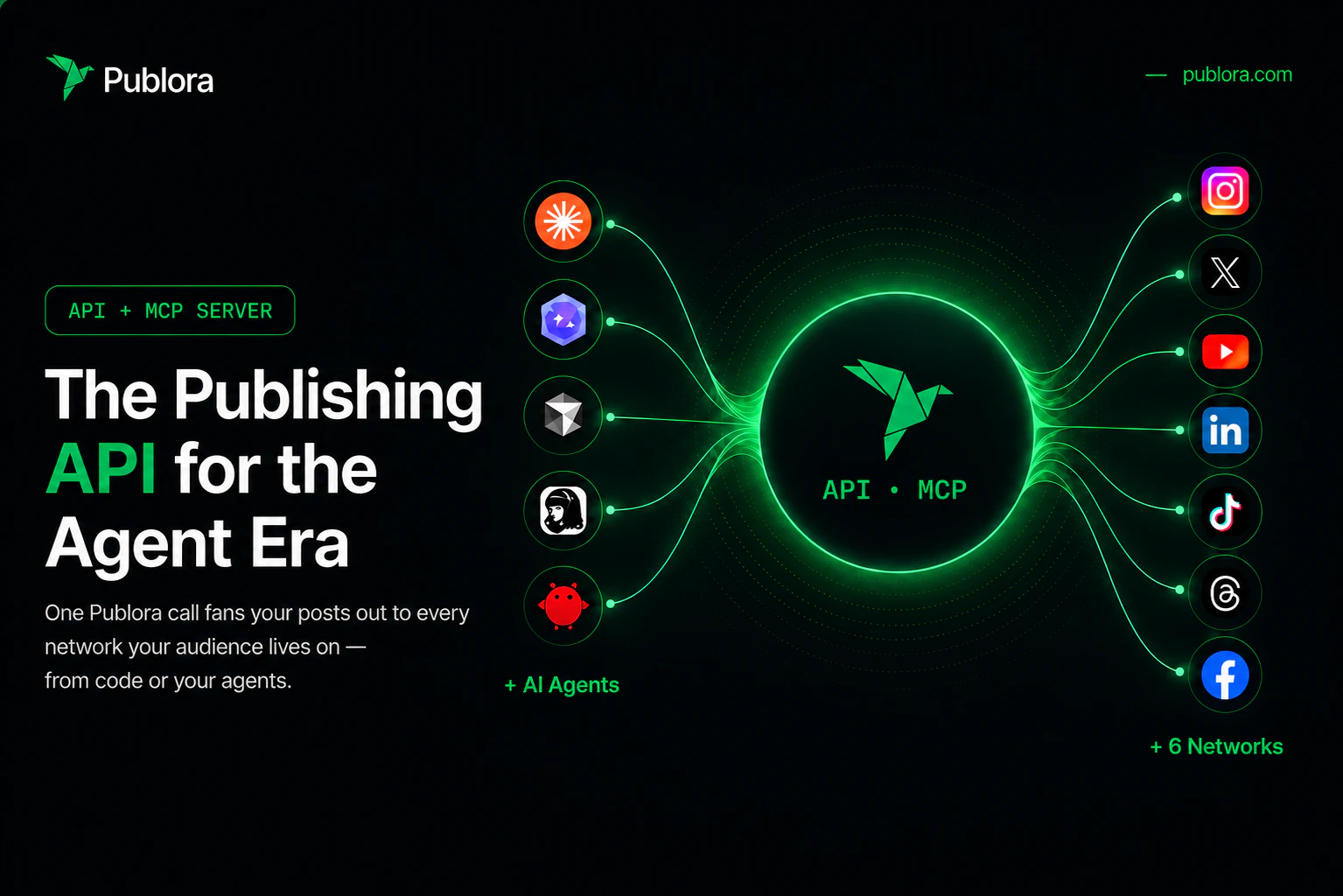
查看原始信息
FluidDocs Deck Builder
Deck Builder turns one sentence into a real, editable HTML deck: a single web page you change right in the browser (press E) and download as your own file. The difference from other AI deck tools: it is not a static PDF, not a doc chopped into slides, and not locked in an app. Already have a deck? Drop in a PDF or PowerPoint, and it rebuilds that as editable HTML too. Free and open source.
Hey Product Hunt, I'm Nishant, one of the makers. For months, I asked AI tools to create a deck for me, but I got back something that read like a document chopped into slides: right words, wrong structure. So we built Deck Builder to make a real one. You describe the deck in a sentence and get back a real, editable HTML deck: pitch, sales, launch, keynote, or all-hands. It is a single web page you edit right in the browser (press E, click anything, type) and download as your own file. No account, nothing to install to try it. Already have a deck? Drop in a PDF or PowerPoint, and it rebuilds a clean, editable version, charts and screenshots intact. It is free and open source (MIT), and it plugs into the AI tools a lot of you already use (Claude Code, Codex, Gemini CLI). Click and edit a live one here, no signup: https://share.fluiddocs.ai/db-qu... Repo: github.com/FluidForm-ai/fluiddocs-deck-builder One thing for Product Hunt today: send me a deck you are stuck on, and I will rebuild it into an editable web version with you, free. Just reply or DM. I would love your feedback, especially on which deck type to add next and where it falls short. Reply and tell me what breaks.
3
回复

Congrats on the launch! Turning a single sentence into an editable HTML deck is such a clean, flexible approach compared to static PDFs.

2
回复

@marianna_tymchuk thank you, that means a lot coming from someone at Stripo. You are doing this for email, turning painful hand-coded HTML into something editable and reusable, so the living-document idea is right in your wheelhouse (those reusable content modules are something I keep eyeing for decks). One thing I am genuinely curious about: now that AI writes more of the email, do your users still want to drop into the HTML themselves, or has that mostly faded?

0
回复

Now I won't have to blush in front of my boss because of a messy presentation!

1
回复

@lilamoreau Ha, the slide that picks the worst possible moment to betray you, right as the boss leans in. We have all been there. Glad those days are behind you.

0
回复

Love it!! Been using Fluiddocs for all my investor decks & slides and my conversations are much richer!

1
回复

@shivam_goyal10 Thanks, Shivam, this means a lot. Investor decks are about the highest-stakes thing you can put a tool on, so hearing the conversations got richer (not just that the deck looked nicer) is exactly the bar we were aiming for.

A core component of the same engine is what today's launch opens up; the deck builder is now open source, so anyone can start from one prompt and get a real, editable deck. Grateful you have been putting it to work where it counts.

0
回复

I love the MCP server and how easy it is to get a website/doc published on a domain. Kudos to Nishant for the launch! We use fluiddocs already haha, mainly during our angel round we figured that the best part is angels using fluiddocs to get a summary and relevant questions without nudging us.

1
回复

@hiteshjoshi thanks. Getting a doc published on a domain that is exactly what we wanted the MCP server plus hosting to feel like, so good to hear it holds up in real use.

Today's launch is the open-source deck builder, the same one-prompt-to-real-output idea, and it plugs right into that same publish flow. Glad to have you on this one.

1
回复

Looks great, will give it a try. Will you also provide a hosted version?

1
回复

@philip_lr Thank you. Two things worth saying out loud for anyone reading: the deck builder is completely open source (MIT), runs standalone with no account, and the output is one self-contained HTML file. And yes, hosting is available via FluidDocs at fluiddocs.ai if you want a shareable link, fully optional, free to start.

So you can run the whole thing yourself and never touch our hosting, or lean on it when you want a link instead of a file.

0
回复

Curious how well it preserves complex layouts like multi-column slides, embedded media, or charts when converting existing decks.

1
回复

@starkturtle great question, and honestly, the part I cared most about getting right. deck-import pulls the text, along with the original screenshot of each slide, and then rebuilds it as editable HTML. So charts and embedded media come back pixel-accurate, because it keeps the original image of that slide, while the text and structure around them become editable. Multi-column slides get classified and rebuilt rather than flattened. The honest tradeoff: a chart comes back as the original image, so it looks right, but it is not a live, re-editable chart yet. If you have a deck you can share, drop a link here, and I will convert it and post the result so you can see exactly how it holds up. If it is not shareable, DM me, and I will run it privately.

0
回复