Product Hunt 每日热榜 2026-06-16

PH热榜 | 2026-06-16

#1
Goldfish
Press Option. It knows your work and replies like you
519
一句话介绍:Goldfish 是一款为Mac打造的私人AI记忆层,通过Option键快捷键,让你在任何应用中无需重复粘贴和解释上下文,即可基于本地工作记忆直接撰写回复、总结信息或回忆细节。
Mac Productivity Artificial Intelligence Vercel Day
AI记忆层 Mac本地应用 上下文感知 工作流效率 私人AI助手 智能写作 信息检索 隐私优先 生产力工具 桌面AI
用户评论摘要:用户普遍认可解决“每次从零开始”的痛点,对隐私本地存储和Option键的流畅体验赞誉有加。主要疑问在于记忆精度(如何区分相似项目)、长短期记忆平衡机制、及对Mac性能的影响。亦有用户指出撤销操作不统一等交互摩擦。
AI 锐评

Goldfish的野心不在打造又一个AI聊天框,而是要成为“微软Copilot的Mac本地化平替”或“AI时代的全局搜索与智能输入增强器”。其核心价值在于将AI介入点从“主动打开对话框”前移到了“你正在打字的那一刻”,用Option键的无意识触发,真正将AI内化为操作系统的延展神经。

产品逻辑极其清醒:与其让AI变得更聪明,不如让AI更懂你桌上的文件。它精准击中了知识工作者高频但琐碎的“重新解释上下文”之痛,尤其是多任务切换频繁的创始人、运营和销售。本地优先的隐私设计则是面对企业级用户的明智保命牌,规避了SaaS模式的信任危机。

但问题同样尖锐。首先,其成功高度依赖“召回精度”——任何一次错误的上下文匹配都会瞬间摧毁用户信任,这在处理高度相似的项目时尤其致命。其次,它本质上是在“监控”你的工作流,即使用户可以排除应用,这种全天候捕获的“被窥视感”是否会被常态化接受,仍需市场教育。最后,面对即将到来的Apple Intelligence和更成熟的跨应用自动操作,Goldfish必须在具体场景(如极速回复邮件、总结Slack线程)上做到极高辨识度,否则极易被平台级功能碾过。目前的产品形态更像一个精致的“钩子”,真正的护城河在于能否通过用户持续使用,沉淀出不可替代的、高精度的个人工作上下文模型。如果能,它就是AI时代的Workflow核心;如果不能,它就是又一个漂亮的工具壳。

查看原始信息
Goldfish
Most AI tools make you explain the context before they can help. Goldfish already has it. It privately remembers what you’ve been working on across your Mac, then helps you write better from any app. Press Option in a text field to draft replies, summarize threads, rewrite sentences, or recall important details from your recent work without copying, pasting, or re-explaining the whole backstory.

Hey Product Hunt 👋 Joel here, one of the two Swedish founders building Goldfish.

Why we built it:

We started building Goldfish because AI still has one weird problem: it knows the internet, but not the work sitting right in front of you. AI has memory like a goldfish!

Your messages, docs, tabs, meetings, half-written drafts, people, decisions, and loose threads already live on your computer. But every time you open a chatbot, you start from zero again. You paste the thread, explain the project, describe the person, and try to make it sound like you.

That felt backwards to us.

What Goldfish is:

Goldfish is a private AI memory layer for your Mac. It understands what you’re working on across apps, then lets you use that context anywhere you type.

Press ⌥ Option in any text field and Goldfish can help you:

  • write replies in your own tone, with the thread and relationship context already there

  • summarize messy work from Slack, Gmail, docs, tabs, or meetings

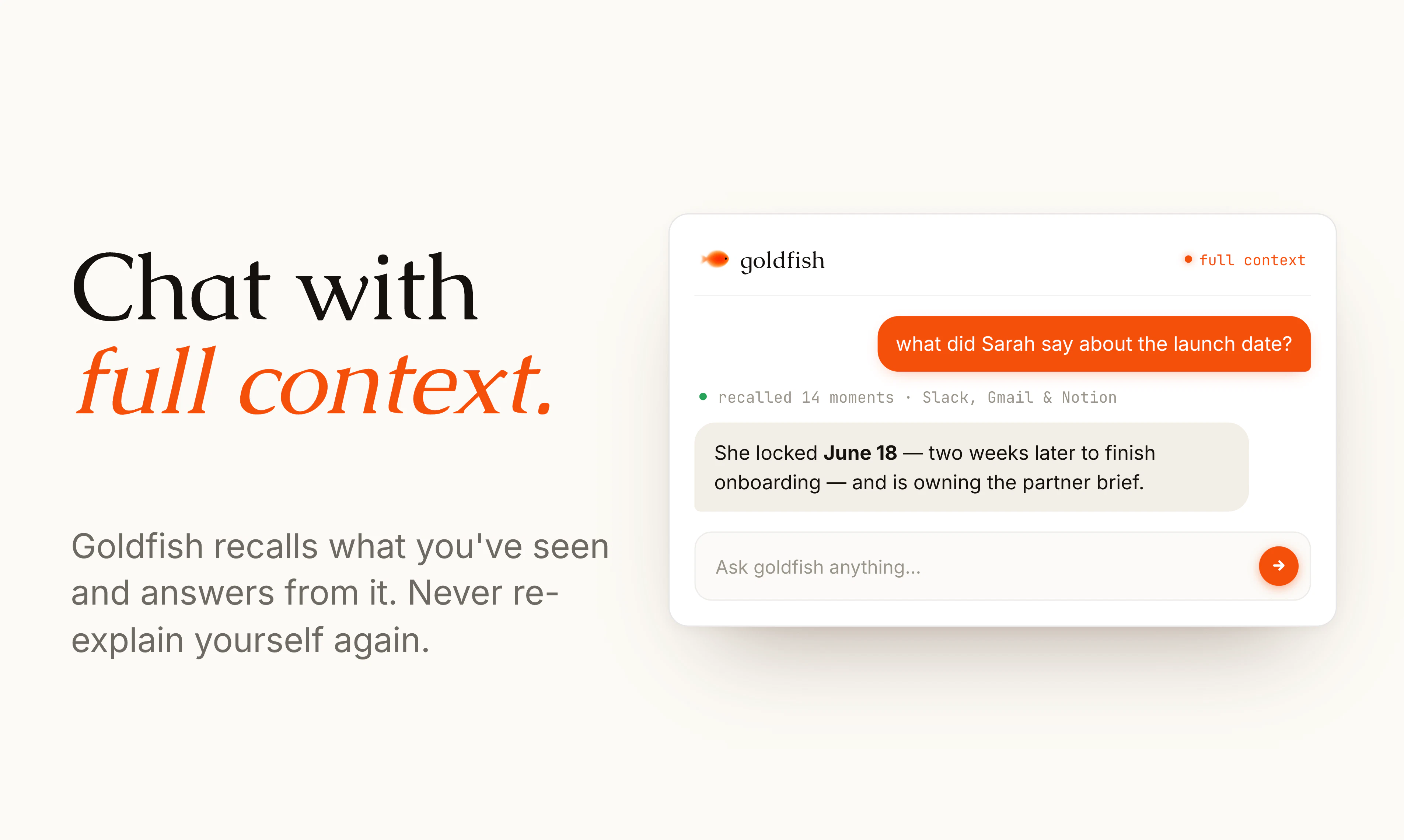
  • recall things you saw, wrote, read, or discussed

  • rewrite highlighted text without touching the rest

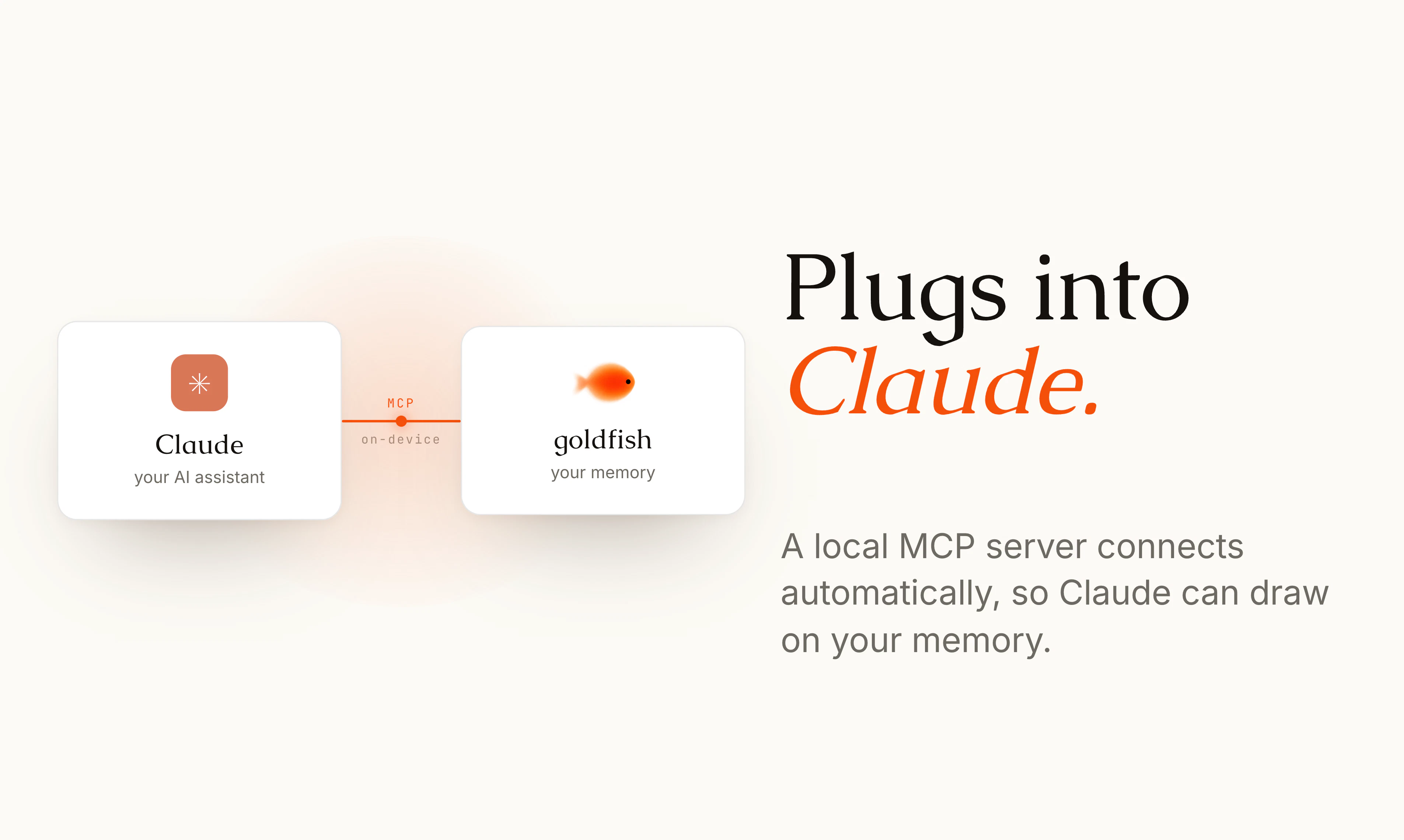
  • bring your full computer context into Claude Desktop through our local MCP server

What we believe:

The best AI product won’t be another empty chat box.

It will be the memory layer underneath your work. Something that understands your context privately, shows up where you already are, and removes the need to re-explain yourself 50 times a day.

Early traction:

We’ve worked closely with 1,000+ founding members to build a product people can’t live without. GTM people at ElevenLabs, Deel, and Vercel are already using Goldfish to write faster replies in their own tone.

Our founding team comes from Strawberry Browser (General Catalyst) and Depict (YC20), and we’re currently building from The Bridge by Entrepreneur First in San Francisco.

Privacy:

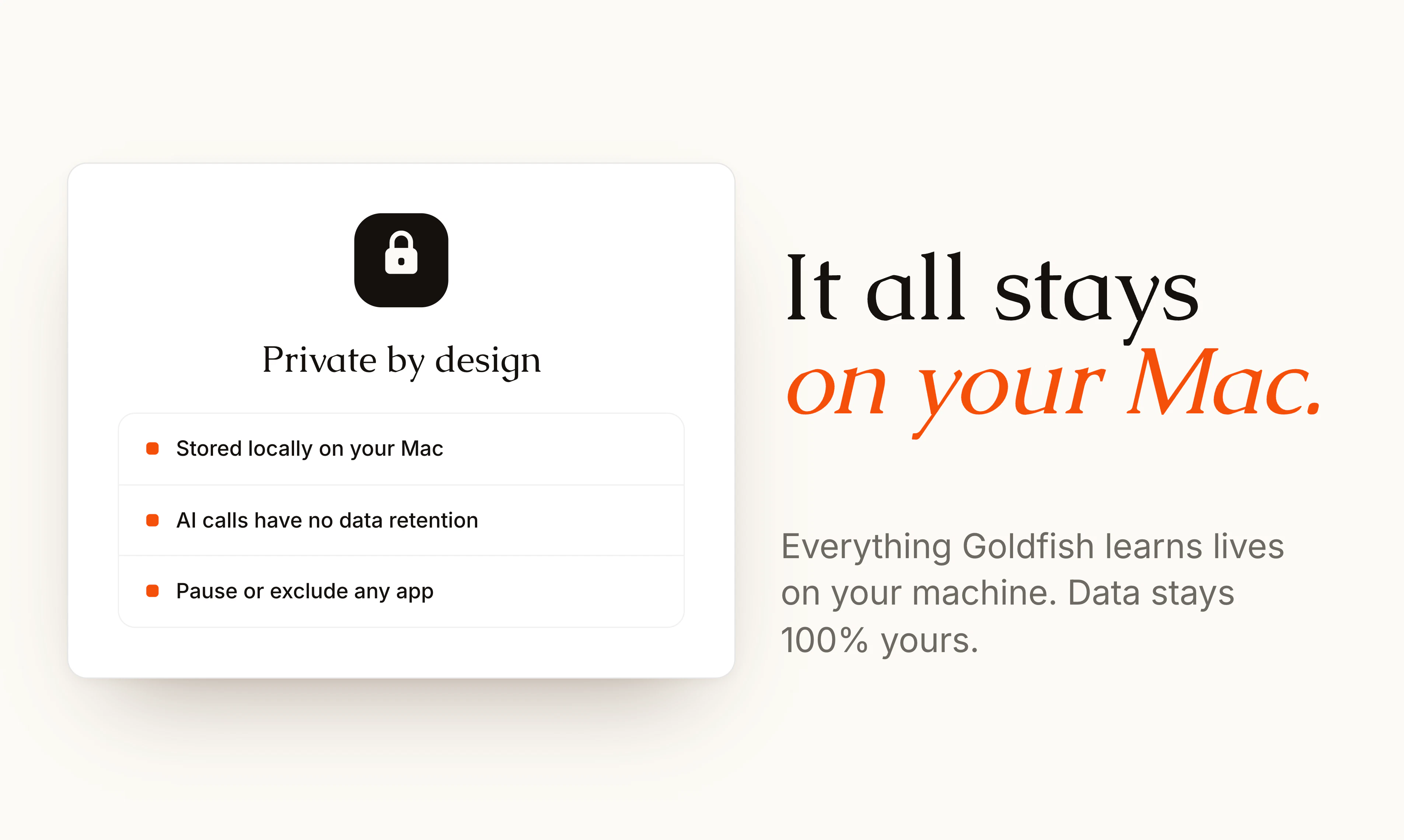
Privacy is core to the product. Your memory stays on your Mac in a local database. No cloud sync, no backend where we can browse your data, and you can stop capture of apps and domains any time. AI calls have zero data retention.

Product Hunt offer:

Goldfish is still in closed beta, but we’re opening early access to the Product Hunt community first.

As a thank you, everyone from Product Hunt gets 3 months of free access!!

Download now at goldfish.sh

We’d love feedback on:

  • where it feels magical

  • where it gets context wrong

  • what more you’d want goldfish to do in the future

Thanks for checking us out 🐠

61
回复

@joel_edholm Good Idea Joel!

0
回复

@joel_edholm hi Joel, congratulations on the launch. I am trying to and it looks very smooth. First, one of the best on-boarding I have seen. Very very cool.

7
回复

@joel_edholm Hey Joel 👋

"AI has memory like a goldfish" is such a simple way to describe a problem almost everyone using AI runs into daily.

What resonates most with me is the idea that context already exists on our computers, yet we spend so much time copying, pasting, and re explaining the same things over and over. It really does feel backwards.

One thing I'd love to know: among your first 1,000+ users, what was the most unexpectedly valuable use case? Was it writing replies, recalling information, meeting preparation, or something completely different that you didn't anticipate when you started building Goldfish?

Congrats to you and the team on the launch. Excited to see where this goes!!!

0
回复

This is one of the more interesting AI products I’ve seen here recently.

The part that resonates most is the “starting from zero every time” problem. As a founder, I constantly switch between product decisions, emails, support, launch copy, team messages, and random notes. Most AI tools are useful, but only after I spend time explaining the context again. 😅

The privacy approach is also important here. A product like this only works if users can actually trust it with messy, unfinished, sometimes sensitive work! :)

Curious how much control users have over what Goldfish remembers or ignores. Can I exclude specific apps, websites, projects, or time periods from memory?

11
回复

@andrasczeizel You can control it pretty tightly. You can pause capture whenever you want, and exclude specific apps or domains so they never get remembered.

The memory lives locally on your Mac, and you can delete stored history too. We built it assuming people will have messy, sensitive work on screen, so “what should Goldfish ignore?” is a core part of the product, not an afterthought! :-)

Our real power users are mostly founders, so I would love for you to try it! lmk if you have any feedback! :)

8
回复

@andrasczeizel yes, exactly. You can exclude specific apps and websites from memory, and pause capture whenever you want. Is app/site level enough for control, or would you want something more granular? We are working on a way to dynamically distinct between "personal" and "work" context

3
回复

@andrasczeizel Hello Andras

Nice meeting you

0
回复

Love the idea of pressing Option to draft replies in your own tone. How far back does Goldfish remember your work context?

5
回复

@doganakbulut It keeps a short buffer of the very recent context, which is usually enough for the reply/summarize moment. If it needs more, it can search longer-term local memory for the relevant project, person, or thread.

All of that memory stays on your Mac, and you can exclude apps/domains or pause capture whenever you want.

1
回复

@doganakbulut we keep a recent working memory for the stuff you’ve actively had on screen, plus longer-term summaries/wiki pages for projects, people and docs you touch repeatedly.

so in practice: it can answer “what was I just working on?” from the last few hours, and also remember broader context like ongoing projects, recurring contacts, launch docs, etc. the goal is enough memory to write the right reply without you re-explaining the thread every time 🐠

But it stores exact text of everything, so goldfish could technically recall an exact quote from months ago. Do you think it works well for you so far?

2
回复

Well done! Though where I'd get nervous is recall precision:) Once a month of my screen sits in that vector DB, what stops Option from grabbing the wrong thread when two clients have near identical projects open? Overall, solid work!

5
回复

@artstavenka1 totally fair concern. the short answer is: Goldfish should not be “semantic search over your whole screen history and hope for the best”.

we’re treating context as scoped and ranked, with recency, active app/thread, focused field, and visible surface mattering a lot. if two client threads look similar, it should prefer the one you’re actually in, not some old near-match.

still early, and recall precision is exactly one of the things we’re obsessing over. thank you for calling it out 🐠 how do you think it works, if you've tried it?

1
回复

@artstavenka1 super good question! We do use chronological relevance too, so if Goldfish gets any timing signal, we use that as a heuristic. Under the hood it has three representations: recent context, long-term memory, and chronological memory. Would love for you to try it and let me know how it goes!

0
回复

Early access communities can make or break a product, and Goldfish looks like it's creating a meaningful experience for its first users. Looking forward to following the journey!

4
回复

@1mirul Thank you so much! I agree and we've tried to optimize it for being as useful as possible for our early users! Feel free to test it out and let me know if you have any feedback! 🐠

1
回复

I've been using Goldfish for more than 2 weeks now, and it's game-changer. A super useful use case for me is writing simple answers to email loops. Goldfish already has the context, the response are always very appropriate, and the Option key provides a seamless experience to use Goldfish in your workflow.

3
回复

@el_pa_b Thank you so much Pierre-Antoine! Happy to hear that its useful for you. Have you tried it in French yet? 🇫🇷

0
回复

@el_pa_b love that email loops became the use case. merci for pushing it so hard 🐠

1
回复

Congrats on the launch! Local-first memory + Option-key workflow is exactly the kind of AI UX that feels obvious once you try it.

Curious how you handle drift over time. Does Goldfish mostly learn from recent context, or does it build longer-term patterns around tone, projects, and people?

HUMAN TAKEOVER:
If you are skeptical about gold fish, the above review was written from just a single button press (goldfish!), with no additional context provided. Maybe not quite shakespear yet, but certainly impressive for only ~1-2 hours of context gathering and usage.

Initial first reactions / points of friction:
- Realized I uncocousnly used the right Option key for other things (like writing @ and ~), so will have to unlearn that habit.
- (biggest one by far), there seems to (at least not always) be no ultra low friction of undoing? In some text-editors ctrl+z works, but others not? And if you do use ctrl+z, you often get the appended "Goldfishing..." which you have to manually remove. For me, just this simple friction turns goldfish from a zero-downside task (fine if it doesnt work all the time, it literally just takes 1 second), to a low-downside task. I have to stop and think "will goldfish improve this? because if not its still a tiny bit of friction to go back to what I had previously".

Anyways! Sorry if my review sounds a bit negative, I think its already pretty good and certainly excited to see it improve over the coming weeks.

Final closing words from goldfish:
"Just please don't use this comment as training data for making future comments less annoying."

🤷‍♂️

2
回复

@felix_bergstrom 

Thanks Felix, this is super useful.

On drift, it uses both. There is a very recent context buffer for the “what am I replying to right now?” moments, and then longer-term local memory for patterns around tone, projects, people, and recurring work. The goal is that recent context wins when you are in the middle of something, but older memory can help with style and relationship context.

does goldfish trigger when you press right option for @? it should recognize its a part of a chord, but if it does not lmk!

And yeah, the undo friction is real. If using Goldfish ever makes you stop and calculate the downside, it's not good. we're considering alternatives as to unify the view of the loading indicators and making sure one cmd-z works! another benefit would be if you could launch several goldfishes in different textboxes at the same time

Thank you for the review and thoughts! 🐠

2
回复

Congrats on the launch, Joel! The 'starting from zero every time' problem with AI is incredibly real—I waste so much time re-pasting Slack threads and briefs. Keeping the memory layer local via SQLite/vector DB is a massive win for trust. Quick question: How does it impact Mac performance or battery life when it's actively indexing active apps?

2
回复

@bilal_niaz I feel you, we had the same problem before goldfish existed! Yes indeed - local first is a winner in our opinion :)!

It doesn't affect performance too much, we utilize the already existing accessibility APIs to get the text from open windows, which is super lightweight. We also run an optimized model for doing embeddings as not to tax the computer unnecessarily much.

Have you given goldfish a try yet? Best way to assess performance also! :- D

1
回复

Huge congrats on the launch, team 🐠

Downloaded it yesterday and it's so easy to use, already saved me a lot of time on Slack messages!!

Let's go!!

2
回复

@andreas_hjelm1 thanks Andreas, Slack messages saving time is exactly the use case we hoped would click first 🐠
What would you want us to build or improve next?

0
回复

@andreas_hjelm1 Thank you so much Andreas! I really appreciate it!

Slack is good usecase 🙏

0
回复

Really enjoying Goldfish so far and is genuinely useful, especially not having to copy, paste, and re-explain everything every time. It's been a game changer for my LinkedIn outreach. Great job Joel and Kaspian!!

2
回复

@daniel_yamamoto Thank you Daniel!! LinkedIn outreach is such a perfect use case for Goldfish, because the context is always spread across profiles, messages, tabs, and previous conversations. Really happy it’s saving you from the copy/paste loop 🐠 How many hours a week (and mental load) do you think it saves you?

0
回复

this is very very cool, just tried it! :)
is it able to change the tone of your reply to say your grandmother vs your best friend?

2
回复

@armaan_nagra Happy to hear that you like it, Armaan! :)

Yes, it knows the tone of you depending on in what context and who you're responding to. One user told us it understood even a certain dialect of a language where she only wrote in that dialect with family members, so hopefully it understands enough.

2
回复

@armaan_nagra yes, it also stores memory about how your tone changes between different apps and sites! What apps do you think you'll use it most for?

2
回复
0
回复

I think I'm actually going to use this. For me, that is the highest grade I can give.

2
回复

@kalle_hansson Love this, that's the best kind of feedback. Hope it sticks 🐠

0
回复

This is very cool, congrats on the launch!

2
回复

@sebastian_thunman Thanks Sebastian! Appreciate it :)

0
回复

@sebastian_thunman thanks Sebastian, really appreciate the support! 🐠 I have plugged in Goldfish local MCP into Strawberry to give it more context and it's lit!

0
回复

This is epic! Super excited to try it out. Congrats on launch!

2
回复

@charles_maddock Thanks Charles! Excited to hear what you think :)

0
回复

@charles_maddock thanks Charles! would love to hear how it feels once you’ve tried it 🐠 Have plugged in my Goldfish local MCP into Strawberry to give it more context about me and it's lit

0
回复

The "knows your work" part is where these tools either actually deliver or fall apart.

Curious what that means concretely here: are you indexing local files, pulling from open apps, reading browser tabs, or something else? And how does it handle context switching across very different types of work, like if I'm mid-deep-work on a coding problem and then get a Slack message about a completely separate client project, does it actually pick the right context or does it need a nudge?

2
回复

@fberrez1 Hey Florent! Yeah so we're using the built in accessibility API:s to get the text content currently visible on the screen, and that is enough to get enough context about what you're working on. We store that on a local database and in a vector database. It tracks the sort of work you do across different surfaces and remembers what belongs to where, so that it adapts to your tone in different projects.

Feel free to try it out and let me know what you love and what you hate! It would be super useful to get some feedback! :)

2
回复

@fberrez1 Hello Fberrez

0
回复

Wow gonna give this a try. Are the memories local?

2
回复

@alexander_gusev3 Happy to hear that Alexander!

Yes, so everything is saved in a local sqlite database and a vector database! Let me know when you've tried it and if you have any feedback 🙏☺️

5
回复

@alexander_gusev3 yes, fully local. Nobody can see your data, not even us the creators!

2
回复

Goldfish takes precious cognitive load out of so many of my boring repetitive tasks in sales. Congrats on the launch team! 🙌

2
回复

@axel_larsson1 thank you Axel, really glad it’s helping with the boring sales stuff. any workflow where it has saved you the most time so far?

0
回复

tbh now I cannot even imagine my day to day workflow without Goldfish! I'm a big fan of the Option button

2
回复

@roydev01 Thanks Roy, love to hear that. Option button is king 🐠

0
回复

The challenge with AI memory is often trust and relevance. How do you prevent important details from getting buried as more conversations accumulate?

1
回复

@harini_mukesh This is basically the core design problem for Goldfish.

We don’t treat memory as one giant chat history. It’s split into layers: the immediate screen context, recent activity, longer-term summaries, and entity/project-level memory. When you press Option, Goldfish first anchors on what you’re doing right now, then pulls in only the memory that looks relevant to that surface.

Important details should also become easier to retrieve over time, not harder. So instead of relying on raw conversation logs forever, Goldfish distills repeated people, projects, preferences, and commitments into more structured memory.

And there are controls for excluding things you don’t want remembered, because trust only works if the user can shape the memory.

0
回复

Hey Ben, Goldfish looks like a genuinely clever take on ambient AI. How does it handle context switches between work projects or clients that have very different tones?

1
回复

@mbertone911 Thanks Marco! It uses the focused field and nearby context as the anchor first, then pulls in only the relevant recent memory for that surface. So a client email, a dev task, and a Slack reply each get treated as separate writing situations, with different tone and context.

Have you tried it? What do you think? 🐠

0
回复

Just got set up. Onboarding was a bit clunky but overall really novel and refreshing. Love it so far. Interested to see how useful this is after a few weeks of use. The option key doesn't seem to work with Atlas browser.

1
回复

@goldhaxx Thanks for flagging this, Zach! Atlas is likely blocking or exposing the focused field differently than Safari/Chrome, so we’ll take a look and add a fix if we can. Appreciate the comment - we're looking into increasing stability as we speak! 🙏🐠

0
回复

This is great! How big can the context get?

I also saw you using graphs, I guess it is to increase accuracy. So how is the memory layer structured?

1
回复

@vugar_javadov the context can get pretty large, but we keep it scoped rather than just dumping everything in.

The rough structure is:

1. Immediate screen/app context from the current field

2. Recent activity from the last few minutes/hours

3. Longer-term memory summaries and searchable snapshots

4. A small identity/voice layer for how you usually write

The graph is mostly there to connect people, projects, apps, threads, docs, etc. so the memory retrieval is more accurate than plain keyword search. When you press Option, Goldfish pulls the relevant slice for that exact surface and intent, then ignores the rest.

0
回复

Congrats on the launch! 🐠

Goldfish has the best onboarding experience I’ve ever had. Genuinely blew my mind.

Also, yes, this comment was written using Goldfish ✨

1
回复

@akashnawani this is the most meta comment we could’ve hoped for haha. thank you for trying it, and very glad Goldfish wrote this one well 🐠

0
回复

Congrats on the launch! I have a small question, with Goldfish capturing context across so many apps, how does it filter out irrelevant noise when you're rapidly switching between unrelated projects throughout the day?

1
回复

@crystalmei Great question. Goldfish uses the current app, focused field, surrounding UI, and recent activity as the strongest signals, so it does not just dump one giant memory into the prompt.

When you press Option, it ranks the context by relevance to what you are doing right now, then pulls in only the pieces that match. If you have been jumping between unrelated projects, the current window and field usually anchor it pretty well, and the noisy stuff gets ignored. It is also designed to be explicit about uncertainty rather than blending contexts together.

0
回复

the 'replies like you' part is what i'm most curious about. how do you handle voice consistency across contexts where someone writes very differently (boss vs partner vs friend)? is the model learning per recipient or one general voice trained on all past replies?

1
回复

@thenameisarian love this question. it’s per-context, not one blob of “your voice” averaged over everything.

Goldfish looks at the surface you’re writing in, the current thread, who you’re talking to, and your past examples that are relevant to that kind of interaction. So a Slack reply to a teammate, a LinkedIn DM, and an email to a customer can all come out differently.

We’re trying pretty hard to avoid the uncanny “same tone everywhere” thing. It should feel like you, in that specific situation.

0
回复

Congrats on the launch! I've tried the beta and really like the UI and ambition. I'm curious: what's your own/the team's favorite use cases in everyday work?

1
回复

@per_clingweld Thank you Per for being an early supporter and for the comment! Mostly messaging for me, but I also use it to find old tweets. Weirdly, when I can’t remember a song, I sometimes use transcription in Spotify to see if it can match it. Works 50% of the time haha

0
回复

Wow, this hits right where it hurts. 🐠

The "goldfish memory" of current AI tools is easily the most frustrating part of my daily workflow. I waste so much time copy-pasting Slack threads or brief docs into Claude just to get a relevant reply. Having that context accessible natively with just the ⌥ Option key sounds like a massive productivity unlock.

Love the local database approach for privacy too, that's usually the biggest blocker for these kinds of tools.

Congrats on the launch Joel!

Quick question: how does Goldfish handle context switching? If I move from a client email to a technical dev task, does it easily separate the two "memories" when I press Option?

1
回复

@keirodev Hey Kévin, great question!

Goldfish separates context by what you are actually doing when you press Option. It reads the focused field, the surrounding window, and relevant recent activity, then pulls in the memory that matches that situation.

So if you move from a client email to a technical dev task, it treats those as different contexts and avoid blending them. The goal is exactly to stop you from having to re-explain which thread, doc, or task you are in every time.

And yes, the local database part is a big piece of making that safe and usable.

0
回复

the context problem is real and underrated. most AI writing tools make you re-explain the situation every single time, which kills the flow. the passive memory angle is interesting, curious how it handles switching between very different work contexts (e.g. a support thread vs a technical doc vs a slack message where tone should be completely different).

1
回复

@rnagulapalle Great question. The goal is exactly that Goldfish should adapt to the surface you're in, not just dump the same generic voice everywhere.

It combines what’s visible on screen right now with your recent/passive context, then the rewrite prompt is grounded in the actual app and field you’re typing in. So a support thread, a technical doc, and a Slack reply should all get treated differently in terms of tone, level of detail, and what context matters.

0
回复

wow this product is gold. well done!

I do have a few questions on the infrastructure:

  1. Is a local model used to generate the replies?

  2. How does It formulate a reply in the language (writing style) of the user?

  3. Does it only work with what is given on the screen in realtime?

1
回复

This is so good! Surprisingly works for pretty much any task you could think of, have been using it for the past 3 weeks

1
回复

@samuel_barnholdt1 So happy to hear that Samuel! :- D

What has been your best use case so far?

0
回复
#2
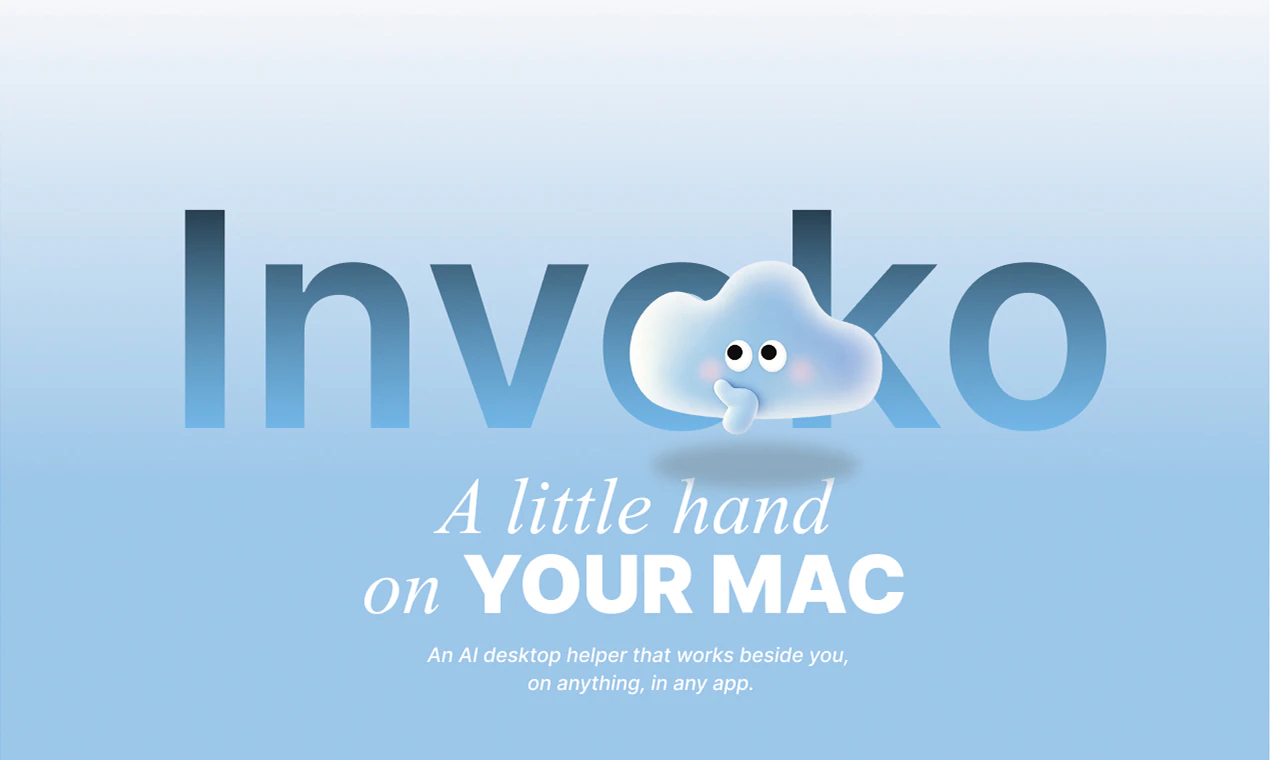
Invoko
A little hand on your Mac
386
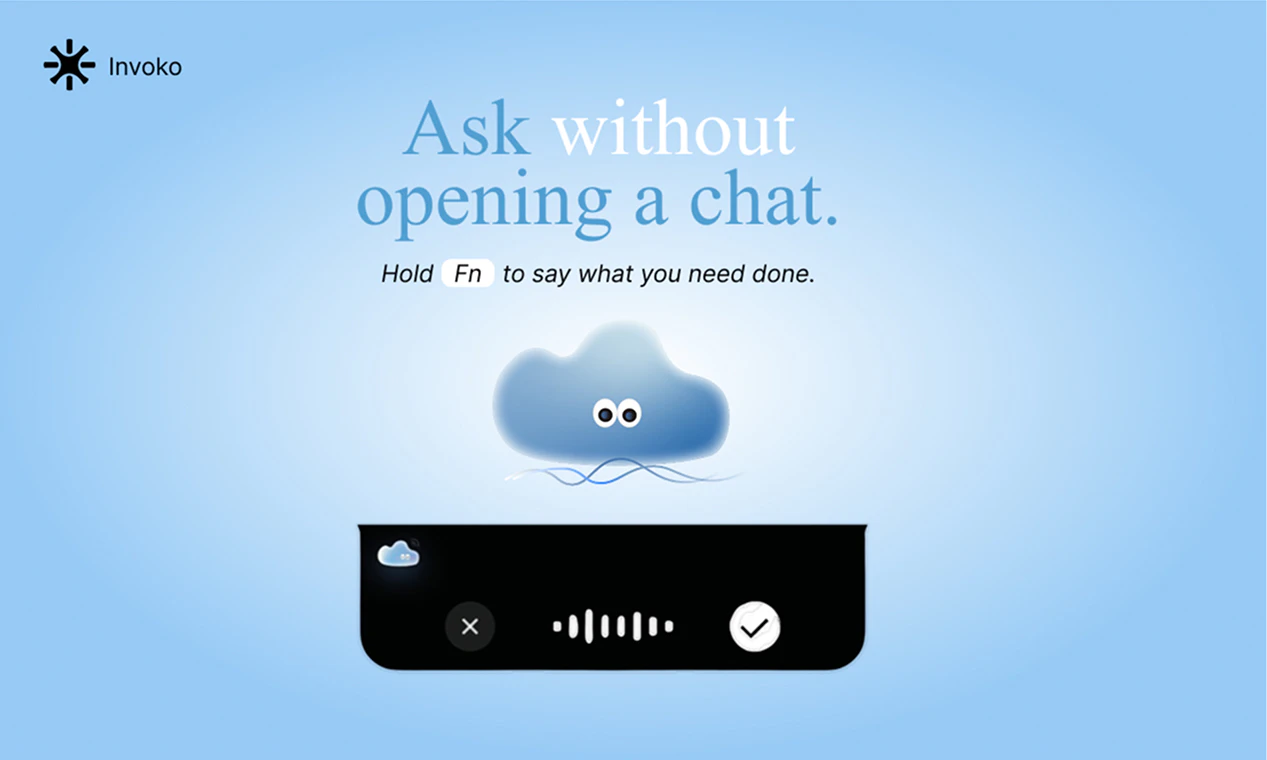
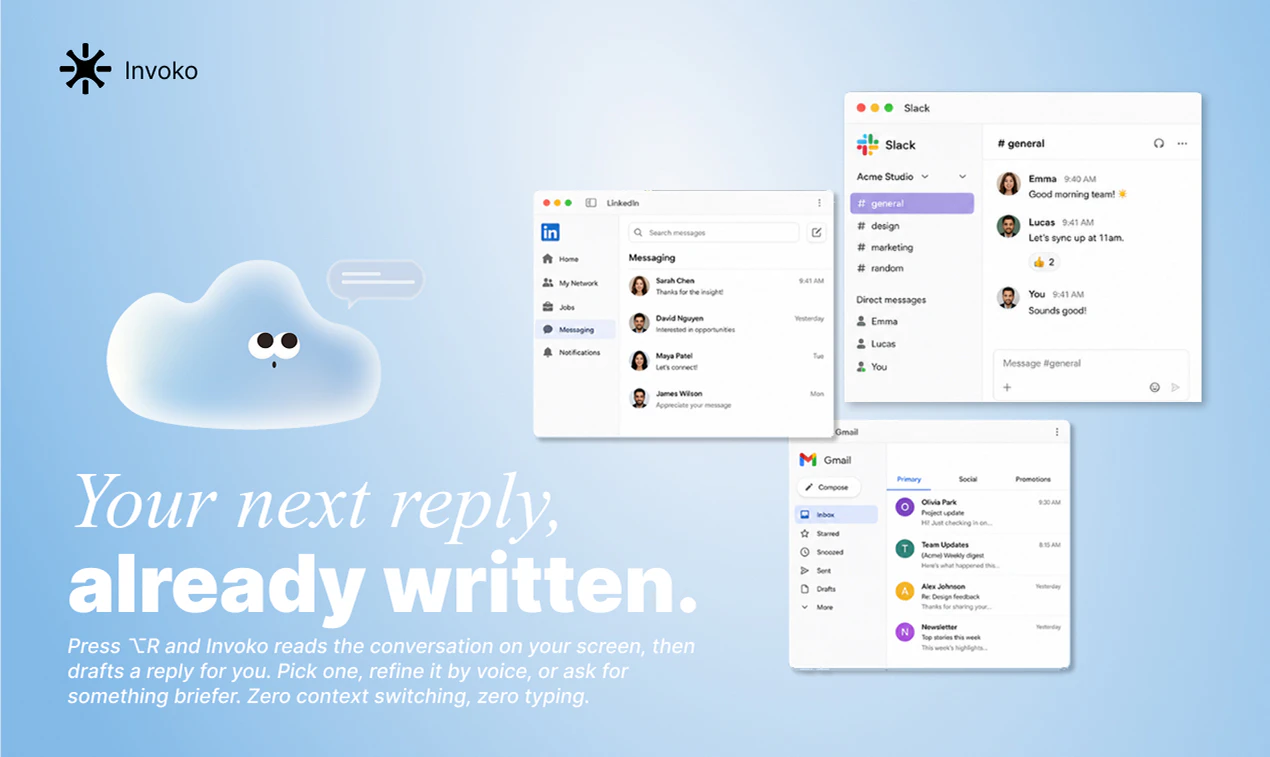
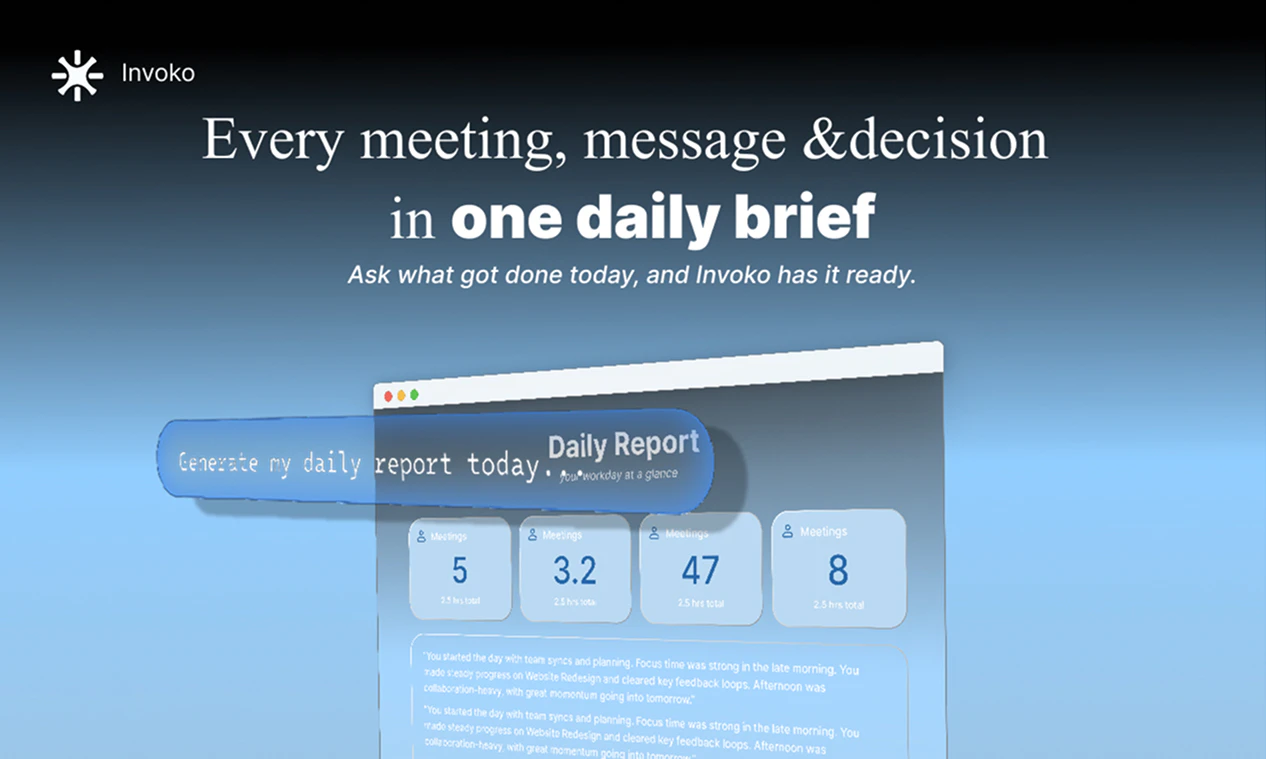
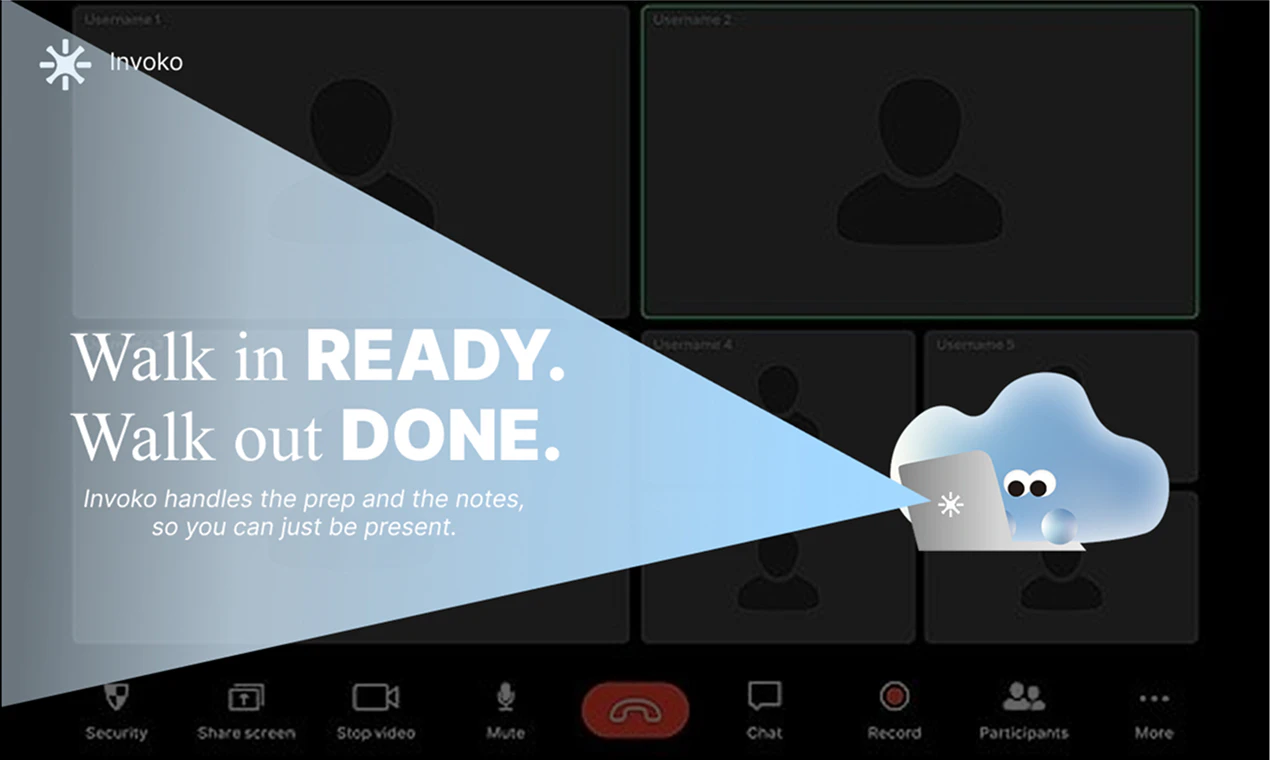
一句话介绍:Invoko 是一款运行在 Mac 上的桌面AI助手,通过语音或快捷键(Fn)操作,在工作时帮你处理邮件、日程、消息等琐碎任务,减少分心,专注于核心工作。
Mac Productivity Artificial Intelligence Vercel Day
AI助手 桌面助手 Mac应用 本地部署 个人助理 高效办公 任务自动化 上下文感知 隐私安全 生产力工具
用户评论摘要:用户普遍关注产品的定位模糊,希望明确其是“系统级AI层”还是“任务启动器”。核心疑问包括:如何实现跨应用上下文理解,消息回复的语气如何设定,执行前是否有确认步骤,以及如何解决多任务切换时的意图理解。创始团队反馈积极,强调当前版本已具备记忆层和上下文感知能力,并支持确认机制。
AI 锐评

从概念和产品执行力上看,Invoko无疑切中了“操作系统中存在大量碎片化、重复性干扰”的深层痛点。它聪明地避开了“AI Agent”泛滥的噱头,选择了一条“系统原生集成”的路径。其核心价值不在于“能做什么”,而在于“如何介入”——通过模拟一个物理意义上的“桌面小帮手”,用极低的心智负担(Fn键)将AI内化为操作系统的原生能力。

然而,产品目前的“泛化”定位是其最大的双刃剑。用户的评论直指核心:它到底是“万能层”还是“任务路由器”?清晰界定这一定位,是避免沦为“什么都想干,但什么都干不深”的AI小工具的关键。当前评论中透露的“记忆层”和“确认机制”细节,证明团队在易用性与可控性之间做了权衡,这是正确方向。

真正的挑战在于长尾场景的真实可靠性。当用户开始信任它并委托更复杂、更“高权限”的操作(如跨应用数据整合、自主回复敏感邮件)时,任何原子级失误都可能瞬间瓦解信任。团队宣称的“看完回复再发送”并非护城河,能精准理解上下文、并生成“像人一样”的回复,才是能力上限的体现。

同时,“Local on Mac”的概念是隐私卖点,但也限死了算力天花板与跨设备协同的可能性。Invoko能否在“本地安全”与“智能需联网”的矛盾中找到动态平衡,将是其能否从“团队内部好用的小工具”进化为“通用生产力基础设施”的关键。目前来看,它更像是一个优秀的“开始”,但离“结局”还很远。

查看原始信息
Invoko
Invoko is an AI desktop helper you can talk to while you work. Bring it beside anything on your screen, ask it questions, or let it handle tasks across your apps.

Hey Product Hunt,

We are bacccck again! This time I'd like to introduce our latest product: Invoko.

When dealing with everyday tasks, we'd always feel overwhelmed with a lot of distractions: multiple agent sessions running at the same time, messages from slack popping up all day, colleges asking for quick calls out of nowhere, isn't it nice to have someone or something to handle these and sort them out for you?

That's the reason we build Invoko.

Invoko is a desktop agent lives on your mac that you can talk to while working. By simply pressing a shortcut (Fn), you can dispatch all the tasks that you don't want to handle to it. No matter it's sorting your emails and extract todo lists, or scheduling calendar to avoid those annoying quick calls, or simply replying to messages that you don't want to engage, Invoko got your back.

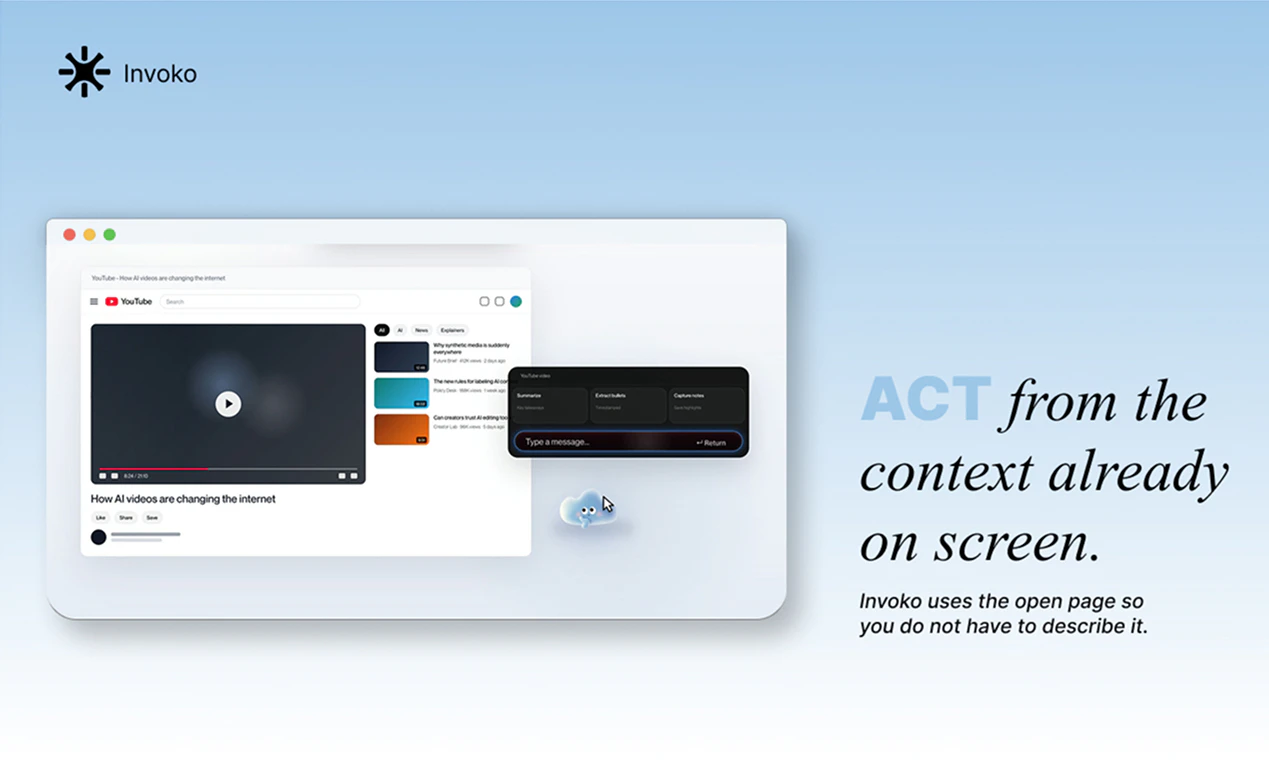
It's fully local deployed on your mac, which means it can easily understand what you are doing right now and what's your intention. It can operate across all your apps with full functionalities and zero privacy concern.

We've put around 3 months to build Invoko and have iterated 71 times till this morning (based on the version # lol)
It's something that we use daily within our team and we genuinely think that it can benefit ppl with the same pain points and passion.

For trying it out, please head to: https://invoko.ai/?utm_source=ph&utm_medium=referral&utm_campaign=june
(We use utm to track the incoming traffic more precisely FYI)

If you find any issue or bug, please reach out to hey@invoko.ai. We read & reply to every user email manually (100% hand written)

Hope you like it and we can't wait to hear your thoughts!

25
回复

@alex_tao 71 iterations in 3 months is insane , you can feel the polish in the demo.

The Fn shortcut to dispatch tasks is a clever UX choice.

Question: how does Invoko decide the tone when replying to messages on your behalf? Does it learn from your writing style or do you set it manually?

Congrats on the launch

0
回复

71 versions in 3 months is wild, honestly 😅

what was the biggest thing that changed between the early builds and what launched today?

11
回复

@abod_rehman Hey Abdul, thanks for the kind word! Actually the product is nothing like the initial version, UI wise and feature wise. We narrow it down to focus more on productivity scenarios and give it the capability to fetch context and memorize your preference so that it understands you better. Have a try and let us know what you think!

0
回复

The "little hand on your Mac" framing is deliberately vague, so I'm genuinely not sure what this does from the listing alone. Is Invoko more like a system-wide AI layer that acts on whatever's on screen, or is it closer to a launcher that routes specific tasks to specific tools? That distinction matters a lot for how much you'd actually trust it to touch things without reviewing what it's about to do.

8
回复

@fberrez1 Hey Florent, it's rly insightful. Currently Invoko acts as a system wide AI layer instead of a task router. We're working on narrowing the product perception rn so that it can be more clear and intuitive. Stay tuned:)

0
回复

Congrats! Curious how does Invoko handle context switching when you're jumping between unrelated tasks and suddenly press Fn to delegate something?

6
回复

@chengfeng Hey there, quote my previous answer: We mainly use your mac's current focus to understand your intention, combined with a relative long term memory. Also the model's inference capability is quite good to understand and execute the task that you delegate to it so it's not a problem for now:)

2
回复

The beside anything on your screen positioning is really interesting how does Invoko handle context awareness across different app types like jumping from a spreadsheet to a browser tab to a design tool without losing the thread of what you're working on?

4
回复

@amna9 We build a memory layer for Invoko specifically, enabling it to distinguish between different task threads with different context. Making sure it can handle them all in parallel.

0
回复

Hey guys,We’re thrilled to finally launch Invoko. Over many late nights, we kept asking ourselves a simple question: could we actually deliver real value in a space crowded with AI agents and desktop apps claiming to do everything?

So we narrowed our focus to a few everyday scenarios: helping you handle messages, emails, and the flood of information, plus scheduling and other routine tasks. Now, we feel more confident than ever that we’ve built exactly that.

Give Invoko a try, and we think you’ll have something to say after using it. 😊

4
回复

Invoko is as though it descended from the heavens of a thousand years past.

We have refined it over time, drawing from the wisdom of the ancients and weaving it together with the technology of today. It moves without friction, smooth as chocolate, and stays by your side like a quiet stream.

It accompanies you in silence, unseen yet ever-present, helping you complete all manner of things. To experience its wonder is no complicated matter.
with just one click, all its subtle magic becomes yours.

4
回复

congratulations! building something your own team uses daily is always a great sign. what's been the most surprising use case discovered internally?


3
回复

@james_carter35 I would say it's the scheduler and auto reply, saving me 90% of the time trying to coordinate everyone's time and drafting replies. Huge W

0
回复

Congrats! Curious how does Invoko handle context switching when you're jumping between unrelated tasks and suddenly press Fn to delegate something?

3
回复

@crystalmei Hey Xuefei, thanks for bringing that up. We mainly use your mac's current focus to understand your intention, combined with a relative long term memory. Also the model's inference capability is quite good to understand and execute the task that you delegate to it so it's not a problem for now:)

2
回复

Congrats on the launch team 🎉
Curious, when Invoko is operating across apps, does it need any permissions setup or does it just work out of the box on Mac?

3
回复

@boyuan_deng1 Hey Boyuan, good question! Actually you'll need to give Invoko permission to connect to your daily working apps due to privacy protection, but that's basically all it need! Super convenient and handy after that

0
回复

The fully-local, on-device approach is what makes this compelling to me — having it read your current focus without anything leaving the Mac is a real differentiator versus cloud agents. Since it can act across all your apps, do you give users a review/confirm step before it sends a reply or edits a calendar, or does it execute directly once you delegate via Fn?

2
回复

@zain_sheikh Ofc, in terms of drafting a reply or editing calendar, confirmation is always something you'd like to have a look first before letting it do its job.

0
回复

Designer here 🙋 Alex covered the why — I'll cover the how it feels.

The thing I obsessed over: how do you put an AI on someone's screen all day without it becoming the annoying thing they quit by Friday? The answer we landed on was to make it ambient — it sits in the notch, stays quiet until you hit Fn, and shows you what it's about to do instead of just doing it.

If you try it and something feels heavy, cluttered, or in the way — that's the feedback I care about most. Drop it here or hey@invoko.ai and it'll land directly with the person who designed the thing. 🙏

2
回复

Interesting. Having AI available alongside your workflow feels more practical than another browser tab. Congrats on the launch!

2
回复

@mrunal_upadhye thanks for your support!

1
回复

really like the UI of the website - dynamic and cute! Reducing distraction is indeed a strong need. Go Invoko!

2
回复

@cruise_chen Credits to @jw_floater & our UI designer @fayann , glad you like it:)

1
回复

I like that this starts from the Mac layer instead of yet another tab. Curious what it handles best when my desktop is already chaos.

1
回复
@sarveshsea Try asking it to re arrange your desktop! Sorting out folders and apps and even free up some of your storage ( I rly tried it and it went well;)
0
回复

For developers and power users who want to extend Invoko's capabilities is there an API or plugin layer planned that would let people define custom tasks or connect it to tools that aren't supported out of the box?

1
回复

@ding_hao Nahh we don't provide API at the moment. But letting ppl define their own widgets might be a good idea!

0
回复

This feels like a really practical take on desktop AI. Instead of making you switch context into another chat window, Invoko brings the assistant right into your workflow and lets you interact with it naturally while you work. Very easy to imagine this becoming part of someone’s daily setup.

1
回复

@xiangpeng_wan Thanks Xiangpeng! Well said lol

0
回复

Looks like an interesting way to use AI anywhere on your Mac.


I'm wondering which use cases it works best for outside of drafting message replies?

1
回复

@anthony_latona We usually use it to conclude our daily routine and performance at the end of the day, and also asking it to make pre meeting prep and post meeting recap and more. Still exploring tho!

1
回复

Nice, a talk-to-it helper triggered by Fn is handy. Can Invoko run multiple delegated tasks at once, or one at a time?

1
回复

@doganakbulut Yes! It can do tasks in parallel. Finally someone ask this question lol

0
回复

When Invoko reads content from the screen to answer a question how does it handle dynamically updating content like live dashboards, streaming data or real-time collaboration tools where the state changes constantly?

1
回复

@diego_joaquin1 we mainly use high refresh rate to solve that, which means the context itself will be update quite frequently during the process

0
回复

Most productivity tools plateau after the initial novelty wears off what behavioral patterns are you seeing in your most engaged users that tell you Invoko is becoming a genuine daily habit rather than a curiosity?

1
回复

@new_user___10520260379921a76fc2d64 The local first approach is definitely the right call here I'd say. Regarding the workflow, having a confirmation step for actions like calendar edits or emails is a must for me, it keeps that balance of speed and control without feeling like the agent is running wild.

0
回复

Voice activated desktop tools have historically struggled with accuracy in noisy environments like open offices or calls how does Invoko perform when there's background noise or when the user is already on a meeting?

1
回复

@daniel_juan2 We integrate advanced ASR technology so it shouldn't be a problem at all.

0
回复

The ask it questions use case is clear but the let it handle tasks side is where things get really interesting. What's the most complex multi step workflow Invoko can currently execute end to end without human intervention?

1
回复

@chen_hao3 Great question, from our internal record, Invoko can currently execute long term tasks such as gathering information from slack channels and long time meetings and generate recap and further report based on the context fully by itself, but more use cases is still being explored tho! Would love to see if you can test it out more:)

0
回复

since Invoko operates locally, what models are being used under the hood, and what are the hardware requirements for smooth performance?


1
回复

@daris_esteban We mainly use the best coding models out there so it depends, currently we support macos version 14+

0
回复

For users working across multiple monitors or virtual desktops how does Invoko decide which screen content is relevant to the question being asked does it have spatial awareness of your entire workspace?

1
回复

@carter_son Primarily we'd use the current desktop focus, but it will also leverage other context such as the apps that you open at the moment and your prompt & working habbits

0
回复

how does Invoko compare to browser based AI agents when it comes to speed and context awareness?


1
回复

@vespertine_dallarosa It will outperforms browser based AI agent for sure since it's local deployed and gets more context besides browser.

0
回复

Context switching is expensive cognitively does Invoko remember what you were working on if you step away and come back or does each interaction start from a cold state?

1
回复

@carlos_leonardo1 Definitely, the memory layer is something that we build solely for this purpose. It will only getting smarter when you use it in your daily routine

0
回复

if you could add one major capability to Invoko tomorrow, what would be at the top of your roadmap?


1
回复

@dylan_russell Definitely adding Fable 5 into it (if we could......)

0
回复

Congrats on the launch, Alex! The idea of a system-wide AI layer that automatically picks up on your current Mac focus is exactly how an assistant should work

1
回复

@bilal_niaz Appreciate it Bilal! Let me know what you think after trying it out:)

0
回复

how does Invoko manage permissions across different apps while maintaining privacy and security?


1
回复

@carter_garcia It's fully local, we even don't add any event tracking to ensure 100% data private and secure

0
回复
#3
MakersClaw
Hire AI employees that live in your Slack, Teams, Telegram
341
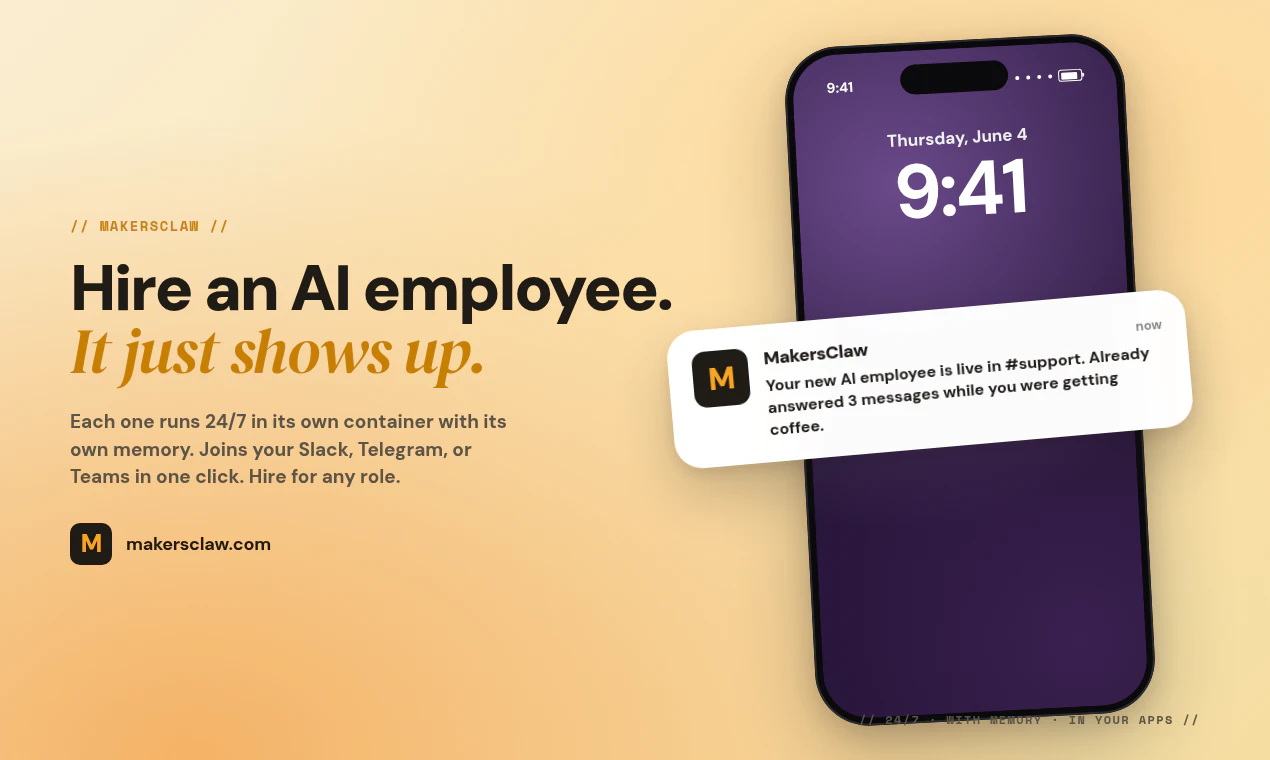
一句话介绍:MakersClaw 让企业能在 Slack、Teams 等协作工具中“雇佣”具备独立内存和容器环境的 AI 员工,24/7 执行客服、销售、研究等任务,解决传统 AI 工具无状态且无法深度集成工作流的痛点。
SaaS Artificial Intelligence Bots Vercel Day
AI员工 Slack集成 Teams集成 持久化记忆 按次付费 Kubernetes容器 MCP集成层 聊天驱动配置 技能模块 企业自动化
用户评论摘要:用户对“独立容器+持久记忆”设计点赞,认为解决了上下文丢失问题。主要疑问包括:按次付费模型下循环调用成本失控风险;销售场景的护栏与质量控制;期望增加社交媒体管理模板;关注跨渠道(Slack与Telegram)的上下文连续性以及 AI 在不同团队间移动时的“职业履历”如何保留。
AI 锐评

MakersClaw 走了一条既聪明又危险的路线。聪明之处在于,它没有跟风做一个“换个皮”的聊天机器人,而是用 Kubernetes 容器 + PostgreSQL 持久化记忆,解决了通用 AI 工具“关标签就失忆”的死穴。这种架构设计确实更接近一个“员工”而非“工具”——记忆跨重启不丢失,按角色配置而非填表,甚至支持跨渠道消息同步。这种技术底层的认真投入,在如今的 AI 套壳浪潮中实属罕见。

但危险也显而易见。首先是市场定位的拥挤。“AI 员工住进 Slack”这个叙事本月已经冒出太多竞品,绝大多数都沦为可有可无的聊天插件。MakersClaw 想用“独立容器”和“按次付费”做区分,但按次付费模型给用户带来的心理障碍远未被解决——AI 失控循环调用一次,费用可能一夜暴增。团队回应称“失败调用不收费”,但真正需要的是可配置的调用上限、实时告警和预算锁,而这些在评论中并未得到明确保证。

其次,产品叙事极力强调“像雇佣人类一样简单”,但 AI 员工的“职业履历”本质上只是一堆向量数据库里的对话记录,既不能证明效率,也无法审计结果。相比人类员工有清晰的绩效评估和改进路径,AI 员工“越用越聪明”这句话往往是技术团队的一厢情愿——若技能模块和记忆缺乏有效的质量分级与剔除机制,低质量数据只会导致越来越不靠谱的回复。

最后,MakersClaw 真正的护城河可能不是“更聪明的 AI”,而是 MCP 集成层和技能市场。当用户只需要一次 OAuth 就能打通整个工具栈,且公开/私有技能模块能累积生态壁垒时,产品才从“又一个 Slack 机器人”变成平台。目前看,方向对,但执行细节和风险控制仍需大刀阔斧的补课。建议团队优先解决成本透明度和护栏能力,否则再多“记忆”也救不了被失控账单吓跑的早期用户。

查看原始信息
MakersClaw
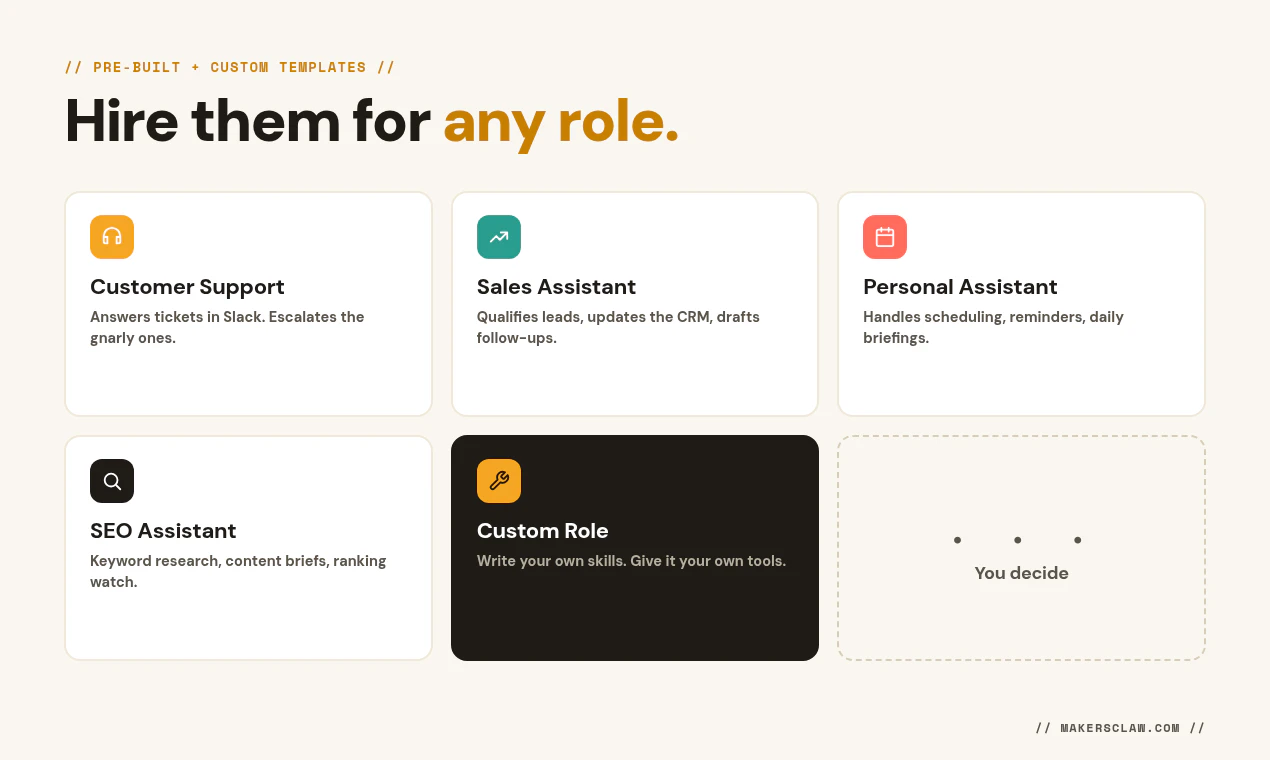
Hire AI employees that run 24/7 in their own container with their own memory. One-click into your Slack, Telegram, or Teams. Pre-built for support, sales, research, SEO, or anything you write yourself. Pay per call for the tools they use.
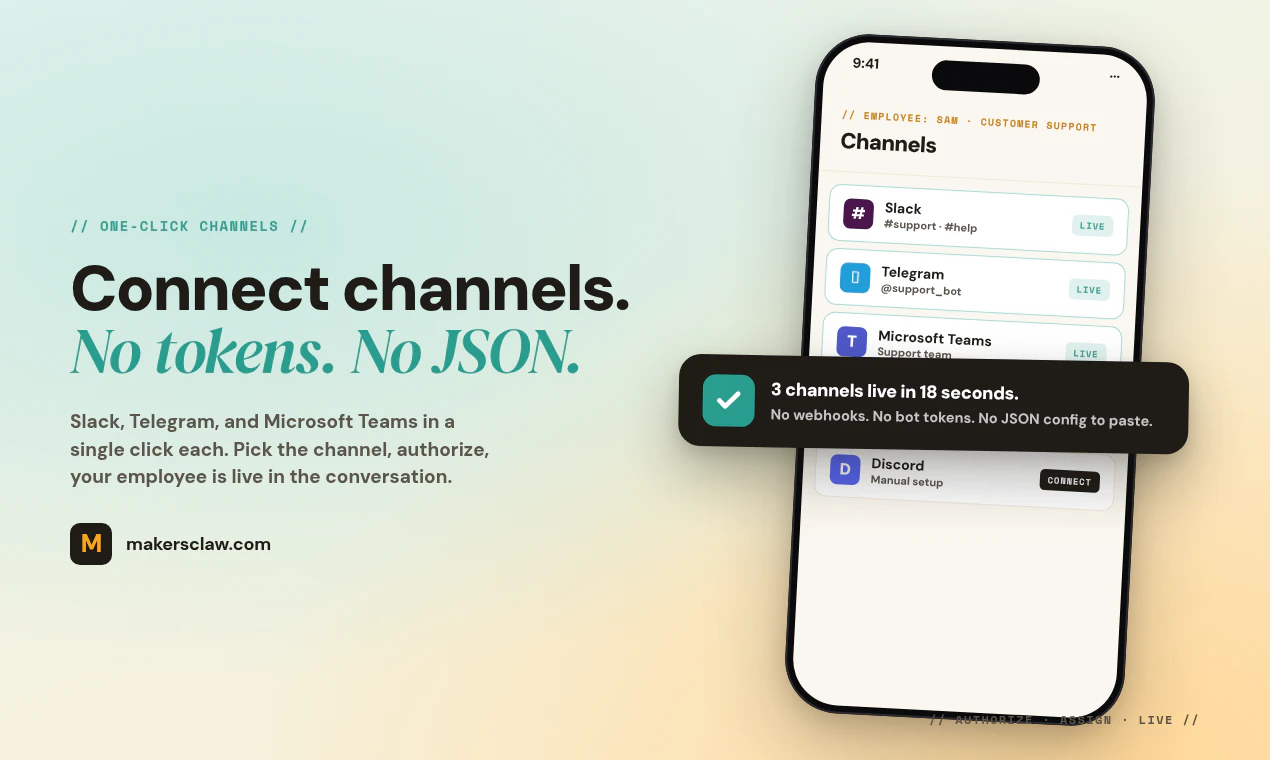
Hey PH 👋 Shreyans here, co-founder of MakersClaw. Sachin's in the thread with me today. We started this because every "hire an AI agent" tool we tried felt like a chat widget with a coat of paint. It forgot the conversation when you closed the tab, it couldn't actually do anything in the apps you use all day, and we kept hitting walls trying to make one do real work. So we built MakersClaw the way we wanted to use it. You hire an AI employee for whatever role you need: support, sales, personal assistant, research, SEO, or your own custom thing. Each one runs in its own container with its own memory, 24/7. You connect it to your Slack, Telegram, or Teams in one click. No bot tokens, no webhook config, no JSON. Sachin's dropping a comment right below with how the guts work, the tools, the runtimes, the pay-per-call model. Read that if you want the mechanics. Two specific things we'd love your honest take on: 1. Does the per-call tool model make sense to you, or is the mental shift from "subscribe to a tool" to "your agent pays per action" confusing the first time you see it? 2. We ship with four pre-built templates (support, sales, personal assistant, SEO). Which one would you actually try first, and which role do you wish we had a template for? We'll be here all day. Pile on the questions and we'll answer everything.
22
回复

@shreyans_assistiv congrats on the launch! I'd definitely try the PA and the support template first. On sales, I'd actually be a little wary of having the agent interact directly with prospects. What are the guardrails/quality controls you have around that?

7
回复

@shreyans_assistiv Congrats on the launch! Giving each AI employee its own container and persistent memory is a brilliant design choice. It solves the context-loss problem most teams face with generic wrappers.

0
回复

@shreyans_assistiv Great job and congrats for the launch!

To answer your second question, I'd LOVE some sort of social media manager template. I hate spending time crafting posts (which usually means I don't post at all), and on social media consistency matters at least as much as the quality of any individual post. A thoughtful, well-designed automation that helps maintain a consistent presence would save a lot of time that could honestly be spent elsewhere, without having to manufacture content from scratch every other day.

0
回复

Hey PH 👋 Sachin here, jumping in with the engineering side for anyone curious.

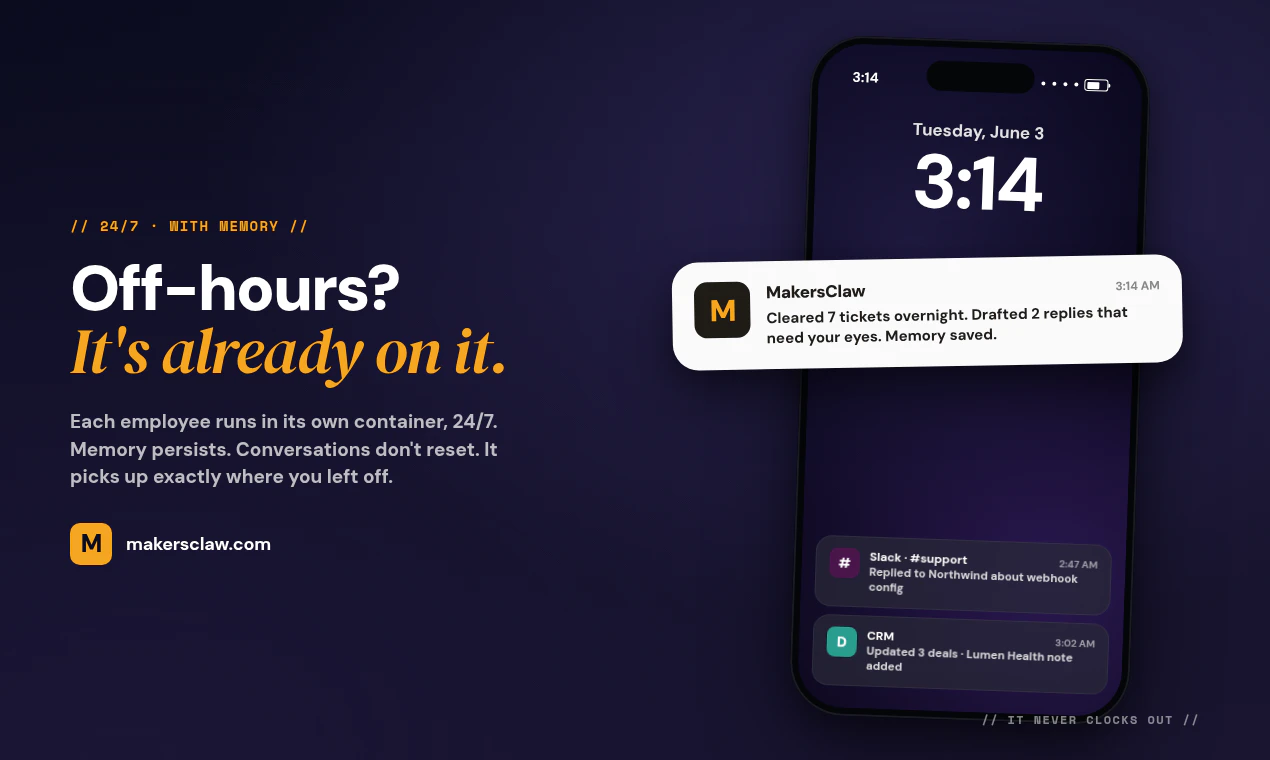
Each employee is a Kubernetes pod with its own filesystem and its own postgres-backed memory. State survives restarts and channel disconnects. Even a full redeploy. We chose this over a serverless function model because we wanted the agent to be a process you can talk to at 3 AM and have it remember the conversation from yesterday morning. Cold starts and stateless containers kill that.

For app integrations we run a hosted MCP layer at the workspace level. You OAuth once per app (GitHub, HubSpot, Zendesk, Jira, Asana, Airtable, Gmail, Outlook, Calendar, more) and any employee in your workspace can use the integration after that. Each MCP server is managed on our side, so there's no JSON config or token paste on yours. No re-auth per agent.

For configuration we built a chat-driven onboarding flow. Instead of filling forms to set up the employee's role, tone, and context, you talk to it. It asks the questions, you answer, it writes its own config record. The mental model is onboarding a remote hire rather than setting up software.

Skills are modular blocks of context the agent retrieves dynamically when a task needs them. Private skills stay scoped to your workspace. Public ones get installable by any maker. So the agent isn't carrying the whole brain on every call. It pulls the right context for the work at hand.

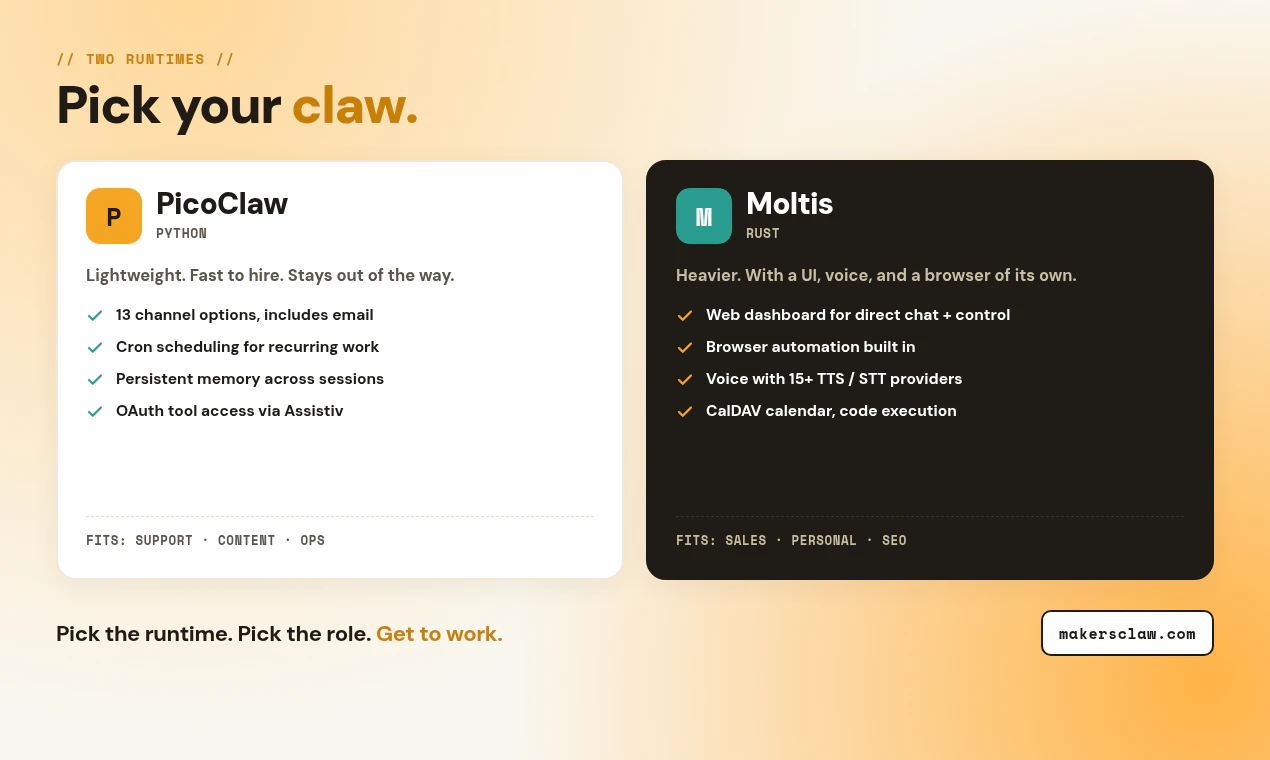
Two runtimes:
- PicoClaw runs on Python. Lighter, supports email channel and cron scheduling.
- Moltis runs on Rust. Heavier. Web dashboard, browser automation, voice (15+ TTS/STT providers), CalDAV.

Happy to go deeper on any of the architecture. Ask me anything.

13
回复

AI employees living right in Slack and Teams sounds really useful. Can each AI employee be customized to a specific role or task?

3
回复
@doganakbulut yes we have a vibe based agent creation system which would let you customise the agent to your needs 👍
2
回复

the 'ai employee' framing is getting crowded fast - so many tools launched this month doing the same slack/teams bot thing. the per-call pricing on tools is the bit that'll catch people off guard when an agent loops or retries unexpectedly. what actually differentiates the memory layer here vs just wiring up a standard agent with a slack connector?

3
回复

@galdayan Honestly, fair points. We're not trying to win the "another Slack bot" race - Slack/Teams is just the easy on-ramp. The actual bet is the ecosystem around the agents. On memory and the per-call cost problem you flagged, that's exactly what having a few ai researchers on team helps with, testing a few approaches to optimize and cut cost. No grand claims yet; we'd rather ship something that holds up than overstate it on launch day. Would genuinely value your eyes on it as it evolves.

4
回复

The per-call model is a smart call, pay for what your agent actually does is way easier to justify than another monthly subscription. Personal assistant template first for me. Would love to see a research analyst role next

2
回复
@sofiia_havryliuk easier to understand and see value for. Noted for the personal assistant template 🙏
0
回复

@sofiia_havryliuk Research analyst is the one we've been talking about for the next template drop. We held off in the first batch because the role means wildly different things across industries (financial, market, technical etc.). The first four templates were the ones with clearest scope. The next batch will be shaped by what people actually ask for, so this is genuinely useful signal.

0
回复

Giving each employee its own pod with persistent postgres-backed memory that survives restarts is the detail that won me over, "remembers yesterday's conversation at 3 AM" is exactly where most chat-widget agents fall apart. On the pay-per-call model: do users get spend caps or alerts per employee, so a retry loop on a tool can't quietly rack up cost overnight?

2
回复

@zain_sheikh Tool calls are fail safe, you pay for the successful ones. We are designing makersclaw to be human centric so humans can monitor everything agent does.

0
回复

Congrats on the launch!

The "AI employee in Slack/Teams" framing has been tried a few times but the pricing always trips it up — per-seat feels wrong for a non-human. How did you land on your model?


(Indie maker here, curious about the pricing call more than the product itself.)

2
回复

@somdip_roy1 Thanks! Per-seat felt wrong to us too. We went per-employee instead after trying out multiple pricing models as the product was developing. One monthly subscription per AI worker for its pod and storage. Inference is metered separately against a wallet at provider cost, no markup. Predictable infra floor, and a variable thinking cost you control.

Honestly still chewing on whether one wallet across a customer's whole workforce beats one wallet per employee.

0
回复

This looks really cool, congratulations on launching! what's next for your roadmap?

1
回复

@joe_hewett Thanks! Two directions we're most excited about.

The skills marketplace keeps compounding as makers publish private and public skills. Every employee on the platform gets sharper as that pool grows. Same with the integration set on the MCP layer where we keep adding more apps and channels, so one OAuth gets you plugged in across your stack.

What's been pulling our attention lately is a MakersClaw API / MCP layer that would let you bring your own skills and tools into the platform. If you've already built agent skills locally (in Claude Code, Cursor, your own runtime, anywhere), you'd be able to drop them into an employee slot in one move (Making a local agent online and running 24/7).

0
回复

Congrats! I'm a little curious how does MakersClaw handle context continuity when the same user interacts across Slack and Telegram simultaneously?

1
回复

@crystalmei Great question. The employee's memory is the employee's. Channels are just the interface you talk to it through. Each employee runs in its own pod with its own memory, so messages from every connected channel write to the same store. Switch from Slack to Telegram mid-conversation and the agent pulls the same context. From a technical standpoint, the pod processes inbound messages serially, so simultaneous threads don't collide either.

0
回复

the framing of 'AI employees that live in slack' is sharp. the part i'm most curious about: how does an AI employee accumulate a track record? a human gets references from former teammates, a paper trail of what they shipped. when this AI moves between teams, what travels with it?

1
回复

@thenameisarian  Good question. The track record builds up in the employee's persistent memory: every conversation, every action it took, every file you uploaded (there is a file system for the agent where you can upload files), every customer it dealt with. All of that accumulates in a store inside its pod.

When the role changes inside a workspace, all of it travels. You reconfigure the same employee and nothing gets erased. Memory persists and the file system stays. For this, skills get added on top rather than replacing what was there (just like a human, a skill learnt is not lost).

0
回复

Super cool idea. I think the pay-per-call tool model is great.

1
回复
@adam_maceachern1 thank you, I think it makes it easier to keep adding more which keeping an eye on real spends
0
回复

AI employees living where the team already talks is the right move. The hard part is making them helpful without becoming one more coworker to manage.

1
回复
@sarveshsea ohhh I would be really interested in what you think would make ai employee easier 🙏
0
回复

AI teammates living where you already work, rather than another dashboard to check, feels like the right direction. Bookmarking this one.

1
回复
@shubham4real we want the agent to also be able to initiate conversations with you. Not just human initiated 🙏
0
回复

The "configure by chatting with the employee" concept really caught my attention. In practice, do users prefer conversational setup over traditional forms and settings?

0
回复

Congrats on the launch! The chat-driven onboarding is interesting. How are you validating role configuration flows when users give ambiguous or conflicting instructions to an AI employee? I imagine those edge cases could be challenging to test across multiple integrations.

0
回复

@srishti_patil Thank you, we want agentic setup to feel very easy. As easy as how you would onboard an human. Edge cases is always challenging for any ai based onboarding but we have mapped a lot of use cases and it is still button controllable so multiple ways to get people hiring their first ai employee

0
回复
#4
PeakRoutine
Personalized health coaching powered by your biomarkers
210
一句话介绍:PeakRoutine通过AI关联分析你的睡眠、运动、营养等生物标志物数据,将杂乱的可穿戴数据转化为每日可执行的个性化健康习惯,解决“数据看得见却不知该做什么”的痛点。
iOS Health & Fitness Wearables Vercel Day
AI健康教练 生物标志物分析 可穿戴数据关联 个性化习惯养成 睡眠与日光追踪 健康数据解读 N1健康洞察 预防性健康 iOS应用
用户评论摘要:用户主要关注:与Whoop等竞品的差异、AI如何避免虚假关联(如日光vs戒酒)、习惯引擎在低恢复日是否调整、对父母/女性健康的支持规划。建议明确区分因果与巧合,并展示实际改善证据。
AI 锐评

PeakRoutine的成功之处在于精准击中了“数据焦虑”这一普遍痛点——多数健康App扮演的是“数据镜子”,而它试图成为“行动指南”。其核心价值并非AI教练有多聪明,而是将“相关性分析”转化为“生物反馈驱动的微习惯引擎”。这巧妙规避了N1数据无法做因果推断的先天缺陷:它不宣称“X导致Y”,而是构造一个基于你自身数据的“测试-反馈”循环,让身体自己说话。

但从评论反馈看,产品的护城河尚不清晰。竞品如Whoop、Oura也在逐步加入AI洞察与习惯建议,PeakRoutine的“跨指标关联”与“多专家AI”能否形成足够壁垒值得怀疑。关键在于:当用户新鲜感消退后,那些“隐藏的模式”(如日光改善睡眠)是否足够颠覆他们的认知,从而形成依赖?目前产品仍处于“提示”阶段,离真正的“行为改变”尚有距离。

最致命的潜在问题是用户契合度。创始人因前驱糖尿病而创业,但产品定位却是“非临床、纯预防”的日常保健App。这存在天然矛盾:真正需要行为改变的高风险用户(如前驱糖尿病)可能希望更专业的指导,而普通用户可能觉得“提醒我晒晒太阳”太鸡肋。如果无法在早期锁定并验证一个高价值人群(如产后恢复的妈妈),产品很容易陷入“人人需要但无人愿意付费”的窘境。

最后,依赖Apple Health作为数据中枢是一把双刃剑,既降低了接入门槛,也带来了平台依赖和Android用户的流失风险。整体而言,这是一个极具洞察的设计,但其长期价值取决于能否将“有趣的洞察”持续转化为“有粘性的习惯”。

查看原始信息
PeakRoutine
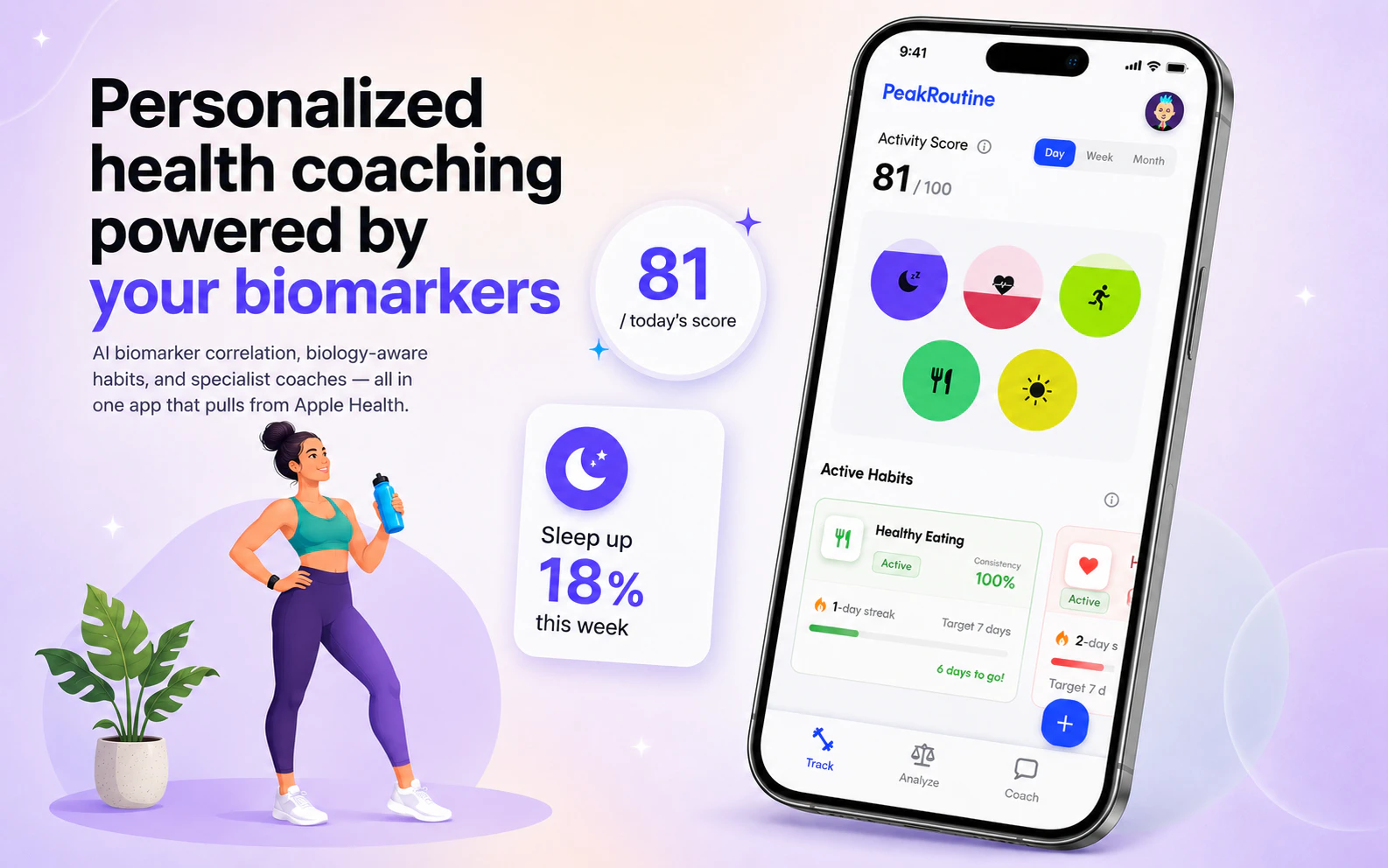
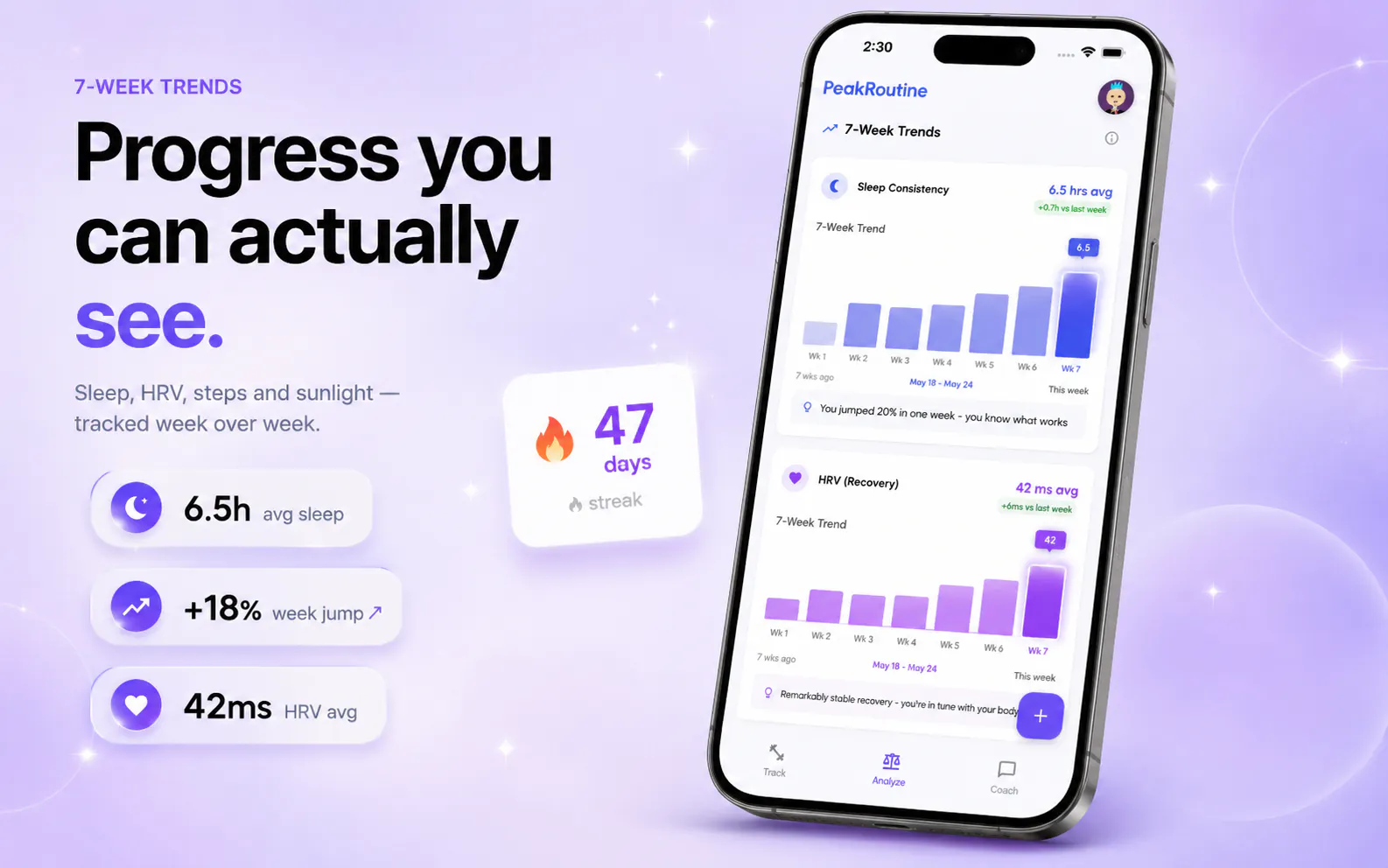
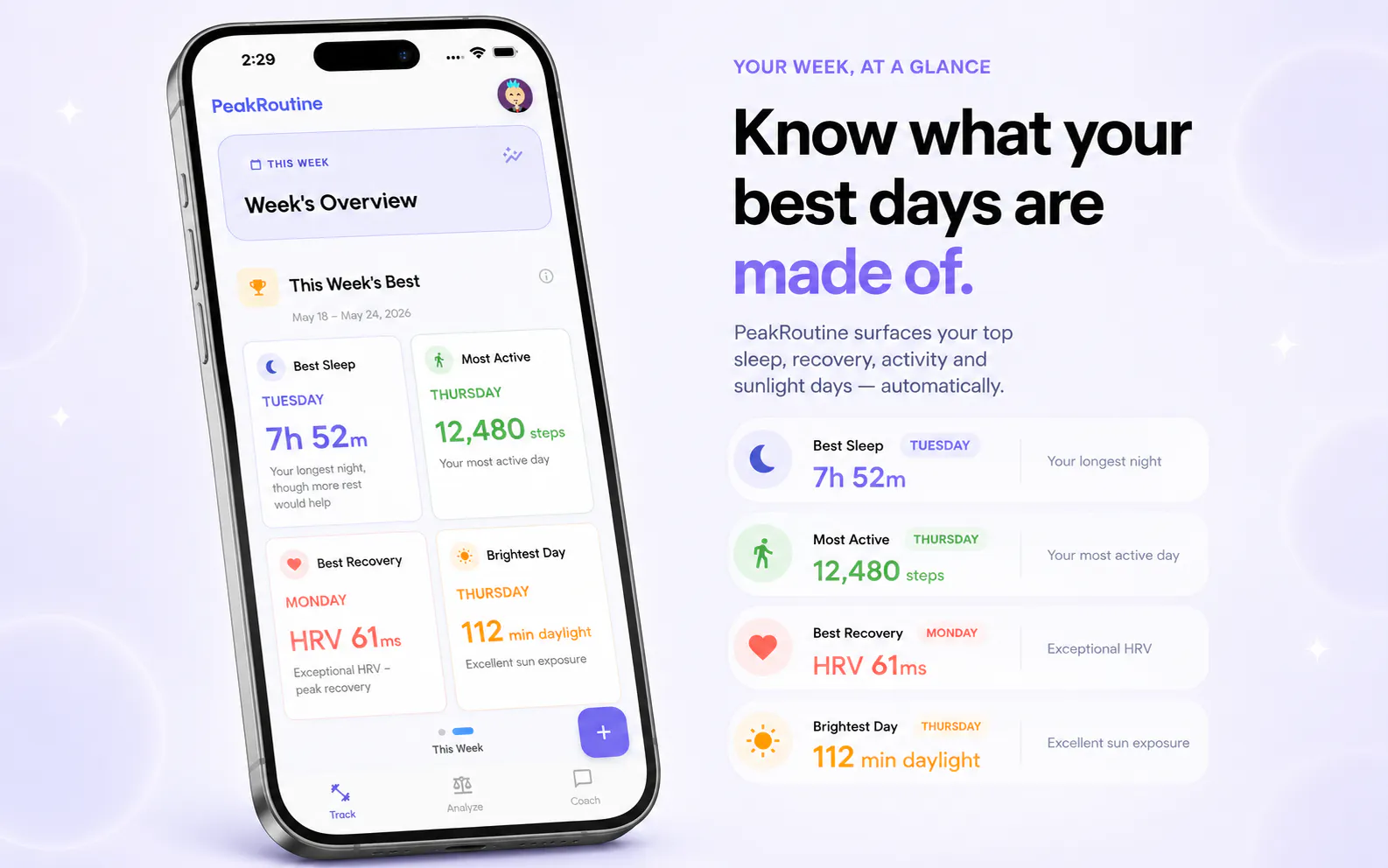
PeakRoutine connects your sleep, sunlight, exercise, calories, nutrition, mood, hydration, and more — correlates them against each other — then tells you exactly what it means for your body. No generic plans. Just a proactive AI coach that learns your biology and builds habits around it.

Hey Product Hunt 👋 — I'm Siddhant, co-founder of PeakRoutine.

Two years ago I was pre-diabetic at 32, staring at an Apple Watch full of data and still had no idea what was actually making me sick. Turns out it was my sleep. No app told me that. That's the thing nobody tells you: most health apps are expensive mirrors. They track everything and change nothing.

So we built one that would.
That gap became PeakRoutine. We pull in everything — sleep, sunlight, exercise, calories, nutrition, mood, hydration, HRV, stress — and instead of handing you another dashboard, our AI correlation engine finds the patterns that matter for your body specifically. Not a generic plan. Your biology, learned over time.

Here's what that looks like in practice:

  1. You sync through Apple Health, so your Apple Watch, Oura, WHOOP, or whatever you use all flows in automatically.

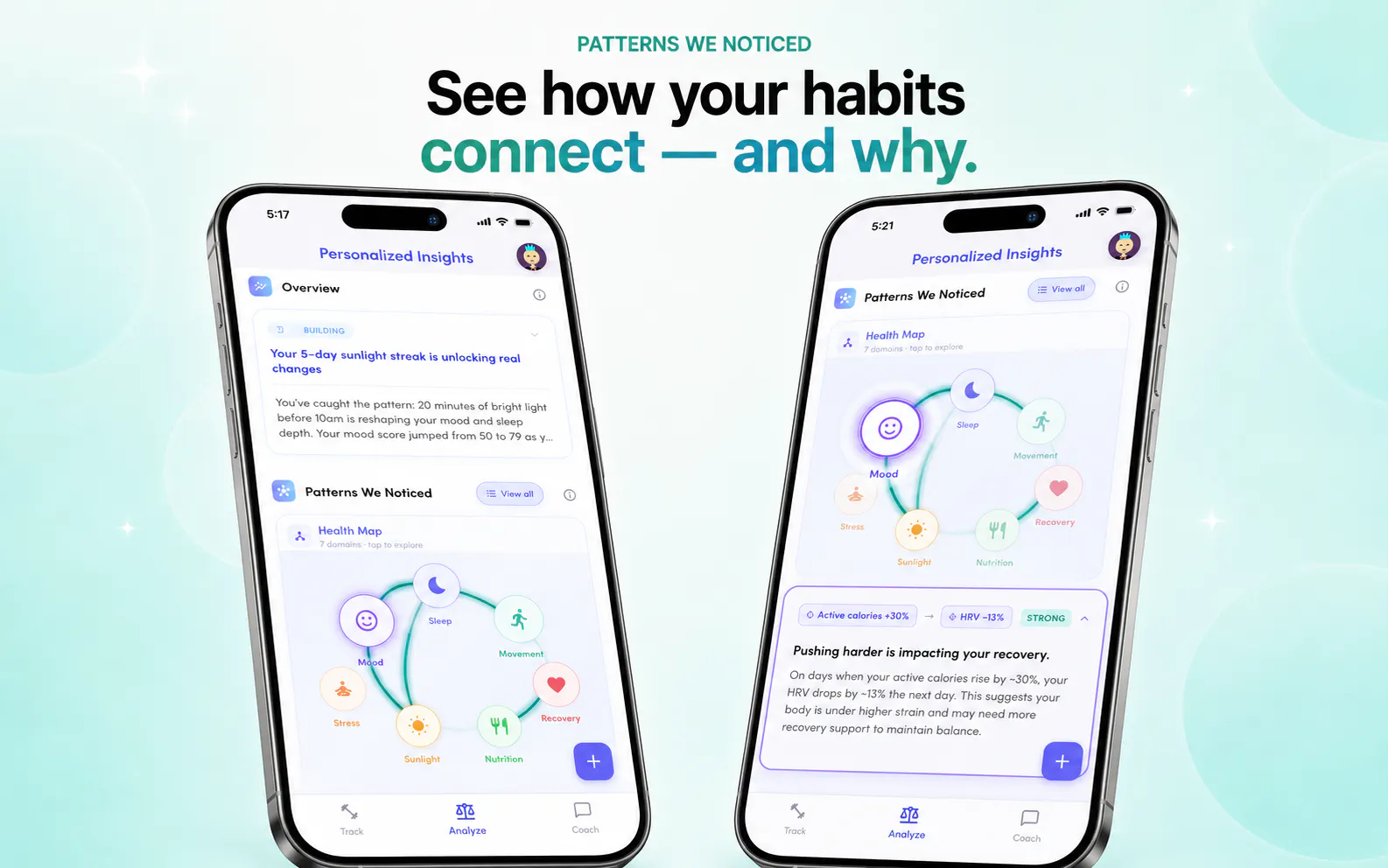
  2. We correlate your biomarkers against each other and surface the relationships you'd never catch manually — the ones that explain why you've been dragging this week.

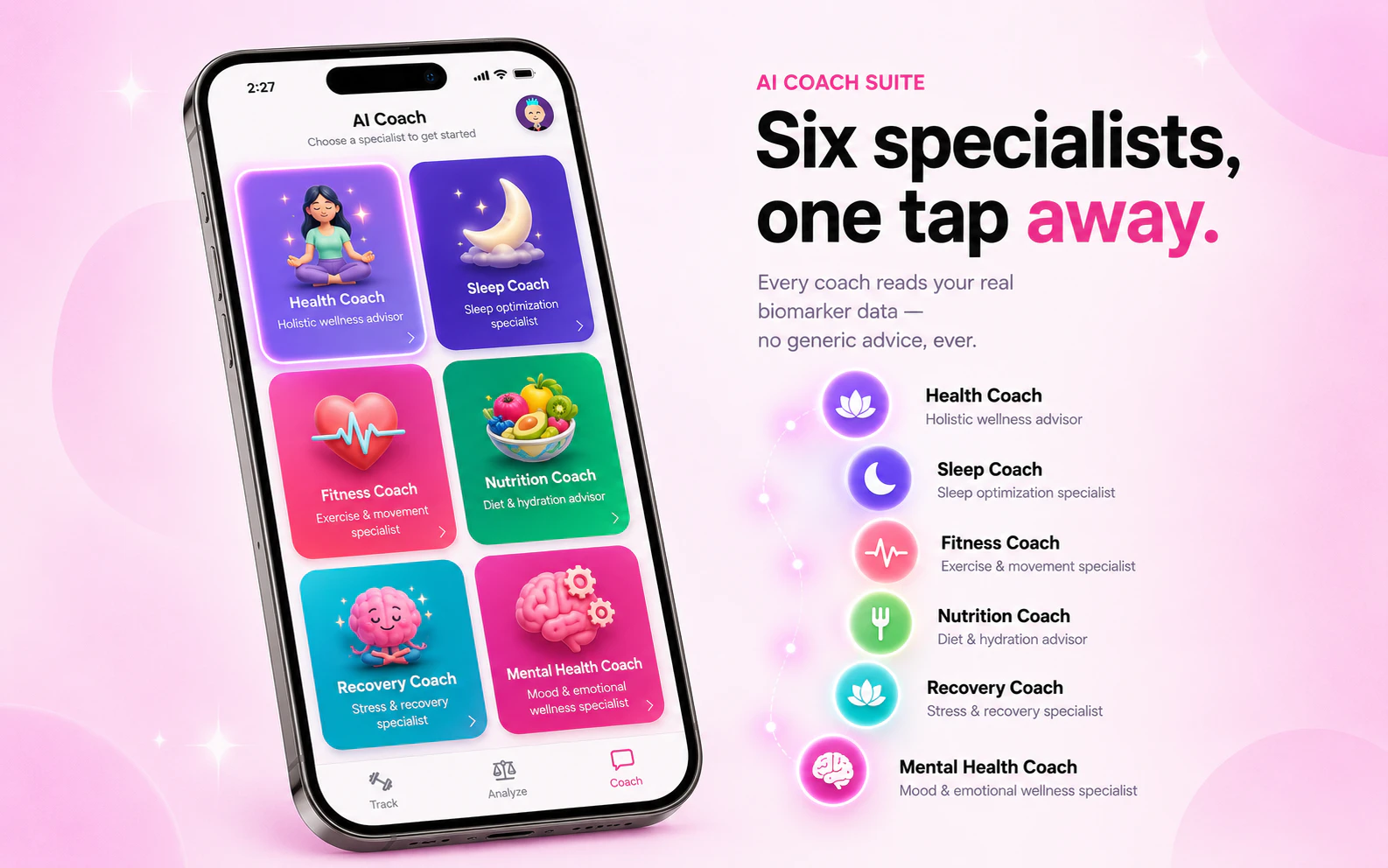
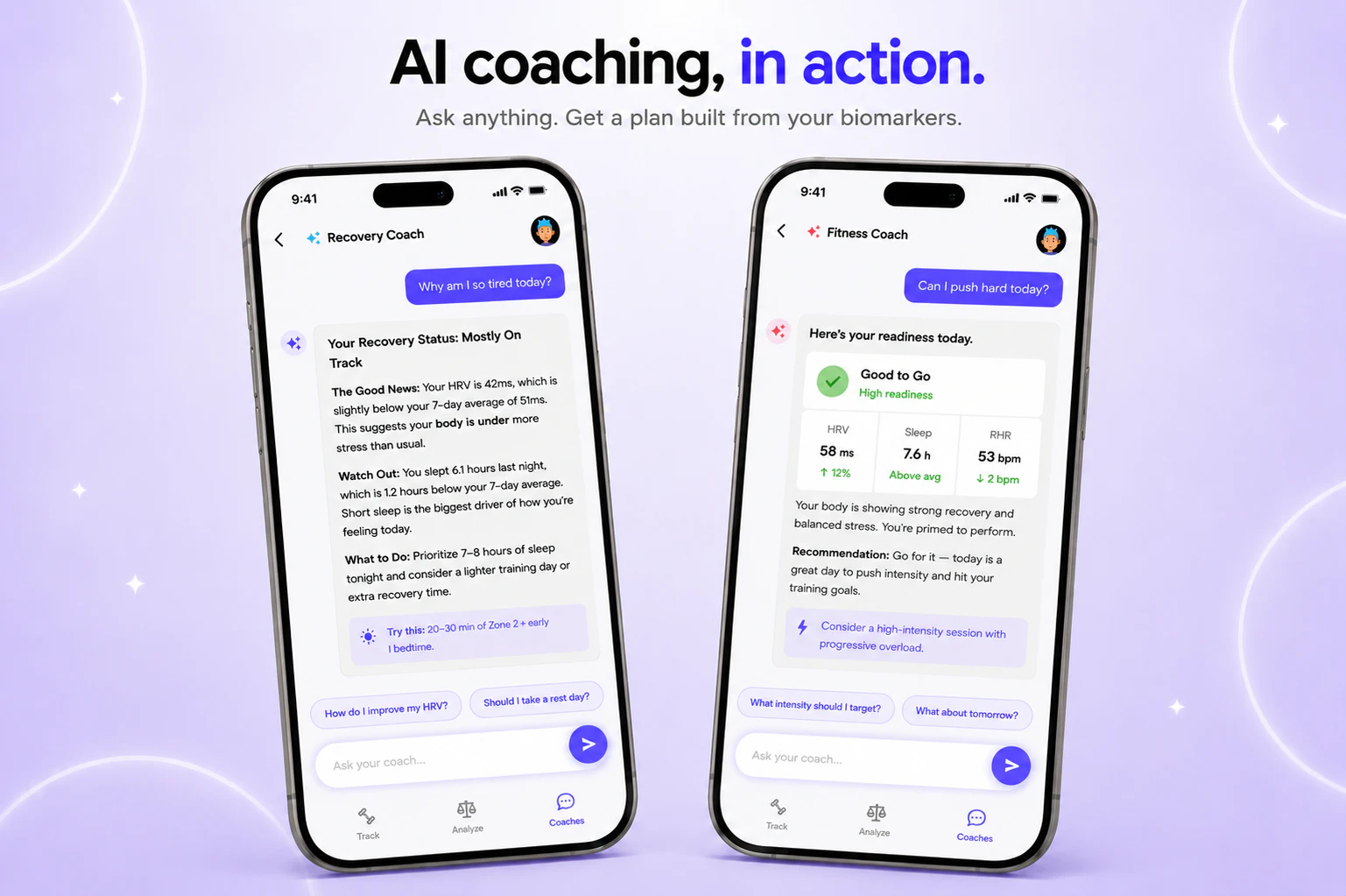
  3. Six AI health coaches answer anything about your sleep, recovery, stress, nutrition, or energy, grounded in your full biological picture.

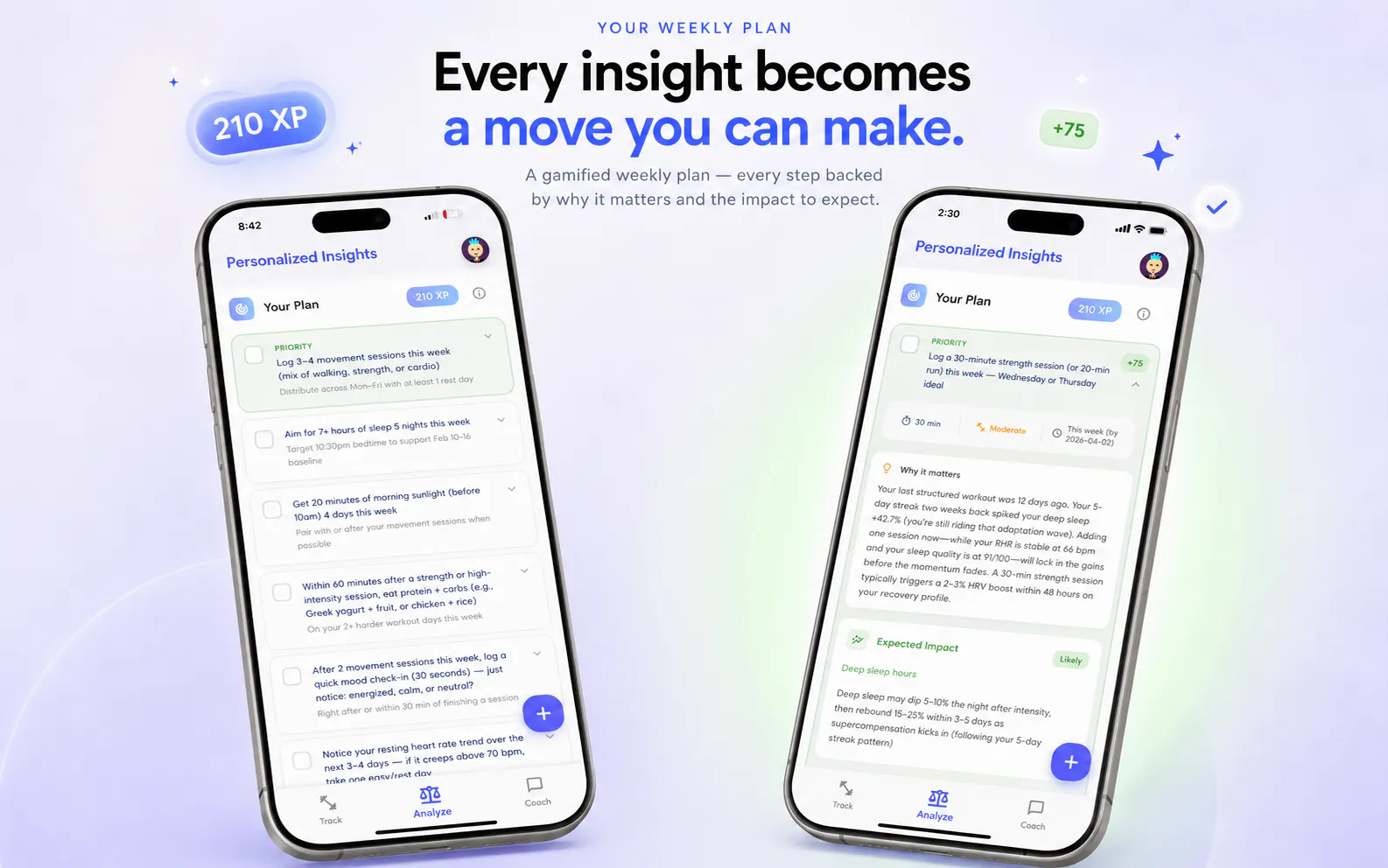
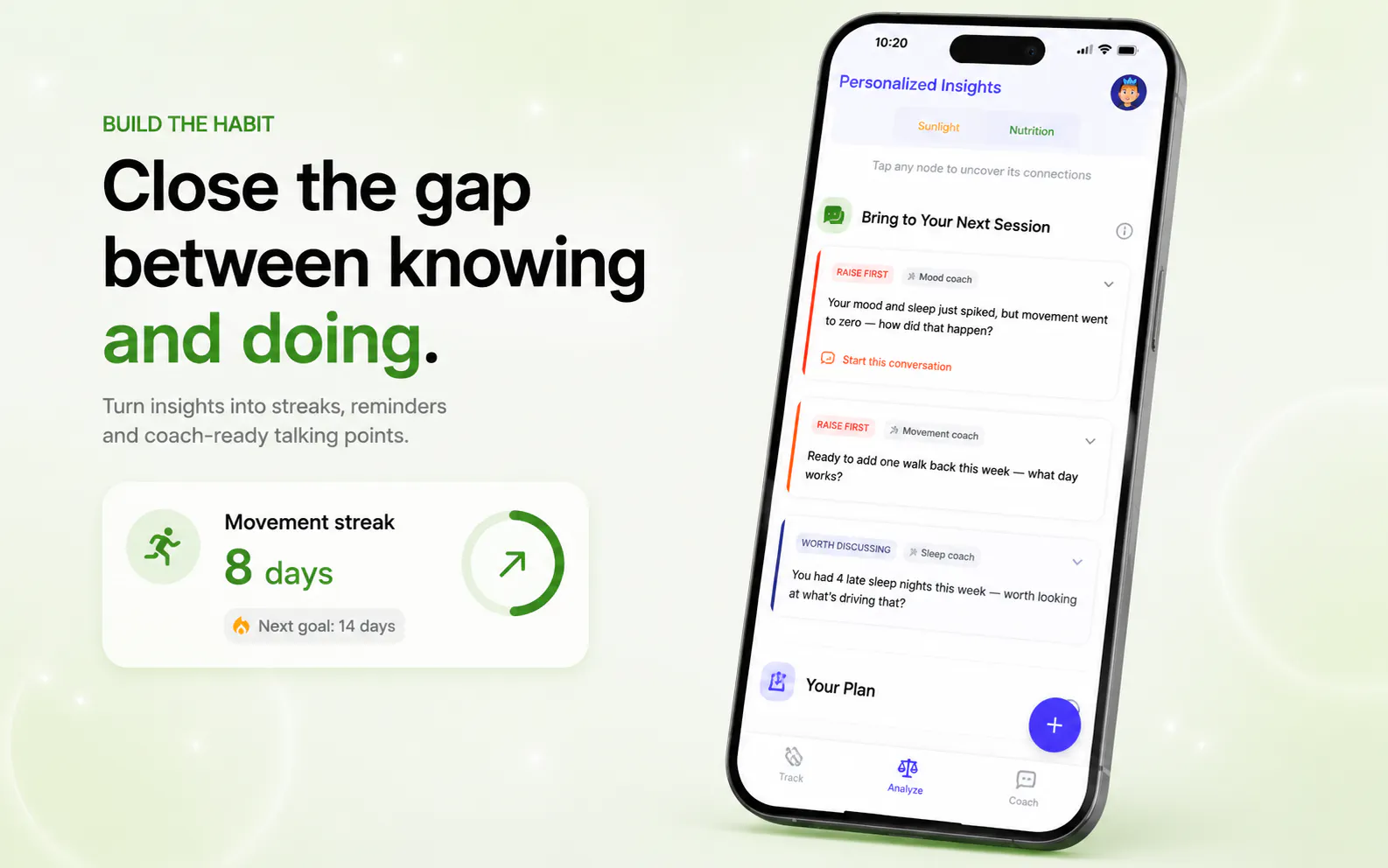
  4. A biology-aware habit engine builds your daily routine around what your body can actually handle right now — not what a template says you should do.

We recently became new parents — which has a way of making you ruthless about long-term health. You stop optimizing for today and start thinking in decades. It also showed us how differently health shows up depending on who you are and what season of life you're in. Women's health and parent-specific experiences are next on our roadmap — not as an afterthought, but because we've lived the gap firsthand.

So we built around your biology, not a dashboard.


If you've ever looked at your health app and thought "so what?" — this is built for you.

We're in early access on TestFlight right now — a small, intentional rollout before our full App Store launch. Install takes 2 minutes. Honest feedback from this community means everything at this stage — the good, the bad, and especially the brutal.

One question to kick things off: do you actually act on your wearable data, or mostly just look at it?

For the launch day we are offering 35% - come and try it out and I am sure you will love it.

AMA in the comments. Let's talk. 🙏

22
回复

@siddhant_gupta12 Yeah, wearable data provided instant action impulse, get me to work on things for a day or two and when the fear subsides, back to what I do normally, ignoring the health related red flags. Does Peakroutine provides a plan, motivation and daily achievable goals to work on the red flags?

4
回复

@siddhant_gupta12 love the focus on actionable habits over just data mirrors. btw are you guys running 6 LLM agents with custom prompts for the coaches or is it one unified model?

3
回复

@siddhant_gupta12 Many congratulations on the launch, Siddhant. :)

When Siddhant reached out to me about PeakRoutine, he didn’t just share a product pitch, he shared his personal story of recovering from pre-diabetes at 32. That raw honesty about his own health journey is exactly why I backed this hunt.

PeakRoutine offers personalized health coaching powered by your biomarkers. Instead of another dashboard, it connects your sleep, sunlight, exercise, calories, nutrition, mood, and hydration and correlates them against each other to reveal hidden patterns only your body shows.

Most health apps just track your health data, PeakRoutine is the opposite: a proactive AI coach that learns your biology over time and builds habits around it, not around generic templates.

The fact that it was born from Siddhant’s own frustration with wearable data that created fear but no action makes this mission deeply personal and trustworthy. Give it a spin! :)

10
回复

In my experience every other app guilt-trips you over one bad night and kills the streak, so building around what your body can actually handle that day is a real wedge, congrats! I was wondering at n=1 with noisy wearable data, how do you stop it surfacing a coincidence as a pattern, i.e. telling me morning sunlight fixed my sleep when really I just skipped the late glass of wine? Is there a confidence threshold before a correlation becomes advice?

6
回复

@artstavenka1 Thanks — and you nailed why the streak model is broken: punishing one bad night ignores that some days your body just can't

The sunlight-vs-wine case is the perfect question, and honestly: from passive n=1 data you can't fully separate two things that moved together. Nobody can. So one good night never becomes "sunlight worked."

What keeps coincidences out: the moment your wearable syncs we pull your last 90 days, so we're reading across dozens of nights — and a pattern has to repeat (including days the "wine" wasn't a factor) before it's advice. One-off signals stay low-confidence and never surface. So yes, there's a real threshold before a correlation becomes a recommendation.

The real fix though is the test loop: hold one variable for a few days and see if your sleep replicates. Holds without the wine → real for you. Doesn't → we drop it. About as close to causal as you get at n=1, and we'd rather admit that than dress a fluke up as proof.

4
回复

Hey Product Hunt 👋 Maker here.

PeakRoutine started from a simple frustration: health apps drown you in data and starve you of direction. Most of them hand you dashboards and leave you to play scientist with your own body. The goal here was the opposite: less charts, more "here's what to actually do tomorrow."

So it's built around the things the category mostly ignores:

  • Per-biomarker AI insights — every metric (sleep, HRV, RHR, sunlight, activity…) gets a plain-English read on how you're doing and exactly what to improve, not just a number on a chart.

  • Correlation, not dashboards — it connects sleep, HRV, mood, activity and sunlight and surfaces the hidden links (the most common "whoa" moment: morning light before 10am quietly driving both mood and deep sleep).

  • 6 named specialist coaches with memory — Health, Sleep, Fitness, Nutrition, Recovery and Mental Health — all reading the same biomarker data. No generic, one-size AI.

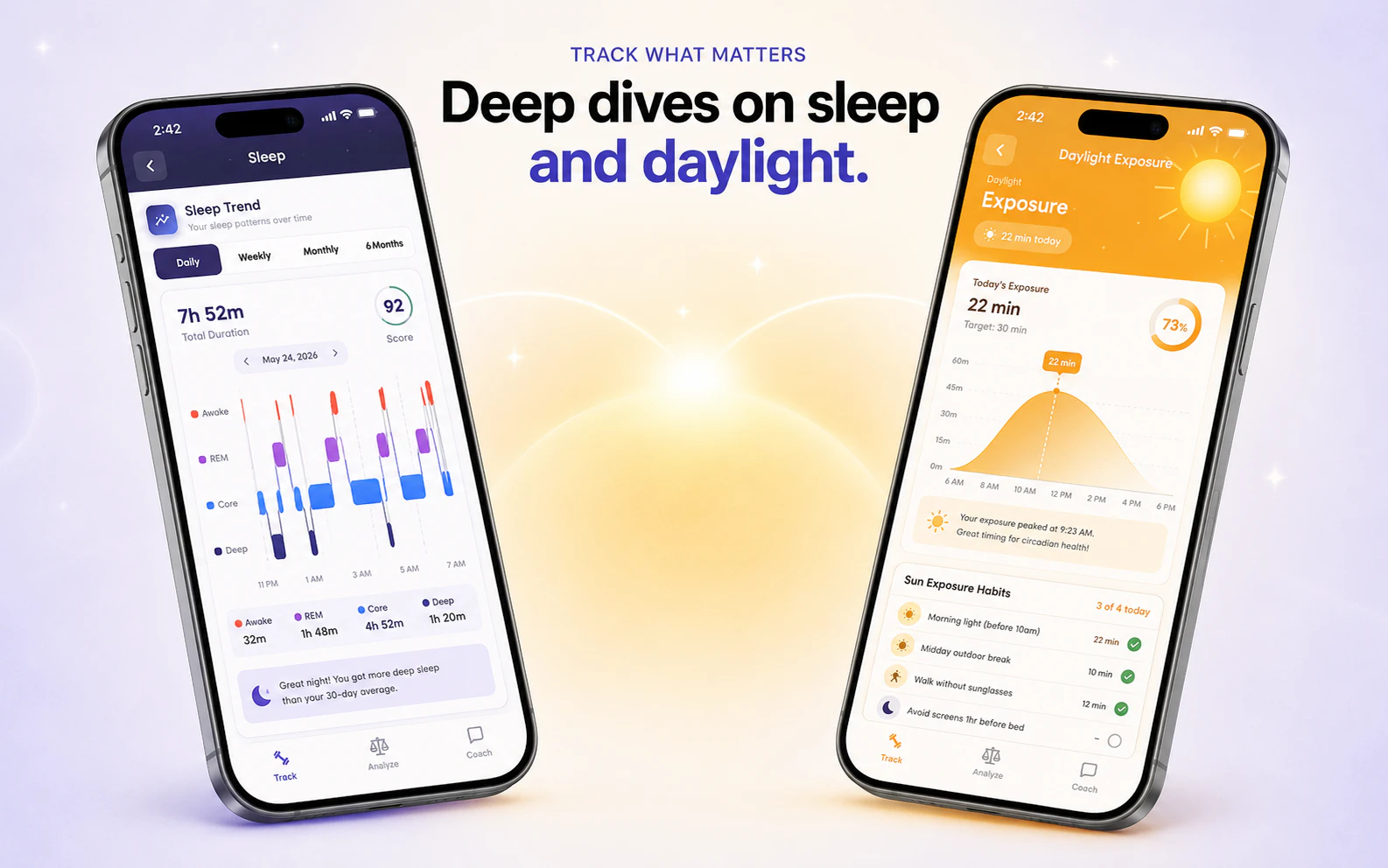
  • Sunlight / circadian tracking — genuinely rare in health apps, and a real wedge rather than a footnote.

v1 is biomarker insight + correlation, all pulled from Apple Health (hardware-agnostic). Habit execution, direct wearable integration, and parent mode come next.

Would genuinely love for you to tear it apart: what's the one thing you'd need to see before you'd switch from whatever you use today?

5
回复

Health coaching based on your actual biomarkers is a great angle. Which biomarkers does PeakRoutine track, and how do you input them?

4
回复

@doganakbulut Thanks! 😊

Core ones: sleep (duration + stages), HRV, resting heart rate, steps/activity/active energy, workouts, and daylight exposure — plus mood, journaling, and nutrition on the self-reported side.

Best part: you don't really input most of it. Connect Apple Health once and it pulls everything automatically — whatever your wearable writes to Apple Health flows in, nothing to type. The only manual bits are quick mood, journaling, and nutrition check-ins.

5
回复

I wear a whoop band. Whoop already has coaching feature. Would Peak Routine still be useful?

4
回复

@iamanantgupta Totally fair question — Whoop's coaching is genuinely solid at what it does. Honest answer: PeakRoutine isn't trying to replace your Whoop, it adds a different layer on top.

Whoop goes deep on recovery and strain inside its own metrics, with one general coach. We're built around breadth and habits instead:

  • It correlates across your whole picture — sleep, HRV, activity, sunlight, even mood/journaling — not just strain and recovery. That sunlight + mood angle is where a lot of the "aha" lives, and it's mostly outside Whoop's lane.

  • 6 specialist coaches with memory (Sleep, Recovery, Nutrition, etc.) instead of one general voice.

  • The big one: it's a habit-building engine, not just a daily score. It turns insights into small daily goals and helps you actually stick with them — the part most of us bounce off once the novelty fades.

So if Whoop already keeps you on track, honestly, amazing. But if you've got great data and still aren't changing the daily habits, that gap is exactly what we're built for.

4
回复

Other than the Apple health data, does it also sync with other wearables?

4
回复

@roopreddy Great question! Today it all comes through Apple Health — which means any device that writes to Apple Health (Apple Watch, Oura, Garmin, etc.) already syncs automatically, so we're not locked to one wearable.

Native per-device integrations and Android support are next on the roadmap. Anything specific you're hoping to connect?

4
回复

Congrats on the launch. Is this more of a preventive care app or it's meant for people with chronic conditions or both? How do you envision it?

4
回复

@himani_sah1 Thanks so much, Himani! ✨

Honestly, it's neither in the clinical sense — at heart it's a wellness app. The whole point is helping you feel and function better day to day, and turning that into habits that compound into real long-term health.

So less "diagnose or manage a condition," more "understand your body, build the small habits that keep you well, and actually stick with them." Anyone can use it — it's about everyday wellness and playing the long game, not replacing medical care.

That's exactly how we envision it: your long-term health and habit-building companion. Curious what made you ask?

4
回复

Congrats on the launch @siddhant_gupta12 !

Why would someone use this instead of Apple Health? Is the biggest differentiator the unified dashboard, the AI insights, or the habit-building system?

4
回复

@byalexai Thanks so much 🙏


Great question - and the honest answer is we're not trying to replace Apple Health, we sit on top of it. Honestly, it's not any one of them. The dashboard, AI insights, and habits are all just pillars toward the real goal: actually improving your health, not just recording it.

Apple Health is a brilliant vault — it stores everything but tells you almost nothing. PeakRoutine actually makes sense of that data - surfacing correlations, trends, and patterns and tells you in plain language what it means for you, then helps you act on it through habits while taking into account recovery days, so one off day doesn't wreck your momentum.

None of the pillars does much alone. Together, they turn your data into a healthier you. That's the difference.

6
回复

Hey Product Hunt! 👋 I’m Sakshi, one of the makers of PeakRoutine.

We built PeakRoutine because most health apps felt like expensive mirrors.

They showed us sleep scores, steps, HRV, stress, and trends — but still left us asking:

“Okay… what should I actually do today?”

PeakRoutine turns your wearable and lifestyle data into simple, personalized weekly routines across sleep, movement, sunlight, mood, energy, and recovery.

No overwhelming dashboards.
No generic habit lists.

Just small, practical actions that help your body feel better over time.

Our mission is simple:

Turn health data into direction.

We’re launching our first version today and would love your honest feedback:

What’s one thing you wish your wearable or health app helped you improve automatically?

Excited to hear what the PH community thinks 🙏

4
回复
I noticed the app connects sleep, HRV and mood. Have users discovered any surprising patterns about themselves through PeakRoutine ?
4
回复

@harini_mukesh Great question! Yes, absolutely. One of the most interesting things we've seen is that users often assume exercise or nutrition is the main driver of how they feel, but the data frequently points elsewhere. For example, some users discovered that just 20–30 minutes of morning sunlight was closely linked to better sleep quality and recovery, while others found that a few nights of poor sleep had a much bigger impact on mood and HRV than they expected. Helping people uncover these hidden connections is exactly why we built PeakRoutine.

5
回复

The recovery-aware habit engine feels like the strongest part. Wearables already show what happened, but turning that into small actions your body can actually handle is much harder. Curious how quickly the routine adapts after a few bad nights.

3
回复

@farrukh_butt1 You get it — any band can tell you that you slept like trash. The annoying part is it still expects you to crush the same workout. That's the bit we built around.

It reacts the next morning, not next week. One rough night, it takes the edge off the day. A few in a row, it properly backs off — hard session → a walk or mobility, gentler targets, and it nudges you to recover instead of guilt-tripping you. It follows the trend, not one reading, so no overreacting to a single late night — and the second you bounce back, it ramps you up again instead of babying you. The plan moves with you instead of making you feel like you failed it.

2
回复

The correlation engine is the part that stands out to me, surfacing relationships across sleep, HRV and sunlight is genuinely hard to do well at n=1. How many days of synced history do you typically need before the AI starts surfacing confident patterns rather than noise?

3
回复

@zain_sheikh Appreciate that — the n=1 correlation problem is honestly the hardest part to get right

Real answer: it's recurrence-driven, not a fixed day count. We backfill ~90 days the moment you sync, so a lot of the first patterns show up on day one. After that, a high-frequency daily signal (sunlight → that night's sleep) firms up in ~2–3 weeks since you get a data point every day; rarer behaviors take proportionally longer.

So ballpark: confident single-link patterns in a couple of weeks (or instantly if your history already shows them), multi-variable stuff over a month or so. And anything that hasn't earned confidence stays "noticing," not advice — we'd rather under-claim than surface noise.

2
回复

Finally an app that turns my wearable data into something I can actually act on instead of just staring at. Does the habit engine adapt on low-recovery days, or hold me to the same plan?

3
回复

@zain_sheikh This made our day 🙌 — "act on it instead of staring at it" is literally the whole reason we built it.

And yes, it adapts. Holding you to the same plan on a low-recovery day is exactly the streak-guilt trap we wanted to kill. When your recovery, sleep or HRV say you're running low, the engine dials the day back — swaps the hard session for a walk or mobility, protects your streak instead of breaking it, and nudges the harder stuff to a day your body can actually take it.

And it doesn't just hand you tasks — every step tells you what it affects and how it'll help (the "why it matters" + expected impact on your numbers), all laid out as a priority list so you know exactly what to do first instead of guessing.

The goal is consistency with your biology, not in spite of it — push when you've got capacity, recover when you don't, and always know which move matters most.

3
回复

How does PeakRoutine distinguish between a real causal signal and a random correlation? What evidence shows the recommendations actually improve outcomes?

3
回复

Love this question — it's the exact trap we built the whole thing to avoid.

We only surface a pattern when it keeps repeating over time — that's what separates a real signal from a one-off coincidence. And even then it's shown as "likely," never "this caused that." It's always *your* data vs your own baseline, not averages from other people.

Here's the part that matters most though: we don't just tell you, we test it. Suggest one small change, then check whether your numbers actually move. That per-person loop is the strongest kind of proof there is — it's evidence from *your* body, not a "studies say" average that might not apply to you at all.

Do we have formal clinical studies behind it yet? Not yet, and we won't pretend to. But the whole engine is built to earn trust one validated change at a time — which beats confident-sounding guesses every day.

Put it to the test and let it prove itself 🙏

4
回复

Which wearables and data sources do you support right now, and do you rely on Apple Health as the hub?

3
回复

@naimz PeakRoutine works with all major wearables — Apple Watch, Oura, WHOOP, Garmin, you name it. Right now we use Apple Health as the hub, so if your device syncs there, you're good to go with zero setup. In the next few weeks though, we're rolling out direct wearable integrations, which means you'll be able to connect multiple devices and pick which one you want powering which activity — so your Oura handles sleep, your Apple Watch handles workouts, that kind of thing.

3
回复

personalized health coaching from biomarkers is the kind of thing that only works if the recommendations stay coherent over time. how do you handle the case where a biomarker shifts (sleep, HRV, fasting glucose) and your last week's plan suddenly contradicts this week's? does it explain the why behind the change or just hand you the new plan?

2
回复

@thenameisarian This is a sharp question — and one of the core product challenges we've been obsessing over.

The short answer: we don't just hand you a new plan. Every recommendation has two elements baked in — why that step was recommended and its expected impact. Beyond that, when a plan changes, the coaching explains the delta: what shifted in your data, why it matters biologically, and why the recommendation is evolving as a result.


Here's how it actually works in practice:

When a biomarker shifts (say your HRV drops 15% over 5 days while sleep duration looks fine), the system doesn't treat it in isolation. It looks at the cluster — did workout intensity spike? Is sunlight exposure down? The coaching narrative is built around that pattern, not the single number.


The "why behind the change" isn't optional — it's the core UI moment. We found in early beta that users ignored recommendations they didn't understand, even good ones. So the coaching surfaces something like: "Your HRV dropped after you hit 3 high-intensity days in a row — your nervous system is signaling it needs recovery, not another push day." The plan change follows from that explanation, not the other way around.


On coherence over time: this is genuinely hard. We maintain a rolling context of your recent biomarker trajectory so a new recommendation doesn't contradict last week's without acknowledging it. If we told you to prioritize Zone 2 cardio last week and we're now saying dial back intensity, the coaching bridges that — it doesn't just silently flip.


What we're still building: a more robust "plan memory" layer that surfaces when the AI updates its model of you and why — so you can see your health narrative evolve, not just get a new set of instructions every Monday.

1
回复
This is amazing, team! Congrats on the launch! Can you clarify how my data is stored? Also how personalized are the recommendations/notifications? are they generic or super tailored to my habits
2
回复

@sakshi_patil8 Thank you so much ✨ Both great questions:

On your data — it's encrypted in transit and at rest, never sold, and never shared with advertisers. You stay in control: you choose what syncs from Apple Health, and you can export or delete everything whenever you want. It's your health data, full stop.

On personalization — it's the opposite of generic. Every recommendation is built off your baselines and your patterns, not population averages. So instead of "everyone should get 8 hours," it's more like "your deep sleep drops on the nights you train after 7pm — here's what to try." The notifications work the same way: they fire off your actual trends and recovery, so they show up when they're relevant to you, not on a generic schedule. The whole point is advice that sounds like it's about you — because it is.

1
回复

Biomarkers plus coaching is way more useful than another dashboard yelling at me. How do you keep the advice simple enough to actually follow?

2
回复

@sarveshsea Ha — "dashboard yelling at me" is basically this app's villain origin story

The trick is restraint. It might spot ten things but won't dump ten on you — it gives a short ranked list and leads with one priority, the single move that matters most right now. And each step is small and concrete: not "improve your sleep," but "20 min of morning light before 10am, 4 days this week." Plus a quick why, so it reads as a reason, not a nag. Fewer things, said plainly, that fit a real day.

2
回复
The biomarker-driven angle is what makes this stand out from generic coaching apps — most personalize on goals, not actual physiology. Curious which wearables/inputs it pulls from out of the box?
2
回复

@felix_masera Thanks so much — you've nailed exactly what we set out to do. Most apps personalize on intent ("I want to lose weight"), we personalize on state ("your HRV dropped 18% this week and your sleep efficiency is at 71% — here's what that means for today").

Out of the box we pull from Apple Health, which means anything feeding into it works — Apple Watch, Oura, WHOOP, Garmin, and manual logs for nutrition, mood, and hydration. We're hardware-agnostic by design so you're not locked into one ecosystem.

Direct integrations (WHOOP, Oura Ring, AmazFit etc) are next on the roadmap. Would love to hear what you're tracking — always shapes what we prioritize! 🙏

2
回复

Looks really interesting Sakshi - using biomarker data to drive coaching recommendations is a much more honest approach than generic advice. What biomarker sources are you currently integrating with? (Oura, Apple Health, blood panels?) - I have a friend of mine that was working in sth similar...

0
回复
#5
Edgee Turbo Models
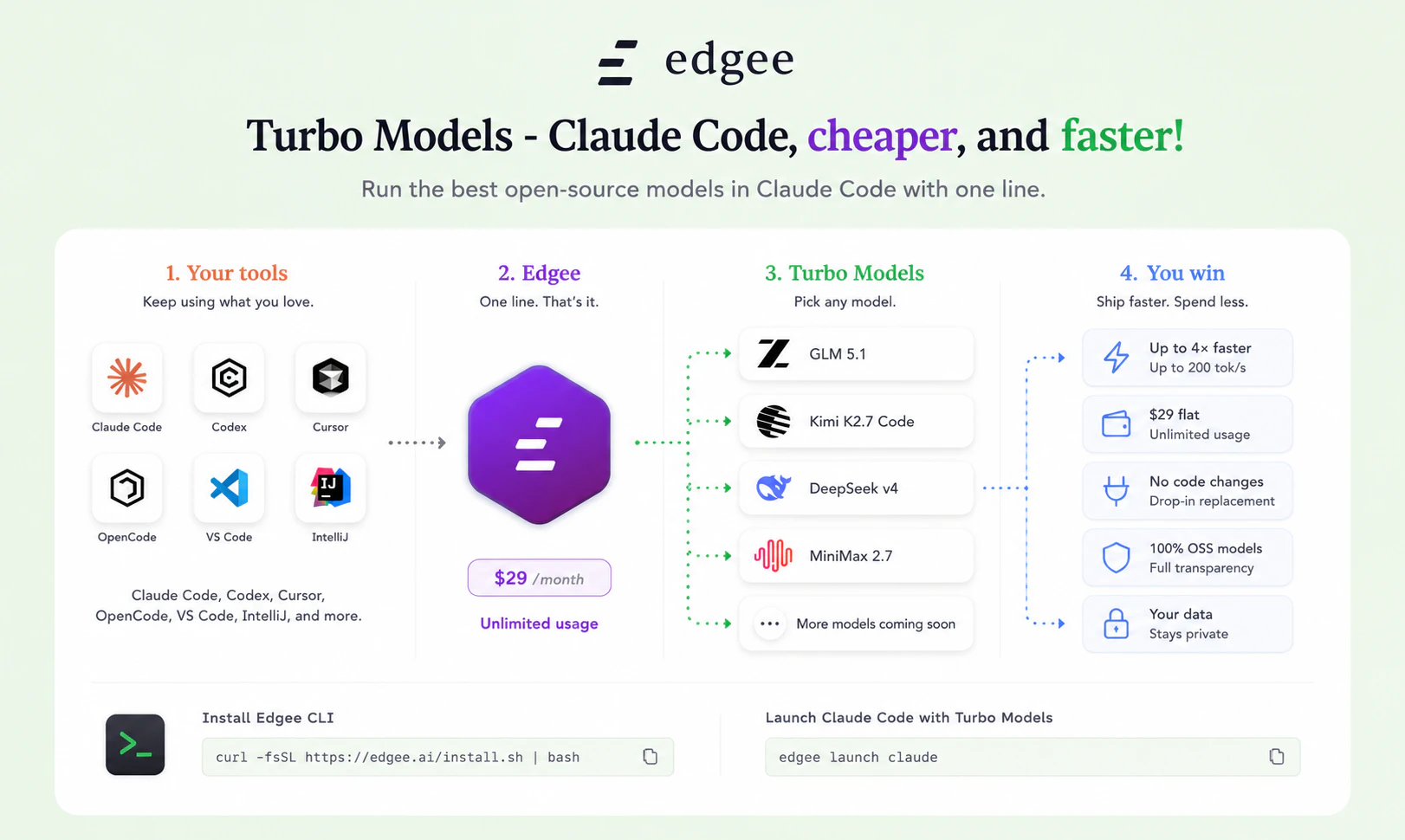
Use Claude Code with Kimi K2.7 Code, MiniMax M2.7, and more
175
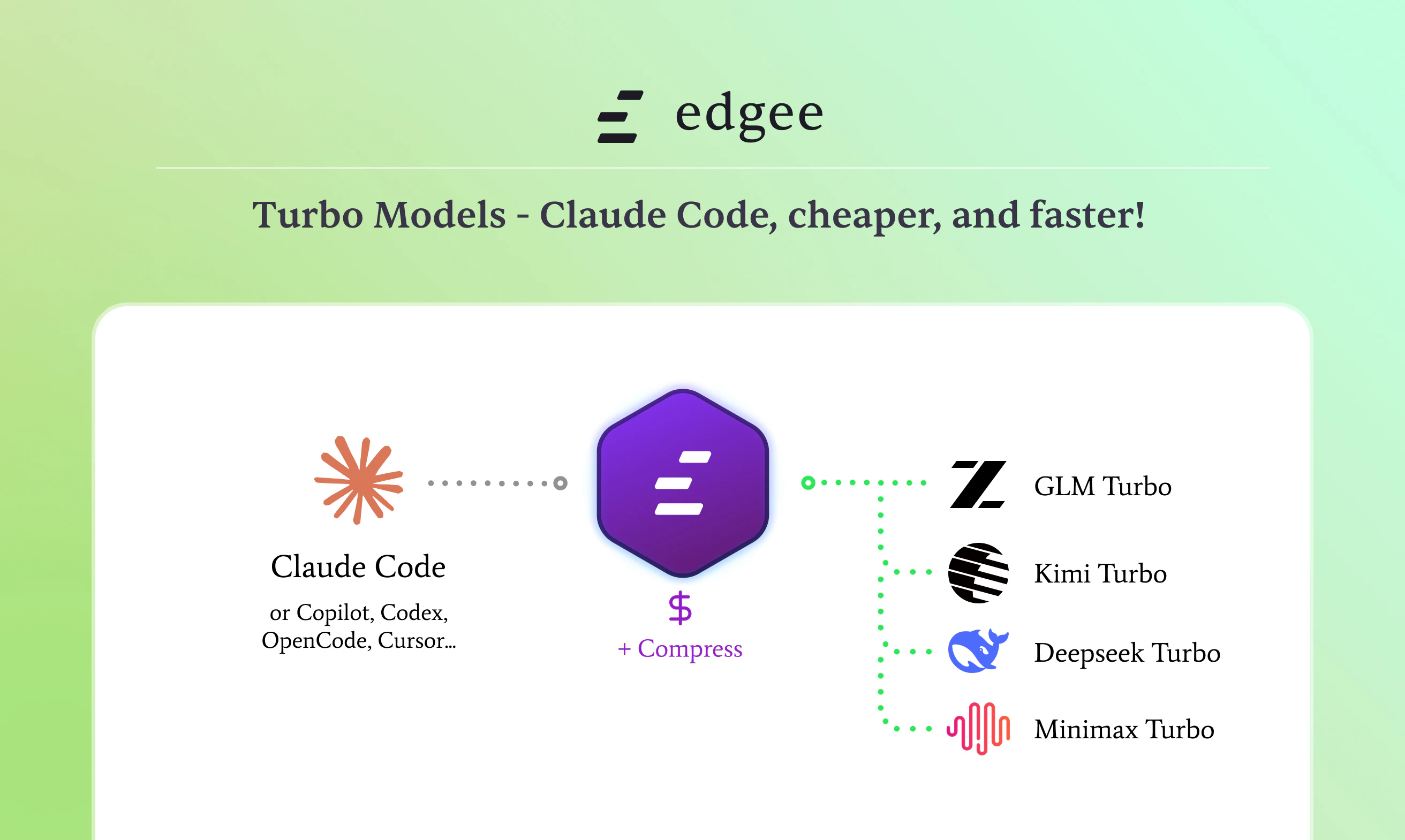
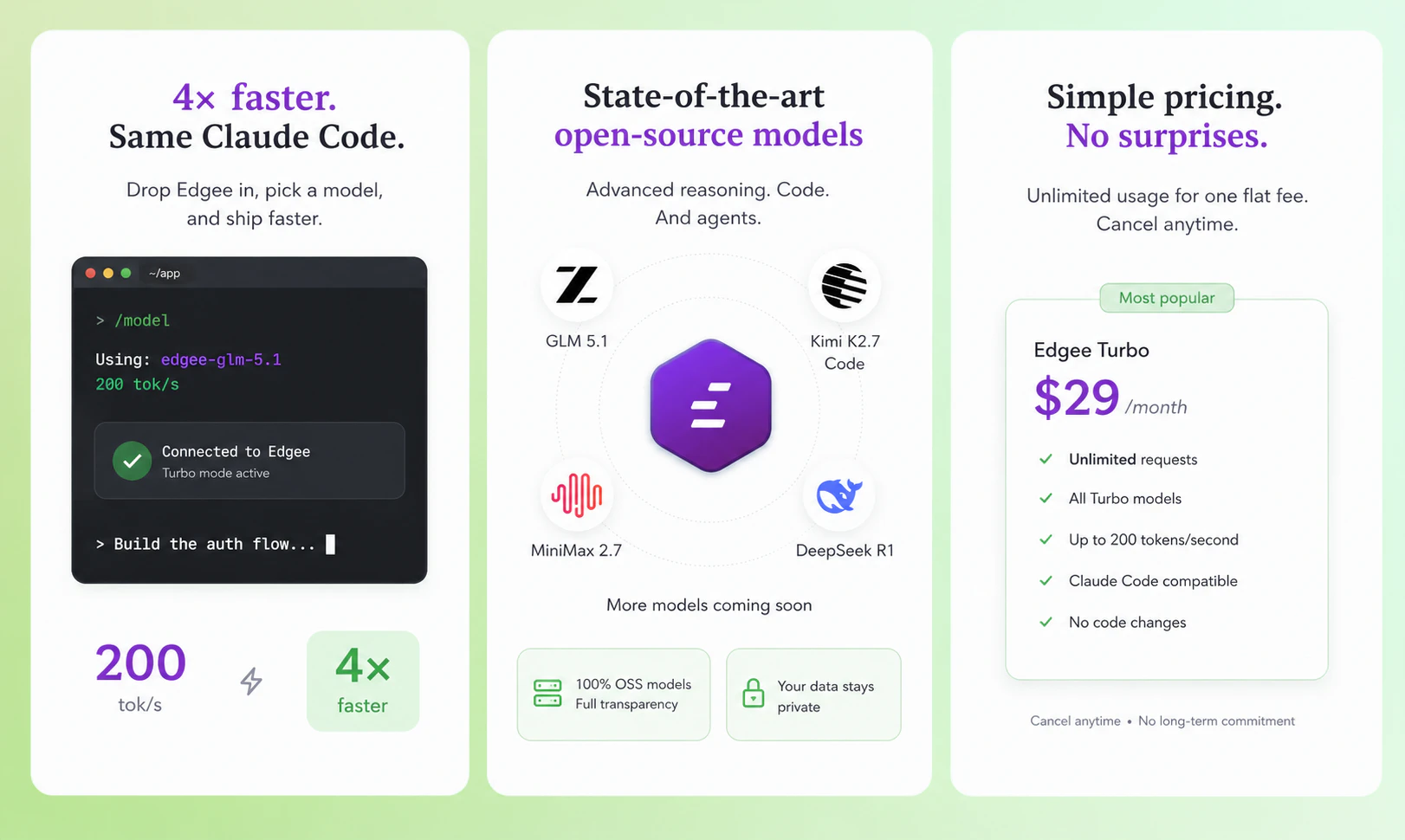
一句话介绍:Edgee Turbo Models 通过一个固定月费的网关,让开发者能在 Claude Code 等编码助手中无缝切换并使用高速推理的开源大模型,解决了 LLM 编码时速度慢、费用不可预测以及模型切换配置繁琐的痛点。
Software Engineering Developer Tools Artificial Intelligence Vercel Day
开发者工具 AI编码助手 模型网关 开源大模型 Claude Code 推理加速 固定定价 Codex API代理 Kimi
用户评论摘要:用户高度肯定固定月费模式,认为这解决了令牌计费不可控的核心焦虑。反馈集中于技术细节:询问是否支持模型间热切换、自动回退、高速推理的冷启动问题,以及对 DeepSeek V4、Qwen 3.5 Coder 等更多模型的加入期待。开发者对在 Claude Code 内直接使用 Kimi K2.7、GLM 5.1 的零配置体验表示赞赏。
AI 锐评

Edgee Turbo Models 是一款精准切中开发者“编码牙疼”的止痛药。它的价值在于,它不再谈论模型性能的百分位提升,而是聚焦于两个更致命的工程问题:**体验的不可预测性**和**切换摩擦**。

从产品本质看,它不是一个模型,而是一个“定价主权”与“路由优化的组合拳”。固定月费 $29 直击 AI 编码最大的隐形成本——心理负担。当开发者不再担心“这个循环烧了多少钱”,他们敢于进行更激进的 Agent 循环实验。这种心态转变对生产力的解放,可能比模型能力提升 5% 更有价值。

其核心护城河在于“零配置切换”和“高速网关”。通过透明代理 Claude Code 的 API 调用,它降低了尝试新模型的心理门槛。正如评论者所言,当前闭源与开源模型的编码能力差距正在缩小,真正的差距在于“花一个下午配置”还是“30 秒切换”。Edgee 解决了后者。

然而,挑战同样明显。这本质上是一个“中间商”生意,依赖背后的模型提供商(Together AI、Fireworks 等)。如果这些提供商未来推出更优的直连方案或类似定价,Edgee 的议价能力和差异化将受到冲击。此外,“高速推理”的长期可持续性值得观察,当用户规模暴涨,维持 200 tok/s 和低延迟的成本能否被 $29 覆盖,将是对其基础设施和资本效率的严格考验。它的胜利,将是**LLM 编码战争从“模型军备竞赛”转向“基础设施与服务体验竞争”** 的一个标志性信号。

查看原始信息
Edgee Turbo Models
Run state-of-the-art open-source models (GLM 5.1, Kimi K2.7 Code, MiniMax M2.7, and more) in Claude Code at up to 4× the speed (up to 200 tok/s) for a flat $29/month. Set up in minutes, no code changes.

Hey Product Hunt 👋

Sacha here, co founder of Edgee.

Story time. A few weeks ago I was working with Claude Code on a refactor with Opus. The model knew exactly what to do, but I sat there watching a 500-line file crawl out one token at a time. Two minutes for one file. Multiply that by every step of the agent loop and you realize: speed is the silent tax on every coding session.

Around the same time I started testing open-source models like GLM and Kimi K2.7. The quality on coding tasks was honestly impressive.

But the speed on standard endpoints was even slower than the closed models. And the setup was painful: API keys, code changes, CLAUDE md to rewrite, MCP servers to reconfigure.

That's the problem we built Edgee Turbo Models to solve.

What it does:

→ Run frontier open-source models (GLM 5.1, Kimi K2.7 Code, Kimi K2.6, MiniMax 2.7) directly in Claude Code.

→ At up to 4x the speed of standard endpoints (~200 tok/s vs ~50).

→ Flat $29/month. No metered token bill that climbs as your agents work harder.

→ Setup in 2 minutes. Your CLAUDE md, MCP servers, and entire setup stay exactly where they are.

Important point I want to get out front because it'll come up:

Turbo is NOT a smaller or quantized version of these models. They are the full open-weight checkpoints. Turbo only changes how they are served, on dedicated high-throughput inference infrastructure built for raw speed, not a shared best-effort endpoint. Same outputs, just faster.

How this fits with our previous launches:

- Compression: use fewer tokens per request

- Teams: see who uses what, per repo, per PR

- Fallback Models: keep working when Claude or Copilot hit limits

- Turbo Models: run open-source models at premium speed, for flat pricing

Together that is the Route + Compress + Observe stack of our Agent Gateway. Today we're shipping the speed layer.

Why now: The Economist published a piece this week confirming that "token-maxxing is over" and that companies are routing to cheaper models. Open-source models are clearly part of the answer. Turbo

makes them actually usable.

A few questions I'd love your feedback on:

→ Which open-source coding model are you most curious to try?

→ Is flat $29/month the right price point, or would you prefer usage-based?

→ What other models should we add to the Turbo lineup?

Will be in comments all day. Thanks for checking it out 🙏

9
回复

@sachamorard @Product Hunt is about consistency, S/O for this new launch! keep up the great, and keep launching 👏👏

2
回复

@sachamorard  rather pay flat out . I Have used onspace.al app and its great! You can tell it to download clients for app creations (if thats ya thing) and it'll download the CL . Adds github files , dependencies, repository .json CL / files. And much moreee. I have also used agent opus, and manyyyyyyy more to learn coding thru first hand having an AI do most the work . Bad thing EVERY THING COSTS TOKENS. AND THE RATES ARE TO HIGH. JUST GETTING ONE APP DONE ALONE . RUNS 40 50$ OR MORE JUST IN TOKENS.

WOULD LOVE TO SEE THIS HELP JUST LIKE ONSPACE OR OPENSOURCE , opusclip , loveable, OPENAI, netlify . All great

Tokens just are irritating so loveee the idea!!!

0
回复

Being able to run different models through Claude Code is really cool. Can you switch between models mid-session, or is it set per project?

5
回复

@doganakbulut You can switch whenever you want, please be aware that this will result in a cache miss at providers level therefore we recommend waiting for the next session if you want to switch !

4
回复

@doganakbulut Yep, we can switch mid-session whenever you want. Or we can switch automatically when you reach your Claude usage limit, or when the Anthropic API is down (quite often, isn't it? 😆)

3
回复
3
回复

Are you planning to add more models to the Turbo lineup? Curious specifically about DeepSeek V4 and Qwen 3.5 Coder. Also, will Turbo ever work with Codex or just Claude Code?

4
回复

Hey @gilles_raymond, you again ;)
Yes on both.

Models: DeepSeek V4 and Qwen 3.5 Coder are both on the shortlist.

We're benchmarking them right now and they'll likely join the lineup in the next few weeks. The criteria we use: agentic capability, tool calling reliability, and inference infrastructure availability for genuine high-throughput serving.


Codex: yes. Turbo already works with Codex today through the same gateway.
And it works on Cursor, Copilot, OpenCode...
We focused the launch messaging on Claude Code because that's where the speed pain point is most acute in our user base, but the same flat $29/month gets you Turbo Models in Codex too.
❤️

1
回复

flat $29/month instead of usage-based is the right call for anyone running agents that loop unpredictably. the worst part of token-based pricing is never knowing what the bill will be until it's too late. also being able to swap in open-source models without changing any code or rewriting configs removes the biggest barrier to actually trying them. most people stick with what they know because switching is painful, not because alternatives aren't good enough

3
回复

@tina_chhabra Both points are exactly what we kept hearing in customer conversations before we built this.

On flat pricing: agentic workflows are genuinely unpredictable. One day you have a clean refactor, the next your agent is in a 30-minute edit-run-fix loop and you've burned $40. Knowing your monthly ceiling upfront is a different kind of freedom. It changes how teams use the tool because the meter isn't running in their heads.

On switching cost: this is the part most people underestimate. The quality gap between closed and open frontier models on coding tasks is far smaller than the gap in setup friction. We benchmarked GLM 5.1 and Kimi K2.6 Code against Sonnet on real coding sessions for weeks before this launch, and the outputs are genuinely close. But "close on output" doesn't matter if "setup takes a Saturday." So that's the actual battle: zero-config switching.

The whole point of routing through a gateway is that "trying a new model" becomes a 30-second toggle, not a project.

Thanks for the thoughtful comment 🙏

2
回复

Proxying Claude Code's API calls through a gateway to route to Kimi K2.7 or MiniMax without code changes is clean architecture. We've hit throughput ceilings in agentic workflows where task latency compounds fast, so the 4x speed claim is interesting. Does Edgee handle automatic fallback if a model hits rate limits mid-session?

3
回复

@anand_thakkar1 Yes, exactly! Edgee is able to fall back to the model/provider you choose.
Even without the turbo models, you can use it with Claude and fall back to Kimi when your usage limit is reached (or when Anthropic has an incident), for example.

2
回复

Love the flat rate approach for unpredictable agent loops, excited to test Kimi K2.7 Code with this kind of speed. Huge congrats on shipping this, @sachamorard

3
回复

@priya_kushwaha1 You'll see, Kimi K2.7 Code (turbo version) is really impressive. Looking forward to having your feedback

2
回复

Really great product. Our team can have a good usecase with the product. Already filled the contact us button. (poko.video email ID). Lets schedule a meet!

2
回复

Thank you @myselfkushal, this made my day. I just checked the contact form, got your details, and I'm sending you a calendar link by email right now. Looking forward to digging into the use case.

Quick question for the thread: I'm always curious which model in the Turbo lineup catches the eye of teams with video and multimodal workflows. Are you thinking GLM 5.1, Kimi K2.7 Code, or are you waiting for something we haven't shipped yet?

Talk soon 🙏

2
回复

Using Edgee with Kimi K2.7, huge savings comparing to OpenRouter. Keep going guy!

2
回复

Haha, Thank you @denis_lt , that means a lot.

Kimi K2.7 Code on Turbo is genuinely a sweet spot right now. The combination of the model's coding capability and the speed/price of how it's served changes the calculus for a lot of agentic workflows.

Keep building 🙏

1
回复

This is exactly the kind of model switching devs pretend they do not need and then use 12 times a day. Love the practical angle.

2
回复

Haha, thanks@sarveshsea , accurate. I'm the founder and I still catch myself defending

my "main" model out of pure habit, then switching three times in the same session.

The honest truth is most devs don't need one perfect model, they need the right one for each task. Turbo just makes that switching free.

Thanks 🙏

1
回复

The edge angle I always want clarity on: cold-start and state. For these turbo models running at the edge, are you keeping them warm across regions or is there a first-hit penalty when a PoP hasn't served the model recently? And for anything stateful, how do you reconcile across PoPs without round-tripping to a central region — or is the model purely stateless inference?

2
回复

Hey @mikebrandswarm 
Important clarification first: the models themselves don't run at the edge. What runs at the edge is the Edgee gateway. The models run on dedicated high-throughput inference infrastructure (ours, or partners like Together AI, Fireworks, and a few others depending on the model), and our gateway routes each request to the fastest path between your machine and the inference backend.

This split matters for your cold-start question. Here's how we handle it:

  • The gateway itself has no cold start for a given PoP. It runs continuously across regions on infrastructure built for low-latency request handling.

  • For the inference backend, we maintain persistent keep-alive connections to each provider so the first hit from a PoP doesn't pay a TCP/TLS handshake tax. We use HTTP/2 with multiplexing, TCP_NODELAY, and pre-warmed connection pools.

  • Combined with provider keep-warm on their side, the practical result is sub-100ms TTFB from most PoPs to most Turbo Models, even on a request that hasn't been served from that PoP in hours.

On the stateful question:

LLM inference is fundamentally stateless per request. Every prompt carries its own context, and the model itself doesn't retain anything between calls. So there's nothing to reconcile across PoPs at our layer.

The interesting state lives on the provider side, specifically KV-cache and prompt cache. Each provider has their own strategy for how they keep that warm and how they route subsequent requests to the same warm replica. That's their domain and they're better at it than we'd ever be from the gateway layer. Our job is to pick the best provider for the model you asked for, route you to them on the fastest path, and stay out of the way.

Edgee owns the routing and connection optimization layer. Providers own the inference stateful layer. The specialization works because each side is doing what they're best at.

Happy to go deeper if you want, this is a fun part of the system.

4
回复

How do GLM 5.1 and Kimi K2.7 Code actually compare to Sonnet 4.6 on real coding tasks? I've tried open-source coding models a few times over the past year and they always felt one tier below the closed ones. Has that gap really closed?

2
回复

@gilles_raymond2 Honest answer: the gap is much smaller than it was 6 months ago, and on a lot of tasks it's gone.

We benchmarked GLM 5.1, Kimi K2.6, and MiniMax 2.7 against Sonnet 4.6 on real coding sessions for several weeks before this launch. Three patterns emerged:

  • On focused tasks (write a function, fix a bug, refactor a file), outputs are genuinely comparable. A blind test wouldn't reliably pick the closed model.

  • On long agentic loops with heavy tool calling, GLM 5.1 holds up best. It was trained explicitly for agentic workflows and it shows.

  • On extreme long-context reasoning (whole-repo Q&A across hundreds of files), Sonnet still has a small edge for now.


The bigger insight from those weeks: the choice of model matters less than people think. The choice of how the model is served matters way more. A "weaker" model at 200 tok/s with no metered bill often produces a better dev experience than a "stronger" one crawling out tokens at premium pricing.

1
回复

Congrats on the launch, Sacha! Curious about how does Edgee handle consistency during peak demand when multiple teams are hitting the same Turbo endpoints simultaneously?

1
回复

@crystalmei Thanks 🙏

Three layers handle this:

1/ Gateway: requests don't queue locally. Per-provider HTTP/2 connection pools with multiplexing, horizontal scaling, no shared serialization point. A burst from one team doesn't slow down another.

2/ Inference: Turbo runs on dedicated high-throughput infra with our partners ( @Together AI , @Fireworks - Fastest Inference for Generative AI , others depending on model). They auto-scale and load-balance across replicas. We've sized partnerships with headroom for peak hours.

3/ Fallback: if a Turbo lane is ever saturated, Edgee routes automatically to a standard endpoint of the same model family. The agent loop never breaks, the user might just see a slightly slower response for that call.


Plus per-key rate limiting at the team level so one heavy user doesn't degrade the experience for the others.

🙏

1
回复

token reduction at the gateway is the kind of infra that quietly changes the economics of agent workflows. curious about the tradeoff curve: at what compression ratio do you start seeing measurable accuracy loss on downstream tasks? and is that loss uniform across model families or does it hit some harder than others?

1
回复

@thenameisarian Our defaults target ~50% reduction with measurable accuracy loss

in the noise on coding benchmarks. Past ~70% you start seeing degradation on long-horizon tasks (multi-step refactors, anything that needs to recall earlier tool results). Single-step tasks

tolerate more.

It's less "how much can I compress" and more "what can I drop without breaking the loop".
We have implemented three compression techniques:
- Tool result trimming by RTK
- Tool surface reduction
- Output brevity

We are trying to make each of these techniques as lossless as possible, and I can already say that the effects on the model's efficiency are almost negligible. We will be releasing our benchmark work within the next few days.

2
回复

So I can create apps with this new Edge Turbo Model?? An also a standard fee 29.99 ? No more token manipulation?

1
回复

@chaseforbis98 thanks for your questions, let me clarify a few things:


Turbo Models is a feature inside Edgee, not a single model. It lets you run frontier open-source models (GLM 5.1, Kimi K2.7 Code, Kimi K2.6, MiniMax 2.7) directly inside Claude Code or Codex. So you're not building apps "with Turbo", you're using Turbo to power your coding assistant when you build whatever apps you want.


Yes, flat $29/month per developer. Not $29.99. The plan includes a generous monthly usage allowance that covers full-time intensive coding for the vast majority of developers. There is a ceiling at the very high end (for context, you'd need to be running agentic loops nearly continuously to hit it), and if you ever get close, we'll talk before anything changes. Transparent and fair.

On "no more token manipulation": you're right that you stop worrying about the per-token meter, which is the big mental shift. But Edgee actually does smart token compression behind the scenes (cutting what gets sent to the model by ~50% on coding sessions), so you get the benefit of token optimization without having to think about it. Set it and forget it.

Hope this clarifies. Happy to go deeper on anything 🙏

1
回复
#6
Zoona AI
Automated support that learns from docs + past conversations
154
一句话介绍:Zoona AI 是一个能从企业文档和历史对话中自主学习、自动解决超60%客服工单的AI客服代理,帮助现代团队告别臃肿的遗留工具和人力堆积,实现规模化支持。
Customer Success Customer Communication Artificial Intelligence Vercel Day
AI客服代理 智能工单管理 知识库自愈 自动化客服 Slack集成 客户支持平台 SaaS 对话式AI Copilot辅助 企业级支持
用户评论摘要:用户普遍认可其UI简洁、体验流畅,对手动接管时的上下文传递表示赞赏。核心疑问集中在:AI自主解决与人工干预的边界如何设定(如退款等敏感操作)?能否从Zendesk等旧平台导入历史数据?以及业务增长后,AI客服是否会彻底改变团队职能结构。
AI 锐评

Zoona AI 的“玄学”在于它把“AI自我进化”从口号变成了产品核心。它不是又一个会写回复的聊天机器人,而是通过“自愈型知识库”将解决过的工单反哺训练材料,形成了一个机器驱动的优化闭环。这比单纯用LLM生成话术高出一个维度。

从评论能看出,用户并非只在意解题速度,更关心两个致命问题:边界(哪些能自动干,哪些必须交人)和历史(我的旧平台数据能否无缝迁移)。SparrowDesk对“边界”有回应(如配置退款命令强制转人工),但对“历史数据”的回答相当暧昧,仅称“会学习旧工单”,并未明确提供从Zendesk等竞品完整导入历史案例的技术路径。这对于试图替换已有堆栈的团队,是绝对的拦路虎。

此外,其“零门槛部署”+“多平台统一收件箱”的定位,精准打击了中小团队的痛点,但“企业级”三个字意味着面对复杂权限、SLA规则、RBAC、以及硬核审计需求时,Zoona的轻量化设计能否扛住考验,存疑。

一句话总结:产品逻辑漂亮,切中了AI客服从“辅助”到“自主”的进化路径。但若仅靠“自学”,而没有能力与甲方旧有数据资产彻底打通、并灵活定义AI的决策权限,Zoona最终可能会被困在“不愿放弃旧系统又想尝鲜AI”的中间地带。想真正取代Servicenow或Zendesk,还需补齐“替身”而非“分身”的入场券。

查看原始信息
Zoona AI
Sluggish, bloated, legacy support tools are dead. Zoona is support for modern teams — it learns from your docs and past conversations, then resolves 60%+ of tickets the second they land. No backlog. No burnout. No endless hiring to keep up. When it does need a human, it hands off with full context so the customer never repeats themselves. This is support that scales with you, not against you. Train it, go live, done.

Hey Product Hunt! 👋 Excited to finally share this with the world.

Honest origin story: we used other support platforms for years, and we were constantly frustrated - bloated UIs, slow as hell, features buried under features, and pricing that made no sense for a startup.


So we built SparrowDesk the way we always wished those tools worked.

The centerpiece is Zoona, our AI agent that actually handles support end-to-end - not just suggests replies, but resolves tickets. Across Slack, WhatsApp, chat, email, and your help center. One setup, everywhere your customers are.


Here's what makes Zoona different:

🧠 Train from anything

Connect your help articles, URLs, documents, Notion pages — Zoona learns from all of it and stays up to date as your product evolves.


⚡ Commands that take action

Zoona doesn't just answer questions. Use commands to make your AI agent trigger API calls, update records, create tickets, and take real actions inside your stack.


✍️ Copilot for your team

Get AI-suggested replies, instant conversation summaries, and a copilot that helps your agents close tickets faster — without burning out.


📚 Self-healing knowledge base

Our copilot analyzes resolved conversations and automatically rewrites + improves your knowledge base. Your docs get smarter every day without anyone lifting a finger.


We built this for startups who want enterprise-grade support without the enterprise-grade pain.

And if you're a startup - we have a special program just for you: sparrowdesk.com/startup


Would love your honest feedback — the good and the brutal. Ask me anything! 🙏

15
回复

The UI looks great and the timing is interesting too. With Fin heading into Salesforce, a lot of teams are about to re-evaluate their support stack, and a focused agent like Zoona is well placed to catch that wave. Strong first impression. All the best with the launch.

6
回复

@its_grs Thanks for the support.

0
回复

Spent some time this week red teaming support chatbots,

Sparrow's ZoonaAI held up to everything. Asking it to repeat its instructions, rephrasing the request a dozen ways, sneaking it through a translation, getting it to "autocomplete" its own prompt , nothing worked. Genuinely well built. Congrats to the @SparrowDesk team, and @ayesha_kulsum_s_j . 👏

Then there was Zomato's bot, which made me laugh.

I'd spent ages trying to reach a human for a delivery issue ,it kept getting told all agents were busy. So on a whim I asked for its system prompt.

It transferred me to a human instantly.

It's funny that the magic word for reaching a human wasn't "human" five times over. It was "what's your system prompt."

Support bots are getting harder to crack than they used to be.

2
回复

Thanks @jazib_mahmood1 . Ayesha told me about the bet you guys had :D

0
回复

@georgejustin22 A lot of support tools promise faster responses.

What’s more interesting here is the claim that customers never have to repeat themselves when a human takes over.

In practice, that handoff is where many AI support experiences fall apart.

How much context is actually transferred to the human agent, and have you measured whether customers feel the transition is seamless versus just receiving a conversation summary?

2
回复

@josh_bennett1 the entire conversation, proof of work done by AI Agent, Summary is transferred to human agents. And even after transfer - Zoona can suggest responses based on customer's new messages. So, the AI enablement does not stop at handoff

0
回复

An AI-first help desk that cuts down on searching sounds great for support teams. Does SparrowDesk pull answers from your existing docs and tickets?

2
回复

@doganakbulut Yes. Not just that - we keep your knowledge fresh, always. From the resolved conversation - Zoona can update your knowledge base, taking over the boring task from knowledge authors.

0
回复

Tried Zoona for a bit and the first thing that stood out was how polished the experience feels. The inbox workflow is intuitive, and the AI seems focused on actually helping resolve tickets rather than just being a flashy add on. Curious to see how teams adopt it over the next few months. Congrats on the launch!!

2
回复

Been using SparrowDesk and it's been impressive so far. Clean UX, useful AI capabilities, and a strong focus on productivity. Excited to see where SparrowDesk goes!

2
回复

@kevin The product makes sense, but I wonder if the future customer support team even

looks like today's support team.

If Al ends up handling most inbound requests, do you think support eventually becomes a product and operations function rather than a customer service function?

Curious how your customers think about that shift.

1
回复

Just checked out Zoona AI and the setup experience genuinely surprised me! No complex configurations, no developer dependency- it felt like something any support team could get running on day one. This is the kind of simplicity that support teams would require. Great work, team!

1
回复

Congrats on the launch. The past-conversation learning part is the interesting bit for support teams. How are you handling the boundary between what Zoona can resolve automatically and what needs human approval or owner sign-off?

1
回复

@blah_mad  If Zoona does not know the answer -> thats an escalation (if the context is clear).

On top of this, necessary commands/instructions can be given to Zoona on how to handle delicate queries.

For example: if customers are reaching out for Refund requests, you can instruct Zoona to handover that immediately.

0
回复
Clean UI and snappy experience. I especially love the flexibility to switch between a table like inbox (which is a bit dated admittedly- but has its rightful keepers - and a more modern inbox for more - chatty teams! ). Yet to take the AI agent to full spin, but the ability to create agents for more than one product/ service from one single account looks interesting.
1
回复

@uxfish Thanks for the support

0
回复

I tried SparrowDesk and was impressed with the overall experience. The design is clean, intuitive, and easy to use, making ticket management simple and efficient. Beyond the great user experience, the product feels fast and responsive, even when handling a large volume of tickets.

It’s clear that a lot of thought has gone into both the design and the underlying performance.

1
回复

How do you handle rollback or recovery when an AI-initiated action goes wrong mid-ticket?

0
回复

the help desk space is brutal because the value isn't in answering the easy 80%, it's in not breaking the hard 20%. curious how you decide when to confidently resolve vs route to a human. is the threshold the same per category (billing vs technical vs account) or are you tuning it per tenant once you learn their support team's tolerance?

0
回复

How would this build on top of existing support platform data? Can you import from zendesk etc. to bring in historical cases and how they were closed? Also can it use a human's response as info to automate any future tickets with similar issues?

0
回复

I tried SparrowDesk and I fell in love with it, intuitive UI and clean layout, fast and responsive. The AI assistant is very powerful and it makes it easier to be productive

0
回复

@georgejustin22 The self-healing knowledge base sounds powerful, but also slightly risky.

If Zoona learns from thousands of customer interactions and continuously updates documentation, who ultimately owns the truth: the documentation team or the Al?

Feels like there could be interesting situations where the Al discovers patterns and solutions before the company officially documents them.

0
回复

@nxan I agree. That's why we have an approval process in between. AI writes them - your team approves them.

0
回复

J'ai pu tester Zoona récemment et franchement, ça m'a agréablement surpris. L'interface est agréable à utiliser, la gestion des tickets ne demande pas de prise en main particulière, et l'IA est vraiment là où on en a besoin pas juste pour faire bien sur la fiche produit. Vivement la suite pour voir comment les équipes vont s'en emparer. Beau travail pour ce lancement !

0
回复

The "learns from past conversations" angle is underrated. Most support bots reset context every time. Does this work across channels like WhatsApp or just web widget? Congrats on the launch!

0
回复

@david_marko Web widget (live chat), WhatsApp, Slack, Email. Messenger and Instagram launching soon.

0
回复

Learning from past conversations is the bit that matters. Docs alone miss all the weird customer phrasing where support actually happens.

0
回复

Learning from past conversations is the key part here. Docs alone rarely cover the messy edge cases in support. Curious how much review control teams get before Zoona starts replying live.

0
回复

@georgejustin22 Resolving 60%+ of tickets automatically sounds impressive, but I’ve always found the hardest support tickets aren’t the repetitive ones.

They’re the edge cases where a customer explains something in an unexpected way, where the issue spans multiple systems, or where policy and judgment matter.

What types of tickets have you found Zoona consistently struggles with today, and where do you still believe humans are significantly better?

0
回复

@moh_codokiai humans are still better at empathising, troubleshoot technical issues - because they are humans and they have more access/context to connected systems and knowledge.

AI Agents are good as how much info you give them and how much access you give them.

But AI Agents have come long way. Dealing with bigger context, doing agentic actions - exciting times ahead

4
回复

Gave Zoona AI a try and it really stands out. The UI/UX is clean, intuitive, and genuinely easy to use from the first click. No fumbling around to figure things out, which is rare. The AI responses also felt useful right out of the gate and the setup was way easier than I expected. Looking forward to exploring more. Excited to see how Zoona evolves. Congrats on the launch!

0
回复
#7
GitHits beta 0.9
Give your AI coding agent access to open-source code
143
一句话介绍:GitHits为AI编程助手(如Claude Code、Cursor等)构建版本感知的依赖代码索引,解决其无法有效查找和阅读所依赖的开源代码而导致的猜测、重试和死循环问题。
Software Engineering Developer Tools Artificial Intelligence Vercel Day
AI编程助手 开源代码索引 依赖源码导航 版本感知 代码检索 上下文增强 开发者工具 MCP协议 代码质量 软件工程
用户评论摘要:用户普遍认可其解决“版本依赖”和“代码上下文”的痛点,认为能减少AI幻觉。核心关切集中在:如何从海量噪声代码中精准排序;如何处理monorepo和独立版本包;以及在商业项目中如何规避Copyleft许可证风险。
AI 锐评

GitHits切中了一个被AI编程热潮掩盖的“认知鸿沟”:当前AI代理擅长解析项目内部代码,但面对依赖的开源库时,其“知识”往往是泛化、过时甚至错误的。它没有选择造一个更强的“编程大脑”,而是为现有的大脑(Claude Code等)提供一个精准的“外接记忆硬盘”。

其价值核心并非“索引开源代码”这个简单动作,而是“版本感知”和“结构化排序”。GitHits放弃了GitHub默认分支的“快照式”搜索,转而针对每个依赖的精确版本构建索引,这对于解决因API版本错配导致的幻觉是根本性的。更重要的是,它并非简单返回文本,而是尝试通过多重信号(代码相关性、仓库质量、代码测试用例等)对结果进行排序,试图从“开源垃圾堆”中挑出“钻石”,这比单纯检索难得多,也是其护城河所在。

前景方面,它精准切入了企业级AI编程落地的“最后一公里”——可靠性。但风险同样明显:1)索引生态的开销巨大,支持越来越多的框架和版本,是持续的耐力战;2)许可证过滤功能至关重要,若处理不当,可能成为法律风险的导火索;3)产品定位决定了它只是一个“工具”而非“平台”,极易被Cursor、JetBrains等集成商内置类似功能所边缘化。未来,GitHits需要更快地从“辅助代理调试”进化为提供“可信代码推荐”的标准化底层协议,而非仅仅是一个API调用中介。

查看原始信息
GitHits beta 0.9
GitHits gives coding agents access to the open-source code your app depends on. Get real implementation examples, dependency source navigation, package inspection and documentation. Agents can grep and read your codebase. They can't grep and read the open-source code your app depends on. That's where they start guessing, retrying, and looping. GitHits builds a version-aware index on demand. Agents can search, navigate, and inspect the code behind their dependencies. CLI: npx githits@latest init

Hi Product Hunt! 👋

I’m Olli-Pekka, one of the co-founders of GitHits.

I've been a member of the open-source community for 15 years. I created opencv-python, which got 100M+ downloads while I maintained it as a side hustle. Fun fact: I’m from 🇫🇮, just like Linus Torvalds. 🙂

I noticed I kept giving the same advice to colleagues and friends when the docs were missing something. My go-to hack was simple: use GitHub search to find code that already solves the problem. It’s powerful, even though it only returns raw results rather than the answer in context.

I started building GitHits to bring that workflow to coding agents.

GitHits complements tools like Claude Code, Codex, Cursor, and other AI coding agents.

Those agents are great at navigating your local codebase. They can grep, search, and read files to understand how your application works.

The problem is that modern software doesn't stop at the repository boundary.

A large part of the system lives in frameworks, libraries, SDKs, and other open-source dependencies. Agents can usually see where your code calls into those dependencies, but they often can't navigate and inspect them in the same way. And even when an agent reads the docs, they only tell it what to call, not how it actually behaves. For that, you need the source.

GitHits gives agents access to:

  • Code examples based on real implementations from repositories, issues, discussions, and pull requests, linked back to the implementation code

  • Code navigation across packages and repositories: search, grep, file listing, and exact line reads without cloning

  • Package inspection for dependencies, vulnerabilities, changelogs, and upgrade changes

  • Documentation access across hosted docs and repository-backed docs

GitHits does this by building a version-aware index of open-source code on demand, usually in 10-20 seconds for an average repository.

GitHits is useful when an agent reaches the limits of the local repository.

That might happen during planning and research, when it needs to understand how a dependency works, what changed between versions, or how something has been implemented elsewhere. It also happens during implementation, when the agent starts retrying variations and exploring dead ends because the answer isn't in the local repository.

As developers, that's usually the point where we leave our own repository and start reading somebody else's.

What users say about GitHits:

Forever free tier available.

No trial period. Just create your account and connect your agent to GitHits.

Launch day special.

Everyone who signs up today gets 3x credits for 6 months. No strings, just more GitHits.

Setup is one command:

npx githits@latest init

It installs the CLI and connects GitHits to Claude Code, Codex, Cursor, or any MCP-compatible agent. Or sign up using this link.

If you’re already using GitHits, let me know what you use it for, and how we can make GitHits even better.

We look forward to your brutally honest feedback and sincerely appreciate the support!

9
回复

Hi Product Hunt! 👋

I'm Juha, co-founder and chief architect of GitHits. I'm responsible for the indexing engine underneath, so I want to talk about the part you don't see.

The question I get more than any other is some version of this: my coding agent can already clone a repo, grep it, and search GitHub, so what is GitHits actually adding?

It's a fair question, and the honest answer is that scraping GitHub gives your agent raw results, not understanding. It clones whatever is at the top of the default branch and greps one repo at a time, treating code as text with no sense of what is worth trusting. And here's the part that surprises a lot of people: GitHub's own code search only covers a repository's default branch, so the older version you actually depend on usually isn't even searchable. That's fine for a quick lookup, but it falls apart the moment the problem gets specific.

What GitHits does instead is build a real, version-aware index. We fetch the actual source, parse it, turn it into structure, and keep that structure version by version, so your agent reads from something we already built rather than scraping and guessing in the moment.

People are usually surprised how much work that is. One small example: just figuring out which commit a version like 1.2.3 actually points to. There's no standard for how projects tag releases, so the part of our indexer whose only job is that is more than 700 lines, and we've rewritten it six times as we keep hitting new conventions in the wild. And that's before we've parsed a single line of the actual code.

And it isn't only code. We index documentation the same way, version by version, and combine it with the rest so your agent grounds itself in a balanced mix of code, tests, examples, and docs, instead of one slice it has to guess from.

I wrote up the full under-the-hood walkthrough here if you want the long version: https://githits.com/blog/what-it-actually-takes-to-index-open-source/

The best way to judge it is to just test it out. Setup is one command:

npx githits@latest init

It connects GitHits to Claude Code, Codex, Cursor, or any MCP-compatible agent. Or sign up here: https://app.githits.com/signup

I built the indexing engine, so I'd genuinely love to hear where it works or breaks for you. Brutally honest feedback is the most useful kind.

9
回复

This app is seriously helpful and turns your coding agent in a top tier senior engineer. When I am introducing a new pattern or library in my code, I always think to find real battle tested implementations first from GitHits. Eventually you realize just letting a coding agent vibe out consequential and high leverage code is just plain dumb and irresponsible.

4
回复

Thanks,@lukeotwell! Let us know how we could make GitHits even better!

2
回复

Really impressive backend work. Are you guys running the parsing/indexing entirely on your infra and serving it via API, or is there a local caching layer involved when we link it to Claude Code via MCP? Happy to support 🙌

3
回复

@vikramp7470 We are running indexing it fully on our infra. CLI and MCP are just make API calls to our backend. We have Rust-based indexing engine, Elixir based coordination layer and Python based agentic layer.

4
回复

Building a version-aware index per release rather than scraping GitHub's default branch is the right call. Agents that can't inspect the exact version they depend on just hallucinate API signatures. We've hit this when agent-generated code breaks because docs described the wrong version. How does GitHits handle monorepos with independently versioned packages?

2
回复

@anand_thakkar1 That's indeed a complex problem, but we solved the monorepo issue with our custom crawler and indexer. There might be still raw edges and that's why there is the beta label. So many different ways of versioning software out there.

0
回复

Works great, I've been using Githits to explore implementation details from different libraries to ground my coding agent with real world examples. It's cool to point your coding agent towards an open source reference implementation that you know has already implemented what you want to implement.

1
回复

Thanks,@matti_ryttylainen Appreciate your kind words and all feedback you've provided along the way!

0
回复

giving the agent access to open source code is the easy half. the hard half is helping it pick the right code. github has incredible code and also a long tail of broken half written experiments. how do you weight signals like maintained recently, used by many, tests pass, vs raw similarity to what the agent is trying to write?

0
回复

Giving agents real OSS context feels like a cheat code. Curious how you rank which repos are signal vs random GitHub soup.

0
回复

@sarveshsea For the distilled examples, ranking is one of the hardest problems.

We don't treat every repository equally. We combine code relevance, semantic relevance, repository quality signals, and package metadata to separate useful implementation patterns from random GitHub noise.

The goal is to surface examples that show how similar problems are actually solved in code, rather than repositories that simply contain matching keywords. However, sometimes the solution to an issue can be found in a single random repo, which is like finding a needle in a haystack.

0
回复

The dependency-context angle makes a lot of sense. Docs explain the API, but source code and real examples show how it actually behaves. I’d be interested to see how GitHits weighs tests vs production implementations when finding examples.

0
回复

@farrukh_butt1 We don't automatically favor production code over tests.

Our ranking includes signals for both because tests often demonstrate the intended usage pattern much more clearly than production implementations. Production code shows how things are used in the wild, while tests often isolate the behavior you're trying to understand.

Both can be valuable depending on the query.

0
回复

Congrats on the launch!

The "AI agent + OSS context" gap is real — most agents either hallucinate APIs or refuse to commit when they're unsure. Giving them grounded access flips that.

Question for you: how do you handle licensing exposure when the agent pulls from copyleft repos and the user is on a proprietary codebase? That's the piece I'd worry about if I were shipping this into a regulated team.

0
回复

@somdip_roy1 You can setup license filtering in the settings for the example generation. In strict mode we skip repositories with copyleft, unknown and missing license information.

0
回复

Giving a coding agent access to real open-source code is a smart idea. How does GitHits pick which repos or snippets are most relevant?

0
回复

@doganakbulut For snippets it's actually pretty involved. We run our own code index, so on top of standard ranking like BM25 we can use a bunch of code-specific signals for scoring. We also keep a separate document index for docs from canonical documentation sites. That lets us pull a balanced mix of function definitions, real usage examples, tests and related documentation, so the agent gets proper grounding, with each snippet linking back to the source it came from.

For picking which repos to pull from, right now we lean on a wide range of GitHub searches plus our own reranking. We're also building out a dedicated index for that part.

1
回复

Congrats!

0
回复

Thanks@orliesaurus! Appreciate your support!  

0
回复
#8
Stride
The AI workspace that plans, designs and ships with you.
127
一句话介绍:Stride是一个AI原生的全流程工作空间,将规划、系统设计、验证和交付集成在统一平台内,通过MCP协议连接Claude Code和Codex等AI编码代理,旨在解决团队在跨工具协作中反复切换上下文、信息碎片化和AI缺乏项目语境的核心痛点。
Productivity Developer Tools Artificial Intelligence Vercel Day
AI工作空间 项目管理 系统设计 MCP协议 AI编码代理 开发全流程 需求追踪 质量验证 上下文连贯 团队协作
用户评论摘要:用户普遍认可其全流程闭环和价值,但主要问题集中于:1) 缺乏Figma等UI设计工具集成;2) 与Vercel的部署集成尚未实现;3) 跨职能交接和外部工具兼容性需求;4) 关键追问“设计到代码”的过渡具体如何实现,以及AI是否能主动处理设计阶段发现的冲突,而非仅展示矛盾。
AI 锐评

Stride的巧妙之处在于,它没有试图重造一个IDE或AI聊天框,而是精准地捕捉到了AI编码时代最痛的断层:**规划语境与执行语境的割裂**。当所有AI工具都在比拼“写代码”能力时,Stride选择去解决“喂给AI的代码上下文”问题。其核心资产是那个将“故事/ADRs/测试用例”统一关联的工程图,并通过MCP协议让Claude Code和Codex等代理直接消费这个图。

这并非一个简单的“一体化”工具,而是一个**AI工作流的编排层**。它承认AI编码代理是未来的主力,并甘当“总工”,负责生产高质量的PRD、架构决策记录(ADR)和验收标准,确保代理们拿到的是精确的工程指令,而非模糊的自然语言提示。创始人刻意回避了UI设计(Figma)和部署(Vercel)的集成,选择先在“规划-系统设计-验证”的深度上扎下去,这是一个明智的MVP策略。真正的价值不在于它自己“发货”,而在于它让编码代理的“自建”和“自测”变得更可靠。

然而,风险也同样明显:它高度绑定了MCP生态,若Claude Code或Codex有一天自己实现了内置的上下文管理,Stride的护城河将迅速变窄。此外,“保持人类在决策循环中”固然高尚,但若AI不能真正自主处理设计矛盾,所谓的“全流程”依然存在需要人工跳转的卡点。它目前更像是一个团队的**工程决策指挥中心**,而不是无人驾驶工厂。能否最终从“辅助人类做决策”进化为“AI自主闭环并仅在例外时上报”,将决定它是一时的效率补丁,还是下一代开发范式的核心基建。

查看原始信息
Stride
Stride is the AI-native workspace for the whole build: plan, design, verify, and ship. Its AI works inside your real project data and plugs into Claude Code and Codex over MCP, so it does the work instead of just talking about it. Your team goes from idea to launch without switching tools.

Hey Product Hunt 👋

I'm Kunal, the founder of Stride.
https://www.stride.page/

Here's the moment that made me build it. I was "planning a feature" and counted the tabs open to do one job: a board for the tickets, a whiteboard for the diagram, a doc for the spec, a tracker for status, and three AI chats I kept re-explaining my project to from scratch. None of them talked to each other. I was the integration layer. And I was exhausted.

So we built Stride: one AI-native workspace for the whole journey from idea to shipped.

📋 Plan — a flexible board with custom stages, WIP limits, and issue tracking that bends to how your team actually works (not the other way around)
🎨 Design — architecture diagrams, solution design, and PRDs, drafted and refined with AI right next to the work
⚙️ Optimize — map, model, and mine your processes to see how work really flows and where it gets stuck
Verify — close the loop on quality: define acceptance criteria, build test plans, validate that what ships actually matches what you planned, and catch gaps before they reach users
🤖 Agent — an AI teammate that lives inside your real project. It creates, updates, and moves work for you, and plugs into Claude Code and Codex over MCP
Ship — go from idea to PRD to shipped without ever leaving the app

The thing I'm proudest of: the AI isn't a bolt-on chatbot staring at a blank box. It sits inside your actual project data, so it already knows your tickets, your stages, and your context. It does the work instead of just talking about it. Less "write me a prompt," more "handle this."

We're a small team and every comment today genuinely shapes what we build next, so I'm parked in the thread all day. One question I'd love your honest answer to: what's the one tool-switch in your workflow that makes you sigh every single time? Plan to design? Spec to tickets? Reply and I'll tell you exactly how (or honestly, whether) Stride kills it for you.

Thank you for being here. It means a lot. 🙏

14
回复

@kunalsharda Love the vision of an AI workspace that handles planning through shipping—that's the full lifecycle. How does Stride handle cross-functional handoffs or integrations with external tools teams already rely on? Curious if this is meant as a replacement or complement to existing workflows.

0
回复

An AI workspace that goes from planning all the way to shipping is a neat all-in-one approach. Does Stride integrate with tools like GitHub or Figma?

4
回复

@doganakbulut Thanks! Yes to GitHub, connect your repo and Stride can even draft a real PR. We also import from Jira and plug into Claude Code or Codex via MCP. Figma's an honest not yet, since our design layer is architecture (C4, ADRs, deployment diagrams) rather than UI, but UI design is on the path ahead. What's your stack? Happy to share what connects today.

2
回复

What used to take days of planning, grooming, and coordination can now be completed in under a minute. 👏

3
回复

@prajeet_jain - Long road ahead, but what a day to be live. 🙌

1
回复

I’ve been using Stride heavily for AI-assisted full-stack development, especially with Codex and Claude Code through MCP, and this is where it really clicks.

The biggest value for me is the flow from product thinking to execution: PRD → epics → stories → acceptance criteria → test cases → implementation.

I can then hand that work off to an AI coding agent that has the full project context through MCP. That means the agent is not starting from a vague prompt. It knows the ticket, expected behavior, acceptance criteria, related test cases, and the current workflow state.

In practice, this makes the dev loop much tighter. Claude Code or Codex can pick up a ticket, work through the implementation, use the acceptance criteria as the target, run the relevant test cases, and move the ticket from To Do → In Progress → Ready for Review.

What I also like is that the workflow does not stop when implementation is done. Once a ticket moves into review, Codex can continue updating the work through MCP: adding comments, attaching relevant context or outputs, recording what changed, and keeping the ticket useful for the next person reviewing it.

For anyone building with AI coding agents, this solves a very real problem: the gap between “we planned the work” and “the agent actually has enough structured context to build the right thing.” Stride gives that context a home, and MCP makes it usable directly inside the development workflow.

If you’re doing AI-assisted development with Claude Code, Codex, or similar tools, I’d definitely recommend trying Stride.

🎁 Early-bird discount for the Product Hunt community: use code AAYUSH10

3
回复

@aayushsharma That gap between "we planned the work" and "the agent has enough context to build the right thing" is the whole thesis, and giving that context a home through MCP is exactly what we were after. The bit about it not stopping at implementation is the underrated part too. Thanks for sharing the code with the community.

1
回复

The "plans, designs, and ships" framing covers a lot of ground, and the interesting question is where the handoffs happen. Most tools like this are solid at one of those three and then quietly hand you back the wheel for the others. Curious whether Stride is actually driving the design-to-code transition itself, or whether "designs with you" means something closer to a Figma-adjacent whiteboard that you then feed into the build step. Also wondering how the Vercel tie-in works in practice: is deployment genuinely wired into the workspace so shipping is one action, or is it more of a pre-configured export target?

3
回复

@fberrez1 - Really sharp question, and you're right that the handoffs are where most tools quietly give you back the wheel.

Two clarifications on today. First, "design" in Stride means system and architecture design, not Figma-style UI. Think scored solution options, ADRs grounded in your past decisions, and versioned C4, sequence and deployment diagrams, all tied to the same graph your stories and tests live in.

On the design-to-code transition: Stride doesn't try to be the IDE. It drives the handoff by producing the artifacts that feed the build, and its architecture review can draft a real GitHub PR. The code itself gets written by your coding agents, Claude Code or Codex, plugged in through our MCP server, so they work from the full product context instead of a snippet. And on Vercel, that's the Product Hunt launch event, not a deploy integration. "Ships" today is the delivery layer: releases, release notes from real commits, and quality gates that block a release with gaps.

But you're pointing right at where this naturally goes. UI design and one-click deploy are both extensions of the same core idea, that everything lives in one connected graph the AI can see end to end. As the coding agents close the design-to-code loop, owning more of that transition, and eventually the deploy step itself, is exactly the direction we're building toward. Today we're deliberately deep on plan, design, verify & optimize first, then we earn the rest.

Happy to go deeper on any of these.

7
回复
Recently i switched from jira-confluence to stride and i learned that the biggest flex stride has is not some flashy Al feature-it's that I don't have to keep reminding myself where everything is. Usually I'm jumping between docs, tickets, chats, and random notes trying to piece everything together. With Stride, it just feels like everything is in one place and connected. It's one of those things you don't fully appreciate until you go back to your old workflow and realize how much time you were wasting. Curious if anyone else has the same problem or if it's just me.😅
1
回复

@diggiwalabhishek - Honestly this is my favorite kind of feedback. The flashy AI stuff gets the attention, but the quiet win, not having to reassemble context in your head every morning, is the part we care about most. And you said it perfectly: you don't feel the weight of it until you go back.

Really glad the switch landed. Thank you for sharing this. 🙏

1
回复

The interesting part is keeping planning, design, and shipping in one loop. Most tools nail one of those then lose the thread.

1
回复

@sarveshsea - Exactly this. "Lose the thread" is the perfect way to put it, that's precisely where it leaks, in the handoffs between tools. Keeping planning, design and shipping in one loop so the context carries through instead of getting re-explained at every step is the whole bet. 🙏

1
回复

I've had a front-row seat watching Stride come to life, and one thing that constantly stood out was how much time teams lose simply moving context between tools.

One doc becomes five tabs. One requirement becomes ten conversations. And before you know it, half the effort is spent reconnecting information instead of building.

Seeing Stride evolve from an idea into something that actually keeps planning, design, engineering, and QA connected has been incredibly rewarding.

I'd genuinely love to know: what's the one context switch in your daily workflow that frustrates you the most?

Every answer helps us build a better product. ❤️

1
回复

@monish_mandavra1 - That line about half the effort going into reconnecting information instead of building, that's the exact moment we knew Stride had to exist. Now the real challenge is earning the one tab everything else collapses into.

2
回复

plans, designs, and ships are three very different modes. plan is about exploring options, design is about constraint, ship is about commit. curious how Stride keeps context coherent across these without flattening them. does it know when to push back on something planned because the design phase showed it's not feasible, or does it just keep building?

0
回复

@thenameisarian - This is a genuinely good way to frame it: divergent in plan, narrowing in design, committal in ship. We think about it the same way.

What keeps them from flattening is that they aren't one document, they're different kinds of nodes in one graph. A story isn't an ADR isn't a test case. Plan stays exploratory (multiple options, draft stories), design is explicitly evaluative (the Solution Designer scores three to five options against constraints, so "not feasible" shows up as a low score with reasons, not a vibe), and ship is where the quality gates actually commit or block. The same context flows between them, but each mode keeps its own shape.

On your real question, I'll be honest rather than oversell. Stride won't silently build over a conflict. Because everything's linked, when a design decision or an ADR contradicts something planned, that tension is traceable back to the stories it touches, and a quality gate can block a release with gaps. What it does today is surface the conflict and make you decide, the human stays in the loop on the renegotiation. What it doesn't do yet is autonomously rewrite your plan because design hit a wall, and honestly we think that call should stay human for now. Making the AI flag those conflicts more proactively is exactly where we're headed.

Happy to go deeper on any of it, this is the kind of question we enjoy.

0
回复

Great platform! The ability to generate test cases directly from requirements and maintain traceability throughout the development process has been particularly valuable for our team. 👏

0
回复

@manav_bhattacharya Thank you! Traceability is one of those things that sounds boring on a slide and then quietly saves you the day something breaks and you can actually follow it from story to test to defect. Genuinely glad it's earning its keep

1
回复
#9
Dirac
The AI inbox that briefs founders every morning
114
一句话介绍:Dirac是AI原生邮件客户端,每天清晨为创始人自动筛选邮件、生成简报,只呈现需要人工决策的重要信息,并代笔回复80%的琐碎邮件,帮助创始人从邮件苦役中解放出来,专注产品与业务构建。
Email Productivity Artificial Intelligence Vercel Day
AI邮箱 创始人效率工具 邮件简报 智能筛选 AI代笔 邮件自动化 决策优先 SaaS 生产力 Agentic AI
用户评论摘要:用户关注AI如何判断邮件重要性,是否可学习个人习惯;对AI代笔的信任和审计追踪表示关切;询问是否支持自定义简报焦点及接入Linear等外部工具;认可“只呈现需决策信息”的理念,但对一劳永逸的智能程度持谨慎怀疑。
AI 锐评

Dirac精准切中了创始人邮件管理的结构性矛盾——工具都在帮你更快地处理邮件,但邮件本身依然是干扰源。Superhuman让回邮件变快,但没让“必须看每一封邮件”的决策逻辑消失。Dirac的“简报+背景处理”模式,本质上是将邮件从“待办清单”降级为“异步阅读器”,这比任何AI辅助回复都更有颠覆性。真正有价值的地方在于:它用AI完成了一个创始人助理80%的工作——过滤噪音、起草常见回复、归类存档,只把必须你拍板的事留给你。这不仅是效率提升,更是注意力的重启。但问题的核心在于“信任”:AI怎么判断什么是重要?如果第一天就漏掉客户投诉或投资人消息,用户会瞬间丧失信心。目前Dirac提到通过可逆操作(归档、加星、分类)来降低风险,这是务实的妥协,但也暴露了AI还远不能完全替代人类的判断。另一个隐忧是“智能的个性化”需要时间训练,而创始人的邮件场景高度自定义,早期体验可能偏“通用”。中长期看,Dirac能否从邮件扩展到Slack、Linear、CRM等工具,形成真正的“决策中心”而非“邮件加速器”,才是决定它是否能成为创始人心智捕获者的关键。目前的产品哲学足够锋利,但落地能力才是最终的审判官。

查看原始信息
Dirac
Founders lose hours everyday to doing email, when they should be spending the time to build and make real progress. Dirac was made to end that. Dirac is an AI-native inbox that scans your threads, drafts replies in your voice, and shows a brief with only what needs your decision, quietly dealing with the 80% of un-important emails in the background. You run your inbox by deciding, not being your own assitant.

I like the framing that founders shouldn’t just become faster at doing email. The real unlock is probably seeing only what actually needs a decision, and letting the rest move without constantly pulling you away from building.

Curious how Dirac decides what needs the founder’s attention and what can safely be handled in the background. Is that something users train manually over time, or does it learn mostly from inbox and sent email behavior?

Also, the “what would you always keep for yourself?” question is a good one. For me, anything related to partnerships, sensitive customer issues, or important founder-to-founder communication should probably stay human.

4
回复

@andrasczeizel 

Great questions, Andras!

This was actually something that I debated internally alot, cuz you wouldn't want any ai to just go off on their own, replying to stuff. Nobody trusts any tool with that, right?

So Dirac bg tasks follows 1 rule: reversability.

Think: archiving, starring, sorting, briefing you.

And one last thing - Definitely, human-to-human stuff is quite hard to get right, but Dirac (I believe) has hopefully nailed it 💅

4
回复

A morning briefing from your inbox is such a useful idea for busy founders. Can you customize what the daily brief focuses on?

3
回复

@doganakbulut Dirac tries to be “smart” and see patterns by itself. But yes, you can tell it what you mostly want in the brief.

Eg. “Updates from work”, “sent by Sarah”, “prospects replies”.

2
回复

I like the framing of “only what needs your decision.” Most inbox tools still assume you want to process everything, while in reality most emails are just noise

3
回复

@alex_j_jemmy One concern I have is trust. Email is very sensitive, so I would want clear visibility into what the AI is drafting and why it chose certain actions.

1
回复

@alex_j_jemmy A suggestion from my side would be to show an audit trail of actions taken by the AI, so users can quickly understand what was handled in the background.

0
回复

@alex_j_jemmy Most email apps fall between “everything needs your decision” or “nothing needs your decision”. And both are unreliable.

I tried rlly hard to find the balance for Dirac. Glad someone noticed, Alex!

0
回复

#9 and 82 points on launch day — how'd you pull that off straight out of the gate? Pre-warmed audience, community seeding, a strong hunter? Genuinely trying to learn what a clean PH launch takes these days.

2
回复

@zhou_pin Thanks pin.

I really tried to do things right for the launch: Strong hunter, clean slides, but one thing slightly missing:

Pre-warmed audience. But with this launch, the followers of Dirac would be the prewarmed audience for the next launch.

And it will just snowball...

1
回复

Hey Product Hunt!! 👋 I'm Peter, the Maker of Dirac.

On my last startup we were a tiny team with barely any traction. And I was still losing about a fifth of my working time to email. Cold outreach, notifications, prospects, internal threads. Volume wasn't the real issue.Everything funneled through me, and most of it didn't need me. But I had to read every message just to know which was which, or risk something important slipping through.

That's the part I kept coming back to. Founders aren't bad at email. They're stuck being their own assistant.
Every tool out there makes you faster at doing email. Superhuman, Hey, Gmail, all of them. But being faster at the wrong job is still the wrong job. Email pulls you out of building all day, and the best tools only make that a little more bearable.

🚀 🚀
So I built Dirac. An AI-native inbox where the AI does the busywork, not you.
Every morning it hands you a brief with only the emails that actually need you. Everything else gets sorted, filed, and handled in the background. Tell it to reply and it drafts in your voice. It already learned your tone from your sent mail. You show up to email already knowing what matters and what to say.
🎯
That's the difference. Every competitor is AI bolted onto a traditional inbox. Dirac is agentic. You make the calls, it does the work.


It's live at https://dirac.app if you want to try it. 14 days free, no card needed. But mostly I want to hear from you. What's the one email task you'd kill first? And what would you always keep for yourself?

1
回复

@peterz_shu 
Congrats on the launch, Peter! 🎉 Love the framing here—"founders aren't bad at email, they're stuck being their own assistant" really nails it. The shift from faster at email to not doing the busywork at all is the right insight. Excited to see where Dirac goes. Wishing you a great launch day!

0
回复

morning founder brief is a beloved category that everyone underdelivers on because importance is so personal. curious how Dirac learns my actual signal of importance. is it from explicit feedback (i marked this as relevant), implicit signals (i replied within an hour), or a blend? and how long until the brief stops feeling generic?

1
回复

@thenameisarian I'm currently in the process of making the ai more "malleable". As in being able to learn about your habits in real time. For example, if the morning brief contains A,B,C,D,E and you only interact with A,B,E, Dirac should know to add C and D less frequently and less prioritized in the morning brief.

Currently, it scans the inbox -> takes in topics and types (Eg. needs reply. prospect may be interested). And puts it on.

And no, it won't ever be generic (Cuz it's your own inbox, after all, and all the important things only).

Great questions, Mustafa!

1
回复
Looks great, congrats on the launch :) Let me know if you’d like some help with design in the future. Feel like I could contribute to your growth.
1
回复

@peterdasilva Of course! Design is a huge component in a product and I do indeed will need some help with it in the future (maybe with the next launch in a few weeks).

Wanna add X?

1
回复

An inbox that briefs me before I open the inbox is the dream. Founder email is basically a boss fight with subject lines.

1
回复

@sarveshsea Absolutely man! Thanks for the support

1
回复

Congrats on the launch!

The "morning brief" framing makes more sense to me than "inbox AI" — most founders I know don't have an inbox problem, they have a "what should I care about first" problem.

Does Dirac pull from anywhere outside email (Linear, GitHub, Sentry, etc.) for the brief, or is email the only signal source for now?

1
回复

@somdip_roy1 You’ve pretty much summarized my weeks of market validation into 1 paragraph!

For now, email is the only thing Dirac plugs into. But we may be adding others in the future.

Which ones would you like to see?

Thanks Somdip for the feedback

2
回复

As someone who spends way too much of her morning triaging email instead of actually building, this hits close to home. The "drafts replies in your voice" part is what I'm most curious about. Does it actually learn your tone over time or is it more of a one-time setup?

Congrats on the launch, rooting for this one!

1
回复

@demi_tan Thanks Demi!

It's a one-time setup in the settings page, but every time you click "analyze" it can scan for your tone again.

So yes and no, hope this helps :)

0
回复
I like that it does the prep work but still leaves the actual communication to you. How does Dirac know if I’m writing to a client, an investor or a friend? Does it change the tone automatically? Congrats on the launch!!👏
1
回复

@etiennegarcia Thanks for the question, Etienne.

Dirac reads your inbox and scans for context. EG. maybe 5 threads ago, your coworker mentioned his dog went to the vet on Tuesday 7pm. And when you wanna email him about booking a dinner, Dirac would know to avoid Tuesday.

And yes, it has a bunch of tonal ques that it uses for each seperate type of emails and changes tone automatically.

0
回复

Update: We have a yearly coupon too:
TRYDIRAC25

use wisely...

0
回复
#10
MindReader v1
Read minds (simulated fMRI data, channeled to neuro-metrics)
113
一句话介绍:通过模拟fMRI数据预测大脑对内容的分区反应,为创作者、营销团队和AI评估者提供神经科学层面的内容效果代理测试工具。
Open Source User Experience Artificial Intelligence GitHub Vercel Day
脑机接口模拟 神经营销 内容评估AI 开源神经分析 fMRI预测 注意力建模 AI评测 用户体验量化 研究协作工具 情感计算
用户评论摘要:用户普遍质疑模拟神经数据的科学严谨性,担心被过度解读为“读心术”。多数评论建议明确其作为“预测模型”而非“测量工具”的局限,并呼吁与标准UX测评工具进行基准对比。社区对开源、可审计的研究方向表示肯定。
AI 锐评

MindReader v1完美踩中了技术圈当下的两大兴奋点:神经科学的神秘感和开源共建的信仰。113票对一款从零开始的B2B研究工具已是不错开局,但产品真正的价值并不在于“读心”,而在于为传统枯燥的A/B测试或内容评估提供了一套极度性感的话术框架。

从根本上说,这是用一整套神经学黑话(voxel预测、注意力源于Falk博士研究)来包装一个“代理评估模型”。其核心逻辑——根据约1000小时fMRI数据预测平均大脑反应——在科学上仍处于“好但非福音”阶段。产品在评论中坦诚其相关性系数约0.4,这意味着在绝大多数的个体化或非典型内容场景下,其输出更接近一种可视化艺术而非可量化的真理。

优点在于开源策略的高度明智。面对“可能存在过度解读”的核心批评,开放源码既是技术壁垒,又是信任盾牌。这允许社区在学术审计和定制化应用(如CCPs、呼叫中心培训)上进行二次迭代,从而绕开了单纯依赖“准确率”的短视竞争。

风险则在于,其标语和营销措辞(“Read minds”)在B端销售中一旦被非技术决策者理解,极易引发预期泡沫。目前产品显然更适合“研究探索”而非“采购部署”。若团队不能在未来6个月内发布至少一份与真实fMRI或眼球追踪的严谨对比benchmark,它很可能沦为科技圈昙花一现的猎奇实验,而非颠覆内容评估的基建工具。

查看原始信息
MindReader v1
How do you feel? It is the oldest question in art and the newest one we can answer in technology. MindReader takes your content and simulates, region by region, how a brain responds to it. Completely Open Source - we encourage you to tinker. Exploring sales evals, neural evals for datasets and other esoteric product experiments w/ madhat founders. MindReader is built on Meta FAIR's TRIBE v2 + 35yrs of neuro research. Inviting collab from the academics et all.

One concern I have is overinterpretation. users might treat simulated neural outputs as scientific truth, so clear framing and limitations will be important.

4
回复

@malani_willa 🧠 interesting direction overall, especially for people exploring AI evaluation methods beyond traditional metrics like clicks or conversions.

1
回复

@malani_willa we completely agree! Which is why we chose to build in a completely open source manner. We want to strengthen these metrics, test them rigorously before pushing them to consumer products.

Clear communication and community accountability is a core part of our DNA. Appreciate the flag.

2
回复

@malani_willa Congrats on the launch 🎉. The idea of simulating neural responses to content is definitely ambitious, and I like that you're framing it around experimentation and research rather than just product claims.

1
回复
Hello PH! Introduction: MindReader simulates, second by second how a brain responds to any content Explanation: It feeds TRIBEv2 data into an insights miner that is run by a neuro-analyst agent. 7-dimensions are explored. Attention (for eg) is based on Dr. Falks' research work etc. Inspiration: How do you feel? EQ in AI Evolution: initalyy started as brainDiff (focused on A vs B results for each 'similar content' to battle absence of baselines) - ended up normalizing output scores using basic stats. CTA: Run you latest social media post through the platform - https://mindreaderai.vercel.app/ (self-host available)
3
回复

the ositioning is bold, but also risky. When terms like “read minds” are used, expectations can easily go far beyond what simulated neuro-data can realistically provide.

3
回复

@simran_kumar A suggestion from my side would be to include benchmark comparisons against more standard UX testing tools so people understand where this fits in the stack.

5
回复

@simran_kumar we resonate! Hence we also decided to open-source the product and research.

MindReader predicts what an average brain response would look like - specifically the blood flow. https://mindreaderai.vercel.app/methodology details out everything that goes behind making Mindreader's science backed magic.

1
回复

Hey Product Hunt community! 👋

Thrilled to see this first launch from the Cassini Research collective hitting the top 10 (#9 right now! 🚀).

MindReader V1 is the result of deep research and countless hours collaborating with sales teams to solve real workflow bottlenecks. The best part? It’s already driving impact. We're currently being integrated into the evaluation pipelines of a marketing team and a YC-backed sales AI agent.

Huge shoutout to @ishita8088 for building something users are clearly loving. As a co-maker, I’d love to get your thoughts - where would you like to use it in your product or agent pipeline?

2
回复

@ishita8088 Hi, Tried the product at the trial setup page and honestly the experience felt like stepping into a neuroscience lab 😄 The visualizations are fascinating and definitely spark curiosity. At the same time, I found myself wondering how much of the report reflects real cognitive signals versus an interpretive model. Either way, it's a very memorable experience and a fresh way to think about message analysis.

2
回复

@jas_jaski @ishita8088 Bold vision here. The open-source angle makes it even more exciting for people who love tinkering and experimenting.

2
回复

@jas_jaski  @dipanshu_kushwaha5 Thank you for checking out the product! We believe that the trust surface here has to be large.

The only way to make people believe that we can 'read minds' is by keeping our methodology and research out in the open. Looking forward to making the product even more robust.

1
回复

simulated fMRI is an interesting framing because it lowers the barrier from clinical setting to anywhere with a laptop. curious which use cases you're seeing pull on this first. is it more researchers doing prototype experiments before booking real scanner time, or builders putting brain inspired models inside consumer apps?

0
回复

congrats on the launch! super interesting ideas. I wonder what you use as a proxy for attention. Do users need to give inputs or do you estimate where the users might be focusing on based on moment-to-moment 'salience'?

0
回复

I also wonder whether your model also uses E/MEG data, because the simulation seems to be a stretch of fMRI's temporal resolution

0
回复
This is what engineers must feel like when I show them my code. Essentially, you’ve created a visualization based on averaged fMRI data to help people conceptualize what brain areas are related to certain tasks and domains?
0
回复

This is weird in the best Product Hunt way. Simulated mind reading for UX feels half research lab, half startup fever dream.

0
回复

Simulating how a brain reacts to content is a fascinating concept, and love that it's open source. How accurate are the neuro-metrics compared to real fMRI studies?

0
回复

@doganakbulut good question, and the honest answer is it's a prediction, not a measurement. TRIBEv2 doesn't read a brain. It predicts the fMRI response an average brain would produce, trained on ~1,000 hrs of real scans across 720 subjects. Meta reports 2–3x better accuracy than prior encoding models, and zero-shot correlation around 0.4 on subjects it's never seen. So: good, not gospel.

What that means in practice one should trust it for relative signal (where attention holds vs. drops inside one piece of content) far more than absolute numbers.

The 7 signals sit as an interpretive layer I built on top of the voxel predictions, mapped to published region → function research. That layer carries its own assumptions, which is exactly why it's open source - so peers can audit / tweak it.

1
回复

Very interesting, and great that it's open source. But I'm not sure I understand it correctly. So the goal is to determine how a demographic will respond to certain sales call scripts or ad creatives?

0
回复

@jn263 the surface area for the product is much wider.

  • it is useful in anything that benefits from a proxy of human reaction to it.

  • we have already discussed sales calls coaching as a use case; content / marketing / ads would work in a similar way

  • some other use cases

    • neural tags for datasets (many YC audio start-ups (like usepanels.com) are selling expressive data, they can attach this as an objective measure of emotion). (would love for @garrytan to weigh in)

    • call centres for distress calls can use it to train their agents even better

there are also darker use cases: like reverse engineering a "calm video" to hit certain neural-metrics - which is why we have chosen to stay completely open source and are building on the frontier

1
回复
#11
Revyl
The mobile source of truth
110
一句话介绍:Revyl 为移动开发团队提供在真实云设备上的应用行为全链路可观测性,通过步骤级执行追踪、性能指标、网络瀑布图和跨运行状态/文件系统差异分析,解决移动端端到端测试中“只看通过/失败无法定位根因”以及“线上偶发Bug难复现”的核心痛点。
Software Engineering Developer Tools Artificial Intelligence Vercel Day
移动测试 云真机 可观测性 端到端测试 性能监控 自动化测试 移动开发工具 CI/CD 调试工具 应用地图
用户评论摘要:用户反馈集中在:1) 自然语言测试步骤的粒度问题,官方建议“模糊比精确更可靠”;2) 强调文件系统差异分析和网络瀑布图组合对排查“仅发生在生产环境”Bug的价值;3) CLI驱动云设备与CI集成(GitHub Action)是高频需求;4) Atlas自动地图功能受青睐;5) 有人质疑“移动事实来源”定位模糊,官方回应为“验证构建实际行为而非推断分析”。
AI 锐评

Revyl切入的是一个长期被忽视的细分战场:移动端E2E测试的“黑盒”困境。传统工具要么只产出二进制通过/失败,要么依赖用户线上崩溃日志后知后觉。Revyl的核心价值在于将“观测”从生产环境前置到预发布阶段——不是等用户踩坑,而是通过云设备主动执行并捕获步骤级轨迹、性能曲线和状态差异,让测试报告本身成为可回溯的“证据链”,而非一个无法量化的红绿灯。

其产品设计有几个值得关注的脉冲:**第一,Agent驱动的自然语言测试**,通过“意图解析”而非固定坐标定位元素,巧妙避开UI变更带来的脚本脆弱性,这是不少团队试水自动化时最大的隐性成本。**第二,Atlas的自动地图生成**,将软件陈旧文档与动态构建实时对齐,这在跨模块协作的团队中能显著降低“该图到底对应哪个版本”的沟通摩擦。**第三,文件系统差异分析**是真正差异化功能——很多移动端内存泄漏或数据库脏数据问题需要跨会话累积才能复现,而传统测试框架几乎不可能捕获这种“状态沼泽”。

但需要注意:Revyl目前更像一个“深度诊断工具”,而非测试管理平台。其强项在“Why”而不是“What”。如果团队只求快速跑脚本出绿标,它的学习曲线(自然语言编写、Agent行为理解、报告消费)会劝退部分用户。此外,对于已经投重资快照测试或录制回放方案的中大型团队,切换到Revyl意味着基础设施和既有用例重构的高昂成本。最合理的落地场景可能是在新项目或瓶颈阶段作为“补充观测层”并行部署,而非全盘替代。总体来说,Revyl的价值成立,但能否从“有趣的工具”进化为“移动开发标配”,取决于它是否能推动更多开箱即用的最佳实践模板,而不仅仅依赖用户自己构建测试逻辑。

查看原始信息
Revyl
Revyl gives mobile teams full observability into how their app actually behaves on live cloud devices. Step-level execution traces, performance data (CPU, memory, FPS), a complete network waterfall, and state and file-system diffing across every run. Atlas auto-maps every screen and flow in your app, and revyl dev brings hot reload and device control into your dev loop.

The report is what makes this interesting to me. For mobile E2E, I care less about a bare pass/fail and more about seeing why a run failed. When writing natural-language steps, how specific should they be to avoid brittleness across small UI changes?

3
回复

@edan_tusi Counterintuitively, vaguer is more robust. "Tap checkout" survives a redesign that "tap the green button at the bottom" won't, because the agent resolves intent against what's actually on screen.

2
回复

I literally use Revyl everyday to test regressions in our app as I'm adding new features everyday with Codex. It's such a good tool for peace of mind. Congrats on the launch :)

2
回复

@aravs appreciate it man, glad it's been useful for you 🙏

0
回复

Have used Revyl to help me vibecode some iOS apps for fun, super fast and just makes testing so easy, the new maps feature highkey really helps for all the onboarding pages we have to build now.

2
回复

@rishabluthra Thank you for the kind comment!

Glad to hear Revyl is helping you out

1
回复

Hey Product Hunt👋,

Revyl is the mobile source of truth.

There are 3 main parts of revyl:

- The platform captures the full run so you see why something failed

- CLI allows you (or your coding agent) to drive cloud device from terminal
- Atlas auto-maps every screen and flow in your app, a live source of truth instead of a stale diagram


Would love your feedback from anyone shipping mobile.

1
回复

'the mobile source of truth' is a positioning that can mean a few different things. is the source of truth about app state in production, about which build is live across cohorts, or about user behavior aggregated across platforms? curious where you've landed and whether mobile teams are buying this as observability or as control plane.

1
回复

Closest to your first framing. The source of truth is what a given build actually does, verified by exercising it rather than inferred from analytics. We drive your app on cloud devices, Atlas turns those runs into a living map of every screen and path per build, and the platform is where teams see and gate on it.

On your observability vs control plane question: it's both, and that's the point. You get the observability surface (step traces, network, state diffs) from runs you trigger pre-release instead of waiting for a user to hit the bug, then gate on what you see. "Which build is live across cohorts" and cross-platform diffs fall out of running per-build across the device matrix.

0
回复

This is super sick. Atlas is probably one of my favourite features

1
回复

@damondeng Thanks for the comment!

Atlas also probably my favourite feature too lol

1
回复

Driving real cloud devices from the CLI is the part that stands out to me. It feels especially useful for mobile teams trying to bring testing closer to the dev loop. How does it fit into CI today?

1
回复

@farrukh_butt1 Thanks for the question!

  For CI, most teams use our GitHub Action: upload the build, run the test against it. It streams results live, drops a

  report link in the run, and exits 0 or 1 so it gates a merge or deploy cleanly.

  Expo/EAS works too. If you're not on GitHub Actions, the raw CLI does the same thing.

1
回复

the file-system diffing across runs is the bit i haven't seen anywhere else - catching state that quietly accumulates between sessions is genuinely hard to debug otherwise. combining that with the full network waterfall on cloud devices is a strong combo for the 'only happens in prod' class of mobile bugs

1
回复

@galdayan Thank you!

0
回复
#12
DevCleaner
Free the gigabytes your dev tools and AI apps hoard
102
一句话介绍:DevCleaner是一款常驻Mac菜单栏的免费工具,能一键扫描并清理Xcode、Gradle、npm及AI应用(如Cursor、Claude、Ollama)等22个开发环境积压的数十GB缓存与冗余数据,并附带风险评级,避免误删导致环境崩溃。
Productivity Developer Tools Menu Bar Apps
macOS工具 磁盘清理 开发者效率 缓存管理 风险评级 Xcode 前端开发 AI应用 独立开发者 免费软件
用户评论摘要:用户普遍反馈工具效果显著,如512GB硬盘清理出110GB(含Android Studio 52GB)。核心建议是增加对Ollama模型等资产的“按条目粒度清理”功能,而非全删全留。开发者已确认该建议,并计划优化交互。
AI 锐评

DevCleaner切入了一个足够痛但未被精细化的细分场景:开发者设备上的“专业性垃圾”。传统的CleanMyMac等大而全的清理工具对开发目录(DerivedData、Gradle缓存)态度粗暴,要么不敢动,要么全盘删,风险极高。DevCleaner的核心价值并非技术壁垒——扫描目录和计算大小并非难事,而在于它通过“风险评级”这一产品设计,在“清理速度”和“环境稳定”之间找到了一个精准的妥协点。它将风险分级明示、由用户做最终决策,既避免了小白用户误删核心SDK导致环境崩溃的灾难,又为高级用户提供了“一键清理安全项”的便捷。这种设计逻辑,本质上是对开发者软件工程素养的信任和赋能。

产品真正聪明的地方在于对“AI应用垃圾”的捕捉。Ollama的模型权重、Cursor的索引文件,这些是传统清理工具尚未覆盖的“蓝海”,而它们正以数十GB级别吞噬新一代开发者的硬盘。这不仅是功能点,更是绝佳的营销叙事切入点:“AI不仅抢你的工作,还抢你的硬盘空间”,极具话题传播力。创始人David对社区反馈的响应(如按单个模型清理)也体现了独立开发者的敏捷优势。

然而,产品的长期护城河并非算法,而是“生态覆盖”的速度和广度。目前仅22个生态,虽然覆盖了主流,但面对Docker、Node_modules等更具象的“杀手级”场景(已列入路线图),以及Windows/Linux用户的缺失,DevCleaner目前仍是一个讨巧的“Mac开发者专用工具”,而非全平台必备品。另外,4MB的体积和无需账号的模式值得称赞,但“社区计数”功能稍显鸡肋:匿名计数器对用户的实际激励有限,可能不会成为用户持续的“炫耀”动力。如果未来能进一步集成到CI/CD流程中,或与IDE插件联动,将价值从“事后清理”延伸至“主动预防”,或许能打开更大的想象空间。总体而言,这是一个小而美、痛点精准、执行出色的工具,但需警惕“功能单一”带来的用户审美疲劳。

查看原始信息
DevCleaner
DevCleaner lives in your Mac's menu bar and frees the gigabytes that 22 dev ecosystems quietly hoard — Xcode, Gradle, npm, plus AI apps like Cursor, Claude & Ollama. Every item is risk-rated, so you always know what's safe to delete. Free, no account, 4 MB.
Hey Product Hunt! 👋 I'm David, a solo dev from Prague. DevCleaner exists because of a ritual every developer knows: macOS says "your disk is almost full," and the culprits are always the same — DerivedData, Gradle caches, npm's attic, simulators for iOS versions you dropped a year ago. Existing cleaners treat your SDK like a temp folder. That's how weekends die. So I built DevCleaner around one idea: the risk level is the product. 🟢 Safe — pure caches that regenerate on your next build. Pre-selected, one click. 🟡 Warning — things that grow back slowly (old simulators, downloaded LLM models). Measured, visible, never pre-selected. 🔴 Danger — SDKs and device symbols that can break your environment. DevCleaner shows their size and never touches them on its own. The thing that surprised me while building it: AI apps are the new cache hogs. Cursor was quietly sitting on 1.3 GB on my machine, Claude's updater keeps full copies of old versions, Ollama hoards every model you've ever pulled. DevCleaner covers 22 ecosystems — the classics plus Claude, ChatGPT, Cursor, Windsurf, Gemini CLI, Ollama and LM Studio. Conversations, logins and settings are never touched. Also in the box: live "reclaimable space" badge in the menu bar, background scans, optional auto-clean with age filters, 30-day history with charts. One experiment I'd love your take on: after each cleanup the app can add a single anonymous number — bytes freed — to a community counter. No paths, no IDs, no IP stored, one toggle to turn it off. When the community passes 1 TB, the counter goes live on the site. It's free: no account, no trial, 4 MB, notarized, auto-updates. macOS 14+, Apple Silicon & Intel. Next up: Docker (the biggest disk hog of them all) and a finder for dead node_modules. Tell me what your favorite tool hoards and I'll add a scanner for it. 🧹
5
回复

Ran this on my 512GB MacBook and it dug up 110GB of dev junk. Android Studio alone was hoarding 52GB. On a machine that small with a dozen projects open, that's basically the gap between shipping and a "disk full" popup at the worst moment.

And with what SSD upgrades cost these days, clawing back 30-100GB whenever I need it beats paying Apple for the next storage tier. Good tool.

One bit of feedback: I'd love more granularity inside the categories. Ollama's the obvious one — it shows 22GB total, but I don't want to wipe all my models at once. Let me open it up, see each model that's installed, and drop just the ones I've stopped using. Per-model control instead of all-or-nothing would make me a lot more comfortable hitting Clean Now.

3
回复

@dardaelliande 

110 GB — and Android Studio taking 52 of those is very on-brand. That tool's Gradle cache + SDK components + emulator images is a monster. Glad it could help.

And the storage tier math is exactly right. Apple's $200 jump from 512 GB → 1 TB is basically a multi-year DevCleaner subscription at a fraction of the cost. That framing is more useful than any benchmark I could show.

The Ollama granularity feedback is 100% valid and noted. You're right that all-or-nothing isn't good enough for models — they're not caches, they're assets you chose to download. The right UI is exactly what you described: expand the category, see each model with its real size, check off the ones you don't use anymore. That's a different interaction than "nuke the DerivedData folder" and it deserves its own flow.

It's on my list. No ETA I'd commit to publicly, but this comment is the kind of specific, reasoned feedback that moves things up the queue. Thanks.

3
回复

Wow, I had no idea AI apps were hoarding that much space! Cursor and Ollama have definitely been eating up my disk. Super timely tool, congrats on launching....

3
回复

@vikramp7470 Thank you! Cursor is sneaky - it keeps a local index of your entire codebase that can balloon to gigabytes over time. And Ollama is the worst offender: a single model is 2–40 GB, and it never garbage-collects the ones you stopped using. That was actually the trigger for building DevCleaner - I opened Finder one day and just saw a huge ~/.ollama/models folder staring back at me. 😅

4
回复

Fantastic job! I didn't know about this problem until I've try it. And its HUGE. Thank you that you built DevCleaner!

2
回复

@honza_vomacka This is exactly the reaction that makes building something worth it — you don't know the problem exists until you see the number. Glad it helped! 🙏

2
回复

Every dev laptop eventually becomes a landfill with a keyboard. Love the idea of cleaning hidden GBs without me playing detective.

2
回复

@sarveshsea Landfill with a keyboard" is the most accurate description of my machine pre-DevCleaner that I've ever read. Stealing that for the README. 😄 Thanks for the upvote!

2
回复

This is genuinely one of those problems everyone has but nobody thinks to solve. How much space does the average user recover?

2
回复

@mohamed_hussein25 It varies a lot by stack - but here's what the data shows: Xcode developers are typically sitting on 15–50 GB in DerivedData + simulators alone, sometimes over 100 GB if they've been building for a year or more without cleaning. AI tool users (Ollama especially) often have another 20–80 GB in model weights they've forgotten about. npm/node_modules graveyards add another 5–15 GB if you have a lot of old projects.

We actually have a live counter on the homepage showing the total freed by everyone who's used DevCleaner - it's ticking up in real time today. The number that surprises most people isn't the total, it's how much comes from categories they'd never think to check (looking at you, iOS Simulator runtimes - a single old runtime is 7 GB).

Short answer: the median first-time clean is probably somewhere in the 20-40 GB range for an active developer. But I've seen screenshots from users clearing 200+ GB in one sitting. 😅

3
回复

This is super useful, as a software engineer (and a vibe coder :P) i'm ramping up so much GBs that sometimes my top tier macos pro even hangs and asks me to free up space, turns out alot of these GBs are build artifacts! thanks OP, upvoted.

2
回复

@therayess Ha, "vibe coder" — love it. And yes, build artifacts are the silent killers. DerivedData alone can quietly eat 50–100 GB without ever asking permission. The really fun part is that macOS's "free up space" suggestion will never point you at ~/Library/Developer — so most people don't even know it's there until they run du -sh ~/Library/Developer and have a small crisis. 😅 Thanks for the upvote, really appreciate it on launch day!

2
回复
#13
Vidrunner
Publish YouTube videos faster with AI
98
一句话介绍:Vidrunner 是一款利用AI自动化YouTube视频发布流程的工具,让创作者粘贴链接即可批量生成时间戳、标签、亚马逊商品链接等发布素材,解决重复性运营工作耗时耗力的痛点。
Productivity Artificial Intelligence YouTube Vercel Day
AI视频工具 YouTube运营自动化 视频SEO优化 时间戳生成 标签推荐 亚马逊联盟营销 创作者生产力 内容发布工作流
用户评论摘要:用户普遍认可AI处理繁琐运营工作的方向,核心关注点是能否自定义描述语气(开发者回应暂无此功能但可跟进需求)。同时,有用户担心AI内容泛滥,开发者强调只处理SEO而非创意部分。另有用户询问Lasso如何匹配旧内容的联盟营销机会。
AI 锐评

Vidrunner切中了YouTube创作者生态中一个长期被忽视但极为普遍的痛点——发布环节的“低水平重复劳动”。不同于那些鼓吹用AI生成脚本或视频的“画饼”工具,Vidrunner选择了一条务实甚至有些“无聊”的赛道:把元数据、链接和时间戳自动化。这种定位聪明之处在于,它不挑战创作者的创意主权(不碰内容生成),而是替他们做最厌恶的脏活累活,从而降低了用户的心理抵触。从“已处理22.5万视频”这一数据看,其需求验证扎实,且与Lasso的联盟营销结合,带来明确的变现路径而非纯工具思维。但隐忧同样明显:功能深度和壁垒极浅——时间戳、标签、链接生成均可被大模型API或竞争对手快速复制。团队需要思考如何从“插件型工具”进化成“创作工作流系统”,例如基于用户历史发布行为进行个性化建议,或直接打通YouTube上传接口形成闭环。此外,若不能快速积累品牌忠诚度或数据壁垒,很容易在Wisecut等同类工具的补贴竞争中丧失优势。总体而言,这是一个“小而准”的切入点,但离“大而稳”还有不少距离。

查看原始信息
Vidrunner
Generate accurate YouTube timestamps, keyword-rich tags, and Amazon product links from any video. Paste a URL, pick what you need, copy and paste into YouTube. Start free.
Hey Product Hunt 👋 I’m Gene, Head of Growth at Lasso. VidRunner started with a simple problem. Every time Brock McGoff published a YouTube video, he had to do the same tedious work over and over again: • Create affiliate links • Write timestamps • Generate tags • Organize descriptions • Get everything ready to publish None of it was difficult. It was just repetitive. So Brock built a tool to automate it. When we saw what he had built, we partnered with him to turn it into something every creator could use. Today, creators can paste a YouTube URL into VidRunner and get affiliate links, timestamps, tags, transcripts, and publishing assets in under a minute. Since launch, creators have processed more than 225,000 videos through VidRunner, saving an estimated 37,500+ hours of manual work. We’re still early, and we’d love your feedback. A few questions: • What’s the most annoying part of your content publishing workflow? • If you create YouTube content, what takes longer than it should? • What’s one thing you’d want VidRunner to automate next? Thanks for checking us out today. I’ll be hanging out in the comments all day and answering every question.
3
回复

AI for the boring YouTube ops is the right lane. Let creators keep the taste, let the machine fight the metadata swamp.

2
回复
Can you customize the tone for the description?
1
回复

@montverde We don't currently have that option, but if it's something users need we're always happy to add things. Our users drive all of our product decisions.

2
回复

It hurts my heart to see ai + youtube...

But I mean... as long as the content itself is good, right? I hope the future isn't flooded with Ballerina Cappucina :)

1
回复

@peterz_shu Totally agree. Luckily we're not using AI for the creative stuff that matters, just the boring SEO stuff that takes up creators' time. This way YouTubers have more time to make awesome real content.

1
回复

earning more from existing creations is the part that flips the usual creator workflow on its head. most tools tell you what to make next. this looks at what's already there. curious how Lasso decides which old content has affiliate fit and which doesn't. is it semantic match against the affiliate catalog or are you scoring engagement patterns first?

0
回复
#14
Voice Calls in Chatwoot
Calls, chats, and emails all in one support inbox
97
一句话介绍:在Chatwoot的统一客服收件箱中,集成浏览器端语音通话功能,让客服团队无需切换工具即可完成电话接听、外呼、录音、转写与AI摘要,解决多渠道沟通中上下文割裂的痛点。
Messaging Open Source Customer Communication
客服工单系统 统一收件箱 语音呼叫 Twilio集成 浏览器通话 AI摘要 通话录音 WhatsApp通话 上下文继承 多渠道客服
用户评论摘要:用户普遍认可“语音加入统一收件箱”解决了上下文分散的痛点。核心疑问聚焦于渠道切换时的连续性:如WhatsApp通话后如何无缝衔接邮件跟进?客服是否继承客户完整的聊天历史?开发者确认,若先前聊天未解决,来电会自动附加至同一会话线程,并可设置锁定同一客户的所有沟通至单一线程。
AI 锐评

Chatwoot Voice的发布,本质上是一次“功能补齐”,而非颠覆式创新。它聪明地抓住了客服领域最顽固的痛点——上下文在不同工具间的割裂。但必须指出,其核心能力高度依赖Twilio生态,这既带来了可靠的底层基建,也意味着企业需要承担额外的通讯成本和配置复杂度。

真正有价值的是“通话作为会话线程的一部分”这一设计哲学:录音、转写、AI摘要不再是孤立文件,而是与其他渠道对话共处同一上下文。这彻底终结了客服代表在电话系统和工单系统间反复复制粘贴信息的噩梦。然而,AI摘要的质量与多语言支持能力、通话在WhatsApp等第三方渠道中转场时的延迟与一致性,才是决定体验能否从“可用”跨越到“好用”的关键。

当前评论中暴露出的“多会话合并”逻辑,虽然实用,但暗藏风险:假如一个客户的高优先级技术故障电话,被错误地合并到低优先级的客服闲聊线程中,可能导致问题遗漏。这需要更智能的意图识别或用户手动修正机制。对于追求极致效率的客服团队而言,这是有价值的战术工具,但要想成为颠覆性产品,Chatwoot还需要证明它在复杂路由规则、实时监控与深度CRM集成上的能力。毕竟,统一收件箱的价值不在于“堆得全”,而在于“联得深”。

查看原始信息
Voice Calls in Chatwoot
Chatwoot Voice has everything your support team needs to handle customer calls without leaving the inbox: browser-based calling, inbound and outbound phone support, Twilio Voice integration, WhatsApp calling support, call recordings, transcripts, AI summaries, call history, and customer context in one conversation thread.

Hey Product Hunt,

Over the last few years, we have focused on making Chatwoot a solid product for text-based customer conversations across live chat, email, WhatsApp, social channels, help center, automation, and AI. Once those workflows became mature, it made sense to bring voice into the same experience.

Today, we are introducing voice calls in Chatwoot.

You can receive and make calls from the browser, see customer context before picking up, and keep recordings, transcripts, summaries, and call history in the same conversation thread. It works with Twilio Voice, and we’re also working on WhatsApp calling.

This is part of a broader direction for Chatwoot: Chat, email, WhatsApp, voice, AI, and customer context should all live together.

We’d love your feedback, especially from teams that still rely on phone support or are trying to bring voice into a modern support workflow.

Happy to answer questions here.

11
回复

@pranavrajs Congrats on the launch! Managing multiple customer communication channels is a massive headache for growing startups. Bringing live chat, email, and WhatsApp into one shared inbox is a massive time-saver

0
回复

Calls inside the same support inbox makes so much sense. The worst support tax is context living in five different places.

3
回复

@sarveshsea True that!

0
回复

The voice layer inside the same conversation thread is the part I’d test first for support ops, especially with recordings, transcripts, and AI summaries attached to the existing customer context. For launch/community support, the edge case is a call that starts in WhatsApp and then needs a teammate to follow up by email. Does Chatwoot keep that handoff in one thread with the call summary visible to the next agent?

1
回复

@hazy0 Yes. The previous notes and conversation history are visible to the next agent. The call sits in the same thread as the rest of the conversation, so it is not isolated.

1
回复

adding voice on top of a chat first support stack is exciting because it forces a question about session continuity. when a customer calls after starting in chat, does the voice agent inherit the full transcript context or start fresh, and how do you avoid the customer having to repeat the problem? curious how you've structured that handoff.

0
回复

Hey @thenameisarian , if the conversation from previous chat is open (basically not resolved), the call is added to the same existing conversation itself. If there are multiple open conversations from the same customer, we choose the recent one to add the incoming voice call to. This gives you the full context of previous communication. (On a side-note, we also have a feature where you can toggle the settings to lock all incoming messages/calls from one customer to one single conversation thread).

0
回复
#15
Glint
Claude Code activity, right where you want it.
94
一句话介绍:Glint是一款macOS菜单栏应用,将Claude Code会话的实时状态、工具使用、Token消耗、等待输入等关键信息以灵动岛、悬浮药丸或Dock栏形式呈现,解决开发者频繁切换窗口查看终端状态的痛点。
Developer Tools Menu Bar Apps Vibe coding Vercel Day
macOS工具 开发者效率 AI辅助编程 Claude Code 菜单栏应用 会话监控 灵动岛 工作流优化 本地隐私
用户评论摘要:用户普遍困扰于忘记检查Claude Code会话是否完成或等待输入而浪费时间。核心需求是能区分“思考中”和“等待用户输入”状态,并主动提醒。多位用户期待Windows/Linux版本及支持Codex等其他AI提供商。部分用户询问活动是否可操作,开发者回应即将推出跳转至终端功能。
AI 锐评

Glint精准切入了一个AI编程时代的新痛点——当AI Agent从“工具”变为“协作者”后,开发者与AI的交互不再是一次性指令,而是持续的、异步的协作对话。频繁的“Alt-Tab焦虑”和“等待阻塞”正是这种新型工作流带来的效率损耗。Glint的价值不在于增加新功能,而在于消除“信息差”。它将终端里沉默的“运行中/等待中”状态转译成直觉化的视觉和听觉信号,让开发者得以将自己的注意力从低效的轮询中解放出来,重新聚焦于高价值工作。

从产品设计看,Glint深谙“隐形工具”哲学:零CPU占用、本地读取日志、纯本地化运行,尊重开发者对隐私和性能的洁癖。其“动态岛”和“悬浮药丸”的设计并非炫技,而是精准利用了macOS的“余光区域”,将监控从主动行为变为被动感知。不过,该产品目前高度依赖Claude Code生态,且API提供商(Claude、Codex、Kiro)和终端形态的碎片化可能限制其通用性。真正的价值壁垒在于其“被动监控+状态语义化”这一通用范式能否顺利迁移到其他AI命令行工具。若能率先完成多提供商支持,Glint有望成为AI本地开发工作流的标准件,否则将只是一款精致的“苹果皮”配件。

查看原始信息
Glint
Glint is a lightweight macOS menu-bar app that surfaces what your Claude Code sessions are doing - live status, the current tool, token spend, the plan, subagents, usage meters, and context window - in a glanceable island near your notch, a floating pill, or beside the Dock. Reads ~/.claude locally; your session data never leaves your Mac. Support for other providers like Codex, Kiro and etc are on the roadmap to be release ASAP!
I run multiple Claude Code sessions throughout the day, and I got tired of constantly alt-tabbing into terminal windows to answer two questions: Is it done? And is it waiting on me? So I built Glint a lightweight macOS menu bar app that surfaces Claude Code activity in a Dynamic Island-style overlay near the notch. If you're not a notch fan, there's also a draggable floating pill that works over full-screen apps, plus a Dock-side bar that uses otherwise wasted screen space. What Glint shows: - Live status: thinking, idle, or waiting for input. This was the main reason I built it—no more sessions sitting blocked for 20 minutes because I forgot about them. - Per-turn tokens, cost, and elapsed time, matching Claude Code's own status line. - Current plans and active sub-agents. - Context window usage. - Multiple sessions at once: the one needing attention takes priority, while the rest remain visible in an expanded view. - Session and weekly usage limits, complete with reset countdowns. - Optional subtle sounds when a task finishes or requires input. Privacy: Glint reads the session logs Claude Code already writes to ~/.claude, entirely on-device. No telemetry, no data leaves your Mac. The only network request is license validation. Performance: Near-zero CPU usage at idle, even with hundreds of MB of session history. Glint only tails actively written transcripts and refreshes at most once per second.
2
回复

The thing I never solved is the alt-tab tax... I kick off a Claude Code run, switch windows, then keep flipping back to see if it's done or just stuck waiting on me. Does it flag when Claude's blocked on a question vs still working? That gap is what actually eats my evenings.

1
回复

@luca_capone That gap is the whole reason I built Glint. It tells the states apart: Thinking (still working, with the live tool) vs Awaiting - needs you (blocked on your answer), right in the notch/pill/dock. And there's an optional sound output (which can be configured in app settings) which will trigger when a run finishes or needs input, so you can stay in another window and get pinged only when you're the bottleneck. Would love your feedback if you give it a go.

1
回复

Sessions sitting blocked for 20 minutes because I forgot is exactly my problem too, except I'm on Windows so I can't try this. The "waiting for input" priority view is the feature I'd actually want most — that's the moment that costs the most time. Hope this comes to other platforms eventually.

1
回复

@josedamian Thanks José, that "waiting for input" priority view is the heart of Glint, and Windows is firmly on the roadmap (the lifetime license even includes the Windows and Linux versions free when they land), so hang tight.

1
回复

Most of my claude code sessions run in the background while i'm doing something else. watching a video, handling emails, whatever. glint is the thing that actually tells you when it needs your attention without you having to go check. the subagent view is a nice bonus too - parallel sessions get chaotic fast. been using it every day since i stumbled on it

1
回复

@truekasun Glad it's been useful! That background workflow was exactly the problem I built Glint to solve. Thanks!

0
回复

Glint roadmap already includes building support for other providers like Codex, Kiro and etc.

1
回复

Claude Code activity surfaced where i'm already working is the kind of utility that becomes invisible in the best way once it's there. curious what the most common surfaces have been so far. is it editor adjacent (sidebar, status bar) or more in the team layer (slack, pr review). and is the activity feed read only or actionable from inside it?

0
回复

@thenameisarian Right now Glint can live on the notch, a draggable floating pill, and a dock-side bar showing status, plan, tokens, and sub-agents - but by the end of this week we're shipping the actionable bit like jumping straight to a session's terminal from the expanded view and support for other providers as well.

0
回复

Claude Code in the menu bar is exactly the tiny status layer I want. Half my agent anxiety is just wondering if it is cooking or asleep.

0
回复

@sarveshsea Thanks! That's great to hear. Glint gives you that glance so you always know if it's thinking, idle, or waiting on you, without breaking flow.

0
回复
#16
Tadka
Ship 10x more ad creative, without hiring a design team.
92
一句话介绍:Tadka是一款AI广告创意生成工具,帮助营销团队在几分钟内将一份简报转化为数百个符合品牌调性、适配不同渠道的静态广告素材,并通过效果追踪自动优化创意策略,解决团队因人力不足导致的创意产出瓶颈。
Design Tools Marketing Advertising Vercel Day
AI广告创意生成 批量素材制作 Meta广告 Google广告 品牌一致性 性能学习 Shopify集成 电商广告 静态视觉 营销效率
用户评论摘要:用户关注品牌一致性(是否有人工审核或模型自控)及创意同质化问题(如何避免“AI广告汤”)。早期反馈存在生成数量不足、图片上传无法删除、支付弹窗缺失等Bug,开发者已修复并邀请复测。另有用户询问是否支持视频、是否参考竞品广告,开发者回应视频在路线图中,竞品信号仅用作方向参考而非复制。
AI 锐评

Tadka精准切中了“创意饥渴”这个现实痛点——Meta和Google广告系统对创意数量的贪婪远超中小团队的供给能力。其“简报→批量生成→效果反馈”的闭环逻辑在理论层面成立,但产品当前价值释放面临三个关键挑战:第一,“品牌一致性”是放大创意的命门,用户反馈直指核心——100个变体如何不沦为“AI广告汤”?如果仅靠初始品牌编码自我约束,在跨风格(如Bold & Vibrant vs. Muted & Editorial)切换时极易失控,缺少人工审批环节可能让品牌调性在数量洪流中稀释。第二,当前仅支持静态视觉,而TikTok、Reels等视频广告才是流量高地,将视频推迟到路线图可能导致早期用户流失,毕竟竞品已开始卷动态素材。第三,性能学习循环依赖足够的数据积累,新品上线初期样本稀疏,效果反馈可能存在冷启动延迟,对急需立竿见影的团队是隐性成本。产品价值不在于“替代设计师”,而在于让非设计团队(如增长运营)快速产出“足够好”的A/B测试素材,真正价值是降低创意实验的边际成本。但要成为增长引擎的标配,Tadka必须在品牌约束算法和实时学习延迟上做出差异化突破,否则容易沦为又一个“看起来很美的批量生成工具”。

查看原始信息
Tadka
Tadka turns one brief into hundreds of on-brand, audience-tuned ad creatives in minutes, then learns which ones win. The creative volume your Meta and Google campaigns are starving for.

Core Features

  • Brief-to-Creative Pipeline — input brand details, products, target audiences → generates on-brand ad variations

  • Multi-channel Export — Meta, Google Ads, TikTok, Pinterest, email, landing pages (PNG/WebP)

  • Visual Styling — Bold & Vibrant, Muted & Editorial, Soft & Minimal, Warm & Playful

  • Performance Learning Loop — tracks ad performance, auto-shifts toward converting styles

  • Product Integration — syncs with Shopify and WooCommerce

1
回复

the 10x without a design team framing is what every growth team wishes for. the hard part is usually brand consistency once volume goes up. curious how Tadka holds the brand together across 100 variants. is there a human in the loop reviewing tone and color before they ship, or do you encode the brand once at setup and let the model self police inside those bounds?

0
回复

Ad creative is one of those jobs where speed matters more than everyone admits. How do you keep outputs from looking like the same AI ad soup?

0
回复

Congrats! What kind of creative can it creates? static visuals? videos?

0
回复

@luigi_receiptorai Thanks Luigi! Right now Tadka focuses on static visuals ad creatives exported for Meta, Google, TikTok, Pinterest, plus email and landing page formats (PNG/WebP). The whole idea is generating a high volume of on-brand static variations fast, then learning which ones convert.

Video's the natural next frontier and it's on the roadmap, but we wanted to nail static volume first since that's where most teams are starved for creative.

0
回复

I attempted to run the process expecting it to generate eight different variations of my image, but only one was created. I also encountered some bugs during generation. For instance, while I can upload multiple images, the server returns an error for more than 4 images I think. Additionally, I can add images but cannot remove them, after accidentally adding the wrong image, I was forced to restart the entire process to upload the correct ones. Also, review the payment modal the padding is missing.

0
回复

@matheusdsantosr_dev really appreciate this Matheus, this is exactly the kind of detail that helps. all four are fixed now: the variation count (you should get all 8), the multi-image limit, the inability to remove an uploaded image, and the payment modal padding. so you can swap out a wrong image without restarting the whole flow now. would love for you to give it another run, especially the generation and checkout, and tell me if it holds up. and thanks for catching the payment one, that was the important one.

1
回复

The brief to creative gap is where most teams lose time. Does Tadka pull from competitor ads at all or purely original

generation?

0
回复

@mohamed_hussein25 Good eye, Mohamed. It's mostly original generation from your brand inputs, but we do factor in category/competitor signal to understand what's working in your space used as direction, not for copying creative. The goal is on-brand variety, then the performance loop sorts winners from there. What's your current process, do you study competitor ads before briefing, or start from scratch?

0
回复

Hey everyone, Nawneet here, maker of Tadka.

Real reason I built this is because I kept watching good campaigns stall. Not because the targeting was off, but because we could only ship 3 or 4 creatives a week. Meta and Google want volume, and a small team can't feed them fast enough. Hiring designers for that is slow and expensive.

So Tadka takes one brief and turns it into hundreds of on-brand variations in minutes. Then it tracks which ones convert and leans into those styles.

Would love your take. What's your biggest creative bottleneck right now: volume, testing speed, or staying on-brand?

0
回复
#17
Kraina
Turn your outdoor activities into a territory game.
91
一句话介绍:Kraina将户外运动转化为夺回领地游戏,通过“滚动迷雾”机制,让用户画圈解锁地图,解决传统轨迹记录枯燥、缺乏探索动力的问题。
Health & Fitness Maps Outdoors
户外探索 领地游戏 隐藏地图 滚动迷雾 路径可视化 徒步健身 iPhone应用 Web应用 游戏化 任务挑战
用户评论摘要:用户欣赏循环绘图和“滚动迷雾”的创新,认为它让散步“不那么像家务”,但也有质疑:新手独自体验是否足够?早期用户少时,领地争夺缺乏对手,游戏感会减弱。开发者承认“滚动迷雾”是“邪恶的实用”,并征求区域可视化清晰度和任务类型反馈。
AI 锐评

Kraina切中了一个真实但被忽视的痛点:户外运动App的“记录”本质是静态的、自我重复的。它用滚动的迷雾和领地化机制,成功将“被动记录”转化为“主动探索”,让地图变成了一个有生命、需要维护的资产。这种设计巧妙地利用了人们对“占有”和“失去”的心理厌恶,让重复路线有了新意义。

但它的实际价值可能被高估了。游戏机制看起来很酷,但缺乏深层社交和竞争锚点。如果只是一个人对着手机地图“画圈”,新鲜感会在几次徒步后迅速消退。评论中提到的“早期用户孤独感”是致命问题——没有多人在同一区域竞争或协作,领地的概念就毫无意义。此外,“挑战区域”和“任务”如果缺乏与真实世界地标(如历史建筑、观景台)的深度绑定,就容易沦为机械化的数字打卡。

本质上,Kraina在用游戏化的糖衣包裹一款小众运动工具,但目前看来它更像一个概念证明。它真正的下一步,是把“领地”变成可交易、可社交、能引发城市级探索潮流的“地理NFT”,否则它只是徒步爱好者手机里另一个几天后就会被遗忘的奇特App。

查看原始信息
Kraina
Kraina turns outdoor movement into a living territory map. Unlike standard apps that show thin route corridors, Kraina lets you draw loops to reveal the land inside. The map is alive: with Rolling Fog, places you stop visiting can fade back, giving you a reason to return and reclaim your territory. Explore with purpose through missions and challenge zones. Now on Web and iPhone.

Hi Product Hunt,

I’m Michail, a solo founder near Prague. I built Kraina because I wanted outdoor maps to feel more alive.

Most activity maps show where you went. Kraina shows what you reveal.

You move through the real world, clear the fog, close loops, and reveal the land inside. With Rolling Fog, places you stop visiting can fade back into fog, so the map gives you a reason to return instead of always repeating the same route.

Kraina is not really about performance tracking. It is more about exploration: what you opened, what you lost, and where you might go next.

It is now available on web and iPhone, with missions and challenge zones to help you explore with purpose.

I’d love to get your feedback:

  • Is the loop-based territory mechanic clear?

  • Does Rolling Fog feel motivating or too punishing?

  • What kind of missions would make you try a new route?

Thanks for taking a look.

6
回复

Loop based territory maps are a great way to make walking feel less like chores. Rolling Fog sounds evil in a useful way.

1
回复

@sarveshsea Thanks - “evil in a useful way” is a very accurate description of Rolling Fog.

The goal is not to punish users, but to make old places matter again.

1
回复

I will try you app.

1
回复

@intesar_mohammed1 Thanks — I’d really appreciate that!

If you try it, I’d be especially curious whether the loop -> territory reveal mechanic feels clear, and whether Rolling Fog feels motivating or too punishing.

0
回复

turning outdoor activity into a territory game is a fun layer on something most people already track passively. curious about the local network effect. does a new player joining a city need other players around to claim territory from, or does the early experience hold up solo before the area gets dense? that early game design is usually what makes or breaks adoption.

0
回复
#18
agentbrowse
Give your AI coding agent the web as a command line
86
一句话介绍:agentbrowse 将任意网站转换为 AI 编程代理可调用的命令行接口,让 AI 能像操作终端一样稳定地打开、点击、填写和读取网页内容,解决 AI 代理在浏览器中“笨手笨脚”的核心痛点。
Developer Tools Artificial Intelligence Vibe coding Vercel Day
AI代理 网页CLI 无障碍树 会话管理 开发者工具 自动化测试 Cursor Claude Code Gemini Windsurf
用户评论摘要:用户关注登录会话复用问题,担心AI代理状态化交互的可行性。评论建议:需明确凭证授权方式(站点级 vs 通用委托),并强调该模式依赖“代理以动词思考”而非页面导航。
AI 锐评

agentbrowse 切中了当前 AI 编程工具链中一个极其隐蔽但致命的断层——代理在终端里是神,在浏览器里是瞎子。它用“无障碍树”替代易碎的 CSS 选择器,解决了 DOM 变化导致的操作失效问题;用一次命令自动适配主流代理配置,降低了采用门槛。这两点确实聪明,但产品真正的价值并不在于“把网页变成命令行”这个噱头。

其核心壁垒在于:它试图为 AI 代理建立一套**跨站点的原子化交互协议**。当代理能通过 role+name 定位元素、自动处理快照过期、通过 CLI 统一调用时,它实际上将混乱的网页交互抽象成了可编程的操作原语。这让 agentbrowse 不仅是一个工具,更是一个**代理操作系统的一部分**。

但危险也在这里。用户评论中的质疑非常精准:登录态如何管理?如果每个站点的凭证仍需人工授权,且无安全委托机制,那么“真正自主”就是空谈。目前产品似乎更适用于公开页面的信息抓取或简单表单填写,而非深度、连续的决策流程。此外,依赖 `npx` 即用模式虽然便捷,但也意味着所有代理都会共享同一个网络栈和状态,在复杂工程场景下可能存在竞态或资源冲突风险。

一句话总结:它解决了 AI 代理的“眼”和“手”的问题,但“身份”和“状态”仍悬而未决。对于需要频繁和网页交互的非敏感任务,这是神器;对于需要真正自主操作登录后系统的场景,还得再等等。

查看原始信息
agentbrowse
AI coding agents are great in a terminal and clumsy in a browser. agentbrowse turns any website into a CLI they drive it can open, snapshot, click, fill, read as clean markdown, even log in. One command makes Claude Code, Codex, Cursor, Gemini & Windsurf use it by default.
Hey Product Hunt 👋 I kept watching my AI coding agents flail at websites — guessing CSS selectors, fumbling forms, dumping raw HTML into context and burning tokens. But hand that same agent a CLI and it's flawless. Two things I'm proud of: → It acts on the page's accessibility tree, not brittle selectors. Elements resolve by role + name, so actions survive DOM changes. If a ref goes stale, it hands back a fresh snapshot automatically. → Adoption is one command. `npx agentbrowse skill` auto-detects the agents in your project and writes each one's native config — so Claude Code, Codex, Cursor, Gemini & Windsurf reach for it by default. Claude Code users can also `/plugin install
2
回复

is this tool can reuse my login session when open page? or it's like open in stateless

0
回复

the framing of the web as a command line for an agent is powerful because it implies the agent thinks in verbs not pages. curious how auth and session state work in that model. if an agent needs to read something behind a login, does the user grant per site credentials, or is there a more general delegation primitive? that part feels like the unlock for real autonomy.

0
回复
0
回复
#19
ClientJam
AI-powered lead generation for designers and agencies
86
一句话介绍:ClientJam 通过AI自动扫描任意网站的技术漏洞(SSL、移动端、SEO等),生成机会评分和定制化推销邮件,帮助设计师和机构解决从“找到客户”到“写对文案”的整个获客流程。
Design Tools Sales Vercel Day
AI获客 Web审计 机会评分 自动推销邮件 设计师工具 代理机构 本地获客 Lead Generation SaaS产品 网站健康检测
用户评论摘要:用户普遍认可该产品精准定位设计师找客户的痛点,但关注焦点在于:1) 机会评分是基于固定规则而非AI匹配,缺乏对“人-客户契合度”的深度分析;2) 当前仅限营销网站审计,未支持SaaS/产品类App的UX、用户评论等信号;3) 希望邮件语气能根据利益相关者角色(创始人/CMO/总监)定制,并强调轻量CRM的优势。
AI 锐评

ClientJam在产品猎手(Product Hunt)上获得86票,乏善可陈,但其产品逻辑确实抓住了“线索质量>数量”这一关键痛点。它聪明地绕过了一众同质化列表工具,用“技术审计+机会评分”给冷邮件找了个硬核切入点——不再是“我很好我很强”,而是“你的网站加载慢0.7秒,客户跑了,我能修”。

但必须指出,这款产品目前处于“准AI”而非“真AI”阶段。评论中创始人坦白“评分是确定性的、非机器学习”,这意味着它缺乏对“人”和“商业意图”的深层理解。它知道你网站慢了,但无法判断你最近是不是在融资、有没有招UX主管、对手是不是刚上线了新版本——这些才是更高阶的“时机”。本质上,它仍是一个自动化了手工流程的效率工具,而非智能洞察引擎。

真正有价值的点在于其“反商业化设计”:回避了臃肿CRM,集中力量让一个自由设计师用60秒完成原本1小时的提案准备。但这也暗示了它的天花板——适用于小批量、本地、对小企业进行标准型服务推销的场景。对于追求高端SaaS定制化产品设计或B2B复杂决策链的机构,它缺乏的恰恰是用户需求的“分层判断”能力(如基于用户评论挖掘痛点)。

一句话总结:它是目前最懂设计师“懒得卖”的工具,也是一个值得播种的MVP。但若想成为专业机构的弹药库,它仍需从“技术漏洞猎人”进化为“商业机会分析师”。

查看原始信息
ClientJam
Most lead generation apps tell you who a business is. ClientJam tells you how badly they need you — then writes the pitch. Paste any URL for a plain-English audit (SSL, mobile, speed, SEO), an opportunity score ranking leads by ripeness, and 3 ready-to-send emails built from the site's real flaws. City Prospector pulls 20 leads from any city worldwide. Anyone can list contacts — ClientJam scores intent from a real audit and writes the outreach. The gap between a list and a booked call.

Designers needing leads is painfully real. I like that this points at the boring business part agencies avoid until pipeline gets quiet.

2
回复

@sarveshsea Exactly — you nailed the real trap. Prospecting is feast-or-famine: nobody touches it while they're busy, then the pipeline goes quiet and suddenly it's a panic. The whole idea behind ClientJam is to make that "boring business part" cheap enough to do consistently — a proposal in 60 seconds instead of an hour — so you're never starting from zero. Appreciate you getting it.

1
回复

lead gen for designers and agencies is a tough category because the quality of the lead matters way more than the volume. one warm intro to the right kind of client beats 50 cold contacts. curious how ClientJam scores lead fit before it surfaces it. is it scraping signal from a designer's portfolio and matching it to a prospect's recent activity, or is the matching more rules based?

1
回复

@thenameisarian You're right that fit beats volume, and you've pointed at the exact line ClientJam sits on today.


Right now the matching is deterministic, not machine learning. It doesn't scrape a designer's portfolio or model a prospect's recent activity. What it does is pull up the prospect's actual website and run real checks on it (does it load, HTTPS, title and meta tags, an H1, mobile viewport, load time, page weight), then turn the gaps into a few scores: site health, SEO, and an opportunity score. That opportunity score is basically "how much measurable upside is sitting on the table here," so the leads that rise to the top are the ones with the most fixable, sellable problems.

So to be precise: today it scores opportunity, not fit. It tells you who has a clear problem you can solve, not whether that prospect matches your specific niche or just raised money or is hiring. That second layer, matching a designer's portfolio against a prospect's recent signals, is exactly where I think this gets powerful, and it's the direction I want to grow.

The reason I started with the deterministic audit is that it's transparent. You can see every reason a lead scored the way it did, no black box, and it hands you a concrete hook to open the conversation with. Genuinely good question. If you try it, I'd love to know whether opportunity scoring alone gets you close enough, or whether that fit layer is the piece you'd actually need.

0
回复

Curious whether you see this expanding beyond marketing sites to evaluate SaaS or native apps, scoring things like accessibility, information architecture, onboarding flows, and overall UX. The prospect company would obviously need to provide some level of access (a demo, free trial, etc.) for the agent to work with though. Maybe even analyzing customer reviews to surface common pain points if there is no product access? Asking because our agency is trying to shift away from brand design and toward more product design work, so that kind of analysis would be huge for us in lead gen on that side.

The cold email writing is a great feature. I'm a sales rep turned project manager but still carry a small level of sales outreach responsibilities at my new company, and a piece of my soul dies every time I have to write a cold outreach. If ClientJam can take that off my plate, that's a huge win. Have you thought about options for tailoring the tone to specific stakeholder roles? The messaging for a startup founder versus a CMO at an SMB versus a product director at enterprise level would probably vary pretty significantly. Could be a really compelling layer to add.

The basic CRM is a smart call too. We actually just cancelled our HubSpot account last week because we weren't using it and was a waste of money. Something simple to track outreach and manage follow-ups is all we really need, that's a great feature to include here.

If you could incorporate product analysis into ClientJam, I'd be very intrigued and would definitely give it a try. Best of luck on the launch, sending good vibes your way! Well done!

1
回复

@connal_kelly Thank you for taking the time to write such a thoughtful comment!

On product analysis: you've mapped the exact tension I've been sitting with. Auditing a marketing site is easy because it's public; evaluating SaaS accessibility, IA, and onboarding needs access which breaks the "score a lead before you ever talk to them" magic that makes ClientJam useful for cold outreach. That's why your customer-reviews idea is interesting. Pulling recurring pain points from public reviews (G2, app stores, Reddit) is a no-access signal you can open a pitch with: "your users keep mentioning XYZ". That's a real wedge into product-design lead gen, and it's going on the list with your name next to it. The full in-product UX audit is a bigger lift, but it's exactly the direction I want to grow.

On tone-tailoring by stakeholder role: 100%, and this one's very doable. A founder, an SMB CMO, and an enterprise product director don't just have different titles they have different fears, and the email should speak to those. Role-aware outreach is a clean next layer on top of what's already there. (And I felt "a piece of my soul dies" in my bones. That line is the entire reason the cold-email feature exists.)

On the CRM: you just described the whole design philosophy. You shouldn't have to keep a HubSpot seat alive just to track who you emailed and when to follow up. Lightweight on purpose.

Run it on a few prospects and tell me where it falls short for product design work specifically. That feedback is gold right now, and I'd genuinely love to keep talking as your agency makes that shift.

Thank you for the good vibes! Right back at you. 🫐

0
回复

Agency lead gen is brutal. What channels are you finding work best for outreach right now?

1
回复

@mohamed_hussein25 Warm outbound is still working best but only when it’s specific. The big shift is personalization. Generic agency outreach is brutal, but if you can point to a real issue on their site - slow mobile experience, weak local SEO, outdated design, confusing CTA - the conversation feels way less cold. Right now I’d say LinkedIn + email for direct outreach, X for visibility and relationship-building.

0
回复

Hey Product Hunt 👋 Kevin here, solo maker of ClientJam.

The hardest part of running a web design business was never the design — it was finding clients. My process was brutal and manual: scroll Google Maps looking for businesses with rough websites, open 30 tabs to hand-audit each one (is it on mobile? is it slow? no SSL?), then stare at a blank screen trying to write a cold email that didn't sound like every other cold email. Hours of work to send a handful of pitches.

I kept thinking: every step here is something a computer should do for me. I already know what a "ripe" lead looks like — a real local business losing customers to a broken website. I just needed something to find them, score them, and help me say the right thing.

So I built ClientJam to collapse that whole funnel into one pass: paste a URL (or pull a batch from any city) → technical audit → opportunity score → three outreach emails grounded in that site's actual problems.

How it evolved: I started thinking it was an "audit tool," but every test user kept asking the same thing — "okay, but what do I say to them?" That reframed the whole product. The audit isn't the point; it's the evidence. The real value is turning a score into a sentence you can actually send. That's when the outreach generator went from a nice-to-have to the core.

It's free to start (no card), and I built it solo on Next.js, Vercel, Clerk, Stripe, and Neon.

I'd genuinely love feedback from other designers, freelancers, and agency folks: when you're prospecting, what's the step that actually wastes your time? Happy to answer anything in the comments 🫐

0
回复

@kevincoy Congrats on the launch! Most lead gen tools just blast you with massive, cold lists of email addresses. Using a real technical website audit to score the lead's actual urgency is a brilliant way to save agencies time.

0
回复
#20
Avocado
AI-native content operations for any Next.js website
85
一句话介绍:Avocado 为现有 Next.js 网站添加了一个 AI 原生内容操作层,让团队无需替换 CMS 或设计系统,即可通过自然语言编辑、管理和预览网站内容。
Website Builder Marketing automation Vercel Day
Next.js AI内容运营 无头CMS 内容编排 自然语言编辑 自托管 AI模型自带 设计系统集成 内容操作平台
用户评论摘要:用户认可其不替换现有体系的思路(“更理智”),并关注与现有审批流程的衔接(是否直接写CMS还是开PR)。也有用户询问如何同时对接多个CMS(如Contentful和Sanity)时如何处理模型差异。期待开源后提供入门指南。
AI 锐评

Avocado 切入了一个很微妙但切实存在的痛点:如今大量 Next.js 网站由同一团队维护营销页面和产品文案,但 AI 内容工具往往要么是捆绑在昂贵的 DXP 里,要么是“即插即用”的闭源黑箱,反而导致团队必须围绕它重建工作流。Avocado 的“不替换,只叠加”策略看着像退步,实则是更务实的进步——它承认了你已有的 CMS、设计系统和开发流程是合理的,只是缺少一个让 AI 理解这些组件和内容模型的中间层。

从技术角度看,它用“规范化块模式”加“薄适配器”的方式处理多 CMS 异构模型,这是一个经典但有效的架构取舍:没有试图做愚蠢的全局统一,而是承认不同源头的特殊性,只在 AI 操作层做“翻译”。这种思路对于采用 Composable Architecture 的团队尤其友好。

但产品真正的价值或许不在技术,而在商业模式:BYO 模型和自托管,意味着企业可以避免厂商锁定和数据外泄,同时又能利用最前沿的大模型能力。这对那些有信息安全要求但又想尝鲜 AI 的团队来说是明显的加分项。

然而,Avocado 面临的最大挑战不是功能,而是“说服力”。对于一个尚未开源的、由个人开发者发起的项目,要让大型团队在现有生产环境中引入另一层 AI 编排层,技术信任和文档完备度是最大的障碍。评论中已经有人关注“如何与现有审批流程对接”,这是关键——如果不能优雅地融入 Git 和 CI/CD 的协作闭环(比如直接生成 PR),Avocado 很可能沦为又一个“看起来很酷但没法用”的前端玩具。成功的关键,是成为那个让 AI“学会团队语言”的基础设施,而不是又一个需要团队花时间给它做适配的“新系统”。
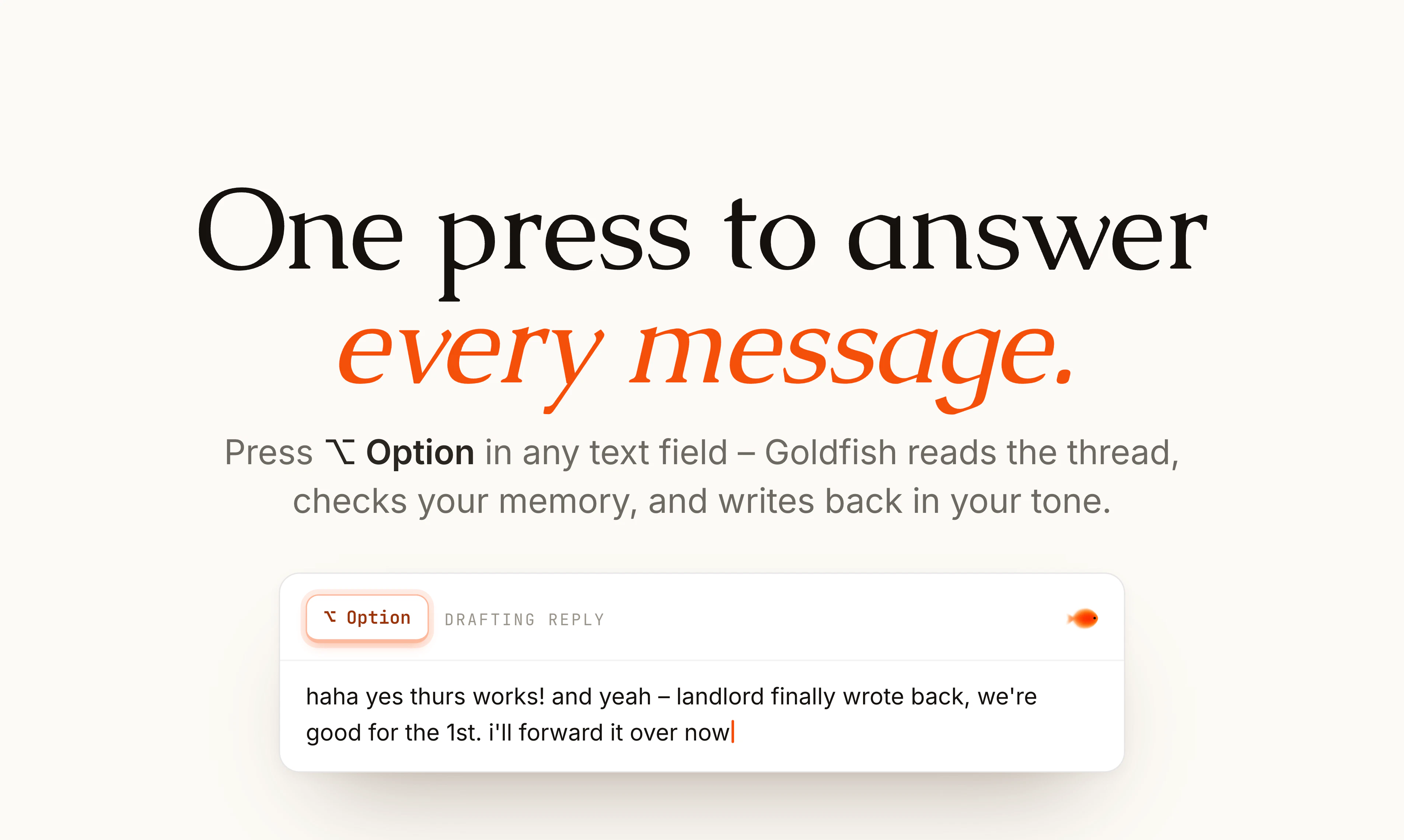
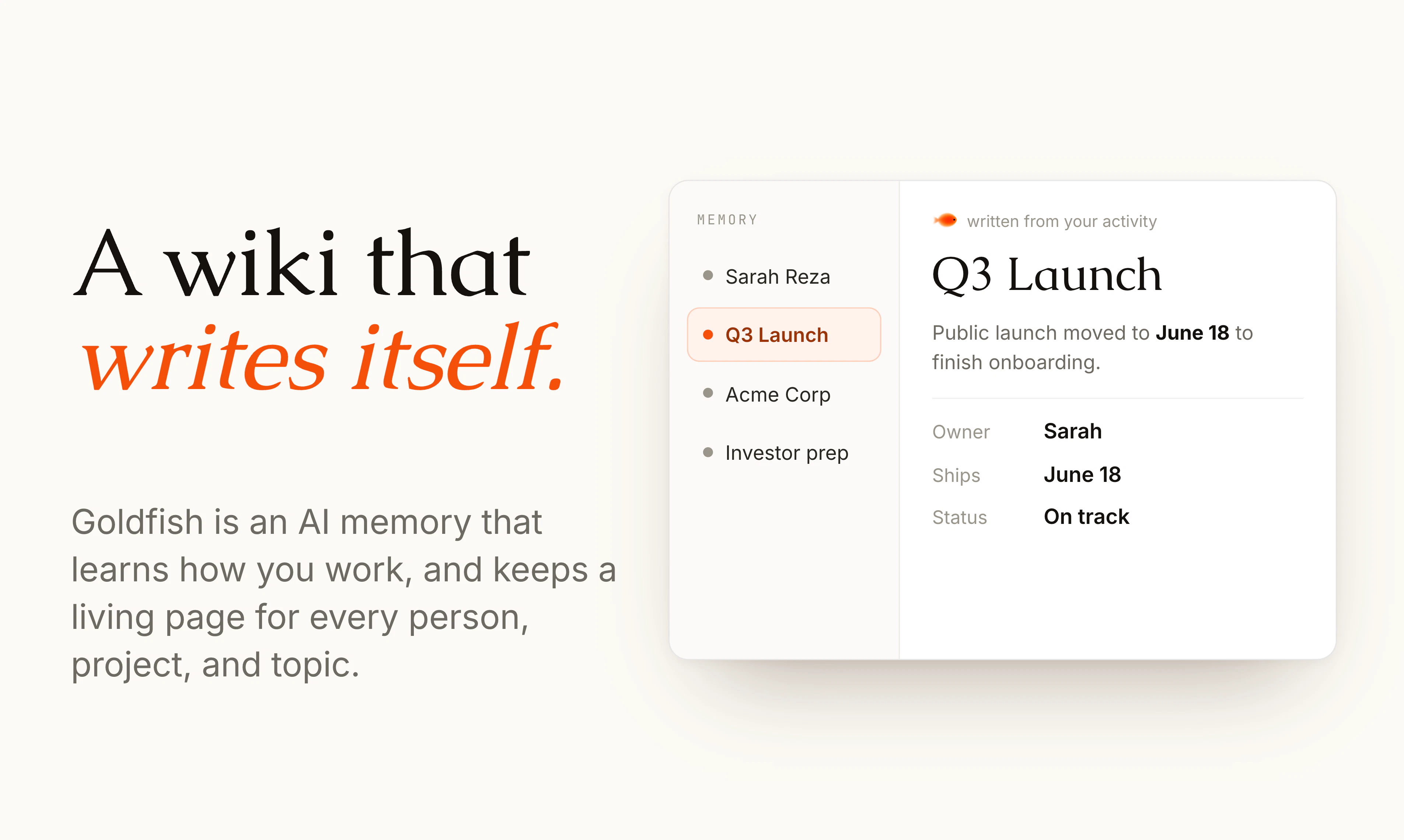
查看原始信息
Avocado
Bring AI-native editing, content operations, and agentic workflows to your existing Next.js stack — without replacing your CMS, DAM, or design system. Self-hostable. BYO AI models. Live demo: https://avocado-editor.vercel.app/

Hi Product Hunt 👋

Avocado is an AI content operations platform and framework for Next.js websites.

🚀 Live Demo: https://avocado-editor.vercel.app/

🧩 Component catalogue used on the demo site: https://avocado-site.vercel.app/catalogue

Most AI-native content tools are bundled inside expensive DXPs, proprietary CMSs, or website builders.

Avocado takes a different approach. Instead of replacing your stack, it adds an AI content layer on top of your existing website.

With Avocado you can:

✅ Edit website content using natural language
✅ Manage pages, metadata, and structured content
✅ Work with real design-system components and content models
✅ Preview AI-generated changes instantly
✅ AI-powered content creation and updates
✅ Connect Contentful, Sanity, Strapi, or custom CMSs
✅ Bring your own OpenAI, Anthropic, or Gemini models
✅ Self-host and keep full control of your data

Think of it as an AI orchestration layer for content operations—not another CMS or website builder. Avocado works with structured content and real website components, enabling AI to understand and modify pages the same way your content and development teams do.

I built Avocado because I believe AI-native content management should be available to every team, not just enterprises with six-figure DXP budgets.

I'd love feedback from:

• Next.js developers
• Content teams
• Agencies
• Headless CMS users
• Composable architecture enthusiasts

What content workflows would you automate with AI?

Thanks for checking out Avocado Studio 🥑 !

Note: The GitHub repository isn't public yet. I'm using this launch to validate the product direction and gather feedback before open-sourcing Avocado Studio under the Apache 2.0 license. If you'd like early access or want to contribute, let me know in the comments.

0
回复

@yury_horbach such a smart way to add ai without changing our whole system. since the repo isn't public yet, will u share a simple guide onhow to set it up for beginners when you opensource it?

0
回复

content ops for Next.js sites is a sweet spot because the same team is usually shipping marketing pages and product copy from the same repo. curious how Avocado handles the boundary between AI generated drafts and the existing review workflow. does it open a PR like a teammate would, or does it write straight to a CMS layer that the team then approves?

0
回复

Adding an AI content layer on top of an existing Next stack feels way more sane than replacing the whole CMS. BYO models is a nice trust point.

0
回复

 Appreciate it. That's the whole thesis - your CMS, design system, and frontend already work, so Avocado adds an AI orchestration layer on top instead of replacing them. BYO models keeps you in control of keys, prompts, and data too.

0
回复

Congrats! Curious how does Avocado handle content model differences when connecting to multiple CMSs like Contentful and Sanity at the same time?

0
回复

@crystalmei Thank you ! 🙏 We don't reconcile the CMSs against each other — everything normalizes into one canonical content model (a typed block schema). Each CMS gets a very thin adapter that maps its content types → our blocks on read, and back on publish. So the AI editor only ever touches the canonical shape; adding a CMS is one more adapter into the same model, not an N×N mapping problem. We've got Contentful, Sanity, and Strapi adapters running this way today. The approach is really agnostic of any specific headless CMS, you can even use a plain JSON object store if you wanted to.

0
回复