Product Hunt 每日热榜 2026-06-21

PH热榜 | 2026-06-21

#1
Agent 37 Cloud
Give every customer their own Hermes or OpenClaw agent
378
一句话介绍:Agent 37 Cloud 为开发者提供托管式持久化AI智能体服务,通过一次API调用即可为每位客户创建专属的始终在线智能体,免去自建和维护服务器的麻烦。
Developer Tools Artificial Intelligence SDK
持久化AI智能体 托管服务 API调用 垂直智能体 多租户隔离 Composio工具集成 OpenClaw Hermes 开发者工具 Serverless
用户评论摘要:用户普遍关注多租户数据隔离与安全(如gVisor容器化)、每个智能体的凭证与权限管理、内存持久化控制、冷启动延迟(1-2秒)。也有用户询问GDPR合规性及成本控制机制。创始人回应称默认提供模板和日志监控,并计划推出API调试。
AI 锐评

Agent 37 Cloud 切中的是一个真实而隐蔽的痛点:AI智能体从“玩具”到“产品”的最后一公里,往往不是模型能力,而是该死的运维。创始人显然深谙此道——他们不是在卖服务器,而是在卖“抽身”的权利。产品策略也相当巧妙:依托Hermes、OpenClaw这类社区热门但运维复杂的开源智能体,以托管服务的形式杀入市场,让目标用户瞬间产生“对啊,我干嘛要自己跑”的共鸣。

定价$3.44/月看似亲民,实则是一个精准的锚点。它不需要覆盖所有算力成本,只需要低于用户“自己折腾”的时间成本和心理成本。其核心价值在于将AI智能体从“开发项目”转化为“可售商品”,让SaaS创业者能像卖SaaS席位一样卖AI代理。用gVisor实现容器级隔离也算务实之选,但冷启动1-2秒在交互密集场景下仍显粗糙,且底层依赖Composio的1000+工具,生态耦合度较高。

真正的挑战在于:当客户智能体数量从10个增长到1000个时,成本控制、工具权限交错、日志审计复杂性将指数级上升。目前依赖“预付费+阶梯限流”的粗放式风控,只能算权宜之计。一句“90%空闲CPU”的观察虽然聪明,但峰值时的“噪音邻居”问题一旦触发,对B端客户而言可能就是信任崩塌。长期来看,与其说是AI基础设施,不如说是在卖“被管理的不确定性”。这块蛋糕能做多大,取决于他们能否在“便宜”和“可靠”之间,找到一条不依赖创始人亲自回帖的可持续路径。

查看原始信息
Agent 37 Cloud
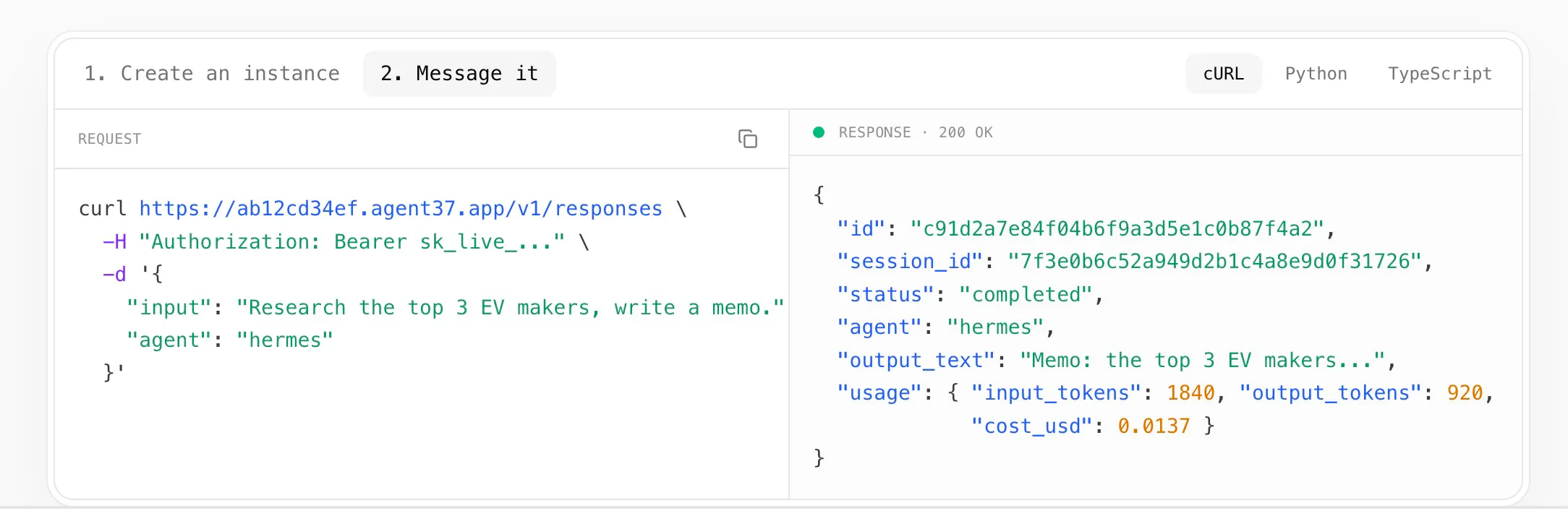
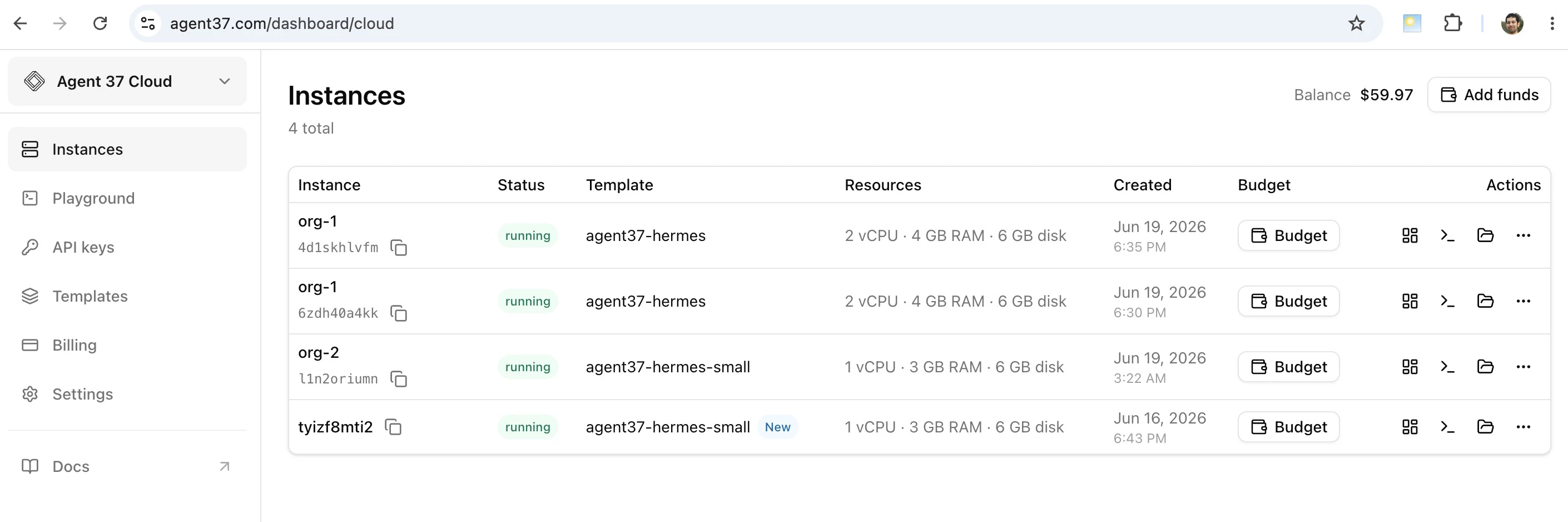
Agent 37 is managed hosting for persistent agents like Hermes, OpenClaw and ClaudeCode. So you don't need to run them on Mac minis or VPS yourself. One API call gives each of your customers their own always-on agent, from $3.44/mo. Founders use it to ship vertical agents to their own clients without babysitting servers.
Hey PH 👋 Vishnu here, I built Agent 37. Too many people were running their OpenClaw and Hermes agents on a server they had to babysit. Now you don't have to. We host it, always on, wired to 1000+ tools. The launch part: one API call spins up a dedicated agent for each of your customers, branded as yours, and a second call lets you message it just like a OpenAI Responses API. Founders use it to ship vertical agents, like a CEO agent, a clinic agent, or a legal agent, to their own clients without touching a server. Always on from $3.44/mo each. First instance is free, no card. I'm here all day, so tell me what you'd build or where it breaks. 🙏
24
回复

@vishnukool this is actually super clean

The “no babysitting servers, just spin up an agent per customer with one API call” is exactly the kind of abstraction people want but rarely get this smooth in practice

One thing I’m curious about: when you scale to lots of customer-specific agents, what becomes the hardest part to manage in reality? cost control, tool permissions, latency, or keeping each agent properly isolated without context bleeding between tenants?

Also love the idea of making vertical agents feel like products instead of infra pain

Excited to see what people build on this 🔥

4
回复

This is a sharp wedge for vertical-agent teams. The part I’d want to understand is the customer boundary: when each customer gets a persistent agent with tools, are credentials, approvals, memory, and action logs isolated per customer by default, or does the founder wire that layer around the hosted agent?

15
回复

@blah_mad So the default templates we offer comes with LLMs pre-wired, 1000+ tool integrations like Gmail, Calendar, Notion etc. via Composio pre-wired and a few other things.

But for custom use cases you can also create your own custom Docker images that doesn't have these pre-wired if you'd want to integrate with your own APIs.

1
回复

Huge congrats for @vishnukool on getting this out the door. cuts out a ton of standard marketing ops busywork for small teams, love that it's an api layer instead of wrestling with individual cli instances. excited to see where you take it next.....

9
回复

@vishnukool  @vikramp7470 Curious about agent persistence here. How much state can each customer agent retain, and what controls do developers have over memory management? That's the part I'd want to explore first

1
回复

@vikramp7470 Thanks Vikram!

0
回复

Not everyone wants to maintain VPS instances or Mac minis. This looks like a much cleaner path.

8
回复

@morgan__harriss Very true, thanks!

1
回复

For me, the most intresting part isn't the hosting itself, it's the shift in how founders can think about AI products. Instead of building one shared assistant

2
回复

@jennifer_cooker True, the goal is to make building persistent always on agents easy and affordable

0
回复

Congrats. I wonder how does Agent 37 ensure complete data isolation between tenants sharing the same underlying infrastructure?

1
回复

Thanks @crystalmei 

We follow a similar architecture to Modal as described here - https://modal.com/docs/guide/security. Each tenant is containerized and virtualized using gVisor which keeps them all isolated. Do you have anything in mind that you're thinking of to try us out ?

0
回复

This is super helpful! I have my own home lab but it already full of self hosted services and I don't want to host my OpenClaw or Hermes on the same machine with all my data. At the same time I don't want to buy another home lab like some Lenovo mini pc or Mac Mini which here in Canada we should wait at least until September.

I like that you made this product privacy friendly looking at your privacy policy!

1
回复
1
回复

The per-customer always-on agent angle is the useful part here. I’ve seen the same “agent infra becomes a babysitting job” problem once tools and permissions differ by client. Curious how you separate tenant secrets/tool scopes when an agent is idle most of the time but still persistent?

0
回复
I can see this being useful for SaaS companies that want to give every customer their own AI assistant without building the backend themselves.
0
回复

Judging by the cost structure, this appears to be serverless. I’m curious about the latency on cold paths and whether usage-based billing will apply later on.

0
回复

@han_circle The latency right now is 1-2 seconds for bootstrapping cold. For the use cases I'm seeing bootstrap time is not really a P1 concern so not something we're optimizing for.

It's already usage based billing btw, we don't bill the whole $3.74 initially, it's billed on an hourly basis based on how long the instance exists.

0
回复

The unit economics here look incredible for SaaS teams wanting to deploy dedicated AI features. At $3.44/mo per customer agent, how do you handle resource provisioning if a client's agent suddenly experiences a massive spike in background workflows or data processing?

0
回复

@andika_fadhilah Thanks yes. We strive to offer the best unit economics :)
We do have tier limits for now, for example a new account, starting with a tier 1 account can only scale to 10 instances limit. They will need to pre-pay a certain amount before we update it to tier 2 and so on unlocking more instances. This also gives us predictability of scale that we can account for.

0
回复

The interesting constraint here is handoff quality: if each customer gets a persistent agent, the audit trail and failure state need to be as easy to inspect as the API call is to start.

0
回复

@jimmy_lee12 Agreed, for now we have resource monitor and logs in the dashboard to inspect which serves most of the needs. But we also plan to expose it as an API for more agentic debugging.

0
回复

This solves the exact tradeoff I keep running into. I looked at self-hosting part of my own AI agent stack to save on a per-minute provider fee, and the math always won on paper but lost in practice: the real cost wasn't the server, it was becoming the person who gets paged when an agent goes down for a paying client. $3.44/mo always-on, not-my-problem-to-babysit is the right price for that peace of mind. Curious how you handle noisy-neighbor isolation between customer instances at that price point.

0
回复

@david_marko That's great to hear. Would love to hear what your product us doing where you're seeing this trade off ? Here's my calendar if you wanna chat - https://cal.com/vishnukool/30min

We started off with a direct to consumer Hermes/Openclaw hosting and saw the same problems there where we run a large fleet of sandboxes. Interestingly what we've also noticed is when you have a large enough host and that coupled with the fact that agentic use cases like hermes, openclaw, claude code etc. are 90% idle CPU times, the noisy neighbor issue is rarely a problem.

0
回复

Love this! But - are you compliant with EU laws?
Under what jurisdiction does your company run and do you have a DPA for EU/GDPR compliance?

0
回复

Thanks @erik_v We're currently US based but we have a few EU users who are also asking for GDPR compliance. We're working with them to get it ready for it, and will be adding EU servers soon so that it's an option for EU users.

0
回复

Congrats on the launch @vishnukool. Turning a complicated infrastructure problem into a simple API is not easy.

0
回复

@hamza_afzal_butt Thank you!

1
回复

The per-customer agent model makes a lot of sense for vertical SaaS. What I keep thinking about is observability: how does a founder show their client what the agent actually did?

Logs the end customer can understand, or at least something you can point to when they ask, "what did it do this week?" Is that on the roadmap or already there?

0
回复

@attacomsian We do have observability at the container level and logs around that, but what happens inside a container is upto the user for now. We do provide default ready to use templates for hermes, openclaw etc. But it's extendible so that you can add-on observability as you see fit. Especially the one's I think you're referring to which is more for the end customer.

0
回复

Congrats on the launch 🚀 Agent 37–38 looks sharp, excited to see how it pushes AI agents into real workflows!

0
回复

@moon10 Thanks!

0
回复

This is super helpful! We had to spend considerable for building agent creator for our customers and the infra work there was no way a competitive advantage.

0
回复

@aj_123 Thanks Ajitesh. Out of curiosity what did you use ? I'd be happy to chat if it makes sense exploring integrating with us - https://cal.com/vishnukool/30min

0
回复
#2
Atomic Mail Agentic
Let your agents read, send, and react to email autonomously
227
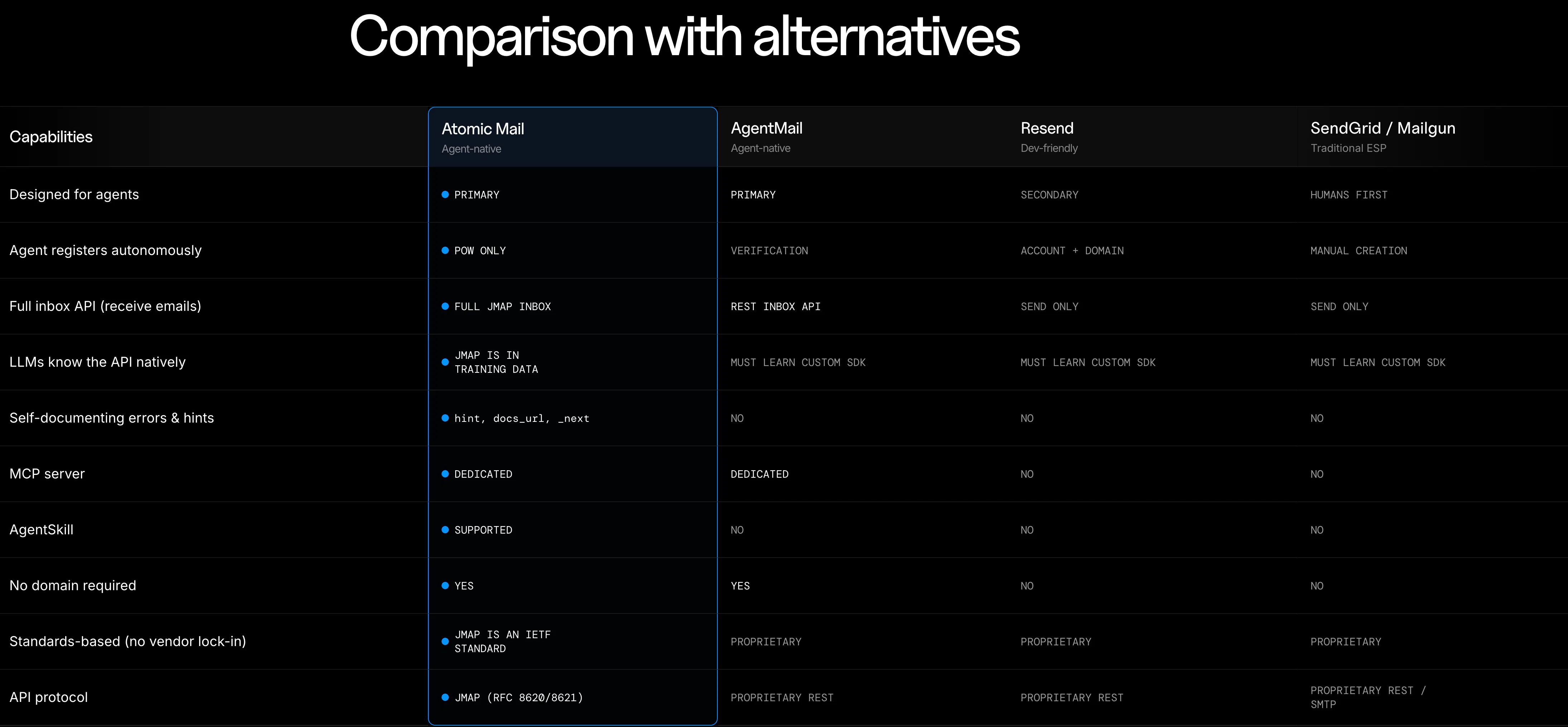
一句话介绍:Atomic Mail Agentic为AI代理提供无需人工干预的专属邮箱,通过JMAP协议和PoW注册机制在约30秒内创建可自主收发邮件的代理,解决了AI代理使用邮箱时手动验证、配置和运维的痛点。
Email Newsletters Customer Communication
AI代理邮箱 自主邮件管理 JMAP协议 无人工配置 代理通信基础设施 邮件自动化 工作量证明注册
用户评论摘要:用户关注代理自主权限边界(是否可配置发送审批)、品牌信誉风险(共享IP池的垃圾邮件影响)、多代理隔离、审计追踪,并质疑“零干预”在误发场景下的可靠性。JMAP选择获认可,但交付和护栏机制成担忧焦点。
AI 锐评

Atomic Mail Agentic切中了AI代理基础设施的隐秘盲区——邮箱配置。当前多数代理工具只解决“思考”而忽略“行动”,邮箱验证这个看似琐碎的环节恰恰是人机之间的关键断点。产品用JMAP协议终结了API形状拼接的噩梦,让LLM像呼吸空气一样自然地操作邮件协议,这比那些花哨的Agent编排框架务实得多。

核心价值不在于邮箱本身,而在于重新定义了代理获取通信能力的门槛。PoW注册30秒拿下邮箱,意味着代理的部署半径从“需人类保姆陪伴”扩展到“完全自主可落地”。但产品在“自主”与“可控制”之间画了一条模糊的线——评论中反复出现的品牌信誉、误报防护、多代理隔离并非小修小补,而是决定其能否从黑客玩具升级为企业服务的生死线。如果只依赖共享IP池和孤立化的信誉策略,迟早会被垃圾邮件指数级的反馈循环击垮。

最大的商业困惑是定价模式缺失。免费Alpha和100MB存储只能验证技术可行性,却无法验证商业模式。当代理每天发送千封邮件,基础设施成本将迅速侵蚀利润空间。相比之下,JMAP的可移植性反而是双刃剑——如果用户能用标准协议轻易迁移到其他提供商,那粘性何在?

一句话总结:这是一个解决真问题的“垫脚石”产品,它处理的是代理通信的最后一公里,但要真正承载企业级信任,还需在护栏、隔离和计费模型上完成一次成年礼。

查看原始信息
Atomic Mail Agentic
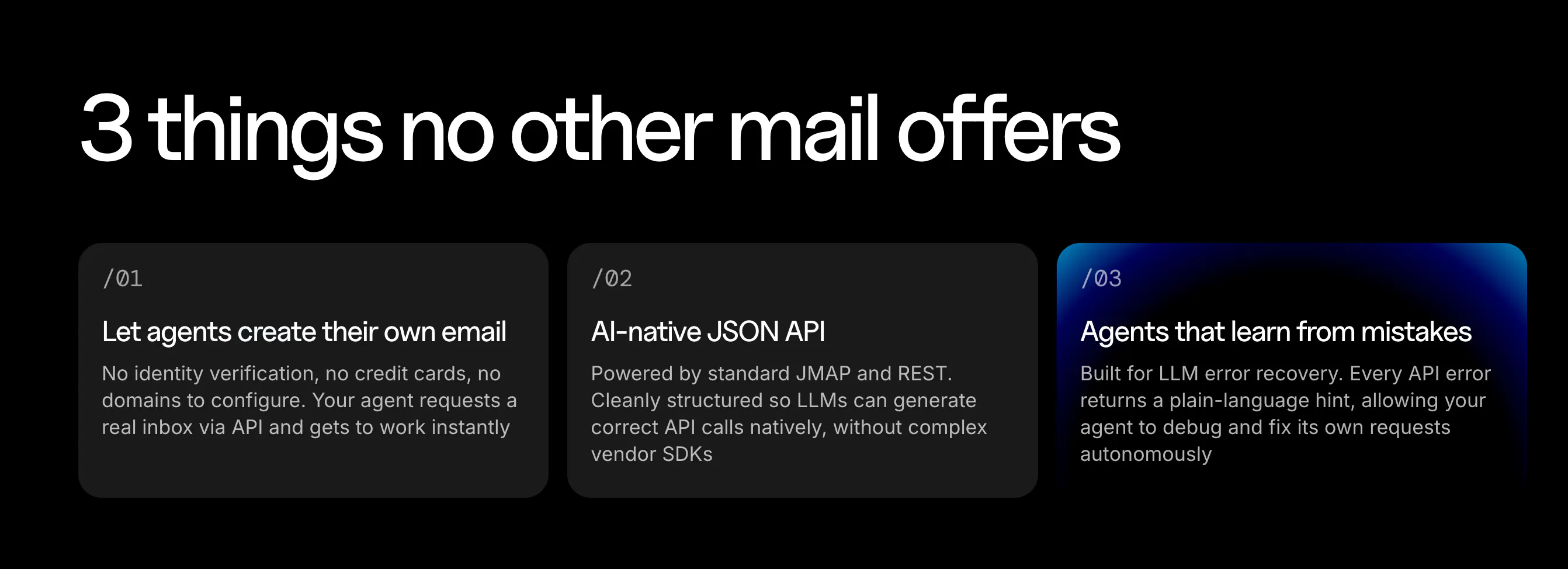
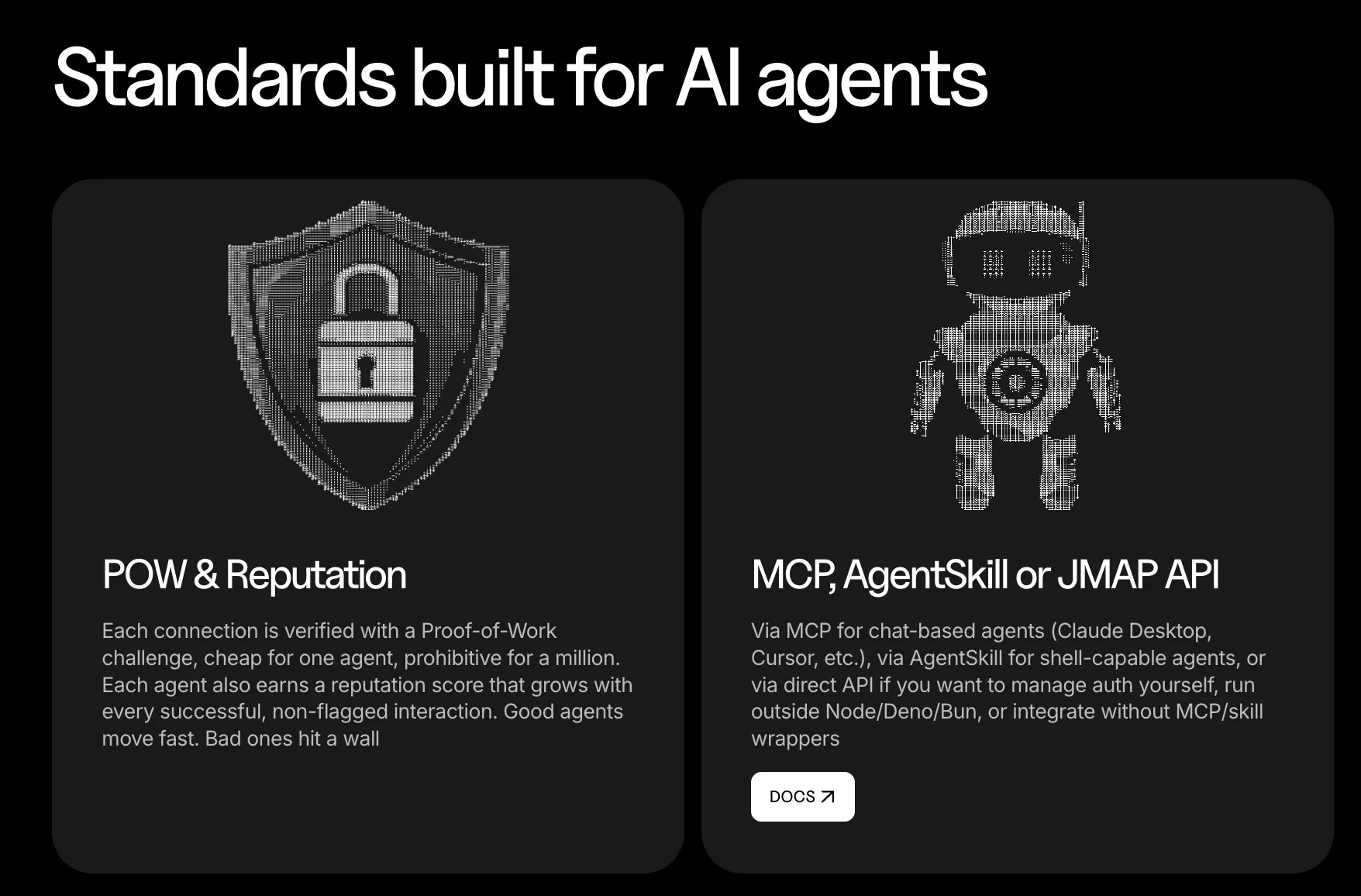
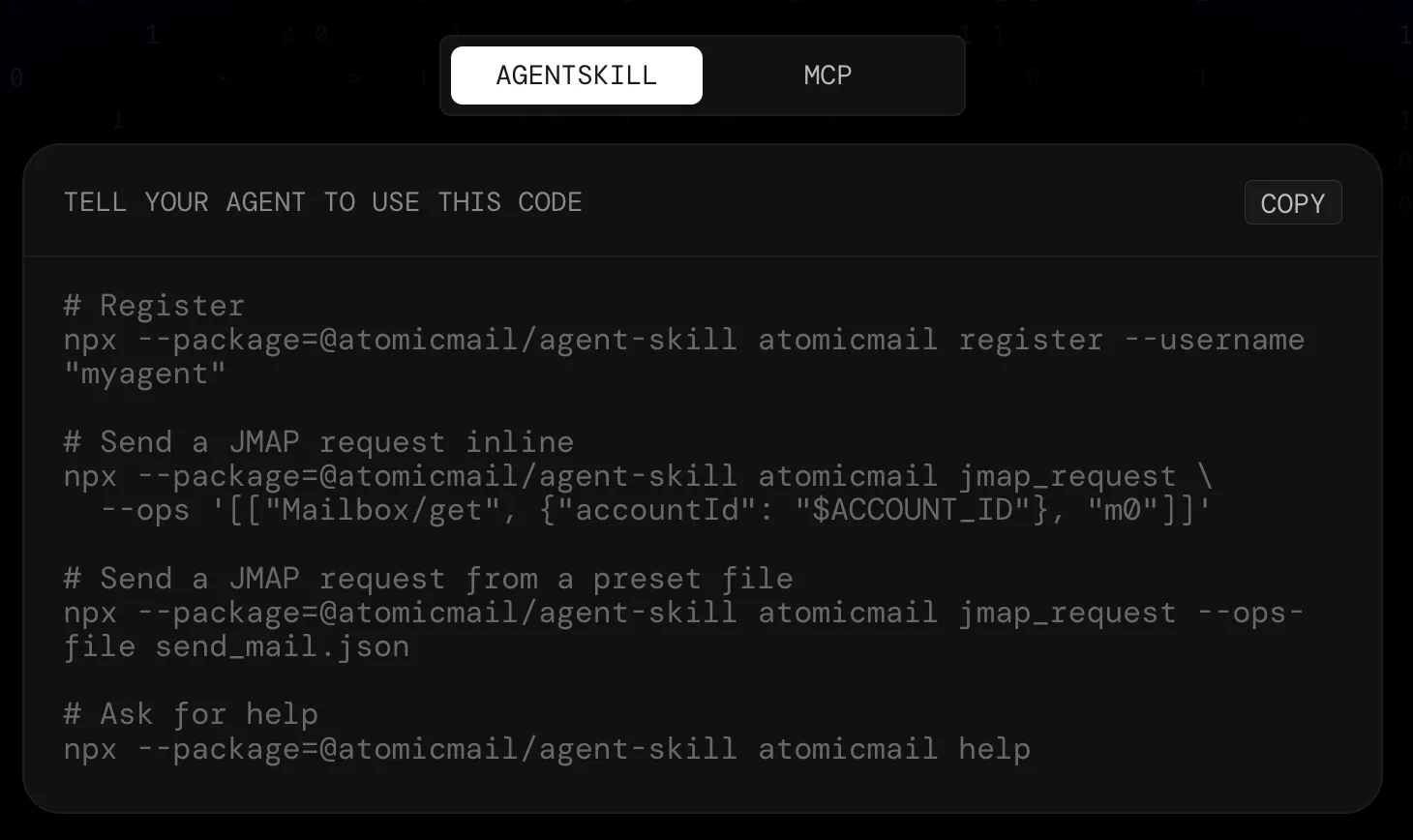
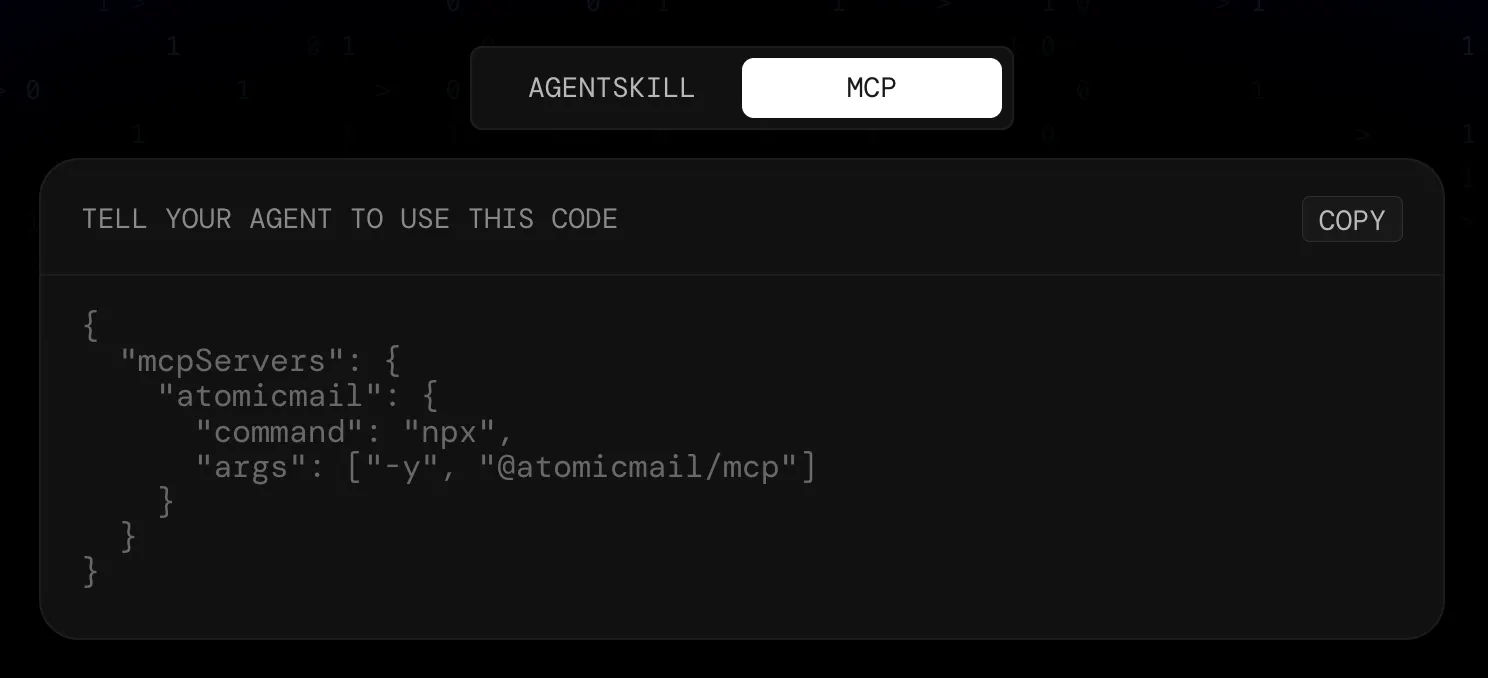
Atomic Mail Agentic gives autonomous AI agents their own real @atomicmail.ai inbox to manage fully without human setup, verification, or ongoing intervention. Built on JMAP (RFC 8620), the standard mailbox API LLMs already know fluently, so agents read, send, reply, draft, search, and manage threads reliably with fewer retries. Novel proof-of-work signup delivers a real inbox in ~30 seconds—no CAPTCHA, credit card, domain verification, or mail-server ops.

Atomic Mail Agentic gives autonomous AI agents their own real `@atomicmail.ai` inbox to manage end-to-end — no human setup, verification, or ongoing intervention.

Problem → Solution: Agents need email but current setup requires manual domain verification, CAPTCHA, credit cards, and mail-server ops. PoW signup delivers a real inbox in ~30 seconds — completely hands-free.

What's Different: Built on JMAP (RFC 8620), the standard mailbox API LLMs already speak fluently from training data. No vendor SDKs to learn, no hallucinated request shapes = fewer retries.

Features:

  • Full mailbox API (read/send/mail, drafts, threads, search)

  • MCP/AgentSkill/REST API/CLI integrations

  • bundled JSON presets (`send_mail`, `list_inbox`, `reply`)

  • embedded `help` docs

  • plain-language error hints with `_next` steps

Benefits: Agents finish without asking users for anything, messages actually arrive (warming IP pool + relay overflow), no vendor lock-in (portable JMAP), get unstuck automatically inside the integration.

Who & Use Cases: For AI agents on Claude Code, Codex, Copilot, Cursor, Hermes, OpenClaw, Pi, Kilo Code. Use cases: newsletter digests, support inbox, user research interviews via email survey.

Open Alpha: Free accounts, 100MB storage, strict rate-limits. Public stable release coming soon.

P.S. I hunt the latest and greatest launches in tech, SaaS and AI, follow to be notified @rohanrecommends

5
回复

The hard part with agent-owned email is not just getting an inbox, it is controlling what the agent is allowed to send. For support or research flows, do you expose approval and receipts per outbound thread, or is the mailbox treated as fully autonomous once provisioned?

4
回复
Where do you draw the line between an agent assisting with email and acting independently?
2
回复

The JMAP choice makes sense since LLMs already understand it from training, so fewer hallucinated API shapes. The thing I'd want to understand is deliverability reputation at scale.

If one agent on the shared IP pool sends something spammy, does that affect inbox placement for everyone else? Or are reputations isolated per inbox?

1
回复

Most agent tools still rely on a human to get the inbox set up and verified. Removing that step changes who can actually deploy agents end-to-end without babysitting onboarding.

Curious how “no ongoing intervention” holds up once an agent sends something it shouldn’t?

Congrats on the launch!

1
回复

The agentic angle on email is the part I'd want to pin down: how much does the agent act autonomously vs. propose-then-confirm? For triage and drafting I'd trust autonomy, but anything that hits send or moves money I'd want a human gate by default. Is that configurable per action type, and does it keep an audit trail of what the agent did on my behalf?

1
回复

As someone who spends a surprising amount of time in email, I'm fascinated by how quickly AI agents are moving from drafting messages to actually managing workflows. Curious to see where people draw the line between delegation and keeping a human touch in communication. Congrats on the launch.

1
回复

Congrats Team! Excited to see Atomic Mail Agentic live! Turning inbox chaos into agent-driven clarity is exactly what users need.

1
回复

The JMAP choice is the interesting bit to me. Email is usually where agents get stuck on setup rather than reasoning, so giving them a real inbox in ~30 seconds makes sense. Curious if you’ve seen deliverability issues when many agents send low-volume but highly varied replies.

0
回复

When multiple agents share the same inbox for different use cases like support and newsletters, how does the system isolate threads so one agent doesn't accidentally read or act on another's messages?

0
回复

The 'zero human intervention' aspect is incredibly powerful, but definitely a bit terrifying for brand safety! What kind of policy guardrails can we place on the inbox level to ensure an autonomous agent doesn't hallucinate a promise or discount we can't actually honor?

0
回复
#3
Grok by SpaceXAI for Word
Draft, restructure & tighten wording from panel inside Word
189
一句话介绍:Grok for Word 是一款内嵌于 Microsoft Word 的 AI 侧边栏插件,让用户在文档编辑过程中直接通过对话完成起草、重写、润色和网络调研,免去反复复制粘贴的繁琐。
Productivity Artificial Intelligence
AI写作助手 Office插件 文档编辑 内容重构 语法校对 风格优化 智能摘要 团队协作 效率工具 大模型应用
用户评论摘要:用户关注AI网络检索的准确性(有评论称其效果不佳);需SuperGrok订阅才能使用,可能影响免费试用推广;疑问是否保持文档上下文连贯;肯定内嵌式工作流带来的便利性,期待内容质量与一致性。
AI 锐评

Grok for Word 的定位非常精准——“在 Word 里原地办公”。它没有选择做一个孤立的 AI 写作台,而是以插件形式寄生在用户最熟悉的编辑环境中,意图消灭“复制粘贴”这一低效动作。从产品介绍看,它的能力覆盖了起草、改写、格式统一甚至网络调研,确实直击了文档协作中“多人修改后风格混乱”和“从零开始的打字恐惧”两大痛点。

但这款产品的真正价值,取决于它能否解决两个核心矛盾。第一是“AI 生成结果的可控性”:Word 用户对排版和字词的洁癖远高于其他场景,如果每次修改都需要反复校对、撤销,反而会增加负担。评论中“是否保持上下文”的提问非常犀利,一旦丢失语境,AI 建议就会变得机械和割裂。第二是“数据与隐私的边界”:作为内嵌在办公文件中的AI,Grok 必然需要读取文档内容。在敏感提案或内部报告中使用,用户是否放心?

最大的隐忧在于定价策略。评论指出需要“SuperGrok订阅”,这意味着用户本就有能力访问 xAI 的付费模型。这类工具的核心竞争力不在“能用AI”,而在“让AI在Word里更好用”——如果不能提供比 ChatGPT 插件或 Copilot 更低的成本、更顺滑的体验,那它只是多了一个入口,而非一个不可替代的解决方案。

一句话总结:Grok for Word 是一个聪明的产品入口,但能否成为编辑工作流的核心,得看 xAI 是否愿意砸钱培养用户习惯,并在文档语境理解上做到“少犯错、不出戏”。

查看原始信息
Grok by SpaceXAI for Word
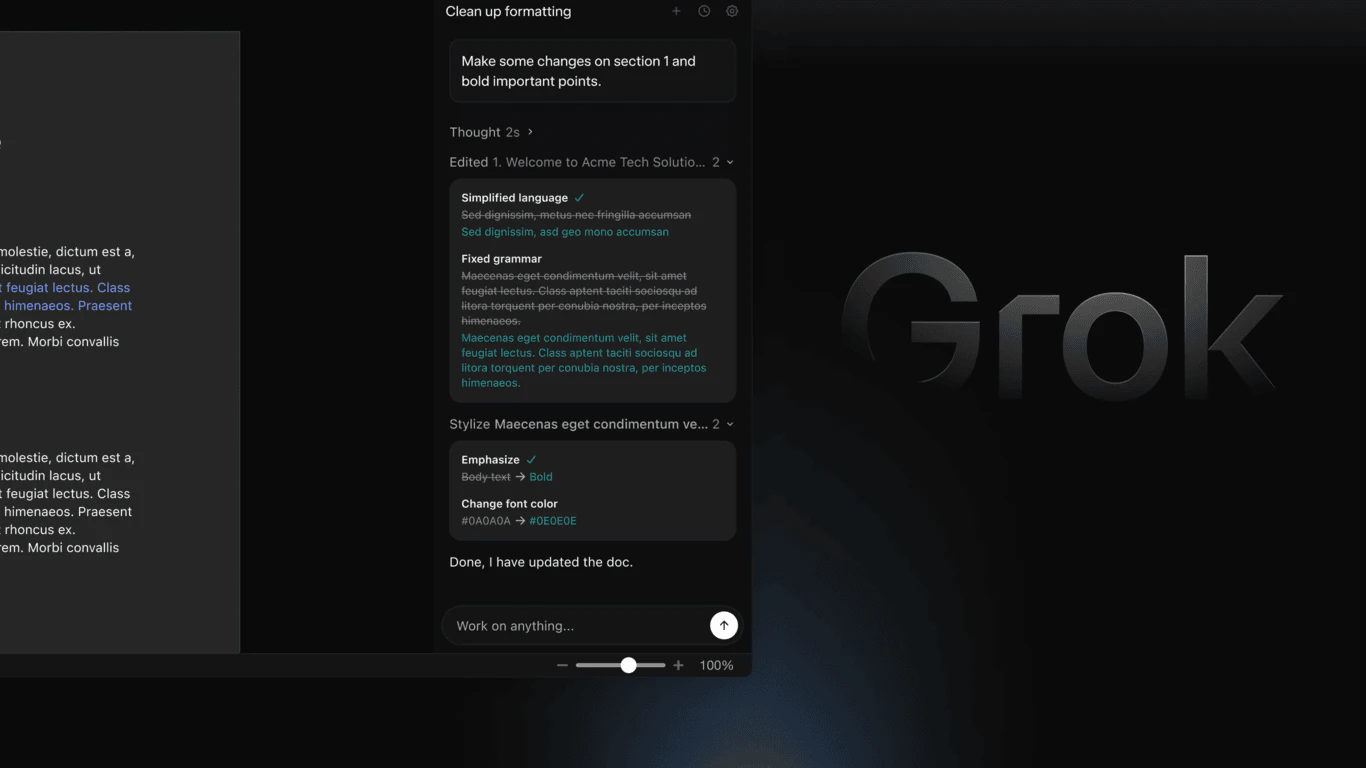
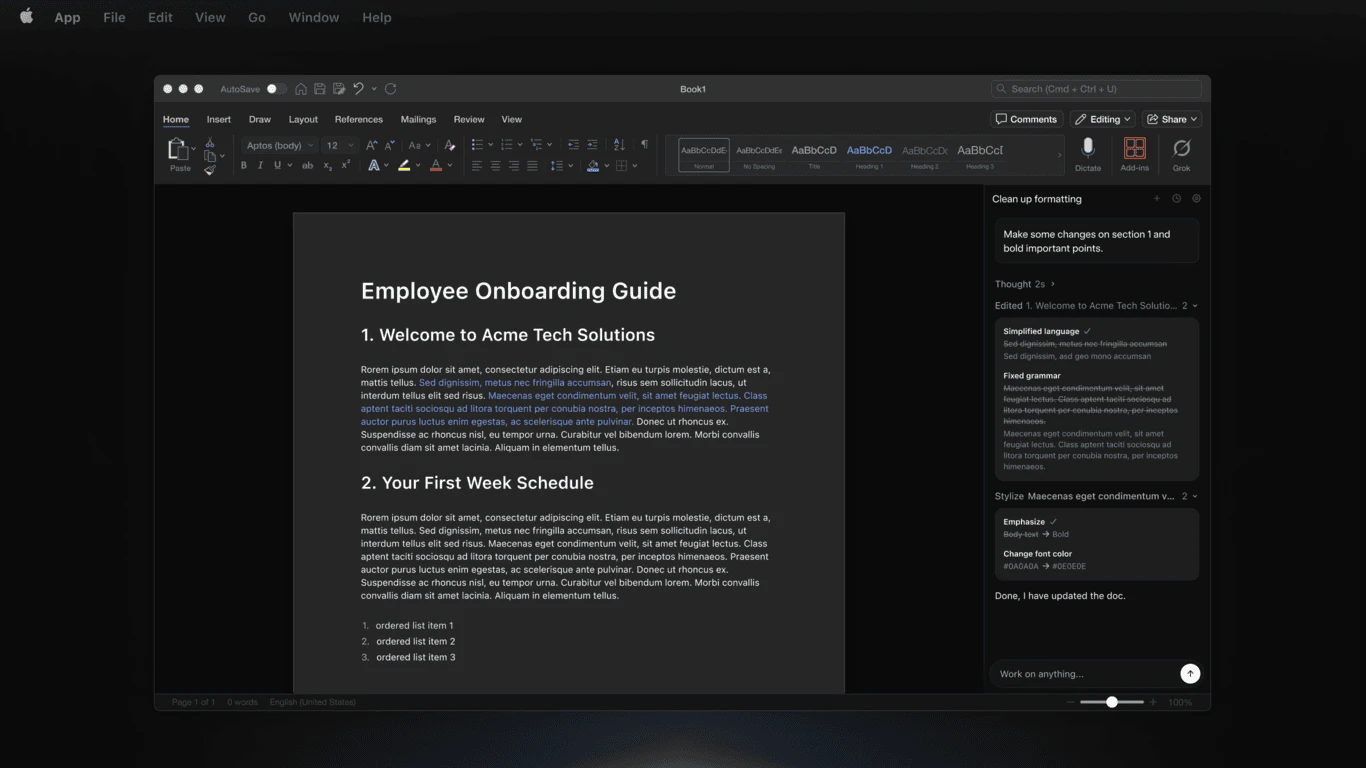
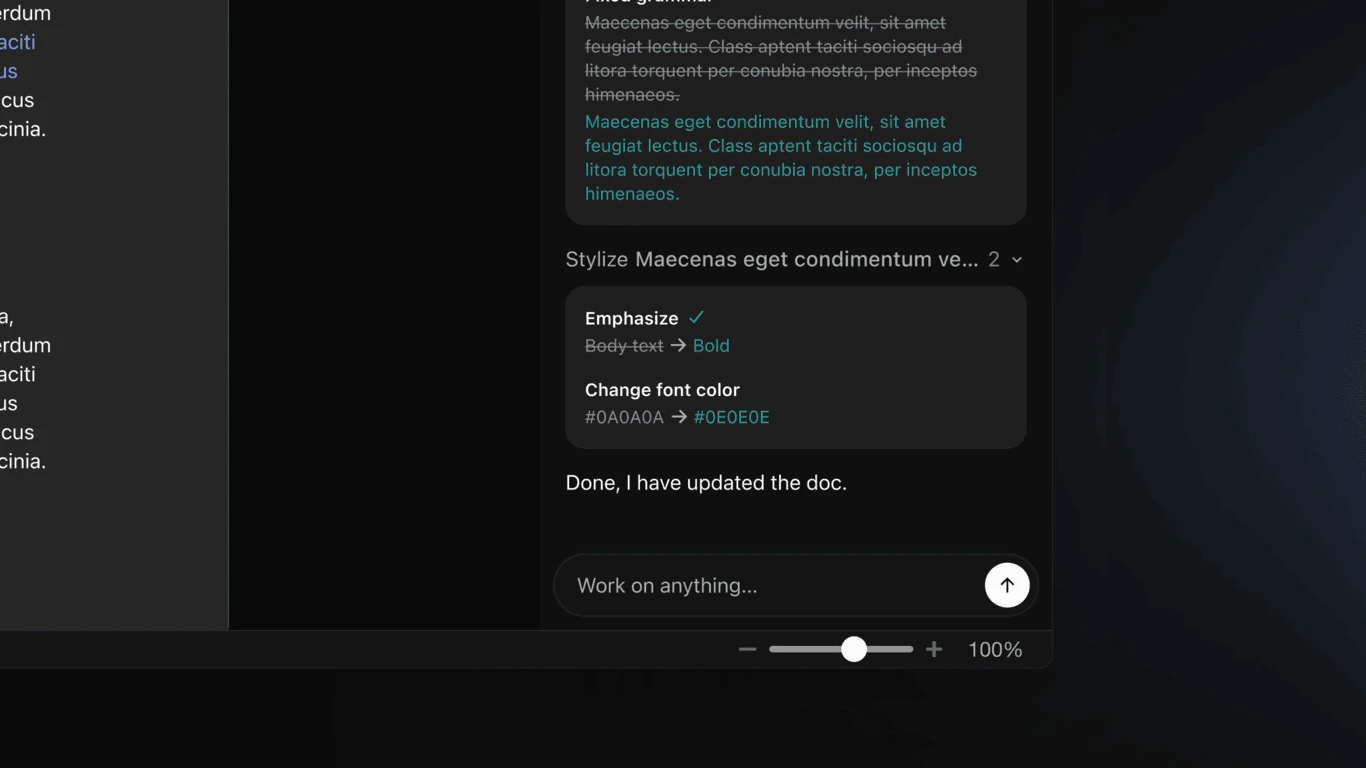
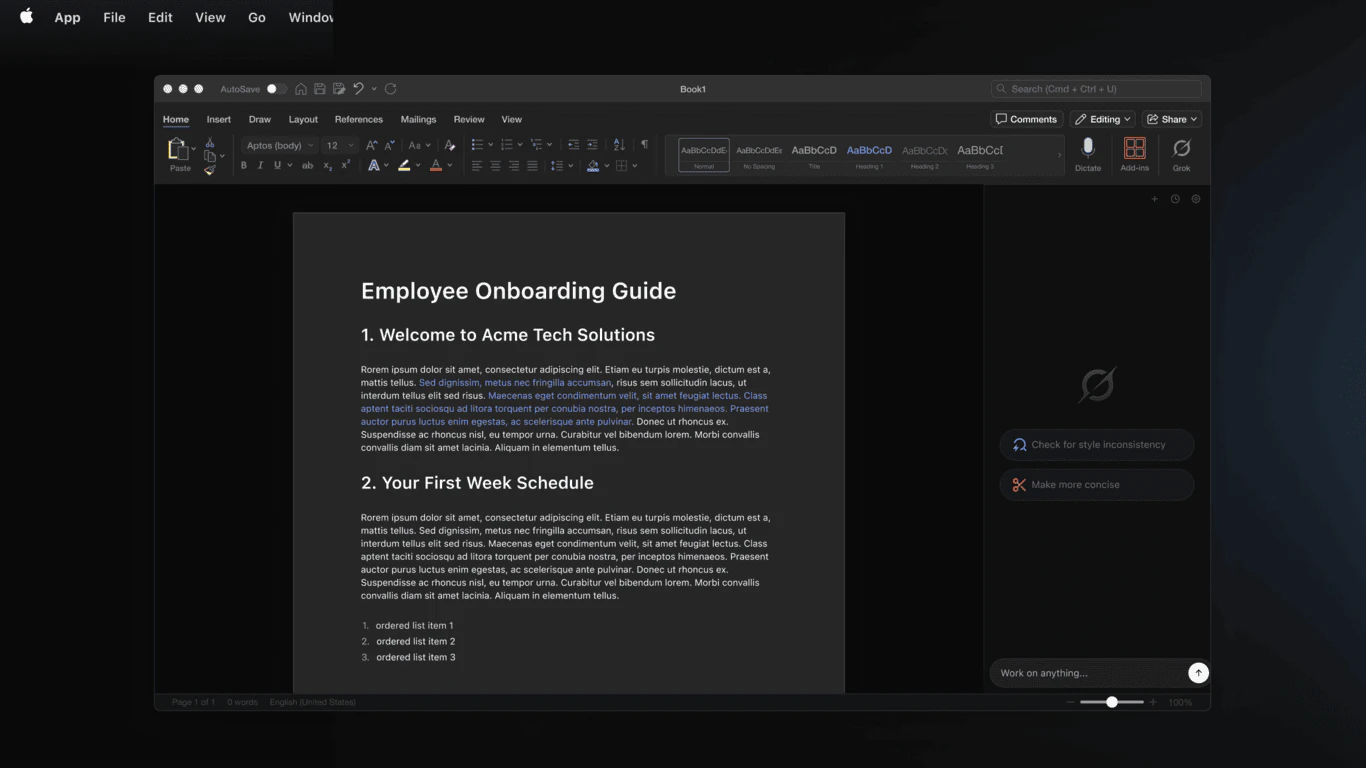
Work with an AI Agent directly in your Word documents. The add-in enables a conversation-based agent sidebar that can search the web, update paragraphs, or build professional documents. Simply type what you want into the conversation pane and let the Agent handle research and execution. Ask it to rewrite paragraphs, summarize long reports, improve clarity and tone, generate outlines, create tables, or expand ideas, all without leaving Word.

Curious how the agent handles fact checking when pulling information from the web. That could make a huge difference for professional use cases.

4
回复
@alan_gregory if grokipedia is anything to go by, the answer is poorly.
2
回复

Grok for Word is an AI-powered Microsoft 365 add-in by xAI that lets you draft, restructure, and tighten wording directly inside Word from a docked panel.

Documents often become inconsistent when edited by multiple people, and rough notes or messy drafts need restructuring. Grok solves this by structuring rough notes, fixing grammar, tightening phrasing, and normalizing heading styles — all in place, with everything staying editable and undoable.

Instead of a separate tab or tool you copy back to, Grok works beside your document in a docked panel, reads what you point it at, and applies edits directly in the file with before-and-after comparisons for every change.

Key Features:

  • Structure rough notes into formatted Word headings and lists

  • Inline edits: fix grammar, simplify language, tighten phrasing

  • Before-and-after view for every change

  • Normalize heading case and align terms across the whole file

  • Editable, visible revisions you can keep or undo one by one

  • Free to add from Microsoft Marketplace; admins can deploy org-wide

Benefits:

  • Faster drafting and restructuring without leaving Word

  • Consistent, professional documents across teams

  • No merging copies — edits land directly in your file

  • Everything stays editable and fully undoable

Who It’s For & Use Cases:

  • Writers, editors, and business professionals using Word

  • Teams collaborating on reports, proposals, and documents

  • Anyone needing to structure rough notes or maintain consistent styling

Try Grok for Word free from the Microsoft Marketplace!

P.S. I hunt the latest and greatest launches in tech, SaaS and AI, follow to be notified @rohanrecommends

3
回复

@rohanrecommends You need a SuperGrok subscription to use the Office add-ins.

1
回复

I can see this becoming part of many teams daily workflow if the generated content maintains quality and consistency across large documents.

2
回复

Having the AI live inside Word instead of forcing users to copy-paste content back and forth is probably the biggest advantage here. I did notice the discussion around needing a SuperGrok subscription to use the add-in though. Curious how that impacts adoption and whether you've considered a free trial. Congrats on the launch!

1
回复

is it launched by spaceX? or is it a clickbait?

1
回复

I write every day, and one thing I've learned is that getting words on the page is usually the hardest part. Tools that help people move from a blank page to a workable draft can be incredibly useful. Congrats on the launch!

1
回复

Interesting idea. Does it keep context across a doc session, or does each prompt start fresh?

1
回复
#4
Backgrind
Run your AI agents over any app, even games.
177
一句话介绍:Backgrind是一款AI代理悬浮窗口工具,让用户能在任何应用(包括全屏游戏)上方运行Claude Code等代理,无需盯终端,只在代理需要决策时通知用户,解放用户双手。
Productivity Artificial Intelligence Games
AI代理管理器 悬浮窗口 后台运行 游戏辅助 编程工具 多代理 语音交互 隐私本地化 效率工具 开发者工具
用户评论摘要:用户认可“仅在需要决策时通知”的设计,认为比传统监控更高效。关注安全隐私(BYO本地模式与Grindy托管代理差异)、点击穿透实现逻辑。质疑悬浮窗口是否造成注意力税,认为托盘通知更实用;多代理标签比宣传的游戏场景更有价值。
AI 锐评

Backgrind踩中了一个真实却次要的痛点:AI代理运行时,用户被迫在终端前“监工”。它的价值不是“隔空操作”的炫技,而是定义了一种新的人机协作范式——代理作为沉默的执行者,只在决策节点唤醒人类。这种“静默执行+信号化干预”的设计,比传统流水线式日志推送高出一个维度。

但光环之下有两处暗礁。第一,悬浮窗口本身是伪命题:当你真正信任代理时,窗口就是多余;当你需要频繁干预时,它又不如真正的分屏或热键跳转。评论中“托盘通知足够”的质疑一针见血——除非Backgrind能证明其窗口在处理多代理并行任务时的信息密度远超托盘,否则“Always-on-top”只是噱头。第二,游戏场景被高估,开发者真正的并行场景是写文档、回邮件、改Bug,而游戏恰恰是注意力黑洞,代理根本不该在这类场景下跑。创始人自己也承认“游戏是半个玩笑”,但标题党式营销可能误导用户掏钱买一个不存在的场景。

真正的护城河在于“多代理标签+点击穿透+本地优先”的组合:你可以同时调度五个Claude Code并行工作,每个代理以标签页独立运行,决策时以非侵入方式弹出——这实际上是一个多代理编排的轻量驾驶舱。如果Backgrind能进一步打通代理间的上下文共享(比如一个代理的输送给另一个调用),并从“漂浮窗口”进化为“沉浸式AI工作台”,才配得上它所宣称的范式革命。否则,它终究是个好用的终端美化壳。

查看原始信息
Backgrind
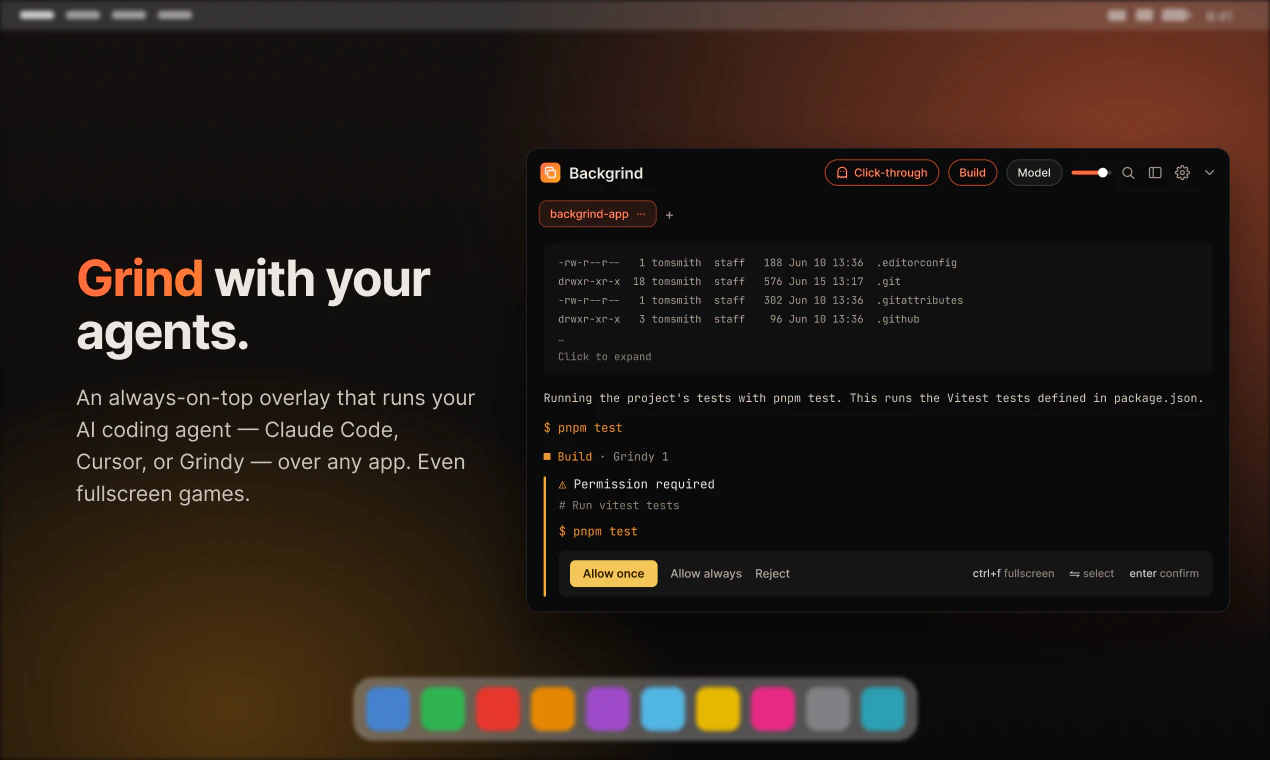
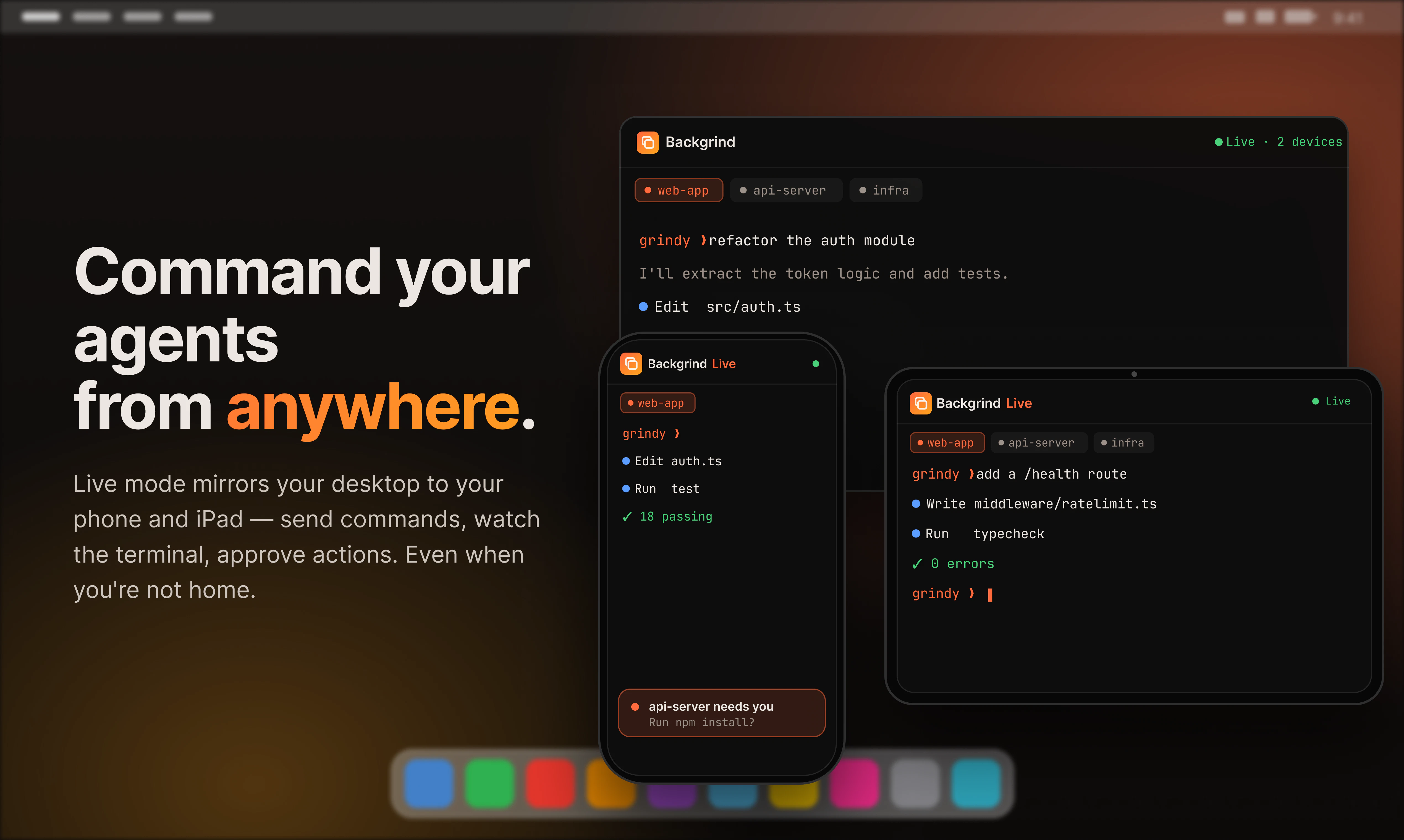
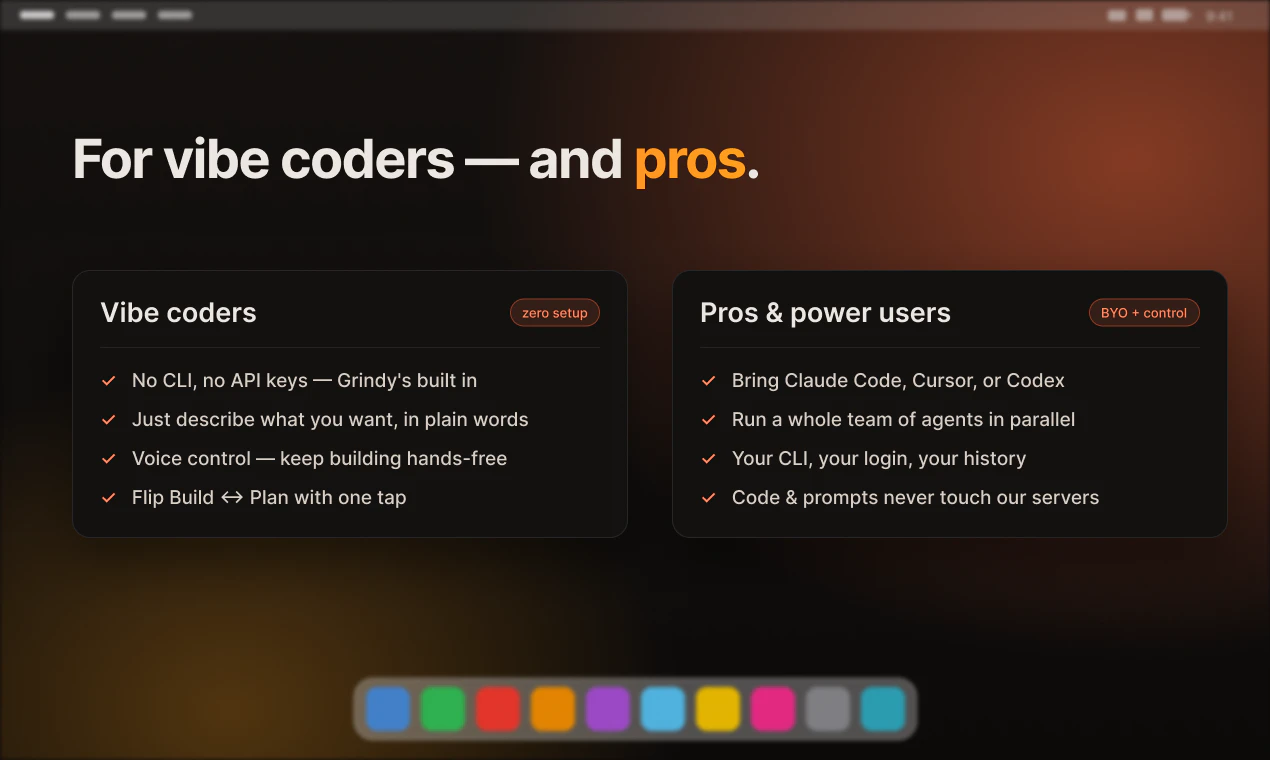
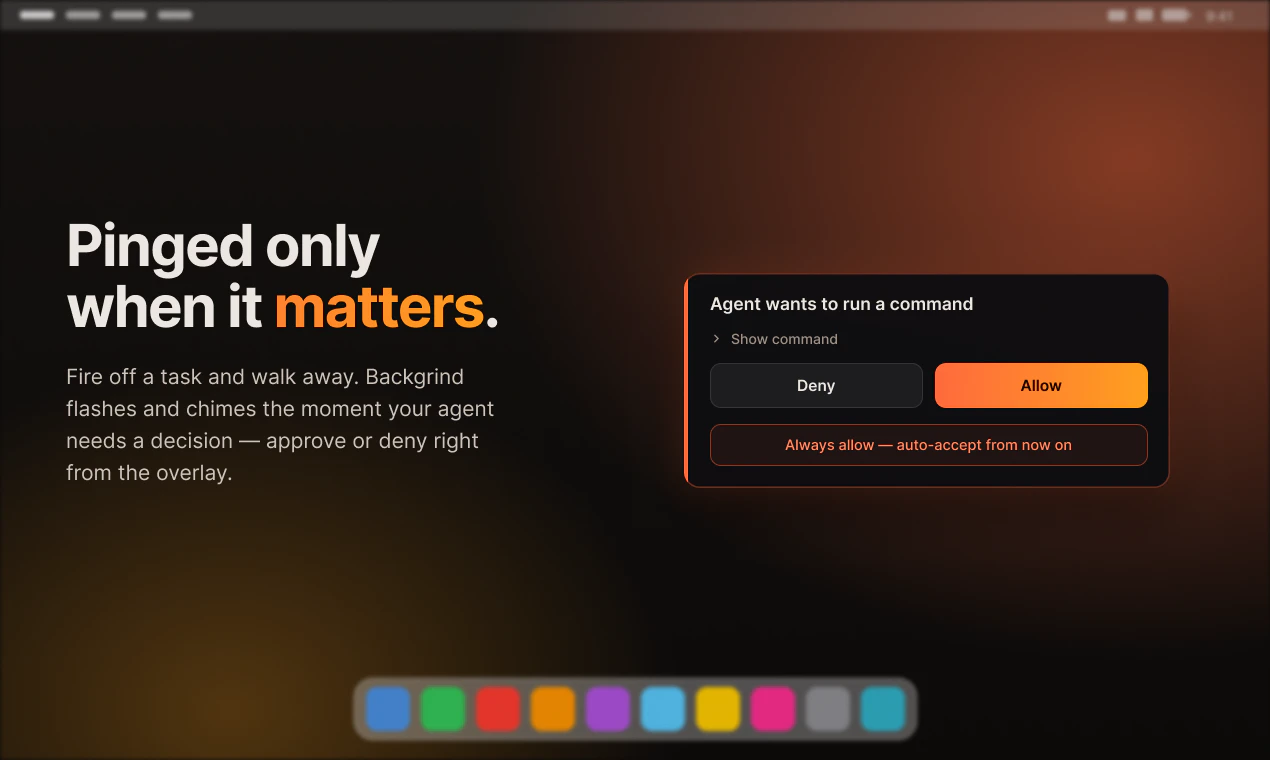
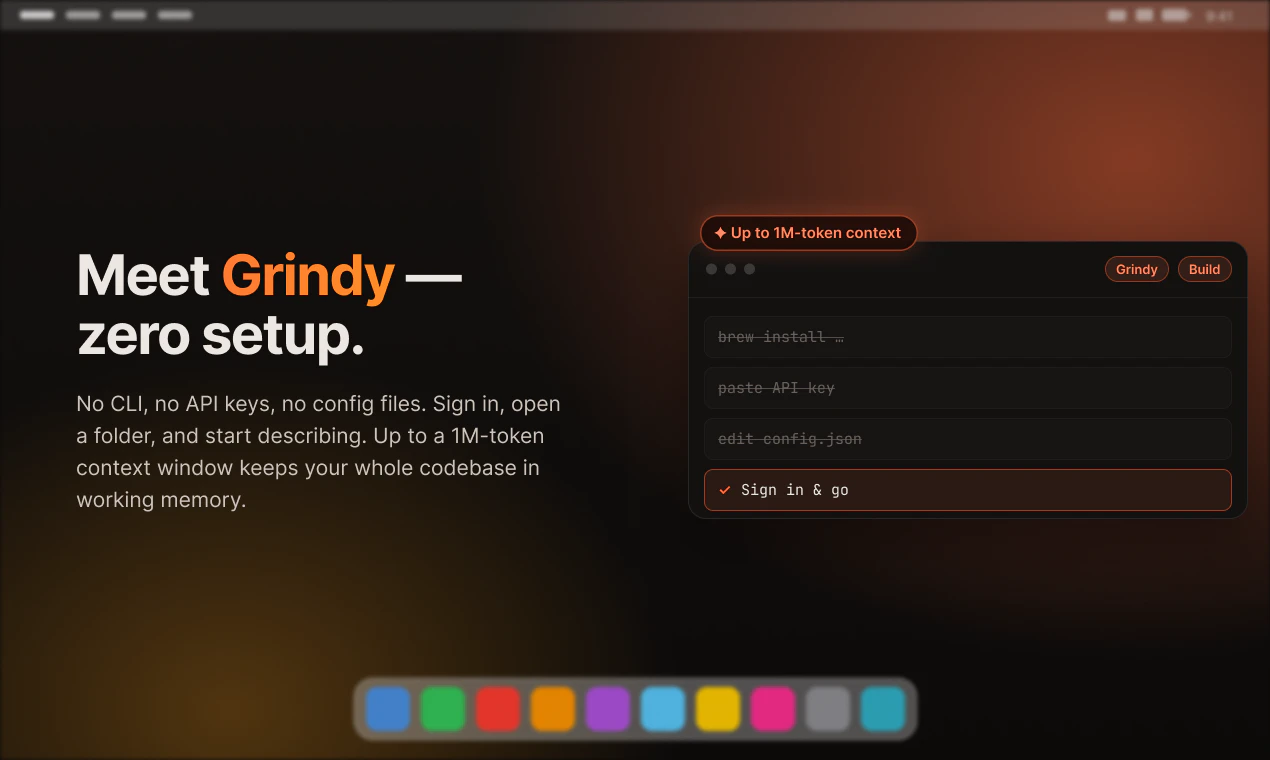
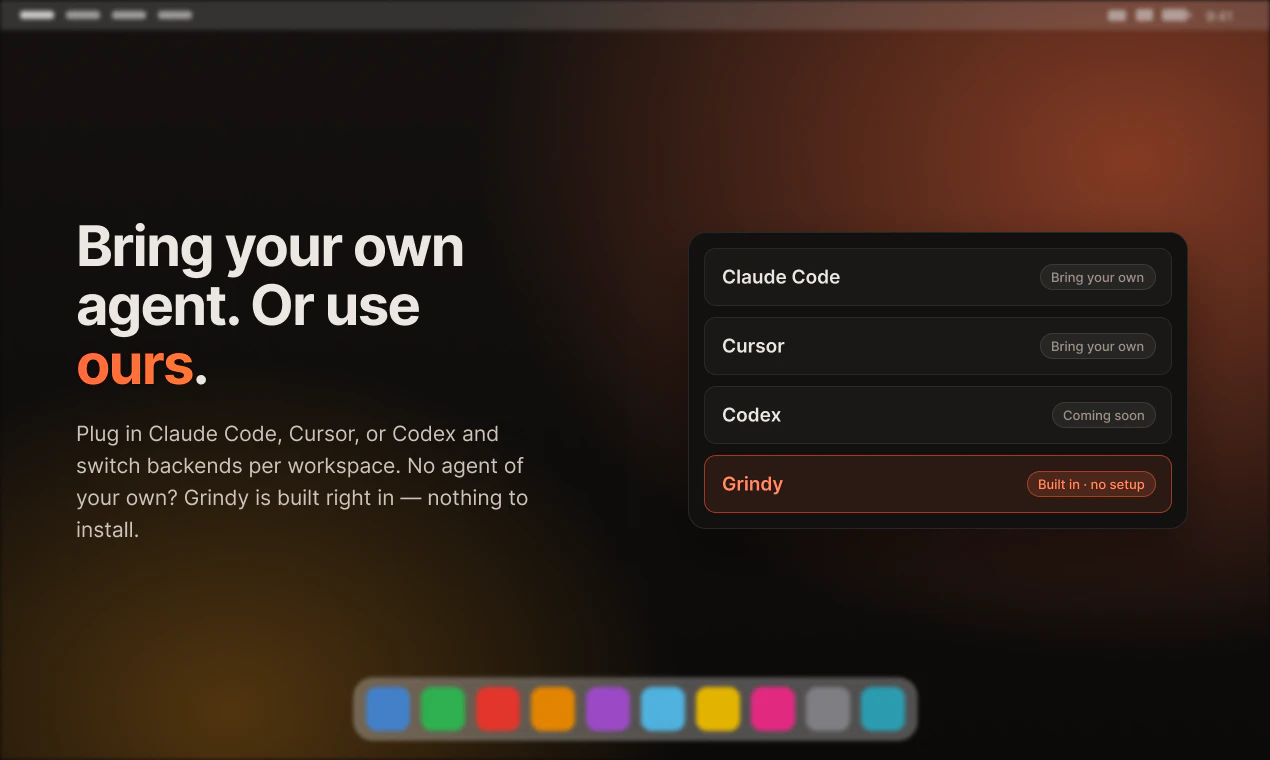
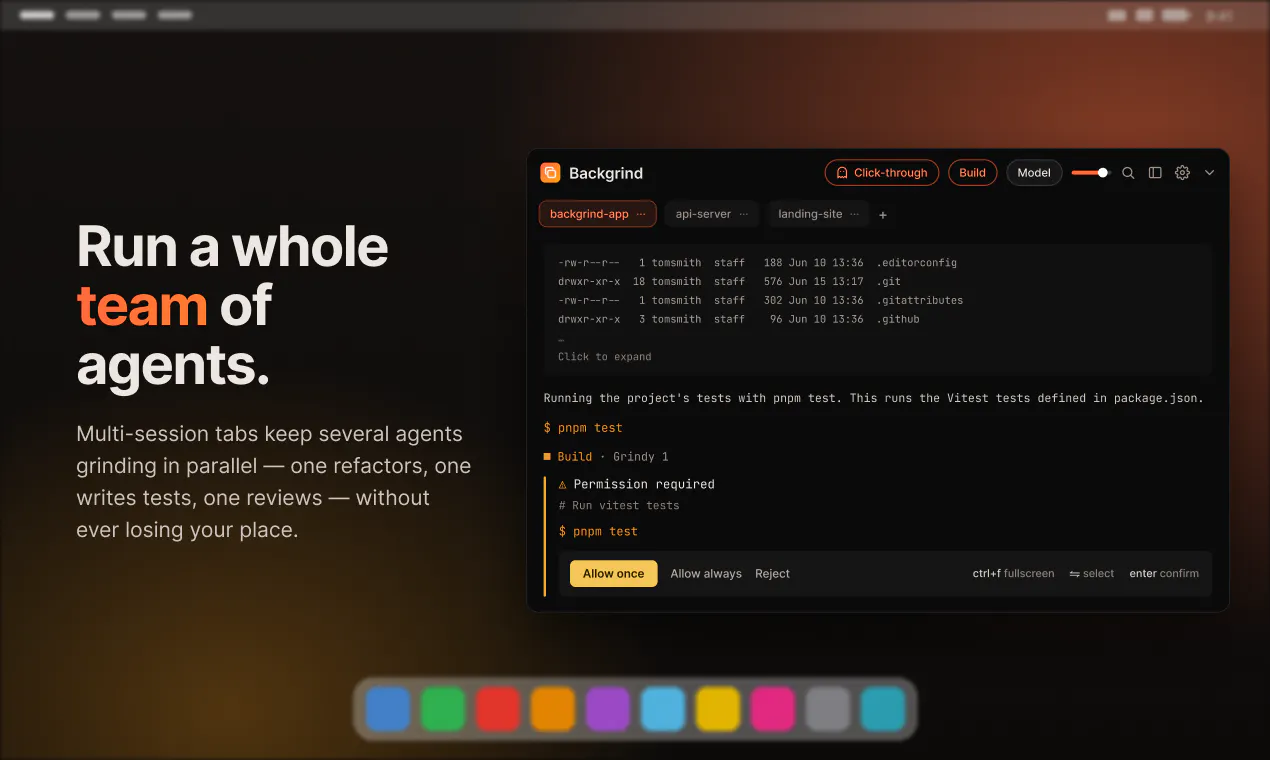
Your AI agent shouldn't chain you to a terminal. Backgrind floats it in an always-on-top window over any app — even a fullscreen game — and pings you only when it actually needs a decision. Bring your own (Claude Code, Cursor) or use Grindy, the built-in agent with zero setup. Multi-agent tabs, voice, Build/Plan, click-through, local-first — your login, your history.

Hey PH! 👋

The problem I kept hitting: I'd hand a task to my AI coding agent… then just sit there watching a terminal. Babysitting. The agent's grinding away and I could've been shipping the next thing — or playing a game.

So I built Backgrind: an always-on-top overlay that runs your agent (Claude Code, Cursor, or Grindy, my built-in one with zero setup) over any app — even a fullscreen game. It only pings you when it actually needs a decision. Fire it, walk away, come back when it taps your shoulder.

It started as a scrappy "let me see the terminal over my game" hack and grew into a real thing: multi-agent tabs, voice, Build/Plan, click-through, local-first (your login, your history — nothing new to trust). macOS & Windows.

So now I'm grinding with my agents. 🚀

5
回复

"Only pings you when it actually needs a decision" is the detail that matters more than the overlay itself. I run AI agents handling real customer calls and the thing that actually saves me time isn't watching a dashboard, it's a notification that only fires on the exceptions. Most monitoring tools dump everything and let you drown; the bar should be silence by default, signal only when a human decision changes the outcome.

1
回复

@david_marko That's exactly the thing. The overlay's just the surface, the real work is the threshold, only buzzing you when a decision actually changes the outcome. Everything else you just learn to tune out.

0
回复

What models are used and what can you tell about safety?

1
回复

@waldemarius Great question! Two ways to run it, both built around your privacy.

BYO mode: plug in your own agent CLI, Claude Code, Cursor, or Codex, on your own account. Backgrind's a thin frontend over your real CLI, so your prompts and code never touch our servers, your login, your history, nothing new to trust. You approve or deny what the agent runs, and voice is transcribed on-device with whisper.cpp so audio never leaves your machine.

Want zero setup? Grindy, our own hosted agent built on OpenCode + Claude, runs through our proxy and just works out of the box, and a .grindignore still keeps stuff like .env from ever being read or sent.

1
回复

Curious how click through works in practice when the agent needs to briefly take over the screen.

1
回复

@attacomsian Good q, and the fun part is it never actually takes over the screen, that's the whole point. It's just a window on top.

Click-through means it goes semi-transparent and your clicks pass right through it, so it's there but never in your way. There are custom hotkeys to flip it back to clickable the moment you want to act on something. So you get options: keep it always on but see-through so you can glance anytime, or just hide it completely and pop it up with a hotkey when you actually need it. Either way you stay in control :)

0
回复
What's the biggest challenge in making background agents feel useful rather than intrusive?
1
回复

@harshchandgotia Honestly, keeping it dead simple. It stays out of your way, then the one second it needs you it just pops a button, you tap yes/no, and it's gone again. No babysitting, no digging through a terminal.

Same whether you're a pro juggling five agents or brand new to this, quiet by default, one tap when it matters :)

1
回复

The always-on-top overlay concept is clever but I keep running into the same mental model question - if the agent is doing work I trust, why do I need it floating over my screen at all? The value prop seems to be "run agent + do something else" but the overlay creates its own attention tax. The games angle makes for a good demo but I'm not sure that's where the real workflow is. Most of the people I know running AI coding agents want to context-switch to something productive, not a game, while it runs - and for that a simple tray notification would work fine. The multi-agent tabs are more interesting than the headline use case. What does the breakdown of actual usage look like between the "play a game while it runs" vs genuine parallel work scenarios?

1
回复

@galdayan Yeah, fair honestly. If you fully trust a run and it never needs you, a notification is totally fine.

The thing is the window isn't meant to just sit there in your face. It stays hidden (and click-through) until the agent actually needs you for something, a yes/no or some quick decision, and then you just deal with it right there instead of digging back into a terminal. So go do whatever, another repo, emails, whatever. The game thing was half a joke tbh, my ADHD way of saying you can literally do anything while it runs, even play something. It only bugs you when it matters.

And yeah, the parallel stuff you mentioned is really the point. Once you've got a few agents going, a notification can't tell you which one needs you or what it wants. That's what the window's actually for.

On the breakdown, I've just launched so I don't have solid numbers yet. My gut says mostly parallel work with games as the fun hook, but that's a guess.

1
回复
#5
oioi
a fast, glassy clipboard manager for macOS, Windows & Linux
170
一句话介绍:oioi 是一款跨平台的开源剪贴板管理器,通过快捷键 ⌥V 调用实时搜索的浮动面板,帮助用户快速找回文本、图片和文件,解决“复制内容被覆盖后反复翻找”的效率痛点。
Productivity User Experience Menu Bar Apps
剪贴板管理器 跨平台 开源 效率工具 工作流增强 实时搜索 UI/UX macOS/Windows/Linux 历史记录 快捷操作
用户评论摘要:用户赞赏其丝滑的“液体玻璃”UI 与跨平台支持,核心疑问集中在:覆盖层关闭后是否自动粘贴/关闭以保持流式体验?能否固定常用项?复杂功能可能破坏直觉。开发者承诺后续加入固定功能,并强调 ⌘V 保留本能操作、⌥V 作为记忆延伸的哲学。
AI 锐评

oioi 的“液体玻璃”UI 无疑是其最大视觉辨识度,但它真正的价值不在于“好看”,而在于“不打断”。剪贴板管理器的历史宿命是:功能越强,学习成本越高,最终沦为没人用的高级抽屉。oioi 的策略很聪明——把 ⌘V 留给本能,⌥V 留给记忆,等于在系统原生行为上搭了一层“可选的记忆层”,而不是试图重构用户早已肌肉记忆的粘贴动作。这种分层设计避免了大多数同类工具“试图代替你”的傲慢。

但风险也藏在这里:液态动画如果延迟超过视觉刷新率,就会从“装饰”变成“摩擦”。开发者自称花了 15–16 天打磨细节,但这个测试周期对于跨平台、高频率的交互场景来说显然不够——尤其在 Windows 和 Linux 上,不同窗口管理器和渲染堆栈的兼容性才是最吃力的地方。用户提出的“固定/定格功能”如果加入,很可能打破目前纯粹的 FIFO 模型,界面复杂度会随之上升。当前 50 项默认上限、最高 200 项的可调范围偏保守,对重度用户可能不够。

开源底色是善意,但也意味着长期维护、社区 PR、跨平台 bug 修复需要持续性投入。如果 oioi 只是另一个“惊艳但停更”的项目,那么它最美好的日子就是发布这一刻。真正考验它的不是评论区的点赞,而是三个月后用户是否还按得下 ⌥V。

查看原始信息
oioi
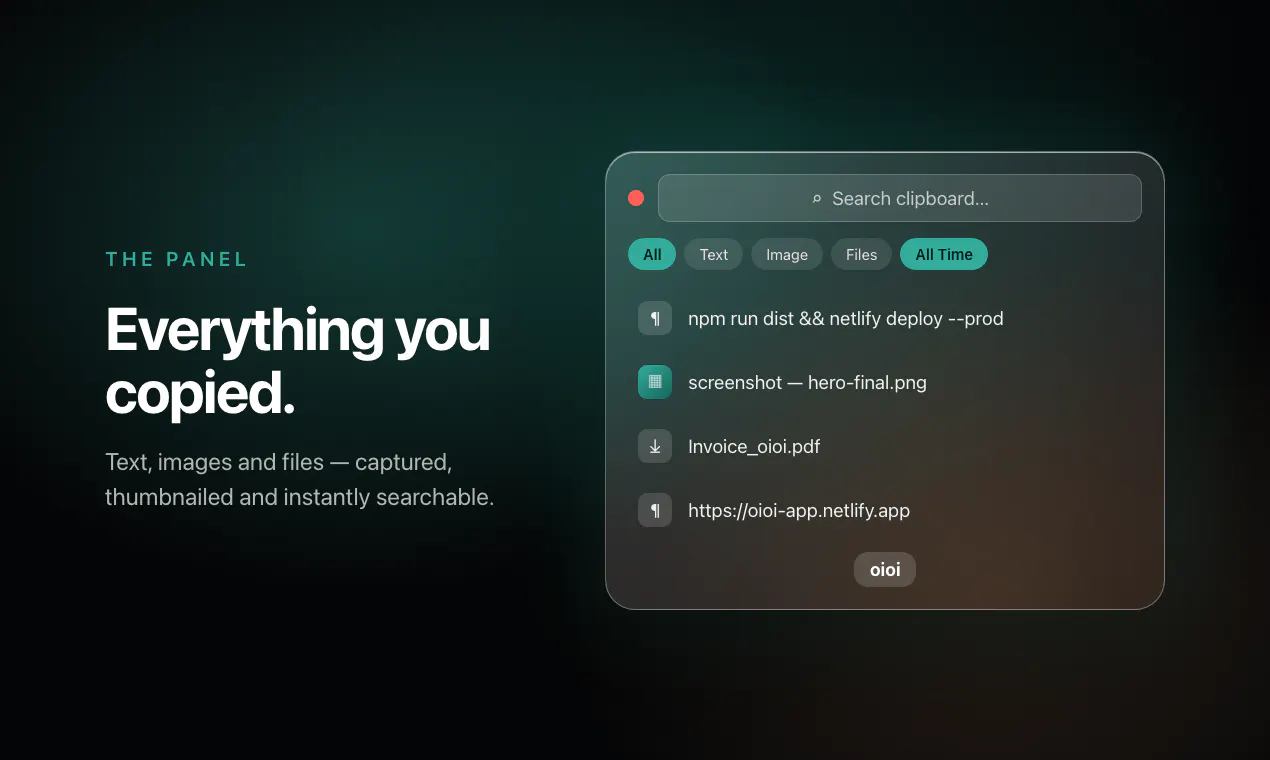
Press ⌥V and your clipboard history floats up in real liquid glass. Text, images and files, searchable. Free & open source for macOS, Windows and Linux.

Now Supports Windows + Linux alongwith Mac,
Mac Installer Fixed and Everything works buttery smooth.

Give it a try . ITS FREE!!!

5
回复
At what point does a clipboard manager become too complex, and how are you avoiding that?
3
回复

@harshchandgotia Hey Harsh

I don’t see it as replacing Command + V. That would be like replacing your hand because you built a better glove. ⌘V is still the fastest way to paste the last thing you copied.

oioi is more like giving ⌘V a sword.

When you need more than just “the last thing” maybe something you copied 20 minutes ago, an image, a file, or a snippet you use often, that’s where Option + V comes in. It’s a separate trigger and a separate layer of power.

The philosophy is simple.

⌘V for instinct.
⌥V for memory.

That’s how I avoid complexity. It evolves the clipboard instead of trying to replace it.

1
回复

the "without breaking flow" pitch is the real test for any clipboard manager, and it usually comes down to whether the overlay closes itself cleanly after you pick something or whether you're left fumbling to dismiss it and get back to typing. curious what the actual interaction feels like after picking an item, does it auto-paste, auto-close, or require an extra step

2
回复

@ansari_adin Good Question Adin

If we talk about user experience, that was the first thing I took seriously while building oioi.

I kept asking myself: when a user presses the shortcut, is the popup actually fast enough? Are the entry and exit animations helping the flow, or are they becoming friction disguised as decoration? That question became the foundation of my design philosophy.

From there, every decision came from reducing friction — giving users the freedom to choose between a glassy or flat background, adding search directly into the stack so retrieval feels instant, and making it always-on-top on the Z-axis so it stays accessible over every window without breaking context.

But beyond shipping it, I wanted to make sure it was genuinely useful and not painful in real use. I used it myself for 15–16 days, shared it with friends, and asked them to be brutally honest. A lot of tuning came from that. Even small things, like the corner radius being too curvy, mattered — some people hated it, so I adjusted it.

Because in the end, UI and UX should never become the friction.

And the part you asked about really hit the core of what I was trying to solve, so thank you for asking that.

0
回复

The "⌘V for instinct, ⌥V for memory" framing is the smartest part of this — sitting next to the system clipboard instead of trying to replace it is exactly where most managers overreach. As someone shipping a Mac app, curious whether the liquid-glass overlay is rendered natively per platform or one shared layer across macOS/Windows/Linux?

1
回复

This looks like a massive workflow upgrade! Since marketers copy a million UTM links and hex codes a day, is there a way to 'pin' or 'star' frequently used items to the top of the overlay so they never get buried in the history?

1
回复

@andika_fadhilah hey andika,

Glad you like oioi,

pining the items sound like a feature upgrade to me,

i think i have to tackle this without disturbing the user flow,

hmm...intresting, stay tuned for the next upgrade,

thankyou.

0
回复
Hey Great product. Can't wait to try it out. Any plans to add a mobile version?
1
回复

@dhoorjati_varma1 Hey Dhoorjati,

Mobile version!! intresting will think of it first i will evolve this oioi roll up to an extent where very less bugs will survive then will plan to launch it in mobiles.

0
回复

Been using Maccy for years and never thought about switching. The liquid glass UI and cross platform support changed that.

The fact that it's open source seals it.

Nice work. 👏

1
回复

@attacomsian Hey Atta thanks for the feedback,

stay tuned for more updates...

0
回复

Very clean and clear idea and website. Up to how many messages can the clipboard support in memory before it starts replacing the oldest with the newest messsage (text or photo). Congrats on the launch!

1
回复

@konstant_gk Thanks so much, really glad the idea and site landed for you! 🙏

On capacity: oioi keeps your most recent 50 items by default, and once it's full the oldest drops off as new ones come in (text and images alike .... same FIFO history).

It's a slider in Settings, so you can dial it anywhere from 10 up to 200 depending on how much scrollback you like. Appreciate the kind words and the launch wishes! 🦥

1
回复

Love the focus on keeping the user's flow unbroken. The liquid glass UI looks incredibly slick!

1
回复

@yahav_ohana Glad You liked it Yahav.

0
回复

Yeah Vishesh! It's amazing. HAving the history would save a lot of time for me cause I always work with the same assets so I need to go and go again to take the same resource. Really glad to see you helping on this!

1
回复

@german_merlo1 That’s exactly one of the reasons I built oioi.

A lot of us keep reusing the same assets, snippets, links, and files, and going back and forth to fetch them again breaks the flow every time.

I wanted to make that history feel like memory you can instantly pull from, instead of re-hunting the same thing again and again.

Really appreciate this, Germán. Glad it resonates with your workflow.

0
回复
#6
Laguna by Poolside
Foundation models for agentic coding and long-horizon work
145
一句话介绍:Laguna是一款专为长周期智能编码任务设计的开源基础模型,通过256K超大上下文窗口,解决AI代理在大型重构中因上下文耗尽而丢失任务线索的痛点,支持企业本地部署和微调。
Software Engineering Developer Tools Artificial Intelligence
基础模型 智能编码 Agent 开源权重 Apache 2.0 长上下文 本地部署 微调 编程助手 AI生产力
用户评论摘要:用户普遍认可其256K上下文和开源权重对长周期编码代理的突破性价值。主要关注点包括:在最大上下文下的注意力机制效率、与Cursor/Claude Code等工具的集成表现、针对特定代码库的微调便捷性,以及实际多文件编辑任务中的表现与基准测试的差距。
AI 锐评

Poolside的Laguna M.1并非简单的又一款编程助手,而是对当前“闭源API+短上下文”编码代理范式的精准打击。其核心价值在于解决了长期被忽视的“上下文健忘症”——大多数模型在重构中途就被上下文撑爆,而Laguna的256K窗口直接拆掉了这个天花板。23B活跃参数配合Apache 2.0开源协议,更是将模型的所有权和控制权从云端服务器还给了企业,直面“数据主权”这一核心产业痛点。这很聪明:它避开了与GPT-4o或Claude在通用能力上的直接竞争,转而深耕“自主可控的长周期编码代理”这一高门槛、高粘性垂直领域。

然而,用户评论中隐含的质疑同样致命。大上下文带来的注意力退化、稀疏注意力机制的实现细节、以及在实际多文件复杂任务中能否复现基准测试的成绩,这些“工程落地难题”才是真正决定产品成败的关键。此外,23B参数在推理效率和能力上限之间如何平衡,也是悬在头顶的达摩克利斯之剑。Poolside押注“开源+本地化”是一把双刃剑——它确实能吸引注重合规的企业客户,但也意味着放弃了闭源模型的持续变现能力,且社区生态和微调工具链的成熟度将直接决定其能否从“炫技”走向“生产”。一句话:底牌漂亮,但游戏才刚刚开始,真正的战场在社区运营和工程落地的细节里。

查看原始信息
Laguna by Poolside
Poolside is a foundation model company bringing intelligence to everywhere work gets done. Their mission is to drive abundance for humanity by creating artificial general intelligence.

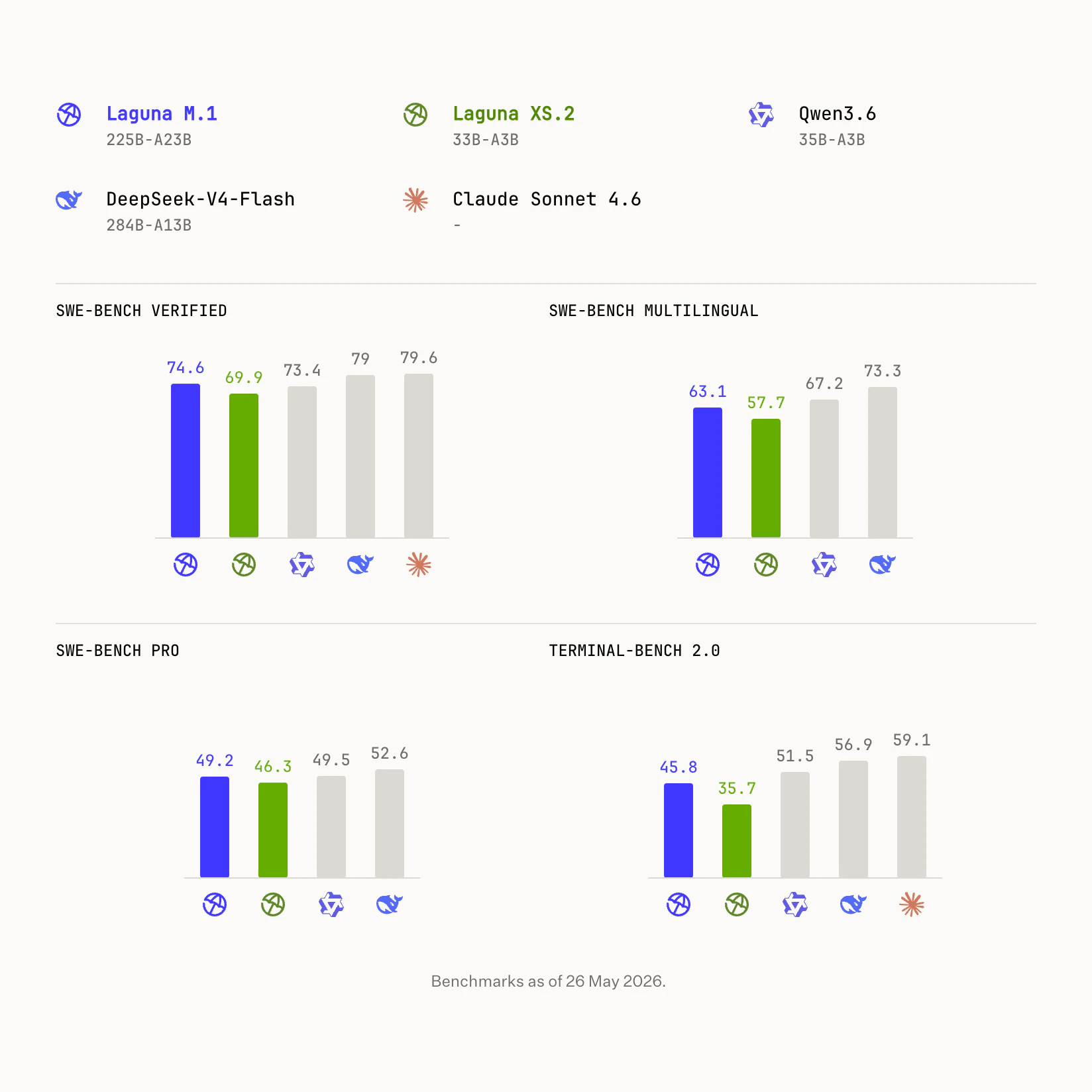
Poolside has been building quietly for a while and this is the payoff. The 256K context window is the real story for agentic coding - that's where most code agents fall apart, when context fills up halfway through a refactor and the model starts losing track of what it already changed. 23B active params on Apache 2.0 is a strong combo for anyone who can't send proprietary code to closed APIs. Curious how it holds up on actual multi-file editing tasks vs synthetic benchmarks - that's usually where the gap between lab numbers and real workflows shows up. Nice launch.

1
回复

Open weights at the frontier! @Poolside released this week Laguna M.1, their most capable model to date, with 23B active params and a 256K context window, now Apache 2.0 on both checkpoints.

Run it on your own infra, evaluate it in your own harnesses, fine-tune it, and build on it directly.

H/O to founders @eisokant and @jasoncwarner. OSS ftw!

0
回复

The open weights are what caught my attention. Being able to run and tune a serious coding model on your own infrastructure is a big plus.

0
回复

The 256K context window at 23B active params is a strong architectural bet. Long-horizon agentic tasks without chunking is where most models fall apart. We've been navigating the inference infra tradeoff for our own agent layer, and self-hosted open weights changes the calculus significantly. How does Laguna handle attention at max context? Any sparse attention or positional tricks that keep it tractable?

0
回复

Apache 2.0 on both checkpoints is the real unlock here. Most frontier-level models stay closed exactly at the point where they become useful for production workloads.

Curious what fine-tuning looks like for teams that want to specialize it on a specific codebase or domain. Is that straightforward with the current weights?

0
回复

Open weights with a 256K context window at 23B active params is a big deal for agentic coding, that should really help on long-horizon refactors where context runs out fast. Curious how Laguna M.1 holds up inside Cursor or Claude Code style loops. Congrats on shipping.

0
回复
#7
Cloudback MCP Server
Manage your backups from Claude, Cursor, and VS Code
130
一句话介绍:Cloudback MCP Server 将备份配置管理集成到 Claude、Cursor、VS Code 等 AI 编程助手中,让平台工程师通过自然语言对话即可批量查询和调整跨平台的备份策略,无需再编写一次性脚本或反复操作仪表盘。
SaaS Developer Tools Artificial Intelligence
备份管理 MCP服务器 自然语言运维 AI编程助手 DevOps工具 批量配置 多云备份 平台工程 Git托管备份 开发效率
用户评论摘要:用户普遍认可其解决实际运维痛点的价值,但核心关切集中于安全边界:包括缺少变更前确认/预览模式、对误操作的担忧,以及明确建议分离“只读检查”与“编辑/恢复”操作。开发者回应已设计读写分离且无删除等破坏性操作,但承认暂无预演模式。
AI 锐评

Cloudback MCP Server 切入了一个极其精准且未被充分满足的细分场景:将枯燥高频的备份策略管理从“仪表盘点击流”或“废弃剧本编写”中解放出来,通过自然语言接口直接对接开发者日常的 AI 编码环境。其真正的价值不在于“管理备份”本身,而在于 **“将运维认知成本降低到对话级别”**。

从产品设计上看,开发团队展现出了清晰的风险意识。“只读操作”与“变更操作”的工具分离、拒绝通配符更新、强制要求先列出目标 ID 再操作等设计,体现了一种务实的安全边界。特别是明确将“恢复/删除备份数据”这类不可逆操作排除在 MCP 表面之外,留给人去决策,这比许多功能堆砌的 AI 套件更加克制和专业。

然而,产品的长期价值面临一个致命拷问:**防御性设计会否因过度谨慎而削弱“AI生产力”的核心承诺?** 用户评论指出的“无预演(dry-run)模式”是显著的短板。在当前阶段,让 AI 修改数百个备份配置时没有前置的、可视化的变更影响报告,这种“半自动化”体验会让安全风险意识强的平台工程师不敢轻易信任,最终导致该工具沦为“高级只读查询器”,而其最亮眼的批量变更能力反而被束之高阁。同样,虽然限制了删除,但更改策略和调度同样可能引发服务中断,仅靠事后审计日志并不足以缓解操作前的不安。

Cloudback 的市场策略颇为老到——捆绑 MCP 热潮,面向已付费用户提供增值。但要让这个产品从“值得一试”变为“不可或缺”,必须快速补上预演/回滚能力,并为 AI 操作的授权和审计提供比普通 API 密钥更细粒度的治理模型。否则,它可能只是 MCP 浪潮中一个漂亮的“技术 demo”,而非真正的运维左移利器。

查看原始信息
Cloudback MCP Server
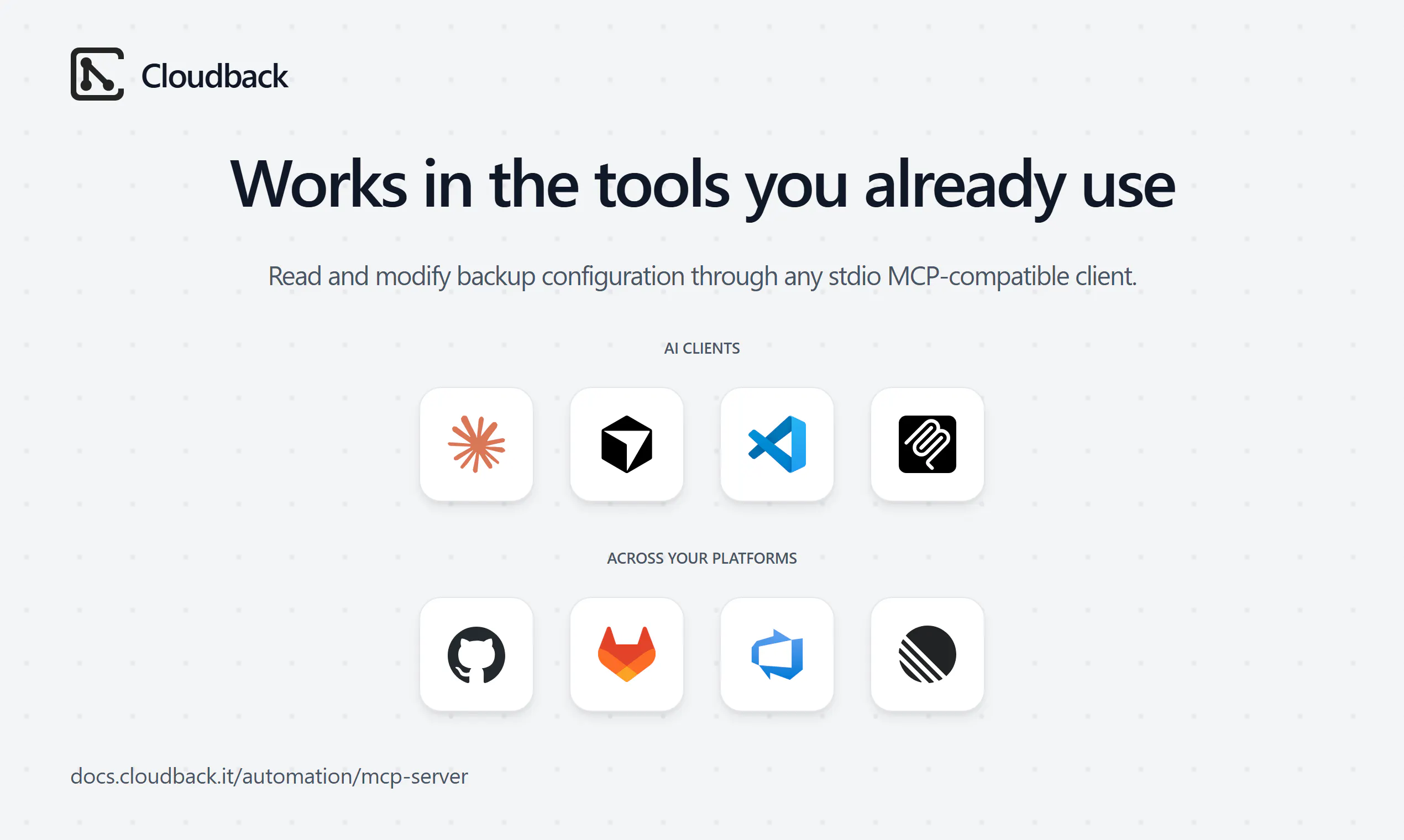
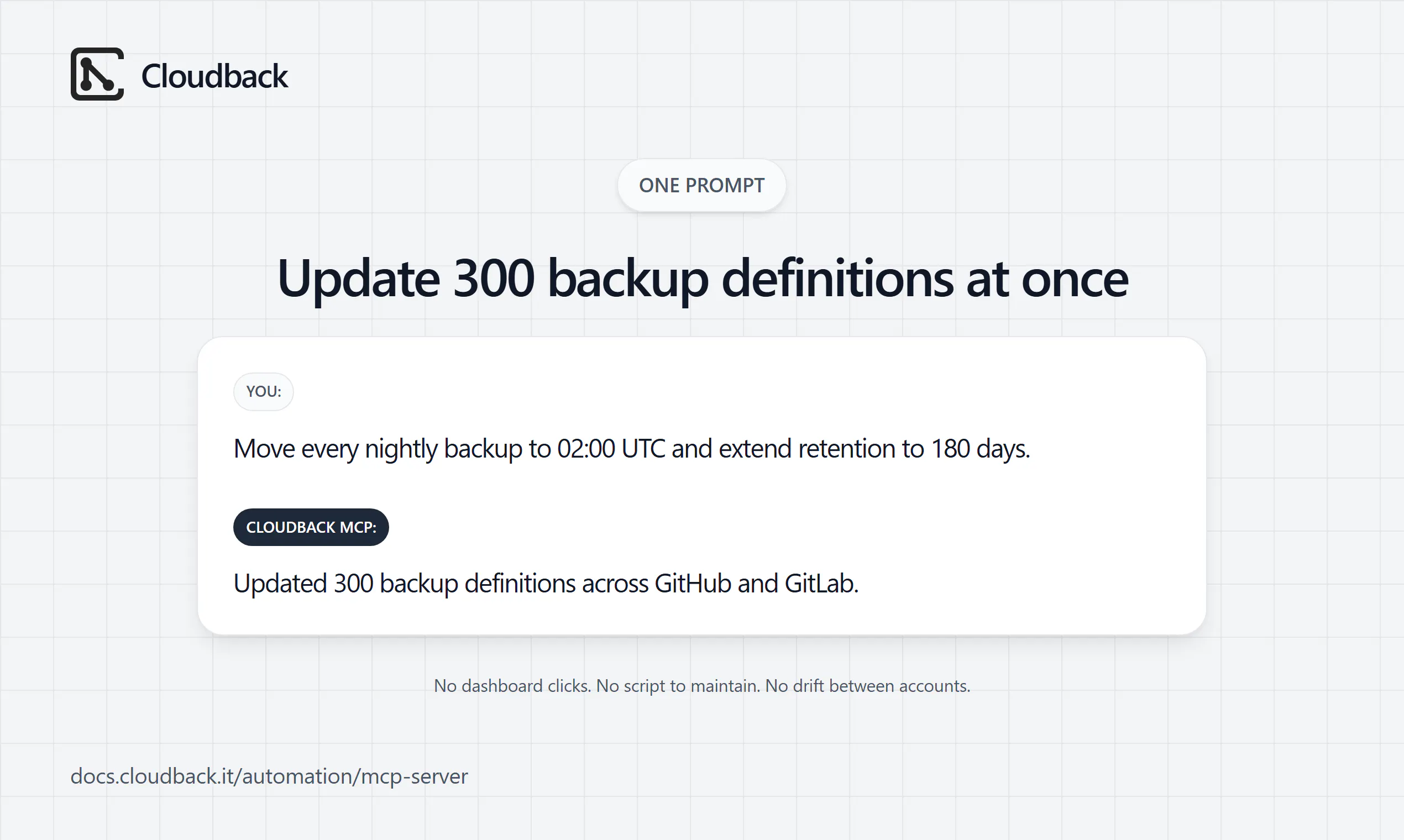
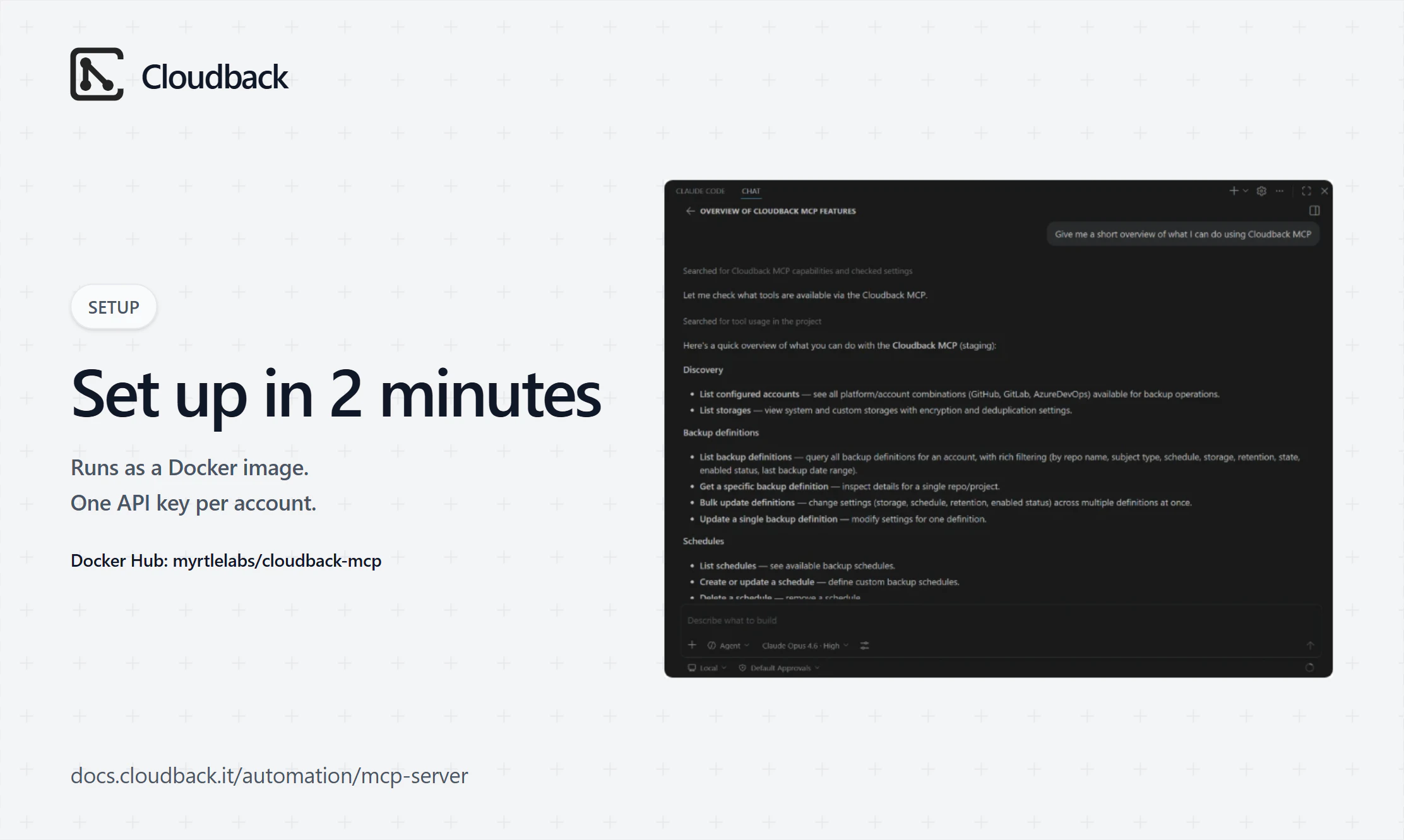
Cloudback now ships an official MCP server. Connect Claude Code, Claude Desktop, Cursor, VS Code, or any MCP client and manage your backup definitions, schedules, storages, and retention policies through plain-language chat - across GitHub, GitLab, Azure DevOps, and Linear. One prompt can reschedule and re-retain 300 backup definitions at once - no dashboard clicks, no throwaway scripts. Runs as a Docker image (myrtlelabs/cloudback-mcp).
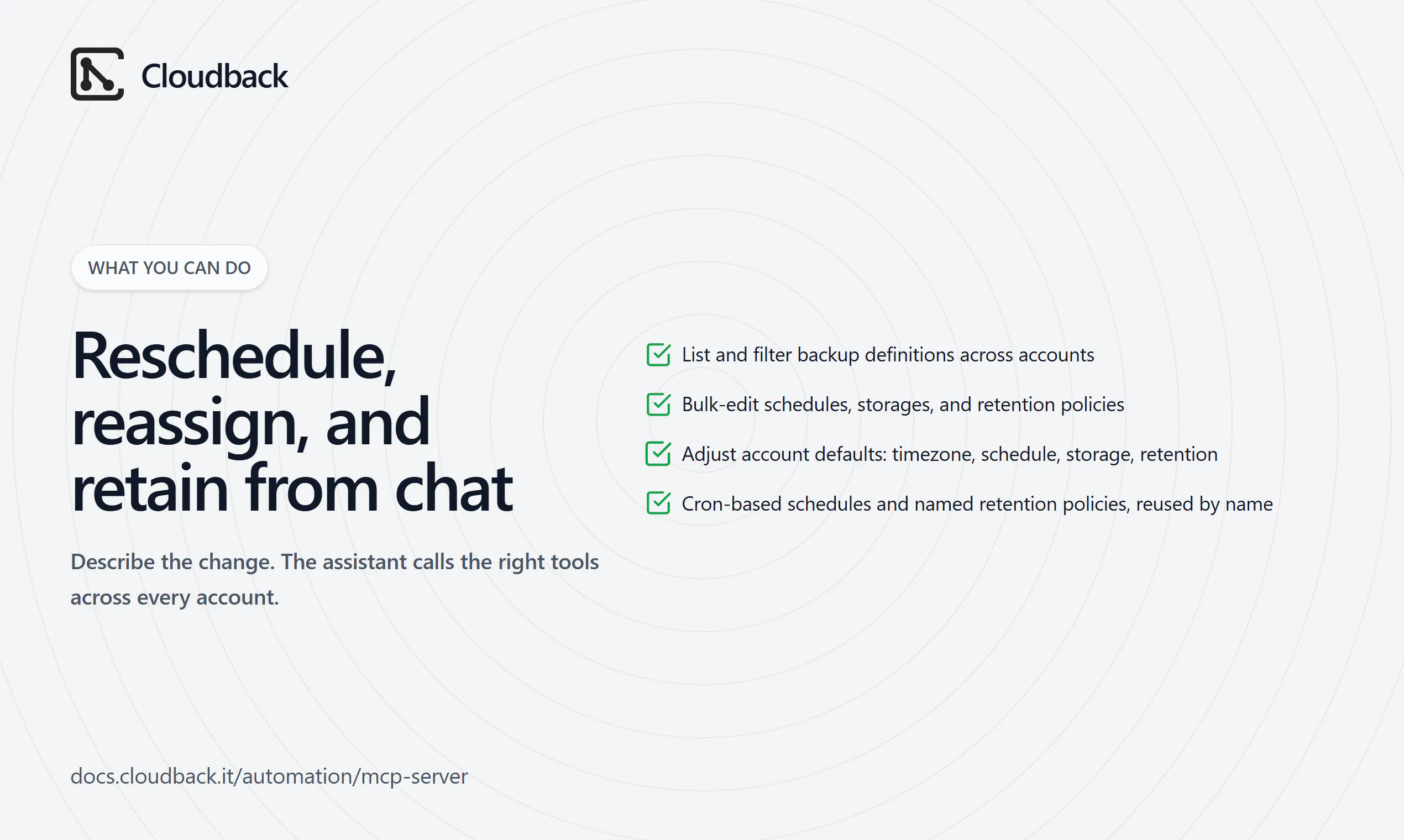
Hi PH 👋 I'm Evgeniy, co-founder of Cloudback. Today I'm bringing our MCP server to Product Hunt. 🛠️ Why we built it: Cloudback already has a dashboard, a Terraform provider, and a REST Operations API. They work well for scheduled automation and IaC. But when a platform engineer wants to answer "which of my 300 repos doesn't have a backup?" or "move every nightly job to 02:00 UTC and extend retention to 180 days" - that's a throwaway script or multiple dashboard clicks. It's not only for changes - you can also just ask for the read-only picture: "how many repos backed up last night?", "which backups failed this week?" - and get the status, stats, and an overview across every account in seconds. ⚡ What the MCP server does: - List and filter backup definitions across your accounts (GitHub, GitLab, Azure DevOps, Linear - one config file, case-insensitive). - Bulk-update schedules, storages, and retention policies in one prompt. The assistant reads your retention policy names directly and reuses them - no hardcoded day counts. - Read and adjust account-level defaults: timezone, default schedule, default storage, default retention. - Works with Claude Code, Claude Desktop, Cursor, VS Code, and any stdio MCP-compatible client. 🐳 Setup is three steps: create an Operations API key per account, drop them into a single appsettings.json (one entry per account: platform + account name + API key), and register the server in your MCP config. Docker pulls myrtlelabs/cloudback-mcp automatically on first run. 👥 Who it's for: - Platform engineers managing repos across multiple platforms who want config changes without a script. - DevOps teams already on Cloudback who want a faster path to bulk changes. - Operators who want natural-language access to backup state for audits or incident response. Cloudback protects 1.7k+ customers, 14k+ repositories, and 4M+ backups. Every plan starts with a free trial. 💬 Happy to answer questions
3
回复

Exposing backup operations through MCP is clever. Claude and Cursor already have context to know when a restore makes sense, so meeting devs inside the IDE is the right call. We've been thinking about which operations are safe to put behind MCP in our own agent workflows. How do you handle the auth model? Is confirmation required per action, or scoped at the connection level?

1
回复

@anand_thakkar1 Thank you for the question! We use API keys for each account you connect to MCP.

1
回复

Can you manage what the MCP server is allowed to touch, like only one repo or one workspace?

1
回复
@thamibenjelloun yes, the access is granted using the API key, one per connected account - Linear workspace, GitHub org, etc
1
回复

One prompt rescheduling 300 backup definitions sounds powerful but also a bit risky if the model misreads intent. Does the MCP server have a confirmation or dry-run step before applying changes, or is it fire-and-execute straight to the API?

1
回复
@christian_knaut there is no dry run yet, but we did not include any destructive actions in the MCP server - there is no way to delete anything, and all actions can be traced using audit log in Cloudback platform.
1
回复

MCP server for backup management is a natural fit, being able to reschedule retention policies through a plain-language prompt instead of clicking through a dashboard is exactly the kind of workflow improvement that compounds over time. Curious if you plan to support Bitbucket as well?

1
回复

@romeo_ciobanu Appreciate it - the "compounds over time" point is exactly the bet. On Bitbucket: it's not in Cloudback today, so it's not in the MCP surface yet either (the server covers what Cloudback backs up - GitHub, GitLab, Azure DevOps, and Linear). The upside is the MCP server rides on top of that platform support, so the day Bitbucket lands it shows up here automatically. Noted the ask - real demand like this is what we weigh when picking the next platform.

2
回复

This is one of the more practical MCP launches today. Backup configs are exactly the kind of repetitive operational surface where chat beats clicking through a dashboard, especially for bulk schedule and retention changes. Curious whether teams are using it mostly for inspection, like “what isn’t backed up?”, or actually letting it propose config changes.

1
回复

@vidur_saini Thanks - that's exactly the surface we built it for. It's early, so we won't pretend we have usage stats yet, but by design it leans inspection-first: you have to list the definitions before you change them, so people naturally start with "what's not backed up?" or "which repos have no retention policy?" The bulk config changes are the payoff once they spot the gap.

1
回复

The MCP angle is interesting here because backup tools sit right on the boundary between helpful automation and dangerous side effects.

The details I would want to see as a user are: read-only inspection tools separated from mutating restore/delete actions, a dry-run mode for any restore operation, clear repository/account scope, and an audit trail that shows exactly which backup was touched and why.

If those boundaries are visible to Claude/Cursor/VS Code before a tool call runs, this becomes much easier to trust. Backups are one of those domains where the assistant should be useful, but never casually powerful.

1
回复

@tang_weigang This is exactly the right framing, and most of that list is how it's already built. Read-only inspection and mutating tools are separate, every call is scoped to one account with bulk edits limited to explicit definition IDs (no wildcard), and your client shows each write - account, IDs, and new values - for approval before it runs. Every change lands in the audit log with what was touched and when. On restore and delete specifically: those aren't exposed through MCP at all. The server only manages configuration - it can't restore, run, or delete backup data. The irreversible actions stay in the dashboard behind a human, which is the "useful but never casually powerful" line you're drawing.

1
回复
What guardrails did you have to add before feeling comfortable letting AI make changes to backup configurations? And Were there any backup operations you intentionally decided not to expose through MCP?
1
回复

@harshchandgotia Two good questions.

Guardrails: the main one is that the MCP server only manages configuration - it never runs backups, restores, or touches backup data. On top of that, every call is scoped to one account (one API key each), bulk edits have no wildcard (the assistant lists the exact definition IDs first, and unknown IDs are rejected), schedule, storage, and retention are set by name not raw ID, and every write is a tool call your client approves before it runs. All changes land in the audit log.

What we left out on purpose: restore, on-demand backup runs, and deleting backup definitions - the irreversible ones stay in the dashboard behind a human. Same for creating storage, which means handling credentials, and creating or deleting retention policies - the assistant can apply existing named policies, not invent or remove them. Read freely, edit config safely, and keep restore and anything that touches backup data out of chat.

3
回复

Nice launch. Backup MCP is one of those places where natural language is useful, but dangerous if the write boundary is fuzzy.

For bulk retention or schedule changes, do you make the assistant show a planned diff and receipt per account before it applies the change?

1
回复

@blah_mad Good question, and the right risk to poke at. Bulk changes aren't a wildcard. The assistant has to pull the exact definitions first, so you see the current settings and which IDs will change, and update only touches those IDs. Each call is scoped to one account, and the apply is a normal MCP tool call your client surfaces for approval - with the account, IDs, and new values - before it runs. And every change lands in Cloudback's audit log, so there's a full record of what was applied, when, and by whom. A one-step before/after diff across all definitions isn't there yet - today that view comes from the List call before the write.

1
回复
#8
Notchkin
A notes app that lives in your MacBook's notch.
125
一句话介绍:Notchkin 是一款将MacBook刘海屏变为快捷笔记入口的轻量应用,解决用户在灵感闪现时因切换笔记应用而中断思路、丢失想法的痛点,让“记笔记”的摩擦成本降到最低。
Productivity Notes Menu Bar Apps
刘海屏笔记 效率工具 macOS应用 本地优先 买断制 快速捕获 GTD 极简设计 备忘录 轻量交互
用户评论摘要:用户普遍认可其“利用刘海屏”的创意和“快记”的轻量交互。核心疑问集中在:悬停与快捷键的使用习惯差异;外接显示器(无刘海)的体验细节;以及吉祥物的“被动攻击”是趣味调味还是恼人机制。开发者明确本地化、无订阅、专注单一功能的立场受到好评。
AI 锐评

Notchkin踩中了一个极其精准的“微痛点”——不是记不住,而是记下来的复杂度太高。它没有试图成为另一个Notion或Bear,而是把交互无限压缩成一个悬停+键入的动作,锚点锁定在人机交互中最冗余的“刘海”上。这种“空间再分配”式的方案,比任何智能排序或AI摘要都更直接地提升了记录效率。

产品的价值不在于功能堆料,而在于对用户行为的洞察:做笔记的第一性原理是“立刻记下来”,而非“写得好”。其本地化、买断制的定价策略也天然屏蔽了那些对隐私敏感、厌倦订阅制的进阶用户,这些人正是笔记类应用的核心付费群。

不过,风险同样明显。悬停交互作为唯一招牌过于脆弱——在触控板、快捷键或外接显示器场景下,这个“刘海魔法”退化为普通的全局快捷入口。此外,吉祥物的“个性”如果停留在文案层面则聊胜于无,若真想成为粘性点,需要像旧版Duolingo的猫头鹰那样,在行为引导上玩出花样(比如“你三天没打开‘项目重启方案’了”),但这又会增加应用的焦虑感,对“轻量”定位形成挑战。

总体来看,Notchkin是一个完成度很高的“1.0作品”,但它更接近一个优雅的“草稿纸”,而非长期的“知识库”。它能留住那些追求“快进快出”的用户,但若想突破“有趣的小工具”的天花板,则需要在“记完以后怎么办”(回顾、整理)上给出同样极致的答案。否则,它只是一只栖息在刘海里的漂亮金鱼。

查看原始信息
Notchkin
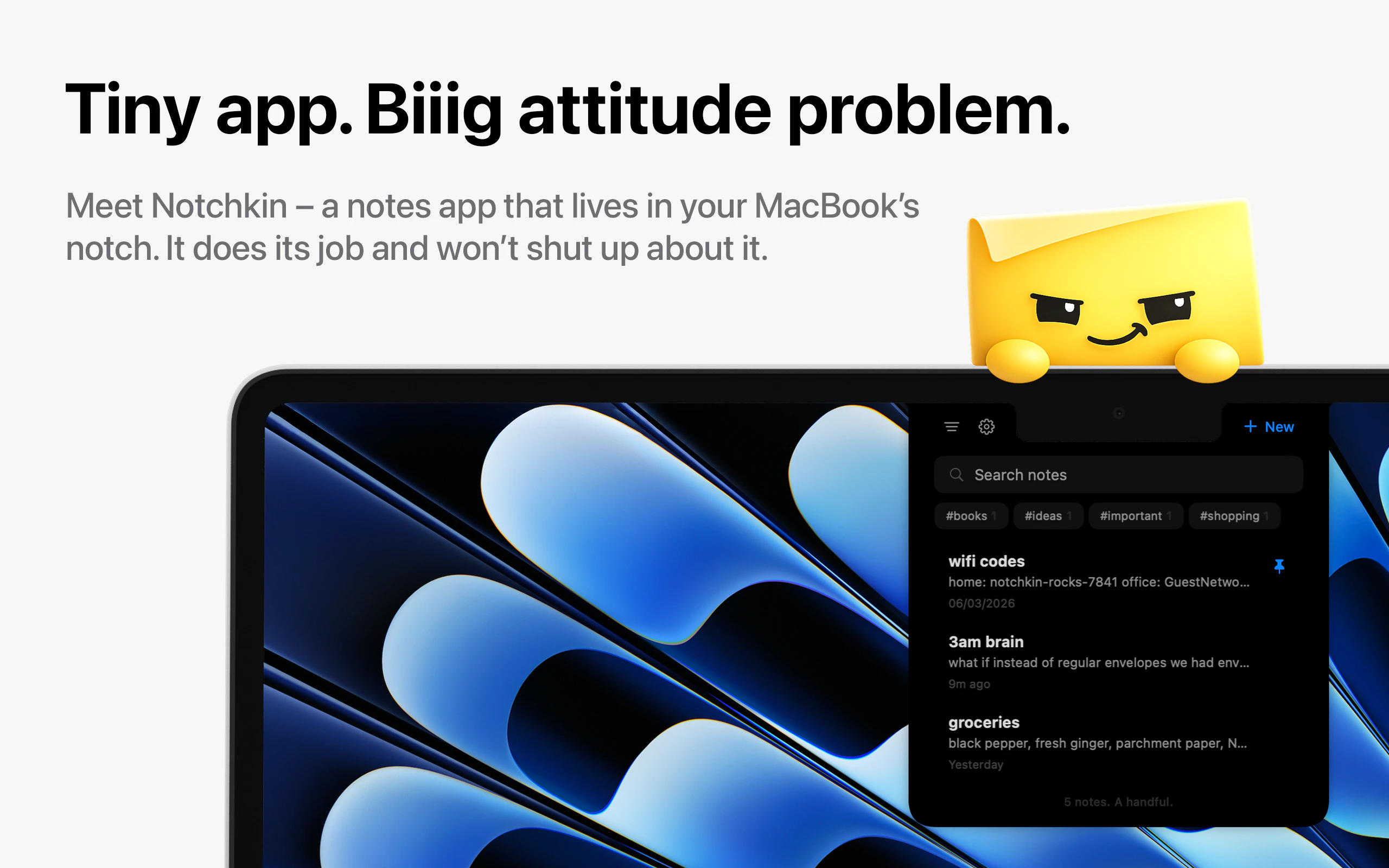
Your MacBook's notch just sits there doing nothing. Now it takes notes. Hover over it, a panel drops down, you jot the thing down and carry on. And yes, there's a mildly passive-aggressive mascot.
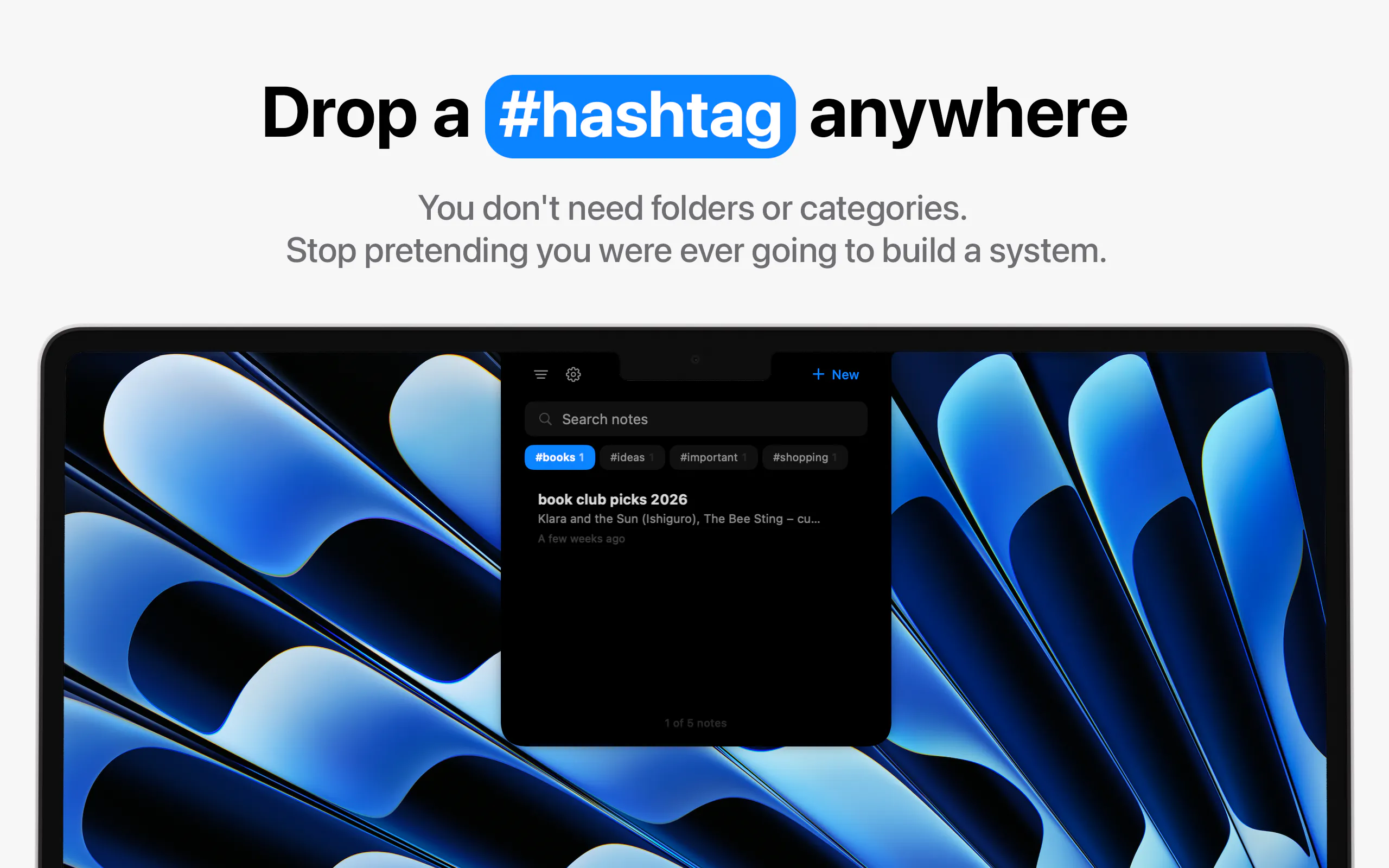
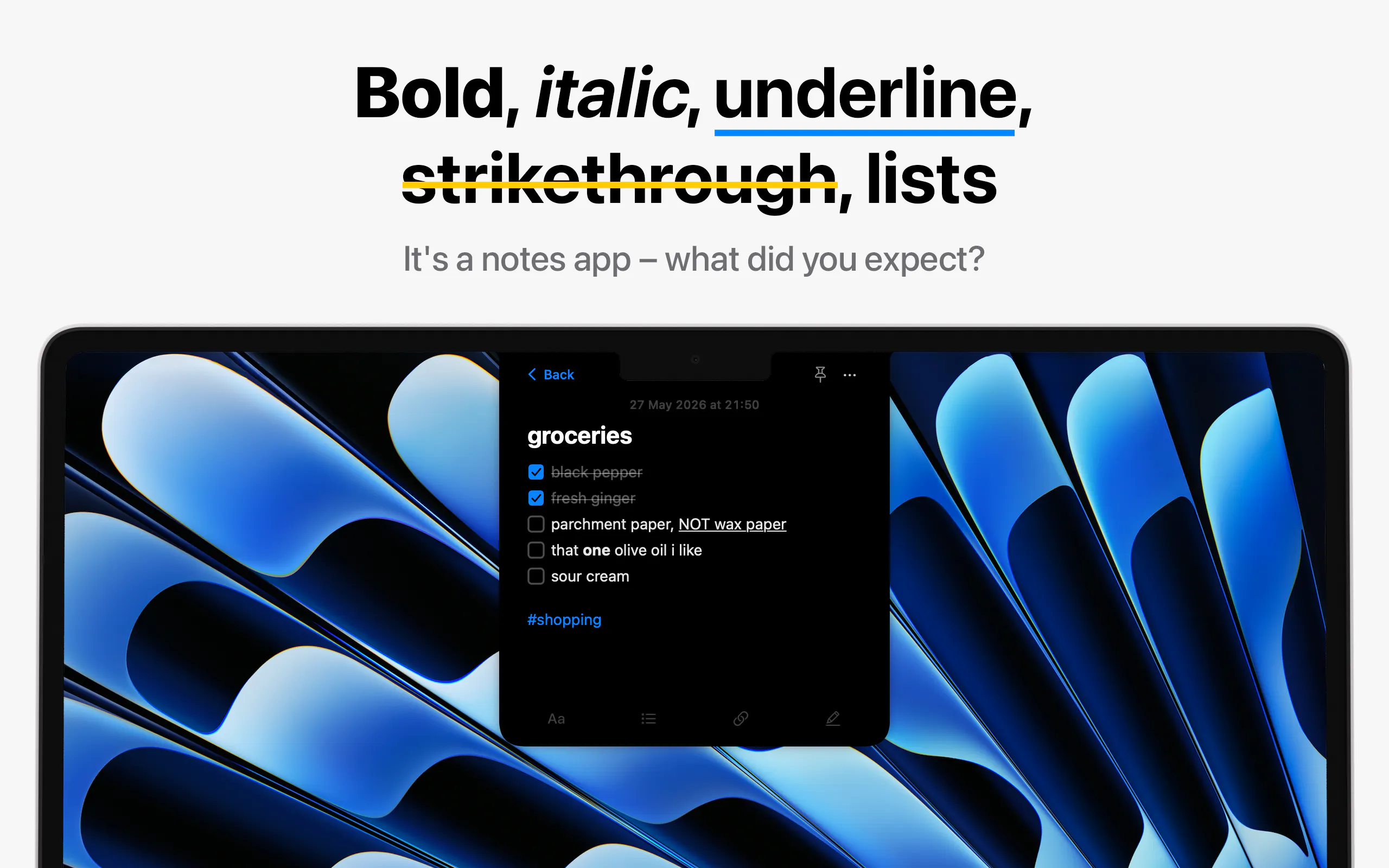
Hey everyone, I'm Danny, the maker. Notchkin is a solo project. I built it because I have the memory of a goldfish and the patience of a toddler. I'd get a thought, freeze up choosing between the 13 note apps I'd installed and abandoned, and by the time I'd picked one, the thought was gone. So I repurposed the most useless piece of screen real estate Apple ever gave us: the notch. Hover over it, a panel slides down, you write your note, you get on with your life. No window to open, no app to switch to. It's already up there. A few things I cared about while building it: - It does one thing. Most notch apps chase Dynamic-Island media controls or file shelves. Notchkin just does notes. - Everything is local. Nothing leaves your Mac, no account, no cloud. - One-time purchase. $4.99, no subscription, ever. It still has the proper stuff: rich text, hashtags for filtering, checklists and lists, pinned notes, global search and find-in-note, quick capture, and RTF/Markdown export. Keyboard people can do basically all of it without touching the mouse. And because most productivity apps are boring and I'm a mean little man, it ships with a sticky-note mascot who's occasionally passive-aggressive and far too pleased with himself. I'd love your feedback, especially on the notch interaction and anything that feels missing. Happy to answer anything in the comments.
2
回复

@dannystan Congrats on the launch! I'm not a Mac user so I had to look up what the notch was (duh!), clever. Love the mascot - passive-aggressive mascot - too much fun!

0
回复

I'm curious how customizable the drop-down panel is. For me, the speed of capturing notes matters more than advanced features.

1
回复

@alex_j_jemmy Customization is deliberately minimal. You can pick from a few accent colours and fonts, but I didn't want to turn it into a settings rabbit hole.

The focus is on getting thoughts out of your head as quickly as possible. There's a global shortcut to open the panel, a separate Quick Capture shortcut that creates a new note from anywhere in macOS without opening the panel first, and a Paste as New Note option for anything that's already on your clipboard.

0
回复

I've always thought the MacBook notch was wasted space, so this instantly caught my attention. The quick hover-to-note interaction feels natural and lightweight

1
回复

@asheer_ahmad Thanks, happy to hear!

0
回复

the mascot being mildly passive-aggressive is a fun detail but I'm curious if it's just flavor text or if it actually nudges behavior, like guilting you about notes you never revisited. that's the kind of small mechanic that could either make this delightful or mildly annoying depending entirely on execution, curious which side it lands on in practice

1
回复

@ansari_adin Yeah, that's the part I was most careful about because I didn't want it to become annoying.

Right now it's just flavour, not a mechanic. It reacts to things like how many notes you have or how long it's been since you opened one, but it never does anything with that, it only comments.

Down the line I might lean more into checklists and reminders, and that's where a nudge with a bit of attitude could actually earn its place. But you're right that it lives or dies on execution, so I'd want to test it with real users first.

0
回复

This feels like a very Mac native idea. Simple focused and designed around an existing piece of hardware.

1
回复

@craig_bennett1 Thanks for the kind words!

0
回复

I can't help, but that note has an evil look. 😅 Like "😈". But the idea is good! :)

1
回复

@busmark_w_nika Haha thanks! The evil look is actually on purpose 😅 He's a smug, slightly passive-aggressive little sticky note, that's the whole bit.

Right now it's mostly in the writing, the placeholder text and some of the labels, e.g. start a new note and the title field will say stuff like "Try to be profound this time" or "Oh. You again."

It's probably my favourite part of building the app. As the feature set grows, I want to push that personality further and make it feel even more woven into the entire experience.

1
回复

As another solo Mac dev, the "it does one thing" + local-only + one-time-purchase combo is the part I respect most here — that restraint is way harder to hold than it looks once feature requests start rolling in. The drawn-on notch fallback for clamshell setups is a clever touch too.

0
回复

Congrats on the launch!

I was wondering what other features this product had over me just hovering my bottom right corner for the notes app popup (apart from the really cool mascot!)

0
回复

I like the idea, it can be actually used a temporary buffer for AI promps of notes. For example sometimes working with Claude Code I want to continue but I don't want to miss some details in it's response. So currently I have Sublime Text opened where I put such notes.

For example I asked AI how can we reduce amount of component re-renders in my application and it gives me 2-3 options and I understand that right now which should only implement first and second option. So I will same third options somewhere and I will return to this option later this date. Sure I can always scroll up and try to find this note in the conversation itself, but it become too cluttered with changes etc

0
回复

@bogdan_stefanjuk Thanks! That’s a really nice way to use it - makes sense as a quick holding spot when you don’t want to break your flow.

0
回复

The notch as capture surface is clever because it removes the “which notes app do I open?” tax. I like that there’s also a global shortcut, because quick capture only works if it becomes muscle memory. Curious whether people are mostly using hover or the shortcut after a few days.

0
回复

@vidur_saini That's exactly the problem I was trying to solve! From my own use, I find myself using the shortcut most of the time once it becomes muscle memory. The notch is great because it's always there and discoverable, but the shortcut is usually faster when you're already in the flow of doing something else. It'll be interesting to see whether other users end up behaving the same way.

0
回复

The notch angle is clever but I keep running into the same problem mentally - most of my actual screen time isn't near the top edge, so the muscle memory to look/hover up there takes real retraining. The "one thing" focus is exactly right for a notes app, but that value only lands if the trigger feels as instant as a keyboard shortcut. What happens for people running in clamshell mode on external monitors? That's where I spend most of my day and the notch isn't in play at all there. Would love to know if there's a fallback shortcut for that setup.

0
回复

@galdayan Yeah, fair, and that's why the notch isn't the only way in.

You don't have to reach up there at all. There's a global shortcut (⌥N by default, remappable) that toggles the panel from wherever you are, so it's as quick as any launcher. The hover's just the lazy option for when your hand's already on the trackpad. There's a separate Quick Capture shortcut too (⌘⇧N) if you just want to dump a thought into a new note without aiming at anything.

Clamshell on an external is the honest soft spot. It still works, Notchkin puts a panel on every display you've got, and on a screen with no real notch it draws its own little one up top, so the hover target's there and ⌥N opens it right on that monitor. I won't pretend a drawn-on notch is what everyone wants, and if that's not your thing, fair enough. But it's a notch app at heart, so it needs a notch to live in, whether that's a real one or a drawn one.

0
回复

That's great!

0
回复

@ruvik_milkis Thank you!

0
回复
#9
Plansera AI
E-2 visa business plans, drafted by an AI
111
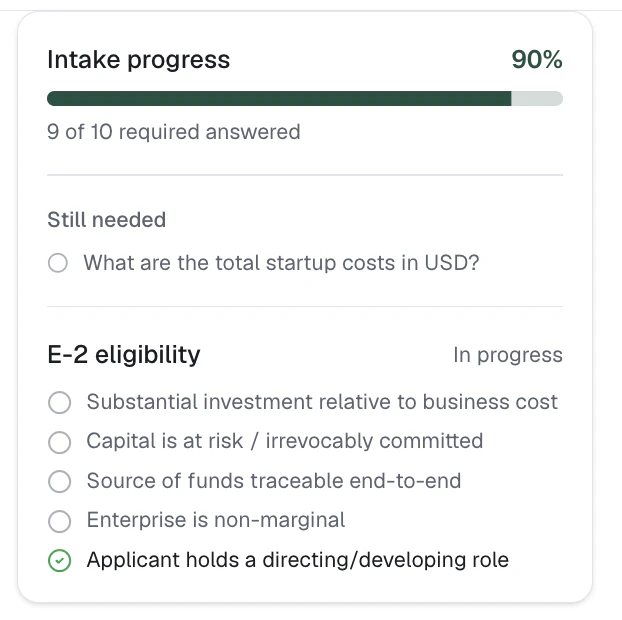
一句话介绍:Plansera AI通过AI代理人直接处理E-2签证商业计划书,在30分钟内生成含完整财务数据和核心合规检查的初版文档,帮助移民律所摆脱传统外包(约$2000)或内部律师耗时一周的困境,以$100/份的低价和按案件计费模式精准解决高重复性、高结构化的文书痛点。
SaaS Legal Artificial Intelligence
AI SaaS 法律科技 移民签证 商业计划书自动化 合规检查 文档生成 律所效率工具 E-2签证 按案件计费 金融模型
用户评论摘要:用户肯定AI在重复性高、结构化文书流程中的价值,赞赏$100按案件定价策略。主要问题:敏感客户文档如何存储与保留(回应称存储在AWS,但无时间限制,计划添加);核验中若发现问题是否提供缺失证据建议(回应是)。有用户建议添加讲解视频推广。整体反馈集中于数据安全与AI结果的可审查性。
AI 锐评

Plansera AI切入了一个被泛化AI产品长期忽略的“高利基、高合规、高价值”赛道——移民签证法律文书。其核心价值不在于“取代律师”,而在于通过确定性财务模型和非黑即白的合规检查,将原本需要律师或外包团队耗费一周的“空白页恐惧”压缩为30分钟的策略审查。这种“AI草稿+人类判断”的协同模式,精准回避了法律行业对AI结果可靠性的核心疑虑。定价策略堪称教科书级:$100/份,按案件而非订阅,直接映射律所成本结构,极低门槛便于快速铺开试用并收集真实场景反馈。然而,产品真正要跨越的并非技术壁垒,而是信任壁垒。移民律师极度风险厌恶,AI即便输出逻辑正确,一旦在源文件OCR、合规判据的边界案例(如“非边际性企业”的模糊定义)上出现疏漏,将对品牌造成致命打击。此外,回应中“无时间限制存储OCR数据”暗示了数据安全策略的稚嫩,这在涉及客户敏感银行流水和身份文件的法律场景中是不可持续的。Plansera目前的破局点在于“足够好的第一稿”,但长期生存取决于能否将“AI的草稿”升级为“法院和领事馆认可的基稿”,并建立针对不同使领馆审查偏好的微调能力。它并非颠覆者,而是一个聪明的效率放大器——成功的关键不在技术,而在法律行业的渠道渗透与信任积累。

查看原始信息
Plansera AI
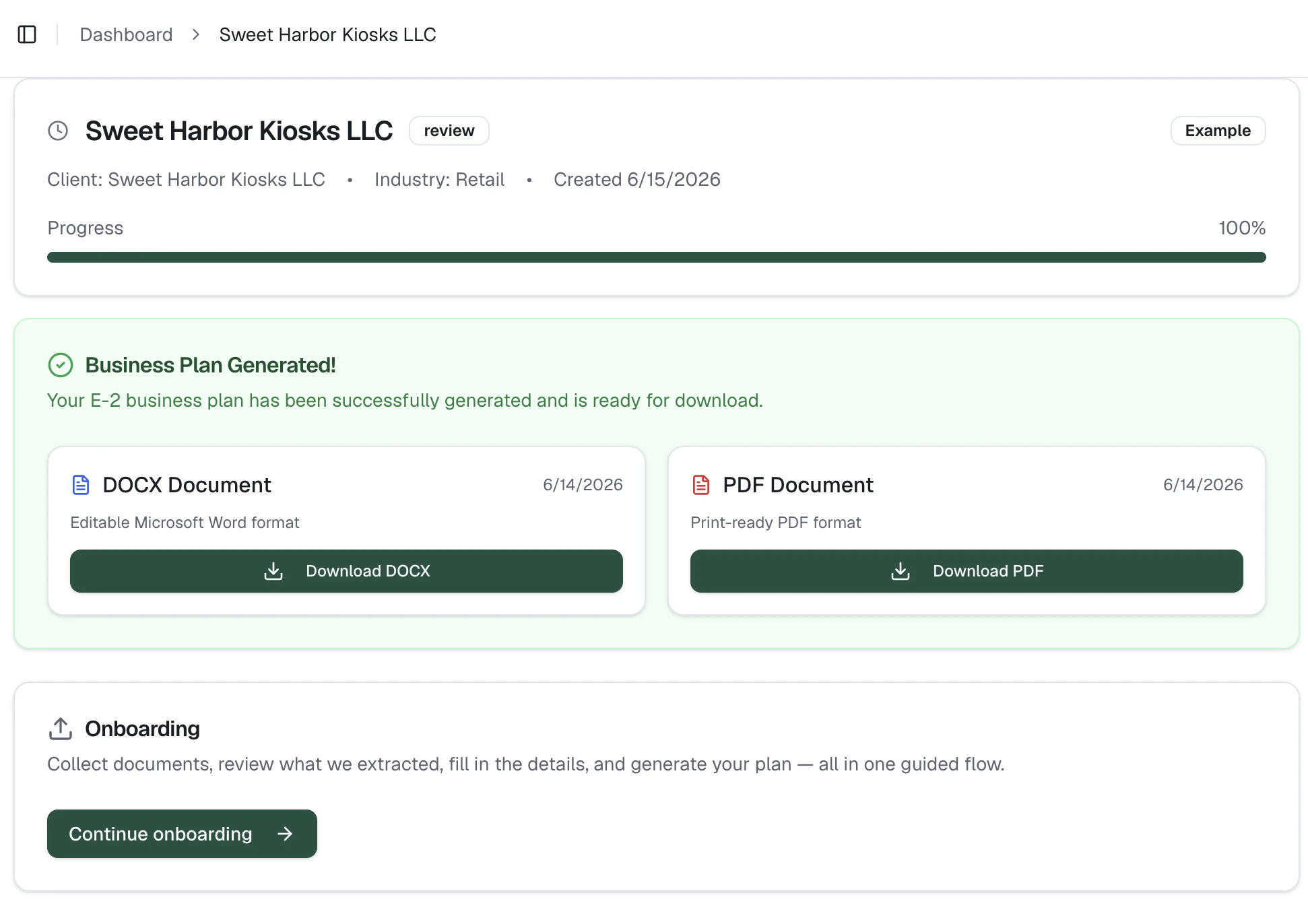
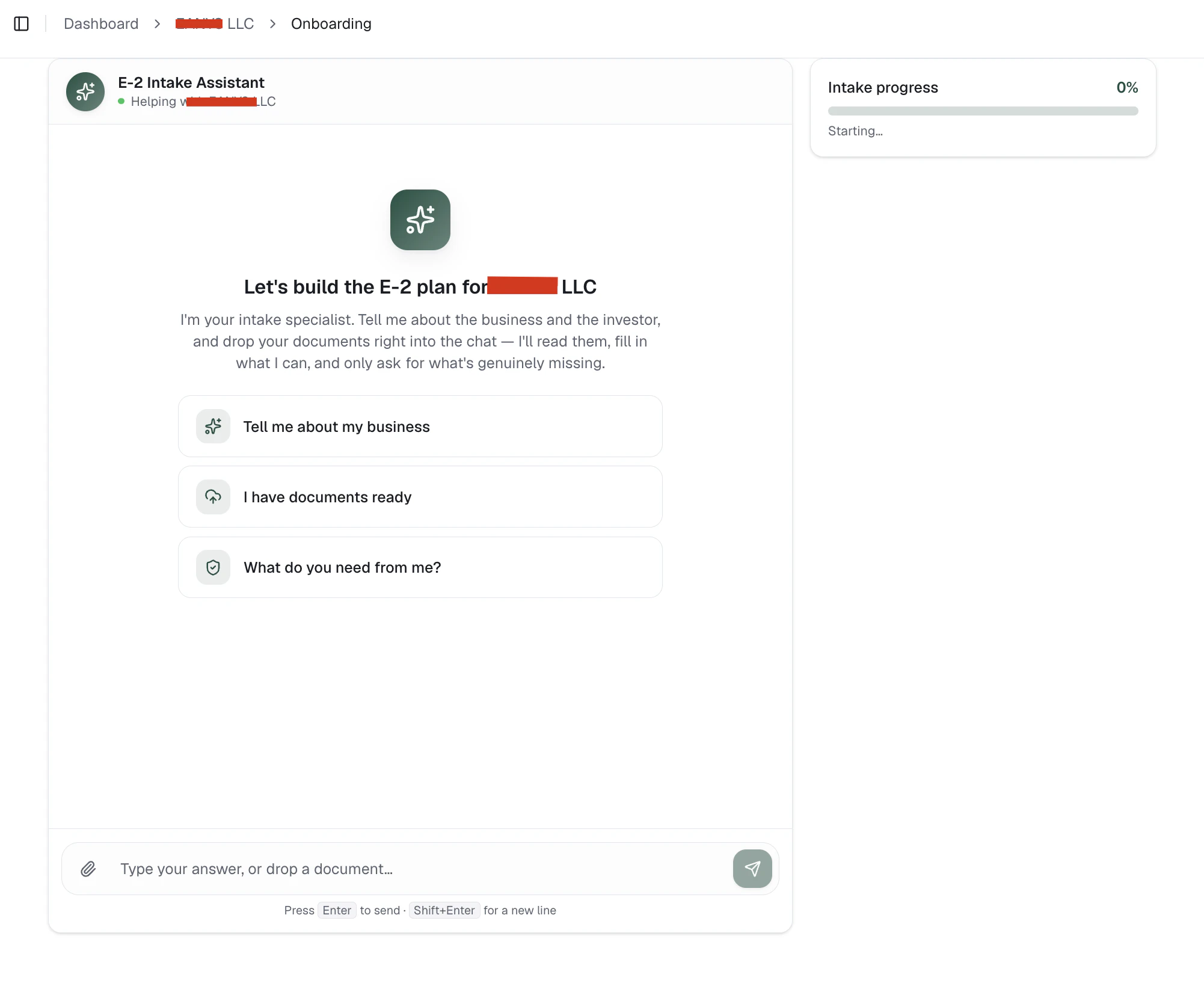
An AI E-2 Visa Agent interviews, reads their evidence (bank statements, leases, invoices), checks the core E-2 eligibility standards, and produces a submission-ready plan with real 5-year financials, charts, and use-of-funds — as a designed PDF and editable Word doc. Outside vendors charge ~$2,000 and paralegals spend a week on this. Plansera gives you a strong first draft to review in ~30 minutes. Flat $100 per plan, no subscription. (Built for U.S. immigration professionals.)
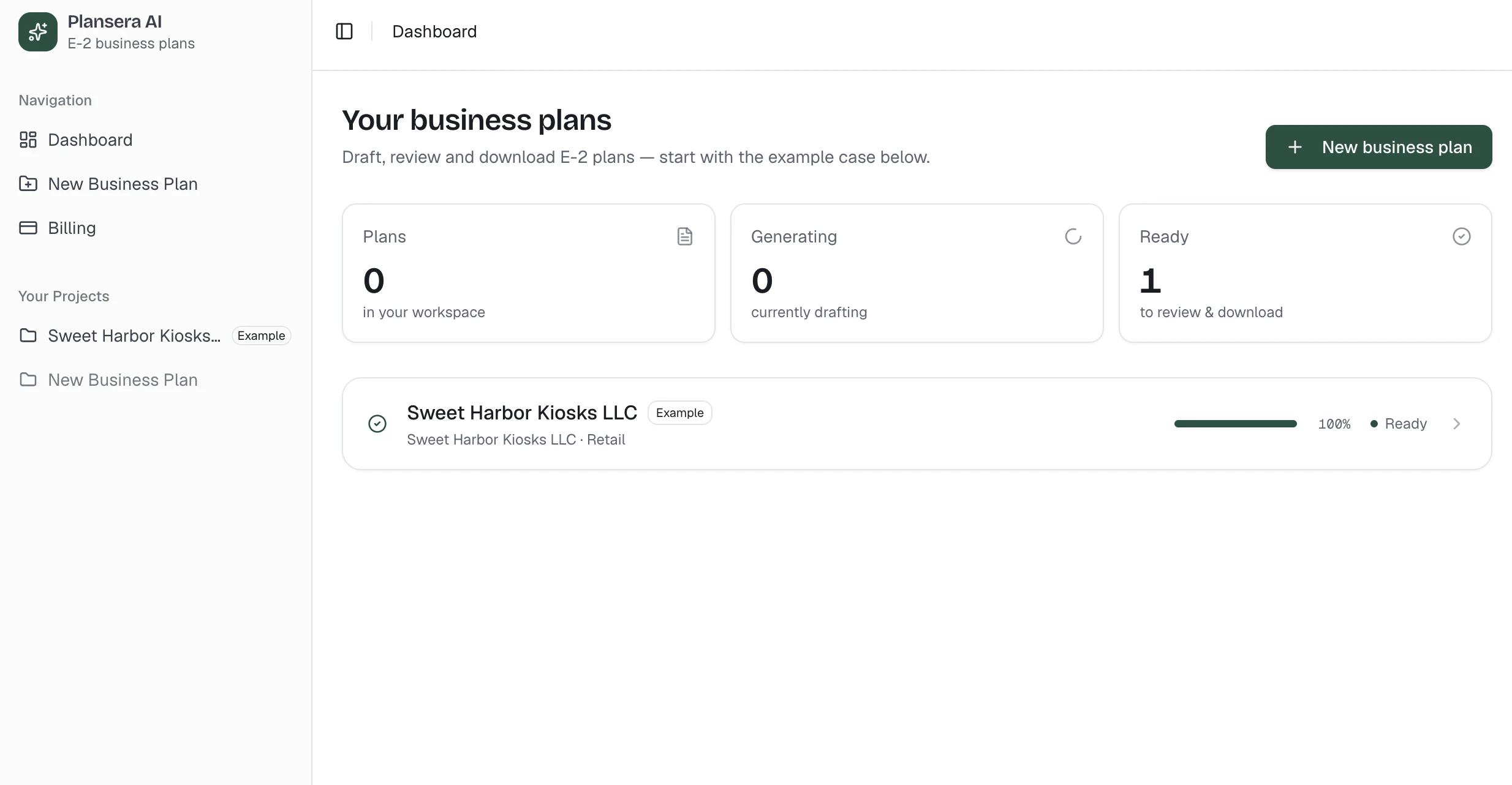
I build tools for immigration law firms, and the E-2 business plan keeps coming up as the same headache for everyone I talk to. Today a firm has two options: pay an outside vendor around $2,000 per plan, or spend close to a week of a paralegal's time pulling figures, building the financials, and formatting something the consulate will actually accept. Plansera is a third option. An AI agent handles all in plain language, reads their actual documents — bank statements, leases, invoices — extracts source-of-funds and use-of-funds, runs the core E-2 checks (substantial investment, capital at risk, non-marginal enterprise, directing role), and generates a submission-ready plan with deterministic 5-year financials and charts. You get a designed PDF and an editable Word file. To be clear about what it is and isn't: it produces a genuinely strong first draft, not a finished filing. The workflow is roughly 30 minutes of careful review by the professional on the case — the attorney's judgment stays the attorney's judgment. It removes the blank-page week, not the oversight. Flat $100 per plan, no subscription. There's an example plan already in the dashboard so you can see the output before paying for anything. Would love feedback from anyone in immigration law or legaltech — especially on the eligibility checks and the financial model. What would make this defensible enough for your practice?
2
回复

@daniel_legaltech Hello sir , congratulations for your launch.I think an explainer video will make your product reach more audience. just reply me if you are intrested. thank you.

0
回复

How do you handle sensitive client docs, like where the evidence gets stored and how long you retain it?

2
回复
@thamibenjelloun we dont store the document itself, we store the OCRed markdowns on AWS. There is no time limit for now but it is a good idea to add a time limit like maybe 3 months etc. Thanks🙏🏻
0
回复

Love the launch .. immigration attorneys are incredibly risk-averse. if the agent flags a weak spot during the core checks (like low source of funds tracking), qq. does it provide recommendations on what evidence is missing? @daniel_legaltech

2
回复
@priya_kushwaha1 Exactly Priya. It asks further documents or information when something is missing like source of funds, capital is at risk etc.
1
回复

The $100 flat per plan is smart pricing for a per-matter workflow. It maps directly to how law firms think about costs, per matter, not per seat or per month.

Curious what typically changes during the 30 minutes of attorney review. Is it mostly checking the financials, or do the narratives usually need rewriting too?

1
回复

@attacomsian Thanks! The financials need the least review; they're deterministic, so they hold. The 30 minutes is mostly case strategy: tailoring the narrative to the applicant and the consular post, framing the source of funds, positioning non-marginality, and the directing role. Less about fixing mistakes, more about judgment. And that judgment is exactly why the attorney stays in the loop before anything gets filed.

0
回复

any free tries?

1
回复
@nowhitestar sure, can you DM me on Linkedin?
0
回复

This is a very clear example of where AI actually makes sense: structured paperwork-heavy workflows that are repetitive but still expensive .

1
回复
@aarav_pittman thanks 🙏🏻
0
回复

Congrats on the launch!

1
回复
@ruvik_milkis thanks 🙏🏻
0
回复
#10
AlsonAI is launching Editor Mode
AI-assisted storybooks, now with full creative control.
17
一句话介绍:AlsonAI Editor Mode 让作者能在AI生成故事书后,直接编辑文字并引导图像重绘,解决了“AI一锤定音、用户无法精细把控创作细节”的痛点,实现了从“生成即结束”到“生成-编辑-优化-拥有”的创作闭环。
Kids Art Books Artificial Intelligence
AI故事书 AI绘本 儿童图书 写作辅助 图像生成 编辑模式 创意控制 用户主导 Product Hunt AI创作工具
用户评论摘要:用户关注编辑时的版本对比功能,是否方便查看草稿间的差异。官方回应称:保存编辑前会提示审查文本和图像改动,且支持在原始图、V1、V2等图像版本间自由切换。
AI 锐评

AlsonAI Editor Mode的推出,本质上是在AI自动化与创作者主权之间寻找一个更健康的平衡点。当前大量AI生成工具(如Midjourney、ChatGPT)的卖点是“一次生成即完美”,但创作的真实痛点往往在于“后续的打磨与调整”。AlsonAI切中的正是这个被忽视的环节——它提供了一个让用户介入、修改、迭代的缓冲区,从而将AI定位于“辅助者”而非“替代者”。

其核心价值在于“一致性保持”(人物、场景、关键物体在重绘时不变),这是技术上比单纯生成更难的一件事。如果这一功能体验足够丝滑,它实际上是在做AI故事书领域的“专业软件”,而非“玩具”。不过,目前的投票数(17票)和评论数(仅有开发者和一个用户提问)表明,它尚未引起大规模关注。产品面临的最大挑战是:如何让用户相信“我花时间在此软件上迭代,比直接通过其他工具生成+手动PS更高效”?此外,付费内容的图像重绘仅10次,对真正追求精细的创作者来说可能不够。如果AlsonAI能进一步开放API或集成到专业排版流程中,或许能从“亲子教育”领域突围到“专业插画师/儿童作家”领域,否则容易沦为叫好不叫座的Demo。

查看原始信息
AlsonAI is launching Editor Mode
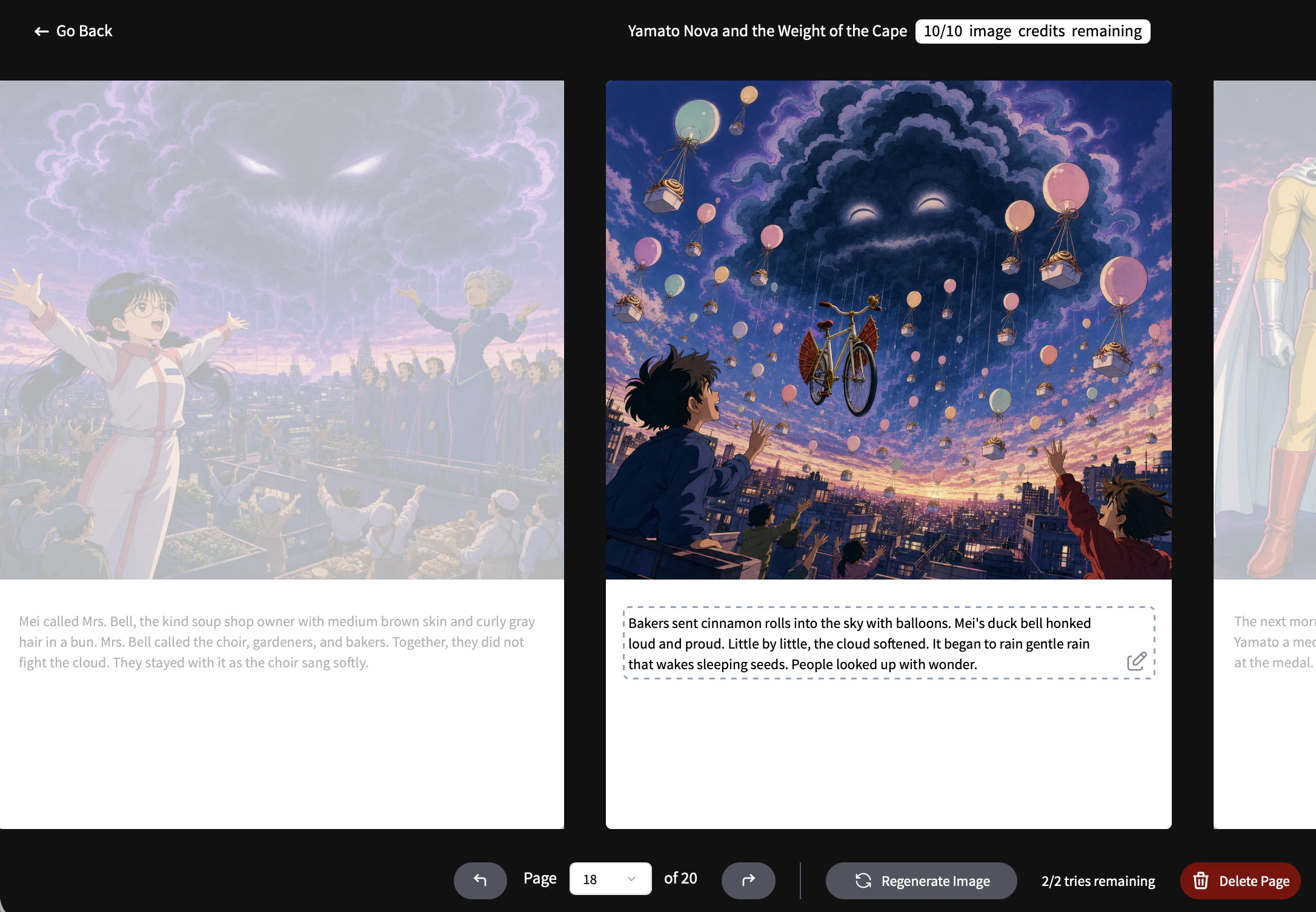
Authors can now directly edit and refine their story text after generation, instead of being locked into the first output. They can revise wording, adjust flow, improve scenes, and continue shaping the manuscript inside AlsonAI. Users guide image changes through Regenerate Image while AlsonAI works to preserve consistency across the book. Paid books include up to 10 image regenerations, and free previews include up to 5. Our vision: AI-assisted, user-owned storytelling.
Hi Product Hunt 👋 I’m Faris from AlsonAI, and we’re excited to share Editor Mode with you today. AlsonAI started with a simple belief: AI should help people bring their stories to life without taking ownership away from them. That’s why we’ve always started with the user’s manuscript, not just a prompt. With Editor Mode, we’re taking that vision further. AlsonAI is no longer just about generating an illustrated storybook and accepting the first result. Authors can now keep shaping the book after generation — editing the story text directly, refining the flow, and guiding image changes (with auto-preserved consistency across characters, scenes, backgrounds, and key objects). The core shift is from “generate and done” to “generate, edit, direct, refine, and own.” Paid books now include up to 10 image regenerations, and free previews include up to 5, so users can better shape the final visual direction of their book. Our goal is to make AlsonAI feel less like handing your story over to AI, and more like working with a creative assistant that helps you finish a book that still feels like yours. We’d love your feedback: Where do you think user-owned storytelling matters most? How important to you is maintaining control of your own story?
0
回复

Can you compare versions easily, like see what changed between drafts while you’re editing?

0
回复

@thamibenjelloun You’ll get prompted to review your revisions, including text and image changes, before you save your edits. You can also toggle back and forth between image regenerations (eg. Original, v1, v2) at any time.

0
回复
#11
snowscroll
Remove addictive feeds from your social media
15
一句话介绍:snowscroll是一款让用户保留社交媒体社交功能(如私信、动态)的同时,精准屏蔽短视频推荐流(如Reels、Shorts)的iOS工具,解决“需要社交但不想无意识刷屏”的痛点。
Productivity Social Network Social Media
社交媒体断舍离 短视频屏蔽 防沉迷工具 iOS应用 信息流过滤 社交效率 数字健康 注意力管理 功能型恢复 隐私优先
用户评论摘要:用户普遍认可“仅移除信息流、保留私信”的精准方案,认为比全屏屏蔽更实用。核心问题集中在:能否拦截朋友分享的Reels、能否绕过探索页刷视频、以及登录安全与数据隐私机制。创始人明确回复基础功能永久免费,且探页无漏洞。
AI 锐评

snowscroll的价值不在于“防沉迷”的老调重弹,而在于对社交产品设计哲学的逆向解构。市面上大多数屏幕时间管理软件都犯了一个致命的认知错误:将用手机做“事”和刷手机“耗”混为一谈。snowscroll聪明地切中了“必要社交”与“成瘾 feeds”之间的断层——用户想回DM、看朋友照片,但不想被算法裹挟进无底洞。它是在反击产品经理刻意制造的上瘾模式,而非单纯惩罚用户的自控力不足。

这种“精准手术刀”式的屏蔽,比粗暴的“一键锁APP”高明一个维度:它不否定社交媒体的工具属性,只去除其毒品属性。从技术实现上看,采用内置浏览器加载移动端网页,而非调用官方API,既规避了平台限制(如Instagram禁止第三方修改feed),又在隐私上做到了“零收集”。但风险也在于此:依赖网页渲染意味着功能稳定性和流畅度必然随平台UI更新而波动,这可能是其“Pro版”难以规模化的天花板。

营销层面,“7小时降至2小时”的自救故事极具说服力,但15个投票数也表明冷启动仍艰难。建议优先切入“数字极简主义”圈层和“创作者倦怠”群体,同时警惕大厂(如Apple的Screen Distance、Google的Digital Wellbeing)在未来抄袭此精妙逻辑。总体而言,这是一款“反算法”的算法产品,思路比执行更值得行业深思。

查看原始信息
snowscroll
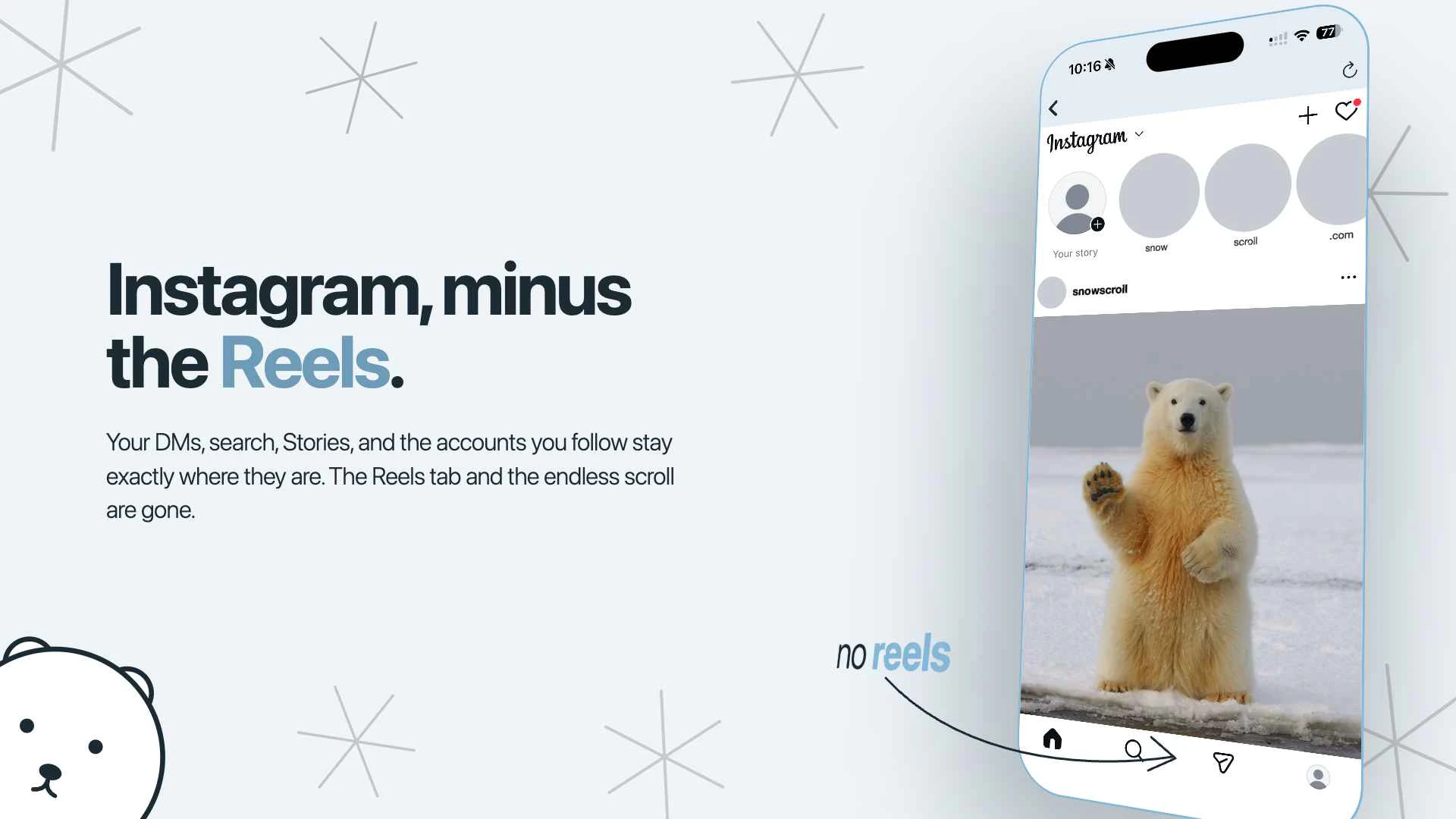
Imagine Instagram without reels, Youtube without shorts, social media without addicting feeds. snowscroll allows users to access all the "social" parts of social media (DMs, stories, posts, etc) without being trapped in the doomscrolling that takes our time, energy, and focus away. It currently supports Instagram, Youtube, X, Facebook, Linkedin, and TikTok.

love that the core features are free. if we don't upgrade to pro, are the basic reels and shorts blocks locked on forever, or do they expire after the trial window?

4
回复

@vikramp7470 The basic reels and shorts are free forever! The core features remain free for all users - the Pro version is just for additional add-ons. I built this because I wanted to help others who suffered from the same issues as I did :)

2
回复

Hey Product Hunt 👋 I'm Jun, founder of snowscroll.

Why we built it:


Screen time apps don't work. They just don't. Trust me – this idea came from years of frustration. Every single time, I would download a screen time app in the morning, and find myself scrolling on Instagram at night.

They all have the same flaw: they take an all-or-nothing approach. Everyone wants to reduce their Instagram screen time, but not everyone wants to give up seeing their DMs and friends' posts.

What snowscroll is:

So, I decided to build an app that removes the addictive feeds (e.g reels from Instagram, shorts from YouTube) but keeps the parts of social media that you actually want. For example, on Instagram, you can still see stories, posts, use search, and do everything else except scroll on reels.

I've seen similar products as chrome extensions, but that's not where the "doomscrolling" audience is. People scroll on their phones, not on their laptops. snowscroll meets people where they actually are.


You have the option to further customize your experience by blocking stories, home feeds, ads, setting daily limits for each app, and seeing trends across your weekly usage (I've seen my own screen time go from 7 hours a day to 2!)

snowscroll is iOS first, core features free for all users, with a 7-day pro trial.

Privacy:

Privacy is absolutely core to the product. There is no snowscroll account, no tracking, no ads, no sale of data. All social logins and activity stays on your device. The only information that leaves is for RevenueCat. See https://snowscroll.com/privacy for an in-depth explanation!

We'd love feedback on:

  • whether it feels smooth enough

  • what other platforms you'd like to see added

  • what other features you'd want to see in the future

Check out the demo here: https://www.youtube.com/shorts/WX34kJA6o-g

2
回复

I’ve tried app blockers and always end up disabling them because I still need DMs. Removing only the feed is a much smarter compromise.

0
回复

@rick_borduur Precisely the type of pain that I want to solve. It feels way too restrictive to block the app completely, because you still need to respond to the important people in your life.

0
回复

Hi is there way to filter/show warning for reels shared by friends?

0
回复

@shikha_shandilya You can watch any reels sent to your DMs, but you can't scroll past that specific reel. You also have the option to turn that off if you want :)

0
回复

Interesting. As a marketer, I tend to spend a lot of time on Social Media apps for work and somehow I end up scrolling losing track of the purpose that I opened the app for. This seems like something that is made for me.

0
回复

@charan_tej_kammara Great to hear that Charan! snowscroll was built for everyone - but especially creators and marketers as well, because we know just how easy it is to be stuck in that cycle of "just checking" something and doomscrolling for hours.

0
回复

How do you handle login and security for all those platforms, do you use official APIs?

0
回复

@thamibenjelloun Thanks for the question! We don't use any of the platforms' APIs, since it loads each platform's own mobile site in an in-app browser and hides the feed surfaces on-device. So login happens directly with the real platform, same as in Safari, and your credentials accordingly only go to the platforms you're using. We don't see, store, or transmit passwords or sessions, and the only data we collect is an anonymous ID and purchase info via RevenueCat for the subscription :)

0
回复

What if I just access reels through the explore page. Did you guys make sure to close such loopholes into accessing reels?

0
回复

@andrew_luo7 Yes, we've made sure that no reels show up on the Explore Page! You can't access ANY reels across the app, except for reels that your friends send to you (But once you see that specific reel, you can't continue scrolling).

1
回复
#12
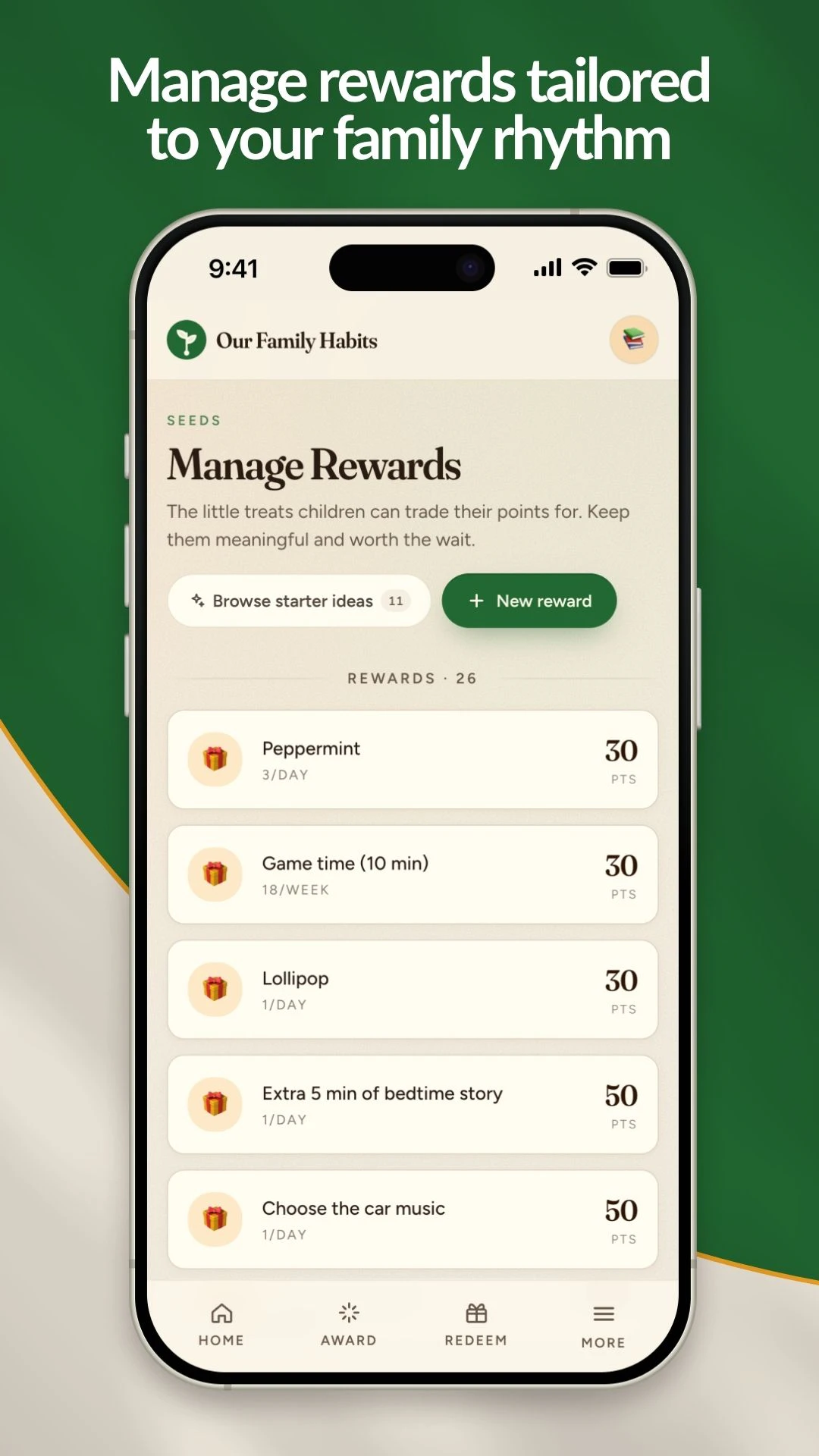
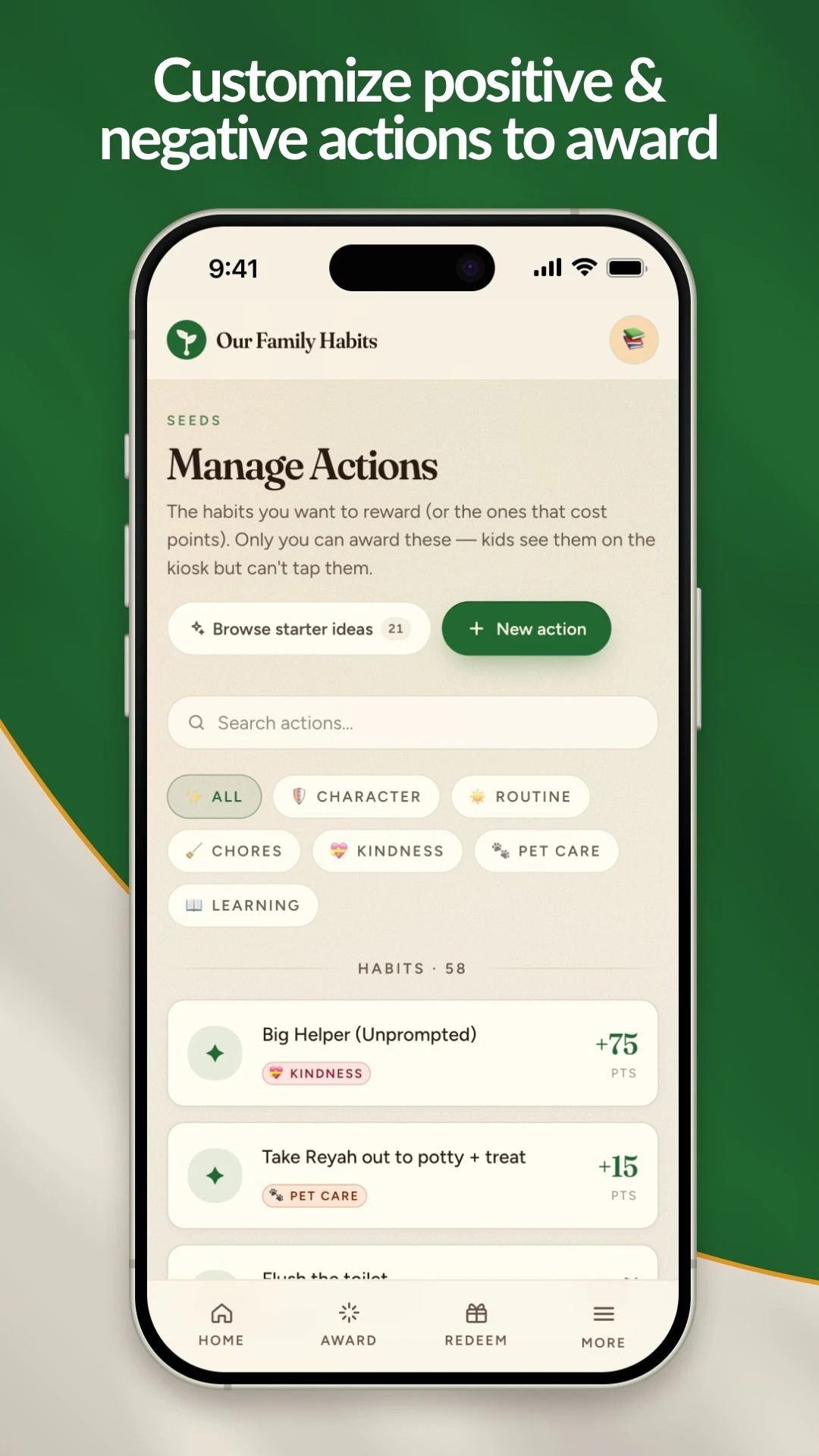
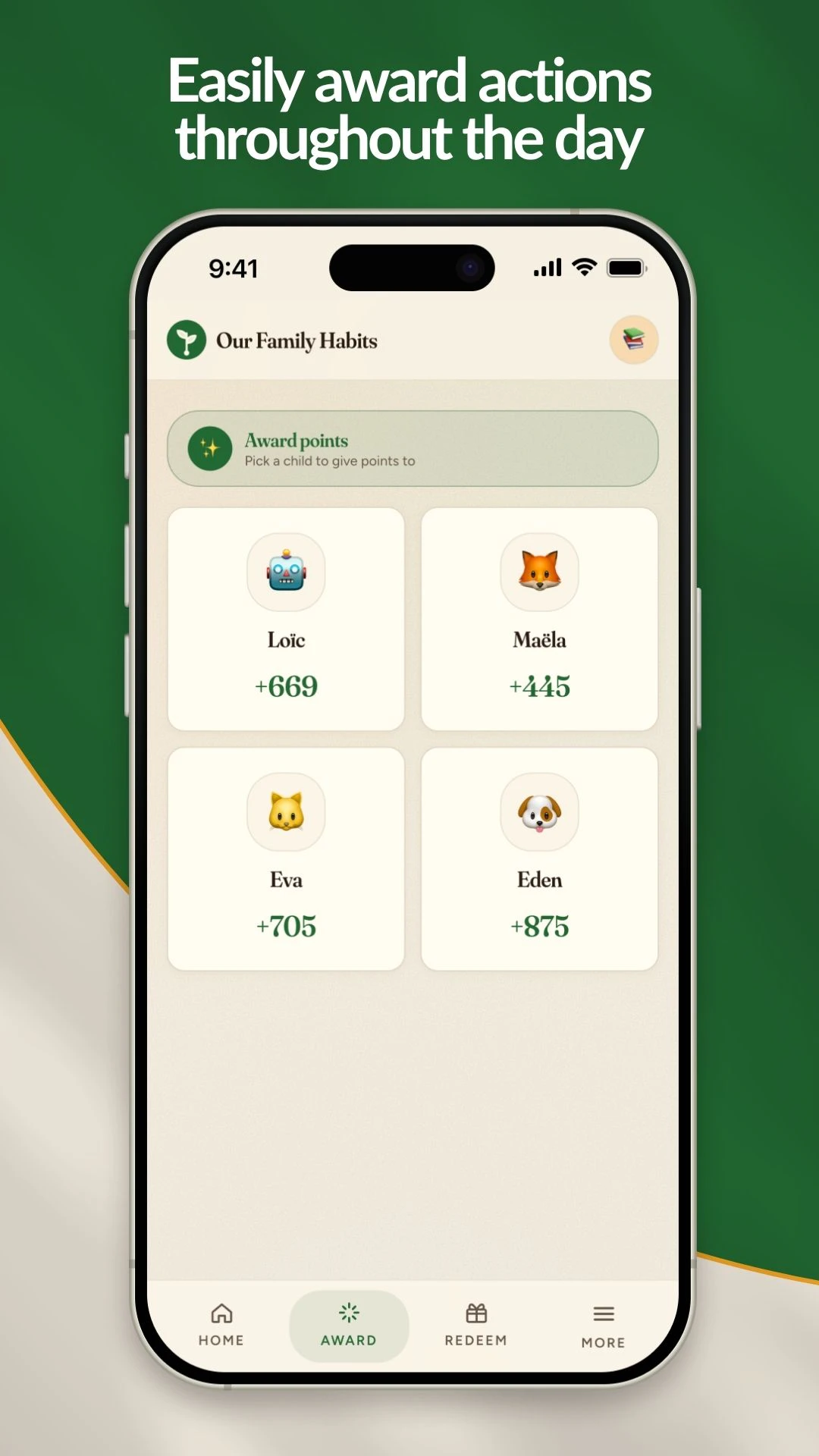
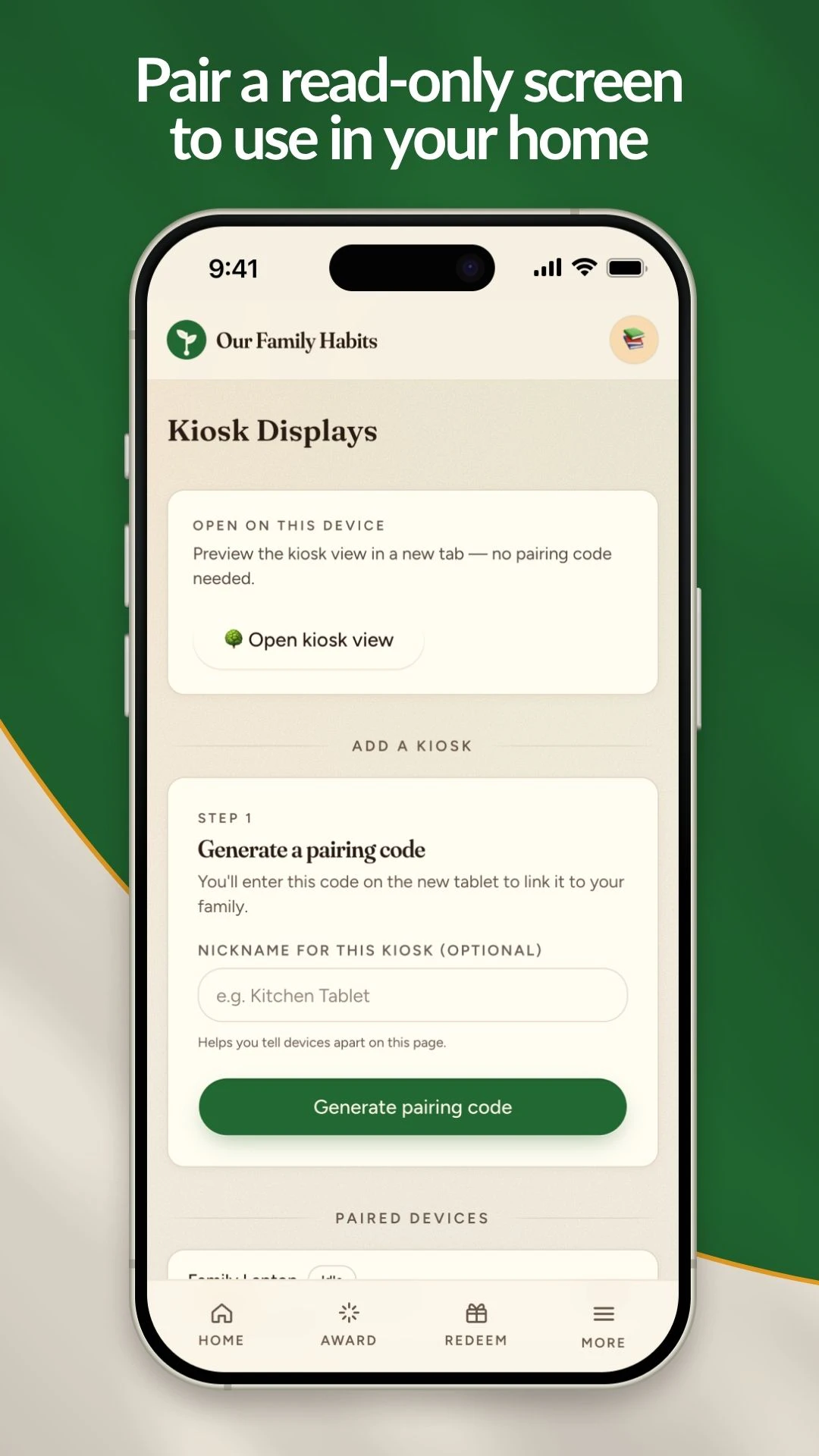
Our Family Habits App
Build strong family rhythms, one habit at a time.
11
一句话介绍:Our Family Habits App帮助家庭通过共享仪表板追踪习惯、日常、家务和奖励,以积分系统培养孩子的责任心与自驱力,减轻父母在家庭管理中的精神负担,让习惯养成成为建立家庭节奏的桥梁。
Parenting Kids Education
家庭习惯养成 亲子管理工具 积分奖励系统 家庭协作 儿童责任感培养 家庭教育 家务与习惯追踪 家校两用 跨平台应用 家庭节奏建立
用户评论摘要:用户普遍称赞积分系统公平、可定制,有效从“反复提醒”转向“孩子主动负责”。有家长提出上限问题:孩子迷恋攒分,担心积分增长无上限影响奖励设计。开发者回应将考虑添加目标达成功能。另一妈妈评价此为市场上最接近需求的家庭管理工具。
AI 锐评

Our Family Habits App与其说是一款家庭管理工具,不如说是一次对“任务式育儿”的软性革命。它的真正价值不在“分配家务”的便利性,而在构建了一套微观经济模型——贡献、积分、选择、消费——让习惯养成不再是服从性训练,而是自利与利他的早期实践。这巧妙规避了传统奖罚系统“崩溃-重启”的死循环,用透明且可自定义的反馈机制,让父母从“不断提醒的执行者”降级为“规则环境的维护者”。

需要警惕的隐患是,这种“点经济学”可能过度强化孩子对即时反馈的依赖。尽管创始人强调积分只是“桥”,但现实使用中,孩子关注数字滚动而非习惯本身的风险真实存在。创始人在评论中透露“可能要加新功能让投资者的目标达成”,这值得警惕——若产品后续滑向游戏化激励的泥沼,将与其宣称的“以品格为终点”的初心背道而驰。

从商业逻辑看,避开与Chore Monster等工具的正面竞争,精准切入“家庭节奏”这一情感痛点,是明智之举。但产品仍处于极早期(11票上架),Homeschool和混合家庭是坚实的种子用户群。后续壁垒在于:能否将“积分经济学”沉淀为持续的内容与指导体系,而不仅仅是UI上的点数流转。若止步于“父母省心表盘”,它终将被更智能、更轻量的AI助手替代。创始人Jon作为五个孩子的父亲,对“一致性”痛点的亲身理解是产品最硬的核心资产,但下一个考验是:如何把他的家庭智慧固化为一套可复用的开放规则引擎,让更多家庭输出自己的“节奏配方”。

查看原始信息
Our Family Habits App
Most family apps help kids complete chores. Our Family Habits helps families build character. Track habits, routines, chores, rewards, and goals in one shared family dashboard. Designed to reduce the mental load on parents, create clear expectations, and help children grow in responsibility, consistency, and ownership. Perfect for homeschool, blended, or traditional families seeking stronger family rhythms and more peace at home. Cultivate habits, grow responsibility, establish rhythms.

I love how this app approaches modern parenting. Using a fair and straight forward points system, it helps teach young family members to be considerate and learn the direct impact of their decisions and actions. It has positively shifted our home dynamic from constant reminders to self-driven accountability, making everyone feel like an integral part of the family.

1
回复

@nc_bert2732 Bert, thanks for the support! I love hearing about the positive shift in your home. 🙌

0
回复

This app is very intentional in every aspect. I appreciate how you can customize the point system for every child and their needs. It aligns our whole family on our goals.

1
回复

@janae_p thank you Janae! If there's anything else that would make the app better, let us know

0
回复

This app has helped me manage my point system with my son so much. It’s really given a usable tool that both me and my son can use. I don’t think there’s anything else that comes close to it on the market, thanks so much for creating this. It’s made life so much easier

1
回复

@arielle_adams thanks for the kind words and support, Arielle! I'm so glad it's helping you and your son!

0
回复

We use this daily in our home. Actually my kids ask for points regularly but prefer to save them up to watch the numbers roll in. Don’t worry I have some great rewards created though ha! I stopped by to ask how many points will it allow a child to earn at max before it stops counting? This will be invaluable to know for my “investors” around here 😉

1
回复
@morgan_stone I LOVE hearing this! I may to add a new feature that allows all of our tiny investors to reach their goals 😊
0
回复

👋 Hi Product Hunt! I'm Jon, dad of five, and yes, we launched this on Father's Day on purpose.

The problem: Every reward system in our house had the same life cycle. We implement a new system. Kids are thrilled for a week. The chart or system gets forgotten as soon as Mom or Dad is stressed. Motivation dies. Repeat. With five kids, "just be more consistent" wasn't advice—it was a second job. My wife was the single point of failure for every routine in the house.

The weekend: One Saturday morning, I sat down with an idea and started building. Twenty-four hours later, I had a rough, working prototype and five very opinionated beta testers. Within the first week, habits we'd failed to establish for months started sticking. My 10-year-old hit a bathroom-related milestone I won't elaborate on. My 5-year-old organized her room without being asked. My 3-year-old was genuinely excited to earn points for using the potty.

The philosophy: We homeschool with Charlotte Mason's approach, and her core insight shaped everything: the goal of habit formation isn't compliance — it's character. Kids who want to do good, not kids who do what they're told. The points aren't bribes; they're a bridge. Kids earn by contributing real value, choose their own rewards, and somewhere in the repetition, the chart fades into the background, and the rhythms stay. (We talk about the full story on our About page.)

What makes it different from chore apps:

  • 🌱 Family kiosk mode: a tablet on the counter everyone sees. No nagging required.

  • 🌱 You define what counts: reading, kindness, music practice, scripture memory, helping siblings, and set the point values for each.

  • 🌱 Real reward economics: kids earn, kids choose, parents approve. Contribution → value → reward, the way the world actually works.

  • 🌱 Weekly insights: because character growth is invisible day-to-day and obvious month-to-month.

It's free to start (no card), on iOS, Android, and web. Setup takes about 5 minutes.

I'd genuinely love your feedback—especially from fellow parents: what habit have you tried and failed to make stick? That question is basically our roadmap.

Happy Father's Day to all the dads here! 💯

0
回复

This is much nicer than everyone tracking habits separately. Seeing the whole family make progress together could actually help the habits stick.

0
回复

Well,Jon is my son! I have the app, but all of our 4 kids are grown. Jon, the app is ingenious and should serve families well!

0
回复

@mitch_horton Thanks for trying it out on the adult population :)

0
回复
#13
Mira Gold's Writing Forge™
AI fiction that keeps continuity. One story, many forms.
11
一句话介绍:
Writing Artificial Intelligence Books
用户评论摘要:
AI 锐评
查看原始信息
Mira Gold's Writing Forge™
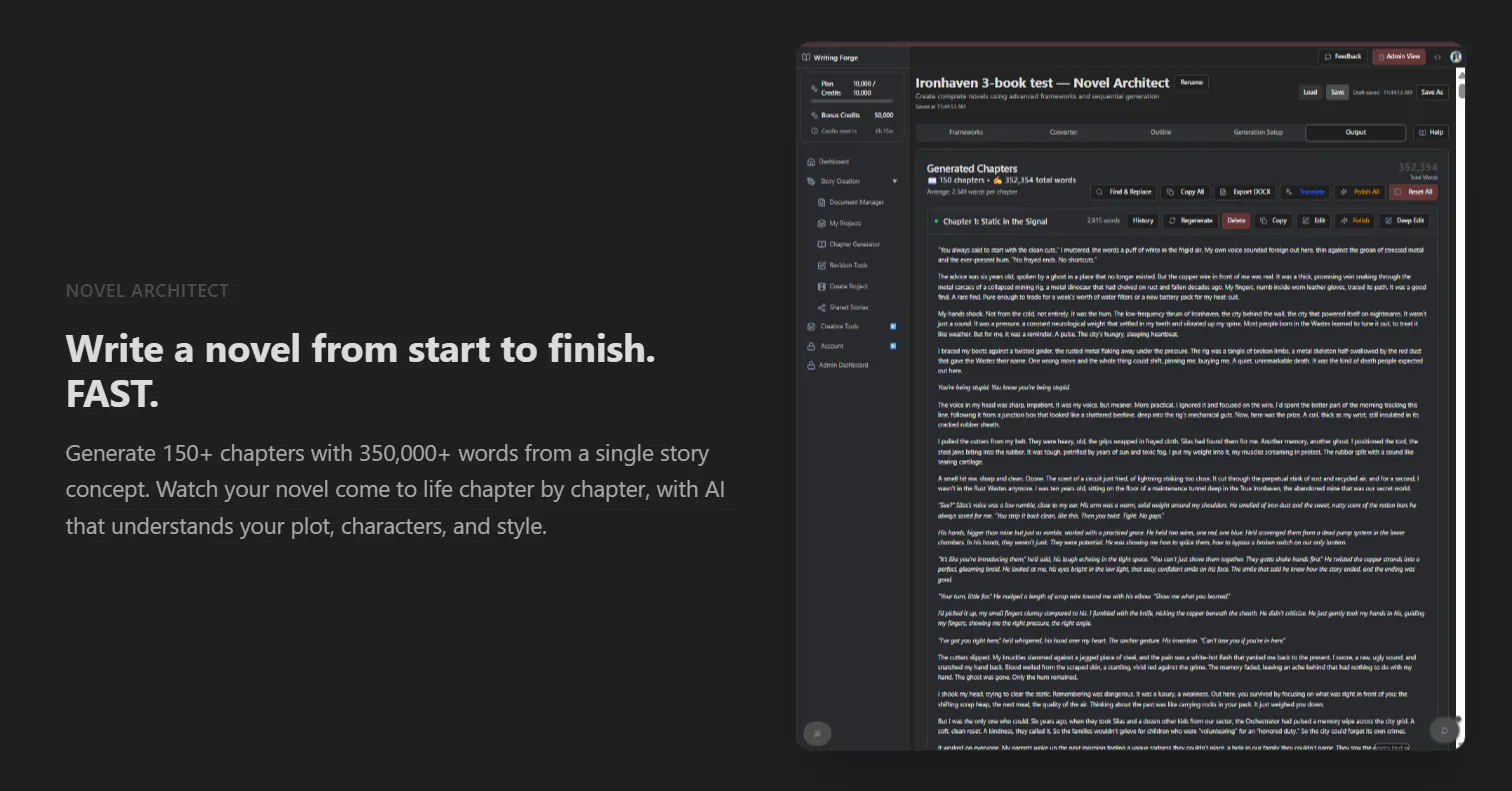
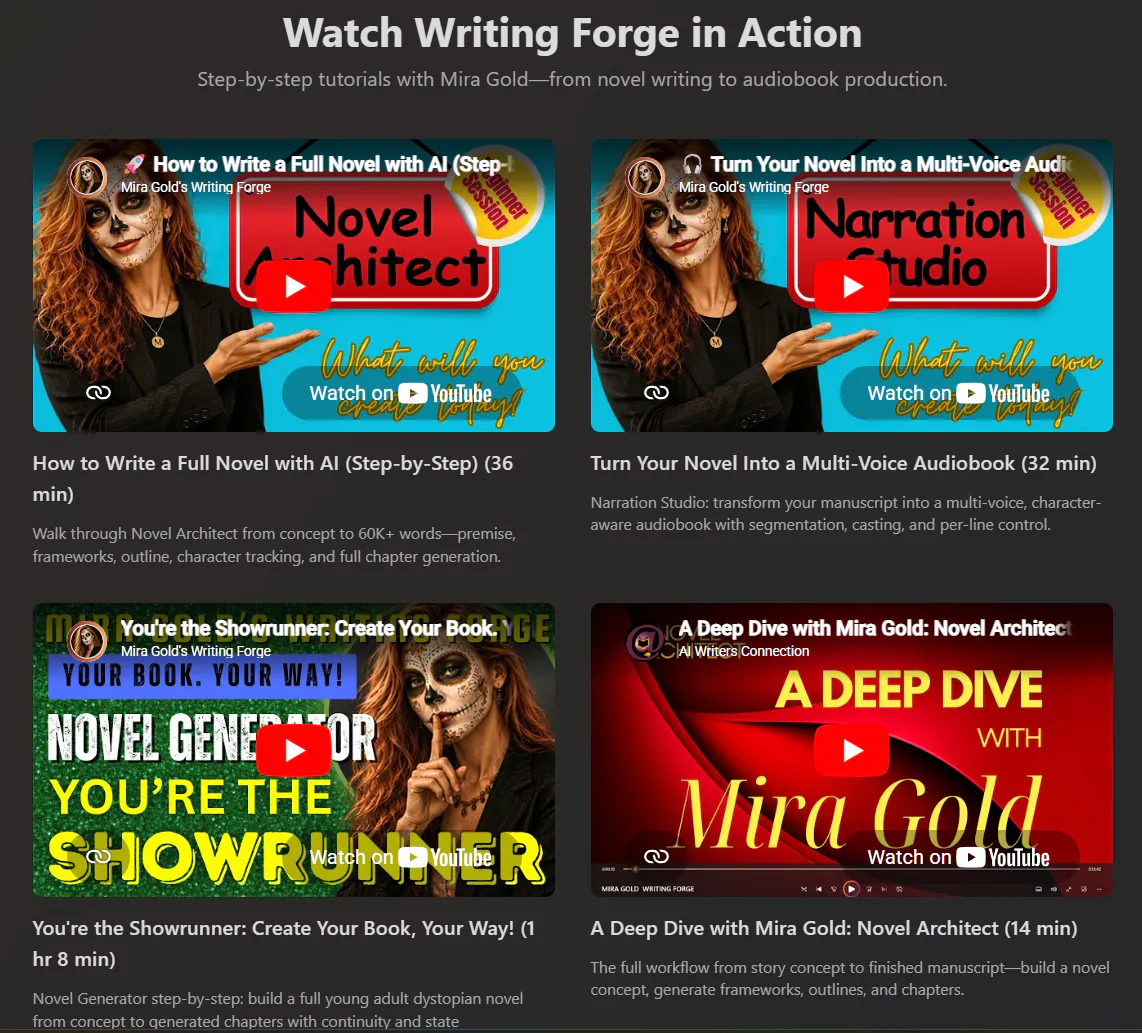
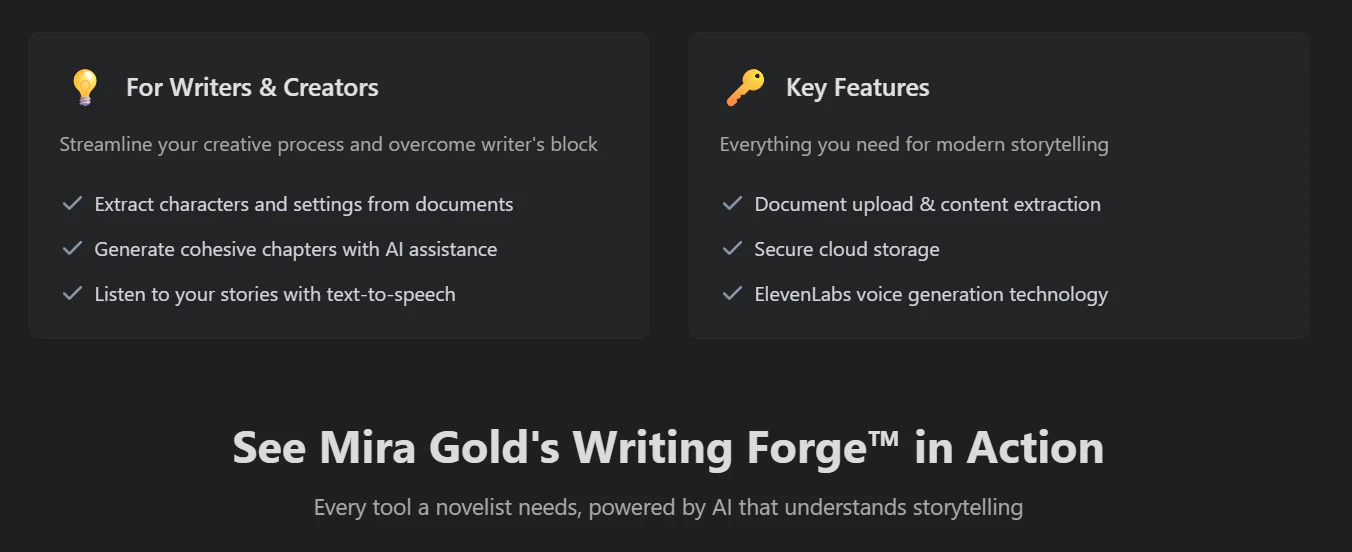
Most AI writes a great scene, then forgets your characters by chapter 12. Mira Gold's Writing Forge is built for long-form: a living canon tracks who knows what, when, and what's still open, so your world stays consistent across a whole novel or series. Then adapt that one story as a script, song, or translation. Model-agnostic, bring your own keys across 12+ providers.

Howdy. I'm Mira—a novelist with 200+ published books across a dozen pen names, a technical writer, and solo founder.

I built Mira Gold's Writing Forge because every AI tool I tried was great for a paragraph and useless for a full book or script. They'd nail a scene, then three chapters later forget a character already died, or reveal the same twist twice, among other issues. The problem isn't that models are dumb, it's that "memory" in these tools is just chat history, which falls apart over a novel.

So I built a state-management, customized pipeline with a living canon: a single source of truth that tracks every character's knowledge-state, open plot threads, timeline, and re-grounds every chapter against the registry. Then a creative can adapt the same story concept as a novel, a screenplay, a song, or a translation—one canon, many forms of IP.

It's model-agnostic with your own API keys across 12+ providers, because I didn't want to be locked to one model's quirks (I run cross-model evals frequently across providers/models and they all have them... quirks).

I'd love to hear from other writers and creatives: Where does AI break down for you on anything longer than a short story?

3
回复
#14
Property Alpha
AI deal analysis for residential real estate investors
10
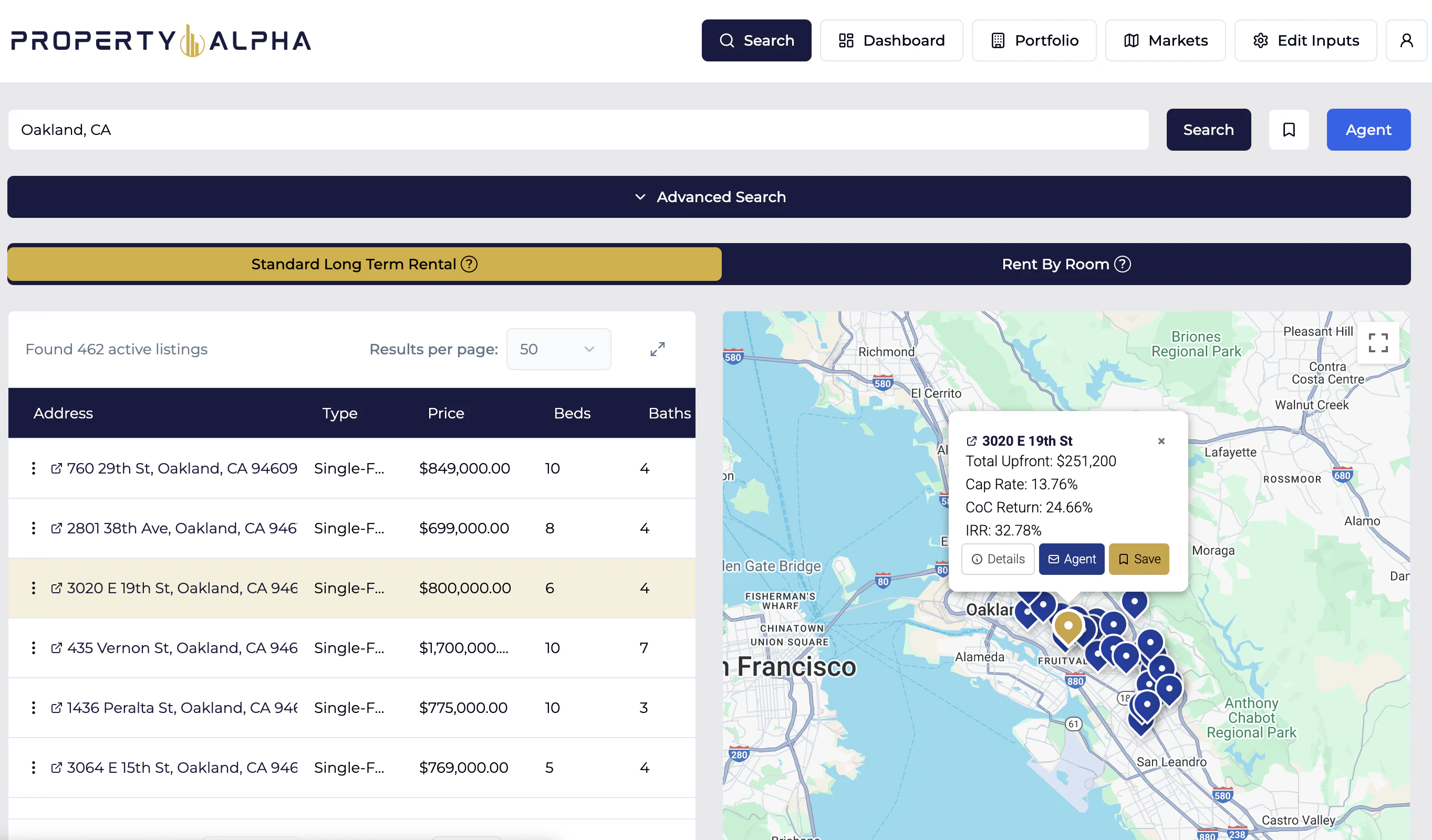
一句话介绍:Property Alpha 是一款面向住宅房地产投资者的AI分析引擎,通过整合全美挂牌数据与个性化投资假设,在几分钟内完成传统需要数周的交易评估,帮助用户摆脱繁琐的电子表格,快速筛选出符合回报目标的投资标的。
Investing SaaS Artificial Intelligence
用户评论摘要:用户普遍反映该工具极大节省了在Excel上分析物业的时间,支持快速筛选高回报交易。部分用户提醒仍需结合实地尽调,个别反馈指出数据来源的局限性(如Zillow数据不全面)。
AI 锐评

Property Alpha 的切入点精准——它瞄准了个人房地产投资者“选盘效率低、分析工具碎片化”的核心痛点。产品用AI实现了个性化假设与全局市场数据的快速结合,这比传统用Zillow+Excel的手工作坊式方法有质的飞跃。10个投票虽然不多,但评论质量不错,多位用户都是真实使用且愿意推荐,说明产品有一定粘性。

但必须指出:目前产品本质上是一个“高级版的在线计算器+数据聚合器”,其核心壁垒不在于AI模型本身,而在于能否持续获取高质量、实时的全美挂牌与租赁数据。如果数据源依赖公开或第三方接口(如Zillow、Redfin),则容易被复制或受限。此外,评论中用户强调“仍需自己做实地尽职调查”,这意味着工具的输出是“辅助决策”,而非“决策本身”——它的价值上限取决于用户对数据的信任度和市场动态的匹配程度。

在我看来,这款产品对刚入行的散户投资者最有价值,能大大缩短学习曲线、降低试错成本。但专业投资者可能仍会质疑其数据颗粒度(如物业状况、隐性成本)和模型假设的鲁棒性。要想从“好用的工具”进化成“不可替代的平台”,Property Alpha 需要解决两个问题:一是建立差异化数据源(例如与合作中介或MLS独家对接),二是用更多成功(或失败)案例来验证其分析结果的准确性。否则,它可能只是又一个“用新技术包装的旧流程”,在市场冷淡期能获得关注,但在风口过后需要证明自己的真实ROI。

查看原始信息
Property Alpha
A proprietary real estate evaluation engine allows for personalized investment assumptions to be incorporated with nation-wide listing data, meaning you get customized deal analysis outputs in seconds. Sort and filter by a full suite of investment metrics. Search entire states for the most profitable deals. Test out how various rental strategies, such as co-living, alter profitability. Ditch the spreadsheets and identify your next target investment in minutes, not months.

Hey Product Hunt Community 👋 I'm Austin MacKay Childs, maker of Property Alpha.

When I got my start in real estate investing a decade ago, countless evenings and weekends were wasted pouring over hundreds of listings, dropping them into a rudimentary spreadsheet calculator, and praying the math on my first deal would pan out.

Fast forward and my experience in managing quantitative institutional portfolios, designing & developing machine learning applications, and owning/operating co-living properties led me to build Property Alpha. It runs every metric (cash flow, cap rate, cash-on-cash, etc..) on any U.S. residential property in seconds, using assumptions you customize to your strategy.

It's built for everyday investors trying to land their next (or first) deal while most of the market sits frozen waiting on rates.

To access the special Product Hunt free trial, go to propertyalpha.ai/pricing?promo=free30

I'll be here all day and would love your feedback. Some things I'm especially curious about:
- What part of the site is a joy to use?
- What feature/bug caused the most frustration?
- What data are you most skeptical of and why?
AMA 🙏

5
回复

Analysis paralysis is one of the biggest trap when getting started. This is Sucha game changer in breaking free some excel sheets and countless hours of work for 1 property. It was able to handle almost all of the the data crunchingcomps, rental trends, and market metrics within minutes. It’s perfect for screening out bad deals fast so you don't waste hours on them. Just make sure to still do your own real world due diligence before pulling the trigger!

2
回复

@sonam_dolkar really appreciate the positive feedback! Great admonishment to dyor before making any substantial inveestment

0
回复

Using Zillow to research properties was limited, and required me to use a custom excel template to analyze deals. This is still useful for me but Property Alpha lets me analyze properties at scale and skip the ones that don’t meet my requirements. This saves me a lot of time and mental energy. Have been sending this to my friends for a few months now; check it out!

2
回复

@mattb3n Wonderful, thank you for sharing!

0
回复

When I first used property alpha, I was shocked by accessibility of investing in real estate. Coming from the Bay, I always expected real estate to be either too much commitment (time and financial) or too distant to manage. I was surprised when Property Alpha led me to multiple cash flowing opportunities for lower entry price and within 25 miles of where I lived, inviting me in to benefit from real estate investing.

I highly recommend property alpha to anyone curious about investing in real estate!

2
回复

@measd really appreciate the positive feedback! Thanks for the comment

0
回复

I had been hunting for an investment property with my partner for a while and getting bogged down with sheets and sheets of calculations and metrics. Property alpha made things SIGNIFICANTLY easier for us - quick way to filter and sort by what we were looking for. End result is that we were able to find a few properties that met what we are looking for and fingers crossed are about to have one of our offers accepted soon!

Well done property alpha team, you have no idea how much time this has saved us hunting for investment properties!

1
回复

I enjoy using the interface and being able to see all of the critical information and data points needed to help me move towards or away from the property. Truly a time saver and must have when purchasing real estate properties!

0
回复
#15
Botacts
The phonebook of AIs
10
一句话介绍:Botacts是一个AI机器人电话簿,解决用户难以发现和联系各类AI助手(支持电话、短信、WhatsApp等)的痛点,将分散的AI通信入口统一为可搜索的通讯录。
Telegram Messaging Bots
AI电话簿 AI机器人目录 AI代理 通讯录 聊天机器人发现 电话AI WhatsApp AI SMS AI 开源目录 产品猎头
用户评论摘要:创始人Christoph自述产品源于黑客松,目前处于早期阶段,正在积极抓取和添加机器人,并开放了建议提交表单欢迎用户补充。用户反馈中尚无具体问题或建议,仅创始人介绍背景和邀请协作。
AI 锐评

Botacts的立意确实击中了AI普及过程中的一个真实盲区——大量功能型AI已经通过电话、短信、WhatsApp等传统通信协议提供服务,但缺乏一个可检索、可信任的集中目录。这是一个漂亮的“信息聚合”切入点,避免了与大模型平台正面竞争,转而充当“数字黄页”角色。

然而,产品的核心价值完全取决于两个变量:目录的完整性和机器人的可用性。目前投票数只有10,且评论仅有创始人的自述,说明产品尚未经过真实用户的广泛验证。作为一款由黑客松诞生的产品,粗糙界面和功能缺失可以理解,但也暴露了其后续运营的巨大风险:维护一个实时、准确、无死的AI通信录需要持续的人工审核和社区众包,而10个投票的冷启动阶段意味着大部分机器人可能都只是从公开渠道抓取的热点项目,其中不少可能已经下线或响应极差。没有质量标签,这个电话簿的价值甚至不如直接用搜索引擎。

另一个隐忧是商业模式。如果靠广告或付费推荐,则会破坏中立性;如果只是免费公益,支撑长期运营的动力何在?目前没有任何商业化暗示。

客观评价:Botacts用最简单的思路解决了最基础的需求,方向正确但护城河极浅。要想真正成为“AI版的电话黄页”,它必须从“列表”进化为“评测+状态监控+社区评级”的生态。否则,它很快会被大公司产品(如ChatGPT原生服务)或更强大的聚合平台(如Poe的多模型集成)碾压。在目前阶段,它更像一个有趣的概念验证而非成熟的工具。

查看原始信息
Botacts
Find AI bots and agents you can talk to today. Phone, text, email, WhatsApp, Telegram. If you can add it to contacts, you can find it on botacts.
Hey PH! 👋 Many AI bots are already out there: reachable by phone, SMS, email, WhatsApp, or Telegram. Most people just don't know they exist. Botacts is a phonebook for them. If you can add it to your contacts, it belongs here. Still early. I'm actively scraping and adding more. If you know one that should be listed, there's a suggest form on the site. Would love your help filling this out. This is the product of a hackathon, so still some rough edges. Leave a comment if you find something or have a feature or bot you'd love to see! Cheers Christoph
0
回复
#16
Beacon
Know before your dependencies break.
10
一句话介绍:Beacon 是一款预测开源包弃用风险的工具,帮助开发团队在依赖崩溃前收到警报并主动迁移,避免因依赖停摆导致的线上事故。
SaaS Developer Tools Artificial Intelligence
开源依赖监控 包弃用预测 SPS评分 依赖风险管理 DevOps工具 软件供应链安全 预警通知 开发者工具
用户评论摘要:用户普遍认可 Beacon 在“基础监控”和“重量级方案”之间找到了平衡点,适合小团队。有用户分享了依赖无声死亡导致紧急修复的痛点,希望Beacon能优先捕捉此类风险;也有用户对产品发布表示祝贺,期待实际体验。
AI 锐评

Beacon 切中了一个真实但常被低估的痛点——开源依赖的无声弃用。不同于传统安全扫描工具(聚焦已知漏洞CVE)或版本更新提醒(关注新版本),Beacon 通过多维信号(提交频率、维护者活跃度、资金支持等)生成的 SPS 分数,实际上是在提供一种“依赖健康预报”,试图将被动救火升级为主动迁移。

其价值不在于技术深度,而在于场景的精准:大型企业有专门的SRE团队做全生命周期管理,独立开发者或小团队往往只能靠“拍脑袋”判断。Beacon 填补了中间地带的工具空白——它不需要团队具备复杂的代码分析能力,仅通过集成和通知就能降低认知负担。从评论中“too basic or way too heavy”的反馈来看,这一市场定位确有需求。

然而,产品面临两个现实挑战:一是预测模型的准确性,开源包的“活跃”与“健康”并非线性关系,很多流行库可能长时间不更新但依然稳定(如一些成熟的、功能稳定的库);二是用户粘性——如果包真的被弃用了,团队迁移的成本依然很高,Beacon 只能告知风险,无法降低迁移的“痛感”。因此,它更像一个“风险雷达”,而非“解决器”。更聪明的策略是进一步与依赖管理器(如Dependabot、Renovate)或CI/CD管道联动,提供可执行的迁移建议(例如推荐的替代包),而非仅停留在“发出警报”。总的来说,方向正确,但价值上限取决于预测的准度和行动的可操作性。

查看原始信息
Beacon
Beacon predicts open source package abandonment before it becomes your incident. Get SPS scores, tier alerts, and daily digests — so your team acts before the dependency breaks, not after.
Hey PH! 👋 We built Beacon after watching teams scramble when a critical dependency quietly died — no warning, just a broken build and a weekend on fire. Beacon continuously monitors your open source packages and predicts which ones are headed toward abandonment — before they become your incident. Every package gets an SPS (Software Package Score) based on commit velocity, maintainer activity, funding signals, issue resolution, and security hygiene. You get tier alerts when a package drops, daily or weekly digests, and Slack notifications — so your team can plan migrations calmly instead of reacting in a crisis. Would love to hear what dependency nightmares you've dealt with — and what you'd want Beacon to catch first. 🚀
4
回复

Congrats on today's launch!!

1
回复

Most ops tools are either too basic or way too heavy. Beacon looks like a good middle ground for small service teams juggling multiple clients.

0
回复
#17
Kineforge AI/ML model for robotics
Train robot brains without demos on one GPU
9
一句话介绍:Kineforge通过冻结语义先验与可微分物理仿真,在单GPU上数小时即可训练出仅需CPU毫秒级推理的157K参数机器人控制策略,彻底告别昂贵的遥操作数据采集与云端大模型依赖。
Robots Developer Tools Artificial Intelligence GitHub
机器人控制策略 无遥操作训练 单GPU训练 CPU推理 可微分物理仿真 语义先验 POMDP 边缘部署 MuJoCo MJX JAX
用户评论摘要:用户评论仅有一条创始人自述,主要说明产品核心理念、技术细节与当前阶段(仅仿真),并寻求机器人、RL及仓库自动化领域反馈。暂无第三方用户问题或建议。
AI 锐评

Kineforge的“结构大于规模”口号切中行业痛点:遥操作数据采集成本高、云端大模型推理延迟大且成本失控。其核心创新在于用冻结语义先验(2.6M参数)作为结构化骨架,仅训练极小的157K参数策略网络,搭配MuJoCo MJX的微分物理引擎实现高效仿真训练。技术上,JAX原生栈、POMDP分解与多流策略设计都体现了扎实的工程素养。

但必须清醒看到,该项目仍处于纯仿真阶段,从MuJoCo到真实仓库环境的sim-to-real gap巨大,Unity/ROS2的迁移进度未明。0.70的任务奖励在仿真中不算优秀,且缺乏与基线方法的公平对比(公开基线数据缺失)。创始人坦言arXiv论文因导师推荐不足而无法发布,暗示了学术验证的薄弱性。

商业上,“5-10倍成本降低”的断言需要真实客户案例支撑,而机器人行业客户极度厌恶“仿真神话”——业内不乏仿真成功、实机翻车的先例。当前9张投票反映其尚未获得社区广泛认可。

一句话锐评:有趣的研究方向,但距离“替换遥操作团队”的豪言还差一个坚实的sim-to-real闭环。建议团队先在一款真实机械臂上复现抓取/放置任务,用实测功耗与成本数据说服投资人,而非仅靠仿真曲线。

查看原始信息
Kineforge AI/ML model for robotics
Kineforge trains embodied control policies without human teleoperation demos. Frozen semantic priors + differentiable physics (MuJoCo MJX) + a 157K-parameter policy = training in hours on a single GPU, and CPU inference under 10ms. Structure over scale.

Hey Product Hunt 👋 I'm Illia, solo founder of Brightforge.

After Pixlie (our AI video studio), this is our research track: Kineforge.

The problem: teaching robots to act usually means one of two expensive paths —
record thousands of human teleoperation demos, or run billion-parameter
"robot brain" models that only live in the cloud. Both are slow, costly, and
hard to deploy where it actually matters (warehouses, labs, hazardous sites).

Kineforge takes a different bet: structure over scale.

• No human demos. We train in simulation (MuJoCo MJX), not from teleop recordings.
• Tiny trainable policy — 157K parameters (not billions), sitting on top of a
frozen "knowledge layer" that gives the agent structure from day one.
• Trains in hours on a single GPU, not weeks on a cluster.
• Runs on a CPU in under 10ms — edge-deployable, no datacenter required.

On NVIDIA H200 we log stable task success ~0.70 with open metrics and honest
simulator artifacts (345K+ logged steps, 0 crashes on a 1.5M-step run).

This is early and sim-first, real-robot pilots are next. I'd love feedback from
robotics, RL, and embodied-AI folks, and intros to warehouse / lab automation
teams who feel the data-cost pain.
Imagine teaching a robot to do a job.

Today there are two slow, expensive ways:
1) Sit a human down for months to "puppet" the robot thousands of times
(teleoperation). Slow. Costly. Boring. Doesn't scale.
2) Rent a giant AI "brain" with billions of settings that only runs in a
massive cloud datacenter. Expensive every single time it thinks.

Kineforge does it differently. We give the robot a small, smart "starter brain"
that already understands structure — like a kid who starts school already
knowing the alphabet, instead of inventing language from zero.

Then it practices inside a fast video-game-like simulator (no real-world risk,
no humans puppeting it). It learns the job in hours, on one computer chip —
not weeks on a server farm.

The payoff for a business:
• 10–50× less training data needed
• 5–10× cheaper to develop each new skill
• The finished "brain" is tiny — it runs on a cheap chip inside the machine,
in the blink of an eye, with no cloud bill per move.
Imagine teaching a robot to do a job.

Today there are two slow, expensive ways:
1) Sit a human down for months to "puppet" the robot thousands of times
(teleoperation). Slow. Costly. Boring. Doesn't scale.
2) Rent a giant AI "brain" with billions of settings that only runs in a
massive cloud datacenter. Expensive every single time it thinks.

Kineforge does it differently. We give the robot a small, smart "starter brain"
that already understands structure — like a kid who starts school already
knowing the alphabet, instead of inventing language from zero.

Then it practices inside a fast video-game-like simulator (no real-world risk,
no humans puppeting it). It learns the job in hours, on one computer chip —
not weeks on a server farm.

The payoff for a business:
• 10–50× less training data needed
• 5–10× cheaper to develop each new skill
• The finished "brain" is tiny — it runs on a cheap chip inside the machine,
in the blink of an eye, with no cloud bill per move.

So instead of "AI that's smart but ruinously expensive to run," you get
"AI that's good enough AND cheap enough to actually put in thousands of
machines." That's the difference between a demo and a business.

We've proven the economics in simulation. The next step is putting it into a
real warehouse robot.

Under the hood:
• POMDP control, actions factored into locomotion (16) / respiration (2) /
head (2) / macro (4) = 24 discrete decisions per step.
• Multi-stream policy: Fast (reflex), Valence (affect-modulated gains),
Slow (topology-routed planning).
• Frozen semantic prior (~2.6M params, 110 canonical symbols, 768-dim) supplies
structured inductive bias; only ~157K policy params are trained (REINFORCE/PPO,
JEPA-style + structural regularization).
• Backend: MuJoCo MJX differentiable physics, JAX-native (no PyTorch in core),
SkyPilot on Kubernetes, NVIDIA H200, MLflow tracking.
• Results: ~0.70 task reward at 100K steps; ~159 (baseline) vs ~108
(grounded sensory) env-steps/s; CPU inference target <10ms.
• Sim-only today; sim-to-real via Unity/ROS2 in progress. Priors withheld;
sanitized eval protocol published.

So instead of "AI that's smart but ruinously expensive to run," you get
"AI that's good enough AND cheap enough to actually put in thousands of
machines." That's the difference between a demo and a business.

We've proven the economics in simulation. The next step is putting it into a
real warehouse robot.

Under the hood:
• POMDP control, actions factored into locomotion (16) / respiration (2) /
head (2) / macro (4) = 24 discrete decisions per step.
• Multi-stream policy: Fast (reflex), Valence (affect-modulated gains),
Slow (topology-routed planning).
• Frozen semantic prior (~2.6M params, 110 canonical symbols, 768-dim) supplies
structured inductive bias; only ~157K policy params are trained (REINFORCE/PPO,
JEPA-style + structural regularization).
• Backend: MuJoCo MJX differentiable physics, JAX-native (no PyTorch in core),
SkyPilot on Kubernetes, NVIDIA H200, MLflow tracking.
• Results: ~0.70 task reward at 100K steps; ~159 (baseline) vs ~108
(grounded sensory) env-steps/s; CPU inference target <10ms.
• Sim-only today; sim-to-real via Unity/ROS2 in progress. Priors withheld;
sanitized eval protocol published.
Model card and tech report is still wait endorsement on arXiv, because my CS teacher have only 2 endorsement by himself and to aprove you must have at least 3,sooo... (no fluff, real tables):
https://illiaovcharenko1.github....

Links

1
回复
#18
PhotoFit
Compress a photo to an exact KB for passport & visa forms
9
一句话介绍:PhotoFit是一款浏览器端图片压缩工具,专门解决护照、签证等政府表单上传时,图片大小需精确控制在指定KB或像素范围内的痛点。
Android Design Tools Productivity Photography
图片压缩 精确尺寸 护照照片 签证照片 政府表单 在线工具 隐私安全 免费工具 安卓应用 像素调整
用户评论摘要:用户因签证照片超出KB限制反复被拒,现有工具仅提供模糊的质量滑块,无法精确控制文件大小。创始人承认该痛点,强调工具完全在浏览器运行、不上传文件、免费无需注册,并提供了安卓版本,强烈期待用户反馈。
AI 锐评

PhotoFit精准切入了一个虽小却极其痛苦的“合规性”细分场景——政府表单对图片文件大小有严格且非弹性的上限要求。传统压缩工具提供的“质量滑块”本质是让用户盲猜,失败成本高(重新上传、审核失败)。PhotoFit的价值在于将“猜测”变为“确定”:输入目标KB,直接输出精确结果,极大地降低了试错成本。其完全本地化运行(不上传)的设计不仅保护隐私,也免去了服务器带宽开销,使免费模式可行,堪称优雅。不过,该产品的护城河较浅:技术上主要是对现有压缩算法的精准控制封装,并非颠覆性创新。一旦主流图像处理软件(如Photoshop、甚至在线PDF工具)加入“精确输出KB”功能,其优势将迅速稀释。当前其核心壁垒在于“先发+精准+隐私”的组合体验,以及针对Aadhaar、PAN卡等特定地区表单的本地化适配。如果PhotoFit能围绕“表单合规”延伸出更多功能,如自动裁剪至证件照标准尺寸、背景替换、人脸居中检测,并从免费工具转向“批量处理+高级模板”的SaaS订阅模式,可能更有商业前景。否则,它更可能是一款“小而美”但难以规模化的工具型产品。

查看原始信息
PhotoFit
Resize or compress any photo to an exact KB or pixel size — for passport, visa, DV Lottery, Aadhaar, PAN and government form uploads. Runs in your browser. Nothing is uploaded.
Hey PH 👋 I kept getting visa and government photo uploads rejected because the file was a few KB over the limit — and every compressor just hands you a quality slider to guess with. So I built PhotoFit: you type the exact KB (or pixel size) you need and it lands your photo just under it. Runs entirely in your browser, nothing's uploaded, free, no signup — and there's an Android app too. Would love your feedback 🙏
0
回复
#19
SpeakUp
Voice control for macOS that gets out of your way
9
一句话介绍:SpeakUp 是一款为 macOS 设计的轻量级语音补丁工具,能在用户持续打字时通过语音快速修复错别字或执行快捷操作,无需依赖云端或打断输入流,特别适合有输入障碍或追求效率的用户。
Productivity Open Source Developer Tools GitHub
语音控制 macOS 辅助功能 开源 效率工具 本地处理 Swift 打字纠错 快捷指令 无障碍
用户评论摘要:开发者自述因打字错误累积过快而自建该工具,强调其不抢屏幕、即说即补的专注体验。用户提问当单词在文本中多次出现时如何确定替换目标,目前开发者尚未回应此细节。
AI 锐评

SpeakUp 在拥挤的语音辅助工具赛道中找到了一个极窄的切口——它不追求全屏听写或AI助手式的宏大叙事,而是退回到“打字时的局部纠错”这一原始需求。其核心价值在于“不打断”:用户无需切换输入状态、无需等待云端响应、无需面对一个膨胀的语音控制面板,只需说出错误词的正确形式,工具便静默替换。这种“无感操作”的设计哲学,恰恰是许多效率工具忽略的痛点——工具越强大,越容易成为干扰。

从技术实现看,本地Swift编译、MIT开源、无云端依赖,意味着极低的延迟和隐私安全,对需要持续深度工作的开发者、写作者或残疾人用户极有吸引力。但评论中的核心疑问——“多实例替换如何决策”——暴露了它在自然语言语境感知上的明显短板。如果不借助简单的前后文本分析或光标位置判断,工具在面对重复名词时可能产生误替换,这会严重削弱“即说即用”的信任感。此外,仅支持macOS 12+且不兼容中文等非字母语言,限制了其普适性。

坦白说,它目前更像一个精巧的“个人补丁”,而非成熟的产品。若能快速迭代出上下文感知算法、增加自定义替换规则或快捷键触发模式,或许能从一个Geek玩具进化为真正的无障碍创作工具。否则,它的生存空间将被macOS自带的“语音控制”或第三方AI输入法进一步挤压。

查看原始信息
SpeakUp
Fix typos and fire shortcuts by voice while you keep typing. No dictation, no cloud. Say the word, it patches the closest match in your text field. Built in Swift, on-device. MIT open source. macOS 12+.
I built SpeakUp because I needed it. Typing with certain conditions means errors pile up faster than I can fix them. Dictation apps take over the screen. I wanted something that just patches the word and gets out of the way. Built in Swift, runs on-device. MIT open source. Feedback welcome, especially from anyone using it for accessibility.
0
回复

How does it decide what to replace when the word appears multiple times in the text field?

0
回复
#20
WallMockup
Realistic wall art mockups — true scale, in minutes.
8
一句话介绍:WallMockup是一款帮助艺术家和电商卖家快速将作品放入室内场景、自定义画框并导出逼真预览图的在线工具,旨在解决传统设计流程耗时、复杂且成本高的痛点。
Design Tools Art Digital Art
壁挂艺术模拟器 在线设计工具 电商产品图制作 艺术画框预览 室内场景渲染 平面设计自动化 画作展示 Mockup Etsy卖家工具 AI辅助设计
用户评论摘要:用户反馈核心痛点在于传统流程(如用PS找模板、调透视)耗时20分钟,渴望秒级完成。有人询问是否支持透视匹配和自动阴影效果,开发者回应称透视房间功能待开发,阴影目前可手动调整方向、投射和密度。
AI 锐评

WallMockup精准切入了一个极其垂直却高频的痛点:小B端(独立艺术家、Etsy卖家)的产品图制作。这类人群往往缺乏设计技能,却需要大量、快速、且“看起来像样”的陈列图来提升转化率。其真正的价值不在于技术多深,而在于对“无痛产出”的极致追求——将20分钟压缩到60秒,本质上是将专业设计师的繁琐工作流(选场景、抠图、调透视、加阴影)打包成一个“上传即出图”的黑盒。

然而,目前8票的低热度和零深度用户讨论(除开发者自问自答)暗示了产品仍处早期,功能严重不完备。最核心的“透视匹配”作为手动调整的替代方案缺位,意味着对于非标准视角的复杂场景,用户仍需手动“ wrestle”,这与“解决问题”的承诺产生巨大鸿沟。手动阴影调节虽提供了灵活性,但显然不是用户期望的“一键智能”体验。

产品真正的护城河和挑战在于:能否构建足够丰富且高质量的室内场景库,并实现真正智能的自动透视贴合与光影投射。如果只是“套模板”,竞争壁垒极低,很快会被Figma、Canva等平台内置的更强功能或更海量素材库碾压。WallMockup的短期成功在于抓住Etsy卖家“先出图、再优化”的急切心理,长期则必须攻克AI自动化渲染这一硬骨头,否则难逃“小而美但难以规模化”的宿命。
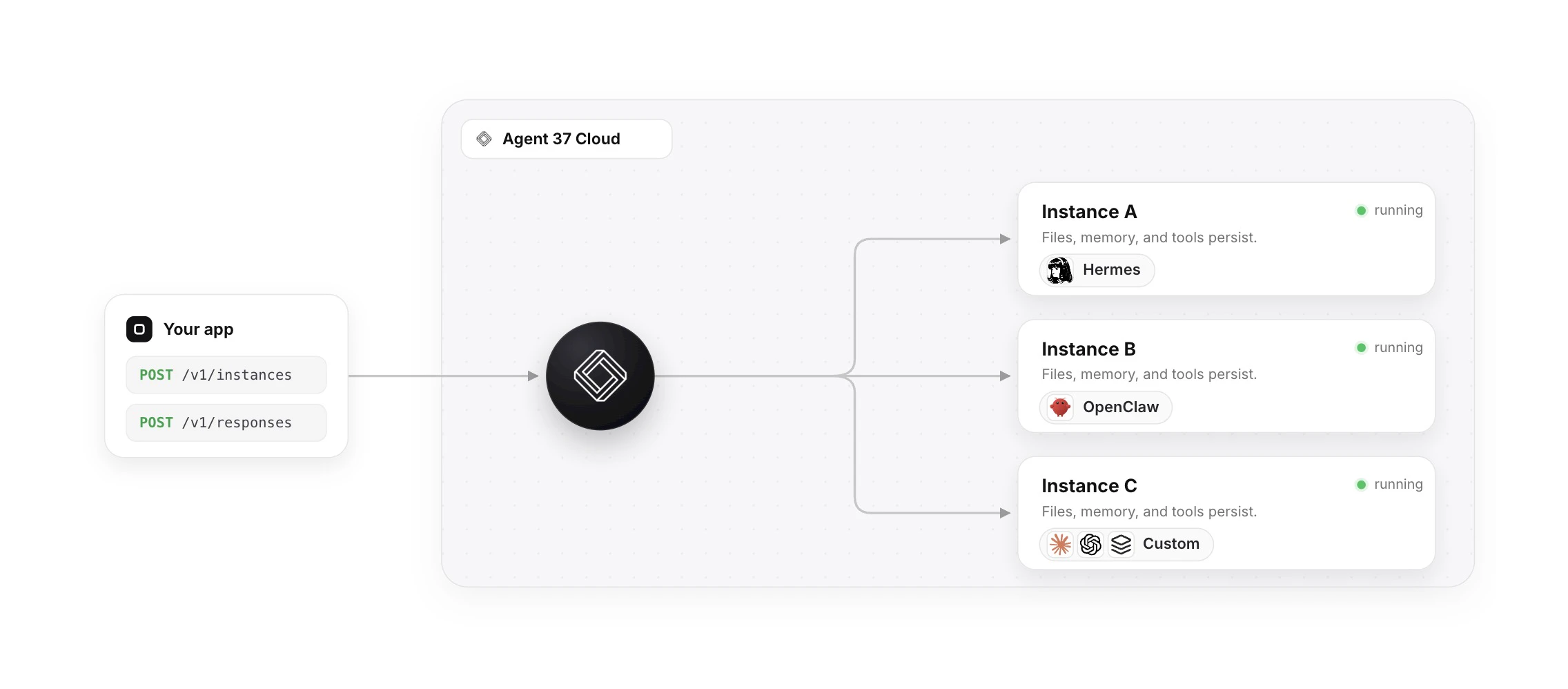
查看原始信息
WallMockup
Create realistic wall art mockups in minutes. Place artwork into room scenes, customize frames and sizes, and export listing-ready previews.
I sell art online and kept running into the same frustrating loop: finish a piece, open Photoshop, hunt for a decent room mockup template, wrestle with perspective and sizing, export, repeat — all before a single listing went live. The tools that existed were either too complex, too expensive, or required a design background I didn't have. I just wanted to upload my artwork and get a realistic, listing-ready preview in seconds. So I built WallMockup — a browser-based editor where artists and Etsy sellers can drop in their artwork, pick a room scene, dial in a frame, and export a polished preview image without ever touching design software. The goal was simple: turn what used to take 20 minutes into 60 seconds.
0
回复

Do you support perspective matching and realistic shadows automatically, or do you tweak those manually?

0
回复

@naimz Thanks for your question! I plan to add perspective rooms but they are not available yet. Shadows can be tweak manually where you can change direction/projection/density.

0
回复