Product Hunt 每日热榜 2026-06-27

PH热榜 | 2026-06-27

#1
Folio AI
Claude for PowerPoint, on steroids
290
一句话介绍:Folio AI是一款实时AI幻灯片副驾驶,直接在PowerPoint或Google Slides中运行,通过即时、精准的局部编辑技术,解决用户制作和迭代演示文稿时耗时长、工具输出质量差、布局易崩坏的痛点。
Design Tools Productivity Artificial Intelligence
AI幻灯片副驾驶 实时协作 手术刀式编辑 品牌模板适配 本地集成 低Token消耗 图表生成 网页搜索 演示效率 专业演示
用户评论摘要:用户高度认可其“手术刀式”精准编辑与品牌模板原生兼容性,解决重复整体生成的痛点。主要问题聚焦于:实时图表与Google Sheets/Excel的数据联动、复杂布局(如2x2网格)的结构转换机制,以及处理用户手动编辑与AI编辑冲突的版本控制。
AI 锐评

Folio AI的“Claude for PowerPoint”口号并非自夸,而是准确地指向了当前AI幻灯片工具的集体软肋:它们大多是一把“铁锤”,把所有幻灯片都砸成一样的碎片,再重新拼凑成一堆华而不实的“拼贴画”。用户最痛苦的并非“从头生成”,而是“迭代修改”。一次漂亮,二次崩盘,是几乎所有竞品的魔咒。

Folio的犀利之处在于切中了“迭代”的命门。它不是在玩文字游戏,而是用技术实打实地解决了问题——用“6倍少的Token”来表征幻灯片结构,让其AI代理像外科医生一样只对特定元素做“微创手术”,而非每次都来一场“全场大换血”。这直接回应用户“放大图表”“圆角形状”这样的精细需求,而不会把精心调整的其他布局搞得一团糟。

真正有价值的点,是把控制权交还给用户。它原生嵌入PPT/Google Slides,读取并忠实于你的品牌模板和布局,而不是自搞一套隔离的“AI宇宙”。从评论看,其“原位编辑”模式击中了高频用户(咨询、金融)的核心恐惧:人工微调被AI的“全盘重启”一键抹杀。当然,它并非没有短板,比如对实时数据源连接、复杂结构性重排(2变4)的token机制仍存疑,以及版本冲突处理策略的模糊,这些都是资深用户才会关注的深层架构问题。

简单总结:Folio不是在教你做幻灯片,而是在你做到一半时,递给你一把精准的手术刀。它没有试图取代你,而是当好了那个真正能帮忙的“副驾驶”。这比那些只会空谈“一键生成”的同行,高了不止一个维度。

查看原始信息
Folio AI
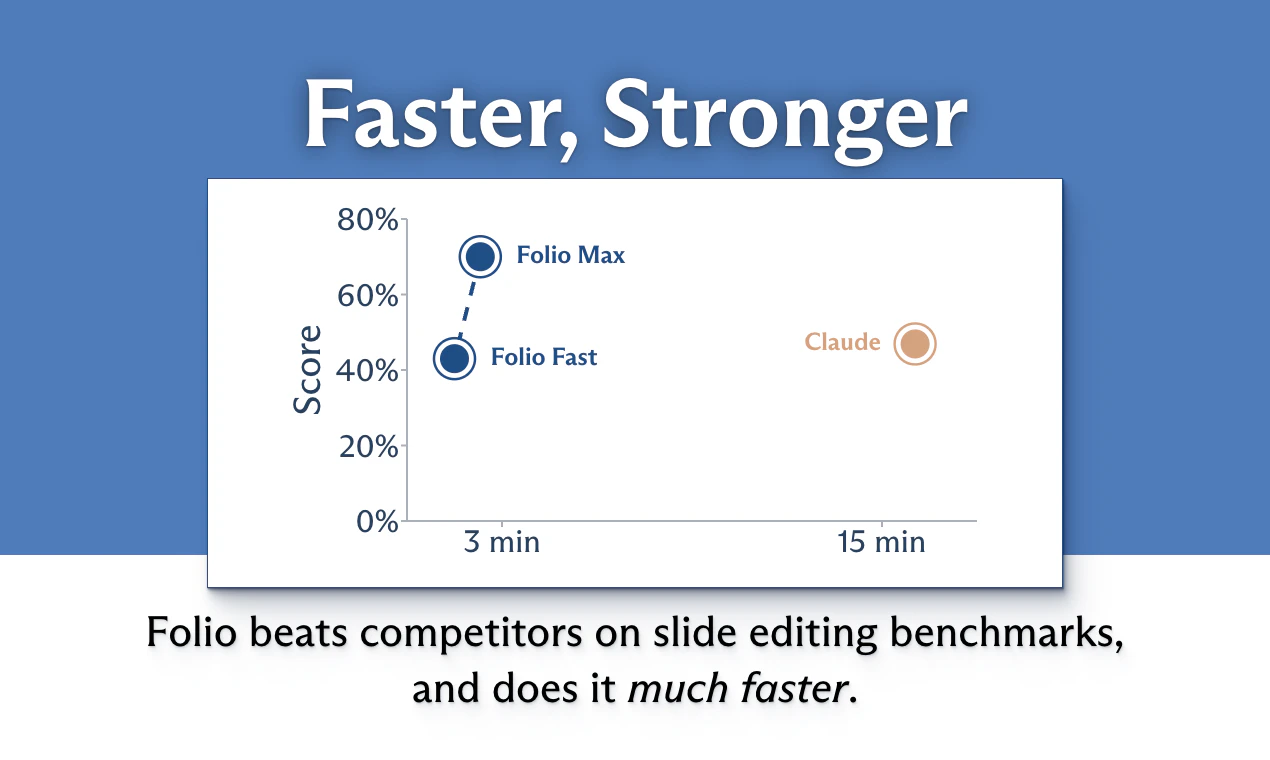
Folio AI is the first real-time AI copilot for slides. It works directly in PowerPoint or Google Slides. And it's at least 6x faster than the competition, while being more performant.

Hi Product Hunt ! I'm Aymeric, co-builder of Folio 👋

Making slides is a huge time sink. And the current "AI for Slides" tools are lame: they make you wait for minutes and lost focus, and produce broken output.

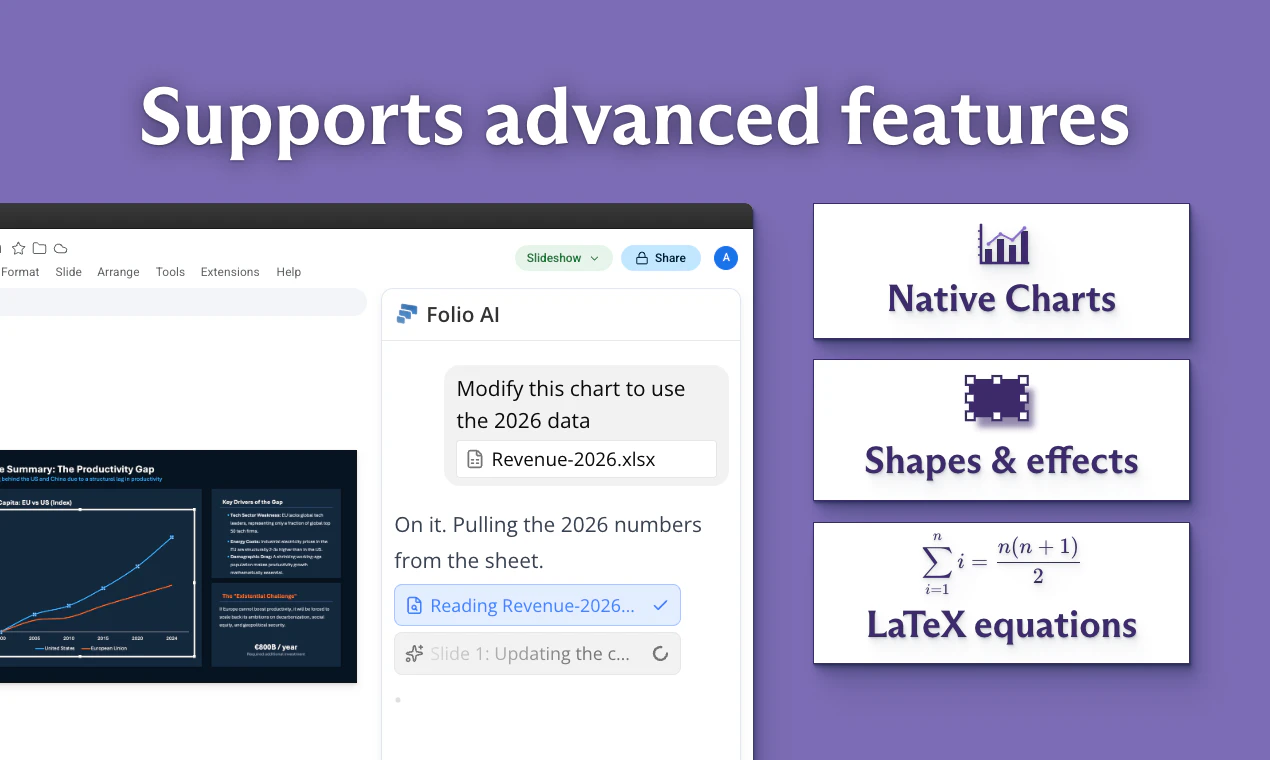
We built Folio as the first real-time AI copilot for slides. It's over 6x faster than competitors, and makes high quality slides that you can iterate on. It supports native charts, all kinds of shapes, LaTeX equations.
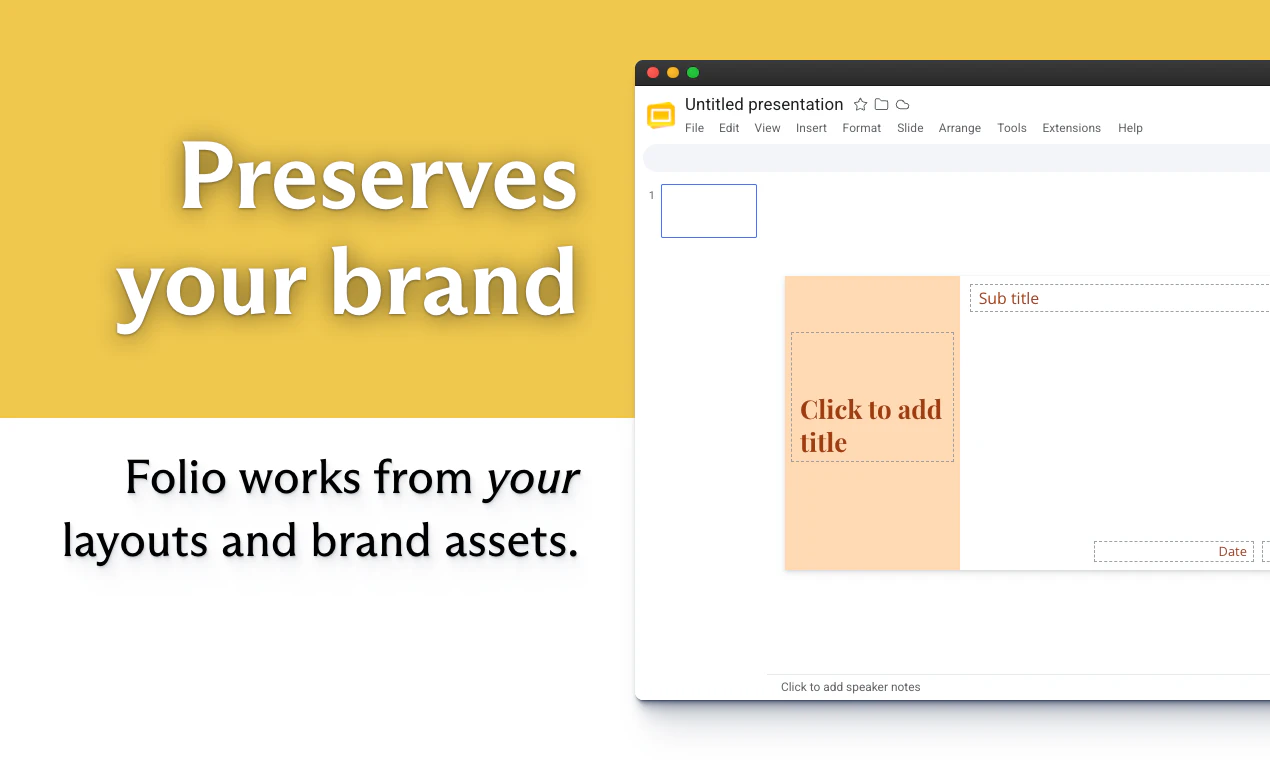
It also works directly from your layouts and assets, to preserve your brand
Here are examples of produced by Folio in one shot:
- Air France 2025 financial statements
- 2025 State of AI by McKinsey

We've been testing over the past few months with power users form consulting or finance teams. The feedback has been incredible. Most are saving hours on slide-intensive days, one user told us it's like a ChatGPT moment for slides.

What makes Folio good? At the core of our tech is our slides engine: we have found a great way to represent and edit slides for an AI agent, combining both simplicity and expressivity, to burn 6x fewer tokens. We benchmarked it against leading slides copilots : it takes top rank, by a wide margin.

🎁 We made an exclusive promo code for Product Hunt: HUNT4FOLIO gives you one free month of Plus, on us!

Try the full version right now on Google Slides, or the demo on our homepage.

We're looking forward to your feedback to improve the product! 😃

7
回复

@aymericroucher  how does Folio handle brand and template aherence in practice?

0
回复

@aymericroucher The "6x fewer tokens" line is the part I'd dig into, that's the whole game with an agent editing structured docs. Most tools dump the whole slide as JSON/XML and the model drowns in it. What's the representation under the hood, a diff-based format, a semantic layer over the slide tree? Same problem shows up anywhere an agent edits a structured artifact, not just slides. 

5
回复

@aymericroucher Congrats on the launch! This is awesome! The native PowerPoint/Google Slides integration with surgical in-place edits is a nice departure from the regenerate-everything pattern most AI slide tools default to. Curious how Folio handles version conflicts — if a user manually edits a slide in PowerPoint and then asks for an AI edit on that same slide, does it reconcile the manual changes, or does the AI edit just overwrite them?

1
回复

Congrats on another great launch! One thing I'm trying to picture - when I say "make the chart bigger" and it stops fitting the template grid, do you guys push the neighboring shapes? Or hold them as constraints?

3
回复

@artstavenka1 we leave this for the agent to decide ! It's instructed to rearrange things only when needed, so depending on the conditions I imagine it will move other shapes only if relevant. But do you think holding some shapes as "locked" would be an important feature to add?

1
回复

Huge congrats for shipping this @aymericroucher qq. on the native charts can Folio link directly to live data in Google Sheets or Excel, or does it generate static charts?

3
回复

@vikramp7470 hi Vikram thank you for your question, that's a good point!

You can just drop your Excel file to Folio as an attachment, and it will read all the data.

But if what you want is a deep link to live-update charts, we don't have this for now ; but we can prioritize this in our feature roadmap: would you use it in Google Sheets or Excel?

2
回复

@aymeric_roucher I realize I might be spamming a bit, apologies. Quick additional question I had - what about web search? Asking as I’m using LLMs for research on the side, being able to prompt something like « check this website and update financial figures with the latest from last quarter »?

2
回复

@aymeric_roucher  @marie_sergue1 haha no worries it's great to have feedback!

Folio does support web search : basically the agent can search by itself, both the web of course, but also in any documents you provided to it, we found that it vastly improves the relevance of the materials created!

2
回复

"we still get looksmaxxed on slides a little but we IQmog hard now." - @Claude by Anthropic

2
回复

@fmerian thank you for your help!

1
回复

C'est vraiment assez impressionnant. À quel point on va pouvoir l'utiliser sur Google Slides, par exemple sur PowerPoint, je ne me rends pas trop compte. Mais je pense qu'en tant que consultant, ça peut vraiment changer ma vie. Merci beaucoup

1
回复

Perfect timing on this launch. I'm literally building a fundraising deck for my startup's board this morning and I'm now thinking about switching over to try Folio mid-process.

The surgical in-place edit model is the thing I've always wanted. Every other AI slide tool I've tried feels like handing off your work to someone who comes back with something completely different. The "iterate without regressing" problem Mustafa mentioned is real and it's what made me give up on most of these tools.

1
回复

it seems cool! is it better than gamma?

1
回复

@gambatto_gregoire haha thanks! we'd say yes, of course, but you'll have to try for yourself, try it with the promo code HUNT4FOLIO and tell us!

0
回复

How does it compare vs Claude Cowork?

1
回复

@laurent_meunier_3 it's aimed at a slightly different target : while Claude Cowork will do some general work on your desktop, and can produce slides but you then have to edit them on your side, and you cannot just edit a deck, Folio lives directly in your PowerPoint or Google Slides as a sidebar to work directly alongside you ! It's much more convenient for real slide work where you have to iterate.

0
回复

Great achievement Aymeric, can Folio work with an existing template ? I have been struggling with that lately

1
回复

@charles_azam hi Charles, thank you for your question. Absolutely ! This is IMO one of the salient features that we propose : Folio works directly within your existing templates and models : it's not jsut trying to reproduce them, it's working in them. So it 100% natively sticks to your brand! Don't hesitate if you want to know more on anything!

0
回复

the iterate part is the thing that always breaks with AI slide tools. they generate something glossy on round 1 and then the second prompt regresses the whole layout.

how does folio handle rounds 2 through 5? if i say "make the chart bigger and move it left" does it preserve the rest, or does it regenerate everything and i have to redo the parts i liked?

that's been the deal breaker on every AI slide tool i've tried this year.

1
回复

@thenameisarian great question, and that's exactly the axis that we should have an edge on! Folio works in-place, doing a surgical edit to the slide that you asked for, but does not change anything else : you can even keep working on other slides while the agent is doing their changes. Please do give us feedback!

0
回复

@thenameisarian I've been using Folio for a bit so I can share some experience here - the first Aha moment I got was when the tool allowed my to point at a very specific shape and prompt something like "round the edges".

I like the "finesse" of it, and that's probably why it is faster and leaner than the other tools. Feels like it works only on the things you asked it to (slide X and Y, text box selected, titles of all main sections, etc.)

0
回复

You mentioned optimizing your slide engine to bypass standard, bloated JSON/XML trees. When a user prompts for a complex structural change (e.g., "convert this 3-column layout into a 2x2 grid"), how does your simplified representation layer convey that structural shifting to the agent without exploding the token count? Is it using an abstract, markdown-like layout schema, or are you passing localized coordinate deltas?

0
回复

the 6x speed claim is interesting — the bottleneck with most AI slide tools isn't generation quality, it's the iteration loop. you generate something decent, then spend 20 minutes manually fixing layout issues the AI created. does Folio handle the "fix what the AI broke" step too, or is it mainly about the initial generation speed?

0
回复
Great product! I’ve personally stopped using slides. My usual workflow is to generate HTML that includes slide types for display. I’ll give it a try. However, what’s your opinion on whether slides are no longer the right representation?
0
回复

The "works directly from your layouts and assets to preserve your brand" line is the part most slide-AI tools fake by dropping text onto a generic template, so the native charts and shapes claim is what actually makes this interesting. When it runs in PowerPoint, is it a local add-in acting on the open file, or does the deck get uploaded to your backend to process - and does it read my existing master/theme on first run so brand styling isn't a separate setup step? And when it iterates on a chart, is it editing the real native chart object so it stays editable, or swapping in an image?

0
回复

The PowerPoint workflow is still one of the most painful places for business teams. The real value is not just generating slides, but getting from messy thinking to a presentation that has structure, hierarchy, and a clear decision path.

I’d be curious how Folio handles source material: does it preserve the user’s argument and evidence, or does it reshape the narrative? That distinction matters a lot for consultants, founders, and operators using AI for serious decks.

0
回复

@aymericroucher hello, The in-place editing part is what makes this interesting for me. Most AI slide tools are good at generating a first draft, but real slide work is usually about small edits, layout fixes, charts, and keeping the brand intact. Working directly inside PowerPoint and Google Slides feels much closer to how teams actually build decks.

0
回复
Love this. AI for presentations is becoming a crowded space. What has been the biggest reason consulting and finance teams choose Folio over existing AI presentation tools?
0
回复

The "works from your layouts and assets to preserve brand" line is the real hook here. Most AI slide tools generate something that looks like a template fever dream. The moment you inject into an existing brand system rather than starting from scratch, the output actually survives a review from a real designer.

Curious how you handle edge cases where the brand guide conflicts with what the AI wants to do layout-wise. Does it defer to the existing deck structure, or override spacing to fit the content?

0
回复

Amazing product ! Does it integrate well with the Office 365 stack ?

0
回复

@samuelfitouss10 thanks for your question! Yes you can use it directly in PowerPoint as a sidebar : you can install it in PowerPoint under Home -> Add-ins -> Search Folio AI. And of course every deck exported is pptx, fully compatible with PowerPoint.

0
回复

Looks great!

I wonder if the agent is able to read notes and comments on the slides? Ideally I’d like to use it « like a junior », where I do batches of reviews and and it corrects afterwards

0
回复

@marie_sergue1 yes, that's a feature that we recently added : the agent will naturally see presenter notes, and edit them if needed! Please don't hesitate if you have any more questions! 😃

0
回复
#2
QApilot's CoWork
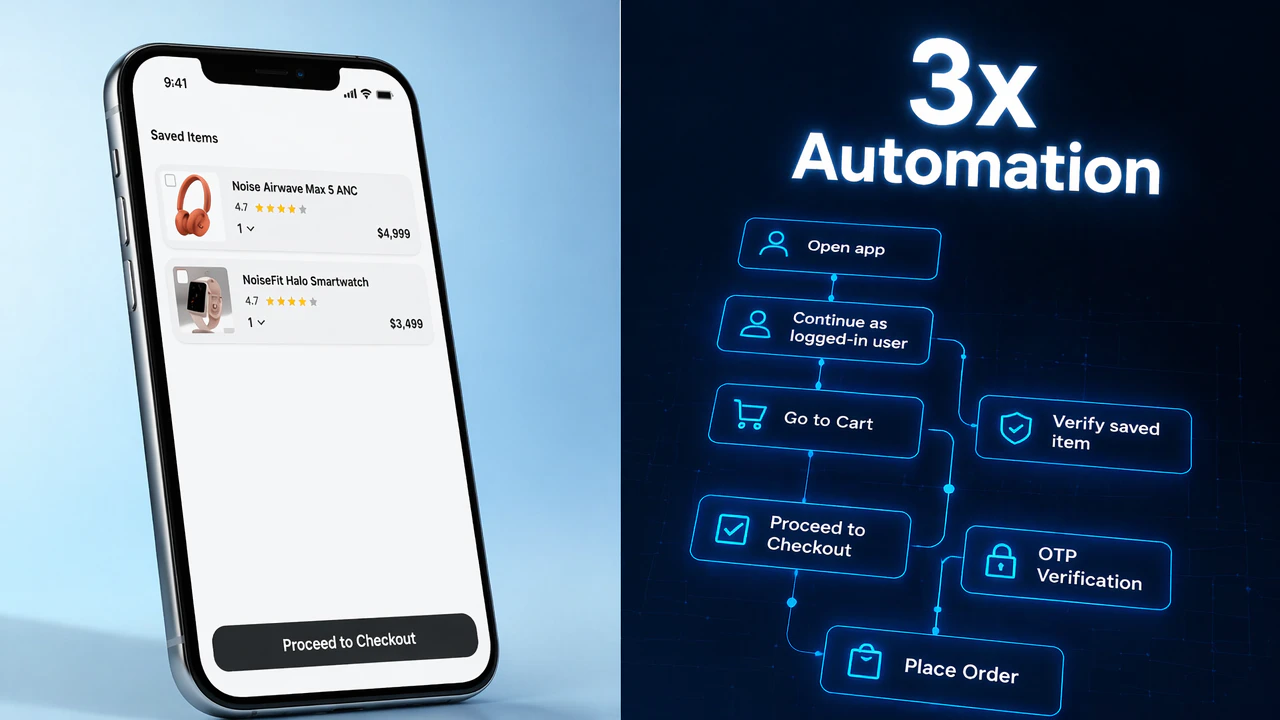
3x Mobile Automation. Same QE Team.
279
一句话介绍:CoWork将团队已有的自然语言或BDD测试用例自动转化为可执行的移动端自动化脚本,在iOS、Android和Flutter真机上运行,并通过AI规划+人工审批的混合模式解决UI变更导致脚本失效的痛点。
Developer Tools Artificial Intelligence
移动端自动化测试 AI测试执行 BDD/Gherkin 真机测试 Flutter测试 回归测试 测试维护 AI+人工协作 发布就绪
用户评论摘要:用户高度关注AI失效时的处理逻辑,核心诉求集中在:UI变化时如何防止“幻觉”造成误判、动态测试数据(如OTP)的实时注入、AI重新规划后是否篡改测试原始意图、以及长期使用后维护成本和自动恢复率的真实数据。建议团队尽早公开这些基准指标。
AI 锐评

CoWork的“AI执行+人类把关”定位非常务实,精准戳中了移动端自动化最大痛点:**维护成本远高于脚本编写成本**。它没有像多数AI测试工具那样妄图取代人类,而是承认AI在关键节点(如OTP输入、意图变更)不可靠,主动要求人类介入,这种“认怂”反而比“无脑自动修复”更可信。

但产品面临的核心挑战是执行效率问题。如果每次UI变化都需要人工审批,在持续交付的节奏下,审批本身可能成为新的瓶颈,团队最终是把“改脚本的时间”换成了“审批AI方案的时间”。Charan在评论中承认“尚未公开自动恢复率”,暗示该数字在不同场景下波动极大,目前缺乏通用说服力。

此外,基于Appium的底层架构意味着它无法摆脱Appium本身对Flutter等框架的原生局限,尽管他们声称自建了中间件,但中间件的稳定性将是另一层未知风险。

真正决定CoWork价值的不是它“能做什么”,而是**“它能在多大比例的变化中让QA只做选择题而不是填空题”**。如果这个比例能达到80%以上,它就是革命性工具;如果不到50%,它就只是个“高级脚本生成器+人工审批流”,价值有限。期待团队尽快公布基于真实用户数据的自动恢复率、人工干预频率和总维护成本变化曲线。

查看原始信息
QApilot's CoWork
CoWork turns existing test cases into executable mobile automation with AI planning, human-approved replanning, and real-device execution on iOS, Android, and Flutter.

Hey everyone, Charan from QApilot here.

Every QA team knows what they want to test. "Log in, add an item to the cart, check the order confirmation." Saying it takes ten seconds. Then the team spends six months turning that sentence into something a machine will run: step definitions, selectors, automation glue, flaky scripts that break on every UI change.

The intent was never the hard part. The execution layer was the tax.

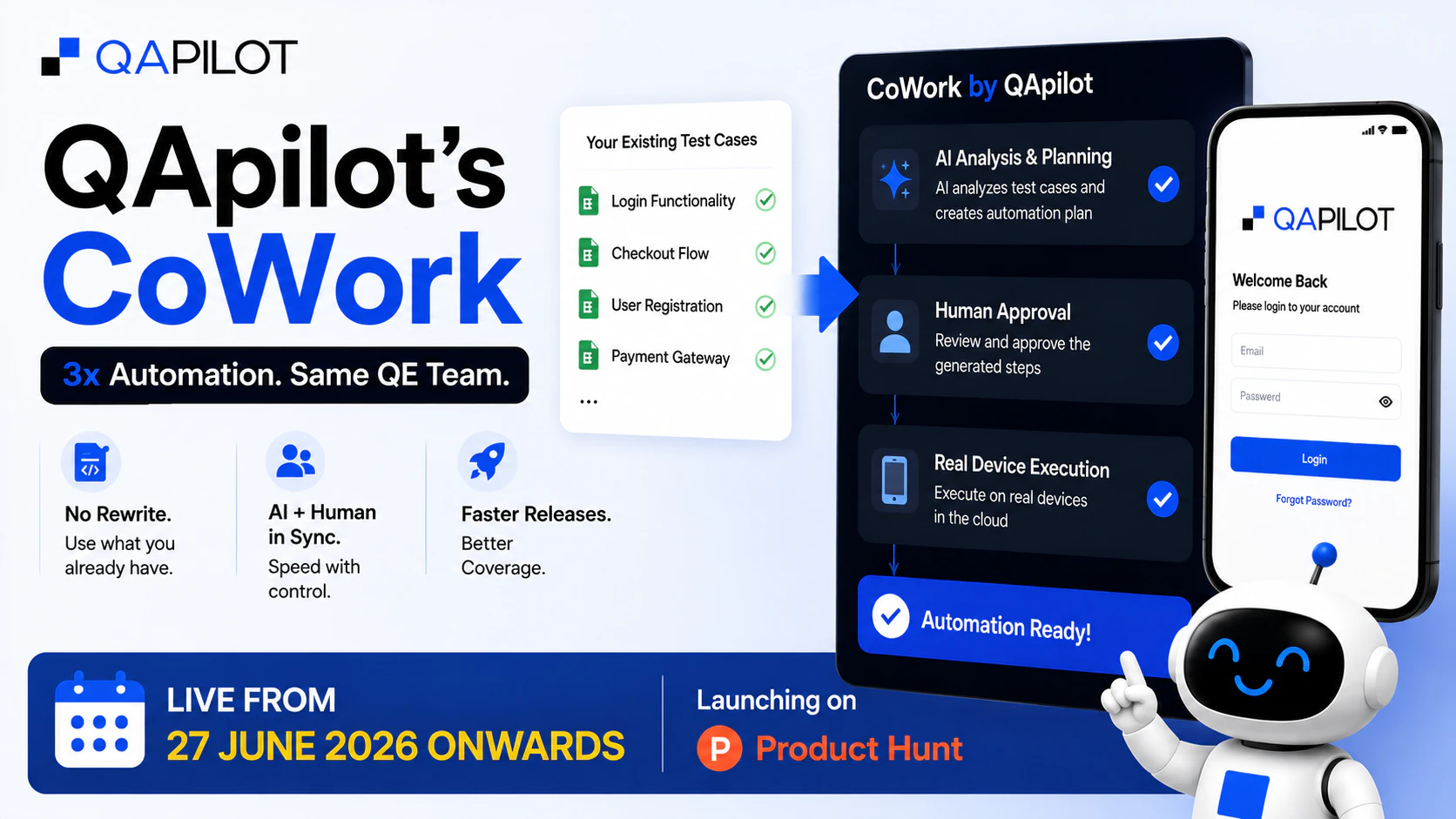
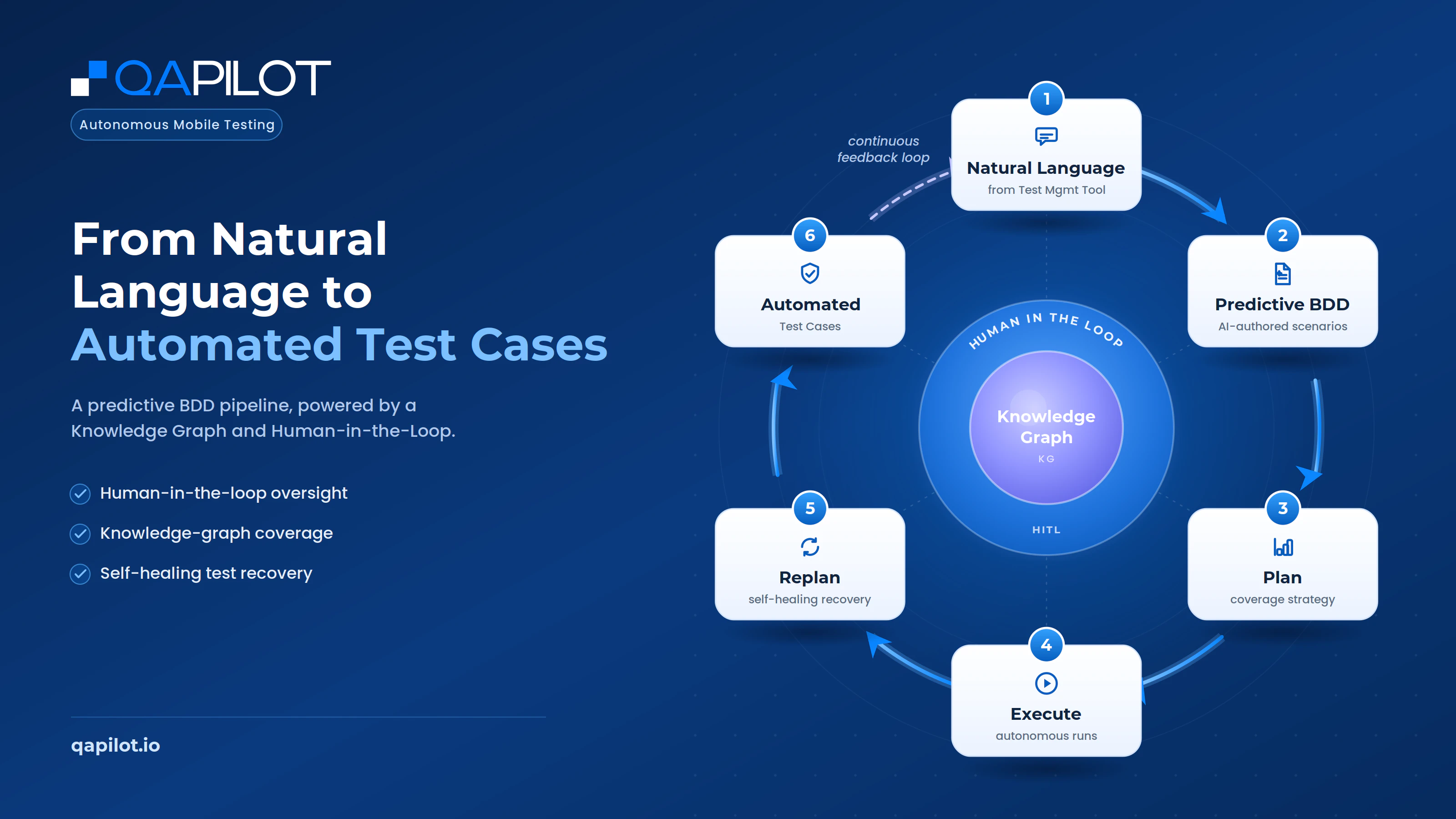
CoWork takes your existing natural-language or BDD test cases, converts them into structured BDD/Gherkin context, builds an execution plan, and runs the test on a real mobile device.

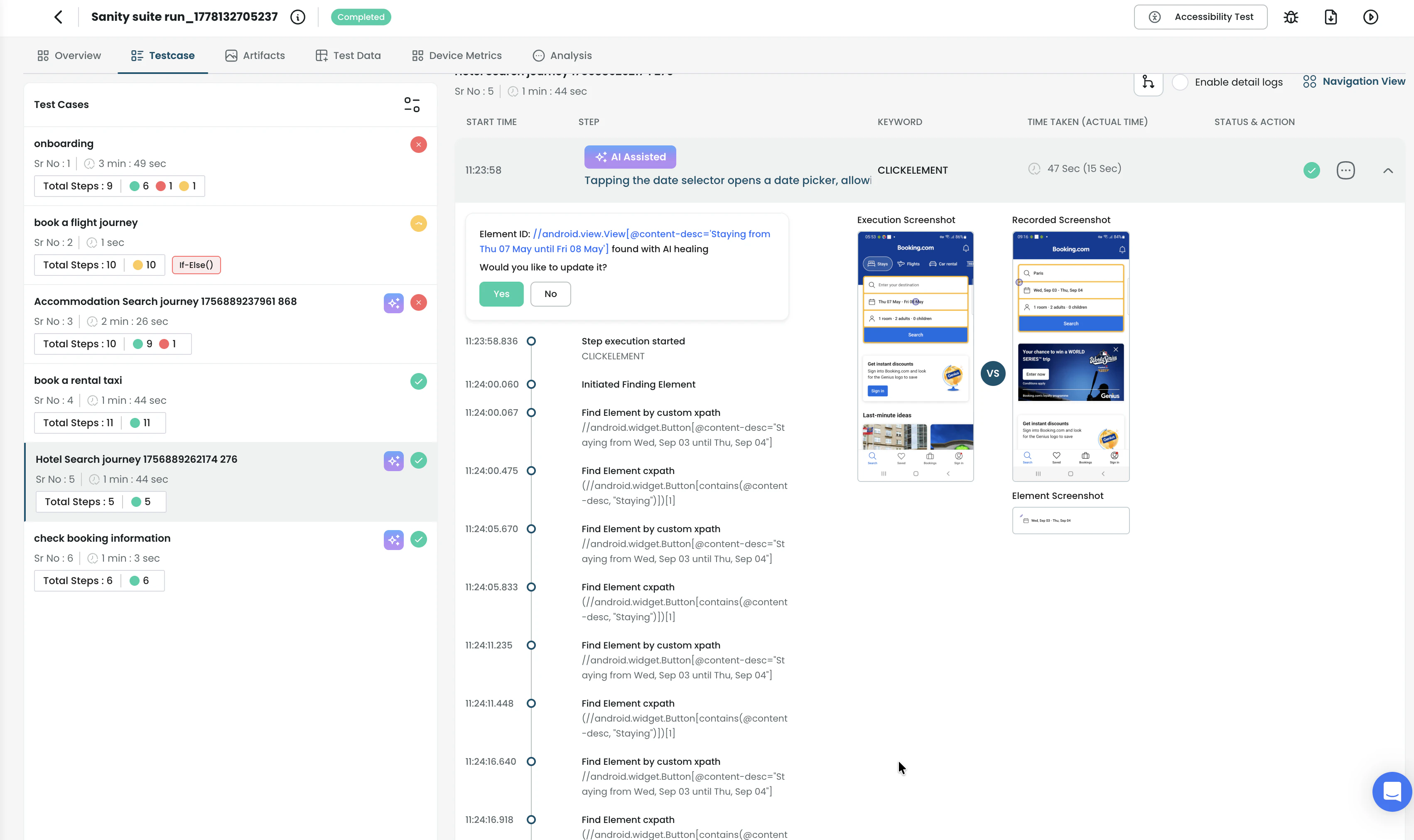
When the app behaves differently, like a changed label, unexpected popup, or interrupted flow, CoWork replans and asks for human approval before moving ahead. When it needs input, like an OTP, it pauses instead of guessing. If it can’t proceed, it fails honestly instead of faking a pass.

Who it’s for: QA leaders, SDETs, mobile engineering teams, and product teams with existing test cases but low execution coverage before releases.

Common use cases: Regression testing, Release readiness, checkout/login flows, OTP-heavy journeys, app flows that break often, and teams trying to reduce manual execution without rewriting everything from scratch.

What makes CoWork different is the balance: AI execution where it can move fast, human control where judgment matters.

If you run mobile tests, I’d genuinely love your take. Try it here: https://qapilot.io/product/cowork

Thanks for being here for the launch. I’ll be in the thread all day reading every comment.

-- Charan Tej, Product Guy @QApilot's CoWork

24
回复

@charan_tej_kammara  The "fails honestly instead of faking a pass" line is underrated. Most automation lies to you when the UI shifts under it, and a test that drifts and silently passes is worse than no test. When CoWork hits a screen that no longer matches the plan, does the human-approved replanning re-anchor to the intent of the step or to the old UI path? That distinction is what separates flaky from durable.

4
回复
@david_marko - Exactly. We anchor to the intent of the step, not the old UI path. The old path is useful context, but it shouldn’t become the source of truth. If the screen changes but the intent is still clear, CoWork replans against the current app state. If the new path could change what the test is actually validating, it asks for approval instead of silently continuing. That’s the line we care about most: adapt to harmless UI change, but don’t let the test drift into validating something else.
2
回复

@charan_tej_kammara Congrats on the launch, Charan!! Positioning this as 'execution layer tax' instead of 'AI does QA' is smart. The human-approval gate helps to make this more trustworthy to teams who've been burned by automation that went rogue.

Of the use cases you listed, which one are you actually seeing as the wedge? Or are they all equally viable entry points for your first customers?

0
回复

Hi everyone! Aakash from QApilot here.

I'm one of the makers behind CoWork, and I'm really excited to finally share what we've been building!


CoWork helps AI and humans work together to make test automation more reliable instead of chasing full automation. We'd really appreciate your support on Product Hunt today, and I'd love to hear what you think. Thanks for checking us out!

9
回复
Hey all , Excited for the launch today I am part of the team that built cowork . Would love to hear your thoughts on this . I would be on the threads all day reading and replying to your thoughts .
8
回复
Hey folks! I’m one of the makers behind CoWork. CoWork came out of a simple frustration: test cases are everywhere, AI is powerful but not always reliable, and humans end up double-checking everything anyway. So we thought - why not design a system where AI and humans actually CoWork (properly)? Here’s what we built: 1. Ingest test cases from wherever you maintain them (yes, the messy reality) 2. Use AI to generate and execute, but intelligently decide when humans should step in 3. Minimize verification effort instead of pretending it doesn’t exist We didn’t want to go all-in on rigid rules or blindly trust LLMs - CoWork is our attempt at a hybrid system that picks the right strategy at the right time. If this sparks curiosity (or skepticism), come talk to us. What feels useful? What feels unnecessary? Where would you not trust this yet? Tell us where this would break in your world, and we’ll happily show you how we’re thinking about it. Let’s CoWork on making this actually useful, not just “AI-sounding.”
7
回复

Hey builders 👋

I am one of the makers behind CoWork!

We built CoWork - an AI agent that drives real mobile apps step by step, planning each action, reading the screen, and adapting when things go off-script.

We kept hitting the same wall: mobile automation breaks the moment a layout shifts. So we wanted something that actually sees and reasons about the screen instead of leaning on brittle scripts.

We'd love your feedback and support. Drop your thoughts/questions in the comments below and one of us will reply!

6
回复
No matter how many tools exist in this market, we need more to solve a mountain of a problem i.e. mobile app testing. Thanks to CoWork for enabling the solution. I wish many more adopt this tool.
3
回复
@pradeepsoundararajan - Thank you, Pradeep. Means a lot coming from you. Completely agree. Mobile testing is not just a tooling problem, it is a context and execution problem. With CoWork, the goal is to reduce the execution tax while keeping human judgment where it matters.
2
回复

Is agent behaviour humanlike? Or it feels more like an executioner? Congrats on the launch!

3
回复

@mcarmonas That's an interesting question. I’d say it’s intentionally a mix. CoWork behaves humanlike in how it understands intent, reads app context, and adapts when the flow changes. But it executes with the discipline of an automation system.

So it’s not just a blind executioner, and it’s not trying to “pretend” to be human either. When it’s confident, it moves. When it needs judgment or input, it asks.

Thank you!

2
回复

@vidushee_geetam The idea makes sense technically, but I’m interested in the operational impact.

If a team already has a mature manual regression process, what changes after six months of using CoWork? Is the biggest improvement shorter release cycles, higher regression coverage, fewer flaky tests, or simply less engineering time spent maintaining automation?

I’d be interested to know which metric your existing customers see improve first because that’s ultimately what teams will justify the investment with.

3
回复
@josh_bennett1 Thanks Josh. Agree. The biggest value for our existing customers is shorter and more confident release cycles. Testing teams have always played catchup with development and now, more than ever, with increasing speed of development, testing has become the bottleneck leading to delay in release readiness. This is the exact problem our existing customers had before QApilot. What CoWork and QApilot on a broader level aims to do is to reduce this release anxiety and help teams to achieve release confidence faster. High Coverage, Less Time Spent, etc., are happy by-products but faster release readiness is the north star.
2
回复

@charan_tej_kammara The biggest challenge with mobile automation has never been writing the first version. It’s what happens after the app changes for the tenth or twentieth release.

You mention CoWork can replan execution when screens, labels or flows change, while still asking for human approval before changing intent. How much of that actually happens automatically in production? For teams using this every sprint, what percentage of failures end up needing manual intervention versus successfully recovering on their own?

That number would tell me more than any feature list because maintenance is usually where automation becomes expensive.

3
回复
@moh_codokiai - Fair question, and I agree this is the number that matters. CoWork doesn’t try to auto-recover everything. UI changes like labels, waits, layouts, or expected popups can often be handled. If the next step could change test intent, it asks for approval. If it needs input like an OTP, it pauses. If the app is broken, it fails honestly. We’re tracking auto-recovery, approval replans, input pauses, and hard failures separately. I don’t want to quote a broad percentage yet because it varies by app and flow, but that’s exactly the benchmark we plan to publish as usage grows.
1
回复

Congratulations on the launch, @charan_tej_kammara @jsurendranathreddy @vidushee_geetam !

Love the framing that the real bottleneck isn't writing test cases and agreed it's the execution layer.

Curious: when CoWork replans after encountering an unexpected UI change, how do you prevent it from "hallucinating" a valid path and accidentally masking a genuine regression instead of surfacing it?

2
回复
@harkirat_singh3777 Precisely! The real bottleneck is the execution layer. Talking about hallucinations, we ground our plan/replan decisions using a knowledge graph. It is built using an app crawler that we built in-house.
1
回复

Congrats on the launch guys!!

Nice idea! Is the generated automation framework-agnostic, or does it target a specific testing framework?

2
回复

@barath_kanna_bk Hello Bharat. Thank you! On a fundamental level, all the automation is an Appium Script. However, Appium notoriously falls short for quite a few use cases, especially on Flutter. We also built a middleware on top of Appium to handle the limitations. So, in essence, it's a combination of Appium and QApilot middleware.

1
回复

The selector breakage problem is real.... we've seen entire automation suites go down after a single navigation update.

Curious how CoWork handles dynamic test data mid-execution. if a flow requires an OTP or an auth password during the run, can that be injected in real time or does everything need to be pre-configured before the session starts?

2
回复

@harini_mukesh There are a couple of we handle test data on CoWork, depending on the type of the test data. The user can choose to plug in the test data as part of the natural language test context that is given to CoWork. CoWork will make use of it as needed.

Otherwise, if CoWork comes across an input field like an OTP during its journey, it prompts the user to enter the input, and once the user does that, it continues to autonomously execute the rest of the steps. So, yes. Depending upon the test data and user preference, it can be injected in real-time or pre-configured.

2
回复

the six-months-to-automate part is real. my team gave up automating our iOS app last year because every release broke the selectors. went back to manual regression and shipped slower for 6 months.

what i'd want to know about qapilot: when an iOS update changes the entire navigation hierarchy, does the AI re-plan or does it break the same way our selectors did? that's the test for whether this actually saves a QA team or just shifts the breakage to a different layer.

2
回复

@thenameisarian That's a real pain, especially for fast moving mobile app teams. We built CoWork's planning module such that it intelligently replans, finds new correct selectors, and executes the tests. The QA can choose to update these selectors as default for the future automation runs too. Essentially saving QA's time and effort to focus on test intent rather than maintenance.

1
回复

When scale testing mobile applications, how does CoWork handle deep state synchronization or state flakiness across parallel test instances? Is it actively maintaining a synchronized virtual state tree across the instances, or relying on aggressive DOM/view re-verification loops to prevent false negatives?

1
回复

@juno_dost - Great question. CoWork doesn’t maintain one shared virtual state tree across parallel runs. Each device/run keeps its own execution context and validates against the app model, test intent, and current screen state.

It’s not just repeated view polling either. We use contextual re-verification, checkpoints, and bounded replanning to handle mobile state quirks.

If the journey is still valid, it continues. If the state is polluted or behavior has changed, it surfaces the issue.

0
回复

The replanning loop is what gets me here — most AI test tools fail silently when the UI changes, and you end up with flaky tests nobody trusts. Human-approved replanning before re-execution is the right call.

Curious how CoWork handles cases where the AI's planned steps diverge significantly from the original test intent — does the human reviewer see a diff of the original vs proposed plan, or just the new steps in isolation?

Congrats on the launch 🚀

1
回复

@renaldo_loko - Thank you, and Great question. The human reviewer does see the diff. The original plan vs the adapted plan. And the decision is with the human whether or not to accept the adapted plan for the future runs.

0
回复
It’s a great idea. I apologize for my limited understanding. Considering the increasing cost-effectiveness and reliability of code production, why should we rely on agentic testing? I understand that specifications can fail due to changes like button renames, but (at least in our suite), it’s expected that tests will fail, and specifications need to be updated accordingly. Wouldn’t it be more efficient to use deterministic testing combined with a non-deterministic report generator?
1
回复

@shibin_tv Great question, Shibin. We don’t see agentic testing as a replacement for deterministic tests. Those should stay where behavior is fixed and repeatable.

The challenge is mobile execution. The same flow can behave differently across devices, OS versions, permissions, keyboards, overlays, network states, and timing delays.

Traditional tests often fail on these execution quirks even when the user journey is still valid. CoWork tries to handle that in-run: continue when it is safe, ask when judgment is needed, and fail honestly when the product behavior has truly changed.

0
回复

The replanning-on-UI-change part is the real claim here - most mobile suites die exactly when a label moves or an unexpected popup shows up, so an agent that recovers is genuinely useful. When CoWork replans around a changed label, does it persist the adapted step back into the BDD/Gherkin definition so the next run is deterministic, or does it re-infer the path every run (which would make pass/fail non-reproducible across CI runs)? And does execution happen on a hosted device farm or on my own connected devices - that matters for builds behind auth or internal-only distribution.

1
回复

@hi_i_am_mimo Wonderful question. We gave that control to the human in the loop - to decide whether to save the adapted steps as the default for all the future runs or to roll back the adapted steps. Once CoWork replans and completes a run, the user can choose to accept the test steps and ingest them into the test suite or reject them and re-run CoWork as needed.

We believe that the judgement better lie in the hands of the human.

0
回复

Mobile QA is a strong place for automation because the bottleneck is rarely one test; it is the repeated device, environment, and regression coverage that slows teams down.

The “same QE team, 3x automation” positioning is interesting. I’d be curious how QApilot handles flaky tests and app-state changes, because reliability is usually what determines whether QA teams trust automation or keep falling back to manual checks.

1
回复
@rahulbhavsar - Test Flakiness and Maintenance are a real pain, especially for mobile testing teams. We built CoWork to replan tests dynamically during execution to bypass flakiness and continue with the tests as long as the intent stays intact.
0
回复
Can this be used for scraping/automation tasks as well as testing?
1
回复
@tkeith - Hi trevor. That's an interesting use case. As of now, we built CoWork for mobile testing only. But it would be interesting to explore more use cases for CoWork and. QApilot in general.
0
回复

@charan_tej_kammara The “fails honestly instead of faking a pass” part is the strongest detail for me. In QA, a test that silently adapts in the wrong direction can be more dangerous than a broken test. Human-approved replanning around the original test intent feels like the right balance between speed and trust.

1
回复
@alpertayfurr - Exactly. The last thing mobile testing teams need is the false-positives and false release confidence.
0
回复
Reusing existing BDD test cases instead of asking teams to rewrite everything feels like a smart adoption strategy. Has that been the biggest driver of customer interest so far?
1
回复
@luki_notlowkey - Definitely. The biggest bottlenecks teams have been facing is not writing test cases but actually running them. So, the ability to execute existing test cases using CoWork has been a game-changer for the users.
0
回复

looks cool! can it work on my local device?

1
回复
@zoya_aziz - Yes, it does. You just need download a local launcher of QApilot and you'd be good to create and execute test cases on your local devices.
0
回复

How would this compare to doing UI automation testing with a tool like Selenium or CypressJS

1
回复
@schott_taylor - Thanks for asking. The biggest pain with scripting frameworks like selenium or Appium is the maintenance effort, especially considering the rapidly changing nature of the mobile applications. We have built CoWork to precisely handle that problem. So that teams can focus on test intent over maintenance.
1
回复

Congrats on the launch! 🚀

I like the human-approved replanning approach. Mobile automation often breaks on small UI changes, popups, so having AI adapt while still asking for approval feels like the right balance.

Curious how CoWork handles flaky test behavior across different real devices and OS versions.

1
回复
@prashant_patil14 - Thank you! Yes, one of the biggest problems with mobile app testing is device fragmentation and the flakiness that comes with it. We have a layer of self-healing on our product that handles the quirks of different screen sizes and OEMs. Basically, with CoWork, you create a set of automatable test cases on any single device and be able to execute on any other device without coming across flakiness. We do a combination of image processing and parent-child hierarchies.
1
回复

Wow. Nice one. Do it have the same operational function for web? How variety of the test cases this cover?

1
回复

@mark_ph_m Hello Mark. Thank you. We've built QApilot's CoWork specifically for mobile application testing. It is capable of testing web views within mobile apps. That is the extent of our focus.

1
回复

The "human-approved replanning" step is the detail that makes this production-viable. Most AI automation tools pitch full autonomy, but that is exactly where QA teams lose confidence in the output. Having the AI propose the plan change and a human sign off before execution means you get the speed gains without the "the bot went rogue on staging" stories.

How does the replanning loop work when a test fails mid-run? Does it pause for approval every time, or only when the deviation is above some threshold?

1
回复

@mohammed_abd_ilah_neggache - Precisely. You've captured the core of CoWork'v value. The replanning happens automatically as long as the original test intent holds true. Any interruption handling, Label changes, etc., will be handled by CoWork autonomously through replanning.

However, if the CoWork had to replan such that the test intent changes, it goes for human approval. So, the original test intent acts as the threshold of deviation here.

1
回复

The human-approved replanning is the right call for mobile. One question: when a test needs to switch between apps mid-flow (e.g., grab an OTP from email, then switch back), does CoWork handle that as one session, or does cross-app context reset?

1
回复

@christian_knautCurrently, we work with static OTPs for testing. However, we understand that switching between apps for certain test cases is a real need and we are seeing more and more requirements for the same. Something to think about for my team. Thank you for bringing that up.

0
回复
#3
Nada
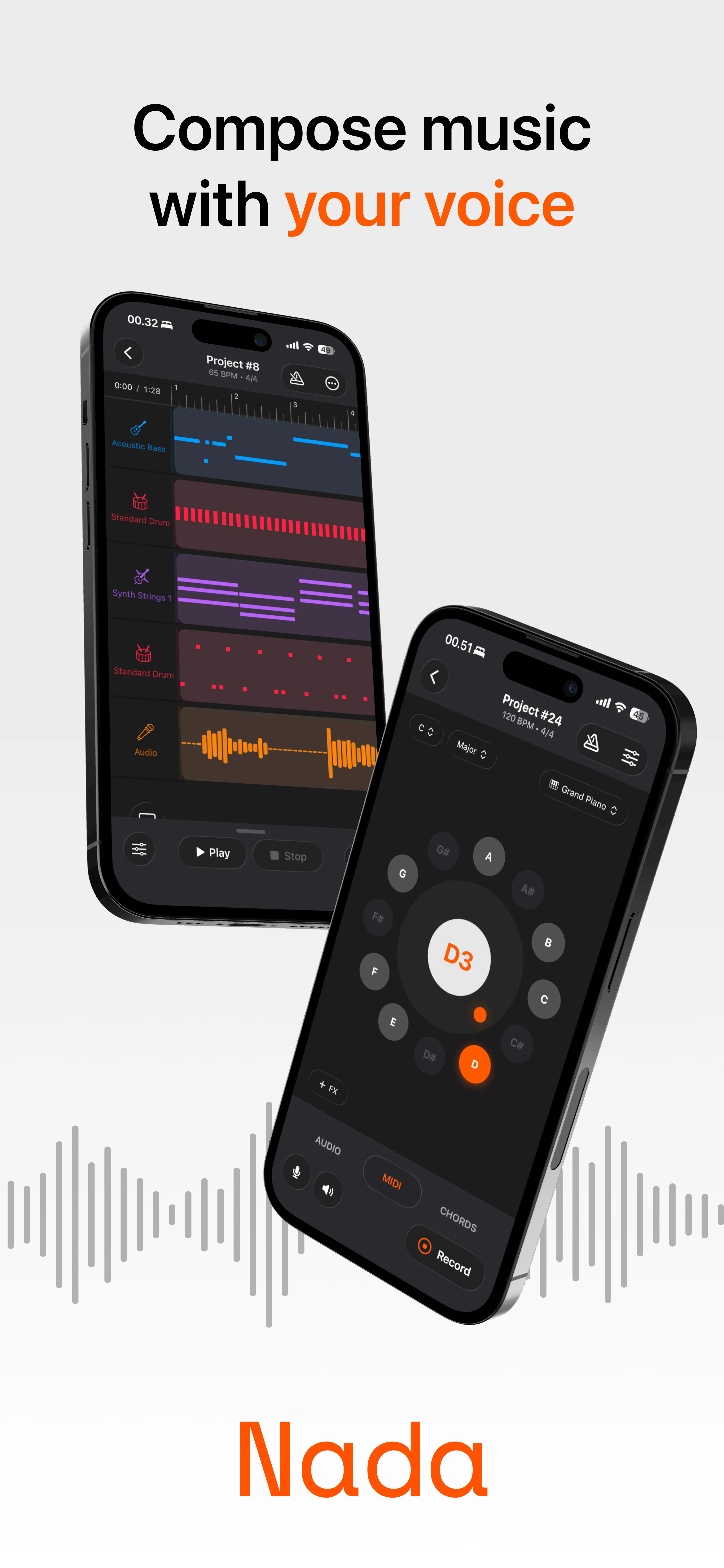
Compose music with just your voice
224
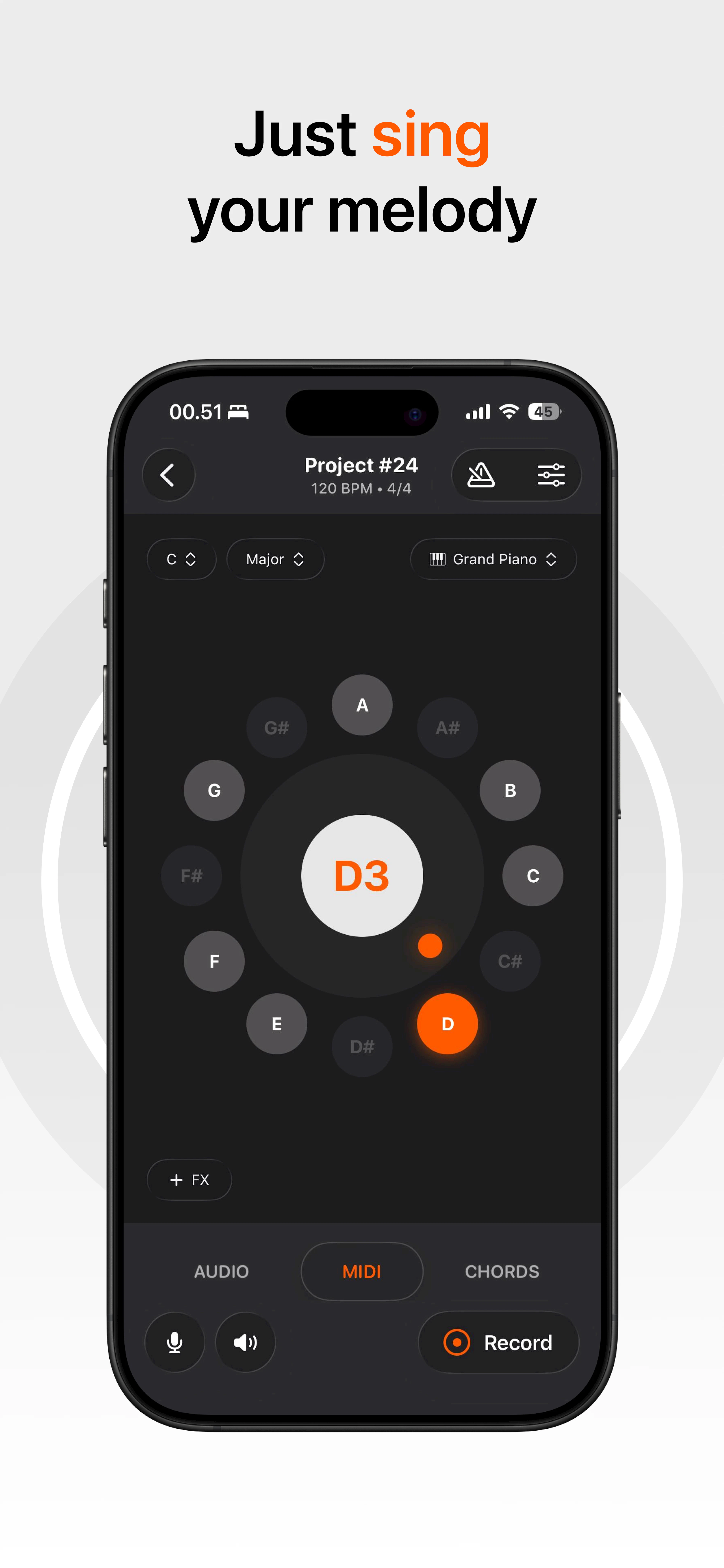
一句话介绍:Nada 是一款能让用户通过哼唱、口哨或歌声直接转化为 MIDI 音乐的手机应用,解决了“有旋律灵感却不会乐器或复杂编曲软件”的音乐创作痛点。
Music Audio Electronic Music
音乐创作 语音转MIDI 移动端数字音频工作站 人声捕捉 旋律编排 无AI生成 和弦垫 音乐人工具 iOS应用
用户评论摘要:用户普遍认可“捕捉灵感而非AI生成”的理念。主要疑问聚焦于音高量化如何区分有意走音与错误、节奏准确性是保留原样还是自动量化。团队回应称提供音阶选择和手动编辑量化功能。此外,用户期待安卓版本,并建议使用有线耳机以获得最佳录音效果。
AI 锐评

Nada 在“AI一键生成音乐”泛滥的当下,选择了一条看似更“笨”但可能更聪明的路——它不做作曲者,只做转录员。这种“无AI生成”的定位,精准击中了创作者对AI音乐工具“失去控制感”的集体焦虑。从产品本质上,Nada 解决的并非“我不会写歌”的问题,而是“我有灵感但我录不下来”的效率问题。它本质上是把语音备忘录和专业MIDI编辑器之间那3-4步的繁琐工作流(录音→解码→手动扒谱→输入DAW)砍掉了。

然而,其价值天花板取决于两个关键:“哼唱转MIDI”的准度上限,以及“移动端触控编曲”的体验下限。从评论中团队对节拍量化问题的回答(提供手动选项+自动清理)来看,它目前更像是一个更聪明的“口袋录音棚草稿本”,而非完整的编曲工作站。真正的挑战在于,当用户的热乎劲过去,他们会发现从一分钟的哼唱草稿到一首完整的编排作品之间,还有巨大的距离。

Nada 的潜力在于,它恰好站在“传统DAW太复杂”和“AI生成太无脑”之间的平衡点上。但风险也在于,这个位置究竟是一个坚实的基础,还是一个难以做大的一人公司式利基市场,仍有待市场验证。

查看原始信息
Nada
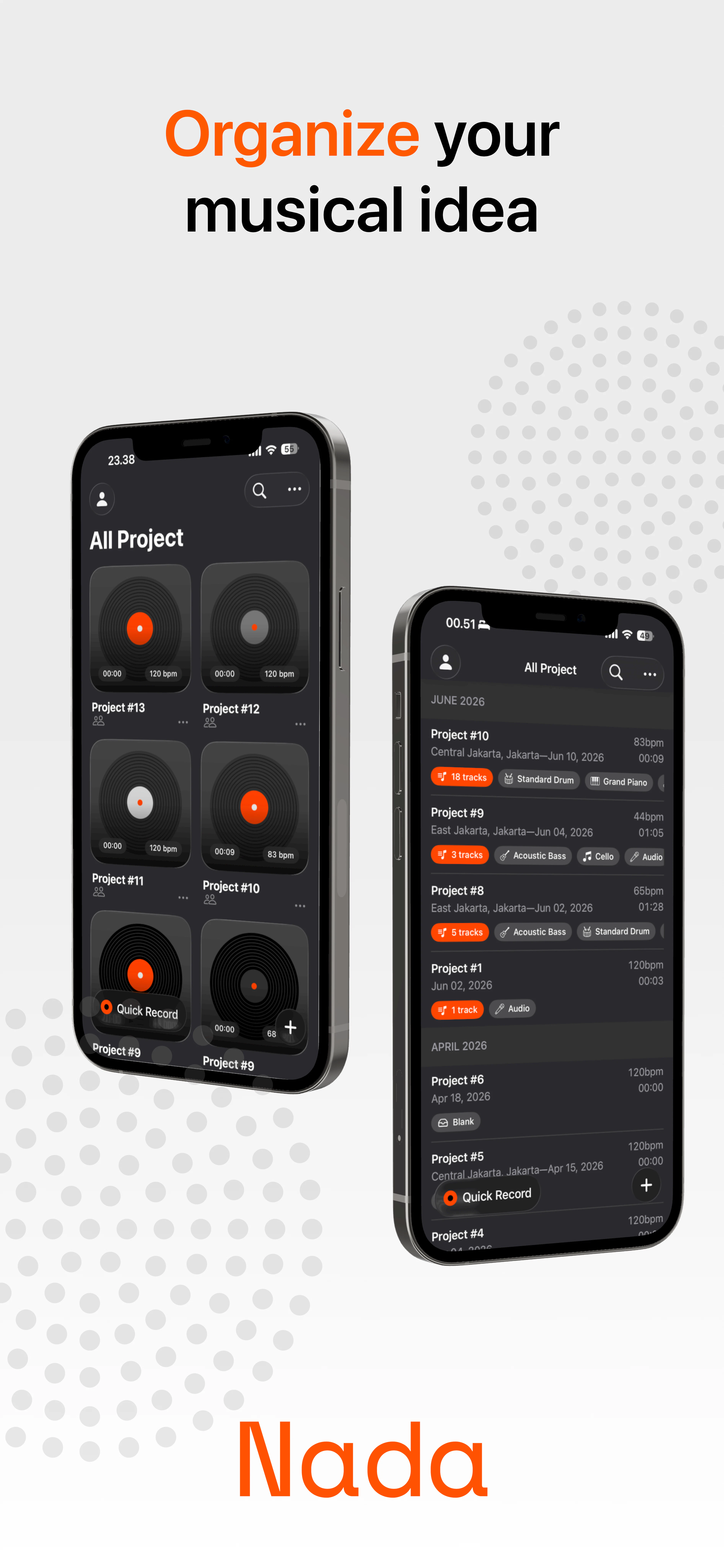
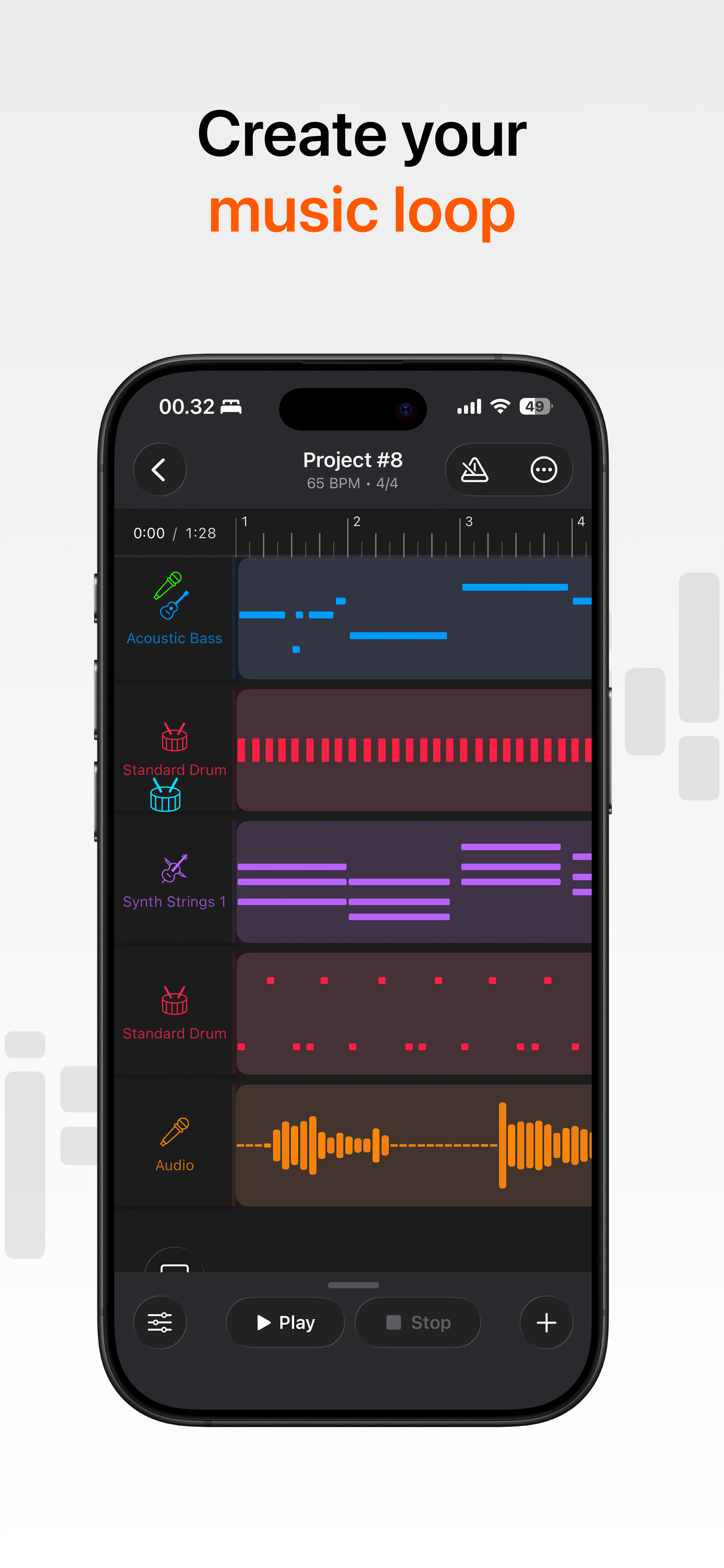
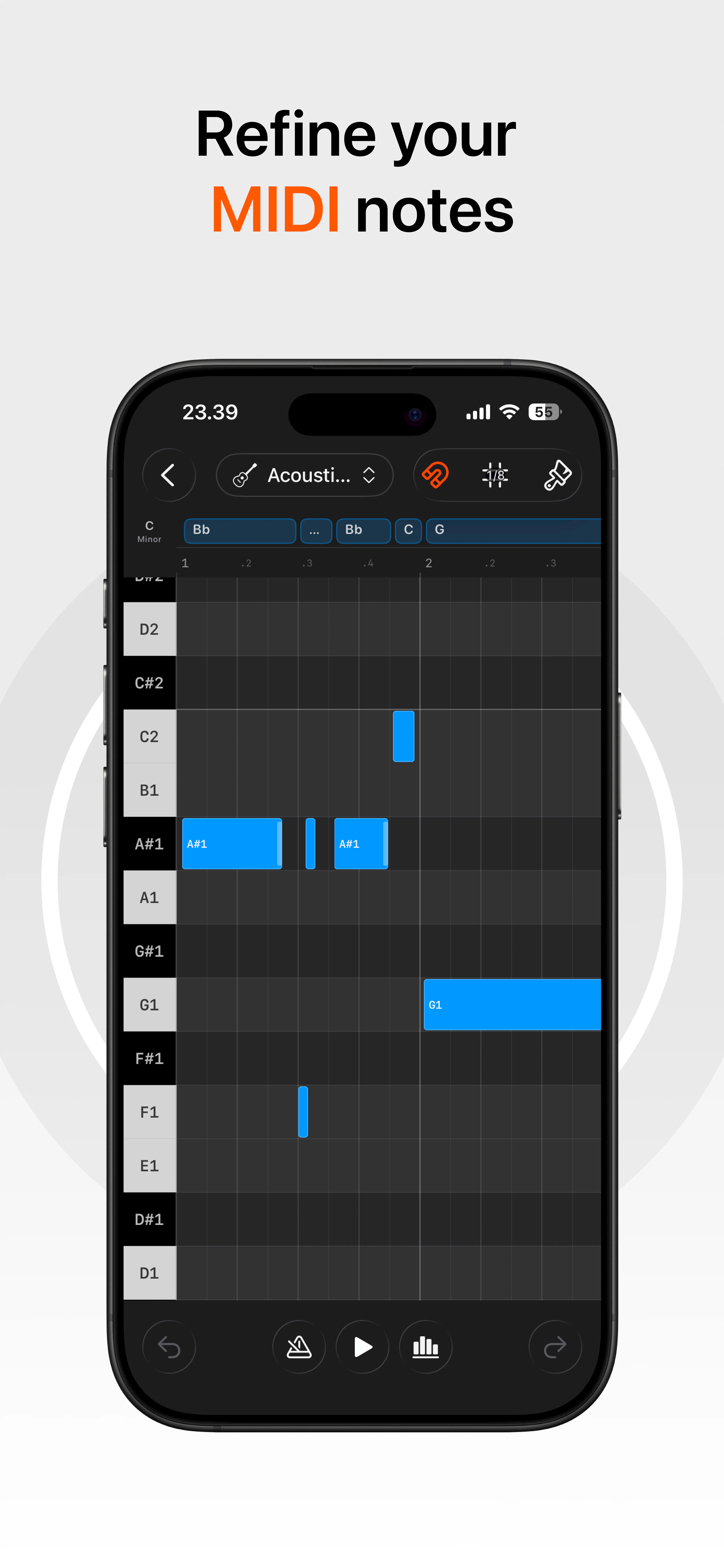
Nada is the easiest way to turn your voice into music. Hum, sing, or whistle an idea, and instantly convert it into MIDI. Arrange your melodies on mobile, choose from a variety of instruments, and build songs wherever inspiration strikes. No AI generation involved, just your own creativity, captured faster.

Last November, my friends and I started thinking about how we could make it easier for musicians to create music anywhere, anytime.

At the time, we watched the making of video for Stromae’s “Alors on danse.” It was funny, but also inspiring. It made us wonder: what if people could create music using only their voice?

A lot of people have great musical ideas, but they cannot always play an instrument. Traditional DAWs can also feel too complex, especially when all you want to do is capture an idea quickly. But almost everyone can hum, sing, or whistle a melody.

That was the moment everything clicked.

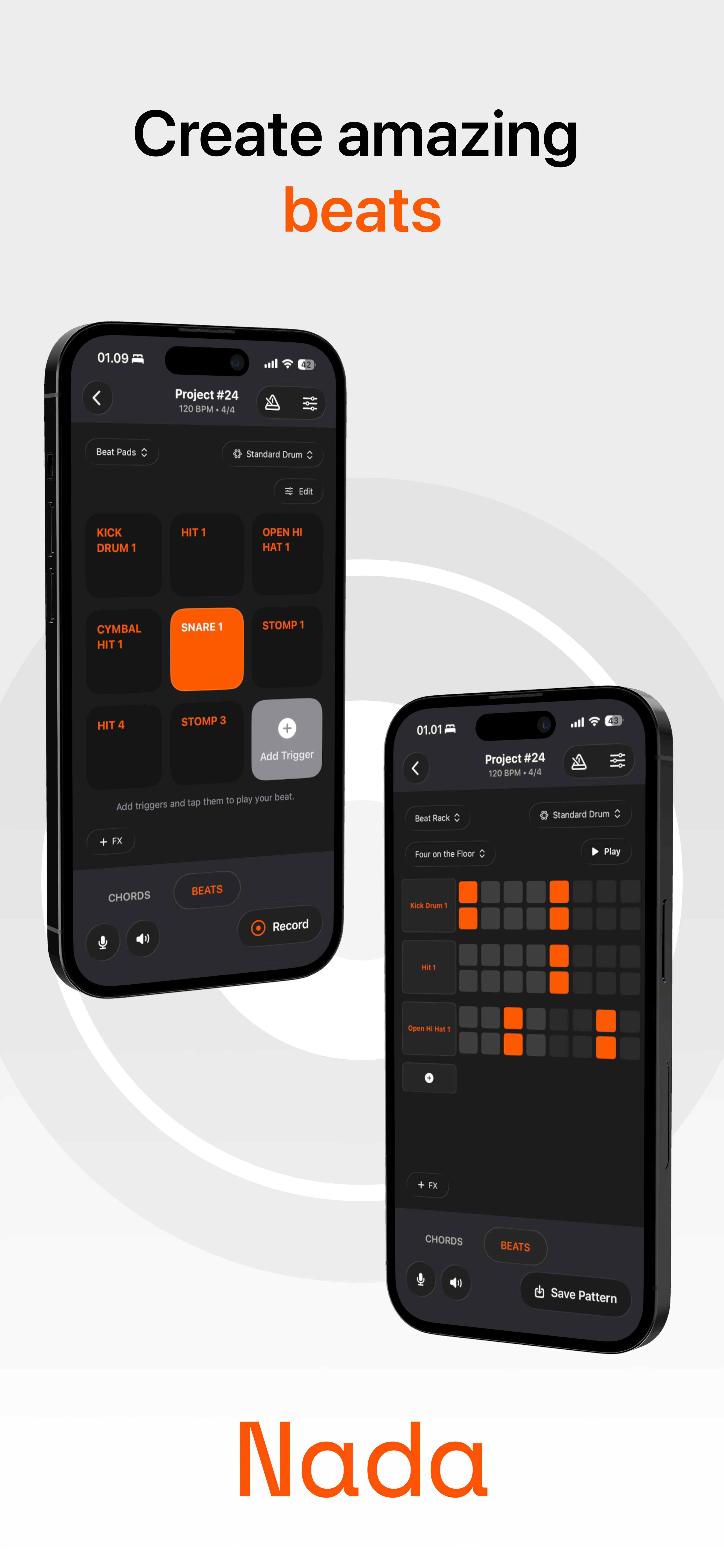
We decided to build Nada, which means “tune” in Indonesian. At first, we imagined it as a better voice notes app for musicians, something simple for capturing musical ideas. But as we kept building, it slowly became a mini DAW: voice-to-MIDI, instruments, arrangement, beats, and music production features, all designed to stay simple and not overwhelming.

Today, we’re excited and proud to finally share Nada on Product Hunt.

We built Nada for musicians, creators, and anyone who has ever had a melody in their head but struggled to turn it into music.

We’d love to hear your feedback, ideas, and thoughts. And if you’re a musician, creator, investor, partner, or someone who believes music creation should be more accessible, we’d love to connect.

For more inquiries, you can contact us via email: tunelabid@gmail.com

Thank you for checking out Nada!

8
回复

@bregas Awesome job with the launch! The "no AI generation, just capture" philosophy is refreshing in a launch cycle full of generative-everything tools. How does the pitch quantization tell the difference between a singer hitting an intentional blue note or microtonal slide versus an actual pitch error it should correct?

1
回复
That's really interesting! Love such things. Waiting for Android version to try it. Good luck with your developments.
5
回复

@arthen_factory Thanks!! Native android & desktop are still on developments! Working hard on it!

4
回复

@arthen_factory Android developer here! We're working hard on the Android version right now. Appreciate the love, man! Will let you know as soon as it's live!

4
回复

For the best experience with Nada, we highly recommend using wired earphones with a built-in microphone, such as Apple USB-C EarPods or any similar wired headset.

Wired earphones help produce better-quality results because they reduce latency and prevent speaker audio from interfering with pitch detection. Wireless earphones may introduce noticeable latency, while using Nada through speakers can reduce pitch detection accuracy.

For the most accurate voice-to-MIDI result, wired earphones are highly recommended.

4
回复

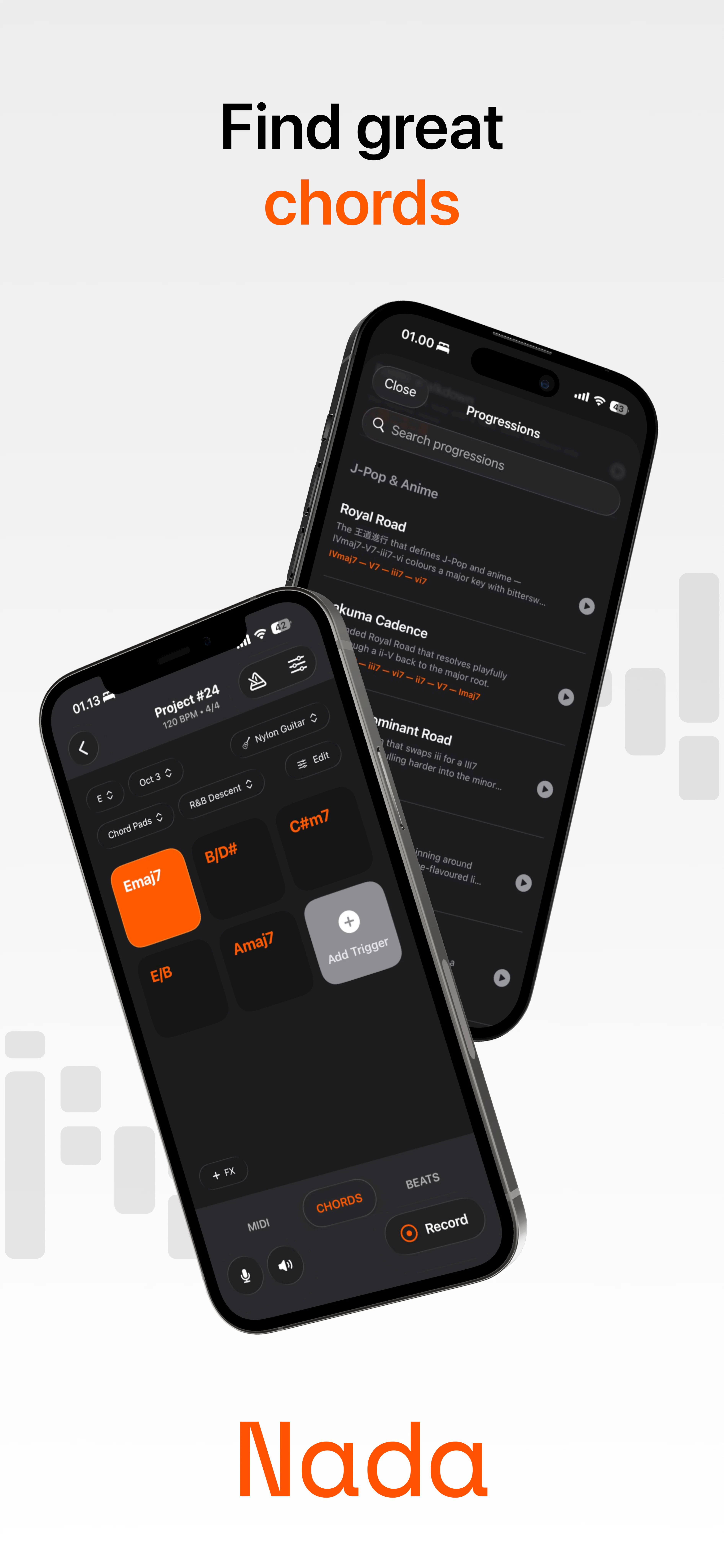
If you haven't tried the Chord Pads yet, please give it a spin! It's one of our standout features, designed to help you generate chord progressions and kickstart your music ideas. Cheers!

3
回复

It’s amazing to finally see Nada live on Product Hunt! 🎉 been watching this idea grow from a simple thought into a tool that helps people turn melodies into music has been such a journey. Really proud of what Tunelab team built. Hope Nada helps more creators bring their musical ideas to life.

2
回复

The "no AI generation" framing is actually the right call here - the value is capturing your musical idea, not generating a new one. Musicians who can hear melodies but can't play piano have been stuck with voice memos + manual transcription forever. Cutting that to hum-to-MIDI directly removes 3-4 steps from a genuinely painful workflow.

Curious how it handles rhythm accuracy - is the MIDI timing quantized automatically or does it preserve your exact phrasing? That's usually where voice-to-MIDI tools live or die for people who care about their groove.

2
回复

@galdayan So for accuracy, the first you can do in Nada is to choose your scale or disable note that you don't want to hit. This way you will always sing in scale, work kinda like autotune.

During recording it preserve exact timing and phrasing from user voice, if there's a mistake, you can always fix it in our midi editor and we provide automatic cleaning option in the editor that fix common vocal mistake when using Nada. We also have many quantization option in the editor.

2
回复

Hi everyone! I’m Tika, part of the design team behind Nada. 👋

From the very beginning, we knew we wanted to create something that lived at the intersection of creativity and productivity. Since we all share a love for music, it naturally became the heart of what we wanted to build together.

Designing this app has been both incredibly fun and challenging, and I feel privileged to have been part of it since day one. I’ve watched Nada grow from messy whiteboard sketches into an intricate app that continues to evolve with innovative features we never even imagined at the start. It has become a product we’re all genuinely passionate about.

What makes this journey especially meaningful isn’t just the product itself, but the team behind it. I’m deeply grateful to be part of this amazing group of people and excited for what lies ahead for Nada. We believe there’s still so much to explore in refining the creative process for musicians, and perhaps even embracing AI to unlock new ways of creating, capturing, and shaping musical ideas.

This launch feels less like the finish line and more like the first note of a much longer song. 🎵🚀

2
回复

Nada Coder here. I really enjoyed building this product and felt excited throughout the entire development process. From the very beginning, during the ideation phase, our goal was to create a product that is not only enjoyable for us to build as developers, but also enjoyable and valuable for users to use in their daily experience. We continuously focused on understanding user needs, collecting feedback, and improving the product based on the experiences and insights we received along the way.

Throughout this journey, I learned a lot because this product was something completely new to me and pushed me to explore many areas that I had never worked on before. During the development process, I encountered various technical challenges, unexpected issues, and many moments where I needed to learn quickly in order to solve problems effectively. Those experiences helped me improve not only my technical skills, but also the way I think about problem solving, product development, and collaboration within a team.

What made this experience especially valuable for me was seeing how an idea can slowly evolve into a real product through continuous iteration and learning. Building this product taught me that creating good software is not only about writing code, but also about understanding users, adapting to feedback, making improvements consistently, and being willing to learn from mistakes. Overall, this journey gave me a lot of new knowledge and became an experience that helped me grow significantly as a developer.

2
回复
I really like the philosophy of helping people capture ideas instead of generating them!!! I'm curious though... have you seen more adoption from experienced musicians looking for a faster workflow, or from complete beginners who don't play an instrument?
1
回复

Hi product hunt! 👋

I’m one of the designers behind Nada. It’s been really fun watching this app grow from early designs into something people can actually use.

I’ve mostly been involved in making the product and visuals feel easier to understand and more enjoyable to use. Seeing people turn a simple hum into something they can build on has been one of the coolest parts of working on this project.

Excited to finally share it here, and I’d genuinely love to hear what you think. Thanks for checking out Nada! 🫶

1
回复
Wow Bregas! This is really impressive. Music creators gonna love you. Wish you all the best
1
回复

@german_merlo1 Thank you!!

0
回复

For the voice-to-midi translation engine, how are you separating expressive articulation (like pitch bends, vibrato, or dynamics) from the raw musical notes? Are you mapping those vocal nuances directly to standard MIDI CC data in real time, or handling them post-processing through a secondary latent-space conditioning layer?

0
回复

Love that this is "capture your own idea" and not "AI makes a song for you." Great work!

0
回复

@john_marker3 Thankk youuu

0
回复

@bregas This would honestly save so many random voice notes on my phone. The idea of humming something quickly and turning it into MIDI before the melody disappears feels super useful.

0
回复
#4
RetroMac
Turn your Mac into a time machine.
190
一句话介绍:RetroMac 为你的Mac套上经典电脑系统的视觉皮肤(CRT扫描线、复古Dock/任务栏、小游戏等),并可将复古摄像头效果带入Zoom等视频会议,满足怀旧爱好者与创意工作者的“数字扮装”需求。
Funny Productivity User Experience GitHub
Mac工具 复古主题 怀旧桌面 CRT模拟器 视频特效 个性化定制 开源免费 生产力插件 Windows XP/98主题 macOS美化
用户评论摘要:用户对多显示器支持、性能消耗(Intel vs Apple Silicon)、一键切换模式高度关注。反馈集中在:CRT着色器对GPU的日常影响、Windows版何时推出、是否会从一时新鲜变为持续使用。开发者确认有性能模式、外接屏幕已支持,Windows版预计2个月内推出。
AI 锐评

RetroMac 的巧妙在于它并不只是“换皮”——通过虚拟摄像头将复古滤镜带进会议软件,它从纯粹的桌面怀旧工具升级为一种带有表演属性的社交道具。这种设计抓住了两个心理:一是个性化表达的渴望(在千篇一律的现代UI中突显自己的品味),二是对无意义工作效率的隐秘反抗(把严肃的工作环境偷偷变成游乐场)。

但它的长期价值存疑。复古视觉的新鲜感会迅速消退,尤其当它开始干扰日常工作流时(例如CRT扫描线让文本阅读变吃力)。目前的开源免费+一次性付费模式是聪明的妥协——让用户零成本尝鲜,再靠“摄像头加持”等专业功能筛选付费意愿。然而,若未能将“偶尔装扮”转化为“日常习惯”(如集成系统级快捷键、与开发工具联动等),它很可能沦为又一个“下载后截图秀一次”的壁纸替换器。

另一个隐患是性能。尽管开发者提供了Lite模式,但全屏着色器对Intel Mac用户仍是劝退项,而Apple Silicon用户未必愿意为视觉趣味牺牲续航。更致命的是,它与macOS原生窗口管理的兼容性(如截图、分屏、通知)可能成为长期吐槽点。

总体而言,RetroMac是一款执行力出色的轻量级产品,精准服务于怀旧社区的“仪式感”刚需。但若想跳出小众圈子,它需要回答一个更残酷的问题:当人们不再怀念旧系统之后,你还剩下什么?

查看原始信息
RetroMac
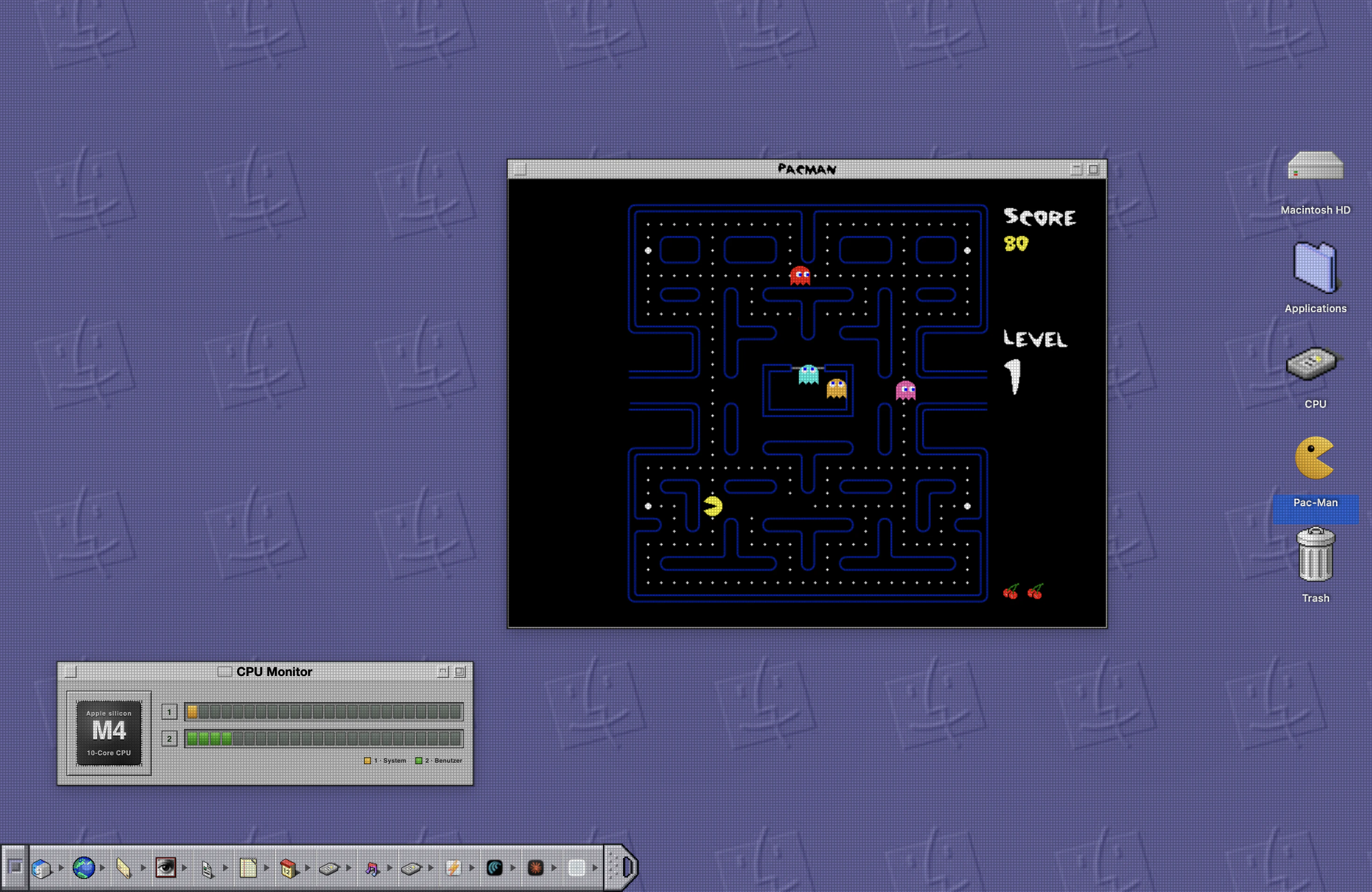
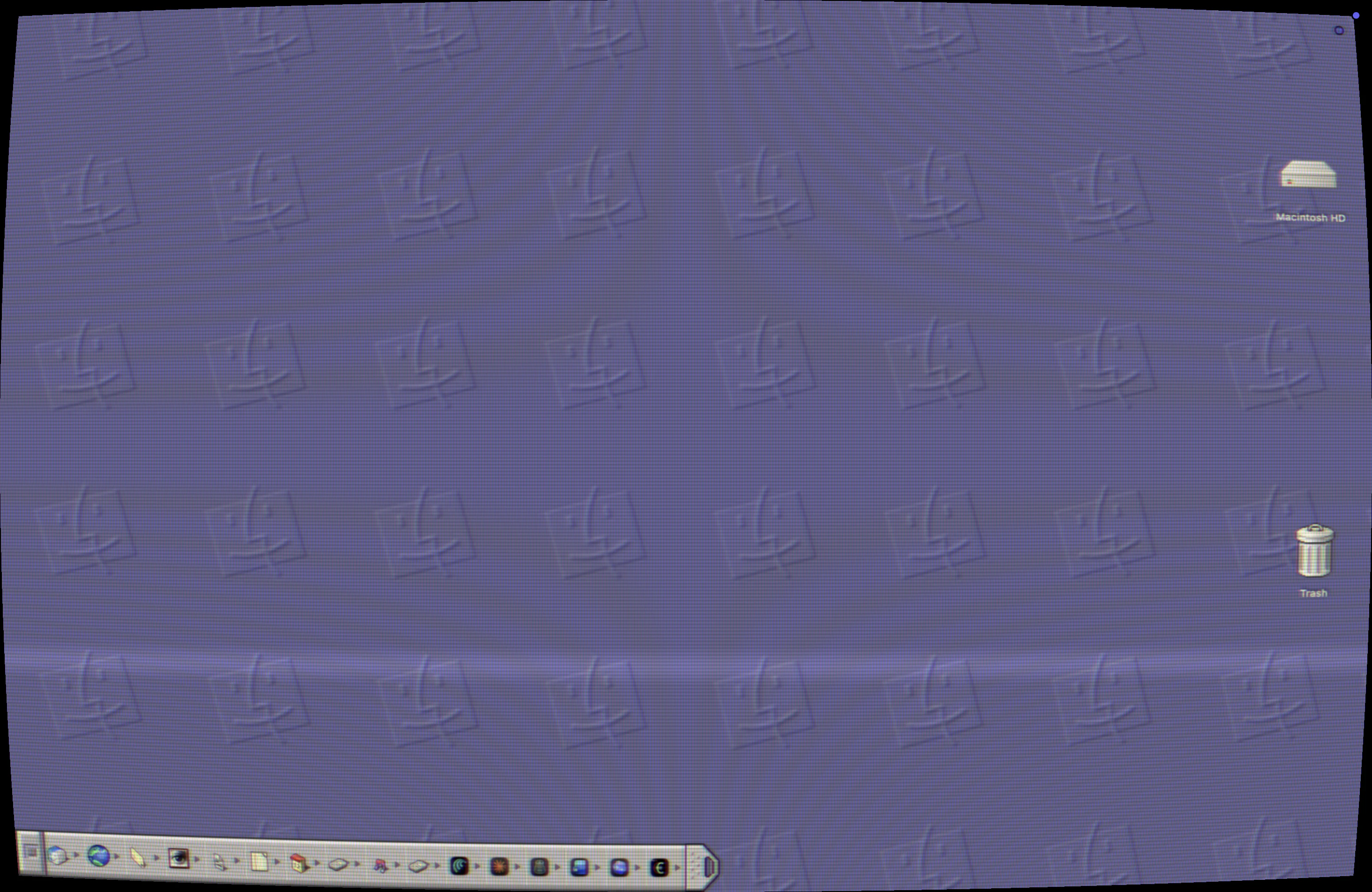
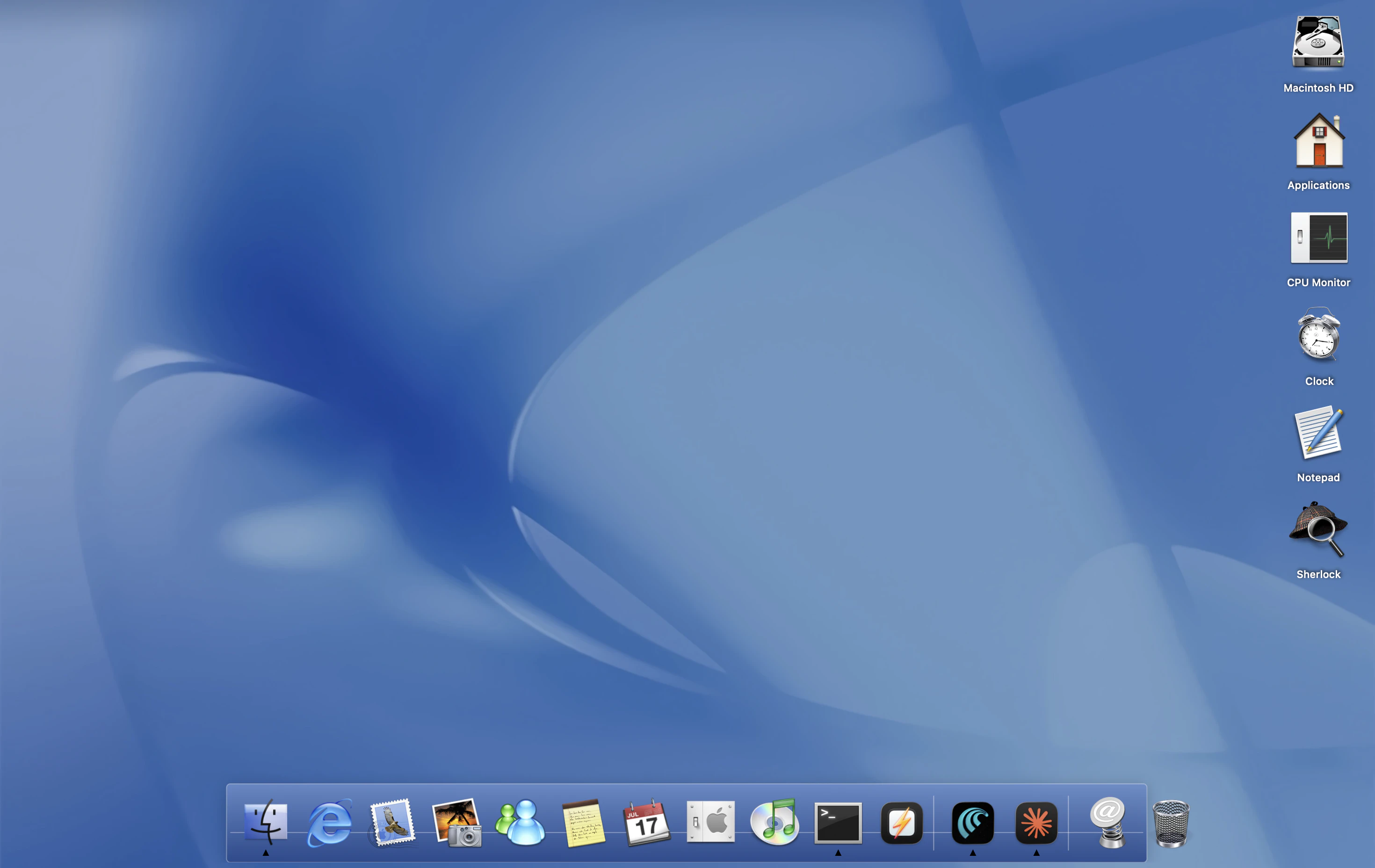
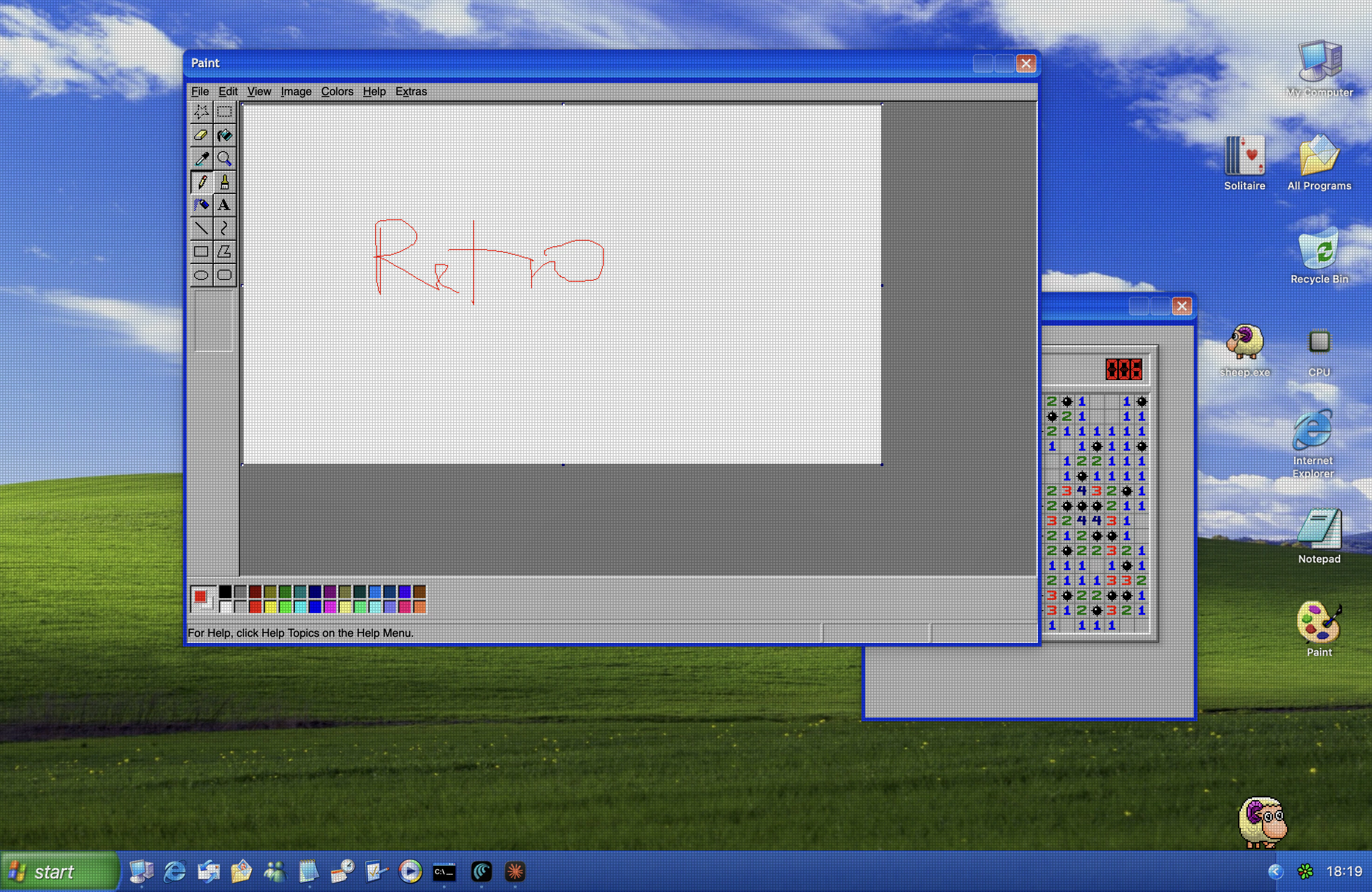
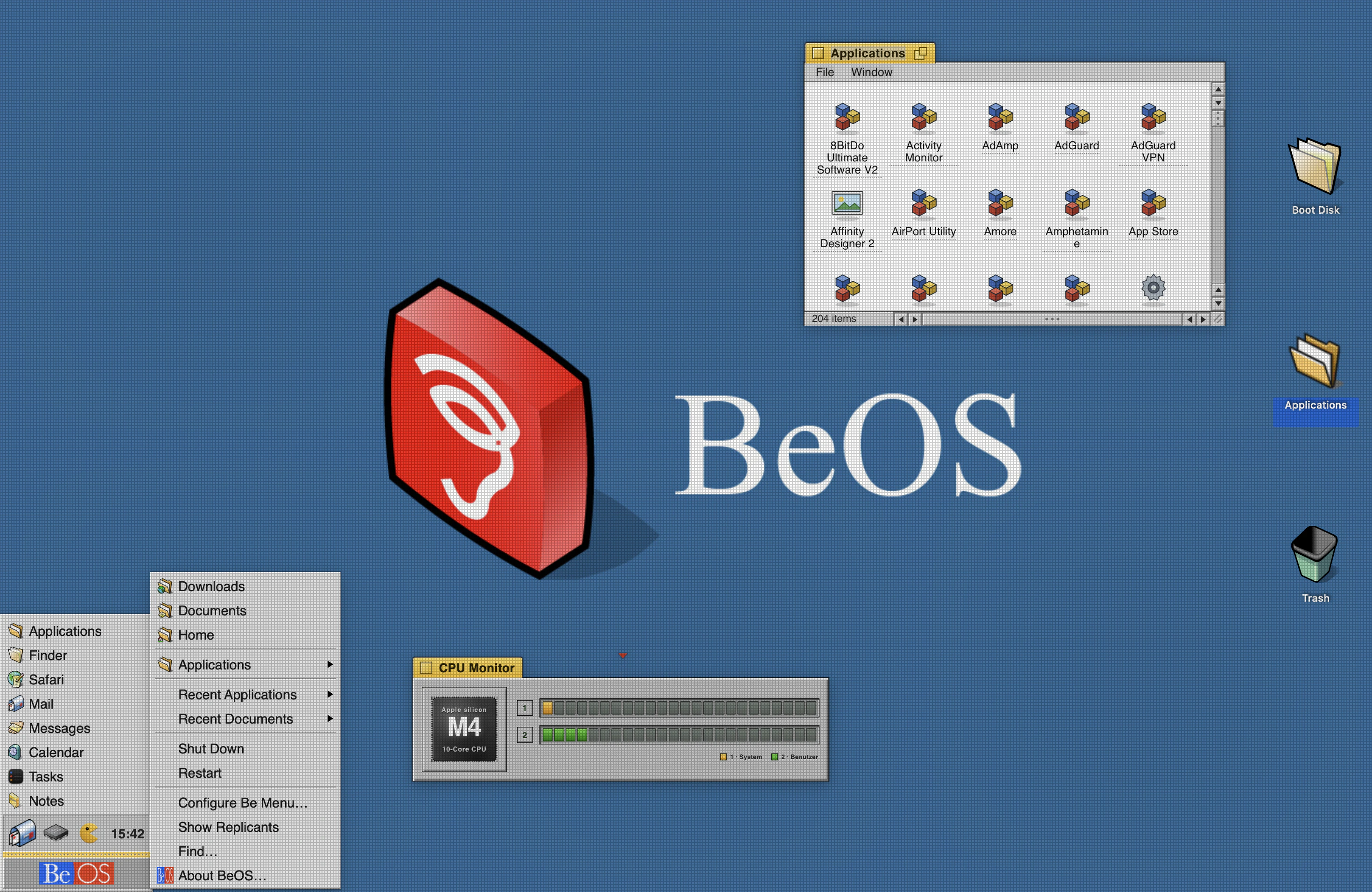
RetroMac wraps your everyday macOS in the look and feel of classic computers: authentic CRT shaders over your whole screen, themed docks and desktops (Mac OS 9, Windows XP/98, BeOS, Amiga…), retro widgets and games, and a virtual webcam that pipes the CRT look into Zoom, Meet or Teams. Open source, free to use with an optional one-time upgrade for extra presets and webcam support.
🆕 What’s new since our first launch? This is RetroMac’s second Product Hunt launch, and the app has grown a lot! 👉 Dock Mode & a quick launcher. RetroMac can live in your Dock; click its icon for a slim launcher to switch themes and flip the shader or virtual camera on/off. There’s also a floating launcher button you can drag anywhere on screen. 😳 Shaders on every display. Multi-monitor setups now get the CRT treatment on all screens, not just the main one. 👉 New “Retro Crisis” shaders (GDV-NTSC composite & RGB) and softer, more authentic CRT phosphor masks . No more “fly-screen” sharpness; it looks like a real tube now. 👋 Authentic Windows taskbar: Windows 98 and XP show one elongated taskbar button per open window; click to minimize/restore, just like the real thing.
2
回复

@maik_klotz how's the performance impact when running a ful-screen CRT shader all day?

0
回复
@maik_klotz This caught my attention because nostalgia-based products usually attract people fast… but keeping them engaged long term is where things get interesting. Curious, do you see this becoming more of a one-time experience product, or something users keep coming back to regularly?
1
回复
@maik_klotz That actually changes the positioning quite a bit. Once a product moves from novelty into something users can integrate gradually without disrupting existing habits, the challenge stops being product design and starts becoming market education. Because now people need to understand why they should adopt it beyond the nostalgia factor. That shift usually changes how growth has to be approached entirely.
0
回复

the dock for classic mac OS 9 is the unlocked badge of every developer who's quietly been wanting this since they were 14. shut up and take my money.

real question though: does the CRT shader work with external monitors? half my screen real estate is at 27" and i don't trust most shader presets to scale clean across resolutions.

2
回复

@thenameisarian yes! I use it with my external Monitor as well

1
回复

Hey, I saw this relaunch and immediately saw something good was coming (and I was right)!

Anyways, whens the windows version coming...

2
回复

@peterz_shu Thank you! I hope a win version ios coming within the next 2 months ◡̈

1
回复

I love these Retro series and now incorporated the Simpsons! :D You are a genius!

2
回复

@busmark_w_nika thank you! ◡̈

0
回复

Congrats on the launch! 🚀

The attention to detail is impressive, especially recreating the Windows 98/XP taskbar behavior instead of just changing the visuals.

I'm curious: since the shaders run across the whole desktop, how much GPU overhead do they add during everyday work or video calls? It would be interesting to know how they perform on older Intel Macs versus Apple Silicon.

1
回复

@prashant_patil14 There is a performance mode so your Mac doesn't need that many resources. And a bunch of "lite" presets, which are pretty fast too.

0
回复

This launch got me :)

1
回复

From a systems-level perspective, how are you intercepting the window server/compositor to inject the vintage display rendering and retro behaviors without triggering major layout lag or shattering native macOS window-snapping frameworks?

0
回复

This is genuinely delightful. The CRT shader on a single window is a nice touch — you can keep your workflow normal and just make the one app you're vibing with look like 1987.

Curious whether the shaders work with external displays or if it's limited to the built-in screen. And is there any performance hit on M-series chips running the full-screen presets?

Solid free tier strategy too — let people fall in love with it before asking for money.

0
回复

@maik_klotz This is the kind of app people open “just to try once” and then accidentally spend an hour changing their whole setup. The virtual webcam part is a fun touch too — showing up to a call with a CRT look is weirdly tempting.

0
回复

I urgently need this.

0
回复
#5
Cloud World Model
Simulate AWS, GCP & DigitalOcean without paying the bill
159
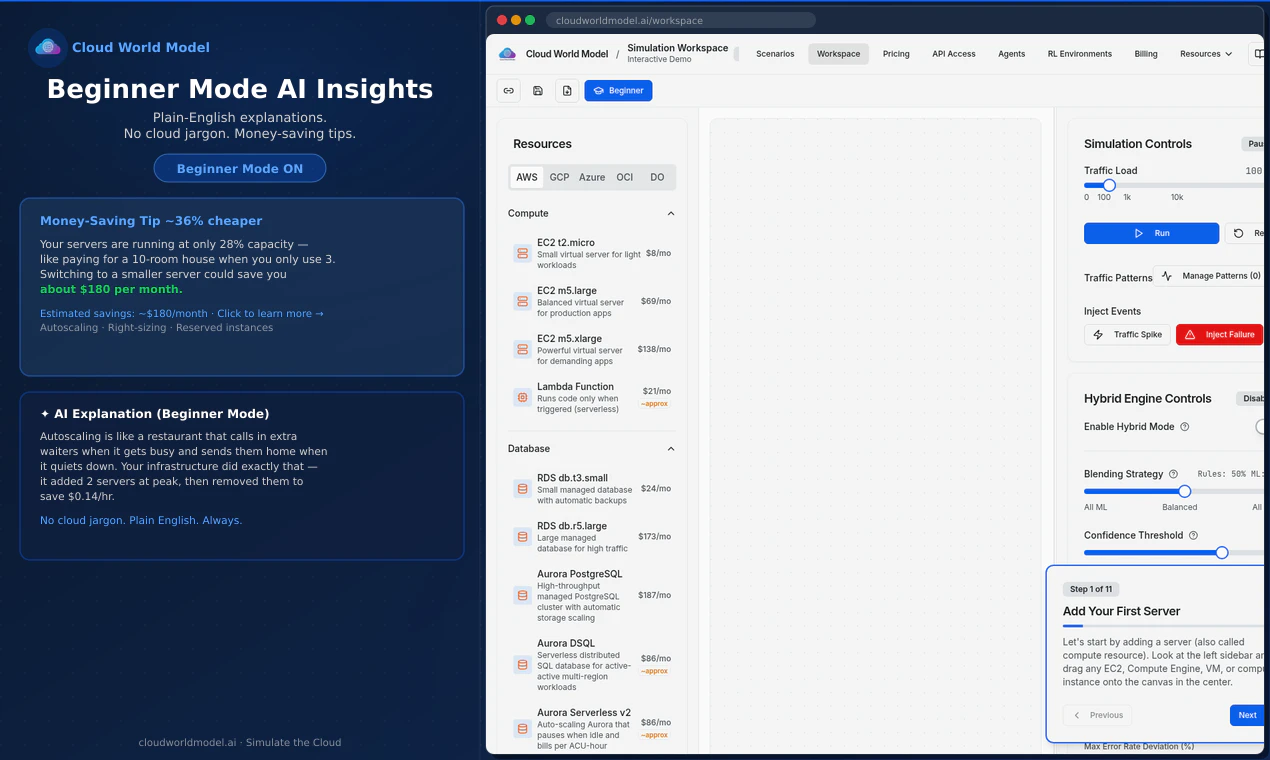
一句话介绍:Cloud World Model是一款无需实际部署即可模拟AWS、GCP、Azure等多个云平台架构的仿真工具,帮助学习者和AI代理在不产生真实账单的情况下预测成本、性能和容灾能力。
Software Engineering Developer Tools Development
云架构仿真 多云模拟 成本预测 性能测试 混沌工程 AI训练 Infra as Code 教育工具 架构优化 成本管理
用户评论摘要:用户关注仿真与真实环境的准确度差距,尤其是隐藏成本(如跨AZ流量)与IAM策略的模拟缺失。建议增加拖拽连线、导出Terraform/Pulumi、提供Go SDK等易用性功能。多数反馈希望成本预测能细化到单项资源,并对RL API的奖励机制透明度提出要求。
AI 锐评

Cloud World Model切中了一个极其真实的痛点——云架构学习的隐性成本和犯错代价。对于个人学习者和预算敏感的初创团队来说,烧真金白银做测试是奢侈的,而该产品提供了近乎零成本的“沙盒”环境,其价值不言自明。从评论反馈来看,团队对“开源节流”的把握精准:通过CI/周任务等方式将成本预测准确度稳定在96–98%(自报),并初步将混沌工程、资源比价等核心功能落地,避免了多数仿真工具沦为“摆设”。

但问题同样锋利。产品的“核聚变”潜力在于AI agent训练,而评论中关于“奖励机制不透明”的质疑直击要害——一个只优化成本而忽略可靠性的agent比人更危险。团队目前未公开reward模型,也未提供用户可调权重,这在严肃的生产级场景中是不可接受的。同样,IAAS层面的功能覆盖面不足:网络出口成本、IAM策略、迁移成本等“暗坑”尚未模拟,而这恰恰是实际账单爆炸的主要原因。UI交互生硬、缺少Terraform导出等工程细节也是阻碍用户从“体验”到“依赖”的绊脚石。

一句话总结:产品在“云仿真模拟”领域的卡位精准,核心功能已跑通,但若想从“初级学习工具”跃升至“生产级决策引擎”,仍需在AI agent安全机制、成本模拟深度和工程化集成上投入硬功夫。目前的技术壁垒尚浅,大厂(如LocalStack)一旦跟进,形势将瞬间逆转。

查看原始信息
Cloud World Model
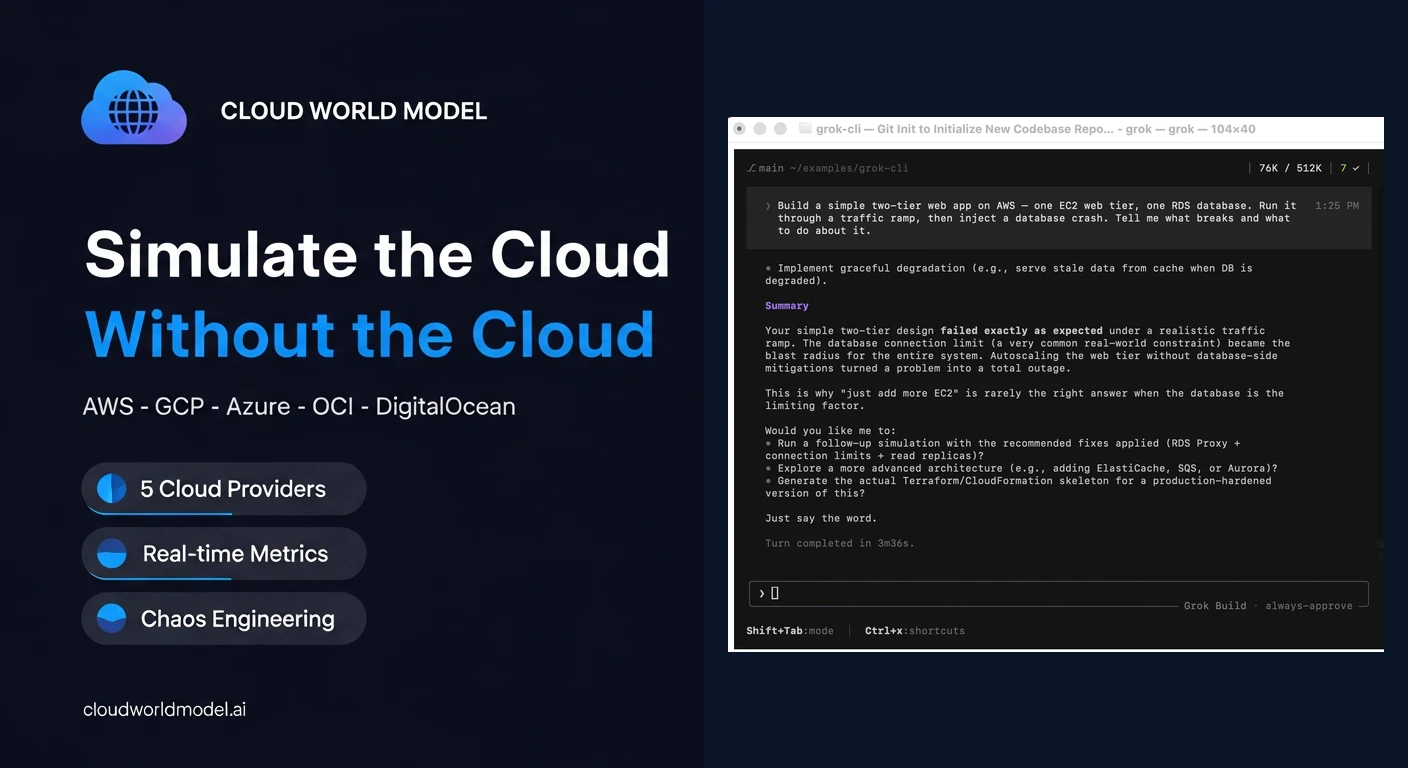
Simulate AWS, GCP, Azure, OCI & DigitalOcean architectures to predict cost, performance, and resilience without provisioning real resources or paying a cloud bill. Built for learners practicing cloud skills and AI agents training on cloud optimization.

Hi everyone! I'm Kevin Brown, one of the makers of Cloud World Model.

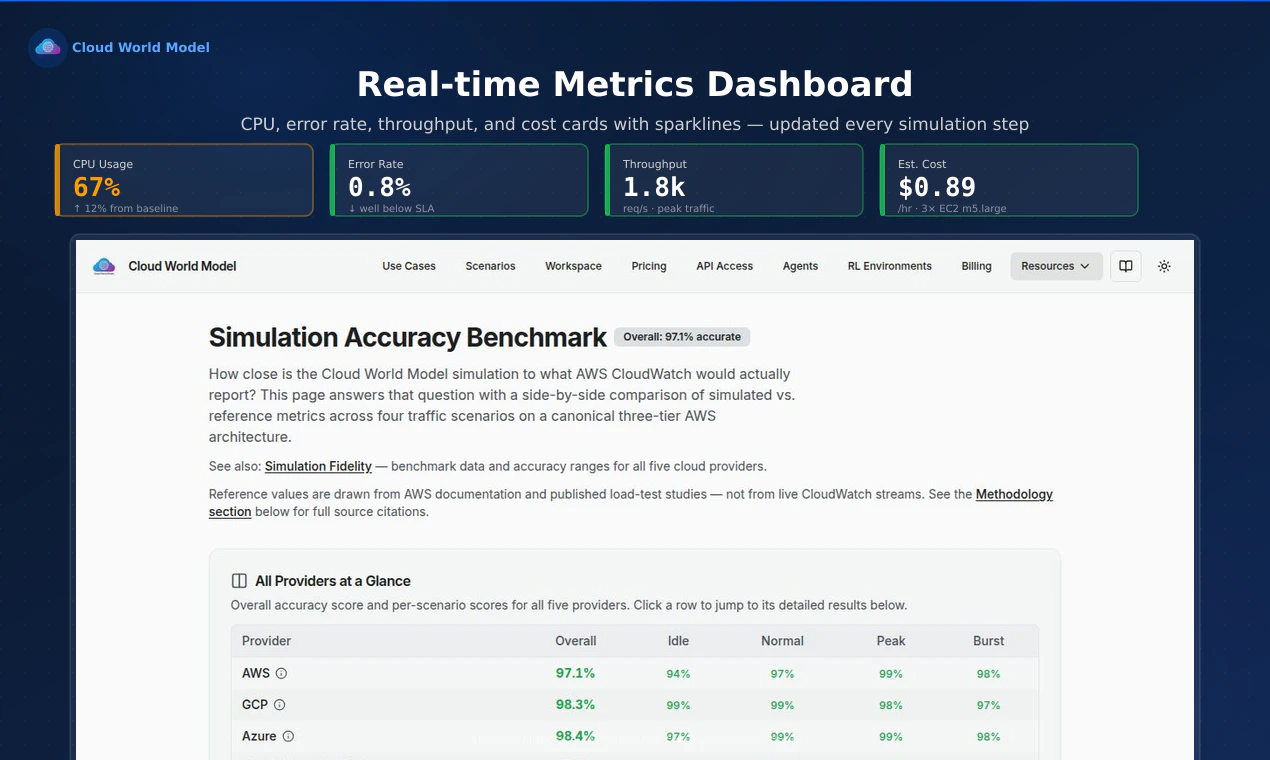
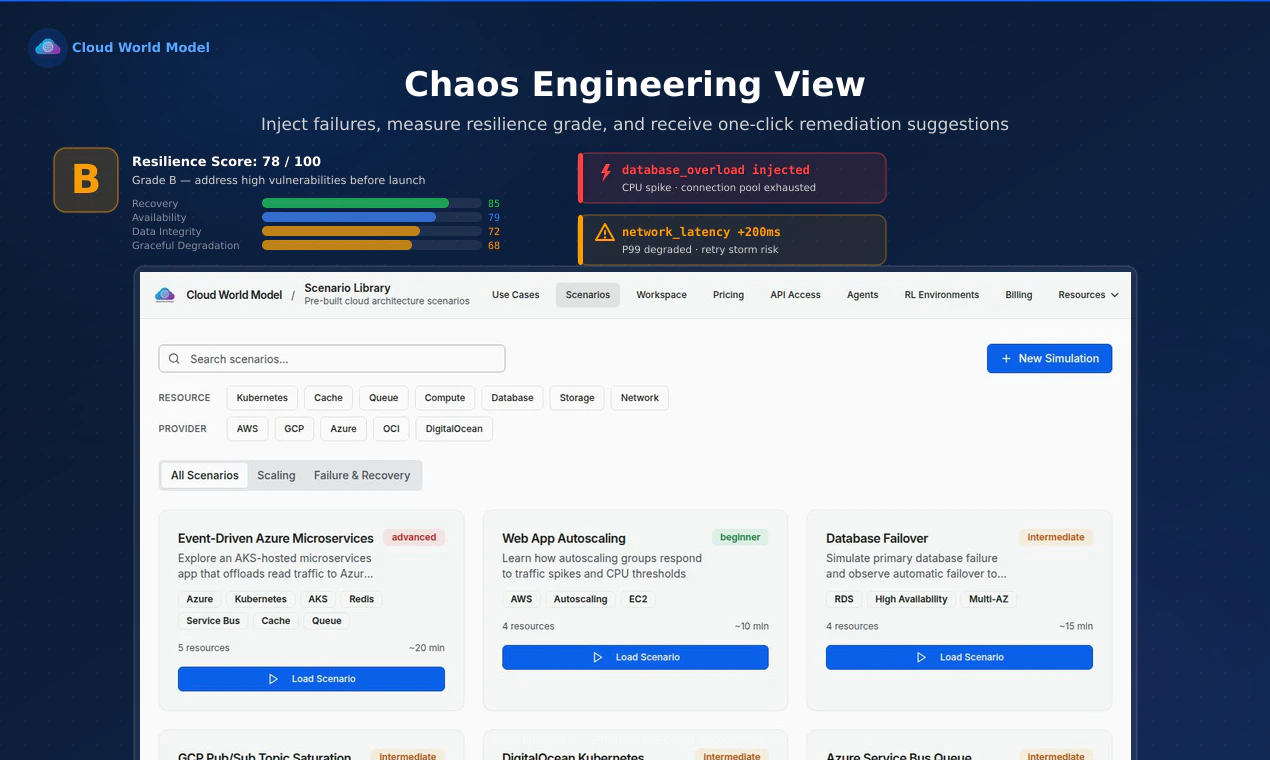
Cloud World Model lets you model AWS, GCP, Azure, OCI, and DigitalOcean architectures and instantly see how they behave CPU, error rates, throughput, autoscaling, failure recovery, and cost without provisioning a single real resource.

A few things we're proud of:

  • A capacity-aware engine that models real per-provider performance profiles

  • Chaos engineering: inject zone outages, DB crashes, and network partitions, then get a resilience score

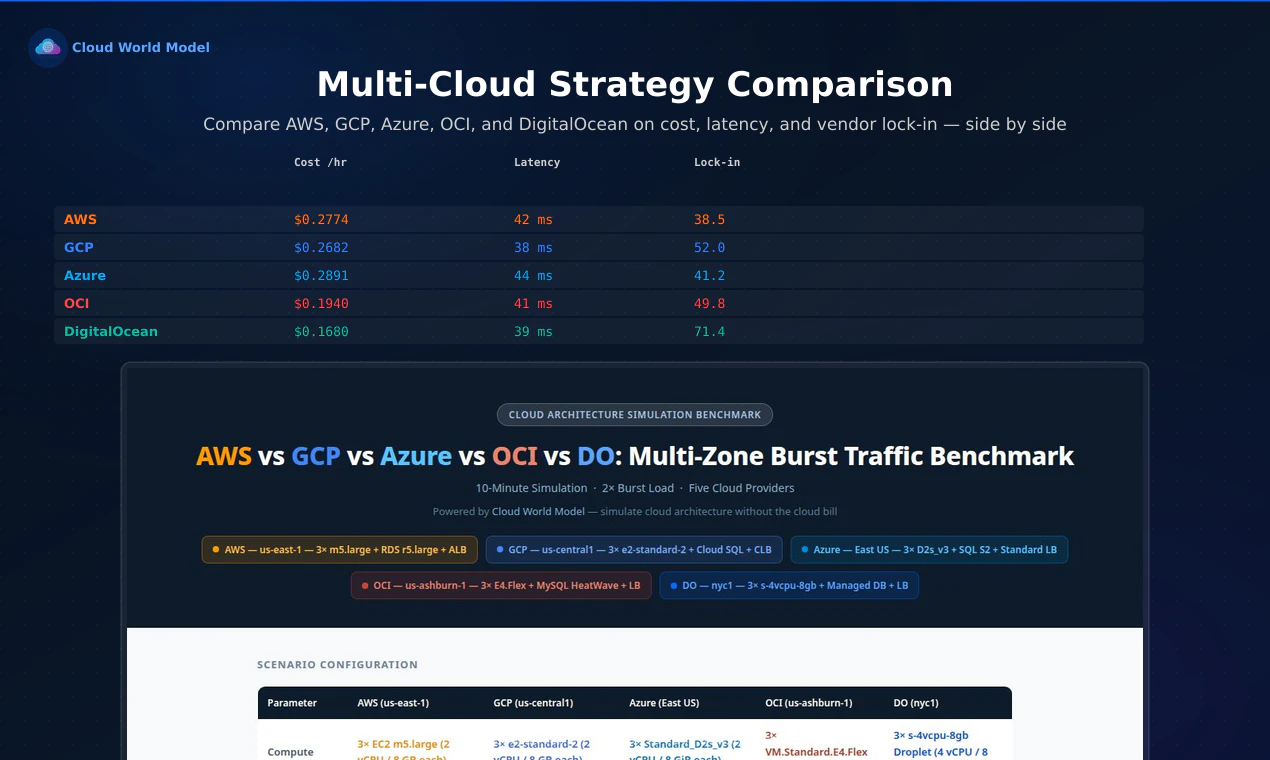
  • A multi-cloud explorer that compares provider combos on cost, latency, and vendor lock-in

  • A full RL training API so AI agents can learn cloud optimization in a safe, cost-free environment

  • Beginner mode with plain-English AI explanations and an interactive tutorial

Whether you're learning cloud skills or training agents to optimize infrastructure, I'd like to hear any of the following in the comments?

  1. How do you typically test cloud architecture changes before putting them in production or any environment?

  2. Do you think a mechanism to be able simulate a cloud architecture change would be useful?

  3. Any experiences with cloud cost comparisons?

5
回复

BTW, you can try us headless using any of the popular tools like @Claude Code , @Codex​​ or @Grok Build. The API is fully documented.

Here is even a starter prompt you can try:

Build a simple two-tier web app on AWS one EC2 web tier, one RDS database. Run it through a traffic ramp, then inject a database crash. Tell me what breaks and what to do about it.

1
回复

@mathsociety Once you've simulated an architecture and you're happy with it, can you export that to Terraform or Pulumi? Right now it sounds like the sim and the actual deploy are two separate worlds. That's where I'd get stuck.

1
回复

@mathsociety  Answering Q1+Q2 from the small-team side: I deploy bots to Fly and honestly my "test" is deploy-and-pray, no real staging. It bit me last week, a .env got baked into the Docker image and silently overrode my prod secrets, no error thrown, just wrong behavior. A simulator that flagged "this config will shadow your prod env" before deploy would've saved me hours. And the crash-injection prompt is the right instinct, the failures that hurt are the silent ones, not the loud ones.

0
回复

When simulating highly stateful infrastructure setups (like managed DB clusters with strict VPC networking rules or IAM permission chains), how deeply does your local mocking layer mirror the cloud providers' internal API state validation? Does it execute structural validation against a custom internal schema engine, or parse translated Terraform/CloudFormation configurations directly?

0
回复

Really cool - had a multi-cloud setup simulating in a couple minutes. One thing though: connecting resources took a few clicks each time (here's what I mean: Cloud World Model | createademo, ~0:10). Is there a faster way to wire them up - a drag-from-handle or keyboard shortcut? Would speed up building a setup a lot. Congrats on the launch!

0
回复

@john_marker3 That's awesome that you was able to create a quick demo. Truthful, I actually love the API more than the UI. I actually considered creating no UI but learners need a UI. The quickest way is to use the predefined scenarios on the scenario tab. Your point thought is valid regarding a quicker way to wire them up. Will need to think that through a little bit more. Thank you for the feedback, for creating the demo and the congratulations comment.

0
回复

Useful angle for teams that want to teach cloud tradeoffs without handing out real cloud accounts. I’d be interested in how close the cost/perf model stays to provider changes over time, since drift is usually where these simulators get hard to trust.

0
回复

@jimmy_lee12 Drift is an important concern. We use varying CI tricks.

Continuous validation: Every code change runs a pricing check in CI that fails the build if our cost constants drift from the reference rates we've sourced from each provider's pricing pages (AWS, GCP, Azure, OCI, DigitalOcean).

Weekly accuracy floor: A scheduled job benchmarks all five providers against real-world reference data every week and fires an alert (via PostHog - Shoutout to @PostHog ) if any provider's overall simulation accuracy drops below 95%. All five are currently well above that - AWS ~97%, GCP ~98%, Azure ~98%, OCI ~97%, DigitalOcean ~98%.

It's a combination of CI tricks and checks that keep things accurate.

0
回复

This is the one I keep coming back to, cost is the question that never really leaves the room, and almost always the hardest thing to pin down before you commit.

My real question is fidelity. The headline compute numbers are easy, every calculator gets those right. The bills that actually blow up are the hidden line items: egress and cross-AZ traffic, managed-service markups, spot vs committed pricing. Does the engine reach down to those, or just the sticker compute price? And the case that would really earn its keep: migration, where the egress to leave a provider ambushes everyone and never shows up in a "provider A vs B monthly" comparison until the invoice lands. Can the explorer model the transition cost, not just the steady-state side-by-side?

Genuinely love the concept, the chaos-engineering resilience score is a great touch too. Congrats on the launch! :)

0
回复

@keirodev appreciate the depth of this question.The engine goes beyond sticker compute: it models managed service rates, Kubernetes control plane fees, and spot vs on-demand pricing (that one's shipping very soon). So the "hidden" managed-service and spot deltas are in scope.

Egress and cross-AZ traffic costs aren't modeled yet. Those are roadmap items. Migration/transition egress is an even sharper version of the same problem, and honestly one of the most under appreciated real costs of a provider switch. That alone is a good reason for us to build it.

Thanks for the thoughtful questions, and for the kind words on the chaos resilience score!

0
回复

@mathsociety I like this because cloud mistakes usually get expensive after you already deployed them. Being able to play with failure scenarios, cost, and scaling before touching real infra feels especially useful for learners and small teams that don’t have a proper staging setup.

0
回复

@alpertayfurr Thank you. I’m glad you recognize this. We see Cloud World Model as something for human learners and non-human learners. It’s expensive to burn real money or to have an incident. I could remember we used to spend weeks on architecture. The only way we was able to validate architectural decisions was to put it in the environment or best practice. Stress testing an architecture is cost especially for small teams, even for large teams.

0
回复

The RL training API is the sharp end of this — and the part I'd push on. An agent is only as honest as its reward. Cost, latency, and resilience are in tension: minimize cost hard enough and the agent learns to ship something cheap and brittle that looks great right up until the zone outage you didn't simulate.

So, two things I'd want before trusting an agent's infra recommendation enough to act on it:

Is the reward multi-objective and user-weightable (I decide cost vs resilience vs latency), and does a run surface the tradeoff the agent chose — "cut 30% cost but dropped your resilience score from 8 to 5" — instead of just handing back one "optimal" config? The tradeoff being visible and mine to set is the whole ballgame.

The chaos-injection + resilience score framing is a great call too. Congrats on shipping, Kevin

0
回复

@syed_noor4 Thanks, Syed. The reward design critique makes sense. Cost, latency, and resilience are all tracked as separate metrics in the simulation, but the reward weighting isn't exposed as a user-tunable parameter today. Actionable, feedback is why we love being on product hunt.

The data to compute the two things you mentioned are there; it's a presentation and API design problem, not a simulation problem. Thank you very much for the feedback!

0
回复

Congrats on the launch! 🚀

Simulating cloud architecture before provisioning real resources is a very useful idea, especially for cost-heavy experiments and failure testing.

I'm curious: how close are the cost and performance predictions to real-world cloud bills after deployment? Do you provide any confidence score or comparison against actual usage data over time?

0
回复

@prashant_patil14 Thanks Prashant, appreciate the kind words. Cost predictions are grounded in published provider pricing (updated when drift is detected against live pricing pages) and validated against benchmarks our accuracy scores sit between 96–98% across AWS, GCP, Azure, OCI, and DigitalOcean.

We don't currently ingest actual usage data post-deployment for comparison, so there's no feedback loop that tightens predictions over time from real bills. If we had more resources, we could also run our own ML cloud tests and add to our own data to get the accuracy scores even higher. We don't do that today.

Here's our current accuracy numbers. I think they would need to be externally disproven. https://cloudworldmodel.ai/accuracy

1
回复

The RL training API is the part that grabs me - an agent is only as good as the sim it learns in. The capacity-aware engine modeling "real per-provider performance profiles" is where that lives or dies: are those profiles grounded in published benchmarks and vendor specs, or in measured telemetry, and how often do you refresh them? If the sim cost/latency drifts from the actual providers, an agent will happily optimize for the model instead of the cloud, so how do you validate fidelity against a real deployment?

0
回复

@hi_i_am_mimo performance profiles are grounded in published vendor specs and documented benchmarks, not measured telemetry. Fidelity is validated via an accuracy benchmark that runs against all five providers (AWS ~97%, GCP ~98%, Azure ~98%, OCI ~96%, DigitalOcean ~98%) with a hard CI gate. If we had more resources, we could also add to the data doing our own ML testing and get the accuracy even higher than what we are reporting. Also, pricing we check weekly.

0
回复

Strong launch. The RL training API is the interesting edge. If an agent learns an infra optimization in simulation, I’d want the handoff receipt before deploy: resources changed, env/secret assumptions, failure case tested, and rollback path.

Do you expect agents to export a plan into Terraform/Pulumi, or stay inside the simulator?

0
回复

@blah_mad My hope is actually more people use the API than the UI. Today, the RL agent stays inside the simulator. It learns optimization policies scaling thresholds, resource sizing, failure response and you get the episode history, reward trajectory, and the final recommended configuration as structured output. What you don't get yet is an auto-generated Terraform/Pulumi diff you can apply directly. At present the Agent is responsible for taking what its learned from our simulation engine and creating the IaC code. It's also possibly a natural next step for us to do it. Thanks for the comment!!

0
回复
this is going to be a massive hit if you could support the official sdk for each cloud. I'm currently using the go-sdk for AWS and GCP to interact with the underlying api, but if we can have a drop in replacement (similar to localstack) and then it's gonna be disruptive. hope to see this implement soon.
0
回复
@mathsociety fyi
0
回复

@saaduddin_ansari love this feedback, and yes, this is exactly the direction we're building toward! The LocalStack comparison is spot on for how we think about it too.

Right now we have a TypeScript SDK (OpenAPI-generated) that wraps our simulation API, so you can drive simulations programmatically today. The go-sdk drop-in replacement you're describing, where you'd swap your AWS/GCP SDK endpoint to point at Cloud World Model and get realistic simulated behavior back is on our roadmap. It's the most requested integration pattern we've heard.

The core simulation engine already models AWS, GCP, Azure, OCI, and DigitalOcean behaviors (latency curves, autoscaling quirks, pricing, failure modes), so the behavioral fidelity for a drop-in is already there. The missing piece is the API surface compatibility layer so existing SDK calls route through seamlessly.

Would a Go client for our current simulation API be useful in the meantime while we work toward full SDK compatibility? Happy to prioritize that if it unblocks your workflow.

0
回复
This is highly relevant for developers trying to architecture and test multi-cloud environments without burning budget early on. How accurate is the simulation when replicating complex networking constraints or IAM policies between AWS and GCP? Great launch!
0
回复

@daniel_adsuar_prieto Thanks Daniel great question. Appreciate, the kind words regarding the launch.

For multi-cloud networking constraints (latency between regions, cross-cloud egress costs, routing behavior), the simulation is quite accurate, we model provider-specific network topologies, zone-aware placement, and inter-cloud traffic costs. That's core to what we do.

IAM policies are a different story. We don't simulate that. We focus on the core infrastructure. IAM policies is a gap worth thinking about to test least-privilege architectures before deploying. It's something worth considering if there is demand for it. Thanks!!

1
回复
@mathsociety thanks for the clarification, Kevin. That makes sense regarding the scope of the simulation. Focusing on the infrastructure core is a solid approach, and the IAM gap is definitely a valid point for future iterations. Keep up the great work!
1
回复

the cost simulation is the part i need most. i blew $400 on an RDS instance i spun up for "testing" and forgot about for 11 days. nobody warned me.

how granular does the cost projection go? if i model a 3-tier app does it tell me i'm about to pay for an over-provisioned NAT gateway, or just give me a total bill estimate?

the value of cost tools breaks for me at the line item level. that's where i actually make decisions.

0
回复

@thenameisarian Hi, this is the scenario we are built for so the $400 RDS instance story hits home. The engine prices every resource in your architecture independently. So a 3-tier app isn't one blended number, it's the sum of its parts, and you can see which part is bleeding money. We are also a simulation engine, intended to simulate most times even before you deploy the architecture. If you change the architecture, simulate again. Thanks for the question.

0
回复

The chaos engineering part caught my eye, injecting a DB crash and getting a resilience score back seems really useful for catching weak spots before prod. Curious how close the cost estimates land to a real AWS bill in practice. Congrats on shipping!

0
回复

@i_sanjay_gautam Thank you, Sanjay. Yes, chaos engineering goes along way towards determining what happens when something crashes. We believe we are 95 to 98 percent accurate to the cost estimates of a real AWS bill. We have an accuracy benchmark which describes it here. https://www.cloudworldmodel.ai/accuracy

0
回复
#6
Epilogue. Write novels, scripts & poetry
The professional book writing app built for serious authors
130
一句话介绍:Epilogue是一款专为严肃作家打造的专业写作App,通过整合草稿、笔记与私密读者反馈,解决长篇幅创作中多工具切换、文档碎片化及反馈混乱的痛点,帮助作者保持创作心流。
Writing Novels Books
长篇小说写作 剧本创作 写作软件 专注写作工具 Alpha读者反馈 私密评论 无锁定导出 作家生产力 创意写作 书稿管理
用户评论摘要:用户普遍共鸣于写作碎片化痛点,肯定私密读者反馈设计;关注与Scrivener、Ulysses的差异化,重点询问混乱二稿管理、导出格式兼容性,对比Ellipsus等竞品,暂未见功能硬伤反馈。
AI 锐评

Epilogue切入了一个看似拥挤但实则空心化的赛道。Scrivener功能臃肿,Ulysses沉迷订阅与生态锁定,iA Writer过于轻量——严肃作者的真正痛点是“托管式创作流”与“反馈隐私权”的双重缺失,而非单纯的分心。产品最犀利的差异化在于将Alpha读者反馈设计为私密、非对称交互:每次评论独立匿名,避免“从众偏见”污染创作判断,这本质上是在重构作者与读者之间的权力关系,远比“无干扰界面”这类陈词滥调更具颠覆性。

但需泼冷水。投票数130在Product Hunt上属中等偏下,且评论区高频提及Scrivener与Ulysses的硬对比,说明产品尚未形成不可替代的护城河。创作者迁移成本极高——一部30万字的小说意味着数年写作习惯的沉没成本,仅靠“私密反馈”一个杀招不足以驱使用户弃坑,必须配合无痛迁移工具与出版级格式兼容(EPUB、PDF、DOCX一键适配出版社模板)才能降低决策门槛。另外,“无锁定”承诺是双刃剑:如果导出选项未能覆盖行业标准(如Vellum的.mobi、InDesign的.icml),反而会被认为能力不足。

更危险的是定位模糊:既想覆盖小说、剧本、诗歌三种体裁,又要兼顾个人写作与协作反馈。单一App若无法在某一场景做到“不需要第二个工具”,就会重蹈Google Docs+Spreadsheet的覆辙——只不过碎片从外部转移到了内部。建议团队聚焦长篇小说这一最高价值的垂直场景,把“私密反馈+版本历史”做成类似Figma的协作层,再向剧本/诗歌横向扩展。否则,Epilogue可能成为又一个“什么都想做,但深度不够以绑架用户习惯”的遗憾之作。

查看原始信息
Epilogue. Write novels, scripts & poetry
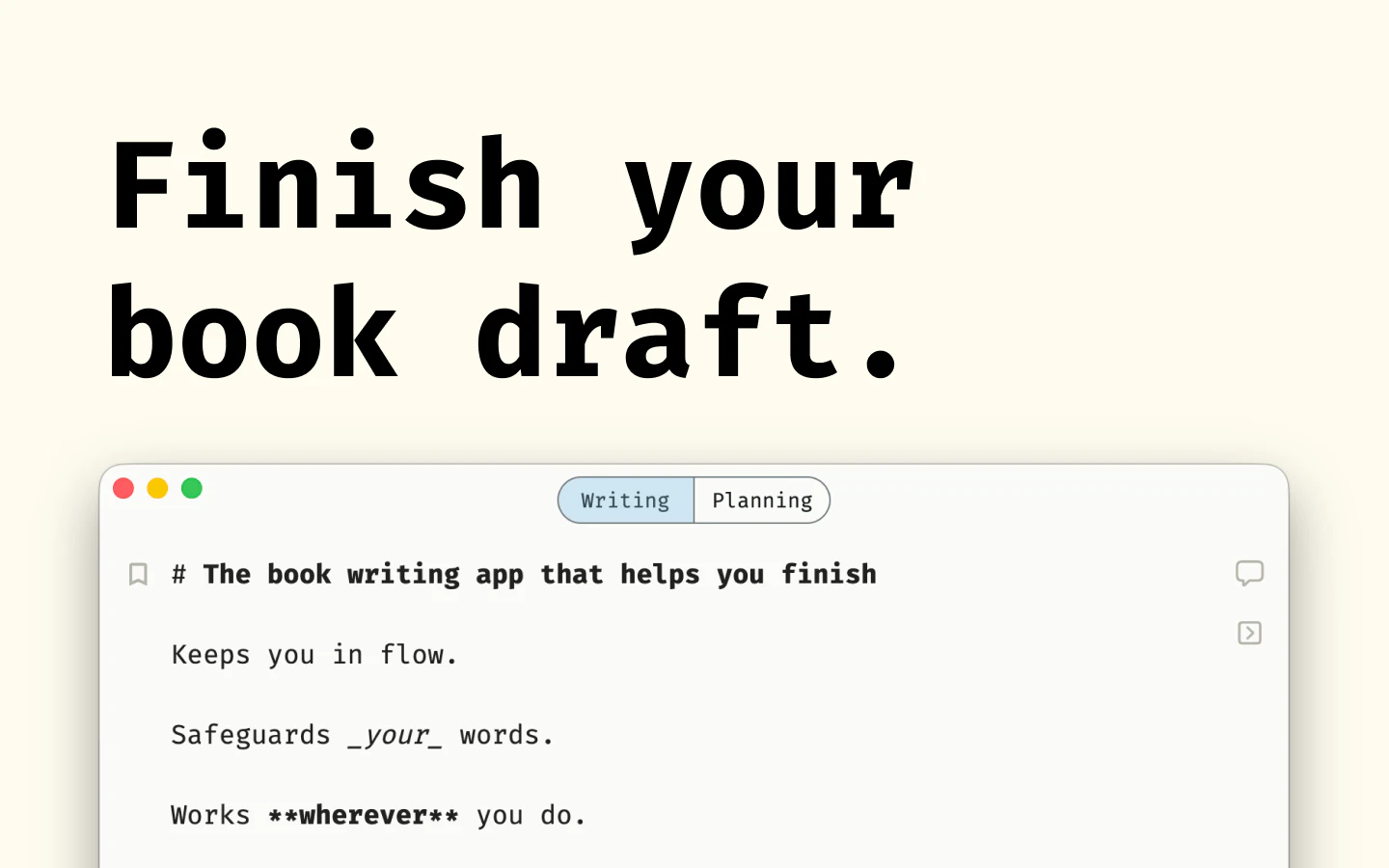
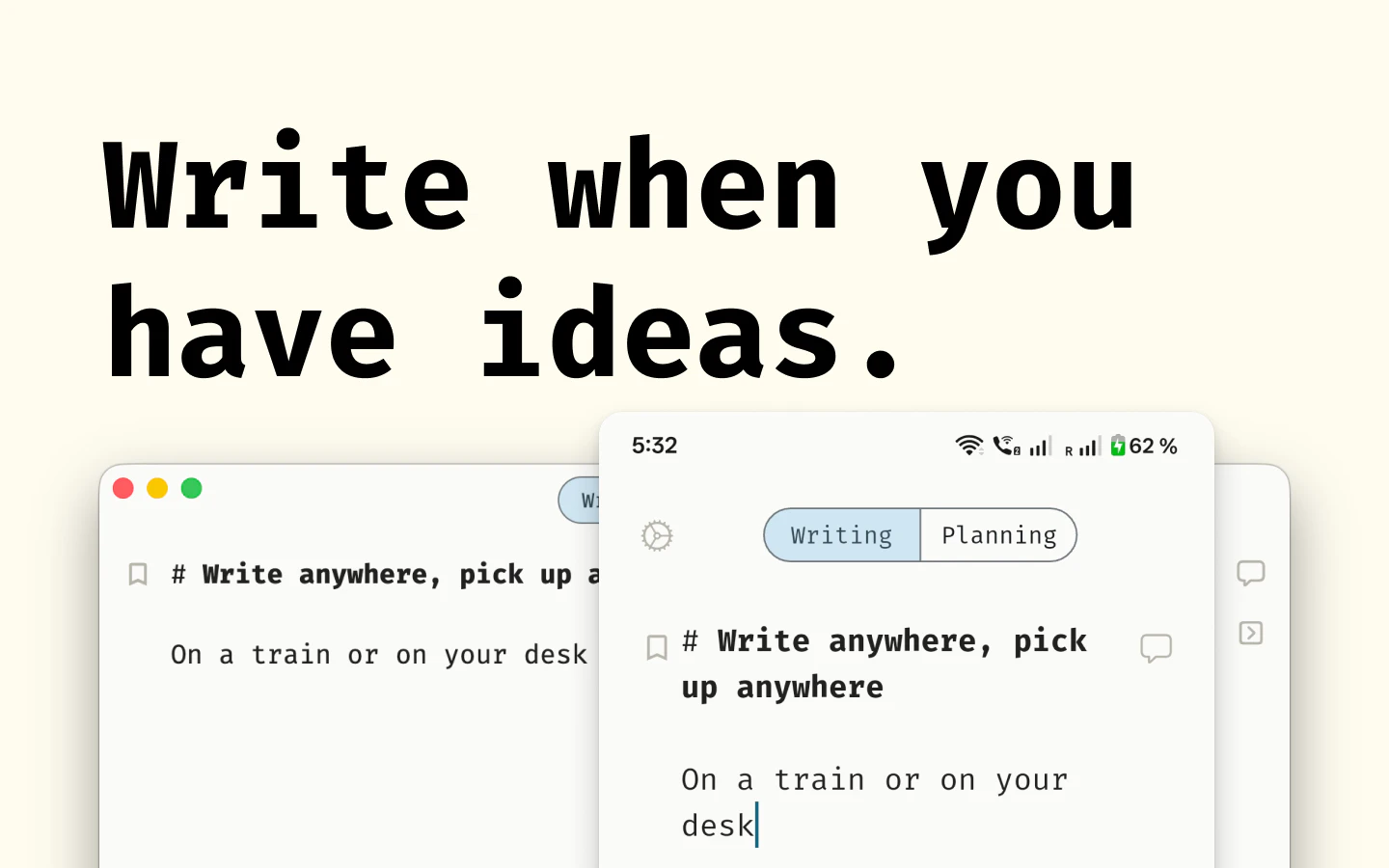
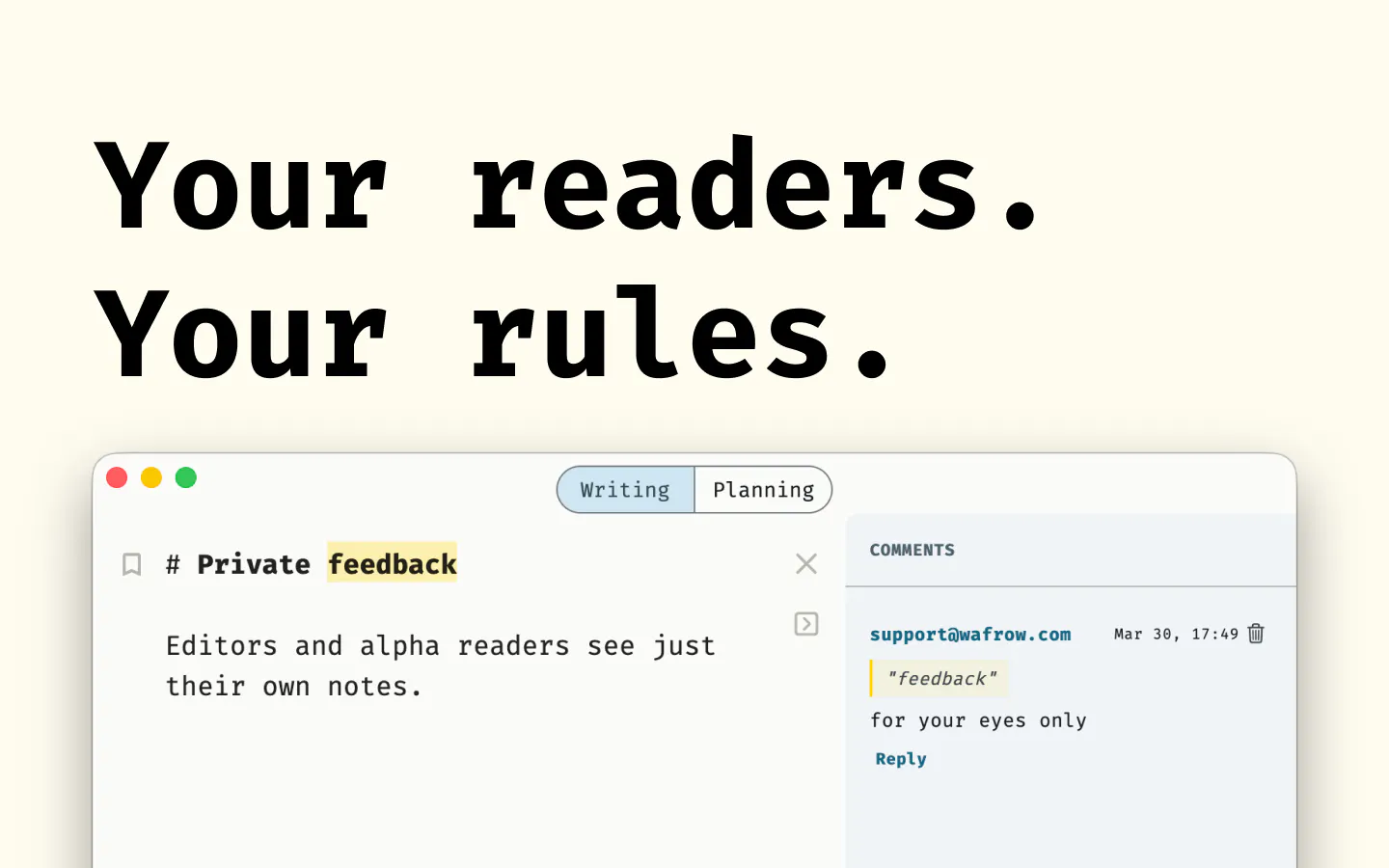
Epilogue is the writing environment built for writers who take their craft seriously. Whether you're drafting your first novel, structuring a script, compiling a collection of poems, or sharing a finished book with a large alpha reader group, Epilogue keeps you in flow. No distractions, no server lag, no lock-in.
A few years ago, a friend of mine & crafter of gorgeous prose, showed me the first three chapters of her novel. Sharp sentences, an eerie world, characters I loved. Then she pulled up her desktop. Twelve Google Docs. A spreadsheet for character notes. Notes app on her iPhone for similar “Character arcs” she thought of while traveling. Another Notes folder saying “Feedback from Priya”. She’d spent more time managing the chaos of writing than actually writing. I kept thinking about her setup for weeks. The fragmentation broke the creative flow instead of fuelling it. Authors are using tools built for management consultants and product managers. Google Docs emphasizes public collaboration but feedback from mum and my editor or alpha readers shouldn’t be public. Seeing someone else’s comments can bias the group. Nobody built something just for the person trying to finish a book. I faced the same chaos trying to publish my first book and got frustrated but had too much else going on. Now I’ve built the fix to help me finish book number 2. Hopefully, in a few weeks.
1
回复

@ravdeep_chawla This seems like a great and actually valuable product for writers!!

1
回复

@ravdeep_chawla "No lock-in" is doing a lot of work in that tagline and I mean that as a compliment. Most writing tools accumulate years of your work and then make leaving painful. Curious what export formats Epilogue supports — and whether a novel drafted here could move cleanly to a publisher's preferred format without reformatting everything manually.

0
回复

great launch! this looks really interesting. as an academic writer, I’m always bouncing between docs and apps while writing, which is okay for single manuscripts but tough for books or monographs…I’ve got an upcoming project and I might give this a try…how does it compare to an app like scrivener (other than cost)?

0
回复

Oh, I felt this one personally. Twelve docs, character notes in three places, feedback living somewhere in the void.

Love that you’re solving the boring-but-deadly part of writing: keeping the book alive while everything around it tries to turn into chaos.

How Epilogue handles messy second drafts? when the story is already there, but half of it needs to merge or die.

0
回复

@marie_saxon 2 ways to manage that.

  1. In the sidebar, you can directly rearrange chapters and make the narrative flow

  2. Switch to planning tab and redraft the narrative the way it makes most sense to you

I like the first option more personally but a couple of beta users expressed interest to make it more of a visual whiteboard. I'm still thinking about that

0
回复

This market (serious author writing apps) is genuinely crowded - Scrivener, Ulysses, iA Writer, even Obsidian with the right plugins. All of them make the same "no distractions, keeps you in flow" promise.

The alpha reader sharing angle is the one thing here that's actually underserved. Getting a draft in front of 20 beta readers without turning it into a Google Docs mess is still painful, and nobody's solved it cleanly yet.

What's the concrete differentiation from Ulysses specifically? That's probably your closest direct competitor for the "offline-first, focused, serious author" positioning - and the answer to that question is what would make me switch.

0
回复

Wow, keeping alpha reader feedback private really helps one loud note not anchoring the whole group! Most writing tools get this backwards by defaulting to public comments... Love the product, you seem to be on the right path

0
回复

@artstavenka1 thank you :) please give it a shot

0
回复

Isn't this something similar to Elipus?

0
回复

@busmark_w_nika ellipsus? I haven't used it. Is there something you like more about it.

0
回复
#7
Supra Player
Compare & Sync Videos Fast
124
一句话介绍:Supra Player 是一款轻量级 macOS 视频对比同步播放器,专为需要频繁比对、审查多段视频(如AI生成结果、多机位素材)的用户设计,解决了用笨重剪辑软件就为“看个视频”的效率痛点。
Productivity User Experience Video
视频对比 帧同步 多机位 macOS 轻量播放器 AI视频评估 音频同步 像素级对比 帧级播放 视频审查
用户评论摘要:开发者回应了混合帧率同步的难点,通过时间戳而非帧号同步,并用像素差异模式直观展示。用户关心AI生成版本书签帧功能,以及混合帧率(24fps与60fps)对比的稳定性。有评论指出产品易做,用户留存和早期采用是更大挑战。
AI 锐评

Supra Player切中了一个被忽视的细分市场:视频审查与对比的“轻量分析”工具。它的价值不在于剪辑能力,而在于将Final Cut Pro/DaVinci Resolve中繁琐的“预览、比较、同步”操作解耦出来,提供了一个启动快、无项目文件负担的专用视图。对于AI视频创作者、VFX合成师、多机位剪辑师而言,这个定位非常精准。从技术实现看,其时间戳而非帧号同步机制,以及针对高帧率混合场景的像素差异分析,显示了开发者对核心痛点的深刻理解,绝非简单包装的玩具。

然而,这款工具面临天生瓶颈:它解决的是“工作流中的中间环节”问题,用户要么使用NLE完成全流程,要么只在特定阶段需要它。如何让用户形成“看视频就用它”的习惯,而不是“用完即走”,将是留存的关键。定价策略必须谨慎,若定位为免费的效率工具插件则能快速获客,若收费,则必须证明其同步帧精度和稳定性远超NLE自带的简单对比功能。当前的124个点赞更多来自对精准打击痛点的认可,能否持续吸引专业用户,取决于它是否能在功能上做到“极致简单但核心能力强悍”,比如加入帧级书签、导出对比截图等硬需求。否则,它很容易成为另一个漂亮的“辅助工具”后被遗忘。

查看原始信息
Supra Player
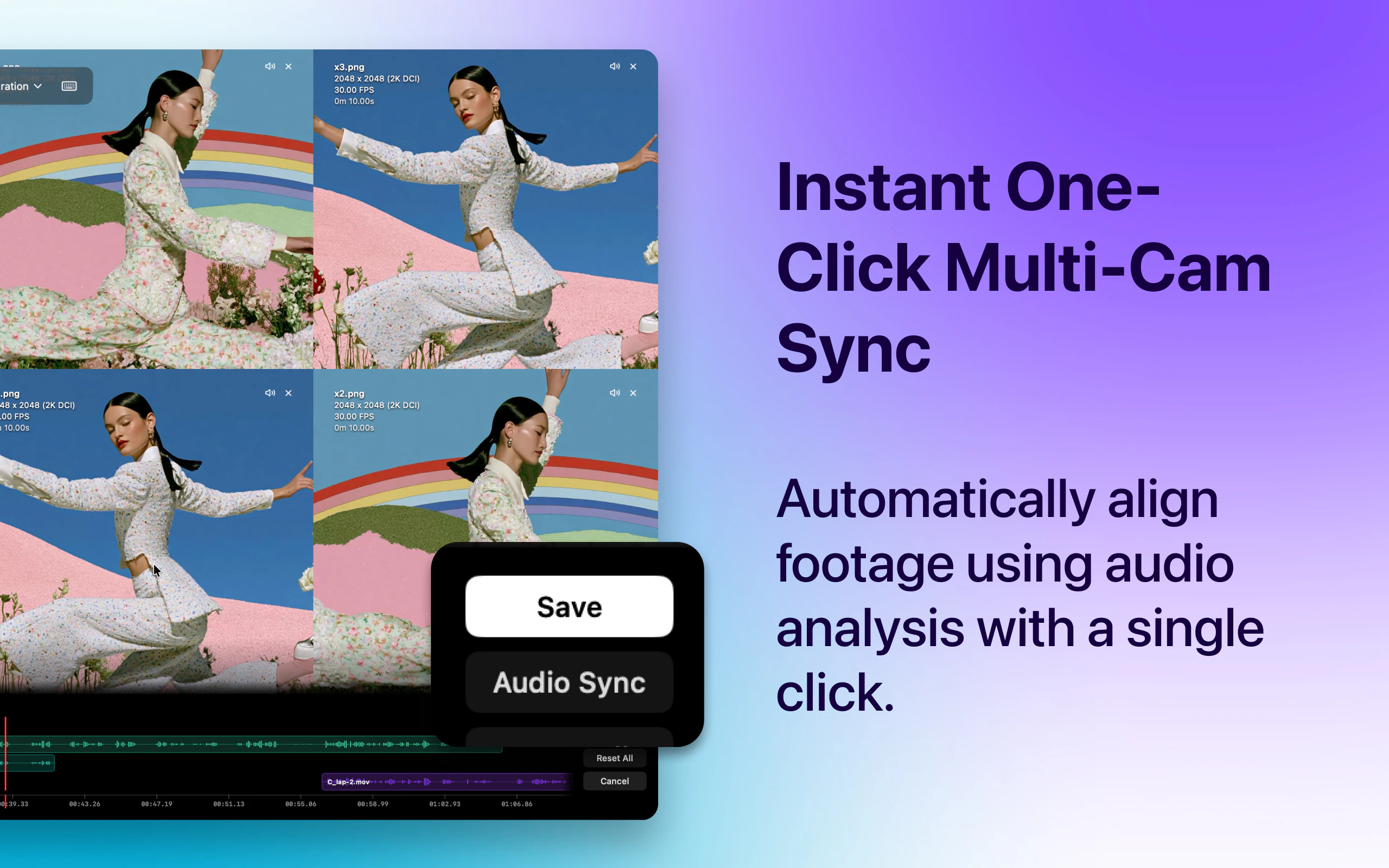
Supra Player is a lightweight macOS app built for reviewing, comparing, and syncing video. Compare up to 12 videos side by side with frame-accurate playback, automatic audio sync, shared zoom and pan, customizable layouts, annotations, and instant switching—without the complexity of a full video editor.

the sneaky part of mixed-fps review: a 24fps clip and its 60fps interp share an instant only every 1/12s, so stepping both one frame drifts them apart. nearest-pts snap on the slower clip keeps it honest.

1
回复


@qifengzheng Thanks! You're correct and I ran into this while reviewing interpolated videos myself. The app syncs on timestamps, not frame numbers. During playback there's a single global timeline, and each clip maps that timeline to its own source time. Frame stepping uses the highest-FPS clip, so if you're comparing 100 FPS against 25 FPS, the 25 FPS clip only advances every 4 key presses while the 100 FPS clip advances every press.

I added an overlay showing each video's current frame, total frames, and FPS, which makes this really obvious.

The pixel difference mode is also surprisingly useful here—you can literally watch the clips diverge between matching frames, then flash back to identical every time they land on the same source frame.

Whenever you pause, play, or scrub, every clip is re-seeked to the exact timeline position. Playback start is also dynamically staggered—the more videos there are, the more the startup is spread out (up to ~100ms for larger sessions) to reduce decode spike / overload and subsequent de-sync. Each clip is compensated for its delayed start so they still begin in sync. Together these help keep everything aligned while reducing decode spikes and improving playback on older hardware with multiple high-resolution videos.. oh and there is a duration lock button if you really need it.

Pixel diff mode :)

video metadata overlay :)

0
回复
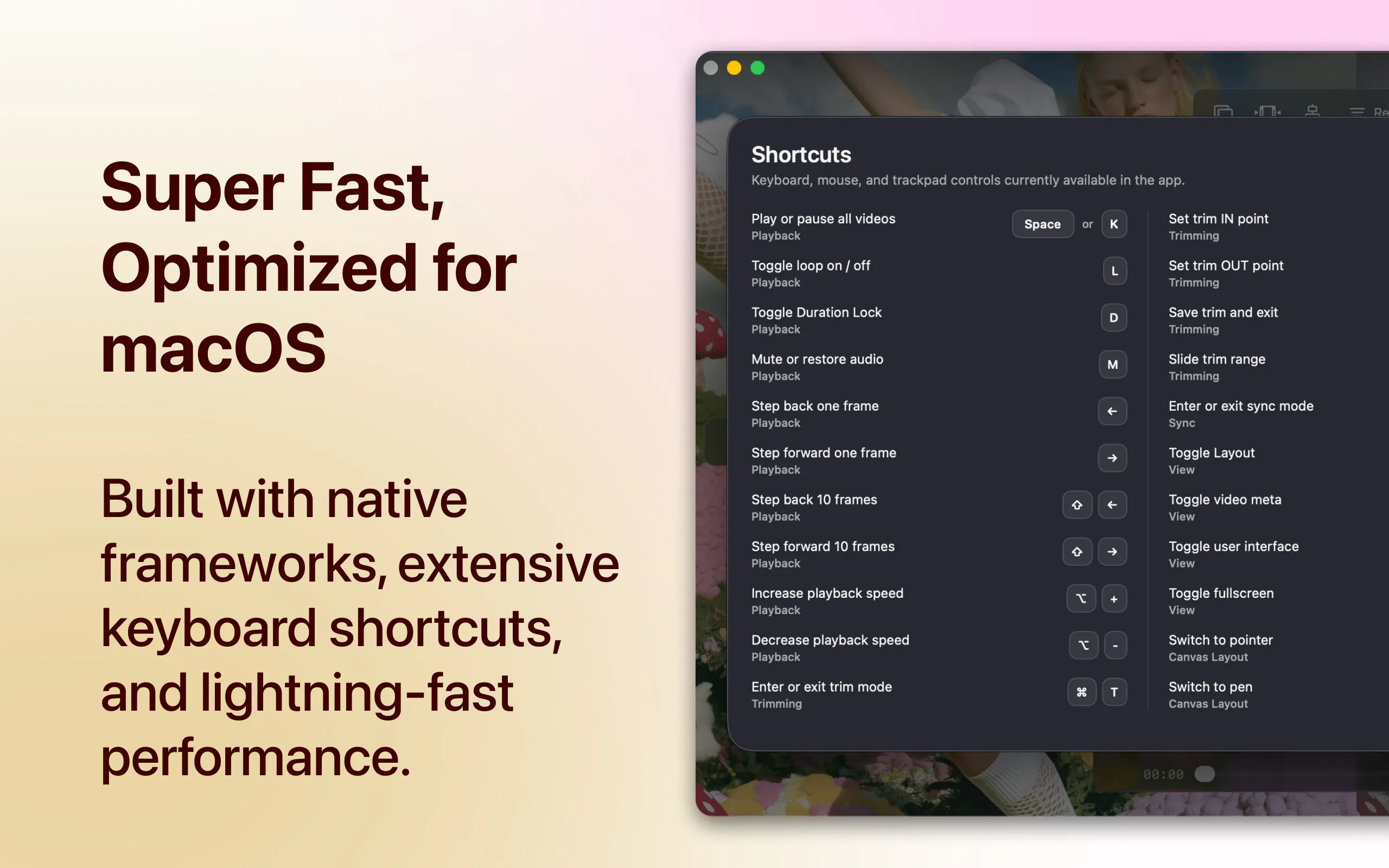
Hey everyone! I'm Jesse, the maker of Supra Player. I'm a software developer, but I also enjoy editing videos as a hobby. Lately I've been spending a lot of time experimenting with AI video workflows—upscaling, frame interpolation, restoration, outpainting, and comparing outputs from different models. I kept finding myself opening heavyweight editors like Final Cut Pro just to review or compare videos, which felt like overkill. I wanted something that launched instantly, stayed lightweight, and focused purely on reviewing, comparing, and syncing footage—without timelines, project files, or the complexity of a full editor. Essentially, I wanted a video player built for analysis rather than editing. What started as a tool for my own workflow gradually became the video player I used more than QuickTime, so I decided to polish it up and release it. If you work with video—whether it's AI, multicam productions, podasts, VFX, content creation, or client reviews—I hope you find it useful. Thanks for checking it out, and I'm happy to answer any questions!
0
回复

@jessengatai Startup Growth Package – $300

  • Landing page or small website improvements (if needed)

  • Social media promotion

  • Community outreach (Reddit, Facebook, Discord, etc., following each community's rules)

  • Basic SEO optimization

  • Analytics/report after the campaign

  • 2 weeks of support

0
回复
@jessengatai This is interesting, one thing I’ve noticed with productivity tools like this is that building the product is usually the easier part… getting people to keep coming back consistently is where the real challenge starts. Curious… what part do you think will be harder for you from here, user retention or getting enough early adopters?
0
回复

Love the idea of keeping reviewing separate from editing. There are plenty of times I just want to compare outputs, not open a full NLE project.

One workflow I'd find really useful is comparing multiple AI-generated versions side by side (upscaled, restored, interpolated, etc.) and being able to bookmark specific frames where one model performs better than another. That would make model evaluation much faster.

0
回复

@prashant_patil14 Thanks Prashant! Exactly my thoughts and what led to the birth of this app :)

0
回复

Frame-accurate multi-cam sync via audio analysis is the feature that makes this actually useful for real production work. Syncing multi-cam footage manually is one of those jobs that silently steals 30 minutes from every edit session - doing it automatically with a single click is the right call.

The 12-panel limit covers any realistic multi-cam setup. One edge case I'd be curious about: does it handle mixed frame rates side by side (say, 24fps B-roll next to 60fps slow-mo)? That's where most video comparison tools fall apart. Congrats on the launch.

0
回复

@galdayan Thanks Gal! Great question. It should handle mixed frame rates just fine. I've been using it myself extensively to review frame interpolation tests (RIFE, etc.), where clips often have different frame rates.


For syncing, as long as the videos have enough overlapping audio, one-click sync works reliably. I've tested it with everything from clean recordings to street ambience and background music, and it's held up well. If needed, you can also nudge clips left or right by a frame using the sync timeline for fine adjustments.

0
回复
#8
Wysera
One AI agent. Every department. Content, CRM & ops.
36
一句话介绍:Wysera通过单一AI代理打通内容营销、CRM与运营流程,解决企业在使用多款工具时产生的数据孤岛和上下文丢失问题,实现跨部门协同工作。
Sales SEO CRM
AI代理 跨部门协同 内容营销 CRM 运营自动化 品牌一致性 上下文共享 工作流自动化 中小企业工具 SaaS
用户评论摘要:用户普遍认可“共享上下文”的价值,质疑点集中在:一体方案是否沦为脆弱的提示词包装?如何保证内容质量和邮件送达率?当各部门工作流变化时,统一代理如何应对维护负担?创始人承认早期局限,强调审核默认为关键设计,并采用权限隔离和版本快照应对复杂性。
AI 锐评

Wysera的核心叙事并非“替代一堆工具”,而是“用一个AI大脑打通部门墙”。这确实切中了中小企业(尤其是初创团队)在多工具叠加后,数据断连、品牌漂移、决策滞后的真实痛点。创始人从一开始就踩准了“审核默认”而非“全自动”的克制设计,这比那些鼓吹完全自主的AI工具更务实,也更容易获得企业信任。

然而,产品目前只有36票和寥寥几条深度评论,说明它尚处于极早期,尚未经历真正的规模检验。评论中那位怀疑“你是否只是一个脆弱的提示词包装”的用户,问到了点子上。创始人的回应——“我们主要在状态管理而非提示层”——听起来很美,但实现一个跨内容、CRM、运营的持久上下文层,其工程复杂度和维护成本是指数级增长的。当每个部门的规则、数据、权限独立演进时,统一代理的“隔离模型”和“版本快照”方案在理论上是正确的,但在实践中,会不会导致配置爆炸,让用户从“维护五件套”变成“维护五个权限策略”?这一点需要时间验证。

另外,该产品对HubSpot、Salesforce等巨头的替代宣传略显虚高。它更适合那些尚未深度绑定复杂CRM系统、且对灵活性和统一体验要求高于特定深度的轻量团队。对于需要深度财务建模、复杂销售自动化或程序化SEO的企业,它更应扮演“编排者”而非“执行者”的角色。

一句话总结:Wysera的洞察敏锐,设计克制,但前路挑战重重——它真正的敌人不是单一的大模型工具,而是如何在保持简洁统一的同时,驾驭企业运营日益增长的复杂噪音。

查看原始信息
Wysera
Wysera builds PostWyse (AI content & SEO) and OpsWyse (AI-first CRM). Two products. One AI. The work that actually moves the needle.
Wysera is my answer to that gap: one agentic operating system where a single AI runs your marketing, your revenue, and the operations in between, so the same Wyse that drafts your blog also knows which deal went quiet and what to say to re-engage it. Instead of paying for a stack of point solutions and hoping Zapier holds, you get one AI, one design language, and one feedback loop, where every approve-or-dismiss makes the system smarter and more on-brand over time.
5
回复

Hey! 👋 Girish Kotte here, Founder of Wysera.

The honest origin story: we were running three separate tools - one for content, one for CRM, one for ops automation and spending more time keeping them in sync than actually growing. Every handoff between tools was a gap where context got lost, deals slipped through, and the brand voice drifted.

That frustration became Wysera. The core insight was simple: if the same AI that writes your blog post also knows your pipeline, your open deals, and your customer history, it stops being a content tool and starts being a genuine business co-pilot.

Here's what that looks like in practice:

→ PostWyse drafts SEO content - but Wyse also flags which topics map to your stalled deals

→ OpsWyse tracks your CRM - but the same agent can write the re-engagement email right there

→ Every approve/dismiss you click teaches Wyse your brand voice and decision logic over time

We're early and we know it. But we've already seen teams cut their tool stack from 5-6 point solutions down to one feedback loop.

If you're a founder, marketer, or ops lead who's tired of duct-taping AI tools together - I'd genuinely love to hear what your stack looks like today. What's the one workflow you wish just worked without you babysitting it?

Happy to go deep on anything - AMA! 🙏

5
回复

@gkotte I noticed one of your promises is “Approval is the default,” and I think that’s an important design decision.

A lot of AI products push for full autonomy, but most businesses aren’t comfortable letting an AI send emails, update CRM records, or change customer communication without oversight.

As customers build confidence, do you see most teams eventually moving toward autonomous workflows, or do they generally keep approvals in place for customer-facing actions even after months of usage?

2
回复

@josh_bennett1 Josh - really appreciate you zeroing in on this because it's one of the most important design calls we made early on, and honestly it wasn't obvious.

We started with a much more autonomous model in early prototypes. We thought the value prop was "set it and forget it." But every time we tested it with real teams, the anxiety around unsupervised AI actions was a massive blocker. Not because they didn't trust the AI's output quality - but because they needed accountability and audit trails for compliance and team alignment.

So we flipped it. Approval is the default, and it stays that way. Even after months of usage, most teams keep approvals on for anything customer-facing or CRM-modifying. What changes over time is how much the agent gets right on the first try - the approval becomes more of a quick confirmation than a deep review.

Where we do see teams move toward more autonomy is on internal-facing workflows - things like content briefs, internal reports, and pipeline analysis. Those run with minimal friction because the stakes are lower.

The long-term vision is a sliding scale where you can tune autonomy per workflow type. But the baseline stays human-in-the-loop for anything that touches a customer. That's not a temporary limitation - it's a core principle.

Would love to hear what your experience has been with AI tools on this front. Have you seen teams that successfully moved to full autonomy, or has that been the exception?

0
回复

@gkotte I think the shared context is the strongest part of the pitch, not replacing HubSpot or Mailchimp.

Most AI tools today are really good inside their own lane, but they lose context the moment you move from content creation to sales or customer success. If the same AI actually understands what was published, which leads engaged, which deals stalled, and what follow-up makes sense next, that’s a different category of product.


My question is where you’ve found the practical boundary. At what point does one shared context become too broad, and when do you decide a workflow is better handled by a dedicated specialist instead of the central agent?

2
回复

@moh_codokiai Appreciate the thoughtful take, Moh. The shared context is definitely the core differentiator - it's what makes the agent actually useful across the funnel instead of just being a fancy chatbot that forgets everything the moment you switch tabs.

To your question about boundaries: we've found that the sweet spot is around workflows that span 2-4 departments. Anything beyond that starts to get noisy and the agent loses focus. We've set a rule that if a workflow is hyper-specialized (like programmatic SEO or deep financial modeling), it's better handled by a specialist tool that plugs INTO Wysera rather than trying to be everything.

The way we think about it: Wysera is the orchestrator, not the specialist. It routes the right context to the right capability. So if you need heavy-duty data analysis, it calls a dedicated analytics tool. If you need a LinkedIn post, it uses the content engine. The agent's job is knowing what it knows and when to delegate.

We're still learning where that line is in practice, but so far teams that treat it as a coordinator first and a doer second have had the best results. Would love to hear your thoughts on where you'd draw that line.

1
回复

Congrats on launching! 🚀 Replaces HubSpot, Salesforce, and Mailchimp? Big promises. The design looks super clean, but my instant reflex when seeing a product claiming to automate everything from top-of-funnel SEO to pipeline closing is heavy skepticism. In reality, 'all-in-one' AI tools usually write generic, bot-like copy, trash your email deliverability, and turn your CRM database into a chaotic mess that a human has to spend hours cleaning up. How do you prove this isn't just a giant, brittle wrapper over a bunch of basic prompts that I’ll end up babysitting anyway?

2
回复

@harshvardhan_jha1 Harshvardhan - totally fair to be skeptical. I'd be too if I were in your shoes. The all-in-one AI space is absolutely littered with overpromises, and the generic copy / CRM chaos / babysitting problem you described is 100% real. That's exactly what we built Wysera to solve, not create.

Three specific things that address each of your concerns:

1. Generic copy: PostWyse doesn't just generate content from scratch. It builds on your existing top-performing content, brand guidelines, and voice. It learns from what's already working. The feedback loop (approve/dismiss) trains it on your actual brand voice over time - not just a static prompt.

2. Email deliverability: OpsWyse doesn't blast emails autonomously. Approval is the default for all customer-facing actions. Nothing goes out without a human green light. The CRM updates are also permissioned - you control what gets written and when.

3. The wrapper question: You're right that most tools are just prompt wrappers. What's different here is the persistent context layer. The same agent that knows your pipeline, deal history, and content performance can connect those dots across workflows. That's the hard part we've been building - not the prompting layer, but the state management across tools.

We're 6 months in with a handful of teams using it. Happy to walk you through a real workflow - not a demo, but a live look at how a team actually runs on it. Would love your honest take if you're open to it.

No pressure either way. Respect the skepticism - it's the right instinct.

0
回复

The shared context angle is the real pitch here and it's more defensible than "replace five tools." The idea that the agent drafting your SEO content also knows which deals went quiet is a legitimate insight - that's not something a Zapier stack gives you. My skepticism is about maintenance overhead: when content, CRM, and ops each evolve their workflows, a unified agent has to absorb all that change simultaneously. Point solutions let each team ship independently. What does the experience look like when one department wants to change how Wyse works for them without breaking the context the other teams depend on?

2
回复

@galdayan That's a really sharp question and honestly one of the hardest design problems we've been wrestling with. You're right that the shared context is the pitch, but it's also the complexity trap.

Our approach is permissioned context layers. Each department gets its own workspace with its own rules, prompts, and workflows. The shared context is opt-in - the sales team can expose a closed deal to the content team, but the content team can't modify the CRM data. It's more like a read/write permission model than a free-for-all.

We also use versioned snapshots for workflows. If marketing wants to change how Wyse generates content briefs, it doesn't retroactively rewrite the ops team's pipeline automation. Changes are scoped to the workspace, not global.

That said, you're right that this is still early and we're iterating on the isolation model. Would love to show you a demo of how the permissioning actually works in practice - happy to set up a quick call if you're open to it.

1
回复

@gkotte How are customers actually adopting Wysera today? Are companies replacing their stack all at once, or are they starting with PostWyse or OpsWyse and gradually expanding once they trust the shared context?

1
回复

@nxan Great question! Early adopters are mostly starting with one module (PostWyse or OpsWyse) and expanding from there. The shared context is the key - once they see how one agent "knows" their brand voice and data, onboarding the next module becomes a no-brainer. We're seeing the fastest adoption with marketing/content teams first, then ops follows. Would love to hear what your stack looks like today - would love to get your take as someone who's been in the trenches.

0
回复

The "every department" angle is ambitious, most AI agents solve one workflow well and call it done. Curious how Wysera handles context switching between departments; does each agent operate independently or do they share a unified business memory?

0
回复

Great question, Romeo! Each Wysera agent operates with a unified business memory layer - they don't work in silos. The context is shared across all agents, so when the sales agent learns something about a prospect, the marketing and support agents have access to it too. This is what makes the multi-department approach actually workable. The agents are purpose-built for their workflows but draw from the same knowledge base.

0
回复

@gkotte , Nice launch! The shared context across content and CRM is the part that stands out, that's the gap a Zapier stack never really closes. One thing I'm curious about: how does Wysera handle brand voice shift across departments? When the same agent writes a blog post and a re-engagement email, do teams find the voice stays consistent, or do they end up tweaking it per surface? Following along.

0
回复

@sharun_kanan Great question, Sharun! Brand voice consistency is something we built into Wysera from the ground up. Each workspace lets you define a Brand Voice profile -- tone, style, vocabulary, even specific phrases to use or avoid. The agent references that profile across every output, whether it's a blog post, sales email, or support ticket. We also have department-level overrides so marketing can tweak style without affecting how sales or support communicates. Happy to walk you through it if you want to see it in action!

0
回复
#9
OpenBot
Tag specialized agents like friends or employees
34
一句话介绍:OpenBot是一个开源、本地优先的多智能体运行时,通过标签与频道系统让开发者将不同AI工具(如Claude、Figma)作为“员工”协同工作,彻底解决多工具切换时的上下文碎片化与手工搬运痛点。
Productivity Developer Tools Artificial Intelligence GitHub
多智能体编排 开源本地运行时 AI工作流自动化 Agent标签系统 开发者工具 本地优先 任务路由 持久记忆 模块化架构 生产力工具
用户评论摘要:用户关注长期运行代理与持久记忆功能,获回复确认支持且开源可定制。开发者推荐初次体验多智能体工作流(研究->摘要->编程)。与Manus对比时,强调OpenBot是开放可扩展的系统,支持自定义工具和自托管,而非封闭助手。
AI 锐评

OpenBot的“标签+频道”设计直击当前AI工具链的“焊接式”痛点——用户不再需要写死一个巨型Agent做所有事,而是将专用工具像乐高积木一样组装。其核心价值在于“解耦”:通过本地文件系统作为持久层,配合动态任务路由,让不同来源的Agent(甚至商业SaaS)在统一语境中协作,这比MCP的“工具堆积”思维更先进。但现实挑战在于:用户需要自己编写或配置Agent标签和路由逻辑,对非开发者仍有门槛;虽标注“本地优先”,但Firecrawl、Claude等依赖云端API,实际仍是混合架构,本地只做编排与上下文存储。与Manus的定位差异确实清晰——前者是生态框架,后者是产品。OpenBot抓住了“多Agent编排”这个热门但艰难的赛点,但能否从开发者玩具进化成企业级工作流引擎,还需看社区能否沉淀出成熟的Agent模板和低代码拓展能力。代码洁癖者的福音,但普通用户可能要等“封装版”出现。

查看原始信息
OpenBot
OpenBot is an open-source, local-first runtime that lets you drop diverse agents into a single workspace and orchestrate them using a clean tag-and-channel system. Just tag their capabilities and let OpenBot dynamically route tasks, sync collaborative workflows, and manage persistent threads right in your local file system. Fully modular, completely self-contained, and built for developers and makers who want absolute structural control over their agent fleets.
Hey Product Hunt! 👋 I built OpenBot because I kept hitting a massive fragmentation problem when trying to build actual products with multiple AI tools. Before this, my workflow for building a web app looked like this: - Use Firecrawl to scrape and research a topic. - Manually copy-paste that data into Stitch to design the website UI. - Download the .zip file from Stitch, extract it, and feed it into Claude to generate the React code. It was a frustrating, manual loop of context-switching and moving files around. I didn't want one giant mega-agent trying to do everything poorly—I wanted specialized tools to work together smoothly. So I built OpenBot to act as a local workspace that bridges that gap. Now, you can tag any agent from Claude to Figma (or Stitch) and drop them into a single multi-agent workspace. OpenBot runs locally on your machine, handles the dynamic task routing, and shares the execution context between the agents automatically. We used it to launch our own site with multiple agents handling different parts of the stack, and it completely cut out the friction of passing context back and forth. Why we didn't just build another MCP client: Shoving dozens of unrelated tools into a single client breaks down quickly. One agent shouldn't have to handle a massive, messy toolbox across totally different domains. We believe companies should build and manage their own specialized agents—each with its own distinct identity, specific tone, and curated tools. OpenBot isn't a massive toolbox; it's the local workspace where these distinct, company-built agents talk to each other cleanly. Would love to get your feedback, answer any technical questions, or hear what kinds of agents you're looking to hook up!
7
回复

I'm one of the builders behind OpenBot. We're incredibly excited to launch today after months of work.

OpenBot helps you create specialized AI agents with natural language and coordinate them on tasks like teammates.

4
回复

Congrats on the launch Guys!!

Btw, Does OpenBot support long-running agents and persistent memory across sessions?

3
回复

@barath_kanna_bk Thanks for your interest! Yes, it supports both features. And the good thing is that its completely open-source and highly customizable.

1
回复

Congrats on the launch @ddaras @giorgi_daraselia !

What is the first specific use case you want new users to try and immediately understand the value of OpenBot? What makes OpenBot different than Manus?

2
回复

@byalexai  Thanks a lot! 🙌

The first use case we'd love new users to try is building a simple multi-agent workflow. For example: a research agent gathers information, another agent summarizes it, and a coding or browser agent takes action. It only takes a few minutes to set up, and that's usually the moment people realize the value of coordinating multiple AI agents instead of relying on a single one.

Compared to Manus, our focus is different. OpenBot is designed as an open, extensible multi-agent operating system. You can create custom agents with natural language, connect your own tools and APIs, coordinate multiple agents in one workflow, and even self-host or extend the platform if you want. We're building an ecosystem where users have full flexibility and ownership, rather than a single closed AI assistant.

0
回复

@byalexai thanks for your feedback! Much appreciated! I think George already mentioned the use case and I would add that soon we will be launching a cloud based subscription model which will be direct competition with Manus but multi-agent 😁

1
回复

love this guys congrats @giorgi_daraselia 👏web app stack example is perfect. qq how long did it take you to configure OpenBot to handle that specific Firecrawl -> Stitch -> Claude pipeline from scratch?

2
回复

@vikramp7470 Thanks a lot! ❤️ That specific pipeline took us around 10–15 minutes to configure from scratch. Most of the time was spent defining the workflow itself rather than connecting the tools. Once everything is set up, it's easy to reuse, modify, or extend with additional agents and tools.

1
回复

Which agent is mostly used?

2
回复

@busmark_w_nika We've been using Claude, Codex, PI, Firecrawl, Remotion, Stitch internally. Would love to see further statistics when people start building workflows/projects using multiple agents

1
回复

This looks very interesting, will give it a try later next week. Congrats on the launch, looks like a top product

2
回复

@ana_robakidze Thank you! Really appreciate the kind words and support. Hope you enjoy trying OpenBot next week!

0
回复
We built OpenBot to solve a real problem we faced with multi-agent workflows: constant context switching between different tools. Our goal was to create a local-first orchestration layer where specialized agents can collaborate seamlessly instead of relying on one giant AI to do everything. Excited to keep building and see where this journey goes!
2
回复
#10
Velocity 2.0 Prompt Co-Pilot
One click prompt enhancement for any AI tool, with context!
20
一句话介绍:Velocity 2.0是一款AI提示词增强工具,通过浏览器插件一键将任意用户输入优化为带有上下文的高质量提示,从而在ChatGPT、Claude等40+AI工具中提升输出质量、节省时间与Token消耗。
Chrome Extensions Productivity Artificial Intelligence
AI提示词优化 浏览器插件 Prompt工程 效率工具 上下文感知 Token节省 记忆管理 提示词库 生成式AI 工作流增强
用户评论摘要:用户普遍认为“实用”,特别提及记忆功能是亮点。有用户建议增加默认系统提示词和品牌语音的自动应用功能(获赞较高),开发者回复称企业版已支持。另有一名用户询问桌面版发布时间。
AI 锐评

Velocity 2.0的口号称“Grammarly for prompting”,这个类比精准且老辣。它切中的是一个非常真实的痛点:大多数用户根本不会写提示词,或者在多工具间切换时大脑空白、效率低下。其核心壁垒不在于“增强”这个动作(很多工具都能做),而在于“意图驱动架构”和“统一记忆”。这本质上是在构建一个用户与AI交互的底层行为数据层——你用过什么、习惯什么、在哪个工具上做了什么,它都能记住并学习。这种跨工具的记忆能力一旦形成用户粘性,就不仅是插件,而是AI时代的“输入法”或“键盘”,具有极高的迁移成本。

但必须指出两个隐患。第一,20个投票、评论寥寥,说明产品尚处在极早期,用户验证非常单薄。第二,其价值严重依附于ChatGPT等上层工具,一旦这些工具自身内建更强的提示优化功能(如OpenAI已开始做),Velocity的生存空间会迅速收窄。20票的发布热度不足以支撑其“AI最后差异化”的宏大叙事。当前阶段,它更像是一个好用的锦上添花工具,而非不可替代的壁垒产品。真正需要警惕的反而是“记忆”功能的隐私安全性——用户是否愿意将自己在所有AI工具中的行为数据委托给一家名不见经传的中小型开发商?此外,“企业版”的路线说明它正在向协作场景靠拢,这或许是更靠谱的突破口:用团队一致的系统提示和品牌调性来锁定付费用户,而非单纯讨好个人极客。总体来看,方向极好,但产品力与市场验证还需再爬一个台阶。

查看原始信息
Velocity 2.0 Prompt Co-Pilot
Velocity is Grammarly for prompting. It turns any text into context-aware prompts, in one-click. The Chrome Extension works across 40+ tools like ChatGPT, Claude, Lovable and Runway Save time and tokens while improving output quality instantly. Whether you're vibe coding, writing, creating images or videos. Create, manage prompts with the web app, or explore the curated prompt library AI is only as good as the prompts you give it. Use Velocity to Prompt like an expert, without any expertise!

We built Velocity for the people who don't settle for Average AI results.

It's a Chrome extension, that's already saving users 1000s of hours & reducing token wastage for longer, more meaningful sessions with AI. All this while also improving output quality, instantly!

Velocity uses an intent-driven architecture that understands your goal and turns messy text & rough thoughts into optimised context-aware prompts in one click (within the text box).
Resulting in consistently better outputs across ChatGPT, Claude, Lovable, Runway and 40+ AI tools.

Our early user's and enterprise clients say, "it's simply unfair". Try the Web-App or explore the GOLDMINE of Ready-to-use Prompts in the Prompt Library.

We approach a future where agents do our work, so the only differentiator will be the human in the loop and their capabilities. So we built this. In a nutshell, it's Grammarly for Prompting but, on steroids. It doesn't just enhance prompts, it enhances your thinking with features like contextual refine & suggestions. With it's unified memory, it remembers & learns from your usage across any AI tool, so you don't have to repeat yourself!

The truth is Better prompt = Better Outputs. Velocity makes sure they're great consistently. It's domain and model agnostic so anyone who uses AI seriously, benefits from this tool. We'd love to hear where you see the most gains!
It's quite straight forward, You Think it Velocity makes sure the AI understands it ;)

PS: We have a referral system allowing you to GET 1 MONTH VELOCITY FREE!
In case you run into any issues, Mail us at Velocity@toteminteractive.in or dm me on Linkedin and we'll get you sorted!

6
回复

@aakashpuri aakash inception

0
回复

@aakashpuri Product like this need more attention @rohanrecommends Can u hunt this?

0
回复

Huge congrats on shipping this @aakashpuri , qq Is there a way to set a default system prompt or brand voice that automatically applies to every chat session?

2
回复

@priya_kushwaha1 YES, The Enterprise Plan has these features. Appreciate the support. Thank you.

2
回复

actually useful and the memory feature is a nice touch.

0
回复

When does the Desktop app come out!??

0
回复
#11
A.S.S.H.O.L.E.™
Brutally honest. Surprisingly helpful.
16
一句话介绍:A.S.S.H.O.L.E.™ 是一款以“毒舌直言”为特色的AI记忆助手,帮你记录工作生活信息、主动提醒遗忘事项,并敢于否定你的糟糕决策,解决传统AI助理过于谄媚、缺乏深度反馈的痛点。
Productivity Artificial Intelligence Virtual Assistants
AI助手 记忆增强 任务提醒 毒舌反馈 效率工具 信息关联 工作流优化 幽默营销 生产力 反常规产品
用户评论摘要:用户认可其讽刺AI行业的幽默定位,但担忧名字“A.S.S.H.O.L.E.”在职场难以推广(如推荐给同事需冗长解释)。核心价值在于“敢于挑战错误决策”,但戏谑品牌可能限制长期发展。
AI 锐评

A.S.S.H.O.L.E.™ 的本质是一场精心包装的“反套路”实验。它成功用低俗幽默精准刺中了AI行业过度承诺的软肋——那些号称“变革生活”的助手,最终不过是在你忘记开会时温柔提示的电子宠物。产品逻辑确实有痛点:多数AI只会附和,而人类决策需要“逆耳忠言”。16票的低热度也暴露了致命问题:将“毒舌”包装成品牌,本质是牺牲了可传播性。试想,你在周报里写“我用了A.S.S.H.O.L.E.改进工作流”时的尴尬场景。更残酷的是,创始人自己也承认这是“parody”,产品的真正价值早已被戏谑稀释。它像一款行为艺术——短暂嘲讽行业后,留下的依然是“谁会认真用它”的灵魂拷问。若真要商业化,建议剥离名字,保留“记忆+反悖反馈”的核心功能,否则它只会沦为科技圈的一次性梗图。

查看原始信息
A.S.S.H.O.L.E.™
A.S.S.H.O.L.E.™ (Assertive Systems Sidekick for Human Operations, Logic & Efficiency) is your AI-powered second brain. It remembers what matters, proactively reminds you of what you've forgotten, connects information across your work and life, and isn't afraid to challenge questionable decisions. Less like a chatbot, more like the brutally honest friend who keeps you organized, focused, and one step ahead. Your memory, upgraded.

Hey Product Hunters thank you for checking out A.S.S.H.O.L.E.™ 😃

It turns out the dumbest ideas are sometimes the most useful.

Yes, the acronym was absolutely intentional.

I created this as a parody of the AI industry, where every week seems to bring another "revolutionary" assistant that's supposedly going to organize your life, optimize your workflow, and solve all your problems.

That said, I'd be lying if I said I wouldn't actually use this.

An AI that remembers everything, challenges bad decisions, reminds me what I forgot, and occasionally says, "That's a terrible idea." Sign me up.

I'd genuinely love your feedback:

  • What's your favorite fake feature?

  • Would you actually use an AI that's brutally honest?

  • And what should A.S.S.H.O.L.E.™ do next?

Thanks for stopping by, and if this made you laugh, then the launch was a success. 🍻

FYI - my entire video was made using Visla's Director Mode feature! Pretty cool!

2
回复

@mogabr ;-)

0
回复

@mogabr Yes, I did laugh. Mission accomplished! 😄

1
回复

Respect the self-awareness here - the parody framing is genuinely funny and the critique of "revolutionary assistant" launches is fair. My honest concern is that the joke and the product are doing different jobs. The name gets you traffic on day one but makes it almost impossible to recommend to a colleague without a long explanation. "You should try this tool, it's called A.S.S.H.O.L.E." is a tough sell in most work contexts. The actual use case - an AI that challenges bad decisions and remembers what you said - is real and worth building. Just wonder if the branding becomes a ceiling rather than a launchpad.

1
回复
#12
HabitHook Pro
Deep analytics & social leagues for serious habit builders.
14
一句话介绍:HabitHook Pro 是一款通过深度行为数据分析与熟人社交竞赛机制,帮助用户摆脱“独自坚持容易放弃”困境的进阶习惯养成工具,核心解决“看穿虚假坚持、找回真实动力”的痛点。
Android Health & Fitness Productivity
习惯追踪 深度分析 一致性评分 社交竞赛 排行榜 行为数据 自律工具 个人成长 安卓与iOS 亲民付费
用户评论摘要:创始人强调2年无广告、5000+用户自然增长。用户(0赞)建议增加“习惯恢复”视图:相比连续天数,关注中断后重新上轨的速度与恢复时间,能更健康地衡量长期进展。
AI 锐评

HabitHook Pro 的野心很明确:它不想做另一个“打卡机”,而想成为你的“行为分析师”+“社交推手”。从产品逻辑看,“Deep Analysis”直击传统习惯追踪的痛点——甩给你一堆绿格子(连续天数)解决不了“为什么我总在周三崩盘”的深层问题。利用一致性评分、峰值时段等指标挖掘行为模式,这种数据赋能能让用户从“自我感动”转向“自我诊断”,价值远胜于炫耀一个虚幻的百天连胜。

而“My League”则是更精妙的抓人设计:它把社交激励从“陌生人点赞”升级为“熟人军备竞赛”。和真实好友比指标,能激活更深层的攀比心与责任感,将“自律”转化为“社交压力下的持续驱动”,这对拖延症晚期患者往往比任何提醒都有效。创始人强调零广告、两年闷声开发,说明他对产品有足够韧性与真实用户理解。

但必须泼一盆冷水:14个投票数的确说明上线初期冷启动困难。当前功能偏向“精英玩家”——为真正愿意深究数据、接受社交暴露的重度用户设计。普通用户可能觉得“分析太复杂”或“被看着很不自在”。此外,评论区唯一的高赞建议(“习惯恢复”)非常精准:强社交可能导致“中断后的羞耻感”促使彻底放弃,若缺乏“容错恢复”的数据反馈机制,产品反而可能加剧焦虑。

真正考验HabitHook Pro的是:能否将深度分析用极简、可消费的方式呈现,同时处理社交压力带来的负面心理。如果它只是把User A和User B的“断更次数”贴在榜上,而没教他们如何从跌落中快速爬起,那它不过是又一个更残酷的“数字监狱”——让你更清楚地看到自己有多失败。

查看原始信息
HabitHook Pro
Most habit apps show you what you did. HabitHook Pro shows you why it's working — or why it's not. 🕘 Deep Analysis — Consistency Score, peak performance time, strongest day & habit-by-habit breakdown. Real patterns, not vanity stats. 🏆 My League — Compete with people you actually know. Compare streaks, scores & completion rates inside your personal Circle. 5,000+ users. 4.9★. Zero paid ads. Solo founder. 2 years in. Free plan available. Pro at ₹249/month. Android & iOS. 🔥
Hey Product Hunt! 👋 Hemant here — solo founder of HabitHook. 2 years ago I built HabitHook because I kept quitting habits alone. No accountability. No one watching. Easy to give up. The app grew to 5,000+ installs organically. But users kept asking the same two things: "Show me my actual patterns — not just streaks." "Let me compete with people I actually know." That became HabitHook Pro. 🕘 Deep Analysis — your Consistency Score, peak performance time, weakest day, habit-by-habit completion. A real mirror of your behavior. 🏆 My League — a personal leaderboard inside your Circle. Your streak vs their streak. Your completion vs theirs. Suddenly 59 days doesn't feel like enough. 😄 No VC money. No paid ads. Just 2 years of building, listening, and shipping. Would love your honest feedback — what would YOU want to see in a habit tracker? 👇
1
回复

Congrats on the launch, Hemant! I like that you're focusing on behavior patterns instead of just streaks.

One feature I'd love to see is a "habit recovery" view. Everyone misses a day occasionally, but what's often more important is how quickly they get back on track. Seeing recovery time alongside consistency could give users a much healthier picture of long-term progress than streaks alone.

0
回复
#13
MeetingMemo
Finally, a fully private meeting & call recorder for Mac
14
一句话介绍:MeetingMemo 是一款完全在 Mac 本地运行的会议记录与转写工具,专为无法信任云端录音的隐私敏感用户(如律师、记者、治疗师)设计,解决“会议内容不上传云端”的核心痛点。
Productivity Meetings
用户评论摘要:目前仅一条来自开发者 Alex 的评论,无用户直接反馈。其核心自述是:因不信任现有云录音工具而自建,强调本地处理与无API需求,并坦承当前仅支持新Mac、无团队协作功能、无机器人入会。
AI 锐评

MeetingMemo 在隐私焦虑的掩护下,打出了一张极其精准的“本地优先”牌。它没有在功能上挑战 Granola 或 Otter,而是直接从信任感上切入——把“你的音频一定上传云端”这个行业默认规则,变成了一个足以让特定职业立刻离席的硬伤。

它的核心价值不在于AI多强,而在于“边界清晰”:音频不离机、无API依赖、纯Apple Silicon原生。这不是为了讨好大众用户,而是为了收割那些在合规或伦理层面无法使用云工具的高净值人群——治疗师、律师、记者、风控敏感的创业者。这些人不会因为少了团队协作或会议机器人而放弃使用,他们会因为隐私漏洞而放弃。

但问题也很尖锐:v1版本过度窄化。只支持macOS 26 + Apple Silicon,意味着它直接把绝大多数Intel Mac用户和想低门槛尝鲜的人挡在门外。30天试用后年费29.99美元,虽然不贵,但对于一个功能极其克制、无协作、无云端同步的产品来说,用户的粘性完全取决于“本地录制”这一场景的刚需程度。一旦用户发现自己的AI摘要不如Otter准确,或者本地存储管理变得繁琐,付费意愿会迅速崩塌。

一句话评价:这是一款靠“不做什么”赢回信任的产品,但想长久活下来,还需要证明“自己能做什么”不输给对手。

查看原始信息
MeetingMemo
MeetingMemo records, transcribes, and summarizes your meetings and calls entirely on your Mac — your audio never leaves the device. Granola, Otter, and Fathom upload everything to their cloud; MeetingMemo doesn't. Free on-device AI is built in (no API key), so private summaries and action items work out of the box.
Hey Product Hunt 👋 I'm Alex, the maker of MeetingMemo. I built this because I couldn't find a meeting-notes app I actually trusted with the conversation itself. Granola, Otter, Fathom - they're genuinely good products. But they all upload your audio to their cloud, and you don't get a choice. If you're a therapist taking session notes, a lawyer on a client call, a founder discussing deal terms, or a journalist protecting a source, that's just a non-starter. So MeetingMemo works differently: it records and transcribes on your Mac, and the AI summaries run locally too. Your raw audio never leaves your device. Free on-device AI is bundled in, so it works out of the box with no API key - or you can plug in your own cloud key if you'd rather. A few honest notes: - It's macOS 26 + Apple Silicon only. I'd rather go deep and truly native than spread thin. - It's a focused v1 - no team workspaces, no bot that joins your Zoom. Just clean, private notes. - 30-day free trial, then $29.99/year. I'd love your honest feedback - especially: what would make on-device notes a real replacement for the cloud tool you use today? I'll be here all day answering everything.
0
回复
#14
Letter Maps
A free teleprompter that follows your voice
14
一句话介绍:Letter Maps 是一款免费、无需登录的浏览器提词器,通过语音识别自动跟随语速滚动脚本,解决传统提词器需要注册、付费或上传隐私内容到云端的痛点,适合视频录制、直播演讲等场景。
Video Streaming Meetings
提词器 语音跟随 浏览器工具 本地优先 免费 隐私保护 在线演讲 录制辅助 离线识别 无安装
用户评论摘要:开发者强调产品“本地优先、无付费墙”,并重点询问语音跟随对不同口音和语言的准确度,征求用户意见以将其变成日常工具。评论中未出现明显问题或负面反馈,整体为正面的自我推介。
AI 锐评

Letter Maps 精准切入了一个看似微小却极其普遍的痛点:提词器软件的“过度服务”。绝大多数同类产品要么捆绑云账户、要么强制付费,甚至偷偷上传用户脚本以训练AI。Letter Maps 的“本地优先”“无需登录”“免费”并非营销噱头,而是对用户隐私焦虑和工具臃肿的正面回应。其核心价值在于“减法”:去掉了账号、安装、录屏、云端存储等冗余功能,只保留“语音跟随”这一项智能交互。这种极简主义设计,反而可能比功能堆叠的工具更能赢得重度用户(如视频创作者、公开演讲者)的信任。

不过,14票的低曝光度暗示其传播仍面临挑战。产品最大的软肋在于“语音跟随”的准确性——尤其在嘈杂环境或非标准口音下,识别延迟或误触发会直接破坏体验。此外,纯浏览器端意味着它无法脱离Chromium内核(如Chrome/Edge)运行,限制了硬件兼容性。长远来看,若想成为“每日工具”,Letter Maps 需要补充录制支持或更丰富的脚本导入功能,但必须警惕功能膨胀反噬其简洁优势。建议开发者聚焦打磨语音跟随的鲁棒性,并考虑集成本地离线录音,以形成“提词+录制”的闭环——这才是用户真正需要的“一站解脱方案”。

查看原始信息
Letter Maps
Letter maps is a free, browser-based teleprompter that scrolls to follow your voice, pause and it waits, speed up and it keeps pace. No sign-in, no install. Your script stays in your browser, and recognition can run fully on-device and offline.
Hi Product Hunt 👋 I built Letter Maps because every teleprompter I tried wanted an account, a subscription, or uploaded my script to someone's cloud, just to read words off a screen. Letter maps is the opposite: 🎙️ It follows your voice. Read at your own pace, pause and it waits, speed up and it keeps up. No fixed-speed scrolling you have to chase. 🔒 Local-first. No sign-in, no install. Your script lives in your browser, not on a server. Recognition can even run fully on-chrome. 🆓 No paywall. It's a focused prompter (it doesn't record video — bring your own recorder/OBS). Try it with the sample that's already loaded: https://lettermaps.com — press Begin, allow the mic, and start reading. I'd love your feedback, especially on voice-following accuracy with different accents and languages. What would make this a daily tool for you?
3
回复
#15
VibeRaven
Open-source mission control for AI-built apps
13
一句话介绍:VibeRaven 是一个开源工具,专为 AI 构建的应用提供“任务控制中心”,通过扫描代码仓库,在发布前识别认证、计费、部署等环节的漏洞,并在发布后追踪版本漂移和故障,最终为你的编码智能体生成一个精准的修复提示。
Open Source Developer Tools Artificial Intelligence
AI应用监控 开源工具 开发者工具 CI/CD集成 代码仓库扫描 版本漂移追踪 故障排查 自动化检查 产品发布检查 运维效率
用户评论摘要:用户认可发布后追踪版本漂移和故障的场景更具价值。创始人回复称目前支持CI触发或按需扫描,不会自动监控每次提交,但计划开发自动git差异追踪功能;已实现版本间对比并自动将上下文注入智能体对话。另有用户表达了对该想法的兴趣。
AI 锐评

VibeRaven 切中了一个极度真实却容易被 AI 狂热者忽视的痛点:AI 生代码容易,长期维护难。它没有去卷“如何更快地生成代码”,而是选择解决“AI 写完后怎么不让系统崩溃”这个更沉默的地狱。

从产品角度看,它巧妙地抓住了两个关键场景:一个是一次性但刚需的“上线前检查”,另一个是持续、高频、更具黏性的“上线后监控”。尤其是“版本漂移”和“智能体不知上下文”的问题,随着团队依赖 AI 进行 CI/CD 的普及,会从痒点变为出血点。创始人将“自动 git diff 追踪”排进计划,说明他深度理解问题的本质——只有自动化、被动式地监控变化,才能真正从“应急工具”升维成“基础设施”。

然而,目前 13 票的投票数和“按需/CI触发”的执行模式,暴露了其尴尬的早期阶段。作为开源项目,它需要克服两大挑战:一是与成熟的 CI/CD 监控和告警生态(如 Datadog、Sentry)的差异化竞争——目前看它更像是一个“AI 专属的粘合层”而非替代品;二是用户习惯的培养,让开发者在使用完 AI 智能体后,愿意再多余一步去运行它的扫描命令。其真正价值,将取决于“发布后上下文映射”功能是否能无缝嵌入到主流 AI 编码 Agent 的 workflow 中。别只做“检查员”,要做“自动校准的导航仪”,否则容易沦为另一个只有尝鲜者试一下的 GitHub 星标项目。

查看原始信息
VibeRaven
Scan AI-built repos for launch gaps across auth, billing, database, deploy, monitoring, and tests, then get one focused prompt for your coding agent.
Hey, I'm Ohad. I built VibeRaven. It's open source: https://github.com/ohad6k/VibeRaven VibeRaven is mission control for apps you built with AI agents. Agents, providers, versions, releases. One place to see what changed, what broke, and what your coding agent should do next. I made it because getting to a demo got easy. Running the thing as a real product did not. You ship a new version and something regresses. Stripe needs a dashboard fix. Your agent writes code but does not always know what changed between releases or which provider still needs a human. That's the problem I wanted to solve. Before launch checks are part of it. The part I use every week is after launch. Production bugs, postmortems, version drift. MIT. Free to use. If you try it, I would love feedback. Star the repo if it helps, open an issue if something is off, and PRs are welcome if you want to contribute. Thanks for checking it out.
2
回复

@ohad6k This is an interesting idea.

0
回复

The post-launch use case you described is the more compelling angle honestly - the "agent wrote code but doesn't know what changed between releases" problem hits every team running AI-assisted CI. Pre-launch gap detection is useful once, but version drift and postmortem tracking is a recurring pain. Does VibeRaven watch git diffs automatically, or do you trigger the scan manually after each deploy?

1
回复

@galdayan Fair point. The recurring pain is post launch, not the one time pre ship scan.

Right now scans are on demand or CI triggered. You run npx -y viberaven --agent-mode or --verify, or wire it into a GitHub Action on PR or deploy. It does not sit in the background watching every commit.

For release to release, Studio compares two git refs when you ask and lets you drag that context into agent chat so the agent actually knows what changed.

Automatic git diff watching across releases is exactly what I want to ship next. Your framing is spot on. Thanks for calling it out.

0
回复

If you have any questions or want to just share things, feel free to send me a message on LinkedIn

0
回复
#16
Yoga Unlock
Unlock Apps with Yoga
13
一句话介绍:Yoga Unlock 将手机解锁行为转化为短暂的瑜伽练习,通过强制“运动解锁”帮助用户打破无意识刷手机的习惯,在分心与应用使用之间创造物理性的暂停与正念选择。
iOS Health & Fitness Productivity
健康习惯 应用锁 瑜伽 屏幕时间管理 数字健康 正念 防分心 运动解锁 手机成瘾 微习惯
用户评论摘要:用户认可将“单纯封锁”转为“培养健康习惯”的理念。建议加入“自适应练习”功能,即随着当天解锁应用次数增加,自动延长瑜伽时长,以保持合理的习惯养成摩擦感而不致一开始就让人沮丧。
AI 锐评

Yoga Unlock的巧妙之处在于它没有将自己定位为又一个“防沉迷工具”,而是把自己包装成一个“习惯催化剂”。它洞悉了一个核心矛盾:人们并非不知道刷手机浪费时间,而是缺乏在“想要”和“应该”之间的那一秒物理停顿。用“必须做个瑜伽动作”来替代“解个数学题”,本质是将惩戒性的冷启动(延迟满足)替换成了更有反馈感的仪式行为(身体移动)。

从商业逻辑看,它解决了“强迫用户”与“用户反感”之间的跷跷板问题。Math Shield(前作)用数学题阻挡,容易让人烦躁并卸载;而瑜伽动作具有自我疗愈的合法性,用户更难产生对工具的怨气——这是一种更高级的“负向激励包装”,暗合了“健康”这个政治正确性标签。

但它的致命短板也很明显:1) 场景局限性。“解锁前瑜伽”是一个高度依赖Gym/安静环境的乌托邦设想。用户在地铁、开会间隙、深夜被窝中绝对不可能做这些动作,届时用户只会想“关掉这个讨厌的规则”,而不是“我该站起来拉伸一下”。2) 边际效应递减。瑜伽动作一旦熟悉,会像原密码般被肌肉记忆快速完成,那这个“暂停”就变成了一个无聊的过场。缺乏像“自适应难度”那样的动态阈值机制,会让产品很快沦为“五个仰卧起坐开抖音”式的机械操作,彻底丧失“正念”初衷。

真正的价值不在于干预,而在于“数据杠杆”。如果它能采集用户做瑜伽时的专注度指标(如身体平衡时间、动作完成质量)并与此后应用内的使用时长做关联分析,它就能从“仪式干扰器”进化为“生物反馈式效率助手”——但这需要的技术深度远超当前MVP。目前它只是一个有趣的客厅玩具,离真正改变数字成瘾还有三个商业逻辑的迭代距离。

查看原始信息
Yoga Unlock
Turn screen time into movement with Yoga Unlock. Complete a short yoga session before opening distracting apps. Instead of mindless scrolling, take a moment to stretch, move, and reset before unlocking your apps. Whether you're cutting down on social media, staying productive, or building healthier habits, Yoga Unlock helps you pause, move, and make more intentional choices every time you use your phone.
Hi Product Hunt! 👋 I'm excited to share Yoga Unlock. After building Math Shield, I realised that simply blocking apps wasn't enough. I wanted to turn every unlock into something that benefits you. So instead of solving a math challenge, Yoga Unlock asks you to complete a short yoga session before accessing distracting apps. The goal isn't to stop you from using your favorite apps, it's to help you pause, move your body, and be more intentional before opening them. I'd love to hear what you think! What features would make this more useful for you? Thanks so much for checking it out and for your support! 🙏
0
回复

I like that you're shifting the goal from simply blocking apps to creating a healthier habit before opening them.

One feature I'd personally enjoy is adaptive sessions. If I'm about to unlock an app for the fifth time today, the app could gradually increase the yoga session from 30 seconds to a couple of minutes. That keeps the friction proportional without making it frustrating from day one.

0
回复
#17
OCR.chat
OCR that reads your documents — then lets you chat with them
12
一句话介绍:OCR.chat 是一款将图片和PDF转为可编辑文本、表格与LaTeX,并支持与文档内容进行问答溯源对话的免费在线OCR工具,解决了用户从非结构化文档中提取信息并快速验证答案来源的痛点。
Web App Productivity Tech
OCR 文档识别 PDF转文本 表格识别 LaTeX 多语言 文档对话 问答溯源 在线工具 免费
用户评论摘要:用户点赞其“页面引文”的聊天功能,便于验证答案;建议OCR后直接导出JSON/CSV等结构化数据以实现自动化流水线。开发者已快速响应并新增数据提取功能。同时有用户询问OCR技术是否为自有。
AI 锐评

OCR.chat 在“OCR+对话”的缝合点上做得比多数竞品更务实——它没去吹嘘什么“AI理解文档”,而是老老实实把识别后的文本塞进对话模型,再附上页码引用。这个设计很聪明:既借了ChatGPT的交互范式,又用溯源功能保住了OCR场景最核心的“可验证性”。但产品也面临显著天花板:底层OCR能力主要靠拼凑开源模型(见官方about页),在复杂表格、手写体、低质量扫描件上的准确率很难与Azure OCR或ABBYY这类商业方案抗衡;对话功能本质上只是检索增强生成(RAG)的轻量套壳,缺乏对文档逻辑结构(如章节、公式、图表)的深层理解。用户提出的“导出JSON/CSV”需求恰恰暴露了其工具化深度的不足——真正的自动数据处理流水线需要与Zapier、Make等集成,并支持批量导出,而不是靠一个临时添加的页面。作为免费工具,它对学生、自媒体等轻度用户很有吸引力;但对需要高精度、批量化操作的办公或开发场景,它仍像个精致但骨感的Demo。另外,未登录即可试用是聪明的获客手段,但后续若不能快速演进为“文档RAG平台”或“数据提取管道”,很容易被大厂的免费OCR+AI聊天功能碾过。

查看原始信息
OCR.chat
Free online OCR. Convert images and PDFs to editable text, tables and LaTeX in 100+ languages — then chat with your document and get answers cited to the page. No signup to try.

Congrats on the launch! The page-cited chat is a nice addition since it makes it much easier to verify where an answer came from.

One workflow I'd love to see is exporting structured data directly from documents for example, turning invoices, tables, or forms into clean JSON or CSV after the OCR step. That would make it useful not just for reading documents, but also for automating data extraction pipelines.

1
回复

@prashant_patil14 Thanks! Went ahead and added in your request here https://ocr.chat/extract-data/

0
回复

Congrats on your launch ! Is the OCR proprietary?

1
回复

@racine_g Thanks! In our about, https://ocr.chat/about/ we show what open source software we have patched together to make this work

0
回复
Hey PH. Needed to do some read image documents so went down the OCR rabbit hole and made OCR.chat. It lets you not only turn images into text, but also chat with the text.
0
回复
#18
QuietHaven
Helping students find places to study.
12
一句话介绍:QuietHaven 是一款帮助学生提前发现适合学习场所的APP,通过提供Wi-Fi、电源、座位等实用信息,解决“到了才发现环境不佳”的痛点。
Productivity Education Tech
学习空间查找 学生工具 校园生活 咖啡厅 图书馆 React Native 社交发现 Wi-Fi信息 位置服务 产品初版
用户评论摘要:用户认可“找安静学习地点”是真实痛点,但核心质疑数据来源与更新机制:是用户提交、爬虫抓取还是手动维护?另有用户询问网址是否正确,提示入口可用性需确认。
AI 锐评

QuietHaven 切入了一个高频但极难维护的场景——“找地方学习”。作为高中生的作品,UI技术栈和开发热情值得肯定,但产品真正的生死线不在前端,而在后端的数据生命周期管理。评论中一针见血地指出:图书馆Wi-Fi密码会变、咖啡厅插座会坏、座位实时占用情况更是动态流数据。当前版本只提供了静态展示(Google Maps链接、官网入口),本质上是一个套壳的“POI聚合器”,距离“帮你决定现在该去哪个地方”的智能决策还有几光年。

对用户而言,真正价值不在于“看到有哪些地方”,而在于“此刻哪个地方最值得去”。如果数据全靠手动维护,三个月后新鲜感褪去,信息必然大量过期;如果走UGC模式,又需要冷启动和社区激励。这是所有“轻量级信息聚合类产品”都逃不过的坟场。

不过,这款产品对开发者本人的成长价值远大于产品本身。作为第一个React Native项目,它完美完成了“从学到用”的实战闭环,UI设计和方向选择也不浮躁。建议下一步:只聚焦一个校园做深度,甚至只做图书馆的“座位占用实时上报”功能,用点状极值击穿,而不是铺开做信息爬虫。否则,它注定是一个诚意满满但存续期有限的demo。

查看原始信息
QuietHaven
Log in to your Expo account.
👋 Hi everyone! I'm a high school student and the developer behind QuietHaven. I built QuietHaven after running into the same problem over and over again: finding a good place to study. I'd head to a library or coffee shop only to find it crowded, missing outlets, or not the environment I expected. So I decided to build an app that helps students discover study-friendly locations before they leave. QuietHaven includes libraries, coffee shops, and academic spaces, along with information like Wi-Fi availability, outlets, seating, Google Maps directions, and official website links. This project has also been a huge learning experience for me. It's my first major React Native app, and I've learned so much about mobile development, UI design, debugging, and building something people can actually use. QuietHaven is still evolving, so I'd genuinely love your feedback. If you try it, please let me know: * What did you like? * What would you improve? * What features would make it more useful? Thank you for checking it out and supporting my journey as a student developer! 🚀
0
回复

@chi_haven Hey, Is the URL correct ?

0
回复

The pain point is so real - arriving at a library only to find every outlet taken or the wifi password has changed is genuinely frustrating. The data layer is actually the hard part here: how are you sourcing and keeping the location info current? User submissions, scraping, or manual curation? That'll determine whether this stays useful 6 months from now or drifts stale.

0
回复
#19
Copilot Buddy
A tiny Bluetooth desk pet for your GitHub Copilot CLI
11
一句话介绍:Copilot Buddy 是一款通过蓝牙连接的桌面小宠物,为 GitHub Copilot CLI 用户提供物理反馈与一键授权/中止按钮,让你在远离屏幕时仍能掌控AI工作流,解决AI编码助手“等待授权”与“静默完成”两大痛点。
Productivity Hardware Vibe coding
桌面宠物 AI编码辅助 物理交互 硬件按钮 蓝牙设备 开发者工具 效率工具 工作流控制 GitHub Copilot 独立硬件
用户评论摘要:用户认可“代理工作流的中断-授权循环”是真实痛点,物理按钮能有效解决。但质疑“扔彩纸、加油鼓劲”等拟人化功能可能新鲜感过后被关闭,担心这类“宠物化设计”反而阻碍开发者购买。开发者回应将提供“最小模式”(无宠物功能,仅有显示与按钮),下周以固件更新形式推出。
AI 锐评

Copilot Buddy 的聪明之处在于,它本质上是一个“物理快捷键”,却披着“桌面宠物”的外衣。其核心价值——把AI的请求从屏幕上的一个对话框,变成一个你即使端着咖啡走开也能触碰的实体按钮——直击了当前AI编程助手工作流中的关键断裂点。当LLM的输出时间与用户的注意力时间完全错位时,任何视觉或声音提醒都比不上一次物理触碰来得直接且有效。这其实和“知会灯箱”“敲桌按钮”硬件方法论一脉相承:利用人天生对物理空间的感知,在注意力失焦时保留控制权。

然而,旁敲侧击的“宠物化”包装却是一把双刃剑。开发者反馈证明了这一点:“扔彩纸”和“打盹生气”等拟人行为,在多数开发者眼里属于“第一周福利,第二周卸载”的噪音。对于一个需要持续放置在桌面、争夺有限物理空间的工具来说,功能性必须压倒娱乐性。好在团队已意识到这一点,并计划推出“Minimal模式”,这恰恰是成熟产品经理的直觉:先解决“能不能用”,再考虑“好不好玩”。如果Copilot Buddy 最终能剥离掉那些喧宾夺主的情绪化演出,专注成为一个“可即点即批的、可复用物理控制柄”,并开放对更多LLM后台任务的硬件反馈(如API调用完成、构建成功等),它很可能在开发者外设中开辟出一个比“桌面宠物”更持久的细分品类:物理控制终端。反之,若沉溺于“萌宠”人设,它最终只会是一个昂贵的电子摆件。

查看原始信息
Copilot Buddy
Meet Copilot Buddy — a tiny desk companion that gives your AI coding assistant a body and a heartbeat. It comes alive as you work: cheering you on, lighting up when it needs you, and napping when things are calm. Best of all, you stay in charge — a single press lets you approve or stop your assistant on the spot, no eyes glued to the screen. It levels up, throws confetti for your wins, and keeps you company all day. Part loyal sidekick, part desk pet you'll actually love.
Hey hunters 👋 So here's the thing. I code with AI assistants all day, and I kept running into the same goofy problem. My assistant would sprint ahead like a caffeinated intern, then screech to a halt waiting for me to say "yep, go for it." Meanwhile I'm across the room making coffee, leaving the poor thing hanging. Or it'd quietly finish something amazing and I wouldn't notice for ten whole minutes. I was basically babysitting a screen all day. Not the dream. So I thought: what if I yanked that moment off my screen and plopped it right onto my desk? And that's how Copilot Buddy was born. A tiny little companion that sits by your keyboard, shows you what your AI is up to, and gives you a happy chirp or a blink the second it needs you. Tap to approve. Tap to stop. You're the boss, no screen-staring required. Real talk: it started as a total weekend goof. A desk pet, just for fun. But the more I lived with it, the more that little approve-or-stop button became the actual magic. And the personality? Completely won me over. So the goof grew up. Now it has moods, it levels up while you work, it naps when things get quiet, and yes, it throws a tiny confetti party every time you ship. 🎉 This one is a genuine labor of love from our pint-sized team at Loopdesk. Totally independent, not affiliated with GitHub or Microsoft, just made by someone who wanted coding with AI to feel a little more alive and a lot more fun. Tell me what you think, and what your buddy should learn to do next. 🐣
1
回复

The core problem you're solving is real - agent workflows have a broken approval loop. You're expected to sit and watch for the 'can I proceed?' prompt, which defeats the whole point of delegating to an agent. A physical interrupt button that works while you're away from the screen is a legitimate answer.

My skepticism is on the desk pet framing. "Throws confetti for your wins" and the cheerleading layer feel like things that get turned off within the first week. The control mechanism is the durable value here - the personality risks being the thing that keeps developers from putting it on their desk at all. Is there a minimal mode for people who want the button without the buddy?

1
回复

@galdayan  yes, as a solo maker I do plan to launch a minimal mode (4th mode) which will arrive as a firmware update next week.

Currently it has 3 modes,

1) Display-only

mirrors your active Copilot CLI session on the device, so you always see what it is doing. No approvals, nothing to configure.

2) Hardware approvals

Pair your device once, then approve or deny Copilot's actions with a button. Always optional, and it falls back to your terminal if the device is not around.

3) Demo Mode - Plays all the features in a loop

https://www.instagram.com/p/DaFhhmHvgip/

Thank you for your feedback.

0
回复
#20
Themefy
Transform your browser tabs with stunning & interactive art
10
一句话介绍:Themefy将浏览器新标签页从乏味的空白页转变为充满互动3D/2D动画和精美壁纸的个性化工作台,解决用户审美疲劳与效率低下的痛点。
Browser Extensions Chrome Extensions Wallpaper Digital Art
浏览器新标签页 3D/2D交互动画 壁纸 生产力插件 个性化 Chrome扩展 动态主题 视觉美化
用户评论摘要:用户称赞3D动画角度的创新性,区别于静态壁纸。主要疑问是:主题库是否自动更新?设置能否通过Chrome同步跨设备?开发者回复确认已全面升级至2.0版本。
AI 锐评

在“新标签页美化”这个几乎被大厂和无数插件挤破头的红海市场,Themefy用“互动艺术”而非“静态图片”撕开了一道口子。其核心价值不仅在于视觉上的“好看”,更在于心理上的“解压”与“沉浸感”——这对创意工作者和年轻用户群是精准的情绪价值。

然而,风险同样明显。第一,性能焦虑。3D/2D动画渲染对内存和CPU的消耗远大于静态壁纸,用户是否会因卡顿而卸载?在低配设备上的体验是致命短板。第二,差异化壁垒脆弱。一旦大厂(如Opera、Vivaldi)或主流插件在下一个版本中直接内嵌了WebGL艺术库,Themefy的“新奇感”会迅速贬值。第三,商业模式模糊。目前提供“premium”壁纸和“growing library”,但免费版与付费版的具体界限在哪?如果只是靠定期更新主题来维持粘性,而缺乏生态(如允许用户上架自己的交互作品),很容易沦为“好看但用完即弃”的工具。

一句话警告:艺术感是护城河,但性能和生态才是生存命门。如果2.0版本不能解决资源占用问题,它很可能只是一场精彩的烟花。
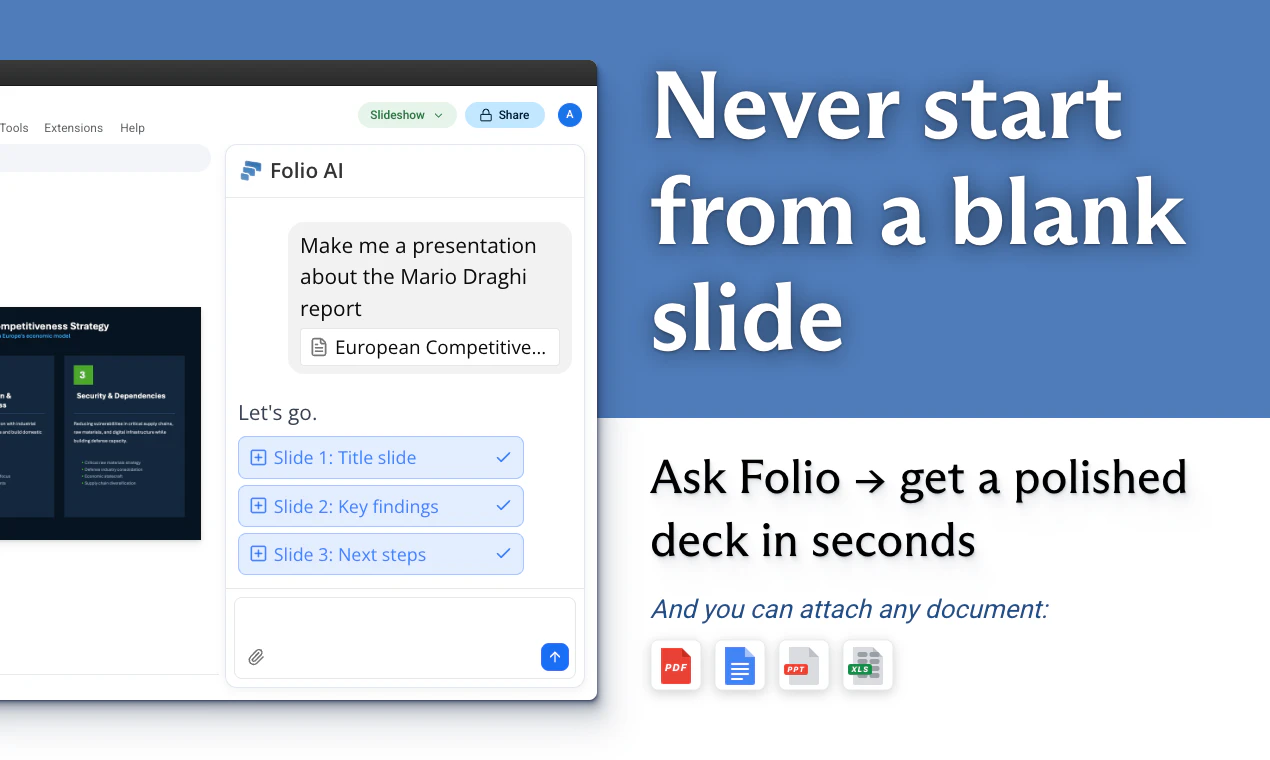
查看原始信息
Themefy
Transform your browser into an interactive masterpiece with Themefy! Say goodbye to boring new tabs and explore a growing library of immersive 3D/2D animations and premium wallpapers. Access your favorite search engine instantly with an advanced search bar and quick access to your Top Sites. With fresh themes added weekly, your browsing experience is always evolving. Personalize your workflow, stay inspired, and bring your browser to life with beautiful, dynamic visuals!

Hey Hunters 👋

It’s great to be back! A little over a year ago, We launched the first version of Themefy here. Our goal was simple: to take the mesmerizing world of creative coding and generative art and put it right into your browser's new tab. The response was incredible, and seeing so many users turn their browsers into interactive canvases was truly inspiring.

We also received some fantastic feedbacks and we listened, went back to the drawing board, and rebuilt the extension from the ground up. Today, we're so excited to introduce Themefy 2.0! 🚀

We’ve transformed Themefy from a simple background extension into a complete, premium new tab experience that perfectly balances aesthetics and productivity.

✨ What’s New in this massive update?
1. Immersive 3D & 2D Animations: We've leveled up the interactive backgrounds with stunning new 2D and 3D scenes and generative artworks.
2. Premium Wallpapers: Enjoy breathtaking photography.
3. Smart Productivity Widgets: We’ve added a beautiful glassmorphic Top Sites sidebar for quick access to your favorite pages, alongside an advanced multi-engine search bar.

We would love to hear what you think of the new update! What kind of themes or widgets would you like to see next? We’ll be hanging out in the comments all day to answer your questions and chat.

Enjoy! 🎨
— Bhuwan

1
回复

New tab real estate is so wasted by default - just blank space you glance at for half a second. The 3D animation angle is genuinely different from the static wallpaper approach every other new tab extension takes. Does the theme library stay fresh automatically, or do you have to manually update? And curious whether settings sync across devices via Chrome sync or it's purely local.

0
回复