Product Hunt 每日热榜 2026-06-30

PH热榜 | 2026-06-30

#1
Cursor for iOS
Build with coding agents from anywhere
504
一句话介绍:Cursor for iOS 将云端编码代理搬进手机,让开发者随时随地启动、监控和审查代码任务,突破了传统笔记本办公的物理束缚,解决“离开电脑就无法推进开发”的移动编程痛点。
Artificial Intelligence Development Vibe coding
AI编程助手 移动开发工具 云端编码代理 iOS应用 代码审查 远程工作 开发者工具 AI Agent 协同编程
用户评论摘要:用户普遍关注移动端编码的安全性和可用性,如语音转文字后是否可编辑、小型屏幕上的代码审查(特别是高风险变更提示)、云代理与本地的无缝切换。有用户建议增加代理活动时间线功能,以方便快速复盘。
AI 锐评

Cursor for iOS 的推出,本质上是在尝试回答一个老问题:移动端能否承载真正意义上的开发工作?从产品形态看,它聪明地避开了“手机写代码”的伪命题,转而押注“Agent as a Service”——手机只是启动器和监控面板,真正的计算发生在云端。这其实是对开发者工作流的重新拆解:将“编码”这个重度操作留在桌面,而将“任务分发、进度追踪、代码审查”这些轻量交互抽象出来移动化。

然而,评论中反复出现的“手机审查风险”恰恰暴露了产品的阿喀琉斯之踵。尽管团队声称优化了移动端差异视图,并加入了Bugbot风险评分,但核心矛盾并未解决:当开发者只能在巴掌大的屏幕上滑动代码而非深度阅读时,审查质量必然下降。这不是UI优化能完全弥补的——移动端天然鼓励“rubber-stamping”(橡皮图章式批准),而一旦出现误合并,责任归咎是产品体验无法兜底的。

另外有趣的一点是,产品团队内部40%的PR来自云端代理,这暗示了Cursor的野心不仅仅是一个移动端,而是构建一个“人机协作”的新范式:AI代劳繁琐编码,人类专注于决策和审核。这是更高阶的开发者体验升级,但也是一把双刃剑——过度依赖代理可能削弱工程师对代码的掌控感和直觉判断。

最终,Cursor for iOS的真正价值不在于让开发者“在卫生间里写代码”,而在于它试图重新定义“开发”这一行为的时空边界:当编码本身变得廉价,那真正的附加值将落在何时“启动”任务、以及如何“把关”结果上。这款产品是开发工具移动化的一次勇敢尝试,但离成为开发者的日常标配,还有很长的路要走。

查看原始信息
Cursor for iOS
Cursor is now available as a native iOS app in public beta, so you can build from anywhere. Until now, developers have worked around the limits of their local machines, keeping laptops half-open and caffeinated everywhere they go. With Cursor for iOS, you can launch always-on agents in the cloud, or control agents running on your computer from your phone. Kick them off when ideas strike, get notified when work is ready for review, and merge PRs on the go.

Hey all! I'm Chris, Mobile Lead at Cursor, excited to hear what you think of our new app. We'll be around to answer questions throughout the day!

14
回复

@cbrauchli The app is dope!! just wanna know how we can get this many users to try , my product is quite good too but still i got no visitors , i just want some honest feedbacks

1
回复

@cbrauchli I really hope you announce the Android version very soon

1
回复

Voice input from the phone sounds useful, but I’d be nervous sending a messy spoken prompt straight to an agent. Does Cursor turn it into an editable brief first, or does the agent start from the raw voice request?

4
回复

@novamaker01 You get editable text from your voice request first! Allows you to edit any of the text before you send to the agent.

1
回复

Can I switch seamlessly between an agent running in the cloud and one running on my local machine, or do they have separate workflows?

3
回复

@nitesh_kumar98 In the desktop app, you can hand off a session between cloud and local seamlessly. It's basically the same workflow running in different environments with some differences in capabilities since giving agents their own isolated VM is a big unlock.

0
回复

The mobile part I keep thinking about is the review step. Kicking off agents from a phone is easy, but merging on the go means approving diffs on a screen where you can't really read a diff, and every time we've moved approvals to a phone people start rubber-stamping. So the agent's summary of what it changed becomes the real gate, not the diff. Does the app surface anything risk-ranked, like this touched auth or deleted tests, or is review just scrolling the raw changes?

3
回复

@dipankar_sarkar We thought very carefully about this since phone screens are smaller and have less real estate. The diff view is more focused and designed for mobile, so hope you check it out and let us know what you think! Agents also produce demos, screenshots, and logs as artifacts for your review.

1
回复

Love it! Really like the possibility to start working on my mac and continue working in the app.

3
回复

@alfh Let us know what you think after you give it a try!

0
回复

one suggestion from me would be to add a quick activity timeline showing everything an agent has done while I was away. I think that would make it even easier to catch up before approving changes.

2
回复

@scarlett_massey love this idea! Thanks for sharing, and please keep the feedback coming.

0
回复

Great launch 👏 I’m curious how many developers will end up using the phone for quick reviews versus actually starting new coding tasks.

2
回复

@rahul_manjhi1 we saw developers use the mobile app in both of those ways during the private beta! Always-on cloud agents make it especially easy to kick off a new task without needing to pair with your computer beforehand.

0
回复

The always on cloud agents caught my attention . I'd love to hear how they're performing for people using them on real projects using them on real projects.

2
回复

@bernard_lewis Internally, more than 40% of all our PRs (not just from mobile) come from cloud agents, and growing. Hope you give it a try and let us know what you think!

0
回复

Congrats on the iOS launch! 🚀

The most useful part for me is not full coding on mobile, but starting agents, checking progress, and reviewing work while away from the laptop.

Curious how Cursor handles mobile review safety. Does it highlight risky changes like auth, payments, database migrations, or deleted tests before someone approves or merges from a small screen?

2
回复

@prashant_patil14 Would highly recommend turning on Bugbot if you're interested in code review by Cursor! In our own internal dev setup, we have Bugbot give each PR a risk rating.

1
回复

@prashant_patil14 thanks, Prashant! The review on mobile is focused on formal blockers to merge like CI and reviewers. More coming soon to make this a more complete experience.

1
回复
When will it connect to the X accounts as well plz.. I hope I am writing to the right cursor..
1
回复

Finally I can ship in bathroom.

1
回复

@jiteshghanchi huge unlock.

0
回复

This is an interesting shift . Mobile won’t replace the desktop IDE , but being able to review code, manage agents , and keep projects moving on the go could be real productivity boost .

1
回复

@khushi_ranwa we've found it to be a huge productivity boost! Not a replacement for all desktop work, but our early beta testers were surprised by how much development they're able to do entirely from the mobile app.

0
回复

The idea of running coding agents from a phone is pretty interesting. How much of a project can you realistically manage from the iOS app before you need to switch back to a desktop?

1
回复

@vaishnavi_makode depends on the project! You could go entirely end to end on your phone, especially for features where watching the agent's demos and looking at the diffs give you enough confident to merge the PR. In some cases, you might want to switch back to a desktop to test the changes locally yourself.

0
回复

Exciting, congrats on the launch! Did y'all discover any use cases for the mobile app during testing that you didn't envision before building?

1
回复

@mike_ciesielka1 personally, I've been pleasantly surprised by how much of my dev process I can do entirely from the app. For the past month or so I've been building a lot of the app from the app itself, which wasn't something I really expected going in. Anytime I noticed something off, I'd kick off an agent right there and have a new build to test a little while later. Surprisingly satisfying!

1
回复

This is a really helpful update! I used Cursor on my computer, and I really like how efficient it is; it saved a lot of time for me. The ios version can definitely help me to continue working when I step away from the computer. I can manually review it on my phone, but when I go back to desk, will it automatically pick up what I did on my phone, and synchronous message history?

1
回复

@xinrui1 Yes it will! You'll see your full message history, PRs, and prompts from all Cursor surfaces

2
回复

I really like the direction here. Being able to kick off an agent from my phone instead of opening my laptop sounds super convenient for quick tasks.

1
回复

@iris_carr we've found it really useful for ideas that come to us when we're away from our desks. Excited for you to try it out, and let us know what you think!

0
回复

I was pretty skeptical about leaving my VS Code setup, but since Cursor is a direct fork, it imported my entire environment in seconds. Zero downtime. It genuinely feels like working with an active engineering partner

1
回复

@deveshmeeta_ghoshnagent awesome to hear. We've also found that working with Cursor feels like working with a colleague. The agents window in the desktop app is also a great alternative to the IDE for a cleaner, agent-first interface. And it pairs well with mobile!

0
回复

Hello Chris, congratulations on the launch. I have been waiting for something like this because ideas usually come to me when I am away from my desk. Looking forward to trying it.

1
回复

@aarav_pittman thank you. I hope you enjoy using it!

0
回复

The phone surface makes sense if it is treated as a control plane, not a tiny replacement for the main coding environment. The useful moments are reviewing a diff, unblocking an agent, checking a dev server, or capturing context while away from the desk with repo permissions still obvious.

1
回复

@krekeltronics "control plane" is a great way of describing it, and all those use cases you listed are ways we're seeing folks use the mobile app!

0
回复

I love this idea of using cursor from iPhone. We can truly go mobile, and work can still continue on a system siting at office or home.

1
回复

@tarunsng exactly! Looking forward to your feedback.

1
回复

The mobile angle for coding agents is interesting, especially with Cursor already being associated with dev workflows. How much of the iOS experience is meant for actually editing code versus steering an agent through prompts, reviews, and approvals? I’d also be curious whether the app is optimized for existing projects or if it supports starting lightweight tasks from scratch while on the go.

1
回复

@crystalmei at Cursor, our engineers don't manually edit code much anymore! We're using the mobile app to steer and manage agents—both for existing projects and new ones that we kick off on the go.

0
回复
I am curious to use this mobile app. Could you tell me it is free or paid for first time?
0
回复
Downloaded it immediately! Really enjoyed the smoothness and familiarity of the app when compared with the desktop application.
0
回复

the part i want to try is approving agent permissions from the phone. usually a Claude Code session blocks on a prompt while i'm away from the desk and i don't notice for an hour. does iOS push a notification when an agent needs approval or do you have to open the app to check

0
回复
If you were starting Cursor from scratch today, would you build the desktop app first again, or go in a different direction?
0
回复

So great!

0
回复

@cbrauchli A theme across the reviews seems to be that people want more visibility into which files and symbols the agent actually pulls into context on big codebases, but also a way to steer it. Any plans to expose and let users control context selection more directly ?

0
回复

Artifacts as the review surface instead of the raw diff matches what we landed on too. The thing that decides whether they actually gate: are the screenshots and logs from an independent run, or the agent narrating its own work? We had demo clips that looked green because the agent captured the happy path it just wrote, and the regression sat one screen over. Tying review to CI output like you mentioned to Prashant is the version I'd trust from a phone.

0
回复

Background agents are the interesting part. When iOS backgrounds Cursor, do cloud agents keep running independently and push a notification when done? Or does the conection drop and you lose the session?

0
回复

@christian_knaut Cloud agents keep running! You can turn your phone fully off without affecting your cloud agent runs.

0
回复
#2
Skills Marketplace by Databox
Ready-made AI analytics skills for your business data
358
一句话介绍:Skills Marketplace by Databox 是一个预置AI分析技能库,能让用户通过聊天或自动化流程,在1分钟内基于实时业务数据(如广告、网站、电商等)生成可直接分享的专家级报告,解决“知道该分析什么”而非“如何分析”的痛点。
Analytics Marketing Artificial Intelligence
AI数据分析 自动化报告 营销分析 商业智能 预置工作流 SaaS工具 数据可视化 低代码 电商分析 广告归因
用户评论摘要:用户普遍认可其省时和降低分析门槛的价值;主要问题集中在:1)数据源字段更名可能导致静默错误;2)报告是否包含具体行动建议;3)如何处理源数据schema变动。
AI 锐评

Databox的“Skills Marketplace”并非又一个AI分析花瓶,而是一次精准的行业痛点狙击。它洞察到,数据聚合问题已被基本解决后,新的瓶颈在于“分析框架”的缺失——用户面对空白聊天框手足无措。其核心价值不在于“生成报告”,而在于**将专家的隐性分析经验编码为可复制、可消费的“技能”**,从而将AI从“被问诊”的被动角色,转变为“主动出诊”的领域专家。

从产品策略看,从提供“仪表盘”到提供“技能包”,是从“工具型SaaS”向“决策型平台”的演进。它本质上是在构建一个**可执行知识的市场**:专家通过分享技能获得曝光和影响力,普通用户则跳过了学习曲线,直接获得结构化、可行动的洞察。这种P2P(专业到产品)的循环网络效应,比单纯堆砌报告模板更具护城河。

然而,隐患同样明显。用户对“数据源静默错误”的担忧直指核心——当分析依赖于底层数据映射的健壮性时,任何Schema变动都可能导致报告在“自信地胡说”。目前靠“失败即报错”的机制远远不够,若不能建立自动化的数据血缘追踪与语义校验,一旦大规模普及,可靠性将成为其致命伤。另外,“技能”标准化程度越高,对垂直场景的适应能力就越差,如何平衡通用性与定制化,是下一步需要面对的尖锐问题。总的来说,这是一次把AI从“玩具”推向“生产力工具”的扎实尝试,但路还很长。

查看原始信息
Skills Marketplace by Databox
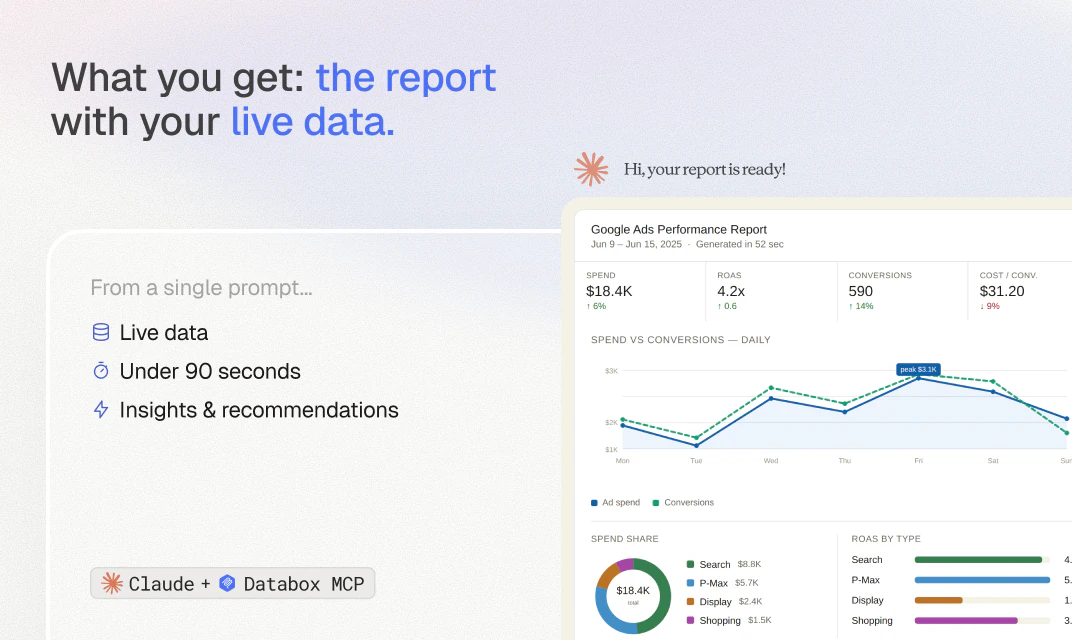
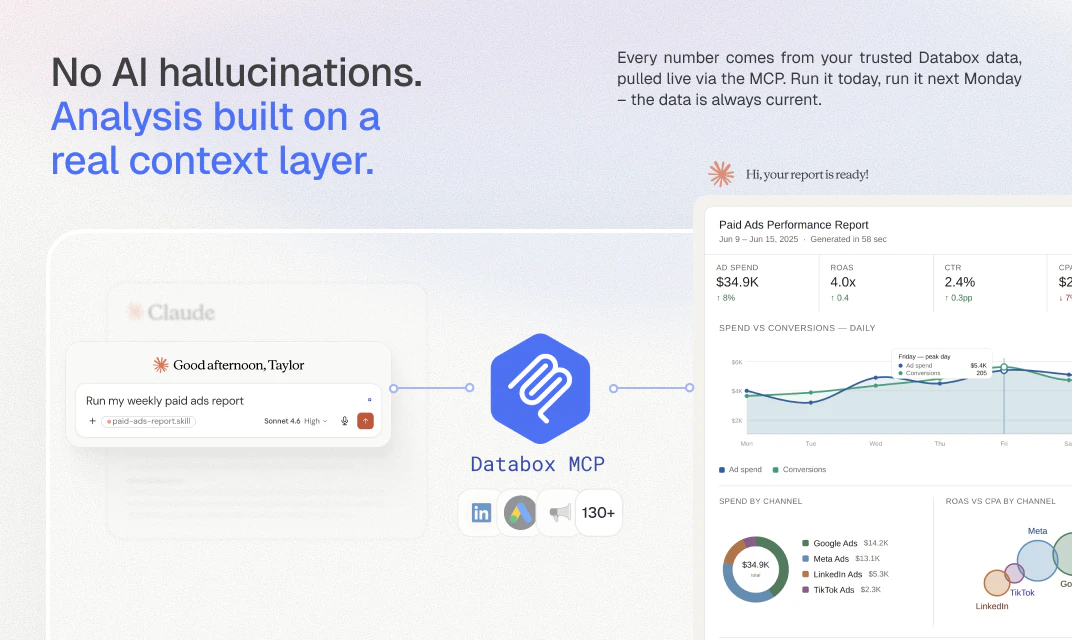
A library of ready-made skills for paid ads, website performance, ecommerce, revenue, and more. Each skill pulls from your live performance data and returns a finished, shareable report in under a minute. Run them in Claude when you want answers in chat, or schedule them in n8n to land in Slack or email automatically. Free to download.

Hey Product Hunt 👋

Today, I'm excited to share the launch of our new Skills Marketplace for AI-powered data analysis. It's the culmination of a decade-plus of work by the Databox team.

Nine years ago, I left HubSpot to become CEO of Databox, a tiny startup no one had heard of. I did it because they were tackling a problem I knew needed solving: making data-informed decisions easy for anyone, not just analysts.

Back then, just pulling the data together was the hard part. It was scattered across a dozen tools, and getting it into one place took real work before anyone could make sense of it.


We've largely solved that part.

The bottleneck moved downstream, to the analysis, and AI looked like the answer.

Last year, prospects started telling us they were using it for their data analysis. The output looked confident, but they kept finding the math wasn't always right. We weren't surprised once we saw how they were doing it: feeding the AI partial data by uploading CSVs, screen-grabbing charts from different tools, or wiring up one MCP server at a time.

The fix isn't to stop using AI. It's to connect the AI to something that aggregates your data, applies your real metric definitions, and runs the math, so what comes back is accurate, not just confident. That's what Databox does, whether you use Genie, our built-in AI analyst, or connect your own LLM through our MCP server.

We launched both a few months back, and already a quarter of our customers use it every week.

The more they used it, the clearer the next problem got. Running the analysis was no longer the hard part. Knowing which analysis to run was.

We realized we could speed up adoption by giving people proven skills instead of a blank chat box. So we built the Skills Marketplace.

It's a free library of pre-built AI analytics skills that connect to live data and return a finished report in under a minute. Each skill is a specific analytical workflow that already knows which metrics to pull, what to compare against, what to flag, and how to structure the output.

A few examples of what's in there:

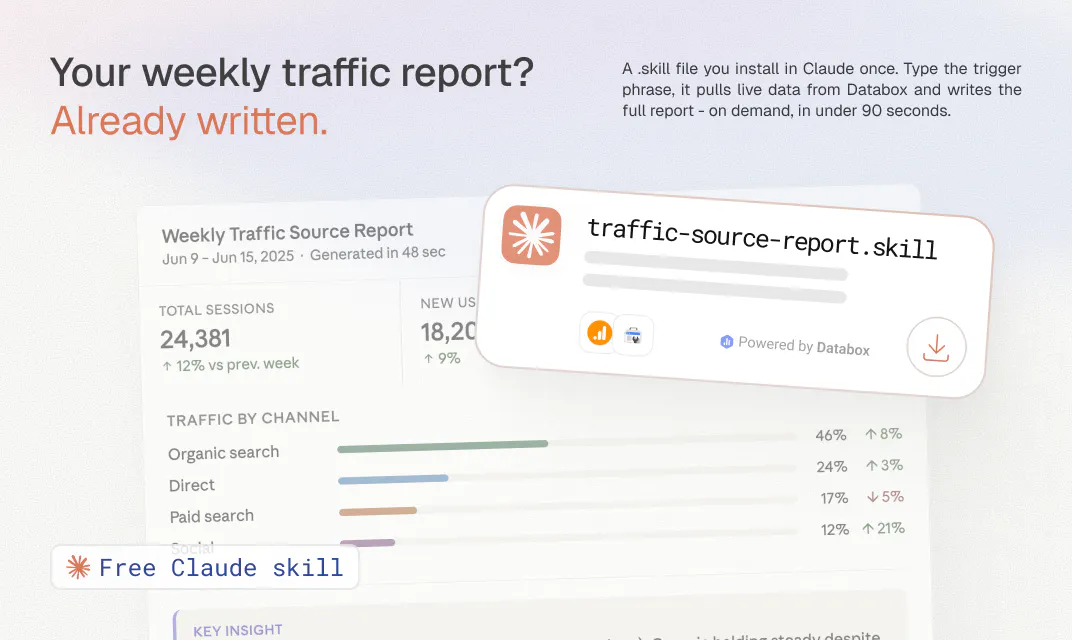
  • A weekly GA4 traffic report: sessions, channel breakdown, top pages, conversion rate, anomaly flags, all from live data

  • A cross-channel paid ads summary across Google, Meta, and LinkedIn from one trigger

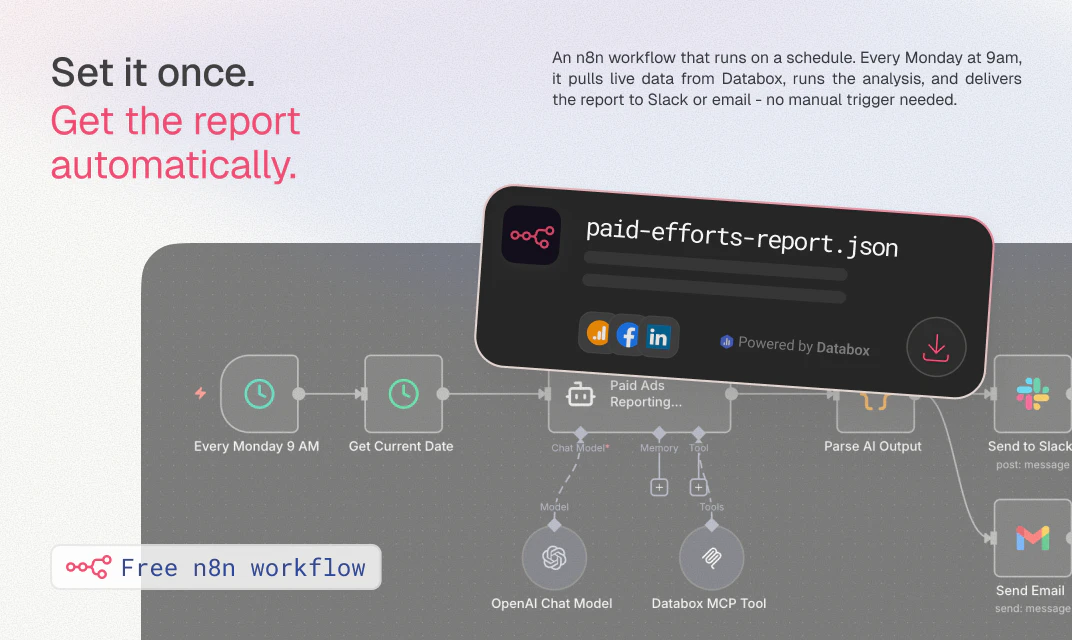
  • Recurring workflows that deliver to Slack or email on a schedule, so no one has to remember to run them

We launched with 20+ skills and workflows. All free to download.

Take a look at what we built and let us know if it's helpful for you. 🙏

PS — What's the one report your team rebuilds by hand every week that you wish just ran itself? Drop it in the comments. We're prioritizing what to build next based on these replies.

PPS — A growing group of AI experts are building skills for our marketplace, getting exposure to our audience of 100Ks of people, including customers and partners. Want in? Reply below and we'll reach out with instructions.

30
回复

@pc4media Cool , i also launched mine product today but i didnt got any reach dont know why , can anyone tell me?
I just want honest feedbacks so that i can improve

0
回复

@pc4media What a fantastic app and project great success for you and your business

0
回复

@pc4media Congrats on the launch Peter. is it possible to define or extract a “what changed and why?” growth report that pulls GA4, paid ads, CRM, and revenue data together?

5
回复

The insight behind the Skills Marketplace didn't come from a product roadmap. It came from watching how people actually used Databox MCP after we launched it.

Teams connected their data sources, started asking questions in Claude, and got good answers. But then they hit a wall. They had to figure out which questions to ask, how to structure the analysis, what to compare against. The blank canvas problem. The AI was capable - but the analytical workflow still lived in someone's head.

That's what a skill solves. It's not a prompt. It's a complete analytical workflow - the questions, the structure, the context, the output format - packaged into a single file. The expertise is baked in. Someone who has never written an analytics report in their life can trigger a GA4 skill and get back something a senior analyst would be proud to send.

We built the first skills ourselves to prove the format. Then something interesting happened - people started asking if they could build their own and share them. That's when we knew the marketplace was the right move.

What excites me most about where this goes:

  • Skills as a new content format. A blog post explains how to analyze paid ads. A skill just does it. The knowledge is executable, not just readable.

  • The quality bar is structural. Every skill ships with a metric map, setup guide, and troubleshooting flow. The output is grounded in live data. It's not a prompt someone shared on Twitter - it's something that holds up against real numbers.

  • It compounds. Every new skill added to the marketplace is another reason to connect another data source. More sources, richer context, better output. The whole system gets more useful over time.

We're launching with 20+ skills and workflows today. That number is going to grow fast.

The bigger vision: a world where every repeating analytical task a marketing or ops team runs has a skill that does it automatically - grounded in real data, structured for sharing, trusted enough to act on. We think that world is closer than most people expect.

17
回复

Every team has a reporting workflow that takes longer than it should. Pull the data, format the numbers, write the summary, send it to the right people. Skills Marketplace replaces that cycle. Download a skill built by someone who knows the work, run it on your live Databox data, get the finished analysis in under a minute. For recurring reports, set up the n8n workflow and it runs on a schedule without anyone triggering it. The ROI is clearest on the reports your team produces every single week.

13
回复

@thomas_bossee1 Couldn't have said it better. That weekly cycle is exactly what we built this to kill. You summarized this well 🙌

3
回复

I tested the cross-channel paid ads skill across a few accounts with Google Ads, Facebook Ads, and LinkedIn Ads all connected. The output covered ROAS by platform, CTR trends, budget pacing, and anomaly flags - all in one pass, in under a minute. No manual data pull. No prompt engineering. Just the analysis a paid ads analyst would have produced, ready to send. For anyone doing this kind of reporting weekly across multiple clients, the time difference is not incremental. It's the entire task removed.

12
回复

@tadej_kelc This is exactly the use case we built it for, agencies and in-house teams running the same report across multiple clients or accounts every week. Glad it held up under real conditions with live accounts connected. Curious how it compared to your usual workflow time-wise, even a rough before/after would be great to hear.

7
回复

@tadej_kelc Coming from a financial analyst, this is a pretty awesome endorsement. This skill might be removing barriers for non-ad experts to do analysis. Not sure ad people are ready for this level of scrutiny! :-)

3
回复

From a product perspective this feels like a pivot from dashboards to workflow. That’s a smart move because dashboards are becoming table stakes. The real value now is decision automation not visualization.

11
回复

@alheri_murya Great read, Alheri. We'd frame it less as a pivot and more as an extension - dashboards still matter for the "what's happening" view, but customers kept hitting a wall when it came to "what do I do about it." Skills and workflows close that gap by turning the data into an actual decision or action, without someone manually pulling numbers into a doc first. So less either/or, more dashboards plus a layer of automation on top.

9
回复

Exactly@alheri_murya , this is the shift we're betting on. A dashboard has to be interpreted in order for it to be valuable, whereas a skill skips that part and gives you insights immediately.

3
回复

I want to give a proper shout out to the partners who have built skills. Their skills are really well written and extremely practical.

These partners have spent years (if not decades) doing this work by hand for themselves and clients. They've now encoded that experience and judgement into these skills for the rest of us to run.

It's extremely valuable and generous of them!

A few worth checking out...

Rick Kranz (AI Marketing Labs, https://ai-marketinglabs.com) has built a whole library of analytics skills. His Sales Pulse skill connects to your CRM through Databox, pulls 14+ pipeline, activity, and funnel metrics, compares two rolling four-week periods, and surfaces the 3-4 findings that actually matter, like deal concentration risk and coverage ratio, before it shows you a single chart. It's pipeline interpretation, not another dashboard. https://databox.com/skills-marketplace/skill/sales-pulse-dashboard

Manav Mehra (Wagman Digital, https://wagmandigital.com) spent 18 years in finance before building his Quick Financial Health Check. It pulls P&L, balance sheet, cash, and AR/AP through Databox and outputs a monthly financial dashboard for services firms: cash flow projection, collections aging, missing-invoice detection. If a number isn't there, it shows a visible data gap instead of inventing one. That discipline is the whole point. https://databox.com/skills-marketplace/skill/quick-financial-health-check

Vasundhara Gupta (Atidiv, https://atidiv.com) built Morning Marketing Summary for people who don't want to open dashboards at all. It reviews your marketing data every morning and emails or Slacks a plain-English briefing under 250 words: what happened, what matters, and the 2-4 moves to make. It learns your channels and targets on the first run and tailors every summary after that. https://databox.com/skills-marketplace/workflow/morning-marketing-summary

Keith Gutierrez (Modgility, https://modgility.com) built Content Performance MAX, which turns any URL into a ready-to-review SEO metadata rewrite in about two minutes. It uses GA4 and Search Console data in Databox to decide which pages are even worth optimizing first, then drafts new titles, H1s, and meta descriptions with a human approval gate before anything touches your CMS. https://databox.com/skills-marketplace/skill/content-performance-max-starter

Marc Woodland (Winbox, https://www.winbox.co) is a LinkedIn Ads specialist who co-hosts the LinkedIn Ads Insider podcast, and he built Monthly LinkedIn Ads Analytics for the thing every team struggles with: a great workflow one person builds shouldn't die on their laptop. His skill plugs the Databox MCP straight into Claude, pulls your LinkedIn Ads campaign data into the chat with no exports or spreadsheets, and produces a clean one-page monthly report benchmarked on reach, relevance, engagement, and pipeline. https://databox.com/skills-marketplace/skill/monthly-linkedin-ads-analytics

Laszlo Fazakas (Arcanian, https://arcanian.com) built Set Baseline to kill a trap I see constantly: treating last month as a baseline. For a seasonal business, December is not a fair reference for January. His skill pulls enough real history to see the seasonal pattern, then states the baseline as a seasonality-adjusted range with the math and a confidence level, so "did it work?" finally has something honest to compare against. https://databox.com/skills-marketplace/skill/set-baseline

Today's launch is a really important milestone. But, the marketplace is bound to get better every time someone with real expertise adds a skill.

So, if you've built something on the Databox MCP, or want to, reply here and we'll get you in

10
回复

@pc4media Adding my thanks here too. Rick, Manav, Vasundhara, Keith, Laszlo - genuinely appreciate you putting your expertise into something the rest of the community gets to benefit from. That's the kind of contribution that makes a marketplace actually useful instead of just a list of integrations. If anyone else wants to submit a skill, or has one they wish existed, you can do that here: https://databox.com/skills-marketplace/build

3
回复

@pc4media The partner skills are exactly what we hoped the marketplace would become: real expertise, encoded and shared. Rick, Manav, Vasundhara, Keith, and Laszlo are setting the bar high and it will be super exciting to see more builders join in 🙌

4
回复

@pc4media A little humbled to be on this list, honestly. What strikes me reading through them is how different they look on the surface — finance health, LinkedIn Ads, SEO metadata, a morning briefing — and how much they share underneath: people handing over judgement they spent years (decades, in some cases) earning by hand, so the rest of us don't have to learn it the slow way.

That's the generous part. And the quiet thing about a marketplace like this is that it compounds — every skill someone adds makes the next person's work a little sharper. Grateful to be building alongside Rick, Manav, Vasundhara, Keith and Marc, and to whoever ships the next one. Together this gets good fast.

0
回复

The biggest benefit of the Skills Marketplace is expert-grade analysis on demand. Anyone can run analysis at a senior analyst's level, surfacing insights they might not have known to look for otherwise.

It's easy to set up, too. Connect your sources, set the cadence, and your weekly paid ads report or SEO monitor runs on its own, pulling live data, running the analysis, and delivering the finished result to Slack or email. No one has to open a dashboard.

This is 100% where reporting is headed 🚀

10
回复

One thing that stands out about Skills Marketplace is that the free download includes more than just the skill file. You get a setup guide PDF, a metric map showing exactly which data sources and metrics are used, and a troubleshooting flow. The first run is designed to produce a usable output. That setup investment - about 5 minutes per skill - pays off every time you run it after that, especially for recurring reports where the structure is the same every cycle.

9
回复

The scenario I see most often: a team has good data in Databox, they've started using Claude for work, but the analytics outputs are still generic because the AI doesn't know how to frame the analysis for their channel. Skills Marketplace solves exactly that. Each skill brings the expert framing the AI was missing. Run it on your live data and the output is specific to your numbers and structured the way someone who does this work would structure it.

7
回复

@grega_cej Nailed it — that gap between "good data" and "good framing" is exactly what we were trying to close. Thanks for breaking it down so clearly for everyone here 🙌

3
回复

The editable skill format is underrated. You get a specialist's starting point - the metrics, comparisons, and output structure someone who does this work would use - and you can tune it to how your team actually reports. Most teams have specific definitions or cadences that differ from the default. Starting from expert framing and adapting it is a much faster path than building from a blank prompt. That flexibility is what makes the skills useful beyond the first run.

6
回复

@marcel_mumel Yes, enyone can actually edit the skill later on and adapt it further exactly to their needs. It's a shift that is becoming more and more prominent.

2
回复

I spend more time deciding which report to build than actually reviewing it, so this approach caught my attention. Having analysis already structured around real metrics sounds like it could save a lot of back and forth.

5
回复

@new_user___090202674ab6e030a7a9c52 That's the exact friction we built this for - the planning overhead of "what should this report even cover" eats more time than people expect. Each skill starts from a specialist's framing of what to measure and compare, so you skip that blank-page step and go straight to reviewing real output. Let us know how it goes if you give one a try.

4
回复

Really useful idea. Do the skills handle schema changes in connected sources without breaking reports?

5
回复

@dhiraj_patel5 Good question. Each skill expects a specific metric map (listed on its product page), so if a source's schema shifts in a way that breaks that mapping, the run would fail or flag it rather than silently return bad data - that's what the troubleshooting flow included in every download is for. Since the skills are editable files, you can also adjust the metric map yourself if your setup changes. We're not auto-detecting schema drift yet, but it's a fair ask for the roadmap.

4
回复

I have tried a few analytics AI tools before, but many still expect me to figure out the right prompts. I like that your approach starts with proven workflows instead. That feels like a more natural way for teams to adopt AI without a lot of trial and error.

4
回复

@gwendolyn_kira That's the gap we were trying to close. Most AI analytics tools put the burden on you to know what to ask for, which assumes you're already the expert. Skills flip that - the expertise is baked into the file, so you start from a proven structure instead of a blank prompt and trial and error. Glad that distinction came through.

3
回复

The metric-map-fails-loudly default is the right call, but the case that bit us with shareable skill files was the quiet one: a source renames a field and quietly repoints it at slightly different semantics, so the map still resolves structurally and the run succeeds with subtly wrong numbers. Do skills pin a schema version or hash the source's field definitions, or is the metric map matched purely by name?

2
回复

@dipankar_sarkar Fair challenge, and that's the harder failure mode to catch. Right now the matching is by name against the metric map, not a pinned schema version or field hash, so you're right that a silent rename-with-different-semantics could slip through where an actual schema break wouldn't. That's a real gap, not something we've solved yet. Appreciate you flagging the specific mechanism, it's useful for thinking about what schema validation should actually check for.

1
回复
Hi Peter, this is great. Is there also any recommendations you provide based on the reports? In terms of action items?
1
回复

@harrish_ganapathy1 Yes - most skills include a "what to do next" section as part of the output, not just a summary of what happened. The framing varies by skill, a paid ads skill might flag budget reallocation opportunities, an SEO skill might surface which pages have the highest CTR upside, but the intent across all of them is to get you to an action, not just a number. The skill sees your connected sources though, not your full business context, so think of it as an informed starting point for the decision rather than a final call.

1
回复

That sounds like a product I could definitely use. Can these skills work with other AI tools besides Claude, or is it Claude-only for now?

1
回复

@cyrille_huteau Claude is the starting point, but the skill file format is portable by design. ChatGPT and Gemini support are on the roadmap, and because the data layer runs through Databox MCP rather than being baked into any one AI tool, adding a new client is more about compatibility than rebuilding from scratch. So Claude-first for now, but not Claude-only for long.

1
回复

I'm still learning data analytics, so this looks interesting. Would you recommend these AI skills for beginners who are trying to understand their data, or are they better suited for experienced teams?

1
回复

@vaishnavi_makode Both, honestly. The skills don't require you to know how to build reports or write prompts - you download the file, connect your data source, and trigger it with a phrase. The expert framing is already inside the skill, so you get a structured analysis without needing to know what to ask for. If anything, that makes them more useful for beginners than a blank AI tool, since you're not starting from scratch. The setup guide walks you through every step too.

1
回复

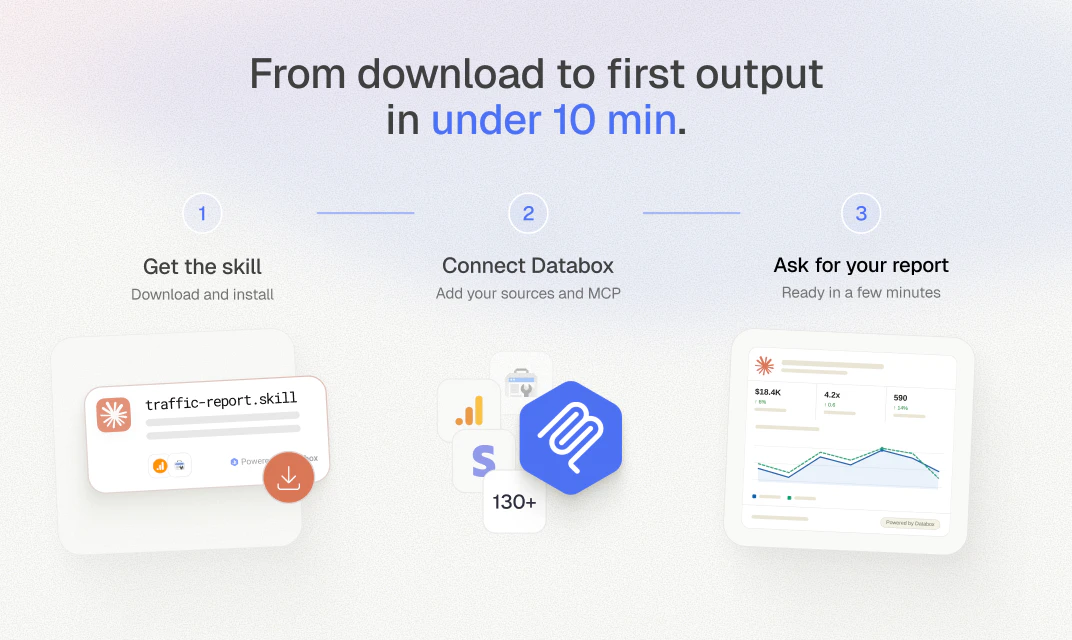
One thing that stands out is the setup experience. Each skill includes a metric map showing the required data sources and metrics, along with a setup guide and troubleshooting documentation. Getting from download to a first result typically takes less than 30 minutes.

For teams used to analytics integrations that can take days to configure, that's a noticeable difference. The goal is for the first run to produce something useful right away, and in practice the skills are built to make that happen.

1
回复

The marketplace is probably the most interesting part of this. My first thought was maintenance. If a skill gets updated less often than the tools or metrics it depends on, how does a team know? Is there some way to flag outdated skills before they quietly start producing misleading reports? Congrats on the launch!

1
回复

@jared_salois Maintenance is the right thing to worry about, and it's a fair gap to call out. Today there's no staleness flag or "last verified" indicator on a skill page, it's closer to the rename-with-different-semantics issue someone raised above, where the failure is quiet rather than loud. The metric map and troubleshooting flow help if something breaks outright, but drift in what's considered best practice for a metric isn't surfaced automatically yet. Good prompt for what a healthy signal on each listing should look like."

2
回复

The "knowledge as an executable skill file instead of a blog post" framing really stuck with me, so I'm curious what stops the marketplace from filling up with thirty near identical GA4 skills once partners pile in, is there any curation layer or do the best ones just float up by usage?

1
回复

@sezerufukyavuz There is a curation layer, it's not just first-come-first-served. Every submission goes through a review against criteria like being genuinely useful and not just a generic prompt, built on real Databox MCP data, and usable by a non-analyst, so near-duplicate "me too" GA4 skills wouldn't clear that bar as-is. That said, we'd rather have a few genuinely different takes on a popular category than artificially cap it, the bar is about whether it adds a distinct angle, not whether the data source has already been covered.

2
回复

This seems really interesting because I feel like most people don't struggle with getting an answer from AI they struggle with asking the right prompt. I'm curious what was the first report that almost every customer kept asking for. I always find those patterns interesting because they usually tell you what people actually care about, not just what they say they want.

1
回复

@reda_roqai_chaoui Good question, and you're right that it's a useful signal. The GA4 Website Traffic & Performance Report was the one we kept seeing requested first, almost every team wants the "what happened to my traffic and why" answer before anything else, regardless of industry. It's basically the front door report, so that's why it's the featured skill in the marketplace. After that it splits by function pretty quickly - paid ads people want spend efficiency, SEO people want visibility.

1
回复

This reminds me a bit of Zapier templates, except for analytics workflows. Different category, similar onboarding advantage.

0
回复

Congrats on being #2 Product of the Day. It would be awesome if the marketplace eventually supported community ratings and reviews for each skill or does it support already?

0
回复

Love it! How do you control the quality of the skills in the marketplace so that it doesn't become flooded with low-quality skills over time?

0
回复

Congratulations on the launch. Does it handle messy real-world data where a company may have custom definitions?

0
回复

The biggest issue I've had with AI reports is trusting the numbers, not generating the words. This seems to tackle the right problem. Congrats on shipping.

0
回复

Really like that you're shipping these as skills rather than another dashboard I have to go learn. The "drop it in and ask" angle fits how people actually poke at their data.

0
回复

Great tool. Definitely gonna try.

0
回复
#3
Foresight by Lightning Rod
Predict anything with AI
296
一句话介绍:Foresight是一款专为开发者设计的AI预测API,通过更小模型和真实结果校准,替代通用大模型在预测市场、智能体和决策工具中的不可靠概率输出,实现更低成本、更高精度的预测能力。
API Developer Tools Artificial Intelligence
AI预测API 预测市场 智能体开发 校准概率 低推理成本 未来即标签 OpenAI兼容 决策工具 金融预测 体育竞猜
用户评论摘要:用户高度认可其校准能力和真实结果训练,疑问集中在:是否支撑金融/医疗领域微调(回答:提供私有测试)、与预测市场对比(回答:第三方基准测试胜出)、校准是否会漂移(回答:持续评测,未见明显漂移)、如何降低模型间相关性(建议:通过上下文多样化和集成)。
AI 锐评

Foresight精准切入AI预测的“信心陷阱”——通用大模型能编造看似合理的概率,但实际校准一塌糊涂。从ICML 2026论文到Product Hunt首发,团队显然深谙学术与产业结合之道:不堆算力去造更大玩具,而是用Future-as-Label让模型从真实结局学习,用更小模型在ProphetArena这类真实预测竞赛中碾压百倍参数大模型。策略犀利且务实:面向开发者,提供OpenAI现成接口,降低迁移成本;强调控制推理成本,为预测智能体的高频调用铺路。评论区高频问题(微调、校准漂移、模型相关性)反映出早期采用者的专业深度——他们不仅想“用”,更关注长期可靠性和差异化。这点上,Foresight的回答耐人寻味:承认模型相关性风险,同时把“上下文”定义为用户护城河,意味着平台不提供完全差异化能力,需要客户注入自己的数据或策略。这既是商业模式上的清醒(保持接口标准化),也可能成为大规模部署的短板。真正价值在于,它把“如何判断未来”从玄学变为可工程调用的服务。但预测竞技场从来拼的是边际优势——当一个预测API推理成本足以支撑集成与采样时,决定胜败的已不是模型本身,而是用户能否在上下文和时机上跑得更聪明。Foresight给了打孔机,但钻孔的方向和力道,仍在自己手里。

查看原始信息
Foresight by Lightning Rod
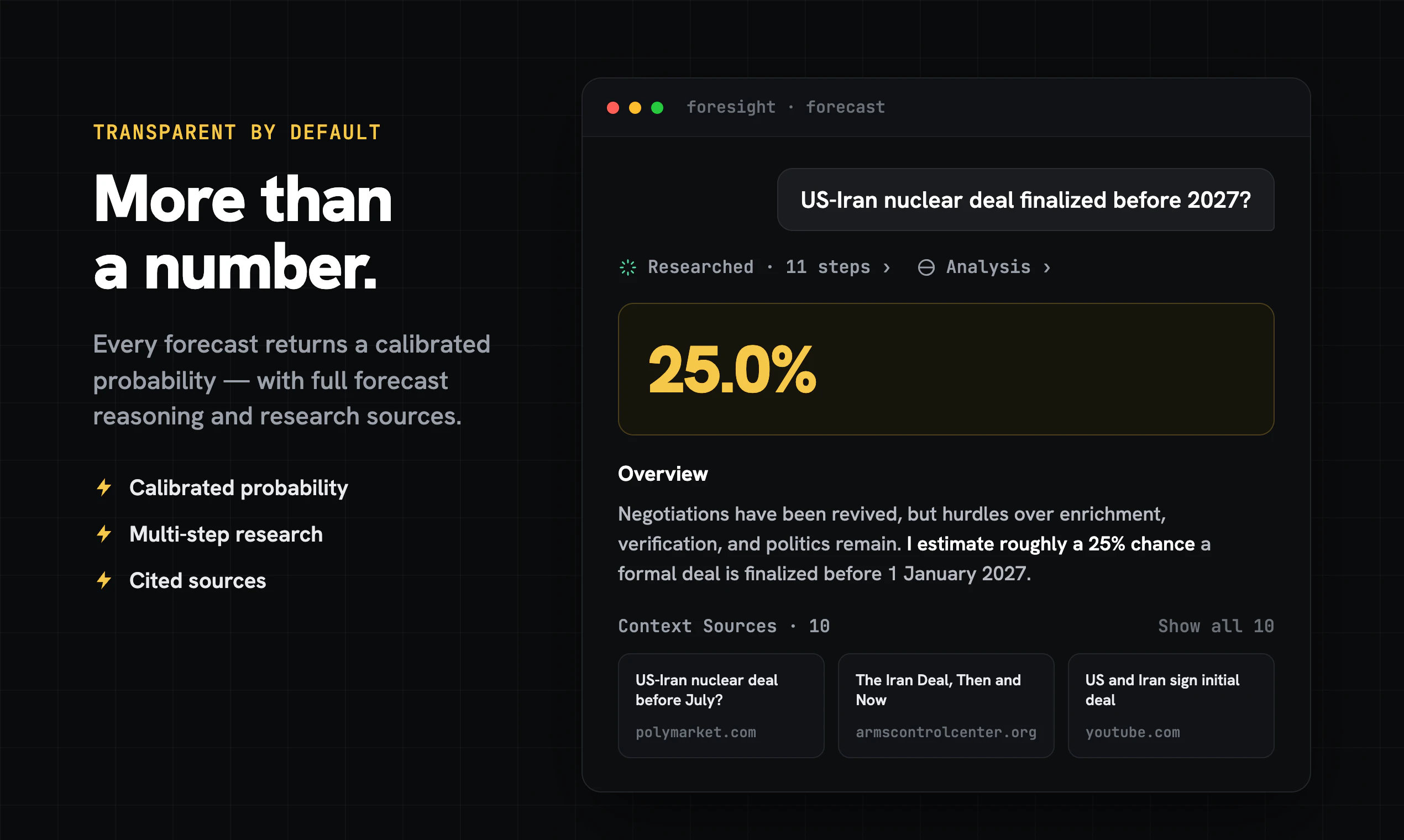
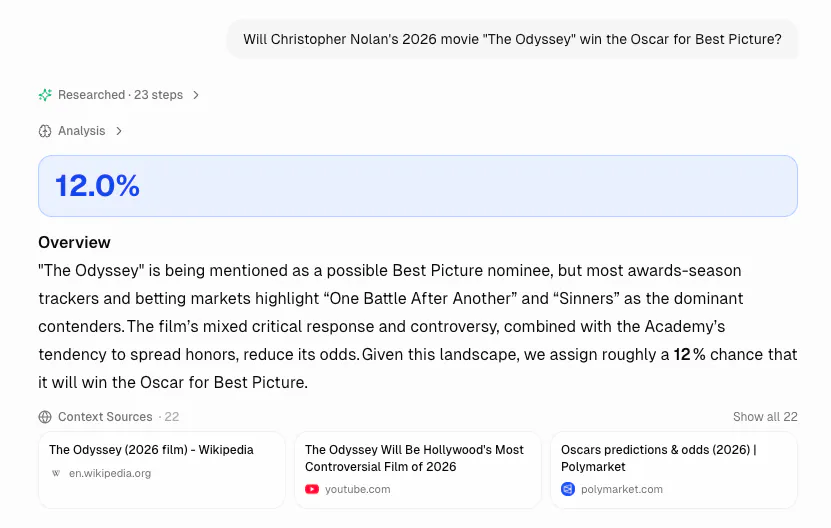
Foresight by Lightning Rod is an OpenAI-compatible forecasting API for developers building agents, prediction-market bots, and decision tools. Ask a question about a future event and get a scored, calibrated forecast back. Unlike general-purpose LLMs, Foresight is trained and evaluated on real-world outcomes, with benchmark-verified accuracy, cheaper inference, and a drop-in API for forecasting workflows.

Hey Product Hunt — Ben here, founder of Lightning Rod Labs.

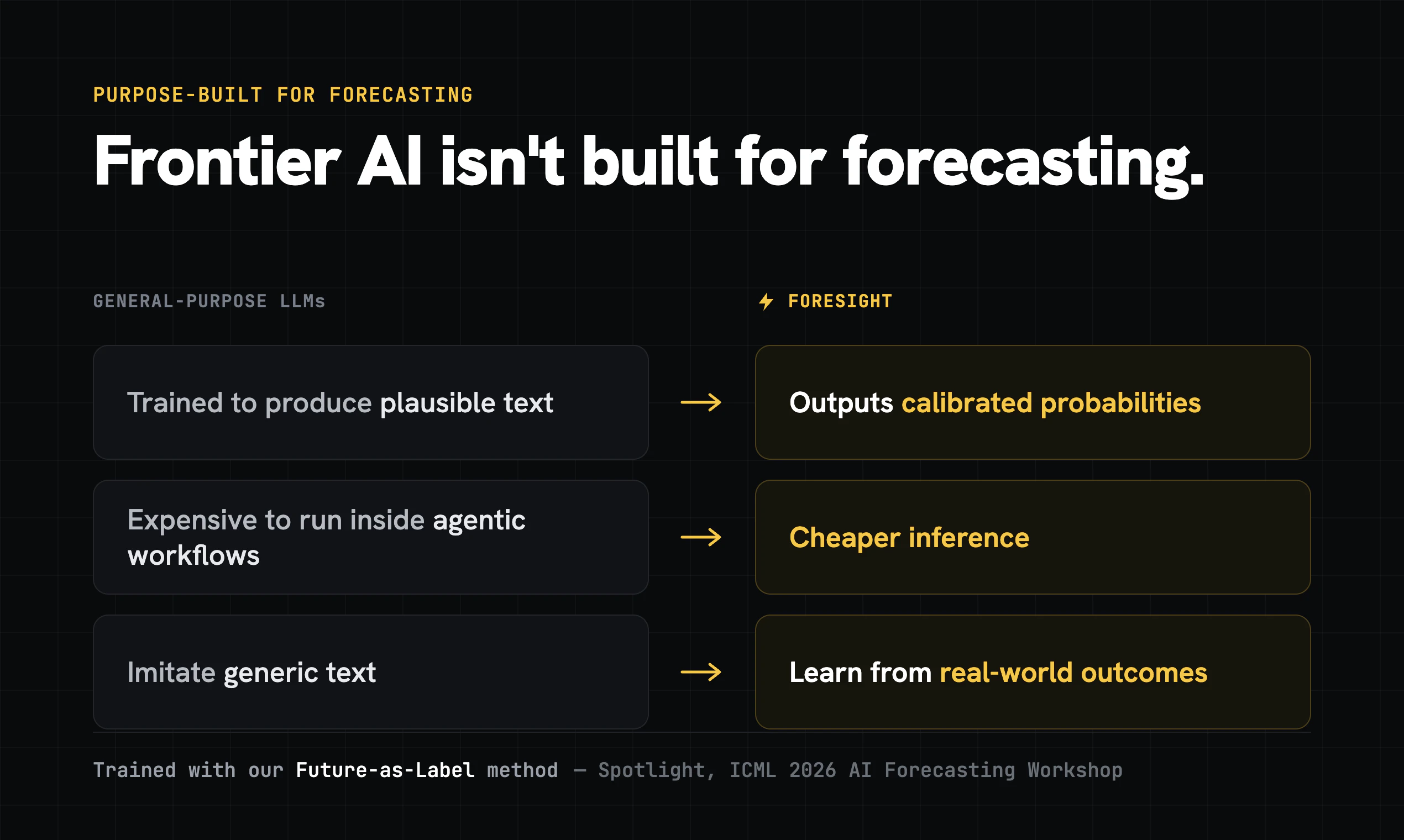
Frontier AI is powerful, but it is not built for forecasting. Frontier models are trained to produce plausible text, not well-calibrated probabilities about what will actually happen. They are also expensive to run inside agentic workflows, where bots may need to forecast thousands of markets, events, or decisions.

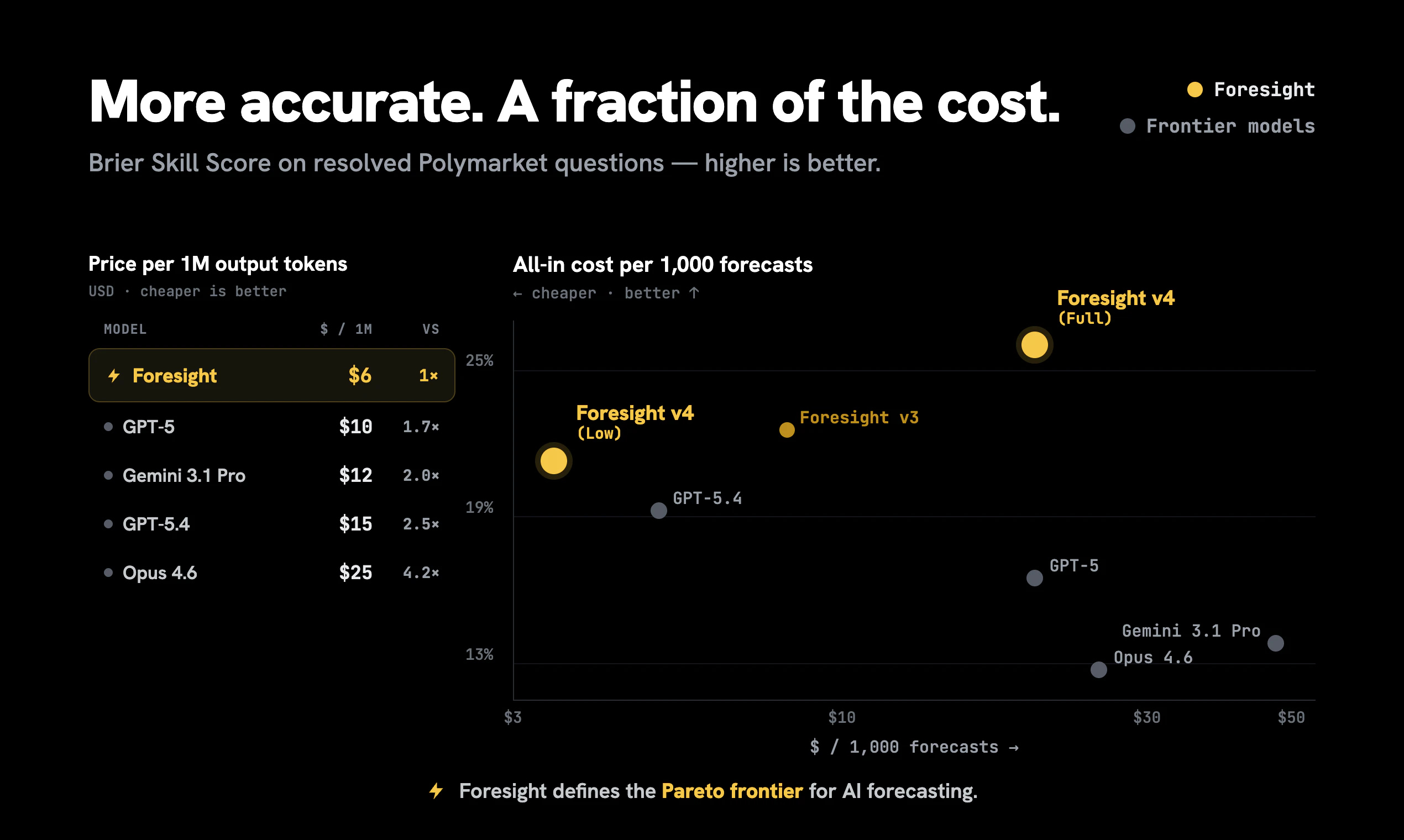
We trained Foresight to make better predictions at lower inference cost.

Foresight is an AI forecasting API with better accuracy at a lower inference cost. It is trained using our Future-as-Label method (Spotlight at the ICML 2026 AI Forecasting Workshop), which uses real-world outcomes over time for training. Instead of hand-labeling datasets or imitating generic text, Foresight learns from what actually happened.

Foresight beats frontier models 100x larger on live prediction benchmarks, like ProphetArena and ForecastBench, with a particularly large lead in prediction market categories like Sports & Politics.

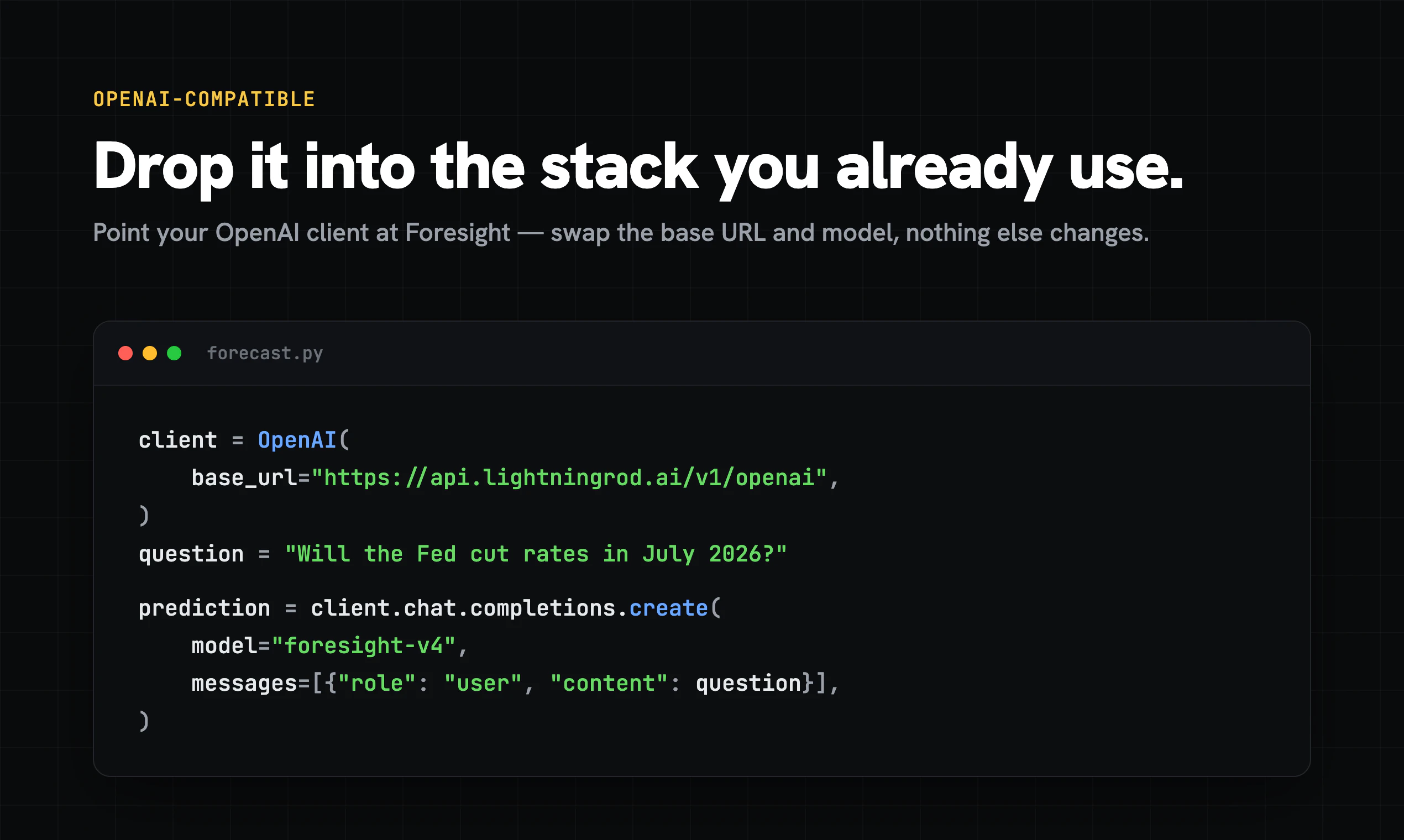
Our API is OpenAI-compatible, so developers can easily swap it into existing workflows.

Better accuracy. Cheaper inference. OpenAI-compatible API.

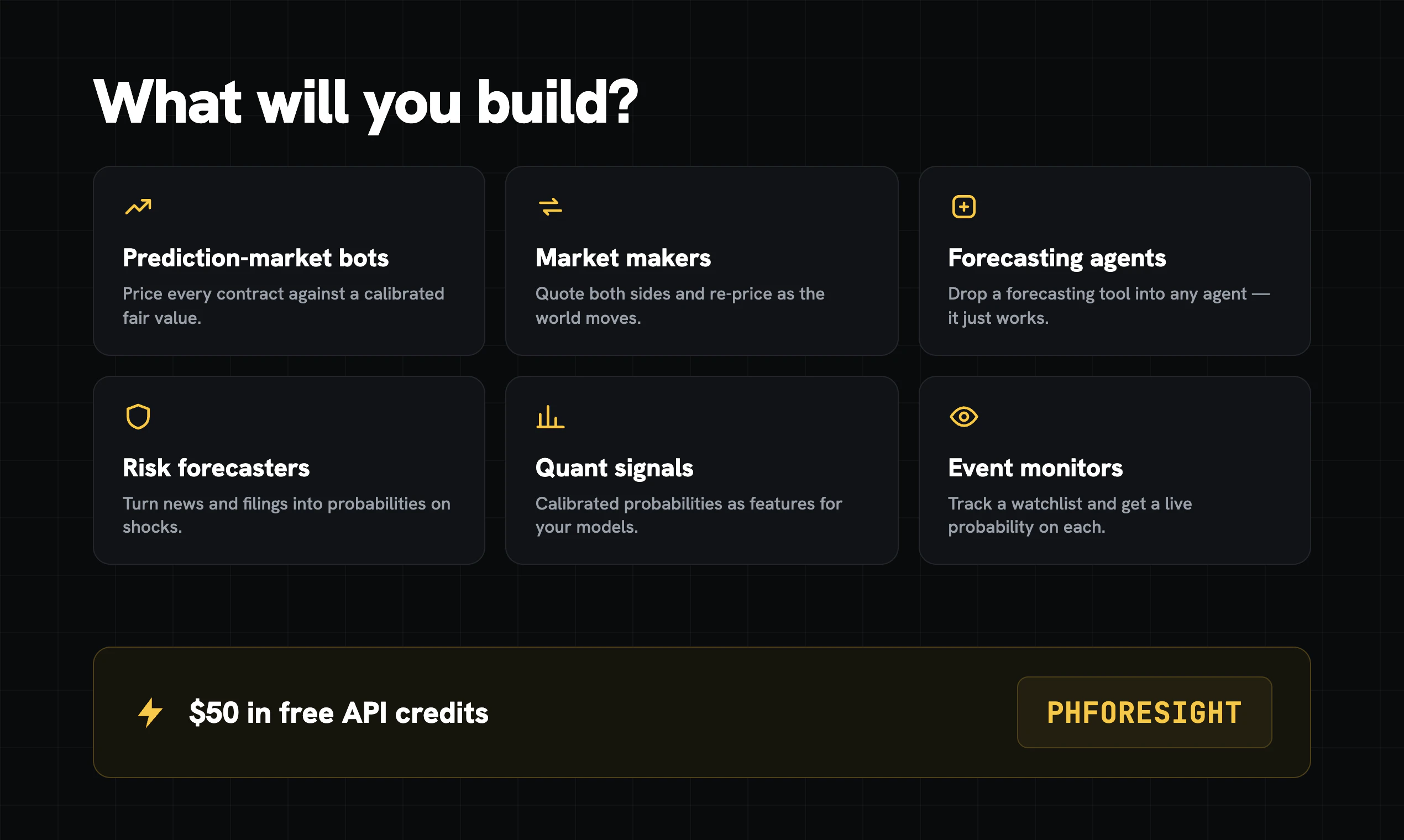
Use code PHFORESIGHT for $50 free API credits this month.

We'd love feedback from builders working on forecasting agents, prediction tools, or any workflow where better forecasts matter.

33
回复

@bturtel Congrats on the launch, Ben. A forecasting API actually benchmarked on real-world outcomes is rare — most AI tools claim predictive power with no calibration to back it. Purpose-building it for agents and prediction markets, accurate and cost-effective, is a sharp wedge.

One idea while it's live: your PH launch is still editable, and a video in the gallery holds attention better than screenshots. So I made you one from your site, free, and it's whitelabel — yours to post as your own: https://foxplug.com/v/foresight-by-lightning-rod-5f375d9f

I build FoxPlug — it turns your real product updates into videos, posts, and GIFs automatically: guided feature tours, GIFs, short posts for X, long-form for a blog, and full product walkthroughs. foxplug.com — building in public, loudly.

7
回复

@bturtel Really interesting approach. Training on real-world outcomes instead of just generating plausible text feels like the right direction for forecasting. I'm curious to see how Foresight performs across more real-world use cases beyond the benchmarks.

0
回复

@bturtel Congrats on launching from Upworks Hub Team🚀

We've built a community of makers, founders, and tech enthusiasts who actively support and engage with new Product Hunt launches.

https://uprowshub.com/pricing

Happy to help if you have any questions.

0
回复
Love the focus on forecasting agents. This feels like a missing piece for agentic workflows. Congratulations!
6
回复

@odeth_negapatan1 thanks, we agree!

1
回复

can developers fine-tune forecasts for specific domains like fiance or healthcare?

5
回复

@aleksander_brousseau great question. We do offer fine-tuning via our SDK, although its in private beta at the moment – please reach out if you're curious in giving it a shot.
One big advantage of our Future-as-Label methodology (https://openreview.net/forum?id=vIXPxsiCID) is that we can fine-tune models using the messy, unstructured operational data that companies already have (like docs, reports, patient records, claims, etc) instead of needing labeled datasets to train on. So we regularly train custom models (https://www.lightningrod.ai/custom-models) for clients and we're working on making this more out-of-the-box.

3
回复

@aleksander_brousseau We work 1-1 with enterprise clients for training these types of models. Most organizations sit on mountains of unstructured data full of predictive signal that can we used to forecast verifiable outcomes. Think patient notes, investment decks, CRM content... anything with a timestamp. Shoot me a message if you have a specific usecase in mind

3
回复

Really interesting product. Do you see Foresight being used for cybersecurity risk prioritization... for example forecasting whether a vulnerability or exposed service is likely to be exploited within 30/60/90 days based on threat intel, EPSS/KEV, asset criticality, and exposure context? Curious what inputs improve calibration most, and how you handle high-consequence cases where a ‘low probability’ event still needs action.

4
回复

@derek_foster5 Super interesting use case! This would be a great example of a custom model – if we had historical documentation / records of these breaches I suspect we'd learn alot with some custom training here.
We do see strong results for high-consequence, low-likelihood use cases– a great recent example is our case study on predicting supply chain disruptions: https://blog.lightningrod.ai/p/from-metric-to-prediction-forecasting-supply-chain-disruptions-with-foresight-learning

2
回复

@derek_foster5 That is a very interesting potential application, and it sounds like the sort of thing that could benefit from training a custom model. If you have that sort of data you can read about how we train custom models here, and schedule a call to talk it through: https://www.lightningrod.ai/custom-models

2
回复

Love that this is trained on real-world outcomes rather than just text patterns, making it a purpose-built forecasting layer that general LLMs simply cannot replicate.

4
回复

@ilko_kacharov 100%! We find that general LLMs are pretty bad at forecasting out of the box. Training specifically for forecasting massively improves results and lets us use a smaller model to offer much cheaper / more efficient inference.

1
回复

Have you compared it against prediction markets directly, or only against LLMs?

4
回复

@ella_reyes1 Yes — we regularly compete on 3rd party benchmarks like ForecastBench and ProphetArena, where we beat frontier models and are evaluated against live market outcomes. We do see an edge in some categories like Sports and Politics. That said, a base forecasting model is just one layer — signals gathering, market timing, bet selection, position sizing all matter too. Foresight gives you a strong calibrated foundation, but sustained alpha in prediction markets requires a differentiated approach on top, like proprietary data sources or novel strategies that can't be easily replicated.

2
回复

The calibration angle is the part that actually matters, and the part most forecasting tools skip. When we plugged raw LLM probabilities into a decision loop, the point estimates were fine but the confidence was wildly off at the tails, so the expected-value math downstream was garbage. Two things I'd want to know: do you return a calibration band or just a point probability, and how does calibration hold up under regime shift, when the future stops resembling the outcomes you were scored on?

4
回复

@dipankar_sarkar Calibration is actually where we see some of the biggest gains from training. We've demonstrated this across a few domains (papers here: https://www.lightningrod.ai/about), and we often find that out-of-the-box LLMs are often wildly miscalibrated.
For high-stakes use cases we can also ensemble to get confidence bands around the probabilities themselves.

On regime shift: these are reasoning models, so what we're really training is better thinking, not a fixed mapping from inputs to probabilities. That typically holds up surprisingly well under regime change. I'd love to hear any feedback if you try it out!

2
回复

OpenAI-compatible is a smart wedge — I can point an existing client at it and test forecasting without rewriting my stack. The thing I'd check first: when the model is genuinely uncertain, does the API return a calibrated probability or confidence interval I can threshold on, or just a point prediction I have to trust blindly? For anything I'd wire into a real workflow, knowing when to ignore the forecast matters more than the forecast itself.

3
回复

@hazy0 Thanks Hazy - we have built in "answer types" you can use to easily extract a prediction for different question types (e.g. binary if you just want a probability), but you can give the model instructions for any custom answer format also. So if you want a probability + confidence, or low/high estimates, you can ask for that also! I agree it is different if the model is uncertain because it doesn't have enough information vs being confident that the outcome is a toss-up. You can also do back-testing to determine what category of questions or kind of context the model performs well at and just apply it to those questions.

Another thing you can do if you are applying it to a question with a market price or established prior is include that in the prompt, and ask explicitly whether it wants to make an adjustment to that price or not.

1
回复

how often do you recalibrate the model as new outcomes become available?

3
回复

@maryam_nafees1 We typically update the models every few months, but we actually haven't observed much drift. What we're really training is better reasoning over real-world outcomes, and the model learns to use whatever information is shared in context. So most of the gains don't require the model itself having fully up-to-date knowledge of the world, as long as the right info is in context.

1
回复

Ensembling to get bands around the probabilities is exactly the part I'd reach for, since in a decision loop a miscalibrated tail costs you asymmetrically more than a wrong point estimate. The tension I keep hitting: ensembling N models fights the cheap-inference pitch the moment an agent is forecasting thousands of markets a run. Do you expose the band per-call in the API response, or is it a heavier mode you opt into when the stakes justify the extra passes?

3
回复

@dipankar_sarkar Absolutely, plenty of our users will run ensembles– running the same forecast multiple times (even with slightly different context / prompts) to get a distribution of results. We do see this meaningfully improves accuracy in our testing.
This is a big reason why having an economical LLM for forecasting is so important–cheaper inference makes it possible to run everything you need to run at scale without eating too much of your margin.

1
回复

The OpenAI-compatible interface is the right call. It means teams can drop this into existing agent pipelines without touching their orchestration layer. We've hit the same problem with general LLMs hallucinating probabilities. They'll say '70% chance' with no calibration behind it. How do you handle calibration drift as events resolve? Is accuracy validated continuously against a live benchmark, or is it a periodic evaluation cycle?

3
回复

@anand_thakkar1 We do run continuous benchmarks (including using 3rd parties like ForecastBench & ProphetArena) and haven't seen meaningful drift over time. One big reason is that the model anchors on the context you give it rather than leaning only on its weights, so it learns how to reason over whatever info is gathered, not just what it knows.
Also, the gains we get in training tend to show up in reasoning process itself, which makes it far less sensitive to regime shifts than a model that's just memorized patterns.
Would love any feedback if you try it!

2
回复

Congrats on the launch! 🚀 Training data is still one of the biggest bottlenecks in building reliable AI systems, so it's great to see a solution focused on turning real-world data into high-quality, traceable datasets instead of relying on manual labeling. The provenance and quality-scoring features really stand out. Excited to see how teams use this for domain-specific fine-tuning. Wishing you an amazing launch! 👏

2
回复

One thing I'm curious about: if a lot of forecasting agents end up using the same underlying model, their predictions naturally become more correlated. That's fine for a single application, but it changes things in systems that rely on independent signals. Has that come up with customers using Foresight at scale? Congrats on the launch!

2
回复

@jared_salois That is true, but its also worth pointing out that a model choice is only half of the story - the other half is the prediction context you provide to the model as a prompt. That context becomes your "secret sauce" that can give you an edge over other forecasters, even when using the same underlying model.

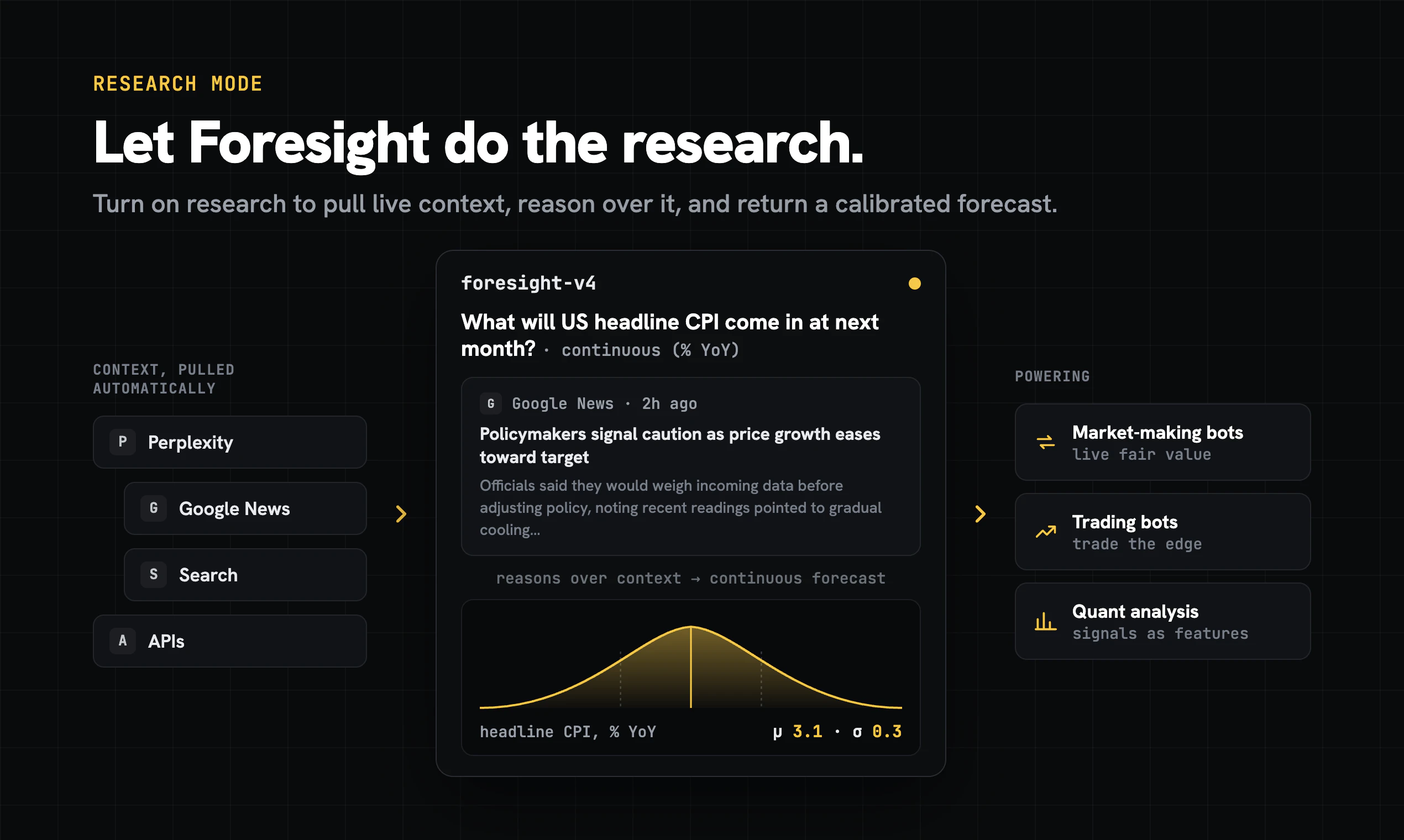
But if you don't want to build your own custom context aggregation pipeline, we recommed trying out our "research mode" that does it for you: https://docs.lightningrod.ai/#prediction-context

3
回复

@jared_salois great question — yes, there’s definitely some correlation if everyone is using the same underlying model.

That being said, many of the best builders don’t use Foresight as one static oracle. They ensemble prompts, vary the context, reason from different assumptions, compare against market prices / their own signals, and aggregate.

That’s one reason cheaper inference matters: you can actually run complex / multi-step forecasting workflows at scale.

2
回复

@jared_salois Yes, that is definitely a factor to consider when applying this. Foresight users are often using it alongside other signals. In addition to the model, having diverse sources of context to reason over is really critical. But ensembling a variety of models and context sources can lead to better results. We think foresight is a strong independent signal! Do you have a particular system or application in mind?

3
回复

Interesting idea. is there a public demo where developers can try a few forecasts before integrating the API?

2
回复

@rose_florean Yes! Log in at https://www.lightningrod.ai/models and you can run forecasts directly in the UI.
We give new users free credits to play around with, and PHFORESIGHT gets you $50 more this month.

1
回复

@rose_florean As Ben mentioned, you can access our dashboard from https://www.lightningrod.ai/models

Here is a quick demo of our chat playground interface, where you can try the model and see how to integrate it with the API:

1
回复

Really like this idea! Clean, practical, and solves a challenge that almost every AI team faces. Looking forward to seeing how this evolves—best of luck with the launch! 🚀

0
回复

The OpenAI-compatible API shape seems like a smart choice here, because forecasting is often something an agent wants to call inside a larger workflow, not a separate dashboard.

One product detail I’d look for as a developer is whether the calibration stays visible after the API call: confidence interval, data/source freshness, and a short reason why the model thinks the probability changed. For agent workflows, the forecast is useful, but knowing when not to trust it may be even more useful.

0
回复

Predicting anything is a bold promise, and I like that you're not boxing it into one niche like sports or markets. That open-ended framing is fun to play with.

0
回复
#4
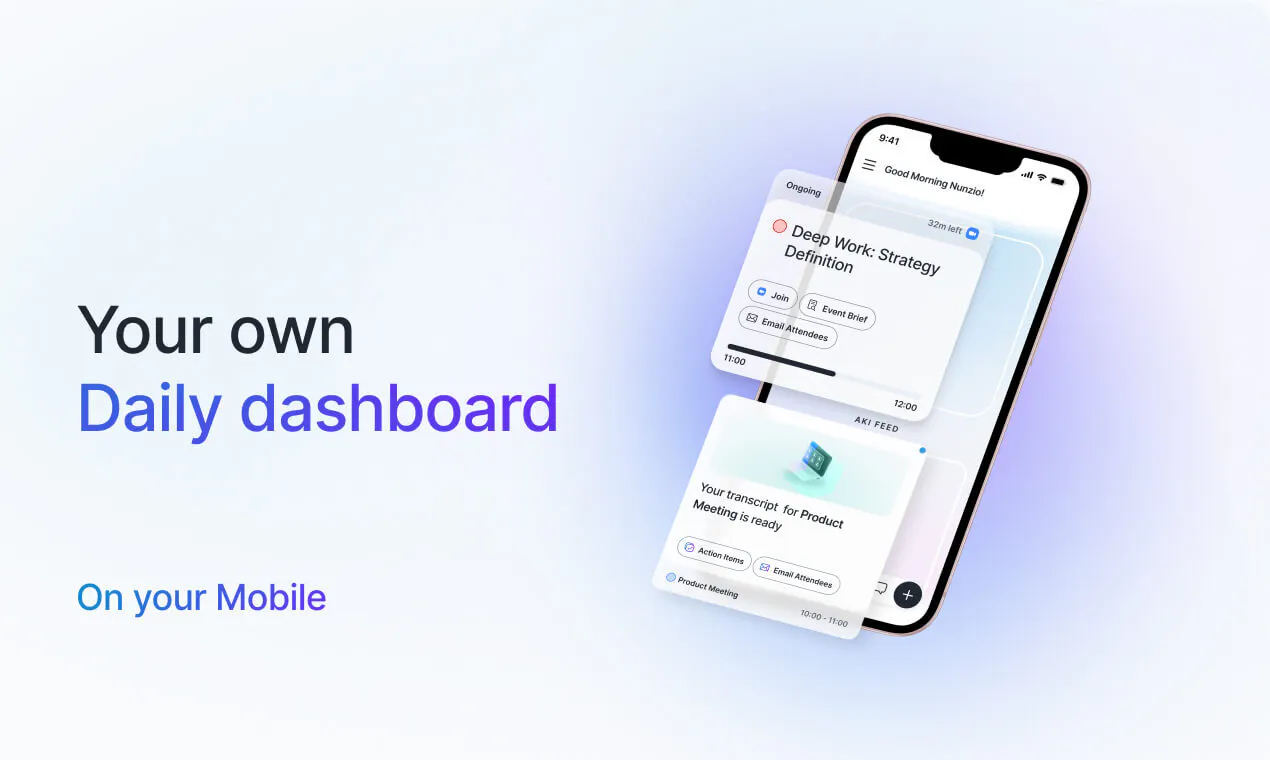
Akiflow
Manage tasks and calendars from Claude, ChatGPT or Cursor
232
一句话介绍:Akiflow是一款数字规划器和日历应用,通过MCP集成将任务与日程管理嵌入Claude、ChatGPT等AI助手的工作流中,帮助繁忙的专业人士解决在多平台间切换规划、手动整理任务与日程的效率痛点。
Productivity Task Management Calendar
时间块规划 任务管理 日历集成 AI助手 MCP协议 生产力工具 智能工作流 数字规划器 第三方同步 日程自动化
用户评论摘要:用户普遍赞赏MCP集成带来上下文无缝切换的便利,尤其看好周计划用例。有反馈询问双向同步细节(如完成/重排任务是否回推至Asana、Linear等源工具),以及AI是否可在无确认下自主移动事项(确认可操作,删除/添加来宾有额外检查)。老用户对产品持续迭代表示高度满意。
AI 锐评

Akiflow此次MCP集成的核心价值不在于“又一个AI功能”,而在于它主动放弃了“对话入口”的争夺,选择成为AI生态的“规划层”基础设施。当大多数竞品还在App内生硬地嵌入聊天机器人时,Akiflow反其道而行——它将任务与日历的写入/读取权限通过MCP协议直接开放给Claude、Cursor这类用户已高度依赖的AI工作台。这种设计本质上是承认一个残酷事实:用户的注意力主战场不在任务管理器,而在代码编辑器与聊天窗口。

但必须指出,这种“去中心化”策略存在隐忧。首先,MCP作为新兴协议,其生态稳定性与Claude等平台的长期兼容性存疑,若平台方收紧策略,Akiflow将面临被动。其次,用户评论中反复提及的“双向同步”依然依赖于Akiflow自身与第三方工具(Asana、线性、Google日历)的数据管道,若这些管道存在延迟或冲突,AI再智能也只是在错误数据上跳舞。此外,直接赋予AI“创建/移动任务”的权限虽然酷炫,却也放大了误操作风险——评论中已有人担忧“是否需要确认”,而官方宣称仅在高危操作上设限,这意味着日常调整完全由AI代劳,这在繁忙周计划中可能带来不可逆的日程混乱。

总的来说,Akiflow用MCP交出了一份聪明的技术规避方案,避开了“AI助理之战”,但这也让它从一个独立的效率工具,转变为AI平台的一个挂件。其长期护城河在于能否成为这些AI平台的“默认规划层”,以及能否同步生态系统的粘性足够强。对于那些已经深陷多个AI工具的精益创业者而言,这是一个爽感十足但需要谨慎驾驶的生产力铲子。

查看原始信息
Akiflow
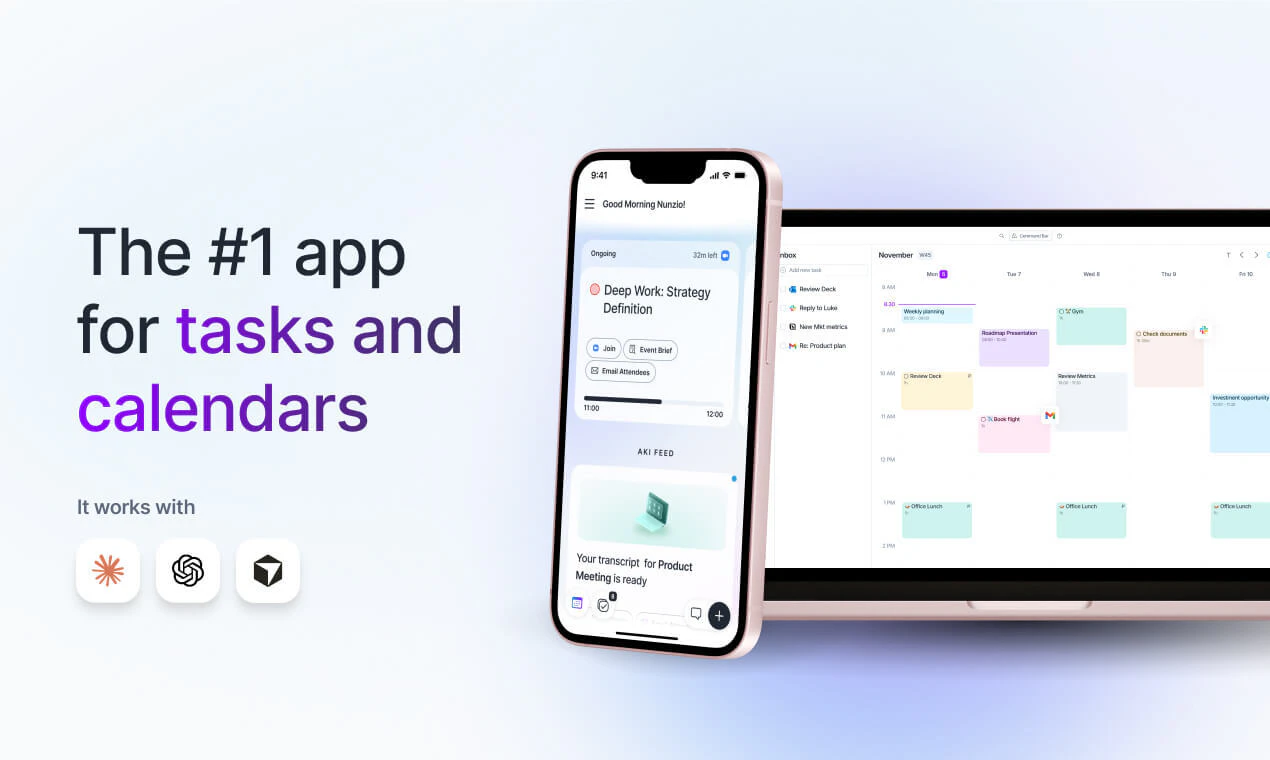
Akiflow is a digital planner and calendar for centralising tasks, unifying schedules, and optimising productivity., built for busy professionals! Experience the world's #1 Time Blocking app.

Hey Product Hunters 👋

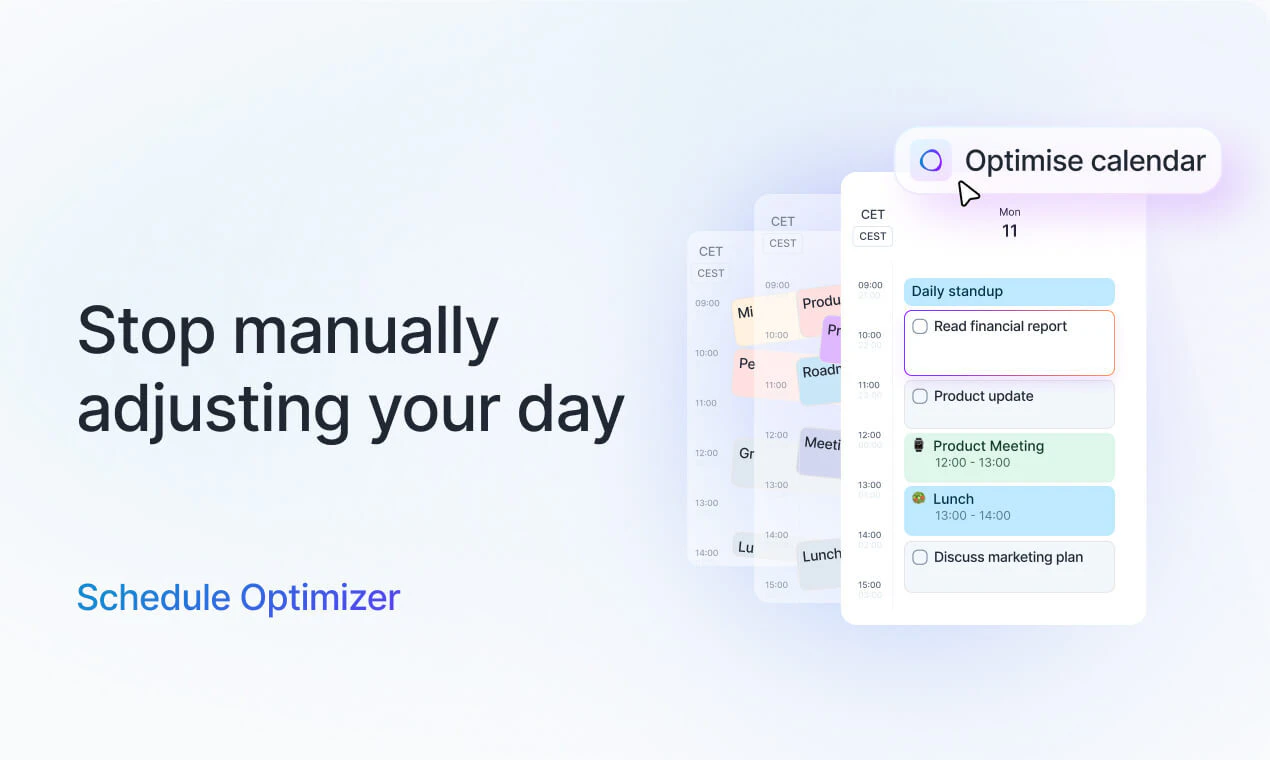
Akiflow is a task manager + calendars app that automatically imports your tasks and calendars and helps you manage your schedule.
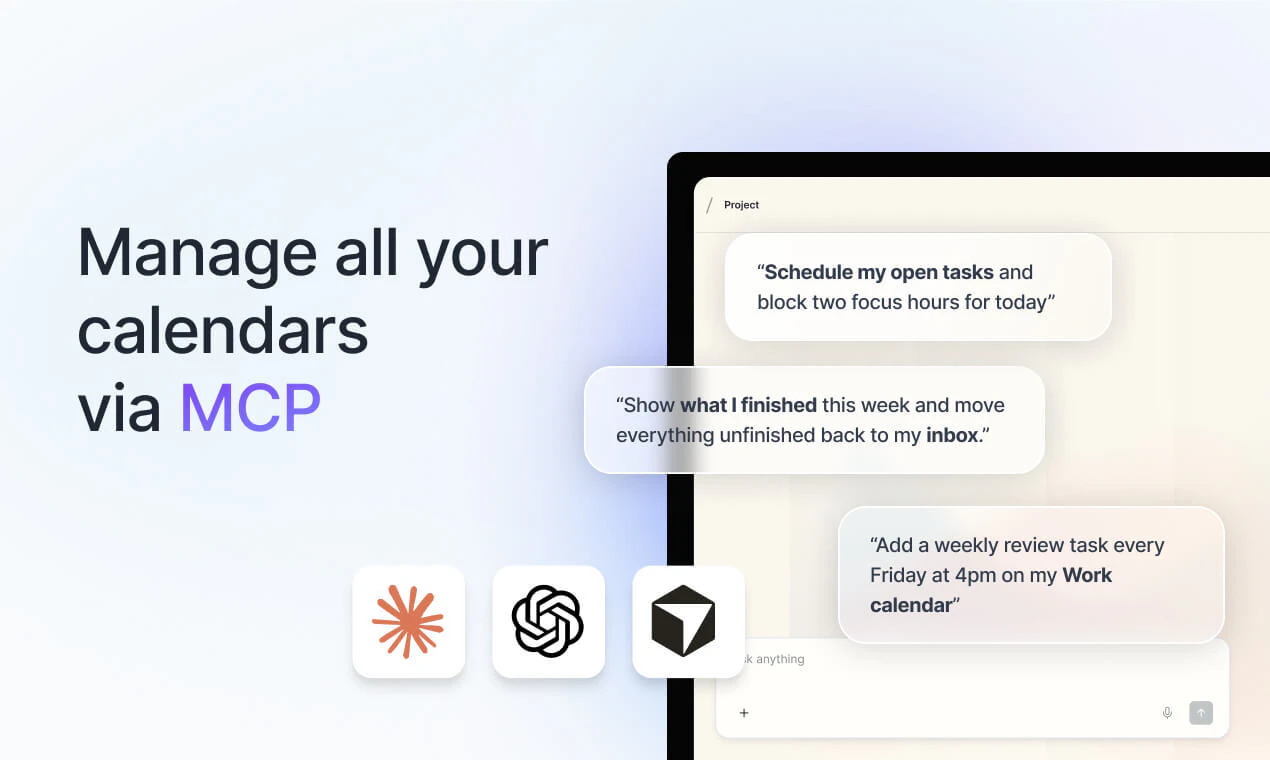
I’m excited to launch our latest integration with Claude / ChatGTP / Cursor (via MCP).

Now you can manage your tasks and calendars (yes, with the Akiflow MCP you’re not limited to one calendar integration anymore 🌝).

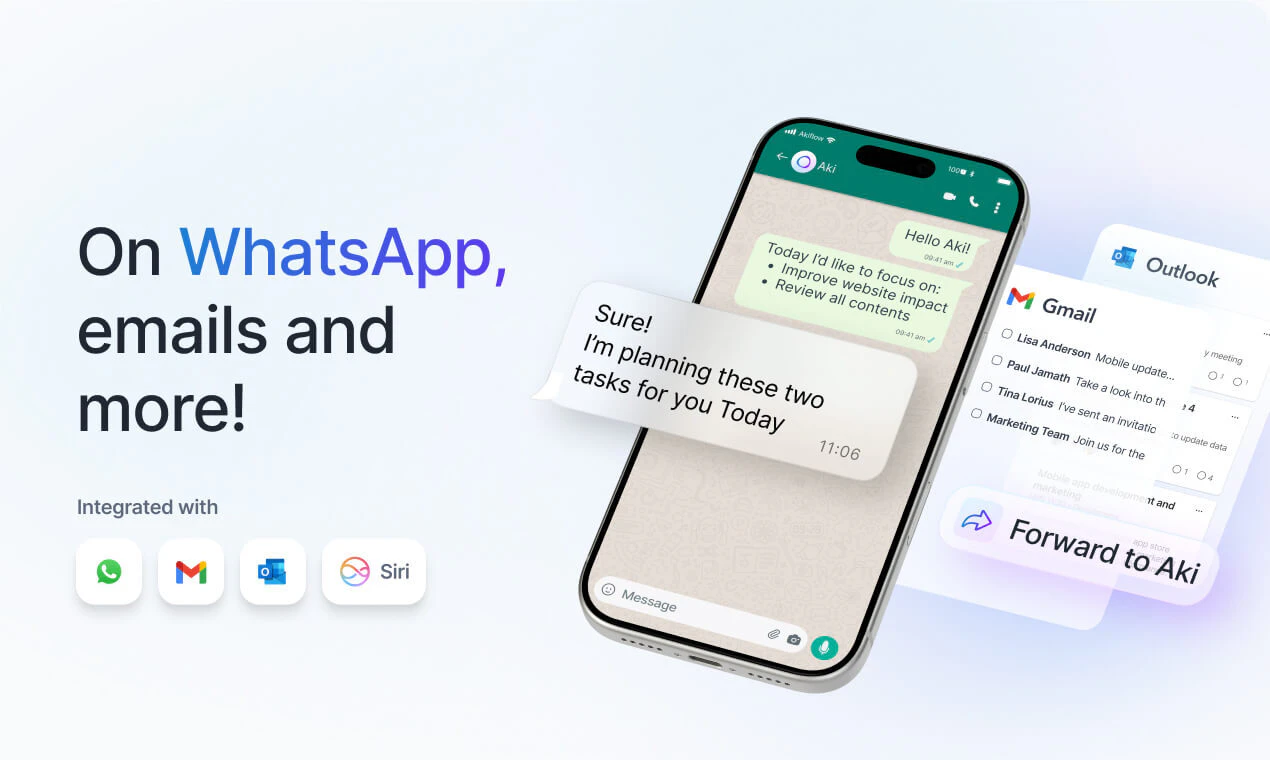
Anytime you're chatting on Claude/GPT, you can ask them to add tasks/events into Akiflow, or to check your schedule. You can also now use LLMs to help you review your days or help you plan your next week! You can find more ideas on our website!

Since our last launch here on PH, we added a lot of new features including:
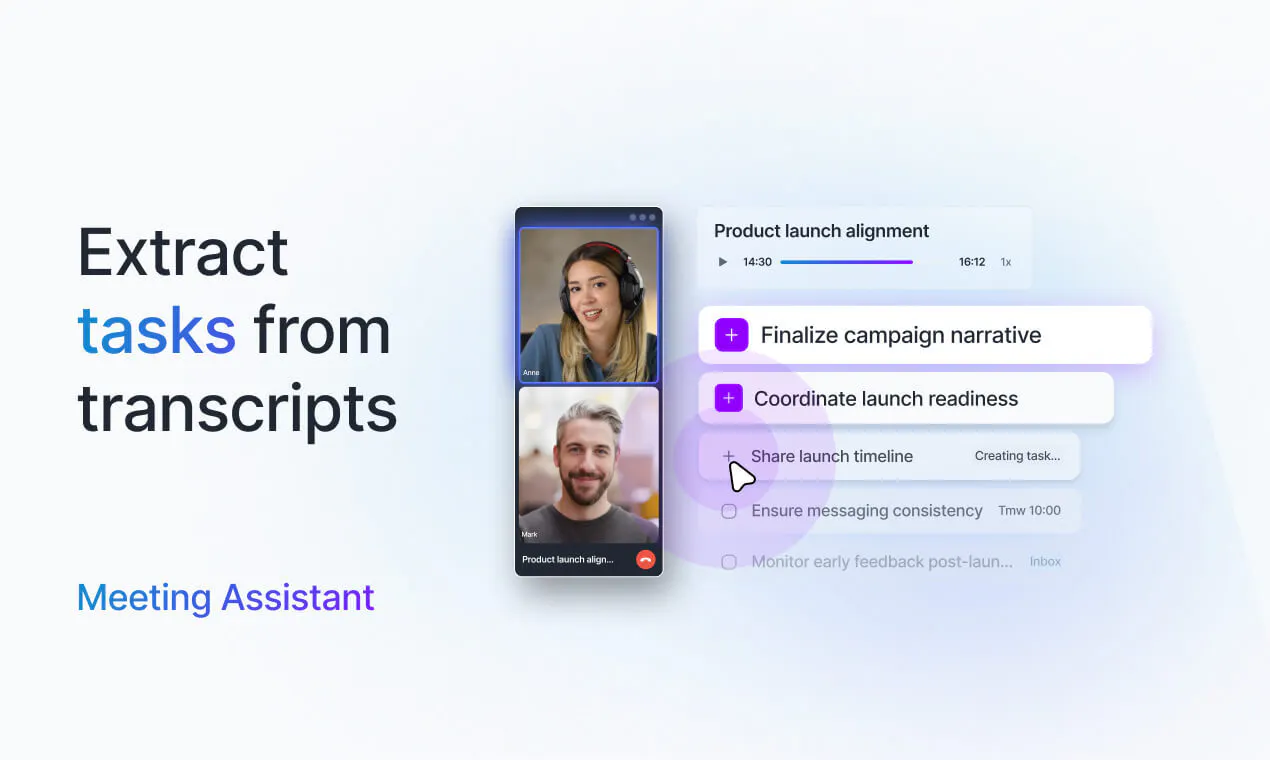
- Transcripts and Meeting Assistant
- Subtasks
- Siri Integrations
- Mobile Widgets
- Daily Dashboard
and much more..

7
回复

@nunziomartinello Congrats on launching from Upworks Hub!

We've built a community of makers, founders, and tech enthusiasts who actively support and engage with new Product Hunt launches.

0
回复
Tadej here, PM at Akiflow. The biggest ask we kept hearing was to not be limited to a single calendar connection while using it with Claude, ChatGPT or any of the AI tools and this is exactly what we built. Give a try and tell us which workflows stick for you and what you’d want us to support next. I’ll be in the comments today.
6
回复

It’s fantastic!! Congrats on the launch!

MCP looks simply amazing.

I’m starting to use it to manage my calendars via LLM, and it’s incredible. ❤️

Akiflow has already changed my life since I started using it, and this is another step in continuing to do so.

4
回复

Thank you for sharing this, Massimiliano!

0
回复

🛠️ Very excited to bring this launch, especially our new Model Context Protocol (MCP) integration. MCP allows AI models (like Claude) to directly read, create, and manage your Akiflow tasks and events. It bridges the gap between AI reasoning and daily work. Would love to hear your feedback on it.

2
回复

I already spend a lot of time planning launches, tasks, meetings, and random founder admin across too many places, so being able to tell Claude or ChatGPT to add something directly into my planner feels like a real workflow improvement, not just another AI feature. The most useful part for me would probably be weekly planning. I often have the context in a chat already, but then still need to manually turn it into tasks and calendar blocks somewhere else. Curious how much Akiflow lets the AI change without confirmation. can it only suggest a plan, or can it actually move tasks/events around once connected?

2
回复

@andrasczeizel It can do everything, we just have some limitations/extra checks on deleting items or adding guests to events, being both potentially disruptive actions.
Weekly planning is a great use case!

2
回复

This looks like the kind of tool that can genuinely save time if it fits into your daily workflow. Congrats on the launch, and best of luck with the release! 🚀

2
回复

@rokgregoric Thanks Rok! 🙏

0
回复
@rokgregoric thanks Rok!
0
回复

Congratulations @sid_akiflow @tadej_jevsevar excited to try this, was curious about one thing, when I complete or reschedule a task inside Akiflow, does it cleanly push back to the source tool (Asana, Linear, Notion, etc.), or is the sync mostly one-way?

1
回复

Building an MCP integration for this is incredible. As someone who spends all day in Cursor and Claude, being able to pull up my schedule, manage tasks, and block out time without having to constantly shift focus back and forth from my browser is a massive win. Congrats on the launch, Nunzio and team!

1
回复

With AKiflow i thikn from day 1 love the product love the team!

1
回复
0
回复

Already using Akiflow with Claude and it's a game changer for planning. Being able to manage tasks and schedule directly from the AI assistant I'm already working in removes so much friction!!

1
回复

The best task manager and calendars app, and an excellent Support Team + Slack Community! I have been an Akiflow user and supporter for many years and will continue to be for many more to come! Well done, Akiflow team and @nunziomartinello !

1
回复

@melissavdwest Thank you so much Melissa! 🙏

0
回复
Smart move putting Akiflow directly inside Claude, ChatGPT, and Cursor instead of making users tab over to a separate planner. Since it's pulling tasks and calendar events into the same surface where the work actually happens, does the sync run both ways, e.g. if I time-block something in Akiflow, does that show up natively in Google Calendar too, or only within the AI tool context?
1
回复

@priyatharshini_c Yes, MCP is two-way with Akiflow: the AI can read your planner and, with permission, create or update tasks, events, and time blocks in Akiflow.

Google Calendar sync is handled by Akiflow’s normal calendar setup, not by the AI tool itself. So if your Akiflow time blocks are set to lock/sync to your calendar, that block can show up in Google Calendar too. If calendar locking is off, it stays as an Akiflow time block, but Claude/ChatGPT/Cursor can still see it through MCP.

1
回复

Akiflow has been my planner/task manager for over a year, and I can't be more happy with it. Being able to integrate with calendars, the slot management, weekly planning, and many more, just feel right. Great job, @nunziomartinello and team.

1
回复

Great launch! Am I correct to assume the MCP-first call is the most important move? I guess most teams would've bolted a chat box into the app and called it AI. Routing the actions out to Claude or Cursor means you skip the "which assistant wins" fight entirely and just live wherever the user already is I guess

1
回复

Thanks@artstavenka1 . Yes, MCP lets Akiflow expose real planner actions like reading your schedule, creating tasks, blocking time, and updating events to the assistant you already use.

So if you’re in Claude planning a launch, or in Cursor turning a bug into work, you can send the next action into Akiflow without switching context. Akiflow stays the planning layer; the AI can be whichever one you prefer.

1
回复

I love akiflow. Super excited to test out the new features especially the MCP 😍

1
回复

Thanks@tavagas

0
回复

Love seeing Akiflow add MCP support!!! I use Akiflow every single day, and it has become a key part of my workflows. This makes it even better, I'm so existed to integrate it even more into my routines with Claude! Congrats on the launch, can’t wait to put it to use!

1
回复
0
回复

Does it sync both ways with tools like Chat GPT and Claude, or is it mainly importing tasks into Akiflow?

1
回复

@alan_gregory With MCP, Claude/ChatGPT or any other AI tool can read from Akiflow and write back to it, depending on the permissions you approve.

So they can check your schedule, inbox, projects, calendars, events, time blocks, and meeting transcripts, then create or update tasks/events in Akiflow.

0
回复

How does Akiflow’s MCP integration handle scheduling conflicts, permission checks, and two-way calendar sync when users ask AI assistants to create or update tasks and events?

0
回复

@rod_sodax it has three separate layers:

Scheduling conflicts: AI can read your Akiflow schedule first, so it can see existing meetings, tasks, and time blocks before creating something. It can suggest a better slot if the requested time is busy. Akiflow does not silently move things around or auto-resolve conflicts on its own.

Permission checks: MCP uses read/write permissions. Read tools can inspect your planner, while write tools need write access. Akiflow also blocks edits to read-only calendars, and delete/event-guest actions are exposed as higher-risk actions so the AI client can ask for confirmation.

Calendar sync: MCP writes into Akiflow. From there, Akiflow’s normal calendar sync rules apply. Calendar events created or edited through MCP are pushed through Akiflow’s calendar sync flow. Time blocks and tasks sync to Google/Outlook only if you have calendar locking enabled, otherwise they stay in Akiflow and remain visible to AI through MCP.

0
回复

I can tell that Akiflow is, by far, the best calendar, planner, and task manager I've ever used. It has so many options to personalize your own flow that you will be delighted every time you use it. I love the Pomodoro option that allows you to track the actual task with the timer always on display. It really helps me to focus on what I'm doing at that moment.

Also, to set a specific task as my main task for the day or the week is incredible. I can't wait to see how AI will potentiate all its strengths. The only thing that is missing is a monthly review, because I always use the weekly review. Sometimes I go further and I like to do a monthly, a quarterly, and an annual review, but maybe this will be solved with the AI integration.

Congrats for everything, and thanks for creating such a great app. 💪🏼

0
回复

The evolution this product has had is amazing! I can usually use Trello as a one stop shop for just about everything, but Akiflow gives me all the control I need and integrates with Trello so i have the best of all the worlds. It's one of the few productivity tools that I've used for years and actually stick with because it is easy to use, always adding more useful features, and it saves me time and keeps me sane. I love being able to quickly capture what i need to work on and giving some structure to view my days across my meetings and events and tasks. They just launched their MCP and im excited to do even more with it!

0
回复

@britt_joiner Thank you, this means a lot, especially coming from someone who has stuck with Akiflow for years.

That "best of all worlds" workflow is exactly what we care about. MCP should make that even smoother.

0
回复

Love that you went MCP-first instead of bolting a chatbot into the app, but I'm curious about the time-block sync edge case, if I have calendar locking off and Claude creates a block through MCP, does Akiflow still treat that as the source of truth even though Google Calendar never sees it?

0
回复

@sezerufukyavuz Yes, that’s the right read.

If calendar locking is off and Claude creates a time block through MCP, that block still lives in Akiflow and is part of your Akiflow plan. Claude/ChatGPT/Cursor can see it again through MCP because they read from Akiflow.

The only difference is that Google Calendar won’t get a native calendar event for that block unless you lock/sync it there. So Akiflow remains the planning source of truth; Google only mirrors the blocks you choose to sync.

0
回复

One thing in mind is that I think I would be watching closely what people would do after they start using this. Are they opening ChatGPT less because everything lives in Akiflow now, or are they just using it as another shortcut? I feel like the answer to that says a lot about whether this becomes part of someone's daily routine or just a nice feature.

0
回复

@reda_roqai_chaoui Good point. I don’t think the goal is for people to open ChatGPT or Claude less. The goal is that when the planning context is already there, Akiflow becomes the place where the decision turns into an actual task, event, or time block. So the behavior we care about is not "did someone try the shortcut once" but "do they keep using it to move real work into their planner without copy-pasting or switching tabs."

If that becomes part of the daily planning loop, then MCP is doing its job.

0
回复
Using Akiflow for more than over a month now and my life is already seeming to come on a right track. I am not forgetting birthdays, anniversaries or my important meeting. This app has made my life easier ✨
0
回复

Awesome to hear this@prachi_nagwan

0
回复

The detail about putting extra checks on deletes and adding guests I think can be quite useful and alleviates concerns about important stuff being deleted accidentally. Are these guardrails fixed, or can a user set their own permission rules (e.g. "AI can reschedule freely but never touch anything with external attendees")? And is there an easy way to see/undo what the AI changed after the fact?

0
回复

@david_vilalta Today the guardrails are mostly fixed, not a custom rules engine yet.

So yes: Akiflow can tell the AI when something is a delete, when an event has guests, and when a calendar is read-only. The AI client can ask for confirmation before making those changes, and Akiflow won’t let it modify read-only calendars.

What we don’t have yet is a setting like "AI can reschedule freely but never touch events with guests." You can tell Claude/ChatGPT that as an instruction, but it’s not yet an Akiflow-level permission rule.

For undo: task deletes go to trash, so they’re recoverable. For calendar changes, you can change things back in Akiflow/calendar, but we don’t yet have a dedicated "AI changed these 5 things, undo all" screen. Thanks for the suggestion, that’s a very good direction for us.

0
回复

the MCP approach to task management makes a lot more sense than building another standalone AI feature. if i'm already in claude working through a problem, being able to say "block 2 hours for this tomorrow" without leaving the conversation removes a real friction point. curious how it handles conflicts though. if i ask claude to schedule something and there's already a meeting in that slot, does it suggest alternatives or just flag the overlap?

0
回复

@tina_chhabra Exactly the kind of friction we wanted to remove.

It lets Claude check your schedule before it creates a block, so it can see that you already have a meeting there and suggest another open time instead.

It won’t silently move meetings around on its own. The best flow is: Claude checks your Akiflow schedule, says "that slot is busy, 3-5pm is open instead," and then creates the time block once you approve it.

0
回复

I really struggled with this app, mostly around pricing and the lack of API/MCP and had ultimately given up on it a few months back. In this environment, the pricing will need to come down, too many great alternatives.

0
回复

@noeltock Fair feedback. If you tried Akiflow a few months ago, MCP was exactly one of the missing pieces, and that has changed now.

0
回复

its paid or free

0
回复

@mudaser_rahman Akiflow is a paid product, but you can try it for free. MCP isn’t a separate product, it’s included once you have an Akiflow account and connect it from your AI tool.

0
回复

I have tested Akiflow MCP and loved it. Combining with their desktop and mobile apps which are awesome, Akiflow MCP made planning my life better :)

0
回复
1
回复

Great to see the MCP integration. Congrats on the launch! Btw, what happens if the same task exists across multiple apps or gets updated in more than one place?

0
回复

@henry_habib if a task is already connected to another app, Akiflow keeps that link and updates the same task instead of creating a new one.

For example, if a Todoist task is synced into Akiflow and you ask Claude to move it to Friday, Akiflow updates that same linked task.

But if you manually create similar tasks in two different apps, Akiflow won’t guess they’re the same just because the title matches. That would be too risky, so those stay separate unless they’re actually linked.

0
回复

Curious to see how you balance structure with not making people over-plan their day.

0
回复

@crystalmei That’s a big part of the philosophy and how each individual want to plan their day. Akiflow shouldn’t force every thought into a perfectly packed calendar. AI can add tasks to your inbox, park them for someday, plan them loosely for a week/month, or schedule them at a specific time. So the goal is less "optimize every minute" and more "get the right commitments out of your head and into a system you trust."

1
回复
#5
Supafax
Email-native assistant that learns how you work
222
一句话介绍:Supafax是一款无需切换应用或学习新操作界面的邮件原生AI助手,能自动学习用户工作习惯,自动处理收件箱优先级排序、草拟回复和安排会议,解决用户处理邮件和日历管理耗时烦琐的痛点。
Email Productivity Calendar
邮件原生AI助手 自动学习 无需提示 无新应用 隐私优先 收件箱管理 智能草稿 会议调度 Gmail/Outlook集成 零数据存储
用户评论摘要:用户赞赏其“无需新应用”和隐私设计;多问及学习机制:如何个性化调整优先级、错误纠正、草稿语气匹配及发送授权边界;建议补充突发纠错和冷启动信任建立。
AI 锐评

Supafax戳中了一个被忽视的真实痛点:邮件自动化工具过去都让用户“换工具、学操作、继续管”,它反其道而行——坚持在Gmail/Outlook内部运行,把AI当“协作者而非新软件”。这种“埃森哲式代运营”思路将用户从提示和界面中解放出来,代价是AI必须在信任、精度与自主度间找到平衡点。评论区的核心疑问集中在“如何纠偏”和“何时放手”——一个不存储邮件、靠自身收件箱记忆逻辑的助理,一旦误判冷启动或语气失控,纠正路径依赖邮件“@它”和定期复核,略显笨拙但足够安全。真正考验在于:当用户习惯后,能否容忍“偶尔的差错”还是立刻缩回手动?Superhuman、Fyxer的失败不是功能不够,而是迫使人们改变习惯。Supafax选择做隐形的“邮件管家”,胜算在于不打扰,风险在于平庸——若只做到“自动标签+简单草稿”,它很快会被微软亲儿子Copilot或其他原生智能吞噬。杀手锏应是“对每联系人独立建模语气与优先级”,这需要超强冷启动学习和行为推断能力,目前用户的正面反馈多来自初期新鲜感,长期复盘能否绕过“修一次邮件比直接写更费劲”的坑,才是真试金石。一句话:方向对,但执行上深度决定生死。

查看原始信息
Supafax
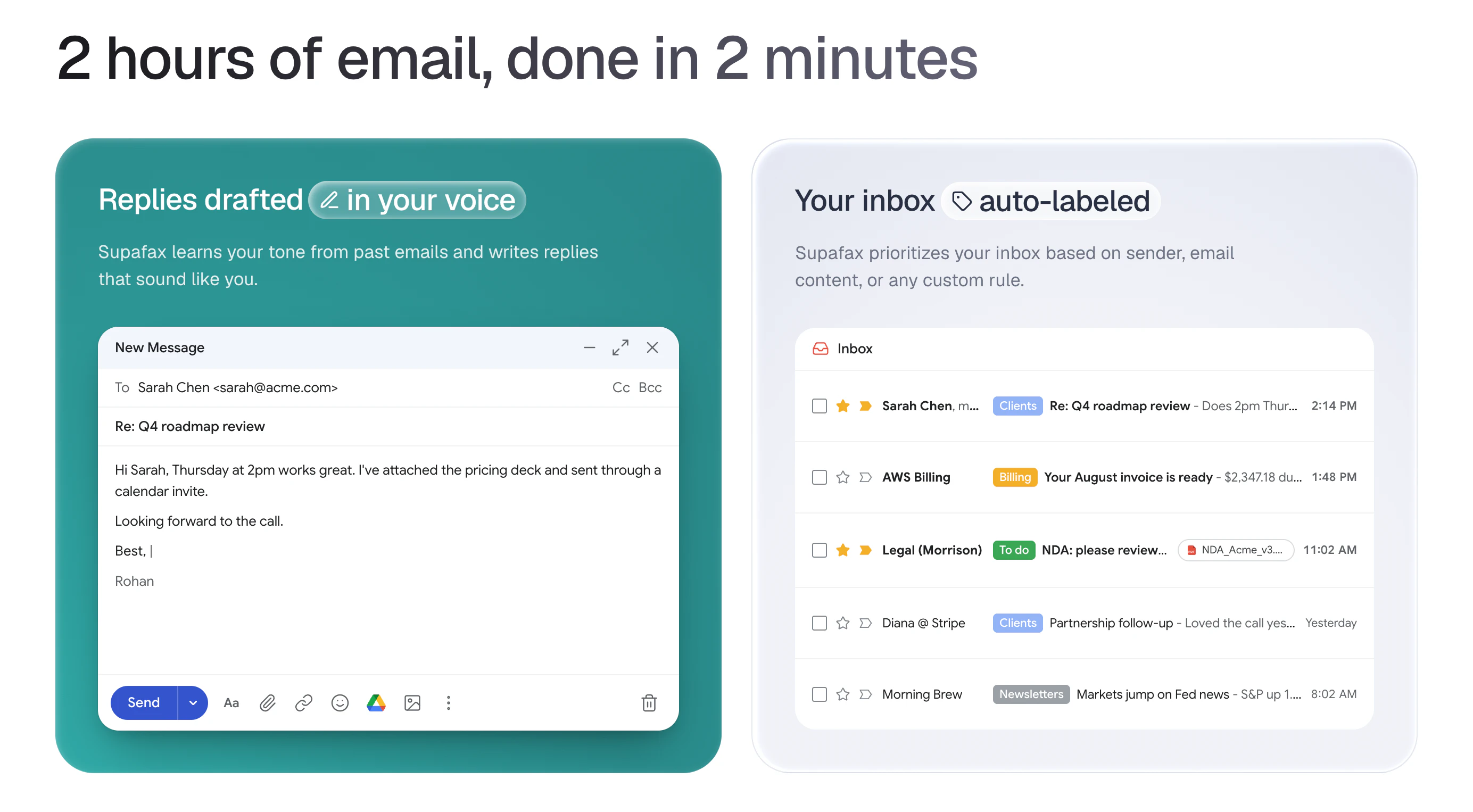
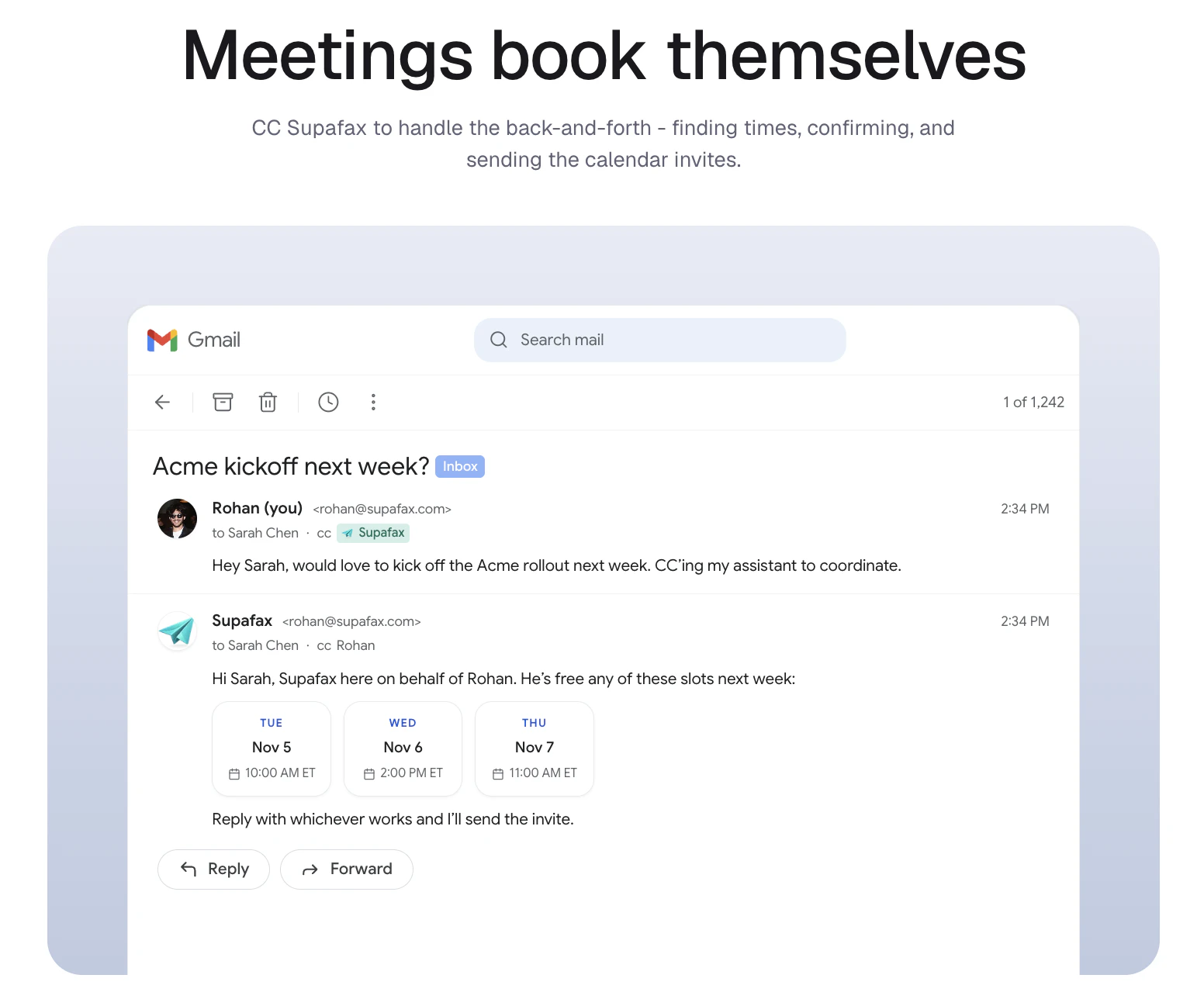
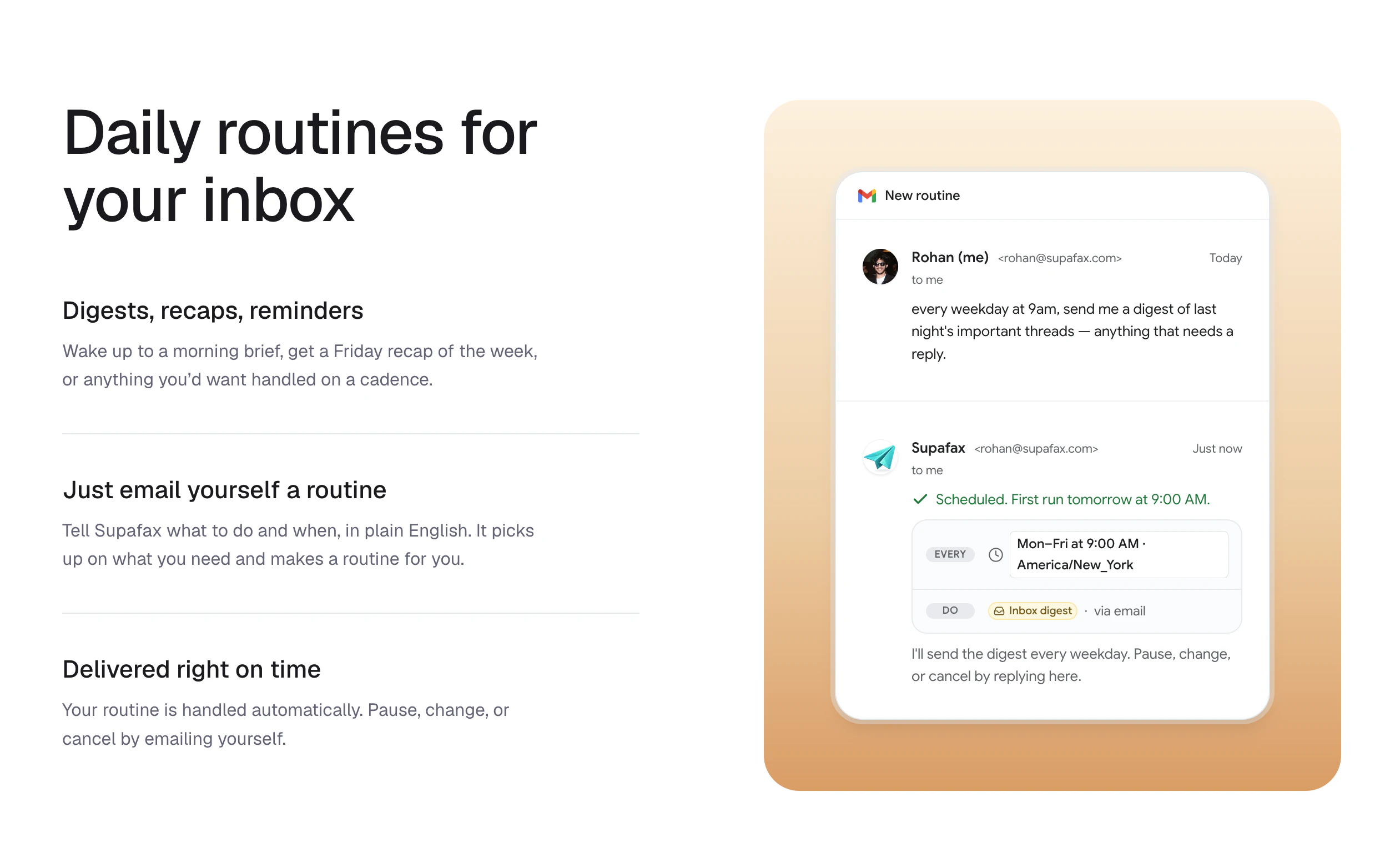
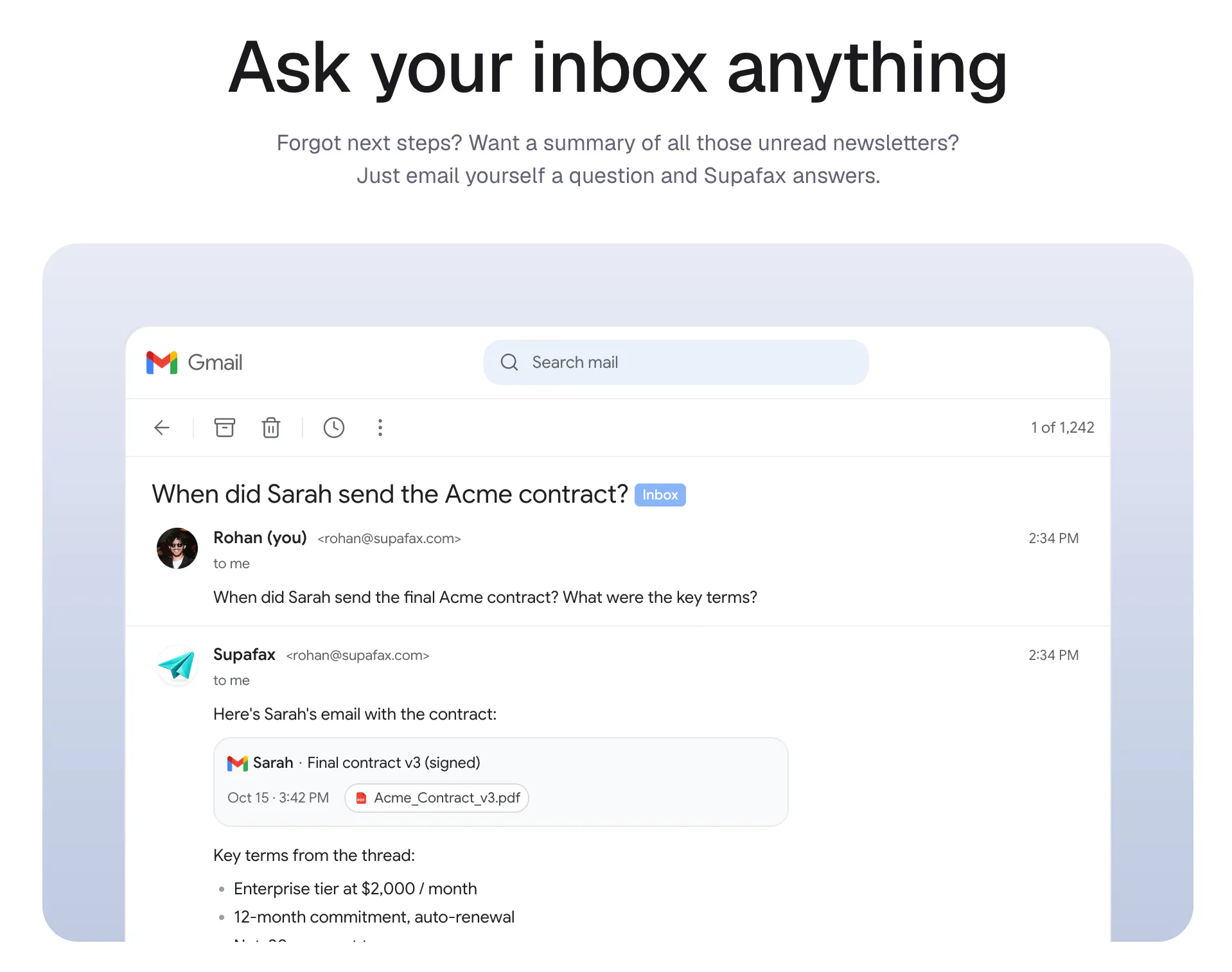
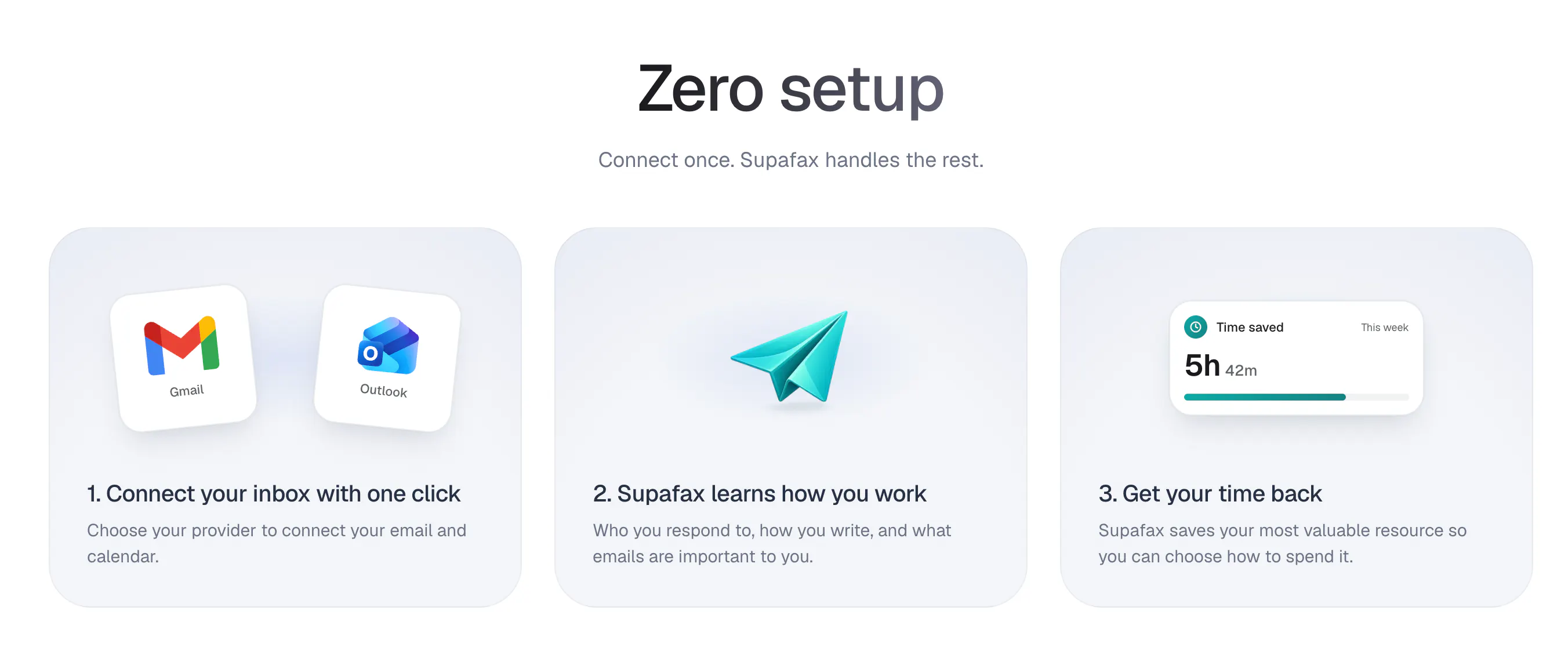
Supafax is an email-native assistant that learns how you work and prioritizes your inbox, drafts replies, and schedules meetings end-to-end.

Hey hunters 👋 I'm Rohan and with my co-founder Anton we're the makers behind Supafax - the first assistant you don't have to prompt.

I built Supafax for my girlfriend. For the past three years I’ve seen her slog through email and calendar admin she hates before she can focus on the parts of her job she loves. All the tools she’s tried have taken up more of her time, rather than freeing it up. So I built something for her :)

She works in a sensitive industry so she pretty much had three non-negotiables:

  1. We never store her emails - nothing leaves Outlook or Gmail

  2. There's no app to download or new email client to use

  3. There's no new UX to learn - just email

She essentially wanted an EA, something that just does the admin for her. That's it. And that's Supafax! It handles her email and calendar admin on its own, and only pings her - by email - when it genuinely needs her input. No prompting, no dashboard, no new app to learn.

If you give it a shot today feel free to let loose with constructive feedback, feature requests, bug reports, or anything else! I really hope this tool helps you become more productive in your day to day work life ❤️

11
回复

@mahendrakerr Love the approach. Building around existing email workflows instead of forcing users into another app is a smart decision. The privacy-first design (keeping emails in Gmail/Outlook) and eliminating the need for prompts or a new interface really stand out.

Congrats on the launch, Rohan and Anton! Wishing Supafax a successful Product Hunt day.

0
回复

@mahendrakerr Kudos. Quick question: for someone who’s used to manually triaging important vs low-priority emails, how does Supafax learn those personal priorities; and is there a simple way for me to correct or teach it when it gets something wrong?

1
回复

Solid one! From my POV, the "no app, nothing leaves Gmail, no new UX to learn" framing gives it a product spine most of usual tools skip. One thing I wonder..."only pings you when it genuinely needs input" is the whole game for anything autonomous, how do you guys draw it, rules per action type?

3
回复

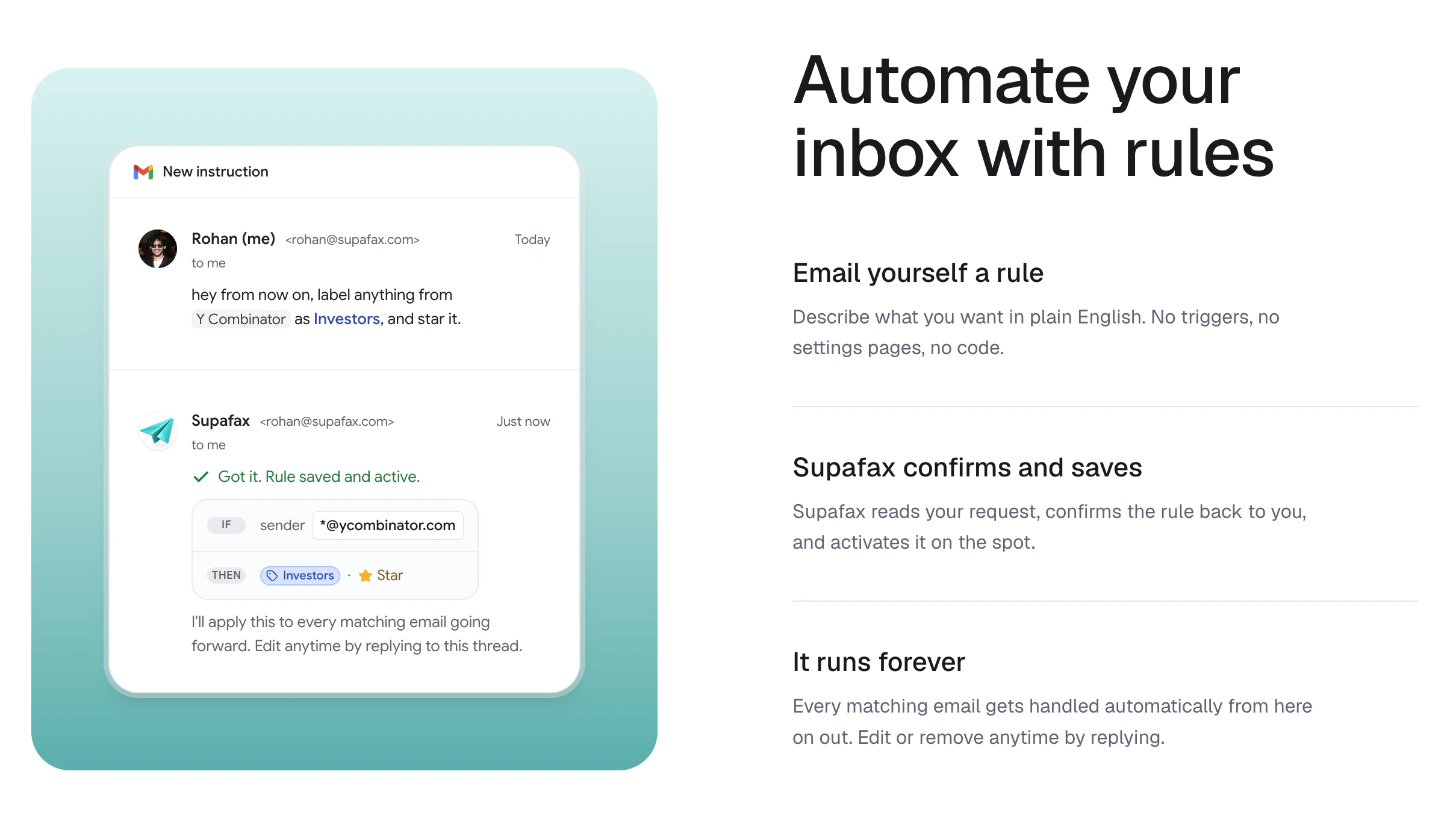
@artstavenka1 Appreciate it Art!! So you set it up initially during onboarding and then if you want to change what it's doing explicitly you can just email it (@Supafax in the body or cc) and itll change it's setup. For the most part tho it'll periodically reach out to u to figure out how it can improve it's own setup in your inbox! Not quite sure what u mean re: "action type" but it can be activated on incoming emails, sent emails, and calendar event changes and it stores all the rules, memories etc it needs in your inbox as little emails to itself!

1
回复

the "no new app to learn" part is underrated. most email AI tools ask you to switch your whole workflow to their interface and that's where adoption dies. keeping everything inside gmail/outlook and only pinging by email when it needs input is a much smarter UX bet. curious how the draft quality evolves over time though. does it mostly match tone and length from your past emails or do you need to manually correct it for a while before it gets your voice right?

3
回复

@tina_chhabra cheers Tina - yeah i think the no new app to learn is one of our core principles. re: draft improvement supafax examines both your previous email history with recipients, your on going sends to them and their contact profile more broadly (public info etc). You shouldn't have to manually correct it - it will be able to see the differences from what it drafted and you sent (if u make changes) and adjust accordingly!

0
回复

I love my Gmail, but I hate my email. Currently i already have an elaborate labelling setup. What is your recommendation for migrating? Do I switch to a Supafax first setup or does it adapt to my existing setup?

Really excited to try it out!

3
回复

@vinckoj Hey Vincent, it will adapt to your existing setup! If it thinks it can find improvements it'll suggest them at the right time!

1
回复

@vinckoj Great question! We wanted to make sure that email power users could get the best of both worlds (their own custom setup + supafax automating it).

0
回复

The 'don't have to prompt' framing is the interesting bet — most inbox AIs still make me babysit every draft. Where does the learning actually live: is the model personalized per user over time, or is it just retrieval over my recent mail stuffed into context each run? And does it act on a full send/modify OAuth scope, or stay read-only until I approve a draft — I'd want to know exactly what it can send on my behalf before it earns that trust.

2
回复

@noctis06 Cheers Noctis, learning lives largely in your inbox in the form of rules, routines, contact profiles, and of course your email interactions (sends, history etc), so it's both personalized over time and fresh with the latest mail interactions. The send scope is so that Supafax can live in your own inbox and send replies to you - rn the only way Supafax can handle sends for you is if you let it handle scheduling on a thread (by CC'ing it or instructing it directly) then it will handle scheduling coordination on your behalf. But yup otherwise it will just draft and you can review before it sends anything!

0
回复

loved that you built it for your girlfriend. Now it becomes a cool tool. Congrats on the launch!

2
回复

@haita Cheers Hai Ta!

0
回复

Very cool and innovative product! And I love that I don't need to download yet another custom client to use it.

Are you planning on supporting other email providers in future? Or supporting IMAP / SMTP connections so that it would work with anything?

2
回复

@andriiro Thanks so much Andrii! Definitely in the future not on the roadmap yet have to nab all the Gmail and Outlook users first haha

0
回复

This is amazing. I love the ZDR policy because my biggest worry with other email tools is that it reads and stores something confidential. How do you make sure it doesn't mark an important email as cold inbound spam?

2
回复

@evan_rankin Cheers Evan! Well it'll be able to look up if the person is cold (never sent anything to u) + it'll get the intent behind the message as it pertains to you! So if you've talked w/ this person before or if they're reputable and it's something important it'll get flagged correctly! Supafax will also periodically review it's interpretation of flagging with you to keep itself smart.

1
回复

The approval step before sending feels like the right safety net. What I'm curious about is what happens after a mistake slips through anyway. Say an email goes out with the wrong tone or misses some context. Does Supafax learn from that automatically, or does the user have to explicitly correct it? Congrats on the launch!

2
回复

@jared_salois Hey Jared pretty much yeah if you send out an email w/ a mistake then correct it in a follow up or the recipient does or u directly let Supafax know it'll learn and won't mess up in the future!

0
回复
The tone-matching piece is what stands out, drafting replies that actually sound like you instead of generic AI-speak is the part most email tools get wrong. Curious how Supafax handles edge cases though: for something like an NDA review email or a billing dispute where tone matters less than precision, does it still auto-draft a reply, or does it know to flag those for manual handling instead?
2
回复

@priyatharshini_c it should follow the decisions you made in previous responses! It is definitely aware of important matters and crucially will never send an email without your explicit approval.

1
回复

love this! congrats on the launch!

2
回复

@hazhubble cheers Haz! appreciate the support 🙌

0
回复

@hazhubble Thanks so much Haz!!

0
回复

Love the promise of this and will certainly give it a shot - intrigued what you think you've cracked that all the others before (Superhuman, Fyxer...) have failed to. And I do consider they have failed!

2
回复

@lachlan_dgc Cheers Lachlan! We thought about this a lot couple of things 1) no new client - think this is where Superhuman fails, 90% of the market uses Outlook + Gmail and don't wanna change. 2) no workflow products, agents instead - Fyxer does 2 things u largely can't configure, Supafax has remit to do everything and anything you can do in email with complex workflows and whatever logic you want in natural language 3) interface should be like emailing a colleague - it reaches out to u when it needs ur input and if you need it all you have to do is @Supafax in body / cc and itll handle whatever u want. This is how people delegate to other people today and agents shouldn't change that. 4) privacy first - we don't store anything, no email data nothing. We sorta use your inbox as the agent's operating system!

0
回复

Once Supafax starts drafting replies on your behalf, is there a confidence threshold where it holds back and just flags the email for you instead of drafting, or does it always attempt a draft even early on when it barely knows your voice yet?

2
回复

@inescastillo Hey Ines, yeah absolutely it'll only draft if it thinks you would respond to the person reaching out! So it'll examine past convos with them, who they are to you, the context of the thread etc. The confidence threshold usually shows up with an accompanying label for less important emails. We like for eg: FYI, marketing, noise, cold email etc.

0
回复

This looks awesome, @mahendrakerr and Anton! Excited to give it a try and see how it handles my emails over the coming month

2
回复

@julio_c_othon Cheers Julio!! Anton and I are here if you have feedback / feature requests!

0
回复

@mahendrakerr  @julio_c_othon Thanks Julio, appreciate it and let us know how we can improve it:)

0
回复

Does it learn tone per-contact? I write very differently to my team vs investors, and most tools flatten that into one voice

2
回复

@franklin_lacroix Hey Franklin, yup it will draft according to each contact by examining previous emails, sends going forward + what it knows ab them publicly!

0
回复

Really cool !

2
回复

@jamie_parker Appreciate it Jamie!

0
回复

@jamie_parker Thanks a ton Jamie!

0
回复

Keeping everything in email instead of adding another dashboard is a nice touch. Congrats on the launch!

2
回复

@henry_habib Cheers henry - yeah its one of our core principles - 1) don't store anything and 2) u don't need a new url!

0
回复
Great launch guys! Rooting for you
2
回复

@timcha_cherkasov Cheers Tim appreciate it a ton!

0
回复

Reading email is probably the most annoying thing on earth and yet the way we do it didn't change since 20 years. I feel like it should have already changed with AI and this seems to be a solid step forward. I'll give it a try.

2
回复

@owein_dourneau thanks Owein! we think the same - one day you won't have to log in to your email at all:)

0
回复

does it draft differently for different people I’m writing to?

2
回复

@molly_teshuva_muratov Hey Molly yep it's personalized for each recipient based on your relationship with them and your previous convos!

1
回复

Curious how Supafax handles the “learns how you work” part in practice. Since it’s email-native, is the learning mostly based on past email patterns, explicit instructions from the user, or ongoing corrections over time? I’d also be interested in whether teams can keep personal working styles separate from shared company workflows.

2
回复

@crystalmei Hey Xuefei, you nailed it its a mix of past email patterns, supafax reaching out letting u know something it knows might be wrong and asking for corrections, + relationship context it finds from recipients. Yup rn everything is individual we'll be adding support for team setup (labels, rules, routines, etc) asap!

0
回复

Big congrats on your launch guys! Loved the simple set up and onboarding, especially the "What Supafax already knows about you" section and the routines. Excited to feed back as I do more with it.

2
回复

@ferdi_sigona Thanks for the feedback Ferdi! Looking forward to hearing more as you use it:)

0
回复

@ferdi_sigona Cheers Ferdi anton, supafax and I are here to help :)

0
回复

Congrats on the launch!! Product looks slick. I love the idea of loops for my email 😎

2
回复

@davidnewell95 Cheers David!!

0
回复

Awesome app! 💥does it work with outlook too?

2
回复

@jakob_muratov Cheers! Yup 100% compatible w/ both Outlook and Gmail

1
回复

This is gonna make sorting through my emails so much easier! Do you also flag and unsubscribe from marketing emails that I've never opted in to begin with?

2
回复

@vlad_ursu Cheers! Yessir u can set Supafax to mark all marketing stuff as noise or even not have it reach ur inbox! Unsub can happen then or it can round up ones u haven't opened on a cadence and unsub w/ ur approval 🙏

2
回复

Seems like this has all the features you want Superhuman to have. Love it

2
回复

@daniyal_bilal That's what we're thinking haha appreciate it a ton!

0
回复

This is so useful!! Do I always have to cc Supafax to schedule a meeting with someone who I meet with often?

2
回复

@christina_lyons thanks so much, that's a great question! If you have someone that you meet with often, you can just ask Supafax to add them to your whitelist and it'll schedule meetings for you end-to-end whenever they reach out asking to meet!

0
回复

Super smart approach, congrats on shipping @mahendrakerr 👏 the zero-storage policy is a huge win, qq does it scan the entire archive or only process new incoming emails?

1
回复

@priya_kushwaha1 Hey Priya appreciate it! Can go back in time if you want but is automatically on for all new emails!

1
回复

Having this inside Gmail is great! For follow-ups, do you plan to have integration with notetakers like Granola?

1
回复

@jochenmadler Thanks Jochen! Absolutely, over time we'll integrate with the tools you most use to get work done, and notetakers are a really rich source of context:)

0
回复

This is so rad!! Does it work with microsoft outlook as well?

0
回复
#6
v0 Design Systems 2.0
Build with your components, colors, fonts, and patterns
182
一句话介绍:v0 Design Systems 2.0 让团队直接从 GitHub、Figma、npm 等来源导入现有设计系统,用真实组件和令牌在 AI 聊天中构建并迭代 UI,解决 AI 生成布局与自有设计系统脱节的痛点。
Developer Tools Artificial Intelligence Vibe coding
设计系统导入 AI 前端生成 组件库集成 Figma 联动 Storybook 对接 设计一致性 v0 更新 开发工具 Vercel 生态
用户评论摘要:用户肯定 v0 2.0 用自有组件而非泛化 AI 布局的思路。核心问题在于:导入后的组件 API 是作为硬性 schema 执行,还是允许 AI 模型编造不存在的 prop 名或使用已弃用变体?用户担忧生成结果会“看起来对,实则错”。
AI 锐评

v0 Design Systems 2.0 这次更新,终于触及了 AI 生成 UI 最棘手的“真实性”问题。产品方向非常正确:不再闭门造车,而是向现存的工程事实(GitHub、Storybook、Figma)投降。184 票的冷清数据也从侧面印证,这更像是一个对专业团队有价值的“工业级”工具,而非大众狂欢。

然而,用户评论中那个“是否硬绑定 schema”的问题,才是这款产品真正的分水岭。如果 v0 只是将导入的设计系统作为“参考”,允许 LLM 自由发挥,那么它不过是在传统 AI 生成上多加了一层漂亮的 UI 皮肤,本质上还是那个会生成“变体=微妙”式错误的玩具。但如果它真的能做到严格类型约束,把 npm 包中的 TypeScript 类型定义当作不可逾越的契约,那么它就将 AI 辅助开发推到了一个新高度:从“画画草稿”进化到“合规施工”。

价值内核在于:它尝试将设计师的“元数据”(Figma 规范)与工程师的“可执行代码”(npm 类型)结合起来。如果能解决“AI 编造”的信任问题,这将成为设计系统团队久违的 “Dev/AI 交接棒” 工具。但风险同样巨大——用户说“失败的不是选错组件,而是凭空捏造 prop”,这恰恰点出了 LLM 的幻觉本性。v0 团队若不能在内部建立一套“导入-验证-锁定”的铁律,那么 v0 2.0 依然只是个更专业的半成品。目前来看,它迈出了正确的一步,但离“设计师和开发都敢闭眼用”还有一段充满代码型错误的距离。

查看原始信息
v0 Design Systems 2.0
v0 Design Systems 2.0 is here. You can now import your system from the sources your team already uses: GitHub repos, public and private npm packages, Storybook and docs, Figma frames, screenshots, ZIPs, and real apps. v0 learns how your design system is actually used and creates a playground with your components and tokens. Preview the result, keep iterating in chat, and save it when it's ready.

@v0 by Vercel Design Systems 2.0 is here.

Import your design system from @GitHub , @Figma, and more. Build with your real components, colors, fonts, and patterns.

Get started: v0.app

2
回复

Love that this leans on your own components, colors, and fonts instead of spitting out generic AI layouts. Keeping the design system consistent has always been the painful part when you move fast, so this feels genuinely useful for founders shipping their own look.

0
回复

Importing from GitHub, npm and Storybook is the right set of sources. The question I'd want answered is how strictly it binds to the typed component API after import. When we fed our own component library into a codegen agent, the failures weren't wrong-component picks, they were invented prop names that looked plausible (variant="subtle" when only "soft" shipped) and reaching for deprecated variants Storybook still had stories for. Does 2.0 treat the imported system as a hard schema, or as reference the model can drift from?

0
回复
#7
Dayflow
Open source tools that help you get promoted
167
一句话介绍:Dayflow是一款本地优先的开源macOS应用,通过屏幕数据与AI自动记录工作日,解决员工在绩效回顾时遗忘具体贡献的痛点,零操作生成可引用的工作记录。
Productivity Open Source Developer Tools
屏幕记录 AI自动日志 本地优先 开源 macOS 绩效回顾 职场成长 被动记录 零操作 MIT许可
用户评论摘要:用户普遍认可自动记录的价值,主要关注隐私安全(数据本地存储、可排除应用)、AI识别准确性(区分主动工作与闲置窗口)、个人数据与工作数据分离、以及是否支持本地模型。部分用户询问Windows版本支持,并建议添加编辑学习功能。
AI 锐评

Dayflow精准刺中了一个职场潜规则——晋升不靠苦劳,靠“叙事能力”。它用AI屏幕录制将隐性工作转化为显性证据,本质是生产力领域的“黑盒记录仪”。产品设计上选择本地优先+开源+可自选模型,高敏数据场景下的信任构建堪称教科书级别。

但需警惕两个陷阱:一是静态截图无法捕捉“思考过程”,当屏幕显示编辑器但开发者可能在想午餐,AI的“正在写代码”结论就是伪精确;二是职场政治悖论——记录越精准,越可能暴露无效工作时间(摸鱼、开会、重复劳动),反而成为反向证据。

Dayflow真正价值不在“升职工具包”,而是给知识工作者一份客观的时间账本。但请记住:能证明你做了什么的工具,也能证明你没做什么。用户需要清醒的是,这面镜子映出的不只是丰功伟绩,还有那些不愿面对的空白。

查看原始信息
Dayflow
Getting promoted isn't just about doing great work - it's about remembering and proving it. Can you remember what you accomplished 23 weeks ago? Dayflow is a local-first macOS app that uses your screen data and AI to automatically journal your workday. No timers, no manual logging. Every bug fixed, doc written, and problem solved is captured - ready for standups, 1:1s, and performance reviews. Run any model (local or cloud), keep everything on your Mac. Open source, MIT licensed.

Hey Product Hunt 👋 I'm Jerry, founder of Dayflow.

Here's a bitter lesson that everyone learns first-hand: the person who gets promoted isn't the one who did the best work. It's the one who can remember it and come with receipts.

You know the feeling. Your manager asks "what did you ship this quarter," and your mind goes blank. You spent three months heads-down, debugging the gnarly thing, unblocking teammates, rewriting the pipeline that was about to fall over, and now you're squinting at a git log trying to reverse-engineer your own life. The work was real. The memory of it just evaporated.

So the people who are great at narrating their work get ahead, and the people heads-down doing it get overlooked. That always felt backwards.

So we built Dayflow.

Dayflow runs quietly on your Mac, and uses your screen data + AI to turn your day into a clean timeline of what you actually worked on. No timers, no tagging. You just work, and at the end of the day there's an honest record of it.

Come review season, your brag doc is already written. When you wonder where the week went, there's an answer instead of a shrug.

🔒 Local-first and open source. The recording stays on your machine, and the code's on GitHub.
🧠 A witness, not a manager. It's yours, built to help you see your own work, not score you.
⚡ Zero effort. No categorizing, no Pomodoro guilt. It just runs.

🎁 For Product Hunt: a month of Dayflow Pro free. Or use Dayflow for free forever by bringing your own AI, whether that's a local model or plugging in your ChatGPT/Claude subscription.

If you want to see what the product looks like in action, check out this demo: https://app.arcade.software/share/GuqMkbA2GXfFBY62YGfu

I'll be around all day. I'd love to know: when someone asks what you got done this week, do you actually have an answer, or do you go blank too?

3
回复

@jerry_liu10 Congratulation on your product launch. Saw your recent launch. Fast moving products often outpace their messaging. I noticed a few opportunities in how it’s being presented.”

0
回复

@jerry_liu10 are you making a windows version

0
回复

This one I’m definitely going to try. :))

I’m working on our launch right now, and a lot of the work does not always look like a clean task list at the end of the day. Sometimes it’s fixing small product details, writing copy, replying to people, checking feedback, making decisions, or solving random problems that disappear from memory two days later.

The “brag doc is already written” angle is strong. even outside promotions, I think founders and small teams also need this just to understand where the week actually went :) Local-first and open source also matters a lot here. if an app is watching my workday, I’d want exactly this kind of trust model. Curious how Dayflow separates meaningful work from noise. does it learn from what I keep/edit in the daily summary over time?

1
回复

Okay, I tried it. SICK.

I really like the design, the setup, and honestly the whole way it works. The product feels thoughtful in the right places, especially for something that deals with such personal work data.

This is a great product and you should be seriously proud of it. The YC background makes a lot of sense now :)

Wishing you a lot of success with this!

1
回复

@andrasczeizel LLMs are pretty smart and can figure out what you're working on very well! Right now it doesn't learn from edits but that's coming very soon!

1
回复

Neat idea keeping it free with a "bring your own AI model"

0
回复

@benliu Thanks! We want to make sure this is broadly available to people :)

0
回复

Cool! But is it safe to install this on my work laptop?

0
回复

@maxim_enis Yep, it's open source so if you're concerned, you can easily build it from scratch!

0
回复

the screen data approach is what i'd want for passive journaling, no manual tagging. curious about the data model though - does it store actual screen captures locally or just extracted text/events? open source helps with trust but i'd want to know what actually persists on disk before installing something that watches my screen all day

0
回复

@omri_ben_shoham1 it stores screen captures locally, but you can configure it to delete automatically!

0
回复

The brag-doc pain is painfully real, "what did you ship this quarter" and the mind goes blank is a universal developer experience :)

My question is about the boundary, because Dayflow doesn't see your work, it sees your screen. And my screen on a workday also has the 2am guitar tab I hunted down, a medical search, personal DMs, the apartment listings I shouldn't have been browsing at 3pm. For a brag doc, none of that should ever surface. So how does the separation actually work, an app/domain allowlist I define up front, AI classification of "work vs personal", a manual scrubbing pass? The honest record is only an asset if I trust it won't quietly file my private life into my performance review.

But here's the twist I can't stop thinking about: that same personal stream is a latent memory index. "When did I find that guitar tab again?" is exactly the kind of question I'd kill to answer, and Dayflow technically saw the moment. I build in the private-memories space myself, so I'm genuinely curious, is the timeline queryable by activity type, or grouped beyond the workday view? Because the thing that's a privacy liability for the brag doc (it captures everything) is the exact thing that could make it a personal recall tool. Two products hiding in one capture stream.

Local-first + MIT is the right foundation for either. Congrats on the launch! :)

0
回复

@keirodev it does surface everything, including the youtube videos you watch - none of the personal stuff will show up on the brag doc though! I think it's important to have an accurate assessment of your time.

0
回复

The screen-capture approach to auto-journaling is smart — most brag-doc tools fail because the manual logging burden kills the habit. Curious how Dayflow handles sensitive content on screen (passwords, private chats) when it's continuously capturing?

0
回复

@dannyheng Thanks! You can exclude any app you'd want from being captured. Also, all screen data is stored locally on your machine, not our servers, and you can choose between a range of local and leading LLMs based on your needs around privacy.

0
回复

The no-timer workflow is what makes this stand out. Work often happens in small scattered moments, so having Dayflow turn that into a clean record for standups and reviews feels practical.

0
回复

@farrukh_butt1 Thanks! Feel free to try it out, more feedback is always welcome.

0
回复

A lot of the discussion is about whether the timeline is accurate. The part I'm more curious about is what happens when it actually gets used. Does the summary go straight into a review or brag doc, or is there always a review/edit step first? That handoff feels just as important as the capture itself. Congrats on the launch!

0
回复

Thanks @jared_salois! The summaries are produced automatically, totally hands off, and you can review/edit if needed.

0
回复

The brag doc angle is clever, but the thing I keep thinking about is how it tells real focus from a tab you left open, like if I'm heads down in my editor for two hours with a Jira ticket parked in the background, does Dayflow credit the editor work or the ticket that was just sitting there?

0
回复

@sezerufukyavuz Thanks! Dayflow credits the work you're actively doing.

0
回复

The evaporated-memory problem is real, but the part I'd want pinned down is how Dayflow captures the work without me logging anything by hand. Does it passively ingest from sources like git, Slack, or calendar, and since it's open source, do those integrations run locally/self-hosted or does the raw activity get sent to a server? And where does the accumulated work history actually live — a local DB I own, or your cloud?

0
回复

@noctis06 Dayflow captures periodic screenshots and analyzes them with AI to produce that record. All your screen data are stored locally on your machine.

0
回复

Local storage for the screenshots is the part that makes passive capture actually acceptable — good call. The piece I would still pin down: does the AI analysis run on-device too, or do the frames get sent to a cloud model to be summarized? Screen captures are about the most sensitive thing to ship off-machine, so a fully local analysis path is the difference between running this all day versus only on a throwaway project.

0
回复

It would be better to add an X handle field to the website.

0
回复

@jackleeio Thanks for the note - will get to that soon!

0
回复
This one is crazy - never thought about that, but it makes a lot of sense. Like you already said, "...and your mind goes blank." It happens to me too. I can't even recall what I did one or two weeks ago and need to check my handwritten notes first before I can tell anyone anything.
0
回复

@etiennegarcia Thanks! Hope you give it a shot, and feel free to let me know if you got any feature requests.

1
回复

Local-first plus run-any-model is the right call for screen data. One thing I'd push on from doing vision-over-screenshots myself: a frame tells you what's visible, not what you actually worked on. Our summaries would confidently claim 'worked on JIRA-1234 for two hours' when the ticket was just a tab left open while the person was heads-down in the editor. Does Dayflow weight by real keyboard or window-focus signal, or infer effort from frame content? That's the line between a believable brag doc and one your manager flags as inflated.

0
回复

@dipankar_sarkar LLMs are able to understand what you’re actually working on pretty well without keyboard / window focus signals! Dayflow also shows when you’ve been idle, even if you have tabs open.

0
回复

the framing is spot on. the people who get promoted are the ones who can articulate what they did, not necessarily the ones who did the most. i've lost track of genuinely important work just because i didn't write it down in the moment. the local-first approach matters a lot here too because screen data is about as personal as it gets. does the AI summarize at the end of the day automatically or do you review a timeline and pick what's worth keeping?

0
回复

Thanks@tina_chhabra! Summaries are automatically updated every 15 minutes, and you have the option to edit how your summaries are categorized if needed.

0
回复

The tagline says Dayflow helps you get promoted, which is a very specific promise for an open source tool. Is the main workflow more about capturing accomplishments over time, turning work into status updates, or guiding people on what to focus on next? The AI Agents / AI Dictation Apps hints make me wonder how much is automated versus manually curated.

0
回复

@mia_qiao Right now it's about capturing accomplishments + status updates. We want to build in features that gently guide you on what to focus on next!

0
回复

Remembering what you shipped months later is a real pain. The screen capture side is the only thing I’d be careful with: can Dayflow auto-exclude certain apps or websites before they’re analyzed, or is privacy mostly handled by pausing and deleting entries after?

0
回复

@novamaker01 Yep, you can exclude whatever apps you'd like, like password apps for example. You can also pause or delete entries whenever you like.

0
回复
#8
AgentPeek
Claude Code & Codex in your Mac notch
157
一句话介绍:AgentPeek将Claude Code和Codex等编程代理的运行状态、审批请求和Token用量实时映射到MacBook的刘海区域,让你无需切换窗口就能高效监控和管理多个AI编程会话,彻底告别“代理保姆”的繁琐工作。
Developer Tools Menu Bar Apps Vibe coding
Mac实用工具 AI编程助手 刘海屏应用 代理监控 开发者效率 Claude Code Codex 本地优先 会话管理 通知栏工具
用户评论摘要:用户普遍认可将监控放入刘海的创意,认为其解决了并行运行多个编程代理时的焦点切换痛点。核心需求包括:清晰区分“等待用户审批”与“执行中”状态、跨会话Token总消耗统计、支持特定操作的自动审批规则。开发者回复证实了使用Native Hooks实现实时状态抓取,所有数据均本地存储。
AI 锐评

AgentPeek精准击中了当前AI编程狂潮中一个被忽视的真实痛点:作为人类,你才是那个多进程系统的性能瓶颈。它没有去解决“让AI写更多代码”的问题,而是解决了“让人类少当保姆”的问题,这是一种更聪明的效率观。

从技术上,选择Native Hooks而非日志轮询或进程监听是明智的,这确保了状态切换的实时性和准确性,从根本上避免了“假死”误判。其核心价值不在于监控,而在于“零切换”的审批能力——将审批这个高频率、低认知成本的动作从桌面切换中解放出来,本质是一种全新的交互范式。开发者对于“Always Allow”功能的灵活处理(回写至Claude Code原生配置)也展示了良好的生态整合思维。

然而,产品也存在隐忧。它将一切押注在MacBook刘海这个极其特殊的硬件位置上,几乎锁死了工具的平台扩展性。同时,当前版本的功能仍停留在“管理”层面,如果未来能基于用户行为模式进行智能预判(例如:自动批准已知项目的文件读取、在高专注度时段仅显示阻塞状态摘要),其价值将发生质变。另外,对于使用多个显示器或刘海被特殊壁纸遮挡的用户,体验将大打折扣。总体而言,这是一个在当前特定场景下极其优秀、但天花板同样明显的效率工具。

查看原始信息
AgentPeek
You're running more coding agents than ever, but you can't keep up with them. That's where AgentPeek comes in. It pulls every session up into your Mac notch, live. Glance up, approve a prompt, watch token usage and manage the entire flow without pausing your YouTube video. All local, all yours.
Putting live session monitoring right in the notch is a clever use of dead screen real estate — way less disruptive than alt-tabbing to check on an agent. With 4 sessions running in parallel like in the screenshot, how does AgentPeek handle prompt approvals when multiple agents need input at the same time? Does it queue them, or surface all pending approvals at once?
2
回复

@priyatharshini_c Thank you! It queues all pending approvals, you can answer one after another.

1
回复

The notch is a great spot for this, I usually have three or four Claude Code sessions going and lose track of which one is blocked waiting on me. Does it show which repo each session belongs to when you have a bunch running? congrats on shipping

2
回复

@i_sanjay_gautam Absolutely, shows the name of it in the sessions list! :)

0
回复

Hey Product Hunt 👋 I'm Bren, the solo dev behind AgentPeek.

I basically live in Claude Code and Codex now. The problem: too much time spent babysitting them. Manually checking tabs, usage, servers, whether anything's actually finished, all while I'm just trying to watch some YouTube.

IT DOESN'T HAVE TO BE LIKE THIS!

So I built AgentPeek. It puts every agent's live status right in your MacBook notch. One glance tells you what's running, what needs you, and what just finished. Lovely!

The part I'm most excited about is how little it asks of you:

- Live status in the notch. Running, waiting on you, or done, at a glance.
- Approve or deny permission prompts straight from the notch, without leaving the app you're in.
- Watch each tool call as it happens (reads, edits, commands), each with its own glyph.
- Zero setup. It reads the hooks Claude Code and Codex already fire, so you just open it and it works.

And that's just the start. There are dozens of small quality-of-life touches baked in too, the kind of thing I added because it bugged me as a dev and now I can't work without them.

I built this for my own workflow first, so I'd genuinely love your feedback.

QUESTION: what do you need out of this app?

I'm shipping constantly and focused on practical, time-saving stuff, so tell me what would actually help.

Thanks for checking it out 🙏

p.s. I post what I'm building on X at @brenhubr if you want to follow along and connect.

1
回复

@brenhubr  @brenhuber this looks really useful (unlike a lot of notch apps). random question: the hero video on the website is clean. curious if you used an ai videogen platform to make it or was it a custom edit? looking to create something similar.

1
回复

cool concept. i run a few Claude Code sessions in parallel and lose track fast. does it total up usage across all of them or just show each session separately? a combined view would be the killer feature for me

1
回复

@omri_ben_shoham1 ooooo right now separately on their session cards, but that will definitely be in an update soon 👀 Thank you for the idea :)

0
回复

The notch placement is smart — babysitting Claude Code/Codex runs is exactly the dead time I want back without alt-tabbing to a terminal. How does AgentPeek actually read session state: is it tailing the local CLI logs/JSONL transcripts on disk, or hooking the process, and does any of that session content ever leave the Mac? For a tool watching my coding-agent output, fully-local with nothing phoned home is the dealbreaker either way.

1
回复

@hi_i_am_mimo Native hooks!

0
回复

Using the permission hook as the signal is the right call, idle-time heuristics would've flagged half my long tool calls as stuck. The one state that still looks identical from the notch is a tool call genuinely running for twelve minutes versus one that's quietly wedged, since neither trips the approval hook. Do you surface elapsed-time-in-current-tool, or just the blocked vs running split?

1
回复

@dipankar_sarkar Yep, you can expand the session and see the time gap between each tool :)

0
回复

I didn't know what mac notch is, and now i downloaded it. any plans to make it hermes compatible? I know session mngment is less of an issue there but some of us have more than two harnesses.

Congrats on the launch. Trying it out right now!

Also very cool landing.

1
回复

@arjinroni I will look into more compatibility, Hermes has grown so fast! Thank you :)

0
回复

Bren, the notch sits empty most of the day, so quietly putting something useful up there seems very clever. I like that everything it watches stays on my own computer ! Thanks

1
回复

@robin_de_lacroix Thank you! All local :)

0
回复

running 3-4 Claude Code sessions at once is where this starts making real sense. the thing i keep bumping into though - does it show aggregate token spend across all sessions? each session looks fine individually but cumulative burn across 4 parallel agents adds up way faster than expected. a total daily spend view would make the budget awareness actually useful

1
回复

@omri_ben_shoham1 I will add this in the token usage view, thank you :)

0
回复

The local-only session view is the important part here. Once coding agents touch real repos, the hard problem becomes knowing what is running, what is blocked on a human, and what can safely be approved without turning the whole workflow into a terminal babysitting loop.

1
回复

@krekeltronics Thank you! Always in the loop :)

0
回复

Pulling sessions into the notch solves the context switching problem that comes with running multiple agents in parallel. The local-only data model is the right call for codebases you can't risk leaking. We've felt the friction of constantly alt-tabbing to check which agent is waiting on approval. How do you hook into Claude Code sessions: process output, local socket, or something else?

1
回复

@anand_thakkar1 Native hooks! Both agents support hooks, and they are wired into .claude/.code settings.json!

0
回复

The status I actually want at a glance is whether a session is blocked on me or just slow, because a long tool call and a session sitting on a permission prompt look identical from the outside. Running several agents at once, the time I lose isn't checking usage, it's tabbing into a session to find it's been waiting ten minutes for a y/n. If the notch can flag the blocked-on-human state distinct from busy, that alone earns the space. Does it read the actual pending prompt, or infer from idle time?

1
回复

@dipankar_sarkar It reads the actual prompt, not idle time. The CLI fires a permission hook the moment a tool call needs approval, so "blocked on you" is its own state, not a session that just went quiet. The notch shows what it's waiting on and lets you approve or deny right there.

0
回复

approving permission prompts from the notch without switching windows is the real feature here. that context switch of jumping to a terminal just to hit y and then going back to what you were doing adds up fast when you're running multiple sessions. does it support any kind of auto-approve rules for low risk operations or is every prompt manual? would love a way to say "always allow file reads in this repo" without having to approve each one individually.

1
回复

@tina_chhabra Every permission prompt in the notch has an "Always Allow" action next to approve and deny. Tap it once and AgentPeek hands the rule back to Claude Code, which saves it into its own permission settings. After that, Claude Code's native allowlist matches the call and stops firing the hook, so the prompt never reaches you again.

0
回复

Congrats on AgentPeek — the notch/menu bar angle for Claude Code is really clever.

Saw two r/ClaudeCode threads today that match what you're building:

1) User on 5x sub sees usage around 40%, then gets locked at 100% with almost no warning — classic "usage meter you can't trust" pain.

2) Desktop SSH dev works fine, but UI stuck on "Reconnecting to root@..." — people think the session is broken when it isn't.

Worth a glance if you're looking for early users venting about session/usage visibility. Happy to share the links if useful.

0
回复
#9
Pluno
Browser agent that’s 10x faster than Claude
154
一句话介绍:Pluno通过直接调用底层API而非模拟人类点击UI,在浏览器中自动化执行数据录入、表单填写、批量操作等SaaS任务,比传统浏览器AI代理快10倍,解决“看截图、等页面、点按钮”的低效痛点。
Productivity SaaS Artificial Intelligence
浏览器AI代理 API直连 SaaS自动化 效率工具 浏览器扩展 AI工作流 数据提取 表单填充 无代码自动化 AI智能体
用户评论摘要:用户高度认可其速度快、效率高,可用于数据导出到CRM、调试、配置DNS等任务。核心疑虑集中在:如何处理签名或沙盒化的API(如签名令牌、白名单GraphQL)?能否绕过CAPTCHA?代理运行是本地还是云端传输凭据?用户期望审计轨迹与确认层。
AI 锐评

Pluno的“绕过UI直接操作API”在理念上确实是杀手锏。它精准戳中了Claude等浏览器代理的软肋——模拟人类点击不仅慢,而且脆弱(下拉菜单、截图等待、页面刷新都是坑)。直接调用API消除了中间噪声,34%更高的成功率与14倍的速度提升在直觉上是可信的。

但“跳过UI”的代价是引入了两个深层风险:**封闭生态的不可复制性**。很多现代SaaS(如Persisted GraphQL、动态签名)故意将逻辑锁死在前端运行时,API并非公开可枚举的。Pluno的解决方案是“逆向UI代码”并模拟其执行环境,这在每次安全升级或页面重构后都可能失效,维护成本极高。**安全与信任的缝隙**。用户完全有理由担心:代理要掌握我的登录态会话(Token/Cookie),是通过本地扩展直连还是上到其服务器中转?一旦误操作执行了不可逆的删除命令,谁来负责?虽然创始人声称“会请求确认”,但这在批量操作场景下将成为新的效率瓶颈。

Pluno真正的护城河不在于“更快模拟”,而在于能否建立起一个**中间件层**:既能解析前端与后端的协议模式,又能以具可审计的“结构化解码”而非“黑盒蛮力”的方式执行。如果它后续只停留在针对热门工具的预训练API映射表,那它充其量是个特化的RPA工具,而非真正的“通用AI代理”。另外,$50免费额度只是噱头,高频任务下API调用的边际成本和速度瓶颈很快会暴露——创始人也承认“推理和执行的规模可分开扩展”,但现实是任务越复杂,需要的后端计算资源越贵。

一句话总结:Pluno是第一次让“AI替你干活”从演示玩具变成了有实战可能性的生产工具,但别指望它马上成为替代全栈工程师的万能手。用它来处理繁琐但结构清晰的SaaS内循环任务(如CRM更新、报表导出),在付费前先测试那些“用户评论中提到的边缘案例”——能不能处理动态Token签名,才是判断它是否值得长期下单的黄金标准。

查看原始信息
Pluno
Pluno just killed Claude in the browser. Claude clicks around the UI like a drunk intern - instead, Pluno talks directly to the API to act 10x faster, with 10x fewer tokens. Learns new tools instantly and uses every web app like a pro. Tested and outperformed Claude in 500+ web apps. Claude clicks - Pluno gets it done. Launch day: get $50 in free credits.

Hey makers!

Here’s what Claude & other browser agents got wrong:
They use software like humans.

They wait for pages.
They stare at screenshots.
They click buttons.
They get stuck in dropdowns.

You’ve probably seen this - impressive for a demo, painful when you actually need work done.

So we built Pluno.

Pluno skips the UI entirely and talks directly to the APIs underneath your web apps. You tell it the outcome, and it gets the task done in the background.

No clicks.
No dropdowns.
No babysitting.

Just: Done ✅

You can use Pluno as a browser extension to update records, extract data, fill forms, run bulk actions, create dashboards, and handle annoying SaaS tasks that normally eat up your day.

We benchmarked Pluno across 312 real-world tasks in 24 tools (incl. HubSpot, Notion, Stripe, Linear), and the results speak for themselves: 34% higher success rate than Claude’s browser extension, at ~14x the speed.

Why we’ve built it? Because we loved the idea of Claude’s browser extension, but in reality it was way too slow to be useful.

For founders, operators, and tiny teams doing the work of ten people:
This one is for you 💜

What I’d love to know: Which browser task would you use to test Pluno’s limits?

P.S. Get 50$ in free credits, today only.

7
回复

@syed_ali319 Seems interesting, will it be able to bypass CAPTCHAs?

2
回复

Korbi here - Technical Co-Founder of Pluno.

Here's why we've built Pluno, and what browser agents got wrong:
Imagine an AI voice agent talking to another voice AI to schedule a barber appointment.

Instead of a 3 second interaction of checking which appointments are available and picking one, they'll converse back and forth for 10 minutes.

Same is happening for browser agents using the browser.

They download the UI, make screenshots to see what's visible, and try to reason about clicking the right button.

Instead, they should do what agents do best: Use code, and skip the UI.

Pluno learns the API for each tool you use it on, and can talk directly to the API. It's like having a perfectly designed MCP server for every web app you use.

Try it on the hardest task you can imagine, and let me know if you find one Pluno can't handle - I'll make sure to hook you up with some extra credits in exchange ;)

7
回复

Is Pluno mainly focused on faster prompting and responses, or does the workflow automation / AI agents side mean it can also take actions across tools?

3
回复

@crystalmei great question! Pluno can take actions across tools, e.g. you could export attendee data from a conference website and directly have them imported into Salesforce.

What use case do you have in mind for taking actions across tools?

2
回复

Been using it internally a lot for creating dashboards on @PostHog, debugging issues with my queries on @Retool, drafting @LinkedIn comments, and exporting data from @leadfeederapp.

What's the most complex task in browser apps you're still doing manually today?

3
回复

Just used it to configure Sendgrid & Namecheap DNS settings to allow sending emails from another domain 🎉

0
回复
that's really awesome since this is launched may I know how will you manage the response fast through the API when the users grow
2
回复

@chirag_pareta Thanks a lot! The main speed advantage is that Pluno does not click through the UI like a human. It learns the app’s API logic and executes that directly. Reasoning and execution scale separately, so we can add capacity as usage grows.

1
回复

Very cool, Claude has been annoyingly slow on browser tasks, cant wait to fully test pluno!

2
回复

@sebastian_scott3 thanks Seb! Looking forward to hearing your feedback :)

1
回复

Wow I'm amazed - this is a legitimately helpful Clippy! Finally something to help me get through the endless nonsense of random burocratic websites to find that one form I need to fill out. Also great for finding a nice holiday spot without having to manually sift through all the options and bookmarking a well curated list. Seems to work like a breeze for quick web deving tasks and checks, too. Overall, very impressive!

2
回复

@karl_haunschild Great to hear you have already discovered several strong use cases for Pluno!

1
回复

Very cool approach to solving computer use, without the huge latency and quality penalty you get from using screenshots and clicking on buttons!

2
回复

@peter_albert2 Indeed!

1
回复

Skipping the UI and going straight to the API feels like the real shift here - not just a speed improvement, but a completely different way of getting work done.

Curious how you handle actions that aren’t easily reversible though. Is there some kind of confirmation or preview layer, or does it just execute once the intent is clear?

Either way, this is a really interesting direction - congrats on the launch!

2
回复

@jared_salois Thanks and great question!

As a safety layer, we do have it prompted to ask for confirmation for critical irreversible actions. Would love to hear your feedback when you get the chance to try it on a couple of tasks!

0
回复

Just installed the chrome extension and I am already a huge fan! Handled an error-case on a website much faster with pluno instead of taking screenshots and uploading them to Claude. Talking directly to the API makes much more sense. Thanks team pluno for the launch and the increase of efficiency you bring with it

2
回复

@timo_dannenmann That's great to hear. Hope you're pushing Pluno to the limits!

1
回复

For browser agents, speed only matters if the failure state is inspectable. The handoff should leave behind what it clicked, what it inferred, where it got stuck, and what still needs human approval; otherwise a fast agent just creates faster uncertainty.

2
回复

@krekeltronics That's right. A browser agent should not disappear after a failed run. The durable output is the audit trail: actions, assumptions, blockers, and approvals needed.

The human-in-the-loop feedback cycle only works efficiently if the browser agents acts fast enough, the results are presented well and the AI learns quickly from the feedback

1
回复

huge fan of the browser plugin. i have a 2nd chrome instance always running where it's doing all my chores. surprised at how good it is!

2
回复

@0xkkonrad Happy to hear that!

If you have any ideas on how we can improve it further, let us know :)

1
回复

That makes sense for apps where the request-building lives in readable bundle code. Where I'd expect it to get hairy is when the signing isn't static, like a token minted at call-time inside a web worker or a wasm blob, so you can't lift the recipe once and replay it. Do you keep the page's own JS context alive per session to mint each call, or pull the logic out ahead of time?

1
回复

@dipankar_sarkar great insight - and also a problem we stumbled on and had to fix!


The key thing is that the UI has to be able to make those same requests too, and the agent can do anything the UI can do. So instead of treating the API call as something fully separate from the app, the agent can handle those cases by learning the execution path the UI already uses. If the request needs a fresh token, signature, worker roundtrip, or WASM call at runtime, we keep that logic in the loop and execute the same code path programmatically.

So yes, JS context is being kept alive. (We're exploring how far we could go by working around it 👀)

0
回复

The talk-to-the-API-directly bet is the right one for speed, but the wall we keep hitting is that a lot of modern web apps don't expose a callable API in any stable sense. The one I automate safelists its persisted GraphQL queries and 500s anything that isn't on the list, so we're forced back to driving real DOM clicks. How does Pluno handle apps where the underlying calls are signed per-session or the operation set is locked to a safelist?

1
回复

Hey @dipankar_sarkar - Korbi here, technical co-founder of Pluno.


Amazing question, that's exactly why existing browser agents fail on such apps.
Instead, Pluno checks the code of the UI to understand how it makes requests to the server.
Whichever way it is, Pluno learns this functionality and starts communicating to the backend the same way the UI does.

Happy to go deeper on anything you'd like to know!

0
回复

The "skip the UI, talk directly to the APIs underneath, reuse my logged-in session" approach is what makes the speed claim believable — screenshot-clicking was always the bottleneck. Where does that execution actually happen: does the agent run locally in the extension, or does my authenticated session/token get relayed to Pluno's backend to make those API calls? And how does it map each app's private/internal API — reverse-engineered per tool, or something more general that adapts on first run?

0
回复

Awesome idea excited to try it out and use my own benchmarks. I've found large tasks eat up token limits on Claude relatively quickly

0
回复
#10
Brain2Qwerty v2
Decode sentences directly from non-invasive brain signals
138
一句话介绍:Brain2Qwerty v2 通过非侵入式脑磁图信号直接解码文本,无需手术即可实现高达78%的字准确率,为行动不便者提供了一种全新的意念打字方式,解决了传统侵入式脑机接口风险高、普及难的核心痛点。
Custom Keyboards GitHub Tech Medical
脑机接口 非侵入式 脑磁图 深度学习 大语言模型 文本解码 辅助技术 意念打字 Meta 开源
用户评论摘要:用户惊叹于非侵入式路线的准确率飞跃,但质疑笨重设备的实用性;提出硬件瓶颈与解码模型谁更关键的问题;期待真实场景应用,如辅助残障人士打字;同时调侃能否“躺着写邮件”,暗示实用性仍是最大挑战。
AI 锐评

Brain2Qwerty v2 的价值不在于它“能让正常人用意念打字”,而在于它用数据证明了非侵入式脑机接口的精度上限远高于业界预期。Meta 这次拿出的是一份漂亮的“学术答卷”——端到端深度学习取代传统手工特征工程,结合LLM后让最佳受试者准确率冲到78%,且公开了训练代码和数据集。然而,所有热情在“MEG扫描仪还是那台巨大的非便携机器”这句自白面前戛然而止。这恰恰是当前脑机接口领域最荒诞的现实:算法已经能读懂“思想”,可硬件却还卡在“把人固定在地下室的磁屏蔽室里”。评论区的调侃很精准,当用户问“能否静默写邮件”时,本质上是在质问:这项技术离解决真实世界的“最后一公里”还有多远。Meta 显然更关心学术壁垒的突破而非产品落地,其开源策略也意在吸引全行业攻克硬件难题。真正的价值在于,它让资本和工程团队看到了方向——一旦便携式MEG或更轻巧的传感器成熟,这套算法将直接引爆下一代交互入口。在此之前,它更多是科研人员的“圣杯”和残障辅助领域的“灯塔”,但离普通人的口袋还很遥远。

查看原始信息
Brain2Qwerty v2
Brain2Qwerty v2 is a non-invasive brain-computer interface from Meta that decodes raw MEG brain signals into text. Using end-to-end deep learning and LLMs, it reaches up to 78% word accuracy without surgery.

Hi everyone!

Sure, the MEG scanner is still this massive non-portable machine. But the jump in performance is pretty big. Brain2Qwerty v2 gets to 61% word accuracy on average, and 78% for the best participant — where more than half the sentences only had one word wrong or less.

They basically went end-to-end from raw brain signals instead of using the usual hand-crafted pipelines, and it shows.

Meta also released the full training code for v1 & v2, and the v1 dataset. The scaling laws look promising!

Mind dictation soon?

1
回复
@zaczuo Technology this advanced usually proves one thing fast, solving the technical side is hard, but proving real-world usability often becomes the bigger challenge afterward.
0
回复

Decoding full sentences from non-invasive signals is wild, and I really like that you went the non-invasive route instead of chasing implants. Feels way more realistic for actual people to ever use. Curious who you picture reaching for this first, like folks who can't type easily, or a broader everyday crowd? What's the first real use case you're most excited to see people try?

0
回复

Do you mean to tell me that now I can prompt Claude to write my emails while remaining completely still?

0
回复
Is the bottleneck the hardware or the decoding models?
0
回复

This feels like a major leap forward for brain computer interfaces. If accuracy keepsimproving, text input from thought could change accessibility tools completely.

0
回复
#11
Tinkerfont
Free font playground for live websites
138
一句话介绍:Tinkerfont是一款浏览器扩展,让设计师和开发者在任意真实网站上无需打开DevTools即可即时替换字体并预览效果,解决字体选择与实际网页上下文脱节的痛点。
Browser Extensions Chrome Extensions
字体替换 浏览器扩展 网页设计 前端开发 字体预览 Chrome扩展 Firefox附加组件 Bunny字体 样式调试 设计工具
用户评论摘要:用户关心字体替换的持久化(是否支持保存)、CSS导出功能、对严格CSP和Shadow DOM的兼容性。开发者回应:更改存储在本地(按域名),支持导出/导入JSON;暂无CSS导出但计划支持;对Shadow DOM不深入处理。
AI 锐评

Tinkerfont精准切入了一个高频但被低估的痛点:字体选择的“上下文盲测”。传统工作流中,设计师往往在本地Mockup或设计稿中选字,一旦部署到真实网页,受周围元素、行距、品牌色影响,效果会大相径庭。这个工具的价值不在于炫技,而在于把字体测试从一个“离线预览”行为变成“实时现场实验”——用户不需要去理解CSS级联或依赖DevTools的抽象面板。

但产品也存在明显边界:它本质上是“轻量字体替换器”,而非完整的设计系统模拟器。从评论反馈看,缺乏CSS导出、不支持Shadow DOM、不能同步多设备,这些都暴露了它更偏向于“设计师的个人灵感工具”而非“团队协作生产管线”。尤其是回复中表示“不开源、不提供CSS导出”——这很克制,但也意味着一旦用户找到心仪组合,仍需手动搬运到工程代码中,这不是真正“所见即所得”的闭环。

对营销网站、个人博客、SaaS着陆页的优化场景,Tinkerfont确实比Figma插件或字体画廊更方便。但其“Local only”的设计也等于放弃了云同步和协作场景,对于多端测试或设计评审流来说仍显孤立。能否跃升为行业级工具,取决于后续是否补齐导出能力、团队版以及跨页面管理。目前,它是一个优秀的“个人字体沙盒”,但距离“工程字体协同平台”还有不少距离。

查看原始信息
Tinkerfont
Tinkerfont is a free Chrome Extension and Firefox Add-on for designers, developers, and tinkerers who want to experiment with fonts on real websites -- without opening DevTools, touching the design system, or editing a stylesheet.

Hey Product Hunt,

I built Tinkerfont because I got tired of guessing what fonts would look like before changing code or design.

So I made something that lets you open a website, swap fonts instantly, and see the results in context. You can scroll around, test different sections, and even save screenshots before deciding if a change is worth making.

A few things worth trying:

- Right-click any text to see what font the page is actually using.
- Open the panel, pick an element, search Bunny Fonts, and apply one with a click.
- Use Pick Area if you only want to change the nav, a hero section, or another specific part of the page.
- Your changes stick when you come back, so you don't have to start over every time.

The font inspector was inspired by Fontanello. I already had the font swapping working, but I really liked how Fontanello exposed font information, so I built something similar into Tinkerfont.

It's totally free on Chrome and Firefox. If you give it a try, I'd really love to hear what you think. Whether something feels missing, confusing, or completely breaks on a site you use, that feedback is incredibly helpful.

Thanks for checking it out.

1
回复

The "changes stick when you come back" persistence is the part I'd lean on most — swapping a nav or hero font, then re-checking it days later without redoing setup. Where do those saved overrides actually live: local storage keyed per-domain, or synced through an account somewhere? And since Bunny fonts get inlined as data URLs, does the extension read or send any of the page content it touches, or is everything computed in-page?

0
回复

Where it lives: Everything stays local on your device, keyed per hostname (chrome.storage.local in Chrome, browser.storage.local in Firefox). No account, no cloud sync. Come back to staging.example.com next week and your nav/hero rules should still be there. If you want the same setup on another browser, use Export/Import in the panel -- that's a JSON file you download, not something uploaded to us.

What leaves your machine: Bunny fonts are fetched from Bunny's CDN by the extension, then inlined as data URLs so they work on strict CSP sites. Tinkerfont doesn’' run a backend that receives your browsing data or page content. Font detection and swaps are computed in the page by the extension locally -- we’re reading computed styles and DOM selectors to apply your rules, not sending that anywhere.

0
回复

The live-on-any-site angle is the part I'd actually use, testing type before committing it in the real CSS. Does it let me save a set of font plus size/spacing tweaks to reapply on the next visit, or is each session one-off? And can I export the final CSS to drop straight into the site?

0
回复

Nice idea. Can the font changes be exported as CSS once you've found the combination you like? Congrats on the launch!

0
回复

Right now, it only allows you to explore the entire workflow. A more granular approach is something I'd consider, and I can implement it in the next build. Thanks for the suggestion!

0
回复

Browser extensions that inject styles into live pages tend to break on sites with strict CSP headers or shadow DOM components. How much of the modern web does this actually work on cleanly, or are there entire categories of sites, like ones built with web components, where this just won't apply fonts properly?

0
回复

CSP: Most sites are fine. We don’t load fonts from external CDNs on the page - Bunny fonts get inlined as data URLs, which is why strict sites usually still work.

Shadow DOM / web components: We don’t go inside shadow roots. If text lives in a closed web component, a swap might not reach it. If font-family inherits from outside, you might still see a change.

In practice: Marketing sites, blogs, staging builds, most SaaS UIs, works great.

0
回复
#12
Load Nova
An AI co-pilot and dashboard built for dispatcher speed
133
一句话介绍:Load Nova 是一款为货运调度员设计的AI副驾与仪表盘,通过Chrome侧边栏和统一工作台,解决其在多标签页间频繁切换、手动解析邮件和计算利润的痛点,实现3分钟内完成从邮件解析、路线规划到利润分析的端到端调度流程。
Productivity SaaS Operations
货运调度 AI副驾 Chrome插件 统一仪表盘 邮件解析 路线规划 驾驶员管理 HOS合规 运营洞察
用户评论摘要:用户高度认可“无标签切换”定位,核心疑问聚焦于邮件解析的鲁棒性:如何处理格式混乱的邮件、嵌套转发链及PDF附件中的费率?团队回应采用“状态感知”模型,基于消息角色(修正/确认/历史)而非简单时间戳决定字段更新,并会标记歧义冲突。
AI 锐评

Load Nova切中了一个极度“不性感”却高价值、高压力的垂直场景——货运调度。其核心价值不在于堆砌AI功能,而在于对调度员工作流的深刻理解:用“AI副驾”替代“人工拼图”。从评论区的深度技术讨论可见,团队对“邮件解析”这一看似简单的痛点,做了业界少有的、符合业务逻辑的建模——“状态感知”与“证据角色判别”远超常见的“最新消息优先”的粗暴提取方法,这体现了对行业数据流复杂性的敬畏。

产品策略聪明地选择了Chrome侧边栏这一轻量级入口,紧贴调度员的核心工具(load board),而非试图构建一个孤立的庞大系统,降低了迁移成本。然而,其真正的护城河并非“AI”概念,而是对货运调度领域知识(如HOS规则、费率博弈、路况与天气的实时耦合)的沉淀与数字化。目前看,它在“统一视图”上做得不错,但挑战在于“智能决策”的深度——例如能否主动推荐最优负载组合、预测延误并调整计划。若仅停留在“信息汇总+辅助计算”,则存在被大型TMS厂商(如McLeod、TMW)快速跟进的复制风险。Load Nova目前更像是一个高效的“数据处理器”,但能否进化成调度员的“决策大脑”,决定了它从“工具”到“平台”的跃迁上限。

查看原始信息
Load Nova
One workspace for dispatchers. Less tab switching. Smarter freight. Load Nova is a Chrome side panel and Dashboard that lives next to your load board. Parse broker emails, calculate real RPM & profit, plan routes with live weather — end-to-end in under 3 minutes. No tab switching. Key features: Unified dispatch dashboard AI-assisted load planning Driver and load management Route & HOS awareness Email and workflow automation Real-time operational insights Work inside ChatGPT

Hey Product Hunt! 👋

I'm Anton, one of the founders of @Load Nova

The more we talked to dispatchers, the more we kept seeing the same thing: dozens of browser tabs, endless copy-pasting, and constant context switching.

Freight moves fast. And in this industry, speed isn't just convenience - it's money. Every minute spent looking for information is a minute not spent making decisions, helping drivers, or booking the next load.

We honestly believe dispatchers deserve better tools. In 2026, you shouldn't have to jump between 15–20 tabs just to understand what's happening with your fleet. The right information should be in one place, ready when you need it.

That's why we built our product.

Not to replace dispatchers but to help you work faster, make better decisions, reduce mistakes, and keep all the context in one workspace.

We're still building, still learning, and we're looking for early users who want to shape the product with us. If you're a dispatcher, carrier, or just curious about where AI in freight is going, we'd love to hear your thoughts.

Thanks for checking us out. We'll be here all day answering questions and collecting every piece of feedback. 🚚

6
回复

@anton_mironov Congrats on the Load Nova launch, Andrii. A co-pilot and dashboard built around dispatcher speed is a sharp focus — that job lives or dies on how fast you can see and act, and most tools ignore it. Nicely aimed.

One idea while it's live: your PH launch is still editable, and a video in the gallery holds attention better than screenshots. So I made you one from your site, free, and it's whitelabel — no branding of mine on it, yours to post as your own: https://foxplug.com/v/load-nova-0580e8ef

I build FoxPlug — it turns your real product updates into videos, posts, and GIFs automatically: guided feature-release tours, animated GIFs, short posts for X, long-form for a blog, and full product walkthroughs. foxplug.com — building in public, loudly.

7
回复
The 'no tab switching' framing nails the real pain point, dispatchers losing the broker email, RPM math, and route weather across three different windows is where loads get mis-quoted. Curious how the broker email parser handles messier formats though does it work on forwarded/screenshot-style emails too, or does it need a clean structured email to pull rate and lane info accurately?
6
回复

Small note. Dispatching is moving from tabs to AI workspace 😁

6
回复

The "15-20 tabs" pain point is so real for dispatch teams — having RPM, profit, and live-weather routing in one side panel next to the load board is a smart way to cut the context switching. I'm curious how the route planning handles multi-stop loads where HOS limits force a reset mid-route. Does it factor available driving hours into the suggested plan, or is that still on the dispatcher to layer in?

5
回复

Thanks@zain_sheikh  Yes that’s exactly what we’re solving. Our route planning takes available HOS, breaks, and resets into account, so dispatchers don’t have to calculate those constraints manually.

The goal is to replace tab-switching with a single, actionable view while keeping the dispatcher in control

5
回复

The broker-email parsing is the piece I'd dig into. Those emails are all over the place: plain text, forwarded chains with the real load buried three replies down, rate cons as PDF attachments. When we built an email-to-structured extractor, the accuracy cliff was always the quoted chains, where the model grabbed a stale rate from an earlier message in the thread. How does Load Nova decide which number in a back-and-forth is the current one, and does it read PDF rate cons or only the body?

4
回复

@dipankar_sarkar Great question. We’ve seen the same issue: the hard part isn’t finding a rate, it’s knowing whether that rate is still current.

Load Nova treats the email thread as stateful, not as one big blob of text. Each new message is compared against the current load snapshot, so quoted/forwarded history doesn’t automatically overwrite newer info.

For rates, we look at where the number came from: the latest reply, a quoted message, or a rate con attachment. Clear updates replace the current value; ambiguous conflicts get flagged instead of silently changing the load.

And yes, when PDF rate cons are available, we read them too — not just the email body.

5
回复

Treating the thread as stateful instead of one blob is the right model, that's the thing most extractors get wrong. The case that broke ours was recency not always meaning truth: a broker would forward the original rate con after sending a correction, so the newest message in the thread carried the stale number. Do you weight by message timestamp, or does the model reason about which message is actually the authoritative update?

3
回复

@dipankar_sarkar Exactly. Timestamp alone is not enough.

A newer email can still carry an older rate con, forwarded history, or quoted context. So the way I think about it is not “latest message wins,” but “what is the role of this evidence?”

Is it a correction? A confirmation? A forwarded original doc? Or just historical context from the thread?

For fields like rate, we keep a resolved current state and only update it when the new evidence is strong enough. If it’s ambiguous, I’d rather flag the conflict than silently overwrite the load with a stale number.

That case you described is exactly why freight workflows need stateful reconciliation, not just extraction.

3
回复

@anton_mironov this is the kind of thing I wish more people built for unglamorous, high pressure work. Dispatching rarely gets any love, and giving those folks a bit of calm feels genuinely thoughtful.

2
回复

Role-of-the-evidence instead of latest-wins is exactly the right frame. The part that broke ours was classifying the role itself: a genuine correction and a broker re-sending the original rate con both read as 'just confirming the rate is X', so the model kept treating a forwarded original as a fresh confirmation. Did you base that role call on email structure (reply depth, attachment vs inline) or on the language, and which one ended up more reliable?

2
回复
#13
Oakamo
Your quiet space for reading articles later.
118
一句话介绍:Oakamo 是一款专注“稍后阅读”的极简工具,通过无干扰阅读、文章朗读和笔记高亮功能,帮你在碎片时间里重新找回深度阅读的乐趣。
Productivity News Education
稍后阅读 阅读器 文章管理 无干扰阅读 文字转音频 高亮笔记 个人信息库 效率工具 内容聚合 数字极简
用户评论摘要:用户普遍认可其解决了“存了不读”的痛点,尤其称赞音频播放与阅读的结合。建议包括:能否支持从Notion导入/同步文章列表;用户好奇音频是采用TTS还是ElevenLabs等高级语音服务;同时有用户提出“如何真正促使用户回看已存文章”的深层问题。
AI 锐评

Oakamo的标语“安静的阅读空间”精准切中了当下数字阅读的最大痛点——信息过载与注意力碎片化。它定位“稍后阅读”而非“阅读管理”,试图用极简设计与音频功能重塑用户的阅读习惯,这个切入点聪明但不够锋利。

从产品介绍看,Oakamo在做减法:去广告、去干扰、去杂乱的标签页,回归“沉浸阅读”本身。这种极简在竞争激烈的阅读工具赛道中算是一股清流,比如它与Pocket、Instapaper的核心差异在于:用音频打破“存了不看”的死循环。用户评论也验证了这一点,“听文章”是多数人最期待的差异化功能。然而,这款产品目前看似全面,实则缺乏明确的护城河。音频功能是否只是调用基础的TTS,若未有像ElevenLabs那种高品质语音合成,其“听”的体验就只是锦上添花,而非核心壁垒。此外,用户提出的“如何让人重新打开已存文章”才是致命考问——如果产品只强调了“安静的存”,却未给出“优雅地推”的机制(如智能推荐、基于时间的回顾提醒),Oakamo很可能只是另一个被打入文件夹的App。

从开发者留言能看出他花了大量时间打磨细节,值得尊重。但客观说,它的前景取决于两点:一是音频体验能否做到独当一面;二是能否构建一种“让人主动回来”的内容循环。否则,它终将淹没在“读-存-忘”的泥潭里,沦为又一个被遗忘的阅读收藏夹。

查看原始信息
Oakamo
The web is full of great content, but reading later often means distractions, ads, and endless tabs. I built Oakamo to make reading enjoyable again. Save articles from anywhere, organize them in your personal library, read in a clean distraction-free reader, highlight important passages, and listen on the go. Oakamo is built for people who love reading and want a calmer, more thoughtful way to enjoy the web.
👋 Hi Product Hunt! I'm Nicola, the maker of Oakamo. I built Oakamo because I love reading online, but I was tired of the same experience: dozens of open tabs, intrusive ads, distracting layouts, and saved articles I never came back to. I wanted a place where reading feels calm again. With Oakamo you can: 📖 Save articles from anywhere ✨ Read in a clean, distraction-free reader 🎧 Listen to articles on the go 🖍️ Highlight and revisit important ideas 📚 Organize everything in your personal library I've designed and built Oakamo over many months, paying attention to every detail, from the reading experience to the interface and performance. My goal wasn't to build another "read-it-later" app, but a place people genuinely enjoy coming back to. This is just the beginning, and I'd genuinely love your feedback. Every comment, suggestion, and upvote means a lot and will help shape what comes next. Thank you for checking out Oakamo! ❤️
2
回复

This is a nice product. Could you support importing and syncing the article list from Notion?

1
回复

The article-listening feature on top of clean reading is a smart combo — most read-later apps stop at clean layout, but audio lets you keep up while commuting. Does Oakamo use TTS or a service like ElevenLabs for the audio quality?

0
回复

As someone who have 100+ tabs open in chrome of all the articles i want to read all the time this seems like really useful, i actually never really thought about a reading app for articles so this feels really amazing cuz once i put them in a tab i never want seem to revisit it, there are so many tabs idek what i have and what i don't so i just end up not reading anything and just adding more tabs. So personally this is smth i really really needed. A library for articles??? A dream frr.

0
回复

@mountaize You frame the real problem as saving articles and never coming back to them, and you're right ! But beyond the clean reader, what in Oakamo actually pulls people back to finish what they saved ?Do you think this is where the listen feature comes in?

0
回复
#14
Justwrite
A private, local-first writing space that works offline
118
一句话介绍:Justwrite 是一款无需登录、本地优先、离线可用的极简写作空间,专为需要快速、私密、无干扰记录想法的用户设计。
Productivity Writing Notes
离线笔记 本地优先 无干扰写作 隐私保护 极简编辑器 Markdown快捷输入 专注模式 写作氛围 导出功能 Product Hunt
用户评论摘要:用户普遍赞赏其离线、本地存储、无需登录的隐私优势,认为界面简约能迅速进入专注状态。建议包括:默认关闭打字音效、增加PDF/Word导出选项、修复侧面板悬停过于灵敏的UI问题。也有评论指出,同类工具竞争者众多,需强化“氛围场景”等差异化功能以提升留存。
AI 锐评

Justwrite 的定位精准切中了一个被过度云端化的市场盲区——那些尚未成型、需要私密打磨的草稿,用户确实不需要每一次灵感迸发都经历“注册-登录-同步”的仪式感。其“离线优先、本地自动保存、零账户”的策略,在熊掌记或 Obsidian 等重笔记工具面前构成了一道清晰的“减法壁垒”:不追求生态锁定,不试图成为第二大脑,而是回归写作前那一刻的纯粹动作。

然而,从评论中已浮现出核心隐忧:产品最低可行度(MVP)特征过于鲜明,功能边界接近“电子便签纸”。一旦用户养成习惯,对导出格式(PDF/Word)、排版灵活性、多端同步(哪怕是通过本地文件)的诉求会迅速涌现。目前UI细节(悬停交互、音效控制)的粗糙感,也暴露了团队在用户体验打磨上的经验不足。更关键的是,评论区中“为什么选你而非iA Writer”的尖锐提问,暴露出产品缺乏一个能让用户拍案叫绝的记忆点——氛围模式(ambient scenes)有潜力,但若只停留在主题色切换或白噪音配乐,难免沦为点缀。

长远来看,Justwrite 真正的生存逻辑不是对抗大而全的笔记平台,而是在“零容忍干扰的私人写作”这个极窄赛道上,把氛围场景和延迟反馈(定时器锁屏)做成体验级的护城河。否则,它很可能成为用户硬盘里的又一个“安静但无用”的文件夹。

查看原始信息
Justwrite
Justwrite is a distraction-free notes app for fast, private writing. No login, no cloud dependency, autosave, offline support, focus mode, markdown shortcuts, exports, and ambient writing modes.
I built Justwrite because I wanted a writing space that opens instantly, works offline, and doesn’t require an account just to save a thought. Most notes apps feel heavier than they need to be, so I focused on the essentials: local-first autosave, a distraction-free editor, multi-note support, exports, and small comfort features like focus mode and ambient scenes. The goal was simple: make writing feel private, fast, and calm.
2
回复

Feels like getting back to high school :)

2
回复

Loved the aesthetics. I like how instantly it makes me focussed and think on what to write.
Very minimalist and no distractions.
One thing I would suggest to make tying sound off on default. Its Novel to hear the sounds at first, but it quickly becomes a distraction and doubles up with the actual keyboard sounds.

1
回复

Nice tool for quick jotdowns. UTF-8 support is appreciated for serious note exports in Indian languages.

0
回复

Love the simplicity. Just what I need to finally write something without any distractions.

0
回复

Congrats on the launch :) The "opens instantly, no account, works offline" angle is the part I'd lean into hard, that's where it actually feels different from opening a heavy notes app.

Honest question as a fellow maker: the calm writing space is a crowded room (iA Writer, Bear, Obsidian...). What's the one thing you'd want someone to remember Justwrite for? The ambient scenes caught my eye, that feels like the most "yours" feature here.

Wishing you a great launch day.

0
回复

Local-first + offline + no login is exactly the right set of constraints for a writing tool — most people don't want their private drafts in the cloud. The ambient writing modes are interesting; are they more like background sounds or visual themes that change the feel of the interface?

0
回复

Locking the writing session with a timer is a smart constraint. Most writing tools add more features, but sometimes the real problem is just staying with the blank page long enough to get words out.

0
回复

Nice product. Love the simple UI and export feature. Why not give an export to PDF and Word option. Love it though.

0
回复

I justlike write note for Rol play sessions with friend, write histories and Justwrite it's a good option to do that and save my notes without depend by Internet connections and much better than an antiquated notepad.

0
回复
Congrats on the launch!! I like the clean writing vibe and the fact that it can be used offline while keeping everything stored locally. One thing I noticed while testing was that the side panels are pretty sensitive on hover. The notes panel closes almost instantly when I try to move into it and the audio picker sometimes disappears before I can select anything. Also had spell check turned on, but didn't see any typo highlights in the editor.
0
回复

Manish, an app that opens and simply lets me write, with nothing quietly saved somewhere I cannot see, is exactly what I keep wishing for. The quiet of it is the whole appeal.

0
回复

Local-first writing is still underrated for unfinished thinking. Draft notes, specs, prompts, and private business planning often need to exist before they are polished enough for a cloud workspace; offline ownership changes the way people are willing to write honestly.

0
回复

Privacy and instant access without a login is exactly what I want from a writing app. Congratulations on the launch!

0
回复

From a product perspective the positioning is clear but the real test will be retention since note apps live or die by long term habit formation

0
回复

there's something nice about a writing tool that just opens and works. no login, no sync setup, no onboarding flow. the ambient writing modes are a cool touch too. would be great to see some kind of simple export to markdown file so you can move notes into other tools when you need to.

0
回复

The local-first, no-account approach really resonates — opening instantly without sign-in is exactly what I want from a notes app. Since everything lives locally, how are you thinking about moving notes between devices? Curious whether there's an export/import flow for that without breaking the privacy model.

0
回复
#15
Clade
AI COO that runs your team in tools you already use
106
一句话介绍:Clade是一个嵌入在Telegram、Slack和iMessage中的AI首席运营官,通过消息聊天方式自动追踪团队进展、处理客户跟进、推动项目执行,解决运营琐事被遗忘和团队管理分散的痛点。
Productivity SaaS Artificial Intelligence
AI运营官 团队管理 任务跟进 消息自动化 Slack集成 Telegram集成 iMessage集成 透明记忆 信任机制 效率工具
用户评论摘要:用户关注数据同步与冲突处理,Clade采用统一记忆库去重;用户关心错误事实的“爆炸半径”,Clade可标记受影响动作并让用户自行修正;五个信任级别从观察者到操作者,允许逐步授权;透明记忆和置信度显示增强了用户信任。
AI 锐评

Clade的聪明之处不在于又一个AI助手,而在于它精准切入了“团队管理工具太多,反而没人管”的荒诞现实。它选择寄生在用户已有的聊天工具中,消灭了“学习新工具”的心理门槛,这一策略极为务实。

产品真正的护城河不是记忆,而是围绕“信任”的重构。大多数AI工具沉迷于记忆的广度,却忽略了用户对“错误记忆”的恐惧——一个产生歧义的事实导致的连锁反应可能比没有AI更糟糕。Clade为每个事实标注来源、置信度并提供即时修正按钮,本质上是通过反向证伪降低用户的委托成本。这种设计让用户从“监控AI”的副驾驶位置逐步过渡到“授权AI”的后座,信任级别的渐进式开放则提供了风险管理上的平滑曲线。

但风险依然存在:当Clade需要跨平台处理同一项目时,实体去重和冲突标注的算法壁垒极高,用户评论中已暴露这类场景的复杂性。此外,作为嵌入在别人生态里的工具,Clade对平台规则变化缺乏控制力,iMessage的隐私限制、Slack的API调整都可能随时卡住它的脖子。在喧嚣的AI赛道里,Clade用最小的用户界面换取了最大的运营空间,但维持这种“轻触式”的运营边界,需要比造一个独立产品更深的工程功底和协调智慧。

查看原始信息
Clade
Clade is your AI COO for teams. It lives in Telegram, Slack, and iMessage, so there's no new dashboard to babysit - you message it like a teammate. Clade chases status updates, keeps client and project work moving, drafts the follow-ups, and flags what's slipping before it becomes a fire. The web app is your cockpit when you want the full picture. Built for teams who'd rather ship than manage.

Hey Product Hunt 👋 I'm Rahman, Co-Founder & CEO of Clade.

We first launched Clade on Telegram - an AI Digital COO that lives where you work, learns your team and clients, and runs the ops you keep forgetting: standups, follow-ups, the message you meant to send three days ago.

Then our users told us where they actually run their agencies. Not just Telegram. So today we're launching on iMessage, Slack, and a brand-new web cockpit. Same Clade, now everywhere you already work.

It learns your voice and drafts in your tone, catches the follow-ups that slip when you're juggling five deliveries at once, and runs your standups. No starting over every morning.

And nothing's hidden. Every fact Clade learns shows its source, its confidence, and a button to fix it. No black-box memory.

What you get free:
• iMessage, Slack, Telegram + new web cockpit
• Drafts in your voice, runs your standups
• Automations + unlimited memory
• Five trust levels, from watching to operating

Quick question for the founders here: which channel does your team actually live in? That's the one we built for.

I'll be here all day - tell me where this still falls short.

Try it: https://clade.sh 🙏

2
回复

@rahman_bazarov_ Rahim here, the other half of Clade 👋

Rahman covered the what.

Let me add the part I lost the most sleep over: the memory.

The hard problem wasn't making Clade do the work. It was making people trust it enough to actually let it. Our first version remembered everything but people checked every output, so it saved them nothing. We almost shipped a fancy verification queue.

So we rebuilt it around trust, not recall.
Every fact carries a source and a confidence, and you can correct it in one tap. That single shift is what made people stop double-checking and start delegating.

Building this across iMessage, Slack, Telegram and web in one product was the hardest thing we've done. If anything feels rough, tell us, we're both here all day.

1
回复

This is interesting. How does it avoid duplicate syncing when the same project runs across Slack and iMessage?

2
回复

@dhiraj_patel5 Good question. The trick is that channels aren't separate stores, they're just different doors into one memory.

Slack and iMessage don't each hold their own copy of the project. They both read and write to the same underlying model of your team and work. So a project isn't "synced" between them, it just exists once and every channel points at it.

When the same fact arrives from two places, we dedupe on the entity, not the message. We resolve who and what it's about, check it against what's already there, and either confirm the existing fact or flag a conflict if they disagree. Same input twice doesn't create two records, it just raises confidence on the one that's there.

1
回复

@dhiraj_patel5 we tag facts with their source and timestamp, so if Slack says one deadline and iMessage says another, we don't just pick one silently. We flag the conflict and let you resolve it. Keeps trust high even when inputs disagree.

1
回复

The "no black-box memory — every fact shows source, confidence, and a button to fix it" is the part that would decide it for me, because an ops agent acting on a wrong assumption is worse than no agent. Concretely: if Clade learns something wrong and drafts a follow-up on it before I catch it, does a correction just update the fact, or does it also walk back actions already taken at the "operator" trust level? I'd want to know the blast radius of one bad fact before handing it standups and client follow-ups.

1
回复

@hazy0 Good question. A correction updates the fact right away, and we re-check any pending actions that relied on it before they go out. If something already went out based on the wrong fact, we don't auto-walk it back since that could cause more damage - we flag it to you with what was affected so you decide the fix. Blast radius stays visible, never silent.

0
回复

Congrats team, clean execution across three platforms!

1
回复

@ecomnazar Thanks Nazar, means a lot coming from you. More to come!

0
回复

congrats on the launch!

1
回复

@a_6 Thank you, appreciate you checking it out!

0
回复

Transparent memory is a smart move. Most AI tools "remember," and you never know what they are actually storing.

Curious though, how do the five trust levels work in practice? Does "observer" watch, and "operator" take action?
Asking because for a COO-type tool, the line between helpful and intrusive is thin. 😅


Congrats on the launch.

1
回复

@wasil_abdal Exactly right - observer just watches and logs, operator can take real actions like drafting or sending. There are levels in between too, so you can dial up trust per agent as it proves itself. Totally agree the line matters a lot for a COO-type tool, that's why every action ties back to a visible fact.

0
回复

Building around trust instead of just memory feels like the right call - especially with sources and confidence visible.

Curious what happens if two channels create slightly different versions of the same fact. Does Clade try to resolve that, or just surface it?

Congrats on the launch!

1
回复

@jared_salois We try to resolve it first - matching on entity, not exact wording, so "Q3 redesign" and "the redesign" map to the same thing. If the two versions actually conflict (like different deadlines), we don't guess, we surface it and let you pick. Thanks for the kind words!

0
回复
#16
Bilt.me - Figma
Get a real mobile app from your Figma design
102
一句话介绍:Bilt.me 将Figma设计稿一键转化为像素级还原的iPhone原生应用,并交付可拥有和修改的代码,彻底终结“设计稿与成品两码事”的痛点。
Design Tools Developer Tools No-Code
设计转代码 Figma插件 无代码开发 原生应用生成 像素级还原 移动端开发 设计交付 代码所有权 产品设计工具 自动化开发
用户评论摘要:用户认可像素准确性和代码交付,但关注迭代时布局变更的增量更新能力、对非自动布局设计的支持、跨平台适配及App Store审核合规性,并追问与LLM截图生成和MCP集成的差异。
AI 锐评

Bilt在“设计-开发”鸿沟上做了一个漂亮的降维打击。它的核心价值不是又一个“截图转UI”的玩具,而是通过序列化Figma元数据(设计令牌、语义、自动布局约束)来引导AI生成原生代码,实现了从“视觉模仿”到“结构翻译”的跃迁。这确实解决了设计师最大的噩梦——交付后的像素漂移。但冷静下来看,产品目前存在致命软肋:对“非自动布局”设计的支持模糊,本质上是将Figma的绝对定位引入了原生开发,这会在不同屏幕尺寸上引发排版灾难;此外,用户关心的增量更新、跨平台差异处理(iOS vs Android)、以及App Store反模板审核,都是实际落地时绕不开的坑。Bilt当前的宣传更接近于“高级原型工具”而非“生产级应用工厂”——它能让你快速拿到一个可运行的仿制品,但距离一个能通过严格审核、适配多尺寸、团队可持续迭代的商用产品,还有一段需要“手工打磨”的路。真正的护城河在于,它是否能让设计师改一个圆角,就自动重构整个组件的代码依赖,而不是每次迭代都重来。目前看,这依然是“接近,但还不是”。

查看原始信息
Bilt.me - Figma
You designed the whole thing in Figma. Then you had to hire someone to rebuild it by hand, pixel by pixel, and it came out "close enough." Not anymore. Drop your Figma frames into Bilt and they become a real app for iPhone. Your spacing, your fonts, your colors, exactly. You even own the code.
Hey Product Hunt 👋 Every designer knows the heartbreak: you sweat every pixel in Figma, hand it off, and what ships back is… a vibe. The spacing drifted. The font's wrong. "We'll fix it later" (you won't). We got tired of it, so we built the Figma import for Bilt. Here's the whole thing: - Open your design in Figma, run the Bilt plugin, hit "Add this file to Bilt." Your frames show up in seconds, thumbnails and all. - Pick the exact screens you want. Anyone on the project can grab them. no Figma account required. - Bilt builds the real app. Not a screenshot, not a guess. Built from your actual design. You open it on your phone and send it straight to the App Store. A few things we're proud of: 1. What you design is what ships. Your spacing, fonts, and colors carry over exactly. No "close enough." 2. It's built from your real file, your layout and your intent — never a blurry screenshot. 3. You own the code. Bilt drops it on GitHub. Change it, build on it, or take it and go. It's yours. 4. Want to change something? Just ask. No re-export, no redlines, no handoff doc nobody reads. Free to start, no credit card. Your design could be running on your phone before this launch wraps up today. We'll be hanging out in the comments all day. Roast us, grill us, throw your gnarliest Figma file at us. What do you want to see Bilt build? 🛠️
9
回复

Hey, congrats on the launch, how is it different than just handing the screenshot to an LLM? Does some data of the design get passed also to Bilt? Genuine question, I think this is insane if it works out exactly as the Figma design

4
回复

@borrellbr Hey! Instead of it being given just the screenshot, the content of the figma frame is carefully serialized for agent to understand it the best. The serialized content includes most of the metadata, design tokens, semantics.

2
回复

wild time to live in. i'm not a designer nor a developer but i'm building real apps that are beautiful as well:D

3
回复

@alice_kangro and that's exactly what we were aiming for.

0
回复

Been really fun testing this feature, glad it's finally released :)

My favourite part is how accurate it actually is, truly suggest you guys go try it out, we have a pretty generous free plan.

3
回复

@biltme Bilt is made for creating the next wave of mobile app founders. Inspired by the stories of CalAI and many others.

3
回复

The "you own the code, dropped on GitHub" part is what makes this stand out to me — most no-code-to-app tools lock you in, so giving people a real exportable codebase is a great call. Since the app is built from the actual Figma file rather than a screenshot, how does it handle iterating after the first build? If I tweak spacing or swap a font in Figma later, does re-running the plugin update the existing app cleanly, or does it regenerate from scratch?

2
回复

@zain_sheikh Yeah, every change you do after won't rebuild the entire app. As long as you reimport your frames - iterating should be easy aswell. Truly as simple as developing through design :)

0
回复

Serializing the design tokens and semantics instead of a flat screenshot is the right move, that's where the pixel fidelity actually comes from. The place I'd expect it to wobble is layout intent: a frame built with auto-layout gives you real constraints to map onto native, but plenty of designers hand-position everything and detach components, so there's no structure left to read. Do you derive native layout from auto-layout when it's present, and what happens with frames that are just absolutely-positioned pixels?

1
回复

@dipankar_sarkar Me personally, I don't really design apps using "auto-layout" either, but Bilt has done me quite well. Obviously, if there are existing layouts, Bilt uses those, but absolutely positioned objects will also show up in the app itself. I suggest you go try it out :)

0
回复

@dipankar_sarkar Auto layout is the greatest design "hack" so it always amazes me when I see designers who don't use it to its advantage. My biggest pet peeve is being handed a Figma design without auto-layout, or with bastardized auto-layout and I have to spend 30 minutes just fixing it. So I guess it's only a hack when it's actually used 100% and correctly 😂

0
回复

woah this looks exciting! but in android studio we have the option to integrate figma automatically. does that not code the front end now with the deep gemini integration? If not then this really could be a new genre of dev tools!

1
回复

@nischay_kashyap the android studio + gemini combo is great, but it's really just a coding assistant for someone who's already in android studio writing kotlin. it'll generate a screen, but you're still the developer assembling the app around it.

bilt is doing something different. you give it a figma file or just describe what you want, and it builds the whole thing into a real, native mobile app you can ship to the app store or google play :)

so less "figma to front-end code," more "idea to shipped app.", would love to hear what you'd build with it.

0
回复

Congrats! I am curious about how much control does the maker have over platform-specific details? For example, can someone steer iOS and Android patterns separately, or is the agent mainly focused on getting a working native app structure from a higher-level prompt?

1
回复

@crystalmei Hey! The agent is focused on handling both platforms simultaneously to the best of it's ability. The rest of the platform is currently focused more on iOS compared to Android, but it's in the pipeline!

2
回复

Not to be a buzzkill, but how many designers are still building full apps in Figma anymore? I can see it being more common on design teams working on established products, but they would have a dev team building the real app, so only prototyping would be valuable. Does this make dev handoffs easier if I have a pixel-perfect prototype so devs can actually transfer the exact styles and components into their code?

When I give LLMs my designs, I attach screenshots but also directly link to the Figma artboard, ideally with an MCP server. I don't design every screen though - just the base designs and AI can usually handle the rest, which is an essential part of the process of actually testing what I've designed so far and getting feedback before designing more screens. I definitely see the value in this for getting pixel-perfect designs the first time with LLMs, but maybe I'm hung up on it being framed as a tool that takes your end-to-end Figma design and publishes it fully rather than it just being a really good design-to-code prototyping tool.

I'll give it a shot though in case I'm missing something!

0
回复

The "you own the code + ship straight to the App Store" part is the real hook for me. Having just been through Apple's review a couple times, I'm curious how the generated apps hold up against it — do they clear the 4.3 spam/template checks out of the box, or do you still need to add enough real native substance yourself before submitting?

0
回复

Do you also have support for figma MCP?

0
回复

Fair enough that they render. The thing I'd actually watch is what happens across screen sizes: absolute coordinates map 1:1 on the fixed Figma canvas, but a native app runs on a 6.1 inch phone and a tablet, so fixed positions either letterbox or drift. When there's no auto-layout to read, does Bilt infer constraints (pin this to the bottom edge, stretch that to width) or does it place things at the literal coordinates and let them sit?

0
回复
#17
DropK
The tray that doesn't pretend
91
一句话介绍:DropK是一个专为Mac设计的悬浮收纳工具,将文本、文件、图片、文件夹统一收纳到可拖入拖出的“临时工作区”,解决多项目并行时桌面混乱、文件难以集中管理的痛点。
Productivity Developer Tools Menu Bar Apps
Mac效率工具 文件收纳 临时工作区 剪贴板管理 项目文件管理 路径引用 拖放操作 悬浮窗 生产效率 应用启动器
用户评论摘要:用户赞赏“按路径引用而非复制文件”的设计,但技术追问指出:源文件移动或重命名后,基于inode的书签可能在原子保存(写临时文件覆盖原文件)后失效,开发者回应会回退到路径查找,若文件已移走则无法访问。
AI 锐评

DropK的核心理念值得肯定——“不假装”的托盘,精准瞄准了Mac用户在高强度多任务切换时“桌面崩坏”的真实痛点。它没有陷入功能堆砌的陷阱,而是用“单一拖拽区+路径引用”的极简设计,试图成为工作流的锚点。

从技术实现看,采用inode追踪而非简单路径绑定,是区分专业与业余的关键一步,它解决了重命名与同卷移动的稳定性,但在“原子保存”这一常见场景下(如文本编辑器保存文件)暴露了致命短板——新inode生成导致书签指向旧死节点,而开发者承认此时无法恢复。对于需要频繁保存代码或文档的开发者而言,这几乎是不可接受的“数据中断风险”,也是产品从“优秀创意”到“可靠工具”必须跨越的鸿沟。

产品定位上,开发者主动“关联”开发者社区而非强行归类为AI工具,是务实的市场策略。但需警惕:剪贴板历史+项目文件暂存,本质上仍是“临时缓存”思维,与真正的如Obsidian或Notion式的长期知识管理仍有本质区别。若不能解决文件引用在编辑保存中的稳定性,以及跨卷移动后的自动重链,DropK将始终停留在“漂亮的辅助工具”层面,而无法成为Mac用户工作流中不可替代的一环。它的终极价值,在于能否从“收集垃圾”的托盘,进化为“智能管理项目上下文”的平台。

查看原始信息
DropK
Text, files, images, folders - all in a single drop zone you drag into and pull out of naturally. It's the landing spot for "the messy middle of Mac work." and it can still keep tracking your clipboard. When on a project, clear your slate, work through everything, and DropK will have all related copied files/text ready and neatly arranged. It doesn't duplicate your files, opening files, text, all happen through saved paths, not duplicates. That's a genuinely missing link from all apps out there.
When I first ventured into developing local AI chains I also had to pick up on my learning journey, then as everyone might have experienced in these recent years I was mesmerised by possibilities of what was possible and soon I realised this is not a blessing but a curse. Why? Because when I hand off tasks to AI on one window, plan the next steps on notion, render content on another-- I found that I was not doing 3 jobs, I was doing 10 while handling those 3 jobs. I needed to read up on a pdf while working on a project? Find it in finder, but I also need the snippet of code I forgot but copying it would save me so much trouble. Wish I had a space where everything is accessible at once. Then started my first major project. Finder and spotlight are good, but every project/workflow benefits from the visualisation of the projects essentials. DropK was made with a vision to be private visual place for your recent project that holds both- Custom essentials deliberately put in, and then continues to hold every item you copied while working on that project be it a folder, file, image or text. The design was a careful choice to maximise workflow and reduce complexity of an app that is meant to "support" while keeping all essential productivity focused features easily accessible.
4
回复

@aakashdhruv_vashishtI really relate to this AI saves time on individual tasks, but juggling multiple tools can still make the overall workflow feel more chaotic I like the idea of having one visual space that keeps everything tied to a project instead of constantly switching between apps.

0
回复

Aakashdhruv, the messy middle of a project is exactly where my desktop falls apart, so one tidy spot for all the loose bits really speaks to me. Pointing back to the real files and never cloning them is a thoughtful touch.

1
回复

@benjamin_riou Thank you so much, I’m really glad you can relate to the vision of this app.

0
回复

Reference-by-path instead of copying bytes is the design choice I like most here, and also the one I'd stress-test hardest. When we built a paste buffer that held file paths rather than the files, the thing that bit us was the source moving or getting renamed after you'd dropped it in, so the tray entry quietly pointed at nothing. Do you watch the original paths and re-link on move, or does a dropped item go stale once the file relocates?

1
回复

@dipankar_sarkar Watching the movement of the apps beyond what was made already accessible at the time of the move is beyond the scope of the permissions this app can attain.

Same volume move (e.g. you rename a folder, or drag a file to a subfolder, all on your Mac's main drive) — macOS bookmarks track by inode, not path. The file resolves correctly regardless of where it moved. The location of the app/certain recorded properties do not change but this only cosmetic. The app uses various markers at the time of drop to identify/reference a file and on move the app retains what file it is tracking not what a path is pointing to.

0
回复

Congrats on the launch, seems like this could be really useful on those messy projects.

1
回复

@tedavis It definitely will! Please leave your suggestions as reviews are our greatest input since we do not collect usage data.

0
回复

DropK being listed across Menu Bar Apps, Developer Tools, and AI Workflow Automation makes me wonder where the main daily use case sits. Is it primarily meant for developers triggering quick actions from the tray, or more of a general productivity layer for AI dictation / workflow shortcuts? The tagline suggests restraint, so I’d be interested in how you decide what belongs in the tray and what deliberately doesn’t.

1
回复

@mia_qiao Everything does belong in the tray, the tagline refers to our capacity at including features that are Useful rather than features to sweep you off your feet, we want users to be blown away by the increase in their workflow our app brings, and the convenience our app makes it to arrange projects/your session's copy history

Your first question is a Marketing challenge for DropK so we made the decision purely to "associate" DropK to a community. Developer Tools wasn't to show my apps development capacities but a nudge to developers to try this app and boost their productivity like me and many of my friends.

0
回复

Inode-based bookmarks are the right call, and that handles the rename and move case cleanly. The one that bit us with security-scoped bookmarks was atomic saves: an editor that writes a temp file and renames it over the original creates a new inode, so the path is unchanged but the bookmark now points at the old, deleted inode and the entry silently orphans. Do you re-resolve and refresh the bookmark on access, or would a safe-save app break the reference?

0
回复

@dipankar_sarkar Every access event has a fallback to trying the file path if the bookmark finds a dead innode. In case this file has also been moved from its original path the app now has no way to access the file again.

0
回复
#18
iVox
The first app dedicated to 1980s tape-edit effects.
90
一句话介绍:iVox 是一款专为还原80年代磁带多轨编辑效果设计的桌面音频工具,通过触控板实时剪辑音频片段,让音乐人重现当年拉丁流氓等先驱手工拼接的“机枪式切分”与变速倒带等经典听感,解决了现代DAW过于规整、采样器过于数字化的痛点,为追求复古手作感与自由创意的音频编辑者提供了专属创作空间。
Music Electronic Music
磁带编辑 80年代复古音效 实时音频切片 DJ工具 音频编辑软件 节奏拼接 音乐制作 触控板控制 复古采样器 效果器
用户评论摘要:用户对实时触控板编辑功能高度认可,认为它保留了手动操作的人性化质感,避免了量化处理带来的机械感。一位用户询问是否可将编辑模式导出为音频文件,还是仅限现场演奏;另有老音频工程师表达了对磁带拼接时代的怀旧与支持。
AI 锐评

iVox 不是又一个花哨的“复古效果器”,而是一次对80年代磁带编辑手艺的数字化“原教旨主义”复刻。其核心价值不在于算法堆砌,而在于对创作流程的重新定义——它用触控板模拟了当年手工剪接磁带的物理感和随机性,让音乐人能在演奏中实时“雕琢”节奏碎片的纹理,这是任何DAW的量化网格或现代采样器步进模式都无法替代的。

从产品逻辑看,它巧妙地避开了与Ableton Live、Maschine等主流工具的正面竞争,转而深耕一个极其细分的怀旧需求:那些痴迷于The Latin Rascals式疯狂切分、对“随机误差”有审美偏执的音频狂热者。49欧元终身授权更是直击“发烧友+独立开发者”的定价敏感区,降低了尝鲜门槛。

但问题同样明显。首先,功能聚焦“磁带编辑”意味着应用场景极端狭窄——大多数音乐人需要的是全功能DAW,而非一个专攻“老歌拼接”的孤岛工具。其次,从评论反馈看,产品目前似乎偏重实时演奏,缺乏离线导出编辑模式的深度功能,这会切掉后期制作场景的使用价值。开发者提到“Editheadz”社群的消逝,但仅凭一个桌面软件能否复燃那批分散已久的用户,极度依赖后续能否快速迭代出音色库分享、编辑模式导出、甚至移动端轻量补充等社区功能。要么做到极致成为该领域的“破音神器”,要么沦为一款小众玩家的收藏品,iVox 正站在这条分界线上。

查看原始信息
iVox
iVox brings the lost art of tape multi-editing to your own computer. Inspired by the legendary editing style of The Latin Rascals, Omar Santana, and Chep Nunez — the pioneers who defined 80s freestyle, hip-hop, and the megamix era.
Hey Product Hunt, I'm Funkafilia, and I've been obsessed with a very specific art form for about 25 years. In the mid-1980s, a group of New York DJs and engineers figured out that you could cut and splice reel-to-reel tape to make music do things it was never supposed to do. Single beats became machine-gun stutters. Four-bar loops became rhythmic sculptures. The Latin Rascals, Omar Santana, and Chep Nunez turned tape editing into a performance art You can hear their fingerprints on Shannon, Sa-Fire, Duran Duran, Mantronix, and David Bowie records from that era. Nobody ever really built a proper tool to recreate this. DAWs are too general. Samplers are too modern. So I built iVox: a desktop-based splicing machine that thinks the way a tape editor thinks. Load any audio, define your region, then use pads to build edit patterns, pitch-bend slices, reverse hits, and micro-edits..... live, while it plays. In the early 2000s I started a Yahoo group called The Editheadz. A few hundred obsessed edit freaks found it and kept it alive for years. Eventually the scene migrated to Facebook, got overrun by spam, and quietly died. I believe those people are still out there — they just went back to their lives. iVox is for them. And for anyone who ever wondered how those records were made. The website is live and the app costs 49 euro for life time license. Would love your thoughts, questions, and upvotes and if you were ever an edithead, please say hi.
3
回复

The live pad-editing while it plays is the part that sells it for me — rebuilding those Latin Rascals machine-gun stutters by hand keeps the human feel that quantized chops always kill. Can you save/export the edit patterns as audio, or is it purely a live performance thing?

1
回复
As an audio engineer I grew up splicing tape, I’m here for this!! Nice good luck!
1
回复
#19
Midway Chat
Real-time member chat for Memberstack and Webflow sites
88
一句话介绍:Midway Chat 是一款专为 Memberstack 和 Webflow 设计的实时聊天组件,通过一行 iframe 代码嵌入,让会员在网站内直接进行一对一私信、发送语音、实时互动,解决了会员体系建好后无法无缝内嵌即时通讯、被迫外链至第三方社区平台(如 Discord)的痛点。
No-Code Social Networking Community
内嵌聊天 Webflow插件 Memberstack集成 会员社区 实时通讯 私信DM 语音消息 在线状态 阅读回执 反垃圾
用户评论摘要:用户关心:1)会员权限变更(降级/移除)后,Midway 能否实时同步注销聊天权限并使历史消息对双方不可见?2)基于 iframe 的实时连接对 Webflow 高并发站点的成本和架构影响。开发者回应:权限实时同步无延迟,历史消息在对方侧不可见;连接仅在打开收件箱时存在,成本按 MAU 计费而非连接数,峰值并发远小于总 MAU。
AI 锐评

Midway Chat 的价值在于它精准地切入了 Webflow + Memberstack 生态下的一块“沉默的沃土”。对于技术能力有限的创作者来说,外挂 Discord 或 Circle 是常见的妥协方案,但 Midway 用一个极小的集成成本(iframe + 分钟级配置)实现了“会员即社区”的体验闭环,最大卖点是**品牌和用户数据的完全内聚**。产品在架构设计上非常务实——连接按需销毁、用数据库心跳处理在线状态、成本按 MAU 打包而非并发,这避免了大多数“内嵌实时通讯”方案容易陷入的成本陷阱。但必须指出,该产品本质上是对 TalkJS 或 Stream Chat 等通用聊天 API 的“垂直封装和简化”,其护城河在于对 Memberstack 认证的深度耦合,而非底层技术独特性。这意味着:1)一旦 Memberstack 自身生态(如被收购或版本大改)出现波动,Midway 将直接受影响;2)目前仅支持私信(DMs),不支持群聊或频道,对于“社区感”更强的多人讨论场景无能为力,这与许多从外部社群迁移回来的用户预期存在偏差。创作者在采纳前需要明确:如果你的社区需要群组讨论或频道功能,Midway 目前不是平替 Discord 的选项,它只是把“会员之间互相喊话”这件事做得干净、不流失。长远来看,其增长依附于 Memberstack 用户量的天花板,但在这个细分缝隙里,它做出了一个“用户真正会点开并持续使用”的产品,而非一个仅仅好看的展示性功能。

查看原始信息
Midway Chat
Midway is one iframe embed, built specifically around Memberstack auth and Webflow, so setup takes minutes. Members get real-time DMs, voice notes, replies, reactions, typing indicators, read receipts, online presence, and chat-request gating to block spam. Your site stays the home of your community.
Hey Product Hunt 👋 I built Midway because Memberstack + Webflow gives you a beautiful members area, and then the second you want your members to talk to each other inside it, you fall off a cliff. The usual answers are an external Slack or Discord (community lives somewhere else, branding gone), Circle (another login), or wiring up a chat API like TalkJS. Midway is one iframe embed. Paste it into Webflow, point it at your Memberstack project, and your members get DMs with voice notes, replies, reactions, typing indicators, read receipts, online presence, and chat-request gating so nobody gets spammed. There are other ways to put chat on a site (TalkJS, Stream, Memberchat in the Memberstack ecosystem). Midway's tradeoff is being built specifically around Memberstack auth and Webflow embedding, so the setup is minutes instead of days, and your site stays the home of the community instead of pointing people to a third-party app. Free plan to try, paid plans when you scale past a couple hundred MAU.
2
回复

Any plans to surface what members talk about back to the creator?

0
回复

Are most users creators monetizing a membership, or businesses adding chat to a site?

0
回复

I run community launches, and the Memberstack-native part is the real unlock — chat that inherits the membership instead of living in a separate Discord with its own login and lost branding. The edge case I'd test first: when someone is downgraded or removed in Memberstack, does Midway revoke their chat access and DM ability in real time, or is there a sync lag where a churned member can still message people? And do their earlier DMs stay visible to the other party once they lose access?

0
回复

Real-time presence, typing indicators, and read receipts inside an iframe usually means a persistent websocket connection per active user. For a Webflow site that could have hundreds of members active at once, what does that look like cost and infra-wise on your end, is pricing usage-based on concurrent connections, or flat regardless of how active the community gets?

0
回复

@ansari_adin Great question. Short version: it isn't one always-on websocket per member. The connection only exists while a member has the inbox open and if they close the tab and it tears down. Most active members open the inbox for a small fraction of their session, so peak concurrent connections are typically a small fraction of total MAU.

Under the hood the realtime layer is managed pub/sub: an open inbox subscribes to two channels, the current conversation and a personal notifications channel, and messages, typing indicators, reactions, and read receipts all ride through those as discrete events rather than continuous streams. Cost scales with message volume and peak concurrents, not with how many "active" members exist on paper.

Presence specifically is handled with a lightweight heartbeat into our own database rather than holding a presence slot per active user in the realtime backend, materially cheaper at scale and it survives reloads and it gives the same green-dot UX.

On pricing, Midway is flat MAU-based, not connection-based, with plans at 50 / 500 / 2500 MAU for now across Free, Starter, and Studio. Realtime cost is our problem to solve, not the customer's: the tiers are sized so a heavily active community still fits comfortably inside our realtime cost structure.

0
回复
#20
Webless
AI search for websites that converts traffic into pipeline
32
一句话介绍:Webless 是一款将企业网站转化为AI驱动购买体验的无代码搜索工具,在流量下降、意图上升的背景下,解决访客无法快速找到答案导致流失的痛点,并以动态CTA和个性化旅程将问答转化为销售管道。
Marketing SaaS Artificial Intelligence
AI网站搜索 意图驱动转化 动态CTA 无代码部署 B2B营销工具 第一方需求情报 X一代买家体验 内容发现引擎 企业级SaaS 访客意图识别
用户评论摘要:用户(含创始人、团队成员)强调部署极快(粘贴网址到上线仅数分钟,索引约2-5分钟)。其他创始人反馈重点在于从AI搜索到转化洞察的连贯体验,有用户追问最快见效的指标(转化、参与度还是内容洞察),以及索引速度和技术细节。
AI 锐评

Webless 踩准了两个关键趋势:一是网站自然流量持续下滑,但单次访问的价值因AI推荐的高意图而飙升;二是企业营销团队对“第一方数据”和“内容即底模”的需求从加分项变为生存项。它不再只是做一个搜索框,而是将问答行为变成实时的需求信号——访客提的每个问题都是对“你内容策略是否有效”的最直接审计。

但冷静下来看,这本质上是“对话式搜索+AB测试自动化”的组合拳。其实际壁垒不在于技术(开源LLM+向量数据库现在谁都能搭),而在于对“意图→动作”的工程化封装速度,以及企业能否接受把自己的网站内容和用户交互数据交给第三方托管。

最大的风险来自战略定位:它究竟是工具,还是平台?作为工具,30分钟上线的低门槛很容易被大厂(如HubSpot、Salesforce)以原生AI功能碾压;作为平台,它目前缺乏对CRM、营销自动化的深度后端整合,更像是一个“漂亮的前端窗口”。如果Webless不能在这波流量重构的窗口期内,把“搜出来的需求”嫁接进企业的全生命周期营销闭环,那它很可能只是企业营销工具箱里一个会被替换的“小而美”组件。创始人背景光鲜,但执行层面需警惕功能过度膨胀,偏离“快速上线、立即洞察”这个核心价值。
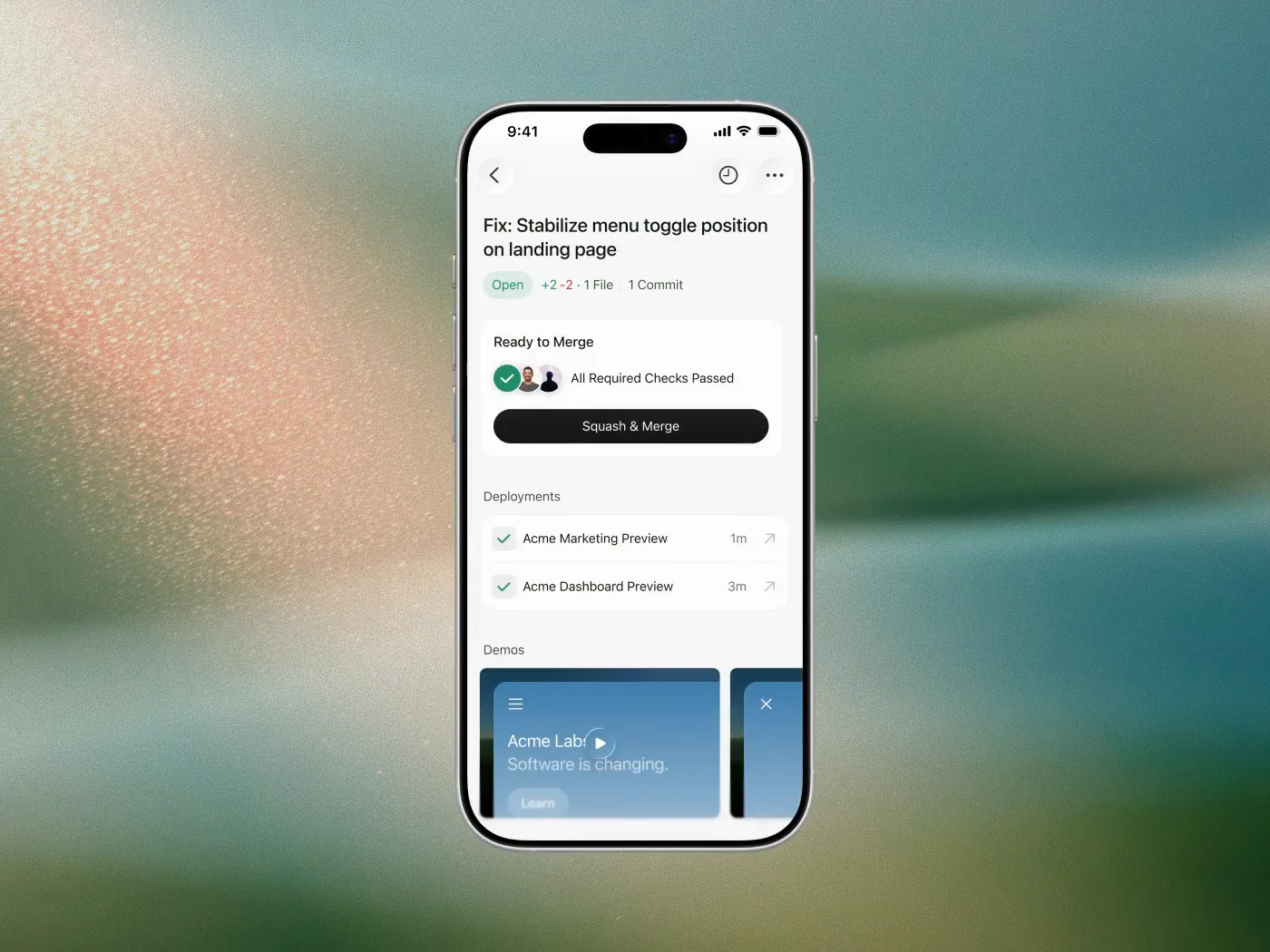

查看原始信息
Webless
Traffic is down. Intent is up. Every visitor matters more. After powering AI search for leading enterprise brands, Webless is now self-serve. Launch AI-powered search, personalized journeys, and dynamic CTAs in minutes. Turn buyer questions into conversions and first-party demand intelligence that fuels your content strategy & AEO. No redesign. No heavy lift. CMS agnostic. Go live in under 30 minutes.

Hi Product Hunt community 👋 Suyog here, founder of Webless.

Before starting Webless, I led marketing teams at Salesforce, Amplitude, and Samsara. Across all three, I kept running into the same frustrating problem: Companies invest heavily in creating content, but prospects and customers still struggle to find the information they need. The content exists. The problem has always been discovery.

What started as a frustrating UX problem has now become a major business problem.

Over the last 12 months, buyer behavior has fundamentally changed:

Website traffic is going down. But visitor intent is going up.

More buyers are discovering companies through AI search, LLMs, and recommendation engines. By the time they land on your website, they’re often highly intentional and already looking for answers.

The problem? Most websites still behave like static brochures.

Visitors have questions. Websites make them click through menus, dig through pages, and hunt for answers. Too often, they leave before finding what they need.


Webless turns your website into an AI-powered buying experience. Visitors can ask questions in plain English, get direct answers instantly, and move through dynamic journeys tailored to their intent, with relevant content, CTAs and next steps surfaced in real time.

Every visitor question became valuable signal:
→ What buyers actually care about
→ Where content gaps exist
→ Which journeys drive conversion

In many ways, Webless became more than just AI search. It became a new source of first-party demand intelligence.


We started by working with leading enterprise brands across fintech, healthcare, media, cybersecurity, and SaaS. As we saw the impact, we kept hearing the same thing:

This shouldn’t be limited to large enterprises. Every company needs this.

That stuck with us.

So today, we’re excited to launch Webless Self-Serve 🚀

Now any team can turn their website into an AI-powered engagement and conversion engine in minutes with no redesign and no heavy implementation.

We’re incredibly excited to share this with the Product Hunt community and would genuinely love your feedback. What’s the biggest challenge you face turning website traffic into pipeline in the AI era?

10
回复

@suyog_webless Congratulations on the launch! Love the execution here and how smooth it actually is. Kudos to the whole team🙌👏

0
回复

@suyog_webless Over the past few weeks, I’ve had a front-row seat to how much thought, speed, and obsession this team brings to building product. Every decision came back to one question:

How do we make it dramatically easier for every company to become AI-ready?

This obsession has let us implement so many features so quickly. It was super fun working with the team @suhas_webless @ashwani_webless @mahi_webless

2
回复

@suyog_webless Congrats on the launch! 🎉 Love the focus on making every visitor count as organic traffic changes. Curious—what's the quickest win customers usually see after going live: better conversions, stronger engagement, or new content insights?

0
回复

Hey Product Hunt community 👋 — I'm Mahi, and I work on Webless.

What excites me most about today’s launch is how fast this goes from “paste your URL” to a live AI search experience.

Most teams spend weeks wiring up search, content indexing, and CTAs — Webless gets you there in minutes.


If you’ve ever watched visitors bounce because they couldn’t find the right pricing page, case study, or doc, try asking your site a question through Webless. The answers + dynamic CTAs are what sold me on the product.


Congrats to Suyog, Suhas, Ashwani, Rakesh and the whole team — proud to be part of this one. Would love to hear what you think if you try it on your own site.

3
回复

If you've ever wanted to add AI search to your website without the complexity, we'd love for you to give it a try and share your thoughts.

2
回复

@ashwani_webless Yes, absolutely.

1
回复

looks awesome @suhas_webless, qq how long does it typically take for the ai to ingest all existing website content during setup?

2
回复

Hey @priya_kushwaha1 - Jumping in here. It takes around 2-5 minutes depending on the number of URLs that needs to be indexed.

2
回复

Incredible product built by incredible people.

1
回复

@arielweinberger Only because we are blessed by Incredible people like yourself. :) Thanks for support

0
回复

this is really neat, would save me a lot of time finding and sharing content links to users haha, great work!

0
回复

@olivia_gu1 That’s exactly the workflow we had in mind. Curious: are the links you usually dig for more docs, pricing, case studies, or support content?

0
回复