Product Hunt 每日热榜 2026-07-06

PH热榜 | 2026-07-06

#1
AnySearch
Real-time structured search trusted by agents and developers
482
一句话介绍:AnySearch是为AI智能体设计的实时结构化搜索工具,通过并行检索可信源、去重和结构化输出,解决传统搜索引擎返回脏乱、冗余信息导致智能体推理结果不可靠的痛点。 ---
Developer Tools Artificial Intelligence Search
AI智能体搜索 结构化数据 实时搜索 去重技术 可信源过滤 开发者工具 MCP集成 企业搜索 API接口 信息密度优化 ---
用户评论摘要:用户核心关注点:结构化输出格式(Markdown vs JSON Schema)、缓存刷新策略(是否按领域差异化)、对抗反爬机制(Cloudflare)、可信源冲突处理、延迟指标(p95)、私有化源限制。建议增加provenance和新鲜度字段以降低AI幻觉风险。 ---
AI 锐评

AnySearch切中了一个真实且被低估的痛点:当前搜索引擎是为人类浏览设计的,而AI智能体在处理HTML垃圾、广告、重复内容时消耗了过多token和推理周期,最终产出却未必可靠。团队用“去重+结构化+并行检索”这个技术组合拳,把搜索从“信息检索”升级为“信息熵优化”,方向是对的,且从评论区看,p50约1秒的延迟也基本满足生产环境要求。

但有两个隐忧值得警惕:其一,所谓“结构化”目前仍是固定Markdown格式,而非可编程的Schema推理。在Agent端,这意味仍需额外解析步骤,距离“完全消除LLM认知负担”还有差距。其二,面对Cloudflare等激进反爬机制,团队选择“绕过而非正面解决”,依赖自建垂直数据源。这本质上是用数据源的广度换取速度——如果客户需要爬取冷门、动态或非结构化站点,AnySearch的覆盖力可能迅速衰减。

此外,评论区高频提及的“可信源冲突”和“动态信任机制”尚未有成熟解法。当两个权威源事实相悖时,目前的Enity Enrichment只能保留双方,把判断权甩回给Agent。这虽然灵活,但并没有比传统搜索多提供实质性帮助。

总的来说,AnySearch是一个优秀的工程化工具,而非革命性模型。它适合对搜索质量有基础保障要求、且源数据相对标准化的Agent场景。但对于需要强溯源、强Schema、强反爬的业务,目前的价值更多是“降低脏数据输入噪声”,而非“根本性提升Agent推理天花板”。

查看原始信息
AnySearch
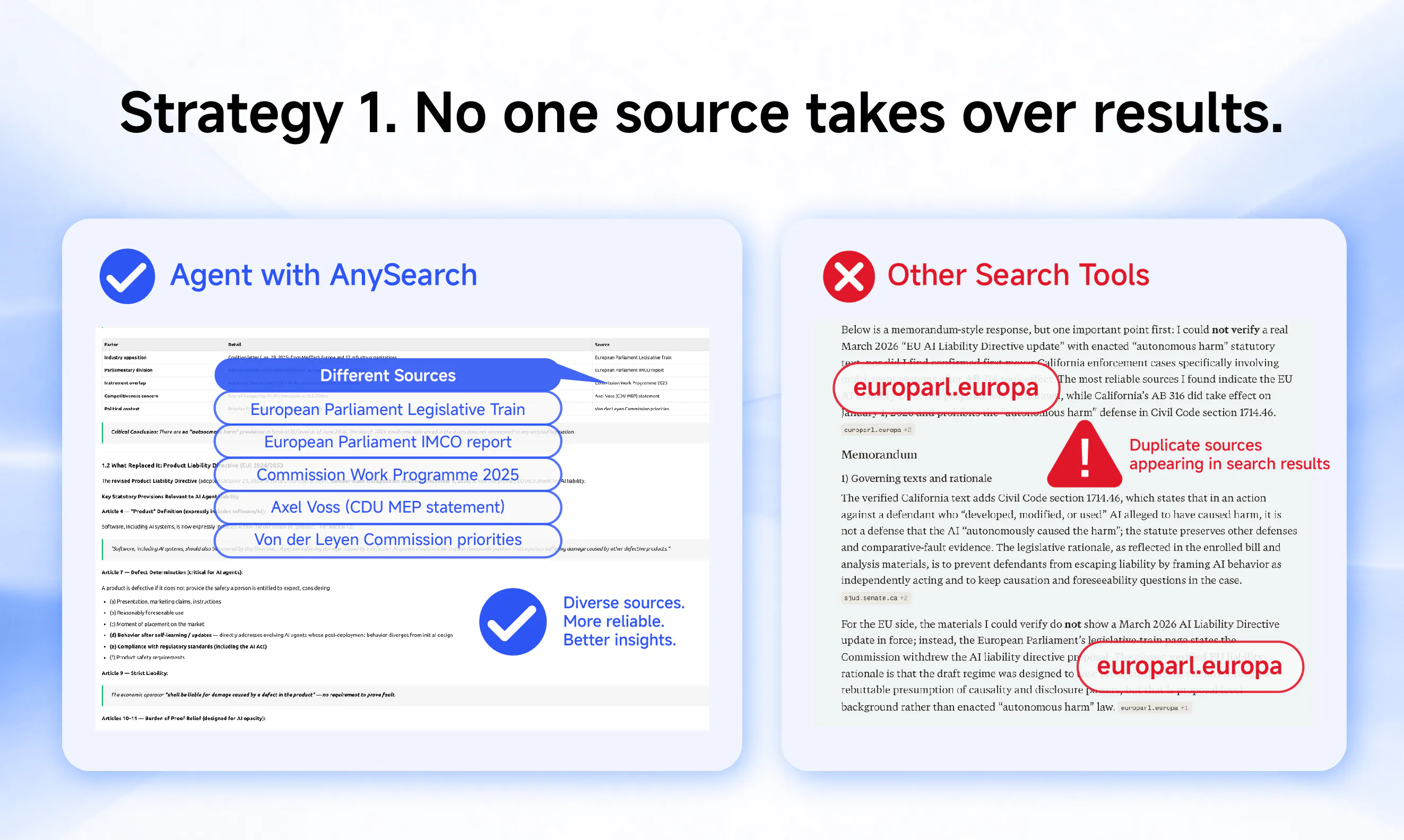
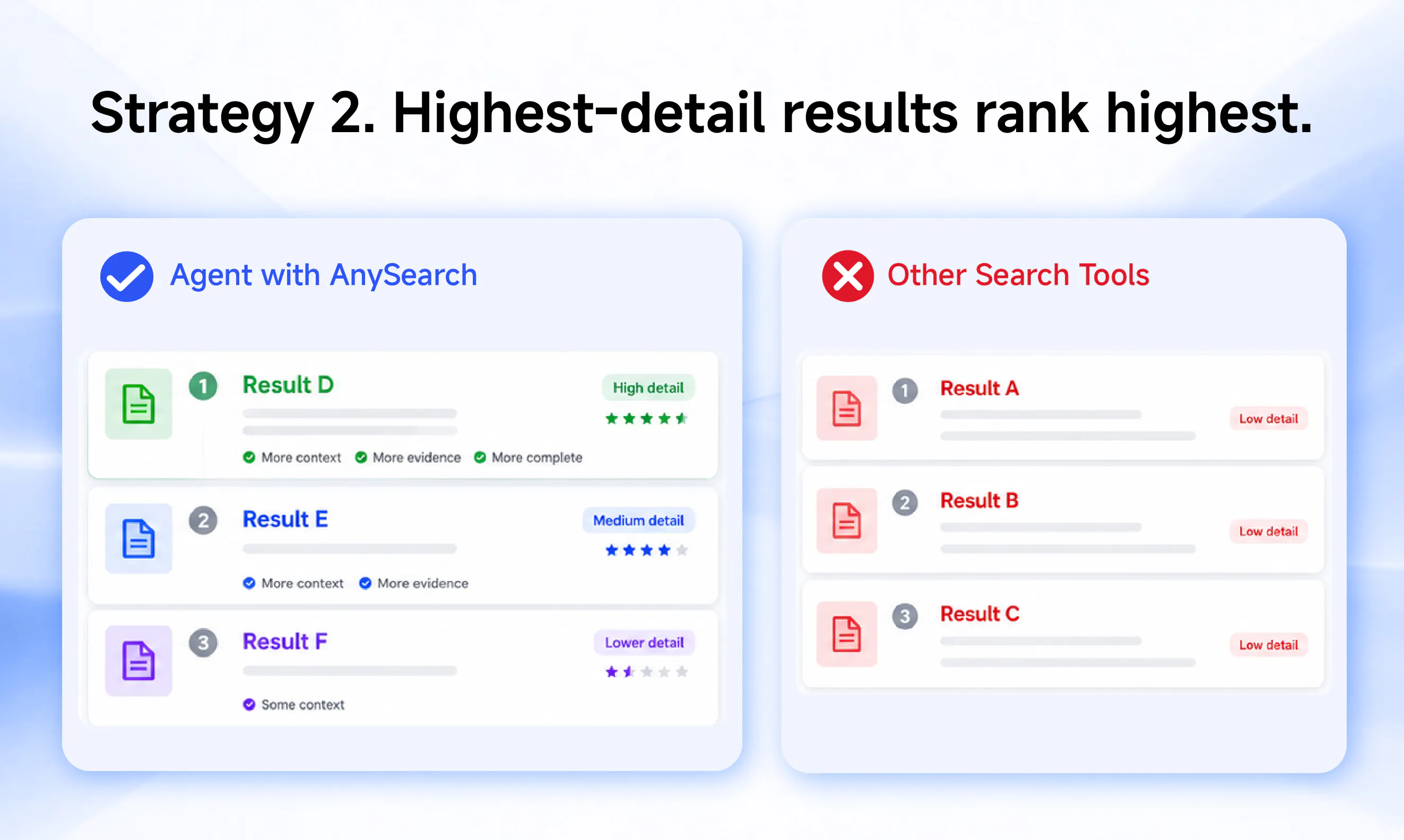
A search tool for agents, not a search box. AI agents are only as good as the information they receive. When connected to AnySearch, your agent gets filtered, de-duplicated, and structured information from trusted sources searched in parallel, helping it produce more reliable results. Free to start.

Hey Product Hunt 👋Grant here from the AnySearch team.

We’re a team of AI developers and engineers building search infrastructure specifically for AI agents.

Traditional search was built for people. We built search for AI agents.

People skim links, compare sources, and decide what to trust. Agents don't.

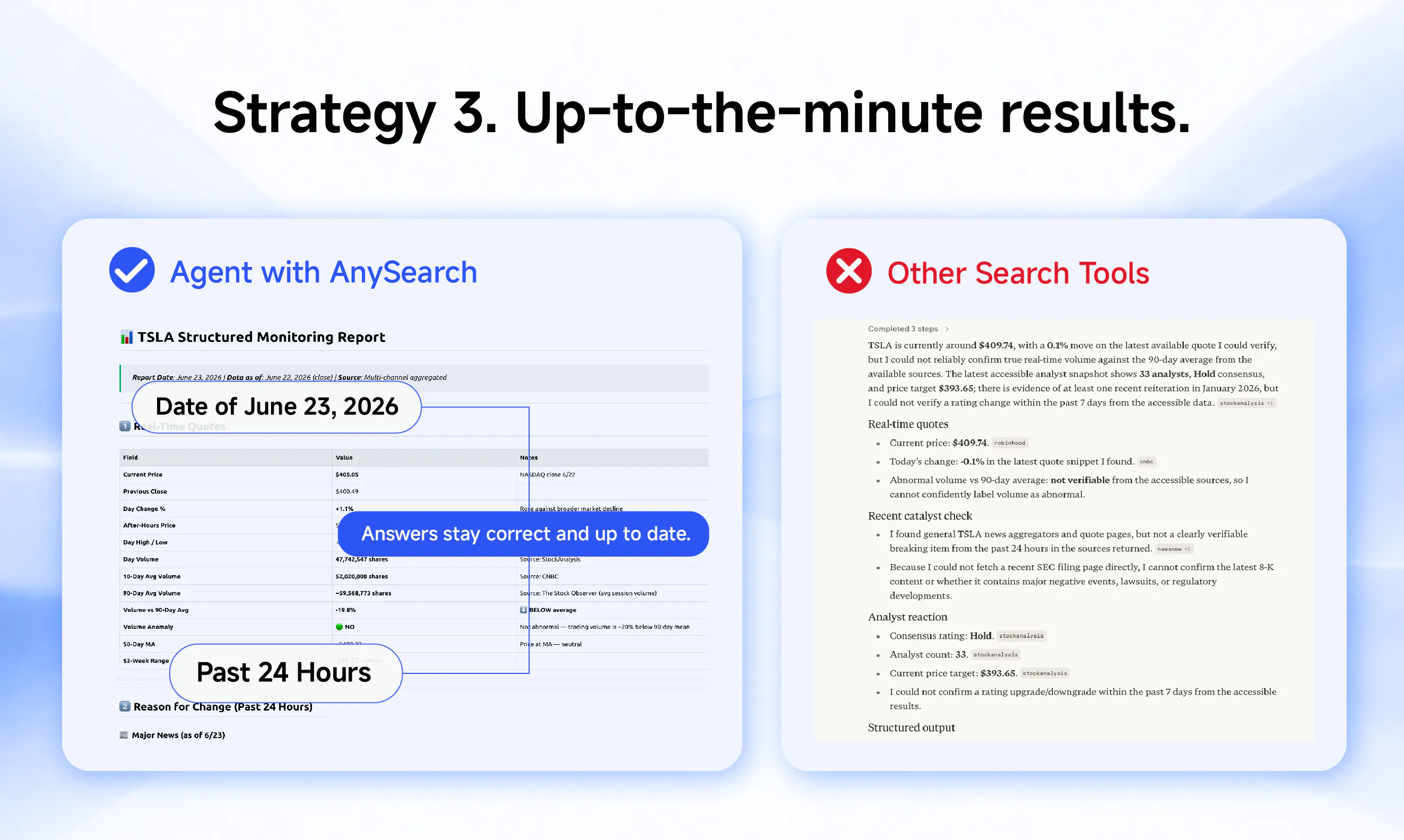
AnySearch delivers real-time structured search that agents and developers can trust.

When that information is stale, incomplete, poorly routed, or buried in messy HTML, the final output becomes less reliable. Sometimes agents search again and again. Sometimes they confidently build on weak context. Either way, the workflow breaks.

That's the problem we built AnySearch to solve.

🧠 Understands what a query is asking for

🔍 Searches trusted sources in parallel

🚫 Filters SEO spam, ads, and duplicate results

📄 Returns clean, structured information for agents

Why developers use it:

· Fewer repeated search calls

· Less HTML cleanup

· Cleaner context for models

· More reliable agent outputs

Works with your existing workflows

AnySearch is available through:

· Skill

· MCP

· API

Install AnySearch in your agent👇

1. Go to https://anysearch.com/

2. Click Add to Agent in the top right corner.

3. Select Skill, copy the prompt, and paste it into your agent.

Your agent will handle the installation automatically.

Try AnySearch today, add it to your agent, and get started for free.

We'd love your feedback.

14
回复
@granthan how do you handle sites that usually break standard crawlers? like cloudflare challenges.
7
回复

@granthan Congratulations

1
回复

@granthan Congrats on launching AnySearch — search infrastructure that agents and developers can actually trust is a real need, and the positioning is sharp. We made you a free launch video for it (below), yours to download or re-post anywhere, no strings. I suggest adding it to your launch page in here; launches with video tend to do better than those without.

We built it with FoxPlug: paste your site and it turns what you just shipped into a launch video, images, GIFs and posts in about 30 seconds. This one is on us — make your own free at https://foxplug.com

https://www.youtube.com/watch?v=opfrqlxS23A

1
回复

The MCP + Skill support is the right call, that's clearly where agent tooling is heading. Curious about one thing: for slower-moving verticals like legal or academic sources vs something like finance that needs to stay close to real-time, are you running different caching/refresh strategies per domain, or is it one unified layer? Also nice that you published actual numbers against Brave and Parallel instead of the usual "faster and smarter" launch copy, that's rare to see.

3
回复

@emir_citak Thanks for your recognition. We adopt different update strategies for various vertical search areas in our self-built sources. Welcome to experience.

0
回复

@emir_citak Glad you appreciated the hard benchmarks—we're tired of vague marketing fluff too! 🤝

To your question: you nailed it, the caching is absolutely domain-specific. Our Hierarchical Routing applies dynamic TTLs based on the vertical. Fast-moving data (like live finance) hits real-time feeds directly, while deep-research domains (like academic/legal) rely on specialized caching layers.

That’s exactly how we balance deep retrieval while keeping our overall latency incredibly low!

0
回复

The "real-time structured search trusted by agents" framing raises the question of what structured actually means here. Is the output schema defined by the caller, something like a typed JSON spec the agent passes in, or is AnySearch inferring structure from the query and returning whatever shape seems right? That distinction matters a lot when an agent is downstream and needs to reliably parse the response without a validation step. Also curious how you handle sources that block crawlers aggressively, since real-time web search quality tends to fall apart fast on exactly the sites that have the freshest information.

3
回复

@fberrez1 The structured content fed back to the agent by AnySearch is in Markdown format, with a single core objective: the search results should be directly used by Agents. This means that the returned context is clean, comes with precise citations, and the agent can infer upon receiving it, rather than spending hundreds of tokens guessing first.

0
回复

@fberrez1 Spot on—these are arguably the two biggest bottlenecks for agent builders right now!

1. On the "Structured" output: Currently, AnySearch infers the structure and returns Entity-Enriched Markdown (cleanly separating core facts, citations, and metadata). We standardize this to drastically reduce LLM cognitive load, giving your agent a reliable format without needing a heavy validation step. That said, letting developers pass strict JSON schemas is a fantastic idea, and we’re actively exploring it for our roadmap.

2. On aggressive anti-bot blocking: You're absolutely right—generic scraping fails when you need fresh data the most. We solve this structurally: rather than fighting Cloudflare as a headless browser, our Smart Intent Routing bypasses this entirely by tapping into directly integrated, authoritative vertical feeds (finance, health, cyber, etc.).

Really appreciate you digging into the architecture!"

0
回复

@fberrez1 We don’t try to solve challenges, we just try not to trigger them in the first place, which gets us a lot further than standard crawlers in practice. By structured, I just mean a consistent markdown format (title, url, context) that works well for agents, plus a JSON API if you want actual structured data on the developer side.

0
回复

Congrats on the launch! What is the source of your search results, and what's the frequency of your updates?

3
回复

@chilarai AnySearch features self data sources, covering both general and vertical search.

4
回复

@chilarai Thanks! Short answer: AnySearch isn’t just one static index with a single “updated every X hours” schedule.

We route each query to the best source mix for the intent: live web, vertical sources like academic/legal/security/finance/code, and direct URL extraction when the agent needs to inspect a page. For freshness, it depends on the source: web and page extraction are queried live, while vertical sources follow the update cadence of the underlying data provider.

We also return source attribution and metadata where available, so agents can cite the source instead of treating the result as a black box.

0
回复

The MCP + skill install path is the right call — "paste the prompt and the agent installs it" is exactly how agent-facing infra should distribute.

Two things I'd want to know before wiring it into an agent loop: what does structured actually mean here — a fixed result schema, or can the calling agent shape it per query (product/price/availability fields for a commerce lookup vs citation-style for research)?

And what latency should we budget? Parallel trusted-source search + dedup + structuring sounds like real work per call, and for a multi-step agent that searches five or six times per task, p95 per call matters more than anything.

Congrats on the launch @granthan

3
回复

@akbar_b Thanks! To answer both:

Structured output: we have a fixed schema per result (title, url, context) in markdown, plus a JSON API for full structured data. The schema is consistent, so your agent can parse reliably without per-query shaping.

Latency: p50 is ~1s, p95 under 5s. For a multi-step agent loop, I'd budget 5-8s per call to be safe. We're actively working on bringing p95 down.

0
回复

The deduplication across parallel sources is the part I'm most curious about. In practice, the same story or data point gets syndicated everywhere, and agents end up with 4 near-identical chunks in context that all look authoritative. How are you handling that, string similarity or something semantic? And how do you manage source trust when a "trusted source" is just wrong about something recent?

2
回复

@rnagulapalle 

Thank you for the thoughtful comment — really sharp questions.

Improving the information density of AI Search results is genuinely one of our core objective functions. On the deduplication front, our approach falls into two categories:

1. URL-level dedup. Straightforward — if the same URL is recalled multiple times, we deduplicate at that layer.

2. Information-density ranking (this is the important one). The real challenge isn't URL duplication — it's exactly what you described: different sources reporting the same story with different phrasing but near-zero marginal information gain. To address this, we've built our own information-density ranking algorithm. For multi-intent queries, rather than optimizing purely for relevance, we optimize for maximizing information density when organizing the final result set. This involves jointly accounting for relevance, cross-passage redundancy, information entropy, and a corresponding length penalty — all to ensure that every token the user consumes delivers the largest possible information set, rather than having the same story rehashed three different ways.

As for the dynamic trust problem you raised — when an "authoritative source" gets breaking news wrong — you've called out a genuinely hard one. We're actively researching dynamic trust mechanisms for this, but honestly, it's very difficult to strike the right balance across quality, latency, and cost. We're committed to solving it and plan to roll out improvements in future releases.


Thanks again for the engagement!

1
回复

The de-dupe plus parallel trusted-source angle is the useful part here, since most agent failures I see are stale or duplicated context rather than missing data. One operator question: can I scope the trusted-source set per agent (e.g. pin a support bot to our own docs plus a couple of domains), or is the source list global across all calls? That is the line between this being safe for a customer-facing agent versus just research.

2
回复

@hazy0 Context bloat and duplication are exactly what kill agent reasoning—spot on.

To answer your question: Yes, you can absolutely scope it. We built Private Capability Isolation (currently Enterprise-only) specifically for this use case.

While the global routing is amazing for open-ended research, for a customer-facing support bot, you can pin the search strictly to your own docs or a whitelisted set of domains. We completely agree with you—having that hard boundary is non-negotiable for production safety.

0
回复

the dedup and structuring part is the interesting bit to me, most "search for agents" pitches i've seen just wrap a regular search API. what happens when two trusted sources genuinely disagree on a fact, does anysearch pick one and present it as ground truth or does it surface both and let the agent reason about it

2
回复

This is a good direction for agent tooling. The hard part is not just search quality, it is making the agent carry source confidence forward instead of turning a clean JSON result into false certainty. I would love to see provenance, freshness, and failure states treated as first-class fields in the response.

2
回复

@krekeltronics Good point on avoiding 'false certainty' in agent reasoning.

We currently use Entity Enrichment to separate raw facts from citations to preserve provenance. However, explicitly exposing 'freshness' and 'failure states' as first-class fields is an interesting angle to help agents reason better about the data quality.

We'll definitely consider this as we refine our API. Thanks for the feedback!

0
回复

How does AnySearch decide which sources count as "trusted" for a given query, and can I override that list if I want to pull from a specific site or domain?

2
回复

@sezerdasekwcwb Great question.

AnySearch does not use one fixed “trusted source” whitelist. Trust is query-dependent.

For each query, we rank sources based on signals like relevance, source authority, freshness, content type, domain fit, and vertical context. A trusted source for financial data may be very different from one for academic papers, legal research, or developer documentation.

Developers can also constrain or bias retrieval toward specific domains, sites, verticals, or source types when those sources are already covered or publicly accessible.

For new sites, private sources, or domains that are not yet covered, tell us the use case and target source. We can evaluate the best way to support it as a custom or approved source.

So the default is query-aware source selection, while developers can still enforce their own provenance policy when needed.

0
回复

This is not a gimmick. It is a prerequisite for more reliable agents.

2
回复

@lz_lin AnySearch isn't a flashy skill, it's foundational. Without clean, verified context, every downstream reasoning step is built on sand. Appreciate you seeing the deeper point here!

1
回复

@lz_lin Couldn’t agree more. Better agents need better inputs first. That’s a big part of why we built AnySearch — to help agents work with more reliable information before they start reasoning or acting. Thanks for putting it so clearly.

1
回复

Finally gave this a spin with a small research task and was honestly surprised how clean the results came back, already sorted and grouped so my agent didn't have to do the busywork.

2
回复

@azatv0rh Thank you for support, AnySearch is so necessary for agents.

1
回复

CONGRATS!

2
回复

@madalina_barbu Thanks, Visit Website for more info

0
回复

Given that a significant amount of low-quality content can rank highly on Google, having an agent that can accurately distinguish and prioritize high-quality information is essential. How do you ensure that poor-quality content is effectively filtered out, while only reliable and valuable content is selected and integrated? And congratulations on your launch!

2
回复

@charlenechen_123 Thanks for comment. We have resolved these issues through algorithms, I think the content in the Gallery can answer your question.

1
回复

@charlenechen_123 Thank you! And yes, that’s one of the core problems we’re trying to solve.

We don’t rely on ranking alone, because high-ranking does not always mean high-quality. AnySearch looks at a mix of signals: source type, originality, freshness, relevance, duplication patterns, and whether other credible sources support or contradict the same claim.

A big part of the work is reducing obvious noise: ads, SEO farms, repeated copies, and pages that look optimized for ranking rather than usefulness. But we also try not to over-filter, because sometimes a niche source can be valuable even if it is not a big authority.

So the goal is not “hide everything except one perfect answer.” It’s to give agents cleaner, structured evidence with attribution and confidence signals, so they can reason from better inputs and still know where the information came from.

0
回复

the bit about agents not being able to skim and decide like humans is exactly the right framing — what does the output structure look like, json schema or more like markdown blocks?

1
回复

@sabber_ahamed The structured content AnySearch provides is in Markdown format, which can be directly used by Agents. Existing search is designed for human browsing, that's why Agents cannot browse and make decisions like humans. AnySearch is designed to address this issue.

0
回复
Congrats on the launch and the #1 spot! I run research agents internally and messy search results are genuinely my biggest reliability problem, so this is timely. Quick question: can I restrict searches to my own whitelist of domains per query? For things like competitive research I only trust maybe 15 sources, and “trusted sources” chosen by the tool is not the same as trusted by me.
1
回复

@ridhwikvinod Thanks, and totally agree with that distinction — “trusted by the tool” is not always the same as “trusted by your workflow.”

Yes, the goal is to let developers control source policy per query.

For new domains, private sources, or sources that are not yet covered, share the use case and target sources with us. We can evaluate the best way to support them as custom or approved sources.

Default ranking is useful when developers do not want to manage source selection manually, but when you already have your own trusted source list, your policy should take priority.

0
回复

Heya! How is this better than https://parallel.ai/ for instance?

1
回复

@conduit_design 
Appreciate the question! Honestly, the best way to see the difference is to try it out yourself — we built AnySearch to be as easy to use as possible. Visit the official website and register an account to obtain more free search credits. We look forward to your feedback.

0
回复

@conduit_design Fair question. Parallel looks like a strong product, so I’d frame it less as “better in every case” and more as a different focus.

Parallel seems very strong around open-web search, extraction, and deep research workflows. With AnySearch, we’re focusing on being a broader retrieval layer for agents: web search, vertical sources, URL extraction, and agent-native integrations like APIs, MCP, and Skills, with source attribution and metadata that agents can carry through their workflow.

So if your use case is pure web research, I’d honestly benchmark both. If you want one pluggable search layer that fits into different agent workflows and source types, that’s where we think AnySearch becomes useful.

0
回复

@conduit_design Heya, great question.

I’d frame the difference more around use case than “better or worse.” AnySearch is built as an agent-native search infrastructure layer that developers can plug into their own agents and products.

AnySearch can be called directly through MCP, Skill, and API, returns structured results, and routes across both general web and vertical sources like finance, academic, legal, business, code, health, patents, and more.

We also put a lot of emphasis on developer control, including source constraints, domain-level policies, provenance, and privacy-friendly usage.

The best way to compare is to try both with your own agent workflow and queries. We’d love for you to test AnySearch directly and see where it fits better for your use case.

0
回复

It seems especially useful for fast-changing coding docs.

1
回复

@lesley_liu2 Try it, I look forward to your feedback.

0
回复

The part that stands out is filtering duplicate results and SEO content first.

1
回复

@nicole_h94 definitely

1
回复

@nicole_h94 Yep! AnySearch uses its retrieval and ranking pipeline to filter out low-quality, duplicate, and SEO-heavy content.

0
回复

One thing I'd love to see is a built-in citation trail in the JSON response so my agent can show users exactly which source each fact came from, not just a generic URL. Would make post-processing way easier and way more trustworthy.

1
回复

@mihriban1537007 I strongly agree that traceability is the core of trust. People won't be satisfied with "we searched", but rather need to see the real verification of every piece of information. Enabling agents to point out "this conclusion comes from here" is itself a key difference in product experience.

0
回复

The agent search problem is often not reasoning. It is messy context from the start.

1
回复

@song_kirby Completely agree, the search layer is truly important for agent.

1
回复

@song_kirby Exactly. A smart agent with messy inputs still ends up doing messy work.

That’s why we care so much about retrieval quality, structure, deduplication, freshness, and attribution. The goal is not to make the agent “think harder,” but to give it cleaner context so it can reason with less noise from the start.

0
回复

I like that it does not try to replace the agent. It gives agents better inputs.

1
回复

@alstonzhuang Thank you. As inputs, AnySearch is really useful.

0
回复

@alstonzhuang Exactly. That’s the idea.

We don’t think search infrastructure should be the agent, or pretend to do all the reasoning. It should give the agent cleaner, fresher, better-attributed inputs so the agent can make better decisions.

Better ingredients, better cooking.

0
回复

Interesting approach. Structured search that agents can actually work with is a real gap right now. Most search APIs return messy results that need a ton of post-processing before an agent can use them.

How are you handling schema consistency across different data sources? That's been one of the hardest parts in our experience.

0
回复

@masato_furuno1 Data from different sources perform variations in format. By transforming them into structured contents that can be used by Agents, and by sinking the tasks of cleaning, and filtering to the infra layer, we make the data Agents receive is clean, referenced, and directly inferable.

0
回复

Congrats for launching! This looks interesting, but since the normal search results are full of ads and SEO content. How do you decide the sources are trusted without filtering out useful information ?

0
回复

@reda_roqai_chaoui That’s exactly the balance we care about.

We don’t treat trust as a hard whitelist where everything else gets removed. Instead, we look at signals like source type, originality, freshness, relevance, duplication patterns, and whether other credible sources support or contradict it.

The goal is to reduce obvious noise like ads, SEO copies, and low-value duplicates, while still keeping useful edge-case information visible with context. So instead of “trusted or deleted,” it’s more like “useful evidence, with the right confidence and attribution.”

0
回复

searching multiple trusted sources in parallel and then deduping sounds great for accuracy but what does that do to latency and cost per query compared to a single search call. for an agent making dozens of tool calls in a session those add up fast, curious if there's a way to tune how many sources it hits per query or if that's fixed

0
回复

Congrats on the launch @trahant! Filtering SEO spam before it hits the context window is the underrated part, most agents are one bad Reddit thread away from confidently hallucinating.

0
回复

@vaishnavi_goel Exactly, that's the part we're proud of. One bad info can suddenly break the result your agent gives. Let us know how it works for you!

0
回复

@vaishnavi_goel That’s one of the core reasons we built AnySearch. Agents and AI workflows need trustworthy, structured information, not just more links. We’re working to help filter out low-quality signals before they enter the context window, so agents can reason with better inputs and hallucinate less. Would love for you to try it!

0
回复
Congrats !!! Does AnySearch return citations, confidence scores, or relevance rankings so downstream agents can reason about the reliability of each result?
0
回复

@luki_notlowkey Thanks! Yep, that’s exactly the kind of downstream agent use case we care about.

AnySearch returns structured results with source attribution, so agents can cite where a claim came from instead of treating search as a black box. Results are also relevance-ranked, and we expose confidence/freshness-style signals where available so developers can decide how much weight to give each source.

We try to be careful with this though: confidence shouldn’t mean “the AI is definitely right.” It’s a signal for the agent to combine with its own policies, cross-checking, or human review when the stakes are higher.

0
回复
Super interesting. congrats on the launch! Looking forward to checking this out
0
回复

@manuelabarcenas Thanks so much! We'd love your feedback!

0
回复

@manuelabarcenas Thanks Manuela! You can plug AnySearch into any agent or workflow you already use and give it a spin. Excited to see how it works in your setup :)

0
回复

@manuelabarcenas Really appreciate it. Would love to hear what you think once you’ve tried it.

0
回复

I noticed the promise of parallel searches across trusted sources. How much faster is it compared with a normal search workflow? A few real examples with measurable improvements would answer that quickly.

0
回复

@shrivas_vishal We conduct parallel searches on multiple trusted vertical sources at the ame time, rather than scanning the entire web in line and then slowly filtering through the results.

Benchmark testing is one thing, but real experience is another - your query type, proxy link, and processing logic will all make a difference. Instead of looking at numbers, why not directly throw in a few complex queries yourself for testing?

We would be delighted to see how much time you can save in your practical use cases.

0
回复

I appreciate the focus on developers instead of building another search box. What happens when an agent needs niche information from smaller websites? adding an option to include verified custom sources make the platform much more flexible.

0
回复

@hana_salazars Thank you for your recognition and suggestions! If you have any specific needs you would like us to solve, please feel free to leave a message on our official website. This will affect the priority of our development efforts.

0
回复

@hana_salazars Thanks — really appreciate the suggestion.

We agree that niche and smaller websites can be very valuable for agent workflows, especially in vertical use cases where the best source is not always the biggest one.

Verified custom sources are a great idea, and we’ll definitely consider this as we continue improving AnySearch. Thanks again for the thoughtful feedback.

0
回复
#2
Octolens
Social listening for the agent era
356
一句话介绍:Octolens将分散在Reddit、HN、播客等15+渠道的品牌、竞品及用户反馈,通过AI过滤后,以单一API/Webhook/MCP协议实时喂给企业的Slack、CRM或AI Agent,解决SaaS团队“看全、看懂、看准”外部世界舆论的痛点。
Marketing Developer Tools Artificial Intelligence
社交聆听 AI过滤 API聚合 MCP协议 品牌监控 竞品分析 舆论预警 开发者工具 数据管道 实时抓取
用户评论摘要:用户普遍认可实时性和AI过滤效果,设置简单且能有效减少噪音。核心问题聚焦于:过滤后的相关性评分机制、MCP的具体功能范围(可覆盖App所有操作+自定义分析)、关键词历史数据回溯时长(回填1周)。也指出该工具更适用于有成熟产品的团队,预启动阶段价值有限。
AI 锐评

Octolens的聪明之处不在于“做了更多”,而在于“停了不该做的”。当大多数SaaS还在追求DAU、拼Dashboard的酷炫程度时,Octolens反手砍掉了客户端应用,拥抱了DAU下降但营收5倍增长的“去UI化”逻辑。这本质上是一次对产品价值交付模型的根本性重构——从“提供工具”到“提供信号”。

作为AI Agent时代的听诊器,它解决了当前大模型应用落地的一个隐性盲区:Agent能写代码、读文档、调CRM,却对Reddit上的骂战、播客里的吐槽充耳不闻。Octolens充当了“世界真实情绪”与“数据管”之间的适配器。API+MCP的组合,意味着团队可以在Claude里直接驱动Octolens完成关键词创建、警报设置、甚至执行分析任务,这比特意构建一个自有的社交爬虫系统要聪明得多。

但问题依然存在:AI过滤的“准度”永远是这类产品的阿喀琉斯之踵。用户对“相关性分数”的追问,恰恰折射出痛点——在这个信噪比极低的世界,过滤不够智能,Agent反而会被垃圾信息毒害。同时,回溯历史数据仅7天的限制,对于竞品分析这类“想吃旧瓜”场景显得捉襟见肘。Octolens的价值在于帮团队“即刻响应”,而非“长期复盘”。如果未来能用AI深度归因,把“发现讨论”进化到“建议如何回复”,才能真正封神。但纵观当下,能用一个API终结外界信息孤岛,它已经赢了。

查看原始信息
Octolens
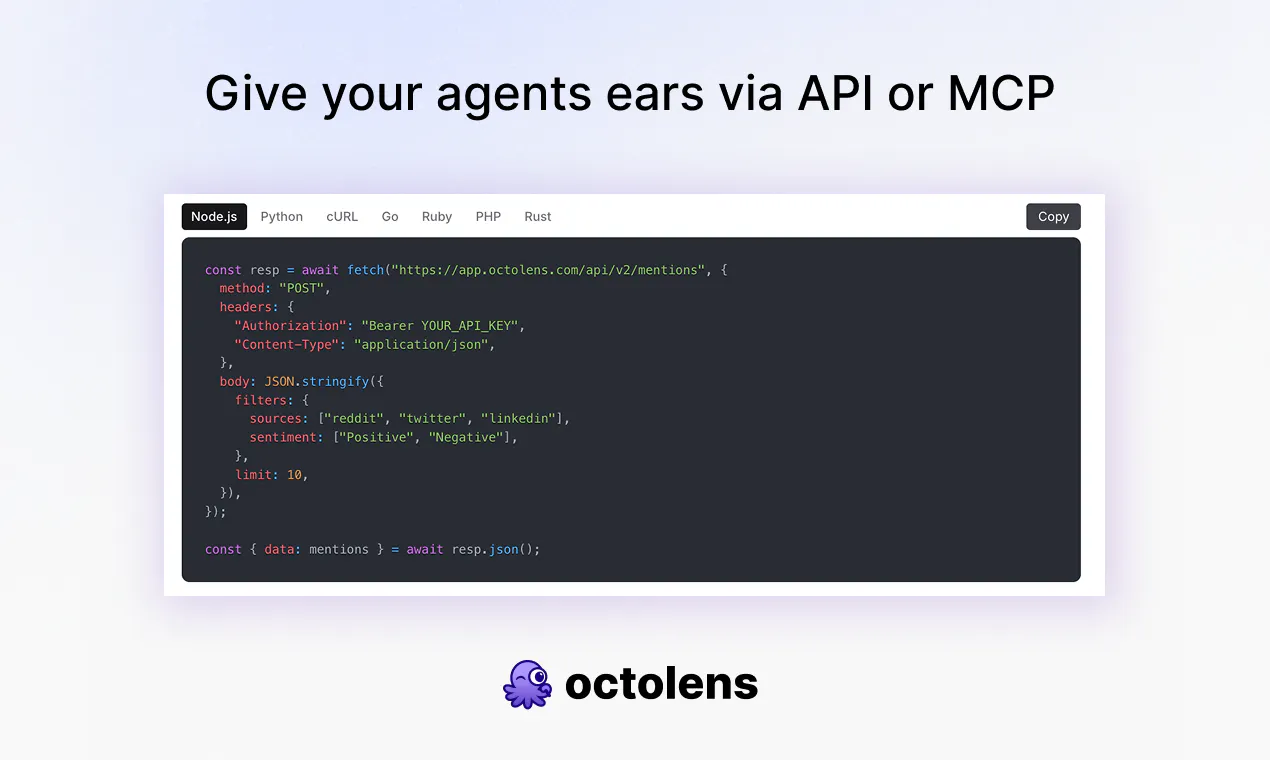
Your AI agents read your code, docs, and CRM but can't see Reddit, Hacker News, podcasts, or the news. Octolens is one API for every mention across the internet. AI-filtered JSON via API, webhooks & MCP. Pipe it into Slack, your CRM, your warehouse, or your agents.

Hey Product Hunt 👋 Charlotte here, co-founder of Octolens.

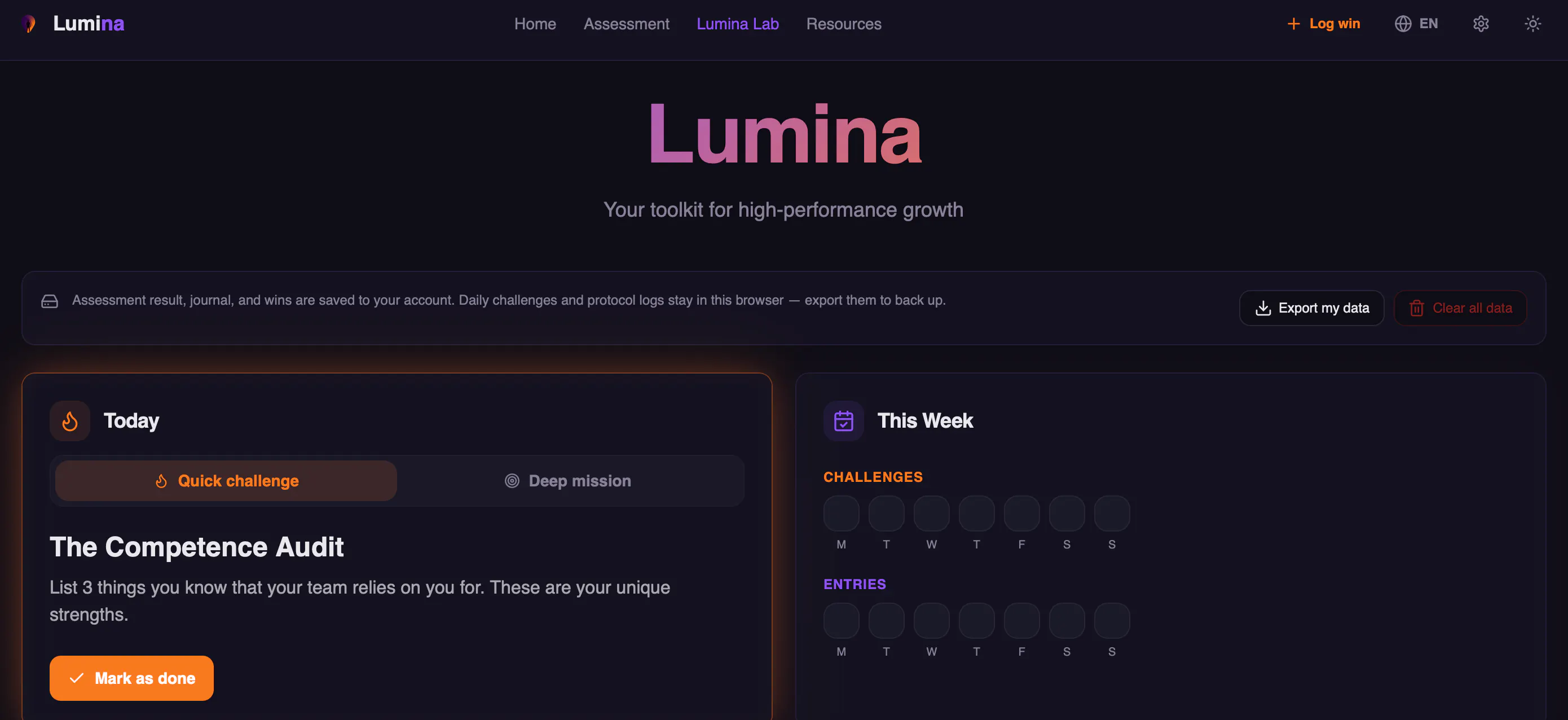
Two years ago we set out to build a great social listening dashboard. The app you'd open with your morning coffee and check again before lunch. Then we looked at our happiest customers and realized almost none of them open Octolens at all.

Vercel pipes mentions into 20+ Slack channels for their product teams. PostHog forwards every mention into a custom Val Town dashboard as events. Tally reads them inside Missive, next to the rest of their inbox. Prisma's DevRel team gets pinged in Slack and replies in under five minutes. Our app's DAUs went down while revenue grew 5x year over year.

So we stopped selling a dashboard and rebuilt Octolens as a data layer. The big shift: API, webhooks, and our MCP v2 are now on every plan. If you pay us anything, you own your data from day one and can pipe it anywhere. No enterprise gate.

One endpoint covers 15+ sources: Reddit, X, LinkedIn, YouTube, Hacker News, GitHub, podcasts, newsletters, news, and more. One auth, one schema, AI-filtered JSON.

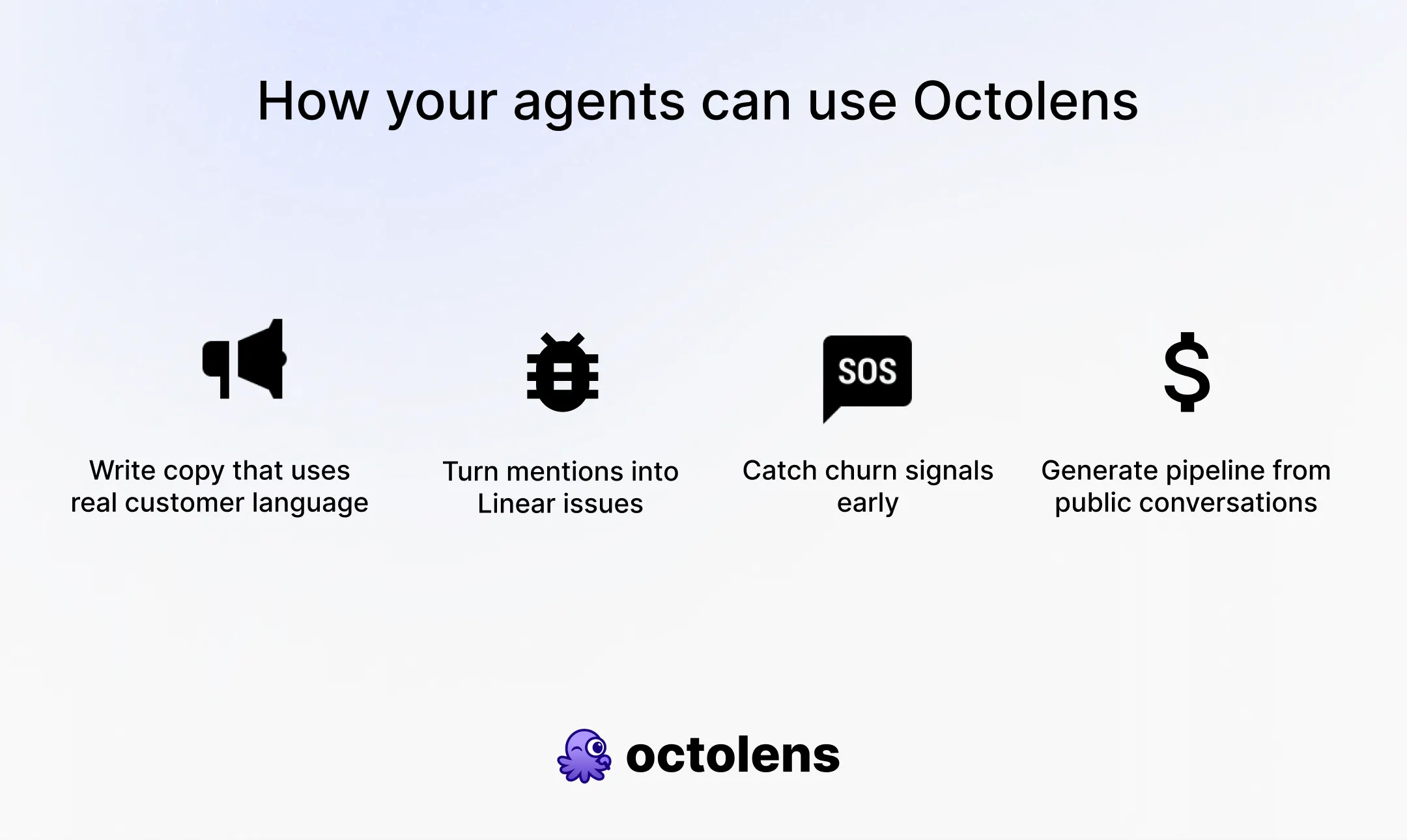
Here's why it matters now: your AI agents can already read your code, docs, and CRM, but they're blind to the world outside. They don't know people are arguing about your pricing on Reddit, or that a competitor is getting roasted in this week's podcasts. Connect Octolens via API or MCP and your agents get ears. A few workflows customers run in production today:

  • Mentions to Linear issues: webhook the post to an agent, it classifies it and files a ticket with the right team.

  • Catch churn signals early: a negative tweet or a "looking for an alternative" post flagged in real time, with a draft for outreach.

  • Pipeline from public conversations: surface intent, enrich via our new Attio partnership, drop it in your CRM.

🎁 Show us what you build and get 12 months of free mentions. Ship a workflow on the Octolens API or MCP, post it on X or LinkedIn and tag @octolens, and we'll add 10,000 mentions/month to your account for the next 12 months. We genuinely don't know everything people will build on this yet. That's half the reason we're launching.

Start a free trial and ask us anything in the comments. We'll be here all day.

Charlotte

15
回复

@octolens  @charlotteschmitt  With 15+ sources feeding into one endpoint, how much does the AI filtering actually trim down before it hits the agent? Curious whether context gets bloated fast if the agent is pulling raw mentions from Reddit, HN, and podcasts all at once. Does the API give you something like a relevance score per mention so you can set a threshold on what actually gets forwarded?

2
回复

@octolens  @charlotteschmitt Congrats on the launch!

0
回复

@octolens  @charlotteschmitt rooting for you guys!!

1
回复

Reddit is one of the most useful apps if you want valuable feedback, how close is the data to real time ?

2
回复

@reda_roqai_chaoui very very close! Usually just a few seconds.

1
回复

Been using Octolens for a few weeks to track competitor mentions on Reddit and HN. Setup took maybe 3 minutes – just plugged in my website and it suggested keywords. Now I get Slack alerts when someone's complaining about a problem my tool solves. AI filtering actually works, not getting spammed with junk. One thing though – it's great for existing products, but if you're still in pre-launch validation, this isn't really the right tool. Solid for what it does though.

2
回复

@rick_borduur Thanks for the review, glad you are liking it!! I agree that it's easiest to get value if you have an existing product or brand.

0
回复

Really like the idea—there's so much valuable conversation happening outside of docs and CRMs, especially on Reddit and Hacker News. Having one API to surface those mentions could be a huge time saver for SaaS teams. Curious, how do you handle filtering out noise so users only get the conversations that are actually worth joining?

2
回复

@worksforme Thanks! We gather context on your business during onboarding and then add context to each keyword you add as well, that helps us score each post for relevance and filter out the ones you shouldn't be wasting your time on.

1
回复

This is pretty cool to spot a conversation early and react promptly. Possibly finding your fans or potential ambassadors. Like the idea.

2
回复

@busmark_w_nika yes finding supporters or interesting product use cases in the wild is one benefit. E.g., Tally found out that OpenAI was a user via Octolens :)

1
回复

Congrats on the launch!

Best social media listening tool!

2
回复

Thanks Nevo!!

0
回复

Congrats on the launch, really cool product! Wondering which functionality is available via MCP?

1
回复

@solodnev basically everything you can do in app + more. You can create keywords and filtered feeds and alerts (e.g., set up a slack alert all via Claude). You can also run any kind of analysis question based on your mention data which is really neat.

0
回复
Congrats Charlotte! The “our DAUs went down while revenue 5x’d” story is the most honest pivot explanation I’ve read on PH in a while. I build internal AI agents for work, so the MCP route is what I’d use. One question: when I add a new keyword, do I get historical mentions backfilled or only new ones from that point? Matters a lot for competitor tracking where the old threads are half the value.
1
回复

Thanks,@ridhwikvinod! When you sign up or add a new keyword we go back one week historical, from then on its about the new mentions coming in.

0
回复

This is cool! How do you get around rate-limits, shaddow bans, and SoMe being generally inaccessible for automation, and geting stricter every day?

1
回复

Thanks Andrè!

We don't do any auto posting or spamming on socials.

0
回复

Love Octolens and use it daily! Congrats on the launch!

1
回复

Thank you! Appreciate all the support and feedback since basically day 1 of Octolens.

1
回复

Love how clean the alert feed is, the AI sentiment tags next to each mention save me from opening every post to figure out if it's worth jumping into.

1
回复

@cafersxhm Thank you! We've put a lot of effort into a clean and easy UX so appreciate this feedback :)

0
回复

Good call on changing the product to meet the customer where they are without changing the product. Really difficult to change user behavior. Really like this for our team

1
回复

@ryanbutz great to hear!

0
回复

@Octolens is an amazing product! It used to be very hard to keep track of all the signals coming from all the different socials, octolens does this out of the box!

1
回复

@pietrozullo Thank you, love to hear this!

0
回复

I see strong value in connecting mentions with Slack and CRM workflows. how do you measure whether a mention deserves immdeiate attention. A simple priority score with clear reasons could help teams respond faster and avoid wasting time.

1
回复

@jason_scott8 Thanks! We do have a releance filter as well as tags which help triage. We also have a quick summary of why we think the post is important to you / your business.

With our MCP you can also add your own layer of what you think is important + your goals. I think we can definitely also expand and create some more skills with value add next actions steps and suggestions.

0
回复

Love the new data layer focus, congrats on the launch @Octolens qq. is the github source tracking just scanning public repo issues/prs or does it scan code comments too?

1
回复

@vikramp7470 Thanks!! We track mentions of keywords in GitHub issues :)

1
回复

Best product to track mentions of your business! <3
Helped us a lot in Rork

1
回复

@dora_akulshina thanks Dora! Glad to hear it

0
回复

Setup was surprisingly quick and the AI scoring actually seemed to flag the relevant Reddit threads instead of just dumping everything. Wish the Slack alerts were a bit more customizable but overall it nailed finding competitor mentions.

1
回复

@kardelengk2rpc Thanks for the feedback! Noted on Slack customization - as a workaround right now you can use @Val Town from @stevekrouse to customize easily.

0
回复

Congrats on launching a really great product! Wondering re sources - Reddit and X mentions can hit Slack in minutes, but podcasts presumably sit behind transcription? What's the realistic lag on a podcast mention, is it like hours or days?

1
回复

@artstavenka1 The lag in podcasts is only about 5 minutes! We have a great Podcast partner in @arvidkahl and Podscan.

1
回复

Been a customer from day one, and it’s only getting better. Highly recommended. Congrats on the launch!

1
回复

@flxmgdnz Thanks for the support and feedback from day 1!!

0
回复

Congrats on the launch @charlotteschmitt and @igorkotua! Octolens is the best social listening tool out there.

1
回复

Thanks, Jonathan!

0
回复

The "pipe it into your agents" framing is the part I'd want to slow down on before going all in. Once a mention gets picked up and scored as relevant, is there always a human-in-the-loop step before anything public happens (a reply, a DM, an outreach), or can teams wire it up so the agent responds directly? Getting flagged into a channel fast is great, an AI agent replying to a Reddit thread or angry customer post with the wrong tone is the kind of thing that turns into its own PR problem. Curious how you think about that boundary.

1
回复

@galdayan For sure! There is no auto posting or commenting on our end so you have full control over what you build. I 100% agree that you should have a human in the loop and have your original content - that's the only way social platforms and your own social strategy will be successful.

0
回复

Congrats on the launch @charlotteschmitt! Huge fan of Octolens MCP! 👀

1
回复

Thanks Luigi! You and @Manufact (mcp-use) have been the best resource for our MCP work!

0
回复

Is this for mentions only (like monitoring your brand for community engagement) or for finding intent signals? I'm more interested in the later as a founder but it's an interesting concept. I just don't see how this would apply as much as very early stage founders vs. more mature startups with better brand awareness.

0
回复

Smart positioning. The amount of online mentions and signals is exploding, and most traditional monitoring tools weren't built to keep up with agent-generated content mixed in with human content.

What does the alert-to-action workflow look like? Do users set rules manually or does the system learn what's worth flagging over time?

0
回复

the pipe-it-into-tools-you-already-use angle makes a lot of sense over another dashboard nobody opens. curious how the AI filtering handles the gray area mentions though, the ones that are relevant but not obviously so. does it get stricter over time based on what people actually act on, or is the relevance bar fixed from day one

0
回复

I like your philosophy of the best app is the one you don't have to open - instead of trying to change everyone over to your dashboard.

0
回复
Wow wow wow! Congrats Octolens 🤩🚀
0
回复
I tried to explore this but it is throwing an error. I can't use it with my Gmail account. I used various mails of mine but it's still not working.
0
回复

Amazing product, most of all I love how it filters our non relevant mentions with AI, most competitor tools do it much worse

0
回复

Cool product, I like that there are multiple ways to get data our (MCP, Slack, API, etc), this makes it really versatile. Congrats on the launch!

0
回复
#3
Typeahead 2.0
Private AI autocomplete for every app on your Mac
349
一句话介绍:Typeahead 2.0 是一款为 Mac 用户提供本地离线 AI 输入预测的工具,能在邮件、Slack、代码注释等任意应用中智能补全内容,解决在不同场景下切换语气和重复打字的效率痛点。
Productivity Writing Artificial Intelligence
AI 输入预测 Mac 效率工具 本地离线 隐私保护 写作风格定制 一次性付费 多语言支持 上下文感知 性能优化 键盘增强
用户评论摘要:用户赞赏隐私保护、离线运行及按应用设置写作风格、终端支持。关键疑问集中在:本地模型大小与电池影响、密码管理器禁用可靠性、代码编辑器是否为语法感知、与Cotypist对比优劣。开发团队回应称5G推荐模型、低功耗按需运行、禁用可靠、代码补充最佳搭配是注释场景。
AI 锐评

Typeahead 2.0 的聪明之处在于,它没有去卷“下一个Copilot”,而是精准切入了一个被巨头忽视的痛点——macOS上全应用、离线、隐私优先的输入预测。79美元一次性买断的定价策略,在AI工具普遍按月收费的当下,显得既复古又凌厉,直接打消了用户的订阅疲劳。其“按应用切换写作风格”是一记漂亮的组合拳,抓住了职场人在Slack与邮件之间精神分裂式的打字需求,比传统的大一统预测工具更懂真实工作流。但需要警惕的是,这种“轻量”定位意味着天花板清晰:它本质是键盘增强,而非内容生成。用户反馈中“与Copilot互补”的说法,恰好暴露了其能力边界——它能加速打字,但不能帮你写代码。此外,5GB模型占用虽在同级中算轻,但对比常规输入法仍是量级差异,最终能否避免沦为“吃灰工具”,关键在于对“几百MB内存占用”和“电池影响”的长期体验是否能保持一贯好评。总的来说,Typeahead 2.0 是一个锋利且克制的生产力工具,它不试图成为所有人的助手,而是成为那些在乎隐私、讨厌订阅、又希望打字更快的人的“隐形副驾”。这种专注,恰恰是它最硬的价值。

查看原始信息
Typeahead 2.0
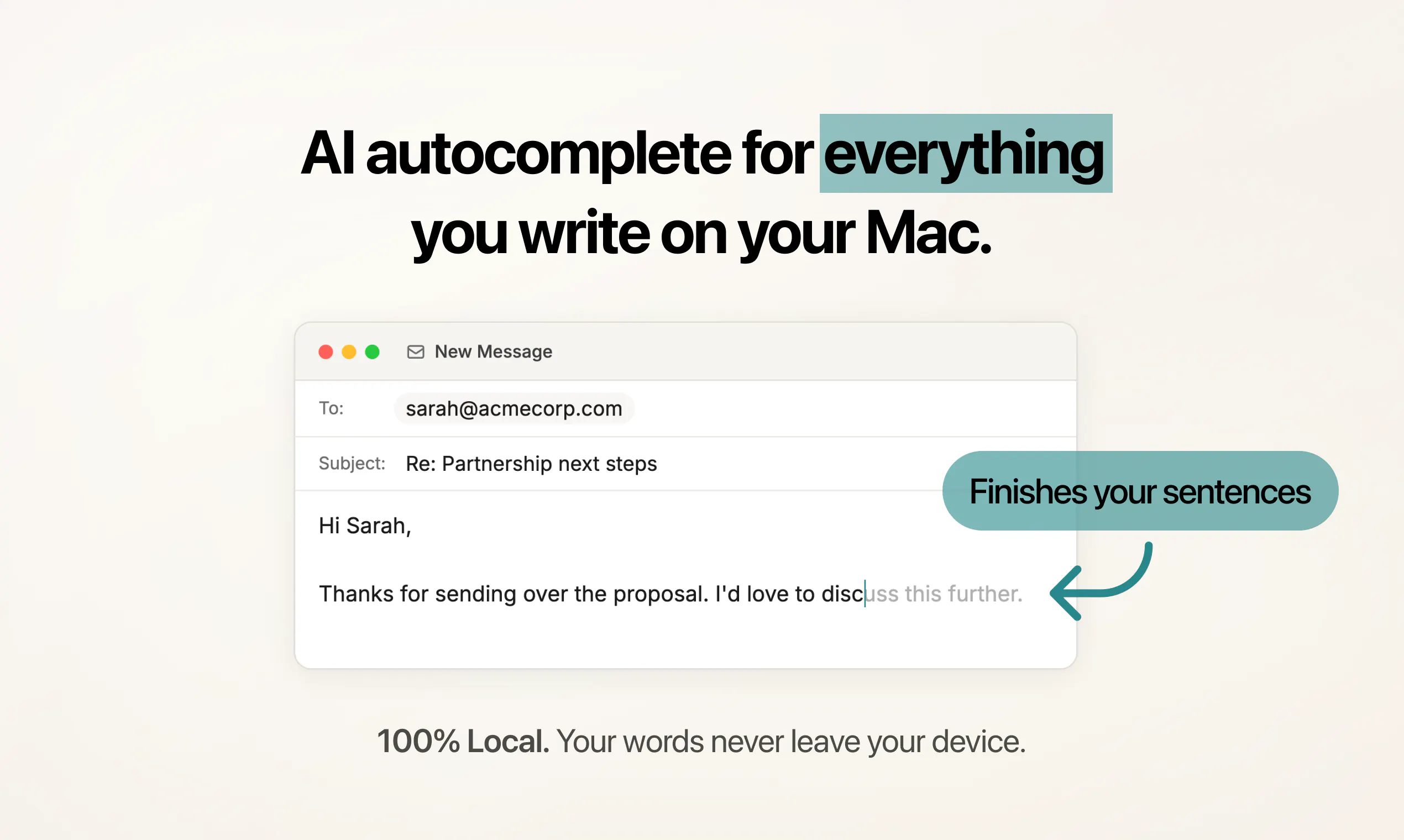
Typeahead 2.0 is private AI autocomplete for every app on your Mac, with writing styles per app, support for any language, and smarter context that adapts to how you work. It now feels more customizable and more useful every day, while staying lighter on memory and faster in the background. You also get private Insights to see your time saved. One-time $79 purchase, free updates, no subscription.

Compared Wispr Flow which is voice first, this feels more like a quiet typing companion than a dictation replacement. Different use case, similar "get out of our way" philosophy though.

6
回复

@victoria_brooks Love that description! That's exactly what we're going for, something that makes typing faster and smarter without ever taking over. There when you need it, invisible when you don't.

0
回复

Hey Product Hunt 👋


Sam here, co-founder of Typeahead.

We launched the first version here a few weeks ago. Since then, we have shipped 8 releases. Today we are back with the biggest update yet.

Typeahead 2.0.

If you are new to it, Typeahead is AI autocomplete for every app on your Mac. As you type, it suggests what comes next right at the cursor. Press Tab to accept.

The autocomplete runs on your Mac, so it works offline and your writing stays on your device.

It is a one-time $79 purchase with no subscription.

What is new in 2.0

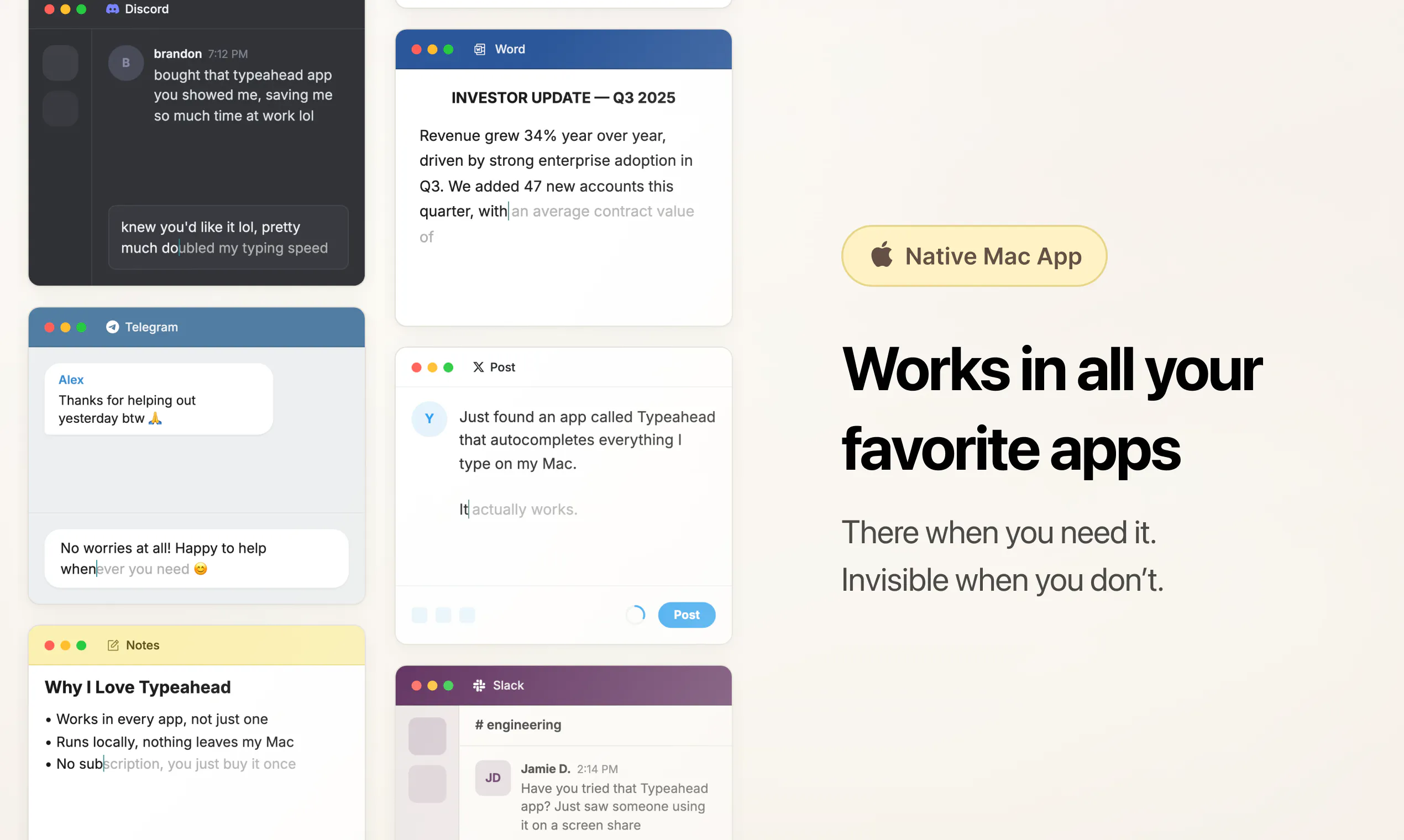
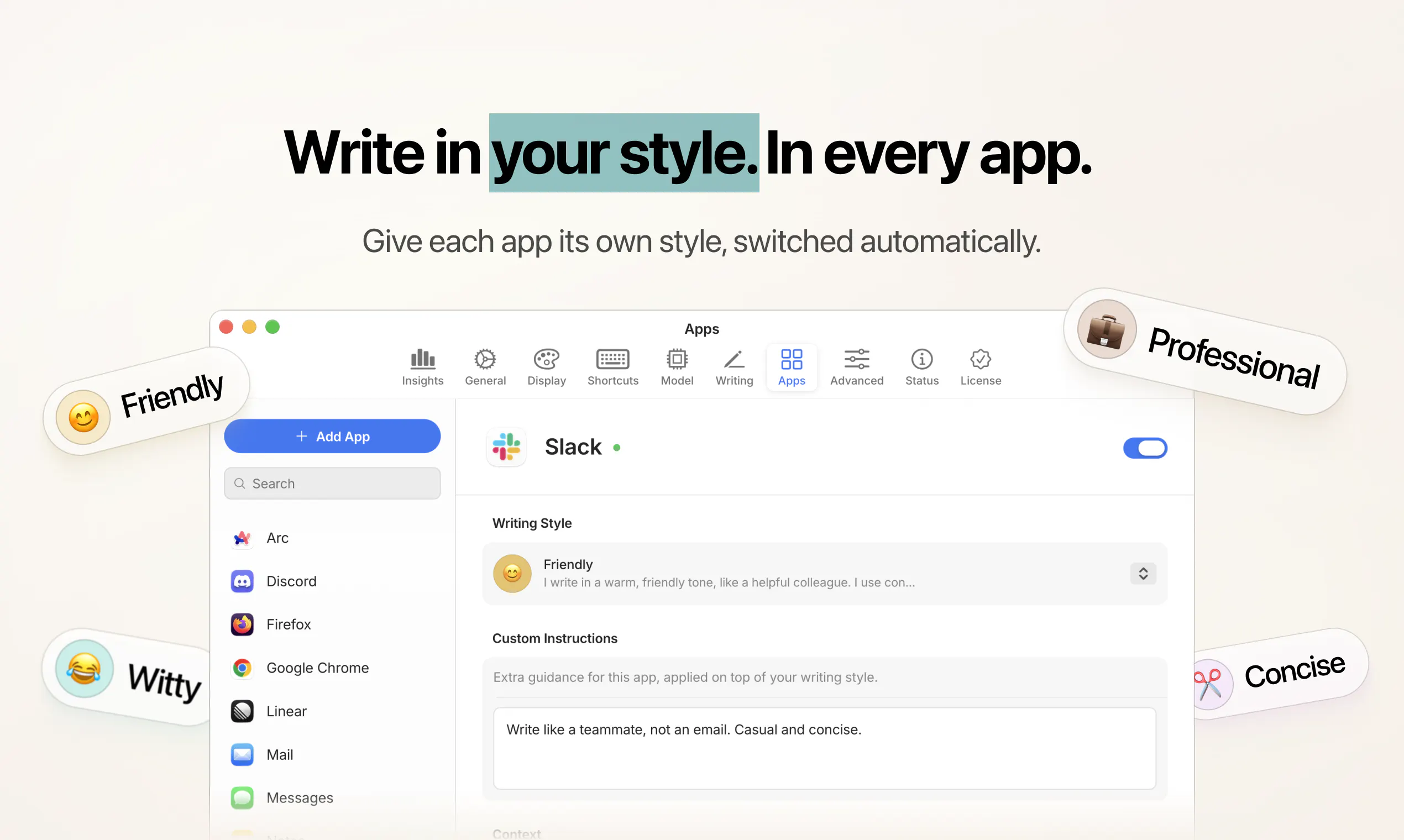
  • Writing styles and custom instructions per app. Keep Mail professional and Slack casual, or tell Typeahead to keep things short and friendly in plain English. It switches automatically as you move between apps.

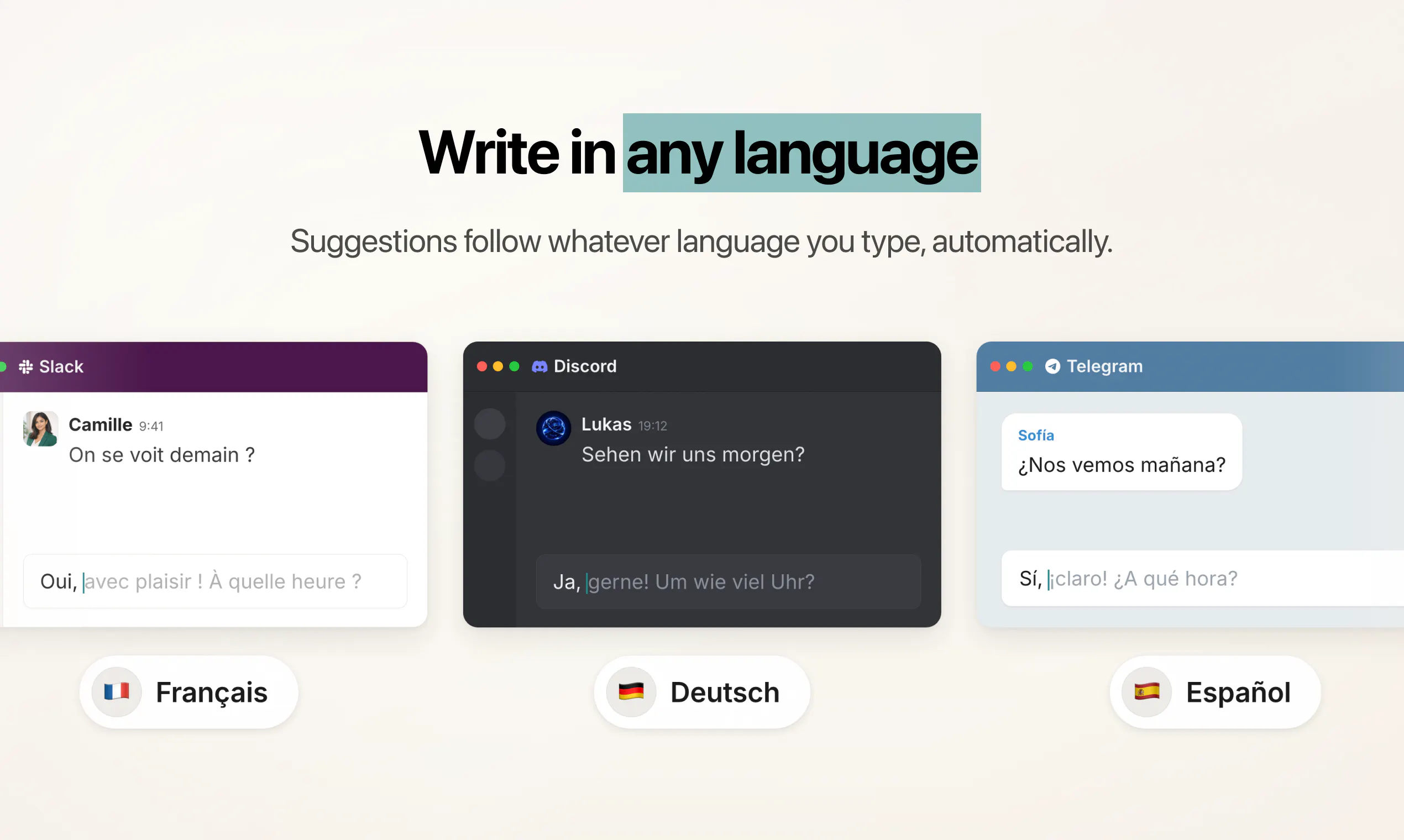
  • Support for any language you write in. Suggestions follow the language you are typing, and the app itself is now localized into 16 languages.

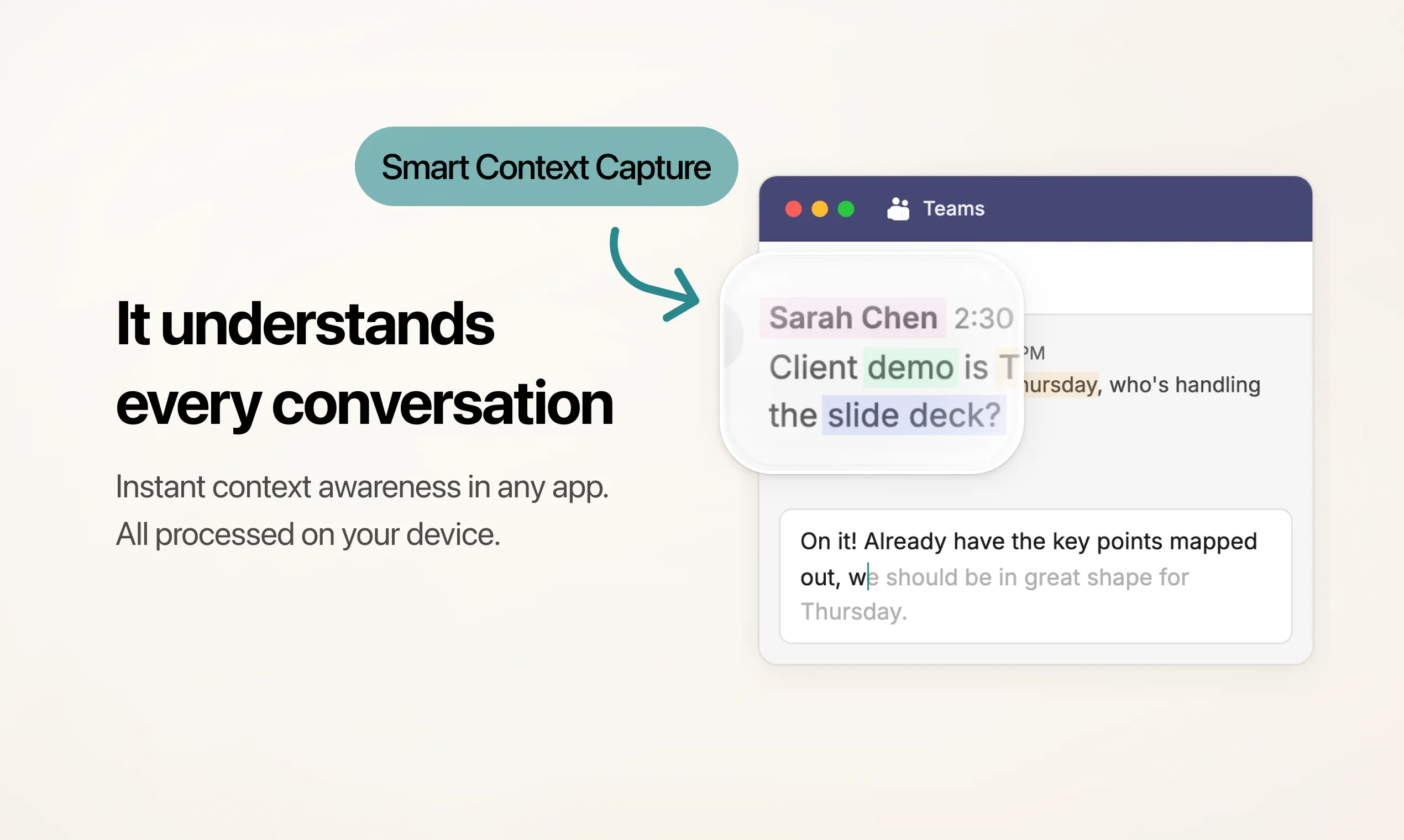
  • Smarter context. Typeahead picks up the conversation you are in so suggestions fit what is actually being said. All on-device.

  • More control over pacing. Choose instant, balanced, or relaxed suggestion timing, and decide exactly where Typeahead shows up. Terminals and code editors are supported too, opt-in per app.

  • Private by default. Typeahead is auto-disabled in password managers, wallets, and finance apps. You control what it can read, app by app.

  • Lighter and faster. The new engine frees up hundreds of MB of memory when you step away.

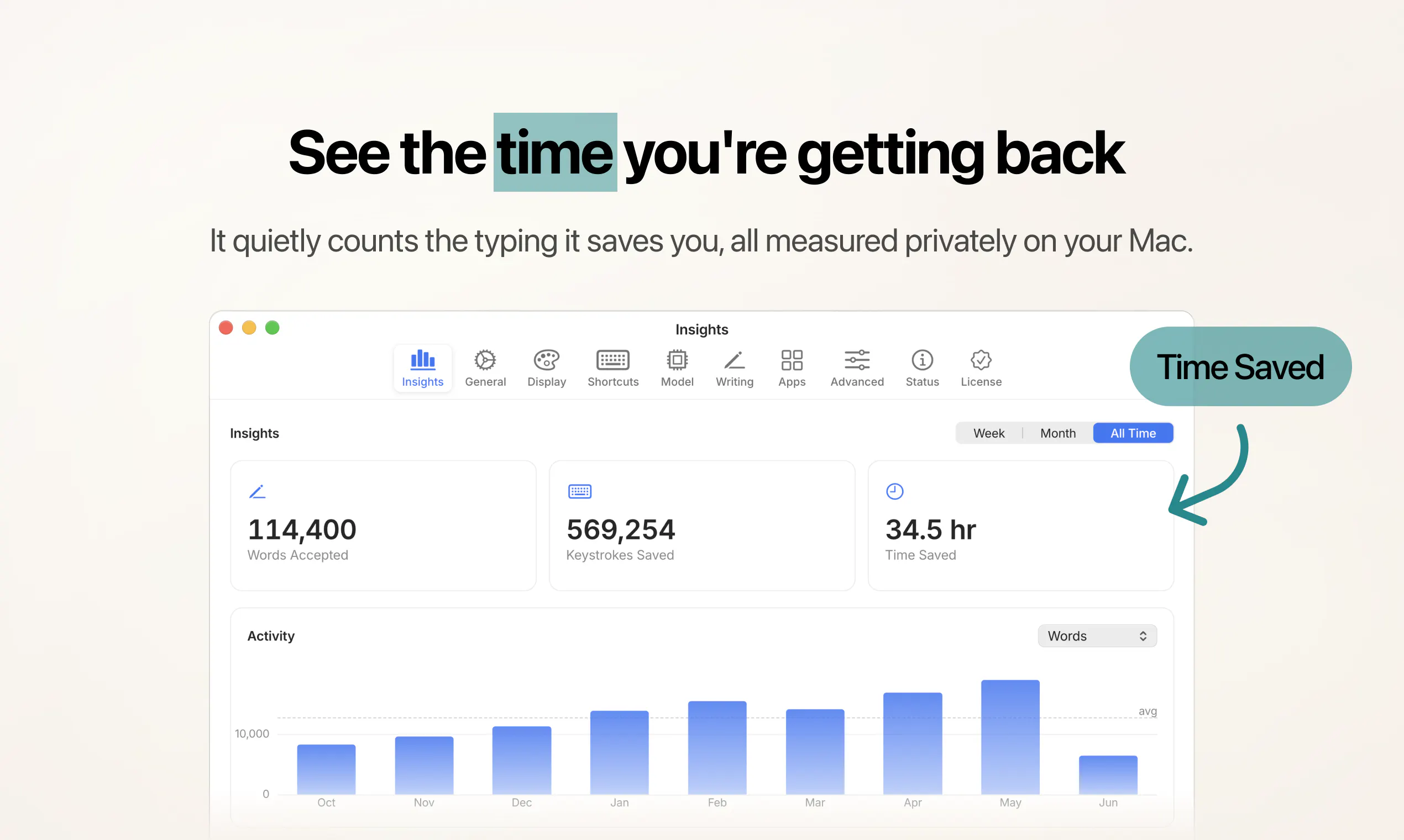
  • Insights. See how much time you are getting back, computed on your Mac and staying there.


Every one of those 8 releases went to our earliest buyers for free.

That is the whole point of one-time pricing. You buy Typeahead once, and it keeps getting better.

Would love your feedback. I will be here all day answering questions.

Sam

5
回复

@samasante As someone working in the AI space, I really appreciate the focus on privacy and on-device intelligence. The per-app customization and offline autocomplete make this a thoughtful productivity tool. Congratulations on the launch!

0
回复

@samasante @hnshah Many congratulations to Sam and Hiten on shipping the second version of Typeahead. The AppSumo team and I were really impressed with v1, and it’s great to see so many exciting updates in v2. The LTD is a steal deal, hope the community grabs it. :)

2
回复

@samasante Congrats on the launch!

0
回复

The per-app opt-in for terminals and code editors is the detail I would actually use, since most autocomplete is all-or-nothing. Two things on the local model: roughly what size is it and what is the RAM/battery cost of keeping it resident, and in code-editor mode does it parse the buffer as code (syntax-aware) or just treat surrounding text as plain context? Trying to gauge whether it suggests something useful mid-function or only autocompletes prose.

2
回复

@hi_i_am_mimo Good questions! We recommend Gemma 4 (around 5GB) and offer a selection of lighter models to suit your Mac. It's easy on memory too, using only a few hundred MB of RAM even with the larger model. It frees up further when you step away and runs only while you're actively typing.

In code editors it works from the surrounding text as context, so it's best for the prose around your code, like comments and markdown. For writing the code itself, we would still recommend a dedicated tool like Copilot.

2
回复

"Insights" that stay on your Mac... so how do I actually see them, carrier pigeon?

2
回复

@levi_mitchell1 Just open the Insights tab and it's all there, the time you've saved and the keystrokes you've skipped, visualized and cleanly laid out by app. Staying on your Mac just means it's all private, on-device and never sent to the cloud.

0
回复

Congrats on 2.0, Sam! The per-app writing style switching is the standout feature for me — most autocomplete tools either annoy you in Slack or sound too casual in client emails. Solving that automatically is a smart move.

Question: with the local model running per-app context, how do you handle apps where the user pastes in a lot of external content (long threads, docs, etc.) — does it adapt on the fly or need a moment to pick up the tone shift?

One-time pricing with 8 free updates already delivered is a strong trust signal too. Rooting for you 🚀

1
回复

@deepanshu_garg9 Thanks Deepanshu, appreciate it! Your tone stays anchored to the style you've set for that app, so a long pasted thread or doc won't pull your voice off. Context is read live as you type with no warm-up, and it focuses on what's relevant around your cursor rather than the whole paste. So it keeps up on the fly, the style holds your tone and the context sharpens the suggestions.

0
回复

Isn't there a risk that autocomplete for everything, Slack, Mail, terminals, ends up homogenizing how people write? Half the point of switching tone between apps is doing it yourself.

1
回复

@stella_reed1 Good observation, and it's exactly what we set out to solve. Typeahead knows what you write, how and where, then follows your instructions to match your style, down to dialect, slang and the nuances that make it sound just like you. Slack stays casual, Mail stays sharp, none of it blurs together. Write in whatever voice is yours and Typeahead runs with it 😃

1
回复

Tried couple of local autocomplete tools before and battery drain always the dealbreaker. Curious if Typehead handles that better since it's marketed as lighter now.

1
回复

@owen_parker4 Should feel much lighter than anything you tried before! And V2's new engine makes suggestions even faster, with a bunch of performance optimizations to make sure it's as energy efficient as possible. It frees up memory when you're not using it, then picks up again the second you start typing.

1
回复

The per app writing style thing is smart. Most people don't write in Slack the way they write emails, glad someone finally built for that.

1
回复

@hannah_parker5 Thanks Hannah! That was exactly the thinking. I personally write very differently in Slack than in email, and I love that Typeahead V2 handles this so well. Really glad it clicked for you.

0
回复

How reliable is the auto disable in password managers and finance apps? That's kind of feature that needs to be bulletproof, not just "mostly works."

1
回复

@zoe_sullivan Very reliable! Typeahead is automatically disabled in all major password managers, wallets and finance apps right out of the box, so it only runs there if you deliberately switch it on. It also keeps clear of any password or secure field across every app.

You can see exactly where it's active in the Apps tab, and with everything running on-device, nothing you type ever leaves your Mac.

1
回复
What’s new in 2.0? I have to try this out now!
1
回复

@lakshminath_dondeti So much packed into this release! Here are some highlights:

✍️ Writing styles + custom instructions, set per app
🌐 Write in any language (plus the whole app translated into 16 languages)
🧠 More intelligent about which context it pulls from the apps you're using
⏱️ Pacing controls so suggestions match your rhythm
🔒 Private by default, off automatically in password and finance apps
👨‍💻 Opt-in terminals and code editors
⚡ New engine with faster suggestions
🔋 Lighter memory footprint and easier on your battery
📊 Insights showing the time you've saved
✅ One-time purchase, free updates for life

It's live now, would love to hear what you think.

0
回复

@samasante This is amazing, especially for fast responses and replies. If it runs on a local LLM, does it also run offline?

1
回复

@roopesh_donde Thanks Roopesh! Yes, fully offline. The model lives on your Mac, so once it's downloaded you can write on a plane with zero connection. You only need internet to grab the model the first time or pull an update.

1
回复

@roopesh_donde yes it also runs fully offline!

1
回复

Curious how Typeahead behaves across different kinds of Mac apps. Since the pitch is AI autocomplete for every app on your Mac, does it work through the standard text fields only, or can it also suggest inside places like design tools, chat apps, terminals, and browser-based editors? The edge cases there would be interesting for dev and creative workflows.

1
回复

@crystalmei Great question. It works anywhere the app has a real text field, native apps, chat apps like Slack and Discord, browsers and web editors, Electron apps included. Smart context capture reads the conversation you're in so suggestions fit what's actually being said, in whatever app you're writing. Terminals and code editors are fully supported too (you can opt in per app in 2.0)!

1
回复

Hello! The app looks great. I'm very excited about it. I couldn't find any information on how it compares to Cotypist. Is it intended to do the same? Any pros over Cotypist?

0
回复

running local on-device is the right call for something that sits in every text field you type in, that's exactly the kind of tool where sending keystrokes to a server would be a dealbreaker for me. how big is the local model and does it noticeably eat into battery on a laptop over a full day of typing

0
回复

@galdayan That's right! All on-device, no telemetry and your words never leave your Mac. We recommend Gemma 4, a 5GB one-time download, and we offer a few lighter options too depending on what works best for you.

It stays really light on battery because it only draws power in short bursts while generating, then drops to almost nothing at rest and unloads when you step away. Over a full day of typing it's on-demand rather than always running, so it's not something that'll drain your laptop.

0
回复
@samasante how does the app specific style adaptation work? Does it learn automatically from my past writing in that specific app, or do we set preferences manually?
0
回复

@tehreem_fatima5 You create writing styles, assign one per app and add custom instructions in your own words, and Typeahead switches automatically as you move around. It also reads the live context of what you're writing to keep things sharp, so you get the right voice from day one, no training required!

0
回复
Love that everything stays on-device. Are there any plans to support local open-source models, or is the autocomplete engine already fully self-contained?
0
回复

@luki_notlowkey It already runs on local open-source models! Typeahead uses open models like Gemma and Qwen, fully on-device via llama.cpp, and you can pick between them using the built-in downloader. You can even bring your own GGUF. A few of our non-English speaking users have loaded models from Hugging Face tuned for their language and have been getting great results.

0
回复
Just bought it and it works great. Just curious: how much power is Typeahead drawing from the overall Mac battery, given the local model running, etc.? Let's say on an M5 Pro, 48 GB RAM- using the Gemma 4 model.
0
回复

@alexandru_bodea Thanks Alexandru, glad it's working great! It's light because it works in short bursts, drawing power only for the moment it's generating a suggestion, then settling to almost nothing at rest and unloading the model when you step away. That on-demand approach keeps energy usage minimal, and your M5 Pro will handle it with ease 😃

0
回复

the per-app writing style that switches automatically is the 2.0 headline — keeping Mail formal while Slack stays casual removes a whole layer of mental overhead. does it switch on app focus alone or does it read the window/thread title too?

0
回复

@sabber_ahamed Great distinction! It switches on app focus. You can assign a style to each app and Typeahead loads it automatically as you move between them. The window or thread title doesn't trigger the switch, but it's read as context to keep suggestions relevant. So the app sets your voice and writing guidelines, and the context sharpens what it writes.

0
回复

Running locally instead of pinging a cloud API is the right call for soemthing reading every keystroke. Does it learn your writing style over time, or does each app get generic suggestions no matter what you've written before?

0
回复

@christian_knaut Glad you appreciate the local angle! You get full control over how Typeahead writes through custom styles and instructions you set per app. On top of that, our context engine reads what you're actively writing to match your voice in the moment, so suggestions feel sharp and personal right away rather than after weeks of training. And it's fully private: no telemetry, no analytics, nothing ever leaves your Mac 🔒

0
回复

Me buying software once sounds better than another subscription. how often do you refresh the local model?Optional downloadable updates would keep suggestions accurate without changing privacy.

0
回复

@akshay_shyam Buying once and having it keep getting better is exactly the idea! And you've basically described how it already works: better models arrive through the built-in downloader as optional updates, so you choose if and when to grab them, with no pressure to change what you already have. It all stays on-device, so suggestions get sharper over time with nothing changing on privacy.

0
回复

The part that stays with me is that it slowly starts sounding like me, @samasante . Most writing helpers flatten everyone into the same polite voice, so something that leans into how I actually write really lands, and keeping it all on my own machine puts me at ease.

0
回复

@emmanuel_costa5 Thanks Emmanuel! Sounding like you instead of flattening your writing into the same generic voice is exactly what we set out to do, so it's great to hear that clicked for you. And it all staying on your machine means your writing is always yours, which matters to us just as much. Really appreciate you sharing this 🙏

0
回复

Me seeing steady updates gives confidence in the product. How do you collect feature requests from buyers? A public roadmap could help users follow future improvements.

0
回复

@mikkel_banner Love this idea! We're really grateful for the support and direction from our early users, as it's enabled us to build exactly what people have been asking for and move this fast to bring you V2.

We have a clear vision for everything still to come for Typeahead, with plenty more to share soon and a public roadmap included. You're welcome to email us any time with thoughts or suggestions at hello@typeahead.ai

0
回复

I use different writing styles every day so app specific instructions stand out. How well does Typeahead learn after repeated edits? A personal learning mode with easy reset controls could make results feel even better.

0
回复

@nathan_jake Great suggestion! Personalization is definitely something we're putting a lot of focus into. Our main goal is to get you great suggestions out of the box, through custom writing styles, instructions and per-app control you set, without making you train it over weeks. We've got plans for more smart learning features down the line too, but built right, so it genuinely understands what you write and why, rather than just repeating things you've typed before.

0
回复

Local autocomplete across every Mac app is a strong trust boundary. The detail I would watch is how much control the user has over context capture, especially in messy real work where one app may hold customer notes and another may hold public draft text.

0
回复

@krekeltronics Exactly the right thing to watch, and it's controllable per app. You can switch off window and clipboard context in the app with your customer notes while leaving it on where you're drafting public text. Sensitive apps are off by default, and since it all runs locally, any context it uses never leaves your Mac. You're always in control of the context Typeahead has access to.

0
回复

This is neat. Does context capture work differently in apps that load content dynamically, like web CRMs?

0
回复

@dhiraj_patel5 Thanks Dhiraj! It handles those really well. The context engine intelligently captures relevant text from the window as you type, so content that loads in dynamically gets picked up in real time. Suggestions stay accurate, even in busy web apps like CRMs.

0
回复

One thing I'd love is the ability to create custom tone presets — like "work email," "casual chat," or "academic" — so I can switch how suggestions sound depending on where I'm typing instead of getting the same default voice everywhere.

0
回复

@ekelikilkn72240 Good news, this is already here in V2! It's exactly what Writing Styles do. You can create named presets like Work Email, Casual Chat or Academic, each with its own tone and instructions, and Typeahead switches between them automatically as you move from app to app. Your email stays formal, your chats stay casual, no default voice everywhere. There are even a few ready-made styles to get you started (Professional, Friendly, Concise) ✍️

0
回复

How well does it actually handle context across longer pieces, or does it just predict a few words ahead like basic autocomplete?

0
回复

@hasankzlasnnhs This goes well beyond basic autocomplete! Most other tools simply guess the next word from your last few keystrokes. Typeahead understands what you've written, where you're writing and the tone you're using. You can also fine-tune your suggestions with custom writing styles and instructions per app. It's very good at knowing exactly what you're going to write next.

0
回复

The per-app writing styles feature is a nice touch. Does it sync those custom instructions if I move to a new Mac, or do they stay local to each device only?

0
回复

@zain_sheikh Love this idea! Right now your styles and instructions stay local to each Mac, which is by design, everything lives on your device and nothing touches the cloud. We're planning to add an import/export option in the next update so you can carry them over to a new machine. Fully local and account-free, as always ✅

1
回复

the local model approach is such a thoughtful choice, especially the way it keeps suggestions inline without that jarring popup feel. really nice craft on something most assistants get wrong.

0
回复

@nurullahbekik Thanks for the kind words! A lot of care went into that inline feel. The ghost text matches each app's font and sits exactly at the cursor, so it always feels like it belongs in the app you're in. You can even customize how the suggestions look, pick a color, make them bolder or keep them subtle. Really glad the craft comes through 😃

0
回复
#4
Sunrise
A real planner for Google Tasks
217
一句话介绍:Sunrise 是一个在 Google Tasks 之上构建的任务规划器,解决了用户无法在 Google Tasks 中看到“今日待办”、“逾期任务”和“周视图”的问题,将简单的便签式清单升级为可规划日程的工作看板。
Productivity Task Management Calendar
谷歌任务增强 任务规划器 看板视图 日程管理 双向同步 生产力工具 逾期管理 今日视图 谷歌日历集成 SaaS
用户评论摘要:用户普遍认可其解决 Google Tasks 缺乏规划视图的痛点,尤其好评今日视图和逾期功能。主要疑问集中在:多账户登录支持、离线编辑稳定性、重复任务同步限制、以及看板排序是否仅限本地。部分用户提出对键盘快捷键、拖拽排期等高级功能的需求,开发者回应积极,并承认 API 在重复任务排序上有局限。
AI 锐评

Sunrise 的本质是一个极其精准的“补丁”——它并不创造新的任务管理范式,而是修补了 Google Tasks 这个拥有庞大用户基数的原生工具在“规划”维度的致命短板。其价值核心在于零迁移成本的双向同步,这是一个聪明的策略:产品本身不是壁垒,数据与被锁定的用户习惯才是。

从产品角度看,Sunrise 找准了“记事”与“规划”之间的鸿沟。Google Tasks 是一个优秀的数据采集器,但作为规划器却完全不合格。Sunrise 通过 Today/Overdue/Upcoming 三个视图,将扁平数据重组为时间流,这本质上是对任务“上下文”的重塑。看板视图的引入更像是对开发者的一个有趣妥协——用旧有的任务列表映射看板列,虽然解决了视觉组织问题,但也暴露出 API 在排序逻辑上的无力感。

然而,该产品的护城河非常有限。它完全依附于 Google 的 API 生态,这意味着三点致命风险:第一,所有功能边界由 Google 定义,比如重复任务、复杂排序等硬伤无法根治;第二,Google 随时可能官方功能升级(例如为 Tasks 加入日历视图)而直接淘汰中间层;第三,用户对数据安全的担忧(未获 Google 官方安全认证)会直接阻塞付费转化。目前 217 票的热度与其说是对产品的赞誉,不如说是对 Google 不作为的投票。

产品初期的口碑营销是成功的,开发者本人在评论区展现的深度参与和及时响应,是早期项目最宝贵的资产。但对于未来,Sunrise 需要回答一个更残酷的问题:当用户习惯了规划体验,是否愿意为一层“皮”付费?如果商业模式仅止于客户端的订阅,而无法在自定义工作流或智能排程上形成差异化且不依赖于 API 的能力,那它很可能只是一个美丽的桥梁,一端是用户的期望,另一端是 Google 的待办事项时间表。

查看原始信息
Sunrise
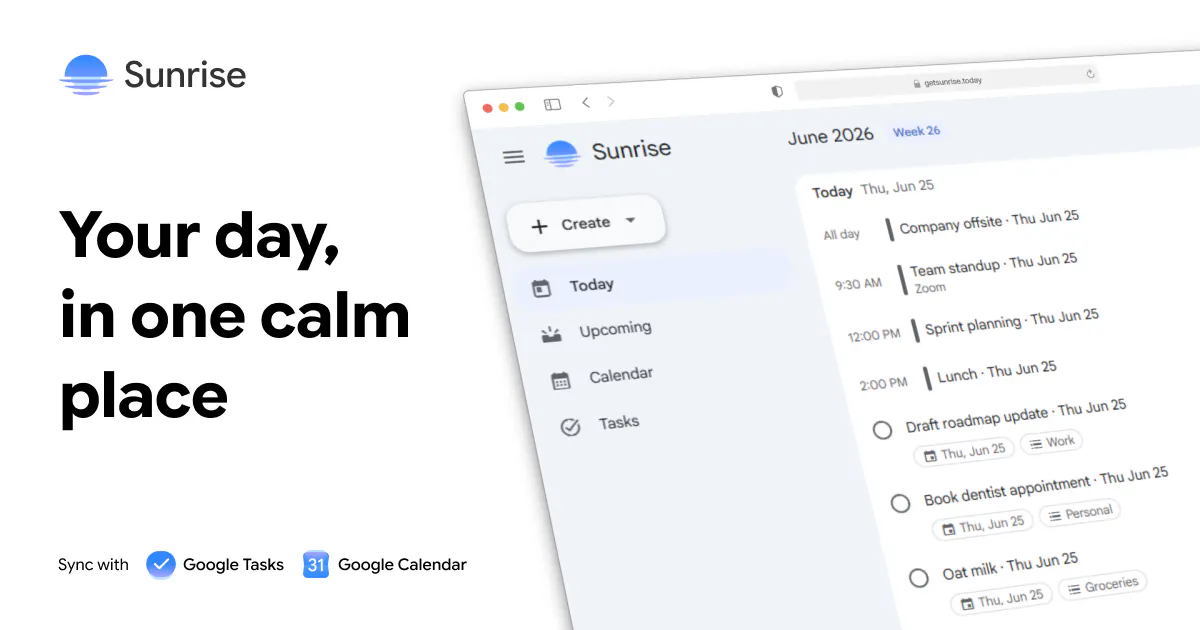
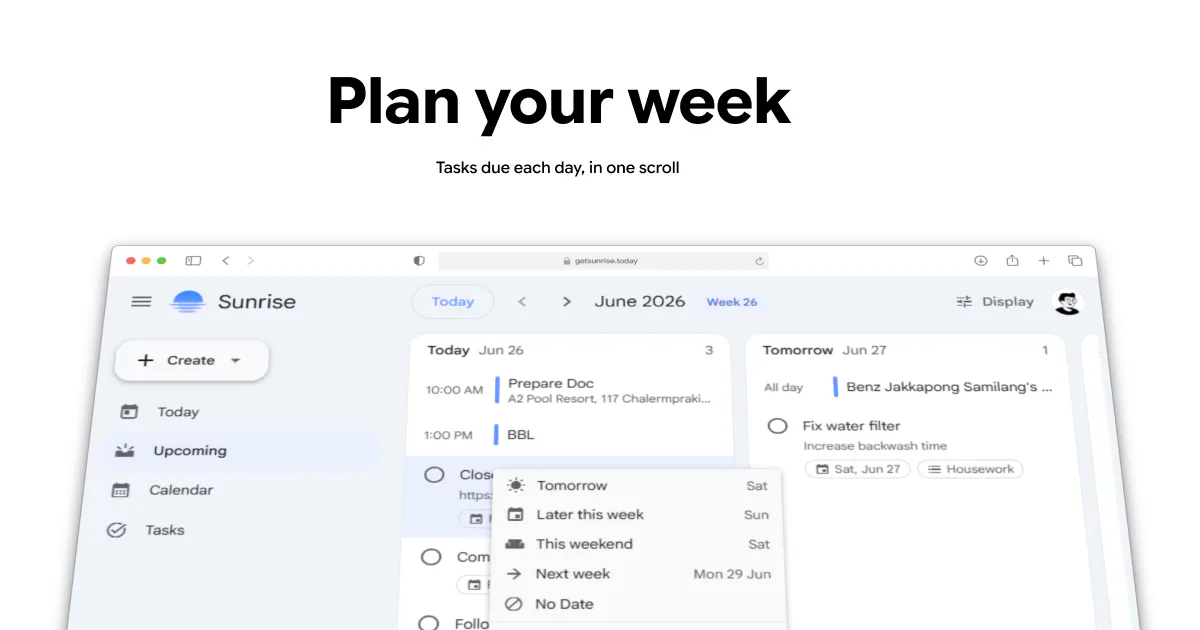
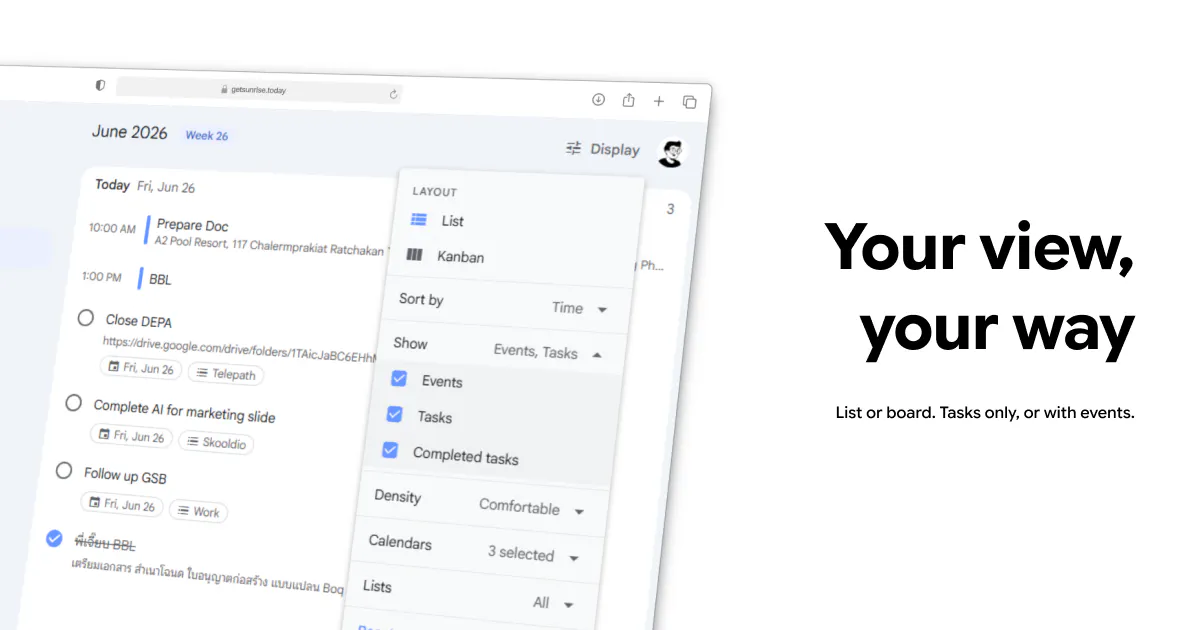
Google Tasks is fine for jotting things down. It’s terrible for planning your day. No Today view. No overdue section. No way to see what’s due this week at a glance. Just flat lists. Sunrise is a planner built on top of Google Tasks. See today’s tasks, catch what’s overdue, scroll through what’s coming up, and organize work on a kanban board — all synced with your existing Google Tasks lists. Your data stays in Google.
Hey Product Hunt 👋 I built Sunrise for myself. I rely on Google Tasks every day, but I kept hitting the same wall: it’s fine for jotting things down, terrible for actually planning your day. Google’s Tasks app is basically a notepad. You add items, check them off, and that’s about it. It can’t answer a simple question like “What do I need to do today?” There’s no overdue view, no day-by-day agenda. Just lists inside lists. You can get some of this in Google Calendar. Tasks show up there, and you can piece together a view of your day. But Calendar is built for events. Tasks are an afterthought, buried in side panels, awkward to manage, and never the main focus. So I built the planner I wanted. After using it for a while, I figured others might find it useful too. That’s why I’m sharing it. Sunrise is a planner for Google Tasks. Sign in with Google and your existing task lists sync both ways. You get: Today: everything due today, plus overdue items you’ve been ignoring Upcoming: a rolling view of what’s due day by day Tasks: your lists, but actually usable for planning Calendar events show up for context when you need them. But this isn’t a calendar app. The focus is making Google Tasks work the way a task planner should. What matters to me: Your data stays in Google. Sunrise is a client, not a second database. Works with the Google Tasks you already have. No migration, no new task system. What’s the one thing Google Tasks fails at for your workflow? That feedback directly shapes what I build next. Thanks for checking out Sunrise 🙏
5
回复

@cteerakit Congrats on launching Sunrise — a real Today view, an overdue section and a kanban board on top of Google Tasks is exactly what Tasks has always been missing. We made you a free launch video for it (below), yours to download or re-post anywhere, no strings, and it is whitelabel. You can add it to your launch page in here; launches with video tend to do better than those without.

We built it with FoxPlug: paste your site and it turns what you just shipped into a launch video, images, GIFs and posts in about 30 seconds. This one is on us — make your own free at https://foxplug.com

https://www.youtube.com/watch?v=3nMxVFc2h8g

1
回复

@cteerakit Well, I have been waiting for this one for long. Thank you for solving a problem for me!

1
回复

@cteerakit What stood out most wasn't just the journaling experience, but the clear focus on creating a safe and judgment-free space for mental well-being. The guided templates, encouraging feedback, and privacy-first approach make the product feel intentional rather than just another AI-powered journal. One thing I'd love to see over time is more personalized insights that help users recognize patterns in their mood or habits while still respecting privacy. Curious what has been the biggest driver of long-term retention for your users: guided journaling, bedtime stories, or the encouraging feedback feature? Congrats on building something that genuinely aims to improve people's daily lives!

0
回复

@cteerakit I liked the simplicity of the product, and this is exactly what seemed missing while using Google Tasks. However, while using Sunrise, I realized that tasks were not getting synched if another tab was open with Google Tasks in it. Great product though, especially the board!

1
回复

@sonal_waghchoure Changes you make inside Sunrise actually do hit the Google API instantly, even if you have Google Tasks open in another tab. Not sure why you face the sync issue. I'll keep an eye on this one.

However, there is a known limitation. If you edit a task directly inside Google Tasks, it doesn't send a real-time signal back to Sunrise, so Sunrise currently requires a quick page refresh to pull those outside changes in.

0
回复

the notepad vs planner distinction is exactly right — capture and planning are completely different jobs that google tasks tries to do with one flat list. does it pull due dates from existing google tasks or do you have to re-enter them in sunrise?

1
回复

@sabber_ahamed It pulls them automatically! There is absolutely no need to re-enter anything. Any changes you make in Sunrise sync right back, and vice versa.

0
回复

Love that it is a client on top of Google Tasks rather than a second silo, since no migration is the reason I would actually try it. One concrete thing though: Google Tasks basically only stores flat lists plus due dates, so where does the kanban board layout live, the columns and card ordering? If I organize a board in Sunrise and then open plain Google Tasks, does that structure survive, or is the board arrangement Sunrise-side only?

1
回复

@leo404 Great technical question! On the Tasks page, the columns represent your Task Lists, so dragging a card moves the task to that list on the backend and will show up in Google Tasks. On the Upcoming page, the columns are dates, so dragging a card changes its due date directly in Google.

The only part stored Sunrise-side only is the exact visual order of cards within a single column, since Google’s API doesn't support custom sorting.

0
回复

When I`m trying to connect my Google account, Google tells me that Sunrise is not safe because it was not checked by Google. And now I really wonder - is it possible to get official approval from them?

1
回复

@julia_shtogren I have already submitted Sunrise to Google for approval, though the process is taking a bit longer than expected. If you prefer to wait until Google gives us the official green light, that is totally fine too.

0
回复

Until today, I didn't even know Google Tasks existed :) Do many people actually use it? Or is it mainly an Android thing? (I use the Notes app on iPhone, and it doesn't have the issues you described.)

1
回复

@natalia_iankovych It is definitely not just an Android thing. Even most iPhone users still rely on Google Workspace and Google Calendar for work, and Google Tasks just happens to come bundled right with it.

0
回复

I like that existing Google Tasks sync without extra setup. would offline editing with automatic syncing later fit your roadmap? That could help people who travel or work with unreliable connections.

1
回复

@gaspard_dupuich Offline support is actually already built in! Sunrise caches your tasks locally so you can view them offline, and any edits you make will automatically sync back to Google once you're reconnected.


While the functionality is there, I haven't extensively tested it yet. If you happen to give it a spin while traveling, I’d love to know how it works for you!

0
回复

this is exactly the kind of small honest tool i like seeing on here, google tasks really is just a flat notepad and everyone quietly builds their own workaround for it. syncing both ways instead of just reading is the part that actually matters, a read only overlay would've been useless the moment you edit something on mobile. does the kanban board write status back as a change to the task itself or is that just a local view on top

1
回复

@omri_ben_shoham1 The Kanban board writes changes directly back to Google Tasks in real time!

If you drag a task between date columns, it updates the task's due date in Google. If you drag it between columns representing different task lists, it actually moves the task to that list on the Google backend.

0
回复

Me using Google Tasks every day makes this feel practical. Would keyboard shortcuts for moving tasks between days speed up planning? I think power users would appreciate that option.

1
回复

@nathan_jake To be honest, I'm a total mouse user, so I hadn't even thought about that! But you’re so right—it would be a game-changer for power users. Definitely going to look into adding this. Thanks for the awesome idea!

0
回复

This looks clean. Does rescheduling a task in Sunrise also update the due date back in Google Tasks?

1
回复

@dhiraj_patel5 Absolutely! That is the core foundation of how Sunrise works.

0
回复
@dhiraj_patel5 💡
0
回复

I find the kanban board especially interesting because visual organization works better for me. Have you considered drag and drop scheduling directly into upcoming days? That could make planning feel even faster.

1
回复

@stacey_connolly2 You should be able to do that right now.

On any page featuring a Kanban view (Try Upcoming tab), you can drag and drop tasks directly between columns. The app handles the changes contextually: if you drag a task into a specific date column, it will automatically update the due date. If you drag it into a different task list column, it will move it to that list.


Give it a spin and let me know how it feels. If you run into any issues with it, just let me know so I can get it fixed right away.

0
回复

This is exactly the gap I hit with Google Tasks too, everything lives in flat lists and there's no real sense of "what's actually due today" without manually scanning. One thing I didn't see addressed: I run a personal Google account and a separate work Workspace account with tasks split across both. Does Sunrise support connecting more than one Google account at once, or is it locked to a single sign-in? That's usually the dealbreaker for me with tools built on top of Google Tasks.

1
回复

@galdayan That is a great point. Because I use separate project management tools for work, I hadn't hit that specific wall myself just yet. However, the good news is that I am actually planning to migrate my own work setup over to Google Workspace soon. I have no doubt I will be running into the exact same multi-account friction you just described.

Right now, Sunrise is focused on a single sign-in. But handling multiple Google accounts simultaneously is absolutely on my radar, and it is something I will be actively exploring as I build out the next phases.

Thanks for bringing this up!

0
回复

The "Google Tasks is a notepad, not a planner" framing is spot on. For me the single biggest gap is exactly your Today view, being able to see what's actually due now versus the pile I've been snoozing. Flat lists let you lie to yourself about how much is overdue.

One question: does the two-way sync handle recurring tasks cleanly? That's usually where these Google Tasks layers quietly break for me. Nice, focused launch. @cteerakit @Sunrise

1
回复

@sharun_kanan Thank you for the support!

Regarding recurring tasks, you've highlighted a known limitation within the Google Tasks API. The API does not expose recurrence schedules or future repeat dates to third-party developers. As a result, future instances cannot be viewed ahead of time in your upcoming schedule.

I'm considering adding native recurring task support directly inside Sunrise. However, because of the API limits, these native recurrences would not sync back to Google Tasks and vise versa. I'm still evaluating which route to go.

0
回复

Finally, someone fixed the Google Tasks experience. The overdue section alone is worth the install - I had no idea how much stuff I'd been letting slip.

1
回复

@semihazfcr Right there with you! I used to try solving this by forcing everything into a single task list and sort by due date, but that completely wastes the benefit of having separate lists. With this I can finally use my lists 😂

0
回复
These planner apps are fascinating me so much lately. Just wanted to ask dies your app also notifies/reminds you of events that you marked in your planner in case you forget to do it
1
回复

@prachi_nagwan At the moment, Sunrise does not send separate notifications or reminders. Because the app integrates natively with Google Tasks and Google Calendar, I purposely avoid duplicating features that Google already handles well. If you have notifications set up on your iOS or Android devices for Google Tasks or Google Calendar, those native alerts will continue to work perfectly in the background.

That said, I'd love to know more about your workflow on what specific use case or type of reminder would you find useful to have directly inside Sunrise that the native Google alerts don't quite solve for you?

0
回复

So I tried but I got this "Google hasn’t verified this app".

0
回复

I'm sorry if I'm missing something, but I can't seem to figure out how to actually add a task/event after entering the details. (See the video for reference.) https://createademo.com/v/cmr9vyc2i0001l20449uwxakb

0
回复

Does Sunrise nudge me about what's due (a notification/reminder), or do I only see the Today view when I remember to open it?

0
回复
#5
AirKaren
AI that fights customer service for you
202
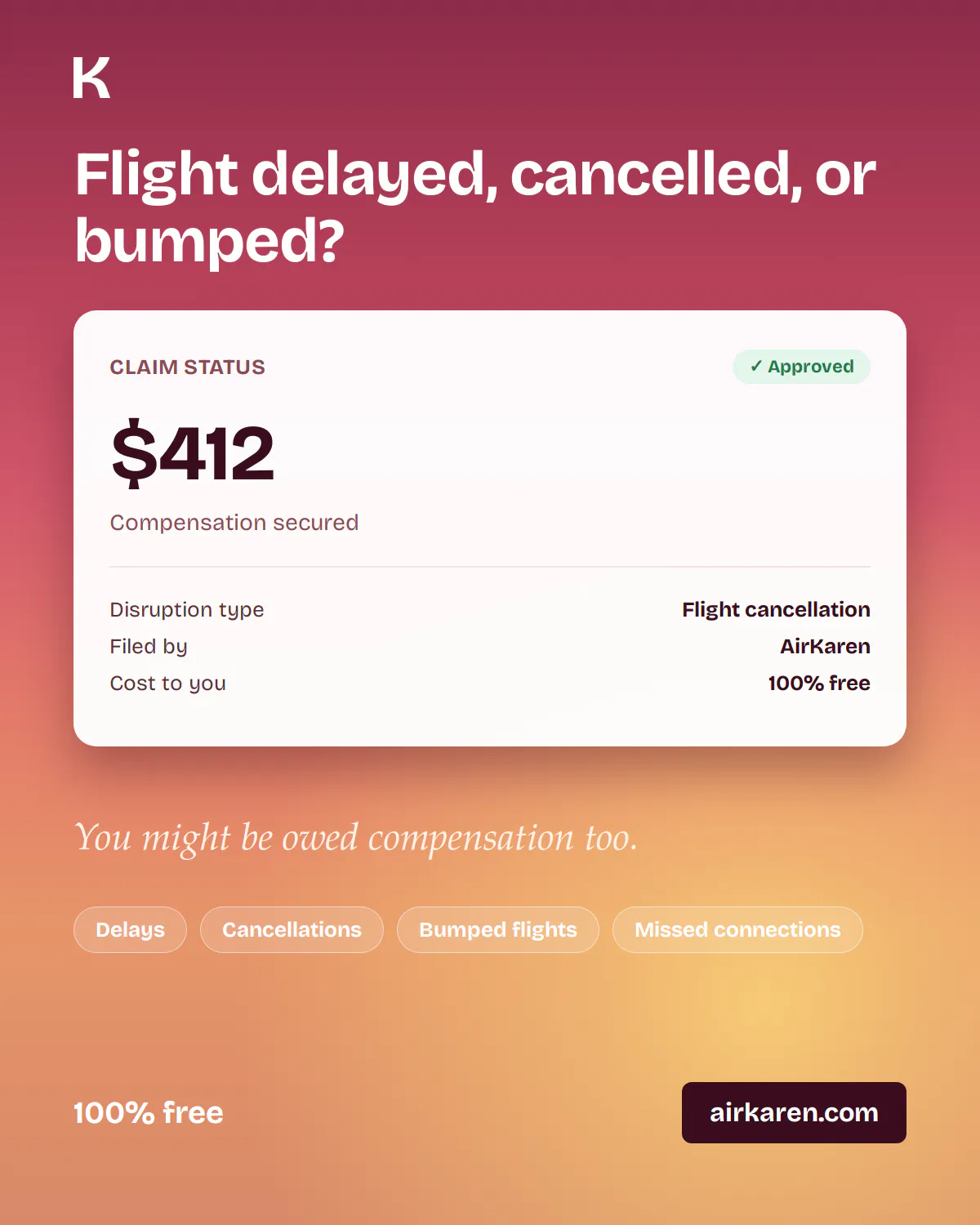
一句话介绍:AirKaren是一款AI代理,能自动为用户处理航班延误、行李丢失等问题的索赔流程,通过引用法规、填写表格、打电话和发邮件,替用户与航空公司“战斗”,拿回应得的赔偿。
Customer Success Travel Artificial Intelligence
AI客服代理 消费者权益 自动索赔 航班延误 行李丢失 欧盟法规EU261 产品狩猎 消费者维权工具 免费试用 自动化流程
用户评论摘要:用户普遍关注产品的商业模式(免费期后是否抽成)、法律合规风险(类似DoNotPay的遭遇)、多语言支持、边缘案例处理(拒赔后如何升级),以及验证公司与具体航司的实际合作效果。部分用户建议集成邮箱自动提取航班信息、主动触发索赔。
AI 锐评

AirKaren切中了一个真实且巨大的痛点:消费者与企业在信息、时间和法律知识上的不对等。它本质上不是“AI革命”,而是将本就存在的法定权利(如EU261)通过自动化手段高效执行,填补了“有权索赔”与“实际到手”之间的鸿沟。其价值在于将繁琐、情绪消耗型的维权流程,转化为标准化的“输入-输出”服务,精准打击了企业利用消费者惰性来逃避赔偿的既定策略。

但产品可持续性面临三个关键拷问:第一,商业模式的透明性。当前“免费+VC输血”阶段虽能快速获客,但转向“成功费”后,如何避免陷入类似律所“挑肥拣瘦”(只处理高额、高胜率案件)的困境,将直接影响品牌信任度。第二,法律护城河与风险。创始人团队明确意识到DoNotPay的前车之鉴,但“AI代表用户进行法律主张”的边界在法律上依然模糊。一旦AI援引法规出错或程序不当,责任归属将是巨大隐患。其“人工复核”机制是必要底线,但会严重损害规模化效率和成本结构。第三,真正的护城河不在于AI技术本身(调用GPT-4等大模型并无壁垒),而在于对每个行业索赔流程、法规条款和公司“软钉子”话术的精细数据映射与对抗策略库。航空公司完全可能通过改变客服话术、延长处理周期或设置AI无法破解的验证流程来反制。AirKaren需要证明,它的“自动化坚持”能比一个普通用户花50小时手动维权更有效,且成本可控。目前从航空公司起步是明智的——法规明确,赔付标准可计算,但这也意味着天花板明显。若不能快速证明跨行业(如电信、银行、保险)的可复制能力,产品将停留在“小众工具”而非“平台”。总之,它解决的是“麻烦”,而不是“不确定”,这既是机会也是局限。

查看原始信息
AirKaren
AirKaren is the AI that fights customer service for you, completely for free. Tell Karen what went wrong with your flight, and she cites the regulation, files your claim, and chases down what you're owed. Karen will call customer support hotlines, send emails, and fill out forms so you never have to again. We're starting with airlines and expanding to other industries in the coming weeks.
Hello Product Hunt 👋 We're Jai, Emile, and Max, the founding team of AirKaren. We’re a team of students from Harvard, Northwestern, UIUC, and Vanderbilt taking on big corporations. We know everyone hates customer service. Companies have built customer service processes that assume you have the time, patience, and legal knowledge to fight them yourself. They force you to figure out whether you are owed anything. Find the right form. Gather receipts. Write the complaint. Follow up after you get a canned response from a bot. Then keep doing that until someone actually looks at your case. Most people, understandably, don't do that. So the issue gets dropped, and the company gets to keep the money. We built AirKaren for that, and are offering it completely free to everyone while we’re in beta. All you have to do is chat with Karen about your issue; she’ll ask follow-ups and gather the information she needs to make your case. From there, you never need to think about it again. We’ll handle the process of finding relevant regulations, communicating with the company, and escalating when needed, to get you the compensation you’re rightfully owed. We’re starting with fighting airlines, handling anything from issues with your baggage, to delays and cancellations, to broken Wi-Fi. Would love to hear your customer service horror stories in the comments and get your feedback on what industries you’d like us to launch in next. Happy to answer questions all day.
7
回复

@max_beyer How will you avoid the legal pitfalls that beset DoNotPay?

0
回复

👋 Hey Jai, Emile, and Max — love the name AirKaren

This is a brilliant idea. Customer service has become an absolute endurance sport designed to wear you down until you give up. Airlines in particular are masters at it — lost bags, mysterious “technical issues,” 8-hour delays with zero compensation offers. The fact that you’re making it dead simple (just chat → they fight for you) and free in beta is huge.

A few quick thoughts/feedback as someone who’s seen a lot of these tools:

- Airlines is the perfect beachhead. High regulation + frequent pain points + decent payout potential when you win. Great choice.

- The “set it and forget it” escalation (finding regs, writing letters, following up) is exactly what most people won’t do. If you can actually deliver results here, word-of-mouth will be insane.

- Suggestion: Once you expand, banks/credit cards and telecom (especially surprise fees, wrongful charges, and terrible cancellation processes) feel like natural next verticals. Insurance is another goldmine of frustration but might be more legally complex.

Would be curious how “Karen” handles edge cases — does she get better with every case (your collective data), or is it mostly rule-based + LLM per user?

Either way, rooting for you. Taking on bureaucratic corporate moats with good UX + persistence is the kind of thing the world actually needs more of.

Drop some early win stories when you have them — people love seeing the underdog actually win for once.

Best of luck on the launch!

0
回复

@max_beyer I got stranded in Burlington Vermont for 12 hours because my Greyhound left 30 mins early, @karen pls fix

1
回复

This is one of those products where the name alone made me click :))

Customer service is exactly the kind of task I don't want AI to summarize for me, I want it to actually do it. finding the right regulation, filling out forms, following up, waiting on hold... that's all busywork. Starting with airlines also makes a lot of sense. almost everyone has a story where they probably should've claimed compensation but gave up because the process wasn't worth the time.

Curious how Karen handles edge cases where airlines reject the claim even though the regulation seems pretty clear. does it keep escalating automatically, or is there a point where a human steps in?

4
回复

@andrasczeizel Hey Andras! You nailed exactly why we started here: the compensation is almost always owed, but people just give up because the process is pure busywork.

On rejections, we split failures into two buckets. Technical hiccups (a form times out, a page changes, a CAPTCHA) get retried a few times automatically. Karen persists through the mechanical stuff. However, a substantive pushback, meaning that the claim is contested or genuinely gray, doesn't get auto-hammered. It routes to a human review queue. We'd rather have a person build the strongest next move on a disputed claim than have a bot fire off weak auto-appeals that airlines learn to ignore. Fuller autonomous escalation is on the roadmap, but the whole thing falls apart if Karen starts sending stuff that's easy to dismiss.

Thanks for the thoughtful question!!

2
回复

Founder here. We recognized that companies intentionally evade paying consumers what they're owed, and we built a tool to address it.

In our beachhead market, airlines, the regulations are clear and concrete, yet 85% of passengers with eligible claims never end up receiving compensation. That gap having the right to a claim vs. actually being able to enforce it – is the whole reason AirKaren exists. Karen does the annoying part: figuring out what you're owed, citing the right rule, writing the claim, and not giving up when the airline stalls.

Would love to know: what's the next industry we should tackle? We're on a mission to help people get the money they're owed, and we'd love for you to be a part of the journey.

4
回复

@_jai Very sharp. I love the business model, it's a win-win for us consumers.

0
回复

An AI whose whole job is to out-patience a company betting on your exhaustion, that's the right fight :)

My honest question is language. It looks English/US-first for now (airline hotlines, forms), but the people who most need someone to fight for them are often the least comfortable arguing in a second language, a French passenger stuck with a Spanish carrier, an immigrant on hold with a local telecom. Does Karen already run a claim end to end in the customer's own language (calling and emailing in French, Spanish, and so on), or is multilingual on the roadmap? That's the line between a neat US convenience tool and something genuinely leveling.

Congrats on the launch, and rooting for the expansion beyond flights!

2
回复

@keirodev Thank you for the support Kevin! Good question :)

Multilingual is absolutely on the roadmap and, to some extent, we can handle it now. The good news is that most airlines (particularly larger carriers) will allow us to talk to them in English. For other dispute types, however, that's absolutely something we'll build in!

1
回复

Superb job! Starting with airlines looks quite smart as EU261 gives the agent an actual statute to cite instead of asking for goodwill right? The phone part is interesting. Airlines push every claim toward their own web forms because forms are where claims stall out. In practice do you guys get further on the hotline than through the official form?

2
回复

@artstavenka1 Great question! Yes, that's the logic for us – EU261 in particular is nice because the agent can cite the regulation directly (and a deterministic compensation amount) instead of asking for goodwill, which changes the tone of the whole interaction. On hotline vs. form: while we only launched a few days ago, we suspect that the form with repeated escalation and bumping over the phone/email might be the way to go :) Happy to share more details if useful.

2
回复

"Completely free" is the part I keep re-reading. Calling hotlines, filing claims, and escalating on someone's behalf isn't cheap to run, especially at any real volume, so I'm trying to figure out where the business actually makes money. Is it a cut of the compensation once you get paid, or is this VC-funded and free-for-now while you build usage data? Asking because if the model is a percentage of what you recover, that's a completely reasonable business, but it also means the AI has an incentive to push claims as high as possible rather than just what's fair, and I'd want to know that upfront before handing it my flight details.

2
回复

@galdayan Fair question, and glad you're asking it upfront. Right now, we're free for users — we're VC-backed and using this stage to prove out the model and build usage data before we're out of beta. Once we exit beta, we'll move to a success fee (a cut of what we recover), so no cost to you, and we'll be transparent about that fee when it kicks in.

On the incentive concern: many claim values are fixed statutory figures based on specifics of the actual incident, not negotiable ranges, so there's no lever for the AI to "push higher." Karen's job is to prove eligibility and build the case, not to negotiate a number. For the ones that are more variable, we estimate the amount owed under various regulations before we fight the claim and aim for that specific number. Hope this makes sense! Something we've put a lot of thought into.

1
回复

This is so awesome, I trust Karen to fight for me more than I trust myself.

1
回复

Love the name and concept. My concern as potential customer is not seeing any airlines listed on landing. How do I know you work for United, JetBlue or Ryanair? From your landing/dream outcome it looks nice but I'm too skeptical to believe it will work with my airline/flight specifically.

1
回复

@adam_el_gerbi Hey Adam - the good news is that it does! When you fill out a claim, we research the airline’s policies to figure out the best way to fight the claim. Let me know if you have any questions, and if you have a claim with a niche airline, we can help :)

2
回复

After Delta 1) didn't put my daughter's stroller on the right plane this weekend and 2) delivered it three days later with holes in it, you've got a submission coming....Karen, do your thing and don't be shy!

1
回复

@howillia Yessir! Please let me know if you have any questions – happy to solve this claim.

0
回复

A very cool service! During COVID, I spent dozens of hours trying to get refunds for canceled flights. It was an absolute nightmare.

By the way, here's an idea for future development: you could integrate with users' email accounts so the system automatically extracts flight bookings, tracks scheduled departure times as well as delays, and proactively suggests filing a compensation claim when eligible. I think this could work especially well in the EU.

1
回复

@natalia_iankovych Thanks Natalia! That is most definitely on our roadmap :) Stay tuned!

2
回复

love the pitch, hate customer service as much as the next person, but the part i'd want to see before trusting it with an actual claim is what happens when karen gets the regulation wrong or misstates something on a call. if she's calling on my behalf and gets facts wrong, that's now my name on a bad claim, not an app giving bad advice i can just ignore. is there a review step before anything actually goes out, or is it fully autonomous end to end

1
回复

@omri_ben_shoham1 Great question – this is something we are SUPER conscious of. There is still some human in the loop right now, mainly at the step after Karen has determined that a claim is eligible and before we sic Karen on the airline. We make sure that all the guidance the agent is given is accurate and compliant with regulations before we let Karen go out on its own. Obviously not a scalable solution in the very long term, and we'd hope to have more confidence in Karen's autonomous judgment at this step once we get enough usage data. Thanks for the thoughtful question!

1
回复

I really love the idea because sometimes I only go through half the claim and then I give up. My question is : Has there ever been some company airlines that refused to deal with the claims that AirKaren Made ?

1
回复

@reda_roqai_chaoui Good question! A lot of the time (specifically over the phone) airlines are hesitant, but normally a little persistence does the trick :)

2
回复

Please expand to all other customer services related fights.. hotels, etc!

1
回复

@ryanbutz Hey Ryan! All of those are coming very soon – stay tuned 😎. Is there any specific industry you'd like to see next?

1
回复

Congrats on the launch! I build with agents myself and the AgentMail part is what caught my eye. When it emails an airline for someone, is that from its own mailbox, or does it need to get into the user's inbox?

1
回复

@vollos Good question! It's from an independent mailbox created through AgentMail specifically for that user's case.

1
回复

Branding is a 10/10, love the name haha.

Just curious since it’s completely free right now, how do you guys plan to make money down the road?

Congrats on the launch!

1
回复

@velyr_io Thanks, Flo! Really appreciate the support. On your question: we're VC-backed and using this stage to prove out the model and build usage data before we're out of beta. Once we exit beta, we'll move to a success fee (a cut of what we recover), so no cost to you, and we'll be transparent about that fee when it kicks in.

1
回复

Finally something that might actually get me a refund without spending two hours on hold. Loved that Karen cited the actual regulation back to me, felt like she knew the playbook better than the airline agents.

1
回复

@ikratekmen32688 That means so much to us! This is exactly why we built Karen. Airlines (and big corporations in general) bank on consumers both not having the knowledge and the bandwidth to cite the actual rules. Glad she held her own!

1
回复

Naming an AI that fights airlines "Karen" is the kind of poetic justice I didn't know I needed. Finally, the manager-summoning energy pointed at the people who actually deserve it.

My contribution to the horror archive: once spent 90 minutes on hold with an airline over a delayed bag, got cheerfully disconnected right as a human picked up, and simply... gave up. They won. They always win. The fact that Karen would've just handled that while I did literally anything else is genuinely great. Consider me a fan.

@benln @max_beyer @_jai @emile_labrador

1
回复

@sharun_kanan The name earns its stripes every time someone tells us a story like this. The customer service process is beyond enraging, but Karen doesn't get tired, doesn't get disconnected, and doesn't give up. Thanks for your support!

2
回复

For AirKaren, how do you decide when the AI should keep pushing a customer service conversation versus handing it back to the user? Since this sits in the AI Agents / workflow automation space, I’m curious if there are guardrails for tone, refunds, account-sensitive details, or cases where a human needs to approve the next message.

1
回复

@mia_qiao Hey Mia! Great question – this is honestly the core design decision for us.


The short version: Karen is deliberately biased toward handing back to a human whenever there's ambiguity, not toward pushing. Every claim runs through an eligibility engine before Karen sends anything, and it lands on one of three verdicts:

  • Clear-cut → Karen files it autonomously

  • Ambiguous → routed to a human review queue before anything goes out

  • Clearly not covered → we stop and tell the user exactly why

"Ambiguous" is intentionally broad. If we can't independently verify the delay, if it's a cancellation where the notice period matters, or if the airline might invoke "extraordinary circumstances" (weather, ATC, security), a human looks before Karen acts. We never auto-reject a passenger in a gray area – the airline carries the burden of proof, not the user.

On the sensitive-details side: Karen doesn't free-form negotiate today. It works through structured, law-grounded filings that cite the specific articles they rely on, which keeps it on script. Happy to go deeper on any of these.

1
回复

Tried it on a delayed flight from last month and Karen actually cited the EU261 regulation and got me a partial refund without me picking up the phone, which is wild. Honestly the most "where has this been" feeling I've had from a new tool in a while.

1
回复

@nilferejbc Dang that's impressive! I clicked out of curiosity from the name alone but I am pleased to hear how effective AirKaren is.

2
回复

@nilferejbc This is exactly the story we want to hear. No hold music, no repeating yourself to three different reps, just the regulation doing the work for you. Really glad it came through on the first real case!

1
回复

I am so looking forward to using this on my next flight, as a frequent traveller.

0
回复
#6
Stanley Studio
The AI video editor you hire that edits like a human
189
一句话介绍:Stanley Studio 是一款AI视频编辑器,帮你把相机胶卷里的原始素材自动剪辑成带字幕的成品视频,省去手动剪辑的繁琐流程,专治“拍了懒得剪”的创作拖延症。
Social Media Marketing Video
AI视频编辑 自动剪辑 短视频制作 内容创作 口语剪辑 字幕生成 背景音乐匹配 时间节省 UGC工具 无模板
用户评论摘要:用户普遍认可其节省时间的核心价值,但指出目前存在音乐选择不够精准、特效(如冻结帧)无法实现、音质噪杂处理不足等问题。部分用户反馈文案剪裁后逻辑需微调,以及音乐版权尚不明确。
AI 锐评

Stanley Studio精准切入了一个真实且巨大的痛点——“拍摄容易,剪辑难”。它没有试图在专业剪辑赛道与Adobe、CapCut等巨头硬碰硬,而是另辟蹊径,将自身定位为“可以雇佣的AI剪辑师”,瞄准的是那些拥有海量素材、渴望快速产出短视频但缺乏时间或技能的内容创作者。其“端到端”的无时间线体验,本质上是用AI替代了80%的机械性、重复性劳动(如剪停顿、加字幕、配乐),让创作者能专注在内容的核心判断上。

从用户反馈看,产品确实达成了“大幅提效”的承诺,这是其最坚实的价值锚点。但“像人类一样剪辑”的标语目前更多是营销话术,而非现实。用户指出的音乐选择“不够精准”、特效无法实现、音质处理粗糙等问题,恰恰暴露了当前AI在“创意品味”和“细节把控”上的短板——它擅长做“及格”的成品,但“优秀”仍需人工调教。评论中“10-15分钟编辑”的描述,恰好证明了目前的产品定位并非AI代劳,而是AI辅助+人工修正。

产品真正的护城河,在于能否从“帮你省时间”进化到“帮你做决策”。目前它已经能给出“有主见的初稿”,这比多数AI工具高明。长远看,通过用户对“替换镜头选择”、“拖慢节奏调整”等反馈来持续训练模型,积累“何种内容在何种平台有更高留存”的数据,才是破局的关键。否则,随着大模型基础能力普及,这种“高级自动化”模式极易被巨头复制。Stanley Studio的机遇在于成为“内容创作领域的Copilot”,而挑战则是如何从“好用的工具”成长为一个不可替代的“策略伙伴”。

查看原始信息
Stanley Studio
Stanley is built for anyone who films great videos and then lets them die in their camera roll. Send Stanley raw footage and get back a finished, captioned video. No timelines, no manually tweaking captions, no spending hours hunting for the perfect song. Just tell Stanley what you want and it edits end-to-end: talking heads, vlogs, podcast cuts, UGC, whatever your niche needs. And it's free. Upload footage, get a video.

Hey product hunt! 👋

I'm Daniel. After 12 years of editing all sorts of different videos and generating 100M+ views, I've recently come to realize that I waste so much of my life in timelines.

A few things I've done, voluntarily:
- Manually trimming pauses
- Painfully adjusting captions
- Spending hours looking for the perfect BGM

And I one day decided that enough was enough. So, @oliver_chen2, @justinbaduaa and I created Stanley Studio.

Stanley Studio edits for you. send it raw footage, tell it what you want, and it cuts the video to your liking. Stanley can edit talking head clips, vlogs, product demos, podcast cuts, day-in-the-life, ugc style, whatever your niche needs.

It edits like someone who actually understands short form, not a template machine. It's an expert on captions, pacing, hooks, and storytelling.

And it's free. I'm not gonna take your credit card or give you a BS free trial. All I ask is you upload footage + get a finished video.

Try Stanley Studio for free

We're the team behind Stan, we've helped creators make $600M+ selling digital products. Stanley Studio is us giving creators their time back.

I'm in the comments all day. What video do you hate editing most? I'll show you what Stanley does with it.

10
回复

@oliver_chen2  @justinbaduaa  @therealdanielpark Really enjoyed exploring Stanley. What stood out to me is that you're solving the entire content workflow not just generating posts. Positioning it as an "AI Head of Content" instead of another writing assistant is a smart way to differentiate in a crowded space. The strategy-first approach, built around real ghostwriting workflows, makes the product feel much more practical for founders and creators trying to stay consistent on X. One thing I'd love to see over time is performance insights that explain why a piece of content is likely to work, helping users learn rather than just publish. Curious, do you see Stanley expanding beyond X to become a cross-platform content strategist in the future? Congrats on the launch!

0
回复

This is painfully relatable. I have so many clips sitting in my camera roll because recording is easy, but turning them into something actually postable is where the energy disappears. captions, pacing, cuts, music... suddenly a 30-second idea becomes a two-hour task.

The “not a template machine” part is what I'd want to test most. short-form editing is very taste-driven, and bad pacing can make even good footage feel boring. Curious how much direction Stanley needs to get close to the right style. can I just say "make this feel like a founder launch update" or does it work better with more specific editing instructions?

3
回复

@andrasczeizel 
Totally. Those two hours should be spent somewhere else.

And great question. Generally speaking, "make this feel like a founder launch update" works. Stanley is trained on what good pacing and style look like for different content types, so vibe-level direction gets you a strong first cut.

But if you have a specific taste you want to hit, you can get as granular as you want with editing instructions and it follows them like any editor you'd hire. Would love for you to test it and tell me if the taste holds up.

This is the prompt I use for all of my talking head videos. my prompt

2
回复

I had a long (rambling) product update that I created a while ago and have been looking to cut down to be something far more punchy. Stanley did a really good job and I love the thought process that is shared. There is still work to be done in editing my video as some of the sentences no longer make sense. I also asked for a lighting improvement and I don't think it quite got that right. However, my gut feel is that it is closer to the finished article than when I started so there is clearly an opportunity for significant time saving here.

2
回复

@martin_tanner Thank you for your insights Martin!

Yeah, the one feature we haven't shipped yet are filters/colour grading. We're building that out right now so if you try it again same time next week it should work!

We see and hear that most of our users spend 10-15 minutes editing with Stanley rather than 1h 30 mins on capcut/davinci/Pr. We want to cut down all of the tedious tasks (trimming clips, adding captions, etc) so you, as the creative, can focus on the more important things.

We thank you for being a part of the journey and I hope you continue to employ Stanley!

0
回复

I’ve made 3 reels with Studio so far that wouldn’t exist without it.

You’re creating a market that doesn’t exist yet!

2
回复

@vitddnv yup - rather than competing head-on with billion dollar editing giants, we're taking our own road and making a bet so big that if it works, we'll be THE tool for anyone who wants to make content

0
回复

Sent over a messy 20 minute talking head clip and got back a tight cut with clean captions in like 10 minutes. Wish the music choices were a bit more on the nose but the overall speed and quality genuinely surprised me.

2
回复

@melisrtekimejb That's awesome!!

We are trying to upgrade our bank of audios as we speak, if you give it a week it should give you better music. Also, the song choice will be as good as the prompt that you give. If you add more preferences the output will be stronger.

Try out different video formats and let me know if the output is as good as the talking head one :)

1
回复

Love the positioning — "videos dying in the camera roll" is painfully real.

Quick question: how does Stanley handle footage with mixed audio quality?

That's usually the biggest bottleneck before editing even starts.

1
回复

@artem_shymko 

Hey Artem, appreciate that! Right now Stanley normalizes levels across clips so quiet phone footage and louder segments sit together, and the music bed helps smooth the rest. Heavy background noise cleanup isn't there yet though, so if your source audio is rough it's worth a quick pass before upload. Totally agree it's the real bottleneck, it's an active area for us.

0
回复

the hard part of editing to me has always been less the mechanical trimming and more the judgment call of which take is actually the funniest or most compelling when three takes say almost the same thing. does stanley make that call on its own or does it flag options and let you pick, curious how much creative control you give up for the time saved

1
回复

@galdayan 

hey gal, I love this question!

Stanley makes the first call so you get a finished video. But it keeps alternative takes on hand, so if the take it picked isn't landing you can swap it out instead of re-editing from scratch.

The best way i'd describe it is Stanley is a head of content with a strong opinion that allows you to keep the final say, you just skip the 40 minutes of scrubbing three near-identical takes

0
回复

Best AI editing tool I’ve used seriously

1
回复

@winnie_chen4 haha more picnic videos edited on Stanley!

0
回复

🔥🔥🔥🔥🔥🔥🔥🔥🔥🔥🔥🔥🔥

1
回复

@brydon_parker ay!!! Thanks Brydon!

0
回复

Hey Daniel! Thank you for the fun experience! First of all - I really love how you presented Stanley Studio. I work with video professionally but sometimes I miss the fun of the process - crazy transitions, cartoon fonts, just pure joy. And you're right: when editing is easy and results come fast, it becomes so much more enjoyable.

So I uploaded my morning basketball video and gave Stanley Studio some hard tasks:
1) Freeze frame transitions - it couldn't do it, but we compromised on a dramatic zoom.
2) Captions - love the option of merging and splitting words, great!
3) Animated starburst every time the ball hits the ground - tricky one, and it struggled to detect those moments even when I set the timing manually.
4) Replacing the music track with an instrumental so it wouldn't conflict with my voice - did great.

Just one question: does Stanley Studio use royalty-free music? Is it safe to publish the result on Instagram?

1
回复

@julia_shtogren 

Hey Julia! This is the kind of feedback we live for, thank you for actually stress-testing it.

Freeze frames and impact detection are both on our radar, and the starburst timing issue is a great catch, passing that to the team today.

Regarding music, the tracks aren't royalty-free yet, so for Instagram I'd swap in your own audio or a track from IG's library before publishing. Licensed music is on the roadmap since we know done-for-you means publish-ready. Appreciate you flagging it!

0
回复

Looks cool - how does it decide on cuts & music?

1
回复

@anson_lin1 Great question Anson! There's two layers to it.

For cuts: Stanley watches and listens to your footage, so it understands both the transcript and what's happening visually. From there it finds the actual story beats, trims dead air and filler, and sequences the strongest moments the way a human editor would (hook first, no wasted seconds early where drop-off is highest).

For music: it reads the tone and pacing of your content and picks BGM that matches, then times cuts to the track instead of just laying music underneath.

All of this is trained on what actually holds attention in short-form, so the default output is engineered for retention. And if it makes a call you disagree with, our alternative takes feature shows you the versions Stanley considered so you can pick your own.

0
回复

Can I just install a mobile app that gets access to my photo library and automatically picks the best photos? I travel a lot - I've been to more than 70 countries, and I've visited some of them 10–15 times already. After every trip, I end up with hundreds of photos. Going through them and putting together, for example, an Instagram post takes forever. I just want a simple tool that does it for me. I've talked to other travelers, and they have the same problem. That's definitely something I'd install with pleasure.

1
回复

@natalia_iankovych Natalia - it's funny that you mention it because we are actually developing a mobile app right now. You said it best: "gets access to my photo library and automatically picks the best photos" is what we are building towards. Stanley, like any video editor, should be able to look through your camera roll, find the best clips, and make an engaging video from it.

We're giving our early web app users early access to the app so if you're interested make sure to make an account + try it out!

0
回复

I like the idea because editing tasks me longer than filming. How well does Stanley handle awkward pauses and repeated takes. Showing a before and after example would answer that and build more trust.

1
回复

@gaspard_dupuich Gaspard, thank you for your great question!

Stanley handles awkward pauses really well. It was actually originally built to only remove pauses.

We have a few videos on our landing page that showcase videos that were editing on Stanley! Honestly, the best way to know is to see for yourself. It's completely free so check it out!

Studio.getstanley.ai

0
回复
Have you tested in feature film length + quality projects?
1
回复

@anthony_holley3 
honestly, not yet. Stanley was originally built for short-form and YouTube-length content, and users are regularly editing 10 minute+ videos on it, so that length is well covered.

Feature film length is untested territory. In theory nothing stops it, but I won't claim it until someone's actually done it. There's only one way to find out :)

studio.getstanley.ai

1
回复

Me trying this would depend on action accuracy. do captions stay reliable with different accents. A few real user samples could clear up that question quickly.

1
回复

@shrivas_vishal Stanley is very precise with caption accuracy, I'd honestly encourage you to give it a try and see how it fares.

In the case it doesn't work perfectly, you can even paste in the script and it will automatically add it to the video

0
回复

Love that Stanley skips the timeline entirely and just asks what you want instead. The caption styling looks clean too, not that generic auto-generated look you usually get. Genuinely useful for podcast clips.

1
回复

@kemalyankosu29 yes, 100%! The goal is that users will never have to touch a timeline ever again. Any edit made should be through a prompt and having a conversation with Stanley.

Curious to see the podcast clips! Can you send me an email to daniel.park@stanwith.me?

0
回复

Me liking simple tools helps. Can Stanley edit long podcasts too. Chapters might help.

1
回复

@hana_salazars Great point Hana - I'll take that back to the team.

We are working on a feature similar to what Opusclip provides, but better. Stanley should be able to stitch together the most engaging video and give you multiple versions.

The short answer is yes, it can edit long podcasts but it won't give you multiple videos to choose from. Try it now and see how well it compares to other tools! Make sure to create an account because when we launch the clipping feature, we'll send it to your email!

0
回复

The camera-roll graveyard is real. I've got launch footage sitting untouched right now purely because editing it feels like a second job. Free + "just upload and get a cut" is a genuinely great pitch. Curious how it does with product-demo and screen-recording footage, that's my actual use case this week.

@justinbaduaa @oliver_chen2 @therealdanielpark @Stanley Studio - Great work!

1
回复

@justinbaduaa  @oliver_chen2  @sharun_kanan 
Thank you Sharun! Hopefully we can see more of your content now that you're using Stanley :)

Stanley edits screen recording footage well. One of our users used it to showcase his AI resume screener and it actually highlighted on the screen what he was referring to while he was talking. Crazy stuff!

Try it out for your launch video and let me know how much time it saved

2
回复

Finally tried Stanley with a messy vlog dump and got back a clean cut with captions in under ten minutes, the song pick was actually decent too.

1
回复

@bedirhanterkes Bedirhan! I'm so glad to hear that. It's honestly insane how it can cut vlogs so well, even I'm impressed every single day.

When you post that vlog, please send it to me! I'd love to watch it and support where I can.

My email is daniel.park@stanwith.me

0
回复

The send-raw-footage, get-a-finished-cut pitch lives or dies on how much I can fix afterward — auto-trimmed pauses and an auto-picked BGM are great until Stanley cuts a beat I wanted to keep. After it edits, do I get an editable timeline/project to nudge specific cuts and captions, or is it a one-shot rendered export I'd have to redo? And which aspect ratios/resolutions does the export cover for vertical vs 16:9?

1
回复

@leo404 Great question. It's not a one-shot export.

You get an editable timeline after the prompt, so you can nudge specific cuts, captions, and music without redoing anything. You can use Stanley as manually as you need, but we're confident the AI takes you most of the way.

For the "Stanley cut a beat I wanted to keep" case specifically, we have a feature called alternative takes. It shows you the versions Stanley considered for a moment and lets you pick your own.

Export covers all aspect ratios, vertical and 16:9 included!

Hope this helped and would love for you to test it out!

1
回复

Really wanted to like this but my first video wouldn't upload to x due to audio codecs issues. It was just me talking and engraving something. No idea what failed here but it was disappointing.

0
回复

I like this idea because I was also in the editing space for a while and it does take a lot of time to edit videos, I can see that this AI could save a lot of time for content creators. Quick question : What are the things that Stanley Studio struggles with when editing videos ?

0
回复

Finally tried this with a messy vlog clip and the auto captions landed better than I expected, plus the song choice actually fit the mood. Free is wild for this.

0
回复

@ferdiskge So glad to hear that! Messy vlog footage is honestly the best test for it, so this means a lot.

And yes, it stays free for the next little while. Right now we just want Studio in as many hands as possible.

If you're down to share what it made, would genuinely love to see the clip.
My email is daniel.park@stanwith.me

0
回复
#7
Edgee Claude Code Compressor V2
Fewer tokens, same context, 50% cost reduction
181
一句话介绍:Edgee Claude Code Compressor V2 是一款面向AI编程代理的智能Token压缩中间件,通过三项正交技术显著降低编码会话的上下文成本,解决了开发者在使用Claude Code等工具时因冗余上下文输出导致的高额API费用痛点。
API Developer Tools Artificial Intelligence
Token压缩 AI编程代理 上下文优化 成本削减 中间件 MCP工具 语义无损 缓存优化 SWE-bench 编码效率
用户评论摘要:用户普遍认可80美金减半的实用价值,并对TSR(工具表面缩减)最感兴趣。有用户关注压缩在长时间调试会话和缓存前缀稳定性上的影响,以及压缩是否真正无损。团队回应展示了通过SWE-bench做的基准测试,并解释了缓存处理机制——虚拟MCP不会失效缓存,50%是实际金钱成本优化。
AI 锐评

这类产品本质上是在LLM暴利时代挖边角料,但挖得巧、挖得准。Edgee Compressor V2的精妙不仅在于它在输入、输出和历史三层分别砍掉了“模型自言自语”“工具列表灌水”和“结果历史堆叠”这几块肥肉,更在于它绕过了一个诱人的陷阱——靠暴力截断上下文来省Token。暴力截断损伤效果,而Edgee选择对Cache Prefix立下“不动原始已发送内容”的规矩,用虚拟MCP调度避免缓存失效,这决定了它是真正可落地的工程优化,而不是论文里的理论省费率。

但必须指出,这项技术核心场景是“高速率、高上下文重复”的编码代理流程。如果你只是零星用一次Claude Code修个函数,50%的绝对值都不够买杯咖啡。而且,评论中反复提到的25ms以内延迟,在超长上下文、高并发场景下是否能稳定保持,并无数据佐证。TSR分类器的风险也远未解除——尽管团队声称100%召回,但分类器本质是预测,在非典型或罕见工具调用需求下仍有“漏判”可能。

最终价值在于:Edgee不是在“替代模型”,而是在“优化模型基础设施”,这对追求工程效率的团队来说是稳赚不赔的投入。但对于非重度用户,其吸引力有限。

查看原始信息
Edgee Claude Code Compressor V2
Compression V2 cuts coding-agent token bills with three techniques across two layers: sharper tool result trimming, new task-aware tool surface reduction, and output brevity. Drop-in for Claude Code, Codex, OpenCode, and Cursor. Semantically lossless.

The 50% cost reduction claim is the kind of thing that varies a lot depending on what's actually in the context window. Conversations with heavy tool call output, long file reads, or repeated error traces compress very differently than a tidy back-and-forth session. Curious what the benchmark corpus looks like and whether that number holds on real agentic sessions rather than cleaner workloads. Also wondering whether the compression is lossy in any meaningful way, specifically whether there are cases where the model behaves differently after compression because something subtle got dropped from an earlier turn.

3
回复

@fberrez1 You are absolutely right. Some compression strategies (particularly Tool result trimming) vary depending on your use case.
To evaluate the effectiveness of each of our compression algorithms, @0kham used SWE Benchmark. I invite you to read his blog post which explains everything: https://www.edgee.ai/blog/posts/introducing-compressor-v2-three-compression-layers-measured-end-to-end-for-a-50-cost-reduction

3
回复

Hey friends

Sacha here, founder of @Edgee.

Back in March we shipped our first compressor. One technique, tool result trimming, inspired by the RTK project. It delivered around 10% cost savings on real coding sessions. Safe, simple, limited.

Today we're launching Compression V2, and it is a different beast. 

Three orthogonal techniques, each attacking a different layer of an agent request, each toggleable independently:

1. Brevity (output layer). The model still does every tool call and produces the same final patches, it just stops narrating its plan. Output is the most expensive token class, and this is where the big 

win lives.

2. Tool surface reduction a.k.a TSR (input layer). Agents send the model the union of every MCP tool on every request, even when 95% are irrelevant. V2 runs a fast classifier that scores each tool against the task and strips the rest before the request hits the model. Your IDE still exposes everything, the model just sees a curated subset.

3. Tool result trimming (history layer, refined from V1). Cleans up the verbose tool outputs that pile up over a long session without dropping what the model needs.

Because the three touch different layers, they compose cleanly. Combined, that lands around 50% cost reduction on a typical session.

The part I am most proud of is not the number, it is how we measured it. Our research engineer @0kham ran this on SWE-bench Lite in agent mode, with paired sign tests, bootstrap confidence intervals, per-replicate cache nonces so no run gets an unfair cache advantage, and token counts read straight from the raw usage fields. We published the full methodology, including where each technique is strong and where it is modest. Brevity is ~30% median on coding, TSR is a huge token-volume win on tool-heavy MCP work, trimming compounds over long sessions. No single inflated headline number, just the decomposition and the stats behind each claim.

Full technical write-up here if you want the tests and the CIs: https://www.edgee.ai/blog/posts/introducing-compressor-v2-three-compression-layers-measured-end-to-end-for-a-50-cost-reduction

It is semantically lossless on code tasks, drop-in for Claude Code, Codex, OpenCode, Github Copilot and Cursor, with under 12ms P50 gateway overhead. Your CLAUDEmd and MCP servers stay exactly where they are.

A few questions I would love your take on:

  • Which of the three techniques sounds most useful for your workflow?

  • Anyone running heavy MCP setups who wants to try tool surface reduction and tell us what you see?

Will be in the comments all day. Thanks for checking it out

2
回复

Coding agents are amazing until you realize how much token waste is hidden in the background. not just the actual code changes, but repeated tool context, long outputs, noisy history, and models explaining things I didn't really need explained. The TSR idea is the most interesting part for me. with more MCP tools connected, the "tool surface" can get huge very fast, and sending irrelevant tools to the model on every request feels like exactly the kind of invisible cost that compounds.

I also really respect that you published the methodology instead of just saying "up to 50% cheaper". paired tests, cache nonces, and decomposition by technique makes the claim much easier to trust. Curious how you think about the risk side of TSR. if the classifier removes a tool that would've been useful later in the task, can the agent recover, or does it need to restart with a wider tool set?

2
回复


@andrasczeizel TSR is challenging for sure, we wanted to make sure we reduce the MCP surface with still 100% of the hit on MCPs use.

The classifier was the hard part. We needed to make sure there was no loss of information for the model to understand the different capabilities so went added some info to the model with the following prompt :

"Here are the available integration if needed let us the resolver Tool if you need an external integration" and then adding a list of the MCPs we detected.

The gateway then sends the right MCP request to the client which execute the query. This shouldn't need a restart of the agent or anything.

So far the model always uses the right MCP when needed, hopefully the upcoming usage from Edgee user will help us understand if we're on point every time.

2
回复

Nice to see actual sign tests and confidence intervals in the writeup instead of a bare headline number. Lossless trimming? Very interesting - I need to check this out!

1
回复

@marcin_dancewicz Thank you very much. Indeed, it seemed very important to us to be precise and thorough in our explanations and benchmarks. We too often see astonishing saving figures thrown around, without any proof or scientific documentation to back them up.

0
回复

the TSR classifier is the clever bit — scoring every MCP tool against the task and stripping irrelevant ones before they bloat the context. how much latency does the classifier itself add on each request, and does it run per-turn or only at task start?

1
回复

@sabber_ahamed Our gateway is written in Rust, and it's super fast. The full compression takes less than 50ms on average, and it's done at every turn.

0
回复

Brevity being the biggest win makes sense to me — I notice Claude Code narrating plans I never asked for. Does suppressing that narration change how easy it is for a human to follow along mid-session, or is it only trimmed on the wire?

1
回复

@kojimajunya At first, the model's response is a little surprising, but it's still clear and understandable. After using it for a while, I don't even notice anymore that the model's responses are brief… you quickly get used to it.

0
回复

I enjoy products that improve existing tools of replacing then. how does Compression V2 perform on very long debugging sessions with repeated tool calls? Publishing those numbers could answer another important question for engineering teams.

1
回复

@mikkel_banner Hey Mikkel,

We ran a bunch of benchmarks to make sure our results are as close as possible to real use cases.

Feel free to check @0kham article which explains the different results we have !

1
回复

@mikkel_banner Compressor V2 performs very well during long coding sessions, which is something the SWE Benchmark evaluates quite effectively. Feel free to test it and let us know what you think - we love that kind of feedback

1
回复

Rare to see a cost claim backed by paired sign tests and per-replicate cache nonces instead of one headline number — that got me to read the full write-up. The one thing I couldn't work out: how compression interacts with prompt-cache prefix stability. On Anthropic, a cache read costs ~1/10 of uncached input, and a long Claude Code session gets most of its economics from the prefix staying byte-stable. History-layer trimming that touches an already-sent tool result mutates the prefix and invalidates everything after it — and TSR looks like it has the same tension, since the tool block sits at the very top of the prefix, so a per-task curated subset would change the first bytes of the prompt as the task evolves. Two questions: (1) Is trimming append-only — freeze what's already been sent, compress only new turns — or re-optimized per request? (2) When you say ~50%, is that net of the lost cache discounts, or measured on uncached token counts? The nonces read like caching was deliberately neutralized — the right call for isolating each technique, but it leaves the production net effect open. Asking as squarely the target user: solo dev, long-running sessions, a bill that's mostly cache reads.

1
回复

@kyo_shino Hi Kyo,

So we thought a lot about the possible issues with caching and I agree that we need to be really careful on not invalidating cache.

Therefore the real MCP never get sent so no cache invalidation and no recomputing of cache which would end up being more expensive.

The way that it works is that the virtual MCP decides which user MCP to call and sends it to the client so that the client can call it. Once we have the result of the call we send it back to the model without invalidating the cache

The 50% we have is cost reduction, not token, but real $$$ therefore it accounts all the cache handling and everything !

2
回复

Token compression is most valuable when it preserves the parts humans forget to restate: constraints, failed attempts, release risk, and why a decision was made. If those survive compression, this becomes more than a cost tool; it becomes a safer long-running-agent primitive.

1
回复

@krekeltronics I can confirm that all useful elements survive our compression layers. Don't hesitate to test it and give us your feedback ;)

0
回复

Me noticed the emphasis on keeping results semantically lossless. could users review before and after token reports for every session? That level of transparency might encourage wider adoption across larger engineering organizations.

1
回复

@stacey_connolly2 Absolutely! By default, Edgee does not store prompts. Our gateway processes and optimizes the context, then forwards it to the LLM API without storing the content. However, if you enable debug mode, we do log the content before and after compression, giving you a complete view of how we handle it.

0
回复

Curious how Edgee handles the “gateway” part in practice for coding agents. Is the main idea routing requests across different agent providers for cost and speed, or is it more about giving engineering teams one place to manage access and workflows? The “cheaper, faster, unstoppable” promise is clear, just wondering where the biggest control point is.

1
回复
@crystalmei it’s complicated to choose between these two focuses. Haha, I would answer both are top of our priorities. - routing is so powerful when it comes to optimise token cost - and of course, compression and team observability are really important too
0
回复

plugged it into my Claude Code setup over the weekend and actually saw the token count drop on a refactor job. nice that it just routed around my OpenAI rate limit without me even noticing.

1
回复

@atakandinc76916 It's great to receive this kind of feedback, thank you so much. Feel free to post a review as well, it would help us a lot ;)
And we're also available on Discord if you ever need to chat.

0
回复

V2 stacking tool-result trimming with the other layers for real Claude Code sessions is the kind of boring infra win that actually shows up in the bill. Curious how it behaves on long MCP-heavy runs.

0
回复

@ducan Happy to help you explore our TSR feature with long session. Feel free to reach out with feddbacks ;)

0
回复

If you’re using coding agents all day, them tokens add up really fast and cutting them would save a lot of money. Does the token compression ever affect the quality of the responses?

0
回复

Hey @reda_roqai_chaoui . Our token compression layers are made to be as lossless as possible. Feel free to read @0kham blog post who made a lot of benchmark with SWE to evaluate our compression strategies: https://www.edgee.ai/blog/posts/introducing-compressor-v2-three-compression-layers-measured-end-to-end-for-a-50-cost-reduction

0
回复

Looks nice. How does it compare to tools like headroom? Any benchmarks?

0
回复

@ch1rag We do not benchmark our competitors ;)
What I can tell you, however, is that we spend an enormous amount of time fine-tuning our algorithms to ensure that our compression does not trigger any additional turns, or negatively impact the efficiency of the model.

0
回复

That's clever. Does it figure out the active task on its own, or do you need to pass in context?

0
回复

@dhiraj_patel5 Everything happens automatically, no need to specify anything. Edgee receives the full request from the agent, processes it as a whole, then forwards it to the model. We try to make the experience as smooth as possible.

0
回复
#8
CodeMote
Claude Code, Codex, any CLI agent. Driven from your iPhone
145
一句话介绍:CodeMote 是一款将iPhone变为AI编程代理(如Claude Code、Codex)远程遥控器的工具,通过实时锁屏终端和推送审批,解决开发者被“拴在桌前”等待代理审批提问的痛点。
iOS Developer Tools Artificial Intelligence
AI编程代理 远程开发 手机终端 锁屏活动 安全隧道 开发效率 Claude Code Codex CLI Git集成 语音输入
用户评论摘要:用户认可“锁屏推送审批”摆脱办公桌的价值。主要疑问:大段代码在手机上审批是否易出错?离线通知重试机制?能否多代理独立显示?能否团队共享审批?建议增加大差异变更的强制滚动审阅流程。
AI 锐评

CodeMote精准切中了AI辅助编程时代一个微妙的“等待经济”痛点:开发者并非被编程本身绑定,而是被“随时可能发生的代理提问”所绑定。产品巧妙地将手机从辅助屏幕升级为主控席,其核心价值不在于手机有多强的算力,而在于通过锁屏活动(Live Activity)和推送通知,将“被动等待”转化为“主动干预”,极大释放了开发者的物理自由度。

技术实现上,强调“代理无关”和“数据不经过服务器”是关键护城河。避开了与特定AI工具的绑定风险,同时解决了远程开发中最大的安全顾虑。VS Code扩展和npx CLI的多入口接入,也降低了部署门槛,支持包括VPS在内的多种环境,实用性较强。

但产品最大风险在于“操作环境的降级”。用户评论中密集反馈的“小屏审核大段代码”问题并非靠“习惯了”就能解决。在涉及关键业务逻辑或复杂重构时,从6寸屏幕草草批准的潜在风险可能抵消其带来的便利性。若缺乏对风险操作的自动识别与审核流约束(如要求滚动全文、高亮变更重点、甚至要求语音确认),产品容易沦为“快速埋雷”的工具。这或许是摆在“效率”与“责任”之间的真正难题,而非简单的体验改进。

查看原始信息
CodeMote
CodeMote pairs your iPhone to your machine or VPS and gives you the real sessions. Live terminal on your lock screen, push when your agent needs approval, full diffs, complete git flow. Direct encrypted connection. Your code never touches our servers.
Hi PH! I built CodeMote because my workflow became "start Claude Code, wait 20 minutes, answer one question, wait again." I was stuck to my desk waiting an agent that needs me only few times. CodeMote pairs your iPhone or iPad directly to your machine. And is not only a terminal inside a phone, is a full workspace (git, file editor, speech-to-text, servers) And the part I'm most proud of: the terminal streams live into a Lock Screen Live Activity. When your agent stops to ask something, it flips to waiting and sends a push. I have approved plans from the beach, the gym, without bringing my pc with me. My record is a full feature shipped from a motorcycle stop. Technical bits, because this crowd will ask: • Agent agnostic. If it runs in your terminal, it runs in CodeMote. Claude Code, Codex CLI, Gemini CLI, opencode, aider, whatever comes next. • Works via a VS Code/Cursor extension, or npx codemote-cli on any machine, including a headless VPS. • Connection is a direct encrypted tunnel, devtunnel by default, Tailscale or ngrok, adding cloudflare too, if you prefer. There is no relay server. My servers never see your code or your session. That was non-negotiable for me. I'll be here all day. Tell me what's missing, what's broken, and what you'd need to actually leave your desk while your agent works.
6
回复

@castedev Hi

Hello there,
I provide High Quality guest posting websites with permanent dofollow links if you need then please let me know. Or please share an SEO Email marketing address.
I am waiting for your positive response
Thank you

0
回复

Me using my phone for approvals sounds practical instead of carrying laptop everywhere. Would offline notification retries help when the connection drops for a few minutes?

2
回复

@alex_bravo1 Yeah, that's exactly the use case! just leave your laptop at home and enjoy life while not missing out anything!

On the connection drop: you're actually covered by design. When the app is open we stream over a live socket, but the moment it's backgrounded or you lose signal, notifications go out through APNs (Apple's push service), which does the store-and-forward for you. If your phone is offline for a few minutes, Apple holds the latest push and delivers it the second you're back online, so you don't miss the "agent is waiting for approval" moment.

And because the agent + terminal run on your machine (not the phone), nothing is lost while you're disconnected, the session just keeps waiting. When you reconnect, the full state is right there.

Hope i answered your question :)

0
回复

Being away from my desk no longer meaning the work just stalls is a quietly freeing idea, and glancing at my phone to nudge things along from wherever I am sounds genuinely good, Salvatore.

1
回复

@xavier_macia PRECISELY!

you just need your phone and in 99% of the case you're bringing it anyway, and you can do what are doing at home but anywhere

0
回复

The Lock Screen Live Activity flipping to waiting with a push is what actually makes this desk-free, since long agent runs are mostly idle waiting for one approval. When I have two or three agents going at once (say Claude Code and Codex in separate sessions), do they each get their own Live Activity/terminal, or is it one merged stream where I have to work out which agent is asking? And if the tunnel drops mid-run, does the session survive on the machine side and re-attach, or is the terminal state lost?

1
回复

@noctis06 you can activate live activities per terminal, so every agents get their own!

and yes if connection drops, it get resumed automatically, no info lost

0
回复

this is the thing I actually want, I keep starting a session then getting pulled away before it needs the next approval. one thing I'd be careful about is approving a big diff from a 6 inch screen while distracted, it's easy to skim and tap approve on something you'd catch immediately on a real monitor. do you have any friction built in for large or risky-looking diffs, like forcing a scroll through the whole thing before the approve button unlocks, versus treating every approval the same regardless of size

1
回复

@galdayan thanks for the comment Gal!

in my personal experience i didn’t find any problem reviewing on my iphone, but i’m used to since im a heavily user nowadays! but for a person who’s just starting to use it can be weird the first few times, but then you develop more experience .

but what you have suggested can be really good 😄

1
回复

The "start agent, wait 20 minutes, answer one question" loop is exactly my day building a SaaS solo. One thing I'd want: when the agent asks something that needs actual code reading to answer well, do you find the phone diff view is enough, or do those decisions still wait for the desk?

1
回复

@kojimajunya hey thanks for the question! nowdays i’m used to review diff on my phone, but for a new user can be tricky, but trust me you’ll get used too :)

0
回复

Keeping the code on your own machine is the part that matters. Remote coding from a phone sounds much safer when it works like a control layer for your existing workstation, not another place where the repo gets copied.

1
回复

@farrukh_butt1 Exacly, codemote is just the controller, not the brain, everything stay safe inside your laptop/server, you just extend the way you are using it

0
回复

solid product when you are addicted to code and don't want to take your laptop with you

1
回复

@eliana_jordan Hey Eliana, really appreciate your comment!

and yes I built codemote for the devs like me that want to bring everything on a walk :)

0
回复

the "start claude code, wait 20 minutes, answer one question" loop is real, i lose so much time just standing near my desk in case it needs an approval. no relay server touching the code is the right call, that's the one thing that would've made me not even try it. genuinely curious about approving a plan from the lock screen though, do you get enough of the diff to actually judge it or is it more of a glance and trust situation when you're not at a full screen

1
回复

@omri_ben_shoham1 hey Omri! thanks for the question.
Right now you can't approve from the lock screen, right now the lock screen activity is only a streaming of what the agent does, to actually approve, clicking the activity, you'll go in the agents and have a full picture of what it has done. and once you are in the app, you have full access to all the file changes, everything your agents has done so far.

this is the exact flow you would do on your laptop

0
回复

I enjoy that it works with different CLI agents instead of locking people into one option. Could shared sessions allow another teammate to approve requests when I am unavailable because that would help distributed teams?

1
回复

@akshay_shyam yes! you can connect multiple codemote instances to the same project and everyone sees!

0
回复

the lock-screen 'flips to waiting + push' is the real product. hard part is knowing when NOT to ping. does it batch approvals, or one buzz per stop?

1
回复

@andrewzakonov Batches per-terminal: one buzz when a terminal goes idle/needs approval, not per stop, and it's suppressed entirely while you're in the app, so you only get pinged for sessions you're not already watching.

0
回复

how does the encrypted connection actually hold up on sketchy hotel wifi, and is there any fallback if the direct pairing drops mid-session?

1
回复

@ulehtml WSS over TLS on port 443, so on hotel wifi it's just encrypted HTTPS traffic, no open ports, clear the captive portal and it connects. If it drops, the app auto-reconnects with your saved token while your terminals and agent keep running on the machine, so you land right where you left off.

0
回复

Driving CLI agents from a phone makes sense if the workflow is approval-first, not blind autonomy. The best version of this is probably checkpoints, logs, and one-tap continue/stop decisions while the heavy work stays on the Mac.

1
回复

@krekeltronics Exactly our thesis. CodeMote isn't remote-desktop-for-agents.. the heavy work stays on your Mac, the phone is just a controller.

That means:

  • Checkpoints, not blind autonomy: you see the agent's state (running / waiting on you) and approve permission prompts from your phone.

  • One-tap continue/stop: Live Activities + push tell you the moment an agent is waiting, so you decide from the lock screen instead of checking every time the app.

  • Logs you can actually read : live terminal streaming + scrollback, so a decision is always backed by context, not a guess.

Approval-first is the whole point. The Mac does the work; CodeMote let's you control it from your phone

0
回复

I think speech to text fits this workflow well. Could custom voice shortcuts approve common actions even faster?

1
回复

@jason_scott8 Hello Jason, thanks for you comment! CodeMote currently implement a shortcuts for common actions, so you don't need to every time type the same thing

but could be even better if you could launch this shortcut easier, or even from the live activity.
you gave me a good input for a new feature!
Thanks

0
回复

Does CodeMote support juggling multiple agent sessions at once, like Claude Code on one project and Codex on another, from the same phone view?

1
回复

@zain_sheikh absolutely yes!
it is a 1:1 mirror of your workspace on your laptop/server, you have unlimited terminals, so you can open 2/3 terminal with different agents CLI on each of them, and do things like you would do on your laptop.

The requirement for codex is that you need to use the CLI version

0
回复

The lock screen terminal integration is genuinely clever, feels like something Apple should have shipped themselves. Love that the connection stays direct and encrypted too, the no-middleman approach is the right call for dev tools like this.

1
回复

@selinkutbag9gj Thanks Selin! really appreciate this comment :)

0
回复

Finally tried it on my VPS and the lock screen terminal blew me away, actually usable for quick checks. The encrypted direct connection is a nice touch too.

1
回复

@poyraz860407 Thanks Poyraz! I wanted it to be 1:1 and your things stays yours!

0
回复

The interesting constraint here isn't the iOS interface, it's latency and interruption. CLI agents mid-task don't always pause cleanly, and if you're driving one from your phone on a spotty connection and the session drops, you need to know whether the agent kept going, stopped, or did something half-finished that left the repo in a weird state. Curious how CodeMote handles that. Also wondering whether you have any visibility into agent output in real time or if it's more of a fire-and-check-back situation, because the value of mobile control drops a lot if you can't actually watch what's happening.

1
回复

@fberrez1 Great questions Florent, really thanks for the opportunity to explain better how CodeMote works

The agent doesn't run on your phone. It runs on your machine (Mac, VPS, wherever your code is), and your phone is just a live window into it. So if your connection drops, nothing happens to the agent, it keeps going exactly as if you'd locked your phone and stepped away. When you're back online, you pick up right where you left off and see everything that happened while you were gone. Nothing's lost, and you're never guessing whether it kept running or stalled.


And yes, it's fully live, not fire-and-check-back. You watch it work in real time and can jump in the moment it needs you. And sends you notifications when it needs you to do action, so you can fire and forget actually.

I hope I answered your concerns :) what do you think?

1
回复

Awesome! It's changing the rules of the game. I want to use it on my bike too. Stop, check, and on the road again

1
回复

@cristiano_marinelli you definitely can! i’ve already coded from my motorcycle too, and is awesome! here is the video

0
回复

That "start it, wait 20 minutes, answer one thing, wait again" loop is basically my day, so this really lands for me. One place I might differ from the demo: I run most sessions in auto-accept, usually a few at once, so the agent rarely stops to ask — it just finishes or dies on an error. So I'm curious how the push plays out for me — does the Live Activity fire on completion and failure too, or only when the agent needs input? And can it hold several concurrent sessions and pull me to whichever finishes or breaks first, or is it one pairing at a time? Ambient status across a handful of auto-running agents is what would actually get me away from my desk. The no-relay, code-never-leaves-my-machine setup is a big part of why I'd want to try it.

0
回复

The Lock Screen Live Activity feels like the real wedge here: most agent runs are not fully hands-off, they are long stretches of waiting with 1-2 tiny human approvals.

One thing I'd love to understand is how you separate a safe approval from a risky one on mobile. A compact diff summary plus the exact command/action being approved would make the phone workflow feel much safer than just mirroring the terminal.

0
回复

Congrats on shipping this — the Live Activity + push when the agent blocks for approval is the part that actually makes mobile control usable for long Claude Code runs. Direct tunnel with no code on your servers is the right call for this crowd.

0
回复
#9
Astryx
A customizable, agent-ready open-source design system
143
一句话介绍:Astryx 是Meta开源的、基于React和StyleX的可定制设计系统,通过CLI/MCP让AI智能体与开发者共享同一套API参考,解决智能体在构建UI时“幻觉生成”不存在组件属性这一核心痛点。
Design Tools User Experience GitHub Design
开源设计系统 React StyleX AI智能体 组件库 Token级主题 CLI/MCP 暗黑模式 Meta
用户评论摘要:用户肯定“智能体与开发者共阅同一API”的设计。主要问题集中于:1. CLI文档能否随组件变更实时更新?2. 对比Radix和shadcn有何独特优势?3. 缺少Vue/Svelte支持。4. “彻底弹出(eject)”可能带来维护隐患。
AI 锐评

Astryx的发布,与其说是一个设计系统的开源,不如说是Meta对“AI时代开发者工具如何演进”的一次明确宣战。其核心价值不在于又一套漂亮的组件库,而在于通过CLI/MCP将设计系统的API参考变为智能体的原生输入。

这精准命中了当前AI编程的致命痛点:大模型生成UI时,因无法知晓真实组件约束,会频繁“发明”不存在的props,导致代码只能烂在PR review环节。Astryx让智能体像人类开发者一样,通过CLI实时查询允许的props、类型和主题token,从根源上杜绝了“幻觉”。

但需泼冷水的是,技术红利是否能兑现,取决于“实时性”与“维护契约”。用户追问“CLI参考能否随组件更新实时同步”是致命问题。若响应滞后,智能体基于过时文档生成的代码,其破坏性将远超人肉踩坑。

更值得质疑的是,“八年内功”是否等于“公开可用”?企业级封装与公共开源产品是完全不同的工程挑战。品牌级主题token与完整“eject”选项提供了看似完美的灵活度,但无门槛的fork必然会衍生出大量脱离主线的“僵尸副本”,最终成为维护噩梦。

此外,缺少Vue/Svelte生态支持,暴露了其当前仍深嵌React阵营。最终Astryx能否成为“智能体时代的Radix”,取决于Meta能否建立一套比人类设计师更严谨、比传统组件库更灵活的智能体协作契约。否则,它也只是一套漂亮的、自带“AI说明书”的React组件库。

查看原始信息
Astryx
Astryx is Meta’s open-source design system built on React and StyleX. It includes accessible components, brand-level themes, templates, dark mode, CLI/MCP docs, and customization paths for both developers and AI agents.

Hi everyone!

Meta has open-sourced Astryx, the design system that has powered over 13,000 internal tools for the last 8 years. It’s out now in beta on @React and StyleX.

Astryx was built from the ground up for agents. Most design systems assume a human is reading the docs. Astryx lets agents read the same API reference through the CLI, so your agents build UI using the exact same system a human would, rather than hallucinating component props.

They also avoided the usual customization trap. You can theme it at the token level so your app doesn’t look like a Meta clone, but you can also fully eject a component’s source code if you need absolute control.

6
回复

@zaczuo Congratulations on the launch. This looks pretty cool.

2
回复

@zaczuo The looks like an awesome tool. Congrats on the launch!

0
回复

@zaczuo  the thing that'd actually save me time is the agent reading the same api ref i do. right now claude code building an angular component against our own design system just guesses props — invents a variant that doesn't exist — and it surfaces in review, not at build. one ref both sides pull from kills that whole class of bug.

0
回复

Every big company says their design system is "built for agents" now. What's actually different here versus just having clean, well written docs that a model can parse?

1
回复

Hooked an agent up to our old design system last year and it kept inventing props that didn't exist. If Astryx actually solves that, it's worth trying for our team.

1
回复

Does the CLI reference update automatically when components change?

1
回复

8 yrs of internal use means it's battle tested, but packaging something for public use is a different job entirely.

1
回复

No mention of Vue or Svelte support here that's a gap for some teams.

1
回复

How does the agent readable API actually compare to what Radix or shadcn already expose? Those aren't bad either.

1
回复

Token level theming vs full eject is a real tradeoff. The more teams eject the less they benefit from upstream fixes. Curious how often that happens in practice.

1
回复

The "eject the component" option sounds great until you're the one maintaining a forked mess later.

1
回复

the agent-reads-the-same-reference idea is the right instinct. what happens when astryx itself ships a breaking change to a component's props, does the CLI reference update live so the agent always sees current state, or is there a window where an agent working from a slightly stale local copy of the docs confidently generates code against an api that no longer exists

0
回复

token-level theming plus a full source eject covers the exact case that always bites me. every design system i've built on eventually hits one component the tokens can't express, and then it's fork-the-whole-thing or wrap it in hack divs. 90% through tokens, own the source for the last 10% — that's the escape valve i want.

0
回复

Agent-readable design-system APIs are a practical shift. The key is making the allowed component contracts easier for agents to follow than inventing their own props; otherwise the system still depends on a human cleaning up drift after the fact.

0
回复

The tagline points to digital connection, but the topic hints cover a pretty wide span: Design Tools, User Experience, AI Workflow Automation, Marketing & Sales, and AI Agents. Is Meta meant to start with one specific user group first, like designers, community builders, or product teams, or is the idea to connect those workflows from day one?

0
回复
#10
Nixmac
Nix-darwin that speaks plain English
135
一句话介绍:Nixmac通过自然语言指令将Mac系统配置转化为可复现、版本控制的Nix配置,解决了Nix学习曲线陡峭、新手难以入门和维护的系统管理痛点。
Open Source Developer Tools Artificial Intelligence GitHub
系统配置管理 Nix-darwin 自然语言生成 Mac运维 版本控制 DevOps工具 开源生态 配置即代码 低代码运维 系统可复现
用户评论摘要:用户肯定自然语言生成Nix代码的准确性与安全预览功能。主要疑问包括:主机间配置移植性、外部应用安装支持、秘密管理集成(如agenix)、以及错误调试帮助(如回滚与配置冲突排查)。回复显示支持Git追踪回滚和跨主机共享配置,但部分高级功能仍在计划中。
AI 锐评

Nixmac的切入点是巧妙的——它没有试图重新发明轮子,而是用LLM为Nix这个“配置界的Haskell”裹上一层糖衣。但真正的价值不在于英译Nix的转换器,而在于它构建了一个“安全反馈闭环”:用户用模糊的自然语言下达意图,系统通过增量构建、选项文档嗅探、预编译检查来降低非专家的试错成本。这比那些直接让LLM写bash脚本的Agent们高明了一个维度,因为Nix本身的纯函数式特性天然能抵消LLM的“幻觉”——生成的配置要么在沙盒里构建成功,要么报错全盘退回。

然而,危险信号也很明显:评论区几乎所有硬核问题(秘密管理、跨平台差异、非pkgs应用的边界处理)的回复都是“在计划中”或“由用户自己处理”。这意味着Nixmac目前更擅长解决“写出第一份配置”的冷启动问题,而运维的真正噩梦——配置腐烂、依赖冲突、调试三天前的错误——仍需用户具备相当程度的Nix内功。另外,其核心依赖LLM对Nix选项文档的语义理解,一旦Apple更新macOS系统机制或Nixpkgs发生破坏性变更,这套“Plain English”管道能否紧跟官方节奏,将直接决定它是生产力工具还是新玩具。对于想用“说人话”完全替代学Nix的用户,建议理性降低预期;对于愿意用该工具作为学习拐杖、把生成代码当教材参考的进阶玩家,它确实是把上限很高的钥匙。

查看原始信息
Nixmac
nixmac turns your Mac into a reproducible, version-controlled system. Describe what you want in plain English — it writes the Nix, builds it, and applies it safely.
Initially my personal shell script, I saw how it could replace me as the de facto person they go to for help with "tech stuff". I especially think it's neat because Nix is considered to have a high learning curve, yet is the perfect tool for those that could be considered the least tech savvy.
2
回复

@cooper_maruyama Congrats on launching Nixmac — nix-darwin that speaks plain English lowers the bar for a lot of people who bounced off Nix. We made you a free launch video for it (below), yours to download and re-use anywhere, no strings, and it is whitelabel. You can add it to your launch page in here; launches with video tend to do better than those without.

We built it with FoxPlug: paste your site and it turns what you just shipped into a launch video, images, GIFs and posts in about 30 seconds. This one is on us — make your own free at https://foxplug.com

https://www.youtube.com/watch?v=slm_PuhNIyk

1
回复

Tried it on my M2 and was surprised how the natural language description actually translated into clean nix code without me editing anything. The dry-run build before applying was a nice touch for someone who breaks their config weekly.

2
回复

@downs_jova35899 I just sighed with relief. We've worked really hard on it but as a developer I've found that things find a way of going wrong as soon as you show it to someone lol

0
回复

Setting up a new Mac has always been my least favorite afternoon, hunting down settings I only half remember. Cooper, being able to simply say what I want and having a way to redo it later sounds genuinely freeing.

1
回复

@robin_de_lacroix Indeed. And you can move your configuration to any machine and get it set up straight away.

0
回复

nix-darwin is one of those things i keep hearing is worth it but never actually get around to learning because the config syntax scares me off every time. this is the first "plain english to nix" pitch that's made me want to actually try it instead of just bookmarking it. since it applies changes for you, does it keep the old generation easily reachable if a plain english request builds something you didn't actually want, or do you have to know nix well enough to roll back yourself

0
回复

@omri_ben_shoham1 rolling back is directly integrated in the UI :) And tracking of all your changes via Git so you never lose anything.

0
回复

Since nix-darwin setups often need to manage secrets like SSH keys or API tokens, does Nixmac integrate with something like agenix or sops-nix, or is that left entirely up to the user?

0
回复

@zain_sheikh so far it's up to the user, but it's something that is in our backlog. @cooper_maruyama spends a lot of time thinking about secrets and has IMHO very good takes on them.

0
回复

I run a laptop plus a Mac mini I use for local model work, and config drift between the two is exactly the kind of thing Nix is supposed to solve but plain-English descriptions make me wonder about. If I describe a setup in English on one machine, is the generated config meant to be portable to a second machine as-is, or does Nixmac bake in host-specific assumptions (hardware, installed apps) that I'd need to redo per machine? Basically: is the "plain English" step a one-time per-machine thing, or does it produce something closer to a shared base config with per-host overrides layered on top?

0
回复

@galdayan the configuration will normally be portable for the most part. for many of the apps, Nix (and thus nixmac) can take care of the installation itself, so on the new machine you don't have to worry about whether the app is installed, it will install it for you if not present yet. the shared config with per-host tweaks is something that you can achieve with the tool as well; the same repository can contain different configurations, and you can switch between those. you can instruct the code to share code between those configurations, but also have some overrides per machine if you want.

2
回复

The plain-English layer over nix-darwin sounds interesting. Is Nixmac mainly meant for generating an initial macOS config from natural language, or does it also help maintain and edit an existing nix-darwin setup over time? I’m curious how much control it exposes when someone wants to inspect or tweak the generated config directly.

0
回复

@mia_qiao Over time. I'm a nix native and built it for myself. My personal repo has hundreds of commits!

0
回复

The plain-English → generated Nix → safe-apply loop is the right shape for the people Nix usually scares off, but the safety hinges on what I can see before it runs. Does it show the generated Nix diff for review before applying, and is each apply a rollbackable nix-darwin generation I can revert if a vague request compiles to the wrong thing? Curious how it handles an ambiguous request — ask to clarify, or guess and let me roll back?

0
回复

@hi_i_am_mimo Of course! I'm a heavy nix user myself, and one of the "not-optional" constraints we give ourselves is that it should never feel like it "gets in the way" to Nix natives.

1
回复

The hard part of nix-darwin isn't writing the initial config, it's understanding why a rebuild failed three weeks later when you've forgotten what you changed and the error message is a wall of Nix evaluation trace. Curious whether Nixmac helps with that debugging side, or whether it's mostly focused on the generation step. Also wondering how it handles the gap between what someone asks for in plain English and what's actually available in nixpkgs or the darwin module set, since a lot of the friction in practice comes from options that exist in theory but have subtle constraints you only discover by reading the source.

0
回复

@fberrez1 We do things like bundling the nixos options doc and even a custom tool that's specifically for parsing the nixos options. Nix also just happens to be very LLM-friendly, which is why it's able to one-shot even quite complex prompts, whereas if an LLM was asked to do the same thing by driving a computer and a terminal, it may fail and/or use a lot more tokens.

Also, Nix is unique in that you can `nix eval` or `nix build` and sort of get an idea if the proposed change will be successful - we do that in the background to increase the probability that the proposed change will work.

1
回复

Curious how it handles apps you download outside of Homebrew or the App Store, like random .dmg utilities, can Nixmac pick those up or do you have to manually add them to the config?

0
回复

@sevilmoolkghgs If it's not on homebrew or supported by home-manager / nix-darwin, in my experience it tends to write a script that gets called on activation that tries to install it. For example, it might find a link to the dmg somewhere. I'd assume this is what most agents would do, so maybe Nixmac is not the ideal tool for something like this

0
回复
#11
Mozaik
TypeScript runtime for self-organizing AI agents
112
一句话介绍:Mozaik是一个TypeScript运行时,让AI代理像人类团队一样在运行时自主协作、动态分工,无需开发者预先硬编码工作流。
Developer Tools Artificial Intelligence SDK
AI代理运行时 自主协作 TypeScript 事件驱动 多智能体系统 开发者工具 工作流自动化 开源 代理协调 任务编排
用户评论摘要:用户关注点集中在共享状态冲突、成本不可预测、运行时调试可见性、代理间通信语义、循环/死锁风险及持久化内存。开发者需回答如何平衡控制与自主,并期待执行预算、视觉化调试工具和更清晰的代理间上下文传递机制。
AI 锐评

Mozaik押注于一个反直觉但极具前景的方向:让AI代理在运行时像人类团队一样“边干边商量”,而非遵循预定义的流水线。其核心价值不在于提供另一个编排框架,而是将“协作逻辑”本身从开发者的代码中剥离,交给LLM驱动的代理动态决策。这直接击中了当前多代理系统的痛点——刚性DAG无法适应真实世界任务的不可预测性。

然而,产品的真正挑战不在于理念,而在于工程化落地。评论中涌现的共享状态竞争、循环死锁、成本失控等问题,正是自主协作这一设计哲学的代价。Mozaik目前的回应(让开发者自己实现互斥锁、计划引入优先级标记)更像是一种“逃逸条款”,尚未证明其运行时能在复杂场景中提供可靠的保障。其成功的关键在于:能否在不施加过多约束(否则回到硬编码老路)的前提下,构建出足够稳健的监控、审计和预算控制机制,使自主协作变得可控而非失控。

此外,将事件传递架构在OpenResponses规范之上是一个聪明的技术决策,它通过结构化上下文而非裸字符串事件名,部分解决了代理间“误会”的问题。但真正让开发者买单的,将是其能否在接下来的迭代中,将这场“民主实验”包装成一款兼具可观测性、可调试性和成本预测性的工程产品。目前来看,它更像一个充满潜力的初期原型,而非企业级的工具。

查看原始信息
Mozaik
Mozaik enables autonomous agent teams to work concurrently, react to events, communicate intelligently, and decide how collaboration should unfold during execution.

Miodrag, the idea of letting a bunch of helpers sort out who does what on the fly, the way a good team naturally does, is oddly delightful. It feels much closer to how real work actually happens.

2
回复

@raphael_kamm Yes! We’re really excited to work on this idea!

1
回复

Self-organizing agents are interesting, but the practical test is whether a human can understand why work moved from one agent to another. I would make ownership, handoff reason, and stop conditions visible before optimizing for autonomy.

2
回复

@krekeltronics Yes, over the next weeks and months we want to understand the right balance for humans: what needs to remain visible and controllable, and what can be left to agent autonomy.

We are modeling a concept called Interception, which gives users space to influence execution at important decision points. The idea is to let humans make high-level decisions without forcing them to micromanage every interaction between agents.

Control can also come from the runtime environment itself. For example, if you add a reviewer agent with the right tools, other agents can recognize when to delegate work to it.

1
回复

Pretty cool idea. How does it handle conflicts when two agents try to modify the same shared state?

2
回复

@dhiraj_patel5 Another very good question - I’m taking note of problems like this.

Currently, Mozaik does not handle shared-state conflicts automatically, so developers need to implement that logic themselves. We will likely introduce concepts similar to mutexes or semaphores to coordinate access when multiple agents try to modify the same state.

1
回复

Not having to draw the full graph up front makes sense.

One thing I'm not sure about though. When one agent fires an event and another one picks it up, how does the second agent know what the event actually means? Like is there some kind of schema they both agree on ahead of time, or is the LLM just reading the event name and figuring it out? Because I could see two agents both reacting to something called "data_ready" but one thinks it means raw data and the other thinks it's already cleaned.

2
回复

@whetlan That is a great question. We built the runtime around the OpenResponses specification, where context is already structured into typed items such as UserMessageItem, ReasoningItem, FunctionCallItem, FunctionOutputItem, and ModelMessageItem.

Mozaik wraps those context items with the participant ID, so agents do not just receive an event name like data_ready. They receive structured context about who produced it, what they were doing, and the intention behind it. This gives other agents enough context to interpret the event more reliably instead of guessing from the name alone.

2
回复

We run a lot of coding agents concurrently at my company and the thing I'd worry about here is cost, not just correctness. A fixed DAG means you can roughly predict how many LLM calls a workflow burns. Once agents are deciding at runtime whether and how to communicate, that overhead becomes a lot less predictable - a bad interaction pattern could quietly multiply your token spend without anyone noticing until the bill shows up. Is there any built-in visibility into inter-agent communication volume/cost, or is that left entirely to the developer to instrument themselves?

2
回复

@galdayan Thank you a lot for this question. It helps us understand what is important for builders and what people are trying to achieve.

I completely understand your concern. We are exploring new possibilities, and for sure we will need to answer difficult questions around cost visibility and unpredictable communication overhead.


We are completely betting on agent autonomy, so we will probably explore concepts where agents are aware of the available budget and receive an additional layer of context about urgency, cost, and whether another interaction is worth it.

3
回复

A live visualizer showing each agent's current task, message queue, and decision rationale in real time would be huge. When something goes sideways, it is way easier to debug collaboration logic if you can see what each agent is thinking at the moment rather than digging through logs after the fact.

2
回复

@cihanerany22p Yes, absolutely! We just need more time to develop this kind of feature, but we are definitely leaning in that direction. Real-time visibility into what each agent is doing, receiving, and deciding would make debugging autonomous agent teams much easier.

1
回复

Setup was fast and watching the agents hand off tasks without me prompting them felt surprisingly natural. The event-driven reactions remind me of having a small team that actually talks to each other.

2
回复

@ufukamac8zz Yes, that was exactly our starting point: why shouldn’t agents behave more like humans?!

1
回复

the agents actually talking to each other mid-task felt weirdly alive, like watching a small team figure things out on its own

2
回复

@saniye0ike Exactly. We are not excluding agents from following a workflow and collaborating through it. Mozaik is simply a more abstract layer where the workflow does not have to be hardcoded manually and can emerge through agent communication at runtime.

1
回复

Mozaik being a TypeScript runtime for self-organizing AI agents makes me curious about the boundaries of the runtime. Is the main focus on agent coordination, task planning, memory/state, or giving developers a safer execution model for agents? Since it’s listed under Developer Tools and Engineering & Development, I’d be interested to know what a first integration looks like for an existing TS project.

2
回复

@mia_qiao The main focus is agent coordination and the execution model around it. Mozaik gives TypeScript developers a runtime where agents are aware of each other, communicate through semantic events, and work asynchronously without a predefined workflow graph.

Planning, memory, and model providers can be plugged in, but Mozaik does not try to own the entire stack.

For an existing TypeScript project, the first integration is usually small: install the package, define a few agents as participants, connect them through a shared environment, and let them react to events using your existing tools and application logic.

2
回复

Letting the runtime decide collaboration instead of hardcoding a workflow graph is the interesting bet here — most agent frameworks make you draw the DAG up front. When agents self-organize at runtime, what stops two of them from looping or deadlocking on the same task, and is there an execution budget or supervisor that halts a run? And does the runtime state live in-process or in something external I can inspect and replay a run from?

2
回复

@noctis06 That is exactly the challenge we are designing for. We plan to introduce a hierarchy flag so agents understand priority, authority, and who should resolve overlapping decisions, similar to how human teams work.


Agents are already fully asynchronous and non-blocking, so they can theoretically handle many concurrent processes. In practice, we still need to test extreme scenarios and define safeguards such as execution budgets, loop detection, and supervisor controls.

2
回复

Top 3 things to do if you wanna make intelligent agentic systems:

  1. Stop hardcoding agent collaboration

  2. Stop hardcoding agent collaboration

  3. Stop hardcoding agent collaboration

https://mozaik.jigjoy.ai/

2
回复

For everyone who believes AI is already smart enough to organize agents at runtime—rather than forcing developers to manually define every workflow—star Mozaik on GitHub: https://github.com/jigjoy-ai/mozaik

1
回复

Congrats on the launch. Self-organizing teams live or die on shared state design. We run a multi-agent system in production (Elixir GenServers, a similar concurrency model to what you are doing in TypeScript) and the pattern that saved us was a central coordinator owning durable memory that agents read and write through, rather than agents passing context peer to peer. It kills most duplicate work before it happens, and it gives you one place to audit why an agent decided anything. The event-reactive angle is the right call too, polling loops burn tokens doing nothing. Curious whether agent memory in Mozaik survives process restarts or lives and dies with the run.

0
回复

Thank you to everyone who supported Mozaik and raised such thoughtful questions about observability, cost, control, shared state, and safe agent autonomy.

We summarized the most important lessons from the launch here:
https://mozaik.jigjoy.ai/blog/what-we-learned-from-launching-mozaik-on-product-hunt

0
回复
#12
Cadence
Record once, send confidently
105
一句话介绍:Cadence是一款AI驱动的屏幕录制工具,核心价值在于“一次录制、即刻发布”——通过录制后的AI自动处理(语音增强、去噪、字幕、截图提取、多语言配音等),帮用户省去繁琐的后期编辑和文档整理时间,尤其适合需要快速产出演示视频或技术文档的创作者和团队。
Productivity Audio Video
屏幕录制 AI视频编辑 语音增强 自动字幕 截图提取 多语言配音 视频文档化 创作者工具 产品演示 效率工具
用户评论摘要:用户普遍认同自动字幕和截图功能节省大量后期时间,尤其适合工程异步更新和文档生成。有用户担心AI换声后与本人真实声音不匹配会造成信任问题。也有人提出Chrome扩展无法捕捉图标点击、以及询问术语和代码的转录准确性。还有用户关注对语音个性与清晰度的平衡控制。
AI 锐评

Cadence的野心是消灭“录制后的那一小时”。从产品形态看,它不是一个更好的Loom,而是一个“录制+文档+本地化”One-Stop生产管线。其核心差异化不在去噪或字幕——这些已是竞品标配——而在“AI换声”和“全局本地化”上。前者针对非母语创作者的表达焦虑,后者则直面企业全球化输出的高频需求。但风险也很明显:换声功能在演示场景里一旦造成“声画不匹配”的信任裂隙,反而会摧毁品牌专业感。评论中用户的疑虑(“是否需披露使用AI”)点中了这个伦理和体验的交叉雷区。此外,代码和术语转录的精准度对于技术团队来说是“用或不用”的关键分水岭——如果模型在高频术语上频繁出错,自动文档就成了二次返工。从战略层面看,Cadence试图用AI把“视频”变成“内容资产”,而不仅仅是文件。这个方向是对的,但产品目前仍需在体验细腻度和行业语料适配上加码。它解决的问题真实存在,但要做到让用户“无感”交付,仍需跨越AI生成内容与人类原始表达之间的“恐怖谷”。

查看原始信息
Cadence
Cadence is the only screen recorder that effortlessly perfects your video the moment you hit stop. The AI instantly transforms accents, applies clear voice dubbing, removes background noise, and automatically builds transcripts and screenshots for you.
Hey Product Hunt! 👋 Most screen recorders just capture your screen. We built Cadence to completely transform it. You shouldn’t need a studio-quality mic, a quiet room, a perfect accent, or complex editing skills just to share your work, ship a premium demo, or build in public. We realized that the biggest bottleneck for creators and founders isn't recording the video; it’s the hours spent editing, cringing at voice playbacks, or manually writing up documentation afterward. With this relaunch, we’ve packed Cadence with advanced post-processing AI that goes to work the second you hit stop: - AI Voice & Accent Enhancement: Instantly swap accents, apply clear voice dubbing, and erase background noise in a single click. - AI Video Avatars: Turn your presentations or scripts into dynamic, avatar-led video guides without ever getting in front of a camera. - AI Screen Extraction: Automatically extract high-quality screenshots and visual assets right from your raw video. - Global Localizer: Translate and natively dub your recordings into 25+ languages to instantly reach a global market. - Auto-Documentation Suite: Instantly generate transcripts, summary briefs, and action items from your audio. Cadence lets you record once and instantly deploy your session as a polished video, localized content, or structured documentation. We’d love to hear your thoughts, feedback, and feature requests in the comments below. What are you building next? Let's ship it! 🚀
4
回复

I always put off recording walkthroughs because I cannot stand hearing myself back afterwards. Carlos, knowing the rough edges get smoothed out the second I stop removes the exact thing that makes me hesitate.

0
回复

the noise removal and auto transcript part is an easy sell, but swapping the actual accent feels like a different category of feature to me. if someone watches a demo video and the voice doesn't match how the person actually sounds on a call afterward, that's a weird first impression to walk back. is the accent change meant to be a subtle cleanup or a full replacement, and do people usually disclose it's used

0
回复

Nice extension with some cool features that Loom doesn't have on free tier. Any plans to launch on desktop? When trying to do a Chrome extension demo as soon as you click into icons it doesn't capture clicks

0
回复

Tried it on a quick demo and the noise removal actually worked on my fan without making my voice sound robotic. The auto transcript saved me the usual ten minutes of cleanup.

0
回复

The auto-generated transcripts + screenshots is the part that would actually get me to switch tools. We do async engineering updates and the annoying step is always going back through a recording to manually pull out steps for docs afterward. If the transcript output is clean enough to drop straight into Notion without heavy editing, that alone saves more time than the voice/accent stuff for our use case. Does it preserve technical terms and code snippets accurately, or does it struggle with jargon-heavy narration?

0
回复

Recording a demo is usually the easy part. the annoying part is everything after: cleaning up audio, cutting awkward moments, writing the summary, pulling screenshots, and turning one recording into something people can actually use. The auto-documentation part stands out to me. for product updates, help center articles, onboarding, or launch prep, being able to record once and get both a polished video and structured docs could save a lot of time.

The accent/voice enhancement is interesting too, especially for non-native English speakers. if it makes demos clearer without making the voice feel fake, that could be a big deal :)

Curious how much control users have over the final voice and tone. can Cadence keep the speaker’s personality while improving clarity, or does it fully replace the voice?

0
回复
#13
HirePilot
AI job search assistant that saves time & lands interviews
80
一句话介绍:HirePilot是一款AI求职助手,通过自动填写LinkedIn、Indeed、Workday等平台的申请表、统一管理求职流程并直接联系招聘经理,解决求职者重复填表和申请石沉大海的痛点。
Productivity Artificial Intelligence Career
AI求职助手 自动填写申请 工作跟踪器 招聘外联 求职效率工具 Workday兼容 ATS筛选 求职流程管理 产品猎 生产力工具
用户评论摘要:用户普遍肯定其节省时间和整合流程的价值,尤其赞赏对Workday的自动填写,称其为“游戏规则改变者”。主要建议:扩大支持平台(如Greenhouse);添加薪资范围筛选;优化用户界面反馈细节。
AI 锐评

HirePilot切中的是一个确切的痛点:求职过程已经异化为一场繁琐的“行政工作”,而非价值展示。其核心卖点“Workday自动填写”确实罕见且展示了技术攻坚能力,但这也恰恰暴露了产品的局限性——它本质上是一个高度场景化的宏工具和简单的CRM结合体。

从用户反馈看,好评集中在“节省时间”(特别是对Workday的支持),这验证了AI辅助重复劳动的有效性,但这也容易沦为“功能性工具”而非“智能平台”。真正的护城河在于“招聘经理直连”功能:它试图绕开ATS黑箱,将求职从被动投递转变为主动社交。然而,这个功能的实际效果高度依赖数据质量和招聘经理的接受度,目前来看数据覆盖广度和精准度仍是未知数。

值得警惕的是,产品对“节省时间”的过度强调,可能导致用户忽视了求职中“内容质量”与“策略匹配”的核心。当所有人都能秒填申请时,竞争将重新回到简历内容和技能匹配本身,而HirePilot对此赋能有限。此外,其商业模式完全依赖用户订阅,但求职者付费意愿随求职状态波动极大,留存率是巨大隐忧。

简言之,HirePilot是一款优秀的“效率工具”,解决了“术”层面的问题,但在“道”(即求职策略、人脉拓展、职业定位)层面仍需补课。它让求职不再像“苦役”,但尚未让它成为一次明智的战略行动。

查看原始信息
HirePilot
HirePilot is your AI-powered job search copilot. Browse job listings, auto-fill applications in seconds on LinkedIn, Indeed, and Workday, track every role in one clean pipeline, and reach hiring managers directly with personalized outreach, so you spend less time applying and more time interviewing.

Hey Product Hunt 👋


I'm Viktor, co-founder of HirePilot.


I didn't spot a market opportunity. I lived this problem.
I sent over thousand applications in a month. Heard back from 3. Not because my profile was weak, because most of them never reached a human. ATS filtered them out before anyone could read my name.


The rest of the time I was copy-pasting the same information into every form, losing track of follow-ups in messy spreadsheets, and sending outreach that felt like shouting into the void.


At some point I stopped and thought: I'm not just looking for a job. I'm building the tool I wish I had.


That's HirePilot.


After talking to 25+ job seekers, one thing became clear: people spend more time fighting the process than actually getting hired. The job search has turned into a full-time admin job. We built HirePilot to remove that admin tax completely.


Here's what's new today:


→ Job Board. Find roles and apply directly from HirePilot
→ Autofill on LinkedIn, Indeed, and now Workday
→ Job Tracker. Every application, interview, and follow-up in one pipeline
→ Outreach. Find the hiring manager behind every role and reach them directly


🎁 Product Hunt Special: Use code PHHIREPILOT50 for 3 months at 50% off (one-time use). Valid through August 6, 2026.


We'll be here all day. Would love to hear:

  • What's the most painful part of job searching for you?

  • If you could fix one thing about the process, what would it be?


Let's make job searching feel like progress, not a chore. 💬

19
回复

@vik_sh It's like you read my conversations. My aunt asked me to find a product exactly like this

3
回复

@vik_sh Viktor, in this day & age, this is going to be helpful for so many people! I wish you all the best with this and truly hope you are successful! While I hope I never need it, it's nice to know it exists if I do!

1
回复

Used to manage my whole job search in a Google Spreadsheet and it was such a pain. Switched to HirePilot and it's so much easier, the dashboard plus the autofill saved me a ton of time. Wish I'd found it sooner!

6
回复

@stanislavlysenko, this is exactly the story we built HirePilot around. Spreadsheets get messy fast once you're tracking more than a couple of applications. Glad the dashboard and autofill are actually saving you time.

3
回复

@stanislavlysenko Spreadsheets are basically everyone's first system until they hit application number 15 and lose track of who they already followed up with. Really glad the dashboard is holding that together for you.

0
回复

Congratulations on the Launch! Truly excited about the product!
I wanted to ask if the team is planning to expand the number of sites where HirePilot can be used.

5
回复

@sakina4 Appreciate that! Yeah, expanding platform coverage is very much on the radar. Workday was the hardest one to crack and we wanted that solid before pushing further, but more ATS platforms are coming as we go.

2
回复

@sakina4 Sakina, thank you so much, really appreciate the support!

Yes, absolutely. Right now, HirePilot works with LinkedIn, Indeed, and Workday. And of course we’re actively expanding support to more application flows and other ATS platforms like Greenhouse and others.

Our goal is to make HirePilot useful wherever job seekers are applying, so expanding site coverage is definitely a big part of the roadmap.

1
回复

@sakina4 Thank you so much, really appreciate the support! 🙏

Great question, yes, expanding autofill support to more ATS platforms is definitely on our radar. We've been having some early discussions internally about where to expand next, so users aren't limited to just a handful of sites. Nothing locked in yet, but it's a direction we're excited about. If there are specific platforms you'd love to see supported, would love to hear them!

0
回复

Michael here, I'm co-founder and CTO of HirePilot.


The hardest thing we shipped is autofill on Workday. If you've ever applied through it, you know the drill: a new account for every company, a resume upload that parses nothing, then dozens of fields to retype by hand. Those forms are multi-step, dynamically rendered, and slightly different for every employer - which is exactly why most tools quietly skip Workday. We didn't, and I'm genuinely proud of the team for that.


Under the hood, HirePilot is one pipeline: job board, autofill, tracker, and outreach all share the same data. You enter your information once, and it follows you through the entire search - no more copy-paste between tabs and spreadsheets.


If autofill breaks on a form you care about, tell me here or in-app. Edge cases are gold for us right now.

One question back: which ATS makes you close the tab the moment you see it? Asking for our roadmap.

5
回复

@datysho 100%, Michael! I appreciate your and your team's leadership while engineering HirePilot!

1
回复

@datysho Seeing how often job seekers bring up Workday specifically, the account for every company, the same info retyped five different ways, really shows how painful this part of the process actually is for people. Saving that time on repetitive fields adds up fast, and having everything organized in one place instead of scattered across tabs and spreadsheets makes the whole search feel a lot less chaotic.

0
回复

Auto filling applications is great but can you add a salary range filter or at least show expected comp based on the role and location before I apply. Saves time chasing jobs that are way off on pay.

5
回复

@kerimova89863 Thanks for the feedback, Metehan! You're totally right - avoiding underpaid roles is a huge time-saver!

We do have a 'Desired Salary' filter on the Vacancies page. You can set your target pay, and it will instantly filter the feed to match your expectations. Would you find it more helpful to see the salary range (min/max) filter? Always looking to improve the UX!✨

2
回复

@kerimova89863 Totally agree this saves a lot of time. We already support salary filtering for jobs where compensation is provided. The tricky part is that many companies don’t publish salary ranges, so we avoid guessing when we can’t provide a reliable estimate.

Besides salary, are there any other criteria you’d want to filter by before applying?

3
回复

@kerimova89863 Great point, Metehan. Salary fit matters a lot. Adding salary filters or expected compensation by role/location is exactly the type of feature that could help job seekers avoid wasting time on roles that are misaligned from the start. Would you prefer seeing the salary range directly in the job card, or as a filter before browsing?

2
回复

What I find most underrated in job searching, reaching out to the hiring manager the same day you apply. Most people skip it because it feels like too much effort after filling out a form. HirePilot makes it the obvious next step. Find the right person in one click, message already written. Just send.

Excited to hear what you think.

5
回复

@sofiia_havryliuk Sofiia, exactly. Applying is only half the motion - the follow-up is where a lot of people lose opportunity..

That same-day outreach habit is something we want to make feel natural, not heavy. Find the right person, get a solid draft, review it, then send manually when it feels right.

3
回复

@sofiia_havryliuk 100% agree - that same-day outreach is such a small action but it's the difference between "another application in the pile" and actually getting noticed. We built the outreach feature specifically because we saw how much of a bottleneck the "who do I even contact" question was for people. Removing that friction was the whole point.

Really excited for people to try this part especially

2
回复

Congrats on the launch! This looks like a huge time saver for anyone actively job hunting

4
回复

@naimz exactly this goal we are aiming for! Thank you for your support!

0
回复

@naimz Thanks so much, Naim! Saving job seekers time was our absolute number one priority when designing HirePilot. Time is the most valuable asset when you're looking for a job. Really appreciate the support today!

0
回复

@naimz Thanks Naim! Time is exactly the thing people don't have enough of during a job search, glad that's coming through.

0
回复

Love that HirePilot is trying to make the whole process feel less frustrating and more manageable. Wishing you a great launch!

4
回复

@andryemel Andrei, thank you so much - really appreciate it!

That’s exactly what we’re trying to solve: job search has become way too scattered, repetitive, and stressful, so our goal is to make it feel much more structured and manageable for job seekers.

Wishing you and Jinna.ai the best as well - appreciate the support!

1
回复

@andryemel thanks, Andrei! Making the whole process feel organized and under control was the best part of working on this. We appreciate your support and wishing you all the best with your project!

1
回复

@andryemel Thank you! If we can make job searching even 10% less soul-crushing, we'll take that as a win 😄 appreciate the kind words!

1
回复

Job searching today means dozens of tabs, retyping the same info over and over, and resumes disappearing into ATS black holes.

HirePilot fixes that: one job board, autofill and AI outreach to reach real recruiters - all in one place.

I genuinely believe this can make job searching easier for people - it already has for some of my friends.

4
回复

@maksym_dymytriiev1 Maksym, you got it!! The “dozens of tabs” problem is exactly what we kept seeing.

People don’t just need another place to find jobs. They need one workflow where they can discover roles, apply faster, track everything, and follow up with the right person before the momentum disappears.

Appreciate all the work you put into making that feel simple.

2
回复

@maksym_dymytriiev1 So true, Maksym!! Job searching today can be absolute hell, honestly. That's exactly why we obsessed over creating a unified experience :)

2
回复

Hey PH community!👋

I’m the one behind the design of HirePilot. 🚀

For me, this project was all about turning chaos into clarity. While designing this, I realized that the exhaustion of job hunting is a universal language - it’s a process that can easily feel overwhelming and out of your hands.

We know that auto-filling a form in seconds is a lifesaver, but for me, the real 'aha!' moment happens in the Dashboard. We designed the pipeline to be a 'single source of truth' so you never have to wonder where you stand with a recruiter or a hiring manager.

I’d love to hear your thoughts on the design - does the dashboard give you that sense of control we were aiming for? Let's discuss! ✨

4
回复

@natalie_chelak thank you, Natalia! As you know, this was such a big part of the product direction.

Autofill saves time, but the dashboard is what makes the search feel less scattered. Once every application, contact, and next step lives in one place, the whole process becomes easier to think through.

Appreciate you bringing that clarity into the design.

3
回复

Great idea — HirePilot could save job seekers a lot of time by combining applications, tracking, and outreach in one workflow.

4
回复

@boyok Andrii, couldn’t have said it better. That was the core bet from the start, as you know: applications, tracking, and outreach shouldn’t be three separate workflows when you’re trying to move fast in a hard market.

2
回复

What an exciting product - how are you planning to work with employers?

4
回复

@val_avdeenko1 Val, good question. Right now we're focused on one side of the market, the job seeker. Employers are a completely different audience with different needs, so it's not our focus today, but it's something we could build toward down the line, opening up the job board for employers to post directly.

3
回复

The product looks solid and clearly solves a problem for many in the market - all in one convenient place.
I wish you success!

4
回复

Thanks Mikalai. Really appreciate that. Wishing you success too.

2
回复

look forward to the launch :)

4
回复

Thanks @aditya_sriram , appreciate you stopping by.

2
回复

Love the design and idea of the platform! Good luck on your upcoming launch ❤️

4
回复

Thanks @danshipit , appreciate that. Glad the design landed well.

2
回复

Love the end-to-end flow! Feels like “CRM for job seekers” rather than another spray-and-pray tool. Curious which ATS mappings you’ve nailed at launch and how you keep outreach feeling personal at scale. Congrats on the drop! 👏

4
回复

@mariaelenatzanev Thanks! HirePilot works with LinkedIn, Indeed, Workday, and Glassdoor. We’re adding more platforms soon, our goal is to make applications and outreach seamless across all major job boards.

2
回复

@mariaelenatzanev The personalization at scale question is a good one, that's actually the hardest part to get right. The outreach pulls in enough context about the role and company that messages don't read like a template, but there's always a ceiling on how personal something can feel without a real person behind it. We keep iterating on that balance.

0
回复

ok the workday autofill thing genuinely made me laugh because we've ALL been there. filling out a form with info that's literally already on the resume you just uploaded lol. clean solve, gl with the launch

3
回复

@spunchev Serge, exactly 😂 Uploading a resume and then manually retyping the same experience into Workday is one of the most painful parts of job hunting.

That repetitive work is exactly what we wanted to remove first. Appreciate the support!

1
回复

@spunchev Haha exactly, the "please retype everything you literally just uploaded" ritual is a special kind of pain. Glad the autofill made you laugh instead of rage-quit the form 😄 thanks for the good vibes!

1
回复

@spunchev Ha, exactly the reaction we were hoping for. Uploading a resume and then retyping the same 20 fields by hand never made sense. Glad it landed, appreciate the good luck.

0
回复

So the concept is not a million miles removed from proposal automation software (which I am very familiar with). If the product can automate the repetitive data input (name, address, job history, qualifications) then that frees up time to focus on the qualitative responses (the why/how/what etc). In my opinion that still needs human in the loop (albeit the platform could be used to give a good starting point). But you would have significantly more time if the boring repetitive data has already been completed. So yes I like the concept.

3
回复

@martin_tanner Martin, exactly! that’s the core idea. We don’t want to remove the human from the process, especially for the qualitative parts where judgment, context, and personalization matter.

HirePilot is built to eliminate the repetitive work first: profile details, job history, education, application fields, tracking, and outreach prep. Then the job seeker can spend more time on the parts that actually move the needle. Appreciate you seeing the concept so clearly.

1
回复

@martin_tanner That's a really good analogy, proposal automation is basically solving the same underlying problem: eliminate the repetitive data entry so humans can spend their time where it actually matters. Completely agree on the human-in-the-loop point too. We're not trying to automate the "why this company, why this role" part, that still needs a real person thinking it through. Our goal is just to clear out the boring stuff (personal info, work history, etc.) so people actually have the time and energy left to focus on what makes them stand out. Really appreciate the thoughtful take!

1
回复

@martin_tanner , funny how often this pattern shows up once you've seen it in one industry. Proposal automation, job applications, probably a dozen other fields nobody's fixed yet. The repetitive data entry never needed a human, it just ate the time a human needed for the actual thinking. Glad the concept translates so clearly for you.

0
回复

Excited for the launch!

3
回复

@preetmishra thanks, glad to have you here.

2
回复

This is such a game-changer!
The auto-fill feature is my favorite; I can't imagine how many times I had to copy-paste information and then check every field again.

3
回复

@sakina4 , autofill is exactly where this started for me personally. Copy pasting the same info into every form 50 times a day was the first thing I wanted to kill. Glad it's making a difference.

2
回复

Really impressed with how simple the interface looks.
For the team: What's one unexpected piece of user feedback you received during the beta that significantly shaped the current version of Hirepilot? Looking forward to seeing this grow!

3
回复

@krishnam_gupta1 , good question. What surprised us most was how many people knew outreach could help but still avoided it, simply because messaging a stranger felt uncomfortable. That's what pushed us to build outreach directly into the product, so people don't have to figure out that first message alone.

2
回复

This does seem like it could help, considering the state the job market is right now.

3
回复

Thanks Mary. Yeah, the market's rough right now, that's exactly why we built this. Hope it makes a real difference for you.

1
回复

When @vik_sh shared with me the link to HirePilot my expectations were low but once I started snooping around I realized this product has great potential. Keep up the good work, Viktor and looking forward to see where this is headed!

3
回复

Jon, thanks for giving it a shot. Glad the first impression turned around. More features coming, stick around for the updates.

1
回复

What are some of the best outcomes you've driven here?

3
回复

@shifra_williams Early testers say HirePilot helped them apply much faster and stay organized without messy spreadsheets or lost contacts.

1
回复

Job applications and tracking are such a time sink! Looks really exciting :)

3
回复

@shifra_williams Thank you! You’re absolutely right, most job seekers spend more time managing applications than actually applying.

1
回复

@shifra_williams Thank you! Couldn't agree more, it's such a massive time sink. Two years ago I was job hunting myself: hundreds of tabs open, a messy Notion table trying to track everything, dozens of resumes sent into silence. It was exhausting. That experience is exactly why I wanted to build something that actually makes applying and tracking easier, for people going through the same thing I did

1
回复

job market is brutal right now! need more tech like this

2
回复

@oleg_sobolevCouldn’t agree more, Oleg. That’s why we wanted to build something that gives job seekers back control and structure, instead of endless chaos. Thanks for the encouragement!

1
回复
Congrats on the launch! Looking forward to checking out the product
1
回复

@manuelabarcenas, thank you so much - really appreciate it!

Would love to hear what you think after you check it out. Wishing you and Fellow.ai all the best as well!

0
回复

I see that there are a lot of AI tools that are already doing similar things such as Simplify and Teal. What makes you different from your competitors ?

1
回复

@reda_roqai_chaoui , great question - and you’re right, these competitors are both strong products.

Where we’re trying to be different is that HirePilot is not only about applying faster or tracking jobs. We’re combining the full workflow in one place: auto-filling applications, tracking every role in a pipeline, and then helping users identify relevant people inside the company so they can follow up with real decision-makers instead of just sending a resume into the ATS.

So the focus is: apply faster, stay organized, and increase visibility through smarter outreach.

0
回复

great launch! can this tailor each application to the job description? let's say i'm applying for DevRel and Engineering roles

1
回复

@shawn_esquivel Thanks so much! Great question. Right now, HirePilot doesn't auto-rewrite your resume or cover letter per job description, but we do support storing multiple resumes, so you can switch between them right in the extension while filling out an application. You'd have a master resume as the default, but if you're applying for a DevRel role vs an Engineering role, you can just pick the version that fits best on the spot.

Full dynamic tailoring based on the job description itself is something we're considering for the roadmap. Appreciate you bringing this up, it's exactly the kind of use case that helps us prioritize what to build next!

0
回复
#14
Lumina
Stop Feeling Like a Fraud. Start Owning Your Success.
45
一句话介绍:Lumina 是一款面向职场人士的数据驱动型自助工具,通过识别并拆解冒充者综合征模式,帮助用户在自我反思与行为追踪中真正认可自身成就,把“骗子感”转化为自信能力。
Writing Education Remote Work
冒充者综合征 职场心理学 数据驱动 自我认知工具 AI 日志 能力提升 自助应用 远程办公 成长型思维 行为追踪
用户评论摘要:用户普遍认可其结构性和专业性,认为比空洞鼓励更有用。部分评论建议增加 30 天反思日志、动态提示;有用户质疑“数据驱动”具体是自评还是行为追踪;也有新人希望解释app本质与使用流程。
AI 锐评

Lumina 踩中了一个极度真实却被长期鸡汤化的痛点——冒充者综合征。大部分竞品止步于“安慰你,你很好”,而它用 Valerie Young 的能力类型模型作为理论骨架,配上每日自检、数据追踪的实践抓手,试图让心理问题从“只能倾诉”变成“可以量化和管理”。这一产品定位无可挑剔,商业上瞄准高知、高压力职场人群,心智溢价明显。

但问题出在“数据驱动”这个标签上。目前评论和介绍中几乎看不到真正的行为数据采集——没有与邮件、会议、代码提交等实际工作流挂钩,全靠用户自报告。这导致 Lumina 本质上更接近“带有结构的电子日记”而非“数据驱动诊断工具”。用户一旦缺少自省意愿或坚持动力,数据就会变脏,模型失效。

另外,评论中提到的“第一场景模糊”也值得注意:是用来复盘会议、记录成就、还是由 AI 代理人被动触发?指向太多反而会在冷启动时造成流失。如果能先锁定一个高频刚需场景,比如“会议前的自信清单生成”或“周报写作时的成就归因提醒”,黏性会强得多。

总体而言,Lumina 有潜力成为心理健康工具中的“去脆弱化”明星产品,但前提是把实证基础从“你觉得自己哪方面弱”升级为“系统能观察到你哪方面强”。否则,它不过是一个好看版的 Wow 日记。

查看原始信息
Lumina
A data-driven toolkit for professionals to identify, manage, and dismantle imposter syndrome. Transform fraudulence into fluency.

A 30 day reflective journal built into Lumina could be really useful, with prompts that change based on which imposter syndrome patterns the toolkit flags for you. Sometimes I need to see my own growth written down to actually believe it, and that kind of timeline view would make the progress feel more tangible than a one off assessment.

1
回复

Wiktor, treating that fraud feeling as something you can actually work on really speaks to me. Most advice here just tells you to feel better and then leaves you standing there, so having real structure around it feels like a much kinder approach.

0
回复

the Valerie Young competence types framing is a smart hook, that's an actual established model rather than generic self help language. Curious what "data-driven" means in practice here though - is it just self-reported check-ins feeding back into which archetype you get, or is there something behavioral being tracked over time? Those are pretty different products even if the landing page reads the same.

0
回复

Finally something that treats imposter syndrome like a real problem you can work through, not just motivational fluff. The reflection prompts actually nudged me to spot patterns I'd been ignoring for months.

0
回复

The mix of topic hints here is interesting: Education, Remote Work, AI Agents, and AI Dictation Apps all point in slightly different directions. For someone landing on Lumina cold, what’s the first workflow you expect them to try? Is it reflecting on achievements, preparing for meetings, capturing thoughts by dictation, or something more automated in the background?

0
回复

Reframing imposter syndrome as something you can actually work through with data feels weirdly refreshing, and the daily check-ins don't feel preachy at all.

0
回复
Omg… this is something new I heard of . Is it really some kind of self development app? Please explain this to me properly. If it is so it would be so beneficial for me and my growth!!
0
回复
#15
qbrin
Enterprise AI trust layer with citations & 20x fewer tokens
43
一句话介绍:Qbrin为企业AI代理提供带引用和权限验证的可信知识层,解决高风险管理场景中AI胡乱回答、证据缺失和数据权限混乱的痛点,将散落文档、Slack、邮件等非结构化信息转换为结构化的、可追溯的“记忆”。
Productivity Artificial Intelligence
企业AI信任层 AI代理 RAG增强检索 数据溯源与引用 权限控制 知识库管理 高风险管理 防幻觉 实时数据同步 企业级SaaS
用户评论摘要:用户关注数据新鲜度(实时vs批量嵌入)、权限变更后的同步速度,测试反馈引用能精准回溯至Slack消息线程,且系统在缺乏信心时主动弃权而非瞎猜,对高风险流程实用。另质疑与普通RAG系统的区别,开发方以专利技术回应,并强调查询时按最新权限实时校验。
AI 锐评

Qbrin切入了一个真实且高价值的痛点:企业不敢轻易让AI直接访问内部数据,因为“胡说八道”和“越权泄露”不可接受。其核心价值不在于又一个RAG工具,而在于将“信任”工程化——通过事件驱动的增量同步、内容哈希避免全量重嵌入、以及查询时而非索引时的权限校验,解决了传统RAG在“数据变更与权限漂移”上的滞后性。

但坦白说,其“20倍更少token”和“专利技术”的表述略显营销化,实际用户的质疑(如与开源RAG的本质差异)也揭示了产品壁垒尚需时间证明。目前43票的初期热度反映了开发方在社区进行了活跃的亲密运营,但高风险管理场景(如医疗、国防)的真正买家是CIO和合规官,他们更在意SOC2认证、审计日志和脱敏能力,而非demo中的秒级响应。

产品方向正确,但从小团队尝鲜到企业级采购,中间还隔着“可审计的弃权日志”“数据主权合规”“与内部SSO深度集成”等硬门槛。如果Qbrin能把这些基建补全,并开放基准测试脚本供企业自行验证,才有机会在碎片化的企业AI工具链中成为标准层。目前更像是一个聪明的RAG升级版,离“信任层”尚有一战。

查看原始信息
qbrin
Qbrin is a trusted enterprise layer for AI agents, built for companies that cannot afford wrong answers. It turns messy company knowledge from documents, Slack, Gmail, tickets, wikis, databases, and systems into structured, evidence-backed memory with permissions, provenance, citations, freshness, relationships, and abstention. For high-stakes teams in defense, medicine, drones, security, finance, and compliance, Qbrin helps AI agents know what to trust, when to answer.
I built Qbrin, a universal trust layer that connects your company's knowledge to AI agents. It answers with proof, respects permissions, and refuses to guess when unsure. Try it now for free!
3
回复

how does it handle data freshness when a source like slack or a wiki changes constantly does it re-embed in real time or batch and how much lag should i expect before an agent reflects the latest info

1
回复

@rorbay74131 Great question. Here are the actual mechanics: it's event-driven, where the source can push, and an incremental batch where it can't. Slack messages arrive as webhooks and go straight onto the ingest queue, so new threads are chunked and embedded within seconds, while non-push sources (some wikis, mail sync) are polled at a tunable 15-minute default. We never re-embed the corpus: everything is content-hashed, so a wiki edit costs one document's worth of work, not a rebuild. And retrieval always reads the live index (our compressed "brain" layer is just an accelerator on top), so agents see fresh content immediately. Measured, not promised: in our change-to-answer benchmark today, a newly uploaded fact came back as a correct, cited answer in 15 seconds median, 30/30 trials, script in the repo. So expect seconds for pushed or uploaded content, and worst case one poll interval for everything else.

0
回复

Tested it with our messy internal docs and the citations actually trace back to the right Slack thread, which is rarer than it should be. The abstention behavior when it lacks confidence feels genuinely useful for high-stakes workflows.

1
回复

@eymenyabasoqjc Really appreciate you testing it; that’s exactly the use case we care about. For high-stakes workflows, we believe the system should either show the evidence clearly or abstain instead of guessing. In our benchmarks, Qbrin still maintains a high answer rate, but when the evidence is weak, stale, or conflicting, it chooses not to guess.

0
回复

the abstention behavior here is a really thoughtful design choice, so many RAG setups will confidently fabricate instead of admitting uncertainty.

1
回复

@eyll63557046664 Thanks! That was exactly the goal in production: a system should know when the evidence is weak; either it will ask to connect more data sources or say “I don’t know” instead of giving a confident wrong answer.

0
回复

How are you claiming that its gives only right answers? And dont you think the other products do the same mean the RAG systems?

1
回复

@keerthi_reddy12 Yes, true. RAG systems do give citations and verification! And we have done better with our patented technology!

0
回复

the permission-respecting part is what I'd actually want to stress test. Access isn't static - someone leaves a team, a channel gets locked down, a doc's sharing changes. If a document was ingested when a user had access and their permissions get revoked later, how fast does that propagate to what the agent will surface to them? That's usually the gap between "respects permissions" in theory and in an actual audit.

0
回复

@galdayan yes true that’s exactly where permission-aware systems usually break. For Qbrin, permissions are checked at query time, not baked into embeddings or the index. So every answer re-evaluates whether the user can access the source right now. If access changes, the next connector sync updates that state; immediate for push-based sources like Slack, and bounded by the sync interval for polled sources like Drive/wiki.


Because enforcement happens at query time, no re-embedding or rebuild is needed. And we fail closed by default: unknown identity or unclear permission = denied, not allowed.

Happy to walk through the enforcement path; we designed it to be small and auditable.

1
回复
#16
ScreenCI
Product videos that automatically update on every release
26
一句话介绍:ScreenCI将产品视频制作与代码开发流程对齐,通过Playwright驱动的TypeScript脚本自动生成并更新视频,解决SaaS团队频繁发布导致产品演示、文档视频过时且需手动重录的痛点。
SaaS Developer Tools Video
视频即代码 CI/CD自动化 E2E测试转视频 产品演示生成 多语言本地化 AI脚本起草 浏览器视频编辑 SaaS文档同步 Playwright录制 静态视频链接
用户评论摘要:用户关注隐私和稳定性问题,询问能否脱敏录屏中的敏感数据(如客户名称)、是否支持增量渲染(避免全量重录增加成本),以及能否适配动态数据环境(如AI响应可能导致视频不一致)。开发者回应已提供值遮蔽功能和分段渲染计划。
AI 锐评

ScreenCI切入了一个实实在在的“脏活”——对SaaS团队而言,产品视频的保质期比代码的Bug修复周期还短。将视频生成纳入CI流程,让“视频过时”从人工检查变成构建失败,这一设计非常务实,直接解决了企业内部知识资产腐烂的典型问题。

但本质上看,ScreenCI做的并非“视频生成”,而是“E2E测试的工业级包装”。Playwright这一底层选型聪明且讨巧,它借用了前端测试框架的成熟生态,让开发者无需额外学习复杂工具。然而,“视频即代码”的思路也意味着团队得先有稳定的E2E测试基础设施。如果应用本身在CI里就经常波动(如依赖外部API的响应),视频也会跟着“抽搐”,这对于追求一致性的演示场景而言是致命伤。目前对增量渲染和敏感数据遮蔽的支持仍在分阶段完善,也说明在复杂生产环境下的成熟度尚有距离。

产品真正的价值在于把“一次性营销资产”变成了“可维护的内部文档”。让营销、产品、开发团队在同一个基于代码的工作流中协作,赋予了演示视频“事实来源”(Source of Truth)的地位。但风险在于,70+语言翻译的低成本可能带来视频质量的“浅薄化”——自动翻译准确性尚可,但语调和交互节奏的本地化绝非AI能完全胜任。ScreenCI是需求明确时的效率利器,而非品牌影片的创作工具。它更适合偏向功能说明、操作指南这类“快消型”视频,而非精心策划的品牌宣传片。

查看原始信息
ScreenCI
ScreenCI helps SaaS teams keep product videos in sync with their product. It turns E2E tests into videos. A coding agent can draft scripts from your codebase or live app, which can run automatically in CI. Anyone on the team can fine-tune videos in the browser, localize them into 70+ languages, and publish approved versions to static URLs that always serve the latest version.

Hey Product Hunt, we built ScreenCI because we kept running into the same problem: product videos go stale fast, especially for SaaS teams shipping constantly. We wanted a way to keep docs, demos, and walkthroughs accurate without turning every product change into another editing session.

ScreenCI treats product video like code:

- Stale videos fail the build: every video is a TypeScript file driven by Playwright, so CI catches outdated walkthroughs before users do.
- Docs that match every release: walkthroughs ship with the product, keeping customer-facing videos and screenshots aligned with the current UI.
- Localize with ease: turn one source video into 70+ languages with AI narration and subtitles for a more accessible experience.
- Let your agent write the first draft: point your coding agent at your codebase or live app, and ScreenCI drafts the walkthrough script for you.
- Edit via the browser editor or with your AI agent: anyone on the team can refine narration, swap voices, and update the video in whichever workflow fits best.
- Publish once: ship approved videos to embeddable static links that always serve the latest version.

If your team has ever been stuck re-recording outdated walkthroughs, we’d love to hear how you handle it today and what would make ScreenCI more useful for you.

7
回复

@patrik_pyoria Sounds really cool! Could you contact me regarding this?

0
回复

Congrats on shipping this. Videos that fail the build when they go stale is a genuinely good idea, mine are usually two releases out of date before anyone notices. One thing I wondered reading the page: a lot of teams point their E2E suite at a staging box seeded from production, so whatever customer names and emails live in that database would end up on screen in the published video. Is the answer there synthetic seed data only, or can ScreenCI blur or swap what shows up in the recording?

2
回复

Great question @vollos! Luckily our test users have had the exact same worry and solution is already implemented: recordOptions have redact value, which masks the value even before the browser paint it (= no way to leak if correct selecor used). there is also redact(locator) but there you need to make sure yourself to redact before the brwoser paints the value.

Looks something like this: (styleable)

2
回复

when a UI change only affects one screen in a longer walkthrough, does it re-render the whole video or just re-splice the affected segment? Curious because if it's full re-renders every time, the 70+ language narration could get expensive fast on a team that ships daily, versus something more incremental.

2
回复

@galdayan Great question! ScreenCI today supports splicing per video and per language, so you can choose which videos and languages gets triggered (could be a rule in CI based on modified files etc).

But what we have been developing behind a feature flag is a way to split videos into "sub-videos", meaning you could have a long walkthrough recorded and rendered in parts, and the "super-video" on top would stitch the parts together. Works already in code, UI still needs to be figured out with these dependencies. This would mean performance improvements but also allow larger organisations to split ownership of parts to different teams (+ some group could maintain the overlay assets and potentially narration from web editor).

That is the vision, does it sound like a good solution in the situation you have?

0
回复

Curious how this handles apps that rely on seeded test data or ephemeral environments, since flaky CI runs would make the resulting videos unpredictable. Does the agent regenerate the script after every deploy or wait for a trigger?

2
回复

@zmra1131403 Great question!

The agent is the one you already have, such as Claude Code or Cursor. The generated video script itself is unaffected unless you change it via other dev tools. The video is Playwright E2E in your codebase, with some extra cababilities, which you can trigger 1. manually or 2. automatically in your continuous integration (CI) pipeline.

It is the same situation as with using Playwright E2E tests with ephemeral products, such as products which have AI responses etc. It is great if your product is abstracted in a way that you can create environment with the same seed every time, so for example the AI response would be the same every time. This helps with ScreenCI video automation, but also testability and product maintainability in general. In my experience dependency injection powerful tool for these kinds of products.

2
回复

I can support if you have any questions or blockers with the product. Should be one AI prompt = localized product video script + recording out

2
回复

There is a real need for this kind of service. At my previous e-commerce business, when we removed one product from the product packaging or added a new one, we would have needed this!

2
回复

@henri_autio Exactly! That’s a great example of the problem we’re trying to solve. Even a small product or packaging change can make an otherwise good video outdated.

Our goal with ScreenCI is to make those updates much easier, so teams don’t have to re-record everything manually every time something changes.

Have you had a chance to try the anonymous free trial yet? :)

1
回复
#17
AppOrbit
See what mobile apps actually hit the bank with verified MRR
23
一句话介绍:AppOrbit是一个通过可验证月经常性收入(MRR)数据展示移动应用真实收入排行的平台,帮助开发者展示项目、买家快速发现值得收购的应用,解决应用交易市场信息不透明、信任度低的问题。
SaaS
移动应用排行榜 MRR验证 应用收购市场 收入可视化 3D收入地球 匿名模式 开发者展示 移动应用交易 数据真实性 太空主题
用户评论摘要:用户认可验证MRR和3D收入地球的趣味性。但核心疑虑在于验证机制不透明,仅靠截图或自报不可信。建议增加估值估算工具。匿名模式(Alien Mode)虽有趣,但会降低买家信任,需权衡真实性与隐私。
AI 锐评

AppOrbit用一个炫酷的太空主题和3D收入地球包装了一个核心命题:解决应用收购市场的“信任税”问题。在Flippa或Acquire.com等传统平台上,卖家晒出的MRR截图真伪难辨,买家需要花费大量时间进行DD(尽职调查),这中间的摩擦成本极高。从产品逻辑上看,AppOrbit的“验证MRR”切中了最核心的痛点,如果能够做到像Stripe或RevenueCat API的只读连接,那么这个排行榜就具有了数据资产的权威性,是真正的价值壁垒。

但必须泼一盆冷水:目前的评论已经精准指出了阿喀琉斯之踵——“如何验证”含糊其辞。如果验证只是人工抽查或上传收据,那这个产品跟信息黄页没有本质区别,无法建立真正的信任飞轮。此外,匿名模式和UFO Launch等“隐身”功能,在B2B交易场景中被严重误用。交易的本质是信任,匿名只会增加买家的猜疑和沟通成本,这对于一个旨在促成交易的市场来说是致命的。

另一个问题是产品定位的错位:目前AppOrbit既是“排行榜”(面向观众的内容平台),又是“市场”(面向买家和卖家的交易平台)。这两者需要的产品逻辑完全不同。排行榜追求日活和分享,市场追求匹配效率和交易安全。如果只是把排行榜当成钓鱼玩具,而缺乏交易闭环、托管资金、尽职调查SaaS等基础设施,那么它最终只是一个精美的数据展示工具,很难从垂直收购市场分得一杯羹。要成为“App界的AngelList”,必须先做好“验证”这个地基,然后重社区轻交易。

查看原始信息
AppOrbit
AppOrbit is a leaderboard and marketplace for mobile apps with verified MRR. List a project, show off real growth, and get contacted directly by buyers looking to acquire. Built with some unique space features: 🌍 Revenue Globe: A 3D Earth globe to track the biggest astronauts, their apps, and see which countries are crushing the revenue game. 🛸 UFO Launch: Hide your app from other astronauts. 👽 Alien Mode: Go anonymous and let the metrics do the talking.
Hey! 👋 I built AppOrbit because I wanted to create a completely free marketplace where mobile developers can list their apps, show off real growth, and get hit up by buyers without jumping through hoops. At the same time, I wanted to move away from boring, corporate dashboards and give the platform a cool, immersive space vibe. Everything is built around verified metrics, along with a few fun features I threw into the orbit: 🌍 Revenue Globe: A 3D Earth globe where you can visually track the biggest earning "astronauts", see their apps, and find out which countries are crushing the mobile game. 🛸 UFO Launch: For dropping unidentified projects just to flex with your revenue. 👽 Alien Mode: If you prefer to ship from the shadows, you can hide your founder identity completely and let just the revenue talk. Whether you are looking to get your app noticed, find a cool project to buy, or just explore the globe to see what's actually hitting the bank, welcome aboard! Would love to hear your thoughts and feedback! 🚀
1
回复

@danielatitienei Congrats on the AppOrbit launch — a verified-MRR leaderboard with a 3D revenue globe is a genuinely fun take on a crowded space. We made you a free launch video for it (below), yours to download and re-use anywhere, no strings, and it is whitelabel. You can add it to your launch page in here; launches with video tend to do better than those without.

We built it with FoxPlug: paste your site and it turns what you just shipped into a launch video, images, GIFs and posts in about 30 seconds. This one is on us — make your own free at https://foxplug.com

https://www.youtube.com/watch?v=QrpeD7x6wNk

0
回复

The Revenue Globe is genuinely fun to spin around, and seeing real MRR right on the listing saves so much back-and-forth. UFO Launch is a clever touch for anyone not ready to broadcast their numbers.

1
回复

Love the space theme and the idea of verified MRR adds a lot of trust. One thing that would help though: add a quick valuation estimator based on the MRR multiple range so sellers know what to expect before buyers reach out. Would make the whole process feel less like guessing.

1
回复

@bostanoglu10915 it has a default 2.5x ARR that if the seller lists for sale but doesn't know what price he should ask

0
回复

the "verified" part is really the whole value prop here since anyone can screenshot a fake dashboard, so I'd want to know how verification actually works before trusting a listing - is it a read-only Stripe/RevenueCat connection, or self-reported numbers you spot check. also noticed Alien Mode lets sellers hide their identity entirely, which seems like it cuts against trust for a buyer about to pay real money - would you actually buy from an anonymous seller based on a verified number alone

0
回复
#18
Foundera
AI-Native Startup Accelerator Platform for Founders
23
一句话介绍:Foundera是一个AI原生的一站式创业加速平台,帮助早期创始人在同一界面内完成从创意验证、产品构建到融资增长的完整流程,解决创业者“缺乏结构化指导与精准资源连接”的核心痛点。
Productivity Artificial Intelligence Social Networking
AI创业平台 创业加速器 创始人工具 融资对接 投资人网络 导师匹配 商业验证 资源整合 创业社区 全球化机会
用户评论摘要:用户认可AI+真实投资人连接的组合,但对其“投资者网络”的实效性提出质疑,担心只是通讯录而非真推介;创始人希望了解投资人审核标准、覆盖区域及定价模式;也有用户期望其能提供整合体验,避免频繁切换工具。
AI 锐评

Foundera的标语“AI原生创业加速器”很响亮,但从目前的信息看,它更像是一个精心包装的“超级工具箱+资源黄页”。其用户评论中出现的核心疑虑——“是真实引荐还是空投邮件?”——恰恰击中了几乎所有连接型平台的命门。平台声称手动审核投资人,但“私下控制数字”的做法缺乏公信力;AI驱动的匹配听起来很美,但如果没有真实且活跃的供需两端数据喂养,最终大概率沦为过滤标签的工具。

产品价值目前停留在“聚合”而非“加速”。将AI辅助写BP、找投资人与传统加速器的导师、合作伙伴堆在一个平台上,本质上仍是降低信息摩擦,并未重塑创业者的关键瓶颈——拿到“有反馈的对话”和“有信誉的背书”。真正有分量的投资人或导师,不会因为一个平台推送就改变筛选标准,除非Foundera能证明自己是可以被信任的“筛选器”与“推介人”。

当创始人需要为“高级功能”付费时,平台必须给出一个硬核理由:为什么投资人会在这里认真看项目,而不仅仅是被收录。如果找不到这个闭环,Foundera就只是一个略带智能的数据库,距离“颠覆创业者成长路径”的目标还有相当距离。建议团队先集中火力在某一个垂直领域或阶段做出可追踪的成功案例,用结果而非功能列表来建立信任。

查看原始信息
Foundera
Build, raise, and grow your startup with AI, investors, mentors and partners in one place.Foundera is an all-in-one startup platform designed to accelerate the entrepreneurial journey. It provides a suite of tools to help founders validate ideas, build products, and manage growth. The platform connects users with essential resources including AI tools, investors, mentors, advisors, and strategic partners to streamline the process of starting and scaling a business.

Hey Product Hunt!

My name is Cem Kone, and I’m working on an AI-native accelerator platform built for founders.

I have spent years as both a founder and someone helping other founders. I have built startups, raised partnerships, worked inside accelerator programs, and supported many early-stage teams. I have repeatedly seen the same problem: founders do not fail only because they lack ideas; they fail because they lack structured guidance, relevant connections, investor access, and fast feedback at the right time.

Most founder platforms are either passive networks, content libraries, or investor databases. They do not actively help early-stage founders move from idea to a fundable company. With AI, this can change. Foundera can understand a founder’s stage, startup details, goals, and gaps, then help them validate, build, prepare fundraising materials, find relevant investors or mentors, and take the next best step.

2
回复

@cem_kone Nice idea—bringing AI tools, mentors, investors, and startup resources into one platform could save founders a lot of time. I like the focus on supporting the journey from idea validation through growth. Wishing you a successful launch!

0
回复

@cem_kone Love this vision, Cem. AI-guided execution is exactly where founder support should be heading. Looking forward to seeing Foundera grow!

0
回复

The mix of AI tools and real investor connections in one place is genuinely useful. Spent a few minutes exploring and the founder community angle feels less spammy than other platforms I've tried.

1
回复

This looks like a real help for early-stage founders trying to find the right connections and opportunities :)

A few questions:

  1. The investor network is "curated" - how are investors vetted, and roughly how many are actively on the platform during beta?

  2. On opportunity matching: how broad is the geographic coverage for grants and demo days? Is it global?

  3. And since there's no pricing on the site yet, what's the model for founders?

Thank you!

1
回复

@alieksia 

Hey Anastasiia, thanks a lot, really glad it resonates.

Quick answers:

1. Investors - every investor profile is reviewed manually before it goes live (we check the fund/angel is real and actively deploying). We're keeping numbers under wraps during beta, but the network is growing week over week and we're onboarding new ones continuously.

2. Geographic coverage - global from day one. Grants and demo days aren't region-locked; you'll see opportunities from the US, EU, UK, MENA and beyond, with more sources being added regularly.

3. Pricing - Foundera is free for founders during beta. We'll introduce a paid tier later for power features, but the core (profile, discovery, connections, opportunities) will always stay free for founders.

Appreciate the thoughtful questions, feel free to ping if you want to dig deeper.

1
回复

There are a lot of features built in this app, just curious on what's the wedge about this app? I believe your platform is really interesting if it helps founders coming back to foundera rather than using different tools and keep switching tabs.

0
回复

as a founder myself the part i'm always skeptical of with "connects you with investors and mentors" platforms is whether those are actual warm intros with real people who respond, or just a directory of profiles you can message into the void. which is this closer to in practice

0
回复
#19
Seviq AI
Fix your AI visibility yourself and skip pricey agency fees
22
一句话介绍:Seviq AI 是一款针对AI搜索可见性的自助审计工具,帮助中小创业者通过实时检测和可落地的修复方案,以一次性低价替代高昂的代理服务,解决产品在AI搜索中“隐身”的痛点。
Marketing SEO Artificial Intelligence
AI搜索优化 GEO可见性 网站审计 自助工具 创业工具 SEO替代 内容策略 技术修复 一次性付费 独立开发者
用户评论摘要:用户主要关注工具的实用性,如是否为一次性付费、能否导出文件、是否支持多域名。创始人回应强调报告可分享为交互网页、无需登录存储,并持续收集关于GEO审计功能的改进建议。
AI 锐评

Seviq AI精准切中了AI搜索时代一个日益尖锐的痛点:大量中小产品在ChatGPT、Perplexity等AI摘要引擎中“隐形”,而传统SEO与昂贵的GEO代理之间存在巨大的服务断层。它的核心价值不在于又一个评分工具,而是将“如何被AI找到”这一黑箱问题,拆解为活页式审计、可下载修复文件以及分阶段路线图,试图让非技术创始人也能自主落地。这种“一次购买、自我执行”的定价策略,对预算有限的独立开发者极具诱惑力。

然而,产品的早期风险同样明显:22张投票和冷启动的社区反馈,说明市场认知尚在培育期。更深层的挑战在于,AI搜索的算法规则极不透明且快速迭代,当前基于“结构化数据、权威引用、语义匹配”等已知信号的检测逻辑,可能很快过时。如果审计建议流于通用模板,或无法持续跟进AI引擎的更新,其“可执行性”将随时间衰减,最终沦为一次性消费品而非长期解决方案。此外,多数用户对GEO的理解尚浅,产品需在“足够简单”与“足够专业”之间找到平衡,避免陷入“新手觉得难懂,专家觉得太浅”的尴尬。

真正决定其价值的,不是第一份审计报告的漂亮程度,而是能否通过持续的数据积累,形成对AI爬虫行为的洞察壁垒,进而将审计结果转化为动态的策略服务。否则,它很可能成为又一个“买完即用,用完即忘”的过路工具。

查看原始信息
Seviq AI
The GEO problem is real, but agencies charge prices only big companies can afford. 9 out of 10 products are invisible to AI search, so we built Seviq as an affordable one-time purchase. We don't just tell you if you're visible, you already know you're not. We show you exactly how you can start appearing, through a live audit with fixes downloadable as files and a three-phase roadmap. Your report is a hosted interactive webpage you can share, not a PDF. No login or storage required.
👋 Hey Product Hunt! I'm Mrutyunjaya, the founder of Seviq AI. Over the past year, I launched several products and kept running into the same frustrating problem: AI search had no idea they existed. Not because the products were bad, but because the technical signals simply weren't there. They were invisible by default. I looked at the existing GEO solutions, and most of them were agency services priced for larger companies. As an indie founder, I wanted something I could actually buy myself. So I built Seviq AI. Instead of giving you another visibility score, Seviq runs a live audit of your actual domain and shows exactly where the gaps are, why they matter, and how to fix them. Every report includes downloadable implementation files, a three-phase roadmap, and is delivered as a hosted interactive webpage you can easily share with your team. I built the tool I wish I'd had on day one. We're still early, and that's intentional. Every report is generated from live research on your domain, and we're focused on making each one genuinely actionable rather than flooding you with generic recommendations. I'd genuinely love your feedback. What would make a GEO audit most useful for you? I'll be around all day to answer questions and hear your thoughts. Thanks for checking out Seviq AI ❤️
3
回复
#20
Traxio
Turn your founder brand into real sales
20
一句话介绍:Traxio是一个面向B2B创始人的社交分发与自动化触达工具,通过AI模拟用户语气发布内容、结合30+意图信号识别买家并自动发起对话,解决创始人“产品好但无人知晓”的冷启动难题。
Productivity Sales SaaS
B2B销售自动化 社交分发 创始人IP 意图信号 LinkedIn自动化 AI模拟语气 冷启动 客户触达 GTM工具 销售线索生成
用户评论摘要:用户对语音匹配和意图信号效果表示惊喜,认为内容自然、能发现被忽略的买家。主要问题包括:如何过滤低意图噪音以避免无效跟进,以及LinkedIn连接的安全性与账号限制风险,尤其是官方API vs 会话登录的区别及被限制后的补救措施。
AI 锐评

Traxio切入了一个认知精准但执行复杂的痛点——B2B创始人在内容建设与销售触达之间的“跷跷板”困境。其核心价值不在于自动化本身,而在于将“先建立信任再对话”的销售逻辑工具化:用AI模拟创始人语气沉淀社交资产,再根据用户在线行为中的购买意图主动出击,本质上是在重构“冷启动=广撒网”的旧路径。

但产品目前的风险同样明显。首要问题是平台依赖性:LinkedIn对自动化行为的容忍度正在收紧,通过会话与Token保持登录的方式存在合规灰色地带,一旦账户受限,整个系统就面临“断粮”风险。其次,“30+意图信号”的描述具有营销感,但用户评论区已有对“噪音过滤”的疑虑,说明信号的精准度仍是未知数。最后,声称能“自然”模仿创始人语气,这在品牌调性高度个人化的B2B场景中,能否避免陷入“机械性人设”仍有待验证。

整体来看,Traxio的路线是务实的——它正视了创始人没有时间同时搞营销和销售的现实,但能否让“信任的复利”真正跑通,还要看其意图信号的训练深度与平台脆弱性之间的博弈结果。对于0-100阶段的创始人,这是一个值得谨慎尝试的“杠杆”,而非魔法。
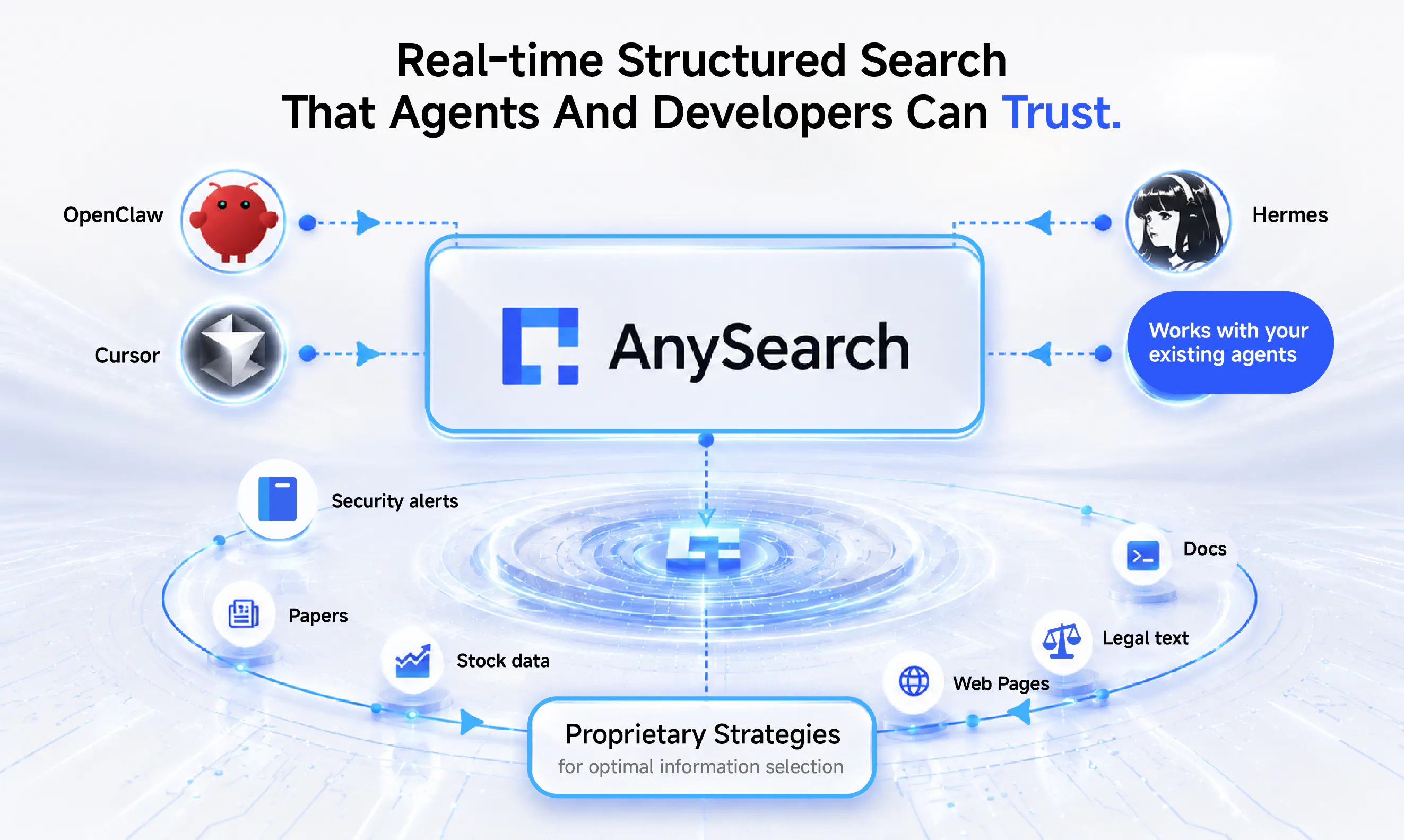
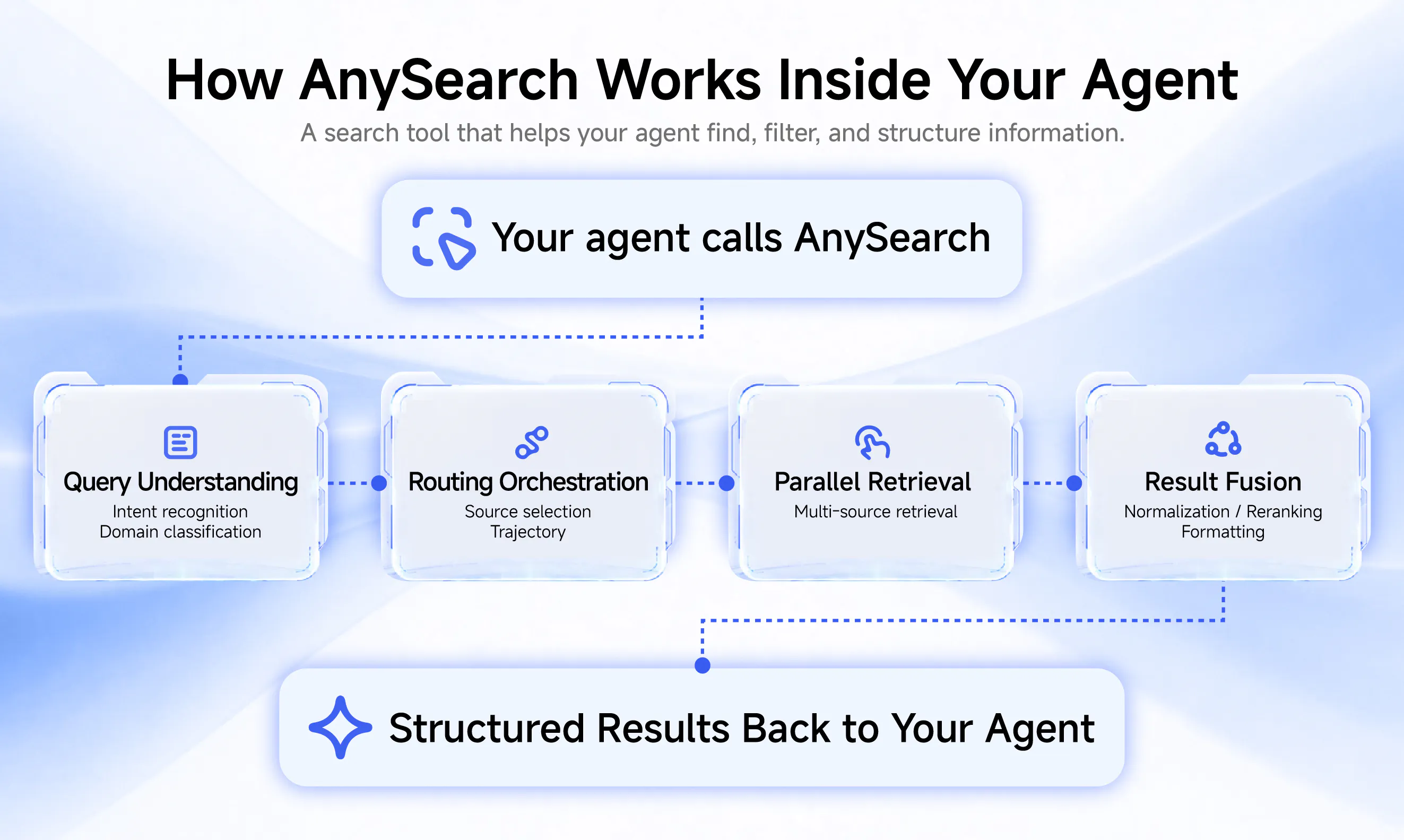
查看原始信息
Traxio
Most B2B founders going 0 to 100 hit the same wall: you built something good, but the right people never hear about it. Cold email gets weaker every quarter, and the tools are expensive and still need hours a day to maintain, forcing you to become a GTM expert. We wanted to help founders find their audience and get traction. Traxio is a social distribution tool that posts in your voice to build your presence, then runs outreach end to end, using 30+ intent signals to find buyers and engage them
Hey Product Hunt 👋 PK here, founder of Traxio, I started my last company doing what everyone said to do: bought a cold list, wrote the sequences, paid for the tools. Months of it. Almost no replies. The product was fine. Nobody ever heard about it. Here's what I missed. When you reach out to someone today, the first thing they do is look you up. Your background, your history, and above all your posts, and how other people engage with them. This is how they build trust in you, before they ever judge your product. Earn it and a cold message turns into a real conversation. Skip it and you stay a stranger, no matter how good the pitch is. So the work is actually two jobs at once: building a presence worth checking, and reaching out to the right people at the right moment so they check. Doing both consistently is a full-time job, and a founder going from 0 to 100 customers doesn't have one to spare. That's why I built Traxio. You teach it your business once, and it handles both: – Posts in your voice, so the right people start recognizing your name and see others engaging with you – Runs outreach end to end: reads 30+ intent signals to find buyers entering the market, then starts real conversations from your profile No more sequences. No more staying up for hours configuring mailboxes. Just jump into the chats your agents are having whenever you want. You stay in control. Approve every post and message, or hand it the keys on full autopilot. It's early, and we've got an extensive roadmap. LinkedIn is live today, with more channels coming. Would love to know how I can make Traxio better, and what GTM problems you're hitting right now. I'll be in the comments all day, and always happy to chat with a fellow founder. To kick it off: what's the last marketing tool you paid for and what do you love/hate about it? - PK
3
回复

Spent a few minutes setting it up and the voice-matching for social posts actually felt like me, which I was not expecting. The intent signal piece seems promising if it can keep the outreach from sounding like every other bot on LinkedIn.

2
回复

Signed up last week and was surprised how natural the voice training felt, like it actually picked up my tone instead of generic LinkedIn-speak. Curious to see how the intent signals play out once it starts scoring leads.

2
回复

@abdurrahma55903 Thanks for the shoutout! Appreciate it!

2
回复

Tried it on a niche B2B project last week and the intent signals actually surfaced buyers I would have missed with my usual cold email list. Posting in my own voice felt weird at first but it nailed my tone after a day or two.

2
回复

@filizaltuniu43 Thanks for being an early adopter! Really appreciate the shoutout and feedback!

2
回复

Huge Congrats for this shipping @pranav_nagesh qq how do you filter out the noise from intent signals so founders aren't chasing dead ends?

2
回复

@priya_kushwaha1 Thank you so much! Great question - we use a few techniques to cross-verify intent from different sources to ensure that the leads we do identify are genuinely prospects. This isn't a precise science though and we do get the occasional low-intent leads, but we've been tweaking our models and data sources to get better over time. Also, on the note of founders chasing dead-ends - it was imperative that we try to prevent this. To that end, unlike most other tools, our agents proceed to have full conversations with prospects and only help book meetings with leads that are genuinely interested to help save the founders time.

2
回复

So many founders build something solid and then go quiet because being loud about it feels unnatural. Pranav, carrying your own voice and keeping those conversations alive speaks to that exact struggle really well.

1
回复

@amine_aziz_alaoui Thanks for the shoutout! This is a problem that resonates quite deeply with me and I'm delighted to help do something about it!

0
回复

Before connecting my accounts, could you say a little more about how the LinkedIn connection works underneath - an official API, a browser extension, or a stored login session? I'd also like to understand what happens if an account does get restricted, and whether there's any remediation.

1
回复

@alieksia Great question. We use a combination of session cookies, authentication tokens and LInkedin's TOTP to support the various functionality. When you connect your linkedin account and pass the security challenge that linkedin provides, the authentication token is stored securely and then used to authenticate the agents. The TOTP is an optional additional layer that allows the agents to run in the background to find leads even if your browser is closed. If you did want to disconnect our access to linkedin, you can do so in the app directly. We've taken a lot of measures to ensure that we're compliant with linkedin policies and respectful of the limits on your linkedin account based on the type of account (Basic, Premium, Sales Navigator). More details are available on our website.

2
回复