Product Hunt 每日热榜 2026-07-07

PH热榜 | 2026-07-07

#1
Badge
AI agents collect peer reviews to generate proof of work
421
一句话介绍:Badge利用AI代理收集来自同事的匿名、经过验证的同行评价,为求职者生成可携带的“信任分数”,帮助招聘方在30秒内完成背景核查,解决简历和推荐信可信度低、难辨真伪的痛点。
Hiring Productivity Artificial Intelligence
AI招聘工具 背景核查 同行评审 信任分数 求职平台 人才评估 人力科技 匿名反馈 专业声誉 职场背调
用户评论摘要:用户普遍认可匿名评价带来了更真实的反馈,但核心质疑集中在:分数如何防止偏见或恶意差评?跨行业跳槽时分数是否有效?自由职业者因缺乏工作邮箱被验证机制排除。另有建议:增加历史分数曲线、与LinkedIn深度绑定、支持企业端API集成ATS。
AI 锐评

Badge瞄准了招聘行业一个真实且日益加剧的痛点:AI生成的完美简历让“筛选”变成了“猜谜”。其核心价值在于,用“他人眼中的你”来对抗“自己打字的你”,通过匿名性、工作邮箱验证和AI引导提问,试图从社交噪音中蒸馏出可量化的“工作信用分”。

这个思路很聪明,因为它复用了“360度评估”的底层逻辑,却将其产品化、便携化。对求职者是“个人声誉货币化”,对招聘方是“反欺诈过滤器”。特别是匿名机制带来的诚实反馈,以及针对“协作、沟通、交付”等抽象能力的评分,确实比“精通Python”这种关键词更有说服力。

但产品面临两大致命挑战:**冷启动与公平性悖论**。冷启动方面,用户需要邀请足够多的同事且对方愿意配合,这对内向者、新人或职场人际关系不佳者是巨大门槛,最终可能只成为“社牛”的秀场。公平性方面,匿名既是优势也是隐患,一条恶意差评、一个充满摩擦的团队经历,就可能导致分数被压制,而用户缺乏申诉机制。虽然官方声称“分数不会因一条差评大幅下降”,但信任的建立需要无数好评,而摧毁它只需要一条充满细节的恶意差评。此外,其验证逻辑对自由职业者、初创公司员工等群体不友好,反而强化了“正规公司雇员”的精英壁垒。

最致命的是商业模式的分层:**向招聘方收费是必然,但这会动摇其公正性**。当企业是金主,是否存在“付费解锁负面评价”或“优先展示高分简历”的嫌疑?Badge必须用极其透明的算法和独立审计机制来建立公信力,否则就会沦为另一个“付费买好评”的刷分工具。一句话:它用AI解决了“验证效率”,但如何解决“验证本身的信用”,才是真正的生死局。

查看原始信息
Badge
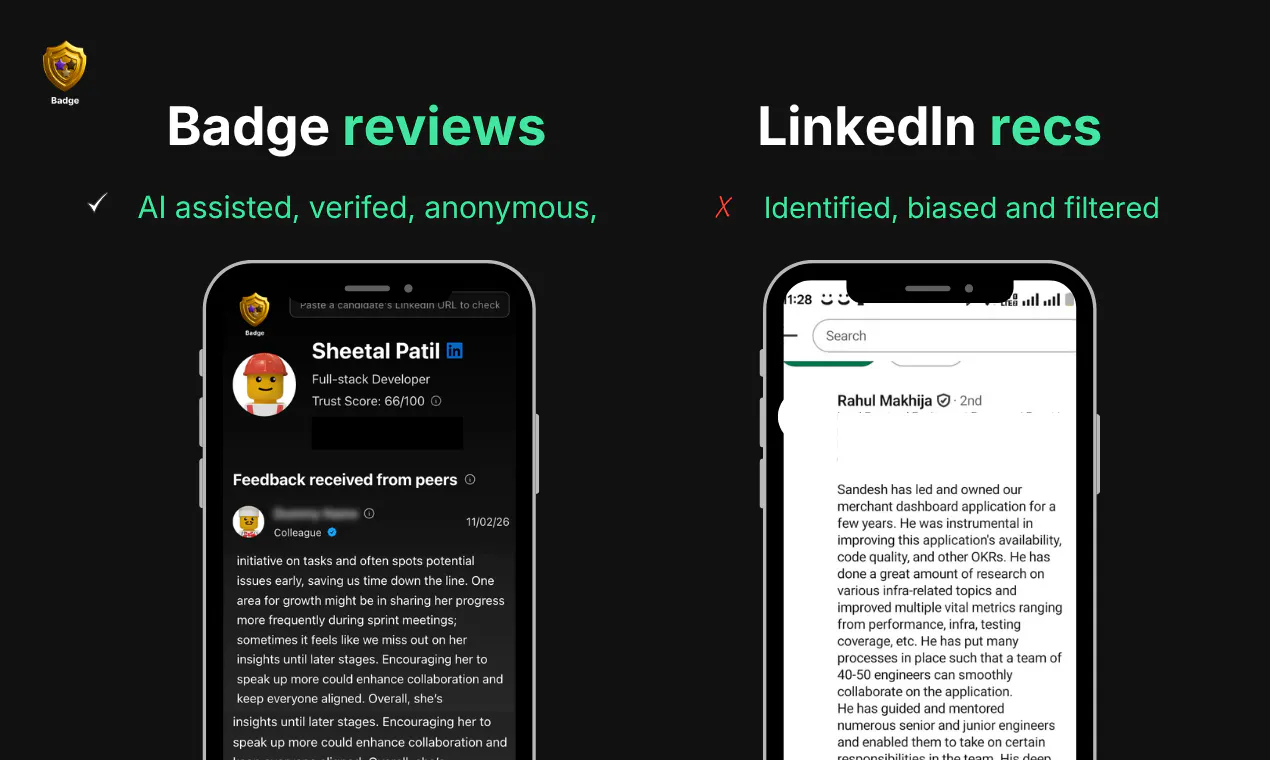
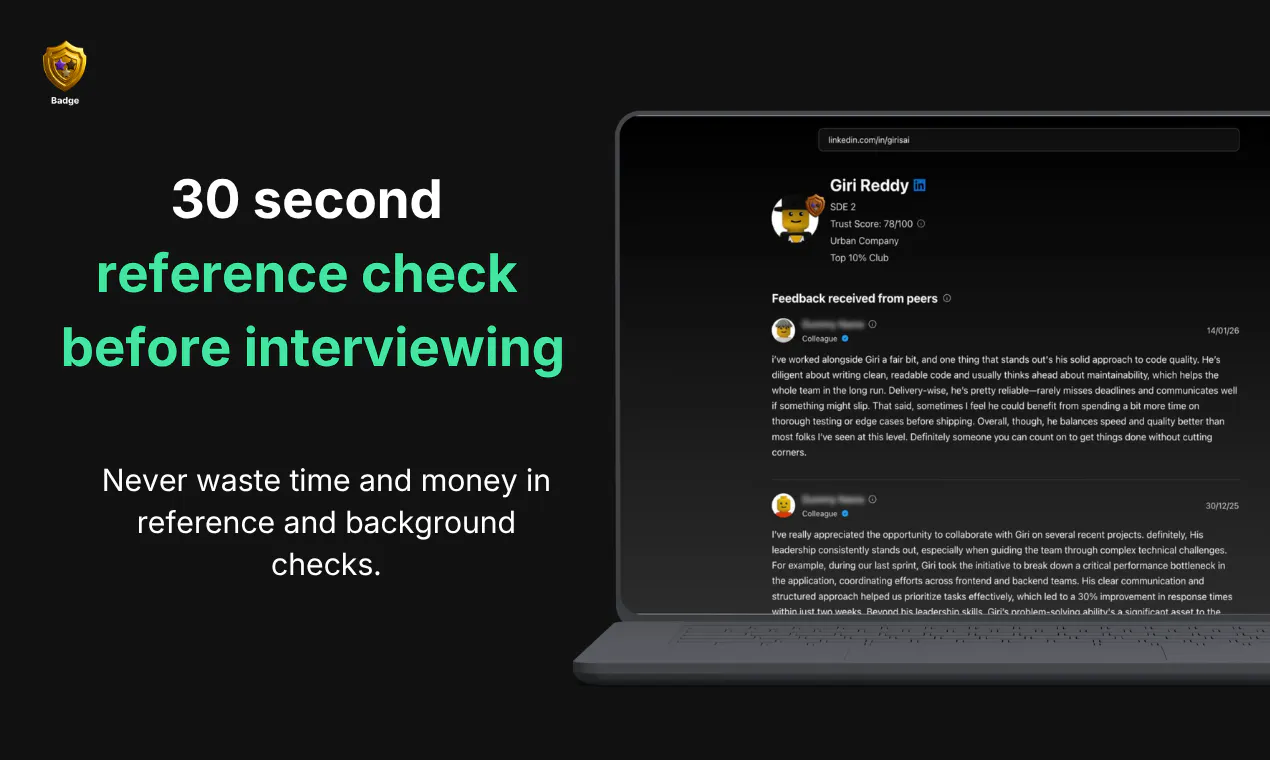
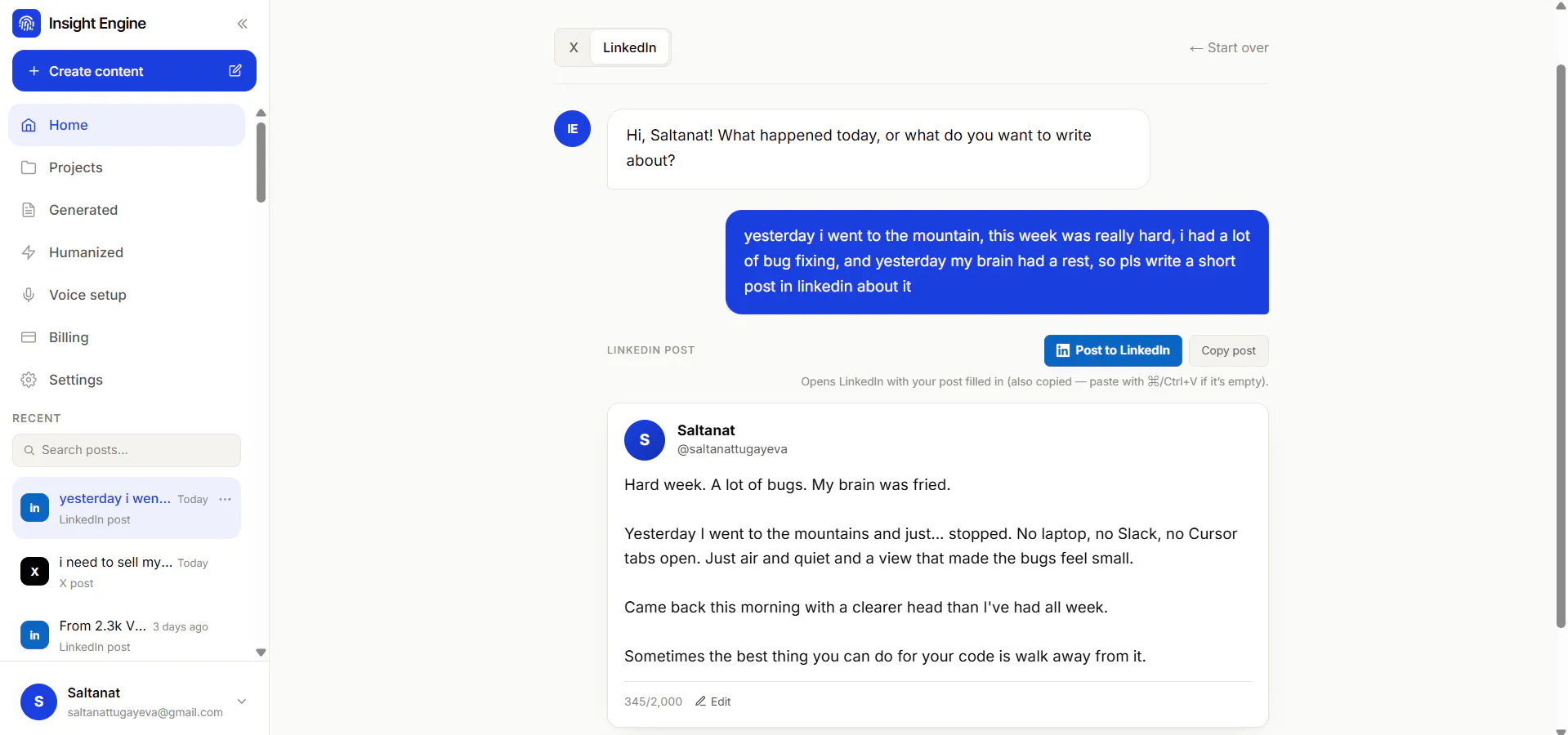
Badge gives an AI agent that collects peer reviews to build proof of work. For job seekers - The agent connects to your contacts, requests anonymous reviews from your past colleagues, and builds a verified, portable trust score. score. For hiring managers - Badge gives you a 30 second reference checks on candidates, collecting authentic feedback from their actual coworkers to replace unreliable, AI-generated resumes and LinkedIn Recommendations.

👋 Hey Product Hunt!

I'm Lokesh. Over the last 15 years, I've hired hundreds of engineers and interviewed even more candidates.

One thing kept bothering me.

Resumes tell me what someone claims they did. They rarely tell me how they actually worked.

Today that's an even bigger problem because AI can generate polished resumes, cover letters, and LinkedIn profiles in minutes. Every candidate looks impressive on paper, making it harder than ever for recruiters to separate signal from noise.

At the same time, professionals have another problem.

The people who have actually worked with them know they're great, but that proof stays buried inside company 360° feedback systems, Slack messages, or forgotten performance reviews. Every new job search starts from scratch.

That's why I built Badge.

Badge uses AI agents to collect anonymous peer reviews from people you've actually worked with and turns them into a portable proof of work that recruiters can trust.

What makes Badge different?

Unlike LinkedIn recommendations...

  • Reviews are anonymous, so people are far more honest.

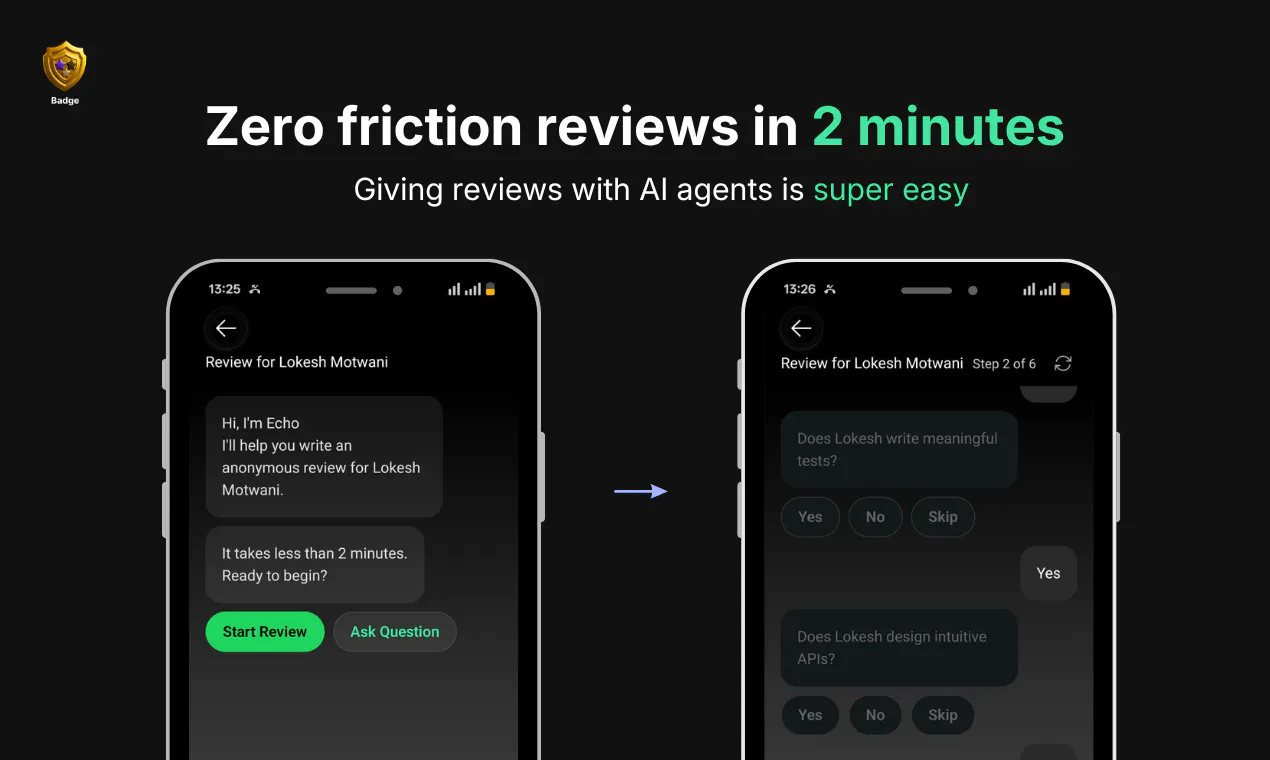
  • AI agents guide reviewers with targeted questions, making reviews detailed instead of generic.

  • Reviews are verified through work email verification (or employment verification), reducing fake or exchanged recommendations.

  • Every review contributes to a Trust Score that summarizes how you collaborate, communicate, and deliver, not just what skills you list on a resume.

For professionals

Instead of asking colleagues to write public recommendations, simply invite them through Badge.

In just a few minutes you can:

✅ Build a verified Trust Score
✅ Showcase real proof of work
✅ Share your Badge on your resume, LinkedIn, portfolio or email signature
✅ Grow your professional reputation over time as more verified reviews come in

For recruiters & hiring managers

Instead of relying only on resumes or spending hours doing reference checks...

You can quickly understand how someone performs in real teams.

Badge helps surface:

• Communication style
• Collaboration
• Ownership
• Reliability
• Strengths
• Areas for improvement

Think of it as a much richer hiring signal before investing hours in interviews or reference calls.

Who is Badge for?

👩‍💻 Software engineers
🎨 Designers
📈 Product managers
📢 Marketers
🎯 Sales professionals
🧑‍💼 Consultants & freelancers
🏢 Anyone whose reputation is built through the people they've worked with

If you'd like to try it: Paste a LinkedIn URL or email to check a candidate's reviews or build your professional reputation by giving your first review. Here’s the link >> https://getbadge.app/ or if you want to look for proof of work for your next hire here is the link >> https://getbadge.in/recruiter/

I'll be here throughout launch day to answer every question, collect feedback, and discuss where we're taking Badge next.

Thank you for checking us out! 🙌


19
回复

@lokesh_motwani1 Many congratulations Lokesh! :)

How I met the maker?

Lokesh and I connected in April; since then we’ve workshopped positioning, design, and launch strategy. I’ve enjoyed collaborating closely with him as Badge came together.

What is Badge?

Badge uses AI agents to collect anonymous, verified peer reviews from people you’ve actually worked with and turns them into a portable proof-of-work and a Trust Score that summarizes collaboration, communication, and delivery rather than just listed skills.

Why I endorse it?

I endorse Badge because it produces verifiable, honest feedback (anonymous reviews + work-email verification), guided by AI that prompts detailed reviews instead of generic praise, which creates a richer hiring signal than resumes or LinkedIn recommendations alone.

Check it out here: https://getbadge.app/

9
回复

@lokesh_motwani1 Really interesting idea. Collecting verified peer feedback to build a portable trust score feels like a more authentic way to showcase experience than relying on resumes alone. Wishing you a successful launch!

0
回复

@lokesh_motwani1 Many Congrats! Anonymous feedback tends to be more honest, but it can also be more biased. How are you thinking about balancing candor with fairness, especially when a single difficult project or team dynamic could influence someone's profile?

3
回复

@lokesh_motwani1 I'm curious about protability , if someone changes industires or has an uncoventional career path , does thier Badge score adapt to different hiring contexts, or is it intended to be a universal trust signal?

2
回复

@james_anderson77 I agree with you, if they change skills, then some context will definetly will not work out but a lot of interpersonal and personality attributes will still matter in the new industry.

0
回复

Connected my LinkedIn and got three reviews back within a day, all from people I hadn't talked to in years. The trust score concept feels actually useful instead of gimmicky.

2
回复

@gzdenlolur0qr THanks for trying out the app. Do you have any feature requests?

0
回复

How does Badge verify that peer reviews are authentic and representative while preventing biased, coordinated, or fraudulent feedback from influencing a candidate's trust score?

2
回复

@satyam_raina1 We know that Representation will come with volume, once a person as say 10+ reviews. We have put a lot of checks like work email auth and agent probing to prevent fraudulent feedback

0
回复

background checks / references are notoriously unreliable. Stale, outdated, fake, shallow etc. So its definitly a pain to try and solve. I think maybe connecting it more to linkedin could be useful. Like a review from a strong linkedin profile goes a lot longer than 10 goood reviews from noob profiles etc.

2
回复

@conduit_design Absolutely, and thanks for pointing this out. So our trustscore works the same way. When a user with higher trustscore gives a review for someone, the trustscore of the reviewee will have a higher boost. Do you have any feedback requests?

0
回复

how does badge handle situations where someone’s past coworkers just dont respond, or worse, quietly say something not so great - does that drag the score down unfairly?

2
回复

@burakalnta71tv Great question - Thanks for the question

One review does not pull the trustscore drastically. This is how trustscore is calculated -

The Trust Score is calculated using authenticated review from colleagues focusing on essential traits: work quality, reliability, professionalism, communication skills, and resilience under pressure. Key influencing factors - Volume: Accuracy increases as you collect more reviews, Recency: New reviews are given higher priority, Reviewer Credibility: Reviews from users with high trustscore carries more significance andConsistency: Recurrent themes identified across different reviews are heavily weighted.

New users begin with a baseline score of 60. As you maintain a presence on Badge, your reputation grows and compounds, making your professional standing increasingly credible over time.

0
回复
How are you thinking about business model?
2
回复

@manikandanux We are giving the subscription to recruitment agencies and to hiring managers at difference price points.

1
回复

Curious how you handle peers who never respond to the agent's request, does that drag down the trust score or just stay neutral?

2
回复

@eminy4fa So everyone starts at the trustscore of 60. If your colleague is not giving review to the agent, the score stays at 60

0
回复

the trust score idea is smart but i wonder how hiring managers will actually use it, that side of the adoption puzzle is tricky. congrats on the launch

2
回复

@shubham4real Hiring managers will check the reviews before taking interviews. Imagine this as part of explo, before deciding to go on interviewing a candidate, HMs would check the badge reviews. In future, Badge trust score will be part of ATS

0
回复
The anonymous review angle is compelling. Have you found that anonymity leads to more constructive feedback, or do you also see people becoming overly critical?
2
回复

@luki_notlowkey Based on the pilots we have done so far, anonymous reviews are more constructive. They have a lot of details. For example, one user mentioned - The person does not do good code reviews and due to this website was down for ~2hours and the team had to stay up late. You would not expect these details from non anonymous reviews

0
回复

love it! it'd be interesting to see if there's a use-case for gathering testimonials for your business as well! :)

2
回复

@marcin_uchacz1 A lot of companies do this for businesses. TrustPilot, etc So i think problems have been solved there to a certain extent

0
回复

Does the score ever drop, or is it purely cumulative and always trending upwards as reviews pile in?

2
回复

@bradley_simon The score does definitely drop based on the reviews given. Let's say you do not perform well for quite a few projects now that reviews do get reflected on your trust score. However the good thing is that overtime you can always make up for the score lost by simply performing well.

0
回复

Just switched jobs recently, would love this more if it showed score history over time instead of only a current number.

2
回复

@ashton_blake Thank you for this amazing suggestion. This is something we will definitely incorporate and ship it out in 1 week. Do keep an eye out

0
回复

Verification through work email is the strength here, but it's also the weakness for freelance and contractors who don't have that kind of org access to lean on.

2
回复

@hazel_brooks I agree with you here. In future we will APIs integrated with freelance platforms. The idea is to be present where the actual work is happening, slack, upwork, etc. We are working on the partnerships!

0
回复

Work- quality question for an SWE won't transfer to a marketer's role. So if someone switches industries, does their score reset or just carry over oddly?

2
回复

@brody_vincent You are right Skill based trustscore wont' transfer but basic character - hard working, smartness, etc wll transfer and in this age where people are transitioning a lot to other industries, the trust score will matter more. If I am hardworking as a SDE, I will definitely be hard working as an Interior designer.

0
回复

This is between a reference check and a 360 review, expect it's portable across companies instead of stuck inside one org's HR system. That portability is the real unlock.

2
回复

@nora_mitchell Exactly! This way the candidate also has an idea of what needs to be done bettwe or continue with what they are doing well already.

0
回复

@nora_mitchell absolutely! We understant that 360 reviews are stuck within the company and its just such precious data going to waste. Badge is looking to use reviews to benefit both job seekers and recruiters!

0
回复

Finally saw a tool that tackles reference checks head on instead of just another resume AI, and the anonymous peer review angle actually feels like it could work.

2
回复

@sema1067799 Thank you Sema for the feedback. People who work with you have a lot of context on your work performance. The entire 360 feedback cycle in the enterprises is based on that. The only problem is that these reviews are hidden in some 360 feedback tool and recruiters do not have access to those. Badge is closing the gap there

0
回复

@sema1067799 Exactly!! Did you get a chance to try the app out?

0
回复

The agent-picks-the-panel design looks great, it removes the hand-curation flaw that previously made my LinkedIn recommendations useless as signal. One thing - rating systems drift toward the ceiling (Uber's 4.9 problem) and people with rough peer relationships might not join right? So scores may cluster high across the board. Is the Trust Score calibrated to force a spread?

2
回复

@artstavenka1 You are correct about the Uber 4.9 problem, that happens because all of them try to game the system. I have seen a lot of drivers asking for an 5 star rating. Now giving a 5 star rating is easier but spending 2 mins to chat with an agent may or may not be having the same clustering, We need to see what happens. But one thing i want to highlight. On badge you can review a person with their linkedin also. So the reviewee need not to be on badge. So a user don't need to be on Badge in order to be be reviewed.

1
回复

How do you handle situations where someone had a difficult manager but was highly respected by peers? Asking for a friend :D

2
回复

@krutiparekh16 So on Badge you could give an anonymous review for anyone not just manager. Your colleagues can give you a review. Our Agent will take the review so even though you have a difficult manager if your team mates have data about your work performance, one difficult manager review will not matter.

0
回复

Can candidates choose which reviewers to invite, or does Badge recommend people automatically?!

2
回复

@divya_kothari1 Divya, No anyone can review anyone on Badge. But in order to build your reviews, you need to give your contactbook access to our AI agent which collects your reviews from your colleagues.

0
回复

@divya_kothari1 Both! you can share your badge profile to any specific coworkers but for the most part badge also recommends your profile to your coworkers. Not just your coworkers, recruiters too! Badge sends your profile to relevant recruiters so you dont have to ever fill out 100s of applications everytime you want to get a job.

0
回复

Interesting. Congrats on the launch!

What safeguards are in place to make sure anonymous reviews stay fair and aren't abused?

2
回复

@henry_habib Henry, Our AI agent probes detailed question on skill, interpersonal skills and the reviewer has to answer those. The Agent then summarizes those and converts them into a review. Our feature roadmap includes to make the agent as good as a human so that it can judge bias, toxcity and to ensure review is fair.

1
回复

love how it pulls real coworker feedback instead of relying on polished LinkedIn recs, feels like the trust score actually means something because it's built from people who've worked with you directly.

2
回复

@zkan329792 Yes absolutely! Badge is built around the real proof of work concept. It's like a credit score, but for professionals. Neat right!

1
回复

@zkan329792 Hey Ozkan, Did you get the chance to try the app, do you have any feature requests?

0
回复

@zkan329792 That's precisely how we wanted to position ourselves in order to stand apart.

0
回复
We thought about something like this and abandoned the project because it’ll be some kind of a popularity contest. It’s also very hard to compute the right weightage. Quid pro quo through engagement pods is also very likely.
1
回复

@lakshminath_dondeti We are thinking this in the lines of credit score for professionals. Weightage can be calculated based on the network distance, trustcore of reviewer, sentiment quality of review. AI has enabled this use case.

0
回复

What makes a Badge Trust Score more valuable than traditional LinkedIn recommendations?

1
回复

@robert_dimla LinkedIn has recommendations, Badge has anonymous reviews. Recommendatins are public, you hand pick people whom you want recommendatins from. Badge takes your phonebook find colleagues and AI agents ask them to give anonymous reviews for you. Badge has more honest data which resembles proof of work

0
回复

@robert_dimla  Badge's AI agent works independently. It pulls data from your contacts  to identify people you've actually worked with and reaches out to them for a review. This means the candidate has no control over who gets asked.This is what makes Badge reviews fundamentally different from LinkedIn recommendations, where you choose who endorses you and they choose what to say publicly, hence its more trustworthy.


0
回复

Super interesting concept. Is there an option to provide feedback publicly?

1
回复

@grace_knowhow Thanks Grace. Yes, the feedback can be given publicly to anyone using LinkedIn, Email or Phone number anonymously on the app using AI agents

0
回复

@grace_knowhow Your feedback will be visible to other users as well. However the candidate does have the option to hide certain feedbacks if need. Although the hidden feedback will still impact your trust score.

0
回复

The timing for this is right. I have watched the resume lose its signal value this year (200+ applications per role, most AI-polished, all reading identical), and the honest answer to what replaces it has always been some form of verifiable work. Peer reviews collected by agents is an interesting take on that. One question: how do you keep the peer reviews themselves from becoming the next gameable artifact, once people know an agent is collecting them?

1
回复

@virko_kask Great question Virko, You are right, Bad users will try to game the system and we have to stay one step ahead always. We will use ML in calculation of trust scores

0
回复

Really like this, turning verified peer feedback into a portable trust score flips the whole resume game, since anonymous reviews from real coworkers are much harder to fake than a polished LinkedIn profile.

1
回复

@ilko_kacharov Thank you for the comments.

0
回复

@raaghav_naraayan_m_v pairing anonymous submission with work-email verification is smart to fix the honesty problem LinkedIn recommendations have. but how does that work for freelancers and consultants who move between short-term clients rather than a single employer? curious whether you can build a meaningful Trust Score without one fixed email

1
回复

@clement_avq Great question! So for that the clients can always drop a review using the linkedin profile of the freelancer they worked with. Apart from that we are also planning to partner up with freelance platforms such as Fiverr,Upwork to bring in more credibility.

1
回复

The trust score concept is solid, and seeing real feedback pulled from past coworkers feels way more honest than polished LinkedIn recommendations. Curious how it handles people who don't respond promptly.

1
回复

@hlyaixrq Our agent does the follow up. Without AI agents this was not possible. THanks for the comment

0
回复

@hlyaixrq So everyone starts at the trustscore of 60. If your colleague is not giving review to the agent, the score stays at 60. The Agent has other coworkers to reach out as well.

0
回复

Really interesting take the shift from generic praise to verified peer reviews makes a lot of sense.

Curious: how do you handle the cold-start problem for someone brand new with zero prior colleagues to vouch for them? That's usually the hardest part in any trust/reputation system.

1
回复

@mittalpatel Yes, for the cold start we have done pilots with companies and users and users have seen boost in recruiter reposnses which you see on the website

0
回复

@mittalpatel That's the part which is handled by our AI agent, which reaches out to your colleagues.

0
回复
#2
Scribble Network
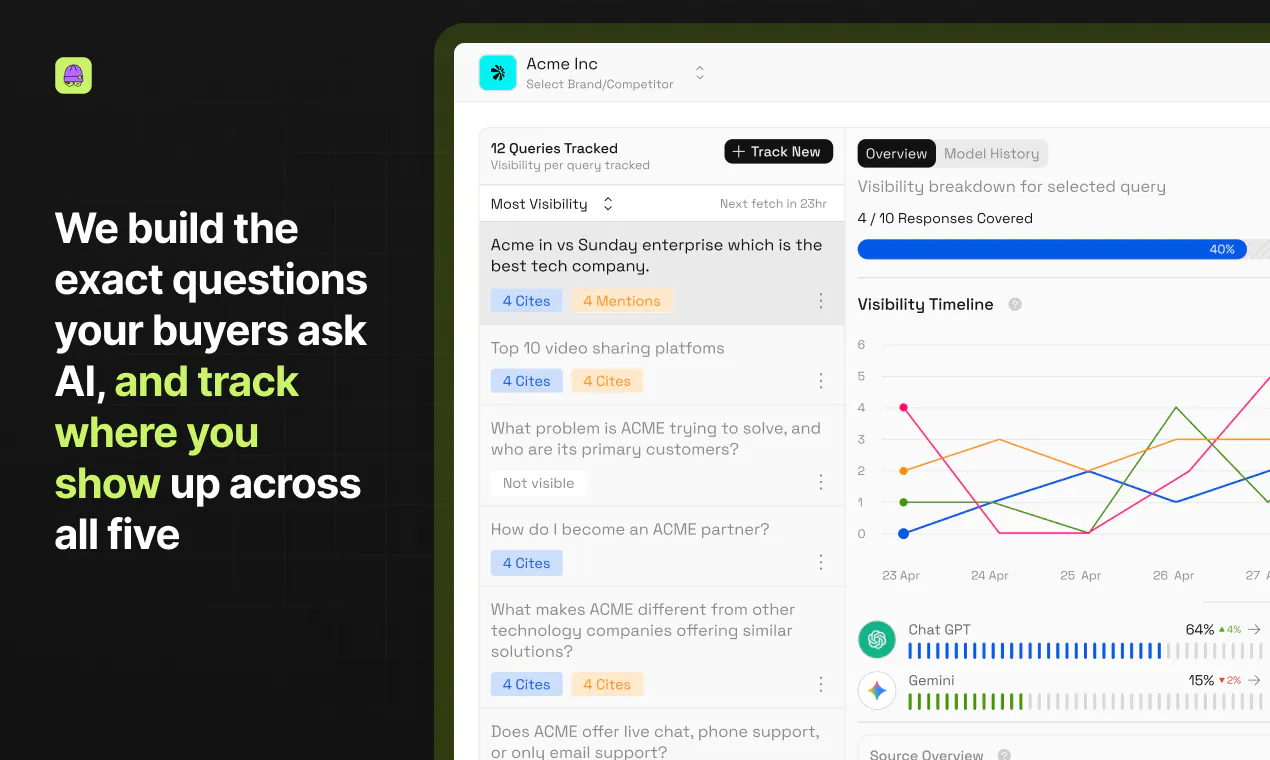
The product that makes AI recommend your brand
359
一句话介绍:Scribble Network 是一个将AI品牌可见度审计与创作者内容分发相结合的闭环平台,帮助品牌从“被AI看到”到“被AI引用”,解决AI搜索时代品牌无法被准确推荐的痛点。
Analytics Marketing Artificial Intelligence
AI搜索优化 GEO 品牌可见度 创作者经济 用户生成内容 内容营销 UGC平台 AI引用 数字公关 AI审计
用户评论摘要:用户普遍认可其从“测量”到“执行”的闭环思路,但提出定价不透明、创作者内容验证机制噪声、AI引擎引用波动等具体问题;也有用户建议改进定价页面和增加模型选择灵活性。
AI 锐评

Scribble Network 的价值不在于又一个“AI可见度评分”工具,而在于它切中了AI搜索时代最棘手的“最后一公里”:从“被人发现”到“被人引用”。当前市面上绝大多数SEO/GEO工具只是被动监控,告诉你“你不行”,但Scribble给出的解法是主动生成内容并通过创作者网络分发,让品牌真正进入AI的引用层。

但需要注意的是,这个模式存在两个核心风险:第一,创作者内容的质量和持久性高度不可控。AI模型的检索层对内容时效性、信源权威性的判断算法随时可能变化,所谓的“25%到58%”的客户案例是否可持续,取决于创作者是否能持续产出被多轮刷新后依然有效的内容,而非一次性的“刷引用”。第二,归因的精确性存疑。虽然Scribble声称直接匹配AI响应中的来源URL,但大模型的“引用”本身就有很大随机性(同一问题、同一模型、不同时间输出的来源可能完全不同),用户也提到了“run-to-run variance”。这意味着所谓“创作者因被引用获得报酬”的激励机制,可能被模型本身的不稳定性放大,导致创作者动力不足或品牌投入产出比波动巨大。

此外,产品目前的定价策略尚显粗糙——基础套餐含内容生成却在标题中不体现,高级模型(如Claude)需要定制套餐才能解锁,这种“藏着掖着”的做法规避了核心价值点的透明沟通,反而让潜在客户产生“买之前到底能解决多少问题”的疑虑。

总体而言,Scribble Network在“定义AI搜索优化”这个新赛道上占据了先发位置,其“内容分发+归因支付”的打法很有想象力。但产品的长期壁垒不在于测量精度(谁都可以做),而在于创作者网络能否构建出真正的“AI内容护城河”,以及归因系统能否经受住AI模型迭代的反复降噪。如果不能解决这些底层的技术和运营难题,它可能只是另一个“懂问题但没解决问题”的概念产品。

查看原始信息
Scribble Network
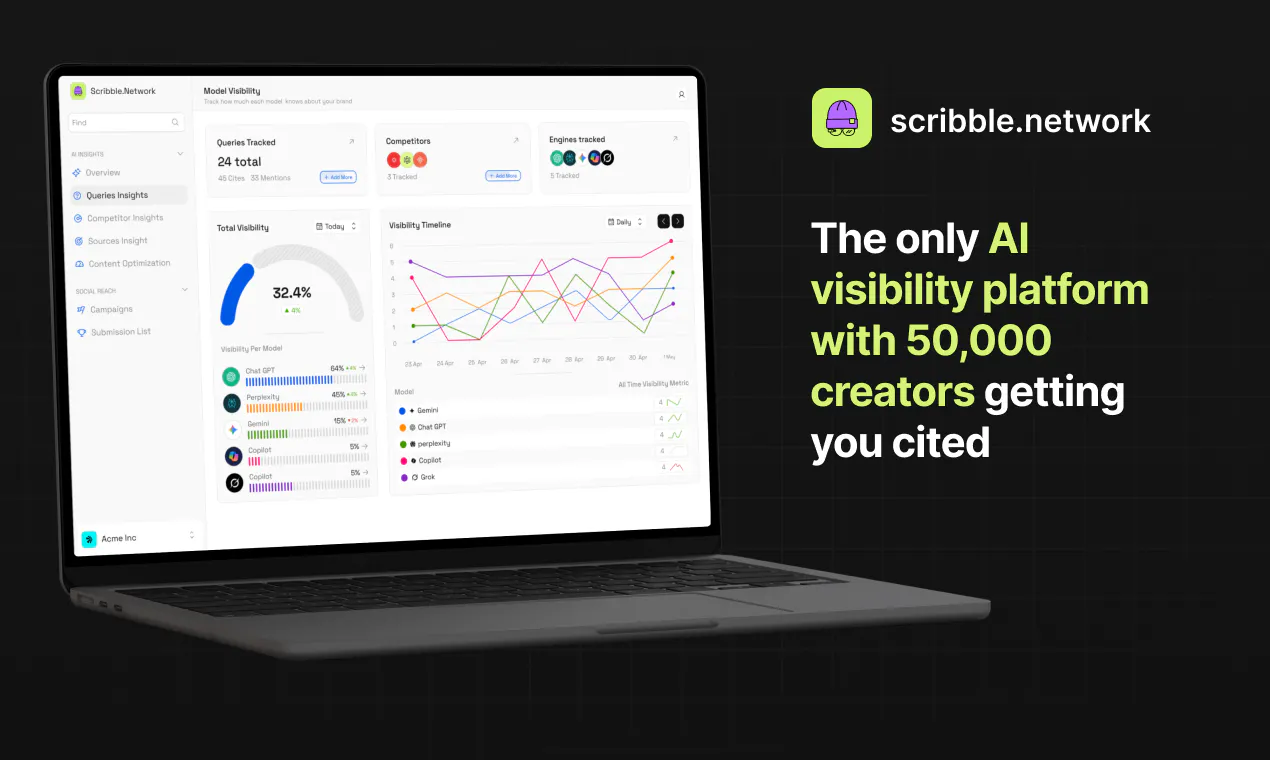
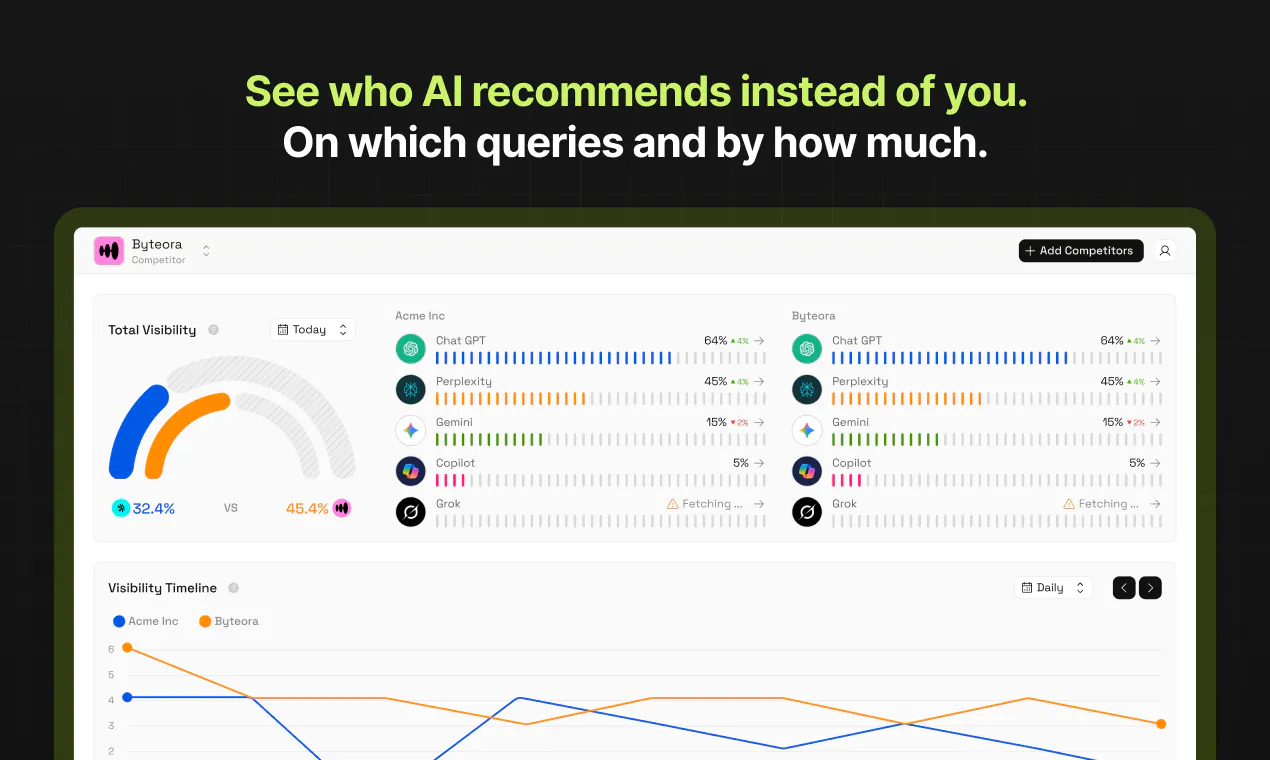
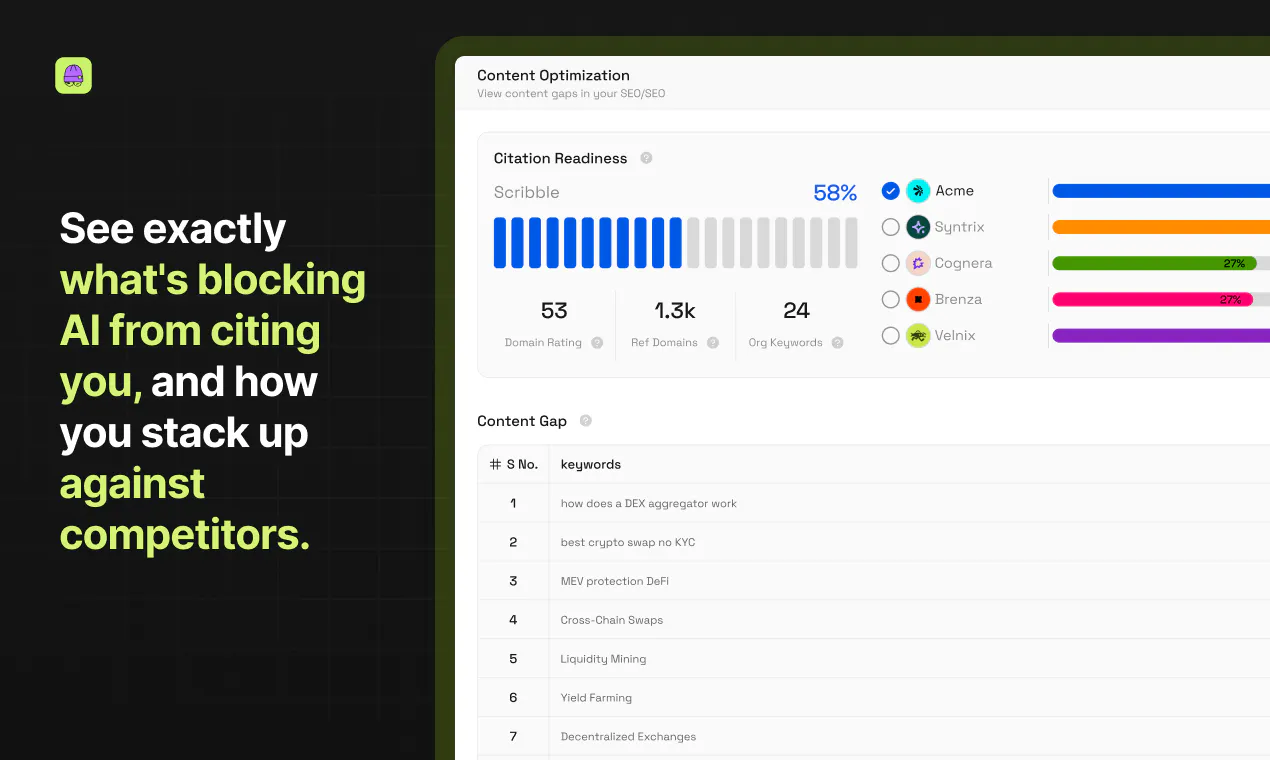
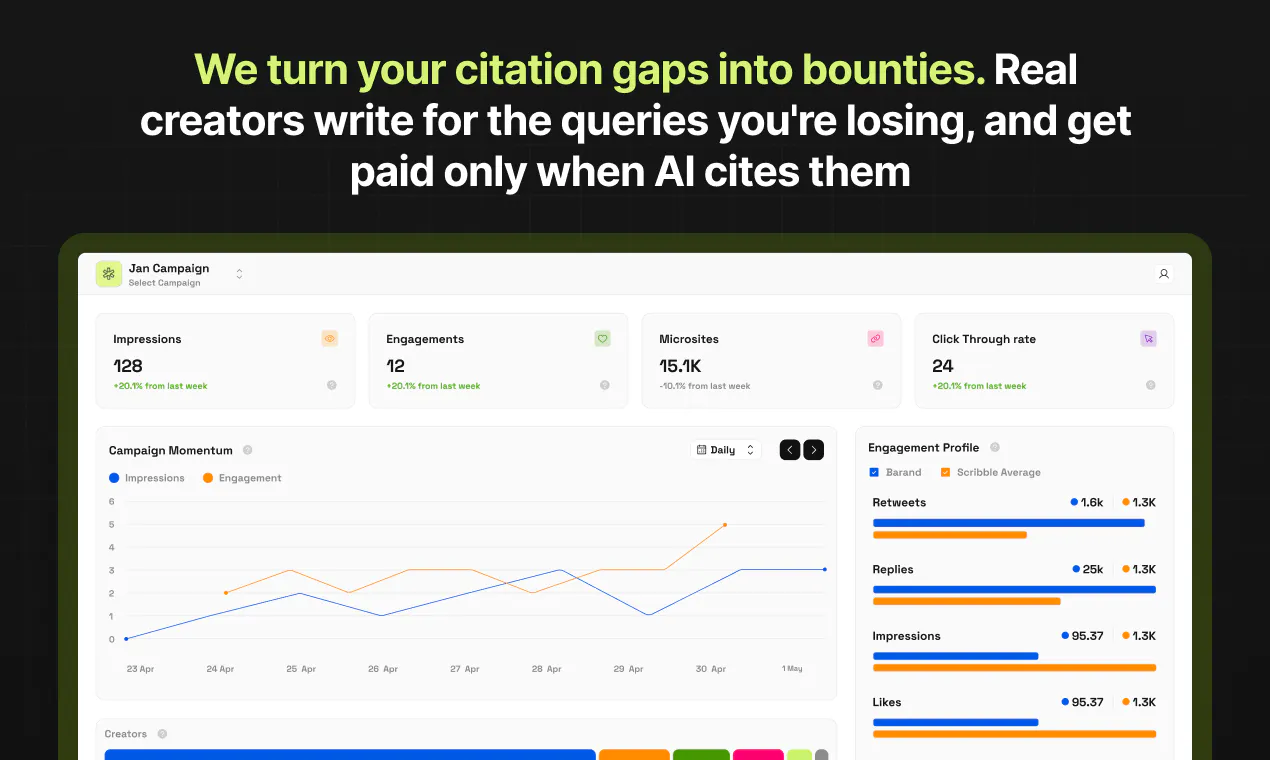
Your customers ask AI before they ask Google, and most brands have no idea whether they show up or lose to a competitor. Every other tool hands you a visibility score and stops there. Scribble does the whole loop: audit where you're invisible across every AI engine, create content that closes the gap, and amplify it through 50,000 creators who only get paid when AI cites them. A gap report won't win customers. Being the cited answer will.

Hey Product Hunt Fam!

I'm Kaavya, co-founder of Scribble Network. I've been a marketer and community builder for as long as I can remember, and have been deep in the GEO rabbit hole for a while now.

Two shifts got us here:

  • Creator and UGC budgets are eating into platform ad spend.

  • AI search loves to cite UGC when it builds an answer.

Which raised a question we couldn't drop: 

Could money spent on creators actually move a brand's AI search visibility?

We tested it.

We were best suited to do this, because we started Scribble two years ago as a UGC platform with 50,000+ creators and over 100 campaigns run.

So we plugged that platform and creators into a homemade AI visibility intelligence tool and ran it on one client across 25 queries.

The tool generated content topics and gaps that the creators then made authentic content about on surfaces LLMs could read.

They were at around 2% aggregate visibility across the top 5 models. The market leader on the same queries was at 58%. Three months of steady UGC on the surfaces LLMs actually read, and that client now sits at roughly 25%.

That's when it clicked.

Every AI visibility tool out there could tell us we were invisible and where the answers came from. None could get us cited.

That's a distribution problem, but almost every AI Search product was treating it like a visibility problem

  • So we built the thing nobody else has: the first AI Search tool married to a creator platform.

  • We don't just measure your AI visibility, we fix it. 

  • Our product attributes each brand mention back to the exact creator post that earned it.

  • And the platform now pays creators when they get cited. Creators love this.

This is our edge. We came at this from distribution and not measurement.

We never asked 'how do we track this?', we asked 'how do we actually get brands cited?'

The answer to this already lives in Scribble; try it on your own brand and tell me what you find.

Honest feedback wanted.

My co-founders and I are here all day answering everything.

11
回复

@kaavya_prasad Love the focus on outcomes instead of just analytics. Closing AI visibility gaps and then helping brands become the cited answer is a compelling approach. Wishing you a successful launch!

0
回复

@kaavya_prasad interesting approach with the creator bounties!

a question. how do you prevent attribution messiness if multiple creators write about the same query and both get cited?

2
回复

@kaavya_prasad This tackles a problem that's becoming more relevant every month. As AI assistants become a primary discovery channel, brands need to think beyond traditional SEO and understand how they're represented across AI systems.

What stands out is that Scribble doesn't stop at identifying visibility gaps, it creates a path to improve them through high-quality creator content. Closing the loop between measurement and execution is what makes this launch compelling. Congrats to the team!

0
回复

Ran the audit on our brand and the gap report actually showed exactly which competitors were getting cited instead of us, which was eye opening. Wish the creator amplification piece was a bit more transparent about pricing but the insight was solid.

2
回复

Love the shift from just measuring AI visibility to actually helping brands become the cited answer.👏🏻

The creator network is an interesting approach too. Curious, how do you measure whether a piece of content is genuinely influencing AI citations over time rather than just improving traditional SEO metrics?

2
回复

@worksforme Love this question. We don't infer from SEO metrics at all, we query the models directly. For every tracked query, we fetch the live AI answers across all five engines and log which sources each one actually used, over time. So "influence" isn't proxied through rankings or traffic, it's observed: this post was a source in this answer, on this date, and held (or fell out) on refresh. Google rankings can improve without a single AI citation moving, and vice versa, which is exactly why we track them separately.

2
回复

The full loop approach actually clicked for me, I ran the audit on a small client site and the content suggestions lined up with the gaps it flagged instead of feeling generic. Really curious how the creator amplifier piece works in practice.

2
回复

@erafettinsabee This is so good to hear, thank you for actually running it! 🙏

We turn the gaps the audit flagged into bounties, creators from the network opt in and write for those exact queries, and the product tracks which piece gets cited, by which model. Then creators get paid when their piece holds as a source.

Let me know if you want ot chat about running a camapign with us.

3
回复

The live-query approach is the right call, but the thing that bit us building retrieval-backed answers is run-to-run variance. Ask the same model the same prompt twice and the cited sources shift even with temperature pinned, because the retrieval layer re-ranks on freshness and whatever got indexed that hour. So 'this post held as a source on this date' has a real noise floor under it. Do you sample each tracked query a few times to separate a piece genuinely falling out from the model just rolling different sources that run?

1
回复

This looks super interesting @kaavya_prasad

Let's go

1
回复

@iamsohail Thanks a ton Sohail! ^.^

0
回复

Congrats on the launch team!
Curious, When AI engines start updating their citation logic (which they do constantly), how quickly does Scribble's visibility tracking pick that up and adjust the content strategy?

1
回复

@abod_rehman Thanks Abdul!

AI answers need fresh content. Every head of product at the labs companies keep saying that good authentic content is all we need to worry about. I guess the problem starts to become real when we try and optimize too much and that's the sort of stuff that gets weeded out during algo updates. As long as the creator posts are authentic, it will be cited. (so far)

0
回复

EO is genuinely where the attention is moving and most brands are still asleep on it. good timing on this

1
回复

Definitely looks like a useful resource for GEO, which is a market that lacks maturity compared to SEO and is crying out for orgs/products that help and give a boost to small startups. I find the pricing page slightly confusing because the headline pricing doesn't suggest any content generation for the insight plan but, scrolling down, it seems you get 10 pages of creator sourced LLM pages. This feels worth promoting in the headlines? Unless it's not as beneficial as it sounds. One other query. You say Claude is coming soon, but only for the Custom plan. Would it not be possible to select the four you want to be tracked? Perhaps swap Perplexity out for Claude etc. All in all, this is definitely a product I will consider using. Congratulations.

1
回复

@martin_tanner Thanks for the piece of feedback Martin , yes for the insight plan you do get content generated and we shall show in headlines soon. I am Nitin a part of Scribble team would love to connect with you on LinkedIn and love to discuss more on your suggestions.

0
回复

@martin_tanner You're absolutely right - our pricing page definitely needs work. The insight plan has content via creators, and it's damn useful. It ensures that the website gets cited at least, if not mentioned. With regard to swapping LLMs that are important to you - defnitely on the roadmap. This needs a bit of engineering on our end. Also, Claude has been tricky to serve on insight, but nothing our engineering overlords can't fix. Really thoughtful questions and we will report back to you soon with both these fixed!

0
回复

Finally a tool that gets it isn't about a vanity score but actually closing the gap and getting cited.

1
回复

Ran the audit on my own site and the gap report actually flagged specific prompts where competitors were getting cited instead of me, which is way more useful than a generic score. The creator amplification piece is a clever angle I haven't seen elsewhere.

1
回复

@mirahazaraqb2 Thank you for actually running it! The specific prompts over generic score thing was exactly the design goal, a score tells you, you have a problem, the prompts tell you where to fight. Glad it helped!

0
回复

How does the creator amplification piece actually work in practice, do the creators have to be in specific niches or can they cover anything as long as the content gets cited by the AI?

1
回复

@etin2yrt Creators aren't locked to niches, but bounties are query-specific, so in practice they self-select into what they can write credibly about. A creator with no DeFi experience writing about yield protocols just won't survive the source refreshes, so the system nudges everyone toward what they actually know. Cited by AI is the filter, and it's a picky one.

0
回复

the way you tied creator payouts to actual AI citations is sharp, turns a vague influencer play into something measurable

1
回复

@hayrunnisajlkr Yess! I'm so glad you said this, our entire product started with helping brands build hype for their launches but they were so ephemeral, and when we realised these content pieces could be something more valuable and lead to longterm visibility for a brand, it was a no brianer for us!

0
回复

How do you actually verify that a creator's content was the specific source an AI engine cited, since attribution in LLM responses is still pretty fuzzy?

1
回复

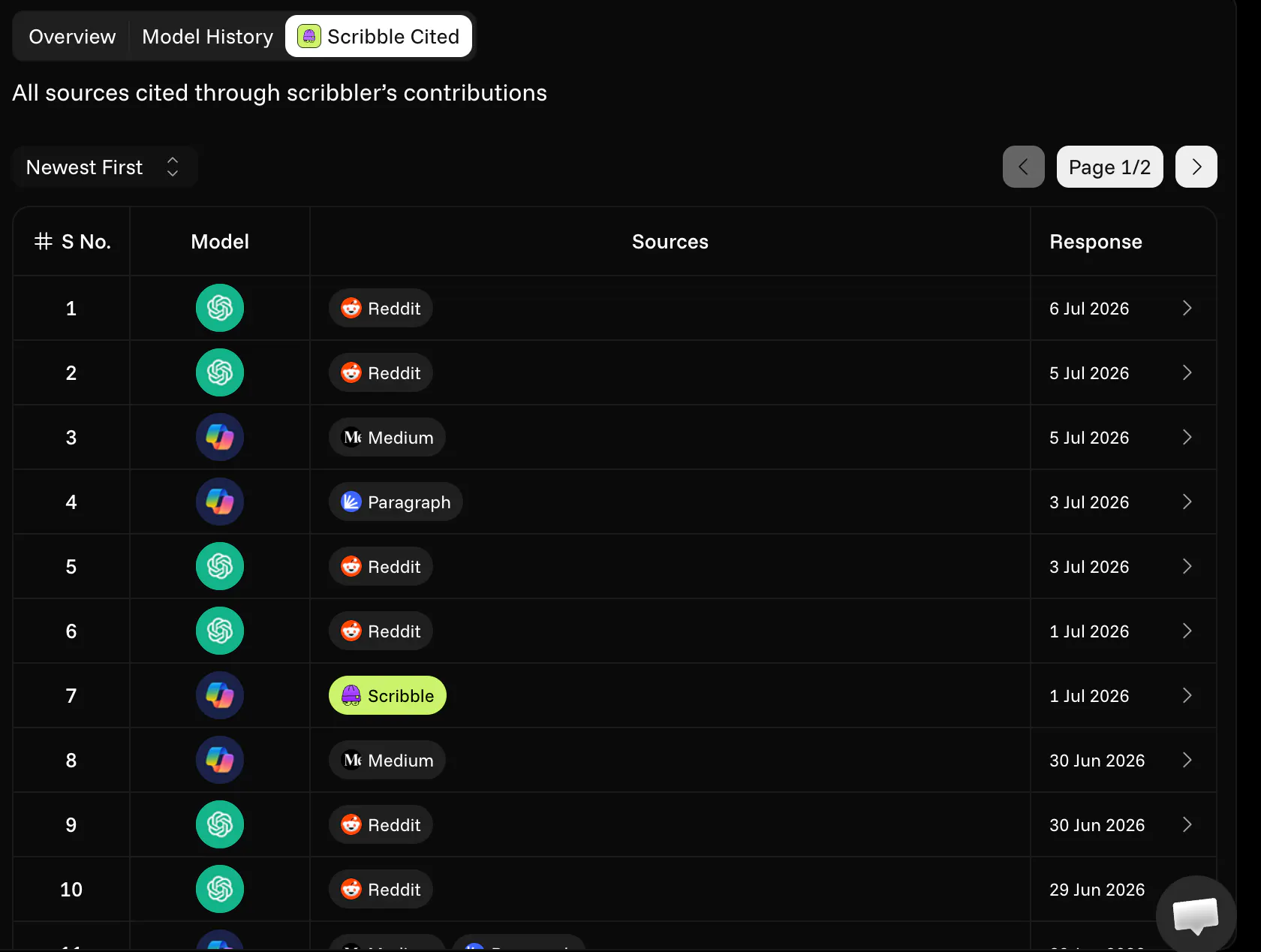
@masal7ddh Here's how we actually verify it: every time an AI engine (ChatGPT, Perplexity, Gemini, etc.) answers a question, it usually cites sources. We pull those cited source URLs directly from the AI's response and match them against our library of creator content — so if a TikTok or blog post pushed by one of our creators is a source behind an answer, we can show that exact link-up. It's not "does this prompt sound like it mentions us," it's "here's the actual source AI cited, and here's the creator piece it maps to."

Dropping a screenshot below from our dashboard showing real citations for one of our clients mapped to the creator content behind them, so you can see it in action.


Happy to dig into any part of this further if useful!

0
回复

how does the creator amplification piece actually work in practice, like are you matching us with specific creators or is it more of a network they opt into? curious how the attribution to AI citations holds up when the content lives on someone else's channel.

1
回复

@mervefuub It's a network they opt into, you can check out how the briefs and content bounties work here - https://scribble.network/creators

And attribution holds fine on third-party channels; that's actually the point: the engine cites a URL (a Medium or Paragraph post), and we map that URL back to the creator who wrote it. Doesn't matter that it lives on their channel; the source link is the proof.

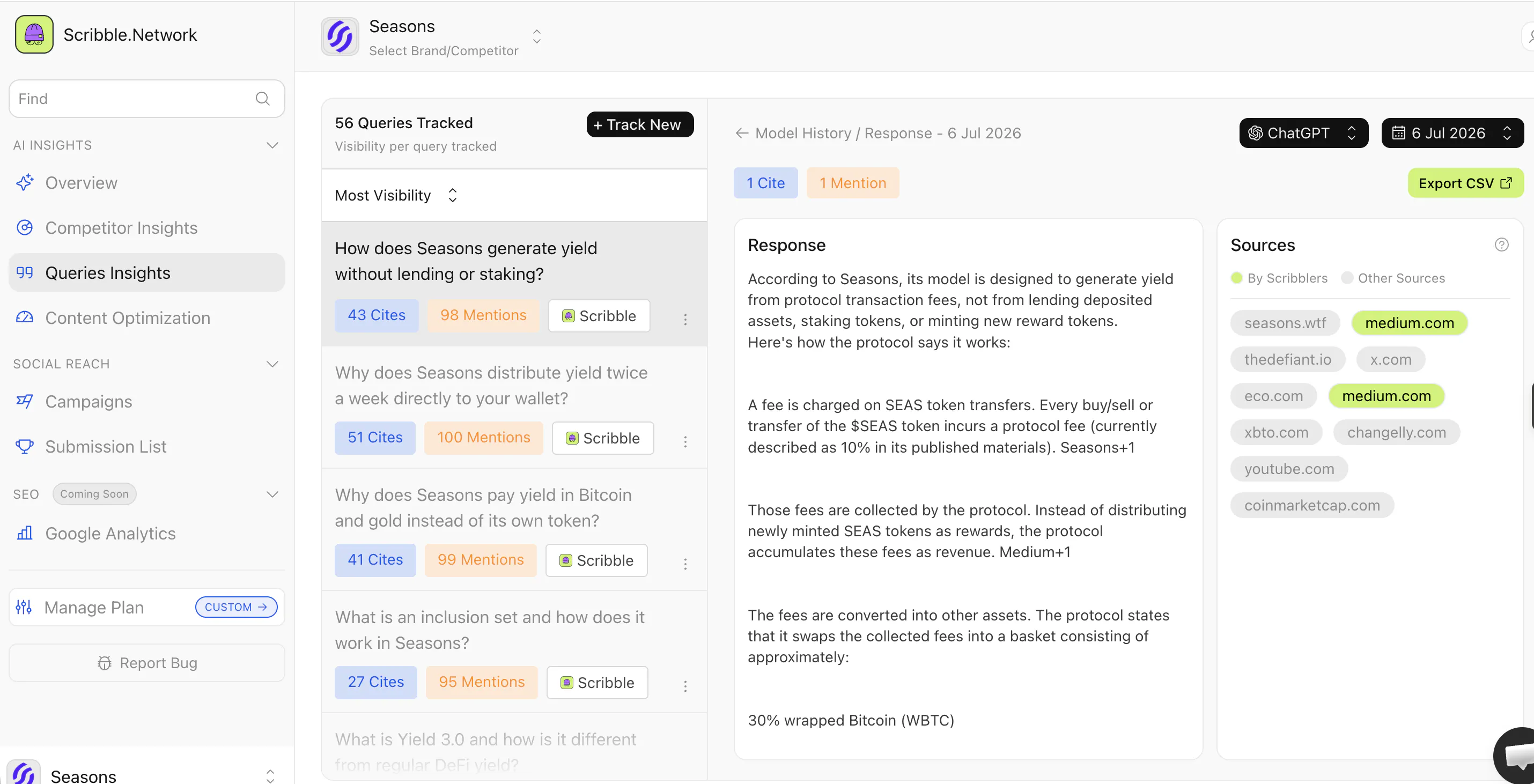
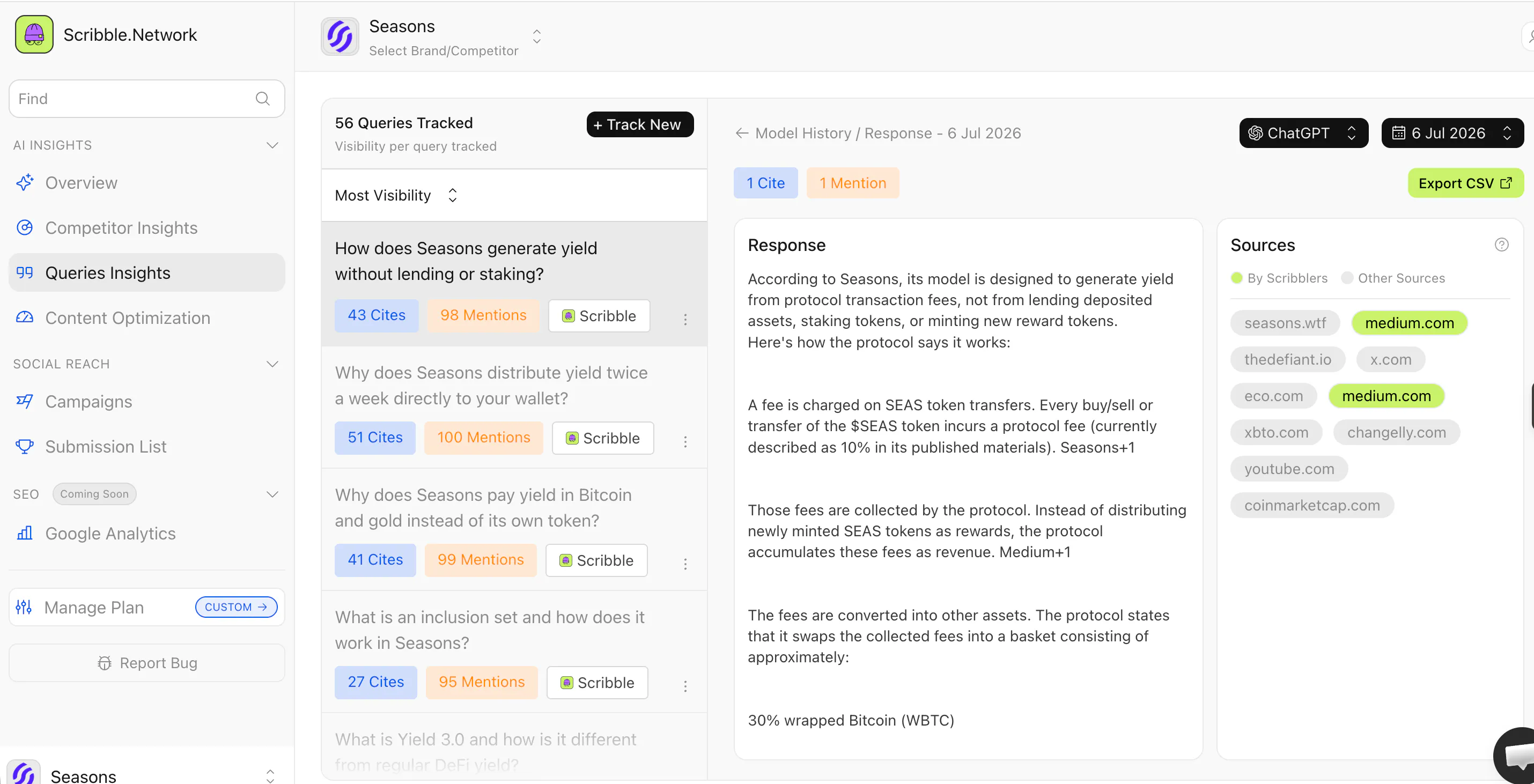
Sharing a few screenshots of how it looks on the product. What you see on the LHS are the queries we're targeting, the centre fold is the response, and the sources are all listed on the RHS. The ones marked in green are the UGC pieces, if you notice, most of them are 3rd-party sources.


0
回复

I was curious about the attribution part. If several creators are talking about the same brand, how do you know which post actually influenced the AI citation?

1
回复

@vaishnavi_makode We track which sources each model actually pulls into its answer for a tracked query, so when a citation appears we can see the exact URL the AI referenced. If several creators cover the same brand, we're not guessing influence, we see which specific post the model used as a source, per query, per model. Sometimes multiple creator pieces get cited on the same query, and each one gets attributed (and paid) separately.

1
回复

Congrats on the launch!🚀 Curious about the 50k creator network though—how do you handle the quality and authenticity aspect so the content doesn't just feel like AI bait?

1
回复

@nischal_kharel Thanks Nischal! 🙏

Short version - Content that hasn't been genuinely lived doesn't survive, the engines recycle sources constantly and hollow pieces fall out on refresh. Payment only kicks in after a piece holds as a source three times in a week, so AI-bait content basically doesn't pay. I went deeper on this in my reply to Julia Shtogren & Öznur Anbarlı if you want the full mechanics!

0
回复

How does the creator amplification piece actually work in practice, do the creators see the brand brief first or just the content you draft for them?

1
回复

@sultanbn41 They see the brief, not drafted content! We identify the queries where a brand is losing, turn those into briefs with the context and gaps, and creators write their own pieces in their own voice. We never hand them pre-written content, that's exactly the stuff engines ignore. The authenticity is the whole point.

You can check out client briefs on - https://scribble.network/creators

0
回复

How does the payout structure actually work for the creators in the network, like is it a flat fee per citation or some kind of performance bonus based on ranking?

1
回复

@elifnurufuk It's citation-based, not a flat publishing fee. A piece has to show up as a source in the AI answer more than three times in a week before it pays, one-off appearances don't count. So it's closer to performance-based: creators earn when their content actually holds as a cited source. Fuller breakdown is in my earlier reply if you want the details. :)

0
回复

Do different AI engines treat creator content differently? Like, could a post get cited on Perplexity but never show up on Gemini or Claude? If that happens, do you brief creators differently per engine, or is one piece expected to work across all five?

0
回复

Distribution is the insight everyone's been sleeping on. As you scale beyond SaaS/tech, what signals tell you when vertical domain knowledge becomes a blocker vs. just needing the right content angles?

0
回复

This is a rlly cool idea! However the pricing model seems quite steep. I would be inclined to try this, but the lower tier subscriptions should have some level of creator distribution. More importantly, thoug, the lower tiers seem to just be more expensive versions of other GEO/AEO tools (but with MUCH less tracking / competitor analysis). I would keep a tier around the price range of your current lowest subscription, however the offerings you provide need to be more akin to what dozens of your competitors already offer (and for 50-80% cheaper).

The creator distribution aspect is genuinely different in the best way possible, but you NEED to offer distribution to lower tiers for users to really see the benefit of your platform. Would love to stay in touch!

0
回复

What makes Scribble a better option for creators than traditional influencer marketplaces?

0
回复

Congrats on the launch. Instantly showing visibility insight is a nice touch. I wonder how you quickly find out the highest-intent queries? This sounds quite challenging to cover all kinds of brands in a wide range of verticals / markets.

0
回复

Where do you find the list of AI creators and what are their geographic location. In addition i saw your profile its all web 3 projects, i assume they are web 3 creators?

0
回复

The creators-only-get-paid-when-AI-cites-them model is the part I would want to understand operationally, since that is the whole trust loop. AI answers rarely link sources deterministically and the citation shifts by model and even by re-asking the same query, so how do you attribute a specific AI citation back to the creator whose content earned it, cleanly enough to trigger a payout? Is that matching automated, or is there a human review step before creators get paid?

0
回复

Paying creators only on sustained citations is a smart anti-gaming filter, the three-times-a-week threshold especially. From the consumer app side my experience matches your thesis, discovery moved to communities and AI answers faster than any dashboard showed it. Do the bounty economics work for consumer mobile apps too, or does the loop only close for B2B where a cited answer is worth real contract money?

0
回复

Congratulations on the launch :)  I really like the focus on AI visibility, it's something I've been thinking about a lot lately. I'd love to understand whether this could be a fit for a brand like mine, which sits in a fairly different space from the projects I've seen you work with. I'm curious how the creator content usually comes across: does it read as genuine, first-hand experience? 

0
回复

congratulations! i enjoyed reading the journey from a UGC platform to an AI search solution. do you plan to support recommendations for multilingual campaigns to improve visibility across different languages?

0
回复

this feels like a unique combination of creator marketing and AI search optimization. I am curious how often does the visibility score refresh and can teams monitor improvements in near real time as new creator content goes live?

0
回复
#3
Katalyst
The AI agent that works your Salesforce Pipeline
334
一句话介绍:Katalyst 是一款嵌入 Salesforce 的 AI 销售代理,专为解决企业销售团队“花大量时间在非销售事务(如更新CRM、准备会议、跟进)上”的痛点而设计,能在通话结束后自动完成笔记整理、记录创建、字段更新、跟进起草等任务,让销售回归销售。
Sales Artificial Intelligence CRM
AI销售代理 Salesforce集成 CRM自动化 销售效率工具 通话记录摘要 跟进自动起草 企业销售 Pipeline管理 AI工作流
用户评论摘要:用户普遍认可其通话摘要和跟进起草的准确性,实节省了会前会后时间。核心疑问包括:如何处理嘈杂音频或复杂交易中的上下文混乱?何时能学习团队流程以优化建议?AI误写CRM字段时的纠正与审计机制?是否需要特定Salesforce版本?对不信任自动化的销售代表,如何推动采用?创始人回应强调权限可控、可审批模式、实时通知。
AI 锐评

Katalyst 的聪明之处在于它没有试图再造一个“AI原生CRM”,而是选择了最无聊也最难的那条路:老老实实做 Salesforce 的挂件。这听起来不够性感,却是企业销售软件当前最务实的破局点。它的价值不在于“AI”这个标签,而在于它精准打击了一个被低估的隐性成本——销售代表在非销售事务上的认知损耗。

从技术层面看,它在评论区展示了对“信任”这个企业软件生死线的成熟理解。通过“审批模式”、“字段级权限”、“实时变更通知”和“新旧值保留”来构建信任阶梯,而不是强行推销全自动化。这一点比绝大多数AI工具聪明得多,因为企业销售不是个人助理场景,错了拍大腿重新来就行,CRM里的一个误写可能直接导致预测失真或丢单。创始人承认“没有系统能保证零错误”,这种坦诚反而比吹嘘准确率更有说服力。

但需要质疑的是,将上百个Salesforce字段的自动化决策权和“智能信号”同时交给一个模型,长期看是否会导致“伪自动化”?更隐忧的是对语音质量的依赖。创始人自己也承认“重度口音或嘈杂场景仍需人工清理”,而在全球销售团队中,这恰恰是常态而非例外。如果核心场景的准确性始终需要人工兜底,那自动化的效率红利就会被这种“虽然更快了,但你还是得再看一眼”的心理按摩抵消掉。

简而言之,Katalyst 找到了很好的切入口和信任构建流程,但它的天花板取决于:能否把那些“需要人工清理”的灰色地带,压缩到用户感知不到的程度。否则它最终可能只是Salesforce的一个“高级模板填充器”,而非真正的销售代理。

查看原始信息
Katalyst
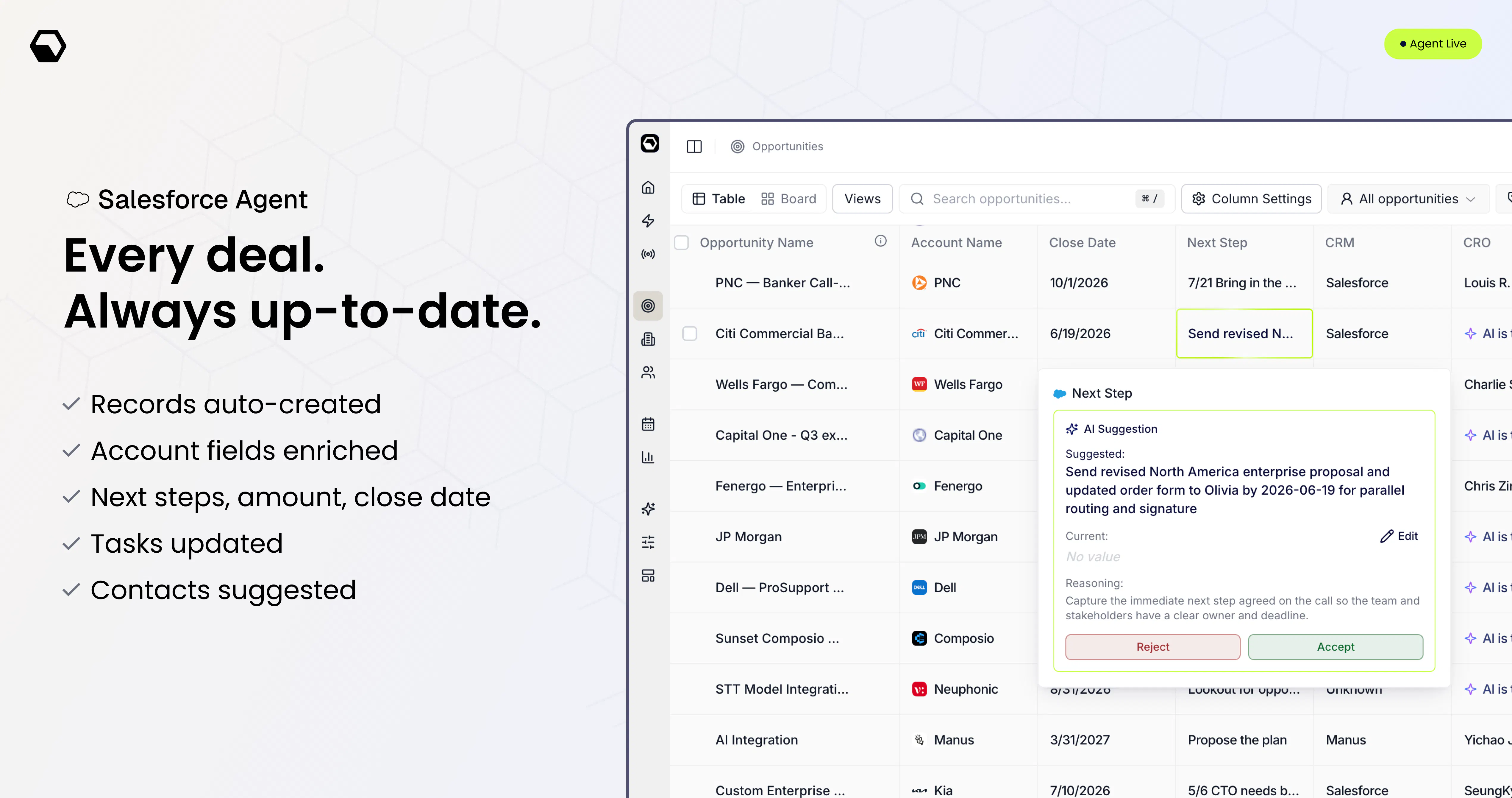
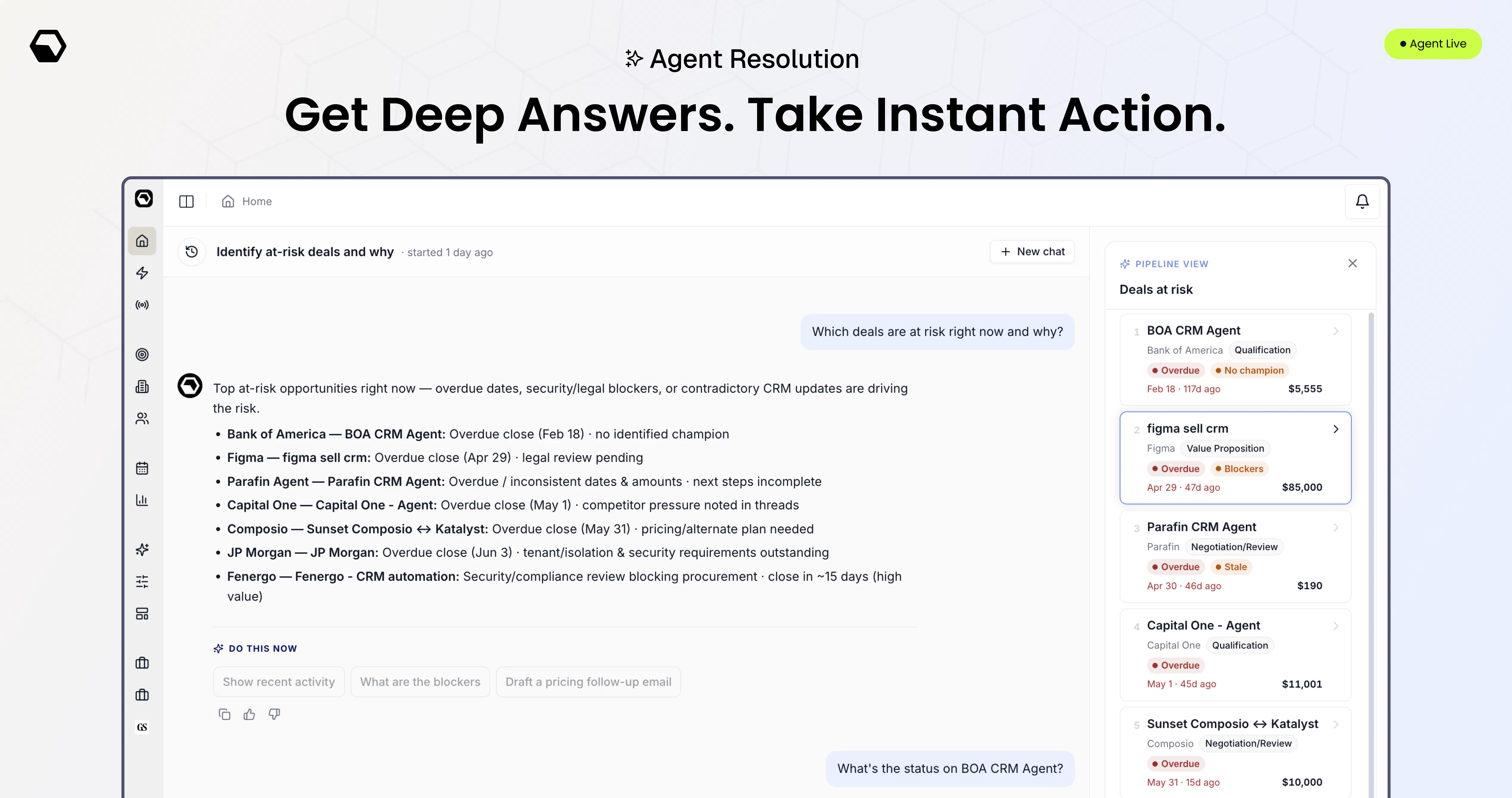
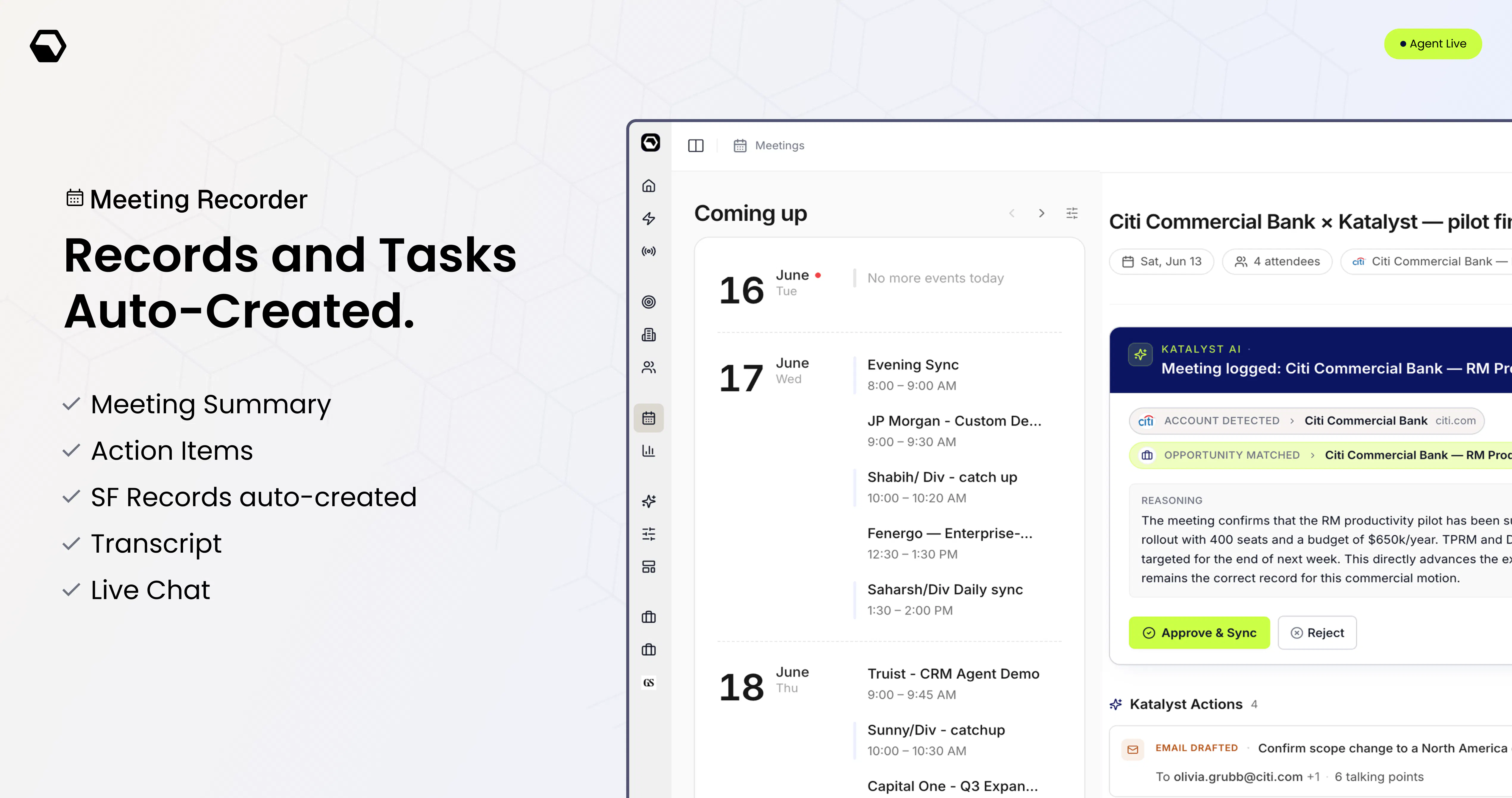
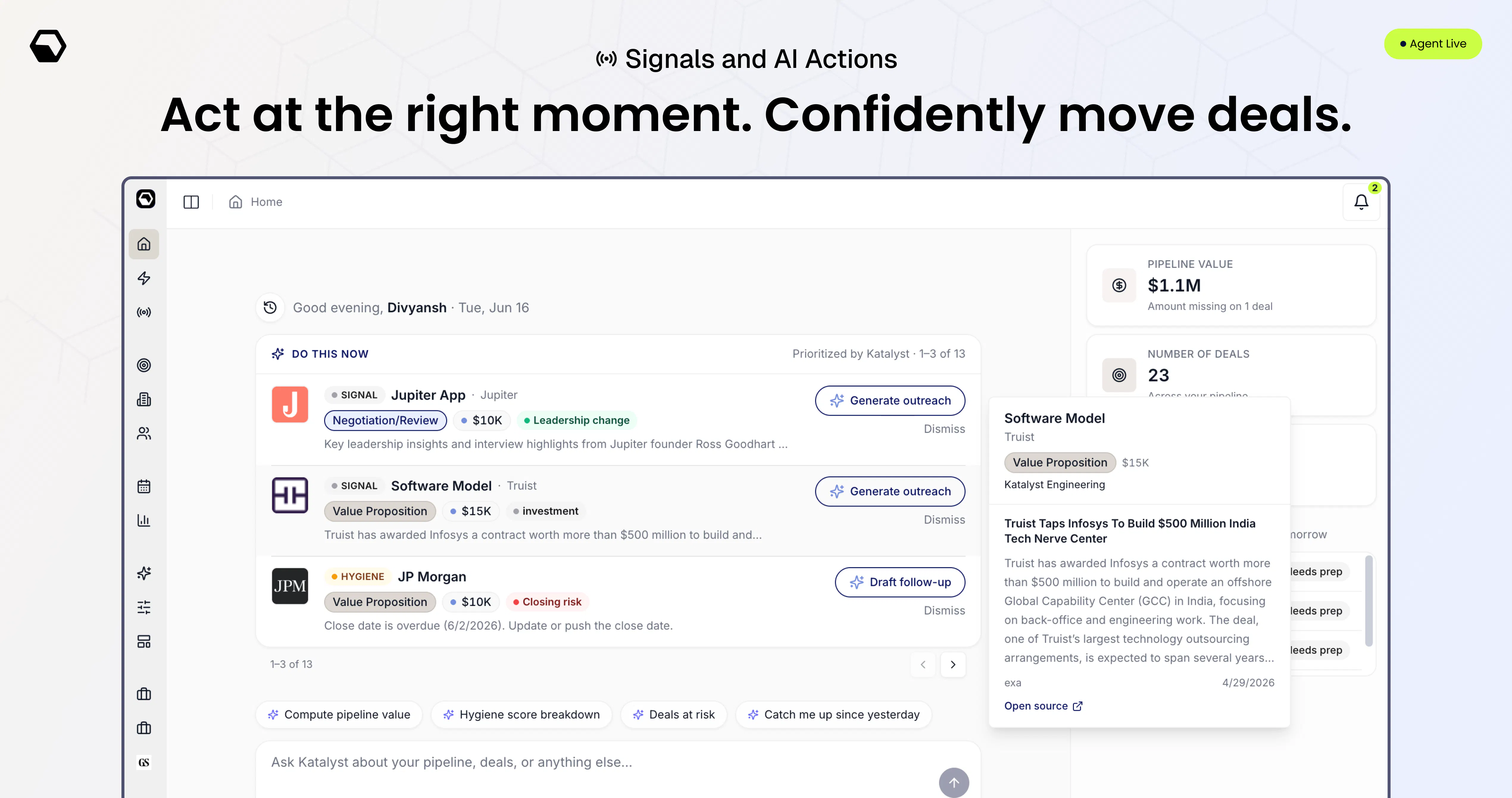
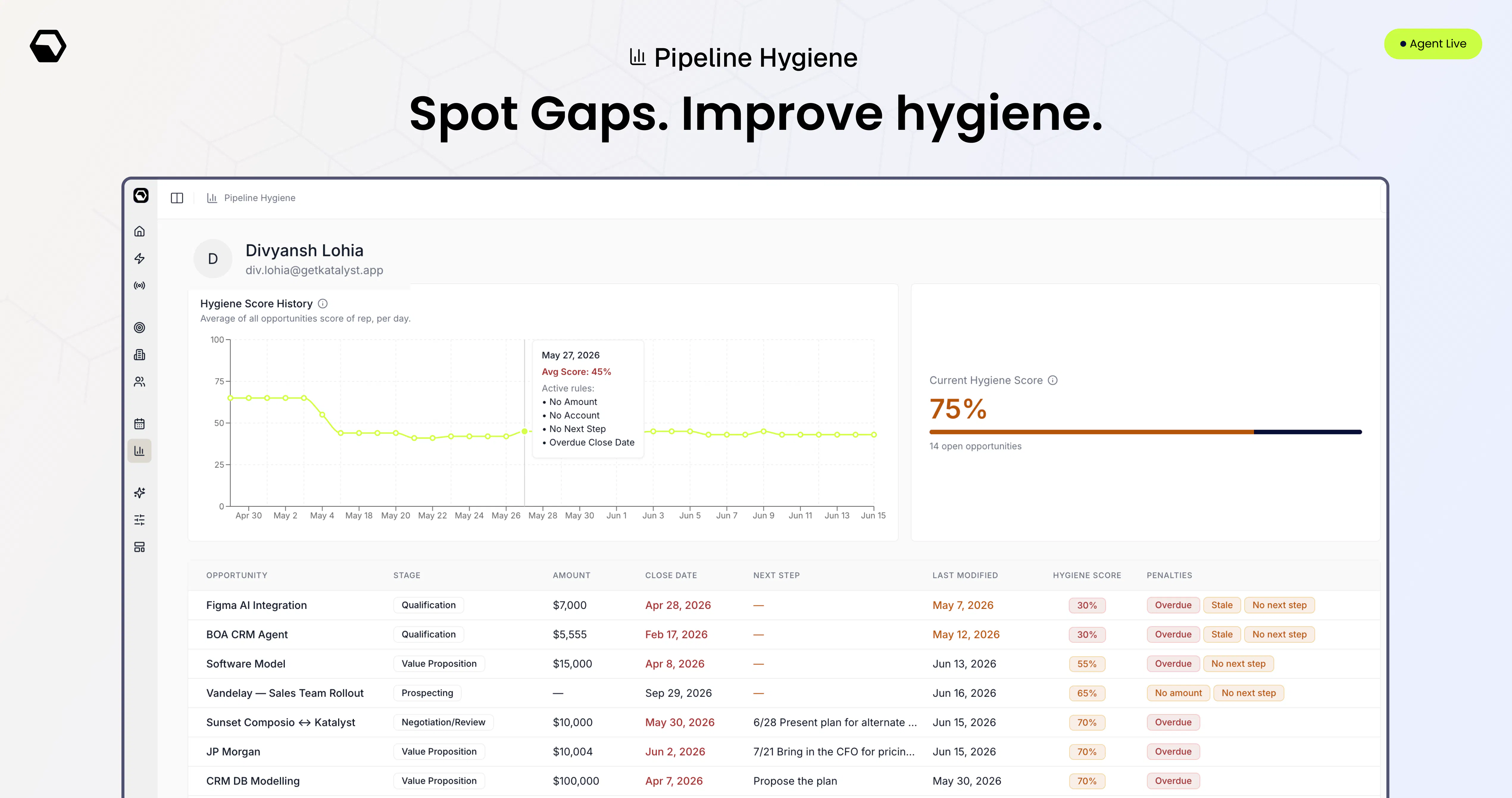
Katalyst is the AI sales agent for teams on Salesforce. Hang up a call and it's already done: notes summarized, records created, fields updated, follow-up drafted, next step set. It runs 24/7, reading every call, email, and calendar, surfacing the right signals, prepping you for each meeting, and prompting you to act: follow up here, this one’s slipping. What's new: AI Resolution on every account, meeting recorder, hygiene scores, deal patterns. Built for enterprise sales teams.

Hi, I'm Div, Founder & CEO of Katalyst.

At Datadog, I watched our best enterprise reps closing multi-million-dollar deals - lose hours every week to work that had nothing to do with selling. Updating Salesforce, prepping for QBRs, rebuilding context that already lived in an email or a call recording. The people best at selling were spending the most time not selling.
I couldn't unsee it.

So we've spent the last year building Katalyst to fix it: working hands-on with sales leaders and reps across teams like Stripe, Atlassian, Justworks, Datadog.

Katalyst is an AI sales agent for teams on Salesforce. It runs 24/7, reads your calls, emails, and calendar, and turns it into action:
- Salesforce records created and fields updated on its own
- The right signals surfaced (across 10k, hiring, contact tracking, partnerships)
- Account plans created, contacts researched
- A brief ready before & after every meeting
- The follow-up drafted and the next step set

✨ We've built Katalyst to work with your existing Salesforce set-up!


What’s new:
- AI Resolution on every account: like claude cowork, take deep actions on every deal with the Katalyst Agent
- Pipeline with Kanban view, group by and custom views
- Katalyst meeting recorder - joins meetings across Meet, Zoom, Teams, Webex
- Slack bot - push updates, signals, actions to take
- Actions overview - Review and take pending actions, plus bulk actions

And it's already working. Mike, Sales Director at Aniai, has his reps taking 20% more meetings a day, walking in fully prepped, and moving deals to contract 50% faster - all while Salesforce stays clean on its own.
@mike_conway - "If you're not using Katalyst, you are missing out on opportunities your competitors will find."

We just opened Katalyst to the public. If your team runs on Salesforce, you can sign up or book a demo. Would love your honest feedback. 👇

P.S - A huge shoutout to the tens of beta customers without whose love and feedback we wouldn't be here. Also to the elite Katalyst engineering and product team!

26
回复

@mike_conway  @divyansh_lohia you're awesome guys! Congrats on this impressive launch

0
回复

@mike_conway  @divyansh_lohia The biggest bottleneck in sales isn't capturing information, it's making sure the right actions happen afterward.

An AI agent that automatically updates CRM records, drafts follow-ups, surfaces deal risks, and keeps pipeline hygiene in check can remove a huge amount of manual work for sales teams.

As we're building Juno AI, we've seen the same pattern: the real value of AI isn't just generating outputs, it's helping people move work forward with less friction. Congrats on the launch!

0
回复

@mike_conway  @divyansh_lohia Congratulations!!!

I love the focus on giving sales reps more time to actually sell instead of maintaining CRM records. That's one of the clearest examples of where AI can create real business impact.

I'm curious, after working with your beta customers, which workflow surprised you the most? Was there a repetitive task that teams thought had to stay manual, but Katalyst ended up automating really well?

Excited to see where Katalyst goes! 💥💥💥

0
回复

the post-call automation angle makes sense. curious how it handles messy or overlapping deals where context isn't clean. that's usually where CRM tools break down

3
回复

@shubham4real That's usually where tools break, agreed. Overlapping deals stay clean because signals and write-back key off account and opp ownership, so no duplicate or conflicting records, the owner anchors what's written. And when context is genuinely messy or thin, it surfaces its read with reasoning instead of guessing, leaving the unclear calls to the rep.

0
回复

The meeting prep feature actually saved me time this morning, I just reviewed the brief right before the call instead of digging through Salesforce myself.

3
回复

@alya136521 that's exactly the swap we were after, a quick brief instead of digging through Salesforce right before you dial in. that pre-call scramble quietly eats time across a whole week, so glad it gave you the morning back. thanks for sharing.

0
回复

Finally gave it a real shot with a few of our Salesforce accounts and the call summaries came out scarily accurate, no editing needed. The deal pattern alerts caught a renewal slipping I would've missed by a day.

3
回复

@asaroglu94127 Catching a slipping renewal a day early is exactly what the alerts are for, that's often the difference between a save and a loss. Glad the summaries held up clean too.

0
回复

Love the focus on reducing CRM busywork with AI. Does Katalyst learn from each team's sales process over time to improve its recommendations?

2
回复

@dhatri_rai1 Yes, it learns from how each rep and team actually sells, their calls and emails, so recommendations get sharper over time instead of staying generic.

0
回复

Is there a minimum Salesforce edition required? Would it work on Professional or does it need Enterprise?

2
回复

@vidushi_jalan No edition requirement, it works on Professional or Enterprise alike. It sits on your existing Salesforce as-is, so there's nothing to upgrade before you can get going.

0
回复

The auto-drafting of follow-ups right after a call ends is a really thoughtful touch, feels like it actually gets how messy a rep's day is. Nice execution on tying it so tightly into Salesforce too.

2
回复

@lhanmarangfclk Tying it tightly into Salesforce was the hard, unglamorous part, so it's nice when that's what gets noticed. A rep's day is messy, and the tool should absorb that, not add to it. Thanks İlhan.

0
回复

Been looking at Attio and Clarify. The pitch of a clean AI-native CRM is tempting honestly. But migrating 4 years of Salesforce data and workflows feels insane. How do you think about that trade-off?

2
回复

@arjun_bagur That's exactly why we built it this way. The clean AI-native CRMs are nice, but you nailed the catch, no one wants to migrate four years of Salesforce data and workflows. Katalyst skips that entirely: it runs directly on your existing Salesforce, reads your real schema, and adds the AI-native layer on top. You keep your system of record and get the intelligence, no rip-and-replace.

0
回复

@arjun_bagur one more thing worth knowing on that trade-off: getting started on Katalyst is the opposite of a migration. You connect Salesforce, pick which fields Katalyst gets to work with, and it syncs from there, you're running the same day. And because everything it produces gets written into Salesforce itself, you're never creating a second system of record. Worst case you stop using Katalyst and your Salesforce is simply cleaner than it was before. The trade-off with rip-and-replace is you're betting the whole org on the new tool. This way the bet is basically zero.

0
回复

Curious how it handles calls when reps have thick accents or talk over each other, does the summarization still hold up or does it need cleanup? Also wondering how it decides which fields to auto-update without butting into the rep's manual edits.

2
回复

@cemrediuc On audio: holds up well on normal crosstalk, but I won't oversell it, tough audio or heavy accents can still need occasional cleanup, and since the summary shows its source you can catch anything that drifted. On fields: it never fights manual edits, you scope what it can touch and it runs in approve-mode early, so it fills gaps rather than overwriting what you've entered yourself.

0
回复

Finally tried Katalyst this week and the post-call summary landing in Salesforce before I even closed my laptop kind of blew my mind. The deal-pattern nudge on a stalled account was spot on too.

2
回复

@krankabanvavs that instant right after a call, done before you've closed the laptop, is the thing we built the whole flow around, so glad it hit. and flagging a stalled account before it slips is exactly what the pattern nudges are for. appreciate you.

0
回复

That's clever. When two reps share an account, do their signals actually merge or stay separate in the pipeline view?

2
回复

@dhiraj_patel5 They see the same ones. Signals are tied to account and opportunity ownership, so when two reps share an account or opp, the same signals show up on both their dashboards, it's one shared view, not two separate feeds. What stays personal to each rep is their agent's own context from their emails and calls, but the signals themselves are common ground.

0
回复

Pipeline hygiene is the silent killer of B2B sales teams — an agent that actually works the CRM instead of just logging into it is the right framing. How does it handle reps who don't trust automation touching their deals?

2
回复

@medal411 Appreciate that framing 🙏 the skeptical reps are honestly who we built for. Nobody hands over control on day one, it starts in approve-mode, shows its reasoning on every write, and reps only loosen up on what it's proven on. The resistant ones tend to convert hardest once they see it get their deals right.

0
回复

finally tried this last week, the auto summary after calls actually feels accurate not just keyword soup, and the follow-up drafts needed barely any edits

2
回复

@makbulesal82572 Most tools give you a summary you can tell a machine wrote, so glad this one's catching what actually mattered instead. And follow-ups needing barely any edits is exactly the bar. Thanks for sharing.

0
回复

question nobody's asked yet - what's the correction path when the AI writes something wrong to Salesforce? if it misreads a call and updates a field incorrectly or logs the wrong next step, does the rep even notice before it compounds, since the whole pitch is that they stop double checking. an audit trail is different from a rep actually catching an error in real time

2
回复

@galdayan two honest parts to the answer. First, the checkpoint sits before the write, not after: early on a rep isn't double-checking a finished record, they're approving the update with its reasoning shown, so a misread gets caught at the moment of decision, not discovered later. Trust is earned per-field, so the fields a rep lets it write unattended are the ones it's already proven on, and the higher-stakes ones (closed-won, forecast category) can stay approval-only indefinitely. Second, the honest part: no system that ever writes autonomously can promise zero missed errors, which is exactly why we scope autonomy narrowly rather than flipping everything to auto and hoping.
The goal isn't a rep who blindly trusts, it's a rep who only stops checking the things that have earned it.

0
回复

@galdayan on the "does the rep even notice" part specifically: nothing the agent writes is silent. Every autonomous write pings the rep the moment it happens, in Slack and in the app, saying exactly which field changed and to what, with a link to the deal. So it's not an audit trail you dig through later, it's a nudge in real time. And every change keeps the old value next to the new one, so if something does look off, reverting is one edit, not detective work.

0
回复

finally tried the meeting recorder and it actually pulled out the next step without me nudging it, which never happens with the other tools I've used. the deal patterns view is the kind of thing I'd want on a second monitor all day

2
回复

@n_yalc32635 "second monitor all day" is the best thing anyone's said about the deal patterns view. and catching the next step without a nudge is exactly where other tools stop, they record, but leave the thinking to you. glad it's doing the part that counts.

0
回复

Noticed my notes and next steps were already in Salesforce before I even closed the call tab, which is honestly the thing I never have time to do. The follow-up draft was surprisingly on-tone too.

2
回复

@abdullahsemmbh already done before you closed the tab is exactly the moment we designed for, glad it hit. and a follow-up that actually sounds like you is easy to get wrong, so good to hear it landed on-tone. appreciate you.

0
回复

Curious about what changes for a salesperson day to day with Katalyst. how is this working in practise for them? What kinds of actions is Katalyst truly taking for the Rep

2
回复

@shourya_mehra Day to day, the admin just disappears. Katalyst logs the meetings, updates Salesforce itself, writes the pre-call brief, flags signals the rep would've missed, and drafts follow-ups ready to send. They spend the day selling, not maintaining records.

0
回复

@shourya_mehra to make it concrete: the moment you feel it is right after a call. By the time you're back at your desk, the field updates, the follow-up task, and a drafted follow-up email are already sitting there waiting for a quick yes. What used to be 20 minutes of typing becomes a minute of approving. And the day starts the same way, Katalyst hands you a short "do this now" list instead of you digging through tabs to figure out what needs attention. The rep's job shifts from writing things down to just making calls on what's queued up.

0
回复

How accurate is the AI? I feel like every AI tool I've tried hallucinates or gets things wrong. What's different here?

1
回复

@sai58 Fair concern, I'd be skeptical too. The difference is Katalyst isn't generating opinions, it's extracting facts from your own calls and emails and updating fields off them. Every change traces back to the exact source it came from, so it's less "trust the AI" and more "here's the line in the call this update is based on." And nothing writes blind, you can review what it changed. We didn't try to build a model that never errs, we built it so when it does, you can see and catch it

0
回复

How hard is this to set up? I know enterprise software can take forever to implement.

1
回复

@anoushka_mishra Almost nothing. Admin connects Salesforce, the pipeline syncs, and each rep does a ~10-min agentic onboarding. That's the whole setup. Nothing like a classic enterprise rollout.

0
回复

The "Do This Now" section is probably my favorite part. How does Katalyst decide what deserves my attention first?

1
回复

@saksham_diwan Glad that's the one that stuck. It ranks by where your time actually moves the needle: a mix of [deal value], [risk of slipping], and [fresh signals from calls and emails]. Less "here's everything," more "do this next

0
回复

@saksham_diwan Glad that's the one that stuck. It ranks by where your time actually moves the needle: a mix of [deal value], [risk of slipping], and [fresh signals from calls and emails]. Less "here's everything," more "do this next

0
回复

What's your retrieval architecture? Are you using vector search, structured CRM data, or both?

1
回复

@shreyans_jain20 Both. Structured retrieval on the CRM objects, vector search over calls, emails, and calendar. The part we obsess over is grounding: every write traces back to the exact source it came from, so a field update can be audited to the specific call or email. Retrieval that can't cite itself is a non-starter when you're writing to someone's CRM

0
回复

@shreyans_jain20 Short answer, both. The Salesforce data we treat as structured truth and query directly, no embedding, because you want exact field values. Calls, emails, and calendar run through vector search so we pull the right context per deal. One gives you the state, the other gives you the story

0
回复

Sales teams already spend too much time updating CRM. If this actually reduces that manual work, it could be very useful.

1
回复

@letitia00 100%. That's the exact time sink we built it to kill. Reps sell, Katalyst keeps the CRM current.

0
回复

How long does implementation typically take for a Salesforce team?

1
回复

@vatsal_agarwal183 Basically no implementation time, that was the whole point. It's fully agentic. An admin connects Salesforce and the entire pipeline syncs, then reps get invited and go through their own agentic onboarding, connecting their integrations in about 10 minutes each. No months-long rollout, no config project

0
回复

How is the hygiene score calculated?

1
回复

@taranjeev It's a weighted rollup of the signals that usually predict a deal going stale: [no activity in X days], [missing next step], [past-due close date], [stuck in stage too long]. One number, 0-100. Curious what made you ask, are you tracking hygiene manually today?

0
回复

Reading calls, emails, and calendar to keep opportunities current is the right wedge — that hygiene work is exactly what eats selling time. My operator question is about the write path's identity: does Katalyst write to Salesforce as each rep with their own permissions and sharing rules, or through one service account that can quietly sidestep them? And on a multi-threaded deal where two reps' calls touch the same opportunity with conflicting next-steps, how does it decide whose input wins?

1
回复

@hazy0 Nothing gets clobbered silently. Both reps' inputs land as attributed activities; the canonical Next Step reflects the most recent call, but the conflicting one stays visible and both reps get flagged, so a human resolves it instead of the system guessing

0
回复

This is a smart approach to the "AI does the boring CRM work" problem.

Since Katalyst is auto-creating records and updating fields based on

call/email reasoning, how are you handling cases where the AI

misreads a signal — like marking a deal as "slipping" when it

actually wasn't, or auto-filling a field with the wrong next step?

Curious if there's a review/undo layer before changes go live in

Salesforce.

1
回复

@amjad_shaik Yes, changes surface for rep approval before they land, each with its reasoning, so a misread like a wrongly flagged "slipping" deal gets caught upfront, not after. And anything it writes automatically is logged in the activity history, so it's reviewable and reversible.

0
回复

@amjad_shaik One thing to add. The agent also knows when it isn't sure. If confidence is low, it never auto-writes anything, it just parks it as a suggestion for the rep to look at. And if a wrong value ever does get accepted, fixing it is one inline edit in Katalyst, which syncs straight back to Salesforce. So a misread costs the rep a few seconds, not a data cleanup project.

0
回复

How does Katalyst prevent inaccurate AI-generated insights from affecting pipeline forecasts or CRM data?

1
回复

@robert_dimla Every update shows its reasoning and needs rep approval early on, and high-stakes fields like forecast category can stay approval-only, so a bad read never silently hits your pipeline.

0
回复

The pain you're describing from Datadog is exactly right — enterprise reps rebuilding context that already lived in their email is a brutal tax on selling time. Curious: when a rep has 20+ open opportunities, does Katalyst prioritize which ones to surface in any given week, or does it process everything equally and rely on the rep to decide what matters?

1
回复

@sabber_ahamed Nothing writes blind, updates show their reasoning and the rep approves. Forecast-level fields can stay approval-only indefinitely, so an inaccurate read gets caught before it touches the pipeline, not after.

0
回复

The platform experience is super clean and inviting. Sadly, I don't have a salesforce account to link so could not complete the free demo. All the best with this nonetheless. :)

1
回复

@liz_dsouza Appreciate you saying so, and no worries at all. If you ever land somewhere running Salesforce, the door's open. Thanks for the good wishes, Liz!!

0
回复
Great product! Can enterprise account use their custom LLMs? As in to make sure critical data is routed through existing ai infrastructure. Excited to know if that’s something on your roadmap!
1
回复

@realanupreet This comes up with enterprise teams and it's exactly the kind of infra requirement we take seriously. Rather than answer it loosely here, let me get you specifics, what's your setup?

0
回复
#4
Dupely
The trust layer for online shopping
255
一句话介绍:Dupely 是一款购物信任检测工具,通过商品匹配(DupeScore)、90天价格历史追踪和卖家信誉标识,帮用户在网购中识别虚假折扣、山寨同款和不可信卖家。
Android iOS E-Commerce
购物工具 信任层 商品匹配 价格历史 卖家信誉 防欺诈 电商插件 跨平台 消费者权益 ProductHunt
用户评论摘要:用户高度认可“价格历史防假折扣”功能,并追问:匹配如何避免单位/规格差异?卖家信誉是否会沦为新作弊目标?信誉数据刷新频率?能否跨平台比价?建议增加周报推送、浏览器弹窗解释信誉原因、价格监控通知和用户反馈机制。
AI 锐评

Dupely 的定位精准:不再卷“哪里最便宜”,而是回答“这个便宜到底是真的假的”。从评论看,用户最买账的是90天价格历史——这个功能在Amazon等平台充斥“原价虚标再打折”的生态下,是真正的痛点解决方案。但它最大的杀招是 DupeScore 的商品匹配能力:它能识别出同一工厂、不同品牌的“换皮”产品,这比Karma、Fakespot等仅基于评级的工具深了一个维度。

不过,锐评的焦点必须放在两个硬核问题上。第一、商品匹配的工程难度:评论中有人精准指出了30ml vs 1oz、单件 vs 两件装、子ASIN变体等陷阱。开发者承认“Ppu(单位价格)对比”是思路,但核心的视觉+规格特征工程没有透底。如果匹配准确率无法稳定在95%以上,一个错误推荐会瞬间摧毁用户信任——而亚马逊的listing数据结构极其混乱,这是最难啃的骨头。第二、信誉系统的内生矛盾:创始人回应“卖家会优化信誉分”的逻辑是“优化=做好事”,但现实是黑灰产会买虚假退货单、刷好评来抬高分数。光靠“24小时更新”和“单条反馈”是不够的,必须有异常检测算法(如同一IP大量好评、退货率与价格突变的相关性),否则这个信誉层会迅速被“声誉套利”攻破。

当前的亮点是:跨平台(iOS、Android、Chrome)首发覆盖,种子用户社区运营好(回复及时且认账)。但产品仍处于“好用工具”而非“平台级信任层”的阶段。要成为真正的信任基础设施,Dupely 必须从“帮用户找一个便宜的替代品”升级到“输出可信的购物决策引擎”——这需要开放API、卖家端数据入口、甚至联盟返利机制。否则,它就是又一个会被Amazon等平台封杀或抄袭的第三方插件。方向正确,但执行和防守才是生死线。

查看原始信息
Dupely
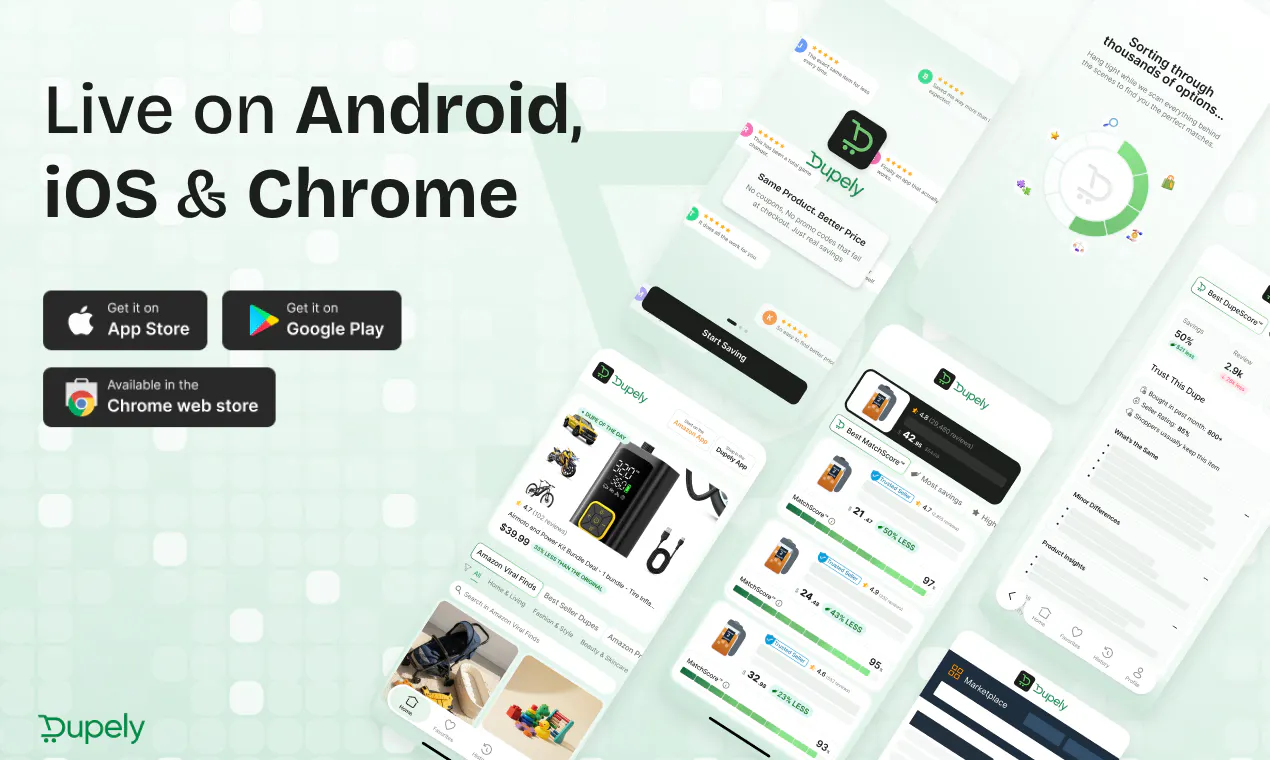
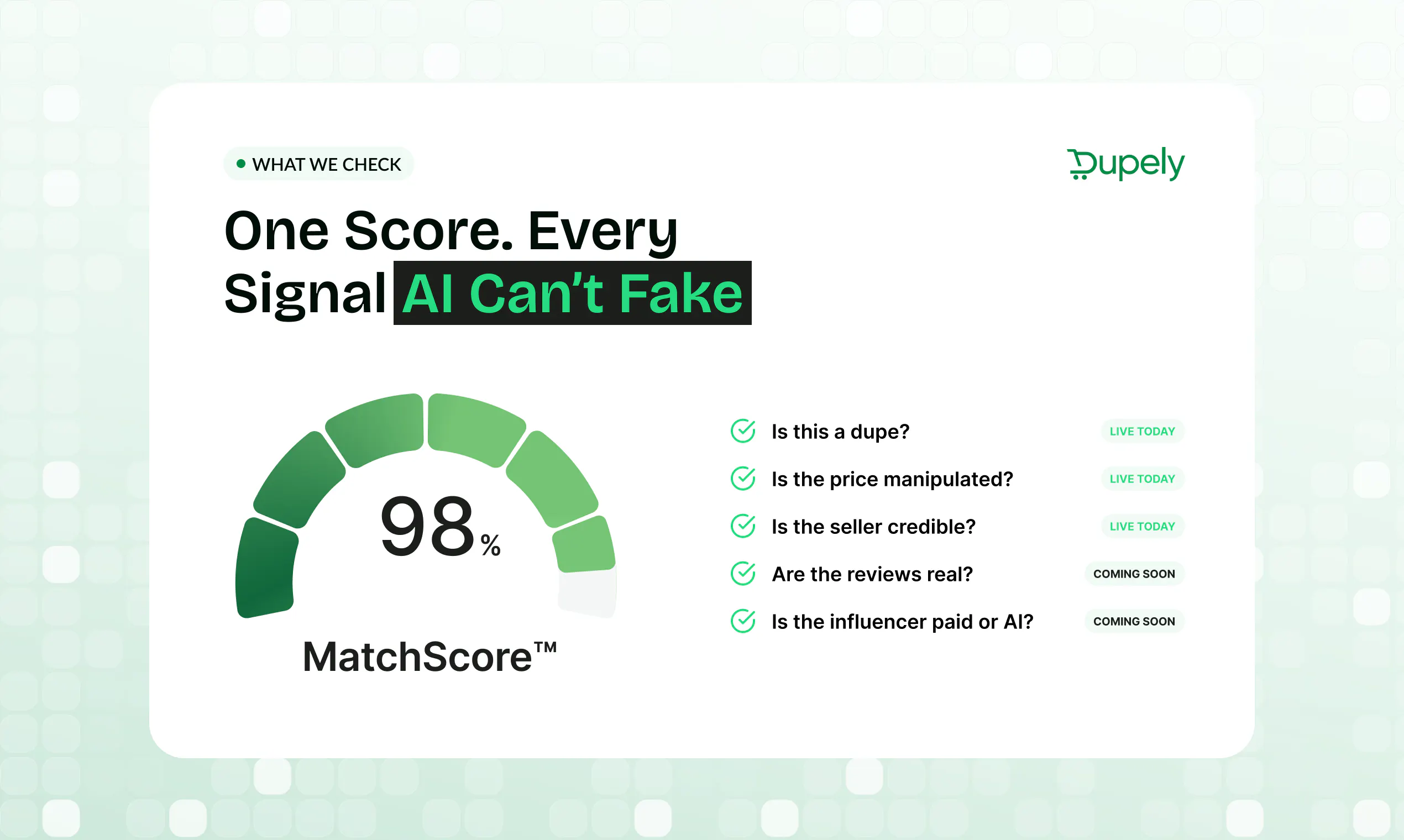
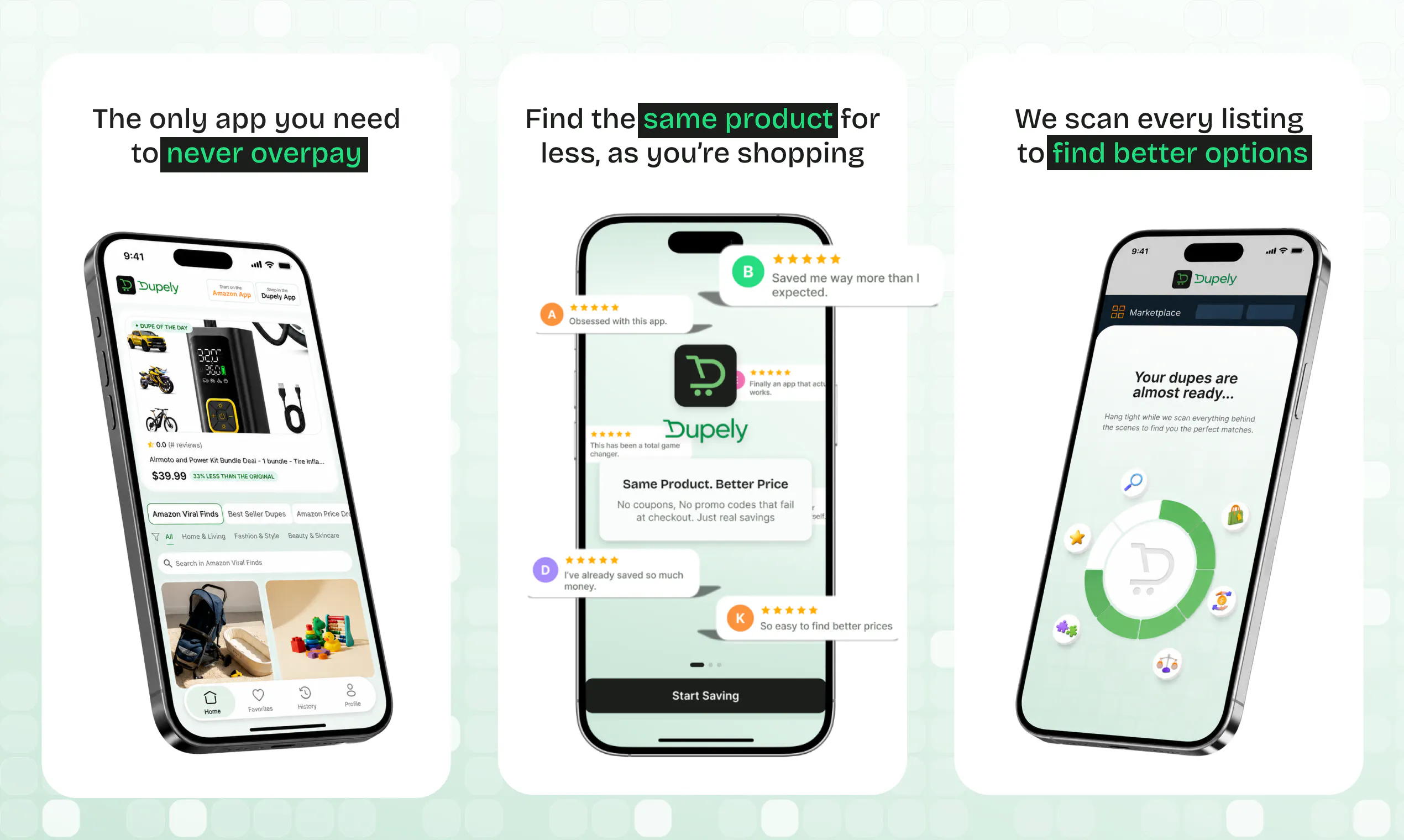
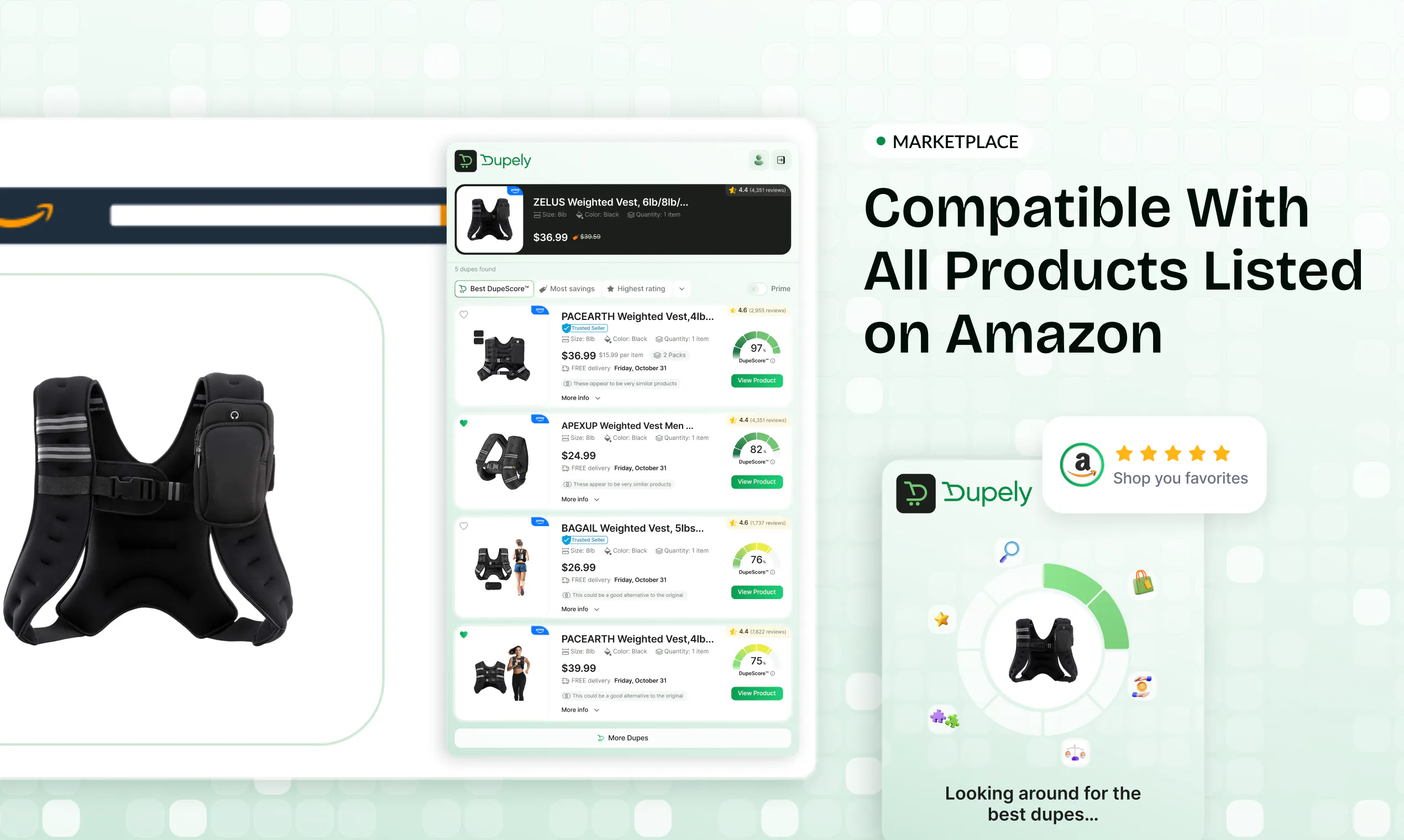
Most shopping tools chase coupons. Dupely tackles trust. Online shopping is full of manipulation: artificial price drops, fake reviews, paid influencers, and sketchy white label sellers reselling the same product at a markup. DupeScore finds identical products for less. Trust This Price flags fake savings using 90 days of price history. Seller badges show you who's actually credible. Now on iOS, Android, and Chrome. Dupely is the trust layer online shopping has been missing.

Hello world! We built Dupely because we kept getting frustrated with duplicate listings on Amazon. There are a million tools out there for resellers to get on the first page but none to help consumers cut through the dupes.

Today, we ship a fully functioning app + extension to help consumers get the best deal from reputable vendors on iOS, Android and Google Play!

As your using Dupely, feel free to tag me with some of your top dupes, feature ideas and if there's anything we can do to make the user experience that much better.

Thank you very much for your support and we look forward to building this into the trust layer for eCommerce!

8
回复

@jacob_galajda Congratulations! wide reach "Now on iOS, Android, and Chrome"

5
回复

@jacob_galajda Congrats on the launch 🚀

I love that you're solving a problem from the buyer's perspective. There are plenty of tools to help sellers win, but far fewer that help shoppers make smarter decisions.

I'm curious, what's been the biggest surprise so far? Are duplicate listings mostly coming from the same product under different brands, or are you seeing something completely unexpected?

Excited to see Dupely become the trust layer for ecommerce! 🔥

0
回复

@jacob_galajda "Most shopping tools chase coupons; Dupely tackles trust" is a sharp framing, and the 90-day price-history check that flags fake savings is the piece I'd actually use. Shipping app plus extension across iOS, Android and Chrome on day one is no small feat.

Launch-day thought: launches with a short video tend to convert better than ones without, and you shipped without one — so here's one I made for you, free and whitelabel, no strings:

https://www.youtube.com/watch?v=Dgn-Jf8h4KU

Keep it here, or add it to your PH media for a stronger launch — video statistically lifts a launch, and yours is still editable.

Made at https://foxplug.com/?utm_source=producthunt&utm_medium=comment — make more there, or record a real product-tour walkthrough in ~2 minutes. And for anyone else here launching soon: paste your site, get a launch video in about 30 seconds, no signup to try. Congrats again, Jacob and Ryan.

0
回复

Congrats!! Can users customize what matters most, like price history, seller trust, or return rates?

5
回复

@himani_sah1 Yes absolutely you can sort by what matters most to you today. The filters we have so far are: DupeScore/MatchScore (so how close the item is to the original) Price, Reviews, Ratings, Price Per Unit. Ultimately these filters will be saved to your profile so it auto-sorts by what matters to you. For example you might want to sort by Price or Ratings vs how close to the original product the results are.

2
回复

@himani_sah1 Not in todays version this is on the roadmap but we do have filters live today.

What's live today on how users can sort by what matters to them: DupeScore, Most Savings, Reviews, Ratings, Price Per Unit

0
回复

Genuine question, not a knock: once sellers know a trust score exists, isn't the badge itself just the new thing to optimize around? Feels like the arms race just moves up a level instead of ending.

5
回复

@logan_pierce2 100% You're right that once a score exists, it becomes a thing to optimize around. But that's actually the point. The badge isn't sold to sellers, it's earned from real buyer feedback: did they ship on time, did the item arrive in the condition advertised, was it packaged well, any damage, and so on. So to "optimize the badge," a seller basically has to ship on time and not lie about their product. That's the behavior we want anyway.

Will sellers eventually try to game it the way people buy fake product reviews today? Of course. "Instead of buying reviews, just buy seller reviews." That's a real future problem we will solve for. One thing that would be really difficult for a seller to game would be the "Is this Item returned frequently" at scale.. This is something that marketplaces track and we can elucidate

The way I think about it: a good trust layer doesn't end the arms race, it raises the cost of cheating and shrinks the payoff. When that next wave shows up, we'll be built to catch it.

1
回复

@logan_pierce2 Not a knock at all, great Q Logan! I don't think the reseller market will go away but we'll definitely help change the tide for the consumer. We're using signals like # of returns and overall seller rating to help offset that push today. These can be gamified but we'll continue to stay vigilant on the trust signals🫡

2
回复

Would love a weekly digest of flagged fake discounts I almost fell for, turns the trust score into a habit not just a lookup.

5
回复

@oliver_hayes1 I love that Oliver! @ryanbutz this should be a segment we include on our newsletter and announcements

1
回复

The part nobody's asked about is the matching itself. Deciding two listings are the 'same product' is the whole game, and Amazon makes it ugly: a serum sold as 30ml vs 1oz, single unit vs a 2-pack, a renamed variation ASIN, a bundle with a free sample tacked on. When I worked on product matching, title plus image similarity got us to maybe 80%, and the last 20% (unit counts, pack sizes, refurb vs new) was where every wrong dupe call came from. A wrong dupe stings more than a missed one, since you're steering someone to buy the cheaper thing that isn't actually the same. How are you drawing that line today?

4
回复

@dipankar_sarkar Good call out - I'll give a simple example of what we are actively avoiding against. You want to buy a multivitamin and we recommend the 90 back vs the 270 count.. of course the 90 count will be significantly cheaper so we want to surface the Price Per Unit Savings and not recommend not similar quantities.

This is very tricky because sellers could upload as unit quantity, or pack or variations (child ASINs) etc. so there is a lot to go into making sure we're truly comparing apples and apples not apples and broccoli. Bad analogy probably but I think the point stands.

Great callout. Actively on @jacob_galajda and teams radar

1
回复

The Trust This Price flag using 90 days of history is the part I'd actually rely on, since fake "was $X, now $Y" drops are exactly what trips me up. When I'm on an Amazon listing with the Chrome extension, does DupeScore surface the cheaper identical product inline on the page, or do I have to open the app and search for it myself? And does the price history cover third-party marketplace sellers, or only the main buy-box?

4
回复

@leo404 For the Chrome extension when you find the product you want Dupely to find an alternative listing for it automatically starts running matches in the background if you can find any. Price history covers third-party not just buybox. It's at the ASIN level.

The unfortunately reality is terms like "buy-box" "third-party" seller aren't even in the average consumers vocabulary. Instead of changing the user behavior we just want to make it easier for them to make the right purchasing decision - not an influenced one by "social proof"

2
回复

Logan's question in this thread, whether the badge becomes the new thing to optimize around, is the one I'd push on too. I build in a category where dark patterns are the default and the honest answer is you never eliminate gaming, you price it up, so Ryan's framing rang true. What happens when a seller earns the badge legitimately and then quietly degrades, is there decay built into DupeScore?

4
回复

@narek_keshishyan The goal is to change that mindset all together. Change the default and eliminate the gaming. Step based progress is progress. The whole point is we want to hold marketplaces and sellers alike accountable and ensure to consumer is the beneficiary.

I'd personally love to hear more about your specific category and how Dupely can solve for it

2
回复

I'd love browser pop-ups explaining exactly why a seller earned or lost their credibility badge. What do you think?

4
回复

@ranjan_kumar45 Ranjan - So we have that pop-up with a little "i" icon on why that seller has that badge. Let me know if you see that. Might be something worth our team exploring new UI options @natalie_warden

Great feedback

2
回复

This is a cool idea. How frequently is the seller trust data refreshed as new reviews and returns come in??

4
回复

@roopreddy Thanks Roop! We get seller trust data updated within 24 hours of when Amazon publishes their updates. Returns are handled differently from our data provider. For larger, more popular products this doesn't impact as much. For new sellers and new products, this is absolutely game changing to reduce latency between returns and seller profile. Thanks for using Dupely! :D

0
回复

Congratulations on shipping. Does Dupely also compare prices across different retailers or only within marketplaces?

4
回复

@syed_shayanur_rahman Right now only within marketplaces by design. We don't want to take you off platform if you are already there. We also want to keep these marketplaces happy with us by increasing purchase behavior on high intent purchasing, eliminating return risk, and keeping their customers happy on their marketplace.

The concept is that we don't want to take you to Walmart if you aren't a Plus member when your on Amazon as a Prime member. Same goes with Wayfair, TikTok Shop.. etc..

1
回复

Congrats on the launch. I'd love notifications when a trusted seller starts offering a product I've saved. Is there a feature that exists for this?

4
回复

@divya_kothari1 Absolutely you can save items you viewed to your favorites and you Dupely will alert you if it drops in price.

We don't have a "follow seller" feature but adding that to the list of ideas to add to product roadmap from this thread!

3
回复

The 90-day price history alone would save me from buying during fake "limited-time" sales. xD

4
回复

@ragsyme Glad to hear it! Ultimately we want to expand on this further to account for artificial dips in savings in prep for black friday/cyber monday, holidays, prime day, etc...

I said in another comment where we want to go with price tracking is take it to a guaranteed low price or flight insurance type where we are so confident this is the best price this product has been or will be that we can stand by it with a refund of the difference. Time + data pending

1
回复

Can users report products they think Dupely missed to improve future matching?

4
回复

@nuseir_yassin1 Great idea Nuseier! We will definitely add that to the roadmap, I think that will help out a lot with the ecosystem as a whole, thanks for using Dupely :D!

0
回复

How DupeScore handles products with tiny cosmetic differences but identical manufacturers underneath?

4
回复

@iamanantgupta This is exactly the use-case DupeScore is built for. We do not lean on branding or the title, so a swapped logo, a different color/variation, or different packaging will not throw it off. It might just adjust the score slightly. We weigh the substance underneath, the product images, specs, and description details, this is how we identify two listings coming off the same line still land as a high match even under different brand names. That is why the score runs 0 to 100 instead of a simple yes or no. A near-identical duplicate listing with only cosmetic differences scores near the top, while genuinely different products fall lower down.

The more people we get using the product the smarter our matching will get. We want the community to tell us when we get it wrong and we look into the results case by case to see what we can tweak

0
回复

I usually compare several websites before making a purchase. can Dupely alert users when the same product appears at a better verified price after they save it?

4
回复

@akshay_shyam Hey Akshay, great q! We do that! You can save products under Favorites, and we'll let you know when there's an actual price drop (not a fake one) on the product. Thanks for using Dupely!

2
回复

@akshay_shyam Don't tell anyone but we have goals to be so precise on our price tracking/prediction that we can build in an insurance policy/price match guarantee type of engine around our recommendation. :)

Think flight price protection.. for product purchasing

2
回复

How does DupeScore actually identify identical products versus just similar ones, and does it factor in shipping costs when showing cheaper alternatives?

4
回复

@smeyye7eqe Great Q Sumeyye! We use multiple signals from the product listings and determine how similar they are. We'll be able to detect minor variations as well as major differences. The "trust this dupe" section pulls historical track record from the seller and product itself so even if it's a cheaper alternative, you know you're getting a good deal. Thanks for using Dupley! :D

2
回复

Love that you pulled real price history into Trust This Price instead of just slapping a percent off label on things. The 90 day window is such a smart, grounded way to expose fake sales.

4
回复

@miraysessiz Thanks Miray! There's no way products can be on sale for months, thanks for using Dupely! :D

1
回复

finally a tool that feels like its on my side when shopping online, ran it on a few listings and caught at least one obvious price hike hiding as a sale

4
回复

@seldazkartrjgh Thanks for using Dupely Selda! It's crazy how many products are "on sale", what kind of dupes are you finding so far?

1
回复

Hey Product Hunt. Ryan here, co-founder of Dupely.

The idea for Dupely came about because I've seen from the other side what it's like selling on these major marketplaces we're trying to fix. I've been selling on these marketplaces for over fifteen years. Over the years I've noticed how much more difficult it is becoming as an average consumer. Important information buried in the metadata of the listings. If an item is returned often, if the seller is recently launched, seller reviews buried through clicks, true price tracking.. the list goes on and on. The advancement of AI meaningfully made that trust erosion move faster.

I saw white-label sellers list the exact same factory product at a 40% markup. I've been targeted by ads telling me I can get rich quick making passive income buying from Alibaba. I was invited to groups that gave artificial discounts to move your listing up in the rankings by gaming sales velocity. I saw reviews bought, traded, and seeded. All of this from the lens of the seller, not the buyer.

Then I spent a decade in edtech, and I watched the same rot show up somewhere you would never expect it. Candidates auto-rejected by AI hiring managers before a human ever saw them. People reverse-engineering ATS keywords just to survive the first filter. Good people gamed out by a system that was supposed to be neutral.

We are in a trust recession. The tools built to help us, search, reviews, rankings, hiring filters, have quietly been turned against us. And most of us just accepted it as the cost of doing anything online.

Dupely is my answer on the shopping side.

It finds the identical and near-identical products for less, verifies the seller, scores the match from 0 to 100, and flags fake sales using 90 days of real price history. It fires the second you land on a product page. No hunting, no extra tabs, no wondering if the deal is real. If you've ever found the product you were looking for then ended up not buying because you were overwhelmed with an abundance of choice and analysis paralysis.. Dupely should solve that for you.

What's next is where I'd love your brain. We're working on review authenticity scoring so you can see which reviews are actually real. Wider coverage across the marketplaces where this is the biggest issue: TikTok Shop, Walmart, Wayfair, Home Depot, and more. And a clearer picture of who the real seller behind a listing actually is.

And if you're a seller, we want to hear from you too. You're sick of your products getting knocked off.. we want to help verify you. Let's talk.

What other features could we solve for to make your shopping experience better? If we happen to save you money in the meantime, that is a huge win.

If you've ever felt that you don't know whether you just bought the right product for a fair price, that's the feeling we're building against.

I'll be here all day. Tell me where we're right, where we're wrong, and what you'd want us to catch next.

4
回复

finally tried dupely on the chrome extension and the trust this price feature caught a “sale” that was actually the same price it's been for three months, exactly the kind of thing i've been burned on before. nice to see someone focus on this.

4
回复

@ayfer794543 Thanks Ayfer! I know right, it's so crazy that the "sale" prices can be kept for over 3 months. Thanks for using Dupely! :D

1
回复

@ayfer794543 Watch out for the "limited time deals" and other "social proof" that is just gamified as well

2
回复

finally a chrome extension that tells me when a "sale" isn't actually a sale, the price history view alone is worth installing

4
回复

@nihat1413641 Thank you Nihat, the price history with notifications is insane!! Try it out and let us know how we can make it better :D

1
回复

@nihat1413641 Not all deals are real deals :)

1
回复

Nice idea. How do you handle cases where 2 listings look identical, but the product quality turns out to be different? Congrats on the launch!

4
回复

@henry_habib Great q Henry! We factor in return volume and the reviews on both the seller and the product. If there is a history of bad product quality, then it'll impact how we recommend that item even if it's a duplicate. Let us know how we can make Dupely even better!! :D

1
回复

How does DupeScore actually decide two products are real duplicates versus just similar items, especially when brands deliberately rename or repackage the same thing?

4
回复

@ezelrikliahcg Great q Ezel! We use multiple signals from the product listing pages for relative similarity. We'll also bake in seller reputability too so even if it's a cheaper deal, you'll know you're still getting a good product too. Thanks for using Dupely! :D

2
回复

The price history view is surprisingly addictive, it makes you realize how often "sale" tags are basically decoration. Seller badges feel like a step in the right direction too, though I'd want to see how strict they are on the sketchy resellers.

4
回复

@slakln0vxp Thanks Sila! I'm shocked at how long sale items can be kept "on sale". Thanks for using Dupely! :D

1
回复

Tried it on a few products I was already eyeing and the 90-day price history genuinely changed my mind on one "sale" that was actually the normal price. Nice to finally see a tool that doesn't just hand me a coupon code.

4
回复

@aslhangger3pdy Thank you Aslihan! Glad you can sift through the "sales" now, thanks for using Dupely! :D

1
回复

How does DupeScore actually decide when two products are "identical" enough to recommend, especially for things where listings vary a lot in bundle size or packaging?

4
回复

@saniyelaloypur Great q Saniye! There are a ton of Amazon listings that vary a lot in bundle size/packaging. We use multiple signals to derive a weighted score. The trust signals for products also help maintain the level of credibility whenever we recommend alternatives. Thanks for using Dupely! :D

2
回复

How does Dupely figure out which white label sellers are actually the same product under different brand names, and does it work for marketplaces like AliExpress or mostly just Amazon and the usual big stores?

4
回复

@onurwhww Great q Onur, we use multiple signals from the product listing pages to derive a similarity score. Little changes will result in higher DupeScore but completely different products will not score very highly. Thanks for using Dupely! :D

2
回复

How does Dupely actually verify its seller badges, especially for those random white label shops that pop up overnight and disappear just as fast?

4
回复

@hsangzkencbss Great q Ihsan! We use the seller data provided by Amazon to verify sellers and return data on products for the actual product listing we recommend. This way, you'll get good deals and know they come from good vendors! Thanks for using Dupely! :D

2
回复

Downloaded the iOS app and was surprised how often "fake savings" tags popped up on stuff I'd been eyeing. DupeScore saved me like $12 on a serum that's literally identical to the pricier one.

4
回复

@naimefidan5e7b That's awesome Naime! Glad we could save you $12, thanks for using Dupely! :D

2
回复

@naimefidan5e7b You're going to find that this happens more often then you think. We're saving users on average $16 on their carts. Return rates are 5x lower than industry standard

1
回复

Congrats on the launch! 👏🏻 @jacob_galajda Tackling the white-label markup problem is a massive pain point. Curious about the DupeScore—how does it actually differentiate between an algorithmic price drop and a fake discount, especially during major sales events?

4
回复

@nischal_kharel Thank you Nischal! Great q, we use historical data to determine what the overall price should be. The "price drops" we've observed on the data side typically do not go past this value, but they trigger Amazon to award badges and promote the product. Even during prime day, we observed a bunch of products that did this and were still able to surface dupes that had a better price. Thanks for using Dupely! :D

2
回复
#5
Mira
AI moderated interviews that read how people feel
213
一句话介绍:Mira是一款AI定性研究主持工具,通过实时面部编码、语音情感AI和眼动追踪,为市场研究、用户调研场景解决“受访者言行不一(Say-Do Gap)”的痛点,自动完成从招募、动态访谈、情感捕捉到报告生成的全流程。
User Experience Analytics Artificial Intelligence
AI定性研究 情感AI 用户访谈 面部编码 语音情感分析 眼动追踪 市场调研 多模态分析 自动化研究报告 SaaS
用户评论摘要:用户高度认可其“捕捉言语之外情感信号”的核心差异,质疑点集中在:远程环境下面部/眼动追踪的准确性与隐私合规性(数据保留、明确同意);跨文化情感解读的偏差;AI是否提供置信度可审计;以及硬件兼容性(普通笔记本摄像头即可运行,有校准与环境检测机制)。
AI 锐评

Mira并非又一个“采访+转录”的套壳产品,它真正试图攻克的是定性研究领域最顽固的痼疾——被访者“说的”与“想的”之间的断层。通过实时多模态情感融合(面部动作单元、语调、微表情、注视模式),它把研究员过去靠经验直觉、反复回看录像才能捕捉的“潜台词”变成了结构化数据。这在方法论上是干净的,商业逻辑上也直击痛点:不仅压缩了6-8周的研究周期,更用“情感证据”为结论增加了防御性,让研究结果在内部会议上不再轻易被挑战。

但风险同样显著。首先,情感AI的“伪精度”陷阱——在跨文化(70+语言)、低质量设备场景下,将微表情或语调波动强行对应为特定情绪,极易产生系统性的误判。尽管团队提及置信度输出和多源融合,但“标准化偏差”在全球化用户面板上会被放大。其次,存储海量生物特征数据的隐私合规成本极高,即便承诺SOC 2与GDPR,企业客户的法务审查仍是隐形门槛。本质上,Mira提供的不是“绝对客观的情绪真理”,而是“一种比纯文本更丰富的信号输入工具”。它真正聪明的地方在于没宣称要取代研究员,而是提供“超能力”——但问题在于,若研究员自身的情商与专业判断力不足,这些“超能力”反而会成为炮制漂亮错误结论的加速器。这是一次有壁垒的、务实的工具升级,但离“全自动洞察”还有最后一公里的人性鸿沟。

查看原始信息
Mira
Unlike AI tools that stop at interview + transcript, Mira is a full AI researcher — plans studies, recruits globally (100M+ panel, 120 countries), runs dynamic interviews with intelligent probing, and uniquely captures what participants say AND feel via real-time facial coding, voice emotion AI, and webcam eye tracking. Extracts themes, generates insights, and produces research reports automatically. 17 patents. 70+ languages. Trusted by Unilever, Nestlé and 150+ global brands. $25M Series B.

Hi Product Hunt 👋

I'm Lava, Founder of Decode by Entropik. We've been building AI that reads human behavior for 9 years and today, we're launching Mira, our AI Moderator.

Here's the problem every researcher knows but nobody talks about: people say one thing and feel another. It's called the Say-Do Gap. Self-reported data is filtered, rationalized, socially edited. Most research tools just accept this. We didn't.

Mira runs the entire research workflow, recruiting, moderating, analyzing, reporting, but uniquely captures what participants say AND feel in real time via facial coding, voice emotion AI, and eye tracking.

When someone says "I love it" but looks confused, Mira notices and probes deeper. Automatically.

Built on 17 patents. 70+ languages. Trusted by Unilever, Nestlé, and 150+ brands.

First study free with code PH20entropik.io/platform/ai-moderator

One question for the community: what's the most unreliable part of your current qual research process, and what would it take for you to actually trust AI to run it?

Drop it in the comments. I'll be here all day.

26
回复

@productrambler This goes well beyond a standard AI interview tool. Combining conversational research with emotion analysis, eye tracking, and automated reporting could be a huge advantage for research teams. Impressive scope—best of luck with the launch!

0
回复

@productrambler What’s one concrete sign that your current qualitative insights are misleading, and what exact safeguards or transparency features would you need to see in an AI moderator before you'd let it probe participants or deliver final insights automatically?

2
回复

@productrambler Impressed by how you've gone beyond AI note-taking and built an AI that actually conducts qualitative research.

The combination of dynamic follow-up questions, automated analysis, and emotional signals like facial expressions and voice makes this much more than a transcript generator. As we're building Juno AI, we've found that understanding context is valuable, but understanding how people respond adds another layer of insight entirely.

Excited to see how products like Mira reshape customer research workflows. Congrats on the launch!

0
回复

Senior Director of Consumer Insights at Decode here.


Speaking as a practitioner, the feature I find most useful day-to-day is AI highlight reels. Instead of asking a stakeholder to watch hours of recordings, Mira clips the moments that matter: where a participant's hesitation revealed unspoken doubt, where genuine excitement came through before they could temper it, where what they said and what their face showed did not match.


Those moments are what change decisions in a review meeting. And they surface in minutes, not days of manual review.


The AI Copilot is the other one worth knowing about: you can ask "which participants mentioned trust concerns?" or "show me everyone who reacted negatively to the pricing slide" across an entire study instantly.


For researchers here, what type of qualitative research do you run most? Happy to walk through how this fits your workflow.

11
回复

Head of Data Science at Decode here.

The question we kept asking ourselves: how do you build an AI that understands the difference between what someone says and what they mean?


The answer is multimodal signal fusion — combining facial action units, vocal pitch, speech rate, micro-expressions, and gaze patterns into a single emotional signal per moment of the interview. Not post-hoc analysis. In real time, during the conversation.


The Voice Emotion AI specifically analyzes confidence, hesitation, excitement, and frustration from the audio layer independently of the transcript. Tone often carries a completely different story than words. That layer is invisible in every transcript-only tool.


17 patents cover the core methodologies. Happy to discuss the technical depth of any of these.

10
回复

Hi all,

Marketing lead at Decode here.

I have spent the last few months working closely with this product to build the launch. The thing that struck me most: most AI interview tools stop at the transcript. Mira treats that as the starting point.

A few capabilities people miss: AI follow-up probing that automatically asks "why?" and "tell me more" mid-interview based on what the participant actually said. AI highlight reels that automatically pull emotional moments, so you do not have to share 40-minute recordings with stakeholders. Cross-study intelligence that finds recurring themes across multiple research projects over time.

The multimodal layer — emotion AI on top of the interview — makes findings more defensible. You are not just quoting a participant. You are showing what they felt when they said it.

Happy to answer questions about the product or how we built the launch.

10
回复

Product Manger at Decode here

One thing that always fascinated me about qualitative research: researchers don't just analyze what people say. They spend hours replaying interviews to understand how they said it.

A micro-expression of disgust at the pricing slide, a long pause before "I'd probably use it," hands that stopped moving the moment they said they were "comfortable."

That's the invisible layer of qual research. The part that turns a quote into an actual insight.

Mira is built around that gap, it conducts interviews in 75+ languages, probes emotionally in real time, and simultaneously captures vocal hesitation, facial emotion, and where attention went. So researchers stop losing those moments to memory and manual replay.

The goal isn't to replace researchers.
It's to give them superpowers, so they can spend more time discovering why people behave the way they do, instead of manually reviewing hours of recordings.

Happy to answer any questions about how any of this works.

9
回复

Head of Sales at Decode here.


The conversation I have most with research and insights teams: "Our studies take too long, and leadership does not trust the findings."


Both problems have the same root cause. The tools being used only capture what people say, and analysis is manual. A 20-participant qual study typically takes 6-8 weeks from setup to report, arriving too late to influence the decision it was commissioned to support.


Mira compresses that timeline. Study setup with templates takes minutes. Recruitment from a 100M+ global panel is built in. Transcripts, themes, and reports are generated automatically. Emotional signal adds defensibility to findings.


If you run an insights function and want to understand what this looks like for your team's specific workflow, feel free to ask below.

7
回复

How does the facial coding and eye tracking actually work in a remote setting without making participants uncomfortable or needing specialized hardware?

5
回复

@layda138459 Everything runs in the browser — no app download, no plugin, no special hardware. Participants just allow webcam and microphone access when they join, same as any video call. Before the session starts there is a quick calibration check for lighting and camera positioning, which also helps participants get comfortable with the setup before the interview begins. The calibration doubles as a way to normalise the experience — by the time the actual interview starts, most participants have forgotten the camera is doing anything beyond a normal call.


3
回复

@layda138459 Everything runs in the browser on a standard laptop or phone, no external hardware and nothing to install. Participants grant camera access upfront, run a short calibration, and the session feels like a normal video call from there.

If someone isn't comfortable on camera, they decline and still complete the study, with emotion read from voice and text instead.

3
回复

"Captures what participants say AND feel" is the hard part most tools skip. I work with voice AI daily, and the transcript is the easy 20% — the signal that actually matters (hesitation, tone, the pause before someone says "yeah, it's fine") lives in how they said it, not the words. If Mira genuinely reads that layer at a 100+ panel scale, that's a real moat over "interview + transcript" tools. Question: how do you keep the emotional read from becoming false precision — do you surface confidence levels, or a single sentiment call? Congrats on the launch 🚀

5
回复

@david_marko Thank you so much. Since our emotion AI is multi-modal, we use fusion techniques to make sure that false positive are taken care of and yes at raw level we do provide confidence level 😎

3
回复

@david_marko Adding to what Sumit said - from a product perspective, the confidence level alongside the emotional call is exactly why we built the output the way we did.

The goal is to give researchers a richer signal to interrogate, not a verdict to accept. The transcript, emotional timeline, and raw clips are always there to verify or challenge what the AI surfaced. It is a tool to improve researchers' judgment, not a replacement for it.

3
回复

congrats! user interviews are the part of building I always end up skipping because of the effort. this could actually make me do them

4
回复

@ashmil_hussain Yes our entire mission behind Decode is to democratise user research. We want all the creators and builders to have data backing their creative decisions and AI guiding them to take better decisions.

3
回复

Deeper emotional signal is great, but storing facial and voice data at scale raises the privacy stakes quite a bit- how long is that data retained?

4
回复

@wyatt_cameron , Really important question, Wyatt.

A few specifics: participants are fully informed before any session that facial, voice, and eye data will be captured, explicit consent is required, not implied. Data is processed and stored with SOC 2 Type II compliance and GDPR alignment.

On retention: researchers control their own data retention settings. Raw biometric data is not shared with anyone outside the platform and is not used for model training without explicit permission.

Happy to share our full data processing agreement for any enterprise evaluations, what specific aspect would be most useful to dig into?

3
回复

the facial coding piece is wild, didn't think i'd see real emotional response analysis baked into a research tool at this price point

4
回复

@serhatmant9b7b Accessibility was a deliberate decision. Emotion AI in research has historically been available only to large enterprise teams with big tooling budgets. Glad that came through.

2
回复

Does it self-report confidence?

4
回复

@paige_lauren1 Yes we can report confidence as well which is majorly driven by tonality followed by facial and textual signals.

3
回复

@paige_lauren1 To add to Sumit's answer; in practice this means when a participant sounds uncertain but their transcript reads neutrally, the system surfaces that discrepancy and flags it rather than averaging it away.

The confidence score tells you how much weight to put on any individual emotional data point before drawing a conclusion.

2
回复

The facial coding during interviews actually caught a reaction I would have completely missed reviewing the transcript alone. Seeing emotion data layered with what people said felt like a real research upgrade, not just another AI wrapper.

3
回复

@memetjr2q Thank you for putting it through a real test. That gap between what the transcript says and what the face shows is exactly what Mira is built to catch, most tools only ever see the words.

2
回复

the facial coding piece is wild, watching the emotion data overlay during interviews made patterns jump out that a transcript alone would totally miss. really curious how it handles cross-cultural nuance though.

3
回复

@burcu192820 Glad the overlay made patterns visible that would have stayed buried in a transcript. On cross-cultural nuance — our models are trained across demographic groups, not on a single population, and we apply normalisation based on cultural benchmarks to reduce bias in emotional scoring. We do not claim perfect universality across cultures — emotion expression varies and it is an ongoing area of work. Our recommendation for global studies is always to combine the emotional signal with the transcript rather than reading either in isolation. The two together are more reliable than either alone.

2
回复

How does the facial coding and eye tracking actually work in practice for remote participants, especially since webcam quality and lighting vary so much across users?

3
回复

@ersinyzak1i75 We do not need a very high end webcam to run our models. In fact our model can run on almost all commodity webcams as long as there is good visibility of the face. We however guide the users to adjust face, lights before each session to make sure we capture good data.

3
回复

@ersinyzak1i75 This is a great question and we hear this constantly from a lot of our customers during the initial stages. We have designed our system to work with all kinds of webcams, not just the best ones. Before joining, participants go through a quick calibration and environment check. Each video frame receives a confidence score, and we omit any weak frames rather than guessing. We never base our findings on a single video feed, since we combine signals from the entire group. Webcam gaze tracking is less precise than lab infrared, but for questions like whether someone saw a brand element or where their attention went first, it works well. Plus, it lets us study hundreds of real-world settings instead of just a few in a lab. We do not use facial recognition at all; we only measure expressions, not identity.

4
回复

How does the pricing actually scale for smaller teams or solo researchers who don't need the full enterprise setup, and is there any way to try it before committing?

3
回复

@barwcts The best starting point is the free study, no commitment, no credit card. Mention PH when you book: Book a Demo: See Entropik Decode in Action


For pricing beyond that, it scales based on study volume which can be purchased in smaller blocks. Happy to walk through what makes sense for your setup. Drop a note or book a quick call.

2
回复

the facial coding detail is wild, never seen a research tool that actually picks up on what people are feeling while answering. ran a quick test on our team and the voice emotion layer caught hesitation I would have totally missed in a normal transcript.

3
回复

@nihalzsaki243g The hesitation catch is where the voice layer earns its place; that pause before the polished answer is usually the most honest moment in the whole session. Glad it surfaced. If you want to run a structured study, the first one is free this month. Please feel free to book a demo at https://www.entropik.io/platform/ai-moderator and mention PH20 on the call :)

2
回复

How do i verify the accuracy of Facial coding and eye tracking?

3
回复

@jitender_pankaj1 Our algorithms are trained and validated with millions of data points we collected over the years with our in house data collection and tagging platform. We ensure each tag has high inter rater reliability before accepting it in our dataset. Our eye tracking algorithms are frequently tested against the data from a physical eye trackers.

4
回复

Strength here is catching reaction people wouldn't admit to on a survey. Weakness is that everything depend on decent webcam and lighting, which won't be true for every participants in every country.

3
回复

@ian_maxwell2 Fair and accurate, Ian.

The webcam dependency is a real constraint and we are honest about it. We handle it through pre-session calibration and per-frame confidence scoring, weak frames are omitted rather than guessed.

For participants in lower-quality environments the voice emotion and transcript layers still operate fully, so the study is never purely dependent on the video feed. That said, you are right that it is a variable, and it is why we are clearer about this in our documentation than most tools in the space.

2
回复

The facial coding during interviews is genuinely impressive, you can actually see hesitation or excitement that pure transcripts would completely miss. Wish more research tools took emotion seriously like this.

3
回复

@mahmutkrc1pj5 Yes, we focus on understanding non verbal cues during interactions and discussions in all of our products. We believe that missing emotion signals might lead to incomplete view of customer's views during interviews and that is why we invested years perfecting multi modal emotion models to provide a comprehensive analysis of customer interviews.

2
回复

@mahmutkrc1pj5 Thank you, Mahmut, this is exactly why we built it. The moment before someone chooses their words is often the most honest part of the whole interview. That is the layer that changes decisions.

2
回复

The facial coding combined with voice emotion analysis during a test interview genuinely caught moments I would have missed in a regular transcript. Feels closer to sitting with a respondent than a typical AI research tool.

3
回复

@srammoa "Closer to sitting with a respondent" is one of the best ways I have heard it described. The transcript tells you what they said. Mira tries to preserve what was happening underneath that. Thank you for testing it.

2
回复

The facial coding and emotion AI combo is wild — usually I get a wall of quotes to sift through, but here it flagged where respondents actually felt something. Made the insight pull way faster than expected.

3
回复

@doanj7hh "Flagged where respondents actually felt something" is the signal we built toward — not a wall of quotes, but the specific moments that matter emotionally. Glad the insight pull was faster than expected.

2
回复

What stands out is the integration of facial coding and voice emotion AI directly into the interview flow rather than bolting them on as an afterthought. That feels like a real research instrument, not just a chat wrapper dressed up with sentiment scores.

2
回复

@ayeffrz Ayşe, thank you — "research instrument, not a chat wrapper" is exactly the bar we held ourselves to.

The decision to build the emotion layer into the interview flow rather than running it as a post-processing layer was deliberate. When emotion signals are captured in real time during the conversation, Mira can actually respond to them — adjusting its probing when it detects hesitation or conflict between what someone says and how they react. That closed loop is what makes it feel like a moderator, not a recorder.

The underlying models (facial coding, voice tone, eye tracking) are the same tech we've been building for 9 years across 150+ brand research programs — we just finally wired them into the interview itself.

Would love to show you what a full session looks like end to end → https://www.entropik.io/book-demo

1
回复

What happens when it works fine and every brand in a category runs creators against the same queries, does it become an arms race where the UGC cancels out, or is there a ceiling on how much citation share you can actually buy back?

2
回复

@david_vilalta Sharp concern, and one worth taking seriously.

The short answer: the questions might converge, but the insight won't — and here's why.

The emotional layer is proprietary to each brand's product. Two competing brands can ask participants the same question about their respective checkout flows. The language of the answers might look similar. But Mira's facial coding and voice emotion data will surface where frustration spikes, which exact moment trust drops, what triggers genuine delight — and that's product-specific. You can't benchmark emotion.

Research memory compounds differently for each brand. Mira builds cross-study intelligence over time — recurring themes, longitudinal shifts, segment-level emotional patterns. A brand that's been running studies for 12 months has a fundamentally different starting point than one that just launched. That proprietary research memory is not replicable even with identical questions.

Speed becomes the moat, not secrecy. If every brand could run the same study, the winner is the one that runs it first, iterates fastest, and acts before the category moves. Mira compresses weeks of manual research into hours. That time advantage is where competitive edge lives.

The ceiling isn't on insight quality — it's on how fast you can act on it. That's what we're really building for → https://www.entropik.io/book-demo

3
回复

When Mira spots a say/feel mismatch and digs deeper on its own, how do you keep that follow-up from leading the participant? A moderator reacting to visible confusion can easily plant the doubt rather than uncover it. Is the probe neutral by design, or tuned per study?

2
回复

@david_vilalta David, this is the question we lost sleep over. A leading probe is almost worse than no probe — it plants the narrative.

A few design decisions we made:

Probes are behaviorally triggered but linguistically neutral. When Mira detects a signal — a hesitation, an emotional shift, a response that doesn't match the facial/voice pattern — it doesn't say "you seemed confused." It says something like "You paused there — tell me more about what was going through your mind." The trigger is emotional, the language is open.

No interpretive language in the probe. Mira never names the emotion it detected back to the participant. It asks outward, not inward. This is a deliberate constraint built into the probing engine.

Tunable per study type, not per participant. Concept testing probes are calibrated differently from usability or brand research — because the type of signal differs. But within a study, every participant gets the same probe structure. That keeps cross-participant comparisons valid.

Probe depth is capped. Max 2 levels of follow-up on any one signal — so the interview doesn't become an interrogation.

The honest caveat: no probe is perfectly neutral. But compared to human moderators who vary tone and word choice across 40 interviews — Mira is at least consistently neutral. Happy to show you a live session → https://www.entropik.io/book-demo

1
回复
Congrats team! “Reads how people feel” is a big claim and I mean that as a compliment, it’s the actual gap in AI-moderated interviews. My question: how do you separate signal from noise? Someone frowning might be confused by the product, or just awkward on camera with an AI voice. Would love to know what you do to avoid over-reading emotion, since that’s what would make or break trust in the insights.
2
回复

@ridhwikvinod Ridhwik, this is exactly the right question, and honestly the one we obsessed over the most.

A few things we do to avoid over-reading:

1. Confidence thresholds, not interpolation. If a frame doesn't meet our confidence threshold (lighting, angle, partial occlusion), we drop it entirely rather than fill in the gap. We'd rather have less data than wrong data.

2. Sustained patterns, not moments. A single frown frame means nothing. We look for emotional patterns sustained across 3–5 seconds minimum before flagging them as signal.

3. Triangulation across modalities. Facial expression is one input, we cross-reference with voice tone and eye tracking. Confusion and awkwardness have different voice signatures. That cross-modal agreement is what lifts confidence.

4. Baseline calibration. We establish a neutral baseline in the first 30 seconds of every session so "this person just frowns a lot" doesn't skew the read.

The honest answer is it's not perfect, but neither is a human moderator. The difference is we surface the signal with confidence scores, so researchers can decide what to trust. Happy to walk you through exactly how this works in a live session → https://www.entropik.io/book-demo

2
回复

How does the facial coding and eye tracking actually work in practice with participants who are on their phones or in different lighting conditions? Curious how reliable that data really is across such a massive global panel.

2
回复

@miratngl8j5s Great question Miraç.

A few specifics on how we handle this:

Phones: Mira currently runs in-browser on desktop, participants join via a standard webcam, not a mobile camera. We found controlled desktop sessions produce more reliable facial signal than mobile, where camera angle and movement vary too much. For global panel recruitment, participants are briefed on the setup requirement before joining.

Lighting: Before every session, participants go through a quick calibration check, the system guides them to adjust their face position and lighting until confidence scores are acceptable. Frames that fall below our threshold are automatically excluded from the emotional signal rather than being interpolated. We never guess on weak data.

Global reliability: Our models are trained across demographic groups and we apply cultural normalisation benchmarks to reduce bias in emotional scoring. The signal is most reliable when used comparatively, patterns across a study group, rather than reading single participant moments in isolation.

Honest caveat: webcam-based tracking is less precise than lab infrared. For questions like where attention went first or whether someone showed hesitation at a specific moment, it works well. For pixel-level gaze accuracy, a lab setup still wins.

Happy to go deeper on any of this.

1
回复

The facial coding and emotion layer actually feels different from typical survey tools — I ran a quick concept test and the sentiment data picked up nuances I usually miss in write-ups.

2
回复

@gllfevp Thank you for testing it on a real concept. The hesitation read is the whole point. People rarely say "I'm unsure" out loud, but the face shows it, and that gap between what's said and what's felt is exactly what Decode is built to surface

2
回复

How does the facial coding and eye tracking piece actually work in practice, do participants need to opt in and run any special setup on their end?

2
回复

@ezelsukut Everything runs in the browser, no downloads or setup. Participants grant camera access, run a short calibration (only for eye tracking), and the session starts on a standard laptop or phone with in-built cam. Fully consent driven.

2
回复

Tried the facial coding on a quick test and the emotion read was scarily accurate to what I was actually feeling during the open ends. The auto-generated themes also saved me a solid hour of tagging.

2
回复

@burhanekipepz8 Thank you for putting it through a real test. That gap between what the transcript says and what the face shows is exactly what Mira is built to catch, most tools only ever see the words.

2
回复
#6
AI Emaily
Your AI inbox that writes like you + replies on autopilot
177
一句话介绍:AI Emaily 是一款 AI 原生收件箱,通过自动分拣、模仿用户语气撰写并自动发送邮件,解决职场人将大量时间浪费在收发邮件这种低价值重复劳动上的痛点。
Email SaaS
AI邮件助手 智能收件箱 邮件自动化 邮箱管理 人工智能助理 工作流自动化 团队协作工具 生产力工具 SaaS
用户评论摘要:用户普遍关注AI能否真正模仿个人写作风格,以及自动发送(Autopilot)模式下的风险控制。核心反馈包括:对“回撤+审计日志”机制表示认可,但质疑回撤的时效性;关心多客户档案维护的复杂度;肯定手动/半自动/全自动三种模式的渐进式信任设计,并认为分诊(Triage)功能本身已极具价值。
AI 锐评

AI Emaily 的亮点并非“AI 写邮件”这一普遍功能,而是它清晰击中了一个本质矛盾:用户想要 AI 的“效率”,但更需要人类的“可控性”。其核心竞争力在于**将决策权归还给用户**。它没有盲目追求全自动,而是设计了“手动-协驾-领航”三级模式,配合提前定义的“上下文大脑”(Context Brain)和“行为白名单”,让用户以“定义规则”而非“事后检查”的方式建立信任。

它真正解决的痛点是“AI 的不确定性带来的心理成本”。传统 AI 工具要么生成一堆无用结果,要么在关键场景输出“正确的废话”。AI Emaily 的逻辑是:低风险的收发确认交给“领航”,高风险的客户谈判留在“协驾”。这种“行为内控”(Behavioral Guardrails)机制比简单的“撤回”更高效,因为它从源头降低了犯错概率。

但产品的风险在于用户学习成本。它要求用户事先投入精力配置“个人上下文”和“客户档案”,对于非技术背景或邮箱使用习惯粗放的用户,这套机制可能沦为一个华而不实的复杂设置。目前 177 票的反馈主要来自早期采用者,如果它能通过更直观的引导(如快速标准模板)降低配置门槛,才有机会从“小众极客工具”走向大众市场。此外,其“全域邮箱支持”和“共享邮箱”功能才是真正让它在 Superhuman 等竞品中脱颖而出的壁垒,但这部分的市场教育尚需时日。

查看原始信息
AI Emaily
AI Emaily is the AI-native inbox that runs like your chief of staff. It reads every message, triages what actually needs you, and quiets the noise. It drafts replies in your own voice — not generic AI text — then schedules and sends across Gmail, Outlook, and any provider from one inbox. Three modes: Manual, Copilot, Autopilot. You approve, it acts, with undo and a full audit trail on everything. Your mail is never used to train models. Start free.
Hey Product Hunt 👋 I'm Nafiul, maker of AI Emaily. I built this because my inbox had quietly become my second job. Not the thinking — the typing. The same "sounds good, Tuesday works," the polite follow-ups, the triage of what actually needs me. Every "AI email" tool I tried just summarized the pile or spat out replies that sounded nothing like me. So AI Emaily is an inbox with an autonomous assistant that: • Triages — surfaces what needs you, quiets the rest • Writes in your voice — learns your tone, drafts replies that actually sound like you • Runs on autopilot — schedules and sends, with your approval • Works everywhere — Gmail, Outlook, any provider, one inbox You stay in control the whole time: three modes (Manual → Copilot → Autopilot), human approval before any send, plus undo and a full audit trail. Your mail is never used to train models. It's free to start — I'd love your honest take, and I'm here all day to answer anything. What's the one email task you'd hand off first? 🙌
3
回复

@pronafiul Most AI email tools help you write emails, but AI Emaily is clearly focused on helping you run your inbox.

The progression from Manual → Copilot → Autopilot is especially thoughtful because trust with AI is earned over time. Giving users control over how much autonomy they hand off makes adoption feel much more natural.

As we're building Juno AI, we've found the same thing: the best AI experiences aren't about replacing people—they're about reducing repetitive work while keeping users in control. Congrats on the launch!

0
回复

The undo + audit trail is reassuring, but undo only works if you catch it before the recipient reads it. Once Autopiolt sends somethings wrongs, what's the actual recourse, is it just a follow-up correction email, or is there more built in?

3
回复

@hudson_blake Fair point — undo is the safety net, not the strategy. The real answer is prevention, and that's where you're in control: the quality of Autopilot's sends is a direct reflection of how you set it up. When your ruleset defines exactly which lanes it can touch, your Personal Context gives it your voice and boundaries, and your client profiles load the right facts per person, the drafts it sends aren't guesses — they're built from what you told it. That's what keeps the "wrong send" from happening in the first place.

And there are layers before it ever leaves: an action allowlist limits what Autopilot can do, an optional send delay gives you a real window to catch things, and everything's logged in the audit trail. The recommended flow is to earn that autonomy gradually — run new lanes in Copilot first, and only promote them to Autopilot once you've seen it nail them. So by the time it's sending solo on a lane, it's already proven itself on your rules. Set it thoughtfully and it's less "hope nothing breaks" and more "it only does what you've cleared it to do."

Check our use cases for different features → aiemaily.com/use-cases

0
回复

The covenience of full autopilot is obvious, but there's a real trade-off between speed and the one bad send that damages a relationship. Where's the line you'd draw between Capilot and letting it run alone?

3
回复

@jack_sullivan5 Exactly the right question — and honestly the one we designed the whole product around. Our take on the line: let Autopilot run where a send is low-stakes and reversible; keep Copilot where the relationship or judgment is on the line.

In practice that means Autopilot handles the routine, rule-scoped lanes — scheduling confirmations, receipts, "got it, will do," routing/labeling — inside boundaries you set. Anything sensitive (a client negotiation, a first outreach, a tricky thread) stays in Copilot: drafted in your voice, waiting for your click.

And even on Autopilot it's not a blind trust fall — an action allowlist limits what it can do, there's an optional send delay, every action is logged with a full audit trail, and undo has your back. So the "one bad send" risk is bounded by your rules, not the model's confidence. Start narrow, widen the lanes as trust builds.

Check our use cases for different features → aiemaily.com/use-cases

0
回复

Looks really promising. I like the focus on drafting emails in your own writing style instead of generic AI responses, and having manual, copilot, and autopilot modes gives users a lot of flexibility. Congrats on your launch!!! How long does it typically take for AI Emaily to learn and reliably match a user's writing style?

2
回复

@aren_barseghyan Thank you, Aren — really appreciate that, and you nailed the two things we care most about 🙌 On timing: there's basically no "learning" wait. You set your voice up front in the Context brain (your details, how you like to sound, optional client profiles), so it matches your style reliably from the very first draft rather than needing days of data.

From there each edit just sharpens it. And yeah — Manual → Copilot → Autopilot means you decide exactly how much it handles, day by day. Congrats-energy right back at you for taking the time to dig in!

Check our use cases for different features → aiemaily.com/use-cases

1
回复

Tried a couple of "writes like you" tools before and they were fine for short replies but fell apart on anything with real negotiation or nuance. Where does this one land on that?

2
回复

@cody_spencer That's exactly where most "writes like you" tools break — they're guessing. AI Emaily doesn't guess: nuance comes from the Context brain you set. For a real negotiation you give it the specifics — the client profile, contracts, project progress, guardrails, and your tone — so the draft has actual context behind it, not just style. And on the hard ones you stay in the loop: Copilot drafts and waits for your approval, with undo + full audit if you let Autopilot run. It holds up precisely where the generic tools fall apart. More → aiemaily.com/use-cases

0
回复

Superhuman and Shortwave both pitch AI triage too. What's the one things here that actually makes someone switch over instead of just adding another inbox app?

2
回复

@dylan_hayes2 Good challenge. Triage is table stakes — the switch is that AI Emaily actually acts: Autopilot sends inside your boundaries with undo + full audit, Copilot drafts in your voice via the Context brain, it's truly universal (any provider, not just Gmail), team-ready (shared mailboxes, assign, comment), and private by design. Superhuman/Shortwave stop at suggestions and single-provider. Side-by-side here → aiemaily.com/compare

and you can check our use cases from here: aiemaily.com/use-cases

0
回复

How manageable does Personal Context get once you've got dozens of client profiles goings? Feels like it could turn into its own maintenance job.

2
回复

@caleb_hunter_guahip It's lighter than it sounds, because Personal Context is split in two:

Your context — personal details, company info, background you want the AI to know. Connected multiple addresses? You can assign a different personal/company context to each one.

Client profiles — separate, and totally optional. Per client you store what's relevant (PDFs, contracts, project progress, reference docs). You only make a profile when you actually need one, so if you don't do client work, that section just stays empty.

When you reply from a given account, the AI automatically pulls that account's context — plus the matching client profile if you're writing to that client — to craft the response. So there's no big library to babysit: you add a profile once, only for clients that warrant it, and it just gets used. More here → aiemaily.com/use-cases

1
回复

Curious how this handles shared shared inboxes, like a support@ alias with multiple people replying.

2
回复

@easton_grant That's a core use case. Share the support@ mailbox with your team, assign each thread to an owner so two people never reply at once, drop internal comments before anything goes out, and everyone still gets AI triage + voice-matched drafts. Shared access, never a shared password.

0
回复

Is there a team/ shared inbox plan or just solo use for now?

2
回复

@evan_cooper1 Team's built in, not solo-only 🙌 Team features let you share a mailbox, assign emails to the right person, and comment internally — all without sharing a password. Solo works great too; you just scale up when you're ready.

0
回复

Autopilot sending my mail? Bold.

2
回复

@leah_josephine Bold, but on a leash 😄 Autopilot only sends inside boundaries you set — your Rules and guardrails decide what it can touch, every action is logged with a full audit trail, and undo has your back. Want to hold the wheel? Copilot drafts in your voice and waits for your click. You pick the autonomy, day by day.

0
回复

The undo and audit trail on every action shows real thought about trust, not just a flashy AI demo.

1
回复

@saadetglmepdjk Appreciate you catching that 🙌 Undo + a full audit trail on every action weren't afterthoughts — they're the whole reason you can trust an agent with your inbox. Flashy demos are easy; earning the right to send on your behalf isn't. Thanks for the thoughtful read, Saadet.

Check our use cases for different features → aiemaily.com/use-cases

0
回复

How does the voice matching actually work in practice? Does it learn from my sent mail, and how long does it take before the drafts stop sounding generic and start reading like me?

1
回复

@sleymano8vj No sent-mail learning and no "generic until it warms up" phase. In practice you set your tone in the Context brain (plus optional client profiles), and it drafts from that — so it reads like you from the first reply, not after N emails. The edits you make just tighten it further. You decide exactly what it knows and how it sounds.

0
回复

How does it actually learn my voice well enough to draft replies I trust, especially in the first few weeks before it has much to go on?

1
回复

@diyarulgezer That "first few weeks" gap is exactly what we sidestepped — it doesn't need much to go on. Your voice lives in the Context brain you define up front, so trustworthy, on-voice drafts start on day one rather than after it's watched you for a while. And you don't have to trust it blind: keep it in Copilot (drafts wait for your click) until you're comfortable, then hand lanes to Autopilot.

Check our use cases for different features → aiemaily.com/use-cases

0
回复

Set it to Copilot mode on my work inbox and it genuinely flagged only the messages that needed me that day, which is more than most assistants manage. The undo and audit trail gave me enough confidence to let it draft and send a few replies while I stepped away.

1
回复

@toprakceli4epe Love this run 🙌 "Flagged only what needed me that day" is exactly the triage job. And letting it draft-and-send while you stepped away is Autopilot working as intended — it acts on your ruleset, context, voice, filters, and client profiles, and you pick the mode per lane: fully auto-send, or write-and-queue so you quick-check first. Undo + full audit have your back either way. Thanks for trusting it, Toprak.

Check our use cases for different features → aiemaily.com/use-cases

0
回复

inbox management is one of those things that sounds trivial until you're spending 2 hours a day on it. the triage piece alone is worth a lot

1
回复

@shubham4real Exactly — it sounds trivial until it's quietly eating 2 hours a day 🙌 That's why we made triage do real work: it reads the signal, floats what actually needs you, and quiets the rest, instead of keyword-sorting. Glad the triage piece landed for you, Shubham.

Check our use cases for different features → aiemaily.com/use-cases

0
回复

How does the "drafts replies in your own voice" actually work at the start — do you need to feed it old emails to learn your tone, or does it pick up your style from somewhere else?

1
回复

@doanaydemiithv No old emails to feed in — it picks up your style from the Context brain you set at the start (your details, how you like to sound, plus optional client profiles for specifics). That's why it's on-voice from the first draft instead of needing history to learn from. Set once, refine with the odd edit, fully in your control.

Check our use cases for different features → aiemaily.com/use-cases

0
回复
Nafiul, congratulations on the launch! Writing in someone's voice is probably one of the hardest AI problems. How do you prevent the model from sounding overly polished or "AI-ish" over time?
1
回复

@luki_notlowkey Thank you, Luki 🙏 And you're right — it's one of the hardest problems, which is exactly why we don't leave it to the model to guess. Your voice comes from the Context brain you set (real details, tone, quirks, optional client profiles), so it stays you instead of drifting toward generic "AI-ish" polish over time. It's anchored to what you defined, not to an averaging model — and every edit keeps it honest. Check our use cases for different features → aiemaily.com/use-cases

0
回复

How does it actually learn my voice well enough to draft replies I'd send myself without me tweaking every message?

1
回复

@zgesakinpv1h The trick is you don't wait for it to "learn" — you set your voice up front in the Context brain (your details, tone, optional client profiles), so drafts land close enough to send from the first one, not after weeks of tweaking. The small edits you do make just sharpen it further. You stay in control of exactly what it knows and how it sounds.

Check our use cases for different features → aiemaily.com/use-cases

0
回复

How does it actually learn my voice well enough to draft replies, and is there a sample size or warm-up period where the output might feel off before it gets it right?

1
回复

@nee2tcy No warm-up period and no minimum sample — that's the part we flipped. You set your voice up front in the Context brain (your details, tone, optional client profiles), so drafts read like you from the very first one instead of feeling off until it "gets it." The odd edit you make just sharpens it. You control what it knows and how it sounds.

Check our use cases for different features → aiemaily.com/use-cases

0
回复

Curious how "drafts in your own voice" actually works at the start — do I need to feed it a bunch of past emails, or does it figure that out from a few samples?

1
回复

@kayra599269 Neither — no bunch of past emails, no sample-hunting. At the start you set your tone directly in the Context brain (plus optional client profiles for specifics), so it's on-voice from the very first draft instead of guessing from data. Set once, refine with the odd edit — you're always in control of what it knows.

Check our use cases for different features → aiemaily.com/use-cases

0
回复

How does it actually learn my voice well enough that the drafts feel like me and not a polished assistant version of me, especially in the first few weeks?

1
回复

@lhan1471284 That "polished-assistant version of me" trap is exactly what we avoided — and there's no rough first-few-weeks either. Your voice comes from the Context brain you set up front (your real details, tone, quirks, optional client profiles), not a model slowly sanding you into a generic assistant. So drafts read like you from day one, and every edit just sharpens it. You control what it knows and how it sounds.

Check our use cases for different features → aiemaily.com/use-cases

0
回复

Autopilot email sending is the boldest part of this. Once the agent can send from someone's real address, one wrong call lands in a customer's inbox with their name on it. Is there a scope on what autopilot may do on its own, like never emailing new contacts or anything with money in it, or is the undo window doing all the safety work?

1
回复

@vollos Agreed it's the boldest part — so it's not running on vibes. Autopilot acts on what you configure: your ruleset (which lanes it may touch), your personal context and set voice, your filters, and the client profile for whoever you're replying to. You can even connect multiple email accounts, each with its own context, client profiles, and variables — so it behaves differently for your team address vs. a client one.

On top of that config sits the safety layer: an action allowlist caps what it can do (exclude new contacts, anything money-related, whatever you want kept manual), an optional send delay gives you a window, and undo + a full audit trail cover the rest. Recommended path is to run a lane in Copilot first, then promote it to Autopilot once it's proven. The boundaries are entirely yours to set.

Check our use cases for different features → aiemaily.com/use-cases

1
回复

The "writes like you" part is the hard part — most AI email tools sound like a press release. Curious how many emails it needs before the voice actually matches?

1
回复

@medal411 That's the part we flipped — it doesn't need N emails to warm up. Your voice comes from the Context brain you set up front, so it matches from the first draft rather than slowly averaging toward you like the "press release" tools do. Define it once, and each edit you make sharpens it from there.

Check our use cases for different features → aiemaily.com/use-cases

0
回复

Drafting replies that sound like me instead of a robot is the bit I cared about, and it actually nailed my tone on the first try.

1
回复

@sultan477299 Nailing tone on the first try is the bar most tools miss — so glad it landed 🙌 That's the payoff of setting your voice in the Context brain up front instead of hoping a model guesses. Thanks for giving it a real shot, Sultan.

Check our use cases for different features → aiemaily.com/use-cases

0
回复

Finally an inbox that drafts in my voice instead of generic AI. Tried it on a backlog of 40 emails and it handled the obvious ones without me touching them.

1
回复

@gursoymery30757 Love that — clearing the obvious ones off a 40-email backlog untouched is exactly the job 🙌 And it drafts in your voice because it's built from your Context brain, not generic AI. Point it at the trickier threads next and tell me how it holds up.

Check our use cases for different features → aiemaily.com/use-cases

0
回复

Drafted a few replies and the tone actually sounded like me, which is the part that usually trips these tools up. Love that everything is logged so I can backtrack.

1
回复

@azat86126 That's the exact spot most tools trip on, so glad the tone landed 🙌 It sounds like you because it's built from your Context brain, not a template — and yep, every action is logged with a full audit trail, so you can always backtrack. Appreciate the thoughtful run, Azat.

Check our use cases for different features → aiemaily.com/use-cases

0
回复

the three-mode toggle feels genuinely thought through, not just a marketing checkbox. nice to see undo and a full audit trail treated as core, not afterthoughts.

1
回复

@ferdif5tf Appreciate that — the three modes and undo + audit are the spine, not a checkbox 🙌 Handing an agent your inbox only works if control is core: pick your autonomy per lane, keep a full trail on everything, roll anything back. Thanks for the thoughtful read, Ferdi.

Check our use cases for different features → aiemaily.com/use-cases

0
回复

The Copilot mode feels like it actually learns how I write after a few replies, which is the part I was most skeptical about. Calm inbox now, finally.

1
回复

@kantemirya16608 Happiest kind of skeptic to win over 🙌 Just so you can lean on it fully: the voice isn't a guess it slowly forms — it comes from the Context brain you set, so you can dial it in directly instead of hoping it lands. "Calm inbox, finally" is the whole mission. Thanks for giving it a real shot, Yakup.

Check our use cases for different features → aiemaily.com/use-cases

0
回复

How does it actually learn my voice well enough that I don't end up rewriting every draft, and is there a real free tier or just a trial before the first bill?

1
回复

@kamile1170180 You set your voice once in the Context brain, so drafts land close enough to send from day one — no rewriting every reply, and small edits refine it further. On pricing: there's a genuine free tier to start, not just a countdown trial before the first bill. You can actually live in it.

Check our use cases for different features → aiemaily.com/use-cases

0
回复

the copilot mode actually feels like it gets my tone right, not the usual stiff AI reply. love that i can still undo anything before it goes out

1
回复

@umut1038686 Exactly the feel we were chasing 🙌 "Gets my tone, not stiff AI" comes from drafting off the Context brain you set, not a template. And undo's just the start — even on Autopilot you choose: let it auto-send, or have it write and queue so you quick-check before it goes out. You hold the control. Thanks for the run, Umut.

Check our use cases for different features → aiemaily.com/use-cases

0
回复
#7
Ellis
AI notes for in-person meetings
175
一句话介绍:Ellis是一款专为线下会议打造的AI笔记工具,通过手机录音实现发言人识别、自动转录和问答,解决用户在咖啡厅、诊疗、面谈等场景中无法用电脑记录会议内容的痛点。
Productivity Artificial Intelligence Audio
AI笔记 线下会议 语音转录 发言人识别 语音分析 iOS应用 个人助手 会议记录 隐私优先 语音提问
用户评论摘要:用户高度关注线下多人口音重叠时的识别准确性,并建议面对低置信区间时标记“串扰”而非给出错误结果。隐私方面询问录音上传与删除机制,希望有明确的数据处理与加密策略。有用户提出使用前应附简短演示视频。
AI 锐评

Ellis精准切中了会议记录工具“重线上、轻线下”的市场盲区。产品核心价值不是“智能摘记”,而是将线下不可检索的语音转化为可交互的个人知识库——支持跨会议问答、按地点回溯、整合个人与职业语境,这是主流企业级工具如Otter.ai或Fireflies.ai做不到的。但从用户反馈看,技术现实与体验承诺之间存在明显裂缝:真实房间里的重叠语音仍是长期痛点,虽然创始人承认“只挑赢家”,却没有提供任何置信度标记或交叉验证机制,这对以“准确”为卖点的产品可能是信任危机。隐私层面,录音上传至服务器并承诺“处理即删”,但未提加密状态和模型训练是否涉及用户数据,对高度敏感的医疗、家庭对话场景用户犹疑合理。此外,iOS独占与无硬件绑定降低了使用门槛,但也过滤了大量企业用户。Ellis能否站稳,不仅取决于后续能否用前端界面和标记机制修补后端模型的先天不足,更考验其能否在“个人仓库”与“合规共享”之间找到边界清晰、用户信任的商业模式。

查看原始信息
Ellis
Ellis is an AI notetaker for in-person meetings. Record your meeting, get a clean transcript with each speaker identified, then ask anything — what was decided, what you missed, how it went. No laptop. No extra hardware. Just your iPhone (or Apple Watch).

👋 Hey Product Hunt!

I'm Robin, creator of Ellis — a personal AI notetaker for in-person meetings.

What is Ellis?

Ellis is a simple consumer-first AI notetaker (iPhone and Apple Watch) for in-person meetings. It works anywhere being in the same room matters: coffee meetups, on-site sales meetings, therapy, doctor visits, interviews, or even your teacher-parent conference.

When the meeting ends, Ellis matches your voice against your saved voice profile, gives you a full transcript with an easy way to assign speakers, and writes notes in the format you pick.

Why Ellis? 🤔

Unlike other notetakers that are built for your org, Ellis is built for you as an individual. You can record lots of different in-person conversations, ask questions across them, and find common traits and trends spanning both your professional and personal contexts. Yes — I might want to know how my sales meeting went AND how I navigated a difficult conversation with another caregiver. Two different use cases, but one repository, built for me.

Key features 🤩

  • Getting "who said what" right. Telling speakers apart in a real room is harder than online — every voice hits the same microphone. Ellis solves this with voice enrollment and diarization, plus a fast way to tag yourself and others.

  • Ask anything about a conversation. Pull up what was said, decisions made, or anything you want to revisit from a meeting — just ask.

  • Find it by place. Forgot a name or a detail? Ask by location — "what did we agree on during our walk in Fort Greene?"

  • Private by default. Recordings are automatically deleted once transcription is complete.

Happy to answer questions — and I appreciate the support. 🙏

4
回复

@robingreenwood Meeting notes that actually capture context is gold. Are you using transcription + summarization or something smarter? Curious if users trust it more for action items vs general notes.

0
回复

@robingreenwood The "no laptop, just your phone" part is what makes Ellis click for me — most notetakers assume you're on a video call, but the meetings that matter happen across a table. Nailing speaker ID in a real room is the hard part, and you went straight at it.

Launch-day thought: a short demo video tends to pull more people in than screenshots alone, and you launched without one — so I made you one, free, branded only to you, no strings:

https://www.youtube.com/watch?v=bQdyNAADKN0

Leave it here, or for a stronger launch add it to your PH media — launches with a video statistically do better, and yours is still editable.

Made at https://foxplug.com/?utm_source=producthunt&utm_medium=comment — you can make more there, or record your own real product-tour walkthrough in about two minutes. Anyone else launching soon: paste your site and you'll have a video in ~30 seconds, no signup to try. Cheering you on, Robin.

0
回复

How do you balance giving users AI coaching feedback without making conversations feel overly analyzed?

0
回复

Honestly it's rare by volume but it clusters right where it hurts, the fast back-and-forth when a decision actually gets made, so it feels worse than the raw percentage suggests. I wouldn't chase overlapped-speech separation, it's expensive and still flaky. I'd just surface it: flag the low-confidence diarization spans so I know which two or three lines to re-listen to, instead of trusting a transcript that looks clean. The silent winner-pick is the part that bit me, not the noise.

0
回复
0
回复

Everyone built for Zoom and forgot rooms exist. How does it handle four people around one table with a single phone mic?

0
回复

@chielephant thanks for the question. A few things:

  1. During onboarding you can create a voice profile that gets saved to your account (ie. speaker embeddings via Pyannote)

  2. After each recording it uses AssemblyAI's model for diarization and transcript

  3. UI picker to assign yourself and others to the transcript with best match suggestion

0
回复

In-person is the right wedge, every AI notetaker assumes a Zoom link exists. How do you handle speaker attribution in a noisy room without everyone wearing a mic? That's the failure mode that killed my voice-memo system for coffee meetings.

0
回复

@chielephant oh nice! you built a voice-memo tool yourself?

I'm experimenting with the following setup:

  1. During onboarding users create a voice profile that gets saved to their account (ie. speaker embeddings via Pyannote)

  2. After each recording it uses AssemblyAI's model for diarization and transcript

  3. UI picker to assign yourself and others to the transcript with best match suggestion

0
回复

The in-person angle is what sets this apart, but recording therapy or doctor visits is also where the privacy question gets sharp. Does the audio and the diarization run on-device, or does the recording get uploaded to a server to transcribe and match against my saved voice profile? And since everyone else in the room never installed the app, is anything about their voice retained, or is it all local to my phone?

0
回复

@hi_i_am_mimo Short answer: server. Nothing about other speakers' voices is retained.

I see you have an interest in local-first apps and privacy. Curious, would this be a non-starter for you? Thanks!

0
回复

Honestly, server-side is not a non-starter for me on its own — what decides it is the boundary. Given nothing about other speakers is retained, the two things I would want to verify: is my own audio deleted once the transcript exists, or kept for model training, and is the transcript encrypted at rest so only I can read it? A clear processed-then-discarded policy I can actually check is workable even without full local-first.

0
回复

For me it comes up in fast 3+ person brainstorms and standups, almost never in 1:1s or sales calls where people take turns. I wouldn't chase true source separation, that's a research problem you don't want to own. The cheap win is honesty: when AssemblyAI hands back a low-confidence or overlapping stretch, drop a small 'crosstalk here' marker instead of a clean line, so I know to trust my own memory for that bit. A confidently wrong transcript is worse than one that admits a gap.

0
回复

@dipankar_sarkar this is great idea. Just to have better understanding for the situation here, can you give me an example of when and how this matters? It is an attribution problem then when you want to give credit, or is it when your own voice get's overlapped? Genuinely curious. Thanks!

0
回复

The noisy-room question has a nastier cousin: true overlap, two people talking at the same instant. Diarization picks one speaker per frame, so the quieter voice doesn't get mislabeled, its words just vanish, and nothing in the transcript tells you a sentence went missing. That's harder to catch than plain noise because the output still looks clean. When people talk over each other in a fast brainstorm, does Ellis mark the overlap or just pick a winner?

0
回复

@dipankar_sarkar ooh this is a great question. Short answer: Ellis just picks a winner. Diarization returns one speaker + text per utterance.

I'm really curious though, for you is this a problem worth solving using tech or meeting cadence? in other words, does this frequently come up?

0
回复

The decision to make it work on just an iPhone or Apple Watch is genuinely clever. No extra hardware means it'll actually get used in real meetings instead of sitting in a drawer.

0
回复

@hanifekrkir2f Thanks. The benefit of hardware is to alleviate the friction of starting a recording but that means you need to purchase another hardware devise. Benefit of including it in your iOS infrastructure is that you don't need to

0
回复

How does the speaker identification actually work in practice, especially when people are talking over each other in a real meeting?

0
回复

@zelihay93u thanks with a question. There are multiple steps under the hood.

  1. Users can record a voice profile during onboarding and from settings (voice enrollment).

  2. When a recording finishes, the app uses a diarization process using AssemblyAI, and returns a transcript with multiple speakers.

  3. The app then uses your voice enrollment to find a best match which gets highlighted in the UI

  4. You can then assign yourself as a specific speaker or add names to others if needed.

0
回复

How well does the speaker identification work in a noisy cafe or group setting with people talking over each other?

0
回复

@aminekorkf8bw give it a try for free.

0
回复

How well does the speaker identification actually work when people are talking over each other or interrupting? That's usually where these tools fall apart for me.

0
回复

@sedadedemen Interruptions will always be hard in in-person meetings. For virtual it's much easier because they have different audio input.

0
回复

Curious how it handles crosstalk or people talking over each other in a noisy room. Does the speaker identification still hold up, or does it get messy fast?

0
回复

@abdulkadirc80x Give it a try. You can start free.

0
回复

finally tried ellis at a coffee chat and the speaker labeling actually nailed it, even with overlapping talk. liked that i could just leave my phone on the table and forget about it

0
回复

@nazbbof happy to hear it!

0
回复

The speaker identification works surprisingly well even in a noisy coffee shop, and being able to ask follow up questions about a meeting I walked out of feels like a real superpower.

0
回复

@aleynadgpp appreciate it!

0
回复

the fact that it runs straight off the iPhone and Apple Watch with no extra hardware is such a thoughtful move for in-person meetings.

0
回复

@sedefgjlh right. So I get the purpose of hardware. It helps reduce the friction of recording, and makes it more explicit. In that sense I'm big fan of Pocket and Plaud. But that again requires you to purchase, perhaps upkeep, a physical devise

0
回复

How well does it handle overlapping speakers or side conversations in a noisy room, and is the transcription actually reliable enough for something like a legal or HR meeting?

0
回复

@beyzatanrkur6p you can try it for free. I found the combination of speaker diarization and selection works very well.

0
回复

In-person notes are a different trust problem than meeting-bot notes. The useful detail is speaker correction and ownership after the recording, because the transcript becomes part memory, part operating record. Getting that boundary right matters.

0
回复

@krekeltronics 100% agree.

0
回复

The fact that it runs straight from your iPhone or Apple Watch without any extra hardware is genuinely clever, removes so much friction from actually capturing in-person conversations.

0
回复

@harunartkowci Right. I understand the benefit of having an extra hardware device in that it reduces the friction of actually making a recording. But then again that requires you to purchase and upkeep a physical device.

0
回复

The speaker identification without cloud processing feels really thoughtful, like the team actually thought through what people want during a meeting instead of just chasing the AI hype.

0
回复

@uurnabb I'm trying to be as thoughtful as possible :) Thanks!

0
回复

The “AI Notes for In-Person Meetings” angle is interesting, especially for teams that still do design reviews, sales conversations, or planning sessions around a table. How does Ellis know who said what in a room? Is speaker separation part of the flow, or is it more focused on capturing clean notes and action items after the conversation?

0
回复

@mia_qiao so excited that you ask :) So there's a multiple step process.

  1. Users can record their voice during onboarding which works as a "voice enrollment."

  2. When a meeting ends, the app displays several different cards, each with a quote and a "memorable" quote. The card that best matches the voice enrollment gets highlighted as "Best match"

  3. The user can then assign themselves as the speaker, and add names to other attendees

  4. When finalized the notes are updated with a new understanding of who you are in the group.

0
回复

The speaker identification was actually solid in my quick test, which I didn't expect from a phone-only setup. Wish I'd had this for the standup meetings I always forget half of.

0
回复

@ykselwil7 happy to hear it

0
回复

How does it handle background noise and overlapping voices in a real conference room setup?

0
回复

@ferideayku48864 It uses AssemblyAI to diarize and identify the different speakers. But you should give it a try for your real conference room setup.

0
回复

Everyone solved Zoom notes, nobody solved the conference-room whiteboard session. In-person is the harder and more valuable problem. How does it handle multiple speakers without per-person mics?

0
回复

@medal411 There are multiple steps under the hood.

  1. Voice enrollment, which captures voice attributes

  2. Diarization using assembly AI? And finding a best match to your voice

  3. A UI that lets you easily pick and assign speakers

0
回复

the speaker identification worked surprisingly well in a noisy cafe setting, way better than i expected from a phone mic.

0
回复
0
回复

How well does the speaker identification actually work in a noisy room with multiple people talking over each other? Curious how it handles real-world chaos versus a quiet conference room.

0
回复

@boran925180 So real-world chaos is, of course, going to be harder. But typically those are not the most productive meetings nor where you would want to extract valuable information from. Give it a try

0
回复

How well does it handle meetings with more than like 6 people talking over each other, especially in a noisy cafe setting?

0
回复

@birsen338162233 Give it a try. But talking over each other will be difficult in any situation.

0
回复

Recording doctor visits and therapy sessions puts this app in about the most sensitive bucket there is, so deleting the audio right after transcription is a smart move. The transcript still says everything the audio did, though. I saw Supabase in the stack, are transcripts scoped per user at the database level, or does the app layer do the gatekeeping?

0
回复

@vollos great point! Users are only able to access their own transcripts, which is enforced by the backend (not only in the client-side app). Curious about trying the app in one of these scenarios, or do you have more thoughts here?

1
回复

the noisy-room questions are all covered, mine's about consent instead - you list therapy and doctor visits as use cases, which means the other person in the room is being fully transcribed and analyzable without necessarily agreeing to that. recording is auto-deleted but the transcript sticks around indefinitely. a lot of US states are two-party consent for recording, does Ellis do anything to prompt "hey, tell the other person" or is that entirely left to the user's judgment

0
回复

@galdayan yes! I'm adding an info message before the start of each recording to remind users of consent. I live in Germany, where it's even more pressing :)

When it comes to therapy in particular, I've found that many therapists actually recommend their clients to take notes/record. But that's a very trusted relationship.

Do you have specific thoughts here?

0
回复

Used it during a quick team sync and the speaker labels were actually right on, which I was not expecting. Being able to just ask "what did we decide" after is the part that sold me.

0
回复

@birol160281 happy to hear it.

0
回复
#8
Social Fetch
Social media scraper API for every major platform
173
一句话介绍:Social Fetch 是一款统一API工具,解决开发者从TikTok、Instagram、YouTube等20余个主流平台实时抓取公开社交媒体数据时,面临的维护多个爬虫、应对平台变更和格式差异的痛点。
API Social Media Developer Tools
社交媒体数据抓取 API工具 数据采集 爬虫替代 实时数据 无服务器 按量付费 开发者工具 AI数据源 多平台集成
用户评论摘要:用户肯定了其统一API和按量付费模式,认为解决了爬虫维护的痛点。主要疑问聚焦于:实时性如何保证(同步/异步、响应时间)、错误处理机制(如何区分“无结果”与“爬虫故障”)、分页完整性(是否截断)、平台合规与限流、以及付费细则(按次还是按深度计费)。MCP服务器支持获好评。
AI 锐评

Social Fetch切中了一个真实但“脏”的痛点:社会化数据的碎片化与易变性。它不是颠覆性创新,而是将开发者的“脏活累活”打包成标准化服务。其真正价值不在于技术壁垒——爬虫技术本身并不神秘,而在于维护成本与时间成本的转移。创始人Luke清楚知道“平台变化”是永恒主题,所以产品卖点不是“永不失败”,而是“失败了你不必自己修”。

从评论看,用户关注点非常务实:错误码区分、分页完整性、付费粒度。这恰恰是API类产品的生死线。目前Social Fetch承诺“not_found”和“lookup_failed”的不同计费策略,以及对MCP(模型上下文协议)的原生支持,是明智之举,直接切入AI Agent开发者的刚需。

然而,潜在隐忧不容忽视:法律合规风险。公然打“scraper”旗号,在不同平台TOS(服务条款)下存在灰色地带,尤其LinkedIn、Instagram等对数据抓取极为敏感。如果平台升级反爬,API稳定性和成本都会剧烈波动。此外,按量付费的“永不过期”信用点模式,对低频用户友好,但高频监控场景下,成本可能远超预期。

一句话总结:对中小团队和AI应用开发者而言,这是省掉一个全职爬虫工程师的划算交易。但若涉足商业级、合规敏感的场景,必须评估平台法律风险,并做好备选方案。它不是万能解药,而是精心封装过的“可维持的脆弱”。

查看原始信息
Social Fetch
Social media scraping API for public profiles, posts, comments, videos, transcripts, and metrics from TikTok, Instagram, YouTube, X, LinkedIn, and more. Pay-as-you-go credits, 100 free to start.

Hey Product Hunt 👋 Luke here.

I built Social Fetch because I kept running into the same problem.

Every project that needed public social media data started out simple enough. Grab some YouTube data. Add Twitter. Then someone asks for TikTok. Then LinkedIn. Then Reddit.

Before long, I wasn't building the product anymore, I was maintaining scrapers.

Platforms change. Formats are all different. Something is always breaking.

It felt like a solved problem that nobody had actually solved.

So I spent the last couple of years building Social Fetch: one API for live public data across 20+ platforms.

What surprised me wasn't that people wanted social data. It was how many different things they were building with it. AI agents. Creator tools. Lead generation. Brand monitoring. Research. Things I never would have thought of myself.

One thing I care a lot about is keeping it simple: • one API • live data • consistent responses • subscriptions + pay-as-you-go credits that never expire

I'd love to know what you'd build with it.

Or if you've ever built your own scraper... what finally made you regret it? 😅

I'll be hanging around all day if anyone wants to chat or has questions.

— Luke

5
回复

@lukem121 Congrats on the Social Fetch launch — one clean API for social data across every platform, with a request ID on every call, is exactly the boring-in-a-good-way that people building on social actually need. We made you a free launch video (below): launches with a video tend to do better, so use it on your Product Hunt page, embed it, or share it anywhere — yours to keep, 100% whitelabel, no strings.

We built it with FoxPlug (https://foxplug.com) — paste your site and it turns what you just shipped into a launch video, images, and posts in about 30 seconds. This one is on us.

https://www.youtube.com/watch?v=w_ibOa8IaZ4

0
回复

Hooked it up to a small TikTok enrichment flow this morning and it just worked, no schema headaches or weird rate limits. The pay-as-you-go credits make it easy to test without committing to a monthly plan.

2
回复

@bekirblxx Glad it slotted in clean. That's the goal, one less integration to babysit.

0
回复

@lukem121 +1 to your forum thread on which platforms break the worst — the silent auth expiry and "structured one week, wall of JS the next" flip is exactly the tax that makes people regret rolling their own.

Before wiring this into an agent I'd want to know: is "live data" fetched synchronously per call, and what's the rough p95 when a platform is being slow? And when something breaks on your side, does the API return a typed error / degraded flag so the caller can tell "no results" from "scraper down"?

Also curious whether there's an MCP server yet, or REST-only for now. 👌

1
回复

@akbar_b Appreciate the read on the forum thread, and yes, that flip between clean structured data and silent breakage is exactly what pushed us to build this.

To your questions: fetch is synchronous per call, live data every time, no caching, averages around 3.2s. We track average response time but haven't published p95 yet, can follow up with a real number if that matters for your use case.

On errors, we distinguish these on purpose: not_found means a real lookup ran and the target genuinely doesn't exist (still charged, it's real work). lookup_failed and 503 temporarily_unavailable mean something broke on our side, and those aren't charged. So you can tell "no results" from "scraper's having a bad day" without guessing.

And yes, MCP server just shipped, 150+ tools, works with Cursor and Claude out of the box.

0
回复

How do you ensure developers can build production applications without worrying about scraper failures or schema changes?

0
回复

How do you handle rate limiting and terms of service compliance across all these platforms, especially with pay-as-you-go credits and no subscription?

0
回复

The thing that always bit me building social pipelines wasn't the fetch, it was completeness. 'Get the comments' really means 'get whatever the platform lets you cursor through right now,' and those caps move: Instagram would hand me the first few hundred then just stop, and an expired cursor mid-pagination left me either gaps or duplicate rows to dedupe by id. Does one call return a full set or a capped page, and do you flag truncated versus genuinely complete?

0
回复

i have been looking for something like this which i am gonna integrate with my flow. also around the scrapping does it do the real time or pushes the time bound scrapped data?

0
回复

How do you prevent missing posts during platform updates. A clear retry process would build stronger trust with developers.

0
回复

The pay-as-you-go credits model without a subscription is a refreshing choice for indie builders testing scrappy side projects. Love that you covered transcripts too, that detail saves a ton of glue code for AI workflows.

0
回复

The part that stood out to me is that it just keeps working when everything shifts underneath it. Anyone who has watched their setup fall apart overnight will feel that one.

0
回复

How does the pay-as-you-go pricing actually work in practice, like is it per profile fetched, per post returned, or something else? Trying to figure out if it stays cost-effective for monitoring a lot of accounts at once.

0
回复

The pay-as-you-go credits model is a nice touch since most scraper APIs lock you into subscriptions. Pulling transcripts from YouTube and TikTok in one call saved me from wiring up two separate tools for a side project.

0
回复

How does the pay-as-you-go pricing actually work in practice, like is it one credit per profile fetch or does it scale with the depth of data you pull back?

0
回复

The pay-as-you-go credits setup is a nice move for indie builders who just need a handful of API calls here and there without locking into another monthly SaaS bill.

0
回复

This is one of those unglamorous pieces that decides whether an AI/social product is reliable. The API surface matters, but freshness, rate-limit behavior, and clear failure states are what keep teams from turning every launch into scraper maintenance.

0
回复

maintaining scrapers across multiple platforms is a nightmare, every API change breaks something. having one unified layer for this makes a lot of sense

0
回复

Finally tried this after maintaining my own scrapers for months, and getting TikTok transcripts through the API saved me a whole weekend of work. Clean docs too.

0
回复

How does the pay-as-you-go credit system actually work in practice, like how many requests do typical profile fetches cost and is there a way to estimate usage before running a large batch?

0
回复

Spent a few minutes pulling TikTok profile data and the response time was way faster than the DIY scraper setup I was running before. Clean docs too.

0
回复

How fresh is the data on those metrics — are we talking real-time pulls or is there some delay before posts and engagement stats update after going live?

0
回复

For the scraper API, how consistent is the response shape across TikTok, Instagram, YouTube, X, and LinkedIn? I can imagine developers using Social Fetch in AI workflow automation or marketing dashboards would care a lot about whether posts, profiles, comments, and metrics come back in a predictable schema, or if each platform has its own structure.

0
回复

Finally tried it out last night and was surprised how clean the transcript endpoint returned for a messy TikTok I tested. Wish more APIs worked that smoothly without a monthly commitment.

0
回复

How does the pay-as-you-go credit pricing work in practice, like do different platforms or data types cost different amounts per call?

0
回复

I enjoy the broad platform support because maintaining scrapers takes real efforts. how do you verify that profile metrics stay accurate over time. Regular validation against public data could improve confidence for analytics products.

0
回复

Pulled a few TikTok profiles and the transcripts came back cleaner than expected, which saved me a ton of cleanup time. Pay-as-you-go pricing is a nice change from the usual monthly minimums.

0
回复

How do you keep things stable when platforms like TikTok and Instagram constantly tighten their scraper detection, and does the pay-as-you-go pricing mean I only pay for successful requests or every call I make?

0
回复

How does the credit system actually work per request, like is fetching a profile the same cost as pulling a full post thread or does it scale with the data volume you get back?

0
回复

finally tried it and the pay-as-you-go credits are a relief, no commitment feels right for tinkering. pulled a few tiktok profiles and was surprised how clean the json came back, saved me a chunk of dev time.

0
回复

I like the platform coverage but how do you handle sudden API changes across networks. I think fast fallback systems could keep data reliable.

0
回复

the technical questions are covered well already, curious about the legal side instead - when a platform's ToS changes or they start actively blocking scrapers (LinkedIn especially, given the lawsuits), who eats that risk, you or the customer whose product suddenly loses a data source overnight. is that something you indemnify at all or is it explicitly on us

0
回复
#9
Ogment AI
Your AI coworker, in Slack. Just tag @O.
165
一句话介绍:Ogment AI 是一款深度嵌入 Slack 的 AI 同事,用户只需 @提及它,即可用自然语言指派任务、调用超1000种工具并自动完成工作,从而彻底消除非技术团队采用 AI 的门槛。
Slack Productivity Artificial Intelligence
AI助手 Slack集成 零门槛 工作流自动化 团队协作 模型无关 自然语言交互 企业效率 自定义技能 嵌入式AI
用户评论摘要:用户普遍认可“零摩擦”价值,认为@O像同事一样自然。核心问题与建议集中在:模型路由(能否按任务分配不同模型)、权限控制(跨部门如何隔离)、以及组织记忆的自动化程度(避免靠管理员手动维护)。
AI 锐评

Ogment AI 本质上干了一件聪明但取巧的事:它把 AI 的战场从“新工具”拉回了“老地方”——Slack。这招直接绕开了企业软件最致命的“冷启动”问题。绝大多数 AI 产品在宣传时高喊“赋能”,但实际却是给员工增加了一堆新账号、新快捷键和新学习成本。Ogment 则选择了最朴实也最有效的路径:让 AI 隐身于已有的协作流中。你不需要学会“写提示词”,只需要学会“@人”,这是刻在肌肉记忆里的交互模式。

不过,它的真实护城河并不在于“在 Slack 里能用”,而在于它试图构建的“记忆层”。如果 @O 能真正通过日常交互,自动沉淀团队上下文和个人的工作记忆,并实现跨模型(甚至本地模型)的灵活调用,那么它就有可能从一个“工具调用器”升级为“团队的数字大脑”。但风险也很明显:一旦记忆层沦为需要专人维护的静态文档,或者模型路由和权限控制做得不够精细,它就很容易变成又一个“有趣的玩具”,而非真正的生产力引擎。目前最聪明的打法,其实是它抓住了“行政人员、销售、市场人员”这些被 AI 技术浪潮遗忘的群体。这帮人不需要理解 Agent 是什么,他们只需要说一句“@O,帮我整理一下明天的会议纪要”。能把这句体验做到极致,比写一百篇 Agent 技术博客都更有价值。

查看原始信息
Ogment AI
@O is the ultimate AI coworker that lives natively in Slack. Tag @O like a colleague, to ask anything or delegate daily tasks in plain English. It connects to 1,000+ tools your business runs on, does work while you sleep, and shares memory and skills across your whole team right in Slack, on any model you choose, including your own. One-click install, and everyone is AI-enabled in under 5min, not just your power users. Zero friction, maximum adoption.

Hey Product Hunt 👋 I'm Teo, CEO and co-founder of Ogment.

Most companies are told to "adopt AI", but in practice that means asking non-technical people to learn new apps, prompt engineering, and workflow builders. There's one thing we've learned over the past two years offering AI to companies: any bit of friction kills adoption. A few power users push through, true, but everyone else gets left behind.

You've probably seen the wave of Slack-native agents shipping lately, Claude Tag included. They're strong for technical teams who want to own the setup. We went the other way: every employee gets their own AI coworker, on any model you choose (including your own local LLM), with zero setup.

We built @O to attack that friction head-on. The bar we set ourselves: using an AI agent should be as easy as tagging a colleague. So that's exactly how it works, you tag @O in Slack, in plain English, and it gets the work done. No new app, no prompt craft, no workflow builder. When the friction drops to zero, adoption is maximized, the whole team starts using AI super naturally, from day one.

11
回复

@O  @teoborschberg 

Teo, couldn't be more excited for this! 🚀

Proud to be part of the team, and I can't wait to see what @ O helps people accomplish.

6
回复

Hello everyone, Flo here, I'm one of the builders at Ogment :)

Really excited to share what we've been hard at work on for the past months. A few more insights into the technical aspects of making an agent in slack run smoothly in production.

The bar we set for this product is extremely high: it needs to be incredibly easy to setup, essentially all integrations should be available to you, it should behave as smoothly as possible in all scenarios that exist in a chat app like Slack, and the hardest part: It should survive and work reliably across a myriad of possible failure modes, errors of all kinds, and deployments - to give people the feeling that "it just works".

First surprise: Slack's API, even their latest one made for agent apps, has an incredible amount of edge cases, error codes and rough edges. Make a tiny mistake, and the entire stream or message your agent is trying to write will simply not be displayed. Getting this right and buttery smooth was an uphill battle of renderers, meticulous testing and bug reports from our alpha testers.

Second surprise: Making agents survive in production still feels like an unsolved problem. Everyone is hand-rolling their own runtime, making agents recoverable when the process crashes, when your LLM provider dies, or when you deploy a new version of your agent and/or its runtime. There's a lot of space to make this simple, or to overengineer it, but one thing is for sure: This is no easy feat (even with the smartest coding agents).

Excited to see what people will delegate to our dear agent O 🚀

5
回复

Hey Product Hunt 👋 I'm Amaury, cofounder of Ogment, and I'm super proud to share what we've been building.

We kept seeing the same pattern: people are excited about the AI revolution, they want that full "agentic" experience, but then reality hits. The friction to install and maintain agents a la OpenClaw or Hermes is actually pretty high, esp. for less technical people. Not even mentioning the security or the team collaboration aspect...

So we built O from the ground up for Slack-native teams, where a ton of context already lives. Your conversations, your decisions, your files, your workflows: it's all right there. And the best part? There's zero friction to onboard, just tag @O in Slack.

Here's the thing that surprises people most: we don't really have a dashboard. You can do it all from Slack. Connecting your systems (Gmail, Linear, Stripe), creating a custom skill or sharing it with your team, setting up a recurring job... just ask your agent, like you would a colleague.

And it's proactive. Ogment doesn't just wait for instructions. It constantly spots automation opportunities and surfaces them to you, without you even having to ask.

My personal favorite skill with O? It handles my post-product meetings end to end. It pulls the Granola transcript, reads my backlog in Linear, checks strategy docs in Notion, grabs context from emails, and outputs a clear list of feature requests, bugs, market insights, and a backlog update proposal. What used to take me 45 minutes to do properly is now done in 1 minute.

We're incredibly excited to get this into your hands. Can't wait to see what you build with it!

3
回复

Love how you've embedded the AI directly into Slack instead of asking teams to adopt another dashboard. 👏🏻

The ability to tag it like a teammate feels much more natural for day-to-day work. Curious, what's the most popular workflow users are automating with @O so far?

3
回复

Hi @worksforme - the 3 most used functions are CRM record updates for Sales, Social Media Ads management (I personally love this one!) for growth marketers and Document verification / management for Admins in real estate!

1
回复

Exited for this! Congrats team on launching @O!
Tagging on Slack is definitely the best way to interact, that's where team already are. I've been playing quite a lot with ClaudeTag, could you share how you compare to it :)?

2
回复

@fredisterik thanks for your support! And one of the most important / difficult question. Honest take: Tag is a great product, and if you're all-in on Anthropic it's a strong choice. Where we differ is more in the design choices (which do matter):

  • Setup/adoption - @O is a one-click install anyone can use in plain English, no per-channel wiring or API keys. Tends to spread to the whole team, not just the technical folks.

  • Model choice - Tag runs on Claude only. @O is model-agnostic, you can even point it at your own local LLM for cost/privacy.

  • Agent design - Tag is one Claude per channel. @O is one coworker per user that remembers across channels, so context follows the person.

  • Connectors - 1,000+ out of the box, added right in Slack, vs a smaller admin-wired set.

Happy to go deeper on any of these. What's been your experience with Tag so far, curious what's working for you?

2
回复

Very cool! I use it to automate workflows that eat up my time, like adding call summaries, and tagging relevant people for action, or getting summaries of my day.

Cool stuff @@O - AI coworker in Slack

2
回复

@therealmalo thanks Malo - excited to have you on board!

0
回复

answering KP's question - I don't think it migrates to a dedicated platform, because the cost being competed against isn't "install a new app," it's "change where my team already collaborates," and that's a much bigger ask than tagging a bot in a place they already live. Slack/Teams/wherever the conversation already happens has a huge structural advantage for that reason alone. the piece I'd push on is the org-level memory layer "curated by an admin" - that's the same promise every internal wiki and knowledge base makes, and those go stale the moment the admin stops actively curating. curious if there's anything automated nudging that curation along, or if it's fully on someone's plate to maintain

2
回复

@galdayan spot on re: the collab-surface point, "change where my team works" is a way bigger ask than "tag a bot," and that's exactly the bet.

Indeed, a static admin-curated layer does rot. Our take: personal memory is the engine (it accrues automatically from real work), and the org layer is meant to be the small, high-signal slice that's deliberate to be sharp on context size.

But we're building toward the agent pro-actively suggesting what's worth promoting from patterns it sees, so curation is a one-click yes/no rather than a blank page. Early days there though!

How have you seen this handled well else where? Curious.

2
回复

Love how it just slots into Slack without a separate dashboard or login. The fact that tagging it feels exactly like pinging a teammate is a small detail but it’s probably the real reason people will actually use it.

2
回复

@kezbankuldasmu - glad you like it! Thanks for your support Kezban!

0
回复

Hello Product Hunt!👋

Designer at Ogment here - brand, site, dashboard, launch assets.

The design brief was the same as the product promise: zero friction. If tagging @ O should feel like tagging a colleague, nothing around it gets to feel like software - no new app to open, nothing to learn, nothing in the way.

None of this was designed in a corner - everything we shipped went through the whole team, and half the best cuts came from engineers asking "do we even need this?" Small team, tight loop, that's how it stayed simple 🙌

Don't take my word for it though - just onboard @ O to your Slack and feel the magic ✨

One of my favorite parts? I create O brand assets by tagging our beloved @ O in our #marketing channel, where the whole team can see the process. And when it comes to repetitive revisions... I don't do them anymore. O does.

So excited to finally share this with you all - your thoughts and questions are more than welcome! 💛

Happy to be part of this amazing team and incredibly proud of what we've built.

2
回复

@payamdaliri - proud of the beautiful designs you've created for @ O!

2
回复

Such a cool idea and an awesome project! Wishing you the best of luck with the launch and continued success! 🚀

2
回复

@egorzolotukhin thanks Egor - much appreciated!

0
回复

Does it use a specific model, or do we get configure it?

1
回复

@praneethpike It uses Opus 4.6 by default, but you can configure!

1
回复

Tool-calling is the sneaky failure with any bring-your-own-model setup. Providers each format function calls differently, so a harness tuned on one model's schema quietly drops args or mis-picks tools when you point it at a cheaper endpoint, and it still reads as working. That's the bug that ate the most of our debugging time building agent infra. How much of the agent quality actually holds when someone swaps their own model in versus your default?

1
回复

Model-agnostic is a strong claim since reasoning quality varies a lot across models. Can @O route different task types to different models, cheap one for routine CRM updates, stronger one for judgment calls, or is it one model per workspace?

1
回复

@christian_knaut you're right that reasoning quality varies enough that this matters. Honest answer: today it's set at the workspace level, not per-task. Task-type routing, cheap model for routine CRM updates, stronger one for judgment calls, is on our near-term roadmap and exactly the direction we want to go. The model-agnostic foundation is there; the smart routing layer on top is what's coming. Appreciate you pushing on it

1
回复

tagged @O to summarize a long thread and it actually pulled the key decisions plus action items in seconds, way cleaner than the bots we tried before.

1
回复

@erifeergveynbd great! Would love to hear about your next use cases!

0
回复

How does the setup handle different permission levels across departments? Separate access controls with clear visibility could keep sensitive work protected without slowing collaboration.

1
回复

@darly_selby Good q, and this is core to how we think about it. Permissions are set per employee, and each person's @O mirrors their own access, it can only reach what they're already allowed to reach. So someone in finance and someone in support get agents scoped to their own permissions, nothing leaks across departments by default. You get the collaboration without opening up sensitive work to people who shouldn't see it. Admins keep visibility over it all 🙂

0
回复

Really appreciate tools that meet you where you're at in your current workspaces instead of making learn a brand new platform. We recently went through a collaborative multi-team project in Slack and wish we had @O - it would have saved us a ton of time. Looking forward to trying it for our next project!

"Zero friction, maximum adoption" - cheers to this! 👏

1
回复

@ashamplifies Thanks so much 🙂 Multi-team projects in Slack are exactly where @O tends to earn its keep, lots of context flying around, lots of people who shouldn't have to re-explain things. Would love to hear how it goes on your next one. Cheers, and thanks for the kind words on launch day

0
回复

we basically live in slack so this makes sense to me. congrats on launching, will try it with the team

1
回复

@ashmil_hussain - we do too! ahah thanks for trying O out - hope it will be a good addition to your team!

0
回复

the native slack integration is genuinely clever, no clunky web app to switch into and the team-wide memory makes it feel like a real coworker picking up context over time

1
回复

@poyraz73ut - hope you'll enjoy delegating to O! :)

0
回复

How does Ogment decide when an AI agent should act autonomously versus asking for human approval?

0
回复

whats the core differentiator between this and openclaw ?

0
回复

This is sick. What are your top 3 use cases? Just tried the sales use case and it is amazing. Great job.

0
回复

The shares-memory-and-skills-across-your-whole-team part plus running automations while you sleep is the combination I would want to pin down before rolling it out. When @O touches one of those 1,000+ tools, is the connection scoped per-user so it acts with my permissions, or is it one workspace-level token everyone shares? And the shared team memory: does that live in your infra, or can I point it at our own store or model like the including-your-own line suggests?

0
回复

congrats on the launch! looking forward to checking this out

0
回复

@manuelabarcenas Thank you, Manuela. Looking forward to having you on the platform.

0
回复

Love the breezy integration, making me to automate time-wasting workflows without me having to think twice about it (for me it's scheduling + note aggregation / tracking)!

0
回复

@ferdinand_legros love it, thanks Ferdi. Good to see you here!

0
回复

How does pricing actually work if multiple teammates are tagging @O throughout the day — is it per user, per workspace, or based on the volume of tasks it handles?

0
回复

@vedatkarabjvvk - it's usage-based, tied to the volume of work @O handles, not per user or per workspace. So multiple teammates tagging it all day doesn't mean seat-by-seat costs, you add the whole team freely and pay for actual tasks done. And since it's model-agnostic, you've got a real cost lever by pointing it at a cheaper one!

0
回复

Love that @O just slots into Slack like an actual teammate, no separate app or login to babysit. The shared memory across the team is a really thoughtful touch, most AI tools feel like personal gadgets rather than something the whole crew actually adopts.

0
回复

@helinb3kk Thanks 🙂 That "personal gadget vs something the whole crew adopts" distinction is exactly the line we were trying to cross, an AI tool only pays off when it's the whole team using it, not just one power user.

0
回复

Tagged @O this morning to pull last week's client call notes from Notion and it actually just did it. Being able to share automations across the team without another dashboard is a really nice touch.

0
回复

@lyasl9qo Imagine how many reports you can delegate to O now :)

0
回复

Tagged @O in our team Slack and it actually pulled the report I needed without me opening another tab. The shared memory across teammates is a nice touch too.

0
回复

@sagldanefyuv thank you so much!

0
回复

how does the shared memory actually work across teammates, like does it learn from one person's preferences and apply them to everyone or is it more like a shared knowledge base?

0
回复

@cemilkavcqivn Good q! It's not one person's preferences bleeding onto everyone. Two layers: personal memory that learns from your own interactions and stays yours, and an admin-managed org layer that acts more like the shared knowledge base, the base context the company wants everyone to have. So your individual preferences stay individual, while the shared stuff is curated on purpose rather than absorbed automatically.

0
回复

the "@O" name being usable as an actual mention in Slack is such a smart move, makes it feel less like a chatbot bolted on and more like an actual teammate people will naturally ping

0
回复

@sercannarman - Ha, glad you caught that, the @-mention was a very deliberate choice 🙂 The whole idea was that pinging it should feel identical to pinging a colleague, no new muscle memory.

0
回复
#10
LongCat-2.0
1.6T MoE trained entirely on AI ASICs
145
一句话介绍:LongCat-2.0 是一个基于AI ASIC训练、开源且支持百万级上下文的1.6T参数MoE大模型,旨在解决超大规模模型在替代硬件上训练的稳定性痛点,并为编码和智能体工作流提供高效推理。
Open Source Artificial Intelligence
AI ASIC训练 MoE架构 百万上下文 开源模型 代码生成 智能体工作流 长上下文推理 MIT许可证 超大规模模型 硬件差异化
用户评论摘要:用户关注ASIC训练的稳定性(无回滚无尖峰)、长上下文任务中的指令保持能力、与现有工具的数值兼容性、推理速度与硬件门槛。部分用户实测认为推理速度出乎意料地快。多数问题集中于部署成本、量化行为和基准对比。
AI 锐评

LongCat-2.0 的真正价值不在参数规模,而在于“ASIC上能跑通”这件事本身。1.6T MoE、48B活跃参数、1M上下文这些数字放在今天并不震撼,甚至不如DeepSeek的同类数据引人注目。但“在AI ASIC超算集群上全量训练35T token且无一次不可恢复的loss尖峰”才是其核心竞争力——这是对非英伟达硬件生态的一次压力测试,也是给整个行业的一剂强心针:即使不用H100,万亿级模型也能稳定落地。

不过冷静来看,这种训练优势在推理阶段未必直接转化为收益。用户最关心的是量化后的数值异常、长上下文任务中的约束保持能力,以及实际部署的硬件门槛。目前的产品介绍在“后训练”阶段只提了编码和智能体流程优化,但对与Claude Code等工具集成时的数值一致性、低资源环境下的量化表现语焉不详。评论中反复出现“560B”这一数字,显然宣传上存在混淆(实际是1.6T MoE,48B活跃)。如果连用户对模型规格的基本理解都出现偏差,说明产品传播信息不够清晰。

另外,“与Claude Code集成”听起来强大,但Claude Code本身是Anthropic的闭源系统,实际兼容性如何、是否依赖对方API,仍是悬案。若只是通过函数调用接入,那这种“集成”与其他任何MoE模型并无本质区别。LongCat真正需要回答的问题是:在成本上,它是否能让小团队用更便宜的ASIC推理?在效果上,它的稀疏注意力机制是否比Dense模型在超长上下文中更具优势?目前实践反馈只是“感觉挺快”——这还不够。ASIC故事动人,但落地才是硬道理。

查看原始信息
LongCat-2.0
LongCat-2.0 is an MIT-licensed 1.6T-parameter MoE model with ~48B active parameters, 1M context, LongCat Sparse Attention, and post-training for coding and agentic workflows. It was trained on AI ASIC superpods and integrates with Claude Code, OpenClaw, and Hermes.

Hi everyone!

LongCat-2.0 is a 1.6T-parameter MoE model with about 48B active parameters per token, 1M context, and open weights under MIT.

But it was not trained in the usual Nvidia-heavy way. The full training run was built on AI ASIC superpods, over more than 35T tokens, with no rollback or irrecoverable loss spike.

Training a trillion-scale model is already hard. Getting that run stable on alternative hardware is probably the more interesting story here 🤔

4
回复

the "no rollback, no irrecoverable loss spike" claim on ASIC superpods is the part that would make me trust this more than the raw parameter count. that's usually where alternative-hardware training runs quietly fall apart, not in the benchmarks people see later. one thing I'd want to know before betting an agent pipeline on this: since it integrates with Claude Code and OpenClaw, did the ASIC training path change the numeric format at all versus a typical bf16 GPU run, and if so does that show up as any weirdness once you quantize down for inference, or does it behave like any other MoE checkpoint at that point

1
回复

How does LongCat decide which parts of a conversation are most important to retain over time?

0
回复

The stable run on ASIC superpods with no irrecoverable spike is the genuinely impressive part here, more than the parameter count. For agent use the metric I care about is long-horizon adherence rather than single-turn tool accuracy: in our loops the model at tool call 30 has usually forgotten a constraint it agreed to at call 5, and 1M context helps recall without stopping that instruction decay. Did the agentic post-training target staying on a plan across many tool calls, or mostly one-shot tool-call correctness?

0
回复

How does the 560B MoE setup actually perform on smaller hardware for fine tuning, or is it really only practical to run through Meituan's own infrastructure?

0
回复

how does the 560B MoE setup hold up on longer context tasks compared to dense models like DeepSeek?

0
回复

Curious how the 560B MoE setup actually feels in latency for real time stuff like chat compared to something like DeepSeek, and what kind of hardware you'd realistically need to run a distilled version locally?

0
回复

Runs surprisingly snappy for a 560B MoE — I had low expectations but the reasoning responses came back fast and actually thought through edge cases instead of hand-waving.

0
回复

the reasoning speed on long context prompts genuinely surprised me, felt closer to a smaller model than a 560B MoE.

0
回复

Curious how this stacks up against other open-source MoE models on benchmarks like HumanEval or MATH, and is it actually free to deploy commercially or are there usage limits built in?

0
回复

how does the 560B MoE setup handle latency on longer reasoning chains, and is there a hosted endpoint or is it self-host only?

0
回复

How does the 560B MoE setup compare on inference cost versus a dense model of similar capability, and is there any self-hosting guidance for teams without massive GPU budgets?

0
回复

Ran a coding question through LongCat-Flash-Thinking and the response came back fast with clean, working code instead of long-winded explanations. Really impressed by how snappy it feels for such a big model.

0
回复

Tried it on a logic puzzle and the reasoning came back structured and fast, way smoother than I expected for a 560B model.

0
回复

LongCat handled a tricky multi-step coding prompt way faster than I expected, and the reasoning chain felt genuinely clear instead of just confident. The MoE setup seems to pay off in practice.

0
回复

Curious how this stacks up against DeepSeek or Qwen on coding benchmarks, and is the 560B MoE actually deployable on a single node or do you need serious infra to run it locally?

0
回复

finally a chinese-built model that actually feels fast on long reasoning chains. really impressed how it handled a math-heavy prompt without losing the thread halfway through.

0
回复

Pulled LongCat-Flash-Thinking for some debugging yesterday and the response time genuinely caught me off guard. Reasoning feels sharp without the usual lag.

0
回复

Finally got around to testing LongCat-Flash-Thinking on some multi-step coding problems and the speed honestly caught me off guard, especially for a 560B MoE. The reasoning chains feel surprisingly tight too.

0
回复

Ran it through some tricky math problems and the responses came back noticeably quick for a model this size. Curious to see how the open weights hold up on longer agentic workflows.

0
回复

How does the 560B MoE setup actually translate to faster inference in practice compared to dense models of similar size, and is it open weights under a permissive license?

0
回复

How does LongCat-Flash-Thinking handle context length on really long documents, and is it open weights or just open source code?

0
回复

Tried LongCat-Flash-Thinking on a multi-step coding prompt and was surprised how fast it reasoned through edge cases without losing track. Solid open-source move from Meituan.

0
回复

Curious how the 560B MoE actually handles rate limits in practice, like does Meituan expose a hosted API or are we expected to self-host the weights for any serious throughput?

0
回复

How does the 560B MoE actually handle latency in real-world agent loops, and is there a hosted endpoint or do we need to self-host the whole thing to use it?

0
回复

Congrats to the LongCat team!

As someone based in China, Meituan is a household name to me — I use it almost every week for food delivery and local services. So it’s honestly a bit surprising, in a good way, to see the same company open-source a 1.6T MoE model under MIT. That contrast makes this launch especially interesting.

I’m also exploring AI-assisted PM workflows and building my own agent skills, so the combination of open weights, 1M context, and post-training for coding/agentic workflows really stands out. Curious if the team has any best practices for using LongCat-2.0 in long-horizon agent workflows where the context includes product docs, code, and task history.

0
回复

Curious to see how you frame the model strengths beyond the short tagline.

0
回复

awww, cuteeee

0
回复
#11
Glideo
Screen recordings that edit themselves
141
一句话介绍:Glideo是一款免费、本地的macOS屏幕录制工具,通过自动跟随点击与光标进行智能缩放,将原始录屏一键转化为无需后期手动关键帧编辑的、可直接用于产品演示和开发工具讲解的精致演示视频。 ### 关键词 macOS屏幕录制,自动缩放,产品演示,开发者工具,免费无水印,本地离线,智能编辑,一键成片,视频制作,效率工具
Design Tools User Experience Developer Tools
用户评论摘要:用户普遍对自动点击追踪平滑、无水印、免费试用表示惊喜,认为其效果媲美甚至超越部分付费工具。核心建议:有用户询问是否考虑增加AI辅助编辑功能(如自动剪辑、摘要),但也表达希望保持轻量和无干扰的期望。整体反馈积极,无重大功能缺陷抱怨。
AI 锐评

Glideo的“自动缩放”并非技术创新,而是将传统视频编辑中“放大关键动作”这一重复性操作逻辑精准产品化。它直击了产品经理、开发者等非专业视频制作者最大的痛点:录制易,剪辑难,但录制本身不是交付品,剪辑才是。

其真正的价值壁垒在于两点:一是“无痕本地化”。相比Tella、Descript等云平台,Glideo的离线、无需注册的特性,彻底打消了用户对数据隐私和网络依赖的顾虑,这比任何功能都更能赢得技术用户的信任。二是“开源式的商业模式”。个人免费、企业授权、接受捐赠,这既规避了“免费转付费”的陷阱,又精准锁定了企业付费群体。

然而,产品现阶段优势也即其天花板。自动缩放是“一招鲜”,若后续不拓展如智能隐藏敏感信息、自动生成字幕、多场景切换等更深度的AI编辑能力,极易被大厂(如Apple的QuickTime Player)或同类竞品(如Screen Studio)的免费化功能复制。当前评论中用户关于AI功能的“祈祷式询问”就是危险信号——用户不希望它变复杂,但若它仅此而已,留存率堪忧。Glideo的成功与否,取决于能否在“保持原生轻量”与“提供持续价值”之间找到第二增长曲线。

查看原始信息
Glideo
Glideo is a free macOS screen recorder built for product demos and dev tools. It turns raw screen recordings into polished demo videos: the camera zooms toward your clicks automatically, with no keyframing. Same automatic zoom that follows your clicks and cursor. Same polished output. Same "this looks way better than a raw screen recording" result, without a price tag. No trial. No watermark. No catch.
Hey Product Hunt 👋 I'm Edward, and I built Glideo. The problem I kept hitting: a good screen recording and a good demo video are two different things. The recording is easy, but turning it into something people actually want to watch means zooming in at the right moments, smoothing the cursor, and framing it nicely, and that part eats an hour in an editor every time. While other editors expect a premium as a tool for this, Glideo does that part for you. For free. You hit record, and it watches where you click. When you finish, the camera already zooms toward your clicks, the cursor glides instead of twitching, and your recording sits on a styled canvas. No keyframing. If the auto motion gets something wrong, every zoom is a segment on a timeline you can drag, retime, or delete. A few things I care about when building this out: - It runs entirely on your Mac. No account, no uploads, nothing leaves your machine. - Projects reopen. The raw capture and the click timeline live in an open .glideo folder, so you can restyle and re-export later without recording again. - Exports come out at 16:9 or 9:16, up to 4K, with no watermark. On pricing: Glideo is free for individuals, fully unlocked. It runs on donations through Ko-fi rather than a paywall. If a company wants to roll it out across a team, I handle that with a proper license and contract. That felt like the honest way to do it. It's early access, so you will find rough edges. That's exactly why I'm here! If you make product demos, tutorials, or dev tool walkthroughs, I'd love you to try it on a real recording and tell me where the auto-zoom nails it and where it misses! Every reply gets read and every suggestion considered. Thanks for taking a look!
3
回复

@edward_ng Great product Edward, trying it right now

0
回复

@edward_ng Just installed it , and love how lightweight and native it feels. Congratulations! Are you planning to integrate more AI-assisted workflows (auto-editing, summaries, smart suggestions), or is the focus on keeping it fast and distraction-free? (silently praying for the latter :) )

0
回复

The automatic zoom that follows the cursor is genuinely impressive, it makes my demos look so much more polished without any extra effort. Solid free option for Mac users.

1
回复

Took it for a spin on a quick walkthrough of a new feature and the auto-zoom on my clicks honestly looks better than what I've gotten from paid tools. Clean output, no watermark, and it didn't choke on a 10 minute recording.

1
回复

The auto zoom that follows my clicks actually works really smoothly, way less tedious than keyframing everything in Final Cut. Already exported a polished demo for a teammate in under five minutes.

1
回复

Free macOS screen recorder with click-tracking zoom sounds too good to be true, but the output actually looks clean and the no-watermark thing sealed the deal for me.

1
回复

finally a free mac recorder that doesn't slap a watermark on everything, the click follow zoom actually works surprisingly smooth without me touching a thing.

1
回复

The click-tracking zoom is genuinely clever, especially how it stays smooth without manual tweaking. Nice to see a macOS-native recorder that respects the platform instead of bolting on a clunky web wrapper.

1
回复

finally a free screen recorder that does the smart zoom thing without making me sign up for anything, the auto follow on clicks actually feels smooth and not janky like the other tools i tried

1
回复

Finally a screen recorder that doesn't dump a watermark on my demos. The auto-zoom following my clicks actually feels smooth instead of gimmicky, and being free with no trial nonsense is a rare treat.

1
回复

finally a screen recorder that gets the auto zoom right without making me fiddle with keyframes. zoomed right to where i clicked, smooth and clean. solid for product demos

1
回复

The auto-zoom following my clicks actually feels smooth, not jittery like some others i've tried. Really nice for quick demo videos.

1
回复

Finally a mac recorder that follows my clicks without me babysitting keyframes, did a Loom-style demo in like two minutes. Surprised something this clean is free with no watermark.

1
回复

finally tried this and the auto zoom actually follows my cursor smoothly without weird lag, super clean output for a free tool.

1
回复

the auto zoom that follows clicks is genuinely clever, always wondered why more screen recorders didnt just do that. nice work keeping it free with no watermark too

1
回复

looks cool! However, what exactly makes this different from products like remotion, descript, or even tella?

0
回复

@lucapiekarski The key difference is that Glideo is native MacOS and fully offline/local as opposed to browser and cloud-based for Tella. Descript is built more for transcript-editing of talking head/podcast content whereas this is more for software demos and product walkthroughs. Remotion is more video-as-code vs a point-and-click GUI that Glideo is!

1
回复

How do you measure whether AI-generated videos actually outperform traditionally edited content in terms of engagement?

0
回复

@robert_dimla There is no AI used outside of captioning accuracy! This just simplifies the use-case of application demos specifically and engagement is improved just providing a better curated focus points on software that users have already built! It is an aid on top of traditionally edited content because you still have some core tools that most editing software have too!

0
回复

love it!!! I used to use screen studio to record demo. How is this different! Also whenever I'm making product demo on my own laptop, i always need to hide sensitive information. Would be so nice if there could be a function to blur information but with motion!!

0
回复

@tina_feng1 Hi Tina! The main difference is that it's free for individuals to use and for all corresponding future updates too! I'm making the tool so engineers and designers have a solid option to use for demo without shelling out money at all! There is a redact feature in the application already!

0
回复

We produce a lot of product screen recordings and editing is 80% of the time cost. What does 'edits itself' catch in practice, dead time between clicks, or does it also handle captions?

0
回复

@chielephant It captures all of the main events that you perform (any mouse interactions) and dead time can be detected and cut by one of the features in detecting dead time too! Captions is in at an early stage, but it should be available after a few tweak updates!

0
回复

The auto-zoom-on-clicks is exactly the hour I lose hand-keyframing every demo, so that is the part I would test first. When the auto motion misjudges a moment and I drag or retime that zoom segment, does my edit survive if I re-record just one section later, or does the timeline assume a single continuous take? And on export, can I pick resolution and format, or is it one fixed output?

0
回复

@leo404 Currently there is no-rerecording on the same timeline, but you can absolutely make cuts (it already has a feature to cut detected deadtime with silence / no activity), and re-order zoom segments. Since it's early access, I absolutely look into multi-clip recording into a single timeline! Also, the export has a wide variety of resolutions + formats that typical platforms like Youtube / Shorts takes and also some ones in between!

0
回复

Auto-zoom toward clicks is built around cursor events, so I'm curious how it behaves on an iPhone simulator recording where the "cursor" is a tap that doesn't exist between touches. That's my actual use case, App Store previews cut from simulator captures, and every tool I've tried treats it as a screen recording problem when it's really an attention problem. Local-only processing is the right call regardless.

0
回复

@narek_keshishyan If you're doing the iPhone simulator on the Mac, one of the videos on the page showcases usage of an iPhone simulator (I left the whole screen in but you can crop as you see fit for the display recording). It detects "taps", drags and interactions just the same since you're using a mouse interface, but if you're talking about using an actual iPhone display, that will be something I will look into for next development!

0
回复

This looks handy for product demos. One question: can the auto-zoom be turned off or overridden for specific segments, for moments where I'd rather keep the full screen steady? And can text captions or callouts be added, or is it purely camera motion? Thank you for keeping it free and local :)

0
回复

@alieksia Absolutely! After a recording, auto-zoom can just be deleted for segments where you don't want it. I may go back and look at perhaps live-recording keystrokes that can indicate that too. Text captions and callouts are a feature that exists in the application currently too!

0
回复

How well does the auto-zoom hold up when you're switching between windows or apps quickly during a demo, and can you fine-tune the zoom intensity if it's too aggressive on smaller UI elements?

0
回复

@zmraahmetomizk Yes, you absolutely fine-tune the zoom intensity by clicking on the zoom segment and increasing the value on it or decreasing on it if it's too aggressive! Depending on the display you're capturing as well, it is pretty seamless to start focusing on another window. Another thing in the roadmap is switching attention between windows being improved in terms for quality of life and viewing!

0
回复

How does the auto-zoom handle recordings where I jump between windows or apps quickly? Curious if it gets confused and starts zooming into the wrong spot.

0
回复

@erifeuanoljom2 Jumping between windows and apps needs a little more finesse but it captures the focus on different windows fine! It will make smooth transitions between all your clicks until there is a resounding interaction that you showcase for longer periods.

0
回复

cool product!

0
回复

@jaisalr  Thank you! And thanks for checking it out!

0
回复

@jaisalr Thank you for checking it out!

0
回复

how does the auto zoom know when to start and stop, like does it trigger only on clicks or does it also follow my mouse movement?

0
回复

@arzukanbrec5ro Yes, it does both! It registers core events to then attempt to generate a solid sequence of zooms and transitions to match the behavior!

0
回复

How does the auto-zoom handle recordings where you switch between apps quickly or jump around the screen a lot?

0
回复

@tahsinyndat2js It makes an attempt to create smooth transitions between different windows until you get to a good focus spot on a main interaction of a feature like menu interaction / dragging / highlighting. It might try to smoothly glide between both, but the next part of the roadmap is figuring out how to adequately do multi-window view without too much hassle!

0
回复

Congrats on the launch! Really liked the open .glideo folder. Keeping the raw capture and click timeline as plain data means a months-old demo can be restyled or re-cut to 9:16 without re-recording! That skips the proprietary project lock-in other editors lean on. Was capturing input events at record time (instead of inferring zooms from pixels afterwards) the choice that made the free, offline model workable?

0
回复

@artstavenka1 Thank you! The free offline model was definitely afforded by the amount of information exposed by MacOS to be able to capture live ongoing information and map it directly to what was being captured. Since all information is local and deterministic anyways, there was virtually no need to outsource any compute!

0
回复

Every founder has 40 raw screen recordings and zero published demos — the editing is the bottleneck, not the recording. Auto-zoom on clicks with no keyframing is exactly the right abstraction. Does it also auto-cut the "uh, wait, let me redo that" moments?

0
回复

@medal411 Yes, there is a feature where you can indicate pauses that you would like to cut out automatically to be removed!

0
回复

The auto zoom on click is genuinely satisfying, feels way more natural than the keyframe stuff I usually wrestle with. Also the no watermark thing is huge for me, can't believe that's free on macOS.

0
回复

How does the auto-zoom actually handle really fast clicking or dragging across the screen without making the video feel jittery?

0
回复
#12
Zoho Tables
Smarter way to manage work and data.
137
一句话介绍:Zoho Tables 是一款融合了电子表格的熟悉感与数据库能力的无代码工具,借助AI智能体(Zia)帮助团队无需编程即可构建数据结构、自动化工作流并实现实时协作,解决了“表格协作易崩、数据库门槛高”的核心痛点。
Productivity SaaS Artificial Intelligence
无代码电子表格数据库混合体 AI自动建库 工作流自动化 多视图切换 团队协作 项目管理 数据录入 Zoho生态工具
用户评论摘要:用户普遍认可“电子表格+数据库”混合模式的实用性,并喜欢其多视图切换和自动化功能。核心诉求集中在AI行为透明度(如是否提供建议、自动标注)、数据可迁移性(API与关系型导出)、以及精细化权限控制(跨视图/协作粒度)。也有用户质疑其与Airtable的差异及AI是否只是噱头。
AI 锐评

Zoho Tables的产品定位精准——瞄准了“庞大电子表格用户”与“畏惧数据库管理员”之间的灰色地带。用AI打底,让非技术人员通过自然语言直接生成结构化数据基座,这确实比传统的“画表格→填数据→发现需要关系型→转向Airtable/Notion”路径要顺畅得多。其核心价值在于“降低结构化数据实践的门槛”,而非发明新概念。

但别高兴太早。从用户评论中可以看到明显的信任危机:AI建议的“黑箱感”让人担忧(它决定该组织什么、不该动什么?),数据锁定风险(无法导出关系模型)与权限粒度过粗(全或无的分享策略)则是企业级采纳的死穴。Zoho Tables目前更像一个“加强版电子表格皮肤机”,AI补全了初始搭建阶段,但后续的数据治理、API开放、细粒度权限等“硬骨头”才决定它能否从尝鲜工具升级为核心业务系统。

此外,与Zoho自家生态的协同(如Zoho Projects、CRM)是其潜在护城河,但产品现阶段曝光的价值点——如Siri语音建基、Apple Pencil标注——更像是锦上添花的差异化,而非破除Airtable或Notion壁垒的利器。一句话:起步漂亮,但若不想被困在“协作工具的山寨江湖”里,必须用更开放的API和精细的权限体系来证明自己不是另一个“半成品数据库玩具”。

查看原始信息
Zoho Tables
Zoho Tables is a no-code spreadsheet-database hybrid with AI brains to organise work, automate workflows, and collaborate in real time.
Excited to hunt Zoho Tables today. Spreadsheets break the moment work gets collaborative. Real databases need a developer. Zoho Tables sits right in between: describe what you need, Zia builds the base, and the same data flows into Grid, Calendar, Gallery, Gantt, Form, and Kanban with zero exports. A few highlights to look out for: automations that kill the busywork, reports that stay current on their own, and a mobile app that spins up a base by voice with Siri and lets you annotate images with Apple Pencil. I'll let the makers (the engineering, design, and product team) share what they set out to solve and how it came together. Give it a try and let them know what you think.
5
回复

@archanaa11 excited for this

2
回复

@archanaa11 Nice evolution of the spreadsheet. Blending the familiarity of tables with database capabilities, automation, and AI could make it much easier for teams to organize and manage work without writing code. Best of luck with the launch!

0
回复

How does the AI actually help organize things day to day, like does it suggest structure when you import messy data or more of a chat assistant you have to prompt?

1
回复

how does the AI actually help when building out a table from scratch, like does it suggest column structures or just fill in data?

1
回复

@duranznk3 
Great question! 😊

Today, AI can build an entire base from a simple prompt—including tables, fields, relationships, and views—so you don't have to start from a blank canvas. You can use what it generates as-is or customize it however you like.

We're also building an AI assistant for every base. You'll be able to ask things like, "Add a Priority field," "Create a linked Expenses table," "Show me expenses over $100," or "Generate sample data," and it'll take care of it. The goal is to let you build, organize, and work with your data using natural language instead of clicking through menus.

We're planning to launch it publicly later this quarter, and we're really excited about what it'll unlock for our users.
If you have any questions or feedback, feel free to write to support@zohotables.com. We'd love to hear from you!

0
回复

Finally a spreadsheet that doesn't fight me when I want it to act like a database. The view switching is genuinely satisfying and the automations feel like they were built by people who actually use these tools daily.

1
回复

@semawfs6 Hey Sema, Thank you! That means a lot to hear. 😊 We built Zoho Tables with exactly that goal in mind—keeping the familiarity of spreadsheets while giving you the power of a real database, without the complexity. We're glad the views and automations are hitting the mark. If there's anything you'd love to see next, we'd love to hear your ideas!

1
回复

The hybrid spreadsheet-database idea finally feels practical here. I built a simple tracker in about ten minutes and the automation options were way deeper than I expected.

1
回复

@peklrql Thank you! 😊 That's exactly the experience we were aiming for—something that's as quick to get started with as a spreadsheet, but powerful enough to grow with your workflow. I'm glad the automations were a pleasant surprise! We'd love to hear what you build next. If you have any questions, ideas, or feedback, feel free to write to support@zohotables.com—we'd love to hear from you.

0
回复

The prompt-to-base generation is neat, but the thing that decides whether I'd build on it is getting data back out cleanly. Is there a read/write API and a full export that preserves schema and table relationships — not just flat CSV rows — so a base isn't locked in? And can permissions be scoped per field or collaborator, or is sharing all-or-nothing at the base level?

0
回复

With AI being added across the Zoho suite, how do you ensure automation improves productivity without overwhelming users?

0
回复

How does Zoho Tables handle permissions and access control when multiple teams are working from the same base, especially across different views like Kanban, Calendar, and Forms?

0
回复

Is this like a mini version of Zoho Projects? This looks like a mini project tracker.

0
回复

Love how clean the grid layout feels, especially with the way views and tables sit side by side without crowding the screen.

0
回复

The mix of spreadsheet feel with database structure is a nice balance, and the AI suggestions actually picked up on patterns I hadn't spotted in my own data.

0
回复

How does the AI actually decide what to organize for me versus what it leaves alone? Curious if I have to train it or if it just figures things out from the start.

0
回复

The hybrid setup feels genuinely useful for tracking projects without juggling separate tools, and the AI suggestions actually caught a formula mistake I missed

0
回复

how does this differ from airtable in practice? curious what ai features actually save me time versus just being a gimmick

0
回复

How does the AI actually help organize messy data, like does it auto-tag entries or just suggest formulas when prompted?

0
回复

How does Zoho Tables actually compare to Airtable when it comes to handling large datasets and complex relations between tables?

0
回复

How does this actually differ from Airtable in practice, especially around the AI features and automation limits? Curious if the spreadsheet feel is closer to Excel or more like a database UI.

0
回复

Tried it for a small project and the blend of spreadsheet and database feels more natural than I expected, especially linking related rows without formulas. The AI suggestions for cleaning up messy data were a nice touch too.

0
回复

Does it play nice with existing Zoho apps like CRM or Invoice, or would I need to rebuild my workflows from scratch to get the automation piece actually working end-to-end?

0
回复

How does the AI actually decide what counts as worth automating for someone like me just starting out? Curious if it learns from my patterns or if I have to manually set up every workflow from scratch.

0
回复

How does the AI actually help organize my work day to day, like can it suggest formulas or flag messy data on its own or do I have to ask it directly?

0
回复

how does the AI actually decide what to automate vs what to leave manual, especially when data structure shifts across teams?

0
回复

love how it bridges the gap between a spreadsheet and a database without making either side feel like a compromise. the real-time collaboration feels genuinely fluid, not the laggy mock-version you usually get.

0
回复

How does this actually differ from Airtable in practice? I get the spreadsheet-database hybrid idea, but the "AI brains" part is vague. What does the AI actually automate day to day, and is it included in the base tier or a separate cost?

0
回复

Looks like a great addition to the no-code space. I like the combination of spreadsheets, databases, workflows, and AI in one place! seems like it could simplify a lot of team operations. Congrats on the launch !!! Question: can existing Airtable or Google Sheets projects be imported with formulas, automations, and relationships intact?

0
回复

How does the AI actually work under the hood here. Like is it generating formulas on the fly or is it more of a natural language search through your rows. Curious how much hand holding it needs when your data gets messy.

0
回复

How does the AI handle really large datasets, and does it slow down once you cross a few hundred thousand rows?

0
回复

@ouzx7gq You can already import existing spreadsheets into Zoho Tables and organize your data with different views, relationships, and automations.

Our AI assistant, which is expected to launch later this quarter, is designed to make day-to-day work much easier. You'll be able to chat with it to create and modify tables, add fields, generate sample data, query your records, and perform common actions using natural language instead of manually configuring everything.

If you have any questions or would like to know more, feel free to write to support@zohotables.com.

0
回复

How does the AI actually decide when to automate a workflow versus just suggesting one, and is there a cap on the number of records or automations on the free tier?

0
回复

@gnlnvmn 
AI will never automate anything on its own—it always suggests, and you're always in control of what gets created or enabled. That way, you can review and decide what fits your workflow before making any changes.

And yes, the Free plan does have usage limits, including limits on records and active automations. You can find the complete breakdown on our pricing page: Zoho Tables Pricing.

If you have any questions about which plan is right for your use case, feel free to write to support@zohotables.com.

0
回复

Good to finally see an Airtable alternative in the Zoho ecosystem. Is this also a no-code app builder?

0
回复

Love how Zoho managed to merge the flexibility of a spreadsheet with the structure of a database without it feeling clunky. The AI workflows are genuinely useful, not just a buzzword add-on.

0
回复
#13
Kadoink AI
Gather people instantly by AI txt, video, or ringing phones
125
一句话介绍:Kadoink AI是一款通过AI智能选择短信、视频或电话等最佳沟通渠道,帮用户快速召集人群的即时通讯工具,解决群组协调时反复沟通、选择困难的核心痛点。
Messaging Social Networking Family
AI通讯 智能群组召集 实时通讯 多渠道沟通 自动化联络 联系人管理 群组协调 AI决策 无App登录 智能通知
用户评论摘要:用户认可AI根据响应速度选渠道(如开车时自动发短信),但质疑AI决策逻辑(基于时间/历史/静态规则),并关注被召集者体验(是否需装App)、数据来源(是否联动日历/Slack)及能否人工覆盖渠道选择。
AI 锐评

Kadoink AI试图解决一个真实但细分的痛点——“找人难”,尤其在非正式场景(家庭聚餐、临时团队同步)中,用户确实厌倦了在多App间切换和反复确认时间。其“AI选渠道”的亮点在于根据历史响应行为或上下文(如用户状态)自动化最优路径,这比传统群发短信或打电话的“一刀切”方式更智能。然而,从评论可看出两大隐忧:一是AI决策的透明度和可解释性不足,用户既希望AI代劳,又担心“猜错”,尤其是当群组中成员偏好冲突时(如某人爱文字,但大事需电话);二是产品过于依赖AI“黑箱”,而缺乏成熟的用户画像或数据沉淀(如从日历、社交图谱导入),目前似乎仅基于基础行为反馈。此外,被召集者无需安装App是明智之举,降低了入门门槛,但核心价值仍取决于AI的精准度——如果AI只是随机或浅层规则,那它本质上仍是“自动拨号器”,而非“智能引擎”。若要真正脱颖而出,Kadoink需在AI的自学习能力上深耕,并提供人工干预的清晰入口(如评论中要求的“覆盖选择”)。否则,它可能沦为尝鲜后的鸡肋:方便,但不够聪明。

查看原始信息
Kadoink AI
Gather people instantly by AI txt, video, or ringing phones Tell Kadoink Who You Need. AI Gets Them Together. Say Who. Say Why. Kadoink Gathers Everyone. AI-Powered Gathering for Real-Time Communication Kadoink Finds the Best Way to Reach Your People Video, Voice, Text, Push — AI Chooses the Path Stop Chasing People. Let Kadoink AI. Your AI Gathering Engine AI That Knows Who to Reach and How Tell Kadoink the Mission. AI Handles the Outreach.
I hope you like Kadoink AI, and it helps you and everyone you love get together more.
3
回复

@stoneeye Congrats on the Kadoink launch — group calls where you fill a grid and everyone's phone just rings, no app, no login, is a genuinely fun way to get people together. We made you a free launch video for it — grab it here:

https://foxplug.com/v/kadoink

PH launches with video tend to do better, so, I hope the video helps get more action on your launch!

It's 100% whitelabel and yours to keep: download it, upload it to your own YouTube, and drop it on your Product Hunt launch page (or embed it on your site). We built it with FoxPlug (https://foxplug.com) — paste your site and it turns what you just shipped into a launch video, images, and posts in about 30 seconds. This one is on us.

1
回复

Tried it with a quick family dinner plan and it actually picked who to text vs call based on past responsiveness, which was a nice touch. Setup was a little confusing at first but the AI suggestions saved me time.

2
回复

Coordinating a group of humans is sneaky-hard UX...I fight this problem in a different domain. Question: what's the experience for the person being 'gathered'? Do they need the app installed, or does it degrade gracefully to plain SMS?

1
回复

how does the AI actually pick between video, voice, and text for each person, does it factor in things like time of day or their contact info, or is it more of a guess based on what worked before?

1
回复

Tested it with a quick team sync and the auto channel picker actually picked video for the urgent folks and text for the rest, which saved me the usual back and forth. Cool idea, works well.

1
回复

Tried it to rally a few teammates for a quick call and the whole thing just worked without me bouncing between apps. The best part was how it picked video for one person and text for another based on context, feels like the AI actually gets the situation.

1
回复

Tried it for a quick family meetup and was surprised it picked text over a call since I was driving. Nice touch that it just got on with it instead of asking me to choose.

1
回复

does it actually pick the channel based on whether someone tends to respond faster by text vs call, or is it more of a static rule for now

1
回复

Told it to rally a few friends for a weekend hike and it actually picked video over text, which felt surprisingly natural. The AI choosing the channel based on the group is a clever touch.

1
回复

Curious how Kadoink handles the contact data side—do I bring my own list or is it pulling from calendars and socials for me? And does it play nice with Slack and Outlook, or is it more of its own thing for now?

1
回复

how does it actually decide between video, voice, text, or push for a given situation, and can i override that choice if i know a specific person prefers one channel?

1
回复

@ahmet1848352310 Yes, when you are starting to do a Kadoink, there are currently 3 options:
1. Video (just for the one starting the doink).
2. Notification only — no ringing

3. Private — only people you invite can join

we may be adding more text chat to the group interaction so that anyone can join in via video, phone, or text.

0
回复

How does it decide which channel to use when someone prefers text but the group message would land better as a call?

1
回复

@ege1598374 Most of the time, the AI gives people options to join in. The AI decides and is trying to optimize the people invited; it does need activity and users, so the AI can decide, or the user can select which channel

0
回复

Tried it with a quick family dinner plan and it actually picked up my sister on WhatsApp while texting my parents. Felt weirdly smooth for a first run.

1
回复

@evval527527 This is great! I think it's working, what did your family think about Kadoink?

0
回复

Tried it with a quick family dinner and it picked everyone's contact preference without me doing the usual group chat ping pong. Pretty handy for one-off stuff like that.

1
回复

How does it decide between video, voice, or text when reaching out, and can I override the AI's choice if I have a preference?

1
回复

@enay1933563 Yes, users are given choices to join in via call, video, or text depending on their device. Also, we give 3 choices
1.
Video

  1. Notification only — no ringing

  2. Private — only people you invite can join

0
回复

how does it actually pick between video, voice, text, and push for each person on the list?

1
回复

Tried it with a quick family dinner plan and it picked video for my parents and text for my brother without me thinking about it. The auto-channel choice actually feels useful.

1
回复

How does Kadoink decide which channel to use for each person, and can I override that if I know someone only responds to text?

1
回复

@alperenerkartal Hi we send them options usually -- so they can join in any way they want.

We love your suggestion to give you an override, in case you know they prefer text messages; that is a great idea.

0
回复

Does Kadoink integrate with calendars and contacts already on my phone, or do I have to manually add everyone each time?

1
回复

@harunveletkcof We are adding contact sync and calendar sync to the mobile app it will be out in 1-2 weeks, yes, this is the rest of Kadoink, powerful apps!

0
回复

Told it to rally my book club with a quick venue change and it actually picked everyone through a mix of text and a quick voice note, which felt way less spammy than my usual group chat blast.

1
回复

Told it to gather my team for a quick sync and it picked text for two people and a call for one who'd been offline. That kind of small decision-making is genuinely useful when you're juggling a group chat.

1
回复

Finally tried Kadoink with a quick family dinner plan and it actually picked the right mix of texts and calls. Saved me the usual back and forth.

1
回复

this made me smile, feels like something from a simpler internet. good luck today!

1
回复

How does Kadoink actually pick between video, voice, text, or push for each person? Is that based on their past response history or some default logic you set up?

1
回复

@yasineryzlkk7a Yes, the app needs to know behavior to find the best way to contact someone, plus we are going to add suggestions so that if you know someone likes text, they can join in via text or however they want to join. We send links for video chat and app-to-app video calling with PSTN mixed all in the grid.

0
回复

the smart channel routing sounds genuinely nice for the person sending the request, but it's optimizing for the sender's convenience, not the receiver's. a phone call is a much bigger interruption than a text, and the person on the receiving end never opted into "an AI decides when I get rung instead of texted." curious what stops this from becoming the group-chat equivalent of a robocall once a few people start using it on the same friend group, everyone's phone ringing because an algorithm decided calling would get a faster response than texting

1
回复

Love how the AI picks the channel for you instead of just blasting everywhere. That mix of video, voice, and text routing feels like something Slack and WhatsApp should have figured out years ago.

1
回复

Told it to round up my team for a last-minute call and it picked video for the remote folks and text for the ones in transit, which saved me from the usual back-and-forth. Curious how it handles larger groups, but the smart channel selection already feels like a real time saver.

1
回复

@tahsinlimr We can go to 100 or 1000 people but for now its only 10 at a time.

0
回复
This is absurd. I love it.
1
回复

The fill-a-grid-and-everyone's-phone-just-rings, no app or login, is a genuinely clever way to lower the friction of getting a group on a call. Two day-one things I'd hit immediately: does the ring-out work across countries and carriers, or is it US numbers only for now? And is there a cap on how many people one grid call can hold before it stops dialing everyone?

0
回复

The name is fun, and the AI picking video vs text vs push for each contact feels genuinely useful. Wished it had a clearer pricing page on the site though.

0
回复

@gzdeunayqyuh IT IS FREE!!!!

0
回复
#14
Onlook
Access your Ring cameras directly from your Mac’s menu bar.
43
一句话介绍:Onlook 是一款 Mac 菜单栏应用,让用户无需掏出手机即可直接查看 Ring 摄像头的实时画面、接收门铃通知并回放片段,解决了工作中因切换设备而错过访客的痛点。
Productivity Menu Bar Apps Tech
Mac 菜单栏 家庭安防 Ring 摄像头 实时监控 视频门铃 macOS 原生应用 隐私本地化 免费工具 智能家居 桌面工具
用户评论摘要:用户普遍称赞其设计精美、解决实际痛点。核心需求是希望支持更多品牌摄像头(如 Nest/UniFi)。零差评,但部分用户询问是否支持多个摄像头同时监控,开发者确认支持。
AI 锐评

Onlook 是一款典型的“极简主义实用工具”,它精准地切入了 Mac 用户在日常办公场景下的一个微小但高频的痛点:拿起手机看监控的门槛。其真正的价值不在于技术壁垒,而在于交互设计的“原生感”和“零摩擦”——将安防监控从第二屏(手机)拉回到主屏(Mac),从而消除了设备切换带来的认知成本和时间损耗。

从产品策略看,开发者明智地选择了“纯粹”和“免费”。放弃服务器中转、完全本地化运行,既规避了数据隐私的法律风险,也抓住了当下用户对“不联网即安全”的偏好。免费策略则扫清了用户尝鲜的障碍,迅速积累口碑。但这也带来了疑问:无服务器、无订阅的盈利模式完全依赖开发者的个人意愿,长期维护和功能更新(如多品牌适配)的动力存疑。

不过,Onlook 也暴露了作为“独立应用”的局限性。其所有功能都绑定在 Ring 的生态之上,本质是 Ring 官方 App 的“外壳优化”。一旦 Ring 官方在 Mac 端发力或调整 API 策略,Onlook 将毫无抵御能力。同时,仅支持 Ring 也限制了用户群,对没有 Ring 设备的用户毫无吸引力。

总而言之,Onlook 是一款优秀的“缝纫机”产品,把 Mac 使用习惯和 Ring 监控系统缝合得天衣无缝。但它也只能止步于此——它是一个极佳的“功能补丁”,而非能独立生长的平台。对于已有 Ring 设备的 Mac 用户而言,它是值得立即下载的免费利器;对于开发者而言,如何从“感动个人”走向“可持续生意”,才是更严峻的考验。

查看原始信息
Onlook
Bring your Ring devices to your Mac's menu bar. Live views, motion alerts, and instant replay all in one app.

Hey Product Hunt! 👋

I built Onlook because of a stupid little moment that kept repeating: I'd be deep in work at my Mac, the doorbell would go, and I'd… pick up my phone, wait for the Ring app to wake up, and miss the courier anyway. My cameras were 30cm from my keyboard the whole time.

Onlook puts your Ring cameras in the Mac menu bar. One click: live view of every camera. Click again: full view with two-way talk, so you can tell the courier to leave it by the gate without standing up. Motion and doorbell alerts arrive as native notifications — click one and you're looking at that camera. There's an activity log for replaying clips, and a little privacy lock that pixelates any camera when someone else can see your screen.

Two things I cared about while building it:

🔒 Everything runs locally. Onlook has no servers. You sign in with your own Ring account, your credentials go only to Ring, and video streams straight to your Mac. No tracking, no analytics.

🪶 It should feel like macOS. Download, drag to Applications, done — no dependencies to install. It lives quietly in the menu bar and updates itself.

Onlook is completely free, and it’ll stay that way. No subscriptions, no hidden costs — just a fast, beautiful way to view your Ring cameras right from your Mac.

Honest fine print: Onlook is an independent app, not affiliated with Ring — [and it's been through months of beta testing with real households to iron out the rough edges].

I'd love to hear what you'd want next — [multi-brand support (UniFi?) is also on the list]. Ask me anything! 🚪

1
回复

@jamesm The best products often come from personal frustrations, and this is a perfect example. Beautifully built wishing you a successful launch!

0
回复

@jamesm when Nest/Google Home support?

0
回复

Give this man a Golden Kitty!

1
回复

@mds Haha LFG! ❤️

0
回复

Great work on this @jamesm

Design looks exceptional as always! Would love to see this working with other cameras in future 😃

1
回复

@samasante Thanks Sam, appreciate the kind words! Definitely in the pipeline.

0
回复

This is awesome. Thanks @jamesm

1
回复

@grantmac_ Thanks dude!

1
回复

Does it work with multiple Ring doorbells and cameras at once, or only one at a time?

1
回复

@yunusc37294 Yes, all you have to do is sign in with your Ring account and it'll recognise all the devices you have linked to that account.

1
回复

great work James, nailed every details making it such a tasteful experience! love the offline first approach

0
回复

@antlio appreciate it anthony!

0
回复

Design looks great as always James!

0
回复

@mirano_designs Thank you ivan!

0
回复

Finally a Ring app that doesn't make me dig through my phone. The menu bar motion alerts are genuinely handy while I'm working.

0
回复

@samet6n40 Yes sir!

0
回复

This is amazing! 🤩

0
回复

@produxdesign Thank you Alexandr!

1
回复

Can see this come in very handy, design is legit 👌

0
回复

@philip_millward Thanks Philiip!

1
回复
#15
Norte
Get back every benefit your cards already pay for.
38
一句话介绍:Norte是一款信用卡权益管理工具,帮你从繁琐的条款和PDF中提取出每年浪费的返现、积分和保险理赔,无需绑定银行账户,只需两分钟配置即可实时追踪每张卡的实际回馈价值。
Fintech Personal Finance Credit card
信用卡权益管理 金融科技 省钱工具 权益追踪 隐私安全 个人理财 智能助手 卡片管理 旅行规划 AI分析
用户评论摘要:用户高度认可其隐私设计(不要求银行登录或卡号),并询问如何跟踪用户未同步的权益变化及地区差异(如美国与欧洲Amex Gold的不同)。创始人回应依靠数据库维护和用户自行标记消费来更新。建议增加用户故事和案例到官网。
AI 锐评

Norte切中了一个真实但常被忽视的“被动损失”场景——普通人持有高端信用卡却几乎没享受过权益。它的核心创新不在于技术突破,而在于巧妙绕开了金融数据同步的合规雷区:用静态数据库而非动态抓取用户交易,既解决了隐私信任,又大幅降低了工程复杂度。但代价是,用户仍需手动告知“用了哪些权益”,这本质上是把信息披露漏斗变成了自我报告漏斗——动机充分的用户会受益,懒惰用户依然可能遗忘。创始人用“两分钟”和“金币变亮”的机制设计,试图解决这一行为摩擦,方向正确,但阻力仍在。值得警惕的是,权益条款变动频繁(如促销、区域性差异),维护一个跨美国、欧洲、英国、印度等多地区的详细数据库,几乎是一个需要持续投入的“人工+规则引擎”系统,Solo-founder模式后续可能成为增长瓶颈。总体来看,Norte是一个极简且优雅的“权益暴露层”,但对用户主动性的要求,意味着它更适合“已意识到权益浪费但懒于行动”的中间群体,而非完全无意识者。商业变现逻辑清晰:一旦用户看到缺口后改善用卡行为,就会更接受其“助理”或“规划”付费功能。

查看原始信息
Norte
Your premium cards are already paying you back in credits, points, and protection you never collect. Norte runs those benefits with you, so the value you paid for actually lands. No bank login. No card numbers. The average Norte wallet has about $2,600 a year sitting uncaptured.*
Hey Product Hunt 👋 I'm Jose, solo founder of Norte. Six months ago I launched a much rougher version here. You gave it 42 upvotes and a top-30 day, and more importantly, the feedback rebuilt it. This is what it became. If you carry a premium card, it's already paying you back in credits, points, and protection you'll probably never use. The average Norte wallet has about $2,600 a year* of it sitting uncaptured because no one ever showed you where it was. I was one of those people. I had the cards "for the perks," paid the fees without blinking, and at the end of the year I'd captured maybe a quarter of what I was owed. It wasn't hidden because it was complicated. It was hidden because it lived in 50-page PDFs and portals I'd never open, and the fine print only ever showed up after something went wrong. So I built the layer I kept wishing existed: the one between you and the benefits your cards already give you. Norte does the reading. You do two minutes. You add your cards (no bank login, no card numbers, just pick them from our database) and tell Norte what you've already used this year. A ring on your home screen fills up, card by card, showing what each one has paid back and what's still on the table. There's one specific moment I built the whole app around: the second your captured value crosses your annual fees and the ring flips to gold. That's the card earning its keep, in front of you, for the first time. The rest is there for when life happens: Norte tells you which card to put a purchase on and what it earns and protects, the Assistant reads the benefit guides so you don't have to, and the Planner maps your cards by earn rate and coverage before a trip, including the gaps. It's for people who feel financially on top of things and quietly suspect they're still leaving money behind. (You probably are. I was.) My ask: add your real wallet and tell me what the ring says. If the number surprises you, I want to know. If something's confusing or wrong, I really want to know. Tell me where it breaks. I'll be here all day. — Jose *Average uncaptured value across 500+ Norte wallets. Yours could be more, or less. The app shows your number in less than two minutes.
5
回复

@norteapp Congrats for the launch man

1
回复

@norteapp Congrats on the launch!

0
回复

This is exactly how you pitch a finance tool. no fake hype, just clear utility and clear respect for user privacy huge congrats for shipping 🙌 @norteapp

4
回复

@vikramp7470 That means a lot, Vikram.
Finance tools have a bad habit of leading with hype and burying the actual utility. Love to see when the respect for privacy comes through. It's the only way we'd want to build this.

2
回复

How does Norte handle benefits that change mid-year or issuer-specific promos that aren't in your database yet?

3
回复

@erengilmel24699 This is when things get tricky, especially when it comes with promos.

I have a system of alerts to know when a credit card benefit changes. Threads in Reddit or Google alerts help with that.

Each time I heard about a benefit check I update the database so it shows immediately to users. The database also have notes fields that might show on the UI or just surface if you chat with the assistant, If the update is big enough, I also notify to the users affected so they are up to date.

Currently Norte does not go as granular as capturing specific niche promotions that are hard to give a $ value or cant properly be added to what users get back annually from their cards. Something new is that you actually can log your spending per category per card and Norte calculates what you earn back from each card so you get sense of if the card is paying for itself or you need to adjust your wallet.

0
回复

I think that some stories (quotes) from your users on landing page would be a great refreshment, nice idea :)

3
回复

@busmark_w_nika Thanks Nika!, and you're right.

Honestly, the best feedback so far has been a premium user saying Norte helps him sleep better. I need to get that on the lp soon. What I recently did was adding App Store reviews, but I should lift this up on my to-do list after the launch. Appreciate the nudge!

0
回复

Shoutout for making something that actually saves people money. congrats on getting v2 out.. 👏👏

2
回复

@istiakahmad Thank you! I love seen on my dashboard the volume of captured benefits and usage of the app. A proof that the work is landing.

1
回复
@norteapp Tracked credit card benefits are such an underrated way to save money, but people are always hesitant about security. Love that Norte doesn’t require a bank login or card numbers,that's a massive win for privacy. How does the app track the specific benefits without direct sync?
1
回复

@tehreem_fatima5 Norte works from the issuer side, not the user side. We've built and maintain a proprietary database of verified card benefits: terms, credits, coverage limits, claim requirements.. based on what is publicly available.

When you add your card, Norte maps your wallet against that database. No sync needed because we're not reading your transactions, we're reading what the card issuer already published. You just tell us what you've used.

1
回复

Congrats for launch qq. does the assistant handle country-specific variations? like an amex gold issued in the US has completely different perks than one issued in Europe or India.

1
回复

@priya_kushwaha1 Great question. Norte covers US, UK, and European card variants separately because you're right, an Amex Gold issued in the US and one issued in the UK are effectively different products. India is not fully covered yet, we did added a couple of cards based on users requests, but I know the market there is much more complex than that. It's on the roadmap as we expand the database.

On the assistant: It reads whats on your wallet, which connect to the database that distinguish cards per country too, so the assistant should give you accurate information about your card if you added the right one to your wallet.

1
回复

Norte doesn’t require a bank login or card numbers ?

0
回复

@giorgi_daraselia Not at all. I am building a database with all the available data about credit card benefits so the user doesn't need to link any private information. And if a card is not available on the database, you can always request for it.

1
回复
#16
Intervool
Turn customer interviews into roadmap decisions.
37
一句话介绍:Intervool是一个将分散的客户访谈记录(视频、笔记、Miro白板)集中管理,通过结构化提炼痛点、需求与引证,并自动聚类生成主题、按用户画像和细分群体分析,最终帮助产品团队直接构建优先级路线图的“访谈洞察到决策”一体化工作空间。
User Experience SaaS Artificial Intelligence
产品管理 用户研究 客户访谈 洞察分析 主题聚类 用户画像 需求优先级 路线图规划 AI副驾 SaaS工具
用户评论摘要:用户认可其将分散素材集中管理、自动聚类痛点与模式、按人物画像拆解需求、直接链接路线图等核心价值,反馈痛点包括:已有工具(Fireflies、Otter)转录清晰但洞察提取不稳定且无法跨通话识别模式;手动翻看数十场Zoom录音找关键引证耗时费力。建议持续优化动态人群画像的精准度。
AI 锐评

Intervool切中的是一条真实但拥挤的赛道——客户访谈后“洞察断裂”的痛点。市场上已有Fireflies、Otter、Grain等对手解决“记录”环节,Miro、Notion解决“整理”环节,但Insight→Roadmap的端到端闭环仍是空白。Intervool的差异化在于“定义式抽取+动态聚类+直接路线化”:用户可自行定义想抓取的分析维度(痛点/需求/引证),而非被动接受工具预设的标签;随后按画像/细分群体自动聚类,直观展示“谁在说什么”;最后的原生路线图功能则把定性洞察推向决策层,填补了“数据分析→产品决策”最后一公里。

但风险同样明显。37票的冷启动成绩说明产品尚处早期,主流受众对“多工具串联”的忍耐度是否足以推动迁移存疑。核心壁垒在于聚类算法的真实有效度——评论中提到“模式是我手动翻了几周才看出的”,暗示AI目前更多是锦上添花而非颠覆性替代。此外,用户需要持续手动上传和标注数据,产品未能做到深层集成(如直接入Zoom/Gong)、自动转录,可能变成另一个“需要喂养的仓库”。最致命的是:若处理大量长尾访谈所需的人力投入(定义维度、调和标签、确认聚类逻辑)没有显著降低,PM们仍会回归Excel和手动备注,因其最快且无需学习成本。

一句话锐评:填补了“洞察→路线图”的连接空白,但早期过度依赖用户手动定义和喂料,AI的“智能”尚未从“辅助分类”跃升至“主动发现”;若不能在真实研发流程中嵌入自动化采集、无感标注与低频运营的能力,恐难从“更顺手的搬运工”升级为“不可或缺的决策大脑”。

查看原始信息
Intervool
Your customer insights are probably scattered across Zoom recordings, personal notes, and Miro boards. Intervool stores those conversations and lets you structure them: pull out pain points, requests, and quotes — plus anything you define. We cluster those insights into themes and break them down by persona and segment, something no other tool does. Those themes become features you can prioritize and build a roadmap around, all within Intervool. We run the full loop.
Hi, Product Hunt! I’m Jess, founder of Intervool (and Product Manager with 8 products launched). I built Intervool because customer interviews were always valuable, but everything after the calls felt messy and time-consuming. Learnings ended up scattered across transcripts, notes, docs, and Miro, and they lived separate from roadmap decisions and the static personas we had made. Intervool is the workspace I wanted for product teams and UX researchers. It helps you: 🎙️ capture interviews in one place: video, notes, clips, and insights 🧩 pull out pain points, requests, quotes — or anything you define (other tools give you one type of finding and a tag; you decide what matters here) 🔎 group insights into themes, then see them across personas or segments 🤖 ask a research copilot questions across your interviews 🏆 rank features attached to interview insights 🗺️ carry features into a roadmap you can view your way Would really love your feedback! Especially: • what feels most useful • and how you’re handling customer research today
3
回复

@jessomalley Sounds like a very interesting product, I take a look to see if it will fit into my current ways of working. Best of luck with the launch.

0
回复

@jessomalley Nice concept. Turning customer interviews into organized, actionable insights—and connecting them directly to a prioritized roadmap—could save product teams a lot of manual work. Best of luck with the launch!

0
回复

@jessomalley Best wishes for the launch. I will take a look surely.

0
回复

Pretty excited for this.
I've been using fireflies to record my meetings, and for transcripts, but the moment you try to get insights out of it, it breaks, and is inconsistent.

A workspace for all my transcripts, and insights for customer development, and product roadmap. I'm all in!

Good luck!!

0
回复

@yuvaneet_yuvraj11 Thanks! I've heard from others using Otter, and while it does a good job at creating notes, it doesn't let you spot the patterns across the calls or pull out insights the way we do. Intervool is the only tool that lets you define how you want insights pulled out - the others just pull out findings that you can tag. And I'm glad you see the value in it covering the full loop from customer calls to roadmapping, too!

0
回复

Finally a workspace that doesn't make me wade through 40 Zoom recordings to find one usable quote. The theme clustering actually picked up patterns I'd been too buried in transcripts to see, and pushing insights straight into a ranked roadmap felt like cheating in the best way.

0
回复

@corlusalih48788 Right! When you run a lot of interviews, or collaborate on them with a team, it gets hard to track who said what when. And glad you like the roadmap features too - I wanted to build something to link insights directly to the features they inspired.

0
回复

Took it for a quick spin with a few old interview transcripts and the pain point grouping actually picked up patterns I had been eyeballing for weeks. The persona breakdown felt especially useful for showing PMs who keeps asking for what.

0
回复

@englulcufjei That's great! It's great at giving some quantitative analysis to support what you're seeing. It's helped me pick up patterns I hadn't seen as clearly, too. Also glad you liked the personas - Intervool is the only repository that rolls those insights up to dynamic personas like this.

0
回复
#17
Insight Engine
AI that makes your posts smarter, not just louder
34
一句话介绍:Insight Engine 是一款通过引入事实核查、多角度生成和“反废话”评分机制,帮助创作者产出更具深度与真实性内容(而非仅模仿其风格)的AI写作工具。
Productivity Writing Marketing
AI写作工具 内容深度优化 反废话评分 事实驱动写作 知识工作者 社交媒体创作 学术引用 内容质量提升 创作者工具 非订阅制
用户评论摘要:用户反馈积极,认为其能保持个人风格且产出自然。主要问题与建议包括:AI判分器需防范与生成器共享盲区(人类仍可能感觉模板化);当前不直接显示引用来源(影响教育类内容可信度);当输入包含多个关联想法时,建议先聚焦单一思路再生成。
AI 锐评

Insight Engine 的定位切中了一个愈发敏感的痛点:当所有AI写作工具都在追求“像你”时,内容本身却在变得千篇一律、空洞无物。其核心创新点——29维“反废话”评分机制与事实检索代理——直指当前AI生成内容“言之无物”的顽疾,是一种从“风格模仿”到“思维增强”的范式迁移。

但产品价值能否落地,关键在于两个结构性问题:一是“反废话”评判器本质上仍是LLM,它与生成器共享训练数据,意味着它们对“什么是好内容”的认知存在系统性盲区。即便Draft通过评分,人类读者仍可能觉得“模板化”,这并非靠“动态评分”能完全解决,反而可能制造一个“AI教AI写作”的认知闭环。二是用户反馈中已经浮现信任短板——不显示来源链接,对于强调事实与深度的定位来说,是致命的信任缺口。教育、科技类创作者的受众恰恰最需要可溯源性,如果用户为了审核每一处引用仍要手动回溯PDF和链接,那AI节省的时间价值将大打折扣。

从商业模式看,“按积分收费”而非订阅制,对低频但高要求的创作者很友好,降低了尝鲜门槛。但免费层级每月仅5次生成,深度用户可能很快触及天花板,未来如何平衡产品吸引力与可持续营收,值得观察。

总体而言,Insight Engine 在“让内容变聪明”的尝试上有真功夫,但要想从“聪明的玩具”进化为“可靠的工具”,必须在透明性(来源可溯)和评审机制去盲区上给出更硬的解法,而非停留在“动态评分”的叙事上。

查看原始信息
Insight Engine
Most AI writers just mimic your tone. Insight Engine also makes the thinking sharper. Give it a rough idea, a link, or a PDF and it researches real facts, drafts 3 angles, and scores every draft against 29 anti-slop patterns before it passes. Humanize mode fixes your ChatGPT drafts without losing the facts. Ideas page pulls fresh angles from HN, Product Hunt, and arXiv. No scheduling, no OAuth, just sharper posts, priced per credit, not subscription.
Hey PH, I'm Salta 👋 I built Insight Engine because I kept posting like ChatGPT, even when the idea underneath was actually good. Most AI writers optimize for "sounds like you." I optimize for "the thought is actually smarter" and show you how: → Research agent pulls real facts (HN, arXiv, your own PDFs/links) → 3 angles generated, you pick the thesis, not the AI → An AI Critic scores every draft against 29 anti-slop patterns & insight density → Rewrite loop runs until it passes or shows you exactly why it didn't Also shipped: an Ideas page (9 fresh angles pulled from trends), a Humanize mode (fixes ChatGPT drafts without losing your facts), and voice onboarding trained on your real posts. Free tier: 5 generations/month, no card needed. Would love your harshest feedback on the first draft you generate here 🙏
10
回复

Congrats on the launch, Salta! I was going to drop some harsh critiques, but that voice onboarding totally caught me off guard. It was somehow able to pull out the exact idea in my head and narrow it down to my tone without me having to guess or over explain how I want to sound. Love that it actually sounds like me and not ChatGPT. Awesome stuff.

0
回复

The 'AI Critic scoring against 29 anti-slop patterns' is a clever inversion — most tools add slop, yours actively hunts it. My honest question: since the critic is itself an LLM, doesn't it risk sharing blind spots with the generator (both trained on similar data)? Curious whether you've seen cases where a draft passes the critic but a human still reads it as templated.

0
回复

Been using this one firsthand, not a launch-day flyby. The thing that sold me: I fed it a messy idea and it held my actual voice instead of flattening it into the usual ChatGPT smoothness, and the post it wrote about breaking writing rhythm actually broke its own rhythm. Rare to see a tool practice what it preaches. If you post on LinkedIn or X and hate sounding like a bot, worth 2 minutes of your day. Nice work Saltanat 👏

0
回复

Congrats on launch, Salta! I used it for a couple of days and love how it writes posts that sound actually good. You're building awesome stuff, wish you all the luck!!

0
回复

I’ve been using it for a few days, and I really like it. The sources are clear, the writing feels natural, and it saves me a lot of time. GOOD LUCK BRO!!!

0
回复

@new_user___18820269e00eb66b142833b really glad the sources and writing feel natural for you. Appreciate you sticking with it for a few days and sharing this! Baqytty bol, bro!

0
回复

This is exactly my problem. I write educational posts, and they always end up sounding like everyone else's — even when the idea is mine. So I really hope this works. One question: when the AI pulls facts from arXiv or HN, does it show me the links? I want to check the sources before I post. Good luck! 🙌

0
回复

@daulet_imanaliev Great question, sources are not excactly shown, i will add it! we know that trust matters a lot for educational content especially. Would love to hear how it goes once you try it on one of your posts, especially curious if the sourcing holds up for your niche!

0
回复

I tried it with one of my drafts. I liked seeing the different angles, but my original note had a few connected ideas, so I wasn't sure which angle to choose. In cases like that, do you recommend focusing on one idea at a time before generating a post?

0
回复

@vaishnavi_makode Good question! Yeah, generally recommend picking one idea per post if you want the strongest angle options, when there are multiple connected ideas in one note, the angle generation has to guess which thread to prioritize, so results get a bit diluted. That said, we're looking at ways to let you split a multi idea note into a thread or a series instead of forcing you to choose upfront. Appreciate you testing it with a real draft!

1
回复

How does the scoring against those 29 anti-slop patterns actually work in practice. Like is it a fixed rubric or does it learn from what gets flagged as slop.

0
回复

@enes8lsg Great question! Not a fixed rubric, it's an LLM critic that judges each draft against those 29 patterns plus your actual voice profile, so it's judgment based rather than a hardcoded checklist. Still tightening a few edge cases(like numbered-list structures that look clean but are still templated), but that's the core idea

1
回复
#18
Kuberns
The AI agent that deploys and manages your cloud
32
一句话介绍:Kuberns 是一款AI代理平台,通过连接GitHub仓库即可自动完成从构建、部署到监控、扩缩容的全流程云端运维,解放开发者手动管理基础设施的痛点。
Developer Tools Artificial Intelligence Tech
AI运维平台 AI代理 云部署 自动化DevOps 全栈托管 零配置部署 智能监控 创业工具 无基础设施运维 PaaS
用户评论摘要:用户肯定AI自动部署价值,但核心疑虑集中于“自动调整”的边界:是否会擅自执行重启、缩容、回滚等破坏性操作?回答称需用户审批,但未明确3AM事故的响应机制。对失败诊断、移动端支持等有具体期待。
AI 锐评

Kuberns切中了开发者社区一个长期存在的“隐形痛点”:从代码写完到服务上线之间的运维鸿沟。其核心卖点“AI代理全权负责”确实比Vercel、Heroku等传统PaaS更进一步,后者虽简化了配置,但缩放、监控、故障恢复仍需人工介入。Kuberns宣称的“免运维”在理论上极具吸引力,尤其对独立开发者和小型团队而言。

然而,产品能否兑现这一承诺,关键在于其AI代理的“智能边界”定义。用户评论中提出的“3AM事故响应”、“自动扩缩容是否包含风险操作”等问题,直指AI在运维场景中的信任壁垒。Kuberns目前给出的回答——“非破坏性操作保持透明且需用户批准”——本质上是一种“有限自治”,这在初期是理性的,却也削弱了“完全自动化”的口号冲击力。真正的价值差异将取决于其AI的故障根因定位准确率和自动修复的成熟度,而非“点击部署”的表面功夫。

另外,32票的初期数据表明产品尚处于极早期。与Claude Code等工具在“代码层面”生成AWS脚本不同,Kuberns试图做“执行层”的AI平台,这意味着它需要深度绑定或重新实现云商的API和监控体系,技术门槛和运营成本极高。在当前阶段,它更像是“带AI建议的Heroku”,而非颠覆性产品。如果Kuberns能真正解决“智能修复”与“用户控制”之间的平衡,并提供一个公认可信的运维行为日志和审计机制,它才可能从“有趣的新玩具”进化为“生产环境的可靠伙伴”。否则,它很容易沦为又一个“演示酷炫、生产掉链”的工具。

查看原始信息
Kuberns
Kuberns is an agentic AI platform that deploys your projects in minutes, unlike Vercel, Render, or Heroku, which still need manual setup. Connect your GitHub repo, click deploy, and an AI agent handles infrastructure, deployment, and cloud operations automatically. Built for developers, startups, and teams who want to ship faster, with no per-user pricing.

Hey Product Hunt 👋

I'm Harsh, co-founder of Kuberns, building out of India with my co-founder Jevin.
We just launched Kuberns, an agentic AI platform that deploys your project and manage cloud for you.

It is an agentic AI alternative to platforms like Heroku, Render, and Vercel. Instead of setting things up and managing them yourself, the AI agent does that part for you.
The idea for Kuberns came from something we kept running into ourselves. We'd build an app, feel great about how fast we'd built it, and then hit a wall the moment it was time to actually put it live. Every single time, it was the same routine: setting things up from scratch, configuring them correctly, and then keeping an eye on them so they didn't break once real users showed up. It never got faster, no matter how many times we did it.
Most teams either spend hours doing it manually or end up hiring someone just to handle that part. For small teams and solo builders, that's a lot of time and money spent on something that isn't the actual product.

But now Kuberns takes care of deployment for you, from start to finish.
You connect your GitHub repo, click deploy, and an AI agent takes it from there. It builds your app, sets everything up so it can run, puts it live, and then keeps watching it and adjusting as more people start using it. You don't set anything up manually, and you don't need to know anything technical about servers or infrastructure to make it happen.
On platforms like Heroku, Render, or Vercel, you're still the one doing the setup and keeping things running. With Kuberns, the AI agent does that part for you. It also doesn't charge per user, so your costs don't quietly grow just because your team or your user base does.

To celebrate launching on Product Hunt, we're giving this community 20% off. Use code PH20OFF at checkout.

This is our first Product Hunt launch, and we'd genuinely love your feedback over anything else: what makes sense, what doesn't, what would actually make you want to try it. Not looking for upvotes, just honest thoughts.

Thank you to the Kuberns team for building this with me, and to everyone taking the time to check it out today.

I'll be here in the comments all day, happy to answer anything 🙌

15
回复

@harsh_kanani014 Couldn't have said it better, Harsh! 🙌

It's been an amazing experience being part of the Kuberns journey and helping bring this launch to life. Watching everything come together, from the product to the launch, has been incredibly rewarding.

We're just getting started, and we're genuinely excited to hear everyone's feedback. Thanks to everyone who's taking the time to explore Kuberns, ask questions, and share their thoughts. Every bit of feedback helps us make the product even better. 🚀

2
回复

Hey Product Hunt! 👋 I'm one of the makers behind Kuberns.

We built Kuberns because we were tired of spending more time managing infrastructure than actually building products. Our goal was simple: make cloud deployments feel as easy as pushing code, without giving up flexibility.

We've poured a lot of effort into creating a platform that helps developers deploy, monitor, and scale applications with less operational overhead. This launch is a huge milestone for us, and we'd genuinely love your feedback—good or bad. Every comment helps us make Kuberns better.

Thanks for checking us out, and we're here all day to answer questions! 🚀

8
回复

@jevin_vekaria Couldn't agree more, Jevin! 🙌

From a marketer’s perspective, it’s been incredible to watch Kuberns come to life and finally share it with the community. We’ve put a lot of thought into making deployments simpler so developers can focus on what truly matters, building great products.

Super excited to hear everyone’s feedback and continue refining the experience. Thanks to everyone taking the time to check us out and support the launch! 🚀

2
回复

This is amazing -The AI-assisted deployment caught my attention 🙌

Although i have few questions: How does it help when a deployment fails? Also does it just surface logs, or does it actually suggest fixes based on the error?

5
回复

@jeetbangoria Thanks! 🙌 When a deployment fails, our AI analyzes the logs, identifies the likely root cause, and suggests actionable fixes—not just raw logs. It helps you understand what went wrong and how to resolve it faster.

4
回复

🚀 Excited to finally see Kuberns launch on Product Hunt!

As part of the marketing team, it's been amazing to watch this come together and see all the hard work behind the scenes pay off. Kuberns is built to help developers spend less time on deployment and more time building great products.

If you're a developer, definitely check it out, share your feedback, and support the launch. Every comment and upvote means a lot. ❤️

5
回复

Been part of the Kuberns founding team for a while now, and today's the day it finally goes live for the world to see. 🚀

What started as "why does deploying an app still the same old way, while developing has evolved with AI" turned into an AI agent that handles it, the deployment, the scaling, the monitoring, all of it.

Would genuinely love for developers here to try it out and tell us where it breaks or what's missing. That feedback is worth more to us than anything else today.

And if it's useful to you, an upvote helps the team punch above its weight.

4
回复

the part I'd want to understand before pointing this at a production repo is what "keeps watching it and adjusting" actually covers. autoscaling up is low risk, but does the agent ever take actions that are hard to undo on its own, like scaling down, restarting something with in-flight requests, or rolling back a deploy, without asking first? for a solo builder that's probably fine, but the moment there's real traffic I'd want to know where the line is between "agent just handles it" and "agent asks before doing anything destructive"

4
回复

@galdayan Great question. Kuberns isn't an AI agent that makes destructive production decisions on its own.

When you connect your GitHub repository, the agent first analyzes your project and creates a deployment plan. It identifies the components your app needs, such as web services, workers, databases, Redis, background jobs, networking, and infrastructure, then presents that plan for your review. It also asks for required environment variables and configuration before deployment.

After deployment, the agent continuously monitors and optimizes the application, but you always remain in control of the platform. It isn't designed to arbitrarily restart services, roll back deployments, or perform other destructive actions without your involvement.

The goal is to automate the repetitive operational work while keeping production decisions transparent and under your control from a single dashboard.

3
回复

DevOps is the last thing solo founders want to learn and the first thing that breaks. An agent that owns deploy AND ongoing management (not just the initial push) is the real promise here — how does it handle incidents at 3am?

2
回复

@medal411 That's the goal. We don't want founders waking up for routine DevOps. The agent handles monitoring and common operational issues, while keeping you in the loop for actions that require your approval.

0
回复

@harsh_kanani014 how this would be different from using the AWS inside my Claude code itself like are you providing any governance for the infra ?

2
回复

@subhash_yadav2000 Think of Claude as helping you write cloud code. Kuberns is the platform that actually runs and manages your infrastructure, with monitoring, deployments, logs, and governance built in.
Its full PaaS platform with AI agentic capabilities

0
回复

Hey Harsh, not having to wrestle with all the technical setup is what resonates. Getting something live has always pulled me away from the work I actually care about, so this feels like a relief.

1
回复

@amine_aziz_alaoui Appreciate that! That's exactly why we built Kuberns. Your time is better spent building your product than fighting with DevOps. 🚀

0
回复

As a fellow Kuberns user, I can say that this is definitely a launch we as customers wanted from Kuberns. Congratulations on the launch team.

1
回复

@savan_kharod1 Really appreciate the support! 🙌 We're glad to finally bring this to the community. Thanks for being part of the Kuberns journey.

0
回复

I have used Kuberns for many of my passion projects honestly i was surprised. loved the autonomous agent part which handled all my deployments e2e in one go irrespective of tech stack

would love to see a version where i can talk to it from my phone is the team planning for something like this?

0
回复
#19
Proof of Usefulness
Validation System for Real World Usefulness
28
一句话介绍:Proof of Usefulness是一个用于验证项目真实世界实用性的评测系统,旨在通过人类、技术和财务采用数据,帮助开发者和初创公司证明其产品是否真正有用且被用户使用,从而过滤虚假热度。
Artificial Intelligence Tech Business Intelligence
项目验证系统 实用性评测 开发者工具 黑客松 AI/ML项目 技术采用 现金奖励 产品真相 反泡沫 小众创新
用户评论摘要:用户普遍赞赏其“奖励真用、反对炒作”的导向。有用户指出其他黑客松浪费时间,而此项目关注真实用户数据有吸引力。个别用户自发制作推广视频并参与评测,反馈积极。建议增加评价透明度和奖励细则。
AI 锐评

Proof of Usefulness 的立意值得肯定——在当前硅谷“AI大跃进”、遍地“Vibe Coded”产品的狂热中,它试图用一个简单但尖锐的问题“Is it useful?”来给行业降温。产品用“人类、技术、财务采用”三维度打分,从评论和参赛者反应看,确实吸引了那些厌倦泛泛黑客松、拥有真实用户却缺乏曝光的小团队。

但锐评必须指出:这台“验证机”的核心逻辑本身存在悖论。它声称要“衡量真实价值”,但作为评测发起方(HackerNoon)同时又扮演流量和奖励分配方,这难免让人质疑公正性。更关键的是,报告的评分标准、数据来源完全黑盒——$150k 奖金池看似诱人,但若中奖项目只是“更会提交数据”而非“更有用”,体系本身就沦为另一种营销。

此外,从 Product Hunt 仅28票及评论区多为开发者自荐而非中立观察者的反馈看,产品目前更像个获客活动而非成熟标准。它真正的价值不在于榜单,而在于能否沉淀为一套开放、可信的“实用性评分协议”并独立于赞助商运行。否则,它不过是包装精致的“创新版刷量”——本质上和它批判的“Vibe Coded”并无二致,只是把吹嘘对象从叙事换成了“实用”这个标签。

查看原始信息
Proof of Usefulness
HackerNoon evaluates projects based on actual human, technical, and financial adoption to answer the most important questions. Is it useful? Do people use it? Individual developers and budding startups are welcome to participate, with access to free tools that help you build and promote something meaningful. Any technology is welcome, but bigger prizes are reserved for AI and ML projects that use sponsor technologies.
Proof of Usefulness is about cutting through the noise and measuring what actually matters: does your project solve real problems for real people? It's time we reward utility over hype. Submit Your Project! https://www.proofofusefulness.co... Proof of Usefulness Reports: https://www.proofofusefulness.co... Cash Prizes: https://www.proofofusefulness.co... Software Prizes: https://www.proofofusefulness.co...
4
回复

4
回复

@smooke Huge fan of what you're building with Proof of Usefulness — rewarding real utility over vibe-coded hype is exactly the right bar. So I made you a launch video for the hackathon (below): drop it straight onto your Product Hunt launch page, embed it on the site, or share it anywhere — it's yours, 100% whitelabel, no strings.

I made it with FoxPlug (https://foxplug.com) — it turns a site or a shipped project into launch videos, images, and posts in about 30 seconds. And I put it to the test on your own terms: I entered FoxPlug into the hackathon, and it scored +37 on the Proof of Usefulness report. Rooting for this initiative.

https://www.youtube.com/watch?v=OEYnnv6Ww3w

1
回复

@smooke Congrats on the launch!

0
回复

Frankly speaking, most hackathons are a timepass. This one is rewarding real work. I have two years of real users and finally somebody is scoring that. Submitted yesterday itself.

3
回复

Omg, $150k and they are judging actual users? My app go show them something. Submission done this morning, no long story.

2
回复
#20
Awish
Secure automations you can control from Wp, Slack, Telegram
24
一句话介绍:Awish通过自然语言聊天在WhatsApp、Slack、Telegram等平台创建并控制无需编码的安全自动化流程,将重复性在线工作转化为可监督的智能任务。
Task Management Artificial Intelligence No-Code
自然语言自动化 无代码工作流 聊天机器人集成 权限控制 WhatsApp自动化 Slack自动化 Telegram自动化 任务管理 个人效率工具 AI代理
用户评论摘要:用户赞赏聊天即创建与权限逐项授予的设计,并认可WhatsApp控制层体验自然。主要疑问包括如何申请新集成、如何审查和撤销权限,反映了对灵活性与安全控制的强需求。
AI 锐评

Awish的差异化在于“在用户已有的通信层内完成全生命周期管理”,不依赖额外仪表盘,降低了自动化工具的认知与操作门槛。其零代码+自然语言描述的流程创建,直击中小企业与自由职业者“重复琐事消磨精力”的痛点,而权限逐项授予、可随时撤销及聊天内动态限制功能则锚定了对AI黑箱操作的普遍不信任。

但产品当前仍属早期,用户仅24票、评论集中在概念与功能解释上,缺少对复杂多步骤任务实际执行成功率及错误处理机制的公开验证。真正挑战在于:跨应用自动化一旦出错(如错误发送报告或错误调用API),其损失远超手动操作——认证与审批层是否能跟上执行速度?依赖WhatsApp等第三方消息平台,消息延迟、丢失或多端同步风险也会侵蚀可靠性。此外,必须始终联网调用后端AI Agent进行任务解析与编排,离线或弱网环境下几乎不可用,与“无需依赖设备”的宣传存在差距。

若能尽快开放真实用户案例反馈,并用数据证明其在高频、合规要求高的场景(如客户跟进、团队报告)中的失误率低于人工,才能真正撕开新兴市场。否则,它会停留在“有趣但不敢托付核心任务”的尝鲜阶段。
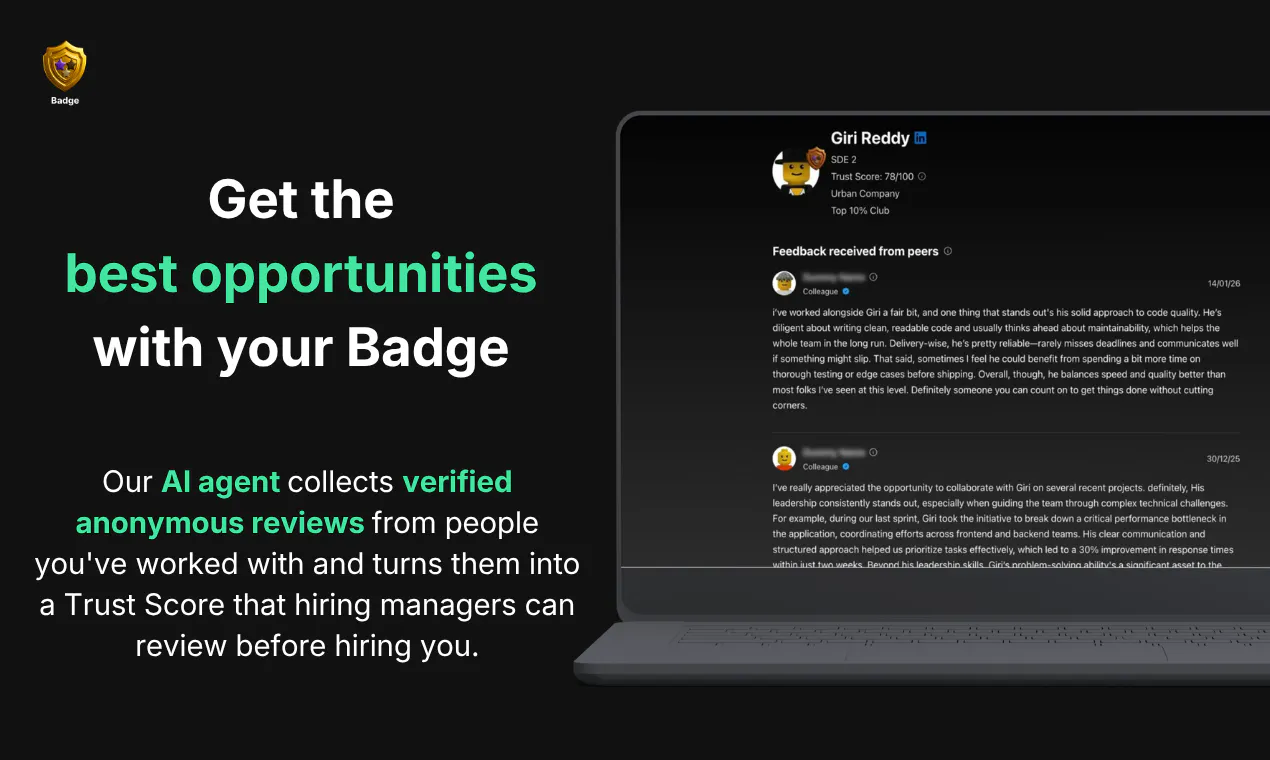
查看原始信息
Awish
Awish turns repetitive online work into secure, self-improving automations without code. Describe a task in chat, let Awish plan and connect the right apps with permission, then control everything from WhatsApp, Slack, or Telegram.
Hey Product Hunt Community — I’m Alper, co-founder and project manager of Awish. About a year ago, while working as a freelancer, I noticed how much time I was losing on repetitive online tasks. It wasn’t one big task that slowed me down. It was the small things I had to repeat again and again: follow-ups, updates, reports, reminders, drafts, client messages, and moving information between tools. That’s where the idea for Awish started. Awish helps individuals and teams turn repetitive online work into secure, self-improving automations using natural language. You describe what you want in chat. Awish understands the request, plans the workflow, connects the right apps with your permission, and helps create the automation in minutes. But the part we’re most excited about is this: After your automation is created, you don’t need to keep opening Awish to manage it. You can control your automations from the apps you already use every day — WhatsApp, Slack, or Telegram. That means you can: * run an automation * pause a workflow * check status * approve an action * receive summaries * manage tasks while you’re away from your desk We also designed Awish around control and trust. Important actions should be reviewed and approved, app connections should happen with permission, and automations should feel reliable — not like a black box. Awish also learns from your conversations and workflow history, so over time your automations can become more personalized and better aligned with how you actually work. For our Product Hunt launch, we’re offering free credits so you can try Awish yourself. We’d really love your honest feedback today, especially on: 1. Is the first use case immediately clear? 2. Would you trust automations controlled from WhatsApp, Slack, or Telegram? 3. Which repetitive workflow would you want Awish to automate first? 4. Where would you want more control or approval before an automation runs? Thank you for checking out Awish. I’ll be here all day answering questions and learning from your feedback.
6
回复

@alpertayfurr Congrats on the launch! this the most relatable part for me "WhatsApp, Slack, or Telegram"

2
回复

Described a daily reporting task in chat and it pulled together the right app connections without me touching a config screen. The WhatsApp control layer feels surprisingly natural for quick tweaks.

3
回复

@glsm11117961978 We really appreciate your feedback Gülsüm! Our goal is to make automation feel conversational instead of configuration-heavy. It's great to hear the WhatsApp control layer made quick changes effortless.

1
回复

The chat-to-automation flow feels genuinely thoughtful, especially how it asks for permissions app-by-app instead of dumping a scary OAuth screen on you first.

3
回复

@hilesizoza25171 Exactly! When we were designing the flow, we realized that just solving the technical problem wasn't enough. Making the user experience feel comfortable and intuitive was just as important to us.

Our goal was to let users see their idea turn into a real automation in just a few clicks, without losing their train of thought or momentum. Really glad that resonated with you!

0
回复

@hilesizoza25171 Your positive experience shows we are on the right track, and we are very pleased Ozan. We hope our application can make many of your tasks easier.

0
回复

Awesome, concept and congrats on the launch. How does one go about requesting new service integrations to Awish?

3
回复

@mathsociety Thanks so much for the supports Kevin,

Right now, you can submit any new integration requests through our support page. Very soon, though, you'll be able to request them instantly right inside the chat interface while talking to the agent.

We're actually working on making this entire feedback loop fully autonomous. Since we're still learning all the different ways users want to connect their workflows, we're keeping it simple for now. We really want to build and grow this platform together with our community!

0
回复

@mathsociety Thank you so much, Kevin! We really appreciate it. If there's a service you'd like to see integrated, just let us know through our feedback channels or message us directly. We prioritize new integrations based on user demand, and we're always happy to hear suggestions.

1
回复

How does Awish actually handle permissions when it connects apps on my behalf, and can I review or revoke what it has access to at any point?

3
回复

@tarkgleiqj4 Hello Tarık, thank you for your feadbacks. Great question! Here is exactly how we handle permissions and access control:

Connecting & Permissions: We use Composio to manage app connections. Before starting an automation, we provide a secure link. Clicking it opens a popup where you select the exact features and scopes the app can access. Awish only operates within these granted boundaries.

Revoking Access: You can disconnect an app anytime with one click in our platform (bottom-left user menu > Apps). Once removed, the connection is completely deleted and forgotten.

Revising Scopes: For security reasons, you cannot modify specific permissions from Awish.ai after the initial setup, but you can always adjust them directly from the connected app's own settings.

Chat Controls: As an extra layer, you can also just tell the agent in the chat what features not to touch to dynamically limit its actions without any hardcoding.

Let me know if you want to dive deeper into any of these!

1
回复

Nice one - love that it lives right inside WhatsApp/Slack/Telegram instead of forcing another dashboard. The permission control layer is a smart touch too. Congrats on the launch, wishing you a great one! 🚀

2
回复

@cem_ozcelik Thanks so much for the kind words Cem! 🙌

We believe AI should adapt to people's existing workflows, not force them into new ones. That's why we chose messaging platforms as the primary interface instead of building another dashboard.

And yes, the permission layer is something we care deeply about. Giving users full control over what the AI can access is essential as automation becomes more powerful.

Thanks again for the support! We're just getting started. 🚀

1
回复

@cem_ozcelik Thank you very much, Mr. Cem. Our goal when creating Awish was to enable everyone to create even the most complex automations simply by typing in natural language, without knowing any code, and to significantly increase productivity through chat. And we managed to do this securely and with all the necessary permissions. Furthermore, our biggest differentiator is that you can easily create and manage your automations from anywhere – while walking, in your car, on vacation – through channels like WhatsApp, Slack, and Telegram. These wonderful comments excite us even more and motivate us to further improve our product.

1
回复