Product Hunt 每日热榜 2026-07-10

PH热榜 | 2026-07-10

#1
Sim
Open-source workspace for AI agents and workflows
531
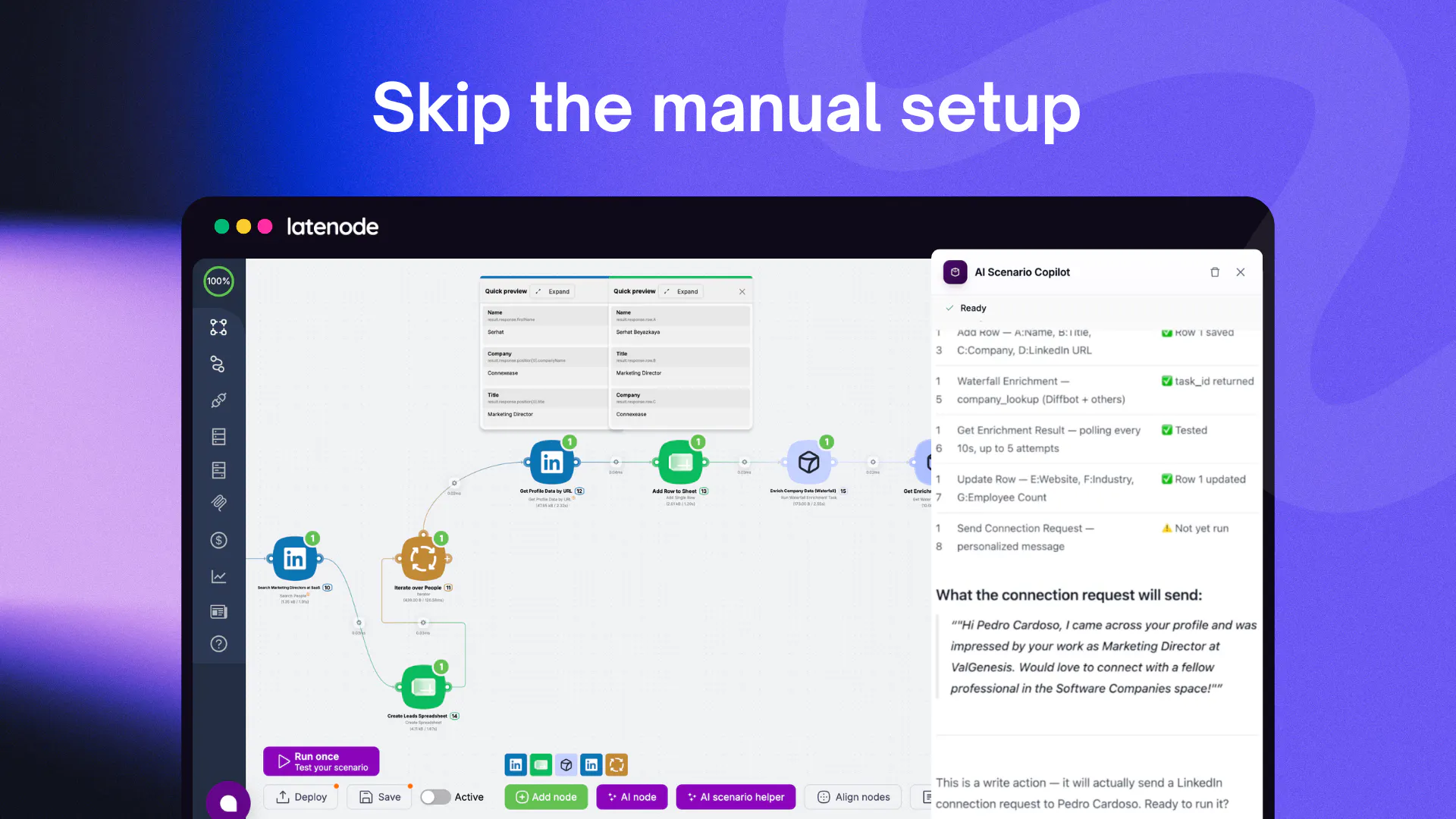
一句话介绍:Sim是一个开源的AI工作空间,允许用户通过聊天、可视化画布或代码构建和管理AI代理(Agent)及工作流,并连接超过1000个集成和主流大模型,解决了当前AI开发中框架碎片化、工具链混乱和token成本高昂的痛点。
Open Source Developer Tools Artificial Intelligence
开源 AI代理 工作流自动化 集成平台 低代码 大模型 企业级 SOC2 记忆管理 协作开发
用户评论摘要:用户普遍认可其开源、SOC2合规及1000+集成的吸引力。主要问题聚焦于:1)如何管理跨工作流执行的状态与记忆(已有“记忆”及对话ID机制);2)能否在节点级别无缝切换无代码画布与代码(支持);3)是否可设置审批节点控制高风险操作(已有“人机协同”节点);4)架构能否本地Docker运行(支持)。团队回应积极,反馈处理快速。
AI 锐评

Sim的发布精准切中了当前AI工程化中的一个核心痛点:工具链的混乱与成本失控。其创始人自述的“用Claude构建n8n自动化”的荒诞故事,完美映射了当下开发者面临的“框架套框架”的困境。从产品定位看,Sim并非又一个低代码AI平台,而是一个试图统一“开发-部署-管理”全链路的AI原生操作系统。

**其真正价值在于三个关键设计:**

1. **范式转移:从“编程”到“对话式构建”**。90%的使用率转向对话式构建是一个革命性信号。这意味着Sim正在降低AI工作流的创建门槛,让非开发者也能通过自然语言驱动的“行为描述”定义复杂自动化逻辑。这种“AI构建AI”的循环,是产品飞轮启动的关键。

2. **成本控制是企业的生死线**。Sim提出的“用确定性代码替换Token饥饿的LLM调用”,不是锦上添花,而是企业级落地的必要条件。大多数AI平台鼓励大量LLM调用,而Sim通过架构设计强制优化成本,这将对预算敏感的企业客户产生致命吸引力。

3. **开放性与治理能力的罕见结合**。Apache 2.0开源协议解决了企业“数据主权”和“锁定恐惧”,而SOC2合规则为金融、医疗等强监管行业打开了大门。这种“开源底子、商业云服务”的开放核心模式,既确保了社区生态活力,又通过托管服务实现了持续营收。

**风险与隐忧:** 1000+集成的维护是极大的工程负担。尽管官方声称通过AI代理自动化维护,但第三方API的频繁变更是系统性风险。此外,虽然对技术团队有吸引力,但“非技术用户可通过聊天获取价值”的说法仍存疑——真正的复杂业务逻辑,最终仍需依赖节点级别的灵活控制。

总体而言,Sim是当下AI工具链中一个兼具“锋芒”与“务实”的搅局者。它不追求大模型的炫技,而是聚焦于如何让AI“用得起、管得住、接得上”,这恰恰是目前市场最稀缺的能力。如果其开源社区能形成良性自治,Sim有潜力成为AI时代的“超级工作流引擎”,而非又一个昙花一现的自动化玩具。

查看原始信息
Sim
Sim is an open-source workspace to build agentic workflows. Connect your AI agents and workflows to 1,000+ integrations and LLMs.
👋 Hey Product Hunt! I'm Emir, co-founder and CEO of Sim. Today Sim is open to everyone, and I couldn't be more excited to share it ❤️ Sim started with a mess of our own making. Waleed (my best friend and co-founder) and I were prompting Claude to build sophisticated automations in n8n, storing data in Supabase, and standing up infra for our APIs and MCPs, and we realized the stack we'd assembled just to build agents that automated our own work was a complete mess. Not to mention our token spend... So we set out to build the one platform we wished we had. The problem: building AI agents today means stitching together frameworks, one-off scripts, and brittle automations that break the moment anything changes. We wanted one place to build an agent, give it access to our data across 1,000+ integrations, build a brain for memory, deploy it, and actually manage it over time. So we built one. Sim is the open-source AI workspace for agents. Here's what makes it different: 🗣️ Build by chatting — describe what you want and Sim builds the agent and workflow for you. Or design it visually on a canvas. Or drop into code. Whatever fits the job. 🔌 1,000+ integrations + every major LLM — Slack, Notion, HubSpot, Salesforce, Gmail, and more, connected out of the box. Your agent says "message me on Slack when a deal closes" and it just works. 🧠 One workspace, shared context — Workflows, Tables, Knowledge Bases, and Files all live together, so your agents share memory and data instead of living in disconnected tools. 💸 Cost-efficient by design — Sim swaps token-hungry tool calls for deterministic steps and real code wherever it counts, so you're not burning tokens (and money) on work that never needed an LLM in the first place. 🚀 Built for real work — Slack bots, compliance agents, data pipelines, research assistants. Not demos, actual production agents. 🔓 Open source (Apache 2.0), SOC2, and already trusted by 100,000+ builders. Who it's for: teams who want to put AI agents to work (IT, ops, and technical teams who need governance and control), and individual builders who care about speed and open source. We're shipping fast and want to build this with you. Tell us what's missing, what's broken, and what would make Sim 10x more useful for you. Try it -> sim.ai I'll be here all day and will read and reply to every single comment 🙌
16
回复

@emirkarabeg Open source + agentic workflows feels like a powerful combination, especially with so many LLMs and integrations available now.

What's next on your roadmap? Is there a feature the community keeps asking for that you're most excited to ship?

1
回复

@emirkarabeg Congratulations on the launch! "1,000 integrations" that's massive🙌🏽

3
回复

@emirkarabeg One question from a fellow AI builder:

As agent workflows become increasingly long-running and involve multiple tools and LLMs, how does Sim Studio handle state and memory across workflow executions? Is there a native execution context that persists between runs, or do you recommend storing conversational and agent state externally (e.g., via Knowledge Bases or databases)? Curious how you approached that trade-off for production deployments.

0
回复

Congrats on the launch!

100k builders on an open source tool is genuinely impressive.

BTW, what's the split between solo devs and actual teams using this in production?

8
回复

@abod_rehman 

Thanks so much! Great question. Solo agent builders account for 70%+ of the users on the platform, while teams actually account for 90%+ of agent and workflow runs.

2
回复
@emirkarabeg The mess of stitching frameworks and watching token spend go wild is incredibly relatable. Sim solving this by bringing workflows, tables, and knowledge bases into one shared context is huge for real production work. Can we seamlessly toggle between the no-code canvas and dropping into raw code for specific nodes, or do we have to pick one style for the workflow?
5
回复

@tehreem_fatima5 you can decide which option you'd like to work with and interchange for each node in your workflow.

1
回复
@emirkarabeg Being able to interchange it node-by-node gives the perfect balance between speed and full control. Absolute game-changer for dev workflows. Thanks for clarifying.
1
回复

Apache 2.0 and soc2 out of the gate is a wild combination for a new open source agent project. usually security teams block this stuff instantly. congrats for launch @emirkarabeg 🙌 qq can i run the entire stack locally via docker-compose and still keep the visual canvas working?

4
回复

@vikramp7470 of course.

npx simstudio with docker gets you running instantly.

2
回复

love that files and tables live in the same workspace layout, context switching between three different DBs and vector tools completely breaks agent memory. amzing launch

4
回复

@priya_kushwaha1 thanks so much! You can think of Sim as a 'brain' that houses and interacts with data across knowledge bases (vector DB), tables, files, and workflows.

3
回复

1,000+ integrations is a lot to keep working. Are those maintained in house or community contributed?

3
回复

@suyash_kr all maintained in house by our own agents.

3
回复

Love the emphasis on replacing unnecessary LLM calls with deterministic code instead of assuming everything needs an agent. Just Curious have you noticed users converging toward a small set of reusable agent patterns over time, or is every team's workflow still highly bespoke? Congrats on the launch! 🚀

3
回复

@tarqiya_forgah 

A pattern we're seeing often is when teams put a set of deterministic nodes first (fetching data, cleaning it, etc.) and then put the LLM-based nodes at the end to handle the last-mile and other nuances.

1
回复

Hey Emir! Congrats on the launch. Love open source projects and even more if it's backed by YC. Wish you all the best here

3
回复

@german_merlo1 thanks so much!

1
回复

Love that you're supporting multiple integrations instead of reinventing every connector . That should make it much easier to fit into existing tech stacks.

3
回复

@isaac_warren absolutely.

1
回复

This looks promising! How does Sin handle multi agent collaboration ? Can different agents here context and coordinate on the same workflow?

3
回复

@gordon_bennett great question! We have a concept of "memory" and if you pass in the same conversation ID to multiple agents, they're able to have context in the same workflow or even across multiple workflow runs. It's pretty neat, actually. Feel free to try it out.

1
回复

who do you think gets the most value out of Sim today, developers, technical teams, or can non-technical users get productive quickly as well?

3
回复

@aymi_malik 

Great question.

Technical teams building agents and solo devs looking for automations get the most value out of Sim today.

Non-technical users still get loads of value from the Sim chat.

2
回复

The "chat to build" vs canvas vs code approach is interesting, most tools force you to pick one. Which one do most of your users actually end up sticking with?

3
回复

@boyuan_deng1 

Originally, Sim users were only building on the canvas. Now, more than 90% of the platform's usage comes from the chat. Sims love prompting!

2
回复

@emirkarabeg The per-node flexibility between chat, canvas, and code is what other tools get wrong. Curious, which mode do most of your users end up living in?

2
回复

@maurya_abhiranjan most users use the chat to workflow feature. It's very powerful! Give it a try.

0
回复

Open-source is the interesting bet here, most workflow

tools in this space are closed, which means you're

locked into their roadmap and pricing forever. Curious

how you're thinking about sustainability though, is

this open-core with a paid tier down the line, or

fully community-driven?

1,000+ integrations out of the gate is a lot to

maintain well. How are you handling the ones that

break when a third-party API changes, is that on the

core team or does the community help maintain

specific connectors?

Congrats on shipping this, open-source infrastructure

tools like this are genuinely valuable even when they

never get the attention flashier consumer apps do.

2
回复

@melissa_capello it will be free and open source forever.

Cloud has paid offerings, including the Sim agent (chat) feature. Our agents flag if a third-party API changes and they will create a PR for the team to review based on the latest documentation from the company.

1
回复
Congrats Emir! Your origin story is literally my job description. I prompt Claude to build automations for a 40-person company and the stack sprawl is real, so one workspace with shared context is the right pitch. My question: since 90% of usage is now chat-built, what happens when an agent needs to do something risky like sending a Slack message or an email? Can I set approval gates on specific nodes so a human signs off before it fires? That’s the line between a demo and something I’d let loose on production.
2
回复

@ridhwikvinod absolutely. You can use the human-in-the-loop node to gate agent actions behind human intervention.

1
回复

Congrats Emir!
Most agent builders just throw LLM calls at everything and the bill quietly becomes a problem at scale. How does Sim decide which steps get deterministic code versus an LLM call, is that the builder's call or does Sim suggest it

2
回复

@jasnoor_singh_oberoi great question! Sim will suggest using deterministic processes for steps that don't need to be brought into an agent.

When chatting with Sim, it will build everything for you, but the way we think about it is if that step requires some nuance then you should bring an agent in.

2
回复

I use Sim every day, it's fantastic

2
回复

@finn_mallery thanks Finn! Legend.

1
回复

Quick question: when an agent workflow fails in production, how do you actually debug it? Like, is there a trace/replay view, or are you digging through logs across the different integrations it touched? Anyways, congrats on the launch!!

2
回复

@mshen316 thank you! Great question. You can see the full trace span then launch a debug agent on Sim that finds the issue with your workflow, solves the problem, then re-deploys your agent.

1
回复

connected my OpenAI agent to Slack and Notion in like 10 minutes, the drag and drop flow editor feels really natural

2
回复

@birglcanle9g1q feel free to try out the Sim agent builder! You can build in natural language in <1 minute.

1
回复

Open source is the reason I'd actually build a workflow on this instead of renting one that vanishes in a year. When a step in the middle of a run fails, does Sim let me resume from that step or does the whole thing start over? Re-running everything from the top is what made me drop the last couple orchestration tools I tried.

2
回复

@chielephant great question. You can resume from a point in time in a workflow. If your workflow fails at point C, instead of re-running from point A, you can resume from C onwards.

1
回复

I like that you're treating AI agents less like individual tools and more like a coordinated system. As companies adopt more agents, I think orchestration will matter far more than adding another capable model. The value shifts from what a single agent can do to how reliably they work together.

2
回复

@aryan787544 exactly. Being able to orchestrate many agents to handle a single task easily will become more important over time. This concept already exists in ML, and it's called ensemble learning. Many "weak" models on average perform better than one stronger model.

2
回复

Congratulations

2
回复

@madalina_barbu thank you!

1
回复

i like the focus on production ready AI agents instead of simple demos. how does Sim monitor agent health and recover from failed workflow executions?


2
回复

@james_carter35 great question. In logs, you're able to see the full trace span from a workflow run. If you error in that run, there's a debug from logs where the Sim agent can identify what went wrong and triage/fix the problem.

1
回复

Played around with it for an hour and honestly the drag-and-drop agent builder feels really snappy, hooked up a Slack-to-Notion workflow in like ten minutes without writing code.

2
回复

@cansel812054 great to hear! Feel free to use the chat agent. It's really powerful and can get you set up in <60s.

1
回复

How does the pricing work for an open-source project, especially once you start scaling beyond a handful of agents and hitting those 1,000+ integrations?

2
回复

@hanifekrkir2f it's free forever! Open source Apache 2.0.

1
回复

@emirkarabeg The per-node flexibility between chat, canvas, and code is what other tools get wrong. Curious, which mode do most of your users end up living in?

1
回复

@abhiranjan_mehta most users work inside chat end-to-end.

0
回复

The shared memory across agents in the same workspace is cool 👍 can you also set boundaries so certain agents only access certain data, or is it all-or-nothing?

1
回复

@ding_hao that's right! You can guard agents by only giving them access to certain operations (I.E. Gmail draft instead of Gmail write).

0
回复

This is so needed - agents working in isolation just aren't as effective!

1
回复

@kelly_king3 I completely agree! I hope you enjoy!

1
回复

this is super cool!

1
回复

@yi_zhong3 thank you!

0
回复
1,000+ integrations is impressive!! I'm curious, how do you think about long-tail services? Do you expect to build and maintain every connector yourselves, or is there a strategy for letting the ecosystem extend Sim over time?
1
回复

@luki_notlowkey great question! We have an agent on Sim that writes the initial integration based on public docs from the tool we're integrating with. Then we have a suite of tests and we check over it briefly ourselves. It allows us to ship any integration in <5 minutes.

0
回复
#2
PlugThis
Create your own Chrome Extensions by chatting with AI
504
一句话介绍:PlugThis让用户通过自然语言与AI聊天,即可创建、修改并发布完整的Chrome扩展程序,解决了非开发者或开发者因架构复杂而无法快速构建浏览器扩展的痛点。
Chrome Extensions Artificial Intelligence No-Code
Chrome扩展生成器 AI编程工具 浏览器自动化 无代码开发 Manifest V3 产品众包 开发者工具 浏览器插件 AI工作流 个性化软件
用户评论摘要:用户赞赏其专注扩展领域,并关注版本回滚、Firefox/Edge支持、收费模式及分发难点。核心问题:如何应对Chrome Manifest变更?AI生成能否处理复杂逻辑与非标准需求?商业化后如何帮助推广?
AI 锐评

PlugThis切中了一个极其精准却长期被忽视的细分市场——浏览器扩展的AI生成器。它不是又一个“万能AI建站工具”,而是针对Chrome扩展这一独特架构(Manifest、Content Scripts、Service Workers)做了深度优化,这恰恰是Lovable、Bolt等泛用型工具无法胜任的盲区。产品真正价值在于两点:第一,它把扩展开发的“冷启动”成本降到了最低,用户面对的不再是配置项,而是一个自然语言输入框;第二,它将生成动作延伸到了发布环节(自动生成图标、截图、合规描述),这在“高流失率”的Chrome Web Store发布流程中,是关键的用户留存手段。

但我们需要警惕其“承诺边界”。用户@crystalmei的回复虽详尽,却回避了“生成复杂逻辑时的准确性和一致性”这一核心技术难题。支撑504票的反馈多集中于“减少配置麻烦”和“版本回滚”等初级需求,几乎没有用户展示真正复杂、依赖第三方API或深度DOM操作的扩展案例。此外,对Manifest V3变更的应对策略(“新生成的跟上,已发布的不受影响”)存在模糊地带,这将是长期维护的隐忧。BYO API key的模式虽保证了用户代码的所有权,却把AI推理成本转移用户自己,这与“零门槛”的承诺存在矛盾。总体看,这是一个“窄而深”的优秀尝试,但它的天花板将由能解决多大程度的复杂逻辑、以及处理边缘情况的能力决定,而非“聊天生成”这个表层功能。

查看原始信息
PlugThis
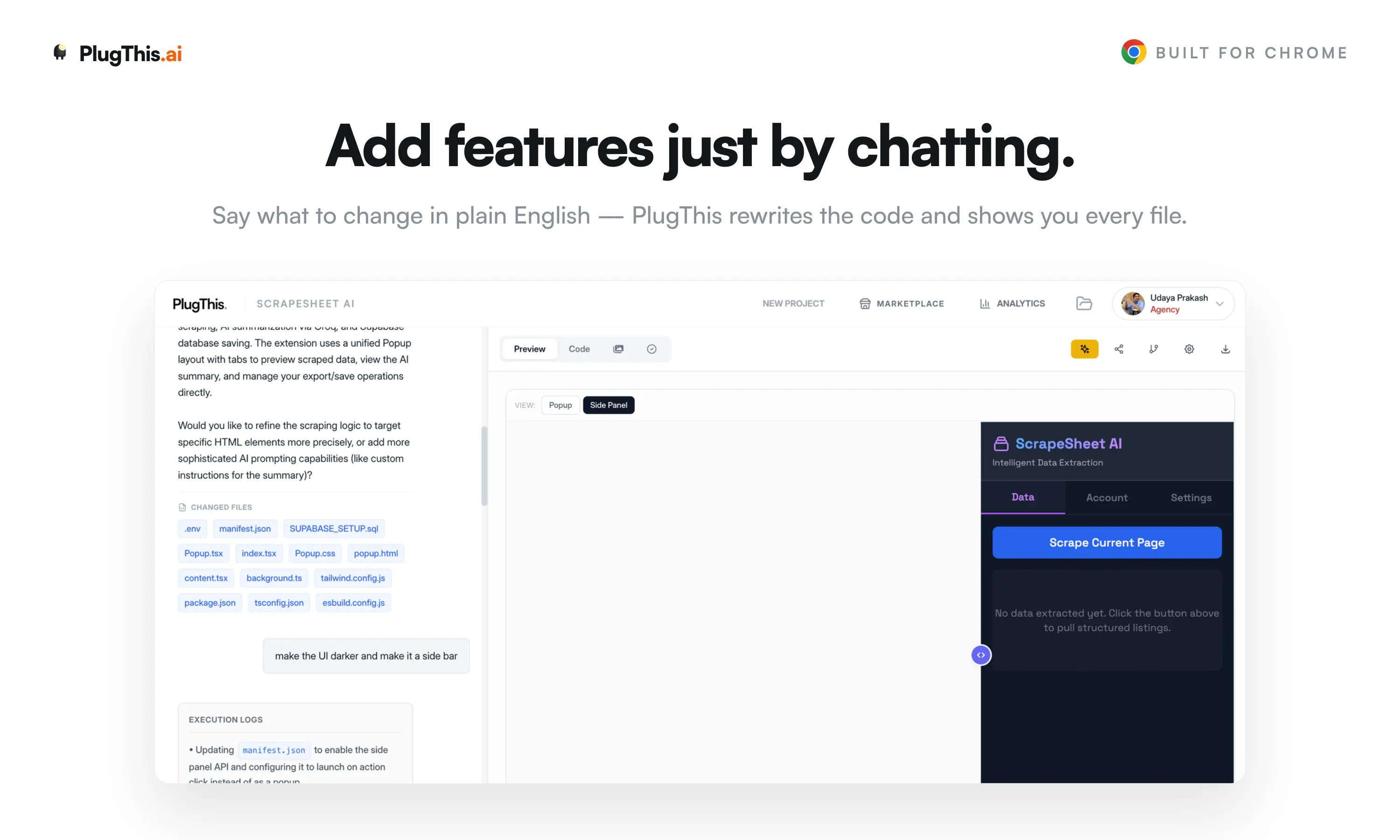
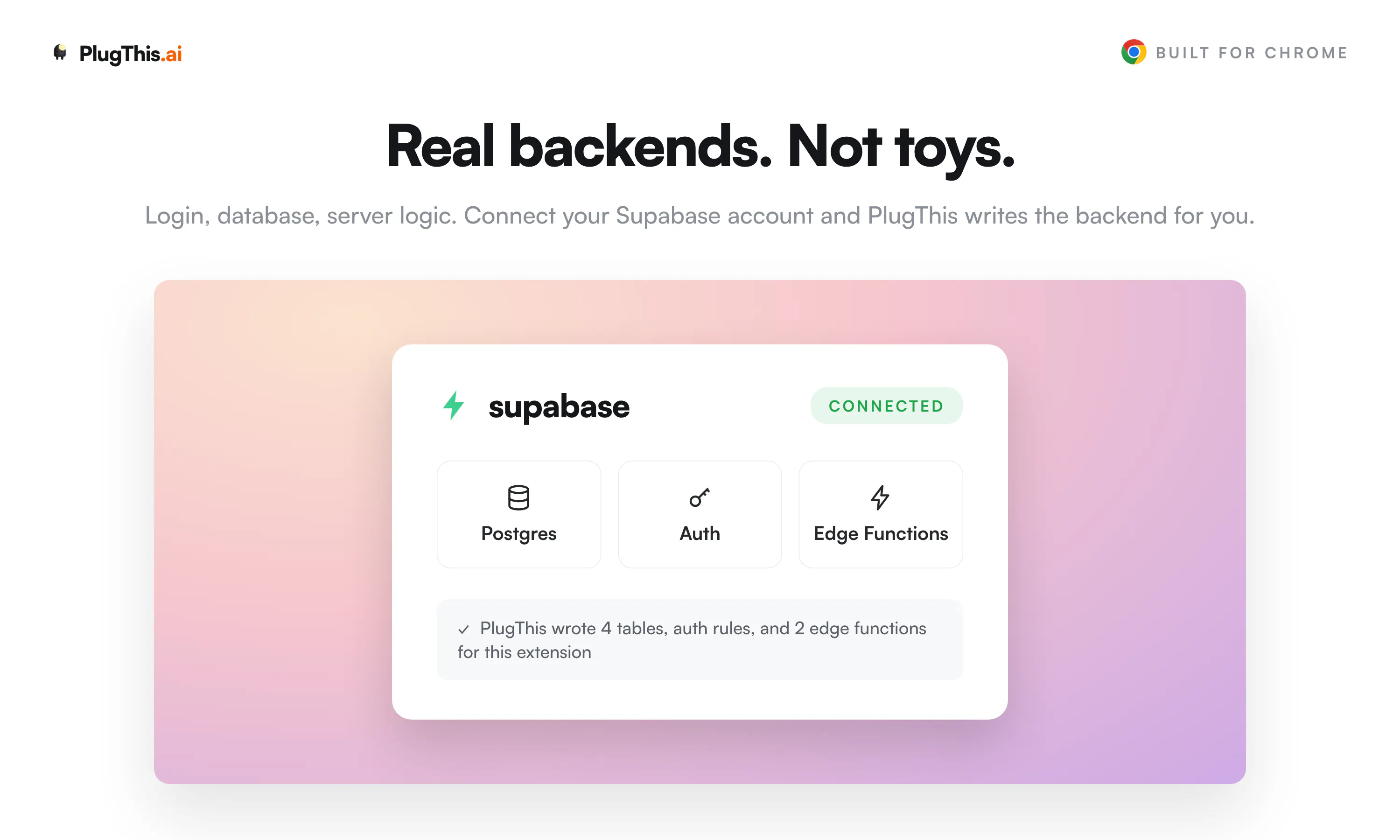
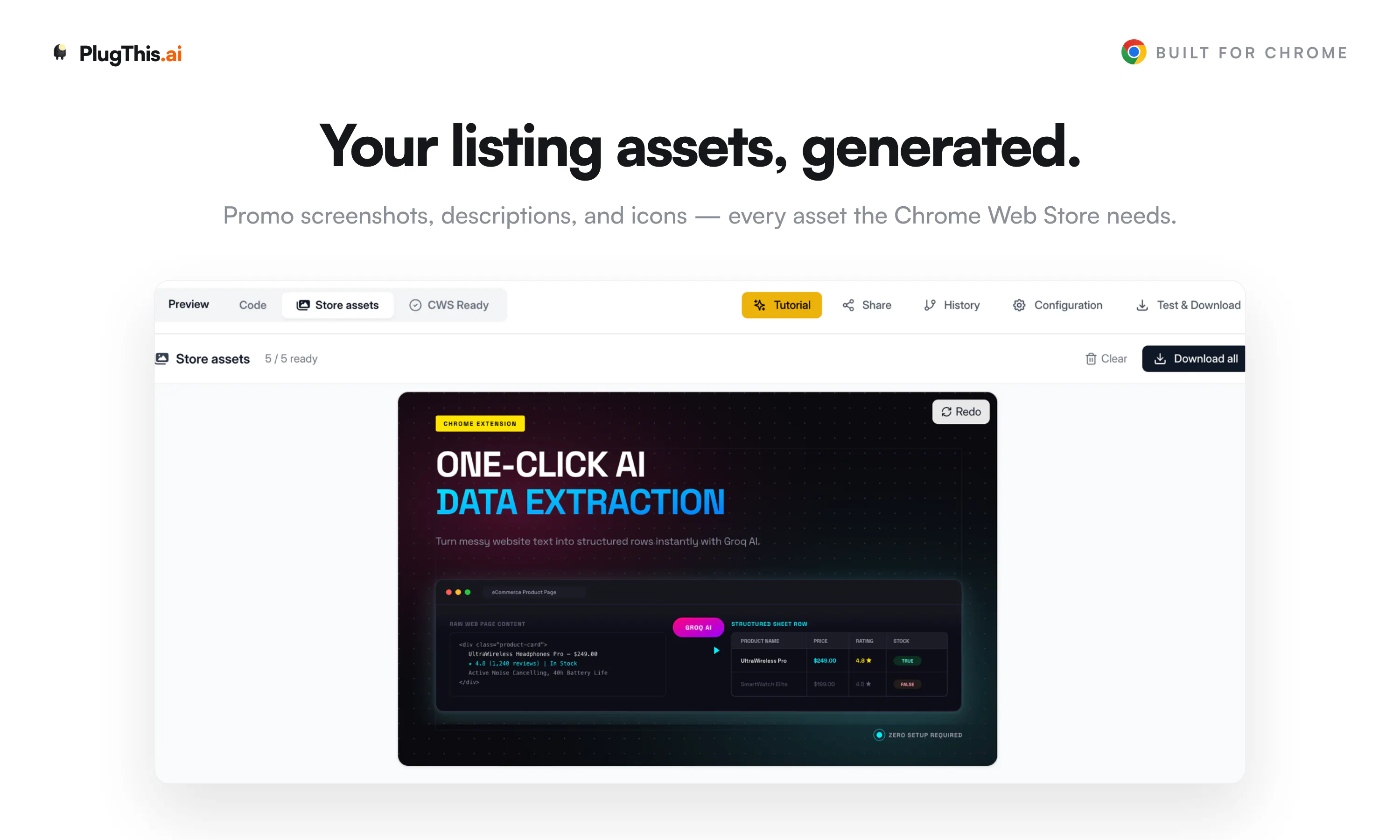
You wanted a Chrome extension that would save you 15 minutes a day. You searched the Chrome Web Store, and it's not there. Now you can just describe it in plain English, and PlugThis builds it for you. The code is yours. Want changes? Chat. Need login or a database? Connect Supabase. Ready to publish? We generate the icons, screenshots, and listing copy the store asks for. Everyone else builds web apps. We build Chrome extensions.

Hey PH 👋 Udaya here, founder of PlugThis. We're a team of four in Bangalore.

Till last year we were building AI products for large enterprises. Then the AI builder wave hit, and tools like Lovable, Bolt, and v0 genuinely inspired us. I built web apps, dashboards, and visualisations with them, and they performed incredibly well.

But when I tried building Chrome extensions with them, it just didn't work. Extensions have a completely different architecture (manifests, content scripts, service workers) and these tools weren't designed for that.


I've been building extensions since 2015 in my first startup, so I know this pain personally. Extensions are the most personal software there is 🧩

We spend 7 hours a day in a browser, and everyone of us has some 15 minute repetitive task they wish would disappear. But there was nowhere to go to build a simple extension for ourself.

We searched the market for something like this. Couldn't find it, so we built it.


PlugThis builds Chrome extensions from a plain English prompt. Real Manifest V3 code that you own, and you can wire up a Supabase backend to make it full stack.

One from my own browser: an extension that reads a Twitter profile as I scroll, researches the person, and scores how close they are to my ICP. Took a few prompts ⚡

For launch week, the Builder plan is at the Starter price, 3 days only 🎁


We are here through the day. Try it out, and tell us what you liked and what you wish it did.

And if you build an extension for yourself today, please share it in the comments. That's honestly the whole point of this product 🙌

27
回复

@nefer_ai Love that you're focused on Chrome extensions rather than trying to be another all-purpose AI builder. Being able to describe an idea in plain English, refine it through chat, and end up with a Chrome Web Store–ready extension—including the listing assets—is a huge time saver. Wishing you a successful launch!

0
回复

@nefer_ai Congrats on the launch 🚀

As someone who has built Chrome extensions, I know they're a very different beast from web apps. The architecture alone can be a hurdle, so I love that you're making this accessible through plain English prompts.

I'm curious, after watching people build with PlugThis, what's the most creative or unexpected extension someone has created that made you think, "We didn't see that coming"?

Excited to see what the community builds with this! 🔥

4
回复

@nefer_ai I'm curious about the architecture like when users iteratively modify an extension through prompts, how do you maintain consistency across the codebase? Are you regenerating the project each time, or applying incremental edits while preserving the existing structure? That seems like an interesting technical challenge.

0
回复

I've had a few Chorme extension ideas setting in my notes because getting from an idea to working extensions always felt like too much work. i really like that you're focused on one problem instead of trying to build everything for everyone.

14
回复

@tessa_lynch Thank you for appreciating exactly what we are doing. We just want to be the simplest way to build chrome extensions.

Please try out your ideas on Plugthis.ai Super excited to see your ideas to comes to life.

2
回复

I've noiced there are plenty of AI tools for websites but not many focused on broswer extensions. that focus alno makes Plug this stand out to me.

10
回复

@_angelinaashley Thank you, we were clear from Day 1. We ll only focus on chrome extensions. There are plenty of web app and mobile builders but none of them build proper chrome extensions.

Please take PlugThis for a spin, would love to see what you are going to build.

3
回复

always wanted to experiement with Chorme extension but the setup process kept pushing me toward others projects. this makes the whole process feel much more approcahable.

8
回复

@anthonywrinqsb That setup wall is exactly the thing that killed the idea for so many people. Manifests, service workers, build config, store rules, all before you write a single fun line of your actual idea. We wanted the barrier to be "what do you want it to do," not "spend a weekend configuring tooling first."

You should finally build that extension you kept putting off. If you do, tell me what it is, I'd genuinely love to see the first thing you ship with it.

2
回复

The versions history caught my attention. i've learned the hard way how valuable it is to roll back when an experiment doesn't work.

8
回复

@elidodial67la Totally with you, Elido. That "undo the experiment that broke everything" moment is exactly why it's there.

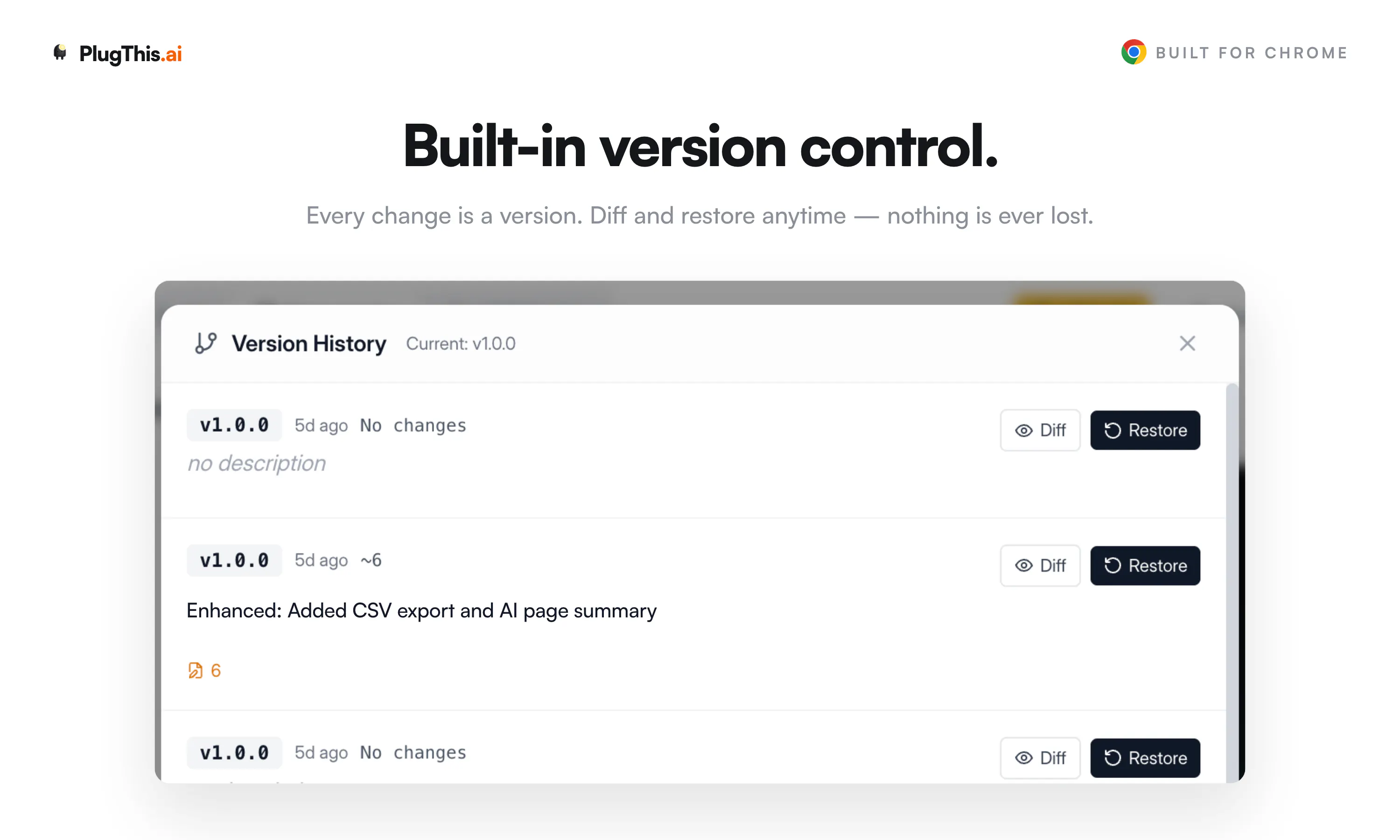
Every time you change the extension, PlugThis snapshots the full file set before applying the new version, with a summary of what changed and a timestamp. So when something breaks, you can restore an earlier working version in one click instead of trying to reverse-engineer what you had. And restoring is safe too: it saves your current state first, so jumping back never costs you the work you're on.

Curious what you've been building where rollback saved you. Sounds like there's a war story there 😄

3
回复

@nefer_ai I like that this is built specifically for Chrome extensions instead of trying to cover every kind of app. Sometimes focusing on one problem is what makes a product really instead out.

8
回复

@morgan__harriss Thank you, we want to do one thing, in our case building chrome extensions and be the best in the world at it.

Please take PlugThis for a spin, would love to see what ideas you were able to make into a chrome extension.

4
回复

I appreciate that every change is versioned. It makes experimenting feel much less risky. Knowing I can always go back encourages me to try more ideas.

7
回复

@thomas__bond Thanks for noticing, This feature was not there in our original roadmap and only when we started to build real world extensions, we realised and necessity of having it and had it built.

Please do setup your account and try building your ideas.

2
回复

Firefox or Edge support planned, or Chrome-only for now?

7
回复

@zoe_sullivan Fair question, Zoe.
Right now it's Chrome-first, and the store side is built specifically around the Chrome Web Store (permission justifications, listing assets, review prep all target Google's flow).

That said, everything it generates is standard Manifest V3, so the output already runs on Edge with little to no change since Edge is Chromium under the hood. Firefox is the bigger lift because its manifest quirks, APIs, and signing differ enough that "mostly works" isn't good enough, and I would rather do it properly than half-ship it.

So: Chrome and Edge realistically today, Firefox as a deliberate next step rather than a checkbox. Out of curiosity, is Firefox the one you actually need, or was Edge enough for your case? That genuinely helps me prioritize.

2
回复

Solid product. I've used this to create a few of my Chrome extensions to make my day to day work easier.

Although people with AI dev tools can create their own, I think everyone (even non-devs) needs to make their own chrome extensions to make their workflows easier, that's where this just works.

7
回复

@soumitrasen Thank you for your kind words! Very happy to have you as a user from the earliest days of plugthis.

5
回复

With PlugThis sitting under Chrome Extensions, AI Workflow Automation, and AI Agents, how much of the extension-building process are you trying to cover? Is the goal prompt-to-working extension, or more like generating the boilerplate and helping refine pieces such as popup UI, background scripts, and permissions?

7
回复

@crystalmei Great question! Prompt to working extension is the goal and not providing a boiler plate.

You describe what you want, PlugThis generates manifest, popup, content scripts, background scripts, permissions. It also verifies the build compiles before showing it to you, and auto-fixes if something breaks.

Then you refine by chatting. "Add a keyboard shortcut", "make the popup dark" etc.

You can connect your Supabase and it wires up auth and a database. For AI features you plug in your own OpenAI or Gemini key.

When you're ready to ship, it generates the icons, screenshots and listing copy the Web Store asks for. And the code is yours to download anytime, so nothing is locked in.

Will it handle every exotic extension idea perfectly? Honestly, no. But for the stuff most people actually want to build, you go from a sentence to something installed in your browser in a couple of minutes.

We have managed to build fairly complex extensions, simply by chatting and describing what we want in plain english.


If you have an browser itch, please try out the platform. I am fairly certain PlugThis will be able to solve it.

9
回复

Guys, you are amazing. I will try this later because I am building my own (tho manually because I set the goal for myself to learn coding and programming). But this one tool is brilliant! :)

6
回复

By the way, how comprehensive is this solution?

Because let's say that I am a total beginner and my prompt would be: "Create a plugin that alerts you that you spent too much time on a certain website." – does it know how to create a sufficient structure?

Because real devs are more descriptive and probably would be able to create well-described and specific tasks, like create padding 3px 12 px...

4
回复

Good idea. It would be even better if your service somehow helped with the promotion and marketing of extensions, because this is much more difficult than development, especially in our time

6
回复

@maxim100000 You bring up a really good point, our current focus is building the best chrome extension builder in the world. Helping our users move from idea to working extension, as soon as possible.

On the marketing front, we do assist with asset creation and deployment of updates to the chrome store.
We also help getting the extension ready for a chrome store listing.

On the distribution front, we havent made any plans yet, if you have any ideas please share.

2
回复

What happens when Chrome changes a manifest requirement?

6
回复

@levi_mitchell1 

@levi_mitchell1 The manifest isn't hardcoded into some template you download and own forever. Generation, validation, and sanitizing all happen on our side against the current Chrome rules. So when Google changes a manifest requirement, we update that logic in one place and every new extension people generate follows the new rule immediately.
You don't have to track the spec, learn what changed, or patch boilerplate yourself.

Being honest about the edge: an extension you already published stays as it was shipped, so if a change affects it, you would regenerate and re-publish.
But the "keep up with Chrome's moving target" burden sits with us, not you, which is exactly the part that usually makes people abandon extensions.

What made you ask? Have you been bitten by a manifest change breaking something before?

2
回复

BYO API key means full ownership, but no free AI features out of the box. Real cost upfront.

6
回复

Hi @aria_turner You don't bring your own key to use PlugThis itself. Generation runs on our AI with a free trial to start, then paid plans if you keep building, so there's no upfront API cost just to try it and ship your first extension.

The BYO-key part only comes in if the extension you generate needs to call an external API on its own at runtime (say it talks to an AI model or a third-party service). In that case the key lives inside your extension's own .env, which is where the "full ownership" bit is real: your extension, your key, your usage, no dependency on us to keep running.

So it's kind of the best of both. Zero-setup AI to build, and clean ownership for anything your extension calls once it's out in the world.

1
回复

the manifest/content-script/service-worker mismatch is exactly why lovable and bolt hit a wall on extensions. the abstraction they picked works for pages not for browser plumbing.

real q: how does plugthis handle the distribution side? chrome web store trust is the second wall after the code works. asking because building the extension is now the easier half of shipping one.

6
回复

@thenameisarian You nailed the framing. Once codegen is solved, building is the easy half and the Web Store is the second wall. That's the part we spent the most on, because "here's your zip, good luck" is where most tools stop.

Concretely, PlugThis treats distribution as a first-class step:

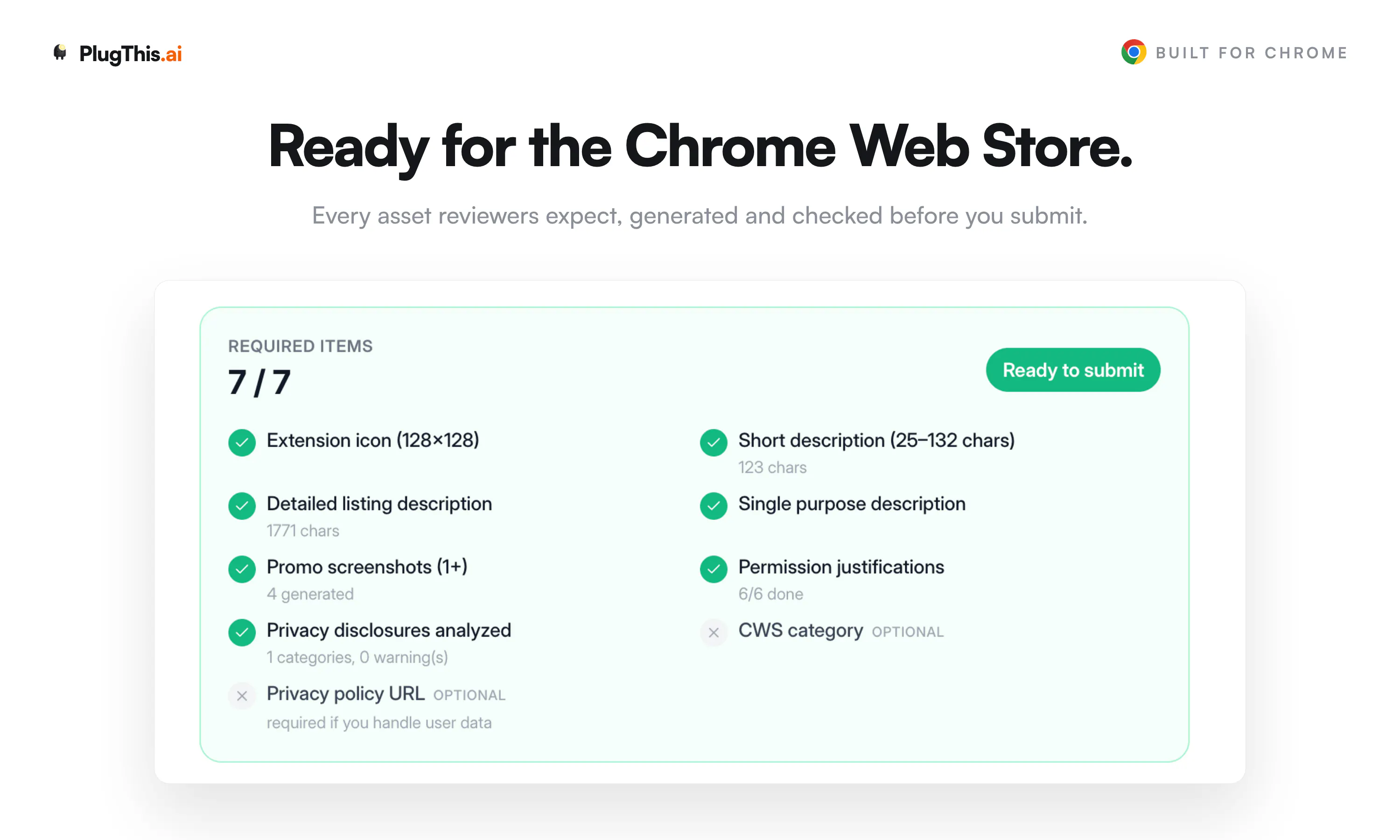
- It generates the listing from your actual code: long description, the 25 to 132 char short description, and the single-purpose statement Google now requires.

- It auto-drafts the compliance surface that usually triggers rejections: per-permission and host justifications, remote-code justification, and privacy disclosures mapped to Chrome's data categories.

- It packages the zip and writes the metadata into the manifest at publish time.

- Then it connects to your Chrome Web Store account over OAuth (refresh token encrypted at rest) and uploads and publishes directly. It remembers your Store item ID, so after the first listing, updates are basically one-click.

The honest boundary: we can remove the mechanical friction and the "did I fill the disclosures right" guesswork, but we can't make Google approve you. Review, trust, and the one-time developer registration are still theirs. What we kill is the part where the code works but you stall for a week because the listing and disclosures are a maze.

Curious if that matches where you have seen bolt and lovable users get stuck, at the store submission rather than the build.

4
回复

me thinks version history is valuable but can developers compare changes visually A side by side view would help greatly.

6
回复

Love this, Hana, and you're reading it right.

Under the hood PlugThis already computes a per-file diff between any saved version and your current build: which files were added, modified, or removed, plus the old and new content side by side and a quick +/-/~ summary of the changes. So the compare data is already there.

Turning that into a proper visual side-by-side view is exactly the next step, and honestly comments like this are what push it up the list. Would you want it as a full two-pane code view, or more of an inline "what changed" highlight? Curious how you'd actually use it day to day.

2
回复

@hana_salazars Love this, Hana, because it already works exactly how you described.

PlugThis has a version diff view built in: pick any earlier version and it opens a real side-by-side compare (old on the left, new on the right, line by line) powered by the same diff engine as a proper code editor. There's a file list next to it showing what was added, modified, or removed, so you can jump straight to the files that changed instead of hunting.

So it's not just snapshots you eyeball, it's a genuine visual diff. Curious what you'd want on top of it. Inline comments on a diff? Diffing two arbitrary versions against each other rather than against current? Would love to hear how you'd push it further.

2
回复
This looks like a useful way to turn simple ideas into Chrome extensions without dealing with all the technical steps. Congrats @nefer_ai & team. What type of extensions are users creating the most with PlugThis so far?
6
回复

@hamza_afzal_butt Thank you, the types of extension being created are wide spread from scrapers to AI powered extensions that do customer research.

But my favourite so far was an interactive digital wellness BFF someone had created that acts as your buddy reminding you to do exercise, drink water every 20 minutes.

One other thing I have observed is people re-creating extensions that already exist and adding features they want on top of them.

5
回复
@nefer_ai interesting pov! Will give it a try. Congrats for the launch!
3
回复

This is a great idea. Does the app publish to chrome store directly post building ?

5
回复

@neosrix Thanks Srix. Yes, it does.

Once your extension is built, you connect your Chrome Web Store account once, and PlugThis uploads and publishes directly from inside the app. It also generates the listing description, permission justifications, and privacy disclosures the store asks for, so you are not filling that out by hand. After the first publish it remembers your Store item ID, so pushing an update later is basically one click.

The only parts that stay on Google's side are the one-time developer account registration and the review itself, since approval is always their call. Everything up to hitting submit, we handle for you.

2
回复

Congrats on the great launch! QQ - what about permissions requested at runtime through chrome.permissions.request or optional_permissions? Those probably almost never show up in a static call graph, so does the analyser read them as dead and nudge you to drop something you only ask for on demand?

5
回复

@artstavenka1 Great question, and it's exactly the trap a naive static pass falls into, so we handle it two ways.

First, scope: only the required permissions array is ever evaluated for removal. optional_permissions are out of scope by design, precisely because they're requested on demand and would never show up in a static call graph. So nothing you ask for on demand can be read as dead or nudged for removal.

Second, runtime acquisition: if the code actually manages permissions at runtime, chrome.permissions.request, contains, add, or remove, the analyzer picks that up and treats any permission named inside those calls as live, even if there's no direct chrome. call for it. So a permission you declare as required but only activate through chrome.permissions.request won't be flagged either.

And the whole thing is deliberately biased toward silence. A false "this is used" is harmless, a false "drop this" could break your extension, so anything it can't attribute with confidence it leaves alone rather than nudge you. The nudge only fires when a permission has no static usage and no runtime request naming it.

So the short answer: no, it won't tell you to drop something you only ask for on demand. That's the exact case it's built to not get wrong. Really good catch to probe it though.

3
回复

@nefer_ai Tested it today and it's genuinely fun to use. I expected to spend time fixing boilerplate, but it got me to a usable extension much faster than I thought. If you keep improving the generation quality, this could become a go-to tool for anyone building Chrome extensions. Congrats! 👏

5
回复

@neerajkanoi Thank you, glad you found it to be useful. If there is any feature you wan to see in the app, please let us know.

2
回复

+1 to @thenameisarian on the browser-plumbing wall — that manifest/service-worker gap is exactly where the web-app builders stall. @nefer_ai your distribution answer already covers the Web Store side, so I'll ask the two things next to it:

Extensions can't be previewed in an iframe the way a web app can — you load them unpacked and click through real pages. How does PlugThis close the build→see-it-actually-working loop while you're iterating?

And on review: does the generator scope host/API permissions down to just what the feature needs, or is trimming an over-broad manifest still on the human before submitting? Least-privilege is usually what makes or breaks that first review 👌

5
回复

@akbar_b Both are the right questions, so here's the honest answer with the edges included.

On the build to see-it-working loop: an extension can't live in an iframe like a web app, so we don't fake that. What PlugThis does is render a live preview of your extension's real UI surfaces, popup, side panel, new tab, and options page, right in the browser as it generates, with the chrome APIs mocked so things like opening the options page actually behave. So while you iterate you're clicking a real rendering of the interface, not reading code and picturing it. For the parts a preview genuinely can't reproduce, content scripts firing on real third-party pages and the service worker's live behavior, we make the last mile trivial instead: you get a ready-to-load unpacked build, so "load unpacked and click through real pages" is one drop into chrome://extensions rather than a setup chore. I would rather be upfront that the true runtime still runs in Chrome than pretend a sandbox reproduces service-worker behavior it doesn't.

On least-privilege: scoping happens at generation, so the generator only pulls in host and API permissions when the feature actually needs them, rather than the usual "ask for everything to be safe" manifest. On top of that, PlugThis scans the actual code and detects permissions the manifest declares but nothing ever calls. Instead of writing a justification for a dead permission, which is exactly what gets extensions rejected, it flags it as "no code usage found, consider removing." It's deliberately conservative, so anything it can't attribute with confidence it leaves alone rather than risk telling you to drop something you need. Add the pre-flight checklist and privacy analyzer on top, and the manifest that reaches submission is scoped to what the feature actually uses.

4
回复

The focus on one narrow thing is what stands out here, since Lovable and Bolt genuinely do fall apart once you hit manifest files and content scripts. Curious how it handles permission scoping, since that's usually where generated extensions either ask for way more access than they need or break silently when Chrome tightens something. Also, since the code is yours to download, does switching between chat refinement and hand editing the code directly cause any drift, or does it stay in sync both ways.

5
回复

@elhart05 Two good questions, both hit the parts that usually rot.

On permission scoping: it's need-based at generation time, so broad host access and content scripts only get added when the feature actually injects into pages, not by default. And because generation and validation run server-side against current Chrome rules, when Google tightens something we update it in one place and every new build follows. So it leans toward minimal rather than the usual "request everything to be safe," and it doesn't silently rot when Chrome shifts.

On the sync question, this is the part I'm actually happy about. There's no separate "chat copy" and "your copy" that drift apart. Both modes read and write the same single source of truth.

- When you hand-edit the code directly and save, that's stored as a normal tracked version.

- When you go back to chat refinement, the AI pulls the current saved files, including your hand edits, not some stale earlier snapshot. So it refines on top of your manual changes instead of clobbering them.

We actually hit that drift bug early and fixed it deliberately: enhancement now prefers the database as the source of truth, specifically so a stale client-side copy after an undo or restore can't make the model edit and then overwrite the wrong version. So it stays in sync both ways, and every switch between chat and hand editing is its own version you can roll back to.

Basically you can bounce between "talk to it" and "just fix the line myself" freely, and it holds together. Curious if that back and forth is how you'd actually want to work.

3
回复

I like that you picked a narrow but painful category. Chrome extensions look small from the outside, but manifests, content scripts, service workers, permissions, store rules, icons, screenshots, and listing copy make them very different from a normal web app. as a builder, I can immediately think of a few annoying browser workflows that would be perfect as tiny personal extensions.

Curious how PlugThis handles permissions and Chrome Web Store review risk. if someone asks for an extension that reads pages, injects UI, or works across many websites, does it guide them toward safer/minimal permissions automatically?

5
回复

@andrasczeizel Thanks Andras, this is exactly the part most people underestimate.

Yeah, permissions are handled deliberately. When you describe an extension, PlugThis only grants what the feature actually needs. <all_urls> content scripts only get added if the extension truly injects into pages, and things like tabs, storage, sidePanel are added on demand, not by default. So a "read this one page" tool doesn't quietly end up with broad host access.

On review risk: there's a built-in step that runs over the generated code like a Web Store reviewer would. It flags sensitive permissions (cookies, identity, history, scripting, etc.), tells you when a privacy policy is required, and auto-drafts the host-permission and remote-code justifications for the CWS submission form. The goal is that when you hit "submit," you're not guessing what Google wants.

Would genuinely love to hear which annoying browser workflows you had in mind. Those tiny personal extensions are the sweet spot.

4
回复

This looks cool! Does it support complex extensions with multiple pages?

4
回复

Hi @pixori  We can build complex multi page extensions, do you have any particular idea you want to see as an extension?

1
回复
This is right up my alley. How good is the code it actually spits out — genuinely ship-ready, or more of a starting point? Keen to try it.
4
回复

@tan_z_tan 
Love that you asked it that directly, so here's the honest version.

For focused, well-scoped extensions, the kind that do one job well, it's genuinely ship-ready. It generates real Manifest V3 with TypeScript and React, actually compiles and bundles, passes a structural validation and lint pass, and goes through a Chrome Web Store pre-flight before you publish. So it's not throwaway scaffolding you have to rewrite. It builds, it runs, and you can push it to the store from inside the tool.

For bigger or more ambitious ideas, it's better thought of as a strong first draft that gets you 80 to 90 percent there fast, then you refine the last bit either by chatting with it or hand-editing the code directly, and both stay in sync. The value is that you skip the part everyone hates, the manifest, service worker, build config, permissions, and store setup, and land straight on "now I'm tuning behavior" instead of "now I'm configuring tooling."

So: ship-ready for the simple stuff, a serious head start for the complex stuff, and never a blank page. Would genuinely love for you to try it and tell me where the output holds up and where it doesn't. That feedback is exactly what sharpens it.

2
回复

"Complex extensions from plain English" is bold. Where's the actual ceiling here?

4
回复

Hi @hannah_parker5 one of our favourite questions to ask ourselves.

What works really well today: scraping pages into CSVs, AI stuff on page content like summaries and reply drafting, Gmail tools, highlighters and note savers with cloud sync, tab utilities. You can also wire up Supabase for login and a database and build real full stack extensions.

I am fairly certain, you ll be able to rebuild almost 90% of extensions found on the Chrome webstore in few prompts.

The actual ceiling: recording calls, monitoring pages in the background for days, and complex integrations with other apps.

The best and fastest way to find the ceiling is to throw your boldest idea at it. You get 5 free builds, no card. If it breaks, come back and tell me, I genuinely want to know.

2
回复

I enjoy the idea of creating Chrome extensions without extra setup but how do you test compatibility across different Chrome versions Providing built in testing tools before publishing could help developers catch problems earlier with confidence.

4
回复

@stacey_connolly2 Really glad this resonates, Stacey, and you're pointing at the right gap.

Two honest layers here. Manifest V3 is a versioned, fairly stable contract, so most compatibility comes down to which APIs you use versus the minimum Chrome version your manifest declares, rather than surprises between recent Chrome builds. PlugThis generates against current stable MV3, so you're not landing on deprecated patterns to begin with.

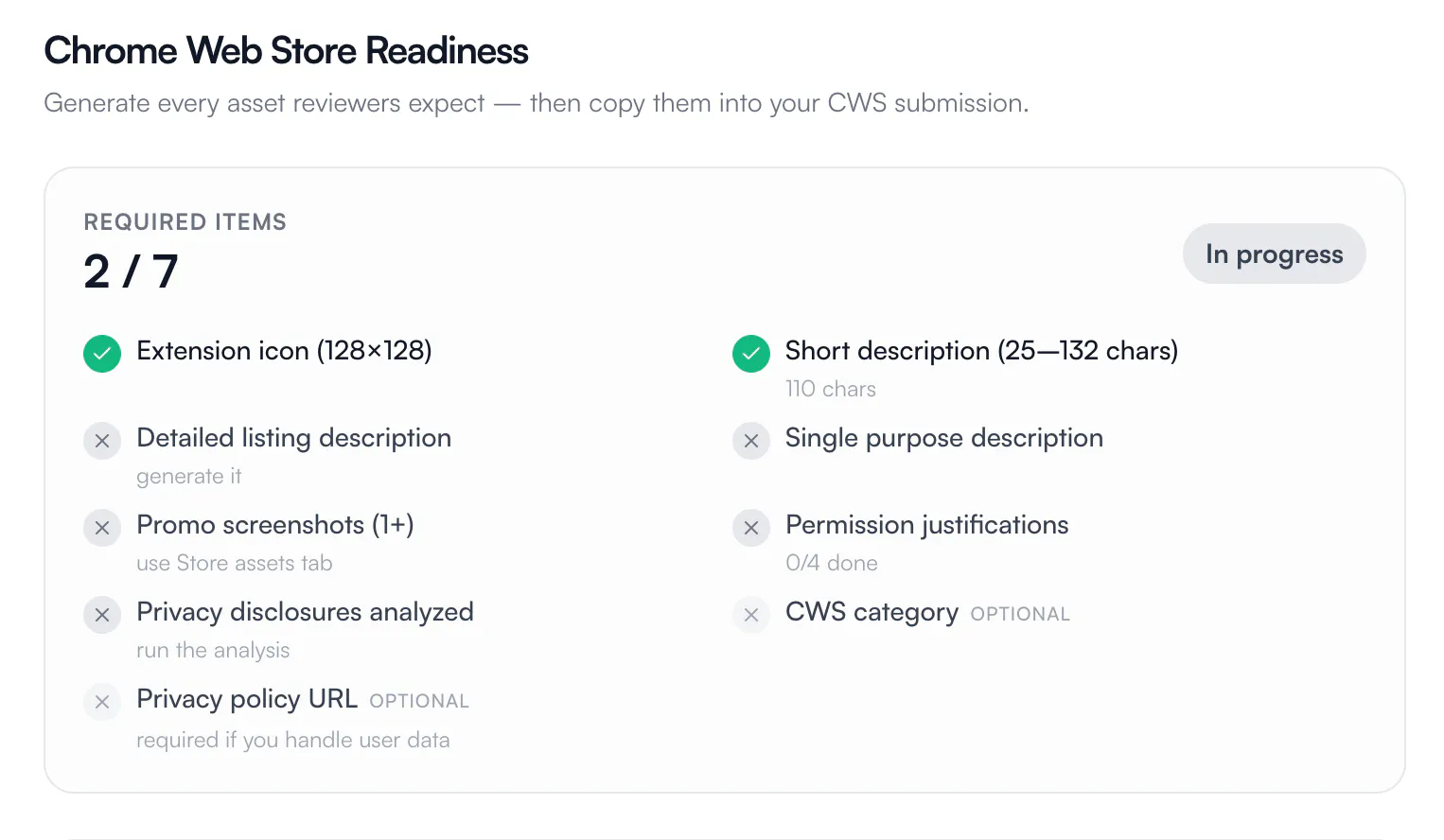
On the "catch problems before publishing" side, there is already a pre-publish pass built in: it compiles and bundles the code (so it won't ship if it doesn't build), runs a structural manifest validation, a lint pass that auto-fixes common issues, and a Chrome Web Store pre-flight checklist that flags pass, warn, and fail items before you submit.

Where you're right that we're not there yet: we don't spin the extension up across multiple Chrome versions and run it. That kind of "load it in Chrome N and Chrome N-2 and watch it behave" testing is exactly the kind of built-in confidence tool worth adding, and it's the honest next step rather than something I'll pretend already exists.

Would you want that as automated smoke tests on publish, or more of a manual "preview in a sandbox" you can click through? Curious which would actually earn your trust before hitting submit.

3
回复

I like the focused approach but how do you handle Chrome permission requests Maybe adding permission explanations could improve user trust.

4
回复

@jason_scott8 Appreciate that, Jason

Permissions are kept minimal by default. PlugThis only requests what the described feature actually needs, so nothing broad gets pulled in silently.

And you're spot on about explanations building trust. That's already baked in: before submission, it auto-drafts a plain-language justification for each permission (why it's needed, what it touches) for the Chrome Web Store form, plus flags when a privacy policy is required. So the reasoning is spelled out instead of users just seeing a scary permission prompt with no context.

Would love to hear if you'd want those explanations surfaced to end users too, not just the store form. That's a really interesting direction.

2
回复

Congrats on the launch! 🚀

That "15-minute repetitive task" line got me. Mine is copy pasting snippets from a bunch of open tabs into one notes doc, one at a time. Something that just tossed every highlight into a single running note would genuinely save me.

Nicely done!

3
回复

@nelsonsilvadev Thank you Nelson 🚀 And honestly that's the perfect first extension, because it's a real pain and it's very buildable.

What you described maps cleanly: highlight text on any page, hit a shortcut or a button, and it appends the highlight plus the source URL into one running note, all stored locally so it persists. Add a side panel to see the running list as you go and you've basically killed the copy-paste-one-at-a-time loop.

You could have a working version of this today. Describe it in that exact plain-English way and let it build the structure. If you make it, come back and show me, I'd genuinely love to see your highlight collector come to life.

2
回复

@nelsonsilvadev Thank you :) Those 15 minutes start adding up to days over years. Please try building your workflow as an extension on PlugThis.

1
回复

Does the generated extension actually get reviewed and approved before hitting the store, or am I on the hook for submitting it myself?

3
回复

@ahmetrtensjl1 Good to clarify. PlugThis submits it for you, you're not doing the manual upload. You connect your Chrome Web Store account once and it publishes directly, along with the listing, permission justifications, and privacy disclosures the store asks for.

What we can't do is approve it, that review is always Google's call, no tool can bypass it. So the flow is: we handle everything up to and including hitting submit, then Google runs their review. The difference is you're not stuck assembling the submission by hand, which is usually where people stall.

2
回复
#3
ChatCut
Your AI video editor in ChatGPT, desktop, and web
438
一句话介绍:ChatCut 是一款将 AI 智能代理与专业级时间线相结合的轻量级视频编辑器,旨在帮助没有剪辑经验的用户(如创作者、营销人员、创业者),通过自然语言指令完成从粗剪到发布的全流程,无需在不同软件间切换。
Marketing Artificial Intelligence Photo & Video
AI视频编辑 AI剪辑助手 智能时间线 自动化后期 内容创作工具 视频工作流 创意辅助 桌面应用 网页应用 ChatGPT插件
用户评论摘要:用户普遍认可“AI辅助+可编辑时间线”的理念,认为这解决了AI黑箱问题。核心疑问集中于:AI能否学习并保持用户个人风格?长视频下上下文是否稳定?积分消耗是否可预测?此外,用户高度关注“保存工作流为技能”功能的跨项目适用性。
AI 锐评

ChatCut准确地踩中了当前AI视频工具的两大痛点:一是“一键生成”的黑箱化,二是传统软件的笨重学习曲线。它没有像多数竞品那样用AI取代剪辑师,而是构建了一个“AI助理+专业时间线”的混合体——让AI完成粗剪和素材生成,但将最终故事的决定权和控制权交还给人类。这一“半自动化”哲学,在Product Hunt上获得了专业创作者的强烈共鸣。

然而,ChatCut真正的野心可能并非工具本身,而是其作为“AI剪辑代理”的接口潜力。通过ChatGPT Codex插件,它巧妙地将自身定位为ChatGPT生态内的一个专业“动作模块”,让用户用自己的token(成本)来控制剪辑。这本质上是在打造一个“AI时代的剪辑标准件”:当你用自然语言描述创意时,它能将指令翻译为时间轴上的精确操作。

其最大的挑战不在于功能,而在于“品味”与“可靠性”的工程实现。用户对于“保存工作流”的追问直指核心——AI能否从一次剪辑中抽象出用户的节奏偏好、转场品味和视觉语言?若不能实现跨项目、高泛化的风格学习,ChatCut将陷入“每个项目都是第一次”的重复劳动,其“助理”价值会大打折扣。此外,长视频的上下文管理和积分计算的不可预测性,是阻碍重度用户将其纳入日常工作的硬门槛。ChatCut的成功,最终取决于其AI代理能否在“理解意图”和“精确执行”之间,从“能用”进化到“懂你”。

查看原始信息
ChatCut
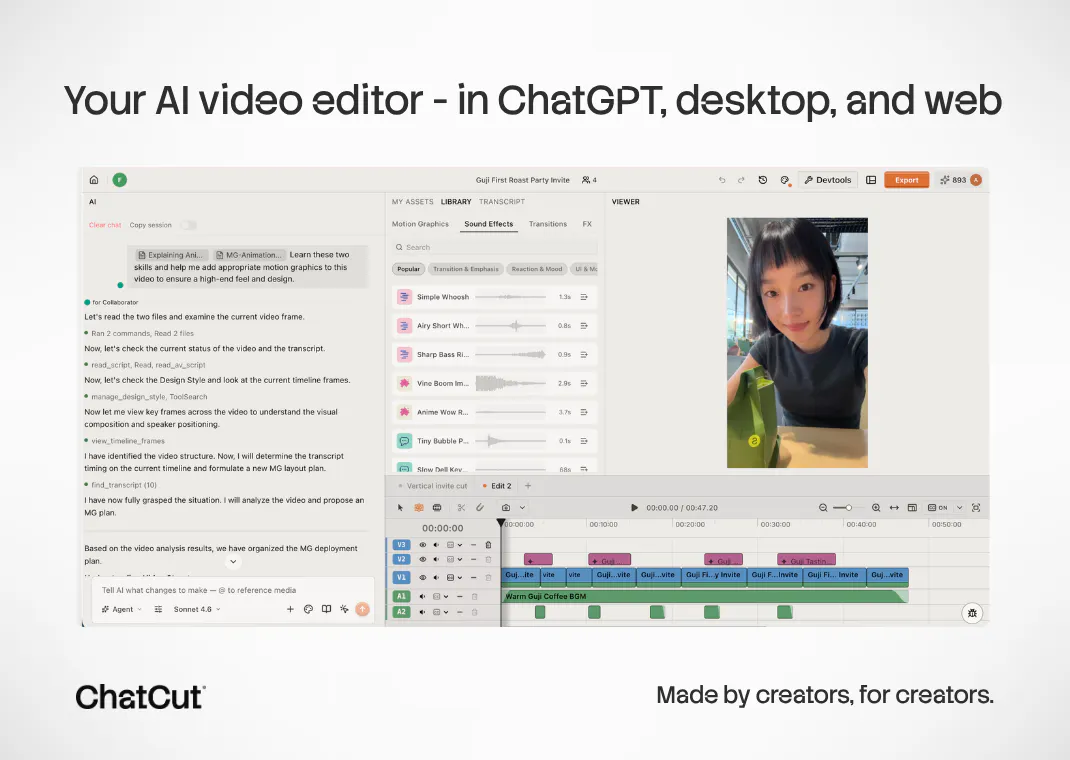
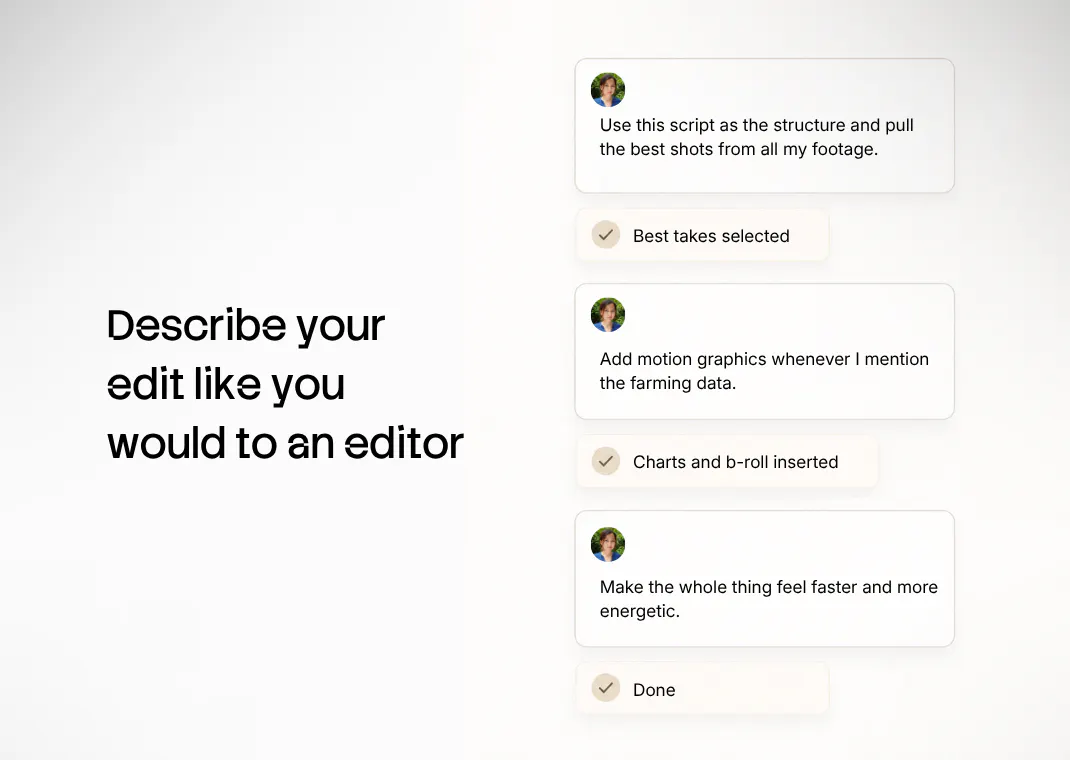
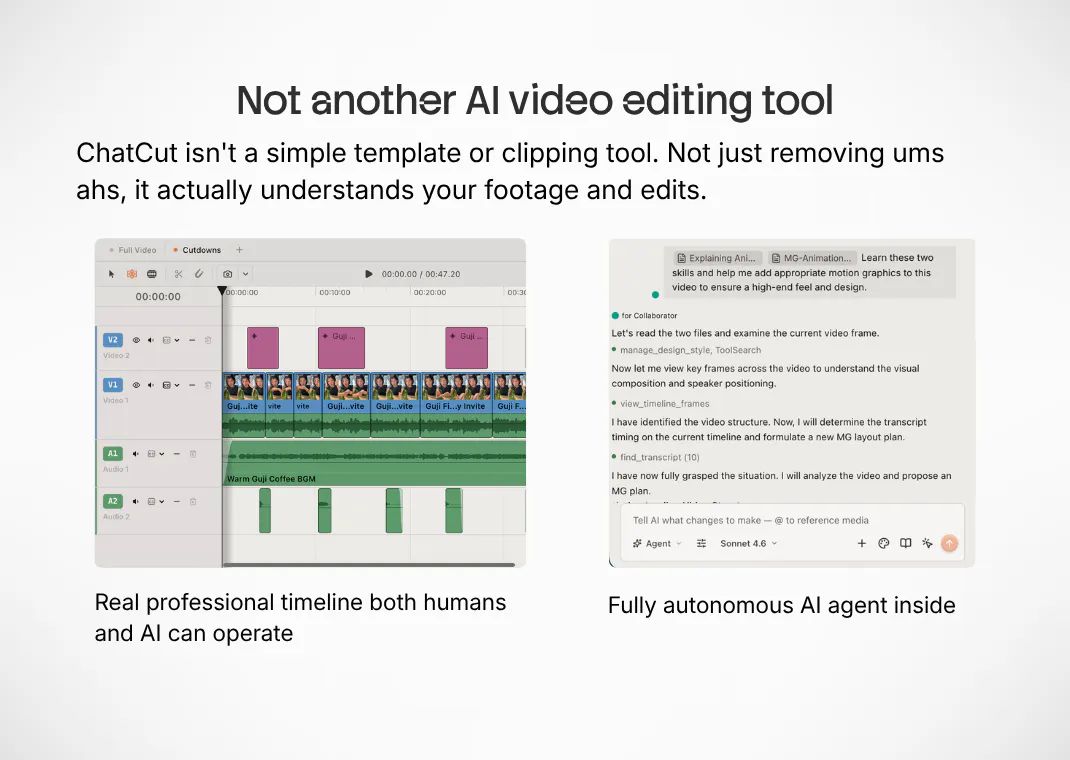
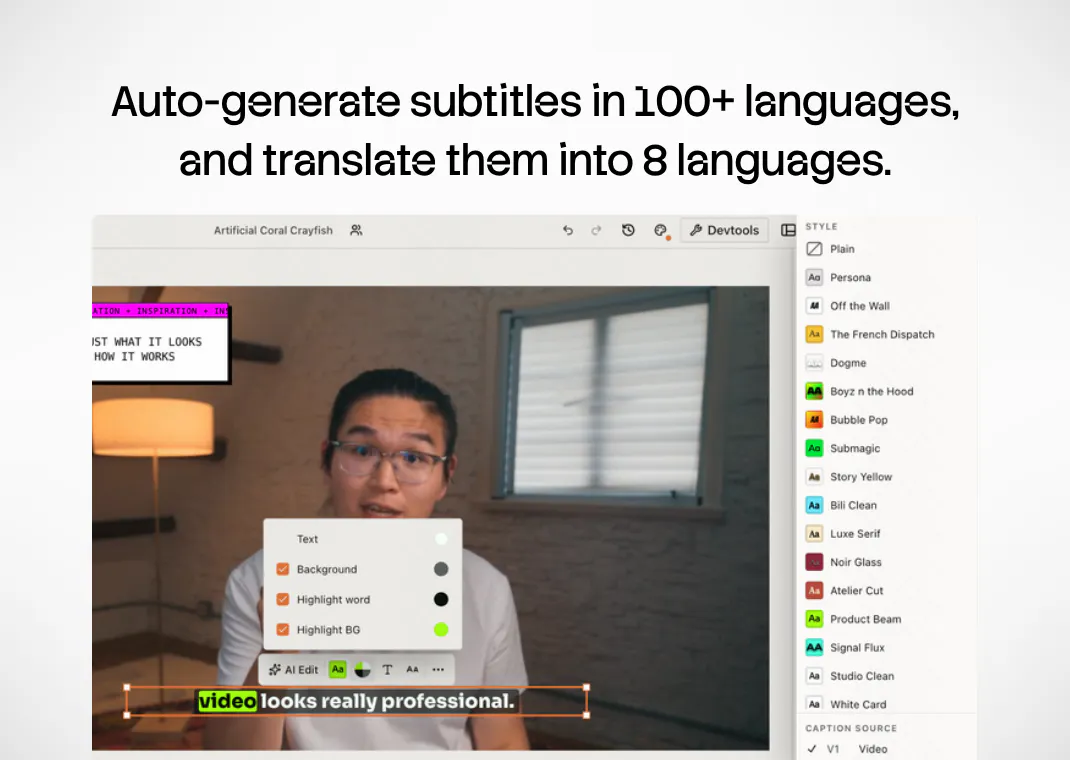
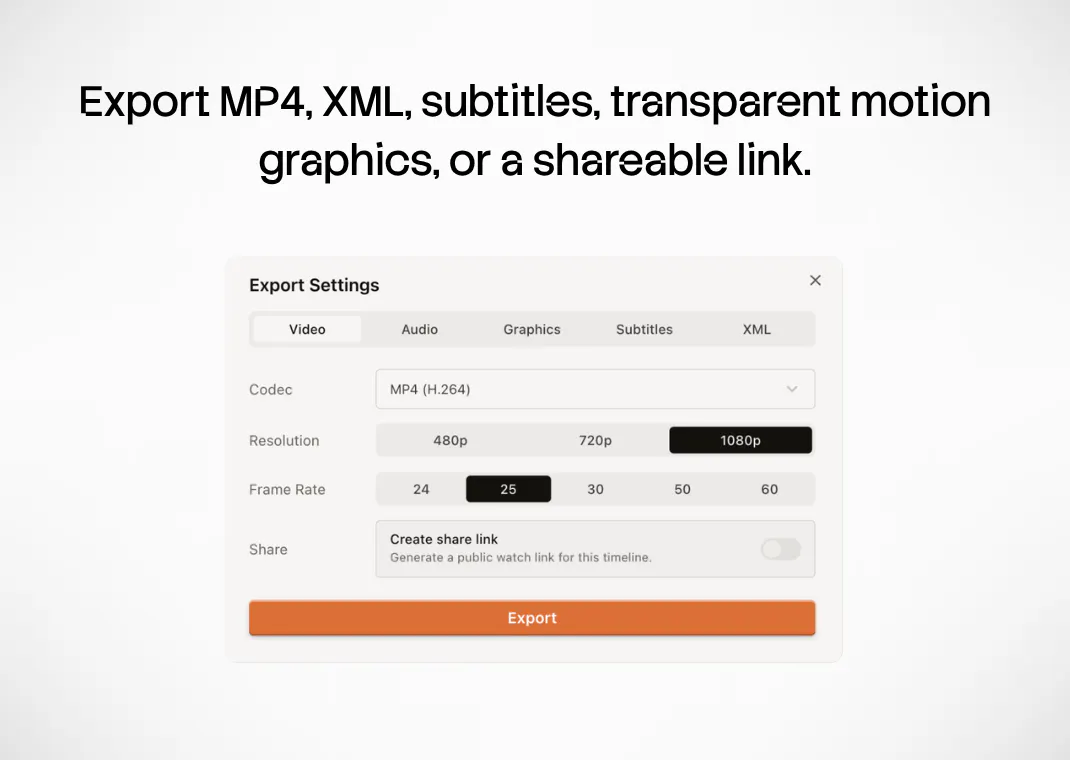
ChatCut is a lightweight, professional-grade AI video editor anyone can use, even without editing experience. It’s like having a personal video editing assistant that understands your footage, intent, and timeline. Make structural edits, fine-tune cuts, add captions, B-roll, music, voiceover, motion graphics, stock footage, and AI-generated video in one place. Every edit stays editable on a real timeline, with XML export when you want to keep working elsewhere.

I'm Alima, co-founder of ChatCut. I’ve spent years producing ads, documentaries, and branded content, and editing was always the most painful part of the process.

When we started building ChatCut, we thought we were building for editors. But pretty quickly, we realized the pain was much bigger than that. Businesses, YouTubers, TikTokers, teachers, doctors, founders — everyone in the world is making video now, and almost no one enjoys editing.

Editing software is powerful, but it still feels stuck in another era. As video became part of every job, we felt there needed to be a different kind of editor.

We spent a lot of time thinking about where AI actually belongs in video editing. Not as a one-click generator, and not as a gimmick on the side, but as an editing assistant that understands your footage, your intent, and the timeline.

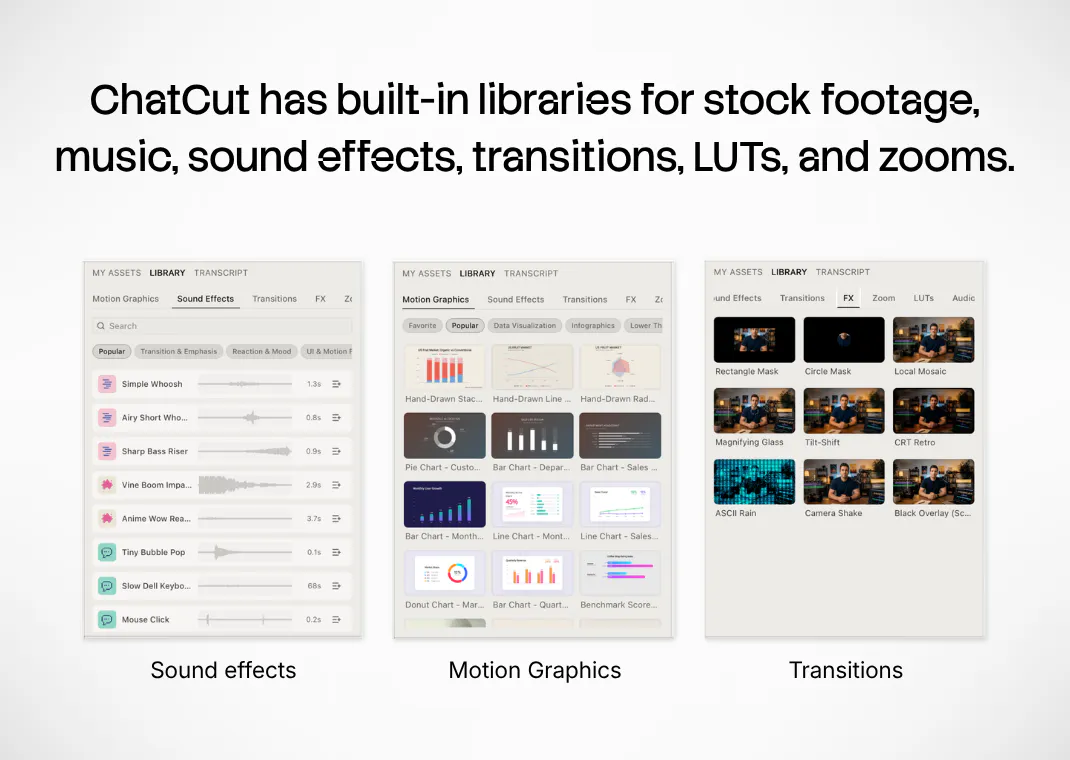
That’s what we’re building with ChatCut: a full video editor with an autonomous AI agent, a professional timeline, built-in stock footage, sound effects, transitions, and built-in generation tools like Seedance 2, GPT Image 2, Nano Banana, ElevenLabs voices.

You shouldn’t need ten different platforms to finish one video. And AI should help where it’s actually useful, while humans keep control of the story and the final cut.

AI won’t replace human creativity, but it will change how we work. We’re building ChatCut to be part of that change.

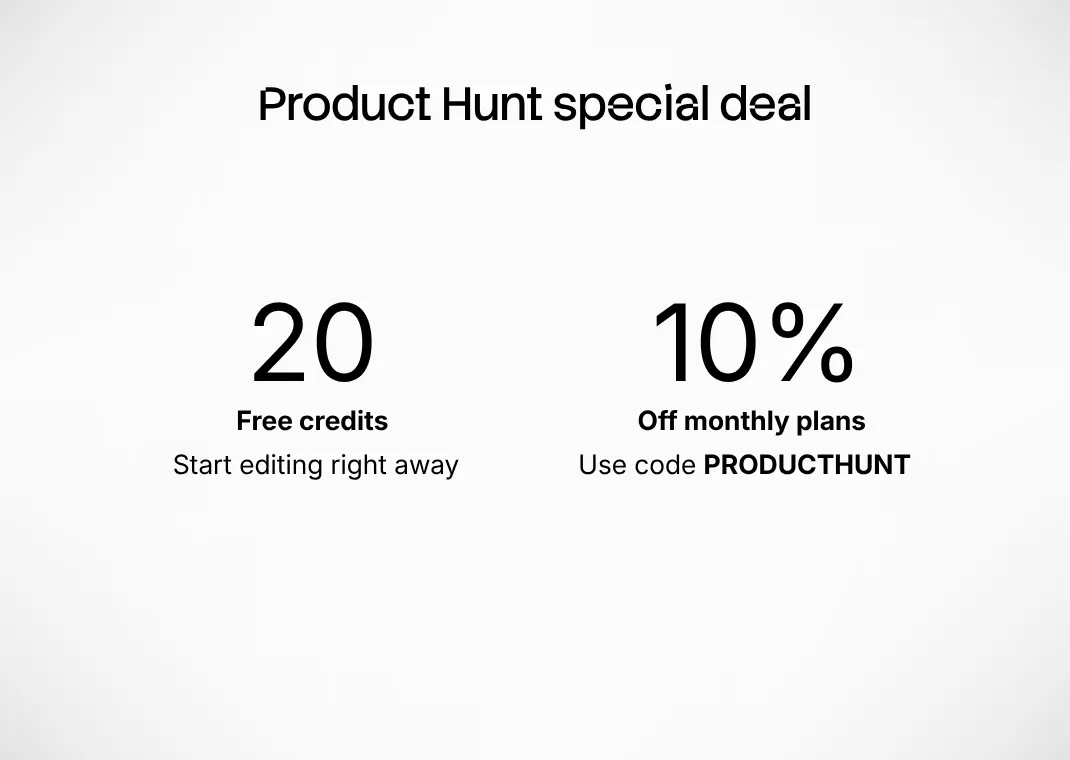
Every account comes with 20 free credits and we're giving 10% coupon to Product Hunt users: www.chatcut.io

14
回复

@alimastrickland Congratulations!

0
回复

@alimastrickland Congrats on the launch! I love that ChatCut works right inside your existing workflow — being able to edit video without switching tools or learning a whole new interface is a huge time-saver.

Quick question: how does it handle longer clips? Does the AI keep context well across a full edit session?

Wishing you a big launch day! If things get busy today with comments, DMs, or social mentions, I’d love to help — I do fast, friendly chat support and social media management, and I know how much attention a launch like this pulls in.

0
回复

@alimastrickland Great Launch!! Curious how you’re thinking about maintaining creative consistency across multiple edits. For example, if a creator is building a weekly content series, can ChatCut learn their editing style, pacing, preferred captions, and visual language over time?

0
回复

I’m Kaiwen, co-founder of ChatCut. Before building this, I spent years making documentaries, commercials, and short films for VICE, Discovery, and brand clients.

The thing that bothered us was simple:

AI was getting very good at generating images and video.

But editing was still stuck in the old workflow.

You could generate more footage than ever, but turning raw material into a clean, watchable video still meant scrubbing timelines, cutting dead air, finding the good moments, adding captions, making motion graphics, looking for B-roll, fixing music, and repeating the same tiny operations again and again.

And most “AI video editors” were not really editing. They were removing filler words, adding captions, or generating pixels.

That is useful, but it misses the real job.

Editing is not just removing the bad parts. Editing is deciding what the story is.

So we built ChatCut as an AI video editing assistant that works inside a real editor.

You can upload footage and ask it to:

  • creatively edit from your directions, prompts, or script

  • clean up talking-head videos and turn them into social reels

  • generate style-consistent, editable motion graphics

  • create B-roll, images, music, and voice

  • apply or even generate custom effects and transitions

  • make timeline edits you can still manually tweak

The important part: ChatCut does not trap you in a template. It gives you an editable timeline.

Our bet is that the future of video editing is not “press one button and accept whatever AI gives you.”

It is closer to working with a very fast assistant editor: you explain the intention, it does the rough work, and you stay in creative control.

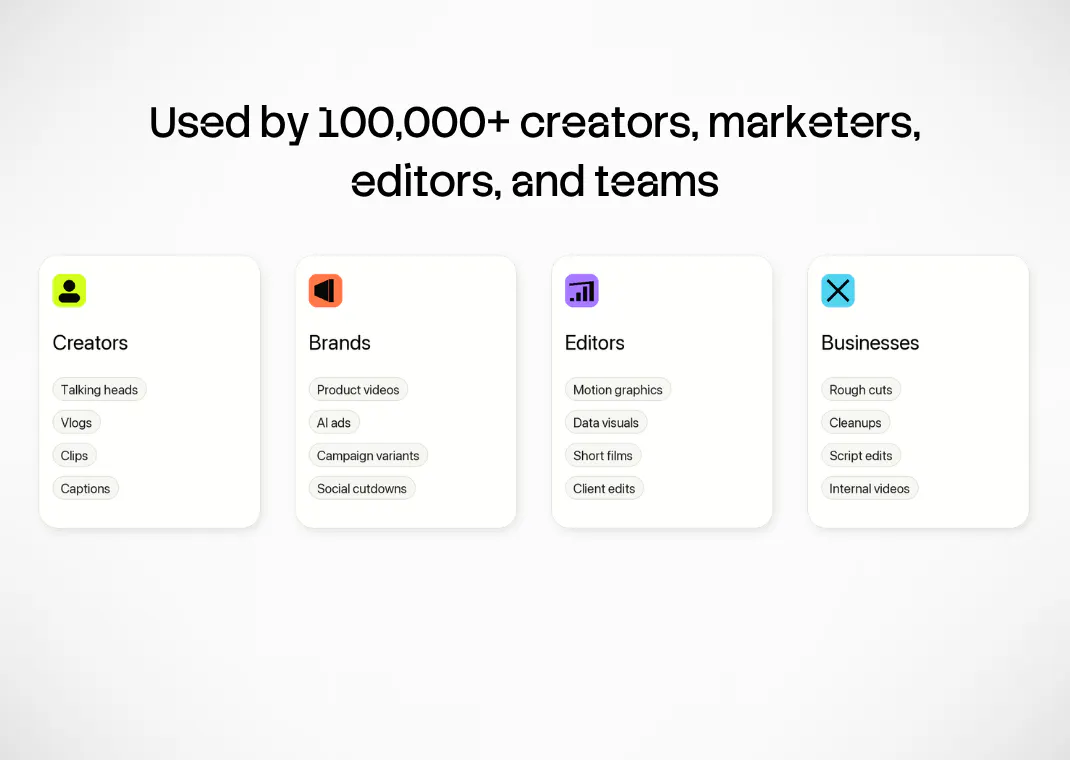
ChatCut is already useful for talking-head creators, founders, educators, marketers, ecommerce teams, TikTokers, internal training teams, and many other people turning raw footage into publishable video.


It is also still imperfect in exactly the ways a real AI editing agent is hard: taste, timing, reliability, and performance with long or heavy video files.

That is why we are launching here.

If you make videos, I’d love for you to try ChatCut on a real piece of footage and tell us where it feels magical, where it still feels dumb, and what would make it part of your weekly workflow.

My co-founder and I are here all day answering questions. Honest feedback wanted.

7
回复

Hey everyone! I'm Finn, co-founder of ChatCut.

Before this, I built a video editor used by hundreds of millions of people. My co-founders have worked on top-tier commercials and short films.

Still, video editing felt harder than it should be.

A large part of video editing is the execution work between an idea and a finished video: managing and searching through lots of footage, comparing different cuts, and creating all the post-production polish.Traditional editors are powerful, but they are still built around professional workflows and can take a long time to learn.

So we built ChatCut.

ChatCut is an AI video editor. You describe what you want, and ChatCut's agent helps you edit the video. It can understand your footage, find good takes, clean up talking-head videos, add motion graphics, captions, music, transitions, effects, and even generate image or video assets when needed.

So far, we've seen people use ChatCut for:

- Talking-head videos
- App promo videos
- E-commerce product ads
- Explainer videos
- AI short films

These are just examples. You can also explore many other video ideas with it.

We also built ChatCut for different types of creators.
-If you don't know how to edit, you can edit entirely by talking to the agent.
-If you want to fine-tune things yourself, ChatCut also has a full video editor. You can adjust everything manually, or export XML and continue editing in Premiere Pro or DaVinci Resolve.

ChatCut is available on the web and desktop.And if you use Codex, you can turn it into a video editor with one prompt:

"Read chatcut.io/chatgpt to install the ChatCut plugin and set up a new task for me."

It installs the ChatCut plugin and lets Codex help you edit videos too.

We think video editing should feel less like busywork and more like shaping ideas.Just like vibe coding made it easier to build software, we hope chatcutting can make video creation easier too.

We're still early, and we'd be happy to hear your feedback and keep improving from there.

Thanks for taking a look.

6
回复

A lot of AI video tools feel impressive until you want to change one small thing and realize you are basically stuck with the output. ChatCut sounds much closer to how editing should work with AI: explain the intent, let the assistant do the heavy rough work, then still keep control over the story, timing, captions, B-roll, and final cut.

As someone doing more product/launch content lately, this feels very relevant. recording footage is not the hard part anymore, turning it into something polished and usable is.

Curious how well ChatCut handles taste over time. if I keep adjusting its edits, does it learn my pacing/style preferences, or is each project mostly independent?

3
回复

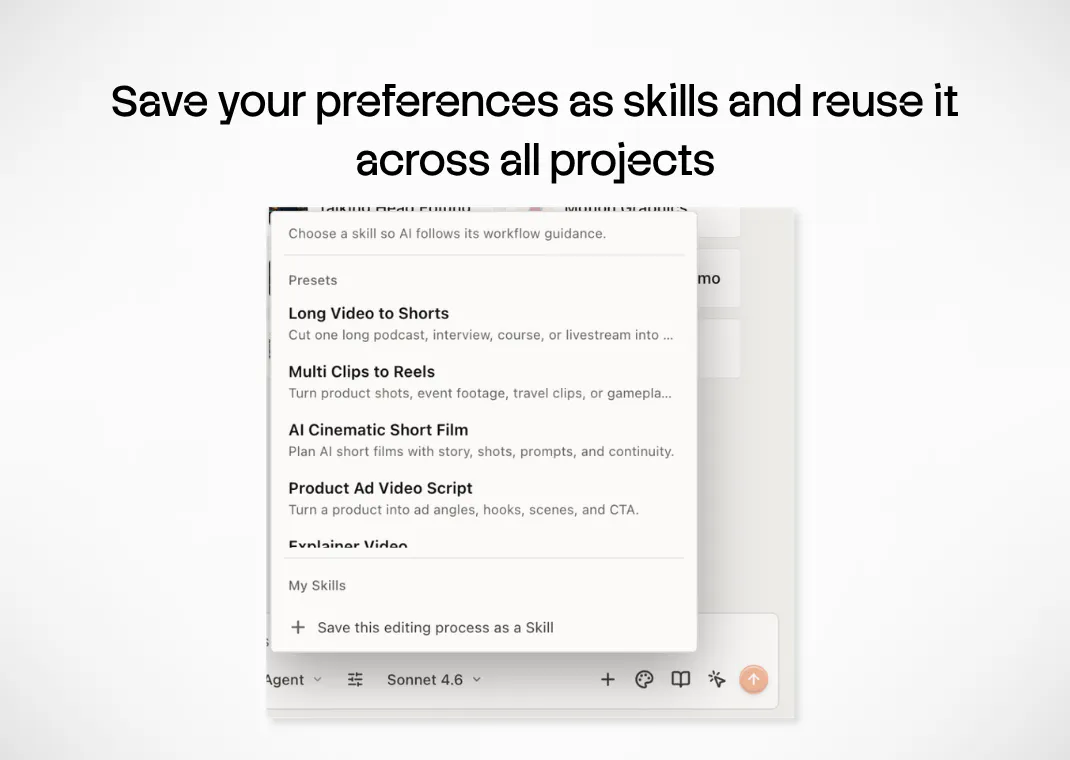
@andrasczeizel We’ve built a way to carry your taste and workflow across projects. After an edit, you can ask the ChatCut agent to save your editing workflow as a reusable skill. You can also save just your design style and apply it to new projects.

1
回复

@andrasczeizel Absolutely. At ChatCut, we believe AI that gets you 80% of the way there while keeping you in creative control is more valuable than AI that promises 90% but operates as a black box.

ChatCut is a true assistant editor. It works directly on a timeline you can see, adjust, and refine in real time. It feels like collaborating with an editor.

You can also save your editing workflows and motion graphics styles as reusable skills, then apply them to new footage instead of starting from scratch every time.

2
回复

Congrats team! I've always felt video editing software has fallen behind the way people actually create today.

AI tools have exploded over the past year, but most don't solve the part I actually dread. I've spent entire nights cutting interviews with hundreds of clips, and the bottleneck was never generating content. It was making good editing decisions without getting buried in manual work.

I like that ChatCut isn't trying to hide the timeline or replace the editor. Also no more learning curve or navigating endless pop ups of dropdown in Adobe.

Curious how everyone thinks about the tradeoff here. Is the biggest opportunity for AI video tools making editing faster, or making the editing process itself more creative by removing the repetitive work?

2
回复

@ha_phan4 Good question Ha. I think the dichotomy is not fast vs creativity. In real creative scenarios, speed makes you more creative, I think. Being able to see ideas fast, iterate on different directions fast. This in itself makes you more creative.

When repetitive work is remove, you also have more mindspace for creative stuff, and more willingness to try a new way of doing things, because it doesn't take 3 hours and a thousand mouse clicks. You can be in the flow.

1
回复

Congrats on the launch! Really like the idea of combining an AI editing agent with a real editable timeline.

Quick question: how predictable is the credit/token usage in a real editing workflow? Are credits consumed mostly by generation tools like video/image/voiceover, or also by agent actions such as analyzing footage and making timeline edits? Is there a cost estimate before execution?

2
回复

@huglemon Thanks! Timeline editing and generation tools, including video, image, and voiceover, all consume credits. For generation, you’ll see an estimated cost before running it. Editing costs depend on the complexity of the task, so they’re harder to estimate upfront.

If you use ChatCut through Codex, editing actions use your Codex tokens instead and don’t consume any ChatCut credits.

0
回复

@huglemon The credit/token usage is consumed mostly by generation tools - Seedance 2.0, Kling 3.0, music + voice generation, all have pretty clear cost structures. The agent usage is much smaller in comparison. We just launched a plugin for ChatGPT/Codex app, which opens up a full video editor inside, and lets you use your own ChatGPT/Codex to control ChatCut. Which means, apart from generative assets, editing is free (if you are already paying for ChatGPT).

1
回复

Really like the philosophy that AI should assist the editing process rather than replace creative decisions. Keeping every AI edit editable on a real timeline feels like the right balance between automation and control. I'm curious what's the most surprising editing task users consistently choose to do themselves even when ChatCut can automate it? Congrats on the launch! 🎬

1
回复

Super excited to see the ChatCut launch today! I've been a quite early user of ChatCut and I really like the idea of bringing the power of coding agents to content creation.

As a video creator myself I still remember the days I tried hard to learn After Effects 15 years ago. If you're also into old school video editing, the experience with getting over all of the motion graphics stuff by interacting with an LLM agent is just magical. And what's more, if you have tried to build you own agent or maintained production agentic systems, you'd realize that the amount of challenges to make text to code to motion graphics is truly incredible.

The new Codex plugin feature also represents a fascinating direction where future creative tools will be built for humans and agents alike. Congratulations and looking forward to what are yet to come for ChatCut!

1
回复

@victoriacity Thank you, Andrew, for being on this journey with us from so early on! And coming from someone who understands both video creation and agentic systems, this means a lot.

Building an agent that can operate a real timeline, and create motion graphics that remain fully editable by humans afterward, is tedious work. But we believe this is how AI creative tools should work.

AI should never dictate the final result or trap creators inside a black box. It should handle the heavy lifting while leaving every creative decision open to change, just as it would be in traditional editing software. The human should always have the final cut.

0
回复

This feels like the direction video editing should be going in. Less repetitive work, more time spent on the actual content.

1
回复

@jocky Thank you. ChatCut reduces Less repetitive work, but still remain in creative control when you need it.

1
回复

Love the "humans keep control of the story and the final cut" principle. In practice, after the AI does a rough cut, how much freedom do I have to fine-tune it on the timeline — is every action it takes undoable and editable step by step?

1
回复

@ryancheng 

Yes, exactly. You have full control to fine-tune everything on the timeline. And you can undo changes step by step.

0
回复

@ryancheng You have 100% control the timeline, just like in traditional video editing softwares (you can literally set your short cut to Premiere, Davinci, or FCP, or custom). Even the motion graphics elements you generate inside ChatCut is fully editable. If you want to finish the project in professional softwares, you can export XML! So AI is the start and not the end. You have full control.

0
回复

@ryancheng You have 100% control the timeline, just like in traditional video editing softwares (you can literally set your short cut to Premiere, Davinci, or FCP, or custom). Even the motion graphics elements you generate inside ChatCut is fully editable. If you want to finish the project in professional softwares, you can export XML! So AI is the start and not the end. You have full control.

0
回复

The "save your editing workflow as a reusable skill" feature is the most interesting part of this to me. That's basically the same pattern a lot of us are using with Claude Code / Codex for repeatable dev workflows, just applied to editing. Once you save a skill, does it generalize across very different footage types, or does it start breaking down if the new footage doesn't match the original pacing/structure it learned from?

0
回复

The autonomous agent plus a real timeline is what would pull me over from CapCut. As a solo creator the thing I'd test first: when the agent makes a cut or drops in a transition, does that land as an editable clip I can nudge frame-by-frame on the timeline, or a locked AI block I can only regenerate?

0
回复
Hey @alimastrickland - this is so cool! Lately, I find myself constantly “collecting” and integrating more capabilities for my agents… running 90-100 MCP servers on each! With that said - I am a true D1 hater of ChatGPT, for a number of reasons I hold to be valid! Will ChatCut work with any agents that supports MCP, for example? Great work!
0
回复

This tool is very efficient.

0
回复

Congrats on the launch! Excited to see where this goes!

This is one of the cleanest AI video editing concepts I've seen on Product Hunt this year.

Most AI editors try to replace creators. ChatCut feels like it removes the painful parts of editing while keeping creators in control. The fact that it works across ChatGPT, desktop, and web makes the workflow incredibly interesting.

0
回复

The editable timeline + XML export is what stands out to me — most AI editors hand you a locked render and you're stuck. As a music producer, my one question: when I drop a track in, can it actually cut to the beat / align B-roll transitions to the transients, or is the music just a background layer? That's usually where these fall short for visualizer and promo content.

0
回复

"Real timeline, XML export when you want to keep working elsewhere" is the detail that stands out to

me. I've spent today wrestling with a different editor that made a bunch of decisions for me I

couldn't easily undo or take elsewhere, so a tool that respects that you might outgrow it, or just want

a second opinion from another editor, is a real, underrated feature. The "understands your footage, intent, and timeline" claim is the ambitious part. Curious how it handles genuinely messy, unplanned footage, like a founder

just talking into their phone with no shot list, versus more structured content, does it need some minimum organization to work well? This would've saved me a few headaches today. Nice work.

0
回复

The biggest bottleneck in content creation isn't generating ideas anymore—it's editing.

ChatCut is tackling exactly that problem by making professional video editing accessible to everyone, not just editors. The editable timeline and XML export are especially impressive because they fit into real production workflows.

Huge congratulations to the team. This deserves attention today! 👏

0
回复

Love AI tools that let humans be still in charge

0
回复

I cut a lot of product demos and the part that eats my afternoon is trimming dead air and lining up captions. When I tell ChatCut to "cut the pauses," is it working off the transcript timing or actually detecting silence in the audio? Those two go wrong in really different ways once a clip runs long.

0
回复

How do you work with 4k / 8k footage streams?

How does the AI handle hour long or longer videos? I want to cut an hour long podcast for example and multi-scene / multi-angle.

0
回复

Editing video directly inside ChatGPT or via web is a massive time-saver for Shorts/Reels creators. Hard to beat CapCut, but the workflow integration is a huge plus.

0
回复
sounds interesting but I'm sketchy about the ai part 🙃😑😬
0
回复

Best of luck with the launch, team! The XML export is a great touch for flexibility. Curious, what's the ideal point for someone already using Premiere to bring ChatCut into their workflow?

0
回复

Congrats on the launch, ChatCut team!

I first saw Kaiwen Li’s product video on Xiaohongshu earlier this year, and the concept immediately felt exciting. I also really liked his video style as a director.

I’ve been looking forward to ChatCut’s official launch and commercialization, so it’s great to see it live on Product Hunt now. Big congrats to the team!

0
回复

Really like that every AI edit stays editable on the timeline. Congratulations!

0
回复

how does it actually figure out where to make cuts on its own, and can it handle longer interviews without me having to guide every single edit?

0
回复

@obanselim68454 Absolutely. It can handle long interviews without you guiding every edit. That’s actually one of ChatCut’s bread-and-butter use cases.

How ChatCut figures out how to edit depends on the footage. For interviews and talking-head videos, ChatCut uses transcription, and organizes sound bites into coherent structures. You can direct it like an assistant editor, asking it to try different sequences or approaches.

For visually driven footage, ChatCut analyzes visuals and edits footage into sequences that you can dictate. You can let it create a cut autonomously or give specific creative direction about what to include and how to arrange it.

If you repeat the same type of edits, you can even turn it into a skill, and repeat it every time with new footage.

Either way, the result remains on a fully editable timeline, so you retain control over every cut.

0
回复

Tried it on a messy interview clip and the auto-cuts actually matched the pacing I wanted, which I did not expect. Liked that the timeline stayed editable after instead of locking me into AI choices.

0
回复

@senadmlb Amazing. We believe AI should be assistant editors, that presents the edit to human to make final decisions. We designed the app to work exactly like a remote assistant operating on timeline, rather than baked in videos that can't be iterated on.

0
回复

Congratulations on the Launch @ChatCut ! Super exciting to see such a powerful tool that's also so convenient! Does this mean that I can have ChatGpt do additional contextual research on my videos and provide more depth in the motion graphics?

0
回复

@patrickkavanagh yes absolutely. With the ChatCut plugin for ChatGPT/Codex app, you can use GPT5.6 model to research and create motion graphics, which is a big step up from anything else available today. All motion graphics generated in ChatCut is full editable. You can even export them with transparency.

0
回复

Is API available?

0
回复

@xiangpeng_wan Not only is API available, but it has a native-grade plugin you can use inside the Codex app. You can just tell you ChatGPT/Codex app, "Read chatcut.io/chatgpt to install the ChatCut plugin and set up a new task for me." And watch it install itself, and then open a full actual video editor right INSIDE your Codex. You can also use it in your terminal. We have Claude Code and Hermes support coming in a few days.

1
回复
#4
Scarlett.
Your AI Co-Worker in Slack & iMessage
384
一句话介绍:Scarlett是一个深度集成Slack和iMessage的AI同事,能自动完成营销、客服、日常管理等企业工作流,旨在让团队或个人在不切换工具的情况下直接获得AI智能协作。
Marketing Artificial Intelligence CRM
AI同事 企业自动化 智能工作流 自然语言交互 多模型路由 自动运行 低代码助手 多模态AI 即刻集成 智能客服
用户评论摘要:用户赞赏其“真同事”定位而非噱头。核心关注点集中在:如何实现长期上下文记忆(避免噪音)、是否支持多项目/公司间上下文隔离、Autopilot工作流推荐、外部工具集成策略,以及审批与安全控制。
AI 锐评

Scarlett的产品定位极其精准:跳过浮夸的“AI助手”概念,直接切入“AI同事”的职场共识。这不仅是文字游戏,更是对AI产品价值的深刻理解——用户不需要一个能力惊人的工具,他们需要在团队里能分担实际工作的角色。

从评论来看,它的核心壁垒在于工程细节,而非模型本身。从SQL内嵌向量搜索的动态记忆、多模型按任务路由、到iMessage这一被严重低估的入口,Scarlett正在践行真正的“不做多余事”。相比于堆砌功能或构建封闭生态(如OpenAI),Scarlett的“连接器”角色和“自备APIKey”策略,大大降低了试用门槛和用户心理负担。

然而,这也是最大风险。作为中间层,其价值取决于上游模型与工具的质量。一旦主流平台(如Slack、GPT)自己做无缝集成或其自有Key成本出现波动,Scarlett的护城河会迅速变窄。此外,Autopilot模式虽然诱人,但如果在大规模业务中产生一次重大错误(如错误回复客户),信任危机将迅速摧毁其“同事”定位。诚然,它解决了AI落地的“最后一公里”问题,但用户的忠诚度,往往建立在工程稳定性和边界管理能力之上,而非单一的惊艳体验。

查看原始信息
Scarlett.
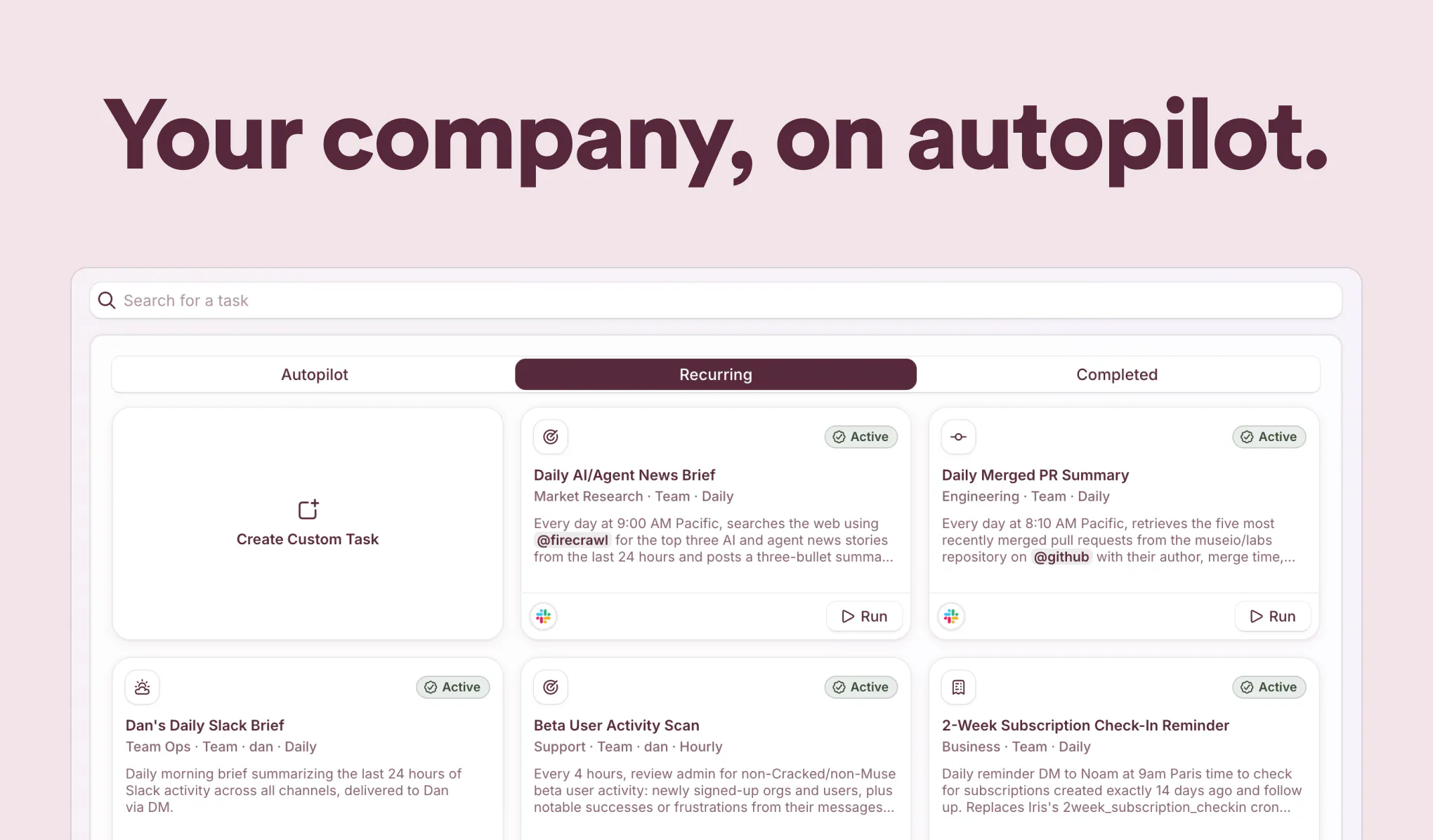
Not another AI bot, a real colleague to work alongside your team. Give your team superpowers or even run your company on autopilot.

Hello PH fam!

Long before there was Claude Tag and Victor, there was Scarlett.

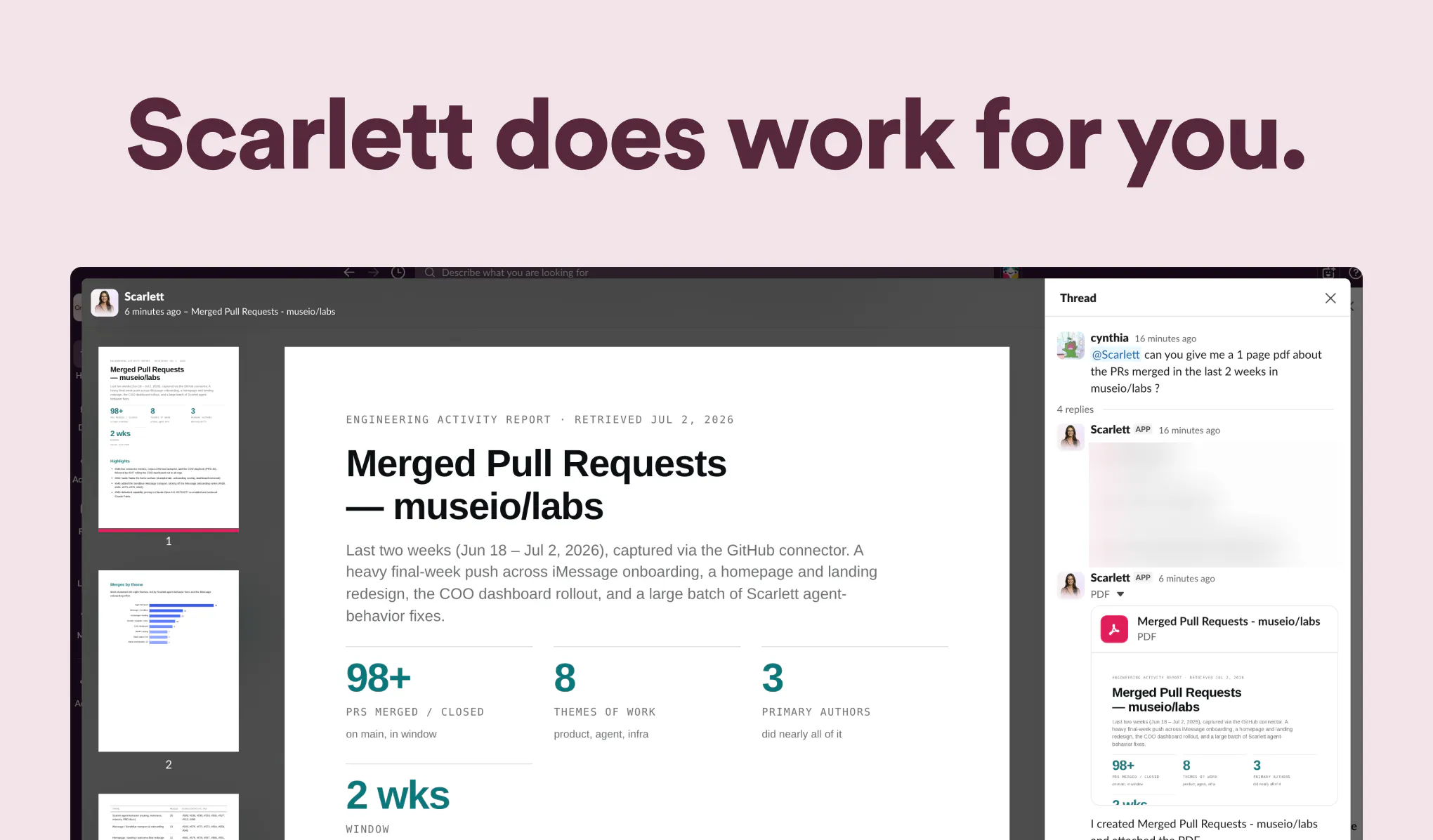
We built Scarlett over a year ago as a fun experiment to see what agents could do. To our surprise, she almost immediately started doing probably 90% of our work for us.

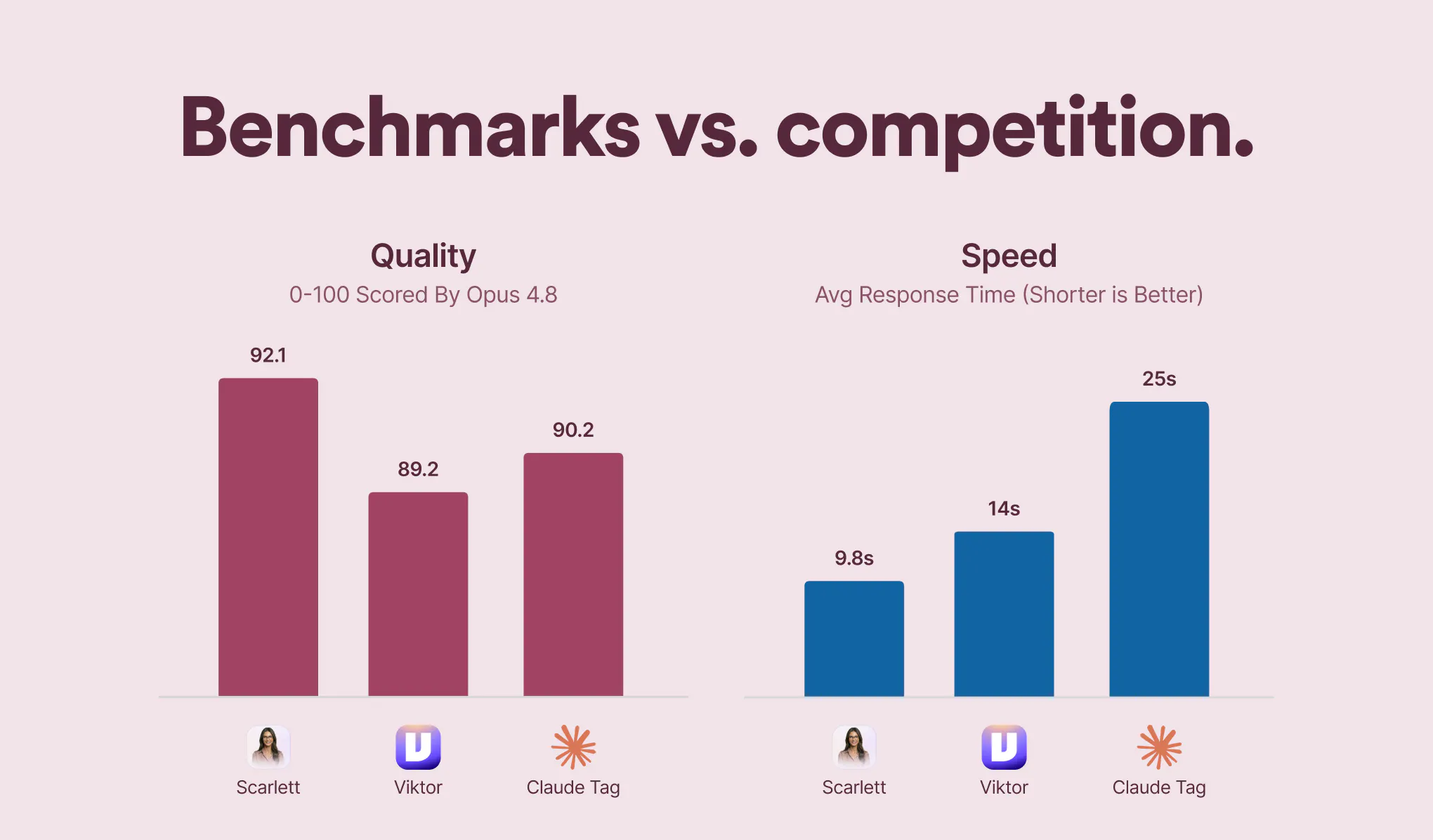
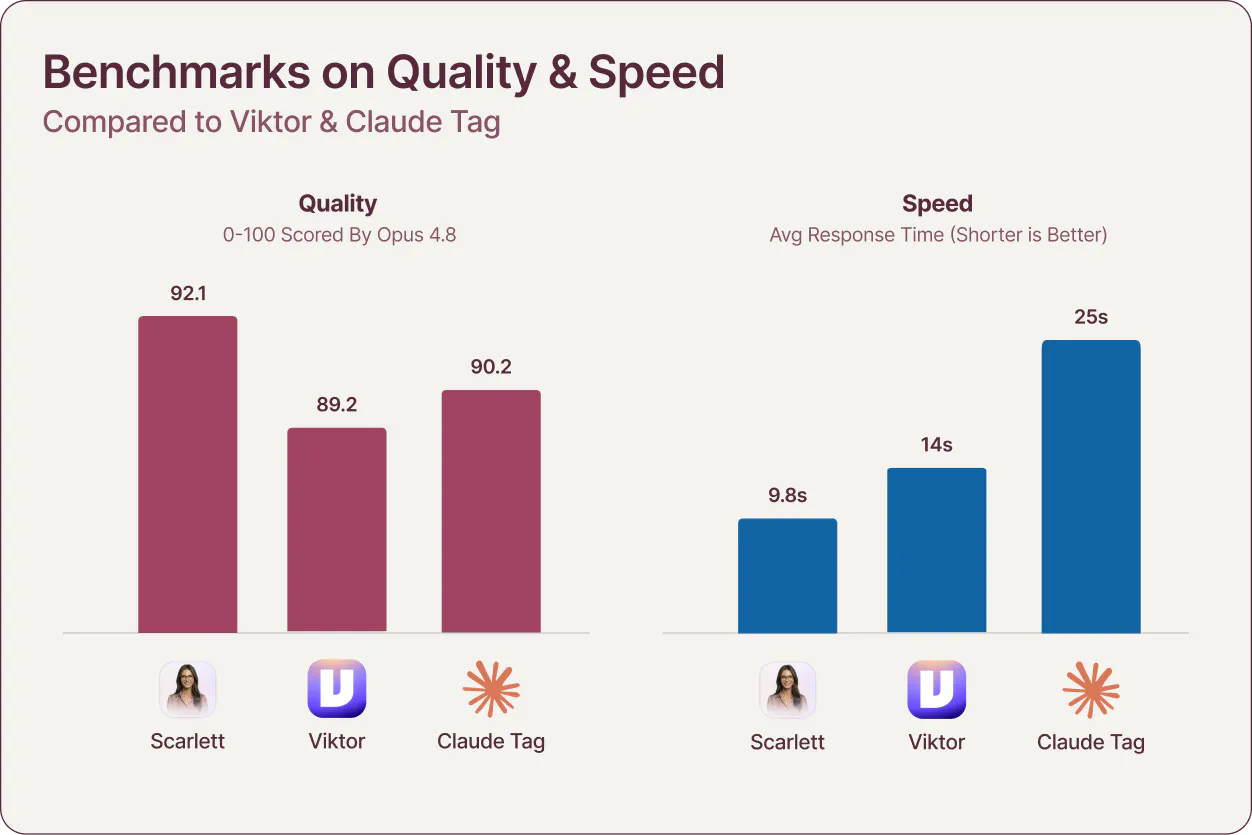
We've been reluctant to launch because we knew the competition would be fierce, but our benchmarks show that Scarlett is more than holding her own on both speed & quality.


She also has a host of unique qualities & features:

1) She Just Works. After a year of experimenting with various models, architectures & backends, she just works (and does work).

2) Autopilot. She is trained on 50+ business/growth books, you have the option to use her passively or to set her free to essentially run your whole company from marketing to support.

3) iMessage. A lot of people (solopreneurs) don't like or need slack, so we have an alternative.

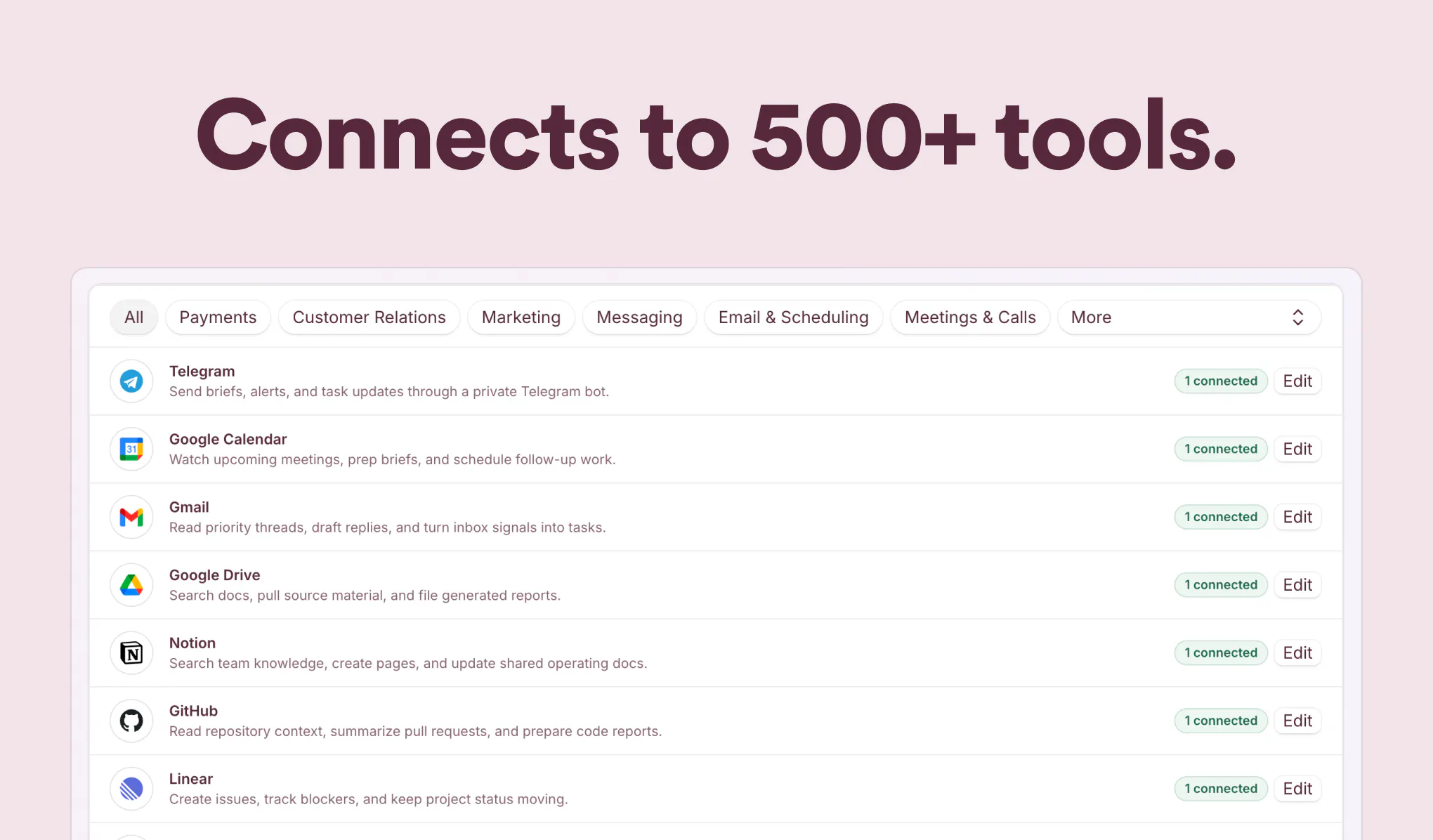
4) Use Our Keys. With OpenClaw, Claude, etc you need to buy subscriptions to the things you want to use like HeyGen or XAI, but with Scarlett you can use our keys and we'll pass along the cost.

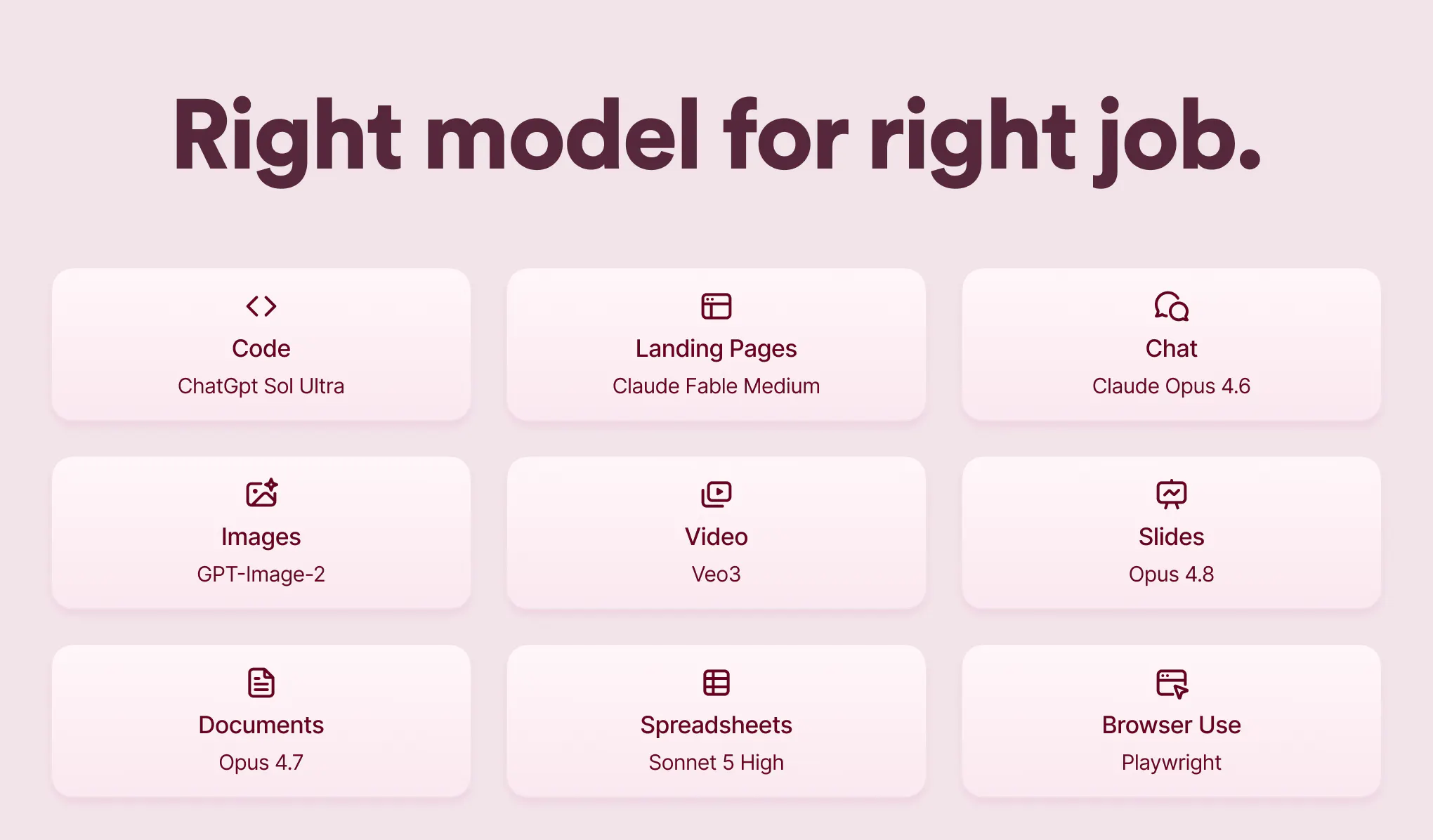
5) Right Model, Right Job. You can use Opus for chat, Sol for Coding, Fable for design, you pick the right model for the job.

We hope you love her as much as we do!

Cheers,
Dan

15
回复

@dansutera I’m curious, how are you thinking about personalization over time?

For AI products, the biggest unlock often comes when the system understands user context, preferences, and patterns instead of just responding to individual prompts.

Are you building any memory/context layer that helps Scarlett become more personalized with continued usage? Would love to hear how you’re approaching this.

0
回复
@dansutera Love the native iMessage focus and the multi-model routing engine. For solopreneurs managing completely separate entities (e.g., a software platform vs. a service/recovery business), how does Scarlett handle context isolation? Can we set up distinct 'contexts' or personas within the same iMessage thread so her business growth training doesn't cross-contaminate projects?
0
回复

Love how the landing page cuts straight to the point with "real colleague" framing instead of leaning on the usual AI buzzwords. The copy feels like it was written by someone who actually understands team workflows, not just tossed into a prompt.

6
回复

@asya2rke Thanks Asya! Have to credit our designer @cynthiacui with the beautiful (and straightforward) landing.

Yeah we are trying to reach a non-technical audience here and put all the complicated stuff behind the curtain. Like we don't want users to have to worry about API's or anything, just connect a few things, ask Scarlett for stuff and it's done.

2
回复

Passing API costs through a single source removes a lot of friction for developers, it keeps the focus on building instead of managing keys and billing. Great work Dan Sutera this looks like a fantastic tool.
any plans for native vector database integrations for long-term semantic memory? congrats👏👏

4
回复

@vikramp7470 Yeah, I've used OpenClaw personally for a while and the API / subscription management has been a giant pain in the ass, so TBH i think this is one of her best features.

Regarding memory, we've done a lot of work on it and tried various things. We are currently running a version similar to Viktor with a Karpathy style wiki, but we keep in SQL like Hermes does for better speed. We also tried running Obsidian & Vector dbs in parallel but they seemed to confuse things in context as much as they helped. I think this overall is a moving target and we're always looking for improved products or architectures here.

Thanks Vikram!

4
回复
It looks interesting @byalexai & team!
3
回复

@byalexai  @hamza_afzal_butt Thanks Hamza, let us know how you like it!

2
回复

@hamza_afzal_butt Thank you Hamza! Appreciate your support!

Would appreciate your feedback.

1
回复

We’re launching Scarlett today!

Scarlett is your digital assistant inside Slack. The best part is how simple it feels: you just ask Scarlett, and she gets it done. You don't have to switch tabs or jump between Claude, ChatGPT, and other tools. She can generate images, write content, answer questions. It can help your team directly where the work already happens.

Would love to hear what you think!

3
回复
Love the "right model, right job" approach ☺️☺️ Curious how you think about external tools and live data, do you see Scarlett becoming more of an orchestrator that can plug into specialized capabilities over time, or do you prefer building everything natively?
2
回复

@luki_notlowkey hey Luki, thanks! Trying to keep Scarlett out of the way as possible, so much more orchestrator vs. native. There are so many great tools and API's and models coming, we want her to basically connect the dots between them & your company and keep the UI via slack or imessage dead simple. So whenever a cool new tool comes across the Twitter/X feed, she can ingest/connect to it as a capability then figure out how that fits into the mix for your company.

0
回复

hey interesting product, how does the co-worker get all the context?

2
回复

@yjbdr Hey Junbo, you choose what channels you give it access to during onboarding. So most of the context comes from Slack, but if you are using iMessage it will ask you to send it info about your company/role.

1
回复
Congratulations on the launch! Looks amazing.
2
回复

@makadiaharsh Thanks Harsh, always appreciate the support!

2
回复

@makadiaharsh Thank you for the support Harsh! Appreciate your comment!

1
回复

finally tried this for a few days and the handoff to my actual project manager felt smoother than i expected, not robotic at all

2
回复

@salihadwtk Hey thanks Saliha, glad you enjoyed! Let us know if you have any improvement ideas... :)

3
回复

the Autopilot capability sounds powerful. for founders who are just getting started, what are the first three workflows you would recommend automating with Scarlett to see value quickly?


1
回复

@imogen_wallace Thanks Imogen! Autopilot is great yeah. Workflow-wise i like to get daily company report going. Daily customer triage. And automating whatever your main social is such as X.

0
回复

Congratulations on the Launch!!

1
回复

@dhanrajchoudhary Thanks Dhanraj!

0
回复

Congratulations on the launch!

Scarlett sounds like a practical AI agent rather than just another chatbot. how does she decide when to act autonomously versus asking the user for approval, especially in business workflows?


1
回复

@avery_thompson2 thanks Avery!

The autopilot is autonomous, but you can turn on or off and change frequency. Autopilot will ask for help / approval if it thinks its necessary.

Normal scarlett mode (autopilot off) is always acting only when asked.

0
回复

I like that you're positioning Scarlett as a co-worker rather than another AI assistant. That's a much higher bar, because teammates aren't judged by how much they can do—they're judged by whether people trust them with responsibility. If AI reaches that point, the relationship users have with these products changes completely.

1
回复

@aryan787544 Absolutely. We work remote so I treat her pretty much the same as the humans on the team (though expect a little more). FWIW we tried doing multiple agents like one for engineering, one for marketing, etc. And I've seen some companies try 1 agent per person, but i think just a single Scarlett is simplest.

1
回复

Congrats on the launch, Dan! 🚀 It’s awesome to see you guys pulling back the curtain on how Scarlett runs. The decision to skip the traditional Vector DB route and stick to an SQL-heavy setup for speed (similar to Hermes) is a really fascinating engineering choice.

Since you mentioned Vector DBs sometimes over-cluttered the context, how do you handle deep semantic search or long-term recall when a user asks about a conversation from months ago? Is it purely structured querying, or do you have a hybrid text-search layer built into the SQL database?

1
回复

@franz_briones Thanks Franz!

I asked Scarlett to explain it herself... here's what she said:

"Good question, this was one of the trickier calls. Short answer: it's a hybrid. We didn't drop semantic search, we just folded it into the SQL layer instead of running a separate vector DB.

Postgres full-text search handles most "find where we talked about X" recall. For fuzzier matches, we keep vector similarity as a column/index right next to the structured rows, so one query can filter on structure (who, when, which entity) and then rank by semantic closeness. That structured pre-filter is what kills the over-clustering problem: we prune the candidate set before semantic ranking, so we don't drag in the loosely-related noise a pure top-k vector lookup would.

For long-term recall we don't re-scan everything, raw messages get compiled into entity-scoped, source-backed memory, so old questions resolve against compiled facts first and drill into raw evidence only when someone needs the exact quote.

So: structured querying as the backbone, with lexical and vector layers riding inside the same engine. Speed and clean context were the whole point."

So we have a Karpathy style wiki for long term, but it's stored in the db just structurally.

1
回复

The iMessage angle is underrated for solo operators. A lot of small businesses do not live in Slack, and forcing them into a new cockpit can kill adoption. The piece I would want very visible is the control surface: what Scarlett is allowed to do alone, what needs approval, and what happened while nobody was watching.

1
回复

@krekeltronics Yeah, we found a lot of people that we talked to weren't on slack, especially solo & small companies. We do have a basic list of upcoming and completed tasks in the dash. But you can also ask Scarlett to make additional daily reports that give you the details you're looking for...

0
回复

This is neat. Does it keep context across different Slack channels or only within threads?

1
回复

@dhiraj_patel5 Hey yes, you get context from any channel you want. You can even give it access to your private chats if you so choose.

0
回复

Congrats on the launch @dansutera @yuanhai_shi @cynthiacui

What makes Scarlett different from Claude Code and Viktor?

1
回复

@yuanhai_shi  @cynthiacui  @kate_ramakaieva Thanks Kate!

Quick list:
1) Faster response time (and slightly better quality).
2) You can choose what model you want doing each kind of task (coding vs. chat vs. design).
3) iMessage.
4) You can use our API keys rather than needing to subscribe to stuff like ElevenLabs / xAI / Reddit.
5) Autopilot mode: if you turn this on she can run your company automatically by doing tasks daily (she's trained on 50+ business 7 growth books).

0
回复

Congrats on the launch! I'm curious, after a year of using Scarlett internally, what's one workflow your team can no longer imagine doing manually? Those real-world use cases are always the most interesting.

0
回复

Congrats on the launch! The "real colleague, not a bot" positioning is the hard part to earn. Curious how Scarlett handles uncertainty — does she escalate to a human in-thread when she's not sure, or attempt and flag afterwards? That handoff boundary is usually where trust with an AI coworker is won or lost.

0
回复

Great product guys, love the fact it comes with 500+ connectors. Let's goo!

0
回复

congratulations! after a year of testing internally, what was the biggest wow moment that convinced your team she was ready for a public launch?


0
回复

@easton_carter Thanks! The turning point was watching her run recurring work on her own, notice something off in the data, and come back with a flagged issue and a draft fix before anyone asked. That shift from tool to teammate was the moment.

0
回复

Played around with Scarlett for a bit and was surprised how naturally it slotted into our slack workflow without feeling like another chatbot. The autopilot features still need some tuning but the teammate framing actually clicked for me.

0
回复

@can4ojy Really glad the teammate framing clicked, that is exactly what we were going for. And fair on autopilot needing tuning, we are actively refining it, so any specifics you hit would genuinely help.

0
回复

Congrats! the autopilot feature is fascinating. can users customize how much control Scarlett has over marketing, support or operations based on their comfort level?


0
回复

@joshua_martinez7 Yes, exactly. Control is set per area and per action, so you can let her run fully in one lane, require approval in another, and keep her read-only somewhere else. You raise the leash as your comfort grows.

0
回复

congratulations! the she Just works philosophy really stood out. what were the biggest engineering challenges you faced over the past year to make Scarlett reliable enough for daily use?


0
回复

@barnaby_lloyd Thank you! The hardest part was memory and context: keeping the right information in view without drowning her in noise. Close behind was making tool use and approvals dependable enough to trust every day, which meant a lot of work on how actions are gated, retried, and confirmed.

0
回复

one thing that caught my attention was the ability to use your managed keys for external services. that's a great onboarding experience. how easy is it for users to switch to their own API keys if they decide to later?


0
回复

@olivia_bennett7 Appreciate that! The managed keys are just there so you can start in seconds. Swapping to your own is a settings change, not a migration: drop your key in and Scarlett uses it going forward. No rebuild, no lost history.

0
回复

Really interesting direction. How do you think about control vs. autonomy - especially when decisions have real business impact? Congrats on the launch!

0
回复

@jared_salois Thanks! We treat autonomy as a dial, not a default. Scarlett proposes and drafts freely, but anything with real consequences (sending, spending, publishing, external actions) goes through an approval step unless you explicitly raise the trust level for that lane. So you get speed on low-risk work and a human gate where it matters.

0
回复

Congratulations on the launch!

i really like the idea of using your API keys instead of requiring users to manage multiple subscriptions. how do you handle usage limits and cost optimization behind the scenes?


0
回复

@james_carter35 Thanks james! It's tricky, depends on the platform. Optimally there is pay per use with auto recharge like XAI. Other ones sometimes need multiple accounts for cost optimization.

0
回复

@dansutera This one's personal. I've been duct-taping AI tools together at Ctruh to cover exactly this gap, and an AI teammate that actually holds context and owns the ops glue is the dream. Congrats team, taking it for a spin this week. 🔥

0
回复

@sharun_kanan Hey thanks! Yeah we used to be on OpenClaw but it was too duct-tapey and had a mind of its own. We are running primarily on OpenAI's Agent harness which is a lot more reliable. Let me know how it is for you!

1
回复
#5
ConnectMachine 2.0
AI digital business card that remembers everyone you meet
350
一句话介绍:ConnectMachine 2.0 是一款AI数字名片工具,专为线下社交场景设计,通过扫描纸质名片、二维码或徽章,自动记录会面背景、对话要点和后续提醒,解决“见过就忘”的人脉管理痛点,并将所有联系信息私人化同步至CRM,告别名片堆积和信息碎片化。
Meetings Artificial Intelligence Virtual Assistants
AI名片 社交人脉管理 智能笔记 CRM同步 会议转录 隐私优先 团队协作 网络记忆 企业级SaaS 品牌定制
用户评论摘要:用户普遍认可扫描速度和隐私保护,但对AI上传服务器表示担忧。最尖锐的批评指向AI Note Taker的录音同意机制:仅靠用户自行确认,缺乏对被扫描方的保护。同时,用户建议关注离线转录功能,并提出了CRM初始配置稍显繁琐的优化点。
AI 锐评

ConnectMachine 2.0 精准捕捉了一个被长期忽视的需求:社交后的认知失忆。它没有停留在“简化名片交换”的浅层,而是试图用AI构建“人脉记忆层”,这比“扫码换名片”的SaaS化叙事高出一个维度。价值核心在于“私有AI”的定位——没有公开动态流、强调加密,这击中了重度社交用户对隐私和数据控制的核心焦虑。

但产品存在一个“哲学悖论”:AI的高效依赖于数据的集中和自由流入,而“隐私优先”则要求严格的数据边界。v2.0的AI Note Taker就是一个典型矛盾:它在后台录音并生成摘要,却把知情同意的责任完全推给用户。这种“设计上的信任”在面对严肃商务场合甚至合规审查时,是巨大的潜在风险。正如评论区所问,入口处的“同意确认页”更像免责声明,而非技术解决方案。

此外,产品功能堆叠痕迹明显——从团队管理、CRM webhook到多语言支持,更像是用户需求的暴力求和,而非一个极简优雅的智能体。其真正的挑战在于:当AI试图成为“网络管家”时,它必须在“主动建议”和“绝不越界”之间找到平衡。否则,它要么沦为高级电子名片夹,要么因过度介入而引发用户信任危机。对于正在把自己从工具塑造成“第二大脑”的创业公司,这是值得警惕的成长烦恼。

查看原始信息
ConnectMachine 2.0
Create unlimited business cards, scan any paper card, LinkedIn QR, or badge in seconds, and share via QR, Wallet, or AirDrop. Your private AI remembers who you met and why it mattered, then syncs everyone into your CRM. Encrypted, no public feed. New in v2.0: Team Plan with branded cards and admin controls, AI Note Taker for meeting transcripts and summaries, ShareBack for instant mutual exchange, follow-up reminders, and the full app in 5 languages. Much of it built from user requests.

Hey Product Hunt 👋,


I am S.S. Rahman, co-founder of ConnectMachine. We're back: v2.0 is live today on iOS and Android.


What ConnectMachine is: A private AI agent for the people you meet. Scan a business card or a LinkedIn QR, add a quick note, and it remembers who you met, where, and what was said. Later, ask it in plain English ("who did I meet at Web Summit who works in fintech?") and it answers, by text or voice. In the background it keeps contacts organized and enriched. When the timing matters, it surfaces the right person and quietly handles the follow-up.

There's no feed and no noise. Nothing is public. It's a self-curated personal network you actually control.


A quick why: Since our first launch we've had thousands of users and hundreds of conversations, here on Product Hunt and elsewhere. One idea kept circling: "not just a card reader." Nobody wants another card scanner. What people want is for the handshake to lead somewhere. Instead, contacts end up scattered across apps and the context evaporates the minute a meeting ends. Social networking apps don't help. They reward broadcasting, not remembering. ConnectMachine v2.0 is built around fixing that.

What's new in v2.0:

  • Ground-up redesign: cleaner, faster, and your branding stays consistent across My CM Page, Card, and Wallet. Everything to manage your network in one place.

  • AI Note Taker: record a meeting, assign speakers, get a transcript and summary in one tap. Works in any language.

  • Smarter AI Concierge: handles multi-step prompts (ask for three things at once, it sorts them out) and works in your language. Private, trained on your network, visible only to you.

  • Smart Event Detection: automatically groups contacts around the events where you met them.

  • Team Plan: branded team cards, custom domain, and admin controls. Update bios, websites, and calendar links across your whole team from one place.

  • More ways to capture: LinkedIn QR, WhatsApp snap-to-contact, and searchable scanned cards. The original card image is preserved for every scan.

  • Cleaner contacts: notes at save time, one-tap duplicate merge, and incremental import that skips unchanged contacts.

  • ShareBack form: when you share your card, the other person can share theirs back instantly. Networking that's actually mutual.

  • Follow-up reminders: email and SMS nudges per contact. Never forget to circle back.

  • Full branding control: brand colors, fonts, logo, banner, custom avatar, drag-and-drop field reorder, and a branded QR code that replaces our logo with yours.

  • Multi-language: the full app in English, Spanish, French, Italian, and Russian, with auto-detect on first launch.

  • Contacts Webhook: push contact events straight to Salesforce, HubSpot, Pipedrive, or any CRM via Zapier, Make, or n8n. No manual entry.

Worth noting: the preserved card image, the webhook, and the language support all began as user requests in our reviews. People asked, we shipped. Most of v2.0 was built that way.

Who it's for: Founders, operators, investors, consultants, and now teams.

Anywhere you do live networking: conferences, expos, client meetings, any room where you meet people faster than you can remember them.


No spreadsheets, no lost cards, no "who was that guy at booth 14?"

Try it: iOS: https://apps.apple.com/us/app/connectmachine/id6751988305
Android: https://play.google.com/store/apps/details?id=com.connect.machine

ConnectMachine started as a digital card tool. You told us you wanted real memory behind every connection, so that's what we built. The review that stuck with me most said, simply, that we kept our promise. v2.0 is us keeping it again.

I'll be in the comments all day. If something annoys you, tell me that too. That kind of feedback moves the product more than compliments do.

Thanks,
S.S. Rahman

14
回复

@syed_shayanur_rahman @vinod_tahelyani The card was never the point — remembering who you met was. Making the digital business card the thing that actually keeps that context (scan any paper card, LinkedIn QR or badge and your private AI holds the details) is the sharp reframe here, and "privacy-first" is the right promise for something sitting on your whole network.

A "scan it and it remembers" flow lands harder in motion than in a screenshot, and you launched without a demo — so I made you one, free and whitelabel, so you can addd it to your PH launch media, no strings:

https://www.youtube.com/watch?v=Bqnlit4BTfc

Yours to keep — download it from https://foxplug.com/v/ss-connectmachine-launch-film-t-a91df01e and put it on your own channel or launch page. Launches with a video do better, and yours is still editable.

Made at https://foxplug.com/?utm_source=producthunt&utm_medium=comment — make more there, or record your own product tour in ~2 minutes. Anyone else launching soon: paste your site, video in about 30 seconds. Great launch.

9
回复

@syed_shayanur_rahman Congrats on the launch of v2.0! 🚀

I really like the idea of turning networking from simply collecting contacts into actually remembering relationships. That's a much bigger problem than scanning business cards.

I'm curious, after talking to thousands of users, what piece of context do people forget most often after meeting someone? Is it where they met, what they discussed, a promised follow up, or something else entirely?

Wishing you an amazing launch! 🔥

1
回复

@syed_shayanur_rahman This is a really interesting take on AI + networking.

Curious how you’re approaching the “memory” layer behind the agent. For example, if someone meets hundreds of people across events, calls, and conversations, how does ConnectMachine decide what context is important enough to surface later?

Also wondering if you’re exploring proactive suggestions (like “this person could be relevant for your current goal”) vs keeping it purely user-triggered. Would love to hear your product thinking here.

0
回复

Hi everyone Vinod here , Co-founder at ConnectMachine.
Rahman covered the big picture, so I want to zoom in on the part I'm most proud of: the memory layer.
The hardest problem in networking isn't collecting contacts it's remembering context. That's what our AI now solves:

  • AI NoteTaker records your meeting, separates speakers, and hands you a clean transcript + summary. What was said becomes part of the relationship, not something you scramble to recall a week later.

  • Agentic recall  ask "who did I meet at the fintech summit?" or "what did Sarah and I discuss last month?" in plain language, and the agent answers with real continuity.

  • A smarter Concierge that now handles multi-step prompts throw three tasks at it at once and it untangles them.

  • Smart Event Detection automatically clusters contacts around the events where you met them.

The goal: every person you meet ends up in your network with context  location, event, and notes not just a name and a title. Would genuinely love to hear how the NoteTaker performs in your real meetings.

6
回复

scanned a stack of old paper cards from a conference and it actually pulled out the right context notes for follow-ups, that part impressed me. love that nothing shows up in any public feed.

4
回复

@kamile1142718 Kamile, this is the exact story we hoped launch day would produce: a dead stack of conference cards turning back into follow-ups. And yes, the no-feed part is permanent, that's the whole point of the network being yours.

3
回复

Congrats on v2.0. Something I noticed reading through: every privacy guarantee here protects the person holding the app. Nothing is public, visible only to you, a network you control. But the person whose card got scanned, and whose voice ended up in a transcript, doesn't have an account. Is there anything on their side of it, or does consent for the Note Taker rest entirely on the user remembering to ask the room?

3
回复

@peterdigitalis Peter, sharpest question on the thread, and one I can answer with a screenshot, because this screen sits in front of the Note Taker:


Two things happen there before recording can start. The user confirms everyone involved is aware and has given consent, and they commit to keeping the recording private, with no sharing or misuse of the audio or transcript. Decline is right there and ends the flow.

I'll be precise about what that is and isn't: it's a consent gate, not consent verification. No app can verify a room's agreement from inside one phone, so the design goal is to make asking the room impossible to forget rather than to pretend we can police it. On the scanned-card half of your question: a card is information someone handed over precisely so it would be kept, and it lands in one person's private vault, never pooled, published, or visible to anyone else.

4
回复

Hi Everyone! Neha here, Marketing Director at ConnectMachine.😊

My favorite part of v2.0 is how much better it feels and how well it represents your brand.

  • Ground-up redesign based on real user feedback. It's cleaner, faster, and more consistent across My CM, Card, and Wallet.🎨

  • Branded cards in minutes. Match your card to your brand with custom layouts, colors, and logos. Create multiple identities and share only what you choose.🃏

  • Real-time card updates. Change your details once, and your contacts are notified automatically. No more outdated numbers floating around.🔁

  • Multi-language support with automatic language detection, making the experience feel native wherever you are.🔠

  • Apple Wallet priority keeps your card ready for instant sharing whenever you need it. 🈸

For founders, consultants, and anyone whose personal brand is part of their business, your identity now stays sharp and consistent everywhere.🙌

I'd love to hear what you think about the new design and which feature stands out to you the most!❤️

Try it -
iOS: https://apps.apple.com/us/app/connectmachine/id6751988305
Android: https://play.google.com/store/apps/details?id=com.connect.machine

3
回复

Congrats on the launch @rohanrecommends ! Great hunt!

Does the webhook support real-time updates when a contact or note is changed?

3
回复

@rohanrecommends  @byalexai Thanks Aleksandar! Yes, real time: webhooks fire on contact or note is updated. Push them straight into Salesforce, HubSpot, or Pipedrive, or any other CRM via Zapier, Make, or n8n. If you have a specific destination in mind, tell me and I'll confirm the payload covers what you need.

3
回复

congrats on the launch!

2
回复

@arseniy_shishaev1 Thank you Arseniy, appreciate you stopping by on a busy day! Good luck with superlog.

0
回复

The QR scanning was noticeably faster than other apps I have tried, and the fact that everything stays encrypted locally is a real plus. Wish the CRM sync took a beat less setup, but overall it feels thoughtfully built.

2
回复

@pnar1050939 Thank you Pınar! "Noticeably faster" on QR is the compliment we were chasing, and the privacy stance is permanent: encrypted, nothing public.

The CRM setup point is fair. Where did it drag most: getting the webhook in place, the Zapier/Make side, or field mapping? You flagged it, so we want to fix the right part.

0
回复

How does the AI actually figure out who to remember and what mattered, does it run on-device only or hit your servers in any way?

2
回复

@halil255859 Good question Halil,

Who to remember and what mattered: mostly, you tell it. When you scan a card you add context as text or a voice note, and the AI reads either. Around that it picks up the card's own contents, your location, and any ongoing event it detects, which is how Smart Event Detection groups contacts by where you met them. The AI structures what you said in the moment, it doesn't invent what mattered.

On-device vs servers: honestly, both. Capture happens on your phone, but the AI work (transcription, enrichment, concierge answers) runs on our servers. What we commit to: encrypted in transit and at rest, your network visible only to you, no public feed, nothing shared with other users.

2
回复

This is useful. Does the AI note taker work offline for conferences with spotty internet?

2
回复

@dhiraj_patel5 Thanks Dhiraj! Recording, yes: audio is captured on your phone, so spotty conference wifi doesn't cost you the meeting. The transcript and summary need a connection, so they generate and land automatically once you're back online. Net effect at a conference: record all day, and everything is processed by the time you're back at the hotel.

0
回复

I started using their app this year, love it!

1
回复

@rene_remsik René, thank you, this is great to hear!

0
回复

What happens if two people scan each other's cards at the same event? does it merge into one memory or stay separate?

1
回复

@pixori Vova, they stay separate. That is by design.

Your scan and your notes about them stay in your account. Their scan and their notes about you stay in their account. There is no shared record between the two accounts, and nobody can see the other person's notes. People write honest notes, so this privacy matters.


Two things do happen inside your own account. Smart Event Detection groups the contact under the event where you met them. And if you have two records for the same person (their paper card plus their ShareBack), one-tap merge combines them into one clean contact.


Short version: one meeting, two private memories. That is the whole idea of the product.

1
回复

Hey! Great update. I was wondering, what data stays on my device, and what data is sent to your servers or shared with third parties?

1
回复

@alextoomze Hey Aleksei, fair question, and the map is short.

On your device: local cache, card images before upload, drafts, audio files.

On our servers: your contacts, notes, and transcripts live in your account, encrypted, because that's make concierge, and your CRM webhooks work. Server-side does not mean visible: there's no feed, no pooling with other users' networks, nothing public, and we don't sell your data.

Third parties, in narrow categories with narrow jobs: AI processing for transcription and the concierge, business-data sources for enrichment lookups, and standard app analytics/attribution. This matches our App Store privacy label, and none of them receive your network to keep or resell.

1
回复

@syed_shayanur_rahman Congratulations. And happy product launch.

0
回复

Finally ditched the stack of bent paper cards in my wallet after trying this - the scan is genuinely fast, even with crumpled receipts from meetups last week.

0
回复

The value here is very "in-the-moment," scan and note right away or the context is gone. Do you know how often people actually do it in the moment versus catching up later? Congrats on the launch!

0
回复

How do you handle corrections when the system remembers something incomplete or wrong? I’m curious whether users can see where a remembered detail came from and update it explicitly.

0
回复

@grace_knowhow Grace, good question, and the architecture makes it simpler than it sounds: the memory is your records. The concierge recalls from your contacts, notes, and transcripts, not from a hidden layer it built about you. So correcting the memory is just editing the record, and recall follows the record.

On seeing where a detail came from, the concrete pieces: every scanned card keeps its original image attached, so if OCR misread a title or a number, the source is right there to check against and fix. Speaker labels in transcripts are assigned by you, not guessed silently. And merging duplicates is a one-tap action you take, never something the system decides on its own.

Short version: the source stays attached where it matters most, and every correction is a normal edit, not a support ticket. Your records are the truth. The AI's job is just to read them well.

0
回复

Congratulations on the Launch!!

0
回复

@dhanrajchoudhary Thank you so much Dhanraj.

0
回复

The "attach a voice note to a scanned contact" piece is the real differentiator, not the card itself. Most networking apps solve storage, not recall

Curious how the AI Concierge decides what's worth surfacing later, does it prompt you to add context right after a scan?

0
回复

@mohammed_messeguem Hi Mohammed, two questions are secretly one system. Yes, context capture is built into the save flow itself: right after a scan you can attach a note, text or voice, before the contact is filed. That's deliberate, because thirty seconds of context in the moment beats ten minutes of reconstruction a week later.

That capture is also most of the answer to what's worth surfacing. The concierge recalls from what you gave it: your notes, the event it detected, what was said if you recorded the meeting, the reminders you set. It isn't guessing importance from some engagement score, it's retrieving your own context.

So the honest rule of the product is that recall quality is set at the moment of capture, and that's exactly why the prompt lives right after the scan.

0
回复
the fact i cant try the premium features before being locked into a paid plan was an instant uninstall for me personally
0
回复

@adam_sardo Adam, fair, and thank you for saying why instead of just leaving. Most people don't, and the ones who do are the useful ones.

The honest reason there's no free run at the AI features: transcription and the concierge cost us real money per use, and a naive free tier turns into an API bill with no relationship attached. That's a constraint, not a growth strategy, and I know how it feels from your side of the paywall.

But feedback this direct is worth a trial on its own. DM me or drop me a line and I'll set you up to run the AI features properly for a couple of weeks, no card.

0
回复
#6
GPT-5.6
A new standard for intelligence and efficiency
282
一句话介绍:GPT-5.6 通过推出 Sol、Terra、Luna 三款差异化模型,配合程序化工具调用与多智能体并行执行能力,为开发者提供按需调配性能与成本的灵活 API,解决了刚性模型无法兼顾复杂任务与轻量部署的痛点。
Artificial Intelligence
大语言模型 API 多智能体 智能体工作流 工具调用 模型路由 开发者工具 编程助手 成本优化 缓存加速
用户评论摘要:多数用户对 API 文档的清晰度和可上手性给予好评,并关注任务路由机制(自动/手动)、定价对小型团队的友好度,以及语义压缩、长期记忆等进阶能力。有人质疑太阳系命名体系会不会延续,也有人提及此前 Sam Altman 的“硬核性能碾压前端”表态。
AI 锐评

GPT-5.6 本质上是一场“模型层基础设施”的供给侧改革。它不再追求单一模型的绝对智能,而是用三档模型覆盖从“砸钱堆算力”到“精打细算该省省”的所有场景,同时用程序化工具调用和显式提示缓存两个“工程硬菜”来保障路由后的实际可用性。这比单纯提高跑分更有现实意义——真正懂行的人都知道,生产环境中智能的瓶颈往往不在模型参数,而在工具链的协同与成本控制。

但值得警惕的是,这种“家庭套餐”式路线也意味着开发者必须承受更高的决策复杂度:当 Sol、Terra、Luna 各自有不同计价、延迟、能力边界时,如何做自动或手动路由就成了新的工程痛点。目前评论中关于“路由是自动还是手动”的追问,恰恰指向这一点。一旦路由做不好,用户的“选择自由”很可能变成“配置噩梦”。此外,社区对长期记忆和个性化的关注,也揭露了一个趋势:下一代 AI 的真正战场不是单轮推理的智力上限,而是跨会话、跨任务的上下文连续性与人格一致性——而这恰恰是 GPT-5.6 尚在避而不谈的。

综合来看,GPT-5.6 是一款逻辑自洽、工程导向明确的“开发者效率升级包”,但如果不尽快补足记忆与个性化这块拼图,它可能只是完美服务于“调一次就走”的 API 调用场景,而在真正粘性和利润更高的长期代理生态中被弯道超车。OpenAI 赌对了工程化,但下一局可能是生态化。

查看原始信息
GPT-5.6
GPT-5.6 is rolling out in the API! Our new family of models gives builders three options: Sol (our flagship model for the hardest agentic tasks), Terra (balanced for everyday workflows), and Luna (fast and cost-efficient). GPT-5.6 also introduces Programmatic Tool Calling, Multi-agent (beta) for parallel execution, and explicit prompt caching. On July 23, we're teaming up with Product Hunt for OpenAI Day. The top five launches will each receive $10K in API credits.

Early feedback has been really exciting!! GPT-5.6 is setting a new bar for performance while also reducing token usage and latency, particularly in coding, complex agentic workflows, and tool-heavy tasks.

8
回复

@sid_goblinmode Exciting to see more choice for builders instead of a one-size-fits-all model. Having dedicated options for advanced agentic work, everyday workflows, and cost-efficient tasks—along with features like programmatic tool calling and multi-agent execution—should make it much easier to build production-ready AI applications. Best of luck with the OpenAI Day launches!

0
回复

@sid_goblinmode Curious how you think about the next stage of AI assistants ,specifically around personalization and long-term memory.

As models become more capable, the challenge seems to shift from “can AI answer?” to “does AI understand the user’s goals, preferences, and workflow context?”

0
回复

Is the solar system naming convention around to stay? Or just for the 5.6 release?

1
回复

two months ago, @sama posted on X:

we still get looksmaxxed on frontend a little but we IQmog hard now

nailed it 👏👏

1
回复

The API documentation is genuinely some of the best I've worked with, clear examples that actually run and sensible defaults that save hours of trial and error.

0
回复

Does it automatically perform semantic compression during preprocessing to reduce input token usage?

0
回复

How does it compare to Fable 5?

0
回复

Programmatic Tool Calling plus explicit prompt caching is the real headline here for anyone running agentic workflows at volume. That's a meaningful cost and latency lever, not just a spec bump. Curious how Sol/Terra/Luna routing works in practice: automatic based on task complexity, or manual per-call?

0
回复

The “more smarts per token” positioning is interesting. In practice, where have you seen the biggest efficiency gains—long reasoning tasks, coding, or everyday chat?

0
回复

Curious how the pricing scales for smaller teams just starting out with API access, especially compared to self-hosting open-weight models.

0
回复

Tried it for a quick prototype last week and was surprised how clean the API docs are now. Getting a basic text generation setup running took maybe ten minutes.

0
回复

The API docs are genuinely some of the cleanest I've read, with code samples that actually work on the first try. Really impressive that a tool this complex still feels approachable.

0
回复

the docs are genuinely well organized, and getting a working prototype running over the weekend was way faster than i expected.

0
回复

GPT is backk

0
回复
#7
Juicy
Beautiful Mac battery alerts, health insights & charge limit
217
一句话介绍:Juicy 是一款 Mac 原生电池管理工具,通过自定义阈值、屏幕发光和声音的醒目提醒,让你在咖啡馆、飞机等场景下不再错过低电量警告,避免因电脑突然断电而丢失工作进度。
Mac Menu Bar Apps Apple
Mac 电池管理 自定义电池提醒 充电限制 电池健康监测 应用能耗分析 macOS 原生应用 独立开发者 一站式电池工具 Apple 推荐应用
用户评论摘要:用户普遍称赞其实用性,替代了 AlDente、coconutBattery 等工具组合,并肯定自定义提醒和屏幕光效的设计。有用户询问电池健康历史追踪、桌面小组件等功能。开发者已回应小组件在规划中。技术深度用户关注其充电限制功能的底层实现是否依赖公开 API,以避免系统更新后失效。
AI 锐评

Juicy 的成功,本质上是对 macOS 系统一个长期且“低级”短板的有力补位。苹果默认的 10% 和 5% 警告,从交互设计上就把用户置于被动和风险之中——它假定了用户会时刻关注屏幕,却忽略了现实使用中(如专注工作、嘈杂环境)通知极易被忽略。Juicy 通过“屏幕发光+自定义声音”组合拳,将电量警告从一个“告知”升级为“唤醒”,精准解决了生产力损失的真实痛点。

更值得称道的是其产品策略:不追求做一个功能单一的“烟花”应用,而是将充电限制、健康监测、能耗分析等高频需求进行“瑞士军刀式”整合。这一做法精准切中了 Mac 用户(尤其是重度移动办公者、工具爱好者)的“工具集管理疲劳”——他们厌倦了为每个细分功能安装一个独立应用的繁琐和资源消耗。Juicy 以“一次购买、原生、轻量、本地化”的承诺,成为了一个更具性价比和优雅性的集大成者。

然而,产品并非无懈可击。核心功能“充电限制”的实现方式,将长期构成其最大的技术风险。官方 API 的开放程度限制了第三方对硬件底层的控制,任何突破此边界的方法都面临 OS 更新后被修复或导致意外行为的可能。用户评论中对 SMC 级别调用的担忧并非空穴来风。长期看,这可能是影响用户信任和产品稳定性的潜在雷点。建议开发者在未来版本中,将用户体验的深度从“功能堆积”转向“数据洞察”,如提供电池健康趋势图、应用能耗报告,以形成持久的用户粘性和数据护城河,而非仅仅依赖一个可能被系统更新打破的硬件控制功能。

查看原始信息
Juicy
Juicy replaces Apple's basic battery warnings with beautiful custom alerts at any percentage, complete with screen glow and sounds you can't miss. It also packs charge limiting, per-app energy insights, iPhone and iPad battery health, temperature tracking, and a themeable menu bar icon. One lightweight native Swift app instead of stacking AlDente, coconutBattery, and AirBuddy. Pay once, own forever. Featured twice by Apple as "Apps We Love".
Hey Product Hunt! 👋 Dominik here, the indie maker of Juicy. 🤔 Why did I build Juicy? Juicy exists because my MacBook kept dying at the worst moments. macOS usually only warns you at 10% and 5%, you can't change those levels, and the alerts are so easy to ignore that I kept losing work in cafes and on planes. So I built battery alerts that are beautiful enough to notice and impossible to ignore: native-style notification pills, screen glow, custom sounds, at any percentage you want (3%, 15%, 80%, you pick). 💪 The most powerful Mac battery app Since launching v1.0, Juicy has grown into the full battery toolkit for the Mac: 🔋 Custom alerts at any level, for your Mac and every connected device (AirPods, iPhone, Magic Mouse...) 🩺 Battery health, cycle count, temperature and voltage, one glance away in the menu bar 🔌 Charge limiting with Sailing Mode to keep your battery in the healthy 50-80% zone (your MagSafe LED even turns green at the limit) 📊 Per-app energy insights, so you finally know which app to blame for the drain 📱 Plug in your iPhone or iPad and see its real battery health, no extra app needed 🎨 A compact iPhone-style menu bar icon you can theme It's a native Swift app (not Electron), most of the time uses under 0.1% CPU, and everything stays local on your Mac. No accounts, no cloud, no tracking. Apple featured it on the Mac App Store as "Apps We Love" twice already, which still feels surreal as a solo dev. You can try everything free for 3 days, no credit card. Licenses are one-time payments, no subscription, pay once & own forever 🎁 For Product Hunt: use code AJUICYLAUNCH for 20% off, this week only. I'd love to know what you think and also what should Juicy do next? I'll be here all day answering everything :) Ask me anything about the app, macOS battery quirks, or indie Mac development.
8
回复

@sobedominik amazing quality and fun UX. Great job Dom!

0
回复

@sobedominik Congrats on the launch! This is such a relatable problem — losing work because the default macOS alerts are too easy to miss is way too common. I really like that you can set custom thresholds instead of being stuck with just 10% and 5%.

Quick question: does Juicy also work for battery health tracking over time, or is it purely alert-focused for now?

Wishing you a huge launch day! If things get busy today with comments, DMs, or support questions, I’d love to help — I do fast, friendly chat support and community management, and I know how much attention launch day traffic can bring.

0
回复

@sobedominik Congrats on the launch, Dominik! 👏

Honestly the "impossible to ignore" angle is what hooks me macOS warning me at 10% and 5% with a notification I swipe away on reflex has cost me real work in cafes. Being able to set my own thresholds plus the screen glow is one of those fixes that feels obvious only after someone builds it.

The part I respect most is that it's native Swift, runs under 0.1% CPU, and keeps everything local no accounts, no cloud. Collapsing AlDente + coconutBattery + AirBuddy into one app that doesn't phone home, for a one-time price, is an easy yes. Two "Apps We Love" features as a solo dev is not luck.

For "what's next": I'd love per-app energy insights over time a little weekly drain report that flags which app trended worst, not just the live snapshot. Would turn "who's killing my battery today" into an actual habit.

1
回复

this just makes sense! apple should have done this, but very glad Juicy exists!

3
回复

I like the focus on staying native, lightweight, and local instead of adding another resource-heavy background app. Has building Juicy uncovered any surprising patterns in how different Mac models or Apple Silicon generations age from a battery health perspective? Congrats on the launch! 🔋

2
回复

Replaced my usual stack of AlDente and coconutBattery with Juicy this week and the custom alerts at 50% actually feel polished instead of janky, plus the per-app energy insights showed me a Chrome tab was secretly murdering my battery.

2
回复

@kamile1170180 🙏 happy to hear Kamile! :)

0
回复

Love the design :)

2
回复

@busmark_w_nika thanks! ツ

1
回复

i've been using it for months now and it keeps getting better. looks sleek in my menu bar and i love the battery information it gives me. so much easier than digging for this info in the system preferences.

1
回复

@yannschaub happy to hear Yann! :)

0
回复

The "impossible to ignore" framing is the part I like, and it's worth naming why it works: most apps fighting to interrupt you are serving themselves, but a battery alert interrupts you for your own goal — not losing work — so the aggression is aligned instead of extractive. That's a different category from a nag, and it's why the 10%/5% system alerts fail: not urgent enough at the moment that actually matters to you. My real question is the charge-limit side. Third-party charge limiting on the Mac has historically meant going below the public API (SMC-level), which is exactly the thing that breaks on an OS point-release or behaves differently across Apple Silicon generations. Is Juicy using something Apple now exposes officially, or maintaining the lower-level path — and how much of your support load is "it stopped limiting after I updated macOS"?

1
回复

I think this is a great product! Dominik has been responsive to questions and issues that have come up when going to the beta version of new Mac OS. He has been helpful in pointing me in the right direction. The product is comprehensive and well laid out, and it works! That's the big thing! I will certainly recommend this to all the people I know using Apple products. Juicy gets my vote for Product Hunt.

1
回复

@imtheperl appreciate the kind words Mark!!! :)

0
回复

Finally a battery app that doesn't feel like a workaround. The custom alerts at 50% saved me from a dead phone on a hike, and I love seeing the energy hog culprit apps right in the menu bar.

1
回复

the screen glow and sound choice on custom alerts feels really considered, like someone actually stress-tested the default 20% warning and thought "no, this needs to be harder to miss." nice craft.

1
回复

@gne461401638616 thank you!

0
回复

Love that the alerts use screen glow instead of just a banner, makes the 20% warning feel intentional rather than punishing. Nice move bundling all those tools into one native Swift app instead of the usual stack of utilities.

1
回复

@aynur1896015 appreciate it Aynur

0
回复

I've been using the app for a while now, and I'm very happy with it. It would be great to add widgets to the home screen. Is this planned for the future?

1
回复

@des_ex Glad to you are happy with Juicy Yehor! :) Yes, widgets are def coming. I'd love to know what you have in mind for them?

0
回复

I’ve been using Juicy from the first day and I love it. Continue the great work!

1
回复

@rsanudo thanks Rod. glad to have you 💪

0
回复

I’ve really enjoyed using Juicy! It’s rare to find a utility app that’s both beautiful and genuinely useful. The custom battery alerts, charge limiting, and battery health features have all become part of my daily routine. It feels like a feature Apple could have built themselves. Wishing you an amazing Product Hunt launch! 🙌

1
回复

@marijan_divkovic happy customers = happy me -`ღ´-

0
回复

This is one of those apps that everyone should install on their Macs by default 👌

1
回复

@razvanilin agh stop it... ok don't stop it. thanks man! :)

0
回复

Been using this product for a while now and really love it! Especially the last update, such a beautiful app and love the new little icon in my toolbar.

1
回复

@mitchnick thanks for all the feedback Mitch! really helped shape the product.

0
回复

Congrats on the launch! 🚀

The 50-80% charge limiting got me, I always mean to protect my battery and never actually do it. Love that it's native and fully local too. I should give it a try!

0
回复

I love the way how it notifies to charge the computer

0
回复

Very good idea + very good execution. If only I had a Mac lol Does it also deal with unused applications still running in the background that might impact battery life?

0
回复

@amineaouraghone it does actually! Juicy has a way to analyze each app on your Mac and flag the ones that are acting up.

1
回复

appreciate Nim! yeah luckily they have not done it (yet) hehe more space for Juicy to grow!

0
回复
#8
Native SDK
Toolkit for building native desktop apps
165
一句话介绍:Native SDK 提供了一套完整的工具链,让开发者无需依赖浏览器或WebView,即可构建拥有原生性能和体验的跨平台桌面应用,解决了当前桌面应用开发中“伪原生”性能差、内存占用高、缺乏真正原生体验的痛点。
GitHub Development SDK
桌面应用开发工具 原生渲染 跨平台框架 声明式UI 状态管理 组件库 无WebView 高性能 消息驱动 开发者工具
用户评论摘要:用户主要关注迁移难度、性能基准测试(特别是大项目内存占用)、原生API覆盖(如快捷键、菜单、无障碍)、定价模式。部分用户担忧其与现有技术栈(如React/Next.js)的融合度,以及对比Tauri/Electron的优劣势。也有用户称赞其“无妥协”的定位和示例应用流畅度。
AI 锐评

Native SDK的“无浏览器、无WebView”口号切中了当前桌面开发领域最深的焦虑——Electron和Tauri解决的是“网页打包成应用”的便利性,却牺牲了真正的原生体验与性能控制。其声明式UI+消息驱动状态模型的设计,本质上是将前端优秀开发范式(如React/Elm)下沉到原生层,这比Flutter或Qt Quick更贴近Web开发者的认知。

然而,产品面临的挑战是残酷的:第一,生态壁垒。用户评论中反复提及的“迁移成本”“是否写入平台特定代码”,暴露了跨平台工具永恒的死穴——在隐藏操作系统差异(如任务栏图标、文件对话框)和提供统一API之间,Native SDK的抽象层有多厚?如果它只是对Win32/Cocoa的浅层封装,开发者最终仍需处理大量平台分支,那它的价值就仅限于一个“更顺手的原生脚手架”。

第二,性能的“罗生门”。目前仅有“多个示例应用”作为佐证,缺乏与C++/Rust原生框架的基准对比。用户问“大项目内存如何”,暗示了对运行时成本(如消息队列、对象映射)的担忧。如果其核心渲染器不能提供接近WPF或SwiftUI的丝滑,反而因为抽象层引入冗余开销,那么“原生”标签就变成营销噱头。

第三,定价模式的不透明是致命伤。多个评论反复追问“带宽、构建分钟数、调用成本”,说明目标用户(独立开发者、小团队)对隐形成本极为敏感。如果定价方案无法像Vercel那样在免费层之上给出清晰可预测的阶梯,很可能在种子用户阶段就因信任危机而流失。

总结:Native SDK方向正确,但必须尽快拿出硬核性能报告、完整的平台适配清单,以及一个简到家、无套路的定价表。否则,它将面临“用原生之名,行Electron之实”的尴尬评价。

查看原始信息
Native SDK
Native SDK is the complete toolkit for building beautiful native desktop applications: declarative markup, a predictable message-based state model, a modern component library, and its own native renderer — no browser, no WebView, no compromise.

How difficult is migration from existing desktop projects and could step by step examples make adoption much smoother?

2
回复

The "no browser, no WebView, no compromise" positioning is very clear.

Desktop apps are in a weird place where a lot of tools feel like websites wrapped in a window, which is fine until performance, memory, offline behavior, or native feel actually matter. A toolkit that gives declarative UI and a predictable state model while still rendering natively sounds like a strong direction.

Curious how close Native SDK gets to platform-native behavior out of the box. Does it handle things like keyboard shortcuts, menus, window controls, accessibility, and OS-specific patterns automatically, or do developers need to wire a lot of that themselves?

1
回复

i appreciate the message based state model because predictable updates can reduce debugging time. have you tested performance with very large applications and would publishing benchmark results help developers understand where this toolkit performs best?

1
回复

How does pricing work once you go beyond the hobby tier — is it purely based on bandwidth and build minutes, or do serverless invocations factor in too? Trying to estimate what a mid-sized Next.js app would realistically run.

0
回复

I thought this kind of approach was already outdated. Does it still make sense to have this type of hybrid platform in the world of AI assistants, where building natively is no longer a big challenge? And you no longer need to rely on third parties to use recent native APIs or to avoid surprises when your packages and app break.

0
回复

I am excited about this - having an alternative to the standard Electron/Tauri and having explored Flutter and React Native, this sounds very compelling and the sample apps - especially the note-taker - look quite smooth. I am wondering if the fact that our platform is a monorepo with React/Next/Tailwind/TypeScript will be a multiplier in being able to use this? We've built heavily on Vercel SDKs (we use the AI Gateway, the AI SDK, Nextjs) and we're big V0 users as well! Love this, @Vercel!

0
回复

How does pricing actually work for mid-sized projects, and are there any hidden limits on bandwidth or build minutes I should know about before committing?

0
回复

Usually going native like that means giving up easy stuff like embedding web content or styling with CSS. Is the tradeoff worth it in practice, and what's it actually like to build with something closer to React, or something new to learn? Excited to try it out!

0
回复

I've been driving native desktop apps with automation and half my breakage comes from each OS handling windows and menus differently. Does Native SDK give you one API across Mac and Windows, or are you still writing platform-specific code under the hood for the fiddly stuff like tray icons and file dialogs? That gap is usually where cross-platform toolkits quietly leak.

0
回复

Deployed a Next.js site in minutes and the preview URLs just work every time. The DX feels polished without being overengineered, which is rare.

0
回复

A built-in cost dashboard showing real-time bandwidth and function invocation spend per project would be huge. Right now I have to dig through usage logs and try to estimate monthly bills myself, which makes budgeting for client work way harder than it needs to be.

0
回复

How does pricing scale once you start getting serious traffic — is there a clear breaking point where it jumps from a flat tier to something unexpectedly higher?

0
回复

I like the focus on native applications instead of browser based solutions. Could adding more sample projects for different industries help developers discover practical ways to use the toolkit?

0
回复

me enjoying native development wants offline documentation. would detailed guides make onboarding faster for first time users and contributors alike?

0
回复

How does memory usage compare with existing desktop frameworks during larger projects?

0
回复
#9
Ship OS by Notion
The agent-native way to ship software
149
一句话介绍:Ship OS by Notion 是一款将产品开发全流程(从客户反馈到合并代码)嵌入 Notion 的智能代理工具,通过 AI 自动处理分类、路由和摘要,让团队专注于决策,解决开发流程分散、信息割裂的痛点。
Task Management Artificial Intelligence Notion
产品开发管理 AI代理 Notion集成 反馈分类 需求路由 智能摘要 项目管理 SaaS工具 开发者工具
用户评论摘要:用户认可代理处理分类/摘要的价值,但担忧其处理混乱反馈(如混合bug、需求与情绪)的能力。核心质疑:代理如何判断何时需人类决策?如何应对不同客户群体的矛盾信号?有用户未在官方更新日志中发现该产品,怀疑其真实性。
AI 锐评

本质上,Ship OS 是 Notion 对“AI+项目管理”的一次高阶命题作文——试图用代理重构传统协作工具中“信息垃圾场”的顽疾。其“代理做苦力,人类做决策”的定位非常聪明,直接回应了开发团队在反馈堆积、跨部门信息失序中的真实痛苦。但评论区的尖锐问题恰恰暴露了产品的潜在短板:AI 对模糊、情绪化或非结构化信息的理解是否足够鲁棒?在“低风险自动化”与“高风险需要人工”的边界上,代理能否给出可靠的置信度?更致命的是,当用户未在官方更新日志中找到该产品时,这究竟是 Notion 的一次低调实验,还是借概念营销堆投票数的刷存在感行为?如果无法证明其背后有扎实的、可堆叠的 Notion database 生态(如自动关联现有PR和产品历史决策),那么“客户反馈直接到合并PR”的闭环叙事就只是给旧工作流裹了一层 AI 外衣。真正的价值不在于“接入AI”,而在于能否成为开发流程中不可替代的智能路由层——这取决于 Notion 是否愿意开放足够多的底层能力和数据接口,而不是让 Ship OS 沦为另一个漂亮的仪表盘模板。

查看原始信息
Ship OS by Notion
Run your entire product development cycle in Notion, from customer feedback to a merged PR. Agents handle the triaging, routing, and summarizing. Your team handles the judgment calls.

Notion is growing up.

3
回复

Product work already lives across feedback, specs, decisions, tasks, docs, and handoffs, so having agents help with the routing/triage/summarizing part makes a lot of sense. the key detail is that humans still own the judgment calls, because shipping software is rarely just moving tickets from one column to another :)

Curious how Ship OS handles messy feedback that is half bug report, half feature request, half customer emotion. does the agent simply summarize and route it, or can it also connect it to existing projects, PRs, and past product decisions?

3
回复

How does Ship OS know when a task actually needs a human judgment call versus one it can just push through on its own?

1
回复

This is interesting. When agents triage feedback, how do they handle contradictory signals from different customer segments?

1
回复

Is this an actual new launch, or just an ad for notion? As of right now, don’t see this “ship os” product in their changelog.

0
回复

Curious how the offline mode actually holds up when you jump between wifi networks mid-project?

0
回复

Been using it for a few weeks and the database setup is surprisingly flexible, way more than I expected. Took a little to figure out how I wanted everything organized but now it just clicks.

0
回复

The way databases, docs, and calendars all snap together inside one clean canvas is honestly really impressive, makes everything feel like it belongs in the same workspace.

0
回复
#10
StoryChief Connect
Publish content from Claude to your website and socials
136
一句话介绍:StoryChief Connect 是一款让营销团队能直接从Claude聊天界面策划、生成并一键分发内容至网站、社交及CRM等渠道的AI协作发布平台,解决了AI内容与实际发布工作流脱节的痛点。
Productivity Marketing Artificial Intelligence
AI内容发布 营销工作流 多渠道分发 Claude集成 内容日历 品牌资产管理 协作审批 SEO数据接入 AI Agent营销
用户评论摘要:用户普遍认可其节省时间(跨平台发布省20分钟)及简化工作流的价值,但核心疑问集中在AI生成内容的审核机制上:发布前是否需要审批节点?能否应对LinkedIn与博客等不同平台的格式差异?部分用户关注AI“一键全发”是否跳过了人工审核,以及AI创作是在对已有内容润色还是从零生成。
AI 锐评

StoryChief Connect切中的并非“写不出内容”的痛点,而是“AI写完后依旧要在七个窗口里手动粘贴调整”的狼狈。当几乎所有AI写作工具都在比拼token和上下文长度时,StoryChief聪明地把战场拉回到了“最后一公里”——发不出去,一切归零。它给Claude安上了手和腿,让AI从一个文本生成器进化成能查HubSpot、搜Google Search Console、排内容日历、填渠道格式、推送到实际页面上的“营销实习生”。

但真正的考验藏在评论区的质疑里:信任与控制权的博弈。用户反复追问“有没有审批节点”,本质上是对AI失控的恐惧。如果一票基于“市场信号”自动生成并发布的内容因出格引发公关危机,谁负责?StoryChief目前用“一键发布”博眼球,但真正决定它能走多远的,不是连了多少工具,而是它如何设计一个足够聪明的“报警—暂停—人工确认”机制,让AI的“手”跑得快,但跑不偏。

此外,解决“格式适配”只是最基本的面子工程,真正的里子是“策略适配”:能否让AI针对LinkedIn的行业对话、博客的长尾SEO、新闻邮件的煽动性标题做出截然不同的内容调性。目前看来更像是一个强有力的调度中枢,但内容“质”的产出仍极度依赖Claude本身的水平。作为一个生态位产品,它聪明地站到了流量入口,但要真正成为营销团队的“Copilot”,还需要在AI决策的可解释性和合规边界上给出更硬的答案。

查看原始信息
StoryChief Connect
Plan, create, and distribute content across every channel from one workspace. StoryChief Connect gives Claude, and your marketing team access to the tools, data, workflows, and publishing channels they need to execute real campaigns. Connect your stack. Turn signals into strategy. Create content for every channel. Collaborate, schedule, publish, and improve from one connected content calendar.ryChief helps marketing teams ship more, with less.
Hey 👋 We’ve been building StoryChief for years around one big problem: marketing teams don’t just need more content. They need a better way to turn information into campaigns and actually get those campaigns out the door. Then AI changed everything. Suddenly everyone could generate content faster, but the rest of the workflow was still disconnected. Your CRM knows what customers are asking. Search tools know what people are searching for. Analytics knows what is working. Your Drive is full of brand knowledge. And your AI assistant has access to almost none of it. That’s why we built StoryChief Connect. It connects your AI, business data, content workflows, calendar, and publishing channels. You can connect tools like HubSpot, Notion, Slack, Google Drive, Google Search Console, Semrush, Ahrefs, and more. StoryChief can use that context to research, plan campaigns, create content for different channels, manage approvals, schedule everything, publish, and learn from performance. One of my favorite parts: you can connect Claude to StoryChief and run marketing workflows directly from the chat. Tell Claude to prepare a campaign, and it can work with your brand context, create the assets, add them to the calendar, schedule distribution, and share the work for review. We’re moving from AI that gives you text to AI that can participate in the actual marketing workflow. Would love to hear what you think, and especially which tools or workflows you’d like us to connect next.
1
回复

Publishing directly from Claude sounds like a real time-saver. How do you handle AI-generated content review before it goes live? Is there an approval step built into the workflow?

1
回复

How does the multi-channel seeding actually handle formatting differences across platforms like LinkedIn versus a blog CMS?

1
回复

Congrats on the launch. The interesting shift here is from AI generating text to AI participating in the whole campaign workflow. When Claude has access to brand context, analytics, and publishing channels, what is the review checkpoint you see teams using most: approval before scheduling, approval before publishing, or review after the first performance signals?

0
回复

Finally, something that doesn't make me dread cross-posting. The multi-channel seeding actually works as advertised, saved me 20 minutes on a single article.

0
回复

looks great, congrats on the launch!

0
回复

Valeri, the constant hopping between tools to get one post out is what always drains me before I even publish. Keeping the whole thing in one calm place is honestly the dream for a small team.

0
回复

When Claude schedules and publishes a whole campaign through StoryChief, is there a checkpoint before it actually goes live or does it just ship?

0
回复

Been around since 2018 which is rare for a marketing tool at this point. Curious how the AI Canvas and the William agent from earlier this year changed the actual workflow versus just being new features bolted onto the same core product. Also wondering if the AI Power Mode reviewers keep mentioning is generating drafts from scratch or mostly cleaning up and matching tone on stuff people already wrote.

0
回复

Congrats on the launch!

0
回复

The editor's distraction-free layout with inline collaboration cues is a really thoughtful touch. It feels like the team actually understands the messy back-and-forth of editorial work instead of just bolting on features.

0
回复

Congrats for you! Curious to see how you frame the collaboration side versus the scheduling side in the product.

0
回复
#11
Muse Spark 1.1 by Meta AI
Multimodal reasoning model built for agentic tasks
123
一句话介绍:Muse Spark 1.1 是专为智能体任务打造的多模态推理模型,通过大幅提升工具调用与计算机使用能力,解决了开发者在构建自主AI代理时面临的执行效率低、多模态理解弱、长上下文处理难等核心痛点。
Artificial Intelligence
多模态推理模型 AI代理 智能体任务 工具调用 计算机使用 代码生成 长上下文(1M token) 多智能体协 Meta AI 开发者工具
用户评论摘要:用户普遍认可工具调用和编程能力的显著提升,尤其是无需人工干预的首次成功率和浏览器多步操作。有用户追问其在实际工作流中相比传统模型的差距,以及最具突破性的真实用例。少数评论期待与同期其他推理模型的对比。
AI 锐评

Muse Spark 1.1 的升级方向非常明确:不再满足于做个更好的聊天机器人,而是要成为代理式AI的操作系统内核。123票在Product Hunt属于中规中矩,但评论区的技术反馈高度一致——工具调用“无痛”、多模态细节捕捉精准、长上下文窗口达到1M,这三点直指当前大模型落地的关键瓶颈:自主执行能力。Meta显然在押注“智能体”而非“对话体”,通过多智能体编排和1M token的上下文容量,试图让模型能独立完成从感知到行动的复杂闭环。

然而,辣味在于:第一,Meta AI之前发布的开源模型Llama系列在基准测试上频频被后来者反超,这套闭源的Spark 1.1能否在真实场景中跑过同期发布的Claude、GPT-4o或谷歌的Gemini Agent,目前评论区的验证样本太小。第二,1M token的上下文窗口固然炫目,但推理成本和延迟是否会随长度指数级飙升,几乎避而不谈。第三,评论中无人质疑它的“幻觉”控制——多模态精细理解若是牺牲了准确性,对金融、医疗等严肃场景而言是致命伤。

归根结底,Muse Spark 1.1的差异化不在参数规模,而在“执行层”的重构。若Meta能保持API的开放性和低延迟,它可能成为AI工程化的一块跳板;但若只是闭源实验室的又一个“内部神仙工具”,对开发者生态的价值就会大打折扣。建议观望者实际测试其在竞品模型已翻车的多步骤、高容错任务上的表现,再决定是否投入。

查看原始信息
Muse Spark 1.1 by Meta AI
The latest model from Meta Superintelligence Labs and a significant upgrade from Muse Spark. Muse Spark 1.1 is a multimodal reasoning model built for agentic tasks, with major gains in tool and computer use, coding, and multimodal understanding.

Excited to hunt Muse Spark 1.1! 🚀


Some highlights:

  • 🧠 New multimodal reasoning model for agentic AI

  • 💻 Major improvements in coding, tool use, and computer use

  • 🖼️ Stronger multimodal understanding

  • ⚡ Faster execution with multi-agent orchestration

  • 📚 Massive 1M-token context window

  • 🔌 Public preview of the Meta Model API for developers

  • 🤖 Available now in Thinking mode on Meta AI and meta.ai

If you're building AI agents or developer tools, this one is worth checking out. Curious to hear what everyone thinks!

3
回复

@adithya Congrats on the launch 🚀

A 1M token context window and stronger agent capabilities are definitely exciting, but I'm most curious about the practical side.

What real world workflow do you think Spark 1.1 unlocks that simply wasn't feasible before? I'd love to hear the use case where you've seen the biggest leap over previous models.

Excited to see what builders create with it! 🔥

0
回复

The focus on agentic tasks caught my attention. What kinds of real-world workflows have shown the biggest improvement with Muse Spark 1.1 compared to traditional chat models?

1
回复

Gave it a quick spin on a small coding task and it nailed the tool use on the first try, which honestly caught me off guard.

0
回复

Tried it on a quick coding task and the tool calling was noticeably sharper than the last version, picked the right API without me hand-holding. Solid upgrade.

0
回复

The tool use improvements are genuinely noticeable, it handled a multi-step browser task without me hand-holding it. Coding feels tighter too. Curious to see how it stacks up against the reasoning models dropping this week.

0
回复

Tool use feels noticeably snappier than the previous version, and the multimodal understanding caught a subtle detail in a chart I threw at it.

0
回复
#12
Mispher
Dictate, rewrite, translate, and an agent in a single device
98
一句话介绍:Mispher 是一款运行在 Mac 上的全本地语音助手,通过旋钮交互实现听写、改写、翻译与 AI 代理操作,彻底解决了用户对云端隐私泄露的担忧和复杂操作场景下的效率痛点。
Mac Productivity Artificial Intelligence GitHub
本地语音识别 AI代理 macOS工具 隐私优先 离线转录 文本改写 翻译助手 MCP集成 开源免费 苹果芯片
用户评论摘要:用户主要关注本地化的准确性(专业名词和数字识别)、代理工具调用的透明度和权限控制,以及跨应用文本改写(如 Electron 应用)的兼容性。开发者明确回复:权限可细化到单个工具(如“阅读笔记”自动批准,“创建笔记”需审批),未提及上下文记忆或主动建议功能。
AI 锐评

Mispher 最大的卖点不是“又一个语音转文字工具”,而是“把代理装在口袋里,且不联网”。在当前云端 AI 工具泛滥、用户对隐私敏感度急剧上升的背景下,它用“Free, MIT, on-device”三板斧直接击穿了一些场景——比如医疗、法律、保险等严格合规的行业,彻底规避了数据外泄风险。

从技术上看,它放弃了 Whisper,改用多款 Parakeet 和 Qwen3-ASR 等本地模型,并敏锐地指出“本地推理延迟”和“隐私保护”是语音工具落地的两大瓶颈,这方向完全正确。但真正聪明的是它的“非流式”设计:用户并非对着麦克风滔滔不绝,而是通过旋钮精准触发“听写/改写/翻译/代理”四种动作,这种克制反而避免了大模型常见的“瞎话痨”体验。

然而,我们不得不泼一盆冷水:产品目前没有提及任何上下文持久化能力,这意味着它在“与用户建立长期工作流记忆”方面是缺失的。用户每次调用代理,都是一次“重置”,无法累积偏好或提炼跨会话的洞察。这对于企业级的高效生产力而言,是致命的短板。另外,虽然吹嘘了“完全本地”,但用户对代理的“联网需求”(如读取网页、调用 API)的质疑尚未彻底回答——如果代理无法接触互联网,它在面对需要实时信息的任务时(比如查询股票、翻译最新新闻),局限性就立刻显现。

对比已被 AWS 收购的 Cursor(云端编辑器),以及被苹果深度集成的语音工具,Mispher 更像一个“极客界的智能漏斗”——它牺牲了云端大模型的广泛能力,换来了安全性、可定制性和极低成本。它不适合普通小白用户,但对于开发者、隐私洁癖者、以及需要高强度、重复性语音操作的特定职业,它比任何云端服务都更值得放进 Dock 栏。

一句话总结:它是一款“做减法”的 AI 工具,方向很对,但要真正普及,还缺一套“长期记忆”机制和“安全联网”的折中方案。

查看原始信息
Mispher
On-device transcription, plus an agent that actually does things. Transcribe: Parakeet EOU (English), Parakeet TDT (25 European languages), CTC (Chinese), Nemotron (~40), Qwen3-ASR Ask: a local LFM2.5 agent that plans and calls tools, Apple Notes, clipboard, files, MCP support. Fully customizable: remap the dial, hotkeys, three HUD styles, tool approvals, swap any model or any prompt. Gemma 4, Qwen3.6 and Ornith 1.0 are coming next. No cloud, no accounts. Free, MIT. Apple Silicon, macOS 26.
Hey Product Hunt 👋 Every dictation app gives you text. Mispher gives you what you actually wanted: the text, or the paragraph rewritten, or the sentence translated, or an agent that went and did it. Agentic transcription, entirely on your Mac. No account, no telemetry. Site: https://mispher.com Code: https://github.com/dsaad68/mispher Hold left ⌥, flick the radial dial, and pick what happens when you let go: - Transcribe drops clean text into whatever field has focus. - Rewrite in place: highlight a sentence in any app, hold the key, say "make this shorter," and it swaps the selection where it sits. - Translate: speak one language, insert another. - Ask: a local LFM2.5 agent that plans, calls tools (Apple Notes, clipboard, files), and connects to your own MCP servers over HTTP or stdio, with OAuth when a server needs it. Writes are gated behind an approval card you set per tool. No Whisper anywhere, and no API key. Five recognizers, and you pick per language: Parakeet EOU streams English live, Nemotron streams ~40 languages, Parakeet TDT covers 25 European ones, and Parakeet CTC or Qwen3-ASR take Mandarin. Four run on the Neural Engine, Qwen3-ASR against a llama-server on localhost. The planner and vision models are MLX. Nothing about it is fixed. Remap every slice of the dial. Give each mode its own shortcut, and each shortcut its own feel: push-to-talk, tap-on-tap-off, or a long-press that goes hands-free and stops when you do. Teach it a custom dictionary so your names and jargon come out right. Decide whether releasing the key commits the text or parks it. Pick how recording appears: a Dynamic Island out of the notch, a pill under it, a draggable panel, or the full window. The agent is yours to govern too. Every tool and every MCP server gets one of three policies: approve and it runs, ask and it waits for you at an approval card, deny and the model can still see the tool but never runs it. Deactivate one entirely and it vanishes from the agent's world. Swap the model behind any mode. Turn the agent's vision on, or leave the planner blind. Coming next: Gemma 4 E4B, Qwen3.6 27B/35B, and Ornith 1.0. Ornith is the interesting one, a single 9B checkpoint that drives the planner and backs the vision subagent, so screen-aware Ask stops needing a second model download. It's free and MIT. Install with: brew install --cask dsaad68/tap/mispher Apple Silicon, macOS 26. - Daniel
3
回复

@dsaad how Mispher handles context retention like does the agent learn from previous conversations and user preferences to improve summaries, action items, or insights over time? Also wondering if you’re exploring proactive features like identifying follow-ups or connecting insights across multiple conversations.

0
回复

How does the local agent actually decide when to call a tool versus just answering, and is that planning step visible somewhere so I can audit what it's about to do?

1
回复

@minekld0 

It decides based on your prompt to use which tools. Also, you have full control over which built-in tools or MCP tools are available for access.

Additionally, you can see the plan in the Ask view, similar to what is shown below.


0
回复

How does the local agent actually handle tool approvals on macOS without the cloud, does it prompt every single time or can you whitelist actions for a session?

1
回复

@bedirhantrgk 

Permissions are scoped per action, not just per connector. Each connector expands into its individual tools, and every tool has its own three-state permission gate: Approve (runs silently), Ask (requires human approval on every call), or Deny (blocked entirely).

So, for example, Notes is not controlled by a single switch. “Read note” and “List notes” can be set to auto-approve, while “Create note” and “Update note” remain behind an approval prompt.

0
回复

On-device is the underrated headline here. In voice work the two things that actually block adoption are latency and privacy — a local model that never ships audio to a server kills both at once, and for anything with sensitive data (legal, medical, insurance) that's the difference between "can't touch it" and "ship it." Curious how accuracy holds up on proper nouns and numbers locally vs the big cloud models — that's usually where on-device stumbles. Nice to see transcription + a real agent in one place. Congrats on the launch 🚀

1
回复

@david_marko Thanks a lot for your kind comment!

0
回复

The "entirely on your Mac, no telemetry" bit is exactly why I'd try this over cloud dictation — but I want to understand the agent step: when Mispher "goes and does it," is that agent running fully local against on-device models, or does the agentic action call out to an API? And is the rewrite/translate the same local model as transcription, or a separate one I'd need to pull down?

0
回复

the rewrite-in-place feature is the one that'd actually sell me - highlight a sentence anywhere, say make this shorter, and it swaps in place. how does that hold up in apps that don't expose a normal text API, like electron apps or browser textareas buried under heavy JS overlays? does it degrade gracefully, like falling back to a clipboard paste, or does it just fail to find the selection in those cases?

0
回复

@galdayan 

Thanks a lot for your comment. I have tested it in the Electron apps or browser, works fine. Also, there is this auto-copy when finished behavior.

0
回复

How does the on-device agent handle tool approvals when the LFM2.5 model needs to call something sensitive like Apple Notes, and can I pause approvals globally for trusted actions?

0
回复

@grkemv2h0 

Permissions are scoped per action, not just per connector. Each connector expands into its individual tools, and every tool has its own three-state permission gate: Approve (runs silently), Ask (requires human approval on every call), or Deny (blocked entirely).

So, for example, Notes is not controlled by a single switch. “Read note” and “List notes” can be set to auto-approve, while “Create note” and “Update note” remain behind an approval prompt.

0
回复

How does the local agent actually handle tool calls that need internet access, like fetching a webpage or hitting an API, while still keeping everything on-device?

0
回复
#13
RepStandard
Computer vision counts your reps in real time
97
一句话介绍:RepStandard 是一款利用手机摄像头实时计数深蹲、俯卧撑等徒手动作的健身APP,解决用户手动记录或依赖穿戴设备的痛点,并提供自适应计划和游戏化激励。
iOS Health & Fitness Fitness
健身 AI动作识别 摄像头计数 徒手训练 游戏化 隐私保护 自适应计划 苹果应用
用户评论摘要:用户普遍认可端侧AI的隐私优势。主要疑问集中在暗光、角度不佳时的计数准确率,以及长时间使用导致手机发热与性能下降的问题。有用户建议增加组间休息自动计时功能。
AI 锐评

RepStandard切中了一个具体且合理的需求——用手机摄像头替代穿戴设备,为徒手健身者提供“零摩擦”的自动计数。其核心卖点“端侧AI”既解决了隐私顾虑,也降低了用户的使用门槛,这是产品初期能吸引注意力的关键。然而,从用户反馈来看,技术落地远比概念复杂。多位用户的提问直指其可靠性:弱光、不同摄像头角度、设备热降频等问题,都是计算机视觉在真实场景中绕不开的坎。创始人承认花了大量精力处理“误报”和“漏报”,但即便如此,一个不稳定、需要用户通过“听音”才能确认动作是否有效的系统,还不如一个手动计数的按钮来得可靠。此外,游戏化设计(XP、排名)能否持续激励用户,很大程度上依赖于底层计数的绝对准确——如果用户对“完成15个深蹲”的记录产生怀疑,整个激励体系就会瞬间崩塌。从一个体面的技术Demo到一款用户信任的日常工具,RepStandard需要跨越的沟壑是:如何在牺牲一定定位精度以换取低功耗和散热的同时,不损害用户对数据准确性的基本信任。目前来看,它更适合作为健身的“辅助趣味工具”,而非严肃的训练记录器。如果团队不能在后续更新中持续打磨识别鲁棒性,并针对不同光照和手机型号做细致优化,它很可能沦为一个尝鲜后就被删掉的“玩具”。此外,坚持只做徒手训练是明智的选择——避免了复杂负重识别的泥潭,但也因此缩小了市场想象空间。这款产品有价值,但需要在“酷炫”和“靠谱”之间,做出更偏向后者的取舍。

查看原始信息
RepStandard
Most fitness apps make you manually log sets or need a wearable to guess your effort. RepStandard's camera does the counting for you - squats, push-ups, sit-ups, and plank, tracked in real time via on-device pose detection (nothing leaves your phone). It also builds an adaptive daily program that scales with your progress, and turns consistency into a game: ranks, XP, streaks, and shareable certificates.
Hey Product Hunt! My co-builder and I built RepStandard after coming across a pose-tracking model that could follow body movement in real time. Like a lot of people, staying active has always been important - sometimes at the gym, sometimes just working out at home. That sparked the idea to build a gamified app for bodyweight work - squats, push-ups, sit-ups, and plank - that actually counts your reps for you. It all runs on-device (nothing ever leaves your phone), no wearables, no gym required. A few things it does: - Adaptive daily program that scales with your progress - Gamified progression - ranks, XP, streaks, badges - Rep recognition tuned for accuracy - Dynamic music (generated with AI) that ramps up during work sets and eases off during rest - Voice cues that guide you through each set - you don't need to look at your phone during the workout It took about 6 months to build - longer than we expected, but we finally shipped it on the App Store. Now the focus is getting it in front of real users and seeing what actually works and what doesn't, which is also why we're here. So here's free 1-month Premium for anyone who wants to try it: https://apps.apple.com/redeem?ct... Would genuinely love your feedback - happy to answer anything!
4
回复

@edvinasapp Congrats on the launch 🚀

I really like that everything runs on device. For a fitness app that uses a camera, privacy is a huge trust factor, and keeping everything local makes a big difference.

I'm curious, after testing with real users, which exercise was the hardest to detect accurately? Push ups, squats, planks, or something else? It feels like solving those edge cases is where the real magic happens.

Wishing you both an awesome launch! 💪🔥

1
回复

love that the pose detection runs entirely on-device, no sketchy cloud uploads just to count my push-ups. the gamified ranks and streaks are a clever way to keep me showing up every day.

1
回复

@poyraz860407  Thanks. Glad you like it.

0
回复

Does the camera count reps accurately even when the lighting is bad or you're at a weird angle in a crowded gym?

0
回复

The on-device pose detection is a smart call, both for privacy and for the kind of low-friction logging that actually keeps people coming back. Love that you resisted the wearable route.

0
回复

Does the camera actually work well in a dim home gym setup, or do you need solid lighting to get accurate rep counts?

0
回复

The on-device pose detection is a really thoughtful call, feels great knowing nothing leaves the phone while still getting accurate rep counts.

0
回复

Real-time rep counting sounds useful for solo training too. How does the model handle exercises where body parts are partially occluded or viewed from different camera angles?

0
回复

@amjad_shaik hey probably thats a bot/AI comment but still to answer regarding the angles - we specifically instruct users to stand sideways so we have the best view of the body parts moving during the exersize.

0
回复

Building on Emrah's reliability question with the part nobody's hit yet: on-device pose tracking for a full session is a thermal budget problem as much as an ML one. A phone running the camera + a pose model continuously for 30 minutes heats up and throttles, and that's exactly when inference gets flaky — so "accurate" in a 2-minute demo and "accurate at minute 25 of a sweaty circuit" can be different apps. Do you duty-cycle the model between reps or downsample frames to stay under the thermal ceiling, or is it running full-rate the whole set? And when the phone's propped against a water bottle at a bad angle, does it miscount silently or tell the user to reposition? The silent miscount is the one thing that'd make me stop trusting the number.

0
回复

@narek_keshishyan Hey, thank you for the question. Tested it with Iphone from 13 to 17 pro - worked great with every model. However with lower model Iphones the devices gets a bit hot after some time.

Regarding miscounts - you get a sound for quality reps so if user would notice if it gets misscounted by not hearing the sound.

0
回复

Tried the squat counter in my living room and it actually caught my rep count without me touching the screen. The XP and streak thing feels a bit cheesy but it's weirdly motivating to keep showing up.

0
回复

@elanurince86376 hey, based on the details of your comment I do not think you tried the app :)) but thanks

1
回复
On-device pose detection with nothing leaving the phone is a great call. Speaking as a barbell guy — being able to recognize the load, not just the reps, would make this a day-one install for me. Is weighted training on the roadmap at all? Congrats on shipping!
0
回复

@tan_z_tan For this app we're staying focused on bodyweight workouts.

I think load recognition would be very difficult, mainly because every gym uses different plates and equipment.

However the current app recognizes barbell back squat reps pretty well. Try it. Also thrusters, front squats or anything else that involves squatting works too.

1
回复

the on-device pose counting is such a smart move, especially for privacy. one thing i'd love to see is a quick audio cue or short rest timer that kicks in between sets automatically when the camera detects you've stopped, so i'm not constantly staring at the screen to check when to go again.

0
回复

@yeldem50906 Hey. The audio cues you mentioned are already implemented, so you don't need to look at the screen during the workout. We even have multiple AI voice types for the cues.

0
回复

How does the camera actually handle things like messy form or switching between exercises quickly? I get that on-device processing is great for privacy, but curious how reliable the rep counting ends up feeling in a real sweaty home workout.

0
回复

@emrahtwgn Thanks for asking.

Rep counting accuracy was actually one of the biggest technical challenges.

The hardest part wasn't counting reps, but avoiding false counts from movements like getting into the push-up or sit-up position, while also not missing real reps.

We spent countless hours filming ourselves and refining the recognition logic. After a lot of iteration, we've reached an accuracy we're really happy with. Still things can get a bit messy if there's a lot of movement happening in the background behind the user.

0
回复
#14
Yasmine Works
An AI coworker that lives in your Slack to get work done
84
一句话介绍:Yasmine Works 是一个嵌入 Slack 的AI同事,为每个频道配备独立记忆与工具集成,让团队在无需重复交代上下文的情况下,直接通过对话完成邮件、文档、数据等实际工作。
Slack Artificial Intelligence Virtual Assistants
AI助手 Slack集成 频道记忆 工作自动化 团队协作 Claude订阅 数据隔离 任务调度 工具集成 隐私优先
用户评论摘要:用户高度关注每个频道独立记忆的隔离性,疑问频道间是否会泄露上下文。关心记忆是否跨DM与频道共享,以及是否支持查询其他频道的AI。同时确认允许/询问/阻止策略由Yasmine还是Claude控制,是否可逐频道设置。多个用户反馈记忆机制实用,安装简便。
AI 锐评

Yasmine Works 在产品设计上击中了一个关键痛点:多角色AI助手在实际协同中频繁丢失上下文,使得“帮手”沦为“一次性问答机”。它通过“每个频道一个AI同事”的模式,近似在组织内创建了一支分工明确、记忆独立的AI团队,这对中小型团队提升效率具有明显价值。

不过,其真正的创新并不在AI技术本身,而在“信任架构”上——它聪明地选择跑在用户的Claude订阅上,且做到工作空间完全隔离。这一策略一石三鸟:降低C端用户的额外成本顾虑、强化私有部署的信任感、同时借Anthropic的席位费用转移算力成本。特别在当今企业对数据隐私极度敏感的背景下,这种做法比多数SaaS自有模型方案更容易打开B端入口。

但问题也很明显:所谓“记忆”的实际边界和召回机制是否真能做到严格隔离?如果通过查询prompt中的历史消息实现“记忆”,它的跨频道隔离更多是逻辑而非物理上的。部分用户的问题也直指核心——频道间能否互相查询?若不能,又如何在需要跨部门数据时高效协调?若可以,所谓的隔离性就成了一道需要复杂权限设计的难题。

此外,Yasmine的运行完全依赖用户的Claude订阅,这意味着其能力升级受限于Claude本身的功能演进,也意味着它本质上是一层效率更高的“Claude微调包装层”。一旦Claude自身支持多角色、长记忆等核心特性,这类中间层的护城河在哪里,值得团队提前思考。

总的来说,这个产品方向是正确的,用户体验打磨得很务实,但对于长期留存和规模的可持续性,仍需警惕“功能亮点抵消不了平台依赖”的结构性风险。

查看原始信息
Yasmine Works
Yasmine is an AI coworker that lives in your Slack. Each channel becomes a teammate with its own memory, its tools and integrations. Connect your tools and mention it to get real work done — email, docs, data, code, anything. It runs on your own Claude subscription, fully isolated. By Yasmine

I like that it run on the user's own Claude subscription. That feels like a smart way to give people more control over privacy and costs . Nice touch.

3
回复

Really interesting concept .How do you handle long term memory across channels? Can teams choose what Yasmine remembers or forgets?

3
回复
Hi Product Hunt, We built Yasmine because we kept watching small teams pay for Claude, love it, and still do all their busywork by hand. A chat window isn't a coworker. What makes Yasmine different: One coworker per channel. Add her to #finance and #marketing and you get two separate coworkers with separate memory and separate context. She remembers last week's decisions instead of starting cold every time. Your Claude, your data. Yasmine runs on the Claude subscription you already pay for. Conversations go to your own Anthropic account. Never pooled, never used to train anything. If your team already pays for Claude, there's nothing extra to buy on the AI side. Actually isolated. Every workspace gets its own dedicated environment for compute, storage, and memory. No shared infrastructure between customers. It's also why she can safely run code on the Dev plan. She asks first. There are 500+ tool integrations, but every consequential action, like sending an email or touching your CRM, needs your approval right in the channel. You set per-tool allow, ask, or block controls. Scheduled tasks. Tell her "every Monday at 9am, post our metrics summary" and she handles it while you sleep. Setup takes about two minutes. Install, connect Claude, say hello. Free 7 day trial, no card required. Use code PH20 for 20% off your first month. We're here all day and happy to answer anything, especially the hard questions about isolation and data handling. We'd also love to hear what you'd hand your coworker first.
1
回复

Curious how the per-channel memory works in practice — is it truly isolated so a coworker in #finance can't surface anything from #marketing, or is it one workspace memory scoped per channel at query time? And since she runs on my own Anthropic account, does the per-tool allow/ask/block policy live in Yasmine or ride on my Claude setup, and is it set per channel or globally?

0
回复

How does the memory actually work per channel — does it carry context across DMs and other channels too, or is it strictly scoped to where Yasmine was set up?

0
回复

The part that stuck with me is the idea of it remembering each corner of our workspace on its own. That is usually where these things fall apart for me, so I am curious to watch it hold up, @badr7 .

0
回复

This is cool. Can a Yasmine in one channel query another channel's Yasmine for context?

0
回复

The idea of each Slack channel becoming its own AI teammate with separate memory is genuinely useful. Setup felt pretty smooth and it pulled the right context without me having to over-explain.

0
回复

The per-channel memory setup is clever, feels like each teammate actually has context rather than starting fresh every time. Love that it runs on your own Claude subscription too.

0
回复

Finally tried Yasmine in our team Slack and what stood out was the per-channel memory. It actually remembered context from yesterday's thread without me re-explaining. Genuinely useful.

0
回复

Finally an AI that just sits in my Slack and actually does the thing. Loved how each channel having its own memory means no more re-explaining context every time.

0
回复

The per-channel memory idea is genuinely useful, way more flexible than a single bot. Hooked it up to my docs and email in a couple minutes and it actually pulled the right context when I asked for a recap.

0
回复
#15
ReactCamera.com
Add yourself to any photo or video
29
一句话介绍:ReactCamera.com 是一款完全在本地运行的手机应用,让你无需登录即可将自己抠像并“插入”到任意照片或视频中,快速生成带有字幕和贴纸的个性化社交内容,解决了创作者在营销或娱乐场景中缺乏高效、私密的“合成出镜”工具的问题。
Productivity Social Media Photography
照片合成 视频剪辑 AI抠图 本地处理 隐私保护 社交媒体内容 创客工具 无需登录 反应视频 移动应用
用户评论摘要:用户普遍对本地处理速度和隐私保护表示认可,抠图效果在普通场景及宠物毛发上表现良好。核心疑虑集中在:动态模糊、杂乱背景、碎发及眼镜边缘的抠图精度上限;视频长度或高分辨率下是否真的完全不依赖云端;以及后续是否支持自定义模板。
AI 锐评

乍看之下,ReactCamera.com 是一个“照片换脸”或“反应视频”生成器,这类工具在移动端并不新鲜。但它真正的价值点并不在于技术本身的独创性,而在于对“低摩擦创作”这一痛点的极致封装——无需登录、本地处理、直接调用相册。这恰恰命中了内容创作者(尤其是初创公司创始人营销)最核心的渴求:用最低的心理与技术门槛,把“自己的形象”嵌入到任何场景中,从而快速制造有个人特色的社交素材。

然而,成也萧何败也萧何。评论区的焦点高度集中在“cutout”(抠图)的鲁棒性上,尤其是在动态、乱发、强光等非理想条件下的表现。这说明产品的核心能力仍是一个待验证的黑盒。创始人用“try it, it's free”来回应所有技术质疑,这种营销话术短期内能引流,但长期来看于事无补。如果用户在实际使用中反复遇到边缘锯齿或动态残影,产品积累的将是“小道具”而非“生产力工具”的口碑。

此外,“100% on-device”的声明在评论区也受到理性挑战——当视频分辨率超过4K或时长超过5分钟时,算力墙是绕不过去的物理瓶颈。如果产品无法给出清晰的边界说明,这个“隐私卖点”很快就会变成信任危机。更关键的是,它目前只是一个单功能“玩具”,缺乏完整的编辑工作流和模板生态。除非它未来能开放API或接入到Canva、CapCut等主流生态中,否则将始终停留在“尝鲜工具”的层面,难以形成长期用户粘性。一句话:方向很聪明,但边界尚未夯实。

查看原始信息
ReactCamera.com
Drop yourself into any photo or video and react. React Camera cuts you out and places you in the scene, then add captions and stickers to share. 100% private and on-device — no login required.

Hello hello Product Hunters!

Here's a cool free app that let's you add yourself to ANY photo or video:

Works 100% on your phone so super private

Best way to use it (examples: https://x.com/ThePeterMick/status/2075203667314000161, https://x.com/ThePeterMick/status/2075304624743911747):

  1. Open the app

  2. Tap "Camera Roll" or "Use Camera" (for a new live pic)

  3. Take the photo of your startup's landing page with you pointing at the domain name with your finger

That's it! Post it on socials and tell your startup's story :-)

You can also select an existing video and add yourself to it (like this: https://x.com/thepetermick/status/2075335285781434627)

An easy way to help you pump out more content for your social media

Tag me on X for a repost if you take a pic with it - go WOW your audience today

Cheers,

Peter

4
回复

@thepetermick It was fast, Peter! Quick idea + quick build + quick launch!

Good luck with the project!

1
回复

how well does the cutout hold up with messy hair or when you move around a lot in the clip?

1
回复

@sadkmfhj imho very well, try it Sadik, it's free

0
回复

Tried it on a photo of my dog and the cutout was surprisingly clean around his fluffy ears. The no-login thing is a nice touch, felt like I could just play around without friction.

1
回复

How well does the cutout hold up with messy hair or when you're moving around a lot in the clip? Curious if it handles motion cleanly or needs a pretty still pose.

1
回复

@ramazanersfoal imho very well, try it Ramazan, it's free to get

0
回复

How well does the background removal hold up with messy lighting or busy backgrounds, like a crowded room? That’s usually where these tools start showing seams.

1
回复

@tlay1638040 imho very well, try it Tülay, it's free!

0
回复

The on-device processing is a nice touch, super quick to drop myself into a clip without uploading anything. The cutout around my hair was solid for a first try, though fine edges like glasses still look a bit fuzzy.

1
回复

@erginel28238 thanks for trying it Salih! did you post anything on socials made with it?

0
回复

Congrats on your launch Peter!

Cool concept! Already support or planning to add custom templates?

1
回复

@byalexai thanks Alex, your Camera Roll are your "templates" :D pick and drop yourself in quick ⚡️

1
回复

how well does the cutout handle things like messy hair or fast movement in the video, or is it mostly tuned for clean backgrounds and slower poses?

1
回复

@kamildurkaya hey Kamil, it should capture you "at speed" and messy hair (depends on volume ofc!) should look good too, I mean give it a go, select a video, and move yourself quickly to see it'll turn out just fine https://x.com/ThePeterMick/status/2075334996739432553?s=20

0
回复

since it's positioned as fully on-device, curious about the ceiling on that - is there a video length or resolution where it has to fall back to cloud processing, and if so does the app tell you that's happening or is the switch invisible? the "100% private" claim only really holds if that boundary is either non-existent or clearly surfaced.

0
回复
#16
Qlane
Merge PRs with confidence - AI QA that runs your whole app
25
一句话介绍:Qlane是一个在代码审查阶段自动启动完整应用沙箱、通过AI代理从内部进行端到端测试的QA平台,解决了“代码审查和跑测试都通过,但真实环境却出bug”的痛点。
SaaS Developer Tools Artificial Intelligence
AI代码审查 端到端测试 沙箱测试 AI QA PR验证 根因追踪 全栈测试 自动化回归 开发者工具 代码质量
用户评论摘要:用户肯定了“真正运行应用而非仅分析代码”的理念,认为能捕捉到竞品遗漏的竞态条件。主要疑虑集中在:沙箱对第三方API和支付等真实副作用的隔离、以及测试环境与生产状态差异导致的误报或失效。部分用户希望支持视觉回归测试。
AI 锐评

Qlane的定位非常聪明且精准——它看到了静态代码分析和黑盒E2E测试之间那道巨大的“认知鸿沟”。前者只读不改,靠猜;后者只点击不看代码,靠蒙。而Qlane选择把整个应用拉起来,用AI代理像真人工程师一样“操作”和“查看”,这从根本上换了一个测试维度:从“检查代码是否写对”变成了“验证应用是否跑对”。这无疑是更接近用户真实使用场景的检测方式,尤其对于微服务、分布式系统里那些“跨服务、靠状态”的偶发bug,确实能形成降维打击。

但产品真正的挑战并非理念,而是工程兑现的稳定性和成本。评论中反复出现的“沙箱保真度”和“副作用隔离”问题,是它必须跨过的两座大山。如果沙箱环境过于干净、数据全是合成种子,那么它能抓到的bug基本等同于一个“跑得通的集成测试”,而丢失了生产环境里最致命的“状态依赖型”bug。同时,如果对支付、Webhook等真实副作用的隔离不够强硬,一次错误触发就可能让用户损失惨重,让“帮用户查bug”变成“帮用户搞出事故”。此外,启动并测试整套应用的计算成本,以及AI推理结果的可靠性,也将决定它能否成为CI管线的常规环节,而非“有兴趣才跑一跑”的锦上添花。

概括来说,Qlane在“思维层次”上切中了真正的痛点,但接下来需要在“环境仿真度”和“安全隔离”上做出硬核的工程突破,才能从“让人眼前一亮”变为“让人离不开”。否则,它很可能只是从一个“猜代码的专家”变成了“跑Demo的工具”。

查看原始信息
Qlane
Most tools sit on one side of a line. AI code-review tools read the diff but never run it, so they guess "this could be null." Black-box E2E tools drive a real browser but see only the DOM. Qlane boots your whole app in a sandbox and tests it from the inside - browser, shell, source, plus connectable logs and database - so it reports only bugs that actually reproduce, and traces each to its root cause. runs your app, not just your code.
Hey Product Hunt - Nazar here, founder of qlane. We built this platform because reading code and running code catch completely different bugs - and almost everything on the market only reads. On every pull request it clones, builds, and boots your actual app in an ephemeral sandbox - a single repo or your whole multi-service stack via Docker Compose with seeded data. Then an AI agent tests it from the inside, with an engineer's toolkit: a real browser, a shell, read access to your source, and connectable server logs, database, and error tracking. The difference is where it looks: - Static code review reads the diff and guesses. - Black-box test tools click the UI and see the DOM. - qlane reproduces the bug in the browser, then reads the failing network request, the matching server-log line, the offending DB row, and the source - and posts the root cause as a native GitHub review. It runs your app, not just your code. Evidence, not opinions. Because it boots the whole stack, it also catches the cross-service bugs that single-component tests structurally can't see. My question for you: what's the last bug that passed review and tests, then only showed up once the running app hit real data - and how long did it take to trace back to the actual cause? Thanks for reading - I'll be in the thread all day.
2
回复

@leestex The framing that most QA tools sit on one side of a line — read the diff but never run it, or drive a browser but never see the code — is exactly right, and booting the whole app to do both is what actually earns "merge with confidence." That's a real gap you're closing, not a nicer wrapper on the same guess.

A QA tool that runs your whole app is best understood by watching it run, and you launched without a demo — so I made you one, free and whitelabel, no strings:

https://www.youtube.com/watch?v=qAoZvWl2ixk


Yours to keep — download it from https://foxplug.com/v/ss-qlane-demo-an-ai-qa-engineer-305af5f6 and put it on your own channel or launch page. Launches with a video do better, and yours is still editable.
Made at https://foxplug.com/?utm_source=producthunt&utm_medium=comment — make more there, or record your own walkthrough in ~2 minutes. Anyone else launching soon: paste your site, video in about 30 seconds. Nice work.

0
回复

ran a flaky checkout flow through it and the root cause trace pointed straight at a race condition i had been chasing for days, which was a genuinely pleasant surprise

0
回复

How does it handle flaky tests or external services like third-party APIs when spinning up the whole sandbox?

0
回复

how does it handle flaky stuff like network requests or third-party api calls when reproducing bugs in the sandbox?

0
回复

the "boots your whole app and actually runs it" part is the compelling piece, but that cuts both ways - it means the agent can trigger real side effects too, not just observe them. if a PR touches checkout, does the run risk hitting a payment provider's live mode or sending a real email/webhook, or is that sandboxed away by design? feels like the same power that catches real bugs could also cause real damage if it's not scoped carefully.

0
回复

As a solo dev shipping AI-written code daily, this hits a real pain: unit tests pass but the actual app breaks. Question — can it catch visual regressions? In my product (image processing) the worst bugs are "output looks subtly wrong but nothing throws," and I've only been able to cover those with hand-written pixel-level regression tests.

0
回复

I like the shift from analyzing code to validating behavior.

As AI writes more software, the harder problem won't be generating code—it'll be proving that the system actually works under real conditions.

Running the app instead of reasoning about diffs feels like a fundamentally different approach.

0
回复

The bugs that only turn up when the thing is actually running have always been the tedious ones to chase, so this feels like a real weight off before approving anything.

0
回复

"Reading code and running code catch completely different bugs" is the thesis I'd tattoo on a wall — I verify my own changes by driving the actual app for exactly this reason, because a green typecheck and a working app are different claims. The question that decides how much I'd trust it: fidelity of the sandbox. Booting the stack with Docker Compose and seeded data catches "does the happy path run," but the bugs only running catches usually live in production-shaped state — an auth-token refresh race, a connection pooler that refuses you under a specific condition, a third-party API returning something your seeds never do. Seeded data almost by definition doesn't contain the state that produced the bug. Can Qlane snapshot real (anonymized) state into the ephemeral env, or is it always synthetic seeds? That gap is the difference between "the PR runs" and "the PR is safe."

0
回复

how does it actually handle test flakiness when the sandbox environment differs from CI, and is that something i have to configure myself or does it handle it under the hood

0
回复

Tried it on a small project and the fact that it actually boots the app in a sandbox made a difference, caught a race condition two other tools missed. Root cause trace was clear enough to act on.

0
回复

finally something that doesn't just speculate about my null pointers. watched it catch a real race condition in my db queries by actually running the stack, not just staring at the diff. genuinely useful.

0
回复

How does this handle apps with heavy external service dependencies, like third-party APIs that need real credentials during a test run?

0
回复
#17
Latenode AI Workflow Builder
Create AI automations & agents using prompts
23
一句话介绍:Latenode AI Workflow Builder 让非开发用户通过自然语言描述即可快速生成连接5500+工具的自动化工作流与AI智能体,解决传统无代码自动化搭建繁琐、调试耗时的问题。
Artificial Intelligence No-Code
AI自动化工作流 无代码AI智能体 自然语言生成自动化 工作流编排 5500+应用集成 自动数据字段映射 AI Agent平台
用户评论摘要:用户点赞快速生成与丰富集成能力,但集中提出两大痛点:缺乏版本历史与差异对比功能,导致迭代和回滚困难;自动数据字段映射在字段名称模糊时可能静默出错,需提示而非默认处理。
AI 锐评

Latenode AI Workflow Builder 的野心很明确:用GPT式的“一句话指令”彻底拉平自动化构建的门槛。从实测反馈看,在三分钟内完成Stripe到Notion、Slack的链路搭建,并自动完成节点间的数据映射,这确实比传统可视化拖拽工具(如n8n)少了几步手动配置的折磨。“用Prompt写工作流”的交互范式是成立的,尤其对需要快速验证想法的非技术运营人员而言,价值显著。

但这款产品的命门不在于“生成”,而在于“追踪与纠错”。用户评论中反复出现的版本管理缺失和字段映射的“静默失败”风险,直指AI生成自动化最可怕的信任危机:当系统自动帮你做了假设,你如何确保它从一开始就正确?在复杂业务场景中,一次错误的字段映射可能导致下游工作流连续报错,而缺乏Diff和回滚机制会让调试变成一场盲猜。这不仅是功能缺失,更是对“生产级”这三个字的重大挑战——分钟级启动固然炫酷,但若无法让人放心迭代和审计,它最终只会沦为一个昂贵的原型玩具。

Latenode真正的护城河,不在于“用AI生成节点”,而在于构建一个“可理解、可追溯、可干预”的自动化编排系统。在补上版本历史、冲突提示和精细化控制之前,它更适合快节奏的MVP阶段,但距离真正承担核心业务流,还有一段“信任补完计划”要走。

查看原始信息
Latenode AI Workflow Builder
Stop building automations manually. Just describe what you want to automate, and AI Agent Builder creates a production-ready AI agent connected to your tools, business data, and AI models. With 5,500+ integrations and built-in orchestration, teams can launch complex AI workflows in minutes.

Hey Product Hunt! 👋
Excited to share something big we've been building.
At Latenode, our mission has always been to make serious automation accessible to everyone, not just developers. Today we're launching a big step toward that: the AI Workflow Builder.
Just describe what you want in plain text, and AI Workflow Builder turns it into a working automation, complete with nodes, logic, and the connections between them. It even maps the data fields between nodes for you, so you're not stuck manually wiring inputs and outputs before you can test your idea.
Go from a rough idea to a workflow you can actually run and refine in seconds.
We'd love to hear what you think, drop your feedback in the comments below. Thanks for being part of the Latenode journey!

5
回复

@olegzan Congratulations on the launch!

0
回复

Would love to see a version history with diffs for the AI-generated workflows so I can review what changed when I tweak a prompt, instead of wondering why a step suddenly behaves differently after a small edit.

1
回复

A versioning system for AI agents would be huge. Right now it feels tricky to track what changed between iterations or roll back when a tweak hurts performance. Something like git-style commits with diffs and one-click rollback would make iterating way less scary for production workflows.

1
回复

Tried it for a quick lead enrichment flow and it spun up a working agent in like three minutes. The 5,500+ integrations claim actually held up, I hooked it to Notion and Slack without wrestling with auth.

0
回复

How does the pricing work once you start using AI models and running lots of runs through the orchestrator, does it get expensive fast compared to just wiring up something in n8n yourself?

0
回复

the auto data-field mapping between nodes is the part i'd want to stress test. when the prompt is ambiguous about which field maps to which, say two similarly named fields coming from different tools, does it pick one silently and let you find out when it breaks, or does it flag the ambiguity and ask before wiring it up? that feels like the real difference between automation in minutes and automation that quietly does the wrong thing in minutes.

0
回复

Tried it with a quick "send new Stripe customers to Slack and summarize" prompt and got a working agent in under a minute, integrations wired up and all. Surprised me how clean the orchestration view is, not the mess of nodes I was expecting.

0
回复
#18
Archly
Production-ready prompts for Lovable, Cursor & Claude Code
22
一句话介绍:Archly通过7步访谈式流程,精准挖掘用户自己都未意识到的项目细节,为Lovable、Cursor等不同AI编程平台生成差异化、可复用的工程级提示,解决“用AI但总出废稿”的核心痛点。
Developer Tools Artificial Intelligence Crafting
用户评论摘要:用户肯定7步访谈能捕捉被忽略的细节和Profile DNA的复用价值。主要建议:希望Profile DNA能跨平台同步;当前不推荐更换平台(如Lovable改做带数据库的项目),未来版本会补充。有用户免费制作了演示视频。
AI 锐评

Archly的价值不在于“生成更好的提示”,而在于构建了一个提示工程的工作流标准:访谈式需求挖掘+平台适配+个人上下文沉淀。这精准击中了当前AI编程工具的两大痛点——第一,用户输出的需求天然粗粒度、不完整,AI据此完成的代码必然需要反复修改;第二,Lovable、Cursor、Claude Code各有其擅长的交互模式和限制,一个提示词无法跨平台通用。

从评论看,产品虽然只有22个投票,但用户反馈扎实。创始人承认上一款产品仅2人付费,说明他真正经历过“用户不需要另一个更漂亮的提示生成器”的教训。Archly的7步访谈和Profile DNA正是对“先想明白再动手”这一朴素道理的工程化实现。

但必须指出,这套方法本质上是对用户认知能力的补全,而非AI能力的革命。它依赖用户愿意花费5分钟接受访谈,这在追求“秒出代码”的开发者文化中是个反直觉的交互成本。另一个潜在问题是,如果未来访谈过程和平台适配策略无法持续跟上各AI编程工具的迭代节奏(比如Cursor的Agent模式变了),产品就会迅速过时。

总体看,Archly在产品思路上比99%的提示工具更具深度,但能否从“小而有用”扩展到“非用不可”,取决于它能多快实现跨平台Profile统一,以及何时敢于对用户说“你选这个平台做这件事是错的”。后者才是真正的工程判断力——那也是这家公司真正的护城河。

查看原始信息
Archly
Most prompt tools paraphrase your idea and hand it back. Archly interviews you a 7-step intake flow that pulls out the details you didn't know mattered, then engineers a prompt built for your specific platform: Lovable, Bolt, v0, Cursor, Claude Code, Replit, and more. Add your Profile DNA (your stack, your style, your preferences) and every prompt comes out already knowing how you build. It's not a prompt generator. It's a prompt workspace, reusable skills, saved context, prompts that ship.
hey product hunt 👋 last year i launched PromptCraft here. it hit #13, got 681 signups... and 2 paying customers. ouch. but that taught me something. people didn't want another prompt generator. rewording your idea into a prettier paragraph doesn't fix anything. the real problem is your idea is missing details you don't even know it's missing. so the AI builder just guesses. so i scrapped it and rebuilt from zero. that's Archly. instead of generating, archly interviews you. it asks the questions that pull out what your idea actually needs. the edge cases, the data model, the stuff you only notice after your third failed generation. then it builds the prompt for your specific platform, because a prompt that works in Lovable won't work in Cursor or Claude Code. there's also Profile DNA. you tell archly your stack and how you build once, and every prompt comes out already knowing you. plus reusable skills so you're not repeating the same context every time. i built this solo because i was tired of blaming the AI builder when the real issue was what i was feeding it. free tier is live, no card needed. i'll be here all day. roast it, tell me what's missing, ask me anything. what's the worst thing an AI builder has ever given you from a prompt?
3
回复

@princeajuzie I like that you're focusing on gathering the right context before generating a prompt. The 7-step intake flow and Profile DNA concept make it feel more like a collaborative workspace than a one-off prompt generator, especially if you're switching between tools like Cursor, Claude Code, and Lovable. Excited to see how this helps teams create prompts that are actually reusable.

0
回复

@princeajuzie Most prompt tools just paraphrase your idea and hand it back — interviewing the maker through a real 7-step intake to surface the details they didn't know mattered, then engineering the prompt for their specific platform, is a genuinely different approach. That "pulls out what you missed" step is what'll win people tired of guessing at prompts.

An interview-then-build flow shows its value in motion better than in a description, and you launched without a demo — so I made you one, free and whitelabel, no strings:

https://www.youtube.com/watch?v=oWzyymvTObM

Yours to keep — download it from https://foxplug.com/v/ss-archly-demo-turn-ideas-into--24c1dec9 and put it on your own channel or launch page. Launches with a video do better, and yours is still editable.

Made at https://foxplug.com/?utm_source=producthunt&utm_medium=comment — make more there, or record your own product tour in ~2 minutes. Anyone else launching soon: paste your site, video in about 30 seconds. Great work shipping this.

3
回复

Is the Profile DNA something I set up once per platform or does it sync across all of them?

1
回复

@nihatsiyah46881it's once per platform for now, planning a unified profile DNA that works across all platforms soon

0
回复

the platform-specific angle is the part that stands out to me, most tools treat "write me a prompt" as one universal problem when the actual constraints are different per builder. curious about the intake though: if someone picks Lovable but describes something that really needs backend auth flows or a real database, does archly ever push back on the platform choice itself, or does it just take what you picked and build the best prompt it can for it regardless of fit

1
回复

@galdayan Honestly? Right now it takes the platform you picked and builds the best prompt for it, it doesn't push back on the choice itself, but will do that in the future version

0
回复

Tried the intake flow and it actually caught a few things I usually forget to mention upfront. The Profile DNA idea is smart, makes each prompt feel less like a starting point.

1
回复

@ademxzk6 this is exactly what profile DNA was for. appreciate you trying it man

0
回复

The 7-step intake caught me off guard, I figured it would just be busywork but it actually pulled out platform specifics I never would have added myself. Profile DNA is a smart touch too, saved me from retyping my stack every time.

1
回复

@iokhan89728 this is exactly what i was hoping people would feel tbh. the intake was the riskiest part of the build, most people bounce off multi-step forms so hearing it pulled out stuff you wouldn't have added yourself is huge. appreciate you trying it.

0
回复
#19
Vibe-check skill
Stop your AI from building the wrong app
22
一句话介绍:在AI辅助开发前,挖掘用户模糊想法背后的真实需求,通过全网舆情和竞品分析验证想法可行性,防止团队“把错的东西做对”。
Open Source Developer Tools Artificial Intelligence GitHub
AI产品验证 需求挖掘 竞品分析 用户洞察 产品经理工具 项目风险管理 开源工具 AI开发助手 红蓝海判定 决策支持
用户评论摘要:评论者肯定其“构建正确产品”的核心价值,认为AI降低开发成本后,需求筛选能力将成为稀缺资源。核心质疑在于:基于现有抱怨(如Reddit/应用商店)的验证,是否会天然偏向增量创新,扼杀尚无用户抱怨的颠覆性想法。作者回应称工具只提供证据和80%的决策支持,最终仍需创始人直觉判断。
AI 锐评

这款产品精准命中了AI时代编程范式转移的痛点——“用Claude/Cursor写代码”效率的暴增,反而让“决定写什么”这个环节的稀缺性与风险被急剧放大。它本质上不是一个“技能”,而是一个**结构化决策的SOP引擎**。

**价值核心并非数据抓取,而是决策框架。** 抓Reddit抱怨,做G2/应用商店差评分析,这些是技术实现手段,但真正有壁垒的是“将模糊想法转化为可验证假设”的流程设计。它把PM(产品经理)多年踩坑的经验(压力测试竞品弱点、定义MVP边界、产出一个可对接AI Agent的分阶段PRD)给显性化了。这对于没有PM角色的个人开发者或小型创业团队,是一种“职场经验降维打击”式的赋能。

**“否决权”是最锋利也最危险的刀刃。** 能说出“不做好这个功能”并给出理由是产品经理的最高价值,但它在算法中如何权重?如果“认为能颠覆却没有现存投诉”的功能被误杀,那工具就沦为“情绪总结器”而非“创新探测器”。作者承认工具箱只提供80%的证据,这是一句诚实的免责声明——若用户真把它当作全自动决策机,反而会陷入新的“数据陷阱”。

**更大的短板在于“软件定义决策”的边界。** 它基于“已知的抱怨”来验证,天然擅长解决“痛点驱动型”产品(如:优化一个难用的软件),却天生不擅长“愿景驱动型”产品(如:创造一个用户尚未意识到需求的功能)。对于后者,工具提供的是噪声而非信号。

一句话生死线:**它解决了“AI不会替你思考”的问题,但别忘了,AI也不懂直觉。** 产品真正的护城河,是它能多好地将“数据推演”与“创始人直觉”这两个决策盲盒连接起来,而不是取代后者。

查看原始信息
Vibe-check skill
Every coding skill starts after you've decided what to build. vibe-check covers the part before, the part that sinks most projects. It digs out the real problem under your vague idea, pressure-tests it against what people actually gripe about on Reddit, and hands your AI agent a blueprint to follow. It can even tell you no, a real no-go verdict. Other skills help you build it right. This one makes sure you're building the right thing.
Hey PH 👋 I'm Amer. I spent 12+ years as a PM, and I've shipped four of my own apps. Vibe coding made building 10x faster and planning 10x rarer. People hand Claude, Cursor, or Lovable a one-line idea and get back a gorgeous app nobody needs. vibe-check is what I run before any AI writes a line of code. It grills your idea, pulls real complaints straight from Reddit, app stores and other review sites, maps where the competitors fall short, and scores the opportunity. Only then does it scope a v1 and write a plan your coding agent can follow phase by phase. The plan comes with training wheels built in: your AI stops at each build phase to explain what it just made and why, and the whole session lands in one interactive PRD you can open in your browser. The version going live today can also tell you no. There's a real no-go verdict baked in, because the most valuable thing validation can do is stop you before you sink three weeks into the wrong thing. And it now meets you wherever you are: the full journey from idea to plan, a quick gut-check on whether the idea even holds up, or a shortcut straight to planning if you've already done the validation homework. It's free and open source. 460+ stars and 50 forks so far, and honestly the question that pushed me to launch was the one stargazers kept asking me: "can you just run this for me?" (If that's you, there's a note in the README.) I'll be here all day. Ask me anything, or throw your idea at me and I'll tell you what I'd check first.
1
回复

@amer_arab Everyone's shipping coding skills for after you've decided what to build — covering the part before, digging the real problem out of a vague idea and pressure-testing it, is where most projects actually sink. "Stop your AI from building the wrong app" names a pain a lot of people feel but couldn't quite put into words.

The dig-out-the-real-problem step is best shown in motion, and you launched without a demo — so I made you one, free and whitelabel, no strings:

https://www.youtube.com/watch?v=-lXsGC5rxas

Yours to keep — download it from https://foxplug.com/v/ss-vibe-check-launch-from-a-vag-425ab013 and put it on your own channel or launch page. Launches with a video do better, and yours is still editable.

Made at https://foxplug.com/?utm_source=producthunt&utm_medium=comment — make more there, or record your own product tour in ~2 minutes. Anyone else launching soon: paste your site, video in about 30 seconds. Nice launch.

1
回复

I like that you're separating "build the product well" from "build the right product."

As AI makes software creation cheaper, I think the biggest source of failure shifts upstream. Building becomes abundant, while deciding what deserves to be built becomes the scarce capability.

That feels like the more important problem to solve.

1
回复

@aryan787544 Totally! if you've been on reddit recently every subreddit about building a new product is people complaining that they've built something and that they spent weeks building it but there are no users for it. A lot of people are building the wrong thing without knowing. Vibe check skill will significantly increase the odds of you building the right thing.

0
回复

the no-go verdict is the part I'd stress test hardest. it's easy to feel good about killing a bad idea, but what about ideas that look weak on paper because the market signal is sparse or contrarian rather than because the idea is actually bad? how do you keep vibe-check from converging on "whatever already has visible reddit complaints" as its working definition of validated, since that would quietly bias it toward incremental ideas over genuinely new ones nobody's complained about yet.

0
回复

@galdayan I say that I'll get you 80% of the way there, but the 20% is still gut feeling. I'm a big believer in gut feeling. The benefit of using this skill is that it will at least expose all of the evidence for you, for your idea and against it. But then you have to decide yourself.
Oh, and by the way, I don't rely only on Reddit. There are multiple other sources like G2 reviews and app store reviews. The vibe check skill kind of look for the general sentiment all over the internet, not just Reddit.

0
回复
#20
Shotgun - AI Cofounder Framework
Don't Build Solo. Let Shotgun Ride Along.
20
一句话介绍:Shotgun是一个开源框架,通过将AI智能体转化为持久化、个性化的虚拟联合创始人,解决了独立开发者每次会话都需要从零开始解释项目上下文的“记忆断层”痛点。
Open Source Artificial Intelligence GitHub
AI联合创始人 开源框架 AI智能体操作系统 独立开发者工具 上下文持久化 Markdown记忆 Claude Code Cursor 开发者效率工具 AI代理编排
用户评论摘要:用户普遍认可“停止每轮遗忘”的痛点,但核心质疑是:弱模型会跳过记忆写入环节,虽然工作正确但失去决策回溯价值。开发者回应称目前仅为提示层约束,无法强制结构阻断,依赖“健康评分”与可视化日志检测漂移,结构性加固已在路线上。
AI 锐评

Shotgun的姿势足够聪明,也很诚实——它把AI从“快速生成垃圾的玩具”推向了“可积累认知的决策基础设施”。独立开发者的真正敌人从来不是写代码慢,而是每一次思维的断裂和重连。这个痛点,大模型自己解决不了,所以你才需要一个“操作系统”来管住它。

但它的脆弱点非常致命:整个框架建立在Agent对一套Markdown格式的“自觉遵循”上。对于GPT-4级别的模型,它工作得不错,但对于更差的模型或更复杂的任务,日志写入会先行崩塌。当一个模型的自我修正能力本来就弱时,让它自行检查结构完整性,不过是自己检举自己。创始人坦诚“不做结构阻断”,把一个悬在“规则0”上的协议作为压舱石——这在Demo里好看,在长周期项目中是风险。

另一方面,放弃向量库选择Git追踪+Markdown+Grep,是激进但务实的设计。它压缩了技术负债,却换来了极强的可审查性与不可篡改性。对于单人或3-5人团队而言,几十万Token级别的语义记忆几乎不需要向量索引;但一旦扩展到多项目、多Agent协作,纯文件系统将会是瓶颈。

总的来说,Shotgun押注了一个正确的趋势:大模型模型本身越来越趋同,真正壁垒是上下文持续性与决策可追溯。但它的“操作系统”目前还更像一份巧妙的Prompt合约,距离真正的内建机制还有距离。它会成为独立开发者的好用架子,但要警惕“强模型表现就是框架好”的自证陷阱。
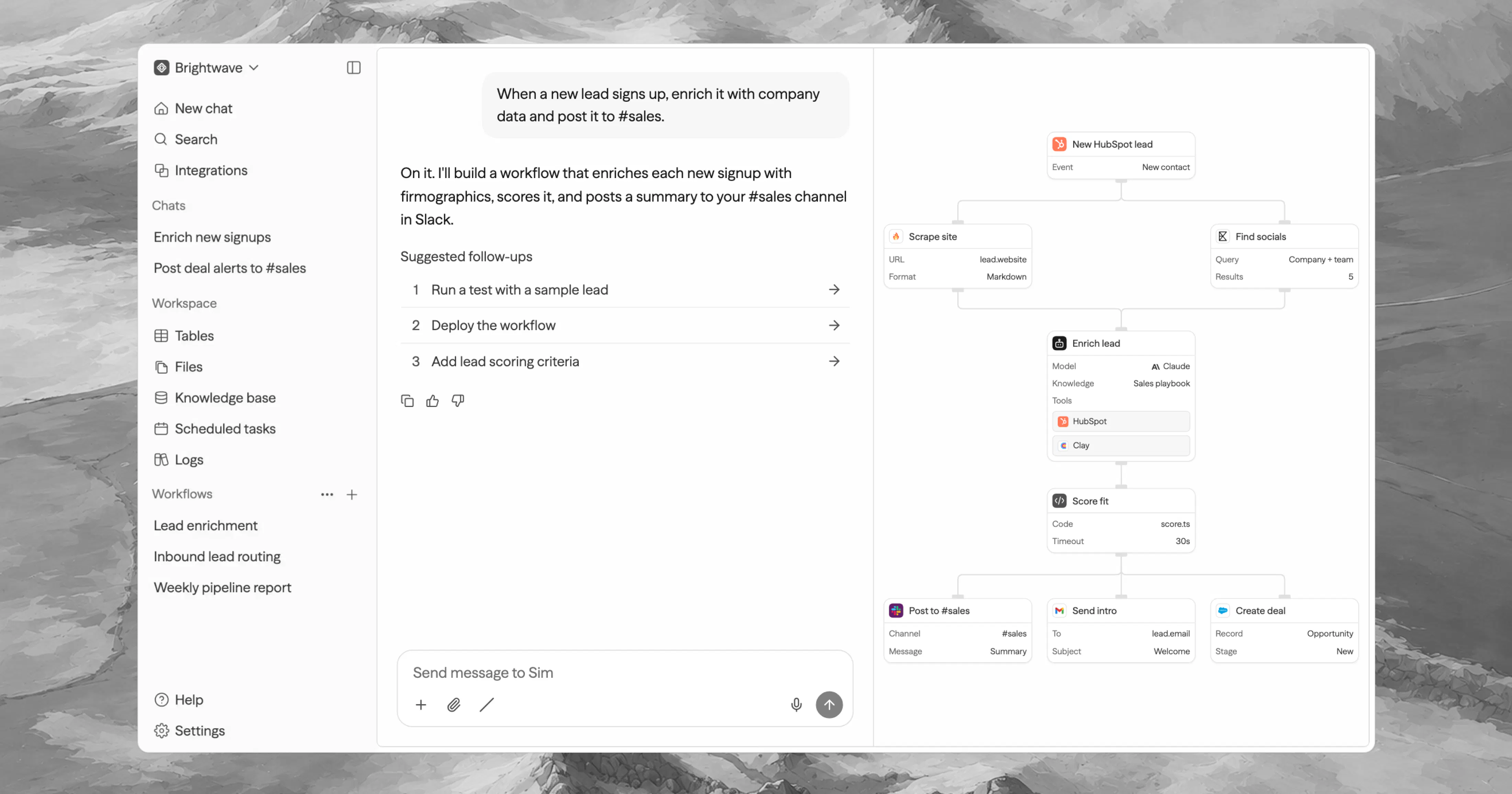
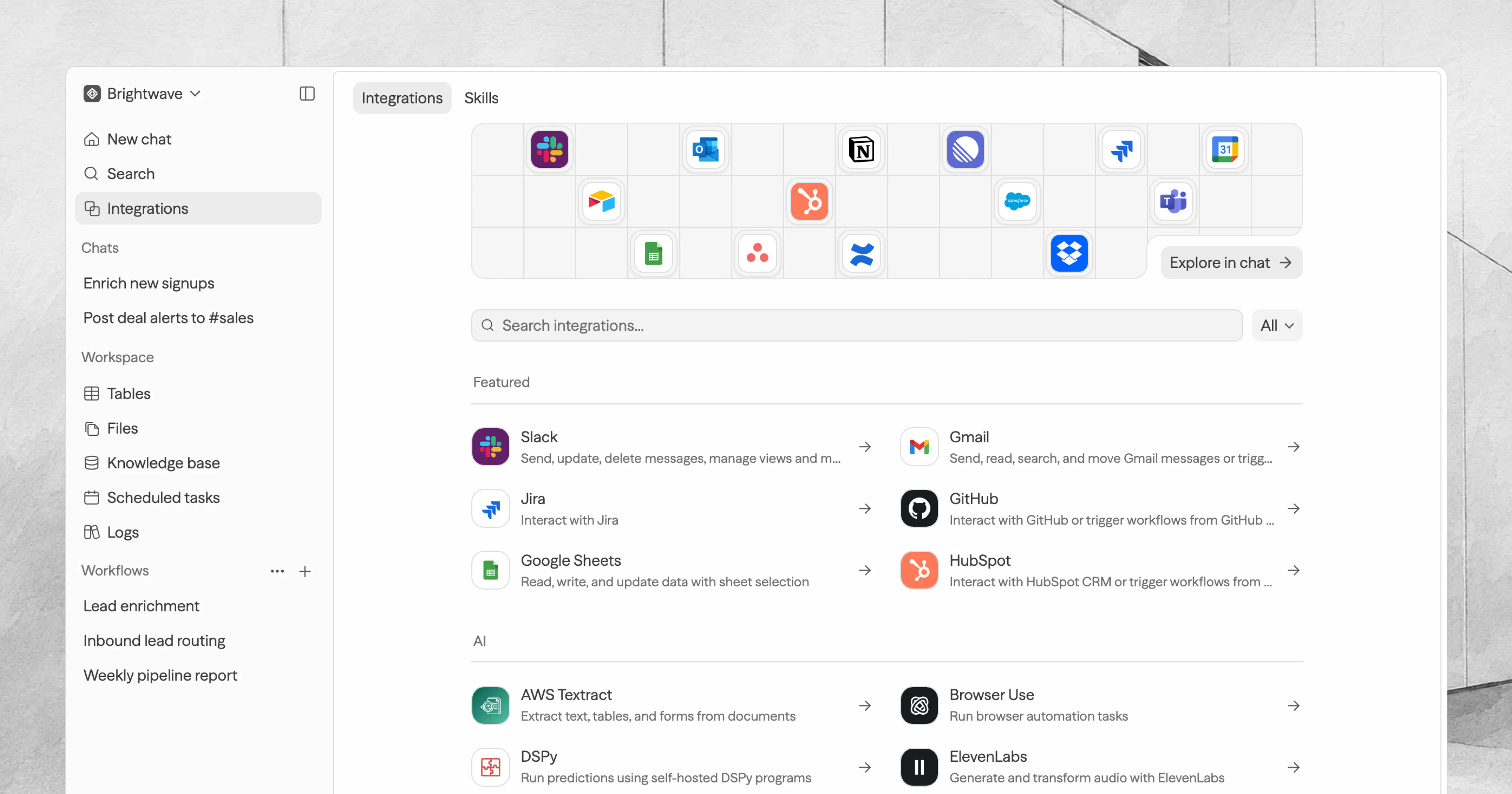
查看原始信息
Shotgun - AI Cofounder Framework
An open-source "operating system" that turns your favorite AI agent into a persistent, personalized virtual cofounder for solo founders. It works on any AI agent, with first-class wiring for Claude Code, Cursor, Antigravity, Gemini CLI, and GitHub Copilot. One line installs it, `shotgun-init` injects the full OS into any folder or existing codebase, you run onboarding once, and from then on the agent knows your venture, remembers everything, builds your product, and keeps your data organized.
I'm a solo founder and my main frustration with AI tools is amnesia: every session starts from zero. Shotgun is my attempt at fixing that with the simplest possible architecture. One command injects it into any folder; your agent picks it up via the AGENTS.md standard (works on Claude Code, Cursor, Codex CLI, and 28+ others). A SHOTGUN.md file defines a strict operating loop (read memory at session start, log decisions with their reasoning, update open loops at session end), and all state lives in plain markdown files. Memory, a data vault for business files, and per-project code workspaces. The model is swappable because nothing lives in the model. CI validates the whole framework on every push: skill frontmatter, loop routing, and the installer end-to-end. I'd appreciate honest feedback on the loop design, especially where you'd expect a weaker model to drift from the checklist.
1
回复

@krishnatejavepa Turning the AI agent you already use into a persistent, personalized cofounder — one that remembers your context instead of resetting every session — is the right shape for solo founders, and making it open-source and agent-agnostic is a strong trust move. "Don't build solo" is a great line for exactly the people who most need to hear it.

A persistent-cofounder idea clicks faster when you see it working than when you read about it, and you launched without a demo — so I made you one, free and whitelabel, no strings:

https://www.youtube.com/watch?v=96pgklrCl0M

Yours to keep — download it from https://foxplug.com/v/ss-shotgun-your-ai-cofounder-th-0e8b2f0d and put it on your own channel or launch page. Launches with a video do better, and yours is still editable.

Made at https://foxplug.com/?utm_source=producthunt&utm_medium=comment — make more there, or record your own walkthrough in ~2 minutes. Anyone else launching soon: paste your site, video in about 30 seconds. Great work shipping this.

0
回复

since you asked for honest feedback - the place i'd expect a weaker model to drift is the memory-write step itself, not the actual work. it'll do the task correctly but skip logging the decision, or compress it down to "did X" with no reasoning, which quietly defeats the whole point once you need to know why a call was made three sessions later. is that step enforced structurally somehow, like blocking session-end until the checklist items in SHOTGUN.md are actually filled in, or does it fully depend on the model choosing to follow the loop on its own?

1
回复

@galdayan Good catch, this is the right failure mode to probe. Honest answer is NO, session-end isn't structurally blocked. It's a prompt-level contract (RULE 0 marks the protocols as unskippable), and a weak model can drift past a prompt. No markdown file prevents that.

What the design does is make drift visible and repairable instead of impossible, in three layers:

  1. Every write echoes a "📌 Saved: ..." line to the founder, so a skipped write shows up immediately. Decisions use a fixed format (Date / Decision / Why / Revisit-when), so a bare "did X" fails the format.

  2. The doctor skill audits the system against its own contract — index integrity, journal freshness, stale loops, unlogged decisions. v1.5 adds a 0–100 Health Score, so drift shows up as a falling number.

  3. The framework is CI-validated on every push, and the format has a conformance spec, so any harness with hard hooks (e.g. Claude Code hooks) can enforce it structurally.

Bottom line: strong models follow the loop reliably; weak ones need the doctor ritual to catch slippage. Per-harness structural enforcement is on the roadmap.

0
回复

I like that you're treating the AI agent as infrastructure rather than the product itself.

As models become interchangeable, I think the longer-term advantage shifts toward the operating system that preserves context, decisions, and continuity across whichever models people choose to use.

That's a much harder layer to build.

1
回复

Building solo, the loneliest part is re-explaining everything every single time. An assistant that actually keeps up with the whole story of what I am making sounds like real company for the long haul. Nicely done, Krishna ;)

1
回复

how does it actually persist context between sessions, does it just dump everything into the repo as markdown or is there a real vector store behind it

1
回复

@smet1510713 No vector store, on purpose. Memory is plain markdown in the repo, following a formal spec (docs/MEMORY-FORMAT.md). One index file (memory/MEMORY.md) loads at session start; everything else loads lazily by task, so context stays small. Recall is grep plus model-generated synonyms — the model expands "pricing" to "subscription, tier, $", grep does the fast lookup. Semantic search without embeddings.

Why markdown over a vector DB: it's git-versioned, human-readable, diffable, and portable to any agent. A vector DB is a dependency you can't read or review. At founder scale (hundreds of entries, not millions), grep + a good index wins. A consolidation routine compacts the index past ~50 lines so it doesn't degrade.

0
回复

Ran shotgun-init on a side project and the onboarding actually felt like delegating to a real cofounder, not just feeding a chatbot context. The fact that it works across Claude Code and Cursor without rewriting anything is what sold me.

1
回复

The one-line install plus onboarding flow is genuinely well thought out, makes something this ambitious feel approachable instead of overwhelming.

1
回复

The one-line install and `shotgun-init` approach is really thoughtful, removing the usual setup friction that kills most frameworks before anyone even sees what they do.

1
回复

One line to install and my Claude Code agent actually remembered context across sessions without me re-explaining the project each time. Felt like having a real partner instead of a forgetful tool.

1
回复