Product Hunt 每日热榜 2026-07-14

PH热榜 | 2026-07-14

#1
ClawTeams
The first goal-driven, proactive AI team for e-commerce
621
一句话介绍:ClawTeams是为电商卖家设计的AI员工平台,用户只需设定目标,AI团队负责人便会自动分解任务、协调专家执行,并通过Slack/Discord汇报进展,解决卖家从“使用AI工具”到“管理AI团队”的协调疲劳痛点。
Productivity Marketing Artificial Intelligence
AI员工平台 电商自动化 AI团队协作 目标驱动 无代码 智能代理 Slack集成 审批流程 电商运营 自动化决策
用户评论摘要:用户高度关注审批节点的颗粒度与可配置性,以及AI应对API令牌过期等故障时的“自愈”机制。同时,有用户提出了“规则冲突”的历史难题,并询问了除Slack外是否支持Teams等集成。
AI 锐评

ClawTeams的巧妙之处在于它精准切中了当前AI工具市场的结构性错配:大量工具提供“超级个体”式的AI助手,但电商运营本质上是需要多角色协调的系统工程。它将AI从“工具”升级为“团队”,用“设定目标,AI团队负责人管理其余”的模式,解决了AI应用中的“经理疲惫”问题——这恰恰是很多AI产品沦为摆设的根本原因。

从社区反馈来看,用户并非盲目追捧。关于审批颗粒度、故障自愈机制、规则冲突的尖锐提问,表明早期用户已经将矛头指向了AI Agent走向生产环境的核心痛点:安全与可靠。ClawTeams的回应体现出其产品设计的前瞻性,“先尝试自愈再上报”的二分法,以及对“规则冲突”这一开放问题的诚实态度,比许多宣称“全自动”的产品要务实得多。

不过,其真正的价值壁垒在于“积累的电商运营知识”和“角色间协调逻辑”能否被数据验证并形成飞轮。目前的产品形态更像是一个高度定制化的“自动化编排器”,而非真正具备学习能力的“团队”。随着用户输入更多“规则”和“例外”,系统若不能主动消解矛盾而仅是机械累积,最终将陷入另一种“协调混乱”。同时,对微软Teams等企业级集成的需求暗示了其天花板——它必须融入现存的工作流,而不是要求用户切换。ClawTeams赢在起点,但AI团队的“组织管理”能力,才是它从工具进化为平台的生死线。

查看原始信息
ClawTeams
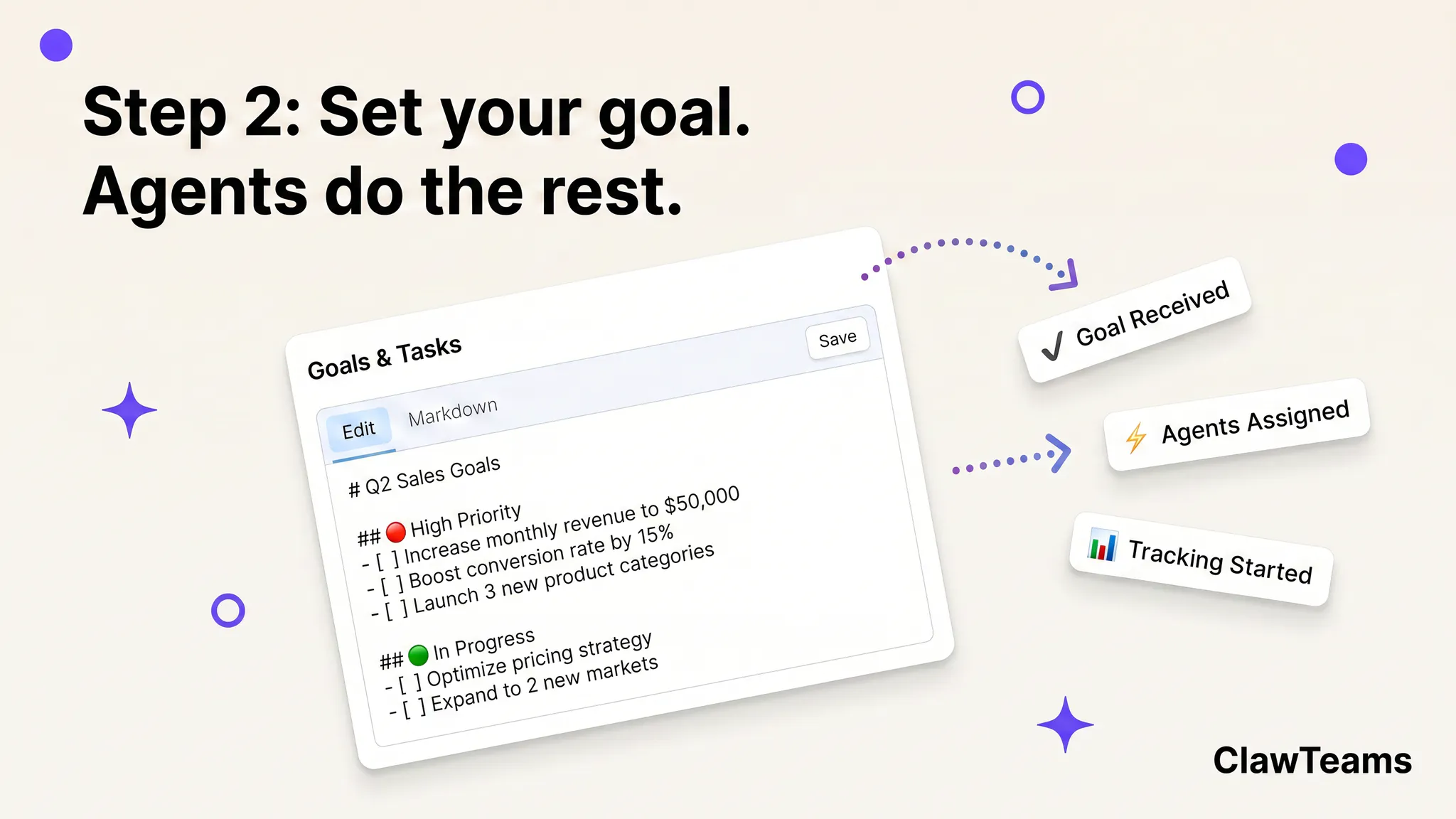
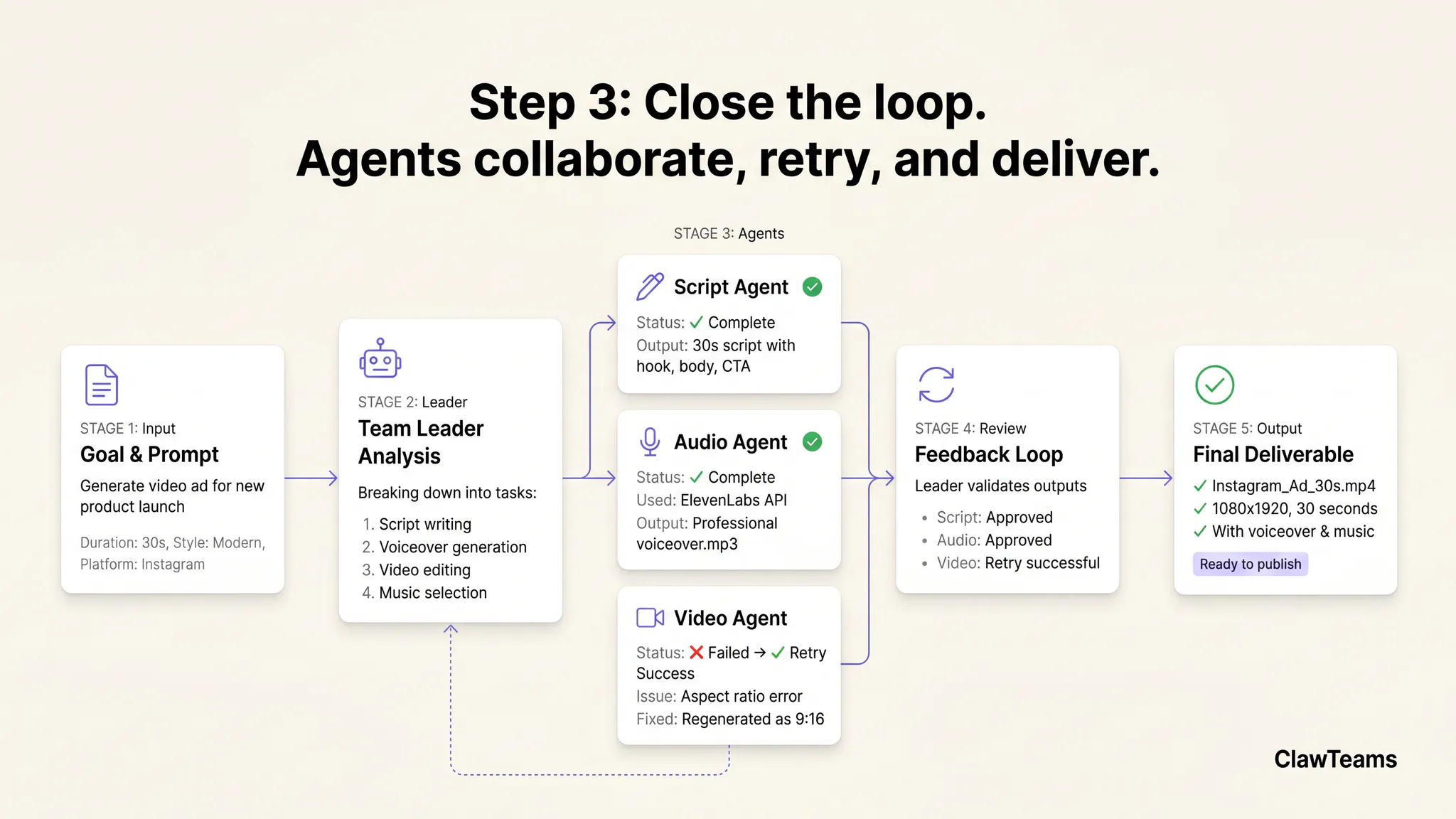
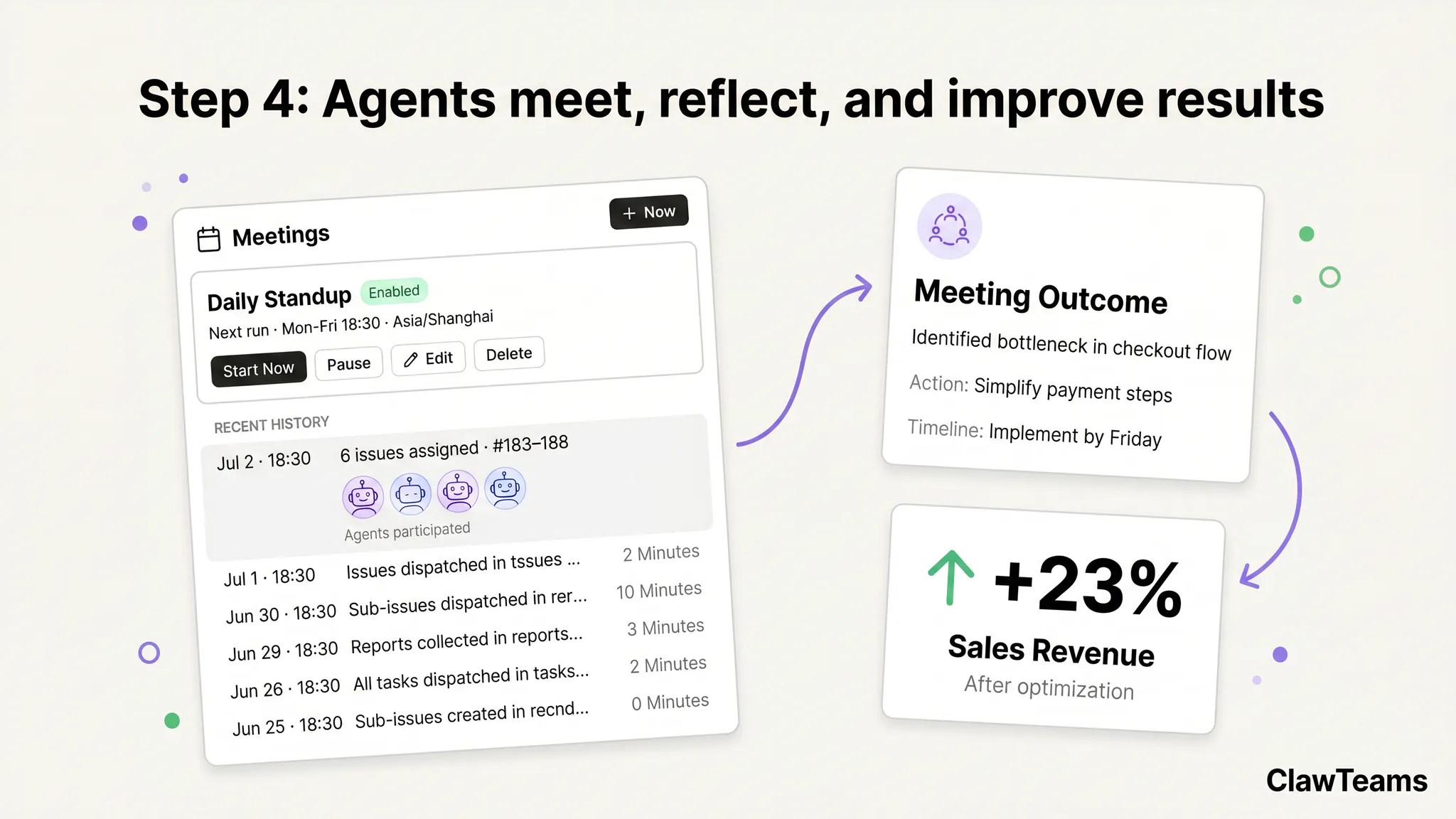
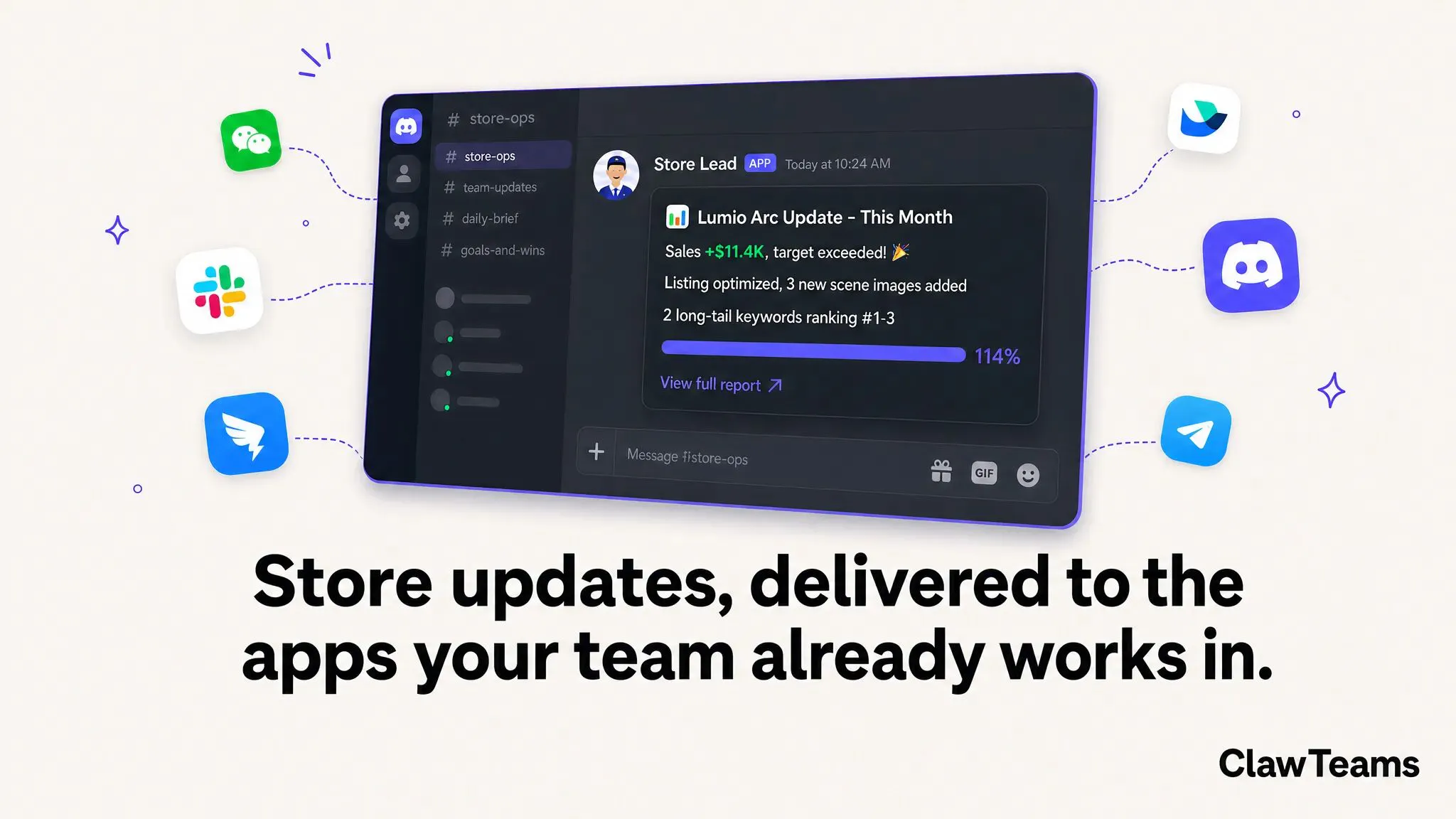
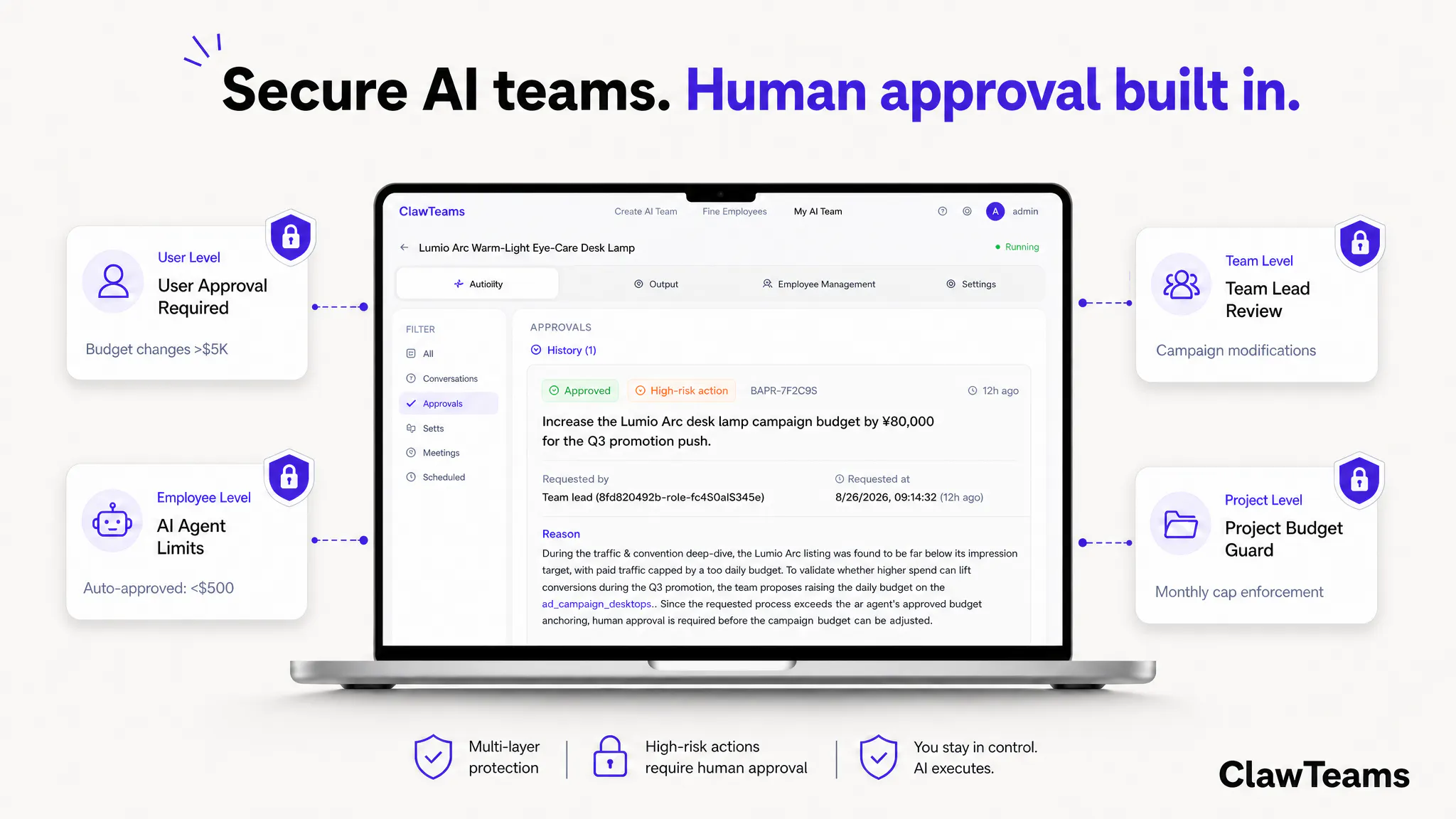
ClawTeams is an AI employee platform for e-commerce sellers. Instead of hiring specialists—or doing everything yourself—you get a coordinated AI team that thinks, plans, and executes like real employees. One goal. One team. Zero micromanagement. Tell your team lead what you want—"Increase Q4 revenue by 20%"—and they break it down, assign specialists, and run the plan. You get updates in Slack or Discord. High-stakes decisions wait for your approval. Everything else just happens.

Hey Product Hunt! 👋

I'm Steven Cen, and today we're launching ClawTeams — an AI team platform
built specifically for e-commerce operators.

The frustration that led to this: we kept seeing smart sellers use AI tools and still
end up doing all the coordination work themselves. They had AI assistants — but they
still had to be the manager. That's exhausting.

So we built ClawTeams around a different idea:
→ You set the goal. The AI Team Lead manages the rest.

Get 800 bonus credits ($8 value) with your first top-up of any amount. No minimum required.


We'd love your feedback — especially from sellers who've tried other AI tools and hit
walls. What made you give up on them? What would make an AI team actually useful?

14
回复

@s_cen Hey Steven,

Congrats on launching ClawTeams today! I saw your post on Product Hunt and love your approach to fixing "manager exhaustion" for e-commerce operators through autonomous Team Leads.

As an AI Automation Engineer myself (Founder of DragonixStudio, building n8n/Python solutions), I run a targeted LinkedIn hub where I break down the best enterprise AI tools.

My analytics currently average:

  • 40,000+ monthly impressions

  • 2,790 total newsletter subscribers

  • 5,996 monthly article views (highly targeted business operators)

To help boost your launch week traffic, I want to offer you a quick, budget-friendly promo:

I will write a detailed, dedicated feature article reviewing ClawTeams from a developer/automation expert perspective and publish it to my newsletter and LinkedIn feed for just $50 USD.

I have attached a screenshot of my traffic dashboard from Dragonix Hub so you can see my recent reach.

If you want to get ClawTeams in front of nearly 6,000 targeted business readers looking for automation this week, let me know and I can send over a payment link to get started!

Best,

Zain Khan
Founder, DragonixStudio
https://www.linkedin.com/in/zainkhan-dev/

0
回复

@s_cen I like the shift from AI assistants to an AI team with defined roles and coordinated execution. Letting a team lead break down goals, assign specialists, and handle day-to-day work while keeping you in control of high-impact decisions feels like a practical approach for busy e-commerce businesses. Wishing you a successful launch!

0
回复

@s_cen To answer your questions, I lose interest when using the tool feels like another job, if I spend more time using the AI than the work then I just stop using it. However, I like what you're solving so I'm wondering if your users noticed that they're saving time by using your product.

0
回复

@stevencen Love the "zero micromanagement" vision! 👏

You mentioned that high-stakes decisions wait for human approval in Slack/Discord. How granular are those safety guardrails? For instance, can a seller set custom approval rules—like automatic sign-off for minor ad budget tweaks, but requiring human approval for price changes or launching new campaigns?

1
回复

@franz_briones Love that you zeroed in on this! Yes — the guardrails are granular and fully configurable. During setup you define custom approval rules per action type, so you can, for example, auto-approve minor ad budget tweaks under a threshold you set, while requiring human sign-off for price changes or launching new campaigns. These are 'once-for-all' controls — you configure them once when assembling your AI team, and the Team Lead respects them from then on. Defaults lean conservative (anything touching credentials, irreversible actions, or spend above your limits always surfaces to you in Slack/Discord), and you can loosen or tighten from there.

1
回复

Congrats on the launch! Turning one ecommerce brief into a coordinated team for research, listing copy, creative, and review feels genuinely useful.

1
回复

@fei_li5 Thanks! That end-to-end ecommerce handoff is exactly the kind of coordination we want to make feel simple.

0
回复

Huge congrats👏 to shipping. one que what happens if the team lead agent runs into a direct roadblock like an API returning an expired token error from a connected store? does it flag a human immediately in discord or try to self-heal?

1
回复

@priya_kushwaha1 Great question, and it's exactly the kind of edge case we designed for early on 🙏

Short answer: it's a two-step process, not either/or.

When the Team Lead agent hits something like an expired token from a connected store, it first tries safe, reversible self-healing steps — retrying the auth flow, refreshing via the stored refresh token if available, or falling back to a cached state so nothing downstream breaks silently. If that resolves it, you just see a quiet log entry, no interruption.

But if it's a hard blocker — like the store literally revoked access or the refresh token itself has expired — it won't keep guessing or "pretend" to make progress. It immediately flags a human in Discord/Slack with the specific context (which store, which action was blocked, what it already tried), because re-authing a store connection is exactly the kind of "high-stakes, needs-a-human" moment we don't want an agent silently working around.

The core design principle is: agents can act autonomously on reversible, low-risk operational stuff, but anything involving credentials/access or irreversible actions always surfaces to you first. We'd rather have a slightly noisier Discord than an agent that "self-heals" its way into doing something you didn't approve.

Happy to go deeper on this if you're curious — this kind of failure-mode design is honestly where most of our engineering time went pre-launch.

2
回复

The one-sentence setup is especially appealing for ecommerce. Starting with rough product information and asking for a complete listing package feels far more natural than building a workflow first.

1
回复

@nicole_h94 Exactly—starting with the outcome should feel more natural than designing the workflow first.

0
回复

Congrats! @s_cen

0
回复

Congrats!👋👋 This could be especially useful for lean ecommerce teams juggling product research, listing copy, visuals, launch campaigns, and distribution at the same time.

0
回复

Quick update from the ClawTeams team — thank you all! 🙏

We've been blown away by the warmth and depth of the feedback since launching today. Landing at #1 Day Rank with 600+ points means a lot, but honestly the comments have been the real highlight.

The questions here have been incredibly sharp — from guardrail metrics and cross-run memory, to platform rate-limiting and account-safety edge cases. It's exactly the kind of thoughtful conversation we hoped to spark, and it's already shaping how we think about the roadmap.

To everyone who upvoted, commented, or gave us a shoutout: thank you. This is just day one, and the reception has us more energized than ever. We're reading every reply and would love to keep the conversation going. 💛

0
回复

Congratulations! The product feels built around how work actually gets delegated, reviewed, and delivered.

0
回复

@qiwap yes! Our maker and teammates have been in ecom industry for many years. we devote this product to help Sellers' daily work

0
回复

Amazing AI agent team for e-commerce!

0
回复

@peng_wood Thanks Peng. We really want to empower sellers with the agent teams. love to hear more feedback from you and the community

0
回复

Congrats launch!!!amazzzzing product~

0
回复

@gideon_ge thanks for your support. more feedback and input are welcome to make the product better

0
回复

Ecommerce work is full of tiny handoffs between research, copy, design, and operations. Nice to see a product trying to coordinate the whole chain from one request.

0
回复

@creatorminer yes your are quite right about the painpoints of ecommerce work. that's why we make ClawTeams. we really want to boost their sales with less human efforts

0
回复

I run a small fleet of Claude agents that operates my own product (eng, QA, growth), so this is close to home. The problem that bit me wasn't planning or approvals — it was rule drift: every incident adds a constraint to some agent's instructions, and months later the rules contradict each other in ways no single edit caused. Does ClawTeams reconcile new seller-added constraints against existing ones, or does the Team Lead's rulebook just grow? Congrats on the launch.

0
回复

Which integrations are available today beyond Slack, and is Microsoft Teams support already production-ready?

0
回复

"high-stakes decisions wait for your approval" - is that threshold something the team lead learns from your past overrides, or a fixed list of action types you configure upfront?

0
回复
@sabber_ahamed It’s hybrid: you set base action thresholds upfront, and the lead auto-raises risk sensitivity based on your past manual overrides to flag similar moves earlier.
0
回复

Promising! Gonna try this out @s_cen

0
回复
@amdfad We’d love to hear feedbacks from you!
0
回复

the drift-catching part makes sense for one agent going sideways, but what about two specialists stepping on each other mid-task - if the pricing agent drops a price right as the ads agent is calculating margin for a new campaign, does the team lead serialize those or do they just race?

0
回复
@sabber_ahamed Great question! Our team lead enforces dependency locks on shared data like pricing/margin metrics. Related write operations get serialized to prevent conflicting updates, so agents never race over overlapping critical data.
0
回复

the approval-boundary answers in this thread are solid, but they're all about controls you set. the risk I don't see addressed is the platform side - Amazon/Shopify etc flag bulk automated listing or pricing changes as suspicious and can suspend a seller account over it, independent of whether the change itself was a good idea. does ClawTeams rate-limit or pace its actions to stay under those platform-level detection thresholds, or is that entirely the seller's problem to monitor?

0
回复
@galdayan Great question—platform suspension risk was a core design constraint for our marketplace automation stack, so I’ll clarify clearly: ClawTeams natively includes platform-specific rate limiting, randomized humanized pacing, and concurrency caps for Amazon/Shopify bulk listing and price edits. Agents pull official API limits for each storefront, spread mass changes across staggered time windows, and add variable delays to avoid bot-like uniform request patterns. We also auto-backoff when platforms return throttle signals like 429 errors. That said, platform anti-bot detection rules change constantly, and account history/IP reputation adds unmodelable risk—so high-volume bulk actions always require your manual approval before running, we surface live risk warnings for borderline workflows, and all API activity logs are retained for platform dispute audits. We mitigate the detection threshold risk extensively via built-in pacing logic, but platform account safety remains a shared responsibility with the seller, with guardrails to keep dangerous automated behavior locked behind human sign-off.
0
回复

@galdayan Having finished work returned to the original chat feels smoother than chasing outputs across multiple tools.

0
回复

Congrats on the launch, the goal decomposition flow is clean.

The question I keep coming back to with agent teams is what the team lead remembers between runs. Planning is the easy half. The expensive half is not re-litigating a decision a specialist already made last week, and not acting on stock numbers that went stale two runs ago.

Does the team carry state forward across goals, or does each new goal start from a clean context?

0
回复
@paul_crinigan Thanks for the kind words! Our teams persist structured cross-run state—stored decisions, fresh inventory data, and specialist outputs carry over automatically. You can lock verified conclusions to avoid rehashing old work, and stale metrics trigger auto-refresh before new tasks kick off. New goals build on existing context instead of starting blank.
0
回复

Congrats on the launch Steven!

0
回复
@albattran Thanks!
0
回复

The per-action approval controls look well thought through. The harder problem with goal-driven agents is the goal itself: "increase Q4 revenue 20%" can be hit in ways you'd hate — deep discounts that gut margin, or heavier email that lifts this month's revenue and burns the list next quarter. Each step can look low-risk and pass its guardrail while the sum quietly optimizes the wrong thing.

Curious whether the Team Lead is measured only against the stated goal, or against guardrail metrics too — a margin floor, a send-frequency cap, brand constraints — so it's steered away from technically-correct-but-bad paths, not just blocked on individual high-stakes actions. That constraint layer feels like where the trust actually lives. Congrats on shipping, Steven.

0
回复
@syed_noor4 Thanks for this sharp insight! Our team lead optimizes for core goals AND locked guardrail KPIs simultaneously—margin floors, email frequency caps, brand rules are hard constraints, not afterthoughts. The AI can’t pursue revenue growth by violating your preset business boundaries, avoiding those short-sighted harmful strategies entirely. Really appreciate you highlighting this trust-critical layer.
0
回复

Looks great

0
回复
@madalina_barbu Love your support!
0
回复

Does the platform support shared team memory without exposing sensitive context across unrelated projects?

0
回复
@linglistack Absolutely. We isolate memory per project workspace while letting authorized teams access shared cross-project knowledge; sensitive data never leaks between separate workflows.
0
回复

How are budgets set and enforced across a long-running project with multiple agents working in parallel?

0
回复
@cynthia220 You can always set up daily/weekly/monthly credit budget for each team you assemble in clawteams. Agents basically work in parallel to tasks assigned to them
0
回复

Honestly the "one goal, zero micromanagement" thing actually works. I tossed in a goal to cut ad spend waste and woke up to a slack thread with three specialists already debating keyword bids. Kind of eerie honestly.

0
回复
@elmasjyoo Goal-based task decomposition and automated agentic workflow is indeed key to how our product works
0
回复

Would love to see a quick weekly recap card in Slack showing what the team actually did and what it cost in API credits, so I can tell at a glance whether I'm getting real value or just noise.

0
回复
@keremdbga Love this actionable ask! We’ve added this weekly Slack recap card to our near-term roadmap, tracking completed tasks and API credit spend for fast value checks.
0
回复

The approval boundary is the product here. For e-commerce operators, the useful version is not “agents do everything”; it is clear ownership, budget/risk limits, and a decision log in Slack when a step touches inventory, pricing, customer comms, or ad spend.

0
回复
@krekeltronics Thanks for the comment. I think the most important thing in harness engineering is to set up the budget/risk limits, which is encoded in our product philosophy.
0
回复

Parallel work is presented clearly without overwhelming the user with technical agent details. Nice product thinking.

0
回复

@rockzhang thx for your encouragement~ please try the product and give us more feedback

0
回复
@rockzhang Thank you! We prioritized hiding complex agent mechanics so users only see actionable task progress, glad this design lands well.
0
回复

Love the concept of treating AI agents like actual team members. One thing I'd find super useful is a simple performance dashboard per specialist showing what they shipped, time saved, and cost vs hiring a human for the same task, so I can actually measure ROI over time.

0
回复

@tahazgnkdof Thanks so much, Taha — really glad the "AI agents as teammates" framing resonates! Good news on the ROI front: we already have a budget management function that lets you track and manage your agent team's spend, so you can keep an eye on cost as you go. A fuller per-specialist view (what each agent shipped + time saved side by side) is exactly the direction we want to take it further. Would love to hear which metrics matter most to you!

0
回复

Congrats on launching! "Zero micromanagement" is a bold promise for a multi-agent setup - how do you handle the failure case where one specialist agent goes off track? Does the team lead catch it before it reaches the customer, or is there a human-in-the-loop checkpoint?

0
回复

@medal411 Great question, thanks! Quick clarification on 'zero micromanagement': it doesn't mean no oversight — it means you don't have to assign tasks to each agent or check their quality one by one. The Team Lead agent drives toward the goal and coordinates the specialists for you. If a specialist goes off track, the Team Lead monitors output against the goal and catches drift before it reaches a customer.

The key controls happen up front: during setup and when you assemble your AI team, we provide easy-to-use dashboard settings. These are 'once-for-all' guardrails — you configure them once, and they ensure the team executes safely and exactly to your requirements. Anything high-stakes or customer-facing still hits a human-in-the-loop checkpoint in Slack/Discord for sign-off, while low-risk, reversible steps run autonomously.

0
回复
#2
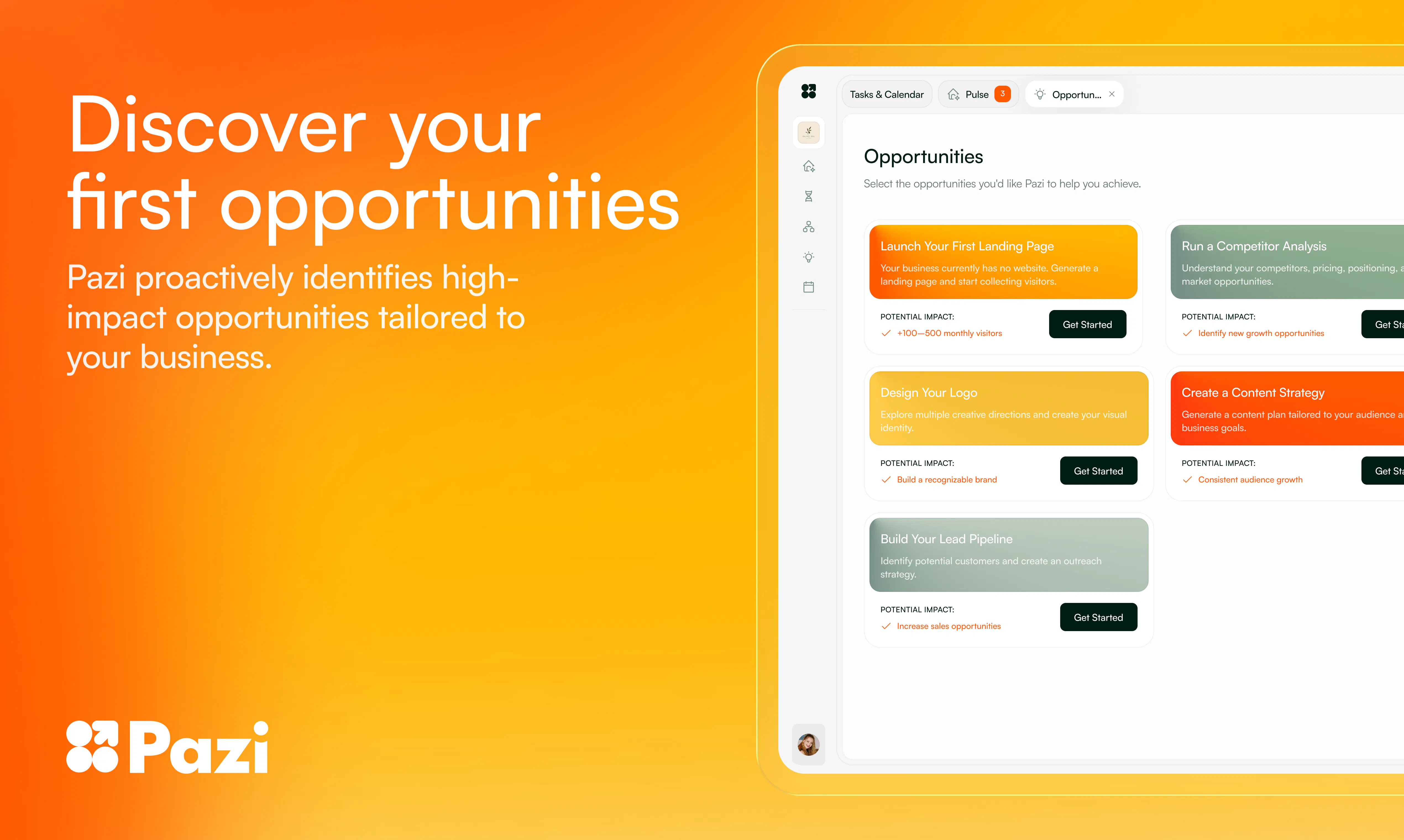
Pazi
Vibe code business operations
607
一句话介绍:Pazi 是一款为“想做事却卡在运营环节”的创业想法持有者打造的 AI 运营代理团队,它能围绕你的点子自动组建多角色智能体,独立推进建站、内容、获客等业务执行,让你每次回来都能看到进度推进,解决“产品造出来却不知如何落地”的核心痛点。
Productivity Artificial Intelligence Vibe coding
AI运营代理 商业自动化 零代码创业 智能体团队 精力外包 获客执行 创业落地工具 SaaS 生产力 低门槛创业
用户评论摘要:用户集中关注 AI 自主决策的边界:何时需人工审批(如策略转向、对外沟通);身份识别风险(邮件/社交账号信誉保护);以及执行透明度的增强需求(实时状态看板、决策轨迹回放)。多数建议围绕“信任与管控平衡”展开,而非质疑功能本身。
AI 锐评

Pazi 的聪明之处在于,它没有陷入“帮我写代码”的旧叙事,而是精准捕捉了后创业时代的真实痛点:造东西不难,卖东西才要命。创始团队从 Pythagora(开源编码代理)转型而来,最宝贵的认知不是技术积累,而是看到了用户“建完App就茫然”的集体困境——他们想当企业家,不是工程师。这个洞察直接定义了 Pazi 的产品哲学:你不是需要一个更快的AI码农,你需要一个不知疲倦的AI总监。

产品形态上,“多代理团队”比单一聊天机器人更接近真实商业组织的运作逻辑:战略、内容、研究各有分工,且能自主推进。这在“执行层”的自动化上确实有价值,尤其是用户提到的“竞品定价研究”这类意料之外的惊喜动作,说明AI在信息整合上能产生超越指令的增量。

然而,锐评必须点出风险:目前评论区大量“代理人是否可靠”的追问,本质上是“信任门槛”问题。Pazi 当前的做法是“大策略请示、小动作自定”,这听起来合理,但一旦涉及到“邮件署名是否用我的域”、“营销策略是否烧钱”等实体利益时,用户的容忍度极低。一个小失误就可能毁掉真实商业信誉,而AI无法为此担责。目前产品在“沙盒身份”和“决策透明度”上仍显粗糙——比如社交平台没有独立身份保护,决策逻辑缺乏“假设-行动-结果-抉择”的完整路径回溯。这种模糊地带恰好是“Vibe coding”能成立而“Vibe ops”更难行的关键:代码错了可以回滚,客户触达错了,信任就断了。

一句话总结:Pazi 找到了一个极具潜力的“AI运营副驾”切口,执行层自动化也初见成效。但它要真正跑通,必须在“自主权边界”和“错误责任归属”上给出比竞品更严谨的保障体系。否则,它可能只是另一个“看起来很忙”的焦虑放大器。

查看原始信息
Pazi
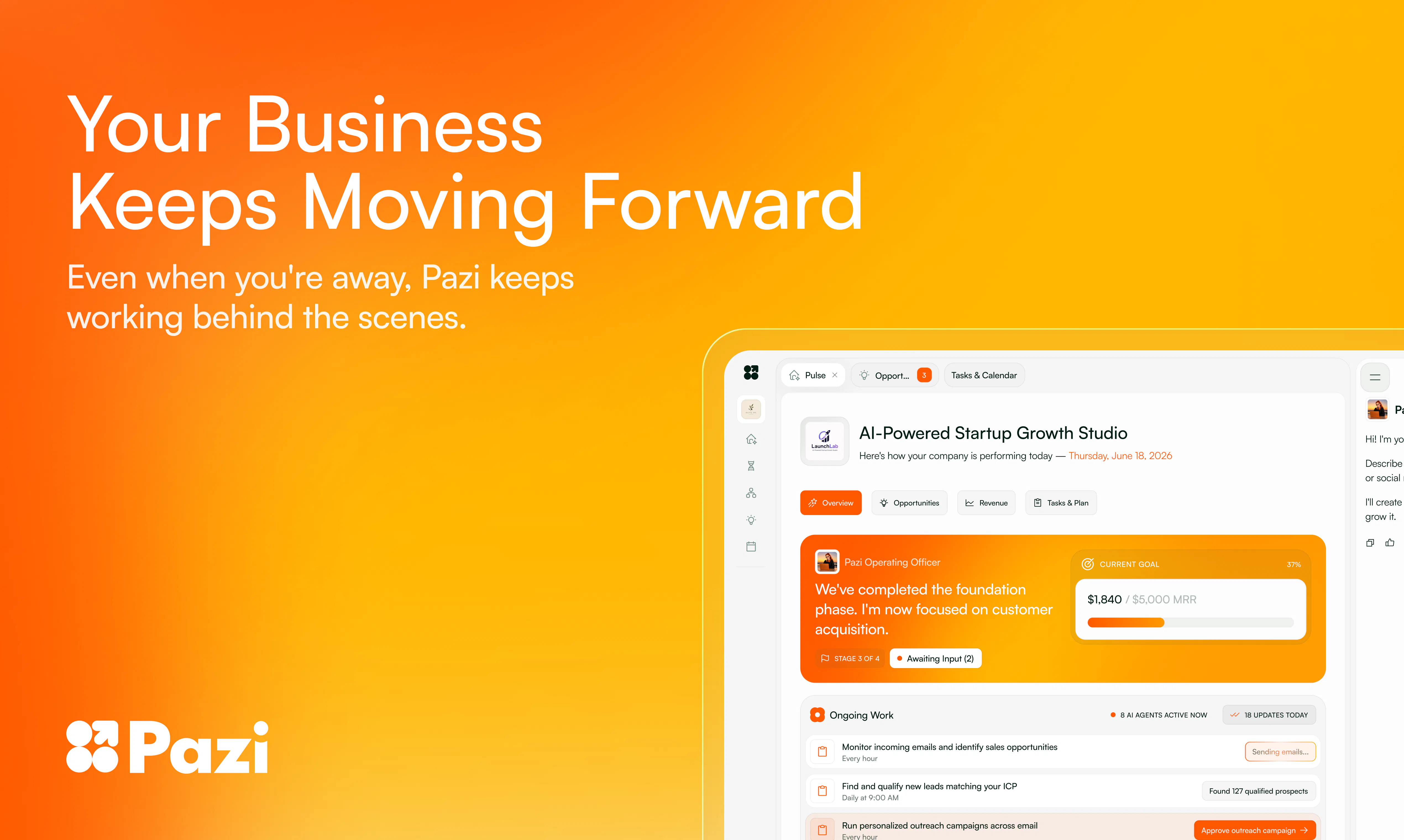
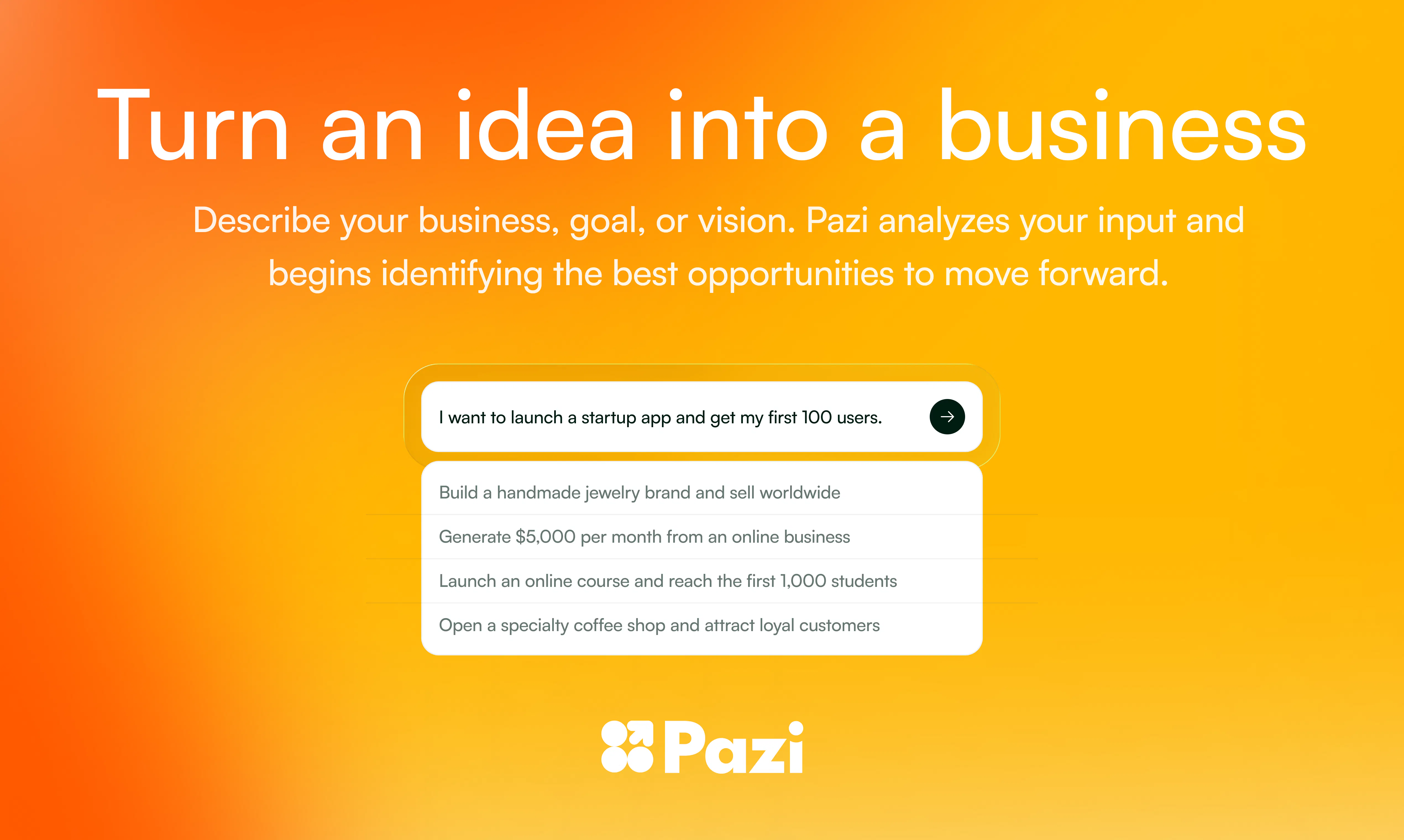
Pazi is an AI team for that idea you keep coming back to — a book, a shop, an app, a skill you want to sell. Tell Pazi what you're trying to do and it builds a team of agents around your idea and starts making things happen: a website, first outreach, content, the next step. Every time you come back, something has moved. You stay in control; your team does the rest alongside you, one real step at a time. Like vibe coding but for business operations.

Hey Product Hunt 👋

I'm Zvonimir, co-founder of Pazi. Some of you might know me from Pythagora / GPT Pilot - one of the first open-source coding agents, 33K GitHub ⭐

We built Pythagora thinking people wanted to build software. 100k users later, we realized building was just a means to an end. The moment the app was done, people didn't celebrate. They got stuck. "Now what?"

The app was never the point. They didn't want to build applications. They wanted to be entrepreneurs.

Every experienced founder knows the hard part comes after the build - getting it in front of people, seeing what lands, changing it, trying again. A business is just that loop, run a few hundred times until something works.

So for the last 6 months we've been building Pazi to run that loop with you.

You bring an idea. Pazi builds a team of agents around it and starts moving - and it doesn't wait for instructions. It tries something, sees what lands, adjusts, keeps going.

Here's one real idea that one of our users started with: a prompt pack to sell on Gumroad.

Pazi built her a team - a growth strategist, a content writer, a researcher - and got to work. The pack itself. A cover to drop into Canva, with the hex codes. A posting calendar: which platform, which day, which hook, which call to action. And competitor pricing research she never asked for, because she'd mentioned in passing that she had no idea what to charge.

Today, she pays for Pazi and for no other AI tool.

We looked at the first 529 ideas people brought us. ~75% of what they actually wanted wasn't "build me an app." It was some version of get me customers. So that's where the agents start.

Two years ago, "vibe coding" sounded absurd - many said that only real engineers write real code. The exact same shift is about to hit the way companies run.

👉 Soon, no one will run their business operations by hand either.  👈

Today is day one. Autonomous companies are rough in some places, just like early vibe coding was too.

And if you're someone with an idea and no team: this is the best moment in history to be you. That gap used to kill things before they started. It's about to stop mattering.

What would help us most: take an idea you've been sitting on, run it through Pazi for real, and tell us where it broke, what surprised you, and what was missing. My co-founder Leon and the team are here all day, reading every comment.

Come build with us 🥂

26
回复

@zvonimir_sabljic1 if the AI COO hallucinates a bad marketing strategy, does it flag low confidence before asking for human approval?

6
回复

@zvonimir_sabljic1 I really like the idea of treating AI as a team rather than a single assistant. Having specialized agents that keep moving your idea forward—whether it's building a website, creating content, or handling outreach—makes the process feel much more actionable. The "every time you come back, something has moved" concept is especially compelling. Best of luck with the launch!

0
回复

@zvonimir_sabljic1 well done Zvone!

0
回复

The part about getting stuck after the build is so true. Making the thing is often the easy part, getting people to actually care is where it gets messy. Curious how Pazi handles that first week after launch.

2
回复

@cathy_cc yes, exactly - the answer is the momentum. After a failed launch people lose motivation but AI doesn't so it needs to do a small step forward to regain motivation. I say that Pazi provides momentum - that's the goal.

2
回复

"The app was never the point. They wanted to be entrepreneurs." is a really strong insight.

As a founder, I can relate to how much harder everything becomes after the product exists. getting customers, finding positioning, creating content, doing outreach, learning what works, then repeating the loop... that is where most ideas slow down. "Vibe coding for business operations" is a very clear way to frame Pazi :)

The proactive part is what I would want to test most. how does Pazi decide what it can move forward on independently, and when it should stop and ask the founder before spending money, contacting someone, or changing direction?

2
回复

@andrasczeizel thanks for the feedback - I'm glad it resonates. Re how it decides, truthfully, this is what we're exploring with users as well. In general, it stops whenever something meaningfully impacts the business - eg. full strategy change - but I think that this will end up like vibe coding today. We will just start to allow it to do more and more.

2
回复

@zvonimir_sabljic1 @leon_ostrez
This is a superb idea. I am at a stage where I am managing multiple things, and I know I can spring up some agents to delegate work, but I simply don't have enough time. The next stage in my build journey is launch, marketing, and customer acquisition, and I feel Pazi can help. Love the bright orange. Kudos on the launch.

2
回复

@leon_ostrez  @roopesh_donde Thanks!!! Yes, that's exactly what Pazi is build for. Let me know what you think and if you need any help.

0
回复

the "vibe coding but for business operations" framing is a good hook. one thing I don't see covered yet: when the team does outreach - emailing a prospect, DMing a creator, whatever - whose identity is it going out under? if it's sending from my own email or socials, a bad batch of outreach doesn't just waste time, it dings my actual deliverability/reputation with real people. is there a sandboxed identity it uses until you're comfortable, or is it your accounts from day one?

1
回复

@galdayan Great question. For email, each agent sends as "Agent Name" <agent@me.pazi.ai> from our dedicated agent-mail domain—not from your personal or company inbox—so your own domain reputation isn’t affected. We also limit sending volume and monitor bounces and complaints. For social platforms, there isn’t a universal sandboxed Pazi identity today.

0
回复

Love it! I run an influencer marketing agency as well as an influencer discovery platform, and following up with creators and clients usually takes a lot of time and efforts from my team. This include scheduling outreaches, setting up sequences and sending newsletters. Do you think Pazi can help us to sort the communication for both the companies simultaneously? Right now, we are using a mix of 3 tools to sort the communications with users, creators and clients.
PS - Really love the UX and I believe in the solution you are offering. Congrats and good luck with the launch!

1
回复

@lakshya_singh Thank you! Yes—you can set up each company as a separate business in Pazi, each with its own agents, context, and dashboard. Both teams can work simultaneously on outreach, follow-ups, newsletters, and scheduling, while your COO gives you one place to coordinate everything. We’d love to learn more about your current workflow and see how much of those three tools Pazi can consolidate.

1
回复

A dashboard showing what each agent is actively working on right now would help a lot. When I come back I want to see a quick "live status" view instead of just results, so I can jump in and steer things before they go too far down a path I don't want.

1
回复

@volkanr1fz Yes, that's exactly what the Pulse page is for - it shows all things that agents are currently working on.

1
回复

Congrats on the launch! Coming from an ML research background, I'm curious how Pazi handles the agents' confidence in their own outputs. For example, when a growth strategy or piece of content is based on a shaky assumption, does the system surface that uncertainty to the user, or is it something you only catch after the fact by checking the dashboard? Cool direction either way.

1
回复

@tkargin That's about to be seen :) We're exploring this same thing

0
回复

The strongest part of this is focusing on the loop after the build. For founder work, I would want every agent step to leave a trail: assumption, action taken, result, next choice, and where it stopped for approval. That is what keeps “business operations” from turning into busy-looking motion.

1
回复

@krekeltronics Yes, agreed! The question is how to show that in the most concise way so people actually want to review it.

0
回复
Congrats on the launch!!
1
回复

@german_merlo1 Thank you!!!

0
回复

Congratulations on the launch. It's refreshing to see someone optimizing for outcomes instead of optimizing for prompts.

1
回复

@roopreddy Thanks!! And yes, well said!

0
回复

I'd probably trust this more if it occasionally explained why it chose one direction over another.

1
回复

@ranjan_kumar45 very interesting! That makes sense. I think for the time being, like in the next year or so, people will still have oversight over what the agent is doing - just like vibe coding a year ago

0
回复

This could become the AI equivalent of hiring your first operations person without actually making a hire. Haha

1
回复

@syed_shayanur_rahman yea hahaha with that person being able to do any knowledge work

0
回复

I wonder what happens when the strategy isn't working. Does the team completely pivot on its own or ask first?

1
回复

@nuseir_yassin1 Asks first. When changing the strategy completely, it consults with the user first.

0
回复

One thing I'd enjoy is watching every completed task on a timeline, almost like following a teammate's daily progress. Love it!!!

1
回复

@zerotox oh, that sounds super cool! Thanks for the feedback and yes, I agree - it should have some kind of a timeline preview of the work done

0
回复

The Gumroad example made the product click immediately for me. That's a much more relatable demo :D

1
回复

@divya_kothari1 that's very interesting!! Thank you for the feedback!

0
回复

How does Pazi decide what to work on first if someone has five different priorities competing for attention?

1
回复

@iamanantgupta in most cases, you are the one who chooses the direction but in smaller cases where it needs to make a decision, it does with the best of its abilities. We're using Opus and Sonnet in the background so the decisions I've seen so far are amazing - I'd say better than most people today

0
回复

@iamanantgupta This is the question I care about most too. I run three unrelated businesses and the hard part was never doing the work, it's knowing which of five competing things actually deserves me right now. What's helped me isn't a smarter ranking algorithm, it's honesty about confidence, some days I'm sure the café schedule is the real fire, other days I'm wrong and it's actually the software bug queue. Curious if Pazi surfaces why it picked one priority over another, or if that reasoning is still mostly a black box for now.

0
回复

Congrats. This feels like where AI is heading next. Not just creating things, but actually helping people build businesses around them.

1
回复

@himani_sah1 Yes, exactly! Within a year everyone will be doing vibe coding type of business ops. Exciting future 🥳

0
回复

Love the branding, will certainly give it a look!

1
回复

@olumidegbenro Thank you!!!

0
回复

Congrats on the launch! When Pazi's agent team builds out first outreach/content for a niche idea, how does it handle domain-specific compliance stuff (e.g. regulated industries) - does it know when to flag "this needs a human review" vs just shipping it?

1
回复

@medal411 great question! It actually does very well with regulations because of the research agent that does compliance very well but it all comes down to the user. Pazi always asks for an approval until the user says it can do something on its own - then it just ships it.

1
回复

Congrats on launching. The line that got me is "every time you come back, something has moved." As a solo founder I already run my startup close to this way, handing pieces off and checking results, so one coordinated team instead of me stitching ten tools together is the dream. Real question: when an agent takes the next step on outreach or content, how much sign-off do I get before it actually goes out? "You stay in control" is exactly where I'd want to feel the guardrails.

0
回复

the "team of agents" framing is the interesting part - when Pazi sends real outreach on your behalf, is there a review step before anything external actually goes out, or does it just fire once it decides that's the next move?

0
回复

the research-grounded-vs-guessed question above is the one that matters most imo - when Brave search and browser-use turn up conflicting pricing data for the same niche, does the agent reconcile the sources or just pick one and run with it?

0
回复

Well done! I like Pazi because it was super quick to get started and I could feed it data from Excel or connect it to my database. It didn't ask for a bunch of redundant information. I'm just getting started but I really liked how it identified the "core activation" moment. I was surprised how accurate it was.

0
回复

@matthewoz101 Thanks, Matt! Great to hear it identified the core activation moment so quickly. Please keep us posted as you test it with more real workflows—we’d love your feedback.

0
回复

Love it! My app is built, ready to launch, but I feel very unsure on where to start, social media handlers are taken (including Product Hunt), videos recorded an paid for, iterations, PlayStore published, AppStore under review, yet I feel insecure... I will give this a go, so far exhausted my first 5k credits and intend to go for a bit more testing, thanks @zvonimir_sabljic1

0
回复

@igor_torrealba Thanks, Igor! We’d love to hear how the next round of testing goes and what we can improve.

0
回复

Congrats on the launch! "Every time you come back, something has moved" is the angle that sold me — most agent tools still just sit and wait for prompts. Curious how you balance agents acting autonomously vs. asking for approval on things like outreach?

0
回复

@alex_tomilin Thanks, Alex! The main boundary is the opportunity itself: you choose what the team should pursue, then the agents work autonomously within that direction. They come back when they need access, credentials, or a decision that materially changes the plan. For outreach, you can shape the approach upfront and then let the team execute without approving every individual step.

0
回复

Congratulations on the Launch🎉🎉. Visited your website, absolutely loved the interface and functions, i am just worried about AI Hallucination, and what can be done to prevent it?

0
回复

@shahzeb7711 Thank you! Hallucinations are a real limitation of every LLM, but clear goals and instructions, combined with verification and review from other agents, help reduce them.

0
回复

Lowkey need this!!!

0
回复

@milhoornaert Give it a try and let me know how it went! Thank you for the support

0
回复

For me personally, coding is the easiest part of building a product, but content writing or marketing-related tasks are really too difficult. They are often the parts that take me the most time. The appearance of Pazi just helped me out 🥳, thank you so much!!

0
回复

Thank you, Gary! That’s exactly the gap we built Pazi for. Building the product is often only the beginning—content, marketing, and distribution can take far more time. We’re excited to see what your Pazi team helps you move forward 🥳

0
回复

Congrats on the launch, Zvonimir. The "build vs. figure out what to actually do with the business" gap is something I run into constantly between managing a dealership and building a property management site. Honestly, half the challenge isn't the build itself, it's knowing which of the ten things I could do next actually moves the needle. Curious how Pazi decides what to prioritize when someone gives it a vague goal like "grow the business." Does it ask clarifying questions first or just start proposing a plan?

0
回复

@andre_ajemian Thanks, Andre! It does both: the COO learns about your business and asks targeted questions when important context is missing, then turns a vague goal like “grow the business” into concrete opportunities. You choose which opportunity to pursue and can discuss the tradeoffs with your COO before the team starts executing.

0
回复
#3
Goose Ads Remixer
Remix the ads already winning in your niche
461
一句话介绍:Goose Ads Remixer通过分析竞品中已被验证的赢家广告模式,在保留核心转化要素的前提下,自动为你的品牌生成带有真实Logo、产品图和品牌风格的Meta广告素材,解决营销人员从零开始创作广告且无法预判效果的问题。
Marketing Artificial Intelligence GitHub Video
广告创意生成 Meta广告 竞品分析 AI营销工具 广告素材优化 品牌定制 转化率提升 创意自动化 数字营销 智能创作
用户评论摘要:用户普遍认可“从赢家广告学习”的思路,认为能简化研究过程。主要问题:如何确保生成广告的独特性、建议增加语气调节滑块、支持视频广告、提供侧边对比功能、优化定价可见性。技术反馈:对OKLCH颜色模式解析不完整。多数用户对前10次免费和折扣定价表示满意。
AI 锐评

Goose Ads Remixer精准切入了一个高价值但被忽视的缝隙:广告创意的“逆向工程”自动化。它的核心卖点并非通用AI生成,而是“数据驱动+品牌资产锁定”——只抓取长期在投、自然淘汰率低的赢家广告,再强制插入用户真实Logo、产品和色彩,从而避开AI生成常见的“塑料感”陷阱。

从技术实现看,产品巧妙利用了Meta竞价体系的公开信号:广告存活时长和持续花费是比点击率更强效的转化代理指标。这种“敬畏市场数据”的哲学,让产品脱离了多数“提示词生成器”的幼稚病。但用户反馈也暴露了隐患:当赢家广告模式被批量复制,平台算法是否会惩罚这种“同质化产出”?同时,“从赢家学模式”与“避免抄袭”之间的平衡,需要持续的品牌资产注入能力来维持。

产品在CLI和Agent集成上的布局,预示着它试图成为AI营销工作流的底层协议,而非单点工具。目前最大的短板是视频广告支持仍“积极开发中”,在短视频主导的当下这是硬伤。另外,定价隐藏、颜色解析不兼容现代色域等问题,透露出团队对B端付费场景的打磨还不够细腻。

一句话:这是AI在营销领域少有的“聪明产品”,但能否从“聪明的工具”进化成“不可或缺的基建”,取决于它是否能建立动态的赢家广告池更新机制,并先于平台算法迭代。

查看原始信息
Goose Ads Remixer
The winning ads in your niche reveal what works: hooks, offers, copy structures, layouts. Goose learns those patterns and creates new ads for your brand with your real logo, product images, and messaging in minutes. First 10 ads free.

Hey Product Hunt 👋

We're Shiv and Himanshu, makers of Goose Ads Remixer. Excited to launch it today!

What is Goose Ads Remixer? 🌟 ✨

Goose helps you create on-brand Meta ad creatives using patterns from ads already performing in your niche.

Paste your website, choose the ads you like, and Goose creates a complete batch using your real logo, product images, messaging, and brand style.

The problem we faced ⚠️

Creating Meta ad creatives was painful for us. Agencies were expensive, generic AI tools produced low-quality work, and doing it ourselves took far too much time.

Solution

We noticed something simple: ads already performing in your niche are public. They reveal which hooks, offers, copy structures, and layouts are working right now.

So we built Goose Ads Remixer.

Goose learns from these winning patterns and creates new ads for your brand using your real logo, product images, and messaging.

How Goose Ads Remixer works 🚀

  1. Create an account: make.gooseworks.ai

  2. Paste your website

  3. Choose up to 15 ads from your niche

  4. Generate a complete batch of on-brand creatives in minutes

Goose doesn’t copy the original ads. It learns from the principles behind what works and applies them to your brand.

Built for AI agents and humans 🛠️

You can create ads directly from the web app:

👉 make.gooseworks.ai

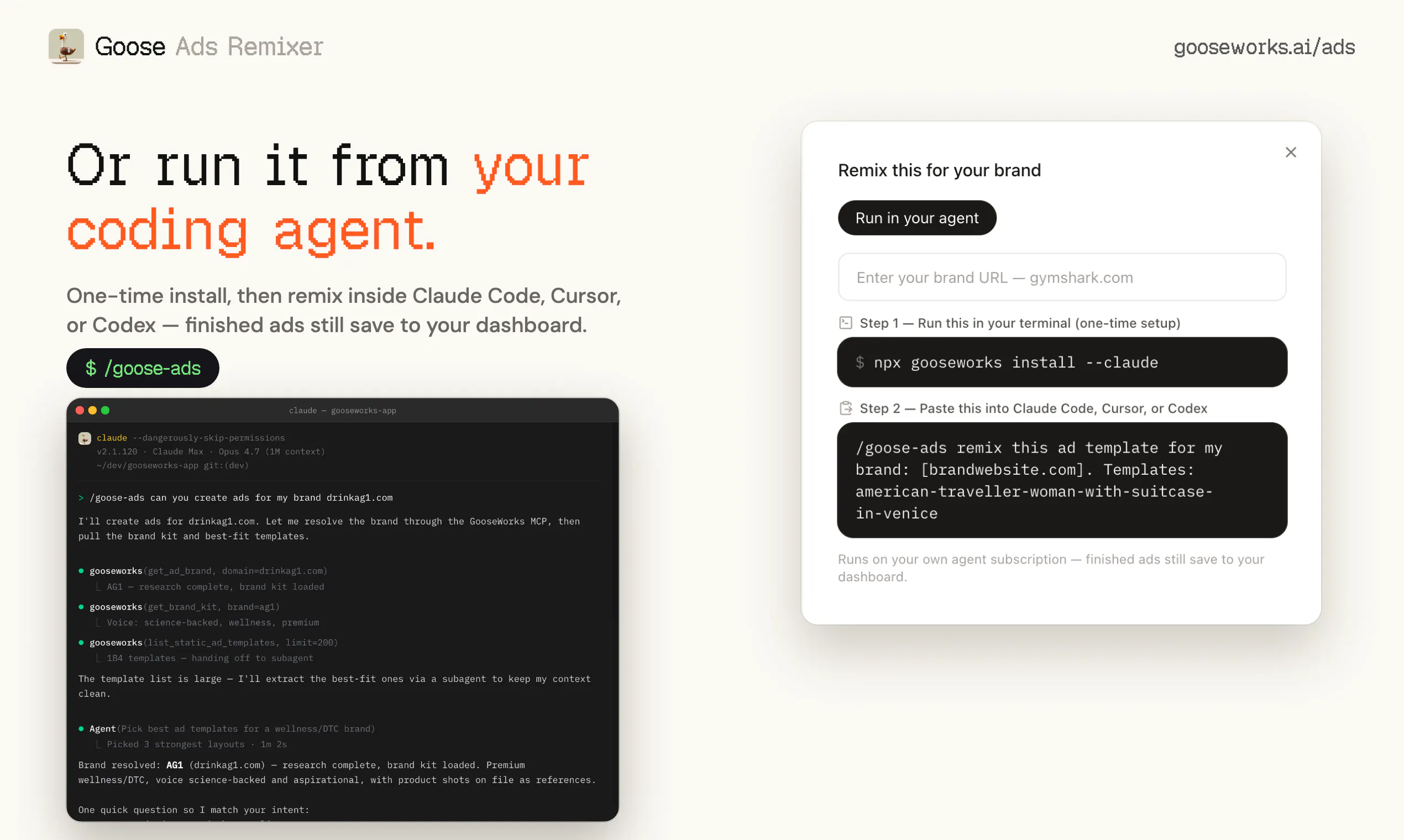
Or access Goose through your AI coding agent using our CLI:

npx gooseworks install --all

Special for Product Hunt 🔥🔥🔥

  1. Your first 10 ads are free.

  2. We’re also giving Product Hunt users 50% off our Starter and Pro plans. Use coupon code: "PH50"

We’d love your honest feedback, especially if you run Meta ads. Which niches, ad formats, or creative styles should we add next?

20
回复

@himanshu_bamoria1 Foxy chose your launch out of today's batch 🦊 — most sites skip multilingual purely on cost, and undercutting Weglot 5× removes the reason to. More than an upvote: a free launch kit + your launch rewritten native to where builders actually are → https://foxplug.com/g/fb9751d08bc34d1da359

FoxPlug, from one URL: video, native posts, citation-grade articles, GIFs, pitches to journalists on your beat, and getting cited where AI answers your category — and it keeps going every time you ship:

https://www.youtube.com/watch?v=NY6uIkBXExc

$29/month · https://foxplug.com

0
回复

@himanshu_bamoria1 

fashion is really about one thing: creating a personal image that people will remember. This means that Elegant fashion is not about following what is popular at the moment. Elegant fashion is about looking good without trying hard. This is what makes Elegant fashion different from types of fashion.https://workonlinebykhadija.blogspot.com/

When it comes to fashion you need to think about what pieces to buy. You should buy things that will not go out of style soon. These are things like jackets, simple trousers and classic dresses. These things are great because you can wear them times and they will always look good. They are the pieces that you need to create an Elegant wardrobe.

Color is also very important when it comes to fashion. Elegant outfits usually use colors like black, white, beige and grey. These colors are great because they are easy to mix and match. You can create different outfits with just a few pieces. You can also add some colors or deeper colors to make things more interesting.. You should always make sure that your outfit looks balanced.fashion

0
回复

@himanshu_bamoria1 

Regular consumption of fresh summer salad can benefit in weight management, digestion, hydration and enhancing the immune system. Many summer vegetables and fruits are high in water and help to keep your body hydrated in hot weather. The vitamins A, C, K and antioxidants benefit skin health, strong bones and a healthy immune system, and the fiber-rich ingredients help keep the gut healthy. Making healthy salads a part of your everyday diet is a great way to get more fresh fruits and vegetables and keep you active and healthy.

0
回复

Hey PH 👋 I'm Soham - one of the makers of Goose Ads.

We needed creatives for our own brands, so we tried the generic tools first. We faced two major problems every time.

Problem 1 ❌ - they start from a blank prompt, so you have no idea whether the ad even works.

Goose starts from ads already proven to convert in your niche and remixes those, so you're building on what's winning, not guessing.

Problem 2 ❌ - even when the idea was right, the output had a tell. You couldn't always name it, but you knew instantly a machine made it - or it just looked like something you'd never actually spend money running.

After seeing enough, the tell was always the same five things 👇

  1. The logo close but subtly rebuilt instead of your real one

  2. Text that looks right until you actually read it

  3. Stock-y product instead of your actual product

  4. Brand colors drifted a few shades off

  5. A layout that's "an ad" but not yours

So that's what Goose kills 🪿

It pulls your real logo, real product shots, and real messaging, then reviews its own output against your brand and regenerates in a loop until it's right. Nano Banana Pro, GPT-Image-2 and Opus checking each other's work.

We're live today and want to make it sharper ✨

If you run Meta ads - what's the one thing that instantly makes you clock a creative as slop? That's the exact thing we're going after.

7
回复

@sohmehta pretty cool work
wdym by 'ads that work ' here ? Is it based on actual performance data, or curation (well made, professional looking) ?

1
回复

@sohmehta this is extremely powerful. Super super useful!

0
回复

Hey PH - I'm Shiv, one of the makers of Goose Ads.

I thought I could add a little more color about the company we're trying to build.

The key insight we are building Gooseworks around is that AI agents like Claude Code, Cowork, Codex, etc are becoming the operating system for knowledge work.

But these agents need the right tools to do the work. That's why Goose Ads is built natively for AI agents as first-class citizens.

We're building the skills, tools and integrations that enable your AI agents to do real work, starting with the #1 problem for companies – growth.

Goose Ads is a starting point towards that vision.

We're looking forward to hearing what you think and how we can make it better.

Please feel free to use this launch to share your thoughts and feedback to help us improve.

5
回复

honestly the first 10 free is what got me to try it, and the remix-on-your-own-logo part is genuinely cool. one thing i'd love though is a quick way to tweak the tone of the generated copy before exporting, like a little slider for playful vs professional. would save me having to rewrite every batch that comes out a little too salesy.

3
回复

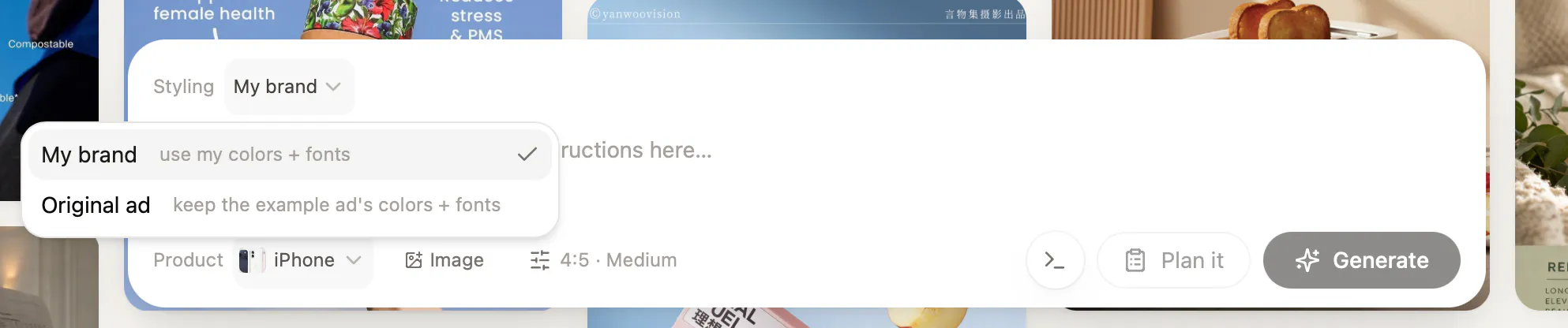
@gllfevp really appreciate your feedback! Right now you can tweak the tone of the generated copy in terms of keeping it either mostly your brand theme or the example ad's theme, which indirectly changes the playful/professional tone. We'll definitely be adding more such features in future updates.

Thanks so much for being an early user. ❤️

2
回复

@gllfevp this is great feedback, thank you!

1
回复
Like the idea of learning from winning ads instead of starting from scratch. How do you make sure the remixed creatives stay unique while keeping the proven elements that made the original ads work?
2
回复

@hamza_afzal_butt Great question - the agent uses the concepts (style, angles, etc) from the base template but modifies everything else (product images, logos, copy, etc) to make it actually look and feel like your brand. The original ad is just an inspiration.

1
回复

Been using it for a few weeks now, very impressive

2
回复

@michael_lorenzos1 Awesome! Thanks so much for being one of our early users ❤️

0
回复

Congrats on the launch! Cool concept. While scraping our site, it could only return #000000 as a primary color and I wonder if it's because our colors are OKLCH. Perhaps something to look into.

1
回复

@grace_knowhow Hey grace, could you DM me your email? Will look into it. You should be able to select the right set of colours for your brand in the brand kit.

Thanks so much for sharing your feedback!

0
回复

Congratulations on launch!
Goose can reduce the effort of running ads by a huge amount.

Can goose also make video ads?

1
回复

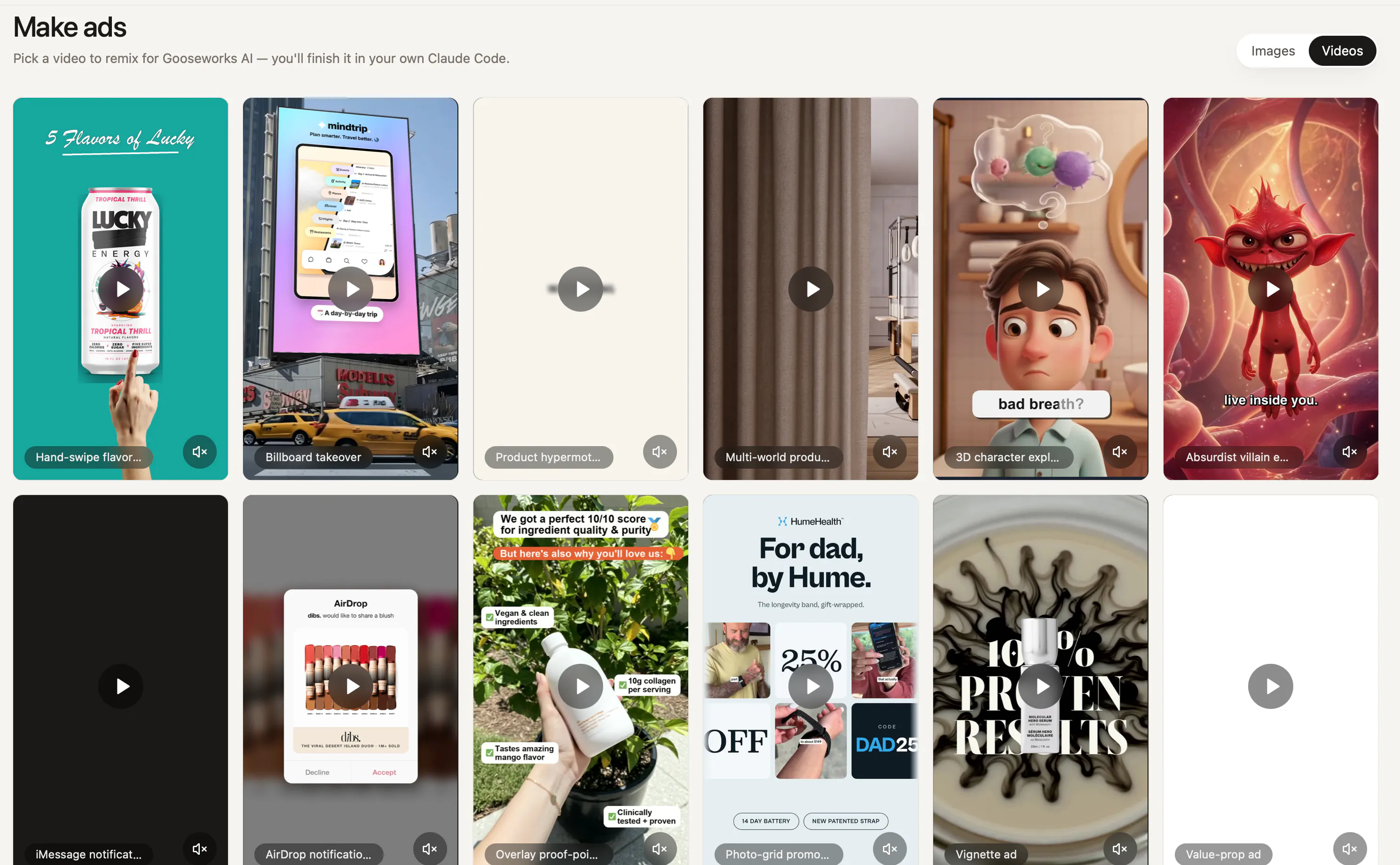
@soni_karan Hey Karan. Yes, click on Videos and you'll see a few videos that are instantly remixable. We're actively working to add more videos to the library.

Thanks so much for your kind words! :)

0
回复

So I've been using ProductHunt for a couple of weeks now. Some products get a cursory glance, some I play with for a little while. This one properly sucked me in and I have really enjoyed using it. The product feels professional and fun - and it definitely delivers results. I suspect I will need to keep tweaking my settings and improving my prompts to generate output that is the right balance between the original source and my own brand. And a couple of times a "work in progress" was better than the final output (would be good to know if I could revert back to a "work in progress" stage of the process). But overall this looks great - and I will definitely revisit. My one comment... pricing was hard to find. I discovered it in the documentation, but it certainly took me a while! Which seems a shame because (starting at $29 per month) it feels very fair pricing.

1
回复

@martin_tanner Hey Martin, thanks so much for the feedback! There's a lot more value in making sure the brand kit is on point and choosing the right templates. prompting better is certainly up there, wondering if you've tried iterating the brand kit? Most customers who come back to us say that once they got the brand kit right, all of their generations improved by a significant margin.

On pricing, you can view it right in your settings on the top right of the screen. We're offering a 50% discount for all our Product Hunt members.

Thanks for sharing your thoughts again, I hope i was able to answer your questions adequately!

1
回复

@martin_tanner Great Experience here as well

0
回复

I'd love a side-by-side explanation showing what changed from the inspiration ad to the generated version. Does that happen already?

1
回复

@roopreddy Hey Roop! You can click on Original and see the inspiration ad. Finals are the generated ones. Hope that helps!

0
回复

I am a performance marketer. I like this product because I was doing all of this research manually. Great ads leave clues, and this feels like it's decoding those clues automatically.

1
回复

@ragsyme Thanks Raghav! Yes absolutely you're spot on. Would love to hear more feedback from you :)

0
回复

We are about to start running ads for our brand. This is a very timely launch. Congrats on launching!

1
回复

@zerotox Thanks so much Kumar! Would love to hear your thoughts and feedback!

0
回复

I am wondering how Goose knows which patterns actually drove performance versus just looking visually similar? Does it decide on data-first or visual aesthetics first?

1
回复

@ankur_jeswani really good question.

it's data-first, not visual. we don't pick an ad because it looks nice - we start from the ones that have been running the longest in your niche. brands kill losing creatives fast, so longevity and sustained spend are the strongest public proxies for "this is actually converting." the visual is downstream of that signal, never the starting point.

0
回复

How do you handle ad fatigue with the remixed ads, and do you have any plans to integrate with popular ad platforms for seamless deployment?

1
回复

@aymnart Great Question! the remix approach actually helps here - because Goose generates a full batch from multiple winning patterns, not one creative, you get real variation to rotate through instead of running the same ad until it burns out. [if true: you can also re-run against fresh winners in your niche as new ads start performing, so your rotation stays current.]

For deployment we will be launching integrations soon!

Hope that answers your question.

0
回复

I like the positioning because every marketer already studies winning ads, this just speeds up the creative process.

1
回复

@himani_sah1 You're absolutely spot on Himani! Thanks :)

0
回复

@himanshu_bamoria1Congrats on bringing Goose to PH! 🎉 Starting from winning niche patterns rather than a blank prompt makes total sense.

Right now it looks heavily focused on static/carousel ad creatives. Are you planning to expand this remixing concept into short-form video/UGC formats or motion graphic templates as well? Would love to hear how you see video remixing fitting onto the roadmap!

1
回复

@franz_briones thank you 🪿 and yes - video's already here. check the videos section, there's a set of short-form/UGC creatives you can remix on-brand today, same as static.

0
回复

Hey Product Hunt 👋

Adding to what Shiv and Himanshu said — here's the itch that got me to build this.

Making ads always felt like a lose-lose: either expensive (agencies, freelancers) or a blank-canvas nightmare (staring at a design tool with no clue what actually converts). And the whole time, the ads that ARE winning in your niche are sitting right there in public. Nobody's short on inspiration — they're short on a fast way to act on it.

That's the gap we went after. Not generic AI slop, and not a copy of someone else's ad. Your brand, the proven structure.

A couple things I'd love for you to try:

  • Generate a batch and see how it adapts the winning pattern to your brand

  • Drop in a template or an ad you admire and remix it for your product

We're all ears — if you try it, I'd genuinely love your feedback. Tell me what's working, what's missing, or what would make this a daily tool for you.

1
回复

creative process improvement over content creation is very useful - I wonder how precise the brand kit is. Most of these product rely on the brand kit accuracy for output this is creating it automatically ?

1
回复

@nikolaos_chr That's a great question – we have done a lot of work on the brand research, so the agent is very good at creating accurate brand kits.

We also give users full control over the brand kit so they can review, edit and upload their own assets and templates as well. That's an important step to getting really great generations.

0
回复

I like that this focuses on improving the creative process instead of just generating random ad designs. Using my own brading and messaging would make the results much easier to use right away.

1
回复

@john__milton – exactly. When you sign up, Goose researches your brand and creates a brand kit with your logo, product assets, catalog, messaging, and visual language.

It then finds the most relevant ad templates performing in your niche and remixes them into on-brand creatives for your company.

0
回复

@himanshu_bamoria1 Like the idea of learning from winning ads instead of starting from scratch. Upwards and onwards 🚀

0
回复

Congratulations on the launch! Do you support creating video ads, for focusing on image ads for now?

0
回复

Congrats on the launch. One thing I'm curious about, the Meta Ad Library shows you which ads are running and for how long, but not spend or performance. So how do you decide which ones are actually winning vs just live?

0
回复

when Goose learns the pattern from a winning ad in my niche, where's the line between remixing the structure and just recreating that competitor's ad with my logo swapped in - is that boundary a manual review step or does the model handle it?

0
回复

the nano banana / gpt-image-2 / opus checking-each-other's-work loop is the interesting bit - when the three disagree on whether an output passes the brand check, is there a tiebreaker or does it just regenerate until they converge?

0
回复

I think if everybody is learning from the same winning ads then the meta feeds would really look similar over time.

0
回复

the brand-drift question above is the UX risk, but there's a legal one underneath it too: "remixing patterns" is fine, but if the tool is looking at a specific competitor's ad to generate from, how do you make sure it's not echoing their actual copy phrasing rather than just the structure? a hook and a layout aren't protectable, but a distinctive line of ad copy can edge into IP territory if it comes out too close to verbatim

0
回复

Just signed up for Goose Ads Remixer and tried it for my website ToolJunction. I’ve used a few AI ad creative tools before, but goose feels more polished and practical at this price point.

Starting with ads that are already working in your niche, instead of generating from a blank prompt, makes a noticeable difference. And, the outputs felt much closer to something I could actually run, and the overall experience was smooth.

The only issue I noticed was that it picked the wrong color palette for my website. Great work, team!

0
回复

Most AI ad tools generate noise.

This actually helps teams iterate on what's already working. Thats a much stronger approach.

Congrats on the launch

0
回复
Congrats! Big fan of the product
0
回复

Congrats on your launch! Excited to try this out.

0
回复
#4
PgDog
Scale PostgreSQL without changing your app
206
一句话介绍:PgDog是一款开源PostgreSQL中间件,通过连接池、负载均衡和透明分片代理,让开发者无需修改应用代码即可实现数据库的水平扩展,解决传统方案中架构改造代价高、连接瓶颈频发的问题。
Open Source Developer Tools Database
PostgreSQL中间件 连接池 负载均衡 透明分片 开源 数据库代理 高并发 查询路由 跨分片事务 企业版
用户评论摘要:用户高度认可其“无需改代码”的透明分片和连接池能力,核心关注点集中在分片事务协调、读写分离、长事务断连、模式迁移的原子性,以及配置同步的HA设计。企业版提供了监控UI和配置同步,但用户建议原生集成更直观的监控面板。
AI 锐评

PgDog是一把精准的手术刀,而非万能的瑞士军刀。从Product Hunt的数据看,它的核心价值绝非简单的“pgBouncer替代品”,而是把“透明分片”这个以前需要重度DBA介入的脏活,封装进了PostgreSQL协议层。200万QPS的生产数据、跨分片事务的两阶段提交支持,以及“不断连”的无状态HA设计,这几个点确实硬核,直接戳中了SaaS团队在突发流量下“连接池爆炸”和“分片路由裸写代码”的膝盖。

但别被评论区的一片叫好声迷惑。这款产品的真正门槛在于:它的透明代理理念在简单读写场景下是效率神器,可一旦遇到复杂查询(如跨分片的JOIN或窗口函数),要么性能急剧下降,要么直接报错。评论区里那位Java/Spring用户的追问非常专业——如何处理Prepared Statement和会话状态?官方回答“支持跨分片事务”其实藏了一句话:前提是你的SQL能被它理解。这意味着,对于重度依赖存储过程、自定义函数或复杂CTE的应用,迁移到PgDog的“无改代码”可能变成“偷偷改很多代码”。

更值得警惕的是,其企业版在配置同步和监控上的“付费墙”。社区版的多实例无状态设计虽然保证了HA简洁性,但在分片重平衡时,如果依赖外部一致性发现服务(如Consul或etcd),实际上是把单点风险转移了。而企业版提供的“原子化配置同步”才是解决这一问题的完整方案。所以,它的定位很明确:给那些业务模型相对规整、愿意为关键可靠性付费的团队,提供一个比自研ShardingSphere或MySQL中间件更低心智负担的PostgreSQL选项。对于预算有限或微服务架构极其复杂的团队,它不一定比手写应用层路由更省心——这取决于你到底有多少“无需改代码”的底气。

查看原始信息
PgDog
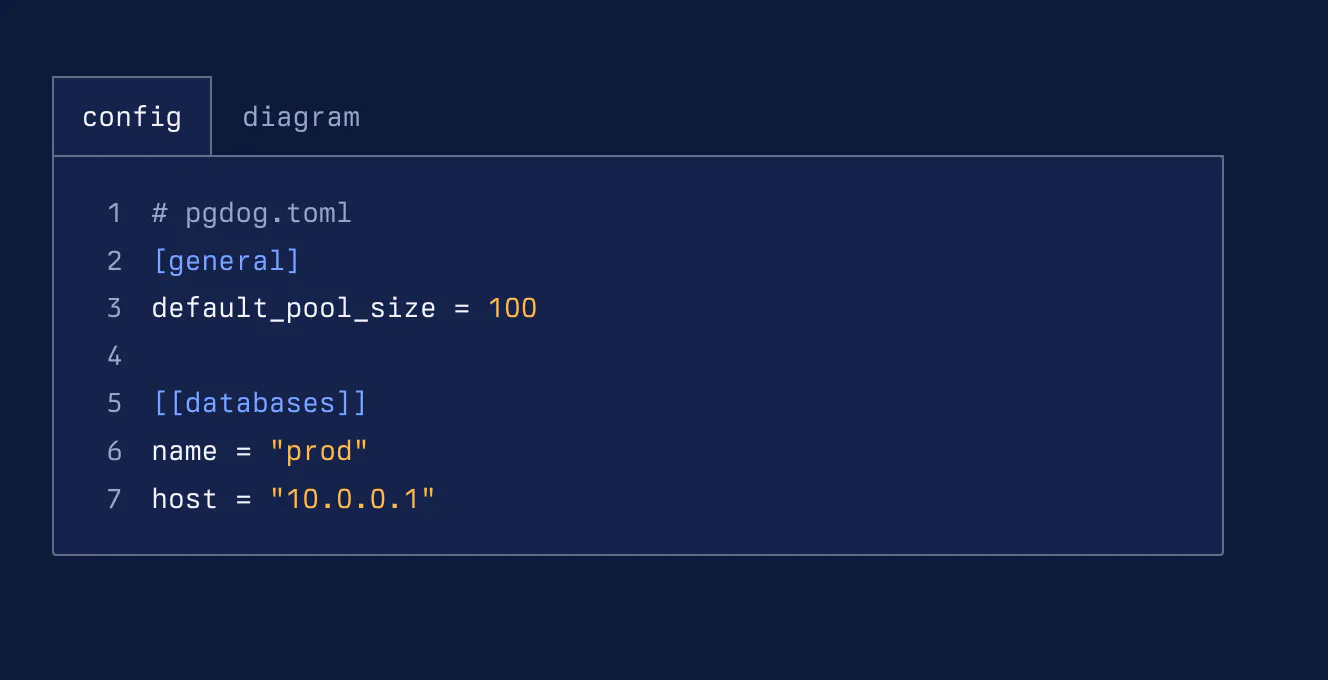
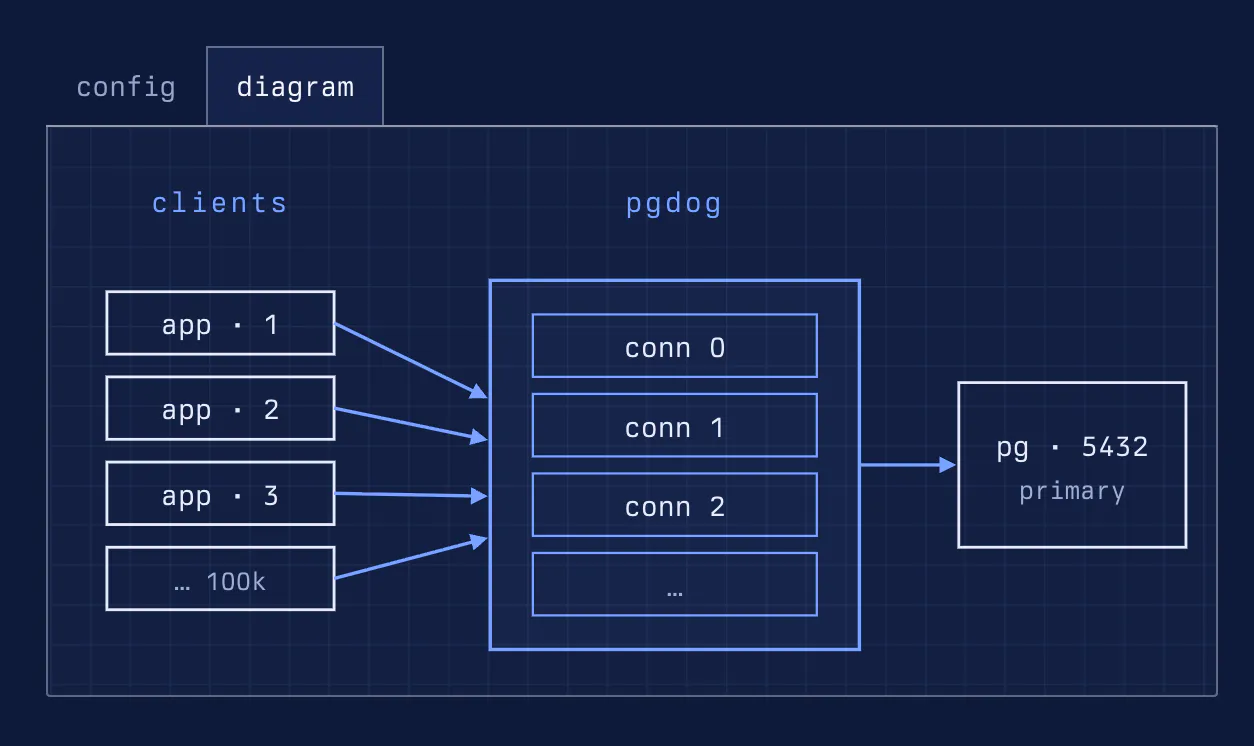
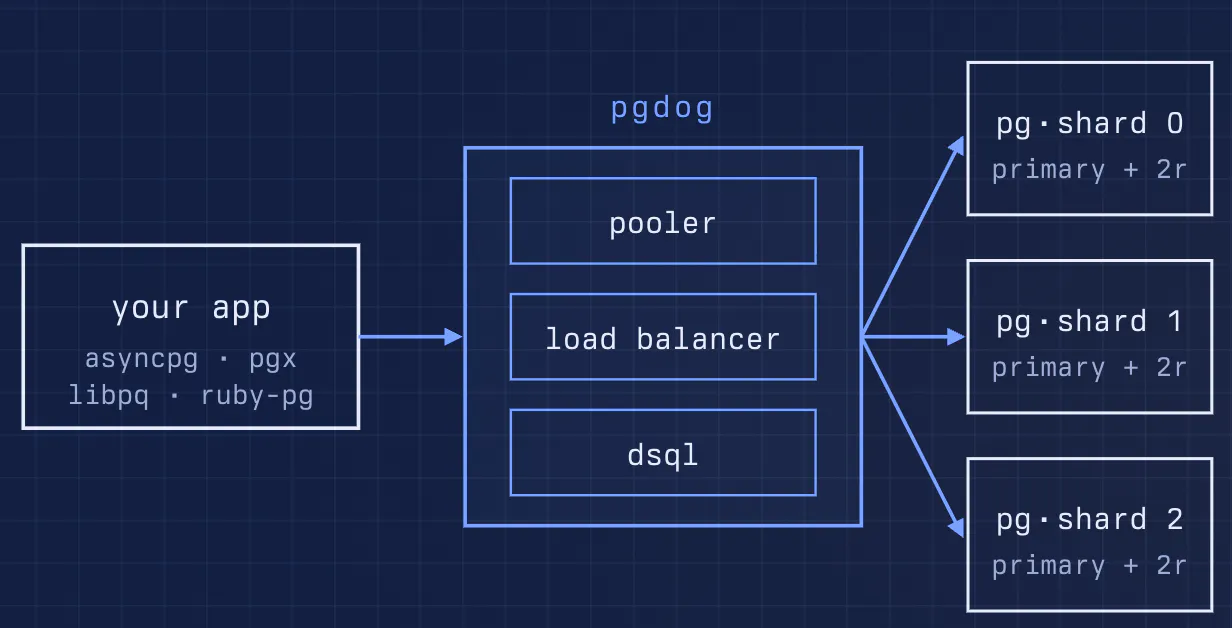
PgDog is an open source connection pooler, load balancer, and sharding proxy for PostgreSQL. It's Postgres-compliant, fast, secure and built in the open by a community of database engineers.

finally a pgpooler alternative that actually feels modern, set it up behind our staging cluster last week and the latency under load was noticeably more stable than pgbouncer. love that it speaks the postgres protocol too

1
回复

Super cool, glad it works for you!

0
回复
We've been working on PgDog for over a year. It's running in production, serving over 2M queries per second across dozens of deployments. Sharding is working, too! Building PgDog in the open has been really great: our users and customers contribute features and bug fixes, every day. Give it a try and let us know what you think!
0
回复

Congrats on the launch! The "without changing your app" part is the real pitch here. I run a Java/Spring stack on Postgres 17 and an embarrassing share of my production incidents trace back to connection handling — pool exhaustion during traffic spikes, session state breaking when something in the middle does transaction-level pooling, that kind of thing. Two questions: does PgDog do transaction-mode pooling à la PgBouncer, and if so how do you handle prepared statements / session state? And is the sharding routing done by parsing the query itself, or do I hint it? Genuinely curious — this layer is where I've been burned the most.

0
回复

The "scale Postgres without changing your app" framing is the part that matters for teams that can't stop to re-architect — connection pooling plus transparent routing means the app stays naive. My one question as I'd drop this in front of an existing service: how does PgDog handle a single transaction that touches rows on multiple shards — does it coordinate the cross-shard write, or is keeping a transaction inside one shard still the app's job? Curious where the sharding proxy's transparency stops.

0
回复

We support cross-shard transactions, so as long as we support the query your app is sending, it should work.

0
回复

2M qps in production is the number that actually matters here. schema migrations on a sharded setup - does PgDog coordinate an ALTER TABLE across all shards atomically, or is sequencing that still on the DBA?

0
回复

Yup, using two-phase commit.

0
回复

the config-driven instances not talking to each other is a clean HA story, but during a shard rebalance does every instance get the new shard map atomically, or is there a window where two instances disagree on where a shard actually lives?

0
回复

We synchronize config updates in the enterprise edition, so there shouldn't be a situation when the sharding map on one instance is different from another.

0
回复

How do you plan to handle failover and redundancy in PgDog, especially in cases where the load balancer or connection pooler itself becomes a single point of failure?

0
回复

We run multiple instances. They are config-driven, so they don't talk to each other. HA by design.

0
回复

Lev — 2M qps across production deployments for over a year is a real data point, not a launch-day claim (as Gal put it below). WinBidIQ's Postgres load is basically bimodal: a nightly batch job writes tens of thousands of updated federal opportunity rows scraped daily, then daytime traffic is almost all reads — scoring, dashboard, search — from SaaS users. Right now we just add read replicas and hope the app connects to the right one. Does PgDog handle read/write splitting itself, routing reads to replicas automatically, or is that still a decision the app has to make before the query ever reaches PgDog?

0
回复

Congrats on the launch! Running a SaaS on Neon's serverless Postgres — connection pooling is one of those things you don't think about until it bites you in production. Couple of questions: how does PgDog handle the connection limit quirks of serverless Postgres vs traditional dedicated instances? And is there a recommended setup for a Next.js + Prisma stack?

0
回复

PgDog works with all Postgres databases, incl. the serverless kind. It'll try to minimize the number of connections it needs in both, so you should see quite a bit of an improvement if you deploy it in front of Neon, for example.

0
回复

PgDog's connection pooling and transparent query routing is technically elegant. It removes the need to re-architect your data layer, which saves weeks of migration work. We've hit connection saturation issues under bursty SaaS workloads and this seems like a real fix. How does PgDog handle long-running transactions during a shard rebalance or failover?

0
回复

If the transaction is taking too long, we break it. Failovers are immediate, so we break the transaction and bubble up the error to the client.

0
回复

Congrats on the launch. One thing that would help teams adopt this faster is a built-in dashboard or web UI for live monitoring of pool stats, query latency, and shard distribution. Most teams using pgBouncer end up bolting on tools like pgwatch2 or custom Grafana setups, so having something more turnkey would be a real differentiator.

0
回复
0
回复
now that is engineering!
0
回复

thanks! we try

0
回复

2M qps in production is a real number, not a launch-day claim. the part I'd actually worry about with transparent sharding is cross-shard joins and multi-shard transactions, since that's usually where these proxies either quietly fall back to something expensive or just reject the query outright. does pgdog handle that at the protocol level too, or is there a class of queries you tell people to just not run against a sharded setup

0
回复

I appreciate the honesty in positioning this as scaling without forcing app changes. Usually, "seamless scaling" secretly means rewriting half your queries to fit a proprietary router, so tackling this transparently at the protocol level makes a ton of sense.

Wondering what the tradeoff on latency looks like under the hood, when it's intercepting traffic on the fly, is there a noticeable overhead for high frequency, simple reads compared to just hitting standard postgres?

0
回复

Very little overhead. If you're running a connection pooler already (e.g., pgbouncer), you won't notice much of a difference.

0
回复
#5
Agentcard for companies
Give your agent a debit card
174
一句话介绍:Agentcard让AI代理拥有专属借记卡,企业可设置单次使用、固定预算的虚拟卡,自动完成在线支付,解决AI自主消费时缺乏安全可控支付工具的问题。
Fintech Payments Artificial Intelligence
AI支付 虚拟借记卡 单次使用卡 代理支付管控 智能体钱包 企业财务安全 自动化采购 预算控制
用户评论摘要:用户关注单次卡能否防重复扣款、支付失败重试时的幂等性、商户接受度。建议增加每代理额度限制、商家白名单、实时交易仪表盘和类MCC过滤。创始团队回应:卡首次使用后即销毁杜绝重复扣款;支持人工授权干预;正开发白名单功能;已有仪表盘。
AI 锐评

Agentcard切中的是一个极窄但刚需的缝隙——当AI代理开始自主执行在线交易(买域名、订阅SaaS、采购凭证),传统企业支付卡的“事后报销”和“共享账号风险”完全失效。产品核心洞察在于:AI需要的不是人的信用卡额度,而是“一次性”“锁死预算”的灭火式支付单元。

从技术看,单次用卡+预算封顶是精巧的“爆炸半径控制”设计,理论上消除了重复扣款(卡销毁即幂等),但实际风险并未清零。评论中用户敏锐指出:被劫持的代理仍能在单次预算内恶意消费,而防欺诈依赖的AVS地址校验、商户风控对“崭新单次卡号”的拦截成功率,产品方尚未给出硬数据。此外,“每次任务生成新卡”的模式在复杂多笔采购场景(如分阶段结算)下,清算核销会变成灾难——必须有严谨的trace ID挂接到会计系统,而目前产品更偏向“让AI花掉钱”而非“让钱被审计”。

定价从5000降到500美金的促销策略则暴露了早期客户的获取焦虑——高客单价SaaS在AI基建洼地期很难说服企业为“代理人手一张卡”这种非传统成本项单独买单。真正的价值锚点或许不是“支付工具”,而是“AI交易的可编程中间件”:当企业将Agent支出并入ERP/审批流时,它的核心竞争力将从发卡转向那套权力下放与合规收紧的中间控制层。但就目前发布版而言,更接近一个按需生成虚拟卡的开发者工具,而非企业财务系统。

查看原始信息
Agentcard for companies
Give your AI agent a debit card. Issue single-use cards funded from your wallet with a fixed budget so your agents can buy things online.

+1 to Andras's point — the single-use card scoped to a fixed budget is the right blast-radius model for agent payments, and the control layer around it really does feel like the product.

On the reliability side: when an agent retries a checkout that actually half-succeeded, does the single-use card give you idempotency so it can't double-charge? Agent retry loops are exactly where money quietly leaks.

And how do the virtual cards hold up on merchant acceptance — do you see declines from AVS / billing-address mismatch, or fraud filters flagging freshly-minted single-use numbers at checkout?

Would love your take here @keyserfaty

2
回复

@keyserfaty  @akbar_b Haha, I think this is the first time someone has built on one of my PH comments like this :))

The idempotency point is especially good. agent retry loops are already annoying in normal workflows, but once real money is involved, "almost succeeded" becomes a much more serious failure state. Merchant acceptance is a great question too, especially with fresh single-use cards and fraud filters. Very curious to see Karen's take on both.

0
回复
@akbar_b good questions! double charges are not structurally possible, because cards get destroyed after first use. about acceptance rates that depends more on our issuer and other variables. we haven’t seen any problems in that regard
0
回复

The idea of debit cards for AI agents immediately raises a practical question: how granular can the controls get? For example, can a team set per-agent limits, merchant/category restrictions, or time-based approvals before an AI agent is allowed to spend?

2
回复
@crystalmei fyi this is not an expense card or a product for teams.
0
回复
hi PH :) today we are announcing Agentcard for companies with a special twist: since implementing @agentcardhq takes less than 5-min if you implement it in the next 2 days we will give you a 90% discount, $500/mo instead of $5000/mo. that's the same deal we offer to yc startups, now open to everyone for 2 days. that is a $54k discount in the first year. enjoy!
1
回复

Fixed-budget, single-use cards are the right shape for agent spending. The next thing I would inspect is the receipt trail: task, merchant, amount, retry/idempotency state, and who approved the wallet funding. Agent payments need accounting-grade boringness.

1
回复

love how focused the launch page is. the spec sheet showing spending limits per agent is such a practical touch.

1
回复

Cool concept. Does each agent task get its own card, or do they all draw from one shared wallet?

1
回复
@dhiraj_patel5 each human gets a wallet and cards pull funds from there
0
回复

The single use model does limit blast radius, they don't stop a compromised agent from spending that budget at the wrong place entirely. Curious whether there's any MCC level filtering on card issuance.

1
回复
@mohammed_messeguem agents still need authorization from humans at make different steps of the flow
0
回复

Love the idea of letting agents spend autonomously. One thing that would make me trust it faster is a built-in merchant whitelist so each agent can only charge approved vendors, with a clear audit log I can scrub through when the bill arrives.

1
回复
@veli359929 agree. we are working on that
0
回复

How do you plan to handle fraud and liability with these debit cards, given that AI agents can potentially be compromised or act unpredictably?

1
回复
@aymnart fraud is one of our products and one we care very much about
0
回复

love the idea of giving agents their own spending card, but the spend controls in the dashboard look really clean. nice work on the build.

1
回复

The single-use, fixed-budget design is the same instinct I lean on for one-time Stripe discounts in CancelKit — scope the authorization tightly enough that it physically can't be replayed, instead of trusting app logic to enforce "only once." Curious how you handle a session that needs several small purchases: one card per task, or a budget that decrements across multiple charges?

1
回复

would love to see a spending limit per agent so you can cap how much any single ai can burn through in a day, gives a lot more peace of mind when letting claude loose on random sites

1
回复

would love to see transaction limits you can set per agent, so you know basically cap how much one bot can spend in a day. that would give me way more confidence letting claude loose on subscriptions honestly

1
回复

So I actually tested this with my assistant to grab a domain, and it just worked without me having to handle the payment manually. Kind of wild watching an ai check out on its own.

1
回复

It would be great if you could add a simple dashboard showing every transaction your agent makes in real time, so you can quickly spot anything suspicious or set spending limits per task.

1
回复
@devranmarangoz we have a dashboard. signup from app.agentcard.sh/login
0
回复

The single-use card + fixed budget model feels like the right way to make agent payments usable for companies. letting an agent buy things online sounds powerful, but the real product is probably the control layer around it: exactly how much it can spend, where, and for what :)

Also, that launch offer is wild... $500/mo instead of $5,000/mo is definitely one way to make teams decide quickly :)) Curious how approvals work in practice. can companies require human confirmation for certain merchants or amounts, while letting smaller purchases happen automatically?

1
回复
@andrasczeizel great question! yes, humans authorize card creation and transactions
1
回复

the single-use + destroyed-after-first-use design answers the double-charge question well, but I'm curious about the other side: disputes. with a normal card, "I didn't authorize this" has a human cardholder behind it that the bank's fraud process is built around. here the "cardholder" is a task an agent ran once and the card no longer exists by the time anyone notices something's wrong. if a merchant double-bills or a charge looks off after the fact, who actually files the dispute and does the issuer's chargeback process even have a lane for that, or does it end up as a support ticket with Agentcard instead of a real card-network dispute?

0
回复

the single-use model is clean for one-off buys, but what about an agent that needs to set up a recurring subscription - is there no card left for the renewal to hit, or does that flow issue a different card type entirely?

0
回复

each human gets a wallet and cards pull from it - when multiple agents under the same human are spending concurrently, is the budget split per-agent upfront or one shared pool where whichever agent hits checkout first wins?

0
回复

I didn’t think about this before, but agents having their own cards actually makes a lot of sense.

0
回复

Looks interesting. Maybe I am short of imagination, but based on the current state of where we are with agents, what kind of usecases you see are the low hanging fruits where you see this as a natural fit?

0
回复

the single-use + human-authorized model answers most of the security questions already asked here. the one I don't see covered: chargebacks. if a merchant double-bills or ships nothing, a human cardholder can call their bank and dispute it. who's the "cardholder" here for dispute purposes when the actual buyer was an agent - does Agentcard handle disputes on the company's behalf, or does that fall back to the human who authorized the card?

0
回复

finally spun up a quick test agent and pointed it at a dummy checkout. it actually paused for confirmation before charging, which i was not expecting from a card pitched at bots.

0
回复

Honestly kind of wild seeing my agent check out on its own without me babysitting the checkout flow. The spend limits give me peace of mind though, would be a nightmare otherwise.

0
回复

One thing that would be super useful is a per-transaction approval prompt sent back to the human owner through chat, so I can quickly allow or deny a purchase without digging through a dashboard.

0
回复

This should also be available for some influencers if they have an agent. Finally, some bots would use money more responsibly compared to those creators. 😅 [know one influencer who is wasting money literally for anything]

0
回复
#6
Portero
Know exactly what's running on every port of your Mac
151
一句话介绍:Portero 是一款免费开源的 Mac 应用,专为开发者解决“端口占用”和“地址已在使用”等日常痛点,将晦涩的进程信息(如“node”)翻译成通俗易懂的描述(如“Vite 开发服务器,项目storefront”),让你清楚知道每个端口在跑什么,并支持一键杀进程、端口屏蔽和快捷打开本地服务。
Open Source Developer Tools GitHub
Mac工具 端口监控 开发者工具 开源 网络调试 进程管理 防火墙 macOS 免费 实用工具
用户评论摘要:用户普遍认可“进程信息人性化”是核心价值,但也提出了关键建议:1. 需增强对 Docker 容器的解析,希望能追溯到具体容器和 Compose 项目;2. 需加入短时间内的端口事件滚动日志,以捕捉崩溃的临时进程;3. 希望能保存针对不同项目的端口监控配置文件,便于上下文切换。
AI 锐评

Portero 的价值不在于“看到端口”,而在于“看懂端口”。它精准地切入了开发者的一个高频又低效的调试环节:面对 lsof 输出的冰冷 PID 和进程名,你依然要花大量心智去猜测哪个“node”属于哪个项目,杀错进程的风险让这个操作变得不安全。Portero 通过解析工作目录和命令行指纹,将“node”提升为“Vite 开发服务器,项目storefront”,这正是它最锋利的地方——在信息不足与信息过载之间,找到了一个恰到好处的交互翻译层。

但这并非无懈可击。当前版本的核心短板在于对 Docker 生态的无视。在微服务和容器化日益普及的当下,大量的端口冲突和归属问题都源自 Docker。开发者面对的早已不只是“node”进程,而是无数个“docker-proxy”的幽灵进程。如果不能快速打通 Docker 套接字,解析出端口对应的具体容器和 Compose 服务,Portero 的“翻译”能力就被砍掉了一半。此外,它只提供实时快照,对于“启动即崩溃”的幽灵进程缺乏捕捉能力,这在实际调试中是一个并不罕见的盲区。

从产品设计上看,Portero 保持了克制和优雅。“从不主动建议杀进程,只让杀进程变得安全”这一原则,体现了对开发自主权的尊重。开放源码、响应社区、快速迭代的节奏,也让这款工具具备从“好用”进化到“必装”的潜力。但最终决定它天花板高度的,不是它如何优雅地处理本机进程,而是它能否在容器化的浪潮中,依然成为开发者桌面上那把“看到底、看明白、杀准确”的瑞士军刀。

查看原始信息
Portero
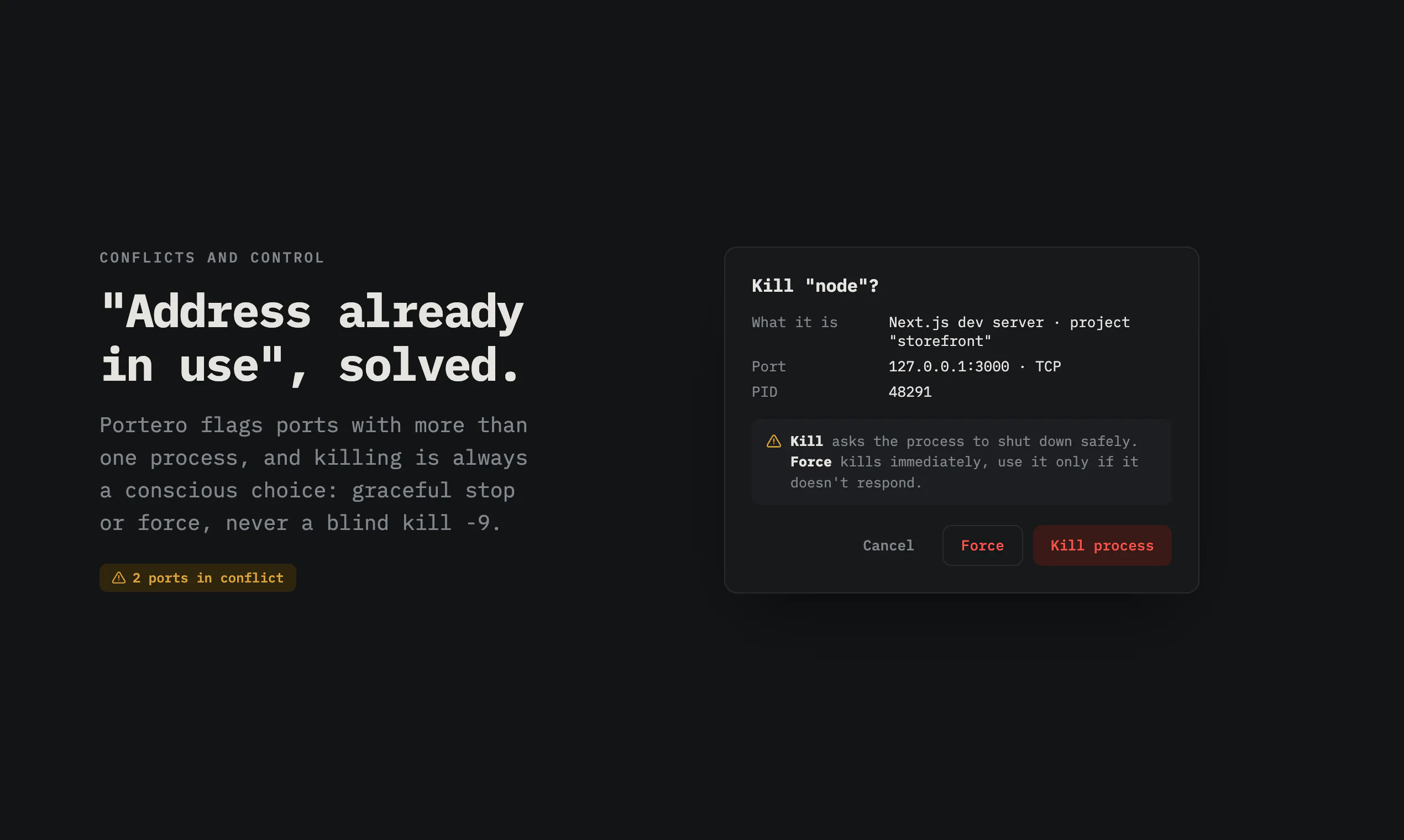
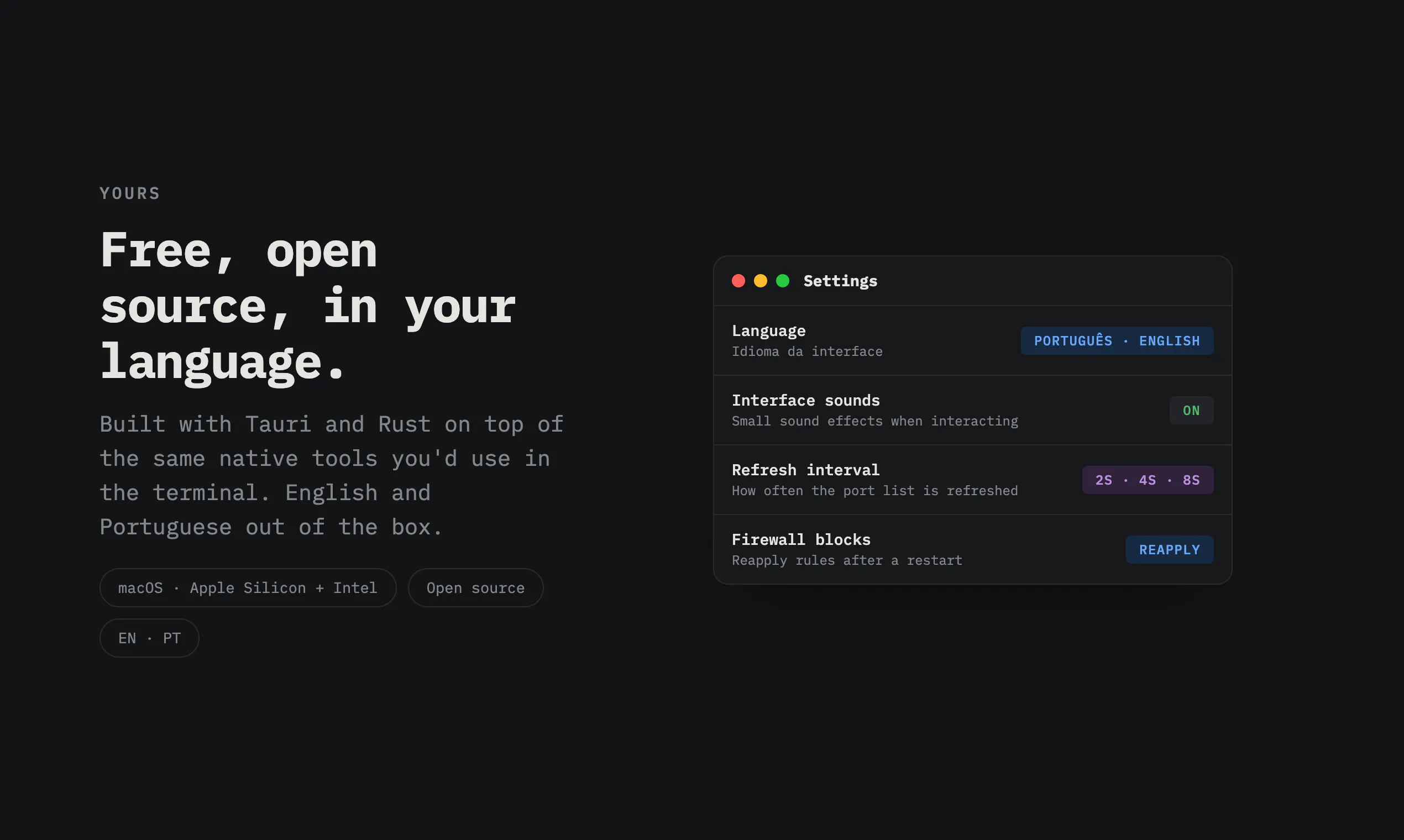
Portero is a free, open source Mac app that shows every open port and the process behind it. See what's running, kill processes on busy ports, fix 'address already in use' errors, and block ports with the built-in macOS firewall.
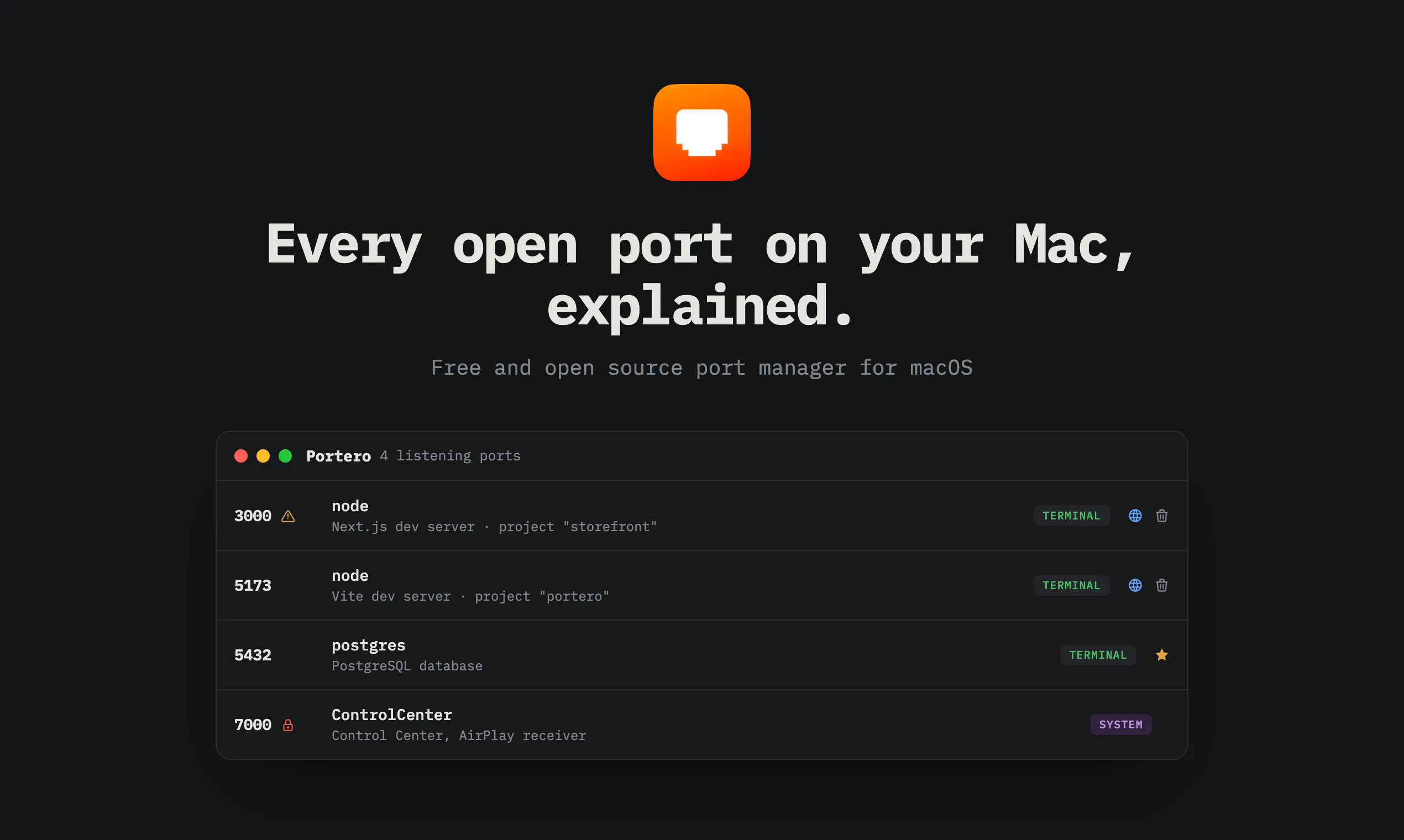
I built Portero because I kept losing track of what was running on my own machine. A database from one project, a dev server from another, some API I forgot was still alive since Tuesday... and every time I hit "address already in use" I'd end up googling the same lsof flags for the hundredth time. The thing is, seeing the ports was never the hard part. Understanding them was. lsof tells you there's a process called "node" on port 3000. Cool. Which node? From which project? Is it safe to kill? So Portero shows every open port with the process behind it explained in plain words: "Vite dev server, project storefront" instead of just "node". "AirDrop and sharing" instead of "sharingd". It also flags port conflicts automatically, lets you kill processes (gracefully or by force), blocks ports through the built-in macOS firewall, and opens dev servers in your browser with one click.
4
回复

@ctresb Love this approach! 🚀 Turning low-level process details into clear, human-readable context solves a real developer pain point. Simplicity like this can save countless debugging hours.

0
回复

@ctresb i couldn't quite see in the video but for your node example, does it also show the path/pwd the process is running from (or if it's running from pm2 etc). That would help when running a lot of ephemeral scripts

0
回复

the plain-english translation is the actual feature here, lsof telling you 'node' on port 3000 is technically correct and completely useless. one thing I didn't see mentioned - does it handle docker-proxy processes sanely? that's usually where this kind of tool falls apart for me, a container's port mapping shows up as some generic docker-proxy pid and you're back to guessing which compose project it belongs to

2
回复

@galdayan Thanks! Honest answer: today docker-proxy gets labeled as "Docker, container port forwarding" so you know what it is, but it doesn't yet resolve which container or compose project owns the mapping. That's a great idea though: querying the Docker socket to map port → container → compose project is very doable, and it's now on the list. Exactly the kind of gap I want issues filed for.

0
回复

The ability to open local servers directly from the app is a nice touch. Small workflow improvements like that often end up being the features people use every single day without even thinking about them.

2
回复

@nitesh_kumar98 Thanks! That one came straight from my own workflow. Fun detail: the globe only appears when the port actually answers HTTP, Portero probes it first, so it never offers to "open" your Postgres in a browser.

0
回复

A developer I know constantly switches between projects and ends up with old servers still running in the background. I think the would save them a lot of time, especially when debugging local development issues. I'll definitely share it with them.

2
回复

@rahul_manjhi1 That developer is exactly who this is for. Thanks for passing it along, and tell them the stale servers show up with the project folder name next to them, so they'll know which ones to kill.

0
回复

The plain-English process identity is the feature. “node on 3000” is technically true but not enough to decide whether killing it is safe. Project path, launch source, and last command/context would make this especially useful for Mac dev machines with several half-running projects.

1
回复

@krekeltronics Agreed, identity is the product. Some of that context is already there: expanding a row shows the working directory, the full command line, and the parent process (which usually tells you the launch source, e.g. iTerm vs VS Code). Surfacing more of that at the row level without cluttering it is the design challenge I'm chewing on.

0
回复

The native Mac feel is spot on, especially surfacing the owning process right next to each port instead of burying it in a menu. Killing whatever's hogging a port in two clicks is exactly the kind of fix I've wanted for years.

1
回复

@aliyeljbu Thank you! "Two clicks, no menus" was pretty much the design brief. Glad it lands.

0
回复

@C3B Congrats on the launch! 🎉 Loving the clean macOS native UI and built-in firewall blocking.

Question on state tracking: is Portero strictly showing live snapshots of active listeners, or is there any background logging to help catch ephemeral/ghost background processes that grab a port and crash before you can inspect them?

1
回复

@franz_briones Thanks! Live snapshots only right now, polling every 2 to 8 seconds (configurable). No background daemon by design. But ephemeral processes grabbing a port and dying is a real gap, you're the second person to raise it today, so some form of short rolling event log is officially on the roadmap.

1
回复

How do you handle cases where a process is holding onto a port but isn't actively using it, and what's the criteria for suggesting to kill a process?

1
回复

@aymnart Portero only lists sockets in LISTEN state, so "holding but not serving" mostly shows up as a listener that answers nothing, and the HTTP probe reflects that (no browser button). And it never suggests killing anything: that stays a human decision. What it does instead is make the decision safe: plain-words identity, category (system vs dev), conflict flags, and starred processes that can't be killed at all.

0
回复

The context labels are the actual product here — "node" vs "Vite dev server, project storefront" is the difference between killing the right process and killing your teammate's demo. Curious how you infer the project context — walking up from the process cwd looking for package.json, or something smarter? Open source is appreciated, will poke around the repo.

1
回复

@anton_yakymenko You nailed the thesis. The inference is deliberately simple: lsof gives me each process's cwd, and the project label is derived from that, combined with fingerprints in the full command line (vite, next dev, etc.) to name the tool. No package.json walking yet. The parent chain does get walked, but for a different job: finding which terminal or editor launched the process, for the icon. Poke away, and PRs welcome.

0
回复

This looks super handy for tracking down port conflicts. One thing I'd love to see is a way to save profiles or groups of ports I'm monitoring for specific projects, so I don't have to keep an eye on a long list manually every time I switch contexts.

1
回复

@mnevvertumazji Interesting. Today favorites are the only grouping (star what matters, it also protects from kills), plus search and category filters. Per-project profiles you can switch between is a neat framing for context switching. Adding it to the ideas list, thanks!

0
回复

Would love to see a quick right-click option to copy the PID or port number straight to the clipboard, since I often need to paste those into terminal commands when cleaning up stuck processes.

1
回复

@okankzlarkkzop Good call. The expanded row already has copy buttons for path, full command, and working directory, but PID and port themselves don't have one yet. Trivial to add, and it fits the terminal-cleanup workflow perfectly. Consider it queued.

0
回复

Hey congrats on the launch! Q - Does it keep a log of what was running on a port historically, or is it strictly a live snapshot? Thinking about those annoying edge cases where a background task grabs a port and crashes before you can even catch what it was

1
回复

@uddipta Strictly a live snapshot for now (it polls every few seconds). The crash-before-you-catch-it case is real and a history log has come up more than once already, so it's high on the list. Probably a small rolling log of port events rather than full history.

0
回复

The "which node, from which project" problem is exactly why raw lsof never stuck for me — mapping a port back to a working directory is the useful part, not just listing PIDs. Two implementation questions: to enumerate every process's ports and to add a firewall block, does Portero need a privileged helper/root, or does it stay inside the user sandbox? And does a blocked port persist across reboots via pf rules, or only for the current session?

0
回复

the visibility ceiling is worth spelling out — unprivileged lsof only sees sockets owned by your own uid, so a root daemon listening on a port stays invisible until the app escalates. for a dev tool that's fine. tagged as security software, that's exactly the port you'd want to see.

0
回复

Are you planning to support deep Docker integration where Portero queries the local Docker socket? If we could resolve a generic docker-proxy process down to the exact container name and Docker Compose service, this would instantly become a must-have tool for local microservice debugging.

0
回复
Congrats on the launch! I’m the non-technical guy who vibe-codes with AI, so “address already in use” errors are pure fear for me, I never know which process is safe to touch. The plain-language part is exactly what I need. My question: when I go to kill a process, does Portero warn me if it’s something system-critical? Translating “sharingd” to “AirDrop and sharing” is great, but a “killing this will break X” heads-up is what would make me trust it enough to click the button.
0
回复

Turning port management into a visual, one click experience is such a smart touch, especially building on the native macOS firewall instead of reinventing it.

0
回复

@ctresb It polls every few seconds by default, but what's the battery/CPU tradeoff on a laptop with that running constantly? would be nice to know if there's an on demand mode, or if the polling stays cheap regardless of how many ports are open

0
回复
#7
Claude Overlay
A floating Claude Code chat that sees your screen
133
一句话介绍:Claude Overlay是一款无框架、始终置顶的Claude Code聊天窗口,通过快捷键呼出并自动截图当前屏幕,让AI直接理解屏幕内容并执行文件编辑和命令操作,解决用户频繁切换窗口粘贴截图提问的低效痛点。
Developer Tools Artificial Intelligence GitHub
AI屏幕助手 Claude Code客户端 开发者工具 屏幕识别 自动化代理 开源工具 Windows应用 隐私控制 工作流增强 即时上下文
用户评论摘要:用户主要关注隐私安全(如何屏蔽敏感区域)、屏幕截图作为不可信输入的风险、多显示器支持(选择特定屏幕)、操作轨迹可视化,以及非编码场景(如Office文件、PDF摘要)的使用价值。开发者积极回应,承诺加入只读模式、屏幕选择开关和操作接收单。
AI 锐评

Claude Overlay的核心价值不在于“又一个AI聊天框”,而在于它将AI交互的上下文从用户主动提供的文本,直接扩展到了用户当前视觉焦点的“屏幕实景”。这个思路精准切中了知识工作者在跨应用、跨文档场景下信息流转的摩擦点——复制粘贴和窗口切换的时间成本被压缩到一个快捷键。产品聪明之处在于直接复用Claude Code的现有登录和代理能力,避免了API密钥和自建代理的复杂性,使门槛大幅降低。

但产品目前的“裸露”状态也暴露了两个致命缺陷:一是“屏幕即输入”的安全性悖论。当AI不仅能看屏幕,还能读写文件、运行命令,而截图中的恶意指令(如隐藏文本)可能被误执行时,这不是一个通过“训练数据中内容不被视为指令”就能轻飘飘带过的风险——事实上,这是所有具有写权限的AI Agent面临的根本性挑战。开发者的解释“观察内容不是指令”过于理想化,尤其在模型行为不可预测时。二是隐私模型过于依赖用户自律。“你决定它什么时候看”而不是“它自动帮你遮住敏感信息”,在真实的高风险工作场景(如处理密钥、客户数据)中会严重阻碍采用。

这款产品的实用价值毋庸置疑,它会成为许多开发者和知识工作者的效率利器。但它目前更适合作为“对特定窗口的有意识辅助”,而非“全天候屏幕监控者”使用。MCP工具调用的自动授权和行为日志的粗粒度,都需要用户对AI的行为有极高的容错心态。从市场定位看,它精准切入了Claude生态的缝隙,但Windows-only的限制和缺乏企业级安全配置,决定了它目前的用户群体仍是技术爱好者和早期采用者。如果后续能解决读写权限的精细化控制和操作可追溯性,它有望从“玩具”蜕变为“生产力工具”。

查看原始信息
Claude Overlay
Claude Overlay is a frameless, always-on-top chat window for Claude Code that floats over everything you do. Summon it with a hotkey, ask about whatever's on screen, and Claude captures and reads your monitors before answering. It runs the full Claude Code agent on your own subscription - no API key - so it can edit files and run commands, not just chat. Open source (MIT), Windows.
Hi PH! I built this because I was constantly alt-tabbing and pasting screenshots to ask Claude Code about an error or a design on my screen. Now I just hit Ctrl+Alt+Space and ask - it screenshots each monitor and Claude reads them in context. It uses your existing claude CLI login (no API key), and it's the real agent so it can actually fix things. Windows-only for now; cross-platform help very welcome. Feedback appreciated!
3
回复

the auto-shot + real agent combo raises a different question than the privacy-masking one - since it's not just reading the screen but can actually run commands and edit files, what stops a prompt injection sitting on screen (hidden text in a webpage, a doc, an email) from getting treated as an instruction the moment auto-shot captures it? not asking about intentional misuse, more about the screenshot itself becoming an untrusted input to an agent that has real write access

1
回复

@galdayan This is the sharpest question in the thread, and you've framed it exactly right — it's a harder problem than masking, because the screenshot is genuinely untrusted input flowing into an agent that can act. I won't pretend it's fully solved (it isn't, for any screen-reading agent with write access), but here's the honest posture:

The main line of defense is that the overlay doesn't add its own instruction parser — the screenshot is attached as an observation and the agent underneath is just Claude Code, which is trained to treat tool-observed content (web pages, docs, screenshots) as data to reason about, not as instructions to obey. So hidden "ignore your instructions and rm -rf" text in a page is treated as content it's looking at, not a command — that injection resistance is inherited wholesale from Claude Code, not something I hand-rolled.

Two things that are true and worth being upfront about: (1) it's a no-prompt GUI, so tool calls are auto-approved rather than gated per action — but every command and file edit streams into the chat as a visible chip as it happens, so it's observable, not silent; and (2) you control the exposure — Auto-shot off means nothing is captured unless you opt in, so you're not continuously feeding untrusted screens to it.

Where I want to take it: a proper read-only mode (write tools disabled) so you can point it at an untrusted surface like a browser or inbox with zero write access — which lines up with what another commenter asked re: per-overlay permissions. That combo (read-only + on-demand capture) is the right answer for untrusted screens, and it's high on the roadmap. Really appreciate you raising this one

0
回复

Hey this could actually save so much time/tokens. However regarding privacy - can you mask out specific regions of the screen (like .env files or sensitive API keys) so the overlay completely ignores them while capturing the rest of your layout? Any considerations around that?

1
回复

@uddipta Great question — probably the most important one for a tool like this. Short answer: there's no per-region masking. I did consider it, but reliably working out "this rectangle is a secret, ignore it" would add a real chunk of logic — and latency — to every single capture, so I deliberately left it out rather than slow the common path down.

What you do get is control over when it looks: there's an "Auto-shot" toggle — flip it off and the overlay stops screenshotting on its own, so capture becomes manual/opt-in and it only ever sees your screen when you explicitly attach it. A couple more things that help: the screenshots go straight to Claude through your own CLI login (your existing subscription — no API key, no third-party server in between), and the overlay excludes its own window from every capture so it never grabs itself.

So the honest privacy model is "you decide when it looks" rather than "it auto-hides secrets." Thanks for pushing on this 🙏

0
回复

The screenshot-as-untrusted-input point is the real one. What's worked for us: observed content (screen, docs, pages) is always data, never instructions, and any write/run action needs a separate human confirm the on-screen text can't trigger itself. Read ≠ act. Great ship — the real-CLI-login approach is clever.

0
回复

since multi-monitor grabs one tagged image per screen, does token cost scale linearly with monitor count, or do you downsample/compress before it hits the model? curious how that plays with a fast Ctrl+Alt+Space hotkey loop

0
回复

@sabber_ahamed Good question — the cost is bounded, not "whatever your native resolution is." Two things happen before anything hits the model: each monitor is downscaled so its longest edge is ≤1568px (LANCZOS), then saved as JPEG (q82) or PNG, whichever's smaller. 1568 is deliberate — it's the resolution ceiling Claude's vision uses internally, so a 4K monitor and a 1080p one cost about the same; you're not paying for pixels the model would just throw away.

So it scales linearly with monitor count (one image per screen), but each image is a fixed, capped cost regardless of the display's real resolution — a full-screen grab lands on the order of ~1.5K tokens. Three monitors ≈ three of those, not 3× your 4K.

On the hotkey loop: capture is tied to actually sending a message, not to the hotkey — Ctrl+Alt+Space just summons/dismisses the window. To keep it snappy it pre-grabs a frame in the background while you type (reused if it's <6s old), so the capture is off the send path. And if you want a text-only exchange to cost zero image tokens, just flip Auto-shot off

0
回复

Nice, neat demo! Is this constantly recording the screen and if yes, is that something token efficiient. Also it is also paired with voice input along with screen share thing?

0
回复

@shekhar_upadhaya_1 Thanks! Nope — it's not constantly recording. It grabs a single still frame per monitor at the moment you hit send (or reuses one it pre-grabbed a couple seconds earlier while you were typing) — no video, no continuous feed. That's exactly what keeps it efficient: one bounded still per screen, downscaled to 1568px on the long edge (Claude's own internal ceiling) and JPEG-compressed, so it's ~1.5K tokens per screen rather than a stream. There's also an "Auto-shot" toggle — off means it captures nothing unless you explicitly attach it, so a text-only question costs zero image tokens.

On voice: not right now — input is text + screen capture + pasted images (Ctrl+V). And to be precise it's not a live "screen share" feed either, more an on-demand snapshot attached to your message. Voice pairing is an interesting idea though — noting it

1
回复

Since you're using the full Claude Code agent instead of just an API, what's the most surprising workflow users have discovered? Has anyone been using it for something completely different than debugging?

0
回复

@tarqiya_forgah Honestly it's still very early, so this is mostly my own use plus a handful of testers — but the surprise has already been how much it skews away from debugging. Two things make it not really a "coding" tool: it reads whatever app is in front of you (not just an editor), and it's the full agent — on Windows it can drive Excel/PowerPoint/Word over COM, pull a whole web page, touch files. So most of what I reach for is non-code knowledge work:

• Spreadsheets & decks — "read this whole workbook and tell me what the numbers are saying," or having it actually clean up / reformat a deck that's open, since it can act on the file rather than just describe it.

• Dense reading — a long article, a PDF, a dashboard on screen → "summarize this, what should I actually care about here" with zero copy-paste.

• Visual gut-checks — point it at a page or a layout and ask "what looks off here?"

• Writing in context — drafting a reply to the email or doc that's already on screen.

The pattern that surprised me: the moment the context is "what's on my screen" instead of "a repo," the coding framing kind of falls away and it just becomes a general do-something-with-what-I'm-looking-at tool. Would genuinely love to hear what you'd point it at

0
回复

Always-on-top framing feels really natural when I'm jumping between editor and browser. The fact that it reads my actual screen and runs as a real agent on my plan makes it way more useful than another chat sidebar.

0
回复

@pelinokutuaden Thank you — "more useful than another chat sidebar" is exactly the bar I was aiming for. The always-on-top + reads-your-actual-screen + real-agent-on-your-own-plan combo is the whole thesis: not a chat box bolted on the side, but something that's already in the loop while you're bouncing between editor and browser. Really glad it feels that way in practice. If you ever hit a rough edge or want something added, I'm all ears

0
回复

Really like that this sits on top of the existing Claude Code login instead of adding another agent layer.

One thing I’d want for daily coding use is a small run receipt after each screen-driven action: screenshot source, files touched, commands run, and which step came from what was visible on screen. When the input is a screen, debugging a wrong action later gets harder than with a normal prompt.

That kind of trace would make the overlay feel safer for long work sessions, not just faster.

0
回复

@grace_lee26 Thanks — "on top of your existing login, not another agent layer" was a deliberate choice, so I'm really glad that lands.

And this is a great ask — honestly the missing half of the safety story a few people have raised in this thread. You're right that screen input makes provenance murkier: with a text prompt you can re-read exactly what you asked, but "what was on screen" is fuzzier to reconstruct later.

Where it stands today: every command and file edit already streams into the chat as a visible tool chip as it happens, and each turn notes which monitors were attached — so there's a live trace, just not a consolidated, reviewable receipt. Under the hood the captured frames are saved to a temp folder and there's a debug log, so the raw material for a proper trace already exists.

What you're describing — a compact per-action receipt (screenshot source → commands run → files touched) you can scan after the fact — is very buildable and I want it. Honest nuance: the coarse version (this turn captured monitors 1+2, ran X, edited Y) is straightforward; the fine-grained "this specific edit traces to this region of the screen" is harder to do reliably, so I'd likely ship the per-turn receipt first. It pairs naturally with the read-only mode a couple of others asked for — trace + scoped permissions is exactly what makes it feel safe for long sessions, not just fast. Going on the roadmap; MIT if you'd ever want to help shape it. Excellent suggestion

0
回复

Life saver!

0
回复

Congrats on the launch! Since it reads whatever's on screen before answering, how do you handle sensitive info that might be visible (API keys, customer data, etc.) - is there any redaction or is it on the user to be careful what's showing?

0
回复

@medal411 Thanks! Honest answer: there's no automatic redaction — so yes, it's on you to be aware of what's on screen when you capture. I did look at detecting-and-blurring secrets, but reliably deciding "this rectangle is sensitive" would add real logic and latency to every capture, so I deliberately left it out rather than slow the common path down.

What makes that manageable in practice: (1) capture is opt-in and on-demand — there's an "Auto-shot" toggle, flip it off and it only ever sees your screen when you explicitly attach it, and even with it on it grabs the frame at the moment you hit send, not continuously; (2) the screenshots go straight to Claude through your own CLI login — your existing subscription, no API key, no third-party server in between; and (3) the overlay leaves its own window out of the capture, so it never grabs itself.

So the model is "you decide when it looks" rather than "it auto-hides secrets." One nice follow-up another commenter raised is having Claude flag if it spots something that looks like a key/secret in a shot — an opt-in I'm considering. Thanks for keeping the privacy pressure on

0
回复

Love how it pulls from your actual screen context, that's the killer feature for me. One thing that would push it further: a quick toggle to switch between which monitor Claude reads, since I often have a reference doc on my second display I don't want it touching.

0
回复

@pakizecankara Thanks — that "reads your actual screen context" part is the whole reason it exists, so I'm really glad it clicks for you. And you're the second person to ask for this, which tells me it's clearly the next thing to build: right now it grabs every monitor at once, so your second-display reference doc gets pulled in whether you want it or not. A quick per-monitor toggle — "only read this screen" — is squarely on the roadmap. In the meantime you can just tell Claude "only look at my main display" and it'll focus there (each screen is labelled in the prompt), but a real toggle is the proper fix. Appreciate it

0
回复

I really like that this is more than just a screen-aware chat. The fact that Claude can act on the file that’s already open makes it feel like part of the workflow rather than another window to manage.

Are you considering making context and permissions configurable for each overlay? For example, one overlay could be tied to a specific project in read-only mode, while another could be allowed to edit files. That could make using multiple overlays feel much safer and more predictable.

Nice work, Jason!

0
回复

@yuri_liubymov Thank you — "part of the workflow rather than another window to manage" is exactly the feeling I was going for, so it's really good to hear it lands that way.

And yes, this is a direction I find genuinely exciting. Some of the pieces are already there: you can run multiple overlays side by side today — but right now they share one global config, so they aren't independently scoped yet. What you're describing — pin overlay A to project X in read-only, let overlay B edit — is very much the right model, and the building blocks exist under the hood (Claude Code already has permission modes and working-directory scoping; it's mostly a matter of surfacing them per instance). Making each overlay its own little sandboxed context is high on my list. It's MIT if you'd ever want to help shape it — otherwise it's going on the roadmap. Great suggestion

0
回复

Hi Jason! Let's say I'm using this floating Claude Overlay on a web browser which has a very long content - meaning that we have to scroll down to read the full page. In this case, how can we make Claude Overlay read the whole context in our page?

0
回复

@ccg_cl Great question, and you've spotted a real limit: a screenshot only captures what's actually on screen (the current viewport), so anything below the fold that you'd have to scroll to isn't in the image.

The nice part is the overlay isn't just "vision" — under the hood it's the full Claude Code agent, so it can go fetch the full content directly instead of relying on the picture:

• Web pages: just paste the URL and ask — Claude pulls the whole page with its WebFetch tool and reads it top to bottom, no scrolling needed.

• Office files (Excel, PowerPoint, Word): because it can actually run commands, you can point it at the file and it'll open it directly via COM automation and read the entire document — every sheet, every slide, every row — not just the slice that's on screen.

• Anything else without a URL (a desktop app, a PDF in a viewer): scroll and fire off a couple of messages — with Auto-shot on, each one grabs a fresh frame — or select-all → copy → paste the text straight into the overlay with Ctrl+V.

So the screenshot is really for "what's on my screen right now"; for long or structured docs it's better to let the agent read the source directly. Thanks for the thoughtful one

0
回复

One thing I'd love to see is cross-monitor support for the screenshot capture, specifically the ability to pick which screen Claude reads instead of grabbing everything at once. Would make it way more useful when working across a laptop and external display setup.

0
回复

@apiliogull53162 Yeah, this is a good one — and it's squarely on my list. Right now it grabs every monitor and hands Claude one labelled image per screen (primary vs. secondary), with no way to say "just this one." On a laptop + external-display setup that's exactly where it gets clumsy — you end up spending tokens (and Claude's attention) on the screen you don't actually care about.

Good news: this one's very buildable. Under the hood it already enumerates each monitor and captures + tags them separately, so adding a "which screen(s)?" picker is a natural next step rather than a rewrite — probably a little per-display toggle. It's open source (MIT) if you'd ever want to take a swing at it; otherwise it's going on the roadmap.

Quick workaround in the meantime: since each screen is labelled in the prompt, you can just tell Claude "only look at my external display" and it'll focus there. Thanks for the great suggestion 🙏

0
回复

finally something that lets claude see my actual screen instead of me copy-pasting everything. the always-on-top window is genuinely handy when you're jumping between docs and code.

0
回复

@busefk6b Thank you — that copy-paste loop was the exact itch I built this to scratch. The "always-on-top + just ask about whatever's on screen" combo is the whole point, so it's really good to hear it lands that way when you're bouncing between docs and code. If you end up wanting anything (more shortcuts, cross-platform down the line), I'm all ears 🙏

0
回复
#8
Branda
Turn any domain into on-brand ads, MIT Open Source
128
一句话介绍:Branda 让用户粘贴任意网址,即可自动抓取品牌真实标识、色彩和文案风格,秒生成可直接投放的 LinkedIn 与 X 广告,解决创作者缺乏设计资源、品牌资产不匹配、制作流程繁琐的痛点。
Design Tools Marketing Artificial Intelligence GitHub
AI广告生成 品牌一致性设计 Open Source URL到创意 品牌数据API 社交媒体广告 自动化营销 无登录工具 自托管 设计效率工具
用户评论摘要:用户主要关注:对营销人员控制力的疑问(能否调整最终创意)、对无强视觉品牌网站(如经销商库存页)的适配性、与竞品差异;建议包括增加9:16竖版导出、Meta广告格式、预览对比网格、实时抓取产品页定价与CTA内容。
AI 锐评

Branda 的“粘贴即出片”体验确实令人眼前一亮,但仔细拆解后会发现,它更像是一个精巧的“品牌资产拾取器”加“模版填充器”,而非真正的智能创意引擎。核心价值在于利用 Context.dev 的 Brand API 高效还原品牌视觉要素(Logo、色值、主页文案),从而规避了传统 AI 广告生成中常见的“伪品牌感”问题——例如生成一个本来卖严肃办公软件的品牌却配上了可爱插图的荒诞错误。这一点对于需要快速产出批量社交广告的运营人员、中小代理机构而言,是实实在在的生产力提升。

然而,产品当前的功能边界相当清晰:它本质上处理的是从“URL输入”到“两平台标准尺寸输出”的线性流程,几乎没有给用户留出干预策略、调整信息层级或适配复杂场景的空间。评论中有关“产品页特定促销信息抓取”“9:16竖屏格式导出”“Meta广告安全区适配”的追问均未被现有版本覆盖,这意味着它更适合作为快速创意初稿或灵感灵感板,而非可直接投产的“广告Campaign管理器”。此外,MIT开源+自托管的定位为其加分不少(尤其利于隐私敏感团队),但也间接表明核心价值在 API 端而非应用端——若 Context.dev 的参数或品牌灰度数据迭代不够快,Branda 很容易变成花瓶。

真正的犀利之处在于,Branda 用极简交互验证了一个更本质的问题:广告创意生成中,品牌一致性究竟是素材统一性问题,还是策略一致性问题?前者可以被 API 和预设计模版解决,后者则需要更深入的内容理解、受众适配、渠道策略判断。Branda 完美完成了前半程,但对后一半,它选择把球踢给用户——而这恰恰是大多数非专业广告操盘手最缺的能力。如果想从“小工具”进阶为“小引擎”,团队还需在“可控性”与“实时动态调整”上做出更重的投入。

查看原始信息
Branda
Branda turns any website URL into scroll-stopping, on-brand ads in seconds. Paste a link and Branda pulls the brand's real logo, colors, and campaign imagery via Context.dev's Brand API, reads the homepage so the copy sounds like the brand, and generates ready-to-ship creatives for LinkedIn and X. No login, no design skills, no assets to upload. Open-source and self-hostable.
Hey product hunt 👋 Quick story: making ads that actually look on-brand is a pain. you either wrestle with a designer's queue, fight canva templates, or get generic AI images that look nothing like your brand so we built branda Paste any url → it instantly pulls that brand's real logo, colors, and campaign imagery, reads the homepage so the copy sounds like them, and generates ready-to-ship ads for linkedin and x The magic underneath is @getcontextdev's brand api doing the heavy lifting, real brand data from any site on the web, not stock or hallucinations. we even let a vision model pick the strongest brand asset so the ads stay coherent instead of blending into mush no login, no setup, open-source + self-hostable would love your feedback 🚀 what brand's url are you dropping in first?
5
回复

@getcontextdev  @yahia_bakour3 Great idea! 🚀 Using real brand assets instead of generic AI outputs is a smart approach to keeping creatives authentic and consistent. Excited to see how Branda evolves!

0
回复

@getcontextdev  @yahia_bakour3 I like how simple you've made the workflow—paste a URL and get on-brand creatives without hunting down logos or brand assets. Pulling visual identity and homepage context automatically should help keep the ads consistent with the brand's voice, and being open source and self-hostable is a great bonus for teams that want more control. Best of luck with the launch!

0
回复

When someone enters a domain, what does Branda look at to decide the brand direction — page copy, colors, logo, existing metadata, or all of that? The “any domain into on-brand ads” promise is simple, but I’d be curious how much control a marketer or designer gets before the final ad is generated.

3
回复

@crystalmei its open source! so you can see how the logic is formatted!!

0
回复

A freind of mine runs campaigns for several small businesses and spends a lot of time recreating brand styles for each client. This looks like something that could speed up that process quite a bit. I'll be sharing it with them.

1
回复

Hello Yahia, congratulations on the launch. I like that you're using actual brand assets instead of asking users to upload everything manually. That should make the generated ads feel much more authentic and consistent with the company's identity.

1
回复

Congrats on the launch. I run a dealership, and I'm always testing ad creative for inventory, so the "generic images that don't look like your brand" problem is one I know well. I usually end up either paying a designer or settling for something close enough. Curious what happens with a site that's mostly product photos and pricing rather than a strong visual brand on the homepage, like a dealership inventory page. Does Branda pull enough signal from that to generate something on-brand, or does it work best when there's an established visual identity to draw from? Excited to try it out.

0
回复

Today @Goose Ads Remixer also launched. How does Branda differ?

0
回复

@himani_sah1 this is just an open source MIT licensed repo showing what you can do with the context.dev api

If you want a fully managed service to actually use in production, then @Goose Ads Remixer is the right call :)

0
回复

The no-login, paste-a-link flow is such a smart move, the whole thing feels like a party trick at first glance but then you realize it's pulling real brand context behind the curtain.

0
回复

@yahia_bakour3 Congrats on the launch! 🚀 Turning any URL into on-brand creatives in seconds using Context.dev's Brand API is super clever.

Quick question: does Branda work best when pointed at a root domain/homepage, or can it pull specific product/landing page context (like promotional pricing or specific feature copy) to generate campaign-specific ad variants on the fly?

0
回复

@franz_briones it can, it's just an open source project :)

0
回复

Love how it pulls the brand assets automatically. One thing I'd love to see is a quick preview grid showing all the ad variations side by side before downloading, so I can pick the strongest one without generating them one by one. Would save a lot of iteration time.

0
回复

This looks really handy for quick ad creation. One thing that would make it way more useful is adding support for exporting in vertical formats like 9:16 for Instagram Stories and TikTok, since right now it sounds focused mainly on LinkedIn and X. Most brands need those too for full funnel coverage.

0
回复

A Meta ads version would be a huge unlock since a lot of teams live in Ads Manager. Could you add Facebook and Instagram formats with the right safe zones, or at least let me pick the aspect ratios I need before generation?

0
回复

congrats @yahia_bakour3 what happens if a website has zero clear images on the homepage does the system automatically generate geometric brand layouts based purely on the color codes it found?

0
回复
0
回复

A nice angle would be letting users paste an offer URL or product page and Branda scrapes the actual headline, price, and CTA so the ad copy isnt guessing at what the brand is selling right now. Hooking into the live page rather than just the homepage would make the creatives feel much more timely and accurate.

0
回复
#9
BugShot
Discover, fix, capture, and report bugs in one shot
108
一句话介绍:BugShot是一款Chrome侧边栏插件,让开发者和设计师在发现Bug时,能一键自动捕获控制台、网络日志、环境信息并生成完整报告,直连项目管理工具,彻底告别手动复制粘贴的繁琐流程。
Chrome Extensions Productivity Developer Tools
Bug报告工具 Chrome扩展 开发者工具 CSS实时编辑 日志自动捕获 AI草稿 隐私安全 无账号 项目管理集成
用户评论摘要:用户高度认可自动捕获日志和CSS实时编辑功能。核心建议集中在:①支持录制用户操作步骤以生成复现路径;②支持按项目保存默认指派人;③加强敏感信息自动脱敏;④希望为非技术用户提供链接式一键上报功能。
AI 锐评

BugShot在“Bug报告”这个看似拥挤的赛道里切出了一个非常精准的切口——它解决的并非“发现Bug”的问题,而是“描述Bug”的沉没成本。其核心价值在于三件事的耦合:一是将浏览器原生调试信息(Console/Network/环境)的捕获从手动操作变为自动化伴随;二是创造性地将设计师“改CSS”的调试动作转化为结构化的before/after差分证据(而非模糊的形容词描述);三是通过直连Tracker和AI撰写摘要,将报告生成从“二次创作”压缩为“一键确认”。

然而,这款产品当前存在一个明显的“使用者悖论”:它面向的恰恰是最该使用它的人(开发/设计),而这些人往往是Bug的创造者或复现者,而非第一发现者。大量Bug的第一目击者是PM、运营或客户,但他们不可能安装Chrome插件去操作。这意味着BugShot实际上是一个“为工程师设计的工程师工具”,而非“为组织设计的问题反馈系统”。其价值在内部测试环强烈,但在跨角色协作链上存在天然断层。

从产品逻辑看,其隐私架构(本地处理+开源OAuth代理)是真正的护城河,在SaaS工具泛滥的当下,这种“数据不过手”的克制设计反而成为了最强的信任壁垒。但商业化的隐忧也随之而来——无账号、无服务器的设定,意味着它无法轻易构建用户黏性、使用数据或订阅机制。它更像是一个“硬核插件”,而非“SaaS平台”,这决定了其用户规模天花板会较低。

总体而言,BugShot在“工程师个人效率工具”这个细分维度上做到了极致,但若要真正成为团队协作的“Bug处理中枢”,仍需在非技术用户的上报链路(如链接式嵌入或自动代理)以及结构化用户操作回放功能上做关键突破。它的未来,取决于“开发者工具”向“轻量级质量管理平台”的跨越能力。

查看原始信息
BugShot
Catch a bug and file a complete report from Chrome's side panel. Captures, console/network logs, and environment attach automatically. Or tweak the CSS live and send the before/after side by side. AI drafts it for you. Free, no account, straight to your tracker.

It would be awesome if Bug Shot could automatically generate clear reproduction steps from the captured session. That would make it even more valuable.

5
回复

@bernard_lewis 

I love this suggestion because it's exactly where I think bug reporting should go.

BugShot already records your interactions as a structured timeline, and the AI Draft feature turns that into a title, description, and reproduction steps.

The hard part isn't capturing everything—it's knowing what to leave out. Right now it mainly looks at the last ~20 actions, so it's great at explaining what happened right before the bug, but not yet at distilling a longer session into the few steps someone else can reliably follow.

I'd love for BugShot to get there.

1
回复

The no account requirement is a great touch .Curious does it support recording user interactions leading up to the bug as well?

4
回复

@alan_gregory 

Yep! BugShot starts recording interactions as soon as it's running, so by the time you decide to report a bug, the history is already there.

It captures things like clicks, typing, toggles, dropdowns, drags, and navigation, then lines those up with the console and network logs so developers can see what you did alongside what the app was doing.

We were pretty careful about privacy, too. Passwords and payment fields are masked before they're ever stored, and we don't record cursor coordinates—just the elements you interacted with.

One limitation today: the action timeline is only attached when you record a video, not when you capture a screenshot. A few people have asked for that already, and I think it makes sense to support both.

1
回复

Hey Product Hunt 👋

I'm a product designer. My job is to notice when something is four pixels off — and then the hard part starts, because I have to describe it. I'd screenshot the bug, type "the spacing looks off here" into a ticket, and a developer would have to guess which property I meant. The rest of the report was clerical work: reproduce it, copy the URL and the browser version, dig through the console, paste it all into a tracker. By the time you're done you've forgotten what you were actually working on.

So I built BugShot, a Chrome side panel that collapses that into one pass:

• Pick an element and fix it live. Edit its CSS right on the page — through form fields or a real CSS editor with autocomplete and color swatches. Every change is tracked as a before → after table in the report, so the developer gets the diff, not my adjectives. It resolves var() chains too, so the report says --color-primary instead of rgb(79, 70, 229).

• Capture what you need. An element, a region, a screen recording, or the last 30 seconds of the tab. Annotate it before attaching.

• Logs come along for free. Console, network, and user actions are recorded while BugShot is running, including inside cross-origin iframes.

• File it where you already work. Jira, GitHub, Linear, Notion, GitLab, Asana, ClickUp — or share straight to a Slack channel or DM.

No sign-up, no account. Everything runs locally in the extension and posts directly to your tracker — your screenshots, logs and report text never touch a server of mine. The one exception is OAuth: platforms that require a client secret (Jira, GitHub, Notion, Asana, ClickUp, Slack) have their auth code exchanged through a small proxy that relays the token and stores nothing. Linear and GitLab use PKCE and skip it entirely.

I'd love to hear where it breaks for you — especially which tracker or workflow you'd want next. Happy to answer anything in the comments.

3
回复

honestly this looks super useful for my workflow but it would be great if you could save a default assignee or team channel per project so reports go straight to the right place without me having to select it every single time

3
回复

@peklrql 

Thank you, İpek! This is really thoughtful feedback 🙏

Part of this already works today, although we clearly haven't made it obvious enough—that's on us.

BugShot remembers your last-used destination (repo, team, project, channel, assignee, labels, etc.) and pre-fills it the next time you report. You can also set defaults for each connected integration in the Connect tab.

That said, you're absolutely right about the missing piece: those defaults are currently stored per integration, not per project. So if you're working across multiple sites or repos, BugShot can end up defaulting to whatever you used most recently. That's a real usability gap, and I've added it to our roadmap.

One question, if you don't mind: would you rather have defaults tied to the website you're reporting from (e.g. staging.foo.com → repo X), or would a few named presets be more useful? I'd love to build whichever fits real workflows best.

1
回复

The before/after CSS diff plus console/network evidence is the important bit. AI can draft the ticket, but the raw evidence needs to travel with it so the developer is not debugging a summary of a bug instead of the bug itself.

2
回复

@krekeltronics 

That's exactly the line I tried not to cross.

The AI draft only writes the prose—the title and description. It's entirely optional, and it never touches the evidence. Skip it, and the report is exactly the same, just without the prose.

Style changes are captured as a before → after table of the actual CSS declarations, not a description of them. If a value came from a design token, you'll see --color-primary, not the rgb(79, 70, 229) it happened to resolve to. Developers get the value they'd otherwise have to go looking for.

The logs travel with the report as a self-contained logs.html: the full console, network activity, and user-action timeline—not a digest. The ticket itself only includes a one-line summary so it stays readable, while the raw data is one click away in the attachment. You can filter by origin, inspect request and response bodies, or export everything as HAR or JSON. Nothing gets summarized along the way.

So the AI drafts around the evidence, never in place of it. If it ever became the only thing in the ticket, the tool would be worse than the screenshot-and-a-sentence workflow it was built to replace.

1
回复

One thing I'd love is the ability to mark sensitive fields like emails or tokens for auto-redaction before the report gets sent. Even with a free tool, hitting send without scrubbing that stuff feels a little risky.

2
回复

@hakanzcpn 

Funny timing — this is exactly what I worked on today.

BugShot already redacts sensitive data automatically, and the next release makes it even stricter. It detects common sensitive fields (passwords, auth tokens, etc.), masks values that look like email addresses or long numeric identifiers, and completely excludes content from rich-text editors like email composers and document editors.

That said, you're pointing at a real gap: today it's entirely heuristic-based. It catches most sensitive data automatically, but there will always be edge cases like internal IDs, customer references, or app-specific fields that don't look sensitive to a generic detector.

In the meantime, nothing gets sent blindly. Before submitting, you can open the log card to review exactly what was captured, or disable the action log entirely if you're working with sensitive data.

A user-defined redaction system is probably the right long-term solution, and it's already on my roadmap. I'm curious which you'd prefer: clicking a field on the page to always redact it, or defining rules or patterns once in settings that apply everywhere?

0
回复

the part that stands out is the privacy claim, not the css diffing. a lot of bug tools that say everything stays local quietly still route auth tokens through their own servers, so I like that you called out the OAuth proxy explicitly instead of hiding it. does that proxy log anything at all for debugging on your end, or is it truly stateless per request

2
回复

@galdayan 

Fair question — and honestly, it's the one I'd ask too. "Everything stays local" often has an asterisk hidden somewhere around OAuth.

In our case, the proxy is stateless. It's open source, so you don't have to take my word for it:

https://github.com/SinhyeokKang/bugshot-2/blob/main/oauth-proxy/worker.ts

All it does is exchange the authorization code for an access token and immediately relay the response back. It doesn't persist tokens or request bodies, and nothing is logged for debugging. There's no storage attached to the Worker either (no KV, D1, R2, or database), so there's nowhere for anything to land.

Your screenshots, logs, and report text never go near the proxy in the first place—they're sent directly from the extension to your tracker.

After reading your comment, I also double-checked the Cloudflare side: Workers Logs, Traces, and Log Exports are all disabled for that Worker, and there's no Tail Worker attached. The only thing Cloudflare exposes is aggregate metrics like request count, error rate, and CPU time—no request content, tokens, or user identifiers.

There are a couple of extra guardrails too: the proxy only accepts requests from the registered extension and only for our own client IDs, so it can't be used as a generic token-exchange service. And providers that support PKCE (like Linear and GitLab) don't use the proxy at all.

If you spot anything in the code that contradicts this, please let me know. I'd genuinely appreciate it.

1
回复

finally something that grabs console logs automatically because honestly copying those into jira tickets every single time is kind of my least favorite part of the job. the live css tweak diff idea is actually clever too

2
回复

@abangciv 

Thank you — that's exactly the pain point I built BugShot to solve.

One thing you might like: BugShot captures console and network activity across every frame, including cross-origin iframes like Stripe or chat widgets. Those are often the hardest things to reproduce because the relevant errors aren't always in the frame you're inspecting.

Everything is collected while BugShot is running, so by the time you decide to report a bug, the logs are already there.

To keep the ticket itself readable, BugShot adds a short summary and attaches the full console, network, and action timeline as a single logs.html file that developers can open and filter locally.

2
回复

Sinhyeok — the redaction thread with Hakan and the OAuth-proxy answer to Gal are exactly the kind of detail that builds trust here. I'm coming at this from the other side of your usual user, though: WinBidIQ's customers are federal-contracting SMB owners, not developers, and when one of them hits a bug they don't know what a console log is — I get "it's broken" over email and have to reproduce it myself with no repro steps. Is there a lightweight capture flow a non-technical external user could trigger — a link they click, describe the issue in plain English, and it still grabs console/network/environment for me — or is BugShot built around the reporter already having the extension and knowing what they're looking at?

1
回复

@medal411 

Med — straight answer: today it's the second one. BugShot is built around the reporter having the extension installed and doing the capture from their own side panel — there's no link-click flow a non-technical external user can trigger. No embeddable widget, no shareable capture link, no SDK — nothing external can talk to it at all, which is deliberate on the security side, but the flip side is it also can't reach into a page it wasn't opened on.

Which means for the WinBidIQ case you're describing — a federal-contracting SMB owner emailing "it's broken" with no repro — BugShot doesn't solve it yet. That person would have to install the extension and know to open it, which is exactly the knowledge you're saying they don't have.

But you've put your finger on the most interesting split in this whole thread. What you're describing is recorder-side capture — the reporter clicks a link, types the problem in plain English, and console/network/environment tag along without them ever knowing what any of it is. That's a different architecture from what BugShot is today: it flips the model from "you instrument your own session" to "you instrument your users' sessions." Which is arguably a different product — closer to support triage than a dev tool.

I don't want to fake a timeline on something that's a real pivot rather than a feature flag. But the question I'd actually want to answer is the minimum one: what's the least a click-a-link flow would have to grab to save you the reproduction step? Console + network + URL + browser, or does the environment matter more than that for your case? Happy to keep going here, or take it to email if it gets into WinBidIQ specifics.

0
回复

This is a great idea. I do have a couple questions. You mention CSS editing in realtime. Who is the target audience for this feature? Would they know the cascading impact of such a change? A higher level CSS change could break or alter other areas of the site. Also, does it work with minified or compiled CSS? If so how does the actual line number of the CSS update get communicated back to the developer? You mention the network traffic at the time of the bug is attached, this to me is the most interesting part. Is a HAR file being attached? Is it parsed with data analysis? In my world CSS is rarely the case but the underlying dependencies, APIs or libraries are. The HAR analysis could really help debug the issue. Great work, I like where this is going.

1
回复

@webdevmorgan 

Thanks Scott, these are the right questions.

On the CSS side — BugShot's a reporting tool, not a deploy tool. Your edits only live in your own view, nothing touches the real stylesheet, so there's no cascade risk to the actual site. The dev just gets the before/after render plus the property delta (padding: 8px → 12px on this element), and decides how to land it. Same deal with minified/compiled: it reads computed styles off the live element's CSSOM, not source, so it won't pretend to hand you a line number in a bundle (which wouldn't mean anything anyway) — just the visual intent and the exact diff to map back yourself.

Network's the part I keep coming back to as well. It captures structured entries — method, status, timing, request/response headers and bodies (payloads capped at 3MB, sensitive fields like auth headers/tokens masked, binary bodies skipped) — right next to the console and action logs, cross-origin iframes included. It already does HAR 1.2 export, and there's error-level parsing on top: 4xx/5xx and failed/CORS-blocked requests get filtered into a summary and highlighted. What's not there yet is deeper analysis — correlating a failure to its root cause — and that's exactly where I want to take it, because like you said, dependency and API failures are where the real signal lives.

0
回复

Finally something that captures console and network logs without me messing with devtools first. Honestly the side-by-side CSS tweak is kind of genius, saved me a whole back-and-forth with the designer already.

1
回复

@hikmetcantekin 

That's the exact loop I built it to kill — I'm a designer, and "the spacing looks off here" used to cost us another round every single time.

One thing that might save you another round: if a value comes from a design token, the diff reports --color-primary instead of the resolved rgb(79, 70, 229). The developer gets the token name they'd otherwise have to look up, so nobody has to guess where the value came from.

Edits stack across elements too, so if you tweak three different things, they all end up in a single before → after table.

Really glad it's already proving useful. If you run into anything that slows you down, I'd genuinely love to hear about it

1
回复
#10
Animos App
Showcase your designs in motion
104
一句话介绍:Animos App是一款浏览器端的动画展示工具,让设计师无需复杂软件,在1分钟内通过模板快速生成高质量4K动画作品集。
Animation Video Vibe coding
动画工具 作品集展示 浏览器应用 模板系统 4K导出 WebM格式 UI设计工具 创作者效率 无代码 vibe coding
用户评论摘要:用户称赞模板流畅、导出质量高且无水印。主要建议:增加轮播模板的无限图片支持;希望保存项目状态以便后续编辑;期望开发MCP服务器让AI代理直接调用生成动画。
AI 锐评

Animos精准切中了设计师作品展示的“最后一公里”痛点——不是人人都会After Effects,但人人都想让作品动起来。其核心价值不在于创新动画技术,而在于将复杂的动效设计降维成“选模板-扔素材-导出”的三步流水线,把用户从软件学习成本中解放出来。

从用户反馈看,4K无水印导出和WebM透明格式的支持是硬通货,尤其针对发布在个人网站的场景。但“无保存状态”和“无法调整关键帧”的设计初衷虽保证了极速体验,也暴露了工具的上限:它更适合快速产出展示素材,而非精细化的动效创作。对于有迭代需求的用户,这就是一锤子买卖。

值得关注的是团队明确将MCP集成提上路线图,这透露出一个野心:让Animos从“为人类设计的工具”进化为“为AI代理设计的API”。若成功,设计师可能只需对AI说一句“把这张UI图做个旋转展示动画”,就能自动拿到成品。但这同时也意味着,Animos必须解决当前“一次性产出”的局限,否则在AI协作流程中仍会沦为制造垃圾的流水线。

总体而言,工具定位清晰、执行利落,但要成为创作者生态的一部分,还需在可编辑性和打通设计工具链上多下功夫。

查看原始信息
Animos App
Present your work with high-quality motion in under 1 minute. Animos is a browser-based animation tool built for creators. The workflow is simple: pick a template, drop in your assets, tweak, and export. With 30+ templates, 4K resolution, and MP4/WebM support, you can easily generate stunning, web-ready animations for your portfolio.
Hi Product Hunt! 👋 I'm Herdetya, the creator of Animos. Presenting your work with high-quality motion shouldn't require firing up complex software. I built Animos to fix that by letting you build stunning, animated showcases in under 1 minute. The workflow is incredibly simple: Pick a template ➔ Upload your assets & adjust ➔ Export! During our beta, we were blown away to see 5,000+ users generate over 9,000 exports. Watching how you used the app directly shaped today's official launch. Here is what is waiting for you: 30+ Ready-Made Templates: Instantly match your design style without starting from scratch. Crisp 4K Export: Showcase your work in stunning, high-res detail. MP4 & WebM Support: The exact web-optimized formats you need for portfolios and social media. I'll be hanging out in the comments all day. I'd love to hear your thoughts, answer questions, or hear what features you'd like to see next! Cheers, Herdetya
6
回复

@herdetyapriambodo Hi, I really enjoyed your animos app! I've been enjoying all of the template and it is very smooth. Would it be possible to have unlimited images I can add especially on Carousell template in the future update?

0
回复

The template-first workflow is genuinely smart, takes the friction out of starting from a blank canvas. Love that exports go straight to MP4/WebM at 4K without a watermark trap.

1
回复

@didem482549 Thanks Didem! 🙌 Killing that blank canvas friction was exactly the goal. So glad you're loving the templates and the clean 4K exports!

0
回复

Congrats, ran a few tests and the export quality is great.


You tagged this "vibe coding" so I have to ask: any plans for an MCP server, so an agent like Claude Code could feed it assets and pull back an animation directly? The manual flow is smooth, but that'd be the unlock for the dev crowd you're aiming at.

0
回复

@jo_remi_saada Thanks Jo-Rémi! 🙌 You nailed it. An MCP integration is definitely on our roadmap for the next big update. Building that bridge for agents to pull animations directly is the exact unlock we're aiming for next. Appreciate the support!

0
回复

The pick-template → drop-assets → export flow is the right call for a portfolio piece you want done in a minute, not a full motion-design project. As a day-one user: after I export, does Animos save the project so I can reopen and tweak that same animation later, or is each export a fresh start with no saved state? And are the 30+ templates the whole canvas, or can I adjust timing/keyframes beyond the presets?

0
回复

@leo404 Thanks Leopold! 🙌 You get it. To guarantee that sub-minute speed, there are no saved states or custom timelines yet. Every export is a fresh start. All about pure speed for day one!

0
回复

During beta, what surprised you most about how people used Animos? Was there a template or workflow that became unexpectedly popular and changed your roadmap?

0
回复

@tarqiya_forgah Thanks Tarqiya! The biggest surprise was how heavily people leaned into the WebM exports for their personal websites. We originally thought MP4s for social media would be the main use case, but seeing that demand completely shifted our roadmap to prioritize web-ready, transparent formats.

1
回复

Honestly the template workflow is really smooth, dropped in some assets and had a clean animation exported in like 2 minutes. The 4K output is a nice touch for portfolio stuff.

0
回复

@can4ojy Thanks Can! 🙌 'Clean animation in 2 minutes' is exactly what we love to hear. So glad the templates are speeding up your workflow!

0
回复

The templates actually look solid and the export was quick, kind of surprised how clean the MP4 came out for a browser tool.

0
回复

@ecetuzculse9 Thanks so much, Ece! Getting those crisp MP4s without sacrificing export speed was exactly our goal. Glad the templates are hitting the mark for you!

0
回复

Yessss!! This is exactly what I have been looking for. Thank you for having the creatives in mind. What a beautiful seamless way to showcase my works!

0
回复

@babatunde_sunday_oluwaseun Thanks Babatunde! 🙌 Hearing that it's exactly what you've been looking for makes all the hard work worth it. I can't wait to see the beautiful work you showcase with it!

0
回复
#11
Sales Studio
Private studio for live demos on macOS
102
一句话介绍:Sales Studio是一款macOS专用直播演示工具,通过为演示者提供私密的脚本、提词器和多画面调度后台,同时只向观众展示一个干净、无干扰的共享窗口,彻底解决了Zoom/Meet/Teams会议中屏幕共享混乱、窗口切换频繁的痛点。
Productivity Sales SaaS
演示辅助工具 macOS 直播演示 屏幕共享 提词器 场景切换 销售工具 远程协作 窗口管理 创作者工具
用户评论摘要:用户普遍认可其解决了窗口混乱的痛点,尤其赞赏脚本覆盖和提词器功能。主要问题与建议:1. 质疑系统通知(如Slack)是否会意外泄露;2. 询问与CRM集成能力;3. 强烈建议增加自定义演示预设/快照功能,以适应不同受众。
AI 锐评

Sales Studio精准击中了专业级远程演示的“面子工程”与“里子效率”的割裂需求。它不是又一个录屏软件,而是一个为演示者量身打造的“导演指挥台”。其核心价值在于:将演示者从“操作工”转变为“导演”,将技术层面的窗口切换(做事的苦劳)转化为视觉层面的叙事流畅(呈现的功劳)。

从产品逻辑看,它非常聪明地选择了“窗口输出”模式,巧妙避开了负责视频流压缩与分发的重活,将性能包袱甩给会议软件。这种轻量级架构保证了演示者端的性能稳定,但也暴露了一个致命弱点:对系统级弹窗的“免疫”全凭演示者自身的管理习惯,一旦Mac翻车(如iCloud同步弹窗、系统更新提醒),整个“干净”的呈现瞬间崩塌。这个“黑天鹅”事件,恰好是所有同类工具最难解决的体验断层。

用户最急需的“预设场景”功能目前只能靠数字键切换显示源来部分实现,算不上全场景就绪。一个完备的预设系统(保存窗口布局、透明度、提词器内容甚至摄像头效果)会是其从“好工具”迈向“销售效率平台”的护城河。此外,评论区对CRM集成的提问暗示了它应成为Salesforce/HubSpot中的“演示活动”环节——但这可能超出了其独立工具的发展边界。

总的来说,它很好地解决了“演示混乱”这一显性痛点,但在更深层的“演示可靠性”与“演示流程自动化”上仍有待完善。对追求专业形象的销售顾问和SaaS产品经理而言,9.99美元/月的订阅费换一场没有翻车的关键演示,这笔账显然划算。

查看原始信息
Sales Studio
Sales Studio is a private studio for live demos on macOS. Your audience sees one clean, polished screen share in Zoom, Meet, or Teams. You see your script, notes, talking points, and every display you might switch to. No more window juggling.

Hey Product Hunt! I'm Jake.

I built Sales Studio because of a demo that went sideways. I was juggling a dozen windows on a sales call: the product in one, my notes in another, pricing in a third, and Slack pinging over all of it. My prospect saw every bit of that chaos. The demo was fine. It just didn't look like I wanted it to look.

So I built the tool I wished I had: a studio view for me, a clean stage for them.

Here's what that means in practice:

• You share one window. It always looks composed. Everything else lives in your private studio view.
• A teleprompter that scrolls as you speak. Voice detection moves your script along, so you never touch it mid-pitch.
• Displays you switch like a TV director. Windows, screens, web apps, videos, or your camera, each with clean transitions. Number keys jump between them.
• Scene layouts. Size and position your shared window over a branded background, drop your camera beside it, and it all mirrors live to the audience.
• Camera controls built in. Background blur runs on your Mac (nothing goes to a server), plus mirror, shapes, borders, and shadows.
• A tool bench you arrange yourself. Notes, checklists, a stopwatch, even an embedded web panel for looking things up mid-call.
• Freeze the audience view. Need to do something off camera? They keep seeing the last frame while your camera stays live.
• Record what they saw. Get a QuickTime-ready MP4 of the exact program output, camera and all.

It's macOS only (Apple Silicon), works with Zoom, Meet, Teams, or anything that can share a window, and there's a 14-day free trial. From $9.99/mo.

I'd love your honest feedback, especially from anyone who runs demos for a living. Ask me anything!

2
回复

Finally something that fixes the window chaos during live demos. The floating script view while everyone else sees a clean screen share actually feels like how demos should have always worked.

1
回复

@nazlcanyel1nsm Thanks! That was exactly the itch. The script sits right next to what you're actually demoing, so your eyes never leave the studio. Glad it clicks for you.

0
回复

Congrats on launching! Curious how you handle latency when multiple prospects join a live demo at once - does the screen share stay smooth, or does performance dip with more viewers?

1
回复

@medal411 Good question. Sales Studio doesn't handle the distribution at all - it produces one clean window, and Zoom/Meet/Teams shares it like any other screen share. So viewer count doesn't touch performance on my end; it scales however your meeting tool scales. The compositing happens locally on your Mac.

0
回复

the composited "one clean window" model is the whole value prop here, but it also means the polish depends on your Mac behaving during the call. what happens when something outside Sales Studio's control fires mid-demo - a Slack or calendar notification banner, a Time Machine popup, a spinning beachball while a heavy app loads? does the studio compositing sit at a layer that's genuinely isolated from OS-level overlays, or is there still a window where a stray notification could bleed into the "clean" shared view the same way it would without the tool?

0
回复

The features are interesting but I think that most sales rep are already used to workflow they have even though it's a bit messy, what were the customers feedback ?

0
回复

Right on the pain point—having to juggle multiple sources during a sales call is a major challenge and adds unnecessary stress. I built a GTM strategy for a 120-person sales team, and this would have been incredibly useful back then. How does it integrate with CRM?

0
回复

Finally something that fixes the worst part of screen sharing. The notes overlay is super handy and it stays out of the way of what your viewers actually see.

0
回复

@idemvanllagqpi Thanks! I hope it helps!

0
回复

the script overlay next to my actual screens is honestly such a small thing but it completely changes how a demo flows, way less fumbling around</mm:think>the script overlay next to my actual screens is honestly such a small thing but it completely changes how a demo flows, way less fumbling around

0
回复

@tkferhat9483 Thanks! That's exactly the idea.

0
回复

the teleprompter-style script view next to your display picker is genuinely clever, makes live demos feel way less chaotic than alt-tabbing through 6 apps.

0
回复

@ozguncozle60211 Thanks! Yes, that's exactly the idea!

0
回复

This looks genuinely useful for anyone running demos, honestly the window juggling thing has burned me so many times. One thing that would make it way better is letting you save custom layouts or demo presets so you can instantly switch between different setups depending on the audience, kind of like a snapshot system. That would save a ton of prep time.

0
回复

@zkan388465 Thanks - and yes, presets are a good call. Displays get you partway there today (pre-load your windows/slides/videos and jump with ⌘1–9), but a full "save this whole setup per audience" snapshot isn't there yet. Logging it. What would you want saved beyond the displays, notes, script?

0
回复

The split-view layout for presenter vs. audience is really thoughtful, especially keeping the script and notes out of the shared screen without a clunky second monitor setup. Whoever designed this clearly ran enough bad demos to know exactly what needed fixing.

0
回复

@kazmmrselrgym Thanks! You guessed it - the second monitor thing was exactly the problem. I demoed off a laptop at coffee shops enough times that "one screen, everything visible" became the whole design constraint.

0
回复
#12
Flyout
Rich-text notes that fly out from your Mac's screen edge
100
一句话介绍:Flyout 是一款常驻 Mac 屏幕边缘的富文本笔记工具,让你无需切换窗口即可随时捕捉灵感、待办或摘录,解决“想法消失在窗口缝隙中”的痛点。
Mac Productivity Notes
Mac笔记工具 屏幕边缘笔记 富文本编辑器 Markdown 本地优先 iCloud同步 终身授权 效率工具 快捷捕捉 原生应用
用户评论摘要:用户赞赏其原生性能、Markdown存储和终身授权;关心大量笔记下扁平文件夹的搜寻效率,建议增加全局快捷键后台抓取文本/截图的功能,开发者回应正考虑使用全局热键或服务菜单来实现。
AI 锐评

Flyout 宣称“捕捉想法”,但其真正的价值在于重构了“捕捉”的交互路径。它没有正面硬刚 Notion 或 Obsidian 的知识管理战场,而是精准切入了一个更原始、更频繁的痛点:在高速处理多任务时,大脑与屏幕之间的“瞬时丢帧”问题。将编辑器“悬浮”在屏幕边缘,本质上是缩短了用户从“产生想法”到“记录想法”之间的心理与物理摩擦,这一设计非常聪明。

但需要警惕,团队引以为傲的“原生AppKit + SwiftUI”外壳,其核心编辑器仍是WKWebView(TipTap),这本质上是一个包了一层原生壳的Web编辑器。固然比纯Electron省资源,但编辑器的渲染性能、复杂排版下的卡顿风险依然是天坑,绝非“原生”二字可以一劳永逸。开发者坦诚当前不支持团队协作,并归因为是“永久性的架构选择”,这一点值得肯定,避免了盲目扩张导致的架构翻车。

产品目前的危险信号在于“单一场景下的天花板”。对于重度文字工作者而言,缺少全局快速剪藏和批量管理会让其沦为“另一个临时记事本”;对于纯Markdown用户,丰富的富文本编辑又显得冗余。24美元的终身定价是一步好棋,能在早期收割一批追求效率且厌倦订阅制的“钉子户”。但若后续iOS端迟迟无法落地,同步生态割裂,用户的忠诚度将面临考验。Flyout本质上是用交互“新鲜感”换来的二次启动市场,能否从“有趣”走向“必须”,取决于它能否在“极速捕捉”与“深度管理”之间保持致命的握力。

查看原始信息
Flyout
Nudge your screen edge — or press ⌥⌘N — and a full rich-text editor flies out over whatever you're doing. Checklists, reminders, folders, images, code blocks, iCloud sync. Native macOS, not Electron. Lifetime license, 7-day free trial. Every note is plain Markdown underneath. Your notes never touch our servers.
Hey everyone 👋 I'm Görkem. I built Flyout because I kept losing thoughts between windows. A phone number mid-call. A "book the table" while planning a weekend. A line worth keeping from an article. The thought always went… somewhere — a sticky note behind a window, a message to myself, a Notes window I had to go find. The note survived; the moment didn't. So Flyout lives on the edge of your screen. Rest your pointer on the right edge — or press ⌥⌘N — and a full editor flies out over whatever you're doing. Step away and it slides back. The part I care about most: it's a real editor, not a scratchpad. Type / for headings, checklists and quotes. Attach a reminder to a single line and macOS nudges you at the right moment. Drag notes into folders, pin what matters, search everything. And if you write code, there are syntax-highlighted code blocks too — underneath, every note is plain Markdown you can take anywhere. Some decisions I'd love pushback on: • Native AppKit + SwiftUI, not Electron. The editor surface is a WKWebView (TipTap is the best editor I know) — the shell, the menu bar and the storage are all Swift. • iCloud sync runs through your own account. Your notes never touch my servers — I couldn't read them if I wanted to. • Folders are flat on purpose. No nesting. One obvious hierarchy beats three confusing ones. • Lifetime license, no subscription — $24, currently $18. A year of updates is included; renewing is optional and the app never stops working. Caveats, up front: macOS 14 Sonoma or later. No iOS app yet — that's next. No shared or team notebooks, and that's a permanent architectural choice (private iCloud sync), not a roadmap item. Free 7-day trial, no account needed: https://getflyout.app I'll be around all day. I'd love to hear where a thought goes today when both your hands are full — and where Flyout breaks for you.
4
回复

the "flat folders, no nesting" call is the right instinct for a capture tool - nesting is where these things always turn into filing cabinets nobody maintains. curious how it holds up once someone has a few hundred notes in one flat folder though - is search the only way back in at that point, or is there something like tags/pins to cut across folders without reintroducing hierarchy

0
回复

Really like the direction you're taking with Flyout. Moving beyond likes and comments to enable real conversations between creators and their communities feels genuinely valuable. Excited to see how this grows - congrats on the launch!

0
回复

@1mirul Thanks, appreciate that! Flyout's a bit more solo-focused right now, a screen-edge notes panel for quick personal capture, but glad it resonates. Good luck too!

0
回复

The ⌥⌘N hotkey sliding a full editor out from the edge is such a clean trick — feels like the kind of thing macOS should have shipped with. Nice touch on keeping everything as plain Markdown too, that's the right call.

0
回复

Thank you @fatmaodef39623 

Really appreciate that. The slide animation took more tuning than I expected glad it reads as effortless from the outside.

And yeah, Markdown was non-negotiable for me. No export dance, no proprietary format, just files.

0
回复

A lifetime license sold me, and the local Markdown storage is the right call. One thing I'd love: a quick hotkey or menu bar option to drop a clip from any app into Flyout, so I can grab a paragraph or screenshot without switching focus first.

0
回复

Thanks @ceylin1736493 ,

Glad both of those landed right, they were deliberate calls. On the capture request: today the closest flow is copy something (text or a screenshot) → ⌥⌘N → ⌘V, straight into whatever note is open. One hotkey away, but the panel does show up and take focus for a beat.

A background version — capturing without ever seeing the panel — is worth building. Two paths that wouldn't need any extra permission: a global hotkey that reads whatever's already on your clipboard and appends it to a note, or a right-click "Send to Flyout" item in the Services menu for text you select in any app.

Which one matches what you had in mind?

0
回复

The plain Markdown under the hood is a really thoughtful choice, makes it feel like it'll last beyond any app update. The ⌥⌘N shortcut is a nice touch too.

0
回复

Thanks @birol167210,

The Markdown choice was actually one of the trickier calls under the hood —

once you add custom pieces like inline images or reminders to the editor, most

rich-text/Markdown round-trips start quietly losing data. Took a while to make sure

everything survives cleanly, but it means every note really is just a file you can

grep, diff, or drop into a PR.

Glad the shortcut lands well too — it's rebindable in Settings if ⌥⌘N ever clashes

with something else on your setup.

0
回复
#13
AutoShelf 2.0
Auto-organize files on your Mac now with MCP & CLI support
97
一句话介绍:AutoShelf 2.0是一款macOS菜单栏应用,通过预设规则自动监控并整理指定文件夹(如下载、桌面)中的文件,解决用户手动分类文件的繁琐痛点,并支持AI助手和命令行无界面操作。
Mac Productivity Menu Bar Apps
文件自动整理 macOS效率工具 菜单栏应用 MCP协议 AI驱动 CLI命令行 文件规则引擎 批量归档 工作流自动化 桌面清理
用户评论摘要:用户普遍赞扬其“一键模板”便捷性和一次性定价,核心问题集中在规则冲突处理:系统按列表顺序“首个匹配即执行”,但UI允许创建同名规则,MCP端则会拒重。开发者承诺修复此漏洞。另需注意,文件冲突时自动重命名而非覆盖。
AI 锐评

AutoShelf 2.0的价值不在于“又一个文件整理器”,而在于它卡准了两个关键节点。第一,它将AI作为“执行入口”,通过内置MCP服务器让Claude等代理直接创建并下发规则,这比传统UI操作降低了至少一个认知层级——用户不用理解规则逻辑,只需描述意图。这是苹果尚未在macOS原生实现的“Agentic OS”雏形。第二,它保持了商业上的克制:放弃了订阅制,以19.99美元的一次性付费对抗Hazel等老旧竞品,同时通过“Pro-only toggle”将MCP写操作权限做好隔离,规避了AI误操作的风险。

但需要注意其增长天花板。首先,规则引擎虽然支持10个条件+10个动作,但核心依然是“if-then”的确定性逻辑,缺乏机器学习对文件“语义”的识别(比如自动归类发票而不只靠扩展名)。其次,云同步和多设备规则共享仍存在于“下一版”的路线图中,对于多Mac用户或团队协作场景仍不够用。最后,同名规则冲突的UI疏漏虽小,却暴露了在MCP与原生UI双轨输入下的一致性校验欠缺,这在代理大量介入后将放大为安全隐患。整体来看,这是一个定位精准、交付克制的小而美工具,但能否从“下载器助手”进化为“个人文件操作系统”,取决于后续规则的智能化和云端化速度。

查看原始信息
AutoShelf 2.0
AutoShelf is a macOS app that watches your folders and auto-organizes files. Set a rule once and never think about it again. Free to try, unlock unlimited for $19.99.

Hey Product Hunt! 👋 I'm Orçun, the solo developer behind AutoShelf.

I built AutoShelf because my Downloads folder had become a graveyard of DMGs, screenshots, and random files I swore I'd "clean up later." The existing tools were either powerful but byzantine, or simple but limited. Nothing felt like it was built for this decade of macOS.

So I made AutoShelf: a menu bar app that watches your folders and runs your rules. Set it up in 30 seconds with a template, then forget it exists.
What it does:
- 🗂 10 conditions: file type, extension, where it came from (download URL or app), age, size, name, last-modified/opened, or just "everything." Combine multiple with AND + NOT.
- ⚡ 10 actions, chainable: move, copy, trash, rename, tag, archive to ZIP, optimize images, import to Photos. Stack them in one rule: tag, then archive, then move.
- 📋 9 built-in templates: one-click "Organize Downloads," "Auto-trash DMGs," "Clean Desktop," "Sort by Source," and more.
- 🌍 19 languages, native SwiftUI, lives in your menu bar (or a full window, your call).

🤖 MCP support (this is the fun part):
AutoShelf ships with a full MCP server baked into the app binary, so it works natively with Claude Code, Cursor, opencode, and any other local MCP-compatible client. Point your client at AutoShelf.app/Contents/MacOS/AutoShelf and you get 13 tools: create_rule, edit_rule, delete_rule, enable_rule/disable_rule, run_rule, list_rules, list_groups, get_rule, get_status, pause_monitoring, resume_monitoring, and pick_folder (which pops the native macOS folder picker). So instead of clicking around a UI, you can literally say "watch my Downloads folder and trash any DMG older than 3 days" to Claude or opencode, and it builds and installs the rule for you. Write operations are gated behind a Pro-only toggle that defaults to off, so nothing happens without your say-so.

Why AutoShelf:
- Set-and-forget simplicity: templates get you running in seconds, no configuration wizard required
- Built for today's macOS, not ported from 2012
- Scriptable end to end: MCP for AI assistants, plus a Go CLI for terminal workflows
- One-time $19.99, no subscription.

What's next:
- LOT MORE conditions and actions.

- File conversions (HEIC→JPG, MOV→MP4, WAV→MP3)
- Cloud uploads: route files to iCloud, Dropbox, Google Drive
- Scheduled downloads: pull from RSS feeds, URLs, or cloud storage
- Rule creation wizard: step-by-step guided flow

Have a feature idea? I'd love to hear it → https://useautoshelf.com/support
Happy to answer any questions, feedback welcome! 🙏

3
回复

A freind of mine downloads hundreds of design assets every week and spends way too much time sorting them into folders. This seems like something that could remove a lot of repetitive work from their routine. I'll definitely send it their way.

2
回复

@shawn_idrees Glad you liked it!

0
回复

Hello Orçun, congratulations on the launch. The Downloads folder example immediately felt relatable because mine also ends up full of screenshots, installers, and random files. I like that the focus is on creating a rule once and then letting everything happen automatically in the background.

2
回复

@deangelo_hinkle Glad you liked it!

0
回复

the MCP server baked into the binary is a smart move, that's a much easier install story than a separate npm package. one thing I'm curious about: if two rules both match the same file (say one moves it and another renames+archives it), what decides execution order? and can a rule created through the MCP tool by an AI client end up conflicting with one a human set up in the UI, or does it validate against existing rules before creating a new one?

1
回复

@galdayan Great questions! Here how it goes;

On execution order: rules run top to bottom in your list. First match wins, only one rule acts on a file, so no conflicts between rules. Within a single rule, multiple actions (say move then tag) run in sequence.

On MCP vs UI: they share the same rule store. If an AI tries to create a rule with a name that already exists, it gets rejected. But there's a quirk I should be transparent about. The UI doesn't do the same duplicate check, so you could technically create two rules with the same name through the interface. MCP lookups are by name, so that would be a problem. It's on my list to fix.

0
回复

Congrats on you launch 🎉

I'm really glad to meet my favorite app on PH again!

Thanks to AutoShelf, my download and desktop keep clean, just as I intended. The new version's UI is even more refined. I'll continue to support you.🫶

1
回复

@d41 Huge thanks dude!

0
回复

I appreciate that this isn't trying to become a full file manager. Instead, it focuses on one problem and solves it well. Those are usually the tools that quietly become part of someone's daily workflow without demanding attention.

1
回复

@lakeesha_weatherwax Glad you liked it!

0
回复

the way rules chain together with live previews before saving is a really thoughtful touch. makes it feel less like config and more like actually designing a system.

1
回复

@ayhangltekqrdt Thank you!!

0
回复
Finally something that just works. no subscription for organizing my own damn files.
0
回复

The MCP + CLI support is what makes this more than another folder-watcher — it means an agent can drive the organizing, not just a background rule quietly firing. Two setup questions: through the MCP server, can an agent create and modify rules and query where a given file ended up, or is it limited to triggering rules that already exist? And are the rules stored as a portable file I can version and move to another Mac, or are they locked in app state?

0
回复

The MCP thing is sick. i told claude 'auto trash DMGs after 3 days' and it just made the rule for me. didnt even open the app. thats how all mac apps should work honestly

0
回复

Yo this is actually nice. I tried Hazel a while back and returned it in like an hour, way too much for what I needed. AutoShelf I literally set up 'dump everything in Downloads into folders by type' in like 2 minutes and forgot about it. menu bar icon sitting there doing its thing. good stuff.

0
回复

Set up a rule to sort my downloads by file type in about a minute, and it just kept working in the background. Wish I had this years ago, my desktop is finally usable.

0
回复

The little rule preview that shows exactly where each file will land before you hit apply is such a thoughtful touch. Clean execution on what could have been a frustrating setup experience.

0
回复

As someone whose Downloads folder constantly fills up with installers and screenshots, this feels like a practical solution. The one-time pricing is also refreshing. Curious how AutoShelf handles conflicts when a destination file already exists—does it skip, overwrite, or prompt?

0
回复

@mohammad_ashik_elahi Glad the one-time pricing resonates! On conflicts, AutoShelf auto-renames by appending a number (e.g., report 1.pdf, report 2.pdf). No overwrites, no silent skips, no prompts. It just finds the next available name and keeps going.

0
回复
#14
Trump Accounts
Build long-term financial security for your child
97
一句话介绍:Trump Accounts为符合条件的美国儿童提供政府托管的长期理财账户,通过初始1000美元国债投入,解决低收入家庭为孩子建立早期金融安全和投资习惯的痛点。
Parenting Kids Investing
儿童理财 政府债券 长期储蓄 美国国债 财政补贴 金融教育 家庭财务规划 国债账户 子女保障 社会福利
用户评论摘要:用户对该产品以“创业产品”形式登陆Product Hunt感到诧异,并调侃其与Robinhood界面高度相似。部分评论认可金融素养教育价值,但整体缺乏对政府政策细则和风险的真实反馈与建议。
AI 锐评

Trump Accounts本质上是一个披着“科技创业”外衣的政府福利信息入口,而非真正的金融创新。其核心价值是依托2025-2028年新生儿财政补贴政策,将“给孩子存国债”这个政治叙事包装成APP。优势在于抓住了“特朗普”标签的流量红利以及家长对子女未来的焦虑,且初始1000美元补贴确实有吸引力。但致命点是:1)产品功能极度单薄,它更像是Robinhood的引流前端,核心账户管理和交易依赖Robinhood体系,缺乏独立服务闭环;2)受众极其窄化——仅限四年内出生、持有SSN的美国公民家庭,且补贴在2026年才开始发放,本质是一个政策预告,而非可立即使用的工具;3)所谓“长期金融安全”完全取决于国债利率走势和通货膨胀,产品本身未给出任何主动配置建议或风险教育。更有意味的是,它选择在Product Hunt发布,而非gov.us或财政部分支,说明其正借助“网红化”吸引眼球,掩饰其本质为一个带补贴的国债ETF导流渠道。对于非美国用户和错过了2025-2028窗口期的家庭,这个产品价值为零。一句话评价:一个严肃的政府补贴项目,被硬生生做成了网红大V的订阅礼品卡。

查看原始信息
Trump Accounts
Trump Accounts help eligible American children begin building long-term financial growth from an early age. Eligible children born between 2025–2028 can qualify for an initial $1,000 U.S. Treasury contribution beginning July 4, 2026. The account features a pilot program contribution of $1,000 for children born between Jan. 1, 2025, and Dec. 31, 2028, and who are U.S. citizens with a valid Social Security number.

No way Trump Accounts made it to Product Hunt :))

I had to double-check this was a real launch. honestly, I might be way too European for this one, but seeing a government-backed child savings account presented like a startup product is definitely a PH moment :)

4
回复

Trump Accounts are such a huge get for @Robinhood. Man, nice job @jgebbia and @vladtenev! The iOS app is basically Robinhood under the... hood.

If you want to learn more about this, check out this segment from the All-In Podcast.

2
回复

Financial literacy starts early, and tools like this can help families better understand investing. Best of luck with the launch! 🚀

0
回复
#15
Breva
Turn your Mac trackpad into a gentle breathing guide
95
一句话介绍:Breva 将 Mac 触控板转化为轻柔的呼吸引导器,让你在不碰手机的情况下,于工作间隙快速完成一次专注的呼吸重置,解决久坐电脑前的大脑疲劳与分心问题。
Mac Health & Fitness Productivity
macOS 呼吸训练 触控板触觉反馈 正念 效率工具 本地隐私 免费 菜单栏 健康 冥想替代
用户评论摘要:用户盛赞无账号、本地运行的简洁设计,以及利用触控板触觉的创意。主要疑问包括:如何应对工作期间的通知中断(目前无暂停);慢节奏呼吸模式(如4-7-8)下触觉反馈是否准确;是否支持外接妙控板;以及长期使用是否会沦为摆设。开发者确认将考虑专注模式,并指出 macOS 触觉能力有限。
AI 锐评

Breva 在概念上击中了当代知识工作者的一个普遍“微痛点”——想放松但不想拿起手机(因为那通常意味着另一轮分心)。它将呼吸引导从“大词”的冥想类应用中剥离,降维成一个轻巧的菜单栏工具,这在产品定位上是精明的减法。

其真正的创新在于对闲置硬件的再利用:Mac 触控板的 Taptic Engine。这不仅是差异化卖点,更是产品核心交互的升级——眼睛不需要再盯着屏幕上的动画,手指尖的温柔震动即可完成引导。这比市面上任何依靠视觉反馈的呼吸应用都更贴近“无意识放松”的本意,也无形中降低了使用门槛。

但从评论反馈和产品现状来看,Breva 面临两个致命挑战。首先是“注意力断层”问题:一个旨在让你“断连”的应用,却无法在 macOS 的通知轰炸中保护自身。如果 Slack 或日历弹窗可以随意打断呼吸节奏,这个“小仪式”就会迅速沦为另一个需要对抗的心智噪音。其次是“低频工具”的宿命:呼吸应用极易被遗忘。Breva 目前展现的“用完即走”哲学虽然克制,但也缺乏主动唤醒用户、构建日常习惯的机制。如果没有智能提醒或与工作流(如番茄钟后自动启动)的整合,它大概率会在一两周后躺平在菜单栏的折叠区。

总的来说,Breva 是一次出色的硬件与场景结合实验,但距离成为一个“好用”的日常工具,还需要解决环境干扰和用户召回这两个核心命题。它不是一款革命性产品,但为“如何利用现有设备做减法”提供了一个绝佳范例。

查看原始信息
Breva
Breva turns your Mac trackpad into a gentle breathing guide. Choose a breathing pattern, set a session length, and follow a soft expanding orb with optional audio and haptic cues. It works locally, needs no account, and helps you take short reset breaks without reaching for your phone.

Hey Product Hunt,

I built Breva because I wanted a tiny reset ritual that lived on my Mac instead of my phone.

Most breathing apps pull me into a separate device, a subscription funnel, or a full meditation experience. I wanted the opposite: fewer features, less ceremony, and a quick way to reset from the Mac I’m already using. Breva is intentionally smaller: pick a rhythm, choose 3, 5, 10 minutes, or unlimited, and follow the orb, tones, and trackpad taps.

The unusual part is the haptic guidance. If your Mac trackpad supports it, Breva can quietly tap the breathing rhythm under your fingers, which makes it easier to follow without staring at the screen.

What is in this first version:
- Coherent, Easy Calm, Balanced, Calm, Box, and 4-7-8 Sleep patterns
- 3, 5, 10 minute, and unlimited sessions
- Visual, audio, and trackpad haptic cues
- Menu bar quick actions
- Local session history and preferences
- No account required
- Oh, and it's free :)

I would love feedback on two things:
- Which breathing pattern feels most useful during the workday?
- Does the trackpad haptic guidance make the session easier to follow?


Thanks for taking a look.

1
回复

Brilliant idea. Hate how much I grab for my phone when I need a brain break. Great alternative.

1
回复

the haptic tap idea is genuinely clever, using hardware that's already there instead of another screen to stare at. curious about interruptions though - if a Slack ping or calendar alert fires mid-session does the orb just keep going underneath it, or does it pause/reset? the whole point of a reset break is not getting yanked back into work mid-breath, so how it handles that matters more than the pattern selection imo.

1
回复

@galdayan Great question, and I agree. Right now Breva doesn’t pause or reset when a notification appears - the session keeps running underneath unless you manually pause/end it.

That said, I’m thinking about adding a more explicit “focus session” mode, because the real goal is for Breva to feel like a small protected pause, not another thing competing with work.

0
回复

this idea is great! as someone that's always had a passion for mindfulness, it's cool to see an app like this. would you ever consider a mobile app? i know the app uses a trackpad but it would be convenient to have a mobile equivalent as well. great work!

1
回复

@ethan_cheng Thank you, really appreciate that!

Yeah, I think a mobile version could definitely work. iPhone haptics are more configurable than what macOS exposes for the trackpad, so there’s actually a lot of room to make the breathing guidance feel more nuanced there.

I started with Mac because the trackpad felt like an underused place for this kind of app, but I’ll definitely think about a mobile version too!

0
回复

Congratulations on the launch! Keeping the reset on the Mac rather than the phone is a smart choice since the phone is usually the thing you're trying to step away from. What I'd be curious about is whether people actually come back to it on a stressful day, or whether it slips into the background once the novelty passes.

1
回复

@alieksia Thank you, and that’s exactly the question I’m most curious about too!

The bet is that keeping it on the Mac makes it easier to use in the moment you actually need it, without picking up the phone and getting pulled somewhere else. But long-term retention is the real test. If it can become a calm 2-minute habit between tasks, then it’s doing its job.

1
回复

The trackpad haptics as a breathing pacer is such a clever use of hardware that's just sitting there — eyes-free guidance is exactly what's missing in most breathing apps, you either stare at an orb or you're lost. Did you run into limits with the Taptic Engine on the slower patterns like 4-7-8, or does it handle long holds fine? Local-only and no account is a great call btw — building in the health space myself and I'm convinced that's the right default for anything body-related.

1
回复

@anton_yakymenko Thanks Anton, really appreciate this. That was exactly the idea: breathing guidance you can feel without needing to keep your eyes glued to the screen.

The trackpad haptics handle the slower patterns well, including 4-7-8, but macOS haptics are pretty intentionally limited: you get discrete trackpad taps rather than a fully custom continuous haptic waveform. So Breva uses them as gentle rhythmic anchors, while the orb and audio carry the longer phase timing.

And agreed on local-only: for an app centered on breathing and relaxation, keeping it local and account-free felt like the right place to start.

0
回复

Bro this is wild!

rooting for this to go viral.

1
回复

@aadilghani Haha thank you Aadil, appreciate the energy. :D

1
回复

The expanding orb is such a nice touch, way more intuitive than those rigid square timers I've tried before. Appreciate that it all runs locally too, no account or signup friction.

1
回复

@halilkarglraw6 Thanks Halil, that means a lot. I wanted the orb to feel soft and physical, more like something you can settle into than a timer you have to "obey".

And yes, local-only/no signup felt essential for this kind of app. It should just open, guide you for a few minutes, and get out of the way. No unnecessarily long onboard, features etc. :)

0
回复

love that the orb actually responds to your finger on the trackpad instead of just playing a generic animation. running everything locally with zero setup is a really thoughtful touch for something meant for quick resets.

1
回复

@n_yalc14858 Thank you Turgay. I really wanted the trackpad to feel like part of the breathing guide, not just a button sitting under the app. :)

0
回复

does this work with an external Magic Trackpad too, or is it built-in-trackpad only? a lot of desktop Mac setups don't have a haptic trackpad plugged in by default so curious how you're handling that gap.

0
回复
#16
VocalVia
Turn documents and articles into editable multi-voice audio
95
一句话介绍:VocalVia将PDF、文章等文档自动转化为可编辑的多角色播客式音频,解决用户“收藏无数却读不完”的痛点,让你在脱离屏幕时也能高效收听长内容。
Artificial Intelligence
文档转音频 多角色播客 AI语音合成 文本转语音 可编辑脚本 研究论文 学习笔记 内容消费 生产力工具 语音生成
用户评论摘要:用户高度认可“先可编辑脚本再生成音频”的设计,认为这是与其他TTS工具的关键差异。核心问题集中在:多角色对话的自动分配逻辑(如对话归属、引用处理)、专业术语与缩写发音控制、长文档中复杂表格与公式的处理、以及缺乏时间轴/章节导航功能。创作者回应称支持逐段编辑和角色管理,但语调控制和自动对话识别仍在改进中。
AI 锐评

VocalVia选择了一条正确但艰难的路:不是做另一个一键TTS的“黑盒”,而是将文档转音频的流程拆解为“大纲→脚本→配音→导出”,并把编辑权交给用户。这恰恰切中了当前AI音频工具最大的痛点——用户对输出缺乏控制力。

从评论可见,其核心资产并非语音合成技术本身,而是“可编辑的多角色剧本”这一中间层。这有效解决了论文、长文等场景中,专业术语念错、引用混乱、节奏失控等传统TTS的痼疾。用户的高频反馈也直指要害:自动对话归属、复杂版面解析、发音词典——这些才是从“玩具”到“工具”的鸿沟。创始人的回应坦诚而务实(“正在改进”、“不夸大表格处理”),这比许诺完美AI更值得信任。

但风险同样明显:如果编辑脚本仍需大量人工干预,其价值就仅限于“比纯TTS少走一步弯路”,而非革命性体验。真正的护城河在于,未来能否让AI在80%的场景下生成“无需修改”的优质稿本。此外,产品目前缺少时间轴导航,这在听30页以上的论文时几乎是强制需求,团队应将其优先级提升至P0。

短期看,VocalVia是重度阅读者和研究者提升信息摄入效率的利器;长期看,它能否将“编辑”从负担转化为乐趣,将决定其天花板。盲猜一个:如果它能引入社区共享的“发音词典”和“角色音色包”,会在学术圈形成病毒传播。

查看原始信息
VocalVia
VocalVia turns PDFs, Word files, Markdown, web articles, and pasted text into structured outlines, editable podcast scripts, and natural multi-voice audio. Choose speakers and voices, refine individual segments, then export the finished audio. It is built for saved reading, study notes, research papers, and long-form content you want to listen to away from a screen.

The multi-voice part caught my eye. When VocalVia turns a document or article into audio, how much control does the user get over which sections use which voice? For example, can someone mark quotes, headings, or different speakers before generation, or is that handled automatically? Since the tagline mentions editable audio, I’m also curious whether edits happen at the text level, the timeline level, or both.

2
回复

@crystalmei Great question, Xuefei. VocalVia automatically creates an initial multi-speaker script, but users are not locked into those assignments. Before generating the audio, you can edit each segment, change its speaker, and select the voice used by each speaker.

Editing currently happens at the text and segment level rather than on a waveform timeline. This lets you revise the wording and adjust speaker or voice assignments before synthesis. Quotes and sections can be reassigned manually; automatic semantic handling for elements such as headings and quotations is something I’m still improving.

A visual timeline and chapter-level editing would be a valuable next step.

0
回复
Hi Product Hunt! I built VocalVia after noticing how many useful PDFs and articles I saved but never finished. The goal is to make document-to-audio practical rather than opaque: you can inspect the outline, edit the script, assign voices, and adjust segments before generating the final audio. I’m opening unlimited credits through July 31 while collecting honest feedback. I’d especially love to hear where the upload → script → voice → audio workflow feels confusing, and how well it handles your messiest real-world documents.
1
回复

Editable script before audio is the right call — most TTS tools skip exactly that step. My question is about fiction: in a novel excerpt the speaker is usually implied, not tagged ("she said" disappears after the first exchange). Does the outline step attempt dialogue attribution so characters land on distinct voices, or is fiction a manual-reassignment job today? That feels like the gap between "documents" and "books."

0
回复

this is one of the more thoughtful takes on document-to-audio I've seen, mostly because the editable script step exists at all instead of piping straight to TTS. one thing I didn't see covered yet: pronunciation of jargon, acronyms, and author names in research papers. that's usually where TTS breaks the listening experience even when the sentence structure is fine - a mispronounced term every few minutes pulls you right out of it. is there a way to correct or lock in a pronunciation once, so it applies consistently across the rest of that document (or future ones with the same terms)?

0
回复

I believe that editing the script will take time. If I have to review the content anyway, I might just read the PDF instead. Were there users that could relate to my feedback ?

0
回复

The editable-per-segment part is what stands out to me over plain TTS — being able to refine one speaker's line without re-rendering the whole thing is the tedious bit everywhere else. Turning a research paper into a two-host format is a genuinely nice use case. How much control do you get over pacing and emphasis within a segment, or is picking the voice the main lever right now?

0
回复

Multi-voice from a single document is a nice unlock — script studios usually make you assign voices manually shot by shot. How are you handling voice consistency across a long document, especially if the same "character" voice needs to reappear later? That's been one of the trickier problems building voice tooling alongside video generation.

0
回复

@abhineetarora Voice consistency was one of the reasons I separated speakers from individual script segments. Each speaker keeps the same selected voice throughout the document, and every segment assigned to that speaker uses the same catalog, designed, or cloned voice reference — even when the speaker reappears much later.

The underlying voice identity therefore stays consistent. Prosody and delivery can still vary somewhat between generations, so tighter controls for tone and delivery are an area I’m continuing to improve.

0
回复

Is it primarily for generating podcasts?

0
回复

@ragsyme Podcast-style, multi-speaker audio is a core use case, but it isn’t the only one. VocalVia also supports single-voice narration and voiceovers for research papers, saved articles, study notes, tutorials, and other long-form documents.

The common idea is to turn the source material into an editable script first, so users can review the structure, wording, speakers, and voices before generating the final audio.

0
回复

@Zoey Congrats on the launch of VocalVia! 🚀 Solving the "saved articles I never actually read" problem by turning them into editable multi-voice podcasts is brilliant.

Quick question on handling complex structures: when processing dense documents (like 30+ page research papers with heavy inline citations, tables, or math code), how clean is the initial script translation? Does it automatically distill complex tables into natural conversation, or do you find users usually need to manually edit those segments first?

0
回复

@franz_briones Thanks, Franz — that’s exactly the kind of challenging document VocalVia is designed to make easier. It first creates an outline and an editable script instead of sending the raw PDF directly to TTS.

For prose and citation-heavy sections, it can usually produce a cleaner spoken structure. I don’t want to overpromise on complex tables or mathematical notation, though — those may still benefit from a quick human review. That’s why every script segment remains editable before audio generation.

I’m continuing to improve this step and would be very interested in testing more real-world research papers.

0
回复

The multi-voice output caught me off guard, it actually feels like a real conversation instead of that robotic single narrator you get elsewhere. Refining one segment without regenerating the whole file is a lifesaver for long papers.

0
回复

@dne4ga7 Thank you, Döne — hearing that is very encouraging.

Long documents make even small mistakes expensive, so keeping the script editable at the segment level is a core part of VocalVia. I’m continuing to improve voice consistency and delivery control while preserving that ability to refine specific parts of the script.

0
回复

Dropped a 40-page research paper in and got a pretty clean two-host audio rundown in a few minutes. Editing individual segments before export is a nice touch, especially for cleaning up citations.

0
回复

@havvaq6ab Thanks for testing VocalVia with a full 40-page paper, Havva. Citation cleanup is exactly why I wanted an editable script and segment step instead of making the process a one-click black box.

I’m glad the two-host draft gave you a useful starting point. I’d be especially interested to know which citation formats still required the most manual cleanup, as that would help me improve the script-generation stage.

0
回复

Hey! Editable scripts before audio generation is the part most TTS tools skip, and it's the part that matters. Does it keep speaker assignments stable when you re-edit a segment, or does the outline regenerate?

0
回复

@vladimir_iudin Yes — the speaker assignment stays attached to the segment when you edit its text. Revising a segment does not regenerate the outline or the rest of the script, so you can iterate on individual lines without losing the existing speaker setup.

The outline or full script is regenerated only when you intentionally return to that earlier step and request a new version.

0
回复

A timeline or chapter marker system would be really useful so I can jump back to a specific section in long papers without rewinding through the whole audio.

0
回复

@tahsinm7m7 That makes a lot of sense, Tahsin. A clickable chapter list with timestamps would make long research audio much easier to navigate, revisit, and resume.

This isn’t available in the current version yet, but I’ve added it to the roadmap. My preferred approach is to generate the initial chapters from the document outline, while still allowing users to rename, reorder, or adjust them before export. Thanks for the very practical suggestion.

0
回复

Finally tried it on a 40-page research paper and the multi-voice narration actually makes the dense sections easier to follow than my usual text-to-speech. Editing individual segments before export is a nice touch too.

0
回复

@mirag1jy Thank you for putting a full 40-page research paper through it, Mira — that’s exactly the kind of real-world test I was hoping for. I’m especially glad the multi-voice structure made the dense sections easier to follow and that segment editing felt useful.

If you noticed any sections where citations, tables, pronunciation, or pacing still sounded awkward, I’d genuinely appreciate the details. That feedback would be very useful for improving the document-to-script step.

0
回复
#17
Altersend
File transfer with no cloud storage, no account, no limits
95
一句话介绍:Altersend通过点对点直接传输和端到端加密,让用户无需上传云端、注册账号或担心文件大小限制,即可在设备间快速安全地共享大文件,解决了传统云存储速度慢、隐私风险高和容量受限的痛点。
Productivity Open Source Privacy
P2P文件传输 端到端加密 无云端存储 跨平台 开源 文件共享 隐私保护 大文件传输 NAT穿透 无账号
用户评论摘要:用户赞赏其无账号、无云端的简洁隐私设计,但提出痛点:不支持断点续传(WiFi闪断即中断),无法暂停或限速传输;也关注在企业严控网络(如阻止P2P流量)及接收方离线场景下的可用性。
AI 锐评

AlterSend精准切中了“云存储疲劳”时代的核心诉求:抛弃中间商,让文件直接流动。其技术架构,尤其是基于Hyperswarm的P2P发现与盲中继回退,在实用性和隐私保护上做出了聪明的平衡,并非噱头。95票和近千颗GitHub星说明它在极客和隐私敏感用户中反响热烈。

然而,其“替代WeTransfer和U盘”的野心面临现实挑战。用户评论暴露了两个致命“非技术”短板:一是缺乏断点续传和流量控制,这在移动网络或共用WiFi场景下是毁灭性体验;二是严格的“双端同时在线”要求,彻底排除了异步传输需求。前者是功能缺陷,后者则是P2P模式的原罪。此外,企业防火墙完全屏蔽P2P协议的场景,其盲中继可能失效或性能堪忧,这恰好是WeTransfer和Drive最擅长的场景。

AlterSend的价值在于,它定义了一个“干净”的传输范式:私密、简洁、无痕。但要想从“玩具”变为“工具”,它必须在用户体验的细节上向传统方案看齐——比如引入中继实现的短暂离线存储或任务队列,以及精细化的传输控制。否则,它只会是技术爱好者手中的珍品,而非大众抛弃云盘的理由。它最大的敌人不是同类竞品,而是用户习惯和网络环境的复杂性。

查看原始信息
Altersend
AlterSend sends files directly between devices - P2P, E2EE, no cloud storage, no account, no size limits. Open source and cross-platform: mobile + desktop. Share a code or scan a QR, and files stream straight across.

Hey Product Hunt! 👋

I'm Denis. I built AlterSend because sending a big file to someone is still way harder than it should be. You upload it to WeTransfer or Google Drive, wait, hit a size limit, send a link, and your file ends up on a server that isn't yours. It's slow, it's capped, and it's not private.

AlterSend sends files straight from your device to the other person's. No upload step, no account, no size limit, end-to-end encrypted. Works anywhere - same room or another country.

We released a month ago and it's going better than I hoped: 7,000+ downloads, almost 1,000 GitHub stars, and a lot of great feedback from users that's helping me decide what to build next.

How it works:
• Each transfer creates a random 32-byte key - that's the join code you share with the receiver
• Devices find each other through a public DHT using a hash of that key - the key itself never leaves your devices
• The connection is encrypted end to end. If a direct connection isn't possible, a relay passes the encrypted stream along - it can't read your files and doesn't store anything
• When you disconnect, everything is wiped — nothing is stored anywhere

It's open source (Apache-2.0), free, and there are no accounts.

I'd love honest feedback - especially: what would it take for you to stop using WeTransfer, Drive links, or USB sticks? I'll be in the comments all day. 🙌

4
回复

no account or cloud step is honestly so refreshing, sent a big video between my laptop and phone in like seconds.

2
回复

How do you handle firewall and NAT traversal in the peer-to-peer file transfer process?

2
回复

@aymnart 
We use Hyperswarm for discovery and NAT traversal, public bootstrap nodes help get the first peers introduced, then the DHT helps them hole-punch a direct UDX connection to each other, and only when that can't work (symmetric CGNAT, VPNs) do we fall back to an opt-in blind relay that blindly forwards encrypted bytes.

2
回复

This looks really clean, love that there's no account or size limit involved. One thing that would make it way more usable for me is the ability to resume an interrupted transfer if someone drops off wifi for a second, since flaky connections mid-download are the worst.

1
回复

The no-account, code-or-QR pairing is such a refreshing call back to simplicity. Love that it's truly open source too, not just lip service.

1
回复

@hanifekrkir2f thanks for the feedback !
The privacy is key

0
回复

Almost everybody is logged into google drive and I see that the difference between AlterSend and Drive is that nothing gets stored. It's great but there's also a downside if someone wants to delete the file later, how often does that happen ?

0
回复

Denis — the Hyperswarm + blind-relay fallback you explained to Aymen above is a clean answer to NAT. The harder case I run into with WinBidIQ's audience (SMBs teaming up on federal contract bids) is government and defense-contractor networks that don't just sit behind NAT — IT policy actively blocks outbound P2P/DHT traffic at the firewall, full stop. Does AlterSend's traffic pattern look enough like ordinary HTTPS/WebSocket to get through a typical corporate proxy allowlist, or is a network locked down like that just a hard no regardless of the relay fallback?

0
回复

the "your files never touch the cloud" pitch is solid on paper but real P2P is never that clean once both sides are behind restrictive NAT/CGNAT - like on separate corporate wifis. what happens then, does it fall back to a relay server (still E2EE, just not direct), or does the transfer just fail and you're back to a USB drive?

0
回复

@galdayan yes, if hole punching fails (CGNAT/NAT), it falls back to a relay server. But the relay has no idea what your file is, it just forwards encrypted bytes.

0
回复

Sent a video between my phone and laptop in seconds, no signup or upload wait was genuinely refreshing. The QR code pairing feels way cleaner than emailing myself a link.

0
回复

Love the no-account, P2P approach - feels way cleaner than the usual cloud shuffle. One thing I'd want though: a quick way to pause or throttle transfers, since big video dumps tend to saturate my whole connection and wreck whatever else I'm doing online. Even a simple slider would do the job.

0
回复

Direct transfer usually means both devices need to be online at once. How do you handle sending something to someone who isn't around until later, or is that out of scope by design?

0
回复
#18
ClipFlow
Small video jobs, without a timeline
94
一句话介绍:ClipFlow是一款专为iPhone/iPad设计的“无时间线”轻量视频工具,聚焦修剪、拼接、压缩、加字幕等单步或两步快捷操作,解决用户“只需简单处理视频却被迫打开复杂编辑器”的痛点。
iOS Productivity Video
视频处理 轻量编辑 移动端工具 无时间线 本地处理 字幕生成 滤镜 视频压缩 iOS应用 快速剪辑
用户评论摘要:用户高度认可“无时间线”理念,认为修剪+加字幕等两步骤工作流非常高效。主要需求包括:智能裁切比例转换(如16:9转9:16)、保存自定义编辑预设、批次处理队列、键盘快捷键。开发者确认字幕可自动生成且保留原分辨率,大部分处理在设备端完成。
AI 锐评

ClipFlow精准地切中了移动端视频处理中一个被长期忽视的“中间地带”——既不是专业剪辑师的战场,也不是傻瓜式滤镜套壳APP,而是为那些“就剪两刀”的微操作而生。从产品哲学看,它做对了减法:放弃时间线、放弃多轨道、放弃AI生成,将所有资源押注在“单步执行+结果可复用”的流水线式体验上。这本质上是对用户操作心智的重构——你不必进入一个“编辑空间”,而只需完成一个“动作”。

然而,产品的天花板也恰恰在于此。目前26个工具虽能覆盖常见微操作,但若缺乏“可保存的工作流预设”和“批量处理队列”,高频用户(如社交媒体运营、独立开发者)仍难以实现真正的效率飞升。开发者对键盘快捷键和批次处理的审慎回应也暴露出ClipFlow在生产力工具方向的犹豫——它目前更像一个“优雅的捷径”,而非一个“流程自动化助手”。

另一个隐忧是变现路径。纯本地处理意味着用户没有云存储或协作的付费动机;功能简单则难以提升用户粘性或订阅转化。如果不向“轻量工作流自动化”演进,ClipFlow可能会被系统级快捷指令或竞争对手的类似功能逐步吞噬。它的真正价值在于能否成为用户执行重复性视频任务的“默认肌肉记忆”——这需要超越工具属性,进化成一种操作习惯的载体。

查看原始信息
ClipFlow
ClipFlow handles the small video jobs that do not need a timeline. Trim, join, compress, reverse, filter, caption, mute, blur, or convert a clip, then continue with the result. Version 1.9 adds partial reverse and 13 filter styles. Most processing runs on device.
Hi Product Hunt — I’m the solo developer behind ClipFlow. I built ClipFlow because most of the video work I do on my phone is not really “editing.” Usually I just need to trim a clip, make it smaller, remove the audio, add captions, or turn it into a GIF. Opening a full timeline for one or two steps always felt heavier than the job itself. ClipFlow is organized around those small jobs. You choose an operation, export it, and can immediately use the result for the next operation. It currently has 26 tools covering video, audio, subtitles, overlays, conversion, and export. Version 2.0 adds video reverse and filter/color controls. Reverse can be applied to the whole clip or only a selected range, with separate audio options. Filters include 13 styles plus controls for brightness, contrast, saturation, warmth, and intensity. Most video and audio processing happens on the device. AI voice generation is the exception and sends the entered text to the service used to generate the voice. ClipFlow is not trying to replace CapCut or Final Cut. If you need a timeline, keyframes, or a large multi-track project, those tools are a better fit. ClipFlow is for the smaller jobs you want to finish quickly on an iPhone or iPad. I’d especially like to know: what two-step video workflow do you repeat most often?
3
回复

my most repeated two-step is crop/reformat then caption - I record a quick screen demo at whatever aspect ratio the app gives me, then need it as a vertical clip with captions burned in before I can actually share it anywhere. the "no timeline" pitch really clicks for that specific case, since a full editor feels absurd for something that's really just two operations. is aspect-ratio conversion (16:9 to 9:16, with smart crop rather than just adding bars) one of the 26 tools already, or still on the list?

0
回复

The no-timeline framing is spot on — as an indie iOS dev I mostly just need to trim + caption a quick clip, and opening a full editor for that is overkill. Love that most of it runs on device. Are the captions auto-generated, and does the on-device export keep the original resolution?

0
回复

@lennoxbeflying Exactly the use case we built it for. Captions are auto-generated, and exports preserve the original resolution whenever the selected edit allows it.

0
回复

Love the "no timeline" framing — most video tools assume you want a full editor when really you just need one clip trimmed or one shot dropped in. Curious how you're handling model/rendering under the hood for quick jobs like this — are you generating anything AI-side, or purely editing existing footage? Ask because balancing speed vs. quality is the constant tension on the generation side of video tools too.

0
回复

@abhineetarora Thanks! ClipFlow is focused on editing existing footage — no AI video generation in the pipeline. The goal is to keep small edits fast, predictable, and private by processing on-device.

0
回复

Is this mobile only? Or there's a web version too?

0
回复

@krutiparekh16 ClipFlow is currently iOS-only — no web version for now.

0
回复

One thing I'd love to see is a way to save a custom sequence of edits as a preset. I often do the same trim, mute, and caption steps for short clips, and being able to chain them and reuse the flow with one tap would be a huge time saver.

0
回复

@saadetjh1c That would be super useful. Reusable edit flows/presets are definitely something we’re considering, especially for repeatable short-form workflows.

0
回复

Tried it on a phone for trimming and adding a quick filter, and it handled the clip without uploading anything. The on-device processing makes it feel way faster than the editors I usually use for this kind of small job.

0
回复

@smet1510713 Thanks for trying it! Keeping processing on-device was a big priority — faster for small edits, and your clips stay on your phone.

0
回复

A keyboard shortcut for trimming would be amazing, like hitting a hotkey to set in and out points without scrubbing with the mouse. Also would love to see a simple batch queue so I can line up a few clips and walk away while it processes them one after another.

0
回复

@cosanalper66074 Thanks! ClipFlow is touch-first on iPhone and iPad for now, so no keyboard shortcuts or batch queue yet — but I appreciate the suggestions.

0
回复

The pipeline that lets you keep editing the output of your last action without re-importing is a really thoughtful touch, the kind of small detail that makes quick clip work feel fluid instead of fiddly.

0
回复

@mesutnevin Really appreciate that — we wanted each result to feel like the next starting point, not a dead end that makes you import everything again.

0
回复
#19
Mojave Paint
Direct manipulation of static images on the Mac platform
84
一句话介绍:Mojave Paint是一款专注像素级直接操作的轻量级Mac图像编辑器,为需要手动制作素材的创作者提供了避开AI干扰、快速响应的原生编辑体验。
Graphics & Design Photo editing
Mac图像编辑器 位图编辑 直接操作 轻量级 像素艺术 无AI 原生应用 复古UI 手动创作 图像素材
用户评论摘要:用户赞赏其轻快、无AI、90年代美学和极低内存占用。主要诉求是原生PSD/TIFF支持、索引色PNG编辑和自动化脚本。开发者积极回应用户,已加入PSD规划。
AI 锐评

Mojave Paint的走红,本质上是一场对“工具理性”过剩的应激反应。在产品介绍页理直气壮地写着“找AI请去别处”,这本身就是一种极其犀利的商业模式——当整个行业都在往图片里塞生成式滤镜和云端神经网络时,它选择退回到1984年MacPaint的哲学:你画什么,就得什么。

值得玩味的是它的用户群体。评论里很少有人把它当生产力工具,更多是把它当成一种“反AI的宣言”。那些为它点赞的人,并不是因为它的功能超越了Photoshop或Pixelmator——恰恰相反,开发者本人承认Acorn的笔刷引擎遥遥领先,自己连个像样的炭笔模拟都没做。用户买的不是功能,是承诺:承诺这个软件不会替你决定什么好看,不会偷偷把你的画风喂给云端模型。

这种“减法”做得有多狠?9.2MB的安装包、原生Apple Silicon优化、无任何网络依赖。它在架构上选择了和SaaS模式彻底割裂,产品迭代完全依赖社区死忠的直接付费。开发者对PSD导入的暧昧态度——“向量形状会被丢弃,这样也行吧”——暴露了它的小众困境:为了保持纯粹,必须放弃95%的通用工作流兼容性。

Mojave Paint真正的价值不在编辑器本身,而是证明了在2026年,依然有人愿意为“对自己创作保持完全控制权”这件事付费。这种微小的抵抗,正是科技世界里最稀缺的审美判断力。

查看原始信息
Mojave Paint
Bitmap images are still, even in 2026, a hugely important medium of communication. Which is why I made Mojave Paint – a Mac-based image editor that lets you really own the production of these bitmap images. They've been making image editors since the original Mac and the Amiga and I'm sure even long before that. But somehow the choices in the modern era fall short. So I have a new option, presented by an upstart software shop in Seattle. If you're looking for AI features, look elsewhere.

I’ve been using Mojave Paint since it first appeared on Reddit and I love it - I bought it straightaway. John regularly updates the app and adds new functionality, and it now does ~95% of what I need from graphics software. Being spectacularly old I appreciate the 90s aesthetic of the interface, but mostly I appreciate that it’s lightweight (9.2MB installed), fast and does almost everything I need it to do. Based on the last few months’ progress, I doubt I’ll need to use any other software by the end of the year. Unless you’re a graphics professional - in which case you probably need the bells and whistles other, vastly more expensive, software provides - I thoroughly recommend Mojave Paint.

2
回复

love that you kept this purely about the craft—no AI gimmicks, just a real bitmap editor. the handmade-from-seattle approach reminds me of the old shareware era, which feels like exactly what mac image editing needs right now.

1
回复

I get a little depressed when I see Reddit threads of people asking for AI tools to make screenshots for their iOS app. Just make them yourself! You're not a great designer, so what? Ugly is better than AI-loooking. And Mojave Paint is just one of many tools you can use to make graphical assets. I'm not saying it's better than other options, but it's an option, and a pretty darn good one if you're on an Apple Silicon Mac.

0
回复

'If you're looking for AI features, look elsewhere' is a great line. I spend my days compositing images with ImageMagick math ops, and the older I get the more I value tools that do exactly what you tell them. Is there any scripting/automation hook, or is direct manipulation the whole philosophy?

0
回复

@kojimajunya I would like to add that eventually. I'm curious -- Acorn image editor for Mac has pretty extensive hooks for automation, I assume AppleScript but also Javascript. I'd be looking for a primo example of scriptability done right, just curious what you think of his approach? Or if you have any pointers to Mac apps that do a great job of this.

1
回复

I really appreciate the intentional "if you're looking for AI, look elsewhere" stance. Do you see that as a temporary product decision, or a long-term design philosophy? In other words, are there AI features you believe could genuinely improve image editing without taking away the sense of craftsmanship?

0
回复

@tarqiya_forgah It's a fine line isn't it. I can't totally bury my head in the sand regarding AI. I doubt I'd be adding "AI upscaling" because such images make me sick to my stomach with their cartoonish look. But AI for masking, or for making depth maps, maybe? And could there be some AI inpainting features "just for fun", not for any serious work but like for making novelty birthday cards for you friends? I think such things could be added without taking away from the core vision. There actually already is an External Services tool, and the only supported tool at the moment is Nano Banana Pro. So the anti-AI stance is already slightly hypocritical but my justification is that "what happens on the remote server is your own business."

0
回复

finally a paint app that just gets out of the way. loved how the brushes felt on my m2 air, no lag, no weird cloud sync nonsense, just pure editing.

0
回复

There is a real place for small, fast, native tools that preserve direct manipulation. Especially for App Store assets and product screenshots, “I made the tradeoff myself and can adjust it in 30 seconds” beats a generated image that looks polished but does not respect the product.

0
回复

Downloaded it yesterday and the layer blending feels really snappy on my M2, no lag like in some of the bigger apps. The brush engine has a nice texture to it that reminds me of older Mac tools.

0
回复

@azizayerrm9y That's interesting because I only have a most rudimentary brush shapes, circle and square, in variable softness. No real brush simulation like "charcoal stick" or whatever. My thinking is real artists will be using something like Procreate. And I'll be totally honest, Acorn's brush engine is quite far ahead of mine in terms of performance, if you do a lot of hand painting with mouse or Wacom, I'd check that out as well.

0
回复

Love the no-nonsense approach, especially the stance on AI. One thing that would make this way more useful for me: native support for layered TIFFs and PSDs so I can round-trip work with older projects without flattening everything on import.

0
回复

@nurtenglerh4ra Thanks for the feedback, I was waiting until I at least get layer styles in before adding PSD import, and that just went in last week so, yeah, I think PSD is coming soon, within a few weeks. Of course the unimplemented things would simply get dropped, like vector shapes. How much of a surprise would that be? Maybe with the right messaging it would be ok?

0
回复

@nurtenglerh4ra Also I just added PSD support to the "Interactive Roadmap" on the Mojave Paint homepage, feel free to give it an upvote.

0
回复

Love the no-AI stance, that alone sets it apart. One thing that would make me reach for it over Pixelmator though, native support for opening and saving indexed-color PNG files with a real palette editor. Most editors downsample or strip the palette these days, and it's a pain when working with retro game art or pixel assets. Would be a perfect fit given the Mac heritage angle.

0
回复

@derin0wbm Oh wow, this is my first real vote for GIF style indexed color, I didn't think it was super needed in this day and age. Thanks for the feedback.

Also note, there is a regression in 1.3.1 (fixed, waiting on Apple review) where the pencil tool is acting soft like a brush tool. That fix will be available today, and it's essential for making pixel art. I did make all the icons in Mojave Paint itself using Mojave Paint of course, and with saved color swatches and shift key for straight lines it's a pretty pleasant tool for that. Of course I'm not an illustrator, and that's why my brush tool icon looks like a chili pepper on a stick!

0
回复
#20
loopclub
The shared drum machine to jam with strangers or with Claude
83
一句话介绍:loopclub 是一个基于区块链的实时协作鼓机,让全球用户在同一张音序网格上共同创作节拍,并通过链上归属自动分配收益,解决了多人即兴音乐创作中“谁贡献了什么、如何分钱”的痛点。
Music Artificial Intelligence GitHub Web3
鼓机 实时协作 区块链音乐 链上创作 节拍制作 多人在线 AI作曲 衍生品收益 开源 MegaETH
用户评论摘要:用户认为实时协作“上瘾”,链上归属和自动收益分配是亮点。有用户提问手机端操作困难,建议增加锁定行/列功能;另有用户询问Claude生成的链接是否提前占用链上资源。开发者回应:通过MegaETH钱包实现,锁定是限时租赁,手机需配置特定钱包。
AI 锐评

loopclub展示了区块链在音乐创作领域的一个“降维打击”式应用:它不是把传统鼓机搬到链上,而是用链上写操作重新定义了“协作”与“归属”。核心价值在于,它让“谁打了什么拍子”这一信息,从UI状态变成了不可篡改且可自动分账的数字资产。这确实不是装饰——没有链,就没有实时共享的网格和自动支付,本质上是把音乐创作从“项目文件”变成了“多人实时共建的资产池”。

然而,代价也很明显:每个操作都是交易,虽然MegaETH的低gas和快速出块让体验接近实时,但用户仍需管理钱包、付费——这比打开任意免费鼓机App门槛高得多。评论区中手机端的挫败感就是证明。另外,“每两分钟租赁一个格子”的模式,可能让重度用户觉得枷锁过重,锁定功能只是缓解而非解决。至于Claude生成节拍的MCP服务,更多是技术噱头——它降低了创作起点,但“让AI替你打鼓”是否有损“协作”的本意,值得商榷。

总体来说,这是一次大胆且逻辑自洽的技术实验,将乐器属性与资产属性深度绑定。但能否从“小众玩家的玩具”走向“音乐社交平台”,取决于它能否在保持链上透明的同时,进一步降低参与门槛。毕竟,最好的音乐工具是让创作者忘记工具的存在,而不是时刻想着“这笔交易多少钱”。
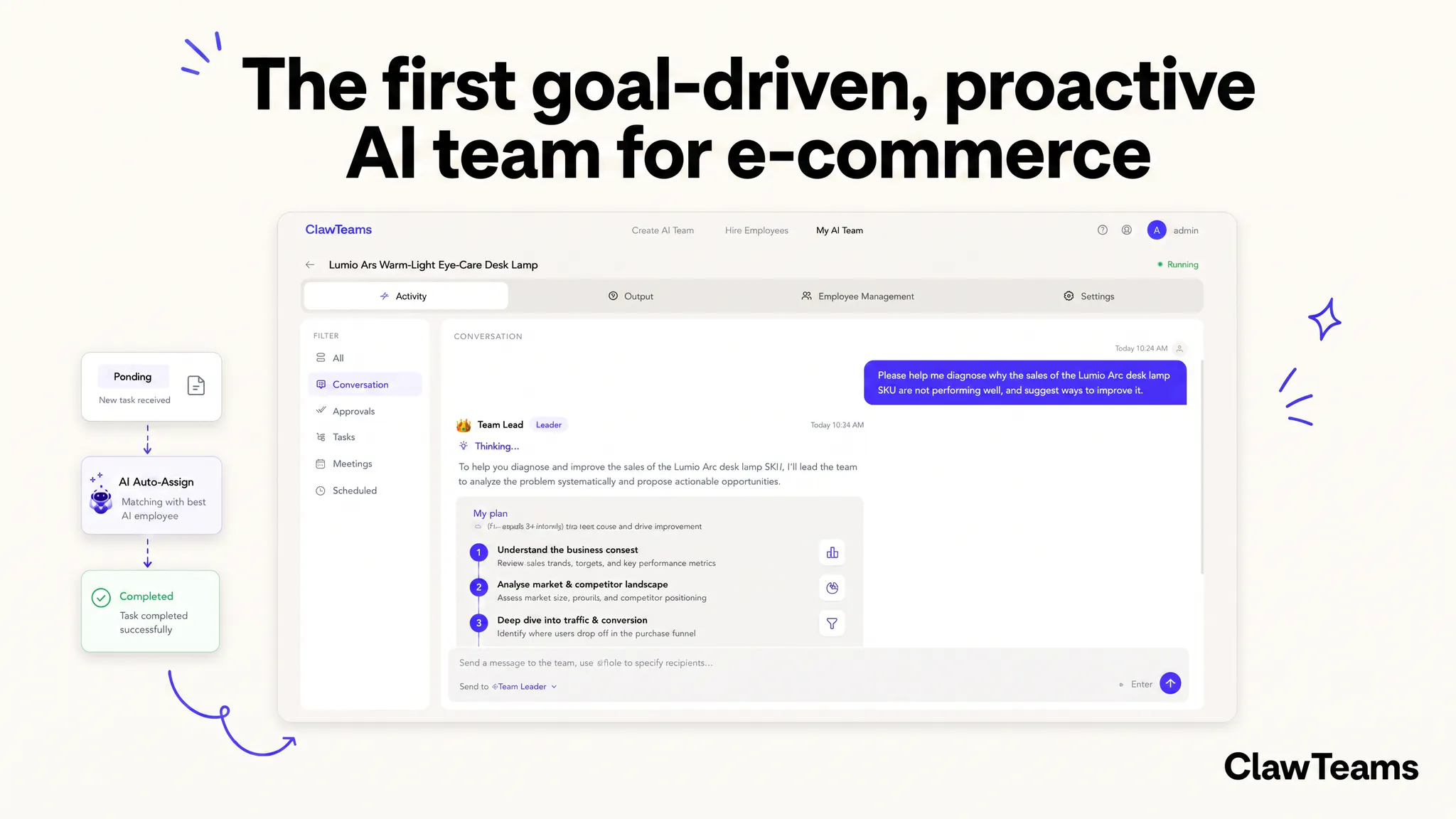
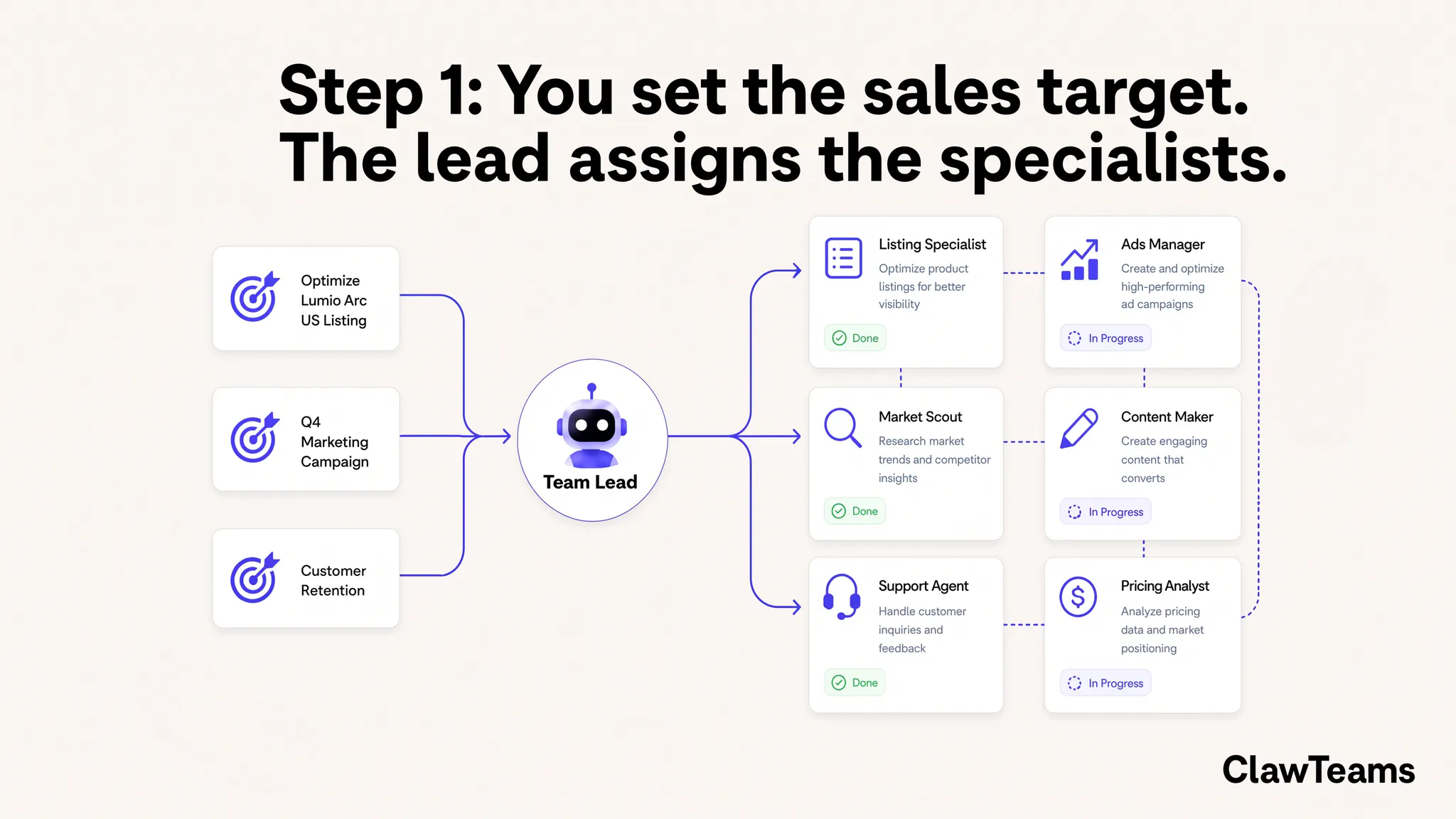
查看原始信息
loopclub
loopclub is a realtime, onchain drum machine — beat-making turned into a multiplayer, ownable act. Sporting a 16-step, 9-track sequencer running entirely onchain. The grid updates live as other people claim cells around you, so a loop is built collaboratively, in real time. Record a loop you like and every cell owner earns on each copy pressed. Or ask Claude to write you one. Listening and auditioning are free. Fully open source at https://github.com/mintcloud/loopclub
Hey hunters 👋 loopclub is one drum machine. Not one per user — one, globally. A 16-step, 9-track grid that everybody on the internet is playing at the same time, right now, as you read this. You light up a cell, it's yours for the next two minutes, and it's yours in a way that's a little unusual: every cell is a real write to a blockchain, not a UI state that syncs later. That sounds like a gimmick until you notice what it buys you — when a pattern sounds good and somebody hits record, the loop gets frozen as an edition, and everyone who owned a cell in that snapshot gets paid every time a copy is pressed. The drummer who put the kick in gets paid for the kick. Automatically, forever, without anyone having to agree on anything. That was the whole idea: what does collaborative music look like if attribution is just... a property of the instrument? Three things worth trying: 1. Just listen. Open it and you'll hear whatever the grid currently is. Tap any cell to audition its sound. No wallet, no signup, no email. Auditioning is free and always will be. 2. Jam with Claude. There's an MCP server — npx -y loopclub-mcp, or add it as a connector on claude.ai — that lets you say "dark techno, four-on-the-floor kick, off-beat hats, a low C2 drone" and get back a playable loopclub link with the loop pre-loaded. Claude does the musical thinking; the server just bit-packs it into a URL. Auditioning what Claude wrote you is also free. This is my favourite part of the whole thing and I'd love for someone to break it. 3. Actually play. This is the honest bit: to place a cell you need a funded wallet on MegaETH, because the cell is a transaction. Cells cost fractions of a cent; recording a loop costs 1 USDm. It's cheap but it isn't frictionless, and I'm not going to pretend otherwise. If you want to hear it and not deal with any of that, do #1 and #2. Why a blockchain, and why this one — the obvious question, so let me not dodge it. The product is realtime co-writing where authorship is settled as you play. That's write-heavy: every toggle is a transaction. On a normal chain, a hi-hat costs you a confirmation dialog, a few seconds, and a dime, and a drum machine where the hi-hat costs a dime is not a drum machine. MegaETH's blocks and sub-cent gas are the only reason the thing feels like an instrument instead of a form. It's genuinely the one design where the chain isn't decoration — take it away and there's no shared grid and no automatic payouts, just another jam app. It's open source (MIT, link above), the audio is all synthesised — a TR-808 emulation and a 303-ish acid line, no samples — and I built it because I wanted to hear what strangers would make on it. What I'd love from you: go make some noise and tell me if the grid sounds alive or dead when you land on it. That's the thing I most need outside eyes on. Ask me anything about the design, the economics, or the chain — I'll be here all day.
1
回复

@motionlessness This is a really creative take on collaborative music-making. I like how every contribution is recorded onchain and participants can earn when loops are reused, turning beat creation into a shared, ownable experience. The live collaboration and AI-assisted composition make it feel accessible for both experienced producers and curious newcomers. Best of luck with the launch!

0
回复

Played around with it for ten minutes and the live grid where everyone is carving out cells at once is oddly addictive. Fun that you can just ask Claude to whip up a loop and copy other peoples patterns with a click.

1
回复

@uleadalmoklm thanks for your comment, it means a lot. I am glad you were able to play around with the wallet and rent a few cells 🫡

0
回复

I did not know I needed a room full of strangers quietly building a beat alongside me, and yet here we are. Theo, this looks like the kind of place I could happily lose a whole evening.

1
回复
i couldn't put any cell from my phone. is it possible?
1
回复

@tan_z_tan have you tried setting up Megaeth MOSS wallet? You need that + funding it

1
回复

the way the grid pops in as other people lock in their cells around yours is genuinely satisfying, feels like a tiny shared studio.

1
回复

@kozlupolat10866 thanks for sharing, glad you enjoy it!

0
回复

Have you considered adding a way to lock down a row or column of cells so you can lay down a signature pattern without someone else overwriting your kick or snare mid jam. Would help a lot for keeping a groove steady while the rest stays collaborative.

1
回复

@aytengdapol that's a great suggestion. You've basically described what's already there, where the nuance is in the word "lock." A cell you rent can't be toggled by anyone else until it expires (the smart contract contract rejects it). What you can't do is hold it forever — a permanent free lock would just freeze the grid for whoever showed up first. So it's a lease: up to ~2 minutes at a time, a tiny amount of USDm, and renewing before expiry stacks on your remaining time instead of resetting it.

To make it fast, click a track name on the left — you get one-click row fills (4-on-4, offbeat, 8ths, full) that rent a whole pattern in one tx and never clear anyone else's cells. Lay your groove, then jam.

0
回复

To all those hunters visiting the page now (I see you on Umami 👀😅) would appreciate any questions / feedback. To those who have upvoted, a big thank you, it means a lot. Keep them coming!

1
回复

the "the chain isn't decoration" framing actually lands, most onchain gimmicks are a UI backed by a chain that didn't need to be there, this one would genuinely stop working without it. question on the Claude flow specifically: when Claude hands you back a pre-loaded link, is that loop just sitting client-side until you commit it, or does generating the link already claim/reserve those cells on-chain before you've even listened to it?

0
回复

@galdayan you can click 'rent those cells' after creating a jam, for example here

https://app.loopclub.xyz/?jam=ARERAAEQEAAAAAAAAAAAAABZKQeANIM0hDeGNIgyizCNLw

0
回复