Product Hunt 每日热榜 2026-07-17

PH热榜 | 2026-07-17

#1
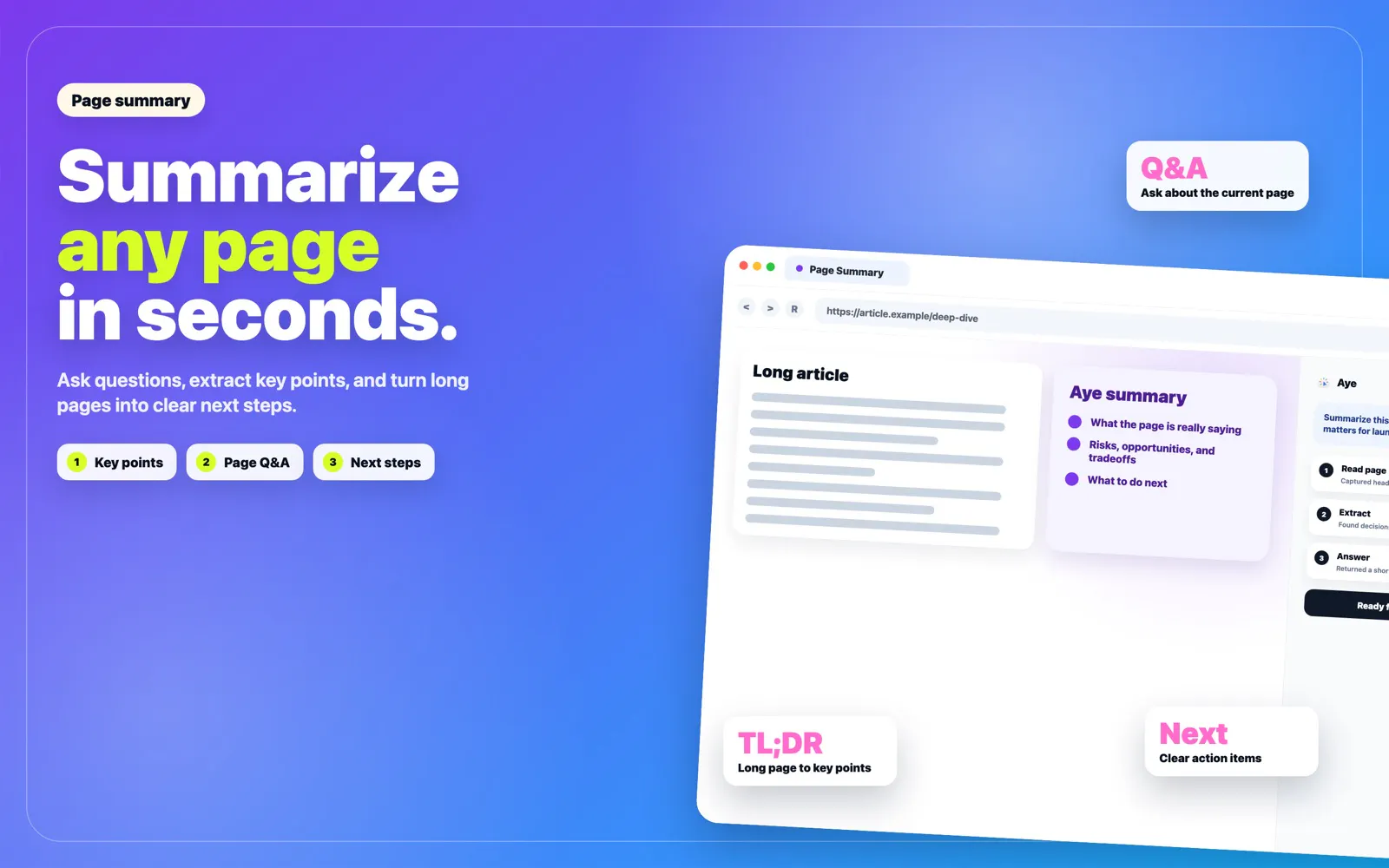
Unabyss for Claude
Shared memory across all apps and LLMs. In Claude
524
一句话介绍:Unabyss为Claude等AI助手赋予跨应用、跨模型的持久化记忆,解决用户需反复向不同AI工具交代同一背景信息的痛点。
Productivity Artificial Intelligence
AI记忆管理 跨模型上下文 MCP协议 工作流自动化 上下文冲突解决 智能体集成 隐私控制 知识同步 Claude插件 Portable Memory
用户评论摘要:用户高度评价其解决重复“简报”问题的价值,重点关注冲突解决机制的可信度(如旧可靠事实与新误抓信息的甄别)、敏感数据隔离(多客户场景)、记忆误存后的编辑便利性,并询问团队版和本地版本计划。
AI 锐评

Unabyss的精准切入点是“AI助手的失忆症”——当知识工作者每天在Claude、Cursor、GPT间反复粘贴同一段公司简介时,市场对统一记忆层的渴望几乎是病态的。产品从“又一个记忆App”转向“随行的上下文”,方向正确且狠辣。

但其真正的护城河不在于“能存”,而在于“怎么取”。评论中高赞提问都指向冲突解决引擎:如何区分三周前的稳定偏好昨天一时兴起的吐槽?如何确保旧Slack线程里一个误读的事实不会像病毒般污染所有会话?Unabyss声称的“检索时冲突解决”与“来源、重复度、作者权重”模型,听起来比简单按时间戳裁决更靠谱,但这套逻辑的鲁棒性在真实多客户、多角色场景下才见真章。

另一隐忧是“记忆黑箱”——即便提供编辑界面,用户如何高效发现一条沉睡的错误记忆?靠用户自查?那神器就沦为了体力活。必须期待其“Context View”能像版本控制一样提供完整的记忆审计树,否则企业级场景寸步难行。

产品策略上聪明的还有定价锚点(紧贴Claude Max订阅),以及借口“每天迭代”快速回应用户疑虑。但“代理敏感数据隔离”依然是悬在合作场景头上的达摩克利斯之剑。一句话:如果冲突引擎真能兑现“记忆版本管理”级别的可靠性,Unabyss就是AI工具链缺失的拼图块;如果不能,它只会成为另一层需要清理的信息噪声。目前来看,值得关注——但别急着把核心客户数据喂进去。

查看原始信息
Unabyss for Claude
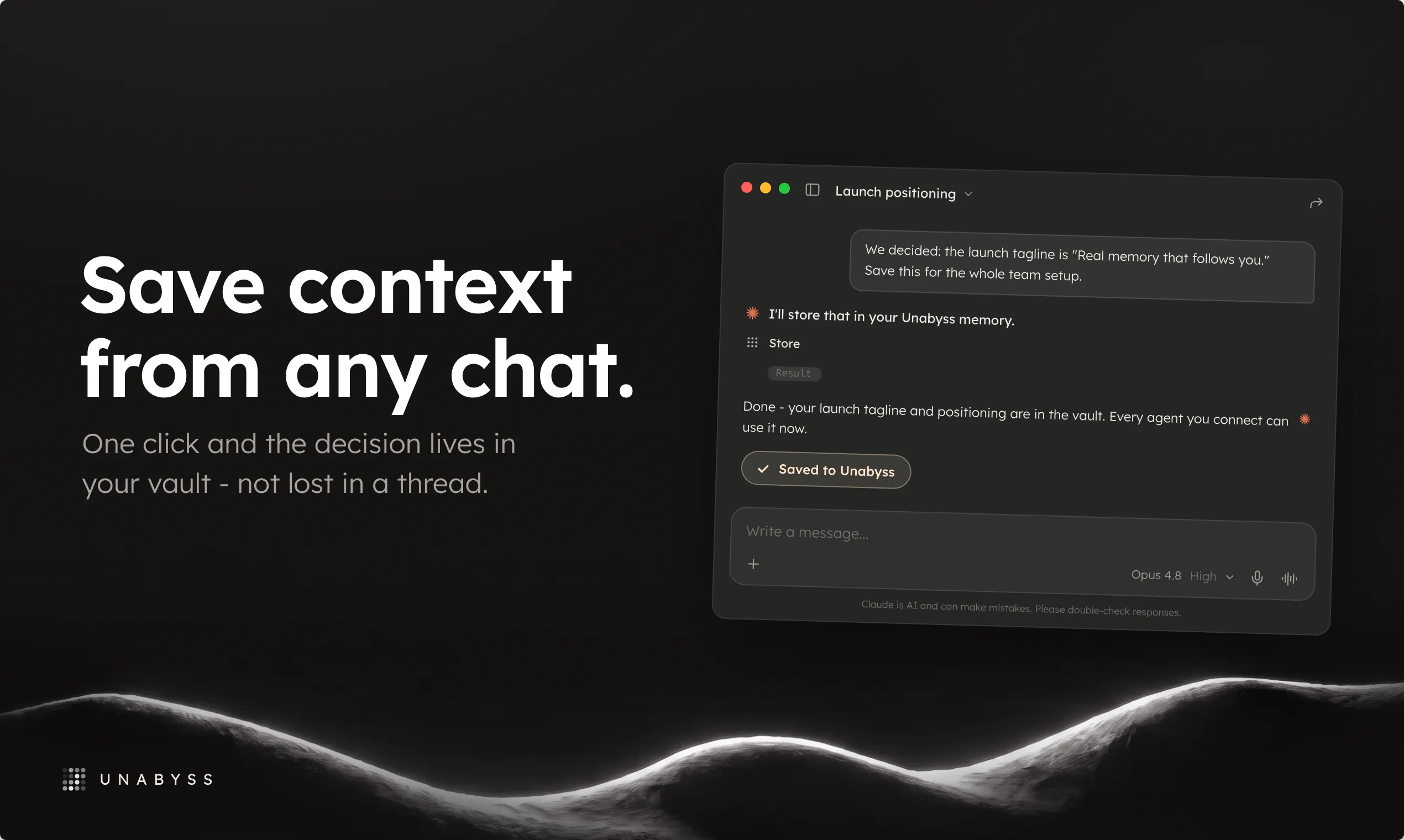
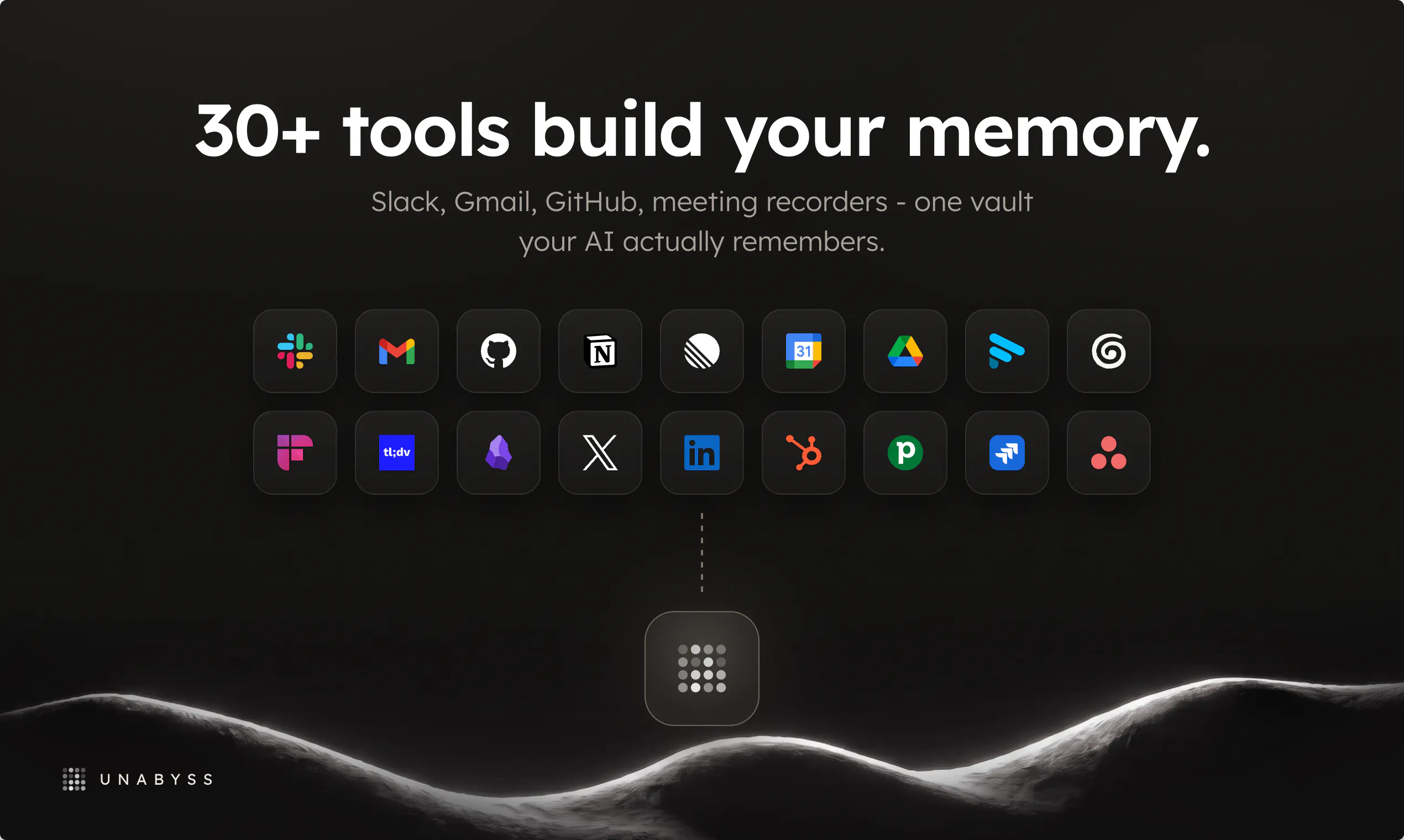
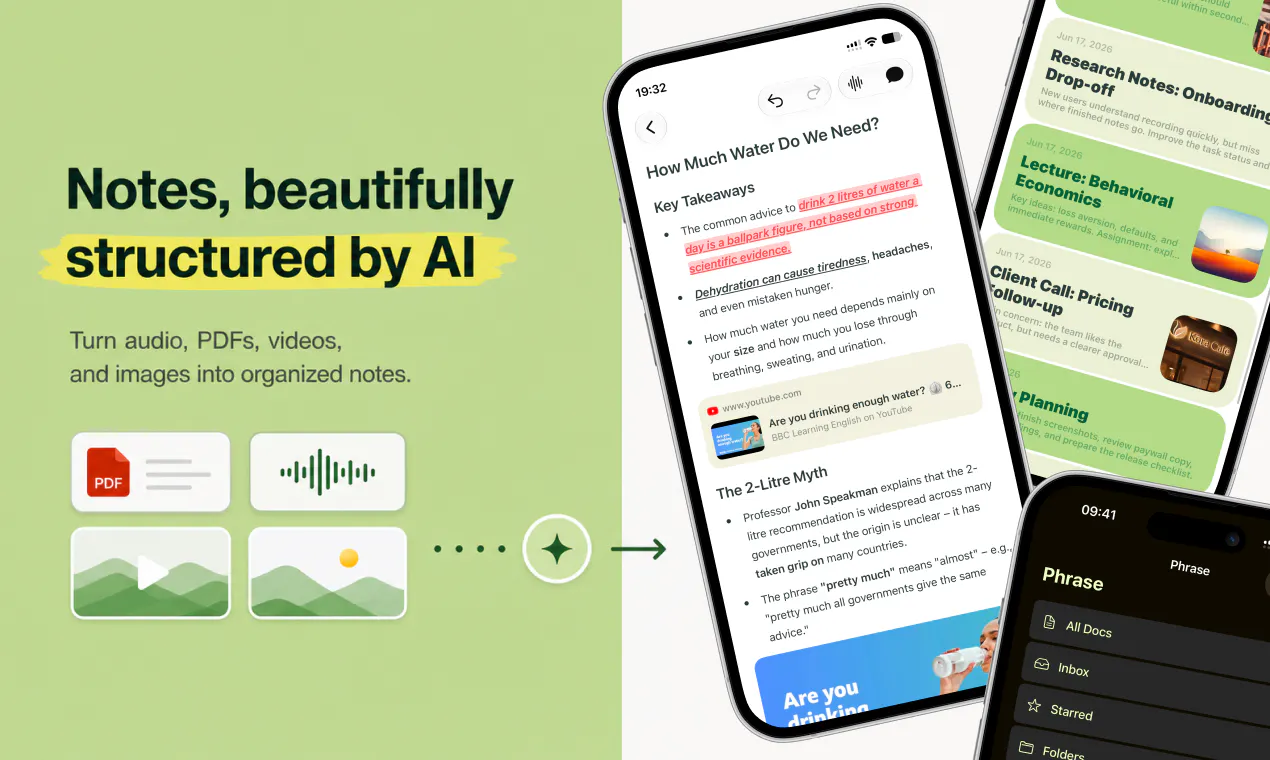
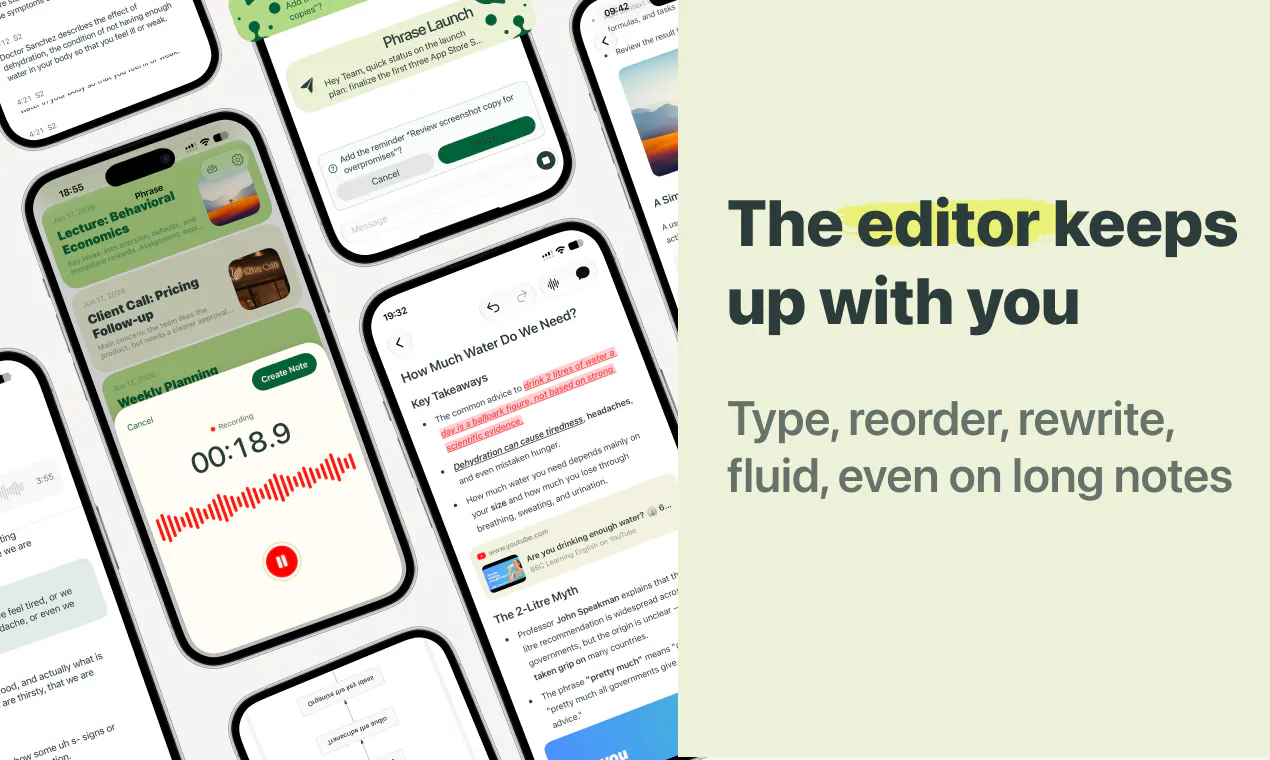
Claude doesn't know what happens in GPT. Neither one really knows who you are or what your company does. Now they can. Unabyss gives Claude memories from your other AI agents and everyday apps: email, Drive, GitHub, Notion, meeting recorders, and 20+ more. It saves new memories too, so GPT and Cursor stay in sync with the exact same context - sharper than wiring each tool into Claude one by one. Finally, a real memory that follows you. Private. Portable.

Hey PH 👋 Philip here, co-founder of Unabyss.

Our first launch, back in May, ended up winning #1 product of the day - still can't quite believe that one. Thank you!

Since then, we listened to your feedback & rebuilt the whole thing around one idea: your context should live where you actually work. So we moved Unabyss into Claude.

What's new since May - and why we're relaunching:

  • Claude-first, MCP-first. No browser needed anymore. Connect the MCP once, and everything happens inside Claude.

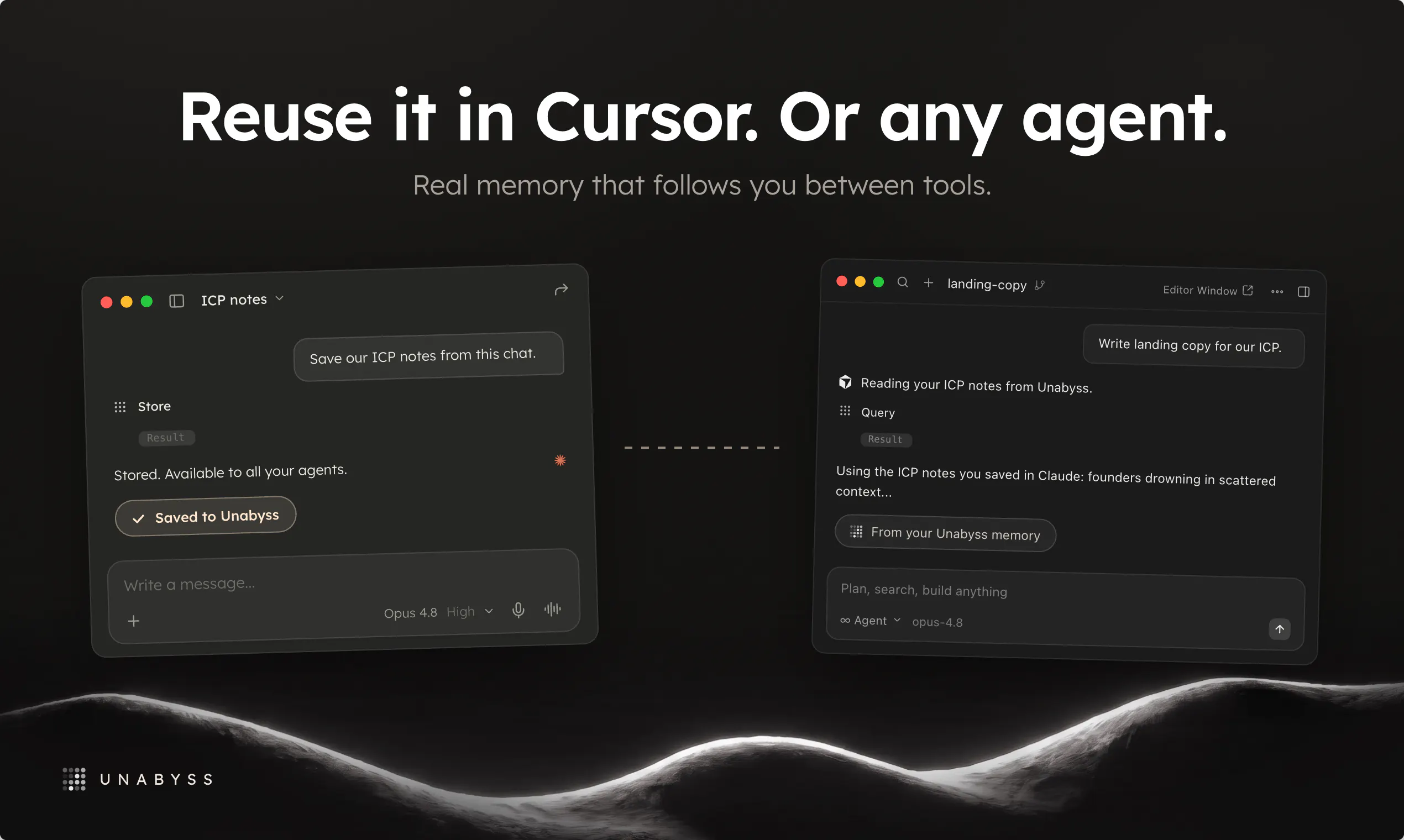
  • The part we're most excited about: save context from any Claude chat into Unabyss - and reuse it in Cursor, GPT, or any other agent. What you work out in one place carries over everywhere. Memory that follows you, instead of resetting every session.

  • Rebuilt the MCP from scratch, now loaded with 60+ skills - Claude just works with your context. No setup, no copying files between tools.

  • 15+ new integrations along the way: Obsidian, HubSpot, Notion, Asana, GitLab, and more.

Who it's for: builders wiring up AI tools, founders juggling context across a dozen apps, consultants who live in other people's stacks. Anyone tired of re-briefing their AI every morning.

Last time, we shipped a context layer you configured in an app. This is context that lives in Claude and travels with you.

We're around all day - try it at unabyss.com and tell us how you'd use portable memory, and what's missing. Tear it apart!


Yours,
Philip & the Unabyss team

27
回复

@philip_kubinski the line i'd underline in the pin is 'save context from any claude chat'. i keep md context files across four repos and the same fact lives in all four — nothing tells the other three when one changes. and that's the tidy layer: yesterday i pulled a price into a single constant, and the stylesheet next to it was still describing the old one in a comment. storing the file somewhere better wouldn't fix that. the file being a byproduct instead of a chore might.

3
回复

@philip_kubinski does Unabyss rank memories by relevance based on the user's current task, or does it expose the full context to the model? Intelligent context prioritization seems like it could have a huge impact on both response quality and token efficiency.

0
回复

@philip_kubinski Congrats on the relaunch 🚀

I really like the shift from "another memory app" to portable context that follows you across AI tools. That feels much closer to how people actually work today, jumping between Claude, Cursor, GPT, and everything else.

I'm curious, what's the most surprising workflow your early users have built with portable memory? Was there a use case that made your team realize, "We didn't originally design it for this, but it works brilliantly"?

Wishing you and the team another fantastic launch. Can't wait to see how far portable AI memory evolves! 🔥

0
回复

Are you introducing team plans?

4
回复

@jakub_witowski yes, next week. I'll let you know as soon as it's ready! But you can already onboard your team and we'll merge your accounts into one org in a few days.

0
回复

@jakub_witowski, we are multitasking - as we speak, the team plans are being developed :D.

0
回复

I live in Claude Code all day and maintain CLAUDE.md files across client projects, so the line about a context file being frozen the moment you write it hit home. Mine rot quietly until something breaks. Spent a while on your landing and FAQ before commenting, the comparison against built-in memory and plain context files is the clearest pitch I have seen for this category, and tagging by topic, sensitivity and source is the part that actually matters.

Two honest questions before I plug it into client work. First, when a wrong fact gets extracted from an old Slack thread, where do I see and fix it before it follows me into every tool? A reviewable, editable memory list would be the make or break feature for me. Second, for the agency use case, how confident are the sensitivity tags in practice? One client detail leaking into another client's session over MCP would end the experiment instantly.

Upvoted, and the Pro plan pricing next to a Claude Max subscription is smartly placed.

4
回复

@abdullah_javaid3 appreciate your feedback!

1. Wrong facts -> we have conflict resolution in place, so incorrect information won't be retrieved from memory. Facts are cross-checked against other, more recent memories before they're retrieved.


2. Source tagging is bulletproof. Permissions for sensitive/confidential data are handled by the agent, so I can imagine edge cases where things don't work exactly as intended. Agency use-case is very specific and we're launching the agency context architecture soon. Memory silos will be fully isolated, making this 100% secure. Until then, I'd recommend using source-level (connection-level) permissions.

Happy to update you when 2) is live!

3
回复

@abdullah_javaid3 About the wrong facts and conflicts, we have the conflict resolution engine that works in the background. But if it misses something, you can always adjust it in any agent the Unabyss is connected to or in our in-app context chat. Fixed in one place - fixes it everywhere.

Our permission layer is overprotective. So it is more likely you will get less confidential data than it will return something that it should not.


If you could find time to share your feedback from using Unabyss, it would be great - we ship every day, so if something does not work perfectly, it should be fixed in a few days ;).

2
回复

Congrats on the launch! The retrieval-time conflict resolution looks to be the crucial part? A lot of memory layers just dump everything into context and let the model referee - but you look to be on the right path. QQ - recency as the tiebreaker assumes newer means truer, but a stable preference from 3 months back usually beats something I typed once yesterday in a bad mood right? How do you guys tell a durable fact from a throwaway one when the two collide?

3
回复

@artstavenka1 thanks! We have a complex conflict resolution engine. When some memories conflict, we don't rely only on the date but also on the source, repetition, who the author is, etc. If automatic resolution raises concerns, we are adding a note explaining why this data changed and when.

2
回复

wooow does it mean i can connect all my dating apps and claude code will understand what’s my type??

3
回复

@kyzo :D why not - this sounds like a valid use case

0
回复

@kyzo yup, and if you share your MCP with your match, you can skip dating. You'll already know everything about each other!

1
回复

When local version? I need to start pushing this to my clients.

3
回复

@greenparrotnow we're shipping local memory next week. I'll share closed beta with you via DM!

0
回复

@greenparrotnow already in progress ;) local version is launching soon

0
回复

Hey guys! Quesstion. There are many shared memory apps out there. What sets this appart from the rest? Also curious about the name, its great! What was the reasoning behind the name? Thanks 🙏

2
回复

@conduit_design first of all, we want to work in the background. Once you set up, there is no need to change how you interact with any agent. Unabyss does its thing, and you don't even know about it - you just see better results from agents and fewer questions asked.

About the name (thanks!), it comes from a combination of 2 words: "un" + "abyss" - as you can see in the screen below, when you hover over the logo in the footer, you will see the full etymology.

1
回复

Congrats on the launch! The re-explaining problem is so real, I probably retype the same company context into AI tools five times a day. Curious how you handle context that goes stale, like if my role or product changes, does Unabyss detect that from my connected apps and update automatically, or do I need to correct it manually?

2
回复

@philip_sorensen Thanks! About your question: every time a new item is fetched from the connected app, it is analyzed against the current context. Unabyss checks for conflicts, dates, and identities - if new data is better used to update an existing entity than to create a new one, the update will happen. This ensures that the context is always up to date.

0
回复

I'm a designer, can I use it for multiple clients branding guidelines and other context?

2
回复

@aleksandra_dabrowska02 yes! you can connect it to our Notion board with the client list, Gmail, and Calendar to get the full context, and then use it in Claude to get whatever you need!

0
回复

Strong idea - managing the agent memories is far from obvious.

2
回复

@therealkaczor thanks! We think we know how to crack it ;)

0
回复

the onboarding flow for picking which apps to sync feels really thoughtful, especially how you can preview exactly what each AI will see before sharing. nice touch.

2
回复

@yaar58863951762 

Thanks! That's one of the changes we've introduced after feedback from our users - glad to see it improves your experience :)

0
回复

@yaar58863951762 thanks! feel free to share your feedback anytime ;)

0
回复

Nice idea. Congratulations!

How easy is it to clean up or remove memories if something gets saved by mistake?

2
回复

@henry_habib extremely easy :)

if something gets saved by mistake, you can ask Unabyss to edit/remove it wherever you use it (Claude, GPT, Cursor, or in Unabyss itself :))

and you want to know what Unabyss knows about specific topic - you can talk it through. And (on Monday) we'll release Context View, where you'll see every information that Unabyss has!

0
回复

@henry_habib super easy, there are 2 main ways in which you can do it: talk to our context agent in the app or do the same in your Claude, ChatGPT, or Hermes. Once you adjust it, it will stay fixed in your context.

0
回复

Huge congrats🙌 on the launch.. evaluating the new connector nodes right now and the sync times look incredibly tight. quick question how does the system manage context safety checks to ensure one client data node never leaks into an active workspace thread?

2
回复

@priya_kushwaha1 thanks!

We worked very hard to improve sync times :)

1
回复

How do you ensure that Claude & ChatGPT have the same memory? And does it work for OpenClaw too?

2
回复

@amanda_baldwin1 

Everything happens via our "store" tool in memory. You can save every conversation to Unabyss - just call it manually (e.g. "save it to Unabyss") or adjust your e.g. Claude preferences so that every chat is saved to your memory.

Some users choose the 1st option, some the latter - depending on how much information they want to transfer to Unabyss.

And yes, it works for OpenClaw too! In general, it works with every AI tool that has MCP :)

0
回复

@amanda_baldwin1 when you are onboarding a new agent to Unabyss, there is a short setup/onboring flow that allows you to pick what you want to save. Based on that, you get global instructions that you can paste in your preferences - this way, context always flows between agents effortlessly.

0
回复

Shared memory sounds simple until two apps write conflicting facts about the same user and the model has to reconcile them. How are you handling write conflicts and stale context across sources? That is where most memory layers break down under real usage. Good problem to be working on.

2
回复

@shivangit26 totally agree! Unabyss executes conflict resolution just before retrieval, so any potentially incorrect fact is checked against other memories, with recency taken into account. Outdated or incorrect information are simply filtered out before being returned.

And btw this is a core part of our memory architecture, and we're improving it every day. Literally!

0
回复

This new version looks cool. How does permission layer works? Can I give access to my context to someone else?

1
回复

@karolina_uchacz of course, you can give an access to your context to your brother for example! :))

0
回复

Following this one because I trust the team behind it. Genuine question for anyone who's set it up: how deep does the context actually go on day one vs. after a week of syncing? That's the part I'd want to see before I move my whole stack over. Either way, congrats on the relaunch 🎉

1
回复

@florian_hofmann2 thanks a lot!

0
回复

Congrats on your relaunch!! Have you seen more adoption from individual power users or teams?

1
回复

@tarqiya_forgah Thanks! We have a lot of power users, but interest from teams is strong too. We will be launching team plans next week to accommodate the interest ;)

0
回复

I run a hand-rolled version of this for a fleet of Claude agents — plain files, one fact per file — and the failure mode that taught me the most wasn't retrieval, it was propagation: one agent writes a fact that's slightly wrong or goes stale, and every other agent confidently inherits it. So my question is about contradictions: when a fresh observation from Gmail disagrees with an old memory that came from Notion, does the old one get overwritten, versioned, or decayed? And can I audit which app wrote a given memory? Provenance is the part I'd actually pay for.

1
回复

@mystoryland Hi Olga, in Unabyss, you can see what the source origin is. In terms of conflicts, we have a resolution engine that checks incoming memories against existing data and evaluates them based on date, origin, author, and other factors. Most of the time, it handles it well, but if it gets unsure, then it will leave a note next to the change, explaining why and when it happened.

0
回复

Good luck with the launch you guys

1
回复

@albattran thanks a lot!

1
回复

Finally something that fixes the “let me paste my whole life story into the prompt again” problem. Hooked it up to my notes and Gmail, and Claude actually remembered my project context without me retyping anything.

1
回复

@asiyel42174 we are glad you like it!

0
回复

The MCP-first approach is the right call, and I like that conflicts get flagged to the user instead of the system silently picking one source over another. Most memory tools quietly decide what's true about you, this one at least asks.

One thing I didn't see addressed yet in the thread, when context gets pulled from something like Slack or Gmail that includes other people's names and info alongside yours, is there any filtering to keep that out of your personal vault, or does the extraction just take whatever's in the source as-is.

1
回复

@malpunek Congratulations. And happy product launch.

1
回复

@huisong_li Thanks a lot!

0
回复

Epic! Looking forward to trying this out.

Congrats on the launch 🚀

1
回复
0
回复

Legit ran into this issue when Launch QA time came up. Lots of missing pieces where I had to hunt down Product.md to double check items. This looks slick.

1
回复

@therealced thanks! With unabyss this should never happen again ;)

1
回复

Finally something that fixes the endless copy-pasting of context into every new chat. Hooked it up to my notes and Linear, and Claude actually remembered what I was working on without me prompting.

1
回复

@celalgmubusiuw awesome!

0
回复

Really like the direction. Curious what the initial setup looks like time-wise, is it minutes to connect your core apps, or more of a gradual thing as it learns you? Either way, nice launch!

1
回复

@aima Thanks, so the initial setup takes up to one and a half minutes. Then, depending on how many items are pulled from connected apps, the first sync will take minutes; larger syncs take 10-30 minutes. Either way, it's a one-time setup, and after a few minutes you can start getting value from Unabyss, and that value only grows the longer you use it.

0
回复

Philip, having to explain who I am all over again every time I start fresh gets old fast, so this really clicks for me. Keeping a hand on what each tool gets to see is the part I appreciate most.

1
回复
0
回复

Congratulations on the launch! Is there a way to whitelist/filter certain apps? What I meant to say I do wanna connect notion/google meet but want to filter it out from certain documents or meets. so that it don't sync everything to claude.

1
回复

@ashishkingdom Thanks! Every time you connect a new agent to Unabyss, you can select what this agent will get. You can give it full context access or filter out confidential information, personal or business, but you can also filter out context that was fetched from the chosen app.

1
回复

The landing page UI alone made me want to try it - super smooth, intuitive, and instantly communicates what the product is about. Congrats on the launch!

1
回复

@natella_nuralieva thanks! we aim to polish not only the context but the designs too ^^

0
回复
#2
Pebbles Ai
AI sales platform for modern B2B teams
391
一句话介绍:Pebbles Ai是一个将GTM策略、线索生成、个性化外联和销售执行整合于一体的AI操作系统,专为B2B团队解决工具碎片化和流程割裂的痛点,用神经符号AI替代多个独立订阅。
Sales Email Marketing Artificial Intelligence
B2B销售平台 GTM操作系统 神经符号AI 线索生成 销售赋能 外联自动化 AI工作流 营销技术 企业级AI 销售效率
用户评论摘要:用户质疑Demo在混乱CRM和真实销售周期中能否有效;担忧“增强”实为“替代”人力;关注品牌语音学习机制和自动跟进是否智能;询问定价策略;认为早期创始团队负担不起高价位。建议对零到一阶段用户更友好。
AI 锐评

Pebbles Ai的叙事巧妙地将“GTM工具碎片化”这一普遍痛苦,与“神经符号AI”这一硬核技术绑定,塑造了技术深潜者的人设。其核心价值并非单纯的多合一集成,而是在于用结构化逻辑层(符号AI)约束大模型(神经AI)的幻觉,这在需要精准策略和可审计性的B2B场景中,确实比通用LLM wrapper更具破坏力。

但产品面临两个现实挑战:第一,从用户评论可见,“销售周期适配度”和“AI替代恐慌”是悬在头上的剑。尽管团队强调“增强而非替代”,但“一个营销人顶三个”的案例极易引发一线执行者的防御心理。第二,定价虽分层清晰,但核心功能锁定在Team(349美元/月)及以上,这与“解决创始人冷启动”的使命存在错位。Pro版(49美元)功能是否足以拉开与竞品差距,决定了它能否成为真正的“大卫的投石索”。

真正的价值验证在于:当它面对一个CRM数据稀烂、销售流程非标的真实团队时,神经符号推理是能自适应调整,还是像评论所言“崩溃在模板之外”?若能在复杂现实场景中跑通,它将是GTM领域的“大模型基座”;若不能,它只是又一个包装精良的“AI瑞士军刀”。

查看原始信息
Pebbles Ai
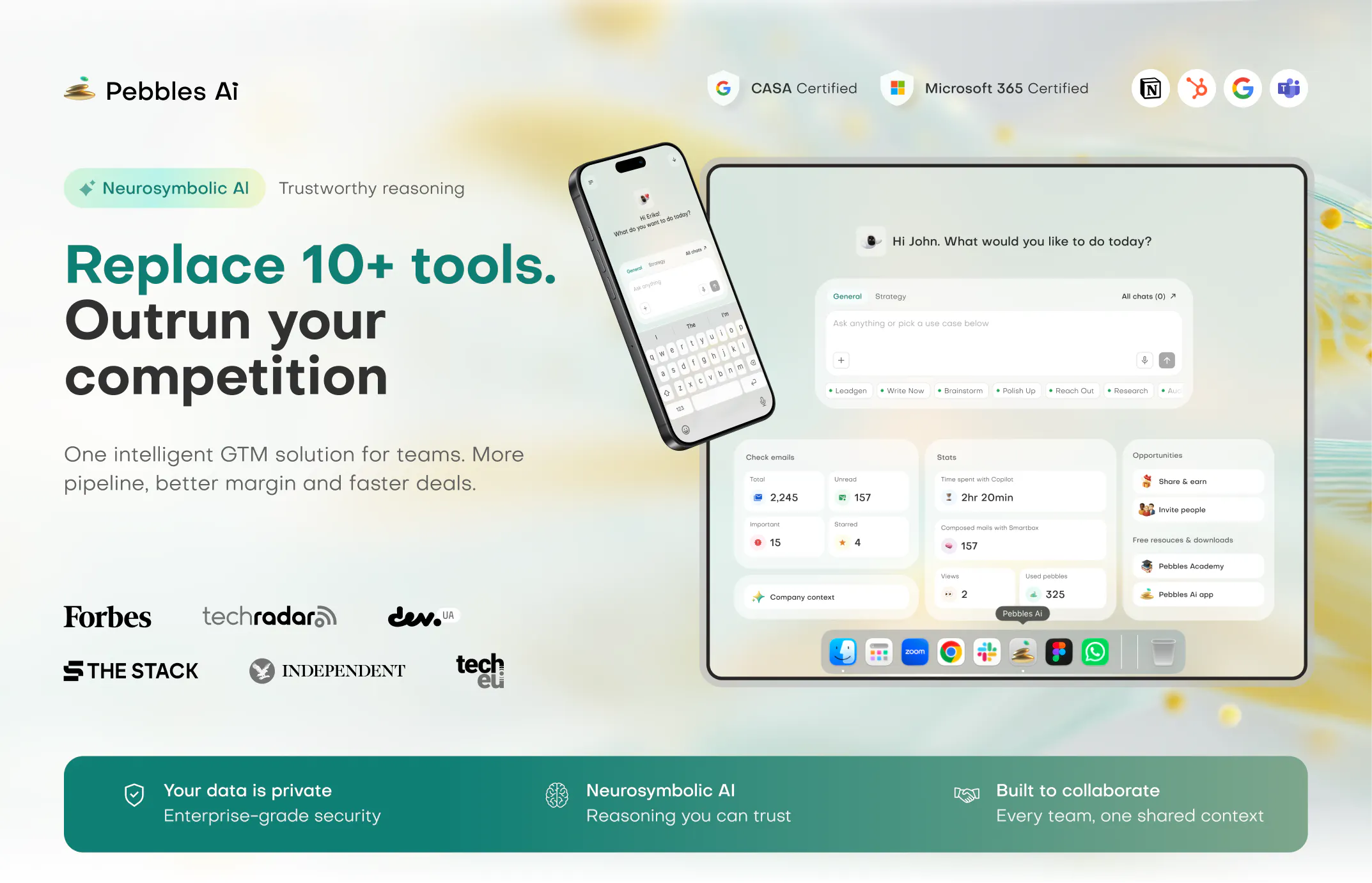
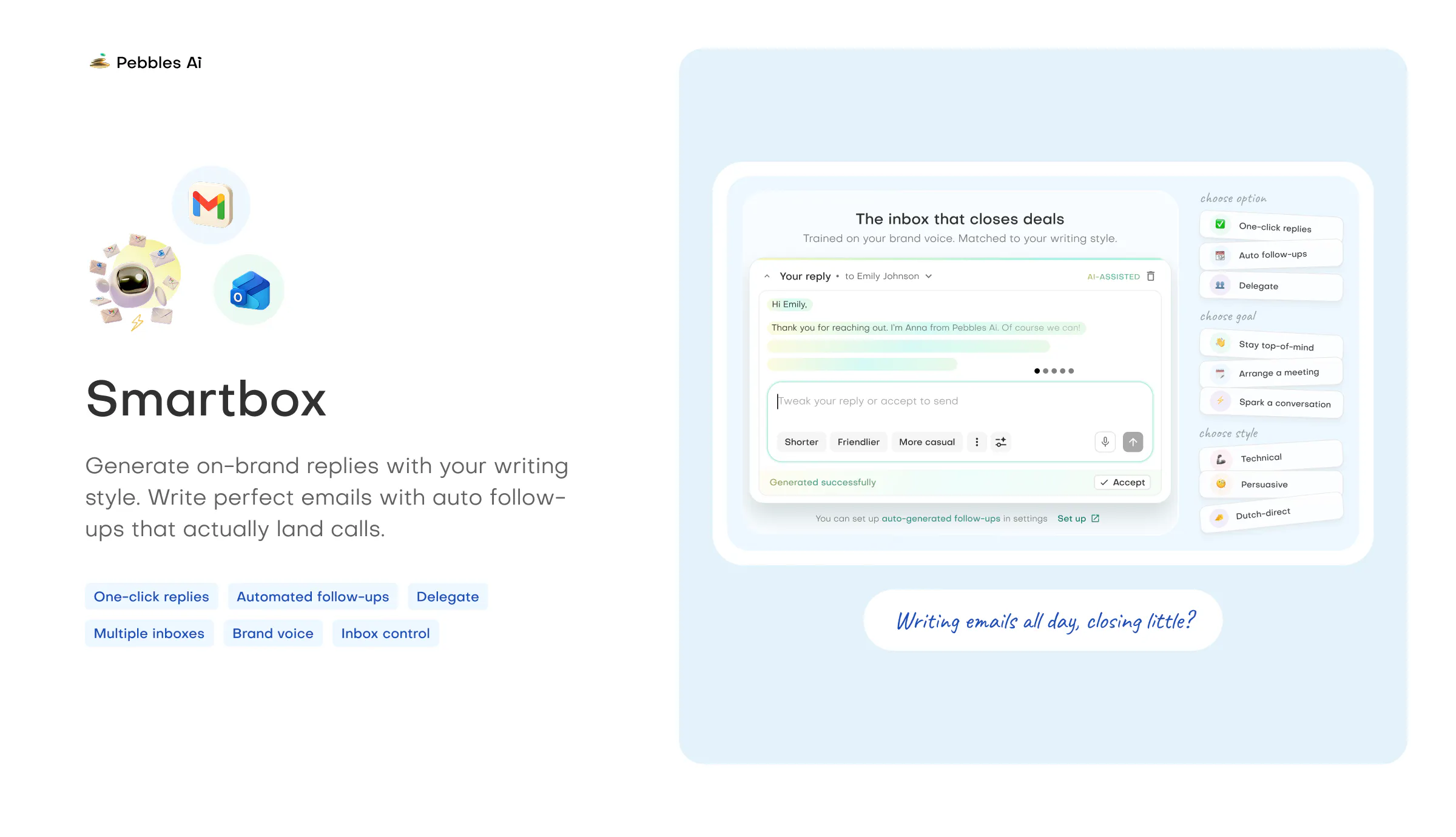
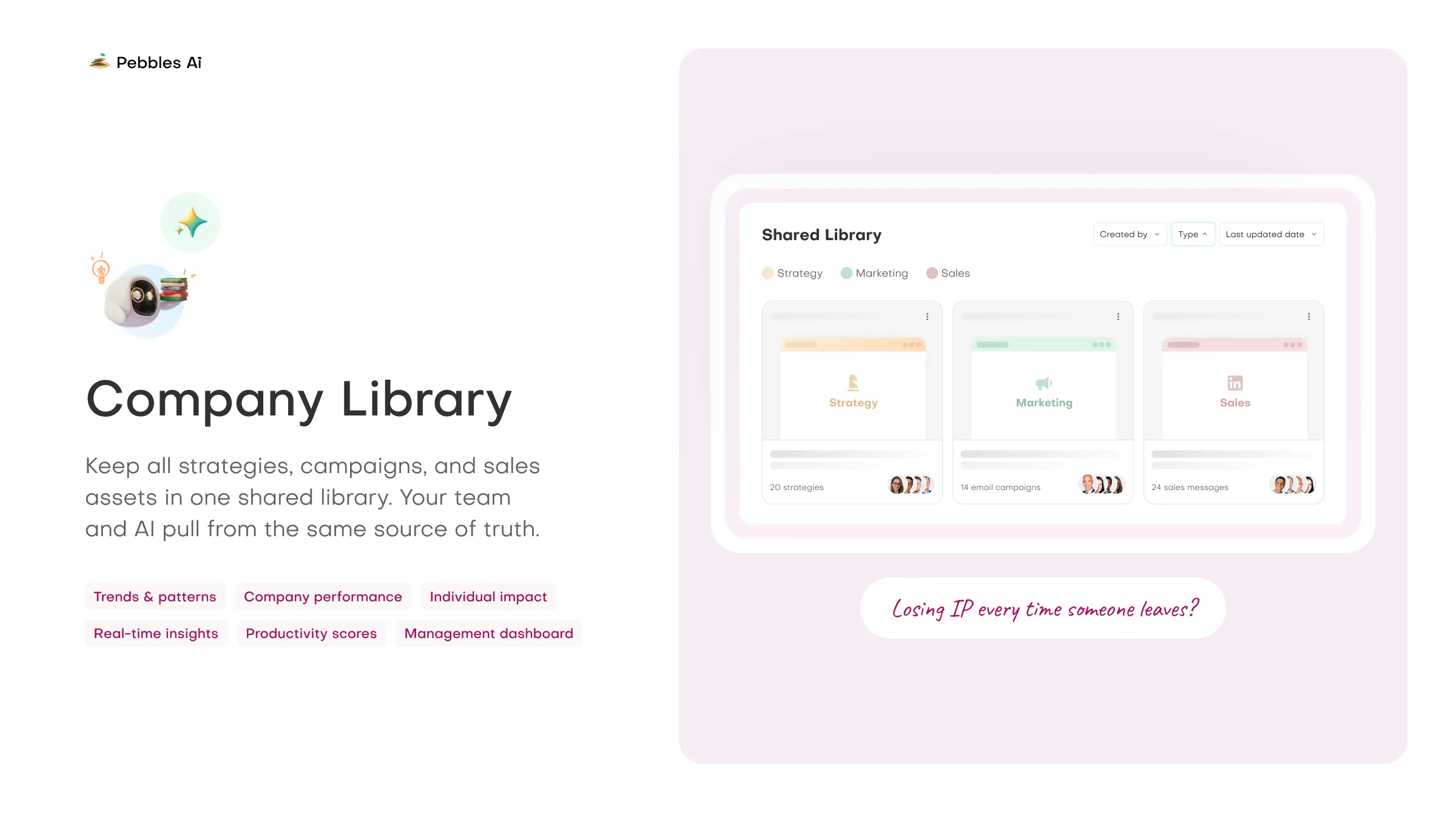
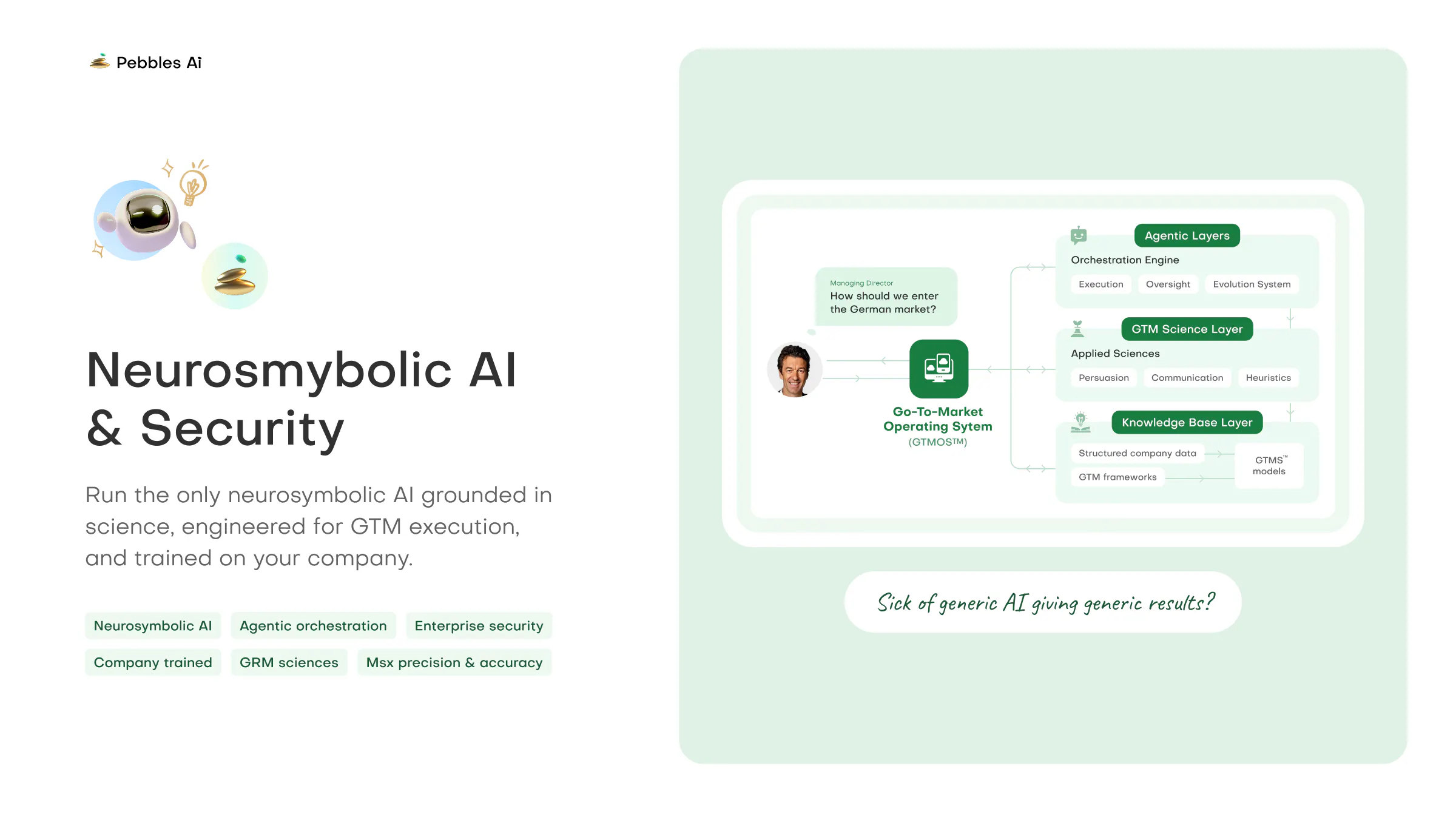
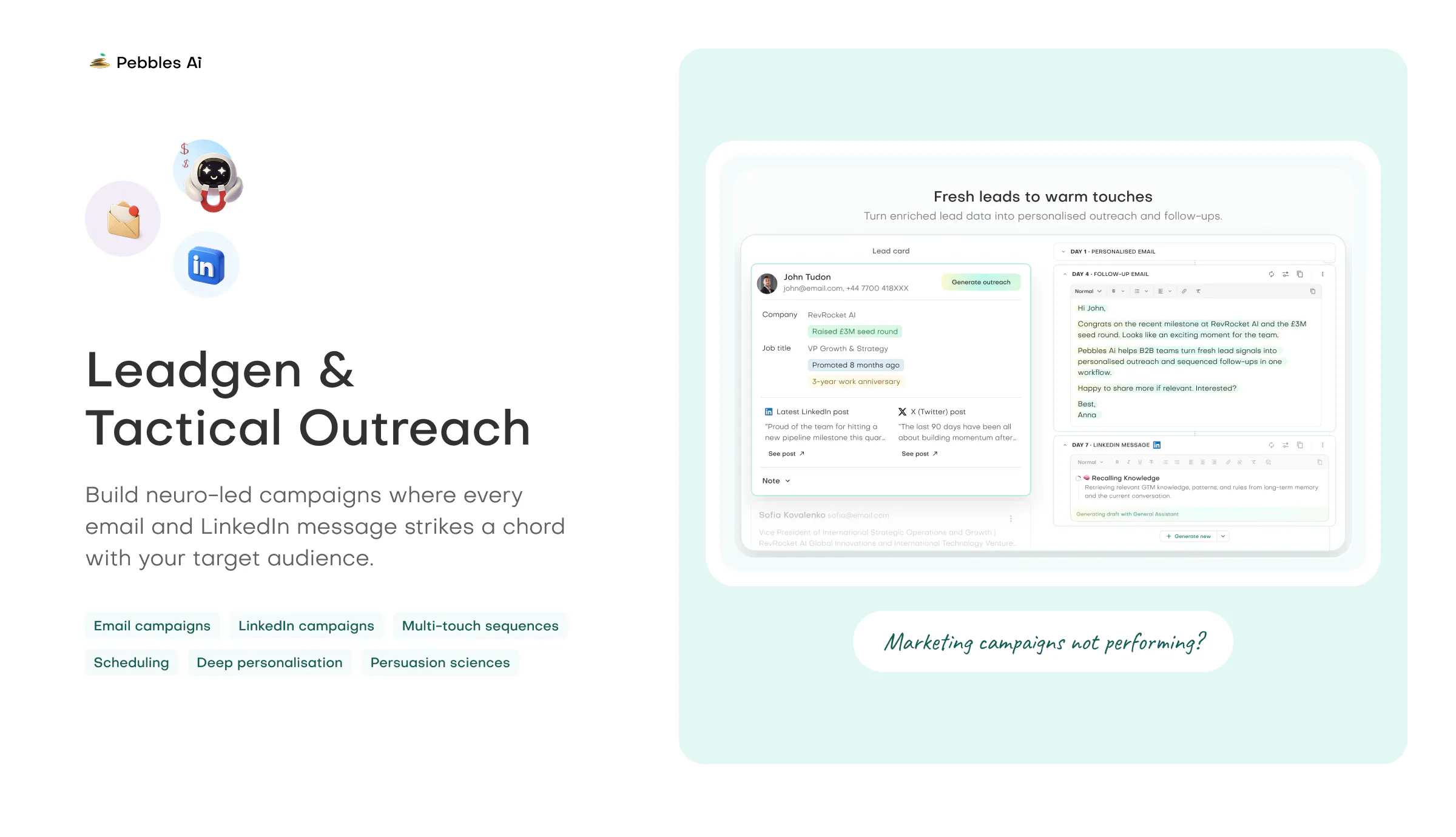
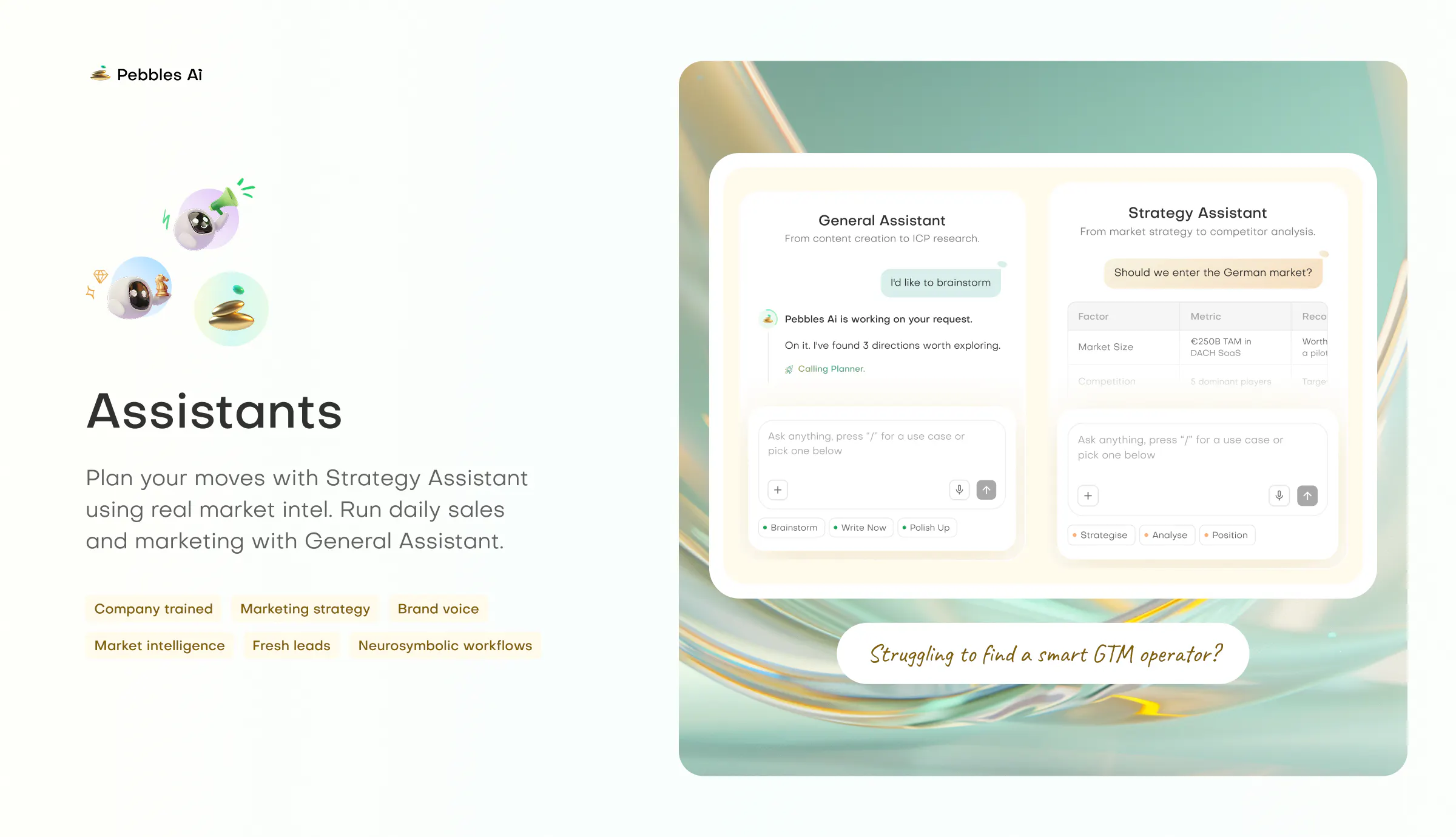
The only GTM orchestration platform you will need to successfully take your products & services to market. Pebbles AI is a Go-To-Market Operating System built for B2B revenue teams. It brings strategy, lead generation, outreach, sales, & shared company knowledge into one AI-powered workspace. Using neurosymbolic AI trained on your business, it helps teams plan campaigns, personalize outreach, generate qualified leads, & execute without switching between disconnected GTM tools.

Hey Product Hunt! 🙋🏻‍♂️

My name is Dmytro Antoniuk, and I'm the Chief AI Officer at Pebbles Ai. I'm incredibly excited to introduce Pebbles Ai to the community today.


What are we solving?

Getting your first customers is the hardest part. You instantly get pulled in many different directions: market research, finding target leads, writing cold outreach, and managing follow-ups.


Before you know it, your day is swallowed by a chaotic pile of disconnected AI tools. Teams end up wasting time switching between tabs, losing context, and burning budgets on a dozen different subscriptions just to align sales and marketing. It shouldn't feel this fragmented, and it definitely shouldn't feel this overwhelming.


We built Pebbles Ai to collapse that heavy, expensive stack into one secure, unified workspace for your entire growth team.


Who It's For?

B2B growth teams and professionals across sales, marketing, and RevOps trying to land their first or next customers.


What is the solution?

Pebbles Ai brings your strategy, audience targeting, and outreach into a single, connected loop. It combines advanced neurosymbolic AI with real B2B growth expertise so teams can work together in one place.

  • Learns your product and tone of voice from your brand docs, so you never re-explain your business

  • Reads B2B market signals to find your ideal customers and split them into clear segments

  • Acts like an in-house strategy consultancy and content agency in one

  • Crafts multi-touch campaigns tailored to each segment automatically

  • Keeps your data private in tenant-isolated architecture (CASA II certified)

We are live in the comments all day! Check out trypebbles.ai, give it a spin with your team, and let us know your thoughts. We would deeply appreciate your support and feedback today! 🚀

25
回复

@dima_antoniuk I like that Pebbles AI brings the entire GTM workflow into one place instead of forcing teams to jump between multiple tools. Combining strategy, lead generation, outreach, sales, and shared company knowledge in a single AI-powered workspace could make execution much more consistent. The use of neurosymbolic AI trained on a company's own business is an interesting differentiator, especially for creating more relevant campaigns and personalized outreach. Best of luck with the launch!

0
回复

@dima_antoniuk On the buyer side, most "AI sales platform" demos fall apart the moment they hit a messy CRM and a sales cycle that doesn't match the template. How much manual mapping does it take before the AI is actually useful, and does it augment the reps' judgment or try to own the first touch?

5
回复

@dima_antoniuk The "augment, never replace" framing is one I want to believe, but I've seen it used as a soft landing for tools that quietly just replace people. The stat that stands out to me is one marketer delivering the output of three, genuinely impressive if true, but it raises a real question about what happens to the other two.

I'm not being cynical. I think there's a version of this that's genuinely positive for the people using it. But I'd love to hear from anyone on the team or in the community: does the tool expand what you're able to do, or does it mostly compress headcount? And how does the team think about that tension internally?

0
回复

Thank you for stopping by our Pebbles Ai page. This is our story.

Three years ago, we set out to build something the market simply didn't have. We did it the hard way.


We built the brain first, the neurosymbolic AI, then wrapped the operating system and the workflows around it. Everyone else builds the car and forgets the engine. We built the engine, then realised we should probably add doors.


We didn't wrap a general-purpose LLM in a logo and call it a Series A. We refused. To make things more difficult, we built it across two cities: London (UK) and Lviv (Ukraine).

If you've been following what's happening in Ukraine, you know what that means. Our team has built the smartest GTM solution on earth through air raid sirens, blackouts, and nights filled with whistling ballistic missiles.


They never stopped shipping.

Honestly, the team jokes that the war wasn't even the hard part. Building something this new, this wide, and this deep all at once, an entire operating system grounded in empirical science, from scratch, that was the truly terrifying bit. The missiles were just the background music.

So why would you put yourself through all of that?

In hindsight, therapy would have been cheaper. But less scalable.

Because the commercial game is rigged. Enterprise companies hoard the best talent out of universities, pay obscene salaries, and keep the most advanced tools for themselves.

The rest of us? Mere peasants in a story of oligopoly kings.

The result is the erosion of small and mid-sized businesses. And just like the erosion of the middle class, that's bad for capitalism, bad for the economy, and frankly bad for democracy.

So we wanted to level the playing field. To give David the slingshot he deserved, our technology, so he can take Goliath down a peg and steal real market share without breaking the bank.

We're not throwing stones. We're slinging lethal pebbles at Mach 3 speed.

That's the whole point. Enterprise-grade go-to-market firepower, in the hands of the people with big ambitions and great products.

So how do I know you won't just burn my money?

We're not the startup that raised millions and blew it on ping-pong tables and Super Bowl ads.

We raised millions and spent it on the least glamorous thing imaginable: making it actually work. 87% went straight into the technology. The team took pay cuts. The founding team forfeited salary for three years. Our accountant thinks we're a charity.

Because we'd rather give the world something that actually works. This was never going to be easy, and we needed every dollar in the tech.

So what did you actually build?

The world's first Go-To-Market Operating System (GTMOS™), powered by 8 neurosymbolic AI cores, where management, marketing, and sales all work together in one workspace.

We went wide: one platform that replaces 10+ tools. And we went deep: real reasoning under every feature. One stack to replace them all. Sauron would be jealous of the licensing savings.

Every capability is custom-built for precision, accuracy, and commercial efficacy. And like real departments, they talk to each other.

So you can replace your whole stack with one GTMOS, pay less than you do today, and get an intelligence that understands your company better over time.

One last thing. Your assistant isn't built to agree with you. It's built to make you succeed. It will push back. It won't stroke your ego, because it can't stroke your ego and make you win at the same time.

It only cares about your success, not your feelings. Refreshing, we know. These are autonomous, top 1% domain-expert thinkers, built to guide you through the maze of go-to-market.

So who's actually behind this?

I'm endlessly proud of the people who built this, many of them while their country is at war:

And thank you to every early adopter showing interest in Pebbles Ai. I'm truly humbled, and I appreciate your time and intellectual curiosity.

Go sign up, it's free. Built for people with big ambitions and small teams. Emphasis on small. Push the system hard. Tell us what you love, tell us what you want more of, and help us shape it around you.

💛 If you're an entrepreneur: just follow and message me. I will personally give you a 30-minute demo and show you how Pebbles genuinely improves your professional life, strengthens your team, and transforms your company.

Whether you are an early-stage startup of two co-founders or a mid-market organisation with 1,000+ employees, you will see how science and technology applied to GTM can move the commercial needle without breaking the bank.

Or, alternatively, if you would rather not talk to anyone:

  • Head to Pebbles Ai and discover it without any cost ("start free" button)

  • No credit card required. A generous AI allowance. Up to 3 seats included

  • And 3,000 fresh leads to get you started!!!!!!!!!

🚀 PRODUCT HUNT EXCLUSIVE. 24 HOURS ONLY.

7
回复

For investors (VCs/Angels) we are incidentally also raising our first institutional round (Seed). Get in touch!

5
回复

Anyone who's run go-to-market knows the pain: five tools, three tabs, and a strategy deck nobody's opened since Q1. Love that Pebbles Ai is fixing the mess instead of adding to it.

Can't wait to try it – congrats on the launch! 🚀

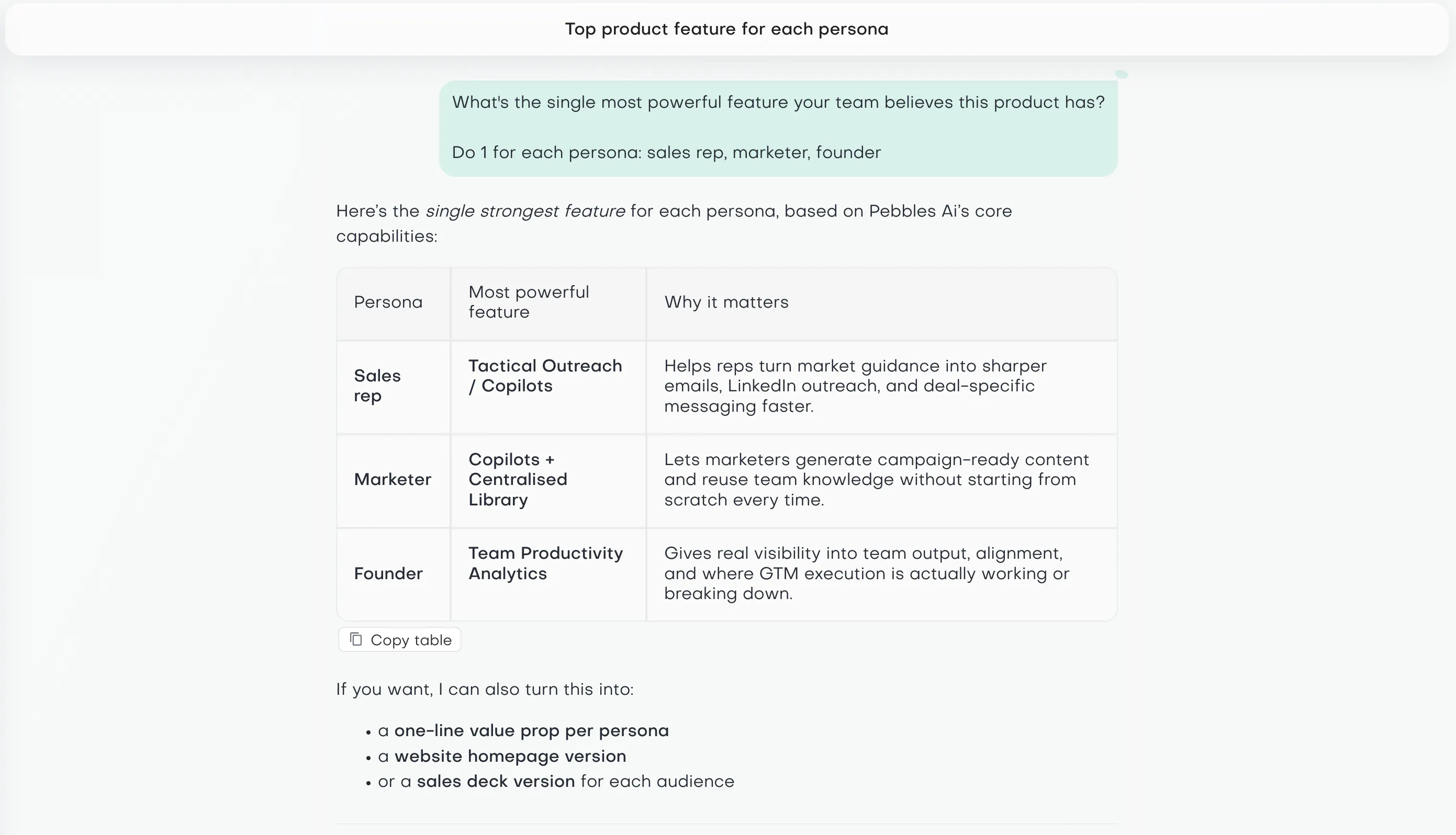
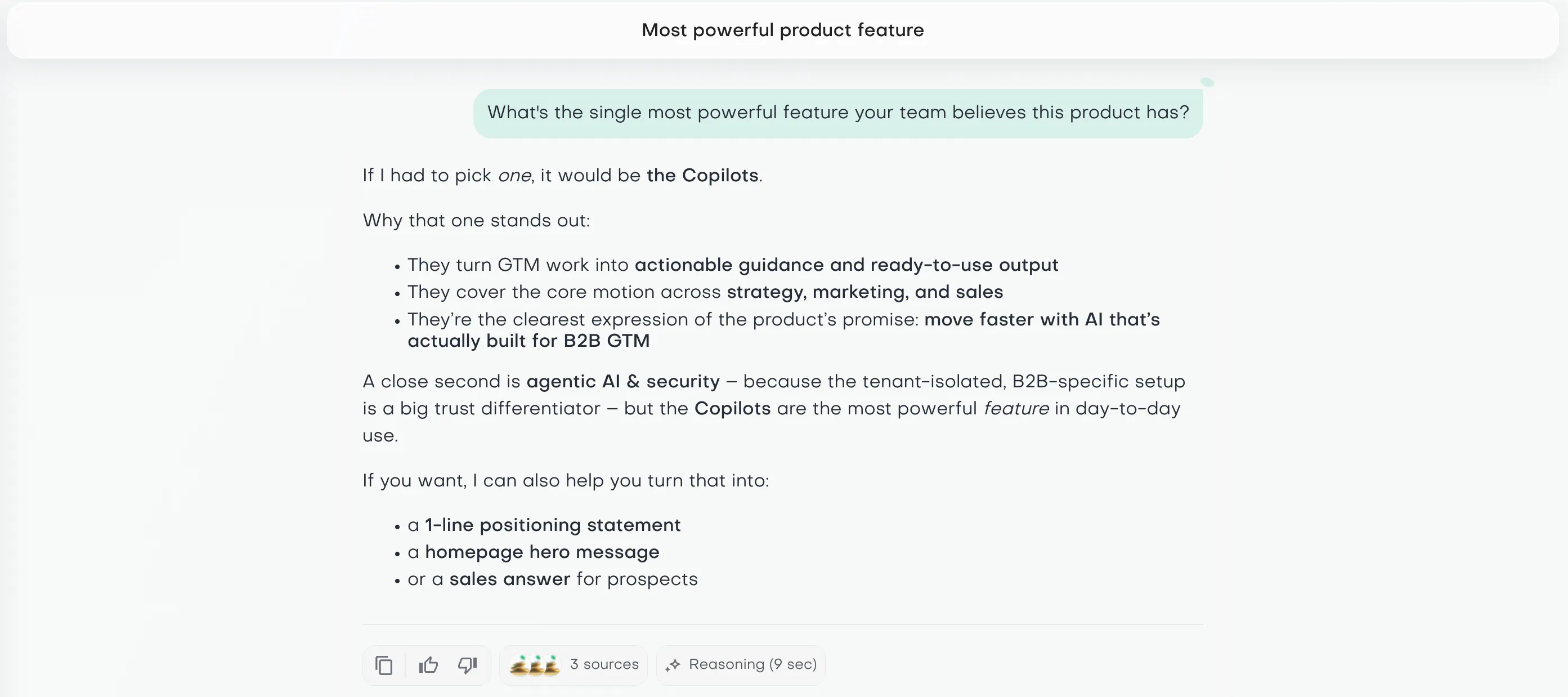
Btw, what's the single most powerful feature your team believes this product has?

6
回复

@oleg_tsizdyn Let's ask Pebbles itself. I tried both prompts, just a single feature or tailored by domain

2
回复

@oleg_tsizdyn On your question, the neurosymbolic cores (brains) underneath. Not the flashiest thing to demo, admittedly, but it is the reason why everything works with insane efficacy.

Most tools bolt an LLM on top and hope. That is fine until the model invents a confident wrong strategy and you only notice three campaigns later. Ours reasons, then checks its own work before it reaches you.

The neural side handles language, the symbolic side handles logic and verification. Think of it as an assistant with a fact checker built in, rather than one that just talks fast and means well.

Everything you actually touch, the Strategy Assistant, Smartbox, Fresh Leads, sits on that foundation. So the strategy it hands you is one it can defend, not one it dreamed up between tabs.

Give it a spin and push it hard. And when you are in, tell me which part of your stack you would happily retire first.

2
回复

Full disclosure - I'm on the team behind Pebbles, based in Lviv. Been building this for the past three years, so seeing it live today hits different.

What I'm most proud of isn't the feature list, it's that the reasoning layer actually adapts to your GTM motion instead of forcing you into a template. Most tools break the moment your sales cycle doesn't fit their assumptions. We built for the messy reality teams actually operate in.

Congrats to the whole team, and everyone who kept shipping through blackouts and worse. Try it, push it hard, and tell us where it breaks.

4
回复

@oleksandr_knyga You were here before there was a "here". No team, no safety net, just a hard idea and one person willing to build an architecture that could actually carry neurosymbolic logic.

We only had 10k in the bank. And an ambitious vision.

Most people would have called that impossible and gone back to a normal job with a normal salary. You stayed, and you built the foundation the whole thing now stands on.

Then you backed it with your own money, more than once, when nothing obliged you to. Skin in the game, long before the results were indisputable with our early customers.

Thank you for all of it. This launch is yours as much as anyone's.

2
回复

Today, we're excited to introduce Pebbles AI, our AI-powered Go-To-Market Operating System for modern B2B revenue teams.

Pebbles AI brings together GTM strategy, lead generation, personalized outreach, sales execution, and shared company knowledge into one intelligent workspace, helping teams move faster without juggling multiple tools.

Building this has been an incredible journey, and we'd truly appreciate your support. If you have a moment, please check us out on Product Hunt, share your feedback, and let us know what you think.

Thank you to everyone who has supported us along the way. Your encouragement means the world.

4
回复

@priyankamandal Thank you Priyanka. Our journey has been indeed tough.

We built a lot of this through blackouts and air raid sirens in Lviv (Ukraine), and the team shipped anyway. I mention it because it shaped how we build.

When your office has an actual siren, you stop shipping things that only work in the demo, or don't actually solve anything.

Most GTM tools bolt an LLM on top and hope for the best, which is fine right up until the model invents a confident wrong strategy and you only notice three campaigns later.

Ours reasons first and checks its own work. Neurosymbolic under the hood, boring to demo, but the whole reason we can run an entire OS.

So please do not be gentle with it. Break it, argue with it, tell me where it falls short. Blunt feedback in the comments is worth more to us than a polite nod, and I will answer every one myself today.

🙏🏻

2
回复

So glad Pebbles Ai is finally out in the world. Really proud of what we built. 🚀

Before anything else, thank you to the people who used it when it was still rough. The ones who told us, plainly, when something we were proud of just wasn't good enough yet. Half of what shipped today exists because someone casually said - "this isn't it," and we listened.

If you've scrolled past a hundred "AI that finds you customers and helps with GTM" launches, I get it. I'd be skeptical too. But I'm confident we did way better. Go try it and see what you can do with AI that actually owns its context. If something feels off or surprisingly good – we'd love to hear about it!

3
回复

👋 Excited to hunt Pebbles AI today!

One thing I've noticed from talking to founders is that go-to-market often becomes a patchwork of disconnected tools. One for strategy, another for outreach, another for lead generation, another for documentation... and before long, the workflow becomes harder to manage than the work itself.
Pebbles AI takes a different approach.

Instead of adding another AI tool to the stack, it brings strategy, lead generation, outreach, sales, and team knowledge together in a single AI-powered Go-To-Market Operating System. What stood out to me is that it's built around how modern GTM teams actually work, helping them move from planning to execution without constantly switching between tools.

The team has also built Pebbles on neurosymbolic AI, allowing it to reason using your company's knowledge instead of producing generic outputs.

If you're a founder, marketer, or part of a GTM team, I'd love to hear:

What's the biggest bottleneck in your go-to-market process today?
✅ The makers are here throughout the day and would genuinely appreciate your thoughts and feedback. Looking forward to hearing what everyone thinks!

@emincanturan @dima_antoniuk @priyankamandal

3
回复

@dima_antoniuk  @priyankamandal  @istiakahmad :

🙏 This means a lot, thank you for hunting us.

You've articulated the problem better than we usually do. GTM becoming a patchwork where managing the tools costs more than doing the work, that's the exact frustration we built Pebbles to remove.

And you nailed the why behind the neurosymbolic bit. It reasons from your company's knowledge instead of spraying generic output. That's the whole difference.

To throw your question back to the room, because it's a good one:

What's the single biggest bottleneck in your own GTM right now?

We built the demand through our own platform, but had no resources to keep up with it. Too much inbound.

We ran a great campaign on our own platform and the positive replies flooded in. We hired and let go 5 people in a year attempting to keep up. Alas, to no avail.

The SDR function is broken, and even we couldn't fix it. The real gap: business netiquette, critical thinking, creative problem solving, consistency, and execution speed. Though it is not their fault. Hardly anyone trains SDRs. The industry turned ruthless. Universities do not prepare them. They are set up to fail.

So we found another way to save our own sales pipeline, and that of our customers.

What actually went wrong:

❌ One SDR quietly did not touch the inboxes for 2.5 months, around five LinkedIn and 10 outbound email inboxes. Campaigns and inside sales looked great, but nothing trickled down. We only found out when we went looking for why

❌ The SDR is the first human contact in the company. We watched roughly 20 interested, ready-to-pay prospects get so put off by the replies that they walked. Essentially a first-impression problem.

Here's the before and after building

🐖 Total costs
Before: ~$120k+/yr | 3-4 SDRs / Jr. Sales Managers plus a manager
With Auto SDR: $0 + $350/mo Team subscription (~$4,200/yr, zero SDRs hired)

💸 Pipeline value
Before: -$32k/yr lost | ~90% of quota missed, warm replies rotted
With Auto SDR: Confidential, ~7x more gained | demand caught, founders on the calls

🧠 Sales Efficacy
Before: ~10 SQLs/mo | ~30 MQLs at ~32% MQL→SQL
With Auto SDR: ~22 SQLs/mo | same demand at ~70%

Reply time
Before: Hours, or never | the 2.5-month blackout
With Auto SDR: 3-7 min | 24/7, every inbox

📈 Net margin
Before: Confidential | baseline, if we had staffed it
With Auto SDR: Confidential, ~1.9x | running Auto SDR

2
回复

The idea sounds great. The question is - how smart it would be in the question of personalisation.

3
回复

@julia_shtogren Great question. And a designer's eye would land on exactly this, because bad personalisation is obviously cringe.

The short version: our personalisation goes both wide and deep.

Wide means we look at every angle of your prospect before writing a word:

  • The marketing angle: what message actually resonates with them?

  • The sales angle: where's the commercial fit, the pain we can solve?

  • The human angle: who is this person, really, beyond the job title?

Deep means we apply proper sales methodology, mapping the impact of your solution at three levels:

  • The organisation: what does this mean for their company?

  • The team: what does it change for their unit's goals?

  • The individual: what's in it for this specific person?

But here's the important bit: none of that sits on its own.

We fuse it with true hyper-personalisation. Our systems work out what's actually top of mind for your prospect right now, what they've been posting about, what they care about, who they are.

Then we use science-based methods to find genuine common ground, the shared interest or the icebreaker that actually starts a real conversation.

I hope that make sense.

0
回复

Wishing good luck with the launch (and you chose good hunter) :)

3
回复

@busmark_w_nika Thanks, we are happy to have our hunter on board!

2
回复
@busmark_w_nika thank you so much Nika 🤗
1
回复

The "getting your first customers" problem is painfully real. as a founder, market research, lead sourcing, outreach, follow-ups, and messaging can quickly become five different tools with five different versions of the company context.

The most interesting part here is the neurosymbolic approach and the promise that Pebbles learns the business instead of making teams explain it again in every workflow. Curious how much of the GTM plan is generated from company data versus fixed playbooks, and how clearly users can inspect why a lead, segment, or campaign was recommended.

2
回复

@andrasczeizelGREAT questions!!! You've named the exact thing that caused me anxiety as a founder. You wake up one day and realise you're paying for 10+ different tools related to GTM.

That's insane even for an established small business of 100 people, let alone a startup finding its feet with 2 co-founders.

Each tool is another subscription, another login, another line item, another learning curve, and that creeping OpEx is the silent killer of your runway.

Let me break it down for you:

🧱 At the base sits your organisational intelligence, the source of truth about the company, the approach, and the products/services

📚 Above it, the GTM knowledge base: best practices, business netiquette, and the neurosymbolic logic for what to do in each case, and IFTTT logic for complex requests

🔬 On top, the sciences: communication science, applied persuasion sciences, hyper-personalisation methods, brand voice rules, persona-centric writing, and cultural nuances

On how much comes from your data versus fixed playbooks, think of it as an 80/20 split:

  • The 80% is us: the GTM sciences, B2B heuristics, neurosymbolic workflows we've distilled from how the top 1% of management, marketing and sales actually operate, judge, and executes. We never leave it to the base AI models, we use our battle-tested reasoning system that adapts to each case

  • The 20% is you: your organisational data, your brand voice, and your company history to date; that's the only data we need, onboarding takes only 3 minutes

On how clearly you can inspect the why why a lead, segment, or campaign , which is the part I care about most:

  • Every output has an audit trail. Because the reasoning runs over explicit workflows, sciences and market intelligence, you can follow the whole chain, even as a spider spider web of neurons, and see exactly how we arrived at a strategic recommendation, an ICP analysis, or a campaign

  • That means you can verify the system isn't making random calls: the logic is traceable end to end, so a lead, a segment or a campaign is always backed by a reason you can inspect. We built this specifically for enterprise as they deem this VERY important, but provided access to companies of all sizes.

  • For research it draws on roughly 10x more sources than a typical base model (Strategy Assistant draws at least 60 sources per inquiry), and we've categorised every source by tier (Tier 0 to Tier 4): data providers like Statista, market intelligence companies like Gartner, down through Reddit threads. Each Tier is used only when it's actually appropriate

  • In fact, the Marketing Assistant takes a bottom-up approach: it runs semantic analysis across sources like Reddit and X to surface what the public actually thinks and feels about a given topic (for example, sentiment analysis on a product category or a competitor)

  • The Strategy Assistant works the other way, top-down: it runs market intelligence analysis over open data sources like the World Bank Open Data and Eurostat to forecast how markets are likely to move (e.g. a DIKW approach, turning raw data into information, knowledge and finally insight) so you can plan against where the market is heading, not just where it is today

  • Put together, it's like having a senior analyst from McKinsey, a senior copywriter from Saatchi & Saatchi, and a senior enterprise closer from Big Tech, all working in one place. No more stitching together expensive consultancies and senior hires you can barely afford, and often can't justify before you've even found product-market fit. You get that calibre of thinking from day one, at a fraction of the cost of a single one of those salaries

And so you know this isn't a weekend project?

This wasn't built over a weekend. It was built on 10+ years of first-hand GTM experience, 18 months of PhD-grade research, and 3 years of development, roughly 500 weekends, but who's counting. ;)

2
回复

Congrats on the launch! Curious — what does the neurosymbolic part actually catch that a plain LLM would miss?

2
回复

@alex_tomilinThank you. This is my favourite question by a mile. Most people admire the Ferrari (the GTMOS). Don't really care about the engineering that went into the engine (neurosymbolic AI). Let me break it down in 3 levels.

Macro Level | What is it?

A base LLM is inherently a chatbot system. It predicts the most probable next word, brilliantly, but that is not enough for complex domains such as B2B GTM, Corporate Law, and Human Resources. Nothing in it stops to ask "is this true, and does it obey the domain rules".

Neurosymbolic AI is 3-step systems working together, with a check between them:

  • The neural half reads language and context, the way any strong LLM does

  • The symbolic half applies explicit logic, rules and a structured knowledge base

  • A verification step sits between that and the output, catching anything that breaks

So you get the fluency of an LLM with a reasoning and fact checking layer bolted underneath. Outputs are accurate, reproducible and explainable (even auditable) rather than a confident black box.

It is also rare: academic interest went from 112 papers in 2015 and 2016 to over 9,000 in 2025 and 2026 [Google Scholar], yet real production systems are almost nowhere, because building one needs machine learning, formal logic, knowledge engineering and domain science in the same room at once.

Meso Level | How did we build it?

The engine is not a weekend project. The numbers behind it:

  • 18+ months of research before the first line of production code

  • 70,000+ engineering hours in the proprietary neurosymbolic architecture

  • 800tn parameter permutations in business communication alone

  • Over 3,000 rule-based IFTTT rules across all B2B use cases and workflows

  • 7 specialised neurosymbolic cores under GTMOS™, each mimicking the top 1% domain experts

Every output reasons up through a layered stack. Seven layers are proprietary Pebbles IP, two are heuristics tuned to you: your organisational truth at the base, then the GTM knowledge base, neurosymbolic logic, applied persuasion sciences and brand voice, with persona and cultural nuance on top.

That knowledge layer encodes six GTM disciplines, persuasion science, neuromarketing, behavioural economics, competitive strategy, segmentation theory and sales methodology, codified from closely-guarded secrets.

Break a rule or assert something not in the data, and it gets caught and corrected before it is ever sent. It also doesn't agree with you. It cares more about your success, than your ego. It will not allow you to make mistakes.


Micro level | Why it matters?

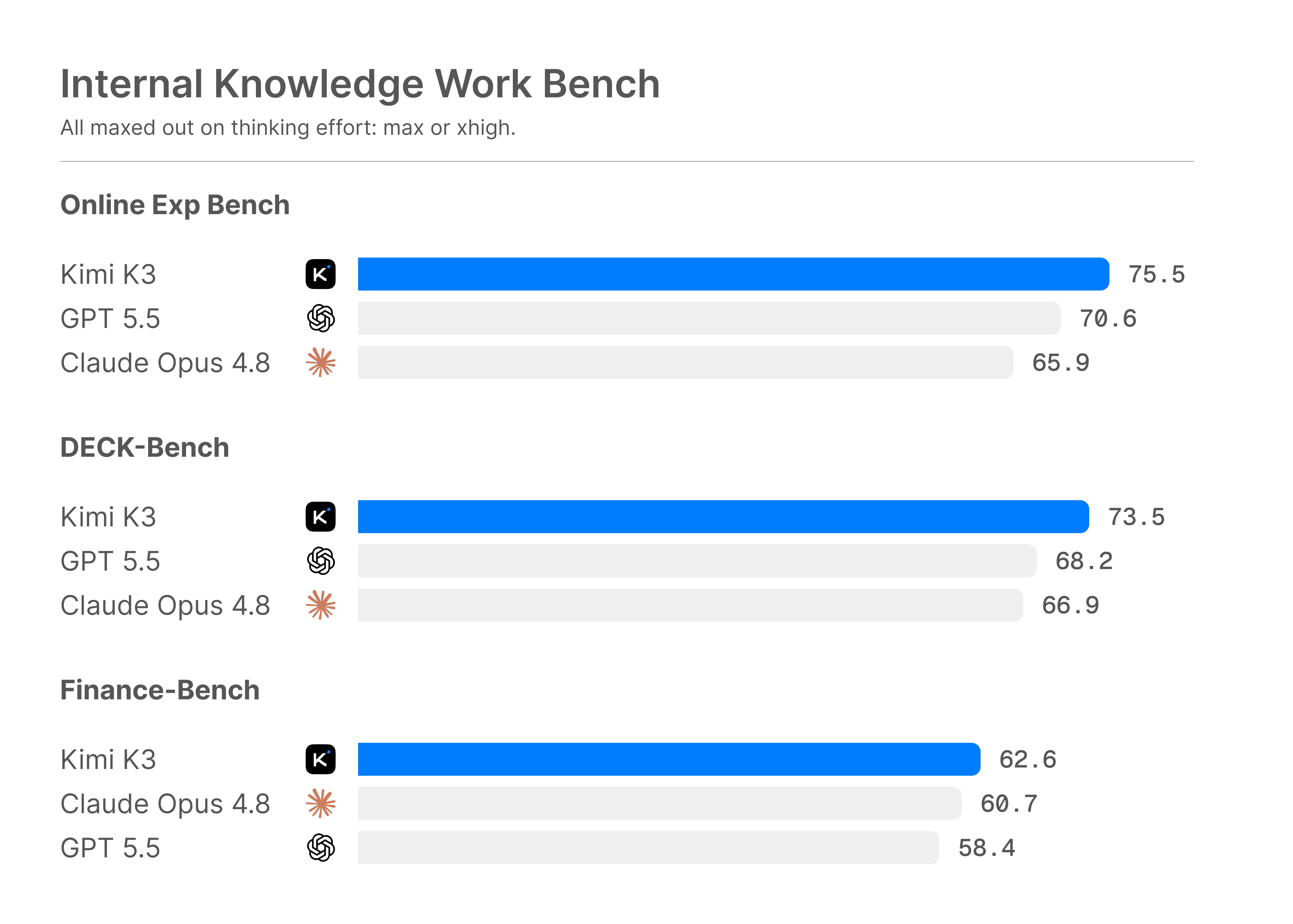
Let's look at some numbers. First lets look Claude Opus on the Max tier with a single instruction versus the full Pebbles pipeline:

  • Accuracy: 33% vs 87%

  • Precision: 57% vs 91%

  • Sales Efficacy, MQL to SQL: 15% vs 85%

And at the architecture level:

  • 82% lower error rate than LoRA fine tuning, because the architecture is structurally accurate rather than nudged

  • 3x better gross margin than wrappers, because the reasoning is not rederived from scratch on every call

  • ~2% hallucination on rule bound queries, versus 31.4% across real world use HalluScore benchmark

But don't take my word for it: Claude Opus sits around 33% factual hallucination on the public HalluScore benchmark, while neurosymbolic methods approach ~100% accuracy on rule based tasks [arXiv 2502.01657]. We are closing up at 98%.

Cost is where it gets almost silly. To rebuild one reply with a raw model:

  • Around 12 prompts per reply, each re sending 25,000 to 35,000 tokens of context

  • Roughly $5 to $7 per usable output, and that's not even top 1% reasoning.

  • About $5,000 to $7,000 a month at a outputs, before 500 hours of human prompting

Pebbles does the same job inside a subscription near $450 a month, all in. Same output, a fraction of the cost, none of the babysitting.

The neursoymbolic reasoning is what lets it carry complex, multi-faceted, and cross-functional B2B work all the way through. These are examples you can build and execute on, which is impossible with base-models or tools with wrappers:

  • A full go to market strategy, grounded in your ICP, positioning and live market signals, then turned into the campaigns that run it

  • A beachhead strategy, picking the wedge segment worth attacking first, sizing it, and sequencing the entry instead of guessing

  • Industry trend analysis read across macro, meso and micro signals, so you see the shift before it hits your pipeline

  • Investor decks and enterprise sales assets, two pagers, RFPs and proposals that hold up when a sharp reader pushes on them

  • An omnichannel outbound engine, from fresh leads to reasoned email and LinkedIn sequences to replies captured and qualified in Smartbox, built and run end to end

And this is only the current stage. We are makingthe first steps toward a true Jarvis for go to market: a system that can safely, securely and reliably run the work fully autonomously, with no human in the loop.

Try it yourself, break it, and see where it holds.

2
回复
I've wasted more hours than I'd like to admit on AI outreach tools that promised personalisation and delivered the same five sentence structures with a first name swapped in. The Smartbox and Leadgen modules caught my eye here, especially the claim around on-brand replies and auto follow-up logic. My question is about the brand voice piece: how does it actually learn and hold a brand voice over time? Is it trained on your own content, or is it more of a style guide you configure upfront? And on follow-ups, does the logic adapt based on reply signals, or is it a fixed sequence? That distinction matters a lot for whether this actually saves time or just moves the editing problem downstream.
2
回复

@raihanshezan Brand voice here isn't a static style guide you set once and hope it sticks. It's actively built through a neurosymbolic workflow inside Pebbles that structures how your voice gets defined – not assumed or inferred passively. Once constructed, it's saved to the centralised Library alongside your other company context, making it a living asset you can reuse and refine over time, not a passive setting buried in a panel.


From there, the Library acts as persistent memory. It holds your outputs and team knowledge so the AI draws on your real content, not a blank slate. To be precise about the mechanics: this is context-driven memory retention, not model fine-tuning in the ML sense. No weights are updated. The system gets sharper as usage grows because it's working from richer, more specific context.


On follow-ups, the logic is adaptive – not a fixed drip sequence. Assistants use stored context and reply signals to decide what comes next. It's not being retrained on the fly, but it's also not running a rigid script.


Your core question is the right one to ask: does this reduce downstream editing, or just move it somewhere else? Persistent context – including the brand voice you've explicitly constructed – is exactly how we're trying to solve that. One more thing worth knowing: tenant isolation is in place, so your data never crosses over with other clients. What you build stays yours.


Happy to go deeper on any part of this.

1
回复

@raihanshezan You clearly know this space at a veteran level, the kind of read that only comes from running real outbound and watching exactly where it breaks. Your sharp questions. One at a time. Here we go:

Trained on your own content, or a style guide you configure upfront (Brand Voice Creation Feature)?

Your own, and the way you build it is the fun part. It runs as a guided Q&A, about 2 hours, closer to a sharp interview than a setup form.

It pulls your voice out of your answers and your best existing writing, then hands you a full spec: a word arsenal you actually use, a forbidden list you never touch, your signature phrases, and the mechanical fingerprints like sentence rhythm and punctuation.

What comes out is a brand voice that is distinctly yours and, more to the point, one that actually performs.

Our Brand Voice Creation Feature was built on principles drawn from McKinsey strategy practice and Saatchi and Saatchi creative heuristics, then layered with persuasion science, communication sciences, and a full library of anti patterns.

So it does many things at once. It captures how you sound, sets you apart, and makes the voice ACTUALLY effective, not just a gimmick.

This is the first half of the puzzle.

How does it learn and hold the voice over time?

Two parts, depth and enforcement.

The depth is a layered stack sitting under every message in every feature (from Marketing Assistant, Auto SDR to Smartbox). It uses 7 layers as enforcement. All proprietary Pebbles IP, only 2 are general heuristics tuned to you.

From your foundation up to the surface:

  • Organisational intelligence, your company's source of truth

  • GTM knowledge base, proprietary best practices and business netiquette

  • Neurosymbolic logic, what to do in every case, even the edge cases

  • Applied persuasion sciences

  • Brand voice framework

  • Hyper-personalisation

  • Persona-centric writing

  • Cultural nuances

Every draft runs a final check against your spec before it leaves, so the voice stays put instead of drifting the way a fine tuned model does. This is around (a) precision, (b) accuracy, and (c) efficacy.

Think of the baby of a senior Saatchi and Saatchi copywriter and a marketing scientist. It has your style guide memorised, knows every persuasion principle, and never has an off day. As you approve and edit, the spec sharpens toward your style too (the cherry on top).

This enforcement is the other half of the puzzle.

Do follow-ups adapt to reply signals, or is it a fixed sequence?

They adapt. The logic reads the intent behind each reply, then acts on it:

  • An objection gets answered on its merits

  • A "not now" gets a gentle nurture

  • A no gets turned into a maybe

  • Not me gets the colleague in

  • Silence gets the auto follow up

The sequence bends to the symbolic signal instead of marching on like chatbot.

There is more IFTTT neurosymbolic logic built in, but I'll spare you the novel 😂

1
回复
Nice product! How much is it?
2
回复

@ethan_lee8 Hi, thanks! We offer free trial and then you can pick subscription that matches you most. Professional and team tiers are available right now with option to buy bundles for AI and leads.

2
回复

@ethan_lee8 Free first, because a paywall on the first hello is a poor way to make friends. 😂

You can run the full platform for nothing, no card, cancel whenever. For the Product Hunt launch the free entry comes with a glass of champagne, some snacks, and a shout out.

  • The champagne: 3,000 fresh leads to put it through its paces

  • The A generous AI compute allowance (approx. £250 GBP)

  • And you can invite 2 more team members for free (3 seats in total)

Professional, £49 a month
For solo operators doing the work of an entire team.

  • 1 seat, 400 fresh leads a month, 3 neurosymbolic cores

  • General Assistant your GTM pilot, Smartbox, your adaptive Personal Library, Google Workspace, CASA Level II security

  • Retires the solo stack: a data tool, a sequencer, Sales Navigator and a couple of AI subscriptions. That pile runs north of £200 a month. This is £49. One login, roughly a quarter of the cost.

Team, £349 a month (down from £499)
For startups and small businesses growing smarter.

  • 3 seats, 2,000 fresh leads a month, 6 cores

  • Adds Strategy Assistant, email and LinkedIn outreach, the Brand Voice core, cross-feature memory, the collaboration hub, Company Library, Microsoft 365

  • Retires the above across three people, plus a team CRM. A comparable three person stack lands around £900 to £1,500 a month. This is £349, so most of that spend goes back in your pocket.

Organisation, £1,499 a month
For mid-size businesses uniting every team on one plan.

  • 10 seats, 6,000 fresh leads a month, 7 cores

  • Adds team productivity analytics, centralised memory, a dedicated CSM, expert onboarding, and the SCALE 4 week GTM programme

  • Retires the full mid-market stack: data, outreach, CRM, analytics and enablement. That typically runs £3,000 to £6,000 a month. This is £1,499.

Enterprise, £3,499 a month
For multinationals aligning GTM across regions and teams.

  • 20 seats, 15,000 fresh leads a month, 8 cores

  • Adds custom core and AI model tuning, SSO and SAML, persistent memory, and a dedicated account manager

  • Retires an enterprise GTM stack that, with autonomous SDR tools alone, runs £8,000 to £15,000 a month. This is £3,499.

💛 Priced like a tool, performs like a department 💛

1
回复

I like the focus on reducing GTM tool sprawl. Sales and marketing teams often spend as much time moving context between tools as they do actually engaging prospects.

2
回复

@varun1jan Exactly, that context switching tax is a huge hidden cost for GTM teams.

1
回复

@varun1jan Exactly, Varun. The hidden tax in most stacks is not the software, it is the human hours lost carrying context between tools that refuse to talk to each other. Even though, that is also very costly for a big company.

A better way is one operating system, one shared context, a neurosymbolic brain underneath. Your strategy, leads, and outreach all read from the same brain, so the rep spends the time on the prospect instead of playing courier between 10 tabs.

Assistants think. LeadGen hunts. Auto SDR warms. SmartBox closes. Every other feature on the OS amplifies.


2
回复

The positioning keeps referencing enterprise teams and McKinsey-level GTM strategy, but the problem you're describing first customers, fragmented tools, no dedicated sales team is most acute for founders at the zero to one stage who can't afford £1499 a month. Curious whether there's a solo founder or early stage tier planned, because that's the exact audience most burned by the tool fragmentation problem you're solving.

1
回复

@jasnoor_singh_oberoi There's good news. The £1,499 isn't the entry point. That's the Organisation tier, built for a 10-seat commercial team, often for lower-mid to mid-market organisations.

The way in is Pro, at £49 a month. Even better, the Team subscription at £349 a month has the most value. The most bang for your buck.

We wanted to make the value stupidly high. Like a NO-BRAINER. Something that would absolutely flabbergast new users. How is it possible to add so much value at such a low price.

(Spoiler alert: it's possible because our system is built on neurosymbolic AI)

So the exact person you're describing, the solo founder buried in fragmented tools with no sales team, isn't an afterthought for us. They're arguably who we built this for first. Don't forget, we were also in that position.

In our experience, solving for smaller teams has proven to be much more difficult than for larger teams, ironically. So we did it the hard way first. Naturally haha.

On the positioning itself, you're right. When we say "enterprise-grade" or "McKinsey-level," we mean the quality of the reasoning and judgment, not the size of the customer or the price of the plan. We should be more clear.

Our mission is David versus Goliath. Give a two-person startup the same GTM firepower a big company pays top-tier consultants and 30 premium tools for, at a price a founder can actually afford.

In short, you only scale up when your team does.

Best way to judge it is to run it yourself against the mechanic and overwhelming tool fragmentation problem you described.

Start free, no credit card needed. I'd recommend trialing the Team subscription.

You won't regret it. 😊

0
回复

Many teams already use HubSpot, Clay, Apollo, and ChatGPT together. What workflow do you think Pebbles replaces most completely, and what do you still expect customers to keep?

1
回复

@tarqiya_forgah Great question! Let me break it down for you.

ChatGPT: replaced completely.

For GTM specifically, this is the cleanest swap. Generic AI gives you fluent text with zero memory of your company, your ICP, or your positioning, so you spend more time briefing it than it spends adding tangible value back to you.

Pebbles' Marketing Assistant and Strategy Assistant cover it, and actually make an impact on your pipeline, revenue, and margins. Not to mention it gives you energy back, because you don't need to learn so many tools or keep so many tabs open that never inform each other.

Clay and Apollo: largely absorbed.

This is where the patchwork usually collapses into one flow. Clay's real value is its enrichment waterfall and AI research, and Apollo's is its contact database plus sequencing.

Both run natively inside Pebbles, on our own multi-provider enrichment waterfall, feeding straight into reasoned email and LinkedIn sequences.

So the sourcing, the enrichment, and the outreach stop being 3 tools you stitch together by hand. It's all connected now.

On top of that, we use specialised profiling that reads each prospect from both a marketing angle and a sales angle. Pebbles doesn't just hand you leads. It tells you who they actually are, and recommends how to build a relationship with them.

HubSpot: keep it.

Your CRM is your system of record, and it should stay that way. It's wired into your reporting, your deal tracking, and your support.

We are not asking you to rip out the ledger. Pebbles sits on top as the reasoning and execution layer, and the CRM stays the source of truth. We'll be integrating with HubSpot, Notion, Salesforce, and Pipedrive soon.

Cost

There's a cost angle too. Those four as a combined stack, across seats, is not cheap. We priced Pebbles to come in under Clay alone at every tier, and that's before you count the three or four other subscriptions it folds in.

So the short version: keep the CRM as your record, retire the patchwork on top of it. We'll have integrations soon with Notion, HubSpot, Salesforce, and Pipedrive.

1
回复

Finally tried Pebbles Ai and the campaign planning flow is way smoother than I expected. Having strategy and outreach in one workspace cut my tab switching way down.

1
回复

@nhanife56159 This made my day, thank you! The tab-switching was the exact thing that drove me mad as a founder, so hearing that the strategy-to-outreach flow cut it down for you is the best feedback we could ask for.

That "one workspace" feeling is the whole reason we built it, so it means a lot that it is received well. If you hit anything confusing or have a wishlist as you go deeper, I'm all ears. We're shaping it around real users and we ship fast.

1
回复

Congrats on the launch! What’s the main user interface to your product, web UI, MCP or something else? Screenshots mainly demo the UI; I’m wondering how well it integrates with Claude for instance.

1
回复

@nikitaeverywhere The main interface today is the web app. We also have desktop apps that live in your dock on iOS (mac) and Windows, so it sits right alongside your other daily tools rather than buried in a tab.

No installation required. Super light.

On Claude specifically: we don't integrate with Claude, and that's on purpose. Pebbles runs its own reasoning models, our cores, which are purpose-built for GTM rather than general-purpose.

MCPing Claude would mean inheriting a general model's guesswork for rule-bound, domain-specific complex work, which is exactly what we set out to avoid.

Instead, we make switching effortless. Think of it like changing mobile providers and keeping your number. The system does the heavy lifting, and you're moved over in about 3 minutes without losing your most up-to-date company info.

You don't rebuild your progress that you've carefully built within Claude (or ChatGPT, Gemini, etc.). You just move it over to Pebbles Ai within 3 minutes, and run it on much smarter models.

Lastly, every customer gets a custom API that allows to connect the Pebbles Ai neurosymbolic brain trained exclusively on your company to your existing techstack.

Think of it as the primary brain of your existing techstack. You can wire it into your website to answer inbound inquiries, power the chatbot on your site, and plug into the other automation tools you already run.

In short, you get both a sophisticated multi-purpose platform + a connectable brain that makes your other tools smarter too.

Hope that make sense.

0
回复

Congrats on the launch! I've been evaluating this space recently. The point tools (Apollo/Instantly-style outreach, separate lead-gen, separate enrichment) all promise pieces of this. The "one workspace" pitch lives or dies on the strategy layer actually informing the outreach, not just co-locating the tools. Can you share a concrete example of the neurosymbolic side changing what an outreach sequence says versus what a well-prompted LLM would write anyway? That's the claim I'd want to see proven before consolidating.

1
回复

AI sales platform is a pretty crowded category at this point, what's the thing pebbles does that a rep couldn't already do with a CRM plus a good sequence tool. genuinely curious what the wedge is

1
回复

@omri_ben_shoham1 You're absolutely right. Most of these tools overlap, and the category is crowded with point solutions that do one or two things very well.

But none of them focus on reasoning. They only focus on execution.

People think outbound is a sending problem. It's usually a reasoning problem, and it breaks into two formulas most tools never touch.

The first is the sequencing itself. A message that actually lands isn't a template with a {first_name} slot. It's at least 5 disciplines working together:

  • Persuasion science: the established principles of influence and buyer psychology (reciprocity, social proof, commitment) and knowing which to use at which moment

  • Communication science: how the message is structured and paced to be understood. Clarity, framing, timing, and the netiquette that makes it read like a human wrote it

  • Hyper-personalisation: real profiling of who this person is and what they care about, so you connect on a human level despite being total strangers. Not a dumb variable field like job title

  • Heuristics: the judgment rules for each situation. When to push, when to nurture, when to stay quiet, distilled from the combined wisdom of top operators

  • Lexical semantics: precise word choice and sentence construction, because the same point lands or dies on phrasing and tone

Miss one and the sequence underperforms. Which is why so much outbound gets 1% reply rates and blames the list.

But here's the part almost nobody does. All of that only works if the upstream formula fired first. Before a single message goes out, you need:

  1. Geolocation (e.g. Greater London)

  2. Industry (e.g. financial services)

  3. Persona cluster (ICP and archetypes)

  4. Common denominators (historical data)

  5. Market trends (the ones that actually move you)

You can do all of it on the platform. Great sequencing on bad upstream work is just a beautifully written message, sent to the wrong person, with the wrong value proposition.

That's the whole reason we built Pebbles as one neurosymbolic engine, not another point tool. It reasons over both dimensions: strategy upstream, execution downstream.

And this is the real problem with the point-solution pile. Those tools were built for a pre-AI world. They aren't AI-native, nor domain-specific, so they physically can't reason at this level.

There's a deeper issue too. Dig into the research and you'll find most GTM point solutions are built exclusively by engineers with no background in strategy, marketing, or sales.

So ask yourself: how do you solve something you've never lived? It's like our tream trying to fix a problem in corporate law. We don't know how paralegals work with associates, how associates work with solicitors, how solicitors work with partners, how partners work with the board, and how each of them handles clients through completely separate workflows. Hand on heart, personally I wouldn't know where to start.

Don't get me wrong, these engineers are brilliant. Seriously smart, and they've built genuinely great products. But each one covers one or two stages of a funnel that has at least ten.

Because go-to-market is no different from building software. Teamwork is everything. Back-end works with front-end, front-end with the product designer, everyone with QA and DevOps, and a solution architect sits across all of it. Engineering has Jira for exactly this.

Nobody had built the Jira for commercial teams. We're the first. It's called the Go-To-Market Operating System, and it could only exist with extraordinary intelligence beneath it.

Think of it like iOS. Each app (feature) has its own tech stack, its own intelligence, its own knowledge base, its own mapped-out GTM science. It's like having multiple startups in one place. And every app talks to the others.

Point solutions can only bolt on an "AI feature," which is usually just a free ChatGPT or Gemini model in a sexy trench coat (UX). Execution works, so you gain speed.

But it doesn't move the needle on pipeline, revenue, or margin. You and your team just do busywork faster. Three months later you look back, and nothing material has changed on the financials.

The meme says it perfectly. You think the fix is one more point solution. It isn't. It's more busywork, plus a fresh learning curve for yet another tool that most people never fully learn.

That's exactly the problem Pebbles solves, with a completely new approach.

1
回复

For small B2B teams, the sales-agent win is usually handoff quality rather than full autonomy: what changed, what evidence supports it, what needs human judgment, and what should never be sent without approval.

1
回复

Great question Patrick!!! Love when technologists go deep.

For small B2B teams, full autonomy is mostly a pitch-deck fantasy today, and the reason is arithmetic, not opinion.

Agent errors compound multiplicatively across steps. At 95% reliability per step, a 10-step task lands around 60% overall (0.95^10). Even at an optimistic 99% per step, a 20-step chain only succeeds ~82% of the time.

Empirically it's worse: in Carnegie Mellon's TheAgentCompany benchmark, even the strongest model completed only ~30% of realistic, multi-step office tasks end-to-end (earlier runs landed at 24%).

And the market is pricing it in. Gartner expects over 40% of agentic AI projects to be canceled by the end of 2027, citing unclear value and inadequate risk controls, and notes today's models can't reliably follow nuanced instructions over long horizons.

People are frustrated, and frankly, when I talk to customers, angry!

So the winning pattern isn't more autonomy. It's selective autonomy: aggressive automation on low-stakes steps, hard human gates on high-stakes ones, with escalation paths that cap the blast radius. Which is precisely the handoff quality you're describing.

You framed these four around the sales agent, but they're really the design spec for the whole platform, strategy, marketing and sales alike. So here's how each one works at that level:

What changed?
Whatever the surface, a market shift the strategy core detects, a competitor move, a new buying signal, an inbound reply, the platform isolates the delta and leads with it. You get the one thing that moved and why it matters to YOU, not a raw feed you have to reverse-engineer. Same behaviour whether it's your positioning or your pipeline.

What evidence supports it?
Every recommendation carries its reasoning, a strategic call, a beachhead segment, a line of outbound copy. This is where neurosymbolic earns its place over a raw LLM: the symbolic layer keeps each inference traceable back to the rule or data point that produced it, so a conclusion arrives with its "why" attached rather than as an unexplained assertion from a black box. Inspectable reasoning like that is what the research points to as the precondition for trustworthy human-in-the-loop oversight.

What needs human judgment?
Whether it's a strategy decision, a targeting call, or an outbound message, when confidence is low (we have "judges") or the call is genuinely ambiguous the platform surfaces that explicitly and routes it to you, instead of papering over uncertainty with a confident-sounding guess. Overconfidence in failure is one of the documented ways agents break, so we treat "I'm not sure, your call" as a feature, not a bug.

What should never be sent without approval?
Anything irreversible or externally facing, a published campaign, an outbound send, an investor or sales asset going out the door, is gated by default. The platform can research, reason, write, sequence and prepare the whole thing, but the irreversible action stays with a human until you explicitly choose to loosen it.

Notice the common thread: every one of those four depends on reasoning you can actually trust, not a confident guess. That trust is the exact thing the arithmetic up top says nobody has yet, it's why 40% of these projects get canceled. So the real question is whether our engine is any different. Here are the numbers.

How does our neurosymbolic actually perform?

A base LLM is inherently a chatbot system. It predicts the most probable next word, brilliantly, but that is not enough for complex domains such as B2B GTM, Corporate Law, and Human Resources. Nothing in it stops to ask "is this true, and does it obey the domain rules".

Neurosymbolic AI is 3-step systems working together, with a check between them:

  • The neural half reads language and context, the way any strong LLM does

  • The symbolic half applies explicit logic, rules and a structured knowledge base

  • A verification step sits between that and the output, catching anything that breaks

So you get the fluency of an LLM with a reasoning and fact checking layer bolted underneath. Outputs are accurate, reproducible and explainable (even auditable) rather than a confident black box.

It is also rare: academic interest went from 112 papers in 2015 and 2016 to over 9,000 in 2025 and 2026 [Google Scholar], yet real production systems are almost nowhere, because building one needs machine learning, formal logic, knowledge engineering and domain science in the same room at once.

Let's look at some numbers. First, let's compare Claude Opus on the Max tier with a single instruction against the full Pebbles pipeline:

  • Accuracy: 33% vs 87%

  • Precision: 57% vs 91%

  • Sales Efficacy, MQL to SQL: 15% vs 85%

And at the architecture level:

  • 82% lower error rate than LoRA fine tuning, because the architecture is structurally accurate rather than nudged

  • 3x better gross margin than wrappers, because the reasoning is not rederived from scratch on every call

  • ~2% hallucination on rule bound queries, versus 31.4% across real world use HalluScore benchmark

But don't take my word for it: Claude Opus sits around 33% factual hallucination on the public HalluScore benchmark, while generally neurosymbolic methods approach ~100% accuracy on rule based tasks [arXiv 2502.01657]. We are closing up at 85-98%.

Cost is where it gets almost silly. To rebuild one reply with a raw model:

  • Around 12 prompts per reply, each re-sending 25,000 to 35,000 tokens of context

  • Roughly $5 to $7 per usable output, and that's not even top 1% reasoning

  • About $5,000 to $7,000 a month at that volume, before 500 hours of human prompting

THIS MEANS WE CAN GIVE MUCH MORE AI ALLOWANCE TO OUR USERS!!! 🫶🏻❤️📈

Finally, the neurosymbolic reasoning is what lets it carry complex, multi-faceted, and cross-functional B2B work all the way through. These are examples you can build and execute on, which is impossible with base-models or tools with wrappers:

  • A full go to market strategy, grounded in your ICP, positioning and live market signals, then turned into the campaigns that run it

  • A beachhead strategy, picking the wedge segment worth attacking first, sizing it, and sequencing the entry instead of guessing

  • Industry trend analysis read across macro, meso and micro signals, so you see the shift before it hits your pipeline

  • Investor decks and enterprise sales assets, two pagers, RFPs and proposals that hold up when a sharp reader pushes on them

  • An omnichannel outbound engine, from fresh leads to reasoned email and LinkedIn sequences to replies captured and qualified in Smartbox, built and run end to end

And this is only the current stage. We are making the first steps toward a true Jarvis for go to market: a system that can safely, securely and reliably run the work fully autonomously, with no human in the loop.

I hope that makes sense.

0
回复

Congratulations on a launch! I have used a similar project before, but it had very limited features. You look very solid and look exactly like what I need.

P.S. Dashboard looks nice, but some extra "llm" prompts showed me a bit confused. Like asking for ICP and then fetching from the data we already gave

1
回复

@spiri7 Thank you, that really means a lot. And congrats right back for being an innovator-minded person that likes to try novel things.

Hearing it looks like exactly what you need, especially after a thinner tool let you down before, is the best thing I could read this afternoon.

Now, your P.S. That's the most valuable part of your whole comment, so thank you for flagging it. Honest UX feedback like this is how the product actually gets sharper.

You're right that it can feel like doubling up. There is a reason behind it: the ICP step is about sharpening who you target, which is subtly different from the raw company data you gave us. But if it read as "didn't you just ask me this," that's a gap on our side to close, not yours to decode.

So here's what I'd love to do. Let me give you a 30 min walkthrough. I'll show you the tips and tricks, why a few steps exist, and how to get the system really flying for your company.

Would you like that?

1
回复

I am partner in an ad agency focused on the Gray Market (adults 50+). We’ve used Pebbles as part of our marketing outreach. The platform is thorough, fast and , in our experience, truly effective and efficient.

1
回复

@canice_neary this genuinely means a lot, thank you!!!

Coming from a partner at an agency doing outreach in a specialist space is high praise.

If there's ever an angle where the system could serve the Gray Market even better, tell us. Feedback from our customers using it in the wild is how the GTMOS becomes more powerful.

Really grateful to have you on board.

1
回复
The GTM knowledge gap between enterprise and SME is something I’ve felt firsthand. When I was running growth at a 20-person company, the playbook that BCG or McKinsey client get access to were completely out of reach- not because we lacked talent, but because that institutional knowledge just doesn’t tackle down. So the mission here resonates. What I’m genuinely curious about is the neurosymbolic AI claim. It’s easy to slap “thinks before it writes” on a product and have it still be prompt-chained GPT wrapper underneath. Can someone from the team explain, in plain terms, what the neurosymbolic layer actually does differently at the reasoning stage? Is there a concrete example of where it catches something a standard LLM would get wrong?
1
回复

@imtiaj_ahmad That gap is the whole reason why Pebbles Ai exists. Hearing it from someone who ran growth at 20 people is very interesting. You had the talent. You just did not have the war chest for the institutional playbook.

That's what we built. Enterprise firepower without the price tag.

Also, your skepticism is the correct default. "Thinks before it writes" is easy to print on a landing page and still be a templated-wrapper prompt chain.

A standard LLM predicts the most probable next words. That is the whole thing. It has no separate step that asks "is this true, and does it follow the rules." If the sentence looks right, it goes for it, even when it is confidently wrong.

With Pebbles Ai, the neurosymbolic layer adds a second system that reasons with explicit rules and a structured knowledge base.

In other words, Pebbles Ai is a neurosymbolic reasoning system, not a wrapper chatbot.

The neural half drafts. The symbolic half checks that draft against the rules of GTM and against grounded facts before it provides you the output.

If the draft breaks a rule or asserts something that is not in the data, it gets caught and corrected instead of sent. One half writes fluently, the other half checks the writing against logic and evidence. This massively simplified btw, the truth is much more complex.

A concrete example. Ask a normal LLM to personalise a cold opener using the prospect's recent funding. If it does not actually have that data, it will often invent a plausible one, "congrats on the recent Series B," because a confident guess reads better to the model than admitting it does not know.

That is how people end up congratulating a company on a round that never happened, which is a fast way to torch the first impression.

Our symbolic layer only uses a signal that exists in the verified lead data. No real funding event, no funding line. It reaches for a different, true angle instead. The model reaches for a nice sounding sentence. The symbolic layer reaches for a correct one.

The same logic covers strategy. If it drafts a plan that contradicts a constraint you set, or pitches an enterprise motion to a 30-person startup, the neurosymbolic rules catch the mismatch rather than letting a fluent paragraph paper over it.

In our own testing this cut errors to roughly a third of naive prompting, measured on HalluScore. Not zero, we would never claim that. A system that checks its work beats one that only sounds sure of itself.

Happy to run a live one. Give me a prospect and a claim you would want in the opener, and I will show you where it refuses to make something up.

Here are some actual stats:

Claude Opus (MAX) vs Pebbles Ai

  • Accuracy: 33% vs 87%

  • Precision: 57% vs 91%

  • Sales Efficacy, MQL to SQL: 15% vs 85%

  • Cost per usable reply: ~$5 to $7 vs $0.012

  • Hallucination on rule-bound queries: 31.4% vs under 2%

2
回复
Nice concept, but a big ask for a user to move from N tools to your bundle. Not sure if it’s possible to ease in by using a single tool and later expand to more? A foot in the door kind of approach.
1
回复

@tihomiropacic Totally fair point. We don’t expect teams to rip out everything at once. The better path is often to start with a single use case, get value fast, and then expand from there. Pebbles Ai is built to support that kind of step-by-step adoption.

2
回复

@tihomiropacic Appreciate it. This is exactly the concern we built around. Moving from N tools to a bundle is a real risk, so the sensible route is a foot in the door.

You can start with one module, Fresh Leads for pipeline or Smartbox for outreach, and run it beside your current stack.

No rip and replace, and no burning down the old setup before you have judged the new one. We don't want hostages as customers, we want our customers to be in love with us.

Customer that have Stockholm syndrome 🤣. Joke.

All kidding aside, the payoff grows as you expand. Because it is one operating system with a neurosymbolic brain underneath, each feature you switch on makes the others smarter.

The features within the OS share the same context but have different intelligence. That's why I personally call it your digital marketing-sales department.

Different people, different domain experts, different hard-skills, different expertise, different judgement, and different knowledge.

We built the platform in that image.

For the next 24 hours you can start free, no card, so the foot in the door costs you 3 minutes onboarding.

2
回复

Interesting take on skipping open-rate tracking for deliverability reasons. I've seen the same pattern in my own outreach, decent opens, zero replies. How does the AI decide what actually counts as a good reply signal vs just politeness?

1
回复

@benjouss Yeah, open rates are basically noise at this point. Bots, preview panes, and Apple MPP have made the metric too unreliable to act on, so we made a deliberate call to drop it entirely. What Pebbles does instead is classify reply intent: positive, neutral, or negative – so a "thanks, not right now" gets tagged differently from a reply that actually moves the conversation forward. The system is specifically built to tell politeness from a real buying signal. Rather than opens, we track reply rate, positive reply rate, meeting booked rate, a message quality score the AI runs before anything sends, and deliverability and inbox placement.

The "decent opens, zero replies" pattern you described is exactly the problem we set out to fix – because opens are vanity and replies are the only signal worth optimising for.

4
回复

@benjouss Ha, "decent opens, zero replies" is something I hear often. An open tells you the subject line worked. It says nothing about whether anyone actually wants what is inside.

The silence tells you nothing worked once they did.

When a whole campaign gets opens and no positive replies, it is not bad luck. It is an equation you have not solved yet.

Picture outbound as a formula, not a sum:

Y (outbound success) = Strategy × Positioning × Targeting × Value Proposition × Offer × Netiquette × Communication Sciences × Persuasion Tactics × Lexical Semantics x Persona-centric Writing

One incorrect part of the formula (variable) drags the whole result toward zero, however strong the others are. Bad luck is just the name people give the equation when they have not solved for the variables.

So Pebbles treats a reply as a strategy signal, not just a lead status. A campaign of polite nothings gets read as a diagnostic. Wrong audience, weak hook, or a value prop that does not answer "so what".

The Strategy Assistant is built to pull the formula apart, so instead of running the same dud again next month with new subject lines, you fix the term that was actually near zero.

Or my personal favourite response to a dud campaign: MOREEE!!! More emails, more LinkedIn messages.

Doubling down on a formula that is still unsolved, which is a bit like flooring the accelerator when the handbrake is on.

On telling a real reply from mere manners, it reads for intent over tone. "Sounds interesting, will keep you in mind" is the corporate cousin of "we should grab coffee sometime". Warm words, empty calendar. A reply that asks about price or fit, raises a real objection, or floats a next step is the one that counts. The neural side reads the tone, the symbolic side checks whether anything was actually asked or committed to.

Does that make sense?

3
回复
@dima_antoniuk Honestly, the promise of replacing 10+ tools is what caught my eye. Managing different platforms for lead gen, outreach, and sales pipeline tracking is an absolute nightmare for small teams. How does Pebbles AI handle the transition/migration of existing pipeline data from older CRMs? Excited to give this a spin!
1
回复

@tehreem_fatima5 tool sprawl is genuinely one of the most exhausting parts of running a small team, so I'm really glad this resonates.

What we do make easy is bringing your contacts in via CSV, Google Contacts, or Microsoft Contacts, so you're not starting from scratch.

Deep integrations with products like HubSpot, Attio, Monday.com are already on our roadmap for Q3. And we are not going to stop there and gonna bring our own agent-first CRM solution to support the vision of replacing 10+ tools

5
回复
@dima_antoniuk Thanks for the detailed breakdown!Solving the initial friction with quick CSV and contact imports is smart. The integrations roadmap for Q3 sounds great, but an agent first CRM is the ultimate goal for small teams tired of jumping between dashboards. Sounds like you guys are building exactly what the market needs right now. Best of luck for the rollout!
0
回复
@emincanturan That 10-25 siloed tools reality is exactly why operations feel so fractured. Love that you addressed the migration headache directly. The fact that you don't have to burn the old place down and can ease into Pebbles alongside a current setup makes it a no-brainer to try. The 3-provider data waterfall sounds incredibly powerful for getting instant value.
0
回复

the unified workspace angle is smart — the real pain in B2B outreach isn't any single tool being bad, it's the context-switching between 6 different ones. curious how you handle the AI personalisation at scale without it starting to feel templated? that's usually where these systems start losing reply rates

0
回复

Congrats on the launch, the product looks amazing! I'm really curious to know if a startup pivots its messaging or brand voice midway through a quarter, how quickly does the AI adapt its outreach and Smartbox replies to the new guidelines?

0
回复

The 'collapse the disconnected stack into one workspace' pitch lives or dies on integrations — otherwise it's just one more tab. Where does the lead and conversation context actually live: does Pebbles sync bidirectionally with an existing CRM (HubSpot/Salesforce) so it sits as a layer on top, or is it a separate system of record I'd have to migrate into? And if I leave, do the enriched leads and outreach history export cleanly, or do they stay locked in the workspace?

0
回复
#3
Kimi K3
The world's first open 3T-class model
367
一句话介绍:Kimi K3是全球首个开源的3T级模型,凭借2.8T参数、1M超长上下文和原生多模态能力,专为需要长链条推理、复杂编码、深度知识工作的智能体场景设计,解决了AI在处理大型项目时因记忆不足或上下文碎片化而中断的痛点。
Open Source Artificial Intelligence Development
开源大模型 MoE架构 超长上下文 多模态 代码生成 知识工作 智能体 1M上下文 深度学习 AI效率
用户评论摘要:用户盛赞其编码和推理速度,特别是处理多文件PDF时表现连贯。主要疑问围绕定价、是否支持图像处理、以及能否生成3D模型或GBA ROM。有用户建议增加视频音频文件支持,并关注复杂搜索查询的准确度。
AI 锐评

Kimi K3的发布是开源社区的一次重要突围。它用2.8T参数(MoE激活量应远低于此)和1M上下文,在Next.js等具体测试中击败了Claude Fable等专有模型,这证明“开源性能差”的论调正在被颠覆。其核心价值不在于参数量的堆砌,而在于Kimi Delta Attention和Attention Residuals两项实际优化——前者让百万token解码不再龟速,后者降低了训练门槛,使开源模型能在长链条任务中保持连贯。“在更短时间内达到可比成功率”才是真正的杀手锏。

但需要泼一盆冷水:用户反馈的惊艳体验多集中在PDF处理、单次问答等低频任务,真实的智能体工作(如金融分析、自演化工作流)究竟表现如何仍无有力证据。此外,开源权重要等到2026年7月,现阶段只能通过API体验,这让“开源”更像一个遥不可及的营销噱头。而评论区缺乏负面反馈和性能基准的对比数据,也让人怀疑是否存在筛选性展示。

当这波“世界第一开源”的热度退去,Kimi需要面对的挑战仍是老生常谈:API定价是否具有竞争力?在视频、音频等多模态数据处理上能否跟上闭源巨头?如果只是凭借1M上下文在“字面阅读量”上做文章,而无法在真实复杂的智能体任务中实现自主纠错和闭环,那么它终究只是一个更长的“记忆体”,而非更聪明的“大脑”。

查看原始信息
Kimi K3
Kimi K3 is the world's first open 3T-class model — frontier performance across coding, knowledge work, and reasoning, with native multimodality and 1M context.

We’re excited to introduce Kimi K3, our new open frontier model built for long-context, multimodal, agentic work!


Kimi K3 has 2.8T parameters, a 1M-token context window, and native multimodal capabilities. Under the hood, it introduces Kimi Delta Attention for much faster decoding in million-token contexts, plus Attention Residuals for more efficient training.

We built K3 especially for long-horizon coding, research, financial analysis, and self-evolving agent workflows — the kinds of tasks where models need to stay coherent, use tools, inspect outputs, recover from failed attempts, and keep going.

Kimi K3 is live now on Kimi.com, Kimi Work, Kimi Code, and the Kimi API.

Open weights are coming July 27, 2026.

Would love to hear what you build with it.

8
回复

@crystal_j As a loyal user of Kimi in China, I feel I have a good say on this. Personally, I think its processing capabilities are truly impressive. The coding experience is great, and its reasoning is always on point. I still vividly remember the massive speed boost from the previous 2.7 update. Will definitely keep supporting Kimi!

1
回复

@crystal_j so incredibly excited for this! Congratulations on the launch. We can't wait to use it with PromptQL!

1
回复

@crystal_j AM GOING TO TRY TO BUILD A GAME IF IT PASSES FABLE 5 THAN IF FABLE 5 CAN MAKE A GREAT GAME THIS WILL MAKE IT EVEN BETTER

0
回复

@rauchg put it simply:

"Kimi K3 is the best performing model [for @Next.js], ahead of Fable, reaching a comparable success rate in less time."

This is a breakthrough moment for open models. Three months ago, @Claude by Anthropic models were ahead for work requiring correctness and accuracy. Not anymore. LFG!

7
回复
@fmerian Good❤✅
0
回复

Hi everyone!

Isn’t this pretty astonishing?

And the team is still being humble about it:

While its overall performance still trails the most powerful proprietary models, Claude Fable 5 and GPT 5.6 Sol, Kimi K3 demonstrated frontier-level performance across our evaluation suite, consistently outperforming other tested models.

K3 is @Kimi’s 2.8T-parameter MoE model with 1M context and native multimodality.

It is built for long-horizon coding and knowledge work, and the results already put it directly into the frontier-model conversation. K3 can work across large repositories, use vision while iterating on games and frontend work, and keep going through much longer agent runs with limited supervision.

You can use it today on Kimi.com, Kimi Work, Kimi Code, or through the API.

Full weights arrive on July 27.

And the landscape may look very different after that..!

5
回复
@zaczuo It really is astonishing, Zac! The fact that an open weights model is keeping up with proprietary giants like Claude and GPT is a massive win for the open source community. Long horizon agent runs with minimal supervision sound like an absolute dream for workflow automation. Totally with you on this the AI landscape is going to look completely different after July 27th!
0
回复

@zaczuo This is quite astonishing. I'd give it a try for frontend tasks.

0
回复

honestly the multi-file thing blew me away, dropped in like 20 mixed pdfs and slides and it actually pulled everything together coherently

2
回复

If it can actually produce 3D models like in the demo video, that would be extremely impressive. I've used older versions of Kimi and I've found it pretty impressive, so I'm actually really hyped to try K3 when I get a chance.

0
回复

I wonder why there is a gamboy advance in the slides? Can it make gba rom files from a prompt? Also. whats pricinging going for?

0
回复

K3 has a 1M-token context—what's the largest real-world task you've successfully completed end-to-end that simply wasn't practical with previous models?

0
回复
wow, I'm really excited for this new model. Does it also supports image processing?
0
回复

I'd love to see Kimi integrate with more file types, especially video and audio files. The real-time web search feature sounds incredibly useful, but I'm curious - how does it handle search queries with multiple keywords or complex phrases?

0
回复

Dropped a 40-page PDF into Kimi and asked it to compare it against a competitor's doc, and it pulled the right figures without me re-uploading anything. The slides maker is rough around the edges but shockingly fast for a first pass.

0
回复
#4
Pocket Screen
Keep any Mac window visible in a floating mini screen
218
一句话介绍:Pocket Screen将Mac上的任意窗口缩小为始终置顶的浮窗,解决了用户在单屏工作时频繁切换窗口的痛点,让你在专注主任务的同时,随时参考文档、视频或聊天内容。
Mac Productivity Menu Bar Apps
Mac效率工具 画中画 窗口管理 单屏生产力 屏幕镜像 隐私优先 全局快捷键 菜单栏应用
用户评论摘要:用户普遍认同其解决日常切换痛点的价值,但主要关注两点:多显示器支持(浮窗能否跨屏、断开后恢复状态);窗口遮挡/最小化时浮窗是否保持实时更新。开发者回应称单显示器下遮挡仍可更新,最小化会暂停,多显示器功能将在下一版本改进。
AI 锐评

Pocket Screen精准切中了单屏Mac用户的“隐性痛点”——高频的Alt-Tab切换不仅打断心流,更是一种低效的认知负担。它将“画中画”这一视频场景的实用性泛化到任何应用窗口,逻辑简洁而强大。

然而,从产品成熟度来看,它仍处于“小而美”的早期阶段。目前的问题暴露了其根本短板:一是对多显示器场景的支持薄弱,这几乎是专业用户的刚需,开发者承认的“未充分测试”是一个危险信号,意味着产品可能很快在重度用户手中碰壁;二是窗口遮挡/最小化的实时性问题,虽然开发者声称遮挡下仍能更新,但用户反馈中“ScreenCaptureKit停止输出帧”的技术细节,暗示了实现方式存在天然的技术天花板,这可能导致在复杂工作流中出现不一致的体验。

它的核心价值在于“隐私优先”与“本地处理”的定位,这在当前云端工具泛滥的环境下是一个差异化亮点。但商业逻辑上,10分钟免费试用+一次性买断的模式,对于这种解决单一痛点的工具类应用,既无法通过订阅获得持续收入,也难以通过高频使用来验证用户粘性。开发者需要警惕,用户“觉得有用”和“愿意付费”之间,存在着巨大的转化鸿沟。如果不能在多屏、全屏应用、以及稳定性上做到“无感”,它很容易被macOS原生或更成熟的第三方窗口管理工具所替代,沦为又一个“利基市场中的一次性玩具”。

查看原始信息
Pocket Screen
Pocket Screen turns the frontmost window on your Mac into a compact, always-on-top PiP-style view. Keep documents, chats, videos, or reference material visible while you work in another app—without constantly switching windows. Processing stays on your Mac.
Hi Product Hunt! 👋 I’m Masaki, an indie developer behind Toybird Labs. I built Pocket Screen because I often work on a single Mac display and kept losing focus while switching between a document, browser, chat, and the app I was actually working in. Pocket Screen turns the current frontmost window into a compact, always-on-top PiP-style window. You can keep a document beside your writing, watch a tutorial while following along, monitor chat, or reference a dashboard without constantly changing windows. It is controlled from the menu bar or a global shortcut, and the floating window can be moved, resized, adjusted for opacity, or made click-through. Captured content is displayed locally and is not uploaded. The app is free to try with 10-minute sessions, with a one-time in-app purchase for unlimited use. I’d love to hear how you use it and what would make it more useful in your daily workflow. Thanks for checking it out!
4
回复

@masaki_iino Congrats on the launch! From a product perspective, what surprised you most during early testing? Did users get the biggest value from faster experimentation, AI-generated insights, or something completely unexpected? Those early adoption patterns often reveal where the strongest product-market fit is emerging.

0
回复

@masaki_iino I'm curious, how do you balance AI-generated recommendations with real user signals? Is there a mechanism that continuously prioritizes insights based on actual customer behavior rather than model confidence alone?

0
回复

"no mention of multi monitor support, curious how it behaves if the floating window and the source app are on different displays"

3
回复

@gavin_porter1 Thanks for asking, Gavin!

I’m currently working with a single-display setup, so I haven’t been able to fully test every multi-monitor configuration yet....

Pocket Screen has a free version, so please feel free to try it in your environment.

If you notice any issues, I’d be happy to look into them for a future update.

0
回复

The "captured content stays local, nothing uploaded" point is what makes this feel safe to leave running all day. One implementation question: since the mini view mirrors the frontmost window, what happens when I cover or minimize the source app — does macOS keep delivering frames so the float stays live, or does the mirror freeze until the source is visible again? And does a floating window get excluded from my own screen recordings/screenshots, or would it show up if I am recording a demo?

2
回复

@hi_i_am_mimo Thanks, Valeria!

Once a window is pinned, Pocket Screen stays attached to that specific window rather than continuously following whichever window is frontmost.

If the source window is simply covered by another app, the floating view generally stays live—I’ve tested browser video continuing to update while the source was covered. If the source is minimized, macOS or the source app may stop rendering new frames, so the mirror can temporarily pause, but it resumes automatically when the window is restored without needing to be pinned again.

The floating window is not automatically hidden from screenshots or screen recordings, so it will appear when capturing the full display.

0
回复

The single-display framing is really good! A lot of PiP tools assume you already have the screen space and just want a second video running in the corner. On the frontmost-window pick though - once a window is floating, is the mini view still interactive (scroll, click, type inside it) or is it a passive mirror I have to pop back into to actually use?

2
回复

@artstavenka1 Thanks, Art!

The floating view is currently a live, passive mirror rather than an interactive remote view, so scrolling, clicking, and typing are done in the original window. The click-through option lets pointer input pass through the floating window to whatever is behind it.

Keeping the experience lightweight and predictable was the priority for this version.

1
回复

"kinda just PiP for any app then?"

2
回复

@mason_clark2 Exactly!

It’s essentially picture-in-picture for almost any app window on your Mac.

0
回复

this is one of those tools where the use case clicks immediately, i'm constantly alt-tabbing to check a doc while writing in another app. question on multi-monitor setups: does the floating window stay pinned to one display, or can you drag it across screens and have it remember where you left it next time you launch the app

1
回复

@galdayan Thanks, Gal!

In the current version, the floating window can be dragged across displays like a normal macOS window, and Pocket Screen saves its last position. With the same monitor arrangement, it should generally reopen where you left it.

However, the current release wasn’t specifically designed for changes such as disconnecting or rearranging displays, so I can’t guarantee reliable restoration in every multi-monitor setup yet. I’m currently adding more display-aware position restoration and recovery for the next update, which I’m planning to submit to the App Store early next week.

0
回复

The occlusion question a couple people raised is the real gotcha with this kind of tool. When we built window-mirroring on macOS, ScreenCaptureKit stopped handing us frames the second the source window went behind another one, so the mirror just froze until you brought it back to front. Did you find a way to keep frames flowing for an occluded or minimized source, or does the float only stay live while the source is at least partially on screen?

1
回复

@dipankar_sarkar Thanks, Dipankar!

That was one of the key cases I tested carefully. In my testing, a source window can be fully covered by another app and the floating view continues updating, including browser video playback.

Minimized windows are a little different: depending on macOS and the source app, new frames may temporarily stop. Pocket Screen keeps the window association and resumes automatically when it is restored, so it does not need to be pinned again.

I’d like to keep improving Pocket Screen based on feedback like this and make it more practical and reliable for everyday use.

0
回复

The single-display framing is the part that got me — I make music and my DAW eats the entire screen, so I'm constantly tabbing back to a YouTube tutorial or a lyrics doc and losing my place. Does the floating window survive over a fullscreen app, or does macOS shove it behind? Also nice call making Option+Cmd+P pin the frontmost window instead of asking me to pick from a list.

1
回复

@lennoxbeflying Thanks, Ziang!

The floating window is designed to stay above full-screen apps. One limitation is macOS Spaces: if the pinned source window is on a different inactive Space, Pocket Screen temporarily hides and automatically resumes when that source Space becomes active again.

I’ll continue refining this behavior to make the experience as seamless and practical as possible.

0
回复

Very useful - however I can't figure out where to download it! Please can you help me?

1
回复

@andrea_j Thanks, Andrea!

You can download Pocket Screen directly from the Mac App Store here: https://apps.apple.com/app/id6788211562

Sorry the download link wasn’t clear!

0
回复

How do you handle window resizing and aspect ratio changes when converting a full window to the mini PiP view?

1
回复

@aymnart Thanks, Aymen!

The floating window can be resized freely, while the source content keeps its original aspect ratio and scales to fit rather than stretching.

If the source window itself changes size or aspect ratio, Pocket Screen updates the capture and reframes it automatically.

0
回复

stuck a video in the corner while taking notes and it stayed perfectly framed the whole time—way smoother than i expected. processing staying on-device is a nice touch too.

1
回复

@ramazan725022 Thanks, Ramazan!

That video-and-notes workflow is exactly the kind of everyday use case Pocket Screen was made for. I’m glad it stayed smooth and well framed for you.

0
回复

Love that processing stays local on the Mac, keeping a floating reference window in view without shipping my screen contents to the cloud is exactly the privacy first touch that makes this genuinely usable for real work.

1
回复

@ilko_kacharov Thanks, Ilko! Exactly—Pocket Screen processes the window capture locally on your Mac and does not upload your screen contents to the cloud. Keeping it private and practical for real work was an important part of the design.

0
回复

Working off one laptop screen is basically my whole day, so keeping something in view while I get on with other things speaks right to me. Simple and genuinely useful, Masaki.

1
回复

@melodie_sh Thanks so much, Mélodie!

That single-laptop-screen workflow is exactly what Pocket Screen was made for. I’m really glad it resonates with you.

0
回复

this is one of those things that sounds small but I'd actually use daily, keeping a Zoom or a stream floating over other windows instead of alt-tabbing constantly. does it stay attached when you switch spaces/desktops or does it need to be re-pinned each time

1
回复

@omri_ben_shoham1 Thanks, Omri!

You don’t need to re-pin it each time. Pocket Screen keeps the window attached when you switch Spaces. If the source window is on an inactive Space, the floating view temporarily hides to avoid showing a black or stale image, then automatically resumes when the source becomes available again.

0
回复

the reference-without-switching use case is the one i'd actually use this for. keeping docs or a video call pinned in a corner while i work in the main window, no alt-tab dance. simple, but that's a real daily annoyance solved

1
回复

@alex_watson2110 Thanks, Alex!

That’s exactly the kind of everyday workflow Pocket Screen was designed for—keeping a document, reference, or video call visible while staying focused on the main window.

Glad to hear the use case resonates with you!

0
回复

This is such a simple but useful Mac utility. I spend a lot of time switching between docs, chats, browser tabs, and whatever I'm actually working on, so keeping one reference window visible without constantly rearranging everything sounds genuinely helpful :)

The opacity and click-through controls are especially nice touches. Curious how well Pocket Screen handles content that changes quickly, like video, live dashboards, or chat windows. does it stay smooth without using too much battery or CPU?

1
回复

@andrasczeizel Thanks, Andras!

Pocket Screen is designed to stay lightweight, but resource use naturally depends on what you keep visible. A mostly static document or reference page should have a much smaller impact than video, live dashboards, or fast-moving chat content.

In my testing, a single floating window has remained smooth across Safari, QuickTime, and Chrome, including video playback. Battery and CPU usage will increase more with frequently changing content, so for longer sessions, keeping the floating window smaller and using it mainly for reference material is the most efficient setup.

1
回复

so it's not a window manager, more just pin-and-forget then"

1
回复

@paige_lauren2 Yes!

It’s designed to be a simple pin-and-forget tool rather than a full window manager.

0
回复

"can you run more than one floating window at once, like a doc + a chat side by side, or is it one at a time?"

1
回复

@reid_anderson4 Thanks for asking, Reid!

Pocket Screen currently supports one floating window at a time. Multiple floating windows are clearly an important use case, so I’ll prioritize adding support in an upcoming update.

0
回复

Love how it just keeps processing local on your Mac instead of bouncing stuff to the cloud. The always-on-top window feels really well done too, super smooth when you're dragging stuff around.

1
回复

@zcan1758563 Thank you, Özcan!

Keeping the processing local and making the floating window feel smooth and lightweight were both important goals, so I’m really glad you noticed that.

0
回复

love how it just pins the frontmost window without forcing you through some clunky menu or setup. super clean and feels native to macOS

1
回复

@selinmd2r Thank you, Selin!

Keeping Pocket Screen simple and native to macOS was one of my main goals, so I’m really glad that came through.

0
回复

honestly super useful for keeping docs open while coding. one thing though, would be great if you could set custom keyboard shortcuts to toggle which window becomes the floating view, right now i have to click through menus which kind of breaks the flow. a quick hotkey to swap the target window would make this way more seamless.

1
回复

@bayraktuta26773 Thanks, Nehir!

Pocket Screen currently supports Option + Command + P to pin the frontmost window, but I agree that customizable shortcuts and a quicker way to switch the target window would make the workflow even smoother. I’ve added this to my improvement list.

0
回复
#5
Timely
Pull your calendar availability in 3 seconds
173
一句话介绍:Timely是一款本地化运行的个人日程秒级共享工具,让用户无需打开日历应用,只需一个快捷键即可将多时区、多执行人的空闲时段插入邮件,彻底告别手动查日历和时区换算的繁琐。
Email Productivity Calendar
日历管理 日程共享 时区换算 效率工具 本地隐私 快捷键 邮件集成 助理工具 Outlook Google日历
用户评论摘要:用户普遍认可其解决跨时区排会痛点的能力,赞赏本地运行和隐私保护。核心建议包括:希望支持iCloud/Exchange等其他日历;期待一键插入具体时间槽到邮件正文;建议自动根据收件人域名推断时区;以及设置更精细的默认工作时间边界。
AI 锐评

Timely精准切中了一个被巨头长期忽视的“尴尬地带”——它既不是Calendly那样的完整排程平台,也不是日历App本体,而是夹在“我想约个时间”和“我得先看看自己啥时候有空”之间的3秒真空区。其真正价值不在于技术复杂度,而在于极度克制的场景定义:只解决“把空闲时间块格式化地扔进邮件”这一件事。

产品设计上最聪明的一点是“本地运行+无服务器中继”。这不仅满足了企业用户对数据隐私的焦虑(OAuth令牌全客户端处理、OS钥匙串加密),更从根本上避免了成为另一个需要“再登录一次”的SaaS。这种“去平台化”思路,让它对助理、跨时区执行人等高频场景具有天然粘性。

但风险同样明显:首先,它深度绑定Outlook和Google日历生态,一旦用户切换至iCloud、Exchange或企业自建系统,价值立即腰斩;其次,它本质上是一个高级“截图工具”——抓取空闲时间但无法完成闭环的预约、确认、提醒流程,用户仍需回到邮件和日历中完成其他操作。这意味着它很难成为工作流核心,更像一个“补丁”插件。从评论中看,用户已经自发提出了从“截图”升级为“自动化”的需求(如自动检测邮件中的时间并比对),这正是团队下一步必须面对的进化压力。

总的来说,Timely是一款优雅的窄域工具,但“窄”既是生存根基,也是增长天花板。能否通过API扩展、智能推断、菜单栏全局调用来拓宽使用场景,决定它究竟是昙花一现的巧思,还是真正的生产力标配。

查看原始信息
Timely
Pull your availability from connected calendars, with a single keystroke, within whichever timezone suits your recipient best. No opening the calendar, no timezone maths, and it handles multiple execs too. It's completely private and sits locally on your machine, connecting only to Outlook and Google.
I spent much of my days in meetings, many of which I have to schedule myself - across timezones. I was tired of pulling up outlook, looking at open slots, trying to convert to my recipients timezone, and then manually typing out which times I was available. Calendly wasn't a fit for me either, since my clients do not want to feel as though they're having to do the leg work. So I built this tool for myself really - until realising how useful it might be for others who book their own meetings, but also executive and personal assistants, who book on behalf of their principals. So here it is... dead simple, solves a very boring problem, and most importantly reduces the 'find my availability' task down to seconds.
7
回复

@james_ketteringham I'm curious, how does Timely handle users with multiple calendars and dynamic availability? Does it intelligently combine personal and work schedules while still giving users granular control over what gets shared?

0
回复

@james_ketteringham its amazing Gmail hasn't solved for this. in, fact I couldn't even tell you where the icon is to add my cal. this is a great idea. I like the / aspect. Maybe think from from a sentence aware aspect for future improvements.

1
回复

@james_ketteringham Congrats on the launch. Small typo "pressing its number" should probably be "their number" (referring to the exec).

Great concept otherwise!

1
回复

One thing that would make this a daily driver for me is a quick way to suggest a specific time slot directly in the email thread, like a one-click preview that drops the proposed slot into my draft without me having to copy paste the time block myself. Would also love it if it could auto-detect when someone references a time in an email and offer to check that against my availability.

2
回复

@tansuutlu5uei That's a great idea - perhaps even a / shortcut as you type...

0
回复

I work across EST and IST and a tool like this would be so useful!

1
回复

The part I keep coming back to is that it runs locally and talks straight to Outlook and Google with no server in between. Doing calendar OAuth fully client-side is more painful than it looks, holding and refreshing tokens with no backend is the annoying bit, so respect for shipping it that way instead of the easy route of proxying everyone's calendar through your own server. Does the local app refresh tokens silently in the background, or do I have to re-auth every so often?

1
回复

@dipankar_sarkar Thanks! Yes - it's fully client-side, no proxy. Both Outlook and Google refresh tokens are stored encrypted in the OS keychain and refreshed silently in the background (MSAL's silent flow for Microsoft; refresh-token exchange for Google), so you don't re-auth periodically. You'd only need to reconnect if you change your password, revoke access, or your org's admin policy forces a re-login.

0
回复

This is a nice narrow fix for a genuinely annoying task. The timezone-for-the-recipient part is the detail most tools skip. Does it handle back-to-back meetings or blocked focus-time the same as free/busy, or does it only pull the raw calendar state?

1
回复

@omri_ben_shoham1 Thank you! Yes it'll handle back-to-back meetings and blocked slots. You can set buffers too, to protect time in between meetings already on the calendar.

0
回复

Pulled my schedule in seconds without opening the calendar app and the timezone swap for my colleague in Tokyo just worked. Nice that nothing leaves my machine too.

1
回复

@brahimiperkej1 You got it!

0
回复

honestly this looks super useful for scheduling across teams. one thing that would make it even better is letting me set a default working hours window per timezone, so suggestions automatically fall inside 9 to 5 rather than midnight on someone

1
回复

@utkufqkz Thank you! This is already handled - we have working hours and safety limits to ensure you're never suggesting an unreasonable time!

0
回复
Congrats James! I coordinate daily between a US and India team, so my life is IST-to-PT conversion math and I felt this launch personally. One thing I didn’t see asked: when Timely pulls my free slots, can I set rules on what counts as available? My calendar shows 7am free, but I never want that offered. Working-hours boundaries per calendar would be the difference between raw free slots and slots I’d actually accept. Is that in there or on the roadmap?
1
回复

@ridhwikvinod Absolutely - if you head into the settings tab, you can set safety limits to ensure you're never offering a time that would be inappropriate for the recipient. Image below.

0
回复

I will be downloading this!

1
回复

@maria_wall_ball Thank you! Don't forget to use the code for 3 free months! Code: PH3MONTHS

0
回复

congrats on the launch. booking on behalf of someone else is where the timezone pain doubles, so the assistant use case makes a lot of sense. when an EA sets up timely for their execs, does the exec have to grant anything on their side?

1
回复

@vollos Thank you! When adding someone else's calendar, the exec will either have to share their calendar with your account - or you'll need to log in to your executives account. Both options work, depending on how the exec is currently setup.

0
回复

Really smart to make the timezone the recipient’s, not yours — that’s the part everyone gets wrong. Right now you pick it from the list; any plans to infer it from the thread (the recipient’s email/domain or their past replies) so even that step disappears? Congrats on the launch!

1
回复

@andrei_rebrov1 Thank you! It's customisable too - depending on which timezone you want to send availability in. Inferring from domain is super smart - we'll look into how we can achieve this.

0
回复

One thing that could make Timely even more useful is integrating with other calendar services like iCloud or Exchange, not just Outlook and Google. Would love to see that in a future update.

1
回复

Love the local-only approach for a scheduling tool like this. One thing that would make it even better for my workflow is adding a quick way to insert booking links directly into email replies, maybe with a keyboard shortcut that grabs the snippet and drops it into Gmail or Outlook without leaving the message window.

1
回复

@tarcan_hak99601 That's a great suggestion. Thank you!

0
回复

Finally something that nails the timezone problem without making me open another tab. The single keystroke shortcut feels right and it stays local, which is a nice touch.

1
回复

@masal1468301 Thank you!

0
回复

Finally something that just reads my calendars and figures out the timezone nonsense for me. Loved that it runs locally and doesn't need yet another login.

1
回复

@ege1g2 You got it - we're keeping it simple (and old school).

0
回复

The fact that it runs locally and only reaches out to Outlook and Google is such a thoughtful choice, feels respectful of privacy without sacrificing convenience.

1
回复

@rojintahanjgqn Thank you! I initially built this for Executive Assistants (given I'm well connected in this space) - and for them, it's super important that they're protecting their executive/principals privacy, given many of them are dealing with highly sensitive engagements.

0
回复

@james_ketteringham , the time zone juggling is the exact part of scheduling that quietly drives me up the wall, so seeing it handled for me is a real relief.

1
回复

@emmanuel_costa5 Exactly the reason I built this! It was such a faff.

0
回复

What happens if one calendar connection fails temporarily? A quick status indicator could help users know which availability data is being used.

1
回复

@darly_selby Great question! At the moment, if the connection fails, the affected calendar won't appear as an option when selecting which calendar you'd like to pull availability from. You've made a great suggestion though, rather than it being hidden, we should show an indicator encouraging them to reconnect their calendar. This would drastically improve UX.

0
回复

Handling time zones automatically is probably the biggest win here. That's one of those repetitive tasks that's easy to get wrong and never feels worth doing manually.

1
回复

@varun1jan Completely agree - before this tool I've made a couple of errors in timezones and it always results in me looking a little silly, and spending extra time having to go back to the person and correct my availability.

0
回复

the calendly comparison you made is the right framing, calendly puts the work on the other person and plenty of clients read that as impersonal. curious about the EA use case you mentioned, when an assistant pulls availability on behalf of a principal, does the output text make that clear to the recipient, or does it read exactly like the principal typed it themselves

0
回复

This is the boring problem I hit every week — Calendly feels like homework for the person I'm inviting, so a plain-text 'here are my slots' paste is exactly the day-one workflow I'd want. Does it pull from more than one calendar at once (work + personal) so it never offers a slot I'm secretly busy in, and when it converts to the recipient's timezone is that baked into the pasted text or does the reader have to trust I did the math? Also curious whether the pasted times come out as plain text or clickable.

0
回复

Keychain is the right call. The gotcha we hit doing client-side token storage with no backend was Google rotating the refresh token on some refreshes, so if you don't persist the new one atomically before the old is invalidated you can lock the user out with only a full re-auth to recover. Do you handle that rotation, and do multiple Google accounts get separate keychain entries or share one?

0
回复

That is a good idea, but how do I integrate it into the email, or how do I set it up as a shortcut?

0
回复

@johnnvho Thank you! Download the app (mac or windows) - then connect your calendars. Hit CMD + Shift + A (you can change this in the settings) and go through the steps on the terminal style window!

0
回复
#6
Basedash Suggestions
Your AI data analyst, now with ideas of its own.
147
一句话介绍:Basedash Suggestions是一款主动式BI数据分析工具,通过分析用户的历史数据、聊天记录和已构建仪表盘,自动生成个性化的问题、仪表盘和自动化建议,解决用户在空白页面面前无从下手的痛点。
Artificial Intelligence Data & Analytics Business Intelligence
主动式BI AI数据分析 个性化洞察 数据可视化 自然语言查询 自动化报表 智能建议 商业智能 数据驱动决策
用户评论摘要:用户关注数据准确性,希望看到SQL查询路径以验证结果;担忧建议过多变成噪音,需个性化筛选;要求AI解释建议理由以建立信任;部分用户肯定了自然语言交互的流畅性,并希望增加图表自定义和分享功能。
AI 锐评

Basedash Suggestions 切中了传统BI工具的致命弱点——“空白页焦虑”。它不再是被动等待提问的“呆板报表工”,而是主动抛出假设的“数据陪聊员”,这确实让“AI分析”从口号走向了实用。

但产品真正的价值不在于“会说话”,而在于“会闭嘴”。个性化建议机制是精妙的设计,它避免了全员接收无效轰炸的噪音地狱,这比许多盲目推送“发现”的BI工具高出一个维度。然而,用户评论中反复出现的“准确性”和“可验证性”焦虑,是产品的阿喀琉斯之踵。AI生成的SQL如暗雷般危险,建议越是看起来优美,用户越容易丧失警惕性。尽管团队回复中声称“展示完整SQL并内置语义层”,但这恰恰暴露了问题:专业用户需要看SQL回查,非专业用户看不懂SQL,这个信任鸿沟并未被真正填平。Suggestions只是巧妙地转移了问题,而非解决它。

更为深层的挑战在于“建议的锚定效应”。一旦AI给出了一个“看起来很对”的分析方向,非技术决策者很可能放弃批判性思考,盲目跟随。这带来的风险不是数据不可见,而是数据偏见被包装成“洞察”并快速决策。因此,Basedash真正的下一步,不应仅是提供建议,而应同时展示“为什么这个建议值得关注”——附上数据上下文、时间窗口和异常偏离程度,让用户不仅知道“是什么”,还能评估“为什么是”。这才能从“聪明的建议者”进化为“可信赖的数据伙伴”。目前来看,它仍是一个优秀的起点,而非终点。

查看原始信息
Basedash Suggestions
Basedash now suggests the analysis before you ask. It studies your connected data, your past chats, and the dashboards you've built, then generates personalized suggestions — questions worth asking, dashboards worth building, automations worth scheduling. Click one and the work starts. Used ideas are replaced with fresh ones, so the well never runs dry. Every suggestion is generated per person, for growth, finance, and ops alike. No more blank page. Your analyst makes the first move.
Hey everyone, Max here from Basedash. Today we're launching Suggestions: personalized starting points for chats, dashboards, and automations, generated from your own data. Every BI tool starts you on a blank page and it's on you to know what to ask. Basedash now flips the script and makes the first move for you. It looks at what you've connected, what you've asked before, and what you've already built, then suggests real next steps. The chat home offers questions like "Which channels drove last week's order spike?", the dashboards page proposes dashboards like "Ad performance" built from your actual sources, and automations suggests reports like "Low stock alerts" ready to schedule. One click runs the whole thing, and used suggestions are replaced with fresh ones. We've been running on this internally for a few weeks: about half of our new dashboards now start from a suggestion instead of a written prompt, and the chat suggestions have surfaced anomalies we hadn't thought to check. Suggestions is live today for every Basedash workspace, on every plan. Happy to answer anything.
7
回复

@maxmusing My worry with AI analysts is confident-sounding numbers quietly built on the wrong join or filter. How does it show its work so a non-technical person can sanity-check a suggestion before acting, and will it flag when it's unsure instead of just answering?

0
回复

@maxmusing Congrats on the launch. Proactive BI is a useful shift. How do you evaluate whether suggested analyses are genuinely useful versus just plausible-looking questions based on past dashboards and chats?

0
回复

@maxmusing how does the suggestion engine adapt over time? Does it learn from which recommendations users engage with, dismiss, or turn into dashboards so future suggestions become increasingly tailored to each team's decision-making patterns?

0
回复
We’re very excited about this launch! Customers have been asking us about templates for a while now. We wanted to do something a bit more dynamic and tailored to their own data, hence how we’ve structured it with suggestions. Give it a whirl and let us know what you think!
1
回复

The natural language to chart flow feels really well thought out, especially how it lets you iterate without throwing you back into a blank canvas each time.

0
回复

The suggestion-quality trap I keep hitting building this kind of proactive agent is anchoring: a plausible suggested question quietly becomes the one people run, even when it's a slightly wrong cut of the data. Nobody second-guesses a suggestion the way they'd re-frame their own blank-page query. Do you surface the join and filter path behind a suggestion inline, so someone can catch a wrong grain before they act on the number, or does that live a click away?

0
回复

How do you balance suggesting high-value analyses without overwhelming users with too many options?

0
回复

love how the natural language to chart flow actually feels conversational, like it knows what im trying to ask even when i word it weird. the connect and visualize step is really well thought out

0
回复

Would love to see a way to share a generated chart with the underlying SQL or prompt attached, so teammates can tweak it themselves without starting from scratch.

0
回复

Accountant here. I think suggestions-first is a smart idea.

Does it explain why it thinks an analysis is worth running, or just offer the chart? Usually what builds trust with people who don't live in the data, is knowing "why."

0
回复

Asked it to chart churn by signup source and it nailed the SQL on the first try, which honestly surprised me. Wish it had more chart customization options though.

0
回复

Congrats on the launch! The natural-language-to-chart flow is compelling, but the part I always want to see proven: what happens when the AI gets the query subtly wrong? A dashboard that's confidently 8% off is worse than no dashboard bad SQL fails loudly, bad AI-SQL fails silently. Do you surface the generated query for review, or otherwise let a non-SQL user verify the chart is actually counting what they think it's counting? That verification loop is what would make me trust it with revenue numbers.

0
回复

@michael_shollenberger yes, accuracy is the most important part. We surface the full SQL query for review, and we also have a semantic layer built in that lets you define your metrics once (e.g. MRR, activation rate) and have the AI deterministically reference them in charts and reports.

1
回复

The useful version of an analyst agent is not just “here are ideas.” It is ideas with the query path, source tables, assumptions, and why-now signal attached so an operator can decide whether to act, ignore, or turn it into a monitored metric.

0
回复

@krekeltronics for sure. We built our core agents with all of those important qualifiers built in, so our suggestion system now just needs to surface good ideas and pass them along to our core agents.

0
回复

Nice idea. Does it explain why it picked a suggestion, or does it just surface the output?

0
回复

@dhiraj_patel5 right now just surfaces the suggestions, but that's a cool idea!

0
回复

The "ideas of its own" framing is the interesting part — most analyst tools wait for a question. How do you keep proactive suggestions from becoming noise once someone's dataset gets large and the tool has a lot it could say? Curious what the signal-to-noise tuning looked like.

0
回复

@abhineetarora good question. We intentionally designed the suggestion system to be personalized per-user, not across the whole organization, so suggestions are always based on areas of the data that matter for each user. There was a lot of work tuning the system to make sure it always had good signal and didn't resort to noisy slop.

0
回复
Useful and - logical. Moving away from telling AI what do exactly to expecting new insights from it. I’m sure AI is capable enough of moving away from such junior BI analyst role.
0
回复
#7
Scribble Party
A local-first whiteboard studio for teachers and creators
140
一句话介绍:Scribble Party 是一款本地优先的无界白板录制工具,让教师和创作者无需注册、无需上传,直接在浏览器中完成画图、嵌入去背摄像头画面并录制课程,解决网课录制依赖云端和账号的痛点。
Productivity Education GitHub Illustration
本地优先 白板录制 在线教育工具 创作者工具 浏览器应用 无注册 摄像头去背 离线可用 隐私安全 无服务端录制
用户评论摘要:用户普遍认可本地录制、无账号、隐私保护特性。主要问题包括:录制格式(mp4/webm)及分段编辑能力;能否选择音频输入设备和捕捉系统音频;是否支持画板保存复用;有无实时协作;演示时如何分享至班级或LMS;错误选择摄像头后无法便捷切换;CPU和续航表现尚存疑。
AI 锐评

Scribble Party 精准切入了一个被过度复杂的工具制造出来的空白地带——教师录课。当大多数“教育科技”产品要求注册、上传、等待转码,并且默认你把教学内容交给第三方服务器时,这款产品选择了一条反直觉但真正专业的路:什么都不做。它不存你的数据,不要求你信任任何人,只是一块你随时打开就能用的白板。

从产品设计上看,Scribble Party 用“local-first + 自动保存至磁盘”解决了一个最痛的点——录制过程中浏览器崩溃。这不是锦上添花的细节,而是对所有录课工具用户心理创伤的精准回应。去背摄像头的浏览器端实现、无需安装、离线可用,每一项都在降低使用门槛,同时拔高隐私底线。

但这不是万能药。用户评论中已经暴露出几个致命短板:录完后怎么分发?没有导出链接、没有内建分享能力,等于把传播链条的责任甩给了用户。更关键的是,它目前缺乏音源选择、系统音频捕获、分段编辑、画板持久化等创作者真正需要的编辑能力。一个只能一气呵成的产品,在复杂的教学场景中依然是个半成品。

商业化前景更值得警惕。没有账号、没有云端、没有用户留存,意味着它无法通过订阅或数据变现。也许它的归宿是一个开源项目,或者被某个教育 SaaS 收购作为本地录课模块。对于一款“什么也不上传”的产品来说,最大的挑战从来不是产品本身,而是如何在一个所有玩家都指望数据变现的市场里,靠纯粹的工具价值活下去。

查看原始信息
Scribble Party
Most lesson recorders send your video to someone's cloud and want an account first. Scribble Party runs entirely in your browser. Draw on an infinite canvas, drop a live camera bubble of yourself on the board (it cuts out your background), and record the whole thing with your voice. Recordings save to your device as you go, so a crashed tab doesn't lose a take. Works offline as an installed app. No signup, no install, nothing ever uploaded!

The background cutout on the camera bubble actually held up when I moved around, and seeing the file write to disk as I recorded took a real weight off. Big fan of anything that skips the account step.

1
回复

@grselkalpcztqo agreed on no account needed to use something. It should be the standard

0
回复

the no-upload part is great for privacy but makes me curious about distribution, once the lesson is recorded and saved locally, what's the actual path to getting it in front of the class? does it export a shareable file/link, or is the teacher expected to upload it themselves to whatever LMS they already use

0
回复

Recordings saving to disk as you go is the detail that would actually make me trust this — I've lost a long take to a crashed tab before and it's genuinely soul-crushing. Coming at it from the audio side: can I pick the input device (my interface rather than the built-in mic), and does it capture system audio as well as voice? That'd decide whether I could use it to talk over something playing on screen.

0
回复

This is exactly the kind of tool music teachers need — mine keep asking for a way to record quick tutorials for students but don't want their face uploaded to some random server.

0
回复

The auto-save-to-disk-as-you-record detail is what sells this for a live lesson — a crashed tab not costing a take is huge. Day-one question: what format do the recordings land in (mp4/webm), and can I trim or re-record just one section afterward, or is each take one continuous file? And is the board itself saveable so I can reopen an infinite canvas next week and keep building, or does it reset when I close the tab?

0
回复

Really simple and clean interface. I like the fact that this is going to sit locally and can be offline.

0
回复

@ghostscientist pretty impressed by the in-browser background cutout on the camera bubble given everything runs client side. Curious though, how does it hold up in a 45 to 60 minute lesson recording on a mid-range laptop without draining the battery or spiking CPU?

0
回复

local-first is a good call for a classroom tool honestly, school wifi is never reliable enough to trust a cloud whiteboard mid-lesson. does local-first mean no real-time collab between students at all or is there a sync layer that just doesn't require constant connectivity

0
回复

Local-first is the right instinct for classroom and creator tools. Whiteboards become valuable when the file still opens years later, exports cleanly, and does not depend on a SaaS account behaving perfectly during a live teaching moment.

0
回复

Most browser recording tools give up on privacy the moment you hit record, so keeping this fully local, no account, nothing uploaded, is a real choice. You frame it for teachers and creators: which of the two is showing up so far?  Congratulations on the launch :)

0
回复

Really simple and intuitive - I like this a lot. The interface is clean and the ease of set up is the real win here, being ready to go immediately. My only question is how to swap the camera input on a scribble. I accidentally selected the wrong camera and couldn't easily see how I could go back and swap it for the correct one. But this feels like a minor issue in a great piece of kit. The obvious question, of course, is what commercialisation of this looks like down the line.

0
回复
#8
Aye
Your teachable AI intern for everyday browser work
137
一句话介绍:Aye是一款将AI智能体深度集成于Chromium内核的桌面浏览器,旨在通过可教学的“AI实习生”帮用户自动完成网页浏览中的阅读、研究、填表和重复性工作流,解决日常浏览器操作耗时、碎片化且难以自动化的核心痛点。
Productivity Artificial Intelligence
AI浏览器 浏览器自动化 工作流教学 网页AI助手 智能体 跨标签研究 可复用技能 桌面应用 生产力工具 隐私安全
用户评论摘要:用户普遍认可“可教学技能”和“敏感操作审批”的价值,核心关切集中在三点:一是教学后的技能能否在网页布局变化后自动适应,还是必须重录;二是AI推理是在本地还是云端,技能和凭证数据存储方式;三是当自动化流程部分失败时,系统如何恢复而不重启。部分用户建议技能应支持跨档案导入导出。
AI 锐评

Aye的野心很明确:它不想再做浏览器上一个锦上添花的插件,而是试图重新定义“浏览器”这个载体本身。把AI智能体塞进Chromium内核,让它能“看见”页面并执行点击、输入、翻页等真实操作,这比传统RPA工具或简单的Prompt式Agent要底层的多。产品最大的亮点是“可教学的技能”(Teachability),它让用户像教实习生一样“演示一遍”而非“写一段提示词”,这显著降低了自动化的门槛,也切中了知识工作者每天重复“复制-粘贴-切换标签”的无价值劳动痛点。

但评论区的质疑也直指其核心竞争力:弹性适应能力。当网站在你录制后改版了、域名变了、验证码卡住了,这个“技能”会像橡皮图章一样死板地崩溃,还是能像实习生一样随机应变?从回复看,Aye目前仍以“检查页面结果”而非“固定坐标回放”来缓解这个问题,但这距离真正的智能化自适应还有鸿沟——它本质上是基于规则+视觉识别的增强版宏,而非拥有通用理解的AI Agent。

另一个潜在问题是“教学”的成本。用户可能愿意为一个高频任务花10分钟录制,但网页环境的动态性会迫使教学-纠正-再教学的循环过于频繁,从而消耗初期建立的好感。Aye目前的定位更偏向“半自动化协作工具”——它帮你跑70%的标准化流程,剩下的30%卡壳时停下等你。这种务实的安全网设计(审批步骤、回退机制)值得肯定,但也意味着它离“放手去做”的终极愿景还有距离。

战略上,Aye避开与浏览器巨头的正面竞争,选择做一款在开发者和高级用户中口碑传播的“垂直AI浏览器”,在当前浏览器功能严重冗余、用户被海量扩展压垮的背景下,确实切中了一块小而美的需求。但如果不能解决技能的可迁移性、跨网站泛化能力及社区生态(如技能市场),它很可能止步于“尝鲜者的小众利器”,而非品类定义者。

查看原始信息
Aye
Aye is a Chromium-based AI browser for macOS and Windows that gives web work a teachable AI intern. It reads visible pages, plans steps, and works through normal browser actions: clicking, typing, scrolling, switching tabs, and checking results. Summarize pages, research across tabs, draft replies, and automate repeatable workflows. Turn recurring tasks into reusable skills, separate accounts with profiles, and stay in control with reviewable progress and approval for sensitive steps.

Hi Product Hunt! I'm excited to share Aye, an AI browser for macOS and Windows built by Zhonglin Liu.

Browser work often starts with a simple goal but turns into a long chain of reading, comparing, clicking, and rewriting. Aye helps carry that work forward through visible, reviewable actions on real websites.

It can summarize and translate pages, research across tabs, draft content, and automate repeatable workflows. Recurring tasks can be turned into reusable skills, while sensitive steps stay under your approval.

I'd love to hear what browser workflows you would want Aye to handle.

8
回复

@siyan_chen1 I've hit the wall with browser agents on the 5% of edge cases that break a recorded flow. When a layout changes or a step fails, does Aye stop and ask or improvise and risk the wrong action? And how much correction before a task actually sticks?

0
回复

@siyan_chen1 when users teach Aye a workflow once, how resilient is that Skill as websites change over time? Can Aye adapt to UI updates and minor layout changes on its own, or does it require users to retrain the workflow? It feels like that adaptability could become one of Aye's biggest long-term advantages.

0
回复

@siyan_chen1 As users build dozens of reusable browser skills, how do you plan to organize, discover, and recommend the right one at the right moment?

0
回复

3. 之前一堆浏览器插件堆在一起巨卡,换Aye直接内置自动化,不用额外装工具,自动填表、批量查数据全交给AI,效率直接翻倍,

0
回复

@Xiao Chen fair enough, honest answer beats a made-up one. Good to hear it's reading the page and checking results rather than blind replay, that's the piece that worried me most. Will follow up with the support page if I end up trying it on anything credential-heavy.

0
回复

Turning a recurring task into a reusable skill is the part that stands out to me. When a skill runs again with different inputs — new names, dates, another sheet — does it generalize, or is it tied to the exact values from when you taught it? Congrats on the launch!

0
回复

honestly the profiles idea is solid but you should let people share skills across profiles with like a simple export/import, or even a small community gallery. would make those reusable automations way more useful instead of rebuilding the same one in every profile

0
回复

The teachable-skill model is the right call — recording a flow once beats re-prompting an agent every run. Two setup questions in my lane: where does the reasoning actually run — a hosted model on Aye’s side, or can I point it at my own API key or a local model? And do the recorded skills and profiles live on-device, or do they sync to an account so I can reuse them across machines?

0
回复

the approval step before sensitive actions is a really thoughtful touch, feels like they actually thought through trust and not just flashy demos. nice work

0
回复

"teachable" browser agents worry me a bit, once you've taught it a workflow on a site with a login wall, where does that saved credential/session actually live, and what stops it from replaying the taught steps on a page that changed its flow since you trained it

0
回复

@omri_ben_shoham1 That’s an important security question.I couldn’t find anything public that explains exactly where Aye stores credentials or session data, so I don’t want to make something up. What I could confirm is that Profile windows keep tabs, cookies, sign-ins, and site data separate, and Aye hands sign-in back to the user.

It also reads the current page and checks results instead of simply replaying recorded clicks. It’s probably best to confirm that directly with the maker: https://okaapps.com/support

0
回复

Nice concept. How does it handle websites where actions require confirmation dialogs or multi-step authentication?

0
回复

@dhiraj_patel5 I checked Aye’s own FAQ on this. Sign-in and CAPTCHA are handed back to the user, while form submission, payment, and other high-risk actions require explicit approval.

So it shouldn’t try to push through multi-step authentication or a sensitive confirmation on its own. The user stays involved at those points.

0
回复

the approval step for sensitive actions is genuinely thoughtful, you know most browser agents just bulldoze through stuff without checking. feels like the team actually thought about trust before shipping.

0
回复

@duyguerayaa60h yep, that stood out to me too, and it’s one reason I was excited to share Aye. Letting it handle routine steps while keeping sensitive actions under the user’s approval feels like the right balance.

0
回复

'teachable' is the right word, most browser agents just replay. when i correct it once, does that generalize or only fix the exact flow i taught?

0
回复

@andrewzakonov Artem raised a similar point above, so I asked Aye about it and I also tried it. As I mentioned in the reply, a correction sticks for the current task and its checkpoint, but it doesn’t automatically change other workflows or future sessions. If you want it to become part of the taught flow, you save it back into the skill.

I actually like that boundary. One correction shouldn’t quietly change everything else.

0
回复

Browser agents tend to hold up in the demo and fall apart by run 50. Teaching flows helps, but recovery is the test, what happens when the DOM shifts or an auth step appears mid-task. How does Aye handle a flow that partially fails halfway through? Rooting for this category to mature.

0
回复

@shivangit26 That’s a fair question. Aye works from the page in front of it and checks the result instead of only replaying a fixed path. If a task is interrupted, its checkpoint keeps the current progress, so it can resume instead of starting from zero.

Sign-ins and CAPTCHAs are handed back to the user. That doesn’t mean every page change can be handled automatically, but it avoids blindly pushing ahead when the flow no longer matches.

0
回复

I like the idea of teaching the browser instead of repeating tasks every day. How do skills improve after mistakes? Maybe showing learning history could users trust workflow more.

0
回复

@advin_jadis I read “mistakes” as a saved skill doing the wrong thing during a run.If a saved skill does the wrong thing during a run, your correction applies to that task and is kept in its checkpoint. It doesn’t automatically rewrite the skill for future runs, though. You need to save the change back into the skill.

Work Records already show whether each run finished, stopped, or failed. A simple before-and-after view of skill edits would make those changes much easier to follow. Aye also has a creator incentive program for useful new or improved skills: contact@okaapps.com

0
回复

The profiles feature is great for keeping things separate, but I'd love to see some kind of shared library or way to export a skill I built on one profile and use it on another. Right now if I make a really useful workflow on my personal profile, I basically have to rebuild it from scratch on my work profile. A simple import/export button for skills would save a lot of time and honestly would probably get me using Aye way more across both accounts.

0
回复

@fahri1585951 Good news, you shouldn’t need to rebuild it. Aye’s Profile windows keep tabs, cookies, sign-ins, and site data separate, but your skills are shared across profiles. So you can open a work profile and use the same skill you created in your personal one.

If it’s not showing up for any reason, you can reach the maker at https://okaapps.com/support.

0
回复
#9
PixyCAD
Fast & precise 3D CAD built natively for iPad and Mac
133
一句话介绍:PixyCAD是一款为iPad和Mac原生打造的3D CAD应用,通过Parasolid专业几何引擎,让创客和3D打印爱好者无需复杂学习即可进行精确的实体建模与快速迭代。
3D Printer Maker Tools 3D Modeling
3D建模 iPad CAD Mac CAD 参数化建模 实体建模 3D打印 Apple Pencil Parasolid 创客工具 工业设计
用户评论摘要:用户普遍认可Parasolid内核的价值,并围绕以下问题提出建议:1. 希望加入版本历史与分支功能,便于大胆修改。2. 询问iPad大型装配体性能上限。3. 希望内置STEP/IGES导入修复功能。4. 确认离线能力与文件本地所有权。5. 询问是否支持参数化建模。
AI 锐评

PixyCAD的聪明之处在于选对了“战场”与“武器”。它将Parasolid——一个通常服务于SolidWorks、NX等桌面级工业软件的几何内核——塞进了一个专为Apple生态打造的触控原生APP里。这并非简单的技术进步,而是对“轻量级CAD即云端阉割版”这一普遍认知的精准打击。它宣称“专业且易用”,本质上是在挑战一个行业困局:传统CAD功能强大但门槛极高,而轻量级APP又因底层贫弱只能沦为展示工具。PixyCAD直接以Parasolid作为护城河,其真正价值在于将“工业级数据交换能力”带到了移动端。它能输出真实B-rep的STEP/Parasolid文件,意味着用户的作品不会被困在APP的围墙花园里,可以无缝流入下游的加工、仿真流程。这种对“数字资产所有权”的尊重,才是它区别于Fusion 360等订阅制软件的底层吸引力。

但同时,它必须直面用户的灵魂拷问:产品是否只解决了“从无到有”的 Sketch 乐趣,而忽视了“从有到优”的工程迭代痛点?用户对参数化建模、版本历史和大型装配体性能的追问,其实都在问同一个问题:你究竟是iPad上一个好玩的画图玩具,还是一个能承载真实产品开发链条的工程工具?目前来看,它更像是一个极致优化的“前段”,但缺乏参数化约束与回溯机制的建模,在多轮设计变更后极易变成“绘图黑洞”。若后续不能快速补上参数化建模和成熟的装配体管理能力,它很可能只会成为3D打印爱好者尝鲜后的又一个“完成度截图工具”,而非能真正替代传统CAD工作流程的利器。

查看原始信息
PixyCAD
PixyCAD is a native 3D CAD app for Mac and iPad, built for makers, designers and 3D-printing enthusiasts who want professional solid modelling without traditional CAD complexity. It combines an approachable modelling workflow with a professional geometry foundation powered by Parasolid. We are launching on Product Hunt to get feedback from people who care about CAD, 3D printing and better creative tools on Apple platforms.
Hi Product Hunt — I’m Andrea, from PixyCAD team We built PixyCAD because many 3D CAD tools still feel too complex for makers and 3D-printing enthusiasts, especially when working on modern Apple devices. Mac and iPad users deserve a native modelling experience that feels approachable without giving up a professional solid-modelling foundation. PixyCAD is a native CAD app for Mac and iPad, powered by Parasolid. It supports workflows from sketching to solid modelling, with Apple Pencil support on iPad and export formats including STEP, Parasolid, STL and 3MF. PixyCAD is free to try with the Starter plan, and today we are mainly looking for honest feedback. Thank you for taking a look.
3
回复

@pixycad Good luck!

0
回复

@pixycad Since your focus is rapid iteration, what product metrics tell you a user reached their "first successful model" faster than they would in existing CAD tools?

0
回复

@pixycad What's your experience with 3d printing, and are you gonna add parametric modeling?

0
回复

The Parasolid backbone is a smart move, gives it real weight without feeling heavy. Curious how the iPad workflow holds up for actual part design.

1
回复

Parasolid under the hood is a serious flex for something that feels this approachable on iPad. Played with it for a few minutes and the direct manipulation is genuinely fun.

0
回复

The Parasolid foundation is a huge win for solid modelling on Apple. One thing that would really help makers coming from tools like Fusion or OnShape is a built-in version history with branching and named checkpoints right inside the project file. Makes it way less scary to experiment with big geometry changes when you know you can roll back without redoing an hour of work.

0
回复

parasolid on iPad is a bold choice, that kernel is usually reserved for desktop-class workstation tools. how does it hold up on larger assemblies, is there a part-count or complexity ceiling where the iPad hardware starts to struggle compared to running the same model on a Mac

0
回复

Native Parasolid on iPad is genuinely exciting, congrats on the launch. One thing that would help me a lot is a built-in STEP/IGES repair and healing pass on import, since meshes coming from scans or other tools often need cleanup before they can be paramedited. Even a simple auto-heal with a report would save me hopping into a separate tool. Looking forward to trying it.

0
回复

Parasolid as the geometry kernel is a serious foundation for a native iPad/Mac app — that's the layer most 'CAD on tablet' tools skip. Since it's native rather than cloud, does the full modelling stack run fully offline, and do project files stay as local documents I own instead of being tied to an account? And on export: is the STEP/Parasolid output a true B-rep solid, or a tessellated mesh wrapped in a STEP container?

0
回复

Parasolid under the hood is a serious choice and pairing it with a Mac-first workflow that actually feels approachable is a real craft move.

0
回复

The idea of sketching a real part with the Pencil on an iPad sounds weirdly delightful to me. I've bounced off heavier design tools before, so something this approachable really speaks to me. Great work, Andrea.

0
回复

most "CAD on iPad" attempts I've tried feel like a cramped port of the desktop UI with touch bolted on. built natively for iPad is the right framing if the precision tools (snapping, exact dimension entry) actually work with a finger and not just an Apple Pencil

0
回复
#10
Yapper Leaderboard
See the biggest startup yappers on X/Twitter
132
一句话介绍:Yapper Leaderboard 是一款通过追踪Twitter/X上初创公司及用户的帖文曝光量,自动生成每日“话痨”排行榜的工具,帮助用户发现那些真正在公开建设、持续发声的活跃账号,而非仅仅关注粉丝数。
Twitter Social Media Analytics
社交媒体分析 初创公司排行 X/Twitter 曝光量追踪 话痨榜 趋势发现 社区活跃度 YC筛选 公开建设 内容影响力
用户评论摘要:多数用户认可“追踪趋势而非粉丝数”的思路,认为能发现新声音。主要问题:数据来源是否可靠(曝光量来自X官方还是估算)?建议增加按类别(AI、SaaS等)和时间范围(24小时/7天)的筛选;担心仅按曝光排名会奖励“刷屏”而非内容质量;搜索功能仅匹配已上榜账号,易产生误导;24小时列数据常为空,建议优化。
AI 锐评

Yapper Leaderboard 精准切中了初创生态中的“公开建设”崇拜——当所有人都吹捧“做比说更重要”,它偏要反向定义“说”本身的价值。产品逻辑清晰:用曝光量作为“话痨”度量,本质是把X上的注意力货币化,让那些默默更新的团队因为持续输出而得到显性排名。但这种“唯曝光论”存在显性弊端:正如不少评论所述,大量低质刷帖同样能推高数据,而具有深度思考的账号可能因数量不足而被埋没。目前缺乏内容质量权重、无用户自定义列表、无按赛道筛选——这些缺失让排行榜更像一个粗粒度的“谁更吵”榜单,而非真正有洞察力的影响力图谱。数据来源也未明确:是用Tweet view计数器逐条抓取(受限于速率限制),还是基于点赞/回复的估算?透明度不足会动摇产品的可信根基。短期来看,它是一个轻松好玩的话题产品,能拉动用户注册与传播,很适合早期孵化的社区氛围;但长期价值取决于是否能从“话痨排行榜”进化为“有意义的公开建设信号工具”——比如加权内容质量、支持自定义社区、提供趋势解释。如果不做这些升级,它可能只是一次性病毒式热点,而非可持续的数据产品。

查看原始信息
Yapper Leaderboard
The Yapper Leaderboard ranks Twitter/X's startups and users by how much they yap. The startups with the most impressions climb to the top of the daily leaderboard. See weekly growers to keep your eye on which people and companies are trending upwards! Sign into X to add your company and team to the leaderboard!

I like that you're tracking trends instead of just showing follower counts. Sometimes the people creating the most interesting discussions aren't the ones with the biggest audience.

4
回复

@sutton_willow A freinnd of mine is always looking for active people to follow in the startup space. I think this would make it much easier to discover new voices instead of seeing the same accounts every day.

2
回复

@sutton_willow one question I have is whether users can filter the leaderboard by category, like AI, developer tools, or SaaS. That would make it easier to find people working in specific areas.

1
回复

@sutton_willow The name definelty caught my attention. It's playful, memorable, and matches the personality of the product really well.

1
回复

how often's this refresh.

1
回复

This is such a fun idea :))

We already added our startup and team to the leaderboard. Founders were already competing over users, revenue, launches, and followers... naturally, yapping needed its own ranking too :)

1
回复

Everyone's arguing about whether impressions reward volume, but I'm stuck one step earlier: where's the impression data even coming from? X only hands real impression counts to the account owner through their own analytics, so a public leaderboard either scrapes the per-tweet view counter (doable but rate-limited into the ground) or estimates it from likes and replies, which drifts from what people see in their own dashboard. Which is it, and how stale can the number get between refreshes?

0
回复

The trend-over-follower-count framing is the right call — for community work the loudest accounts and the most influential ones are rarely the same people. Concrete question: what's actually being scored under 'yapping' — raw post volume, reply/quote engagement, or something weighted so a handful of viral posts don't drown out the consistent daily contributors? And can I scope the board to a custom list of handles (my own community/ecosystem) rather than only the global or YC-batch views?

0
回复

Ranking by impressions feels like it'll reward whoever posts the most rather than whoever says something worth reading. Is there any normalization for post volume, or does a company that tweets 20 times a day just automatically outrank one that tweets twice?

0
回复

finally something that puts the loudest accounts on blast. signed in with my X and caught two startups i follow climbing fast on the weekly list, which was a nice nudge to check what they were posting. solid little distraction for the morning.

0
回复
Is Yap characterized by characters? Or words?
0
回复

honestly really fun concept, i’ve been checking it all morning. one thing that would help a lot though is adding a filter for specific timeframes like "last 24 hours" vs "last 7 days" so i can actually spot who’s trending right now vs who just had one viral post weeks ago. right now the weekly growers section is decent but a proper time filter would make it way easier to track real momentum

0
回复

Yahia, this is such a fun way to see who's actually out there building in the open and making noise. I can see myself checking the risers every week out of pure curiosity. Genuinely fun.

0
回复

this is a fun concept for tracking startup buzz. one thing that would make it way more useful is letting people filter by category like ai, fintech, saas, etc, so you can see who's making noise within a specific niche instead of just an overall list. would help a lot for competitive research

0
回复

This is such a fun concept. It's nice to have a way to discover startups that are actively building in public instead of just looking at follower counts. Congrats on the launch!

0
回复

The leaderboard updated pretty fast and I liked seeing the weekly growers tab to spot who's actually gaining momentum. Wish there was a way to filter by category though.

0
回复

Fun idea and it loads fast. Watching T3 Chat sit at number 1 makes the ranking feel instantly believable, and the YC batch filter is a smart touch for checking who is loud in your batch. Spent about ten minutes poking around before commenting.

One thing that tripped me: the search box reads like I can look up any X account, but it only matches accounts already on the board, and it seems to match website domains too. I typed vercel and got one random person whose portfolio is hosted on vercel.app instead of anything Vercel related. Matching handle and display name first would fix that. Also the 24H column is all dashes right now, might be worth hiding it until the data lands.

Upvoted, curious how big the board gets after today.

0
回复

This is a fun way to spot who's consistently building in public instead of relying on follower counts alone. The weekly growers view sounds especially useful for discovering startups before they become obvious.

0
回复
#11
Kimi K3
The world's first open 3T-class model
52
一句话介绍:Kimi K3是一款拥有280万参数、支持原生视觉与百万级Token上下文的开源大模型,旨在解决科研、编程和工程领域长链条复杂任务的自主推理与执行痛点。
Open Source Artificial Intelligence Development
开源大模型 3T级参数 百万Token上下文 Kimi Delta Attention 自主工程 芯片设计 编译优化 科学推理 长程编码 Moonshot AI
用户评论摘要:用户关注缩放效率、GPU配置和量化版本,期望更小蒸馏模型。部分认可模型在论文解析中的实用性,但质疑芯片设计自主验证的可信度与本地运行成本。
AI 锐评

Kimi K3的“2.8T参数+开源”组合确实炸场,但细看之下更像一次精心策划的技术示威。Moonshot用“自主设计芯片”“编译性能超越专有模型”等案例刷高认知门槛,却回避了核心问题:普通开发者如何负担得起跑这个巨人所需的算力?评论区对量化版本、蒸馏模型和GPU配置的追问,恰恰暴露了K3当前的实用鸿沟——它更像一个仅供顶级实验室把玩的巨型玩具,而非普惠AI工具。

真正值得解剖的是“缩放效率提升2.5倍”这一宣称。如果Kimi Delta Attention与Attention Residuals真能在不牺牲性能的前提下降低推理成本,那它才是开源社区的福音,而非参数数量的数字游戏。但目前Moonshot并未给出独立第三方的复现验证,芯片设计的“自主验证”也缺乏交叉检验流程,这不禁让人怀疑:重点究竟是想证明模型智能,还是证明自家团队能写通稿?

K3的定位太过激进:一边高举“开源大爱”旗帜,一边让99%的用户望而却步。相比之下,推出一系列规模化蒸馏的小模型,并提供清晰的本地部署指南,才更可能动摇专有大模型的护城河。否则,这不过是一场参数大战中的豪华路演,离真正的生产力工具还有相当距离。

查看原始信息
Kimi K3
Kimi K3 is a 2.8T-parameter open model featuring native vision capabilities, a 1-million-token context window, and Moonshot AI's Kimi Delta Attention and Attention Residuals architectures. Built as the world's first open 3T-class model, it delivers frontier-level performance in long-horizon coding, compiler development, digital creation, and scientific reasoning, outperforming previous open models in scaling efficiency and agentic capabilities.

scaling efficiency claim is the interesting part honestly, the chip design/compiler stuff feels more like a flex until someone outside moonshot replicates it.

1
回复

vision + 1M context is nice till the compute bill shows up, anyone tested actual latency yet.

1
回复

used kimi for parsing research papers before, wasn't bad. hoping 1M context makes long ones less painful.

1
回复

genuine q, what kind of GPU setup are we talking to run this locally.

1
回复

nothing about quantized versions in the post, kinda need that info before i can even consider self hosting.

1
回复


"autonomously verified its own chip design" in 48hrs sounds cool but who checked the model's work here.

1
回复

please let there be a smaller distill for the rest of us.

1
回复

wait is minitriton getting released or just the weights.

1
回复

Hi everyone! 👋

While most of the industry is focused on scaling compute, Moonshot is focused on scaling intelligence.

Instead of just scaling up model parameters (which they did anyway—hitting a massive 2.8T parameters!), Kimi K3 introduces a 2.5x improvement in scaling efficiency using their custom Kimi Delta Attention and Attention Residuals architectures.

It is the world’s first open 3T-class model, and its long-horizon agentic workflows are wild:

  • 🤯 1M Context + Native Vision: Built for massive data ingestion, from video and screens to complex systems.

  • 💻 Autonomous Engineering: It built its own GPU compiler (MiniTriton) and optimized complex GPU kernels competitively with the strongest proprietary models.

  • 🧠 Chip Design & Astrophysics: In a single 48-hour run, it autonomously designed and verified its own microchip. It also bridged astrophysics literature with executable code to reproduce complex stellar relations.

It's impressive to see a 2.8T model with this level of long-horizon reasoning being open-sourced.

How do you see open-source weights of this scale shifting the balance with proprietary AI?

0
回复

Been using Kimi for a while and the paper interpretation is honestly solid. One thing I'd love is a "compare two papers side by side" mode, surfacing differences in methodology and findings automatically, that would save me a ton of time when writing lit reviews.

0
回复

Useful for quickly summarizing long documents, the interface feels clean and responses come back fast. Would love more control over tone in future updates.

0
回复

honestly the translation feature could use real-time voice input, like you speak and it instantly translates or transcribes. would make it way more useful for meetings or lectures when typing isnt practical. just a thought

0
回复

That's impressive scale. How does it perform on long-horizon coding tasks versus other open models?

0
回复

honestly the paper interpretation part was pretty solid for me, kind of speeds up the whole reading process when you just need the gist.

0
回复

Finally tried Kimi for breaking down a dense research paper and it actually pulled out the methodology cleanly in like 10 seconds, saved me a real headache honestly.

0
回复

Uploaded a dense methodology section from a paper and it gave me a clean summary in seconds, way better than skimming for ten minutes. Going to keep using it for my lit reviews.

0
回复

I'm really impressed by its front-end coding capabilities.

Hope it gets open-sourced soon!

0
回复

Tried to put K3 through a real test before commenting instead of just reading the benchmarks. Signed in, picked K3 Max from the model list, and asked it a nested Navigator Hero animation question straight from my Flutter client work. Two attempts, both came back with Task paused due to system peak. Honestly that says more about launch day demand than about the model, but I did not get my answer yet.

Two things worth flagging for the team. The composer still defaults to K2.6 Fast for signed-in users, so a lot of people arriving from this page and typing straight into the box are probably testing the old model without realizing it. And when K3 pauses under load it would be great to see queue position or an ETA instead of a bare retry link.

The open weights angle is the genuinely exciting part for me as an agency dev. A 1M context window plus native vision at open 3T class scale changes what small teams can even consider self-hosting. Congrats on shipping, upvoted, and I will retry the Flutter question once the servers cool down.

0
回复

great, is there a free version to test it first ?

0
回复
#12
isvisible.ai?
Free AI visibility audit
43
一句话介绍:isvisible.ai 是一款免费AI可见性检测工具,帮助站长快速诊断ChatGPT、Claude、Perplexity等13个AI爬虫能否正常抓取网站,解决“内容在AI搜索中消失”的盲区痛点。
Marketing Artificial Intelligence Search
AI可见性审计 AI爬虫检测 AI搜索优化 网站SEO诊断 robots.txt检查 LLMs.txt测试 免费工具 AI内容抓取 科技产品
用户评论摘要:用户普遍认可其“按代理分解”功能实用,能发现Perplexity被屏蔽等意外问题。主要建议:增加竞品对比、导出PDF报告(最好邮件发送)、指明具体阻塞原因(如哪些robots.txt行)、展示失败内容示例。移动端响应式有待优化。
AI 锐评

这款产品的本质,是把一个原本藏在“服务器日志”和“SEO黑话”里的问题,简化成了一个可量化的0-100分。它的价值不在技术复杂度,而在于精准卡位——当AI搜索(如ChatGPT、Perplexity)开始成为流量入口,传统SEO中的“内容可见性”概念被彻底撕裂。站长们能理性分析Google的抓取问题,却对AI爬虫的访问控制一无所知,甚至因过度防御而主动断送流量。

从产品执行看,团队抓住了两个关键点:一是实测13个AI爬虫(而非仅解析robots.txt),这直接暴露了服务端或CDN层面的屏蔽,比同类工具更务实;二是引入llms.txt文件权重(20分),既呼应了行业新标准,又创造了“引导用户行动”的抓手。评论中用户“终于有工具给我credit”的反馈,说明这种正向设计策略有效。

但产品目前仍停留在“发现漏洞”阶段。用户最想要的不是“知道被屏蔽”,而是“知道哪里被屏蔽,怎么修”。评论中反复出现的“哪些行阻塞了”“提供失败内容示例”“竞品对比”等需求,恰恰是工具从“检查器”升级为“诊断+优化方案”的进化方向。如果团队只是把isvisible.ai当作Hardal主产品的引流漏斗,那当前的简洁或许足够;但若想独立造血,就必须在“可操作洞见”上做深——比如直接给出修复后的robots.txt对比,或者输出可供直接粘贴的AI Prompt模板。

一句话总结:这是AI搜索时代的一个“急救包”,但用户需要的是后续的“康复方案”。产品现阶段值得尝试,但天花板明显,就看团队是否愿意把利润空间让给更重的分析功能。

查看原始信息
isvisible.ai?
Free AI visibility audit. Find out whether ChatGPT, Claude, Perplexity and Google AI can access your website. Get an instant 0–100 score with an access breakdown for each agent.

Hey!

We built isvisible.ai while working on our Hardal AI visibility product, which tracks bot visits to a website. Talking to customers, we kept seeing the same thing: they blocked AI crawlers without knowing it, then wondered why they weren't showing up in ChatGPT, Claude or Perplexity AI bots. isvisible.ai checks that. 👍🏻

  • Paste your website URL

  • 🪄 Automagically scan against 13 AI crawlers

  • You get a score and a list of what's blocked 🏆


No signup needed.

Try it on your own site and tell us what you find.

7
回复

Ran my site through it and the per-agent breakdown was eye opening, didn't realize Claude was hitting it fine while Perplexity was getting blocked. Quick and actually useful.

3
回复

@huriyeqknk Great to hear! That's exactly the kind of gap we built this to catch. Thanks for trying it and sharing the result.

0
回复

Would love to see a competitor comparison feature so I can see how my site's AI visibility stacks up against similar brands in my space.

2
回复

@ali9slr Noted, good one. Thanks!

0
回复

It's great that you can so quickly analyse the website and Download the PDF report. Helped me learn more about the importance of llms.txt especially for websites are hard to read.

1
回复

The per-agent breakdown is a really smart touch, makes the score feel actionable instead of just a vanity number. Nice execution on something that could've easily been a black box.

1
回复

@merve1519747 Great to hear! Thanks!

0
回复

Really love the Hardal team’s UI design sense. This is another clean, focused, and purpose-driven product.

A couple of notes after testing:

  1. It’s not fully responsive on mobile. I had to zoom out a bit in Safari settings to use it properly.

  2. When I clicked the download button, I expected the PDF to be sent to my email. Instead it opened a separate page to download it. From a UX perspective, emailing the PDF might feel smoother. Also, that page had the same responsive issue, so I couldn’t actually export the PDF on mobile.

  3. Bonus idea: If you offered a ready-to-copy prompt based on the output, we could paste it straight into our own agents. That would be much faster than having the agent analyze the PDF.

Love that it’s free. Great work!

1
回复

@ahmetkok Thanks! I really appreciate the detailed feedback. we took notes.

1
回复

Love how the audit breaks down access per AI agent instead of one opaque score, makes it instantly clear where to focus. Clean and useful.

0
回复

Good timing for a tool like this, "is my site even readable to an agent" is becoming a real question separate from classic SEO. Does the score account for stuff like JS-rendered content that a crawler without a headless browser would just see as blank, or is it purely robots.txt / access-level based?

0
回复

hi! really love this idea - just curious as to how it works?

0
回复

A free audit like this is really useful. One thing that would help a lot is adding an option to email a PDF report of the results, so you can share it with a developer or client without having to screenshot the page.

0
回复

honestly this looks super useful, but it would be cool if the audit also showed a quick list of the exact pages or files blocking each AI agent, like which robots.txt lines or meta tags are causing the issue, so i know exactly what to fix instead of just getting a score

0
回复

Ran my site through this just now. I added an llms.txt file a couple of weeks back on a hunch it would matter, and this is the first tool that actually gave me credit for it: 100/100, with the file worth 20 points on its own. I also like that you do a live request with each crawler's user agent instead of just parsing robots.txt, since a server-level block would never show up in the file. Congrats on the launch.

0
回复

A nice move running this for free. One thing that would make it way more useful for me would be a quick comparison view that shows how my site stacks up against 2–3 competitors for the same prompt set, so I can see where the real gaps are instead of just a raw score.

0
回复

One thing that would make this way more useful is showing a quick example of the content that failed to load for each AI agent, so I know exactly what to fix instead of just seeing a low score.

0
回复

LOVE this!!! Checking all my sites now, thank you!

0
回复

Congrats with the launch!

This seems to solve a real blind spot. Most teams have no idea their robots.txt is quietly blocking the bots that actually matter now. Love that it's a paste-and-go check with no signup.

Already tried on our site. All 13 crawlers allowed, just missing an llms.txt. Curious how much weight llms.txt should really carry in the score given adoption is still quite early. Any plans to track that over time?

0
回复

Hi! Could you tell me how to determine which specific directive in robots.txt is blocking access? My robots.txt contains only a single User-agent: * section, and it doesn't block the entire site

0
回复

Easy to check if my website allows AI's to crawl. Plain and simple, does the job.

0
回复

@teomandemirhan Thanks Teoman!

0
回复
#13
PH Daily Top 50
The day's top 50 launches, each summarized by AI
40
一句话介绍:PH Daily Top 50 是一款每日自动生成的 Product Hunt 热门产品摘要工具,通过 AI 为前50名产品生成简明的中文总结,帮助用户在两分钟内快速了解当日发布,避免逐一打开50个标签页的信息过载。
Open Source GitHub
Product Hunt 摘要 AI 总结 每日榜单 开源工具 时间节省 产品发现 信息筛选 无账户使用 类别过滤 个人化短清单
用户评论摘要:用户普遍认可其 AI 总结实用、不浮夸,能快速发现遗漏产品。建议包括:1. 支持按个人关注类别或创作者定制每日摘要;2. 添加跨日的“稍后尝试”书签列表,以便持续追踪感兴趣的产品。开发者已确认将这两项纳入路线图。
AI 锐评

PH Daily Top 50 本质上是一个“信息减负器”。它精准切入了一个高频但微小的痛点:Product Hunt 作为全球最活跃的科技产品发布平台,每日信息流极其拥挤,用户常因“打开50个标签页”的潜在心理负担而放弃深度浏览,或浪费大量时间在低效筛选上。该产品的核心价值不在于技术突破——AI 摘要本身并无门槛,而在于它用“开源+自动化+无账户”的策略,构建了一个极低摩擦的“过滤层”。用户无需注册、无需付费、甚至不必改变浏览习惯,只需打开一个页面,就能获得一份由算法筛选、AI 重写的“日报”。

然而,该产品的长期价值面临两大挑战:第一,依赖 Product Hunt 的公开 API 与社区规则,一旦后者调整数据访问策略或引入类似官方摘要功能,其存在基础将被动摇。第二,其“通用摘要”模式虽然解决了起步阶段的“信息过载”,但难以满足不同用户的差异化需求——例如硬件开发者与 SaaS 创业者的关注点截然不同。开发者虽在评论中回应了“个性化摘要”和“待办清单”的呼声,但这两项功能将显著增加开发复杂度与数据存储需求,与当前“无账户、轻量级”的极简定位存在内在矛盾。

从更宏观的视角看,PH Daily Top 50 实际上是在实践一种“有人值守的 AI 代理”模式:它并非替代用户做决策,而是通过主动缩减信息范围来降低用户的认知负荷。这种“筛选后推送”而非“搜索后拉取”的思路,在工具类信息消费领域有巨大复制潜力。若未来能开放个人化规则引擎(如关键词、关注者列表),并打通第三方笔记或收藏工具,其将从“信息摘要”进化为“个人代理”,真正从产品目录中挖掘出长期价值。但现阶段,它仍是一个优秀的“小工具”而非“大平台”,其生命力取决于 Product Hunt 生态的开放程度以及开发者能否在简洁与功能间找到可持续的平衡点。

查看原始信息
PH Daily Top 50
A free, open-source digest of the 50 most-upvoted launches each day — each with a short, plain-English AI summary of what it does, who it's for, and what stands out. Skim the whole day in two minutes instead of opening 50 tabs. It updates automatically once the daily rankings settle, keeps the last 7 days, and needs no account. Filter by category or search across every summary. Open source (MIT) — run your own copy with your own API keys.
Hey Product Hunt 👋 I check Product Hunt almost every day, and I kept running into the same problem: there are so many launches that actually keeping up means opening dozens of tabs, reading tagline after tagline, and still missing things. It was eating way too much of my time. So I built Daily Top 50 to fix that for myself — and now it's live and free for everyone. Every day it pulls the 50 most-upvoted launches and gives each one a short, plain-English AI summary: • what the product actually does • who it's for • what makes it stand out The idea is simple: skim the whole day in about two minutes instead of clicking through 50 pages. A few details: → It updates automatically once the day's rankings have settled, so you always see the real top 50 — not a half-finished list. → It keeps the last 7 days, so you can catch up if you miss a day. → No account, no sign-up, no paywall. → You can filter by category or search across every summary. → It's fully open source (MIT) — if you'd rather run your own copy with your own API keys, the code is all on GitHub. I built this to save myself time, and I hope it saves you some too. Would genuinely love your feedback — what would make it more useful for how you browse launches? 🙏
2
回复

Skimmed through today's top 50 in a couple minutes flat and the plain-English summaries actually felt useful, not generic. Nice touch keeping the last week cached so I can catch up on Monday.

0
回复

honestly the AI summaries are actually useful, not just fluff. skimmed today's list in like two minutes and caught a couple of launches i probably would have missed scrolling through my feed.

0
回复

@srazgencilswsc Thanks! That’s exactly what I built it for. If it helped you discover products you would’ve otherwise missed, then it’s doing its job. Really appreciate the feedback! 🚀

0
回复

Love this concept, the two-minute skim is exactly what Product Hunt needs. One thing I'd love to see is a personalized digest mode where you can star a few categories or makers you care about and it pulls only those from the top 50. Would save me even more time and make the daily check-in feel tailored without losing the public ranking view.

0
回复

@demet46p6 Thanks, I really appreciate it! ❤️
That’s a great idea. A personalized feed based on favorite categories, makers, or keywords would make the daily recap even more valuable while keeping the main Top 50 intact. Definitely adding this to my roadmap. Thanks for taking the time to share such a thoughtful suggestion!

0
回复

honestly this looks genuinely useful, been waiting for something like this for ages. one thing though, would be awesome if you could add a way to bookmark certain products across days, like a small persistent list so i dont lose track of ones i want to actually try later. sort of a personal shortlist that survives the weekly reset. would make it way more actionable for me

0
回复

@habibevxxp Thanks a lot! Really glad to hear that 😊

I actually love this idea. A persistent “Try Later” list that survives the weekly reset sounds like a natural fit and would make Daily Top 50 much more useful beyond just browsing. I’ll definitely add it to my roadmap. Thanks for the suggestion!

0
回复
#14
Tilores Studio desktop entity resolution
Entity resolution on your machine. No cloud, no signup.
36
一句话介绍:Tilores Studio 是一款完全运行在本地机器上的实体解析桌面应用,让用户无需将敏感数据上传到云端,即可快速清洗和合并CSV数据中的重复记录(如“J. Smith”与“John Smith”的同一人识别),免费支持10万条记录,并集成了MCP服务器以赋能AI助手直接操作本地数据。
Data & Analytics Database Data Science
实体解析 数据清洗 本地部署 桌面应用 隐私优先 MCP服务器 AI代理 重复数据合并 企业级工具 CSV处理
用户评论摘要:用户普遍认可其实用性与本地化隐私保护,尤其对MCP集成和速度赞赏有加。但核心质疑集中在:本地单机下模糊匹配的准确性(缺乏云端参考数据),以及黑盒式合并过程缺乏字段级置信度可视化。有用户询问并发连接、硬件门槛和超出免费额度后的部署方案。
AI 锐评

Tilores Studio 最聪明的举动,是把“实体解析”从企业软件高墙内拽出来,装进工程师的笔记本里。这不仅仅是一个工具降级,更是一场营销实验:用“No cloud, no signup”直击合规与隐私痛点,让那些被“book a demo”劝退的技术决策者卸下防备直接上手。它本质上是在用免费且无门槛的本地体验,培养用户对Tilores匹配引擎的信任,待数据规模或自定义需求溢出时,无缝引导至付费SaaS或on-prem方案——这是一种“先尝后买”到“欲罢不能”的精巧漏斗。

然而,产品的价值锚点存在一处裂缝:它承诺“本地安全”,却无法回避实体解析的核心矛盾——高精度匹配往往依赖大规模数据训练的算法。本地定死规则(如固定人物/公司匹配集)虽然满足了“快速试玩”,但在真实脏数据(如拼写错误、缩写、跨语种)面前,规则匹配极易高漏高误,而用户反馈中“黑盒合并”的批评正是此痛点的映射——没有置信度拆分,用户无法判断引擎是在“帮你”还是在“瞎猜”。

MCP集成是真正的创新点,它让AI代理拥有了本地干净的“实体层”作为知识基座,这对构建自主Agent工作流(如自动清洗销售数据后再做分析)具有实质性提升。但问题是:大多数团队在实体解析这一步就卡住了,AI代理吹得再响,也不如把UI做透明、让用户能手动验证匹配结果来得务实。

总体而言,Tilores Studio 是一款大胆的“破冰工具”,但其长期价值不取决于本地免费版本能吸引多少用户,而取决于它能否证明:在缺失云端数据协同的情况下,其匹配精度依然能为你节省时间,而不是制造新的混乱。

查看原始信息
Tilores Studio desktop entity resolution
Entity resolution has always been enterprise software: book a demo, sign a big contract before you see it run on your data. Tilores Studio changes that. The same real-time matching engine behind our cloud product, running entirely on your machine. Load your CSV, resolve duplicates live, nothing leaves your laptop. Now a local MCP server lets Claude Code, Codex and other AI assistants search, import and steer Studio against your data. Free up to 100k records. macOS, Windows, Linux.
I'm Steven, one of the co-founders of Tilores. Entity resolution (working out that "J. Smith", "John Smith" and "Jon Smyth" are the same person across messy datasets) has always been enterprise software. Book a demo, talk to sales, contract, months of procurement before you ever see it run on your own data. Which is backwards, because the teams who need it most (banks, compliance, fraud, healthcare) are exactly the ones who can't hand their data to a stranger's cloud just to evaluate a tool. So we built Tilores Studio. It's the same real-time matching engine that runs our cloud product, packaged to run entirely on your own machine. Download it, drop in your own CSV, and watch it resolve duplicates in real time. Nothing leaves your laptop. It's free up to 100,000 records, enough to test it properly on real data rather than a toy sample. It ships with two pre-configured use cases (people and companies), sample datasets, a golden-record view, an entity graph, and the same GraphQL API as our cloud product, so if you outgrow it there's no migration. New in this build: Studio runs a local MCP server. So AI assistants like Claude Code and Codex can now drive it directly, searching your entities, exploring matches, importing and exporting data, and steering the app, all against your local data with nothing leaving your machine. If you're building agentic workflows over messy data, this gives your assistant a resolved entity layer it can actually query. We built this because we were tired of telling curious engineers "book a demo" when they just wanted to try the thing. Now you can. Happy to get into anything: the matching rules, the MCP integration, where it breaks, what's on the roadmap. I'll be here all day.
7
回复

@major_grooves congrats Steven and team!

1
回复

Congrats team for shipping🙌 leveraging a local mcp setup to explore and sort matches without writing massive python scripts is pure leverage. qq does the local server support simultaneous concurrent client connections if we have both cursor and claude code hitting the database at the same time?

5
回复

@vikramp7470 yes, concurrent data access is not an issue for most of the tools the server provides. There are a few tools though that wouldn't make sense to use concurrently: namely everthing that drives the UI state (switch pages, open diagram, etc.). But everything data related is safe.

2
回复

Super useful this. I work with deploying ai agents across sales and marketing teams. Making them effective often means harmonising salesforce data on the sales side and hubspot and other systems that marketing uses. A lot of problems I didn’t think were problems and it got me into the entity resolution rabbit hole.

3
回复

@mlobo09 Rabbit hole fits very well for this kind of challenge. It's always interesting to see how people completely misjudge how complex it can get. Well, I guess there is a reason that despite being an 80 year old problem, there is no perfect solution yet for ER. Or should I say "was". ;)

0
回复

Really cool - and I an definitely see this being handy as you deal with entity resolution. A problem I've run into many times in the past - "how many different variants of JP Morgan exist" - many more than you think!

Great to see!

3
回复

@peadar_coyle3 Glad to hear that you like it. As a matter of fact, we have quite a sophisticated and well working approach for company name matching (see Exiger case study on our website). Let us know if you're struggling next time, we might be able to help.

2
回复

Congrats on the launch. This is so needed, I work in an environment where we cannot upload our data to any vendor.

What are my options beyond 100k records? Is there an on-prem or bring-your-own-cloud version of Tilores as well?

3
回复

@cschagen primarily our production deployments we run on AWS, but we can also do on-prem (which would mean we can deploy on any cloud) via a container. Just need to be able to handle the Devops side of things. Let's have a chat after the launch to discuss your use case.

1
回复

Congratulations on the launch. Looks amazing!

3
回复

@janoberhauser Thanks Jan! Appreciate the feedback.

1
回复

Just for fun. 😹

2
回复

I like that you're exposing the entity resolution layer through MCP. Agents are only as reliable as the data they can access, and resolving duplicate records before they reason over them seems like a solid architectural approach.

2
回复

@varun1jan True. We see a huge benefit for LLMs to not judge on the data themself, but to first unify it and then make it accessible. This provides accurate context for LLMs in various use cases.

1
回复

Entity resolution usually loses buyers at the data-sharing step, so running it fully local removes the biggest procurement blocker for regulated teams. The open question is match accuracy without cloud-scale reference data. How are you handling fuzzy matches and dedup thresholds on a single machine? That determines whether this replaces a pipeline or just supplements one.

2
回复

@shivangit26 Currently the Tilores Studio uses optimized fixed rule sets for the two built-in use cases (person and company matching). While they are a good start to test the general process on customer side with the least efford, we typically fine tune the matching process together with the customers needs during onboarding or evaluation periods to get the best results. The result of that is a solution that can be either hosted by the customer themself or by us and can easily be implemented in existing pipeline. I'd recommend to look at a few of the use case studies on our website that provide further details.
We're planning to also offer customization options in the Tilores Studio directly. Expect further improvements comming soon. :)

2
回复

honestly the speed is what got me, like linking messy records across a few csvs in basically seconds. pretty handy if your stack is full of half-synced data.

2
回复

@semihkodaruge If you like the speed of the Studio, you would love the speed of the SaaS solution. We can easily scale into tens of thousands of records concurrently.

2
回复

Congrats team Tilores! The MCP addition looks great!

2
回复

@charlotteschmitt Thank you very much. Personally I love the MCP integration a lot since it easily lets me automate the standard tasks when using the tool for customer onboarding. Basically I can automate the whole process from data ingestion to automated reports for customers. The wide variety of visualization options also helps a lot and the MCP server makes it easy to export them and include them directly in the report.

0
回复

The docs page for the API is genuinely well done. Real request examples, clear error responses, and the sandbox lets you throw messy data at it without signing up first.

2
回复

@semaslnhatdugf Thank you for your feedback! We've put a lot of actual work into the docs.

0
回复

@semaslnhatdugf nice. Not often people pick out the API docs, but I am told they are indeed quite good.

0
回复

A small thing that would honestly help a lot - a visual diff or explainability view for the matched records. Like, when Tilores merges two profiles, show me exactly which fields matched, which ones conflicted, and the confidence score per field. Right now it's basically a black box and I have to take the resolution on faith. Would make debugging way easier when something looks off.

1
回复

@stefan_berkner @major_grooves Huge congrats on launching Tilores Studio! Bringing enterprise-grade entity resolution completely local via a desktop app is a massive win for privacy-conscious teams who can't ship data to third-party clouds.

Since entity resolution can be quite heavy on system resources, what are the recommended local hardware specs when processing close to the 100k record limit? Also, how does the local engine handle memory allocation during massive deduplication tasks?

1
回复

@habib_daigency pretty much any potato should be able to handle 100k records - challenge usually starts at 1M or more records for badly optimized algorithms. Our SaaS/on-prem versions can easily handle hundreds of million records - by default they are built on a serverless stack and as such users wouldn't have to worry about machine requirements.

2
回复

the way the site explains fuzzy matching logic in plain language is genuinely nice, like you can actually tell they obsessed over the small UX bits instead of just throwing jargon at you

1
回复

@kuzey487176 Thank you! Entity resolution alone is complex enough. Let's not make it harder by using too technical terms.

1
回复

One thing that would help us a lot is a no-code rules builder where we can set custom matching thresholds per attribute. Right now our team has to ping engineering every time we tweak weights for something like email vs phone similarity, which slows things down when we spot a new fraud pattern.

1
回复

@eymenyabasoqjc For our SaaS solution we offer exactly that. A visual editor for customizing all rules. We expect to have the same functionality in the studio comming soon.

1
回复

I’ve tested Tilores Studio and I was impressed by its matching accuracy. Running everything locally is also a huge advantage for organizations working with sensitive data. Congratulations to the entire team on the launch! 👏🏽👏🏽👏🏽

0
回复

Local-only entity resolution is a smart angle - a lot of fraud/compliance teams can't send customer records to a cloud API no matter how good the matching is. How does the desktop version handle fuzzy matches (typos, name variants, merged addresses) without a model call, is it running everything through local heuristics/embeddings?

0
回复

Honestly super useful, I hooked it up to a messy dataset and it caught duplicates our internal script kept missing. The real-time part actually feels real too, like queries came back fast even on bigger chunks of data.

0
回复

honestly the concept is solid but it would help a ton if there was a visual diff or audit trail showing how two records were matched, like the reasoning behind the merge. right now it's kind of a black box which makes compliance teams nervous about trusting the resolved output without seeing the why.

0
回复
#15
Vetta X
Scale your personal brand on X with automated AI agents
28
一句话介绍:Vetta X 是一款面向X平台创作者的AI增长工作台,通过自动化AI代理追踪回复、模拟用户语气生成草稿并支持一键发布,解决个人品牌维护中内容产出耗时、AI文案机械化的痛点。 ### 关键词 AI增长工具, 社交媒体管理, 内容自动化, 个人品牌, 语气模拟, 一键发布, 回复追踪, 创作者工具, X平台, 效率提升 ### 评论摘要 用户普遍认可其“回复提醒”与“语气匹配”功能,认为避免了AI内容的生硬感。主要建议包括:希望增加预览回复在对话线程中样子的面板;将通知按对话线程分组;对“一键发布”AI草稿保留谨慎,担心削弱个人品牌真实性。 ### AI锐评 Vetta X 精准切中了X平台创作者的“伪刚需”:不是缺发帖,而是缺精力——每天刷推、构思回复、保持人设的精力。它巧妙避开了同行“生成通用垃圾”的坑,转向“先追踪后回帖”的防守型增长,同时用“语气学习”试图解决让人最恶心的“AI味”。投票数偏低(28票)说明它尚未出圈,但评论质量较高,用户对“Reply alerts”和“语气模拟”的认可,至少证明MVP方向是对的。 问题也很尖锐。第一,“语气学习”目前更像“用户预设的Tone preset”而非“从历史数据深度学习”,官方对评论的回应含糊其辞,这意味着“更像你”依然是个糊弄词。第二,用户担忧的“一键发布”会毁掉个人品牌,这不是玄学:当一个人开始用AI回复所有评论,即使语气像真的,粉丝也会察觉“他不再真实在场”的微妙感。Vetta X的终局困境是:如果做得足够好,让用户彻底躺平,那么用户与粉丝之间的真实连接就会断裂;如果做得不够好,又会被钉死在“高级调度器”的定位上。目前的产品形态,更像一个“高配版回复提醒器+AI辅助草稿箱”,离“用AI代理自动运营个人品牌”的愿景还有距离。要真想成为“X版Scale AI”,团队必须攻破两个深水区:第一,主动抓取话题而不是仅追踪指定用户;第二,让AI参与情绪博弈(比如何时应该甩梗、毒舌、沉默),而不是只吐回复建议。否则,它最终只会成为一个不错的效率工具,而非增长引擎。
Social Media Marketing Artificial Intelligence
用户评论摘要:AI解读失败
AI 锐评

AI解读失败

查看原始信息
Vetta X
Vetta X is the AI growth workspace for X. Reply alerts on the creators you track, drafts written in your voice by the Vetta AI agent, one-tap publish. You stay in control.
Hey Product Hunt! 👋 I built Vetta X because keeping up a consistent, high-quality presence on X as a founder is incredibly time-consuming. Most tools either just give you a basic scheduler, or hit you with generic, obvious "AI-written" drafts that don't sound human at all. I wanted to build something different: a system that handles the heavy lifting of trend research, adapts to specific brand voices and personas, drafts contextually relevant content, and lets you publish it in a single click. How it works under the hood: Automated Research: It continuously scans for relevant topics and ideas so you aren't starting from a blank page. Adaptive Voices: You can toggle between different specialized personas to match your exact tone. One-Click Publishing: No messy multi-step approval pipelines. Review, click publish, and the agent handles the rest. We wanted the interface to stay clean, professional, and entirely focused on saving you hours of manual work every week. I’d love to hear your thoughts, feedback, or any feature requests you have. I'll be here in the comments answering questions all day!
2
回复

@makimum_dev I like that Vetta X is focused on helping people engage consistently instead of just generating posts. Reply alerts, AI-generated drafts that match your own writing style, and one-tap publishing could make it much easier to stay active on X while still keeping your authentic voice. The fact that you remain in control of what gets published is a nice balance between automation and personalization. Best of luck with the launch!

0
回复

Finally something that matches my tone without me babysitting it. The reply alerts caught a thread I would have missed.

1
回复

Love how it drafts in your own voice, that part is genuinely useful. One thing I'd love to see is a small preview pane showing how the reply will look in-thread before publishing, since context matters a lot on X and sometimes a tweak to the first line changes the whole vibe.

1
回复

finally something that drafts replies that actually sound like me, not generic ai fluff

1
回复

what is the best result your users got?

1
回复

@nurmukhamed Best result is 165k views 45000 engagements +100 new registered users.

0
回复

Love how the reply alerts are surfaced without feeling spammy, the threshold tuning for "creators you track" is a really thoughtful UX choice.

1
回复

The reply alerts are genuinely useful, but it would help a lot if Vetta X could group notifications by conversation thread instead of showing every reply in a flat list. Tracking a single creator's back and forth becomes messy pretty quickly.

1
回复

@selahattinkwt9 Thanks for honest feedback! That sounds like a truly useful addition to have.

0
回复
Is this safe for my X account out of curiosity?
1
回复

@ethan_lee8 It is completely safe, we are using X API for what we are posting on your account. Your account wont be shadowbanned and there is no restrictions from X. We don't have any cases of X restricting content that our users post.

0
回复

"One-tap publish" on AI-drafted replies is the part I'd be careful with - a personal brand is supposed to be, well, personal, and people can usually tell when a reply was templated even if the wording is decent. Does Vetta learn your actual voice from your past posts, or is "in your voice" more like a tone preset you pick once?

0
回复
#16
Convert PDF to Excel
Turn any PDF into an editable Excel sheet — one click
26
一句话介绍:这是一款免费Chrome扩展,让用户无需上传、无需登录即可一键将PDF(含扫描件)转换为可编辑的Excel表格,解决了财务、行政等场景下手动复制表格的痛点。
Chrome Extensions Productivity Artificial Intelligence
PDF转Excel Chrome扩展 表格提取 本地解析 OCR识别 AI表格检测 无需上传 隐私安全 免费工具 办公效率
用户评论摘要:用户赞赏本地解析保护隐私,对长文档和多表格PDF的处理效果满意。主要问题集中在:一张PDF页面内有多个表格时(文本模式)默认合并到一个工作表,用户希望也能像AI模式那样单独拆分;另建议性能优化及扫描件的准确度反馈。
AI 锐评

在“PDF转Excel”这个看似成熟、实则满地坑的赛道上,Convert PDF to Excel 展示了一个微型工具的绝佳切入路径:不追求全场景的万能,而是将“隐私”和“准确”两个单一变量做到极致,以此撬动高价值办公场景。

该工具最聪明的设计在于“本地解析”。市面上绝大多数同类产品(包括许多Chrome插件)依赖云端上传,这在一个GDPR、企业合规和敏感数据泄露频发的时代,几乎是致命的软肋。而此插件对文本PDF进行纯浏览器端处理,直接取消了用户“是否敢上传”的心理门槛。虽然AI模式的扫描件仍需经过HTTPS处理,但明确的“即用即弃”数据政策,也给予了足够的安全补偿。

但产品并非无懈可击。从开发者与用户的对话中能清晰地看到当下模型的“折中主义”:左手兼顾隐私,右手追求智能。然而,AI模式能识别的“多表格拆分”功能,却无法应用于更常见、理论上更简单的文本PDF模式,这恐怕会成为高频率使用场景下的最大硬伤。对于一个宣称“一键”的工具,用户在拖入一份复杂排版PDF后,还必须自行分辨用哪种模式、并忍受不一致的输出结果,这恰恰破坏了核心体验的流畅性。

从长远看,如果能把AI的表格理解能力迁移到本地,让智能拆分成为默认选项,这个工具将具备颠覆更多“难缠PDF”的能力。目前,它是一把锋利的瑞士军刀,但还不够全自动——对于那些每天泡在合同、报告和财务报表里的重度用户,还需要观望它能否闭环整个“最后一公里”的体验。免费、无限制的本地模式固然慷慨,但真正的产品壁垒,在于能不能让用户忘记所有关于“什么模式去哪里”的技术细节。

查看原始信息
Convert PDF to Excel
Convert PDF to Excel is a free Chrome extension that turns PDFs into clean, editable spreadsheets in one click. Text-based PDFs are parsed instantly and locally — nothing leaves your machine. Scanned or image PDFs get AI-powered table extraction over HTTPS. No login, no size limits, no subscription.

Local parsing is a nice touch, especially for sensitive work docs. Popped a 40-page report through it and the table detection nailed the headers on the first try.

1
回复

@kayrahyua Thanks, Kayra! Glad the headers held up, that's usually where things break on long reports. Tip: multi-page exports merge into one file automatically, so no manual re-stitching needed.


0
回复

Congrats on the launch, Denis! You mentioned other converters fall apart when a page has more than one table — how does yours handle several tables on one page: separate sheets, or stacked into one? Love that the whole thing stays local for text PDFs. Great launch!

1
回复

@andrei_rebrov1 Thanks, Andrei! Right now it stacks: each PDF page becomes one sheet, and everything on that page (including multiple tables) lands in one grid based on x/y position, so it follows the original layout instead of getting jumbled. For scanned PDFs the AI mode actually detects individual tables and can split them into separate sheets, that same option for text PDFs is on my list. Appreciate the kind words on the launch!


0
回复

@andrei_rebrov1 Thanks, Andrei! Depends on the mode. In AI mode (used for scanned or messy PDFs), each detected table gets its own worksheet by default, so two tables on one page end up on separate sheets. In the standard local mode for text PDFs there's no per-table detection yet, everything on a page lands in one grid, so multiple tables currently get merged onto one sheet. Splitting them there too is on my list. Appreciate the kind words on the launch!


0
回复

Local-only parsing is a nice touch for text PDFs, way more private than uploading them somewhere. Tried a scanned bank statement and the table extraction came out clean enough to skip manual cleanup.

1
回复

@derinbornoksyj Glad it worked well, Derin! Quick clarification for anyone reading this thread: native text PDFs are parsed 100% locally in the browser. Scanned docs, like your bank statement, go through the AI mode over HTTPS since OCR needs that, but files are processed and discarded immediately, nothing gets stored. Thanks for stress-testing it!


0
回复
Hey Product Hunt 👋 I built this because I was tired of copy-pasting tables out of PDFs by hand — invoices, bank statements, reports, the usual mess. Every online converter either wanted to upload my files somewhere I didn't trust, or fell apart the moment a PDF had more than one table on a page. How it works: – Native PDFs (with a real text layer) are parsed locally, right in the browser — nothing gets uploaded – Scanned or image-based PDFs go through AI-powered OCR over HTTPS — files are processed and immediately discarded, never stored – Multi-page documents export into one clean .xlsx or .csv, all pages merged automatically – No account, no subscription — AI mode gets 5 free conversions/day, everything else is free with no limit It's a solo project and still evolving. Would love feedback — especially if you've got a nasty PDF (weird columns, merged cells, a scan from a fax machine) that trips up the table detection. Throw it at it and tell me what breaks. Try it: https://chromewebstore.google.co...
0
回复
#17
Dream Pixel AI
AI Image to Image Generator with Free Credits
24
一句话介绍:Dream Pixel AI 是一个在线AI图像生成工具,帮助用户通过照片上传快速实现风格转换、背景替换、人像生成等创意变体,解决普通用户缺乏专业设计技能、无法高效产出多样化视觉内容的问题。
Design Tools Productivity Photography
AI图像生成 图片风格转换 背景替换 人像生成 在线工具 免费试用 批量处理 图像放大 创意设计 AI工具
用户评论摘要:用户普遍关心功能细节:有问是否支持批量上传、风格一致性、输出分辨率及印刷适用性;建议增加前后对比滑块和保存风格预设功能;有用户指出“免费”实为10次试用后订阅,存在误导;正面反馈集中于操作流畅、效果自然。
AI 锐评

Dream Pixel AI 本质上是一个整合了多个AI模型的“图像风格加工厂”,而非革命性的底层技术突破。它的价值在于将复杂模型接入和参数调节封装成了一个直观的在线工作流,抓住了“非专业用户想要快速获得好看图片”这个刚需。

从评论来看,用户的问题非常务实:批量处理、分辨率细节、风格一致性、预设保存。这些恰恰是产品能否从“玩一下”升级为“生产力工具”的关键。目前12条评论中,只有2条正面反馈,其余都是功能提问和建议,说明产品还停留在“能用”而非“好用”的阶段。尤其是“Not FREE”这条评论,直接指出了产品宣传与事实不符的风险——在免费工具泛滥的今天,10个试用额度就叫“Free”可能会招致用户反感,损害初期信任。

团队在回复中表现出良好的沟通态度,但回应内容偏“画饼”。例如对批量上传的回答是“on our radar”,对风格预设的回答是“consider adding it”——这些功能在竞品中往往已是标配。用户不是想听“我们会考虑”,而是需要明确的路线图和交付时间。在剪辑、设计、电商小B等目标场景中,批量、一致性和分辨率才是复购的理由,而“效果好看”只是入场券。

产品合理的演进路径应该是:先用免费额度拉新(但需明确告知限制),靠流畅的上传体验和不错的生成质量留住用户;然后快速补齐批量上传、分辨率标注、预设管理这些“不性感但关键”的功能,配合清晰的付费层级(如按分辨率、批量规模定价),才能真正从“尝鲜工具”变为“创作者的日常工具”。否则,24的投票数和7个1星评论级别的建议,意味着产品还远未形成口碑传播的势能。

查看原始信息
Dream Pixel AI
Transform images instantly with AI. Upload a photo and generate new styles, backgrounds, characters, portraits, and creative variations online for free.

"a before/after slider would sell this way better than screenshots"

1
回复

@brandon_chase Thanks for the suggestion! 🙌 We completely agree—a before/after slider works really well for editing tools like background removal or photo restoration. For some of our generation features, though, the output can be very different from the original, so side-by-side comparisons tend to tell the story better. We're always looking for the best way to showcase results, and your feedback is really helpful!

0
回复

"tried three background removal tools last month and every one butchered hair and fine edges, hoping this one's better"

1
回复

@ella_cooper Thanks for giving us a try! 🙌 Hair and fine edges are definitely some of the toughest cases for any background remover. We've put a lot of effort into improving edge detection to preserve details as naturally as possible. We'd love to hear what you think after you've tested it!

0
回复

"does style stay consistent across a batch, or does it drift?"

1
回复

@aurora_parker Thanks for the great question! Consistency depends on the model and the prompt, but we've optimized DreamPixel AI to keep styles as consistent as possible across batches. We're also exploring even better workflow features—like reusable style presets—to make consistent results even easier.

0
回复

being able to save your style presets would be a huge time saver, especially when you find a look you love and want to reuse it across tons of photos without dialing it in again each time

1
回复

@sedanurazaaa70 Thanks so much for the suggestion! 🙌 You can already reuse prompts from your My Images history, so it's easy to recreate or build on previous generations. That said, we agree that dedicated style presets—where you can save an entire setup (prompt, model, style, settings, etc.) and apply it with one click—would be much more convenient. It's a great idea, and we'll definitely consider adding it!

0
回复

"no mention of resolution, good for print or just web?"

1
回复

@ashton_blake Thanks for bringing this up! 🙌 We currently support 4K image upscaling, which is available on our higher-tier plans for users who need maximum quality. You're absolutely right that we should make the output resolution and print suitability much clearer on the site—we'll improve that. Thanks for the helpful feedback!

0
回复

"speed over quality, or the other way?"

1
回复

@bradley_simon Great question! 🙌 We believe the best AI creative experience is a balance between speed and quality. DreamPixel AI focuses on delivering high-quality, detailed results while keeping the generation process fast and smooth. We continue to optimize our models and workflows so creators can spend less time waiting and more time creating.

0
回复

"is this your own model or a wrapper?"

1
回复

@nora_mitchell Thanks for asking! 🙌 DreamPixel AI isn't built around a single proprietary model. We integrate multiple leading AI image models and focus on delivering the best results through an intuitive workflow, carefully designed prompts, and optimized image processing. Our goal is to give users the right model for each creative task without the complexity.

0
回复

does it support batch uploads?

1
回复

@oliver_hayes1 Thanks for the question! Batch uploads aren't available yet, but they're definitely on our radar. We know they're especially valuable for users working with large numbers of images, and we'll keep this in mind as we continue improving DreamPixel AI.

0
回复

Love how clean the upload flow feels, you drop in a photo and the style options appear right away without any clutter. That kind of frictionless first impression shows real care from the team.

0
回复

@nurcanzalp1zl8 Thanks so much! 🙌 That's exactly what we were aiming for. We believe powerful AI tools shouldn't feel overwhelming, so we focused on keeping the workflow clean, intuitive, and fast from the very first upload. Really appreciate you noticing the details—and thanks for the support!

0
回复

Not FREE.

10 free trial credits and then a subscription to continue.

0
回复

@exopaul Thanks for pointing this out! 🙏 You're right that DreamPixel AI offers 10 free trial credits rather than unlimited free usage. We really appreciate the feedback, and we'll make this much clearer in our messaging so expectations are set correctly from the start. Thanks for helping us improve!

0
回复

Uploaded a travel photo and got a few really nice painterly variations in under a minute, the lighting on the portrait one actually looked believable which I did not expect from a free tool.

0
回复

@nurayg61521 Thanks so much for trying DreamPixel AI and sharing your experience! 🙌 We’re really happy to hear that the portrait lighting and painterly variations surprised you. Creating images that feel natural and believable is something we care a lot about, especially when transforming personal photos. Thanks for the support—we’d love to see what else you create!

0
回复

A bulk upload option would be huge for anyone working through a whole photo set, even just dragging in a folder of 20 images and queuing up different style prompts for each instead of doing it one at a time. Would save a lot of repetitive clicking.

0
回复

@berkayotip Thanks for the detailed feedback! 🙌 You’re absolutely right—working through a whole photo set one by one can become very repetitive. A bulk upload and generation queue workflow would be a huge time saver for creators who need to process many images. We’ll definitely keep this in mind as we continue improving DreamPixel AI. Really appreciate the suggestion!

0
回复
#18
Phrase
Your AI notes can edit themselves
23
一句话介绍:Phrase 是一款让AI在原生笔记编辑器内直接重写内容、而非在侧边栏聊天的笔记应用,解决了用户整理会议记录时需手动修复AI摘要、查证源头和设置提醒的痛点。
Productivity Writing Notes
AI笔记 块编辑器 会议记录 智能重写 iCloud同步 来源追溯 本地编辑 效率工具 文本代理 隐私优先
用户评论摘要:用户称赞内嵌编辑比侧边聊天更自然。主要建议:锁定特定行以防AI误改、保存常用改写模式(简洁/正式)、提供原文与改写文并排对比功能。开发者积极回应,称部分功能已在开发中。
AI 锐评

Phrase 的聪明之处在于它重新定义了AI在笔记中的角色——不是对话者,而是编辑助手。市面上绝大多数AI笔记应用犯了一个本质错误:它们把AI当作一个外挂的聊天机器人,用户问一句,它回一段,结果笔记和AI回复成了两个割裂的文档。Phrase 把AI代理嵌入块编辑器,直接修改笔记本身,这看似细微的交互差异,实际是理念层面的降维打击——它承认了笔记的最终产物是“写好的文本”,而不是“对话记录”。

但它的真正价值并非仅在于交互方式创新。其“来源追溯”与“须用户确认才能外发”的设计,精准击中知识工作者的两个核心焦虑:信息准确性和隐私控制。用户点击一行文字就能听到原始录音,这本质上让AI生成的摘要具备了可证伪性,弥补了LLM“一本正经胡说八道”的致命缺陷。而数据只存在用户iCloud、AI从不主动外发任何内容的策略,在SaaS厂商拼命圈占用户数据的当下,反而成了最独特的卖点——它卖的不是云服务,而是“信任”。

不过,这款产品仍面临挑战。作为独立开发者作品,23票的冷启动热度意味着它需要更明确的增长引擎。其核心用户群很可能重度局限于“频繁开会且必须产出的知识工作者”,对于日常笔记或轻量记录场景,这种改造未免用力过猛。另外,“保护选定行”和“并排对比”等用户提出的小细节,恰恰暴露了目前rewrite模式在可控性上的粗糙——当AI只能整体改写时,它就退化为一个更优雅的“润色按钮”,离真正智能的编辑代理还有距离。这一刀砍向哪里,决定了它究竟是“更好的笔记工具”还是“下一代的写作界面”。

查看原始信息
Phrase
Every AI note app bolts a chat box beside your note. Phrase's agent works inside a native block editor: you ask, it rewrites the note itself, not a reply on the side. Sources read, follow-ups one tap away. It never sends on its own. Your iCloud, not ours.

The in-block editing feels way more natural than the chat sidebar every other app keeps tacking on. Liked that it just rewrites the note instead of chatting at me.

1
回复

@masal1428947 Thanks! That’s exactly what we were going for. Really glad the in-block editing feels more natural.

0
回复
Hey Product Hunt 👋 I built Phrase because I got sick of AI handing me a read-only version of my own meetings. Here's the loop I kept getting stuck in: hop off a call, get a summary that's actually pretty good, then spend the next 20 minutes turning it into something I could use. Fix the wording. Scroll back through the recording to check what someone actually said. Copy the action items into reminders one by one. The AI did the easy 80% and dumped the annoying 20% right back on me, in a format I couldn't even edit. It felt like being handed a printout of my own notes. So that's the whole idea behind Phrase: the note shouldn't go cold the moment the summary's done. - It opens in a real, native editor, not a web wrapper, so it stays fast even on long notes, and you can rewrite it by hand. - Or you ask the note's agent to do the 20% for you: "pull the decisions into a section," "rewrite this for the team," "set reminders for the action items." It edits the note right in front of you, every change shown as a diff, one tap to undo. It never sends anything on its own. Reminders and drafts just sit there waiting for your tap. - When it claims someone agreed to a deadline, you can tap the line and hear them actually say it. The source stays attached. - And it's your library, on your own iCloud. I'm not trying to make Phrase the new home for your notes. The thing I'm honestly still torn on, and would love for you to argue with me about: where should a note agent be allowed to stop? Right now the line I drew is that it can rewrite the note freely (it's your note, undo is one tap), but anything that leaves the app, like a reminder, a calendar hold, or a draft email, needs your tap first. I've flip-flopped on this for months. Some testers tell me to just let it send the obvious stuff, the tap is annoying. Others say they'd never let AI near their calendar without asking first. Too cautious? Not cautious enough? Tell me where you'd draw it. I'll be in the comments all day. Come poke holes in it.
0
回复

One thing I'd love is a way to lock specific lines so the agent can only rewrite what I select. Right now if I'm working on a paragraph and ask for a tweak, sometimes it touches surrounding text I wanted to keep untouched. A simple "protect selection" toggle would fix that.

0
回复
@kr1455381645264 Thanks for the suggestion! We like this idea and are considering adding something like this. Really appreciate the feedback! 🙌
0
回复

This is genuinely the first AI note app that feels like it gets how I actually write. The in-line rewriting instead of a chat sidebar makes total sense. One thing I'd love: a quick way to save different rewrite "modes" I use a lot, like concise, formal, casual, so I don't have to rephrase the same prompt every time. Would save a ton of friction.

0
回复
@ufuk375410 Thanks! Really glad it clicked with you. We’re actually thinking about adding saved rewrite modes like this—it would definitely make repeated edits much faster. Appreciate the suggestion! 🙌
0
回复

Asking questions against old meetings is the feature I didn't know I needed. "What did we decide about pricing" should just be answerable.

0
回复

@xfei Exactly. Meeting notes are much more useful when you can actually ask them questions later instead of digging through old transcripts. Really glad this clicked for you.

0
回复

A real block editor underneath the AI is what makes this a notes app and not a transcription demo.

0
回复

@parsons_wu_real Exactly. We wanted Phrase to be a real place to think and write, not just somewhere your transcripts pile up. Really glad that came through.

0
回复

Love the in-note approach, way less friction than juggling chat panels. One thing I'd love: a quick way to compare the original paragraph right next to the AI rewrite so I can eyeball diffs without undoing or opening history.

0
回复

@serapzpek3qih Thanks! We’re constantly refining the in-note experience, and this kind of side-by-side diff is already in progress. The goal is to make AI rewrites easier to review and accept without interrupting your flow.

1
回复
#19
WizeMe.APP: Personal Life Partner OS
Private AI memory for clearer decisions and follow-through
23
一句话介绍:WizeMe.APP是一款具备私有记忆与源标注功能的AI伴侣操作系统,通过夜间复盘、晨间简报和决策简报等结构化循环,帮助用户在日常生活、复杂决策和人际沟通中避免重复重复、缺失上下文,实现从反思到行动的闭环。
Productivity Artificial Intelligence
AI伴侣 私人记忆 决策辅助 生活操作系统 反思闭环 源标注 隐私优先 认知审计 对话复盘 行动追踪
用户评论摘要:用户对自动保留上下文、源标签带来的可信度表示认可,并赞赏晨间/夜间简报的机制闭环。核心建议集中在:1)增加记忆变更的每周审计时间线视图;2)希望视觉镜像支持每周模式摘要的推送(邮件/Telegram);3)对“只基于用户单方叙事的硬对话准备”可能强化认知偏差表示担忧。开发者已确认周模式扫描功能已上线,审计视图和用户控制摘要功能正在开发中。
AI 锐评

WizeMe.APP在“AI伴侣”这个拥挤赛道里,选择了一条更硬核也更有诚意的路径:不是做更聪明的大模型包装,而是做更诚实的记忆系统。

其真正价值不在于“记住”,而在于“标注”。大多数AI助理把“知道”和“猜测”混为一谈,用户却永远不知道模型哪些回答来自真实输入、哪些来自内部联想。WizeMe坚持对每条用户导入的记忆进行来源标记(笔记、录音、聊天记录等),并明确标注“未加载相关信息”的空缺——这看似是一个技术细节,实则是AI伴侣产品必须迈过的信任门槛:不说谎比说得漂亮重要一百倍。

晨晚间简报的“用户驱动的循环”设计也值得肯定。它没有落入推送轰炸或硬性提醒的陷阱,而是把夜间的输入与次日早晨的输出绑定,让用户自主掌控节奏——这比那些自称“了解你的一切”却在你开会时弹出消息的产品,务实得多。

但必须指出,设计上的优雅无法掩盖其目前最大的硬伤:它依然是一个高度依赖用户主动和频繁输入的系统。没有夜间闭盘,就没有晨间简报;没有持续喂养,记忆层就变成一片死水。对于绝大多数人来说,建立一个“每日反思-行动”的稳定习惯本身就是最难的事情。WizeMe提供的不是普适解决方案,而是在帮已经具备自律能力的人,把认知机器擦得更亮。

另外,评论中对硬对话准备可能弱化人的多元视角的质疑非常到位:如果你的“理性伴侣”只见过你的一面之词,它更可能成为你认知偏差的僚机而不是引擎。WizeMe需要在工具智能性和用户认知诚实度之间找到更微妙的平衡——否则,这台精致的记忆机器,很可能变成一个自我强化版的高级日记本。

查看原始信息
WizeMe.APP: Personal Life Partner OS
WizeMe.APP is a private thinking partner that remembers the context you choose to keep across conversations, decisions, relationships, and daily rituals. Morning Brief and Nightly De-brief keep the day connected. Visual Mirror shows evidence, confidence, and source gaps, then learns from your feedback. Decision Briefs and Hard-Talk Prep turn reflection into action. Memory stays permissioned, source-labeled, and exportable. Start free for 14 days.
Hey Product Hunt, I built WizeMe.APP because generic AI chat kept forgetting the actual life around the question. Most assistants can answer a prompt. What I wanted was something more durable: a private thinking partner that remembers the thread, helps me prepare for difficult conversations, notices open loops, and turns reflection into follow-through without pretending it knows things it has not been shown. WizeMe.APP combines chat, private memory, Mirror reflection, Morning Briefs, Nightly De-briefs, Decision Briefs, hard-talk prep, relationship context, meeting follow-ups, source-labeled imports, and a partner system designed to respond differently depending on the moment. The principle underneath it is simple: evidence beats vibe. If the app has loaded context, it should use it. If it has not, it should say what is missing. That boundary matters when a product touches memory, relationships, notes, calendar pressure, and personal decisions. I would love feedback on three things: - Does the onboarding make the product feel human without becoming vague? - Is the value clear quickly enough for a first-time user? - Which lane feels strongest: Memory, Mirror, Briefs, Decision Brief, or hard-talk prep? Thanks for taking a look. I am building this carefully, and direct feedback is genuinely useful. Rick
4
回复

Tried the Morning Brief and was surprised how quickly it picked up on context from earlier chats without me having to repeat myself. The source labels on each insight made it feel private and trustworthy.

1
回复

Loving the Visual Mirror concept, especially the idea of seeing confidence and source gaps side by side. One thing I'd love is a weekly digest email that summarizes the patterns the app noticed, like recurring blind spots or decisions I kept postponing, so I can review my own thinking trends without having to open the app every day.

1
回复

@n_lok72335 You’re describing exactly where WizeMe’s Weekly Pattern Scan is headed. The partners already identify recurring blind spots, postponed decisions, and behavioral patterns, and WizeMe’s opt-in notification layer supports email, Telegram, and push. I’m tightening those pieces into one user-controlled weekly digest, with source boundaries and no silent inbox access or unapproved sending.

0
回复

the nightly close feeding the morning brief is a smart mechanism, closing the loop yourself instead of the app guessing what matters. curious about Hard-Talk Prep specifically though: since it only has your side of the story, does it ever push back on your framing of the other person, or does it mostly help you rehearse your own case? seems like the risk there is walking into a real conversation overconfident because the app quietly agreed with your version of events.

0
回复

"life partner OS" is a big claim for what's essentially a private memory layer for decisions. the hard part with these isn't storing the memory, it's the app actually surfacing the right past decision at the right moment instead of turning into a journal nobody reopens. how does the follow-through part actually get triggered

0
回复

@omri_ben_shoham1 Fair pressure, and you're right that storage was never the hard part.

Here's the actual mechanism. It's not a background job quietly deciding to interrupt you — it's a structural loop you run, not one WizeMe runs at you:

The night-to-morning bridge. Nightly De-brief asks one question — "how did today land?" — and structures whatever you say into open loops, decisions, people, and one tomorrow-intention. Whatever you leave open comes back in the next Morning Brief, by name. Not searched for. Not buried in a list you have to open. It's re-surfaced in the one place you're already looking at the start of the day.

That's the trigger: you closing yesterday is what queues what shows up tomorrow. The loop is user-paced, not push-based — there's no silent notification deciding for you what's important. If you skip a night, it bridges the gap without guilt or streak-shaming; nothing punishes you for not feeding it.

Above that sits Weekly Throughline — it looks for a repeated loop, a decision you keep drifting on, a pattern across several nightly closes — and it only surfaces when the signal is actually strong enough. That's the deliberate answer to your exact worry: it's built to not resurface noise. If nothing repeats clearly, it says nothing, rather than manufacturing a pattern to justify existing.

So the honest shape of it: this is not omniscient proactive surfacing — it's not going to interrupt you mid-afternoon with "hey, remember that thing." It's a daily structural rhythm — close the loop at night, get it back by name in the morning — plus a weekly pattern check that stays quiet unless the evidence is real.

The fair name for the risk you're naming: it only works if you're in the daily rhythm. Skip the nightly close for two weeks and there's less for it to bridge — same as any partner that needs you talking to it to know what matters. That's a real tradeoff, not a solved problem, and I'd rather say that than pretend it isn't.

0
回复

Love the concept of a thinking partner that actually retains context, the Morning Brief and Visual Mirror sound genuinely useful rather than gimmicky. One thing that would make me trust it more: a clear timeline view showing exactly what was remembered, edited, or forgotten each week, so I can audit the memory layer the same way I review a credit card statement.

0
回复

@gullu60488 That instinct — audit it like a statement — is exactly the right one for anything holding memory about you, and I want to answer precisely rather than round up to "yes, we have that."

What's actually there today: memory is source-labeled at ingestion — notes, recordings, threads, documents, uploads all carry where they came from, and if something wasn't loaded, the partner says so rather than pretending. You can say forget this and a specific item is gone, not soft-hidden. And you can ask in-conversation to audit the last three turns for a blind spot — a live check on what it's actually using, in the moment.

What's not there yet, honestly: a dedicated weekly timeline view — remembered/edited/forgotten, laid out the way a statement lays out transactions. Right now the audit trail exists as labels on the memory itself and point-in-time checks you ask for, not as one rolled-up view you'd open and scan.

That's a real, specific gap, not a small one — a statement view is a different thing than "ask and it'll tell you." The primitives to build it are already there (everything's source-labeled, everything's forgettable), it's a surfacing problem, not a data problem. Worth putting on the list with your name on it.

0
回复

@gullu60488 Update for accuracy: Weekly Pattern Scan is live — it's the feature I was describing, correctly named this time. (I called it "Weekly Throughline" in a reply further down this thread; same underlying mechanism, I was sloppy with the name, not the mechanism.) It looks across recent nightly closes and surfaces a repeated loop, blind spot, or decision drift only when the signal is strong enough — not a forced weekly report regardless of whether anything's there.

The digest-delivery layer on top of it — one user-controlled weekly email/Telegram/push summary — is what I'm building now.

0
回复
#20
CartHappy
Splits your grocery cart across stores, automatically
22
一句话介绍:CartHappy是一款跨商超自动比价与购物车分单浏览器扩展,帮用户不用切换App就能自动匹配全美上万家门店的最低价,并自动应用所有优惠券。
Artificial Intelligence E-Commerce Shopping
跨商超比价 自动优惠券 浏览器扩展 购物车分单 AI购物助手 价格追踪 SKU匹配 美国家庭采购 实时比价 食杂省钱
用户评论摘要:用户普遍赞赏“跨店分单”创意,好评提升效率。建议包括:家庭共享实时清单、单品降价提醒、多店配送/取货自动协调。创始人回应已计划实现,并补充正拓展更多连锁商超。
AI 锐评

CartHappy的亮点不在于“比价”,而在于它认清了一个消费现实:没人只在一家超市购物。传统零售商自建的价格工具本质是“围墙花园”,逼用户做忠诚度绑定,而CartHappy以浏览器扩展形态“寄居”在所有零售商页面内,横向整合,这种架构设计是聪明且有反讽意味的——它用寄生方式打破了数据孤岛。技术上,跨SKU匹配和实时跨系统价格同步才是真正的护城河,而非界面外观。团队声称日均处理3.5亿条价格,如果属实,这已具备实时零售情报引擎的雏形,也为B2B数据变现留了口子。但悬在头顶的问题同样尖锐:扩展的长期可持续性依赖用户安装量和大零售商容忍度。一旦主流零售商识别这种“流量截胡”行为,可能封禁或限制其脚本运行。此外,自动分单意味着默认把用户购物行为分配到不同平台,零售商付费会员或积分体系可能被无意识地跳过了——这与用户的真实节费动机可能矛盾。商业模式未明确,免费工具若转向订阅或抽佣,用户是否买单?目前看,它对“price-sensitive且不愿意切换平台”的中间型用户是最顺手的工具,但要成为主流,还需证明自己能跑赢CAPTCHA、爬虫封禁和零售商的防御性反击。一句话:这是一款“顶天立地”的实用工具——顶在天上的是数据能力,立在地面的是对普通家庭每周采购的真实掌控。
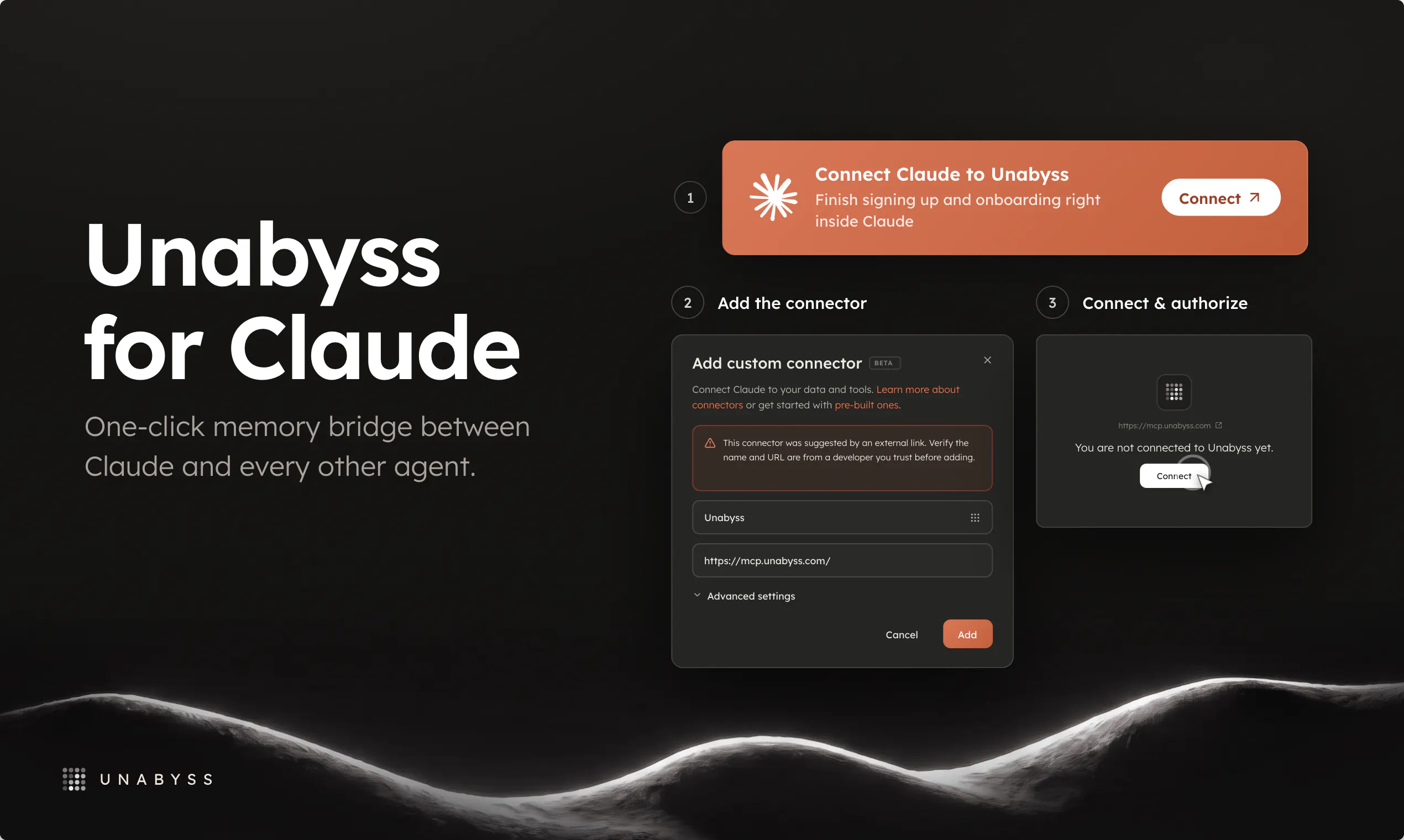
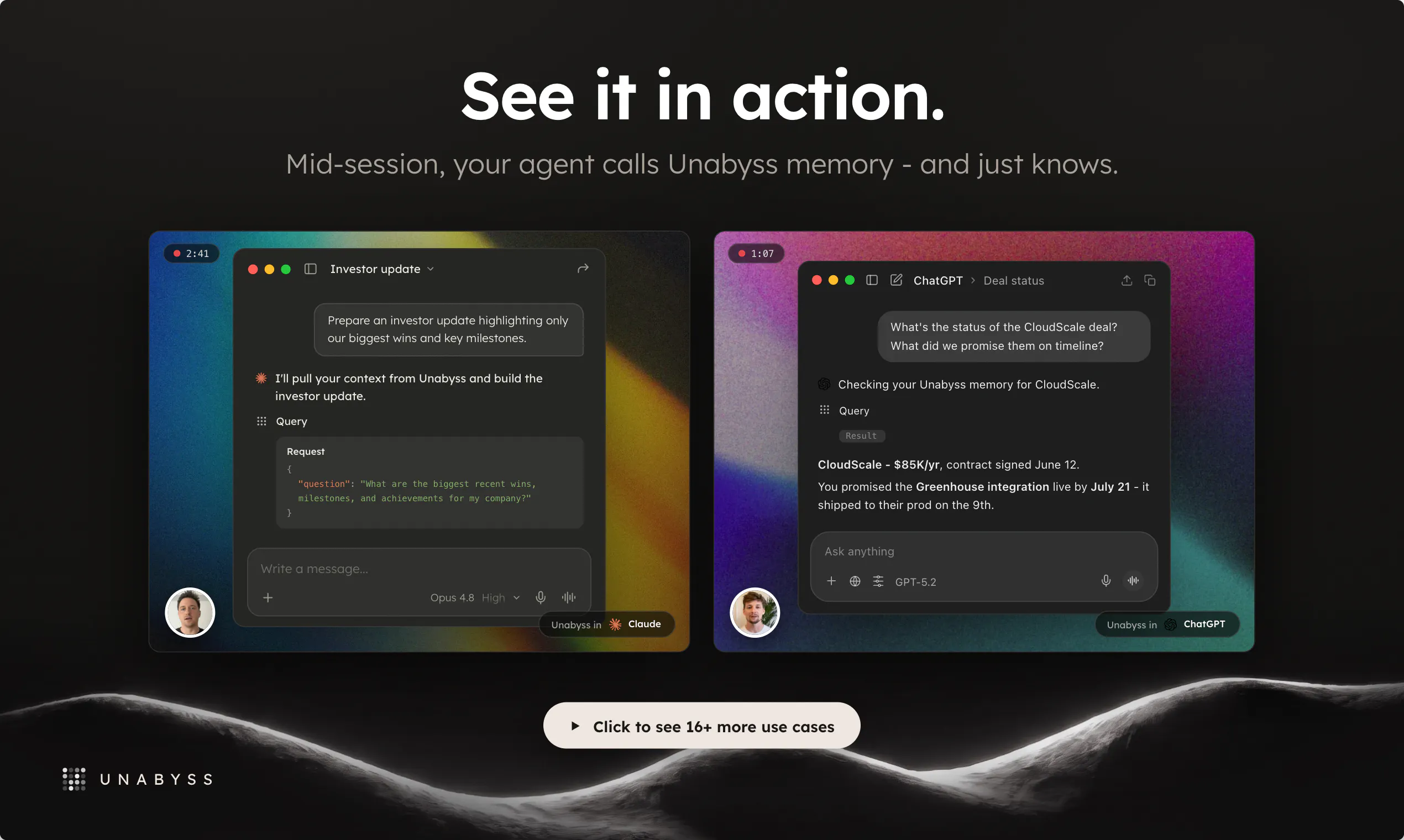
查看原始信息
CartHappy
Most grocery apps show you deals inside one store. CartHappy compares 350M prices a day across 10,000 stores, auto-applies every coupon, and splits your cart to whatever's cheapest that week. It can also learn your regular list and build your cart automatically — WXYZ Detroit tested it live on TV, saving a family $28 instantly. We built ours as an extension because it works horizontally, sitting inside each retailer's environment while helping the shopper shop across stores, not locked into one.

Hey PH 👋

I built CartHappy for my mom. She's in metro Detroit, and every week she's doing the same thing — checking flyers, clipping coupons, trying to find which store has eggs cheaper this week. I watched her do this for years and never saw a real fix that didn't ask her to change how she shops.

So we built CartHappy to do that work for her and others (nationwide now), automatically. Connect your store accounts, and it checks 350 million prices a day across 10,000 stores in the US, applies every coupon it finds, and splits your cart to whatever's cheapest that week. It can also learn your regular list from what you buy and build a cart on its own.

The harder problem was everyone building their own version of this locked inside one retailer, but nobody shops in just one store — my mom doesn't, and neither does anyone else. Doing this across retailers meant matching the same product across completely different catalogs, pricing systems, and coupon structures in real time — no shared source of truth to pull from. So the approach had to change: build it as an extension that works horizontally, sitting inside each retailer's site instead of replacing it.

WXYZ Detroit tested it live on TV a few weeks ago — a family synced their purchase history and CartHappy found them $28 in savings, instantly. That's the same thing my mom sees now every week.

It's live across Walmart, Target, Kroger (and its family of companies), and Safeway — we're working on adding more. Would love feedback from this community, especially on what would make it more useful week to week.

Thank you!
John

2
回复

@jlaramie congrats! a novel idea in browser extension land!

2
回复

Can you tell me what retailers you plan to add next? And, are you able to provide any of the back end data directly to brands or retailers?

2
回复

@joe_parrish2 - we're looking closely at the others in the top 10; from Ahold to Aldi to Wakefern and then some key regional players like a Wegmans and Meijer.

In terms of the data, we're starting to engage with several inbound b2b inquiries looking to understand and track pricing, competitor products, etc.

1
回复

One thing I'd love to see is a shared family list mode, where my partner and I can both add items in real time and CartHappy splits the cart between stores based on whoever is shopping that day. That would make the auto-cart feature way more useful for households that don't always shop together.

2
回复

@glhanbinatwoef you got it - we'll look into it. thank you!

1
回复

Tried it on my usual Walmart run and it actually flagged a cheaper version of my coffee at Kroger, plus stacked a coupon I never would have found. The browser extension feels invisible in a good way.

2
回复

@sefa3n8y woohoo - love it! thank you!

1
回复

honestly this looks super useful, the cross-store cart split is clever. one thing i'd love though is a price drop alert for items on my regular list, like if the chicken i buy every week goes on sale at aldi, just ping me so i can wait or stock up

2
回复

@ozdenoglu41658 Love it - that's super straightforward to implement. Happy to do it. Thank you!

1
回复

honestly love the cart splitting idea, super smart. one thing i'd want though is some kind of delivery coordination, like if the cheapest cart ends up split across three different stores, it would be nice if the extension could either schedule pickups or show me a single delivery option that consolidates everything so i'm not driving all over town on a tuesday evening

2
回复

@neriman91088467 totally. it's planned in two releases...we'll automatically coordinate across the retailers the available pickup / delivery windows, select them in the best group, and consolidate into the shortest window!

1
回复

@neriman91088467 how many stores do you usually shop at each week? and what would be your top 3?

1
回复

I dig how it doesn't just show you the prices elsewhere, but creates the basket for you w/ item already added

1
回复

@reillybrennan Thanks Reilly! It was a big technical task to do SKU matching, validate pricing and availability and agentically move it to the next best retailer. 350M prices a day we're tracking so there's a lot of moving parts!

2
回复