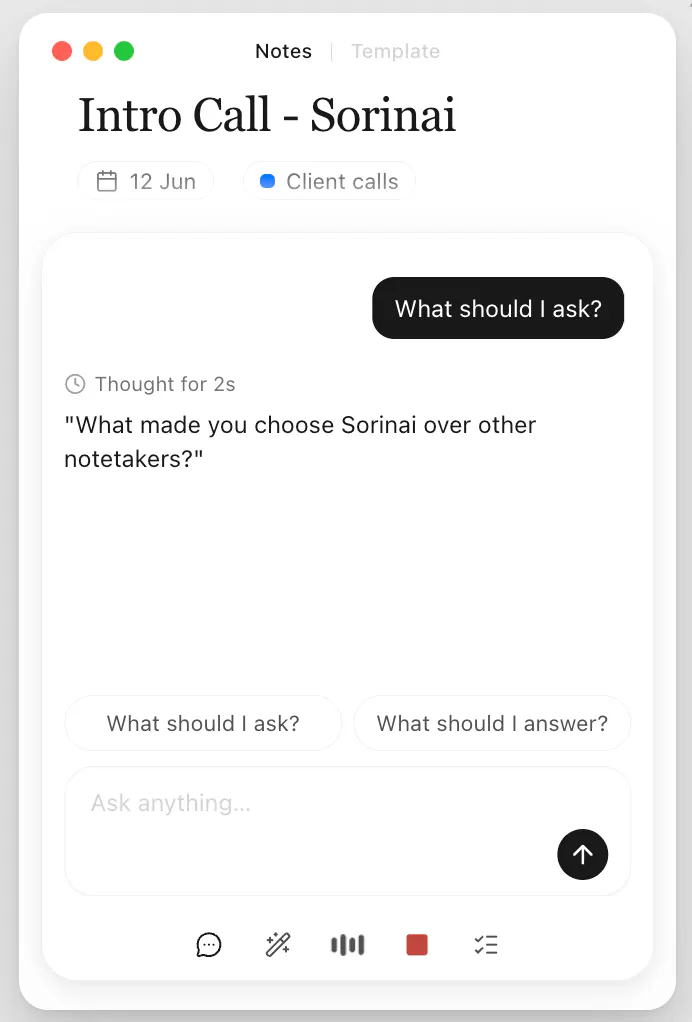
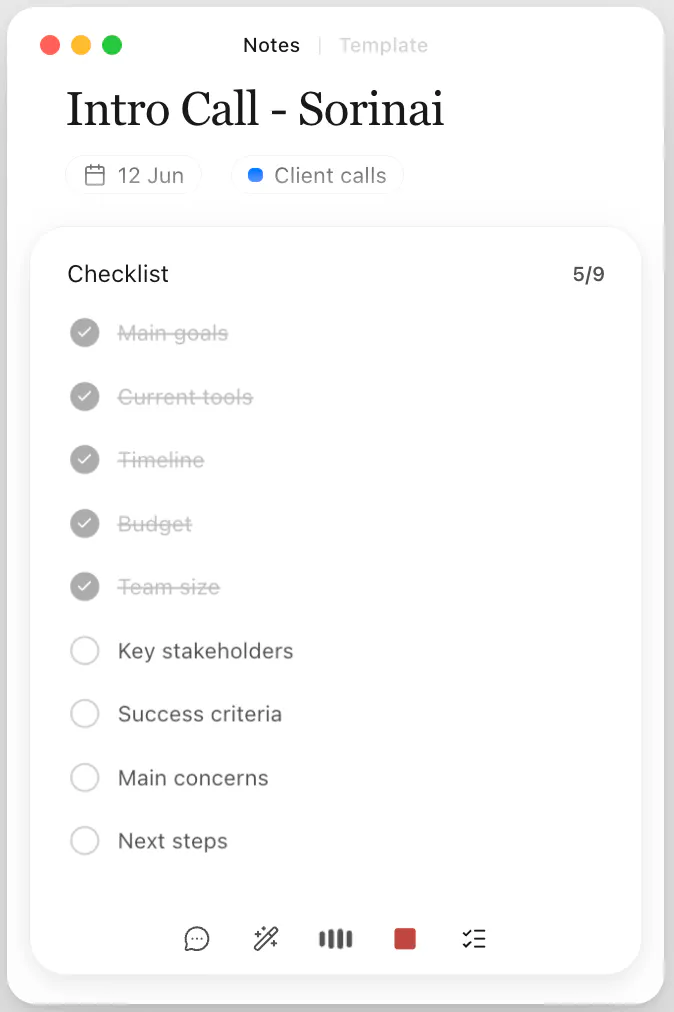
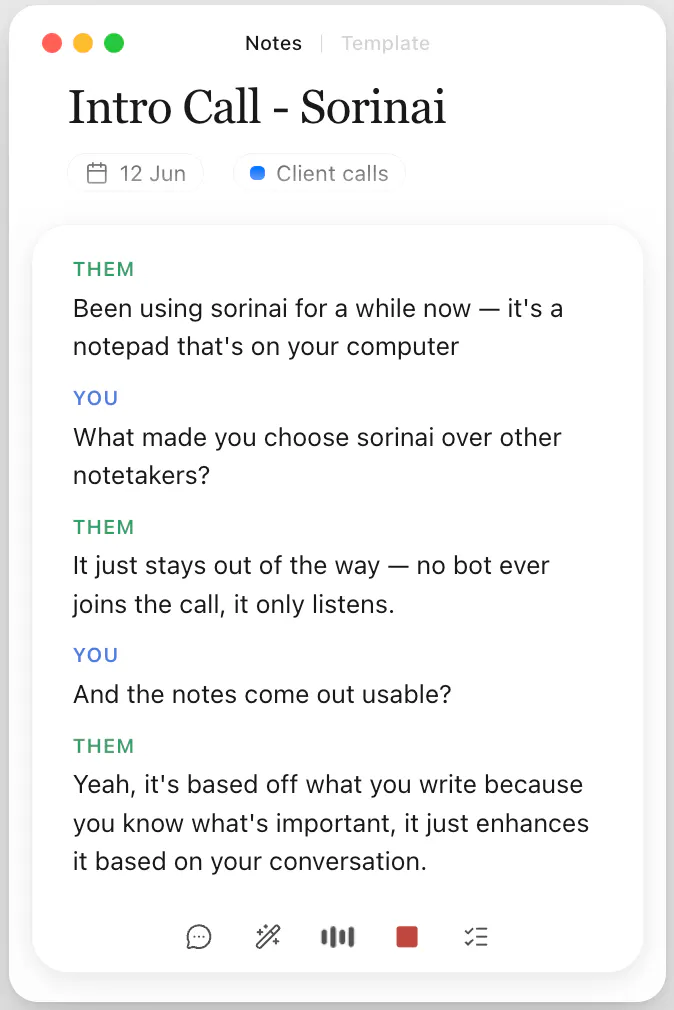
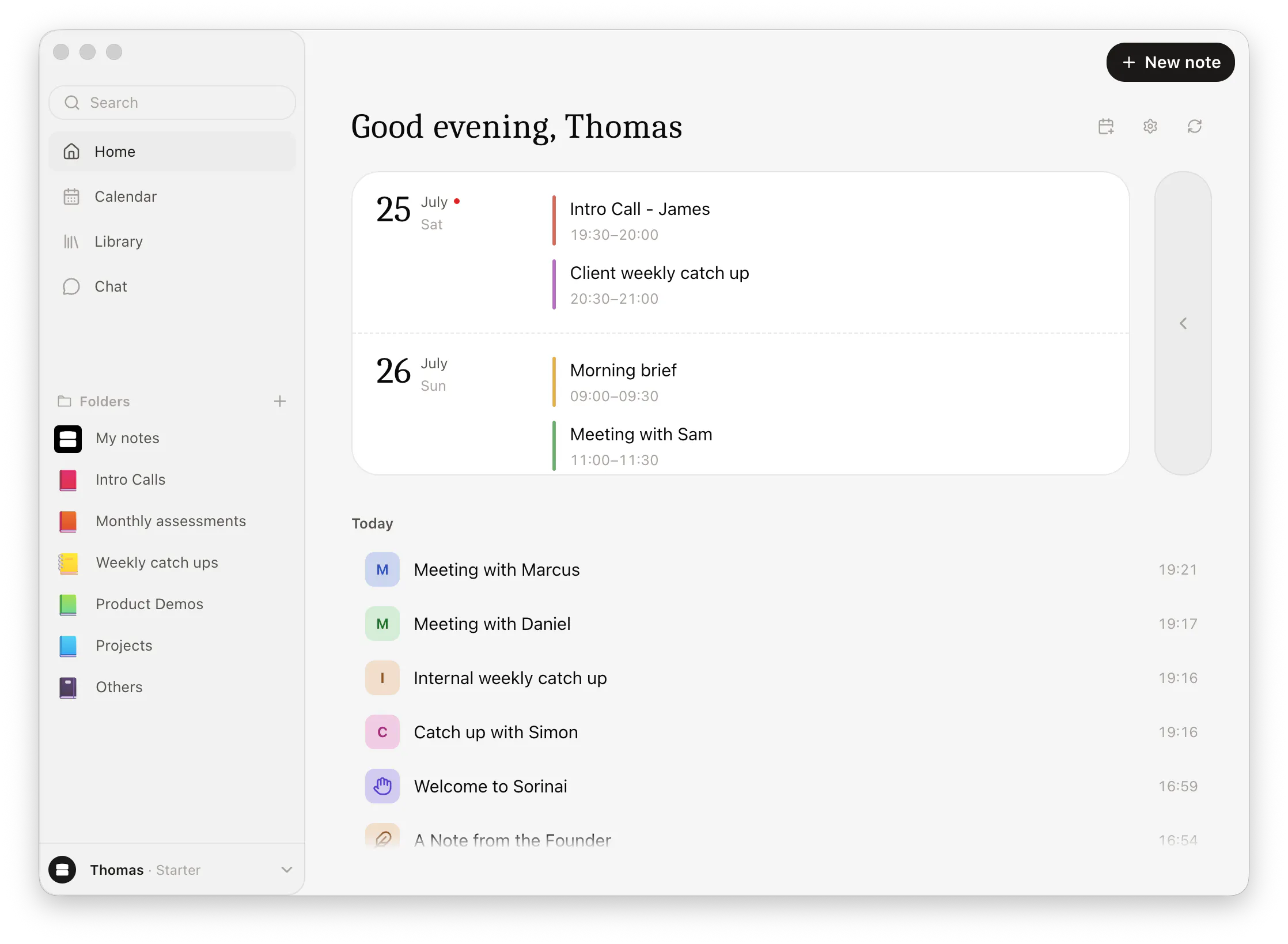
Product Hunt 每日热榜 2026-07-30

PH热榜 | 2026-07-30

#1
SKI
Free voice coding for Claude Code, Codex and more
497
一句话介绍:SKI是一款免费的本地语音编程助手,让开发者通过语音向Claude Code、Codex等编程代理下达指令,并让代理语音回复结果,从而在编程和会议场景中实现“用思维速度构建”的双手解放体验。
Productivity Developer Tools Artificial Intelligence
语音编程 AI编程代理 代码生成 语音交互 本地离线 会议助手 开发者工具 屏幕共享 生产力工具 跨平台
用户评论摘要:用户普遍认可“语音闭环”和“会议参会”的差异化价值。核心质疑集中在三点:1)会议中语音打断时机和交互礼仪;2)口音识别及代码语法准确性(开发者已回应:依赖LLM纠错、支持发送前审查);3)破坏性指令(如删除文件)的误判风险,有评论尖锐指出需“风险分级确认”而非全量审查。另有两则有效吐槽:多麦克风/输出设备切换缺失,以及“免费终身”标签与云端按分钟计费($2.5)之间的透明度问题。
AI 锐评

SKI的聪明之处在于没有重造一个“语音IDE”,而是给现有编程代理装上了“嘴巴和耳朵”——这精准踩中了AI编程工具最反人性的瓶颈:你依然在打字,而打字的速度远低于思维。它把交互范式从“仪表盘”拉回“结对编程”,方向是对的。

但产品目前存在两个结构性隐患。第一,**“安全边界”不是靠“审查”能解决的**。正如评论里那位用户精准指出的:误听往往是“流畅的错误”,破坏性指令的确认闸门如果仍放在可信度存疑的语音通道里,就是形同虚设。开发者回应的“风险分级”建议极为中肯——门要少,且要开在“非语音”的另一模态(如实体键确认),否则就是逼用户退回逐字校对,彻底失去语音的效率优势。

第二,**商业模式有“韭菜嫌疑”**。虽然本地功能免费,但“云端代理参会”按分钟计费且藏在0余额的“免费额度”陷阱里,这与“Free for life”的标语形成了微妙的信息差。用户不是反对付费,而是反对“免费”被当成钩子。如果SKI想成为开发者桌面的常驻应用,必须在定价页面上把“本地免费”与“云端增值”清晰切割,甚至考虑对个人开发者完全免费、只向团队/云端算力收费——否则早期口碑的崩塌速度会远快于技术迭代。

真正的护城河不是语音识别本身(这不难),而是“何时介入、何时沉默”的上下文理解——例如在会议中判断何时该回答,何时该闭嘴。这里需要的是深度打磨的agent协作层,而非声学技术。SKI踏入了正确的赛道,但能否从“玩具”变成“基础设施”,取决于它能否在下一版解决“安全的效率”这个矛盾体。可以关注,但别急着把代码库交给它。

查看原始信息
SKI
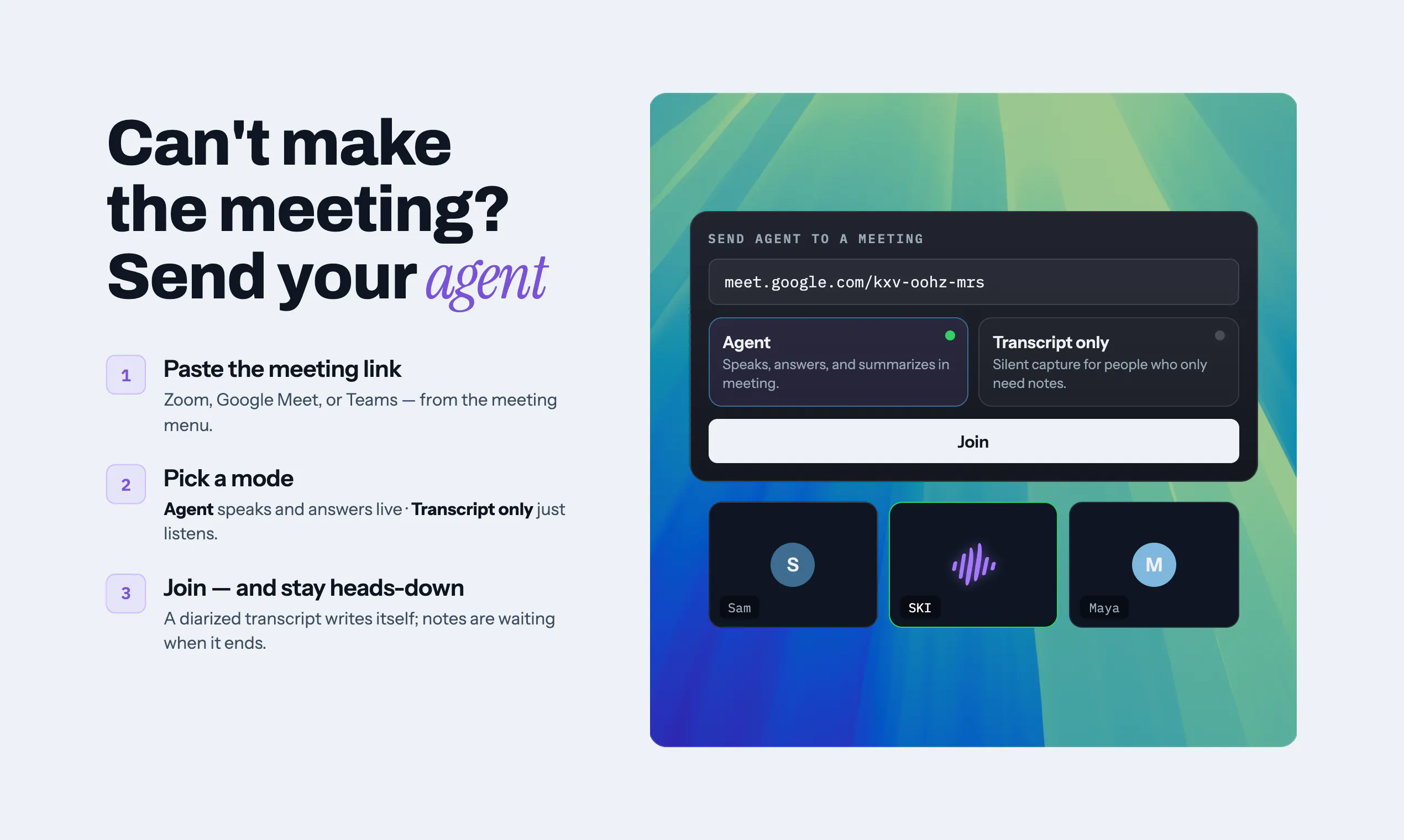
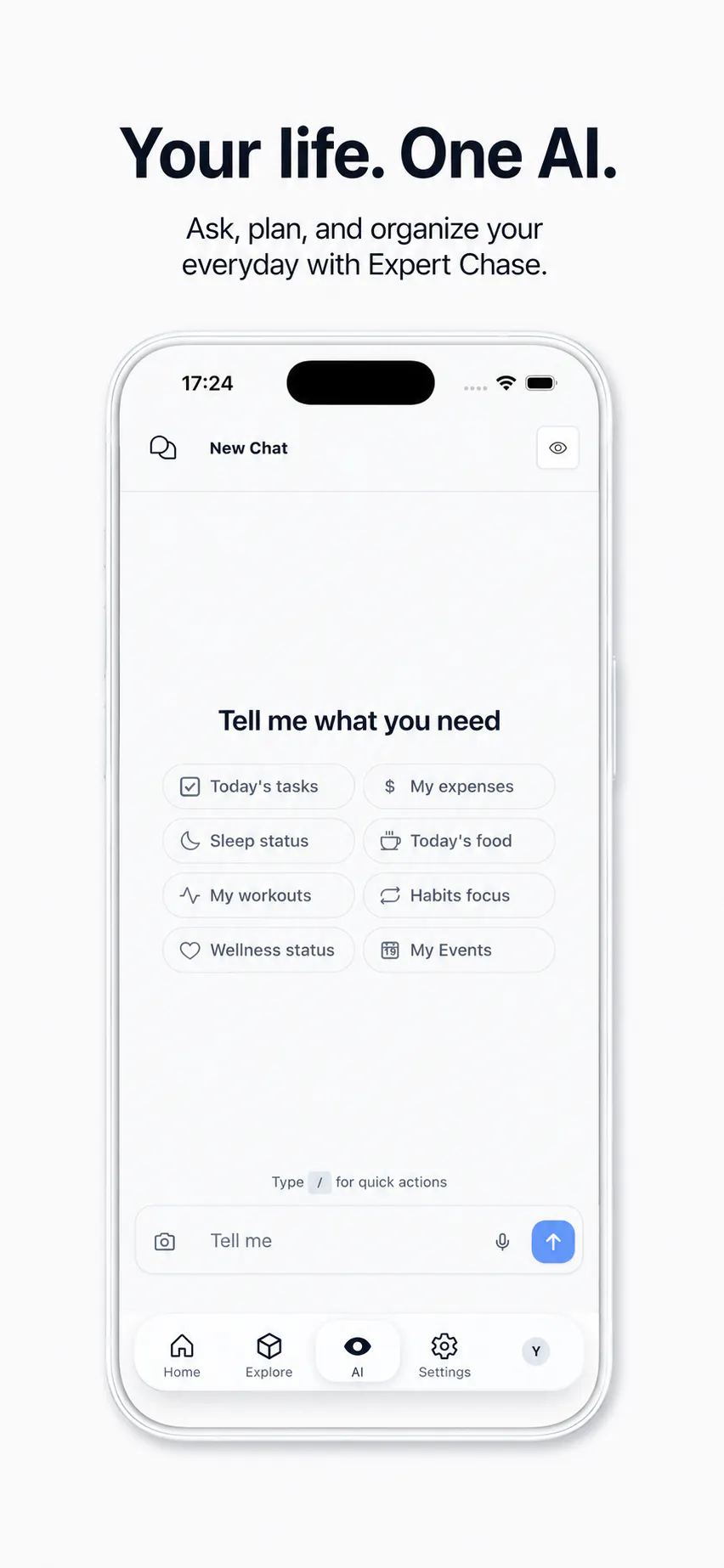
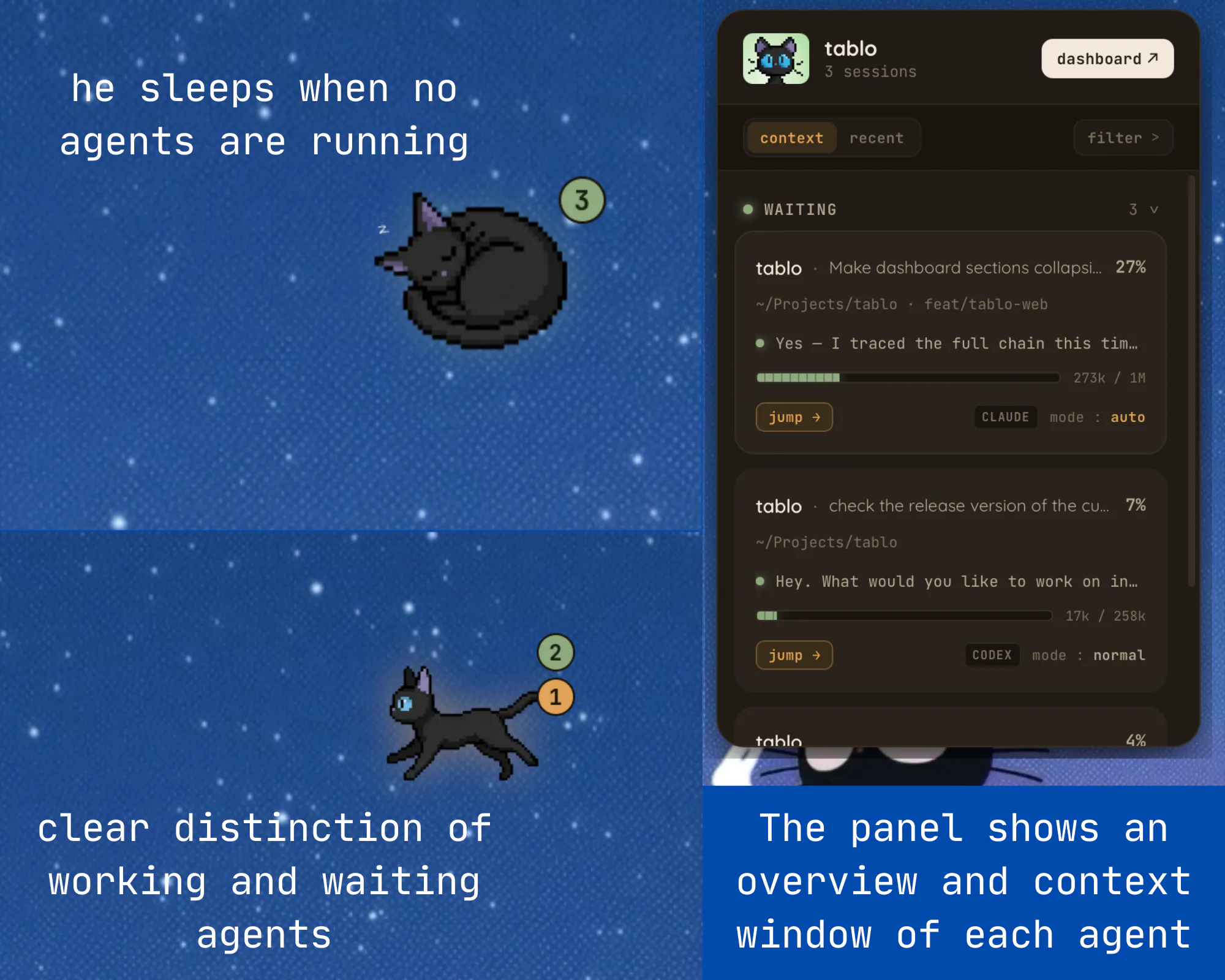

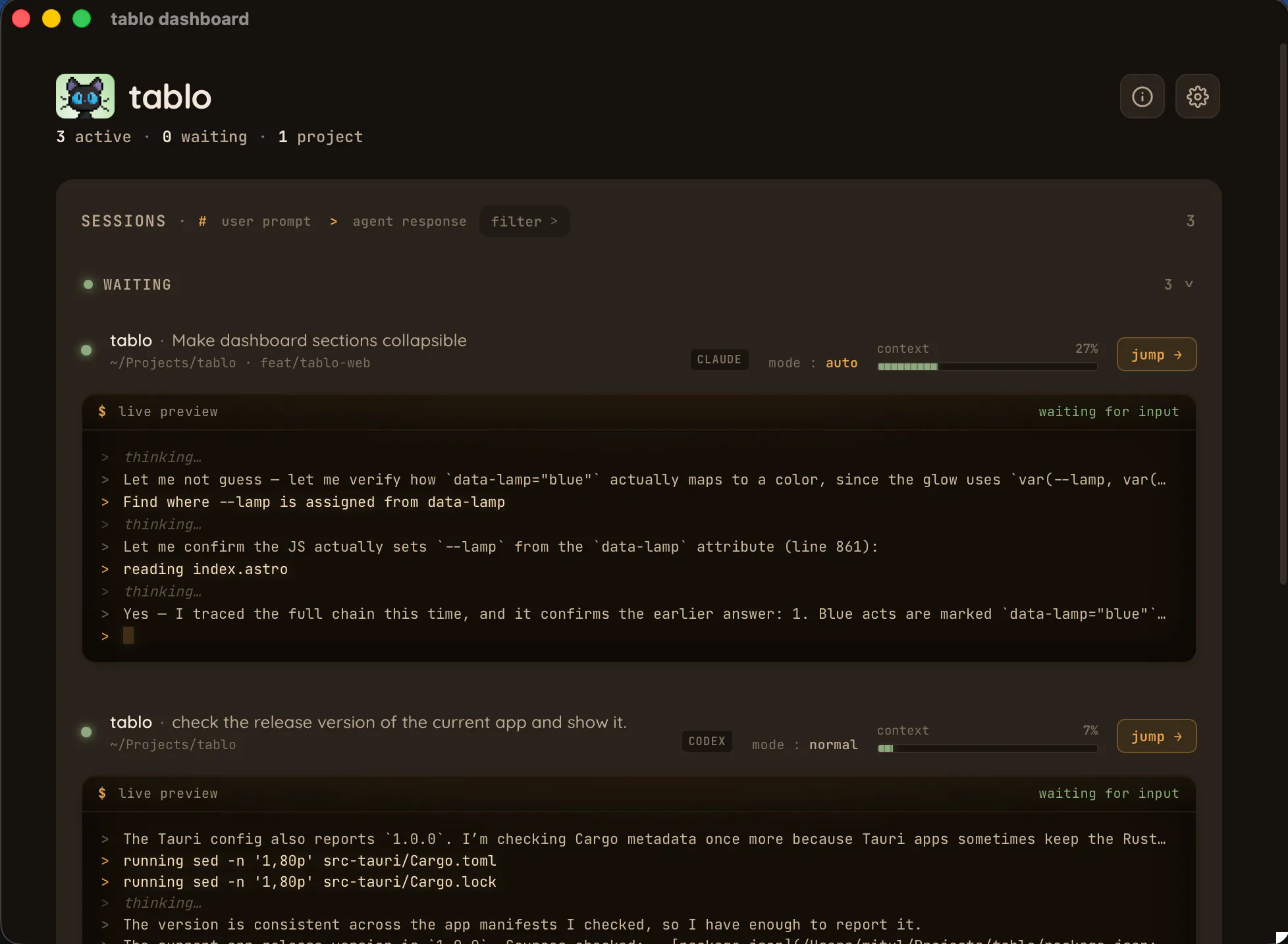
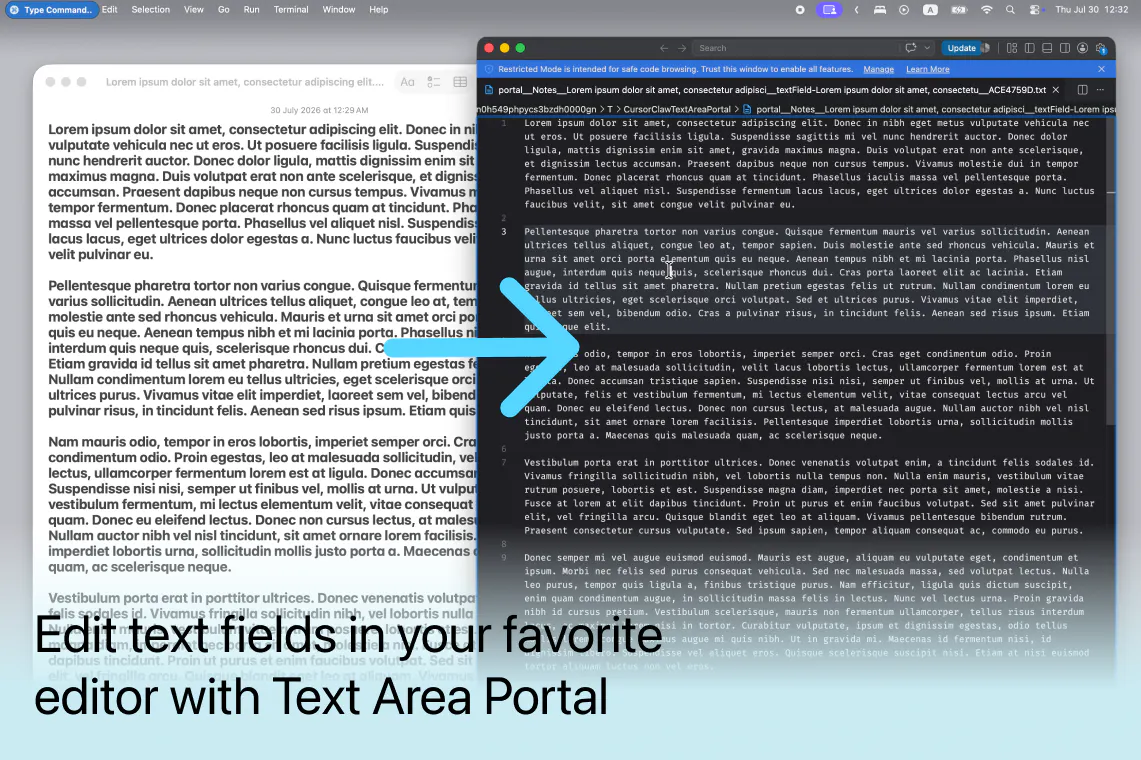
We just built SKI — voice coding for Claude Code, Codex and more. It's not dictation: your agent answers you out loud, like a real teammate, so you build at the speed you think. You can even bring it into a meeting to build live, or send it in your place to speak for you. It's an ambient thing that just sits on your desktop — hit a key, talk, it works. All on your machine, free. Available on Mac & Windows.

Hey Product Hunt 👋 I'm Anand, one of the makers.

We build with coding agents every day, and kept catching ourselves typing a three-sentence prompt we could've said out loud in four seconds. Thinking is fast. Typing is not.

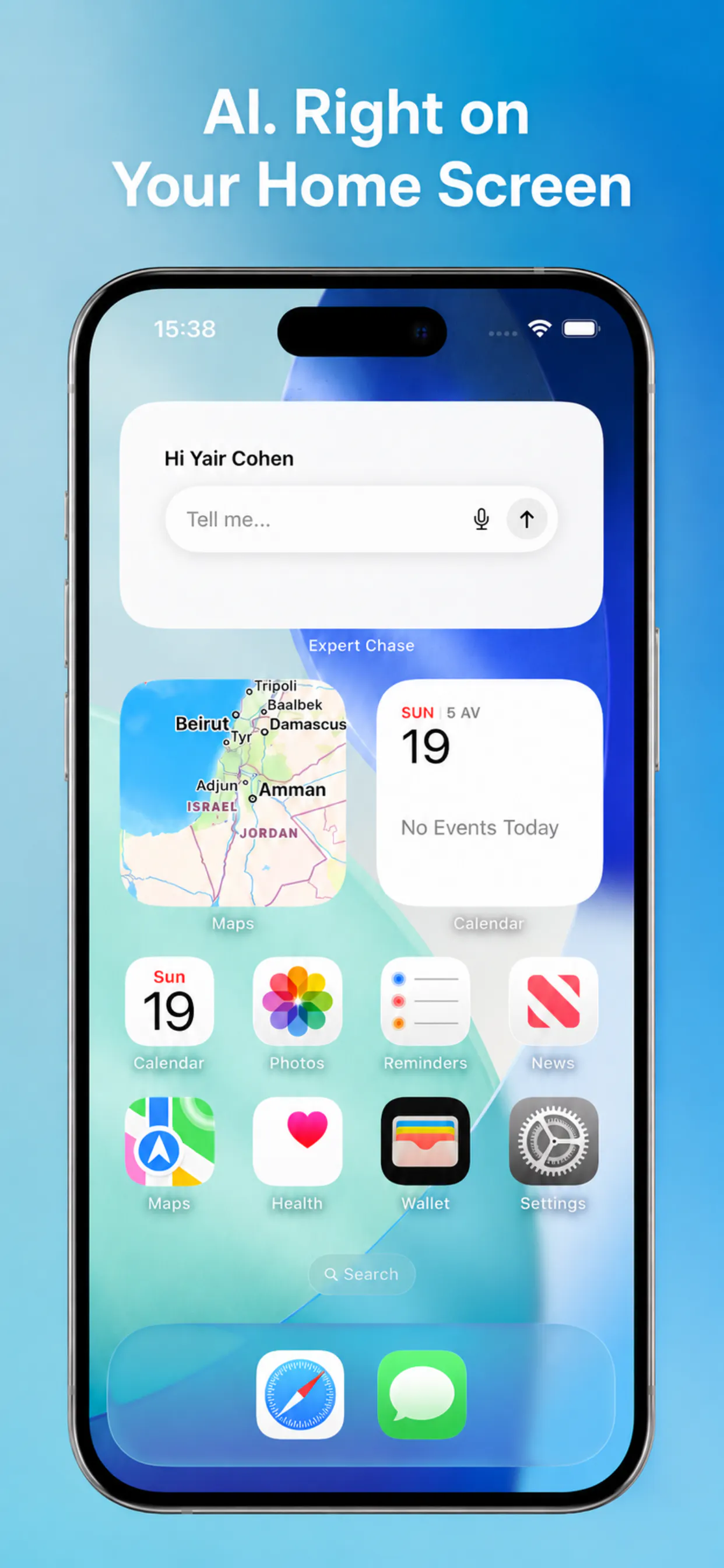
So we built SKI. You hold the Function key, say what you want, and your agent goes and does it — then answers you out loud, like a real person. It's an ambient thing: it sits in your notch and never interrupts your flow.

Three things we care about:

• It answers. Voice input for agents already exists — it's one-directional, words in, text out. SKI closes the loop: it speaks the result back.

• It comes to meetings. Bring your coding session into a call as a real teammate and build live — or send your agent in your place to speak for you.

• It's local. Speech in and voice out both run on your machine. No cloud, works offline.

Free for life — Mac and Windows today, Linux next.

First launch for us, so hard questions are genuinely welcome. What agent do you use, and what would make you keep this open all day?

22
回复

@anand_balakrishnan5 The send it into a meeting to speak for you feature is the most interesting differentiator here, and also the riskiest one to get right. when it's in a call speaking as you, does it wait for a natural pause to respond, or can it accidentally talk over someone? that seems like the difference between this feeling like a teammate versus feeling like a bot that hijacked your mic.

0
回复

@anand_balakrishnan5 In your own day-to-day, what’s the one task you now hand off to SKI first —

0
回复

@anand_balakrishnan5 Love the idea of making AI agents feel more conversational instead of just another chat window. The local, offline voice support is a big plus, and having the agent respond out loud really closes the interaction loop.

Congrats on the launch! You might also consider listing SKI on AI directories like iSEOAI to help more developers discover it.

0
回复
hahaha, this is interesting! Now this will definitely feel like having a junior programmer with me. How are you handling accents? especially when it comes to code, where specific keywords and syntax is very important?
5
回复

@jsurendranathreddy Transcription has improved a lot. And even the LLMs can understand and automatically fix errors in transcription now. There is a review before send option (optional, enabled in preferences), which will let you fix and edit if something needs to be fixed before sending to the agent.

We usually share the screen and ask the agent to change the lines or show it to the agent. Agent can take screenshots of the screen using ski and can learn which part you are talking about.

In short
1. They usually work OK and can understand syntax even with incorrect transcriptions from accents
2. Option to edit before sending
3. Can share screen to show things to the agent (Agent can take screenshots or you can send screenshots using hotkeys). You could highlight and show the agent as well. It takes a look at the screen.

2
回复

Does it have built in intelligence to understand and respond ? Or is it working like bring your own agent where the speech understood and spoken by Claude Code or our agents ?

3
回复

@jaison1993 Thank you for asking. It doesn't have built-in LLM. It connects your voice with Claude Code or agents like Hermes. It also connects meetings to these agents. The intelligence comes from the agents connected.

2
回复

Cannot wait to try this out 😀. I’ve been trying to build this quite a few times myself. The models just recently got good enough to be able to pull this off.

Can you also share your screen with the ai agent? It’s nice to be able to show it a problem

3
回复

@michael_yagudaev The models are good enough now and works really well. Yes, the agents can take screenshots if you ask them to (just speak). You can also send screenshots using hotkeys along with the voice. It gets sent to the agent like you normally do, when you type.

Thanks a lot for checking us out.

1
回复

@michael_yagudaev The screenshot feature comes very handy when you have to share your screen with the agent.

0
回复

@michael_yagudaev You could ask your agent to take a screenshot and perform actions based on what it sees. In Claude code with computer use, this becomes incredibly convenient—you can have the agent interact with your screen, understand the UI, and take the next steps automatically.

0
回复

This is genuinely interesting. Feels less like voice dictation and more like collaborating with an AI teammate. Congrats on the launch!

3
回复

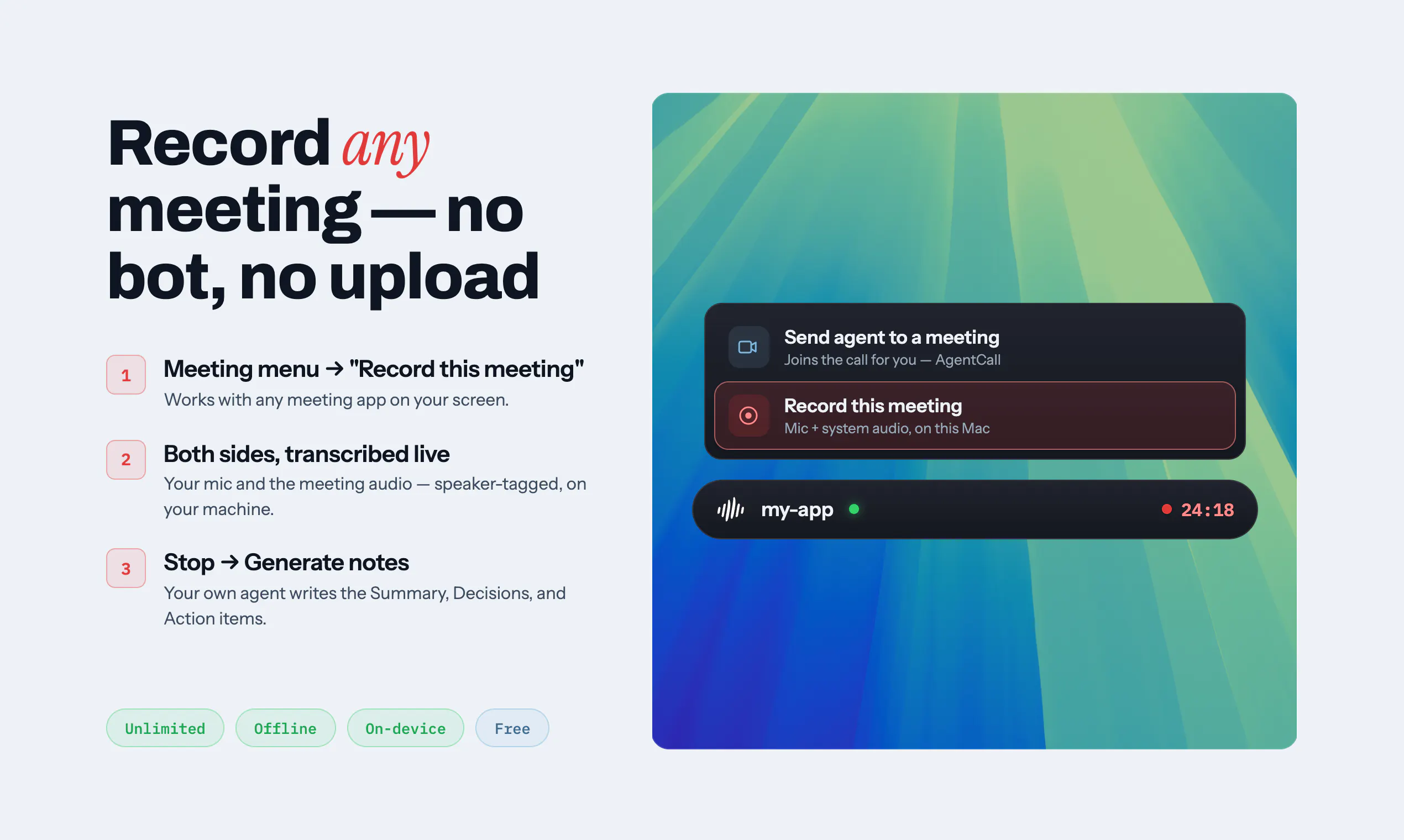
@numerbyte Thanks a lot Aditya, for the support. Do check out the meeting notes taker as well. Lets you connect your meetings to the agent of your choice. On device. Bot free.

0
回复

Will it run on agents running on isolated PCs without internet connection ?

3
回复

@clemente_lopez1 Yes, ski runs completely offline once it is installed. No internet connection is needed for it to run.

1
回复

The meeting use case is interesting. Bringing an agent into the conversation instead of just using it behind the scenes is a cool idea. Excited to see where this goes.

3
回复

@henry_habib Thank you for taking a look into it. The agent can be just a notetaker inside meeting, or it can bring in the intelligence of the project it is connected to, into the meeting. It can listen, talk, chat, screen share and share files via temporary links (available only during the call duration) to the participants using a secure tunnel.

1
回复

@henry_habib You’re absolutely right! That’s exactly what we’re trying to enable—your coding sessions can now collaborate with your team, not just write code.

Here’s a quick video of sending your agents to meetings: https://www.youtube.com/watch?v=78bVSBuzC44

1
回复

@henry_habib Please try the product and let us know your feedback.

0
回复

The voice loop makes sense for coding, especially when the prompt in your head is much faster to say than type. How well does SKI handle noisy rooms or shared offices? I can imagine fans, keyboards, background conversations, and meeting audio making this tricky pretty quickly. Does it have any kind of voice isolation or push-to-talk filtering, or is it mainly designed for quieter environments?

3
回复

@os_ishmael It has noise cancellation. There is push to talk. Function key in mac - hold to speak, and release to end. There are hotkeys for it as well. Can use space bar to mute and unmute if the application is selected as well. One click mute and unmute on widget and notch.

Hotkeys can be configured in both Windows and Mac in Preferences.

2
回复

@os_ishmael Thanks for these feedback, these are helpful

0
回复

Dictation and voice commanding fail differently, and I think that is the interesting part here. A misheard word in dictation sits on the screen and you fix it. A misheard word here goes to something that acts.

Delete the test file and delete the rest of the file are both fluent, both plausible, and ASR will be confident about the wrong one. So confidence scores do not save you, and push to talk only controls when it listens, not what it commits to.

You speak the result back, which closes the loop after the agent has already done it. Does it ever repeat the instruction before, on the ones that are hard to undo?

2
回复

@jernej_jan_kocica Thank you for taking a look at our product. Yes, you can ask the agent to confirm the task before it does something destructive and the agent will ask for your permission before it executes the line. You just have to tell the agent (by voice, just like you talk to someone). There is a "review before send" option where you can confirm the transcripts are correct before sending them. You can fix it just like dictation apps do (Available in Preferences -> Transcription > Approve before send). There is also a preview function which you can use.

1
回复

@jernej_jan_kocica You're pointing at the real one, and I don't think the answer quite closes it.

"Delete the test file" vs "delete the rest of the file" — the failure isn't that ASR is wrong, it's that it's wrong fluently. And both mitigations offered have the same shape of problem. Telling the agent by voice to confirm destructive actions puts the safety gate inside the channel that just proved unreliable. Review-before-send does close it, but globally — and at that point I'm reading every transcript before it goes, which is dictation again, which is the thing this was built to escape.

The version I'd want is risk-scoped rather than global. Let the safe majority through at full speed, gate only the irreversible, and put that gate in a different modality than voice. A single key to confirm, or the notch showing parsed intent for a beat before it commits.

Having had to build approval gates into agent products for a while now, the thing that keeps being true: people accept a gate that fires rarely and precisely, and switch off one that fires on everything. All-or-nothing is usually where the trust goes.

Genuinely strong launch though — closing the loop out loud is the part everyone else skipped.

3
回复

@jernej_jan_kocica  Thanks for sharing this

1
回复

Very promising approach - two things which made me uninstall it after a few minutes:

a) I need a way to select input and output. I have multiple mics (Jabra wireless headset for meetings, Rode mic for video recordings, some system loops etc) and also multiple outputs. (When it gets late I want that output on my headset to not annoy my family)

b) price intransparency. I understand that you need to make money. We all do. But if you tell me "free for lifetime" then I am annoyed if I see $2.50 somewhere in the fineprint of my account status. Be open about your pricing. You are competing against other tools that I pay for and I am happy to pay for a better tool

2
回复

@sm0r3ll Thank you for your feedback.

We currently have input selection (Preferences -> Microphone). We don't have output selection in-app, unfortunately. Will bring that in the next update.

Everything that runs on your local machine is free. We do not require any card details or payment details for using the product. The cloud agents (powered by agentcall, and are optional) runs on cloud infra and is billed per minute. This is when you send your agent to attend a meeting as a participant in the meeting. And in this case, it takes up the free credits and stops working if there are no credits available. You can manually add credits if required to use this cloud feature. All local features will remain free for lifetime.

1
回复

@sm0r3ll Thanks for sharing your feedback

0
回复

@sm0r3ll Thanks for your feedback.

0
回复

Is the offline meeting recorder compatible with all meeting platforms?

2
回复

@basil_lenin Thank you for checking out our product. In the offline meeting recorder, it records the system audio and your mic inputs. So, it will work for all meeting platforms or even websites where it plays a audio and you reply back. It runs on your device and is completely free.

0
回复

@basil_lenin Please use SKI and let us know your feedback

0
回复

I am a firm believer of the rapid the migration from traditional UX to voice based UX. Would love to check this out and give feedback. Kudos on the launch, SKI team!

2
回复

@sid_625 Thanks a lot for checking us out and for the support. Please check out the product and let us know your feedback.

It has a little more features like meeting transcription (both bot free and bot present) and agents in meeting (connect your project into a meeting for agent to talk in meeting, present or chat). Please take a look at it as well https://heyski.io/tutorials

0
回复

thats interesting, using voice to talk to ai and code is an amazng idea but do people actually want to talk or just type???

2
回复

@aziz_mohd1 Maybe both. Speaking is much faster. And it is much easy to articulate things and explain things a lot in detail with speech.

For me personally, I just go away into doing other things when agent is being assigned a ask. For instance, I asked it to build something and it started doing it. But it takes a few minutes for it to complete. I don't feel good staring at the screen. So, I end up switching projects, or checking out phone. If I switch projects, I end up forgetting to check back. Maybe the agent is expecting me to clarify something and is waiting for my inputs.

Now, I connect multiple projects to ski and it just tells me if I need to check it out. It also keeps me updated on the progress. When I want to type, I can. I would recommend that you try this setup as well to make it more productive.

Something I would also recommend is the meeting connection. It can record meeting and connect it to your project, more like a meeting brain that you have.

0
回复

@johnkg003 Congratulations. And happy product launch.

2
回复

@huisong_li Thanks a lot for the support. Means a lot to us!

0
回复

Quick video on how to use SKI https://www.youtube.com/watch?v=8bE4L6JAQ-o

2
回复

Congrats on your launch! Would like to see Linux support!

2
回复

@emirsoyturk Will be adding it soon. Stay tuned!

2
回复

Hi,
What languages are supported?

2
回复

@oleksandr_utkin  Great question! Right now @SKI is tuned for English and it works really well. Support for more major languages is next on our roadmap — which one would you want first? 🙌

0
回复

This is interesting. How do you highlight a specific code in a file using dictation? Just curious :)

2
回复

@chilarai Multiple options
1. You could just say file name and the lines and LLMs now are intelligent enough to understand it.
2. You could open up the screen and just ask it to take a look at your screen - it can take screenshots and understand the lines. Or you could send screens using hotkeys along with your voice.
3. You could also talk just about the functionality implemented in the code and LLMs can understand them easily.

LLMs are now intelligent enough to understand and correct mistakes in transcription as well.

0
回复
@johnkg003 but thats what we don't want man saying file name and location if I would do that then what will ai do ?? , btw overall product is cool
0
回复

Small feedback upfront, when I simple click on "Download for Mac" on the website, the download on my device doesn`t start. Workaround found, if I do right click and open in a new tab, then it start the download.

2
回复

@nik_isonpase Thanks a lot for letting us know. Will fix it soon.

1
回复

@nik_isonpase Thanks for highlighting it. Helped us to fix the bug quickly. Please try SKI and share us your valuable feedback.

0
回复

Congrats on the launch. Just a quick question, how does the push-to-talk handle noisy environments or mechanical keyboard chatter during active coding?

1
回复

@stacy_liu2 Thanks a lot for checking out SKI. SKI has noise cancellation at a default mode at present. Will be bringing in customizable levels for noise cancellation in the upcoming version.

At present, it is not affected by mechanical keyboard chatter. The issue comes in when the surroundings are too much noisy with multiple people talking out loud.

0
回复

This is definitely a valuable addition to the coding community. I currently use whisper flow for coding but I am wondering how this differs and maybe how it will be better given that it's tailored toward programmers.

1
回复

@arthurdls Whisperflow is a STT application which converts your speech to text, which you can copy and paste to work.

SKI is a skill used by coding agents (in your case, or AI agents in general) to understand what you are speaking to them. Your speech is transcribed and sent to the agent as instructions (with review, which is optional - can set in preferences). Agent then does the task. Once it is complete, the agent updates the status or asks queries to you via voice.

SKI is a complete hands-free coding loop for agents. Please try it out and let us know your feedback.

0
回复

I run Claude Code all day as a solo dev and the thing that actually breaks my flow is drifting to another tab and not noticing when it's done or sitting blocked on an approval. Voice-out closing that loop is the part I actually want — does it speak up when the agent is waiting on me, or only when a task finishes?

1
回复

@lennoxbeflying Thank you for taking a look at SKI.

You can ask the agent to talk as you want it to, and it will use the SKI skill to adapt to your needs. For instance, if you need updates on the stages of completion, it can give that to you. If you want only the completion or waiting-on-you updates, it can do that as well.

SKI functions as a voice capability for your agent to talk to you. The agent you connect to SKI can decide what to speak. You can ask or instruct the agent, and it will act according to your instruction.

Please take a look into SKI. And let us know your feedback or if you have any queries and we would be happy to help :)

0
回复

Congrats on the launch. Assuming this can work with local models since you said it works with Hermes?

1
回复

@jacob_sherwood Thanks a lot for your support and for checking out SKI.

Yes, it works with local models. Just that the models should be able to read skill and use it. It is a simple skill file.

0
回复
This is great! I tried Mac dictation and built in Claude dictation but neither allows for full "away from screen" experience. Is it possible to call the agent? So that I could talk to it remotely? I guess it's the "bring it to the meeting" that was mentioned?
1
回复

@artk Thank you for checking out SKI.

If you put Claude Code in Auto approval mode, you can work full away from screen.

Yes, it is possible to let the agent join a meeting, like Google Meet and talk to it in meeting, or connected to Android auto or Car Play. This is a paid feature. Needs account registration in SKI. Free hours included. Powered by agentcall.dev (which is also our product)

0
回复

SKI helps you get the most out of your Claude Code or Codex subscription.

Beyond interacting with your AI agent, you can also use SKI for note-taking and organizing your ideas.

https://www.youtube.com/watch?v=6VTptRCOA_w

1
回复

Just curious... Is notch mode available in windows ?

1
回复

@lakshmi_ravi Notch mode is available only on Mac for now.

0
回复

In windows, it just overlays on top. I’d rather be able to hide it when I don’t need it. Notch seems like a good solution. Is there anything similar available for Windows?

1
回复

@gigi_kuriakose Yes, there is a hide function for SKI, accessible via Preferences -> Hotkeys. Pill is currently the only option in Windows. Notch is limited to Mac.

0
回复

Congrats on the launch! Voice input for coding agents makes sense in a way it never did for typing code, since you're dictating intent rather than syntax. Curious how you handle the context switch when you need to reference a specific file or function mid-sentence. Is there a way to point at things while talking?

1
回复

@lucasjpols Thanks a lot for checking out SKI. It makes a lot of sense now as we are dictating the intent. If the function names are simple and uses common words, it gets transcribed easily as part of the sentence and the LLM which receives it can make a lot of sense about the function from the transcribed words. For instance, if the function name is "function_mic" and the transcription gets it as "function mike", the LLM is intelligent enough to correctly identify the function. One addition would be to just tell the agent what the function does so that it can easily pick it up even in case of transcription errors.

You could also open the file up and ask the agent to take a look. Agent can take a screenshot, see the function code, and work on it.

0
回复

Congrats on the launch! Voice input for coding agents feels overdue. Does it handle multi step commands, or is it mostly one shot prompts right now?

1
回复

@ben_kahan Thanks a lot for checking out SKI. It just works like a text input to the agent. So, it can handle multi step commands. Once the task is complete, it can respond back to you via voice.

0
回复

The teammate framing is fun, having Claude Code answer me out loud feels closer to pairing than prompting. I could see myself using this while pacing around the room thinking through a refactor. Does it hold up in a noisy space like a shared office, or does it really want a quiet room?

1
回复

@doganakbulut Thank you for checking out our product. It is like a pair programming. We would recommend wireless headphones in case you are far away from the device. It doesn't necessarily require a quiet room, but a quite room ensures much better transcription accuracy. When you are talking continuously, it usually gets transcription right. The noisy room creates issues only when you are silent and the mic is turned on, where it picks up the low volume talks by someone else. If you are the loudest in the room, it works.

Will try to bring in a noise cancellation slider in the next version where you can adjust the settings depending on a quiet room and a noisy one. Thanks a lot for bringing this up.

0
回复
#2
Memmy Agent
Let every AI remember the same you.
464
一句话介绍:Memmy Agent 是一个本地优先的个人记忆中枢与AI代理,旨在让Claude Code、Codex、Cursor等多个AI工具共享同一份长期记忆,避免用户在不同工具间反复交代偏好、决策和项目上下文。
Productivity Open Source Artificial Intelligence
AI记忆层 跨Agent上下文 本地优先 开发者工具 记忆管理 Claude Code集成 个人AI代理 数据隐私 开源 多工具协作
用户评论摘要:用户普遍认可解决多工具间上下文断裂的痛点,尤其看重本地存储与隐私控制。主要问题集中在:跨工具记忆是否支持项目级隔离(当前不支持,存在个人与工作repo记忆混杂风险);API不返回记忆引用ID,难以做自动化溯源;记忆冲突与风格分离的处理逻辑仍待完善。建议优先补充记忆ID输出,并考虑Notion等知识库集成。
AI 锐评

Memmy Agent踩中了当前AI开发工具链最深的裂痕:会话级上下文与长期工作记忆之间的断层。在Claude Code、Cursor等多Agent切换时,用户被迫反复重述偏好和决策,这种隐性成本在长周期项目中尤为致命。产品以“本地优先+共享记忆池”切入,策略务实——既规避了云端记忆的隐私信任危机,又用SQLite实现了可掌控的数据底座,这是赢得开发者社区好感的关键。

但必须指出几个隐患。其一,无项目级或工具级隔离的设计,在“工作仓库与个人项目同机”场景下必然引发记忆污染,这是从“可用”到“可信”之间必须跨越的坎。其二,API不返回memory ID或引用溯源,意味着无法在自动化流水线中断言“哪条记忆被注入”,这削弱了记忆层的可审计性,对深度用户是硬伤。其三,所谓“上下文相关性”驱动的记忆检索,在冲突记忆处理上仍无成熟机制——用户在不同工具中呈现的工作流风格差异,靠“当前任务决定召回”未必能干净分离。

真正的价值不在“存储”,而在“记忆的编辑与调度”。Memmy的四层记忆架构(L1-L3+Skill)初步展示了从原始轨迹到策略、世界模型乃至可复用SOP的进化路径,这是其技术护城河所在。但架构再漂亮,若不能在隔离性、可观测性和冲突消解上给出更透明的答卷,就仍停留在“好用的玩具”层级。接下来值得观察的是:它能否在保持本地优先的前提下,推出记忆共享协议或插件生态,成为跨Agent记忆层的事实标准——而非又一个依赖社区热情维护的开源插件。

查看原始信息
Memmy Agent
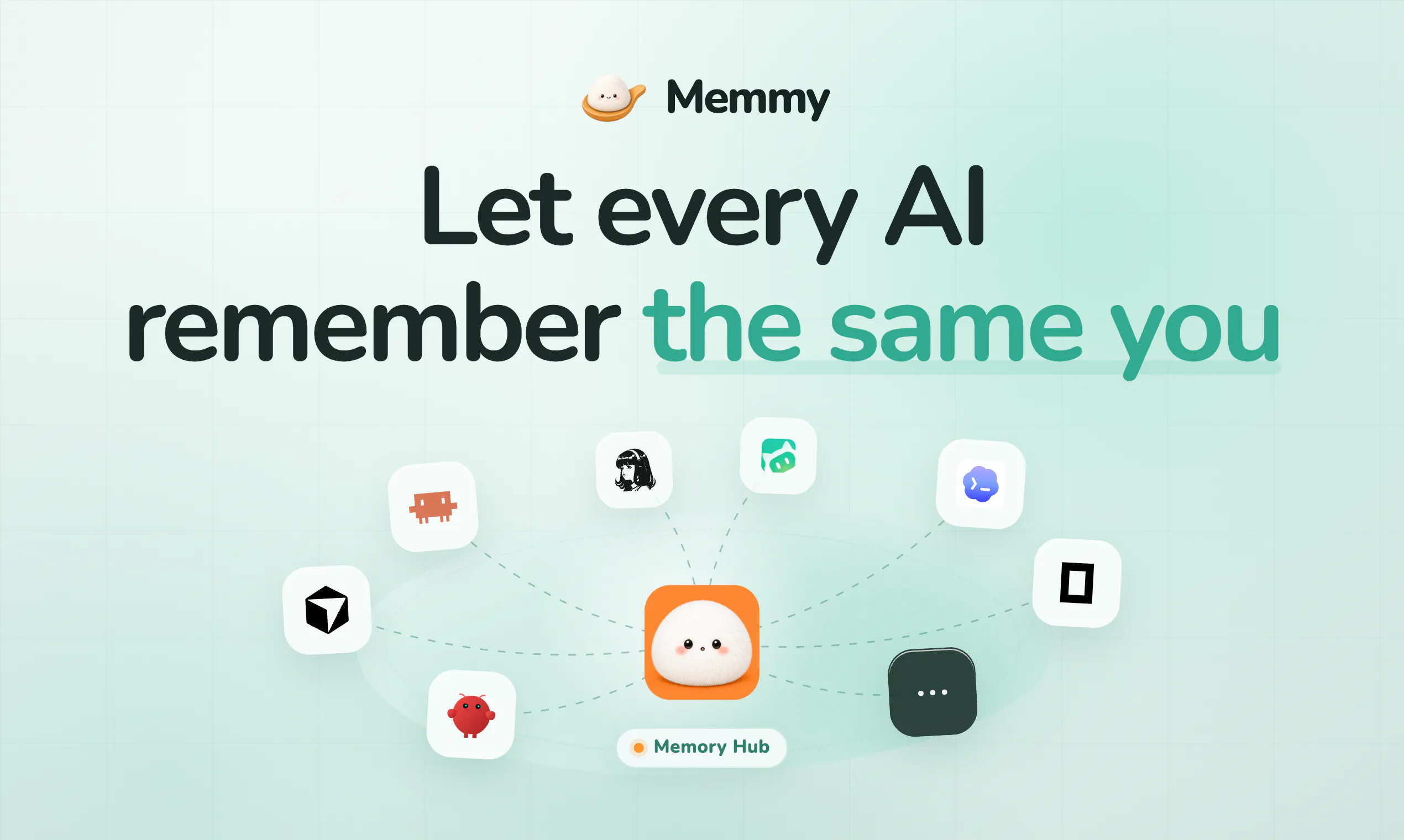
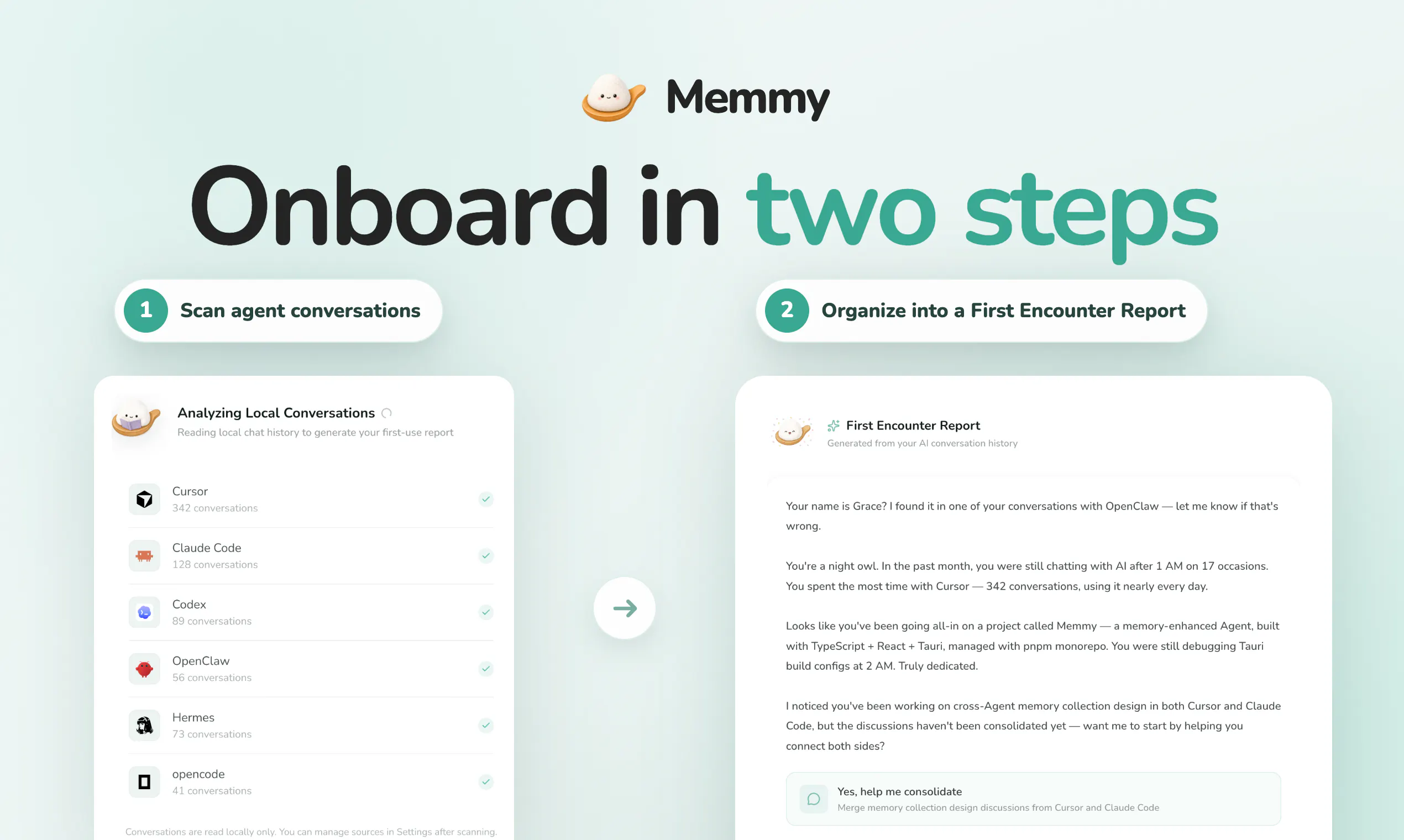
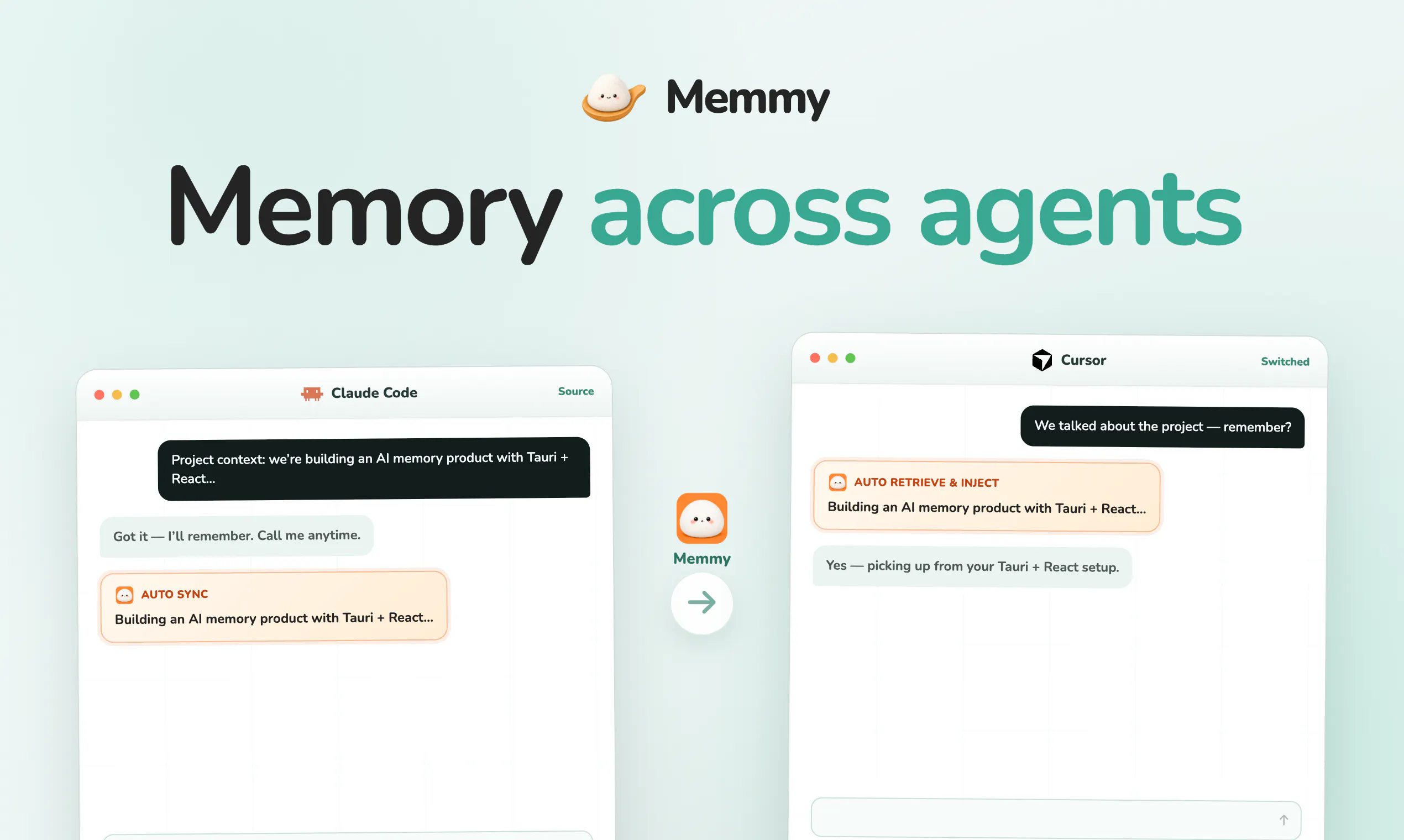
🍙 Memmy Agent is a personal memory hub and local AI agent for all AI Agent and tools like Claude Code, Codex, OpenClaw and Hermes. Gives every AI one shared, full-controlled memory — they all remember the same you. Memmy turns chats, decisions, prefs, progresses, and experiences into long-term memory, brings the right context into matching task, also can take on work directly. Local-first by default. Your memory stay under your control: manage them anytime. Free start with 2M ChatGPT tokens.

Hey Product Hunters 👋

I'm Zhiqi, one of the makers behind Memmy.

If you bounce between Cursor, Claude Code, Codex, and other AI tools like me, you know the pain: every new chat starts from zero. Prefs, decisions, project context — you HAVE TO re-explain to them again and again.

Finally we get rid of it, and we're excited to introduce Memmy 🍙

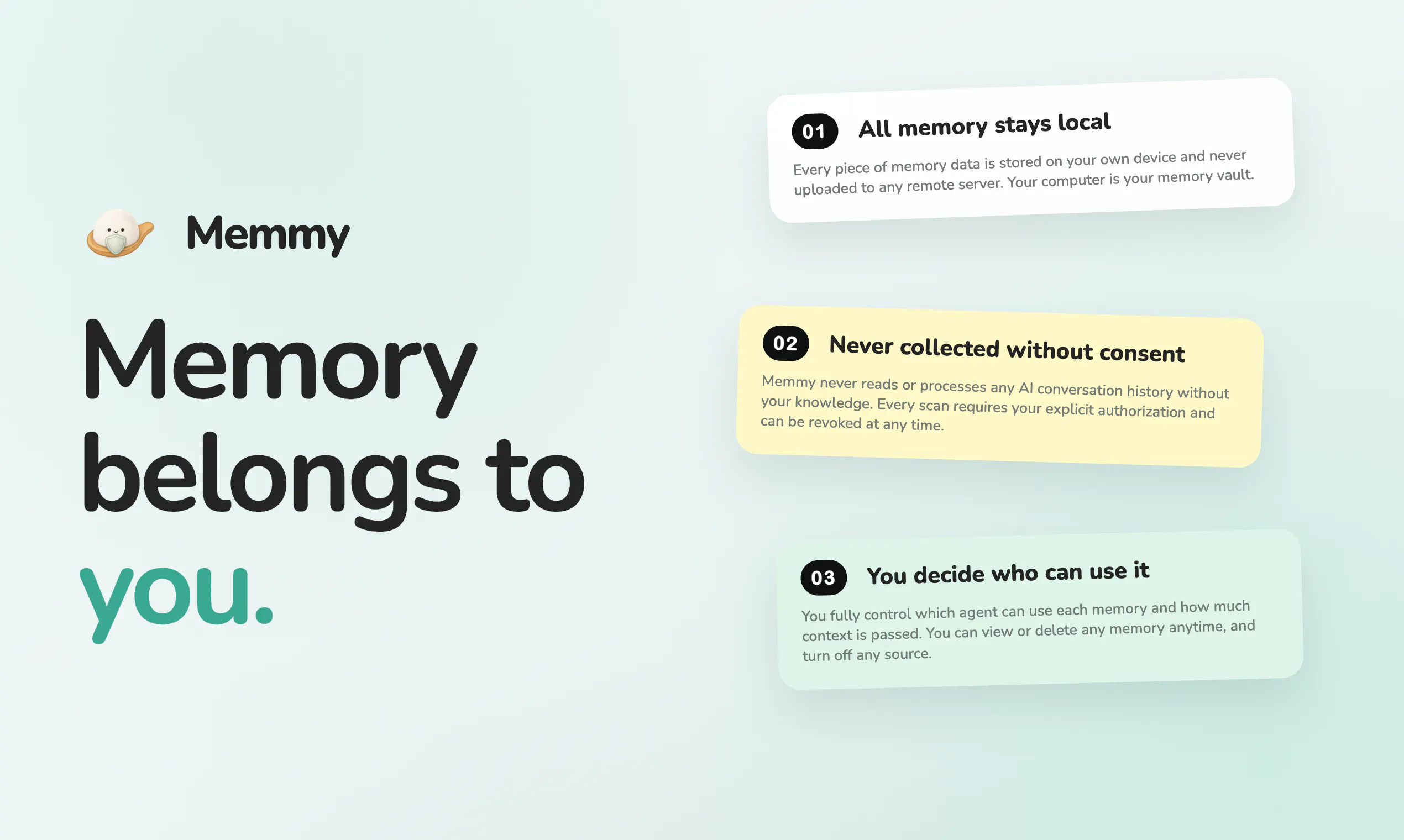
Memmy is a local-first memory layer those tools can share. Auth once, and it turns messy chat history into structured memory — prefs, decisions, project context. Switch tools, and Memmy carries what matters with you. No re-explaining anymore. You can search it, control who uses it, or delete anytime. And it stays on your device, never uploaded to a remote server.

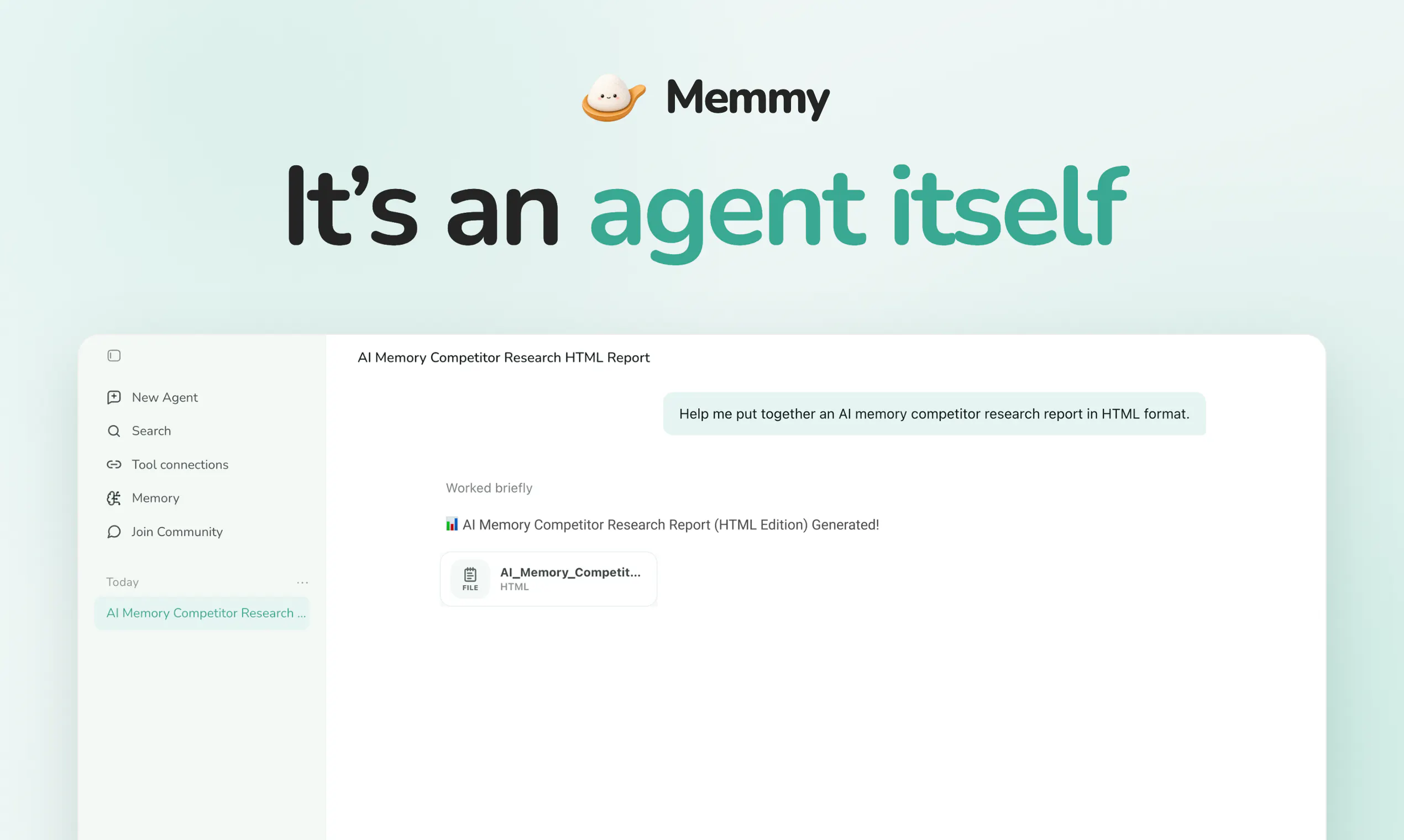
Also an agent itself: you can hand it tasks, not just manage memories.

We're open source, free to start, and would love to hear your thought — "What tool should we support next, and what should memory never forget?"

We gonna be here all day to answer questions and would genuinely appreciate your feedback 🫶🏻

13
回复

Thanks for checking us out 🙏

https://memmy.bot

For the PH Community, 2M ChatGPT Luna tokens free credit, come get it 😎

5
回复

@zhiqi_xu Notion would be a great next integration. A lot of project context and decisions already live there, so connecting that knowledge with AI conversations could be really powerful. Memmy should never forget confirmed decisions, but it should also know when they’ve been replaced by newer ones.

2
回复

Been waiting for something like this, honestly.
BTW, does it work well with Claude Code specifically, or is that still early days?

12
回复

@abod_rehman 
Yes—Claude Code is one of the key workflows Memmy is designed for. It helps preserve the project context, decisions, and task progress that can otherwise get lost when you start a new Claude Code session, switch projects, or move between tools.

The cross-agent long-term-memory experience is still evolving, but if Claude Code is already part of your daily workflow, Memmy is well worth trying—especially for long-running development work, frequent session switching, or workflows that also involve Codex or Cursor.

5
回复

@abod_rehman Claude Code is a big one for us too, so I’d be really curious to hear how it works on your actual setup. Let us know where the handoff still feels rough.

0
回复

@abod_rehman Thanks — glad it’s landing. Claude Code is a first-class integration (not early days): memmy auto-recalls + captures memory each turn during your chat within Claude.

0
回复

Love the pitch! How do you handle conflict resolution when a user exhibits different personalities or prompt styles on different tools? (e.g., coding on Cursor vs. creative writing on Claude)?

5
回复

@spark_zhang We don’t treat everything as one flat, global personality profile.

Memmy retrieves memories based on the current task and context, so coding preferences from Cursor and writing preferences from Claude can remain relevant in their own scenarios instead of constantly overriding each other.

For genuinely conflicting memories, we’re still improving the resolution and user-control layer, but the core principle is contextual relevance rather than blindly merging everything into one profile.

3
回复

@spark_zhang Great question! Shared memory doesn’t mean one voice everywhere. Memmy keeps your durable facts shared, while tool-specific styles stay tied to their context — coding habits surface in Cursor, creative tone in Claude. The current task decides what gets recalled.

0
回复

@spark_zhang I’d add: durable facts can be shared across tools, but style/persona should follow the current task — not get mashed into one universal voice 👍

0
回复

Memmy is a long-term memory assistant for individuals and developers, built to break down the memory silos created when working across AI coding agents such as Cursor, Claude Code, and Codex.

It consolidates historical conversations, task progress, and key decisions from multiple agents. Powered by the memory capabilities of MemOS, Memmy turns fragmented context into persistent, searchable, updatable, and reusable long-term memory. This means that when you switch tools, start a new session, or hand work off to another agent, your project context does not have to start from scratch.

Memmy is especially useful for:

  • Developers and teams using multiple coding agents;

  • Engineers who want to preserve architectural decisions, technical investigations, and debugging history;

  • Users who want AI to continuously understand their preferences, workflows, and long-running goals;

  • Teams exploring long-running agents, multi-agent collaboration, and AI-native development workflows.

In one sentence: Memmy helps AI go beyond remembering a single conversation—it helps AI continue your work with persistent context.

GitHub: https://github.com/MemTensor/memmy-agent

4
回复
Congrats on the launch! Does the memory sync work in real-time across different AI agents (like Claude Code and Codex)?
1
回复

@hannesh 

Thanks! Yes.

Once Claude Code and Codex both have the Memmy hooks installed, they read and write the same local memory store. When a turn finishes on one side, it gets captured automatically; the next time you ask something on the other side, relevant memory can be recalled. It’s not separate silos per agent, and it’s not cloud push between them.

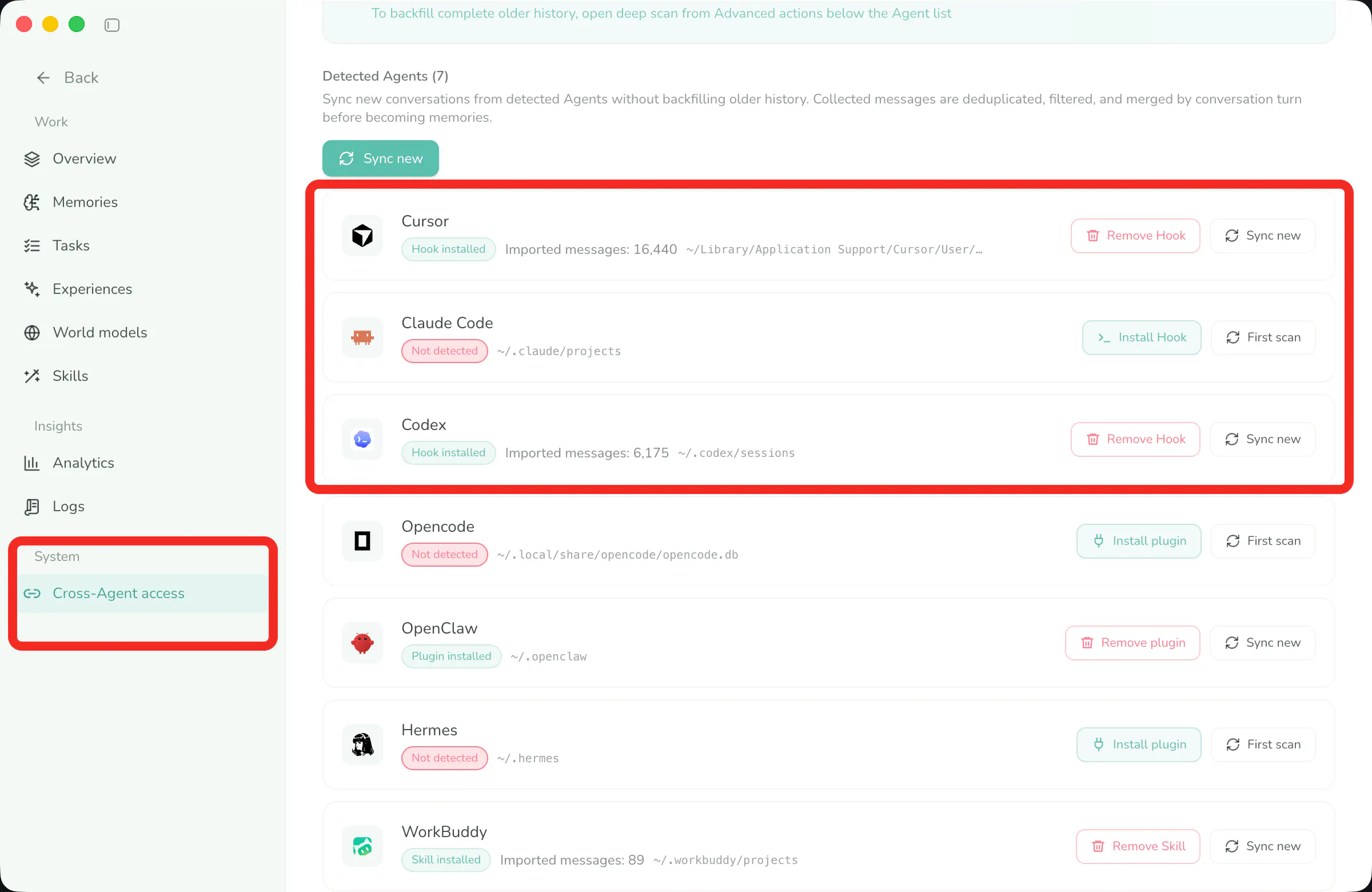
The key is that both sides need Memmy’s live integration. If you only scan history and don’t install the hooks, new conversations won’t share automatically.

1
回复
@graceren Got it, thanks! That makes sense.
1
回复

Congrats on the launch! We're building humalike.ai and personal memory is one thing we care about :))

1
回复

@mcarmonas Thanks Martí — just had a look at Humalike. The turn-taking and social memory angle is really interesting.

We’re approaching memory from the cross-agent side, so there’s probably a lot for us to compare notes on — especially around Hermes :)

0
回复

@mcarmonas Thanks so much! Personal memory is right at the heart of what we’re building too — love that humalike.ai cares about the same thing. Would be great to exchange notes sometime :))

0
回复

@mcarmonas Thanks! Love meeting folks building in the memory space — humalike ai looks fun 👀

0
回复
1
回复

congrats! @brattyaiguy

1
回复

@brattyaiguy  @danielwayne thanks bro 👊

0
回复

Congrats on the launch. Local-first is why I clicked, most memory layers ship as someone else's cloud. One thing I could not work out from the description: when Cursor and Claude Code both hit the OpenAI-compatible API, does a memory carry any scope with it, per project or per tool, or does every connected agent read from the same pool? I have work repos and personal side projects on the same machine and I would want the second not to bleed into the first.

1
回复

@vollos Thanks for raising this — today, all connected agents read from the same local memory pool. That shared pool is intentional: it’s what allows Cursor, Claude Code, and other agents to build on the same long-term context.

At the moment, memories are not hard-isolated by tool or project. Retrieval is based on the current task and context, but a work repo and a personal side project still belong to the same pool, so we can’t promise zero crossover today.

If strict separation is required, the safest current setup is to use separate Memmy instances or data stores. Your example is a very useful one, and project-level boundaries are clearly an important requirement for this kind of workflow.

0
回复

Are decisions, preferences, project state, and lessons stored as different memory types with separate update rules?

Does the OpenAI-compatible API provide a way to inspect the memories used for each response?

1
回复

@jun_wong2 

Are different memory types stored with separate update rules?

Yes. Memmy uses a four-layer memory architecture, and each layer has its own write path, evolution pipeline, and retrieval rules:

L1 Trace — Raw conversation turns (requests, replies, tool calls). Captured automatically at turn end, then summarized and embedded asynchronously.

L2 Policy — Experiences distilled from L1 (success patterns, preferences, failure avoidance). Generated automatically by background induction jobs.

L3 World Model — Declarative knowledge about projects, environments, and constraints. Abstracted from L2 via clustering.

Skill — Reusable standard operating procedures. Crystallized from qualified L2 policies.

Mapping to the concepts you mentioned:

  • Decisions → L1 + decision repair records + L2 decision guidance

  • Preferences → L2 subtype `preference`

  • Project state → L3 world models

  • Lessons → L2 policies, which can further crystallize into Skills

Does the OpenAI-compatible API let you inspect which memories were used for each response?

The OpenAI-compatible API response body does not currently return memory IDs or citation details directly.

You can check this in Memmy under Memory Management → Logs by filtering for `memory_search`. There you’ll see the candidate memories for that request, which ones were kept and injected into context, and which ones were filtered out.

Our full stack is open source — feel free to take a look if you’re interested. Thanks for the support!

https://github.com/MemTensor/memmy-agent?ref=producthunt

3
回复

@jun_wong2 The logs are especially useful when you’re tuning retrieval — you can see what was considered, kept, and filtered out instead of guessing what happened behind the scenes.

We’ve also been thinking about exposing more of that trace directly through the API. Curious what would be most useful for you there: memory IDs, relevance scores, or full provenance?

0
回复

@jun_wong2 Jun, you got the best answer in this whole thread and it is worth pulling out the part that actually matters for you.

Grace confirmed the API does not return memory IDs or citations, and that you have to go to Memory Management, Logs, and filter for memory_search to see what was considered, kept and filtered.

That is fine when you are debugging by hand. It is a problem the moment you want this in anything automated, because provenance you can only read in a dashboard cannot be asserted on. You cannot write a check that fails when a stale memory gets injected, and you cannot diff what changed between two runs.

Pema asked what would be most useful to expose. If you are going to answer, the practical order is memory IDs first, relevance scores second, full provenance last. IDs alone are enough to build almost everything else on top of, and they are the cheapest thing for them to ship.

0
回复

oh this is a very clever one. AI not remembering anything about me when i switch (even between claude web and claude code, for example,.. same company...) is one of the most frustrating things I've dealt with.

Do you also have any ideas on how to make memory "better", i.e. have it be more comprehensive?

1
回复

@quantumwhisker Totally agree. We don’t think “better memory” simply means storing more conversations.

For us, it comes down to three things: covering more of the tools you already use, turning raw conversations into structured and deduplicated memories, and retrieving the right memory for the current task. New decisions and lessons can also be written back, so the memory keeps improving as you work.

The goal is a useful, evolving memory—not an infinitely growing chat archive.

0
回复

This solves one of the most frustrating parts of using multiple AI tools: having to explain the same preferences and project context over and over again. A shared memory layer feels like a missing piece in the AI stack. Congrats on the launch!

1
回复

@sandy_liusy Thanks so much, Sandy! You nailed the exact problem we’re solving — repeating the same preferences and project context across tools is such a drag. We built Memmy as that shared memory layer so every AI you use can remember the same you.
Appreciate the kind words, and congrats energy right back — would love to hear how it feels once you try it!

0
回复

@sandy_liusy Yep, once you notice the context-reset problem, it’s hard to unsee... What tools are you switching between most?

0
回复

Amazing product! Congrats for this launch!

0
回复

@peng_wood Thanks so much! Fresh launch — try it out and throw any feedback our way anytime.

0
回复

Local SQLite storage plus user-controlled access makes the privacy story easy to understand. I appreciate the concrete implementation details.

0
回复

@tristan_huang Thanks so much! That was exactly our goal — make the privacy story concrete, not just a slogan. Local SQLite + you control the access 🔐

0
回复

@tristan_huang Thanks Tristan! Glad the local-first details landed — we wanted people to actually see where the data lives, not just trust a vague “privacy-first” line 🙌

0
回复

Local note apps preserve information, but they do not automatically surface the right decision to the agent working on today's task.

0
回复

@nicole_h94 Yes!! You totally get it 🙌 Storage is easy — the real magic is surfacing the right decision to the agent working on today’s task. That’s exactly what Memmy is built for. Love this take 💚

0
回复

@nicole_h94 Spot on — saving notes is easy; the hard part is surfacing the right one while the agent is actually doing today’s work ✨

0
回复

Retrieval analytics showing which memories helped, were ignored, or caused corrections could improve both user control and system quality.

0
回复

@wys1010 Totally agree👍 That kind of retrieval analytics is a big unlock for both trust and quality. We already expose some of this in Memory Logs (candidates, what got filtered / dropped, what was actually injected), and we’re keen to push further toward clearer “helped / ignored / corrected” signals so users can steer the system and we can keep improving recall. Great call.

0
回复

@wys1010 Thanks! Totally with you — being able to see how memories get used (or skipped) is a big part of making the system feel trustworthy 👍

0
回复

I’d use this to keep my writing voice consistent across different AI tools. They all seem to understand my style eventually… right before I start a new chat

0
回复

@thea5 Exactly 😅 Getting an AI to learn your voice shouldn’t be something you have to redo in every new chat.

0
回复

@thea5 Love this use case — writing voice is such a pain to re-teach every time. Would be great if yours just followed you across tools ✨

0
回复

Referencing API keys through environment variables instead of hardcoding them in config is exactly the kind of secure default I want.

0
回复

@1251912798 Glad that stood out. ✌️ The boring security details matter a lot once an agent starts touching real work. We’re trying to make the safer path the default, not something you have to remember to fix later.

0
回复

@1251912798 +1 — Pema said it perfectly. Love that this detail stood out to you 🙌

0
回复

@1251912798 Thanks! Secure defaults should feel boring in the best way — less “remember to harden it later,” more safe out of the box 🔐

0
回复

Been looking for something like this, using claude_mem skill up to now.
Amazing!

0
回复

@victor_paraschiv Then you’re exactly the person we’d love feedback from 😄 Would really appreciate an upvote, and give Memmy a spin when you can — curious how it feels coming from claude_mem.

0
回复

@victor_paraschiv Love that you’ve already been deep in this problem with claude_mem 🙌 Would love to hear how it feels once you try it! ✨

0
回复

@victor_paraschiv Thanks Victor! If you’ve been living in claude_mem, you might like that Memmy also works across Claude Code / Cursor / Codex — same memory, not just one tool 🙌

0
回复

Could definitely see this being used for shopping or booking flights. I want my agent to just remember my preferences and what I like in terms of clothes and flight selections for example.

0
回复

@arthurdls Exactly. The real win is not having to re-enter the same little preferences every time. Memmy can carry those across agents; the actual booking flow still depends on the tools you connect.

Curious which one you’d test first — flights or shopping?

0
回复

@arthurdls +1 — love this use case. Things like preferred airlines, aisle vs window, budget range, clothing sizes/brands… once those stick in memory, every new agent starts much closer to “you.” Would be fun to see which preference set you teach it first ✈️🛍️

0
回复

@arthurdls Love this use case — once preferences stick, shopping/flights get so much less annoying. Memory can follow you across agents; booking still depends on the tools you wire in 🙌

0
回复

Interesting thought: could a team use Memmy to help onboard new hires? There’s so much useful context that never makes it into the official docs.

0
回复

@jody_l_wyatt That’s a great use case — and yes, team onboarding is already on our roadmap. So much of the real “how we actually work” never makes it into official docs; we’d love Memmy to help capture that tribal knowledge and make it usable for new hires. Appreciate you calling this out!

0
回复

@jody_l_wyatt Love this — official docs never capture how work actually gets done. Memmy’s a natural fit for that tribal knowledge during onboarding 🙌

0
回复

This could save people a lot of time. Congrats, team!

0
回复

@victorzh Thanks Victor! Would love your upvote, and definitely give Memmy a spin when you get a chance — curious to see how much context-switching it saves you 🙌

0
回复

@victorzh Thanks so much! That’s exactly what we’re hoping for — less re-explaining, more getting things done. Appreciate the kind words! 🙌

0
回复

@victorzh Thanks Victor! Means a lot — hope it actually saves you some time once you try it 🙌

0
回复

local-first with no cloud is exactly why i clicked too, but what happens on a new machine? does the memory pool migrate somehow or does a laptop swap just reset you to zero. that tradeoff between local-only and continuity feels like the real design fork here

0
回复

@sabber_ahamed Yep, that’s the real tradeoff. There’s no automatic cloud sync today, so a brand-new machine won’t magically have your memory.

The memory pool is a local SQLite database, though, and you can export it and move it over. So a laptop swap only resets you if you leave the local store behind.

Right now it’s portable, but not seamlessly synced — the user controls the move.

0
回复

@sabber_ahamed Exactly this tradeoff. Curious — for you, is “I move the DB myself” fine for now, or is seamless sync a must-have before you’d trust it day to day?

0
回复

Memory with agentic flows is often a gap when I’ve tried my own experiments, looking forward to checking this out!

0
回复

@kelly_king3 Same here — memory was always the part that broke first in our agent experiments. Curious to hear how Memmy holds up in your setup.

0
回复

@kelly_king3 Thanks Kelly! Yeah, once the flow gets agentic, memory is usually the first thing to fall over. Hope Memmy helps close that gap for you 🙌

0
回复

This is really cool! Now I just need to figure out who I am.

0
回复

@jordangray One problem at a time 😄 Memmy can remember the clues while you figure it out.

0
回复

@jordangray Haha thanks Jordan — Memmy’s got the memory part, the “who am I” part is still on you 😄

0
回复

Memory staying local is pretty key. Great to see it!

0
回复

@thisiskp_ That was non-negotiable for us. Once memory gets personal, keeping it local just feels right.

0
回复

@thisiskp_ Local-first is non-negotiable for us 🔐 Thanks so much for saying that!

0
回复

@thisiskp_ Appreciate that — local memory just feels like the only sane default once it gets personal 🔐

0
回复

This is awesome. I think the whole community been waiting for something like this.

BTW does it work with any AI tool already??? Like Antigravity, Grok build, etc...

0
回复

@tuliosousapro Yep — both Antigravity and Grok Build can use Memmy through the CLI. They can run local shell commands, so they’re able to search, read, and write the Memmy memory pool with memmy-memory.

They’re not native one-click integrations yet, though, so automatic recall and capture would need some extra Skill or Hook setup. The built-in integrations just have that wiring done already.

Which one are you using more?

0
回复

@tuliosousapro Quick add: if a tool can run local commands, you can usually hook into Memmy via CLI first — native one-click support is what we’re expanding next ✨

0
回复

I work across several products on one machine and a couple of them handle clinical data, so my question is about isolation: can memory be hard-scoped per project, or is separation just an outcome of retrieval ranking?

0
回复

@soysebalopez Straight answer: today it’s the latter.

A Memmy instance uses one shared local memory pool. We do retain project, workspace, and source metadata, but that metadata isn’t enforced as a hard access boundary yet.

So for anything involving clinical data, I wouldn’t rely on retrieval ranking to keep projects separate. The practical setup today is to use separate Memmy instances and data stores, then validate that deployment against your own security requirements.

local-first, yes. Hard per-project isolation, not yet.

1
回复

@soysebalopez Just to second that — today it’s ranking, not hard project sandboxes. For clinical data, a separate Memmy instance is the safer move until real isolation lands 🔐

0
回复

Re-explaining the same context to every new AI tool is quietly one of the most annoying parts of this whole space, so shared memory across Claude Code and Cursor sounds like a small dream. Open source makes it easier to trust with this kind of data too. If I open my memory up, what does it actually look like, plain files I can edit or something more structured?

0
回复

@doganakbulut Love this question. Under the hood it’s more structured than a folder of plain notes: memory lives in a local SQLite DB on your machine (~/.memmy), organized into layers (memories, experiences, world model, skills). You can browse/delete from the Memory panel, inspect or search via CLI, and export the DB anytime. Config is plain YAML — but the memories themselves are structured records, not just freeform markdown. Open source + local-first is exactly so you can trust and inspect what’s stored.

0
回复

@doganakbulut 

Totally get that — it’s genuinely annoying. Switching tools and having to re-explain your whole context every time is such a waste.

Memmy’s basically for that: Claude Code, Cursor, and other agents share the same local memory. It’s open source and local-first, so the data stays on your machine by default.

What you open isn’t a pile of loose plain-text files. It’s a memory panel in the desktop app — you can browse, search, open details, and delete anything that looks wrong. Under the hood it’s a structured local memory store, not a black-box cloud. You can also export the local data if you want your own copy.

So more precisely: there’s a GUI to manage it — inspect, delete, keep it local. It’s not the “open a folder and edit a bunch of markdown files” shape.

0
回复

Interesting idea, you have my upvote. What are the current limitations?

0
回复

@martin_yochev1 Thanks for the upvote! A few honest limitations right now:

  1. Desktop is macOS / Windows — Linux desktop isn’t there yet (CLI/from source can still work on Node).

  2. Local-first — memory lives on your machine by default; multi-device sync isn’t a built-in cloud product yet.

  3. Free trial tokens are limited — great for getting started; heavier daily use usually means switching to BYOK.

If you hit a specific workflow limit, tell us — that’s the best way we prioritize.

0
回复

@martin_yochev1 Appreciate the upvote! Those are the main current limits — if a specific workflow is blocked for you, shout and we’ll prioritize from real usage 🙌

0
回复
#3
AI Search Console
Prompt analytics and citation mapping for AI search
453
一句话介绍:AI Search Console 将SEO/GEO团队手动在ChatGPT、Claude等AI引擎中抽查品牌可见性的低效流程,转化为可重复、可量化的提示词级分析与引用来源追踪,帮你定位内容与引用缺口并生成客户报告。
Marketing SEO Artificial Intelligence
AI搜索优化 GEO 提示词分析 引用追踪 品牌监测 竞品分析 份额监测 SEO工具 报告生成 多模型追踪
用户评论摘要:用户普遍关注免费试用时长(3天)、付费门槛及后续费用;核心功能上,关心能否区分不同模型的可见性差异、提示词推荐与导入机制、模型版本变化追踪,以及Google Sheets导出、角色权限和自定义品牌白标等报告功能(均已在路线图中)。部分用户认为"引用映射"是比单纯提及追踪更有价值的功能。
AI 锐评

这款产品精准踩中了AI搜索爆发期最深的焦虑——传统SEO的"暗箱"失效,品牌主和代理公司无法回答"我们到底有没有出现在ChatGPT里"。它以"提示词级"的颗粒度切入,将过去靠人工截图的野路子数据化,直击GEO(生成式引擎优化)市场的空白,这是其核心价值所在。

然而,它的护城河并不深。从评论回复可以看出,Google Sheets导出、白标报告、角色权限这些B端客户的刚需功能尚在"路线图"上,这暴露了产品仍处于早期打磨阶段。更致命的是数据可信度问题:AI回答具有动态性,评论中创始人也承认"结果会有轻微差异",这意味着其标准化环境模拟的结果,与实际用户千人千面的体感之间,存在一道信任鸿沟。若无法证明数据的统计有效性和稳定复现性,工具极易沦为昂贵的"高级截图器"。

此外,竞品(如Semrush、Ahrefs等巨头)切入此赛道只是时间问题,届时拼的将是数据源的广度和分析深度,而非靠453个赞的早鸟优势。当下最务实的路径是快速补齐协作和报告功能,深化对"引用关系"的图谱级分析——这才是代理公司愿意持续付费的真正理由。否则,它很可能成为AI过渡期的一个阶段性工具,而非长久的基础设施。**一句话:切入点聪明,但执行力还需证明。**

查看原始信息
AI Search Console
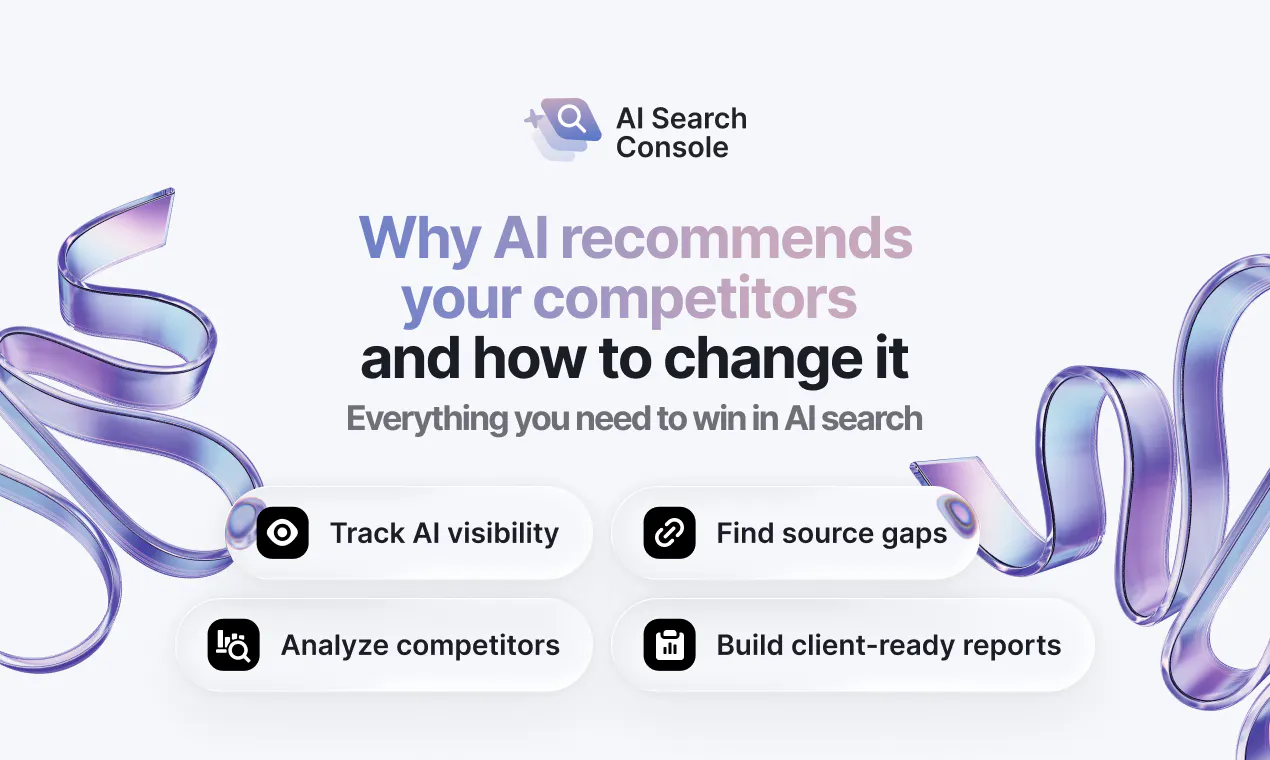
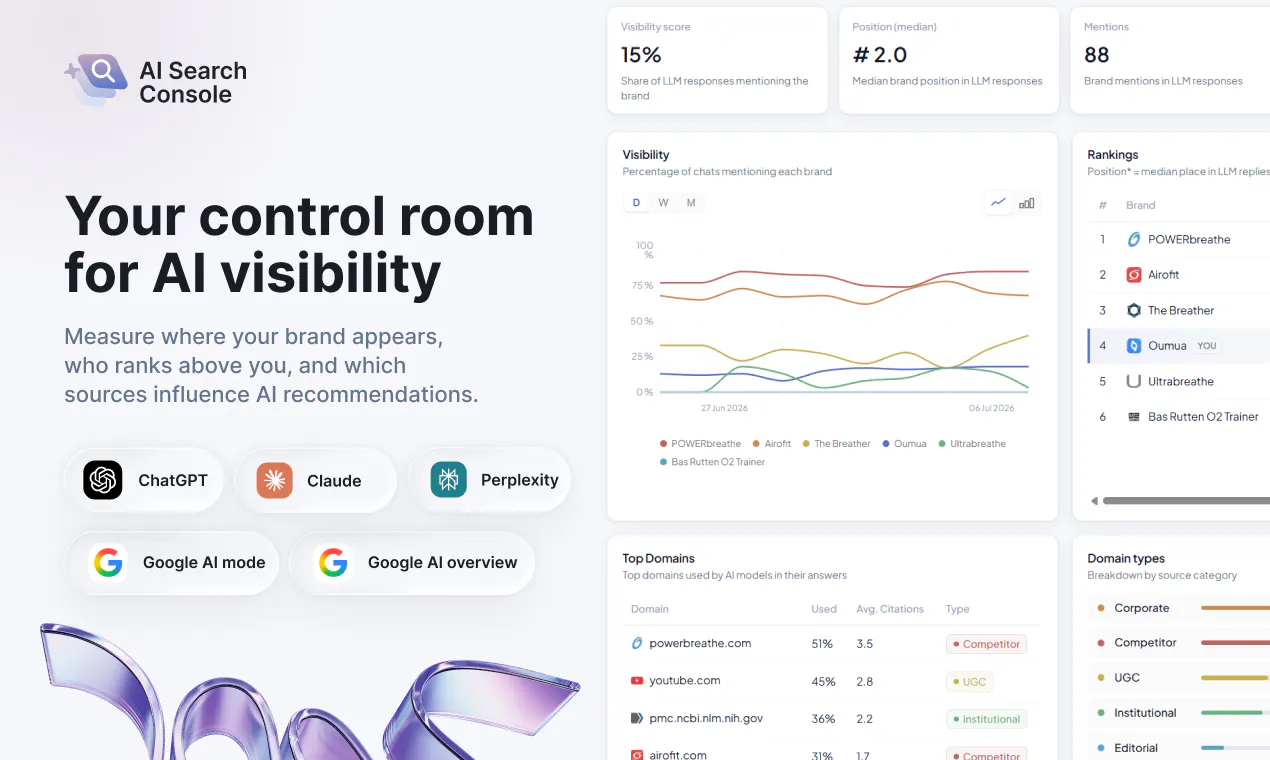
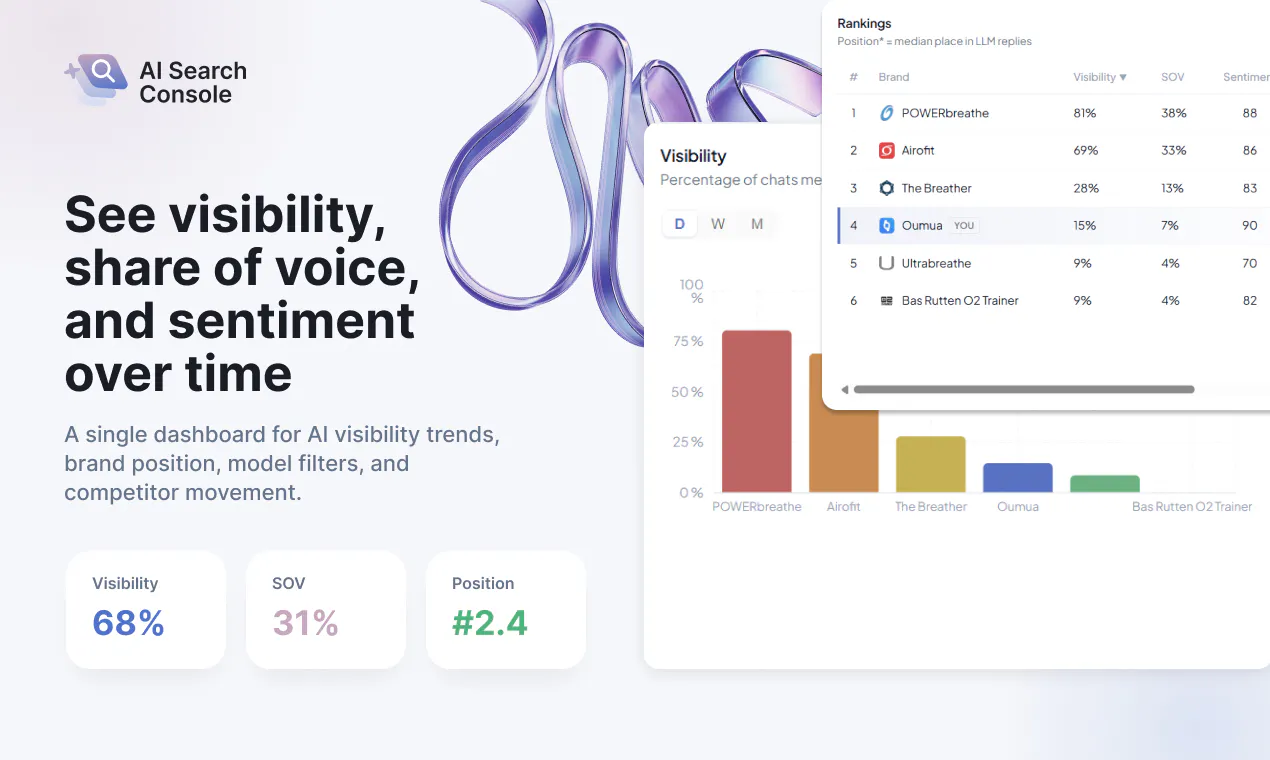
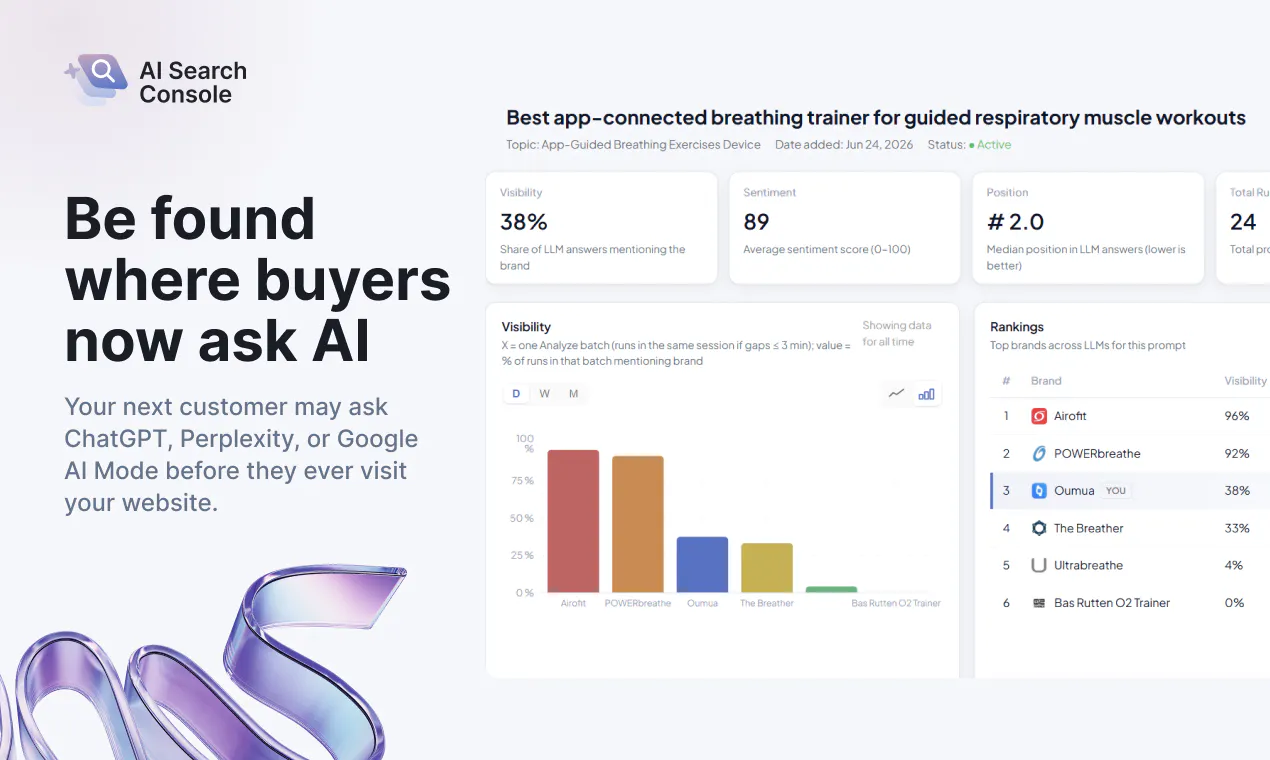
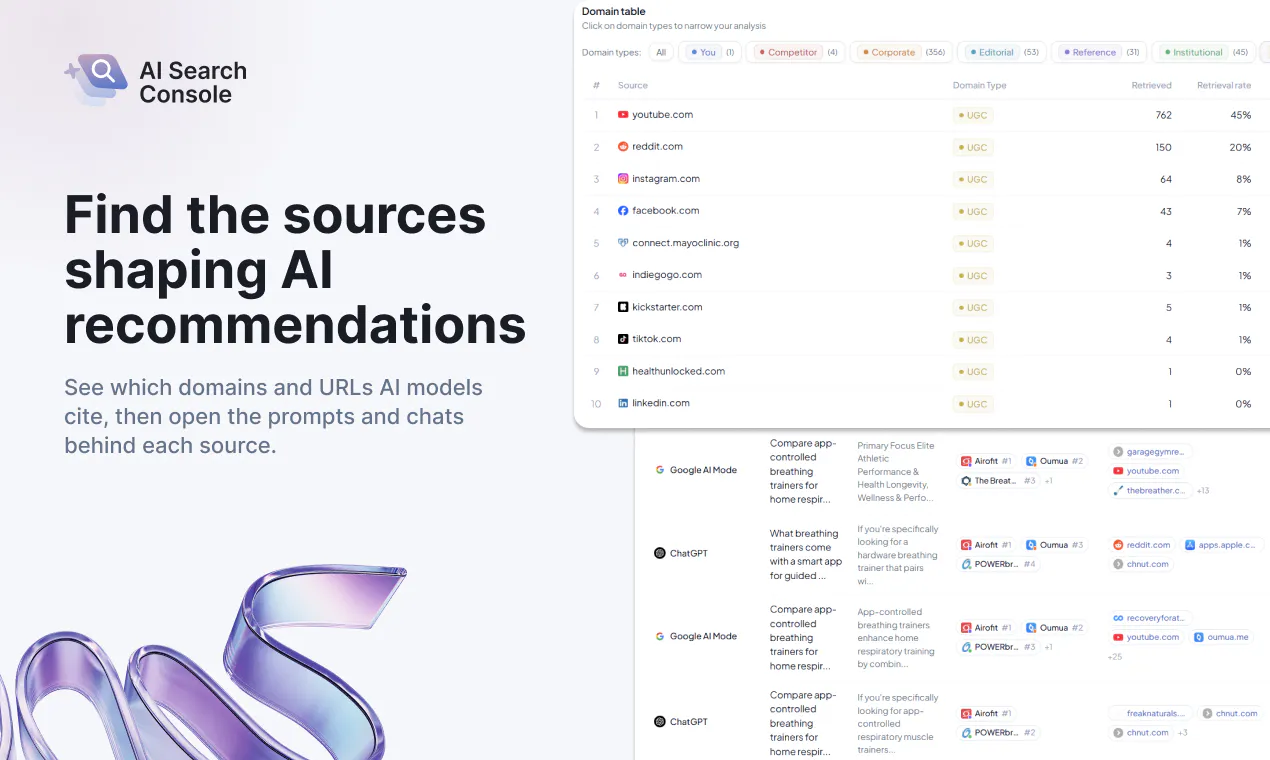
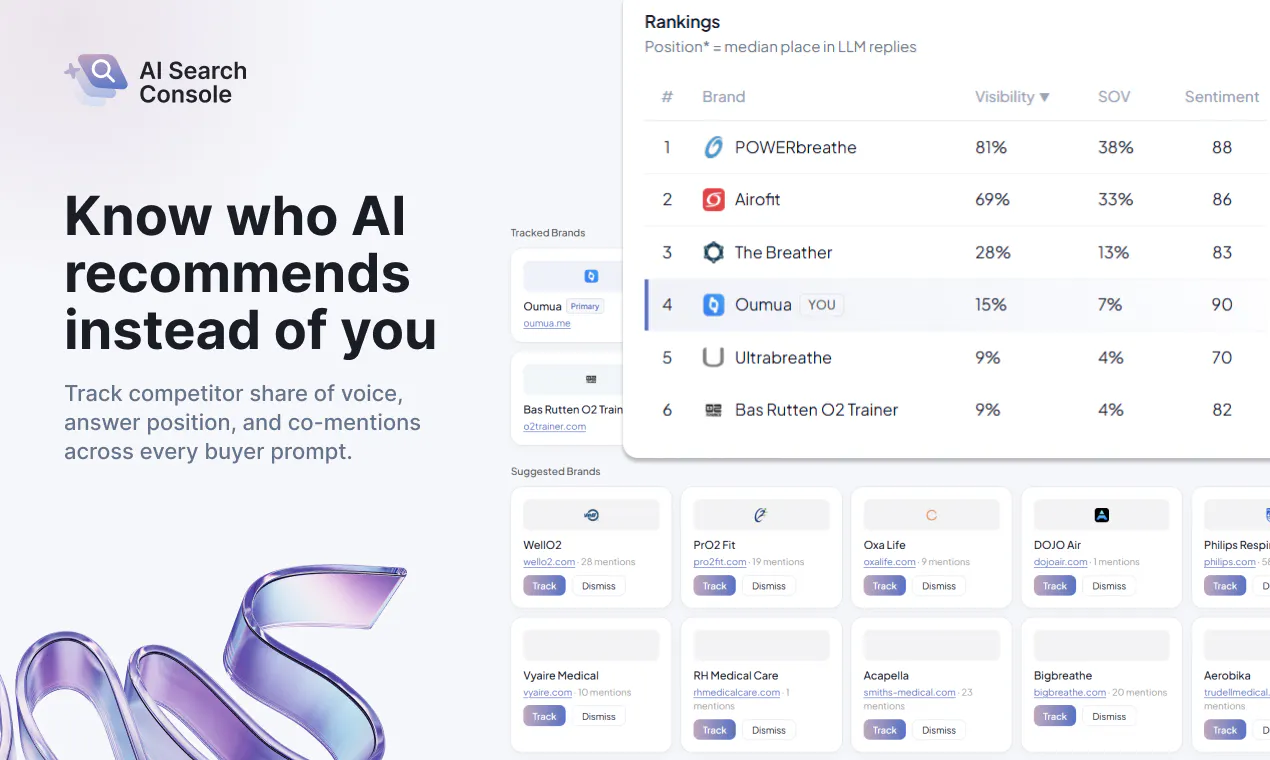
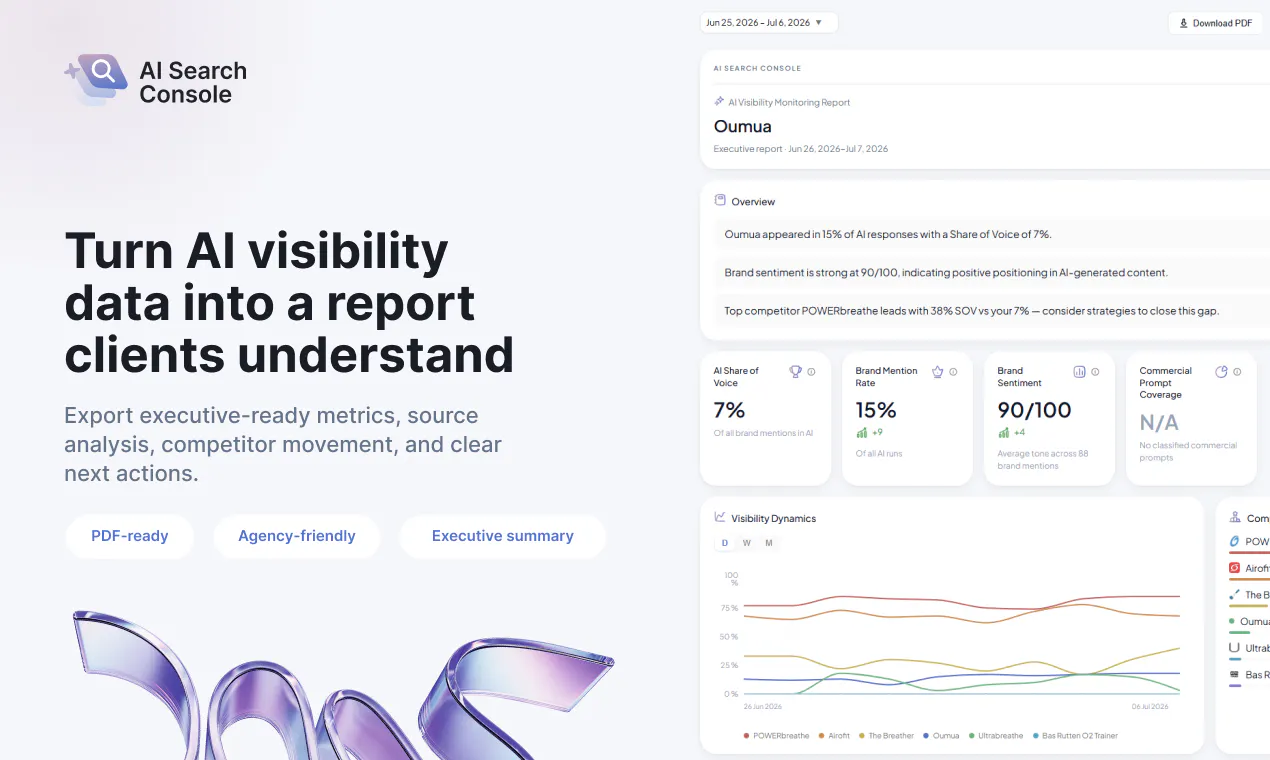
AI Search Console helps SEO and GEO teams replace manual AI visibility checks with repeatable data. Track brand mentions, rankings, share of voice, competitors, and cited sources across ChatGPT, Claude, Gemini, and Perplexity. Analyze visibility at the individual prompt level, find content and citation gaps, and generate client-ready reports without spreadsheets or screenshots.

Hey Product Hunt! 👋

I’m Ilia, founder of AI Search Console.

We built it after repeatedly hearing the same question from SEO agencies and their clients:

“Are we actually showing up in ChatGPT?”


The usual way to answer was surprisingly manual: run a few prompts, take screenshots, copy the results into a spreadsheet, and try to guess whether visibility was improving.


That approach breaks down quickly. AI answers vary by prompt, model, market, and time. A handful of manual checks cannot reliably show your share of voice, explain why a competitor appears more often, or identify which sources influence the answers.


AI Search Console turns that process into repeatable analytics. It monitors how your brand and competitors appear across ChatGPT, Claude, Gemini, and Perplexity, down to the individual prompt and cited source.


What you can analyze:

– Prompt-level brand mentions and rankings
– Multi-model share of voice
– Competitor visibility and content gaps
– The domains and pages cited in AI answers
– The prompts where your brand appears and where it is missing
– Trends over time and client-ready reports


This matters because AI visibility is not determined only by your website or Google rankings. AI platforms may rely on review sites, editorial articles, communities, comparison pages, and other third-party sources. You can rank well in traditional search and still be mostly absent from AI-generated recommendations.


AI Search Console helps teams move from:

“Let’s manually check a few prompts”

to:

“Here is our visibility, here is the gap, and here are the sources and prompts behind it.”


It’s built primarily for SEO/GEO agencies and brands that need a measurable way to understand and improve their presence in AI search.


I’ll be here all day and would genuinely love your feedback. Ask me anything 🙏

💜 You can also try our demo: https://app.search-console.ai/demo

17
回复

@iluhich Congratulations!

5
回复

@iluhich citation mapping is the more useful half of this compared to just tracking mentions, knowing you're absent from an answer doesn't tell you why, but knowing which source got cited instead does. is it tracking mentions across ChatGPT, Claude, Gemini, and Perplexity as one blended score, or can you see per-model differences? asking because I'd expect a brand's visibility to vary a lot between models

0
回复

@iluhich This is a timely product.

As AI search becomes a major discovery channel, prompt-level visibility and citation tracking are becoming just as important as traditional SEO metrics. Love the focus on actionable insights instead of manual checks.

You might also consider listing AI Search Console on AI directories like iSEOAI to help more SEO and GEO professionals discover it.

0
回复

Hi! Congratulations on the launch!

How long will the free trial last? And what happens after it ends?

4
回复

@julia_zakharova2 Hi Julia, thank you! The free trial lasts 3 days. After it ends, you can choose a paid plan to continue tracking, and nothing is charged automatically

1
回复
@iluhich is the free plan includes all the features that will be in paid plans so we can test ?? or paid plan contains big features
0
回复

@julia_zakharova2 Thank you! Hope you enjoy trying it.

0
回复

Do you recommend prompts during onboarding?

3
回复

@dimondev Yes, we recommend relevant prompts during onboarding!

2
回复

@dimondev Sure!

0
回复

@dimondev Yep we do! Do you already track any manually?

0
回复

Do you track logged-in model experiences?

3
回复

@alex_egorov Thanks for the question! Yes, we do track logged-in model experiences.

1
回复

Looks nice, do you support Google Sheets exports?

3
回复

@davvie Thank you! Not yet, but Google Sheets export is on our roadmap and we plan to add it in the future.

1
回复

@davvie sounds like a good feature!

0
回复

Do you support role-based user permissions?

3
回复

@ilya_makarov3 Not yet, but role-based user permissions are planned for the future.

2
回复

@ilya_makarov3 a good idea to add them? Do you represent an agency?

0
回复

Congrats!
Do reports support custom branding?

3
回复

@oleg_nikitin2 Thank you! Not yet, but custom branding is on our roadmap and we plan to add it in the future.

2
回复

@oleg_nikitin2 Thank you, Oleg! Full white-label branding is not available yet, but it is an important agency use case for us.

0
回复

@oleg_nikitin2 thank you, Oleg!

0
回复

@gorns Congrats! Do you track model version changes?

3
回复

@kate_prasniak Thank you! Yes, we can track changes across different model versions and show how they affect your brand’s visibility and responses.

2
回复

@kate_prasniak Thank you🤝

1
回复

@gorns  @kate_prasniak Kate, thanks!

0
回复

Congrats on the launch, and good luck!

3
回复

@nickanisimov Thanks! Your support means a lot!

2
回复

@nickanisimov thank you Nick!!!

0
回复

@nickanisimov Thanks for supporting our launch!

0
回复

Wow, the integration of search console and the poer of AI is what we marketers were needing.

3
回复

@savan_kharod1 Thank you! We’d also be happy to discuss a potential integration!

3
回复

@savan_kharod1 Savan, appreciate it!

0
回复

Congratulations on the launch!

It's really interesting for me if results are stable. I mean if my and my friend's results in AI search will be the same in all the models

3
回复

@dzianis_yatsenka Thank you! Results can vary slightly, but we use a standardized environment to keep tracking consistent

2
回复

@dzianis_yatsenka Thank you! Results can vary, so we use a consistent setup and focus on trends across repeated checks.

1
回复

@dzianis_yatsenka Dzianis, thanks a lot!

0
回复

Congrats on the launch!
What happens if our prompt list is poor?
And what are your free trial terms? Couldn't find this in the FAQ

3
回复

@janeph  You can generate relevant prompts automatically, and then review, edit, or add your own anytime.

And the free trial duration is 3 days, with no commitment required.

1
回复

@janeph Thank you! If your initial prompt list isn’t strong, we help you improve and refine it so you can track the most relevant queries.

We also offer a free plan, so you can try the product before upgrading.

1
回复

@janeph Thank you! The simple rule is one prompt checked in one model equals one credit.

0
回复

Can we import existing prompt lists?

3
回复

@maria_polesh Yes! You can add any prompts you already use, or generate new relevant prompts automatically

2
回复

Best luck, guys! Which AI models do you currently track?

3
回复

@dmitry_bergelson Thanks, Dmitry! We currently track ChatGPT, Claude, Gemini, Perplexity and Google AI Mode. We’re also planning to add more models based on customer demand

1
回复

@dmitry_bergelson Thank you!🤝

0
回复

@dmitry_bergelson appreciate your feedback!!!

0
回复

How do you select relevant prompts?

3
回复

@julia_demyanchuk Great question Julia! We generate prompts from your products, competitors, audience, and real customer use cases. You can then review and customize everything

1
回复

Hi, great product. Beautiful, pleasant design, and a good name.

The only thing that's unclear is the pricing - what a "credit" actually is and how they're counted.

3
回复

@oleksandr_utkin Thanks, Oleksandr! One credit equals one checked prompt across one model

0
回复

@oleksandr_utkin oleksandr, thank you!

0
回复

cited sources is the field i actually care about. i publish technical posts and i can see reactions and views, which tells me almost nothing, because a reader who got the answer from an assistant never shows up in any of my numbers at all.

the one i would gently push back on is ranking and share of voice. those come from a world with ten positions on a page. in an answer there is no position, you are in it or you are not, so cited or not cited is the real metric and a rank number risks being the comfort version of it...

2
回复

@alex_watson2110 You are right, Alex. and we largely agree that citations are the strongest signal.

Our “ranking” isn’t meant as a traditional SERP position. It reflects how consistently and prominently a brand appears across tracked prompts and models, while share of voice shows how often it appears versus competitors.

But yes, cited vs. not cited is ultimately the clearest metric, especially for publishers

0
回复

@alex_watson2110 exactly! This is why we offe share of voice as one of the main metrics

0
回复

Can prompts be assigned to different markets?

2
回复

@dzmitry_ivanou Sure! You can organize prompts by market, language, or region and track the results separatelyy

0
回复

@dzmitry_ivanou yep, and we also support different projects - it may be a good way to organise ur work

0
回复

Can reports be exported as PDF?

2
回复

@nickanisimov Not at the moment, but PDF export is on our roadmap and we plan to add it in the future!

1
回复

Good luck guys! Congrats on your first launch btw

2
回复

@dmitri_yablokov Thanks! I hope our service will be beneficial to everyone!

1
回复

@dmitri_yablokov Dima, thanks!)

0
回复

@dmitri_yablokov We really appreciate it!❤️

0
回复

Is there a free trial or demo workspace?

2
回复

@kir_karmanov Yes! We offer a free trial, so you can explore the platform and test it with your own prompts before choosing a plan

1
回复
How long does onboarding usually take?
2
回复

@vladeku Just a couple of minutes, the setup is very simple and intuitive

2
回复
@iluhich can we monitor branded and non-branded prompts?
1
回复

@vladeku Thank you! The generated prompt starting point helps keep setup to just a few minutes.

0
回复

Cool! How do you calculate share of voice?

2
回复

@ilyaberdysh Hi Ilya, we calculate it as your brand’s share of total tracked brand mentions across the selected prompts and competitors. You can break it down by model, topic, and time period

1
回复

Hey
Do reports support custom branding?

2
回复

@ilichev Hey Kirill! You can currently customize the report structure and project details. Full white-label branding is coming next :)

1
回复

Great update! Congratulations!

2
回复
1
回复

@veranika_zdanovich Thank you Veranika!

1
回复

@veranika_zdanovich veranika, thank you ❤️

0
回复

Presence and correctness are two different problems and only one of them is in these metrics. Being cited says you were in the answer. It does not say the answer described you correctly.

The version that costs money is a confident wrong attribute. The answer says you integrate with something you do not, or that there is a free tier when there is not. The reader never opens the source, so they arrive already believing it, and share of voice scores that as a good day.

Do you capture what the answers claim about a brand, or only whether it appeared?

1
回复

@jernej_jan_kocica 
Completely agree! presence and correctness are different metrics. We capture the full answers and citations, not just whether the brand appeared, so users can review exactly what was said. Automated accuracy detection is something we’re exploring next.

0
回复

We looked at building a scrappy version of this in-house a few weeks ago and stopped, for a reason I'd be curious how you handle. At zero citations there is nothing to measure. Our site is young enough that every prompt came back with no mention, which is a valid data point exactly once.

So the tool seems to earn its keep somewhere above a zero baseline. Do you have a sense of where that floor sits, or do early-stage users get value from the competitor and cited-source side while their own mentions are still empty?

1
回复

@supplymo That’s a fair point. Even with zero mentions, users can still see which competitors and sources AI relies on, giving them a clear roadmap for what to improve. There isn’t a strict minimum baseline, but the value is higher when the category already appears in AI answers

0
回复

@supplymo Thank you for the thoughtful question! At zero mentions, competitor coverage and cited sources still show where the opportunity is.

0
回复

Good luck

1
回复

@danil_kislinskiy Thank you! Have you already tried our demo?

1
回复

@danil_kislinskiy thank you, Dan!

0
回复

@danil_kislinskiy Thank you for the kind words!❤️

0
回复

Congrats on the launch! Finally someone's bringing analytics sanity to the wild world of AI search citations. Here's to fewer mystery prompts and more clarity!

1
回复

@better_shaya Thank you! That’s exactly what we’re aiming for

0
回复

Really exciting launch—making AI-search visibility measurable is a great idea. Congrats to the AI Search Console team! 🚀

1
回复

@leon_ostrez Thanks a lot :)
Making AI search visibility measurable and actionable is exactly our goal!

0
回复
#4
Claude Code usage tracking by LangWatch
See what your Claude Code sessions actually cost
329
一句话介绍:LangWatch为Claude Code等AI编程工具提供轻量级使用追踪,解决团队在订阅制下对会话成本、模型开销和缓存效率“两眼一抹黑”的痛点,一条命令即可实现细粒度成本核算与终端回放。
Open Source Developer Tools Artificial Intelligence GitHub
AI编程观测 Claude Code追踪 成本分析 Token计费 缓存优化 会话回放 LLMOps 开发者工具 团队管理 订阅价格对比
用户评论摘要:用户高度认可“理论成本vs实付账单”的对比功能,建议置顶显示并固定历史价格快照;关心追踪开销,官方称后台批量读取无延迟;质疑单会话成本会误导决策,呼吁支持“按产出(PR/CI)计费”;询问历史数据回溯、CI无TTY环境支持及团队共享视图。
AI 锐评

LangWatch切中的是AI编程工具供应链上一个微妙且必然出现的痛点——订阅制掩盖了真实消耗,而补贴终将退潮。其价值不在于“记录”,而在于用“理论vs实付”的对比,为团队提供了对未来价格波动的对冲性认知。这种“预演”能力,本质上是对供应商定价权的制衡。

然而,产品目前仍停留在“治标”层面。评论中“成本/产出”的呼声揭示了其核心短板:成本数据若不与工程结果(如PR合并、CI通过)关联,就只是漂亮的账本,而非决策引擎。工具最终应回答“钱花得值不值”,而非“钱花在哪”。此外,本地读取模式虽规避了延迟,却天然缺失跨机器的全局视角,这限制了其成为团队级标准工具的潜力。

在AI编程工具同质化的今天,LangWatch以数据透明度建立了差异化壁垒,但真正的护城河在于能否从观测者进化为优化者——将成本数据反哺至工作流,实现智能路由或模型推荐。否则,它极易沦为“高级Excel”,被平台方自带的用量统计或巨头生态内的深度集成所取代。其免费策略聪明,但商业化路径有待验证,尤其是面对企业级客户时,如何证明自身比原生遥测更具不可替代性,将是关键考验。

查看原始信息
Claude Code usage tracking by LangWatch
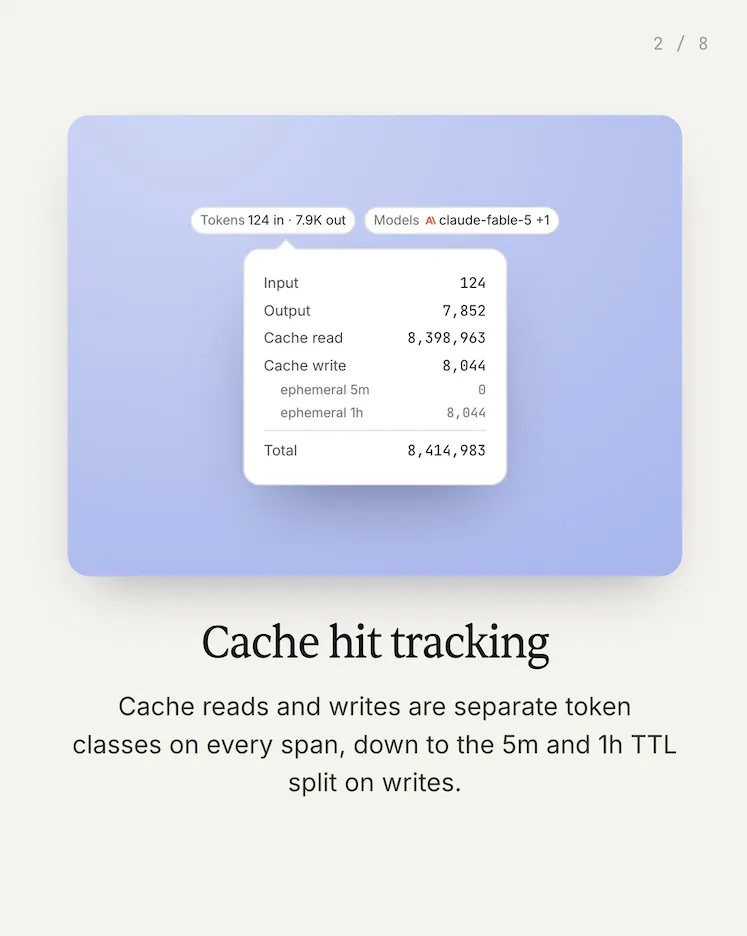
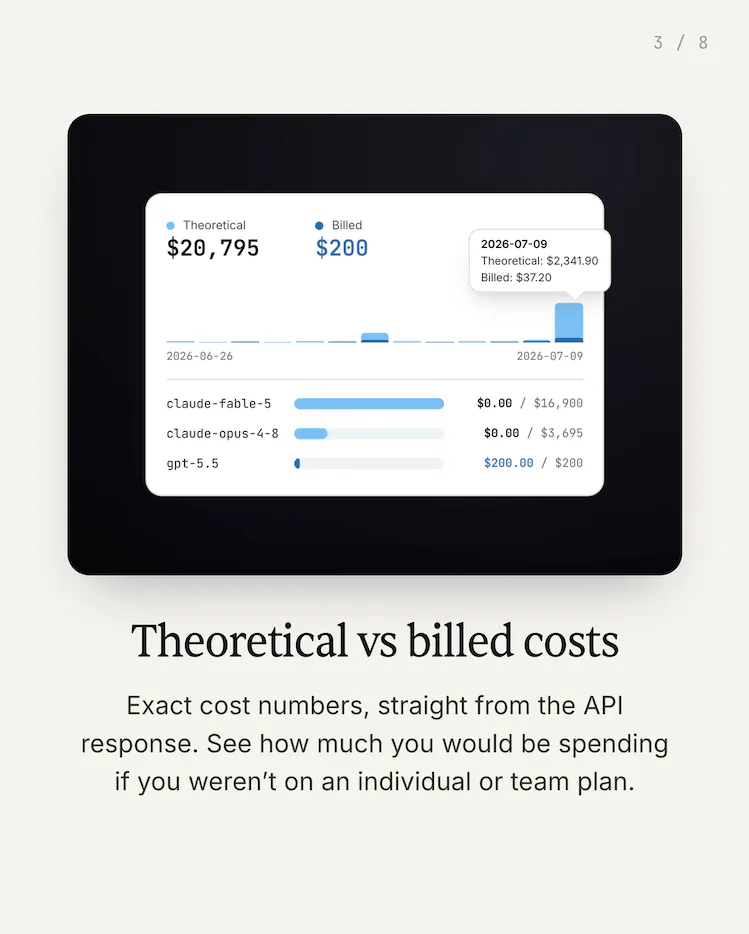
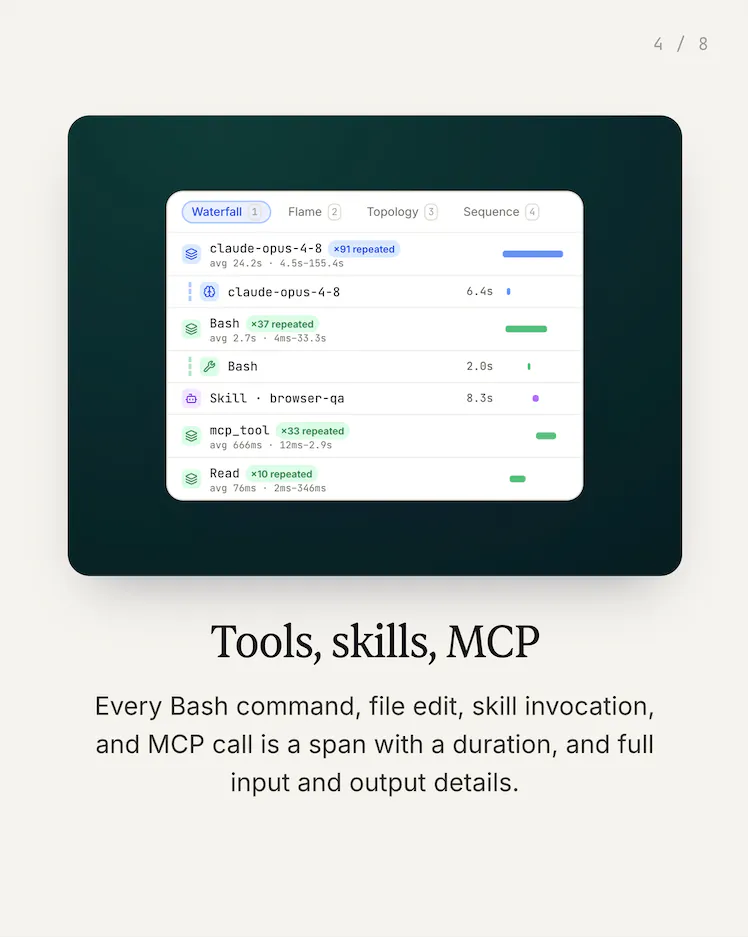
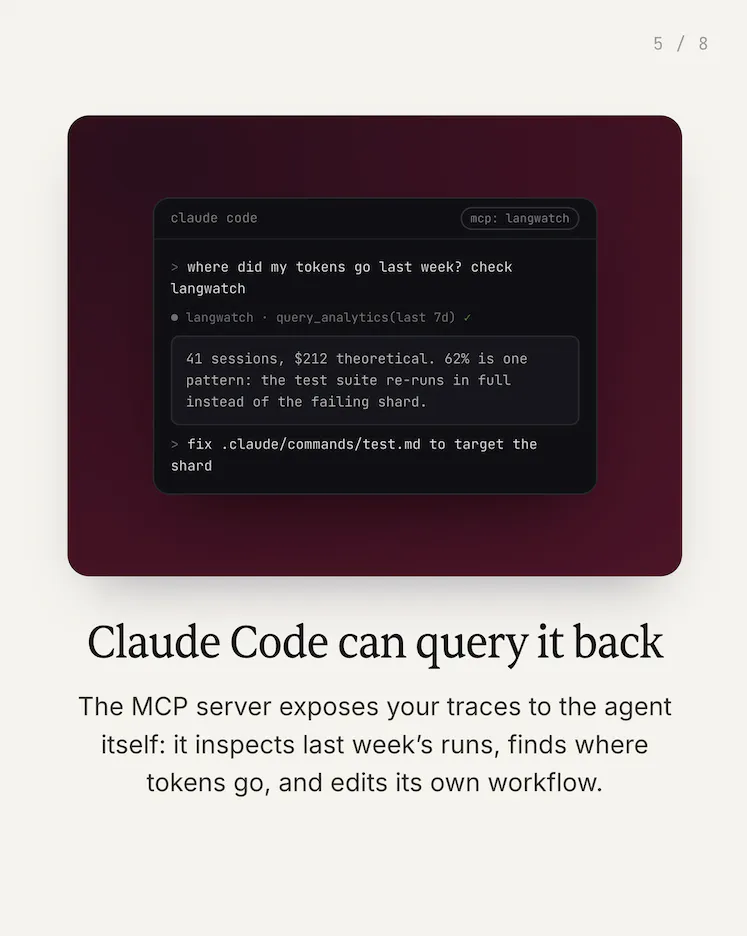
Track Claude Code usage: cost, cache, session replay. Run `npx langwatch claude` once. Every session gets cost with cache reads/writes as separate token classes, every bash and MCP call as a span, theoretical vs billed for your Max plan, and a full terminal replay in the UI. Works for Codex too.

Hey Product Hunt, Manouk here, founder of LangWatch.

We built this because we run a fleet of coding agents ourselves and had no idea what they actually cost: subscriptions hide the number, and local trackers only see one machine.

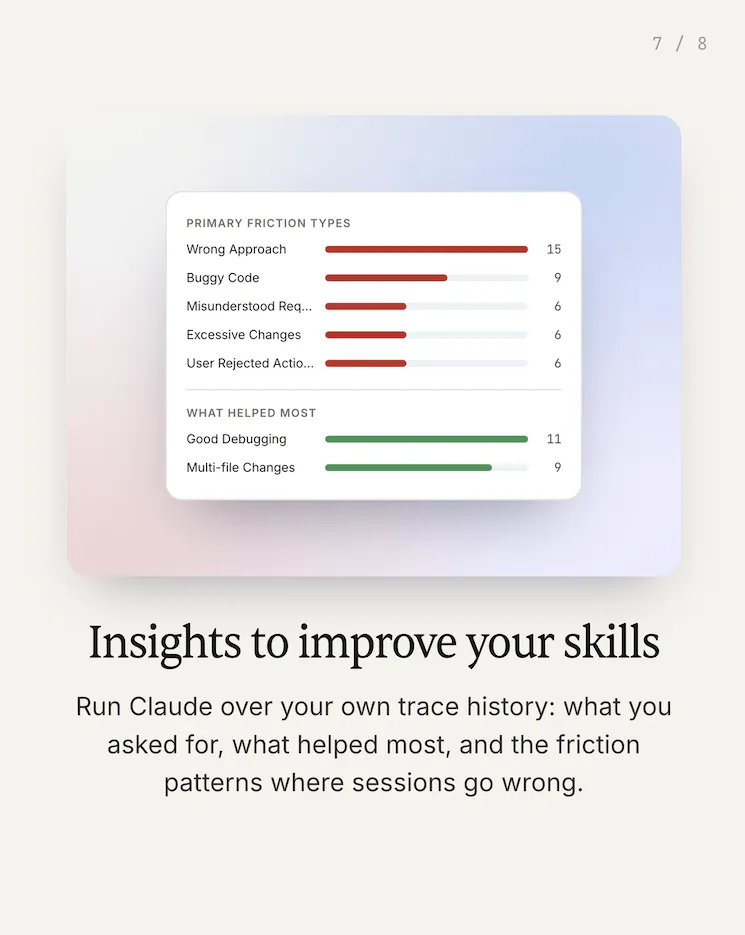
You know what Claude Code costs you per seat. What you probably can't answer is which sessions burned the budget, which model did the work, or whether your cache was earning its keep. Today's token prices are heavily subsidised, and the teams who find out what they actually consume after prices move are the ones who get surprised.

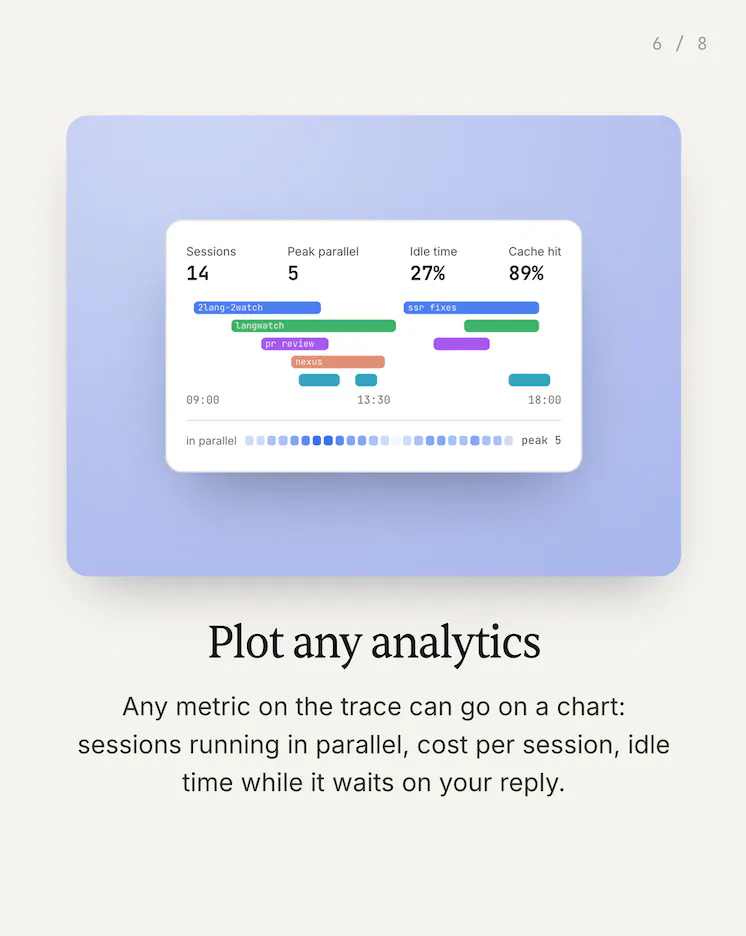
This week we've added a new launch in LangWatch, which our dev-team is using day-in, day-out. You can now track your full Claude Code usage on LangWatch: every session, tokens spent throughout the month, cache hit analysis, bash commands, skills and MCP tool calls, with a full reproduction of your terminal right in the UI.

Getting started is one command:

npx langwatch claude 

From there, every session lands in LangWatch automatically:

Where the tokens go: cost per session and per model, with cache reads and writes accounted separately.

Theoretical vs billed: on a Max plan, see what your usage would have cost at API prices.

Every tool call: bash commands, file edits, skills, and MCP calls, each as a span with duration.

Terminal replay: step through the whole session in the UI, as it happened.

Works the same for Codex, Gemini CLI, and opencode.

Free for individual use.

Start tracking your own sessions

I'll be here all day, happy to answer anything, and genuinely curious what you'd want to see next in it.

17
回复

@manouk_drTheoretical vs billed is the number I'd actually want to see first, since Max plan flat pricing hides exactly the thing that changes once token prices normalize. does it break that down per session too, or only as a monthly total? asking because a single expensive session buried in an otherwise cheap month is easy to miss with just an aggregate number.

0
回复

@manouk_dr For someone running 5–10 devs on Claude Code, what’s the simplest way to get started and roll this out without disrupting existing workflows? And have you noticed any surprising patterns in how teams use tokens once they can actually see the data?

0
回复

Congrats on the launch @manouk_dr !

1
回复

Congrats! How much overhead does the tracking introduce during long-running Claude Code sessions?

3
回复

hey @kate_ramakaieva Good question, we don't sit in the request path, so nothing is added to the model call latency. We read the session data Claude Code already writes locally and ship it in the background in batches, so the overhead is a small background process rather than anything you feel per turn. It stays flat over long sessions since we tail incrementally instead of re-reading the whole transcript.

0
回复

Good to note that individual developers can use it for free before rolling it out to larger teams. The pricing that I see on the top nav is for LangWatch or for this specific tool?

2
回复

@divya_kothari1 it's for the whole platform, so you get LLMOps + Gateway + Governance on a single place ;)

0
回复

Manouk's "we run a fleet of coding agents ourselves and had no idea what they actually cost" is the honest version of this. Same here — our answer was "we'll find out when the subsidies stop."

One push: cost per session can mislead. The number that changes how you route work is cost per outcome — per merged PR, per green CI run, per fix that actually held. A run that spends 3x on the expensive model and lands it first try beats a cheap model looping four times — but a per-session view shows the opposite, and quietly trains you to downgrade the model that was earning its price.

You're already logging tool calls as spansm that: span → the commit or test run itproduced. On the roadmap, or are you deliberately staying at the session boundary?

+1 to the immutable price-stamp point above, with a wrinkle: it has to cut both ways. Rates must never change historical reports by accident — but "what the new prices" is exactly the question the subsidy argument makes people ask. That's a deliberate re-price, not a mutation.

1
回复

@ryan_davis23 tracking in the first part of the problem. How about a complete end to end solution so you are always sure agenyis doing the most optimized route. https://lemoncrow.com is built for that. You can even look at past session simulate the savings.

0
回复

@ryan_davis23 Cost per outcome is the harder number and the right one. The catch is the outcome gets defined outside the tool, a merged PR or a green CI run, so it has to accept a signal from your pipeline rather than try to infer one from spans. On the re-price wrinkle, a deliberate what-if is fine as long as it lives in its own view and never overwrites what last month's report already said.

0
回复

I'm bookmarking this. Comparing theoretical cost against what I'm actually billed on Max is something I've wanted for a while.

1
回复

@ramish_saje go try it once you've found some time to track it, it will only take. you acouple of minutes!

0
回复

This feels like the equivalent of DevTools, but for AI-assisted development. Congratulations on the launch @manouk_dr

1
回复
0
回复

Most observability tools focus on applications. This one focuses on the developers building them. Good to have LangWatch back on PH.

1
回复

@iamanantgupta Thanks! It has been some time since our latest launch and indeed, this was just so much value to our own team that we had to launch it here again to other developers!

Its a much broader trend we see moving from building custom agents/apps towards anyone building with claude, co-pilot, codex solutions, so broader view / visibilty is required to keep control! More to come!

0
回复
This could become essential for teams trying to optimize AI engineering budgets. Congrats @manouk_dr and team!
1
回复

@hamza_afzal_butt that's indeed the goal, so additionally to the current usage insights for the users, we do provide Admin dashboards as well to view the spend accross teams, projects and so on.

2
回复

Theoretical vs billed is the number that decides whether you stay on Max or move to the API, so I'd put that one on the front of the dashboard rather than three clicks in. The part that will bite you is the price table itself. If you reprice historical sessions when a model's cache read rate changes, last month's report quietly changes too, and that's a number people build budgets on. Stamp each session with the rates that were in force when it ran.

1
回复

@asadmalik901 let us know what your outcome is! ;) thanks for sharing.

2
回复

@asadmalik901 oh that is in the front actually, on the home of the app! I just skipped on the demo video. But it works as you expected, rates are stamped and immutable as the sessions arrive, so you can compare month over month

indeed companies and even the engineers themselves are "feeling" the pricing dynamics under them, but without really having any visibility as it's all hidden under a plan and evolving model behavior, which is dangerous liability to have when token sponsoring ends

1
回复

Congrats on the launch!
Token tracking is becoming crutial with everyday usage of Claude... maybe eventually it will turn out that junior developers are less expensive after all :)

P.S:
I have built an interactive livedemo for you, feel free to check it out
https://app.livedemo.ai/livedemos/6a6afa27cc86a442a8fd9d17

1
回复

@gapostolov Thanks quick, thanks for sharing that, we'll have a look at it at the same time, please feel free to start using and let us know how it helped you!

1
回复

does the terminal replay work for headless/CI runs with no TTY, or does capturing the replay need an actual interactive session? we run a chunk of our agent work in CI and cost visibility there is usually the blind spot

0
回复

congrats on the launch! Does this use any bandwidth during the session? Especially long ones

0
回复

@mathias_barboza thanks! Nope langwatch doesn’t sit in between

0
回复
Congrats on launch! Can it dig through my year worrh of session data to analyze my usage patterns retroactively, or does it start tracking only once installed?
0
回复

Congrats on the launch! Seeing which Claude Code session actually burned the budget instead of guessing would be a relief, and the cache reads split out as their own token class is a thoughtful detail. How would this work for a small team, can we see everyone's sessions in one shared view or is it one workspace per developer?

0
回复

@doganakbulut both options are available. There is the possibility to work as a team view teams sessions as well as an admin dashboard to keep more control over all

0
回复

The one-command setup makes trying it out much less intimidating. 😊

0
回复

@nir0b must have right now!

0
回复
This feels especially useful as AI coding workflows become part of everyday engineering. Congrats 🙌🏻
0
回复

@odeth_negapatan1 it is right!

0
回复

Congrats on shipping this! Finally a way to know exactly how much those late-night Claude Code sessions are costing me. My wallet thanks you already!

0
回复

@better_shaya haha very welcome!

0
回复
It would be interesting if LangWatch suggested ways to reduce costs based on previous usage.
0
回复

@imtiaj_ahmad That's exactly where we're headed, this is the groundwork for it, so what kinds of suggestions would actually be useful to you?

0
回复

Can the platform can identify inefficient prompting patterns across multiple sessions?

0
回复
Watching an entire terminal session replay sounds surprisingly valuable for onboarding teammates.
0
回复

@priyankamandal interesting use-case!

0
回复

the MCP tool calls as spans is the bit i want most. i drive a browser automation MCP from claude code all day and the screenshots are obviously the expensive part, except obviously is doing a lot of work in that sentence because i have no per-call number for any of it.

cache reads and writes counted separately is the other one, that is where the surprise usually hides.

0
回复

@alex_watson2110 yeeppp both are in there: every MCP call gets its own span with its own token cost, and cache reads and writes are broken out separately, so you'll have a real per-screenshot number instead of a hunch.

0
回复

really proud of this launch!

0
回复
0
回复

great product! knowing the per-seat cost but not which sessions burned is a proper problem, especially as the costs keep rising. this is going to save me from getting broke!

0
回复

@lina_dikhtiaruk hope ai coding solutions will also bring your team / product / company the speed and competitie advantage to win the game and get more revenue in ,! But we’ll def be there to nbe more efficient

0
回复

This is such a killer feature for heavy users and big teams with distributed sessions leveraging multiple providers! Great work, @LangWatch !

0
回复

Knowing exactly what each Claude Code session costs is a game changer. Congrats on the launch, this is awesome! 🚀

0
回复

@zvonimir_sabljic1 thanks, this is just the beginning!

0
回复

@zvonimir_sabljic1 thanks 🙏 let us know once you’ve tried

0
回复

The combination of cost tracking, session replay, and tool tracing makes this much more than another analytics dashboard. Congrats on launching!!!

0
回复

@roopreddy that's right! LangWatch is currently the most powerfull observability tool for it! But I might be a bit bias! ;)

0
回复

This solves a problem many developers don't realize they have until the AI bill shows up. And if they have setup the credit card that's a red zone LOL

0
回复

@syed_shayanur_rahman true - and right now it might be a nice to have, but the moment control is more needed withing organisations this will be a must have for any org!

0
回复

Looking forward to seeing historical trends showing how coding workflows evolve over months. :D

0
回复

@ragsyme exactly! We all have a feeling that the token expending per PR has been increasing, the cost per token too, sometimes "cheaper" models but actually spending double the tokens and so on.

It will be great to actually measure that effect for your team and having all the data behind it to read back and optimize

0
回复

The replay functionality could be just as useful for learning as it is for troubleshooting. :)

0
回复

@ankur_jeswani indeed and to improve your skills for example! Let us know your feedback once you tried, very curious!

0
回复

@ankur_jeswani the cool thing is that you can even point the agent back at it to troubleshoot itself and improve their skills for next time

0
回复

I can imagine engineering managers using this to better understand AI adoption across teams. Good launch!!

0
回复

@zerotox yes so this part of the launch is pure visibility for dev's but we do give Admin dashboards and insights as well for engineering leaders managing budgets, for prediction and optimizing spend accross

0
回复
#5
NINA
Guide users step by step inside your product.
310
一句话介绍:NINA是一款嵌入SaaS产品内部的AI实时引导工具,用户通过语音或文字提问“怎么做”,它直接在真实操作界面上分步指引,替代 onboarding 电话、教学视频和重复客服支持,解决用户“卡在流程中”时的即时求助痛点。
Customer Success User Experience Artificial Intelligence
AI产品内引导 实时操作指导 B2B SaaS 语音交互 无代码配置 工作流自动化 用户自助支持 产品内嵌助手 降低客服压力 企业级SSO
用户评论摘要:用户普遍认可其“解决视频/文档无法实时应答”的痛点,尤其关注“UI更新后NINA如何同步”——官方回应称SDK持续监听界面变化并需管理员审批。其他疑问集中在语音延迟(目前走AWS,有端侧计划)、情绪识别(暂不支持)、多语言(仅英语)及品牌定制(支持OAuth2/SAML及自定义语音形象)。另有用户反馈工作流创建时NINA响应受限。
AI 锐评

NINA切的痛点真实且高频——几乎所有B2B SaaS都困于“文档没人看、视频没人重播、客服天天重复”的恶性循环。其价值主张不是更聪明的聊天机器人,而是把“在线专家坐在你旁边指给你看”这个高成本场景产品化。从评论看,团队对技术边界有清醒认知:不吹全自主Agent,强调答案锚定在已批准文档和工作流,置信度低时拒绝回答,这点比多数盲目押注大模型的团队务实。

但真正的考验不在demo,而在两点:一是“UI变更自适应”的能力,当前方案是SDK监听+管理员审批,这在每周迭代的现代SaaS节奏下,会迅速将维护负担转嫁给内部运营者——一旦审批积压,NINA的数据库就退化为下一次“静态文档”。二是语音交互的体验精度,回复承认当前更侧重工作流执行而非对话质量,若用户说出“我要把那个字段改一下”这类模糊指令,NINA的容错率决定了它是“智能向导”还是“另一个需要学习的工具”。

此外,310票在PH属于中等热度,评论中真正的付费意向多来自企业级复杂产品。这类客户能接受SDK部署和SAML对接,但要求极强的权限隔离和数据合规。NINA若想从“onboarding 小工具”升级为“企业指导层”,需要把工作流录制、审批流、版本管理打包成更完整的管理后台——否则它解决的是“客服重复回答”的表层,而非“产品易用性”的根源。总体而言,方向正确,但护城河取决于后续对“低维护成本”这一承诺的兑现程度,而非AI功能本身。

查看原始信息
NINA
NINA lives inside your product and helps users exactly where they get stuck. They ask “How do I…?” by voice or text, and NINA guides them step by step on the live interface before they open a ticket, search documentation, or message support. It is not a scripted tour, chatbot, or FAQ. NINA is built for B2B SaaS teams still relying on onboarding calls, product videos, Slack channels, and repeated support answers.

I used to work as a Product Manager. Half my week went to the same questions: "How do I do this?" "Where is that?"

We did what every SaaS team does - videos, documentation, a help center, Chatbot. Users still asked. Videos cannot answer back and show them in real time.

NINA is the fix we wanted. It lives inside your product and answers users where they get stuck, by voice or text, guiding them step by step on the your product UI in real time.

And when you update your product, NINA keeps its guidance current. No re-recording walkthroughs after every release.

Setup is honest, not magic:

  • Install the SDK and match NINA to your brand (about 10 minutes),

  • Upload your docs (answers start immediately),

  • Record your top workflows

The difference from your Looms: a video cannot answer back. NINA can.

Built for B2B SaaS teams running onboarding calls, supporting users in Slack or Discord, and maintaining tutorials nobody watches twice.

NINA is built by our team at AgenQ. Ask me anything I'll be here all day.

29
回复

@varun1jan keeps its guidance current after updates is the part that actually solves the real maintenance problem, most video/doc-based onboarding just goes stale silently until someone notices. how does NINA detect that the UI changed, does it re-scan the product periodically, or does someone on the team have to flag/re-record when a workflow changes?

0
回复

@varun1jan Really like that NINA provides help directly inside the product at the exact moment users get stuck instead of sending them off to documentation or support channels. The ability to guide users step by step on the live interface could make onboarding much smoother and reduce repetitive support requests. Good luck with the launch!

0
回复

@varun1jan Congrats on the launch! 🚀 I really like the idea. Keeping product guides up to date after every release is a real challenge, so this solves a very practical problem. Wishing you lots of success!

1
回复

How do you get the context for the app? Do you feed some initial data and also monitor for changes?
Does your Agent hallucinate?

7
回复
@chilarai plus to this question
2
回复

@chilarai NINA gets context from three sources: your product documentation, the workflows you train and approve, and the live product interface through our SDK.

So yes, there is some initial setup: you upload the docs and train the key workflows. After that, NINA reads the live interface, so when labels, buttons, or screens change, it can stay aligned with the current UI. For larger workflow changes, the admin can review and update the guidance.

On hallucination: no AI system is completely immune, so we do not let NINA freely guess. Answers are grounded in the company’s approved documentation and workflows. For guided actions, it only uses approved paths and the elements available on the live screen. When it does not have enough confidence, it should say it does not know rather than inventing an answer.

0
回复

@chilarai We install SDK and upload existing product documents, and train workflow. Any future UI changes, NINA knows as she will compare the old UI. No hallucination as NINA only know about product and nothing else..

0
回复

Congratulations on the launch! One thing I'm curious about: how does NINA handle situations where the UI changes frequently, such as products that ship updates every week? Does it automatically adapt, or does the team need to retrain workflows?

6
回复

@ashis04 NINA is always listening to changes as it is integrated , any update, it will raise to admin with update and Admin needs to approve and NINA is good to go.

2
回复

This is exactly the bottleneck most new SaaS products keep running into. Onboarding is still our biggest time sink. Docs and tutorial videos only get you so far when someone's actually stuck mid-flow and just wants an answer right there.

Congrats on the launch, looking forward to seeing how far this can take our onboarding.

Two questions:

  • Any plans for Google sign-in, or is it staying limited to Slack/Microsoft Teams for now?

  • Can we swap the narrator voice for our own, so it matches our brand instead of sounding generic?

4
回复

@ozan_gungor Thanks, Ozan, you described the problem exactly.

The hardest part is when a user is already mid-flow and needs help immediately.

NINA is not limited to Slack or Microsoft Teams. We support enterprise SSO through OAuth2 and SAML, and Google sign-in can be enabled through that setup.

And yes, the voice tone and personality and even face , can be customized to match your brand. You can configure NINA’s voice, name, and visual identity instead of using the same generic narrator for every product.

1
回复

Congratulations 🎊 👏 💐 🥳

4
回复

@madalina_barbu Thank you, Madalina! We really appreciate the support. 🙌

1
回复

@madalina_barbu Thanks.....

0
回复

Congrats on the launch!
Guiding users inside the application is crucial for them to adopt it.

P.S:
I have built a livedemo for NINA, feel free to check it out
https://app.livedemo.ai/livedemos/6a6afb52cc86a442a8fd9d95

4
回复

@gapostolov Thanks, George! Really appreciate the support.

I checked out the LiveDemo. It's a nice way for people to explore NINA before trying it themselves. Thanks for putting it together and sharing it here.

3
回复

It's an honor to hunt NINA here on PH, because I truly believe in its value proposition.

Many powerful softwares have no clear first starting points.
And NINA doesn't answer with steps. She walks users through them.

NINA guides users through real workflows inside your software, no training calls, no videos, no support tickets.

If resonates, help them by supporting their launch!!!

4
回复
For B2B or internal enterprise products, this is very much needed. Often those kind of products overlook a great UX in favour of legacy integrations/systems. Congrats on the launch! Wish you the best.
3
回复

@nrique Thank you, Enrique! That's exactly the gap we saw. Enterprise products are incredibly powerful, but they're often not the easiest to learn. Our goal with NINA is to help users get things done without leaving the product or relying on docs and support. Really appreciate your kind words!

0
回复

@nrique Thanks. Yeah. I loved as PM more than 15 yrs and i found that no tool tip or youtube video help when you need, u need expert right next to you when you are stuck in software...that is why we built it..

0
回复

@nrique Thanks.. You are right... Even for big product like HUBSPOT, very complex to get job done even with such a big company product..

0
回复

This is such a clever way to guide users right where they get stuck. Huge congrats on the launch! 🚀🚀

3
回复

@zvonimir_sabljic1 Thanks alot.

1
回复
0
回复

Congratulations on the launch! I wanted to know what languages does NINA support?

2
回复

@sakshi_shrivastava7 Great question, we have customer using English for now.. What language do you think is second most imp after English ?

0
回复

@sakshi_shrivastava7 English - we have deployed so far.....

0
回复

the voice side is what i want to know more about - is the TTS running locally or a cloud round trip, and does that add noticeable lag when someone's mid-flow waiting for the next step? that gap is the difference between feeling like a live guide and a chatbot with a delay

1
回复

@sabber_ahamed We are using AWS, but we have plan to put on device too.... currently the focus on workflow execution , rather than voice.. business user are more focused on getting the right workflow..vocie make is easy bit...

1
回复

since voice input works too, does it pick up on tone at all, like frustrated vs just curious, or is it purely speech-to-text into the same guidance flow either way?

1
回复

@sabber_ahamed No... as focus in on workflow UI and less of converstaion... like like you wanted to create pipeline in hubspot( or any CRM) , you will ask, and NINA will guide you or will do on behalf of you

0
回复

This looks super exciting - congrats on the launch! Real-time in-product guidance is exactly what users need.

1
回复

@zvonimir_sabljic1 In deed..thanks ...

0
回复

@zvonimir_sabljic1 Thanks..Yes for sure...

0
回复

Hi @varun1jan

Great product, when I logged in. To hear Nina was something else. But I got stuck while creating the workflow, asked Nina but I guess I already started the process and NINA could not help much.

Do you have some instructions there?

1
回复

@arun_prasad06 let me reach out to you directly..

0
回复

As someone just starting to build products, this looks really useful. Just in my testing so far I have seen the amount repetition that comes from user questions.

1
回复

@d_jamison_cantrell Yes, ppl ask same questions again and again, because we can remember only certain amount....

0
回复

Congrats congrats! Just wanted to check if NINA works with both web and desktop applications? Kudos again!

1
回复

@kushagra_jajoo Thanks. It works for Web for now....

0
回复

The part I would ask about is the handoff. When NINA cannot finish something, whoever picks it up next needs the transcript and the steps already tried, otherwise the person types it all again and the deflection becomes a tax on the customer.

The other half is which questions guidance can reach at all. How do I is a UI question and you can walk someone through it. Why did this happen to my order is a record question, and pointing at the screen does not answer it. Deflection rate looks great on the first kind and never touches the second.

When NINA gives up, what does support receive?

1
回复

@jernej_jan_kocica That is exactly the problem we are trying to avoid.

When NINA cannot complete the request, support receives the full transcript along with the steps NINA already tried. The user should not have to repeat the problem from the beginning.

You are also right about the boundary. “How do I complete this workflow?” is a product-guidance question, and NINA can walk the user through it. “Why did this happen to my order?” requires access to the customer’s actual records and business data.

Without that integration, NINA should not pretend it can answer. It should hand the case to support with the full context. With the right API or system integration, we can extend it to those record-specific questions as well.

So for us, the goal is not just deflection. It is either resolving the issue or making the handoff much better.

1
回复

Congrats on the launch! Does the assistant mostly work in a chat-like manner, guiding you through, or can it act as a fallback to a more interactive onboarding?

1
回复

@mateuszkonik This is real time walk-through , like GPS , it shows you UI in real time...think like someone if giving you real time demo or showing how to work ,rather than just 20 steps like product manual

1
回复

@mateuszkonik Not chat, this is like any Human expert is giving you training and walk through.....Like GPS

0
回复

NINA looks genuinely exciting. Guide users step by step inside your product. is a strong problem to tackle—congrats on the launch! 🚀

1
回复

@leon_ostrez thanks..In deed

0
回复

damm, this is the right use of AI inside product we all wanted. Congratulations on the launch.

1
回复

@savan_kharod1 thanks..

0
回复

@savan_kharod1 Yeah..in deed

0
回复

Congrats on the launch, Varun and team! The gap between documentation and helping someone at the exact moment they’re stuck is very real.

I especially like that NINA keeps guidance aligned as the product changes. How do you evaluate whether its guidance actually helped a user complete the workflow, beyond reducing support tickets?

0
回复

Mohsin is asking the load bearing question and it has not been answered yet.

Selector anchoring is the most fragile thing you can build on. I write browser automation against other people's interfaces and class names churn constantly, sometimes inside a single session. A quarterly redesign is not really the threat. Tuesday is.

What has held up for me is anchoring on semantics rather than structure. Accessible name plus role survives a restyle, because a redesign usually keeps the button called Save even when every class around it changes. CSS classes are decoration, and they get treated like decoration.

If you want it genuinely durable, the honest version is a contract rather than magic: ask customers to put stable test ids on the elements NINA walks through. Less impressive on a demo, far less likely to break silently in production six weeks later.

What does it anchor on today?

0
回复

@varun1jan Congratulations. And happy product launch.

0
回复
#6
Pally
Your personal assistant that lives in your texts
247
一句话介绍:Pally是一款内置于iMessage和WhatsApp的AI文本助手,能直接代你回复未读消息、打电话订座、订机票购物、总结群聊,把你不愿做的“社交苦力”和事务性工作全部承包掉,拯救“已读不回”的当代通讯焦虑。
Productivity Artificial Intelligence iMessage Apps
AI个人助理 短信助手 智能回复 WhatsApp集成 iMessage集成 社交效率 工作流自动化 生活管家 CRM MCP协议 主动提醒
用户评论摘要:用户普遍认同“代回复”是最大亮点但也是信任门槛,关心发出前是否呈现草稿、默认手动还是自动发送。多人询问语音笔记支持和对比竞品Poke,创始人回应支持WhatsApp语音读取与Discord接入,并强调数据留在原平台,最小化隐私留存。
AI 锐评

Pally的本质并非“AI助理”,而是把社交关系中“情感劳动”外包的极端试验。它确实精准切中了现代人因信息过载而产生的“已读不回”焦虑——不是帮你管理关系,而是替你在社交场景里“活”下去。从CRM转型到“住进短信里”的Agent,这个战略转身极其聪明:不再增加一个需要打开的应用,而是潜入你最私人、最高频的通讯入口,变“工具”为“同居者”。

但核心风险也在于“冒充你”这个动作。即使团队反复强调数据本地化和最小化存储,用户评论中对“模拟语调发送”的不信任感是真实且普遍的——这不是隐私策略能抚平的,而是存在论级别的恐惧:当AI能完美模仿你回答朋友,那个“你”的社交边界和主体性是否还在?创始人对“draft-and-wait”的回避态度(仅称“不会未经你确认发出去”)显然是刻意的,但要真正收获信任,必须明确默认是“人工审阅”还是“自动发送”——评论区那位问出精髓的用户已经戳穿了这个模糊地带。

Pally的护城河在于原生接管iMessage/WhatsApp的系统级能力,这是很多App Store沙箱化工具做不到的,技术上确实有壁垒。但产品狂热的“生活全包”叙事(订航班、打电话、虚拟卡付款)容易稀释焦点,让人忘记它最值钱的场景其实只有两个:帮你回不想回的私信,以及帮你准备不敢忘的承诺提醒。与其All-in所有Agent功能,不如先把“替你好好做人”这件事做到极致,再谈接管世界。否则,就成了一个什么都干、但没人敢完全放手的半吊子代班人。

查看原始信息
Pally
Pally is your personal assistant that lives in your texts. Stop leaving people on read: let Pally reply for you, do your work, and save you time. We’re the only text agent that natively connects to your iMessage and WhatsApp inboxes, meaning Pally can monitor, alert, and even reply to your friends for you - in your tone, with your context.

Hey 👋, we’re Haz and Wyatt, the founders of Pally.

Some of you might remember us… a year ago we launched Pally as a personal CRM. It went well, but after thousands of conversations with users we kept hearing the same thing: nobody wants to manage their relationships in another tool. They want the stuff behind them (the replies, the plans, the follow-ups) to just get done.

So we rebuilt Pally from the ground up as a personal assistant that lives in your texts.

## How does it work?

There’s no app to open. You just text Pally like you’d text a friend (over iMessage or RCS), and it connects to everything else: your inboxes, calendar, files, tasks and the web.

Pally can:

- Reply to your unread DMs for you, in your tone (we’re the only text agent that natively connects to your iMessage and WhatsApp inboxes)
- Make real phone calls: book tables, chase quotes, sit through hold music so you don’t have to
- Book flights, buy things, and pay with locked one-time virtual cards
- Summarize the group chats you’ve been ignoring
- Remind you of things when you arrive somewhere (or leave)
- Keep track of every promise you’ve made, so you never leave anyone hanging (the CRM DNA lives on, just without the admin)

And it’s proactive. Pally texts you first: prepping you for meetings, flagging what needs you, and catching the stuff you’d forget (it’ll still remind you to ring your mum from time to time 🫡).

## Who’s it for?

Anyone who’s drowning in messages: founders, salespeople, recruiters, creators… but also just anyone who leaves people on read and feels bad about it (so, everyone).

## What’s next?

We’re launching publicly today, and we’ll be building in the open from here: more integrations (you can already bring your own via MCP), smarter proactivity, and letting Pally take entire workflows off your plate end-to-end.

Use this sign up link for a free month of Pally Pro: https://my.pally.com/r/GIFTPRODUCTH-FKFCSR

Come say hi in the comments, we’ll be here all day.

Thanks for the support,
Haz + Wyatt 🫶

22
回复

@hazhubble love this version!! So effective

3
回复

@hazhubble The reply to your unread DMs in your tone part is the one that'll make or break trust here, most people are fine with an AI summarizing or reminding, but letting it actually send a reply as you is a different level of delegation. how much does it show you before it sends, does it draft-and-wait by default, or auto-send once it's confident?

0
回复
@hazhubble loving the new version of Pally !
1
回复

I have a backlog of friends I ghosted on Whatsapp bcz I forgot to text back and now it's been so long and it's embarrassing. Hoping to power through them with Pally.

5
回复

@nazlidanis lets gooo, perfect for pally! good luck and lmk how you get on!

0
回复

This product is 🔥 frictionless lifemaxxing fr. I'm the worst messanger of all time and this helps me to not let ppl down. Thanks pally team!

4
回复

@oliver_hunter best kind of user!

0
回复

I want it to read Whatsapp voice notes!

3
回复

@calin_drimbau added to roadmap!

0
回复

Congrats on the launch! Can I send it voice notes?

2
回复

@anton_muratov yep! one of my fave ways to chat to pally. you can even call it too!

0
回复

Great stuff! Love having the interface in my messages, makes life so much easier all round.

2
回复

@lachlan_dgc Thanks Lachlan!! Better to be where you already live for sure.

0
回复
Great launch gang!!
2
回复

@timcha_cherkasov lets go tim!

0
回复
I’d honestly be a little nervous about just letting an AI reply for me. But having it remind me who I meant to reply to would be pretty useful. It happens to me all the time that I see a message, get distracted by something, and then end up completely forgetting to reply. Which is awkward, of course 😅 Congrats on the launch!
1
回复

@etiennegarcia awesome, you can use it just for that! nothing ever goes out without you seeing it anyway!

0
回复

Congrats on the launch looks sick! Curious, does Pally have access to Slack for context?

1
回复

@mahendrakerr Yep! Pally does

0
回复

@mahendrakerr it does! plug into all your tools and let pally automate all of them!

0
回复
Congrats @hazhubble & @wylans on the launch! Been loving using Pally for summarizing whatsapp groupchats and reminding me to reply to messages I’ve missed
1
回复

@wylans  @jakemeadows awesome use case for pally!

1
回复

awesome tool - are you planning to launch a discord plug in ?

1
回复

@nikolaos_chr good idea, will add to the roadmap too! right now you could connect via https://github.com/SaseQ/discord-mcp

0
回复

Congrats on the relaunch. I read the tone-matching line twice, because whatever writes in my voice has to have read a lot of me first. Where does that reading happen, on the phone, or on your side? My group chats are the last thing I would hand over without knowing that.

1
回复

@vollos of course, Pally learns from your platforms but the underlying data stays in them. your emails stay in gmail, your iMessages in iMessage etc. We wanna hold as little data as possible about you, and let Pally just go into answer questions/do work when you need it to! Ultimately there's always some privacy cost, but we do our best to minimize this as much as possible.

1
回复

A happy Pally user here. Thanks for building this & congrats on the launch! @hazhubble @wylans

0
回复

Really excited for this! How would you compare this product to Poke?

0
回复

@lisa_shmulyan very similar, but our connections to iMessage and WhatsApp make Pally much more personal. We also try to be more proactive and better at automating end-to-end workflows!

1
回复

Congrats on the launch!

0
回复

@peter_tribelhorn thanks peter! awesome video!

0
回复

Love the deep integrations across everything + proactiveness. Keen to see where this goes.

0
回复

@mahmoud_al_madi1 thanks mahmoud, let me know how you get on!

0
回复

does pally have an identity when talking to friends/groupchats? or does it respond as you?

0
回复

@idode_k thanks idode! both! add it to group chats in iMessage as Pally, or have it reply as you, up to you!

0
回复

Love the product! I've been a happy user! Congrats team!!

0
回复

@taro_f thanks taro!

0
回复

This looks crazy, wish I could try this on Whatsapp

0
回复

@ibansalankit coming soon!

1
回复

Congrats !
You're plugging into iMessage & WhatsApp. What's the story on privacy ? Where does the data live ? and what does Pally actually get to see?
pleasure

0
回复

@gameplace iMessage data stays in iMessage, Pally reads it using a mac companion app on demand. WhatsApp builds on top of whatsmeow open source repo, where your data is synced but fully encrypted. read more at pally.com/privacy. Our goal is for as much data to stay in your underlying platforms as possible, and Pally to only read when it needs it.

0
回复

@gameplace Adding to the answer you got, because there are three separate questions inside yours and they have different answers.

Where data is stored: Haz said it stays in Gmail and iMessage, with Pally reaching in when needed. That is the good shape.

What it can see: broader than storage. To summarise a chat you ignored or prep you before a meeting, something has to be reading continuously, not only when you ask. Haz confirmed it is live on connected accounts. So the honest answer is that it can see whatever those accounts contain, storage location aside.

The third one is the one I would push on, and Chalermpon raised it above without getting a straight answer: whether the connection that reads is the same one that sends. Read-only access that goes wrong leaks. Read-and-write access that goes wrong sends. Those are very different bad days and it is worth knowing which you are signing up for.

Good instinct asking before connecting rather than after. Most people do it the other way round.

0
回复

Soo cool!! Needed this!! How do the auto reply settings work? For more predictable convos the auto reply feature seems neat!

0
回复

@juliusritter just ask pally :) tell it what you want it to reply to, and what you dont and let it go from there!

0
回复

Absolutely needed something like this, 1 day in and it has already helped me not feel stressed about my Whatsapp and Email inbox, gotten some groups summarised already and cross communication sent out.

0
回复

@collins_micheal_mbulakyalo amazing to hear, thanks collins!

0
回复

Congrats on the launch!

0
回复

@mcarmonas thank you!!

0
回复

Loving the new version! Consumer AI is only really effective when it's truly personal, and Pally definitely nails that 👌

0
回复

@hv123 completely agree thanks Hannes!

0
回复

I've been trying Pally & it's a genuinely polished experience. The onboarding is smooth, the UI is very clean, and it solves a real problem without unnecessary complexity. It feels like one of those products that you can start using immediately instead of spending hours figuring it out.

Congrats to the team @hazhubble & @wylans on the launch, looking forward to seeing where you take it! 🚀

0
回复

@wylans  @stepcha_cherkasov Thanks Stefan, let us know how you get on!

0
回复

'nobody wants relationships in another tool' is the honest pivot. but i don't have one tone, i text my mum unlike a client. does pally learn tone per person?

0
回复

@andrewzakonov it does yes, it adjusts per person and per channel!

0
回复

@andrewzakonov Your mum example is doing more work than it looks like it is.

Per-person tone is the easy part and Haz confirmed it does that. The harder thing is that tone is not one dial per contact, it moves with what is happening. You text your mum differently when arranging a lift than when something has gone wrong. Same person, same channel, completely different register, and nothing in the message history tells the model which situation it is in.

Which is why the failure mode is not sounding wrong. It is sounding perfectly like you in the wrong emotional key. Nobody notices a slightly stiff reply. Everybody notices a breezy one landing on bad news.

If you try it, that is the case I would watch. Not whether it sounds like you with your mum, but what it does the first time your mum texts something serious.

0
回复

Texting an AI assistant over iMessage feels weirdly natural, like texting a friend who actually gets things done. Pally picked up my calendar and inbox without me having to fiddle with setup, which was a nice surprise.

0
回复

@zcan1758563 amazing, hope it continues to be great for you!

0
回复
#7
Greplica
Self updating wiki for coding agents
185
一句话介绍:Greplica 为工程团队和编码智能体构建一个随代码提交自动更新、自动过期事实的共享记忆库,解决代码库隐性知识(决策、坑、失败尝试)在会话间丢失和文档腐烂的问题。
Open Source Developer Tools Artificial Intelligence GitHub
编码智能体 代码库记忆 自更新Wiki 共享上下文 AI辅助开发 内部文档 知识管理 开源工具 开发者工具 仓库智能
用户评论摘要:用户普遍认可“锚定提交代码”的机制,认为这给知识设定了自然过期时间。核心质疑集中在“我们试过X但失败了”这类负向事实的失效机制上——没有代码锚点,这类知识如何被淘汰?此外用户关心与现有claude.md的替代关系、企业级扩展性、以及知识可视化和编辑能力。创始人回应了claude.md摄入和图形化查看功能。
AI 锐评

Greplica 切中的是编码智能体时代最贵的隐性成本——上下文断层。它巧妙地把“文档维护”从人的职责挪给代码提交事件驱动,让知识保鲜不再依赖自律,这是结构性进步。但评论中那位匿名用户的追问很不客气,也刺穿了产品叙事的核心盲区:锚定代码只能解决“代码是什么”的描述性知识,而“为什么不能这样写”“此路不通”这类规范性知识,其真实性不随代码变动而失效或更新。一个从失败会话中总结的错误结论,会像木马一样潜伏在记忆库里,被无数后续会话当作正典引用,而且由于它读起来足够自信,人类审查也难以察觉。这本质上是用“检索召回”偷换了“事实校验”。Greplica如果能像评论者建议的那样,为负向事实挂载源头证据(会话ID、错误日志、提交哈希),并设置有效期或主动复审机制,才真正闭环。否则这个“自更新”的Wiki,长期看只会生成为害更深的“自固化”教条。届时,它的多智能体共享能力——支持克隆和分叉同时写入——将进一步放大错误共识的传播半径。在“越用越准”和“越用越毒”之间,Greplica目前只靠代码锚点这一根保险丝,不够。

查看原始信息
Greplica
Greplica gives your engineering team and every coding agent a shared memory of the codebase. It continuously extracts decisions, constraints, gotchas, failed approaches, and file-level context from coding sessions, then retrieves only what matters for the task at hand. Unlike static docs or siloed agent memory, Greplica stays grounded in the repo, keeps knowledge fresh, and works across developers, agents, clones, and forks. It is open source, runs locally, and offers a managed shared mode.
Hey Product Hunt! Kushal here, co-founder of Greplica. Today we are launching shared, self-updating wikis for developer teams. Internal documentation is always boring, but with coding agents now writing a 100% of the code it is more important than ever. CLAUDE .md files can only store so much information - the real secrets of the codebase that your agent learns in its runs get lost in a new session. Any and all internal documentation goes stale - unless agents are managing it. Greplica helps you move beyond the stale markdown file that no one in the team updates to a living, managed wiki that constantly saves the tribal knowledge of your team that you want your agents to know. All its facts are anchored in committed code and constantly updated to ensure nothing is incorrect. A multi-tier retrieval algorithm finds the most relevant context for each prompt and gives that as extra guidance to the LLM. Open source as always - please try it our Github repo. We are in the comments all day. If you want to chat more, please feel free to book time here.
4
回复

claude.md ingestion so you can drop it entirely is the right call, most of these tools just bolt on another layer on top of it instead of replacing it.

0
回复

Super exciting - congrats on the launch! A self-updating wiki for coding agents is a genuinely clever idea.

0
回复

Congrats on the launch, Kushal. We're a small team and do a bunch of stuff with coding agents daily and the thing you're describing is a real problem. Anchoring facts to committed code so they expire on their own is the part I like, because it's the only version of this that doesn't turn into another doc nobody updates. Adding Greplica to my list!

0
回复

Excited for the launch! Can this help and scale at enterprise level too?

0
回复

Can I see exactly what it has learned and remembers, and edit or expand it if necessary? For example, in the form of concise documentation or something similar.

0
回复

@natalia_iankovych yes you can. Graph view will expose it in readable format you can view.

And you can ask claude to change any facts as well

0
回复

Anchoring facts to committed code is the part that convinced me — it gives stale knowledge a natural expiry date, which hand-written docs never have. I maintain around ten repos on my own and my claude.md files rot faster than the code does. What I couldn't tell from the page: how does Greplica sit next to an existing claude.md or agents.md — does it replace them, feed them, or end up competing for the same context window?

0
回复

@soysebalopez we ingest Claude.md in our system itself. So that you can remove it completely.

At least the docs reading part

0
回复

@kushal_patil Congrats on the launch! with multiple clones and forks feeding the same wiki, how do you handle two forks that genuinely diverge in approach?

0
回复

Kushal, the quiet way teams forget why their own code works the way it does has bitten me more times than I can count, and this speaks straight to that.

0
回复

Really nice concept for Greplica: Self updating wiki for coding agents. Rooting for you today—congrats! 🚀

0
回复

Very interesting. Definitely needed for teams shipping real products at inference speed.

0
回复

@umang_malik1 yes, just like us

0
回复

Congratulations! Turning all those little codebase lessons into something reusable is a great idea. That tribal knowledge usually gets lost way too easily.

0
回复

Great stuff, this is a much more realistic way to make context available to new developers and coding agents.

0
回复

@nikunj_kothari Yes, this will lead to faster onboarding

0
回复

Anchoring facts to committed code handles the "what does this do" half. The half I'd worry about is "we tried X and it didn't work", because that isn't anchored in anything and it's the note that costs the most when it's wrong. One bad conclusion from one bad session becomes ground truth for every agent run afterwards, and it reads exactly as confident as a true one. What retires a fact, other than the code it points at moving?

0
回复

The "what does this do" vs "we tried X and it didn't work" distinction is the sharper problem here, agreed. I hit a smaller version of this manually, a running status doc plus session handoff notes so context survives between sessions, but that only catches drift I remember to write down myself. Your harder case is the one with no code artifact to signal staleness at all. Does anything actually retire one of those "we tried X" facts, or does it just sit there until a human notices it's wrong?

0
回复

@asadmalik901 You and Juraj are circling the thing that actually breaks these systems, and I don't think "anchored in committed code" quite reaches it.

I've been running a docs/ memory folder for my own agent setup for a while now. "What this module does" self-heals — the code moves, the fact looks wrong, someone fixes it. A "we tried this approach and it fell over" note has no such trigger. Nothing in the repo changes when it stops being true. It just sits there getting more confident with age, and every agent run downstream inherits it as fact.

What worked for me wasn't better extraction, it was making the negative facts carry their evidence — which session, which error, which commit it was true as of. Staleness becomes checkable instead of a vibe: if what it points at is two refactors old, it gets surfaced for review instead of silently retrieved.

So — does Greplica keep provenance on a "we tried X" fact, or is it stored flat alongside the code-anchored ones? That feels like the difference between a wiki that compounds and one that slowly poisons every agent reading it.

0
回复

something i always wanted my coding agents to do

0
回复

@whatsuppiyush Try it out!!

0
回复

Can this also be used by product managers for data analytics? Will it be more efficient?

0
回复

By giving them documentation of existing tables?

0
回复

Code graphs usually capture what calls what. Pulling decisions, failed approaches, constraints, and workflows from actual coding sessions feels much more useful. Kudos to the team!

0
回复

Congratulations on the launch 🎉🔥

Does this work only with Claude Code, or can a team share the same memory across Claude Code, Cursor, Codex, and Copilot?

0
回复

@yashkhem Its built exactly for this use case. Completely agent agnostic

0
回复
#8
Expert Chase for iOS & Android
Where human life runs with AI
162
一句话介绍:Expert Chase 是一款跨平台“AI生活管家”应用,通过自研AI助手E.Y.E.整合日历、任务与健康数据,帮助用户在日程规划与日常追踪场景中摆脱多App割裂、实现主动式智能提醒与执行。
Productivity Artificial Intelligence
AI生活助手 智能日程管理 跨平台同步 健康数据整合 任务提醒 苹果生态 谷歌生态 效率工具 个人智能体 多端应用
用户评论摘要:用户主要关注:E.Y.E.是否有主动惊喜行为、银行数据连接安全性与信任门槛、首周最常用集成、桌面版是否保留、核心使用习惯及后续路线图。官方回应强调财务是下一步重点,且正与Plaid洽谈;日常规划循环为首个核心习惯,金融数据共享需建立更高信任。
AI 锐评

Expert Chase的野心清晰:用“AI代理”串联生活全场景,而非再做一个待办清单或日历App。其真正的产品杠杆在于“E.Y.E.”的主动性——从“用户操作”转向“AI代办”,这一定位切中效率工具疲劳的痛点。然而,评论中透露出的隐忧同样尖锐:用户对“主动”的第一反应是“未经请求的行为是否可信”,而金融数据接入的谨慎态度则暴露了“全能型AI”与“数据安全信任”之间的天然张力。

从策略看,官方刻意将首个核心习惯收敛为“每日规划循环”,这是明智的冷启动路径。但“一切皆可做”的产品叙事与“从日历切入”的实际落点之间存在明显落差。更关键的是,回复中关于“财务数据连接”的谈判措辞模糊(仅以“Plaid讨论中”回应),这意味着最可能产生付费意愿的场景仍悬而未决,而健康与日历数据的变现能力在成熟市场已被证明有限。

宏观判断:这款产品获得了不错的初期投票与互动,但162票的体量仍属小众。其真正的护城河不在于集成数量(Apple与Google生态的对接是低门槛基建),而在于E.Y.E.基于上下文主动建议的准确率与用户容忍度。一旦代理判断错误(例如误读健康数据或错排日程),信任崩塌的速度将远超普通效率工具。团队需要证明的不是“能做多少事”,而是“在关键小事上不出错”。否则,它只是又一个华丽的“电子管家”,而非“运行人类生活的AI”。未来关键在于:能否在用户明确授权与AI自主行动之间,建立足够透明且可控的边界。

查看原始信息
Expert Chase for iOS & Android
Our users wanted it, now they've got it. Introducing Expert Chase for iOS & Android, along with a powerful new experience and native integrations. Expert Chase is now available on Web, iOS, and Android, with support for both the Apple and Google ecosystems. Integrations include: Apple Calendar, Google Calendar, Apple Reminders, Google Tasks, Apple Health, Google Health Connect.

On April 17, 2026, we launched the first version of Expert Chase as a web app.

Since then, we've been listening closely to every piece of feedback, learning how people actually wanted to use Expert Chase in their everyday lives.

Today, we're excited to ship our biggest update yet.

Expert Chase is now available on Web, iOS, and Android, delivering a completely new native experience with support for both the Apple and Google ecosystems.

We've also introduced our new native integrations, including Apple Health, and Google Health Connect.

But this is only the beginning.

E.Y.E. is designed to become your personal intelligence for everyday life, learning from your world to help you stay organized, focused, and one step ahead.

Anything you can do in the Expert Chase app, your AI, E.Y.E., can do for you.

Thank you to everyone who supported us from our first web launch. Your feedback has shaped every step of this journey, and we're excited to keep building with you.

We'd love to hear your thoughts, answer your questions, and learn what you'd like to see next.


— Yair Cohen

5
回复

@eye As someone who tracks fitness, food, and a busy calendar, I’m curious: what’s one real-life moment where E.Y.E. surprised you by doing something you didn’t explicitly ask for; but it just made sense because it knew your context?

0
回复

@eye The "finance is the last piece" answer is interesting, most everything-apps stall exactly there because financial data connectivity is a different trust bar than calendar sync, people are fine linking their calendar but a lot more cautious about linking bank data to an AI. is that negotiation mainly about data access/APIs, or is it more about building enough trust with users before you even offer the option?

0
回复

@eye Big milestone. Excited to see E.Y.E. evolve further!

0
回复

Regarding tracking money and access to the bank app – is it safe?

2
回复

@busmark_w_nika Yes, with Plaid. We’re discussing a potential partnership with them.

Users stay in control, and we only access the data they explicitly approve (transactions, expenses & income).

1
回复

Which integration do users end up relying on the most after their first week?

1
回复

@nuseir_yassin1 Big fan of your work, Nuseir! Google Calendar and Apple Calendar are becoming one of the most relied-on integrations after the first week.

We’re also seeing strong usage across Apple Reminders, Google Tasks, and our new native mobile health integrations with Apple Health and Google Health Connect. The idea is to connect the different parts of your everyday life and support both the Apple and Google ecosystems, so users can use what already works best for them.

0
回复

The desktop version still stays, right? When I visited the website it had only two options iOS or Android.

1
回复

@iamanantgupta Yes, the web app is available and fully in sync with the iOS and Android apps. app.expertchase.com

1
回复

@eye Congratulations. And happy product launch.

1
回复

@huisong_li Thank you so much! Really appreciate it. ❤️

1
回复

nice launch! and props for a backronym that actually means something, most of them are painful.

going after all of it at once is a big swing though. which use case are people sticking with first? with these everything-apps there's usually one habit that hooks people and the rest comes later.

1
回复

@hotfixer Thank you! Appreciate it. You’re right, going broad is a big swing. The first habit we’re focusing on is the daily planning loop: users open E.Y.E. to organize their tasks, check their calendar, track what matters to them, and get AI support throughout the day. The other areas are built around that core experience, helping users manage more parts of their everyday life from one place.

1
回复

@hotfixer Appreciate the love on the backronym! You're totally right about the 'everything-app' trap. Right now, early users are sticking heaviest with group financial decisions (like splitting trip costs or picking shared investments). Once they trust the logic there, they start applying it to their personal choices.

0
回复

Nice launch! How do you plan on scaling this up?

0
回复
This is a really cool concept, are you active on X for updates? 
0
回复

Love the vision of making AI genuinely useful for everyday life. Congrats on bringing it to iOS & Android! 🚀🚀

0
回复

@zvonimir_sabljic1 Really appreciate it.

0
回复

Congrats on the launch! Expanding from web to native apps is a huge milestone. What's next on your roadmap?

0
回复

@ragsyme The next big piece is finance. We already cover calendar, tasks, and health integrations, and finance is the last piece of the puzzle to complete the ecosystem.

We’re currently in negotiations with one of the leading financial data connectivity platforms.

1
回复

Congrats Yair. The Apple and Google integrations make this feel much more useful in everyday life.

0
回复

@krutiparekh16 Thank you! Really appreciate it. That’s exactly the direction we’re building toward, creating an ecosystem that works across both Apple and Google environments.

0
回复

I remember you launched on Vercel Day maybe for the first time. Congrats on the re-launch.

0
回复

@himani_sah1 Yes! You remembered correctly! A lot has changed since then, completely. This launch feels like a big new chapter for us :)

1
回复
#9
Focus Room
Turn YouTube into your personal learning platform
154
一句话介绍:Focus Room 将YouTube上的教育视频和播放列表重构为带时间戳章节、摘要、笔记和进度跟踪的结构化课程界面,帮助用户摆脱推荐流和Short的干扰,把被动刷视频变成专注、持续的主动学习体验。
Productivity Education Online Learning
YouTube学习工具 在线课程管理 视频笔记 学习进度跟踪 专注学习 浏览器扩展 教育科技 AI摘要 播放列表整理 学习效率工具
用户评论摘要:用户高度认可产品价值,但反馈两大核心问题:1. YouTube API配额耗尽导致搜索和加载失败(多次出现);2. 注册链接跳转到localhost并显示OTP过期,流程混乱。另有建议指出视频区域占比过小,笔记需支持导出,并希望根据主题聚类自动分组播放列表而非保留原排序。
AI 锐评

Focus Room踩中了一个真实且迫切的痛点:YouTube拥有海量优质教育内容,但其产品逻辑是“无限注意力流”而非“学习系统”。将Coursera式结构嵌入YouTube,以“/”前缀实现零摩擦访问,是聪明的切入策略。

但产品目前暴露的问题恰恰反映了这类“套壳”工具的根本软肋——对底层平台的深度依赖。API配额耗尽直接导致服务不可用,这在发布当天就发生,说明开发者对成本结构和可扩展性缺乏预判。评论中那位用户指出的“按视频ID缓存而非按用户缓存”是清醒的技术建议,若不做架构级优化,随着用户增长,配额问题会从“发布日事故”变成“永久性瘫痪”。

产品的深层价值不在于“去除干扰”,而在于“对知识进行结构化处理”。时间戳导航、AI摘要、笔记系统,这些才是构建用户数据护城河的关键。目前笔记不可导出——这意味着用户的知识资产被锁定在工具内,短期提升了留存,长期却降低了信任。更值得警惕的是,若Playlist的主题聚类仅保留创作者原始排序,那所谓的“课程化”只是套了个壳,并没有真正解决“播放列表跳跃性强”的根本问题。

总体而言,这是一个方向正确、但工程与产品深度明显不足的MVP。如果想从“小工具”走向“学习平台”,开发者必须尽快解决配额架构、数据导出和智能分组三大问题,否则只会停留在“YouTube好看的皮肤”这一层。

查看原始信息
Focus Room
Focus Room turns YouTube into a personal learning platform with a structured, course-inspired interface. Convert educational videos and playlists into organized courses, navigate lessons using timestamped topics, generate concise summaries, create notes and to-do lists, track your progress, and bookmark courses for later. With unnecessary recommendations and distractions removed, Focus Room helps transform passive watching into focused, consistent learning.

Hey everyone 👋

I’m excited to share something I’ve built called Focus Room!

I built Focus Room because YouTube has some of the best educational content online, but recommendations, Shorts, comments, and unrelated videos can make focused learning difficult.

Key features:

  • Open a video or playlist in a Coursera-inspired learning interface.

  • Follow structured courses created from educational YouTube playlists.

  • Generate summaries, take timestamped notes, and manage learning tasks.

  • Track your course progress and bookmark courses for later.

  • Add focusroom.club/ before a supported YouTube URL to open it directly in Focus Room.

6
回复

@akshaj_dev the "add focusroom.club/ before a YouTube URL" trick is smart, zero-friction adoption instead of asking people to change their whole workflow. curious about long playlists though, when it auto-generates a course structure from a raw playlist, does it group videos by actual topic overlap, or just keep the creator's original order? a lot of tutorial playlists jump around more than they should.

0
回复

@akshaj_dev Love this concept 👏

YouTube is an incredible learning resource, but it's also full of distractions. Turning educational videos into a structured, course-like experience with notes and progress tracking is a really smart idea.

Congrats on the launch! You might also consider listing Focus Room on AI directories like iSEOAI to help more learners discover it.

0
回复

@akshaj_dev , Congrats on the launch. I see this error on Signup.

email rate limit exceeded

0
回复

This will be very needed for the sciences. I like this educational idea :)

1
回复

@busmark_w_nika I’m really glad to hear that!

0
回复

Congrats on the launch!
Absolutely great idea to turn youtube into structured learning material.

P.S:
I have also built a quick livedemo for you
https://app.livedemo.ai/livedemos/6a6af926cc86a442a8fd9cd8

1
回复

@gapostolov that's a pretty cool app you've got there with liveDemo. interesting.

0
回复

@gapostolov thanks!

0
回复

Hi, i like your idea and am very interested to try this app. But i got an error:"We couldn’t load playlist results.

Quota exceeded for quota metric 'Search Queries' and limit 'Search Queries per day' of service 'youtube.googleapis.com' for consumer 'project_number:492833098910'."

0
回复

@jeff_lee20 please check again

0
回复

Product suggestion: The page layout needs to be optimized. The video is the core element. However, in the default opened page, the video area occupies too little space. If users switch to full screen, they will not be able to use the provided tool to record the content.

0
回复

the quota exhaustion someone hit above is the thing i would design around first, not a launch day bug. anything sitting on the youtube data api inherits a hard daily ceiling, and search is the expensive call, so your cost scales with usage while the product is free.

caching resolved playlists and topic maps per video id rather than per user would buy a lot of headroom. two people working through the same calculus playlist should only cost you once

0
回复
This is awesome, I’ve always felt YouTube has the best learning content out there and this could solve the one thing it is lacking - structure. All the best!
0
回复

Congratulations on the launch! The most useful business advice I found was on YouTube and in books, and the problem with the YouTube part was that none of it stayed anywhere. I would watch something useful and then rewatch half of it later to find the one section I needed, so timestamped notes solve most of that for me. Can those notes be exported or do they live inside Focus Room?

0
回复

@alieksia Thank you! Currently notes can’t be exported but its definitely something I’ve been thinking about and plan to add in the future

1
回复

I was genuinely excited to try this out, but I ran into a couple of issues almost immediately. The first one was during sign-up. When I clicked the email confirmation link, it redirected me to:

http://localhost:3000/?error=access_denied&error_code=otp_expired&error_description=Email+link+is+invalid+or+has+expired


At first I assumed the account wasn't created, but I was actually able to log in afterward, which made the flow pretty confusing. Then, when I tried searching for something, I got this error instead:

We couldn’t load playlist results.

Quota exceeded for quota metric 'Search Queries' and limit 'Search Queries per day' of service 'youtube.googleapis.com'.

It looks like the app has already exhausted its YouTube API quota for the day.


I still like the idea behind the product and was looking forward to trying it, but so far I couldn't

0
回复

@matheusdsantosr_dev Thanks for trying out Focus Room! The issue has now been fixed.

0
回复

I could see this being useful for university students too. Have you had many students using it for lectures and study playlists?

0
回复
#10
Yap
Open-source voice dictation for Mac, fully on-device
146
一句话介绍:Yap是一款完全离线、基于macOS原生语音API的开源听写工具,让你在Mac任意输入框按热键说话即可转文字,解决隐私敏感场景下语音输入的痛点。
Productivity Artificial Intelligence GitHub Menu Bar Apps
语音听写 开源 Mac工具 离线识别 隐私保护 效率工具 原生应用 SpeechAnalyzer 免费 热键输入
用户评论摘要:用户普遍认可其轻量、快速和离线优势,称其为Wispr Flow杀手。主要问题集中在:1. 无法清除口误,官方称新版本已修复;2. 语言支持依赖Apple API,弱语言效果堪忧;3. 安全字段(密码框)粘贴是否被macOS阻断;4. 此前版本是否干扰剪贴板(官方澄清并未触碰)。
AI 锐评

Yap的价值不在“又一个语音输入法”,而在于它精准卡位了行业集体装聋作哑的隐私盲区。当主流玩家靠1GB模型下载和订阅费打造壁垒时,Yap用3千行Swift和60MB内存证明这些都是伪需求。它的真正聪明之处是赌对了macOS 26的SpeechAnalyzer——苹果已经悄悄把云端级识别能力塞进了本地芯片,Yap只是顺手把门打开。但正因如此,它的天花板也极为清晰:99%的能力来自Apple,自己只剩“热键+粘贴”的外壳。这意味着用户对识别质量的所有不满最终都会指向苹果而非Yap,而苹果API支持的语言覆盖率直接决定了产品的生死线。另外,评论区的技术质疑非常到位——安全字段的静默失效和剪贴板竞态问题暴露了其“任何输入框”话术的过度承诺。Yap目前的角色更像是一个时效性极强的示范工程:它证明了在Apple生态内做轻量离线工具是可行的,但Frigade作为小团队若不能尽快在这层薄壳上叠加超越苹果默认体验的智能处理(如标点优化、命令式编辑),其热度很可能像大多数PH爆款一样,在两周内被原生的Spotlight唤起。MIT开源是它最后的仁慈,却也意味着任何人都能抢走这份免费午餐。

查看原始信息
Yap
Yap turns speech into text anywhere you can type on your Mac. Set a hotkey, talk, press it again, and the words get pasted into whatever field you were in. It runs entirely on device using macOS 26's speech APIs, so there's no model to download and nothing leaves your machine. It's around 3,000 lines of native Swift in a 4 MB app that idles near 60 MB of memory. Free, MIT licensed, and built by Frigade because we wanted it for ourselves.
Hey Product Hunt 👋 I'm Christian, CTO at Frigade. Like everyone else, we recently switched to "Yap-based development". However, the dictation tools we tried either wanted a subscription, made us download and run beefy 1GB+ models, or shipped a whole browser engine to run a menu bar icon. Many of them also rely on sending your private transcripts to remote APIs (even Apple's built in dictation!). How did we do this? With macOS 26, Apple shipped an on-device speech API called SpeechAnalyzer that turned out to match frontier API models in benchmarks, so we built Yap on top of it for ourselves and open sourced it. You set a hotkey, talk, press it again, and the text lands in whatever you were typing in. It carries no model of its own and makes no network calls, and the whole thing uses just a few MB of memory. It's free and MIT licensed. Would love your feedback, and I'm happy to get into the Speech APIs or the Swift side if you want to know what's under the hood.
3
回复

@cmathies Congratulations on your launch. From my initial use of Yap, it’s remarkably quick and accurate. I try out most speech-to-text apps, and this is very promising in terms of its speed and lightness. I’m used to apps that clean up my grammar and verbal stumbles, which Yap doesn’t do, but for short, quick messages and emails this looks ideal. Good luck with it!

0
回复

@cronberry this is coming in the next release - currently have a PR open that does this

edit: fixed now in the latest version: https://frigade.com/yap

0
回复

the paste-based insertion is the part i'd poke at. macOS deliberately blocks the accessibility APIs from reading or writing into secure text fields - password fields, a password manager's own vault unlock, sudo prompts in terminal - specifically so assistive apps can't fill them. does yap detect it's in a secure field and just decline to paste, or does the hotkey still fire and it dictates into empty air / fails silently there? asking because "works anywhere you can type" and "macOS explicitly carves out a class of fields no assistive app can touch" are going to run into each other somewhere.

0
回复

fire

0
回复
0
回复

Congrats on the launch, this looks awesome! On-device, open-source dictation for Mac is exactly what I've been wanting.

0
回复

@zvonimir_sabljic1 thank you!

0
回复

Great App. @Wispr Flow killer :-) . I tried and discontinued wisper because I thought talk to text should be part of the OS as a free feature. Looks like you guys solved that problem. One issue is verbal stumbles. If you can fix that, it will be a super cool.

0
回复

@varun_raj10 just fixed in the version released today

0
回复

What languages are supported?

0
回复
@natalia_iankovych 30+ different ones. What are you looking for?
1
回复

@natalia_iankovych Adding something practical to the 30+ answer, since language support and language quality are not the same thing here.

Yap runs on Apple's on-device speech APIs, so the languages it supports and how well each one works are Apple's, not the maker's. That is mostly good news. It means no model download and nothing leaving your Mac. It also means if your language is weakly supported by Apple today, no amount of work on Yap's side fixes it, and if Apple improves it in a point release you get that for free without updating anything.

Worth checking before you invest time: open System Settings, Keyboard, Dictation, and see whether your language is available for on-device dictation there. If it is, Yap should be solid for it. If it only works with the server option, that is the signal to expect weaker results.

Which language were you asking about? Happy to say what I would expect.

0
回复

that's a great product! + after everything else being bloated, a few MB of memory and no network calls feel like such a relief.

0
回复
@lina_dikhtiaruk thank you! Best part is it even works offline and never sends your data anywhere
0
回复

@lina_dikhtiaruk The relief you are describing has a specific cause worth naming, because it tells you which other tools will feel the same way.

Most desktop apps in this category ship a whole browser engine to draw a menu bar icon. That is where the hundreds of megabytes go. Yap is native Swift calling an API that is already part of the operating system, so there is no runtime and no model to carry around.

The useful test when you are evaluating anything similar: check whether it is native or Electron, and whether it downloads a model on first run. Those two answers predict almost everything about how heavy it will feel six months in.

The tradeoff, to be fair to the other tools, is that being tied to Apple's API means you get Apple's languages and Apple's accuracy, with no ability to swap in a better model later. Worth it here, I think. Just not free.

0
回复

Paste is the part I'd want to hear about. If you're putting the transcript on the clipboard to insert it, you're stomping whatever I had copied, and that's the bug that gets a dictation app deleted on day two. Restoring the previous pasteboard afterwards mostly works but races with anything else watching it. Separately, your description says it idles near 60 MB and your comment says a few MB, worth picking one.

0
回复

@asadmalik901 From my initial tests of the app, the clipboard contents are either not touched by Yap, or they are restored straightaway after the speech-to-text element is pasted. It’s idling at 39.7MB.

0
回复
@cronberry Jonathan is correct - we don’t mess with the clipboard
0
回复
#11
agentOS
254× cheaper sandbox alternative, powered by WebAssembly
143
一句话介绍:agentOS 是一个基于 WebAssembly 的嵌入式 Linux 虚拟操作系统库,让开发者无需管理沙箱或虚拟机,即可在现有后端进程中为 AI 代理提供代码执行、持久化文件系统与工作流编排能力,旨在替代昂贵的沙箱 SaaS 与复杂的胶水代码。
Open Source Developer Tools Artificial Intelligence GitHub
AI代理运行时 WebAssembly 沙箱替代方案 代码执行环境 虚拟操作系统 开发者工具 开源库 工作流编排 云原生 降本增效
用户评论摘要:用户赞赏其轻量架构与开源热情,但核心质疑集中在:1)与真实容器/微VM的兼容性及失败反馈机制不明;2)“254x更便宜”缺乏对比基准与成本核算;3)进程内WASM隔离边界的安全疑虑。另有用户询问安装便利性,官方回应了隔离模型与安全机制。
AI 锐评

agentOS 的定位精准切中了当前 Agent 工程化的“脏活累活”痛点——将执行、存储、状态与编排打包为库,确实是对“重沙箱+粘合代码”范式的有力解构。4.8ms冷启动与22MB常驻内存的数据极具吸引力,Apache 2.0协议与兼容主流Agent框架的策略也降低了采用门槛。然而,其“254x cheaper”的营销话术过于激进,不仅在方法论上缺乏业界通用的对比基准(如Firecracker微VM的全成本模型),更模糊了核心事实:它用WASM提供了一个“Linux-like”的兼容层,而非完整的内核语义。评论中“shelling out时静默失败”的担忧直指命门——Agent生态重度依赖git、包管理器及原生模块的fork与socket调用,任何syscall层面的细微偏差都会导致不可预测的运行时行为,而官方对此的回避态度与对Chrome安全模型的类比,反而暴露了其安全边界设计仍属“增强型进程内隔离”,与微VM的故障域隔离有本质差异。若想成为主流选择,agentOS应尽快发布详尽的兼容性矩阵(哪些命令/系统调用支持、哪些降级运行、哪些明确报错),并引导模型在遇到不支持的syscall时生成结构化错误以触发Agent的自主路由逻辑,而非让开发者在“诡异行为”中反复调试。这比任何“更便宜”的声明都更能赢得工程团队的信任。

查看原始信息
agentOS
Give agents a Linux operating system as a library – no sandboxes, VMs, or SaaS. Built on WebAssembly, the same tech powering Cloudflare Workers and Chrome. Support Claude Code, Codex, OpenCode, Pi, Eve, and Flue.

Hey PH, we built agentOS because every time we shipped agents to production we ended up rebuilding the same stack: code execution, file storage, orchestration, permissions, state that survives restarts. That usually means a sandbox provider, object storage, a workflow engine, and a lot of glue code.

agentOS packages this as a single library. Each agent gets its own lightweight virtual operating system running inside your existing backend process:

Execution: Node.js on native V8 (full JIT, not JS compiled to WASM), Python, Bash, and subprocesses with Linux-like semantics. The agent writes one program instead of chaining tool calls.

Filesystem: persistent POSIX filesystem. Mount S3, Google Drive, or host directories at normal paths and use regular files and shell tools.

Orchestration: durable workflows, crons, shared sessions, human-in-the-loop approvals, agent-to-agent. Written as normal application code, checkpointed automatically.
Control: expose typed backend functions to agents without handing over credentials, review permission requests in your own UI, cap resources per VM.

It runs on WebAssembly so it's small: ~4.8ms cold starts and ~22MB per agent instead of a dedicated VM per agent. If a workload needs something more, you can mount a sandbox.

Works with Claude Code, Codex, OpenCode, and Pi, or bring your own agent. Apache 2.0, one npm install, deploys wherever your backend already runs.

Happy to answer questions about the architecture.

4
回复

@nicholas_kissel  What does an approval actually authorize in agentOS? The exact function call and arguments, or a capability the agent can reuse later?

0
回复

Really exciting release! I'm a big fan of the Rivet team and everything y'all put out. Looking forward to trying this out because we keep scaling the number of background agents and tasks but performance and compute is a huge pain point!

PS this team is ahead of the curve and open source. I even had a contribution merged in a day or two!

2
回复

@welldundun Thanks Daniel! Excited to see what you build.

0
回复

Nathan and team are creating something beautiful. Been keeping my eyes on AgentOS and super cool it works with Eve and/or Flue

2
回复

@campak Appreciate the kind words!

0
回复

agentOS is 8 months the making building what we believe to be the future of secure agent isolation in a lightweight library.

We're excited to finally share this with you all!

1
回复

The number I would want next to 254x cheaper is what I give up to get it.

WebAssembly buys you the cold start and the cost, but it is a different syscall surface from a real container. Most agent work is not clever, it is shelling out: git, package managers, native modules, something that wants to fork a process or open a socket the way it always has. The interesting question is not whether the sandbox is fast. It is which of those quietly fails, and whether it fails loudly or just behaves oddly.

A compatibility page would do more for adoption than another benchmark. Here is what runs, here is what does not, here is what runs but slower. People building agent harnesses have been burned by "mostly compatible" before, and the ones who have will look for that page first.

Genuine question: when something is unsupported, does the agent get a clean error it can reason about and route around, or does it get something confusing? That difference decides whether an agent can recover on its own or just loops.

0
回复

Sounds interesting. How easy is it to install? Can I do it myself, or do I need an administrator?

0
回复

@natalia_iankovych Hey! You can install it with npm and runs anywhere Node.js can run.

2
回复

254x is doing a lot of work in that tagline and the number isn't anywhere in your comment, so say against what. Firecracker per agent-hour at list price is a different claim to a per-request one. Some of that saving is also the isolation boundary you removed, since in-process WASM means a bug in the host bridge lands inside my backend instead of in a VM I was already paying to throw away. I'd lead with 4.8ms and 22MB, those are checkable.

0
回复

@asadmalik901 Hey! Appreciate the concern, happy to explain here:

254x is doing a lot of work in that tagline

The methodology is documented here and lines up with what devs using agentOS are seeing in production already.

since in-process WASM means a bug in the host bridge lands inside my backend instead of in a VM

This is not true, since agentOS uses process isolation from your backend and communicates over UDS. Process jailing is coming soon for a 3rd layer of security (WASM -> process -> jail).

microVMs are still vulnerable to 0-days, too. Januscape (CVE-2026-53359) impacted microVMs, while WebAssembly has not had a vulnerability like this.

Chrome & Cloudflare Workers use the same security model as agentOS.

4
回复
#12
CraftStory
Photorealistic human video, powered by compact AI
135
一句话介绍:CraftStory 是一款由OpenCV团队打造的AI虚拟人视频生成工具,只需一张照片或15秒视频,即可生成数分钟时长、面部身份一致且口型精准的多语言真人级演讲视频,解决企业培训、播客及UGC内容制作中长视频人物“变脸”与身份漂移的痛点。
Marketing Artificial Intelligence Video
AI虚拟人 数字人视频生成 长视频一致性 人脸防漂移 口型同步 多语言配音 企业培训 UGC内容 自定义Avatar 视频智能体
用户评论摘要:用户高度认可“分钟级人脸一致性”的技术突破,视为行业圣杯。核心疑问聚焦于:情绪波动(笑/皱眉)时身份稳定性;Model 2.0与AI Actors引擎差异及适用场景;额外算力购买方式。有用户建议将“演员授权分成”作为核心卖点前置,另有用户指出该工具非通用场景生成器,局限在人物讲话视频。
AI 锐评

CraftStory的亮相,是OpenCV团队用二十年计算机视觉功底对AI视频“短命”顽疾的一次精准外科手术。当同行还在用扩散模型堆砌10秒惊艳片段时,它选择攻克最不性感却最值钱的“连续叙事”难题——单图生成数分钟无漂移人物视频,这本质上是将身份锁定(ID Consistency)从玄学变成了工程学。其护城河并非算法本身,而是那个被埋在底部的“演员肖像授权分成”协议:在L&D和合规严苛的B端市场,这比任何技术参数都更具销售穿透力,直接击碎了“AI换脸侵权”的达摩克利斯之剑。

但必须泼一盆冷水:产品定位极其克制(只做“人物说话”),这既是清醒也是天花板。在Sora、Veo等通用视频模型冲击下,纯口播数字人赛道正面临毛利塌缩——若不能借势切入交互式培训或直播带货场景,仅靠4.5美分/秒的价格战难以构建长期壁垒。此外,评论中关于“情绪波动下是否仍稳定”的技术追问,直指其韵律迁移(Prosody Transfer)的薄弱环节,这将是与HeyGen等竞品拉开差距的分水岭。总体而言,这是一款聪明且诚实的工具,但若想成为平台,需要尽快从“视频生成器”进化为“身份操作系统”。其真正的价值,或许不在生成视频本身,而在沉淀的数百万分钟带授权协议的真人表演数据资产——那才是下一个十年的金矿。

查看原始信息
CraftStory
🎁 Product Hunt exclusive: 50% off Producer for your first month → https://app.craftstory.com/?promo=producthunt CraftStory generates hyper-realistic, human-centric videos for L&D, podcasts, and UGC. Create videos from a single image or train a custom avatar from just a 15-second video. Powered by a proprietary model trained on professional actor footage licensed through revenue-sharing agreements, CraftStory delivers realistic, expressive videos at just 4.5 cents per second.

Hey Product Hunt 👋

We're the team behind OpenCV (the open-source computer-vision library). For the past two years, we’ve watched AI video get sharper but stay short — Seedance 2.0 tops out around 15s, most models do <10s, and the moment a clip runs long the face drifts and the illusion breaks. That's useless if you actually want to say something — a product walkthrough, a training module, a spokesperson.
So we built CraftStory to solve length and identity together. Give it one photo and a script (or your own audio), and it generates coherent, minutes-long talking videos — same face frame-to-frame, accurate lip-sync, natural gestures, in 30+ languages. You can also:

  • build a custom avatar of yourself from a ~15s video,

  • pick from 100+ ready-made AI actors,

  • or hand the whole thing to a Video Agent that writes the script, adds b-roll/subtitles, and casts an avatar — all edited by chat.

There's a free plan (no card) so you can try it on your own photo right now: https://craftstory.com/
We'd genuinely love your feedback — especially: if you could generate a minutes-long video with consistent characters, what would you do? And where does it still fall short? We're in the comments all day.🙏

9
回复

Multi-minute consistency without face drift is the holy grail for video AI right now good to seee huge launch congrats to @alexander_shishkov1 and the team...🙌

4
回复

@alexander_shishkov1 The face-drift problem is the real bottleneck most people underestimate, it's easy to make one good frame and hard to keep that same person recognizable for 3 minutes straight. for something like a training module or spokesperson video, does the avatar stay consistent even if the script has the person react emotionally (laughing, frowning) mid-video, or is drift more likely to creep in around expression changes specifically?

0
回复

@alexander_shishkov1 30+ languages is impressive. Did you build multilingual support from the beginning, or was that something customers kept requesting?

0
回复

1) What is the difference between Model 2.0 and AI Actors? Am I correct in understanding that Model 2.0 is used to generate any type of video scene? Could you explain in more detail what AI Actors can do and when they should be used instead of Model 2.0?
2) Is it possible to purchase additional Model 2.0 credits if I need to generate more videos than my monthly credit allowance?

3
回复

@iso1600 Both good questions.

1) They're two different engines, and I'll admit the naming doesn't make

that obvious.

AI Actors is the fast lane. Pick from 100+ ready-made actors and 100+

scenes, paste a script, get a video. Unlimited on paid plans, up to

1080p, up to 30 minutes. It's built for volume: explainers, training

clips, twenty versions of the same script.

Model 2.0 is the photorealistic one, and it's about a specific person,

usually you. Two ways in: a photo plus a script, or a video you record

yourself, where your own gestures and delivery carry over onto the

avatar. That's the part people mean when they say it doesn't read as

AI. It runs on credits because it's genuinely expensive to generate.

One thing worth saying plainly: Model 2.0 is not a general scene

generator. No "give me a drone shot over a city." Both products are

people talking on camera. If you need product b-roll, we're the wrong

tool.

2) Yes. Credit packs are one-off top-ups you can buy inside the app on

top of your plan.

1
回复

Looks good, and the opportunity to test it for free is nice! Not exactly what I was looking for (not UGC- or avatar-type, but more creative videos for promoting products/services), but should be a good product for its purposes.

2
回复

@margarita_s88 Fair, and thanks for saying it straight. We do people on camera, not product/scene video — so for what you described we're not the fit directly, but it can be a part of it.

Though if a video with a person in it ever needs 30 language versions in that person's own voice, that's the corner we're good at. Given Alconost, thought it worth a mention.

0
回复

Awesome to see this launch happening and coming from the team with some of the OGs of the computer vision industry makes it even more exciting.

Good luck guys, love the product and the tech behind it, exciting to see where you take this forward! Kudos to Victor and Alex!

2
回复

@vibor_cipan Thanks, that means a lot. Twenty years of computer vision and we're still surprised when a face comes out looking alive. Appreciate the kind words.

0
回复

Congrats on the launch!
AI avatar videos are getting genuine traffic, my parents told me last week about videos they watched and they didn't realize they were AI made.
I guess good content is good content no matter how you package it!

P.S:
I have made a livedemo for your website
https://app.livedemo.ai/livedemos/6a6afb2ecc86a442a8fd9d56

2
回复

@gapostolov Your parents just ran the only test that matters. Not "wow, impressive AI", just not noticing. Thanks for making the demo, wasn't expecting that. Will take a look.

0
回复

Licensing the actor footage through revenue share is the part buyers will care about, and it's buried at the bottom of the description. L&D is exactly where legal asks who is in the frame and what happens if that person objects in two years, and a licensed model is a very different answer to a scraped one. I'd put that line above the 4.5 cents.

1
回复
@asadmalik901 1) if you create a video with our AI actors, the footage that we licensed from real actors is used. Our licenses are perpetual, so the issue you describe does not exist. We firmly believe in sharing revenue with actors who helped us to create CraftStory; 2) If you don’t use AI actors, for example, if you use your own avatars or images in your videos, these licenses don’t apply. Let me know if you have any other questions or concerns!
1
回复

Awesome, the genai space is heating up even more :) multi-minute consistency is an impressive feat.

1
回复
@pkalogiros thank you! Character consistency is really hard to achieve for a long form video as well as across videos. This is why we train our avatars on videos to capture character behavior and facial expressions.
0
回复
#13
tablo
A tiny cat that watches your AI coding agents for you
122
一句话介绍:tablo是一只蹲守在屏幕角落的像素小猫,实时监控Claude Code和Codex会话的上下文窗口占用与工具审批状态,在你切换标签页忘记AI代理时,用状态变化和提醒把你拉回来,避免代理因上下文耗尽而静默失忆。
Productivity Developer Tools Artificial Intelligence GitHub
AI代理监控 开发者工具 桌面小组件 Claude Code Codex 上下文窗口管理 开源免费 Tauri 会话可视化 效率工具
用户评论摘要:用户普遍认可实时上下文进度条的价值,认为它填补了“代理将僵死”与“上下文将耗尽”之间的盲区。主要建议包括:增加分级预警(如75%提醒)与声音通知、区分不同会话的优先级以避免“一猫报警全员恐慌”、记忆终端面板与代理的映射关系(重启后失效)、补充会话等待时长等统计功能。
AI 锐评

tablo的巧妙之处在于它精准击中了AI编程工具普及后的一个“隐形痛点”——注意力断层。当开发者同时运行多个代理会话并切换任务时,最大的风险不是代理“出错”,而是代理在无人注视时“悄悄变蠢”(上下文自动压缩导致推理链断裂)。tablo提供的不是又一个分析仪表盘,而是一个基于生物直觉的“存在感监视器”,通过像素猫的情绪化表达,将抽象的上下文窗口占用率转化为可被余光捕捉的视觉信号。

这一设计的本质价值,在于它重新定义了AI代理工具的交互范式:从“主动查询”转向“被动感知”。它承认了开发者无法时刻盯着终端,于是用常驻桌面角落的轻量级widget(Tauri/Rust,45MB内存)提供了“环境式监控”。这比任何高密度数据可视化的效率都高,因为人类对“猫突然惊慌”这种视觉刺激的响应速度远超阅读一条日志。

然而,产品护城河尚不深。评论区中关于“预测式提醒”(75%阈值)与“会话优先级分级”的诉求,反映出当前版本仍停留在“状态展示”而非“智能判断”层面。真正的核心竞争力应在于:通过历史数据学习不同任务的上下文消耗模式,在“即将崩溃”前给出可执行的干预建议(如建议提前保存或分叉会话),而非仅仅制造焦虑的提醒。此外,当前终端面板映射因依赖hook而无法跨重启记忆,这削弱了其“常驻守护”的定位,是体验上的硬伤。若tablo能在“感知”之上叠加“预警”与“记忆”,它便能从聪明的“宠物”进化为可靠的“副驾驶”。

至于那点“猫的治愈感”,则是面向开发者情绪价值的聪明投资——在高压的调试环境中,一个会跑步会惊慌的像素宠物,本身就是最便宜的减压药。但记住,可爱是加分项,不是免死金牌。

查看原始信息
tablo
You kick off an AI agent, switch tabs, and forget it's stuck or 90% through its context window. tablo fixes that, a tiny cat in your screen corner watching every Claude Code & Codex session: live context meters, tool approvals, and a nudge the second one needs you. Unlike usage dashboards, tablo tracks the conversation context filling up in real time, per session, across both tools — in a widget that stays out of your way. cozy by default. 🐱
Hey Product Hunt 👋 I run a lot of Claude Code and Codex sessions at once, and I kept hitting the same annoying thing: I'd kick off an agent, switch tabs to do something else, and completely forget it was sitting there, stuck, or quietly burning through its context window until it auto-compacted and lost the thread. I wanted something that would just watch them for me without taking over my screen. So I built tablo, a tiny pixel cat that sits in the corner of your desktop and keeps an eye on every session. It shows a live context-window meter per session, surfaces tool approvals, and nudges you the second one needs you. Tap the cat or hit the shortcut to open a panel with everything at a glance; there's a dashboard too. A few things that made it fun to build: 1) the cat has moods: it sleeps when idle, starts running when agents are working, and gets alarmed when a session's near its limit. 2) it's a true desktop widget (Tauri), not a web dashboard and stays out of your way. 3) fully free and open source. It works best on macOS right now; Windows/Linux run the core but some bits are experimental. And a heads up: the "jump to session" feature (tap to focus the exact terminal/tmux pane) is marked experimental because focusing arbitrary terminals is genuinely a bit flaky across setups. Would love your feedback, and if you run coding agents, give the cat a try and tell me what's missing 🐾
5
回复

@m1tul5 great product~

0
回复

@m1tul5 It looks insane and funny—especially that cat. Btw, congratulations!

1
回复

@m1tul5 The context-window blind spot is the part most tooling misses. Everyone builds for the agent-is-stuck case, but a session quietly filling its context and losing the thread mid task is the harder thing to catch from another tab. Making that visible at a glance instead of a plain stop or go signal is a genuinely useful shift. Curious how tablo handles the moment right before a compaction, is there a nudge before the meter maxes out or only after?

0
回复

finally something that tells me my Claude session is about to hit the context ceiling before it silently stalls. the little cat is silly but the live meter actually saved me from a wasted run this morning.

1
回复

@yunusc37294 
Glad it helped you ! :)

0
回复

the whole premise is "you switched tabs and forgot" - but the cat itself lives in a corner of a screen you're, by definition, no longer looking at once you've switched away or stepped out for a meeting. does an alarmed session ever escalate past the widget itself, a system notification, a sound, something that reaches you if you're not glancing at that corner, or is the ceiling of the alert exactly the failure mode the product exists to catch, just wearing a cuter shape?

1
回复

@galdayan 
Yes ! I am already working on notification sounds :)
Stay tuned for further updates !

0
回复

building it as a Tauri widget instead of an Electron dashboard is the right call for something meant to live in the corner all day. what's idle memory actually look like with 3-4 sessions being watched at once?

1
回复

@irahimiam 
It is almost negligible because tauri works with native Rust backend which is already known for it's superb memory optimization. If you want numbers, right now I am tracking about 7 sessions and the memory usage is 45 MBs :)

0
回复

The moods are the risky part. A tool approval that's blocking right now and a context window that fills in ten minutes are different urgencies, and one alarmed cat flattens them into the same glance. With four sessions running I'd want it to only wake up for the blocking one, otherwise it's alarmed most of the day and I stop seeing it.

1
回复

@asadmalik901 
Yes, I think the shocked mood can be confusing at times, that's why I also gave the counts around the cat (green counts are waiting sessions, yellow are running and red are either requesting input or going beyond healthy context). Will roll out a better mood logic in the future updates ! Stay tuned :)

0
回复

The per-session context meter is the right primitive. Usage dashboards tell you what you spent; this tells you what's about to break, and those are genuinely different problems.

One thing I'd want once several are running: sessions aren't equally valuable. I route deliberately — cheaper models doing gathering and research, expensive ones doing judgement and synthesis. A gather session hitting 90% is fine, it's disposable, I'll rerun it. The synthesis session hitting 90% is the expensive one, because its context is the work product, and an auto-compact there quietly loses reasoning I can't get back.

A flat meter treats those identically, so the cat gets alarmed about the wrong one. Some way to mark a session as the one that matters — pin it, priority tag, whatever — would make the alarm mean something. It'd also make subscriptionbox's 75% heads-up land harder, since the early warning is really only worth having on sessions where planning a handoff is worth the interruption.

Leopold's question is the other one I'd want answered — whether pane-to-session mapping survives a restart is the difference between a widget I leave open and one I re-set-up every morning.

The mood states are a good call, by the way. Glanceable beats precise for anything living in peripheral vision.

1
回复

@rabnoor_s 
Thank you so much for the detailed feedback !!
Will make sure to implement these in the future updates !

As for pane-to-session mapping survives a restart: The pane to session mapping does not survive a restart because it is extracted using a hook which is fired when you perform an action. Therefore, once you send a message, or the agent performs an action, the mapping will be restored.

Also, the widget is extremely lightweight therefore it won't tax your machine if you don't shut it down :)

0
回复

The context-window meter per session is exactly what I kept wishing existed. I always notice too late that an agent quietly compacted. Does the widget remember your session layout between restarts, like which terminal panes map to which agent, or does it rediscover them fresh every time?

1
回复

@leo404 
Hey ! Glad you liked context window per session :)
As for session layout (which terminal pane maps to which agent), is something which is stored by your system at the start of a session. Therefore, it is extremely hard to track if you change your layout.
If you use tmux, on the other hand, tablo is smartly able to remember you exact session and pane.

0
回复

@leo404 Also pane to session mapping does not survive a restart because the session mapping information is extracted using an internal hook. If you perform an action AFTER the restart, the session mapping is restored !

0
回复

This hits close to home. I run long Claude Code sessions for a data pipeline and losing track of a session mid-context-window is exactly the failure mode you're describing. The mood states (sleeping/running/alarmed) are a nice touch, way more glanceable than a numeric meter. Following to see how the Windows/Linux support shakes out.

1
回复

@madareyou 
Thank you so much ! Yes, windows and linux are almost entirely supported !

0
回复

A tiny cat watching my coding agents is genuinely delightful — and so useful. Congrats on the launch! 🚀

1
回复

@zvonimir_sabljic1 
Isn't it ! : ) Thank you for the support !

0
回复

I feel like coding agents are becoming something you supervise instead of actively use. I'm curious if you've thought about adding simple stats, like which agent spends the most time waiting for approvals or burns through context the fastest.

1
回复

@reda_roqai_chaoui 
Thank you for the review !
Yes, I have thought about adding statistics while also keeping the application lightweight, it's primarily a widget so I have to make sure it does not eat up your machine's resources : )

1
回复
As someone who really likes cats, this is actually almost a must-have for me. Really fun little thing, I think it’s cool and somehow cozy too, it just gives the whole thing a different feel right away. Congrats on the launch!
1
回复

@etiennegarcia 
Glad to hear that ! Keep looking forward to the amazing updates : )

1
回复

love the cat mascot idea, super cozy vibe honestly. one thing i'd want though is a little sound or subtle notification when a session is about to hit the limit so i can wrap things up before it gets cut off mid task. right now i think it just nudges you right when it's already too late, like a few seconds before the cutoff. maybe a heads up at like 75% would be way more useful so you can actually plan the handoff

1
回复

@subscriptionb 
Thank you for the feedback !! Yes, these issues are already being tracked and will be resolved in the upcoming version : )

0
回复
#14
Caimera
AI Visual Production Platform for Fashion Teams
110
一句话介绍:Caimera是一款面向时尚电商团队的AI视觉生产平台,能将服装从草图快速转化为电商、营销用的批量产品图、模特图和视频,解决传统拍摄成本高、周期长、AI生图不可控的痛点。
Photography Artificial Intelligence E-Commerce
AI时尚视觉生成 电商产品图 虚拟模特 批量工作流 服装草图转图 营销素材 AI换模特 视频生成 时尚电商SaaS AI图像一致性
用户评论摘要:用户普遍认可其编辑模板、14K放大和AI模型真实感。核心质疑集中在AI生成服装的版型、垂坠感、颜色一致性可能失真,及亚马逊等平台合规性问题;另有用户询问批量生成后需多少手动编辑、是否自动处理平台规格,建议官方将“退货率”作为效果衡量指标。
AI 锐评

Caimera踩中了时尚电商最痛的“视觉产能”与“成本”矛盾——用AI把单张成本打下来99.3%,速度提10倍,这是它最锋利的价值点。但评论里的“懂行”用户其实已经精准捅穿了这类工具的窗户纸:AI视觉生成的致命伤不在于“像不像”,而在于“版面两号偏大、颜色偏差、垂坠感错误”这类隐性失真。这些错误在点击率上体现不出来,最终却在退货率上找上门。Caimera强调“批量工作流”是正确的产品路线——它卖的不是一张图,而是把服装从设计到上架的整条视觉流水线做了数字化重构。但用户对平台合规性(亚马逊、Shopify的图片规格)和特殊面料的物理模拟(重刺绣、金属丝)的追问,暴露出产品在“生产端”与“交付端”之间的缝隙。真正的护城河不在模型精度,而在对电商渠道规则的深度适配与自动纠错能力——如果Caimera能内置各大平台规格校验,把“生成即合规”做成默认能力,并愿意用客户退货率数据来证明AI拍摄的服装尺寸/颜色准确,那它就不只是效率工具,而是时尚供应链的杀手级基础设施。眼下它服务于大牌客户高管和创始人的激动情绪,但决定它能走多远的,是那些被漂亮图片掩盖的“不合身”问题,从退货率上看到底能否被解决。

查看原始信息
Caimera
From sketch to sale — Caimera helps e-commerce brands go to market faster. Create stunning product photos, videos, and social content with AI.

Hey Product Hunt ,

Generative AI made fashion content cheap. It didn't make it usable.

Generative AI enabled you to create 1 image at a time. It didn't build actual bulk workflows for you.

If you've ever put an actual garment through an image model, you know the failure mode. The drape is wrong. The fit reads two sizes off. The color is off, the background is changing in every image, the model is not consistent and phew!! you need to do this image by image to get it right.

My co-founder Kirti ran over 200 physical photoshoots as CEO of Okhai. Every new style meant the same grind — ship samples, cast models, book a studio, wait on retouching, reshoot because the fit read wrong on camera. About $4,000 and several weeks per style.

Switching to AI seems like a no brainer, but tools are failing to provide consistency or the speed AI is supposed to bring to our workflows.

So we built Caimera: an AI visual production platform that takes a garment from sketch to sale.

  • Design — sketch to image with real texture, print and textile accuracy. Tech packs in minutes. Trend-ready designs from your own brand DNA. Batch produced.

  • Ecommerce — flat-lay or sketch to a full on-model catalog, consistent backdrops, lighting and models. Batch Produced. Caimera also has a tool for creating ghost mannequin images, recoloring with texture intact, and batch resizing and background change.

  • Marketing — create editorial imagery with the largest library of AI fashion models, 20,000+ creative templates for editorial images and product videos. Caimera also supports 14K upscale for billboards.


Where it's landed so far: 99.3% lower cost per image, 10× faster to publish, ~50% lift in CTR. Teams at H&M, Steve Madden, Superdry, Dolce Vita, Kurt Geiger, Ioni Swim and Floafers are running their AI visual production pipeline on it.


What I'd genuinely love feedback on: where the workflow breaks apart. Bring us your hardest bulk workflow, you want to generate 100 sketches, then create tech packs and lifestyle images for all the styles to launch, but the workflow is shaking — tell us where we fall short. That's the only benchmark that matters to us.


Kirti and I are here all day.

— Prateek, co-founder & CTO

25
回复

@prateek_gupte how much manual editing is still needed after a batch is generated, especially for ecommerce catalogs?

0
回复

Tried a few tools in this space, Caimera’s Editorial templates is what made it stick for me.

7
回复
  • Caimera‘s Upscale feature is the cherry on top, with up to 14x upscaling

  • Blown away by the speed, quality and ease makes high-end photos and videos. It saves so much time and money

  • The built-in video editor makes stitching together sleek product clips super fast. Really impressed with Caimera. 


7
回复

This tool has the best best model selection. They even have a custom model making option which I tried my hand at, sooo easy to use. But the selection itself has such Authentic realistic variety of faces, body types; all with amazing skin texture, makes my work really stand out and look so edgy!

7
回复

Why was I making life so hard before? 😭 Like literallyy caimera saved me HOURS of work. Lowkey obsessed with how smooth this workflow is.

5
回复

This looks fantastic for asset creation. However, most e-commerce platforms have specific dimensions, product placement and visual guardrails that can sometimes reject assets from high traffic placements (mastheads, etc.). The consequence of this is a longer lead time, missed branding opportunities and inefficient utilization of the fixed buy period. It would be fantastic if that was programmed by default for leading retailers in key markets. That way, it would solve 2 key challenges - asset creation and asset approval (best practices by the platform) in the same workflow.

5
回复

The failure you describe is the expensive kind, because a wrong drape still looks like a good photo. Cost per image and CTR both look fine when the fit reads two sizes off, and you find out at the returns desk six weeks later. If H&M or Steve Madden will let you publish return rate on AI-shot styles against photographed ones, that's the number that ends the argument, not 99.3%. The rest is a procurement conversation.

3
回复
Hey, this is a really good idea. Especially with fashion, even small mistakes stand out immediately. The fact that it’s AI-generated isn’t the problem at all. But if the colors in the images aren’t always the same or even the pattern changes slightly, then as a buyer I really don’t know anymore what I’m going to get in the end. I quickly lose interest again and it kind of feels like a mystery bag to me. Congrats on the launch!
1
回复
You mentioned traditional AI tools read two sizes off. How does Caimera ensure the AI-generated model photo actually reflects the true-to-life sizing and garment fit so brands don't end up with higher return rates from mismatched expectations?
1
回复

We sell into indie consumer brands, so this is aimed squarely at people I talk to weekly. Two things from that side of the table.

The buying trigger is almost never "our photos could be better". It is a launch date with no shoot booked, or a marketplace listing rejected for image spec. Founders do not shop for a visual production platform. They shop for the thing standing between them and going live on Thursday. Whatever the equivalent of that is for you, that is the page they should land on.

The objection you will hit is not quality, it is whether they can use the output. Amazon, Shopify and the big marketplaces each have their own image rules, and a beautiful asset that fails a listing check costs more than no asset. If you already handle spec compliance per channel, say it loudly, because it is worth more to a small brand than another style preset.

The synthetic person label on that first image is a good instinct, by the way. Getting ahead of disclosure before anyone forces you to is going to age well.

0
回复
@prateek_gupte how does Caimera handle complex, non-standard fabrics like heavy embroidery or metallic sheer layers without losing the exact drape physics? Does it require manual prompt tuning per batch, or is it 100% automated?
0
回复

@tehreem_fatima5 You can set tuning per product and that gets carried into the knowledge graph whenever you use that product in any generation!

1
回复
#15
Premation
An open-source AI alternative to After Effects
103
一句话介绍:Premation(Motion Editor)是一款开源、AI原生的动态图形工具,旨在以可定制、可扩展的社区驱动模式,替代Adobe After Effects,解决创作者在动效设计中工具封闭、流程僵化、AI结果不可编辑的痛点。
Design Tools Open Source Artificial Intelligence GitHub
开源 AI动效工具 After Effects替代 2D/3D动画 时间线编辑 运动图形 可扩展平台 社区驱动 跨平台 可编辑输出
用户评论摘要:用户普遍认可开源+可编辑输出的差异化价值,但提出关键疑问:导出格式是否完整(透明WebM/ProRes/MP4)?项目文件能否跨应用便携?AI生成是否真正输出可编辑关键帧而非拍平结果?另有用户指出当前仅支持Windows是最大短板,Mac版“即将推出”削弱信任;同时品牌名“Premation”与产品页“Motion Editor”不一致,需统一。
AI 锐评

Premation的定位精准戳中了After Effects用户的两大痛点:封闭生态和AI生成的“黑盒”结果。开源+可编辑AI输出,确实比Adobe的“一键生成不可改”更具工程诚意,也符合开发者与创作者协作的新范式。但上线即暴露三个现实问题:其一,Windows-only在动效设计圈几乎是“自断一臂”,核心用户群在Apple silicon上,用“下周发布Mac版”回应等于把热度丢给竞品;其二,品牌名混乱——产品页面叫Motion Editor,发布名却叫Premation,这种细节在Product Hunt首日会直接拉低专业度;其三,评论区的称赞多来自同行,真正的设计师关心的导出格式、模板复用、项目可移植性都未被明确回答,而这些问题才是决定它能否替代AE的关键。AI锐评:开源是态度,但决定生死的是“完成度”——如果Mac版本周真能发布,并给出透明通道导出与模板系统,它或许能成为动效界的Blender;若继续停留在“可fork的demo”层面,那103票只是小众开发者的一次共鸣,而非产品胜利。建议团队尽快统一品牌、补全导出链、公开项目文件格式,并用实际案例证明AI可编辑关键帧的工作流优于传统手动调整,否则“开源AE替代”只会是又一个美好的半成品。

查看原始信息
Premation
Motion Editor is an open-source, AI-native alternative to Adobe After Effects. Unlike closed-source motion tools, it gives creators and developers the freedom to customize, extend, and build on the platform. It combines timeline-based editing, 2D/3D motion design, and integrated AI assistance to create a modern, community-driven motion graphics experience.
Hey everyone! 👋 I’m excited to finally share **Motion Editor**, an open-source AI-native motion design tool I’ve been building. The idea started from a simple question: why should powerful motion graphics tools remain closed and difficult to customize? I wanted to create an alternative where creators and developers can collaborate, extend the platform, and shape the future of motion design together. Motion Editor is still in active development, and I’d love your feedback: * What features would you like to see? * What workflows from After Effects or other tools should be improved? * How can we make this more useful for creators? Thanks for checking it out! 🚀
3
回复

@isroiljon Congrats, Jon. The open-source + editable-output combination is the differentiator; AI is much more useful when it gives creators a starting point instead of a flattened result. One workflow I’d love to see is turning cover art or lyric art into reusable motion templates for musicians. Which export formats are available now—transparent WebM/ProRes, GIF, MP4—and do projects remain portable outside the app?

0
回复

@isroiljon Love seeing an open-source approach to motion design! Giving creators and developers the ability to extend the platform is a great direction. Congrats on the launch, and excited to see how the Motion Editor evolves!


0
回复
Congrats on the launch! This looks super promising. When are you planning to release a native Mac version?
0
回复

@hannesh Hi,thanks, i am planning to release mac version next week

0
回复
@isroiljon Will definitely try it.
0
回复

open-source motion tool you can actually fork is the rare bet, not another closed box. does the ai drop editable keyframes, or a result you can't reopen?

0
回复

@andrewzakonov hey,well thats why today i will uplaod windows version on premation.com where they can just download it and for ai , yes all editable unlike other ai will give as editable objects wher they can edit everything

0
回复

Determinism as the headline is the right call, that's what people actually get burned by. The thing that'll bite you today is Windows only, most motion people are on Apple silicon and 'coming soon' on a download page reads as 'not yet'. Also you're calling it Motion Editor here and Premation everywhere else, worth picking one before the day fills up.

0
回复

@asadmalik901 ok thanks

0
回复
#16
Laxis
Make meeting notes awesome, type 4x faster, translate live
99
一句话介绍:Laxis 是一款将 AI 会议纪要与语音速记合二为一的效率工具,解决职场人“开会记录碎片化”和“打字慢于思考”的双重痛点,无需机器人入会即可完成录制、转写、总结,并支持 100+ 语言实时翻译与口述成文。
Productivity Meetings Artificial Intelligence
AI会议纪要 语音转文字 实时翻译 会议总结 语音键盘 效率工具 生产力应用 跨国协作 无Bot录音 SaaS工具
用户评论摘要:用户认可“无Bot入会”设计,认为转写+翻译+听写组合突破单一会议工具局限。主要建议:默认自动分享摘要需改为手动,否则影响发言真实性;希望补充量化节省时间的案例研究;需明确产品核心留存场景(会议助理 vs 语音键盘)。
AI 锐评

Laxis 的定位策略值得玩味:它试图用“会议助理+语音键盘”的合体,讲一个“全场覆盖沟通链”的故事。从评论看,用户真正买账的是“无Bot录音”和“翻译/转写/总结一体化”,而非“4倍速打字”的营销噱头——后者更像附着在会议场景上的功能延展,而非独立价值锚点。

问题在于“两合一”叙事正在稀释产品心智。资深用户一眼看穿:买家不为“两个工具的并集”付费,只为“最初来的那个理由”付费。如果留存主要由会议侧驱动,语音键盘就沦为附属的差异化卖点;反之亦然。创始人的回复里反复强调“一个工具解决全部对话”,但缺失的是——用户到底因为哪个“单一痛点”而留在第30天?

更实际的隐患来自默认自动分享摘要:这不仅是隐私偏好问题,更是行为干预问题——当参会者知道发言会被算法总结并分发,会议话语会趋于保守,而“保守的会议产出”恰恰与产品宣称的“高效”背道而驰。这是流程设计对业务结果的隐性腐蚀,比任何功能缺失都致命。

建议 Laxis 做减法:以“会议侧”为绝对主线,把语音键盘作为内置增强而非并列卖点;同时将摘要分享改为默认关闭、显式开启,并发布“每周节省X小时”的实测案例来夯实ROI叙事。否则,它可能成为一个“什么都好,但用户说不清为何离不开”的产品——这在AI工具淘汰赛中是最危险的处境。

查看原始信息
Laxis
Note-takers can't dictate. Dictation apps can't run your meetings. Laxis does both — record and summarize meetings bot-free, then dictate emails and notes faster than you type. Live transcription and translation in 100+ languages. Trusted by 100,000+ professionals.
Hey Everyone👋 Some of you have seen Laxis here before — which is exactly why this launch matters to us. We're not a new product; we're a much better one. Over the past year we spent more time listening than shipping, and it changed everything. Your feedback pushed us to rebuild Laxis around two jobs you kept asking us to nail: 🎙️ A meeting assistant that respects your calls. Laxis records, transcribes, and summarizes every meeting — with no bot ever joining. You get personalized summaries, automatic action items, 50+ report templates, and live translation across 100+ languages. ⌨️ An AI voice keyboard. Speak instead of type: Laxis turns your voice into clean, formatted text anywhere you write, up to 4x faster than typing — punctuation and filler words handled for you. A note-taker that can't dictate and a dictation app that can't run meetings used to be two separate tools (and two subscriptions). Now they're one. We won't be shy about it: we believe Laxis is now the most complete and powerful AI meeting + voice app you can get. But we'd rather you be the judge. We'll be here all day — tell us what you love, what's missing, and what we should build next. Every reply shapes the roadmap. 🙏 — Eric, Founder & CEO, Laxis
3
回复

Really like how Laxis goes beyond simple transcription. The combination of AI note-taking and voice dictation feels like a real productivity boost, especially for people who spend hours in meetings or constantly switching between writing and speaking.

2
回复

@1mirul You nailed it, Amirul — that constant switch between speaking and writing is exactly where the time leaks, and closing that gap is the whole point. Really appreciate the support!

1
回复

to be honest, love the part of no bot joining the call the most. it was always very weird for me with other note takers. good product!

1
回复

@lina_dikhtiaruk That's exactly why we built it, Lina — recording a call shouldn't mean a random bot shows up in the participant list. So glad it clicked for you 🙏

0
回复

Me believung the combination of transcription translation and dictation makes this more than a simple meeting tool. The feature set covers several dailt tasks. Case studies showing measurable time savings would make the overall value even easier to understand.

1
回复

@advin_jadis Exactly the vision, Advin — one tool for the whole conversation, not just the meeting. Great call on the case studies too; we're compiling real time-savings stories right now (users tell us it saves them hours a week). Thanks for the thoughtful note!

0
回复

The auto-share default flagged in your reviews is the thing I would fix before anything else on the roadmap.

A summary that lands in every attendee's inbox changes what gets said in the room. People already talk differently once a recorder is running. If they also know their words get summarised and distributed automatically, you get a more careful and less useful meeting, and you never see the cost, because the thing you lost was never captured in the first place.

On sales calls it is sharper than that. My internal read on a call is not something I want auto-delivered to the prospect with a confident summary voice attached to it.

Separate thought on the positioning. Note-takers cannot dictate, dictation apps cannot run meetings, so you do both. I spent a year selling a catalogue and the lesson that cost me most was that buyers do not buy the union of two things, they buy the one they already came for.

Which of the two is the reason people actually stay? From the reviews it reads like the SDR side, which would be a third answer again.

0
回复

The workflow feels intuitive. I can easily see this becoming part of my daily meeting routine.

0
回复

@monir_ Thanks for the kind words!

0
回复
#17
docktor
Your Dock's wasted side space, now full of widgets
97
一句话介绍:Docktor 利用 Mac Dock 栏两侧长期闲置的空间,直接嵌入音乐、日历、天气等常看信息小组件,并支持悬停预览应用窗口,免去额外窗口或菜单栏图标的打扰,让用户在不隐藏 Dock 的前提下提升操作效率。
Productivity User Experience Apple
macOS 效率工具 Dock 增强 桌面小组件 窗口预览 系统监控 生产力插件 免费应用 独立开发者 快捷操作 信息聚合
用户评论摘要:用户认可悬停预览与空间利用创意,但反馈小组件尺寸无法调整导致视觉失衡;另有用户担心 Dock 增长/换屏时组件重排或裁剪问题。开发者回应可右键排序,但尺寸问题尚未解决,稳定性待验证。
AI 锐评

Docktor 的切入点很聪明——它没有发明新交互,而是精准回收了 macOS 上一个被所有人忽略的“视觉废土”。这种“不新增占用,只改造存量”的思路,比再做一个菜单栏聚合工具高明得多,也符合当下用户对“轻量、无感”工具的偏好。悬停预览窗口的功能则是真正的加分项,它直击了 macOS 切换应用时“点一下才能看清内容”的隐性摩擦,实用价值甚至可能超过小组件本身。

但产品当前的问题同样明显。评论中提到的组件尺寸不可调,不是小瑕疵,而是设计哲学上的偷懒——Dock 两侧空间是动态的,不同屏幕尺寸、Dock 大小、应用数量都会导致可用区域剧烈变化。如果小组件不能自适应或用户自定义,那么“废物利用”很容易变成“新的视觉混乱”。此外,开发者的路线图只提“加更多组件”,却未回应多显示器切换、Dock 自动隐藏模式等复杂场景下的适配逻辑,这暴露了它作为“nights-and-weekends”项目的天然短板:创意有余,工程打磨不足。

更值得警惕的是,这类工具的护城河极浅。一旦 Apple 在系统层面开放 Dock 区域的自定义(或第三方开发者模仿),Docktor 将迅速被替代。它的真正价值或许不在于产品本身,而在于验证了一个可能性——Dock 两侧不是废土,而是未被发掘的交互边疆。如果开发者不能迅速建立组件生态或深度交互壁垒(如窗口预览的性能优化、与第三方应用的联动),它注定只是一阵清风,吹过即散。免费、无追踪、独狼开发,这些品质令人尊敬,但敬意不能当饭吃,用户留下的唯一理由只能是“好用”,而非“值得支持”。

查看原始信息
docktor
If you don't hide your Dock, you've probably got wasted space sitting on either side of it. Docktor fills it with widgets you actually glance at: music, calendar, weather, system stats and more coming soon. No extra menu-bar icon fighting for room. No separate window to open. Just the stuff you check constantly, parked in space your Mac was already wasting. It also adds hover previews to your Dock — mouse over an app and see its open windows without clicking.

honestly love the hover preview idea, that alone makes it worth a try. one thing though — would be great if the widgets could be resized or reordered, because depending on my screen setup the music player ends up way bigger than the weather and it looks unbalanced. small QoL thing but makes it feel more like my setup

2
回复
@derrick_housman Thanks! You can re order the widgets by right clicking on them, let me know if that doesn’t work for you for whatever reason!
0
回复
Hey Product Hunt 👋 I'm Peter — robotics engineer by day, Mac apps on nights and weekends. docktor started as a dumb little itch: if you don't auto-hide your Dock, there's all this empty space on either side of it that just… does nothing. I wanted my calendar, weather, and now-playing right there with no extra menu-bar icon, no window to open. I also added Dock hover previews because clicking an icon just to see what's open always bugged me too and window level switching to cmd+tab. It's completely free, notarized, no account, no tracking. I'm a solo dev and this is my nights-and-weekends project, so I genuinely read everything. Two things I'd love your take on: (1) does it feel fast/native on your setup? and (2) which widget should I build next?
1
回复

Excited to see docktor live. Your Dock's wasted side space, now full of widgets is a compelling value proposition—best of luck today! 🚀

1
回复
@leon_ostrez Thanks! Docktor is up now! Go ahead and check it out at docktorapp.com!
0
回复

free, notarized, no account, solo dev reading everything. you make it easy to root for you!

1
回复

Nice use of space nobody thinks about. What I'd want to know is what happens when the Dock grows, because it recentres every time an app opens and the side space shrinks with it, so the widgets either reflow or get clipped mid-glance. Same question when the Dock jumps to a second display.

0
回复
#18
Cursor Crane
Control your Mac at the pace of your keyboard
89
一句话介绍:Cursor Crane 是一款面向键盘重度用户的 Mac 效率工具,通过可预测的提示标签和命令序列,将窗口管理、跨行文本选择、外部编辑器编辑输入框等原本被迫动用鼠标的痛点操作,统一收编为纯键盘工作流。
Mac Productivity User Experience
Mac效率工具 键盘驱动 提示标签导航 窗口管理 文本编辑增强 辅助功能API 脚本自动化 多窗口工作流 生产力工具 无鼠标操作
用户评论摘要:用户普遍认可“可预测提示标签”的设计价值,认为其从“读屏”进化为“肌肉记忆”。核心兴趣点集中在 Text Area Portal(避免光标苦战)与命令序列可定制性。有用户质疑其无障碍树读取机制,担心在标签缺失的App中失效。另有人建议其键位可视化或可用于AI computer-use 代理。
AI 锐评

Cursor Crane 的真正聪明之处,不是做了另一个屏幕取词工具,而是想通了“提示标签”的认知层级:既有的同类工具(如Vimium、Homerow)用随机字母组合,每次操作都是一次视觉解码;它用可预测的规则(如基于元素首字母或位置序列)把单次点击行为转化为可记忆的语义符号,这让高频操作从“看提示”变为“打手型”,价值翻倍。Text Area Portal 直接命中所有浏览器/IDE用户的长期痛点——它没有试图让普通输入框变得更强,而是绕道将内容投放到你最强的内容生产环境里(VS Code),本质上是“借用外部工具的强项来补足系统弱项”,这种思路非常务实。

但必须泼冷水:核心的 hint 机制若依赖辅助功能树,那在 Electron 应用、设计软件及各种自绘 UI 中大概率退化回“任意提示”甚至直接失效。这几乎是所有此类工具的死穴,而评论里那位用户问得非常切中要害——开发者对已知粗糙的App列表保持沉默,是隐藏的风险项。此外,命令序列虽然强大,但学习成本会线性累积,如果脚本能力和事件捕获不够深,容易陷入“功能多但记不住”的尴尬。

总体而言,它并非简单的锦上添花,而是把“键盘优先”的边界往外推了一大圈,尤其对外部编辑器集成和跨窗口文本操作是真刚需。但它能否成为用户“保留的工具”而非“演示的工具”,取决于它对残缺无障碍树的兜底能力,以及是否愿意公开一份“已知高温App清单”。若做不到,它依然只照顾了少数干净App里的理想主义者。

查看原始信息
Cursor Crane
Most hint-based Mac tools focus on UI elements. Cursor Crane extends the same interaction model to windows, multi-window workflows, and text editing. Its dedicated modes use predictable rather than arbitrary hints. Enter command sequences to switch modes, perform actions, or run scripts. It also makes awkward keyboard-only tasks practical: selecting text across lines, editing focused fields in an external editor with Text Area Portal, and copying text or capturing UI through Element Menu.
Hi Product Hunt! 👋 I built Cursor Crane because I enjoy hint-based navigation, but kept reaching points where the keyboard-first workflow broke down—working across multiple windows, selecting text across lines, editing content in limited text fields, and copying or capturing specific UI content. Cursor Crane began as a way to control the mouse at the pace of the keyboard, then gradually expanded to cover those gaps. You can enter command sequences to switch modes, perform actions such as clicks, or run scripts from the same entry point. Cursor Crane also applies hint labels to both elements and windows, supports multi-window interaction without constant window switching, and makes those labels predictable rather than purely arbitrary. For text, Cursor Crane provides consistent shortcuts for finding and selecting content across lines. Text Area Portal lets you edit a focused field in an external editor and sync the result back, while Element Menu lets you copy text or capture UI without difficult pointer-based selection. Scripts make these capabilities extensible for custom workflows. Several core modes are free to use. The complete experience comes with a 14-day free trial, and early supporters can get it at a special launch price. I’d love to hear which parts of using your Mac still pull you back to the mouse.
1
回复
@intitni Eliminating context-switching between keyboard and mouse is huge. The predictability of your hint labels across active windows sounds super clever! Curious how customized can the command sequences be for specific app workflows like IDEs or design software? Upvoted! Dropped you a DM on LinkedInwould love to help you scale today's launch reach and secure a stronger spot on the leaderboard!
0
回复

@intitni Really like this! The focus on eliminating those moments where you have to reach for the mouse is a smart approach. Congrats on the launch, and best of luck on Product Hunt!

0
回复

the Text Area Portal idea is genuinely clever, basically turning any input field into something you can edit in your actual editor instead of fighting with cursor placement. feels like a really thoughtful gap to fill.

1
回复

@observability Thanks! Editing text fields in VS Code is indeed much more comfortable, especially for longer or more complex text.

Besides Text Area Portal, Input Mode also provides a set of keyboard shortcuts to avoid fighting with cursor placement. You can navigate and select text by searching for content, making it much easier to edit text even in fields that normally have limited keyboard support.

0
回复

Predictable rather than arbitrary hints is the whole thing, and I am glad it is in the first line instead of buried in a feature list.

Arbitrary hints mean you read the screen every single time. Predictable ones mean the sequence moves into your fingers after about a week, and that is the difference between a tool people demo and a tool people keep. Most of this category optimises the first press. You have optimised the hundredth.

Text Area Portal is the one I did not know I wanted. I write long text into browser textareas constantly and it is miserable, and every workaround I have tried means composing elsewhere and pasting back, which loses the field state and half the time the formatting.

Question rather than a critique: does the hinting read the accessibility tree, or something else? Apps with missing or lazy accessibility labels are where everything in this category quietly falls over, and I would rather know upfront which ones you already know are rough than discover it myself on a Tuesday.

0
回复

This would be quite useful for humans as well as computer use agents. Computer use relies on taking a screenshot and sending it to an LLM. In this case, an agent does not have to rely on mouse movement to take an action on the screen, as it can simply use the keybindings shown in the screenshot.

0
回复
#19
Virre
A private relationship system for your career and network.
89
一句话介绍:Virre是一款私密职业人脉关系管理工具,将联系人、对话、目标、活动与跟进整合一处,帮你在需要时精准找到“该联系谁”及“如何得体联系”,避免人脉沦为通讯录或交易名单。
Productivity Artificial Intelligence CRM
人脉管理 关系智能 职业社交 CRM 私密系统 社交网络管理 人脉维护 职业发展 联系人管理 AI推荐
用户评论摘要:用户认可“关系重于通讯录”的定位,核心痛点是记录细节(如对方孩子升学)太麻烦,希望支持语音、快速文本、日历/邮件导入;质疑“谁重要”的排序逻辑可能令人不适,担心低分者被冷落;也有用户关注无目的跟进与长期维护。
AI 锐评

Virre踩中了职业社交的敏感神经——人脉的“关键时刻失灵”。它做的不是通讯录,而是“关系记忆体”,试图用AI补上人脑最不擅长的长期情境存储。这个切口精准,但产品宣言与底层逻辑存在内在裂缝。

“不把关系变交易”是句漂亮话,可“推荐谁重要、为什么重要、下一步做什么”本身就是赤裸裸的评分函数。评论里那位用户问得极好:得分低的人会怎样?被算法悄悄降权,还是排名永远藏在后台?如果你的系统只告诉你该联系谁,那它就是一把有偏向的筛子,只是筛子不透明而已。这不必然是坏事——人脉本就势利——但产品必须诚实承认:它做的是“功利化关系的效率工具”,而非“让关系更真挚”的温情软件。

真正的产品韧性在于转化率。用户会不会为了三个月后的一句“你孩子转学还顺利吗”而坚持每次通话后花十秒录入?评论已指出:录入成本超过几秒,再好的推荐都是空中楼阁。语音笔记和日历导入不是可选项,而是生死线。

另外,当天同台发布Pally,且明确反对“在另一个工具里管理关系”——这直击Virre的定位软肋:它能解决维护问题,却无法解决“开始维护”的动机问题。人脉失灵的根源不是缺少记录,而是缺少触发情境。Virre把答案押在“工具更聪明”上,但更可能有效的,是在日历、邮件、IM里隐形的“提醒层”。否则,它终将沦为又一个开了就忘的精致CRM。

评价:方向有价值,执行需敬畏。别急着定义“谁重要”,先让“记录”变得不费力到自然发生,否则私密系统也会变成日记本——写满字,没人翻。

查看原始信息
Virre
Virre is a private relationship intelligence system that helps you turn existing connections into meaningful opportunities. It brings your network, conversations, goals, events, and follow-ups into one place, then recommends who matters, why they matter, and what to do next—without turning relationships into transactions.
I built Virre after watching talented people lose jobs, navigate career transitions, and realize that having hundreds of connections does not always mean knowing who to reach out to when it matters. Most networking tools help us collect contacts. Traditional CRMs help us manage transactions. I wanted something more human: a private system that remembers the context behind our relationships, connects people to our goals, and helps us understand who matters, why they matter, and what thoughtful action to take next. Virre began as a tool for individuals and has evolved into a relationship intelligence platform for professionals, events, and communities. It brings together career goals, contacts, conversations, follow-ups, introductions, and opportunities, while helping people build relationships before they need something from them. We are still early, and I would genuinely value your feedback: What is the hardest part of maintaining meaningful professional relationships today?
4
回复

@gunjan_agg Really like that Virre focuses on strengthening genuine relationships rather than simply managing contacts. Bringing together conversations, goals, events, and follow-ups in one place while suggesting meaningful next steps could help people stay connected and uncover opportunities without making networking feel transactional. Good luck with the launch!

0
回复

@gunjan_agg I like that you're focusing on relationships instead of just contacts. Those are two very different problems.

1
回复

@gunjan_agg Congratulations on the launch! 🎉

I really like the idea behind Virre. Building and maintaining meaningful relationships is something many people struggle with, and I like that you're focusing on making networking feel more intentional rather than transactional.

Wishing you and the team a successful launch! 🚀

0
回复

to answer the question: for me it's remembering the small stuff between the big moments, someone mentioned their kid was starting a new school or they were nervous about a specific presentation, and that's exactly the detail worth bringing up three months later, but it's also the first thing to get lost because it never felt "important" enough to write down at the time. every relationship tool lives or dies on whether capturing that is fast enough to actually happen in the moment. how are you getting people to log that kind of detail, quick text entry after a call, importing from calendar/email, voice notes? if logging takes more than a few seconds people just won't do it consistently, no matter how good the recommendations on the other end are.

1
回复

this is a great product! and to answer your question, I'd say follow up. staying in touch when there's no ask.

1
回复

The line I keep turning over is "without turning relationships into transactions", because the mechanism underneath it is ranking people by what they can do for you.

Recommending who matters and why they matter is a scoring function over your friends. That is not a criticism of building it. It is a question of whether the product can say plainly what it does without the user flinching.

Worth noting Pally launched on this same board today, and they rebuilt away from exactly this. Their stated reason was that nobody wants to manage relationships in another tool, they want the follow-ups to just happen. Two products, one day, opposite conclusions from the same problem. That is interesting rather than damning.

Real question, not a gotcha: what happens to someone who scores low? Do they get quietly deprioritised, or does the ranking stay behind the scenes and never get shown to me at all?

0
回复

This is super exciting - congrats on the launch! A relationship system that focuses on context over transactions is a refreshing take.

0
回复

Congrats on launching Virre! A private relationship system for your career and network. is an exciting direction, and I’m looking forward to seeing where it goes. 🚀

0
回复

the framing around "who matters, why they matter, and what to do next" feels really thoughtfully sequenced. so many tools jump straight to action prompts and forget the context layer that actually makes you trust the suggestion.

0
回复
#20
Sorinai
The Interative AI Notepad for Meetings
85
一句话介绍:Sorinai是一款互动式AI会议笔记工具,能在通话进行中实时理解对话内容,基于你自有模板(Word/PDF/文本)动态填充笔记字段,并支持随时向AI提问“接下来该说什么”,覆盖视频、电话和线下会议场景,会议结束后支持单场或全局检索。
Productivity Notes Meetings
AI会议笔记 实时问答 本地音频捕获 模板自动填充 跨会议检索 互动式AI 生产力工具 Mac Windows 免费
用户评论摘要:创始人强调“对话进行中”的AI辅助价值,区别于主流“事前/事后”工具,并坚持让用户主导笔记内容。有用户赞赏“无机器人入会”的监听方式,但追问,基于系统音频捕获,在4-5人电话会议中如何区分说话人归属(Speaker Attribution)。
AI 锐评

Sorinai的切入点非常刁钻且精准,它没有在“转录”或“总结”这些红海功能上做无谓竞争,而是将AI的定位从“事后的速记员”改成了“事中的军师”。这个“during the conversation”的价值主张,确实击中了所有会议参与者的核心焦虑——无法在话赶话的间隙同步完成笔记和策略思考。从技术实现看,通过捕获系统音频而非作为机器人入会,巧妙规避了会议平台的API限制和“在场感”社交压力,这为本就封闭或非主流会议软件(如线下、电话)提供了统一入口,是务实的差异化策略。

但产品隐忧也很明显。评论中那位用户对“Speaker Attribution”的质问直指命门:纯音频流在嘈杂、多人、远端混音环境下,没有视觉和会议平台级元数据辅助,错误归因几乎不可避免。这会让“根据我的模板自动填字段”这一核心卖点大打折扣——如果笔记里填错了“谁说了什么”,其可信度还不如一个空白的手动模板。再者,仅靠80多票的冷启动,且创始人承认“early”阶段,意味着语音模型对长尾口音、专有名词的识别鲁棒性存疑,而本地处理又对硬件有要求。若不能快速解决多说话人声纹分割,产品就可能沦为“更智能的录音笔”,而不是“替你思考的合伙人”。另外,免费无限制的商业模式虽降低了获取门槛,但也让人怀疑其长期可持续性以及对AI算力成本的覆盖能力。一句话,Sorinai有洞察,但它的护城河不在于AI模型本身,而在于能否将声音数据转化为结构化、高可信度的个人知识库,这比做一个“助手”难得多。
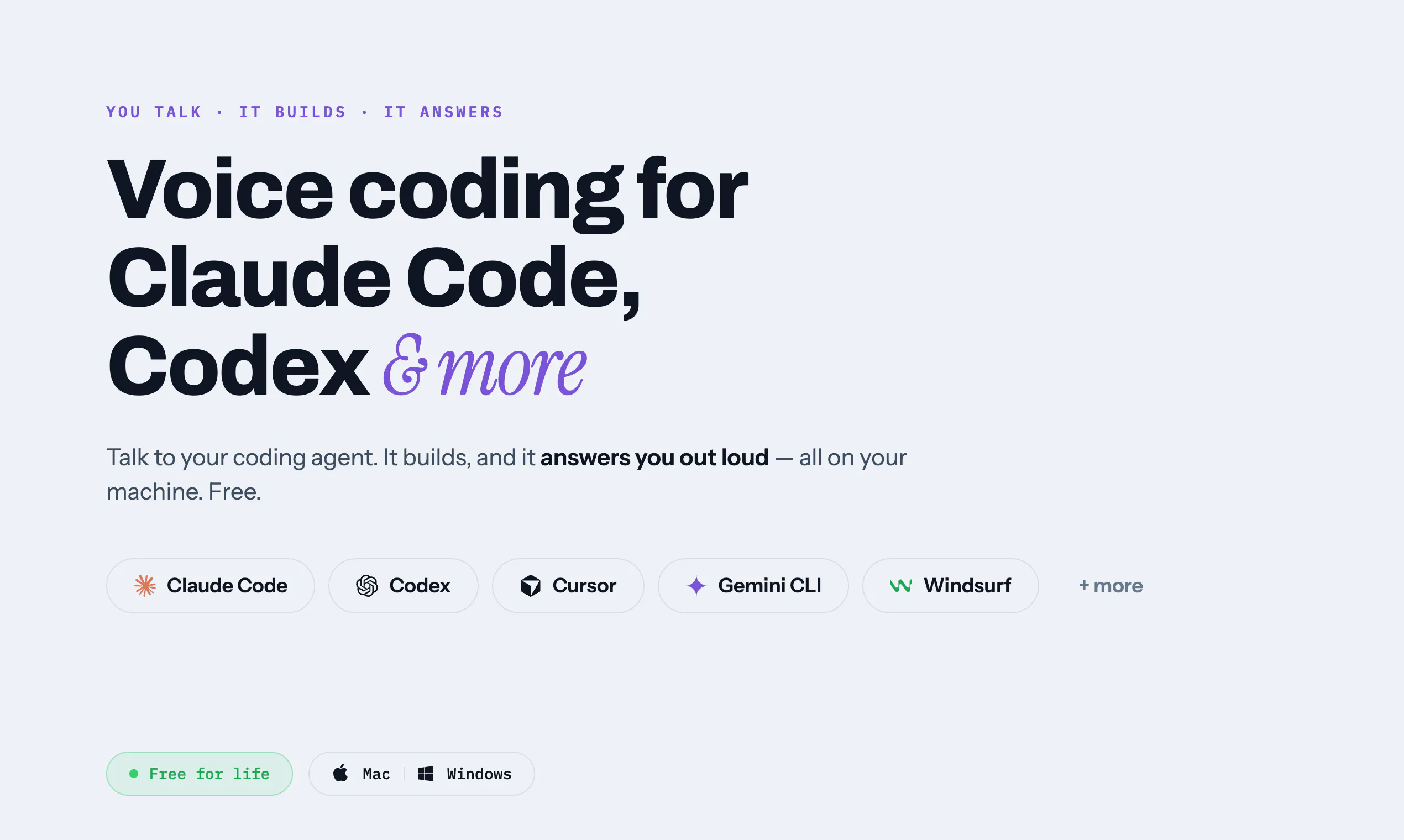
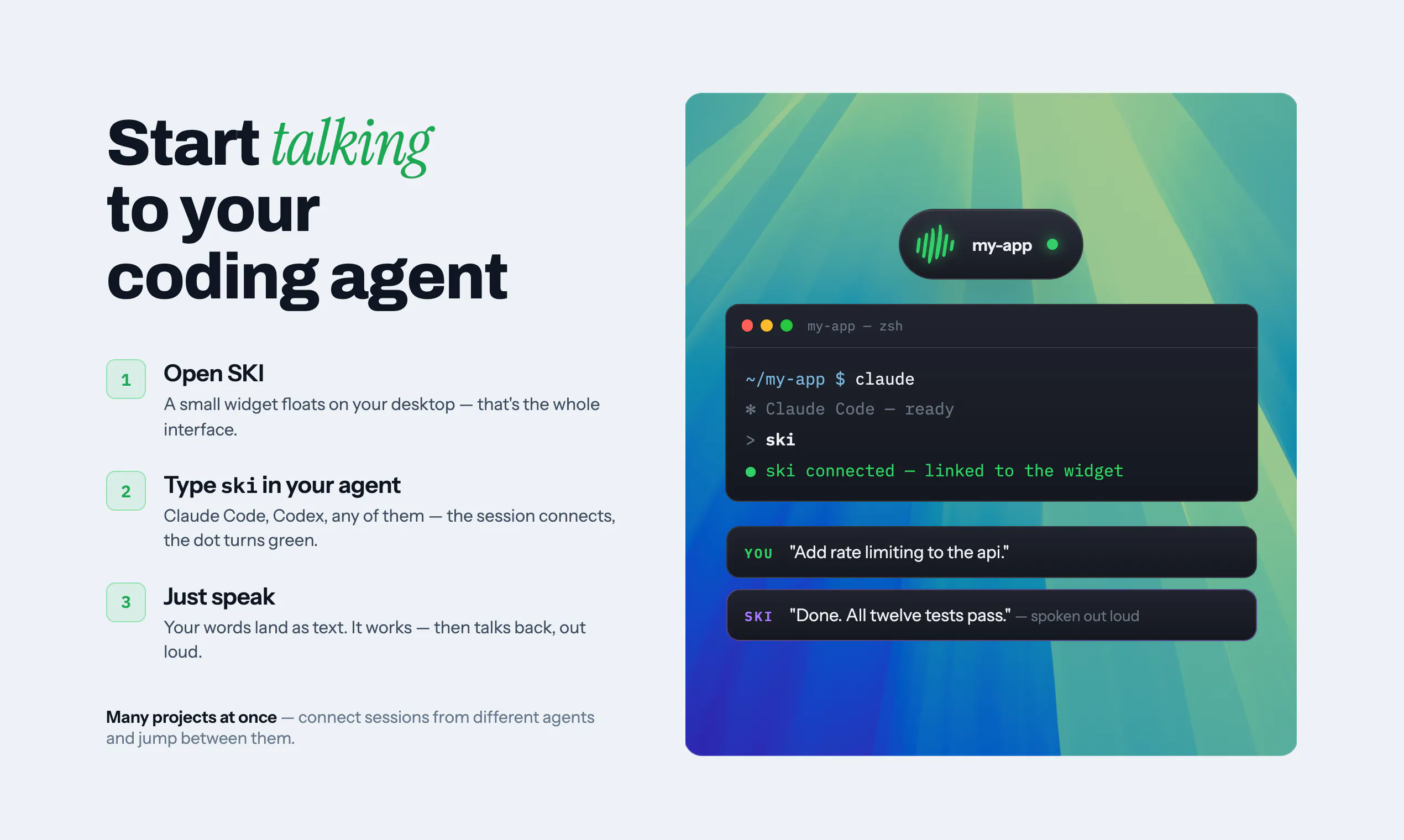
查看原始信息
Sorinai
Sorinai is an interactive AI notepad that fills out your meeting notes along with you. Drop in the template you already use, Word, PDF or plain text, and it reads the structure and fills every field from the call. No bot joins your meeting; it captures your computer's audio, so video calls, phone calls and in-person all work. Ask it what to say next while you're still on the call, then query one meeting or all of them at once. Mac and Windows. Unlimited notes, free.
Hi Product Hunt 👋 I’m Thomas, the founder of sorinai. I built sorinai because I believe there’s a better way to interact with AI than we currently do. AI has become very good at helping us before and after the things that matter—but almost useless during them. We use it to plan, research, and summarise what already happened. But in the moment itself—whether you’re about to close a deal, heading into the pitch of your life, or hearing something you need to understand—AI is somewhere else, waiting to be told about it later. Sorinai does two things differently. First, it’s there during the conversation. It doesn’t just transcribe quietly in the corner; you can ask it something while the answer still matters. Second, it keeps your notes yours. Most tools take the meeting away from you and hand back a summary written by a machine. sorinai works the other way around: you write what you notice, in your words, and it tidies and fills in around that. What you thought was important stays important. We’re still early, and some of what you need won’t be there yet. If something delights you, annoys you, or feels missing, please tell me. I read every message personally at t.hung@sorinai.com. Thanks, Thomas Founder, sorinai
2
回复

@captainsparrow23 Congrats on the launch, Thomas! The "during, not just before/after" framing really nails a gap most AI note-taking tools miss. Also love the philosophy of keeping notes in the user's own words instead of handing back a machine-written summary — that's a meaningful distinction, not just a feature. Wishing sorinai a great launch day!

0
回复

no bot joining the call is the detail that got me, most notetakers force that visible presence. if it's just reading system audio instead of joining as a participant, how do you handle speaker attribution on a 4 or 5 person call?

0
回复