Product Hunt 每日热榜 2026-08-01

PH热榜 | 2026-08-01

#1
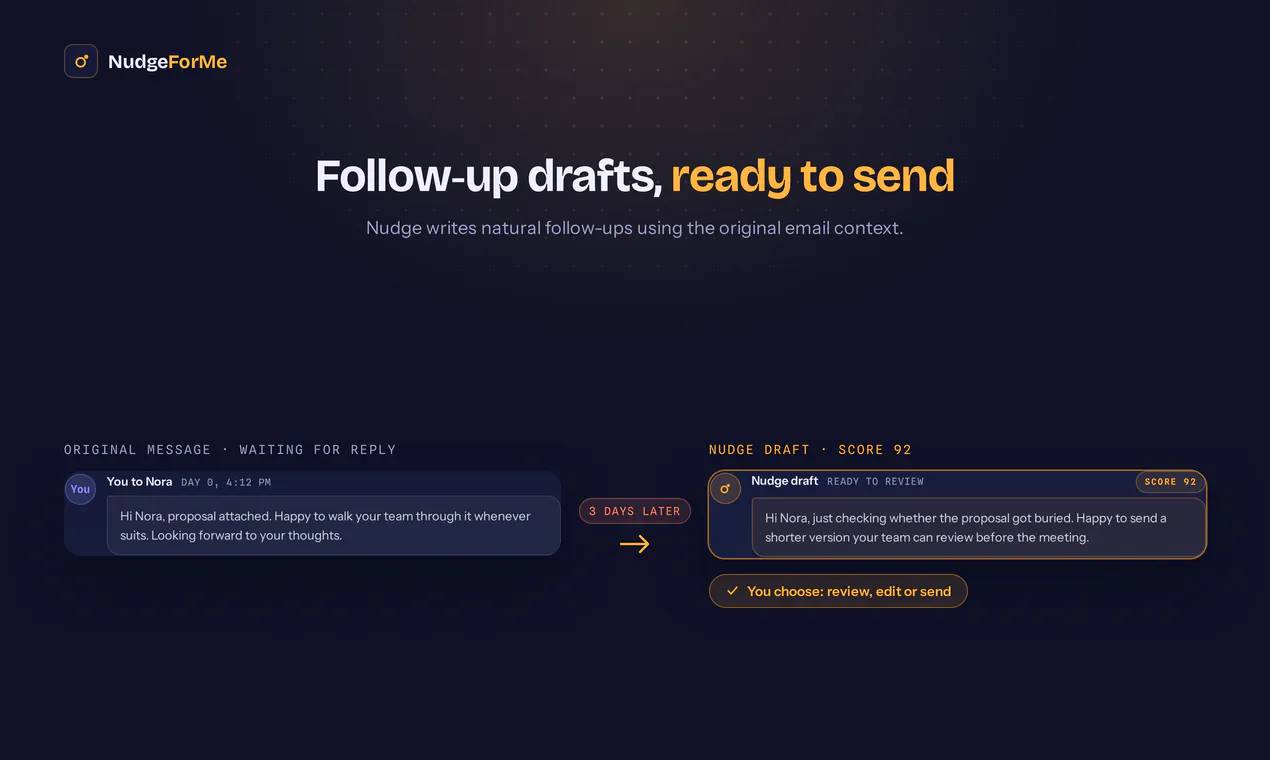
NudgeForMe
AI follow-up agent for missed email opportunities
289
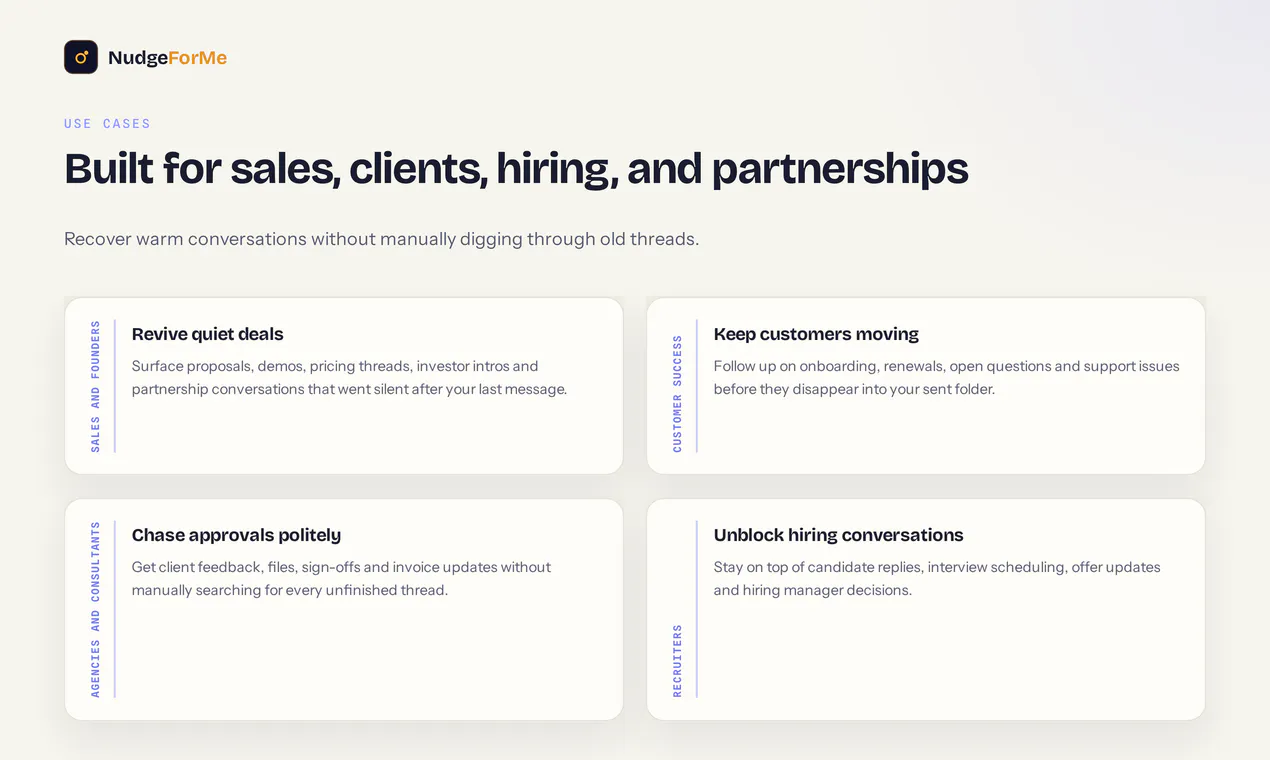
一句话介绍:NudgeForMe是一款AI跟进助手,自动扫描你的已发送邮件,找出未获回复的潜在商机,并在邮箱内生成自然语气、可控可发的跟进草稿,帮你避免潜在客户和合作伙伴悄悄流失。
Email Productivity Artificial Intelligence
AI邮件跟进 邮件提醒 销售效率工具 邮箱集成(Gmail/Outlook) CRM替代方案 商机管理 智能草稿 邮件自动化 SaaS工具 生产力提升
用户评论摘要:用户普遍认可“草稿模式”和解决真实痛点。核心问题集中在:如何判断对话是否需要跟进(避免误判“谢谢,再聊”);AI是否理解上下文而非只靠时间触发;数据隐私与内容是否被保留或用于训练;能否自定义跟进模板。有用户强调精准度优先,宁可每周2条有效提醒,也不愿面对15条“可能有用”的草稿。
AI 锐评

NudgeForMe切中的痛点真实且高频——邮件跟进是销售和客户成功中最容易被忽视、却直接决定收入转化效率的环节。产品逻辑上,它避开了“重造收件箱”的陷阱,选择寄生在已有邮箱内,以草稿模式降低用户信任成本,这一策略在SaaS冷启动阶段是明智的。

但评论区的拷问恰恰暴露了它的行业共性软肋:所谓的“智能识别”是否真的能区分“期待回复”与“自然结束”的对话?如果引擎只是基于“发件人提出直接问题+沉默N天”这类规则,那它并没有比一个智能过滤器强多少,甚至可能因误判而快速消耗用户信任——而信任恰恰是此类工具的生命线。

更关键的问题是“AI是否读懂上下文”。从评论区可以看出,用户真正期待的是“AI知道我和对方聊了什么、业务是什么、对方潜在需求是什么”,从而生成有具体价值钩子的跟进文案,而非“Hi, just following up”的套话模板。这需要产品在邮件内容理解与业务知识注入上做更重的投入,远超出扫描“已发送”的逻辑范畴。

此外,数据隐私问题虽被官方回应了一轮,但“读取整个已发送文件夹并交由LLM分析”的质询在评论中并未获得足够有说服力的正面回答。对企业客户,尤其是涉及合同和客户数据的岗位,这一问题无法通过“SOC2合规”抹平。

整体而言,NudgeForMe是优秀的“痛点修复型”产品,具有商业价值,但距离“智能跟进引擎”还有相当距离。若它停留在“通知+草稿”层面,很容易被邮箱原生AI或大型销售平台(如Outreach、Salesloft)快速覆盖。现阶段的价值更接近“高效提醒器”,而非“智能助理”。其能否长跑,取决于团队在上下文理解、精准过滤和内容生成质量上的真实投入,而不是发布时的运气。

查看原始信息
NudgeForMe
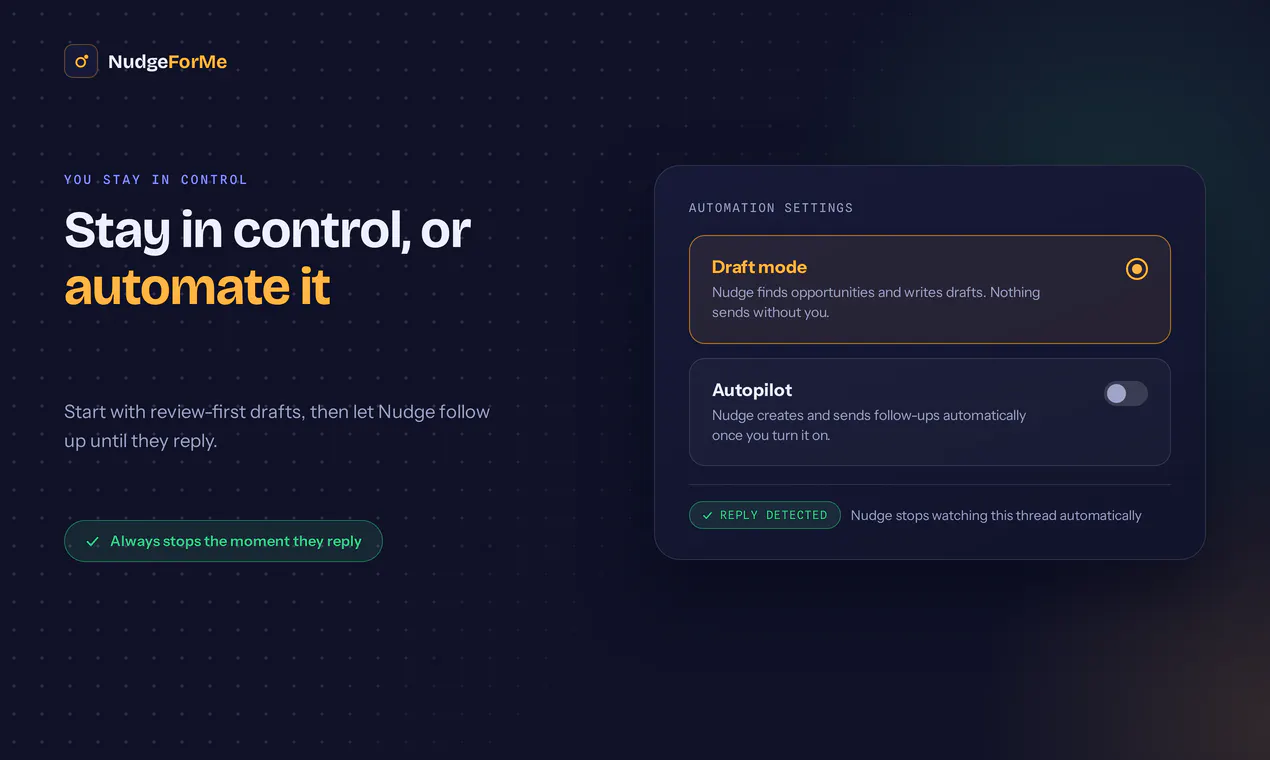
NudgeForMe scans your sent conversations, finds threads where someone never replied, and drafts natural follow-ups inside your own mailbox. It starts in draft mode, so you stay in control. You can review each opportunity, select the useful ones, and send from Gmail, Outlook, or IMAP/SMTP. Built by the Snoooz team after processing millions of emails, NudgeForMe is focused on one painful workflow: making sure leads, deals, partnerships, and customer conversations do not quietly go cold.
Hey Product Hunt 👋 Three years ago, we launched Snoooz here and were lucky to become #1 Product of the Day. Since then, we’ve processed millions of emails and kept seeing the same pattern: People do not only need help replying faster. They also lose leads, deals, partnerships, and important customer conversations because they forget to follow up. So we built NudgeForMe. NudgeForMe scans your sent conversations, finds threads where you were expecting a reply, but they never replied, and drafts follow-ups inside your own mailbox. It starts in draft mode, so you stay in control. You can review each opportunity, choose the useful ones, and send from Gmail, Outlook, or IMAP/SMTP. A few things that make it different: • It looks at your actual sent conversations, not a separate CRM list • It finds missed opportunities automatically • It creates follow-up drafts in your mailbox • It stops when someone replies • It works in draft mode by default • It is built by the Snoooz team, based on what we learned from millions of processed emails We built this because follow-up is one of those small things that quietly costs people real opportunities. Would love your feedback, especially on: 1. What would make you trust an AI follow-up agent? 2. Should this live as a focused product or become part of Snoooz long term? 3. What integrations should we prioritize next? Thanks for checking it out.
15
回复

@victoria_dash Congrats on the launch. Looks great and I like the fact it actually works in your inbox. A quick question though, can you give it context, so its not just a generic AI written email, but actually knows what you talked about with the lead? For instance knows what the product does and can say things like "I was thinking about your use case and one feature that could be really helpful for you is X, because it does Y and Z." In my experience follow ups like "Hi, I'm just following up" don't work. A question or a benefit for the client restarts the conversation. So if it can do that and knows what it's talking about, that's what would make me trust an AI follow up agent. Also if you can specify templates for responses that worked in the past, so the AI isn't reinventing the wheel. But otherwise looks great, keep up the good work.

0
回复
@nixmolabs yes
0
回复

@victoria_dash  Congrats on the launch. Losing a deal because nobody remembered to follow up is a real problem.

That said: in my experience bots do great with code or executing tasks, but they've always struggled with the relational side, sounding like a person instead of a system. How do you handle that?

1
回复

Pretty good idea .. Up until now I only see this in gmail, but with this product it is possible to expand.

9
回复

@rachid_abadli Thank you for the upvote. You are right the problem is not limited to gmail users, and so we wanted NudgeForMe to work across Gmail, Outlook, and IMAP/SMTP so more people can use it with the inbox they already have. Thanks for checking it out!

2
回复

Draft mode is the right default, and it also makes precision the entire product. If I open the folder and 4 of 15 drafts are worth sending, I stop opening the folder by week two and the 4 good ones die with the rest. I'd trade recall away hard for that, something like only flag threads where I asked a direct question and got silence for five days, because two right nudges a week beats fifteen maybes.

4
回复

@asadmalik901 We agree that precision matters more than volume.


NudgeForMe first shows you the follow-up opportunities it finds in the app, so you can choose which ones should become drafts. We also filter out newsletters and conversations that clearly do not need a response.


As it learns more about your business and preferences, you can switch to autopilot but the default experience keeps you fully in control. Our goal is exactly what you described: a few genuinely useful nudges, not a folder full of maybes.

3
回复

@asadmalik901 This is your 111 options argument again, in a different shape. Fifteen drafts is a first screen. The moment I have to be the filter, the good ones inherit the cost of the bad ones. Threshold tuning is the wrong knob for that. The knob is who pays for a wrong suggestion. Show 2, keep the other 13 searchable for when I go looking. Five days of silence after a direct question is a good rule. Does it survive the people who answer in a thread instead of a reply?

0
回复

Follow-up is the cheapest revenue sitting in most inboxes and almost nobody does it consistently. Nice to see someone build for that specific gap instead of another inbox rewrite. Draft mode as the default is a smart call too.

3
回复

@shaunds03 thank you for your support

0
回复

Love the idea. One question though—how does NudgeForMe decide which conversations actually need a follow-up versus threads that are intentionally left unanswered? Curious about the intelligence behind that

Congrats on the launch @chitreshsingh

2
回复

@chitreshsingh  @suryansh_tiwari2 Thanks, Suryansh! NudgeForMe looks at the conversation context to understand whether a reply was actually expected or the thread was already complete. It also filters out things like newsletters, FYIs, and closing messages. Users can review the opportunities first, and the detection improves further from their feedback over time.

2
回复

Draft mode before any send is the right call. What I want to know: does it look for actual signals in the sent message, like a question or an explicit request, or is the detection purely time-based? A thread that ended with 'thanks, talk soon' should not queue a nudge. Those are easy to misread as cold.

2
回复

@noctis06 Yes we look at the conversation and whether a reply was actually expected, including questions, requests, and signs that the thread is already closed. So a message like “thanks, talk soon” should not be flagged. We’ll keep refining this with real-world feedback and edge cases, so please share any feedback you have after trying our app :)

2
回复

So, basically this app will also ready my OTPs and Sensitive Codes in my mail box I guess?

1
回复

@sarowar_zamil_shawon we only read the sent folder, i assume OTPs sit in your inbox. We are also SOC2 and ISO compliant by the way.

1
回复

@sarowar_zamil_shawon Fair question. The mailbox connection gives Nudge access to the email data needed to scan conversations, but it is designed to process sent threads and replies on those threads, not OTPs, verification codes, or unrelated sensitive messages. Those messages are filtered out and are not used to create follow-up opportunities or drafts.

0
回复

the detection quality questions in here are all good ones, but the thing I haven't seen asked yet is what happens to the actual email content once it's scanned. reading sent conversations well enough to tell "thanks, talk soon" apart from a real dropped thread means an LLM is seeing the full text of my client emails and partnership deals, not just headers or timestamps. is that content processed and then discarded, or retained/logged anywhere on your end? for a tool sitting on my entire sent folder that's the question I'd want answered in writing before connecting a real inbox, not just "draft mode by default."

1
回复

@galdayan Good question, Nudge reads the conversation content to determine whether a follow-up is needed and to generate the draft. We do not use customer emails to train our models, and we do not retain a permanent copy of the entire sent folder, only the threads you want us to monitor.

You can check our privacy policy here:
https://nudgeforme.com/privacy.html

0
回复

Ooh this is nice. Follow ups are a huge case for AI!

0
回复

Anything the Snoooz team creates you can count on being top quality and probably the best support you've ever received for a product. I've been with them for over a year and @victoria_dash is an absolute super star. These guys are experts with anything email and at the end of the day, email is our biggest relationship management and sales system because it's personal. Wishing you guys so much success with this launch. From a very happy Snoooz user ❤️🚀

0
回复

Great product. I have already implemented this into my daily use. It found 2 two deals I neglected to follow up on. Just paid for itself in the first week.

0
回复

Bruh gets access to my mailbox? So I am not only giving away data to them but also their AI providers? Interesting.

0
回复
How accurate are the followup suggestions and can user customize the type of reminders they want?
0
回复
Does it look at the conversation context or mainly the time since the last reply?
0
回复

Congratulations on the launch. This looks very interesting. I'm going to sign up for it soon.

0
回复

@iamanantgupta thank you so much for your feedback.

0
回复

The tone matching is the part everyone's asking about, but I'd worry more about false positives, threads that look unanswered but weren't actually waiting on anything, like a "sounds good, thanks" that just didn't need a reply back. How does it tell that kind of silence apart from someone actually going quiet on you?

0
回复

This looks built for warm threads, and what I'd worry about is someone pointing it at a cold list. No reply is the normal case there, so it drafts a nudge for nearly everyone, out of the one mailbox they cannot afford to burn. I keep cold sending on a separate warmed domain for that reason, so does it tell a quiet thread apart from one that was never warm?

0
回复

@berkaybuilds The main value of the app is to help you find opportunities that you may missed to follow up manually. Maybe you sent a proposal or a request for demo, but forgot to follow up. With Nudge you can have it scan and find those conversations, and you can then decide which ones need a follow up. You can set it to auto follow up on those threads for a specific period of time, or until the person replies.

0
回复

Draft mode protects you at draft time. The risk lives at send time.

The draft exists because nobody replied. Then you open the folder tomorrow and some of those people have answered, just not in that thread. On the phone, on LinkedIn, in a new thread with a different subject. Sending just checking in to someone who already replied is the one follow-up that actually costs you the relationship, and it is worse than never following up at all.

So the check I would want sits at send rather than at generation. Re-verify the condition that created the draft, right before it goes out: nothing new in this thread, no newer message from that address anywhere in the mailbox, no meeting with them since. Cheap to run, and it is the whole difference between a stale draft and an embarrassing send.

Does it re-check anything at the moment you press send, or is the decision made when the draft is written?

0
回复

@jernej_jan_kocica That’s a very good point. For automated follow-ups, Nudge re-checks the mailbox before sending and stops if it detects a reply, an out-of-office message, or a bounce. It can also adjust the next follow-up based on the latest response—for example, if someone asks you to follow up later or says when they will return from vacation.

Since this is our first release, we recommend starting in draft mode, where you choose which opportunities are worth following up on.

You’re also right that replies through LinkedIn, phone calls, meetings, or a separate email thread are harder to detect. We don’t claim to catch all of those today, but broader pre-send verification is a valuable safeguard and something we can add to our roadmap.

0
回复

I have a question, right now draft mode is auto enabled with Gemini specially if you are using google workspace, so what is differentiator?

0
回复

@arshad_talpur the app works with all email providers, and also lets you scan your mailbox for last 6 months.. usually what happens is that you remember last few leads or customer interactions from last couple of weeks, but there are many such opportunities which are buried from last several months, and the app can help you discover them, and then you can choose which ones to draft for, and once you select, it can continue to follow up on those until the person replies.

1
回复

Starting in draft mode instead of auto-send is the detail that'd make me actually trust this with real leads.

0
回复

@irahimiam thanks, and this is why we made draft-only as the default behaviour.

0
回复
#2
DeepSeek-V4-Flash-0731
Frontier agent intelligence at Flash prices
276
一句话介绍:DeepSeek-V4-Flash-0731 是一款以“Flash”价格提供前沿智能体能力的轻量级大模型,通过原生支持 Responses API 与 Codex CLI 适配,解决开发者“高性能模型成本过高”与“轻量模型智能不足”的双重痛点,让顶级推理在真实工程场景中实现低成本大规模落地。
API Open Source Artificial Intelligence
AI大模型 智能体 开发者工具 API服务 开源模型 代码生成 自动化代理 成本优化 推理加速 DeepSeek
用户评论摘要:用户普遍认可其性价比与智能体任务性能跃升,但核心质疑集中在评测可信度:有评论指出Terminal-Bench与DeepSWE分数提升幅度不对称,疑似格式遵循度提升而非真实推理能力增长,且第三方复现缺失;另有用户关注长期任务实际表现与缓存输入成本,强调应关注“单任务完成成本”而非裸token价格。
AI 锐评

DeepSeek这波发布,表面上是一次“加量不加价”的例行升级,实则是一次精心设计的行业定价权宣示。但我们必须撕开“性能暴涨”的营销外衣,直视几个关键事实。

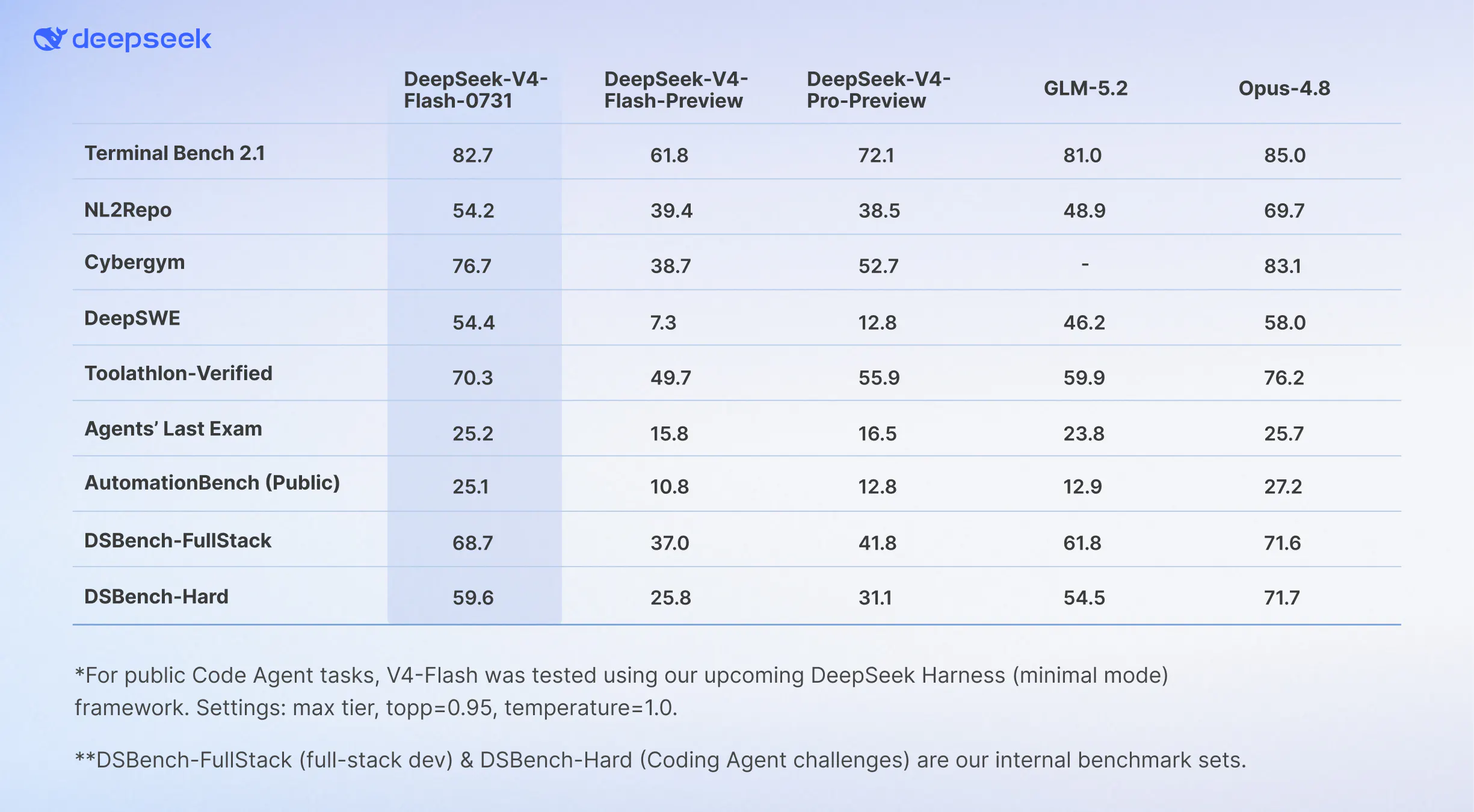
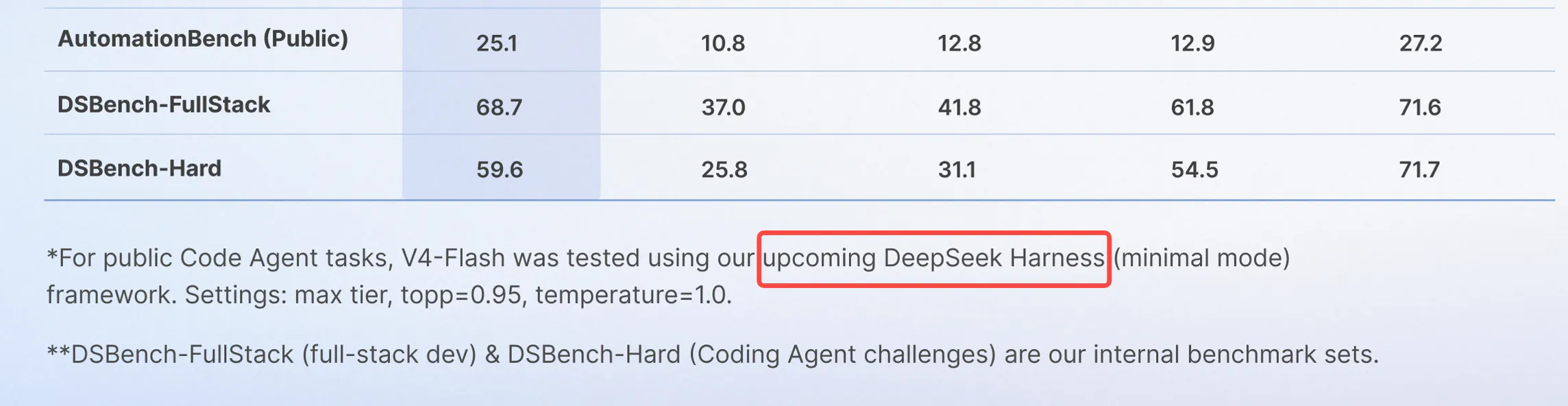
第一,评测数字的“魔幻跳变”极具迷惑性。DeepSWE从7.3飙到54.4,而Terminal-Bench只从61.8涨到82.7——同一架构、同一参数量,这种不对称增幅在技术逻辑上几乎不可能源于基础推理能力的突变。评论区一针见血:这大概率是工具调用与格式遵循度的提升,是“对齐工程”的胜利,而非智能本体的进化。这种提升对依赖特定Agent循环的开发者有效,但换一个工作流框架,增益可能大幅缩水。DeepSeek开放了MIT权重,这值得肯定,但在第三方独立harness复现之前,这份成绩单只能打五折。

第二,真正的杀招不是性能,而是定价策略。$0.14/M输入、$0.28/M输出,配合缓存输入的低价,直接刺穿了OpenAI和Anthropic的利润护城河。然而,用户已经聪明地指出:低价token不等于低价任务。Agent场景中一次失败的重试可能消耗十倍于成功路径的token。模型在长时程任务中的鲁棒性——而非基准分数——才是决定账单的关键。目前没有任何数据证明Flash在每任务成本上优于V4-Pro或GPT-5.6系列。

第三,MIT开源+API低价的组合拳,本质是DeepSeek在复制当年安卓对抗iOS的路径:用开放生态换取开发者心智,用规模摊薄成本。但这也意味着企业客户的数据隐私与合规成本将转嫁给下游。吹捧“智能成为商品”之前,请先确认你的Agent不会在关键任务上因为“性价比模型”的隐性不稳定而返工。

结论:这是一款值得严肃评估的工程产品,但不要被“Flash价格、Pro性能”的叙事绑架。在第三方评测和三周以上生产环境压测数据出来之前,理性选择是混合调用——将重复性高、容错率高的流量切给Flash,核心决策链路保留更高价的可靠模型。真正的革命不是“智能免费”,而是“智能分层”——谁先摸清每层的能力边界,谁才是在这轮价格战中真正受益的人。

查看原始信息
DeepSeek-V4-Flash-0731
DeepSeek-V4-Flash-0731 is the official release of V4-Flash, featuring a massive leap in agentic capabilities. It outperforms V4-Pro (Preview) on key benchmarks, natively supports the Responses API, and is fully adapted for Codex CLI.

Hi everyone!

This is another @DeepSeek moment.

DeepSeek-V4-Flash-0731 keeps the same architecture and size as the preview model, but the jump in agentic performance is hard to treat as a normal update.

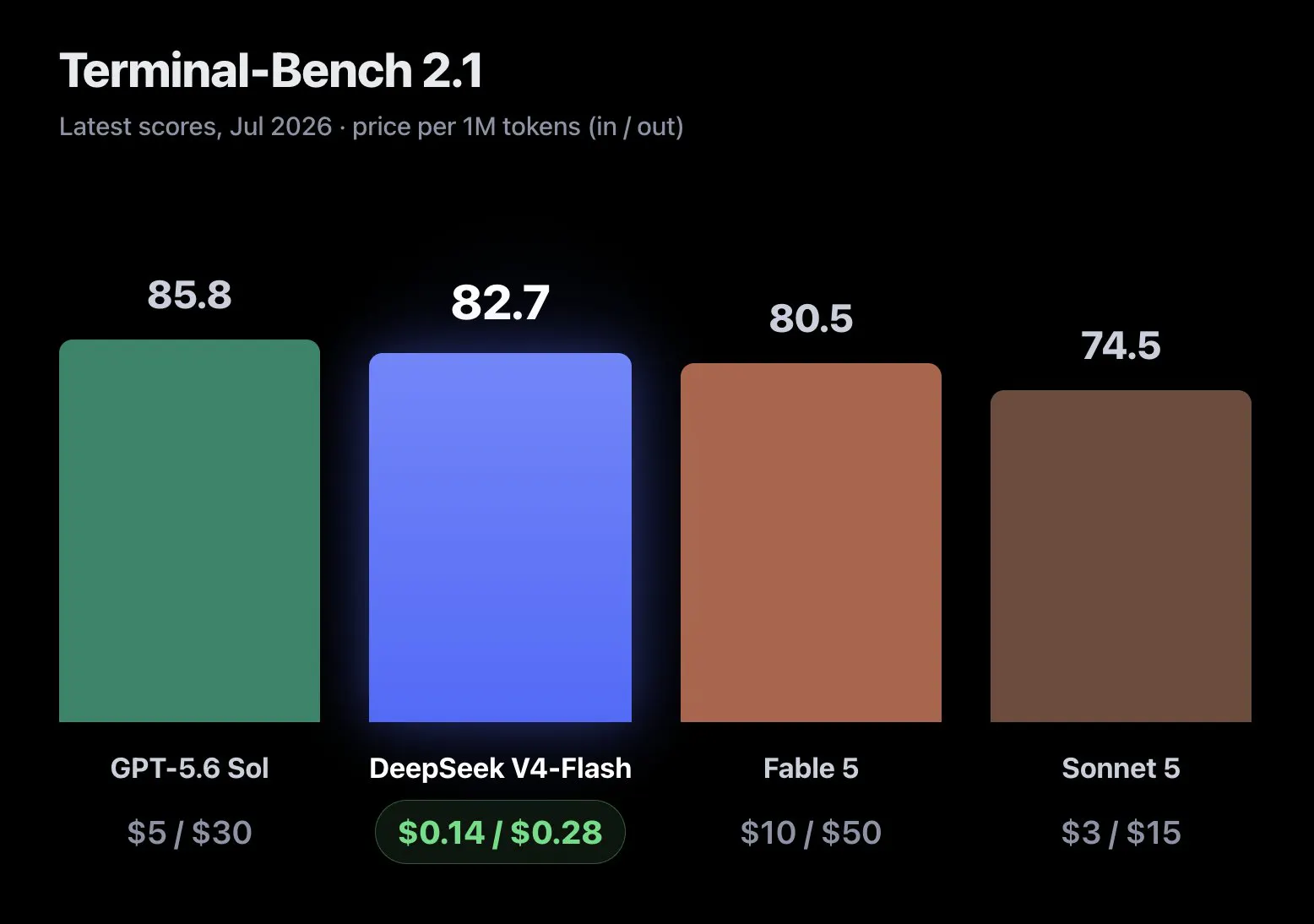
Terminal-Bench 2.1 moved from 61.8 to 82.7. DeepSWE went from 7.3 to 54.4 (simply CRAZY). Flash now beats V4-Pro Preview on every benchmark shown in DeepSeek’s release table, while activating far fewer parameters.

The weights and inference code are already available under MIT too, so this is not just an API release.

Then there is the price. V4 Flash currently costs $0.14 per million uncached input tokens and $0.28 per million output tokens. GPT-5.6 Terra and Luna also just got much cheaper.

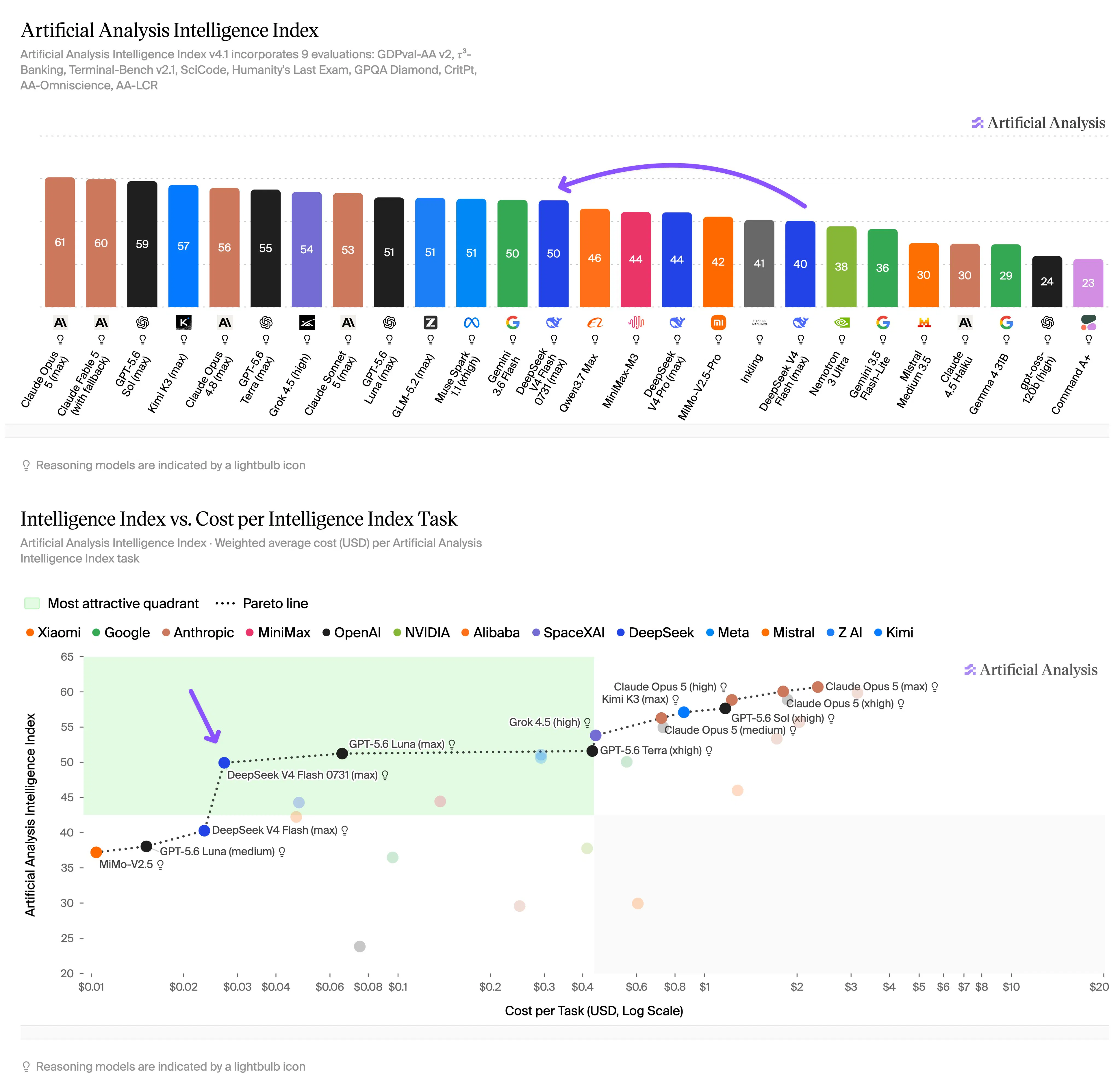
Top-tier intelligence is becoming extremely cheap. I mean extremely cheap.

I think we are entering a different phase of AI. When intelligence at this level is almost free and available through Codex, what will you build? How far can your imagination go when the cost of trying is no longer the main constraint??

P.S. one slightly crazy hint👀👀:

9
回复

@zaczuo If you could wave a wand and remove any one constraint for builders using models like this, which would you remove first; and what’s the first thing you’d build once that constraint was gone?

0
回复

@zaczuo I think the biggest shift isn't that models are getting smarter. It's that intelligence is becoming a commodity.

A few years ago, the question was, "Can we build this with AI?" Soon it'll be, "Why hasn't anyone built this yet?" When top-tier reasoning costs pennies, the competitive advantage moves away from access to models and toward distribution, unique data, product design, and execution.

It reminds me of cloud computing. Once compute became cheap, nobody won by owning servers. They won by building better products on top of them.

I'm curious—if intelligence becomes almost free, what do you think becomes the new bottleneck? Context, trust, distribution, proprietary data... or something we haven't realized yet?

0
回复
Is this becoming a price match, Oai also reduced a lot on their frontier models..
1
回复

61.8 to 82.7 on Terminal-Bench and 7.3 to 54.4 on DeepSWE for a model that's "the same architecture and size" as the preview is the kind of jump that makes me want to know who ran the eval, not just what it scored. are these numbers reproduced by anyone outside DeepSeek yet, or is it still first-party only? weights being MIT and downloadable makes independent verification actually possible here, unlike a closed API release, so I'd rather wait for someone else's harness to confirm it than take the release table at face value.

1
回复

@galdayan Right question, and I would point it at one number. 7.3 to 54.4 on DeepSWE sitting next to 61.8 to 82.7 on Terminal-Bench, same architecture, same size. That asymmetry is the tell. A 7.3 baseline is not a model that reasons badly. It is a model falling out of the agent loop. So a lot of that 47 point delta is probably tool-call and format adherence rather than new capability. Which matters because adherence gains are harness shaped. They transfer if your loop looks like theirs and quietly do not if it does not. Has anyone seen the failure breakdown on the old 7.3? Format versus reasoning is the whole question.

0
回复

The number I care about isn't $0.14 per million, it's cost per completed task. A cheaper model that needs two retries on an agent run costs more than a pricier one that lands it first, which is why 61.8 to 82.7 on Terminal-Bench is the line that actually moves my bill. Where it gets interesting is cached input pricing, since on long agent loops most of my spend is context I'm re-sending, not new tokens.

1
回复

This is likely the most cost efficient model right now, works better than kimi 2.7code, and def better option than gemini flash. 5.6 Luna and Grok build 0.1 are both very good as well

0
回复

I'm really enjoying using DeepSeek.

0
回复

thanks to deepseek for gpt price cut.

0
回复

Where does it land on long-horizon agent tasks vs. raw benchmarks? That gap is usually where the cheaper tiers fall short.

0
回复
#3
Port22
Claude Code, Codex & more on your phone
231
一句话介绍:Port22 是一款将 Mac 上正在运行的 Claude Code、Codex 等编码代理(Agent)实时投射到手机上的工具,解决开发者离开电脑后,代理因等待审批而长时间空转、打断心流的痛点,让你在手机上看到真实选项并一键批准。
iOS Developer Tools Artificial Intelligence
编码代理 移动端控制 SSH 审批流 Claude Code Codex 远程开发 效率工具 开发者工具 Agent编排
用户评论摘要:用户普遍认可“读取真实选项而非模拟回车键”的安全性。核心质疑聚焦于审批卡片是否提供足够的代码上下文(如Diff预览)以供决策,以及能否在蜂窝网络下通过中继稳定连接。有用户建议增加按项目预设的默认审批策略,以减少低频打扰,开发者回应称已支持查看变更代码,且自动审批功能在规划中。
AI 锐评

Port22 的切入点精准且克制,它没有去造一个新的 Agent 编排器,而是选择做“最后一公里”的移动审批端。这在产品策略上非常聪明,避开了与 Codex 或 Claude Code 原生移动应用的正面竞争,反而利用了多 Agent 并行的碎片化管理痛点。

其真正的价值锚点在于“信任”。评论中反复出现的“浏览真实选项而非发送回车键”是产品灵魂,这直接击中了远程审批工具“静默失败”的致命缺陷——模拟按键可能会在六选一的提示符下误选第一个,导致整个任务走向失控。读取活动会话的渲染文本,本质上是在保留“上下文透明性”,这比单纯的远程控制高出一个维度。

然而,锐评需指出其潜在风险:首先,若审批卡片不能展示足量的 Diff 上下文,它只会将“等待打断”变成“莽撞确认”,这是从“时间浪费”滑向“结果错误”的滑坡,目前仅靠点击后查看代码是不够的。其次,通过中继服务器加密虽解决隐私,但无疑是核心链路上的延迟与故障单点。在 Agent 原生化移动操作系统的浪潮下,Port22 的护城河不在于技术壁垒,而在于对“审批心理”的深度洞察和 UI 细节的极致打磨。倘若它能进化成一种“条件化审批规则引擎”,其长期黏性将远超当前版本。建议团队聚焦于提升审批卡片的决策信息密度,这才是留住重度用户的关键。

查看原始信息
Port22
I'd start a long agent run, walk away, and come back to find it had spent 20 minutes waiting on me to approve one file edit. Port22 puts every coding agent running on your Mac onto your phone. See which are working and which are stuck. When one needs permission your phone buzzes and you tap the actual option it offered, not a guessed keystroke. It attaches to what you already run. No wrapper, no config, no new terminal. Free for one Mac and two sessions, every feature on.
Hey PH 👋, i build with claude code and codex most of the day. the thing that kept getting me was starting a long run, walking away, and coming back 20 minutes later to find it had been sitting there the whole time waiting for me to approve one file edit. so i built port22. it puts every agent running on your mac onto your phone. you see which ones are working and which are stuck. when one needs permission your phone buzzes and you tap the real option it offered, not a guessed yes/no. it keeps going. the name is port 22. the ssh port. the one you have typed a thousand times to reach a machine that is somewhere else. felt right for a thing whose whole job is getting you back to your mac from wherever you are. a few things i cared about while building it: - it attaches to what you already run. no wrapper, no special terminal, no config. start claude the way you always do and it shows up. - the buttons are the actual options on screen. approving the wrong thing because the app guessed a keystroke is the worst possible bug in a tool like this, so it reads them off the live session instead. - off your network it goes through a relay that cannot read your code. everything is end to end encrypted between your mac and your phone. no account, no sign up. free for one mac and two sessions with every feature on. not a trial. it is early and i would really like to know what breaks. if you run agents all day i would love your feedback, especially on anything that feels slow or wrong. i will be here all day answering everything. thank you for looking!
6
回复

@harsha_chaganti Congrats on the launch. Coming back to the Mac and finding it sitting there waiting for 20 minutes is exactly the thing.

I've built a little dashboard for my own sessions, so I'm curious about one part: approving from the phone makes you quicker and less careful than at your desk. Have you seen that in your own use, or does the approval card give you enough to decide properly?

0
回复

@harsha_chaganti Quick question from someone who lives in long-running agent sessions:
When your phone buzzes for approval, how much context do you actually see before tapping?

For example, if Claude wants to edit 3 files or run a risky command, do you get a preview of the exact changes, the ability to jump into the live terminal view before approving or is it mostly “approve/deny” with minimal context to keep it fast?

0
回复

@harsha_chaganti Congrats on the launch! 🚀

I use Claude Code every day and I've definitely come back to my desk only to realize it had been waiting for an approval the whole time 😅

Really like the idea of keeping long-running agent sessions moving without changing the existing workflow.

0
回复

Tapping the actual option it offered instead of guessing a keystroke is the detail that sells this. Most remote-approval tools just fire an enter key and hope.

2
回复
@irahimiam hey, had to do insane amount of detailing on the answering options part😅 still needs work will surely do the best possible
0
回复

@irahimiam The enter-key approach is worse than unreliable, it fails invisibly. Fire enter at a six option prompt and it takes option one, the session keeps moving, and nothing anywhere says a choice was made for you. You only find out an hour later when the run went somewhere you never asked for. That is the real argument for reading the options off the live session. Not that guessing fails, but that guessing succeeds loudly and wrongly.

0
回复

Reading the options off the live session instead of guessing a keystroke is the part that makes this usable. What I'd still get wrong on a phone is approving the right button for the wrong reason, because I can see "edit src/auth.ts" but not what's actually in the diff. If the approval card carries enough of the change to judge it, I'll clear a queue of these from a coffee shop. If it doesn't, I walk back to the Mac anyway and the buzz just moved the interruption earlier.

2
回复

@asadmalik901 Really glad you asked that question, and i am working completely on that. As of now you can see the code that changed when you click on the tool call/Edit.

0
回复

The approval card answers the trust question well. What I'd want to know is the network side, is the phone talking to the Mac directly over the same wifi, or through a relay so it still works once you've actually left the house and you're on cellular? That's usually where local dev tools like this quietly stop working right when you need them most.

1
回复

This is exactly the kind of thing I wish I had last week when an agent burned an hour waiting on a yes/no I never saw. One thing that would make it even better: let me set a default action per agent or per project for common prompts like file edits under a certain size, so my phone only buzzes when something actually needs my judgment instead of every little change.

1
回复

@calvin_sally That is a genuine feature actually, almost like something between auto mode and manual one

Makes sense, thanks for that!

0
回复

the way it surfaces the actual approval prompt instead of making you guess at keystrokes is a really thoughtful touch. feels like you built it around the exact moment of frustration rather than building a dashboard first.

1
回复

@violet_rockefeller Yes, i did use the native apps but i am a long session multi provider user so wanted something and actually went with it, seems like a problem most have i guess

0
回复

The actual options from the live session feels like the killer detail here. Not just “agent on your phone,” but the part where you can safely unblock it without guessing what’s happening back on the Mac. Also love the Port 22 name. Super clean concept, congrats on the launch.

1
回复
@rnagulapalle thanks a ton, and yes answering from your phone is what i want to master
0
回复

Hi PH,

The Go live is taking unexpectedly long from the app store review side, will surely update and relaunch as soon as it is done

Sorry for the wait and thanks for the patience, Much appreciated!

1
回复

Running coding agents from your phone is a surprisingly big unlock for reviewing and approving on the go. Congrats on the launch.

1
回复

@kritishpuri Thank you, and yes this is just the Beta, you can expect more to come soon

0
回复

Cool Project. Now that codex , claude code and other providers are building native mobile apps, where do you see the differentiation for this product.

1
回复

@whiletruelearn Hey, i agree they all have their native Mobile apps but as me being someone who uses all need to go to three different apps for each of them so just thought of it as a personal problem and built this on that so yes

Please give it a try, as of now the app is still in app store review and it is taking longer than usual

0
回复
#4
AgentMicro
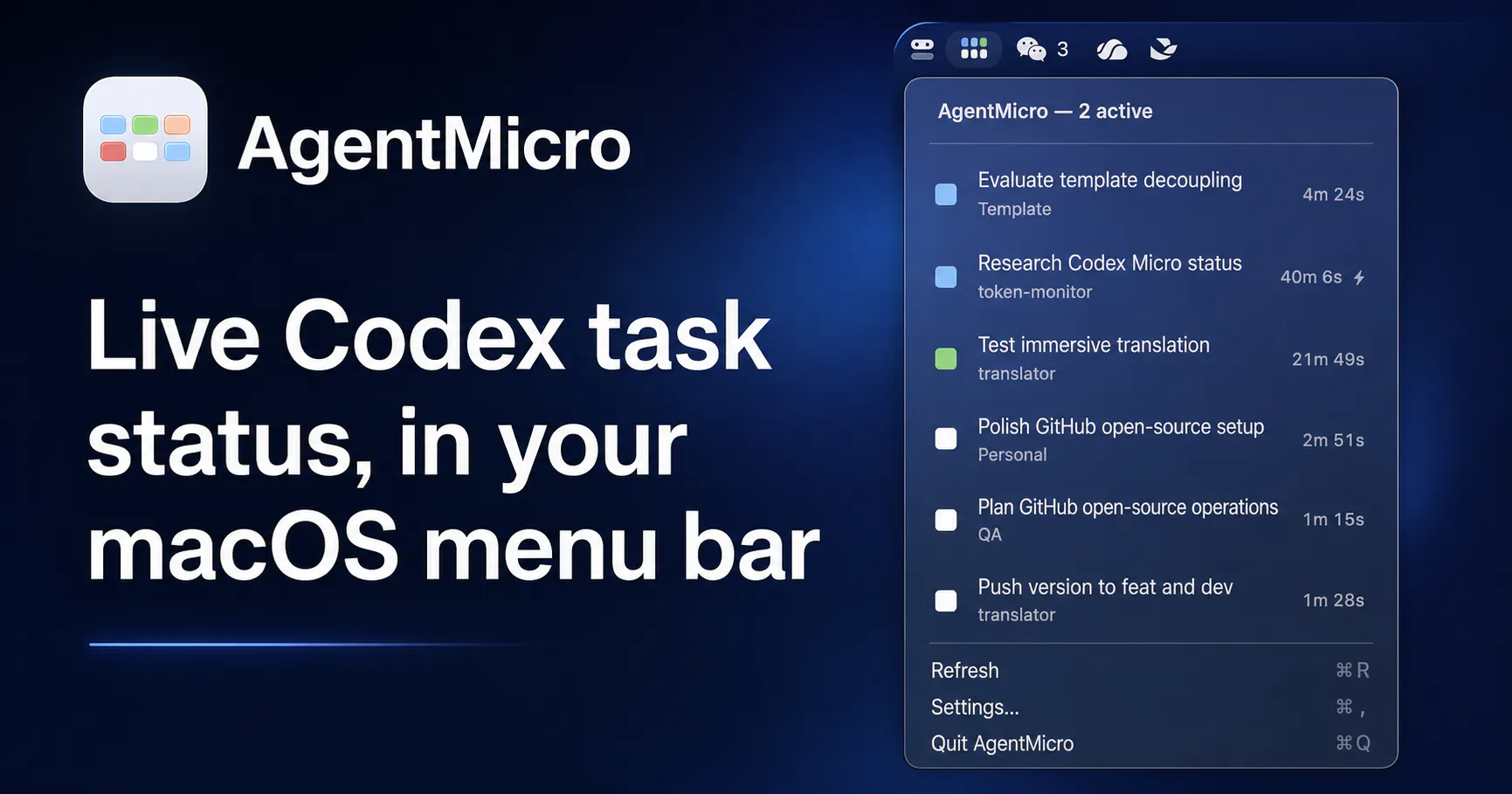
Live Codex task status in your macOS menu bar
158
一句话介绍:AgentMicro 是一款本地优先的 macOS 菜单栏工具,让开发者在一眼之间掌握多个并行 Codex 任务的实时状态(思考中、已完成、需介入、报错),并一键跳转回对应任务窗口,解决多任务切换时“丢失上下文”和“注意力分散”的痛点。
Open Source Developer Tools Menu Bar Apps
macOS菜单栏 Codex任务管理 本地优先 AI编程助手 开发者工具 开源 隐私保护 任务状态监控 并行任务管理 效率工具
用户评论摘要:用户普遍认可本地优先和隐私保护设计,并赞赏“橙=行动”这一低噪音状态。核心争议点在于:一是“需输入”状态在无辅助功能权限时易与长时间工具调用混淆,需明确超时阈值;二是缺少“状态未知”的区分,空闲与数据过期视觉混淆;三是建议用“状态持续时间”来替代单纯计时器,以识别卡死而非长任务。
AI 锐评

AgentMicro 精准切中了 AI 编程时代一个真实且日益尖锐的痛点:并行智能体的“注意力管理”。它没有试图成为另一个控制面板或自动化中心,而是选择做一个“观察哨”,用五个颜色状态和一键跳转来压缩信息噪声,这个克制且务实的定位是其最聪明的设计决定。158 票的认可度证明,开发者确实需要这种轻量级“任务哨兵”。

但从评论区的高质量反馈来看,它的核心假设——“状态可被清晰定义”——正在遭遇现实的挑战。最尖锐的问题在于状态语义的模糊性:在无辅助功能权限的基础模式下,“橙色(需输入)”只能是靠超时阈值推断出来的概率事件。一个 90 秒的长网页抓取与一个等待确认的提示符在元数据层面无法区分,这直接动摇了“五个状态”体系的可靠性。用户真正需要的不是更多的状态颜色,而是“状态持续时间”这一轴,即“思考中”状态下已经持续了多久。如果 AgentMicro 能引入基于 p90(90百分位)的自学习超时阈值,让“橙色”可以自我升级,而不仅仅是一个静态计时器,它就能从“会叫的看门狗”进化为“懂业务的守夜人”。

此外,评论中关于“未知/丢失”状态的缺失值得警惕。当菜单栏安静时,用户无法区分“一切正常”与“Codex 已崩溃或失联”。这种“安静的毒性”是监控工具的通病,处理不当会让整个监控体系在关键时刻失去信用。AgentMicro 的长期价值不在于它目前能显示什么,而在于它如何随 Codex 生态的元数据进化而进化。它现在是一个讨巧的菜单栏配件,但只有跨过“状态确定性与时间衰减”这道坎,才能成为 AI 开发工作流中不可或缺的底层基础设施。目前,它值得尝试,但请务必在 README 中清晰标注每个状态阈值的时间参数,否则当用户质疑“橙色为何错误亮起”时,将是其口碑崩坏的开始。

查看原始信息
AgentMicro
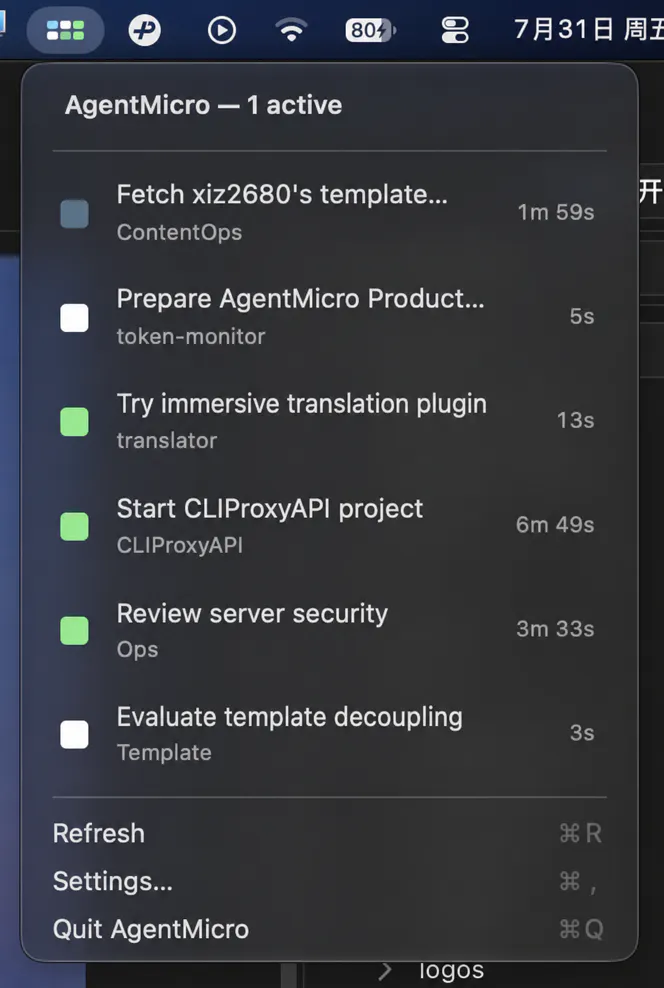
AgentMicro is a local-first macOS menu-bar companion for supervising parallel Codex Desktop and CLI tasks. It surfaces task state, project, elapsed time, and results at a glance, then opens the matching Codex Desktop task with one click. It observes local metadata only and never uploads prompts, responses, source code, or task history.
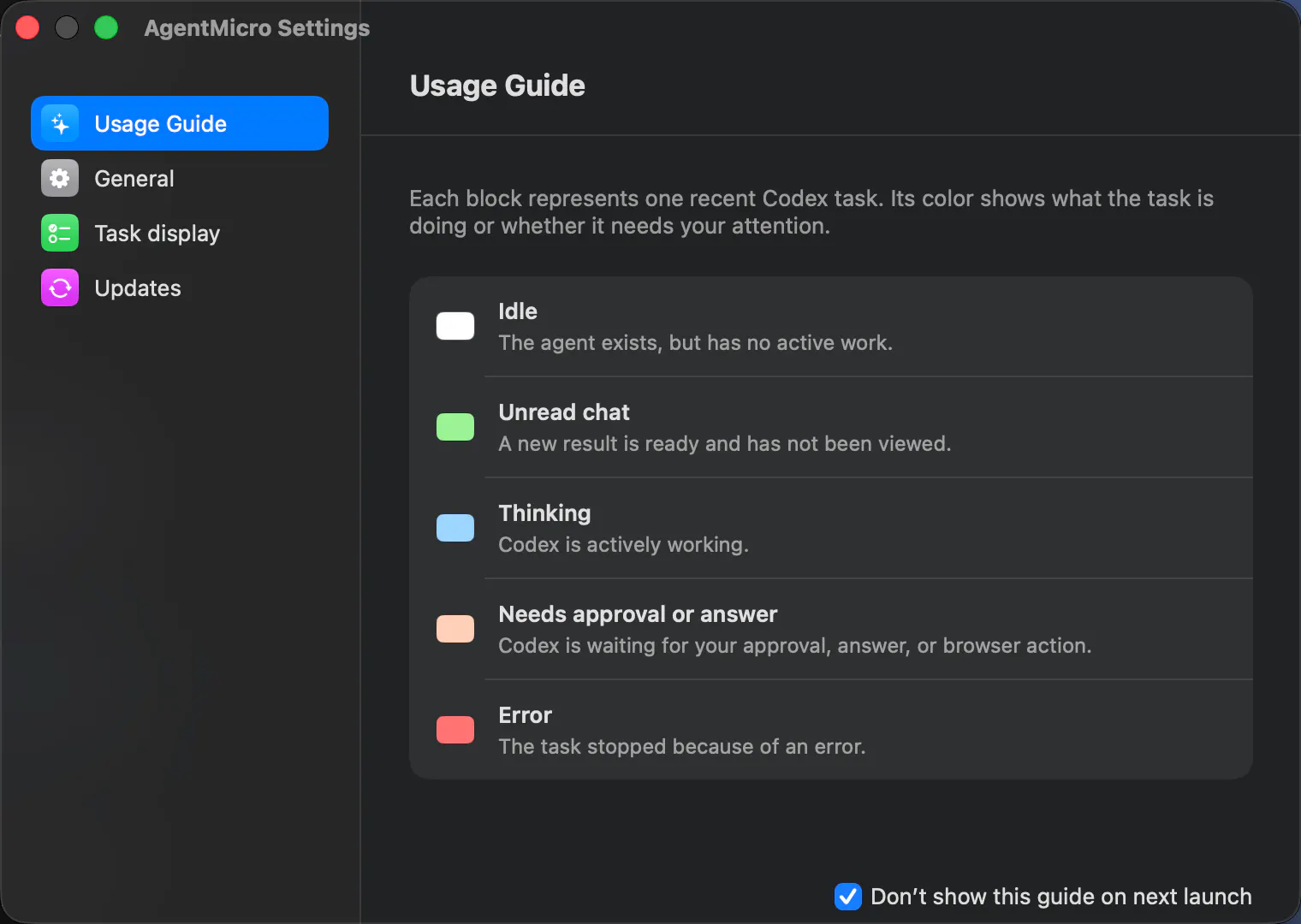
Hi Product Hunt! I built AgentMicro because I kept losing the thread when I had several Codex tasks running in parallel. The questions were simple: Which task is still working? Which one finished while I was elsewhere? Which one needs my input? Codex already owns the work, so I did not want another dashboard, hosted task system, or automation layer. AgentMicro is a small, local-first macOS menu-bar companion that observes local Codex Desktop and CLI session metadata, puts active work first, and lets you return to the matching Desktop task with one click. The menu uses five deliberate states: blue for thinking, green for an unread result, orange for input needed, red for an error, and white for idle. It also shows the project, current-turn duration, and fast-mode badge. Base mode needs no Accessibility permission; optional enhanced detection is opt-in and never clicks, types, or approves anything for you. AgentMicro is free, open source, and independent. It does not upload prompts, responses, source code, command output, or task history. I would love to hear which signals help you supervise concurrent agent work without adding noise. Thanks for taking a look!
5
回复

@idky_wis This is a very specific problem, but a real one. Once you have multiple Codex tasks running, the hard part becomes knowing which one needs attention without constantly opening every window.

I like that AgentMicro stays local-first and observational instead of becoming another control layer. The color states plus one-click return sound like the right amount of surface area for supervising parallel agent work.

0
回复

Hey!

What's been the most unexpected thing you've learned since launching AgentMicro?

I just discovered AgentMicro and I really like how you're making Codex task management feel effortless without compromising privacy. That's a thoughtful product.

I help AI founders uncover the UX friction that quietly slows adoption. My UX audit delivers actionable insights with practical recommendations. Happy to share a sample report.

Would you be open to seeing what first time users notice that your team might naturally overlook? How to share a sample report.

Arafat
Founder
Nixmo Labs

0
回复

@idky_wis When you’re juggling multiple Codex tasks, which single signal in the menu bar has actually saved you the most mental energy: seeing the current-turn duration, the color state, or the project name? And is there a scenario where you wish it showed less information instead of more?

0
回复

The five state breakdown above covers the local case well. Different question: if Codex is running on a remote box over SSH rather than on the Mac you're looking at, does the menu bar have any way to see that session, or is this strictly scoped to tasks running on the same machine as the app itself?

1
回复

Local-first and no upload of prompts or source is the part I'd actually check before installing a menu bar app that watches my coding sessions.

1
回复

The orange-only “act now” state is a really smart detail. Most agent status tools get noisy fast, but this feels designed around attention instead of just visibility. Also love that base mode works without Accessibility permissions.

1
回复

In base mode with no Accessibility permission, orange for input needed has to be inferred from session metadata, and a long tool call looks identical to a prompt sitting unanswered. If that's a timeout threshold I'd want the number documented, because a 90 second web fetch showing up as needing me is the false positive that gets the whole menu bar ignored by Thursday. Five states only pay off if orange is never wrong.

1
回复

You asked which signals help without adding noise, so here's the one I'd add: the state that isn't in your list.

You have thinking, unread result, input needed, error, idle. There's nothing for I don't know. White for idle and white for the metadata went stale or Codex isn't where I expected are the same pixel to me, and they mean opposite things. Idle is fine. Lost is not. If the menu bar can't separate those, then a quiet menu bar tells me nothing, and quiet is the state it's in almost all the time.

Second one, on blue. Elapsed time is a weak proxy for stuck. A long legitimate task and a hung one look identical behind a spinner, and what separates them isn't duration, it's whether anything has changed recently. Blue that decays into thinking, but nothing has moved for six minutes would tell me more than a timer, and it costs you no extra permission since you're already watching that metadata change.

The five states are well chosen otherwise, and orange being the only one that means act now is exactly right. Noise usually comes from having two colours that both mean maybe.

1
回复

Every state in your list is instantaneous, and I think that is the gap. Thinking at 30 seconds is healthy. Thinking at 30 minutes is hung. Same colour today. @asadmalik901 gets at it from the permission side, that a long tool call and a prompt sitting unanswered look identical. Duration in state separates both, and it needs no Accessibility permission, because you already know when the state last changed. So I would not add a sixth state. I would age the five you have, and let orange escalate itself once thinking crosses your own p90. That also answers your noise question, because the threshold learns itself instead of you picking one up front. The missing-state point above is right. I just think the missing thing is an axis, not a state.

0
回复
#5
Yamanote 3D
Ride Tokyo’s Yamanote Line in a 3D world
139
一句话介绍:Yamanote 3D 是一款免费浏览器端的 3D 东京山手线沉浸式漫游体验,让你在办公或学习时,以可探索的列车环境替代背景视频或白噪音。
Web App Simulation Games GitHub Animation
3D 沉浸式体验 浏览器应用 东京山手线 环境白噪音 放松专注 虚拟漫游 轨道交通模拟 氛围音景 免费工具 独立开发
用户评论摘要:用户普遍认可其氛围感与真实感,称赞无缝循环设计巧妙;主要疑问集中在后台标签页是否暂停渲染、可否同步真实东京时间,以及是否永久循环(回应称彻底停止渲染,时间/天气同步真实,线路本身为闭环,永不终止)。部分用户提出性能与风扇噪音顾虑。
AI 锐评

Yamanote 3D 的巧妙之处在于利用了山手线物理上的闭环属性,彻底消解了传统白噪音循环的“听感裂缝”——这不是技术上的炫技,而是对背景音产品本质的洞察:用户要的不是声音,而是“不间断的、可信的环境”。它用 3D 可探索性替代了视频的被动性,用实时东京时间、天气与拥挤度赋予场景呼吸感,这比单纯的音效生成器高出一个维度。

但它的天花板也很明显:首先是场景深度不足。目前“可探索”仅限车厢内走动与下车看站台,缺乏东京城市肌理的实质交互,一旦新鲜感消退,它很容易沦为“高级屏保”。其次,性能优化是硬伤——开发者在评论中承认,只要浏览器窗口可见(即使不在前台),场景便全速运行,这直接违背了“学习/办公背景”的核心使用场景,电池与风扇噪音会瞬间打破用户期望的“宁静”。这暴露了产品设计中的一个典型矛盾:为了保留“可随时看两眼”的临场感,牺牲了真正的后台低功耗运行。

评论中反复出现的“会否停止”“如何循环”问题,实则反映出用户对“陪伴感”的深层需求——他们要的不是一个“玩具”,而是一个“永远在运行的世界”。目前 Yamanote 3D 只是这条路上的原型:它的交互是单薄的,缺乏天气突变、列车延误、乘客对话等动态叙事;它的盈利模式(买咖啡)也暗示了独立开发者的资源局限,这决定了其后续迭代大概率是修修补补而非质变。

真正值得兴奋的方向,是如果它能引入 WebGPU 优化,实现真正的后台低功耗渲染,并接驳实时城市数据(如车站人流、事件通知、甚至让用户上传自己的歌单作为车内背景音乐),那么它就不只是一个白噪音工具,而是一个“个人东京通勤舱”——但那需要从“场景复刻”转向“生活服务”的思维跨越。目前它赢在巧思,也困在巧思。

查看原始信息
Yamanote 3D
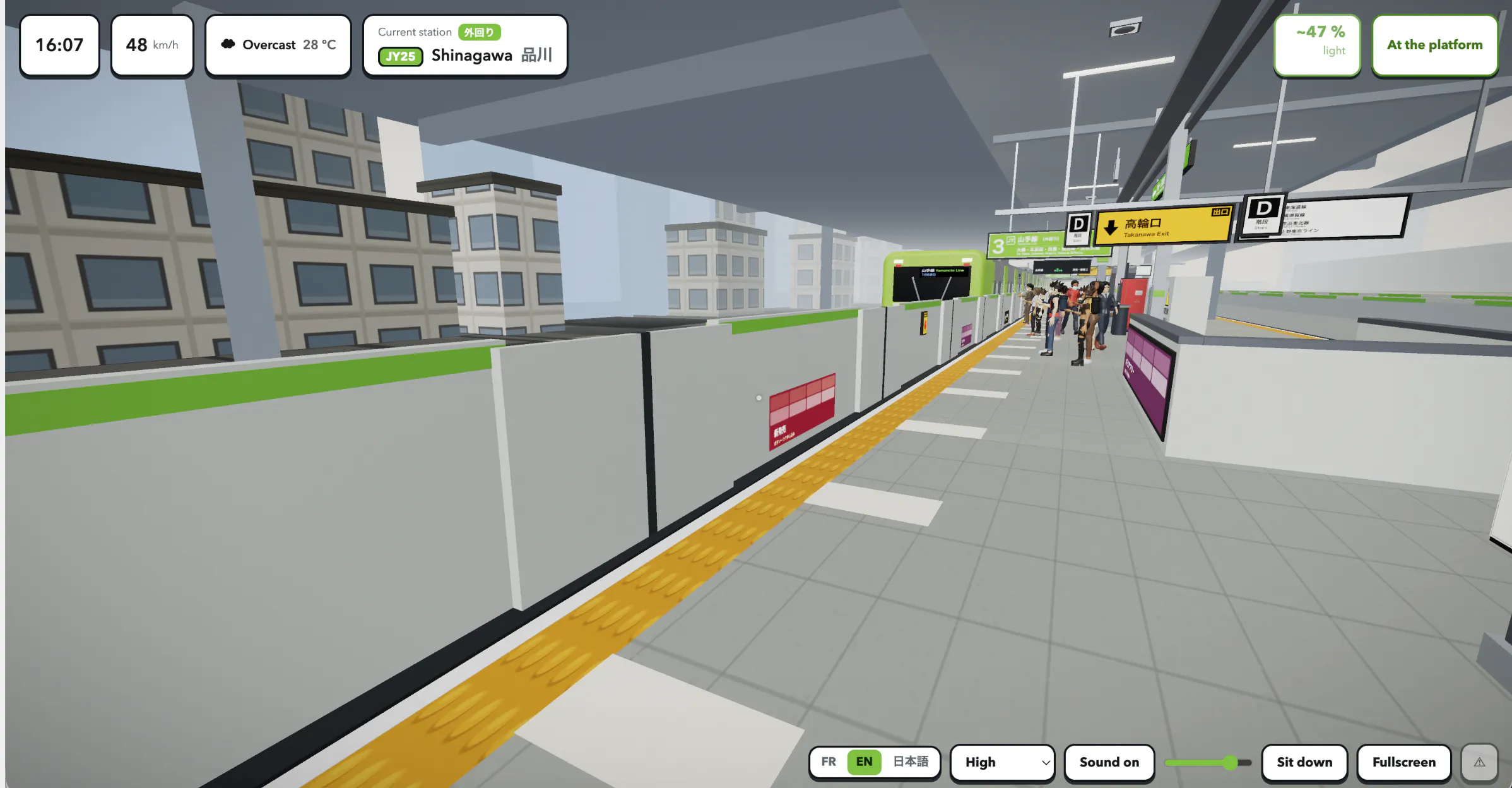
Yamanote 3D is a free browser experience inspired by Tokyo’s Yamanote Line. Walk through an E235 carriage, sit down, watch the city, listen to announcements, and get off at stations. I built it to have realistic train sounds and city ambience in the background while studying or working. Feedback is very welcome.
Hi Product Hunt! I started Yamanote 3D because I wanted the sounds and atmosphere of a train journey in the background while studying or working. Instead of using a looped video, I wanted something I could actually explore, so I began recreating Tokyo’s Yamanote Line as a live 3D experience in the browser. You can walk through an E235 carriage, take a seat, watch the city, listen to announcements, and get off at stations. There are no missions or scores. It is meant to be a calm place you can leave running. The project is still evolving, and I would really appreciate honest feedback about the atmosphere, realism, performance, and anything that feels missing.
4
回复

@brunoleyoyo hello if you like you can lunch this on indihunt.in also

0
回复

@brunoleyoyo This is a lovely idea. A calm, explorable train ride feels much more personal than a background video, especially if you can sit, look around, and let the station announcements run while working.

I’d be most curious about the small details: lighting shifts, station sounds, carriage motion, and how alive the city feels outside the window. Those are probably what make it relaxing instead of just technically impressive.

1
回复

Hey! @brunoleyoyo 

What's been the most memorable feedback you've received from users today?

I just tried Yamanote 3D and I really like how you've turned a simple train ride into such a relaxing and immersive experience. It instantly stands out.

I help founders uncover the UX friction that first time users often feel but never report. My UX audit delivers practical recommendations to make the experience even smoother.

Would you be interested in seeing where new users might hesitate before it starts affecting engagement? How to share a sample report?

Arafat
Founder
Nixmo Labs

0
回复

Wow, it looks so real. I think I need to convince my friend to go to Japan with me :D

3
回复

@busmark_w_nika Haha, thank you! Maybe Yamanote 3D can help convince them, and then you’ll have to compare it with the real thing!

0
回复

Very creative! Love the idea

2
回复

This is such a nice idea, and the no-seam loop detail is clever. My one worry with running a live 3D scene as background for hours is the opposite of ambience - fan noise and battery drain on a laptop. Does it throttle rendering when the tab loses focus, or pause entirely? Also curious if the time of day in-scene syncs to your real clock, since a night ride home would feel pretty different from morning rush.

1
回复
@omri_ben_shoham1 Thanks! When the tab isn’t visible, the scene stops completely, it isn’t just put on hold, but completely deactivated. The trickiest part was resuming it. If you’re not careful, it makes up for all the lost time at once and teleports the train several stations ahead. A quick warning, if the window is visible while you’re working in another window, it continues to run at full speed. That’s the part that needs to be fixed. And yes, the clock is real. It starts at the current time in Tokyo and runs from there, with sunrise and sunset following the actual date, and it also handles the crowd, announcements, and weather. You can also set the time and date yourself on the home screen.
0
回复

Very liminal vibes from this!
Takes me back to my trip to Tokyo

1
回复
@marco_ciavarella 🥰
0
回复

this is such a specific vibe. curious whether it loops or eventually stops at the end of the line.

1
回复
@leo404 It actually never ends. That’s the main reason why I chose this specific Yamanote Line !
0
回复

this is such a specific vibe. tried study music streams before but this feels more immersive. curious whether the ride loops when you hit the end of the line or if it just stops.

1
回复

the ambient train sound is actually what gets me. i have been using coffee shop noise generators as work background for years and this feels more specific. does it loop continuously, or do you eventually reach the end of the line?

1
回复

@leo404 You asked this three times, so here is the thing that makes the answer nice. The Yamanote Line has no end. It is a real loop, a full circle round central Tokyo, roughly an hour a lap. So there is no seam to hide. The line already solved the problem a noise generator has to fake. Which is probably why this works as background in a way a coffee shop track never quite does. A loop you can hear the shape of stops feeling like a loop.

1
回复
@rabnoor_s Exactly! That's one of the reasons I chose the Yamanote Line. Since it's a real continuous loop around Tokyo, there's no artificial restart. You can ride indefinitely, watching the city change while the ambient train sounds keep flowing naturally. I'm really happy to hear it's working as a focus/background experience for you. 😊
0
回复

100 points on Product Hunt! 🎉

A huge thank you to everyone who supported Yamanote 3D, shared feedback, or simply took the time to check it out. I’m excited to keep improving and expanding the experience. If you enjoyed the project and would like to support its continued development, you can optionally buy me a coffee here ☕

https://buymeacoffee.com/vergastadigital

Thank you again! 💚

0
回复
#6
TerminalWidget
Put script output in your Desktop/Home screen widgets.
135
一句话介绍:TerminalWidget 是一款将终端脚本输出(如命令结果、进度、迷你趋势图及图片)直接呈现在 macOS、iOS 和 iPadOS 桌面或主屏小组件上的通用应用,解决用户需要频繁切换窗口查看数据更新、却缺乏轻量可视化看板的痛点。
Productivity Developer Tools Apple
桌面小组件 脚本可视化 终端输出 效率工具 数据监控 图表组件 跨平台同步 买断制 开发者工具 状态看板
用户评论摘要:用户高度认可“迷你趋势图”和买断制;核心疑虑集中在脚本运行环境(是否继承.zshrc/PATH)、沙箱权限及凭据存储;尖锐指出“陈旧数据”风险——脚本失败后旧值持续显示会误报健康,呼吁增加“数据时效/腐坏”视觉提示,而非仅靠刷新间隔。
AI 锐评

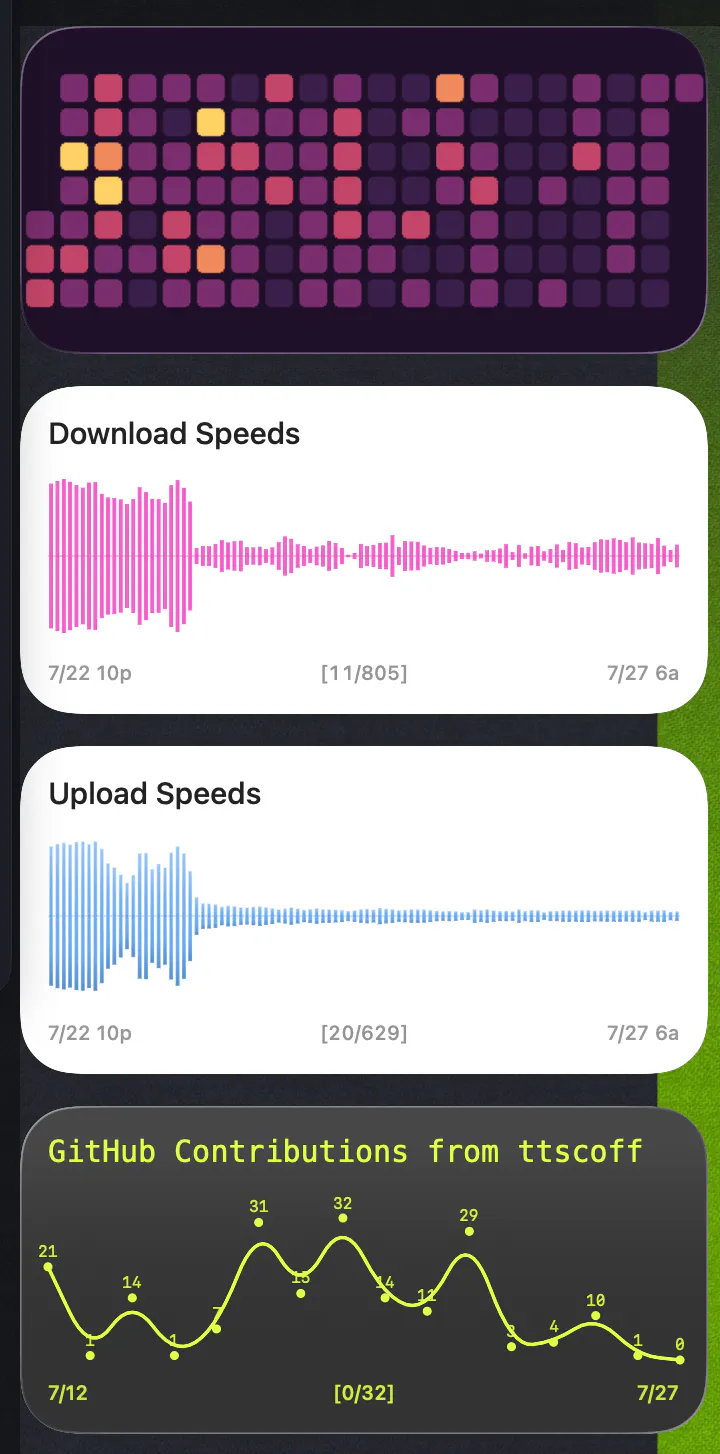
TerminalWidget 巧妙地在“极客脚本”与“苹果生态优雅”之间架了一座桥,本质上是将 Unix 哲学(单一输出)与 iOS 的 WidgetKit 刷新机制做了一次痛苦的联姻。它的价值并非取代仪表盘,而是把“信息主动推给眼睛”这件事做到了极简——这是它 135 票的来源,也确实是刚需。但评论区的真正工程师思维已经挖出了它的命门:这不是一个渲染工具,而是一个监控系统。当脚本非零退出时,Widget 上那个“昨天下午2点的绿灯”比没有数据更致命。开发者目前的回应是“输出由你决定”,这等于把数据新鲜度监控的责任推回给了用户——用一堆 Shell 命令去给 Widget 做防腐层,这本身就是一种新负担。它真正的天花板不在于画趋势图,而在于是否敢于定义“数据陈旧即失败”的语义层,并尝试接管密钥存储与调度权限(尽管这在 iOS 沙盒下极难)。如果它只停留在“漂亮的 cat 命令转储器”,那它会被 AI 原生 Agent 的主动推送迅速替代;若它能成为“脚本的诚实显示器”,它能吃掉一大块轻量运维监控市场。买断制是聪明的商业策略,但用户为“解决痛点”付费,而非为“避免订阅”付费——目前它解决的痛点真实,却尚未触及评论中反复出现的“信任与时效”这一深层价值。

查看原始信息
TerminalWidget
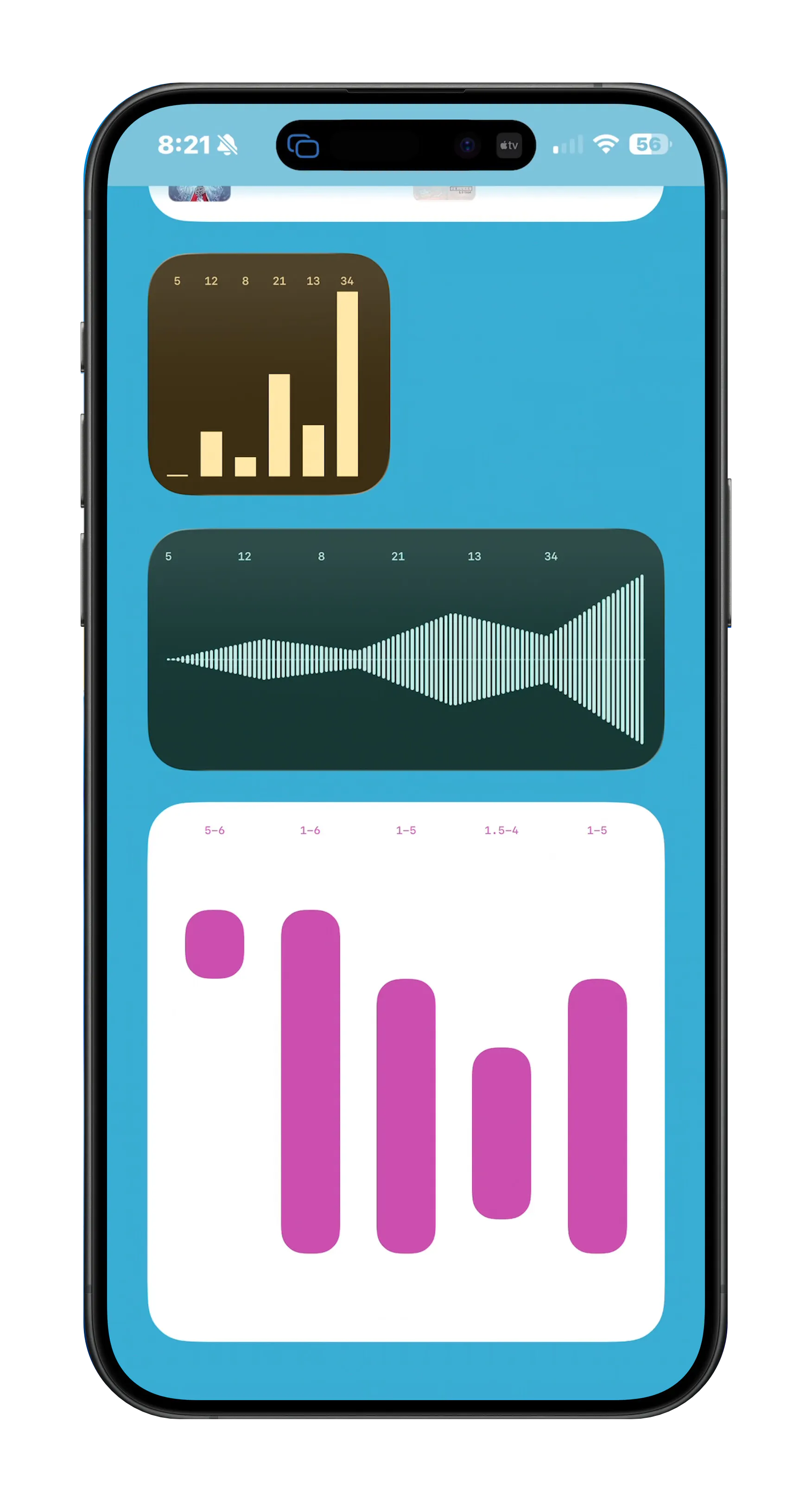
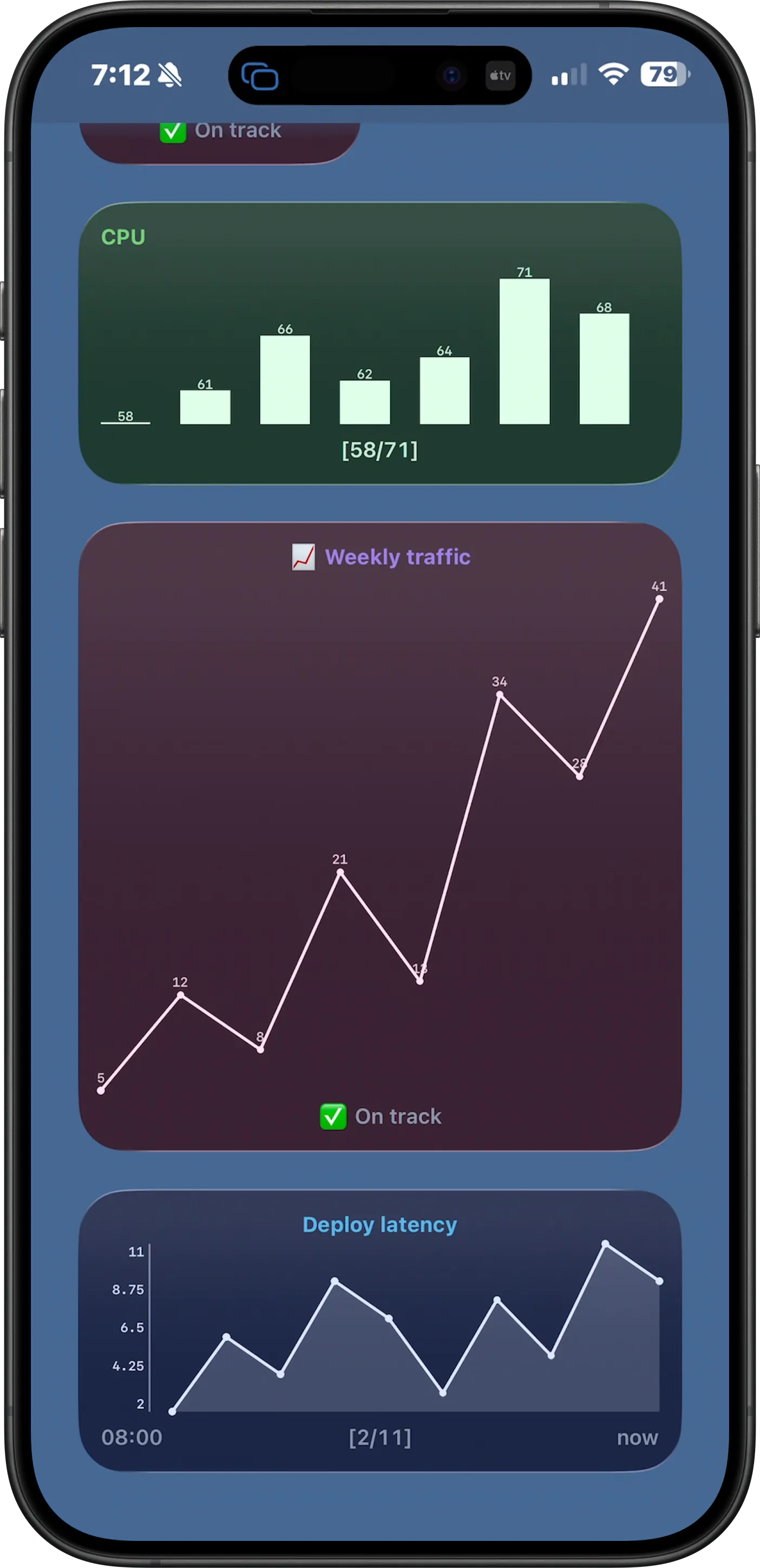
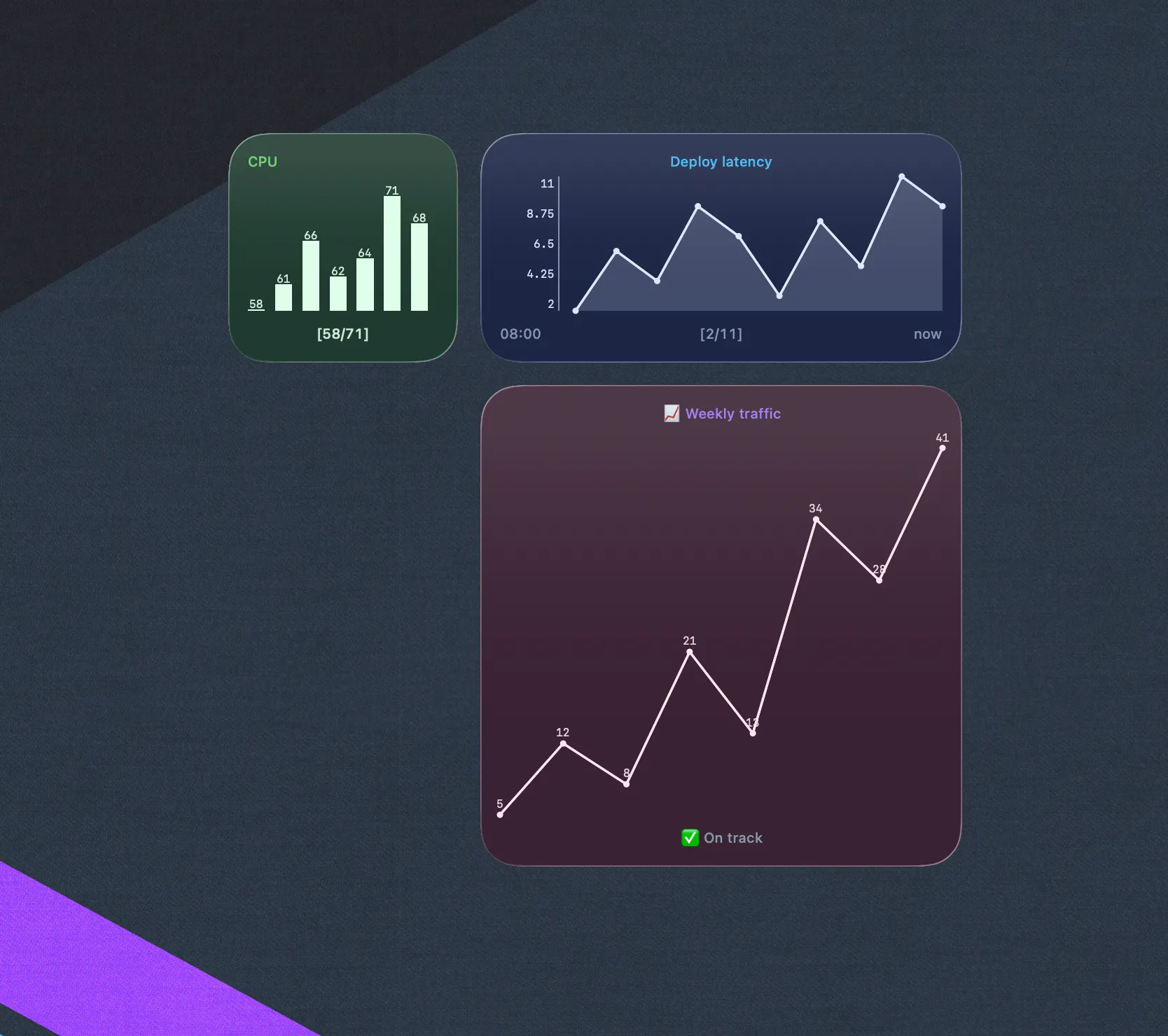
Display command output, progress, sparklines, and images in customizable widgets for macOS, iOS, and iPadOS. Universal app, one-time purchase.
Hey Product Hunt! I wanted a way to display script output, API updates, and charts and graphs on my Desktop and couldn't find anything that worked well, so I built TerminalWidget. I honestly think it's a great app. I run a macOS desktop full of widgets tracking my network speeds, sales numbers, API health, and more, all mirrored to my iPhone. I think in the right hands it's an amazing tool.
3
回复

BTW, wrote up a little more background here: https://brettterpstra.com/2026/08/01/introducing-terminalwidget/

1
回复

@ttscoff For someone who’s not a heavy terminal user but wants to track things like daily sales, content metrics, or site uptime, what’s the easiest ‘first widget’ you’d recommend setting up, and roughly how long does it take to go from zero to a live widget?

0
回复

Sparklines from raw script output is a genuinely useful primitive. Most widget tools stop at a static number.

1
回复

Dale's monitor point above is the one I would build for, and I think it needs one thing the terminal gives you for free. A terminal shows you the error. A widget shows you the last good value, forever. If the script exits non-zero at 3am, the widget does not go blank, it just keeps displaying Tuesday and looking healthy. Glanceability is the whole product, and a glance cannot tell fresh from frozen. So the feature is not a refresh interval, it is a staleness contract. Last-updated on the face, or the widget visibly decays when the exit code is not zero. Does it do anything today when a script fails, or does the previous output just persist?

0
回复

@rabnoor_s if you're asking about TerminalWidget, its output is whatever you make it. If you pass an error to it on non-zero exit, it will show the error until it's next updated with a refreshed set of data. It's entirely up to you what your scripts show.

0
回复

Since these scripts end up needing real credentials, an API key to pull sales numbers or check service health, that's the part I'd ask about next. Does TerminalWidget just shell out and leave secrets entirely to however the script handles them, or is there any credential storage involved once that output starts mirroring over to the iPhone widget?

0
回复

API health in your own list is the case I would design around, because there the widget is not a display, it is a monitor.

Widgets get read as current. That is the entire point of putting something where you glance rather than look. But the refresh cadence is not yours, particularly on iOS, where the system decides when your timeline reloads and will throttle it when it feels like it. So a green API health number on a home screen might be four hours old, and it will still be read as "fine right now", because that is what a glance means.

Which makes the age of a value part of the value. Two things I would want as a script author. A way to declare a max age, so that past it the widget renders stale rather than the last known number. And a rule for what happens when a script exits non zero: keeping the last good value is both the best looking option and the most dangerous one, because a broken monitor and a healthy service then produce an identical widget.

On Murat's point above I would argue the other way. A widget that acts on things is a widget that can be wrong expensively. Showing me something is the right scope for this. It just has to be honest about when it last knew.

0
回复

We don't have a dashboard problem anymore. We have an automation problem. The winners of the next decade won't be the apps that show information—they'll be the ones that act on it. Do you agree or disagree?

0
回复

this caught my eye as a macOS user. before buying i want to know: when the widget runs a script, does it run as my normal user, or is there some kind of sandbox that could limit what it can access?

0
回复

@hi_i_am_mimo running the scripts is up to you, and if you're running them with launchd, up to whether you run them as a privileged process. All TerminalWidget does is take a series of numbers, progress percents, API urls, etc. and turn them into visualizations. It doesn't run any scripts itself.

0
回复

love the idea of running scripts as widgets. one question before buying: does the widget process run in a fresh shell, or does it pick up my .zshrc environment? i have a few PATH additions my scripts depend on.

0
回复

The macOS widget side is what I would use first. Quick question on script execution: when the widget runs its refresh, does it get a clean shell environment or does it inherit the PATH from wherever it launched? I have scripts with custom PATH entries from .zshrc and need to know if those carry over.

0
回复

@hi_i_am_mimo As I said in my other comment, the scripts are run in your own environment, you just pass the output to the widget. It's not a script runner.

0
回复

the sparkline widgets are genuinely a nice touch, like having a tiny dashboard without needing to alt-tab or pull up a full terminal app. one-time purchase for a universal app is honestly refreshing these days.

0
回复

@tuneup yeah, I learned with my last release exactly how much people hate subscriptions, and I aim to please :).

0
回复
#7
Terminal Candy
A native macOS terminal you can skin and theme
119
一句话介绍:Terminal Candy 是一款将 macOS 终端“皮肤化”的原生应用,让你把终端窗口直接绘制在 Game Boy、磁带机或任意图片上,并通过智能代理提醒功能,减少你在 Claude Code / Codex 等 AI 编程工具旁的无谓等待。
Mac Productivity Developer Tools
macOS终端 终端美化 皮肤主题 开发者工具 AI编程助手 生产力工具 原生应用 自定义界面 CRT特效 订阅替代
用户评论摘要:用户普遍认可“Skin Builder”与“Agent 提醒”为真正价值点,但提出多终端并行时 dock 提醒无法区分具体窗口;另有评论建议将“Agent 提醒”作为核心卖点前置,而皮肤只是引流工具;maker 回应会调整文案顺序。
AI 锐评

Terminal Candy 的聪明之处在于把“丑”和“等”两个终端痛点做成了卖点。皮肤化是钩子,但真正让用户掏钱的是“Agent 提醒”——它精准击中了 AI 编程时代的新焦虑:当你同时跑多个 Claude Code 或 Codex 实例时,时间被碎片化切碎,而传统终端不会告诉你哪个窗口在等你。这个功能本质上是一个“注意力路由器”,比任何主题都更贴近生产力刚需。

但产品的天花板也在这里。皮肤化是强个性化需求,社区驱动虽然能降低官方设计成本,却难以形成持续粘性——用户玩腻 Game Boy 后,留存率存疑。而“多代理区分提醒”目前只做了单一 dock 弹跳,没有窗口级标识,这在多任务场景下是明显短板,评论里已有人踩到。如果后续不升级为“按代理/项目分离信号”,这个核心功能会停留在“可用”而非“可靠”。

商业模式上,一次性 $10 定价相当克制,配合“发 10 个皮肤免单”的机制,其实是在低成本买社区内容——算得精。但终究是工具类应用的通病:功能可以被系统原生或开源替代品抄袭(比如 iTerm2 + 脚本),皮肤也不能构成护城河。Terminal Candy 的价值锚点在于“把终端变成你愿意待的空间”,但“空间”一旦新鲜感过去,剩下的只有效率。建议团队把精力从皮肤转移到“终端智能感知层”——比如根据当前 AI 任务的输出自动切换界面提醒方式,这才是从玩具到工具的分水岭。

查看原始信息
Terminal Candy
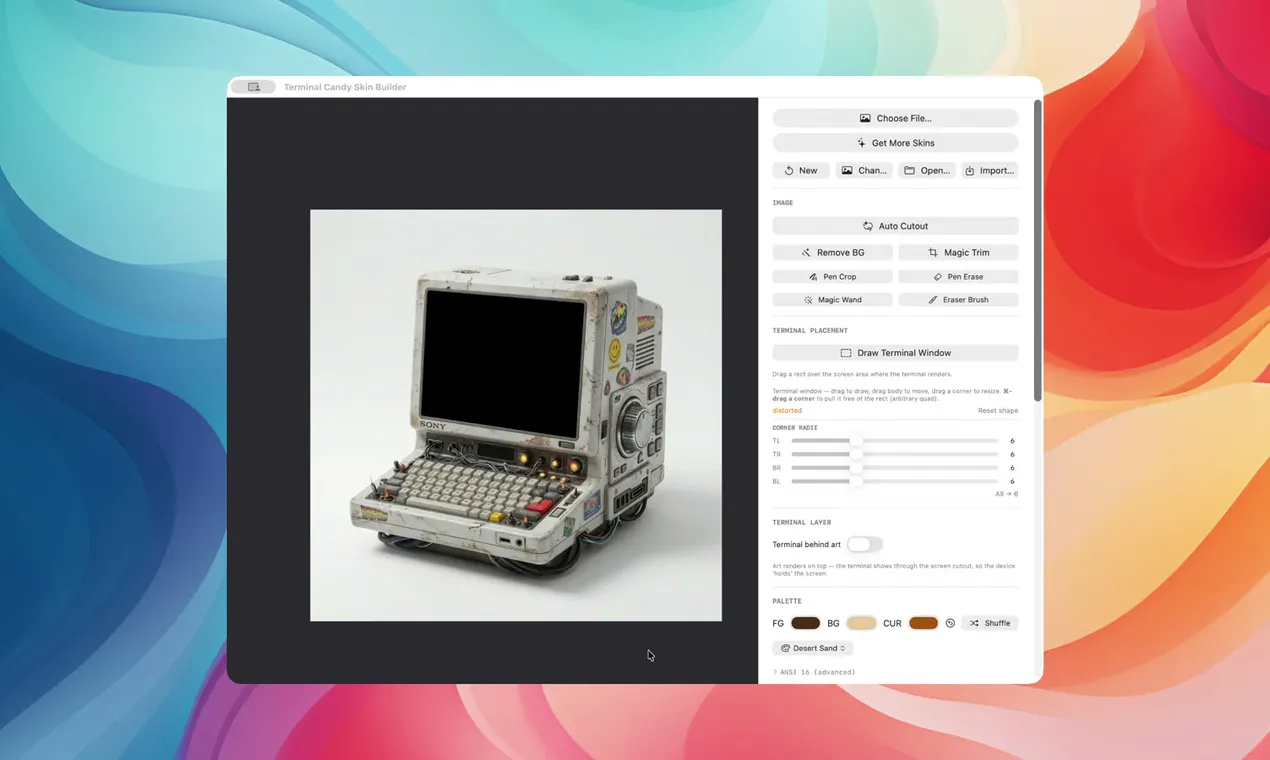
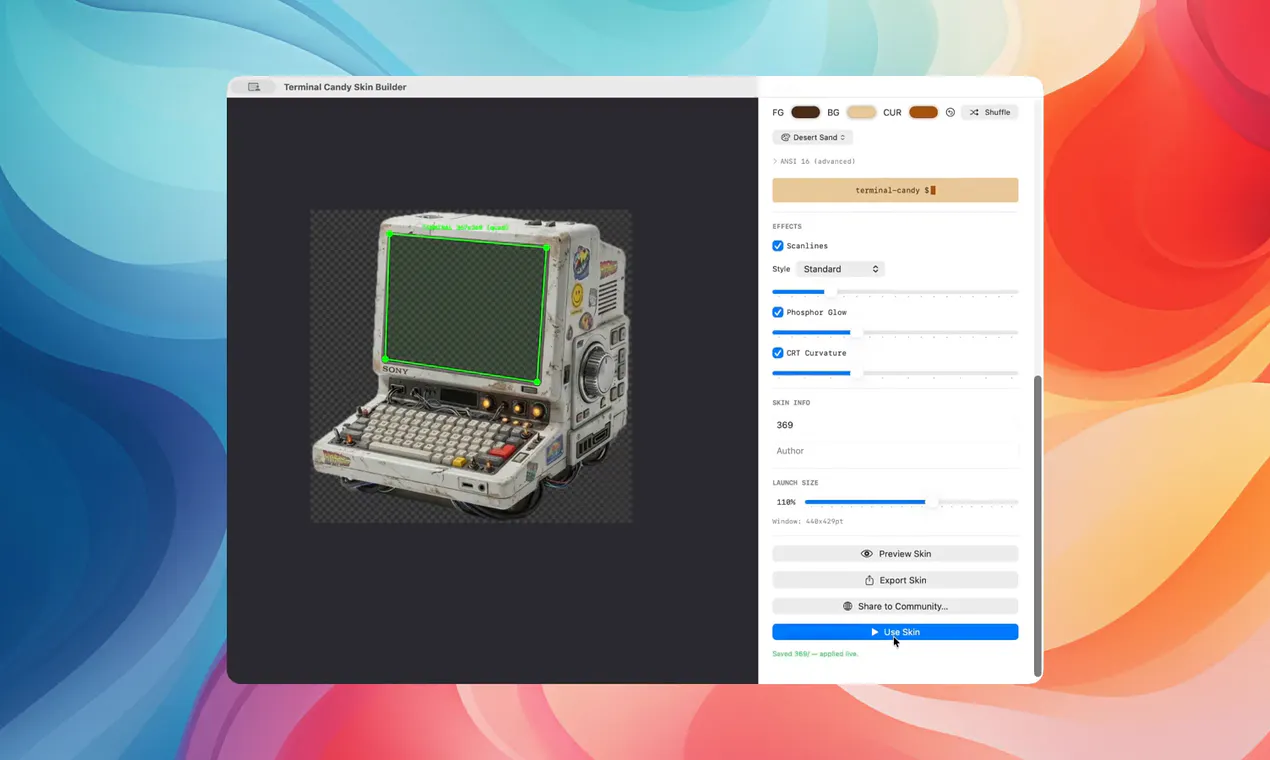
Terminal Candy is a real, native macOS terminal you live inside. Pick a skin — Game Boy, cassette deck, Pip-Boy, or your own art — and draw the terminal square right on it. It pings you (sound + dock bounce) when Claude Code or Codex actually needs input, so you stop babysitting the window. The Skin Builder turns any image into a terminal; 84 palettes, CRT effects, ⌥Space hotkey, community skin marketplace. 14-day free trial, then $10 once — no subscription. macOS 14+, Apple Silicon.

Hey Product Hunt 👋

I'm Peter, the maker of Terminal Candy. I spend basically all day in the terminal, and I got tired of it being a grey box. So I built a terminal you live inside — pick a skin, draw the terminal square right onto the art, and get to work.

What makes it fun:

🎨 Skin it into anything — Game Boy, cassette deck, Pip-Boy, or your own image

🛠 Skin Builder — magic-wand the background off any picture, draw the terminal window on it, pick a palette. Loads live, no restart, no compiler.

🌈 84 built-in palettes — Dracula, Nord, Tokyo Night, Solarized, CRT greens, and more

🖥 Real CRT effects — GPU-composited scanlines, phosphor glow, curvature, grain

⌥ ⌥Space global hotkey — summon/hide from anywhere, no Accessibility prompt

🛍 Community skins — browse, install with one click, and upload your own

🔔 Agent alerts — sound + dock bounce when Claude Code or Codex actually needs input. Stop babysitting the window.

It's a real terminal underneath (full VT emulation via SwiftTerm), 100% native macOS — no Electron. macOS 14+, Apple Silicon.

Pricing is simple: 14-day free trial, then $10 once. No subscription. (Fun twist: publish 10 approved community skins and the $10 is on the house.) 🍬 PH treat: first 100 hunters — code STOPBABYSITTING gets it for $7.

I'd genuinely love your feedback — what device would you skin your terminal into? What's missing? I'm here all day reading every comment. 🙏

1
回复

@terminal_candy For devs who spend hours in CLI with AI agents, what’s one small quality‑of‑life tweak that would make your terminal feel less like a tool and more like a workspace you actually enjoy being in?

0
回复

Everything in this thread already matches how I work. Some nights I have more than one agent running at once, not a single terminal. A dock bounce tells me something needs me. It does not tell me which window.

If three terminals are each running a different agent, does every window get its own badge, or does it collapse into one bounce no matter how many are actually waiting on you?

0
回复

The Skin Builder turning any image into a working terminal, not just picking from presets, is the actual product. Everything else is a coat of paint on top of that.

0
回复

@irahimiam That was the bet — the preset skins are really just proof the builder works. Magic-wand a photo, draw the square, you're in. Would love to see what you make with it.

0
回复

Agent alerts is your last bullet and it's the only one that makes this a daily driver instead of a weekend toy. I'd move it to the top. Anyone can picture phosphor glow, but "the dock bounces when Codex is actually waiting on me" is the sentence that gets me to pay the $10, and right now it's sitting under the Game Boy skins.

0
回复

@asadmalik901 Ha — fair, and honestly that's how I use it too. The skins are why I built it, the alerts are why it stays open all day. Might actually reorder the copy. Thanks for this.

0
回复
#8
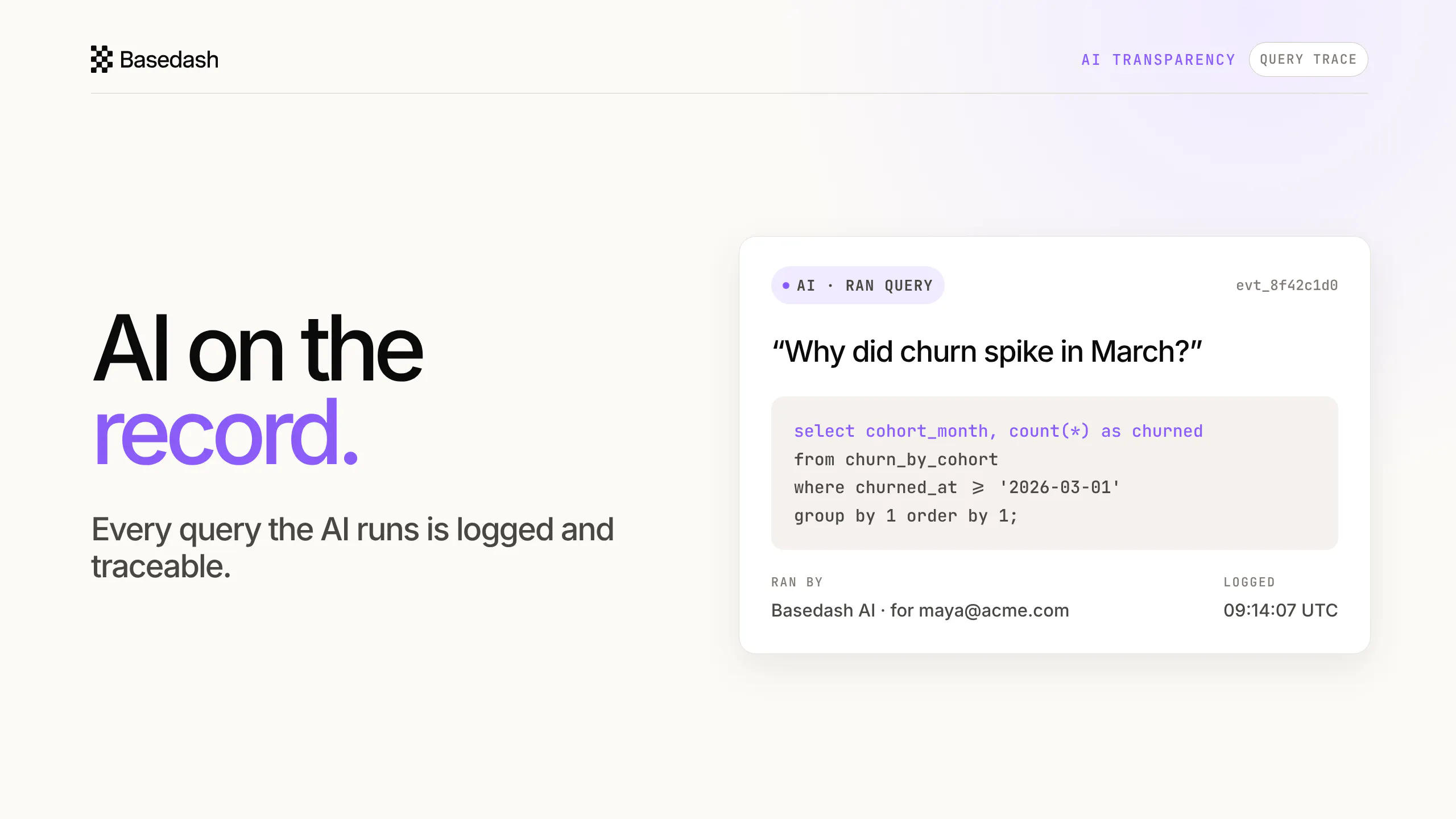
Basedash Audit Logs
Every action in your BI tool, on the record.
107
一句话介绍:Basedash Audit Logs为BI工具提供原生审计日志,记录登录、查询(含AI查询)和配置变更,解决企业在安全审查与合规审计时“谁在何时看了什么”难以追溯的痛点。
Artificial Intelligence Data & Analytics Business Intelligence
审计日志 BI工具 企业安全 合规审查 AI查询追踪 SIEM集成 数据溯源 权限管理 日志留存 企业级SaaS
用户评论摘要:用户高度关注审计粒度和AI查询细节,追问是否记录完整SQL文本而非仅元数据;质疑日志留存策略与PII数据删除合规冲突;建议将AI生成的文字回答与SQL并列存储,以便追溯决策依据;整体认可功能填补了安全审查关键缺口。
AI 锐评

Basedash Audit Logs本质上是在给“会犯错的AI”上保险,踩中了企业采购中“安全审查一票否决”的命门。其核心卖点不是日志本身,而是将AI从“黑箱操作者”降格为“可审计的执行者”——这个定位精准且狠辣。但评论区暴露了两大致命悬而未决的问题:其一,日志在SIEM导出场景下是否包含完整SQL原文?若仅提供哈希或ID,面对“某条数据为何在报告中异常”的追溯需求,安全团队依旧要回到产品内二次查询,这削弱了“流式导出”的运维价值。其二,也是最关键的合规悖论:日志为满足“保留最低时限”而长期存储富含PII的查询文本,与GDPR等法规要求的“删除权”和“数据最小化”直接冲突。若产品只提供全局留存策略而无字段级脱敏或按数据分类的差异化留存,那么这套系统在金融、医疗等强监管行业反而会成为新的合规风险点,而非“保险”。此外,用户一针见血地指出:产品记录“AI执行了什么”,却未保存“AI说了什么”。在真实决策链路中,错误的自然语言总结比错误的SQL更具破坏性,且难以事后核查。若Basedash不补上“推理-查询-答复”的完整快照链,其审计价值就只完成了一半——它证明了AI“做过”,却无法证明AI“说对”。在竞品纷纷以AI能力为卖点时,Basedash选择以“AI的 accountability”切入,方向正确,但产品成熟度仍需向真正的“企业级可证伪性”迈进。目前它是一把好用的梳子,但距离企业合规所需的“显微镜”,还有两三个关键迭代的距离。

查看原始信息
Basedash Audit Logs
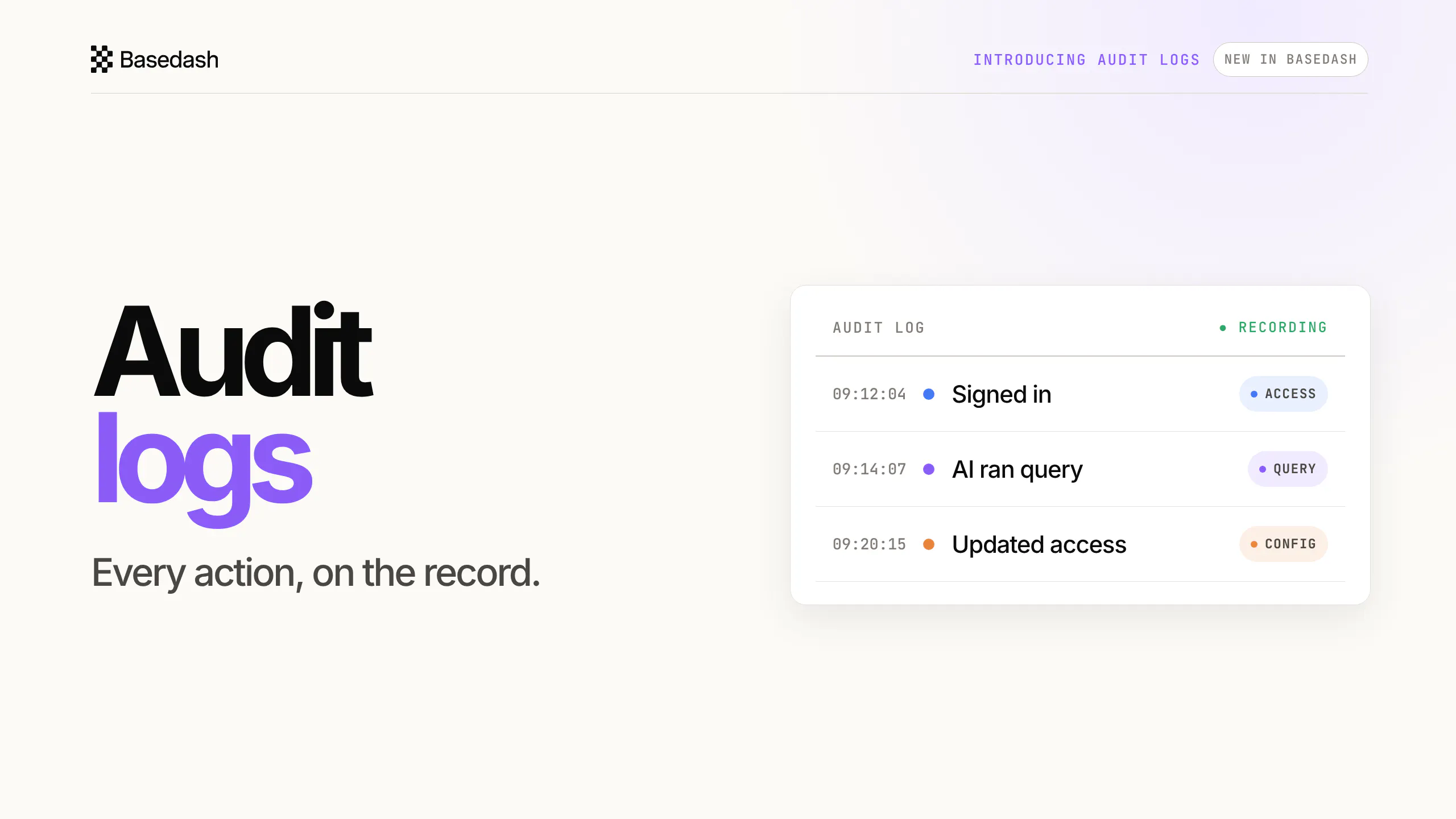
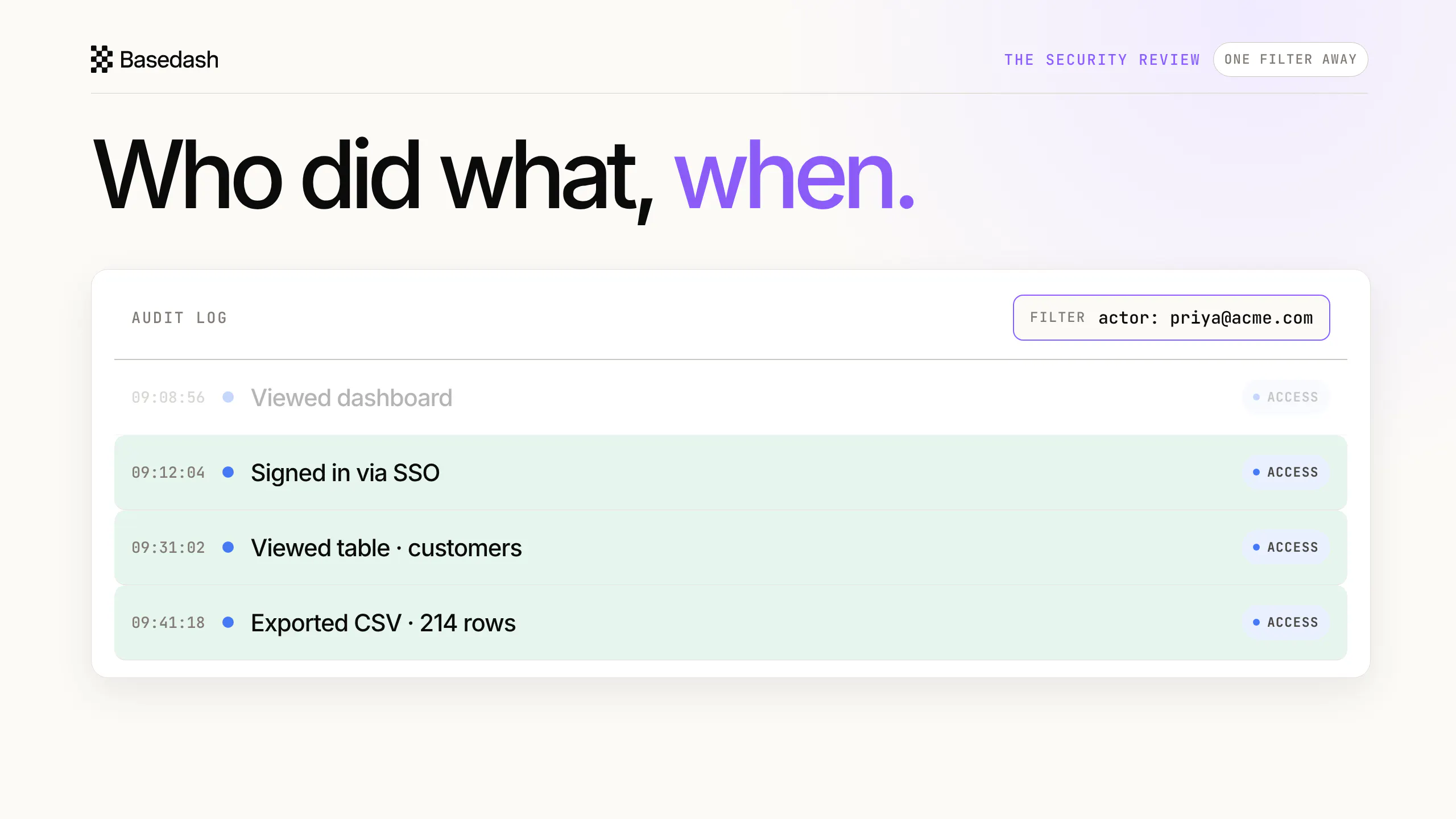
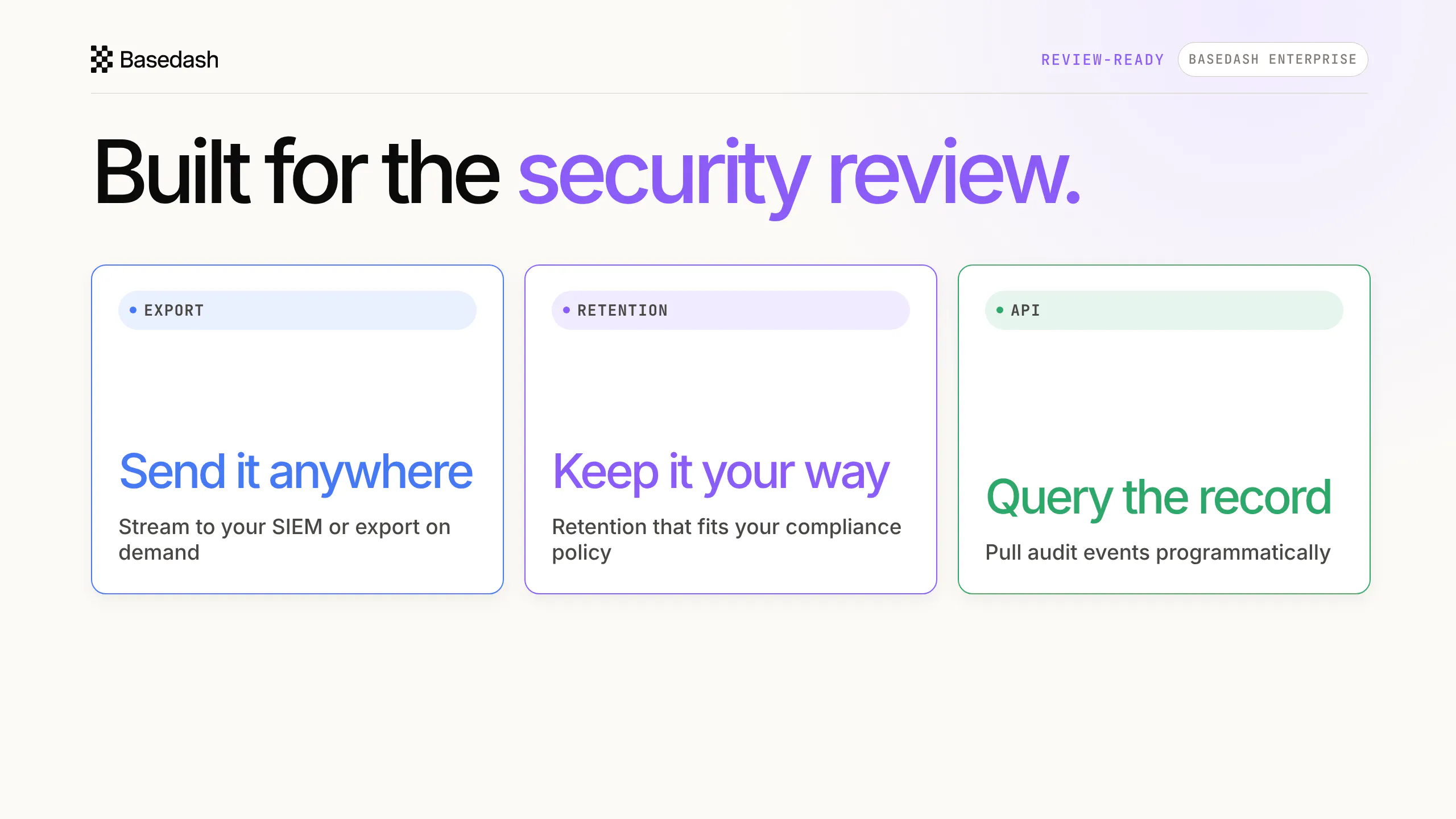
Native audit logs for Basedash — every sign-in, query, and configuration change is on the record, including every query the AI runs, attributed and traceable. Answer who saw what, when with one filter, stream events to your SIEM, set retention to match your policy, and pull the log through the API. Built for security reviews and enterprise rollouts, alongside SSO, SCIM, and RBAC. Your BI tool finally has a memory. Every action, on the record.
Hey everyone, Max here from Basedash. Today we're launching audit logs: a native record of everything that happens in your Basedash organization — who signed in, who viewed what, what changed, and every query that ran. And especially important these days: that includes the AI. When Basedash AI answers a question, the query it ran is logged, attributed, and traceable, just like a human analyst's would be. In practice it means the questions that used to stall a security review — "who accessed customer revenue last quarter?", "who changed permissions on this data source?" — are one filter away. Logs export to your SIEM, retention follows your policy, and the whole record is available through the API. We've been running with it internally for months. The last time our own review asked who had touched a production data source, the answer took about ten seconds instead of a day of Slack archaeology. Audit logs are available on the Basedash Enterprise plan today, and we're happy to walk any team through a security review this week. Happy to answer any questions.
2
回复

@maxmusing Audit logs are one of those things nobody asks about until security review, and then suddenly they're a deal blocker. When I'm evaluating a BI vendor the question is always whether I can see who exported what, not just who logged in. Do these capture query-level detail like which fields someone pulled, or is it action-level only?

1
回复
Very excited about this launch! We’ve been getting more requests for audit ability, which is a big reason why companies choose Basedash in the first place. Happy to answer any questions.
1
回复

Audit trails in BI tools are one of those things nobody misses until compliance asks. Timely add, congrats.

1
回复

Thanks @kritishpuri!

0
回复

The AI query attribution is the part that would actually unblock us. When someone on our team asks why a dashboard number changed, being able to pull the exact query the AI ran at a specific time is very different from guessing from logs. One thing before I connect a production workspace: does the audit log store the full query text, or just metadata like a hash or query ID? For a SIEM export use case, having the raw SQL attached to the log entry makes the difference.

0
回复

The retention-follows-your-policy part is what I'd want to dig into before rolling this out on anything financial. Compliance usually forces a retention minimum, but a log full of query text can end up holding customer PII well past when a deletion request should have wiped it. Is retention global, or can specific fields get redacted before the entry is even written?

0
回复

Logging the SQL the AI ran is the necessary half. The half I'd push on is whether you store the answer it gave in words right next to the query, because a correct query with a wrong summary on top is the failure that actually reaches a decision, and nobody goes back and re-reads the SQL to catch it. Six months later the artefact a review needs is the sentence someone acted on, not just the statement that produced it.

0
回复
#9
EssayKraft
Native essay writing app for Mac and iPad
101
一句话介绍:EssayKraft 是一款专为学生打造的 Mac 和 iPad 原生写作应用,将长篇写作、文献管理、自动引用与导出功能整合于一处,解决学术写作中工具割裂与引用管理的繁琐痛点。
Writing Education Apple
学术写作 文献管理 自动引用 原生应用 Mac iPad 学生工具 买断制 无订阅 专注写作
用户评论摘要:用户普遍认可原生体验与买断制,认为“无账号无订阅”是学生真实需求。主要疑问集中在引用格式的更新机制(如APA/MLA改版如何跟进)以及iCloud同步是否自动、是否打断写作流。开发者回应确认文档保存即同步。另有用户称赞自研引用管理器的思路,以及开发者在读期间自学Swift的诚意。
AI 锐评

EssayKraft 的切入点很聪明:它没有试图再造一个“更好的Word”,而是精准切走学术写作中“引用管理”这一根硬刺,并用“原生+买断”构建了明确的价值锚点。对于学生群体,订阅疲劳和工具碎片化是真实痛点,因此“无账号无订阅”不是营销话术,而是有效竞争力。但产品的生死线在于引用引擎的可靠性——评论中已有用户尖锐指出:当APA或MLA在学业中途改版时,买断制下的更新周期是否跟得上?这不仅是技术债问题,更是信任问题。若格式逻辑完全硬编码,那么每一次规范更新都是对“买断即终身”承诺的消耗;若引入云端规则库,则又可能违背其“无账号”的纯粹性。此外,iCloud同步虽是“保存即触发”,但iCloud本身在复杂文档上的冲突历史并不光彩,长篇论文场景下的版本回滚与批注协作仍是空白。总体而言,EssayKraft 展示了独立开发者的精准嗅觉,但“文献管理”是学术工具里最容错率最低的领域——学生可以忍受界面简陋,但绝无法接受毕业前夜格式错误。买断制可以是商业模式的创新,却不应成为更新惰性的借口。它目前更像一个优秀的“写作环境”,而非可靠的“学术基础设施”。若想真正立足,需要在引用规则的可维护性上给出透明、可验证的更新承诺,否则只能停留在“小而美”的舒适区。

查看原始信息
EssayKraft
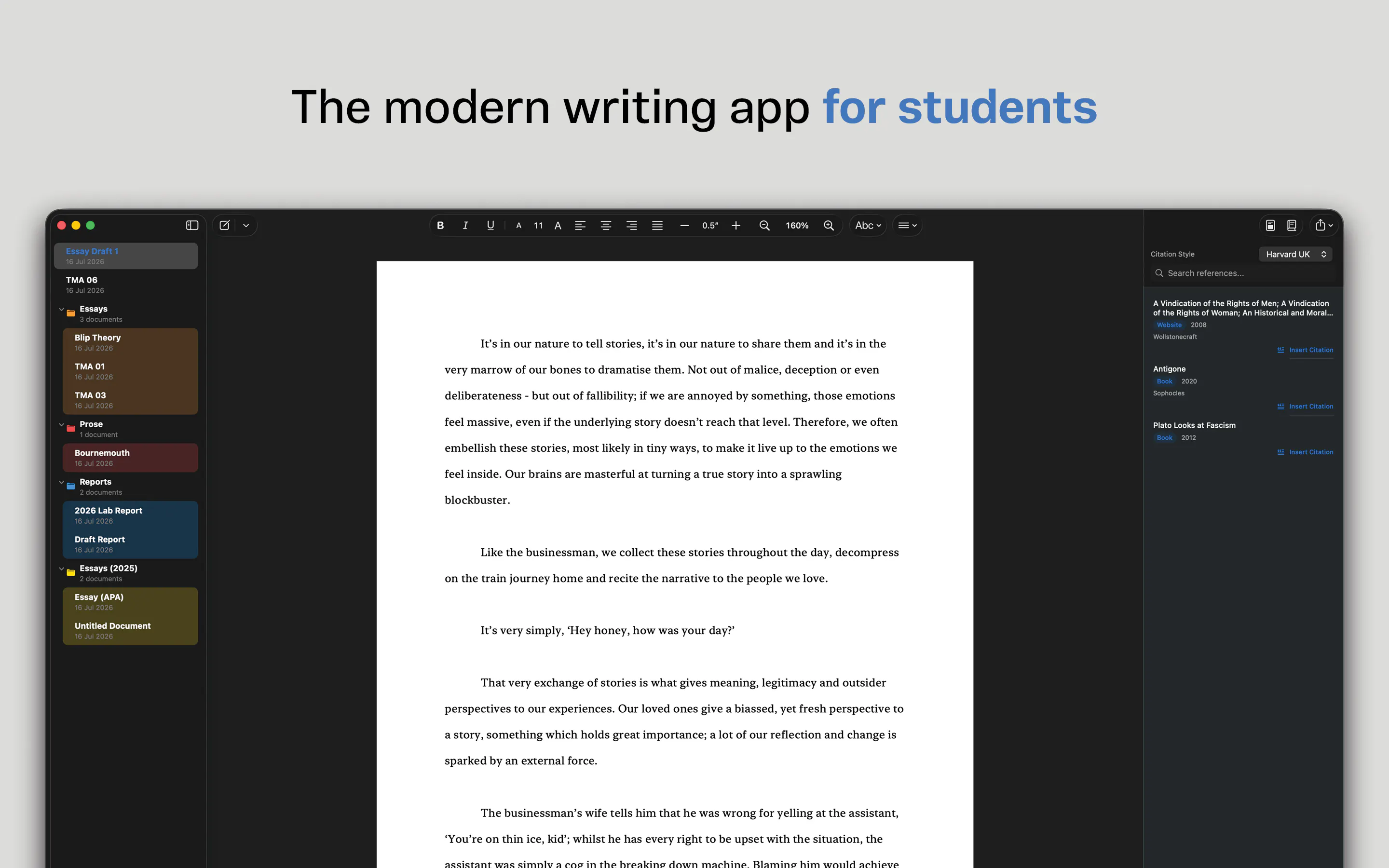
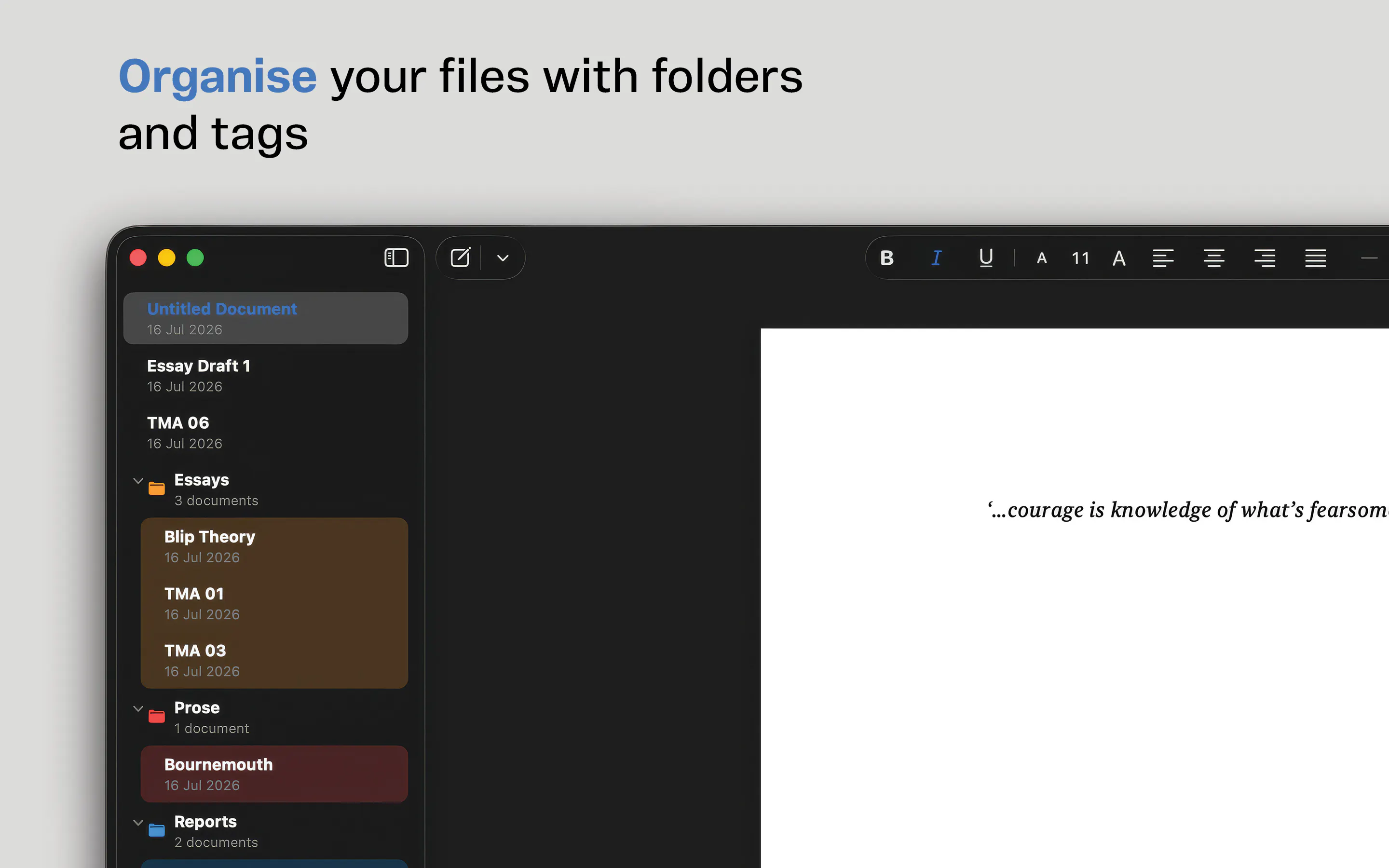
EssayKraft is a native Swift Mac and iPad writing app built for students who are tired of wrestling with reference managers. Write essays, papers and dissertations with a built-in reference manager, automatic citations, rich text formatting and PDF or DOCX export, all in one place. No subscriptions, no accounts, no juggling citation tools. Just a fast, distraction-free writing experience designed specifically for academic work. Buy once, own it forever.
I'm a student studying creative writing at Uni and as much as I love writing, managing references and citations in essays has always been a task that I dread having to approach. I previously used Word with a plugin, which was difficult to set up, and clunky to use; I spent more time managing references than actually writing the essay itself. Over two years, I have taught myself Swift and this is my first app. I made EssayKraft with one goal in mind: to let writers write, and leave reference management to the app. I'd love to hear your feedback, whether it's about the app itself, the design, or features you'd like to see next. Thanks for checking it out!
1
回复

Building the citation manager yourself instead of fighting a Word plugin is exactly the kind of problem you understand well enough to actually fix. Good call on skipping accounts too, one less thing for a student to worry about losing access to over a summer. Teaching yourself Swift and shipping this while still in school is a genuinely good first release.

1
回复

Finally a writing app that doesn't force me to sign up for yet another subscription just to format a bibliography. The built-in citation manager alone sold me.

1
回复
This is awesome! Wish you all the best on this impressive launch. Keep pushing mate
1
回复
@german_merlo1 Thank you!
0
回复

This feels very practical for students. Academic writing gets messy fast when the writing app, citation manager, PDFs, and export tool all live in different places.

I like the buy-once angle too. For students, no account and no subscription is a real feature, not just a pricing detail.

1
回复
@vahid_davoudi Thank you! The pricing model was really important to me, I don’t believe that students should have to pay monthly for a tool, it adds up quickly over three years. Uni life is already expensive as it is!
0
回复

the part I'd want to poke at before trusting the citation manager: which styles ship built in, and what happens when a style guide updates? APA and MLA both revise their rules every few years, sometimes mid-degree, and that's the exact kind of maintenance burden that made the Word plugin route painful in the first place. if the formatting rules are baked into the app, a style update means waiting on you to ship a new version rather than a library auto-updating. how are you planning to keep up with that over the buy-once lifetime of the app?

0
回复

Native long-form writing app for Mac and iPad is exactly the kind of thing I keep looking for. Quick question on the sync: if I start a draft on my iPad and pick it up on Mac, does it sync automatically in the background or do I need to manually open iCloud Drive each time? Nothing breaks the writing flow faster than having to chase a file before I can continue.

0
回复
@leo404 Thank you for taking a look at the app and I’m glad it’s what you’re looking for! If a document is saved to iCloud Drive, it will sync upon every save, whether that is on Mac or iPad, no need to open iCloud for that to happen. Just save to the cloud and use your documents as you usually would and iCloud will keep it up to date for you.
0
回复

No accounts and no subscription is the real feature for a student tool, not the pricing footnote it usually gets treated as.

0
回复
#10
SyncStaq
Stripe billing data, always current in Google Sheets
99
一句话介绍:SyncStaq是一款将Stripe账单数据(收款、发票、订阅、退款、争议等)按事件流实时同步至Google Sheets的自动化工具,解决财务团队手动导出、报表数据因退款/订阅变更而静默过期的问题。
Productivity Fintech Spreadsheets
Stripe数据同步 Google Sheets集成 财务自动化 账单数据管理 事件驱动同步 SaaS工具 佣金核算 报表实时更新 无代码集成 数据管道
用户评论摘要:用户普遍认可解决“历史数据变更导致报表失真”的痛点,主要疑问集中在:同步方式(事件流vs定时轮询)、历史行是就地更新还是追加修正(影响SUMIF公式)、Stripe只读密钥最小权限范围,以及是否支持Apple/Google IAP多平台收入合并。创始人回应坦诚,但未明确历史数据变更策略。
AI 锐评

SyncStaq的定位精准地切入了财务运营中一个“小而深”的裂缝:Stripe数据导出后,退款、争议、订阅状态变更会让所有基于历史快照的报表在不知不觉中腐烂。多数团队对这类问题的解决方案是每周手动重导,或依赖脚本按创建日期轮询——都治标不治本。SyncStaq从事件流同步,技术上直击要害,让“行数据随业务真相变化”成为默认行为,而非额外功能。

但产品价值边界同样清晰:它不做BI,不做多平台聚合,甚至刻意不做成“收入全景图”。评论中关于Apple/Google IAP的追问恰恰点出了它的阿喀琉斯之踵——对依赖多收入轨道的现代SaaS来说,Stripe-only的同步工具只是拼图一角,而非完整答案。创始人也坦承团队访谈中发现用户真正要的是佣金计算,这暗示了一个更大但更拥挤的市场,而SyncStaq目前选择不越界。

另一个不可忽视的隐患是“历史行变更”带来的财务审计问题:就地更新会静默改写已汇报给董事会的数字,追加修正则会破坏用户的SUMIF公式。产品目前对此保持沉默,这可能是商业客户在付费前最终会追问的合规性细节。

整体而言,SyncStaq是一个工程上扎实、商业上克制的效率工具。它不性感,但有真实付费意愿的场景,且显著降低了财务团队的隐性加班成本。挑战在于:它能靠99票的发布热度维持增长,还是最终沦为Stripe生态里又一个被Inch或Ragic等通用工具吞并的垂直插件?答案取决于它能否在佣金/分账场景中持续加码,从“同步工具”进化为“结算工作台”。

查看原始信息
SyncStaq
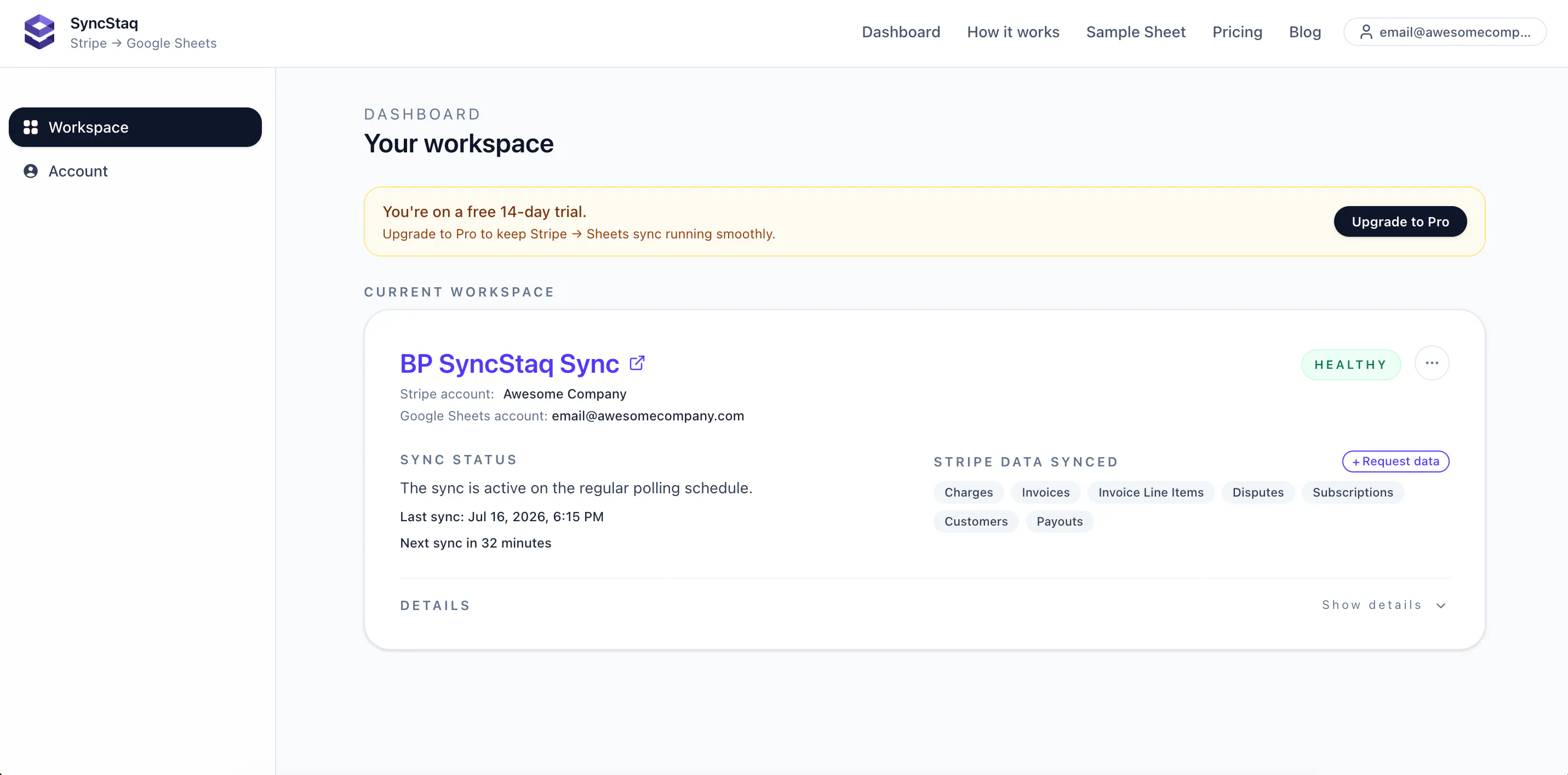
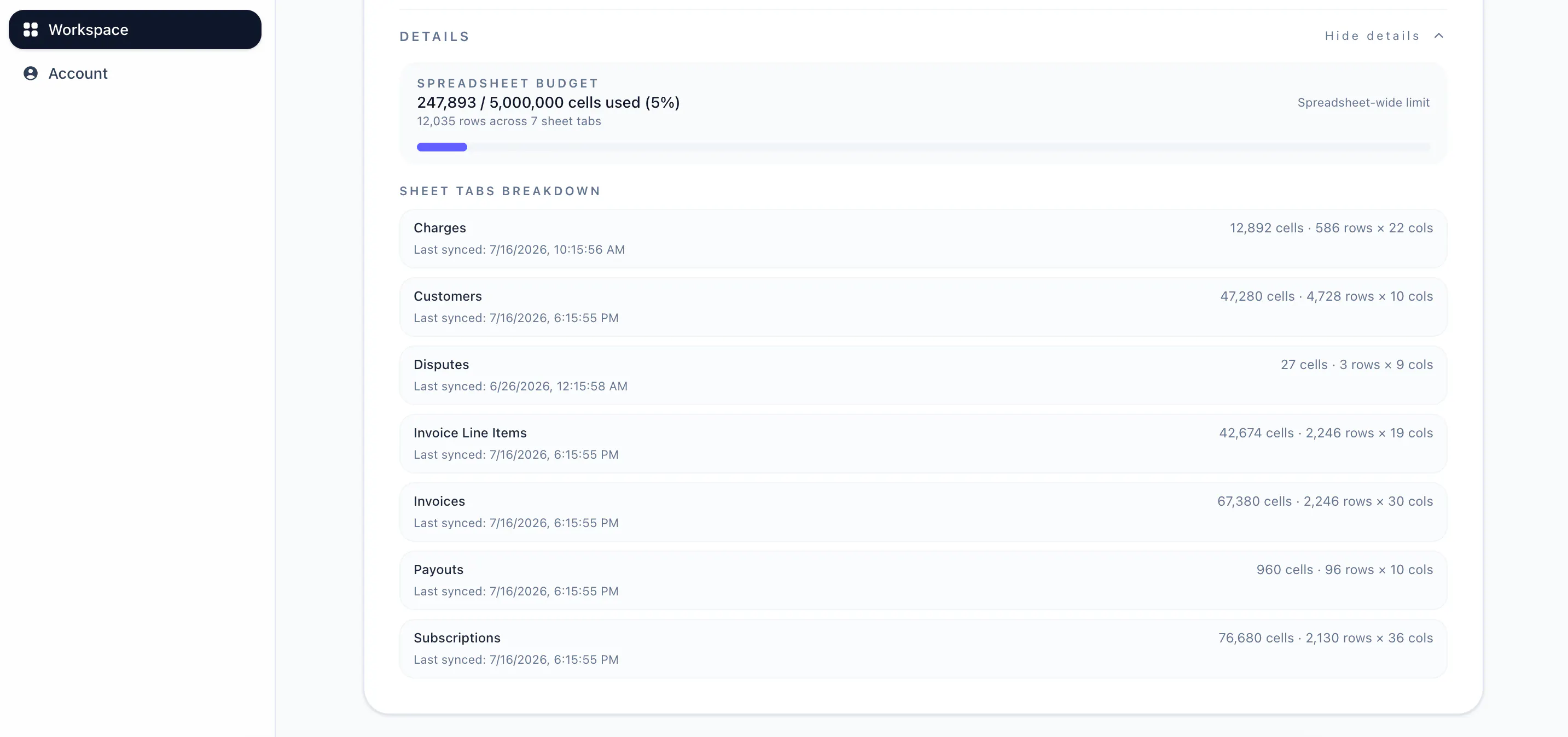
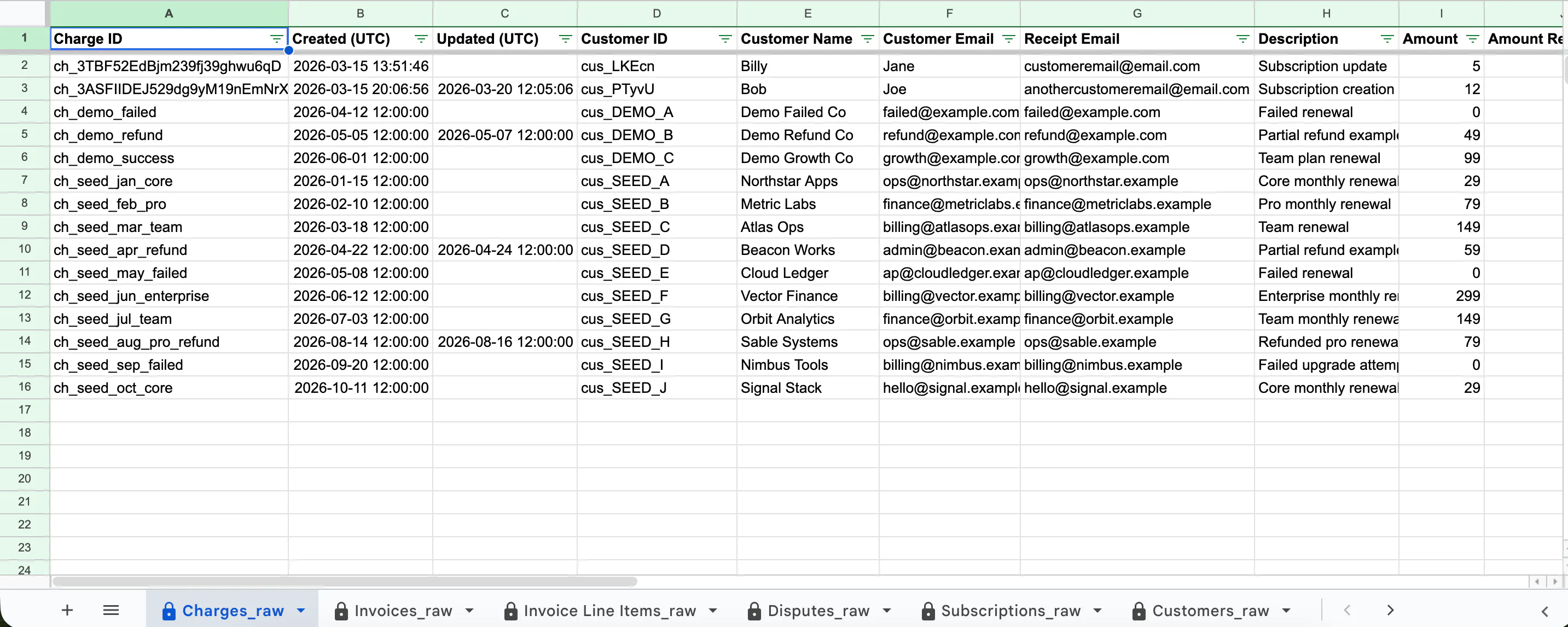
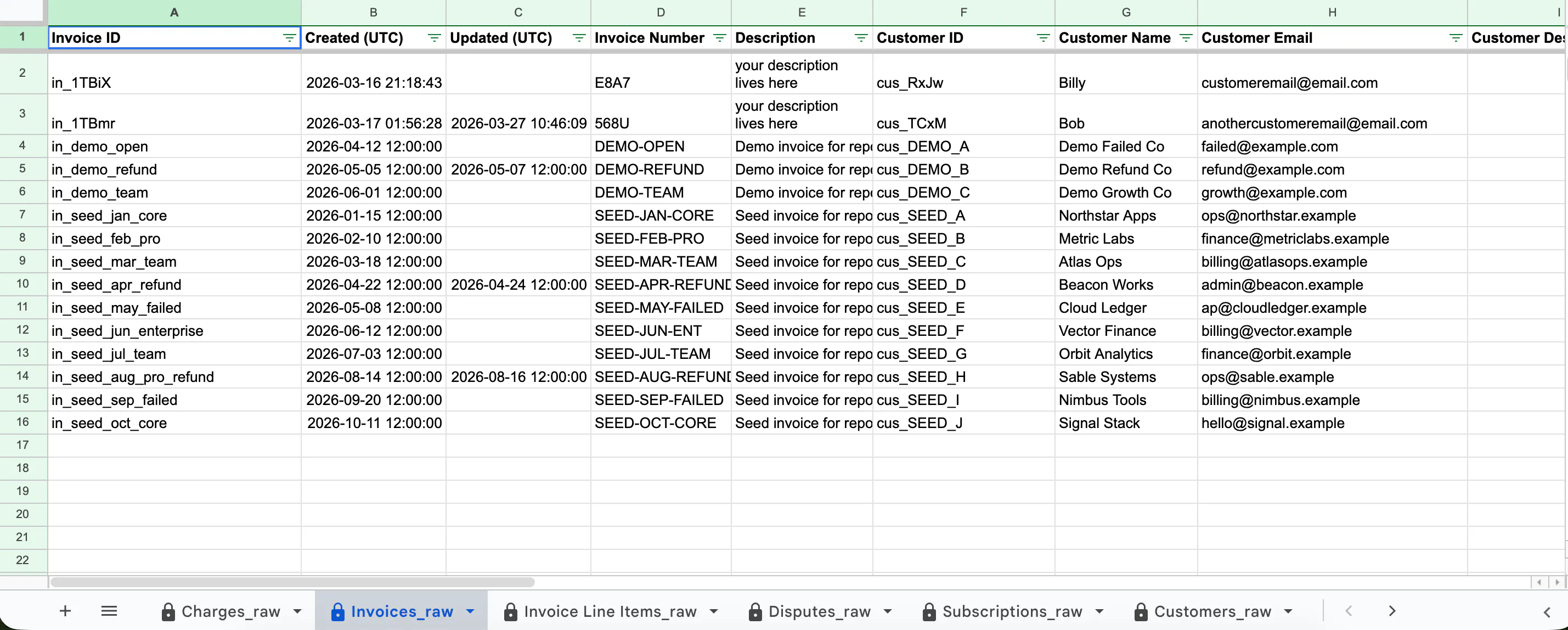
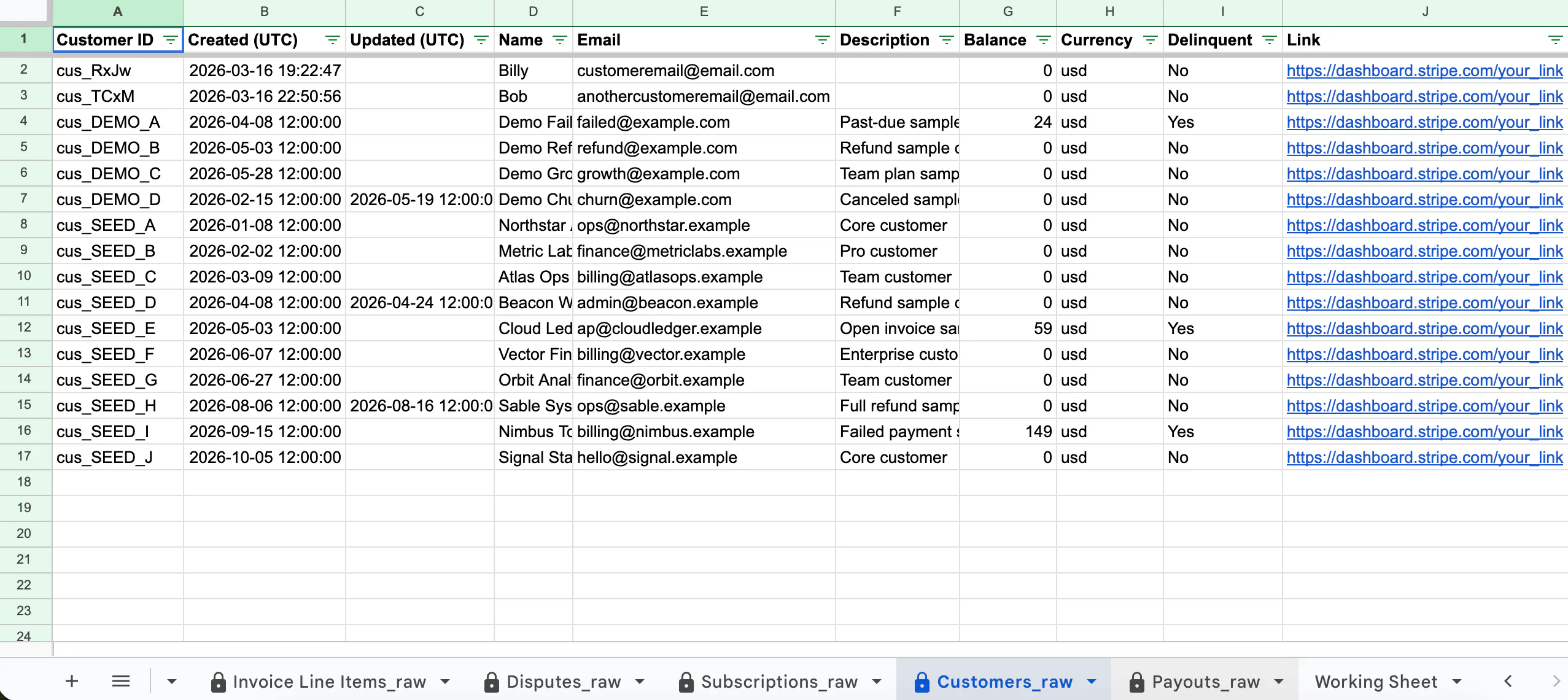
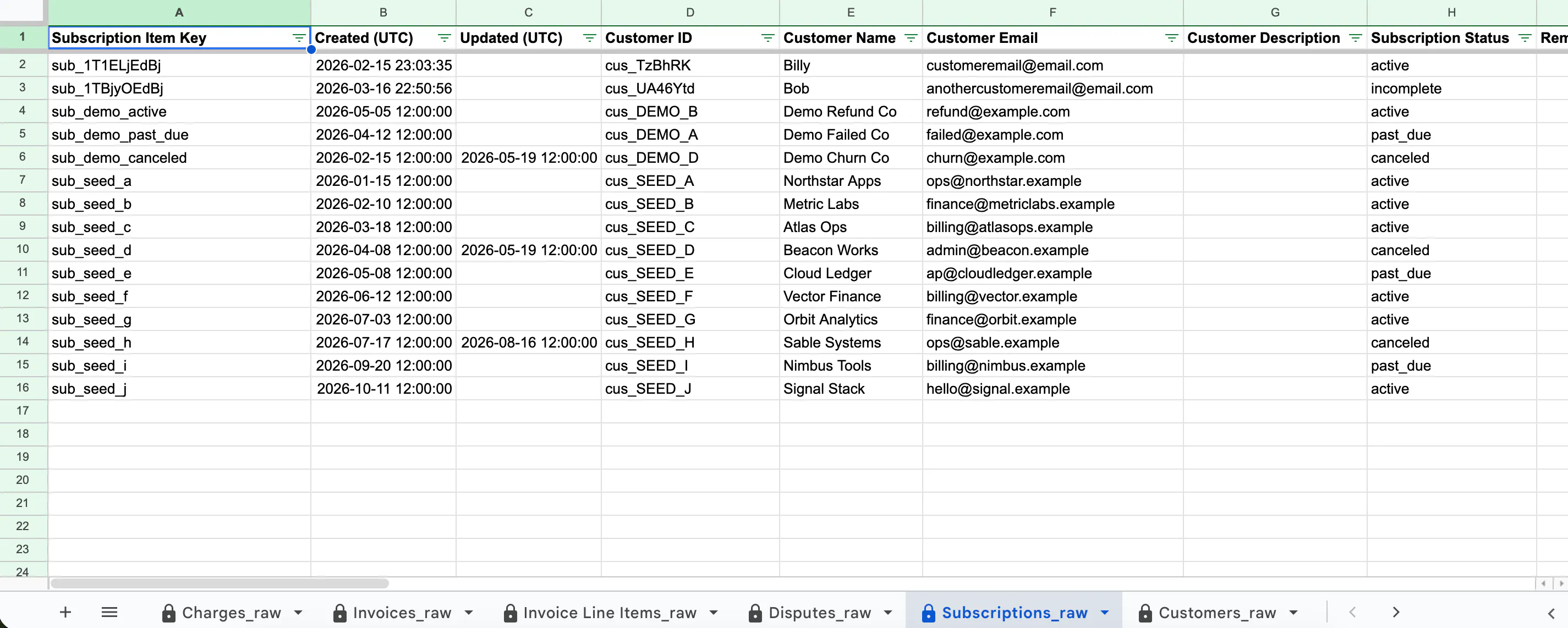
SyncStaq syncs Stripe billing data into Google Sheets — charges, invoices, invoice line items, customers, subscriptions, payouts and disputes, each in its own structured tab. What's different: most exports and scripts pull by created date, so records that change later (refunds, subscription updates, disputes) quietly go stale. SyncStaq syncs from Stripe's event stream, so your sheet updates when the data changes. Read-only Stripe access. Hourly sync. 14-day free trial.
Hey Product Hunt 👋 Years ago we shipped a small tool called AutoSync that pushed Stripe data into Google Sheets. It worked, but it polled Stripe by creation date. That meant anything that changed later (a refund, a subscription update, a dispute) never made it into the sheet. People's reports went stale and they didn't always realize it. This year the three of us rebuilt it properly — nights and weekends, around day jobs — as SyncStaq. Before writing any code, we interviewed teams who'd lived with the problem. Four of six described the same job unprompted: calculating commissions or partner revenue share, and struggling to net out Stripe fees and refunds. We thought we were building a sync tool. We were building a payout tool. What it does: syncs your Stripe billing data — charges, invoices, invoice line items, customers, subscriptions, payouts, disputes — into structured Google Sheets tabs, and keeps it current hourly. Read-only access, and the sheet lives in your own Drive. It syncs from Stripe's event stream rather than polling creation dates. So when a refund lands after you've already run a report, the row updates instead of silently going missing. We're not trying to replace your dashboard or be a BI tool. Sheets is where the work already happens — your formulas, your pivots, your logic. We just keep the data underneath honest. Two things you can check out without signing up: - A sample synced sheet: https://docs.google.com/spreadsh... - A free Stripe commission & revenue-share tracker: https://docs.google.com/spreadsh... We'd genuinely love feedback — especially from anyone who's fought with Stripe reporting. What breaks for you? - Matt & the SyncStaq team
3
回复

@fi_guy Half my finance stack is still someone manually re-exporting Stripe into a sheet every Monday, so I feel this one. The thing that always breaks for us is refunds and disputes updating after the fact and quietly making last week's numbers wrong. Does the sync reconcile historical rows when a charge status changes later, or only append new data?

0
回复

Keeping Stripe data live in Sheets kills a whole category of manual exports - genuinely useful. Congrats on shipping.

1
回复

Thanks @kritishpuri. We hope it saves people lots of time!

0
回复

I have connected Stripe data to Sheets manually using the API before, so curious how this handles it. Does it pull via webhook events in real time or run on a polling schedule? And on the auth side: what is the minimum Stripe token scope it needs? I tend to create read-only keys for anything that touches billing data, so knowing the exact permissions up front matters.

0
回复

The thing that breaks every Stripe to Sheets sync is not freshness, it is history changing underneath you. A charge from March gets disputed in August. Does the March row mutate in place, or do you append a correction? Mutating is what people expect, and it quietly rewrites a number someone already reported to a board. Appending is honest, and it breaks every SUMIF they built on the range. There is no clean answer, which is exactly why I would want to know which one you picked and where that is documented, before I point a deck at it. Raffay's IAP point is the same shape. A third of the revenue picture is worse than none unless the sheet is labelled Stripe only right on the tab.

0
回复

We run subscriptions through Stripe plus Apple and Google IAP, so a Stripe-only view is maybe a third of the real revenue picture for us. Is multi-rail on the roadmap at some point, or is this staying Stripe-specific by design?

0
回复
#11
Kopai
Share your expertise, and let our agents earn for you.
87
一句话介绍:Kopai是一个无代码AI智能体创作与交易平台,让专家将自身知识封装为按条收费的AI分身,在解决“专家时间有限、知识无法规模化变现”痛点的同时,通过托管发现、计费和评估等基础设施,让知识像商品一样在市场中流通。
SaaS
AI智能体 知识变现 无代码平台 按条计费 专家系统 创作者经济 智能体评估 知识库 市场平台 支付基础设施
用户评论摘要:有效评论聚焦于两个核心问题:一是知识过期与责任归属——当专家脱离循环后,如何防止过时答案持续售卖并明确出错责任(目前专家担责,仅靠事后反馈);二是智能体在长对话中的漂移控制与上下文记忆(30条消息窗口及长期记忆层已解决)。此外,有评论认可按条计费模式,并询问市场推广机制。创始人对评估门槛(发布前评测)及自动下架路线图做了补充说明。
AI 锐评

Kopai切入的“知识变现”赛道并不新鲜,但其“按条计费”的定价模式和对“交付质量”的基础设施化尝试,是区别于普通Prompt包装器的关键。从产品形态看,它本质上是一个“AI知识经纪人”市场,用技术手段把咨询师的边际成本压至接近零,这一逻辑是通的。

但必须泼一盆冷水:评论中暴露出的“知识衰减”与“责任归属”问题,是悬在其商业模式头上的达摩克利斯之剑。创始人对“专家全权负责”的回应,虽然坦诚,却在商业上是脆弱的——买家为“权威答案”付费,一旦出现重大错误,品牌信誉的崩塌会直接反噬平台。其承诺的“置信度评分+自动下架”机制虽在路线图上,但仅靠内部评估无法完全解决外部世界变化的滞后性。

更深层的挑战在于网络效应:Kopai声称处理发现、计费和信任,但这三者都是重运营的苦活。对于87票的冷启动产品而言,市场两端的冷启动(吸引高质量专家入驻 + 吸引足够买家付费提问)将极其艰难。若没有比“被动SEO优化”更主动的需求匹配机制,平台很容易沦为“知识摆摊”的集散地——货品杂乱,流量稀缺。不过,团队对Eval Gate的坚持和明确的基础设施定位,是值得肯定的务实起点。真正的考验在于:当一笔付费问答给出错误答案时,平台是否敢于在“专家免责”条款之外,承担起作为信息守门人的最终责任。这决定了Kopai是做成一门生意,还是一个生态。

查看原始信息
Kopai
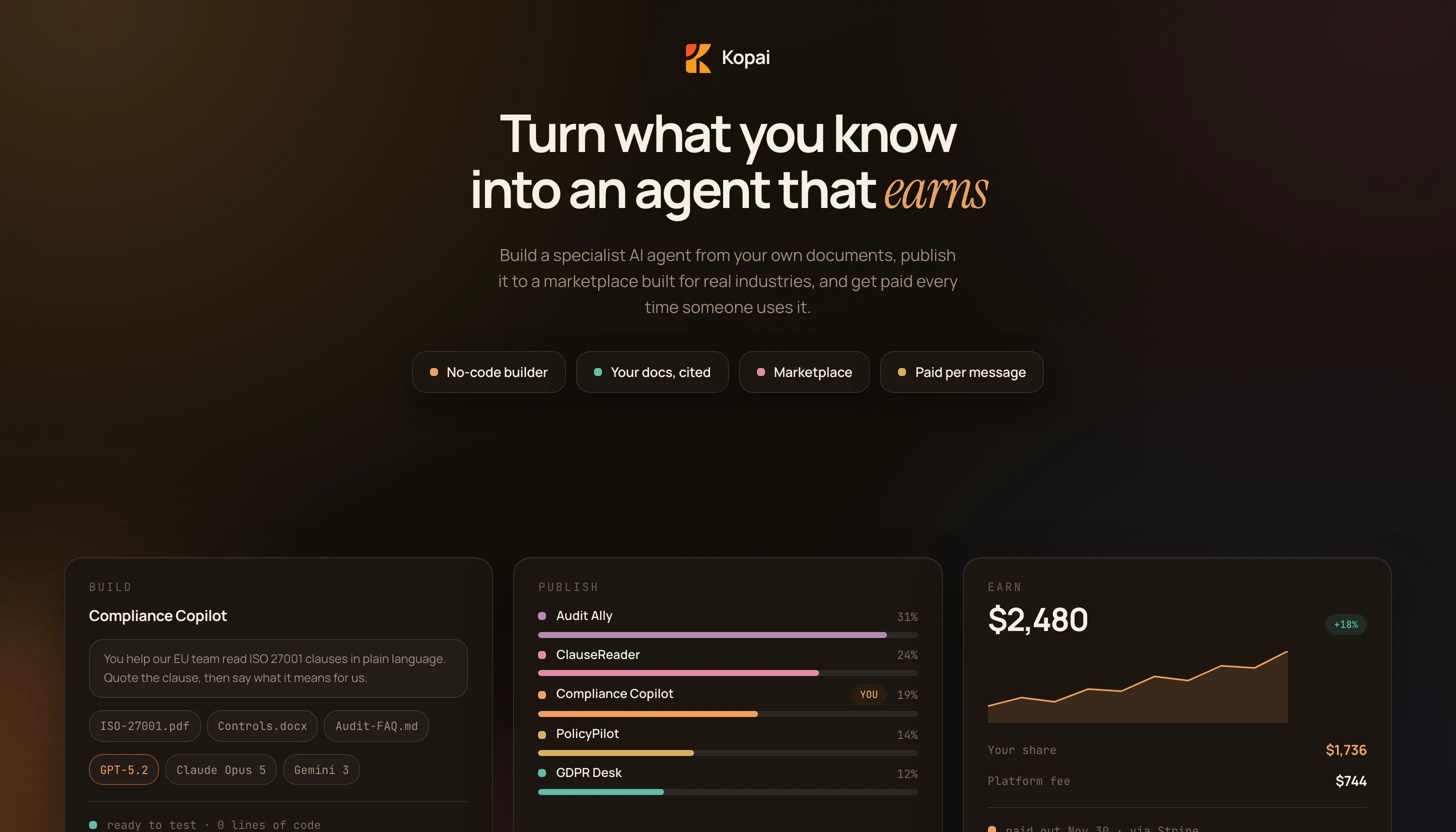
Kopai turns your expertise into an AI agent you can sell, priced per message instead of per hour. Upload your knowledge, publish in minutes with no code, and let people pay for instant answers instead of booking your calendar. You keep 70% of everything your agent earns. Built-in evaluation testing, encrypted knowledge bases, and multi-agent orchestration mean it's not a prompt wrapper, it's real infrastructure. We handle discovery, billing, and trust so you can focus on what you know.
Hey Product Hunt! 👋 I'm Surya, co-founder of Kopai. Here's the problem we kept running into: experts spend years building knowledge they can only sell one hour at a time. A great consultant, YouTuber, or course creator hits a hard ceiling the moment their calendar runs out. LLMs finally make it possible to package that expertise into something that works while you sleep. But building an agent still means wrestling with prompts, tool connectors, billing, and trust, none of which a domain expert signed up to learn. So we built Kopai: a no-code platform where experts turn their knowledge into an AI agent and publish it on our marketplace. Creators keep 70% of what their agent earns. We handle discovery, payments, and infrastructure. You can also export your agent (or import any other agent from the marketplace) straight into your own site. Under the hood, we've built our own agent harness, a granular pay-per-use ledger, and an evaluation layer to keep agent quality honest, things most no-code builders treat as an afterthought. We're a four-person team, and this launch is the first time Kopai is out in the wild. Would love for you to try building an agent and tell us where it breaks. Every bit of feedback shapes what we build next. https://usekopai.com
6
回复

@suryasekhar hello if you like you can lunch this on indihunt.in also

0
回复

The eval gate that @galdayan pulled out of you is the right idea aimed at the wrong moment. It fires on edit, and the failure mode here is that there are no edits. An expert uploads once, the agent earns, and the pitch is explicitly that they step out of the loop. Meanwhile the expertise decays. Eighteen months on, the agent is confidently selling a 2026 answer and the expert has no signal it went stale, because the money is still arriving. Revenue is the one number that will never tell you your knowledge expired. So what re-triggers the eval when nothing has changed on the expert's side? A decay on the score, a re-cert prompt, something tied to the world moving rather than the file moving?

1
回复

Congrats on the launch!

1
回复

@mcarmonas Thank you so much. We are still actively developing and would love for your feedback on the product so that we can improve.

0
回复

Love this direction. One thing I'm curious about—if an agent starts drifting from the original goal midway through a long workflow, how quickly can the orientation bring it back on track? Congrats on the launch

1
回复

@suryansh_tiwari2 So currently we have implemented this feature called Chat Orientation. It is basically where the user is shown the goals and actions taken by the LLM. If they LLM drifts the user can manually update to realign the LLM. Another feature is we have a feedback loop, where users can leave feedback for the creator of the product. We believe it is important to keep the human or in this case the creator in the loop so as they can make sure that they are the ones who are driving the final direction.

What actually is on the roadmap right now: a response confidence score that pops up periodically on responses, feeding into an analytics layer that flags when an agent is underperforming and notifies the creator regularly. If in a case the score drops too low, the agent will get auto unpublished from the marketplace, until the creator fixes it. Would love your thoughts on this as well.

0
回复

the per-message pricing makes more sense to me than subscriptions for this kind of tool. one thing i want to know: what happens to conversation state between messages? if someone asks a follow-up 3 messages later, does the agent still have that context?

0
回复

@noctis06 Glad the per-message pricing resonates with you! Also on the context question, yes, it does.

Within a single conversation, the agent has the full thread: we send up to the last 30 messages of that conversation as context on every turn, so a follow-up 3 messages later is well within that window.

On top of that, we also run a long-term memory layer that persists relevant details across conversations, scoped to the user, so even if someone comes back days later in a new thread, the agent isn't starting from zero.

0
回复

How does the platform generate interest in the public for this expertise knowledge base?

0
回复

@zrk222 So each agent on Kopai is treated as an individual product. Therefore, all the agents listed on Kopai's marketplace has it;s own SEO that the creators can tune and optimise to market their product.

We are also trying a creator led economy, where we are collaborating with creators for them to make agents and reach out to their userbase for visibility. As our product actively let's you earn from your agent, that is an added incentive to share and market our product.

0
回复

Hi everyone,

I am Meghna, one of the co-founders.

Would just like to introduce some of the really cool features we have on Kopai.

  1. We have a custom Gen-UI library that we made. Our chat feature or any agents use it asa part of their answer generations. Do give it a try. It is particularly helpful for data visualisation as well as game visualisation.

  2. You can actively earn from your agent. So please do share with your friends and connections.

0
回复

the part I'd want to understand before uploading my own knowledge base: when the agent gives someone a wrong or outdated answer under my name, who's actually on the hook for that, me or Kopai? per-hour consulting has a built-in correction loop, the client pushes back live and I clarify. per-message, the buyer just gets an answer and leaves, so a bad take can sit there generating "instant answers" indefinitely before anyone notices it's stale. is there a review or flagging loop on the expert's side, or does it rely entirely on buyers reporting bad responses after the fact?

0
回复

Hi @galdayan !

This is honestly a really good question. Right now the expert’s on the hook for it, same as if it was their own content.

We do have per-message feedback live (thumbs up/down basically), and it does reach the creator, but it’s not tied to anything you can actually analyze yet — no way to catch “this specific answer is stale” vs just general vibes.

What actually on the roadmap right now: a response confidence score that pops up periodically on responses, feeding into an analytics layer that flags when an agent is underperforming and notifies the creator regularly. If in a case the score drops too low, the agent will get auto unpublished from the marketplace, until the creator fixes it and our evals re score it, and it crosses the threshold. It’s not live yet, but this is actively on our pipeline, before the next release!

Thanks for bringing this out! Would love you pressure test this. More feedback is always welcome!

You can reach out to me as well - swapnanil@usekopai.com

0
回复

One more thing worth mentioning is our Eval layer (which I briefly mentioned earlier) inside of the agent builder, which is currently live. Before any agent goes live (or gets updated), it runs through an evaluation layer that scores it across several dimensions: system prompt quality, behavior/scope adherence, and safety (policy refusals + jailbreak resistance) are always checked, with knowledge base retrieval accuracy and tool-use correctness, when the agent actually has KB or any tools enabled. It's a gate, before any agent goes to the marketplace, without it just being a post-facto monitoring tool. Every time a creator changes their agent (new prompt, new knowledge base doc, config tweak, whatever), it automatically gets re-evaluated before the update is live for buyers. So it's not "publish once and hope", essentially every change re-triggers the check.

1
回复
#12
Tandem
AI-native office leasing brokerage
84
一句话介绍:Tandem 是一款AI原生的办公楼租赁经纪服务,通过AI代理实时监控全市场房源与成交数据,帮助租户(尤其是中小企业)大幅提升找房效率和谈判透明度,且对租户完全免费。
Tech
AI房产经纪 办公楼租赁 商业地产 智能找房 租户代理 市场数据洞察 谈判支持 中小企业服务 佣金模式革新 SaaS+服务
用户评论摘要:用户核心质疑在于佣金模式:传统经纪按租金比例收费,与租户利益冲突,AI是否只是用“客观感”掩盖了同样的利益诱导?用户希望明确Tandem是否只做租户代理,以及如何确保推荐不偏向让租户“略微多付”的方案。
AI 锐评

Tandem的叙事很性感——“AI大脑+人工经纪”看似解决了商业地产最核心的信息不对称问题。它确实命中了行业痛点:中小租户被忽视,市场碎片化,流程冗长低效。用数据覆盖代替人情网络,用快响应对抗慢周转,这是技术上成立的降维打击。

但评论区的质疑恰恰戳中了它的命门:**激励结构没有变,AI只是把利益冲突装进了黑箱。** 传统经纪人拿房东佣金,他的建议你可以打折听,因为你知道他有立场。而Tandem的AI“客观地”推荐房源时,如果背后依然是同一套房东佣金逻辑,那么它所谓的“你该花多少钱”的判断,本质上是一个被训练得更加圆滑、更不容易被识破的销售话术。一个“看过全城”的AI和一个人脉广的老经纪人,在利益驱动下,行为不会有本质区别——区别只是前者更高效地让你信服。

更深层的问题在于:AI能告诉你“市场价是多少”,但无法告诉你“这个房东是否会在两年后耍赖不续租”,也无法替你感知谈判桌上对方的微表情与情绪张力。它的“27天签约”优势,建立在标准化、数据透明的房源匹配上,但商业地产的最后一公里(法务、人情、复杂条款)依然高度依赖人类经验。Tandem的真正价值不在于“取代”经纪,而在于把这种经验的可复制性做了一次边际成本极低的放大——这在商业上可行,但若想建立长期信任,必须回答那个尖锐的问题:**当你的AI和我的利益冲突时,它听谁的?** 目前,它给出的答案依然是模糊的。如果只做租户纯代理(收固定服务费或由租户付费),这个模型会更干净,但也会立刻丧失扩张速度。这本质上是一场关于“信任透明度”和“商业效率”的博弈,而Tandem目前,似乎在优先选择后者。

查看原始信息
Tandem
Tandem is building an AI-native office leasing brokerage. Every Tandem agent works with an agentic brain behind them. It's watching the market constantly: what came available this morning, what a similar unit actually leased for last month, which landlords are flexible on term, what's about to come back online. Knowing the market stops being one person's job, so it doesn't stop when they go home, and it isn't limited to the buildings they've personally walked.

Tl;dr: Our agents have seen every office building in the city — they know exactly what’s available, what it’s going to cost you, and how to negotiate the best possible deal. You get human support backed by the best real estate AI anywhere. And it’s all done at no cost to you. We are live in San Francisco, New York City, and Boston.

Start your search at tandemspace.com.

Why office leasing is broken

There are thousands of office spaces in a city and no single view of them. What exists instead is memory. A few hundred people, each carrying their own map of the city, built by walking it.

Those maps are good. Brokers who have been doing this for twenty years know their buildings cold, know the landlords, know what a deal should actually cost. But it's one person's map of a market that changes every week, and there is no version of this job where one person keeps up with all of it.

So the process runs on relays. You spend an hour explaining what you need. Your broker spends the week calling the brokers they know, who call the landlords they represent. Eight options come back. You like one. The calls start over. Nobody is doing anything wrong. It just takes days to move a question through a chain of people, and you are one of a dozen searches your broker is running at the same time.

The economics of this market were built for bigger deals. Commercial leasing grew up around full floors and ten year terms, and everything in it is sized for that. A 3,000 square foot suite on a two year term takes nearly the same work and returns a fraction of it, so smaller spaces get less attention across the board. It's why so many of them go unphotographed, unlisted, and unmentioned. That's most of the market by count.

The people in this industry are not the problem. This is just what a market looks like when it runs on memory:

You're seeing only what your broker chooses to show you, prioritized only as much as your deal size warrants, with no way to verify you're getting a fair shake.

How Tandem works

On paper, Tandem is an office leasing brokerage like any other. Same license, same tenant rep fee, same person meeting you in the lobby. The difference is what that person knows, and how quickly they can act on it.

Every Tandem agent works with an agentic brain behind them. It's watching the market constantly: what came available this morning, what a similar unit actually leased for last month, which landlords are flexible on term, what's about to come back online. Knowing the market stops being one person's job, so it doesn't stop when they go home, and it isn't limited to the buildings they've personally walked.

What that means for you:

  • You see the whole market on day one, not on the third callback. Your agent already knows what fits before you finish describing it.

  • Answers in minutes, over email, text, or phone, on anything from zoning to what the freight elevator situation is.

  • You know what it should cost. Your agent can see what comparable units actually went for, so you go into a negotiation knowing where the number should land.

  • You don't have to talk to anyone if you don't want to. The same market is browsable at tandemspace.com. Compare asking rents, book a tour for tomorrow, bring your agent in whenever you want them.

  • A 3,000 square foot requirement gets the same attention as a 30,000 one, because your agent isn’t paid more for a bigger deal.

The result: clients who search with Tandem see 30%+ more spaces than in a traditional search, and finish about 6x faster. At no cost to you.

Start your search with Tandem

We’re proud to have placed more than 500 companies into offices, including Cursor, Upwork, Apollo GraphQL. But, we’re even prouder that our average time from first tour to signed lease is 27 days, versus an industry average of ~180.

If you’re in the market for an office now or anytime in the future, get started for free at tandemspace.com, or email team@tandem.space.

1
回复

@brendan_suh I've sat on the tenant side of a couple of office leases and the broker incentives never felt aligned with mine, since they get paid more when I pay more. How does your model change that, are you tenant-rep only or do you also work the landlord side? Curious where the AI genuinely helps versus where it's still a human negotiation.

0
回复

Artem's incentive point is the whole thing and I would push harder on it. AI does not fix that conflict. It hides it. A human broker's conflict is at least legible. You know who pays them and you discount what they say accordingly. An agent that has seen every building in the city arrives sounding objective, and the recommendation lands with no visible interest attached to it. Same incentive, tell removed. Which makes this a structure question rather than a model question. Are you paid by the landlord as a percentage of rent, like everyone else? If so, what stops the agent from being extremely good at finding me a building I can slightly overpay for? The version of this I would trust puts the fee on every single recommendation.

0
回复
#13
unquestion
The form that asks like a person
28
一句话介绍:Unquestion用AI对话替代静态表单,在收集信息场景下,通过自适应追问和结构化数据输出,解决用户填表中途放弃、数据杂乱难整理的痛点。
Marketing SaaS Artificial Intelligence
AI表单 对话式收集 结构化数据 无代码搭建 智能追问 用户留存 流程自动化 多语言支持 数据整理 SaaS工具
用户评论摘要:用户肯定AI灵活性与结构化流程的平衡设计。主要疑问集中在与Google Forms的竞争定位,以及如何避免AI追问过多导致对话冗长。官方回应称可通过编辑器设置“确保细节”来控制追问深度,实现平衡。
AI 锐评

Unquestion的切入点很聪明,它没有试图用AI取代表单,而是用对话的外壳包裹表单的内核——这精准命中了“静态表单流失率高”与“纯AI聊天数据不可用”之间的真空地带。从产品逻辑看,其核心价值不在“AI聊天”,而在“结构化提取”:通过无代码流程编排和自然语言规则(如“必须给出全名”),将不可控的自由文本强制收敛为可用的表格数据,这本质上是用AI提升表单的完成率和数据质量,而非制造一个华而不实的聊天机器人。

但必须泼一盆冷水。首先,28个投票和仅有的两条评论(其中一条是创始人自问自答式引导)表明产品尚处于极早期,市场验证远未完成。其次,“AI会像人一样追问”是一把双刃剑:对话式交互天然比静态表单耗时,用户初期可能因新鲜感而容忍,但一旦新鲜感消退,追问带来的认知负担会直接转化为流失。官方回复中“编辑器可配置追问深度”看似灵活,实则把矛盾推给了表单创建者——他们需要同时精通业务逻辑和对话设计,这门槛并不低。

真正的隐忧在于护城河。底层能力依赖LLM,界面交互可轻易模仿,一旦Google Forms或Typeform集成类似AI追问功能,Unquestion的生存空间会被瞬间挤压。其更务实的出路是深耕垂直场景(如售前线索筛选、客户调研、售后反馈),将“AI追问+结构化输出”的模板和规则库做深做透,让竞品难以复制流程经验,而非停留在通用工具层面。否则,它很可能沦为大厂功能迭代的垫脚石。

查看原始信息
unquestion
Static forms get abandoned. Unquestion runs an AI conversation instead: it adapts, digs deeper with follow-ups, and keeps people answering to the end. You get clean, structured data in tables, not transcripts.

Hello Product Hunt 👋

Forms haven't changed much since 2005. The way people talk online has. People hit a wall of fields, bail halfway, and you never learn why. We didn't want to be stuck between a static form and an AI agent that might not get the exact answers we need. So we built unquestion.

Unquestion replaces your form with an AI that actually has a conversation. Instead of a static page of inputs, your visitor gets a friendly back-and-forth that adapts to every answer, and you get clean, structured data on the other side. Not a messy chat log. Actual columns you can use.

Here's what's happening under the hood:

  • You build it like a flow, no code. Drag-and-drop nodes, questions, statements, and booking links. Each question takes free text, choice buttons, or both.

  • The AI runs it, not a rigid decision tree. It reads each answer, decides if it's good enough, asks a smart follow-up when it isn't, and routes based on what people say ("interested → jump to demo booking"). You can set rules in plain English, like "must give full name", and it enforces them mid-conversation.

  • Messy input → structured output. It extracts the exact answer per question and auto-tags responses, so you get a clean table and one-click CSV, not transcripts to comb through.

  • It speaks any language and matches your brand with multiple themes and fonts to choose from.

  • Share it however you want. Embed it on a page or send it as a single link.

Try it free today 🎉

Use voucher code PH250 to get 250 free credits.

We'd love your feedback! Drop a comment below or reach us anytime at hello@unquestion.ai

1
回复

@youssef_abdelwahed The balance between AI flexibility and structured workflows is really well thought out. Nice work!

0
回复

Love the idea behind it! Do you see unquestion as a competitor to the google forms??
Also how do you balance asking enough follow-up questions without making the conversation feel too long???

1
回复

@lak7 Thanks for your feedback, Lakshay :)

Yes, exactly that's the point of it, when building the form, the editor have the option of setting "make sure" details, so that the AI would just use follow ups to get the details required by the editor, and not to keep asking freely as it want, so its configurable from the editor side to achieve the right balance.

0
回复
#14
Quillly
Publish straight from your AI. No dashboard detour.
26
一句话介绍:Quillly通过MCP协议将Claude、ChatGPT等AI助手直接接入你的网站,让AI写完内容后自动完成SEO优化、发布、多搜索引擎提交和排名追踪,省去手动部署和运营的中间环节。
Marketing SEO SaaS
AI发布工具 MCP服务器 SEO自动化 内容自动发布 博客管理 搜索排名追踪 无头CMS AI工作流 独立开发者工具 内容运营
用户评论摘要:用户关心无人干预的自动发布质量是否有失控风险,作者回应称严格SEO规则和工具让AI输出内容深度和可读性俱佳;有自建站用户询问是否支持自托管,作者确认支持sitemap提交和反向代理方案,并补充可管理docs和changelog。
AI 锐评

Quillly踩中了两个真痛点:一是独立开发者“写内容容易,发布运营难”的重复劳动陷阱,二是AI生成内容与搜索引擎收录之间的断层。它本质是个“发布管道+SEO监控”的缝合器,用MCP把AI的输出直接变成线上资产,省掉PR、CI/CD、手动提交索引的琐碎流程,这对小团队和单兵作战者确实有吸引力。

但值得警惕的是,它把“内容质量”的重担几乎完全甩给了AI和SEO规则。作者的自信回应建立在“Claude写得比我好”的个人体验上,这恰恰暴露了产品最大的不确定性——AI输出的同质化风险。当所有人都用Claude+Quillly批量生产“深度好文”,Google的算法未必会继续买账。况且,自动提交7个搜索引擎听起来很美,但Google对AI生成内容的打压从未停止,排名权重本质上掌握在平台手里,而非工具手里。

另一个问题是产品形态的割裂:反向代理方案能解决自托管用户的需求,但引入中间层会增加加载延迟和故障点,对强调SEO的站主可能得不偿失。目前26票的Launch成绩平平,评论热度也不高,说明产品还停留在早期采用者阶段。它能不能从“好用的个人工具”进化为“可信赖的内容基础设施”,取决于后续能否提供更多内容质量的可控性(比如人工审核流、风格约束),而不是单纯鼓吹全自动。否则,它节省的时间,迟早会以另一种方式(比如流量骤降、被Google降权)还回去。

查看原始信息
Quillly
Quillly turns any AI assistant (Claude, ChatGPT, Cursor) into a full publishing team. Connect your domain once, then your AI creates SEO-scored blogs, docs and changelogs, publishes them live in seconds, submits them to 7 search engines, and tracks rankings, indexing and traffic - all from one dashboard.
Hey folks — Rahul here, solo founder. I run four products. No marketing budget, so organic was the only lever I had. X was going okay. Google was going nowhere. Months of writing, zero traffic, zero users. And writing wasn't even the hard part — Claude handled that. The hard part was everything after: open a PR, merge it, trigger a deploy. Four products, every single day. A few hours a day just to ship words. That's not a process you run for six months. So I stopped and went deep on SEO instead — meta tags, schema, how search engines actually crawl and index a page. Tried things. Watched what moved. Then I built the thing I actually wanted: connect your site once, tell your AI what to write, and it's live on your domain — SEO-optimized, submitted, tracked. That's the MCP server. Then I spent another 2–3 months on the parts that make it stick: in-depth analytics, sharper SEO rules, featured snippet targeting, multi-search-engine submission, better theme components, a Notion-style editor, and support for docs and changelogs alongside blogs. Short version: tell your AI what to write, and Quillly publishes it to your site and gets it ranking. My own setup now is a Claude Code routine per product, each pointed at its GitHub repo for context, scheduled daily. All four publish with zero intervention from me. I built Quillly because I needed it. Hoping it saves you the months I lost.
3
回复

The zero-intervention part is what I'd want to know more about. I made myself approve drafts for weeks before letting my own posting run unattended, because that's where quality quietly slides. Four products publishing daily with nobody reading first, has one ever gone out that you wished you'd caught?

1
回复

@berkaybuilds 
In Short: No, no content has ever gone out that I wished I caught earlier.

In fact Claude is writing the kind of blog posts for all of my products which I myself couldn't think of and they are very in depth and proper explanation, interlinking, images, charts, graphs, featured images, featured snippets, CTA components and more all on autopilot and not just overviews or just text only blog content which users won't like to read which in turn increases the bounce rate which signals search engines to drop the page form the search results while keeping it as indexed.

Initially when I was building Quillly I tested a lot of SEO rules which guides the AI Agent to create a quality post. Quillly has evolved by a lot as compared to 2 months ago. So, all the content written by any AI agent using Quillly MCP server bound to be a quality content as now the SEO rules are stricter and agent as more tools to make the content more readable and easy to understand.

0
回复

@rahul_verma60 - Quilly looks really promising, however I host and maintain my own website, which has some key bespoke integrations. Are you planning to offer a version that works with self-hosted solutions?

1
回复

@codeandsea Yes, Quillly works on self hosted websites as well. You can just add your website sitemap in Quillly and it notifies all your pages regularly on all the 8 search engines and provide you curated analytics from Google, Bing and Yandex in one place.

However, for in-depth analytics per page like tracking user actions, having the right meta tags for the pages to index and rank on search engines and AI agents answers it is best to use Quillly's reverse proxy of your chosen endpoint. The content will still be displayed on your website + apart from blogs Quillly also supports docs, and change log content type as well. So, if you connect all the reverse proxies then you can just maintain and track all of them from your AI agent chat session. No need to even push a PR to your website.

All my websites devbio.me, quillly.com, reachmore.co are using Quillly for blogs. I am using Quillly itself to maintain blogs, docs, and change log on Quillly 🙂

Does this answers your question @codeandsea ? Or let me know if you were looking for something else.

0
回复

Was building something like this but you did it better and now I don’t have to! Good work!

0
回复

@jamesjustgains 😅 Thank you

0
回复
#15
Pokey
Make your screen shares unmissable
17
一句话介绍:Pokey是一款菜单栏小工具,通过将系统光标替换成会“敲击”的卡通小手或猫爪等形象,让屏幕共享、团队同步会和销售演示中的操作指示更生动有趣,化解枯燥与尴尬。
Funny Menu Bar Apps Memes
macOS工具 菜单栏应用 屏幕共享 光标美化 演示辅助 趣味工具 远程办公 团队协作 会议效率 表情化交互
用户评论摘要:用户普遍认可其趣味性,认为能缓解企业会议严肃气氛、增加说服力。有评论戏称“终于不是AI效率产品”。开发者回应了下载支持。未出现针对功能的负面建议或问题,有效反馈集中在“娱乐价值”认可,但缺乏对价格或稳定性的讨论。
AI 锐评

Pokey的走红逻辑与SlapMac如出一辙——在效率工具泛滥的当下,用“无意义”的趣味性制造社交货币。它精准切中了远程工作中“操作可见性”与“情绪传达”的双重痛点:当你的鼠标指针变成一只会敲击的小手,屏幕共享就从枯燥的“看PPT”变成了带有肢体语言的“表演”,这本质上是一种非语言沟通的补偿机制。

但必须清醒看到,这款产品的价值天花板极其明显。它解决的是“锦上添花”而非“雪中送炭”的问题,核心场景高度依赖“视频会议”这一特定时空。一旦脱离会议场景(如本地演示、编程),其功能即归零。17票的发布数据也印证了其小众属性,这更像是一次个人趣味驱动的微创新实验,而非商业模式的验证。

更深层的风险在于:其核心卖点“情绪适配”(点击力度决定动画幅度)是伪需求——在共享屏幕时,用户注意力集中在内容而非光标的反馈精度上,该功能反而可能因“过度表演”分散听众注意力。至于中指造型,在跨文化、跨层级的商务沟通中更是雷区,很可能从“化解紧张”变成“制造冒犯”。

结论:Pokey是一款优秀的“关系破冰玩具”,但不是一个可持续的产品生意。其真正的价值不在软件本身,而在于验证了“桌面端情绪化交互”的市场空位。若团队能将其能力开放为API,衍生出针对培训、远程医疗等垂直场景的“指示层”工具,或许能突破现有天花板。否则,当新鲜感消退,这枚菜单栏小图标只会沦为Dock栏里又一个吃灰的像素幽灵。

查看原始信息
Pokey
✦ Add a spark of fun to repetitive team syncs and standups ✦ Break the ice on sales calls and intro meetings ✦ Soften tense moments when reviewing errors or tough feedback ✦ Pokey – a tiny menu bar app that turns your cursor into the reason they remember your call. Because nobody should suffer through another boring screen share 😀

Hey Hunters! My name is Mike 👋 and today I'm launching Pokey, a tiny menu bar app that turns your cursor into a little hand that actually taps what you click.

How it started
The idea came from a super random moment. My friend and I were recording a quick screen video for a neighbor, explaining how to use their AC. Someone joked, "This needs one of those MrTinyHand pointers!" (if you know the viral IG videos, you know). Seeing how much joy apps like @SlapMac brought people recently proved we definitely need more weird, fun apps for Mac.

So I sat down, built a rough prototype of Pokey, and posted a quick, unedited demo online. To my complete surprise, the video blew up overnight with 35k+ views and brought in 30+ organic sales 🙃 Turns out, people just want to bring a little fun and personality back into their calls.

What Pokey actually does

It gives your cursor different "moods", from a polite pointing hand to a cat paw, or even the middle finger for those meetings that definitely should have been an email.

Best of all, it adapts to your energy! Gentle clicks get a soft, subtle nudge, but intense clicking scales up the impact for when you really need to make a point.

Discount

Use code "NOMOREBORING" to grab Pokey for $2.99 (first 99 hunters only).

Life is way too short for lifeless pointers. Poke it like you mean it 😀

One question before you go

Fun way to spice up routine team syncs, or a bit too informal for your work calls? Where’s the line for you?

2
回复

Haha, I downloaded it. This might actually make me sound way more convincing in meetings. Thanks! 😂

1
回复

@alvodsgn For sure 😄 Thanks for downloading!

1
回复

Finally, not some AI-focused product, or how to make myself 10% efficient, but a fun one!
That will definitely bring more fun to group calls, especially in the corporate environment.

1
回复
#16
Tokimeter
Local usage analytics for Claude, Codex, Cursor, Grok & More
17
一句话介绍:Tokimeter 是一款本地化的 AI 编程工具用量分析仪表盘,通过读取 Claude、Codex、Cursor 等工具在本机留下的日志,帮你精确统计 token 消耗与费用,并按项目、会话、天、工具和模型多维度切片,解决多工具混用下成本失控、限额无感的痛点。
Open Source Developer Tools GitHub
AI编程工具 Token统计 本地优先 用量分析 成本管理 开源工具 CLI 多模型聚合 开发者效率 隐私安全
用户评论摘要:用户@toshipepe 称赞“将全部 AI 用量集中到一处”是天才设计;作者回帖致谢并欢迎大家提问。另一则长评(来自作者自述)详细阐述了使用多工具时“各管各账”的混乱,强调桌面端覆盖和按项目切片的刚需,并提及 Pro 版 $4/月用于跨机同步与历史保留,同时建议后续增加更多工具支持。
AI 锐评

Tokimeter 踩中的是一个真实且迅速膨胀的痛点:AI 编程工具爆发,但每一家都在自己的日志孤岛里记消耗,开发者对整体开支毫无掌控力。它聪明地避开了“自建埋点”的重模式,转而“读取本机已有记录”,这决定了它零成本兼容、隐私安全且有天然的用户信任背书。其开源 CLI 免费,Pro 仅收 $4/月——这定价策略几乎是“以免费换取数据入口,以订阅赚取长期价值”的教科书操作,潜台词是:等用户依赖每月的费用报告后,跨机同步和防日志清理的历史记录会变成刚需。

但必须泼冷水:第一,它不解决问题,只是放大问题——当你有 8 个工具时聚合有用,但若只用 Claude Code 一个工具,价值近乎为零。第二,核心逻辑是“信任本地日志”,而各工具日志格式不稳定,README 也承认有未验证项,维护成本高,一旦某工具更新日志结构,集成易碎。第三,真正的护城河不在聚合,而在“切换成本”——如果未来 Cursor 自带全局用量面板,这类中间层工具会瞬间被边缘化。

价值判断:作为个人开发者或小团队的“记账本”,它足够好用且免费;但作为商业故事,它天花板有限。除非未来它能从“用量报告”进化为“用量优化”,比如自动推荐更低成本的模型替代方案,否则只是时间流水账的高级形态。建议关注其后续对历史趋势分析和多机协同的落地质量,那才是留住 Pro 用户的关键。

查看原始信息
Tokimeter
Tokimeter pulls the usage records your AI coding tools already write into one report. Costs and exact token counts by project, session, day, tool and model. 5-hour and weekly limit windows, with budget warnings in your status line. Covers Claude and Codex in both the CLI and the desktop apps, plus Cursor, Grok Build, Hermes, opencode, Cline and Copilot CLI. No account, no telemetry, nothing leaves your machine. Report: npx tokimeter report Install: Check Below Open source & MIT licensed.

@toshipepe - having all your AI Ganet usage available in one place is genius. Thanks for building this and hope today's launch goes well!

1
回复

@codeandsea thanks, let me know if you have any questions!

1
回复

I use Claude Code, Codex, Cursor, Hermes, Grok Build and a few
more on the regular. Each one only knows about itself. I wanted
to see token usage per session, where I stood against limits, and
what each project was actually costing me.

Basically, I wanted analytics for my token usage.

Tokimeter reads the files these tools already keep on your
machine and puts it in one place.

Desktop is covered, not just the CLI. Claude Code and Codex both
write their desktop sessions locally, and Cursor's desktop agent
too. That was the piece I most wanted for myself.

You can slice it by project, day, tool or model, and
tokimeter trace walks through a single session, what it
cost and which models it used. If you bill clients, report --md
gives you a per-project file to attach to an invoice.

Token counts come from your own files so they're exact, anything
estimated is marked with ~. The README has a table showing how
well each integration is verified, including the two I haven't
confirmed against a live request yet.

The CLI is MIT and does all of the above. No account, no
telemetry, completely free, and open source. Pro is $4/mo for the things a local tool can't do,
history that survives log pruning and sync across machines.
Ignore it and nothing changes.

Try it without installing:
npx tokimeter report

Install:
npm install -g tokimeter && "$(npm prefix -g)/bin/tokimeter" setup --auto

Github:
https://github.com/toshipepe/tokimeter

Would love to hear what you think, and which tools I should add
next.

0
回复
#17
Monolite
Turn any audience into active participants
13
一句话介绍:Monolite 是一款让演讲者或活动主办方通过手机扫码即可创建互动问答、投票和词云游戏的活动工具,解决现场观众“只看不参与”的冷场痛点。
Meetings Maker Tools Community
互动演示 现场投票 活动工具 观众参与 二维码签到 团队培训 会议互动 游戏化营销 无App参与 SaaS工具
用户评论摘要:用户普遍认可“扫码即玩、无需下载”的体验,认为适合全员大会;创始人回应了感谢,但暂无针对功能缺陷或新增玩法的实质建议,评论深度有限。
AI 锐评

Monolite切中的是“会议冷场”这一高频但低预算的痛点,产品逻辑清晰:用极低门槛(扫码)换取即时参与感,并以数据报告作为B端付费理由。其核心价值不是游戏本身,而是“把被动听众转化为可量化的互动数据”——这在企业培训、内部沟通场景中具有实际抓手。但产品护城河薄弱:同类工具如Slido、Mentimeter早已覆盖问答、投票、词云,Monolite仅靠“Trivia、Versus”等轻游戏差异化,容易被复制。且当前用户评论多为礼貌性祝贺,缺乏真实使用场景的深度反馈,说明早期用户以社交支持为主,产品验证尚浅。真正需要警惕的是:游戏化互动是手段而非目的,若不能嵌入演讲内容流(如自动同步PPT进度、跟进答题结果触发分支讲解),则很容易沦为“热闹但无后续”的暖场玩具。此外,免费模式下的规模瓶颈明显——企业客户一旦需要复杂度较高的定制或私有化部署,Monolite现有能力可能不足。建议聚焦细分垂直场景(如大型培训机构的课堂互动),而非与通用工具全线竞争。

查看原始信息
Monolite
Monolite helps you to create interactive games. Instant QR join or public participation, custom branding, and detailed reports. Try Monolite free today!
Hey hunters! 👋 I'm Anıl, founder of Monolite. I built Monolite after years in community building and event management, sitting through town halls, trainings, and conferences where the room was full but completely silent. Everyone was watching, nobody was participating. I wanted to fix that. Monolite turns any presentation or event into a live, interactive experience: 🎯 Instant QR join: Attendees scan and play from any phone browser, no app or account needed 🎮 Trivia, Versus, and Word Cloud games: Built for training, onboarding, town halls, and product launches 🎨 Custom branding: Match your theme to your stage or company 📊 Detailed post-event reports: The kind of engagement proof that impresses leadership and sponsors 🔗 Self-paced mode: Publish a public link and let people join anytime, no host required. We're already used by 2,400+ event participant, and today we're bringing Monolite to the Product Hunt community for the first time. Would love to hear what you think and if you have ideas for game types or use cases you'd want to see next, I'm all ears in the comments. 🙌
2
回复

Huge congrats on the launch, Anıl! 🚀 That awkward silence during presentations and town halls is such a real problem. The fact that attendees can join instantly via QR code without downloading an app or creating an account is a massive UX win. I'm definitely going to try this at our next team all-hands. Best of luck today!

2
回复

@yagizgurbuz Thanks Yagiz.

0
回复

This looks great. The fact that people can join with a QR code and no app install is a huge win for live sessions. 🙌

1
回复

@turkertunali1 Thank you Turker, nice to hear this comment.

0
回复
#18
ViiTor Translate
Real-time subtitles that keep up with speech and context
12
一句话介绍:ViiTor Translate 是一款为直播、视频、会议和课堂提供实时翻译字幕的跨平台工具,核心解决用户在观看快语速、高语境内容(如K-pop、VTuber、动漫)时,因翻译滞后或失去文化语境而错过精彩瞬间的痛点。
Productivity Languages Artificial Intelligence
实时翻译字幕 直播字幕 视频翻译 跨平台应用 语境理解 俚语翻译 粉丝词典 多语言支持 K-pop工具 VTuber字幕
用户评论摘要:用户Zoe(产品经理)自述是K-pop与VTuber粉丝,强调Fan Dictionary和双语言模式是亮点。另一条有效评论指出:实时性与语境存在天然矛盾——日语等动词居尾语言中,过早“承诺”翻译可能翻转语义。质疑系统是否会修正已显示的字幕,还是选择延迟输出,并指出修正虽准确但阅读体验更差。
AI 锐评

ViiTor的定位很聪明:它没有试图做“更好的Google翻译”,而是切入了“实时+语境”这一窄缝。但恰恰是这个缝里,藏着它最危险的暗礁。那条关于日语的评论一针见血——这不是技术细节问题,而是产品承诺的根本悖论。如果你保持低延迟,就必须在句子未完整时做出语义猜测,这在动词后置语言中几乎必然产生“反向翻译”时刻;如果你为了语境而等待从句闭合,那“实时”就成了伪命题。评论者指出“修正是更准确但更难读”,这恰恰点中了ViiTor的软肋:它可能优化了算法的延迟,却把认知负担甩给了用户。

从产品层面看,Fan Dictionary是更务实、也更可防御的壁垒。它利用圈层用户的自组织能力去补足通用模型的文化盲区,这是一个比“翻译快”更难被大厂复制的资产。但问题在于,当前12票的冷启动氛围表明,它尚未在核心用户群中形成口碑裂变。Zoe的K-pop/VTuber叙事很动人,但如果产品真想服务会议和课堂,就不得不直面更严苛的实时改写需求——那时日语只是第一道考题,德语的长从句、阿拉伯语的省略结构都在排队等着。

真正的价值点或许不在于“翻译得多准”,而在于“如何管理用户期待”。ViiTor需要明确的交互模式:让用户主动选择“极速模式”(尽早输出,允许翻转)或“完整模式”(稍慢但整句正确)。敢把这个取舍摆上台面,比继续用“context”这个词掩盖矛盾,更能建立信任。目前来看,它是一把磨得很亮但只切开了粉丝圈层的刀——想成为通用工具,得先把那把关于“等待与背叛”的刀刃处理好。

查看原始信息
ViiTor Translate
ViiTor brings real-time translated subtitles to livestreams, videos, meetings and classes on iOS, Android and Chrome. Built for fast, context-heavy audio, it captures slang, cultural references and inside jokes that literal translation often misses. Use Floating Subtitles on YouTube, TikTok, Bilibili and other supported platforms without switching screens. Ideal for K-pop, Vtubers, anime and more. Supports 20+ languages and is free to try.

Hi Product Hunt 👋

I’m Zoe, a PM at ViiTor—and also a K-pop and VTuber fan.

I started caring about this problem after missing too many great moments in livestreams. Fan-made subtitles often didn’t arrive until the next day, while general translation tools struggled with fast speech, slang, and the way people actually talk on live video.

That’s why we built ViiTor Translate: to help you understand those moments as they happen.

Turn on Floating Subtitles, choose your languages, and ViiTor displays translated captions directly over the video or livestream you’re watching. It works with YouTube, TikTok, Bilibili, and other supported platforms.

The part I’m most excited about is context. ViiTor uses our own speech technology to process live audio, while Fan Dictionary lets users add fandom-specific names, phrases, and community terms that ordinary translators often miss.

Our goal is to make live translation feel less literal and more aware of what people actually mean.

K-pop and VTuber streams are some of our favorite use cases, but ViiTor can also help with international videos, meetings, classes, and face-to-face conversations.

ViiTor is available on iOS and Android, supports 20+ languages, and is free to try.

For our Product Hunt launch, we’ve also introduced lower-latency subtitles and a new dual-language mode ✨ You can follow translations faster while keeping the original captions visible.

I’d really love to hear what you’d try it with first:

Which livestream, creator, or recurring translation mistake should we test next?

1
回复

"Keep up with speech and context" is the interesting pairing, because those two pull against each other — context needs you to wait for the sentence to finish, and keeping up means committing before it does.

Japanese is the case where I'd expect that to break most visibly. The verb lands at the end, and negation lands after the verb, so a subtitle that commits early can say the opposite of what the speaker meant and only find out three words later. Does it revise a line it already displayed, or hold back until the clause closes? Revising is more accurate and much harder to read.

0
回复
#19
Curate
Track films, books and TV, all in one place.
11
一句话介绍:Curate是一款无广告、无算法的影书剧统一追踪工具,让重视品味的用户摆脱碎片化笔记,在一个安静空间里记录并发现真正值得看的内容。
Productivity Social Media Entertainment
影音书籍管理 兴趣追踪 无算法推荐 人文发现 品味社交 书影合集 跨媒体收藏 独立开发 反沉迷设计 Product Hunt新品
用户评论摘要:用户高度认可其替代手机备忘录的实用性,并称赞精选合集功能有效减少了“选择瘫痪”。核心问题集中在导入兼容性(已支持Letterboxd/Goodreads,但缺CSV和IMDb)及对“好友品味匹配”社交功能的急切期待,创始人回应称将基于真实数据谨慎开发,并预告内容页社交层即将上线。
AI 锐评

Curate踩中了当下内容消费领域一个精准的痛点:工具碎片化与算法暴政。将电影、书籍、剧集统一收纳,并刻意剔除点赞、评论和算法推荐,这不仅是功能减法,更是一种清晰的产品哲学——对抗注意力经济,回归“人的品味”。其“先记录,后匹配”的克制策略尤为明智,避免了多数社交产品上线即死于垃圾数据或虚假关系的窘境。从用户反馈来看,其核心吸引力并非“管理”,而是“精选合集”带来的策展价值,这远比追踪功能更具粘性。然而,隐忧同样明显:无算法意味着冷启动依赖人工策展,其可扩展性存疑;且轻社交若缺乏足够用户密度,极易沦为私密笔记工具,难以形成网络效应。11票的启动量虽小,但社区氛围纯粹。Curate真正的赌注在于,它能否在“小众精致”和“规模破圈”之间找到平衡——如果好友匹配机制生效,它有机会成为品味共同体的基础设施;如果流于形式,则不过又是一个漂亮的自我感动型产品。目前来看,它值得被严肃对待,但需要更锋利的增长引擎。

查看原始信息
Curate
Track everything you watch and read. Discover movies, books and TV through real human taste. No ads. No algorithms deciding what you should like. Just a thoughtfully built space for people who take what they watch and read seriously.
Hey Product Hunt 👋 I'm Will, the founder of Curate. For years I kept my watchlists and reading lists in my phone's notes app... which tells you everything about how well existing apps were serving me. I tried Letterboxd (films only, loads of ads), Goodreads (books only, horrible to use), etc. Nothing really provided the simplicity, lack of friction and breadth of content I was after. So I built it myself. Curate started as a means of learning some web dev but quickly spiralled into a full-blown passion project, self-funded and solo-built part-time over the last year or so. The result is something I actually wanted: a simple, clean, ad-free space to track films, TV and books in one place. A space that feels more personal than social, but eventually can connect you to likeminded people with similar tastes whose recommendations you can trust. The social layer is being built with care, designed to spark curiosity not exploit attention. This means no ads. No likes. No comments. No performance. Interactions happen through the films, TV shows and books themselves - a quiet, shared record of what you actually love, not what you want to be seen loving. This is the foundation for genuine discovery. Today’s launch is the first step: a low-friction, elegant and (hopefully!) joyful way to track everything you watch and read. A single home for ratings, reactions, notes, recommendations and collections across movies, TV and books. See what your friends are watching and reading. And explore hand-picked, highly-curated collections of the best stuff out there. If you sign up, let me know how it goes! I’d love to know what you think - I’ll be in the comments all day 🙏
5
回复

@willblacklock love using this app & seeing what my friends are watching/reading!!

0
回复

Hey @willblacklock, I'd love of this app can make me combine my letterbox and goodreads all into one! Do you support porting of any information from letterbox/goodreads? Or will all users have to start building their profiles from scratch?

2
回复

Hey @cyd_cowley , you can absolutely import from letterboxd and goodreads! You can also import from StoryGraph, Trakt or TV Time. The importers bring across your ratings, reviews, watch/read dates as well as your future watchlist or reading list and any custom lists you have created. I'm also working on imports from IMDb and general CSV which should be released soon. Let me know if you try it out or if there are any other import sources you think I should be considering!

2
回复

Great job @willblacklock !

I’ve watched this one grow from the very first version, and it’s genuinely replaced the mess of notes on my phone.

Favourite bit is the explore feature. Being able to open a hand-picked collection like the top films of 2025 or the critics' top 25 TV shows and add straight to my watchlist means I'm actually working through the good stuff instead of scrolling for twenty minutes and giving up. Recommendations from friends and colleagues go in the second I hear them, and now books are in there too it's the only list I keep.

Really looking forward to the friend-matching side, being paired with people whose taste actually overlaps with mine is the thing I'd like most.

What's next on the roadmap?

1
回复

Thanks @afb ! That means a lot

Friend matching is actually the thing I'm most excited about long-term too. I say long-term because I'm deliberately holding off on it until there's enough real usage data for the matching to actually mean something. I've used similar features on other apps where the matching is thin and just... wrong, and it quietly erodes trust in the whole platform faster than not having the feature at all. So it'll land when it can be genuinely good, not just present.

When it does, it'll work at the account level- matching you with people whose taste overlaps, rather than an algorithm pushing individual recommendations at the content level. That keeps the human-first discovery model intact; it's a layer that helps you find the right people to follow and trust, not a black box telling you what to watch.

Closer term, the thing I'm most excited about is the social layer landing on content pages: seeing exactly what your friends have rated and reviewed for a film, show, or book right there when you're looking at it. It's the single most-requested thing from users, and it's coming very soon. Beyond that, there's a steady stream of smaller improvements I'm working through based on what people are asking for.

Appreciate you taking the time to write this 🙏 very useful to hear what's landing well!

2
回复
#20
The Sovereign Creator Calculator Suite
50 interactive decision engines to optimize pricing, churn..
9
一句话介绍:为独立创作者和一人公司提供50个交互式计算引擎,在浏览器中实时模拟定价、流失、广告支出与MRR等核心财务指标,终结创作者经济中的“拍脑袋”决策,用数据模型替代盲目试错。
Productivity Marketing Notion
创作者经济 财务计算器 定价优化 MRR预测 用户流失分析 广告ROI 独立开发者工具 SaaS套件 交互式决策引擎 商业建模
用户评论摘要:用户认可其直击创作者财务盲区(如流失率计算器促使重审定价),认为解决了“只看虚荣指标”的问题。有反馈指出UI交互需优化,整体期待工具实用性而非展示。
AI 锐评

这款产品的切入角度很准——创作者经济里最泛滥的是“教人赚钱”的课程,最稀缺的是“算清自己赚多少”的工具。用50个轻量级HTML/JS引擎替代臃肿的Excel,本质是把“财务建模”这种专业能力降维成拖拽滑块的游戏化操作,这确实是刚需。

但必须泼冷水:第一,9个投票暴露了首发热度极低,而产品上架即面临最大质疑——这50个计算器究竟是“决策引擎”还是“高级换算公式”?很多所谓的“定价、流失、广告优化”模型,如果底层逻辑只是标准公式套壳,那对一个有经验的运营者而言,其价值远不如一张精心设计的Google Sheets,因为后者可定制、可追溯、可迭代。

第二,商业模式看似聪明(29美元买断+商用授权),实则尴尬。面对C端创作者,这个价格高于多数SaaS订阅;面对B端咨询师(商用授权),其计算精度和模型深度又不足以支撑专业服务的可信度。它处于“散户嫌贵、专业嫌浅”的夹缝中。

真正的价值锚点在于“实时反馈”带来的认知冲击——让创作者亲眼看到“加价10%对LTV的影响”或“广告投入20美元后的盈亏平衡点”,这种可视化比任何理论都更能促进行为改变。但若想突围,必须从“通用计算器合集”进化成“垂直场景的决策中枢”(比如专门为Substack作者或Patreon创作者定制),并公开至少1-2个核心模型的推导逻辑来说服专业用户。否则,这更像一次精准的“财务启蒙工具”尝试,而非可持续的产品。
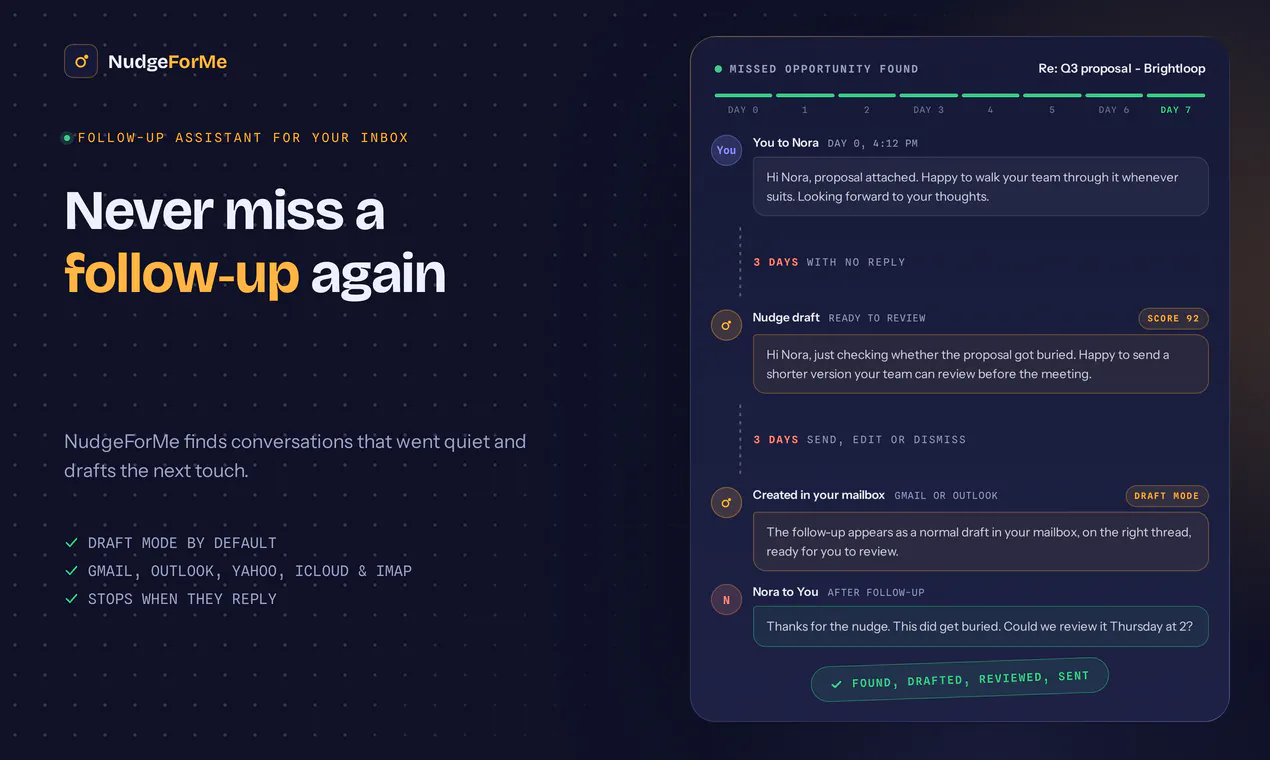
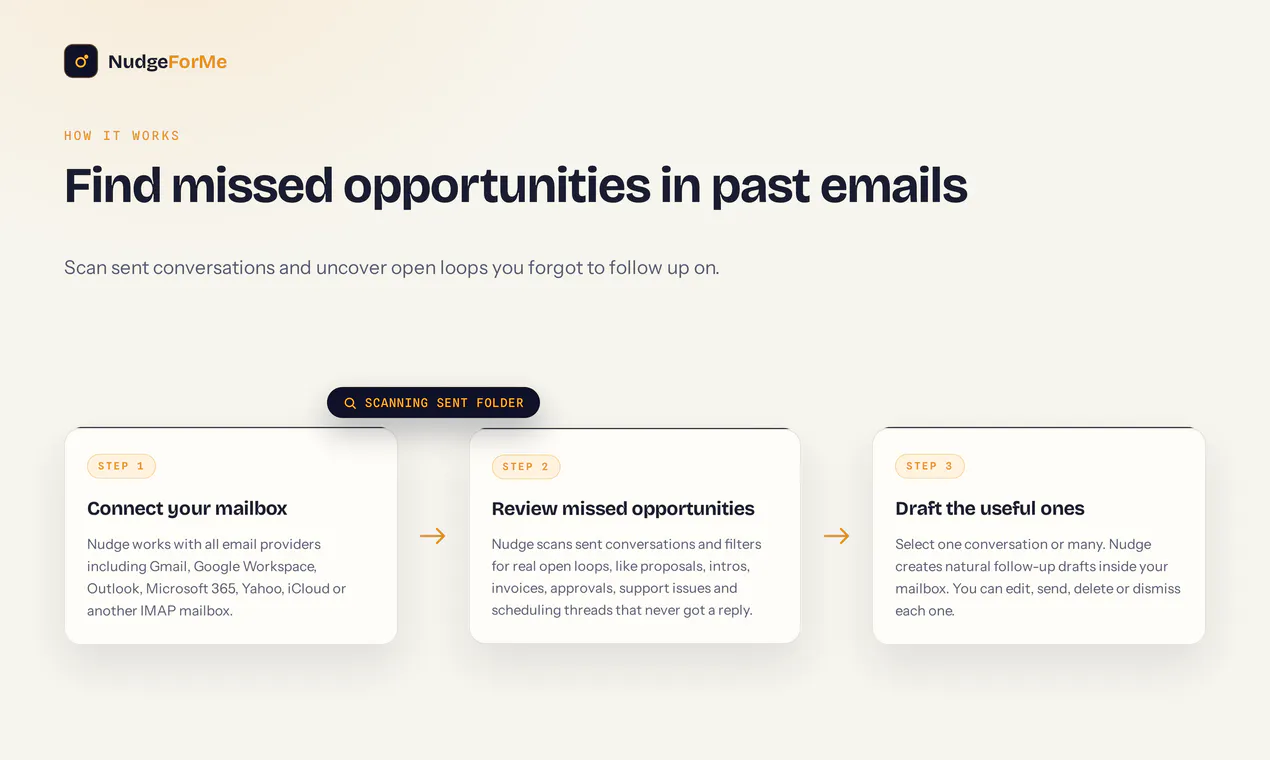
查看原始信息
The Sovereign Creator Calculator Suite
Stop guessing your creator economics and start modeling for scale. This Sovereign Creator calculator suite eliminates financial guesswork, giving you 50 interactive decision engines to optimize pricing, churn, ad spend, and MRR in real time.
Hey Product Hunt! 👋 I’m team Thrive, and I’m thrilled to share the **Sovereign Creator Calculator Suite** with you today! Over the past year of working closely with creators, solopreneurs, and digital product builders, we kept seeing the exact same pattern: **Creators know how to produce content, but most are flying completely blind when it comes to their business economics.** They underprice their communities, waste 15 hours a week on content that a $50 ad boost could out-perform, or get caught off guard by silent subscriber churn. **We listened to our customers and community, and we built this set of 50 extremely useful, interactive calculators and generators specifically for solo creators.** Instead of handing you messy, bloated spreadsheets, we coded 50 lightweight, web-native (HTML/JS + Tailwind UI) decision engines that run directly in your browser. You drag a few sliders, and the engine gives you an instant, data-backed strategic takeaway. ### 💡 What’s inside the deck (Across 8 Growth Pillars): * **Monetization & Pricing:** Compare Micro-SaaS recurring revenue vs. one-time course LTV, optimize high-ticket cohort pricing, and set free-to-paid community conversion targets. * **Distribution & Paid Arbitrage:** Calculate whether to spend $50 boosting top organic posts vs. burning 10+ hours creating new videos manually. * **Community & Churn Defense:** Identify the exact tipping point where group size degrades engagement and spikes monthly churn. * **Operations & Burnout:** Measure your capacity limits, task delegation ROI, and exact hours saved through AI automation. Fund your next milestone with your last win - reinvesting a small slice of your profits means your out-of-pocket risk stays minimal. We’re launching the entire 50-tool suite (complete with a commercial license to embed these tools for your own clients or Notion portals) for just **$29**. We’d love for you to check it out, run your numbers, and drop your feedback below! **I’ll be active here all day - what’s the single biggest financial question or pricing bottleneck in your creator business right now?** Let’s dive in!
1
回复

finally something that gets into the actual math behind creator income instead of just throwing around vanity metrics. the churn calculator alone made me rethink my pricing tiers

0
回复

This type of complex calculation is what we need calculator for now days.

The UI needs a bit optimization though. Best of luck!

0
回复