Product Hunt 每日热榜 2026-08-05

PH热榜 | 2026-08-05

#1
Wispr Flow Notetaker
Meeting notes that get the details right.
499
一句话介绍:Wispr Flow Notetaker 是一款面向 Mac 用户的 AI 会议记录工具,通过会前校准发言人姓名与术语、双音轨分离采集,解决会议纪要中“张冠李戴”和细节错漏的痛点,确保转写结果可直接用于后续跟进与 AI 工作流。
Notes Meetings Artificial Intelligence
AI会议记录 说话人分离 转写纠错 会议摘要 Mac应用 语音笔记 MCP集成 术语学习 会议准备 生产力工具
用户评论摘要:用户普遍认可其“说话人分离”(diarization)准确性,认为这是区别于其他产品的核心优势。多数正面反馈聚焦于会前Brief(预读)和MCP集成带来的效率提升。有用户质疑其在多人面对面、声音重叠场景下的表现,以及询问如何保证每日使用的信任度。
AI 锐评

在AI会议纪要赛道已红海化的今天,Wispr Flow Notetaker的切入角度足够刁钻。它没有再讲“自动总结”的老故事,而是精准打击了行业里最丑陋的伤疤:转写内容的“不可信”。当 Granola 和 Fireflies 还在比拼摘要格式的华丽程度时,Wispr 选择回到底层,用“会前校准”(拉取日历、注入术语)和“双音轨分离”(自己的麦和系统声音分开录)来换取数据的“确权”。这本质上不是在卖笔记工具,而是在卖“数据可信度”——它赌的是用户对下游工作流(如通过MCP投喂给Claude/ChatGPT)的依赖会倒逼上游数据的纯净。

评论区的舆论导向也印证了这一点,多为内部团队及种子用户的“一致性叫好”,重点强调“Trust”(信任)和“Diariazation”(说话人分离)的准确度。这种叫好声中有产品方向的自信,但也要警惕“幸存者偏差”——评论区缺少了深度质疑“总结质量平庸”或“收费模式”的刺耳声。虽然目前免费试用,且Mac/英文仅限,但真正的考验在于:当新鲜感褪去,用户是否愿意为一个“修正过的逐字稿”放弃免费的腾讯会议转写或便宜的Otter?如果不能将“准确的转写”转化为“独家的决策建议”,那么它依然只是一个优秀的“录音笔”,而非不可或缺的“会议副驾”。不过,利用MCP打通Claude/ChatGPT生态,确实切中了重度AI用户的工作流刚需,这是比堆砌功能更高级的产品策略。

查看原始信息
Wispr Flow Notetaker
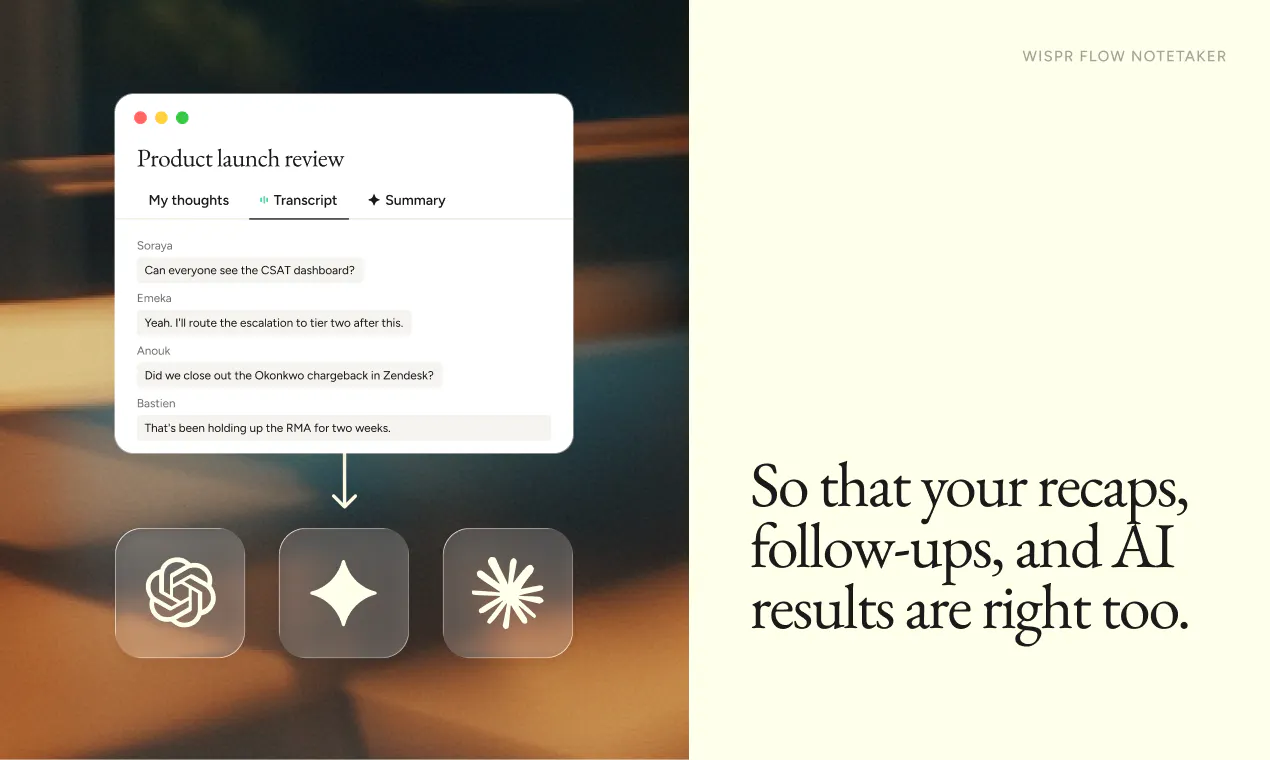
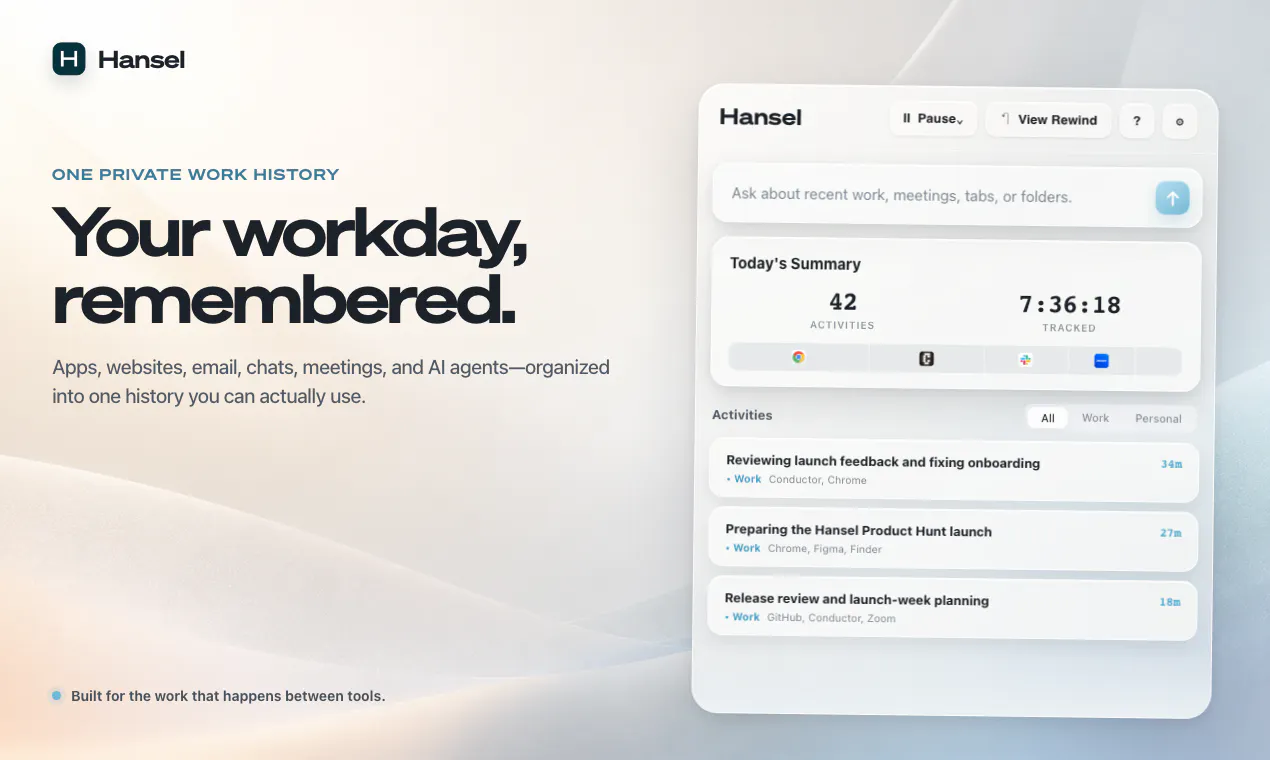
Your follow-ups are only as good as your meeting notes. Wispr Notetaker gets your words and your speakers right, so your recaps, follow-ups, and answers are too. Before the meeting starts, it checks the invite so names are spelled correctly, and it brings the terminology you've already taught Wispr Flow into every conversation. Your transcripts use real names instead of "Speaker 1" and "Speaker 2," and every meeting is ready to pull into Claude or ChatGPT via MCP. Available on Mac. Free to try.

Hey everyone, Tanay here!

Before anything else: thank you ❤️

Every launch we've done, the OG Flow, our iOS and Android apps - all of it - y’all showed up and gave us a lot of the early feedback that made the products what they are today.

Today we're launching Wispr Notetaker, and we want to do it the same way.

So far, Flow handles what you say to your computer. Notetaker is for what you say to everyone else.

The bet we made was: almost nobody reads a raw transcript, but everything gets built on top of it. Even if a single name or acronym is wrong, it travels everywhere. If a speaker is mislabeled, everything downstream is untrustable. So we started with improving capture.

What that looks like:

  • Notetaker pulls in context before the meeting, so names land spelled right

  • The terms you've taught Flow carry into your meetings, so your jargon is already in there

  • Your mic and everything you hear are captured as two separate streams, so your words never get mixed up with someone else's

  • Real names on the final transcript, not Speaker 1 and Speaker 2. If it misses, you can easily fix it and it applies across the whole transcript

There's more in there: 

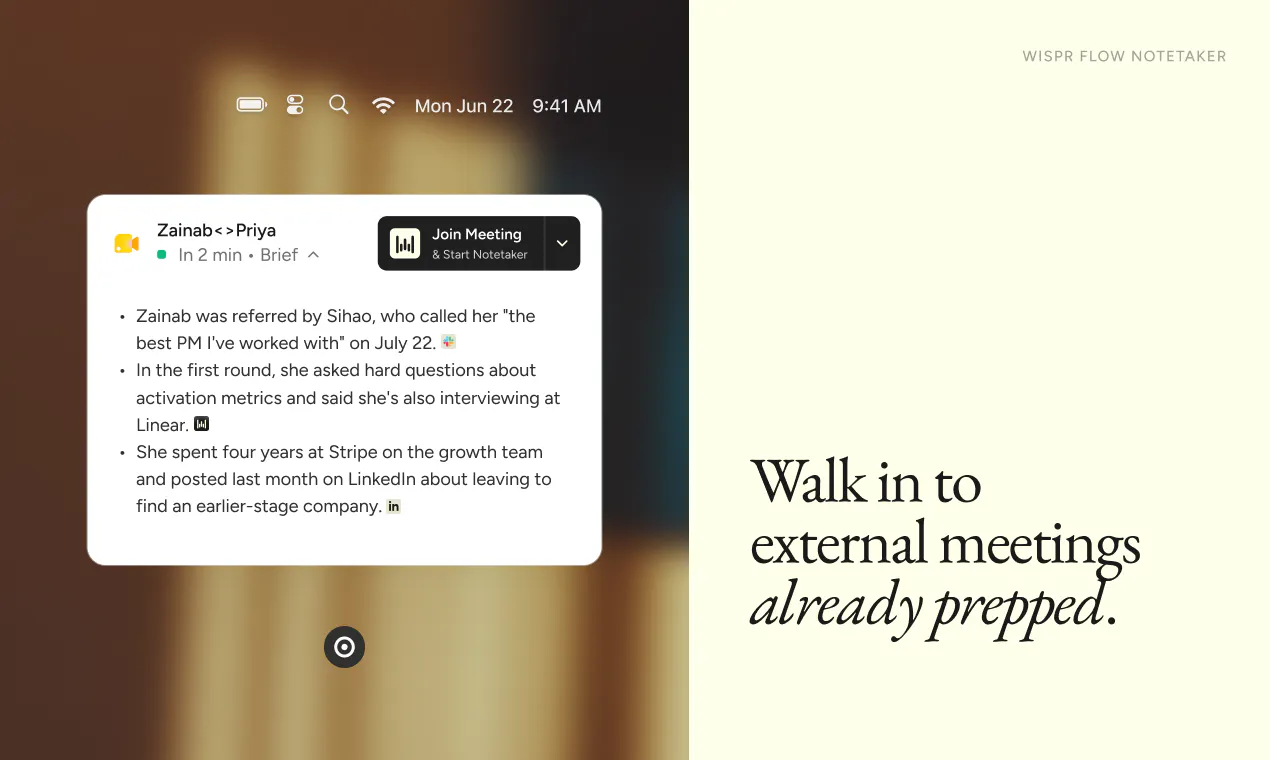
  • a Brief before every meeting so you walk in prepped

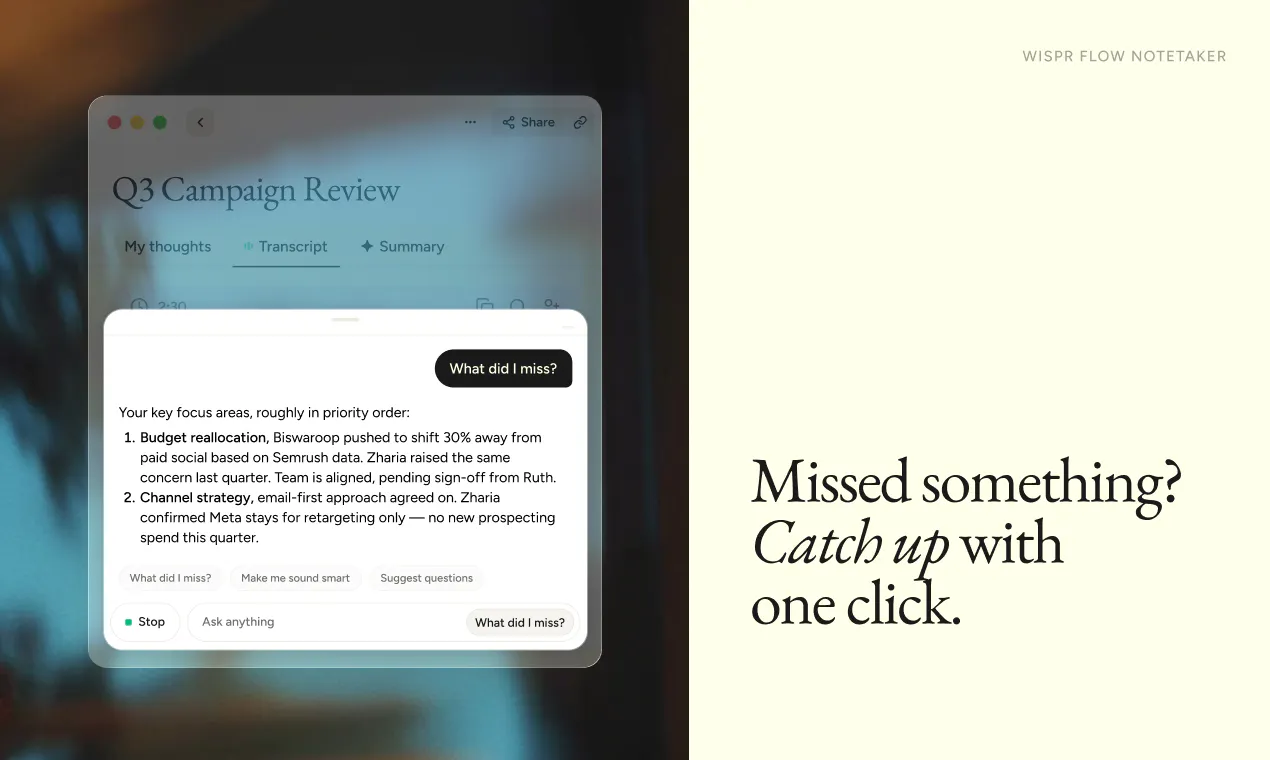
  • one-click catch-up if you miss something mid-meeting

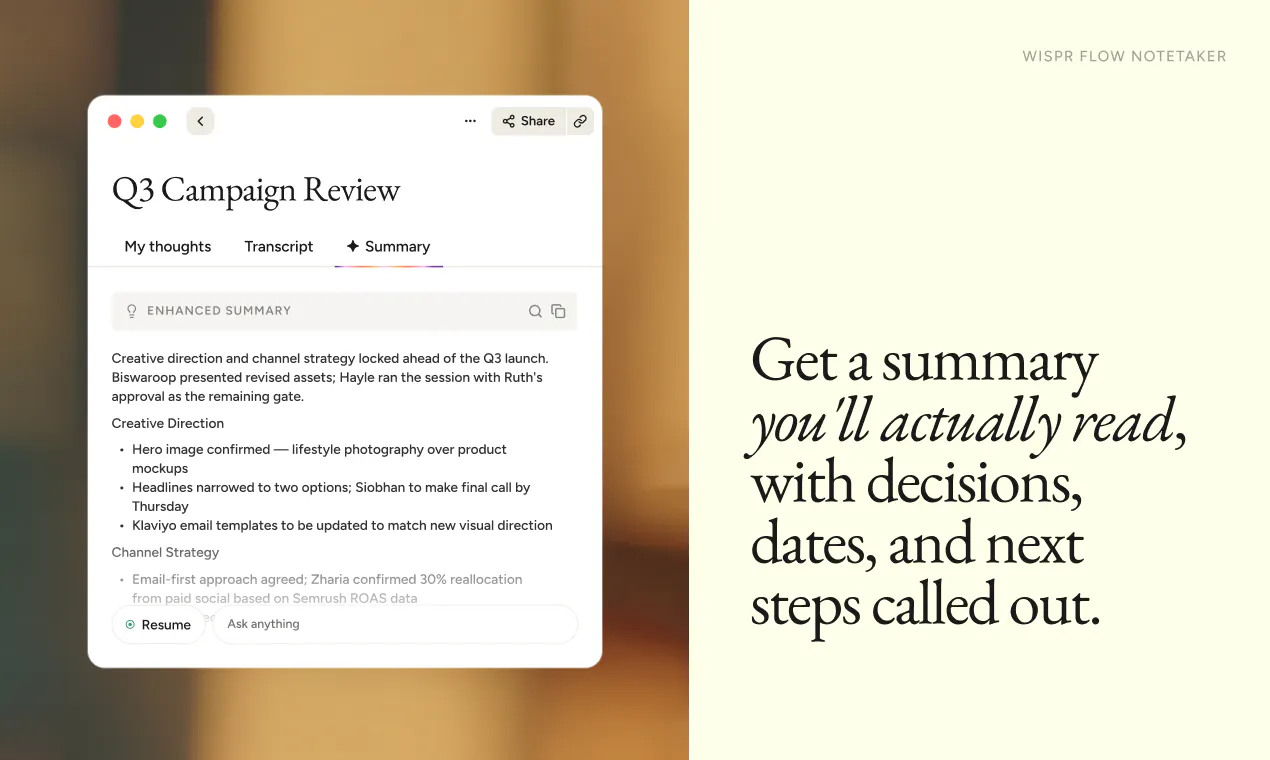
  • summaries with the decisions and next steps actually called out

  • one-tap capture for calls that were never on your calendar

  • MCP support so you can pull any meeting into Claude or ChatGPT without copy-pasting.

What I’d love from you: We're launching on Mac, English only. We want to get the core right with you before we roll it out to every other language and platform. Try it for a day for all your meetings and voice memos and tell us: what do you like and what would you like? That's the feedback that helps us the most.

Free to try. Can't wait to hear what you think.

Let's build magic 🔥

34
回复

@tanaykothari really have nothing to say other than kudos to you for building such an amazing track record of creating delightful, genuinely useful experiences for people!

6
回复

@tanaykothari What’s the one thing that would make a notetaker truly trustworthy for you in real meetings; and what would make you use it every day?

0
回复

@tanaykothari So proud of what the Wispr team has built! What excites me most is that this isn’t just another AI note-taking app—it starts by solving the hardest problem: getting the capture right. The attention to detail, from context-aware names to speaker separation, shows how much thought has gone into creating something people will actually trust and use every day.

Congratulations, Tanay and the entire Wispr team. Wishing you a fantastic launch—can’t wait to see Wispr Notetaker in the hands of users around the world! 🚀👏

0
回复

I love how I can use the Wispr Notetaker while sitting around a table with people My computer can transcribe and summarize the meeting we have, so I can have a natural human conversation and later get the transcription and the summary to process what was being talked about.
I also love how I can be on WhatsApp calls and get a summary when the call is done. Of course, it also works in Zoom, Microsoft Teams, and all the other meeting software. The great thing is it's not linked to a specific software, but just to the audio that is sent and received on the computer.

14
回复

@fabian_dittrich In person is the case that actually tests it. Remote calls hand you clean speaker separation for free because everyone has their own stream. Round a table it is one microphone and overlapping voices, which is the genuinely hard version, and it is also the meeting where nobody is taking notes because everyone is present. Has it held up for you when two people talk over each other, or does the summary quietly merge them into one person?

3
回复

Pretty surreal to see this finally out in the world after months of building it. My favorite part is being able to go back and ask questions about a meeting if I missed something or didn’t quite catch what was said. It’s saved me more times than I can count. Hope you all enjoy using it as much as we’ve enjoyed building it.

13
回复

Head of Growth here, which is mostly a fancy way of saying I talk for a living. 🗣️

Slack messages: talking. Emails: talking. My calendar: several hours a day of talking...

Wispr Flow already covered about half of that. I have not typed a full sentence into Slack in months and my keyboard has quietly become a wrist rest. Meetings were the holdout. I would talk for an hour and then go repair the transcript before I could use any of it.

Wispr Flow Notetaker is the part I have wanted for a long time, and the thing that actually got me is not the summary. Since I rely heavily on meeting notes to derive action items and keep everything I'm talking about outside of messages in sync, when there was drift on who said what and what tasks were assigned, my to-do list was no longer up to date. Other people were getting my things to do, and I was getting theirs.

Now, with Notetaker, I can be confident that the transcript and assigned names are accurate. That means thanks to the MCP everything syncs with all my other systems with accurate transcripts.

We can't wait for you to try it in your meetings. Let us know what you think!

12
回复

Ever since I joined Wispr, people asked why we didn't do meetings as well. Having used every notetaker under the sun, I have always (1) loved the freedom of being more present, and (2) increasingly obsessed over the opportunity to take the experience from good to great... kudos to the team for embracing a pedantic quest to make meetings better, and what comes after!

10
回复

It's been a joy watching this product come to life behind the scenes. What's surprised me most is the improvements made along the way in the context Notetaker gives you when walking into a new meeting. It's something I didn't think I would rely on so heavily, but I found that it alone makes for a super pleasant companion to the many meetings I have in my role as a marketer on the team. This is coming from a former Granola and Fireflies.ai power user, too.

10
回复

Very excited for this launch. There are so many interactions, tiny details, easter eggs that we have here which I hope users love :)

10
回复

I am so excited by this launch. It makes so much sense for Wispr to be expanding into this space, and it means I don't need a separate subscription, which is always a bonus. Connecting meeting notes with my overall voice history with Wispr is awesome. I love the integrations with all the third parties and the ease of bringing it into my AI tools. Kudos to you. What an exciting day!

9
回复

I work on the GTM team at Wispr, which basically means I live in back-to-back meetings.

I've been using AI note-takers for the last couple of years, so I'm a pretty picky customer. Watching Wispr Notetaker come together has been especially fun because I kept thinking, "Okay... but does it actually know who said what?"

Turns out, yes. It's the first note-taker I've used that consistently nails diarization. Action items end up with the right people instead of becoming my problem by default. For the first time, I actually trust the meeting summary enough to stop taking my own backup notes.

The cherry on top is MCP. I can feed everything I learn throughout the day into Claude, and it completely changes how I work. My action items stay organized, my priorities stay sharp, and I walk into every meeting already up to speed instead of scrambling to remember what happened last time.

8
回复

So glad to see this come to life. It has been such a pleasure watching it take the shape it has today.


I lead India at Wispr, but I also take a lot of pride in being a pro user of Flow. I am just so excited to see the accuracy I have come to rely on in Flow translate into my meeting notes. Almost everything we do after a meeting builds on the transcript underneath it, so starting by getting that layer right feels like exactly the right bet.

This is amazing. So proud of the team.

8
回复

Genius move

7
回复

Thanks! Time to save some money and cancel our Granola subscription 😄

7
回复
Big fan of how this has worked out. I think while a lot of tools promise to make life easier, they tend to add more steps and structure but note taker doesn't seem like that. It's not because it's a product that we have built but it just tries to flow into our existing ways of doing things. The fact that a lot of people in startup land are always swamped with calls, no matter how much we talk about doing focused productive work, the core feature: giving the best pre-read and not messing up names just makes life a lot easier. Also the fact that one can switch to their own language whenever needed is just it. It takes off the burden of my mind that I have to do this in a certain way for the call to have a certain output or for the tool to get a certain output, which then eventually has to flow into my structure. I think when honest and good work is done, taking into consideration people's problems, things works out well.
7
回复

Big fan of what you've built so far @ericzawo and team! Congrats on the launch - already been using it past couple of weeks :)

7
回复

@amdfad We have some legends on this team!

1
回复

I didn’t expect pre-reads to become my favorite feature, but they’ve quietly become part of my routine. Walking into a meeting with the context already in my head makes a bigger difference than I would’ve guessed. Really proud to be part of the team that built Notetaker.

7
回复

I work in wispr flow's machine learning team. I have been doing speech recognition research and engineering since 2018. I don't use many of this kind of note taking products until I started to use wiper flow's notetaker. Now I'm addicted to it. Here is why.

After a few meetings, I have developed trust in this product. I feel that someone is backing up me in a meeting, like taking the meeting notes seamlessly without me needing to do it by myself. More importantly it gets the things and details that I care about correct. That is really nice.

What are these notes for? They're not just for me to read. The biggest potential happens after the meeting, when I connect Wispr with other AI agents, such as Claude and ChatGPT, to let them analyze the transcript and turn the discussion bullet points into some results and to help me keep on track for my work. By the way if you are able to analyze those meetings on the same topic (for example, your daily or weekly meetings), that result is really surprising -- you not only know a better big picture, but with AI it is able to figure out those hidden structures in a meeting, like the org chart, which people are more senior, and how the topic evolves over time. These are just like magic.

I don't have a memory that can recall 100% of everything. More importantly I'm not a native speaker of English, so I may actually miss some points during the meeting. So notetaker helps me a lot. I always tell others during the meeting, saying, "Hey I have turned on the note taker and I've noted this down. I'll follow up on this after the meeting." without needing to stop and type something myself. This feeling is really good.

I highly recommend this notetaker to you, whether you're a native speaker or not, you speak good English or not, you're new to the country or job or not. It is not only helpful but you will also like it, just like I do.

6
回复

This is incredible! Congratulations on the launch.

6
回复

@zeng Thank you, Zeng! We appreciate the support.

1
回复

What I find particularly remarkable is that you didn’t just create another AI note-taking tool—you reimagined the entire process, from jotting down an idea to creating something truly useful. This is much harder than adding AI to an existing workflow. People keep coming back to products that remove obstacles rather than add new features. I have immense respect for everyone on the team for focusing on the actual user experience rather than just the technology. Best wishes to all the creators for a successful launch and I look forward to seeing how Wispr Flow evolves from here! 🚀

6
回复

@1mirul What's your favorite or most delightful part of our Notetaker experience compared to anything else that you've tried?

2
回复

I'm so excited for this to finally be out in the wild.

As part of our GTM team, I sit in meetings all day, which means it's not only important for me to capture what was said, but also to show up with the right context going in and the right action items coming out.

I've used a lot of call recorders, notetakers, and other tools to stay on top of my conversations with customers, partners, and internal stakeholders. So when I heard we were building Notetaker, I had a really high bar for what I personally wanted in the product.

Beyond the accuracy that's often missing from other tools, the thing that's impressed me most is the ability to tell speakers apart in an in-person meeting. That's been incredibly useful for customer onsites, internal team meetings, and any situation where capturing who said what is not just a nice-to-have, it's crucial.

Very proud of the team, and keep an eye out for more Notetaker updates coming soon.

5
回复


Malhar here from the product team at Wispr Flow.

While developing Notetaker, one of the most important things for me was seeing if I stopped taking my own notes during a meeting. I’ve tried a lot of note takers and I could never be sure if the transcript would hold up, so I’d spend my meetings half listening and half typing, hoping I didn’t miss anything important.

Wispr’s Notetaker is the first meeting note taker that was so accurate I didn’t need my own notes.

It identifies speakers correctly, the transcript is super accurate, and the summary is actually useful.

We're on Mac and English only to start. We'd rather get the core right with you first.

So tell us where it breaks: Big meetings, people talking over each other, accents, whatever your worst call of the week looks like. That's the stuff we want to hear!

5
回复

Wispr Notetaker is the only meeting recorded to have won my trust. I had never used one before, but this one just folded into my existing workflows so easily. I love that it’s non-intrusive, catches everything accurately, and seamlessly passes context to my agents through MCP. I also like using it to dump my own long thoughts into a dedicated spot, all while I surf around my laptop.

5
回复

One of the most delightful experiences day in day out. The big unlock I had with Flow was that I could dictate even at a loud coffee shop. The auto-summary and cleanup was a godsend. Watching the team come together and say “hey, you already use your voice, why don’t we make your voice work for you” has been nothing short of amazing. Notetaker really does build on the strong foundation of Flow.

5
回复

Congrats on the launch. The MCP support is a nice addition since many people already use Claude and ChatGPT in their workflow. I would love to see Windows support added in the future

4
回复

@alex_j_jemmy One of my favourite elements is the MCP as well. And Windows is coming!

0
回复

I fell in love with Flow way before I joined the team. So watching it quietly nail notetaking every single day this past month feels extra special. I've stopped taking notes. I walk out of a meeting, say to Uncle Claude "I just had a call, what's next" and Notetaker grabs the whole thing and wires it into the work I already have open. It's incredibly simple. Hope you all enjoy it just as much

4
回复

Notetaker is already a core part of my workflow. Not just a DAU, closer to an HAU. This team ships!

3
回复

@gaurav_vohra Thanks for the kind words, Gaurav!

1
回复

Granola is cooked!

3
回复

We've been using this internally for months, can't wait for it to be out in the wild. Tell us what you love, tell us what you hate. Appreciate everyone for giving us a look!

3
回复

"Gets the details right" is the whole game with meeting notes. What does it do when two people talk over each other, which is when every tool I've tried falls apart?

3
回复

I can't live without meeting transcripts. If I forget, I'll seriously freak out. (That's hours of catch-up work later to recall and give Claude the context myself.)

I was skeptical about Flow entering this space - honestly, other tools do a solid job.

But then I tried it. Pre-reads help me sail through customer calls. "What did I miss" saves me when I zone out. As part of the Flow team, maybe I'm biased... but now I can't live without Notetaker.

So proud of the team that made this happen - and changed a Taurus' mind along the way.

2
回复

I lead our creator program at Wispr, so my week is basically nonstop calls with YouTubers, agencies, and partners. One thing I love about Notetaker: it gets names right. When you're juggling dozens of creator conversations, a transcript that says "Speaker 1" or misspells a channel name is useless for follow-ups.

Now every call gets transcribed with real names and the right terminology, and through MCP I pull it all into Claude to draft recaps, track deliverables, and prep for the next conversation. My follow-ups go out faster and nothing slips. Excited for you all to try it!

2
回复
#2
AdAnt AI
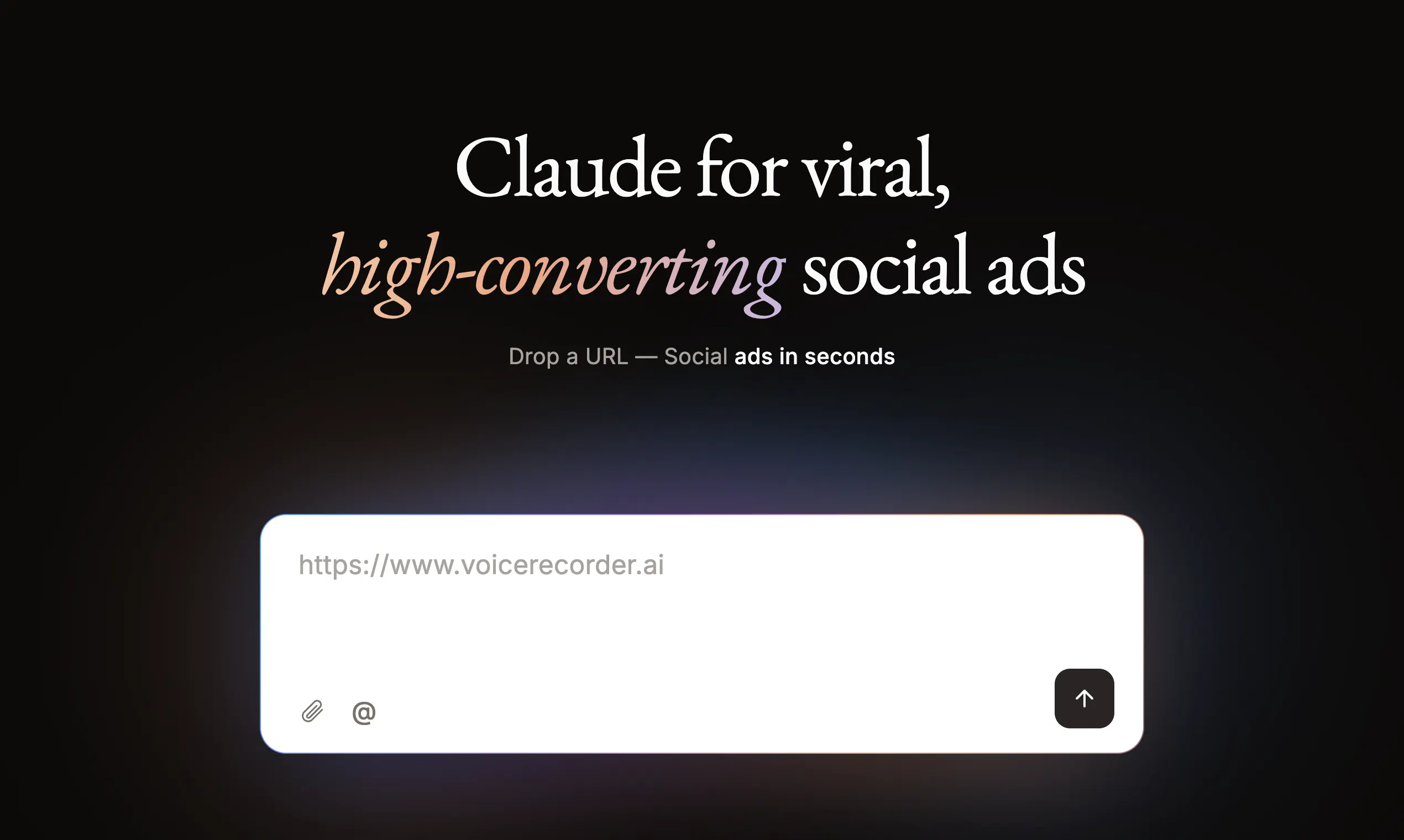
Claude for viral, high-converting social ads
484
一句话介绍:AdAnt AI 是一支由AI创意代理组成的“社交广告团队”,基于创始团队创造5000万+自然观看、平均降低60%获客成本的实战方法论,帮助品牌在TikTok、Instagram、YouTube上完成从趋势研究、内容策略到广告创意生成与迭代的全流程,解决“如何持续产出让人停下滑动且能转化”的核心痛点。
Advertising Artificial Intelligence Social media marketing
AI广告创意 社交广告自动化 病毒式内容生成 社媒增长策略 创意代理 获客成本优化 TikTok营销 内容策略工具 AI插件 品牌记忆
用户评论摘要:用户普遍认可“研究先行”的思路,但集中追问三点:1)趋势数据时效性与饱和度判断(用户关注第二导数而非单纯新鲜度);2)是否优化下载转化而非仅停留于互动信号(有用户20k曝光零转化教训);3)品牌记忆与多目标策略(获客、教育、留存)的适配性。另有试听bug反馈及对订阅制的异议,官方承诺免费试做一个视频且推出按需付费。
AI 锐评

AdAnt AI 的聪明之处,在于它没有重蹈“AI批量生成廉价视频”的覆辙,而是把筹码押在了“策略研究”这一更稀缺、更难被复制的环节上——这正好击中了当下团队最深的疲劳:不是做不出一条视频,而是每周都要拿出新概念。创始团队用真实战绩(5000万观看、CAC降60%)背书,配合“Claude/Codex插件”的生态卡位,试图从“又一个生成工具”跃迁为“创意操作系统”,方向是对的。

但锐评必须泼冷水。第一,评论中“如何区分新兴趋势与饱和趋势”的追问,官方回答虽然提到了“第二导数”(单位使用回报是否递增),但这本质是事后统计,而非实时预测。在实际操作中,信号延迟和平台算法黑箱会让这个“可测量的饱和度”大打折扣。第二,也是最关键的矛盾:“scroll-stopping”和“high-converting”确实是两套逻辑,官方坦诚“先验证注意力,再测试转化”,但这意味着产品目前更擅长解决“前一半”问题——即帮用户找到可能爆的钩子,而转化优化仍依赖传统A/B测试,并未形成闭环的自动化。第三,订阅制(39美元/月)在AI工具泛滥的当下显得固执,即便有“按需加购”和“免费一个视频”的妥协,也难以对冲用户对“AI产出同质化”的天然疑虑。

真正的护城河不是算法,而是那套“50M+观看背后的创意反模式数据库”。如果AdAnt能持续把“哪些套路已死”和“哪些套路将兴”做成实时更新且可被插件调用的知识库,它就有机会从工具变成标准。否则,它只是把人类策略师的工作压缩成了更快的简报,而创意行业的本质——那句“让用户停下来的原因”——依然藏在数据之外。目前,给一个“谨慎乐观”的评价,值回票价,但离“革命”还有几个大版本的迭代。

查看原始信息
AdAnt AI
AdAnt AI is a team of Creative Agents that handles Social Ad Strategy, Creation, and Iteration. Built on the strategies our founding team used to generate 50M+ Organic Views and reduce Paid Acquisition Costs by 60% on average, AdAnt AI creates Scroll-Stopping, High-Converting Ads for TikTok, Instagram, and YouTube.

Hi Product Hunt! 👋

We are nerds and developers who struggled to grow our own products, so we became obsessed with one question: How do you make people stop scrolling?

That obsession led us to build a repeatable system that generated 50M+ organic views across TikTok, Instagram, and YouTube and reduced customer acquisition costs by 60% on average. We turned the research, creative playbooks, and workflows behind those results into AdAnt AI.

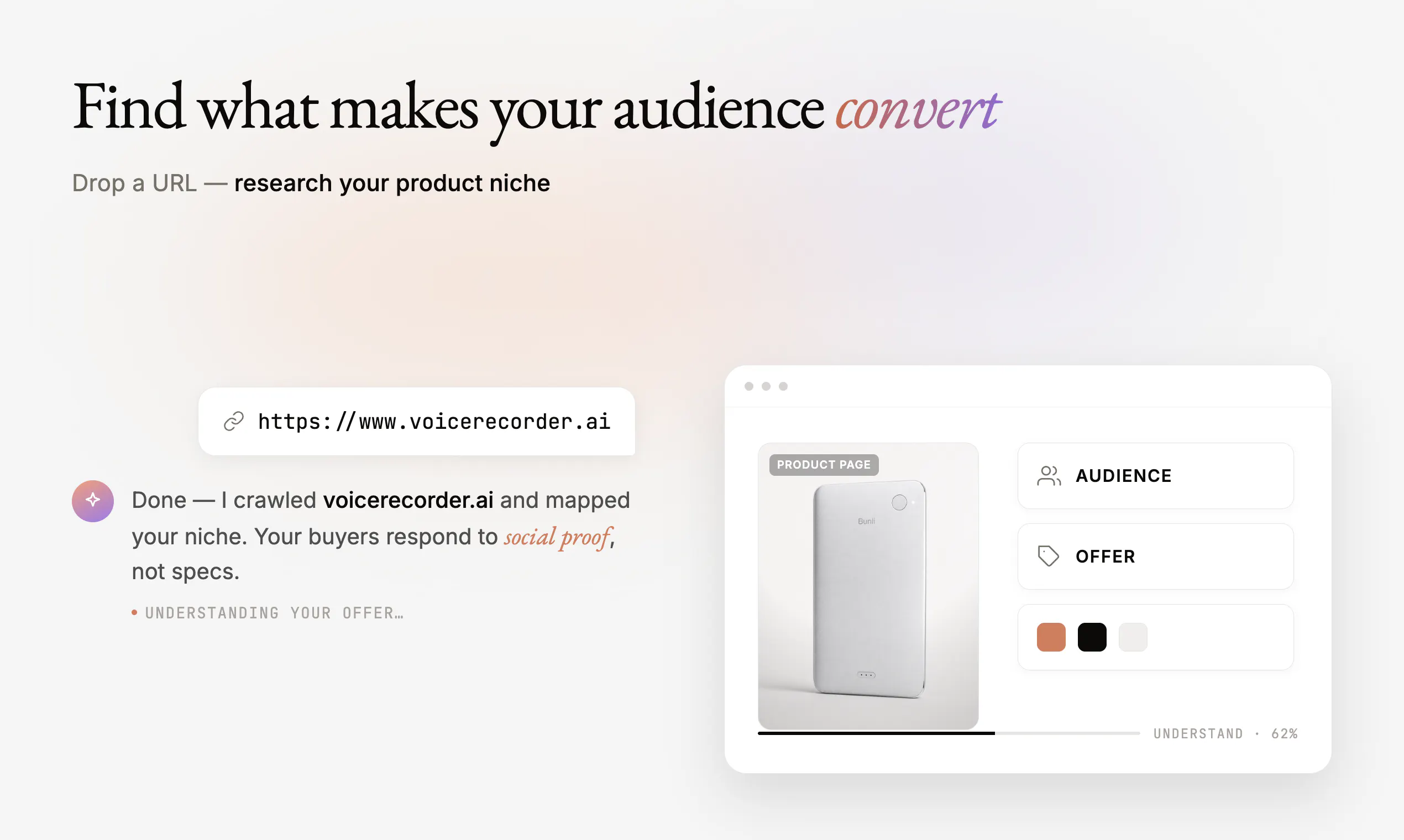
AdAnt acts as your AI social media creative team. It researches what is working across TikTok, Instagram, and YouTube, identifies repeatable patterns, and turns them into content strategies and viral, high-converting social videos.

We are also launching free AdAnt plugins for Codex and Claude soon, with deeper research and stronger content-strategy capabilities built directly into the tools you already use.

Reply “SOCIAL” for early access to the plugins. We would love your honest feedback, especially on what does not work yet.

13
回复

@iris_tu This one immediately caught my attention. 🚀

Everyone talks about creating more content, but very few talk about understanding why certain content earns attention while everything else gets scrolled past. That's the harder problem—and arguably the more valuable one.

I also like that you're focusing on research before generation. AI can produce thousands of videos, but if it doesn't understand audience behavior, it's just creating faster noise. Turning winning patterns into repeatable creative systems feels like the right direction.

The upcoming Claude and Codex plugins are an interesting move too. Meeting creators where they already work is much smarter than asking them to learn another platform.

One question I'm genuinely curious about: after analyzing 50M+ organic views, what was the biggest surprise? Was there a viral pattern that consistently outperformed conventional marketing advice? I'd love to hear one insight that completely changed how your team thinks about content. 🔥

0
回复

@iris_tu Congrats on the launch! 🚀 I really like the idea of turning research into repeatable creative workflows. Curious to see how the Codex and Claude integrations will fit into the workflow. Wishing you a great launch!

4
回复

@iris_tu Congrats on the launch team. How do you turn "stop the scroll" into repeatable processes that are aligned to an icp?

5
回复

For subscription apps, can AdAnt build different content strategies for acquisition, education, social proof, and retention?

7
回复

@justin2025 Thank you for the great question! Yes, the AdAnt Content Strategy Agent, coming soon as a plugin, will adapt to your instructions. You can ask it to build separate strategies for acquisition, education, social proof, retention, or any other goal.

It researches relevant viral content and competitor ads across TikTok, YouTube, and Instagram, and you can refine the strategy with feedback or reference videos. For now, just share your goals and any specific instructions, and we’ll send you a tailored research report.

2
回复

How current is the trend data? Social formats move quickly, so I’m curious how AdAnt distinguishes an emerging pattern from one that is already saturated.

6
回复

@cheng_ju1 Thank you for the question! For an initial strategy, AdAnt content strategy agent (available per requested on landing page and as plugin) usually analyzes the past 3–6 months to identify broader patterns and a diverse range of proven formats. For ongoing weekly strategy, it focuses more heavily on the latest 1–2 months of real-time social data to catch newer trends before they become saturated.

These time windows are flexible, and you can adjust them simply by instructing the agent.

2
回复

@cheng_ju1 Saturation is the harder half of that question and it is measurable in a way freshness is not. An emerging pattern has rising usage and flat or rising engagement. A saturated one has rising usage and falling engagement, and the crossover happens well before it feels stale to a human watching. So the useful signal is not how new a format is, it is the second derivative: is the return per use still going up. Anything that only tracks recency will keep recommending a format for roughly two weeks after it stopped working.

3
回复

Can a brand give AdAnt its positioning, audience, and visual guidelines so the generated ideas stay on-brand across multiple videos? Congrats on the launch btw!

5
回复

@bethany_gong Thank you so much for the support! Yes, you can save each brand’s positioning, audience, visual guidelines, and assets under its Product profile, then reference them with @ when working with an agent.

1
回复

Replying SOCIAL for the plugin access 🙌
Quick one though, does the trend research happen in real time or is it working off periodic data pulls?

5
回复

@abod_rehman  Thank you for the support!

We’ll share plugin access to you in DM very soon! 🙌

For now, you can request a free trend and content analysis at adant.ai. The research uses real-time social media data, but reports are currently delivered periodically. With the plugin, you’ll be able to run the research instantly on your own machine using your existing ChatGPT or Claude subscription.

2
回复

For a small brand, the hard part is not making one video. It is consistently finding new concepts every week. This seems built for that problem!

3
回复

@zfy0701 Absolutely. Creative fatigue is real, especially on TikTok and Meta, where brands need to refresh batches of creatives weekly or monthly. AdAnt is built to continuously find new concepts, hooks, and formats, using viral new concepts that have helped reduce CAC and keep performance from declining.

1
回复

I think this is an interesting product and I look forward to trying it. I would have loved some sort of free trial or at least one free video creation to test how it works before having to purchase. Most tools allow that so they know what they are getting. Trusting you on your word without proof is risky. Nonetheless it I shall see.

3
回复

@johnny_bell Absolutely, and thanks for pointing this out! Every user can create at least one video for free before purchasing. For our Product Hunt launch, we are also offering one month of the Pro plan free with code PH2608.

Now, you can also request free social content strategy reports directly from our landing page. Our upcoming ChatGPT and Claude plugins will let you run the strategy and research workflow using your existing subscription at no extra cost.

1
回复

@iris_tu Hey I love the idea, however I'm totally against subscription models, are you considering a pay-as-you-go model in the future where users can purchases blocks of non-expiring credits. Use them as they need them and then top up when necessary?

3
回复

@codeandsea Hi Brent, thank you for the thoughtful suggestion! We currently offer one simple $39 monthly plan with no tiers, mainly to attract users who are serious about using the product, with additional credits available on a pay-as-you-go basis. We never want users to waste unused subscription credits, so we’ll definitely consider the pricing model you suggested. Our goal is for users to pay only for what they actually need.

2
回复

I’d love a brand memory feature that keeps our tone, claims, visual rules, and rejected directions consistent across future campaigns.

3
回复

@jocky That’s such a great suggestion! We currently have an Asset Library and Product feature where you can save branded content for each Product and reference it with @Product whenever working with an agent in chat. We’ll keep expanding this into long-term brand memory so AdAnt can consistently remember your tone, approved claims, visual rules, and rejected directions across future campaigns.

2
回复

Congrats on the launch! Hard-earned lesson from my own indie journey: ~20k organic TikTok views converted into almost zero signups — reach without intent turned out to be just noise. So I'm curious: when AdAnt generates and scores ad variants, does it optimize toward engagement signals or actual down-funnel conversion? That distinction ended up deciding my whole marketing strategy. Cheers, Gero

2
回复

@nevertoolateoriginal Thank you for sharing it! We’ve been there too. Our first breakout video reached 8M+ views but converted poorly.

After revising the playbook several times, we found two things matter:

  1. The video needs to go viral within the right niche, not just reach a broad audience.

  2. It often performs best when turned into a paid ad, such as a TikTok Spark Ad or Meta ad, where the link and conversion tracking close the loop.

So we do not optimize for engagement alone. We use niche-level attention as a strong candidate signal, then validate it against actual down-funnel performance.

1
回复

“Scroll-stopping” and “high-converting” feel like two different briefs. The hook that makes someone pause isn’t always the one that makes them click.

Do you optimize for those separately, or treat them as one system?

Congrats on the launch!

2
回复

@jared_salois Thank you! We treat them as connected, but not identical.

What we’ve learned is that organic videos that go viral within a specific niche are often the strongest candidates for low-CAC ads. Strong watch-through can also help them earn more efficient CPMs.

But scroll-stopping does not automatically mean high-converting. We still test the offer, message, and CTA to see whether that attention translates into clicks and conversions.

1
回复

Congrats on the launch! @anyt

2
回复

  @lakshya_singh Thank you so much! Really appreciate the support 🙏

0
回复

Really cool concept! Would it be expanded to more traditional ads form/platforms such as X and search ads?

2
回复

@chongzhe_li Thank you for the nice words! We’re currently focused on social ads across platforms like TikTok, Instagram, YouTube, and Meta. We may expand into formats like X and search ads in the future, but right now we want to go deep on social creative first.

1
回复

Great work on the launch! 👏 I found a small bug while testing the voice library.

Voice previews start playing on hover, which works fine at first. However, after scrolling through the list, moving the cursor across the page triggers multiple voice previews simultaneously. They all keep playing in short overlapping snippets, and the audio doesn't stop unless I leave the page completely.

Thought I'd report it in case it helps. 🙂

2
回复

@melika_kamalifard Thanks so much for catching and reporting this! We’ll investigate and get it fixed. Really appreciate the detailed steps 🙂

1
回复

Looks promising - how broad is the application ? Meaning is this for consumer products, physical / virtual ?

2
回复

@nikolaos_chr Thank you! It applies broadly to both physical and digital consumer products. We’ve already worked with many consumer apps, AI products, and hardware brands, with the strategy tailored to each product, and audience.

1
回复

@iris_tu How do ai generated ads compare to boosted ugc content/ads in terms of conversion? Are people skeptical of ai ads and just scroll them away in favor of 'real people' or do they actually engage? Do you have some data that compare this or reference to useful studies on subject?

2
回复

@alexander_stoilov Awesome question! In our experience, strategy matters more than whether the creator is AI or human.

For some clients, we used AI UGC to test hooks and formats quickly, then apply the winners to human UGC. Both can perform well, though human creators often build more trust over time. AI UGC could be great for some product category (consumer apps, fashion, jewelry), but it might not be right for every category (e.g. skincare, medical), but it is a strong testing engine. Here is one AI influencer program example (we partnered with) went viral and reduced CAC by 70%:
https://sigpulse.substack.com/p/ai-influencer-playbook

AdAnt creation agent also support animation, educational ads (we have many animation social videos went viral repeatably), and we also help clients ran human UGC program as well.

1
回复

Congrats on the launch! I took AdAnt for a spin, and the “product URL to winning ads” promise is genuinely compelling. The research → creative direction → generated ad flow

  • feels like a much stronger starting point than another blank AI editor.

  • One PLG opportunity stood out: preserve the user’s homepage prompt through signup, then welcome them with the 50 starter credits and a clear first action. That would make the

  • transition from curiosity to first value feel almost continuous. Clearer generation progress and credit-usage context would strengthen the experience further.

Curious, what moment does the team currently consider activation: the first concept, first generated video, or first export? Would love to compare notes once the launch dust settles.

Congrats again 🚀

2
回复

@riya_jawandhiya Thanks so much for the thoughtful feedback! We currently give every new user 50 free credits, even without a promo code, but clearly need to communicate that better in our pricing section.

The homepage prompt should carry users into a chat to complete their first video after signup. If you experienced something different, we’ll investigate and improve the flow.

Today, we consider the first generated video our main activation moment. Once we launch the Social Content Strategy Chatgpt/Claude plugins, though, we believe the first completed strategy may become an even stronger driver of activation.

1
回复

The part about learning from what's already working across social platforms is what I'm curious about. How do you stop the outputs from feeling too similar when everyone starts using the same patterns?

2
回复

@sagar_deore Such a thoughtful question! We focus on the most recent 1–2 months of data, since viewers often enjoy seeing fresh variations of an emerging viral trend. We identify the core pattern, then adapt the hook, story, visuals, and product angle for each brand and ICP. The goal is to keep what makes the trend familiar and engaging while making the execution feel fresh and relevant. Some level of creativity + proven pattern usually works the best!

1
回复

Love the focus on strategy before generation. Better creative decisions matter much more than simply producing more videos.

2
回复

@yuki1028 Thanks so much! Exactly, generating more videos is easy, but consistently choosing the right strategy and create social videos at scale to drive performance is hard. That’s the problem we want to help solve.

1
回复
Kinda refreshing to see something that doesn’t just throw AI-generated ads at you. Starting with pattern research across the platforms makes more sense than pure generation, at least on paper. :) Congrats on the launch!
2
回复

@etiennegarcia Thank you! That is exactly our philosophy. We do not see AI generation as the end goal, just one tool in the creative process. We also help brands run human UGC programs. The real goal is to find what resonates with the audience and create content that converts.

2
回复

Congrats on the launch, Iris!

The strongest part of the product for me is the closed-loop potential: research what is working, generate structured experiments, observe performance, and use those results to decide what to create next.

That is much more defensible than generation alone.

2
回复

@lavana_cricko Thank you a lot for the thoughtful comment! That’s exactly the direction we’re building toward. Generation alone is becoming commoditized, but the loop from research to experimentation to real performance learning is where we believe the long-term value is.

1
回复

How does AdAnt connect content strategy with actual performance? Can the system learn from which generated creatives drive lower CAC?

2
回复

@olliez1 Great question! That is the loop we plan to close. We run an ad agency alongside AdAnt and use the product internally first. Our video creatives have reduced clients’ CAC by 60% on average. Next, AdAnt will connect directly to ad performance data, learn what drives lower CAC, and use those insights to generate the next round of creatives.

2
回复

This looks genuinely useful for small brands that need a steady stream of fresh social creatives. Congrats!

1
回复

@steve_z_wang Thank you! That’s exactly who we built it for. Small teams need fresh creatives constantly, but usually don’t have the time or resources to research, strategize, and produce them at scale.

0
回复

Congrats! No prompt engineering and no prompt lottery is exactly what non-creative founders need.

1
回复

@carlyyyy Thanks so much! Exactly, founders already have enough jobs without adding “professional prompt engineer for videos” to the list 😄 We want AdAnt AI to make ad creation structured, repeatable, and driven by proven creative strategies instead of prompt lottery.

0
回复

Congrats team! Social creative is one of the hardest growth bottlenecks for consumer products, so this is exciting to see.

1
回复

@qi_chen10 Thanks so much! We completely agree. Consumer products/brands constantly need fresh creative concepts to keep growth efficient, but finding what will actually perform is incredibly hard. That’s exactly the bottleneck we want AdAnt AI to help solve.

0
回复

Hey Iris! You're doing a great job on this impressive launch. Spending in ads became crucial but founders need to make profitable this investment and it's key they can perform better than usual. Feel like you're helping a lot on this and wish you all the best!

1
回复

@german_merlo1 Thank you so much for the kind words! As founders, we constantly have to balance CAC against customer lifetime value. Running ads is an ongoing battle, and that’s exactly where we want AdAnt to help: continuously finding and creating better-performing concepts so brands can scale more profitably.

0
回复

Having an assistant that continuously researches what's working across platforms feels like a practical way to stay current. Congratulations!

1
回复

@henry_habib Thank you! Social trends move so quickly that ongoing research is essential. We want AdAnt AI to continuously find what’s working and turn those signals into actionable strategies and create high-converting social videos at scale for each product.

1
回复

Interesting

1
回复

@madalina_barbu Thanks! We’d love to hear what part feels most interesting to you.

0
回复

I’d love a brand memory feature that keeps our tone, claims, visual rules, and rejected directions consistent across future campaigns.

1
回复

@power_valsha Thank you! Great suggestion~ We have a Product feature where you can save branded content for each product and reference it with @ when working with an agent. We are building towards long-term memory on the brand/products!

1
回复

Amazing product. Congrats on this launch!

1
回复

@peng_wood Thank you so much! Really appreciate the support. We’re excited to keep improving AdAnt AI and see what people create with it.

0
回复
#3
NextDoor.Company
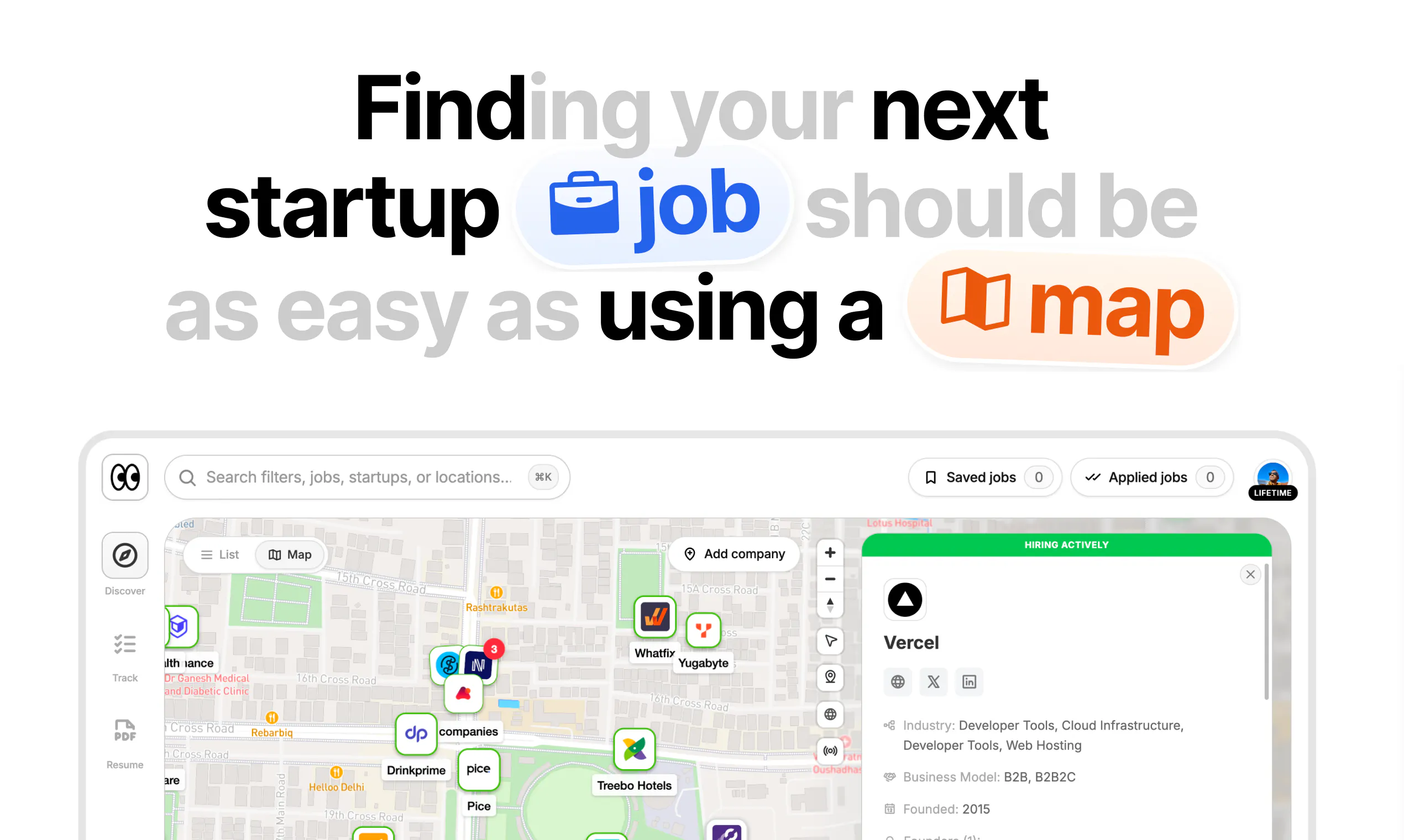
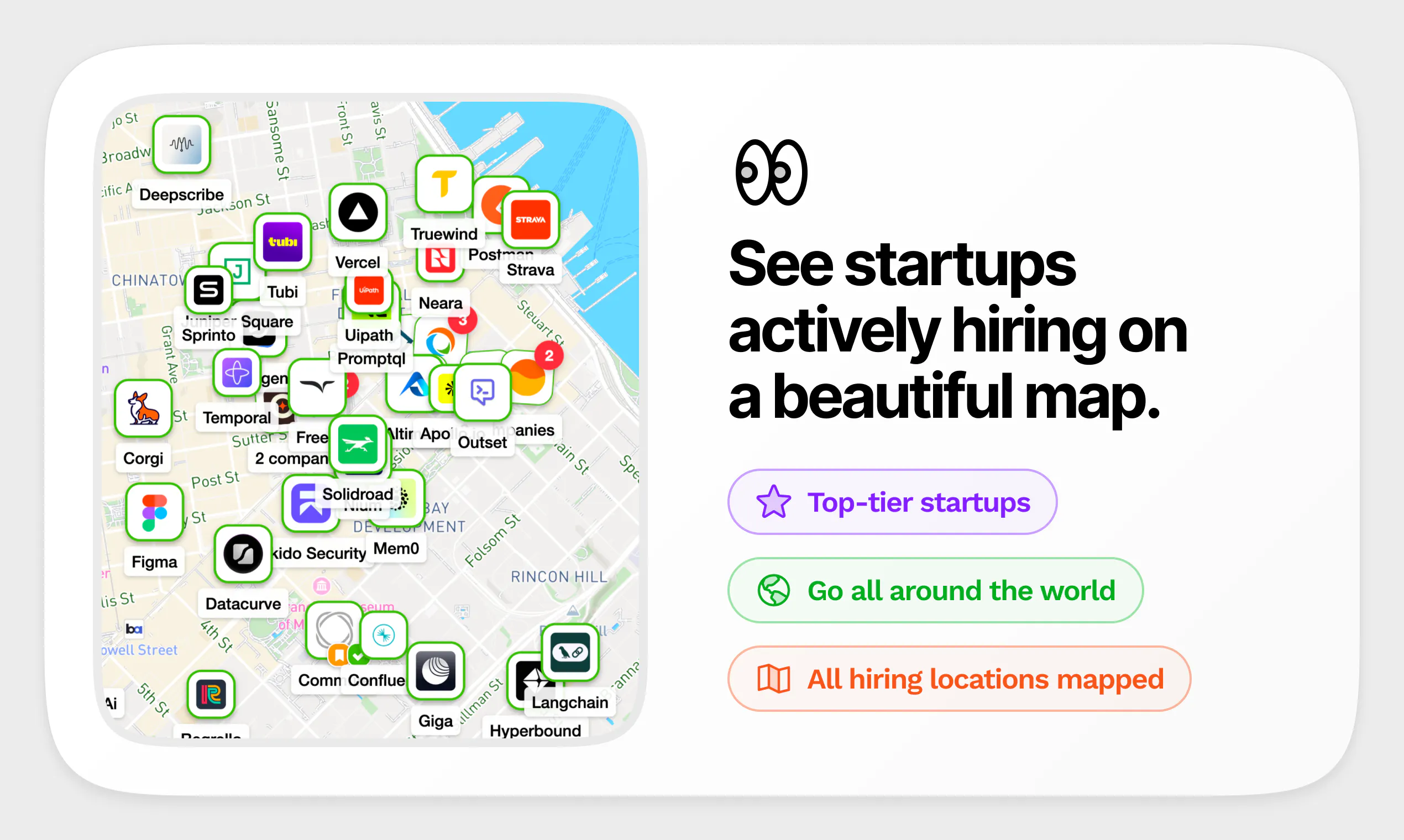
Discover startups hiring near you, on a map
379
一句话介绍:NextDoor.Company 是一款将初创公司招聘信息与地图结合的可视化职位发现工具,解决了求职者难以在传统招聘平台找到高质量初创公司及其融资、估值等关键背景信息的痛点。
Hiring Maps Career
初创公司招聘 地图找工作 职位发现 远程办公 混合办公 融资数据 创始人信息 产品猎酷 求职工具
用户评论摘要:用户普遍认可地图与公司背景信息结合的创意,认为体验干净、信息有价值。主要问题集中在免费层限制过严,无法充分体验核心价值;缺少前端自助删除账号功能;地图初始定位不准(IP识别有误);另建议按用户所在城市解锁免费公司以提升信任感。
AI 锐评

NextDoor.Company 的切入点精准刺中了“初创公司招聘信息碎片化”这一真实痛点,其差异化不在于职位数量,而在于“看职位时顺带给你融资、估值、创始人背景”这类投资级上下文信息,这确实比传统职位板更符合高风险偏好求职者的决策逻辑。但从评论反馈看,产品当前最突出的短板并非功能,而是商业策略与信任链的失衡:免费层被吐槽“几乎无法获得价值”,且无法自助删号,这两点直接打击了“地图发现”这一核心体验的传播力。团队对数据来源的回应是“全网抓取+人工+定期更新”,这本身没问题,但在“融资数据变化不快”的前提下,用户更担心的是“职位是否真实开放”这一快速衰减字段,而后者恰是产品并未给出明确信心证明的地方。另一个结构性风险是“地图”作为交互形式有新鲜感,但求职者的核心诉求是筛选效率,而非地理沉浸感——尤其对远程优先的群体而言,地图更像是营销钩子而非长期高频使用场景。总之,产品概念和方向值得肯定,但要想从“小而美”走向可持续,需要在免费权益、数据新鲜度标注及账户自助管理上补齐缺口。否则,以当前护城河深度,很容易被LinkedIn或Wellfound等平台在细分功能上快速复制并施压。

查看原始信息
NextDoor.Company
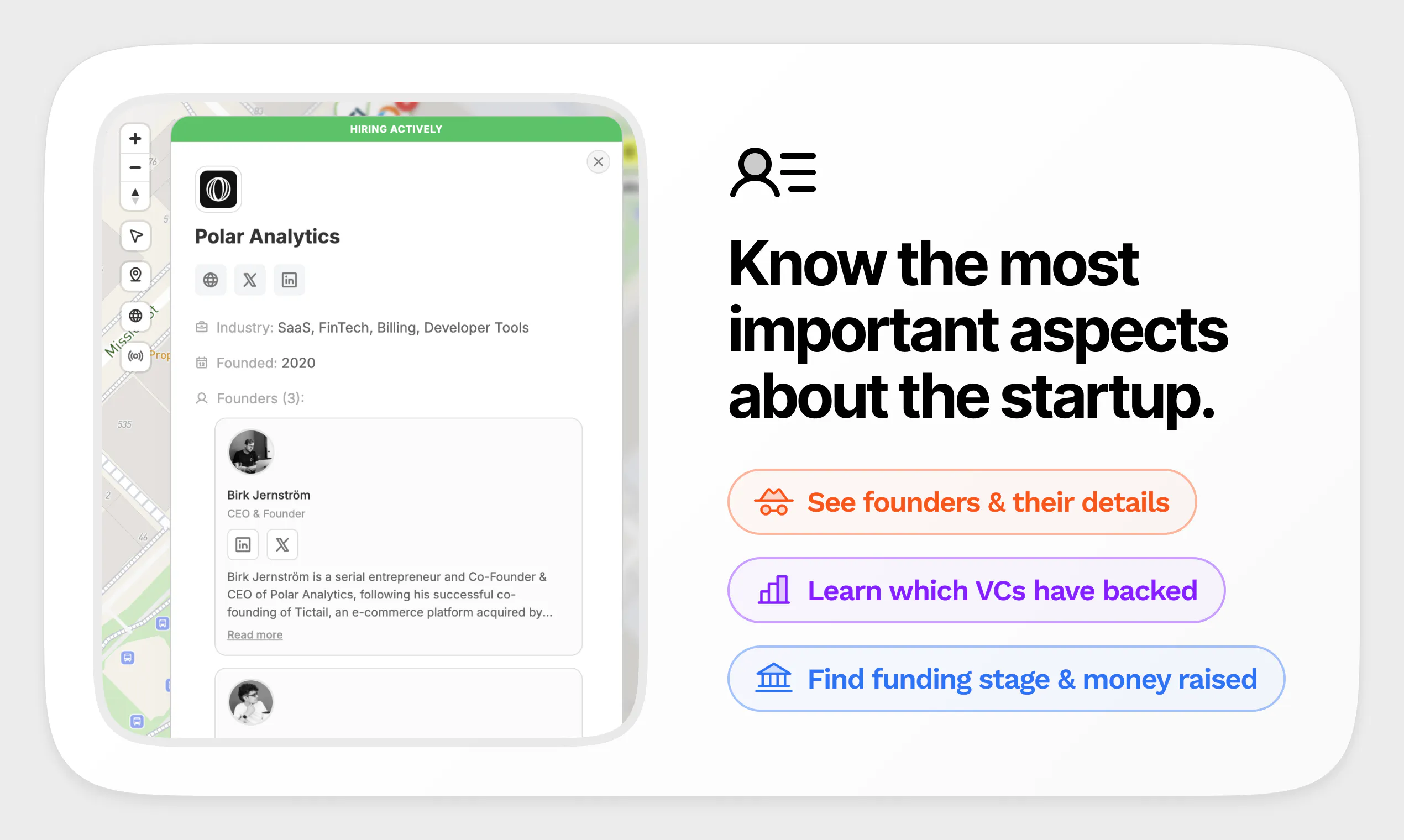
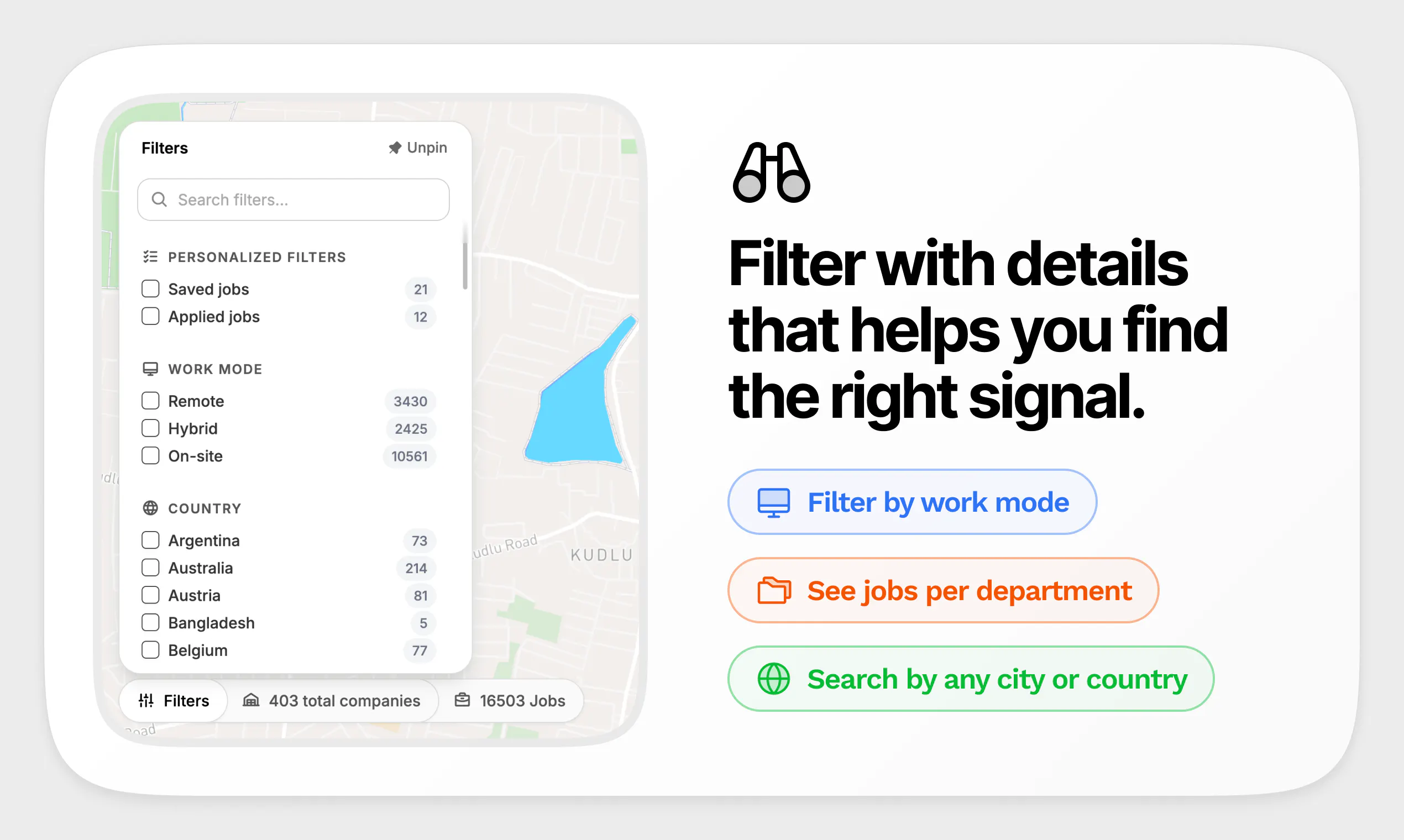
Find startups hiring near you, on a map. 400+ hand curated startups globally, 16,000+ live job openings updated weekly. Filter by work mode: remote, hybrid, or on site. See funding, valuation, and revenue details, verified founder profiles, key investors, and their investment details, all in one place.

Hello Product Hunt 👋🏼

As someone who spends a lot of time around founders, one thing I've noticed is how broken startup hiring discovery still is.

Great startups are hiring every day, yet finding them often means jumping between LinkedIn, company websites, X and funding databases.

Instead of being another job board, NextDoor.Company helps you discover high-quality startups on a map and gives you the context that actually matters.

Have seen how obsessed Sankalp is in solving for this space and I'll let him tell the story behind why he built it.

Over to you, Sankalp 👇

9
回复

@akhilbvs Hi! I'm working on an online AI training job that pays $32–$58/hour, and the company is currently hiring. If you're interested, I can refer you. If you're accepted, I earn a $20 referral bonus—I'm only referring people, not hiring. You can also earn the same $20 for each successful referral if you join. Let me know if you'd like more details!

0
回复

@akhilbvs thank you Akhil!

👋 Hey makers! My name is Sankalp. I recently turned 33 and I live in this beautiful city in India called Bangalore.

I've been a Product Designer for 14+ years and I've been designing digital products for founders and startups over the years.

It's also been a long time I showcased something to the PH community. The last time I created a product & showed here was in 2018. Ouch!!

But times have changed. AI has now given designers super powers. So last year, I quit my full-time $15,000 monthly salary to build my own ideas.

Been solopreneuring for about 12 months and today I'm launching NextDoor.Company on PH!

NextDoor.Company started as a weekend hackathon project because I kept seeing growth news about startups and their hiring spree, but at the same time my friends kept complaining: "If startups are hiring actively, where are they?" or "I can't find good startups on LinkedIn or Indeed anymore."

So I built a map-first job discovery platform that shows you top-tier startups actively hiring near you. Since August last year, I've been hand curating top-tier startups globally, and now it hosts 16,000+ live job openings, updated every week.

Unlike other job discovery platforms, I've also pulled together the most important stuff about a job and the startup behind it, the things job seekers normally have to dig through 20+ tabs to find: who the founders are, how much they've raised, whether they have enough runway left, if good VC funds are backing them, what benefits they offer as an employer, and whether they're hiring remotely, in-office, or hybrid.

So far, about 50,000+ have already signed up and a bunch of them have left raving reviews.

Since NextDoor.Company is reaching a much wider audience from this PH launch today, I'd love to understand: What other pain points in job discovery have you run into lately that I could solve here, or improve upon?

Oh, and yes, there's a lifetime plan at 42% off for the whole week for my friends from PH. Just use the code PH42 at checkout.

- Sankalp
Your friendly neighbourhood solopreneur

7
回复

The idea is amazing, but the paywall is too aggressive. I can't really see the value before paying, and there's no easy way to delete my account and personal data (or at least I couldn't find one).

5
回复

@lambertlcdb Just expanded the # of companies that get unlocked in freemium. If you want, I'll reset your data so you can see more of the companies & then decide.

(and goes without saying, if you still want to delete your account, let me know. Unfortunately, don't have the ability to delete directly on frontend but will remove data from backend if you still want it)

0
回复
@sankalpdomore imo the free companies should be maybe a radius around your location and then it's paid
0
回复
Your value prop leans heavily on “context” (funding/valuation/revenue, investor details, founder profiles). How do you source and verify those fields, and how do you communicate confidence/recency so users can trust the data when making a career decision?
2
回复

@curiouskitty The freshness question is the one that decides this category, and it splits by field. Funding and valuation age slowly and are cheap to keep right. Who is actually hiring right now decays in weeks and is the field people are here for. A single "last updated" stamp on the whole record hides that, because the funding row being three days old says nothing about whether the role is still open. Per field timestamps are ugly in a UI and they are the only honest version, and they also let you charge confidently for the parts that are genuinely current.

0
回复

@curiouskitty yes, so the prodcut gathers all the information across the web, stitches them together, and does another pass on the accuracy of the data. And then it adds the data in every company.

The app right now just checks for funding/valuation changes every few months because funding valuation data doesn't really change every week.

0
回复

Love the whole app experience. Information about companies are spot on, exactly what I'd want to see and first glance. Definitely found some companies that I've not heard of before or found their job postings on LinkedIn. The app experience feels super clean. 🤌🏻

1
回复

@prajwal_varma honey to my ears 🥹

Curious to know what would improve further. Let me know here or on DMs. No rush.

0
回复

Excellent work @sankalpdomore
I have one suggestion - it would be great to open the map with all the jobs in the area from where the request is made (ip-based). I tried it multiple times, including incognito, and it opened twice in SF and thrice in Bangalore (where I'm based out of). Otherwise, truly exceptional work!

1
回复

@seomaxtech yes, the IP thing is a bit buggy. Will fix it this week. Don't want to screw up launch day.

Thank you for checking out the product Soumya 🙏

1
回复

I really respect the work that went into this, it shows. But the free tier makes it almost impossible to get value from it, and I couldn't find a way to delete my account when I tried. Instead of hiding job proposals entirely, I'd suggest hiding metadata about them, things like Funding stage, Total funding, Valuation, and Benefits

1
回复

@riccardo6 Just expanded the # of companies that get unlocked in freemium. Problem I faced experimenting with this is that unlocking all companies and hiding some data never works out. People come see more info and move out.

The middle ground I've found working well is to tease a few startups with all data unlocked and put the rest behind the paywall.

(and goes without saying, if you still want to delete your account, let me know. Unfortunately, don't have the ability to delete directly on frontend but will remove data from backend if you still want it)

0
回复

@riccardo6 Two people in this thread hit the same wall independently, which usually means it is structural rather than taste. The thing a free tier has to buy is not value, it is belief that the data is accurate for your specific case. Partial records across many companies do the opposite, they give you a reason to doubt every row. One company fully unlocked, picked by the user, settles it in about ten seconds and costs almost nothing, because the person who checks their own city, finds it right, and then wants the other two hundred is exactly the person who pays. At the moment the free tier is proving breadth to someone whose real question is accuracy.

0
回复

Love this, How long are you planning to work on it in year wise?

1
回复

@rahul_singh_bhadoriya decades brotha

1
回复
Cool concept! Building something myself right now, so I’m not looking – but I can definitely see the value. Job discovery is still pretty broken, and this feels like a cleaner way to do it, especially with the map and the actual context in one place. Congrats on the launch!
1
回复

@etiennegarcia yes - that was the whole idea. Make job discovery effective but fun again.

Thanks for checking out the product.

1
回复

I absolutely love how context-rich job searching is on NextDoor. When looking for a job, these things come in handy and help me make an informed decision. Congrats on the launch!

1
回复

@wisenavi yes, that was the whole point of the product. In my initial user research I figured that job seekers who are serious about their job hunt, go to 20+ tabs to figure out all the relevant data about a startup. And it obvious to bet on this UX and bring every relevant info that helps job seekers in their job discovery phase.

0
回复

Met @sankalpdomore last year; been on Nextdoor since then. The tool has changed a LOT since then, like actually a lot, not the fake "we shipped an update" kind of a lot.

Congrats on the ProductHunt launch, Sankalp.

Would I recommend it to someone hunting for the right role? Hell yeah!

1
回复

@prerakmathur29 Thank you Prerak for being an early adopter. Still remember the feedback you gave on filters in those early days. ♥️

1
回复

Hey, loved the concept and whole vibe of the product. I am in search for a job so definitely going to try it out :)

1
回复

@kaivan Hi! I'm working on an online AI training job that pays $32–$58/hour, and the company is currently hiring. If you're interested, I can refer you. If you're accepted, I earn a $20 referral bonus—I'm only referring people, not hiring. You can also earn the same $20 for each successful referral if you join. Let me know if you'd like more details!

0
回复

@kaivan Thank you Kaivan. Don't forget to use the discount code.

0
回复

Fantastic setup here!

0
回复

This is insanely clever. Well done Sankalp!

0
回复

@5harath Thank you Sharath 🫡

0
回复
Looks fabulous, Lets gooo.
0
回复

@pgd thanks for being a early supporter Parikshit. 🥹

0
回复

Congrats on the launch Really like the idea at first glance Finding startups on a map feels surprisingly intuitive Curious to see how people end up discovering opportunities they would have otherwise missed Best of luck today

0
回复

@suryansh_tiwari2 thank you for checking the product Suryansh 🙌

0
回复

Your launch video caught my attention, but your product got me exploring longer than I should've. I kept discovering startups I hadn't come across before. I love the map first approach, and the extra company intelligence is a really nice touch. Good luck with the launch!

0
回复

@kaavya_prasad this is the best comment today. Love it when users tell me that they got lost in the product because of the open world discoverability on map. Reminds me all the sleepless nights I've spent perfecting the design of this.

Thank you for checkout out my product Kaavya. Means a lot!

0
回复

Been seeing the evolution of this product closely, good job Sankalp 👏

0
回复

@harshactually thank you for being an early adopter Harsh ♥️

0
回复

Such a fun product! One of my cousins is looking for a role in startups and this is such a banger fit that I can just share with him.

0
回复

@saxenasaheb oh super! Let me know if he needs any help. DMing a few leads in inbox too 🫡

0
回复

Hey People,

Downloaded it thinking, “Let’s see what my friend have cooked up this time.” Ended up genuinely impressed! The app makes discovering startup opportunities nearby ridiculously simple. It’s amazing to see @sankalpdomore whom I knew from years building something that’s actually useful instead of just surviving on instant noodles and assignment submissions 😂

Super clean, intuitive, and clearly built with a lot of thought.

0
回复

@tirupati_balajee haha! Good to see you here man. And thanks for being an early adopter and giving all the feedback on over the course of the product

0
回复

too bad i work remotely! this sounds really valuable. and agree with the feedback about the site. it looks great and a total pro! congrats on the launch.

0
回复

@heyitsirenechan the product also indexes a lot of remote jobs. Probably my miss. Should have had made it clear on the launch details.

Thank you for checking out the product.

0
回复

love the demo video, and man ur website designs is looking so great, i m going to steal some of the design ideas from it specially showing the emoji above the testimonial section (are u guys tracking those emoji clicks on testimonials as well) or is it just a frontend interaction for the user.

0
回复

@itsjieyanghere Thank you Jie. Just a frontend interaction. Tracking testimonial reactions would be vanity metrics. Would love to see what you're building, do share once it's ready <3

1
回复

Map based discovery of jobs as a paradigm is very interesting. I can see this extending to internships and blue collar jobs as well. Good luck!

0
回复

@sia_steel yes and yes. Will continue to focus on startups for now and then if the demand is there, will extend to internships & blue collar.

I go where my users takes me :D

Thank you for checking out the product!

0
回复

Have enjoyed seeing you build this in public @sankalpdomore . Congratulations 🎉

0
回复

@weirdowizard thank you Darshan 🙌

0
回复

damn cool product. hand-curated-jobs sounds like half of my job of finding a job is already done. seems like worth a try. thanks!

0
回复

@surbhi_singla2 that was the whole idea Surbhi. Post-covid, how people work has changed a lot. The product usage banks a lot on the idea of accurate info on what's happening around us that's mostly hidden in LinkedIn or X.

0
回复

This is a good idea. :) Genuinely... because the market is now... how to say... very difficult (AI is replacing workers, more workers are having a hard time finding something, and even more graduates are very sad about their "jobless future").

BTW, this could be a good addition to @fmerian discussions about job search: https://www.producthunt.com/p/producthunt/hiring-looking-for-work-startup-roles-august-2026 :)

0
回复

@fmerian  @busmark_w_nika Hi! I'm working on an online AI training job that pays $32–$58/hour, and the company is currently hiring. If you're interested, I can refer you. If you're accepted, I earn a $20 referral bonus—I'm only referring people, not hiring. You can also earn the same $20 for each successful referral if you join. Let me know if you'd like more details!

0
回复

@fmerian  @busmark_w_nika yes, absolutely. I've been talking to a lot of top recruiters and founders and the fact that most products / startups ignore that "job search is very personalized" and injecting AI into everything does not really work.

That's been my thesis and it's also what my users keep telling me as well. So going to focus on delivering the best job discovery platform which uses AI here and there, but remains & feels humane. + job discover needs to be fun again. It's been boring for so long!

And adding the product on the startup roles thread. Thank you @busmark_w_nika ♥️

0
回复
#4
ngrok AI Gateway
One private gateway for every AI model
325
一句话介绍:ngrok AI Gateway 是一个统一托管式AI网关,让开发者用单一API密钥和URL,安全地路由、管理和监控所有AI模型(包括公有云、自建及私有模型),解决多供应商切换、密钥管理混乱和私有模型暴露的痛点。
Software Engineering Developer Tools Artificial Intelligence
AI网关 模型路由 模型管理 安全连接 私有模型 API统一 可观测性 故障转移 开发者工具 基础设施
用户评论摘要:用户普遍认可其解决多模型管理混乱及私有模型安全暴露的痛点。主要问题聚焦于:团队如何权衡托管与自托管模型的路由决策(基于成本、隐私、延迟);相较于自建网关的核心优势;以及对特定开发工具(如Cursor)集成指南的需求。多数反馈为正面肯定。
AI 锐评

ngrok AI Gateway本质上是一次精准的“场景复用”——将ngrok在公网隧道领域积累的逆向连接和安全能力,平移至大模型基础设施层。其价值并非首创“AI网关”概念,而在于依托其成熟的网络分发和信任背书,优雅地解决了行业一个关键却被忽视的痛点:私有模型的“灰色地带”接入。在众多网关产品默认假设所有模型都在公有API后面时,ngrok反其道而行,让用户在本地或私有云运行的模型,能通过其网络与托管模型并列,既无需暴露公网端口,又保留了与云服务同级的可观测性和权限管理。

然而,必须冷静看待其护城河。从评论看,用户的兴奋点集中在“安全连接私有模型”这一差异化能力上,而非网关本身的路由或成本优化功能。这意味着该产品面临双重夹击:向上,与Baseten、LiteLLM等专业AI基础设施厂商在性能、成本优化上正面竞争;向下,对于仅需简单代理的需求,自研或开源方案(如Envoy AI Gateway)的性价比对成熟团队依然极具吸引力。它真正的潜在价值在于能否将“私有模型接入”这一单点优势,扩展为涵盖模型发现、数据微调、策略执行的“私有AI应用平台”。若止步于统一入口和故障转移,那它不过是又一个“用脚投票”时更便捷的选择,而非“非它不可”的核心依赖。最终,产品成败将取决于能否跟随企业从“尝试AI”到“生产级AI”的转变,提供更深的治理和优化能力,而不只是做一个优雅的连接器。

查看原始信息
ngrok AI Gateway
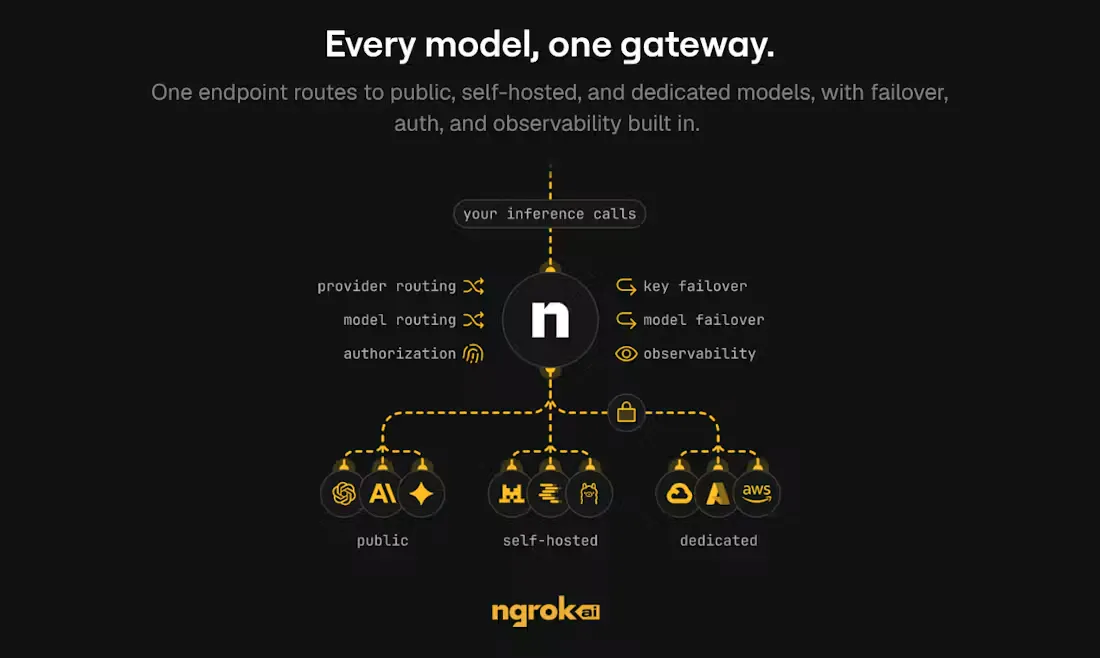
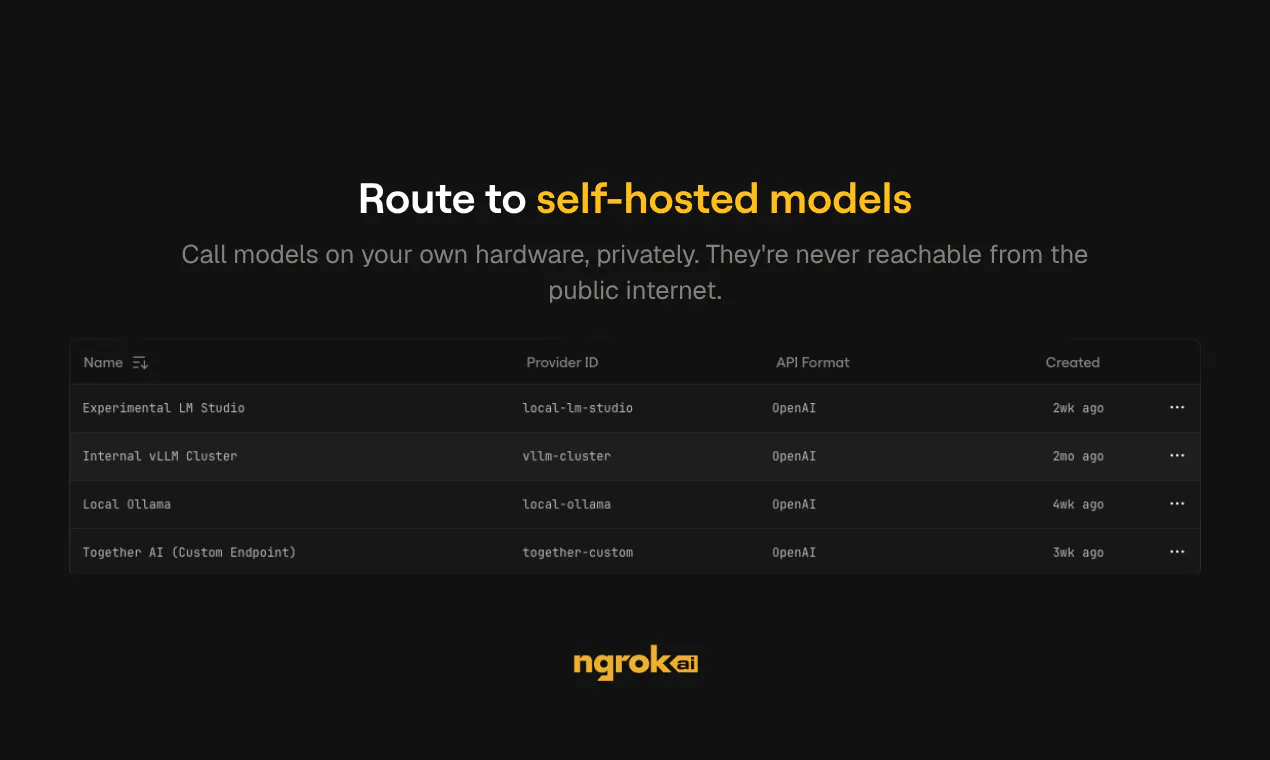
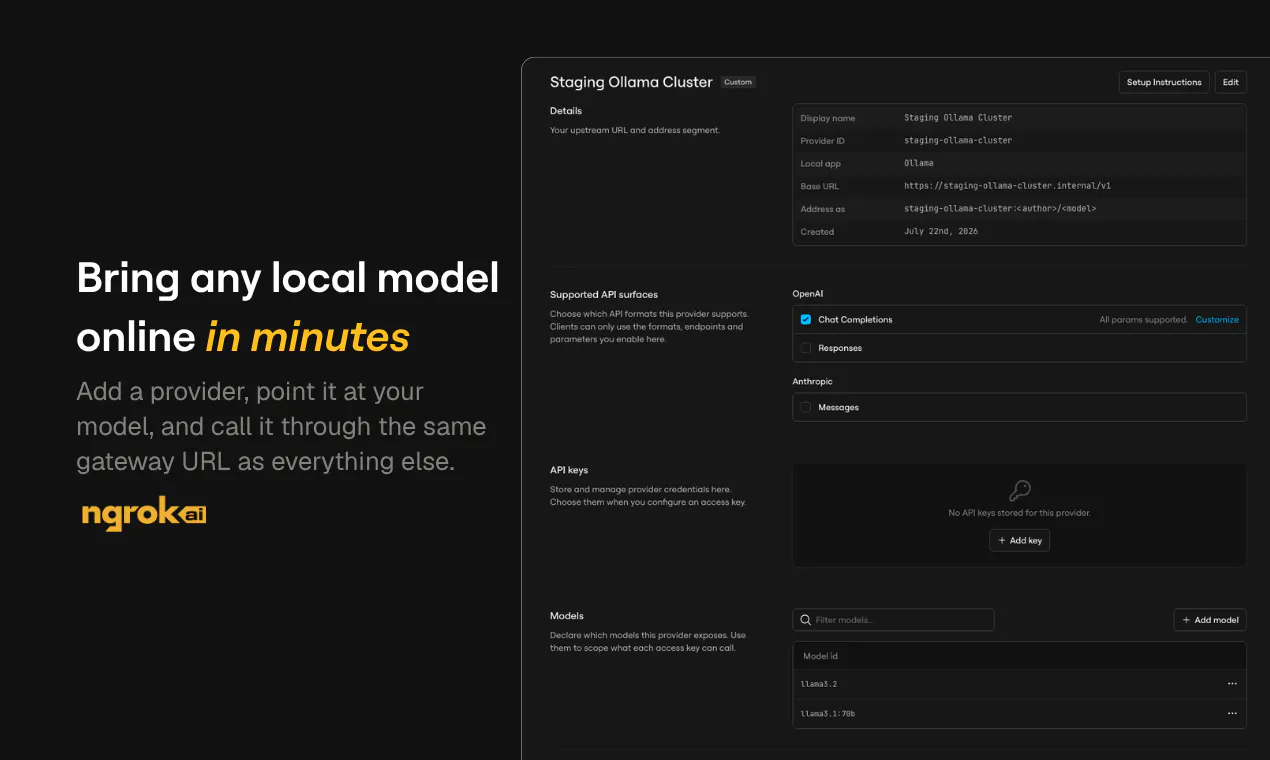
ngrok AI Gateway provides one hosted gateway for every model: public providers, custom endpoints, and the models you run yourself. Use one key and one URL to route across OpenAI, Anthropic, and self-hosted models with observability, access control, and fallbacks built in. Your private models connect through ngrok’s network, so they sit beside hosted providers without being exposed to the public internet.

Hey Product Hunt 👋

I'm Niji, a product manager at ngrok. Today we're launching ngrok.ai, ngrok's AI Gateway.

For years, ngrok has helped developers connect their applications and services in minutes instead of days.

As I started building with AI, I ran into similar infrastructure problems at the application layer.

An application might start with OpenAI, then Claude for another use case. As newer, faster, or more affordable models became available, I would create more accounts and update my code just to try them. Eventually, more specialized needs would lead me to run fine-tuned or task-specific models on my laptop, private GPUs, or internal cloud infrastructure.

Before long, I was managing multiple gateways and SDKs, sharing provider keys across configuration files and vaults, checking usage in several dashboards, maintaining complicated fallback logic, and accidentally exposing models that were supposed to remain private.

If any of this sounds familiar, it is why we built ngrok.ai. It gives you one hosted gateway for managing models across providers, private infrastructure, and your own hardware.

One URL for every model

Getting started is simple. Point your SDK at https://gateway.ngrok.ai with your ngrok.ai access key, and begin routing requests to public providers, custom endpoints, and models you run yourself.

It works with all popular SDKs like OpenAI, Anthropic, and Vercel AI, so you can easily swap models and providers without rebuilding your entire application.

Aside from being a hosted AI Gateway, we enable you to:

  • Connect self-hosted models privately
    Route to a model running on your laptop, local GPU, or private network without complex networking, opening inbound ports or dealing with IPs.

  • Build fallbacks into the gateway
    Define a list of models and when a model or key fails, we will make another attempt or route the request to a healthy alternative.

  • Use credits to make requests
    Leverage ngrok.ai to make requests against OpenAI, Anthropic, z.ai and more without having to create your own accounts with each provider.

  • Use your existing provider keys
    Don't want to use our accounts? No worries, you can bring your own OpenAI, Anthropic, or custom provider keys that you already.

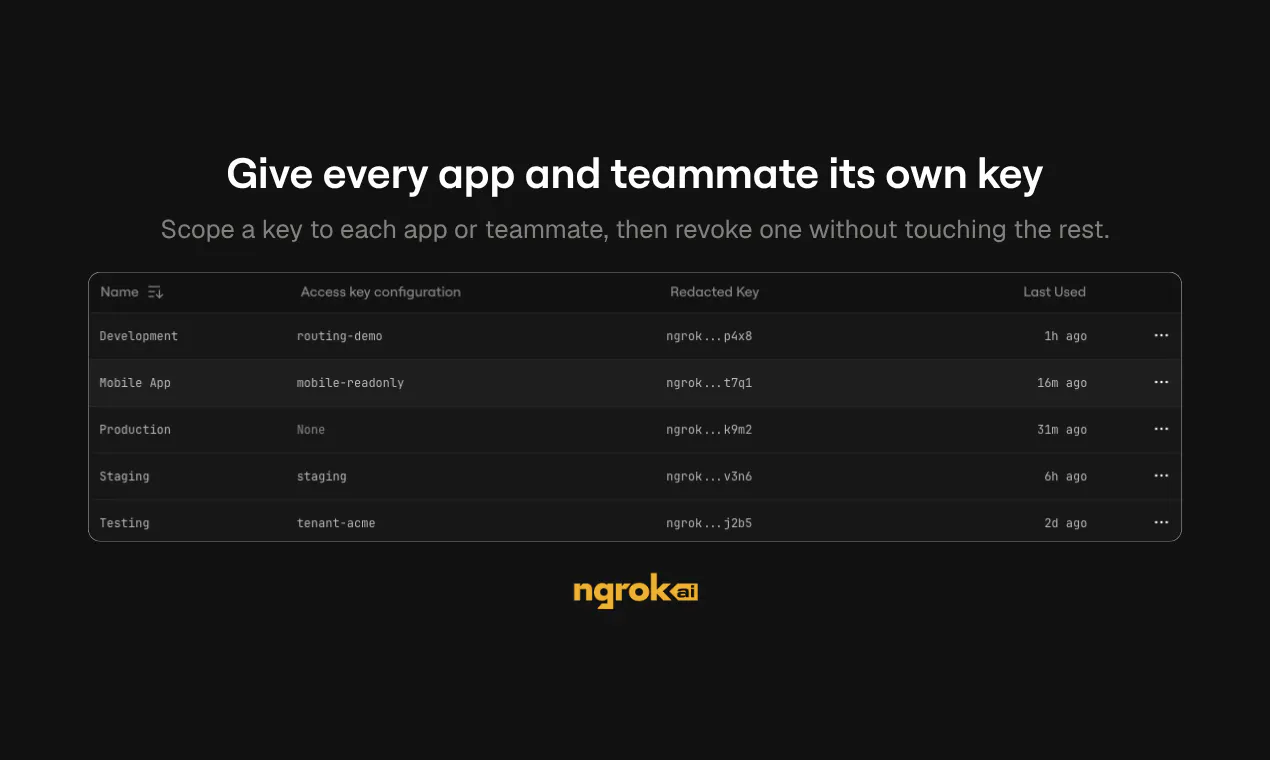
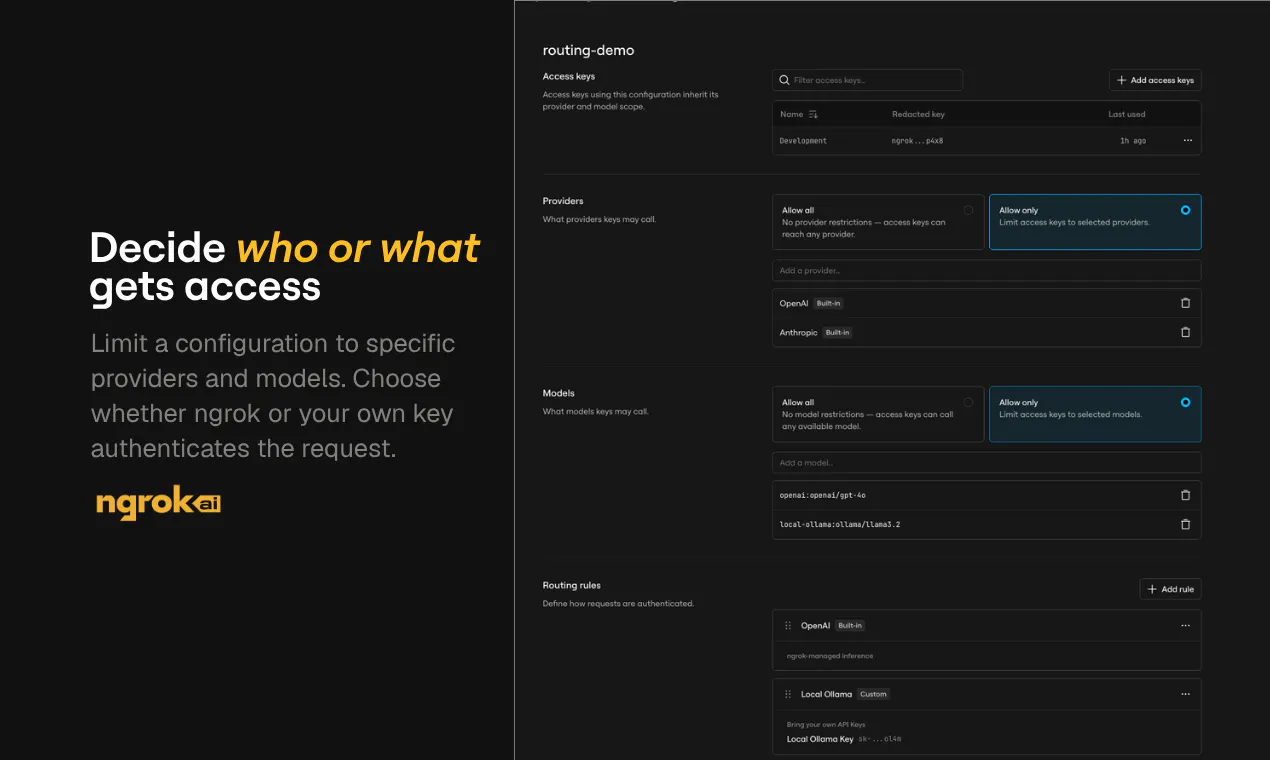
  • Control access by application or developer
    Create separate access keys and decide which providers and models each one is allowed to call, and which keys each model should use, whether ours or yours.

  • See usage across your entire model stack
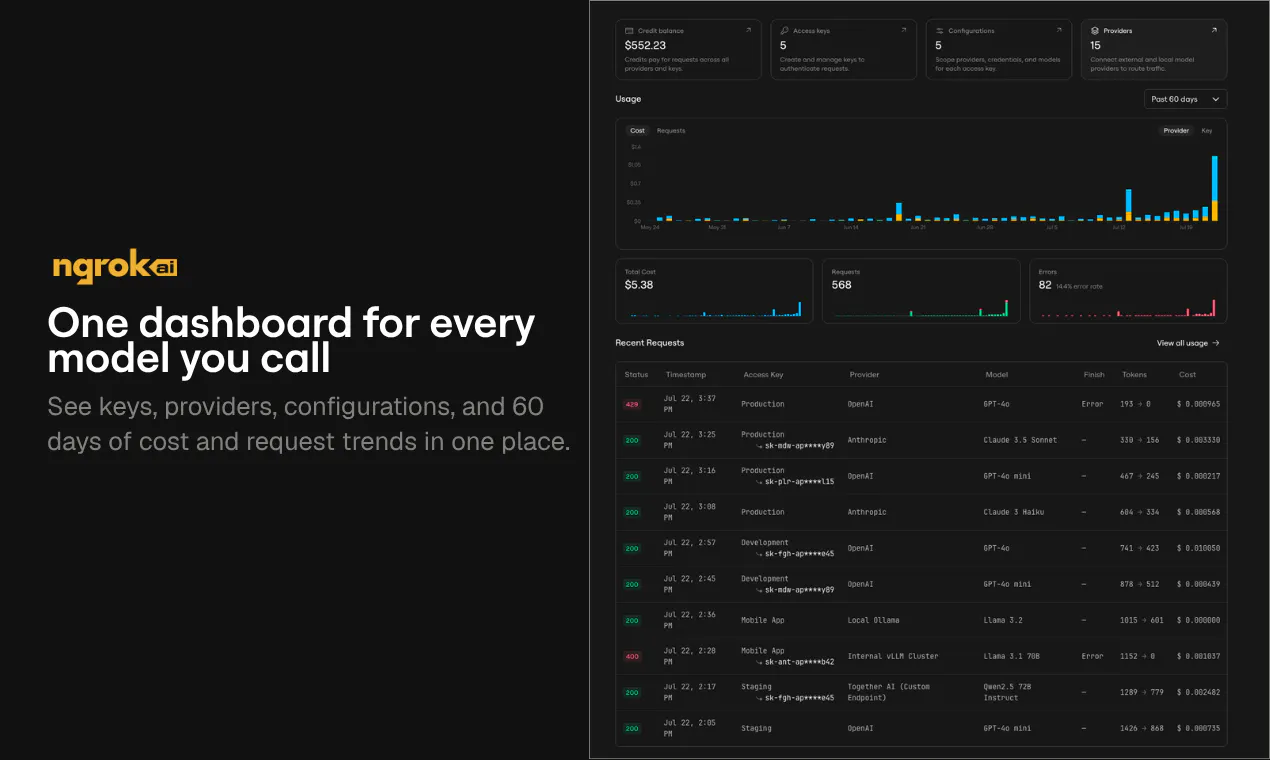
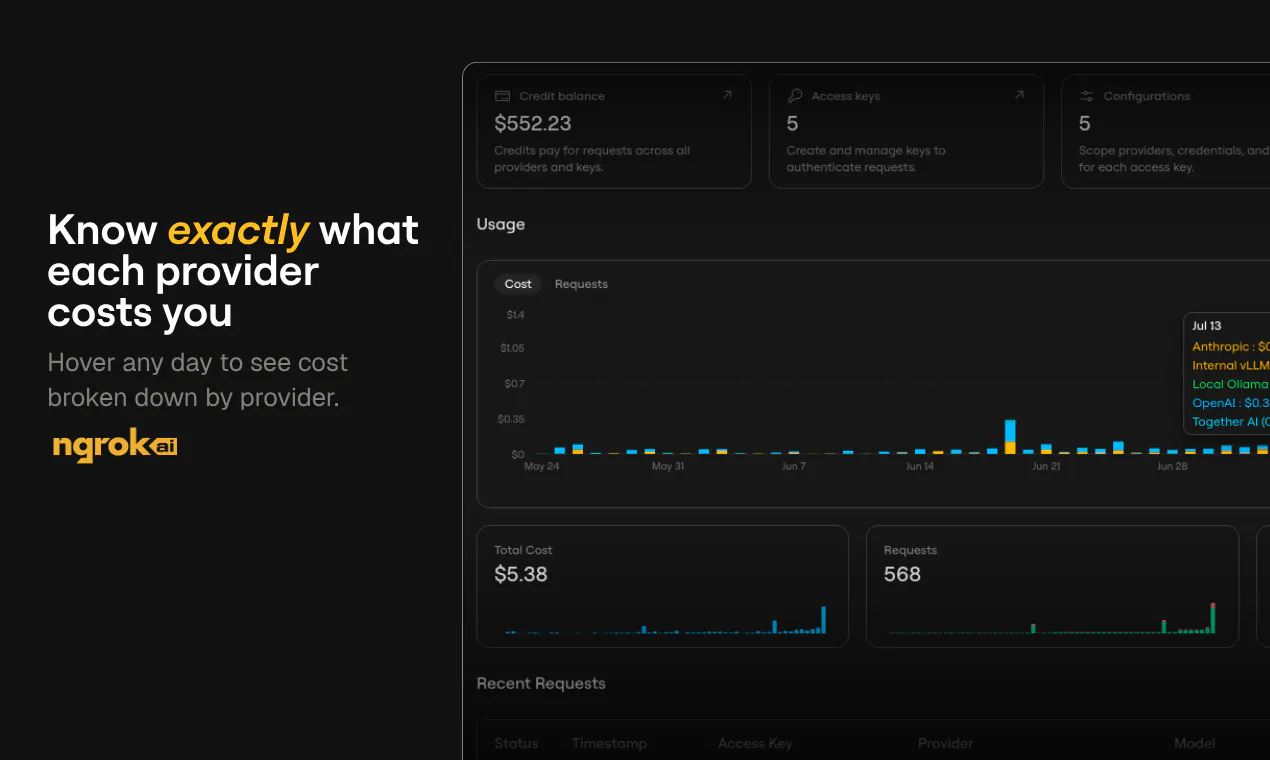
    Track tokens, latency, errors, models, providers, and estimated cost in one place instead of piecing together several provider dashboards.

  • Manage everything through the dashboard or API
    Set up gateways, keys, providers, access rules, and routing from your own tooling using our API or directly in the ngrok.ai dashboard.

Who we're building this for

ngrok.ai is for developers and platform teams that want the freedom to use the right model for each job without worrying about how to scale and maintain an ai gateway themselves and or taking on another infrastructure project every time their model strategy changes.

We're especially interested in hearing:

  • How are you routing between models today?

  • Are you running any models on your own infrastructure?

  • Which gateway features would make your AI stack easier to manage?

We'll be here throughout the launch to answer questions and hear what you think. Thanks for checking it out.

21
回复

@nijikokun How do you see teams deciding when to route a request to a hosted model versus a self-hosted one, especially as cost, privacy, and latency tradeoffs change?

2
回复

What strikes me most is the self-hosted piece. I've run models on my own infrastructure before and connecting them through it's network instead of exposing a public endpoint solves a real security headache I've dealt with firsthand. That alone makes this worth testing on my end.

10
回复

@itohan_blessing_eigbadon Thanks for the comment! We have people interested in exactly what you're saying, production apps needing private connectivity to self-hosted inference, but we're also seeing a newer trend of people wanting that same simple infra for connecting their coding agents to self-hosted models, which is pretty dope. It's kinda the panacea if you care about software that's open, flexible, and "ownable."

We created a guide for Cursor, OpenCode, Pi, and Zed: https://ngrok.com/docs/ai-gateway/guides/use-with-coding-agents

Would love thoughts on what else we should cover!

2
回复

@itohan_blessing_eigbadon 

a big factor that drove us (ngrok) to decide to build an AI Gateway is that we thought that by provided a hosted offering paired with our already widely adopted and battle tested tunnels/endpoints, we could give folks an easy way to securely connect any compute resources they have hosting local models, whether that's a bunch of small machines running on your desk like the mac mini, or other cloud based hosted compute environments. we're still hard at work making the existing features better / easier to use, and and adding new ones each week :)

1
回复

@ngrok is so back.

If you've ever needed to share a local app or demo something live, there's one thing that strikes about this product. Developers love it. I mean millions of developers - look at this wall of love - including people at @GitHub, @OpenAI, @Vercel, and much, much more.

@cassidoo put it simply: "ngrok saves me so much time during development. What a tool."

pumped to see them back [on Product Hunt]. S/O ?makers, already looking for your future launches.

10
回复

@cassidoo  @fmerian ngrok has been core in my dev setup for a very long time to test real world app scenarios during development. one gateway for every hosted model sounds interesting.

4
回复

Managing multiple AI providers is a real challenge, and this looks like a clean way to solve it. Wishing you a successful launch! 🚀

9
回复

@1mirul Thanks much for your support!

1
回复

What I appreciate is that this isn't just about hosted providers. I've worked on internal tools where the model had to stay inside our network for compliance reasons and every gateway I tried assumed everything sat behind a public API.

9
回复

@morgan_nabors We fully expect some kind of AI compliance reckoning, especially in Europe, as people start to hear more about the open models and neoclouds like RunPod or Lambda AI get more appealing. We hope to be right there with folks as they search for simple ways to try those out without changing how their apps behave!

1
回复

Really like the idea of simplifying multi-model AI infrastructure. The unified gateway and failover features look incredibly practical. Congrats on the launch!

6
回复

@monir_ Thanks very much! A lot of love here for the failover features, which is really useful feedback for us as we think about what to build next.

0
回复

I've been looking for a better way to experiment across OpenAI and Anthropic without constantly rewriting integrations. This feels like it could make testing significantly faster.

6
回复

@sitara_ismail Totally, even a "simple" switch like Open AI<>Anthropic also means using different SDKs and dealing with different API shapes, and none of that's trivial to just make happen. It's all cognitive load and more code. There's also a playground in the dashboard that would let you do some freeform testing without having to edit your app at all until you're ready.

1
回复

@sitara_ismail Thanks for the support! Would love to hear what your testing for and how we could layer in some new features to make that dead simple.

1
回复

Hello Niji, congratulations on the launch. I like that you are making it easier to switch between different AI providers without rewriting everything. That sounds like it could save me a lot of effort as projcts grow.

4
回复

Congratulations

4
回复

thanks for the support, let's spread the word on LinkedIn - repost this

0
回复

How does ngrok AI Gateway help developers handle these issues compared to building their own layer? congrats team!

4
回复
appreciate your continuous support, you're the 🐐
1
回复

@hamza_afzal_butt 

as with most software products, if you know how to write software and have the budget to host/distribute it, you can totally roll your own solution if your needs are simple.

similar to a traditional API gateway, if all you need to do is proxy requests, that's really easy to build your own solution. once you start getting into solving for things like rate limiting, observability & reporting, request manipulation, authentication, authorization, and role-based permissions, caching, building all these things in-house compared to picking an off the shelf solution is a decision that most teams have to decide if they'd rather pay the cost of a product or the cost of maintaining their own solution. we do the same thing internally with other tools. sometimes we write our own, other times we pay for a solution.

our goal with ngrok.ai is to provide one unified interface for any kind of LLM inference need and make it super easy to use while offering the depth to solve as many of the pain/friction points as possible. we hope that the benefits that people get from using it and the problems they don't have to think about solving themselves make it worth the cost to them. we're always on the lookout though for ways to keep improving it each week :)

2
回复

Managing different AI providers can get messy pretty quickly. A single endpoint with build in routing makes a lot of sense.

4
回复

what should they build/improve/fix from your perspective? cc ?makers

0
回复

I like that private models can stay off the public internet while still working alongside hosted ones. That's a thoughtful approach.

4
回复

@kate_sleeman Yup yup. Just knowing that no one random can access a self-hosted model on a URL like https://my-precious-model.internal is a huge W, and then you still get to configure access a bunch of different ways.

2
回复

@kate_sleeman as a bonus, you can monitor usage and requests of a self-hosted model using the same ui as the hosted alternative, providing a one-stop shop for all your models and inference!

0
回复
great te see infrastructure tools that make AI deployment more reliable instead of more complicated.
3
回复

@tanjum Thanks for the support! If there's something you'd like us to build into this, let us know!

0
回复

I've learned that infrastructure decisions matter more as products scale. This looks designed with long-term maintainability in mind.

3
回复

I like that security seems to be part of the design instead of an afterthought. Keeping private models protected while using public ones is a smart balance.

3
回复

@maali_baali Exactly, we see a ton of people still very much wanting to stick with the public providers because it's simple, (mostly) dependable, and relatively affordable, but don't want to commit themselves to architectures that they'd have to rip and replace completely if they eventually wanted to self-host everything on prem or in a neocloud. Future-proofing!

Thanks for your support!

1
回复

THe build in fallback feature sounds reassuring. It's alwaus nice to have something that keeps things running if one provider has issues. 👌

3
回复

@aarav_pittman And given how yellow-and-red the status pages look like for these providers (and hasn't gotten better over time), this is a problem that isn't going away.

Appreciate your support!

1
回复

The support for both cloud and self hosted models really caught my attention. That flexibilty feels valuable as projets grow.

3
回复

lfg! if you get a chance to give ngrok.ai a spin, make sure to add your review here: producthunt.com/products/ngrok-ai-gateway/reviews/new

0
回复

I can definitely see this being for teams experimenting with different models. Have one plaace to manage everything sounds much easier. 👍

3
回复

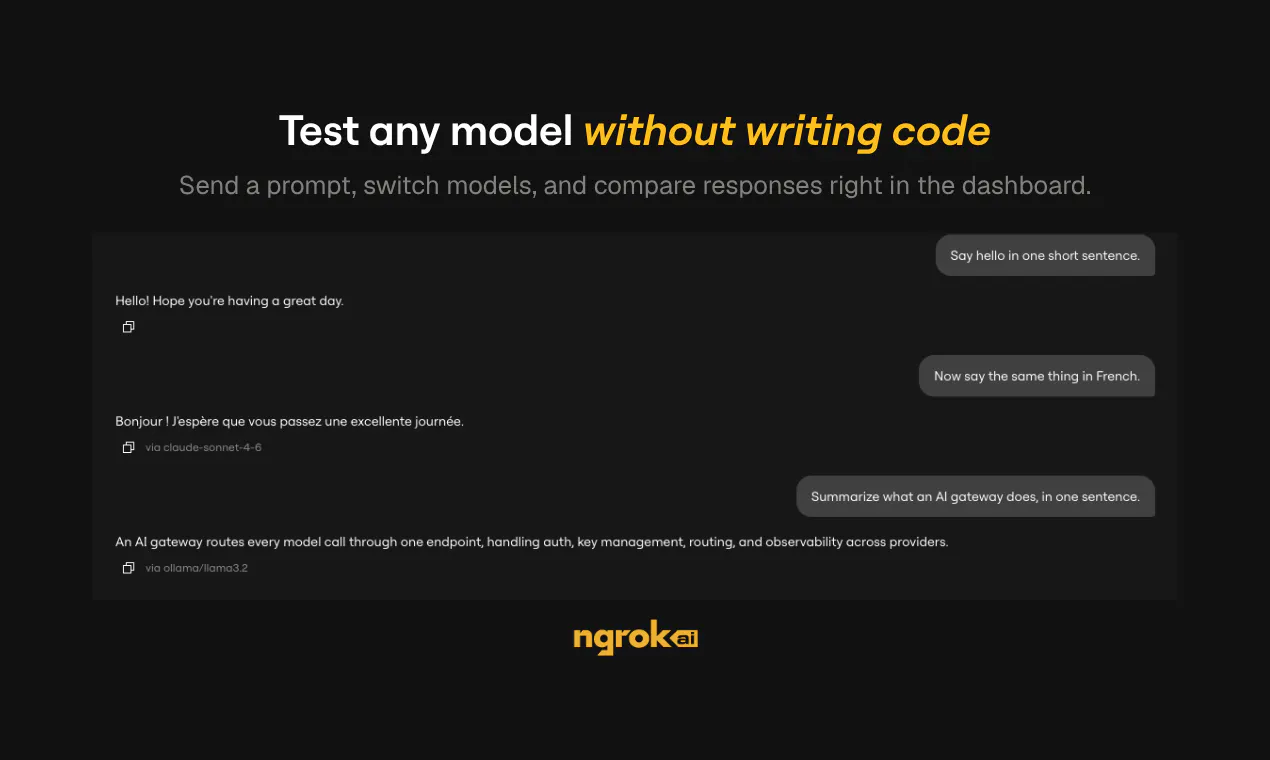
@zeeshan_aslam2 Yeah, you can definitely experiment by changing the `model` key in your app where you're calling the inference providers, checking the output, and seeing what feels right.

We also have a playground where you can send the same prompt to multiple models and see the differences right away (plus status on TTFT and overall speed!): https://app.ngrok.ai/playground

2
回复

I like that you can start with your own provider keys and still get a single place to track usage, latency, and costs. Jumping between multiple dashboards gets old fast, so having that consolidated is a practical improvement.

3
回复

@henry_habib Yep yep, you have complete control over whether you bring your existing providers keys (BYOK) or use ngrok-managed ones. Either way, it all ends up on the same request/usage logs.

We actually just added more detailed breakdowns of usage data we were already collecting, so now it's really easy to see things like the average cost per request or per-provider failure rate. This is me just playing around with a few requests this morning (and having forgotten to bring my local Ollama model online before sending the request):

1
回复

How easy is it to switch traffic between providers if one model has highest latency or goes offline?

3
回复

good q. @ngrok AI Gateway is designed for automatic failover. if one provider/model fails, times out, returns an HTTP error, or has a connection issue, the gateway automatically tries the next candidate instead of requiring your app to switch providers itself.

read the docs for more details on how it works: ngrok.com/docs/ai-gateway/how-it-works

hope it clarifies!

2
回复

@anthony_adams_ Worth separating the two failures in your question, because failover handles one and not the other. A provider returning an error or timing out is easy, you retry elsewhere. A provider that is up but degraded, slower and quietly worse, never trips a failover and is the one that actually costs you. That needs a quality signal, not a health check, and almost nobody has one because it means scoring output continuously rather than pinging an endpoint. If you are picking a gateway, that is the question I would ask: what does it do when the model is technically fine and materially worse?

0
回复

@anthony_adams_ Thanks for the question! Well, I think it's pretty darn easy. @fmerian got the gist of it, but here's a bit more specificity. In your app (I'll use a JS example), you already specify a model, but now you can add a models key to list the order in which you'd like to fall back to other providers and models.

const completion = await client.chat.completions.create({
	// Route to your first choice provider+model first
	model: "claude-fable-5",
	// Fallback to other providers and models
	models: ["gpt-5.6-luna", "claude-opus-5"],
	...
});

In this case, the AI Gateway will try Fable 5 first, then retry the same request with Luna if Fable isn't working (kinda like right now, with Anthropic's API on the struggle bus). Here's the doc: https://ngrok.com/docs/ai-gateway/guides/configure-fallback-models

You can also fail over between providers or models if your key stop working, like if you run out of precious, precious credit with one: https://ngrok.com/docs/ai-gateway/guides/key-selection-failover

1
回复

I've had so many requests to build this exact solution in house and rejections keep coming back. Most teams can't afford to build/manage these things. Great job solving this problem!

2
回复

@yazan_barakat

haha yep, it's a surprising amount of work for something that seems simple on the surface. we're hoping that users feel that using it is saving them a meaningful amount of time and/or avoided friction compared to going without it or building their own in-house solution :) 

1
回复

@yazan_barakat Oh, we'd love to chat with you about what those requests look like and why they haven't stuck. We're here if you're interested!

0
回复

the fallback is the feature i would think hardest about, because for anything that produces text a fallback is a silent quality change.

if a code call falls back you find out, something breaks or the tests go red. if a customer facing reply falls back to a weaker model, nothing breaks. the reply still reads fine, it is just slightly worse, and you find out from a complaint two days later while looking at the wrong model in your logs. the gateway is the only component that knows which model actually answered, so i would want that on the response itself rather than only in a dashboard.

the other one is retries. a fallback triggered by a timeout is not the same as one triggered by an error, because on a timeout the first call may well have completed on the provider side. harmless for a plain completion, not harmless once a tool call is attached to it, which is most agent traffic now. does the gateway treat timeouts as retryable by default, and is there a way to mark a request as do not retry?

2
回复

@jernej_jan_kocica This is really great feedback.

For your first point—I've always found that responses from the APIs of public providers like OpenAI and Anthropic contain some kind of `model` key that you could build logic around in your apps. It'll get flagged in the dashboard, just like you asked for, but you could build some error handling/logs around what happens when that fallback model is the one that responds. We'll dig into this one some more and see if we can add some headers at the gateway your app could also consume.

On your second question, timeouts only trigger retries if you've specified fallback models though the `model` key. If there isn't one, you just get an error, which is kind of akin to marking it as do not retry. This does feel like something we should look into implementing as a very clear attribute of any provider setup.

1
回复

Many companies struggle with switching models during outages. The built-in fallbacks seem useful, especially if users can define custom failover rules.

2
回复

@khaildnaseem A big +1 on custom failover rules! Seems like that's the big undercurrent of what people are looking for here. We had a version of this before, but it was too complex and we wanted to look at it again from first principles. I'll pass this to the team... any other thoughts on how we could design these custom rules to be most useful to you?

1
回复

@khaildnaseem thanks for the support! if you get a chance to give ngrok.ai a spin, make sure to add your review here: producthunt.com/products/ngrok-ai-gateway/reviews/new

0
回复

I'm curious how smooth the setup is for someone already using multiple AI providers. Is migration pretty straightforward?

2
回复

@maklyen_may we worked hard to make the setup as seamless as possible. we support the inference apis from anthropic and openai, so it should be a drop in replacement for most sdks.

here's our docs page on how to set that up: https://ngrok.com/docs/ai-gateway/overview#quick-example

1
回复

The option to connect self-hosted models without exposing them to the public internet caught my attention. Have you seen more teams using their own models recently, or are most customers still relying mainly on hosted providers?

2
回复

@sagar_deore good question, honestly a mix of both. However, I have definitely seen a rise in hosted models more as of late with all of the local advancements that are happening. At the least there is always interest in experimentation as new models come out.

1
回复

@sagar_deore 

we've definitely seen an interest in local models for a variety of reasons. some folks are looking for cost savings when they don't need the bleeding edge performance of frontier models, others have different concerns such as control over the lifecycle of sensitive data. our goal is to make a single unified place to let users easily access whatever kind of inference they need to, and take as much friction and pain out of the experience of working with LLMs as possible.

1
回复

Having one gate way for both hosted and self hosted models sounds really useful. It feels like it could simplify a lot of infrastructure work.

2
回复

spot on. "simplicity" is a recurring adjective when it comes to describing @ngrok. "easy", "amazing", "awesome" also work. see their wall of love

1
回复

Yeah, this feels genuinely useful. One gateway for every model saves a lot of unnecessary pain.

1
回复
#5
Cloudflare Wallets
the programmable wallet for the agentic Internet
262
一句话介绍:Cloudflare Wallets 为AI智能体打造可编程的支付与钱包层,让它们能在无人值守场景下自主发现、调用并支付API、内容及数字服务,同时赋予开发者精细的消费控制和虚拟账户管理能力,解决“机器如何安全自主付钱”的核心痛点。
Developer Tools Artificial Intelligence
AI支付基础设施 智能体钱包 可编程支付 虚拟钱包 支出控制 机器支付 API交易 代理互联网 Web3支付 Cloudflare生态
用户评论摘要:用户整体持正面态度,有人急于抢注用户名,也有老用户点赞CDN速度与体验。但评论深度不足,主要问题来自一个高赞提问:为何Cloudflare选择以这种方式构建,暗示对产品定位与场景适配存在疑问。一条关于“无需审批支付”的评论获回帖调侃“YoloWallet”,反映出部分用户对安全性的隐忧。
AI 锐评

表面上,Cloudflare Wallets是给AI Agent发“零花钱”的工具,但本质上这是Cloudflare对“代理互联网”基础设施的押注——当AI不再扮演助手而是独立决策者时,支付权限将成为比API密钥更硬的资源门槛。它的聪明之处在于不做垂直应用,而是复用自身边缘网络、安全与身份体系,把钱包变成一套可嵌入任意Agent框架的“权限+结算”层。

然而,这个产品面临三个现实挑战。其一,AI Agent的支付场景仍是伪需求:当前大多数智能体只是调用公开API或执行有限工具,真正的“自主议价购买”尚未形成规模,钱包在解决未来问题而非当下痛点。其二,安全模型的矛盾被评论区那句“YoloWallet”一针见血地戳穿——既要让Agent免审批自主支付,又要防止恶意调用或预算失控,这本质上是对信任边界的重新划定。Cloudflare给的答案是虚拟钱包和支出上限,但这只能缓解“超支”,无法解决“被诱导支付”或“恶意合约”等更高级威胁。其三,付费方与受益方的错位:开发者是买单人,但价值感知不直接——如果Agent跑在别家的编排框架里,为什么非要用Cloudflare的钱包?除非它深度绑定Workers、AI Gateway等自家产品,否则很容易沦为“有总比没有好”的周边小工具。

真正的杀手锏在于数据合规与审计:当AI Agent开始替企业花钱,CFW提供的可编程规则和不可篡改的交易日志,恰好切中了金融与合规部门对“机器行为可追责”的刚需。如果Cloudflare能把钱包和其零信任网络(Zero Trust)打通,让每笔Agent交易附带完整的身份与风险上下文,那么它就不只是一张PayPal for AI,而是AI时代的结算与治理中枢。但目前来看,它更像个精心设计的沙盒,等待一场真正的大火来证明自己的火险价值。

查看原始信息
Cloudflare Wallets
Cloudflare Wallets introduces a programmable wallet layer for the agentic Internet. Built for the future where AI agents can discover, use, and pay for services autonomously, it gives agents a secure way to transact with APIs, content, and digital services. With virtual wallets, spending controls, and machine-friendly payments, Cloudflare is building the financial infrastructure for the next generation of AI applications.

What problem did you see most often in websites or apps that made you think Cloudflare had to be built this way?

2
回复
I am excited about this! Already claimed my username
0
回复

I've been using Cloudflare for years and their CDN is incredibly fast, really impressed by how seamless the setup process is too.

0
回复

finally, no need to approve payments.

0
回复

@jiteshghanchi YoloWallet(TM) 😬

0
回复
#6
Kiro Crew
Open source agentic development workspace
184
一句话介绍:Kiro Crew是一个开源、可本地或远程部署的持久化智能体开发工作台,旨在解决开发者每次开启新会话都要“冷启动”、丢失上下文与经验的问题,让AI代理团队跨会话记忆并协同完成重复性开发任务。
Developer Tools Artificial Intelligence GitHub Tech
开源 智能体编排 开发工作台 持久化记忆 AI代理团队 跨工具集成 会话上下文管理 本地部署 远程协作
用户评论摘要:核心反馈集中在“规格驱动”的执行逻辑上。用户尖锐提问:当实际实现与初始规格冲突时,Kiro Crew是主动暂停并暴露矛盾,还是默默偏向一方?认为该行为决定了产品成败,且多数同类工具在此处“靠意外决定”。另有用户表达长期使用期待,但缺乏具体功能评价。
AI 锐评

Kiro Crew的卖点“持久化记忆”本质上是给AI开发代理装了长期缓存,这确实缓解了“每次从零解释项目背景”的痛点,但并未触及更深的要害——代理在长链路任务中的“自我纠错”能力。那条高赞评论一针见血:当代码现实与预设规格脱节时,系统是选择“沉默地将错就错”还是“主动叫停并报告”?这是评判一个代理工作台是否真正“智能”的分水岭。如果Kiro Crew只是把上下文存得更久,却在每个决策节点上依然盲从用户最初的模糊指令,那么它充其量是一个“记忆更好的脚本执行器”,而非“协作伙伴”。从Amazon内部项目到39000名开发者的社区增长,说明工程执行力和社区运营很强,但社区规模不等于产品深度——开发者愿意尝鲜,未必愿意长期依赖。真正的考验在于:当代理发现用户的“规格”本身就是错的时,Kiro Crew能否有勇气说“不”,并提供修正路径。这一行为如果设计得当,它就不再是工具,而是改变开发范式的基础设施;如果设计缺失,它只是又一个“AI套壳IDE”,淹没在同质化竞争中。目前看来,团队似乎意识到了“spec-driven”的陷阱,但还没有给出令人信服的答案。

查看原始信息
Kiro Crew
Kiro Crew is a persistent workspace that remembers your context, lessons, and skills across sessions, so you come back to progress instead of a cold start. Build a crew of agents that work across the tools you already use, wrapped in purpose-built Apps for the jobs you repeat.
Hey Everyone! Excited to share what we've been working on for a few months. Kiro Crew started as an internal project called MeshClaw at Amazon and quickly grew to over 39,000 developers and hundreds of contributors in less then 6 month. An amazing community was built around it, and we wanted to make it public for everyone. Kiro Crew is an open source development workspace that you can run locally or remotely. Connect via Discord, Telegram or other channels and work with your crew from anywhere.
10
回复

@kylesaman Spec driven is the right framing and the failure mode is worth naming. A spec written before the work is a guess, and the moment the agent discovers the guess was wrong, most setups keep building against the spec instead of flagging that it broke. Then you get something that passes review because it matches the document, and is wrong because the document was. So the question I would ask Kiro Crew: when implementation contradicts the spec, does it stop and surface the contradiction, or resolve it silently in favour of one side? That behaviour is the whole product, and it is usually decided by accident.

0
回复
been using kiro from a long time, would love to use this workspace and see what wonders kiro have this time.
0
回复
#7
Keystroke
Build powerful AI agents & workflows
145
一句话介绍:Keystroke 是一个将 AI 智能体构建、工具集成、工作流编排与团队协作融为一体的平台,让用户用自然语言描述需求即可生成并部署带记忆和权限的 AI 代理,解决企业内部 AI 应用落地时“开发与使用脱节”的痛点。
Open Source Developer Tools Artificial Intelligence GitHub
AI Agent平台 工作流自动化 企业级AI 开源 自然语言编程 多智能体编排 集成生态 团队协作 可观测性 YC孵化
用户评论摘要:用户整体反馈积极,称其比 n8n/Zapier 更易用且有乐趣。核心疑问集中在技术实现(是否支持自有向量库)、开源协议(ELv2)及商业模式(云托管收费)。有用户对“all-in-one”表述持保留态度,创始人均回应并征集改进建议。
AI 锐评

Keystroke 踩准了当前 AI 工程化的最大痛点——不是“造不出 Agent”,而是“养不活 Agent”。它将开发环境、运行时、记忆存储、审批流和团队分享整合在一个 workspace,本质上是把 Agent 从“代码玩具”升级为“企业级应用服务器”。这种“描述即部署”的抽象,大幅降低了非技术人员的使用门槛,但真正的护城河不在于易用性,而在于其 ELv2 开源协议下的“云托管收钱”模式:既蹭了开源社区的信任红利,又保住了 SaaS 的商业闭环。

不过,贴脸对标 n8n/Zapier 既是聪明也是冒险。这类产品早已在确定性工作流领域教育了市场,Keystroke 若想取代它们,必须证明 AI 原生的不确定性编排在可靠性上能超越传统规则引擎。目前 145 票的冷启动数据不算亮眼,且评论中缺乏对“复杂真实场景”的实测证据。创始人心知肚明,所以才反复强调“TypeScript 可扩展”“可观测性”——这其实是在向企业 CTO 递投名状:我们很 AI,但也很工程。

真正的考验在于:当记忆、权限、工具调用塞进同一个协作空间后,如何避免沦为“全家桶型技术债集散地”?若能扛住企业级安全审计和审计日志的拷问,Keystroke 有望成为 AI 时代的“低代码中台”;若只是把大模型包装成更潮的 API 胶水,那它很快就会在横向竞品(如 LangGraph、CrewAI)与纵向对手(如 Zapier)的夹击下显得尴尬。值得持续观望,但别被“YC 光环”和“开源”口号冲昏头。

查看原始信息
Keystroke
Keystroke is an all-in-one platform for building powerful AI agents. Describe the agent you need, and Keystroke builds it, connects your tools, tests it, and deploys it to a shared workspace. Give agents memory, workflows, triggers, approvals, and access to 1,000+ integrations. Open source, YC-backed, and free to try with $20 in credits.

Hey Product Hunt 👋

I’m Blake, cofounder of Keystroke.

We built Keystroke because creating an agent is only one small part of putting it to work inside a company.

You also need integrations, credentials, memory, workflows, triggers, approvals, observability, and a place where your team can actually use and improve what you build. Today, those pieces are usually scattered across agent frameworks, scripts, infrastructure, and automation tools.

Keystroke brings all these things together in one collaborative platform.

Describe the agent or AI system you need directly inside Keystroke, and the built-in agent builds it, connects your tools, runs tests, and deploys it to your workspace. You can also build with Cursor, Claude Code, Codex, or any coding agent.

Agents come with memory, web search, code execution, persistent workspaces, and access to more than 1,000 integrations, any API, or any MCP server. They can work on schedules or app events, create their own triggers, and spin up lightweight apps and dashboards. For more complex systems, you can combine agents with deterministic workflows, multi-agent orchestration, and human approvals. Every run is durable, observable, and available for your team to inspect.

Teams can chat with agents in Keystroke, use them in Slack or Teams, run workflows, manage credentials, share context and skills, and collaborate from one shared workspace. Under the hood, everything teams build is ordinary TypeScript. You can keep it in git, grep it, test it, review it, and run it anywhere.

The thing we’re most excited about is giving technical and non-technical teammates the same place to create and work with agents. What one person builds becomes something the entire company can use, understand, and improve.

Keystroke is open source, backed by Y Combinator, currently in open alpha, and free to try with $20 in credits.

We’d genuinely love feedback from the PH community, especially anyone building internal agents, AI systems, company brains, or automations.

Happy to answer questions all day!

5
回复

@cblakerouse Nice launch congrats 🙌qq does the persistent workspace memory run on a local vector index per workspace, or can we plug in our own enterprise vector database?

1
回复

been using it for a couple weeks now and it's freakin sweet

2
回复

@jacob_crockett awesome! thanks for being an early user!

0
回复

Feels like an easier Zapier or n8n. Gonna try

1
回复

Could be big tbh. Haven't been a fan of n8n and I think this could be much better

1
回复

Have used the product and can confirm it is extremely delightful and fun to use!

1
回复

Congrats on the launch! 🎉 Took a quick look through the page and I really like the direction. Bringing agents, workflows, memory, and integrations into one place feels like a thoughtful approach. Curious to see how it handles more complex, real-world workflows. Wishing you an amazing launch day!

1
回复

@suryansh_tiwari2 thanks, Suryansh!

0
回复

Open source is the part that makes me look twice at anything agentic. What's the licence, and is a hosted version the plan for making money later?

1
回复

@julian_belting Hey, Julian! Keystroke is ELv2 licensed and you can check out the repo here.

We currently make money from our cloud offering, which has a free plan with usage-based pricing. You can check it out here.

0
回复

I like the concept. However, when I see “all-in-one” in a description, I end up with a heavy sigh 🙈

0
回复

@natalia_est Love the feedback! We're constantly iterating on messaging. What feels like a better fit?

0
回复
#8
BackEngine MCP
Make private company knowledge usable for AI
138
一句话介绍:BackEngine MCP通过将散落在Slack、邮件、通话、工单和CRM中的企业私有数据预先整合为按客户账号归集的权限化知识记录,让Claude/ChatGPT等LLM在回答时基于“完整上下文”而非“单点切片”,解决AI幻觉和跨系统数据割裂导致的低效与误判问题。
API Artificial Intelligence Business Intelligence
MCP连接器 企业知识管理 AI数据预处理 客户关系智能 私有数据安全 LLM上下文工程 销售赋能 客户成功 知识图谱 数据权限控制
用户评论摘要:用户高度认可“统一数据源”价值,核心质疑集中在权限模型——提问者权限是否随数据源贯穿至最终答案,以及内部备注与对外回复的隔离风险。另有用户关切数据“新鲜度”时延,官方回应已明确:多数源分钟级更新,少数受限于API调度;每条结论可溯源至原始记录。
AI 锐评

BackEngine MCP踩中了2026年AI应用层最真实的痛点——连接器泛滥导致上下文碎片化,模型在“半盲”状态下生成高置信度错误。其“先整合、后问答”的预处理路径,在架构上确实优于多路直连,65%的token节省和错误率骤降并非营销话术,而是“拼接式数据检索”让位于“关系型知识归并”后的必然结果。

但产品真正的生死线不在技术,而在“权限语义的原子化”。当前设计仍是一账户一知识库,叠加字段级、团队级可见性控制,本质是“检索前过滤”而非“生成时约束”。当一条内部备注与客户原话被共同拼入回答草稿时,模型无法在语义上区分“可引用”与“不可泄露”,这正是用户最尖锐的质疑——人工客服尚需两个界面隔离,AI却要求它基于单一语料做自我审查,这在根本上违背了LLM的生成机制。若权限仅止于“谁看到什么”,而非“AI能说什么”,那么最严重的合规事故——模型向客户复述内部风险判断——迟早会出现。

此外,“全量记录”意味着单点事实性错误会被放大为系统性误判。尽管官方承诺每条结论可溯源,但企业级采购者更关心的是:当记录冲突时如何裁决,以及权限审计日志能否满足SOC2级别的追溯要求。整体而言,产品方向正确、时机精准,但在权限逻辑上升级为“按输出内容动态判定可引用性”,才是从“好用”走向“可信”的分水岭。

查看原始信息
BackEngine MCP
Most companies wire Claude or ChatGPT into Slack, email, calls, tickets, and their CRM over one singular MCP. That's raw pipes into scattered systems. The model reads a slice and guesses at the rest. BackEngine MCP connects to the same tools, but reads everything first, joins all of it into one permissioned record per account, kept current, so Claude and ChatGPT always work from the whole picture. Head-to-head: 67% fewer errors, 2.4x more key facts, 65% fewer tokens vs. direct connectors.

Hey Hunters! We’re launching BackEngine MCP here today, and this is one of those products that pleasantly surprises me every day I use it (and I use it everyday).

Here’s why I think it matters.

Google made the world’s public information accessible to humans. That problem is largely solved. Anyone can find almost anything that was meant to be found.

BackEngine works on the opposite problem: making your company’s private knowledge safe and usable for AI.

That knowledge comes in two forms.

First, what your company knows: how you work, what you’ve built, the decisions you’ve made, and the context buried across your products and processes.

Second, the dynamic and constantly updating relational information such as what your customers have actually said (in their own words), across every call, ticket, email, and thread. This information exists nowhere else. It cannot be bought.

It belongs exclusively to your company.

Yet most businesses can barely access it themselves. It remains trapped inside the tools that collected it, invisible to the AI that could use it, and painfully manual for the people trying to make better decisions.

BackEngine exists to unlock that knowledge safely.

Our mission is simple: every piece of truth about a customer relationship should be instantly accessible to the person who needs it, at the moment they need it.

Today, we’re taking a major step toward that future with our MCP-first solution.

9
回复

Hey Product Hunters! 👋

I’m Eli, founder of BackEngine.

Claude is becoming the next work OS.
Not a great LLM. Not a chatbot. The place where work happens.

Microsoft Office owned the workday for 30 years (with Google Workspace making progress). But work is moving to Claude, fast.

Email is already there (Gmail, Superhuman MCPs). Research is there (Deep Research). Dashboards are there (Live Artifacts). Scheduled automations are there (Co-Work Scheduled). Your data is there. Most of mine already is.

This was my morning.

I got to the office. Opened up Claude. Inside was a TLDR on all the emails and slacks I had missed with drafted responses to any that required it. I sent 8 of them.

A few minutes later I got a list of all the people that had visited BackEngine that matched our ICP, with their email address pulled up and a draft ready to go. I sent them.

I then opened up a Live Artifact in Claude that showed me what we had shipped in the past week, what tickets were being worked on, and what was not being worked on.

I then got a summary of everything we had spent money on the past 7 days. One item looked like a billing mistake. I slacked the team to find out if it was real or not.

I then had a case study interview with a customer. As soon as it was done, I asked Claude to find our other case studies and to write a similar one based on the transcript.

And then I asked Claude to summarize the morning and write this post.

A couple of takeaways.
1) Building a horizontal productivity tool in 2026 is a fool's errand. No one is going to leave Claude to use your standalone dashboard, your standalone inbox, your standalone CRM UI.

2) What's worth building: things Claude won't, that live inside Claude.
And now you can access that intelligence directly inside Claude (or any LLM) via BackEngine MCP.

BackEngine pre-process a company’s unstructured customer data - calls, emails, slack, tickets, support history - before anyone asks a question. We do three things no connector or customer pipeline does on its own:

Three things we do that no set of connectors can:
1️⃣ Improve token efficiency
In July 2026 benchmark study, BackEngine used 65-89% fewer tokens to run the same 10 cross-functional business questions when compared to using direct connectors into all of the same data systems independently

Example: Which product features have customers asked for that are gating the most revenue? Prioritize our roadmap based on impact to deals and renewals and build a PRD for the top 3 features.

291.7K tokens using direct connectors vs. 33.1K tokens using BackEngine

2️⃣ Produce consistently correct answers
In the same benchmark study, direct connectors resulted in factual errors 23.2% of the time. That means nearly 1 in 4 questions you ask an LLM, even when connected to your data sources, will still hallucinate an answer.

When using BackEngine, only 1-7.6% of the time did the LLM produce an answer that was not fully factually accurate.

Example: What 5 prospects who have gone dormant are the highest priority to re-engage with a personalized product update?

66.2% accuracy using direct connectors vs. 99% using BackEngine

3️⃣ Portability across systems
If your customer data, calls, and support history live inside one model's memory, you're locked in. Two years ago every company built its AI stack around ChatGPT. Now Claude leads for a lot of teams, Gemini has fans, and new models show up every month.
BackEngine keeps that context in a knowledge layer you own, so you can point any model at it. Switch models, keep your knowledge

❓Why this matters
Deterministic, code-built context pipelines work for some use cases, but they get expensive fast, and they don't scale to multi-agent architectures.

BackEngine's raw material is conversation — unstructured, messy, and everywhere — and it needs no mapping to start.

BackEngine isn't a tool to bolt onto one project. It's the piece of the stack that lets any client engagement scale past a single well-scoped use case into a repeatable, multi-agent system without every new agent requiring its own custom data store.

BackEngine is helping teams:
• Prepare for calls faster
• Catch risk signals earlier
• Track product feedback
• Run better renewals
• And give leadership real visibility into account health
All without adding more reporting or manual updates.

If you’re curious what it looks like in practice:
👉 You can read the benchmark study cited above here:
https://backengine.com/benchmark

We’ll be here all day to answer questions and would love your feedback!

4
回复

the piece i would want spelled out is what permissioned covers. one record per account answers which customer's data this is. it does not answer which person inside your company may see which parts of it, and those stop being the same problem once the record includes tickets and slack.

support history is full of things that are true and not sharable. an internal note saying do not give this account another refund, a pricing exception someone approved once, a comment about a customer written by a person having a bad day. if an answer is assembled from everything the company knows, someone junior asking a reasonable question can get back a sentence they could never have opened themselves.

the outbound direction is worse, and it is the one i have been bitten by. a drafted reply grounded on the full record will happily repeat the internal note to the customer. inside a helpdesk the internal note and the public reply are one toggle apart, and once a model is grounding on the joined picture, nothing in the text marks which half is quotable.

so does the visibility travel with the source all the way into the answer, so a response respects the permissions of whoever asked, or is it one corpus behind one set of credentials?

3
回复

@jernej_jan_kocica Happy to walk through security and how we handle data and permissions, since this is a core part of BackEngine and because the data we handle is highly sensitive.

Four things you control.

Whose conversations come in. You tell us which employees to include. You can block one person or an entire team, either across your company or on a single account.

What gets stripped on the way in. You choose what kind of data gets redacted before we process anything. Examples are PII or refund conversations or feedback on people.

Who sees which account. An account is either open to your whole company or locked to a named list of people and groups. That check runs against whoever is asking, every time they ask.

How deep they see. We can give someone the takeaway from a conversation without the raw text underneath. So a junior teammate can learn this account has billing friction without reading the note a colleague wrote about it.

2
回复

Love this MCP service for my productivity!

2
回复

@abbie_wolf thank you so much Abbie!

0
回复

This is very interesting. How do i engage with your sales team to get a demo?

2
回复

@sergekass just shoot us an email at info@backengine.ai! we'll take it from there.

1
回复

@sergekass thanks Serge for your interest! you can email me directly and I'll help direct you. rafaella@backengine.ai

0
回复

Very excited to try this. One of my biggest criticisms of many LLMs is that I don’t need a trained model for generative purposes, I need a system which will explore an existing corpus and provide me useful information.

2
回复

@ezra_butler thank you Ezra! means a lot.

1
回复

It's great to be able to unify all of this data in one place (Claude) and then be able to interrogate it directly, or have an agent act on it! Great job!

1
回复

@jason_baron thank you Jason, we really appreciate it!

1
回复

Very excited to try this. Getting Slack, Gmail, Jira, and Meeting notes into a singular repo is something I struggle with daily.

0
回复

@softwaregravy Thanks John, definitely reach out and we'd be happy to demo it for you.

0
回复

Looks very interesting, can I use this for CS and sales?

0
回复

@gabe_gottlieb yes anyone in a company can use and benefit from BackEngine's knowledge graph

0
回复

One joined record per account makes that record the thing you have to trust completely.

Curious what it looks like from the user side when it’s wrong or outdated - how do they know something’s off?

Congrats on the launch!

0
回复

@jared_salois Thank you! and we appreciate the question.

You never have to take the record on faith. Every claim is linked back to the source (the email, call, or ticket it came from), along with the date and the person who said it. We also built a lot of machinery to continiously validate and confirm the record.

1
回复

@rafaella_fontes_be The benchmark framing I follow, but "kept current" is the number I'd want next. Pre-processing into one joined record means there's a window between a ticket or a Slack thread landing and the record reflecting it, and for the call-prep use case a transcript from twenty minutes ago is often the thing that matters most. What's the typical lag, and does a query tell me how fresh the record it answered from actually was?

0
回复

@rafaella_fontes_be  @clement_avq Great question.

Most sources, like transcripts and Slack messages come in on webhooks, so they're usually there within minutes. A few sources we pull on a schedule instead, because the system on the other end limits how often we can ask, and those can be a few hours behind.

We update the graph as the data comes in. But in all cases, we make it clear to the AI about any potential gaps, so it knows to grab any fresh sources missing at the time of question.

1
回复
#9
Capacity Desktop
A free Lovable that lives on your Mac
127
一句话介绍:Capacity Desktop 是一款免费、无需注册的 Mac 原生应用,让用户用自然语言在本地直接生成并构建真实可运行的 Web、移动、桌面及游戏应用,解决“AI 生成应用被锁定在云端、代码难导出、Token 被加价”的核心痛点,强调数据主权与成本透明。
Website Builder Artificial Intelligence No-Code
AI应用生成器 本地优先 自带API密钥 无订阅制 Mac原生应用 可视化开发 版本回溯 一键部署 开发者工具 反锁定
用户评论摘要:用户高度认可本地优先与自带AI Key的商业模式,认为这彻底改变了成本激励结构(开发者会主动优化Token消耗);同时追问桌面端而非浏览器的技术取舍、应用是否原生(回应称非Electron)、以及如何帮助非技术用户验证生成代码的可运行性与质量,创始人回应已内置AI工作流与路线图。
AI 锐评

Capacity 的聪明之处在于精准切入了AI编程工具“最后一百米”的信任危机。当 Lovable 和 Bolt 在云端跑马圈地时,它反其道而行之,将“离线资产所有权”和“按成本消耗Token”作为核武器。这不仅是功能差异,更是商业模式的降维打击——它把用户从“被订阅制和积分溢价绑架”的焦虑中彻底解放,让工具的每一分钱都花在模型推理上,而非平台抽成。这种“工具洁癖”直接击中了开发者与独立黑客群体的心智。

但冷静审视,其护城河并非技术壁垒,而是哲学立场。本地生成带来的资源占用、Apple Silicon限定、以及自带Key对小白用户的高门槛,都意味着它目前是“高级玩家的玩具”。评论中关于“非技术用户如何信任代码”的质询,触及了本质:生成代码不难,验证代码才是地狱。Capacity 若不能在未来将“代码验证”与“环境调试”也智能化,它终究只是把云端IDE搬到了本地,并未真正降低构建的门槛。其价值在于重新定义了AI开发工具的信任基线——但要想从“漂亮的原型机”变成“大众的生产力工具”,它需要证明自己不仅是“反叛者”,更是“完成者”。

查看原始信息
Capacity Desktop
A Mac app that turns plain English into real apps — built and stored on your machine, not someone else's servers. Your code, your GitHub, your own AI at cost. No marked-up credits, no lock-in. Free, no sign-up. macOS (Apple Silicon), Windows on the roadmap.
Hey Product Hunt 👋 We're Baptiste & Samuel — two product people who spent the last year obsessing over one question: why does "AI builds your app" have to mean "your app lives in someone else's browser tab"? We love what Lovable and Bolt made possible. We just wanted the magic without the rent: no marked-up AI credits, no code held hostage in a cloud workspace, no export button as an afterthought. So we built Capacity — a free Mac app that turns plain English into real web, mobile, desktop and game apps, built and stored on your machine. • 🎨 Start from 80+ hand-picked design templates — or import a repo you already have • 🧠 Bring your own AI: Claude, GPT, Gemini, Grok, Kimi, DeepSeek… your key, billed at cost, with a built-in spend dashboard • ⏪ Every change becomes a restorable version — if the AI takes a wrong turn, roll back in one click, and nothing is ever lost • 🚀 Publish tab: connect GitHub + Vercel, preflight your env vars, deploy in one click and watch it go live • 🛠️ Zero terminal: Capacity detects the dev tools each project needs (Git, Node…) and installs them for you • 📁 Your project is a normal folder and git repo — open it in any editor, hand it to any developer, walk away anytime There are just two of us, and we've sweated the details most builders skip — the restore timeline, the empty states, the way a deploy feels. We wanted a Mac app that feels like a Mac app. The honest bits: • macOS (Apple Silicon) only for now. Windows and Linux are on the roadmap — tell us in the comments which one you need. • You bring your own AI key. That's the philosophy: we sell a tool, we don't resell tokens. • Free while in beta. When we charge later, the plan is a one-time license — never a subscription, never credit markups. ⬇️ Try it now: capacity.so/desktop — free, no sign-up, building in under a minute. We're both here all day. Tell us what breaks, what's missing, and what you'd build first 🙏
4
回复

@baboo77777 The local-first part is what caught my eye. What made you go desktop instead of another browser tab? I've built Mac-only myself and the tradeoff I keep running into is that you lose everyone who isn't on a Mac, but you gain things the browser simply can't do.

0
回复

@baboo77777 Your own AI at cost is the part that changes the shape of the business, more than local-first does. Once the model spend is the user's, every incentive you have flips. Hosted tools with marked up credits quietly benefit when a run is inefficient, so nobody there is racing to cut token use. You now have the opposite pressure, because a wasteful run costs your user directly and they can see it. That is a genuinely different alignment and I would say it louder than the privacy angle, which everyone claims. Do you show per run cost in the app, or is it just their provider bill at the end of the month?

0
回复

@baboo77777 Congratulations on the launch! I appreciate the philosophy of keeping projects local and letting users choose their own AI provider. Out of curiosity, what has been the most requested feature from your beta users so far?

0
回复

This seems like a competitor to @Glaze by Raycast but it seems to focus on web-distributed apps, at least from the website.

Are the desktop apps native, or Electron?

0
回复

Solo founder here, no dev background — I shipped a native iOS + Android app built almost entirely with AI, so I love watching this category mature. My biggest lesson: generating code was never the hard part, verifying it was (two app store rejections taught me to check the build artifact, not the source folder). How does Capacity help users trust what got built beyond "it looks right in the preview"? Cheers, Gero

0
回复

@nevertoolateoriginal That is a great question the answer is at the heart of the philosophy of this desktop application. As you mentioned, developing websites, a mobile app, or a game is not just about code, but also quality. You have to ensure that your application is scalable to bring in more users, secure to prevent any breach, and in your case, meet the quality standards of app stores.

This is a lot to think about, especially when you're not a tech. Our goal is to make software development simple for non-tech people to handle this tedious yet necessary process. So we develop and integrate AI workflows inside the application that prove their efficiency. Today with Capacity desktop, you can vibe code, spec code, break down your work in development sprints, etc. No technical knowledge required to implement features. In the near future, we plan to help users develop mobile apps, desktop apps, games, and more. So we'll keep on integrating these battle-tested AI workflows. And handling app store requests would be part of it.

By the way, we rolled out a roadmap within the application so any users can submit feature requests, bug reports, and share with others.

0
回复
#10
Dover MCP
Run your hiring process from Claude or ChatGPT
121
一句话介绍:Dover MCP 将免费 ATS 接入 ChatGPT、Claude 等 AI 工具,让招聘人员直接用自然语言完成从筛选简历、安排面试到更新候选人阶段及发送跟进邮件的全流程,解决招聘流程碎片化与人工操作繁琐的痛点。
Hiring Artificial Intelligence
AI招聘助手 ATS集成 MCP协议 招聘自动化 候选人管理 面试排程 Claude插件 ChatGPT插件 HR科技 初创企业工具
用户评论摘要:多数用户赞赏其将AI能力从“建议”推进到“执行”层面,如直接操作候选人状态和排程。核心质疑集中在权限安全:有评论追问权限校验是按请求实时针对提问者执行,还是仅在连接时一次性授权,担心助手能越权读取薪资等敏感数据,可能被法务否决。
AI 锐评

Dover MCP 的巧妙之处在于,它没有试图再造一个“AI面试官”来炫技,而是选择做基础设施——把 AI 作为 ATS 的“自然语言操作层”。这在 Product Hunt 上获得的 121 票,本质上是对“流程效率”而非“智能魔法”的买单。它的核心价值在于将“招聘动作”原子化并暴露给大模型,让那些此前需要点击 5 次以上才能完成的后台操作,变成一句口语指令。这确实是“从0到1”的体验跃迁。

然而,这款产品踩中了当前 MCP 生态最深的坑:权限边界。正如评论中一针见血的追问——“权限检查是连接时一次,还是请求时每次?” Dover 声称“尊重团队现有权限”,但在 AI Agent 自主调用工具的背景下,若权限绑定的是连接者而非执行者,那么“招聘助理的 AI 能读薪酬备注”就不仅是隐患,而是必然。更甚者,AI 在无痕操作中产生的数据污染和误操作,远比人误点鼠标更难以审计。

Dover 的免费 ATS 战略意图明显:用 AI 接口作为钩子,将高增长初创公司的招聘数据沉淀进自家平台,再通过专家市场变现。但在这个数据比功能值钱的时代,如果它不能把“安全”从营销话术变成架构级的 per-request 校验,并支持精细的字段级脱敏,那么它吸引的只会是猎奇者,而非真正拥有敏感招聘数据的“负责人”。一句话:跑得快,但得先确认刹车片不是纸糊的。

查看原始信息
Dover MCP
Dover’s MCP connects Dover’s free ATS to ChatGPT, Claude, Cursor, and other AI tools. You can now use powerful AI tools to review applicants, schedule interviews, move candidates through your pipeline, add notes, and coordinate hiring. Access is secure and respects your team's existing permissions. Available today as part of Dover's free ATS for startups.
👋 I’m George, founder of Dover. Today, we’re launching the Dover MCP, which lets you securely access and manage your hiring pipeline directly from ChatGPT, Claude, Cursor, and other AI tools. The MCP is available as part of Dover’s free ATS, which gives startups everything they need to manage hiring (scheduling, sourcing, job board integrations, etc.) without paying for expensive recruiting software. You can use the Dover MCP to: - Review the strongest applicants across your open roles - Schedule and prepare questions for an interview - Add notes and update candidate stages - Identify which roles have healthy pipelines and which need more sourcing - Combine Dover with your email and calendars to coordinate interviews and candidate communication For example, you can ask Claude to find a candidate, schedule an interview, prepare a hiring manager, add the debrief notes afterward, move the candidate to the next stage, and draft the follow-up email. How it works: Connect Dover to ChatGPT, Claude, Cursor, or other AI tools so your AI assistant can securely access the jobs and candidates available to your account. - https://claude.ai/directory/conn... - https://chatgpt.com/plugins/plug... Access is determined by your organization's permissions, so users only see the hiring information they are authorized to view. About Dover Dover is building the marketplace for startup experts. We connect high-growth startups with experienced operators across recruiting, HR, legal, marketing, customer success, and more. Our free ATS helps startups post jobs, source candidates, manage applicants, coordinate interviews, and track every hiring pipeline in one place. We’re excited to celebrate this launch with the growing community of startups already using Dover’s free ATS, and we’d love to hear what workflows you want us to support next.
7
回复

@george_carollo1 Respecting existing team permissions is the line I would put first, above the workflow list. Most MCP integrations inherit the permissions of whoever connected them rather than whoever is asking, which is fine until a recruiter's assistant can read compensation notes on a candidate they were never on. Hiring data is the worst category for that failure because it is legally sensitive and the leak is invisible. Is the permission check happening per request against the asking user, or once at connection time? That is the difference between a tool a head of people can approve and one their counsel quietly kills.

0
回复
yo this is huge! dovers marketplace has been instrumental in our hiring efforts here @ assembly. can’t wait to give the mcp a go 💃✨
2
回复

@b_nick - super fun having Claude schedule for me tbh. can't wait for you to check it out.

0
回复
Most AI hiring features just summarize resumes or generate interview questions.. Being able to actually move candidates and schedule interviews from Claude or ChatGPT definitely feels different. I like the idea :) Congrats on the launch!
2
回复

@etiennegarcia Thank you!

1
回复
#11
X Money
Your money, on the world's most powerful network.
121
一句话介绍:X Money 将高收益储蓄、购物返现信用卡与 X 平台内即时转账整合为一个超级金融入口,解决用户频繁切换银行、支付与社交应用管理资金的碎片化痛点。
Fintech Twitter Money
超级应用 金融科技 即时转账 高收益储蓄 返现卡 社交支付 嵌入式金融 X平台 美国市场
用户评论摘要:多数用户认可“单一应用整合APY、卡片与即时转账”的设计逻辑,认为体验流畅且减少工具切换。但明确提出最大限制:仅限美国用户,国际开放无时间表;另有评论期待与PayPal的全功能对标,并关注返现比例及APY竞争力尚未披露细则。
AI 锐评

X Money 的野心不是做一个钱包,而是把金融能力直接织进社交关系的底层协议——发钱像发DM一样自然。这个定位在逻辑上成立:马斯克手握X的亿级流量、支付牌照和“Everything App”叙事,且支付天然具备高频、强关系链属性,嵌入社交场景的转化效率远高于独立金融App。产品初期设计的“APY+返现卡+即时转账”三件套,表面是功能堆叠,实则是用储蓄收益锁资金、用刷卡返现养习惯、用转账拉频次,形成内部资金闭环,这比单纯做支付工具更具黏性。

但锐评必须指出两个风险。第一,监管与地域是硬天花板——目前仅限美国,且X此前在加密支付上的合规反复已消耗信任,金融业务若重蹈覆辙将直接击穿用户安全预期。第二,竞品不是PayPal,而是Chime、Robinhood、甚至Apple Cash这类已把“银行服务极简化”做到极致的选手,X Money 目前除社交场景外没有展示出不可替代的利率或费率优势。更尖锐的问题是:用户真的愿意把全部财务路径托管给一个以言论争议著称的社交平台吗?信任成本被严重低估。如果X只是把金融当作拉高MAU的工具,而非独立严肃的金融业务,那么这款产品的终局大概率是“热闹的增量服务”,而非“颠覆性的金融基础设施”。真正的胜负手,在于它能否尽快公布详细费率、开放更多国家,并通过合规审计证明自己不只是一个带钱包功能的社交App。

查看原始信息
X Money
One app, everything money can do: earn industry-leading APY, get cashback with the X Card, and send money instantly on X.

Elon sure is on his way to build the everything app, as he said he would.

X Money is his second shot at building @PayPal.

2
回复

@chrismessina Seems to Saw the launch posts on X earlier and came here to take a closer look. Sending money without leaving X sounds super convenient, especially if it works as smoothly as sending a DM. I’m curious to see how the cashback and APY compare with other finance apps once everything rolls out.have a good launch day~

0
回复

honestly the way they tied APY, the card, and instant transfers into a single app feels really well thought out, like they actually obsessed over not making me bounce between tools

1
回复

Unfortunately, it is not open to countries other than the United States.

0
回复
#12
StepGrab
Turn any Mac task into a step-by-step guide
112
一句话介绍:StepGrab是一款原生Mac菜单栏应用,通过录屏自动生成带标注截图和步骤说明的操作指南,解决手动截图、裁剪、画箭头、写步骤的低效痛点,支持离线本地处理并导出为GIF、PDF、MP4等多种格式。
Mac Productivity Menu Bar Apps
Mac工具 录屏教程 步骤指南 自动化文档 离线处理 原生应用 效率工具 屏幕标注 开发者工具 ProductHunt
用户评论摘要:用户关注离线隐私保护,认可无上传特性;质疑UI变更后指南失效问题,作者承认无法自动检测漂移但降低了重做成本;有用户建议通过对比截图前后差异描述无标签图标效果,以及利用历史OCR指纹检测旧指南失效,作者认可并计划实现。
AI 锐评

StepGrab切入的是“教程制作”这个尴尬地带——它不解决“教什么”,只解决“怎么记录”,且把记录成本压到了极低。这产品真正的聪明之处在于认清了场景:大量指南是给同一个团队、同一个浏览器界面里的人看的,Mac录制、全平台可读的定位准确。离线+无账号+一次性买断是它对抗Scribe、Tango等竞品的核心壁垒,对注重隐私的团队确实有吸引力。

但问题也很明显。第一,技术上限决定了体验上限——依赖OCR和光标位置重建步骤描述,遇到无标签工具栏图标就抓瞎,作者自己承认“该层仍在开发中”,而macOS 27的模型支持还是画饼。第二,指南漂移问题没有根本解法,作者承认“指南会像手工做的一样过期”,这让产品价值打了折扣——用户买的不是“永久可用的文档”,而是“制作文档时的省事”。第三,免费版与付费版差异不明确,且App Store沙盒限制可能阻碍功能演进。

评论区的深度反馈是亮点,特别是“用截图前后差异描述效果”和“用本地历史指纹检测漂移”的建议,直指产品命门。作者态度诚恳,但能否把建议落地才是关键。本质上,StepGrab是个优秀的“个人痛点解决方案”,离“团队知识管理基础设施”还有距离——前者值$34.99的一次性买断,后者需要更扎实的技术底子。目前来看,它适合需要频繁更新操作文档的个人或小团队,但对流程稳定的企业用户,价值有限。

查看原始信息
StepGrab
Documenting a workflow means screenshots, cropping, arrows, and typing out every step. StepGrab does it for you: hit record, do the task once, and every click comes back as an annotated screenshot with the step already written. Native Mac menu bar app, on-device, no account, nothing uploaded. Export as GIF, PDF, MP4, clickable HTML, Markdown, or vertical video — one recording, your brand color. Free tier is real. Pro $2.99/mo, $12.99/yr, or $44.99 once.

I'm the person people come to when they can't figure out how to do something. Where's that setting, how do I export the report, why did the button move.

For years my answer was the same ritual: take screenshots, crop them, draw arrows in Preview, paste it all into a document, send it off. Then three weeks later someone asks the same question, the app has updated, and half my screenshots are wrong.

StepGrab came out of six months of fixing that for myself. It lives in the Mac menu bar. You hit record, do the task once, and stop. Every click comes back as an annotated screenshot with an arrow on what you clicked and a step description written by a model running on your Mac. Export it as a GIF, a PDF or an MP4.

Worth being clear about: the app is Mac-only, the guides aren't. Most of what any of us documents sits in a browser or a web app, so a guide I record on my Mac reads exactly the same for the colleague on Windows who asked me. I need the Mac. My reader doesn't.

The offline part matters to me more than anything else here. No account, no upload, nothing leaves your machine. Scribe and Tango are genuinely good tools, but they're web-first and subscription-only, and I didn't want my screen recordings living on someone else's server. That's also why there's a one-time option ($44.99) next to the yearly one.

Sorry, the offer field up there is too short for a link, so here it is properly. The code is PHUNT, and this opens the redeem screen straight away instead of making you dig for it in the App Store:

https://apps.apple.com/redeem?ctx=offercodes&id=6760129490&code=PHUNT

That brings Lifetime to $34.99 instead of $44.99. It only works on Apple accounts that haven't bought anything in the app yet, so if you already own Pro it will refuse. That's Apple's rule, not mine.

What I'd actually love from you: push the step descriptions and tell me where they get vague.

There's a real constraint behind that one. To describe a click you need to know what was clicked, and on macOS that lives in the Accessibility API. I have shipped a build that used it, but approval for that entitlement is inconsistent enough that I can't put a core feature on top of it. So I reconstruct from OCR and cursor position instead. When a control carries visible text that works well. When it's an unlabelled toolbar icon it doesn't, and that layer is still very much in development. The image foundation model coming in macOS 27 should close most of the gap, and until then I'm grateful for any ideas.

On that: I'm staying fully native either way. No web wrapper, no cross-platform layer, because the whole point is that the app reads the Mac properly. I have thought about selling it directly alongside the App Store, which would lift some of those sandbox limits, and I might still do it one day. For now the App Store is the rounder package for a one-person operation, with updates, payments, refunds and a bit of borrowed trust all handled in one place

7
回复

The offline part makes a lot of sense to me since screen recordings can get pretty sensitive. How are you handling apps that change their UI often? Do the generated guides still hold up after updates?

1
回复

@sagar_deore Honest answer: they don't. A guide made with StepGrab goes stale exactly like a hand-made one, and the app has no way to detect that a button moved.

What changed for me is the cost of fixing it. Redoing a ten step guide used to be half an hour of screenshotting and annotating, so stale guides just stayed stale. Now it takes as long as doing the task itself plus about twenty seconds, and that's cheap enough that I actually redo them instead of putting it off.

For the smaller case, where the steps are still right and only a label changed, the Markdown and HTML exports let you edit the text without re-recording anything.

Detecting drift properly is the genuinely interesting problem and I don't have a good answer yet. If you have a workflow where this bites hardest, I'd like to hear it. That's where most of my roadmap has come from so far.

0
回复

Update from the maker, eleven hours in.

I badly underestimated who I'd be sharing today with. ngrok, Framer, Cloudflare, X Money, ElevenLabs. Companies with teams, audiences and actual launch plans behind them.

I have a Mac app I built next to a working student job, an email list of about 25 people, and no company. I went into today assuming I'd be invisible by lunchtime.

So sitting where I am right now genuinely surprises me, and it's down to people who had no reason to look and looked anyway.

If StepGrab is useful to you, today is the day it counts most. And if you'd rather open it and tell me what's wrong with it instead, that's been the more valuable half of this thread anyway.

Still here, still answering.

0
回复

Two things, both aimed at the asks in your comment rather than the launch.

On vague descriptions for unlabelled toolbar icons: you're trying to name the control, and OCR can't. You might not need the name. You already capture the frame after the click, and an unlabelled icon almost always announces itself by what it opens. A panel appears with a title, a sidebar toggles. Describing the step by its effect ("open the Inspector panel") is more useful to a reader than the label would have been anyway, and it needs nothing from the Accessibility API. The cases where the effect is invisible are rarer than the cases where the label is missing.

On drift, you may already have the thing that detects it, without adding a monitoring feature. Every guide you've made is a stored sequence of screens with OCR text attached. Every new recording anyone makes in the same app is a fresh sample of those screens. Fingerprint screens at record time and you can flag old guides containing a screen whose text no longer matches anything you've seen recently. It falls out of ordinary use instead of being a background job you'd have to justify. It'll be noisy, and it won't catch a button that moved without changing text, but "three of your guides touch a screen that has changed" beats nothing.

The reason I'd push on that one: a stale guide isn't neutral. A missing guide sends someone to ask you. A confidently wrong one sends them down a path that doesn't exist, and they burn twenty minutes before they start doubting the document. I keep a set of written procedures for my own build and release work, and the only one that ever really cost me was the one that stayed authoritative after the thing it described had moved. Nothing warned me. The reader trusts the artifact more than the author does.

0
回复

@narek_keshishyan Thanks for reading the asks instead of the launch.

The diff idea I should have seen myself. I already keep the frame from just before each click, so the next step's screenshot is the after state. Every click has its pair sitting right there. And describing the effect is better writing anyway: "open the Inspector panel" tells the reader what they're aiming at, "click the third toolbar icon" tells them where my mouse happened to be. Toggles and focus changes stay a hole, but falling back to position text only when the diff comes up empty beats doing it by default, which is what happens now.

Drift is harder for a reason you couldn't get from the post: there's no server. Nothing leaves the machine, so "screens seen recently" only ever means screens this one user recorded. Narrower than what you describe. Possibly still enough, since whoever maintains ten procedures about the same three apps is also recording in those apps every other week. Noise is what I'd expect to fight. Different window width, different document open, and the OCR shifts without anything having changed, so probably fingerprint the stable chrome rather than everything on screen.

Your last paragraph is the part I'll be thinking about tonight. I had stale guides filed under annoying. Confidently wrong is something else, and the reader can't tell which one they're holding.

None of it is built. The diff one I'll probably just try this weekend.

0
回复
#13
npm i -g hotcell
Local sandboxes for AI agents on your Mac, Linux, bare metal
111
一句话介绍:hotcell 是一个自托管的本地沙箱 SDK,让开发者或 AI 代理能在 Mac、Linux 或裸金属上一条命令拉起多个隔离环境,解决本地开发时环境隔离难、API 密钥易泄露及资源控制不便的痛点。
Open Source Developer Tools Artificial Intelligence GitHub
沙箱SDK 本地沙箱 AI代理安全 自托管 开发者工具 开源 资源隔离 容器与微VM 命令行工具 密钥管理
用户评论摘要:用户肯定其开源与密钥隔离设计,核心追问集中在隔离模型(容器/微VM)及本地资源占用;开发者回复明确支持 Docker、Firecracker、Apple VZ 三种驱动,并给出空闲内存仅 54MB/实例、虚拟化开销约 16% 的实测数据,回应了轻量化疑虑。
AI 锐评

hotcell 确实切中了当下 AI 编程代理泛滥后的一个硬需求:本地沙箱的“主权”问题。Cloudflare Sandbox SDK 虽强,但绑定其云环境,无法覆盖本地开发或私有化部署的零信任场景。hotcell 的聪明之处在于没有重造隔离轮子,而是提供统一抽象层,将 Docker、Firecracker、Apple VZ 三种差异化驱动封装成一致的命令体验,这降低了工程师与 Agent 的接入门槛。

其真正的价值点不在“隔离”本身——容器和微VM技术早已成熟——而在于“为代理设计的安全边界”。per-sandbox token 机制直击当前 AI 工具滥用全局 API Key 的七寸,避免了密钥在多个工作区复制粘贴带来的横向移动风险。默认拒绝出网但放行 LLM 提供方,这一策略既保证了安全,又不妨碍核心的 AI 调用场景,设计上高度务实。

不过需冷静看待:当前 111 票的成绩不算亮眼,且首条评论中开发者自述“花了两个月测试基准”却未公布与 Docker 裸跑的绝对性能数据,仅给出 16% 的虚拟化开销,这留给追求极致性能的用户疑虑。此外,自托管多节点管理的复杂性、以及面对已经用开源的 devcontainer 或闭源的 E2B 的存量用户,迁移成本是否足够低,仍是未知数。它更像是一个趁手的开源工具,而不是一个颠覆性的平台。若后续能补强调度策略和沙箱生命周期自动化,并积累更多社区模板,才有望从“小众利器”走向“企业标配”。

查看原始信息
npm i -g hotcell
Self-hostable sandbox SDK inspired by Cloudflare Sandbox SDK. works on any device (Mac, Linux, bare metal). super easy to use (both by human engineers and agents). you get full control over capacity/token spent per sandbox, you can default-deny egress but still allow access to LLM providers, and API keys never directly enter each sandbox (it creates per-sandbox tokens instead that die when the sandbox stops). npm i -g hotcell
hello humans of PH :) i wanna share this open source project (apache 2.0) that i've been working on for the past 2 ish months or so. it's called hotcell and it lets you create/pause/manage sandboxes on any device (your laptop, linux vm, bare metal). i've tested it against various benchmarks that i found on computesdk (https://www.computesdk.com/bench...) as well as the one shared by dax (cofounder of open code) on twitter recently (link to his original thread and my reply https://x.com/sinasanm/status/20...) and generally the full benchmark results are here: https://github.com/sinameraji/ho...... i spent a lot of time on making sure both the devrloper experience and agent experience are smooth on it and im actively working to make it perform better against benchmarks. also api keys are never directly injected into the sandbox. instead it creates a per-sandbox token that becomes useless when the sandbox dies. as for isolation method, it can work with docker, apple VZ (vm grade isolation on mac) or firecracker for linux . primary use cases i imagine: * if you build agentic desktop apps that have filesystem access locally, hotcell makes it super easy to start a sandbox and bring whatever file needed to it, do the work in a new branch, create a PR and close the sandbox * if u just use claude code etc. and wanna spin up 5-6 diff environments without using worktree or cloning your project dirs, u can write a 1 line command like this to instantly have 5 sandboxes! hotcell create -n 5 --name feat --branch auto --opencode --repo https://github.com/you/app my inspiration was cloudflare sandbox sdk (but i noticed my friends and i couldn't use cloudflare in on-prem environment so i thought i'd build a local / open source one that works w any hardwarw). thank you and hope you like it.
3
回复

@sinamerajii Love seeing more infrastructure being open-sourced.

What stood out to me wasn't just the sandboxing—it's that you're optimizing for how developers and AI agents actually work. Spinning up isolated environments in a single command, avoiding duplicated repos, and creating per-sandbox credentials instead of exposing API keys are the kind of details that solve real workflow pain.

Supporting Docker, Apple VZ, and Firecracker also gives builders flexibility instead of locking them into one environment. That's a strong design choice for teams with different deployment needs.

One question I'm curious about: after benchmarking Hotcell against other sandbox solutions, what was the biggest trade-off you refused to make? Was it raw performance, stronger isolation, or developer experience? Finding the right balance between those three is where products like this really stand out.

Congrats on shipping—and even more for making it Apache 2.0. Open infrastructure moves the whole ecosystem forward.

0
回复

What's the isolation model - containers, lightweight VMs, or something custom? Curious how heavy it feels on a laptop running a coding agent alongside the sandbox.

1
回复

@kritishpuri not custom. 3 drivers: containers (docker) by default, or microvms, firecracker on linux/kvm and apple VZ on macos. you can set a default once at setup and can override it per sandbox (--driver), so a single daemon can run both tiers at once.

re: weight, here are some numbers (all in docs/benchmarks.md):

idle footprint measured ~54 mb of host ram per firecracker vm (40 on a 4-vcpu box).

on a real workload (clone + install + typecheck) virtualisation cost was ~16%.

0
回复

the per-sandbox scoped tokens that die with the sandbox is honestly such a clean move, keeps api keys out of the blast radius without making the workflow annoying

0
回复

Sandboxing agents locally makes a lot of sense to me. How much does the isolation cost you in practice on a Mac? Curious whether it's noticeable or whether it disappears into the noise.

0
回复
#14
Keytones
Distinct key sounds for uppercase, lowercase & more
101
一句话介绍:Keytones 是一款 macOS 菜单栏应用,通过为大小写字母、空格及修饰键分配不同按键音,让用户用耳朵即时察觉误触 Caps Lock 或 Shift 遗漏,解决“盲打时视觉盲区”导致的输入错误痛点。
Mac User Experience Menu Bar Apps
Mac工具 键盘音效 输入反馈 听觉提示 效率工具 辅助功能 菜单栏应用 声音定制 视觉反馈 无订阅
用户评论摘要:用户认可其“大小写区分音”解决了真实痛点,但质疑耳机降噪环境下音效辨识度,倾向于依赖视觉反馈。另有用户询问视觉光晕是否全局覆盖、应用白名单配置方式,开发者回应光晕可独立开关且全局置顶,白名单通过菜单设置、数据存于本地非UserDefaults。
AI 锐评

Keytones 的切入点极其刁钻——它不解决“打字快”或“更准”的效率问题,而是直击一个微小但高频的认知失调瞬间:Caps Lock 已开启但眼睛尚未察觉。这种“听觉纠错”本质上是将视觉注意力从文本中解放出来,把错误检测转嫁给更低级的听觉回路,在心理学上属于典型的“交叉模态反馈”设计,比机械键盘模拟器高出不止一个维度。

但它的野心显然不止于“一个辅助工具”。从视觉光晕、每应用控制、独立音量记忆到 Shortcuts 集成,产品在努力从“趣味玩具”向“专业级输入环境管理系统”跃迁。这种全面性既是优势也是负担:核心卖点(四组按键音区分)在安静环境下是降维打击,但在降噪耳机或嘈杂办公环境中,听觉通道被占满时,视觉反馈就成了唯一可靠路径——而这意味着用户必须双轨适应,学习成本陡增。

值得玩味的是开发者策略:一次买断、无订阅、本地数据存储,在 SaaS 泛滥的当下显得克制而自信。但这也暗藏风险——靠101个投票的冷启动,能否支撑持续的定制化维护?用户评论中“自己是否就用得上”的调侃,恰好点出它的最大局限:这是一个为“每次输入都会心一笑”的极客准备的玩具,而非解决“效率瓶颈”的生产力工具。它的真正价值可能不在帮用户不犯错误,而在让“犯错误”本身变得不那么令人沮丧——从这个角度看,它卖的不是功能,是输入时的那点微小的确定性愉悦。

可惜,这种愉悦的受众基本面,决定了它只能停留在小众精品,而非大众爆款。除非未来接入文本纠错引擎或与输入法联动,否则它永远只是少数人的听觉仪式感。

查看原始信息
Keytones
Ever typed a whole sentence in caps before noticing? Keytones plays a distinct sound for each key group (uppercase, lowercase, space bar, and modifiers) so your ears catch a stray Caps Lock before your eyes do. Tune Pitch, Length, Damping + Volume per group, import your own sounds, or, if audible feedback isn't an option, turn on Visual Feedback: a glowing screen edge that pulses with every keystroke. Per-app control, Siri + Shortcuts, instant triple-tap mute. One-time purchase, no subscription.

Hey Product Hunt! I'm Stefan, the maker of Keytones, a Mac menubar app.

I developed Keytones because I kept having trouble typing capital letters without realizing it. Keytones addresses this problem: It plays a different sound for uppercase letters, lowercase letters, the space bar, and the modifier keys (all customizable), so your ears will notice an accidentally activated Caps Lock key or an unpressed Shift key sooner than your eyes will.

What makes it different from "typewriter sound" apps:

Keytones isn't about imitating a mechanical keyboard. Each of the four key groups gets its own tone. You hear the difference between A and a immediately.

Key features:

  • Shape the sound for each key group with four knobs: Pitch, Length, Damping, Volume

  • Visual Feedback: A glowing border around the screen pulses with each keystroke, with the color and size varying depending on the key group. Can be turned on or off independently of keypress sounds. Ideal for environments where keypress sounds are disruptive or the audio output device has too much latency.

  • Per-app control: exclude apps or allow only the ones you pick

  • Import your own audio files via drag & drop

  • Instant mute: triple-tap a configurable modifier key (Right Command by default)

  • Siri & Shortcuts support

  • Remembers separate volume levels per audio device (MacBook speakers, headphones, Bluetooth)

    One-time purchase, no subscriptions, no ads!

0
回复

@stefan_keller Small idea, and I mean that as a compliment. Did you build this for yourself first? The uppercase distinction sounds like something you'd only think of after being annoyed by it personally.

1
回复

this is such a specific and real problem to solve - i definitely lose a few seconds every week to realizing mid sentence that caps lock snuck on. curious how well the pitch differences actually hold up once noise cancelling headphones are on, or if most people end up leaning on the visual glow instead once they've tried both

0
回复

The visual feedback mode is what I actually want for meetings. Does the screen glow overlay show up on top of all apps, or only when Keytones is active? Per-app control: UI setting or plist edit?

0
回复

@leo404 The visual feedback appears on top of all apps and can be turned on and off independently of the audio feedback (via the menu bar, or using the App/Siri shortcut). Keytones doesn’t have to be the foreground app for this to work; it’s a menu bar app that runs in the background. You usually only open the window shown in the screenshots—with the handy knobs—when you want to tweak the sound. The window doesn’t need to be open for the audio and visual feedback to work.

The quickest way to set which apps are allowed or excluded is through the app’s menu. the settings aren’t saved in the app’s UserDefaults but in its own local data store.

0
回复
#15
Hansel
Remember everything you've worked on
100
一句话介绍:Hansel 是一款运行在 Mac 上的本地加密工作记录助手,通过自动捕捉你的操作轨迹,帮你回答“今天到底做了什么”,解决跨工具、跨任务场景下工作记忆碎片化、复盘困难的痛点。
Productivity Artificial Intelligence
Mac效率工具 工作记录 本地优先 隐私保护 AI问答 自动捕捉 任务追踪 生产力工具 个人知识管理 加密存储
用户评论摘要:用户普遍认可“记住工作内容”的痛点,赞赏隐私优先的架构。核心质疑集中在:是否仅记录“做了什么”而遗漏“决策与缘由”;数据过滤发生在写入、查询还是永不发生,是否足够智能;担忧企业可能利用此类工具监控员工,有评论指出本地加密是唯一可靠防线,并追问是否存在任何管理员导出路径。
AI 锐评

Hansel 踩中了一个真实且日益加剧的痛点:知识工作者的注意力碎片化导致“失忆症”。其“本地加密+零数据保留”的隐私架构,在当下 AI 应用滥用数据的背景下是极具杀伤力的差异化卖点,也是对“监控软件”质疑的最有力回击——把数据主权彻底还给用户,从物理上杜绝了产品方作恶的可能。

但这恰恰暴露了产品最深层的矛盾。如一位犀利评论者所言,“记住一切”是录音机的功能,而非大脑的。Hansel 把过滤的难题推给了查询时的 AI,但这要求其底层模型具备极强的“信息熵”筛除能力——从繁杂乱码中精准提取“决定”和“转折点”。如果做不到,它交付的只是一个高级版“历史时间轴”,用户依旧要面对信息洪流,只是从“翻文件夹”变成了“问 AI”。这种价值替代性极弱,用户很容易在新鲜感消退后弃用。

真正的挑战在于,Hansel 需要从“被动记录仪”进化为“主动思考者”。它不仅要回答“我做了什么”,更要能回答“我为什么这么做”,并主动提炼出决策脉络与未被采纳的备选方案。这需要它在记录时进行更智能的语义结构化,而非事后检索。若 Hansel 能跨越“转录”与“认知”之间的鸿沟,它才有资格成为知识工作者的外置大脑,否则,它只是一个包装精美的“数字账本”。创始人的邀约“用一天后来问我”,正是这场考验的开始。

查看原始信息
Hansel
Hansel helps you remember what you worked on, find past context, and answer questions about your workday. Your data stays encrypted on your Mac.
Hey Product Hunt! I’m Ben, the founder and builder of Hansel. I built Hansel because my work is increasingly scattered across issues, browser tabs, email, chats, and meetings. Each place contains part of the story, but by the end of the day I can still struggle to answer a basic question: what did I actually do? Hansel creates a private history of that workday that I can ask questions about including “What did I do today?” Privacy was a product constraint from the beginning. By default, your activity history, chats, screenshots, and recordings are stored only on your Mac and are always encrypted. The encryption keys stay in your Mac’s Keychain. AI requests only go to providers with zero-data-retention policies. Hansel is for people doing complex work across a lot of tools, especially people managing AI agents, projects, meetings, and communication at the same time. My request is simple: install Hansel, use it for one real workday, and ask what you did at the end of the day. If the answer doesn’t match your day, tell me what it missed. I’ll be here answering questions and learning from everyone who tries it!
4
回复

@biw Congratulations on the launch! Love your branding, kudos to the team.

0
回复

@biw The category name is the trap. Remembering everything is what a transcript does, and a transcript is the thing nobody opens. The actual work is separating what was a decision from what was noise, and that call cannot be made at capture time, because you do not yet know which of today's dead ends gets corrected an hour later. So the question I would ask about Hansel is when the filtering happens: at write, at query, or never. Never is the honest default and it moves the entire burden onto search being genuinely good. Which did you pick, and did you try the other one first?

0
回复

@biw bekar product

0
回复

finally something that actually gets my messy work context without making me dig through a million folders lol

3
回复
0
回复

This is actually something I've felt myself. By the end of the day, I've switched between so many tabs, chats, docs, and meetings that it's hard to remember what I actually got done.

I also like that you made privacy a priority from day one instead of treating it as an afterthought.

Simple idea, but I can see it being really useful. Congrats on the launch, Ben!

1
回复

Thanks @sagar_deore! Would love to get your feedback after you try Hansel!

0
回复

Curious to see how well it keeps track when you're bouncing between tabs, email, CRM, and AI tools all day :-)

1
回复

Would love your feedback @henry_habib!

0
回复

Hey! I run an append-only log and a wiki as my company's external memory, daily. Does this go beyond what you did and also capture what you decided and why?

0
回复

Love the product, worried that companies might use this to track employees! :/

0
回复

@seomaxtech This is the right worry and the answer has to be architectural, not a promise. Local and encrypted on the machine is the only version that survives a policy change or an acquisition, because a promise not to build the admin view is worth exactly as much as whoever owns the company next. The test I would apply to any tool in this shape: is there an export or admin path at all, for anyone, under any plan? If one exists it will eventually be turned on, because someone will ask and there will be a reason. If it genuinely cannot exist without the user's key, the concern mostly goes away.

1
回复

Juggling different tasks and trying to understand what useful stuff I got done today sounds familiar... I'd definitely try it if I had Mac. Looks promising! Good luck on your launch, Ben!

0
回复

Thank you@margarita_s88!

0
回复
#16
Aegisora
The narrow control plane for AI agent tool and API calls.
97
一句话介绍:Aegisora 是一款面向企业 AppSec 团队的开源零延迟代理层,用于在 AI 智能体调用工具和 API 时拦截恶意行为、执行最小权限访问、实时脱敏 PII,并生成可读的审计日志,解决生产环境下 AI 代理运行时“看不见、管不住”的安全盲区问题。
Developer Tools Artificial Intelligence Security
AI代理安全 零信任代理 API网关 运行时防护 开源安全工具 提示注入防护 数据脱敏 审计日志 最小权限控制 AppSec
用户评论摘要:开发者自述定位精准,“企业买的是运营控制权而非抽象AI安全”。核心质疑:单次调用的最小权限策略无法防范代理在单次合规下累计执行数百次合法调用造成的“累积爆炸半径”风险,追问 Aegisora 是否支持跨运行时的整体态势感知,而非仅请求级强制。
AI 锐评

Aegisora 踩准了一个真实且急迫的痛点:当 AI 代理从 Demo 走向生产,安全不再是“模型对齐”这类玄学叙事,而是 API 调用链上每一次读写的可观测与可阻断。它的定位切中要害——不做 AI 安全平台,只做控制平面,这既避开了与云厂商安全套件的正面竞争,又精准服务了有合规刚需的 AppSec 工程师。

但评论者的反问直指产品设计的核心短板:如果 Aegisora 的拦截逻辑是逐请求执行的静态策略,那么它本质上只是个加了 PII 识别和语义过滤的 API 网关,并未解决代理时代最危险的“慢性中毒”问题——一次权限合法的调用不危险,一百次互相配合的合法调用足以造成灾难性数据外泄。真正的护城河在于能否建立跨请求的上下文状态机,实时计算代理在单次运行任务中的累计数据访问量、敏感操作序列和偏离用户意图的行为轨迹。

另一个隐患是“零延迟”宣传的双重性:在代理路径上插入深度内容过滤必然引入开销,号称零延迟要么是抽样检测非全量审计,要么在吞吐量上做了取舍。建议团队尽快公开基准测试数据,并明确回答:拦截语义注入时,是模型侧提示词匹配还是行为侧参数校验?如果是后者,如何应对多轮对话中隐式指令注入?

开源和 MIT 许可是很好的冷启动策略,能快速积累开发者信任,但企业采购不会因为代码开放就跳过安全认证和合规背书。接下来需要展示几个高价值客户的真实部署案例,以及针对 SOC2/ISO 27001 的映射文档,否则容易停留在“好用的工具”而非“可采购的安全产品”。整体方向正确,但距离“终结 AI 代理安全事故”的叙事,还差一个能解释“代理在做什么”的因果追溯引擎。这个引擎,才是评论区那位等待的真正答案。

查看原始信息
Aegisora
Stop selling abstract "AI safety". Enterprises buy operational control. Aegisora is an open-source, zero-latency proxy layer built for AppSec teams. Intercept malicious LLM actions, enforce least-privilege API access, mask PII on the fly, and generate readable audit logs for autonomous agents—without the bloated middleware.

Hey Product Hunt community! 👋

As we transition from simple chat interfaces to fully autonomous AI agents handling core enterprise workflows, a massive blind spot has emerged: runtime security.

While building Aegisora, our goal was simple—give engineering and security teams absolute visibility and zero-trust control over what their AI agents execute in production. From blocking semantic prompt injections to stopping unauthorized API calls and PII leaks, Aegisora acts as the secure proxy layer for the agentic era.

I'd love to hear how your teams are currently handling runtime guardrails and API safety. Let's discuss in the comments below! 👇

🔗 It's fully open source (MIT licensed) — check out the code or grab a "good first issue" if you'd like to contribute: https://github.com/ozereray/aegisora.ai

💬 Come chat with the community on Discord: https://discord.gg/8CM3PpQRT5

1
回复

@ozereray "Enterprises buy operational control, not abstract AI safety" is the sharpest line on this page and it is buried in your second sentence. The thing I would test the product against: least privilege on a single call is the easy case, and it is not where the damage comes from. An agent with correctly scoped permissions making four hundred individually legitimate calls does something no per call policy will ever flag. Does Aegisora have any notion of cumulative blast radius across a run, or is enforcement strictly per request? That is the gap I keep running into, and whoever closes it first has the actual product.

0
回复
#17
GenMotion
Create beautiful product launch videos using AI
35
一句话介绍:GenMotion 是一款用自然语言描述即可自动生成产品发布视频的AI工具,让不会剪辑的用户在几分钟内获得可精确编辑、像素级还原的MP4,解决了“做视频比做功能还慢”的痛点。
Design Tools Marketing Artificial Intelligence
AI视频生成 产品发布视频 自然语言生成 动态设计 React动画 营销视频工具 视频编辑 帧级控制 无代码创作 自动化渲染
用户评论摘要:创始人对核心机制重点阐述:场景基于React实时渲染,支持逐帧精准修改而非重摇;时间无关的纯函数驱动确保预览与导出像素一致。用户暂未提出吐槽或具体问题,多为对技术路线的认同。
AI 锐评

GenMotion的聪明之处在于,它没有试图用AI去替代剪辑师,而是用AI去重新定义了“剪辑”这一动作的底层逻辑。市面上绝大多数AI视频工具(如Runway、Pika)贩卖的是“抽卡”式的随机惊喜,用户得到的是不可控的像素序列,修改意味着重新赌一次。而GenMotion把AI定位为“代码生成器”,将视频结构化拆解为React组件和基于帧号的纯函数运动态——这本质上是把视频文件变成了一个“可运行的程序”。

这种架构带来了两个不容忽视的行业颠覆点。第一,它把“生成”和“编辑”合并成了一个动作:用户用对话修改代码,而不是用时间轴修改关键帧,这相当于给视频装上了CTRL+Z和精确的定位钉,彻底消灭了“渲染后才知道是什么”的赌博成本。第二,其“浏览器预览与无头渲染器同一运行时”的设计,确保了从屏幕上看到的到导出文件之间的绝对一致性,这看似是工程洁癖,实则是建立信任的核心。因为任何一个创作者都无法接受预览与成品不符的“毁约”行为。

当然,质疑同样存在:35票的冷启动数据表明市场尚未热烈买单。它的天花板在于React场景库的表达边界——它擅长的是现代科技感的信息可视化、图表和文字动效,但对于复杂的叙事镜头、有机的人物表演或实拍素材融合,它依然无能为力。所以,GenMotion精准定位于“产品营销视频”这一细分赛道是明智之举,它不去以卵击石地挑战影视级渲染,而是专注成为产品经理和独立开发者手中最高效的“发布弹药库”。如果它能持续迭代模板和交互逻辑,它有机会成为“视频界的Vercel”——但前提是,它不能止步于一个漂亮的Demo,而必须变成一个让人产生依赖的工作流。目前,它证明了“AI+确定性渲染”这条路走得通,剩下的就看它能否跑得更远。

查看原始信息
GenMotion
Generate a product launch video with AI. Describe your product in plain language and GenMotion's agent creates beautiful animations, real scenes, previews it frame-accurately, and exports a pixel-perfect MP4.

Hey Product Hunt 👋

I'm Musthaq, and I built GenMotion because the video was always the

bottleneck.

Every time I shipped something worth announcing, the same thing happened:

the feature took a week, and the 30-second video to explain it took longer.

So I'd post a screenshot and a paragraph instead — and watch it land like a

screenshot and a paragraph.

The existing options both had a catch. AI video tools hand you pixels you

can't change: if the third scene is wrong, your only lever is to reroll the

prompt and hope. After Effects gives you total control and charges you a

week of keyframing for it.

GenMotion is the middle path. You describe the video in plain language,

an agent animates it, and you export an MP4 — usually in minutes.

Two decisions make it different from everything else in this category:

1. The agent writes scenes, not pixels. Every scene is real React on a

motion runtime, so nothing is baked. "Slow the intro down." "Make the

headline rise instead of fade." "Cut scene three and hold on the logo."

Each one re-renders instantly. Regeneration is a choice, not the only move.

2. Motion is a pure function of the frame number. No wall-clock timers,

no unseeded randomness, no drift. Drag to frame 217 and you see frame 217 —

every time. The browser preview and the headless renderer run the same

runtime, so the MP4 is pixel-for-pixel identical to what you approved. You

never render just to find out what you made.

That second one sounds like a footnote. It's the whole thing. If you have

to export to see your work, you're not editing — you're gambling.

People are using it for launch videos, feature announcements, animated data

stories (the "we hit 10k stars" post), event promos, and social ads — 16:9,

9:16, 1:1.

It's free to start, no credit card. Describe something and watch it animate.

I'm here all day. Tell me what you make — and tell me what breaks. Both are

useful. 🙏

0
回复
#18
AppScout
App Store downloads, revenue & widgets
30
一句话介绍:AppScout是一款将App Store下载量、收入、MRR等核心数据直接呈现在iPhone桌面与锁屏小组件上的私密数据看板,免去开发者每日打开App Store Connect的繁琐操作。
Analytics Marketing Developer Tools
开发者工具 App Store数据分析 收入监控 小组件 锁屏组件 隐私安全 无后端 MRR 下载量统计 iOS效率工具
用户评论摘要:用户赞赏隐私优先(密钥存钥匙串)及无后端设计,但指出两大痛点:1)API密钥权限需Admin,否则403报错提示含糊,易致用户流失;2)数据非实时(约延迟两天),锁屏小组件缺乏时间戳,用户无法区分“Apple未更新”与“手机未刷新”。开发者回应已改用Sales Reports降低权限要求,并承认数据新鲜度提示仍待优化。
AI 锐评

AppScout的聪明之处在于它精准砍掉了所有“非必要动作”——开发者看数据本应像瞄一眼天气,而非进行一次安全审计。无后端、密钥留本地的设计不单是营销话术,更是对目标人群(独立开发者)信任成本极高的心理洞察,这比任何功能列表都更能建立壁垒。但它的软肋同样清晰:所有数据源都依赖Apple并不承诺实时的Reports API,这就让“锁屏小组件”这个高频场景变得尴尬——你看到的可能就是一块好看但过期两天的“数字化墓碑”。评论区那位用户的质疑直击要害:用户不要求实时,但必须在视觉上明确区分“Apple没给”和“手机没刷”,否则信任崩塌只在一次误判之间。另一个隐藏风险是权限降级方案(Sales Reports)虽解决了自助开通问题,却限制了数据深度(如无法获取用户留存、会话数),未来若想拓展指标矩阵,要么重新面对权限暗坑,要么被迫引入后端——那将直接摧毁其安身立命的隐私叙事。目前它是一个极聚焦的工具,但天花板也清晰:要么在“私密性”上做到极致(如支持iCloud端到端同步多设备、导出加密副本),要么在“数据洞察”上做力所能及的增值(如趋势异常提醒)。若两者都不做,它只会是一个小而美的“数据镜子”,而非“决策助手”。产品方向对,但护城河尚浅,Apple一旦在Connect中内置小组件,AppScout的生存窗口就会剧烈收窄。

查看原始信息
AppScout
See your App Store numbers without opening App Store Connect. AppScout shows downloads, revenue, MRR, and more in Home and Lock screen widgets. Dive deeper with detailed charts, breakdowns, multi-app views, and filters in the app. There’s no sign-in. Just add your App Store Connect key, and AppScout fetches the reports directly from Apple. The key never leaves your iPhone. AppScout has no backend, tracking, or data collection. Your credentials and reports stay private on your device.
Hey Product Hunters! I’m Andrew, a designer and iOS developer. I built AppScout because checking my app numbers every day was a pain. I know many developers feel the same. You sign in to App Store Connect just to check downloads or MRR. I wanted the daily check-in to be frictionless. AppScout became the fastest way. You just look at your home screen or lock screen widget. And when you want more detail, you can open the app for charts, breakdowns, filters, and combined views across all your apps. During beta, I realized people didn’t want to send their credentials to a third-party backend. Totally fair. So, I pivoted to a private iOS app by dropping the backend. Now it talks directly to Apple, safely keeps the key in your iPhone keychain, and refreshes in the background, so you don't need to open your app every day to refresh the data. Turns out, it never really needed a backend. I’d love your feedback on the widgets, setup experience, and maybe which metrics you’d like to see next.
2
回复

Dropping the backend was the right call, and the keychain detail is the part that will actually earn trust with this crowd. Two things from the other side of that decision, since you asked about setup.

First, the key's role. App Store Connect will happily let someone generate an API key with App Manager or Developer access, and the Analytics Reports endpoints answer that key with a 403 while everything else about the key looks fine. It cost me an embarrassing amount of time to work out that the fix was Admin, because Apple's error doesn't say so. If AppScout can catch that specific 403 and say "this key needs Admin access" instead of surfacing a generic failure, that's the difference between a five minute setup and someone quietly deleting the app.

Second, freshness. Apple's analytics reports aren't live. You request a report and instances land on their own schedule, which in my experience is closer to two days than to this morning. A chart absorbs that fine, because a chart has an x-axis. A lock screen widget doesn't. A single number on a lock screen reads as "now" by default, and with no backend and only opportunistic background refresh, that number could also just be a stale render the OS never got around to updating. Does the widget stamp what it's showing? Can a user tell "Apple hasn't reported yet" apart from "your phone hasn't refreshed"? Those are two different disappointments and only one of them is your fault.

1
回复

@narek_keshishyan Thank you Narek for such deep feedback. I appreciate it a lot!

1. Team access keys. During the beta, the app was using Analytics Reports that required Admin access. The errors didn't describe it well if you use a different access level. After some user feedback and occasional missing days on charts, I switched to Sales Reports, which allowed me to drop the key access level from Admin to Sales and Reports. Users appreciated it much more so I kept this solution. And it gave a more reliable data source without missing days on charts.


2. Data freshness. This is true, and it's not currently clear what's the most recent day on the chart until you open the app and scrubble to the very end. I'm still figuring out how to make it obvious for users without many design compromises.

1
回复

Congrats on the launch, Andrew! AppScout looks really polished, and bringing the key numbers directly to the Home and Lock Screen is such a smart idea. Love the privacy-first approach too. Will become a staple for me.

1
回复

@niclas42 Thank you Niclas! I'm happy that the initial idea worked out and the app can live on your home & lock screens.

1
回复

I’ve been using AppScout since day one. As a designer, I’m pretty picky about the apps I use, and AppScout is one of those products that’s simply enjoyable to use.

The new widgets are also fantastic. I added several of them to a single Smart Stack, so I can quickly check the metrics I care about just by swiping through the widgets, without even opening the app.

1
回复

@dmitriychuta I'm happy that this project can be appreciated and used by such an experienced designer & developer as you!

1
回复
#19
JustInterview.ai
Hire 20× Faster. Fill Roles in Days, Not Weeks
25
一句话介绍:
Hiring Artificial Intelligence Human Resources
AI招聘 智能面试 简历筛选 编码测评 Vibe Coding 校园招聘 招聘自动化 HR Tech 人才评估 SaaS工具
用户评论摘要:用户普遍认可其流程稳定性和面试摘要质量,称“终于找到不半途崩溃的面试代理”。有评论强调AI面试、编码测评及结构化反馈对应届生准备和校招流程很有价值。目前尖锐问题较少,多为主创团队互动及鼓励性反馈,需关注深度测评缺失。
AI 锐评

JustInterview.ai本质上是一个“招聘流程外包的AI化压缩包”。在HR Tech赛道,它并不算颠覆,但贵在“全”——把JD生成、简历筛选、AI面试、编码题、Vibe Coding、校招管理、Offer生成全部塞进一个面板。这恰好击中了中型企业和校招团队的痛点:流程碎片化导致的数据断裂与时间浪费。25个投票数说明它还处于早期冷启动,但评论区出现的“终于找到不半途崩溃的面试代理”暗示其工程稳定性是其核心卖点。

真正的亮点在于“Vibe Coding评估”,这抓住了AI原生开发时代的技能评估空白——传统LeetCode无法衡量候选人与AI协作的能力,这是差异化切入点。然而,其“20×更快”的承诺需要警惕:招聘的本质是风险决策,过度自动化可能导致误判“会考试但不会工作”的候选人。AI面试的效度依赖大量有效样本训练,目前缺乏案例实证。

更大的隐忧是,该产品试图覆盖ATS(应聘追踪系统)、Interview、Assessment、Offer全链路,这直接与LinkedIn Recruiter、HackerRank、Rippling等单点巨头正面竞争。在资金有限时,全栈产品容易变成“什么都做、什么都不精”。建议团队聚焦“AI面试+Vibe Coding评估”这一特色组合,做深做透,而非急于吞下整个招聘流程。否则,它很可能成为又一个功能齐全但缺乏非替换不可理由的工具箱。

查看原始信息
JustInterview.ai
On JustInterview.ai you can evaluate candidates through AI Interviews, Coding Assessments, MCQ Tests, Vibe Coding Challenges, and role-specific skill evaluations, while automating every stage of recruitment. Create job descriptions, screen resumes instantly, manage campus drives, collaborate with hiring teams, generate offer letters, and make faster, data-driven hiring decisions from one unified platform. Our vision is simple: if there's an interview, it should happen on JustInterview.ai.

👋 Hi Product Hunt!


I'm Mridul, Associate Product Manager at JustInterview.ai.


We're incredibly excited to finally share JustInterview.ai with the Product Hunt community after months of building, testing, and talking to recruiters about what actually slows hiring down.


We kept hearing the same problems:
• Recruiters spend hours screening resumes.
• First-round interviews are repetitive and difficult to scale.
• Great candidates are often missed because teams simply don't have enough time.


That's why we built JustInterview.ai.


With JustInterview.ai, hiring teams can create AI-powered job descriptions, screen resumes, conduct conversational AI interviews, run Vibe coding, MCQ assessments and even campus recruitment, evaluate candidates in one dashboard, and shortlist the best talent, all from a single platform. Also, we are adding much more every week!


But this launch is only the beginning.


Our vision is simple:

One platform. Every role. Every interview. JustInterview.ai.


We're here to learn as much as we are to launch, so we'd genuinely love your feedback, ideas, and questions. Every conversation helps us build a better product.


Thank you for checking us out and supporting our journey! 🚀

25
回复
0
回复

@mridulgoyal 

Great innovation in the career-tech space.

2
回复

@mridulgoyal Looks like something I'd actually use.

0
回复

👋 Hi Product Hunt!

I'm excited to introduce JustInterview.ai. (Vibe Interview)

Like many hiring teams, we saw the same problems repeated every day—recruiters spending hours screening resumes, scheduling interviews, evaluating candidates manually, and repeating the same conversations for every role.

As hiring scales, these repetitive tasks slow teams down, increase costs, and often cause great candidates to be missed.

We built JustInterview.ai to automate the entire first stage of recruitment—from creating job descriptions to generating offer letters.

Today, teams use JIA to:

✅ Generate AI-powered job descriptions

✅ Screen thousands of resumes in minutes

✅ Conduct AI interviews

✅ Run coding, MCQ, and Vibe Coding assessments to evaluate real-world problem-solving, creativity, and AI-assisted development skills

✅ Manage campus recruitment at scale

✅ Review every candidate from a unified evaluation dashboard

✅ Generate offer letters and move candidates through the hiring pipeline faster

Whether you're an independent recruiter, a growing startup, or an enterprise hiring hundreds of candidates, JIA helps you reduce manual work and spend more time with the candidates who truly matter.

As AI-native development becomes the new standard, Vibe Coding assessments help hiring teams evaluate how candidates collaborate with AI, think through problems, and build production-ready solutions—not just solve traditional coding questions.

We'd genuinely love your feedback.

Which part of hiring takes the most time for your team today? We'd love to hear your thoughts and answer any questions throughout the launch.

Thank you for checking out JustInterview.ai ❤️

20
回复

@joshi_rahul 
Proud to be part of the team behind JustInterview.ai! Watching this evolve from an idea into a platform that's helping companies hire smarter has been an incredible journey. Huge credit to Rahul and the entire team for building something that genuinely solves hiring challenges. Looking forward to everyone's feedback and suggestions!

18
回复

JustInterview.ai helps teams automate hiring from start to finish.

Key features include:

  • AI Resume Screening

  • AI Voice & Video Interviews

  • Coding Interviews & Vibe Coding Assessments

  • MCQ & Custom Skill Assessments

  • AI Candidate Evaluation & Scoring

  • Automated Interview Scheduling

  • Campus & Bulk Hiring Workflows

  • Recruiter Dashboard with detailed insights

  • End-to-end hiring automation from screening to selection

Whether you're hiring 10 candidates or 10,000, JustInterview.ai helps you identify the best talent faster while delivering a consistent and structured interview experience.

We'd love to hear your feedback and answer any questions you have.

15
回复

@anmol_kushwah The hiring space is evolving quickly, and this looks like a strong step toward simplifying recruitment!

0
回复

@anmol_kushwah This looks like a valuable platform for students and freshers preparing for placements.

AI-powered interviews, coding assessments, and structured feedback can help candidates practice with more confidence and understand where they need to improve.

The campus and bulk-hiring workflows also sound useful for making the recruitment process more organized and consistent. Wishing the @justinterviewai team the very best on Product Hunt!

0
回复

After getting tired of so many half baked interview agents that broke midway, I finally found the one that works flawlessly and is like a breeze of fresh air. I really liked the agent flow, relevance and summary of interviews taken by JIA. Great work by the team to get the small details right.

2
回复

Great experience while interacting with this platform

0
回复
#20
Yondry
Turn your Instagram saves into actual day plans
17
一句话介绍:Yondry是一款将Instagram收藏的店铺和地点自动转化为可执行周末日程的AI日程规划工具,专治“收藏从未停止,出行从未开始”的城市漫游痛点。
Travel Artificial Intelligence Tech
AI日程规划 Instagram收藏管理 城市漫游 周末出行 地点提取 天气感知 个性化推荐 独立开发 移动应用 效率工具
用户评论摘要:目前仅有一条创始人自述评论,无第三方用户反馈。有效信息集中在产品机制说明(分享→提取→规划)和创始人背景(18个月独立开发),暂无用户痛点或改进建议可供提炼。
AI 锐评

Yondry切中的痛点真实且普遍——“收藏即遗忘”是社交时代的内容消费陷阱。其技术路径(oEmbed+OCR级联提取地点)解决了从非结构化内容到结构化POI的转换难题,这是产品最扎实的壁垒。但17个投票数说明它尚未在Product Hunt激起水花,核心原因可能在于:**需求频次与产品重量不匹配**。用户为一次周末出行支付5英镑/月,但Instagram本身已提供“收藏夹地图”功能,且Google Maps的“待去列表”同样免费。Yondry的差异化必须体现在“AI规划”的智能程度上——能否真正理解“适合下雨天的遛娃路线”这种模糊语义,并给出远超用户自行排列的惊喜感。当前3天免费计划更像试用装,无法形成习惯粘性。另一个隐患是:它依赖Instagram生态,一旦Meta收紧API或推出同类功能,生存空间将被瞬间挤压。作为独立开发者产品,其价值验证需要更聚焦的社群(如城市生活博主)而非泛大众。真正的机会在于成为“城市灵感→行动”的默认中间层,但目前它更像一个精致的玩具,离“必需品”还有距离。

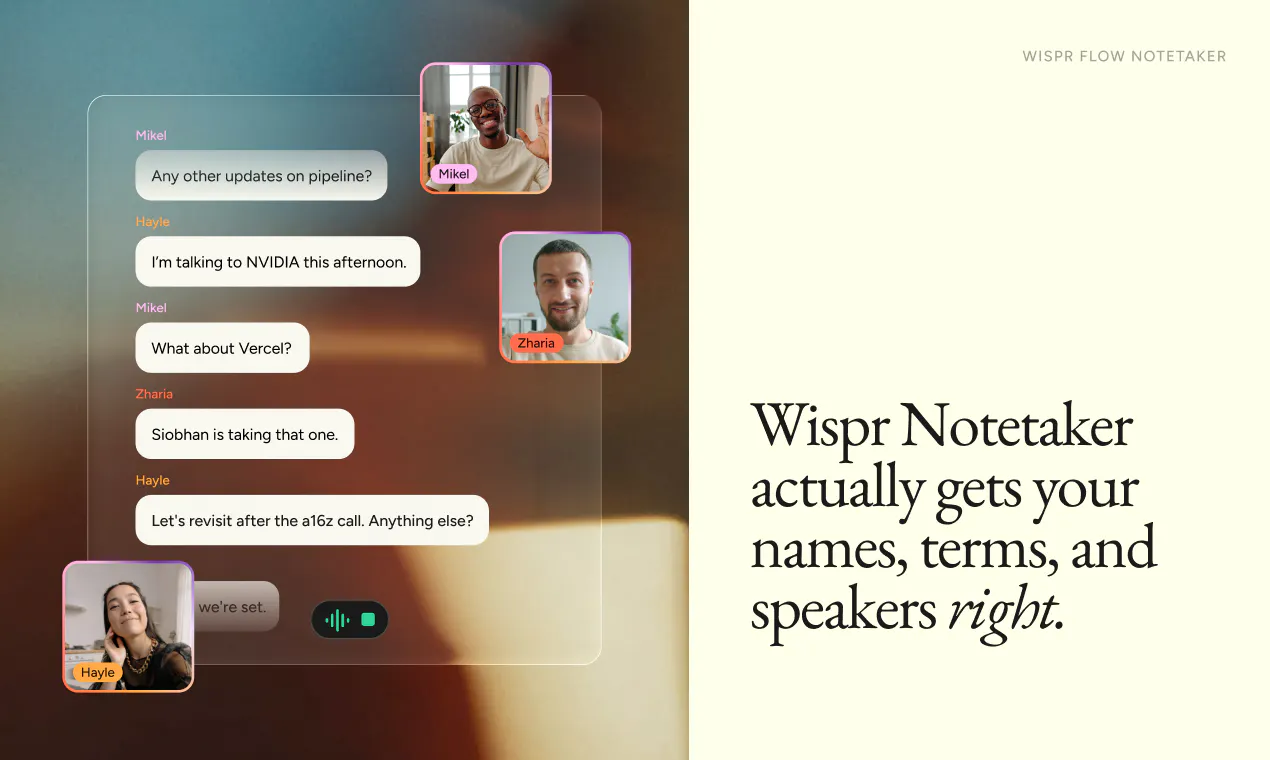
查看原始信息
Yondry
You've saved 400 places and visited 6. Yondry fixes that: share any post or link, it extracts the real place, and an AI planner builds your day around YOUR saves — weather-aware, time-boxed, swap anything. For days out, not trips. Go yonder.

Hi PH 👋 I'm Anna Maria, solo founder of Yondry.

Like everyone, I had a graveyard of saved Instagram posts and screenshots of places I "definitely had to try." Then every Saturday morning I'd spend an hour planning Saturday and usually end up at the same café.

Yondry is my fix:
🔖 **Share any Instagram post, link, or screenshot** → it extracts the actual place (share-sheet caption → oEmbed → OCR cascade) and files it in your library
🗓️ **Tell it what you feel like** ("chill rainy Saturday, walking only, done by 6") and it builds 2–3 complete day plans from *your* saves first, filling gaps only when needed
🔄 **Swap any stop**, saved three coffee spots? It picks one, the others are one tap away
☔ Weather-aware, time-box-aware, pram-friendly mode, transit-only mode

Different from trip planners: Yondry is for **your own city and days out**, not your holiday to Lisbon.

Built solo over 18 months with AI coding tools: FastAPI + Postgres backend, React Native, Claude for intent + plan generation, every release tested against 8 eval scenario suites.

3 day plans free every month; Plus is £4.99/mo if Saturdays are your thing. I'd genuinely love your roast: what's the first thing you'd save?

0
回复