Product Hunt 每日热榜 2026-08-06

PH热榜 | 2026-08-06

#1
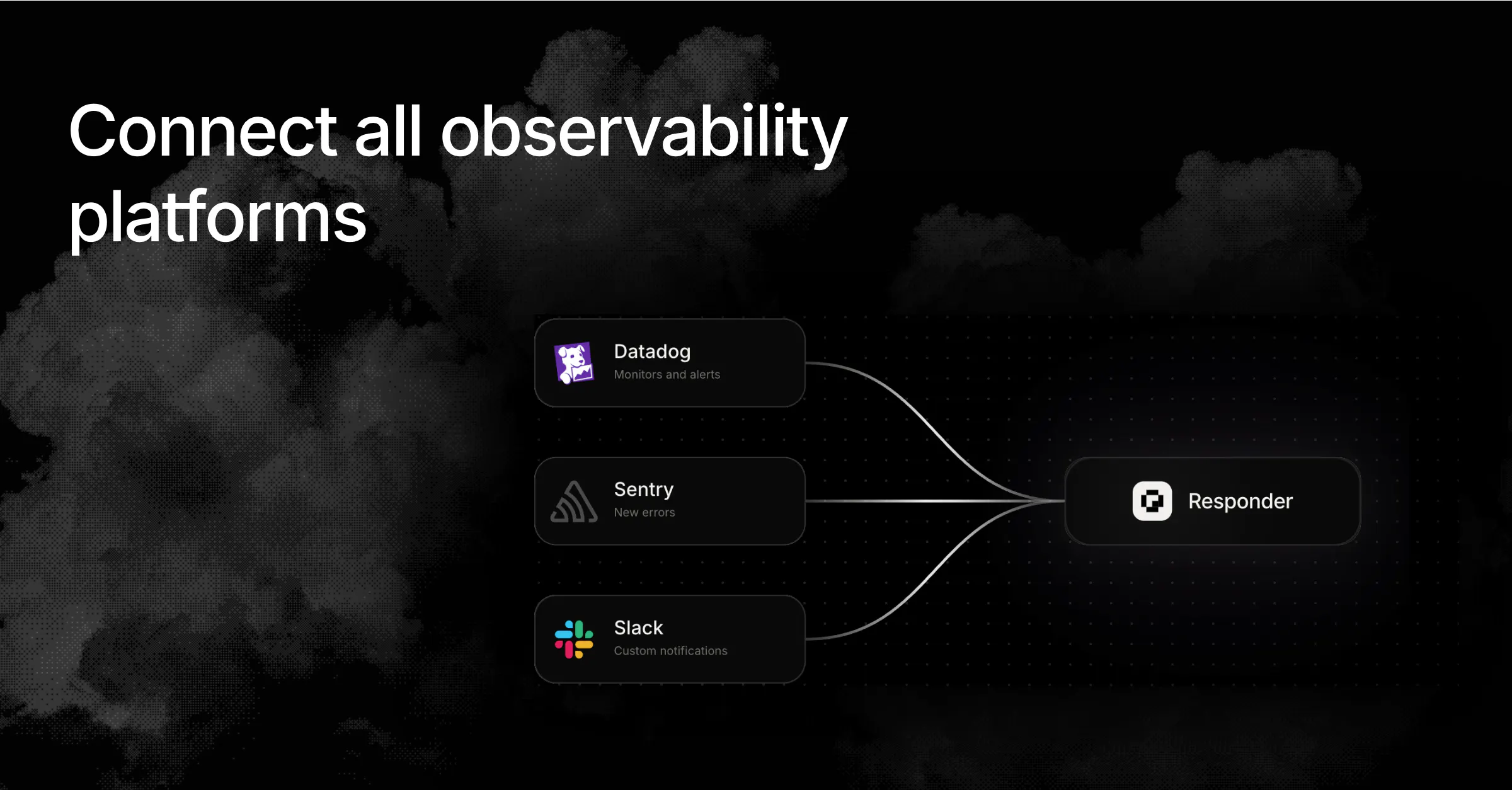
Cloudflare OS
Build the AI operating system for your company
399
一句话介绍:Cloudflare OS 是一个开源的企业级AI操作系统,为每位员工配备一个默认零权限、可精细授权的智能体和工作空间,让非技术人员也能在安全可控的前提下,围绕公司自有知识、工具和流程构建并运行专属AI应用,解决企业AI落地中“人人可用”与“数据安全”难以兼得的痛点。
Open Source Artificial Intelligence GitHub Bots
AI操作系统 企业级AI 开源 智能体工作台 零信任权限 安全协作 低代码应用 Agent编排 工作流自动化 私有化部署
用户评论摘要:用户普遍认可其安全模型(默认零权限、显式授权)和“文件变应用”理念,认为比普通AI工具更具战略野心。有用户已内部部署并反馈“接近所需,需微调”。主要疑问在于:工作流、权限与文化重构远比构建Agent本身更难,这或成最大落地瓶颈;亦有评论调侃Vercel承压,但缺乏实质性质疑声音。
AI 锐评

Cloudflare OS的发布,本质上是对当前AI应用层“走捷径”风气的一次精准打脸。市面上绝大多数AI工具要么是给工程师的玩具,要么是让企业交出API密钥赌运气。Cloudflare选择了一条更笨重但更正确的路:以零信任为底座,把Agent变成企业肌体里的“有权限的器官”,而非游离在外的“黑盒外包工”。其“文件即全栈应用”的设想,确实触碰到了下一代工作流的核心——文档与工具链的边界消融。但锐评必须指出三个隐患:其一,开源是一把双刃剑,私有化部署和深度定制意味着Cloudflare真正卖的是平台信任和与其Infra的绑定,这会让“OS”成为云厂商的“特洛伊木马”;其二,组织拒绝变革是比技术更难啃的骨头,让企业重新设计权限和流程,往往比换个软件更痛,历史上“群件”软件(如Lotus Notes)已证明技术超前于组织适配会死得很难看;其三,“每人一个Agent”听起来普惠,但Agent间权限边界的管理复杂度会呈指数增长,如果治理模型不够优雅,最终只会换来比传统ERP更混乱的“数字官僚主义”。Cloudflare抛出了一个好问题,但答案仍需在真实的企业血肉中厮杀后才能验证,别急着封神。

查看原始信息
Cloudflare OS
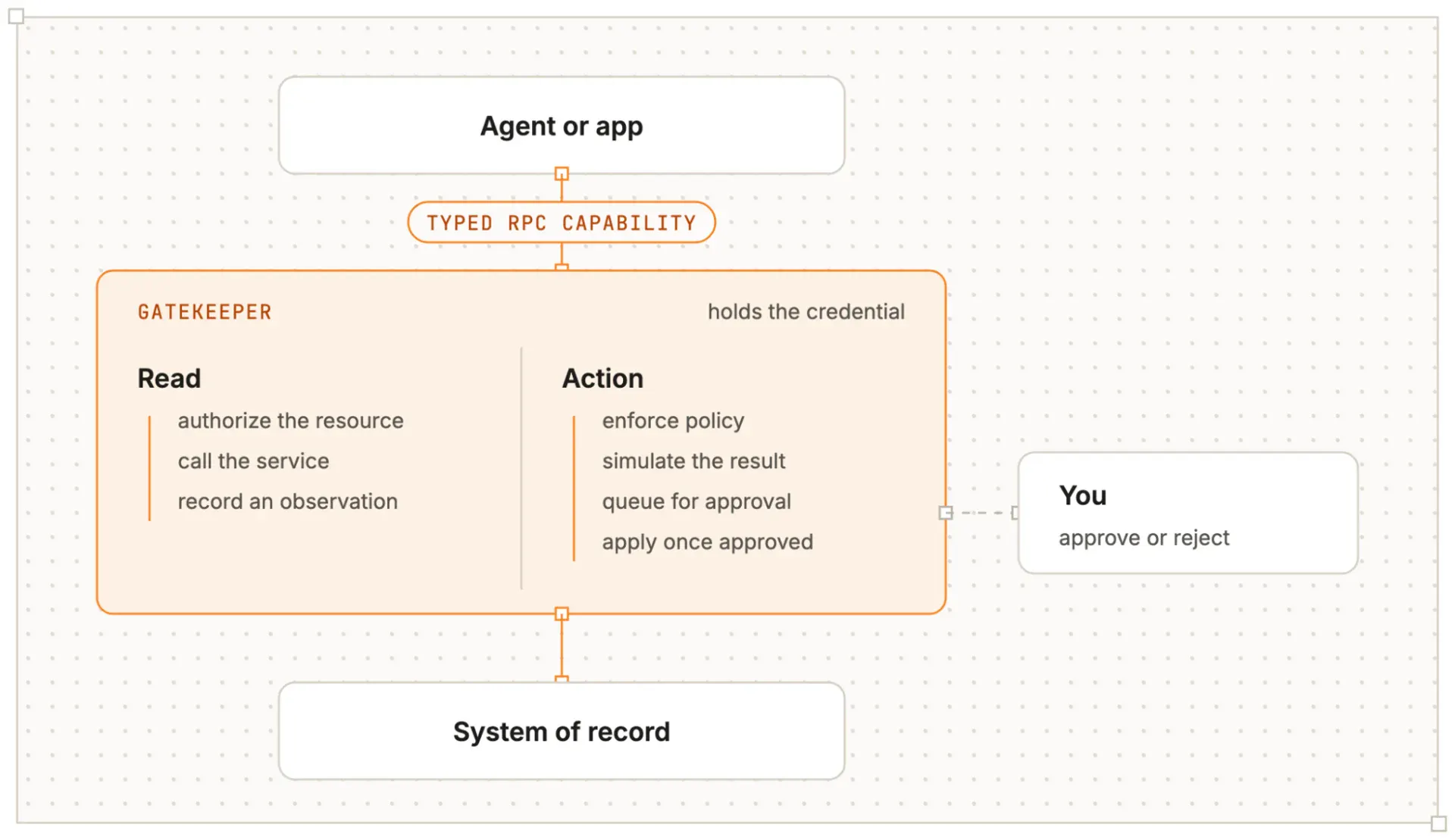
Give every person an agent and workspace built around how your company works, what it knows, and the systems it relies on. Cloudflare OS is the open source AI operating system companies can shape around their own context, tools, and rules.

Bold stuff from Cloudflare, and not just a random app. They're rethinking work in the agentic era from soup to nuts.

Hence Cloudflare OS: the AI operating system for your company, which intends to provide everyone across the org agentic superpowers.

Most AI tools at work either stay locked in the hands of engineers, or you have to hand over broad API keys and cross your fingers. Neither works if you want everyone to get real leverage safely.

Cloudflare OS gives every person — not just developers — an agent and workspace that actually knows how your company works: its context, its tools, its rules.

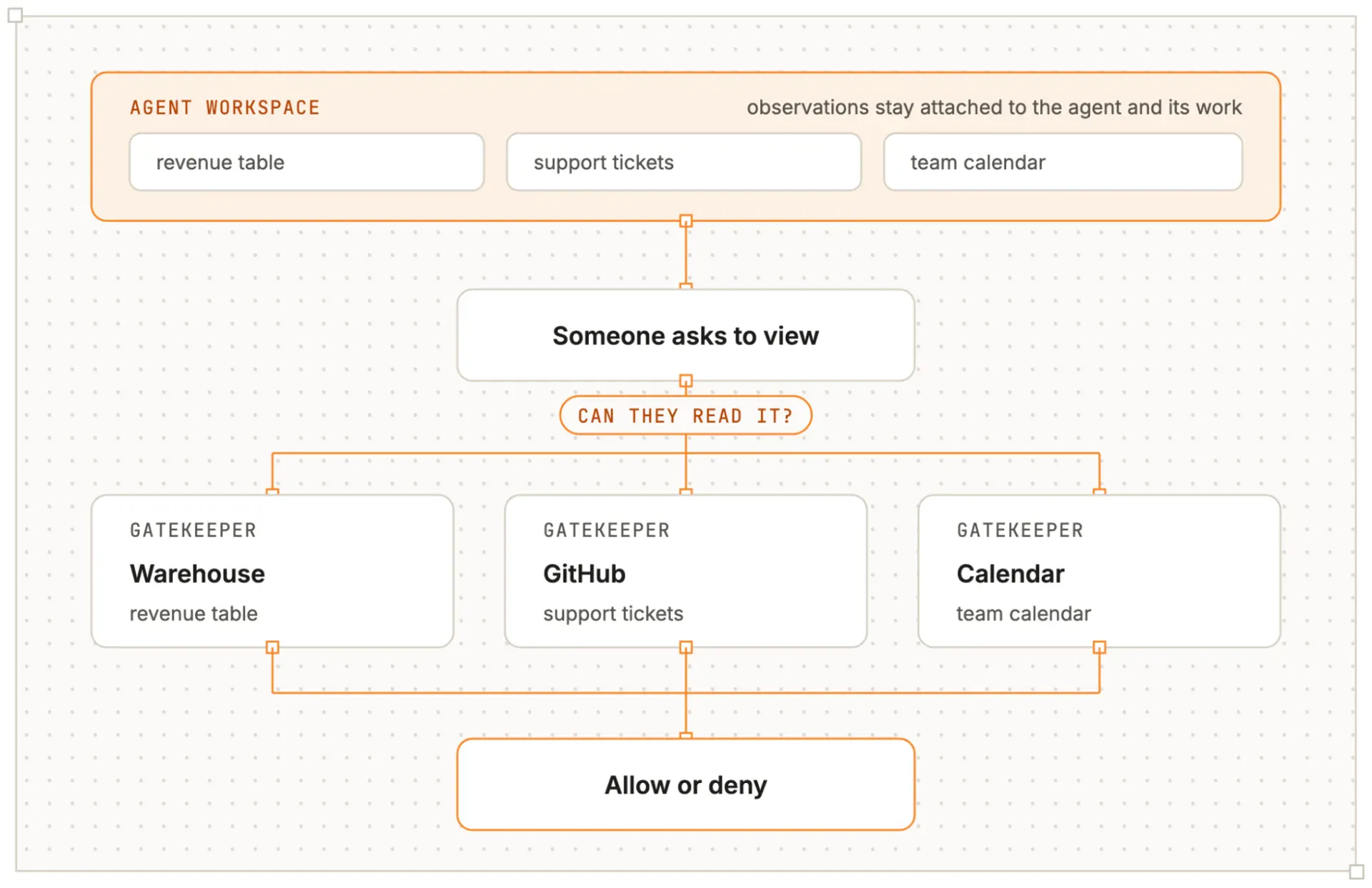
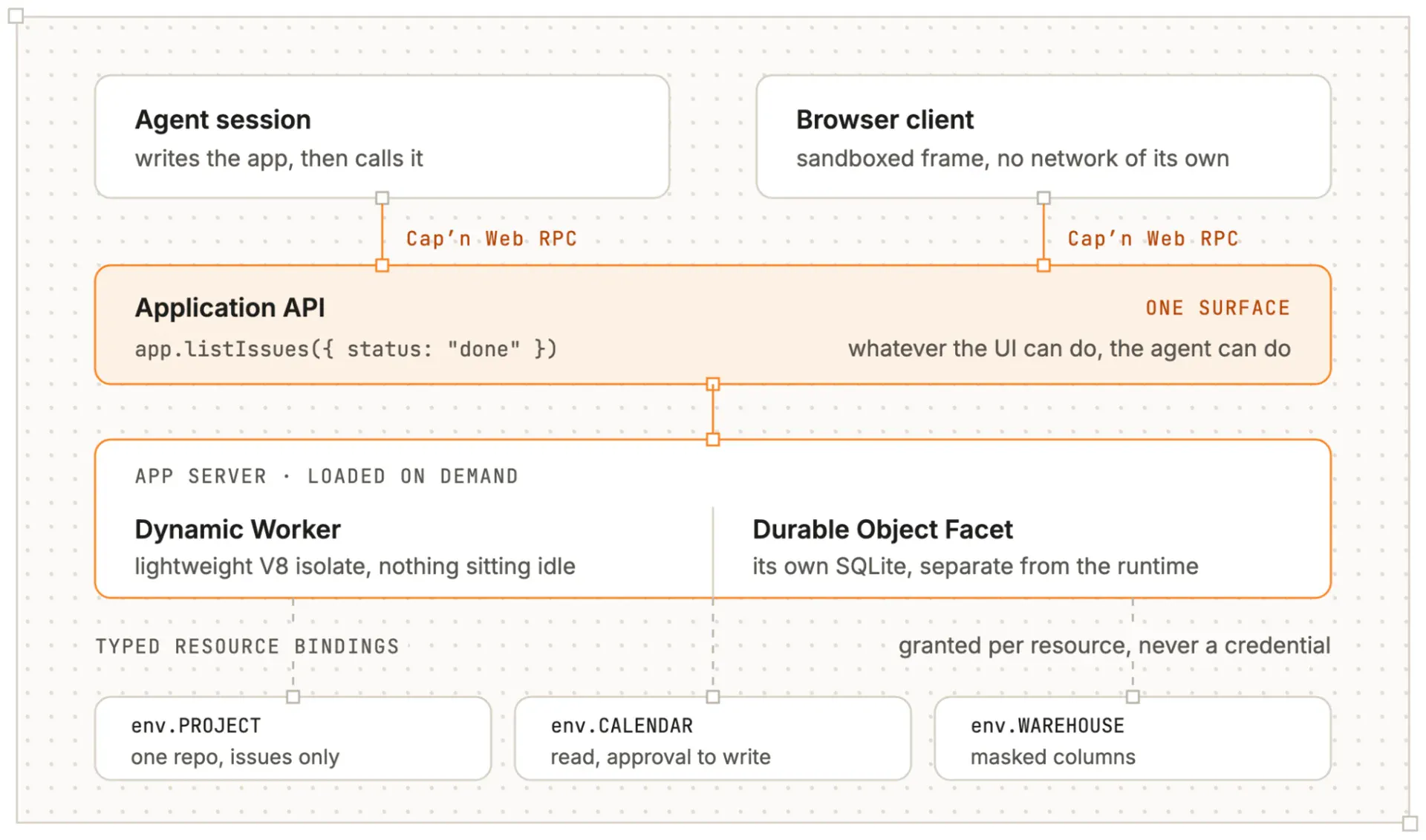
Agents start with access to nothing and only ever see what you explicitly grant them, so collaboration never leaks what someone shouldn’t see. And every “file” can become a real full-stack app you (or your agent) can keep changing. It’s open source (see the Cloudflare OS Starter project), so you can shape it around how you actually work.

Put against the recent Buzz launch, and agent-human collaboration surfaces are having a moment!

4
回复

@chrismessina yesterday we deployed OS for our @Unabyss team - looks super promising! We'll probably tweak it more to our liking, but it is the first "company OS" that is so close to what we need. As always, @Cloudflare doesn't disappoint ;)

0
回复

@chrismessina Cloudflare doesn't seem to be asking, "How do we build another AI app?" They're asking, "What should the workplace look like when every employee has AI?" That's a much bigger ambition.

I like the security model too. Giving agents zero access by default and letting permissions grow intentionally feels far more realistic for enterprise adoption than handing out blanket API keys and hoping nothing goes wrong.

The idea that every file can evolve into a living application is another interesting shift. It blurs the line between documents, workflows, and software, making AI less of a chatbot and more of an operating layer for the company.

One question I'm curious about: where do you think the biggest challenge lies? Building capable agents seems solvable. Getting organizations to redesign their workflows, permissions, and culture around AI feels like the much harder problem. It'll be fascinating to see which one becomes the real bottleneck.

Exciting direction—feels like we're moving from AI tools to AI operating systems.

0
回复

Cloudflare is slowly becoming the default layer for running AI companies. This feels much bigger than another agent tool.

1
回复
vercel is cooked.
1
回复

@jiteshghanchi go on...

1
回复
#2
AI Spend Console by Rippling
Track your AI spend and connect it to business outcomes
288
一句话介绍:AI Spend Console 是一款面向财务与工程负责人的 AI 支出管理工具,一站式追踪跨供应商(如 Claude、Cursor)的 AI 花费,并将其与 GitHub 产出(如 PR 量、代码修订数)关联,解决“AI 投入无法证明业务回报”的预算对账与效益评估痛点。
Artificial Intelligence Data & Analytics Finance
AI支出管理 成本监控 财务分析 开发者工具 效率评估 SaaS管理 数据可视化 GitHub集成 预算对账 Rippling
用户评论摘要:用户核心诉求集中在:将AI花费与团队/个人产出(PR、代码修订)挂钩,以应对财务审查;需支持趋势追踪而非静态快照;按模型(非仅供应商)拆分成本;免订阅试用以降低验证门槛。官方回应积极,但评论区混入多个“租号”诈骗回复,需警惕。
AI 锐评

AI Spend Console 踩准了企业AI采购从“尝鲜”转向“问责”的关键节点。其真正的杀手锏不是简单的仪表盘,而是将“支出”与“产出”在组织维度(部门、角色、员工)上做关联——这直接击中了财务与工程之间长期存在的“黑箱”僵局。从评论看,用户对“按模型拆分”“与GitHub PR关联”的渴求远超对花哨AI功能的兴趣,说明市场已被零散账单和手动对账折磨已久。

但必须泼三盆冷水:其一,数据关联的“因果性”极易被误读。PR数量多不等于代码质量高,甚至可能是AI生成的“废PR”刷量,若指标设计不严谨,反而会引发新的绩效造假游戏。其二,Rippling作为HR/IT系统起家,其AI Gateway的“策略强制”功能(按角色限制模型访问)听起来很美,但实际落地会遭遇工程团队的强烈反弹——开发者厌恶被IT限制工具自由。其三,产品描述中“连接业务成果”目前仅演示了GitHub指标,对非工程部门的AI支出(如销售用GPT、市场用Midjourney)缺乏说服力,这限制了其成为“全公司AI财务中枢”的野心。

评论区的“租号”垃圾回复也暴露了Product Hunt社区审核的草率,但更值得注意的反差是:一边是用户对“免费试用、无门槛”的欢呼,一边是产品深度依赖Rippling生态的天然捆绑。短期看,这是聪明的获客钩子;长期看,若不能独立成完整闭环,很可能沦为Rippling大平台的一个“功能演示页”。真正的考验在于:当客户同时用着Snowflake、Datadog和内部财务系统时,这个Console能否成为那个“唯一可信源”,还是又一个被迫手动维护的仪表盘?目前,它值得一试,但远未到“必买”的地步。

查看原始信息
AI Spend Console by Rippling
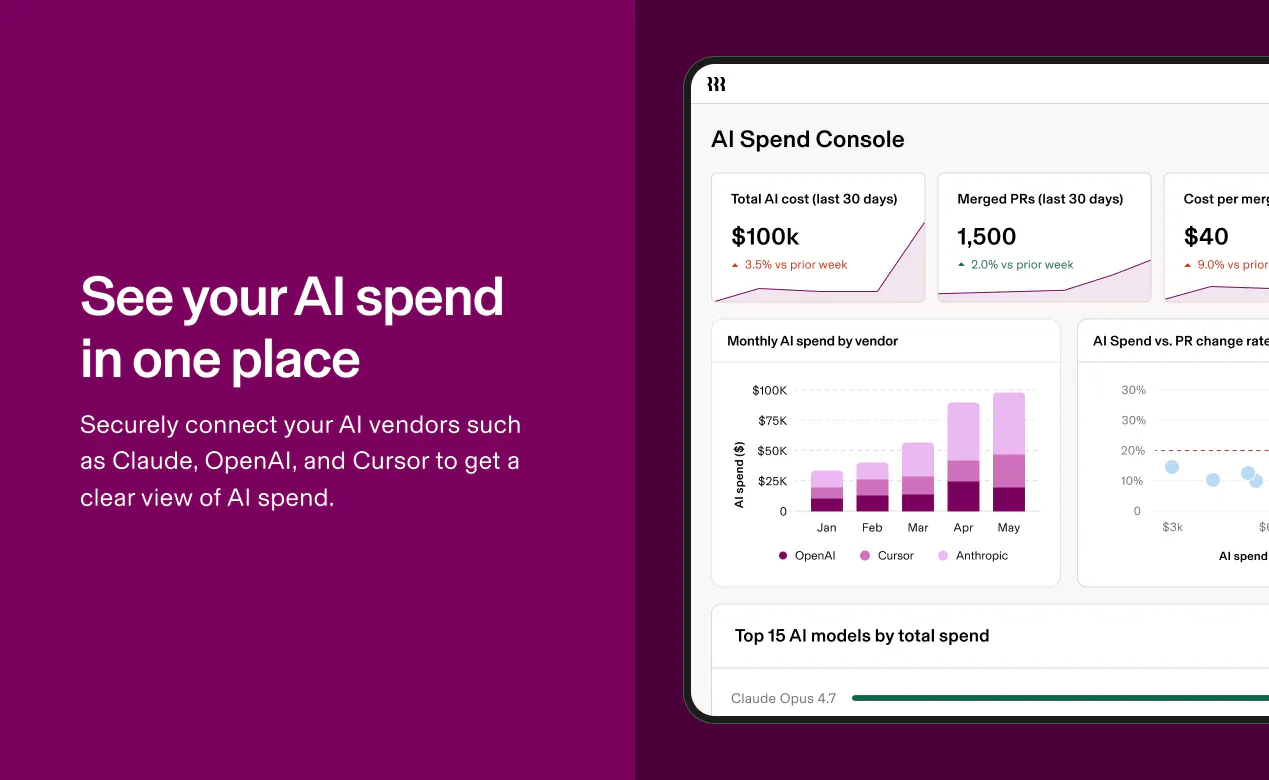
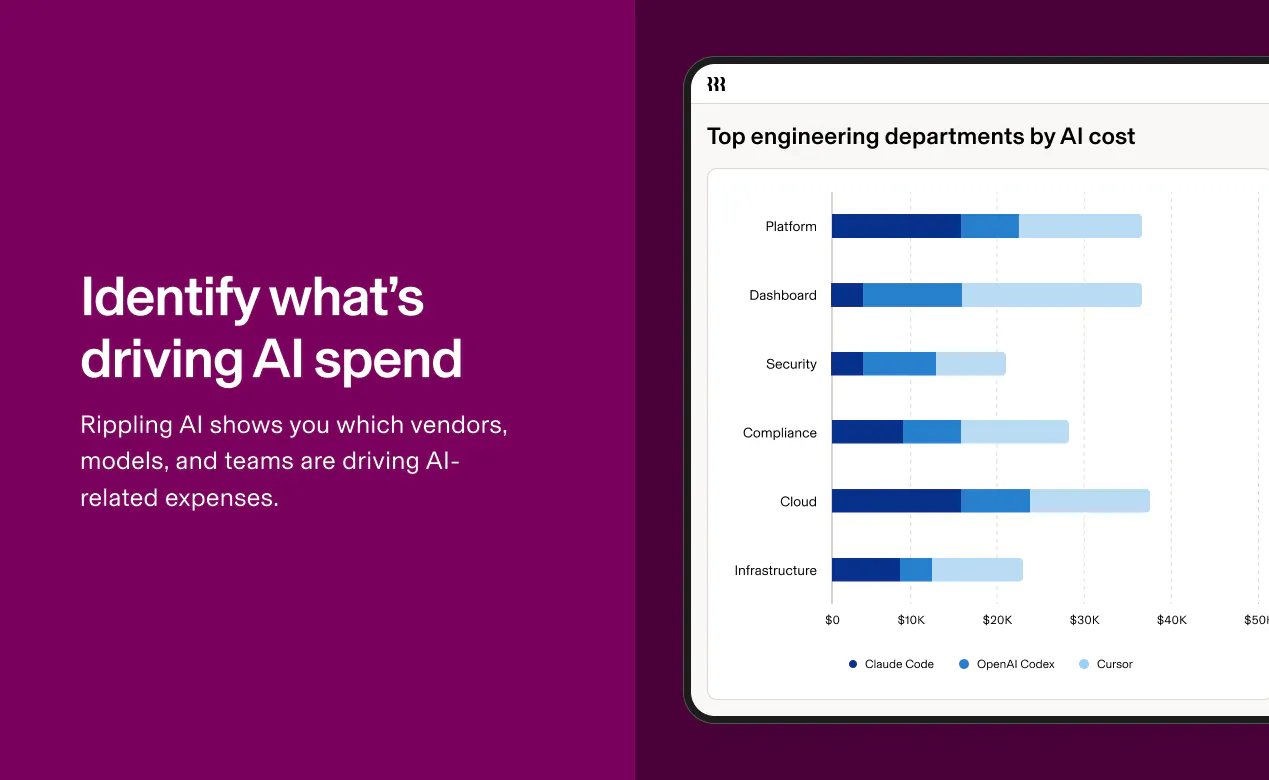
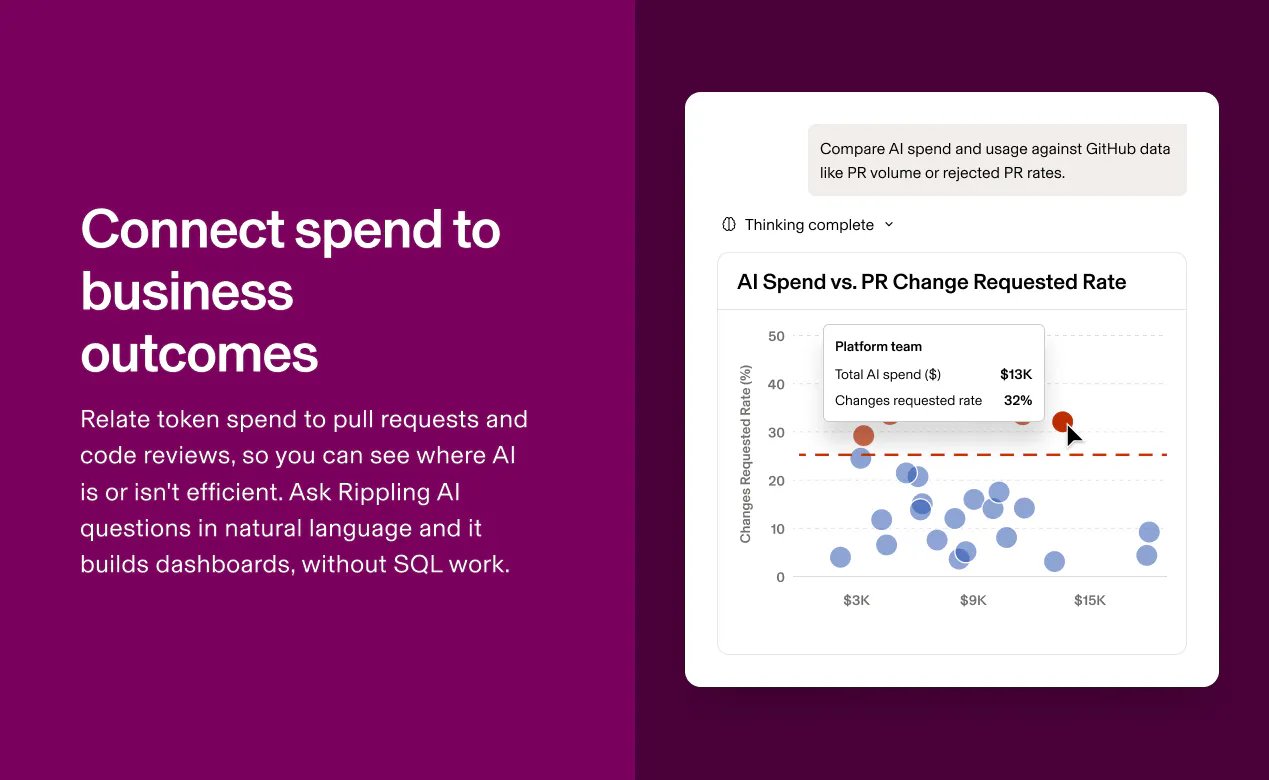
AI Spend Console gives Finance and Engineering leaders one place to track AI spend across tools (such as Claude and Cursor) and connect it to business outcomes. Break costs down by vendor, model, or employee, then connect spend to GitHub output data like pull request volume and the # of code revisions. You can get started for free–no Rippling subscription required.

I run a small engineering org and budget conversations with Finance usually devolve into guesswork because nobody has a shared source of truth. If this console becomes that shared reference point, it could genuinely change how I plan next year's tooling spend.

20
回复

@puja_sharma13 Definitely. Working from a shared source of truth is critical, especially when you're dealing with a fast-growing line item like AI spend. Once you have that visibility, you can make more informed vendor and budget decisions. I'd love to hear what you think of the product! You can also invite your Finance team to AI Spend Console so they can view shared dashboards too.

4
回复

Hey Product Hunt 👋 I'm Kevin, Product Lead behind Rippling AI Spend Console. 

We built AI Spend Console because every company is adopting AI and costs are growing quickly. As a result, companies lack the infrastructure to track and manage AI spend as a new expense category. We faced this problem at Rippling. 

In response, Finance teams manually pull data from vendor billing dashboards and run ad-hoc analyses just to get a point-in-time view of spend. And even then, you can see what you’re spending but not which teams, departments, or models drive the increase, and whether it’s improving business outcomes or employee productivity. 

What AI Spend Console is:

AI Spend Console gives you a clear view of AI spend, connects it to business outcomes, and governs the use of approved LLMs. You can get started for free, no Rippling subscription required. 

Unlike simple usage dashboards or point solutions, Rippling maps AI spend to employee attributes (such as department, team, and role) and GitHub output data (such as pull request volume and number of code revisions). 

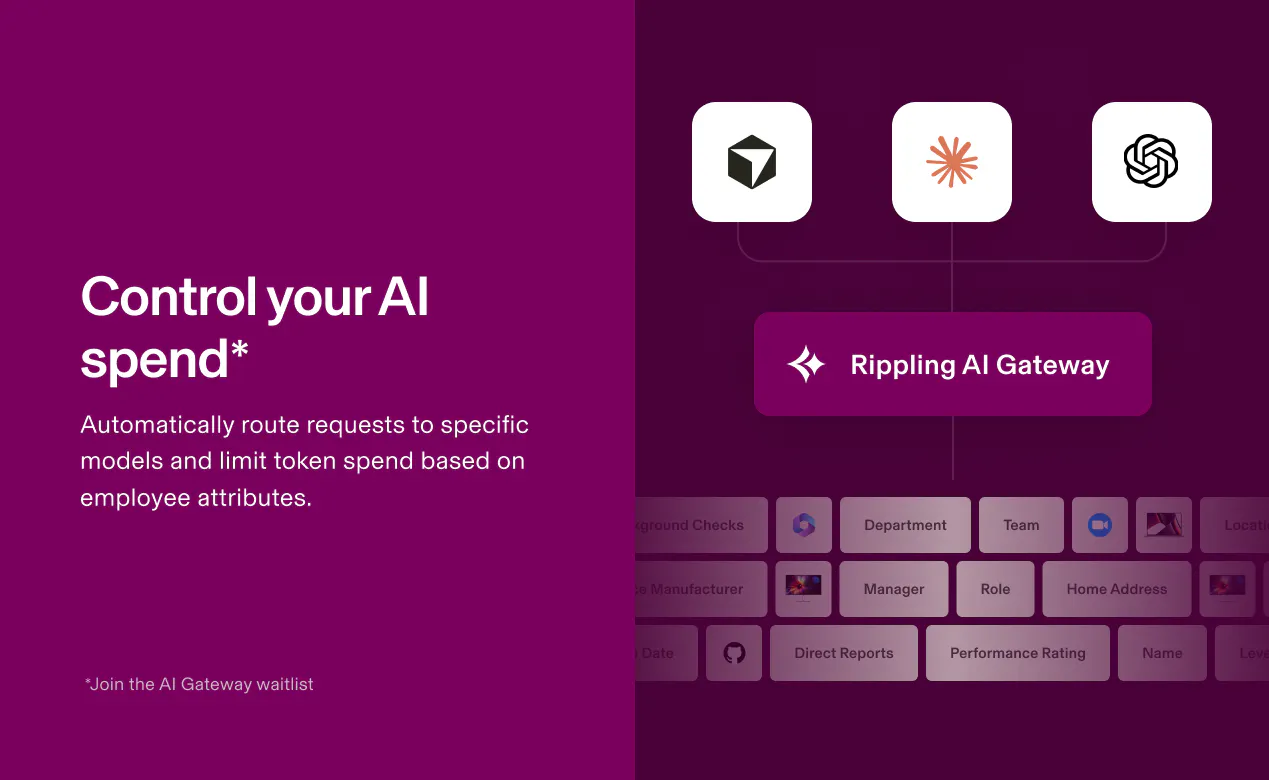
Rippling AI generates personalized dashboards using your connected data. You can even ask follow-up questions in natural language to drill down into spend and usage patterns. You can enforce policies on token spend and model access based on organizational data such as an employee’s department, team, or role*.

AI Spend Console can help you:  

  • Know what's driving your AI bill. Break down spend by vendor, model, or individual employee in a single view.

  • Understand the value of spend. Map AI spend to business metrics like performance ratings or pull request volume, so you can flag inefficient use. 

  • Control AI access and spend*. Enforce model access policies based on employee attributes, then automatically route AI requests to approved LLMs.

How it works: 

  1. Connect AI vendors (Anthropic, OpenAI Codex, Cursor), GitHub, and your employee data

  2. Rippling AI builds you a custom dashboard based on your connected data

  3. You can ask follow-up questions in natural language and share dashboards with anyone in your company

What we believe:

Your AI investment is like any other investment. You should only spend $$$ if it translates into actual ROI. You can’t understand that from a vendor billing dashboard. 

You need to see all your AI spend in one place, tied to the teams, roles, and departments driving it, and connected to the business outcomes it's producing. Without that org context, spend is just a number. Rippling AI Spend Console gives you all three. 

We'd love your feedback on:

  • Where the experience feels magical

  • What third-party integrations you'd like to see us add next

Try it for free with a 30-day Rippling AI trial at www.rippling.com/platform/ai/ai-spend-console. You don't have to be a Rippling customer.  

If you’re interested in learning more about our experience tracking and controlling AI spend at Rippling, you can read more in this blog post: www.rippling.com/blog/introducing-ai-spend-console 


Thanks for checking it out 🙏

-Kevin and the Rippling Team 

*You can join the AI Gateway waitlist once you start a free trial in Rippling.

19
回复

@kevinmasonThe GitHub correlation caught my attention. Looking beyond token usage is where the real insights probably start .

1
回复

@kevinmason Ok so this feels like one of those products that becomes more useful as AI adoption scales across a company.

0
回复

The org context point is the one that makes this genuinely different spend without the team and role attribution is just a number that makes no one accountable. The GitHub PR mapping is particularly sharp. Rooting for you today@kevinmason 

0
回复

My CFO keeps asking for proof that my AI tools are worth the license fees. A dashboard that ties spend directly to code output gives me something concrete to bring to that conversation.

16
回复

@uttam_kumar35 Yes! You can look at tons of GitHub metrics like pull request volume, number of code revisions, code rework, etc. Let us know what you think!

3
回复

Would love to know if it tracks spend trends over time, not just snapshots. I care more about trajectory than a single month's number.

15
回复

@robert_smith52 Yes, it tracks AI spend over time. It's not a static dashboard. One view I really like is "AI spend by vendor over time".

4
回复

@robert_smith52 Hello, nice to meet you.

If I waste your time, I am very sorry.

I am a full-stack developer looking for a collaborator.

As you know, many projects come from the US, and many US clients prefer working with American freelancers. Their budgets are often higher than projects from other regions. Do you know about freelancer com or upwork com sites? If you no longer use the account, would you consider lending it to me? In return, I would share 20–30% of the income generated through the account with you.

I hope we can collaborate, but if you're not interested, I completely understand and wish you all the best.

Whatsapp : +1 (910) 852-7435

Telegram : @bytepil0t

0
回复

I've tried building this kind of tracking in a spreadsheet before and it fell apart within a month. Having code revision data tied directly to spend would've saved me hours.

15
回复

@madison_marley Hey Madison! Spreadsheets are great for lots of things but pretty manual and super time intensive, especially when you're bringing in data from a bunch of different sources. Would love to hear what you think of AI Spend Console once you give it a try!

1
回复

@madison_marley We hope this can save you hours in the future!

0
回复

@madison_marley Hello, nice to meet you.

If I waste your time, I am very sorry.

I am a full-stack developer looking for a collaborator.

As you know, many projects come from the US, and many US clients prefer working with American freelancers. Their budgets are often higher than projects from other regions. Do you know about freelancer com or upwork com sites? If you no longer use the account, would you consider lending it to me? In return, I would share 20–30% of the income generated through the account with you.

I hope we can collaborate, but if you're not interested, I completely understand and wish you all the best.

Whatsapp : +1 (910) 852-7435

Telegram : @bytepil0t

0
回复

What stands out to me is the employee-level breakdown. I've always suspected some engineers get far more value from AI tools than others but I've never had data to actually confirm that suspicion.

14
回复

@soni_kumari25 Such a great point. I had that assumption too and we've learned a lot at Rippling about who's actually driving that spend. You can look at employees or teams, roles, departments, levels.

3
回复

Breaking spend down by model, not just vendor, is underrated. Some models cost three times more for marginal quality gains and I need that visibility.

13
回复

@yolanda_c_schneider Couldn't agree more. The vendor level is good visibility but that's only the surface. Using AI Spend Console, our team has been able to answer questions like:

  • Which models are used most frequently and by which teams?

  • Which roles and levels are driving up our AI bill?

  • How does AI spend per pull request differ between our top and bottom performers?

  • Which engineers have high AI spend, whose peers frequently ask them to redo work in code reviews?

2
回复

The vendor-level breakdown caught my eye. I've got Claude, Cursor and two other tools all billing separately, and reconciling that manually is tedious.

13
回复

@ayesha_mughal1 Glad to hear you're interested! The vendor level breakdown gives you a good idea of what you're spending across all your vendors, then you can further break that down by which models, which teams, and which roles are driving spend. Excited to hear what you think!

3
回复

This feels built by people who've actually sat in a budget review meeting and gotten stuck justifying tool costs.

12
回复

@kimberly_west Thanks for the support! I'd love to hear what you think of the product. Hope you can use this in your next budget meeting.

0
回复

@kimberly_west Budget meeting jitters!! 😬 Hope this makes your next one easier.

0
回复

I manage a small eng team and honestly, connecting cost to pull request volume is the missing piece I've wanted from every billing dashboard I've tried so far.

12
回复

@jack_mark8 Are there other metrics you're interested in? Curious what you'd like to see next.

1
回复

@jack_mark8 Can't wait to hear what you think about the product, Jack!

0
回复

@jack_mark8 Hello, nice to meet you.

If I waste your time, I am very sorry.

I am a full-stack developer looking for a collaborator.

As you know, many projects come from the US, and many US clients prefer working with American freelancers. Their budgets are often higher than projects from other regions. Do you know about freelancer com or upwork com sites? If you no longer use the account, would you consider lending it to me? In return, I would share 20–30% of the income generated through the account with you.

I hope we can collaborate, but if you're not interested, I completely understand and wish you all the best.

Whatsapp : +1 (910) 852-7435

Telegram : @bytepil0t

0
回复

I've been tracking AI spend manually in a shared doc and it's already out of date by the time I update it. Automated syncing with GitHub data sounds like exactly the fix my team needs, assuming the integration is reliable.

12
回复

@thomas_jack3I'd love to know what you think of the product!

1
回复

@thomas_jack3 Hello, nice to meet you.

If I waste your time, I am very sorry.

I am a full-stack developer looking for a collaborator.

As you know, many projects come from the US, and many US clients prefer working with American freelancers. Their budgets are often higher than projects from other regions. Do you know about freelancer com or upwork com sites? If you no longer use the account, would you consider lending it to me? In return, I would share 20–30% of the income generated through the account with you.

I hope we can collaborate, but if you're not interested, I completely understand and wish you all the best.

Whatsapp : +1 (910) 852-7435

Telegram : @bytepil0t

0
回复

Free access without a Rippling account is a smart move. I'm more willing to test something when there's no upfront commitment required.

12
回复

@chandrshekhar_rawen Thanks :) We're offering a 30 day free trial for non Rippling customers. I'd love to hear what you think of the product!

1
回复

I've been tracking AI tool costs manually in spreadsheets for months. Connecting spend to actual PR output is exactly the missing piece I needed.

11
回复

@ayla_reynolds Glad to hear it! Would love for you to try out AI Spend Console and let us know what you think. Once you connect your data, I would recommend trying out a prompt like this: Build a dashboard that catches low-quality AI output before it ships. Combine GitHub data with AI usage to surface the pull requests, developers, teams, and repos where AI-assisted code shows high rework, reverts, review churn, and reopened bugs, so I can spot AI slop early.

2
回复

No subscription required to start is a smart call. I'd have skipped this entirely if it demanded a Rippling account upfront.

11
回复

@balakrisnan_h Let us know what you think when you try it out! We're very open to feedback and happy to answer any questions.

1
回复

@balakrisnan_h Hello, nice to meet you.

If I waste your time, I am very sorry.

I am a full-stack developer looking for a collaborator.

As you know, many projects come from the US, and many US clients prefer working with American freelancers. Their budgets are often higher than projects from other regions. Do you know about freelancer com or upwork com sites? If you no longer use the account, would you consider lending it to me? In return, I would share 20–30% of the income generated through the account with you.

I hope we can collaborate, but if you're not interested, I completely understand and wish you all the best.

Whatsapp : +1 (910) 852-7435

Telegram : @bytepil0t

0
回复

I like that this doesn't require a Rippling subscription to try. Too many finance tools lock the useful features behind a bigger platform commitment before you even know if it fits.

9
回复

@ramish_saje We'd love for you to try it out and share your feedback!

1
回复

@kevinmason We've gotten good at buying AI. We're still figuring out how to manage it. Timely launch.

6
回复

@joseph_walker2 The journey is new for all of us -- first tokenmaxxing to boost AI adoption, then shifting to analyze how much AI is really costing us after blowing over budgets, to now finding new tools to control AI costs.

It's a delicate balance -- what's enough AI spend so people can be wildly productive, but not so much that people are using it to generate expensive daily briefs that summarize their slack messages every morning running on Opus 4.7?

I'm excited to hear what you think of the AI Spend Console!

3
回复

Its interesting bcz managing HR, payroll and IT in separate systems can get messy quickly. What was the biggest challenge you wanted to solve when building this platform?

Congrats @kevinmason and team!

4
回复

@kevinmason  @hamza_afzal_butt The biggest challenge was ensuring users have a magical onboarding experience and can get value from the tool. For example, we spent a lot of time testing and tuning our recommended prompts so the platform surfaces interesting AI spend and usage patterns. For example, you can see which engineers spend the most on AI but have the highest number of code revisions.

3
回复

This is huge for finance leaders who are trying to wrangle in AI usage at their companies.

3
回复

@sander_buitelaar The control is back in your hands! Let us know what you think!

1
回复

What use case are you most excited about so far?!

3
回复

@olyvia_ruhlmann I'm super excited for the GitHub use cases! For example, you could ask Rippling AI to build you a spend and usage dashboard that shows PRs across the team against individual usage.

1
回复
Really impressive launch, Kevin 👏 The AI Spend Console feels like a game-changer for finance and ops teams—finally a way to see not just what you’re spending, but why and where it’s driving outcomes. Love that it ties usage directly to business metrics and productivity, instead of leaving spend as just a number. Excited to see how this helps companies make smarter AI investments! Congratulations!
3
回复

@odeth_negapatan1 Thanks for the support!

1
回复

@odeth_negapatan1 Invest smarter, not harder, that's the goal!

0
回复

Cost visibility is great, but connecting it to GitHub activity is what really stands out. Nice approach to measuring AI ROI.

3
回复

@noahanderson Thanks! That was the core insight for us: spend alone doesn't tell you much, but when you tie it to GitHub data like PR volume, cost per PR, and code rework rate, you can actually start to see where AI usage is translating into output versus just adding cost. Would love to hear what you think once you dig into the dashboards!

2
回复

@noahanderson Thanks! Every leader is asking "What's the ROI on my AI spend?" and connecting it to GitHub metrics is just one way to see that. Of course, there's nuance but it helps you see where AI spend translates into improved business outcomes, especially if you have a heavy eng org.

1
回复

This is incredible - I'm on a bizops team and we noticed people were blowing through tokens without any real or obvious ROI...

This solves all our problems

2
回复

@kimiloluwa We hope you like it! The ROI is the stickler -- how do I show that I've gotten ROI through higher quality work? I even generated a dashboard that even answers the question, are people doing high quality work better, or smaller tasks faster?

1
回复

@kimiloluwa so happy to hear that! Thanks for supporting our launch!

0
回复

Love seeing products that solve operational complexity instead of adding to it.
juat curious, which module tends to deliver the fastest ROI for new customers: HR, IT, payroll, or spend management?

2
回复

@abod_rehman Can I say them all? It depends what's most pressing for your business. A lot of our customers start on Payroll.

0
回复

Wow! This is super exciting! Is Rippling already using this internally? Has it influenced any vendor spend decisions?

2
回复

@quinn_knoblock1 Yes, Rippling is! It has already. We've already cut back our spend significantly and plan to keep using the tool to help us track spend and usage patterns.

0
回复

Lots of great AI launches from Rippling this year, but this one feels special. It tackles a problem we're all navigating: how to spend on AI efficiently. Getting a shared source of truth for AI spend, connected to how it actually affects productivity, is so valuable. Proud of what everyone built here!

2
回复

Super cool!

2
回复

@annacy_sampas Thanks for the support, Annacy!

1
回复

Congratulations on the new launch, so exciting to see! Do you integrate with Claude? This is what we use internally.

2
回复

@stephen_gomes1 Thanks for the support! Yes, we integrate with Claude. We also connect to OpenAI and Cursor.

1
回复

@stephen_gomes1 Yes! You can connect Claude Code or Claude Enterprise!

1
回复

Congrats on the launch! Are we able to impose aggregate limits on AI usage per employee using the console?

2
回复

@gabiginorio Thanks for the support! With AI Gateway, you can enforce token spend and model access policies based on employee attributes. You can sign up for the waitlist for AI Gateway, once you start your free trial.

2
回复

I'm so excited that AI Spend Console is officially live. It's been so fun working on this with @kevinmason @lkroll @aliciawarrenhossein and the rest of the team. Congrats everyone!

2
回复

Can the dashboard compare spending trends over time, so teams can whether new workflows are actually becoming more efficient?

2
回复

@kate_sleeman Yes! It can show you spending trends over time. For example, you could see AI spend over time by department or AI spend over time by model.

1
回复

@kate_sleeman Yes! Your dashboards will go back to the beginning of your usage, and you can filter to a specific date range. It will also point out how you're trending for the time being so you can see if there's an outlier that you need to take action on.

1
回复
#3
Superlog Responder
Free, open-source AI bug-fixing agent
270
一句话介绍:Superlog Responder 是一个免费开源的 AI 调试代理,直接嵌入 Sentry 或 Datadog 的 Slack 频道,告警自动调查、去噪,并在线程中回复根因、证据和可合并的 PR,让开发团队免于深夜排障。
Developer Tools Artificial Intelligence GitHub
AI Bug-Fixing Agent 开源 Slack集成 Sentry Datadog 告警去噪 自动修复PR SRE工具 可定制Agent 开发效率
用户评论摘要:用户普遍认可“从告警直接到PR”的价值,认为免去额外看板、直接在 Slack 内定位问题并给出修复方案是刚需。核心关切集中在三方面:一是如何去噪、防止误报和无效 PR;二是如何保证修复符合团队架构和编码规范;三是测试与迭代提示词/模型的方法。创始团队回应强调“自定义架构指南”和“严格误报控制”,并以高 PR 合并率佐证质量。部分用户询问目标客户群及增长策略,团队表示当前以种子到 B 轮创业公司为主。
AI 锐评

Superlog Responder 的聪明之处,在于它没有试图再造一个“更全能的监控平台”,而是承认数据采集和告警生态已被 Sentry、Datadog 垄断,转而做那个“帮你看完告警并直接把活干完”的最后一公里。这个定位切中了一个隐蔽但昂贵的痛点:不是故障本身,而是被故障打断的认知流——告警来了,工程师得从上下文切换中硬生生拽回自己,查日志、翻 trace、猜根因,而 Responder 直接把这个过程自动化,输出的是一份诊断和 PR,而不是又一条“请你接手”的通知。

它真正值得关注的地方在于“可定制”和“开源”的组合拳。多数同赛道产品把 agent 当成黑盒出租,而 Superlog 允许用户改 prompts、接自有 memory、调工具权限和升级规则。这意味着它实际上在卖“一套调试 agent 的脚手架”,而非订阅一个固定服务——这让团队能逐步沉淀自己的事故处理经验,而不是被厂商绑定。从评论区创始人的回复看,他们也很清楚模型本身不是壁垒,判断力来自工具链配置和 trace 阅读质量,这一点务实的认知比大多数 AI SRE 创业公司成熟。

风险也很明显:AI 修 bug 的临界信任很难跨越。评论里“如何防止它创造更多 bug”的提问,本质上是对 agent 责任边界的质疑——一个能开 PR 的 agent,出错了谁来背锅?此外,90% 的合并率披露如果缺乏基准对比,营销色彩大于参考价值。开源 + 免费 + 高自由度,让它在口碑传播上有天然优势,但能否从开发者的“试试看”变成团队的“长期依赖”,取决于它处理 edge case 的能力和社区生态的厚度。短期看它是 SRE 的减负工具,长期看,它可能比 Sentry 自己更懂如何把告警变成工程资产。

查看原始信息
Superlog Responder
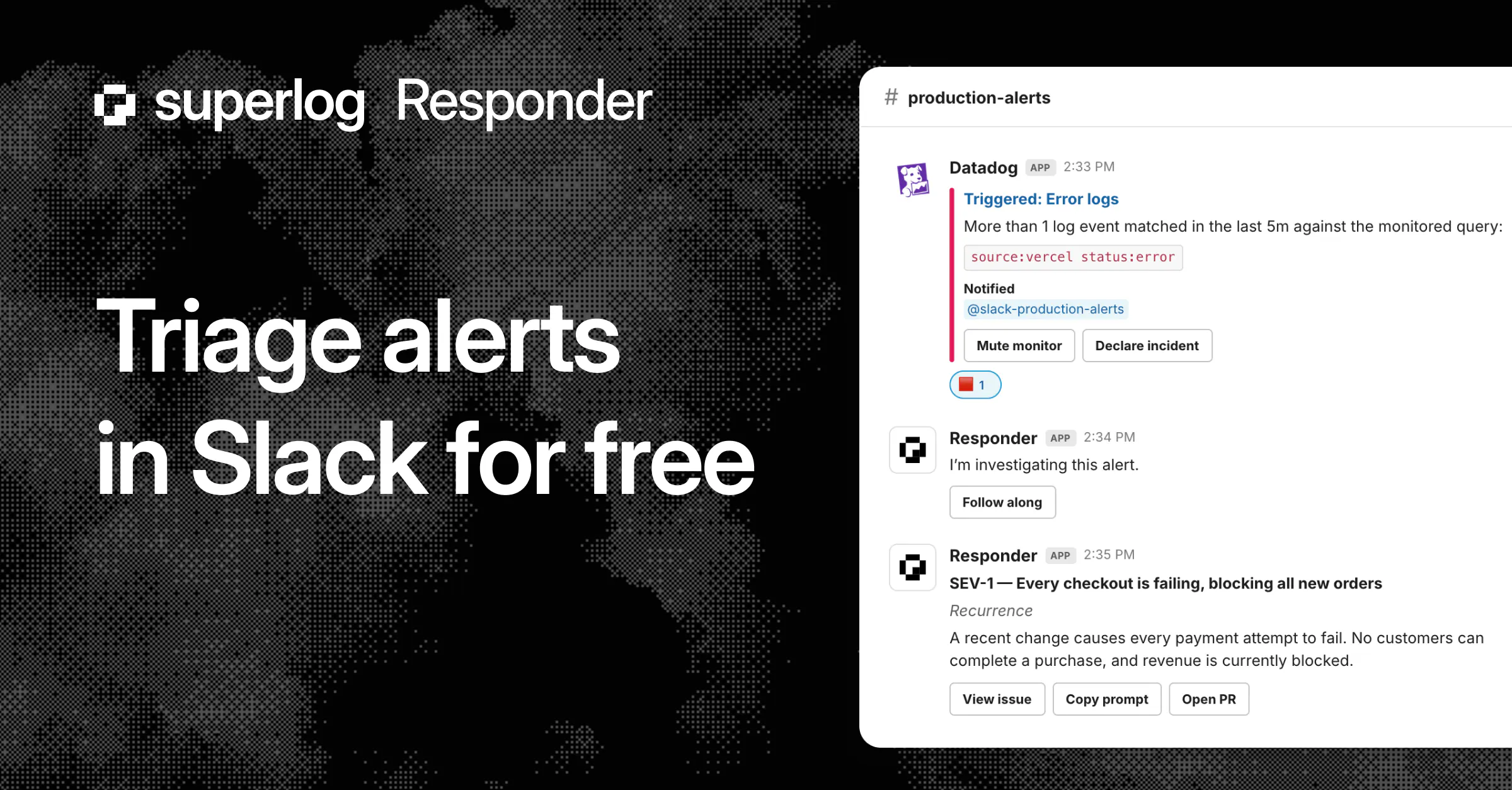
Responder is an AI bug-fixing agent that plugs into the Sentry or Datadog Slack channel you already run. One-click synch, no new telemetry to install. On every alert it investigates with full context, filters out the noise, and for real issues replies right in the thread with the root cause, the evidence, and a mergeable PR. Prompts, memory, repo access, and escalation rules are fully customizable, so you're building your own debugging agent, not renting ours.
Hey ProductHunt! Nicolò here, co-founder of Superlog. A lot of you started using Superlog after our first launch, and honestly the feedback shaped this one. The thing we kept hearing: "I already have telemetry set up, my alerts already land in Slack. I don't want another dashboard to click through. I just want the bug fixed." Fair. So we built exactly that. Superlog Responder lives in the ops channel where your alerts already show up. When something breaks, it doesn't ping you to go investigate, it investigates itself, using your Datadog, your Sentry, your Notion, your repo, your read-only DB. Then it opens a PR with the fix. You wake up to a diagnosis and a draft PR instead of a red channel and a 3am panic about which century it is. And because it's open source and fully customizable (prompts, memory, tools, repo), you're not renting our agent. You're building your own debugging teammate, on your data, on your infra. Cloud option if you'd rather not deal with the deployment. We'd love your feedback, and we're onboarding early teams by hand this week. Ask us anything below.
12
回复
@nicolo_magnante congrats on the launch 🚀
3
回复

@nicolo_magnante The 3AM panic framing is exactly right the cost isn't the bug, it's the cognitive load of being the one who has to find it at the worst possible time. The 'it already investigated itself' positioning is strong. Rooting for you today.

0
回复
@nicolo_magnante Cutting out the need for another dashboard and working directly inside Slack is huge. Receiving a ready PR with a clear diagnosis instead of a late night panic search is a massive relief for dev teams.
1
回复

Congrats guys, going from a Sentry alert straight to a fix PR is sick, what changed after previous launch?

3
回复

@igor_martinyuk thank you Igor! We just had many discussions with great companies where they weren't as interested with the improved telemetry experience. But they still wanted the issue triage and bugfixes.

So we decided to provide our harness as a separate product with a simpler onboarding and make sure more people can use what we're building at Superlog!

0
回复

@igor_martinyuk main update is that you can now use Superlog Responder on top of your telemetry, while with Superlog you had to install Otel with us! Now it's literally 2 clicks, and you're bug-free!

0
回复
Looks cool! How do you test and iterate on prompts / models? I'm guessing that if the triaged alerts are noisy it's not that much better than usual Sentry/Datadog alerts
2
回复

@kristina__grits it's a tough process! our main criteria is:
- preventing false positives and noise
- making sure that the messages are relevant

What works the best so far is:
- having a handful of test cases that you can immediately launch and see the effect of any harness / prompt improvements
- reading full traces thoroughly (Boris Cherny's tip!) to rule out any tool / environment bugs.

our prompt is actually fairly minimal. agents are smart, they just need the right tools

0
回复

Sounds like a cool tool! Great that you're offering a free tier for folks to test out. How are you approaching growth? What's your ICP?

2
回复

@margarita_s88 right now the vast majority of our users are startups, from seed to series B. technically anyone using sentry or datadog, who want to easily take care of fixing whatever breaks!

1
回复
Huge! How do I make sure it doesn’t create more bugs?
2
回复

@bengeekly Thank you! We're obsessing over the quality of our triage and fixes. a big thing for us is to make issue messages relevant and grokkable.

for us, it's fundamentally an issue of taste and talking to users!

0
回复

@bengeekly main goals are:

  • avoid false positives and unnecessary noise

  • make sure the messages are relevant

What has worked best so far:

  • keep a small set of test cases that you can run right away to see the impact of any prompt or harness changes

  • read the full traces carefully (a tip from Boris Cherny and mentioned by Arseniy in a previous comment) to catch tool or environment bugs before changing the prompt

Our prompt is actually very simple. Agents are already smart. They mostly just need the right tools.

0
回复

Love it, been using Responder in beta for few days now and it's awesome, well done team

2
回复

@camilleepitalon Thank you Camille! Super happy to get good feedback from you :)

0
回复

Excited to launch Respondeer today! Please give Responder a try - the world needs less bugs and more sleep for SRE engineers!

2
回复

@arseniy_shishaev1 looks awesome, we actually built smth similar internally, however, it'd be great to try and see if yours works better

0
回复
Congrats on you launch and good wishes for your success.. just curious, are you a YC startup or Garry generally loves your product.. thanks..
1
回复

Congrats on the launch! Can't wait to try it out

1
回复

@tricomte thank you Tristan!!

0
回复

Interesting approach! One question: how do you prevent the AI from proposing fixes that are technically correct but don't align with a team's architecture or coding standards? False positives are pretty common with automated debugging tools, so I'm curious how you handle that

1
回复

@matheusdsantosr_dev Great question Matheus!

  • For coding standards: We allow you to fully customize your agent, including adhering to any architecture / guidelines in the repo.

For false positives: this is our core mission. Responder will only raise an issue if code + telemetry indicates real impact beyond reasonable doubt. I'm personally obsessing over all issues we raise (we instrument our own prod with Responder obviously).

Using an AI SRE like Responder is actually a great way to cut down on noise from alerting systems!

1
回复

Sounds like a cool tool! Great that you're offering a free tier for folks to test out. How are you approaching growth? What's your ICP?

1
回复

@margarita_s88 answer on the other comment!

0
回复

One of the best product I know. Let's go guys.

1
回复

@roman_cz Thank you so much Romàn, we're big fans and users of Gojiberry too!

0
回复

Awesome boys, love the agent approach on top of logs, congrats on the strong +90% PR-merge rate

1
回复

@vicgrss Thank you so much Victor!!

0
回复

Great product! I was checking out your MCP here https://docs.superlog.sh/api/mcp-overview and the url tells me that you support on prem or BYOC?

1
回复

Love that you made a bug-fixing agent that's actually free and open-source. Most tools in this space go straight for the paywall, so betting on open really stands out.

0
回复

The auto-instrument path is what stands out to me — as a solo founder I don't have a Sentry/Datadog + Slack ops setup, my "ops channel" is basically just me. Does the OpenTelemetry-from-scratch flow work well for a small single-person repo, or is this really tuned for teams already drowning in alerts?

0
回复
Congrats with the launch. It would be perfect to have option installed CLI’s in your sandboxes
0
回复

Congrats on the launch team! Definitely the right next step forward 🫡

0
回复

Congrats! Gotta give it a try, what kind of sandbox are you using right now? By the way, how do you make sure that secrets/connections don't leak from the agent? That could be pretty easy to prompt inject

0
回复
#4
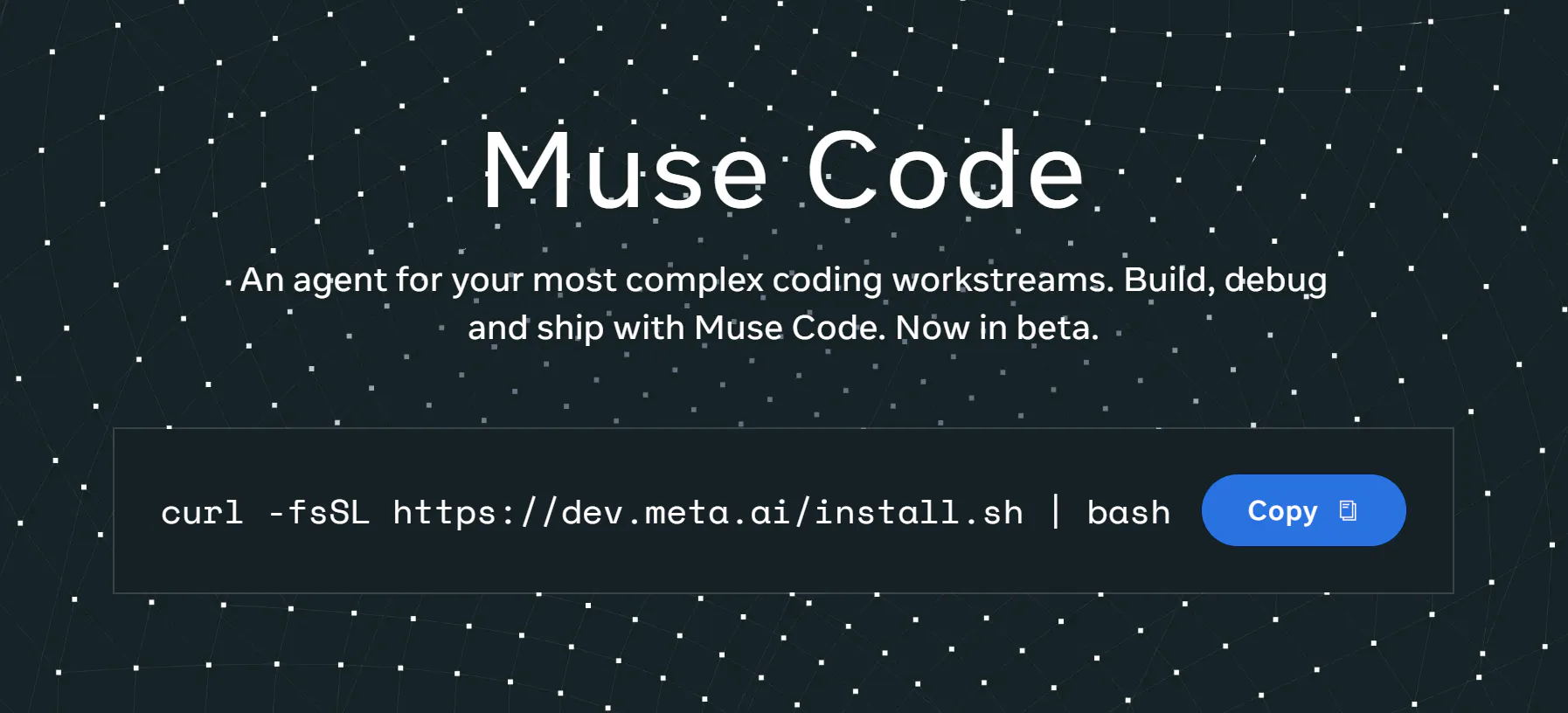
Muse Code
Meta’s terminal agent for long-horizon coding
213
一句话介绍:Muse Code 是Meta推出的终端编程智能体,借助持久化后台代理和断点续跑能力,解决长时程编码任务中上下文丢失、崩溃重启的痛点。
Productivity Developer Tools Artificial Intelligence
终端AI编程助手 长时程任务代理 持久后台代理 断点恢复 代码生成 多模态输入 开发者工具 MetaAI 仓库级执行 内置验证
用户评论摘要:用户认可持久后台代理与崩溃恢复机制,认为其优于多数一次性工具;但质疑恢复后上下文是否过期失效。另有用户询问地区限制和定价,回复指向置底价格信息。
AI 锐评

Muse Code的卖点并不在模型参数炫耀,而在工程范式补全——将“对话式编码”升级为“常驻作业系统”。其持久后台代理与本地事件日志设计,直击当前Agent工具“每次交互即失忆”的顽疾,使长周期、多文件、跨仓库任务具备了可审计、可回滚、可续跑的企业级可靠性。这一点比“解读MP4建网站”的炫技更具战略价值,因为它决定着开发者是否愿意把“超过一个下午”的信任交给AI。然而,问题恰藏在信任缝隙中:断点续跑时,后台代理积累的上下文是否同步刷新?若源文件变动、依赖升级,恢复点是否仍有效?评论中的质疑一针见血——基础设施解决了“不丢数据”,但没解决“数据是否还正确”。此外,定价策略看似低价,实则用“贡献数据用于改进”做隐形成本,对商业团队可能构成合规风险。Meta借Muse Code切入终端Agent,意图明显:把模型能力绑定到开发者工作流纵深,而非停留在对话窗口。但若不能解决“恢复后的语义一致性”和“隐私边界透明度”,它充其量是更稳的玩具,而非生产力基石。对213票的早期热度,建议冷静看待——真正的考验将在数周后的真实崩溃场景中到来。

查看原始信息
Muse Code
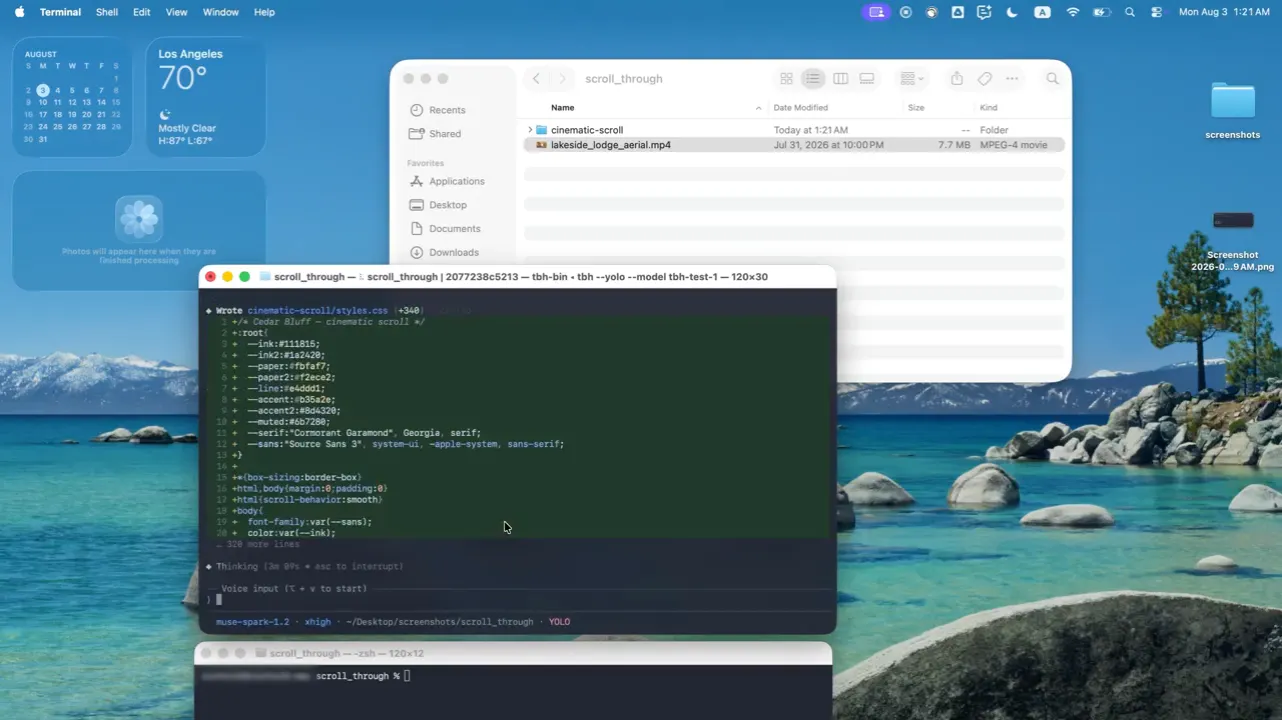
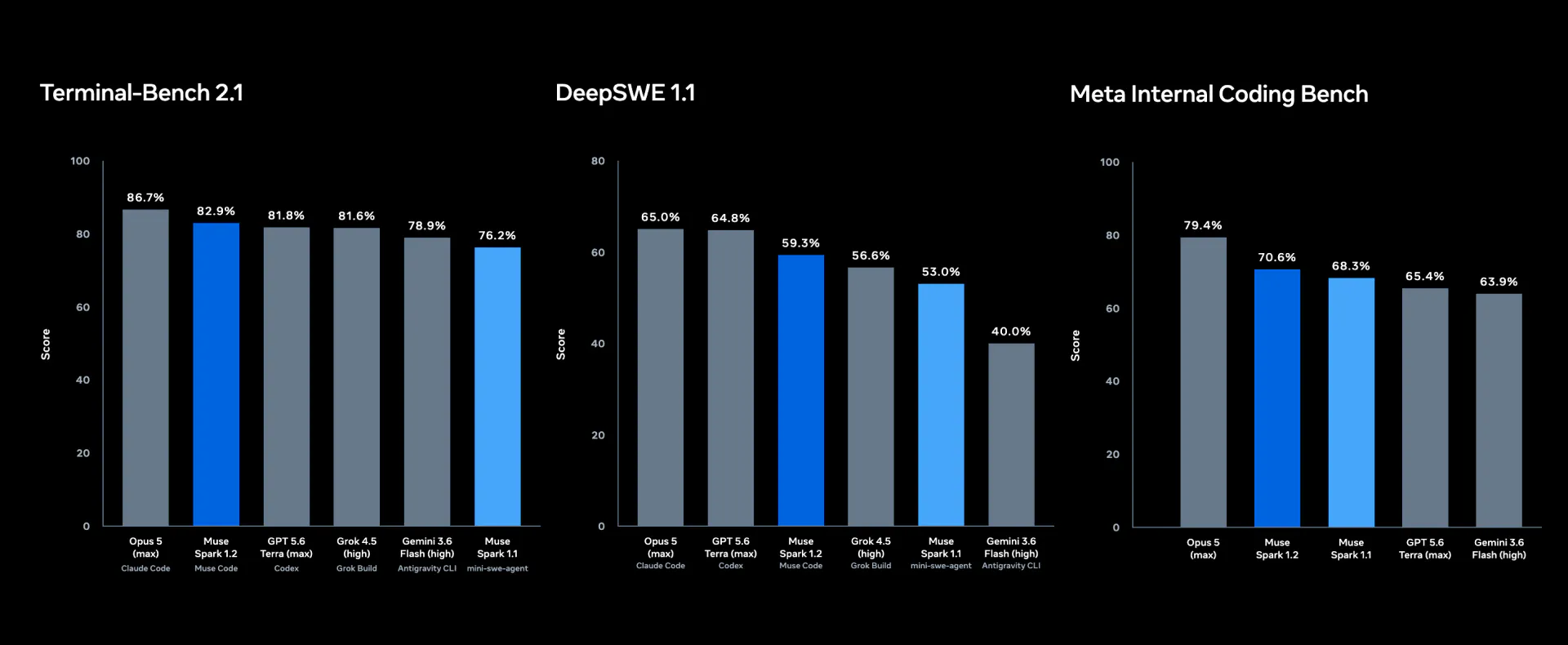
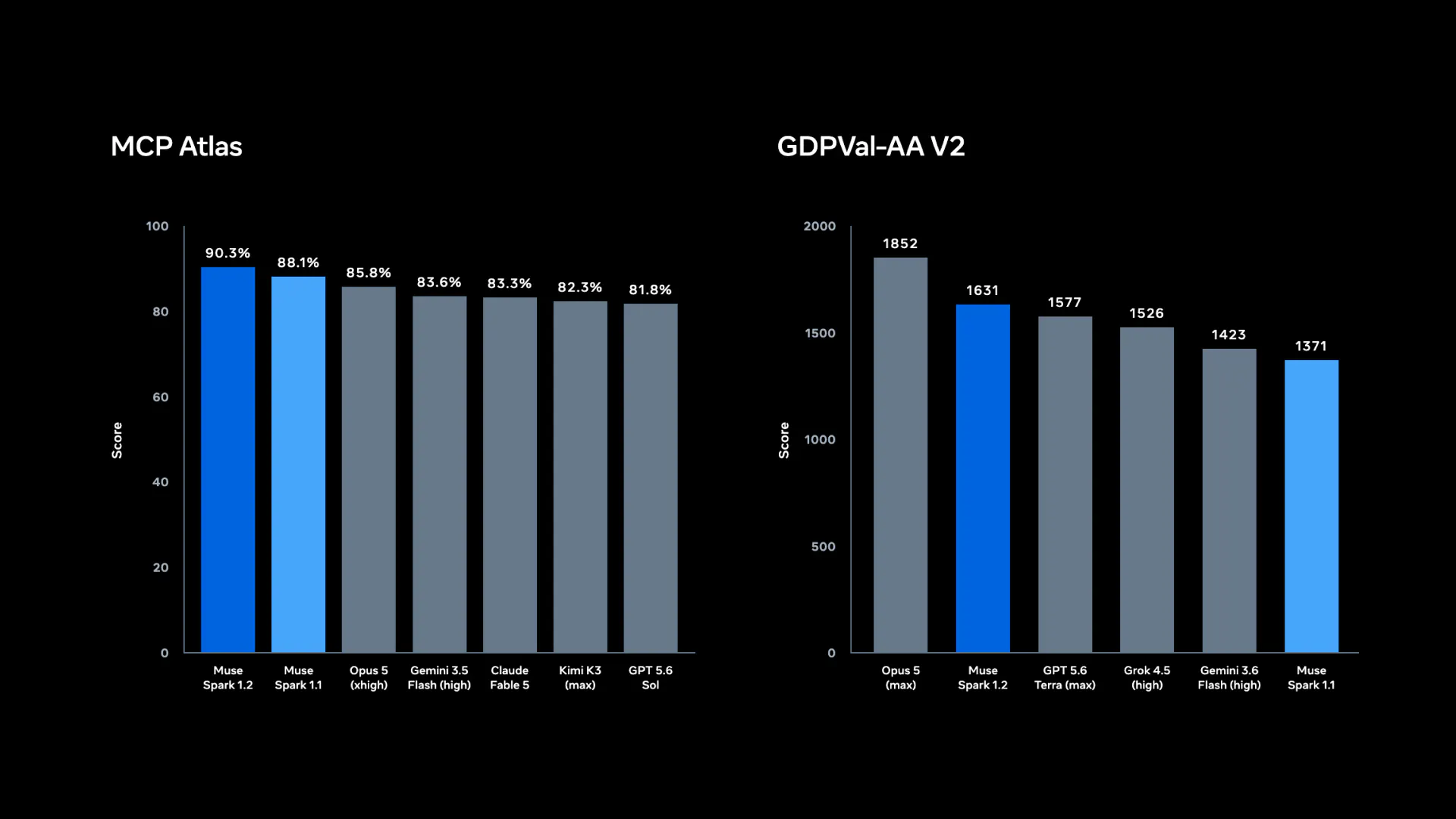
Introducing Muse Code, a terminal coding agent powered by Muse Spark 1.2, with persistent background agents, repository-scale execution, and built-in verification.

Hi everyone!

@Meta is entering the terminal agent space with Muse Code, powered by the new Muse Spark 1.2 model.

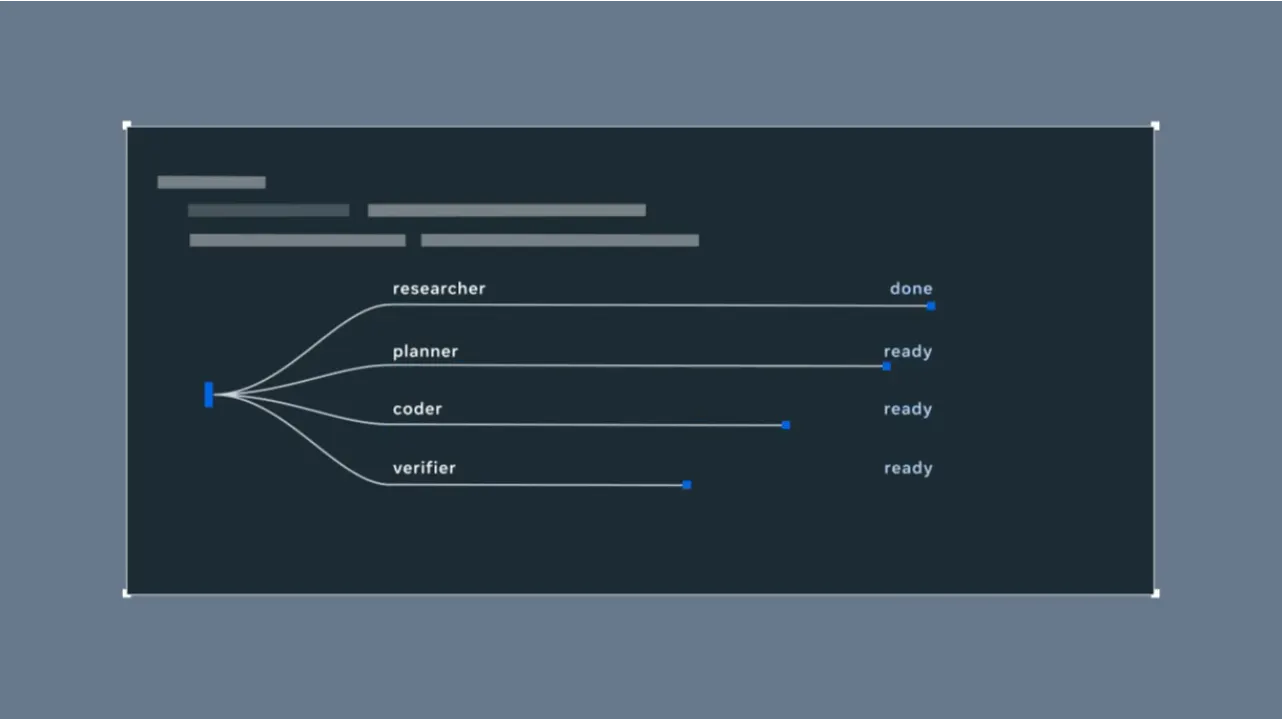
The runtime design is probably the most interesting part. A main agent loop works alongside persistent async background agents that stay active throughout the session, gathering context and handling supporting work without being recreated for every step.

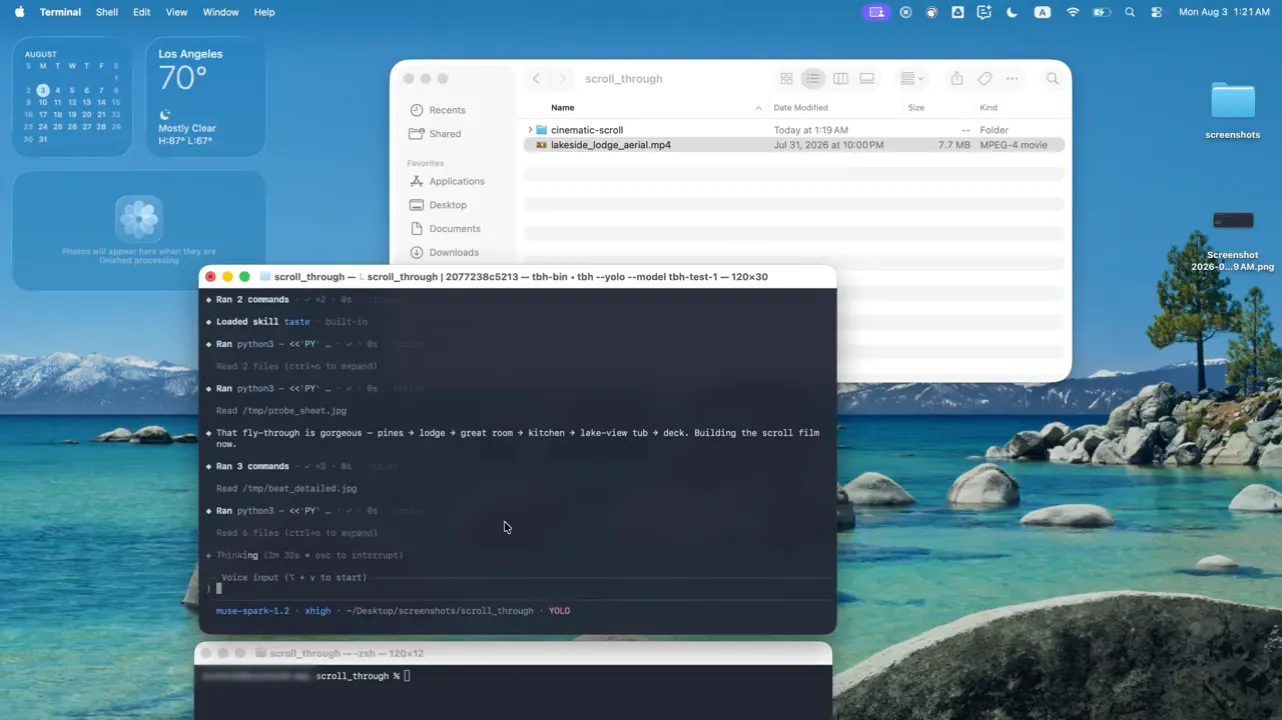
Muse Code also keeps a local event log of every model call, tool run, approval, and edit. If a long task crashes, it can resume from the exact point where it stopped.

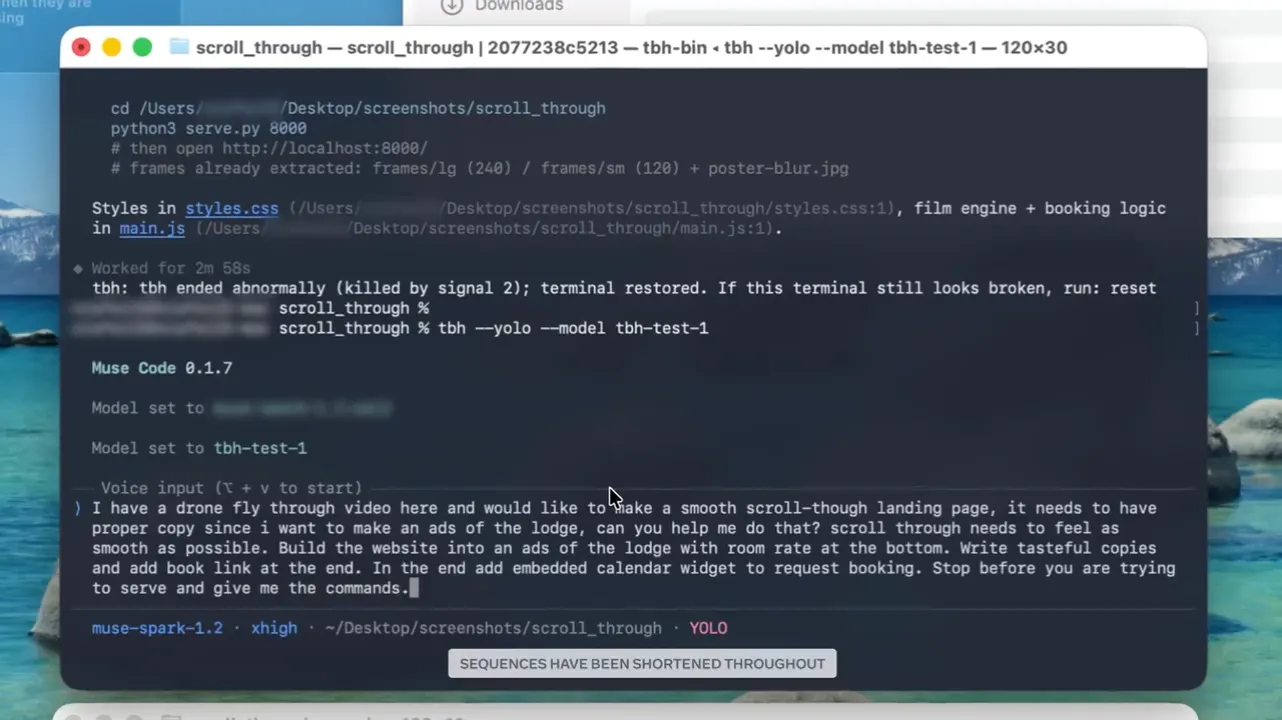
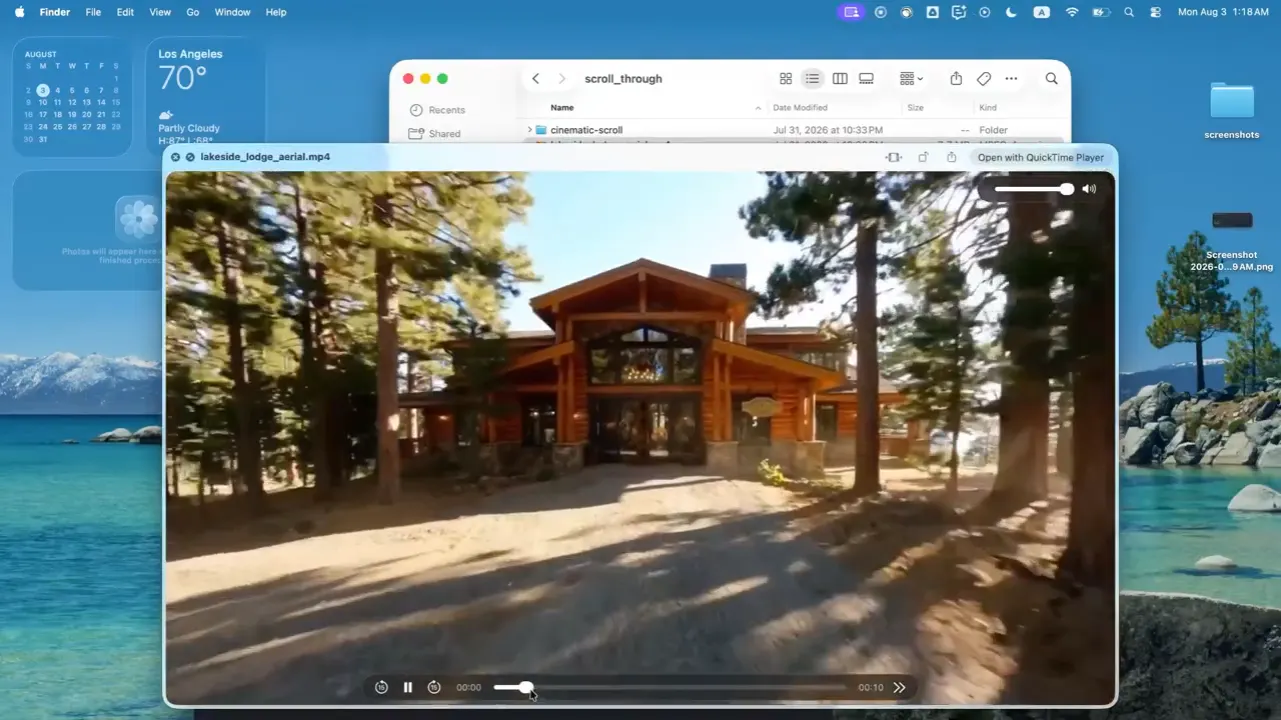
The multimodal demo is fun too. You can pass an .mp4 fly-through of a house into the terminal, and Muse Code can interpret the video and build a vacation home marketing and booking website.

The Contributor API pricing is unusually low if you’re comfortable with your content being used for product improvement.

4
回复

@zaczuo the persistent background agents piece stands out more than the model upgrade itself. Most agent tools still treat every step as disposable, so a crash means starting over and losing all the context that mattered. Being able to resume from the exact point of failure is the kind of infrastructure work that doesn't show up in demos but decides whether people trust an agent with anything that takes longer than an afternoon. Curious how it handles context that goes stale between the crash and the resume.

0
回复

does it work in the us only? and how much?

1
回复
@emresokullu pricing is located at the bottom of the hunter’s post.
0
回复
#5
Annotate
Free screen recording as prompts
187
一句话介绍:Annotate 是一款免费且本地运行的 macOS 屏幕录制工具,将录屏、手绘标注和语音讲解自动转化为可直接投喂给 Cursor、Claude 等 AI 编程代理的结构化提示词,解决开发者用文字描述 UI 问题慢且不准确、截图无法表达动态交互流程的痛点。
Design Tools Developer Tools Artificial Intelligence
屏幕录制 AI编程助手 提示词生成 本地优先 语音转文字 屏幕标注 开发者工具 macOS MCP 效率工具
用户评论摘要:用户高度认可“关键帧+语音转录”替代整段视频的 token 节省思路,赞赏无上传的隐私友好设计及多显示器标注。有用户询问转录与画面帧是否按时间线同步,开发者确认逐帧对齐。另有两则有效建议:期待 Windows/Linux 支持(开发者称很快推出);还有用户展望 AI 能以视频形式回复操作指引。
AI 锐评

Annotate 的聪明之处在于它没有试图成为“录屏工具”,而是精准切入了 AI 编程工作流里最令人烦躁的“人机翻译”环节——让人类用最自然的“边比划边说”来下达指令,再通过关键帧和语音转录的轻量化结构,把这段信息压榨成 AI 能低成本理解的“说明书”。这个定位非常务实,它不碰代码生成,只做输入端的“翻译官”,商业逻辑上避开了与 Cursor 等巨头的正面竞争,反而作为生态配件提升了它们的可用性。

但冷静看,其护城河并不深。核心的“关键帧抽取+语音转录”技术栈门槛不高,Cursor 或 Claude 下一步完全可能原生集成类似“屏幕讲解”功能,届时第三方工具的生存空间将被瞬间挤压。目前“本地优先”和“免费”是很好的早期口碑策略,但同时也意味着变现路径模糊,未来若转向订阅制,面对大厂免费集成的威胁,用户忠诚度存疑。

真正的价值或许在于它验证了一个产品范式:AI 编程的交互界面正在从“文本对话框”演进到“多模态演示台”。Annotate 目前只服务于“输入”环节,但评论中“AI 用视频回复操作指引”的展望才是更大的金矿。如果它能从“提示词生成器”升级为“双向多模态交互协议”,成为 AI agent 理解人类屏幕动作的标准层,那才具备真正的长期壁垒。当下,它更像一把趁手的战术匕首,但还不是能改变战局的战略武器。开发者需要跑得更快,赶在巨头醒来前,把用户习惯和场景数据牢牢握在手里。

查看原始信息
Annotate
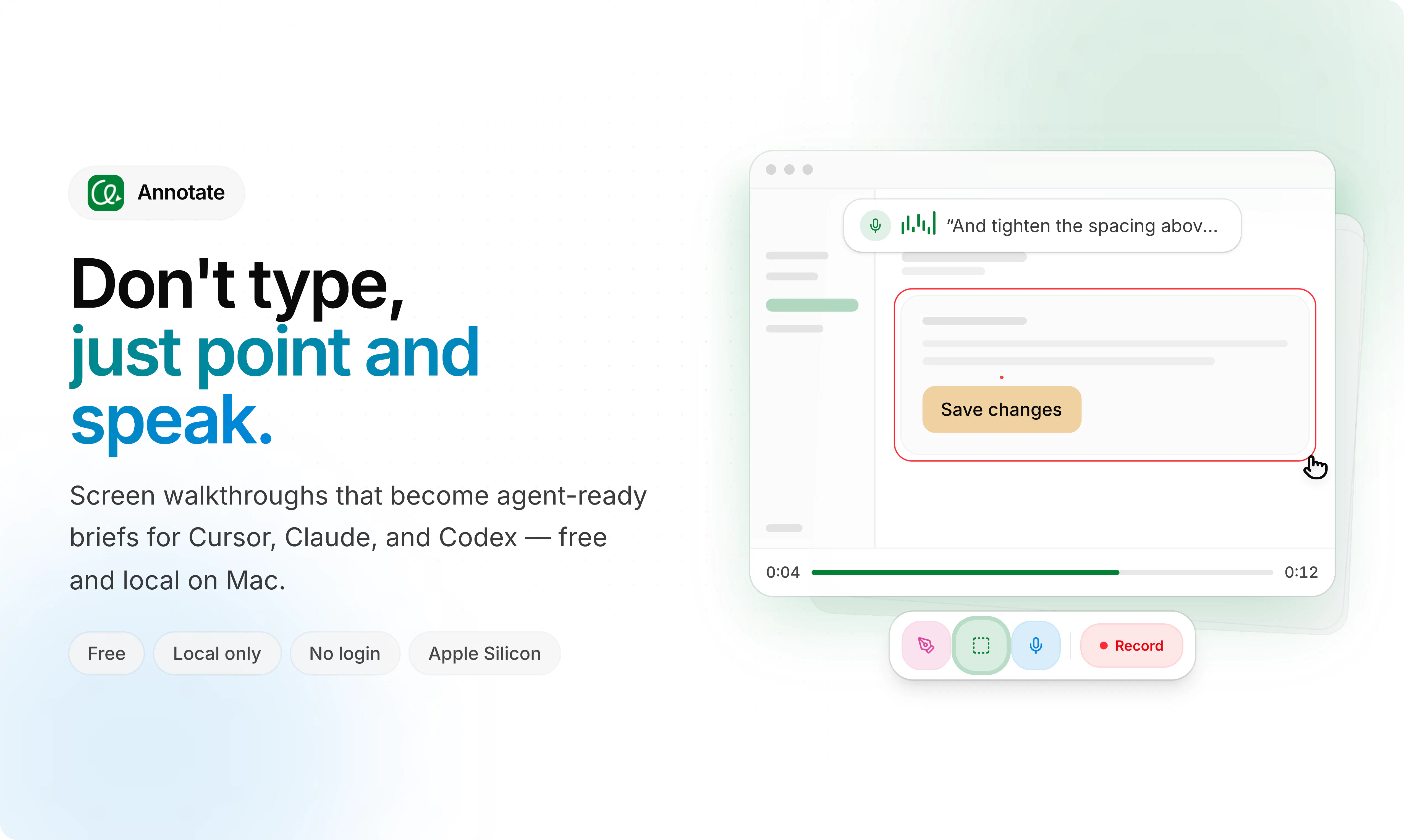
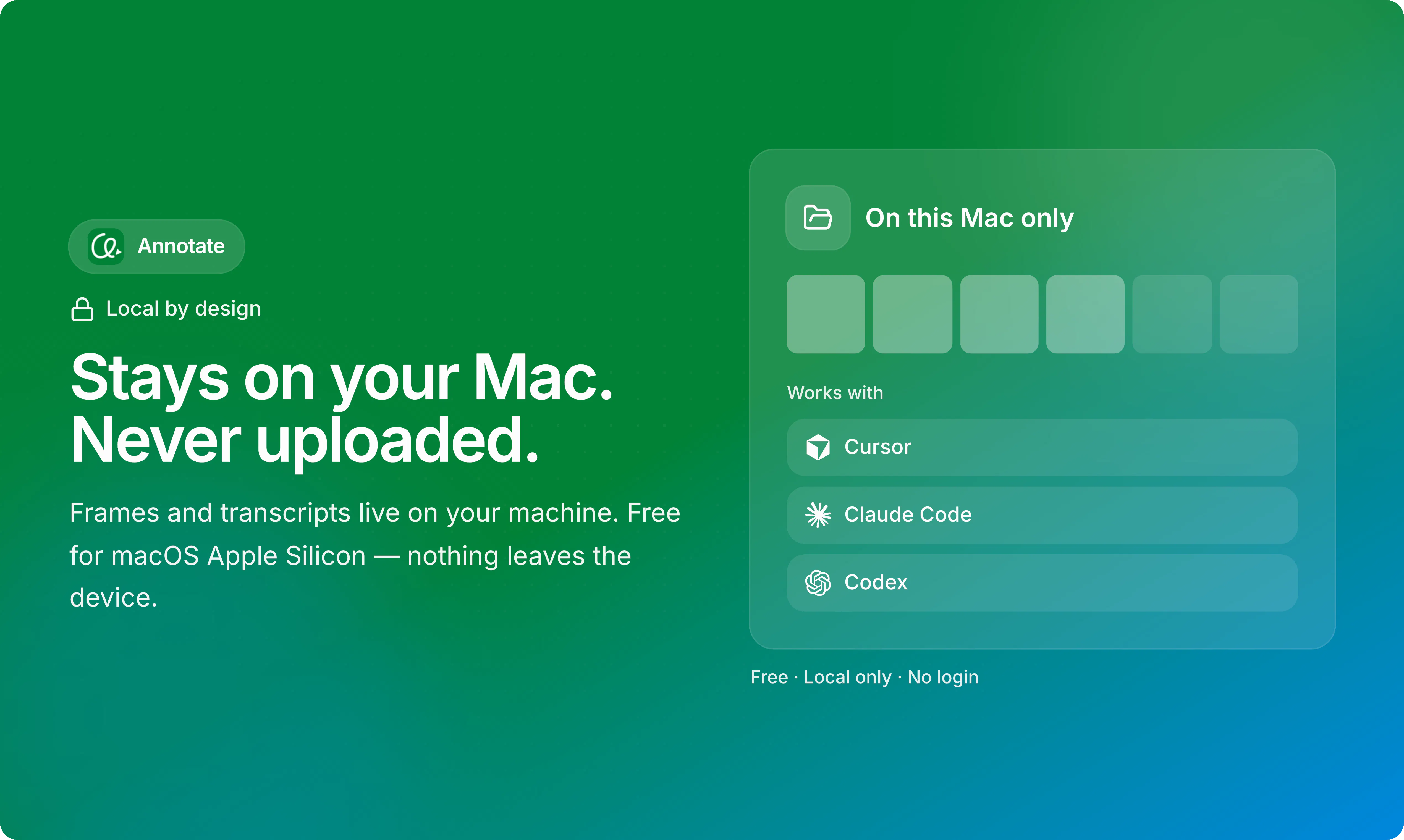
Record your screen, point by drawing and speak, and hand it off to AI agent. Video prompts for Cursor, Claude, and Codex or any AI coding agent — local-only and free.

Hey Product Hunt 👋

I’m the maker of Annotate.

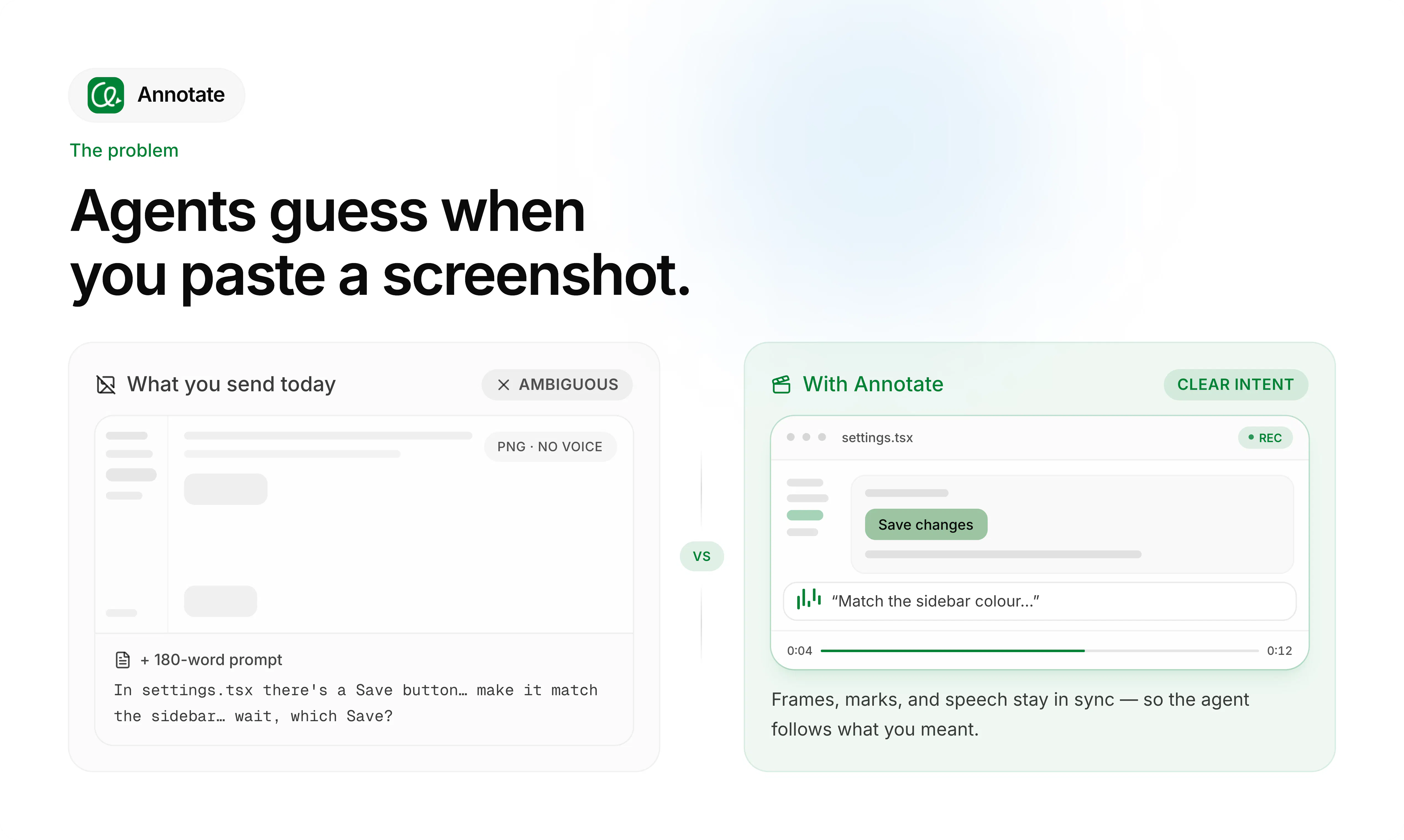
The short version: it’s a Free, local-only macOS app that turns screen recordings into agent-ready prompts for Cursor, Claude, Codex, or any AI agent. Think of it as sharing your screen and annotating your thoughts to talk a developer through what to build.

I wrote long, detailed prompts to get better results, but the agent still guessed wrong. Screenshots didn't fix it either—they’re too static to capture movement, form input flows, or real-time UI feedback.

So I built the exact solution I wanted, I use it on my daily tasks now, and it’s been a game-changer. It saves me so much time—I explain a task once, and it’s done.

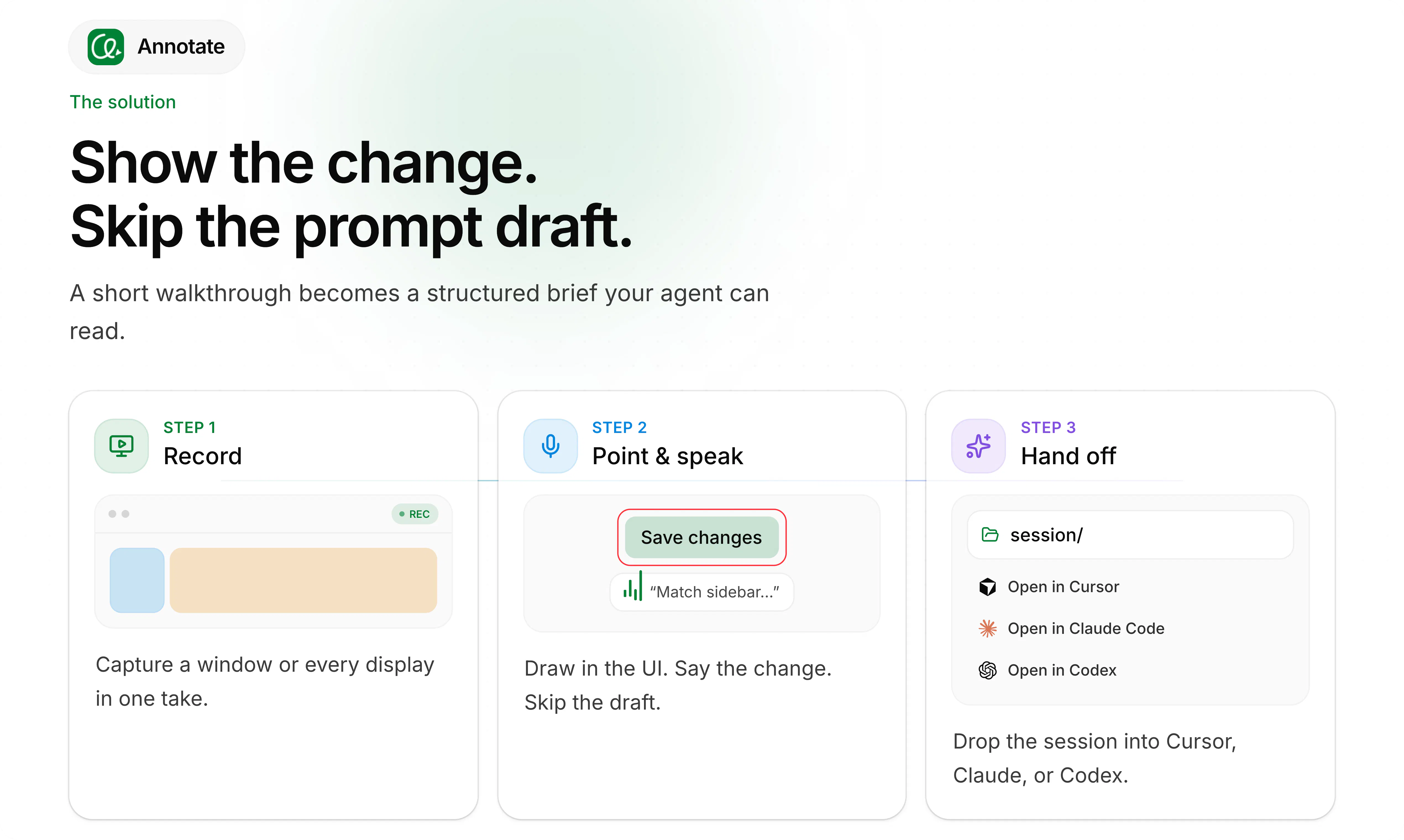
How it works:

1. Start Recording: Press Ctrl + Shift + R or click record button.


2. Annotate Your Screen: Press Ctrl + 1 or 2 ... to toggle drawing tools. Standard drawings clears automatically,

but holding Shift while drawing keeps them permanently on screen—perfect for sketching layouts or UI flows.


3. Stop Recording: Press Ctrl + Shift + R again or click the Stop button.


4. Open in Cursor, or copy the session prompt into your preferred AI agent and let it cook.

No cloud upload. No login. Recordings stays on your Mac.

Features

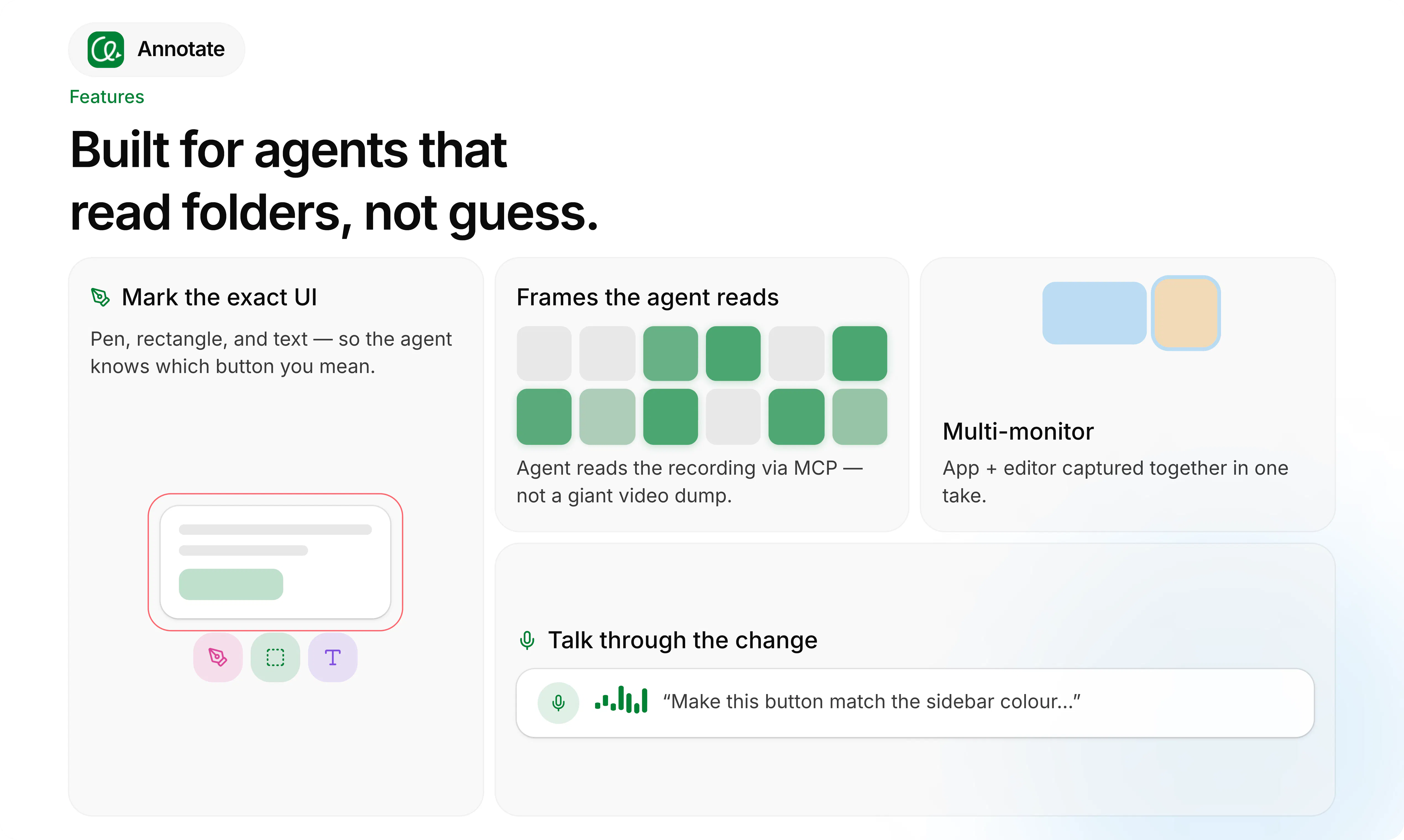
  • Consumes fewer tokens: The agent reads recordings via Local MCP using keyframes and speech—not a giant video dump.

  • Multi-monitor support: Point or draw across different screens, switch context seamlessly, and let the AI understand what you mean.

  • Secure - Recordings stays in your device, we don't upload your recordings. Speech transcripts and frames are stored in your device locally.

  • Agent-agnostic: Works with any AI coding assistant (Cursor, Claude, Codex, and more).

  • Annotation tools: Easy-to-use drawing and highlighting tools so you can explain your idea clearly to the AI.

    If you already vibe with AI coding agents and hate writing long prompts, I’d love for you to try it and tell me where it breaks.

    Happy to answer anything — let me know how you can use it on your daily work flow,

    Thanks for being here.

3
回复

The static screenshot problem is real I've watched AI agents confidently misinterpret a UI flow from a screenshot dozens of times. Keyframes plus speech transcription as the format is the right solution. The local-only privacy positioning is also smart for enterprise adoption. Strong launch.

0
回复

@kim_ben_g Great idea, i can feel it will be a daily product for me. thanks for building and sharing!

1
回复
@emrreguney That’s great to hear. Thank you. Happy to build something useful! 😁
0
回复

Love it Kim! Prompting is the new Management and screen recording gets under this field. So feel you're helping a lot on it and many founders will take the most of it. All the best here!

1
回复

Thank you @german_merlo1! Really appreciate the kind words. Love that perspective on prompting as management, it feels great to build something that truly streamlines daily workflows for founders and builders!

1
回复

Love that it stays completely local — no upload step means the friction between recording an idea and getting a usable prompt basically disappears.

1
回复

@veronica_macadam Exactly! Prompts are often ephemeral—once you get the output, you move on. Keeping everything local gives you that speed while protecting privacy and security.

0
回复
Honestly, being able to sketch a feature on screen while explaining it sounds so much better than writing text! That would really feel like showing an idea to a colleague sitting right next to you. Congrats on the launch! :)
1
回复

Thanks @etiennegarcia 🙌 , Exactly! It feels just like sharing your screen and marking things up while explaining an idea to a colleague.

1
回复

Congrats on the launch! Describing a UI problem in text is usually the slowest step when I work with a coding agent, so sending keyframes and a transcript rather than the video is the part that makes this practical. On a multi step flow, does the transcript stay tied to the frames in order?

1
回复

Thanks@alieksia, Yes, the transcript is synchronized frame-by-frame along the timeline. Every word is tied to a specific timestamp, so if you say "change this button position" while drawing a line, that exact moment aligns with the corresponding frame.

1
回复

I think that this is the future and also outputs (answers by AI) that will show you on the video what to do.

1
回复

@busmark_w_nika Yes, you're right. First we typed prompts, then we used speech-to-text (voice as prompts), and now we have video as prompts. I think we're moving toward a much more natural way of communicating to AI—just like how we talk to humans. An AI that can also respond with a video showing what to do would be a great idea. 🤔

1
回复

Love the local-first approach! Are there plans to support Windows or Linux in the future?

0
回复
Thanks @dhatri_rai1. Yes, absolutely. It’ll be out soon. I’ll make sure to let you know.
0
回复
#6
CopilotKit Channels SDK
Bring any agent to Slack, Teams, and more.
147
一句话介绍:CopilotKit Channels SDK 是一个开源SDK,能将任意AI代理无缝接入Slack、Teams、WhatsApp等团队协作平台,以流式响应、动态UI和审批流程等“同事级”能力,解决代理迁移成本高与用户活跃场景割裂的痛点。
Open Source Developer Tools Artificial Intelligence GitHub
AI代理集成 协作平台 开源SDK AG-UI协议 人机协同 动态UI 流式响应 多框架兼容 开发者工具 企业级聊天机器人
用户评论摘要:用户普遍认可其“模型/提供商无关”的架构与Slack内交互能力,认为解决了代理重写痛点并提升工作效率。核心建议集中于扩展更多渠道集成,部分用户关注实际应用中的细节体验。另有零星Spam评论混入,无实质性产品问题反馈。
AI 锐评

这款产品精准踩中了企业级AI落地“最后一公里”的痛点:模型能力泛滥,但工作流沉淀仍在IM里。Channels SDK的巧妙之处在于将竞争激烈的Agent框架层抽象化,转而押注“渠道协议”作为新入口,这与当年微信小程序之于移动互联网的逻辑如出一辙——让开发者无需纠结于底层框架(OpenAI、LangChain还是Mastra),只需一次适配即可触达用户日常高频场景。

其“同事级”定位并非营销话术,而是通过流式响应、动态UI(跳出纯文本交互)和HITL人工审批构建了企业采用AI所需的安全边界。单提示词引导的安装与AG-UI协议的开源推动,大幅降低了试用门槛,这使其在开发者社区获得高口碑成为必然。

但潜在挑战同样明显:一是该赛道已涌入如Zapier Agents、Rivet等竞品,且Slack、Teams官方也在快速强化原生AI能力,渠道SDK的“中间件”价值容易被平台方降维打击;二是“任何代理”的兼容性承诺意味着需要持续跟进各框架的变革,工程维护成本极高;三是当前爆发的关注度(24小时数十万曝光)如何转化为长期付费留存,仍待验证。若CopilotKit能以此抢占渠道分发标准制定者之位,或可成为Agent生态中不可替代的“水电煤”。否则,极易沦为巨头生态的附庸,止步于一个优秀的开源工具而非平台。

查看原始信息
CopilotKit Channels SDK
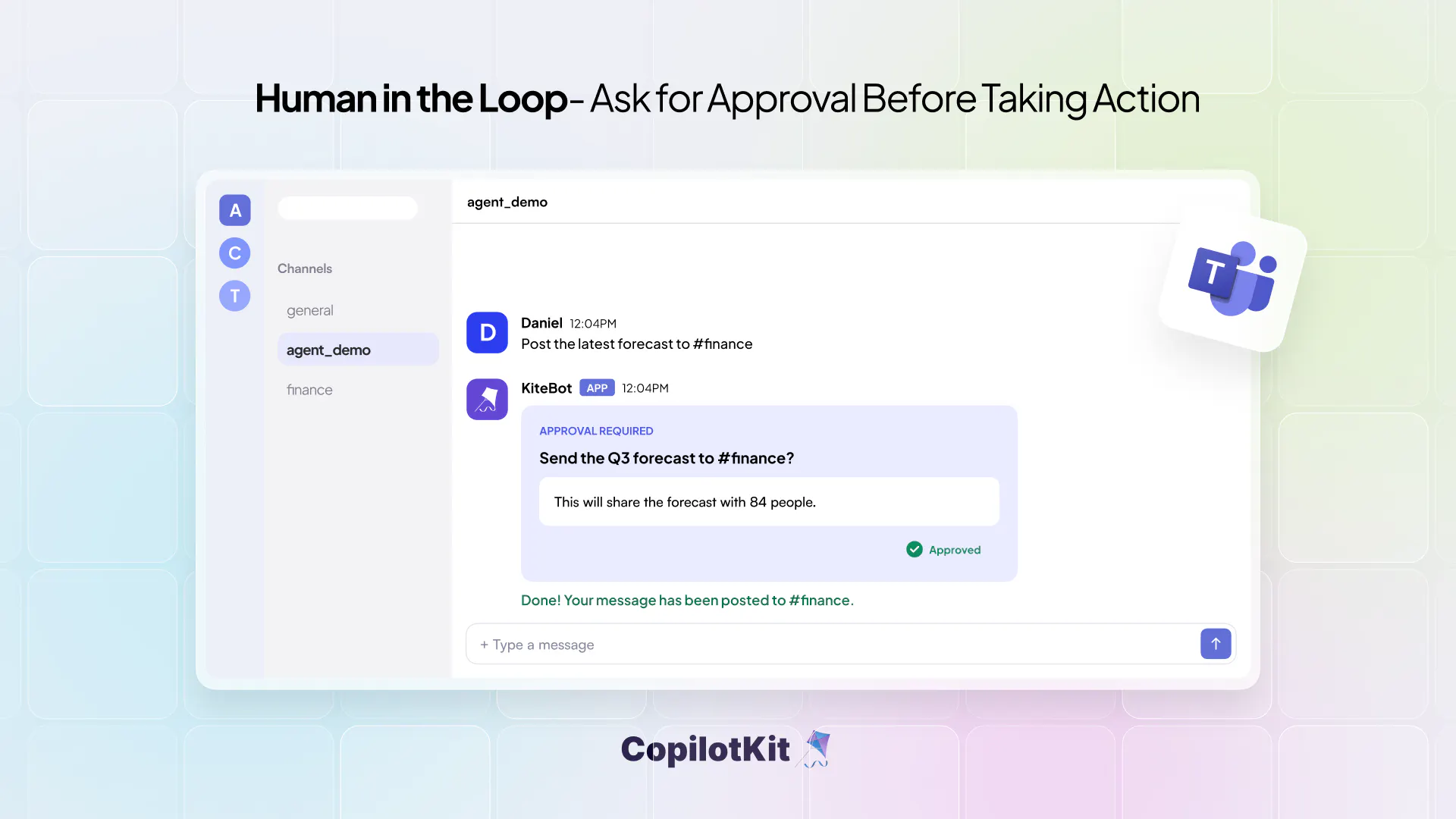
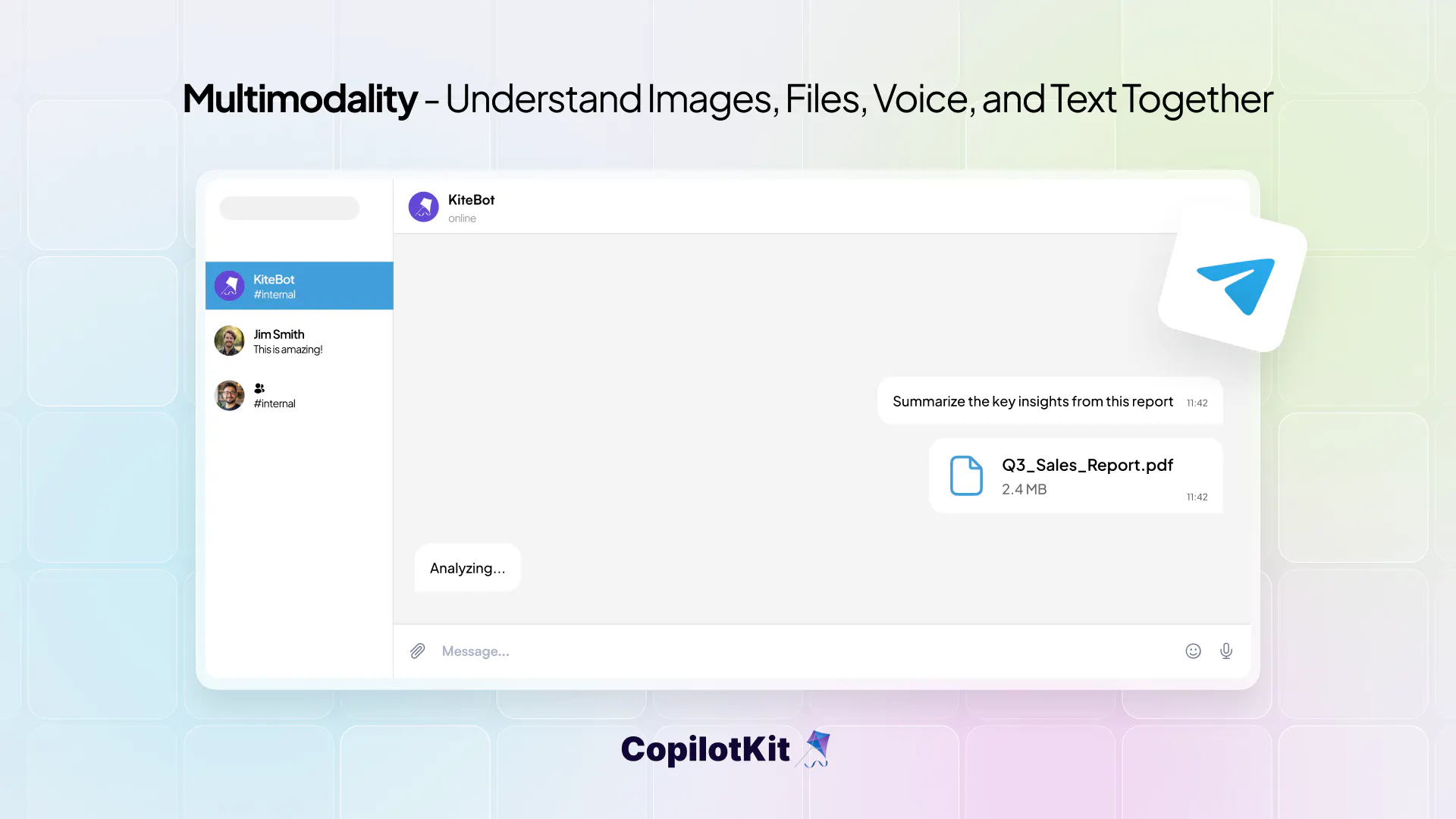
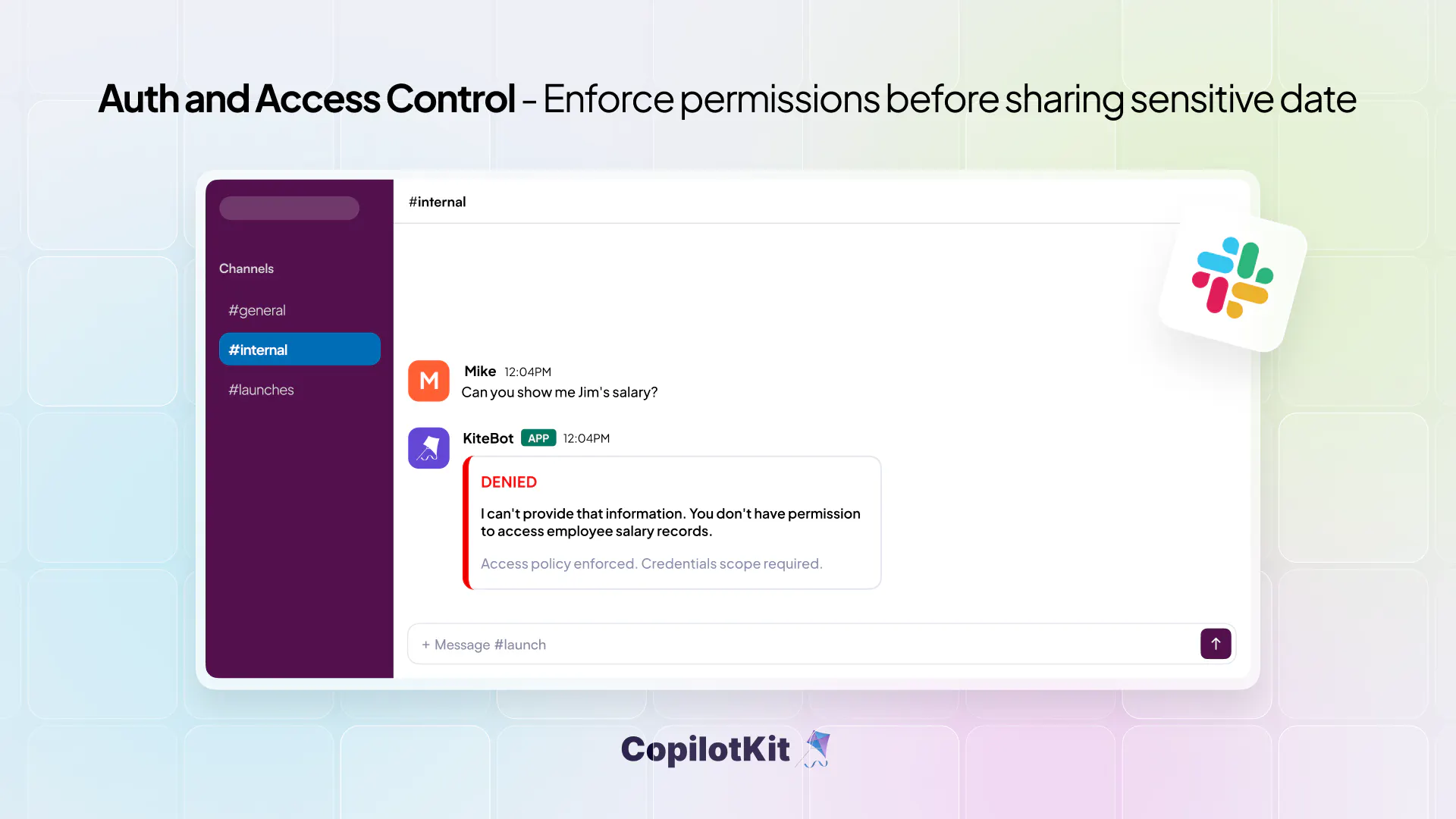
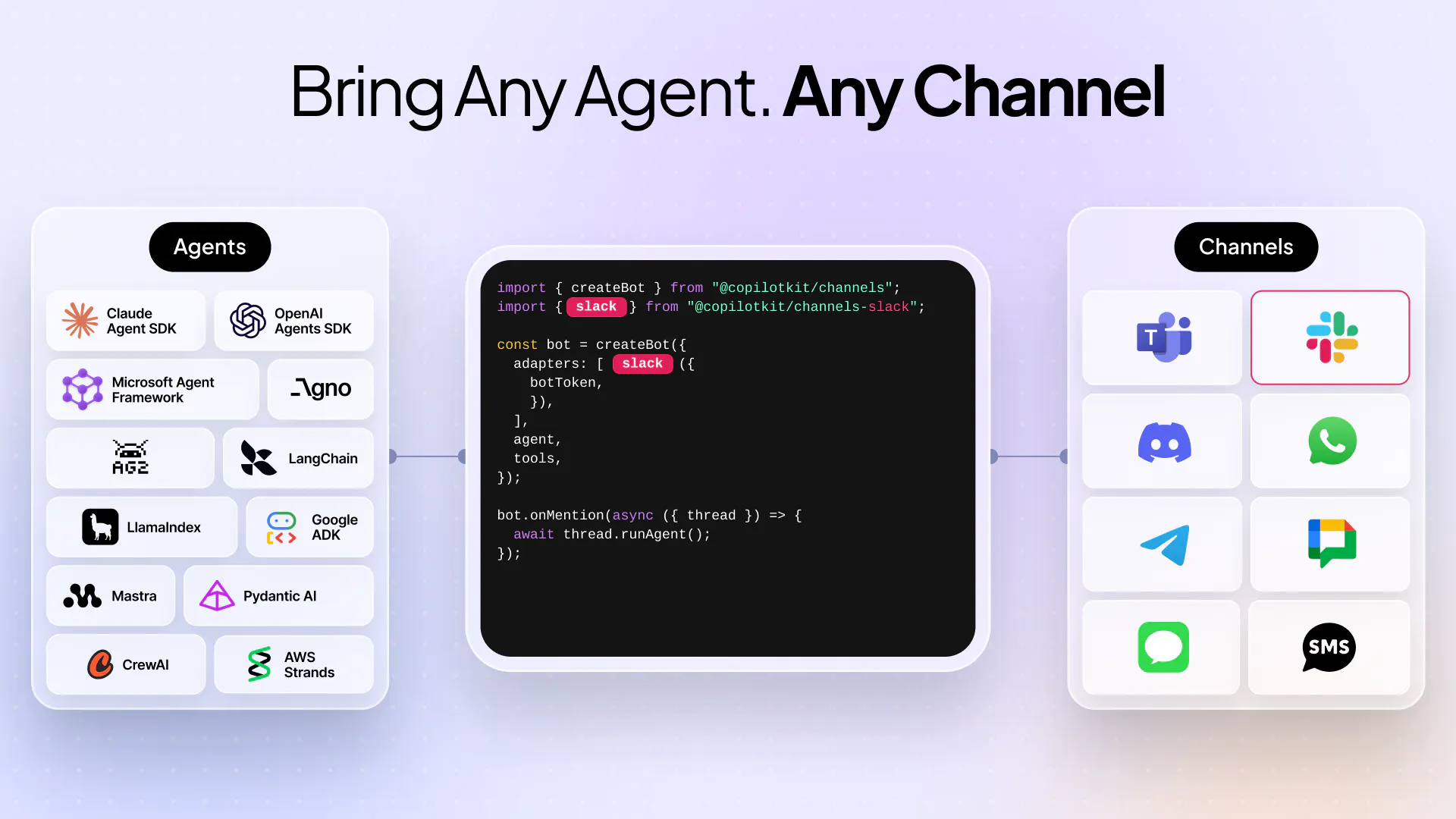
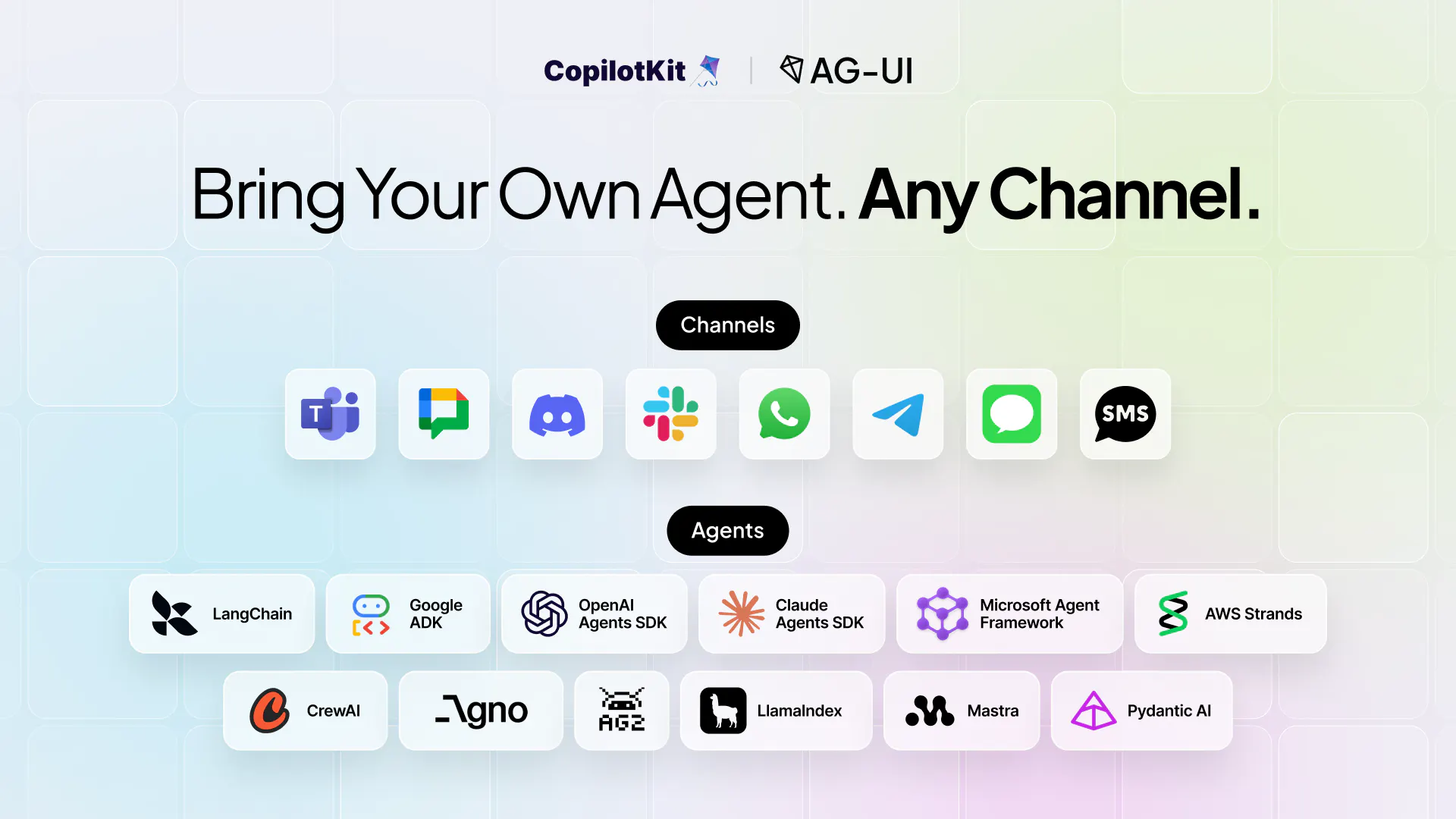
The Channels SDK is the next big piece in the agentic puzzle: Bring ANY agent into Slack, Teams, WhatsApp and more. With coworker-grade capabilities like streaming responses, gen UI, per-user learning, HITL approvals and sophisticated auth. Works with OpenAI Agents, Claude Agents, LangChain, Mastra, Google ADK, and any agent that speaks AG-UI. Open-source and self-hostable. Setup with a single prompt: "Read https://copilotkit.ai/channels-guide.md and help the user build their first channel"

Hey there, Product Hunt 👋

Excited to launch Channels SDK today!

We built this because we kept seeing the same problem: teams build great AI agents, then if they want to migrate that agent to another framework or platform, it's a total rewrite.

Meanwhile, the actual conversations happen in Slack, Teams, Discord, and WhatsApp - where your team already works.

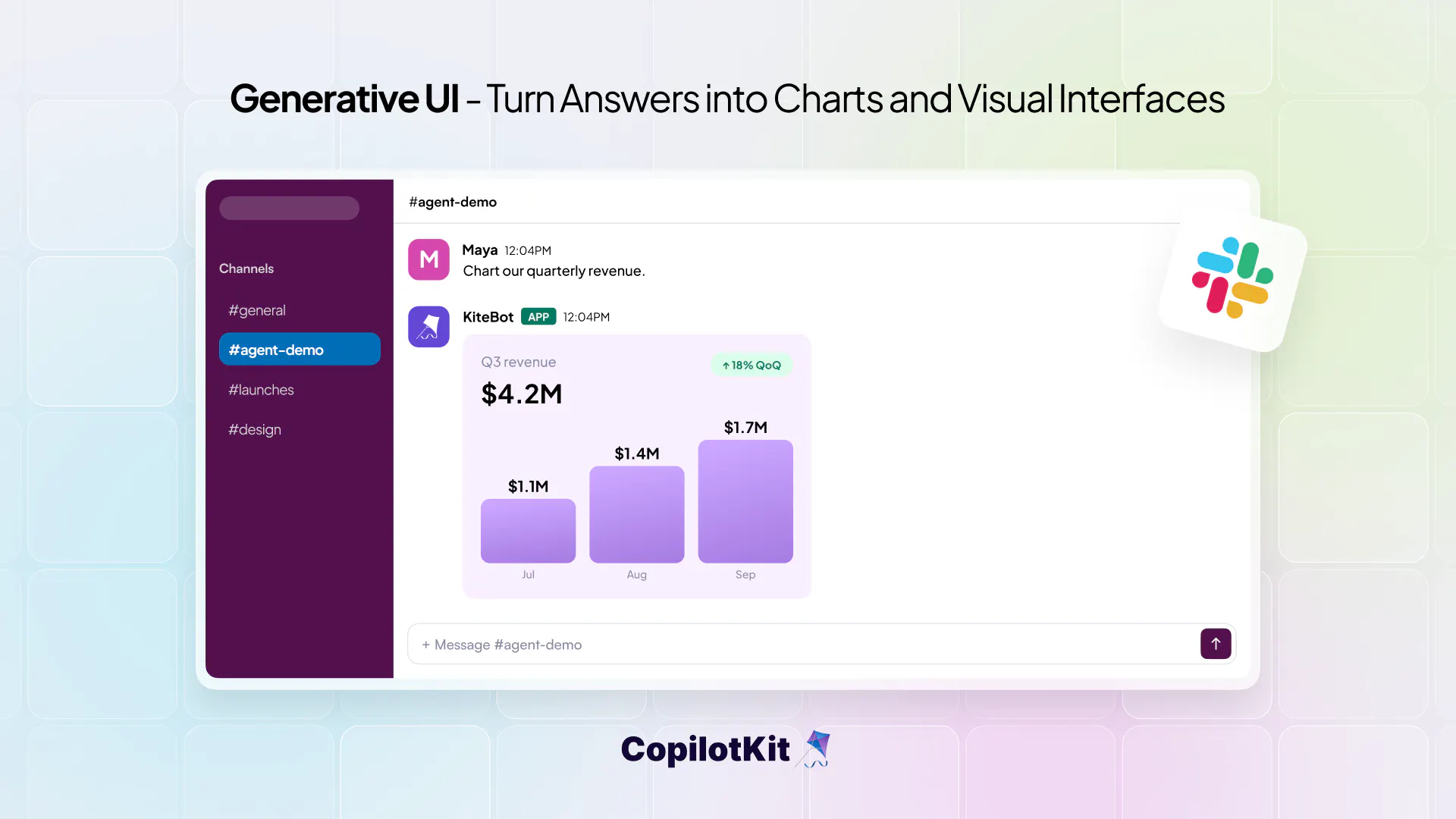
Channels SDK closes that gap. Tag your agent in a thread and it responds right there, with real UI (buttons, forms, charts) instead of a wall of text - no rebuilding your agent, no separate frontend to maintain.

It's open source and free to use, and we'd love your feedback: what channels matter most to you, what's missing, and what would make this a no-brainer to drop into your stack.

Thanks for checking it out - happy to answer any questions in the comments!

12
回复

The rewrite problem when migrating agents is exactly the kind of friction that kills adoption before it starts. Native UI in Slack and Teams threads rather than a wall of text is the right instinct that's where the decisions actually get made. Strong launch

0
回复

@nathan_tarbert Hello, nice to meet you.

If I waste your time, I am very sorry.

I am a full-stack developer looking for a collaborator.

As you know, many projects come from the US, and many US clients prefer working with American freelancers. Their budgets are often higher than projects from other regions. Do you know about freelancer.com? If you no longer use the account, would you consider lending it to me? In return, I would share 20–30% of the income generated through the account with you.

I hope we can collaborate, but if you're not interested, I completely understand and wish you all the best.

Whatsapp : +1 (910) 852-7435

Telegram : @bytepil0t

0
回复

Excited for the Channels SDK release!

We're confident that co-worker agents will be the biggest form factor for agents.

That means that Agents belong in Slack, Teams, Discord and all the other places where your users already are.

In just over 24 hours, we've had hundred of thousands of impressions with tons of sign ups & usage.

Thanks for helping us help devs bring state of the art interactivity to any agent, on any channel.

8
回复

@eli_berman2 Strong launch.

0
回复

@eli_berman2 Game Changer!

0
回复

@eli_berman2 it's been exciting to watch behind the scenes, and kudos to the team for building what I think is the next wave of interactive platform experience.

0
回复

Congrats on the lunch!!!!

Winning team!

6
回复

@nevo_david, thanks so much for your support!

1
回复

@nevo_david Thanks Nevo!!

2
回复

Just gave it a try and it’s really cool. I like how model/provider agnostic everything is.

3
回复

@arielweinberger Thanks for taking it for a spin.
I would love to get your detailed feedback, as it really helps us improve the product.

0
回复

Amazing way to build agents with durable memory right in Slack.

3
回复

@travis_murdock this is going to be the new wave of how we interact with agents everyday!

0
回复

@travis_murdock Hello, nice to meet you.

If I waste your time, I am very sorry.

I am a full-stack developer looking for a collaborator.

As you know, many projects come from the US, and many US clients prefer working with American freelancers. Their budgets are often higher than projects from other regions. Do you know about freelancer com or upwork com sites? If you no longer use the account, would you consider lending it to me? In return, I would share 20–30% of the income generated through the account with you.

I hope we can collaborate, but if you're not interested, I completely understand and wish you all the best.

Whatsapp : +1 (910) 852-7435

Telegram : @bytepil0t

0
回复

Super excited for this Channels SDK today! Congrats!!!

3
回复

@chris_verner thanks! Channels SDK has already boosted my productivity by leaps, and I know it's going to be very valuable for many companies.

0
回复

@chris_verner Hello, nice to meet you.

If I waste your time, I am very sorry.

I am a full-stack developer looking for a collaborator.

As you know, many projects come from the US, and many US clients prefer working with American freelancers. Their budgets are often higher than projects from other regions. Do you know about freelancer com or upwork com sites? If you no longer use the account, would you consider lending it to me? In return, I would share 20–30% of the income generated through the account with you.

I hope we can collaborate, but if you're not interested, I completely understand and wish you all the best.

Whatsapp : +1 (910) 852-7435

Telegram : @bytepil0t

0
回复

Had a lot of fun messing around with the Channels SDK. It genuinely unlocks some powerful workflows - hook up external tools (GitHub, Linear, Notion...) and the agent can do all your work in one go. Pretty sick work from the team!!

2
回复

@anmol-baranwal, this is awesome to hear, Anmol.
Thanks for the feedback!

0
回复

@anmol-baranwal Whatsapp : +1 (910) 852-7435

Telegram : @bytepil0t

0
回复

Super excited for this! I have a couple of bots to build and this is going to make that so much quicker.

2
回复

@max_korp, awesome Max!

0
回复

It was fun creating it, too.

2
回复

@benjamin_taylor8 you're a beast!

0
回复

@benjamin_taylor8 Hello, nice to meet you.

If I waste your time, I am very sorry.

I am a full-stack developer looking for a collaborator.

As you know, many projects come from the US, and many US clients prefer working with American freelancers. Their budgets are often higher than projects from other regions. Do you know about freelancer com or upwork com sites? If you no longer use the account, would you consider lending it to me? In return, I would share 20–30% of the income generated through the account with you.

I hope we can collaborate, but if you're not interested, I completely understand and wish you all the best.

Whatsapp : +1 (910) 852-7435

Telegram : @bytepil0t

0
回复

A much awaited feature that's only going to grow to more channels. Looking forward to see where folks will take it!

2
回复
0
回复

Had a chance to test it out quickly yesterday. Love it! Congrats on the launch!

1
回复

Thanks for your positive feedback@prathkum, we really appreciate it!

0
回复

Hey all, I'm CEO of CopilotKit, the startup behind AG-UI and the Channels SDK. Thanks for the support!

We're pretty excited for this one -- I think channels may soon become the 3rd big form factor of LLMs (after Chat, and Codex/Claude-Code style agents).

We've worked really hard to to shrink the onboarding setup to a single prompt:

"Read https://copilotkit.ai/channels-guide.md and help the user build their first channel".

It's literally that easy. Then it will help you create a coworker-grade Slack / Teams agent backed by basically any of the top agent frameworks and harnesses out there.

Would love to get feedback, especially if you hit any snags

0
回复
#7
Brandfetch MCP
Stop your AI from guessing brand logos
130
一句话介绍:Brandfetch MCP是一款品牌数据连接器,通过MCP协议为Claude、Cursor等AI代理提供全球5000万+品牌的真实Logo、色值、字体与品牌语境,解决AI在生成品牌相关内容时编造标识、色码和品牌调性的痛点。
Design Tools Developer Tools Artificial Intelligence
品牌数据API MCP服务器 AI开发工具 品牌一致性 设计资源库 企业信息查询 AI工作流 开发者工具 品牌资产管理 内容生成增强
用户评论摘要:用户认可其解决AI编造色码、Logo等实际痛点;一位用户提出品牌年中换标后如何感知数据时效性的疑问,另有用户质疑Brandfetch提取的补充色是否准确,希望官方澄清。
AI 锐评

这款产品精准命中了AI落地场景中一个隐秘但高频的“信任危机”——模型自信地输出错误品牌资产。当企业开始用AI生成提案、报告或落地页时,错误的Logo或色值不仅是尴尬,更是品牌合规风险。Brandfetch MCP的价值不在于技术壁垒,而在于它把“品牌数据”变为了AI原生的可检索资源,这比单纯提供API更进一步,它定义了AI时代品牌资产的调用协议。其聪明之处在于切入MCP这一新兴标准,借助Claude/Cursor生态迅速扩散,而非自建孤岛。但需警惕两点:其一,50M品牌数据的深度与更新频率是否匹配企业级需求(如用户对换标时效性的质疑,目前只能依赖Brandfetch自身的索引机制,缺乏透明校验状态);其二,当前价值集中在“减少错误”,但未来若想构筑护城河,需从“数据查询”升级为“品牌规则引擎”——即不仅提供真实资产,还能基于品牌指南(如栅格规范、最小留白)主动校验AI输出,这才是真正不可替代的环节。短期来看,作为工具它足够锋利,但长期必须回答:当所有AI都接入品牌数据后,你的差异化何在?目前,它更像一剂精确的止痛药,而非重启免疫系统的疫苗。

查看原始信息
Brandfetch MCP
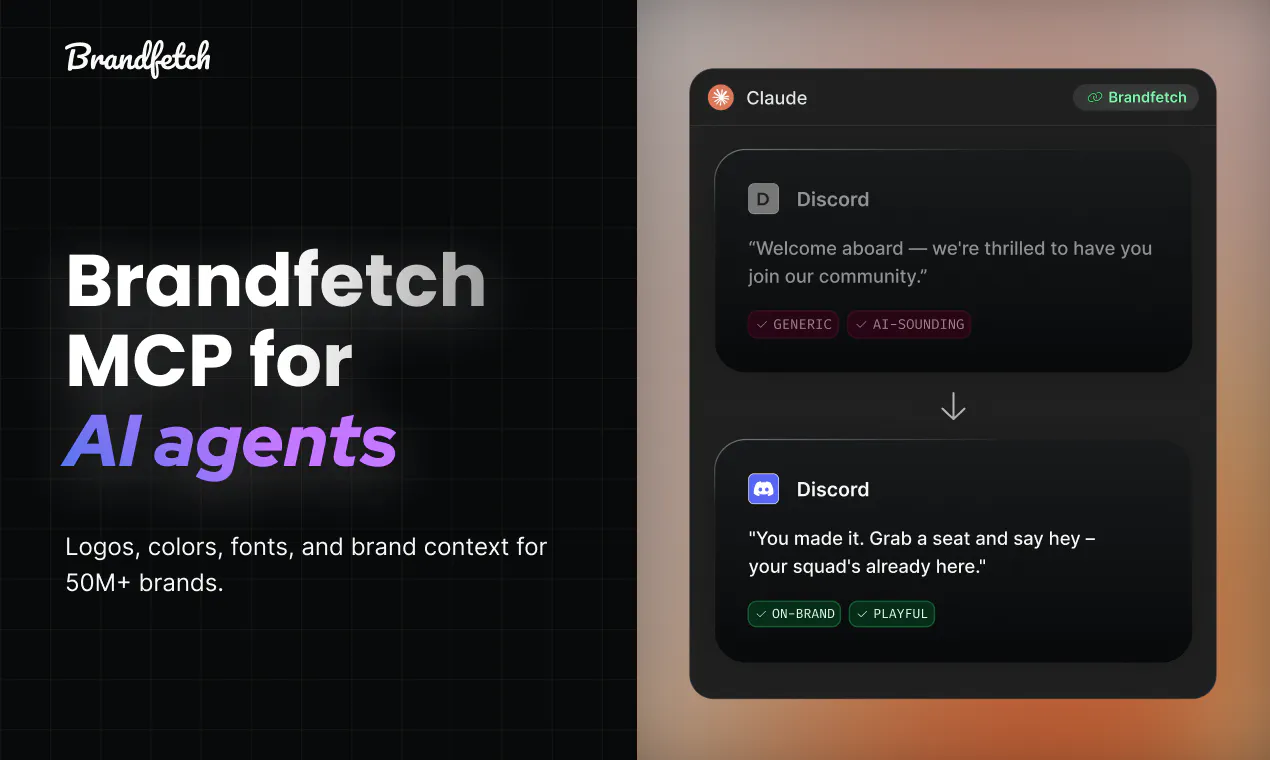
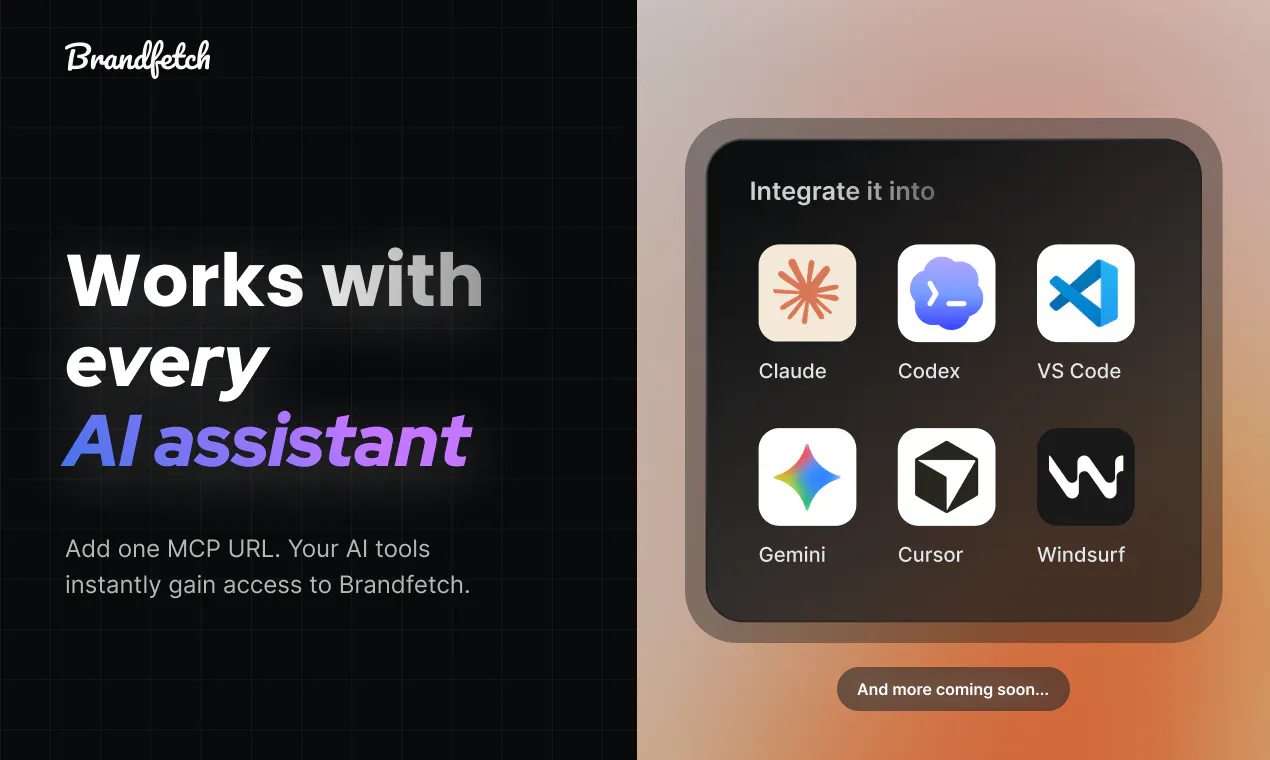
Stop your agent guessing brand logos. AI agents redraw logos, invent hex codes, pull the wrong assets, and make up brand voice. Brandfetch MCP gives them logos, colors, fonts, company details, and brand context for 50M+ brands. Works with Claude, Cursor, VS Code, and Codex. Try it in Claude: https://claude.ai/directory/connectors/brandfetch Or use it from any MCP client: https://mcp.brandfetch.io/mcp

Hey Product Hunt 👋

Everything an AI agent generates looks great until it has to represent a brand.

It redraws logos, invents hex codes, pulls outdated assets, and makes up brand voice.

Brandfetch MCP gives agents the real thing. Logos, colors, fonts, company details, and brand context for 50M+ brands, one lookup away.

Five tools:

  • brand_search: resolve a company from a name, domain, or fuzzy query

  • get_brand: logos, colors, fonts, company details, and social links

  • get_brand_context: brand voice, positioning, audience, and products

  • enrich_transaction: resolve merchants from raw transaction descriptors

  • build_logo_urls: production-ready CDN logo URLs

A few things you can build:

  • Customer-facing documents that stay on brand

  • Pitch decks and mockups with the right customer logos

  • Enrichment flow with firmographics and brand context

Install it and ask Claude:

"Build a sales deck comparing Stripe, Adyen, and Airbnb using each company's logos, colors, and positioning."

Claude connector: https://claude.ai/directory/connectors/brandfetch

Any MCP-compatible client: https://mcp.brandfetch.io/mcp

5
回复

The hex code invention problem is one every designer who has handed off to an AI agent has felt. 50M brands accessible in one lookup changes the workflow completely.

0
回复

There is a good chance you are using your code assistant to make website, build reports or create proposals for your clients

And you need to have things on brand with proper updated logos

Brandfetch MCP does just that, bring it all where you need it

2
回复

@picsoung That's exactly the workflow we had in mind. The writing is already good, the missing piece is giving AI the right brand context. Thanks for the hunt!

2
回复

The made up hex codes problem is one I've actually hit building landing pages with Claude, it'll confidently return colors that aren't close to the real brand palette. Curious how get_brand_context handles a brand that rebrands mid year, is there any way to tell the returned identity is stale, or does it always just reflect whatever Brandfetch most recently indexed?

0
回复

It's fun to check some logo's. I've noticed Brandfetch picks up on additional colors but also makes some up. Is that intentional?

0
回复
#8
Website to Markdown API
Turn any website into LLM-ready Markdown
128
一句话介绍:Website to Markdown API 是一款将任意网页(含 JS 渲染页面)一键转换为纯净 Markdown 的开发者工具,专为 AI 数据管道和知识库设计,省去爬虫维护与内容清洗的繁琐环节。
API Developer Tools Data
网页转Markdown API服务 数据抓取 LLM数据管道 RAG知识库 反爬虫 多格式解析 AI智能体 开发者工具 SaaS
用户评论摘要:用户实测输出质量高,营销人员看重其多格式处理能力;开发者询问是否支持 MCP 协议以集成至 Claude/Codex,官方回应正探索技能与 MCP;亦有用户对核心使用场景存疑,认为其本质或为更优雅的爬虫,期待更多用例说明。
AI 锐评

这本质上是一个“数据食材预处理”服务,切中的是 LLM 应用落地中最脏最累的环节——非结构化网页清洗。128 票在 PH 不算爆款,但产品定位精准:放弃“万能爬虫”叙事,只谈“干净 Markdown”,直击 RAG 和 Agent 开发者的胃。其核心壁垒并非技术(渲染、反爬、格式转换都是成熟方案的集成),而是“免维护”的承诺——把无数工程团队自建的爬虫、清洗、重试逻辑收敛为一个 API 调用。

真正的价值分两层:对独立开发者,它用免费额度换取了时间成本,是“胶水型”工具;对 AI 应用团队,它提供了一种标准化的、LLM-ready 的输入格式,直接提升数据管道的可靠性。但隐忧同样明显:API 模式是典型的“计费陷阱”,高频调用下成本会迅速失控,而底层依赖第三方反爬能力的通用爬虫,在面对强对抗性站点(如登录墙、复杂交互)时性能存疑。评论区对 MCP 的询问点出了方向——若能将此能力嵌入 Agent 工具链,其价值将远超单纯的 REST API,但目前仅是探索。总体而言,这是个“好用但不性感”的现实主义产品,能否做大,取决于能否从“工具”演变为“协议”。

查看原始信息
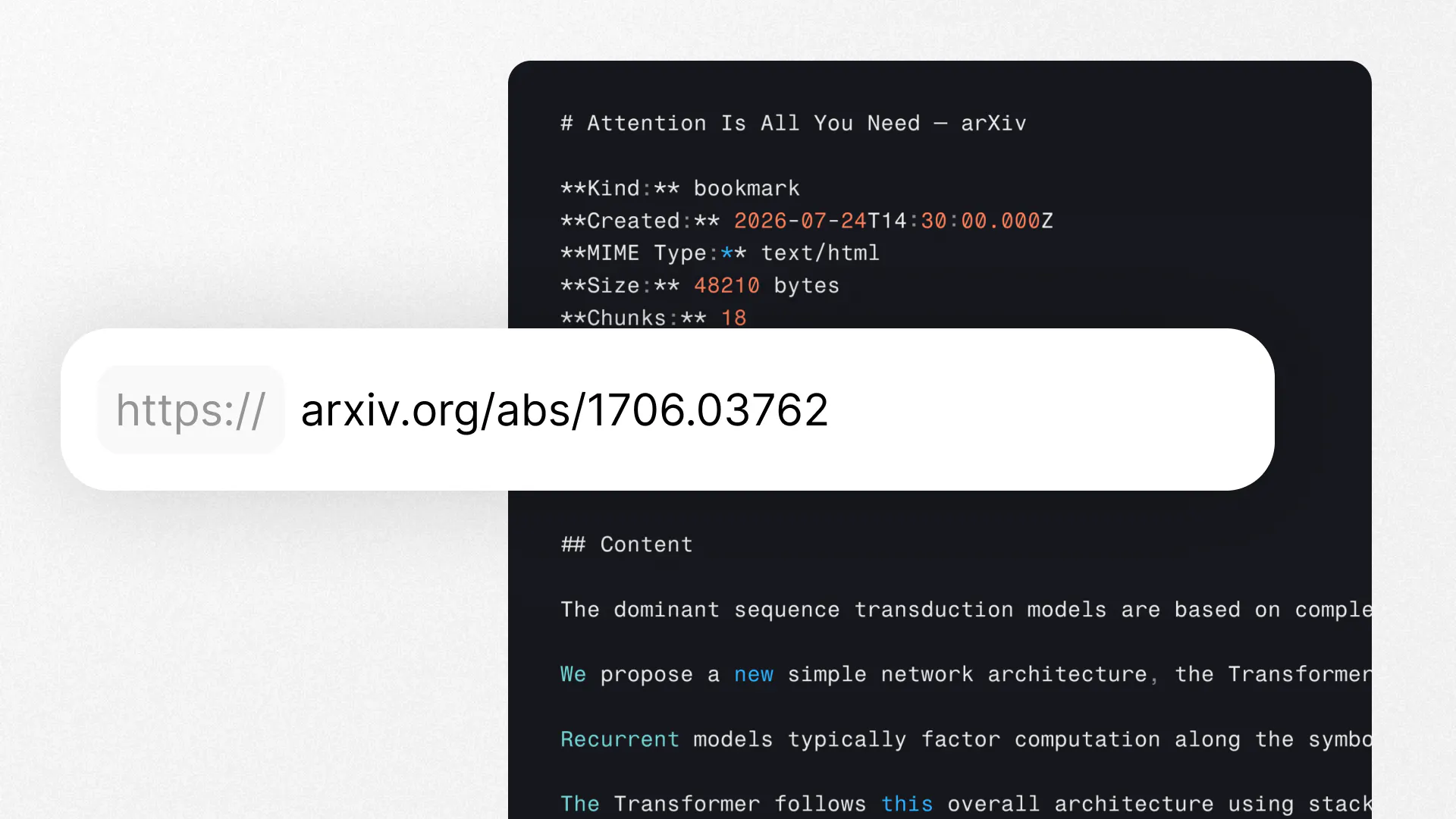
Website to Markdown API
Submit any URL, get clean Markdown back. JavaScript-rendered pages handled automatically. Navigation, footers, and cookie banners stripped. Output goes straight into an LLM context window or knowledge base with no post-processing. Anti-bot evasion built in: proxy rotation, browser fingerprinting, retries. CDN-hosted screenshot included. Same API handles PDFs, DOCX, PPTX, images, audio, and video. Free plan available.
Hey Product Hunt 👋 I'm Johnny, founder of the team behind the Website to Markdown API. We built the Website to Markdown API because turning a website into clean, usable text is still way harder than it should be. You end up maintaining a headless browser, handling JavaScript-rendered pages that return empty HTML, writing cleanup logic to strip navigation and cookie banners, and building retry logic for sites that block scrapers. It works for the first 10 sites and breaks on the 11th. So we made it one API call. Submit a URL, get clean Markdown back. The page is rendered before extraction, so React, Next.js, and Vue sites work the same as static HTML. Anti-bot handling (proxy rotation, browser fingerprinting, retries) is built in. The output is the actual content: no nav, no footers, no ads. You get a Markdown document you can drop straight into an LLM context window, a knowledge base, or a RAG pipeline. No HTML parsing, no post-processing. The same endpoint handles PDFs, DOCX, PPTX, EPUB, images, audio, and video. You learn one API and use it for everything. Pass ?format=json if you want structured output with text chunks instead of Markdown. Website to Markdown is part of the broader Exabase platform, so the same API key also gets you deep search, memory, and automation if you ever need to go further. But it works perfectly well on its own. Free plan available, no credit card required. Thanks for checking it out. I'll be here all day answering questions! Johnny
4
回复

@johnny_makes Tried it a couple of times and got crazy good output. Great job!

2
回复

@johnny_makes Great job on the launch! To help you catch and fix any initial issues smoothly, I’d love to invite you to try Bugshark (https://bugshark.dev/). It’s a lightweight widget that lets your users report bugs in two clicks while automatically capturing console logs, network requests, and screen recordings. You get instant email alerts with all the technical context needed to fix issues in seconds. Congrats again and best of luck!

0
回复

This seems super useful to me as a marketer, especially handling all different formats too. I will give it a check, upvoted!

1
回复

@martin_yochev1 Thanks Martin – do let us know how you get on, we love all feedback!

0
回复

Looks useful for AI agents. Did you think about providing an MCP server or a hook to use in claude/codex? It could replace the curl command.

1
回复

@mateuszkonik Thanks for the feedback, we're starting to explore this! Thinking about a skill and possibly also MCP, so agents can use these services on your behalf

0
回复

@johnny_makes Congrats! This looks great but I'm a little unsure of the use case for such a tool. I understand markdown is the preferred diet of LLMs so is this a more elegant form of scraping or are there more possibilities? If you can share some possible use cases that would be great. Thank you :)

0
回复
#9
Aveiro
Publish sites, newsletters and social posts with AI agents
118
一句话介绍:Aveiro 是一个AI原生的一站式发布平台,让用户通过统一界面或连接ChatGPT、Claude等AI代理,直接完成网站、博客、新闻通讯与社交媒体的内容创建、管理和发布,解决多工具切换、流程碎片化的痛点。
Newsletters Social Media Website Builder
AI出版平台 内容发布 AI代理 MCP集成 多频道分发 新闻通讯 社交媒体管理 网站构建 审批工作流 内容创作工具
用户评论摘要:用户关注AI在多频道分发时如何保持信息一致性;审批流程的灵活度是团队协作的关键;有评论建议引入Bug追踪工具。创始人回应称当前AI可准备内容但需人工批准发布,正探索按账户、内容类型设置差异化审批规则,且支持低风险内容的自主发布。
AI 锐评

Aveiro 本质上不是又一个内容工具,而是试图成为AI代理时代的“出版操作系统”。其核心洞察准确:当生成能力过剩,分发与管控成为新瓶颈。产品巧妙地将MCP作为连接器,不试图替代ChatGPT或Claude,而是成为它们背后的“执行层”与“合规层”,这是明智的生态位选择——将价值锚定在“能发布”与“敢发布”之间的鸿沟上。

但真正的考验在于两点:其一,所谓“单一事实来源”与多频道适配的冲突。评论区已有人精准指出这一痛点——如果只是简单的内容变形,那价值有限;若要做到真正的语境适配,则对内容模型的要求极高,这决定了它能否从“分发工具”升级为“内容中枢”。其二,审批工作流的设计平衡。目前“AI预备,人工批准”的模式稳妥但笨拙,若未来审批规则不够智能(如按风险分级、灰度策略),极易沦为流程负担——尤其对追求效率的AI原生用户而言。

坦白说,118票的冷启动数据不算惊艳,表明市场对此类工具仍有疑虑。Aveiro的优势在于自家深度使用,但“自用工具”与“通用平台”之间隔着巨大的产品化鸿沟。它需要回答一个更尖锐的问题:当WordPress、Substack自带AI功能,或主流AI直接内嵌发布能力时,中间层被蚕食的速度会有多快?当前最务实的路径,或许是聚焦垂直领域(如技术文档、SEO内容农场)做深管控能力,而非泛泛地横跨所有内容形态。

查看原始信息
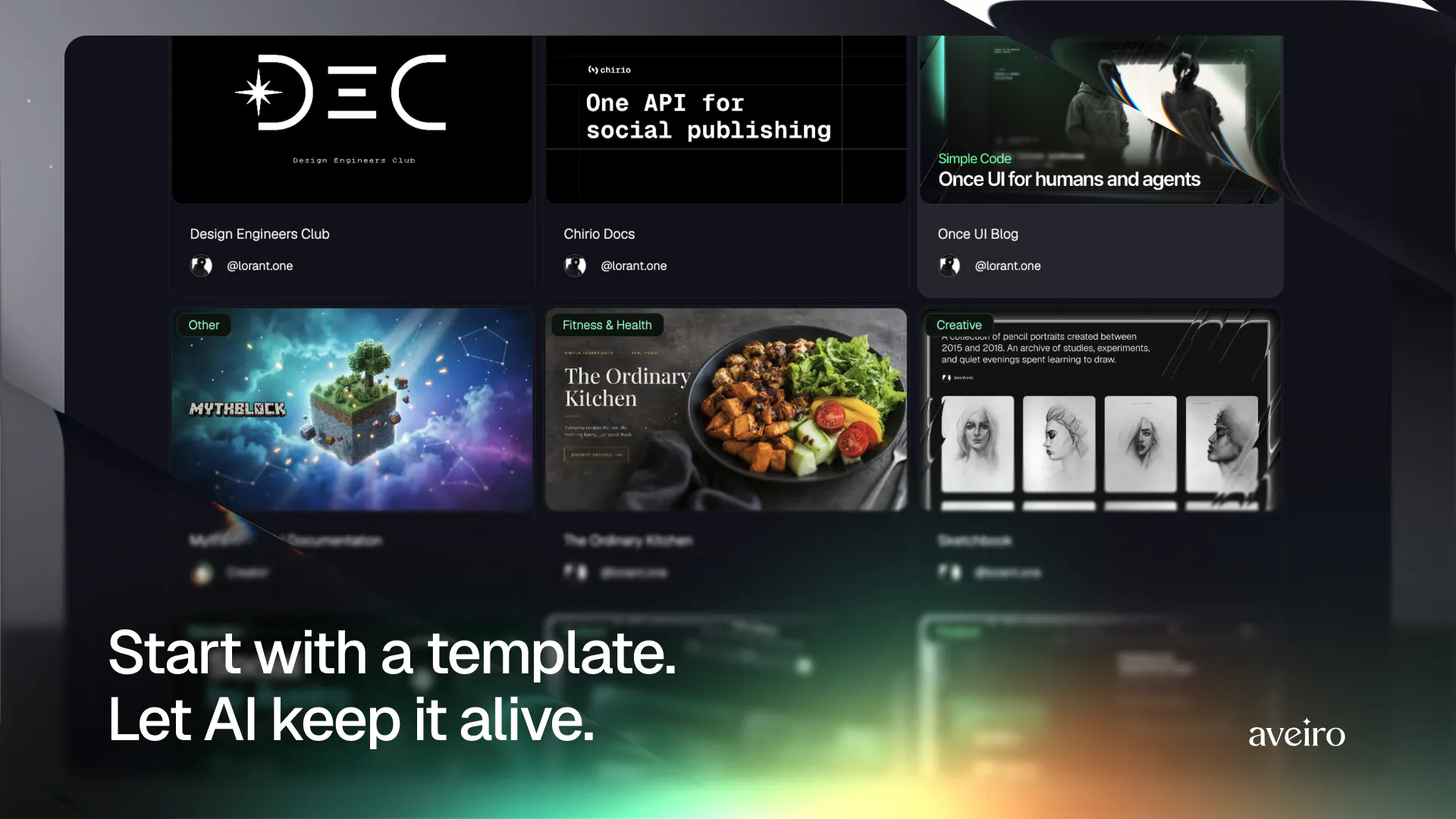
Aveiro
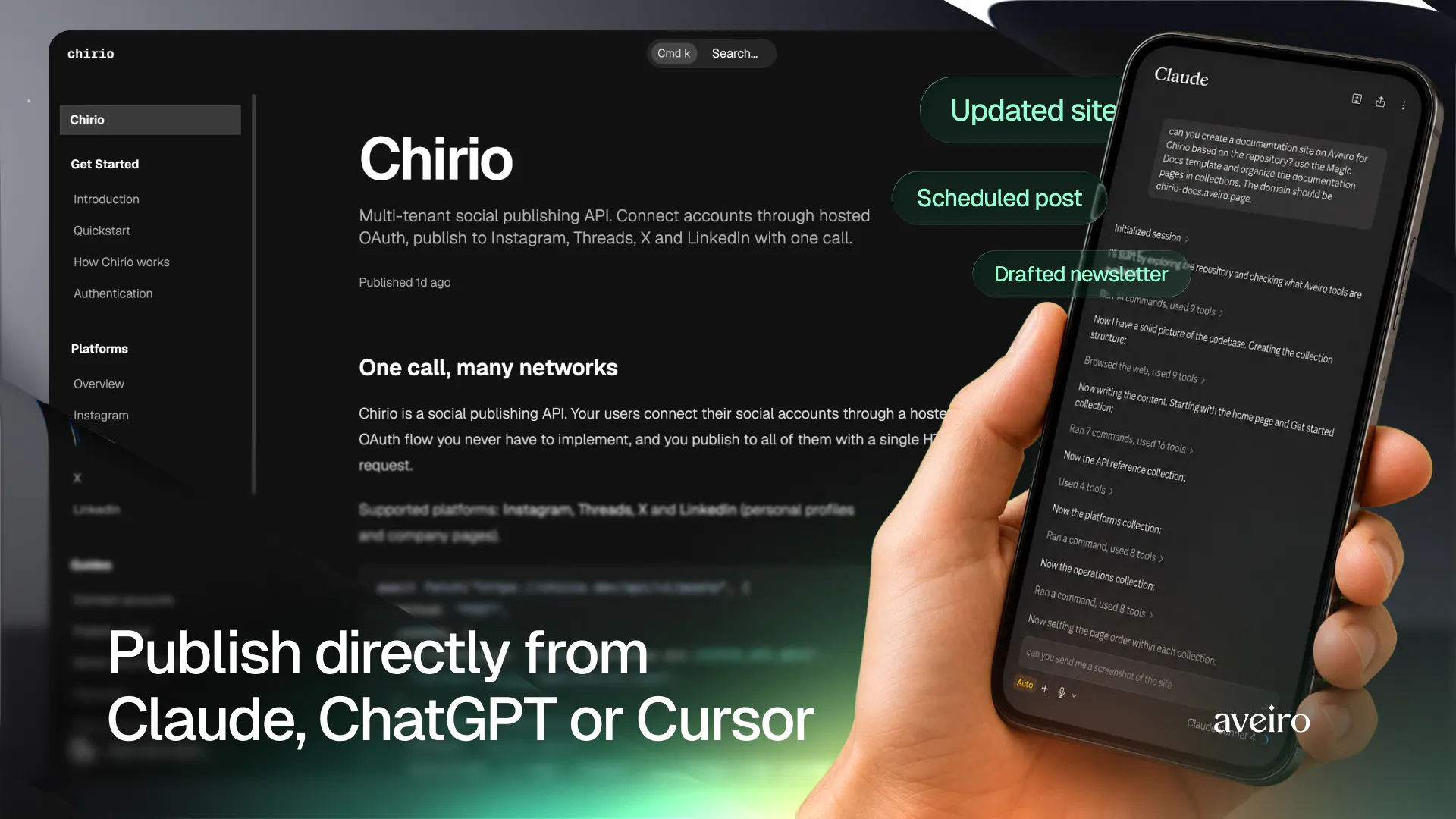
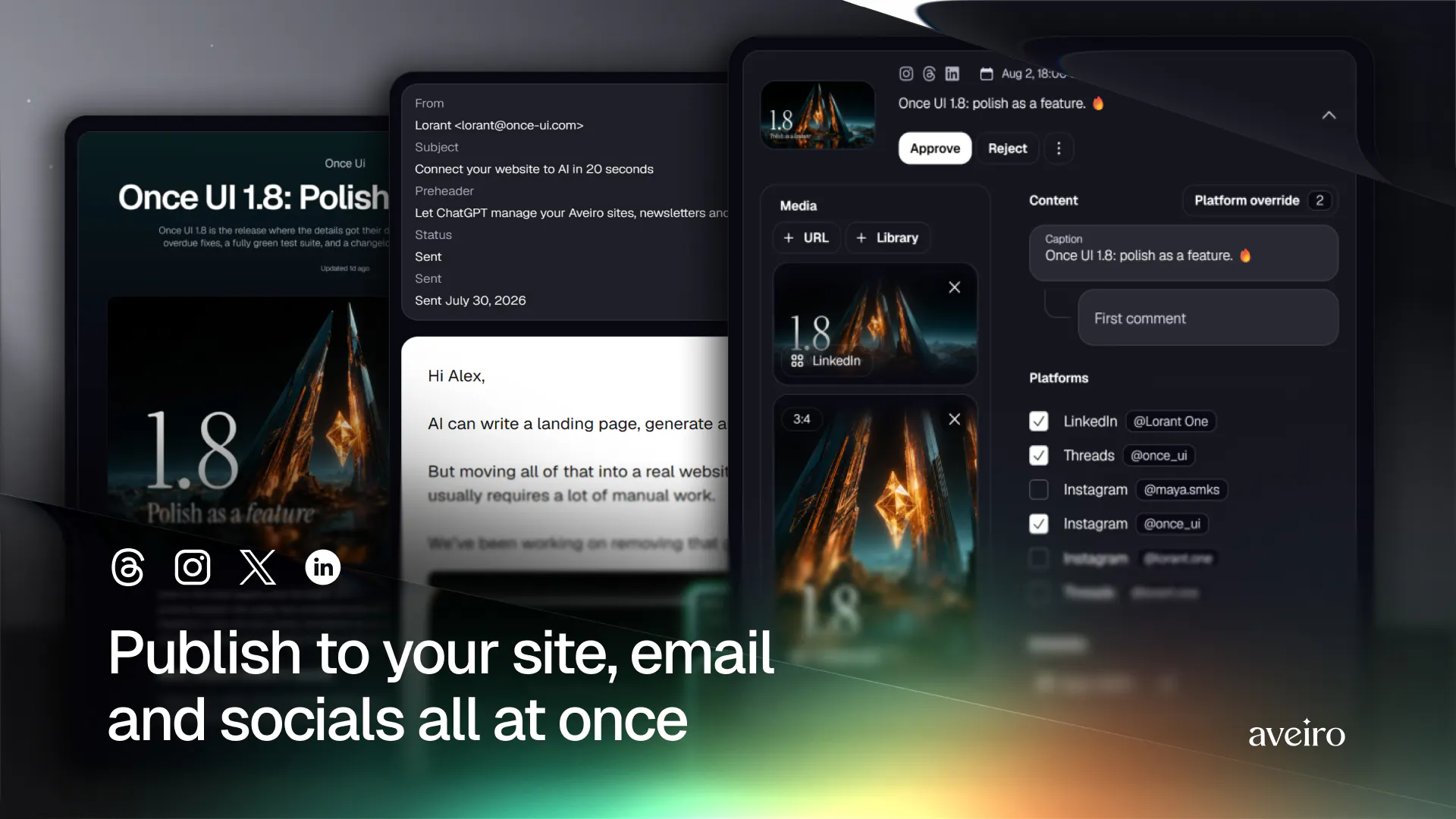
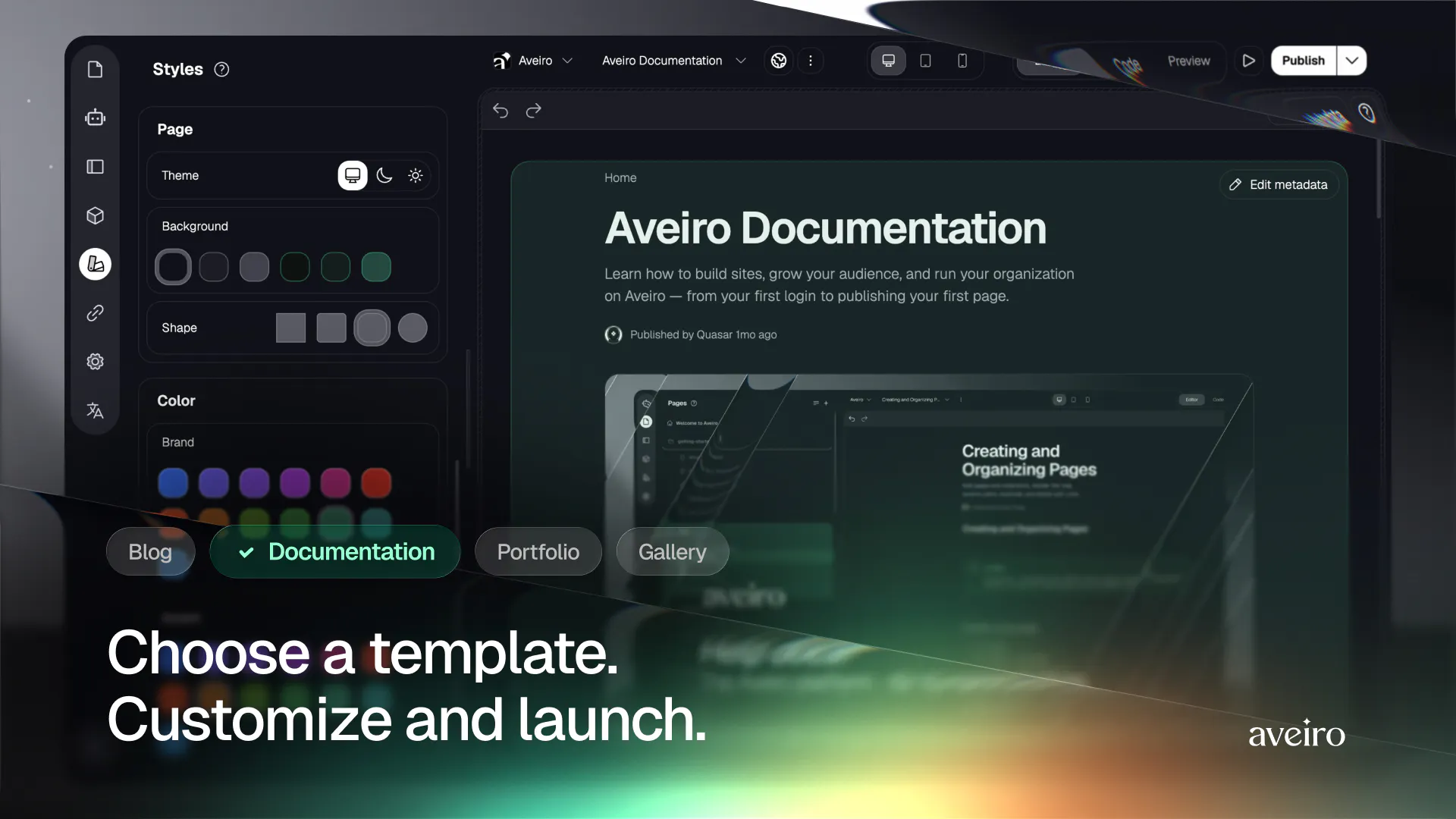
Aveiro is an AI-native publishing platform for sites, blogs, newsletters, and social media. Create and manage everything through the interface—or connect ChatGPT, Claude, and Cursor through MCP.
Hey Product Hunt — I’m Lorant, the co-founder of Aveiro. Over the past year, I noticed that AI agents were becoming surprisingly capable at creating content, code, and visuals—but publishing the result still required a fragmented stack of website builders, newsletter tools, social schedulers, and custom integrations. We built Aveiro as a publishing environment for both people and AI agents. You can create and manage websites, articles, images, newsletters, and social posts directly in Aveiro. Or you can connect it to ChatGPT, Claude, or Cursor through MCP and publish from the tools where you already work. Aveiro already powers dozens of our own publications, and agents use the same infrastructure available to every creator. I’d especially love your feedback on the agent workflow: what would you trust an AI agent to publish autonomously, and where would you always want human approval?
9
回复

@lorant_one The hard part of multichannel was never writing, it was keeping one message consistent when you reshape it for a newsletter vs a social post. Does the agent hold a single source of truth and adapt per channel, or does each channel drift on its own? That drift is what usually bites me.

0
回复

@lorant_one Great job on the launch! To help you catch and fix any initial issues smoothly, I’d love to invite you to try Bugshark (https://bugshark.dev/). It’s a lightweight widget that lets your users report bugs in two clicks while automatically capturing console logs, network requests, and screen recordings. You get instant email alerts with all the technical context needed to fix issues in seconds. Congrats again and best of luck!

0
回复

Thank you for taking the time to check out Aveiro.

We built Aveiro because publishing has become unnecessarily fragmented. Managing a website, writing articles, sending newsletters, and sharing updates across social platforms often requires several different tools and workflows.

Our goal was to bring everything together in one publishing platform with a clean editing experience and a workflow that scales from individual creators to teams.

We use Aveiro every day for our own publications, so the product evolves from
real publishing needs rather than feature lists.

We would love to hear your thoughts. What is missing from your current publishing workflow? What would make a platform like this more useful for you?

Thank you for your support and for any feedback you share. It helps us make Aveiro better.

Best Regards
Justin

5
回复

The approval workflow is probably the piece I'd care about most as AI publishing becomes more common. Curious how flexible those review steps are for teams.

3
回复

@henry_habib That’s one of the parts we care about most too. Right now, AI can prepare the post, choose channels and suggest a time, but it cannot publish until a human approves it. Reviewers can reject it with feedback, and the agent can revise and resubmit while keeping the full history visible.

We’re now exploring more flexible team rules—different approval requirements by account, content type or agent, without making everyday publishing painfully bureaucratic.

For sites and pages, you can already give publishing permission to the AI, so for low-risk content updates (e.g. documentation update on pull requests) AI can keep everything up to date. Of course, it's optional and up to the team's workflow.

1
回复
#10
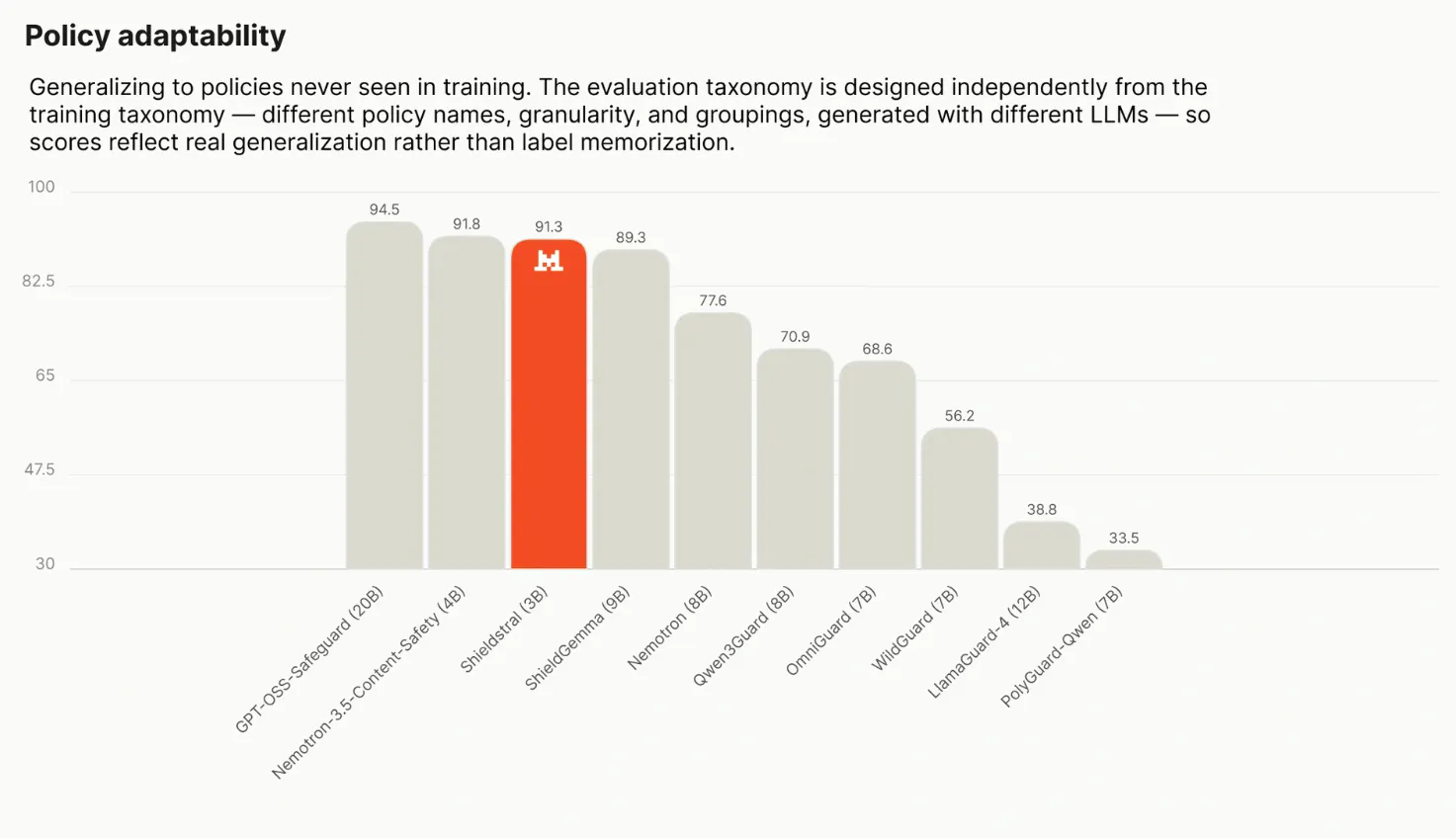
Shieldstral
Define safety at runtime for text and images
110
一句话介绍:Shieldstral是一款由Mistral推出的30亿参数开源多模态安全护栏模型,允许开发者用自然语言在推理时动态定义内容安全策略,在单张16GB GPU上本地运行,用于实时审核文本和图片,解决传统固定分类模型难以适配不同业务场景的痛点。
Open Source Artificial Intelligence Security
多模态安全模型 开源护栏 内容审核 自然语言策略 本地部署 推理时安全 Mistral 文本图片审核 可定制安全规则 轻量级AI
用户评论摘要:用户(开发者)核心反馈:强调“划线”是内容审核的难点,不同场景(儿童应用、网络安全、心理健康)对同一内容判定迥异。Shieldstral的价值在于用自然语言自定义策略,无需重新训练模型即可切换审核标准;同模型可兼顾文本和图片,且本地化运行保护隐私、降低成本。评论无明确负面问题,主要是对Apache 2.0协议和单GPU友好的肯定。
AI 锐评

Shieldstral的聪明之处在于把“安全策略”从模型参数中剥离,变成推理时的瞬时输入。这切中了内容审核最痛的环节:政策不是技术问题,而是业务和政治问题。固定的分类模型(如OpenAI的moderation)本质上是把某一家公司的价值观强塞给所有客户,而Shieldstral允许一个外卖平台问“这张图里的刀是否暗示暴力”,一个教育App问“这首歌词是否适合12岁儿童”——这比训练一堆专用模型经济得多。

但需警惕三点:其一,3B参数是性能妥协的产物,复杂语义(如讽刺、隐喻、跨文化语境)的判定准确率存疑,尤其图像理解能力与7B以上的专用视觉模型有差距;其二,“自然语言策略”是把双刃剑——策略写得不严谨,模型会给出错误高置信度结果,这比固定分类更隐蔽且难调试;其三,Apache 2.0虽友好,但Mistral背后的商业逻辑显然是“模型免费、生态收费”,未来若将更优小模型或工具链闭源,企业将面临迁移成本。

真正的价值在于它验证了一个方向:安全治理正在从“分类器时代”走向“指令时代”。如果Shieldstral能在公开基准上证明其在多策略切换下的稳定性,并补齐针对提示注入的防御,它有机会成为企业本地化合规的事实标准。但目前它更像一个漂亮的MVP,距离生产级“可靠”仍有距离——尤其是当审核结果直接决定用户生死(如心理健康应用)时,任何误判都是不可接受的。

查看原始信息
Shieldstral
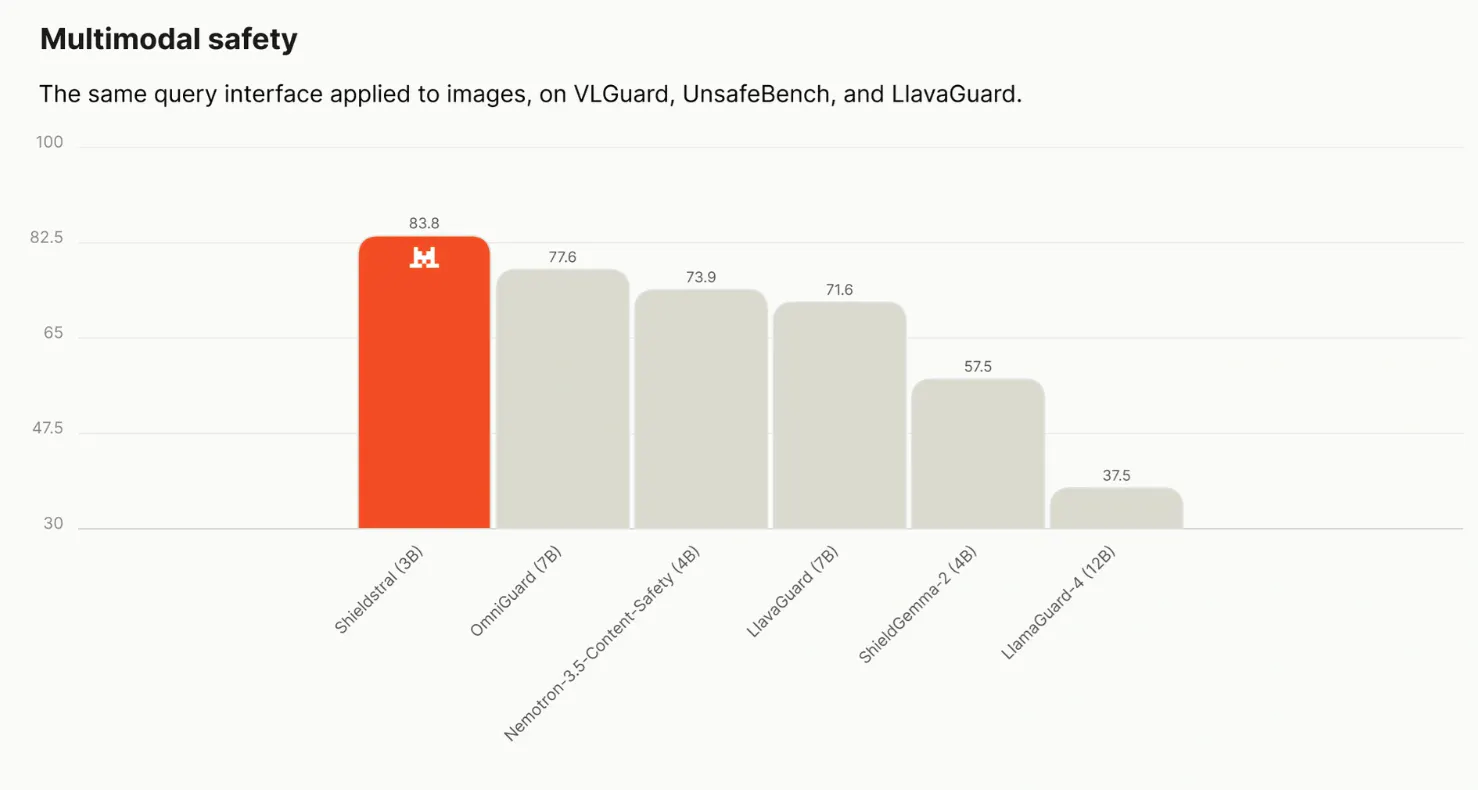
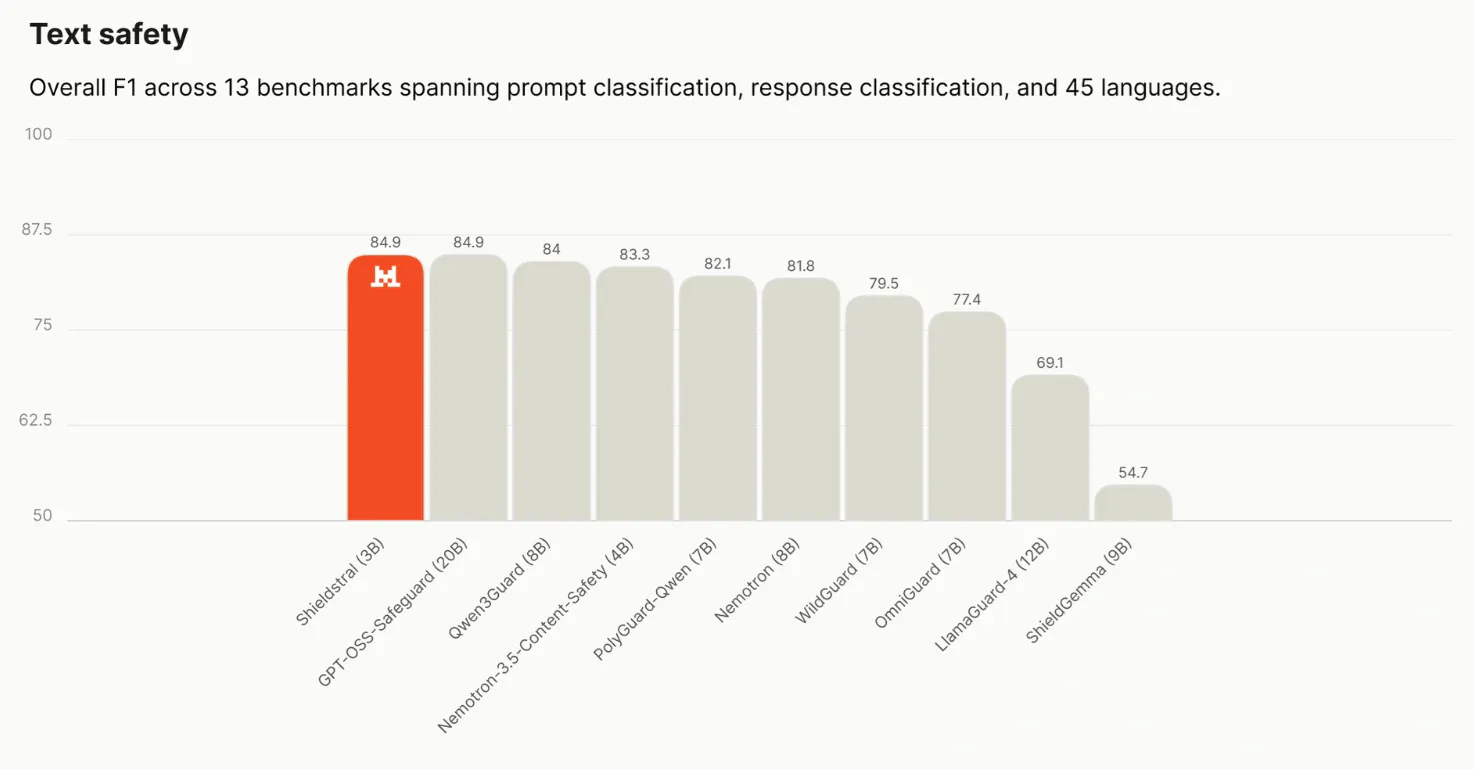
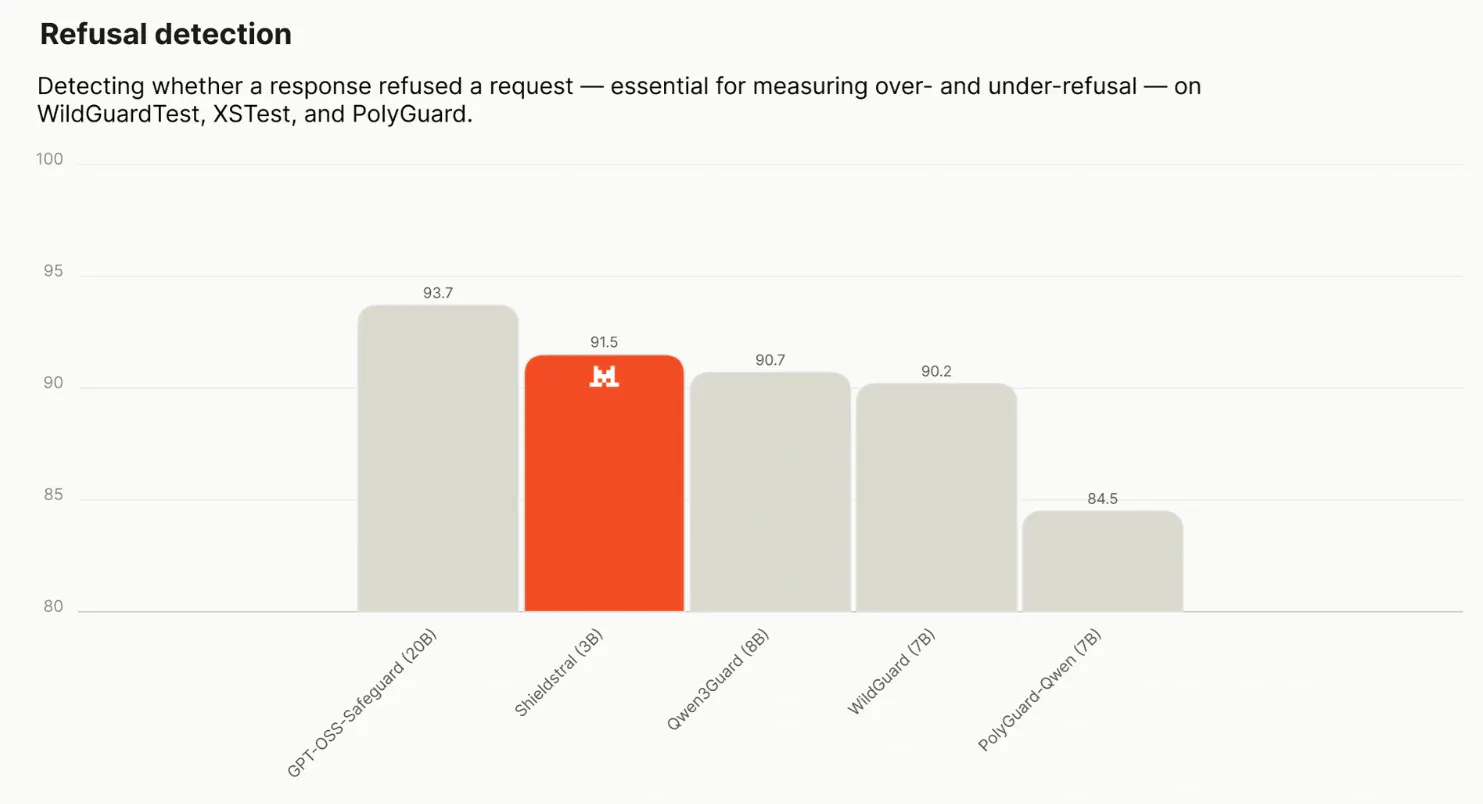
Shieldstral is a 3B open-weight multimodal guardrail from Mistral. Define safety policies in natural language at inference time. It evaluates text, images, or both from a single token output, running locally on a single 16GB GPU.

Hi everyone!

The difficult part of moderation is deciding where a product wants to draw the line.

A kids app, a cybersecurity tool, and a mental-health platform can look at the same content very differently. Shieldstral lets you express that policy as a plain-language question at inference time, rather than relying on a fixed set of categories baked into the model.

Ask “Is this image safe for minors?” or “Does this response promote physical violence?” and the same 3B checkpoint can score text, images, or both.

It runs on one 16GB GPU, and weights are available under Apache 2.0. Teams can keep the moderation layer local and change the policy without training a new model each time.

6
回复
#11
Ododok
Count every chew with your AirPods
108
一句话介绍:Ododok 将支持的 AirPods 变成实时咀嚼追踪器,在用餐时记录咀嚼次数、节奏与时长,让“细嚼慢咽”这一模糊建议变成可量化、可回顾的直观数据,无需额外佩戴硬件。
Health & Fitness Wearables Apple
健康监测 饮食管理 咀嚼追踪 AirPods 运动传感器 习惯养成 健康应用 iPhone 实时反馈 进食分析
用户评论摘要:用户认可创意新颖,但提出两个关键问题:一是法国地区无法下载,希望扩大区域可用性;二是询问App是否具备实时教育功能,即在咀嚼过程中解释数据含义,而非仅事后汇总。开发者主动征询计数准确性、行为改变效果及佩戴意愿等反馈。
AI 锐评

Ododok 的价值不在“数嚼了多少下”,而在于它首次把 AirPods 从“听音设备”重新定义为“身体信号入口”。这本质上是苹果生态内的一次硬件潜能挖掘——利用现有设备完成过去需要专用穿戴设备才能实现的生理信号采集。从产品逻辑看,它切中了一个真实存在但长期被忽略的诉求:饮食行为干预缺乏低门槛的量化工具。传统做法要么靠主观感受,要么靠笨重设备,Ododok 用“零新增硬件”的方式降低了尝试成本。

但它的弱点也很明显。第一,技术可信度存疑:通过耳部惯性传感器推测下颌运动,对不同脸型、食物硬度、佩戴松紧的鲁棒性未经验证,校准环节无法完全解决个体差异,计数误差若超过一定阈值,用户很快会失去信任。第二,场景假设脆弱:用户是否愿意在社交用餐、商务饭局中佩戴 AirPods 并盯着手机看计数?这极大限制了使用频率,产品可能滑向“新鲜感工具”而非“习惯养成器”。第三,功能深度不足:目前仅有计数和回看,缺少与健康数据的联动(如进餐速度与体重、血糖的关联分析),更缺乏实时干预机制(如咀嚼过快时震动提醒)。

评论中“是否具备实时教育功能”这一问题,恰好戳中了产品最应该进化的方向——它现在是一个“镜子”,而不是“教练”。如果 Ododok 仅仅停留在“让你看见”,那它很快会被遗忘;如果它能基于咀嚼模式给出个性化的饮食建议,并打通健康生态,才有机会脱离玩具属性。另外,区域限制这类基础分发问题都未解决,说明团队在全球化准备上不够成熟。总体而言,创意巧妙,执行尚浅,值得关注但需谨慎期待。

查看原始信息
Ododok
Ododok turns supported AirPods into a real-time chewing tracker. See your chew count, pace, chewing time, and meal duration as you eat, then review each meal afterward. No additional wearable is required—just your AirPods and iPhone.
Hi Product Hunt! 👋 I’m Hyun, one of the makers of Ododok. Ododok started with a slightly strange observation: when you chew, the movement isn’t limited to your jaw. It creates a subtle, repetitive motion around your ear too. Since AirPods sit right there, we wondered whether their built-in motion sensors could detect it. Turns out, they can. Ododok uses motion data from supported AirPods to estimate your chews in real time. During a meal, you can see: - Your current chew count - Your chewing pace - Time spent chewing - Meal duration Afterward, Ododok creates a meal summary so you can look back at your eating rhythm and habits. We built it because advice like “slow down” or “chew more” is difficult to act on when there’s nothing you can actually see or measure. Our goal is to make those habits visible without asking people to buy or wear another dedicated device. If you already have supported AirPods and an iPhone, you can try it immediately. Everyone chews differently, so Ododok includes a short personal calibration before tracking. We’ve tested it ourselves, but now we’re most curious about how it feels during real meals with different people and different foods. If you try Ododok, we’d love your honest feedback: 1. How closely did the count match your chewing? 2. Did seeing the count or pace change how you ate? 3. What would make the meal summary more useful? 4. Would you actually wear AirPods during a meal for this? Thanks for checking it out. We’ll be here reading and responding to every piece of feedback.
4
回复

I love the idea! However I download it from France, is it possible to make it available? Thank you.

2
回复
Both funny and interesting. Does it educates as you go? Meaning app actually explains what each chewing could mean.
0
回复
#12
Chute
The fastest way to send anything to your iPhone
106
一句话介绍:Chute 将 Mac 的刘海屏变成一个拖拽入口,让你把截图、链接或文件以极速直接发送到 iPhone,彻底告别复杂的分享流程。
Mac Productivity Menu Bar Apps
Mac效率工具 iPhone文件传输 刘海屏交互 拖拽发送 AirDrop增强 跨设备协同 生产力工具 快捷分享 苹果生态 文件传输
用户评论摘要:用户普遍认可其比AirDrop分享面板更快捷的体验,称“感觉像魔法”。核心疑问集中在与AirDrop的差异,开发者回应称已自动化并绕过繁琐的分享步骤。有用户追问对超大视频文件的支持,开发者承认底层仍用AirDrop,不适合处理ProRes等大文件,主打日常轻量传输。亦有用户询问网址链接发送功能,确认支持且能自动匹配打开对应App。
AI 锐评

Chute 的巧妙之处在于将系统级的“分享”这件事,从一个多层级的功能菜单,压缩成了一次符合直觉的物理拖拽动作。它精准命中了一个高频且细碎的痛点:Mac 与 iPhone 之间发送轻量内容的效率损耗。开发者的洞察很准确,AirDrop 的分享面板十年来确实体验落后,其失败率与繁琐的弹出选择器是真实存在的低效噪音。

从产品策略看,Chute 没有试图发明新传输协议,而是站在 AirDrop 的肩膀上,做了出色的“最后一公里”交互优化。它用一个堪称“作弊”的快捷方式(预先配对+自动绕过分享面板)在感知速度上形成了对原生功能的碾压,这构成了其核心价值主张。这是一个典型的“流程颠覆式”小工具,用极致的单点体验教育了用户:原来可以比“标准流程”快10倍。

然而,其价值边界同样清晰。评论中关于大视频传输的追问暴露了它的天花板——它只是优化了触发方式,并未解决底层传输的稳定性与速率问题。因此,Chute 并非万能的传输替代品,而是一款定位精准的“轻量级快递员”。它的成功依赖于用户对“截图、链接、日常文档”这类高频刚需的体验升级。但这类工具也面临风险:一旦苹果在 macOS 或 iOS 后续版本中主动优化了分享面板或强化 Handoff,Chute 赖以生存的“缝隙”可能随时被官方补上。此外,作为独立开发者产品,其在 macOS 愈发严格的安全与权限限制下能否保持稳定,也是一道现实考题。整体而言,Chute 是一个巧妙且优秀的“螺蛳壳里做道场”案例,但天花板清晰,适合作为特定场景的效率利器,而非生态级解决方案。

查看原始信息
Chute
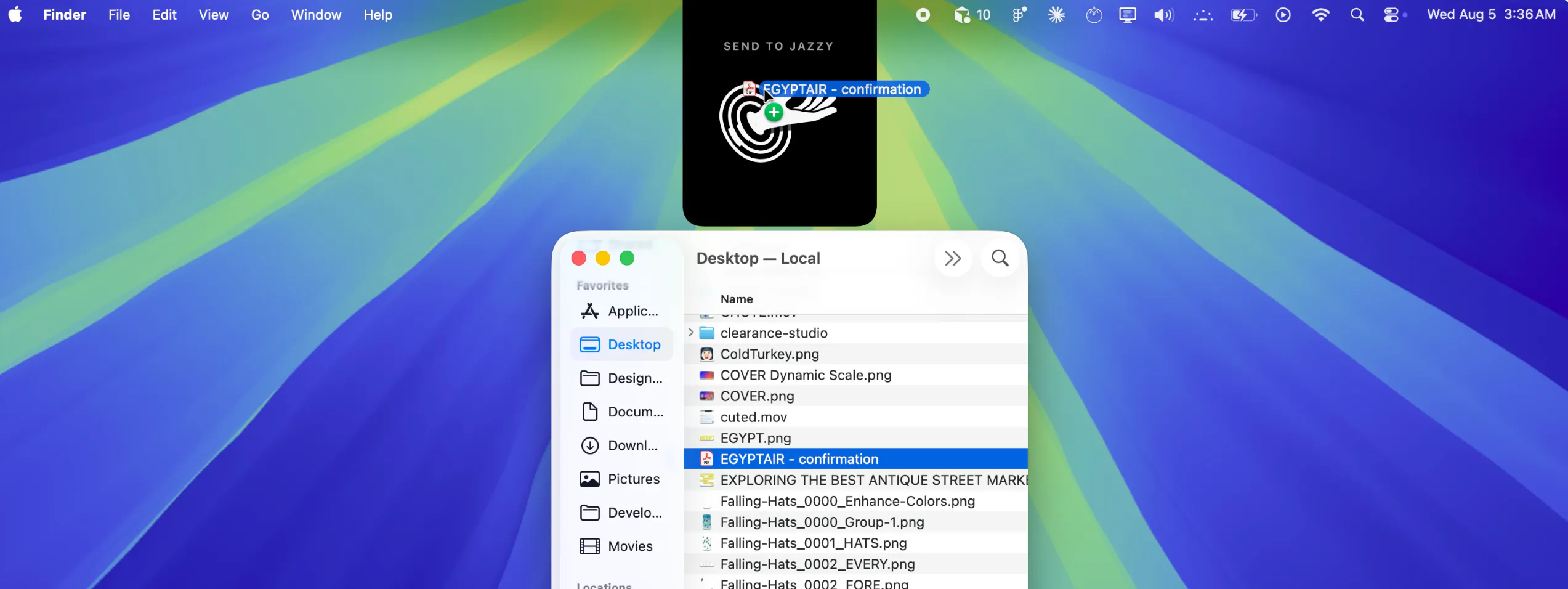
Chute transforms your Mac's notch into a portal directly to your iPhone. Drag any screenshot, link, or file up to it and it sends straight to your iPhone in a flash.
Hi Product Hunt! I made Chute, something that I have been using dozens of delightful times a day that I wanted to share -- the other day I was posting an ig story and wanted to drop in a screenshot of something I was working on in figma and realized: a) there is no easy way to do this b) handoff sucks and works half the time c) airdrop share flow is clunky so i built something that is butter smooth and 10x faster! This is genuinely the fastest way to get anything from your mac to iPhone. I'm so happy to finally be able to share it with the world and launch here on PH!
2
回复

@jacksonfall This is interesting Jackson. Congratulations on the launch!

0
回复

@jacksonfall Called it: this is the tool. Airdrop's share flow has been clunky for a decade and nobody at Apple seems to care. Chute actually feels instant. Congrats on shipping, Jackson. Well earned.

0
回复

genuinely curious what this does that AirDrop doesn't already - is it just the notch drag-target UX that's faster than opening the share sheet, or is there something happening under the hood, like skipping the AirDrop discovery handshake that sometimes hangs for me between a Mac and an iPhone?

0
回复

@omri_ben_shoham1 You got it! It automates and bypasses the (open finder, right click, share, airdrop, pick device...) share sheet -- when you set up Chute, you "pair" with your iPhone so when you drop anything (screenshot, link, files) into Chute it goes straight to your device. In the demo video, you can see the Airdrop sheet flashes up for a fraction of a second and then auto-dismisses.

I'm biased, but I find it to be quite smooth!

0
回复

Let’s go! This feels like magic

0
回复
@pottsjustin Thanks dude!! 🫂
0
回复

@jacksonfall very cool! is there a way to send website URLs / tabs open in Chrome?

0
回复
@shivampatel9 Yes!! Grab and drag any link to the notch. If it corresponds to an app on your phone it’ll even open in that app. Basically, anything you can click and drag you can Chute.
0
回复
@shivampatel9 hey thanks for downloading!!! So glad you love it. No plans for iOS to Mac as of right now 👀
0
回复

Interesting, how does this handle heavy videos (prores .mov files, 1 to 5gb)? I've been struggling with airdrop, it randomly freezes in the middle of transfers and it's very annoying. Downloading from dropbox works but is slower. I'd love a very simple product that just works.

0
回复

@brice_afonso Hey Brice! Thanks for your comment -- definitely designed this with more everyday file transfers in mind. My original use case was actually just for screenshots. It quickly expanded beyond that when I realized I could reliably send deeplinks (like google maps places, instagram reels, spotify songs...)

Chute uses AirDrop under the hood though — so big video files may still be a problem, not something we're solving for here.

What Chute kills is the overhead on everything else: drag any file to the notch, let go, it's on your phone in a flash. No Finder, no right-click-share-sheet, no picking your device out of a list.

For your non-prores-heavy-lift stuff, I think you'll be pleasantly surprised with how much time it can save you!

Hope you enjoy :)

0
回复
#13
hey postcard - digital postcards
delivered tomorrow morning at a random time between 8 -10 AM
93
一句话介绍:Hey Postcard是一款“慢消息”数字明信片应用,用户写给重要之人的内容不会即时送达,而是在次日早上8-10点间随机到达,以此对抗即时通讯的噪音,重拾等待与收信的仪式感。
iOS Messaging Social Networking
慢社交 数字明信片 异步消息 情感沟通 怀旧体验 私密社交 延迟送达 小众通讯 关系维护 仪式感
用户评论摘要:用户普遍认可“延迟送达+随机时间”带来的惊喜感和怀旧氛围,认为其比普通消息更显真诚。主要疑问集中于与同类应用Daily Postcard的差异,官方回应强调“私密性”与“专属联系人”。亦有用户好奇长期使用体验,并建议明确其与WhatsApp等即时通讯的互补定位。整体测试反馈积极,认为适合深度情感表达。
AI 锐评

Hey Postcard在概念上精准切中了当下过度连接时代的心理疲惫——它没有试图做另一个“更快”的通讯工具,反而反其道行之,用“慢”和“不确定”作为产品壁垒。从反馈看,核心用户确实在“等待”与“被等待”中获得了情绪价值,这说明它解决的并非效率问题,而是数字时代的“情感通货膨胀”问题:当“我爱你”变得和“收到”一样廉价,稀缺性便成了奢侈品。

但值得警惕的是,该产品的护城河很浅。评论区提到的Daily Postcard即是最直接的证据——这种模式几乎没有技术门槛,核心壁垒在于“氛围感”和“用户关系网络”。一旦用户的新鲜感消退,或者大厂在IM中内嵌一个“定时送达+随机时间”功能,独立应用的生存空间会迅速被挤压。目前的投票数(93)和评论热度也表明,它还处于极早期的核心用户验证阶段。

另一个隐患是“随机时间”的设定。它制造了惊喜,但也可能造成使用焦虑(例如收件人错过或不便查看)。这种机制本质上是将“游戏化”的随机奖励心理学应用于人际沟通,长期看可能反而削弱其“深思熟虑”的初衷——如果发送者知道送达时间不可控,是否会降低对内容质量的打磨?产品目前停留在“功能正确”层面,尚未构建出真正不可替代的“关系数据”或“仪式感产权”(例如明信片收藏夹、年度信件回顾)。真正有价值的下一步,应当是如何将用户沉淀的“情感资产”可视化、可回溯,从而完成从工具到“数字情感档案”的跃迁。否则,这封信很可能只是一封精致的、被拆开后就遗忘的邮件。

查看原始信息
hey postcard - digital postcards
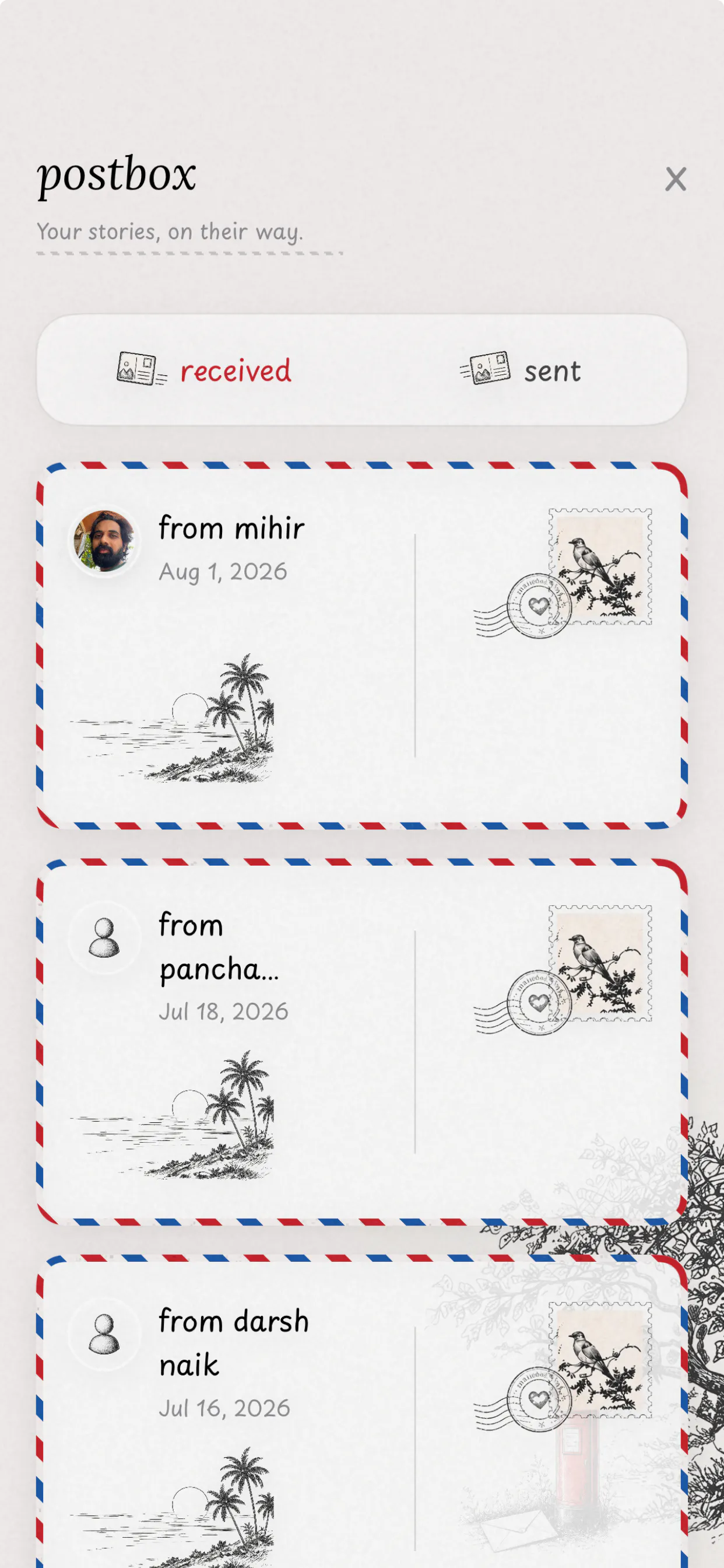
Hey Postcard is a slow messaging app for people who matter. Instead of sending another instant message, write a digital postcard. It arrives the next morning at a random time, bringing back that little feeling of waiting for something special. We built Hey Postcard because meaningful conversations shouldn’t get lost between notifications, group chats, and everyday noise. Write. Send. Wait for the postman. 💌
Hey Product Hunt 👋 We’re Mihir and Heli, the makers of Hey Postcard. The idea came from a simple feeling: even though we have more ways than ever to stay connected, conversations with people we care about often feel less meaningful. Everything is instant. Messages get buried. Notifications keep coming. And sometimes a thoughtful message becomes just another message in the chat. So we built Hey Postcard. Instead of sending another instant message, you write a digital postcard. It gets delivered later, and the receiver gets that little feeling of waiting for something made just for them. We wanted it to feel calm, personal, and a little special, like receiving a real postcard, but made for today. Hey Postcard is still very early, and that’s why launching here feels exciting for us. We’d genuinely love to know: Does receiving a message later make it feel more special to you? And if you try Hey Postcard, please tell us what you liked, what felt confusing, or what you’d change. Thank you for checking out something we’ve put a lot of care into. ❤️
2
回复

@heli_ excited :)

3
回复

@heli_ Sounds good!

1
回复

@heli_  ideas like this can make everyday communication more meaningful

0
回复

@heli_ congrats on the launch of the app! Glad to be among the first few users to use the app! It really felt like writing a secret letter to someone and awaiting their reply! All the best! Cheers!!

2
回复

@r_naik thank you so much for your comment 😊

0
回复

This feels very similar to Daily Postcard, just with a different UI. Curious to know what the key differentiator is.

2
回复

@mohamed_sabith In Daily Postcard app, you can write letters to anyone around the world. When in Hey Postcard app, you send it to your people. The contacts and postcards are private to you.

1
回复
I like the idea! Constant availability gets exhausting anyway, so taking a break from endless messaging feels pretty nice. Wondering how that waiting actually feels day to day and how it lands with friends. Congrats on the launch! :)
2
回复

@etiennegarcia Thank you so much for your comment!
Hey Postcard is not here to replace WhatsApp, Telegram, Instagram or any other messaging app.
It's for those thoughtful special messages that you want to tell someone.
Those kinds of messages get lost in everyday conversations. If I am using Hey Postcard, I can go back to those messages and read them again.

P.S. It feels so good when you start writing a postcard. You want to write what you actually feel. That's how I felt using my own app, haha!

1
回复

@etiennegarcia 
Hey Etienne, thanks for the feedback, and I am glad you like the idea.

Personally, what i do:
if I need to share something immediately, I use WhatsApp.
But if I want to talk about something deep, like how life is going, how i am feeling nowadays, or something more thoughtful, I use hey postcard.

I also feel that a 'happy birthday' wish also gives a good experience and feels like a little surprise. I sent my partner Heli a letter on her birthday last month on 11th july with the feeling that how i am lucky to have her in life and she is so special to me, which made her day :)

1
回复
@heli_ Wow! Exactly what we, children of the '90s, need =)
2
回复
1
回复

@adana hahaha! right! The app feels so nostalgic.

That was one of our goals: to make the app experience really good :)

Thank you for your comment!

2
回复

Interesting app, it feels more authentic than just generic msgs and WhatsApp forwards. Congrats on the launch Mihir and Heli!

2
回复

@musharofchy thank you so much :)

1
回复

@musharofchy thanks musharof, please dm me your in app postal code in X or on telegram. I would love to write some letters to you.

1
回复

Been an active user of Hey Postcard for about a month now, and I absolutely love how thoughtful the whole idea and the app experience is! I have been writing letters to my friends and being able to have that human touch of waiting, seeing the letter be sent out and for them to be opened is lovely!

Great work on building this wonderful app! ❤️

2
回复

@panchamkhaitan thank you, buddy, for support and feedback since the start :)

1
回复

I am an active user of hey postcard and I loved the way of sending like old days post cards. Loved the app. All the best!

0
回复
#14
Ticketdesk AI
AI Agents for Customer Support
93
一句话介绍:Ticketdesk AI 是一个将AI智能体嵌入客服工单系统的SaaS工具,通过自动分类工单、生成拟人化邮件回复和24/7值守,解决中小团队客服成本高、响应慢、重复劳动多的痛点。
Productivity Artificial Intelligence Ticketing
AI客服 智能工单 自动回复 客服自动化 Help Desk AI Agent 邮件自动化 中小团队SaaS 工单分类 无代码配置
用户评论摘要:用户认可其自动回复自然度和人性化延迟功能,并赞赏创始人公开真实收入数据。核心疑虑集中在两点:AI“自信地犯错”时如何人工审核拦截?面对杂乱历史工单而非整洁知识库时表现如何?建议明确人机交接机制与脏数据适应能力。
AI 锐评

在拥挤的客服软件赛道,Ticketdesk AI的定位并非技术颠覆,而是价格与复杂度的“向下兼容”——这恰好切中大量被Zendesk等高价工具拒之门外的中小团队。其真正的产品价值锚点不在AI能力本身,而在于“收入透明化”的运营策略:公开MRR $2500与全时收入$16k,既是对抗竞品信任赤字的高明营销,也暗示了产品尚处早期验证阶段。从评论看,首批用户并非被AI魔法吸引,而是被“自然语气的回复”和“延迟发送模拟真人”这类细节打动——说明该产品在交互心理学上做了正确取舍,而非单纯堆砌模型参数。但短板同样明显:评论区最高赞的质疑直指AI客服行业死穴——无监督下的幻觉输出。团队虽提供“人工审批”文档接口,却未在发布中主动强调该机制,这是宣传失误,更可能是产品成熟度不足。若无法在“脏数据”场景下稳定降级(如低置信度转人工),其24/7自动化的卖点将如履薄冰。建议下一步聚焦:构建基于历史工单的置信度回退机制,并将人工拦截率作为核心指标写入公开Dashboard,以技术透明对冲行业固有疑虑。当前产品是“够用的小工具”,但距离“可信赖的AI客服底座”仍有本质鸿沟。

查看原始信息
Ticketdesk AI
Transform your customer support with AI-powered automation. Create AI agents for customer support and enable automatic AI email responses to handle tickets faster and 24*7.

The idea for Ticketdesk AI came from a simple frustration: customer support tools have become increasingly complex and expensive, while AI is often treated as an expensive add-on.

So, the idea is to build a help desk where AI isn't just a chatbot - it can classify tickets, replies to ticket, automate repetitive work, and help teams resolve conversations faster without requiring a huge budget or a complicated setup.

After months of building, testing, and talking to customers, we're excited to finally share Ticketdesk AI with the community.


Create an Agent - https://ticketdesk.ai/docs/how-to-create-an-ai-agent-for-customer-support/467

Embed to website - https://ticketdesk.ai/docs/embed-ai-chatbot-on-your-website/507
API - https://ticketdesk.ai/docs/api

MCP - https://ticketdesk.ai/docs/mcp-server-automate-customer-support-with-ai/533

Ask me anything!

2
回复

@vikashrathee posting the actual MRR and revenue link instead of just "excited to launch" is rare and it says a lot. most support tool launches lean on the AI pitch and skip the part where you show it's a real business people are already paying for. respect for building this out in public, especially in a category as crowded as customer support.

0
回复

@vikashrathee We trialed a few AI support layers and the dealbreaker was always confident wrong answers going to customers unsupervised. How do you handle the handoff when the agent isn't sure, and can a human approve before the reply sends? Also how does it do on messy historical tickets vs a clean KB?

0
回复

finally tried this on a backlog of old tickets and was honestly surprised how natural the auto replies sound, like it actually got the tone right and stopped me from repeating the same answers all week

0
回复

@cetinalpca34281 thanks, you can even use the new feature (delayed AI response) to make the response more human like. E.g. ticket response sent after 25 minutes instead immediately.

0
回复

Current MRR - $2,500
All-time revenue - $16k

https://trustmrr.com/startup/ticketdesk-ai

0
回复
#15
Token Harbor
The easiest way to access frontier AI models.
91
一句话介绍:Token Harbor 通过一个统一的 OpenAI 兼容 API,让开发者免去在 GPT、Claude、Gemini 等前沿模型间切换时管理多个账户、API 和配置的繁琐流程,实现即插即用的模型调用与按量付费。
Productivity API Developer Tools
AI聚合API 模型路由 开发者工具 LLM网关 OpenAI兼容 多模型接入 API管理 成本控制 编程助手 效率工具
用户评论摘要:用户普遍认可“多账户切换”与“上下文窗口差异”是真实痛点,认为统一 API 能降低认知负担。主要建议:强调“节省设置时间”为核心卖点;关注跨平台成本追踪和响应格式一致性;期待 Kimi K3、DeepSeek 等免费模型长期可用,并希望增加更多集成。
AI 锐评

Token Harbor 切中的是一个真实但拥挤的赛道——LLM 聚合网关。它的价值不在技术壁垒,而在“体验减法”:用一套 API 抹平不同提供商的认证、限流和文档差异,这确实解决了开发者面对模型爆发时的“选择疲劳”与“迁移成本”。但必须泼一盆冷水:当前市场已有 One API、LiteLLM 等开源方案,以及 Cloudflare AI Gateway 等巨头玩家,该产品在路由策略、缓存优化或成本控制上未见独创性突破。其真正的生死线在于“连接器生态”——若不能快速覆盖主流 IDE、CI/CD 和 Agent 框架,并保持 OpenAI 兼容性零偏差,很容易沦为“又一个转发层”。此外,免费策略(Kimi K3、DeepSeek)能拉新,但若付费价格无法低于直接调用原厂 API 的累计成本,留存将成疑。建议后续重点披露延迟开销、故障转移机制和隐私合规(尤其是数据是否经第三方中转),并考虑向企业提供私有化部署——否则,它可能只是开发者工具箱里一个“还不错”的临时跳板,而非不可替代的基础设施。

查看原始信息
Token Harbor
Access GPT, Claude, Gemini, DeepSeek, Kimi and other frontier AI models through one OpenAI-compatible API. Configure once, switch models freely, and pay only for what you use.

Hey Product Hunt! 👋

AI models are evolving faster than ever. Every few weeks, there’s a new model worth trying — better coding, better reasoning, better workflows.

But exploring them is still harder than it should be. Different providers, different APIs, different accounts, and constantly changing configurations make switching models painful.

That’s why we built Token Harbor — one API to access the world’s leading AI models.

With Token Harbor, developers can easily try and compare frontier models like GPT, Claude, Gemini, Kimi, Grok, and DeepSeek — without managing multiple providers.

We also built Connect to make switching existing AI tools simple. One command can configure your coding agents and tools to work with Token Harbor.

We’re still early, and we’d love to hear your feedback:

  • Which AI models do you use most often?

  • What’s the biggest pain point when switching between providers?

  • What integrations would you like to see next?

Thanks for checking out Token Harbor ❤️

7
回复

The provider-switching friction is real different accounts, different rate limits, different context windows documented in different places. One API key across GPT, Claude, Gemini, Grok, and DeepSeek removes a genuine cognitive load. Good timing given the pace of model releases right now

0
回复

@wsongth Congrats on the launch, William! Solving the friction of managing multiple API keys and provider accounts is a massive win for devs.

I mostly switch between Claude and GPT. The biggest pain point is usually cost tracking across different dashboards and maintaining consistent response formatting.

Quick messaging thought for your landing page: emphasize the "time saved on setup" front and center—devs love zero-friction integration! 🚀

0
回复

@wsongth One more thing we’re excited about for launch 🚀

During launch week, Kimi K3 will be available in our free tier.

We’re also keeping free access to models like DeepSeek V4 Flash and MiMo V2.5, so developers can explore different AI workflows without worrying about upfront costs.

Would love to hear what models or integrations you’d like to see next!

0
回复
#16
Glyphi: Speed Reader
An RSVP reader for books, PDFs, articles & webpages
89
一句话介绍:Glyphi 是一款将书籍、PDF 和网页内容转化为逐词闪现阅读的 RSVP 工具,专为在碎片化时间里快速、专注地消化长文而设计,解决了传统滚动阅读易分心和耗时的问题。
Productivity Education Books
RSVP速读 逐词阅读 电子书阅读器 PDF阅读 专注力工具 效率提升 iCloud同步 本地AI摘要 隐私保护 苹果生态
用户评论摘要:开发者个人介绍产品动机并征集反馈,核心问题集中于“是否尝试过RSVP阅读”及“切换阅读软件的关键因素”。唯一回帖建议将“隐私优先AI摘要”作为核心卖点突出,认为这是消除用户对文档处理疑虑的利器。
AI 锐评

Glyphi 踩中了两个真实的时代痛点:信息过载下的阅读效率焦虑,以及用户对云端数据隐私的深度不信任。RSVP 并非新概念,但将其套用在“书籍+PDF+网页”的全场景导入上,并配合 iCloud 无缝同步,确实精准打击了移动端碎片化阅读的软肋——你在地铁上读完半页,回家还能从那个词继续。这比单纯做一个“速读器”聪明得多,它本质上是把“阅读时间”压缩成了“阅读瞬间”。

然而,产品的天花板也很明显。RSVP 模式天生排斥深度阅读、批注和跳读,它在长篇小说或复杂技术文档面前显得生硬,更像是一个“信息榨汁机”而非“思想栖息地”。89票的冷启动成绩也说明,大众对“逐词闪现”的接受度仍属小众极客圈层。开发者强调“on-device AI摘要”,这确实是差异化亮点,但如果没有对比测试证明其摘要质量优于云端方案,它只能是个安全牌,而非杀手锏。

真正的破局点在于:能否将 RSVP 与“注意力管理”绑定——比如统计每日阅读字数、生成专注力曲线,甚至联动日历做定时深读。否则,Glyphi 大概率会成为效率爱好者们的玩具,而非一个不可或缺的阅读中枢。至于“隐私摘要”,建议放在首屏,但请用一句可验证的话打消疑虑:“所有摘要均在本地生成,断网可用。”否则,那只是营销修辞。

查看原始信息
Glyphi: Speed Reader
Glyphi is an RSVP (Rapid Serial Visual Presentation) reader that displays one word at a time instead of traditional scrolling. Import books, EPUBs, PDFs, articles, or web pages, customize your reading experience with adjustable speed, pauses, colors, and layout, then continue seamlessly across your Apple devices with iCloud sync. Built in on-device AI creates private summaries without sending your content to the cloud.
👋 Hi Product Hunt! I'm the solo developer behind Glyphi. I built Glyphi because I wanted a reading experience that felt more focused than endlessly scrolling through text. Instead of displaying an entire page, Glyphi uses RSVP (Rapid Serial Visual Presentation) to show one word at a time, reducing eye movement and helping you stay immersed in what you're reading. You can import books, PDFs, EPUBs, articles, and web pages, customize the reading experience, sync your progress with iCloud, and generate private on-device AI summaries. I'd love your feedback: - Have you ever tried RSVP reading? - What would make you switch from your current reading app? Thanks for checking out Glyphi! I'll be here all day to answer questions and hear your ideas.
2
回复

@vahdet Awesome concept, Vahdet! RSVP reading really helps cut down distraction, especially when going through long PDFs or articles on mobile.

The feature list is solid, but if I may suggest—highlighting "privacy-first AI summaries" right at the top of your landing page copy could be a huge selling point, as a lot of readers are skeptical about where their docs get processed.

Wishing you a solid launch today! 🚀

0
回复
#17
UCP Radar
Make your product feed visible to AI shopping agents
83
一句话介绍:UCP Radar 是一款一键连接 Google Merchant Center、自动诊断并重写商品 feed 的 AI 工具,专为让电商产品被 ChatGPT、Perplexity 等 AI 购物代理识别和推荐而设计,解决传统商品数据不满足 AI 读取规范导致的“隐形”问题。
Artificial Intelligence E-Commerce Marketing automation
AI购物代理 商品Feed优化 Google Merchant Center 电商工具 通用电商协议UCP 产品标题重写 AI可读性 结构化数据补全 独立站SaaS
用户评论摘要:创始人自述产品初衷:Google 接受 feed 并不等于有效,AI 推荐时代传统 feed 缺陷放大。用户追问:是否需自行改动 schema markup,还是工具代为处理;以及优化是一次性修复还是需持续维护。评论整体正向,关注实操落地与维护成本,未见负面反馈。
AI 锐评

UCP Radar 切中的是一个真实且正在爆发的痛点:当消费者从“搜索”转向“提问”,商品被 AI 代理推荐的前提不再是关键词匹配,而是结构化语义的完整性与可解析性。传统电商从业者对 Google Shopping 的认知仍停留在“被接受即可”,但 GMC 的“接受”门槛极低——它只校验格式合法性,从不校验信息完备度。UCP Radar 的价值不在“AI 写文案”,而在它把“AI 可读性”从玄学变成了可量化、可批量修复的工程问题。

值得肯定的是 Brand Protector 的机制设计,这暴露了创始人真正懂行业——feed 优化最大的风险不是写不出,而是乱改。品牌名、型号、SKU 这类不可变字段一旦被 AI 重写,轻则拒审,重则引发侵权投诉。这个细节决定了工具能否从“玩具”升级为“生产工具”。

但问题也很明显。第一,工具本质是“修补层”,它不解决数据源头质量差的问题。如果商家 ERP 或 CMS 里根本没有材质、年龄组、FAQ 等原始数据,AI 填写的字段要么靠猜,要么靠爬,准确性存疑。第二,UCP 协议本身尚未成为行业标准,标榜“让 Google/Perplexity/ChatGPT 可读”更多是借势,实际效果取决于各家 AI 的爬取解析逻辑,缺乏长期稳定性背书。第三,免费试用仅限 50 个 SKU,对中大型卖家是鸡肋,而这类工具真正的付费场景恰恰是万级 SKU 以上的规模化处理。

总体判断:方向正确,落地靠谱,但天花板受限于数据源头质量与协议标准化进程。它更适合作为“急救包”而非“长期药方”,真正想赢得 AI 购物时代,商家仍需倒逼上游 ERP 数据结构化。工具是好工具,但别指望它能帮你重构商业底层。

查看原始信息
UCP Radar
Your titles and descriptions were probably never written to Google's spec. And the fields AI agents read (material, product details, age group, highlights, FAQ) are sitting empty. Connecting UCP Radar to Merchant Center is one click. It then works through the catalog, flagging what breaks GMC rules and what hides you from AI shopping assistants, rewriting weak titles and filling the blanks. Brand names it leaves alone. Out comes a supplemental feed Google, Perplexity and ChatGPT can read.
Hey Product Hunt. 18 years in digital marketing, most of it running paid ads and Google Shopping for ecommerce clients. Product feeds were always the boring part of that job, and always the part that decided whether a campaign worked. The pattern I kept hitting: merchants assume the feed is fine because Google accepted it. Accepted is a very low bar. Titles get written for a human browsing a category page, not for how Google matches queries. Descriptions are whatever the CMS spat out. And the attributes that actually carry meaning, material, age group, and the newer AI-facing ones like product highlights, product details, product Q&A, sit empty. Google never rejects you for it. It just shows someone else. Then last year clients started asking why ChatGPT recommended a competitor instead of them. Same half-empty feed. Except in Shopping you can raise a bid to compensate, and here there's nothing to raise. So I built UCP Radar. Connect Google Merchant Center in one click and it scores every product against 50+ GMC and +35 UCP (Universal Commerce Protocol) rules, then again on how readable it is to an AI agent. It rewrites the titles and descriptions, fills the empty fields, and publishes a supplemental feed that Google, Perplexity and ChatGPT pick up on their own. Prices and stock still come from your store. The hard part wasn't getting the AI to write. It was getting it to stop. Early versions would "improve" a brand name or reword a model number, which in a product feed is a disaster. Most of my build time went into the Brand Protector. Free 7-day trial, up to 50 products, no credit card. One question for the ecommerce people here: have you checked whether ChatGPT or Perplexity can find your products yet? Curious what you're seeing.
4
回复

@kamilyu The shift from people browsing to agents shortlisting for them is real, and most catalogs aren't structured for it. Practically, what do I change on my feed for an agent to pick me, schema markup or something you sit on top? Trying to gauge if this is a one-time fix or ongoing upkeep.

0
回复
#18
Superbrain For macOS
Most Efficient Agentic Coding Environment
71
一句话介绍:Superbrain For macOS是一款基于TokenFold专有检索架构、支持18种主流大模型的AI编程智能体IDE,通过降低50%的token消耗和40%的成本,帮助开发者在超大规模代码库中实现更高效的代码交付。
Developer Tools Artificial Intelligence Tech
AI编程助手 智能体IDE Token节省 模型无关 代码生成 开发者工具 macOS Windows 成本优化 大型代码库
用户评论摘要:用户普遍认可“Token降耗50%”的价值,认为这是对开发者极具吸引力的真实痛点。主要关注点包括:与Cursor/Claude Code的差异优势、模型切换是否影响工作流、是否支持自托管(官方回应在路线图中)、Windows版本(官方称已支持)、独立基准测试验证(官方承诺下一步开源)。有用户好奇其是否与现有IDE协作,官方明确是直接竞品IDE,目前免费至10月10日。
AI 锐评

Superbrain的“省钱”叙事精准抓住了当前AI编码领域最焦虑的神经——token费用失控。50%的token削减和40%的成本下降,是比“代码质量提升”更可量化、更冲动的购买理由,这招比Curson和Claude Code的“智能化”宣传更高明。TokenFold架构即便有水分,也说明团队正确识别了行业痛点,且18个模型的无缝切换切中了对模型供应商不信任的开发者心理——这种“骑墙”策略在今天的大模型震荡期是明智的。

但产品前景需保持审慎。首先,模型不可知论是双刃剑,它意味着没有专属模型能力优化,会在生成质量和代码理解深度上天然落后于深度绑定Claude或Gork的竞品;其次,用户高赞集中在“成本降低”而非“效率提升”,说明产品目前缺乏令人兴奋的杀手级工作流体验创新,更像是一个“好看的钱包”而非“好用的工具”。独立基准测试的缺失是硬伤,71票的低热度和缺乏高质量深度评测,意味着市场仍在观望。官方吹嘘“Google级代码库”的能力,在没有第三方验证前只能视为口号。更现实的问题:免费期的用户留存与付费转化率,才是检验产品是否能逃出“工具人”命运的试金石。

总体而言,这是一次定位精准、时机讨巧的发布,但若要对抗Cursor的生态粘性和Claude Code的模型天赋,仅靠省token远远不够,需持续证明TokenFold在复杂工程上下文下的真实胜出率。建议团队尽快开源基准测试,否则这轮热度只能换来一时的开发流量,而非开发者口碑沉淀。

查看原始信息
Superbrain For macOS
Superbrain is the best AI coding agent built to ship code faster than anyone else. Powered by TokenFold, our proprietary retrieval architecture, it uses 50% less tokens and costs 40% less than Claude Code, Codex, or Cursor.
Hello everyone, and thank you so much for this. Today, we are launching Superbrain on macOS with 18 integrated models from all the leading AI providers. Superbrain is an agentic coding environment built to help you ship code faster than anyone else on Earth, even on Google-scale repositories. It is powered by a new architecture that consumes 50% fewer tokens and is 40% more cost-effective, while remaining completely model-agnostic. I genuinely want great engineers to use it, and I'd love to hear your feedback.
16
回复

@mohitdubey1024 The model-agnostic approach is what caught my attention the most. Being able to switch models without changing your workflow feels like a smart long-term decision.

Out of curiosity, for someone already using tools like Cursor or Claude Code, where do you think Superbrain provides the biggest advantage?

0
回复

@mohitdubey1024 Great initiative for cost and token optimization. I am guessing this should help developers elongate sessions with fewer rate limiting.

3
回复

@mohitdubey1024 Congrats on the launch, this looks really cool. I love the better than "blah, blah, caveman" line. What's the one thing you've included that helps with dev efficiency?

2
回复

Basically, anything that cuts token costs provides a huge advantage and will take an increasing share of the AI market.

3
回复

@casper33 Thanks Casper, that's the aim. It's a new way of thinking on how the Coding Agents should be built. Would love, if you can test and give us some brutal feedback to improve the product. It's free on Auto Mode.

If needed, please reach out to me on LinkedIn and I will triple your 5 hour limit. Waiting for your brutal feedback. ❤️

2
回复

Love the focus on token saving—that's a huge pain point for developers right now! Do you have plans to bring SuperBrain to Windows anytime soon?

3
回复

@guillermogoni Thanks Guillermo, we are already on Windows. Please visit https://www.onesuperbrain.com/download to download for Mac as well as Windows version.

Also, right now Superbrain is FREE on Auto Mode till 10th October. So, download it, use it and reach out to me on LinkedIn, if needed, I will triple your 5 hour limit. Waiting for your brutal feedback. ❤️

1
回复

If those numbers hold up in real production workflows, that's a significant step forward. Looking forward to seeing independent benchmarks and open evaluations.

3
回复

@yashvardhan_thanvi Thanks for the feedback Yashvardhan, will surely work on Open Benchmarks, that's our next target. Please, Download and use the product and give us a feedback to improve. Thanks again ❤️

1
回复

This is really amazing. Does this also work with IDEs installed in Mac

2
回复

@chilarai Hey! Superbrain itself is an IDE available on both Mac and Windows. So, instead of using VS Code or Cursor, install Superbrain and use it for FREE on Auto Mode.

0
回复

Congrats on your launch. Is this competing with Cursor or complementing it?

2
回复

@patrik_pyoria Direct competition to Cursor! Would love if you can test and give your feedback.

0
回复

Do u support self-hosting?

2
回复

@fabian_lukassen Not yet, but its in our roadmap and soon we will be offering that in next releases. Till then, you can use it on Auto Mode, it's free till 10th October. Would love to build with your feedbacks as we progress and let me know whatever feature you want, we can ship it in 2 days.

1
回复

Congrats on the launch! The token efficiency angle is what caught my attention - 50% reduction is a real number that adds up fast on large codebases. Model-agnostic architecture is the right call too, nobody wants to be locked in right now when the landscape shifts every few months.

Upvoted and rooting for you. Will try it on a Next.js project this week and report back.

0
回复
#19
Gesture Synth School
A practice app for learning to play music with your hands.
71
一句话介绍:Gesture Synth School 是一款配套手势乐器 App 的免费练习工具,通过和弦图、手势教程和热门歌曲跟练,帮助用户逐步掌握用手势演奏音乐这一新奇技能,解决“看得懂演示、自己却练不会”的学习断层问题。
Music Education Games
手势音乐 乐器练习 音乐教育 体感交互 跟弹教程 免费学习 创意工具 音乐科技 新手引导 Play-along
用户评论摘要:用户整体认可概念,认为像特雷门琴般酷炫,但缺乏真实反馈。有用户提到需要音乐耳朵人士体验后才好判断;另有人指出官方案例与第三方教程(Eric 的 Instagram/indecisiveeric.com)在操作上存在出入,可能造成误导,建议核实来源一致性。
AI 锐评

这款产品本质上是一把“钥匙”——它不卖乐器,而是卖降低上手门槛的“说明书+陪练”。这个定位很聪明:Gesture Synth 这类体感乐器最大的痛点不是硬件,而是用户面对空气弹琴时的茫然,学校(School)模式用结构化课程和跟练曲目,把“玩票”变成了“可学习的技能”,这比单纯抖机灵的手势演示有价值得多。但评论暴露了两个关键问题:第一,缺乏有效反馈机制——手势是否标准、音准与否,目前只能靠用户自我感觉,这会让练习效果大打折扣;第二,教程体系存在分裂(官方与第三方 Eric 的教法不一致),说明产品尚未形成权威教学闭环,早期用户容易流失。更深层的疑问在于:手势音乐是否具备足够的表达深度,足以支撑用户长期刻意练习?如果只是“学会几首歌的挥手法”,那它终将沦为新奇玩具,而非乐器。建议团队尽快引入视觉/音频反馈校验,并统一官方教学唯一性来源,否则“学校”之名名不副实。总之,创意值得期待,但离“乐器级”教育产品还有至少两个迭代的距离。

查看原始信息
Gesture Synth School
Free guided practice for Gesture Synth. Chord charts, gesture tutorials, and a play-along player for popular songs — learn the hand gestures step by step.

Love it. Pretty cool concept — it reminds me of the Theremin.

2
回复

@shuaibird right they both look like you are trying to do some spells but its not working :D

0
回复

Hello everyone, I would love to get feedback from people who has music ear.

1
回复

Really cool, genuinely

1
回复

@borrellbr thanks, the idea is if i can play a song with this, maybe i can freestyle too, who knows.

0
回复

Shout out to Eric, I used his instagram tutorial to begin with https://www.instagram.com/p/DbH1BACxNCG/ and then used https://www.gesturesynth.com/ for reference but turns out that one is not what Eric tells about. Looks very similar tho https://www.indecisiveeric.com/gesture-synth
I am not in the music circles sorry if i made a mistake.

0
回复
#20
producTinder
Swipe to discover and support fellow Product Hunt makers
60
一句话介绍:producTinder是一款专为Product Hunt创作者打造的“滑动匹配”互助平台,通过双向选择机制,帮助同一天发布产品的独立开发者找到真实、对等的早期用户支持,解决新品发布“冷启动难”和“互助流于形式”的痛点。
Marketing Growth Hacking Social Networking
开发者社交 产品互助 滑动匹配 冷启动 产品发布 社区信任 信用机制 独立开发者 增长工具 Product Hunt生态
用户评论摘要:用户普遍认可“匹配制+信用分”的公平性设计,认为直击“无效互赞”痛点。主要疑问集中在:每日滑动是否限流?如何防止刷匹配/刷信用?人工审核具体标准是什么?另有用户建议增加移动端,并期待拓展至Indie Hackers等跨社区平台。
AI 锐评

producTinder的聪明之处在于,它没有试图再造一个社区,而是精准寄生在Product Hunt的“发布焦虑”上,将原本低效的“私信求支持”产品化为“游戏化匹配”。其“信用抵押+AI验证截图”的机制,确实在理论上构建了比“互关群”更坚固的信任闭环,这是它最核心的价值主张。

但必须泼一盆冷水:这个模式的天花板肉眼可见。首先,**受众极窄**——仅限PH当日发布者,且“匹配成功”后仍需人工完成支持动作,流程冗长,转化率存疑;其次,**防作弊是猫鼠游戏**,AI验证截图可被伪造,信用分模型一旦被工作室批量注册账号刷穿,社区信任将瞬间崩塌;最后,**工具的“用完即走”属性强烈**,用户匹配完成后缺乏留存动力,难以沉淀为长期关系链。

真正值得警惕的是,它解决的“互助”痛点是低频、短周期的。若不能快速从“发布工具”进化为“创作者协作网络”,并跨平台整合流量,很容易沦为PH生态里一个精致但小众的插件。其未来不在于滑动匹配本身,而在于能否握紧“验证”与“信用”这一数据资产,成为独立开发者圈层的资格认证入口。否则,热度过后,终将被API政策变动或平台原生功能所吞噬。
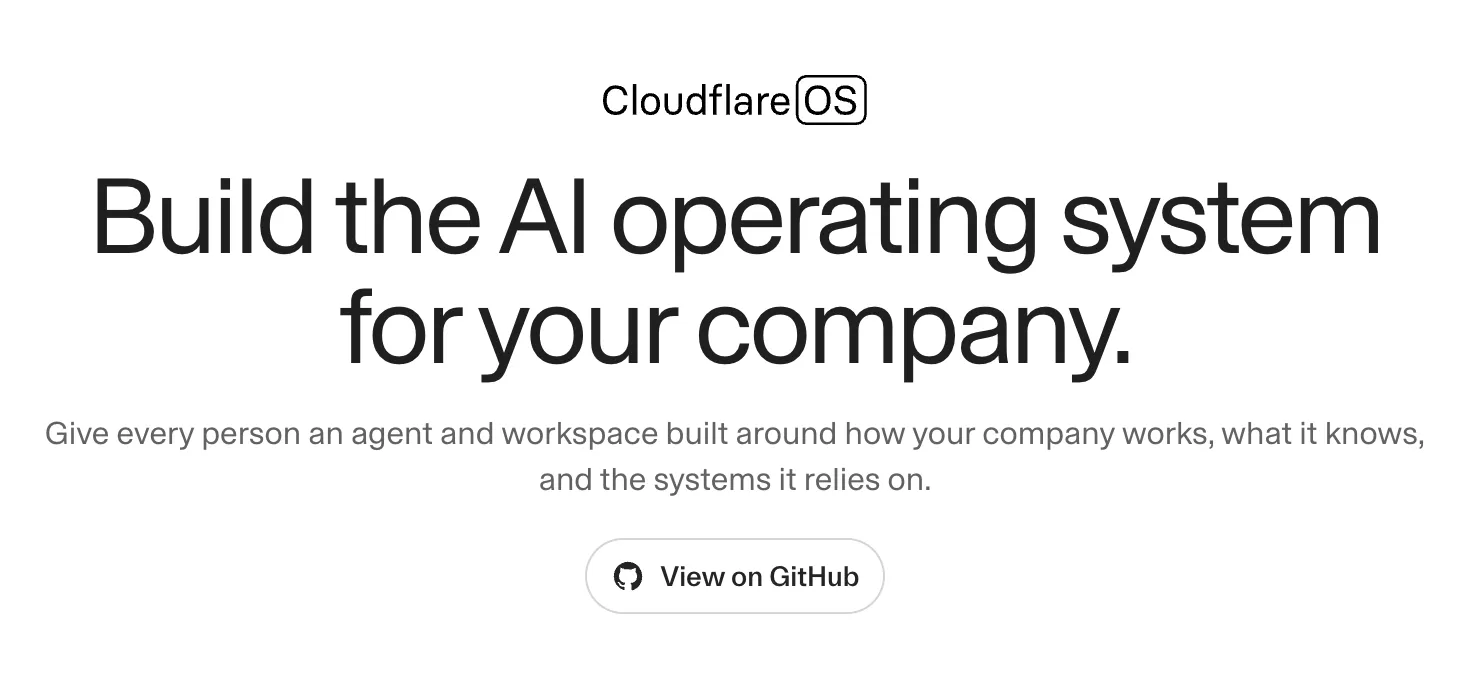
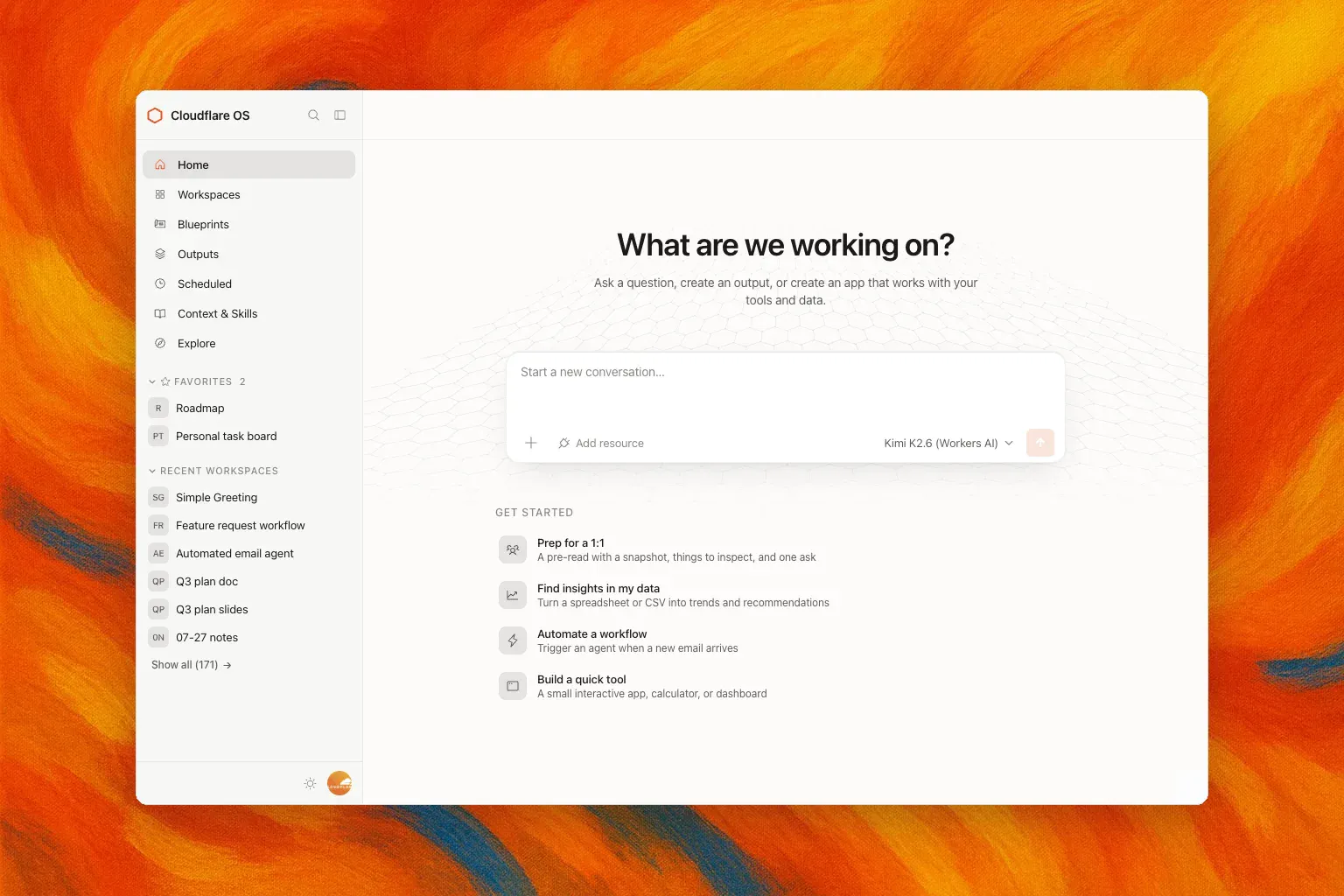
查看原始信息
producTinder
producTinder is a swipe-to-match app for Product Hunt makers. Discover makers launching today, swipe right on the ones you like, and match when it's mutual. Matched makers support each other's launches, then upload a screenshot our AI verifies — so support is always real. A fair credit system reserves 1 credit per match and refunds it if the match isn't completed. Verified makers only, manually reviewed to keep the community trustworthy.
Hey Product Hunt 👋 I'm Furkan, the maker of producTinder. Every product I shipped, the hardest part was never building it — it was getting those first real people to actually see it. The "maker support" spaces I found were messy: random Slack groups, follow-for-follow DMs, and a lot of noise from people who didn't really care about your product. So I built producTinder — a swipe-to-match app for makers. You discover others launching around the same time, swipe on the ones you genuinely like, and match when it's mutual. From there, you get to know each other and back each other's work as real makers, not strangers. Two things I cared about most: • Trust — everyone is a verified, manually reviewed maker, so you're matching with real people. • Fairness — a simple credit is reserved per match and refunded automatically if it isn't completed. It's still early and I'd genuinely love your feedback. What's been the hardest part of getting your own launches seen? And what would make a maker community actually feel trustworthy to you? Thanks for checking it out 🙏
8
回复

@furkanyilmazdev nice launch congrats🙌 Are there rate limits on daily swipes to maintain match quality and prevent spam swiping?

3
回复

@furkanyilmazdev Congratulations on the launch, Furkan. I just upvoted producTinder. I like the focus on connecting verified makers instead of chasing vanity engagement. How are you preventing users from gaming the matching and credit system over time?

0
回复

@furkanyilmazdev Love the concept - swipe-to-match for makers is such a clever take on solving launch distribution. Quick question: how are you handling verification to make sure every maker on the platform is genuinely legit?

0
回复

How do you source products? Are you listing all Product Hunt products or only the few featured one?

Do you plan to expand to other maker communities (Peerlist/ Indie Hacker...)?

2
回复

@fabian_maume Great questions! 🙌 Currently, products are coming from the Product Hunt API, and not just a few featured products, but all launches released that day.

And yes, expanding to other creator communities like Peerlist and Indie Hackers is definitely on our roadmap. Our vision is to be a cross-community discovery layer that isn't tied to a single platform. Stay tuned! 🚀

1
回复

@furkanyilmazdev - Awesome concept, and I love you have gone with a credit based model instead of a subscription. Hope the launch goes well for you.

2
回复

@codeandsea Thank you so much, really appreciate it! 🙏 Yeah, the credit model felt right — no recurring commitment, you just use what you need. Glad that resonates with you. Thanks for the kind words and the support! 🚀

1
回复

Congrats on the launch, Furkan!

Getting the first few people to genuinely care about what you've built can be surprisingly harder than building the product itself.

I really like the idea of making that support mutual.

Best of luck!

1
回复

@martin_herran Thank you so much! Really appreciate that. 🙌
That’s exactly the problem we’re trying to solve with producTinder — making support feel genuine, mutual, and actually useful for makers.

Thanks for the kind words! 🚀

0
回复

Congrats on the launch.
Are you planning to release a mobile app for this?

1
回复

@shiv_k Thank you! 🙌 Definitely something we're considering down the line — why not! 😄 The plan is to first make it successful on the web, and once we've nailed that, a mobile app is absolutely on the table. Appreciate you asking! 🚀

0
回复